# Table of Contents
- [60 Minute Quick Start | 4.x | ColdBox HMVC Documentation](#60-minute-quick-start-4-x-coldbox-hmvc-documentation)
- [What's New With 4.0.0 | 4.x | ColdBox HMVC Documentation](#what-s-new-with-4-0-0-4-x-coldbox-hmvc-documentation)
- [About This Book | 4.x | ColdBox HMVC Documentation](#about-this-book-4-x-coldbox-hmvc-documentation)
- [Working With Event Handlers | 4.x | ColdBox HMVC Documentation](#working-with-event-handlers-4-x-coldbox-hmvc-documentation)
- [WireBox 2.0.0 | 4.x | ColdBox HMVC Documentation](#wirebox-2-0-0-4-x-coldbox-hmvc-documentation)
- [LogBox 2.0.0 | 4.x | ColdBox HMVC Documentation](#logbox-2-0-0-4-x-coldbox-hmvc-documentation)
- [Author | 4.x | ColdBox HMVC Documentation](#author-4-x-coldbox-hmvc-documentation)
- [CacheBox 2.0.0 | 4.x | ColdBox HMVC Documentation](#cachebox-2-0-0-4-x-coldbox-hmvc-documentation)
- [Getting Started Guide | 4.x | ColdBox HMVC Documentation](#getting-started-guide-4-x-coldbox-hmvc-documentation)
- [Adding A Layout | 4.x | ColdBox HMVC Documentation](#adding-a-layout-4-x-coldbox-hmvc-documentation)
- [My First Handler & View | 4.x | ColdBox HMVC Documentation](#my-first-handler-view-4-x-coldbox-hmvc-documentation)
- [Installing ColdBox | 4.x | ColdBox HMVC Documentation](#installing-coldbox-4-x-coldbox-hmvc-documentation)
- [Upgrading to ColdBox 4 | 4.x | ColdBox HMVC Documentation](#upgrading-to-coldbox-4-4-x-coldbox-hmvc-documentation)
- [RESTFul Data | 4.x | ColdBox HMVC Documentation](#restful-data-4-x-coldbox-hmvc-documentation)
- [Linking Events Together | 4.x | ColdBox HMVC Documentation](#linking-events-together-4-x-coldbox-hmvc-documentation)
- [Next Steps | 4.x | ColdBox HMVC Documentation](#next-steps-4-x-coldbox-hmvc-documentation)
- [Adding A Model | 4.x | ColdBox HMVC Documentation](#adding-a-model-4-x-coldbox-hmvc-documentation)
- [My First ColdBox Application | 4.x | ColdBox HMVC Documentation](#my-first-coldbox-application-4-x-coldbox-hmvc-documentation)
- [Installation | 4.x | ColdBox HMVC Documentation](#installation-4-x-coldbox-hmvc-documentation)
- [Introduction | 4.x | ColdBox HMVC Documentation](#introduction-4-x-coldbox-hmvc-documentation)
- [Introduction | 4.x | ColdBox HMVC Documentation](#introduction-4-x-coldbox-hmvc-documentation)
- [What's New With 4.3.0 | 4.x | ColdBox HMVC Documentation](#what-s-new-with-4-3-0-4-x-coldbox-hmvc-documentation)
- [What's New With 4.2.0 | 4.x | ColdBox HMVC Documentation](#what-s-new-with-4-2-0-4-x-coldbox-hmvc-documentation)
- [What's New With 4.1.0 | 4.x | ColdBox HMVC Documentation](#what-s-new-with-4-1-0-4-x-coldbox-hmvc-documentation)
- [Conventions | 4.x | ColdBox HMVC Documentation](#conventions-4-x-coldbox-hmvc-documentation)
- [Configuration | 4.x | ColdBox HMVC Documentation](#configuration-4-x-coldbox-hmvc-documentation)
- [ColdBox.cfc | 4.x | ColdBox HMVC Documentation](#coldbox-cfc-4-x-coldbox-hmvc-documentation)
- [Configuration Directives | 4.x | ColdBox HMVC Documentation](#configuration-directives-4-x-coldbox-hmvc-documentation)
- [CacheBox | 4.x | ColdBox HMVC Documentation](#cachebox-4-x-coldbox-hmvc-documentation)
- [ColdBox | 4.x | ColdBox HMVC Documentation](#coldbox-4-x-coldbox-hmvc-documentation)
- [Conventions | 4.x | ColdBox HMVC Documentation](#conventions-4-x-coldbox-hmvc-documentation)
- [Flash | 4.x | ColdBox HMVC Documentation](#flash-4-x-coldbox-hmvc-documentation)
- [Environments | 4.x | ColdBox HMVC Documentation](#environments-4-x-coldbox-hmvc-documentation)
- [InterceptorSettings | 4.x | ColdBox HMVC Documentation](#interceptorsettings-4-x-coldbox-hmvc-documentation)
- [Interceptors | 4.x | ColdBox HMVC Documentation](#interceptors-4-x-coldbox-hmvc-documentation)
- [Layouts | 4.x | ColdBox HMVC Documentation](#layouts-4-x-coldbox-hmvc-documentation)
- [LayoutSettings | 4.x | ColdBox HMVC Documentation](#layoutsettings-4-x-coldbox-hmvc-documentation)
- [Modules | 4.x | ColdBox HMVC Documentation](#modules-4-x-coldbox-hmvc-documentation)
- [LogBox | 4.x | ColdBox HMVC Documentation](#logbox-4-x-coldbox-hmvc-documentation)
- [ModuleSettings | 4.x | ColdBox HMVC Documentation](#modulesettings-4-x-coldbox-hmvc-documentation)
- [Settings | 4.x | ColdBox HMVC Documentation](#settings-4-x-coldbox-hmvc-documentation)
- [Request Context | 4.x | ColdBox HMVC Documentation](#request-context-4-x-coldbox-hmvc-documentation)
- [WireBox | 4.x | ColdBox HMVC Documentation](#wirebox-4-x-coldbox-hmvc-documentation)
- [System Settings (Java Properties and Environment Variables) | 4.x | ColdBox HMVC Documentation](#system-settings-java-properties-and-environment-variables-4-x-coldbox-hmvc-documentation)
- [Using Settings | 4.x | ColdBox HMVC Documentation](#using-settings-4-x-coldbox-hmvc-documentation)
- [Requirements | 4.x | ColdBox HMVC Documentation](#requirements-4-x-coldbox-hmvc-documentation)
- [Bootstrapper - Application.cfc | 4.x | ColdBox HMVC Documentation](#bootstrapper-application-cfc-4-x-coldbox-hmvc-documentation)
- [Application Router | 4.x | ColdBox HMVC Documentation](#application-router-4-x-coldbox-hmvc-documentation)
- [Routing | 4.x | ColdBox HMVC Documentation](#routing-4-x-coldbox-hmvc-documentation)
- [Rewrite Rules | 4.x | ColdBox HMVC Documentation](#rewrite-rules-4-x-coldbox-hmvc-documentation)
- [Routing DSL | 4.x | ColdBox HMVC Documentation](#routing-dsl-4-x-coldbox-hmvc-documentation)
- [RESTFul Extension Detection | 4.x | ColdBox HMVC Documentation](#restful-extension-detection-4-x-coldbox-hmvc-documentation)
- [Pattern Placeholders | 4.x | ColdBox HMVC Documentation](#pattern-placeholders-4-x-coldbox-hmvc-documentation)
- [Routing By Convention | 4.x | ColdBox HMVC Documentation](#routing-by-convention-4-x-coldbox-hmvc-documentation)
- [Named Routes | 4.x | ColdBox HMVC Documentation](#named-routes-4-x-coldbox-hmvc-documentation)
- [Resourceful Routes | 4.x | ColdBox HMVC Documentation](#resourceful-routes-4-x-coldbox-hmvc-documentation)
- [Routing Namespaces | 4.x | ColdBox HMVC Documentation](#routing-namespaces-4-x-coldbox-hmvc-documentation)
- [HTML Base Tag | 4.x | ColdBox HMVC Documentation](#html-base-tag-4-x-coldbox-hmvc-documentation)
- [HTTP Method Spoofing | 4.x | ColdBox HMVC Documentation](#http-method-spoofing-4-x-coldbox-hmvc-documentation)
- [Building Routable Links | 4.x | ColdBox HMVC Documentation](#building-routable-links-4-x-coldbox-hmvc-documentation)
- [Routing Groups | 4.x | ColdBox HMVC Documentation](#routing-groups-4-x-coldbox-hmvc-documentation)
- [How are events called? | 4.x | ColdBox HMVC Documentation](#how-are-events-called-4-x-coldbox-hmvc-documentation)
- [Routing Methods | 4.x | ColdBox HMVC Documentation](#routing-methods-4-x-coldbox-hmvc-documentation)
- [Pathinfo Providers | 4.x | ColdBox HMVC Documentation](#pathinfo-providers-4-x-coldbox-hmvc-documentation)
- [Post Advices | 4.x | ColdBox HMVC Documentation](#post-advices-4-x-coldbox-hmvc-documentation)
- [Getting & Setting Values | 4.x | ColdBox HMVC Documentation](#getting-setting-values-4-x-coldbox-hmvc-documentation)
- [Model Data Binding | 4.x | ColdBox HMVC Documentation](#model-data-binding-4-x-coldbox-hmvc-documentation)
- [Rendering Data | 4.x | ColdBox HMVC Documentation](#rendering-data-4-x-coldbox-hmvc-documentation)
- [Pre Advices | 4.x | ColdBox HMVC Documentation](#pre-advices-4-x-coldbox-hmvc-documentation)
- [Sending Files | 4.x | ColdBox HMVC Documentation](#sending-files-4-x-coldbox-hmvc-documentation)
- [Relocating | 4.x | ColdBox HMVC Documentation](#relocating-4-x-coldbox-hmvc-documentation)
- [Event Handlers | 4.x | ColdBox HMVC Documentation](#event-handlers-4-x-coldbox-hmvc-documentation)
- [Executing Events | 4.x | ColdBox HMVC Documentation](#executing-events-4-x-coldbox-hmvc-documentation)
- [Rendering With Local Variables | 4.x | ColdBox HMVC Documentation](#rendering-with-local-variables-4-x-coldbox-hmvc-documentation)
- [Setting Views | 4.x | ColdBox HMVC Documentation](#setting-views-4-x-coldbox-hmvc-documentation)
- [Around Advices | 4.x | ColdBox HMVC Documentation](#around-advices-4-x-coldbox-hmvc-documentation)
- [Validation | 4.x | ColdBox HMVC Documentation](#validation-4-x-coldbox-hmvc-documentation)
- [Rendering Views | 4.x | ColdBox HMVC Documentation](#rendering-views-4-x-coldbox-hmvc-documentation)
- [Layouts & Views | 4.x | ColdBox HMVC Documentation](#layouts-views-4-x-coldbox-hmvc-documentation)
- [View Caching | 4.x | ColdBox HMVC Documentation](#view-caching-4-x-coldbox-hmvc-documentation)
- [Rendering Collections | 4.x | ColdBox HMVC Documentation](#rendering-collections-4-x-coldbox-hmvc-documentation)
- [Interception Methods | 4.x | ColdBox HMVC Documentation](#interception-methods-4-x-coldbox-hmvc-documentation)
- [HTTP Method Security | 4.x | ColdBox HMVC Documentation](#http-method-security-4-x-coldbox-hmvc-documentation)
- [Viewlets - Reusable Events | 4.x | ColdBox HMVC Documentation](#viewlets-reusable-events-4-x-coldbox-hmvc-documentation)
- [Layouts From A Module | 4.x | ColdBox HMVC Documentation](#layouts-from-a-module-4-x-coldbox-hmvc-documentation)
- [Nested Layouts | 4.x | ColdBox HMVC Documentation](#nested-layouts-4-x-coldbox-hmvc-documentation)
- [View Helpers | 4.x | ColdBox HMVC Documentation](#view-helpers-4-x-coldbox-hmvc-documentation)
- [Views | 4.x | ColdBox HMVC Documentation](#views-4-x-coldbox-hmvc-documentation)
- [Models | 4.x | ColdBox HMVC Documentation](#models-4-x-coldbox-hmvc-documentation)
- [Rendering External Views | 4.x | ColdBox HMVC Documentation](#rendering-external-views-4-x-coldbox-hmvc-documentation)
- [Implicit Methods | 4.x | ColdBox HMVC Documentation](#implicit-methods-4-x-coldbox-hmvc-documentation)
- [Contact.cfc | 4.x | ColdBox HMVC Documentation](#contact-cfc-4-x-coldbox-hmvc-documentation)
- [Book | 4.x | ColdBox HMVC Documentation](#book-4-x-coldbox-hmvc-documentation)
- [Layout Helpers | 4.x | ColdBox HMVC Documentation](#layout-helpers-4-x-coldbox-hmvc-documentation)
- [Default Layout | 4.x | ColdBox HMVC Documentation](#default-layout-4-x-coldbox-hmvc-documentation)
- [Basic Layouts | 4.x | ColdBox HMVC Documentation](#basic-layouts-4-x-coldbox-hmvc-documentation)
- [Conventions Location | 4.x | ColdBox HMVC Documentation](#conventions-location-4-x-coldbox-hmvc-documentation)
- [Layout Events | 4.x | ColdBox HMVC Documentation](#layout-events-4-x-coldbox-hmvc-documentation)
- [Overriding Layouts | 4.x | ColdBox HMVC Documentation](#overriding-layouts-4-x-coldbox-hmvc-documentation)
- [WireBox Binder | 4.x | ColdBox HMVC Documentation](#wirebox-binder-4-x-coldbox-hmvc-documentation)
- [Implicit Layout-View Declarations | 4.x | ColdBox HMVC Documentation](#implicit-layout-view-declarations-4-x-coldbox-hmvc-documentation)
- [Coding: Solo Style | 4.x | ColdBox HMVC Documentation](#coding-solo-style-4-x-coldbox-hmvc-documentation)
- [Layouts | 4.x | ColdBox HMVC Documentation](#layouts-4-x-coldbox-hmvc-documentation)
- [WireBox Namespace | 4.x | ColdBox HMVC Documentation](#wirebox-namespace-4-x-coldbox-hmvc-documentation)
- [ColdBox Elixir | 4.x | ColdBox HMVC Documentation](#coldbox-elixir-4-x-coldbox-hmvc-documentation)
- [Model Object Namespace | 4.x | ColdBox HMVC Documentation](#model-object-namespace-4-x-coldbox-hmvc-documentation)
- [Injection DSL | 4.x | ColdBox HMVC Documentation](#injection-dsl-4-x-coldbox-hmvc-documentation)
- [Contacts Handler | 4.x | ColdBox HMVC Documentation](#contacts-handler-4-x-coldbox-hmvc-documentation)
- [Domain Modeling | 4.x | ColdBox HMVC Documentation](#domain-modeling-4-x-coldbox-hmvc-documentation)
- [Super Type Usage Methods | 4.x | ColdBox HMVC Documentation](#super-type-usage-methods-4-x-coldbox-hmvc-documentation)
- [Scaffold | 4.x | ColdBox HMVC Documentation](#scaffold-4-x-coldbox-hmvc-documentation)
- [ORM | 4.x | ColdBox HMVC Documentation](#orm-4-x-coldbox-hmvc-documentation)
- [Contacts.cfc | 4.x | ColdBox HMVC Documentation](#contacts-cfc-4-x-coldbox-hmvc-documentation)
- [Introduction | ColdBox HMVC Documentation](#introduction-coldbox-hmvc-documentation)
- [Email Protection | Cloudflare](#email-protection-cloudflare)
- [Testing Tools | 4.x | ColdBox HMVC Documentation](#testing-tools-4-x-coldbox-hmvc-documentation)
- [Testing Vocabulary | 4.x | ColdBox HMVC Documentation](#testing-vocabulary-4-x-coldbox-hmvc-documentation)
- [Static Testing | 4.x | ColdBox HMVC Documentation](#static-testing-4-x-coldbox-hmvc-documentation)
- [Developer Focus | 4.x | ColdBox HMVC Documentation](#developer-focus-4-x-coldbox-hmvc-documentation)
- [Dynamic Testing | 4.x | ColdBox HMVC Documentation](#dynamic-testing-4-x-coldbox-hmvc-documentation)
- [Bugs Cost Money | 4.x | ColdBox HMVC Documentation](#bugs-cost-money-4-x-coldbox-hmvc-documentation)
- [Upgrading to ColdBox 8 | ColdBox HMVC Documentation](#upgrading-to-coldbox-8-coldbox-hmvc-documentation)
- [Release History | ColdBox HMVC Documentation](#release-history-coldbox-hmvc-documentation)
- [Contributing Guide | ColdBox HMVC Documentation](#contributing-guide-coldbox-hmvc-documentation)
- [What is ColdBox | ColdBox HMVC Documentation](#what-is-coldbox-coldbox-hmvc-documentation)
- [What is MVC | ColdBox HMVC Documentation](#what-is-mvc-coldbox-hmvc-documentation)
- [About This Book | ColdBox HMVC Documentation](#about-this-book-coldbox-hmvc-documentation)
- [Getting Started Guide | ColdBox HMVC Documentation](#getting-started-guide-coldbox-hmvc-documentation)
- [Installation | ColdBox HMVC Documentation](#installation-coldbox-hmvc-documentation)
- [Application Templates | ColdBox HMVC Documentation](#application-templates-coldbox-hmvc-documentation)
- [Conventions | ColdBox HMVC Documentation](#conventions-coldbox-hmvc-documentation)
- [Request Context | ColdBox HMVC Documentation](#request-context-coldbox-hmvc-documentation)
- [Controller Decorator | ColdBox HMVC Documentation](#controller-decorator-coldbox-hmvc-documentation)
- [HTML Helper | ColdBox HMVC Documentation](#html-helper-coldbox-hmvc-documentation)
- [Request Context Decorator | ColdBox HMVC Documentation](#request-context-decorator-coldbox-hmvc-documentation)
- [Testing Quick Start | ColdBox HMVC Documentation](#testing-quick-start-coldbox-hmvc-documentation)
- [Configuration | ColdBox HMVC Documentation](#configuration-coldbox-hmvc-documentation)
- [Flash RAM | ColdBox HMVC Documentation](#flash-ram-coldbox-hmvc-documentation)
- [60 Minute Quick Start | ColdBox HMVC Documentation](#60-minute-quick-start-coldbox-hmvc-documentation)
- [How ColdBox Works | ColdBox HMVC Documentation](#how-coldbox-works-coldbox-hmvc-documentation)
- [Recipes | ColdBox HMVC Documentation](#recipes-coldbox-hmvc-documentation)
- [ColdBox CLI | ColdBox HMVC Documentation](#coldbox-cli-coldbox-hmvc-documentation)
---
# 60 Minute Quick Start | 4.x | ColdBox HMVC Documentation
GitBook Assistant
GitBook Assistant
Working...Thinking...
GitBook Assistant
##### Good morning
I'm here to help you with the docs.
What is this page about?What should I read next?Can you give an example?
Ctrli
AI Based on your context
Send
This guide has been designed to get you started with ColdBox in fewer than 60 minutes. We will take you by the hand and help you build a RESTFul application in 60 minutes or fewer. After you complete this guide, we encourage you to move on to the [Getting Started Guide](https://coldbox.ortusbooks.com/v4.x-1/getting-started/getting-started-guide)
and then to the other guides in this book.
[](https://coldbox.ortusbooks.com/v4.x-1/for-newbies/60-minute-quick-start#requirements)
Requirements
----------------------------------------------------------------------------------------------------------
* Please make sure you download and install the latest [CommandBox CLI](https://www.ortussolutions.com/products/commandbox)
. We will show you how in the [Installing ColdBox section](https://coldbox.ortusbooks.com/v4.x-1/for-newbies/60-minute-quick-start/installing-coldbox)
.
* Grab a cup of coffee
* Get comfortable
[PreviousAuthor](https://coldbox.ortusbooks.com/v4.x-1/intro/introduction/author)
[NextInstalling ColdBox](https://coldbox.ortusbooks.com/v4.x-1/for-newbies/60-minute-quick-start/installing-coldbox)
Last updated 7 years ago
Was this helpful?
---
# What's New With 4.0.0 | 4.x | ColdBox HMVC Documentation
GitBook Assistant
GitBook Assistant
Working...Thinking...
GitBook Assistant
##### Good afternoon
I'm here to help you with the docs.
What is this page about?What should I read next?Can you give an example?
Ctrli
AI Based on your context
Send
[](https://coldbox.ortusbooks.com/v4.x-1/intro/introduction/whats-new-with-4.0.0#introduction)
Introduction
----------------------------------------------------------------------------------------------------------------
ColdBox 4 is a major release in our ColdBox Platform series and includes a new revamped MVC core and all extra functionality has been refactored into modules. We have pushed the modular architecture to a 1st class citizen even in the core itself. There are several [compatibility updates](https://coldbox.ortusbooks.com/v4.x-1/intro/introduction/upgrading-to-coldbox-4)
that you must do in order to upgrade your ColdBox 3.X applications to ColdBox 4 standards. You will notice that the source and download of ColdBox 4 has been reduced by almost 75% in size. This is now due to our modular approach where functionality can just be brought in dynamically. How you might say?
###
[](https://coldbox.ortusbooks.com/v4.x-1/intro/introduction/whats-new-with-4.0.0#commandbox)
CommandBox

[CommandBox](http://www.ortussolutions.com/products/commandbox)
, our new ColdFusion (CFML) command line interface, package manager and REPL. You can now use CommandBox to install dependencies, modules and even ColdBox itself, all from our centralized code repository: [ForgeBox](http://www.coldbox.org/forgebox)
. To install ColdBox 4 Bleeding Edge you can just type:
Copy
box install coldbox-be
You can even use CommandBox to generate ColdBox applications, modules, handlers, etc. It has a plethora of commands to get you started on a fantastic ColdBox Adventure:
Copy
// Get help on all the ColdBox commands
coldbox help
Copy
// create a ColdBox app with TestBox support
coldbox create app MyFirstApp --installTestBox
[](https://coldbox.ortusbooks.com/v4.x-1/intro/introduction/whats-new-with-4.0.0#internal-library-updates)
Internal Library Updates
----------------------------------------------------------------------------------------------------------------------------------------
ColdBox is composed of three internal libraries: WireBox (DI & AOP), CacheBox (Caching) and LogBox (Logging). Below you can find what's new with this release for each library:
* [WireBox 2.0.0](https://coldbox.ortusbooks.com/v4.x-1/intro/introduction/whats-new-with-4.0.0/wirebox-2.0.0)
* [CacheBox 2.0.0](https://coldbox.ortusbooks.com/v4.x-1/intro/introduction/whats-new-with-4.0.0/cachebox-2.0.0)
* [LogBox 2.0.0](https://coldbox.ortusbooks.com/v4.x-1/intro/introduction/whats-new-with-4.0.0/logbox-2.0.0)
[](https://coldbox.ortusbooks.com/v4.x-1/intro/introduction/whats-new-with-4.0.0#major-updates)
Major Updates
------------------------------------------------------------------------------------------------------------------
###
[](https://coldbox.ortusbooks.com/v4.x-1/intro/introduction/whats-new-with-4.0.0#performance-updates)
Performance Updates
The core has been completely revamped by removing ColdFusion 7/8 code, decoupled from many features that are now available as modules and rewrites to pure `cfscript` syntax. The end result is the fastest ColdBox release since our 1.0.0 days. In our initial vanilla load tests, normal requests take around 4-6ms to execute.
###
[](https://coldbox.ortusbooks.com/v4.x-1/intro/introduction/whats-new-with-4.0.0#runevent-caching)
RunEvent Caching
The `runEvent` method has been extended to include caching capabilities very similar to what has previously been available to the `renderView` methods. This will allow folks to execute internal or widget-like events and be able to use the built-in caching capabilities of ColdBox to cache the results according to the arguments used. Below is the new signature of the method:
Copy
/**
* Executes events with full life-cycle methods and returns the event results if any were returned.
* @event The event string to execute, if nothing is passed we will execute the application's default event.
* @prePostExempt If true, pre/post handlers will not be fired. Defaults to false
* @private Execute a private event if set, else defaults to public events
* @defaultEvent The flag that let's this service know if it is the default event running or not. USED BY THE FRAMEWORK ONLY
* @eventArguments A collection of arguments to passthrough to the calling event handler method
* @cache.hint Cached the output of the runnable execution, defaults to false. A unique key will be created according to event string + arguments.
* @cacheTimeout.hint The time in minutes to cache the results
* @cacheLastAccessTimeout.hint The time in minutes the results will be removed from cache if idle or requested
* @cacheSuffix.hint The suffix to add into the cache entry for this event rendering
* @cacheProvider.hint The provider to cache this event rendering in, defaults to 'template'
*/
function runEvent(
event="",
boolean prePostExempt=false,
boolean private=false,
boolean defaultEvent=false,
struct eventArguments={},
boolean cache=false,
cacheTimeout="",
cacheLastAccessTimeout="",
cacheSuffix="",
cacheProvider="template"
){
Please note that the default cache provider used for event caching is the **template** cache, so it must be a valid ColdBox Enabled Cache Provider. So if we execute our sample widget below, we will be able to leverage its caching arguments:
Copy
#runEvent( event="widgets.users", cache=true )#
#runEvent( event="widgets.users", cache=true, cacheTimeout=60 )#
#runEvent( event="widgets.users", eventArguments={ filter:true }, cache=true, cacheTimeout=60 )#
> **Info** : Internally ColdBox creates an internal hash of the passed in `event` and `eventArguments` arguments for the cache key. It also leverages the **template** cache for event caching.
###
[](https://coldbox.ortusbooks.com/v4.x-1/intro/introduction/whats-new-with-4.0.0#model-called-models)
Model called Models
The convention has been updated so it matches the other conventions. You now must create a **models** folder instead of a **model** folder.
###
[](https://coldbox.ortusbooks.com/v4.x-1/intro/introduction/whats-new-with-4.0.0#oninvalidhttpmethod-handler-convention)
onInvalidHTTPMethod Handler Convention
We have created a new action convention in all your handlers called `onInvalidHTTPMethod` which will be called for you if a request is trying to execute an action in your handler without the right HTTP Verb. It will then be your job to determine what to do next:
Copy
function onInvalidHTTPMethod( faultAction, event, rc, prc ){
return "Yep, onInvalidHTTPMethod works!";
}
###
[](https://coldbox.ortusbooks.com/v4.x-1/intro/introduction/whats-new-with-4.0.0#http-content-auto-marshalling)
HTTP Content Auto Marshalling
The `getHTTPContent` method on the Request Context now takes in two boolean arguments:
1. **json**
2. **xml**
If set, ColdBox will auto-marshall the HTTP Body content from JSON or XML to native ColdFusion data types.
Copy
myStruct = event.getHTTPContent( json=true );
xmlObject = event.getHTTPContent( xml=true );
###
[](https://coldbox.ortusbooks.com/v4.x-1/intro/introduction/whats-new-with-4.0.0#ses-regex-route-placeholders)
SES regex route placeholders
You can now define a-la-carte regex matching on route placeholders. If the route matches with that regex in the placeholder the value will now be stored in the RC as well:
Copy
addRoute( pattern = 'format/:extension-regex:(xml|json)' );
###
[](https://coldbox.ortusbooks.com/v4.x-1/intro/introduction/whats-new-with-4.0.0#new-global-view-helper)
New Global View Helper
You now have a new ColdBox core setting `viewsHelper` which is a template that will be injected and binded to any layout/view that is rendered. This means that finally you have a template that can be globally available to any view/layout in your system.
Copy
coldbox = {
viewsHelper = "includes/helpers/ViewHelper.cfm"
};
###
[](https://coldbox.ortusbooks.com/v4.x-1/intro/introduction/whats-new-with-4.0.0#application-template-java-support)
Application Template Java Support
All the new ColdBox application templates have been updated to include a folder called `lib` which is automatically wired for you to class load Java classes and jars. All you have to do is drop any jar or class file into this folder and it will be available via `createobject(“java”)` anywhere in your app.
###
[](https://coldbox.ortusbooks.com/v4.x-1/intro/introduction/whats-new-with-4.0.0#new-core-modules)
New Core Modules
All internal plugins, and lots of functionality, have been refactored out of the ColdBox Core and into standalone Modules. All of them are in [ForgeBox](http://www.coldbox.org/forgebox)
and have their own Git repositories. Also, all of them are installable via [CommandBox](http://www.ortussolutions.com/products/commandbox)
; Our ColdFusion (CFML) CLI and Package Manager. This has reduced the ColdBox Core by over **75%** in source size and complexity. Not only that, but it allows us to be able to release patches and updates for feature functionality without releasing an entire framework release, but just 1 or more modules.
* ColdBox Debugger
Copy
box install cbdebugger
* Storages
Copy
box install cbstorages
* Feeds
Copy
box install cbfeeds
* Commons
Copy
box install cbcommons
* i18n
Copy
box install cbi18n
* ORM
Copy
box install cborm
* ioc
Copy
box install cbioc
* JavaLoader
Copy
box install cbjavaloader
* AntiSamy
Copy
box install cbantisamy
* MailServies
Copy
box install cbmailservices
* MessageBox
Copy
box install cbmessagebox
* Soap
Copy
box install cbsoap
* Security
Copy
box install cbsecurity
* Validation
Copy
box install cbvalidation
###
[](https://coldbox.ortusbooks.com/v4.x-1/intro/introduction/whats-new-with-4.0.0#new-anti-forgery-module)
New Anti-Forgery Module
We have created a nice anti-forgery module called **csrf** which can be found in [ForgeBox](http://www.coldbox.org/forgebox/view/cbcsrf)
and in GitHub: [https://github.com/ColdBox/cbox-csrf](https://github.com/ColdBox/cbox-csrf)
. This module will enhance your ColdBox applications with Anti-Cross Site Request Forgery capabilities. You can also install it via CommandBox
Copy
box install csrf
###
[](https://coldbox.ortusbooks.com/v4.x-1/intro/introduction/whats-new-with-4.0.0#orm-module-updates)
ORM Module Updates
As you know by now, all the ColdBox ORM features are available as a module that can be installed in your application via CommandBox or downloaded separately. We have done several updates to the ORM extensions like:
* Lucee multi-datasource support
* Expanded `createAlias()` method to allow for a **criteria** argument
which leverages hibernate's ability to do a where statement on a
join
* Script updates
###
[](https://coldbox.ortusbooks.com/v4.x-1/intro/introduction/whats-new-with-4.0.0#new-system-renderer)
New System Renderer
The ColdBox Renderer plugin has been removed and it is now part of the core as the system renderer (`coldbox.system.web.Renderer`).
* It has been migrated to full script and optimized for ColdFusion 9+
syntax
* We have also created a new DSL to inject it via WireBox: `coldbox:renderer`
* You can also add mixins or alter its behavior by talking to its
WireBox mapping (`Renderer@coldbox`)
* All handlers/interceptors/views/layouts have access to the renderer
by calling the `getRenderer()` method in the super type
* The main ColdBox controller has a new method called `getRenderer()` to retrieve the system renderer
###
[](https://coldbox.ortusbooks.com/v4.x-1/intro/introduction/whats-new-with-4.0.0#new-error-template)
New Error Template
By default, we are now not showing any exceptions in the ColdBox default error template for security and encapsulation. You now have to specify the full exception bug template if you would like to see the exceptions via the `CustomErrorTemplate` setting:
Copy
coldbox = {
customErrorTemplate = "/coldbox/system/includes/BugReport.cfm"
};
This is to be secure by default. The default template used is `/coldbox/system/includes/BugReport-Public.cfm`
###
[](https://coldbox.ortusbooks.com/v4.x-1/intro/introduction/whats-new-with-4.0.0#remote-proxies-autowired)
Remote Proxies Autowired
You've always been able to get models in a remote proxy (web-accessible CFC that extends `coldbox.system.remote.ColdBoxProxy`) using the `getModel()` method. Now you can also autowire your remote proxies using `cfproperties` just like you do in handlers and WireBox-managed models.
**/remote/myProxy.cfc**
Copy
component extends="coldbox.system.remote.ColdBoxProxy" {
property name='myService' inject='myService';
remote function doRemote() {
variables.myService.doSomething();
}
}
> **Note** The autowiring only works for web-accessible remote proxies being directly invoked. You can extend the ColdBoxProxy by another manually-created CFC (such as an ORM eventHandler) but it won't be autowired.
###
[](https://coldbox.ortusbooks.com/v4.x-1/intro/introduction/whats-new-with-4.0.0#handlers-are-now-singletons)
Handlers Are Now Singletons
In pre-4.0.0 applications, all event handlers were cached in CacheBox with specific timeouts. We have found that this just created extra noise and complexity for handler CFCs. So now all event handlers will be cached as singletons by default (unless specified in the `ColdBox.cfc`).
###
[](https://coldbox.ortusbooks.com/v4.x-1/intro/introduction/whats-new-with-4.0.0#bootstrap-enhancement)
Bootstrap Enhancement
The ColdBox application bootstrapper, the one used in `Application.cfc` has been completely updated and renamed to **Bootstrap** instead of **Coldbox**. This brings in lots of performance enhancements and faster startup times to your applications. Just use the included application templates or just update the **Coldbox** reference to **Bootstrap**.
Copy
// Inheritance
component extends="coldbox.system.Bootstrap"{
}
// Non-Inheritance
component{
public boolean function onApplicationStart(){
application.cbBootstrap = new coldbox.system.Bootstrap( COLDBOX_CONFIG_FILE, COLDBOX_APP_ROOT_PATH, COLDBOX_APP_KEY, COLDBOX_APP_MAPPING );
application.cbBootstrap.loadColdbox();
return true;
}
}
###
[](https://coldbox.ortusbooks.com/v4.x-1/intro/introduction/whats-new-with-4.0.0#module-enhancements)
Module Enhancements
There has been tremendous focus on modules in this release as we have moved completely to a modular architecture in the core as well. First of all, we have moved almost 75% of the source into modules so they can be installed a-la-carte by developers. Here are some major updates:
* New `getModuleSettings()` & `getModuleConfig()` super type methods.
This allows you to get access to any module setting or configuration
property rather easily and directly.
* All module properties are NOT required anymore except the **name**.
* Modules no longer register their **models** folder as scan locations
to increase performance.
* try/catch around module unloads, so if a module throws an exception
during unload it will be intercepted, unloaded and then throw an
exception. This way it will allow developers to fix the unloading
issues instead of basically restarting the entire CFML engine to
make it work.
####
[](https://coldbox.ortusbooks.com/v4.x-1/intro/introduction/whats-new-with-4.0.0#module-inception)
Module Inception
We have altered the module services to now allow you to nest modules within modules up to the Nth degree. Our final move to hierarchical MVC is complete. Now you can package a module with other modules that can even contain other modules within. It really opens a great opportunity for better packaging, delivery and a further break from monolithic applications. To use, just create a **modules** folder in your module and drop the modules there as well.
####
[](https://coldbox.ortusbooks.com/v4.x-1/intro/introduction/whats-new-with-4.0.0#module-config-new-properties)
Module Config New Properties
The ''ModuleConfig.cfc'' has been updated with several new properties:
Setting
Type
Required
Default
Description
**activate**
boolean
false
true
You can tell ColdBox to register the module but NOT to activate it. By default, all modules activate.
**aliases**
array
false
\[\]
An array of names that can be used to execute the module instead of only the module folder name
**autoMapModels**
boolean
false
true
Will automatically map all model objects under the **models** folder in WireBox using `@modulename` as part of the alias.
**cfmapping**
string
false
_empty_
The ColdFusion mapping that should be registered for you that points to the root of the module.
**disabled**
boolean
false
false
You can manually disable a module from loading and registering
**dependencies**
array
false
\[\]
An array of dependent module names. All dependencies will be registered and activated FIRST before the module declaring them.
**modelNamespace**
string
false
_moduleName_
The name of the namespace to use when registering models in WireBox. By default it uses the name of the module.
Copy
this.autoMapModels = true;
this.modelNamespace = "store";
this.aliases = [ "store", "ecommerce", "shop" ];
this.cfmapping = "cbstore";
this.dependencies = [ "JavaLoader", "CFCouchbase" ];
####
[](https://coldbox.ortusbooks.com/v4.x-1/intro/introduction/whats-new-with-4.0.0#module-dependencies)
Module Dependencies
Modules can now declare other module dependencies. This means that before the declared module is activated, the dependencies will be registered and activated **FIRST** and then the declared module will load.
####
[](https://coldbox.ortusbooks.com/v4.x-1/intro/introduction/whats-new-with-4.0.0#module-aliases)
Module Aliases
In pre-4.0.0 ColdBox applications, the way that you executed module handlers was via its registered module name, which had to be the name of the module folder on disk. This was ok to a certain point, but it would cause issues as it was very restrictive to the name on disk. On ColdBox 4 you can now give the module different execution aliases so you can execute the handler events via the aliases and the module folder name as well.
####
[](https://coldbox.ortusbooks.com/v4.x-1/intro/introduction/whats-new-with-4.0.0#module-cf-mappings)
Module CF Mappings
Every module can now tell ColdBox what ColdFusion mapping to register for it that points to the module root location on disk when deployed. This is a huge feature for portability and the ability to influence the ColdFusion mappings for you via ColdBox.
####
[](https://coldbox.ortusbooks.com/v4.x-1/intro/introduction/whats-new-with-4.0.0#module-models-auto-mapped)
Module Models Auto Mapped
The entire **models** folder will now be automatically mapped for you in WireBox via the **mapDirectory** call with a namespace attached to the objects (the name of the module). This way, all models are automatically mapped for you so you can just use them. Let's say you have a module called **store**:
Copy
property name="orderService" inject="OrderService@store";
As you can see it adds a `@moduleName` to discover models that come from a module directly.
> **Hint** You can alter this behavior by setting the `this.autoMapModels` configuration setting to `false`. You can also alter the namespace used via the `this.modelNamespace` configuration property.
####
[](https://coldbox.ortusbooks.com/v4.x-1/intro/introduction/whats-new-with-4.0.0#module-bundles)
Module Bundles
You can now bundle your modules into an organizational folder that has the convention name of **{name}-bundle**. This is mostly for organizational purposes.
Copy
coldbox-bundle
* cbstorages
* cborm
* cbsecurity
[PreviousWhat's New With 4.1.0](https://coldbox.ortusbooks.com/v4.x-1/intro/introduction/whats-new-with-4.1.0)
[NextWireBox 2.0.0](https://coldbox.ortusbooks.com/v4.x-1/intro/introduction/whats-new-with-4.0.0/wirebox-2.0.0)
Last updated 7 years ago
Was this helpful?
---
# About This Book | 4.x | ColdBox HMVC Documentation
GitBook Assistant
GitBook Assistant
Working...Thinking...
GitBook Assistant
##### Good afternoon
I'm here to help you with the docs.
What is this page about?What should I read next?Can you give an example?
Ctrli
AI Based on your context
Send
The source code for this book is hosted in GitHub: [https://github.com/ortus-docs/coldbox-docs](https://github.com/ortus-docs/coldbox-docs)
. You can freely contribute to it and submit pull requests. The contents of this book is copyright by [Ortus Solutions, Corp](https://www.ortussolutions.com/)
and cannot be altered or reproduced without author's consent. All content is provided _"As-Is"_ and can be freely distributed.
* The majority of code examples in this book are done in `cfscript`.
* The majority of code generation and running of examples are done via **CommandBox**: The ColdFusion (CFML) CLI, Package Manager, REPL - [http://www.ortussolutions.com/products/commandbox](http://www.ortussolutions.com/products/commandbox)
* All ColdFusion examples designed to run on the open soure Lucee Platform or Adobe ColdFusion 11+
[](https://coldbox.ortusbooks.com/v4.x-1/intro/introduction/about-this-book#external-trademarks-and-copyrights)
External Trademarks & Copyrights
-----------------------------------------------------------------------------------------------------------------------------------------------------
Flash, Flex, ColdFusion, and Adobe are registered trademarks and copyrights of Adobe Systems, Inc.
[](https://coldbox.ortusbooks.com/v4.x-1/intro/introduction/about-this-book#notice-of-liability)
Notice of Liability
-------------------------------------------------------------------------------------------------------------------------
The information in this book is distributed “as is”, without warranty. The author and Ortus Solutions, Corp shall not have any liability to any person or entity with respect to loss or damage caused or alleged to be caused directly or indirectly by the content of this training book, software and resources described in it.
[](https://coldbox.ortusbooks.com/v4.x-1/intro/introduction/about-this-book#contributing)
Contributing
-----------------------------------------------------------------------------------------------------------
We highly encourage contribution to this book and our open source software. The source code for this book can be found in our [GitHub repository](https://github.com/ortus-docs/coldbox-docs)
where you can submit pull requests.
[](https://coldbox.ortusbooks.com/v4.x-1/intro/introduction/about-this-book#charitable-proceeds)
Charitable Proceeds
-------------------------------------------------------------------------------------------------------------------------
10% of the proceeds of this book will go to charity to support orphaned kids in El Salvador - [https://www.harvesting.org/](https://www.harvesting.org/)
. So please donate and purchase the printed version of this book, every book sold can help a child for almost 2 months.
###
[](https://coldbox.ortusbooks.com/v4.x-1/intro/introduction/about-this-book#shalom-childrens-home)
Shalom Children's Home

Shalom Children's Home
Shalom Children’s Home ([https://www.harvesting.org/](https://www.harvesting.org/)
) is one of the ministries that is dear to our hearts located in El Salvador. During the 12 year civil war that ended in 1990, many children were left orphaned or abandoned by parents who fled El Salvador. The Benners saw the need to help these children and received 13 children in 1982. Little by little, more children came on their own, churches and the government brought children to them for care, and the Shalom Children’s Home was founded.
Shalom now cares for over 80 children in El Salvador, from newborns to 18 years old. They receive shelter, clothing, food, medical care, education and life skills training in a Christian environment. The home is supported by a child sponsorship program.
We have personally supported Shalom for over 6 years now; it is a place of blessing for many children in El Salvador that either have no families or have been abandoned. This is good earth to seed and plant.
[PreviousUpgrading to ColdBox 4](https://coldbox.ortusbooks.com/v4.x-1/intro/introduction/upgrading-to-coldbox-4)
[NextAuthor](https://coldbox.ortusbooks.com/v4.x-1/intro/introduction/author)
Last updated 7 years ago
Was this helpful?
---
# Working With Event Handlers | 4.x | ColdBox HMVC Documentation
GitBook Assistant
GitBook Assistant
Working...Thinking...
GitBook Assistant
##### Good afternoon
I'm here to help you with the docs.
What is this page about?What should I read next?Can you give an example?
Ctrli
AI Based on your context
Send

Event handlers are the controller layer in ColdBox and is what you will be executing via the `URL`or a `FORM`post. All event handlers are **singletons**, which means they are cached for the duration of the application, so always remember to var scope your variables in your functions.
**Tip:** For development we highly encourage you to turn handler caching off or you will have to reinit the application in every request, which is annoying. Open the `config/ColdBox.cfc` and look for the `coldbox.handlerCaching` setting.
Once you started the server in the previous section and opened the browser, the default event got executed which maps to an event handler CFC (controller) `handlers/main.cfc` and the method/action in that CFC called `index()`. Go open the `handlers/main.cfc` and let's explore the code.
[](https://coldbox.ortusbooks.com/v4.x-1/for-newbies/60-minute-quick-start/working-with-event-handlers#handler-code)
Handler Code
--------------------------------------------------------------------------------------------------------------------------------------
Copy
// Default Action
function index( event, rc, prc ){
prc.welcomeMessage = "Welcome to ColdBox!";
event.setView( "main/index" );
}
Every action in ColdBox receives three arguments:
* `event` - An object that models and is used to work with the current request
* `rc` - A struct that contains both URL/FORM variables (unsafe data)
* `prc` - A secondary struct that is private only settable from within your application (safe data)
This line `event.setView( "main/index" )` told ColdBox to render a view back to the user found in `views/main/index.cfm` using a default layout, which by convention is called `Main.cfm` which can be found in the `layouts` folder.
[](https://coldbox.ortusbooks.com/v4.x-1/for-newbies/60-minute-quick-start/working-with-event-handlers#executing-events)
Executing Events
----------------------------------------------------------------------------------------------------------------------------------------------
We have now seen how to add handlers via CommandBox using the `coldbox create handler` command and also execute them by convention by leveraging the following URL pattern:
Copy
http://localhost:{port}/folder/handler/action
http://localhost:{port}/handler/action
http://localhost:{port}/handler
Also remember, that if no `action` is defined in the incoming URL then the default action of `index` will be used.
Remember that the URL mappings support in ColdBox is what allows you to execute events in such a way from the URL. These are controlled by your application router: `config/Router.cfc`
[](https://coldbox.ortusbooks.com/v4.x-1/for-newbies/60-minute-quick-start/working-with-event-handlers#working-with-incoming-data)
Working With Incoming Data
------------------------------------------------------------------------------------------------------------------------------------------------------------------
Now, let's open the handler we created before called `handlers/hello.cfc` and add some public and private variables to it so our views can render the variables.
Copy
function index( event, rc, prc ){
// param an incoming variable.
event.paramValue( "name", "nobody" );
// set a private variable
prc.when = dateFormat( now(), "full" );
// set the view to render
event.setView( "hello/index" );
}
Let's open the view now: `views/hello/index.cfm` and change it to this:
Copy
Hello #encodeForHTML( rc.name )#, today is #prc.when#
Please note that we used the ColdFusion function `encodeForHTML()` ([https://www.cfdocs.org/encodeforhtml](https://www.cfdocs.org/encodeforhtml)
) on the public variable. Why? Because you can **never** trust the client and what they send, make sure you use the built-in ColdFusion encoding functions in order to avoid XSS hacks or worse on incoming public (`rc`) variables.
If you execute the event now: `http://localhost:{port}/hello/index` you will see a message of `Hello nobody`.
Now change the incoming URL to this: `http://localhost:{port}/hello/index?name=ColdBox` and you will see a message of `Hello ColdBox`.
**Tip:** Please see the [layouts and views](https://coldbox.ortusbooks.com/v4.x-1/the-basics/layouts-and-views)
section for in-depth information about them.
[PreviousLinking Events Together](https://coldbox.ortusbooks.com/v4.x-1/for-newbies/60-minute-quick-start/linking-events-together)
[NextAdding A Layout](https://coldbox.ortusbooks.com/v4.x-1/for-newbies/60-minute-quick-start/adding-a-layout)
Last updated 7 years ago
Was this helpful?
---
# WireBox 2.0.0 | 4.x | ColdBox HMVC Documentation
GitBook Assistant
GitBook Assistant
Working...Thinking...
GitBook Assistant
##### Good afternoon
I'm here to help you with the docs.
What is this page about?What should I read next?Can you give an example?
Ctrli
AI Based on your context
Send
[](https://coldbox.ortusbooks.com/v4.x-1/intro/introduction/whats-new-with-4.0.0/wirebox-2.0.0#introduction)
Introduction
------------------------------------------------------------------------------------------------------------------------------
WireBox 2.0.0 is a major release of our Dependency Injection and AOP library with some major fixes and some cool new updates.
[](https://coldbox.ortusbooks.com/v4.x-1/intro/introduction/whats-new-with-4.0.0/wirebox-2.0.0#release-notes)
Release Notes
--------------------------------------------------------------------------------------------------------------------------------
You can find the release version information here: [https://ortussolutions.atlassian.net/browse/WIREBOX/fixforversion/12300](https://ortussolutions.atlassian.net/browse/WIREBOX/fixforversion/12300)
Bugs
* \[[WIREBOX-31](https://ortussolutions.atlassian.net/browse/WIREBOX-31)\
\] -Builder.buildDSLDependency does not use the custom DSL correctly as the default namespace kicks in
Improvements
* \[[WIREBOX-32](https://ortussolutions.atlassian.net/browse/WIREBOX-32)\
\] -binder.mapDirectory now skips hidden dirs
* \[[WIREBOX-35](https://ortussolutions.atlassian.net/browse/WIREBOX-35)\
\] -Remove coldbox:cacheManager DSL reference, it is no longer valid
New Features
* \[[WIREBOX-2](https://ortussolutions.atlassian.net/browse/WIREBOX-2)\
\] -allow mapDSL to be altered at runtime by modules via new wirebox method: registerDSL()
* \[[WIREBOX-30](https://ortussolutions.atlassian.net/browse/WIREBOX-30)\
\] -Support wiring new injection DSL = byType, which leverages the type to match to an implementation
* \[[WIREBOX-33](https://ortussolutions.atlassian.net/browse/WIREBOX-33)\
\] -Add a force argument to the map functions so you can override if a mapping already exists
* \[[WIREBOX-36](https://ortussolutions.atlassian.net/browse/WIREBOX-36)\
\] -New coldbox dsl to get a renderer reference: coldbox:renderer
[](https://coldbox.ortusbooks.com/v4.x-1/intro/introduction/whats-new-with-4.0.0/wirebox-2.0.0#major-enhancements)
Major Enhancements
------------------------------------------------------------------------------------------------------------------------------------------
* All [LogBox](https://coldbox.ortusbooks.com/v4.x-1/intro/introduction/whats-new-with-4.0.0/logbox-2.0.0)
libraries updated
* All [CacheBox](https://coldbox.ortusbooks.com/v4.x-1/intro/introduction/whats-new-with-4.0.0/cachebox-2.0.0)
libraries updated
###
[](https://coldbox.ortusbooks.com/v4.x-1/intro/introduction/whats-new-with-4.0.0/wirebox-2.0.0#coldbox-dsl-updates)
ColdBox DSL Updates
The ColdBox injection DSL has had major updates to get to the ColdBox 4 standards.
* All **ocm** injections have been removed in preference to
**cachebox** injection DSL
* The **coldbox:cachemanager** DSL has been removed in preference to
**cachebox** injection DSL
* All **plugin** injections have been deprecated in preference to
model/object injections
* New **coldbox:renderer** dsl to inject the new ColdBox system
renderer
###
[](https://coldbox.ortusbooks.com/v4.x-1/intro/introduction/whats-new-with-4.0.0/wirebox-2.0.0#forced-mappings)
Forced Mappings
The _map()_ function on the Configuration Binder now has a **force** argument which allows you to map no matter if the mapping exists or not already.
Copy
map( alias="MyService", force=true )
.to( "model.MyService" );
###
[](https://coldbox.ortusbooks.com/v4.x-1/intro/introduction/whats-new-with-4.0.0/wirebox-2.0.0#dynamic-custom-dsl-registration)
Dynamic Custom DSL Registration
Injectors allow you to register custom DSLs at runtime by using the **registerDSL()** method on any injector. This feature was mostly done for modules, so they could enhance WireBox in a ColdBox context. However, this also allows you to leverage this in any non-ColdBox applications.
Copy
// Register Custom DSL
controller.getWireBox()
.registerDSL( namespace="javaloader", path="#moduleMapping#.model.JavaLoaderDSL" );
###
[](https://coldbox.ortusbooks.com/v4.x-1/intro/introduction/whats-new-with-4.0.0/wirebox-2.0.0#injection-by-type-bytype-dsl)
Injection By Type: byType DSL
We have expanded our custom DSL and injectors to allow you to do injection by ColdFusion types. This feature is more in-line with features from Java or static languages were you can tell injectors to inject by argument or property type. Let's say you have a package of interfaces with subpackages of implementations:
Copy
/app/pkg/ISomeObject.cfc // <- interface
/app/pkg/adb/SomeObject.cfc // <- component implementing the above interface.
/app/pkg/odb/SomeObject.cfc // <- component implementing the above interface.
You then want to rely on the interface **type** field of properties in my dependent CFCs and leveraging the **byType** injection DSL. You would first map the right implementation using the alias as the name of the Interface.
Copy
// mappings...
map( "app.pkg.ISomeObject" ).to( "app.pkg.adb.SomeObject" );
// Injection
component {
/**
* @inject byType
*/
property app.pkg.ISomeObject object;
}
[PreviousWhat's New With 4.0.0](https://coldbox.ortusbooks.com/v4.x-1/intro/introduction/whats-new-with-4.0.0)
[NextCacheBox 2.0.0](https://coldbox.ortusbooks.com/v4.x-1/intro/introduction/whats-new-with-4.0.0/cachebox-2.0.0)
Last updated 7 years ago
Was this helpful?
---
# LogBox 2.0.0 | 4.x | ColdBox HMVC Documentation
GitBook Assistant
GitBook Assistant
Working...Thinking...
GitBook Assistant
##### Good afternoon
I'm here to help you with the docs.
What is this page about?What should I read next?Can you give an example?
Ctrli
AI Based on your context
Send
[](https://coldbox.ortusbooks.com/v4.x-1/intro/introduction/whats-new-with-4.0.0/logbox-2.0.0#introduction)
Introduction
-----------------------------------------------------------------------------------------------------------------------------
LogBox 2.0.0 is a major release, mostly aligned to support our ColdBox 4 release.
[](https://coldbox.ortusbooks.com/v4.x-1/intro/introduction/whats-new-with-4.0.0/logbox-2.0.0#release-notes)
Release Notes
-------------------------------------------------------------------------------------------------------------------------------
You can find the release version information here: [https://ortussolutions.atlassian.net/browse/LOGBOX/fixforversion/12302](https://ortussolutions.atlassian.net/browse/LOGBOX/fixforversion/12302)
Bug
* \[[LOGBOX-14](https://ortussolutions.atlassian.net/browse/LOGBOX-14)\
\] - Truncating of category data to avoid error on insertion on DB Appender
Improvement
* \[[LOGBOX-13](https://ortussolutions.atlassian.net/browse/LOGBOX-13)\
\] - deprecate logbox xml support
New Feature
* \[[LOGBOX-15](https://ortussolutions.atlassian.net/browse/LOGBOX-15)\
\] - Ability to asynchronize any logger via new 'async' property
[PreviousCacheBox 2.0.0](https://coldbox.ortusbooks.com/v4.x-1/intro/introduction/whats-new-with-4.0.0/cachebox-2.0.0)
[NextUpgrading to ColdBox 4](https://coldbox.ortusbooks.com/v4.x-1/intro/introduction/upgrading-to-coldbox-4)
Last updated 7 years ago
Was this helpful?
---
# Author | 4.x | ColdBox HMVC Documentation
GitBook Assistant
GitBook Assistant
Working...Thinking...
GitBook Assistant
##### Good afternoon
I'm here to help you with the docs.
What is this page about?What should I read next?Can you give an example?
Ctrli
AI Based on your context
Send
[](https://coldbox.ortusbooks.com/v4.x-1/intro/introduction/author#luis-fernando-majano-lainez)
Luis Fernando Majano Lainez
--------------------------------------------------------------------------------------------------------------------------------

Luis Majano is a Computer Engineer with over 15 years of software development and systems architecture experience. He was born in [San Salvador, El Salvador](http://en.wikipedia.org/wiki/El_Salvador)
in the late 70’s, during a period of economical instability and civil war. He lived in El Salvador until 1995 and then moved to Miami, Florida where he completed his Bachelors of Science in Computer Engineering at [Florida International University](http://fiu.edu/)
. Luis resides in Rancho Cucamonga, California with his beautiful wife Veronica, baby girl Alexia and baby boy Lucas!
He is the CEO of [Ortus Solutions](http://www.ortussolutions.com/)
, a consulting firm specializing in web development, ColdFusion (CFML), Java development and all open source professional services under the ColdBox and ContentBox stack. He is the creator of ColdBox, ContentBox, WireBox, MockBox, LogBox and anything “BOX”, and contributes to many open source ColdFusion projects. He is also the Adobe ColdFusion user group manager for the [Inland Empire](http://www.iecfug.org/)
. You can read his blog at [www.luismajano.com](http://www.luismajano.com/)
Luis has a passion for Jesus, tennis, golf, volleyball and anything electronic. Random Author Facts:
* He played volleyball in the Salvadorean National Team at the tender age of 17
* The Lord of the Rings and The Hobbit is something he reads every 5 years. (Geek!)
* His first ever computer was a Texas Instrument TI-86 that his parents gave him in 1986. After some time digesting his very first BASIC book, he had written his own tic-tac-toe game at the age of 9. (Extra geek!)
* He has a geek love for circuits, microcontrollers and overall embedded systems.
* He has of late (during old age) become a fan of running and bike riding with his family.
> Keep Jesus number one in your life and in your heart. I did and it changed my life from desolation, defeat and failure to an abundant life full of love, thankfulness, joy and overwhelming peace. As this world breathes failure and fear upon any life, Jesus brings power, love and a sound mind to everybody!
>
> “Trust in the LORD with all your heart, and do not lean on your own understanding.” – Proverbs 3:5
[](https://coldbox.ortusbooks.com/v4.x-1/intro/introduction/author#contributors)
Contributors
--------------------------------------------------------------------------------------------------
###
[](https://coldbox.ortusbooks.com/v4.x-1/intro/introduction/author#jorge-emilio-reyes-bendeck)
Jorge Emilio Reyes Bendeck
Jorge is an Industrial and Systems Engineer born in El Salvador. After finishing his Bachelor studies at the Monterrey Institute of Technology and Higher Education [ITESM](http://www.itesm.mx/wps/wcm/connect/ITESM/Tecnologico+de+Monterrey/English)
, Mexico, he went back to his home country where he worked as the COO of [Industrias Bendek S.A.](http://www.si-ham.com/)
. In 2012 he left El Salvador and moved to Switzerland in persuit of the love of his life. He married her and today he resides in Basel with his lovely wife Marta and their daughter Sofía.
Jorge started working as project manager and business developer at Ortus Solutions, Corp. in 2013, . At Ortus he fell in love with software development and now enjoys taking part on software development projects and software documentation! He is a fellow Cristian who loves to play the guitar, worship and rejoice in the Lord!
> Therefore, if anyone is in Christ, the new creation has come: The old has gone, the new is here! 2 Corinthians 5:17
###
[](https://coldbox.ortusbooks.com/v4.x-1/intro/introduction/author#brad-wood)
Brad Wood
Brad grew up in southern Missouri where he systematically disassembled every toy he ever owned which occasionally led to unintentional shock therapy (TVs hold charge long after they've been unplugged, you know) After high school he majored in Computer Science with a music minor at [MidAmerica Nazarene University](http://www.mnu.edu/)
(Olathe, KS). Today he lives in Kansas City with his wife and three girls where he still disassembles most of his belongings (including automobiles) just with a slightly higher success rate of putting them back together again.) Brad enjoys church, all sorts of international food, and the great outdoors.
Brad has been programming CFML for 12+ years and has used every version of CF since 4.5. He first fell in love with ColdFusion as a way to easily connect a database to his website for dynamic pages. Brad blogs at ([http://www.codersrevolution.com](http://www.codersrevolution.com/)
) and likes to work on solder-at-home digitial and analog circuits with his daughter as well as building projects with Arduino-based microcontrollers.
Brad's CommandBox Snake high score is 141.
[PreviousAbout This Book](https://coldbox.ortusbooks.com/v4.x-1/intro/introduction/about-this-book)
[Next60 Minute Quick Start](https://coldbox.ortusbooks.com/v4.x-1/for-newbies/60-minute-quick-start)
Last updated 7 years ago
Was this helpful?
---
# CacheBox 2.0.0 | 4.x | ColdBox HMVC Documentation
GitBook Assistant
GitBook Assistant
Working...Thinking...
GitBook Assistant
##### Good afternoon
I'm here to help you with the docs.
What is this page about?What should I read next?Can you give an example?
Ctrli
AI Based on your context
Send
[](https://coldbox.ortusbooks.com/v4.x-1/intro/introduction/whats-new-with-4.0.0/cachebox-2.0.0#introduction)
Introduction
-------------------------------------------------------------------------------------------------------------------------------
CacheBox 2.0.0 is a major release, mostly aligned to support our ColdBox 4 release.
[](https://coldbox.ortusbooks.com/v4.x-1/intro/introduction/whats-new-with-4.0.0/cachebox-2.0.0#release-notes)
Release Notes
---------------------------------------------------------------------------------------------------------------------------------
You can find the release version information here: [https://ortussolutions.atlassian.net/browse/CACHEBOX/fixforversion/12303](https://ortussolutions.atlassian.net/browse/CACHEBOX/fixforversion/12303)
Improvements
* \[[CACHEBOX-25](https://ortussolutions.atlassian.net/browse/CACHEBOX-25)\
\] - Deprecate Cachebox xml config support
[PreviousWireBox 2.0.0](https://coldbox.ortusbooks.com/v4.x-1/intro/introduction/whats-new-with-4.0.0/wirebox-2.0.0)
[NextLogBox 2.0.0](https://coldbox.ortusbooks.com/v4.x-1/intro/introduction/whats-new-with-4.0.0/logbox-2.0.0)
Last updated 7 years ago
Was this helpful?
---
# Getting Started Guide | 4.x | ColdBox HMVC Documentation
GitBook Assistant
GitBook Assistant
Working...Thinking...
GitBook Assistant
##### Good morning
I'm here to help you with the docs.
What is this page about?What should I read next?Can you give an example?
Ctrli
AI Based on your context
Send
The ColdBox HMVC Platform is the de-facto enterprise-level HMVC framework for CFML developers. It's professionally backed, highly extensible, and productive. Getting started with ColdBox is quick and painless. The only thing you need to begin is [CommandBox](http://www.ortussolutions.com/products/commandbox)
, a command line tool for CFML developers.
This is a one-page introductory guide to ColdBox. If you are new to MVC or ColdBox, you can also leverage our [60 minute quick start guide](https://coldbox.ortusbooks.com/v4.x-1/for-newbies/60-minute-quick-start)
as well.
[](https://coldbox.ortusbooks.com/v4.x-1/getting-started/getting-started-guide#ide-tools)
IDE Tools
--------------------------------------------------------------------------------------------------------
ColdBox has the following supported IDE Tools:
* Sublime - [https://packagecontrol.io/packages/ColdBox Platform](https://packagecontrol.io/packages/ColdBox%20Platform)
* VSCode - [https://marketplace.visualstudio.com/items?itemName=ortus-solutions.vscode-coldbox](https://marketplace.visualstudio.com/items?itemName=ortus-solutions.vscode-coldbox)
* CFBuilder - [https://www.forgebox.io/view/ColdBox-Platform-Utilities](https://www.forgebox.io/view/ColdBox-Platform-Utilities)
[](https://coldbox.ortusbooks.com/v4.x-1/getting-started/getting-started-guide#install-commandbox)
Install CommandBox
--------------------------------------------------------------------------------------------------------------------------
You can read through our one-page [CommandBox Getting Started Guide](https://commandbox.ortusbooks.com/getting-started-guide)
. Or simply grab the CommandBox executable from the [download page](https://www.ortussolutions.com/products/commandbox#download)
and double click it to run.
[http://www.ortussolutions.com/products/commandbox](http://www.ortussolutions.com/products/commandbox)
You should now be seeing a prompt that looks like this:

CommandBox Shell
[](https://coldbox.ortusbooks.com/v4.x-1/getting-started/getting-started-guide#create-a-new-site)
Create A New Site
------------------------------------------------------------------------------------------------------------------------
Now we're cooking with gas! Let's create a new ColdBox application. CommandBox comes with built-in commands for scaffolding out new sites as well as installing ColdBox and other libraries. We'll start by changing into an empty directory were we want our new app to live. If necessary, you can create a new folder.
Copy
CommandBox> mkdir playground --cd
Now let's ask CommandBox to create a new ColdBox app for us.
Copy
CommandBox> coldbox create app MyPlayground
**Tip:** You can find many scaffolding templates for ColdBox in our Github organization: [github.com/coldbox-templates](https://github.com/coldbox-templates)
You can also issue a `coldbox create app help` command and get help for the creation command.
###
[](https://coldbox.ortusbooks.com/v4.x-1/getting-started/getting-started-guide#file-folder-conventions)
File/Folder Conventions
This command will place several new folders and files in your working directory. Let's run the `ls` command to view them.
Copy
CommandBox> ls
Here's a rundown of the important bits.
* **coldbox** - This is the ColdBox framework managed by CommandBox
* **config/Coldbox.cfc** - Your application configuration object
* **config/Router.cfc** - Your application URL Router
* **handlers** - Your controller layer, which in ColdBox they are called event handlers
* **layouts** - Your HTML layouts
* **models** - This holds your model CFCs
* **modules** - This holds the CommandBox tracked modules
* **modules\_app** \- This holds your app's modules
* **views** - Your HTML views will go here
[](https://coldbox.ortusbooks.com/v4.x-1/getting-started/getting-started-guide#start-it-up)
Start It Up
------------------------------------------------------------------------------------------------------------
Now that our shiny new MVC app is ready to go, let's fire it up using the embedded server built into CommandBox. You don't need any other software installed on your PC for this to work. CommandBox has it all!
Copy
CommandBox> start --rewritesEnable
In a few seconds, a browser window will appear with your running application. This is a full server with access to the web administrator where you can add data sources, mappings, or adjust the server settings. Notice the handy icon added to your system tray as well. The `--rewritesEnable` flag will turn on some basic URL rewriting so we have nice, pretty URLs.

Default App Template
[](https://coldbox.ortusbooks.com/v4.x-1/getting-started/getting-started-guide#take-a-look-around)
Take A Look Around
--------------------------------------------------------------------------------------------------------------------------
ColdBox uses easy conventions to define the controllers and views in your app. Let's open up our main app controller in your default editor to have a looksie.
Copy
CommandBox> edit handlers/main.cfc
At the top, you'll see a function named "index". This represents the **default action** that runs for this controller, which in ColdBox land they are referred to as event handlers.
Copy
// Default Action
function index(event,rc,prc){
prc.welcomeMessage = "Welcome to ColdBox!";
event.setView("main/index");
}
Now let's take a look in the `main/index` view. It's located int he `views` folder.
Copy
CommandBox> edit views/main/index.cfm
This line of code near the top of the view is what outputs the `prc.welcomeMessage` variable we set in the controller.
Copy
#prc.welcomeMessage#
Try changing the value being set in the handler and refresh your browser to see the change.
Copy
prc.welcomeMessage = "This is my new welcome message";
[](https://coldbox.ortusbooks.com/v4.x-1/getting-started/getting-started-guide#building-on)
Building On
------------------------------------------------------------------------------------------------------------
Let's define a new event handler now. Your controllers act as event handlers to respond to requests, REST API, or remote proxies.
Pull up CommandBox again and run this command.
Copy
CommandBox> coldbox create handler helloWorld index,add,edit,list
That's it! You don't need to add any special configuration to declare your handler. Now we have a new handler called `helloWorld` with actions `index`, `add`, `edit`, and `list`. The command also created a test case for our handler as well as stubbed-out views for each of the actions.
Now, let's re-initialize the framework to pick up our new handler by typing `?fwreinit=1` at the end of the URL.
Let's hit this new controller we created with a URL like so. Your port number will probably be different.
> 127.0.0.1:43272/helloWorld
Normally the URL would have `index.cfm` before the `/helloWorld` bit, but our `--rewritesEnable` flag when we started the server makes this nicer URL possible.
[](https://coldbox.ortusbooks.com/v4.x-1/getting-started/getting-started-guide#install-packages)
Install Packages
----------------------------------------------------------------------------------------------------------------------
ColdBox's MVC is simple, but it's true power comes from the wide selection of modules you can install into your app to get additional functionality. You can checkout the full list of modules available on the Forgebox directory: [www.forgebox.io](https://www.forgebox.io/)
.
> [forgebox.io/type/modules](http://forgebox.io/type/modules)
Here's some useful examples:
* **BCrypt** -- Industry-standard password hashing
* **cbdebugger** -- For debugging Coldbox apps
* **cbjavaloader** - For interacting with Java classes and libraries
* **cbMarkdown** - For writing in markdown
* **cbMessagebox** -- Display nice error/success messages
* **cborm** -- Awesome ORM Services
* **cb18n** -- For multilingual sites
* **cbt** - ColdBox templating language
* **cbValidation** - Back-end validation framework
* **qb** - Fluent query builder and schema builder
* **route-visualizer** - For visualizing your application routes
Install `cbmessagebox` from the CommandBox prompt like this:
Copy
CommandBox> install cbmessagebox
We can see the full list of packages by using the `list` command.
Copy
CommandBox> list
Dependency Hierarchy for myApp (0.0.0)
+-- cbmessagebox (1.0.0)
+-- coldbox (4.0.0)
Right now we can see that our app depends on `coldbox` and `cbmessagebox` to run. We'll use our new `cbmessagebox` module in a few minutes. But first, we'll create a simple Model CFC to round out our `MVC` app.
[](https://coldbox.ortusbooks.com/v4.x-1/getting-started/getting-started-guide#creating-a-model)
Creating A Model
----------------------------------------------------------------------------------------------------------------------
Models encapsulate the business logic your application. They can be services, beans, or DAOs. We'll use CommandBox to create a `GreeterService` in our new app with a `sayHello` method.
Copy
CommandBox> coldbox create model GreeterService sayHello --open
**Tip:** The `--open` is a nice shortcut that opens our new model in our default editor after creating it.
Let's finish implementing the `sayHello()` method by adding this return statement and save the file.
We can also add the word `singleton` to the component declaration. This will tell **WireBox** to only create one instance of our service.
Copy
component singleton {
function sayHello(){
return 'Hey, you sexy thing!';
}
}
What is WireBox?
WireBox is a dependency injection framework that is included with ColdBox. It will manage all object creations, persistence and assembling. You don't have to worry about using `new` or `createobject()` for CFCs anymore.
[](https://coldbox.ortusbooks.com/v4.x-1/getting-started/getting-started-guide#tie-it-all-together)
Tie It All Together
----------------------------------------------------------------------------------------------------------------------------
Ok, let's open up that `helloWorld` handler we created a while back. Remember, you can hit tab while typing to auto-complete your file names.
Copy
CommandBox> edit handlers/helloWorld.cfc
We'll inject our `greeterService` and the `cbmessagebox` service into the handler by adding these properties to the top of `/handlers/helloWorld.cfc`.
What is this magical injection? Injection is a way to get references of other objects placed in the `variables` scope of other objects. This makes your life easier as you don't have to be creating objects manually or even knowing where they exist.
This will put the instance of our services in the `variables` scope where we can access it in our action methods.
Copy
component {
property name='greeterService' inject='greeterService';
property name='messageBox' inject='@cbmessagebox';
...
}
And now in our `index` method, we'll set the output of our service into an `info` message.
Copy
function index( event, rc, prc ){
messageBox.info( greeterService.sayHello() );
event.setView( "helloWorld/index" );
}
One final piece. Open up the default layout located in `layouts/Main.cfm` and find the `#renderView()#`. Add this line right before it to render out the message box that we set in our handler.
Copy
#getInstance( 'messagebox@cbmessageBox').renderIt()#
#renderView()#
Now hit your `helloWorld` handler one final time with `?fwreinit=1` in the URL to see it all in action! (Again, your port number will most likely be different.
> 127.0.0.1:43272/helloWorld?fwreinit=1
[](https://coldbox.ortusbooks.com/v4.x-1/getting-started/getting-started-guide#whats-next)
What's Next?
------------------------------------------------------------------------------------------------------------
**Congratulations**! In a matter of minutes, you have created a full MVC application. You installed a community module from ForgeBox, created a new handler/view and tied in business logic from a service model.
As easy as that was, you're just scratching the surface of what ColdBox can do for you. Continue reading this book to learn more about:
* Environment-specific configuration
* Easy SES URL routing
* Tons of 3rd party modules
* Drop-in security system
* Sweet REST web service support
###
[](https://coldbox.ortusbooks.com/v4.x-1/getting-started/getting-started-guide#getting-help)
Getting Help
If you run into issues or just have questions, please jump on our [ColdBox Google Group](https://groups.google.com/forum/#!forum/coldbox)
and our [Slack team](http://boxteam.herokuapp.com/)
and ask away.
ColdBox is Professional Open Source under the Apache 2.0 license. We'd love to have your help with the product.
[PreviousNext Steps](https://coldbox.ortusbooks.com/v4.x-1/for-newbies/60-minute-quick-start/next-steps)
[NextInstallation](https://coldbox.ortusbooks.com/v4.x-1/getting-started/installation)
Last updated 7 years ago
Was this helpful?
---
# Adding A Layout | 4.x | ColdBox HMVC Documentation
GitBook Assistant
GitBook Assistant
Working...Thinking...
GitBook Assistant
##### Good afternoon
I'm here to help you with the docs.
What is this page about?What should I read next?Can you give an example?
Ctrli
AI Based on your context
Send
Every time the framework renders a view, it will try to leverage the default layout which is located in `layouts/Main.cfm` by convention. This is an HTML file that gives format to your output and contains the location of where the view you want should be rendered.
[](https://coldbox.ortusbooks.com/v4.x-1/for-newbies/60-minute-quick-start/adding-a-layout#layout-code)
Layout Code
------------------------------------------------------------------------------------------------------------------------
This location is identified by the following code:
Copy
#renderView()#
The call to the `renderView()` method with no arguments tells the framework to render the view that was set using `event.setView()`. This is called a **rendering region**. You can use as many rendering regions within layouts or even within views themselves.
**Named Regions:** The `setView()` method even allows you to name these regions and then render them in any layout or other views using their name.
[](https://coldbox.ortusbooks.com/v4.x-1/for-newbies/60-minute-quick-start/adding-a-layout#creating-a-layout)
Creating A Layout
------------------------------------------------------------------------------------------------------------------------------------
Let's create a new simple layout with two rendering regions. Open up CommandBox and issue the following commands:
Copy
# Create a Funky layout
coldbox create layout name="Funky"
# Create a footer
coldbox create view name="main/footer"
Open the `layouts/Funky.cfm` layout and let's modify it a bit by adding the footer view as a rendering region.
Copy
funky Layout
#renderView()##renderView( "main/footer" )#
[](https://coldbox.ortusbooks.com/v4.x-1/for-newbies/60-minute-quick-start/adding-a-layout#using-the-layout)
Using The Layout
----------------------------------------------------------------------------------------------------------------------------------
Now, let's open the handler we created before called `handlers/hello.cfc` and add some code to use our new layout explicitly via adding a `layout` argument to our `setView()` call.
Copy
function index( event, rc, prc ){
// param an incoming variable.
event.paramValue( "name", "nobody" );
// set a private variable
prc.when = dateFormat( now(), "full" );
// set the view to render with our new layout
event.setView( view="hello/index", layout="Funky" );
}
Go execute the event now: `http://localhost:{port}/hello/index` and you will see the view rendered with the words `funky layout` and `footer view` at the bottom. Eureka, you have now created a layout.
You can also leverage the function `event.setLayout( "Funky" )` to change layouts and even concatenate the calls:
`event.setView( "hello/index" ) .setLayout( "Funky" );`
[PreviousWorking With Event Handlers](https://coldbox.ortusbooks.com/v4.x-1/for-newbies/60-minute-quick-start/working-with-event-handlers)
[NextAdding A Model](https://coldbox.ortusbooks.com/v4.x-1/for-newbies/60-minute-quick-start/adding-a-model)
Last updated 7 years ago
Was this helpful?
---
# My First Handler & View | 4.x | ColdBox HMVC Documentation
GitBook Assistant
GitBook Assistant
Working...Thinking...
GitBook Assistant
##### Good afternoon
I'm here to help you with the docs.
What is this page about?What should I read next?Can you give an example?
Ctrli
AI Based on your context
Send
Now let's create our first controller, which in ColdBox is called **Event Handler**. Let's go to CommandBox again:
Copy
coldbox create handler name="hello" actions="index"
This will generate the following files:
* A new handler called `hello.cfc` inside of the `handlers` folder
* A view called `index.cfm` in the `views/hello` folder
* An integration test at `tests/specs/integration/helloTest.cfc`.
Now go to your browser and the following URL to execute the generated event:
Copy
# With rewrites enabled
http://localhost:{port}/hello/index
# With no rewrites enabled
http://localhost:{port}/index.cfm/hello/index
You will now see a big `hello.index` outputted to the screen. You have now created your first handler and view combination.
[](https://coldbox.ortusbooks.com/v4.x-1/for-newbies/60-minute-quick-start/my-first-handler-and-view#handler-code)
Handler Code
------------------------------------------------------------------------------------------------------------------------------------
Let's check out the handler code:
Copy
component{
/**
* Default Action
*/
function index( event, rc, prc ){
event.setView( "hello/index" );
}
}
As you can see, a handler is a simple CFC with functions on them. Each function maps to an **action** that is executed via the URL. The default action in ColdBox is `index()`which receives three arguments:
* `event` - An object that models and is used to work with the current request
* `rc` - A struct that contains both `URL/FORM` variables (unsafe data)
* `prc` - A secondary struct that is **private** only settable from within your application (safe data)
The **event** object is used for many things, in the case of this function we are calling a `setView()` method which tells the framework what view to render to the user once execution of the action terminates.
**Tip:** The view is not rendered in line 7, but rendered after the execution of the action by the framework.
[](https://coldbox.ortusbooks.com/v4.x-1/for-newbies/60-minute-quick-start/my-first-handler-and-view#executing-events)
Executing Events
--------------------------------------------------------------------------------------------------------------------------------------------
Did you detect a convention here?
The sections in the URL are the same as the name of the event handler CFC (`hello.cfc`) and method that was generated `index()`. By convention, this is how you execute events in ColdBox by leveraging the following URL pattern that matches the name of a handler and action function.
You can also nest handlers into folders and you can also pass the name of the folder(s) as well.
Copy
http://localhost:{port}/folder/handler/action
http://localhost:{port}/handler/action
http://localhost:{port}/handler
If no `action` is defined in the URL then the default action of `index` will be used.
All of this URL magic happens thanks to the URL mappings capabilities in ColdBox. By convention, you can write beautiful URLs that are RESTFul and by convention. You can also extend them and create more expressive URL Mappings by leveraging the `config/Router.cfc` which is your application router.
**Tip:** Please see the [event handlers](https://coldbox.ortusbooks.com/v4.x-1/the-basics/event-handlers)
guide for more in-depth information.
[](https://coldbox.ortusbooks.com/v4.x-1/for-newbies/60-minute-quick-start/my-first-handler-and-view#my-first-virtual-event)
My First Virtual Event
--------------------------------------------------------------------------------------------------------------------------------------------------------
Now let's create a virtual event, which is basically just a view we want to execute with no event handler controller needed. This is a great way to incorporate non-mvc files into ColdBox, baby steps!
Copy
coldbox create view name="virtual/hello"
Open the view now (`/views/virtual/hello.cfm`) and add the following:
Copy
Hello from ColdBox Land!
Then go execute the virtual event:
Copy
http://localhost:{port}/virtual/hello
You will get the `Hello From ColdBox Land!` displayed! This is a great way to create tests or even bring in legacy/procedural templates into an MVC framework.
**Tip:** You can see our [layouts and views](https://coldbox.ortusbooks.com/v4.x-1/the-basics/layouts-and-views)
section for more in-depth information.
[PreviousMy First ColdBox Application](https://coldbox.ortusbooks.com/v4.x-1/for-newbies/60-minute-quick-start/my-first-coldbox-application)
[NextLinking Events Together](https://coldbox.ortusbooks.com/v4.x-1/for-newbies/60-minute-quick-start/linking-events-together)
Last updated 7 years ago
Was this helpful?
---
# Installing ColdBox | 4.x | ColdBox HMVC Documentation
GitBook Assistant
GitBook Assistant
Working...Thinking...
GitBook Assistant
##### Good afternoon
I'm here to help you with the docs.
What is this page about?What should I read next?Can you give an example?
Ctrli
AI Based on your context
Send
**Welcome to the world of ColdBox!**
We are excited you are taking this development journey with us. Before we get started with ColdBox let's install CommandBox CLI, which will allow you to install/uninstall dependencies, start servers, have a REPL tool and much more.
[](https://coldbox.ortusbooks.com/v4.x-1/for-newbies/60-minute-quick-start/installing-coldbox#ide-tools)
IDE Tools
-----------------------------------------------------------------------------------------------------------------------
ColdBox has the following supported IDE Tools:
* Sublime - [https://packagecontrol.io/packages/ColdBox Platform](https://packagecontrol.io/packages/ColdBox%20Platform)
* VSCode - [https://marketplace.visualstudio.com/items?itemName=ortus-solutions.vscode-coldbox](https://marketplace.visualstudio.com/items?itemName=ortus-solutions.vscode-coldbox)
* CFBuilder - [https://www.forgebox.io/view/ColdBox-Platform-Utilities](https://www.forgebox.io/view/ColdBox-Platform-Utilities)
[](https://coldbox.ortusbooks.com/v4.x-1/for-newbies/60-minute-quick-start/installing-coldbox#commandbox-cli)
CommandBox CLI
---------------------------------------------------------------------------------------------------------------------------------

The first step in our journey is to [install](https://commandbox.ortusbooks.com/content/setup/installation.html)
CommandBox. [CommandBox](https://www.ortussolutions.com/products/commandbox)
is a ColdFusion (CFML) Command Line Interface (CLI), REPL, Package Manager and Embedded Server. We will be using CommandBox for almost every excercise in this book and it will also allow you to get up and running with ColdFusion and ColdBox in a much speedier manner.
> **Note** : However, you can use your own ColdFusion server setup as you see fit. We use CommandBox as everything is scriptable and fast!
###
[](https://coldbox.ortusbooks.com/v4.x-1/for-newbies/60-minute-quick-start/installing-coldbox#download-commandbox)
Download CommandBox
You can download CommandBox from the official site: [https://www.ortussolutions.com/products/commandbox#download](https://www.ortussolutions.com/products/commandbox#download)
and install in your preferred Operating System (Windows, Mac, \*unix). CommandBox comes in two flavors:
1. No Java Runtime (30mb)
2. Embedded Runtime (80mb)
So make sure you choose your desired installation path and follow the instructions here: [https://commandbox.ortusbooks.com/content/setup/installation.html](https://commandbox.ortusbooks.com/content/setup/installation.html)
###
[](https://coldbox.ortusbooks.com/v4.x-1/for-newbies/60-minute-quick-start/installing-coldbox#starting-commandbox)
Starting CommandBox
Once you download and expand CommandBox you will have the `box.exe` or `box` binary, which you can place in your Windows Path or \*Unix `/usr/bin` folder to have it available system wide. Then just open the binary and CommandBox will unpack itself your user's directory: `{User}/.CommandBox`. This happens only once and the next thing you know, you are in the CommandBox interactive shell!

CommandBox Shell
We will be able to execute a-la-carte commands from our command line or go into the interactive shell for multiple commands. We recommend the interactive shell as it is faster and can remain open in your project root.
All examples in this book are based on the fact of having an interactive shell open.
[](https://coldbox.ortusbooks.com/v4.x-1/for-newbies/60-minute-quick-start/installing-coldbox#installing-coldbox)
Installing ColdBox
-----------------------------------------------------------------------------------------------------------------------------------------
To get started open the CommandBox binary or enter the shell by typing `box` in your terminal or console. Then let's create a new folder and install ColdBox into a directory.
Copy
mkdir myapp --cd
install coldbox
CommandBox will resolve `coldbox` from ForgeBox ([www.forgebox.io](https://www.forgebox.io/)
), use the **latest version** available, download and install it in this folder alongside a `box.json` file which represents your application package.
Copy
Dir 0 Apr 25,2018 11:04:05 coldbox
File 112 Apr 25,2018 11:04:05 box.json
You can also install the latest bleeding edge version by using the `coldbox@be` slug instead, or any previous version.
That's it. CommandBox can now track this version of ColdBox for you in this directory. In the [next section](https://coldbox.ortusbooks.com/v4.x-1/for-newbies/60-minute-quick-start/my-first-coldbox-application)
we will scaffold a ColdBox application using an application template.
You can find many scaffolding templates for ColdBox in our Github organization: [github.com/coldbox-templates](https://github.com/coldbox-templates)
[](https://coldbox.ortusbooks.com/v4.x-1/for-newbies/60-minute-quick-start/installing-coldbox#uninstalling-coldbox)
Uninstalling ColdBox
---------------------------------------------------------------------------------------------------------------------------------------------
To uninstall ColdBox from this application folder just type `uninstall coldbox`.
[](https://coldbox.ortusbooks.com/v4.x-1/for-newbies/60-minute-quick-start/installing-coldbox#updating-coldbox)
Updating ColdBox
-------------------------------------------------------------------------------------------------------------------------------------
To update ColdBox from a previous version, just type `update coldbox`.
[Previous60 Minute Quick Start](https://coldbox.ortusbooks.com/v4.x-1/for-newbies/60-minute-quick-start)
[NextMy First ColdBox Application](https://coldbox.ortusbooks.com/v4.x-1/for-newbies/60-minute-quick-start/my-first-coldbox-application)
Last updated 7 years ago
Was this helpful?
---
# Upgrading to ColdBox 4 | 4.x | ColdBox HMVC Documentation
GitBook Assistant
GitBook Assistant
Working...Thinking...
GitBook Assistant
##### Good afternoon
I'm here to help you with the docs.
What is this page about?What should I read next?Can you give an example?
Ctrli
AI Based on your context
Send
The major compatibility issues will be covered as well as how to smoothly upgrade to this release from previous ColdBox versions. You can also check out the [What's New](https://coldbox.ortusbooks.com/v4.x-1/intro/introduction/whats-new-with-4.0.0)
guide to give you a full overview of the changes.
[](https://coldbox.ortusbooks.com/v4.x-1/intro/introduction/upgrading-to-coldbox-4#coldbox-3.x-compatibility-module)
ColdBox 3.x Compatibility Module
----------------------------------------------------------------------------------------------------------------------------------------------------------
If you want to convert a larger ColdBox 3.x site over piece by piece, we have created a ColdBox Compat module you can install that will give you much of the 3.x functionality back including plugins, ColdBox OCM, `UDFLibraryFile` setting, and WireBox DSL namespaces. You quickly install this module using CommandBox with the following command:
Copy
box install cbcompat
For more information and a full list of features, visit the [ForgeBox page.](http://www.coldbox.org/forgebox/view/cbcompat)
[](https://coldbox.ortusbooks.com/v4.x-1/intro/introduction/upgrading-to-coldbox-4#coldfusion-8-support-dropped)
ColdFusion 8 Support Dropped
--------------------------------------------------------------------------------------------------------------------------------------------------
ColdFusion 8 support has been dropped.
[](https://coldbox.ortusbooks.com/v4.x-1/intro/introduction/upgrading-to-coldbox-4#application.cfc-bootstrap-changed)
Application.cfc Bootstrap changed
------------------------------------------------------------------------------------------------------------------------------------------------------------
The bootstrap CFC used by `Application.cfc` has been updated from `coldbox.system.Coldbox` to `coldbox.system.Bootstrap`. This is basically just a rename-- all other functionality is the same so a simple find/replace in your `Application.cfc` should fix it up. This is the first change you'll need to make and is mandatory.
Sample `Application.cfc` using inheritance
Copy
// Old code
component extends='coldbox.system.Coldbox' { }
// New code
component extends='coldbox.system.Bootstrap' { }
[](https://coldbox.ortusbooks.com/v4.x-1/intro/introduction/upgrading-to-coldbox-4#async-loggers-dropped)
Async Loggers Dropped
------------------------------------------------------------------------------------------------------------------------------------
The Asynchronous loggers in LogBox have been removed in preference to the new `async` property that can be used in **any** logger. The affected loggers are:
* AsyncDBAppender -> DBAppender
* AsyncFileAppender -> FileAppender
* AsyncRollingFileAppender -> RollingFileAppender
You can just declare each appender but add an `async=true` property to each when declaring:
Copy
logBox = {
// Define Appenders
appenders = {
coldboxTracer = { class="coldbox.system.logging.appenders.ConsoleAppender",properties={async:true} }
},
// Root Logger
root = { levelmax="INFO", appenders="*" },
// Implicit Level Categories
info = [ "coldbox.system" ]
};
[](https://coldbox.ortusbooks.com/v4.x-1/intro/introduction/upgrading-to-coldbox-4#plugins-removed)
Plugins Removed
------------------------------------------------------------------------------------------------------------------------
ColdBox Plugins have graduated to become just models. The **plugins** convention has been removed and all references to plugin injection or DSL's are gone. You must now place all your plugins in your **models** directory and request them via `getInstance() or getModel()` calls.
Plugins are an old ColdBox convention but their baggage doesn't really serve a purpose now that we have modules for easy packaging of libraries and WireBox for easy creation of CFCs. Neither of those existed back when Plugins were birthed. It's time to say goodbye to the concept of plugins, but all their functionality will still be here, just with a slightly different (and more standardized) way of creating them.
Copy
// old
getPlugin("MyPlugin")
property name="myPlugin" inject="coldbox:plugin:myPlugin";
// new
getInstance( "MyPlugin@module" ) or getModel( "MyPlugin@module" )
property name="myPlugin" inject="model:myPlugin@module";
###
[](https://coldbox.ortusbooks.com/v4.x-1/intro/introduction/upgrading-to-coldbox-4#plugin-base-class)
Plugin Base Class
With the removal of plugins, `coldbox.system.Plugin` no longer exists. If you have custom-written plugins that used some of the convenience variables such as controller, logbox, or wirebox that came from this base class, you'll need to inject them using the appropriate injection DSL. If you were using any of the convenience methods such as `getRequestContext()` or `getRequestCollection()` should be delegated to the appropriate service or the ColdBox controller.
Any variables or methods related to `instance.pluginName, instance.pluginVersion,` etc serve no purpose now and can be removed from the code.
[](https://coldbox.ortusbooks.com/v4.x-1/intro/introduction/upgrading-to-coldbox-4#new-core-modules)
New Core Modules
--------------------------------------------------------------------------------------------------------------------------
All internal plugins and lots of functionality has been refactored out of the ColdBox Core and into standalone Modules. All of them are in [ForgeBox](http://www.coldbox.org/forgebox)
and have their own Git repositories. Also, all of them are installable via [CommandBox](http://www.ortussolutions.com/products/commandbox)
; Our ColdFusion (CFML) CLI, and Package Manager.
You can find each of these modules in the main [GitHub repo](https://github.com/ColdBox)
. Check out the instructions.md files inside the root of each module with additional information on configuration and installation.
###
[](https://coldbox.ortusbooks.com/v4.x-1/intro/introduction/upgrading-to-coldbox-4#storages)
Storages
* Session Storage Plugin
* Application Storage Plugin
* Client Storage Plugin
* Cluster Storage Plugin
* Cookie Storage Plugin
All of these plugins have been refactored into the `cbstorages` module.
Copy
box install cbstorages
Instead of using:
Copy
getPlugin( 'SessionStorage' )
getPlugin( 'ApplicationStorage' )
getPlugin( 'CookieStorage' )
etc...
You will instead call
Copy
getInstance( 'sessionStorage@cbstorages' )
getInstance( 'applicationStorage@cbstorages' )
getInstance( 'cookieStorage@cbstorages' )
etc...
> **Note** : The API for the actual storage CFCs is the same.
###
[](https://coldbox.ortusbooks.com/v4.x-1/intro/introduction/upgrading-to-coldbox-4#messagebox)
MessageBox
Copy
box install cbmessagebox
This module replaces the MessageBox plugin and registers the following mapping in WireBox: `messagebox@cbmessagebox`.
###
[](https://coldbox.ortusbooks.com/v4.x-1/intro/introduction/upgrading-to-coldbox-4#antisamy)
AntiSamy
Copy
box install cbantisamy
This module replaces the AntiSamy plugin and registers the following mapping in WireBox: `antisamy@cbantisamy`.
###
[](https://coldbox.ortusbooks.com/v4.x-1/intro/introduction/upgrading-to-coldbox-4#mailservies)
MailServies
Copy
box install cbmailservices
This module replaces the MailService plugin and registers the following mapping in WireBox: `mailService@cbmailservices`.
###
[](https://coldbox.ortusbooks.com/v4.x-1/intro/introduction/upgrading-to-coldbox-4#validation)
Validation
Copy
box install cbvalidation
This module replaces the previously-inbuilt validation functionality of ColdBox and the validator Plugin. The `ValidationManager` is still available under this WireBox mapping: `ValidationManager@cbvalidation`. It also gives you the following methods in every handler, view, layout, etc:
* `validateModel()`
* `getValidationManager()`
###
[](https://coldbox.ortusbooks.com/v4.x-1/intro/introduction/upgrading-to-coldbox-4#coldbox-debugger)
ColdBox Debugger
If you want to use the ColdBox debugger, you'll need to install the `cbdebugger` module. Another benifit of this is you can omit this module in production so there's no security concerns with it getting turned on. To install as a development dependency in CommandBox, use the `--saveDev` flag.
Copy
box install cbdebugger --saveDev
Debugger settings can still be set in the main `ColdBox.cfc` config in a `debugger` struct. The `DebuggerService` and `Timer` are still available via the following WireBox mappings and can be retrieved via `getInstance()` or property injections.
* `debuggerService@cbdebugger`
* `timer@cbdebugger`
###
[](https://coldbox.ortusbooks.com/v4.x-1/intro/introduction/upgrading-to-coldbox-4#javaloader)
JavaLoader
Copy
box install cbjavaloader
This module replaces the JavaLoader plugin and registers the following mapping in WireBox: `loader@cbjavaloader`.
###
[](https://coldbox.ortusbooks.com/v4.x-1/intro/introduction/upgrading-to-coldbox-4#i18n)
i18n
Copy
box install cbi18n
This module us a combination of both the `ResourceBundle` plugin and the `i18n` plugin rolled together now and represented by the following two WireBox mappings:
* `i18n@cbi18n`
* `resourceService@cbi18n`
This module also adds the following methods into your handlers, views, layouts, etc:
* `getFWLocale()`
* `setFWLocale()`
* `getResource()`
###
[](https://coldbox.ortusbooks.com/v4.x-1/intro/introduction/upgrading-to-coldbox-4#orm)
ORM
Copy
box install cborm
This module brings you all the ORM virtual services that are in ColdBox 3.x and replaces the `ORMService` Plugin, but note that the component paths have been updated. Instead of starting with `coldbox.system` they start with `cborm`.
Old Path
New Path
coldbox.system.orm.hibernate.VirtualEntityService
cborm.models.VirtualEntityService
coldbox.system.orm.hibernate.ActiveEntity
cborm.models.ActiveEntity
coldbox.system.orm.hibernate.BaseORMService
cborm.models.BaseORMService
Unfortunately, due to the way that ORM is loaded by ColdFusion, if you are using the ORM EventHandler or ActiveEntity or any ColdBox Proxies that require ORM, you must create an Application Mapping in the `Application.cfc` like this:
Copy
this.mappings[ "/cborm" ] = COLDBOX_APP_ROOT_PATH & "modules/cborm";
This module also comes with two new WireBox DSL namespaces for injecting entity services:
Copy
// Inject a global ORM service
property name="genericEntityservice" inject="entityservice";
// Inject a Virtual entity service according to entityName
property name="foobarService" inject="entityservice:foobar";
###
[](https://coldbox.ortusbooks.com/v4.x-1/intro/introduction/upgrading-to-coldbox-4#commons)
Commons
Copy
box install cbcommons
`cbcommons` has a collection of various utilities for you to use which is made up of what used to be the following plugins:
* JVMUtils Plugin
* Zip Plugin
* DateUtils Plugin
* QueryHelper Plugin
* FileUtils Plugin
* Utilities Plugin
This module makes the same functionality available via these registered WireBox mappings:
* JVMUtils@cbcommons
* Zip@cbcommons
* DateUtils@cbcommons
* QueryHelper@cbcommons
* FileUtils@cbcommons
###
[](https://coldbox.ortusbooks.com/v4.x-1/intro/introduction/upgrading-to-coldbox-4#ioc)
ioc
Copy
box install cbioc
The module replaces the ioc plugin and registers the following mapping in WireBox: `factory@cbioc` which abstracts any IoC engine with typical methods like `getBean()` and `containsBean()`
###
[](https://coldbox.ortusbooks.com/v4.x-1/intro/introduction/upgrading-to-coldbox-4#feeds)
Feeds
Copy
box install cbfeeds
The `cbfeeds` module replaces the old FeedGenerator Plugin and FeedReader Plugin by registering the following WireBox mappings for you to use:
* `FeedReader@cbfeeds`
* `feedGenerator@cbfeeds`
###
[](https://coldbox.ortusbooks.com/v4.x-1/intro/introduction/upgrading-to-coldbox-4#soap)
Soap
Copy
box install cbsoap
This module replaces the Webservices plugin and registers the following mapping in WireBox: `webservices@cbsoap`.
###
[](https://coldbox.ortusbooks.com/v4.x-1/intro/introduction/upgrading-to-coldbox-4#security)
Security
Copy
box install cbsecurity
This module replaces the Security interceptor. The interceptor still exists, but it is wrapped inside this module as `cbsecurity.interceptors.Security` and it is registered with the parent application as soon as the module is loaded so you don't need to register the interceptor manually anymore.
[](https://coldbox.ortusbooks.com/v4.x-1/intro/introduction/upgrading-to-coldbox-4#wirebox-dsl-namespaces)
WireBox DSL Namespaces
--------------------------------------------------------------------------------------------------------------------------------------
Some of these were covered above, but for completeness, here is a comprehensive list of the WireBox DSL Namespaces that are removed.
**Removed DSL**
**Replacement DSL**
**ocm**
**cachebox:default**
**ocm:{keyName}**
**cachebox:default:{keyName}**
**coldbox:plugin:{pluginName}**
**model:{modelName@module}**
**coldbox:myplugin:{pluginName}**
**model:{modelName@module}**
**coldbox:myplugin:{pluginName@moduleName}**
**model:{modelName@module}**
**coldbox:fwconfigbean**
The configbean CFC doesn't exist any longer, but the same data is available as a struct with **coldbox:fwSettings**
**coldbox:configbean**
The configbean CFC doesn't exist any longer, but the same data is available as a struct with **coldbox:configSettings**
**coldbox:cacheManager**
**cachebox:default**
**coldbox:mailsettingsbean**
The same data is available as a struct with **coldbox:setting:mailSettings**
**coldbox:debuggerService**
**debuggerService@cbdebugger** as long as the cbdebugger module is installed
**coldbox:validationManager**
**validationManager@validation** as long as the cbvalidation module is installed
[](https://coldbox.ortusbooks.com/v4.x-1/intro/introduction/upgrading-to-coldbox-4#model-convention)
Model Convention
--------------------------------------------------------------------------------------------------------------------------
The **model** convention has been renamed to **models** to be consistent with pluralization. So you must either rename your folder or use Custom Conventions in your Configuration CFC.
[](https://coldbox.ortusbooks.com/v4.x-1/intro/introduction/upgrading-to-coldbox-4#coldbox-ocm-dropped)
ColdBox OCM Dropped
--------------------------------------------------------------------------------------------------------------------------------
The ColdBox OCM (Object Cache Manager) has been a thin facade to CacheBox ever since ColdBox 3.0 came out. We are now removing this terminology completely in favor of direct interaction with CacheBox. References to the `getColdboxOCM()` method have been removed. Instead, call `getCache()`.
[](https://coldbox.ortusbooks.com/v4.x-1/intro/introduction/upgrading-to-coldbox-4#json-plugin-dropped)
JSON Plugin Dropped
--------------------------------------------------------------------------------------------------------------------------------
The JSON plugin is no longer used in ColdBox in favor of native CFML serialization. The old plugin is in ForgeBox and can easily be converted to a model or module for use in ColdBox 4 if you need it.
[](https://coldbox.ortusbooks.com/v4.x-1/intro/introduction/upgrading-to-coldbox-4#beanfactory-plugin-dropped)
BeanFactory Plugin Dropped
----------------------------------------------------------------------------------------------------------------------------------------------
This plugin has been a thin facade to WireBox ever since ColdBox 3.0 came out. We are now removing the plugin and you can inject WireBox directly to get object instances. Or better yet, use our injection DSLs to inject the object instance you want directly.
[](https://coldbox.ortusbooks.com/v4.x-1/intro/introduction/upgrading-to-coldbox-4#autowire-interceptor-dropped)
Autowire Interceptor Dropped
--------------------------------------------------------------------------------------------------------------------------------------------------
This interceptor hasn't actually done anything in a while since WireBox now autowires new objects automatically. Remove any references to `coldbox.system.interceptors.Autowire` from your config. There is no need to replace it with anything.
[](https://coldbox.ortusbooks.com/v4.x-1/intro/introduction/upgrading-to-coldbox-4#logger-plugin-dropped)
Logger Plugin Dropped
------------------------------------------------------------------------------------------------------------------------------------
This plugin has been a this facade to LogBox ever since ColdBox 3.0 came out. We are now removing the plugin and you can inject LogBox or a specific Logger directly for your logging needs.
[](https://coldbox.ortusbooks.com/v4.x-1/intro/introduction/upgrading-to-coldbox-4#renderer-plugin-dropped)
Renderer Plugin Dropped
----------------------------------------------------------------------------------------------------------------------------------------
The renderer still exists, but not in plugin form. It has become a core part of the framework. If you need access to the renderer, use the `getRenderer()` method in the controller or the `coldbox:renderer` WireBox DSL.
Copy
var renderer = controller.getRenderer();
property name="renderer" inject="coldbox:renderer";
[](https://coldbox.ortusbooks.com/v4.x-1/intro/introduction/upgrading-to-coldbox-4#htmlhelper-plugin-dropped)
HTMLHelper Plugin Dropped
--------------------------------------------------------------------------------------------------------------------------------------------
The functionality provided by the HTMLHelper plugin is still available in the core of ColdBox but now as a model. Access it by using the new WireBox mapping: `HTMLHelper@coldbox`. Views and layouts still have access to the HTMLHelper via the variable `html` like always. This has not changed.
[](https://coldbox.ortusbooks.com/v4.x-1/intro/introduction/upgrading-to-coldbox-4#xmlconverter-plugin-dropped)
XMLConverter Plugin Dropped
------------------------------------------------------------------------------------------------------------------------------------------------
The functionality provided by the XMLConverter plugin is still available in the core of ColdBox but now as a model. Access it by using the new WireBox mapping: `xmlConverter@coldbox`.
[](https://coldbox.ortusbooks.com/v4.x-1/intro/introduction/upgrading-to-coldbox-4#validator-plugin-dropped)
Validator Plugin Dropped
------------------------------------------------------------------------------------------------------------------------------------------
Removed from core
[](https://coldbox.ortusbooks.com/v4.x-1/intro/introduction/upgrading-to-coldbox-4#datasource-bean-dropped)
Datasource Bean Dropped
----------------------------------------------------------------------------------------------------------------------------------------
The datasource bean has been droped in favor of flat structures. So instead of getting a bean representing a datasource structure, you just get the structure. So some old code like this:
Copy
SELECT *
FROM contacts
ORDER BY name asc
Would become this:
Copy
SELECT *
FROM contacts
ORDER BY name asc
[](https://coldbox.ortusbooks.com/v4.x-1/intro/introduction/upgrading-to-coldbox-4#exception-bean-moved-to-prc-in-the-exceptionhandler)
Exception Bean moved to prc in the exceptionHandler
------------------------------------------------------------------------------------------------------------------------------------------------------------------------------------------------
If you have configured a global `exceptionHandler` it used to receive the exception as `rc.exceptionBean`. Now it will be accessible via `prc.exception`.
[](https://coldbox.ortusbooks.com/v4.x-1/intro/introduction/upgrading-to-coldbox-4#afteraspectsload-interception-point-removed)
afterAspectsLoad interception point removed
--------------------------------------------------------------------------------------------------------------------------------------------------------------------------------
Most everything that was considered an "aspect" is now no longer part of the core. The `afterAspectsLoad` interception point has been removed. You can still use the `afterConfigurationLoad` interception point that will fire once the framework has loaded. If you need to work with models or settings that are registered via modules, this interception point is for you.
[PreviousLogBox 2.0.0](https://coldbox.ortusbooks.com/v4.x-1/intro/introduction/whats-new-with-4.0.0/logbox-2.0.0)
[NextAbout This Book](https://coldbox.ortusbooks.com/v4.x-1/intro/introduction/about-this-book)
Last updated 7 years ago
Was this helpful?
---
# RESTFul Data | 4.x | ColdBox HMVC Documentation
GitBook Assistant
GitBook Assistant
Working...Thinking...
GitBook Assistant
##### Good afternoon
I'm here to help you with the docs.
What is this page about?What should I read next?Can you give an example?
Ctrli
AI Based on your context
Send
Out of the box, ColdBox gives you all the RESTFul capabilities you will need to create robust and scalable RESTFul services. Let's add some RESTFul capabilities to our contact listing we created in the previous section.
**Tip:** You can find much more information about building ColdBox RESTFul services in our [full docs.](https://coldbox.ortusbooks.com/v4.x-1/digging-deeper/recipes/building-rest-apis)
[](https://coldbox.ortusbooks.com/v4.x-1/for-newbies/60-minute-quick-start/restful-data#producing-json)
Producing JSON
---------------------------------------------------------------------------------------------------------------------------
If you know beforehand what type of format you will be responding with, you can leverage ColdBox 5's auto-marshalling in your handlers. By default, ColdBox detects any return value from handlers and if they are complex it will convert them to JSON automatically for you:
contacts.cfc
Copy
any function index( event, rc, prc ){
return contactService.getAll();
}
That's it! ColdBox detects the array and automatically serializes it to JSON. Easy Peasy!
[](https://coldbox.ortusbooks.com/v4.x-1/for-newbies/60-minute-quick-start/restful-data#renderdata)
renderData()
---------------------------------------------------------------------------------------------------------------------
The request context object has a special function called `renderData()` that can take any type of data and marshall it for you to other formats like `xml, json, wddx, pdf, text, html` or your own type.
**Tip**: You can find more information at the API Docs for `renderData()` here [http://apidocs.ortussolutions.com/coldbox/current/index.html?coldbox/system/web/context/RequestContext.html#renderData(](http://apidocs.ortussolutions.com/coldbox/current/index.html?coldbox/system/web/context/RequestContext.html#renderData()
)
So let's open the `handlers/contacts.cfc` and add to our current code:
contacts.cfc
Copy
any function index( event, rc, prc ){
prc.aContacts = contactService.getAll();
event.renderData( data=prc.aContacts, formats="xml,json,pdf,html" );
}
We have added the following line:
Copy
event.renderData( data=prc.aContacts, formats="xml,json,pdf,html" );
This tells ColdBox to render the contacts data in 4 formats: xml, json, pdf and html. WOW! So how would you trigger each format? Via the URL of course.
[](https://coldbox.ortusbooks.com/v4.x-1/for-newbies/60-minute-quick-start/restful-data#format-detection)
Format Detection
-------------------------------------------------------------------------------------------------------------------------------
ColdBox has the ability to detect formats via URL extensions or an incoming `Accepts` header. If no extension is sent, then ColdBox attempts to determine the format by inspecting the `Accepts` header. If we still can't figure out what format to choose, the default of `html` is selected for you.
Copy
# Default: The view is presented using no extension or html,cfm
http://localhost:{port}/contacts/index
http://localhost:{port}/contacts/index.html
http://localhost:{port}/contacts/index.cfm
# JSON output
http://localhost:{port}/contacts/index.json
# OR Accepts: application/json
# XML output
http://localhost:{port}/contacts/index.xml
# OR Accepts: application/xml
# PDF output
http://localhost:{port}/contacts/index.pdf
# OR Accepts: application/pdf
**Tip:** You can also avoid the extension and pass a URL argument called `format` with the correct format type: `?format=json`.
[](https://coldbox.ortusbooks.com/v4.x-1/for-newbies/60-minute-quick-start/restful-data#routing)
Routing
-------------------------------------------------------------------------------------------------------------
Let's add a new route to our system that is more RESTFul than `/contacts/index.json`. You will do so by leveraging the application's router found at `config/Router.cfc`. Find the `configure()` method and let's add a new route:
Copy
route( pattern="/api/contacts", target="contacts.index", name="api.contacts" );
The `route()` method allows you to register new URL patterns in your application and immediately route them to a target event. You can even give it a human readable name that can be later referenced in the `buildLink()` method.
We have now created a new URL route called `/api/contacts` that if detected will execute the `contacts.index` event. Now reinit the application, why, well we changed the application router and we need the changes to take effect.
**Tip:** Every time you add new routes make sure you reinit the application: `http://localhost:{port}/?fwreinit`.
You can now visit the new URL pattern and you have successfully built a RESTFul API for your contacts.
Copy
http://localhost:{port}/api/contacts.json
You can find much more about routing in our [full docs](https://coldbox.ortusbooks.com/v4.x-1/the-basics/routing)
[PreviousAdding A Model](https://coldbox.ortusbooks.com/v4.x-1/for-newbies/60-minute-quick-start/adding-a-model)
[NextNext Steps](https://coldbox.ortusbooks.com/v4.x-1/for-newbies/60-minute-quick-start/next-steps)
Last updated 7 years ago
Was this helpful?
---
# Linking Events Together | 4.x | ColdBox HMVC Documentation
GitBook Assistant
GitBook Assistant
Working...Thinking...
GitBook Assistant
##### Good afternoon
I'm here to help you with the docs.
What is this page about?What should I read next?Can you give an example?
Ctrli
AI Based on your context
Send
ColdBox provides you with a nice method for generating links between events by leveraging an object called `event` that is accessible in all of your layouts/views and event handlers. This `event` object is called behind the scenes the **request context object,** which models the incoming request and even contains all of your incoming `FORM` and `URL` variables in a structure called `rc`.
**Tip**: You will use the event object to set views, set layouts, set HTTP headers, read HTTP headers, convert data to other types (json,xml,pdf), and much more.
[](https://coldbox.ortusbooks.com/v4.x-1/for-newbies/60-minute-quick-start/linking-events-together#building-links)
Building Links
--------------------------------------------------------------------------------------------------------------------------------------
The method in the request context that builds links is called: `buildLink()`. Here are some of the arguments you can use:
Copy
/**
* Builds links to events or URL Routes
*
* @to The event or route path you want to create the link to
* @translate Translate between . to / depending on the SES mode on to and queryString arguments. Defaults to true.
* @ssl Turn SSl on/off on URL creation, by default is SSL is enabled, we will use it.
* @baseURL If not using SES, you can use this argument to create your own base url apart from the default of index.cfm. Example: https://mysample.com/index.cfm
* @queryString The query string to append
*/
string function buildLink(
to,
boolean translate=true,
boolean ssl,
baseURL="",
queryString="");
[](https://coldbox.ortusbooks.com/v4.x-1/for-newbies/60-minute-quick-start/linking-events-together#edit-your-view)
Edit Your View
--------------------------------------------------------------------------------------------------------------------------------------
Edit the `views/virtual/hello.cfm` page and wrap the content in a `cfoutput` and create a link to the main ColdBox event, which by convention is `main.index`.
Copy
This code will generate a link to the `main.index` event in a search engine safe manner and in SSL detection mode. Go execute the event: `http://localhost:{port}/virtual/hello` and click on the generated URL, you will now be navigating to the default event `/main/index`. This technique will also apply to FORM submissions:
Copy
**Tip** You can visit our API Docs for further information about the `event` object and the `buildLink` method: [http://apidocs.ortussolutions.com/coldbox/current/index.html?coldbox/system/web/context/RequestContext.html](http://apidocs.ortussolutions.com/coldbox/current/index.html?coldbox/system/web/context/RequestContext.html)
.
For extra credit try to use more of the `buildLink` arguments.
[](https://coldbox.ortusbooks.com/v4.x-1/for-newbies/60-minute-quick-start/linking-events-together#url-structure-and-mappings)
URL Structure & Mappings
------------------------------------------------------------------------------------------------------------------------------------------------------------
ColdBox allows you to manipulate the incoming URL so you can create robust URL strategies especially for RESTFul services. This is all done by convention and you can configure it via the application router: `config/Router.cfc` for more granular control.
Out of the box we provide you with convention based routing that maps the URL to modules/folders/handlers and actions.
`route( "/:handler/:action" ).end()`
We have now seen how to execute events via nice URLs. Behind the scenes, ColdBox translates the URL into an executable event string just like if you were using a normal URL string:
* `/main/index` -> `?event=main.index`
* `/virtual/hello` -> `?event=virtual.hello`
* `/admin/users/list` -> `?event=admin.users.list`
* `/handler/action/name/value` -> `?event=handler.action&name=value`
* `/handler/action/name` -> `?event=handler.action&name=`
By convention, any name-value pairs detected after an event variable will be treated as an incoming `URL` variables. If there is no pair, then the value will be an empty string.
**Tip:** By default the ColdBox application templates are using full URL rewrites. If your web server does not support them, then open the `config/Router.cfc` and change the full rewrites method to **false**: `setFullRewrites( false ).`
[PreviousMy First Handler & View](https://coldbox.ortusbooks.com/v4.x-1/for-newbies/60-minute-quick-start/my-first-handler-and-view)
[NextWorking With Event Handlers](https://coldbox.ortusbooks.com/v4.x-1/for-newbies/60-minute-quick-start/working-with-event-handlers)
Last updated 7 years ago
Was this helpful?
---
# Next Steps | 4.x | ColdBox HMVC Documentation
GitBook Assistant
GitBook Assistant
Working...Thinking...
GitBook Assistant
##### Good afternoon
I'm here to help you with the docs.
What is this page about?What should I read next?Can you give an example?
Ctrli
AI Based on your context
Send
Congratulations! Did you finish this guide in less than 60 minutes? If you did please leave us some great feedback below. If you didn't, then please do tell us why, we would love to improve our guides.
You can now move on to the next level in becoming a ColdBox Guru! Choose your path below:
* [Learn about HMVC via ColdBox Modules](https://coldbox.ortusbooks.com/v4.x-1/getting-started/configuration/coldbox.cfc/configuration-directives/modules)
* [Learn about Dependency Injection](https://wirebox.ortusbooks.com/)
* [Learn about Caching](https://cachebox.ortusbooks.com/)
* [Learn about Logging](https://logbox.ortusbooks.com/)
* [Learn about Testing](https://testbox.ortusbooks.com/)
###
[](https://coldbox.ortusbooks.com/v4.x-1/for-newbies/60-minute-quick-start/next-steps#getting-help)
Getting Help
If you run into issues or just have questions, please jump on our [ColdBox Google Group](https://groups.google.com/forum/#!forum/coldbox)
and our [Slack team](http://boxteam.herokuapp.com/)
and ask away.
ColdBox is Professional Open Source under the Apache 2.0 license. We'd love to have your help with the product.
[PreviousRESTFul Data](https://coldbox.ortusbooks.com/v4.x-1/for-newbies/60-minute-quick-start/restful-data)
[NextGetting Started Guide](https://coldbox.ortusbooks.com/v4.x-1/getting-started/getting-started-guide)
Last updated 7 years ago
Was this helpful?
---
# Adding A Model | 4.x | ColdBox HMVC Documentation
GitBook Assistant
GitBook Assistant
Working...Thinking...
GitBook Assistant
##### Good afternoon
I'm here to help you with the docs.
What is this page about?What should I read next?Can you give an example?
Ctrli
AI Based on your context
Send

Let's complete our saga into MVC by developing the **M**, which stands for [model](https://en.wikipedia.org/wiki/Domain_model)
. This layer is all your business logic, queries, external dependencies, etc. of your application, which represents the problem to solve or the domain to solve.
###
[](https://coldbox.ortusbooks.com/v4.x-1/for-newbies/60-minute-quick-start/adding-a-model#wirebox)
WireBox
This layer is controlled by [WireBox](https://wirebox.ortusbooks.com/)
, the dependency injection framework within ColdBox, which will give you the flexibility of wiring your objects and persisting them for you.
###
[](https://coldbox.ortusbooks.com/v4.x-1/for-newbies/60-minute-quick-start/adding-a-model#creating-a-service-model)
Creating A Service Model
Let's create a simple contact listing, so open up CommandBox and issue the following command:
Copy
coldbox create model name="ContactService" methods="getAll" persistence="singleton"
This will create a `models/ContactService.cfc` with a `getAll()` method and a companion unit test at `tests/specs/unit/ContactServiceTest.cfc`. Let's open the model object:
Copy
component singleton accessors="true"{
ContactService function init(){
return this;
}
function getAll(){
}
}
Notice the `singleton` annotation on the component tag. This tells WireBox that this service should be cached for the entire application life-span. If you remove the annotation, then the service will become a _transient_ object, which means that it will be re-created every time it is requested.
###
[](https://coldbox.ortusbooks.com/v4.x-1/for-newbies/60-minute-quick-start/adding-a-model#add-some-data)
Add Some Data
Let's mock an array of contacts so we can display them later. We can move this to a SQL call later.
Copy
component singleton accessors="true"{
ContactService function init(){
variables.data = [\
{ id=1, name="coldbox" },\
{ id=2, name="superman" },\
{ id=3, name="batman" }\
];
return this;
}
function getAll(){
return variables.data;
}
}
We also have created a project to mock any type of data: [MockDataCFC](https://www.forgebox.io/view/mockdatacfc)
. Just use CommandBox to install it: `install mockdatacfc`
You can then leverage it to mock your contacts or any simple/complex data requirement.
###
[](https://coldbox.ortusbooks.com/v4.x-1/for-newbies/60-minute-quick-start/adding-a-model#wiring-up-the-model-to-a-handler)
Wiring Up The Model To a Handler
We have now created our model so let's tell our event handler about it. Let's create a new handler using CommandBox:
Copy
coldbox create handler name="contacts" actions="index"
This will create the `handler/contacts.cfc` handler with an `index()` action, the `views/contacts/index.cfm` view and the accompanying integration test `tests/specs/integration/contactsTest.cfc`.
Let's open the handler and add a new ColdFusion `property` that will have a reference to our model object.
Copy
component{
property name="contactService" inject="ContactService";
any function index( event, rc, prc ){
event.setView( "contacts/index" );
}
}
Please note that `inject` annotation on the `property` definition. This tells WireBox what model to inject into the handler's `variables`scope.
By convention it looks in the `models` folder for the value, which in our case is `ContactService`. Now let's call it and place some data in the private request collection `prc` so our views can use it.
Copy
any function index( event, rc, prc ){
prc.aContacts = contactService.getAll();
event.setView( "contacts/index" );
}
###
[](https://coldbox.ortusbooks.com/v4.x-1/for-newbies/60-minute-quick-start/adding-a-model#presenting-the-data)
Presenting The Data
Now that we have put the array of contacts into the `prc` struct as `aContacts`, let's display it to the screen using ColdBox's HTML Helper.
The ColdBox HTML Helper is a companion class that exists in all layouts and views that allows you to generate semantic HTML5 without the needed verbosity of nesting, or binding to ORM/Business objects.
Please check out the API Docs to discover the HTML Helper: [http://apidocs.ortussolutions.com/coldbox/current/index.html?coldbox/system/core/dynamic/HTMLHelper.html](http://apidocs.ortussolutions.com/coldbox/current/index.html?coldbox/system/core/dynamic/HTMLHelper.html)
Open the `contacts/index.cfm` and add the following to the view:
Copy
My Contacts
#html.table( data=prc.aContacts, class="table table-striped" )#
That's it! Execute the event: `http://localhost:{port}/contacts/index` and view the nice table of contacts being presented to you.
Congratulations, you have made a complete **MVC** circle!

> **Tip** You can find much more information about models and dependency injection in our [full docs](https://coldbox.ortusbooks.com/content/full/models/)
[PreviousAdding A Layout](https://coldbox.ortusbooks.com/v4.x-1/for-newbies/60-minute-quick-start/adding-a-layout)
[NextRESTFul Data](https://coldbox.ortusbooks.com/v4.x-1/for-newbies/60-minute-quick-start/restful-data)
Last updated 7 years ago
Was this helpful?
---
# My First ColdBox Application | 4.x | ColdBox HMVC Documentation
GitBook Assistant
GitBook Assistant
Working...Thinking...
GitBook Assistant
##### Good afternoon
I'm here to help you with the docs.
What is this page about?What should I read next?Can you give an example?
Ctrli
AI Based on your context
Send
CommandBox comes with a `coldbox create app` command that can enable you to create application skeletons using one of our official skeletons or [your own](https://coldbox.ortusbooks.com/v4.x-1/digging-deeper/recipes/application-templates)
:
* **Advanced** : A tag based advanced template
* **AdvancedScript** (`default`): A script based advanced template
* **elixir** : A ColdBox Elixir based template
* **ElixirBower** : A ColdBox Elixir + Bower based template
* **ElixirVueJS** : A ColdBox Elixir + Vue.js based template
* **rest**: A RESTFul services template
* **rest-hmvc**: A RESTFul service built with modules
* **Simple** : A traditional simple template
* **SuperSimple** : The bare-bones template
You can find all our template skeletons here: [github.com/coldbox-templates](https://github.com/coldbox-templates)
[](https://coldbox.ortusbooks.com/v4.x-1/for-newbies/60-minute-quick-start/my-first-coldbox-application#scaffolding-our-application)
Scaffolding Our Application
---------------------------------------------------------------------------------------------------------------------------------------------------------------------
So let's create our first app using the _default_ template skeleton **AdvancedScript**:
Copy
coldbox create app MyApp
This will scaffold the application and also install ColdBox for you. The following folders/files are generated for you:
Copy
+coldbox // The ColdBox framework library (CommandBox Tracked)
+config // Configuration files
+handlers // Your handlers/controllers
+includes // static assets
+interceptors // global interceptors
+layouts // Your layouts
+models // Your Models
+modules // CommandBox Tracked Modules
+modules_app // Custom modules
+tests // Test harness
+views // Your Views
+Application.cfc // Bootstrap
+box.json // CommandBox package descriptor
+index.cfm // Front controller
Now let's start a server so we can see our application running:
Copy
server start --rewritesEnable
This will start up a [Lucee](https://www.lucee.org/)
5 open source CFML engine (If you are in CommandBox 4). If you would like an **Adobe ColdFusion** server then just add to the command: `cfengine=adobe@{version}` where `{version}` can be: `2016,11,10,9.`
If you are using CommandBox 3 and below, you will be using a Lucee 4.5 Server.
This command will start a server with URL rewrites enabled, open a web browser for you and execute the `index.cfm`which in turn executes the **default event** by convention in a ColdBox application: `main.index`.
**Tip:** ColdBox Events map to handlers (**cfc**) and appropriate actions (**functions**)

That's it, you have just created your first application. Hooray, onward!
**Tip:** Type `coldbox create app help` to get help on all the options for creating ColdBox applications.
[](https://coldbox.ortusbooks.com/v4.x-1/for-newbies/60-minute-quick-start/my-first-coldbox-application#file-folder-conventions)
File/Folder Conventions
-------------------------------------------------------------------------------------------------------------------------------------------------------------
ColdBox is a conventions based framework. The location of files and functions matter. Since we scaffolded our first application, let's write down in a table below with the different conventions that exist in ColdBox.
**File/Folder Convention**
**Mandatory**
**Description**
`config/Coldbox.cfc`
false
The application configuration file
`config/Router.cfc`
false
The application URL router
`handlers`
false
Event Handlers (controllers)
`layouts`
false
Layouts
`models`
false
Model objects
`modules`
false
CommandBox Tracked Modules
`modules_app`
false
Custom Modules You Write
`views`
false
Views
What is the common denominator in all the conventions? That they are all optional.
[](https://coldbox.ortusbooks.com/v4.x-1/for-newbies/60-minute-quick-start/my-first-coldbox-application#re-initializing-the-application)
Re-initializing The Application
-----------------------------------------------------------------------------------------------------------------------------------------------------------------------------
There will be times when you make configuration or code changes that are not reflected immediately in the application due to caching. You can tell the framework to \_reinit \_or restart the application for you via the URL by leveraging the special URL variable `fwreinit`.
Copy
http://localhost:{port}/?fwreinit=1
You can also use CommandBox to reinit the application:
Copy
coldbox reinit
**Tip:** You can add a password to the **reinit** procedures for further security, please see the [configuration section](https://github.com/ortus-docs/coldbox-docs/tree/7a8d2250f812e1b65cfc9c2888a8489110724897/the-basics/configuration/coldbox.cfc)
.
[PreviousInstalling ColdBox](https://coldbox.ortusbooks.com/v4.x-1/for-newbies/60-minute-quick-start/installing-coldbox)
[NextMy First Handler & View](https://coldbox.ortusbooks.com/v4.x-1/for-newbies/60-minute-quick-start/my-first-handler-and-view)
Last updated 7 years ago
Was this helpful?
---
# Installation | 4.x | ColdBox HMVC Documentation
GitBook Assistant
GitBook Assistant
Working...Thinking...
GitBook Assistant
##### Good afternoon
I'm here to help you with the docs.
What is this page about?What should I read next?Can you give an example?
Ctrli
AI Based on your context
Send
**Welcome to the world of ColdBox!**
We are excited you are taking this development journey with us. Before we get started with ColdBox let's install CommandBox CLI, which will allow you to install/uninstall dependencies, start servers, have a REPL tool and much more.
[](https://coldbox.ortusbooks.com/v4.x-1/getting-started/installation#ide-tools)
IDE Tools
-----------------------------------------------------------------------------------------------
ColdBox has the following supported IDE Tools:
* Sublime - [https://packagecontrol.io/packages/ColdBox Platform](https://packagecontrol.io/packages/ColdBox%20Platform)
* VSCode - [https://marketplace.visualstudio.com/items?itemName=ortus-solutions.vscode-coldbox](https://marketplace.visualstudio.com/items?itemName=ortus-solutions.vscode-coldbox)
* CFBuilder - [https://www.forgebox.io/view/ColdBox-Platform-Utilities](https://www.forgebox.io/view/ColdBox-Platform-Utilities)
[](https://coldbox.ortusbooks.com/v4.x-1/getting-started/installation#commandbox-cli)
CommandBox CLI
---------------------------------------------------------------------------------------------------------

The first step in our journey is to [install](https://commandbox.ortusbooks.com/content/setup/installation.html)
CommandBox. [CommandBox](https://www.ortussolutions.com/products/commandbox)
is a ColdFusion (CFML) Command Line Interface (CLI), REPL, Package Manager and Embedded Server. We will be using CommandBox for almost every excercise in this book and it will also allow you to get up and running with ColdFusion and ColdBox in a much speedier manner.
> **Note** : However, you can use your own ColdFusion server setup as you see fit. We use CommandBox as everything is scriptable and fast!
###
[](https://coldbox.ortusbooks.com/v4.x-1/getting-started/installation#download-commandbox)
Download CommandBox
You can download CommandBox from the official site: [https://www.ortussolutions.com/products/commandbox#download](https://www.ortussolutions.com/products/commandbox#download)
and install in your preferred Operating System (Windows, Mac, \*unix). CommandBox comes in two flavors:
1. No Java Runtime (30mb)
2. Embedded Runtime (80mb)
So make sure you choose your desired installation path and follow the instructions here: [https://commandbox.ortusbooks.com/content/setup/installation.html](https://commandbox.ortusbooks.com/content/setup/installation.html)
###
[](https://coldbox.ortusbooks.com/v4.x-1/getting-started/installation#starting-commandbox)
Starting CommandBox
Once you download and expand CommandBox you will have the `box.exe` or `box` binary, which you can place in your Windows Path or \*Unix `/usr/bin` folder to have it available system wide. Then just open the binary and CommandBox will unpack itself your user's directory: `{User}/.CommandBox`. This happens only once and the next thing you know, you are in the CommandBox interactive shell!

CommandBox Shell
We will be able to execute a-la-carte commands from our command line or go into the interactive shell for multiple commands. We recommend the interactive shell as it is faster and can remain open in your project root.
All examples in this book are based on the fact of having an interactive shell open.
[](https://coldbox.ortusbooks.com/v4.x-1/getting-started/installation#installing-coldbox)
Installing ColdBox
-----------------------------------------------------------------------------------------------------------------
To get started open the CommandBox binary or enter the shell by typing `box` in your terminal or console. Then let's create a new folder and install ColdBox into a directory.
Copy
mkdir myapp --cd
install coldbox
CommandBox will resolve `coldbox` from ForgeBox ([www.forgebox.io](https://www.forgebox.io/)
), use the **latest version** available, download and install it in this folder alongside a `box.json` file which represents your application package.
Copy
Dir 0 Apr 25,2018 11:04:05 coldbox
File 112 Apr 25,2018 11:04:05 box.json
You can also install the latest bleeding edge version by using the `coldbox@be` slug instead, or any previous version.
That's it! CommandBox can now track this version of ColdBox for you in this directory.
###
[](https://coldbox.ortusbooks.com/v4.x-1/getting-started/installation#scaffolding-coldbox-applications)
Scaffolding ColdBox Applications
CommandBox comes with a `coldbox create app` command that can enable you to create application skeletons using one of our official skeletons or by creating [your own](https://coldbox.ortusbooks.com/v4.x-1/digging-deeper/recipes/application-templates)
application template:
* **Advanced** : A tag based advanced template
* **AdvancedScript** (`default`): A script based advanced template
* **elixir** : A ColdBox Elixir based template
* **ElixirBower** : A ColdBox Elixir + Bower based template
* **ElixirVueJS** : A ColdBox Elixir + Vue.js based template
* **rest**: A RESTFul services template
* **rest-hmvc**: A RESTFul service built with modules
* **Simple** : A traditional simple template
* **SuperSimple** : The bare-bones template
You can find many scaffolding templates for ColdBox in our Github organization: [github.com/coldbox-templates](https://github.com/coldbox-templates)
Type `coldbox create app` help in CommandBox to get tons of help for scaffolding apps.
[](https://coldbox.ortusbooks.com/v4.x-1/getting-started/installation#uninstalling-coldbox)
Uninstalling ColdBox
---------------------------------------------------------------------------------------------------------------------
To uninstall ColdBox from this application folder just type `uninstall coldbox`.
[](https://coldbox.ortusbooks.com/v4.x-1/getting-started/installation#updating-coldbox)
Updating ColdBox
-------------------------------------------------------------------------------------------------------------
To update ColdBox from a previous version, just type `update coldbox`.
[PreviousGetting Started Guide](https://coldbox.ortusbooks.com/v4.x-1/getting-started/getting-started-guide)
[NextConventions](https://coldbox.ortusbooks.com/v4.x-1/getting-started/conventions)
Last updated 7 years ago
Was this helpful?
---
# Introduction | 4.x | ColdBox HMVC Documentation
GitBook Assistant
GitBook Assistant
Working...Thinking...
GitBook Assistant
##### Good morning
I'm here to help you with the docs.
What is this page about?What should I read next?Can you give an example?
Ctrli
AI Based on your context
Send
Copy
____ _ _ ____
/ ___|___ | | __| | __ ) _____ __
| | / _ \| |/ _` | _ \ / _ \ \/ /
| |__| (_) | | (_| | |_) | (_) > <
\____\___/|_|\__,_|____/ \___/_/\_\
[](https://coldbox.ortusbooks.com/v4.x-1#coldbox-manual-v4.x.x)
ColdBox Manual - v4.x.x
--------------------------------------------------------------------------------------------

ColdBox Platform
ColdBox is a [conventions-based](https://en.wikipedia.org/wiki/Convention_over_configuration)
[HMVC](https://en.wikipedia.org/wiki/Model%E2%80%93view%E2%80%93controller)
development framework for [ColdFusion](http://en.wikipedia.org/wiki/Adobe_ColdFusion)
([CFML](https://en.wikipedia.org/wiki/ColdFusion_Markup_Language)
). It provides a set of reusable code and tools that can be used to increase your development productivity as well as a development standard for working in team environments.
ColdBox is natively based on [modular architecture](https://en.wikipedia.org/wiki/Modular_design)
which helps address most infrastructure concerns of typical web applications and thus called an HMVC framework.
[](https://coldbox.ortusbooks.com/v4.x-1#versioning)
Versioning
--------------------------------------------------------------------
ColdBox is maintained under the [Semantic Versioning](http://semver.org/)
guidelines as much as possible.Releases will be numbered with the following format:
Copy
..
And constructed with the following guidelines:
* Breaking backward compatibility bumps the major (and resets the minor and patch)
* New additions without breaking backward compatibility bumps the minor (and resets the patch)
* Bug fixes and misc changes bumps the patch
[](https://coldbox.ortusbooks.com/v4.x-1#license)
License
--------------------------------------------------------------
The ColdBox Platform is open source and licensed under the [Apache 2](https://www.apache.org/licenses/LICENSE-2.0.html)
License. If you use ColdBox, please try to make mention of it in your code or web site or add a Powered By Coldbox icon.
* Copyright by Ortus Solutions, Corp
* ColdBox is a registered trademark by Ortus Solutions, Corp
> **Info**: The ColdBox Websites, Documentation, logo and content have a separate license and they are a separate entity.
[](https://coldbox.ortusbooks.com/v4.x-1#discussion-and-help)
Discussion & Help
------------------------------------------------------------------------------------
The ColdBox help and discussion group can be found here: [https://groups.google.com/forum/#!forum/coldbox](https://groups.google.com/forum/#!forum/coldbox)
[](https://coldbox.ortusbooks.com/v4.x-1#reporting-a-bug)
Reporting a Bug
------------------------------------------------------------------------------
We all make mistakes from time to time :) So why not let us know about it and help us out. We also love pull requests, so please star us and fork us: [https://github.com/coldbox/coldbox-platform](https://github.com/coldbox/coldbox-platform)
* By Email: [\[email protected\]](https://coldbox.ortusbooks.com/cdn-cgi/l/email-protection#f89a8d9f8bb89b97949c9a9780d6978a9f)
* By Jira: [https://ortussolutions.atlassian.net/browse/COLDBOX](https://ortussolutions.atlassian.net/browse/COLDBOX)
[](https://coldbox.ortusbooks.com/v4.x-1#professional-open-source)
Professional Open Source
------------------------------------------------------------------------------------------------

Ortus Solutions, Corp
ColdBox is a professional open source software backed by [Ortus Solutions, Corp](https://www.ortussolutions.com/services)
offering services like:
* Custom Development
* Professional Support & Mentoring
* Training
* Server Tuning
* Security Hardening
* Code Reviews
* [Much More](http://www.ortussolutions.com/services)
[](https://coldbox.ortusbooks.com/v4.x-1#resources)
Resources
------------------------------------------------------------------
* Official Site: [https://www.coldbox.org](https://www.coldbox.org/)
* Source Code: [https://github.com/coldbox/coldbox-platform](https://github.com/coldbox/coldbox-platform)
* Bug Tracker: [https://ortussolutions.atlassian.net/browse/COLDBOX](https://ortussolutions.atlassian.net/browse/COLDBOX)
* Twitter: [@coldbox](http://www.twitter.com/coldbox)
* Facebook: [https://www.facebook.com/coldboxplatform](https://www.facebook.com/coldboxplatform)
* Google+: [https://www.google.com/+ColdboxOrg](https://www.google.com/+ColdboxOrg)
* Vimeo Channel: [https://vimeo.com/channels/coldbox](https://vimeo.com/channels/coldbox)
###
[](https://coldbox.ortusbooks.com/v4.x-1#honor-goes-to-god-above-all)
HONOR GOES TO GOD ABOVE ALL
Because of His grace, this project exists. If you don't like this, then don't read it, it's not for you.
> "Therefore being justified by **faith**, we have peace with God through our Lord Jesus Christ: By whom also we have access by **faith** into this **grace** wherein we stand, and rejoice in hope of the glory of God." Romans 5:5
[NextIntroduction](https://coldbox.ortusbooks.com/v4.x-1/intro/introduction)
Last updated 6 years ago
Was this helpful?
---
# Introduction | 4.x | ColdBox HMVC Documentation
GitBook Assistant
GitBook Assistant
Working...Thinking...
GitBook Assistant
##### Good morning
I'm here to help you with the docs.
What is this page about?What should I read next?Can you give an example?
Ctrli
AI Based on your context
Send
Copy
____ _ _ ____
/ ___|___ | | __| | __ ) _____ __
| | / _ \| |/ _` | _ \ / _ \ \/ /
| |__| (_) | | (_| | |_) | (_) > <
\____\___/|_|\__,_|____/ \___/_/\_\
[](https://coldbox.ortusbooks.com/v4.x-1/intro/introduction#coldbox-manual-v5.0.0)
ColdBox Manual - v5.0.0
---------------------------------------------------------------------------------------------------------------

ColdBox Platform
ColdBox is a [conventions-based](https://en.wikipedia.org/wiki/Convention_over_configuration)
[HMVC](https://en.wikipedia.org/wiki/Model%E2%80%93view%E2%80%93controller)
development framework for [ColdFusion](http://en.wikipedia.org/wiki/Adobe_ColdFusion)
([CFML](https://en.wikipedia.org/wiki/ColdFusion_Markup_Language)
). It provides a set of reusable code and tools that can be used to increase your development productivity as well as a development standard for working in team environments.
ColdBox is natively based on [modular architecture](https://en.wikipedia.org/wiki/Modular_design)
which helps address most infrastructure concerns of typical web applications and thus called an HMVC framework.
[](https://coldbox.ortusbooks.com/v4.x-1/intro/introduction#versioning)
Versioning
---------------------------------------------------------------------------------------
ColdBox is maintained under the [Semantic Versioning](http://semver.org/)
guidelines as much as possible.Releases will be numbered with the following format:
Copy
..
And constructed with the following guidelines:
* Breaking backward compatibility bumps the major (and resets the minor and patch)
* New additions without breaking backward compatibility bumps the minor (and resets the patch)
* Bug fixes and misc changes bumps the patch
[](https://coldbox.ortusbooks.com/v4.x-1/intro/introduction#license)
License
---------------------------------------------------------------------------------
The ColdBox Platform is open source and licensed under the [Apache 2](https://www.apache.org/licenses/LICENSE-2.0.html)
License. If you use ColdBox, please try to make mention of it in your code or web site or add a Powered By Coldbox icon.
* Copyright by Ortus Solutions, Corp
* ColdBox is a registered trademark by Ortus Solutions, Corp
> **Info**: The ColdBox Websites, Documentation, logo and content have a separate license and they are a separate entity.
[](https://coldbox.ortusbooks.com/v4.x-1/intro/introduction#discussion-and-help)
Discussion & Help
-------------------------------------------------------------------------------------------------------
The ColdBox help and discussion group can be found here: [https://groups.google.com/forum/#!forum/coldbox](https://groups.google.com/forum/#!forum/coldbox)
[](https://coldbox.ortusbooks.com/v4.x-1/intro/introduction#reporting-a-bug)
Reporting a Bug
-------------------------------------------------------------------------------------------------
We all make mistakes from time to time :) So why not let us know about it and help us out. We also love pull requests, so please star us and fork us: [https://github.com/coldbox/coldbox-platform](https://github.com/coldbox/coldbox-platform)
* By Email: [\[email protected\]](https://coldbox.ortusbooks.com/cdn-cgi/l/email-protection#711304160231121e1d15131e095f1e0316)
* By Jira: [https://ortussolutions.atlassian.net/browse/COLDBOX](https://ortussolutions.atlassian.net/browse/COLDBOX)
[](https://coldbox.ortusbooks.com/v4.x-1/intro/introduction#professional-open-source)
Professional Open Source
-------------------------------------------------------------------------------------------------------------------

Ortus Solutions, Corp
ColdBox is a professional open source software backed by [Ortus Solutions, Corp](https://www.ortussolutions.com/services)
offering services like:
* Custom Development
* Professional Support & Mentoring
* Training
* Server Tuning
* Security Hardening
* Code Reviews
* [Much More](http://www.ortussolutions.com/services)
[](https://coldbox.ortusbooks.com/v4.x-1/intro/introduction#resources)
Resources
-------------------------------------------------------------------------------------
* Official Site: [https://www.coldbox.org](https://www.coldbox.org/)
* Source Code: [https://github.com/coldbox/coldbox-platform](https://github.com/coldbox/coldbox-platform)
* Bug Tracker: [https://ortussolutions.atlassian.net/browse/COLDBOX](https://ortussolutions.atlassian.net/browse/COLDBOX)
* Twitter: [@coldbox](http://www.twitter.com/coldbox)
* Facebook: [https://www.facebook.com/coldboxplatform](https://www.facebook.com/coldboxplatform)
* Google+: [https://www.google.com/+ColdboxOrg](https://www.google.com/+ColdboxOrg)
* Vimeo Channel: [https://vimeo.com/channels/coldbox](https://vimeo.com/channels/coldbox)
###
[](https://coldbox.ortusbooks.com/v4.x-1/intro/introduction#honor-goes-to-god-above-all)
HONOR GOES TO GOD ABOVE ALL
Because of His grace, this project exists. If you don't like this, then don't read it, it's not for you.
> "Therefore being justified by **faith**, we have peace with God through our Lord Jesus Christ: By whom also we have access by **faith** into this **grace** wherein we stand, and rejoice in hope of the glory of God." Romans 5:5
[PreviousIntroduction](https://coldbox.ortusbooks.com/v4.x-1)
[NextWhat's New With 4.3.0](https://coldbox.ortusbooks.com/v4.x-1/intro/introduction/whats-new-with-4.3.0)
Last updated 7 years ago
Was this helpful?
---
# What's New With 4.3.0 | 4.x | ColdBox HMVC Documentation
GitBook Assistant
GitBook Assistant
Working...Thinking...
GitBook Assistant
##### Good afternoon
I'm here to help you with the docs.
What is this page about?What should I read next?Can you give an example?
Ctrli
AI Based on your context
Send
ColdBox 4.3.0 is a minor release that addresses several issues and introduces some enhancements. You can see below the release notes.
[](https://coldbox.ortusbooks.com/v4.x-1/intro/introduction/whats-new-with-4.3.0#module-parent-settings)
Module Parent Settings
------------------------------------------------------------------------------------------------------------------------------------
We have now introduced a standardized approach to defining/overriding module settings in your module and overrides via the parent application. You can now define a `moduleSettings` structure in your `config/ColdBox.cfc` which will hold all the override settings for any modules you have installed in your system.
Module developers can then create defaults for those settings in a modules's `ModuleConfig.cfc` via the `settings` structure.
Copy
// myModule/ModuleConfig.cfc
component {
function configure() {
settings = {
someSetting = "default",
anotherSetting = "default"
};
}
}
// config/ColdBox.cfc
component {
function configure() {
moduleSettings = {
myModule = {
someSetting = "overridden"
}
};
}
}
// end result
{
someSetting = "overridden",
anotherSetting = "default"
}
[](https://coldbox.ortusbooks.com/v4.x-1/intro/introduction/whats-new-with-4.3.0#global-invalidhttpmethodhandler)
Global `invalidHTTPMethodHandler`
--------------------------------------------------------------------------------------------------------------------------------------------------------
You can now define a global invalid HTTP method handler in your `coldbox` configuration structure:
Copy
coldbox = {
invalidHTTPMethodHandler = "main.invalidHTTP"
}
This will provide your application with error consistency when building RESTFul services.
[](https://coldbox.ortusbooks.com/v4.x-1/intro/introduction/whats-new-with-4.3.0#new-allowedmethods-annotation-for-handlers)
New `allowedMethods` annotation for handlers
------------------------------------------------------------------------------------------------------------------------------------------------------------------------------
Your event handler actions can now define their allowed HTTP methods of execution via the `allowedMethods` annotation:
Copy
function index( event, rc, prc) allowedMethods="GET,POST"{
...
}
[](https://coldbox.ortusbooks.com/v4.x-1/intro/introduction/whats-new-with-4.3.0#new-convention-modules_app)
New convention `modules_app`
----------------------------------------------------------------------------------------------------------------------------------------------
With the introduction of CommandBox we can now have tracked modules and un-tracked modules in a ColdBox application. The default convention for modules called `modules` is now the default location of tracked CommandBox modules. The new convention `modules_app` is for your own custom un-tracked modules.
What is tracked? Modules that are tracked by CommandBox and usually not added to source control. CommandBox controls their installation, updating, etc.
[](https://coldbox.ortusbooks.com/v4.x-1/intro/introduction/whats-new-with-4.3.0#interceptors-get-rc-and-prc-references)
Interceptors get `rc` and `prc` references
------------------------------------------------------------------------------------------------------------------------------------------------------------------------
All interceptor methods now receive a reference to `rc` and `prc` for convenience:
Copy
function preProcess( event, rc, prc, interceptData, buffer )
[](https://coldbox.ortusbooks.com/v4.x-1/intro/introduction/whats-new-with-4.3.0#string-builders)
String Builders
----------------------------------------------------------------------------------------------------------------------
Internal concatenation tools and interceptor response buffers have been migrated to Java String Builders for a more awesome performance updates.
[](https://coldbox.ortusbooks.com/v4.x-1/intro/introduction/whats-new-with-4.3.0#binary-http-content)
Binary HTTP Content
------------------------------------------------------------------------------------------------------------------------------
You can now receive and decode binary HTTP content when doing RESTFul services
[](https://coldbox.ortusbooks.com/v4.x-1/intro/introduction/whats-new-with-4.3.0#models-in-modules-accept-aliases-now)
Models in Modules accept aliases now
----------------------------------------------------------------------------------------------------------------------------------------------------------------
Models in Modules can now have name aliases via the `alias` annotation or binder alias definitions.
[](https://coldbox.ortusbooks.com/v4.x-1/intro/introduction/whats-new-with-4.3.0#http-method-spoofing)
HTTP Method Spoofing
--------------------------------------------------------------------------------------------------------------------------------
Although we have access to all these HTTP verbs, modern browsers still only support `GET` and `POST`. With ColdBox and HTTP Method Spoofing, you can take advantage of all the HTTP verbs in your web forms.
By convention, ColdBox will look for an `_method` field in the form scope. If one exists, the value of this field is used as the HTTP method instead of the method that was made. For instance, the following block of code would execute with the `DELETE` action instead of the `POST` action:
Copy
You can manually add these `_method` fields yourselves, or you can take advantage of ColdBox's HTML Helper.
Copy
#html.startForm( action = "posts.#prc.post.getId()#", method="DELETE" )#
#html.submitButton( name = "Delete", class = "btn btn-danger" )#
#html.endForm()#
[](https://coldbox.ortusbooks.com/v4.x-1/intro/introduction/whats-new-with-4.3.0#release-notes)
Release Notes
------------------------------------------------------------------------------------------------------------------
###
[](https://coldbox.ortusbooks.com/v4.x-1/intro/introduction/whats-new-with-4.3.0#bugs)
Bugs
* \[[COLDBOX-479](https://ortussolutions.atlassian.net/browse/COLDBOX-479)\
\] - onInvalidHTTPMethod not firing with SES Interceptor
* \[[COLDBOX-512](https://ortussolutions.atlassian.net/browse/COLDBOX-512)\
\] - ColboxProxy.cfc has reference to method tracer - which no longer exists in that component.
* \[[COLDBOX-515](https://ortussolutions.atlassian.net/browse/COLDBOX-515)\
\] - Exception handling broken for customErrorTemplate when application relative path used
* \[[COLDBOX-517](https://ortussolutions.atlassian.net/browse/COLDBOX-517)\
\] - CF mapping's for modules don't get created for proxy requests
* \[[COLDBOX-520](https://ortussolutions.atlassian.net/browse/COLDBOX-520)\
\] - Only remove the `scriptname` from the `pathinfo` if it is the first element in the `pathinfo`
* \[[COLDBOX-521](https://ortussolutions.atlassian.net/browse/COLDBOX-521)\
\] - afterAspectsLoad was missing from core
* \[[COLDBOX-527](https://ortussolutions.atlassian.net/browse/COLDBOX-527)\
\] - bug report view is not thread safe
* \[[COLDBOX-528](https://ortussolutions.atlassian.net/browse/COLDBOX-528)\
\] - Coldbox Event Cache discards the Content-Type when caching non renderdata results
* \[[COLDBOX-529](https://ortussolutions.atlassian.net/browse/COLDBOX-529)\
\] - Object in RC or PRC causes async interceptors to fail
* \[[COLDBOX-534](https://ortussolutions.atlassian.net/browse/COLDBOX-534)\
\] - getHTMLBaseURL returns with a double slash at the end,
* \[[COLDBOX-537](https://ortussolutions.atlassian.net/browse/COLDBOX-537)\
\] - ColdBox Cache Flash not discovering session/cookie as app has not loaded first
* \[[COLDBOX-539](https://ortussolutions.atlassian.net/browse/COLDBOX-539)\
\] - Private event actions are no longer executable (regression)
###
[](https://coldbox.ortusbooks.com/v4.x-1/intro/introduction/whats-new-with-4.3.0#new-features)
New Features
* \[[COLDBOX-371](https://ortussolutions.atlassian.net/browse/COLDBOX-371)\
\] - Convention to override a module's settings in an application or parent module
* \[[COLDBOX-505](https://ortussolutions.atlassian.net/browse/COLDBOX-505)\
\] - New coldbox directive: invalidHTTPMethodHandler that will fire globally if an action is called with an invalid HTTP Method
* \[[COLDBOX-511](https://ortussolutions.atlassian.net/browse/COLDBOX-511)\
\] - New action annotation "allowedMethods" so you can allow inline annoation for allowed HTTP Verbs thanks to Nic Tunney
* \[[COLDBOX-522](https://ortussolutions.atlassian.net/browse/COLDBOX-522)\
\] - Add rc and prc available directly to custom error templates
* \[[COLDBOX-525](https://ortussolutions.atlassian.net/browse/COLDBOX-525)\
\] - HTTP Method Spoofing for Forms
* \[[COLDBOX-530](https://ortussolutions.atlassian.net/browse/COLDBOX-530)\
\] - Add 'modules\_app' as a default external location instead of manually adding it.
* \[[COLDBOX-540](https://ortussolutions.atlassian.net/browse/COLDBOX-540)\
\] - Interception points get reference to rc and prc now.
* \[[COLDBOX-541](https://ortussolutions.atlassian.net/browse/COLDBOX-541)\
\] - invokerasync was not passing the buffer
###
[](https://coldbox.ortusbooks.com/v4.x-1/intro/introduction/whats-new-with-4.3.0#improvements)
Improvements
* \[[COLDBOX-502](https://ortussolutions.atlassian.net/browse/COLDBOX-502)\
\] - RequestBuffers now leverage string builders.
* \[[COLDBOX-513](https://ortussolutions.atlassian.net/browse/COLDBOX-513)\
\] - Calling processState from within an interceptor clears buffer
* \[[COLDBOX-531](https://ortussolutions.atlassian.net/browse/COLDBOX-531)\
\] - execute() in BaseTestCase now uses the default event (defined in config/ColdBox.cfc) if / is passed in as the route
* \[[COLDBOX-532](https://ortussolutions.atlassian.net/browse/COLDBOX-532)\
\] - event.getHTTPContent() doesn't work on binary encoding
* \[[COLDBOX-536](https://ortussolutions.atlassian.net/browse/COLDBOX-536)\
\] - Rendered output has ALWAYS a precedent empty line, delete it!
* \[[COLDBOX-538](https://ortussolutions.atlassian.net/browse/COLDBOX-538)\
\] - Alises in module models aren't picked up
[PreviousIntroduction](https://coldbox.ortusbooks.com/v4.x-1/intro/introduction)
[NextWhat's New With 4.2.0](https://coldbox.ortusbooks.com/v4.x-1/intro/introduction/whats-new-with-4.2.0)
Last updated 7 years ago
Was this helpful?
---
# What's New With 4.2.0 | 4.x | ColdBox HMVC Documentation
GitBook Assistant
GitBook Assistant
Working...Thinking...
GitBook Assistant
##### Good afternoon
I'm here to help you with the docs.
What is this page about?What should I read next?Can you give an example?
Ctrli
AI Based on your context
Send
ColdBox 4.2.0 is a minor release that addresses several issues and introduces some enhancements. You can see below the release notes.
[](https://coldbox.ortusbooks.com/v4.x-1/intro/introduction/whats-new-with-4.2.0#release-notes)
Release Notes
------------------------------------------------------------------------------------------------------------------
###
[](https://coldbox.ortusbooks.com/v4.x-1/intro/introduction/whats-new-with-4.2.0#bugs)
Bugs
* \[[COLDBOX-429](https://ortussolutions.atlassian.net/browse/COLDBOX-429)\
\] - Bundling Modules w/ module excludes does not respect excludes
* \[[COLDBOX-453](https://ortussolutions.atlassian.net/browse/COLDBOX-453)\
\] - API docs have broken links
* \[[COLDBOX-462](https://ortussolutions.atlassian.net/browse/COLDBOX-462)\
\] - adobe CF incompatibillty on restful template response object
* \[[COLDBOX-463](https://ortussolutions.atlassian.net/browse/COLDBOX-463)\
\] - addAsset does not recognize urls that ends with say "app.js?123" as js, not css.
* \[[COLDBOX-467](https://ortussolutions.atlassian.net/browse/COLDBOX-467)\
\] - fix for tomcat 8 not removing repeating slashes on path info
* \[[COLDBOX-471](https://ortussolutions.atlassian.net/browse/COLDBOX-471)\
\] - HTML Helper's startForm() doesn't pick up if current request is HTTPS
* \[[COLDBOX-474](https://ortussolutions.atlassian.net/browse/COLDBOX-474)\
\] - doctype default switch case was on the wrong type, thanks to Hector Cruz
* \[[COLDBOX-475](https://ortussolutions.atlassian.net/browse/COLDBOX-475)\
\] - \_counter does not increment in rendering query-based view collections
* \[[COLDBOX-485](https://ortussolutions.atlassian.net/browse/COLDBOX-485)\
\] - Bean Populator not working correctly when ORM entity inherits from other
* \[[COLDBOX-487](https://ortussolutions.atlassian.net/browse/COLDBOX-487)\
\] - Bean populator errors on null values in JSON string
* \[[COLDBOX-490](https://ortussolutions.atlassian.net/browse/COLDBOX-490)\
\] - syntax and wrong argument type matching on exception bean object
* \[[COLDBOX-497](https://ortussolutions.atlassian.net/browse/COLDBOX-497)\
\] - double forward slash generated in `buildLink`
* \[[COLDBOX-509](https://ortussolutions.atlassian.net/browse/COLDBOX-509)\
\] - SES interceptor has poor query string parsing, updated to new algorithm
###
[](https://coldbox.ortusbooks.com/v4.x-1/intro/introduction/whats-new-with-4.2.0#new-features)
New Features
* \[[COLDBOX-477](https://ortussolutions.atlassian.net/browse/COLDBOX-477)\
\] - Update testing docs for collaboration and update core for CommandBox development
* \[[COLDBOX-483](https://ortussolutions.atlassian.net/browse/COLDBOX-483)\
\] - Add a test browser by default to the test harness
* \[[COLDBOX-492](https://ortussolutions.atlassian.net/browse/COLDBOX-492)\
\] - Integration testing `execute` method has two new arguments: `route,querystring` to alow you to do SES route testing
* \[[COLDBOX-493](https://ortussolutions.atlassian.net/browse/COLDBOX-493)\
\] - Added a `memento` argument to the `populateModel` method to allow for overriding of what struct to populate with instead of the request collection
* \[[COLDBOX-494](https://ortussolutions.atlassian.net/browse/COLDBOX-494)\
\] - Added json,xml,query additions to the `populateModel()` method to allow for more populations from different types of data structures
* \[[COLDBOX-498](https://ortussolutions.atlassian.net/browse/COLDBOX-498)\
\] - Update build process for DocBox and travis integrations
* \[[COLDBOX-499](https://ortussolutions.atlassian.net/browse/COLDBOX-499)\
\] - Update and Cleanup of app templates
* \[[COLDBOX-500](https://ortussolutions.atlassian.net/browse/COLDBOX-500)\
\] - Allow for applications with no `ColdBox.cfc` config, full convention mode
* \[[COLDBOX-501](https://ortussolutions.atlassian.net/browse/COLDBOX-501)\
\] - new convenience method on testing request context to retrieve rendered content: `getRenderedContent()`
* \[[COLDBOX-506](https://ortussolutions.atlassian.net/browse/COLDBOX-506)\
\] - Refactor app templates to their own repositories
* \[[COLDBOX-507](https://ortussolutions.atlassian.net/browse/COLDBOX-507)\
\] - New context method: `getHTMLBaseURL()` to get a http protocol sensitive request context base url
###
[](https://coldbox.ortusbooks.com/v4.x-1/intro/introduction/whats-new-with-4.2.0#improvements)
Improvements
* \[[COLDBOX-191](https://ortussolutions.atlassian.net/browse/COLDBOX-191)\
\] - New setting directive `viewCaching` to turn view caching on/off
* \[[COLDBOX-246](https://ortussolutions.atlassian.net/browse/COLDBOX-246)\
\] - Autowire remote proxies, changed to manual instead of automatic due to ORM issues
* \[[COLDBOX-348](https://ortussolutions.atlassian.net/browse/COLDBOX-348)\
\] - Remove requirement to have at least one handler in your application for ColdBox to work.
* \[[COLDBOX-472](https://ortussolutions.atlassian.net/browse/COLDBOX-472)\
\] - Update the documentation URL in box.json
* \[[COLDBOX-486](https://ortussolutions.atlassian.net/browse/COLDBOX-486)\
\] - Support for german characters for slugify for HTML helper
* \[[COLDBOX-495](https://ortussolutions.atlassian.net/browse/COLDBOX-495)\
\] - Load internal system modules first rather than last in module hierarchy discovery
* \[[COLDBOX-496](https://ortussolutions.atlassian.net/browse/COLDBOX-496)\
\] - Error detail, message empty on CF10 CF11
* \[[COLDBOX-503](https://ortussolutions.atlassian.net/browse/COLDBOX-503)\
\] - Replace StringBuffer with StringBuilder for performance improvements on later JDKs
[PreviousWhat's New With 4.3.0](https://coldbox.ortusbooks.com/v4.x-1/intro/introduction/whats-new-with-4.3.0)
[NextWhat's New With 4.1.0](https://coldbox.ortusbooks.com/v4.x-1/intro/introduction/whats-new-with-4.1.0)
Last updated 7 years ago
Was this helpful?
---
# What's New With 4.1.0 | 4.x | ColdBox HMVC Documentation
GitBook Assistant
GitBook Assistant
Working...Thinking...
GitBook Assistant
##### Good afternoon
I'm here to help you with the docs.
What is this page about?What should I read next?Can you give an example?
Ctrli
AI Based on your context
Send
ColdBox 4.1.0 is a minor release that addresses several issues and introduces some enhancements. You can see below the release notes.
[](https://coldbox.ortusbooks.com/v4.x-1/intro/introduction/whats-new-with-4.1.0#release-notes)
Release Notes
------------------------------------------------------------------------------------------------------------------
Bugs
* \[[COLDBOX-434](https://ortussolutions.atlassian.net/browse/COLDBOX-434)\
\] - Controller loc.args is referenced and not existing in pre{Actions}
* \[[COLDBOX-435](https://ortussolutions.atlassian.net/browse/COLDBOX-435)\
\] - Module routing was not respecting package resolving within handlers
* \[[COLDBOX-441](https://ortussolutions.atlassian.net/browse/COLDBOX-441)\
\] - onError handler doesn't work
* \[[COLDBOX-454](https://ortussolutions.atlassian.net/browse/COLDBOX-454)\
\] - abstractFlashScope getKeys() doesn't work
Improvements
* \[[COLDBOX-425](https://ortussolutions.atlassian.net/browse/COLDBOX-425)\
\] - Modules that include applicationhelpers are incompat with modules.autoReload setting, add recognition
* \[[COLDBOX-440](https://ortussolutions.atlassian.net/browse/COLDBOX-440)\
\] - Add x-forwarded-proto checks on isSSL() verifications to allow for proxy configuraitons
* \[[COLDBOX-444](https://ortussolutions.atlassian.net/browse/COLDBOX-444)\
\] - Better locking naming technique to avoid server-wide collisions
* \[[COLDBOX-455](https://ortussolutions.atlassian.net/browse/COLDBOX-455)\
\] - Ability to test ORM entities with base cases if loading ColdBox or using entity injection
New Features
* \[[COLDBOX-430](https://ortussolutions.atlassian.net/browse/COLDBOX-430)\
\] - Update application templates to use new logo
* \[[COLDBOX-448](https://ortussolutions.atlassian.net/browse/COLDBOX-448)\
\] - Add session and application timeouts to testing harnesses
* \[[COLDBOX-449](https://ortussolutions.atlassian.net/browse/COLDBOX-449)\
\] - Create a new testing annotation to control if application should be teardown in integration tests
* \[[COLDBOX-457](https://ortussolutions.atlassian.net/browse/COLDBOX-457)\
\] - Create REST application template for ColdBox
[PreviousWhat's New With 4.2.0](https://coldbox.ortusbooks.com/v4.x-1/intro/introduction/whats-new-with-4.2.0)
[NextWhat's New With 4.0.0](https://coldbox.ortusbooks.com/v4.x-1/intro/introduction/whats-new-with-4.0.0)
Last updated 7 years ago
Was this helpful?
---
# Conventions | 4.x | ColdBox HMVC Documentation
GitBook Assistant
GitBook Assistant
Working...Thinking...
GitBook Assistant
##### Good morning
I'm here to help you with the docs.
What is this page about?What should I read next?Can you give an example?
Ctrli
AI Based on your context
Send
The core conventions delineate the contract between ColdBox and you for file/directory locations and more. Below is a table of the core conventions:
[](https://coldbox.ortusbooks.com/v4.x-1/getting-started/conventions#directory-file-conventions)
Directory/File Conventions
--------------------------------------------------------------------------------------------------------------------------------
* **config/Coldbox.cfc** - Your application configuration object (_optional_)
* **config/Router.cfc** - Your application URL Router (_optional_)
* **handlers** - This holds the app's controllers
* **layouts** - Your HTML layouts
* **models** - This holds your app's CFCs
* **modules** - This holds the CommandBox tracked modules
* **modules\_app** \- This holds your app's modules
* **views** - Your HTML views will go here
[](https://coldbox.ortusbooks.com/v4.x-1/getting-started/conventions#execution-conventions)
Execution Conventions
----------------------------------------------------------------------------------------------------------------------
**Convention**
**Default Value**
**Description**
Default Event
`main.index`
The default event to execute when no event is specified
Default Action
`index()`
The default action to execute in an event handler controller if none is specified
Default Layout
`layouts/Main.cfm`
The default system layout to use
[PreviousInstallation](https://coldbox.ortusbooks.com/v4.x-1/getting-started/installation)
[NextConfiguration](https://coldbox.ortusbooks.com/v4.x-1/getting-started/configuration)
Last updated 7 years ago
Was this helpful?
---
# Configuration | 4.x | ColdBox HMVC Documentation
GitBook Assistant
GitBook Assistant
Working...Thinking...
GitBook Assistant
##### Good morning
I'm here to help you with the docs.
What is this page about?What should I read next?Can you give an example?
Ctrli
AI Based on your context
Send
In order to create a ColdBox application you must adhere to some naming conventions and a pre-set directory structure. This is needed in order for ColdBox to find what it needs and to help you find modules more easily instead of configuring every single area of your application.
ColdBox relies on conventions instead of configurations.
You can also configure many aspects of ColdBox, third-party modules and application settings in our programmtic configuration object: `ColdBox.cfc`.
[](https://coldbox.ortusbooks.com/v4.x-1/getting-started/configuration#reinitializing-an-application)
Reinitializing An Application
----------------------------------------------------------------------------------------------------------------------------------------
Please note that anytime you make any configuration changes or there are things in memory you wish to clear out, you will be using a URL action that will tell the ColdBox [Bootstrapper](https://coldbox.ortusbooks.com/v4.x-1/getting-started/configuration/bootstrapper-application.cfc)
to reinitialize the application. This special URL variable is called `fwreinit` and can be any value or a specific password you setup in the [ColdBox configuration directive](https://coldbox.ortusbooks.com/v4.x-1/getting-started/configuration/coldbox.cfc/configuration-directives)
.
Copy
// reinit with no password
index.cfm?fwreinit=1
// reinit with password
index.cfm?fwreinit=mypass
You can also use CommandBox to reinit your application if you are using its embedded server:
Copy
CommandBox>coldbox reinit
[PreviousConventions](https://coldbox.ortusbooks.com/v4.x-1/getting-started/conventions)
[NextColdBox.cfc](https://coldbox.ortusbooks.com/v4.x-1/getting-started/configuration/coldbox.cfc)
Last updated 7 years ago
Was this helpful?
---
# ColdBox.cfc | 4.x | ColdBox HMVC Documentation
GitBook Assistant
GitBook Assistant
Working...Thinking...
GitBook Assistant
##### Good afternoon
I'm here to help you with the docs.
What is this page about?What should I read next?Can you give an example?
Ctrli
AI Based on your context
Send
The ColdBox configuration CFC is the heart of your ColdBox application. It contains the initialization variables for your application and extra information used by third-party modules and ultimately how your application boots up. In itself, it is also an event listener or [ColdBox Interceptor](https://coldbox.ortusbooks.com/v4.x-1/getting-started/configuration/coldbox.cfc/configuration-directives/interceptors)
, so it can listen to life-cycle events of your application.

This CFC is instantiated by ColdBox and decorated at runtime so you can take advantage of some dependencies.
* **Controller** : Reference to the main ColdBox Controller object (`coldbox.system.web.Controller`)
* **AppMapping** : The location of the application on the web server
* **LogBoxConfig** : A reference to a LogBox configuration object
[](https://coldbox.ortusbooks.com/v4.x-1/getting-started/configuration/coldbox.cfc#configuration-storage)
Configuration Storage
------------------------------------------------------------------------------------------------------------------------------------
Once the application starts up, a reference to the instantiated configuration CFC will be stored in the configuration settings with the key `coldboxConfig`. You can then retrieve it later in your handlers, interceptors, modules, etc.
Copy
// retrieve it
config = getSetting( 'coldboxConfig' );
// inject it
property name="config" inject="coldbox:setting:coldboxConfig";
[](https://coldbox.ortusbooks.com/v4.x-1/getting-started/configuration/coldbox.cfc#configuration-interceptor)
Configuration Interceptor
--------------------------------------------------------------------------------------------------------------------------------------------

Another cool concept for the Configuration CFC is that it is also registered as a [ColdBox Interceptor](https://coldbox.ortusbooks.com/v4.x-1/digging-deeper/interceptors)
once the application starts up automatically for you. Create functions that will listen to application events:
Copy
function preProcess( event, interceptData, buffer, rc, prc ){
writeDump( 'I just hijacked your app!' );abort;
}
Note that the config CFC does not have the same variables mixed into it that a "normal" interceptor has. You can still access everything you need, but will need to get it from the `controller` in the variables scope.
Copy
function preRender( event, interceptData, buffer, rc, prc ){
controller.getWirebox().getInstance( 'loggerService' ).doSomething();
}
[PreviousConfiguration](https://coldbox.ortusbooks.com/v4.x-1/getting-started/configuration)
[NextConfiguration Directives](https://coldbox.ortusbooks.com/v4.x-1/getting-started/configuration/coldbox.cfc/configuration-directives)
Last updated 7 years ago
Was this helpful?
---
# Configuration Directives | 4.x | ColdBox HMVC Documentation
GitBook Assistant
GitBook Assistant
Working...Thinking...
GitBook Assistant
##### Good afternoon
I'm here to help you with the docs.
What is this page about?What should I read next?Can you give an example?
Ctrli
AI Based on your context
Send
The basic configuration object has 1 method for application configuration called `configure()` where you will place all your configuration directives and settings:
ColdBox.cfc
Copy
/**
* A simple CFC that configures a ColdBox application. You can even extend, compose, strategize and do your OO goodness.
*/
component{
// Mandatory configuration method
function configure(){
coldbox = {
};
}
}
[](https://coldbox.ortusbooks.com/v4.x-1/getting-started/configuration/coldbox.cfc/configuration-directives#directives)
Directives
---------------------------------------------------------------------------------------------------------------------------------------
Inside of this configuration method you will place several core and third-party configuration structures that can alter your application settings and behavior. Below are the core directives you can define:
Directive
Type
Description
[cachebox](https://coldbox.ortusbooks.com/v4.x-1/getting-started/configuration/coldbox.cfc/configuration-directives/cachebox)
struct
An optional structure used to configure CacheBox. If not setup the framework will use its default configuration found in `/coldbox/system/web/config/CacheBox.cfc`
[coldbox](https://coldbox.ortusbooks.com/v4.x-1/getting-started/configuration/coldbox.cfc/configuration-directives/coldbox)
struct
The main coldbox directives structure that holds all the coldbox settings.
[conventions](https://coldbox.ortusbooks.com/v4.x-1/getting-started/configuration/coldbox.cfc/configuration-directives/conventions)
struct
A structure where you will configure the application convention names
[environments](https://coldbox.ortusbooks.com/v4.x-1/getting-started/configuration/coldbox.cfc/configuration-directives/environments)
struct
A structure where you will configure environment detection patterns
[flash](https://coldbox.ortusbooks.com/v4.x-1/getting-started/configuration/coldbox.cfc/configuration-directives/flash)
struct
A structure where you will configure the [FlashRAM](https://github.com/ortus/coldbox-platform-documentation/tree/24d3f3d16693b36ca41bf5ce0329c6ff33316ef0/full/configuration/coldboxcfc/configuration_directives/flash_ram/flash_ram.md)
[interceptorSettings](https://coldbox.ortusbooks.com/v4.x-1/getting-started/configuration/coldbox.cfc/configuration-directives/interceptorsettings)
struct
An optional structure to configure application wide interceptor behavior
[interceptors](https://coldbox.ortusbooks.com/v4.x-1/getting-started/configuration/coldbox.cfc/configuration-directives/interceptors)
array
An optional array of interceptor declarations for your application
[layoutSettings](https://coldbox.ortusbooks.com/v4.x-1/getting-started/configuration/coldbox.cfc/configuration-directives/layoutsettings)
struct
A structure where you define how the layout manager behaves in your application
[layouts](https://coldbox.ortusbooks.com/v4.x-1/getting-started/configuration/coldbox.cfc/configuration-directives/layouts)
array
An array of layout declarations for implicit layout-view-folder pairings in your application
[logbox](https://coldbox.ortusbooks.com/v4.x-1/getting-started/configuration/coldbox.cfc/configuration-directives/logbox)
struct
An optional structure to configure the logging and messaging in your application via LogBox
[modules](https://coldbox.ortusbooks.com/v4.x-1/getting-started/configuration/coldbox.cfc/configuration-directives/modules)
struct
An optional structure to configure application wide module behavior
[moduleSettings](https://coldbox.ortusbooks.com/v4.x-1/getting-started/configuration/coldbox.cfc/configuration-directives/modulesettings)
struct
An optional structure to configure individual modules installed in your application.
[settings](https://coldbox.ortusbooks.com/v4.x-1/getting-started/configuration/coldbox.cfc/configuration-directives/settings)
struct
A structure where you can put your own application settings
[wirebox](https://coldbox.ortusbooks.com/v4.x-1/getting-started/configuration/coldbox.cfc/configuration-directives/wirebox)
struct
An optional structure used to define how WireBox is loaded
[PreviousColdBox.cfc](https://coldbox.ortusbooks.com/v4.x-1/getting-started/configuration/coldbox.cfc)
[NextCacheBox](https://coldbox.ortusbooks.com/v4.x-1/getting-started/configuration/coldbox.cfc/configuration-directives/cachebox)
Last updated 7 years ago
Was this helpful?
---
# CacheBox | 4.x | ColdBox HMVC Documentation
GitBook Assistant
GitBook Assistant
Working...Thinking...
GitBook Assistant
##### Good morning
I'm here to help you with the docs.
What is this page about?What should I read next?Can you give an example?
Ctrli
AI Based on your context
Send
The CacheBox structure is based on the [CacheBox declaration DSL](http://wiki.coldbox.org/wiki/CacheBox.cfm)
, and it allows you to customize the caches in your application. Below are the main keys you can fill out, but we recommend you review the CacheBox documentation for further detail.
Copy
//cachebox configuration
cachebox = {
// Location of the configuration CFC for CacheBox
configFile = "config/CacheBox.cfc",
// Scope registration for CacheBox
scopeRegistration = {enabled=true,scope=application,key=cacheBox},
// Default Cache Configuration
defaultCache = "views",
// Caches Configuration
caches = {}
};
> **Info** : We would recommend you create a `config/CacheBox.cfc` and put all your caching configuration there instead of in the main ColdBox configuration file. This will give you further portability and decoupling.
[](https://coldbox.ortusbooks.com/v4.x-1/getting-started/configuration/coldbox.cfc/configuration-directives/cachebox#configfile)
ConfigFile
------------------------------------------------------------------------------------------------------------------------------------------------
An absolute or relative path to the CacheBox configuration CFC or XML file to use instead of declaring the rest of the keys in this structure. So if you do not define a cacheBox structure, the framework will look for the default value: `config/CacheBox.cfc` and it will load it if found. If not found, it will use the default CacheBox configuration found in `/coldbox/system/web/config/CacheBox.cfc`
[](https://coldbox.ortusbooks.com/v4.x-1/getting-started/configuration/coldbox.cfc/configuration-directives/cachebox#scoperegistration)
ScopeRegistration
--------------------------------------------------------------------------------------------------------------------------------------------------------------
A structure that enables scope registration of the CacheBox factory in either server, cluster, application or session scope.
[](https://coldbox.ortusbooks.com/v4.x-1/getting-started/configuration/coldbox.cfc/configuration-directives/cachebox#defaultcache)
DefaultCache
----------------------------------------------------------------------------------------------------------------------------------------------------
The configuration of the default cache which will have an implicit name of default which is a reserved cache name. It also has a default provider of CacheBox which cannot be changed.
[](https://coldbox.ortusbooks.com/v4.x-1/getting-started/configuration/coldbox.cfc/configuration-directives/cachebox#caches)
Caches
----------------------------------------------------------------------------------------------------------------------------------------
A structure where you can create more named caches for usage in your CacheBox factory.
[PreviousConfiguration Directives](https://coldbox.ortusbooks.com/v4.x-1/getting-started/configuration/coldbox.cfc/configuration-directives)
[NextColdBox](https://coldbox.ortusbooks.com/v4.x-1/getting-started/configuration/coldbox.cfc/configuration-directives/coldbox)
Last updated 7 years ago
Was this helpful?
---
# ColdBox | 4.x | ColdBox HMVC Documentation
GitBook Assistant
GitBook Assistant
Working...Thinking...
GitBook Assistant
##### Good afternoon
I'm here to help you with the docs.
What is this page about?What should I read next?Can you give an example?
Ctrli
AI Based on your context
Send
The ColdBox directive is where you configure the framework for operation.
[](https://coldbox.ortusbooks.com/v4.x-1/getting-started/configuration/coldbox.cfc/configuration-directives/coldbox#application-setup)
Application Setup
-------------------------------------------------------------------------------------------------------------------------------------------------------------
Copy
coldbox = {
// The name of the application
appName = "My App",
// The name of the incoming URL/FORM/REMOTE variable that tells the framework what event to execute. Ex: index.cfm?event=users.list
eventName = "event"
};
> **Info** : Please note that there are no mandatory settings as of ColdBox 4.2.0. If fact, you can remove the config file completely and your app will run. It will be impossible to reinit the app however without a reinit password set.
[](https://coldbox.ortusbooks.com/v4.x-1/getting-started/configuration/coldbox.cfc/configuration-directives/coldbox#development-settings)
Development Settings
-------------------------------------------------------------------------------------------------------------------------------------------------------------------
Copy
coldbox = {
reinitPassword = "h1cker",
handlersIndexAutoReload = true
};
**reinitPassword**
Protect the reinitialization of the framework URL actions. For security, if this setting is omitted, we will create a random password. Setting it to an empty string will allow you to reinitialize without a password. **Always have a password set for public-facing sites.**
Copy
// reinit with no password
http://localhost/?fwreinit=1
// reinit with password
http://localhost/?fwreinit=mypass
**handlersIndexAutoReload**
Will scan the conventions directory for new handler CFCs on each request if activated. Use **false** for production, this is only a development true setting.
[](https://coldbox.ortusbooks.com/v4.x-1/getting-started/configuration/coldbox.cfc/configuration-directives/coldbox#implicit-event-settings)
Implicit Event Settings
-------------------------------------------------------------------------------------------------------------------------------------------------------------------------
Copy
coldbox={
//Implicit Events
defaultEvent = "Main.index",
requestStartHandler = "Main.onRequestStart",
requestEndHandler = "Main.onRequestEnd",
applicationStartHandler = "Main.onAppInit",
applicationEndHandler = "Main.onAppEnd",
sessionStartHandler = "Main.onSessionStart",
sessionEndHandler = "Main.onSessionEnd",
missingTemplateHandler = "Main.onMissingTemplate"
}
These settings map 1-1 from ColdBox events to the `Application.cfc` life-cycle methods. The only one that is not is the `defaultEvent`, which selects what event the framework will execute when no incoming event is detected via URL/FORM or REMOTE executions.
[](https://coldbox.ortusbooks.com/v4.x-1/getting-started/configuration/coldbox.cfc/configuration-directives/coldbox#extension-points)
Extension Points
-----------------------------------------------------------------------------------------------------------------------------------------------------------
The ColdBox extension points are a great way to create federated applications that can reuse a centralized core instead of the local conventions. It is also a great way to extend some core classes with your own.
Copy
coldbox={
//Extension Points
applicationHelper = "includes/helpers/ApplicationHelper.cfm",
viewsHelper = "",
modulesExternalLocation = [],
viewsExternalLocation = "",
layoutsExternalLocation = "",
handlersExternalLocation = "",
requestContextDecorator = "",
controllerDecorator = ""
}
**applicationHelper**
A list or array of absolute or relative paths to a UDF helper file. The framework will load all the methods found in this helper file globally. Meaning it will be injected in ALL handlers, layouts and views.
**viewsHelper**
A list or array of absolute or relative paths to a UDF helper file. The framework will load all the methods found in this helper in layouts and views only.
**modulesExternalLocation** A list or array of locations of where ColdBox should look for modules to load into your application. The path can be a cf mapping or `cfinclude` compatible location. Modules are searched and loaded in the order of the declared locations. The first location ColdBox will search for modules is the conventions folder `modules`
**viewsExternalLocation**
The CF include path of where to look for secondary views for your application. Secondary views look just like normal views except the framework looks in the conventions folder first and if not found then searches this location.
**layoutsExternalLocation**
The CF include path of where to look for secondary layouts for your application. Secondary layouts look just like normal layouts except the framework looks in the conventions folder first and if not found then searches this location.
**handlersExternalLocation** The CF dot notation path of where to look for secondary events for your application. Secondary events look just like normal events except the framework looks in the conventions folder first and if not found then searches this location.
**requestContextDecorator** The CF dot notation path of the CFC that will decorate the system Request Context object.
**controllerDecorator** The CF dot notation path of the CFC that will decorate the system Controller
[](https://coldbox.ortusbooks.com/v4.x-1/getting-started/configuration/coldbox.cfc/configuration-directives/coldbox#exception-handling)
Exception Handling
---------------------------------------------------------------------------------------------------------------------------------------------------------------
Copy
coldbox = {
// Error/Exception Handling handler
exceptionHandler = "",
// Invalid HTTP method Handler
invalidHTTPMethodHandler = "",
// The handler to execute on invalid events
invalidEventHandler = "",
// The default error template
customErrorTemplate = "/coldbox/system/includes/BugReport-Public.cfm"
}
**exceptionHandler**
The event handler to call whenever ANY non-catched exception occurs anywhere in the request lifecycle execution. Before this event is fired, the framework will log the error and place the exception in the prc as `prc.exception`.
**invalidHTTPMethodHandler**
The event handler to call whenever a route or event is accessed with an invalid HTTP method.
**invalidEventHandler**
This is the event handler that will fire masking a non-existent event that gets requested. This is a great place to place 302 or 404 redirects whenever non-existent events are being requested.
**customErrorTemplate**
The relative path from the application's root level of where the custom error template exists. This template receives a key in the private request collection called `exception` that contains the exception. By default ColdBox does not show robust exceptions, you can turn on robust exceptions by choosing the following template:
Copy
coldbox.customErrorTemplate = "/coldbox/system/includes/BugReport.cfm";
[](https://coldbox.ortusbooks.com/v4.x-1/getting-started/configuration/coldbox.cfc/configuration-directives/coldbox#application-aspects)
Application Aspects
-----------------------------------------------------------------------------------------------------------------------------------------------------------------
Copy
coldbox = {
// Persist handlers
handlerCaching = false,
// Activate event caching
eventCaching = true,
// Activate view caching
viewCaching = true,
// Return RC struct on Flex/Soap Calls
proxyReturnCollection = false,
// Activate implicit views
implicitViews = true,
// Case for implicit views
caseSensitiveImplicitViews = true
}
**handlerCaching**
This is useful to be set to false in development and true in production. This tells the framework to cache your event handler objects as singletons.
**eventCaching**
This directive tells ColdBox that when events are executed they will be inspected for caching metadata. This does not mean that ALL events WILL be cached if this setting is turned on. It just activates the inspection mechanisms for whenever you annotate events for caching or using the `runEvent()` caching methods.
**viewCaching**
This directive tells ColdBox that when views are rendered, the `cache=true` parameter will be obeyed. Turning on this setting will not cause any views to be cached unless you are also passing in the caching parameters to your `renderView()` or `event.setView()` calls.
**proxyReturnCollection**
This is a boolean setting used when calling the ColdBox proxy's `process()` method from a Flex or SOAP/REST call. If this setting is set to **true**, the proxy will return back to the remote call the entire request collection structure ALWAYS! If set to **false**, it will return, whatever the event handler returned back. Our best practice is to always have this **false** and return appropriate data back.
**implicitViews**
Allows you to use implicit views in your application and view dispatching. You can get a performance boost if you disable this setting.
**caseSensitiveImplicitViews**
By default implicit views are case sensitive since ColdBox version 5.2.0, before this version the default was **false**.
[PreviousCacheBox](https://coldbox.ortusbooks.com/v4.x-1/getting-started/configuration/coldbox.cfc/configuration-directives/cachebox)
[NextConventions](https://coldbox.ortusbooks.com/v4.x-1/getting-started/configuration/coldbox.cfc/configuration-directives/conventions)
Last updated 7 years ago
Was this helpful?
---
# Conventions | 4.x | ColdBox HMVC Documentation
GitBook Assistant
GitBook Assistant
Working...Thinking...
GitBook Assistant
##### Good afternoon
I'm here to help you with the docs.
What is this page about?What should I read next?Can you give an example?
Ctrli
AI Based on your context
Send
This element defines custom conventions for your application. By default, the framework has a default set of conventions that you need to adhere too. However, if you would like to implement your own conventions for a specific application, you can use this setting, otherwise do not declare it:
Copy
//Conventions
conventions = {
handlersLocation = "controllers",
viewsLocation = "views",
layoutsLocation = "views",
modelsLocation = "model",
modulesLocation = "modules",
eventAction = "index"
};
[PreviousColdBox](https://coldbox.ortusbooks.com/v4.x-1/getting-started/configuration/coldbox.cfc/configuration-directives/coldbox)
[NextEnvironments](https://coldbox.ortusbooks.com/v4.x-1/getting-started/configuration/coldbox.cfc/configuration-directives/environments)
Last updated 7 years ago
Was this helpful?
---
# Flash | 4.x | ColdBox HMVC Documentation
GitBook Assistant
GitBook Assistant
Working...Thinking...
GitBook Assistant
##### Good afternoon
I'm here to help you with the docs.
What is this page about?What should I read next?Can you give an example?
Ctrli
AI Based on your context
Send
This directive is how you will configure the [Flash RAM](https://coldbox.ortusbooks.com/v4.x-1/digging-deeper/flash-ram)
for operation. Below are the configuration keys and their defaults:
Copy
// flash scope configuration
flash = {
// Available scopes are: session,client,cache,mock or your own class path
scope = "session",
// constructor properties for the flash scope implementation
properties = {},
// automatically inflate flash data into the RC scope at the beginning of a request
inflateToRC = true,
// automatically inflate flash data into the PRC scope at the beginning of a request
inflateToPRC = false,
// automatically purge flash data for you
autoPurge = true,
// automatically save flash scopes at end of a request and on relocations.
autoSave = true
};
[PreviousEnvironments](https://coldbox.ortusbooks.com/v4.x-1/getting-started/configuration/coldbox.cfc/configuration-directives/environments)
[NextInterceptorSettings](https://coldbox.ortusbooks.com/v4.x-1/getting-started/configuration/coldbox.cfc/configuration-directives/interceptorsettings)
Last updated 7 years ago
Was this helpful?
---
# Environments | 4.x | ColdBox HMVC Documentation
GitBook Assistant
GitBook Assistant
Working...Thinking...
GitBook Assistant
##### Good afternoon
I'm here to help you with the docs.
What is this page about?What should I read next?Can you give an example?
Ctrli
AI Based on your context
Send
The configuration CFC has embedded environment control and detection built-in. In this structure you will set up the application environments and their associated regular expressions for its `cgi` host names to match for you automatically. If the framework matches the regex with the associated `cgi.http_host`, it will set a setting called `Environment` in your configuration settings and look for that environment setting name in your CFC as a method by convention. That's right, it will check if your CFC has a method with the same name as the environment and if it exists, it will call it for you. Here is where you basically override, remove, or add any settings according to your environment.
> **Warning** : The environment detection occurs AFTER the `configure()` method is called. Therefore, whatever settings or configurations you have on the `configure()` method will be stored first, treat those as **Production** settings.
Copy
environments = {
// The key is the name of the environment
// The value is a list of regex to match against cgi.http_host
development = "^cf2016.,^lucee.,localhost",
staging = "^stg"
};
In the above example, I declare a **development** key with a value list of regular expressions. If I am in a host that starts with **cf2016**, this will match and set the environment setting equal to **development**. It will then look for a development method in this CFC and execute it.
Copy
/**
* Executed whenever the development environment is detected
*/
function development(){
// Override coldbox directives
coldbox.handlerCaching = false;
coldbox.eventCaching = false;
coldbox.debugPassword = "";
coldbox.reinitPassword = "";
// Add dev only interceptors
arrayAppend( interceptors, {class="#appMapping#.interceptors.CustomLogger} );
}
[](https://coldbox.ortusbooks.com/v4.x-1/getting-started/configuration/coldbox.cfc/configuration-directives/environments#custom-environment-detection)
Custom Environment Detection
----------------------------------------------------------------------------------------------------------------------------------------------------------------------------------------
If you want your own detection algorithm instead of looking at the `cgi.http_host` variable, then fear not. You will NOT fill out an environments structure but actually create a method with the following signature:
Copy
string public detectEnvironment(){
}
This method will be executed for you at startup and it must return the name of the environment the application is on. It will then store it and execute the method if it exists.
[PreviousConventions](https://coldbox.ortusbooks.com/v4.x-1/getting-started/configuration/coldbox.cfc/configuration-directives/conventions)
[NextFlash](https://coldbox.ortusbooks.com/v4.x-1/getting-started/configuration/coldbox.cfc/configuration-directives/flash)
Last updated 7 years ago
Was this helpful?
---
# InterceptorSettings | 4.x | ColdBox HMVC Documentation
GitBook Assistant
GitBook Assistant
Working...Thinking...
GitBook Assistant
##### Good afternoon
I'm here to help you with the docs.
What is this page about?What should I read next?Can you give an example?
Ctrli
AI Based on your context
Send
This structure configures the interceptor service in your application.
Copy
//Interceptor Settings
interceptorSettings = {
throwOnInvalidStates = false,
customInterceptionPoints = "onLogin,onWikiTranslation,onAppClose"
};
[](https://coldbox.ortusbooks.com/v4.x-1/getting-started/configuration/coldbox.cfc/configuration-directives/interceptorsettings#throwoninvalidstates)
`throwOnInvalidStates`
---------------------------------------------------------------------------------------------------------------------------------------------------------------------------------
This tells the interceptor service to throw an exception if the state announced for interception is not valid or does not exist. Defaults to **false**.
[](https://coldbox.ortusbooks.com/v4.x-1/getting-started/configuration/coldbox.cfc/configuration-directives/interceptorsettings#custominterceptionpoints)
`customInterceptionPoints`
-----------------------------------------------------------------------------------------------------------------------------------------------------------------------------------------
This key is a comma delimited list or an array of custom interception points you will be registering for custom announcements in your application. This is the way to provide an observer-observable pattern to your applications.
> **Info** Please see the [Interceptors](https://coldbox.ortusbooks.com/v4.x-1/digging-deeper/interceptors)
> section for more information.
[PreviousFlash](https://coldbox.ortusbooks.com/v4.x-1/getting-started/configuration/coldbox.cfc/configuration-directives/flash)
[NextInterceptors](https://coldbox.ortusbooks.com/v4.x-1/getting-started/configuration/coldbox.cfc/configuration-directives/interceptors)
Last updated 7 years ago
Was this helpful?
---
# Interceptors | 4.x | ColdBox HMVC Documentation
GitBook Assistant
GitBook Assistant
Working...Thinking...
GitBook Assistant
##### Good afternoon
I'm here to help you with the docs.
What is this page about?What should I read next?Can you give an example?
Ctrli
AI Based on your context
Send
This is an array of interceptor definitions that you will use to register in your application. The key about this array is that **ORDER** matters. The interceptors will fire in the order that you register them whenever their interception points are announced, so please watch out for this caveat. Each array element is a structure that describes what interceptor to register.
Copy
//Register interceptors as an array, we need order
interceptors = [\
\
{ \
// The CFC instantiation path\
class="",\
// The alias to register in WireBox, if not defined it uses the name of the CFC\
name="",\
// A struct of data to configure the interceptor with.\
properties={}\
}\
\
{ class="mypath.MyInterceptor",\
name="MyInterceptor",\
properties={useSetterInjection=false}\
},\
{ class="coldbox.system.interceptors.SES", name="MySES" }\
];
> **Warning** : Important: Order of declaration matters! Also, when declaring multiple instances of the same CFC (interceptor), make sure you use the name attribute in order to distinguish them. If not, only one will be registered (the last one declared).
[PreviousInterceptorSettings](https://coldbox.ortusbooks.com/v4.x-1/getting-started/configuration/coldbox.cfc/configuration-directives/interceptorsettings)
[NextLayouts](https://coldbox.ortusbooks.com/v4.x-1/getting-started/configuration/coldbox.cfc/configuration-directives/layouts)
Last updated 7 years ago
Was this helpful?
---
# Layouts | 4.x | ColdBox HMVC Documentation
GitBook Assistant
GitBook Assistant
Working...Thinking...
GitBook Assistant
##### Good afternoon
I'm here to help you with the docs.
What is this page about?What should I read next?Can you give an example?
Ctrli
AI Based on your context
Send
The layouts array element is used to define implicit associations between layouts and views/folders, this does not mean that you need to register ALL your layouts. This is a convenience for pairing them, we are in a conventions framework remember.
Before any renderings occur or lookups, the framework will check this array of associations to try and match in what layout a view should be rendered in. It is also used to create aliases for layouts so you can use aliases in your code instead of the real file name and locations.
Copy
//Register Layouts
layouts = [\
{ \
// The alias of a layout\
name="",\
// The layout file\
file="",\
// A list of view names to render within this layout\
views="",\
// A list of regex names to match a view\
folders=""\
}\
\
// Examples\
{ name="tester",file="Layout.tester.cfm",views="vwLogin,test",folders="tags,pdf/single" },\
{ name="login",file="Login.cfm",folders="^admin/security"}\
];
[PreviousInterceptors](https://coldbox.ortusbooks.com/v4.x-1/getting-started/configuration/coldbox.cfc/configuration-directives/interceptors)
[NextLayoutSettings](https://coldbox.ortusbooks.com/v4.x-1/getting-started/configuration/coldbox.cfc/configuration-directives/layoutsettings)
Last updated 7 years ago
Was this helpful?
---
# LayoutSettings | 4.x | ColdBox HMVC Documentation
GitBook Assistant
GitBook Assistant
Working...Thinking...
GitBook Assistant
##### Good afternoon
I'm here to help you with the docs.
What is this page about?What should I read next?Can you give an example?
Ctrli
AI Based on your context
Send
This structure allows you to define a system-wide default layout and view.
Copy
//Layout Settings
layoutSettings = {
// The default layout to use if NOT defined in a request
defaultLayout = "Main.cfm",
// The default view to use to render if NOT defined in a request
defaultView = "youForgot.cfm"
};
> **Hint** Please remember that the default layout is `Main.cfm`
[PreviousLayouts](https://coldbox.ortusbooks.com/v4.x-1/getting-started/configuration/coldbox.cfc/configuration-directives/layouts)
[NextLogBox](https://coldbox.ortusbooks.com/v4.x-1/getting-started/configuration/coldbox.cfc/configuration-directives/logbox)
Last updated 7 years ago
Was this helpful?
---
# Modules | 4.x | ColdBox HMVC Documentation
GitBook Assistant
GitBook Assistant
Working...Thinking...
GitBook Assistant
##### Good afternoon
I'm here to help you with the docs.
What is this page about?What should I read next?Can you give an example?
Ctrli
AI Based on your context
Send
The modules structure is used to configure the behavior of the [ColdBox Modules](https://coldbox.ortusbooks.com/v4.x-1/hmvc/modules)
.
Copy
modules = {
// Will auto reload the modules in each request. Great for development but can cause some loading/re-loading issues
autoReload = true,
// An array of modules to load ONLY
include = [],
// An array of modules to EXCLUDE for operation
exclude = [ "paidModule1", "paidModule2" ]
};
> **Danger** Please be very careful when using the `autoReload` flag as module routing can be impaird and thread consistency will also suffer. This is PURELY a development flag that you can use at your own risk.
[PreviousLogBox](https://coldbox.ortusbooks.com/v4.x-1/getting-started/configuration/coldbox.cfc/configuration-directives/logbox)
[NextModuleSettings](https://coldbox.ortusbooks.com/v4.x-1/getting-started/configuration/coldbox.cfc/configuration-directives/modulesettings)
Last updated 7 years ago
Was this helpful?
---
# LogBox | 4.x | ColdBox HMVC Documentation
GitBook Assistant
GitBook Assistant
Working...Thinking...
GitBook Assistant
##### Good afternoon
I'm here to help you with the docs.
What is this page about?What should I read next?Can you give an example?
Ctrli
AI Based on your context
Send
The logBox structure is based on the LogBox declaration DSL, see the [LogBox Documentation](http://wiki.coldbox.org/wiki/LogBox.cfm)
for much more information.
Copy
//LogBox DSL
logBox = {
// The configuration file without fileextension to use for operation, instead of using this structure
configFile = "config/LogBox",
// Appenders
appenders = {
appenderName = {
class="class.to.appender",
layout="class.to.layout",
levelMin=0,
levelMax=4,
properties={
name = value,
prop2 = value 2
}
},
// Root Logger
root = {levelMin="FATAL", levelMax="DEBUG", appenders="*"},
// Granualr Categories
categories = {
"coldbox.system" = { levelMin="FATAL", levelMax="INFO", appenders="*"},
"model.security" = { levelMax="DEBUG", appenders="console"}
}
// Implicit categories
debug = ["coldbox.system.interceptors"],
info = ["model.class", "model2.class2"],
warn = ["model.class", "model2.class2"],
error = ["model.class", "model2.class2"],
fatal = ["model.class", "model2.class2"],
off = ["model.class", "model2.class2"]
};
> **Info** : If you do not define a logBox DSL structure, the framework will look for the default configuration file `config/LogBox.cfc`. If it does not find it, then it will use the framework's default logging settings.
**ConfigFile**
You can use a configuration CFC instead of inline configuration by using this setting. The default value is `config/LogBox.cfc`, so by convention you can just use that location. If no values are defined or no config file exists, the default configuration file is `coldbox/system/web/config/LogBox.cfc`.
[PreviousLayoutSettings](https://coldbox.ortusbooks.com/v4.x-1/getting-started/configuration/coldbox.cfc/configuration-directives/layoutsettings)
[NextModules](https://coldbox.ortusbooks.com/v4.x-1/getting-started/configuration/coldbox.cfc/configuration-directives/modules)
Last updated 7 years ago
Was this helpful?
---
# ModuleSettings | 4.x | ColdBox HMVC Documentation
GitBook Assistant
GitBook Assistant
Working...Thinking...
GitBook Assistant
##### Good afternoon
I'm here to help you with the docs.
What is this page about?What should I read next?Can you give an example?
Ctrli
AI Based on your context
Send
This structure is used to house module configurations. Please refer to each module's documentation on how to create the configuration structures. Usually the keys will match the name of the module to be configured.
Copy
component {
function configure() {
moduleSettings = {
myModule = {
someSetting = "overridden"
}
};
}
}
[PreviousModules](https://coldbox.ortusbooks.com/v4.x-1/getting-started/configuration/coldbox.cfc/configuration-directives/modules)
[NextSettings](https://coldbox.ortusbooks.com/v4.x-1/getting-started/configuration/coldbox.cfc/configuration-directives/settings)
Last updated 7 years ago
Was this helpful?
---
# Settings | 4.x | ColdBox HMVC Documentation
GitBook Assistant
GitBook Assistant
Working...Thinking...
GitBook Assistant
##### Good afternoon
I'm here to help you with the docs.
What is this page about?What should I read next?Can you give an example?
Ctrli
AI Based on your context
Send
These are custom application settings that you can leverage in your application.
Copy
// Custom Settings
settings = {
useSkins = true,
myCoolArray = [1,2,3,4],
skinsPath = "views/skins",
myUtil = createObject("component","#appmapping#.model.util.MyUtility")
};
You can read our [Using Settings](https://coldbox.ortusbooks.com/v4.x-1/getting-started/configuration/using-settings)
section to discover how to use all the settings in your application.
[PreviousModuleSettings](https://coldbox.ortusbooks.com/v4.x-1/getting-started/configuration/coldbox.cfc/configuration-directives/modulesettings)
[NextWireBox](https://coldbox.ortusbooks.com/v4.x-1/getting-started/configuration/coldbox.cfc/configuration-directives/wirebox)
Last updated 7 years ago
Was this helpful?
---
# Request Context | 4.x | ColdBox HMVC Documentation
GitBook Assistant
GitBook Assistant
Working...Thinking...
GitBook Assistant
##### Good afternoon
I'm here to help you with the docs.
What is this page about?What should I read next?Can you give an example?
Ctrli
AI Based on your context
Send
On every request to a ColdBox event, the framework creates an object that models the incoming request. This object is called the **Request Context Object**(`coldbox.system.web.context.RequestContext`), it contains the incoming **FORM/REMOTE/URL** variables the client sent in and the object lives in the ColdFusion `request` scope.
Please visit the latest [API Docs](http://apidocs.ortussolutions.com/coldbox/current)
for further information about the request context.
This object contains two structures internally:
1. `RC` \- The Request Collection which contains the **FORM/REMOTE/URL** data merged into a single structure. This is considered to be **unsafe** data as it comes from any request.
2. `PRC` \- The Private Request Collection which is a structure that can be used to safely put data into it. This structure cannot be modified from the outside world.
The order of preference of variables when merged is **FORM** first then **REMOTE** then **URL**.
**REMOTE** variables are from leveraging the [ColdBox Proxy.](https://coldbox.ortusbooks.com/v4.x-1/digging-deeper/coldbox-proxy)
You will use this object in the controller and view layer of your application to get/set values, get metadata about the request, generate URLs, transform data for RESTful requests, and so much more. It is the glue that binds the controller and view layer. As we progress in the guides, you will progress in mastering the request context.

RC/PRC Data Super Highway
Note that there is no model layer in the diagram. This is on purpose, the model will receive data from the handlers/interceptors directly.
###
[](https://coldbox.ortusbooks.com/v4.x-1/the-basics/request-context#most-commonly-used-methods)
Most Commonly Used Methods
Below you can see a listing of the mostly used methods in the request context object. Please note that when interacting with a collection you usually have an equal **private** collection method.
* _buildLink()_ : Build a link in SES or non SES mode for you with tons of nice abstractions.
* _clearCollection()_ : Clears the entire collection
* _collectionAppend()_ : Append a collection overwriting or not
* _getCollection()_ : Get a reference to the collection
* _getEventName()_ : The event name in use in the application (e.g. do, event, fa)
* _getSelf()_ : Returns index.cfm?event=
* _getValue()_ : get a value
* _getTrimValue()_ : get a value trimmed
* _isProxyRequest()_ : flag if the request is an incoming proxy request
* _isSES()_ : flag if ses is turned on
* _isAjax()_ : Is this request ajax based or not
* noRender(boolean) : flag that tells the framework to not render any html, just process and silently stop.
* _overrideEvent()_ : Override the event in the collection
* _paramValue()_: param a value in the collection
* _removeValue()_ : remove a value
* _setValue()_ : set a value
* _setLayout()_ : Set the layout to use for this request
* _setView()_ : Used to set a view to render
* _valueExists()_ : Checks if a value exists in the collection.
* _renderData()_ : Marshall data to JSON, JSONP, XML, WDDX, PDF, HTML, etc.
Some Samples:
Copy
//Get a reference
//test if this is an MVC request or a remote request
//param a variable called page
//then just use it
//get a value with a default value
//Set the view to render
//Set the view to render with no layout
//set the view to render with caching stuff
//override a layout
//check if a value does not exists
//Tell the framework to stop processing gracefully, no renderings
//Build a link
Please see the online [API Docs](http://apidocs.ortussolutions.com/coldbox/current)
for the latest methods and arguments.
###
[](https://coldbox.ortusbooks.com/v4.x-1/the-basics/request-context#request-metadata-methods)
Request Metadata Methods
* `getCurrentAction()` : Get the current execution action (method)
* `getCurrentEvent()` : Get's the current incoming event, full syntax.
* `getCurrentHandler()` : Get the handler or handler/package path.
* `getCurrentLayout()` : Get the current set layout for the view to render.
* `getCurrentView()` : Get the current set view
* `getCurrentModule()` : The name of the current executing module
* `getCurrentRoutedNamespace()` : The current routed URL mapping namespace if found.
* `getCurrentRoutedURL()` : The current routed URL if matched.
* `getDebugpanelFlag()` : Get's the boolean flag if the ColdBox debugger panel will be rendered.
* `getDefaultLayout()` : Get the name of the default layout.
* `getDefaultView()` : Get the name of the default view.
[PreviousBootstrapper - Application.cfc](https://coldbox.ortusbooks.com/v4.x-1/getting-started/configuration/bootstrapper-application.cfc)
[NextRouting](https://coldbox.ortusbooks.com/v4.x-1/the-basics/routing)
Last updated 7 years ago
Was this helpful?
---
# WireBox | 4.x | ColdBox HMVC Documentation
GitBook Assistant
GitBook Assistant
Working...Thinking...
GitBook Assistant
##### Good afternoon
I'm here to help you with the docs.
What is this page about?What should I read next?Can you give an example?
Ctrli
AI Based on your context
Send
This configuration structure is used to configure the [WireBox](http://wiki.coldbox.org/wiki/WireBox.cfm)
dependency injection framework embedded in ColdBox.
Copy
// wirebox integration
wirebox = {
binder = 'config.WireBox',
singletonReload = true
};
**binder**
The location of the WireBox configuration binder to use for the application. If empty, we will use the binder in the `config` folder called by conventions: `WireBox.cfc`
**singletonReload**
A great flag for development. If enabled, WireBox will flush its singleton objects on every request so you can develop without any headaches of reloading.
> **Warning** : This operation can cause some thread issues and it is only meant for development. Use at your own risk.
[PreviousSettings](https://coldbox.ortusbooks.com/v4.x-1/getting-started/configuration/coldbox.cfc/configuration-directives/settings)
[NextSystem Settings (Java Properties and Environment Variables)](https://coldbox.ortusbooks.com/v4.x-1/getting-started/configuration/coldbox.cfc/system-settings-java-properties-and-environment-variables)
Last updated 7 years ago
Was this helpful?
---
# System Settings (Java Properties and Environment Variables) | 4.x | ColdBox HMVC Documentation
GitBook Assistant
GitBook Assistant
Working...Thinking...
GitBook Assistant
##### Good afternoon
I'm here to help you with the docs.
What is this page about?What should I read next?Can you give an example?
Ctrli
AI Based on your context
Send
ColdBox makes it easy to access the configuration stored in your Java system properties and your server's environment variables, even if you don't know which one it is in! Three methods are provided for your convenience:
Name
Arguments
Description
`getSystemSetting`
`( key, defaultValue )`
Looks for `key` in properties first, env second. Returns the `defaultValue` if neither exist.
`getSystemProperty`
`( key, defaultValue )`
Returns the Java System property for `key`. Returns the `defaultValue` if it does not exist.
`getEnv`
`( key, defaultValue )`
Returns the server environment variable for `key`. Returns the `defaultValue` if it does not exist.
[](https://coldbox.ortusbooks.com/v4.x-1/getting-started/configuration/coldbox.cfc/system-settings-java-properties-and-environment-variables#accessing-system-settings-in-config-coldbox.cfc-or-a-moduleconfig.cfc)
Accessing System Settings in `config/ColdBox.cfc` or a `ModuleConfig.cfc`
--------------------------------------------------------------------------------------------------------------------------------------------------------------------------------------------------------------------------------------------------------------------------------------------------
If you are inside `config/ColdBox.cfc` or a `ModuleConfig.cfc` or a `config/WireBox.cfc` you can use the three system settings functions directly! No additional work required.
[](https://coldbox.ortusbooks.com/v4.x-1/getting-started/configuration/coldbox.cfc/system-settings-java-properties-and-environment-variables#accessing-system-settings-in-application.cfc)
Accessing System Settings in `Application.cfc`
----------------------------------------------------------------------------------------------------------------------------------------------------------------------------------------------------------------------------------------------
If you would like to access these methods in your `Application.cfc`, create an instance of `coldbox.system.core.util.Util` and access them off of that component. This is required when adding a datasource from environment variables.
Example:
Application.cfc
Copy
component {
variables.util = new coldbox.system.core.util.Util();
this.datasources[ "my_datasource" ] = {
driver = util.getSystemSetting( "DB_DRIVER" ),
host = util.getSystemSetting( "DB_HOST" ),
port = util.getSystemSetting( "DB_PORT" ),
database = util.getSystemSetting( "DB_DATABASE" ),
username = util.getSystemSetting( "DB_USERNAME" ),
password = util.getSystemSetting( "DB_PASSWORD" )
};
}
[](https://coldbox.ortusbooks.com/v4.x-1/getting-started/configuration/coldbox.cfc/system-settings-java-properties-and-environment-variables#accessing-system-settings-in-other-files)
Accessing System Settings in other files
------------------------------------------------------------------------------------------------------------------------------------------------------------------------------------------------------------------------------------
If you need to access these configuration values in other components, consider adding the values to your [ColdBox settings](https://coldbox.ortusbooks.com/v4.x-1/getting-started/configuration/coldbox.cfc/configuration-directives/settings)
and injecting the values into your other components [via dependecy injection.](https://coldbox.ortusbooks.com/v4.x-1/getting-started/configuration/using-settings)
[PreviousWireBox](https://coldbox.ortusbooks.com/v4.x-1/getting-started/configuration/coldbox.cfc/configuration-directives/wirebox)
[NextUsing Settings](https://coldbox.ortusbooks.com/v4.x-1/getting-started/configuration/using-settings)
Last updated 7 years ago
Was this helpful?
---
# Using Settings | 4.x | ColdBox HMVC Documentation
GitBook Assistant
GitBook Assistant
Working...Thinking...
GitBook Assistant
##### Good morning
I'm here to help you with the docs.
What is this page about?What should I read next?Can you give an example?
Ctrli
AI Based on your context
Send

The ColdBox Controller (stored in ColdFusion `application` scope) stores all your **application** settings and also your **system** settings:
* **ColdboxSettings** : Framework specific system settings
* **ConfigSettings** : Your application settings
You can use the following methods to retrieve/set/validate settings in your handlers/layouts/views and interceptors:
FrameworkSuperType.cfc
Copy
/**
* Get a setting from the system
* @name The key of the setting
* @fwSetting Retrieve from the config or fw settings, defaults to config
* @defaultValue If not found in config, default return value
*/
function getSetting( required name, boolean fwSetting=false, defaultValue )
/**
* Verify a setting from the system
* @name The key of the setting
* @fwSetting Retrieve from the config or fw settings, defaults to config
*/
boolean function settingExists( required name, boolean fwSetting=false )
/**
* Set a new setting in the system
* @name The key of the setting
* @value The value of the setting
*
* @return FrameworkSuperType
*/
any function setSetting( required name, required value )
You can also get access to these methods via the ColdBox Controller component:
Copy
controller.getSetting()
controller.setSetting()
controller.settingExists()
controller.getConfigSettings()
controller.getColdBoxSettings()
[](https://coldbox.ortusbooks.com/v4.x-1/getting-started/configuration/using-settings#injecting-settings)
Injecting Settings
---------------------------------------------------------------------------------------------------------------------------------
You can use the WireBox injection DSL to inject settings in your models or non-coldbox objects. Below are the available DSL notations:
* `coldbox:setting:{key}` : Inject a specified config setting key
* `coldbox:fwsetting:{key}` : Inject a specified system setting key
* `coldbox:configSettings` : Inject a reference to the application settings structure
* `coldbox:fwSettings` : Inject a reference to the ColdBox System settings structure
Copy
component{
property name="mysetting" inject="coldbox:setting:mysetting";
property name="path" inject="coldbox:fwSetting:path";
property name="config" inject="coldbox:configSettings";
property name="settings" inject="coldbox:fwSettings";
}
[PreviousSystem Settings (Java Properties and Environment Variables)](https://coldbox.ortusbooks.com/v4.x-1/getting-started/configuration/coldbox.cfc/system-settings-java-properties-and-environment-variables)
[NextBootstrapper - Application.cfc](https://coldbox.ortusbooks.com/v4.x-1/getting-started/configuration/bootstrapper-application.cfc)
Last updated 7 years ago
Was this helpful?
---
# Requirements | 4.x | ColdBox HMVC Documentation
GitBook Assistant
GitBook Assistant
Working...Thinking...
GitBook Assistant
##### Good afternoon
I'm here to help you with the docs.
What is this page about?What should I read next?Can you give an example?
Ctrli
AI Based on your context
Send
Routing is enabled by **default** in the ColdBox application templates in order to work with URL's like this:
`http://localhost/index.cfm/home/about`
As you can see they still contain the `index.cfm` in the URL. In order to enable full URL rewrites that eliminates that `index.cfm` you must have a rewrite enabled webserver like Apache, nginx or IIS or a Java rewrite filter which ships with CommandBox by **default**.
`http://localhost/home/about`
CommandBox has built in rewrites powered by Tuckey and you can enable a server with rewrites by running:
Copy
server start --rewritesEnable
**Caution** Some J2EE servlet containers do not support the forwarding of SES parameters via the routing template (`index.cfm`) out of the box. You might need to enable full URL rewriting either through a web server or a J2EE filter.
[](https://coldbox.ortusbooks.com/v4.x-1/the-basics/routing/requirements#some-resources)
Some Resources
------------------------------------------------------------------------------------------------------------
* [Apache mod\_rewrite](http://httpd.apache.org/docs/current/mod/mod_rewrite.html)
via .htaccess or configuration files (Free)
* [Helicon Tech](http://www.helicontech.com/)
ISAPI rewrite filter for IIS (Paid)
* [IIS 7](http://www.iis.net/downloads/microsoft/url-rewrite)
native rewrite filter (Free)
* [nginx](http://nginx.org/)
native web server (free)
* [Tuckey](http://www.tuckey.org/)
J2EE rewrite filter (free)
[PreviousRouting](https://coldbox.ortusbooks.com/v4.x-1/the-basics/routing)
[NextRewrite Rules](https://coldbox.ortusbooks.com/v4.x-1/the-basics/routing/requirements/rewrite-rules)
Last updated 7 years ago
Was this helpful?
---
# Bootstrapper - Application.cfc | 4.x | ColdBox HMVC Documentation
GitBook Assistant
GitBook Assistant
Working...Thinking...
GitBook Assistant
##### Good afternoon
I'm here to help you with the docs.
What is this page about?What should I read next?Can you give an example?
Ctrli
AI Based on your context
Send
The `Application.cfc` is one of the most important files in your application as it is where you define all the implicit ColdFusion engine events, session, client scopes, ORM, etc. It is also how you tell ColdFusion to bootstrap the ColdBox Platform for your application. There are two ways to bootstrap your application:
1. Leverage composition and bootstrap ColdBox (**Default**)
2. Leverage inheritance and bootstrap ColdBox

The composition approach allows you to have a more flexible configuration as it will allow you to use per-application mappings for the location of the ColdBox Platform.
**Tip:** To see the difference, just open the appropriate `Application.cfc` in the application templates.
[](https://coldbox.ortusbooks.com/v4.x-1/getting-started/configuration/bootstrapper-application.cfc#composition)
Composition
---------------------------------------------------------------------------------------------------------------------------------
Application.cfc
Copy
component{
// Application properties
this.name = hash( getCurrentTemplatePath() );
this.sessionManagement = true;
this.sessionTimeout = createTimeSpan(0,0,30,0);
this.setClientCookies = true;
// COLDBOX STATIC PROPERTY, DO NOT CHANGE UNLESS THIS IS NOT THE ROOT OF YOUR COLDBOX APP
COLDBOX_APP_ROOT_PATH = getDirectoryFromPath( getCurrentTemplatePath() );
// The web server mapping to this application. Used for remote purposes or static purposes
COLDBOX_APP_MAPPING = "";
// COLDBOX PROPERTIES
COLDBOX_CONFIG_FILE = "";
// COLDBOX APPLICATION KEY OVERRIDE
COLDBOX_APP_KEY = "";
// application start
public boolean function onApplicationStart(){
application.cbBootstrap = new coldbox.system.Bootstrap( COLDBOX_CONFIG_FILE, COLDBOX_APP_ROOT_PATH, COLDBOX_APP_KEY, COLDBOX_APP_MAPPING );
application.cbBootstrap.loadColdbox();
return true;
}
// request start
public boolean function onRequestStart(String targetPage){
// Process ColdBox Request
application.cbBootstrap.onRequestStart( arguments.targetPage );
return true;
}
public void function onSessionStart(){
application.cbBootStrap.onSessionStart();
}
public void function onSessionEnd( struct sessionScope, struct appScope ){
arguments.appScope.cbBootStrap.onSessionEnd( argumentCollection=arguments );
}
public boolean function onMissingTemplate( template ){
return application.cbBootstrap.onMissingTemplate( argumentCollection=arguments );
}
}
[](https://coldbox.ortusbooks.com/v4.x-1/getting-started/configuration/bootstrapper-application.cfc#inheritance)
Inheritance
---------------------------------------------------------------------------------------------------------------------------------
Application.cfc
Copy
component extends="coldbox.system.Bootstrap"{
// Application properties
this.name = hash( getCurrentTemplatePath() );
this.sessionManagement = true;
this.sessionTimeout = createTimeSpan(0,0,30,0);
this.setClientCookies = true;
// COLDBOX STATIC PROPERTY, DO NOT CHANGE UNLESS THIS IS NOT THE ROOT OF YOUR COLDBOX APP
COLDBOX_APP_ROOT_PATH = getDirectoryFromPath( getCurrentTemplatePath() );
// The web server mapping to this application. Used for remote purposes or static purposes
COLDBOX_APP_MAPPING = "";
// COLDBOX PROPERTIES
COLDBOX_CONFIG_FILE = "";
// COLDBOX APPLICATION KEY OVERRIDE
COLDBOX_APP_KEY = "";
}
[](https://coldbox.ortusbooks.com/v4.x-1/getting-started/configuration/bootstrapper-application.cfc#directives)
Directives
-------------------------------------------------------------------------------------------------------------------------------
You can set some variables in the `Application.cfc` that can alter Bootstrapping conditions:
**Variable**
**Default**
**Description**
`COLDBOX_APP_ROOT_PATH`
App Directory
Automatically set for you. This path tells the framework what is the base root location of your application and where it should start looking for all the agreed upon conventions. You usualy will never change this, but you can.
`COLDBOX_APP_MAPPING`
`/`
The application mapping is ESSENTIAL when dealing with Flex or Remote (SOAP) applications. This is the location of the application from the root of the web root. So if your app is at the root, leave this setting blank. If your application is embedded in a sub-folder like MyApp, then this setting will be auto-calculated to `/MyApp`.
`COLDBOX_CONFIG_FILE`
`config/ColdBox.cfc`
The absolute or relative path to the configuration CFC file to load. This bypasses the conventions and uses the configuration file of your choice.
`COLDBOX_APP_KEY`
`cbController`
The name of the key the framework will store the application controller under in the application scope.
###
[](https://coldbox.ortusbooks.com/v4.x-1/getting-started/configuration/bootstrapper-application.cfc#lock-timeout)
Lock Timeout
The Boostrapper also leverages a default locking timeout of 30 seconds when doing loading operations. You can modify this timeout by calling the `setLockTimeout()` method on the Bootsrapper object.
Copy
application.bootstrapper.setLockTimeout( 10 );
[PreviousUsing Settings](https://coldbox.ortusbooks.com/v4.x-1/getting-started/configuration/using-settings)
[NextRequest Context](https://coldbox.ortusbooks.com/v4.x-1/the-basics/request-context)
Last updated 7 years ago
Was this helpful?
---
# Application Router | 4.x | ColdBox HMVC Documentation
GitBook Assistant
GitBook Assistant
Working...Thinking...
GitBook Assistant
##### Good afternoon
I'm here to help you with the docs.
What is this page about?What should I read next?Can you give an example?
Ctrli
AI Based on your context
Send
Every ColdBox application has a URL router and can be located by convention at `config/Router.cfc`. This is called the **application router** and it is based on the router core class: `coldbox.system.web.routing.Router`. Here is where you will configure router settings and define routes using our routing DSL.
Please see the latest [API Docs](http://apidocs.ortussolutions.com/coldbox/5.0.0/coldbox/system/web/routing/Router.html)
for investigating all the methods and properties of the Router.
**Tip:** Unlike previous versions of ColdBox, the new routing services in ColdBox 5 are automatically configured to detect the base URLs and support multi-domain hosting. There is no more need to tell the Router about your base URL.
[](https://coldbox.ortusbooks.com/v4.x-1/the-basics/routing/application-router#application-router-router.cfc)
Application Router - `Router.cfc`
----------------------------------------------------------------------------------------------------------------------------------------------------
config/Router.cfc
Copy
// Inherits from Router and FrameworkSuperType
component{
function configure(){
// Turn on Full URL Rewrites, no index.cfm in the URL
setFullRewrites( true );
// Routing by Convention
route( "/:handler/:action?" ).end();
}
}
The application router is a simple CFC that virtually inherits from the core ColdBox Router class and is configured via the `configure()` method. It will be decorated with all the capabilties to work with any request much like any event handler or interceptor. In this router you will be doing 1 of 2 things:
1. Configuring the Router
2. Adding Routes via the Routing DSL
[](https://coldbox.ortusbooks.com/v4.x-1/the-basics/routing/application-router#generated-settings)
Generated Settings
--------------------------------------------------------------------------------------------------------------------------
Once the routing service loads your Router it will create two application settings for you:
* `SESBaseURL` : The multi-domain URL base URL of your application: `http://localhost`
* `HTMLBaseURL` : The same path as `SESBaseURL`but without any `index.cfm` in it (Just in case you are using `index.cfm` rewrite). This is a setting used most likely by the HTML `` tag.
[](https://coldbox.ortusbooks.com/v4.x-1/the-basics/routing/application-router#configuration-methods)
Configuration Methods
--------------------------------------------------------------------------------------------------------------------------------
You can use the following methods to fine tune the configuration and operation of the routing services:
**Method**
**Description**
`setEnabled( boolean )`
Enable/Disable routing, **enabled** by default
`setFullRewrites( boolean )`
If **true**, then no `index.cfm` will be used in the URLs. If **false**, then **/index.cfm/** will be added to all generated URLs. Default is **false**.
`setUniqueURLS( boolean )`
Enables SES only URL's with permanent redirects for non-ses urls. Default is **true.** If true and a URL is detected with ? or & then the application will do a 301 Permanent Redirect and try to translate the URL to a valid SES URL.
`setBaseURL( string )`
The base URL to use for URL writing and relocations. This is automatically detected by ColdBox 5 e.g. [http://www.coldbox.org/](http://www.coldbox.org/)
, [http://mysite.com/index.cfm](http://mysite.com/index.cfm)
''
`setLooseMatching( boolean )`
By default URL pattern matching starts at the beginning of the URL, however, you can choose loose matching so it searches anywhere in the URL. Default is **false**.
`setExtensionDetection( boolean )`
By default ColdBox detects URL extensions like `json, xml, html, pdf` which can allow you to build awesome RESTful web services. Default is **true**.
`setValidExtensions( list )`
Tell the interceptor what valid extensions your application can listen to. By default it listens to: `json, jsont, xml, cfm, cfml, html, htm, rss, pdf`
`setThrowOnInvalidExtensions( boolean )`
By default ColdBox does not throw an exception when an invalid extension is detected. If **true**, then the interceptor will throw a 406 Invalid Requested Format Extension: {extension} exception. Default is **false**.
Copy
function configure(){
setFullRewrites( true );
setExtensionDetection( true );
setValidExtensions( "json,cfm,pdf" );
}
The next sections will discus how to register routes for your application.
[PreviousRewrite Rules](https://coldbox.ortusbooks.com/v4.x-1/the-basics/routing/requirements/rewrite-rules)
[NextRouting DSL](https://coldbox.ortusbooks.com/v4.x-1/the-basics/routing/routing-dsl)
Last updated 7 years ago
Was this helpful?
---
# Routing | 4.x | ColdBox HMVC Documentation
GitBook Assistant
GitBook Assistant
Working...Thinking...
GitBook Assistant
##### Good afternoon
I'm here to help you with the docs.
What is this page about?What should I read next?Can you give an example?
Ctrli
AI Based on your context
Send
ColdBox sports a Routing Service that will provide you with robust URL mappings for building expressive applications and RESTFul services. By convention URL routing will allow you to create URL's without using verbose parameter delimiters like `?event=this.that&m1=val` and execute ColdBox events.
Copy
// Old Style
http://localhost/index.cfm?event=home.about&page=2
http://localhost/index.cfm?city=24&page=3&county=234324324
Copy
// New Routing Style
http://localhost/home/about/page/2
http://localhost/dade/miami/page/3
If you are leveraging CommandBox as your server, then full URL rewrites are enabled by **default**. This means you do not need a web server to remove the `index.cfm` from the URL.
[](https://coldbox.ortusbooks.com/v4.x-1/the-basics/routing#what-is-a-route)
What is a route?
--------------------------------------------------------------------------------------------------
A route is a declared URL pattern that if matched it will translate the URL into one of the following:
* A ColdBox event to execute
* A View/Layout to render
* A Reponse function to execute
* A Redirection to occur
It will also inspect the URL for **placeholders** and translate them into the incoming Request Collection variables (`RC`).
**Examples**
config/Router.cfc
Copy
function configure(){
// Routing with placeholders to an event with placeholders
route( "/blog/:year-numeric{4}/:month?/:day?" )
.to( "blog.list" );
// Redirects
route( "/old/book" )
.redirect( "/mybook" );
// Responses
route( "/echo" ).toResponse( (event,rc,prc) => {
return "hello luis";
} );
// Shortcut to above
route( "/echo", (event,rc,prc) => {
return "hello luis";
} );
// Show view
route( "/contact-us" )
.toView( "main/contact" );
// Direct to handler with action from URL
route( "/users/:action" )
.toHandler( "users" );
// Inline pattern + target and name
route( pattern="/wiki/:page", target="wiki.show", name="wikipage" );
}
[](https://coldbox.ortusbooks.com/v4.x-1/the-basics/routing#routing-benefits)
Routing Benefits
---------------------------------------------------------------------------------------------------
There are several benefits that you will get by using our routing system:
* Complete control of how URL's are built and managed
* Ability to create or build URLs' dynamically
* Technology hiding
* Greater application portability
* URL's are more descriptive and easier to remember
[](https://coldbox.ortusbooks.com/v4.x-1/the-basics/routing#route-visualizer)
Route Visualizer
---------------------------------------------------------------------------------------------------
As you create route-heavy applications visualizing the routes will be challenging especially for HMVC apps with lots of modules. Just install our [ColdBox Route Visualizer](https://www.forgebox.io/view/route-visualizer)
and you will be able to visually see, test and debug all your routing needs.
Copy
box install route-visualizer
[PreviousRequest Context](https://coldbox.ortusbooks.com/v4.x-1/the-basics/request-context)
[NextRequirements](https://coldbox.ortusbooks.com/v4.x-1/the-basics/routing/requirements)
Last updated 7 years ago
Was this helpful?
---
# Rewrite Rules | 4.x | ColdBox HMVC Documentation
GitBook Assistant
GitBook Assistant
Working...Thinking...
GitBook Assistant
##### Good afternoon
I'm here to help you with the docs.
What is this page about?What should I read next?Can you give an example?
Ctrli
AI Based on your context
Send
Here are just a few of those rewrite rules for you for major rewrite engines. You can spice them up as needed.
[](https://coldbox.ortusbooks.com/v4.x-1/the-basics/routing/requirements/rewrite-rules#htaccess)
.htaccess
---------------------------------------------------------------------------------------------------------------
Copy
RewriteEngine on
#if this call related to adminstrators or non rewrite folders, you can add more here.
RewriteCond %{REQUEST_URI} ^/(.*(CFIDE|cfide|CFFormGateway|jrunscripts|railo-context|lucee|mapping-tag|fckeditor)).*$
RewriteRule ^(.*)$ - [NC,L]
#Images, css, javascript and docs, add your own extensions if needed.
RewriteCond %{REQUEST_URI} \.(bmp|gif|jpe?g|png|css|js|txt|xls|ico|swf)$
RewriteRule ^(.*)$ - [NC,L]
#The ColdBox index.cfm/{path_info} rules.
RewriteRule ^$ index.cfm [QSA,NS]
RewriteCond %{REQUEST_FILENAME} !-f
RewriteCond %{REQUEST_FILENAME} !-d
RewriteRule ^(.*)$ index.cfm%{REQUEST_URI} [QSA,L,NS]
[](https://coldbox.ortusbooks.com/v4.x-1/the-basics/routing/requirements/rewrite-rules#nginx)
nginx
--------------------------------------------------------------------------------------------------------
Copy
################### LOCATION: ROOT #####################
location / {
# First attempt to serve real files or directory, else it sends it to the @rewrite location for processing
try_files $uri $uri/ @rewrite;
}
################### @REWRITE: COLDBOX SES RULES #####################
# Rewrite for ColdBox (only needed if you want SES urls with this framework)
# If you don't use SES urls you could do something like this
# location ~ \.(cfm|cfml|cfc)(.*)$ {
location @rewrite {
rewrite ^/(.*)? /index.cfm/$request_uri last;
rewrite ^ /index.cfm last;
}
################### CFM/CFC LUCEE HANDLER #####################
# The above locations will just redirect or try to serve cfml files
# We need this to tell NGinx that if we receive the following requests to pass them to Lucee
location ~ \.(cfm|cfml|cfc|jsp)(.*)$ {
# Include our connector
include lucee.conf;
}
[](https://coldbox.ortusbooks.com/v4.x-1/the-basics/routing/requirements/rewrite-rules#iis7-web.config)
IIS7 web.config
----------------------------------------------------------------------------------------------------------------------------
Copy
[](https://coldbox.ortusbooks.com/v4.x-1/the-basics/routing/requirements/rewrite-rules#tuckey-rewrite)
Tuckey Rewrite
--------------------------------------------------------------------------------------------------------------------------
Copy
ContentBox Media URLs^/__media/.*$^/(.*)$/index.cfm/$1Generic Front-Controller URLs/(index.cfm|robots.txt|osd.xml|flex2gateway|cfide|cfformgateway|railo-context|lucee|admin-context|modules/contentbox-dsncreator|modules/contentbox-installer|modules/contentbox|files|images|js|javascripts|css|styles|config).*\.(bmp|gif|jpe?g|png|css|js|txt|xls|ico|swf|woff|ttf|otf)$^/(.+)$/index.cfm/$1
[PreviousRequirements](https://coldbox.ortusbooks.com/v4.x-1/the-basics/routing/requirements)
[NextApplication Router](https://coldbox.ortusbooks.com/v4.x-1/the-basics/routing/application-router)
Last updated 7 years ago
Was this helpful?
---
# Routing DSL | 4.x | ColdBox HMVC Documentation
GitBook Assistant
GitBook Assistant
Working...Thinking...
GitBook Assistant
##### Good afternoon
I'm here to help you with the docs.
What is this page about?What should I read next?Can you give an example?
Ctrli
AI Based on your context
Send
The ColdBox Routing DSL will be used to register routes for your application, which exists in your application or module router object. Routing takes place using several methods inside the router, which are divided into the following 3 categories:
1. **Initiators** - Starts a URL **pattern** registration, but does not fully register the route until a terminator is called (**target**).
2. **Modifiers** - Modifies the pattern with extra metdata to listen to from the incoming request.
3. **Terminators** - Finalizes the registration process usually by telling the router what happens when the route pattern is detected. This is refered to as the **target.**
Please note that order of declaration of the routes is imperative. Order matters.
Please remember to check out the latest [API Docs](http://apidocs.ortussolutions.com/coldbox/current)
for the latest methods and argument signatures.
###
[](https://coldbox.ortusbooks.com/v4.x-1/the-basics/routing/routing-dsl#initiators)
Initiators
The following methods are used to initiate a route registration process.
Please note that a route will not register unless a terminator is called or the inline target terminator is passed.
* `route( pattern, [target], [name] )` - Register a new route with optional **target** terminators and a name
* `get( pattern, [target], [name] )` - Register a new route with optional **target** terminators, a name and a GET http verb restriction
* `post( pattern, [target], [name] )` - Register a new route with optional **target** terminators, a name and a POST http verb restriction
* `put( pattern, [target], [name] )` - Register a new route with optional **target** terminators, a name and a PUT http verb restriction
* `patch( pattern, [target], [name] )` - Register a new route with optional **target** terminators, a name and a PATCH http verb restriction
* `options( pattern, [target], [name] )` - Register a new route with optional **target** terminators, a name and a OPTIONS http verb restriction
* `group( struct options, body )` - Group routes together with options that will be applied to all routes declared in the `body` closure/lambda.
###
[](https://coldbox.ortusbooks.com/v4.x-1/the-basics/routing/routing-dsl#modifiers)
Modifiers
Modifiers will tell the routing service about certain restrictions, conditions or locations for the routing process. It will not register the route just yet.
* `header( name, value, overwrite=true )` - attach a response header if the route matches
* `headers( map, overwrite=true )` - attach multiple response headers if the route matches
* `as( name )` - Register the route as a named route
* `rc( name, value, overwrite=true )` - Add an `RC` value if the route matched
* `rcAppend map, overwrite=true )` - Add multiple values to the `RC` collection if the route matched
* `prc( name, value, overwrite=true )` - Add an `PRC` value if the route matched
* `prcAppend map, overwrite=true )` - Add multiple values to the `PRC` collection if the route matched
* `withHandler( handler )` - Map the route to execute a handler
* `withAction( action )` - Map the route to execute a single action or a struct that represents verbs and actions
* `withModule( module )` - Map the route to a module
* `withNamespace( namespace )` - Map the route to a namespace
* `withSSL()` \- Force SSL
* `withCondition( condition )` - Apply a runtime closure/lambda enclosure
* `withDomain( domain )` - Map the route to a domain or subdomain
* `withVerbs( verbs )` - Restrict the route to listen to only these HTTP Verbs
* `packageResolver( toggle )` - Turn on/off convention for packages
* `valuePairTranslator( toggle )` - Turn on/off automatic name value pair translations
###
[](https://coldbox.ortusbooks.com/v4.x-1/the-basics/routing/routing-dsl#terminators)
Terminators
Terminators finalize the routing process by registering the route in the Router.
* `end()` - Register the route as it exists
* `toView( view, layout, noLayout=false, viewModule, layoutModule )` - Send the route to a view/layout
* `toRedirect( target, statusCode=301 )` \- Relocate the route to another event
* `to( event )` - Execute the event if the route matches
* `toHandler( handler )` - Execute the handler if the route matches
* `toResponse( body, statusCode=200, statusText="ok" )` - Inline response action
* `toModuleRouting( module )` - Send to the module router for evaluation
* `toNamespaceRouting( namespace )` - Send to the namespace router for evaluation
[PreviousApplication Router](https://coldbox.ortusbooks.com/v4.x-1/the-basics/routing/application-router)
[NextRouting By Convention](https://coldbox.ortusbooks.com/v4.x-1/the-basics/routing/routing-dsl/routing-by-convention)
Last updated 7 years ago
Was this helpful?
---
# RESTFul Extension Detection | 4.x | ColdBox HMVC Documentation
GitBook Assistant
GitBook Assistant
Working...Thinking...
GitBook Assistant
##### Good afternoon
I'm here to help you with the docs.
What is this page about?What should I read next?Can you give an example?
Ctrli
AI Based on your context
Send
[](https://coldbox.ortusbooks.com/v4.x-1/the-basics/routing/restful-extension-detection#usage)
Usage
---------------------------------------------------------------------------------------------------------
ColdBox allows you to detect incoming extensions from incoming paths automatically for you. This is great for building multi-type responses or to just create virtual extensions for events.
Copy
http://localhost/users
http://localhost/users.json
http://localhost/users.xml
http://localhost/users.pdf
http://localhost/users.html
If an extension is detected in the incoming URL, ColdBox will grab it and store it in the request collection (`RC`) as the variable `format`. If there is no extension, then `rc.format` will not be stored and thus will not exist.
Copy
http://localhost/users => rc.format is null, does not exist
http://localhost/users.json => rc.format = json
http://localhost/users.xml => rc.format = xml
http://localhost/users.pdf => rc.format = pdf
http://localhost/users.html => rc.format = html
[](https://coldbox.ortusbooks.com/v4.x-1/the-basics/routing/restful-extension-detection#configuration)
Configuration
-------------------------------------------------------------------------------------------------------------------------
You can configure the extension detection using the following configuration methods:
**Method**
**Description**
`setExtensionDetection( boolean )`
By default ColdBox detects URL extensions like `json, xml, html, pdf` which can allow you to build awesome RESTful web services. Default is **true**.
`setValidExtensions( list )`
Tell the interceptor what valid extensions your application can listen to. By default it listens to: `json, jsont, xml, cfm, cfml, html, htm, rss, pdf`
`setThrowOnInvalidExtensions( boolean )`
By default ColdBox does not throw an exception when an invalid extension is detected. If **true**, then the interceptor will throw a 406 Invalid Requested Format Extension: {extension} exception. Default is **false**.
Please note that if you have set to throw exceptions if an invalid extension is detected then a 406 exception will be thrown.
[PreviousBuilding Routable Links](https://coldbox.ortusbooks.com/v4.x-1/the-basics/routing/building-routable-links)
[NextHTTP Method Spoofing](https://coldbox.ortusbooks.com/v4.x-1/the-basics/routing/http-method-spoofing)
Last updated 7 years ago
Was this helpful?
---
# Pattern Placeholders | 4.x | ColdBox HMVC Documentation
GitBook Assistant
GitBook Assistant
Working...Thinking...
GitBook Assistant
##### Good morning
I'm here to help you with the docs.
What is this page about?What should I read next?Can you give an example?
Ctrli
AI Based on your context
Send
###
[](https://coldbox.ortusbooks.com/v4.x-1/the-basics/routing/routing-dsl/pattern-placeholders#alphanumeric-placeholders)
Alphanumeric Placeholders
In your URL pattern you can also use the `:` syntax to denote a **variable placeholder**. These position holders are **alphanumeric** by default:
Copy
route( "blog/:year/:month?/:day?", "blog.index" );
Once a URL is matched to the route above, the placeholders (`:year/:month?/:day?`) will become request collection (`RC`) variables:
Copy
http://localhost/blog/2012/12/22 -> rc.year=2012, rc.month=12, rc.day=22
http://localhost/blog/2012/12-> rc.year=2012, rc.month=12
http://localhost/blog/2012-> rc.year=2012
###
[](https://coldbox.ortusbooks.com/v4.x-1/the-basics/routing/routing-dsl/pattern-placeholders#optional-placeholders)
Optional Placeholders
Sometimes we will want to declare routes that are very similar in nature and since order matters, they need to be delcared in the right order. Like this one:
Copy
route( "/blog/:year-numeric/:month-numeric/:day-numeric" );
route( "/blog/:year-numeric/:month-numeric" );
route( "/blog/:year-numeric/" );
route( "/blog/" );
However, we just wrote 4 routes for this approach when we can just use optional variables by using the `?` symbol at the end of the placeholder. This tells the processor to create the routes for you in the most detailed manner first instead of you doing it manually.
Copy
route( "/blog/:year-numeric?/:month-numeric?/:day-numeric?" );
**Caution** Just remember that an optional placeholder cannot be followed by a non-optional one. It doesn't make sense.
###
[](https://coldbox.ortusbooks.com/v4.x-1/the-basics/routing/routing-dsl/pattern-placeholders#numeric-placeholders)
Numeric Placeholders
ColdBox gives you also the ability to declare numerical only routes by appending `-numeric` to the variable placeholder so the route will only match if the placeholder is **numeric**. Let's modify the route from above.
Copy
route( "blog/:year-numeric/:month-numeric?/:day-numeric?", "blog.index" );
This route will only accept years, months and days as numbers.
###
[](https://coldbox.ortusbooks.com/v4.x-1/the-basics/routing/routing-dsl/pattern-placeholders#alpha-placeholders)
Alpha Placeholders
ColdBox gives you also the ability to declare alpha only routes by appending `-alpha` to the variable placeholder so the route will only match if the placeholder is `alpha` only.
Copy
route( "wiki/:page-alpha", "wiki.show" );
This route will only accep page names that are alpha only.
There are two ways to place a regex constraint on a placeholder, using the `-regex:` placeholder or adding a `constraints` structure to the route declaration.
###
[](https://coldbox.ortusbooks.com/v4.x-1/the-basics/routing/routing-dsl/pattern-placeholders#regular-expression-placeholders)
Regular Expression Placeholders
You can also have the ability to declare a placeholder that must match a regular expression by using the `-regex( {regex_here} )` placeholder.
Copy
// route with regex placeholders
route(
pattern="/api/:format-regex:(xml|json)/",
target="api.execute"
);
The `rc` variable `format` must match the regex supplied: `(xml|json)`
###
[](https://coldbox.ortusbooks.com/v4.x-1/the-basics/routing/routing-dsl/pattern-placeholders#regular-expression-constraints)
Regular Expression Constraints
You can also apply a structure of regular expressions to a route instead of inlining the regular expressions in the placeholder location. You will do this using the `constraints()` method of the router.
The **key** in the structure must match the **name** of the placeholder and the **value** is a regex expression that must be enclosed by parenthesis `()`.
Copy
// route with custom constraints
route(
pattern = "/api/:format/:entryID",
target = "api.execute"
).constraints( {
format = "(xml|json)",
entryID = "([0-9]{4})"
} );
[PreviousRouting By Convention](https://coldbox.ortusbooks.com/v4.x-1/the-basics/routing/routing-dsl/routing-by-convention)
[NextRouting Methods](https://coldbox.ortusbooks.com/v4.x-1/the-basics/routing/routing-dsl/routing-methods)
Last updated 7 years ago
Was this helpful?
---
# Routing By Convention | 4.x | ColdBox HMVC Documentation
GitBook Assistant
GitBook Assistant
Working...Thinking...
GitBook Assistant
##### Good afternoon
I'm here to help you with the docs.
What is this page about?What should I read next?Can you give an example?
Ctrli
AI Based on your context
Send
Every router has a **default route** already defined for you in the application templates, which we refer to as routing by convention:
Copy
route( ":handler/:action?").end();
The URL pattern in the default route includes two special position **placeholders,** meaning that the handler and the action will come from the URL. Also note that the `:action` has a question mark (`?`), which makes the placeholder optional, meaning it can exist or not from the incoming URL.
* `:handler` - The handler to execute (It can include a Package and/or Module reference)
* `:action` - The action to relocate to (See the `?`, this means that the action is **optional**)
Behind the scenes the router creates two routes due to the optional placeholder in the following order:
1. route( "/:handler/:action" )
2. route( "/:handler)
**Tip** The `:handler` parameter allows you to nest module names and handler names. Ex: `/module/handler/action`
If no action is passed the default action is `index`
This route can handle pretty much all your needs by convention:
Copy
// Basic Routing
http://localhost/general -> event=general.index
http://localhost/general/index -> event=general.index
// If 'admin' is a package/folder in the handlers directory
http://localhost/admin/general/index -> event=admin.general.index
// If 'admin' is a module
http://localhost/admin/general/index -> event=admin:general.index
###
[](https://coldbox.ortusbooks.com/v4.x-1/the-basics/routing/routing-dsl/routing-by-convention#convention-name-value-pairs)
Convention Name-Value Pairs
Any extra name-value pairs in the remaining URL of a discovered URL pattern will be translated to variables in the request collection (`rc`) for you automagically.
Copy
http://localhost/general/show/page/2/name/luis
# translate to
event=general.show, rc.page=2, rc.name=luis
http://localhost/users/show/export/pdf/name
# translate to
event=users.show, rc.export=pdf, rc.name={empty value}
**Tip:** You can turn this feature off by using the `valuePairTranslation( false )` modifier in the routing DSL on a route by route basis
`route( "/pattern" ).to( "users.show" ).valuePairTranslation( false );`
[PreviousRouting DSL](https://coldbox.ortusbooks.com/v4.x-1/the-basics/routing/routing-dsl)
[NextPattern Placeholders](https://coldbox.ortusbooks.com/v4.x-1/the-basics/routing/routing-dsl/pattern-placeholders)
Last updated 7 years ago
Was this helpful?
---
# Named Routes | 4.x | ColdBox HMVC Documentation
GitBook Assistant
GitBook Assistant
Working...Thinking...
GitBook Assistant
##### Good afternoon
I'm here to help you with the docs.
What is this page about?What should I read next?Can you give an example?
Ctrli
AI Based on your context
Send
You can register routes in ColdBox with a human friendly name so you can reference them later for link generation and more.
###
[](https://coldbox.ortusbooks.com/v4.x-1/the-basics/routing/routing-dsl/named-routes#registering-named-routes)
Registering Named Routes
You will do this in two forms:
1. Using the `route()` method and the `name` argument
2. Using the `as()` method
Copy
// Using the name argument
route(
pattern = "/users/list",
target = "users.index",
name = "usermanager"
);
route(
pattern = "/user/:id/profile",
target = "users.show",
name = "userprofile"
);
// Using the as() method
route( "/users/:id/profile" )
.as( "usersprofile" )
.to( "users.show" )
###
[](https://coldbox.ortusbooks.com/v4.x-1/the-basics/routing/routing-dsl/named-routes#generating-urls-to-named-routes)
Generating URLs to Named Routes
You will generate URLs to named routes by leveraging the `route()` method in the request context object (**event**).
Copy
route(
// The name of the route
required name,
// The params to pass, can be a struct or array
struct params={},
// Force or un-force SSL, by default we keep the same protocol of the request
boolean ssl
);
Let's say you register the following named routes:
Copy
route(
pattern = "/users/list",
target = "users.index",
name = "usermanager"
);
route(
pattern = "/user/:id/profile",
target = "users.show",
name = "userprofile"
);
Then we can create routing URLs to them easily with the `event.route()` method:
Copy
Manage UsersView UserView User
###
[](https://coldbox.ortusbooks.com/v4.x-1/the-basics/routing/routing-dsl/named-routes#inspecting-the-current-route)
**Inspecting The Current Route**
The request context object (**event**) also has some handy methods to tell you the name or even the current route that was selected for execution:
* `getCurrentRouteName()` - Gives you the name of the current route, if any
* `getCurrentRoute()` - Gives you the currently executed route
* `getCurrentRoutedURL()` - Gives you the complete routed URL pattern that matched the route
* `getCurrentRoutedNamespace()` - Gives you the current routed namespace, if any
[PreviousResourceful Routes](https://coldbox.ortusbooks.com/v4.x-1/the-basics/routing/routing-dsl/resourceful-routes)
[NextRouting Groups](https://coldbox.ortusbooks.com/v4.x-1/the-basics/routing/routing-dsl/routing-groups)
Last updated 7 years ago
Was this helpful?
---
# Resourceful Routes | 4.x | ColdBox HMVC Documentation
GitBook Assistant
GitBook Assistant
Working...Thinking...
GitBook Assistant
##### Good afternoon
I'm here to help you with the docs.
What is this page about?What should I read next?Can you give an example?
Ctrli
AI Based on your context
Send
In ColdBox, you can register resourceful routes to provide automatic mappings between HTTP verbs and URLs to event handlers and actions by convention. By convention, all resources map to a handler with the same name or they can be customized if needed. This allows for a standardized convention when building routed applications.
You can leverage the `resources()` method in your router to register resourceful routes.
Copy
// Creates all resources that point to a photos event handler by convention
resources( "photos" );
// Register multiple resources either as strings or arrays
resources( "photos,users,contacts" )
resources( [ "photos" , "users", "contacts" ] );
// Register multiple fluently
resources( "photos" )
.resources( "users" )
.resources( "contacts" );
// Creates all resources to the event handler of choice instead of convention
resources( route="photos", handler="MyPhotoHandler" );
// All resources in a module
resources( route="photos", handler="photos", module="api" );
// Resources in a ModuleConfig.cfc
router.resources( "photos" )
.resources( resource="users", handler="user" )
This single resource declaration will create all the necessary variations of URL patterns and HTTP Verbs to actions to handle the resource. Please see the table below with all the permutations it will create for you.

Resources Table
For in-depth usage of the `resources()` method, let's investigate the API Signature:
Copy
/**
* Create all RESTful routes for a resource. It will provide automagic mappings between HTTP verbs and URLs to event handlers and actions.
* By convention, the name of the resource maps to the name of the event handler.
* Example: `resource = photos` Then we will create the following routes:
* - `/photos` : `GET` -> `photos.index` Display a list of photos
* - `/photos/new` : `GET` -> `photos.new` Returns an HTML form for creating a new photo
* - `/photos` : `POST` -> `photos.create` Create a new photo
* - `/photos/:id` : `GET` -> `photos.show` Display a specific photo
* - `/photos/:id/edit` : `GET` -> `photos.edit` Return an HTML form for editing a photo
* - `/photos/:id` : `POST/PUT/PATCH` -> `photos.update` Update a specific photo
* - `/photos/:id` : `DELETE` -> `photos.delete` Delete a specific photo
*
* @resource The name of a single resource or a list of resources or an array of resources
* @handler The handler for the route. Defaults to the resource name.
* @parameterName The name of the id/parameter for the resource. Defaults to `id`.
* @only Limit routes created with only this list or array of actions, e.g. "index,show"
* @except Exclude routes with an except list or array of actions, e.g. "show"
* @module If passed, the module these resources will be attached to.
* @namespace If passed, the namespace these resources will be attached to.
*/
function resources(
required resource,
handler=arguments.resource,
parameterName="id",
only=[],
except=[],
string module="",
string namespace=""
)
###
[](https://coldbox.ortusbooks.com/v4.x-1/the-basics/routing/routing-dsl/resourceful-routes#scaffolding-resources)
Scaffolding Resources
We have created a scaffolding command in CommandBox to help you register and generate resourceful routes. Just run the following command in CommandBox to get all the help you will need in generating resources:
Copy
coldbox create resource help
[PreviousRouting Methods](https://coldbox.ortusbooks.com/v4.x-1/the-basics/routing/routing-dsl/routing-methods)
[NextNamed Routes](https://coldbox.ortusbooks.com/v4.x-1/the-basics/routing/routing-dsl/named-routes)
Last updated 7 years ago
Was this helpful?
---
# Routing Namespaces | 4.x | ColdBox HMVC Documentation
GitBook Assistant
GitBook Assistant
Working...Thinking...
GitBook Assistant
##### Good afternoon
I'm here to help you with the docs.
What is this page about?What should I read next?Can you give an example?
Ctrli
AI Based on your context
Send
You can create a-la-carte namespaces for URL routes. **Namespaces** are cool groupings of routes according to a specific URL entry point. So you can say that all URLs that start with `/testing` will be found in the **testing** namespace and it will iterate through the namespace routes until it matches one of them.
Much how modules work, where you have a module entry point, you can create virtual entry point to **ANY** route by namespacing it. This route can be a module a non-module, package, or whatever you like. You start off by registering the namespace using the `addNamespace( pattern, namespace )` method or the fluent `route().toNamespaceRouting()` method.
Copy
addNamespace( pattern="/testing", namespace="test" );
route( "/testing" ).toNamespaceRouting( "test" );
addNamespace( pattern="/news", namespace="blog" );
route( "/news" ).toNamespaceRouting( "blog" );
Once you declare the namespace you can use the grouping functionality to declare all the namespace routes or you can use a `route().withNamespace()` combination.
Copy
// Via Grouping
route( "/news" ).toNamespaceRouting( "blog" )
.group( { namespace = "blog" }, function(){
route( "/", "blog.index" )
.route( "/:year-numeric?/:month-numeric?/:day-numeric?", "blog.archives" );
} );
// Via Routing DSL
addNamespace( "/news", "blog" );
route( "/" )
.withNameSpace( "blog" )
.to( "blog.index" );
route( "/:year-numeric?/:month-numeric?/:day-numeric?" )
.withNameSpace( "blog" )
.to( "blog.archives" );
**Hint** You can also register multiple URL patterns that point to the same namespace
[PreviousRouting Groups](https://coldbox.ortusbooks.com/v4.x-1/the-basics/routing/routing-dsl/routing-groups)
[NextBuilding Routable Links](https://coldbox.ortusbooks.com/v4.x-1/the-basics/routing/building-routable-links)
Last updated 7 years ago
Was this helpful?
---
# HTML Base Tag | 4.x | ColdBox HMVC Documentation
GitBook Assistant
GitBook Assistant
Working...Thinking...
GitBook Assistant
##### Good morning
I'm here to help you with the docs.
What is this page about?What should I read next?Can you give an example?
Ctrli
AI Based on your context
Send
The `base` tag in HTML allows you to tell the browser what is the base URL for assets in your application. This is something that is always missed when using frameworks that enable routing.
`base` tag defines the base location for links on a page. Relative links within a document (such as
**Caution** If you do not use this tag, then every asset reference must be an absolute URL reference.
[PreviousHTTP Method Spoofing](https://coldbox.ortusbooks.com/v4.x-1/the-basics/routing/http-method-spoofing)
[NextPathinfo Providers](https://coldbox.ortusbooks.com/v4.x-1/the-basics/routing/pathinfo-providers)
Last updated 7 years ago
Was this helpful?
---
# HTTP Method Spoofing | 4.x | ColdBox HMVC Documentation
GitBook Assistant
GitBook Assistant
Working...Thinking...
GitBook Assistant
##### Good afternoon
I'm here to help you with the docs.
What is this page about?What should I read next?Can you give an example?
Ctrli
AI Based on your context
Send
Although we have access to all the HTTP verbs, modern browsers still only support **GET** and **POST**. With ColdBox and HTTP Method Spoofing, you can take advantage of **all** the HTTP verbs in your web forms.
By convention, ColdBox will look for an `_method` field in the **FORM** scope. If one exists, the value of this field is used as the HTTP method instead of the method from the execution. For instance, the following block of code would execute with the **DELETE** action instead of the **POST** action:
Copy
You can manually add these `_method` fields yourselves, or you can take advantage of ColdBox's HTML Helper `startForm()` method. Just pass the method you like, we will take care of the rest:
Copy
#html.startForm( action = "posts.#prc.post.getId()#", method="DELETE" )#
#html.submitButton( name = "Delete", class = "btn btn-danger" )#
#html.endForm()#
[PreviousRESTFul Extension Detection](https://coldbox.ortusbooks.com/v4.x-1/the-basics/routing/restful-extension-detection)
[NextHTML Base Tag](https://coldbox.ortusbooks.com/v4.x-1/the-basics/routing/html-base-tag)
Last updated 7 years ago
Was this helpful?
---
# Building Routable Links | 4.x | ColdBox HMVC Documentation
GitBook Assistant
GitBook Assistant
Working...Thinking...
GitBook Assistant
##### Good afternoon
I'm here to help you with the docs.
What is this page about?What should I read next?Can you give an example?
Ctrli
AI Based on your context
Send
In your views, layouts and handlers you can use the `buildLink` method provided by the request context object (**event**) to build routable links in your application.
Copy
buildLink(
// Where to link to
any to,
// Translate periods to slashes
[boolean translate='true'],
// Force or un-force SSL, by default we keep the same protocol of the request
[boolean ssl],
// Update the baseURL, usually used for testing
[any baseURL=''],
// Append a query string to the URL, as convention name value-pairs
[any queryString='']
)
Just pass in the routed URL or event and it will create the appropriate routed URL for you:
Copy
AboutEdit User
###
[](https://coldbox.ortusbooks.com/v4.x-1/the-basics/routing/building-routable-links#inspecting-the-current-route)
**Inspecting The Current Route**
The request context object (**event**) also has some handy methods to tell you the name or even the current route that was selected for execution:
* `getCurrentRouteName()` - Gives you the name of the current route, if any
* `getCurrentRoute()` - Gives you the currently executed route
* `getCurrentRoutedURL()` - Gives you the complete routed URL pattern that matched the route
* `getCurrentRoutedNamespace()` - Gives you the current routed namespace, if any
[PreviousRouting Namespaces](https://coldbox.ortusbooks.com/v4.x-1/the-basics/routing/routing-dsl/routing-namespaces)
[NextRESTFul Extension Detection](https://coldbox.ortusbooks.com/v4.x-1/the-basics/routing/restful-extension-detection)
Last updated 7 years ago
Was this helpful?
---
# Routing Groups | 4.x | ColdBox HMVC Documentation
GitBook Assistant
GitBook Assistant
Working...Thinking...
GitBook Assistant
##### Good afternoon
I'm here to help you with the docs.
What is this page about?What should I read next?Can you give an example?
Ctrli
AI Based on your context
Send
There will be a time where your routes will become very verbose and you would like to group them into logical declarations. These groupings can also help you **prefixes** repetitive patterns in many routes with a single declarative construct. These needs are met with the `group()` method in the router.
Copy
function group( struct options={}, body );
The best way to see how it works is by example:
Copy
route( pattern="/news", target="public.news.index" );
route( pattern="/news/recent", target="public.news.recent" );
route( pattern="/news/removed", target="public.news.removed" );
route( pattern="/news/add/:title", target="public.news.add" );
route( pattern="/news/delete/:slug", target="public.news.remove" );
route( pattern="/news/v/:slug", target="public.news.view" );
As you can see from the routes above, we have lots of repetitive code that we can clean out. So let's look at the same routes but using some nice grouping action.
Copy
group( { pattern="/news", target="public.news." }, function(){
route( "/", "index" )
.route( "/recent", "recent" )
.route( "/removed", "removed" )
.route( "/add/:title", "add" )
.route( "/delete/:slug", "remove" )
.route( "/v/:slug", "view" );
} );
The **options** struct can contain any values that you can use within the closure. Grouping can also be very nice when creating [namespaces](https://coldbox.ortusbooks.com/v4.x-1/the-basics/routing/routing-dsl/routing-namespaces)
, which is our next section.
[PreviousNamed Routes](https://coldbox.ortusbooks.com/v4.x-1/the-basics/routing/routing-dsl/named-routes)
[NextRouting Namespaces](https://coldbox.ortusbooks.com/v4.x-1/the-basics/routing/routing-dsl/routing-namespaces)
Last updated 7 years ago
Was this helpful?
---
# How are events called? | 4.x | ColdBox HMVC Documentation
GitBook Assistant
GitBook Assistant
Working...Thinking...
GitBook Assistant
##### Good afternoon
I'm here to help you with the docs.
What is this page about?What should I read next?Can you give an example?
Ctrli
AI Based on your context
Send

Events are determined via a special variable that can be sent in via the FORM, URL, or REMOTELY called `event`. If no event is detected as an incoming variable, the framework will look in the configuration directives for the `DefaultEvent` and use that instead. If you did not set a `DefaultEvent` setting then the framework will use the following convention for you: `main.index`
**Hint** : You can even change the `event` variable name by updating the `EventName` setting in your `coldbox` [configuration directive](https://coldbox.ortusbooks.com/v4.x-1/getting-started/configuration/coldbox.cfc/configuration-directives)
.
Please note that ColdBox supports both normal variable routing and [URL mapping routing](https://coldbox.ortusbooks.com/v4.x-1/the-basics/routing)
, usually referred to as pretty URLs.
[](https://coldbox.ortusbooks.com/v4.x-1/the-basics/event-handlers/how-are-events-called#event-syntax)
Event Syntax
------------------------------------------------------------------------------------------------------------------------
In order to call them you will use the following event syntax notation format:
Copy
event={module:}{package.}{handler}{.action}
* **no event** : Default event by convention is `main.index`
* **event={handler}** : Default action method by convention is `index()`
* **event={handler}.{action}** : Explicit handler + action method
* **event={package}.{handler}.{action}** : Packaged notation
* **event={module}:{package}.{handler}.{action}** : Module Notation (See [ColdBox Modules](https://coldbox.ortusbooks.com/v4.x-1/hmvc/modules)
)
This looks very similar to a Java or CFC method call, example: `String.getLength(),` but without the parentheses. Once the event variable is set and detected by the framework, the framework will tokenize the event string to retrieve the CFC and action call to validate it against the internal registry of registered events. It then continues to instantiate the event handler CFC or retrieve it from cache, finally executing the event handler's action method.
**Examples**
Copy
// Call the users.cfc index() method
index.cfm?event=users.index
// Call the users.cfc index() method implicitly
index.cfm?event=users
// Call the users.cfc index() method via URL mappings
index.cfm/users/index
// Call the users.cfc index() method implicitly via URL mappings
index.cfm/users
[PreviousEvent Handlers](https://coldbox.ortusbooks.com/v4.x-1/the-basics/event-handlers)
[NextGetting & Setting Values](https://coldbox.ortusbooks.com/v4.x-1/the-basics/event-handlers/getting-and-setting-values)
Last updated 7 years ago
Was this helpful?
---
# Routing Methods | 4.x | ColdBox HMVC Documentation
GitBook Assistant
GitBook Assistant
Working...Thinking...
GitBook Assistant
##### Good afternoon
I'm here to help you with the docs.
What is this page about?What should I read next?Can you give an example?
Ctrli
AI Based on your context
Send
Apart from routing by convention, you can also register your own expressive routes. Let's investigate the routing approaches.
[](https://coldbox.ortusbooks.com/v4.x-1/the-basics/routing/routing-dsl/routing-methods#inline-terminator)
Inline Terminator
---------------------------------------------------------------------------------------------------------------------------------
The `route()` method allows you to register a **pattern** and immediately assign it to execute an event or a response via the **target** argument.
Copy
route( "/wiki:pagename", "wiki.page" );
route(
pattern="/users/:id/profile",
target="users:profile.show",
name="userprofile"
);
The first pattern registers and if matched it will execute the **wiki.page** event. The second pattern if matched it will execute the **profile.show** event from the **users** module and register the route with the **userprofile** name.
###
[](https://coldbox.ortusbooks.com/v4.x-1/the-basics/routing/routing-dsl/routing-methods#inline-response)
Inline Response
You can also pass in a closure or lambda to the target argument and it will be treated as an inline action:
Copy
route(
pattern="/echo",
response=function( event, rc, prc ){
return "hello ColdBox!";
}
);
route(
pattern="/users",
response=function( event, rc, prc ){
return getInstance( "UserService" ).list();
}
);
To read more about responses please see the [Route Responses](https://coldbox.ortusbooks.com/v4.x-1/the-basics/routing/routing-dsl/routing-methods)
section.
[](https://coldbox.ortusbooks.com/v4.x-1/the-basics/routing/routing-dsl/routing-methods#routing-to-events)
Routing `to` Events
-----------------------------------------------------------------------------------------------------------------------------------
If you will not use the inline terminators you can do a full expressive route definition to events using the `to()` method, which allows you to concatenate the route pattern with modifiers:
Copy
route( "/wiki/:pagename" )
.to( "wiki.show" );
route( "/users/:id/profile" )
.as( "userProfile" )
.to( "users:profile.show" );
route( "/users/:id/profile" )
.as( "userProfile" )
.withVerbs( "GET" )
.withSSL()
.header( "cache", false )
.prc( "isActive", true )
.to( "users:profile.show" );
[](https://coldbox.ortusbooks.com/v4.x-1/the-basics/routing/routing-dsl/routing-methods#routing-to-handler-action-combinations)
Routing To Handler Action Combinations
---------------------------------------------------------------------------------------------------------------------------------------------------------------------------
You can also route to a **handler** and an **action** using the modifiers instead of the `to()` method. This long-form is usually done for visibility or dynamic writing of routes. You can use the following methods:
* `withHandler()`
* `withAction()`
* `toHandler()`
* `end()`
Copy
route( "wiki/:pagename" )
as( "wikipage" )
withAction( "show" )
toHandler( "wiki" );
route( "wiki/:pagename" )
.withHander( "wiki" )
.withAction( "show" )
.end();
[](https://coldbox.ortusbooks.com/v4.x-1/the-basics/routing/routing-dsl/routing-methods#routing-to-views)
Routing to Views
-------------------------------------------------------------------------------------------------------------------------------
You can also route to views and view/layout combinations by using the `toView()` terminator:
Copy
route( "/contact-us" )
.toView(
view = "view name",
layout = "layout",
nolayout = false,
viewModule = "moduleName",
layoutModule = "moduleName"
);
[](https://coldbox.ortusbooks.com/v4.x-1/the-basics/routing/routing-dsl/routing-methods#routing-to-redirects)
Routing to Redirects
---------------------------------------------------------------------------------------------------------------------------------------
You can also use the `toRedirect()` method to re-route patterns to other patterns.
Copy
route( "/my-old/link" )
.toRedirect( target="/new/pattern", statusCode=301 );
The default status code for redirects are 301 redirects which are PERMANENT redirects.
[](https://coldbox.ortusbooks.com/v4.x-1/the-basics/routing/routing-dsl/routing-methods#routing-to-handlers)
Routing to Handlers
-------------------------------------------------------------------------------------------------------------------------------------
You can also redirect a pattern to a handler using the `toHandler()` method. This is usually done if you have the action coming in via the URL or you are using RESTFul actions.
Copy
// Action comes via the URL
route( "/users/:action" )
.toHandler( "users" );
[](https://coldbox.ortusbooks.com/v4.x-1/the-basics/routing/routing-dsl/routing-methods#routing-to-restful-actions)
Routing to RESTFul Actions
---------------------------------------------------------------------------------------------------------------------------------------------------
You can also route a pattern to HTTP RESTFul actions. This means that you can split the routing pattern according to incoming HTTP Verb. You will use a modifier `withAction()` and then assign it to a handler via the `toHandler()` method.
Copy
// RESTFul actions
route( "/users/:id?" )
.withAction( {
GET : "index",
POST : "save",
PUT : "update",
DELETE : "remove"
} )
.toHandler( "users" );
[](https://coldbox.ortusbooks.com/v4.x-1/the-basics/routing/routing-dsl/routing-methods#routing-to-responses)
Routing to Responses
---------------------------------------------------------------------------------------------------------------------------------------
The Router allows you to create inline responses via closures/lambdas to incoming URL patterns. You do not need to create handler/actions, you can put the actions inline as responses. Every response closure/lambda accepts three arguments:
1. `event` - An object that models and is used to work with the current request (Request Context)
2. `rc` - A struct that contains both `URL/FORM` variables merged together (unsafe data)
3. `prc` - A secondary struct that is **private** only settable from within your application (safe data)
Copy
// Simple response routing
route( "/users/hello", function( event, rc, prc ){
return "
Hello #encodeForHTML( rc.username )# From RESTLand
";
} );
// Routing with the toResponse() method
route( "/users/:id" )
.toResponse( function( event, rc, prc ){
var oUser = getInstance( "UserService" ).get( rc.id ?: 0 );
if( oUser.isLoaded() ){
return oUser.getMemento();
}
event.setHTTPHeader( statusCode = 400, statusText = "Invalid User ID provided" );
return {
"error" : true,
"messages" : "Invalid User ID Provided"
};
} );
[](https://coldbox.ortusbooks.com/v4.x-1/the-basics/routing/routing-dsl/routing-methods#sub-domain-routing)
Sub-Domain Routing
-----------------------------------------------------------------------------------------------------------------------------------
You can also register routes that will respond to sub-domains and even capture portions of the sub-domain for multi-tenant applications or SaaS applications. You will do this using the `withDomain()` method.
Copy
route( "/" )
.withDomain( "subdomain-routing.dev" )
.to( "subdomain.index" );
route( "/" )
.withDomain( ":username.forgebox.dev" )
.to( "subdomain.show" );
You can leverage the full routing DSL as long as you add the `withDomain()` call with the domain you want to bind the route to. Also note that the domain string can contain **placeholders** which will be translated to `RC` variables for you if matched.
**Tip:** Please note that you can leverage [Routing Groups](https://coldbox.ortusbooks.com/v4.x-1/the-basics/routing/routing-dsl/routing-groups)
as well for domains
[](https://coldbox.ortusbooks.com/v4.x-1/the-basics/routing/routing-dsl/routing-methods#adding-variables-to-rc-prc)
Adding Variables to RC/PRC
---------------------------------------------------------------------------------------------------------------------------------------------------
You can also add variables to the RC and PRC structs on a per-route basis by leveraging the following methods:
* `rc( name, value, overwrite=true )` - Add an `RC` value if the route matched
* `rcAppend map, overwrite=true )` - Add multiple values to the `RC` collection if the route matched
* `prc( name, value, overwrite=true )` - Add an `PRC` value if the route matched
* `prcAppend map, overwrite=true )` - Add multiple values to the `PRC` collection if the route matched
This is a great way to manually set variables in the incoming structures:
Copy
route( "/api/v1/users/:id" )
.rcAppend( { secured : true } )
.prcAppend( { name : "hello" } )
.to( "api-v1:users.show" );
[](https://coldbox.ortusbooks.com/v4.x-1/the-basics/routing/routing-dsl/routing-methods#routing-conditions)
Routing Conditions
-----------------------------------------------------------------------------------------------------------------------------------
You can also apply runtime conditions to a route in order for it to be matched. This means that if the route matches the URL pattern then we will execute a closure/lambda to make sure that it meets the runtime conditions. We will do this with the `withCondition(`) method.
Let's say you only want to fire some routes if they are using Firefox, or a user is logged in, or whatever.
Copy
route( "/go/firefox" )
withCondition( function( requestString ){
return ( findnocase( "Firefox", cgi.HTTP_USER_AGENT ) ? true : false );
});
.to( "firefox.index" );
[PreviousPattern Placeholders](https://coldbox.ortusbooks.com/v4.x-1/the-basics/routing/routing-dsl/pattern-placeholders)
[NextResourceful Routes](https://coldbox.ortusbooks.com/v4.x-1/the-basics/routing/routing-dsl/resourceful-routes)
Last updated 7 years ago
Was this helpful?
---
# Pathinfo Providers | 4.x | ColdBox HMVC Documentation
GitBook Assistant
GitBook Assistant
Working...Thinking...
GitBook Assistant
##### Good afternoon
I'm here to help you with the docs.
What is this page about?What should I read next?Can you give an example?
Ctrli
AI Based on your context
Send
By default, the URL mapping processor will detect routes by looking at the `CGI.PATH_INFO` variable, but you can override this and provide your own function. This feature can be useful to set flags for each request based on a URL and then clean or parse the URL to a more generic form to allow for simple route declarations. Uses may include internationalization (i18n) and supporting multiple experiences based on devices such as Desktop, Tablet, Mobile and TV.
To modify the URI used by the Routing Services before route detection occurs simply follow the convention of adding a function called `pathInfoProvider()` to your application Router (`config/Router.cfc`).
The `pathInfoProvider()` function is responsible for returning the string used to match a route.
Copy
// Example PathInfoProvider for detecting a mobile request
function PathInfoProvider( event ){
var rc = event.getCollection();
var prc = event.getCollection(private=true);
local.URI = CGI.PATH_INFO;
if (reFindNoCase('^/m',local.URI) == 0)
{
// Does not look like this could be a mobile request...
return local.URI;
}
// Mobile Request? Let's find out.
// If the URI is "/m" it is easy to determine that this is a
// request for the Mobile Homepage.
if (len(local.URI) == 2)
{
prc.mobile = true;
// Simply return "/" since they want the mobile homepage
return "/";
}
// Only continue with our mobile evaluation if we have a slash after
// our "/m". Without a slash following the /m the route is something
// else like coldbox.org/makes/cool/stuff
if (REFindNoCase('^/m/',local.URI) == 1)
{
// Looks like we are mobile!
prc.mobile = true;
// Remove our "/m/" determination and continue
// processing for languages...
local.URI = REReplaceNoCase(local.URI,'^/m/','/');
}
// The URI starts with an "m" but does not look like
// a mobile request. So, simply return the URI for normal
// route detection...
return local.URI;
}
[PreviousHTML Base Tag](https://coldbox.ortusbooks.com/v4.x-1/the-basics/routing/html-base-tag)
[NextEvent Handlers](https://coldbox.ortusbooks.com/v4.x-1/the-basics/event-handlers)
Last updated 7 years ago
Was this helpful?
---
# Post Advices | 4.x | ColdBox HMVC Documentation
GitBook Assistant
GitBook Assistant
Working...Thinking...
GitBook Assistant
##### Good afternoon
I'm here to help you with the docs.
What is this page about?What should I read next?Can you give an example?
Ctrli
AI Based on your context
Send

With this interceptor you can intercept local event actions and execute things **after** the requested action executes. You can do it globally by using the `postHandler()` method or targeted to a specific action `post{actionName}()`.
Copy
// executes after any action
function postHandler( event, action, eventArguments, rc, prc ){
}
// executes after the list() action ONLY
function postList( event, action, eventArguments, rc, prc ){
}
// concrete examples
function postHandler( event, action, eventArguments, rc, prc ){
log.info("Finalized executing #action#");
}
The arguments received by these interceptors are:
* `event` : The request context reference
* `action` : The action name that was intercepted
* `eventArguments` : The struct of extra arguments sent to an action if executed via `runEvent()`
* `rc` : The **RC** reference
* `prc` : The **PRC** Reference
[](https://coldbox.ortusbooks.com/v4.x-1/the-basics/event-handlers/interception-methods/post-advices#exceptions-and-only-lists)
Exceptions & Only Lists
------------------------------------------------------------------------------------------------------------------------------------------------------------
You can fine tune these interception methods by leveraging two public properties in the handler:
* `this.posthandler_only` : A list of actions that the `postHandler()` action will fire ONLY!
* `this.posthandler_except` : A list of actions that the `postHandler()` action will NOT fire on
Copy
// only fire for the actions: save(), delete()
this.posthandler_only = "save,delete";
// DO NOT fire for the actions: login(), doLogin(), logout()
this.posthandler_except = "login,doLogin,logout"
[PreviousPre Advices](https://coldbox.ortusbooks.com/v4.x-1/the-basics/event-handlers/interception-methods/pre-advices)
[NextAround Advices](https://coldbox.ortusbooks.com/v4.x-1/the-basics/event-handlers/interception-methods/around-advices)
Last updated 7 years ago
Was this helpful?
---
# Getting & Setting Values | 4.x | ColdBox HMVC Documentation
GitBook Assistant
GitBook Assistant
Working...Thinking...
GitBook Assistant
##### Good afternoon
I'm here to help you with the docs.
What is this page about?What should I read next?Can you give an example?
Ctrli
AI Based on your context
Send
We all need values in our applications. That is why we interact with the [request context](https://coldbox.ortusbooks.com/v4.x-1/the-basics/request-context)
in order to place data from our model layer into it so our views can display it, or to retrieve data from a user's request. You will either interact with the event object to get/set values or put/read values directly via the received `rc` and `prc` references.

RC/PRC Data Super Highway
We would recommend you use the private request collection (`prc`) for setting manual data and using the standard request collection (`rc`) for reading the user's unsafe request variables. This way a clear distinction can be made on what was sent from the user and what was set by your code.
Copy
//set a value for views to use
event.setValue( "name", "Luis" );
event.setPrivateValue( "name", "Luis" );
// retrieve a value the user sent
event.getValue( "name" );
// retrieve a value the user sent or give me a default value
event.getValue( "isChecked", false );
// retrieve a private value
event.getPrivateValue( "name" );
// retrieve a private value or give me a default value
event.getPrivateValue( "isChecked", false );
// param a value
event.paramValue( "user_id", "" );
// param a private value
event.paramPrivateValue( "user_id", "" );
// remove a value
event.removeValue( "name" );
// remove a private value
event.removePrivateValue( "name" );
//check if value exists
if( event.valueExists( "name" ) ){
}
//check if private value exists
if( event.privateValueExists( "name" ) ){
}
// set a view for rendering
event.setView( 'blog/index' );
// set a layout for rendering
event.setLayout( 'main' );
// set a view and layout
event.setView( view="blog/userinfo", layout="ajax" );
**Important** The most important paradigm shift from procedural to an MVC framework is that you NO LONGER will be talking to URL, FORM, REQUEST or any ColdFusion scope from within your handlers, layouts, and views. The request collection already has URL, FORM, and REQUEST scope capabilities, so leverage it.
[PreviousHow are events called?](https://coldbox.ortusbooks.com/v4.x-1/the-basics/event-handlers/how-are-events-called)
[NextSetting Views](https://coldbox.ortusbooks.com/v4.x-1/the-basics/event-handlers/setting-views)
Last updated 7 years ago
Was this helpful?
---
# Model Data Binding | 4.x | ColdBox HMVC Documentation
GitBook Assistant
GitBook Assistant
Working...Thinking...
GitBook Assistant
##### Good afternoon
I'm here to help you with the docs.
What is this page about?What should I read next?Can you give an example?
Ctrli
AI Based on your context
Send
The framework also offers you the capability to bind incoming FORM/URL/REMOTE/XML/JSON/Structure data into your model objects by convention. This is done via [WireBox's object population](https://wirebox.ortusbooks.com/advanced-topics/wirebox-object-populator)
capabilities. The easiest approach is to use our `populateModel()` function which will populate the object from many incoming sources:
* request collection **RC**
* Structure
* json
* xml
* query
This will try to match incoming variable names to setters or properties in your domain objects and then populate them for you. It can even do ORM entities with ALL of their respective relationships. Here is a snapshot of the method:
Copy
/**
* Populate a model object from the request Collection or a passed in memento structure
* @model The name of the model to get and populate or the acutal model object. If you already have an instance of a model, then use the populateBean() method
* @scope Use scope injection instead of setters population. Ex: scope=variables.instance.
* @trustedSetter If set to true, the setter method will be called even if it does not exist in the object
* @include A list of keys to include in the population
* @exclude A list of keys to exclude in the population
* @ignoreEmpty Ignore empty values on populations, great for ORM population
* @nullEmptyInclude A list of keys to NULL when empty
* @nullEmptyExclude A list of keys to NOT NULL when empty
* @composeRelationships Automatically attempt to compose relationships from memento
* @memento A structure to populate the model, if not passed it defaults to the request collection
* @jsonstring If you pass a json string, we will populate your model with it
* @xml If you pass an xml string, we will populate your model with it
* @qry If you pass a query, we will populate your model with it
* @rowNumber The row of the qry parameter to populate your model with
*/
function populateModel(
required model,
scope="",
boolean trustedSetter=false,
include="",
exclude="",
boolean ignoreEmpty=false,
nullEmptyInclude="",
nullEmptyExclude="",
boolean composeRelationships=false,
struct memento=getRequestCollection(),
string jsonstring,
string xml,
query qry
){
Let's do a quick example:
**Person.cfc**
Copy
component accessors="true"{
property name="name";
property name="email";
function init(){
setName('');
setEmail('');
}
}
**editor.cfm**
Copy
Funky Person Form
#html.startForm(action='person.save')#
#html.textfield(label="Your Name:",name="name",wrapper="div")#
#html.textfield(label="Your Email:",name="email",wrapper="div")#
#html.submitButton(value="Save")#
#html.endForm()#
**Event Handler -> person.cfc**
Copy
component{
function editor(event,rc,prc){
event.setView("person/editor");
}
function save(event,rc,prc){
var person = populateModel( "Person" );
writeDump( person );abort;
}
}
In the dump you will see that the `name` and `email` properties have been bound.
[PreviousModel Integration](https://coldbox.ortusbooks.com/v4.x-1/the-basics/event-handlers/model-integration)
[NextHTTP Method Security](https://coldbox.ortusbooks.com/v4.x-1/the-basics/event-handlers/http-method-security)
Last updated 7 years ago
Was this helpful?
---
# Rendering Data | 4.x | ColdBox HMVC Documentation
GitBook Assistant
GitBook Assistant
Working...Thinking...
GitBook Assistant
##### Good afternoon
I'm here to help you with the docs.
What is this page about?What should I read next?Can you give an example?
Ctrli
AI Based on your context
Send
Handler actions can return data back to its callers in different formats
* Complex Data
* HTML
* Rendered Data via `event.renderData()`
[](https://coldbox.ortusbooks.com/v4.x-1/the-basics/event-handlers/rendering-data#complex-data)
Complex Data
-----------------------------------------------------------------------------------------------------------------
By default, any complex data returned from handler actions will automatically be marshaled to **JSON** by default:
Copy
function showData( event, rc, prc ){
prc.data = service.getUsers();
return prc.data;
}
Simple as that. ColdBox detects the complex object and tries to convert it to **JSON** for you automatically.
###
[](https://coldbox.ortusbooks.com/v4.x-1/the-basics/event-handlers/rendering-data#renderdata-action-annotation)
`renderdata` Action Annotation
If you want ColdBox to marshall the content to another type like XML or PDF. Then you can use the `renderdata` annotation on the action itself. The `renderdata` annotation can be any of the following values:
* json
* jsonp
* jsont
* xml
* html
* text
* pdf
Copy
function usersAsXML( event, rc, prc ) renderdata=xml{
prc.data = service.getUsers();
return prc.data;
}
function usersAsPDF( event, rc, prc ) renderdata=pdf{
prc.data = service.getUsers();
return prc.data;
}
###
[](https://coldbox.ortusbooks.com/v4.x-1/the-basics/event-handlers/rendering-data#renderdata-component-annotation)
`renderdata` Component Annotation
You can also add the renderData annotation to the component definition and this will override the default of JSON. So if you want XML as the default, you can do this:
Copy
component renderdata="xml"{
}
###
[](https://coldbox.ortusbooks.com/v4.x-1/the-basics/event-handlers/rendering-data#usdrenderdata-convention)
$renderData Convention
If the returned complex data is an **object** and it contains a function called `$renderData(),` then ColdBox will call it for you automatically. So instead of marshaling to JSON automatically, your object decides how to marshal itself.
Copy
function showUser( event, rc, prc ){
return service.getUser( 2 );
}
[](https://coldbox.ortusbooks.com/v4.x-1/the-basics/event-handlers/rendering-data#native-html)
Native HTML
---------------------------------------------------------------------------------------------------------------
By default if your handlers return simple values, then they will be treated as returning HTML.
Copy
function index(event,rc,prc){
return "
Hello from my handler today at :#now()#
";
}
function myData( event, rc, prc ){
prc.mydata = myservice.getData();
return renderView( "main/myData" );
}
[](https://coldbox.ortusbooks.com/v4.x-1/the-basics/event-handlers/rendering-data#event.renderdata)
event.renderData()
---------------------------------------------------------------------------------------------------------------------------
Using the `renderdata()` method of the **event** object is the most flexible for RESTFul web services or pure data marshaling. Out of the box ColdBox can marshall data (structs, queries, arrays, complex or even ORM entities) into the following output formats:
* XML
* JSON
* JSONP
* JSONT
* HTML
* TEXT
* PDF
* WDDX
* CUSTOM
Here is the method signature:
Copy
/**
* Use this method to tell the framework to render data for you. The framework will take care of marshalling the data for you
* @type The type of data to render. Valid types are JSON, JSONP, JSONT, XML, WDDX, PLAIN/HTML, TEXT, PDF. The deafult is HTML or PLAIN. If an invalid type is sent in, this method will throw an error
* @data The data you would like to marshall and return by the framework
* @contentType The content type of the data. This will be used in the cfcontent tag: text/html, text/plain, text/xml, text/json, etc. The default value is text/html. However, if you choose JSON this method will choose application/json, if you choose WDDX or XML this method will choose text/xml for you.
* @encoding The default character encoding to use. The default encoding is utf-8
* @statusCode The HTTP status code to send to the browser. Defaults to 200
* @statusText Explains the HTTP status code sent to the browser.
* @location Optional argument used to set the HTTP Location header
* @jsonCallback Only needed when using JSONP, this is the callback to add to the JSON packet
* @jsonQueryFormat JSON Only: This parameter can be a Boolean value that specifies how to serialize ColdFusion queries or a string with possible values "row", "column", or "struct".
* @jsonAsText If set to false, defaults content mime-type to application/json, else will change encoding to plain/text
* @xmlColumnList XML Only: Choose which columns to inspect, by default it uses all the columns in the query, if using a query
* @xmlUseCDATA XML Only: Use CDATA content for ALL values. The default is false
* @xmlListDelimiter XML Only: The delimiter in the list. Comma by default
* @xmlRootName XML Only: The name of the initial root element of the XML packet
* @pdfArgs All the PDF arguments to pass along to the CFDocument tag.
* @formats The formats list or array that ColdBox should respond to using the passed in data argument. You can pass any of the valid types (JSON,JSONP,JSONT,XML,WDDX,PLAIN,HTML,TEXT,PDF). For PDF and HTML we will try to render the view by convention based on the incoming event
* @formatsView The view that should be used for rendering HTML/PLAIN/PDF. By default ColdBox uses the name of the event as an implicit view
* @formatsRedirect The arguments that should be passed to relcoate as part of a redirect for the HTML action. If the format is HTML and this struct is not empty, ColdBox will call relcoate with these arguments.
* @isBinary Bit that determines if the data being set for rendering is binary or not.
*/
function renderData(
type="HTML",
required data,
contentType="",
encoding="utf-8",
numeric statusCode=200,
statusText="",
location="",
jsonCallback="",
jsonQueryFormat="true",
boolean jsonAsText=false,
xmlColumnList="",
boolean xmlUseCDATA=false,
xmlListDelimiter=",",
xmlRootName="",
struct pdfArgs={},
formats="",
formatsView="",
formatsRedirect={},
boolean isBinary=false
){
Below are a few simple examples:
Copy
// html marshalling
function renderHTML(event,rc,prc){
event.renderData( data="
My HTML
" );
}
// xml marshalling
function getUsersXML(event,rc,prc){
var qUsers = getUserService().getUsers();
event.renderData( type="XML", data=qUsers );
}
//json marshalling
function getUsersJSON(event,rc,prc){
var qUsers = getUserService().getUsers();
event.renderData( type="json", data=qUsers, statusCode=403 );
}
As you can see, it is very easy to render data back to the browser or caller. You can even choose plain and send HTML back if you wanted to.
###
[](https://coldbox.ortusbooks.com/v4.x-1/the-basics/event-handlers/rendering-data#render-pdfs)
Render PDFs
You can also render out PDFs from ColdBox using the render data method. The data argument can be either the full binary of the PDF or simple values to be rendered out as a PDF; like views, layouts, strings, etc.
Copy
// from binary
function pdf(event,rc,prc){
var binary = fileReadAsBinary( file.path );
event.renderData( data=binary, type="PDF" );
}
// from content
function pdf(event,rc,prc){
event.renderData( data=renderView("views/page"), type="PDF" );
}
There is also a `pdfArgs` argument in the render data method that can take in a structure of name-value pairs that will be used in the `cfdocument` ([See docs](http://help.adobe.com/en_US/ColdFusion/9.0/CFMLRef/WSc3ff6d0ea77859461172e0811cbec22c24-7c21.html)
) tag when generating the PDF. This is a great way to pass in arguments to really control the way PDF's are generated uniformly.
Copy
// from content and with pdfArgs
function pdf(event,rc,prc){
var pdfArgs = { bookmark = "yes", backgroundVisible = "yes", orientation="landscape" };
event.renderData(data=renderView("views/page"), type="PDF", pdfArgs=pdfArgs);
}
###
[](https://coldbox.ortusbooks.com/v4.x-1/the-basics/event-handlers/rendering-data#renderdata-with-formats)
Renderdata With Formats
The `renderData()` method also has two powerful arguments: `formats & formatsView`. If you currently have code like this:
Copy
event.paramValue("format", "html");
switch( rc.format ){
case "json" : case "jsonp" : case "xml" : {
event.renderData(data=mydata, type=rc.format);
break;
}
case "pdf" : {
event.renderData(data=renderView("even/action"), type="pdf");
break;
}
case "html" : {
event.setView( "event/action" );
break;
}
};
Where you need to param the incoming format extension, then do a switch and do some code for marshalling data into several formats. Well, no more, you can use our formats argument and ColdBox will marshall and code all that nasty stuff for you:
Copy
event.renderData( data=MyData, formats="xml,json,html,pdf" );
That's it! ColdBox will figure out how to deal with all the passed in formats for you that `renderdata` can use. By convention it will use the name of the incoming event as the view that will be rendered for HTML and PDF; implicit views. If the event was users.list, then the view would be views/users/list.cfm. However, you can tell us which view you like if it is named different:
Copy
event.renderData( data=MyData, formats="xml,json,html,pdf", formatsView="data/MyView" );
If you need to redirect for html events, you can pass any arguments you normally would pass to `setNextEvent` to `formatsRedirect`.
Copy
event.renderData( data=MyData, formats="xml,json,html,pdf", formatsRedirect={event="Main.index"} );
###
[](https://coldbox.ortusbooks.com/v4.x-1/the-basics/event-handlers/rendering-data#custom-data-conversion)
Custom Data Conversion
You can do custom data conversion by convention when marshalling CFCs. If you pass in a CFC as the `data` argument and that CFC has a method called `$renderdata()`, then the marshalling utility will call that function for you instead of using the internal marshalling utilities. You can pass in the custom content type for encoding as well:
Copy
// get an instance of your custom converter
myConverter = getInstance("MyConverter")
// put some data in it
myConverter.setData( data );
// marshall it out according to your conversions and the content type it supports
event.renderData( data= myConverter, contentType=myConverter.getContentType() );
The CFC converter:
Copy
component accessors="true"{
property name="data" type="mytype";
property name="contentType";
function init(){
setContentType("text");
return this;
}
// The magical rendering
function $renderdata(){
var d = {
n = data.getName(),
a = data.getAge(),
c = data.getCoo(),
today = now()
};
return d.toString();
}
}
In this approach your `$renderdata()` function can be much more customizable than our internal serializers. Just remember to use the right contentType argument so the browser knows what to do with it.
[PreviousRelocating](https://coldbox.ortusbooks.com/v4.x-1/the-basics/event-handlers/relocating)
[NextSending Files](https://coldbox.ortusbooks.com/v4.x-1/the-basics/event-handlers/sending-files)
Last updated 7 years ago
Was this helpful?
---
# Pre Advices | 4.x | ColdBox HMVC Documentation
GitBook Assistant
GitBook Assistant
Working...Thinking...
GitBook Assistant
##### Good morning
I'm here to help you with the docs.
What is this page about?What should I read next?Can you give an example?
Ctrli
AI Based on your context
Send

With this interceptor you can intercept local event actions and execute things **before** the requested action executes. You can do it globally by using the `preHandler()` method or targeted to a specific action `pre{actionName}()`.
Copy
// executes before any action
function preHandler( event, action, eventArguments, rc, prc ){
}
// executes before the list() action ONLY
function preList( event, action, eventArguments, rc, prc ){
}
// concrete example
function preHandler( event, action, eventArguments, rc, prc ){
if( !security.isLoggedIn() ){
event.overrideEvent( 'security.login' );
log.info( "Unauthorized accessed detected!", getHTTPRequestData() );
}
}
function preList event, action, eventArguments, rc, prc ){
log.info("Starting executing the list action");
}
The arguments received by these interceptors are:
* `event` : The request context reference
* `action` : The action name that was intercepted
* `eventArguments` : The struct of extra arguments sent to an action if executed via `runEvent()`
* `rc` : The **RC** reference
* `prc` : The **PRC** Reference
[](https://coldbox.ortusbooks.com/v4.x-1/the-basics/event-handlers/interception-methods/pre-advices#exceptions-and-only-lists)
Exceptions & Only Lists
-----------------------------------------------------------------------------------------------------------------------------------------------------------
You can fine tune these interception methods by leveraging two public properties in the handler:
* `this.prehandler_only` : A list of actions that the `preHandler()` action will fire ONLY!
* `this.prehandler_except` : A list of actions that the `preHandler()` action will NOT fire on
Copy
// only fire for the actions: save(), delete()
this.prehandler_only = "save,delete";
// DO NOT fire for the actions: login(), doLogin(), logout()
this.prehandler_except = "login,doLogin,logout"
[PreviousInterception Methods](https://coldbox.ortusbooks.com/v4.x-1/the-basics/event-handlers/interception-methods)
[NextPost Advices](https://coldbox.ortusbooks.com/v4.x-1/the-basics/event-handlers/interception-methods/post-advices)
Last updated 7 years ago
Was this helpful?
---
# Sending Files | 4.x | ColdBox HMVC Documentation
GitBook Assistant
GitBook Assistant
Working...Thinking...
GitBook Assistant
##### Good afternoon
I'm here to help you with the docs.
What is this page about?What should I read next?Can you give an example?
Ctrli
AI Based on your context
Send
We all need to deliver files to users at one point in time. ColdBox makes it easy to deliver any type of file even binary files via the [Request Context's](https://coldbox.ortusbooks.com/v4.x-1/the-basics/request-context)
(event) `sendFile()` method.
Copy
function report( event, rc, prc ){
var prc.reportFile = reportService.createReport();
event
.sendFile(
file = prc.reportFile,
name = "UserReport.xls",
deleteFile = true
)
.noRender();
}
###
[](https://coldbox.ortusbooks.com/v4.x-1/the-basics/event-handlers/sending-files#method-signature)
Method Signature
The API Docs can help you see the entire format of the method: [https://apidocs.ortussolutions.com/coldbox/5.1.4/coldbox/system/web/context/RequestContext.html#sendFile()](https://apidocs.ortussolutions.com/coldbox/5.1.4/coldbox/system/web/context/RequestContext.html#sendFile())
The method signature is as follows:
Copy
/**
* This method will send a file to the browser or requested HTTP protocol according to arguments.
* CF11+ Compatibility
*
* @file The absolute path to the file or a binary file to send
* @name The name to send to the browser via content disposition header. If not provided then the name of the file or a UUID for a binary file will be used
* @mimeType A valid mime type to use. If not passed, then we will try to use one according to file type
* @disposition The browser content disposition (attachment/inline) header
* @abortAtEnd If true, then this method will do a hard abort, we do not recommend this, prefer the event.noRender() for a graceful abort.
* @extension Only used for binary files which types are not determined.
* @deleteFile Delete the file after it has been streamed to the user. Only used if file is not binary.
*/
function sendFile(
file="",
name="",
mimeType="",
disposition="attachment",
boolean abortAtEnd="false",
extension="",
boolean deleteFile=false
)
Please note that the `file` argument can be an absolute path or an actual binary file to stream out.
[PreviousRendering Data](https://coldbox.ortusbooks.com/v4.x-1/the-basics/event-handlers/rendering-data)
[NextInterception Methods](https://coldbox.ortusbooks.com/v4.x-1/the-basics/event-handlers/interception-methods)
Last updated 7 years ago
Was this helpful?
---
# Relocating | 4.x | ColdBox HMVC Documentation
GitBook Assistant
GitBook Assistant
Working...Thinking...
GitBook Assistant
##### Good afternoon
I'm here to help you with the docs.
What is this page about?What should I read next?Can you give an example?
Ctrli
AI Based on your context
Send
The framework provides you with the `relocate()` method that you can use to relocate to other events thanks to the framework super type object, the grand daddy of all things ColdBox.
Please see the [Super Type CFC Docs](http://apidocs.ortussolutions.com/coldbox/current)
for further investigation of all the goodness of methods you have available.
Copy
/**
* Relocate user browser requests to other events, URLs, or URIs.
*
* @event The name of the event to run, if not passed, then it will use the default event found in your configuration file
* @URL The full URL you would like to relocate to instead of an event: ex: URL='http://www.google.com'
* @URI The relative URI you would like to relocate to instead of an event: ex: URI='/mypath/awesome/here'
* @queryString The query string to append, if needed. If in SES mode it will be translated to convention name value pairs
* @persist What request collection keys to persist in flash ram
* @persistStruct A structure key-value pairs to persist in flash ram
* @addToken Wether to add the tokens or not. Default is false
* @ssl Whether to relocate in SSL or not
* @baseURL Use this baseURL instead of the index.cfm that is used by default. You can use this for ssl or any full base url you would like to use. Ex: https://mysite.com/index.cfm
* @postProcessExempt Do not fire the postProcess interceptors
* @statusCode The status code to use in the relocation
*/
void function relocate(
event,
URL,
URI,
queryString,
persist,
struct persistStruct,
boolean addToken,
boolean ssl,
baseURL,
boolean postProcessExempt,
numeric statusCode
)
It is **extremely** important that you use this method when relocating instead of the native ColdFusion methods as it allows you to gracefully relocate to other events or external URIs. By graceful, we mean it does a lot more behind the scenes like making sure the flash scope is persisted, logging, post processing interceptions can occur and safe relocations.
So always remember that you relocate via `relocate()` and if I asked you: "Where in the world does event handlers get this method from?", you need to answer: "From the super typed inheritance".
Copy
relocate( "home" );
relocate( event="shop", ssl=true );
relocate( event="user.view", queryString="id=#rc.id#" );
relocate( url="http://www.google.com" );
relocate( uri="/docs/index.html" )
[PreviousSetting Views](https://coldbox.ortusbooks.com/v4.x-1/the-basics/event-handlers/setting-views)
[NextRendering Data](https://coldbox.ortusbooks.com/v4.x-1/the-basics/event-handlers/rendering-data)
Last updated 7 years ago
Was this helpful?
---
# Event Handlers | 4.x | ColdBox HMVC Documentation
GitBook Assistant
GitBook Assistant
Working...Thinking...
GitBook Assistant
##### Good afternoon
I'm here to help you with the docs.
What is this page about?What should I read next?Can you give an example?
Ctrli
AI Based on your context
Send
Event handlers are ColdBox's version of **controllers** in the MVC design pattern. So every time you hear "_event handler_", you are talking about a controller that can listen to external events or internal events in ColdBox. These event handlers carry the task of controlling your application flow, calling business logic, preparing a display to a user and much more.

[](https://coldbox.ortusbooks.com/v4.x-1/the-basics/event-handlers#locations)
Locations
--------------------------------------------------------------------------------------------
All your handlers will go in the **handlers** folder of your application template. If you get to the point where your application needs even more decoupling and separation, please consider building [ColdBox Modules](https://coldbox.ortusbooks.com/v4.x-1/hmvc/modules)
instead.
**Tip:** You can create packages or sub-folders inside of the **handlers** directory. This is encouraged on large applications so you can section off or package handlers logically and get better maintenance and URL experience.
###
[](https://coldbox.ortusbooks.com/v4.x-1/the-basics/event-handlers#external-location)
External Location
You can also declare a `HandlersExternalLocation` directive in your [Configuration CFC](https://coldbox.ortusbooks.com/v4.x-1/getting-started/configuration)
. This will be a dot notation path or instantiation path where more external event handlers can be found.
Copy
coldbox.handlersExternalLocation = "shared.myapp.handlers";
If an external event handler has the same name as an internal conventions event, the internal conventions event will take precedence.
###
[](https://coldbox.ortusbooks.com/v4.x-1/the-basics/event-handlers#development-settings)
Development Settings
By default, ColdBox will only scan for event handlers on startup. For development we highly encourage you leverage the following configuration directives:
Copy
// Rescan handlers on each request, turn OFF in production please
coldbox.handlersIndexAutoReload = true;
// Deactivate singleton caching of the handlers, turn ON in production pleaese
coldbox.handlerCaching = false;
[](https://coldbox.ortusbooks.com/v4.x-1/the-basics/event-handlers#anatomy)
Anatomy
----------------------------------------------------------------------------------------
Event handlers are CFCs that will respond to FORM posts, HTTP requests and/or remote requests (like Flex,Air, SOAP, REST) via an incoming variables called **event** or by [URL mappings](https://coldbox.ortusbooks.com/v4.x-1/the-basics/routing)
(Which we saw in the previous section).
###
[](https://coldbox.ortusbooks.com/v4.x-1/the-basics/event-handlers#components)
Components
Main.cfc
Copy
component extends="coldbox.system.EventHandler"{
/**
* Default Action
*/
function index( event, rc, prc ){
prc.message = "Hello From ColdBox";
event.setView( "main/index");
}
/**
* Action returning complex data, converted to JSON automatically by ColdBox
*/
function data( event, rc, prc ){
var data = getInstance( "MyModel" ).getArray();
return data;
}
}
You can also remove the inheritance from the CFC and WireBox will extend the `coldbox.system.EventHandler` for you using [Virtual Inheritance](https://wirebox.ortusbooks.com/advanced-topics/virtual-inheritance)
.
Event Handlers are treated as singletons by ColdBox, so make sure you make them thread-safe and properly scoped. Persistence is controlled by the `coldbox.handlerCaching` [directive](https://coldbox.ortusbooks.com/v4.x-1/getting-started/configuration/coldbox.cfc/configuration-directives)
###
[](https://coldbox.ortusbooks.com/v4.x-1/the-basics/event-handlers#actions)
Actions
They are composed of functions which are called **actions** that will always have the following signature:
Copy
function name( event, rc, prc )
Each action receives three arguments:
1. `event` - An object that models and is used to work with the current request
2. `rc` - A struct that contains both `URL/FORM` variables (unsafe data)
3. `prc` - A secondary struct that is **private** only settable from within your application (safe data)
An action will usually do the following:
* Set a view/layout to render
* Return HTML
* Return Complex Data which is converted to JSON by default
* Relocate to another event/URL Route
The **default action** for all event handlers is called `index()`. This means that when you execute an event, you can omit the index if you so desire.
Copy
component extends="coldbox.system.EventHandler"{
function index( event, rc, prc ){
return "
Hi from handler land!
";
}
function save( event, rc, prc ){
getInstance( "MyService" ).save( rc );
relocate( "users/list" );
}
function myData( event, rc, prc ){
return ['coldbox', 'wirebox', 'cachebox', 'logbox'];
}
}
####
[](https://coldbox.ortusbooks.com/v4.x-1/the-basics/event-handlers#private-actions)
Private Actions
So what about `private` functions? Private functions are not executable from the outside world, but can be executed internally via a function available to all handlers called `runEvent()`, which we will explore later.
###
[](https://coldbox.ortusbooks.com/v4.x-1/the-basics/event-handlers#composed-properties)
Composed Properties
It is imperative that you realize that there is a great object model behind every event handler controller that will enable you to do your work more efficiently. The following are the composed properties every event handler has in their `variables` scope, you do not need to do anything to retrieve them, they are already there :)

Event Handler UML
* **cachebox** : A reference to the [CacheBox](https://cachebox.ortusbooks.com/)
library (`coldbox.system.cache.CacheFactory`)
* **controller** : A reference to the Application Controller (`coldbox.system.web.Controller`)
* **flash**: A flash memory object (`coldbox.system.web.flash.AbstractFlashScope`)
* **logbox**: A reference to the application [LogBox](https://logbox.ortusbooks.com/)
(`coldbox.system.logging.LogBox`)
* **log**: A pre-configured logging [logger object](https://logbox.ortusbooks.com/usage/using-a-logger-object)
(`coldbox.system.logging.Logger`)
* **wirebox** : A reference to the application [WireBox Injector](https://wirebox.ortusbooks.com/)
(`coldbox.system.ioc.Injector`)
* **$super**: A reference to the virtual super class if using non-inheritance approach.
[PreviousPathinfo Providers](https://coldbox.ortusbooks.com/v4.x-1/the-basics/routing/pathinfo-providers)
[NextHow are events called?](https://coldbox.ortusbooks.com/v4.x-1/the-basics/event-handlers/how-are-events-called)
Last updated 7 years ago
Was this helpful?
---
# Executing Events | 4.x | ColdBox HMVC Documentation
GitBook Assistant
GitBook Assistant
Working...Thinking...
GitBook Assistant
##### Good afternoon
I'm here to help you with the docs.
What is this page about?What should I read next?Can you give an example?
Ctrli
AI Based on your context
Send
Apart from executing events from the URL/FORM or Remote interfaces, you can also execute events internally, either **public** or **private** from within your event handlers or from interceptors, other handlers, layouts or views.
[](https://coldbox.ortusbooks.com/v4.x-1/the-basics/event-handlers/executing-events#runevent)
RunEvent()
-------------------------------------------------------------------------------------------------------------
You do this by using the `runEvent()` method which is inherited from our `FrameworkSuperType` class. Here is the method signature:
Copy
/**
* Executes events with full life-cycle methods and returns the event results if any were returned.
* @event The event string to execute, if nothing is passed we will execute the application's default event.
* @prePostExempt If true, pre/post handlers will not be fired. Defaults to false
* @private Execute a private event if set, else defaults to public events
* @defaultEvent The flag that let's this service now if it is the default event running or not. USED BY THE FRAMEWORK ONLY
* @eventArguments A collection of arguments to passthrough to the calling event handler method
* @cache Cached the output of the runnable execution, defaults to false. A unique key will be created according to event string + arguments.
* @cacheTimeout The time in minutes to cache the results
* @cacheLastAccessTimeout The time in minutes the results will be removed from cache if idle or requested
* @cacheSuffix The suffix to add into the cache entry for this event rendering
* @cacheProvider The provider to cache this event rendering in, defaults to 'template'
*/
function runEvent(
event="",
boolean prePostExempt=false,
boolean private=false,
boolean defaultEvent=false,
struct eventArguments={},
boolean cache=false,
cacheTimeout="",
cacheLastAccessTimeout="",
cacheSuffix="",
cacheProvider="template"
)
The interesting aspect of internal executions is that all the same rules apply, so your handlers can return content like widgets, views, or even data. Also, the **eventArguments** enables you to pass arguments to the method just like method calls:
###
[](https://coldbox.ortusbooks.com/v4.x-1/the-basics/event-handlers/executing-events#executions)
**Executions**
Copy
//public event
runEvent( 'users.save' );
//post exempt
runEvent( event='users.save', prePostExempt=true );
//Private event
runEvent( event='users.persist', private=true );
// Run event as a widget
#runEvent(
event = 'widgets.userInfo',
prePostExempt = true,
eventArguments= { widget=true }
)#
// Run with Caching
runEvent( event="users.list", cache=true, cacheTimeout=30 );
###
[](https://coldbox.ortusbooks.com/v4.x-1/the-basics/event-handlers/executing-events#declaration)
**Declaration**
Copy
// handler responding to widget call
function userInfo( event, rc, prc, widget=false ){
prc.userInfo = userService.get( rc.id );
// set or widget render
if( arguments.widget ){
return renderView( "widgets/userInfo" );
}
// else set view
event.setView( "widgets/userInfo" );
}
###
[](https://coldbox.ortusbooks.com/v4.x-1/the-basics/event-handlers/executing-events#caching)
Caching
As you can see from the function signature you can tell ColdBox to cache the result of the event call. All of the cached content will go into the **template** cache by default unless you use the `cacheProvider` argument. The cache keys are also based on the name of the event and the signature of the `eventArguments` structure. Meaning, the framework can cache multiple permutations of the same event call as long as the `eventArguments` are different.
Copy
runEvent( event="users.widget", eventArguments={ max=10, page=1 }, cache=true );
// Cached as a new key
runEvent( event="users.widget", eventArguments={ max=10, page=2 }, cache=true );
**Tip**: You can disable event caching by using the `coldbox.eventCaching` directive in your `config/ColdBox.cfc`
[PreviousImplicit Methods](https://coldbox.ortusbooks.com/v4.x-1/the-basics/event-handlers/implicit-methods)
[NextViewlets - Reusable Events](https://coldbox.ortusbooks.com/v4.x-1/the-basics/event-handlers/viewlets-reusable-events)
Last updated 7 years ago
Was this helpful?
---
# Rendering With Local Variables | 4.x | ColdBox HMVC Documentation
GitBook Assistant
GitBook Assistant
Working...Thinking...
GitBook Assistant
##### Good afternoon
I'm here to help you with the docs.
What is this page about?What should I read next?Can you give an example?
Ctrli
AI Based on your context
Send
You can pass localized arguments to the `renderView() and renderLayout()` methods in order to encapsulate the rendering via the `args` struct argument. Much like how you make method calls with arguments. Inside of your layouts and views you will receive the same `args` struct reference as well.
This gives you great DRYness (yes that is a word) when building new and edit forms or views as you can pass distinct arguments to distinguish them and keep structure intact.
[](https://coldbox.ortusbooks.com/v4.x-1/the-basics/layouts-and-views/views/rendering-with-local-variables#universal-form)
Universal Form
----------------------------------------------------------------------------------------------------------------------------------------------
Copy
#args.type# User
###
[](https://coldbox.ortusbooks.com/v4.x-1/the-basics/layouts-and-views/views/rendering-with-local-variables#new-form)
New Form
Copy
#renderView(view='forms/universal',args={type='new',action='user.create'})#
###
[](https://coldbox.ortusbooks.com/v4.x-1/the-basics/layouts-and-views/views/rendering-with-local-variables#edit-form)
Edit Form
Copy
#renderView(view='forms/universal',args={type='edit',action='user.update'})#
[PreviousRendering External Views](https://coldbox.ortusbooks.com/v4.x-1/the-basics/layouts-and-views/views/rendering-external-views)
[NextRendering Collections](https://coldbox.ortusbooks.com/v4.x-1/the-basics/layouts-and-views/views/rendering-collections)
Last updated 7 years ago
Was this helpful?
---
# Setting Views | 4.x | ColdBox HMVC Documentation
GitBook Assistant
GitBook Assistant
Working...Thinking...
GitBook Assistant
##### Good afternoon
I'm here to help you with the docs.
What is this page about?What should I read next?Can you give an example?
Ctrli
AI Based on your context
Send
[](https://coldbox.ortusbooks.com/v4.x-1/the-basics/event-handlers/setting-views#views-default-layout)
Views (Default Layout)
----------------------------------------------------------------------------------------------------------------------------------
The `event` object is the object that will let you set the views that you want to render, so please explore its API in the CFC Docs. To quickly set a view to render, do the following:
Copy
event.setView( 'view' );
The view name is the name of the template in the **views** directory without appending the **.cfm**. If the view is inside another directory, you would do this:
Copy
event.setView( 'mydirectory/myView' );
The views you set will use the default layout defined in your configuration file which by default is the `layouts/Main.cfm`
We recommend that you set your views following the naming convention of your event. If your event is **users.index**, your view should be **users/index**. This will go a long way with maintainability and consistency and also will activate **implicit views** where you don't even have to use the set view method call.
[](https://coldbox.ortusbooks.com/v4.x-1/the-basics/event-handlers/setting-views#view-with-custom-layouts)
View With Custom Layouts
----------------------------------------------------------------------------------------------------------------------------------------
You can also use the `setView(), setLayout()` methods to tell the framework which view and layout combination to use:
Copy
function index( event, rc, prc ){
// Inline
event.setView( view="main/index", layout="2columns" );
// Concatenated
event.setView( "main/index" )
.setLayout( "2columns" );
}
[](https://coldbox.ortusbooks.com/v4.x-1/the-basics/event-handlers/setting-views#views-with-no-layout)
Views With No Layout
--------------------------------------------------------------------------------------------------------------------------------
You can also tell the framework to set a view for rendering by itself with no layout using the `noLayout` argument
Copy
function index( event, rc, prc ){
// Inline
event.setView( view="widgets/users", nolayout=true );
}
[](https://coldbox.ortusbooks.com/v4.x-1/the-basics/event-handlers/setting-views#setview-arguments)
setView() Arguments
----------------------------------------------------------------------------------------------------------------------------
Here are the arguments for the `setView()` method:
Copy
* @view The name of the view to set. If a layout has been defined it will assign it, else if will assign the default layout. No extension please
* @args An optional set of arguments that will be available when the view is rendered
* @layout You can override the rendering layout of this setView() call if you want to. Else it defaults to implicit resolution or another override.
* @module The explicit module view
* @noLayout Boolean flag, wether the view sent in will be using a layout or not. Default is false. Uses a pre set layout or the default layout.
* @cache True if you want to cache the rendered view.
* @cacheTimeout The cache timeout in minutes
* @cacheLastAccessTimeout The last access timeout in minutes
* @cacheSuffix Add a cache suffix to the view cache entry. Great for multi-domain caching or i18n caching.
* @cacheProvider The cache provider you want to use for storing the rendered view. By default we use the 'template' cache provider
* @name This triggers a rendering region. This will be the unique name in the request for specifying a rendering region, you can then render it by passing the unique name to renderView();
[](https://coldbox.ortusbooks.com/v4.x-1/the-basics/event-handlers/setting-views#cached-views)
Cached Views
----------------------------------------------------------------------------------------------------------------
You can leverage the caching arguments in the `setView()` method in order to render and cache the output of the views once the framework renders it. These cached views will be stored in the **template** cache region, which you can retrieve or purge by talking to it: `getCache( 'template' )`.
Copy
// Cache in the template cache for the default amount of time
event.setView( view='myView', cache=true );
// Cache in the template cache for up to 60 minutes, or 20 minutes after the last time it's been used
event.setView( view='myView', cache=true, cacheTimeout=60, cacheLastAccessTimeout=20 );
// Cache a different version of the view for each language the site has
event.setView( view='myView', cache=true, cacheSuffix=prc.language );
[](https://coldbox.ortusbooks.com/v4.x-1/the-basics/event-handlers/setting-views#view-arguments)
View Arguments
--------------------------------------------------------------------------------------------------------------------
Data can be passed from your handler to the view via **rc** or **prc**. If you want to pass data to a view without polluting **rc** and **prc**, you can pass it directly via the **args** parameter, much like a method call.
Copy
var viewData = {
data1 = service.getData1(),
data2 = service.getData2()
};
event.setView( view='myView', args=viewData );
Access the data in the view like so:
Copy
Data 1: #args.data1#
Data 2: #args.data2#
[](https://coldbox.ortusbooks.com/v4.x-1/the-basics/event-handlers/setting-views#no-rendering)
No Rendering
----------------------------------------------------------------------------------------------------------------
If you don't want to, you don't have to. The framework gives you a method in the event object that you can use if this specific request should just terminate gracefully and not render anything at all. All you need to do is use the event object to call on the `noRender()` method and it will present to the user a lovely white page of death.
Copy
event.noRender();
[PreviousGetting & Setting Values](https://coldbox.ortusbooks.com/v4.x-1/the-basics/event-handlers/getting-and-setting-values)
[NextRelocating](https://coldbox.ortusbooks.com/v4.x-1/the-basics/event-handlers/relocating)
Last updated 7 years ago
Was this helpful?
---
# Around Advices | 4.x | ColdBox HMVC Documentation
GitBook Assistant
GitBook Assistant
Working...Thinking...
GitBook Assistant
##### Good afternoon
I'm here to help you with the docs.
What is this page about?What should I read next?Can you give an example?
Ctrli
AI Based on your context
Send

Around advices are the most **powerful** of all as you completely hijack the requested action with your own action that looks, smells and feels exactly as the requested action. This is usually referred to as a [proxy design pattern.](https://sourcemaking.com/design_patterns/proxy)
Copy
users.list => users.aroundHandler() <=> list()
This will allow you to run both **before** and **after** advices but also **surround** the method call with whatever logic you want like `transactions`, `try/catch` blocks, `locks` or even decide to NOT execute the action at all.
You can do it globally by using the `aroundHandler()` method or targeted to a specific action `around{actionName}()`.
**Examples**
Copy
// executes around any action
function aroundHandler(event,targetAction,eventArguments,rc,prc){
}
// executes around the list() action ONLY
function aroundList(event,targetAction,eventArguments,rc,prc){
}
// Around handler advice for transactions
function aroundHandler(event,targetAction,eventArguments,rc,prc){
// log the call
log.debug("Starting to execute #targetAction.toString()#" );
// start a transaction
transaction{
// prepare arguments for action call
var args = {
event = arguments.event,
rc = arguments.rc,
prc = arguments.prc
};
structAppend( args, eventArguments );
// execute the action now
var results = arguments.targetAction( argumentCollection=args );
}
// log the call
log.debug( "Ended executing #targetAction.toString()#" );
// return if it exists
if( !isNull( results ) ){ return results; }
}
// Around handler advice for try/catches
function aroundHandler(event,targetAction,eventArguments,rc,prc){
// log the call
if( log.canDebug() ){
log.debug( "Starting to execute #targetAction.toString()#" );
}
// try block
try{
// prepare arguments for action call
var args = {
event = arguments.event,
rc = arguments.rc,
prc = arguments.prc
};
structAppend( args, eventArguments );
// execute the action now
return arguments.targetAction( argumentCollection=args );
}
catch(Any e){
// log it
log.error("Error executing #targetAction.toString()#: #e.message# #e.detail#", e);
// set exception in request collection and set view to render
event.setValue( "exception", e)
.setView( "errors/generic" );
}
}
The arguments received by these interceptors are:
* `event` : The request context reference
* `targetAction` : The function pointer to the action that got the around interception. It will be your job to execute it (Look at samples)
* `eventArguments` : The struct of extra arguments sent to an action if any
* `rc` : The **RC** reference
* `prc` : The **PRC** Reference
[](https://coldbox.ortusbooks.com/v4.x-1/the-basics/event-handlers/interception-methods/around-advices#exceptions-and-only-lists)
Exceptions & Only Lists
--------------------------------------------------------------------------------------------------------------------------------------------------------------
You can fine tune these interception methods by leveraging two public properties in the handler:
* `this.aroundhandler_only` : A list of actions that the `aroundHandler()` action will fire ONLY!
* `this.aroundhandler_except` : A list of actions that the `aroundHandler()` action will NOT fire on
Copy
// only fire for the actions: save(), delete()
this.aroundhandler_only = "save,delete";
// DO NOT fire for the actions: login(), doLogin(), logout()
this.aroundhandler_except = "login,doLogin,logout"
[PreviousPost Advices](https://coldbox.ortusbooks.com/v4.x-1/the-basics/event-handlers/interception-methods/post-advices)
[NextModel Integration](https://coldbox.ortusbooks.com/v4.x-1/the-basics/event-handlers/model-integration)
Last updated 7 years ago
Was this helpful?
---
# Validation | 4.x | ColdBox HMVC Documentation
GitBook Assistant
GitBook Assistant
Working...Thinking...
GitBook Assistant
##### Good afternoon
I'm here to help you with the docs.
What is this page about?What should I read next?Can you give an example?
Ctrli
AI Based on your context
Send
ColdBox Core MVC does not have validation built-in but it is implemented via the offical core `cbValidation` module. You can easily install the module in your application via:
Copy
box install cbvalidation
You can find much more information about this module in the following resources:
* **Source**: [https://github.com/coldbox/cbox-validation](https://github.com/coldbox/cbox-validation)
* **Documentation**: [https://github.com/coldbox-modules/cbox-validation/wiki](https://github.com/coldbox-modules/cbox-validation/wiki)
* **ForgeBox** : [http://forgebox.io/view/cbvalidation](http://forgebox.io/view/cbvalidation)
[PreviousEvent Caching](https://coldbox.ortusbooks.com/v4.x-1/the-basics/event-handlers/event-caching)
[NextLayouts & Views](https://coldbox.ortusbooks.com/v4.x-1/the-basics/layouts-and-views)
Last updated 7 years ago
Was this helpful?
---
# Rendering Views | 4.x | ColdBox HMVC Documentation
GitBook Assistant
GitBook Assistant
Working...Thinking...
GitBook Assistant
##### Good afternoon
I'm here to help you with the docs.
What is this page about?What should I read next?Can you give an example?
Ctrli
AI Based on your context
Send
We have now seen how to set views to be rendered from our handlers. However, we can use some cool methods to render views and layouts on-demand. These methods exist in the **Renderer** and several facade methods exist in the super type so you can call it from any handler, interceptor, view or layout.
1. `renderView()`
2. `renderExternalView()`
3. `renderLayout()`
Check out the latest [API Docs](http://apidocs.ortussolutions.com/coldbox/current)
for the latest arguments:
Copy
// render inline
#renderView( 'tags/metadata' )#
// render from a module
#renderView( view="security/user", module="security" )#
// render and cache
#renderView(
view="tags/longRendering",
cache=true,
cacheTimeout=5,
cacheProvider="couchbase"
)#
// render a view from the handler action
function showData(event,rc,prc){
// data here
return renderView( "general/showData" );
}
// render an email body content in an email template layout
body = renderlayout( layout='email',view='templates/email_generic' );
Inline renderings are a great asset for reusing views and doing layout compositions
[](https://coldbox.ortusbooks.com/v4.x-1/the-basics/layouts-and-views/views/rendering-views#model-rendering)
Model Rendering
---------------------------------------------------------------------------------------------------------------------------------
If you need rendering capabilities in your model layer, we suggest using the following injection DSL:
Copy
property name="renderer" inject="provider:coldbox:renderer";
This will inject a [provider](https://wirebox.ortusbooks.com/advanced-topics/providers)
of a **Renderer** into your model objects. Remember that renderers are transient objects so you cannot treat them as singletons. The provider is a proxy to the transient object, but you can use it just like the normal object:
Copy
function sendEmail(){
// code here.
var body = renderer.renderView( "templates/email" );
}
[PreviousViews](https://coldbox.ortusbooks.com/v4.x-1/the-basics/layouts-and-views/views)
[NextRendering External Views](https://coldbox.ortusbooks.com/v4.x-1/the-basics/layouts-and-views/views/rendering-external-views)
Last updated 7 years ago
Was this helpful?
---
# Layouts & Views | 4.x | ColdBox HMVC Documentation
GitBook Assistant
GitBook Assistant
Working...Thinking...
GitBook Assistant
##### Good afternoon
I'm here to help you with the docs.
What is this page about?What should I read next?Can you give an example?
Ctrli
AI Based on your context
Send
ColdBox provides you with a very simple but flexible and powerful layout manager and content renderer. You no longer need to create module tags or convoluted broken up HTML anymore. You can concentrate on the big picture and create as many layouts as your application needs. Then you can programmatically change rendering schemas (or skinning) and also create composite or component based views.
In this section we will explore the different rendering mechanisms that ColdBox offers and also how to utilize them. As you know, [event handlers](https://coldbox.ortusbooks.com/v4.x-1/the-basics/event-handlers)
are our controller layer in ColdBox and we will explore how these objects can interact with the user in order to render content, whether HTML, JSON, XML or any type of rendering data.
Please note that you can use ColdBox as a pure API solution with modern JavaScript frameworks for the front end like VueJS, Reactor, Angular, etc.
[](https://coldbox.ortusbooks.com/v4.x-1/the-basics/layouts-and-views#conventions)
Conventions
---------------------------------------------------------------------------------------------------
Let's do a recap of our conventions for layouts and view locations:
Copy
+ application
+ layouts
+ views
[](https://coldbox.ortusbooks.com/v4.x-1/the-basics/layouts-and-views#coldbox-renderer)
ColdBox Renderer
-------------------------------------------------------------------------------------------------------------

It is imperative to know who does the rendering in ColdBox and that is the **Renderer** class that you can see from our diagram above. As you can tell from the diagram, it includes your layouts and/or views into itself in order to render out content. So by this association and inheritance all layouts and views have some variables and methods at their disposal since they get absorbed into the object. You can visit the [API docs](http://apidocs.ortussolutions.com/coldbox/current)
to learn about all the Renderer methods. All of the following property members exist in all layouts and views rendered by the **Renderer**:
**Property**
**Description**
`event`
A reference to the Request Context object
`rc`
A reference to the request collection inside of the request context (For convenience)
`prc`
A reference to the private request collection inside of the request context (For convenience)
`html`
A reference to the [HTML Helper](https://coldbox.ortusbooks.com/v4.x-1/digging-deeper/html-helper)
that can help you build interactive and safe HTML
`cacheBox`
A reference to the [CacheBox](http://wiki.coldbox.org/wiki/CacheBox.cfm)
framework factory (_coldbox.system.cache.CacheFactory_)
`controller`
A reference to the application's ColdBox Controller (_coldbox.system.web.Controller_)
`flash`
A reference to the current configured Flash Object Implementation that inherits from the AbstractFlashScope [AbstractFlashScope](http://www.coldbox.org/api)
(derived _coldbox.system.web.flash.AbstractFlashScope_)
`logbox`
The reference to the [LogBox](http://wiki.coldbox.org/wiki/LogBox.cfm)
library (coldbox.system.logging.LogBox)
`log`
A pre-configured LogBox [Logger](http://wiki.coldbox.org/wiki/LogBox.cfm)
object for this specific class object (_coldbox.system.logging.Logger_)
`wirebox`
A reference to the [WireBox](http://wiki.coldbox.org/wiki/WireBox.cfm)
object factory (_coldbox.system.ioc.Injector_)
As you can see, all views and layouts have direct reference to the request collections so it makes it incredibly easy to get and put data into it. Also, remember that the Renderer inherits from the Framework SuperType so all methods are at your disposal if needed.
[PreviousValidation](https://coldbox.ortusbooks.com/v4.x-1/the-basics/event-handlers/validation)
[NextViews](https://coldbox.ortusbooks.com/v4.x-1/the-basics/layouts-and-views/views)
Last updated 7 years ago
Was this helpful?
---
# View Caching | 4.x | ColdBox HMVC Documentation
GitBook Assistant
GitBook Assistant
Working...Thinking...
GitBook Assistant
##### Good afternoon
I'm here to help you with the docs.
What is this page about?What should I read next?Can you give an example?
Ctrli
AI Based on your context
Send
You can also pass in the caching arguments below and your view will be rendered once and then cached for further renderings. Every ColdBox application has two active cache regions: `default and template`. All view and event caching renderings go into the `template` cache.
Argument
Type
Required
Default
Description
cache
boolean
false
false
Cache the view to be rendered
cacheTimeout
numeric
false
(provider default)
The timeout in minutes or whatever the cache provider defines
cacheLastAccessTimeout
numeric
false
(provider default)
The idle timeout in minutes or whatever the cache provider defines
cacheSuffix
string
false
\---
Adds a suffix key to the cached key. Used for providing uniqueness to the cacheable entry
Copy
component name="general"{
function index(event,rc,prc){
// call some model for data and put into the request collection
prc.myQuery = getInstance('MyService').getData();
// view with caching parameters
event.setView(
view="general/index",
cache=true,
cacheTimeout=60,
cacheLastAccessTimeout=15,
cacheSuffix=getfwLocale()
);
}
}
[](https://coldbox.ortusbooks.com/v4.x-1/the-basics/layouts-and-views/views/view-caching#purging-views)
Purging Views
--------------------------------------------------------------------------------------------------------------------------
So now that our views are cached, how do I purge them programmatically? Well, you need to talk to the `template` cache provider and use the clearing methods:
Copy
// get a reference to the template cache
cache = cachebox.getCache( 'template' );
// or via shortcut notation
cache = getCache( "template" );
// or injection
property name="cache" inject="cachebox:template";
Then we can perform several operations on views:
* `clearView(string viewSnippet)`: Used to clear a view from the cache by using a snippet matched according to name + cache suffix.
* `clearMultiView(any viewSnippets)`: Clear using a list or array of view snippets.
* `clearAllViews([boolean async=true])` : Can clear ALL cached views in one shot and can be run asynchronously.
Copy
cachebox.getCache( 'template' ).clearView('general/index');
cachebox.getCache( 'template' ).clearAllViews(async=true);
cachebox.getCache( 'template' ).clearMultiView('general/index','index','home');
[](https://coldbox.ortusbooks.com/v4.x-1/the-basics/layouts-and-views/views/view-caching#disable-view-caching)
Disable View Caching
----------------------------------------------------------------------------------------------------------------------------------------
To turn off view caching for your entire application, set the `viewCaching` setting to false in your `config/Coldbox.cfc` config file.
Copy
coldbox = {
// Activate view caching
viewCaching = false
}
[PreviousRendering Collections](https://coldbox.ortusbooks.com/v4.x-1/the-basics/layouts-and-views/views/rendering-collections)
[NextView Helpers](https://coldbox.ortusbooks.com/v4.x-1/the-basics/layouts-and-views/views/view-helpers)
Last updated 7 years ago
Was this helpful?
---
# Rendering Collections | 4.x | ColdBox HMVC Documentation
GitBook Assistant
GitBook Assistant
Working...Thinking...
GitBook Assistant
##### Good afternoon
I'm here to help you with the docs.
What is this page about?What should I read next?Can you give an example?
Ctrli
AI Based on your context
Send
You have a few arguments in the `renderView()` method that deal with collection rendering. Meaning you can pass any array or query and the Renderer will iterate over that collection and render out the view as many times as the records in the colleciton.
* `collection` : A data collection that can be a query or an array of objects, structs or whatever
* `collectionAs` : The name of the variable in the variables scope that will hold the collection pivot.
* `collectionStartRow` : Defaults to 1 or your offset row for the collection rendering
* `collectionMaxRows` : Defaults to show all rows or you can cap the rendering display
* `collectionDelim` : An optional delimiter to use to separate the collection renderings. By default it is empty.
Once you call `renderView()` with a collection, the renderer will render the view once for each member in the collection. The views have access to the collection via arguments.collection or the member currently iterating. The name of the member being iterated as is by convention the same name as the view. So if we do this in any layout or simple view:
Copy
#renderView(view='tags/comment',collection=rc.comments)#
Then the `tags/comment` will be rendered as many times as the collection `rc.comments` has members on it and by convention the name of the variable is comment the same as the view name.
Copy
Title: #comment.Title# (#_counter# of #_items#
Author: #comment.Author#
#comment.Comment#
If you don't like that, then use the collectionAs argument:
Copy
#renderView(view='tags/comment',collection=rc.comments,collectionAs='MyComment')#
So let's see the collection view now:
Copy
Title: #MyComment.Title# (#_counter# of #_items#
Author: #MyComment.Author#
#MyComment.Comment#
You can see that I just call methods on the member as if I was looping (which we are for you). But you will also see two little variables here:
* `_counter` : A variable created for you that tells you in which record we are currently looping on
* `_items` : A variable created for you that tells you how many records exist in the collection
This will then render that specific dynamic HTML view as many times as their are records in the rc.comments array and concatenate them all for you. In my case, I separate each iteration with a simple but you can get fancy and creative.
Copy
#renderView(view="home/news", collection=prc.news, collectionStartRow=11, collectionMaxRows=20)#
[PreviousRendering With Local Variables](https://coldbox.ortusbooks.com/v4.x-1/the-basics/layouts-and-views/views/rendering-with-local-variables)
[NextView Caching](https://coldbox.ortusbooks.com/v4.x-1/the-basics/layouts-and-views/views/view-caching)
Last updated 7 years ago
Was this helpful?
---
# Interception Methods | 4.x | ColdBox HMVC Documentation
GitBook Assistant
GitBook Assistant
Working...Thinking...
GitBook Assistant
##### Good afternoon
I'm here to help you with the docs.
What is this page about?What should I read next?Can you give an example?
Ctrli
AI Based on your context
Send

There are several simple implicit [AOP](http://en.wikipedia.org/wiki/Aspect-oriented_programming)
(Aspect Oriented Programming) interceptor methods, usually referred to as **advices**, that can be declared in your event handler that the framework will use in order to execute them **before/after** and **around** an event as its fired from the current handler.
This is great for intercepting calls, pre/post processing, localized security, logging, RESTful conventions, and much more. Yes, you got that right, [Aspect Oriented Programming](http://en.wikipedia.org/wiki/Aspect-oriented_programming)
just for you and without all the complicated setup involved! If you declared them, the framework will execute them.
**Interceptor Method**
**Description**
`preHandler()`
Executes **before** any requested action (In the same handler CFC)
`pre{action}()`
Executes **before** the `{action}` requested ONLY
`postHandler()`
Executes **after** any requested action (In the same handler CFC)
`post{action}()`
Executes **after** the `{action}` requested ONLY
`aroundHandler()`
Executes **around** any request action (In the same handler CFC)
`around{action}()`
Executes **around** the `{action}` requested ONLY

[PreviousSending Files](https://coldbox.ortusbooks.com/v4.x-1/the-basics/event-handlers/sending-files)
[NextPre Advices](https://coldbox.ortusbooks.com/v4.x-1/the-basics/event-handlers/interception-methods/pre-advices)
Last updated 7 years ago
Was this helpful?
---
# HTTP Method Security | 4.x | ColdBox HMVC Documentation
GitBook Assistant
GitBook Assistant
Working...Thinking...
GitBook Assistant
##### Good afternoon
I'm here to help you with the docs.
What is this page about?What should I read next?Can you give an example?
Ctrli
AI Based on your context
Send
More often you will find that certain web operations need to be restricted in terms of what HTTP verb is used to access a resource. For example, you do not want form submissions to be done via **GET** but via **POST** or **PUT** operations. HTTP Verb recognition is also essential when building strong RESTFul APIs when security is needed as well.
[](https://coldbox.ortusbooks.com/v4.x-1/the-basics/event-handlers/http-method-security#manual-solution)
Manual Solution
-----------------------------------------------------------------------------------------------------------------------------
You can do this manually, but why do the extra coding :)
Copy
function delete(event,rc,prc){
// determine incoming http method
if( event.getHTTPMethod() == "GET" ){
flash.put("notice","invalid action");
setNextEvent("users.list");
}
else{
// do delete here.
}
}
This solution is great and works, but it is not THAT great. We can do better.
[](https://coldbox.ortusbooks.com/v4.x-1/the-basics/event-handlers/http-method-security#allowed-methods-property)
Allowed Methods Property
-----------------------------------------------------------------------------------------------------------------------------------------------
Another feature property on an event handler is called `this.allowedMethods`. It is a declarative structure that you can use to determine what the allowed HTTP methods are for any action on the event handler.
Copy
this.allowedMethods = {
actionName : "List of approved HTTP Verbs"
};
If the request action HTTP method is not found in the approved list, it will look for a `onInvalidHTTPMethod()` on the handler and call it if found. Otherwise ColdBox throws a **405 exception** that is uniform across requests.
You can listen for [global invalid HTTP](https://coldbox.ortusbooks.com/v4.x-1/getting-started/configuration/coldbox.cfc/configuration-directives)
methods using the `coldbox.onInvalidHTTPMethodHandler` located in your `config/ColdBox.cfc.`
Copy
component{
this.allowedMethods = {
delete : "POST,DELETE",
list : "GET"
};
function list(event,rc,prc){
// list only
}
function delete(event,rc,prc){
// do delete here.
}
}
If the **action** is not listed in the structure, then it means that we allow **all** HTTP methods. Just remember to either use the `onError()` or `onInvalidHTTPMethod()` method conventions or an exception handler to deal with the security exceptions.
[](https://coldbox.ortusbooks.com/v4.x-1/the-basics/event-handlers/http-method-security#allowed-methods-annotation)
Allowed Methods Annotation
---------------------------------------------------------------------------------------------------------------------------------------------------
You can tag your event actions with a `allowedMethods` annotation and add a list of the allowed HTTP verbs as well. This gives you a nice directed ability right at the function level instead of a property. It is also useful when leveraging DocBox documentation as it will show up in the API Docs that are generated.
Copy
function index( event, rc, prc) allowedMethods="GET,POST"{
// my code here
}
[PreviousModel Data Binding](https://coldbox.ortusbooks.com/v4.x-1/the-basics/event-handlers/model-integration/model-data-binding)
[NextImplicit Methods](https://coldbox.ortusbooks.com/v4.x-1/the-basics/event-handlers/implicit-methods)
Last updated 7 years ago
Was this helpful?
---
# Viewlets - Reusable Events | 4.x | ColdBox HMVC Documentation
GitBook Assistant
GitBook Assistant
Working...Thinking...
GitBook Assistant
##### Good afternoon
I'm here to help you with the docs.
What is this page about?What should I read next?Can you give an example?
Ctrli
AI Based on your context
Send
A viewlet is a self sufficient view or a widget that can live on its own, its data is pre-fetched and can just be renderer anywhere in your system.
What in the world is this? Well, imagine a portal, in which each section of the portal is self-sufficient, with controls and data. You don't want to call all the handlers for this data for every single piece of content. It's not efficient, you need to create a separation. Well, a viewlet is such a separation that provides you with the ability to create reusable events. So how do we achieve this?
1. You will use the method `runEvent()` anywhere you want a viewlet to be displayed or the content rendered. This calls an internal event that will be in charge to prepare and render the viewlet.
2. Create the portable event but make sure it returns the produced content.
[](https://coldbox.ortusbooks.com/v4.x-1/the-basics/event-handlers/viewlets-reusable-events#simple-example)
**Simple Example**
-----------------------------------------------------------------------------------------------------------------------------------
Copy
This code just renders out the results of a `runEvent()` method call. Please note that you can pass in arguments to the event using the `eventArguments` argument. This makes the event act like a method call with arguments to ti. Remember that all events you call via `runEvent()` will share the same RC/PRC.
I would suggest you look at [the API docs](http://apidocs.ortussolutions.com/coldbox/current)
to discover all arguments to the `runEvent()` method call.
###
[](https://coldbox.ortusbooks.com/v4.x-1/the-basics/event-handlers/viewlets-reusable-events#event-code)
**Event Code**
viewlets.cfc
Copy
function userinfo( event, rc, prc, userID=0 ){
// place data in prc and prefix it to avoid collisions
prc.userinfo_qData = userService.getUserInfo( arguments.userID );
// render out content
return renderView( "viewlets/userinfo" );
}
As you can see from the code above, the handler signature can accept arguments which are passed via the `eventArguments` structure. It talks to a service layer and place some data on the private request collection the viewlet will use. It then returns the results of a `renderView()` call that will render out the exact viewlet I want. You can be more creative and do things like:
* render a layout + view combo
* render data
* return your own custom strings
* etc
**Caution** We would suggest you namespace or prefix your private request collection variables for viewlets in order to avoid collisions from multiple viewlet events in the same execution thread or instead pass the necessary arguments into a view via the `args` argument.
###
[](https://coldbox.ortusbooks.com/v4.x-1/the-basics/event-handlers/viewlets-reusable-events#view-code)
**View Code**
viewlets/userinfo.cfm
Copy
User Info Panel
Username: #prc.userinfo_qData.username#
Last Login: #prc.userinfo_qData.lastLogin#
The view is a normal standard view, it doesn't even know it is a viewlet, remember, views are DUMB!
[](https://coldbox.ortusbooks.com/v4.x-1/the-basics/event-handlers/viewlets-reusable-events#content-variables)
Content Variables
-------------------------------------------------------------------------------------------------------------------------------------
A content variable is a variable that contains HTML/XML or any kind of visual content that can easily be rendered anywhere. So instead of running the viewlet event in the view, you can abstract it to the controller layer and assign the output to a content variable:
Copy
function home(event,rc,prc){
// render some content variables with funky arguments
prc.sideColumn = renderView(view='tags/sideColumn',cache=true,cacheTimeout=10);
// set view
event.setView('general/home');
}
So how do I render it?
Copy
#prc.sideColumn#
#renderView()#
Another example, is what if we do not know if the content variable will actually exist? How can we do this? Well, we use the event object for this and its magic getValue() method.
Copy
#prc.sideColumn ?: ''#
#renderView()#
So now, if no content variable exists, an empty string will be rendered.
**Important** String manipulation in Java relies on immutable structures, so performance penalities might ensue. If you will be doing a lot of string manipulation, concatenation or rendering, try to leverage native java objects: StringBuilder or StringBuffer
[PreviousExecuting Events](https://coldbox.ortusbooks.com/v4.x-1/the-basics/event-handlers/executing-events)
[NextEvent Caching](https://coldbox.ortusbooks.com/v4.x-1/the-basics/event-handlers/event-caching)
Last updated 7 years ago
Was this helpful?
---
# Layouts From A Module | 4.x | ColdBox HMVC Documentation
GitBook Assistant
GitBook Assistant
Working...Thinking...
GitBook Assistant
##### Good afternoon
I'm here to help you with the docs.
What is this page about?What should I read next?Can you give an example?
Ctrli
AI Based on your context
Send
If you need the set layout to be rendered from a specific module then use the `module` argument from the `setLayout() or renderLayout()` methods:
Copy
component name="general"{
function index(event,rc,prc){
// call some model for data and put into the request collection
prc.myQuery = getInstance('MyService').getData();
// set the view for rendering
event.setLayout( name="admin", module="contentbox" );
}
}
[PreviousOverriding Layouts](https://coldbox.ortusbooks.com/v4.x-1/the-basics/layouts-and-views/layouts/overriding-layouts)
[NextLayout Helpers](https://coldbox.ortusbooks.com/v4.x-1/the-basics/layouts-and-views/layouts/layout-helpers)
Last updated 7 years ago
Was this helpful?
---
# Nested Layouts | 4.x | ColdBox HMVC Documentation
GitBook Assistant
GitBook Assistant
Working...Thinking...
GitBook Assistant
##### Good afternoon
I'm here to help you with the docs.
What is this page about?What should I read next?Can you give an example?
Ctrli
AI Based on your context
Send
You can also wrap layouts within other layouts and get incredible reusability. This is accomplished by using the `renderLayout()` method in the Renderer. As always, refer to the CFC API for the latest method arguments and capabilities.
Copy
renderLayout([any layout], [any module=''], [any view=''], [struct args={}], [any viewModule=''], [boolean prePostExempt='false'])
So if I wanted to wrap my basic layout in a PDF wrapper layout (`pdf.cfm`) I could do the following:
Copy
<--- Header --->
#dateformat(now(),"MMM DD, YYYY")# at #timeFormat(now(),"full")#
<--- Footer --->
Page #cfdocument.currentpagenumber# of #cfdocument.totalpagecount#
<--- Main Content via nested layout --->
#renderLayout(layout="basic")#
That's it! The `renderLayout()` method is extremely power as it can allow you to not only nest layouts but actually render a-la-carte layout/view combinations also.
[PreviousDefault Layout](https://coldbox.ortusbooks.com/v4.x-1/the-basics/layouts-and-views/layouts/default-layout)
[NextOverriding Layouts](https://coldbox.ortusbooks.com/v4.x-1/the-basics/layouts-and-views/layouts/overriding-layouts)
Last updated 7 years ago
Was this helpful?
---
# View Helpers | 4.x | ColdBox HMVC Documentation
GitBook Assistant
GitBook Assistant
Working...Thinking...
GitBook Assistant
##### Good afternoon
I'm here to help you with the docs.
What is this page about?What should I read next?Can you give an example?
Ctrli
AI Based on your context
Send
This is a nifty little feature that enables you to create nice helper templates on a per-view, per-folder and per-application basis. If the framework detects the helper, it will inject it into the rendering view so you can use methods, properties or whatever. All you need to do is follow a set of conventions. Let's say we have a view in the following location:
Copy
/views
/general
+home.cfm
Then we can create the following templates
* `homeHelper.cfm` : Helper for the home.cfm view.
* `generalHelper.cfm` : Helper for any view in the general folder.
Copy
/views
/general
+home.cfm
+homeHelper.cfm
+generalHelper.cfm
**homeHelper.cfm**
Copy
// facade to get i18n resource
function $r(){ return getResource(argumentCollection=arguments); }
// cool formatted date function
function today(){ return dateFormat(now(),"full"); }
That's it. Just append Helper to the view or folder name and there you go, the framework will use it as a helper for that view specifically. What can you put in these helper templates:
* NO BUSINESS CODE
* UI logic functions or properties
* Helper functions or properties
* Dynamic JavaScript or CSS
> **Hint** External views can also use our helper conventions
[](https://coldbox.ortusbooks.com/v4.x-1/the-basics/layouts-and-views/views/view-helpers#application-wide-helpers)
Application wide helpers
------------------------------------------------------------------------------------------------------------------------------------------------
You can also use the `coldbox.viewsHelper` directive to tell the framework what helper file to use for ALL views and layouts rendered:
Copy
coldbox.viewsHelper = "includes/helpers/viewsHelper.cfm;
[PreviousView Caching](https://coldbox.ortusbooks.com/v4.x-1/the-basics/layouts-and-views/views/view-caching)
[NextView Events](https://coldbox.ortusbooks.com/v4.x-1/the-basics/layouts-and-views/views/view-events)
Last updated 7 years ago
Was this helpful?
---
# Views | 4.x | ColdBox HMVC Documentation
GitBook Assistant
GitBook Assistant
Working...Thinking...
GitBook Assistant
##### Good afternoon
I'm here to help you with the docs.
What is this page about?What should I read next?Can you give an example?
Ctrli
AI Based on your context
Send
Views are HTML content that can be rendered inside of a layout or by themselves. They can be either rendered on demand or by being set by an event handler. Views can also produce any type of content apart from HTML like JSON/XML/WDDX via our view renderer that we will discover also. So get ready for some rendering goodness!
[](https://coldbox.ortusbooks.com/v4.x-1/the-basics/layouts-and-views/views#setting-views-for-rendering)
Setting Views For Rendering
-----------------------------------------------------------------------------------------------------------------------------------------
Usually, event handlers are the objects in charge of setting views for rendering. However, ANY object that has access to the request context object can do this also. This is done by using the `setView()` method in the request context object.
Setting a view does not mean that it gets rendered immediately. It means that it is deposited in the request context. The framework will later on in the execution process pick those variables up and do the actual rendering. To do immediate rendering you will use the inline rendering methods describe later on.
handlers/main.cfc
Copy
component
{
function index(event,rc,prc){
// call some model for data and put into the request collection
prc.myQuery = getInstance('MyService').getData();
// set the view for rendering
event.setView( "general/index" );
}
}
We use the `setView()` method to set the view `views/general/index.cfm` to be rendered. Now the cool thing about this, is that we can override the view to be rendered anytime during the flow of the request. So the last process to execute the `setView()` method is the one that counts. Also notice a few things:
* No `.cfm` extension is needed.
* You can traverse directories by using `/` like normal `cfinclude` notation.
* The view can exist in the conventions directory `views` or in your configured external locations
* You did not specify a layout for the view, so the application's default layout (`main.cfm`) will be used.
It is best practice that view locations should simulate the event. So if the event is **general.index**, there should be a **general** folder in the root **views** folder with a view called **index.cfm.**
**Let's look at the view code:**
main/index.cfm
Copy
My Cool Data
#html.table( data=prc.myQuery, class="table table-striped table-hover" )#
I am using our cool HTML Helper class that is smart enough to render tables, data, HTML 5 elements etc and even bind to ColdFusion ORM entities.
###
[](https://coldbox.ortusbooks.com/v4.x-1/the-basics/layouts-and-views/views#views-with-no-layout)
Views With No Layout
So what happens if I DO NOT want the view to be rendered within a layout? Am I doomed? Of course not, just use the same method with the `noLayout` argument or `event.noLayout()` method:
Copy
component{
function index(event,rc,prc){
// call some model for data and put into the request collection
prc.myQuery = getInstance('MyService').getData();
// set the view for rendering
event.setView( view="general/index", noLayout=true );
}
function index(event,rc,prc){
// call some model for data and put into the request collection
prc.myQuery = getInstance('MyService').getData();
// set the view for rendering
event.setView( "general/index" ).noLayout();
}
}
###
[](https://coldbox.ortusbooks.com/v4.x-1/the-basics/layouts-and-views/views#views-with-layouts)
Views With Layouts
If you need the view to be rendered in a **specific** layout, then use the `layout` argument or the `setLayout()` method:
Copy
component name="general"{
function index(event,rc,prc){
// call some model for data and put into the request collection
prc.myQuery = getInstance('MyService').getData();
// set the view for rendering
event.setView( view="general/index", layout="Ajax" );
}
function index(event,rc,prc){
// call some model for data and put into the request collection
prc.myQuery = getInstance('MyService').getData();
// set the view for rendering
event.setView( "general/index" ).setLayout( "Ajax" );
}
}
###
[](https://coldbox.ortusbooks.com/v4.x-1/the-basics/layouts-and-views/views#views-from-modules)
Views From Modules
If you need the set a view to be rendered from a specific ColdBox Module then use the `module` argument alongside any other argument combination:
Copy
component name="general"{
function index(event,rc,prc){
// call some model for data and put into the request collection
prc.myQuery = getInstance('MyService').getData();
// set the view for rendering
event.setView( view="general/index", module="shared-views" );
}
}
[](https://coldbox.ortusbooks.com/v4.x-1/the-basics/layouts-and-views/views#render-nothing)
Render Nothing
---------------------------------------------------------------------------------------------------------------
You can also tell the renderer to not render back anything to the user by using the `event.noRender()` method. Maybe you just took some input and need to gracefully shutdown the request into the infamous white screen of death.
Copy
component name="general"{
function saveData(event,rc,prc){
// do your work here …..
// set for no render
event.noRender();
}
}
[](https://coldbox.ortusbooks.com/v4.x-1/the-basics/layouts-and-views/views#implicit-views)
Implicit Views
---------------------------------------------------------------------------------------------------------------
You can also omit the explicit `event.setView()` if you want, ColdBox will then look for the view according to the executing event's syntax by convention. So if the incoming event is called `general.index` and no view is explicitly defined in your handler, ColdBox will look for a view in the `general` folder called `index.cfm`. That is why we recommend trying to match event resolution to view resolution even if you use or not implicit views.
**Tip:** This feature is more for conventions purists than anything else. However, we do recommend as best practice to use explicitly declare the view to be rendered when working with team environments as everybody will know what happens.
Copy
component name="general"{
function index(event,rc,prc){
// call some model for data and put into the request collection
prc.myQuery = getInstance('MyService').getData();
}
}
**Caution** If using implicit views, please note that the **name** of the view will **ALWAYS** be in lower case. So please be aware of this **limitation**. I would suggest creating URL Mappings with explicit event declarations so case and location can be controlled. When using implicit views you will also loose fine rendering control.
###
[](https://coldbox.ortusbooks.com/v4.x-1/the-basics/layouts-and-views/views#disabling-implicit-views)
Disabling Implicit Views
You can also disable implicit views by using the `coldbox.implicitViews` configuration setting in your `config/ColdBox.cfc`. This is useful as implicit lookups are time-consuming.
Copy
coldbox.implicitViews = false;
###
[](https://coldbox.ortusbooks.com/v4.x-1/the-basics/layouts-and-views/views#case-sensitivity)
Case Sensitivity
The ColdBox rendering engine can also be tweaked to use **case-insensitive** or **sensitive** implicit views by using the `coldbox.caseSensitiveImplicitViews` directive in your `config/ColdBox.cfc`. The default is to turn all implicit views to lower case, so the value is always **false**.
Copy
coldbox.caseSensitiveImplicitViews = true;
[PreviousLayouts & Views](https://coldbox.ortusbooks.com/v4.x-1/the-basics/layouts-and-views)
[NextRendering Views](https://coldbox.ortusbooks.com/v4.x-1/the-basics/layouts-and-views/views/rendering-views)
Last updated 7 years ago
Was this helpful?
---
# Models | 4.x | ColdBox HMVC Documentation
GitBook Assistant
GitBook Assistant
Working...Thinking...
GitBook Assistant
##### Good afternoon
I'm here to help you with the docs.
What is this page about?What should I read next?Can you give an example?
Ctrli
AI Based on your context
Send
ColdBox allows you to integrate with the model layer with easy by leveraging **WireBox** as your default dependency injection framework. However, you can integrate your model layer with any third-party DI framework via our `cbioc` module ([https://github.com/ColdBox/cbox-ioc](https://github.com/ColdBox/cbox-ioc)
) as well.
[](https://coldbox.ortusbooks.com/v4.x-1/the-basics/models#spaghetti-evolution)
Spaghetti Evolution
--------------------------------------------------------------------------------------------------------
Remember this:

Did you get some spine shivers like I just did. WOW! That is the traditional spaghetti coding style. With ColdBox we are now moving into MVC land and focusing on the model layer.

However, the model layer can even be subdivided in many layers as well as we will investigate in this section.
[](https://coldbox.ortusbooks.com/v4.x-1/the-basics/models#wirebox)
WireBox
--------------------------------------------------------------------------------

WireBox, is our dependency injection and AOP framework, that will do all the magic of building, wiring objects with dependencies and helping your persist objects in some state (singletons, transients, request, etc). The main purpose for model integration is to make developer's development workflow easier! And we all like that Easy button!
[](https://coldbox.ortusbooks.com/v4.x-1/the-basics/models#benefits)
Benefits
----------------------------------------------------------------------------------
* Easily create and retrieve model objects by using one method: `getInstance()`
* Easily handle model or handler dependencies by using `cfproperty` and constructor argument conventions.
* An Injection DSL (Domain Specific Language) has been created to facilitate dependencies
* Easily determine what scope model objects should be persisted in: Transients, Singletons, Cache, Request, Session, etc.
* Easily create a configuration binder to create aliases or complex object relationships (Java, WebServices, RSS, etc.)
* Easily do FORM data binding or advanced ORM data binding
* Easily compose ORM relationships from request data
Wow! You can do all that? Yes and much more. So let's begin.
[PreviousColdBox Elixir](https://coldbox.ortusbooks.com/v4.x-1/the-basics/layouts-and-views/coldbox-elixir)
[NextDomain Modeling](https://coldbox.ortusbooks.com/v4.x-1/the-basics/models/domain-modeling)
Last updated 7 years ago
Was this helpful?
---
# Rendering External Views | 4.x | ColdBox HMVC Documentation
GitBook Assistant
GitBook Assistant
Working...Thinking...
GitBook Assistant
##### Good afternoon
I'm here to help you with the docs.
What is this page about?What should I read next?Can you give an example?
Ctrli
AI Based on your context
Send
So what if I want to render a view outside of my application without using the setting explained above? Well, you use the `renderExternalView()` method.
Copy
#renderExternalView(view='/myViewsMapping/tags/footer')#
[PreviousRendering Views](https://coldbox.ortusbooks.com/v4.x-1/the-basics/layouts-and-views/views/rendering-views)
[NextRendering With Local Variables](https://coldbox.ortusbooks.com/v4.x-1/the-basics/layouts-and-views/views/rendering-with-local-variables)
Last updated 7 years ago
Was this helpful?
---
# Implicit Methods | 4.x | ColdBox HMVC Documentation
GitBook Assistant
GitBook Assistant
Working...Thinking...
GitBook Assistant
##### Good afternoon
I'm here to help you with the docs.
What is this page about?What should I read next?Can you give an example?
Ctrli
AI Based on your context
Send
Every event handler controller has some **implicit** methods that if you create them, they come alive. Just like the implicit methods in `Application.cfc`
[](https://coldbox.ortusbooks.com/v4.x-1/the-basics/event-handlers/implicit-methods#onmissingaction)
onMissingAction()
---------------------------------------------------------------------------------------------------------------------------
With this convention you can create virtual events that do not even need to be created or exist in a handler. Every time an event requests an action from an event handler and that action does **not** exist in the handler, the framework will check if an `onMissingAction()` method has been declared. If it has, it will execute it. This is very similar to ColdFusion's `onMissingMethod()` but on an event-driven framework.
Copy
function onMissingAction( event, rc, prc, missingAction, eventArguments ){
}
This event has an extra argument: **missingAction** which is the missing action that was requested. You can then do any kind of logic against this missing action and decide to do internal processing, error handling or anything you like. The power of this convention method is extraordinary, you have tons of possibilities as you can create virtual events on specific event handlers.
[](https://coldbox.ortusbooks.com/v4.x-1/the-basics/event-handlers/implicit-methods#onerror)
onError()
-----------------------------------------------------------------------------------------------------------
This is a localized error handler for your event handler. If any type of **runtime** error occurs in an event handler and this method exists, then the framework will call your method so you can process the error first. If the method does not exist, then normal error procedures ensue.
Please note that compile time errors will not fire this method, only runtime exceptions.
Copy
// On Error
function onError( event, rc, prc, faultAction, exception, eventArguments ){
// prepare a data packet
var data = {
error = true,
messages = exception.message & exception.detail,
data = ""
}
// log via the log variable already prepared by ColdBox
log.error("Exception when executing #arguments.faultAction# #data.messages#", exception);
// render out a json packet according to specs status codes and messages
event.renderData(data=data,type="json",statusCode=500,statusMessage="Error ocurred");
}
[](https://coldbox.ortusbooks.com/v4.x-1/the-basics/event-handlers/implicit-methods#oninvalidhttpmethod)
onInvalidHTTPMethod()
-----------------------------------------------------------------------------------------------------------------------------------
This method will be called for you if a request is trying to execute an action in your handler without the proper approved HTTP Verb. It will then be your job to determine what to do next:
Copy
function onInvalidHTTPMethod( faultAction, event, rc, prc ){
return "Go away!";
}
[PreviousHTTP Method Security](https://coldbox.ortusbooks.com/v4.x-1/the-basics/event-handlers/http-method-security)
[NextExecuting Events](https://coldbox.ortusbooks.com/v4.x-1/the-basics/event-handlers/executing-events)
Last updated 7 years ago
Was this helpful?
---
# Contact.cfc | 4.x | ColdBox HMVC Documentation
GitBook Assistant
GitBook Assistant
Working...Thinking...
GitBook Assistant
##### Good afternoon
I'm here to help you with the docs.
What is this page about?What should I read next?Can you give an example?
Ctrli
AI Based on your context
Send
An object that represents a contact and self-validates using the `cbvalidation` module.
Copy
coldbox create model name=Contact --open
Then spice up with some properties and constraints:
Copy
component accessors="true"{
// properties
property name="firstName";
property name="lastName";
property name="email";
// validation
this.constraints = {
firstName = {required=true},
lastName = {required=true},
email = {required=true, type="email"}
};
function init(){
return this;
}
}
[PreviousDatasource](https://coldbox.ortusbooks.com/v4.x-1/the-basics/models/coding-solo-style/datasource)
[NextContactDAO.cfc](https://coldbox.ortusbooks.com/v4.x-1/the-basics/models/coding-solo-style/contactdao.cfc)
Last updated 7 years ago
Was this helpful?
---
# Book | 4.x | ColdBox HMVC Documentation
GitBook Assistant
GitBook Assistant
Working...Thinking...
GitBook Assistant
##### Good afternoon
I'm here to help you with the docs.
What is this page about?What should I read next?Can you give an example?
Ctrli
AI Based on your context
Send
So what can `Book.cfc` do. It can have the following private properties:
* name
* id
* createdata
* ISBN
* author
* publishDate
It can then have getters/setters for each property that I want to expose to the outside world, remember that objects should be shy. Only expose what needs to be exposed. Then I can add extra functionality or behavior as needed. You can do things like:
* have a method that checks if the publish date is within a certain amount of years
* have a method that can output the [ISBN](http://www.amazon.com/exec/obidos/ASIN/)
number in certain formats
* have a method that can output the publish date in different formats and locales
* make the object save itself or persist itself (Active Record)
* and so much more

Now, all you OO gurus might be saying, why did he leave the author as a string and not represented by another object. Well, because of simplicity. The best practice, or that code smell you just had, is correct. The author should be encapsulated by its own model object Author that can be aggregated or used by the Book object. I will not get into details about object aggregation and composition, but just understand that if you thought about it, then you are correct. Moving along...
> **Important** Your objects are not always supposed to be dumb, or just have getters and setters (Anemic Model). Enrich them please!
[](https://coldbox.ortusbooks.com/v4.x-1/the-basics/models/domain-modeling/book#book-service)
Book Service
---------------------------------------------------------------------------------------------------------------
Back to the book service object. This service will need a datasource name (which could be encapsulated in a datasource object) in order to connect to the database and persist stuff. It might also need a table prefix to use (because I want to) and it comes from a setting in my application's configuration file. Ok, so now we know the following dependencies or external forces:
* A datasource (as an object or string)
* A setting (as a string)
I can also now think of a few methods that I can have on my book service:
* `getBook([id:string])`:Book This method will create or retrieve a book by id.
* `searchBook(criteria:string)`:query This method can return a query or array of Books if needed
* `saveBook(book:Book)` Save or Update a book
* `deleteBook(book:Book)` Delete a book

I recommend you model these class relationships in [UML class diagrams](http://www.agilemodeling.com/artifacts/classDiagram.htm)
to get a better feeling of the design. Anyways, that's it, we are doing domain modeling. We have defined a domain object called `Book` and a companion `BookService` object that will handle book operations.
Now once you build them and UNIT TEST THEM, yes UNIT TEST THEM. Then you can use them in your handlers in order to interact with them. As you can see, most of the business rules and logic are encapsulated by these domain objects and not written in your event handlers. This creates a very good design for portability, sustainability and maintainability. So let's start actually seeing how to write all of this instead of imagining it. Below you can see a more complete class diagram of this simple example.

> **Hint** Note that sometimes the design in UML will not reflect the end product. UML is our guide but not the final product.
[PreviousData Layers](https://coldbox.ortusbooks.com/v4.x-1/the-basics/models/domain-modeling/data-layers)
[NextConventions Location](https://coldbox.ortusbooks.com/v4.x-1/the-basics/models/conventions-location)
Last updated 7 years ago
Was this helpful?
---
# Layout Helpers | 4.x | ColdBox HMVC Documentation
GitBook Assistant
GitBook Assistant
Working...Thinking...
GitBook Assistant
##### Good afternoon
I'm here to help you with the docs.
What is this page about?What should I read next?Can you give an example?
Ctrli
AI Based on your context
Send
Just like views, layouts can also have helpers on a per-layout, per-layout-folder or per-application basis. If the framework detects the helper, it will inject it into the rendering layout so you can use methods, properties or whatever. All you need to do is follow a set of conventions. Let's say we have a layout in the following location:
Copy
/layouts
/general
+main.cfm
Then we can create the following templates
* `mainHelper.cfm` : Helper for the `main.cfm` layout.
* `generalHelper.cfm` : Helper for any layout in the `general` folder.
Copy
/layouts
/general
+main.cfm
+mainHelper.cfm
+generalHelper.cfm
That's it. Just append Helper to the layout or folder name and there you go, the framework will use it as a helper for that layout specifically.
> **Caution** Please note that layout helpers will be inheritenly available to any view rendered inside of the layout.
[](https://coldbox.ortusbooks.com/v4.x-1/the-basics/layouts-and-views/layouts/layout-helpers#application-wide-helpers)
Application wide helpers
----------------------------------------------------------------------------------------------------------------------------------------------------
You can also use the `coldbox.viewsHelper` directive to tell the framework what helper file to use for ALL layouts rendered:
Copy
coldbox.viewsHelper = "includes/helpers/viewsHelper.cfm;
[PreviousLayouts From A Module](https://coldbox.ortusbooks.com/v4.x-1/the-basics/layouts-and-views/layouts/layouts-from-a-module)
[NextLayout Events](https://coldbox.ortusbooks.com/v4.x-1/the-basics/layouts-and-views/layouts/layout-events)
Last updated 7 years ago
Was this helpful?
---
# Default Layout | 4.x | ColdBox HMVC Documentation
GitBook Assistant
GitBook Assistant
Working...Thinking...
GitBook Assistant
##### Good afternoon
I'm here to help you with the docs.
What is this page about?What should I read next?Can you give an example?
Ctrli
AI Based on your context
Send
[](https://coldbox.ortusbooks.com/v4.x-1/the-basics/layouts-and-views/layouts/default-layout#default-layout)
Default Layout
--------------------------------------------------------------------------------------------------------------------------------
The default layout in a ColdBox application is `layouts/main.cfm` by convention. You can change this by using the `layoutSettings` in your `Configuration.cfc`.
Copy
//Layout Settings
layoutSettings = {
defaultLayout = "basic.cfm"
}
[](https://coldbox.ortusbooks.com/v4.x-1/the-basics/layouts-and-views/layouts/default-layout#default-view)
Default View
----------------------------------------------------------------------------------------------------------------------------
There is no default view in ColdBox, but you can configure one by using the same `layoutSettings` configuration directive and the `defaultView` directive:
Copy
//Layout Settings
layoutSettings = {
defaultLayout = "basic.cfm",
defaultView = "noview.cfm"
}
This means that if no view is set in the request context, ColdBox will fallback to this view for rendering.
[PreviousBasic Layouts](https://coldbox.ortusbooks.com/v4.x-1/the-basics/layouts-and-views/layouts/basic-layouts)
[NextNested Layouts](https://coldbox.ortusbooks.com/v4.x-1/the-basics/layouts-and-views/layouts/nested-layouts)
Last updated 7 years ago
Was this helpful?
---
# Basic Layouts | 4.x | ColdBox HMVC Documentation
GitBook Assistant
GitBook Assistant
Working...Thinking...
GitBook Assistant
##### Good morning
I'm here to help you with the docs.
What is this page about?What should I read next?Can you give an example?
Ctrli
AI Based on your context
Send
Copy
#prc.title#
#renderView( view='tags/header')#
#renderView()#
#renderView( view='tags/footer' )#
[PreviousLayouts](https://coldbox.ortusbooks.com/v4.x-1/the-basics/layouts-and-views/layouts)
[NextDefault Layout](https://coldbox.ortusbooks.com/v4.x-1/the-basics/layouts-and-views/layouts/default-layout)
Last updated 7 years ago
Was this helpful?
---
# Conventions Location | 4.x | ColdBox HMVC Documentation
GitBook Assistant
GitBook Assistant
Working...Thinking...
GitBook Assistant
##### Good morning
I'm here to help you with the docs.
What is this page about?What should I read next?Can you give an example?
Ctrli
AI Based on your context
Send
All your model objects will be located under your `models` folder of your application root by convention. For a more secure installation, place your models outside of the web root and use a ColdFusion Mapping or WireBox Mapping to access them.
[PreviousBook](https://coldbox.ortusbooks.com/v4.x-1/the-basics/models/domain-modeling/book)
[NextWireBox Binder](https://coldbox.ortusbooks.com/v4.x-1/the-basics/models/wirebox-binder)
Last updated 7 years ago
Was this helpful?
---
# Layout Events | 4.x | ColdBox HMVC Documentation
GitBook Assistant
GitBook Assistant
Working...Thinking...
GitBook Assistant
##### Good afternoon
I'm here to help you with the docs.
What is this page about?What should I read next?Can you give an example?
Ctrli
AI Based on your context
Send
All rendered layouts have associated events that are announced whenever the layout is rendered via ColdBox Interceptors. These are great ways for you to be able to intercept when layouts are rendered and transform them, append to them, or even remove content from them in a completely decoupled approach. The way to listen for events in ColdBox is to write Interceptors, which are essential simple CFC's that by convention have a method that is the same name as the event they would like to listen to. Each event has the capability to receive a structure of information wich you can alter, append or remove from. Once you write these Interceptors you can either register them in your Configuration File or programmatically.
Event
Data
Description
`preLayoutRender`
layout - The name of the layout to render
Executed before any layout is rendered
`postLayoutRender`
All of the data above plus:
Executed after a layout was rendered
> **Caution** You can disable the layout events on a per-rendering basis by passing the `prePostExempt` argument as true when calling `renderLayout()` methods.
[PreviousLayout Helpers](https://coldbox.ortusbooks.com/v4.x-1/the-basics/layouts-and-views/layouts/layout-helpers)
[NextImplicit Layout-View Declarations](https://coldbox.ortusbooks.com/v4.x-1/the-basics/layouts-and-views/implicit-layout-view-declarations)
Last updated 7 years ago
Was this helpful?
---
# Overriding Layouts | 4.x | ColdBox HMVC Documentation
GitBook Assistant
GitBook Assistant
Working...Thinking...
GitBook Assistant
##### Good afternoon
I'm here to help you with the docs.
What is this page about?What should I read next?Can you give an example?
Ctrli
AI Based on your context
Send
Ok, now that we have started to get funky, let's keep going. How can I change the layout on the fly for a specific view? Very easily, using yet another new method from the event object, called `setLayout()` or the `layout` argument to the `setView()` method.
Copy
event.setLayout( name );
event.setView( view="", layout=name );
This is great, so we can change the way views are rendered on the fly programmatically. We can switch the content to a PDF in an instant. So let's do that
Copy
function home(event,rc,prc){
if( event.valueExists('print') ){
event.setLayout('layout.PDF');
}
// logic here
// set view
event.setView('general/home');
}
[PreviousNested Layouts](https://coldbox.ortusbooks.com/v4.x-1/the-basics/layouts-and-views/layouts/nested-layouts)
[NextLayouts From A Module](https://coldbox.ortusbooks.com/v4.x-1/the-basics/layouts-and-views/layouts/layouts-from-a-module)
Last updated 7 years ago
Was this helpful?
---
# WireBox Binder | 4.x | ColdBox HMVC Documentation
GitBook Assistant
GitBook Assistant
Working...Thinking...
GitBook Assistant
##### Good morning
I'm here to help you with the docs.
What is this page about?What should I read next?Can you give an example?
Ctrli
AI Based on your context
Send
You can have an optional WireBox configuration binder that can fine-tune the WireBox engine and also where you can create object mappings, and even more model locations by convention. Usually you will find this binder by convention in your `config/WireBox.cfc` location and it looks like this:
Copy
component extends="coldbox.system.ioc.config.Binder"{
function configure(){
// Configure WireBox
wireBox = {
// Scope registration, automatically register a wirebox injector instance on any CF scope
// By default it registeres itself on application scope
scopeRegistration = {
enabled = true,
scope = "application", // server, cluster, session, application
key = "wireBox"
},
// Custom DSL Namespace registrations
customDSL = {
// namespace = "mapping name"
},
// Custom Storage Scopes
customScopes = {
// annotationName = "mapping name"
},
// Package scan locations or model external locations by convention
scanLocations = [],
// Stop Recursions
stopRecursions = [],
// Parent Injector to assign to the configured injector, this must be an object reference
parentInjector = "",
// Register all event listeners here, they are created in the specified order
listeners = [\
// { class="", name="", properties={} }\
]
};
// Map Bindings below
}
}
Please refer to the full Binder documentation: ([http://wirebox.ortusbooks.com/configuration/configuring-wirebox/](http://wirebox.ortusbooks.com/configuration/configuring-wirebox/)
) for further inspection.
[](https://coldbox.ortusbooks.com/v4.x-1/the-basics/models/wirebox-binder#mappings)
Mappings
-------------------------------------------------------------------------------------------------
By default, all objects that you place in the `models` folder are available to your application by their name. So if you create a new model object: `models/MyService.cfc`, you can refer to it as `MyService` in your application. However, if you create a model object: `models/security/SecurityService.cfc` it will be available as `security.SecurityService`. This is great and dandy, but when refactoring comes to play you will have to refactor all references to the dot-notation paths. This is where mappings come into play.
WireBox has several methods for mappings, the easiest of them are the following:
* `map( alias ).to( cfc.path )`
* `mapPath( path )`
* `mapDirectory( packagePath, include, exclude, influence, filter, namespace )`
Copy
// map the service with an alias.
map( "SecurityService" ).to( "models.security.SecurityService" );
// map the entire models directory by CFC name as the alias
mapDirectory( "models" );
[PreviousConventions Location](https://coldbox.ortusbooks.com/v4.x-1/the-basics/models/conventions-location)
[NextSuper Type Usage Methods](https://coldbox.ortusbooks.com/v4.x-1/the-basics/models/super-type-usage-methods)
Last updated 7 years ago
Was this helpful?
---
# Implicit Layout-View Declarations | 4.x | ColdBox HMVC Documentation
GitBook Assistant
GitBook Assistant
Working...Thinking...
GitBook Assistant
##### Good afternoon
I'm here to help you with the docs.
What is this page about?What should I read next?Can you give an example?
Ctrli
AI Based on your context
Send
Now that we have seen what layouts and views are, where they are located and some samples, let's dig deeper. Let's discover the power of implicit layout/view declarations:
Copy
//Register Layouts
layouts = [\
{ name = "login",\
file = "Layout.tester.cfm",\
views = "vwLogin,test",\
folders = "tags,pdf/single"\
}\
];
This `layouts` setting allows you to implicitly define layout to view/folder assignments without the need of programmatically doing it. This is a time saver and a nice way to pre-define how certain views will be rendered. Let's see more examples:
Copy
//Register Layouts
layouts = [\
{ name = "Popup",\
file = "Layout.Popup.cfm",\
views = "login,test",\
folders = "^tags,pdf/single"\
},\
{ name = "help",\
file = "layout.help.cfm",\
folders = "^help"\
}\
];
In the sample, we declare the layout named `popup` and points to the file `Layout.Popup.cfm`. We can then assign it to views or folders:
* `Views` : The views to assign to this layout (no cfm extension)
* `Folders` : The folders and its children to assign to this layout. (regex ok)
This is cool, we can tell the framework that some views and some folders should be rendered within a specific layout. Wow, this opens the possibility of creating nested applications that need different rendering schemas!
[PreviousLayout Events](https://coldbox.ortusbooks.com/v4.x-1/the-basics/layouts-and-views/layouts/layout-events)
[NextHelpers UDF's](https://coldbox.ortusbooks.com/v4.x-1/the-basics/layouts-and-views/helpers-udfs)
Last updated 7 years ago
Was this helpful?
---
# Coding: Solo Style | 4.x | ColdBox HMVC Documentation
GitBook Assistant
GitBook Assistant
Working...Thinking...
GitBook Assistant
##### Good afternoon
I'm here to help you with the docs.
What is this page about?What should I read next?Can you give an example?
Ctrli
AI Based on your context
Send

Now that we have seen all the theory and stuff, let's get down to business and do some examples. We will start with the full coding approach with **no** ORM and then spice it up with ORM, so you can see how awesome ORM can be. The examples will not show the entire application being built, but enough to get you started with the process of modeling everything. Here is a layout of what we will build:
Copy
+ handlers
+ contacts.cfc
+ models
+ ContactService.cfc
+ ContactDAO.cfc
+ Contact.cfc
I will create a DAO for this small example, so we can showcase how to talk to multiple objects. You can start a new application with CommandBox if you like:
Copy
mkdir solo
cd solo
coldbox create app name=solo skeleton=AdvancedScript --installColdBox
server start --rewritesEnable
[PreviousObject Scopes](https://coldbox.ortusbooks.com/v4.x-1/the-basics/models/object-scopes)
[NextDatasource](https://coldbox.ortusbooks.com/v4.x-1/the-basics/models/coding-solo-style/datasource)
Last updated 7 years ago
Was this helpful?
---
# Layouts | 4.x | ColdBox HMVC Documentation
GitBook Assistant
GitBook Assistant
Working...Thinking...
GitBook Assistant
##### Good morning
I'm here to help you with the docs.
What is this page about?What should I read next?Can you give an example?
Ctrli
AI Based on your context
Send

A layout is simply an HTML file that acts as your shell where views can be rendered in and exists in the `layouts` folder of your application. The layouts can be composed of multiple views and one main view. The main view is the view that gets set in the request collection during a request via `event.setView()` usually in your handlers or interceptors.
You can have as many layouts as you need in your application and they are super easy to override or assign to different parts of your application. Imagine switching content from a normal HTML layout to a PDF or mobile layout with one line of code. How cool would that be? Well, it's that cool with ColdBox. Another big benefit of layouts, is that you can see the whole picture of the layout, not the usual cfmodule calls where tables are broken, or divs are left open as the module wraps itself around content. The layout is a complete html document and you basically describe where views will be rendered. Much easier to build and simpler to maintain.
> **Info** Another important aspect of layouts is that they can also consume other layouts as well. So you can create nested layouts very easily via the `renderLayout()` method.
[PreviousView Events](https://coldbox.ortusbooks.com/v4.x-1/the-basics/layouts-and-views/views/view-events)
[NextBasic Layouts](https://coldbox.ortusbooks.com/v4.x-1/the-basics/layouts-and-views/layouts/basic-layouts)
Last updated 7 years ago
Was this helpful?
---
# WireBox Namespace | 4.x | ColdBox HMVC Documentation
GitBook Assistant
GitBook Assistant
Working...Thinking...
GitBook Assistant
##### Good afternoon
I'm here to help you with the docs.
What is this page about?What should I read next?Can you give an example?
Ctrli
AI Based on your context
Send
Talk and get objects from the current wirebox injector
DSL
Description
wirebox
Get a reference to the current injector
wirebox:parent
Get a reference to the parent injector (if any)
wirebox:eventManager
Get a reference to injector's event manager
wirebox:binder
Get a reference to the injector's binder
wirebox:populator
Get a reference to a WireBox's Object Populator utility
wirebox:scope:{scope}
Get a direct reference to an internal or custom scope object
wirebox:properties
Get the entire properties structure the injector is initialized with. If running within a ColdBox context then it is the structure of application settings
wirebox:property:{name}
Retrieve one key of the properties structure
Copy
property name="beanFactory" inject="wirebox";
property name="settings" inject="wirebox:properties";
property name="singletonCache" inject="wirebox:scope:singleton";
property name="populator" inject="wirebox:populator";
property name="binder" inject="wirebox:binder";
[PreviousLogBox Namespace](https://coldbox.ortusbooks.com/v4.x-1/the-basics/models/injection-dsl/logbox-namespace)
[NextEntityService Namespace](https://coldbox.ortusbooks.com/v4.x-1/the-basics/models/injection-dsl/entityservice-namespace)
Last updated 7 years ago
Was this helpful?
---
# ColdBox Elixir | 4.x | ColdBox HMVC Documentation
GitBook Assistant
GitBook Assistant
Working...Thinking...
GitBook Assistant
##### Good afternoon
I'm here to help you with the docs.
What is this page about?What should I read next?Can you give an example?
Ctrli
AI Based on your context
Send
[](https://coldbox.ortusbooks.com/v4.x-1/the-basics/layouts-and-views/coldbox-elixir#coldbox-elixir)
ColdBox Elixir
------------------------------------------------------------------------------------------------------------------------
ColdBox Elixir provides a clean, fluent API for defining basic [Gulp](http://gulpjs.com/)
tasks for your ColdBox applications. This project was forked from the [Laravel Elixir](https://github.com/laravel/elixir)
project, so many many thanks for all their hard work and ideas. Please note that ColdBox does not ship with Elixir. It is an addon library based on Nodejs to help you with your asset pipeline.
###
[](https://coldbox.ortusbooks.com/v4.x-1/the-basics/layouts-and-views/coldbox-elixir#how-it-works)
How it works
Elixir supports several common CSS, JavaScript pre-processors, and TestBox runner integrations. By leveraging your familiar `Gulpfile.js` configuration file, you can use method chaining and Elixir will allow you to fluently define your asset pipeline using the ColdBox conventions.
It works on the premise of two location convetions for your static assets:
* `includes` - Where your css/js will be placed after the pipeline executes
* `resources/assets` - Where all your resource files exist.
For example:
Copy
var elixir = require( 'coldbox-elixir' );
elixir( function( mix ) {
// Look in the 'resources/sass' folder
mix.sass( 'app.scss' )
// Look in the 'resourcess/css` folder
.styles( 'modules.css' );
// Elixir will then output all assets to ColdBox 'includes' folder by convention.
});
If you've ever been confused about how to get started with Gulp and asset compilation, you will love ColdBox Elixir. However, you are not required to use it while developing your application. You are free to use any asset pipeline tool you wish, or even none at all.
> **Tip** : ColdBox Elixir supports EcmaScript6, JSX syntax, LESS, SASS, babel, browserify, vueify, partialify and much more. So take advantage!
[](https://coldbox.ortusbooks.com/v4.x-1/the-basics/layouts-and-views/coldbox-elixir#installation-and-setup)
Installation & Setup
--------------------------------------------------------------------------------------------------------------------------------------
###
[](https://coldbox.ortusbooks.com/v4.x-1/the-basics/layouts-and-views/coldbox-elixir#installing-node)
Installing Node
Before triggering Elixir, you must first ensure that [Node.js](https://nodejs.org/en/)
is installed on your machine.
Copy
node -v
###
[](https://coldbox.ortusbooks.com/v4.x-1/the-basics/layouts-and-views/coldbox-elixir#installing-gulp)
Installing Gulp
Next, you'll want to pull in Gulp as a global NPM package so you have it available for any ColdBox application.
Copy
npm install --g gulp
If you use a version control system, you may wish to run the npm [shrinkwrap](https://docs.npmjs.com/cli/shrinkwrap)
to lock your NPM requirements:
Copy
npm shrinkwrap
Once you have run this command, feel free to commit the `npm-shrinkwrap.json` into source control.
###
[](https://coldbox.ortusbooks.com/v4.x-1/the-basics/layouts-and-views/coldbox-elixir#installing-coldbox-elixir)
Installing ColdBox Elixir
The only remaining step is to install Elixir! If you generate a ColdBox application using any of our [elixir templates](https://github.com/coldbox-templates/)
then you will find a `package.json` file in the root of the application already. Think of this like your `box.json` file, except it defines Node dependencies instead of ColdFusion (CFML) dependencies. A typical example can look like this:
Copy
{
"private": true,
"devDependencies": {
"gulp": "^3.9.1"
},
"dependencies": {
"bootstrap-sass": "^3.3.6",
"coldbox-elixir": "^1.1.0",
"jquery": "^2.2.3"
}
}
It defines ColdBox Elixir, Bootstrap and jQuery as your dependencies. You may then install the dependencies it references by running:
Copy
npm install
This will install ColdBox Elixir, Bootstrap and jQuery into the `node_modules` folder in your root. This folder has been already added to the `.gitignore` file as well, so no need to further ignore it.
> **Note** : If you are developing on a Windows system or you are running your VM on a Windows host system, you may need to run the `npm install` command with the `--no-bin-links` switch enabled: `npm install --no-bin-links`
> **Tip** : If you are integrating with Vue.js, please see our [Vue.js](https://github.com/ColdBox/elixir/wiki/Vue.js-Integration)
> section
[](https://coldbox.ortusbooks.com/v4.x-1/the-basics/layouts-and-views/coldbox-elixir#running-elixir)
Running Elixir
------------------------------------------------------------------------------------------------------------------------
Elixir is built on top of Gulp, so to run your Elixir tasks you only need to run the `gulp` command in your terminal, as you will already have a `Gulpfile.js` in your project root that will resemble the following:
Copy
var elixir = require( 'coldbox-elixir' );
/*
|--------------------------------------------------------------------------
| Elixir Asset Management
|--------------------------------------------------------------------------
|
| Elixir provides a clean, fluent API for defining some basic Gulp tasks
| for your ColdBox application. By default, we are compiling the Sass
| file for our application, as well as publishing vendor resources.
|
*/
elixir( function( mix ){
} );
Please note that by adding the `--production` flag to the command will instruct Elixir to minify your CSS and JavaScript files:
Copy
// Run all tasks...
gulp
// Run all tasks and minify all CSS and JavaScript...
gulp --production
###
[](https://coldbox.ortusbooks.com/v4.x-1/the-basics/layouts-and-views/coldbox-elixir#watching-assets-for-changes)
Watching Assets For Changes
Since it is inconvenient to run the gulp command on your terminal after every change to your assets, you may use the `gulp watch` command. This command will continue running in your terminal and watch your assets for any changes. When changes occur, new files will automatically be compiled or tested:
Copy
gulp watch
###
[](https://coldbox.ortusbooks.com/v4.x-1/the-basics/layouts-and-views/coldbox-elixir#further-documentation)
Further Documentation
ColdBox Elixir is fully documented here: [https://coldbox-elixir.ortusbooks.com](https://coldbox-elixir.ortusbooks.com/)
. So please head on over there to get a deeper perspective of our asset pipeline manager.
[PreviousHelpers UDF's](https://coldbox.ortusbooks.com/v4.x-1/the-basics/layouts-and-views/helpers-udfs)
[NextModels](https://coldbox.ortusbooks.com/v4.x-1/the-basics/models)
Last updated 7 years ago
Was this helpful?
---
# Model Object Namespace | 4.x | ColdBox HMVC Documentation
GitBook Assistant
GitBook Assistant
Working...Thinking...
GitBook Assistant
##### Good afternoon
I'm here to help you with the docs.
What is this page about?What should I read next?Can you give an example?
Ctrli
AI Based on your context
Send
The default namespace is not specifying one. This namespace is used to retreive either named mappings or full component paths.
DSL
Description
empty
Same as saying _id_. Get a mapped instance with the same name as defined in the property, argument or setter method.
id
Get a mapped instance with the same name as defined in the property, argument or setter method.
id:{name}
Get a mapped instance by using the second part of the DSL as the mapping name.
id:{name}:{method}
Get the {name} instance object, call the {method} and inject the results
model
Get a mapped instance with the same name as defined in the property, argument or setter method.
model:{name}
Get a mapped instance by using the second part of the DSL as the mapping name.
model:{name}:{method}
Get the {name} instance object, call the {method} and inject the results
Copy
// Let's assume we have mapped a few objects called: UserService, SecurityService and RoleService
// Empty inject, use the property name, argument name or setter name
property name="userService" inject;
// Using the name of the mapping as the value of the inject
property name="security" inject="SecurityService";
// Using the full namespace
property name="userService" inject="id:UserService";
property name="userService" inject="model:UserService";
// Simple factory method
property name="roles" inject="id:RoleService:getRoles";
[PreviousInjection DSL](https://coldbox.ortusbooks.com/v4.x-1/the-basics/models/injection-dsl)
[NextColdBox Namespace](https://coldbox.ortusbooks.com/v4.x-1/the-basics/models/injection-dsl/coldbox-namespace)
Last updated 7 years ago
Was this helpful?
---
# Injection DSL | 4.x | ColdBox HMVC Documentation
GitBook Assistant
GitBook Assistant
Working...Thinking...
GitBook Assistant
##### Good morning
I'm here to help you with the docs.
What is this page about?What should I read next?Can you give an example?
Ctrli
AI Based on your context
Send
Before we start building our objects, we need to understand how WireBox injects dependencies for us. You can define injections using the configuration inside the binder (like any other DI framework), but the easiest approach is to use our injection annotation and conventions (called the injection DSL). The injection DSL can be applied to `cfproperty`, `cfargument`, `cffunction` or called via `getInstance()` as we saw previously.
You can utilize the injection DSL by adding an attribute called `inject` to properties, arguments and functions. This attribute is like your code shouting, "**Hey, I need something here. Hello! I need something!**" That something might be another object, setting, cache, etc. The value of the `inject` attribute is a string that represents the concept of retrieving an object mapped in WireBox. It can be an object path, an object ID, a setting, a datasource, custom data, etc.
> **Info:** If you don't like annotations or find them obtrusive, you don't have to use them :). Just leverage the WireBox binder to define dependencies instead.
Here are a few examples showing how to apply the injection DSL.
Property Annotation
Copy
property name="service" inject="MyService";
Constructor Argument Annotation
Copy
Copy
/**
* @myDAO.inject model:MyDAO
*/
function init(myDAO){
}
Setter Method Annotation
Copy
function setMyservice(MyService) inject="MyService"{
variables.MyService = arguments.MyService;
}
You can learn more about the supported injection DSLs in [the WireBox Injection DSL documentation](http://wirebox.ortusbooks.com/content/injection_dsl/index.html)
.
[PreviousSuper Type Usage Methods](https://coldbox.ortusbooks.com/v4.x-1/the-basics/models/super-type-usage-methods)
[NextModel Object Namespace](https://coldbox.ortusbooks.com/v4.x-1/the-basics/models/injection-dsl/model-object-namespace)
Last updated 7 years ago
Was this helpful?
---
# Contacts Handler | 4.x | ColdBox HMVC Documentation
GitBook Assistant
GitBook Assistant
Working...Thinking...
GitBook Assistant
##### Good afternoon
I'm here to help you with the docs.
What is this page about?What should I read next?Can you give an example?
Ctrli
AI Based on your context
Send
That's right, go to the handler now, no need of data layers or services, we build them for you! This time, we show you the entire CRUD operations as Active Entity makes life easy!
Copy
coldbox create handler name=contacts actions=index,editor,delete,save
Then spice it up
Copy
/**
* I am a new handler
*/
component{
function index(event,rc,prc){
prc.contacts = entityNew("Contact").list(sortOrder="lastName",asQuery=false);
event.setView("contacts/index");
}
function editor(event,rc,prc){
event.paramValue("id",0);
prc.contact = entityNew("Contact").get( rc.id );
event.setView("contacts/editor");
}
function delete(event,rc,prc){
event.paramValue("id",0);
entityNew("Contact").deleteByID( rc.id );
flash.put( "notice", "Contact Removed!" );
setNextEvent("contacts");
}
function save(event,rc,prc){
event.paramValue("id",0);
var contact = populateModel( entityNew("Contact").get( rc.id ) );
if( contact.isValid() ){
contact.save();
flash.put( "notice", "Contact Saved!" );
setNextEvent("contacts");
}
else{
flash.put( "errors", contact.getValidationResults().getAllErrors() );
return editor(event,rc,prc);
}
}
}
[PreviousContact.cfc](https://coldbox.ortusbooks.com/v4.x-1/the-basics/models/coding-activeentity-style/contact.cfc)
[NextViews](https://coldbox.ortusbooks.com/v4.x-1/the-basics/models/coding-activeentity-style/views)
Last updated 7 years ago
Was this helpful?
---
# Domain Modeling | 4.x | ColdBox HMVC Documentation
GitBook Assistant
GitBook Assistant
Working...Thinking...
GitBook Assistant
##### Good afternoon
I'm here to help you with the docs.
What is this page about?What should I read next?Can you give an example?
Ctrli
AI Based on your context
Send
The Model layer represents your data structures and business logic. The domain-specific representation of the information that the application operates on. Many applications also use a persistent storage mechanism (such as a database) to store and retrieve data. MVC does not specifically mention the data access layer because it is understood to be underneath or encapsulated by the Model Layer. This is the most important part of your application and it is usually modeled by ColdFusion components, CFCs. You can even create the entire model layer in another language or physical location (Java, web services).
All you need to understand is that this layer is the layer that runs the logic show! For the following example, I highly encourage you to also do [UML modeling](http://en.wikipedia.org/wiki/Unified_Modeling_Language)
, so you can visualize class relationships and design.
[](https://coldbox.ortusbooks.com/v4.x-1/the-basics/models/domain-modeling#uml-resources)
UML Resources
------------------------------------------------------------------------------------------------------------
There are tons of great UML resources and tools. Here are some great tools for you:
* Sparx Systems Enterprise Architect - [http://www.sparxsystems.com/products/ea/index.html](http://www.sparxsystems.com/products/ea/index.html)
* ColdFusion generation templates for Enterprise Architect - [https://github.com/lmajano/EA-ColdFusion-CodeGeneration](https://github.com/lmajano/EA-ColdFusion-CodeGeneration)
* ArgoUML - [http://argouml.tigris.org/](http://argouml.tigris.org/)
* Poseidon UML - [http://www.gentleware.com/](http://www.gentleware.com/)
* Learning UML - [http://shop.oreilly.com/product/9780596009823.do](http://shop.oreilly.com/product/9780596009823.do)
* UML in a nutshell - [http://shop.oreilly.com/product/9780596007959.do?green=87D3081D-5A0D-50F7-9757-95B7E8779516&cmp=af-mybuy-9780596007959.IP](http://shop.oreilly.com/product/9780596007959.do?green=87D3081D-5A0D-50F7-9757-95B7E8779516&cmp=af-mybuy-9780596007959.IP)
[](https://coldbox.ortusbooks.com/v4.x-1/the-basics/models/domain-modeling#orm-extensions)
ORM Extensions
--------------------------------------------------------------------------------------------------------------
Since some of the examples in this section require the usage of ColdFusion ORM and the ColdBox ORM Extensions module ([https://github.com/ColdBox/cbox-cborm](https://github.com/ColdBox/cbox-cborm)
), let's use CommandBox to install them in our application in two easy steps:
**1\. Install Module**
Copy
install cborm
**2\. Add Mapping** Open your `Application.cfc` and add a mapping to this module:
Copy
this.mappings[ "/cborm" ] = COLDBOX_APP_ROOT_PATH & "modules/cborm";
The manual addition of the mapping is needed since the ColdFusion ORM loads before anything in our system, so we must tell it beforehand. We cannot use the ColdBox Module CFMappings unfortunately.
[](https://coldbox.ortusbooks.com/v4.x-1/the-basics/models/domain-modeling#validation)
Validation
------------------------------------------------------------------------------------------------------
ColdBox has a core validation module you can install to provide you with robust server-side validation of model data. You can install it via CommandBox:
Copy
install cbvalidation
You can find the documentation and source in its repository: [https://github.com/ColdBox/cbox-validation](https://github.com/ColdBox/cbox-validation)
[](https://coldbox.ortusbooks.com/v4.x-1/the-basics/models/domain-modeling#book-catalog)
Book Catalog
----------------------------------------------------------------------------------------------------------
Let's say that I want to build a simple book catalog and I want to be able to do the following:
* List how many books I have
* Search for a book by name
* Add Books
* Remove Books
* Update Books
There are several ways I can go about this and your design will depend on the tools you use. If you use an ORM like ColdFusion ORM you most likely will use either an [ActiveEntity](http://wiki.coldbox.org/wiki/ORM:ActiveEntity.cfm)
approach or build [virtual service layers](http://wiki.coldbox.org/wiki/ORM:VirtualEntityService.cfm)
or build a service layer based on our [Base ORM services](http://wiki.coldbox.org/wiki/ORM:BaseORMService.cfm)
. If you are not using an ORM, then most likely you will have to build all object, service and data layers manually. We will concentrate first on the last approach in order to do our modeling and then build them out in different ways.
[PreviousModels](https://coldbox.ortusbooks.com/v4.x-1/the-basics/models)
[NextService Layer](https://coldbox.ortusbooks.com/v4.x-1/the-basics/models/domain-modeling/service-layer)
Last updated 7 years ago
Was this helpful?
---
# Super Type Usage Methods | 4.x | ColdBox HMVC Documentation
GitBook Assistant
GitBook Assistant
Working...Thinking...
GitBook Assistant
##### Good afternoon
I'm here to help you with the docs.
What is this page about?What should I read next?Can you give an example?
Ctrli
AI Based on your context
Send

The super type offers 2 methods for interacting with your model layer:
* `getInstance()` - Retrieve a model object (Instead of injection)
* `populateModel()` - Retrieve and/or populate a model object from the request collection.
[](https://coldbox.ortusbooks.com/v4.x-1/the-basics/models/super-type-usage-methods#getinstance)
getInstance()
-------------------------------------------------------------------------------------------------------------------
Here is the signature
Copy
/**
* Get a model object
* @name.hint The mapping name or CFC path to retrieve
* @dsl.hint The DSL string to use to retrieve an instance
* @initArguments.hint The constructor structure of arguments to passthrough when initializing the instance
* @targetObject.hint The object requesting the dependency, usually only used by DSL lookups
*/
function getInstance( name, dsl, initArguments={}, targetObject="" ){}
**Examples**
Copy
// Retrieve the User.cfc in the model folder
var oUser = getInstance('User');
// Retrieve the User.cfc in the model/users folder
var oUser = getInstance("users.User")
// Retrieve the User using an alias you mapped in your configuration binder
var oUser = getInstance("MyUser");
// Retrieve an object using a full instantation path
var oUtil = getInstance("mypath.utilities.MyUtil");
[](https://coldbox.ortusbooks.com/v4.x-1/the-basics/models/super-type-usage-methods#populatemodel)
populateModel()
-----------------------------------------------------------------------------------------------------------------------
ColdBox can populate or bind model objects from data in the request collection by matching the name of the form element to the name of a property on the object. You can also populate model objects from JSON, XML, Queries and other structures a-la-carte by talking directly to [WireBox](http://wirebox.ortusbooks.com/content/wirebox_object_populator/index.html)
's object populator.
Copy
/**
* Populate a model object from the request Collection or a passed in memento structure
* @model.hint The name of the model to get and populate or the acutal model object. If you already have an instance of a model, then use the populateBean() method
* @scope.hint Use scope injection instead of setters population. Ex: scope=variables.instance.
* @trustedSetter.hint If set to true, the setter method will be called even if it does not exist in the object
* @include.hint A list of keys to include in the population
* @exclude.hint A list of keys to exclude in the population
* @ignoreEmpty.hint Ignore empty values on populations, great for ORM population
* @nullEmptyInclude.hint A list of keys to NULL when empty
* @nullEmptyExclude.hint A list of keys to NOT NULL when empty
* @composeRelationships.hint Automatically attempt to compose relationships from memento
* @memento A structure to populate the model, if not passed it defaults to the request collection
* @jsonstring If you pass a json string, we will populate your model with it
* @xml If you pass an xml string, we will populate your model with it
* @qry If you pass a query, we will populate your model with it
* @rowNumber The row of the qry parameter to populate your model with
*/
function populateModel()
**Examples**:
Copy
var user = ormService.populate( ormService.new("User"), data );
// populate with includes only
var user = ormService.populate( ormService.new("User"), data, "fname,lname,email" );
//populate with excludes
var user = ormService.populate(target=ormService.new("User"),memento=data,exclude="id,setup,total" );
// populate with null values when value is empty string
var user = ormService.populate(target=ormService.new("User"),memento=data,nullEmptyInclude="lastName,dateOfBirth" );
// populate many-to-one relationship
var data = {
firstName = "Luis",
role = 1 // "role" is the name of the many-to-one relational property, and one is the key value
};
var user = ormService.populate( target=ormService.new("User"), memento=data, composeRelationships=true );
// the role relationship will be composed, and the value will be set to the appropriate instance of the Role model
// populate one-to-many relationship
var data = {
firstName = "Luis",
favColors = "1,2,3" ( or [1,2,3] ) // favColors is the name of the one-to-many relational property, and 1, 2 and 3 are key values of favColor models
};
var user = ormService.populate( target=ormService.new("User"), memento=data, composeRelationships=true );
// the favColors property will be set to an array of favColor entities
// only compose some relationships
var data = {
firstName = "Luis",
role = 1,
favColors = [ 1, 3, 19 ]
};
var user = ormService.populate( target=ormService.new("User"), memento=data, composeRelationships=true, exclude="favColors" );
// in this example, "role" will be composed, but "favColors" will be excluded
[PreviousWireBox Binder](https://coldbox.ortusbooks.com/v4.x-1/the-basics/models/wirebox-binder)
[NextInjection DSL](https://coldbox.ortusbooks.com/v4.x-1/the-basics/models/injection-dsl)
Last updated 7 years ago
Was this helpful?
---
# Scaffold | 4.x | ColdBox HMVC Documentation
GitBook Assistant
GitBook Assistant
Working...Thinking...
GitBook Assistant
##### Good afternoon
I'm here to help you with the docs.
What is this page about?What should I read next?Can you give an example?
Ctrli
AI Based on your context
Send
Now let us relish in the power of the `orm-crud` command:
Copy
coldbox create orm-crud entity=models.Contacts pluralName=Contacts
That's it.
Copy
Generated Handler: /Users/lmajano/tmp/restapp/handlers/Contacts.cfc
Generated View: /Users/lmajano/tmp/restapp/views/Contacts/edit.cfm
Generated View: /Users/lmajano/tmp/restapp/views/Contacts/editor.cfm
Generated View: /Users/lmajano/tmp/restapp/views/Contacts/new.cfm
Generated View: /Users/lmajano/tmp/restapp/views/Contacts/index.cfm
The command will create the handler with RESTFul capabilities, the views and all the necessary machinery for you to manage Contacts! Now go get a nice latte in celebration!
[PreviousContacts.cfc](https://coldbox.ortusbooks.com/v4.x-1/the-basics/models/coding-orm-scaffolding/contacts.cfc)
[NextModules](https://coldbox.ortusbooks.com/v4.x-1/hmvc/modules)
Last updated 7 years ago
Was this helpful?
---
# ORM | 4.x | ColdBox HMVC Documentation
GitBook Assistant
GitBook Assistant
Working...Thinking...
GitBook Assistant
##### Good afternoon
I'm here to help you with the docs.
What is this page about?What should I read next?Can you give an example?
Ctrli
AI Based on your context
Send
You will first make sure your `contacts` datsource exists in the Administrator and then we can declare our ORM settings in our `Application.cfc`
Copy
// ORM Settings
this.ormEnabled = true;
this.datasource = "contacts";
this.ormSettings = {
cfclocation = "models",
dbcreate = "update",
logSQL = true,
flushAtRequestEnd = false,
autoManageSession = false,
eventHandling = true,
eventHandler = "cborm.models.EventHandler"
};
These are the vanilla settings for using the ORM with ColdBox. Make sure that `flushAtRequestEnd` and `autoManageSession` are set to **false** as the ORM extensions will manage that for you.
In this example, we also use `dbcreate="update"` as we want ColdFusion ORM to build the database for us which allows us to concentrate on the domain problem at hand and not persistence. You also see that we add our own eventHandler which points to the extension's event handler so we can make Active Entity become well, Active!
[](https://coldbox.ortusbooks.com/v4.x-1/the-basics/models/coding-orm-scaffolding/orm#activating-orm-injections)
Activating ORM injections
-----------------------------------------------------------------------------------------------------------------------------------------------
Now open your `ColdBox.cfc` and add the following to activate ORM injections inside of your `configure()` method.
Copy
orm = { injection = { enabled=true } };
[PreviousCoding: ORM Scaffolding](https://coldbox.ortusbooks.com/v4.x-1/the-basics/models/coding-orm-scaffolding)
[NextContacts.cfc](https://coldbox.ortusbooks.com/v4.x-1/the-basics/models/coding-orm-scaffolding/contacts.cfc)
Last updated 6 years ago
Was this helpful?
---
# Contacts.cfc | 4.x | ColdBox HMVC Documentation
GitBook Assistant
GitBook Assistant
Working...Thinking...
GitBook Assistant
##### Good afternoon
I'm here to help you with the docs.
What is this page about?What should I read next?Can you give an example?
Ctrli
AI Based on your context
Send
Let's use CommandBox to build it:
Copy
coldbox create orm-entity entityName=contacts primaryKey=contactID properties=firstName,lastName,email --open
Then spice it up with the validation constraints
Copy
/**
* A cool Contact entity
*/
component persistent="true" table="contacts"{
// Primary Key
property name="contactID" fieldtype="id" column="contactID" generator="native" setter="false";
// Properties
property name="firstName" ormtype="string";
property name="lastName" ormtype="string";
property name="email" ormtype="string";
// validation
this.constraints = {
firstName = {required=true},
lastName = {required=true},
email = {required=true, type="email"}
};
}
[PreviousORM](https://coldbox.ortusbooks.com/v4.x-1/the-basics/models/coding-orm-scaffolding/orm)
[NextScaffold](https://coldbox.ortusbooks.com/v4.x-1/the-basics/models/coding-orm-scaffolding/scaffold)
Last updated 7 years ago
Was this helpful?
---
# Introduction | ColdBox HMVC Documentation
GitBook Assistant
GitBook Assistant
Working...Thinking...
GitBook Assistant
##### Good morning
I'm here to help you with the docs.
What is this page about?What should I read next?Can you give an example?
Ctrli
AI Based on your context
Send
[](https://coldbox.ortusbooks.com/#coldbox-hmvc-v8.x)
ColdBox HMVC v8.x
----------------------------------------------------------------------------

HMVC Framework

Standalone Libraries
ColdBox [Hierarchical MVC](https://en.wikipedia.org/wiki/Hierarchical_model%E2%80%93view%E2%80%93controller)
is the de-facto enterprise-level HMVC framework for the [BoxLang](https://www.boxlang.io/)
JVM language and the ColdFusion (CFML) language. It's professionally backed, conventions-based, modular, highly extensible, and productive. Getting started with ColdBox is quick and painless. ColdBox takes the pain out of development by giving you a standardized methodology for modern web development with features such as:
* [Conventions instead of configuration](https://coldbox.ortusbooks.com/getting-started/conventions)
* [Modern routing engine](https://coldbox.ortusbooks.com/the-basics/routing)
* [RESTFul API ready](https://coldbox.ortusbooks.com/the-basics/event-handlers/rendering-data)
* [A hierarchical approach to MVC using ColdBox Modules](https://coldbox.ortusbooks.com/hmvc/modules)
* [Event-driven programming](https://coldbox.ortusbooks.com/getting-started/configuration/coldbox.cfc/configuration-directives/interceptors)
* [Async and Parallel programming constructs](https://coldbox.ortusbooks.com/digging-deeper/promises-async-programming)
* [Integration & Unit Testing](https://coldbox.ortusbooks.com/testing/testing-coldbox-applications)
* [Included dependency injection](https://wirebox.ortusbooks.com/)
* [Caching engine and API](https://cachebox.ortusbooks.com/)
* [Logging engine](https://logbox.ortusbooks.com/)
* [An extensive ecosystem](https://forgebox.io/)
* Much More
It provides a set of reusable code and tools that can be used to increase your development productivity, as well as a development standard for working in team environments.
###
[](https://coldbox.ortusbooks.com/#what-is-boxlang)
What is BoxLang?
**BoxLang** is a modern dynamic JVM language developed by the ColdBox team that can be deployed on multiple runtimes: operating system (Windows/Mac/\*nix/Embedded), web server, lambda, iOS, android, web assembly, and more. BoxLang combines many features from different programming languages, including Java, CFML, Python, Ruby, Go, and PHP, to provide developers with a modern, functional and expressive syntax.
ColdBox has been designed to work in both BoxLang and CFML language engines. However, it is extremely optimized for BoxLang, since it is the same team that develops the language and the framework.
Read more about BoxLang here: [https://boxlang.io](https://boxlang.io/)

###
[](https://coldbox.ortusbooks.com/#license)
License
The ColdBox Platform is open source and licensed under the [Apache 2](https://www.apache.org/licenses/LICENSE-2.0.html)
License.
* Copyright by Ortus Solutions, Corp
* ColdBox, CacheBox, WireBox, and LogBox are registered trademarks of Ortus Solutions, Corp.
###
[](https://coldbox.ortusbooks.com/#discussion-and-help)
Discussion & Help

The Ortus Community is how to get help for our entire platform and modules: [https://community.ortussolutions.com](https://community.ortussolutions.com/)
.
[Ortus Solutions CommunityOrtus Solutions Community](https://community.ortussolutions.com/)
community.ortussolutions.com
You can also join our Slack Box Team at: [https://boxteam.ortussolutions.com](https://boxteam.ortussolutions.com/)
[Slackboxteam.ortussolutions.com](https://boxteam.ortussolutions.com/)
boxteam.ortussolutions.com
###
[](https://coldbox.ortusbooks.com/#reporting-a-bug)
Reporting a Bug
We all make mistakes from time to time :) So why not let us know about it and help us out? We also love 😍 pull requests, so please star us and fork us at: [https://github.com/coldbox/coldbox-platform](https://github.com/coldbox/coldbox-platform)
####
[](https://coldbox.ortusbooks.com/#jira-issue-tracking)
Jira Issue Tracking
* [https://ortussolutions.atlassian.net/browse/COLDBOX](https://ortussolutions.atlassian.net/browse/COLDBOX)
* [https://ortussolutions.atlassian.net/browse/WIREBOX](https://ortussolutions.atlassian.net/browse/WIREBOX)
* [https://ortussolutions.atlassian.net/browse/LOGBOX](https://ortussolutions.atlassian.net/browse/LOGBOX)
* [https://ortussolutions.atlassian.net/browse/CACHEBOX](https://ortussolutions.atlassian.net/browse/CACHEBOX)
###
[](https://coldbox.ortusbooks.com/#professional-open-source)
Professional Open Source

ColdBox is a professional open source software backed by [Ortus Solutions, Corp](https://www.ortussolutions.com/services)
offering services like:
* Custom Development
* Professional Support & Mentoring
* Training
* Server Tuning
* Security Hardening
* Code Reviews
* [Much More](http://www.ortussolutions.com/services)
###
[](https://coldbox.ortusbooks.com/#resources)
Resources
* Official Site: [https://www.coldbox.org](https://www.coldbox.org/)
* Community: [https://community.ortussolutions.com](https://community.ortussolutions.com/)
* Video Training:
* [https://www.cfcasts.com](https://www.cfcasts.com/)
* [https://learn.boxlang.io](https://learn.boxlang.io/)
* [http://youtube.com/ortussolutions](http://youtube.com/ortussolutions)
* Source Code: [https://github.com/coldbox/coldbox-platform](https://github.com/coldbox/coldbox-platform)
* Bug Tracker: [https://ortussolutions.atlassian.net/browse/COLDBOX](https://ortussolutions.atlassian.net/browse/COLDBOX)
* Social
* Facebook: [https://www.facebook.com/coldboxplatform](https://www.facebook.com/coldboxplatform)
* X: [@coldbox](http://www.twitter.com/coldbox)
[@ortussolutions](https://www.twitter.com/@ortussolutions)
* Slack: [https://boxteam.ortussolutions.com](https://boxteam.ortussolutions.com/)
####
[](https://coldbox.ortusbooks.com/#honor-goes-to-god-above-all)
HONOR GOES TO GOD ABOVE ALL
Because of His grace, this project exists. If you don't like this, don't read it, it's not for you.
> "Therefore being justified by **faith**, we have peace with God through our Lord Jesus Christ: By whom also we have access by **faith** into this **grace** wherein we stand, and rejoice in hope of the glory of God." Romans 5:5
[NextContributing Guide](https://coldbox.ortusbooks.com/readme/contributing-guide)
Last updated 1 month ago
Was this helpful?
---
# Email Protection | Cloudflare
Please enable cookies.
Email Protection
================
You are unable to access this email address coldbox.ortusbooks.com
------------------------------------------------------------------
The website from which you got to this page is protected by Cloudflare. Email addresses on that page have been hidden in order to keep them from being accessed by malicious bots. **You must enable Javascript in your browser in order to decode the e-mail address**.
If you have a website and are interested in protecting it in a similar way, you can [sign up for Cloudflare](https://www.cloudflare.com/sign-up?utm_source=email_protection)
.
* [How does Cloudflare protect email addresses on website from spammers?](https://developers.cloudflare.com/waf/tools/scrape-shield/email-address-obfuscation/)
* [Can I sign up for Cloudflare?](https://developers.cloudflare.com/fundamentals/setup/account/create-account/)
Cloudflare Ray ID: **9a4217b72df4e5f0** • Your IP: Click to reveal 54.237.218.47 • Performance & security by [Cloudflare](https://www.cloudflare.com/5xx-error-landing)
---
# Testing Tools | 4.x | ColdBox HMVC Documentation
GitBook Assistant
GitBook Assistant
Working...Thinking...
GitBook Assistant
##### Good afternoon
I'm here to help you with the docs.
What is this page about?What should I read next?Can you give an example?
Ctrli
AI Based on your context
Send
We all need a great arsenal of tools when it comes to software development and testing. Here are some of our recommendations:
* TestBox/Mockbox - Behavior and Test Driven Development, Mocking and Stubbing - [http://www.ortussolutions.com/products/testbox](http://www.ortussolutions.com/products/testbox)
* Adobe ColdFusion Builder - Our preferred IDE - [http://www.adobe.com/products/coldfusion-builder.html](http://www.adobe.com/products/coldfusion-builder.html)
* ColdBox Platform Utilities Extension for CFBuilder - A great collection of tools for working with ColdBox applications within ColdFusion Builder. - [http://forgebox.io/view/ColdBox-Platform-Utilities](http://forgebox.io/view/ColdBox-Platform-Utilities)
* CFEclipse - Alternative ColdFusion IDE - [http://www.cfeclipse.org](http://www.cfeclipse.org/)
* Apache ANT - Automation - [http://ant.apache.org](http://ant.apache.org/)
* Jenkins CI Server - Continuous Integration - [http://jenkins-ci.org](http://jenkins-ci.org/)
* Selenium – UI Testing - [http://seleniumhq.org](http://seleniumhq.org/)
* ColdBox Relax – ColdBox RESTFul modeling, testing and documentation - [http://forgebox.io/view/relax](http://forgebox.io/view/relax)
* JMeter – Load Testing - [http://jakarta.apache.org/jmeter](http://jakarta.apache.org/jmeter)
* Webstress Tool – Load Testing - [http://www.paessler.com](http://www.paessler.com/)
[PreviousTesting Vocabulary](https://coldbox.ortusbooks.com/v4.x-1/architecture-concepts/testing-concepts/testing-vocabulary)
Last updated 7 years ago
Was this helpful?
---
# Testing Vocabulary | 4.x | ColdBox HMVC Documentation
GitBook Assistant
GitBook Assistant
Working...Thinking...
GitBook Assistant
##### Good afternoon
I'm here to help you with the docs.
What is this page about?What should I read next?Can you give an example?
Ctrli
AI Based on your context
Send
Here are some terms that we need to start getting familiar with:
* **Test Plan**: A test plan documents the strategy that will be used to verify and ensures that a product or system meets its design specifications and other requirements.
* **Test Case**: A set of conditions or variables under which a tester will determine whether an application or software system is working correctly or not. In our ColdFusion space, it might be represented by an MXUnit test case CFC.
* **Test Script**: A set of instructions that will be performed on the system under test to test that the system functions as expected. This can be manual or automated. Sometimes they can be called runners.
* **Test Suite**: A collection of test cases that are intended to be used to test a software program to show that it has some specified set of behaviors or met expectations.
* **Test Data**: A collection of pre-defined data or mocked data used to run against our test cases.
* **Test Harness**: A collection of software and test data configured to test a program unit by running it under varying conditions and monitoring its behavior and outputs.
* **TDD**: Test Driven Development - A software development process that relies on the repetition of a very short development cycle: first the developer writes a failing automated test case that defines a desired improvement or new function, then produces code to pass that test and finally refactors the new code to acceptable standards.
* **BDD**: BDD stands for behavior driven development and is highly based on creating specifications and expectations of results in a readable DSL (Domain Specific Language).
* **Mock Object**: Simulated objects that mimic the behavior of real objects in controlled ways.
* **Stub Object**: Simulated objects that have no behavior or implementations and can be controlled and injected with functionality.
* **Assertions**: The function to test if a predicate is true or false: X>1, 4=5
* **Expectations** : Much like assertions, it is closely linked to BDD to verify behavior.
[PreviousDeveloper Focus](https://coldbox.ortusbooks.com/v4.x-1/architecture-concepts/testing-concepts/developer-focus)
[NextTesting Tools](https://coldbox.ortusbooks.com/v4.x-1/architecture-concepts/testing-concepts/testing-tools)
Last updated 7 years ago
Was this helpful?
---
# Static Testing | 4.x | ColdBox HMVC Documentation
GitBook Assistant
GitBook Assistant
Working...Thinking...
GitBook Assistant
##### Good afternoon
I'm here to help you with the docs.
What is this page about?What should I read next?Can you give an example?
Ctrli
AI Based on your context
Send
Static testing relies on human interaction not only with our code but with our developers and stakeholders. Some aspects can be code reviews, code/ui walkthroughs, design and modeling sessions, etc. Through experience, we can also attest that static testing is sometimes omitted or considered to be a waste of time. Especially when you need to hold up on production releases to review somebody else’s work. Not only that, but sometimes code reviews can spark animosity between developers and architects as most of the time the idea is to find holes in code, so careful tact must be in place and also maturity across development environments. In true fun we can say: `“Come on, take the criticism, it is for the common good!”`
[PreviousBugs Cost Money](https://coldbox.ortusbooks.com/v4.x-1/architecture-concepts/testing-concepts/bugs-cost-money)
[NextDynamic Testing](https://coldbox.ortusbooks.com/v4.x-1/architecture-concepts/testing-concepts/dynamic-testing)
Last updated 7 years ago
Was this helpful?
---
# Developer Focus | 4.x | ColdBox HMVC Documentation
GitBook Assistant
GitBook Assistant
Working...Thinking...
GitBook Assistant
##### Good afternoon
I'm here to help you with the docs.
What is this page about?What should I read next?Can you give an example?
Ctrli
AI Based on your context
Send
This section is writtent for developers, so what is our focus? Our focus is to get awareness about the different aspects of testing and what are some of the testing focuses for the development phase:
* **Unit Testing** - We should be testing all the CFCs we create in our applications. Especially when dealing with Object Oriented systems, we need to have mocking and stubbing capabilities as well, as that might be the only way to test some CFCs.
* **Integration Testing** - Unit tests can only expose issues at the CFC level, but what happens when we put everything together? Integration testing in ColdBox allows you to test requests just like if they where executed from the browser. So all your application loads, interceptions, caching, dependency injection, ORM, database, etc, will fire in unison.
* **UI Integration Testing** - Testing verification via the UI using tools like Selenium is another great idea!
* **Load Testing** - There are tons of free load testing tools and they are easy to test how our code behaves under load. Don't open a browser with 5 tabs on it and start hitting enter! We have been there and it doesn't work that great :)
[PreviousDynamic Testing](https://coldbox.ortusbooks.com/v4.x-1/architecture-concepts/testing-concepts/dynamic-testing)
[NextTesting Vocabulary](https://coldbox.ortusbooks.com/v4.x-1/architecture-concepts/testing-concepts/testing-vocabulary)
Last updated 7 years ago
Was this helpful?
---
# Dynamic Testing | 4.x | ColdBox HMVC Documentation
GitBook Assistant
GitBook Assistant
Working...Thinking...
GitBook Assistant
##### Good afternoon
I'm here to help you with the docs.
What is this page about?What should I read next?Can you give an example?
Ctrli
AI Based on your context
Send
On the other side of the spectrum, dynamic testing relies on the fact of executing test cases to verify software. Most of the time it can be the developers themselves or a QA team than can direct testing cases on executed code.
[PreviousStatic Testing](https://coldbox.ortusbooks.com/v4.x-1/architecture-concepts/testing-concepts/static-testing)
[NextDeveloper Focus](https://coldbox.ortusbooks.com/v4.x-1/architecture-concepts/testing-concepts/developer-focus)
Last updated 7 years ago
Was this helpful?
---
# Bugs Cost Money | 4.x | ColdBox HMVC Documentation
GitBook Assistant
GitBook Assistant
Working...Thinking...
GitBook Assistant
##### Good afternoon
I'm here to help you with the docs.
What is this page about?What should I read next?Can you give an example?
Ctrli
AI Based on your context
Send

> Kaner, Cem; James Bach, Bret Pettichord (2001). Lessons Learned in Software Testing: A Context-Driven Approach. Wiley. p. 4. ISBN 0-471-08112-4.
It is believed that the earlier a bug is found the cheaper it is to fix it. This is something to remember as when things affect our income is when we become babies and really want to fix things then. So always take into consideration that bugs do cost money and we can be proactive about it. So what are some things apart from unit testing that we can do to improve the quality of our software? Well, apart from applying our functional and non-functional testing approaches we can also do some static and dynamic testing of our software.
[PreviousNon-Functional Testing](https://coldbox.ortusbooks.com/v4.x-1/architecture-concepts/testing-concepts/non-functional-testing)
[NextStatic Testing](https://coldbox.ortusbooks.com/v4.x-1/architecture-concepts/testing-concepts/static-testing)
Last updated 7 years ago
Was this helpful?
---
# Upgrading to ColdBox 8 | ColdBox HMVC Documentation
GitBook Assistant
GitBook Assistant
Working...Thinking...
GitBook Assistant
##### Good afternoon
I'm here to help you with the docs.
What is this page about?What should I read next?Can you give an example?
Ctrli
AI Based on your context
Send
The major compatibility issues will be covered, as well as how to upgrade to this release from previous ColdBox versions smoothly. You can also check out the [What's New](https://github.com/ortus-docs/coldbox-docs/blob/v8.x/readme/release-history/whats-new-with-8.0.0)
guide to give you a full overview of the changes.
An upgrade from ColdBox 7 should not incur any breaking changes, but you should still read through the guide to ensure you are not using any deprecated or removed features.
[](https://coldbox.ortusbooks.com/readme/upgrading-to-coldbox-8#coldfusion-2018-2021-support-dropped)
ColdFusion 2018-2021 Support Dropped
-----------------------------------------------------------------------------------------------------------------------------------------------
ColdFusion 2018-2021 support has been dropped. Adobe doesn't support them anymore, so neither do we.
[](https://coldbox.ortusbooks.com/readme/upgrading-to-coldbox-8#removals)
Removals
---------------------------------------------------------------------------------------
###
[](https://coldbox.ortusbooks.com/readme/upgrading-to-coldbox-8#cachebox-tag-interfaces-icacheprovider-istats)
CacheBox Tag Interfaces: ICacheProvider, IStats
The old interfaces that had been marked for deprecation in 6 are now removed. If you have custom cache providers or stats providers, you will need to update them to extend from the base classes:
* `coldbox.system.cache.ICacheProvider` -> `coldbox.system.cache.providers.ICacheProvider`
* `coldbox.system.cache.IStats` -> `coldbox.system.cache.util.IStats`
###
[](https://coldbox.ortusbooks.com/readme/upgrading-to-coldbox-8#beanpopulator)
BeanPopulator
The `BeanPopulator` class has been removed. This class was deprecated in ColdBox 6 and was replaced by the `ObjectPopulator` class. Please use `coldbox.system.core.dynamic.ObjectPopulator` instead.
###
[](https://coldbox.ortusbooks.com/readme/upgrading-to-coldbox-8#client-flash)
Client Flash
The Client Flash has been removed as it was deprecated in v6. The `client` scope is a very old, unperformant and insecure way of storing data. We recommend using `CacheBox` or `Session` scope instead.
###
[](https://coldbox.ortusbooks.com/readme/upgrading-to-coldbox-8#coldbox-util-env-system-methods)
ColdBox Util Env/System Methods
The following methods were removed in preference to the Environment Delegate class: `coldbox.system.core.delegates.Env`.
Copy
/**
* @deprecated Refactor to use the Env Delegate: coldbox.system.core.delegates.Env
*/
function getSystemSetting( required key, defaultValue ){
return new coldbox.system.core.delegates.Env().getSystemSetting( argumentCollection = arguments );
}
/**
* @deprecated Refactor to use the Env Delegate: coldbox.system.core.delegates.Env
*/
function getSystemProperty( required key, defaultValue ){
return new coldbox.system.core.delegates.Env().getSystemProperty( argumentCollection = arguments );
}
/**
* @deprecated Refactor to use the Env Delegate: coldbox.system.core.delegates.Env
*/
function getEnv( required key, defaultValue ){
return new coldbox.system.core.delegates.Env().getEnv( argumentCollection = arguments );
}
###
[](https://coldbox.ortusbooks.com/readme/upgrading-to-coldbox-8#binder.getproperty-default-argument-removed)
Binder.getProperty() `default` Argument Removed
The `default` argument was deprecated in ColdBox 6 and has now been removed. Please use `defaultValue` instead.
###
[](https://coldbox.ortusbooks.com/readme/upgrading-to-coldbox-8#binder.getcacheboxconfig-removed)
Binder.getCacheBoxConfig() Removed
The `getCacheBoxConfig()` method was deprecated in ColdBox 6 and has now been removed. Please use `getCacheBox()` instead.
###
[](https://coldbox.ortusbooks.com/readme/upgrading-to-coldbox-8#requestcontext-ses-methods-removed)
RequestContext SES Methods Removed
The following methods were removed from the `RequestContext` class. These methods were deprecated in ColdBox 7.
* `isSES()`
* `setSESEnabled()`
###
[](https://coldbox.ortusbooks.com/readme/upgrading-to-coldbox-8#router.getmodulesroutingtable-removed)
Router.getModulesRoutingTable() Removed
The `getModulesRoutingTable()` method was deprecated in ColdBox 7 and has now been removed. Please use `getModuleRoutingTable()` instead.
###
[](https://coldbox.ortusbooks.com/readme/upgrading-to-coldbox-8#router.includeroutes-removed)
Router.includeRoutes() removed
The `includeRoutes()` method was deprecated in ColdBox 6 and has now been removed. This was for `cfm` routers which are no longer in use.
###
[](https://coldbox.ortusbooks.com/readme/upgrading-to-coldbox-8#router.with-and-endwith-removed)
Router.with() and endWith() removed
The `with()` and `endWith()` methods were deprecated in ColdBox 7 and have now been removed. Please use the `group()` method with closures instead.
Copy
// Old way - removed
with( namespace = "luis" )
.addRoute(
pattern = "contactus",
view = "simpleview"
)
.addRoute(
pattern = "contactus2",
view = "simpleview",
viewnoLayout = true
)
.endWith();
// New way - use group() with closure
group( { namespace : "luis" }, ( options ) => {
route( pattern: "contactus" ).toView( view: "simpleview" );
route( pattern: "contactus2" ).toView( view: "simpleview", noLayout: true );
} );
###
[](https://coldbox.ortusbooks.com/readme/upgrading-to-coldbox-8#router.addroute-matchvariables-argument-removed)
Router.addRoute() `matchVariables` Argument Removed
The `matchVariables` string argument that mimicked a query string was deprecated in ColdBox 6 and has now been removed. Please use the `rc` or `prc` struct arguments instead.
Copy
// Old way - removed
router.addRoute(
pattern : "/myroute",
handler : "myHandler",
action : "myAction",
matchVariables : "id=1&name=test"
)
// New way - use rc or prc
router.addRoute(
pattern : "/myroute",
handler : "myHandler",
action : "myAction",
rc : { id = 1, name = "test" }
)
###
[](https://coldbox.ortusbooks.com/readme/upgrading-to-coldbox-8#router.setfullrewrites-removed)
Router.setFullRewrites() Removed
The `setFullRewrites()` method has been removed from the Router. This method was used to enable/disable SES URL rewrites but is no longer needed as SES routing is handled automatically.
###
[](https://coldbox.ortusbooks.com/readme/upgrading-to-coldbox-8#interceptorservice.processstate-removed)
InterceptorService.processState() Removed
The `processState()` method has been removed from the `InterceptorService` ([COLDBOX-1358](https://ortussolutions.atlassian.net/browse/COLDBOX-1358)
). This method was deprecated and has now been completely removed.
**Migration:** Use the `announce()` method instead.
Copy
// Old way - removed
interceptorService.processState( "myEvent", data );
// New way - use announce()
interceptorService.announce( "myEvent", data );
[](https://coldbox.ortusbooks.com/readme/upgrading-to-coldbox-8#deprecations)
Deprecations
-----------------------------------------------------------------------------------------------
The following methods were deprecated in ColdBox 7 and will be removed in ColdBox 9.
###
[](https://coldbox.ortusbooks.com/readme/upgrading-to-coldbox-8#super-type-methods)
Super Type Methods
* `renderView()` -> use `view()`
* `renderLayout()` -> use `layout()`
* `renderExternalView()` -> use `externalView()`
* `announceInterception()` -> use `announce()`
* `populateModel()` -> use `populate()`
###
[](https://coldbox.ortusbooks.com/readme/upgrading-to-coldbox-8#scheduledexecutor)
ScheduledExecutor
* `newSchedule()` -> use `newTask()`
[](https://coldbox.ortusbooks.com/readme/upgrading-to-coldbox-8#ai-assisted-upgrade-instructions)
AI-Assisted Upgrade Instructions
---------------------------------------------------------------------------------------------------------------------------------------
The following instructions are designed to help AI assistants inspect and automatically upgrade ColdBox applications from version 7 to version 8.
###
[](https://coldbox.ortusbooks.com/readme/upgrading-to-coldbox-8#code-inspection-patterns)
Code Inspection Patterns
When analyzing ColdBox applications for upgrade compatibility, check for these patterns:
####
[](https://coldbox.ortusbooks.com/readme/upgrading-to-coldbox-8#id-1.-cache-provider-interface-usage)
1\. Cache Provider Interface Usage
Look for implementations extending deprecated interfaces:
Copy
// Search for these deprecated patterns:
- extends="coldbox.system.cache.ICacheProvider"
- extends="coldbox.system.cache.IStats"
####
[](https://coldbox.ortusbooks.com/readme/upgrading-to-coldbox-8#id-2.-beanpopulator-usage)
2\. BeanPopulator Usage
Copy
// Search for BeanPopulator instantiation or injection:
- new coldbox.system.core.dynamic.BeanPopulator()
- property name="beanPopulator" inject="BeanPopulator"
- wirebox.getInstance( "BeanPopulator" )
####
[](https://coldbox.ortusbooks.com/readme/upgrading-to-coldbox-8#id-3.-client-flash-scope-usage)
3\. Client Flash Scope Usage
Copy
// Search for client flash scope references:
- flash.setFlash()
- flash.getFlash()
- flashScope="client"
- setNextEvent( flashScope="client" )
####
[](https://coldbox.ortusbooks.com/readme/upgrading-to-coldbox-8#id-4.-environment-method-usage)
4\. Environment Method Usage
Copy
// Search for deprecated util methods:
- getSystemSetting()
- getSystemProperty()
- getEnv()
// When found in non-Env delegate contexts
####
[](https://coldbox.ortusbooks.com/readme/upgrading-to-coldbox-8#id-5.-deprecated-binder-methods)
5\. Deprecated Binder Methods
Copy
// In WireBox binders, search for:
- .getProperty( default=
- .getCacheBoxConfig()
####
[](https://coldbox.ortusbooks.com/readme/upgrading-to-coldbox-8#id-6.-requestcontext-ses-methods)
6\. RequestContext SES Methods
Copy
// Search for these method calls:
- event.isSES()
- event.setSESEnabled()
####
[](https://coldbox.ortusbooks.com/readme/upgrading-to-coldbox-8#id-7.-router-removed-methods)
7\. Router Removed Methods
Copy
// Search for these router method calls:
- router.getModulesRoutingTable()
- router.includeRoutes()
- router.with()
- router.endWith()
- router.setFullRewrites()
- matchVariables argument in addRoute()
####
[](https://coldbox.ortusbooks.com/readme/upgrading-to-coldbox-8#id-8.-interceptorservice-removed-methods)
8\. InterceptorService Removed Methods
Copy
// Search for deprecated InterceptorService method calls:
- interceptorService.processState()
- processState() // when called within interceptor context
####
[](https://coldbox.ortusbooks.com/readme/upgrading-to-coldbox-8#id-9.-super-type-method-usage)
9\. Super Type Method Usage
Copy
// Search for these method calls in handlers/interceptors:
- renderView()
- renderLayout()
- renderExternalView()
- announceInterception()
- populateModel()
- newSchedule() // in ScheduledExecutor context
###
[](https://coldbox.ortusbooks.com/readme/upgrading-to-coldbox-8#automated-replacement-rules)
Automated Replacement Rules
Apply these replacements when upgrading code:
####
[](https://coldbox.ortusbooks.com/readme/upgrading-to-coldbox-8#cache-provider-updates)
Cache Provider Updates
Copy
// Replace:
extends="coldbox.system.cache.ICacheProvider"
// With:
extends="coldbox.system.cache.providers.ICacheProvider"
// Replace:
extends="coldbox.system.cache.IStats"
// With:
extends="coldbox.system.cache.util.IStats"
####
[](https://coldbox.ortusbooks.com/readme/upgrading-to-coldbox-8#beanpopulator-to-objectpopulator)
BeanPopulator to ObjectPopulator
Copy
// Replace all instances of:
BeanPopulator
// With:
ObjectPopulator
// Replace injection:
inject="BeanPopulator"
// With:
inject="ObjectPopulator"
####
[](https://coldbox.ortusbooks.com/readme/upgrading-to-coldbox-8#environment-method-delegation)
Environment Method Delegation
Copy
// Replace utility method calls with Env delegate:
getSystemSetting( "key", "default" )
// With:
new coldbox.system.core.delegates.Env().getSystemSetting( "key", "default" )
// Or inject the delegate:
property name="env" inject="coldbox.system.core.delegates.Env";
// Then use:
env.getSystemSetting( "key", "default" )
####
[](https://coldbox.ortusbooks.com/readme/upgrading-to-coldbox-8#binder-method-updates)
Binder Method Updates
Copy
// Replace:
.getProperty( key, default=value )
// With:
.getProperty( key, defaultValue=value )
// Replace:
.getCacheBoxConfig()
// With:
.getCacheBox()
####
[](https://coldbox.ortusbooks.com/readme/upgrading-to-coldbox-8#router-method-updates)
Router Method Updates
Copy
// Replace:
router.getModulesRoutingTable()
// With:
router.getModuleRoutingTable()
// Replace with() and endWith() patterns:
router.with( "api", function( route ) {
route.get( "/users", "users.index" );
} ).endWith();
// With:
router.group( { prefix: "api" }, function( route ) {
route.get( "/users", "users.index" );
} );
// Replace matchVariables:
router.addRoute(
pattern="/route",
handler="handler",
matchVariables="id=1&name=test"
)
// With:
router.addRoute(
pattern="/route",
handler="handler",
rc={ id=1, name="test" }
)
####
[](https://coldbox.ortusbooks.com/readme/upgrading-to-coldbox-8#interceptorservice-method-updates)
InterceptorService Method Updates
Copy
// Replace:
interceptorService.processState( "eventName", data )
// With:
interceptorService.announce( "eventName", data )
// Replace:
processState( "eventName", data )
// With:
announce( "eventName", data )
####
[](https://coldbox.ortusbooks.com/readme/upgrading-to-coldbox-8#super-type-method-updates)
Super Type Method Updates
Copy
// Replace deprecated methods:
renderView() -> view()
renderLayout() -> layout()
renderExternalView() -> externalView()
announceInterception() -> announce()
populateModel() -> populate()
newSchedule() -> newTask()
####
[](https://coldbox.ortusbooks.com/readme/upgrading-to-coldbox-8#client-flash-removal)
Client Flash Removal
Copy
// Remove or replace client flash usage:
// Replace with session or cachebox alternatives
setNextEvent( url="page", flashScope="client" )
// With:
setNextEvent( url="page" ) // uses session by default
// Or:
setNextEvent( url="page", flashScope="session" )
###
[](https://coldbox.ortusbooks.com/readme/upgrading-to-coldbox-8#upgrade-validation)
Upgrade Validation
After applying automated changes, verify:
1. **Engine Compatibility**: Ensure minimum ColdFusion 2021+ or Lucee 5.3+
2. **Test Coverage**: Run existing test suites to validate functionality
3. **Cache Providers**: Test custom cache provider implementations
4. **Module Compatibility**: Verify all modules work with updated router methods
5. **Environment Variables**: Ensure environment delegate usage works correctly
###
[](https://coldbox.ortusbooks.com/readme/upgrading-to-coldbox-8#manual-review-required)
Manual Review Required
These patterns require manual developer review:
* **Custom cache providers** extending old interfaces need logic review
* **Complex routing configurations** using deprecated methods may need restructuring
* **Client flash scope usage** requires architectural decisions for replacement
* **Environment method usage** in performance-critical code may benefit from injection optimization
###
[](https://coldbox.ortusbooks.com/readme/upgrading-to-coldbox-8#completion-checklist)
Completion Checklist
* All deprecated interface extensions updated
* BeanPopulator references changed to ObjectPopulator
* Client flash scope usage removed or replaced
* Environment method calls updated to use Env delegate
* Binder method calls updated (default -> defaultValue)
* RequestContext SES methods removed
* Router deprecated methods updated
* Super type method calls updated to new names
* All tests passing
* Manual review completed for complex patterns
[PreviousWhat's New With 8.0.0](https://coldbox.ortusbooks.com/readme/release-history/whats-new-with-8.0.0)
[NextAbout This Book](https://coldbox.ortusbooks.com/readme/about-this-book)
Last updated 1 month ago
Was this helpful?
---
# Release History | ColdBox HMVC Documentation
GitBook Assistant
GitBook Assistant
Working...Thinking...
GitBook Assistant
##### Good afternoon
I'm here to help you with the docs.
What is this page about?What should I read next?Can you give an example?
Ctrli
AI Based on your context
Send
[](https://coldbox.ortusbooks.com/readme/release-history#versioning-schema)
Versioning Schema
--------------------------------------------------------------------------------------------------
ColdBox is maintained under the [Semantic Versioning](http://semver.org/)
guidelines as much as possible. Releases will be numbered in the following format:
Copy
..
And constructed with the following guidelines:
* Breaking backward compatibility bumps the major (and resets the minor and patch)
* New additions without breaking backward compatibility bump the minor (and resets the patch)
* Bug fixes and misc changes bump the patch
[](https://coldbox.ortusbooks.com/readme/release-history#lts-support-policy)
LTS - Support Policy
------------------------------------------------------------------------------------------------------
For all ColdBox releases, updates are provided for 12 months, and security fixes are provided for 2 years after the next major release.
Version
Release
Updates
Security Fixes
**8.x**
2025
2026
2027
7.x
2023
2024
2025
6.x
2022
2023
2024
If you need professional support, please contact [Ortus Solutions](https://www.ortussolutions.com/services/support)
.
[](https://coldbox.ortusbooks.com/readme/release-history#releases)
Releases
--------------------------------------------------------------------------------
In this section, you will find the release notes and links for each version's documentation. If you are looking for the release notes of previous major versions, use the version switcher at the top left of this documentation book.
* [Version 7.0 - May 2023](https://coldbox.ortusbooks.com/v/v7.x/intro/release-history/whats-new-with-7.0.0)
* [Version 6.0 - August 2020](https://coldbox.ortusbooks.com/v/v6.x/intro/release-history/whats-new-with-6.0.0)
* [Version 5.0 - July 2018](https://coldbox.ortusbooks.com/v/v5.x/intro/introduction/whats-new-with-5.0.0)
* [Version 4.0 - January 2015](https://coldbox.ortusbooks.com/v/v4.x/intro/introduction/whats-new-with-4.0.0)
* Version 3.0 - March 2011
* Version 2.0 - April 2007
* Version 1.0 - June 2006
[PreviousContributing Guide](https://coldbox.ortusbooks.com/readme/contributing-guide)
[NextWhat's New With 8.0.0](https://coldbox.ortusbooks.com/readme/release-history/whats-new-with-8.0.0)
Last updated 1 month ago
Was this helpful?
---
# Contributing Guide | ColdBox HMVC Documentation
GitBook Assistant
GitBook Assistant
Working...Thinking...
GitBook Assistant
##### Good afternoon
I'm here to help you with the docs.
What is this page about?What should I read next?Can you give an example?
Ctrli
AI Based on your context
Send
Hola amigo! I'm excited that you are interested in contributing to ColdBox, CacheBox, LogBox, and/or WireBox. Before submitting your contribution, please make sure to take a moment and read through the following guidelines:
###
[](https://coldbox.ortusbooks.com/readme/contributing-guide#code-of-conduct)
Code Of Conduct
This project is open source, and as such, the maintainers give their free time to build and maintain the source code held within. They make the code freely available in the hope that it will be of use to other developers and/or businesses. Please be considerate towards maintainers when raising issues or presenting pull requests. **We all follow the Golden Rule: Do to others as you want them to do to you.**
* As contributors and maintainers of this project, we pledge to respect all people who contribute through reporting issues, posting feature requests, updating documentation, submitting pull requests or patches, and other activities.
* Participants will be tolerant of opposing views.
* Examples of unacceptable behavior by participants include the use of sexual language or imagery, derogatory comments or personal attacks, trolling, public or private harassment, insults, or other unprofessional conduct.
* Project maintainers have the right and responsibility to remove, edit, or reject comments, commits, code, wiki edits, issues, and other contributions not aligned with this Code of Conduct. Project maintainers who do not follow the Code of Conduct may be removed from the project team.
* When interpreting the words and actions of others, participants should always assume good intentions. Emotions cannot be derived from textual representations.
* Instances of abusive, harassing, or otherwise unacceptable behavior may be reported by opening an issue or contacting one or more of the project maintainers.
###
[](https://coldbox.ortusbooks.com/readme/contributing-guide#bug-reporting)
Bug Reporting
Each of the main standalone frameworks in ColdBox has separate locations for submitting bug reports. Please also ensure that if you submit a pull request, you link it to the appropriate issue.
* ColdBox Core: [https://ortussolutions.atlassian.net/browse/COLDBOX](https://ortussolutions.atlassian.net/browse/COLDBOX)
* CacheBox : [https://ortussolutions.atlassian.net/browse/CACHEBOX](https://ortussolutions.atlassian.net/browse/CACHEBOX)
* LogBox : [https://ortussolutions.atlassian.net/browse/LOGBOX](https://ortussolutions.atlassian.net/browse/LOGBOX)
* WireBox: [https://ortussolutions.atlassian.net/browse/WIREBOX](https://ortussolutions.atlassian.net/browse/WIREBOX)
If you file a bug report, your issue should contain a title, a clear description of the issue, a way to replicate the issue, and any support files we might need to replicate your issue. The goal of a bug report is to make it easy for yourself - and others - to replicate the bug and develop a fix for it. All issues that do not contain a way to replicate will not be addressed.
###
[](https://coldbox.ortusbooks.com/readme/contributing-guide#support-questions)
Support Questions
If you have questions about usage, professional support, or just ideas to bounce off the maintainers, please do not create an issue. Leverage our support channels first.
* Ortus Community Discourse: [https://community.ortussolutions.com/c/communities/coldbox/13](https://community.ortussolutions.com/c/communities/coldbox/13)
* Box Slack Team: [http://boxteam.ortussolutions.com/](http://boxteam.ortussolutions.com/)
* Professional Support: [https://www.ortussolutions.com/services/support](https://www.ortussolutions.com/services/support)
###
[](https://coldbox.ortusbooks.com/readme/contributing-guide#pull-request-guidelines)
Pull Request Guidelines
* The `master` branch is just a snapshot of the **latest stable** release. All development should be done in dedicated branches. Do not submit PRs against the master branch. They will be closed.
* All pull requests should be sent against the `development` branch or the LTS version branch `releases/v{version}`
* It's OK to have multiple small commits as you work on the PR - GitHub will automatically squash it before merging.
* Make sure all local tests pass before submitting the merge.
* Please make sure all your pull requests have companion tests.
* Please link the Jira issue in your PR title when sending the final PR
###
[](https://coldbox.ortusbooks.com/readme/contributing-guide#security-vulnerabilities)
Security Vulnerabilities
If you discover a security vulnerability, please email the development team at [\[email protected\]](https://coldbox.ortusbooks.com/cdn-cgi/l/email-protection#3744525442455e434e77584543424444585b42435e5859441954585a084442555d5254430a44525442455e434e)
and make sure you report it to the `#security` channel in our Box Team Slack Channel. All security vulnerabilities will be promptly addressed.
###
[](https://coldbox.ortusbooks.com/readme/contributing-guide#development-setup)
Development Setup
We have added all the necessary information to develop on ColdBox in our [readme collaboration](https://github.com/ColdBox/coldbox-platform/tree/development#collaboration)
area and our [tests readme](https://github.com/ColdBox/coldbox-platform/blob/development/tests/readme.md)
so you can set up the database to test against.
###
[](https://coldbox.ortusbooks.com/readme/contributing-guide#language-compatibility)
Language Compatibility
Please make sure your code runs on the following Supported CFML Engines:
* BoxLang 1+
* Lucee 5+
* Adobe ColdFusion 2023+
###
[](https://coldbox.ortusbooks.com/readme/contributing-guide#coding-styles-and-formatting)
Coding Styles & Formatting
We are big on coding styles and have included a `.cfformat.json` in the root of the project so that you can run the formatting tools and CommandBox scripts:
Copy
# Format everything
box run-script format
# Start a watcher, type away, save and auto-format for you
box run-script format:watch
We recommend that anytime you hack on the core, you start the format watcher (`box run-script format:watch`). This will monitor your changes and auto-format your code for you.
You can also see the Ortus Coding Standards you must follow here: https://github.com/Ortus-Solutions/coding-standards.
###
[](https://coldbox.ortusbooks.com/readme/contributing-guide#cfc-docs-with-docbox)
CFC Docs With DocBox
All CFCs are self-documenting, and we leverage [DocBox](https://docbox.ortusbooks.com/)
to document the entire software. All functions must be properly documented using the DocBox syntax: https://docbox.ortusbooks.com/getting-started/annotating-your-code
###
[](https://coldbox.ortusbooks.com/readme/contributing-guide#financial-contributions)
Financial Contributions
You can support ColdBox and all of our Open Source initiatives at Ortus Solutions by becoming a Patreon. You can also get lots of goodies and services depending on the level of contributions.
* [Become a backer or sponsor on Patreon](https://www.patreon.com/ortussolutions)
* [One-time donations via PayPal](https://www.paypal.com/paypalme/ortussolutions)
###
[](https://coldbox.ortusbooks.com/readme/contributing-guide#contributors)
Contributors
Thank you to all the people who have already contributed to ColdBox! We: heart: : heart: : heart: love you!
[](https://github.com/coldbox/coldbox-platform/graphs/contributors)
Made with [contributors-img](https://contrib.rocks/)
[PreviousIntroduction](https://coldbox.ortusbooks.com/)
[NextRelease History](https://coldbox.ortusbooks.com/readme/release-history)
Last updated 1 month ago
Was this helpful?
---
# What is ColdBox | ColdBox HMVC Documentation
GitBook Assistant
GitBook Assistant
Working...Thinking...
GitBook Assistant
##### Good morning
I'm here to help you with the docs.
What is this page about?What should I read next?Can you give an example?
Ctrli
AI Based on your context
Send

ColdBox is a conventions-based MVC framework for ColdFusion (CFML). It is fast, scalable, and runs on CFML engines such as Adobe ColdFusion and the open source CFML engine [Lucee](http://www.lucee.org/)
, for a completely free and open source development stack. ColdBox itself is Professional Open Source Software, backed by [Ortus Solutions](http://www.ortussolutions.com/)
which provides support, training, architecture, consulting and commercial additions.
ColdBox was the first ColdFusion (CFML) framework to embrace Conventions Over Configuration and comes with a modular architecture to enhance developer and team productivity. It integrates seamlessly with [CommandBox](http://www.ortussolutions.com/products/commandbox)
CLI to provide you with REPL interfaces, package management, console development, testing, and automation.
Here’s a look at some of the core components of the ColdBox platform. Each of these come bundled with the framework, but are also available as separate stand-alone libraries that can be used in ANY ColdFusion application or framework:
[](https://coldbox.ortusbooks.com/for-newbies/what-is-coldbox#wirebox)
WireBox
-----------------------------------------------------------------------------------

Managing your domain objects has never been easier with this Dependency Injection and Inversion of Control (IOC) framework. WireBox supports all forms of injection as well as maintaining persistence for your domain objects. WireBox can also interface and provide Java classes, web services, and aspects of the ColdBox framework itself. WireBox also has built-in Aspect Oriented Programming (AOP) support; you’ll never need another Dependency Injection engine again.
[](https://coldbox.ortusbooks.com/for-newbies/what-is-coldbox#logbox)
LogBox
---------------------------------------------------------------------------------

This is a highly-configurable logging library which can be set up to relay messages of different types from any portion of your application to any number of predefined logging appenders.
[](https://coldbox.ortusbooks.com/for-newbies/what-is-coldbox#cachebox)
CacheBox
-------------------------------------------------------------------------------------

A highly-versatile caching aggregator and enterprise cache that allows for multiple named caching stores as well as granular control over cache behaviors and eviction policies. CacheBox can interface out of the box with Ehcache, Adobe ColdFusion cache, and any Lucee cache.
[PreviousWhat is MVC](https://coldbox.ortusbooks.com/for-newbies/what-is-mvc)
[Next60 Minute Quick Start](https://coldbox.ortusbooks.com/for-newbies/60-minute-quick-start)
Last updated 1 month ago
Was this helpful?
---
# What is MVC | ColdBox HMVC Documentation
GitBook Assistant
GitBook Assistant
Working...Thinking...
GitBook Assistant
##### Good morning
I'm here to help you with the docs.
What is this page about?What should I read next?Can you give an example?
Ctrli
AI Based on your context
Send
[](https://coldbox.ortusbooks.com/for-newbies/what-is-mvc#intro-to-mvc)
Intro to MVC
-----------------------------------------------------------------------------------------
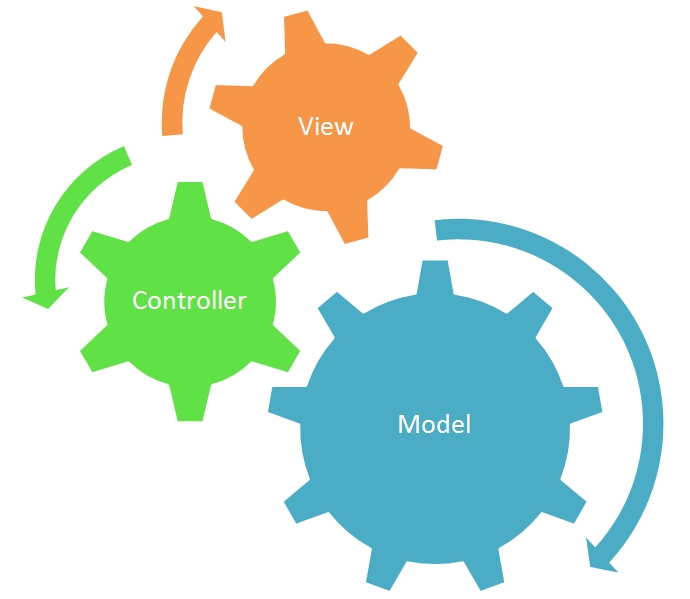
> "A developer often wishes to separate data (model) and user interface (view) concerns, so that changes to the user interface will not affect data handling, and that the data can be reorganized without changing the user interface. The model-view-controller solves this problem by decoupling data access and business logic from data presentation and user interaction, by introducing an intermediate component: the controller." [Wikipedia](http://en.wikipedia.org/wiki/Model-view-controller)
>
MVC is a popular design pattern called [Model View Controller](http://en.wikipedia.org/wiki/Model%E2%80%93view%E2%80%93controller)
which seeks to promote good maintainable software design by separating your code into 3 main tiers:
* **Model** - Business Logic, Data, Queries, Etc
* **View** - Representation of your models, queries, data.
* **Controller** - Orchestrator of client request to the appropriate models and views
Let's go a little deeper.
###
[](https://coldbox.ortusbooks.com/for-newbies/what-is-mvc#model)
Model
The Model is the heart of your application. Your business logic should mostly live here in the form of services, beans, entities and DAOs. A dependency injection framework becomes invaluable when dealing with object oriented model layers: [**WireBox**](https://wirebox.ortusbooks.com/)
(Dependency Injection Framework) is the framework of choice for dependency injection and aspect oriented programming.
###
[](https://coldbox.ortusbooks.com/for-newbies/what-is-mvc#views)
Views
The Views are what the users see and interact with. They are the templates used to render your application out for the web browser. Typically this means cfm/HTML, but it can also be JSON, XML, data views, etc.
In modern times, your views can even be pure HTML with a combination of a JavaScript MVC framework. The major players in the MVC front-end world that we would recommend in order of personal preference:
* **VueJS** - [https://vuejs.org/](https://vuejs.org/)
* **Angular** - [https://angular.io/](https://angular.io/)
* **ReactJS** - [https://reactjs.org/](https://reactjs.org/)
* **EmberJS** - [https://www.emberjs.com/](https://www.emberjs.com/)
###
[](https://coldbox.ortusbooks.com/for-newbies/what-is-mvc#controllers)
Controllers
Controllers are the traffic cops of your application. They direct flow control, and interface directly without incoming parameters from FORM and URL scopes. It is the controller’s job to communicate with the appropriate models for processing, and set up either a view to display results or return serialized data like JSON, XML, PDF, etc.
[](https://coldbox.ortusbooks.com/for-newbies/what-is-mvc#benefits-of-mvc)
Benefits of MVC
-----------------------------------------------------------------------------------------------
By implementing an MVC Framework to your applications you will gain several benefits that come inherent to the MVC design pattern. The most important benefit of MVC is that you will be **separating the presentation** from the model. This is a very important heuristic of software development as [**separation of concerns**](https://en.wikipedia.org/wiki/Separation_of_concerns)
is applied and responsibilities are delegated upon the layers.
###
[](https://coldbox.ortusbooks.com/for-newbies/what-is-mvc#separation-of-concerns)
Separation of Concerns
The model and the view layers have different concerns about their implementations. A view layer is concerned with how to render the data, the type of browser, or remote rendering, etc. While the model is more concerned with the business rules of the application, how to store data and even database operations. You use different development approaches to each layer.
###
[](https://coldbox.ortusbooks.com/for-newbies/what-is-mvc#multiple-guis)
Multiple GUI’s
Due to this separation, you can easily create multiple views for the same model data without affecting how the model works or is coded. The view layers can adapt to the model by coding their own implementations. This makes it really easy to create multiple GUI’s for applications.
###
[](https://coldbox.ortusbooks.com/for-newbies/what-is-mvc#unit-and-behavioral-testing)
Unit and Behavioral Testing
Non-visual objects are easier to test than visual objects, in theory. With the introduction of Selenium, integration and visual UI testing has become rather simple. However, the key benefit here is that testing can be done separately. Frameworks like ColdBox even give you the ability to do UI and integration testing within its domain.
###
[](https://coldbox.ortusbooks.com/for-newbies/what-is-mvc#dependency)
Dependency
The most important benefit that we can arise out of the MVC pattern, is the direction of the dependencies. A view depends on its model data and controller, but the model itself does not depend on the view or controllers. This is how you want to build your business logic, encapsulated and providing a good API.
[](https://coldbox.ortusbooks.com/for-newbies/what-is-mvc#coldbox-mvc)
Evolution of MVC Architecture
---------------------------------------------------------------------------------------------------------
There are many types of MVC architectures and hopefully the following diagrams can help you in the progression from spaghetti hell to the most complex MVC architecture using an [`ORM`](https://en.wikipedia.org/wiki/Object-relational_mapping)
or Object Relational Mapper.
###
[](https://coldbox.ortusbooks.com/for-newbies/what-is-mvc#spaghetti-hell)
Spaghetti Hell
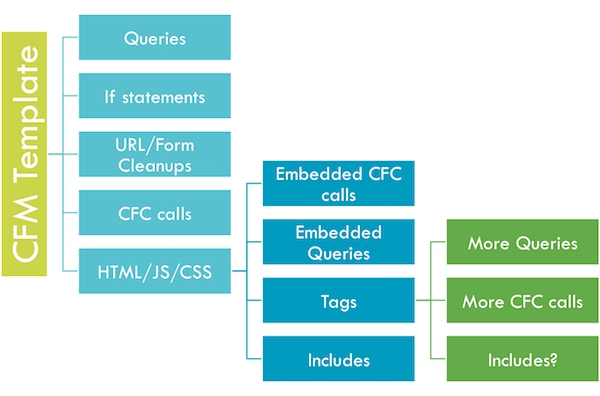
As you can see from the spaghetti hell diagram above, everything is linear and can become extremely convoluted. Tracking bugs are difficult, maintenance suffers and reusability is not efficient. Everything is in the same bowl of soup.
###
[](https://coldbox.ortusbooks.com/for-newbies/what-is-mvc#mvc)
MVC
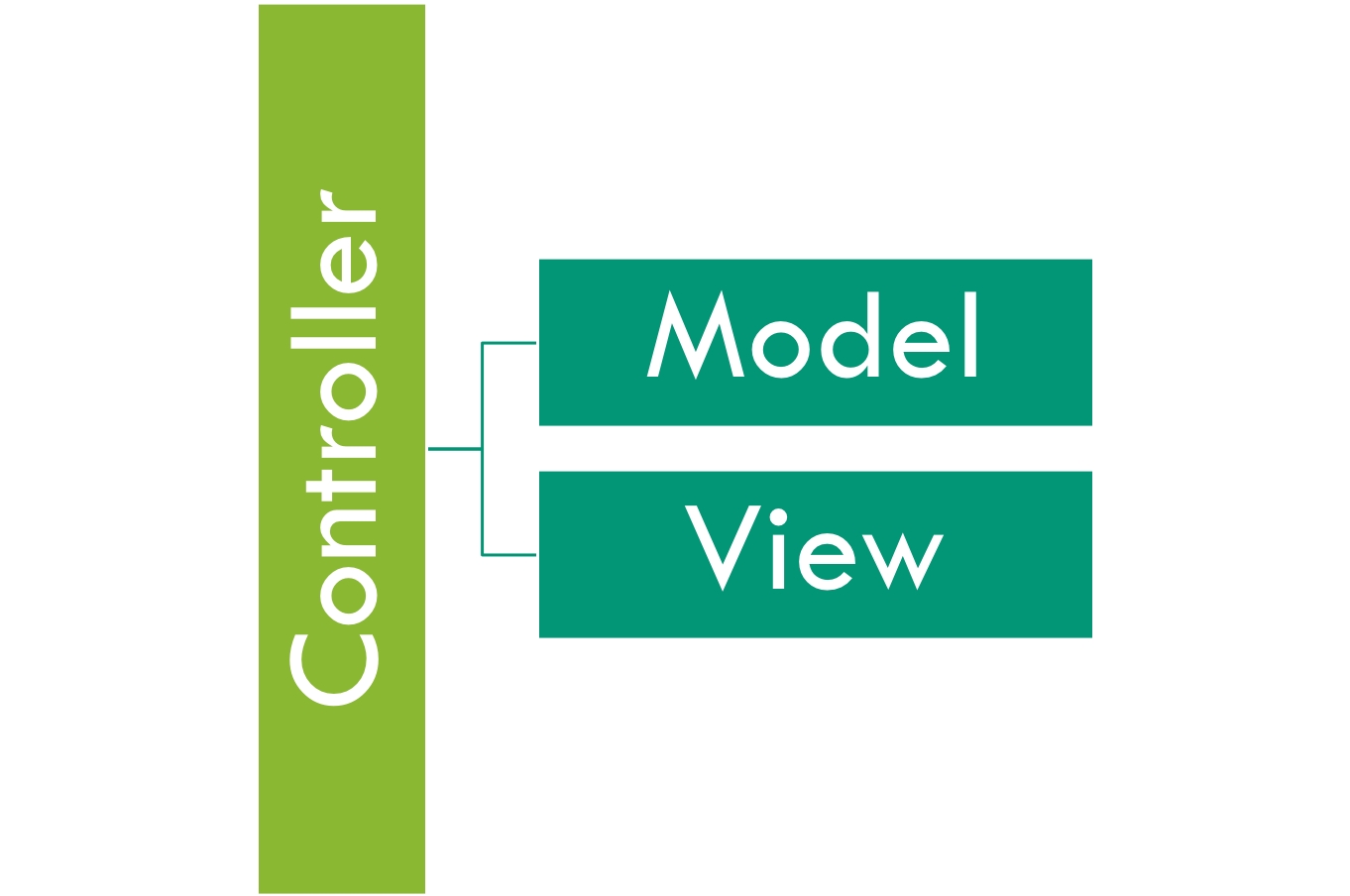
With the introduction of MVC we can hack away our spaghetti hell and at least have three distinct and separate layers of logic. Ahh much better. However, we can get even more complex.
###
[](https://coldbox.ortusbooks.com/for-newbies/what-is-mvc#mvc-plus)
MVC Plus
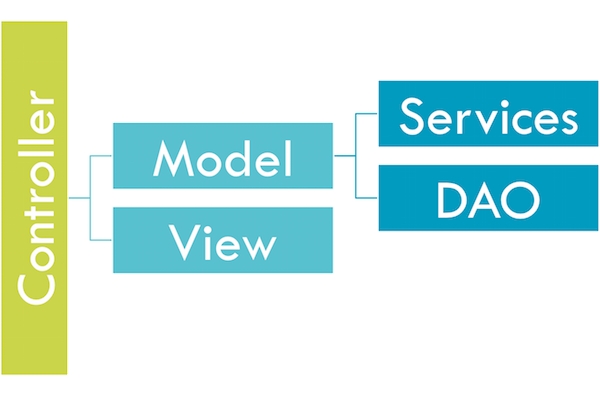
MVC Plus shows us how you can further partition your model layer into more layers. We can identify now a layer of service CFCs and data access object CFCs. The main transportation of data between these layers by default is implied to be ColdFusion Query objects.
###
[](https://coldbox.ortusbooks.com/for-newbies/what-is-mvc#mvc-plus-objects)
MVC Plus Objects
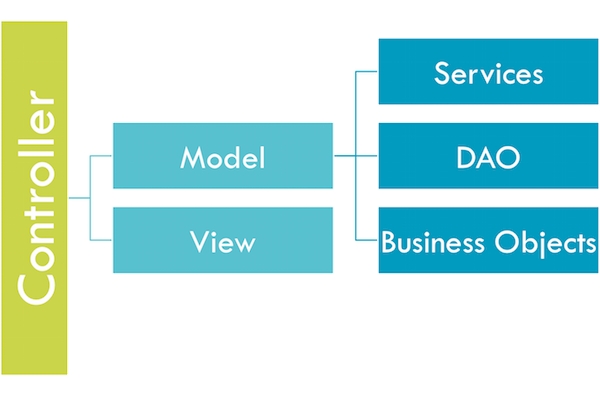
In this architecture approach, we have replaced (mostly) queries as our data structure of preference and converted to the usage of business objects. We are approaching a more object oriented architectural style. Remember that data is just data, objects are data plus behavior. We can encapsulate more features and abstract more behavior into actual objects now, which we could not do with queries.
###
[](https://coldbox.ortusbooks.com/for-newbies/what-is-mvc#mvc-plus-orm)
MVC Plus ORM
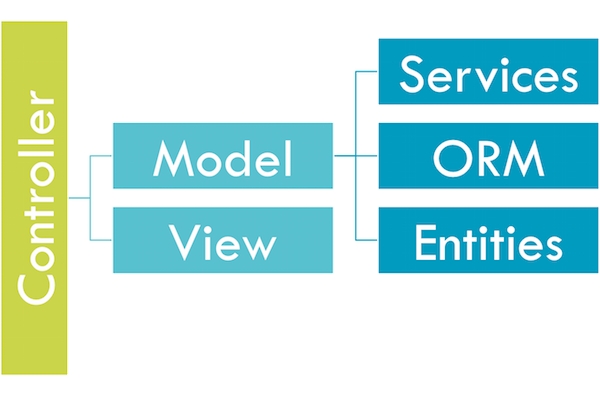
In this architecture approach we have replaced business objects for ORM entities and replaced our data access layer to be controlled now by the ORM. This takes us very deep into object oriented land where the majority of our model is now modeled vi relational objects.
**Stern Warning:** ORMs are NOT silver bullets. They are an incredible tool that must be used for the right reasons and at the right time. Do not be confused in that you must ONLY use the ORM. No, you can still use DAOs and queries for certain things that matter. You do not need to retrieve entire object graph collections if NOT needed.
We have even build a companion package for ColdBox called [**cborm**](https://github.com/coldbox-modules/cbox-cborm)
that will help you build more pragmatic and enjoyable ORM applications.
[](https://coldbox.ortusbooks.com/for-newbies/what-is-mvc#resources)
More Resources
----------------------------------------------------------------------------------------
* [http://en.wikipedia.org/wiki/Domain\_model](http://en.wikipedia.org/wiki/Domain_model)
* [http://domaindrivendesign.org/](http://domaindrivendesign.org/)
* [http://martinfowler.com/eaaCatalog/domainModel.html](http://martinfowler.com/eaaCatalog/domainModel.html)
[PreviousAuthor](https://coldbox.ortusbooks.com/readme/about-this-book/author)
[NextWhat is ColdBox](https://coldbox.ortusbooks.com/for-newbies/what-is-coldbox)
Last updated 1 month ago
Was this helpful?
---
# About This Book | ColdBox HMVC Documentation
GitBook Assistant
GitBook Assistant
Working...Thinking...
GitBook Assistant
##### Good afternoon
I'm here to help you with the docs.
What is this page about?What should I read next?Can you give an example?
Ctrli
AI Based on your context
Send
The source code for this book is hosted on GitHub: [https://github.com/ortus-docs/coldbox-docs](https://github.com/ortus-docs/coldbox-docs)
. You can freely contribute to it and submit pull requests. The contents of this book are copyrighted by [Ortus Solutions, Corp](https://www.ortussolutions.com/)
and cannot be altered or reproduced without the author's consent. All content is provided _"As-Is"_ and can be freely distributed.
* The majority of code examples in this book are done in `cfscript`.
* The majority of code generation and running of examples are done via **CommandBox**: The ColdFusion (CFML) CLI, Package Manager, REPL - [http://www.ortussolutions.com/products/commandbox](http://www.ortussolutions.com/products/commandbox)
[](https://coldbox.ortusbooks.com/readme/about-this-book#external-trademarks-and-copyrights)
External Trademarks & Copyrights
----------------------------------------------------------------------------------------------------------------------------------
Flash, Flex, ColdFusion, and Adobe are registered trademarks and copyrights of Adobe Systems, Inc.
ColdBox, CommandBox, FORGEBOX, TestBox, ContentBox, and Ortus Solutions are all trademarks and copyrights of Ortus Solutions, Corp.
[](https://coldbox.ortusbooks.com/readme/about-this-book#notice-of-liability)
Notice of Liability
------------------------------------------------------------------------------------------------------
The information in this book is distributed “as is” without warranty. The author and Ortus Solutions, Corp shall not have any liability to any person or entity concerning loss or damage caused or alleged to be caused directly or indirectly by the content of this training book, software, and resources described in it.
[](https://coldbox.ortusbooks.com/readme/about-this-book#contributing)
Contributing
----------------------------------------------------------------------------------------
We highly encourage contributions to this book and our open-source software. The source code for this book can be found in our [GitHub repository](https://github.com/ortus-docs/coldbox-docs)
where you can submit pull requests.
[](https://coldbox.ortusbooks.com/readme/about-this-book#charitable-proceeds)
Charitable Proceeds
------------------------------------------------------------------------------------------------------
10% of the proceeds of this book will go to charity to support orphaned kids in El Salvador - [https://www.harvesting.org/](https://www.harvesting.org/)
. So please donate and purchase the printed version of this book, every book sold can help a child for almost 2 months.
###
[](https://coldbox.ortusbooks.com/readme/about-this-book#shalom-childrens-home)
Shalom Children's Home

Shalom Children's Home
Shalom Children’s Home ([https://www.harvesting.org/](https://www.harvesting.org/)
) is one of the ministries that are dear to our hearts located in El Salvador. During the 12-year civil war that ended in 1990, many children were left orphaned or abandoned by parents who fled El Salvador. The Benners saw the need to help these children and received 13 children in 1982. Little by little, more children came on their own, churches and the government brought children to them for care, and the Shalom Children’s Home was founded.
Shalom now cares for over 80 children in El Salvador, from newborns to 18 years old. They receive shelter, clothing, food, medical care, education, and life skills training in a Christian environment. The home is supported by a child sponsorship program.
We have personally supported Shalom for over 6 years now; it is a place of blessing for many children in El Salvador who either has no families or have been abandoned. This is a good earth to seed and plant.
[PreviousUpgrading to ColdBox 8](https://coldbox.ortusbooks.com/readme/upgrading-to-coldbox-8)
[NextAuthor](https://coldbox.ortusbooks.com/readme/about-this-book/author)
Was this helpful?
---
# Getting Started Guide | ColdBox HMVC Documentation
GitBook Assistant
GitBook Assistant
Working...Thinking...
GitBook Assistant
##### Good morning
I'm here to help you with the docs.
What is this page about?What should I read next?Can you give an example?
Ctrli
AI Based on your context
Send
The ColdBox HMVC Platform is the de-facto enterprise-level HMVC framework for CFML developers. It's professionally backed, highly extensible, and productive. Getting started with ColdBox is quick and painless. The only thing you need to begin is [CommandBox](http://www.ortussolutions.com/products/commandbox)
, a command line tool for CFML developers. **Please remember to** [**Star**](https://github.com/coldbox/coldbox-platform)
**us in Github.**
This is a one-page introductory guide to ColdBox. If you are new to MVC or ColdBox, you can also leverage our [60 minute quick start guide](https://coldbox.ortusbooks.com/for-newbies/60-minute-quick-start)
as well.
ColdBox Site Quickstart
[](https://coldbox.ortusbooks.com/for-newbies/getting-started-guide#need-help)
Need Help
---------------------------------------------------------------------------------------------

The Ortus Community is the way to get any help for our entire platform and modules: [https://community.ortussolutions.com](https://community.ortussolutions.com/)
[](https://coldbox.ortusbooks.com/for-newbies/getting-started-guide#ide-tools)
IDE Tools
---------------------------------------------------------------------------------------------
ColdBox has the following supported IDE Tools:
* Sublime - [https://packagecontrol.io/packages/ColdBox Platform](https://packagecontrol.io/packages/ColdBox%20Platform)
* VSCode - [https://marketplace.visualstudio.com/items?itemName=ortus-solutions.vscode-coldbox](https://marketplace.visualstudio.com/items?itemName=ortus-solutions.vscode-coldbox)
[](https://coldbox.ortusbooks.com/for-newbies/getting-started-guide#install-commandbox-and-coldbox-cli)
Install CommandBox and ColdBox CLI
-----------------------------------------------------------------------------------------------------------------------------------------------
You can read through our one-page [CommandBox Getting Started Guide](https://commandbox.ortusbooks.com/getting-started-guide)
. Or simply grab the CommandBox executable from the [download page](https://www.ortussolutions.com/products/commandbox#download)
and double click it to run.
[http://www.ortussolutions.com/products/commandbox](http://www.ortussolutions.com/products/commandbox)
You should now be seeing a prompt that looks like this:
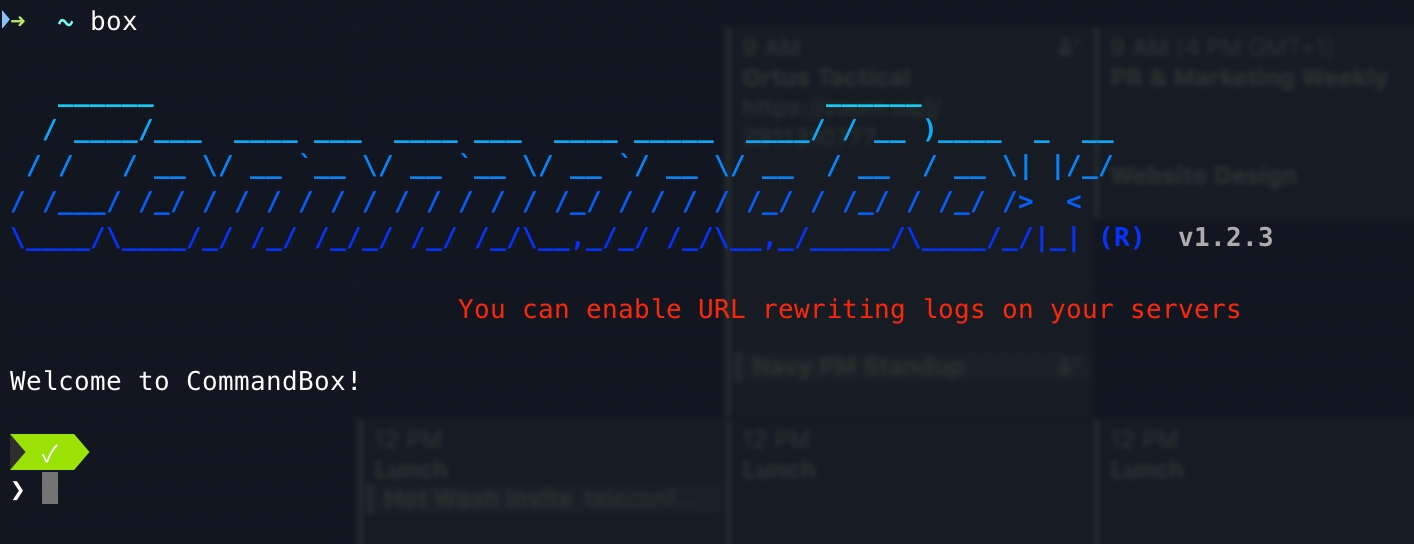
CommandBox Shell
Now let's install the ColdBox CLI
Copy
install coldbox-cli
Now you will have the `coldbox` namespace of commands. Run `coldbox help` and discover it.
[](https://coldbox.ortusbooks.com/for-newbies/getting-started-guide#create-a-new-site)
Create A New Site
-------------------------------------------------------------------------------------------------------------
Now we're cooking with gas! Let's create a new ColdBox application. CommandBox comes with built-in commands for scaffolding out new sites as well as installing ColdBox and other libraries. We'll start by changing into an empty directory where we want our new app to live. If necessary, you can create a new folder.
Copy
mkdir playground --cd
Now let's ask CommandBox to create a new ColdBox app for us.
Copy
coldbox create app MyPlayground
**Tip:** You can find many scaffolding templates for ColdBox in our Github organization: [github.com/coldbox-templates](https://github.com/coldbox-templates)
You can also issue a `coldbox create app help` command and get help for the creation command.
###
[](https://coldbox.ortusbooks.com/for-newbies/getting-started-guide#file-folder-conventions)
File/Folder Conventions
This command will place several new folders and files in your working directory. Let's run the `ls` command to view them.
Copy
ls
Here's a rundown of the important bits (Even though they might be more generated files/folders)
* **coldbox** - This is the ColdBox framework managed by CommandBox
* **config/Coldbox.cfc** - Your application configuration object
* **config/Router.cfc** - Your application URL Router
* **handlers** - Your controller layer, which in ColdBox they are called event handlers
* **layouts** - Your HTML layouts
* **models** - This holds your model CFCs
* **modules** - This holds the CommandBox tracked modules
* **modules\_app** - This holds your app's modules
* **tests** - Your test harness for unit and integration testing
* **views** - Your HTML views will go here
[](https://coldbox.ortusbooks.com/for-newbies/getting-started-guide#start-it-up)
Start It Up
-------------------------------------------------------------------------------------------------
Now that our shiny new MVC app is ready let's fire it up using the embedded server built into CommandBox. You don't need any other software installed on your PC for this to work. CommandBox has it all!
Copy
server start
In a few seconds, a browser window will appear with your running application. This is a full server with access to the web administrator, where you can add data sources, and mappings, or adjust the server settings. Notice the handy icon added to your system tray as well. The `--rewritesEnable` flag will turn on some basic URL rewriting so we have nice, pretty URLs.
**Tip:** If you are creating an app to run on any server other than the CommandBox server, you will need to set up URL rewriting manually. More info here: [/the-basics/routing/requirements](https://coldbox.ortusbooks.com/the-basics/routing/requirements)
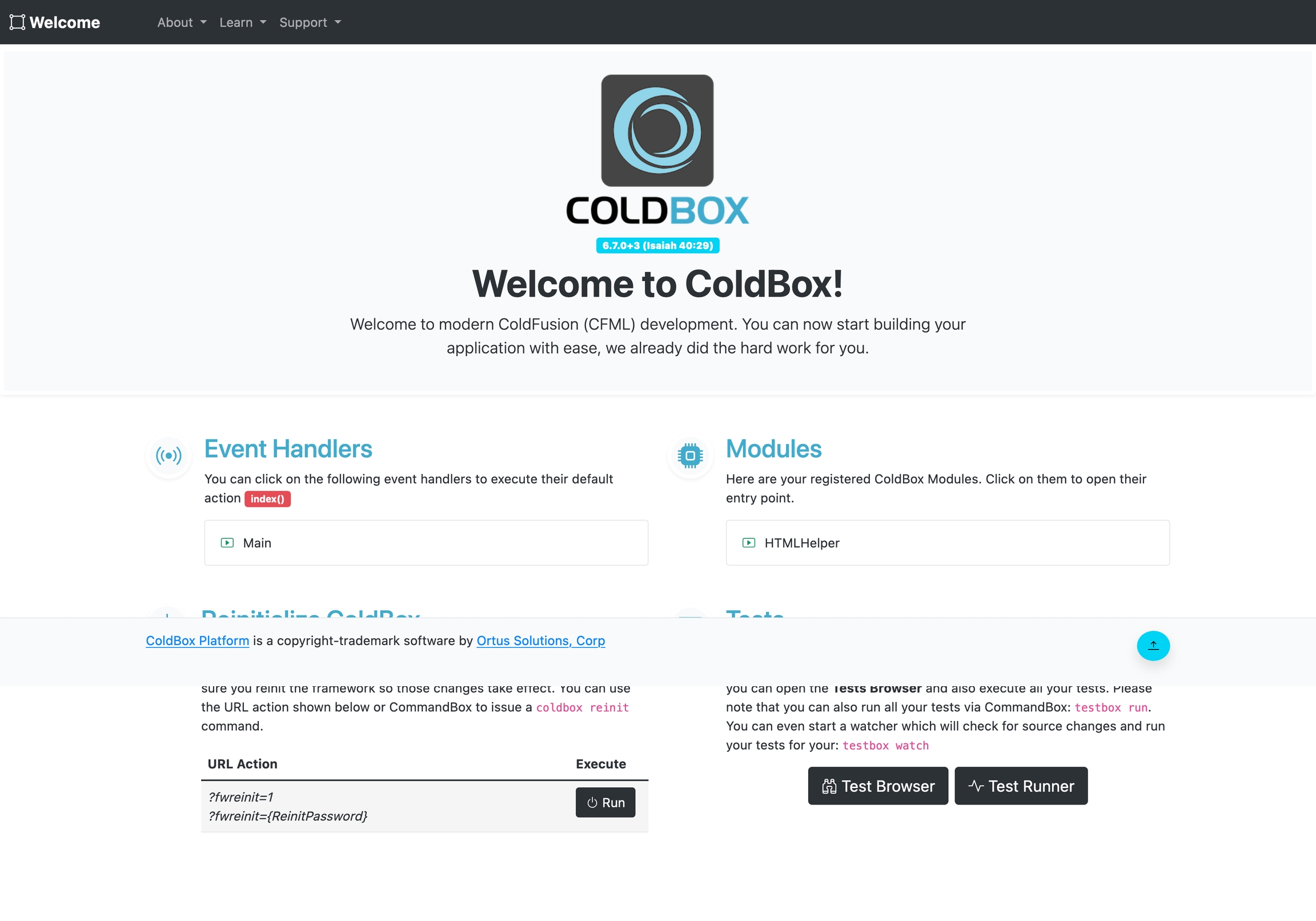
Generated ColdBox App
[](https://coldbox.ortusbooks.com/for-newbies/getting-started-guide#take-a-look-around)
Take A Look Around
---------------------------------------------------------------------------------------------------------------
ColdBox uses easy conventions to define the controllers and views in your app. Let's open up our main app controller in your default editor to have a looksie.
Copy
edit handlers/Main.cfc
At the top, you'll see a function named `index`. This represents the **default action** that runs for this controller, which in ColdBox land they are referred to as **event handlers**.
Copy
// Default Action
function index( event, rc, prc ){
prc.welcomeMessage = "Welcome to ColdBox!";
event.setView( "main/index" );
}
Now let's take a look in the `main/index` view. It's located int he `views` folder.
Copy
edit views/main/index.cfm
This line of code near the top of the view outputs the `prc.welcomeMessage` variable we set in the controller.
Copy
#prc.welcomeMessage#
Try changing the value being set in the handler and refresh your browser to see the change.
Copy
prc.welcomeMessage = "This is my new welcome message";
[](https://coldbox.ortusbooks.com/for-newbies/getting-started-guide#building-on)
Building On
-------------------------------------------------------------------------------------------------
Let's define a new event handler now. Your controllers act as event handlers to respond to requests, REST API, or remote proxies.
Pull up CommandBox again and run this command.
Copy
coldbox create handler helloWorld index,add,edit,list --open
That's it! You don't need to add any special configuration to declare your handler. Now we have a new handler called `helloWorld` with actions `index`, `add`, `edit`, and `list`. The command also created a test case for our handler as well as stubbed-out views for each of the actions.
Let's hit this new controller we created with a URL like so. Your port number will probably be different.
> 127.0.0.1:43272/helloWorld
Normally the URL would have `index.cfm` before the `/helloWorld` bit, but our `--rewritesEnable` flag when we started the server makes this nicer URL possible.
[](https://coldbox.ortusbooks.com/for-newbies/getting-started-guide#install-packages)
Install Packages
-----------------------------------------------------------------------------------------------------------
ColdBox's MVC is simple, but its true power comes from the wide selection of modules you can install into your app for additional functionality. You can checkout the full list of modules available on the FORGEBOX directory: [www.forgebox.io](https://www.forgebox.io/)
.
Here's some useful examples:
* **BCrypt** -- Industry-standard password hashing
* **cbdebugger** -- For debugging Coldbox apps
* **cbjavaloader** - For interacting with Java classes and libraries
* **cbMarkdown** - For writing in markdown
* **cbMessagebox** -- Display nice error/success messages
* **cborm** -- Awesome ORM Services
* **cb18n** -- For multilingual sites
* **cbt** - ColdBox templating language
* **cbValidation** - Back-end validation framework
* **qb** - Fluent query builder and schema builder
* **route-visualizer** - For visualizing your application routes
Install `cbmessagebox` from the CommandBox prompt like this:
Copy
install cbmessagebox
We can see the full list of packages by using the `list` command.
Copy
list
Dependency Hierarchy for myApp (0.0.0)
+-- cbmessagebox (1.0.0)
+-- coldbox (4.0.0)
Right now we can see that our app depends on `coldbox` and `cbmessagebox` to run. We'll use our new `cbmessagebox` module in a few minutes. But first, we'll create a simple Model CFC to round out our `MVC` app.
[](https://coldbox.ortusbooks.com/for-newbies/getting-started-guide#creating-a-model)
Creating A Model
-----------------------------------------------------------------------------------------------------------
Models encapsulate the business logic of your application. They can be services, entities, or DAOs. We'll use CommandBox to create a `GreeterService` in our new app with a `sayHello` method.
Copy
coldbox create service GreeterService sayHello --open
**Tip:** The `--open` is a nice shortcut that opens our new model in our default editor after creating it.
Let's finish implementing the `sayHello()` method by adding this return statement and save the file.
We can also add the word `singleton` to the component declaration. This will tell **WireBox** to only create one instance of our service.
Copy
component singleton {
function sayHello(){
return 'Hey you, have an awesome day!';
}
}
What is WireBox?
WireBox is a dependency injection framework that is included with ColdBox. It will manage all object creations, persistence and assembling. You don't have to worry about using `new` or `createobject()` for CFCs anymore.
[](https://coldbox.ortusbooks.com/for-newbies/getting-started-guide#tie-it-all-together)
Tie It All Together
-----------------------------------------------------------------------------------------------------------------
Ok, let's open up that `helloWorld` handler we created a while back. Remember, you can hit tab while typing to auto-complete your file names.
Copy
edit handlers/helloWorld.cfc
We'll inject our `greeterService` and the `cbmessagebox` service into the handler by adding these properties to the top of `/handlers/helloWorld.cfc`.
What is this magical injection? Injection is a way to get references of other objects placed in the `variables` scope of other objects. This makes your life easier as you don't have to manually create objects or even know where they exist.
This will put the instance of our services in the `variables` scope where we can access it in our action methods.
Copy
component {
property name='greeterService' inject='greeterService';
property name='messageBox' inject='@cbmessagebox';
...
}
And now, in our `index` method, we'll set the output of our service into an `info` message.
Copy
function index( event, rc, prc ){
messageBox.info( greeterService.sayHello() );
event.setView( "helloWorld/index" );
}
One final piece. Open up the default layout located in `layouts/Main.cfm` and find the `#view()#`. Add this line right before it to render out the message box that we set in our handler.
Copy
#cbMessagebox().renderIt()#
#view()#
Here we leverage the `cbMessagebox()` helper function which the MessageBox module collaborates to all layouts, views, handlers and interceptors.
Now hit your `helloWorld` handler one final time with `?fwreinit=1` in the URL to see it all in action! (Again, your port number will most likely be different.
> 127.0.0.1:43272/helloWorld?fwreinit=1
[](https://coldbox.ortusbooks.com/for-newbies/getting-started-guide#whats-next)
What's Next?
-------------------------------------------------------------------------------------------------
**Congratulations**! In a matter of minutes, you have created a full MVC application. You installed a community module from ForgeBox, created a new handler/view, and tied in business logic from a service model.
As easy as that was, you're just scratching the surface of what ColdBox can do for you. Continue reading this book to learn more about:
* Environment-specific configuration
* Easy SES URL routing
* Tons of 3rd party modules
* Drop-in security system
* Sweet REST web service support
###
[](https://coldbox.ortusbooks.com/for-newbies/getting-started-guide#getting-help)
Getting Help
If you run into issues or have questions, please jump on our [Ortus Community](https://community.ortussolutions.com/)
and our [Slack team](http://boxteam.herokuapp.com/)
and ask away.
ColdBox is Professional Open Source under the Apache 2.0 license. We'd love to have your help with the product.
[PreviousNext Steps](https://coldbox.ortusbooks.com/for-newbies/60-minute-quick-start/next-steps)
[NextInstallation](https://coldbox.ortusbooks.com/getting-started/installation)
Last updated 1 month ago
Was this helpful?
---
# Installation | ColdBox HMVC Documentation
GitBook Assistant
GitBook Assistant
Working...Thinking...
GitBook Assistant
##### Good morning
I'm here to help you with the docs.
What is this page about?What should I read next?Can you give an example?
Ctrli
AI Based on your context
Send
**Welcome to the world of ColdBox!**
We are excited you are taking this development journey with us. Before we get started with ColdBox let's install CommandBox CLI, which will allow you to install/uninstall dependencies, start servers, have a REPL tool and much more.
[](https://coldbox.ortusbooks.com/getting-started/installation#requirements)
Requirements
----------------------------------------------------------------------------------------------
Please note that the supported CFML engines can change from major version to major version. Always verify them in the [project's readme.](https://github.com/coldbox/coldbox-platform)
* BoxLang 1+
* Lucee 5+
* Adobe 2023+
[](https://coldbox.ortusbooks.com/getting-started/installation#ide-tools)
IDE Tools
----------------------------------------------------------------------------------------
ColdBox has the following supported IDE Tools:
* Sublime - [https://packagecontrol.io/packages/ColdBox Platform](https://packagecontrol.io/packages/ColdBox%20Platform)
* VSCode - [https://marketplace.visualstudio.com/items?itemName=ortus-solutions.vscode-coldbox](https://marketplace.visualstudio.com/items?itemName=ortus-solutions.vscode-coldbox)
[](https://coldbox.ortusbooks.com/getting-started/installation#commandbox-cli)
CommandBox CLI
--------------------------------------------------------------------------------------------------

The first step in our journey is to [install](https://commandbox.ortusbooks.com/content/setup/installation.html)
CommandBox. [CommandBox](https://www.ortussolutions.com/products/commandbox)
is a ColdFusion (CFML) Command Line Interface (CLI), REPL, Package Manager, and Embedded Server. We will be using CommandBox for almost every exercise in this book, and it will also allow you to get up and running with ColdFusion and ColdBox in a much speedier manner.
> **Note** : However, you can use your own ColdFusion server setup as you see fit. We use CommandBox as everything is scriptable and fast!
###
[](https://coldbox.ortusbooks.com/getting-started/installation#download-commandbox)
Download CommandBox
You can download CommandBox from the official site: [https://www.ortussolutions.com/products/commandbox#download](https://www.ortussolutions.com/products/commandbox#download)
and install in your preferred Operating System (Windows, Mac, \*unix). CommandBox comes in two flavors:
1. No Java Runtime (80mb)
2. Embedded Runtime (120mb)
So make sure you choose your desired installation path and follow the instructions here: [https://commandbox.ortusbooks.com/setup/installation](https://commandbox.ortusbooks.com/setup/installation)
###
[](https://coldbox.ortusbooks.com/getting-started/installation#starting-commandbox)
Starting CommandBox
Once you download and expand CommandBox, you will have the `box.exe` or `box` binary, which you can place in your Windows Path or \*Unix `/usr/bin` folder to have it available system-wide. Then just open the binary and CommandBox will unpack itself your user's directory: `{User}/.CommandBox`. This happens only once and the next thing you know, you are in the CommandBox interactive shell!
CommandBox Shell
We can execute a-la-carte commands from our command line or go into the interactive shell for multiple commands. We recommend the interactive shell as it is faster and can remain open in your project root.
All examples in this book are based on having an interactive shell open.
[](https://coldbox.ortusbooks.com/getting-started/installation#installing-coldbox-cli)
Installing ColdBox CLI
------------------------------------------------------------------------------------------------------------------
The ColdBox CLI is your best friend when developing with ColdBox and it's based on CommadBox. Just fire up that terminal and install it
Copy
install coldbox-cli
Now you will have a `coldbox` namespace of commands. Explore them `coldbox help.` To install ColdBox, you can do so via `install coldbox` or by scaffolding a starter application template. We would highly encourage you to visit our [application templates](https://coldbox.ortusbooks.com/getting-started/application-templates)
section to discover how to get started quickly.
**Please remember to** [**Star**](https://github.com/coldbox/coldbox-platform)
**us in Github.**
[](https://coldbox.ortusbooks.com/getting-started/installation#updating-coldbox)
Updating ColdBox
------------------------------------------------------------------------------------------------------
To update ColdBox from a previous version, just type `update coldbox`. You can also run the command `outdated` periodically to verify the packages in your application.
[PreviousGetting Started Guide](https://coldbox.ortusbooks.com/for-newbies/getting-started-guide)
[NextColdBox CLI](https://coldbox.ortusbooks.com/getting-started/coldbox-cli)
Last updated 1 month ago
Was this helpful?
---
# Application Templates | ColdBox HMVC Documentation
GitBook Assistant
GitBook Assistant
Working...Thinking...
GitBook Assistant
##### Good morning
I'm here to help you with the docs.
What is this page about?What should I read next?Can you give an example?
Ctrli
AI Based on your context
Send
The best way to get started with ColdBox is with our application templates that you can find here: [coldbox-templates](https://github.com/coldbox-templates)
. We have a curated collection of starter templates to get you kicking the tires quickly. You will do so via the `coldbox create app` command in the CLI:
[ColdBox Starter TemplatesGitHub](https://github.com/coldbox-templates)
github.com/coldbox-templates
Copy
coldbox create app help
Here is a listing of the latest supported templates:
Template
Slug
Description
Default
`default`
The default ColdBox application template
Elixir
`elixir`
The `default` template with ColdBox elixir support for asset pipelines
Modern (experimental)
`modern`
A fresh new approach to ColdBox applications that are non-root based. Still experimental
Rest
`rest`
A base REST API using ColdBox
Rest HMVC
`rest-hmvc`
An HMVC REST API using modules
Super Simple
`supersimple`
Barebones conventions baby!
[](https://coldbox.ortusbooks.com/getting-started/application-templates#commandbox-integration)
CommandBox Integration
---------------------------------------------------------------------------------------------------------------------------
The `coldbox create app` command has integration to our application templates via the `skeleton` argument. This can be the name of each of the templates in our repositories or you can use the following alternatives:
* A name of a ForgeBox entry: `cbtemplate-advanced-script,cbtemplate-simple`
* A Github shortcut: `github-username/repo`
* An HTTP/S URL to a zip file containing a template: [http://myapptemplates.com/template.zip](http://myapptemplates.com/template.zip)
* A folder containing a template: `/opt/shared/templates/my-template`
* A zip file containing the template: `/opt/shared/templates/my-template.zip`
[PreviousColdBox CLI](https://coldbox.ortusbooks.com/getting-started/coldbox-cli)
[NextConventions](https://coldbox.ortusbooks.com/getting-started/conventions)
Last updated 1 month ago
Was this helpful?
---
# Conventions | ColdBox HMVC Documentation
GitBook Assistant
GitBook Assistant
Working...Thinking...
GitBook Assistant
##### Good morning
I'm here to help you with the docs.
What is this page about?What should I read next?Can you give an example?
Ctrli
AI Based on your context
Send
The core conventions delineate the contract between ColdBox and **you** for file/directory locations and more. Below is a table of the core conventions:
[](https://coldbox.ortusbooks.com/getting-started/conventions#directory-file-conventions)
Directory/File Conventions
-------------------------------------------------------------------------------------------------------------------------
* **/config** - Where configuration files are stored
* **/Coldbox.cfc** - Your application configuration object (_optional_ )
* **/CacheBox.cfc** - Your application CacheBox configuration (_optional_ )
* **/Router.cfc** - Your application URL Router (_optional_ )
* **/Scheduler.cfc** - Your application global task scheduler (optional)
* **/WireBox.cfc** - Your application WireBox Configuration (_optional_ )
* **/handlers** - This holds the app's event handlers (controller layer)
* **/includes** - For public assets, helpers and i18n resources
* **/css** \- This can hold your CSS (optional)
* **/js** \- This can hold your JavaScript (optional)
* **/layouts** - Your HTML layouts (view layer)
* **/models** - This holds your app's CFCs (model layer)
* **/modules** - This holds the CommandBox tracked modules
* **/modules\_app** \- This holds your app's modules
* **/tests** - Your test harness, including unit and integration testing
* **/specs** - Where your test bundles go
* **/views** - Your HTML views will go here (view layer)
[](https://coldbox.ortusbooks.com/getting-started/conventions#execution-conventions)
Execution Conventions
---------------------------------------------------------------------------------------------------------------
ColdBox also has several execution conventions. This means that we have a convention or a default for the event, action, and layout to be used if you do not tell it what to use:
**Convention**
**Default Value**
**Description**
Default Event
`main.index`
The default event to execute when no event is specified
Default Action
`index()`
The default action to execute in an event handler controller if none is specified
Default Layout
`layouts/Main.cfm`
The default system layout to use
[PreviousApplication Templates](https://coldbox.ortusbooks.com/getting-started/application-templates)
[NextConfiguration](https://coldbox.ortusbooks.com/getting-started/configuration)
Last updated 1 month ago
Was this helpful?
---
# Request Context | ColdBox HMVC Documentation
GitBook Assistant
GitBook Assistant
Working...Thinking...
GitBook Assistant
##### Good morning
I'm here to help you with the docs.
What is this page about?What should I read next?Can you give an example?
Ctrli
AI Based on your context
Send
On every request to a ColdBox event, the framework creates an object that models the incoming request. This object is called the **Request Context Object**. This object will be passed to an [Event Handler](https://coldbox.ortusbooks.com/the-basics/event-handlers)
and will be processed by an [Action](https://coldbox.ortusbooks.com/the-basics/event-handlers)
and is by convention called an **event**)
It contains the incoming **FORM/REMOTE/URL** variables the client sent in and the object lives in the ColdFusion `request` scope and you will use to for responses and interacting with client data.
Please visit the latest [API Docs](http://apidocs.ortussolutions.com/coldbox/current)
for further information about the request context.
This object contains two structures internally:
1. `RC` - The Request Collection which contains the **FORM/REMOTE/URL** data merged into a single structure. This is considered to be **unsafe** data as it comes from any request.
2. `PRC` - The Private Request Collection which is a structure that can be used to safely store sensitive data. This structure cannot be modified from the outside world.
The order of preference of variables when merged is **FORM** first then **REMOTE** then **URL**.
**REMOTE** variables are from leveraging the [ColdBox Proxy.](https://coldbox.ortusbooks.com/digging-deeper/coldbox-proxy)
You will use these objects in the controller and view layer of your application to get/set values, get metadata about the request, generate URLs, transform data for RESTful requests, and so much more. It is the glue that binds the controller and view layer together. As we progress in the guides, you will progress in mastering the request context.
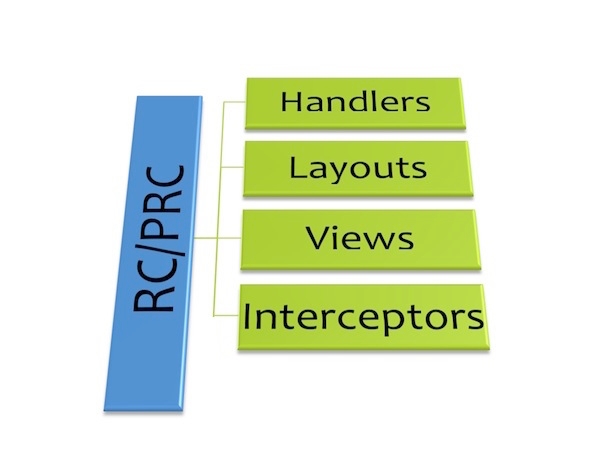
RC/PRC Data Super Highway
Note that there is no model layer in the diagram. This is by design; the model will receive data from the handlers/interceptors directly.
[](https://coldbox.ortusbooks.com/the-basics/request-context#most-commonly-used-methods)
Most Commonly Used Methods
------------------------------------------------------------------------------------------------------------------------
Below you can see a listing of the most commonly used methods in the request context object. Please note that when interacting with a collection you usually have an equal **private** collection method.
* _buildLink()_ : Build a link in SES or non SES mode for you with tons of nice abstractions.
* _clearCollection()_ : Clears the entire collection
* _collectionAppend()_ : Append a collection overwriting or not
* _getCollection()_ : Get a reference to the collection
* _getEventName()_ : The event name in use in the application (e.g. do, event, fa)
* _getSelf()_ : Returns index.cfm?event=
* _getValue()_ : get a value
* _getTrimValue()_ : get a value trimmed
* _isProxyRequest()_ : flag if the request is an incoming proxy request
* _isSES()_ : flag if ses is turned on
* _isAjax()_ : Is this request ajax based or not
* noRender(boolean) : flag that tells the framework to not render any html, just process and silently stop.
* _overrideEvent()_ : Override the event in the collection
* _paramValue()_: param a value in the collection
* _removeValue()_ : remove a value
* _setValue()_ : set a value
* _setLayout()_ : Set the layout to use for this request
* _setView()_ : Used to set a view to render
* _valueExists()_ : Checks if a value exists in the collection.
* _renderData()_ : Marshall data to JSON, JSONP, XML, WDDX, PDF, HTML, etc.
Some Samples:
Copy
// test if this is an MVC request or a remote request
if ( event.isProxyRequest() ){
event.setValue('message', 'We are in proxy mode right now');
}
// param a variable called page
event.paramValue('page',1);
// then just use it
event.setValue('link','index.cfm?page=#rc.page#');
// get a value with a default value
event.getValue('link','index.cfm?page=#event.getValue('page',1)#');
// Set the view to render
event.setView('homepage');
// Set the view to render with no layout
event.setView('homepage',true);
// set the view to render with caching stuff
event.setview(name='homepage',cache='true',cacheTimeout='30');
// override a layout
event.setLayout('Layout.Ajax');
// check if a value does not exists
if ( !event.valueExists('username') ) {
}
// Tell the framework to stop processing gracefully, no renderings
event.noRender();
// Build a link
Please see the online [API Docs](http://apidocs.ortussolutions.com/coldbox/current)
for the latest methods and arguments.
[](https://coldbox.ortusbooks.com/the-basics/request-context#request-metadata-methods)
Request Metadata Methods
--------------------------------------------------------------------------------------------------------------------
* `getCurrentAction()` : Get the current execution action (method)
* `getCurrentEvent()` : Get the current incoming event, full syntax.
* `getCurrentHandler()` : Get the handler or handler/package path.
* `getCurrentLayout()` : Get the current set layout for the view to render.
* `getCurrentView()` : Get the current set view
* `getCurrentModule()` : The name of the current executing module
* `getCurrentRoutedNamespace()` : The current routed URL mapping namespace if found.
* `getCurrentRouteRecord()` : Get the current routed record used in resolving the event
* `getCurrentRouteMeta()` : Get the current routed record metdata struct
* `getCurrentRoutedURL()` : The current routed URL if matched.
* `getDefaultLayout()` : Get the name of the default layout.
* `getDefaultView()` : Get the name of the default view.
[PreviousBootstrapper - Application.cfc](https://coldbox.ortusbooks.com/getting-started/configuration/bootstrapper-application.cfc)
[NextRouting](https://coldbox.ortusbooks.com/the-basics/routing)
Last updated 1 month ago
Was this helpful?
---
# Controller Decorator | ColdBox HMVC Documentation
GitBook Assistant
GitBook Assistant
Working...Thinking...
GitBook Assistant
##### Good morning
I'm here to help you with the docs.
What is this page about?What should I read next?Can you give an example?
Ctrli
AI Based on your context
Send
The ColdBox controller object is bound to the framework release and as we all know, each application is different in requirements and architecture. Thus, we have the application of the [Decorator Pattern](https://sourcemaking.com/design_patterns/decorator)
to our ColdBox Controller object in order to help developers program to their needs. So what does this mean? Plain and simply, you can decorate the ColdBox Controller object with one of your own. You can extend the functionality to the specifics of the software you are building. You are not modifying the framework code base, but extending it and building on top of what ColdBox offers you.
> "A decorator pattern allows new/additional behavior to be added to an existing method of an object dynamically." Wikipedia
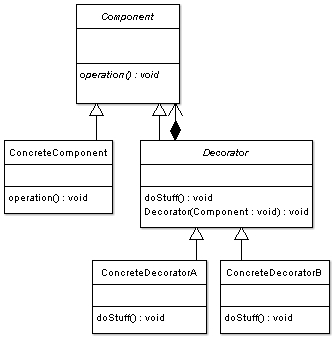
Decorator Pattern
[](https://coldbox.ortusbooks.com/digging-deeper/controller-decorator#for-what-can-i-use-this)
For what can I use this?
----------------------------------------------------------------------------------------------------------------------------
* You can override the original framework methods to meet your needs.
* These new functionalities can be specific to your application and architectural needs.
* Have different Controllers for different protocols.
* Much more.
[](https://coldbox.ortusbooks.com/digging-deeper/controller-decorator#how-does-it-work)
How does it work
-------------------------------------------------------------------------------------------------------------
Create a component that extends `coldbox.system.web.ControllerDecorator`, this is to provide all the functionality of an original ColdBox Controller as per the design pattern. Once you have done this, you will create a `configure()` method that you can use for custom configuration when the Controller gets created by the framework on application start. Then it’s up to you to add your own methods or override the original methods. ([See API](https://apidocs.ortussolutions.com/coldbox/current)
).
In order to access the original controller object you will use the provided method called: `getController().`
###
[](https://coldbox.ortusbooks.com/digging-deeper/controller-decorator#declaration)
**Declaration**
Here is the Controller Decorator code:
models/MyControllerDecorator.cfc
Copy
component extends="coldbox.system.web.ControllerDecorator"{
function configure(){
}
function setNextEvent(){
// Add SSL eq true to ALL relocations
arguments.ssl = true;
// Send the relocation back to the existing controller
getController().setNextEvent( argumentCollection=arguments );
}
}
###
[](https://coldbox.ortusbooks.com/digging-deeper/controller-decorator#configuration)
Configuration
The last step in this guide is to show you how to declare your decorator in your ColdBox configuration file. Look at the sample snippet below:
config/Coldbox.cfc
Copy
coldbox.controllerDecorator = "models.MyControllerDecorator";
The value of the setting is the instantiation path of your Controller decorator CFC.
###
[](https://coldbox.ortusbooks.com/digging-deeper/controller-decorator#conclusion)
Conclusion
As you can see from this guide, constructing ColdBox Controller Decorators are very easy. You have a pre-defined structure that you need to implement and an easy setting to configure. You now have a great way to expand on your application requirements and add additional functionality without modifying the framework. Just remember: With great power, comes great responsibility. The possibilities are endless with this feature. Enjoy!
[PreviousCaveats & Gotchas](https://coldbox.ortusbooks.com/digging-deeper/coldbox-proxy/caveats-and-gotchas)
[NextColdBox Scheduled Tasks](https://coldbox.ortusbooks.com/digging-deeper/scheduled-tasks)
Last updated 1 month ago
Was this helpful?
---
# HTML Helper | ColdBox HMVC Documentation
GitBook Assistant
GitBook Assistant
Working...Thinking...
GitBook Assistant
##### Good morning
I'm here to help you with the docs.
What is this page about?What should I read next?Can you give an example?
Ctrli
AI Based on your context
Send
[](https://coldbox.ortusbooks.com/digging-deeper/html-helper#introduction)
Introduction
--------------------------------------------------------------------------------------------
The HTML Helper is a core ColdBox CFC that abstracts the creation of any HTML entity. It provides consistent and secure rendering of HTML within ColdBox applications.
Copy
coldbox.system.modules.HTMLHelper.modles.HTMLHelper.cfc
Please check out the [latest CFC Docs](http://apidocs.ortussolutions.com/coldbox/current)
for all the methods available to the HTML Helper.
There is no special setup needed to use it in a ColdBox application, it's already baked in. Just reference the object by the `html` prefix and call the desired function within any layout or view.
Copy
// CFML
#html.button(name = "searchView", value = "View")#
// HTML Output