# Table of Contents
- [Iagon's decentralized cloud protocol documentation](#iagon-s-decentralized-cloud-protocol-documentation)
- [Markdown page example | Iagon's decentralized cloud protocol documentation](#markdown-page-example-iagon-s-decentralized-cloud-protocol-documentation)
- [Connecting Your Domain Name to Your Iagon Website | Iagon's decentralized cloud protocol documentation](#connecting-your-domain-name-to-your-iagon-website-iagon-s-decentralized-cloud-protocol-documentation)
- [Developers Guide | Iagon's decentralized cloud protocol documentation](#developers-guide-iagon-s-decentralized-cloud-protocol-documentation)
- [Iagon's decentralized cloud protocol documentation](#iagon-s-decentralized-cloud-protocol-documentation)
- [Iagon's decentralized cloud protocol documentation](#iagon-s-decentralized-cloud-protocol-documentation)
- [Disclaimer | Iagon's decentralized cloud protocol documentation](#disclaimer-iagon-s-decentralized-cloud-protocol-documentation)
- [Iagon's decentralized cloud protocol documentation](#iagon-s-decentralized-cloud-protocol-documentation)
- [Setup Process for Equinix Server | Iagon's decentralized cloud protocol documentation](#setup-process-for-equinix-server-iagon-s-decentralized-cloud-protocol-documentation)
- [Iagon's decentralized cloud protocol documentation](#iagon-s-decentralized-cloud-protocol-documentation)
- [Iagon's decentralized cloud protocol documentation](#iagon-s-decentralized-cloud-protocol-documentation)
- [Iagon's decentralized cloud protocol documentation](#iagon-s-decentralized-cloud-protocol-documentation)
- [Iagon's decentralized cloud protocol documentation](#iagon-s-decentralized-cloud-protocol-documentation)
- [Iagon's decentralized cloud protocol documentation](#iagon-s-decentralized-cloud-protocol-documentation)
- [Iagon's decentralized cloud protocol documentation](#iagon-s-decentralized-cloud-protocol-documentation)
- [Running Iagon Storage Node with WMT Earth Node | Iagon's decentralized cloud protocol documentation](#running-iagon-storage-node-with-wmt-earth-node-iagon-s-decentralized-cloud-protocol-documentation)
- [Iagon's decentralized cloud protocol documentation](#iagon-s-decentralized-cloud-protocol-documentation)
- [Iagon's decentralized cloud protocol documentation](#iagon-s-decentralized-cloud-protocol-documentation)
- [Iagon's decentralized cloud protocol documentation](#iagon-s-decentralized-cloud-protocol-documentation)
- [Iagon's decentralized cloud protocol documentation](#iagon-s-decentralized-cloud-protocol-documentation)
- [Iagon's decentralized cloud protocol documentation](#iagon-s-decentralized-cloud-protocol-documentation)
- [Iagon's decentralized cloud protocol documentation](#iagon-s-decentralized-cloud-protocol-documentation)
- [Iagon's decentralized cloud protocol documentation](#iagon-s-decentralized-cloud-protocol-documentation)
- [Statur | Iagon's decentralized cloud protocol documentation](#statur-iagon-s-decentralized-cloud-protocol-documentation)
- [Iagon's decentralized cloud protocol documentation](#iagon-s-decentralized-cloud-protocol-documentation)
- [Iagon's decentralized cloud protocol documentation](#iagon-s-decentralized-cloud-protocol-documentation)
- [Iagon's decentralized cloud protocol documentation](#iagon-s-decentralized-cloud-protocol-documentation)
- [Tokenomics | Iagon's decentralized cloud protocol documentation](#tokenomics-iagon-s-decentralized-cloud-protocol-documentation)
- [Iagon's decentralized cloud protocol documentation](#iagon-s-decentralized-cloud-protocol-documentation)
- [Iagon's decentralized cloud protocol documentation](#iagon-s-decentralized-cloud-protocol-documentation)
- [Iagon's decentralized cloud protocol documentation](#iagon-s-decentralized-cloud-protocol-documentation)
- [Iagon's decentralized cloud protocol documentation](#iagon-s-decentralized-cloud-protocol-documentation)
- [Iagon's decentralized cloud protocol documentation](#iagon-s-decentralized-cloud-protocol-documentation)
- [Iagon's decentralized cloud protocol documentation](#iagon-s-decentralized-cloud-protocol-documentation)
- [Iagon's decentralized cloud protocol documentation](#iagon-s-decentralized-cloud-protocol-documentation)
- [Iagon's decentralized cloud protocol documentation](#iagon-s-decentralized-cloud-protocol-documentation)
- [Iagon's decentralized cloud protocol documentation](#iagon-s-decentralized-cloud-protocol-documentation)
- [Iagon's decentralized cloud protocol documentation](#iagon-s-decentralized-cloud-protocol-documentation)
- [Iagon's decentralized cloud protocol documentation](#iagon-s-decentralized-cloud-protocol-documentation)
- [Iagon's decentralized cloud protocol documentation](#iagon-s-decentralized-cloud-protocol-documentation)
- [Iagon's decentralized cloud protocol documentation](#iagon-s-decentralized-cloud-protocol-documentation)
- [Iagon's decentralized cloud protocol documentation](#iagon-s-decentralized-cloud-protocol-documentation)
- [Iagon Documentation | Comprehensive Guide to AI-Driven Storage & Compute Economy ](#iagon-documentation-comprehensive-guide-to-ai-driven-storage-compute-economy-)
- [Iagon's decentralized cloud protocol documentation](#iagon-s-decentralized-cloud-protocol-documentation)
- [Iagon's decentralized cloud protocol documentation](#iagon-s-decentralized-cloud-protocol-documentation)
- [Iagon's decentralized cloud protocol documentation](#iagon-s-decentralized-cloud-protocol-documentation)
- [Iagon's decentralized cloud protocol documentation](#iagon-s-decentralized-cloud-protocol-documentation)
- [Iagon's decentralized cloud protocol documentation](#iagon-s-decentralized-cloud-protocol-documentation)
- [Updates and Changelogs | Iagon's decentralized cloud protocol documentation](#updates-and-changelogs-iagon-s-decentralized-cloud-protocol-documentation)
---
# Iagon's decentralized cloud protocol documentation
[Skip to main content](https://docs.iagon.com/overview/royaltynode#__docusaurus_skipToContent_fallback)
On this page
**A structured RWA community raise aligned with IP defense and the first community enterprise compute node.**
Iagon is opening RoyaltyNode, a structured Real-World Asset (RWA) community raise designed to support the next phase of IAGON’s growth while maintaining long-term alignment with the network and existing token holders.
> ℹ️ **RoyaltyNode Sale Overview**
>
> Sale opens: **January 29, 2026** 2PM UTC
> Sale closes: **February 3, 2026** 11PM UTC (or earlier if the hard cap is reached)
> Participation link: **[https://mints.yepple.io/iagon](https://mints.yepple.io/iagon)
> **
>
> Participation is subject to eligibility requirements, jurisdictional restrictions, and the final sale documentation.
**Raise target:** $1.0M-$3.0M USD in growth capital.
Participants gain aligned exposure to two core value drivers of the IAGON ecosystem:
1. IP protection & commercialization (first enforcement case)
2. Enterprise compute node participation, combined with protocol staking dynamics
> **This is structured for participants who understand long-term execution and the risks involved.**
* * *
What RoyaltyNode is[](https://docs.iagon.com/overview/royaltynode#what-royaltynode-is "Direct link to What RoyaltyNode is")
-----------------------------------------------------------------------------------------------------------------------------
RoyaltyNode is a structured raise with defined participant mechanics tied to:
* **The development and commercialization of IAGON’s patent-backed IP** (via a separate IP vehicle), as part of ordinary-course IP management.
* **Enterprise compute participation** through a community-aligned compute node pathway.
The goal is to fund growth while preserving long-term alignment.
* * *
Why RoyaltyNode[](https://docs.iagon.com/overview/royaltynode#why-royaltynode "Direct link to Why RoyaltyNode")
-----------------------------------------------------------------------------------------------------------------
As IAGON expands enterprise infrastructure and IP-backed technology, its capital structure must support long-term outcomes and robust governance — not short-term speculation.
RoyaltyNode is designed to:
### Raise growth capital responsibly[](https://docs.iagon.com/overview/royaltynode#raise-growth-capital-responsibly "Direct link to Raise growth capital responsibly")
Capital is raised through a structured mechanism intended to align funding with execution and long-term outcomes.
### Avoid short-term dilution pressure[](https://docs.iagon.com/overview/royaltynode#avoid-short-term-dilution-pressure "Direct link to Avoid short-term dilution pressure")
Where applicable, underlying IAG used in the structure is locked/staked in defined ways designed to reduce near-term sell pressure.
### Reward long-term aligned participants[](https://docs.iagon.com/overview/royaltynode#reward-long-term-aligned-participants "Direct link to Reward long-term aligned participants")
Mechanics are tied to commitment duration and network value participation, rather than short-term market activity.
### Support existing IAG holders and stakers[](https://docs.iagon.com/overview/royaltynode#support-existing-iag-holders-and-stakers "Direct link to Support existing IAG holders and stakers")
A meaningful portion of any patent-related proceeds (if awarded) is intended for existing IAG stakers and buybacks — so long-term supporters are not disadvantaged by the raise.
* * *
Why we are raising funds (use of proceeds)[](https://docs.iagon.com/overview/royaltynode#why-we-are-raising-funds-use-of-proceeds "Direct link to Why we are raising funds (use of proceeds)")
------------------------------------------------------------------------------------------------------------------------------------------------------------------------------------------------
RoyaltyNode's raise proceeds are intended to fund the next phase of IAGON’s execution across three workstreams:
### 1\. IP expansion, commercialization, and royalty development[](https://docs.iagon.com/overview/royaltynode#1-ip-expansion-commercialization-and-royalty-development "Direct link to 1. IP expansion, commercialization, and royalty development")
Funds are intended to support the IP company’s ordinary-course activities to expand, maintain, and commercialize IAGON’s patent-backed technology. This includes initiatives to promote adoption and integration, strengthen licensing pathways, improve supporting documentation and technical collateral, and build the operational capacity required to generate royalty and licensing income for the group over time. Any protection of rights, if required, is handled as part of normal business operations and is not the primary purpose of the raise.
### 2\. Tier-1 exchange listing workstreams for $IAG[](https://docs.iagon.com/overview/royaltynode#2-tier-1-exchange-listing-workstreams-for-iag "Direct link to 2. Tier-1 exchange listing workstreams for $IAG")
Funds are intended to support the operational, technical and compliance work typically required for Tier-1 exchange readiness (which may include legal/compliance review, technical integrations, security and due diligence processes, market structure and liquidity planning, and related advisory/implementation activities) to enhance the liquidity for token holders.
> ℹ️ **Important:**
> We are in talks with Revolut, Binance US, and South Korean exchanges. No listing is guaranteed. Any exchange listing outcome is subject to third-party approvals, market conditions, and exchange-specific requirements.
### 3\. Enterprise network growth and delivery[](https://docs.iagon.com/overview/royaltynode#3-enterprise-network-growth-and-delivery "Direct link to 3. Enterprise network growth and delivery")
Funds are intended to support enterprise compute expansion, onboarding, reliability improvements, commercialization, and infrastructure initiatives that drive real usage and network revenue.
* * *
What participants receive[](https://docs.iagon.com/overview/royaltynode#what-participants-receive "Direct link to What participants receive")
-----------------------------------------------------------------------------------------------------------------------------------------------
Participants deposit $ADA, $NIGHT or $USDM to enter RoyaltyNode.
Participants receive two components that are intentionally separated for clarity and compliance:
### 1) RoyaltyShare (RWA B Shares, tokenized on-chain)[](https://docs.iagon.com/overview/royaltynode#1-royaltyshare-rwa-b-shares-tokenized-on-chain "Direct link to 1) RoyaltyShare (RWA B Shares, tokenized on-chain)")
Participants receive RoyaltyShare, a tokenized representation of RWA B shares issued by an Iagon IP company (separate vehicle). These may be issued on-chain as NFTs or another compliant tokenized instrument format (final format depends on legal structuring).
**Key terms (high-level):**
* B shares do not grant ownership of IAGON’s IP and do not grant governance rights unless explicitly stated in final documents.
* B shares are structured to provide defined economic participation in outcomes related to IP defense/enforcement activity, subject to legal limitations, enforceability, and collectability.
* RoyaltyShare instruments may be transferable, but any redemption, buyback, or claim will be subject to KYC/AML, sanctions checks, and eligibility requirements, and may be restricted by jurisdiction.
> **Commercial risk applies:**
> Participants assume risk. Returns are not guaranteed and depend on normal commercial risks.
### 2) Delegated staking (secondary option)[](https://docs.iagon.com/overview/royaltynode#2-delegated-staking-secondary-option "Direct link to 2) Delegated staking (secondary option)")
We plan to use Iagon’s existing delegated staking instead.
**How it works**
* Iagon stakes (delegates) the participant’s IAG on the participant’s behalf into eligible nodes supporting enterprise compute participation.
* The participant’s principal IAG remains locked for 12 months, and becomes claimable after the lock period (subject to the platform’s standard withdrawal mechanics).
* During the lockup, delegated IAG is tradeable & transferable through the underlying issued NFT that represents the RWA.
* All other participation features and sale-linked terms remain unchanged, as set out in the official terms.
* * *
NFT structure and participation tiers[](https://docs.iagon.com/overview/royaltynode#nft-structure-and-participation-tiers "Direct link to NFT structure and participation tiers")
-----------------------------------------------------------------------------------------------------------------------------------------------------------------------------------
For each RoyaltyNode participant, an on-chain NFT is issued to represent the participant’s
position in the RoyaltyNode structure.
The NFT serves as the technical record of participation and reflects the participant’s
RoyaltyShare allocation (potential IP-related outcomes) and the associated stake in an
enterprise compute node, derived from IAG allocated, delegated, and locked on the
participant’s behalf through the RoyaltyNode structure.
> ℹ️
> The NFT does not represent artwork, IP ownership, or governance rights. It functions
> solely as an on-chain instrument used to track participation, eligibility, and related
> mechanics under the sale terms.
### NFT issuance per contribution[](https://docs.iagon.com/overview/royaltynode#nft-issuance-per-contribution "Direct link to NFT issuance per contribution")
_One NFT is issued per contribution (per transaction)_. Participants may contribute multiple times during the sale and will receive a separate NFT for each contribution.
This structure allows participants to hold, transfer, or resell individual NFTs independently, while retaining other NFTs associated with their remaining participation, subject to the applicable transfer and eligibility conditions.
### NFT participation tiers[](https://docs.iagon.com/overview/royaltynode#nft-participation-tiers "Direct link to NFT participation tiers")
RoyaltyNode uses defined NFT participation tiers based on the participant’s total amount
invested in the sale (USD equivalent).
NFT tiers are assigned automatically at the conclusion of the sale and are used to classify
participation within the RoyaltyNode structure. The corresponding IAG allocation and
delegated staking position are calculated separately at the final clearing price.
Each tier reflects a different level of participation in the RoyaltyNode structure and is
associated with defined parameters and conditions as set out in the official sale
documentation.
| NFT Tier | Amount Invested (USD equivalent) |
| --- | --- |
| Bronze | 100 – 999 USD |
| Silver | 1,000 – 9,999 USD |
| Gold | 10,000 – 49,999 USD |
| Platinum | 50,000 – 99,999 USD |
| Galaxy Edition | 100,000+ USD |
The amount invested determines the NFT tier classification.
The amount of IAG allocated, delegated, and locked on the participant’s behalf is calculated
based on the final clearing price and the participant’s deposit and is independent of tier
naming.
NFT tiers do not alter pricing, royalty pool size, staking mechanics, or economic outcomes
and are used solely for participation classification within the RoyaltyNode structure.
* * *
Token source & pricing mechanics[](https://docs.iagon.com/overview/royaltynode#token-source--pricing-mechanics "Direct link to Token source & pricing mechanics")
-------------------------------------------------------------------------------------------------------------------------------------------------------------------
### Token source[](https://docs.iagon.com/overview/royaltynode#token-source "Direct link to Token source")
Tokens used for the staking component are sourced from IAGON’s Development Fund allocation, ensuring no new token issuance is required for the raise.
**Development Fund disclosure (public-facing commitment):**
Final sale documentation will include details such as:
* the source wallet(s) / addresses (where appropriate),
* the allocated amount for the sale,
* and governance/controls for Development Fund usage.
### Pricing model (market-referenced, raise-adjusted; one final clearing price)[](https://docs.iagon.com/overview/royaltynode#pricing-model-market-referenced-raise-adjusted-one-final-clearing-price "Direct link to Pricing model (market-referenced, raise-adjusted; one final clearing price)")
RoyaltyNode uses one final clearing price for all participants. There is no early-bird or late-entry advantage.
**Step 1 – Market reference price (P₀)**
At sale close, a market reference price P₀ is calculated using live aggregated data from major trading venues to reflect prevailing market conditions.
**Step 2 – Raise-adjusted final clearing price (applies to everyone)**
* If Total Raised (R) ≤ $1.5M, the sale clears at P₀.
* If R exceeds $1.5M (up to $3.0M), the final price increases for everyone, capped so that at $3.0M the final price equals 2 × P₀.
* The sale has a hard cap of $3.0M, at which point it concludes immediately.
**Pricing box (simple examples)**
These examples illustrate how the final clearing price adjusts based on total raised and do not
imply future price performance.
Assume P₀ = $0.10 per IAG:
* R = $1.5M (or less) → Final Price = $0.10 (1.0×)
* R = $2.0M → Final Price ≈ $0.1333 (1.333×)
* R = $3.0M (hard cap) → Final Price = $0.20 (2.0×)
**Key takeaway:** The entire sale clears at one final price, applied equally to all participants.
* * *
RoyaltyNode participant benefits[](https://docs.iagon.com/overview/royaltynode#royaltynode-participant-benefits "Direct link to RoyaltyNode participant benefits")
--------------------------------------------------------------------------------------------------------------------------------------------------------------------
Benefits are presented as aligned value sources tied to how IAGON creates and protects long-term value.
### 1) IP company outcome participation (first case)[](https://docs.iagon.com/overview/royaltynode#1-ip-company-outcome-participation-first-case "Direct link to 1) IP company outcome participation (first case)")
RoyaltyShare participants receive defined exposure to proceeds and/or economically-linked outcomes arising from the IP company’s ordinary-course commercialization and protection of its patent-backed rights, including licensing and other monetization events, if any, subject to legal outcomes, enforceability, and collectability.
* Target timeline for an initial outcome: up to 12 months, subject to commercial counterparties, contractual processes, and, where applicable, dispute resolution timelines.
* Potential proceeds are estimated in the range of $1M-$10M USD and are provided for high-level context only, not as projections or guarantees.
* In the event of a successful monetization outcome, royalties are awarded at 25% of relevant revenue/proceeds (as defined in the official documentation), subject to enforceability, collectability, and final legal terms.
**Participant entitlement**
* RoyaltyShare participants receive 25% of the royalty income generated by Iagon Group and paid to the Iagon IP company under the group’s IP licensing and revenue-sharing arrangements, net of reasonable costs and subject to enforceability and collection, as defined in the official sale documentation
> **Legal note:** These figures are targets and structural intent, not guarantees. Outcomes depend on the final court decision or settlement terms, applicable law, and the opposing party’s ability and obligation to pay. Enforceability and collection are not assured.
### 2) The first community-delegated enterprise compute node[](https://docs.iagon.com/overview/royaltynode#2-the-first-community-delegated-enterprise-compute-node "Direct link to 2) The first community-delegated enterprise compute node")
The IAG staked through this structure supports enterprise compute nodes within the IAGON network, enabling community-aligned participation in enterprise compute activity.
Participants gain exposure to revenue generated by real enterprise compute workloads, subject to:
* actual enterprise demand,
* node performance and uptime,
* and network-level policies.
This represents the first community-delegated enterprise compute node participation, emphasizing alignment and value creation through real usage.
### 3) Staking and enterprise yield dynamics during the lock period[](https://docs.iagon.com/overview/royaltynode#3-staking-and-enterprise-yield-dynamics-during-the-lock-period "Direct link to 3) Staking and enterprise yield dynamics during the lock period")
Underlying IAG is staked during the initial 12-month lock period, following IAGON’s
distribution mechanics.
* Rewards follow an N + 73 epoch distribution schedule, consistent with existing IAGON node programs.
* Enterprise compute-related yield on the participant side is anticipated to be up to 20% APY, dependent on protocol mechanics, enterprise demand, and execution.
* Any yield rate is not guaranteed, may vary, and is subject to final sale documentation and operational conditions.
**Stacking principle:** Patent participation (via RoyaltyShare), compute participation, and staking dynamics are intended to be additive, not mutually exclusive
* * *
Ecosystem partner incentives[](https://docs.iagon.com/overview/royaltynode#ecosystem-partner-incentives "Direct link to Ecosystem partner incentives")
--------------------------------------------------------------------------------------------------------------------------------------------------------
Participants may receive optional ecosystem incentives designed to reward early participation and usage. These are separate from the core RoyaltyNode mechanics.
* GRAVITY Points — to be credited to participants, subject to GRAVITY’s independent terms and timeline.
* Participants may receive preferential or discounted access to future ecosystem sales, where applicable and independently defined.
Partner incentives are not core components of RoyaltyNode and do not affect mechanics,
pricing, lock terms, staking behavior, or RoyaltyShare terms.
> **Legal note** (partner disclaimer)
> IAGON does not endorse, sponsor, recommend, or offer any third-party tokens or protocols as investments and makes no representations regarding third-party token performance, listings, valuation, liquidity, or timelines. All partner programs are administered independently and may change, delay, or discontinue without notice.
* * *
Supporting existing IAG holders (first case only)[](https://docs.iagon.com/overview/royaltynode#supporting-existing-iag-holders-first-case-only "Direct link to Supporting existing IAG holders (first case only)")
---------------------------------------------------------------------------------------------------------------------------------------------------------------------------------------------------------------------
We will also be supporting existing IAG holders and stakers, not dilute or sideline them.
* 30% of any awarded patent-related proceeds are intended for IAG stakers, ensuring broad participation beyond sale participants.
* 20% of awarded proceeds are intended to be used for IAG buybacks, supporting long-term token sustainability.
* Reputation-based weighting (via Statur) may apply, rewarding long-term, active, and reliable stakers with higher relative allocations.
This approach aims to ensure the entire ecosystem benefits, not only raise participants.
* * *
How RoyaltyNode works[](https://docs.iagon.com/overview/royaltynode#how-royaltynode-works "Direct link to How RoyaltyNode works")
-----------------------------------------------------------------------------------------------------------------------------------
(Will be presented as a step-by-step graphic in the public page.)
1. Deposit $ADA / $NIGHT / $USDM on a sale page
2. Funds are collected until the sale concludes (hard cap or end time).
3. At sale close, IAGON calculates the market reference price (P₀) and the final clearing price based on total raised (R), and determines final allocations.
4. RoyaltyShare (RWA B-Share NFT) is issued to participants at the final clearing terms.
5. The corresponding underlying IAG allocation is routed into the staking/compute pathways and remains locked for 12 months.
6. Claim at 12 months (maturity): RoyaltyShare can be used to claim eligible distributions attributable to the structure at the end of the initial 12-month period, subject to eligibility checks, legal terms, and the official sale documentation.
This includes:
* Staking/compute-linked distributions attributable to the position (as defined), and
* Patent-related outcomes (if awarded and collectible), subject to the terms.
* * *
Eligibility & offering restrictions (compliance-critical)[](https://docs.iagon.com/overview/royaltynode#eligibility--offering-restrictions-compliance-critical "Direct link to Eligibility & offering restrictions (compliance-critical)")
--------------------------------------------------------------------------------------------------------------------------------------------------------------------------------------------------------------------------------------------
RoyaltyNode / RoyaltyShare is intended to be structured in a manner consistent with applicable
securities, financial promotion, and AML regulations.
Accordingly:
* Participation may be limited to participants depending on jurisdiction.
* Redemption/buyback/claim events may require additional due diligence and may be
restricted by jurisdiction.
* The RoyaltyShare component is issued by a separate IP company to ring-fence patent
activity from the operational activities of Iagon.
* The offering may be conducted as a private placement and may be restricted from public
marketing in certain regions.
Final eligibility and offering restrictions are governed by the official sale documentation.
* * *
Risks & Disclosures[](https://docs.iagon.com/overview/royaltynode#risks--disclosures "Direct link to Risks & Disclosures")
----------------------------------------------------------------------------------------------------------------------------
Participation involves risk. RoyaltyNode is designed for long-term aligned participants and may not be suitable for everyone.
### IP protection & commercialization (material)[](https://docs.iagon.com/overview/royaltynode#ip-protection--commercialization-material "Direct link to IP protection & commercialization (material)")
Outcomes depend on court decisions or settlements.
No damages or royalties may be awarded, and enforcement or collection may not be feasible.
If the first case is unsuccessful or produces no collectible proceeds, no patent-related distributions will occur for that case.
### No guaranteed outcomes[](https://docs.iagon.com/overview/royaltynode#no-guaranteed-outcomes "Direct link to No guaranteed outcomes")
All targets, timelines, estimates, examples, and “up to” figures are forward-looking and non-binding.
They do not constitute promises of performance.
### Regulatory / classification risk[](https://docs.iagon.com/overview/royaltynode#regulatory--classification-risk "Direct link to Regulatory / classification risk")
Depending on jurisdiction and structure, tokenized RWAs and revenue participation instruments may be classified as regulated financial instruments, affecting who can participate and how the sale can be marketed or transferred.
### Market and liquidity risk[](https://docs.iagon.com/overview/royaltynode#market-and-liquidity-risk "Direct link to Market and liquidity risk")
IAG, and RoyaltyShare values may fluctuate.
Liquidity may be limited or variable depending on market conditions and transfer restrictions.
### Lock-up and withdrawal risk[](https://docs.iagon.com/overview/royaltynode#lock-up-and-withdrawal-risk "Direct link to Lock-up and withdrawal risk")
Underlying IAG is locked for 12 months and subject to rolling withdrawal constraints thereafter, which can delay access to the underlying assets.
### Third-party dependency risk[](https://docs.iagon.com/overview/royaltynode#third-party-dependency-risk "Direct link to Third-party dependency risk")
Partner incentives (GRAVITY, ATLAS) are administered independently and may change, delay, or discontinue without notice.
### Operational / smart contract / infrastructure risk[](https://docs.iagon.com/overview/royaltynode#operational--smart-contract--infrastructure-risk "Direct link to Operational / smart contract / infrastructure risk")
On-chain contracts, integrations, custody paths, and infrastructure may experience bugs, exploits, congestion, or unexpected network behavior.
> ℹ️ **Disclaimer**
> This material is provided for informational purposes only and does not constitute legal, financial, tax, or investment advice. Nothing herein is an offer to sell or a solicitation to buy any instrument in any jurisdiction where such activity would be unlawful. Participation in RoyaltyNode is subject to eligibility, jurisdictional restrictions, and completion of required verification checks. All references to potential outcomes, yields, or proceeds are illustrative only and not guarantees. Actual results may differ materially. Participants may lose all or part of their contribution. The RoyaltyShare and RoyaltyNode NFT do not represent equity, ownership, or governance rights. All participation is governed exclusively by the final offering documents.
* * *
FAQ — RoyaltyNode[](https://docs.iagon.com/overview/royaltynode#faq--royaltynode "Direct link to FAQ — RoyaltyNode")
----------------------------------------------------------------------------------------------------------------------
**What is RoyaltyShare?**
A tokenized representation of RWA B shares issued by an Iagon IP company, intended to provide defined economic participation in certain IP protection & commercialization outcomes, subject to legal outcome, enforceability, collectability, and offering restrictions.
**What is the NFT in RoyaltyNode, and what does it represent?**
The NFT is a tokenized record of participation in RoyaltyNode, used to represent RoyaltyShare and related staking mechanics. It is not an artwork, investment promise, or IP ownership claim.
**Can I trade or transfer these tokens?**
Transferability may be possible, but any redemption/buyback/claim event will require eligibility checks and due diligence, and transferability may be restricted by jurisdiction or documentation.
**What happens after the 12-month lock period ends?**
After the lock expires, underlying IAG becomes eligible for withdrawal on a rolling 3-month schedule, designed to prevent sudden supply releases.
**What happens if the patent case is unsuccessful?**
If no royalties are collectible, no patent-related distributions will occur for that case.
**Do I need to participate in the sale to benefit as an IAG holder?**
No. A portion of awarded patent-related proceeds is intended for existing IAG stakers and a portion may be used for IAG buybacks, independent of sale participation.
**Is the enterprise yield guaranteed?**
No. Any APY described as “up to 20%” is not guaranteed and depends on protocol mechanics, enterprise demand, node performance, and execution.
**Are partner incentives required?**
No. Partner incentives are optional, additive only, and independently administered. They should not be relied upon as a primary reason for participation.
**Is RoyaltyNode an investment product?**
RoyaltyNode is a structured participation mechanism and involves risk. Regulatory treatment depends on jurisdiction and structure. Final terms are governed by official sale documentation.
* * *
Content
* [What RoyaltyNode is](https://docs.iagon.com/overview/royaltynode#what-royaltynode-is)
* [Why RoyaltyNode](https://docs.iagon.com/overview/royaltynode#why-royaltynode)
* [Raise growth capital responsibly](https://docs.iagon.com/overview/royaltynode#raise-growth-capital-responsibly)
* [Avoid short-term dilution pressure](https://docs.iagon.com/overview/royaltynode#avoid-short-term-dilution-pressure)
* [Reward long-term aligned participants](https://docs.iagon.com/overview/royaltynode#reward-long-term-aligned-participants)
* [Support existing IAG holders and stakers](https://docs.iagon.com/overview/royaltynode#support-existing-iag-holders-and-stakers)
* [Why we are raising funds (use of proceeds)](https://docs.iagon.com/overview/royaltynode#why-we-are-raising-funds-use-of-proceeds)
* [1\. IP expansion, commercialization, and royalty development](https://docs.iagon.com/overview/royaltynode#1-ip-expansion-commercialization-and-royalty-development)
* [2\. Tier-1 exchange listing workstreams for $IAG](https://docs.iagon.com/overview/royaltynode#2-tier-1-exchange-listing-workstreams-for-iag)
* [3\. Enterprise network growth and delivery](https://docs.iagon.com/overview/royaltynode#3-enterprise-network-growth-and-delivery)
* [What participants receive](https://docs.iagon.com/overview/royaltynode#what-participants-receive)
* [1) RoyaltyShare (RWA B Shares, tokenized on-chain)](https://docs.iagon.com/overview/royaltynode#1-royaltyshare-rwa-b-shares-tokenized-on-chain)
* [2) Delegated staking (secondary option)](https://docs.iagon.com/overview/royaltynode#2-delegated-staking-secondary-option)
* [NFT structure and participation tiers](https://docs.iagon.com/overview/royaltynode#nft-structure-and-participation-tiers)
* [NFT issuance per contribution](https://docs.iagon.com/overview/royaltynode#nft-issuance-per-contribution)
* [NFT participation tiers](https://docs.iagon.com/overview/royaltynode#nft-participation-tiers)
* [Token source & pricing mechanics](https://docs.iagon.com/overview/royaltynode#token-source--pricing-mechanics)
* [Token source](https://docs.iagon.com/overview/royaltynode#token-source)
* [Pricing model (market-referenced, raise-adjusted; one final clearing price)](https://docs.iagon.com/overview/royaltynode#pricing-model-market-referenced-raise-adjusted-one-final-clearing-price)
* [RoyaltyNode participant benefits](https://docs.iagon.com/overview/royaltynode#royaltynode-participant-benefits)
* [1) IP company outcome participation (first case)](https://docs.iagon.com/overview/royaltynode#1-ip-company-outcome-participation-first-case)
* [2) The first community-delegated enterprise compute node](https://docs.iagon.com/overview/royaltynode#2-the-first-community-delegated-enterprise-compute-node)
* [3) Staking and enterprise yield dynamics during the lock period](https://docs.iagon.com/overview/royaltynode#3-staking-and-enterprise-yield-dynamics-during-the-lock-period)
* [Ecosystem partner incentives](https://docs.iagon.com/overview/royaltynode#ecosystem-partner-incentives)
* [Supporting existing IAG holders (first case only)](https://docs.iagon.com/overview/royaltynode#supporting-existing-iag-holders-first-case-only)
* [How RoyaltyNode works](https://docs.iagon.com/overview/royaltynode#how-royaltynode-works)
* [Eligibility & offering restrictions (compliance-critical)](https://docs.iagon.com/overview/royaltynode#eligibility--offering-restrictions-compliance-critical)
* [Risks & Disclosures](https://docs.iagon.com/overview/royaltynode#risks--disclosures)
* [IP protection & commercialization (material)](https://docs.iagon.com/overview/royaltynode#ip-protection--commercialization-material)
* [No guaranteed outcomes](https://docs.iagon.com/overview/royaltynode#no-guaranteed-outcomes)
* [Regulatory / classification risk](https://docs.iagon.com/overview/royaltynode#regulatory--classification-risk)
* [Market and liquidity risk](https://docs.iagon.com/overview/royaltynode#market-and-liquidity-risk)
* [Lock-up and withdrawal risk](https://docs.iagon.com/overview/royaltynode#lock-up-and-withdrawal-risk)
* [Third-party dependency risk](https://docs.iagon.com/overview/royaltynode#third-party-dependency-risk)
* [Operational / smart contract / infrastructure risk](https://docs.iagon.com/overview/royaltynode#operational--smart-contract--infrastructure-risk)
* [FAQ — RoyaltyNode](https://docs.iagon.com/overview/royaltynode#faq--royaltynode)
---
# Markdown page example | Iagon's decentralized cloud protocol documentation
[Skip to main content](https://docs.iagon.com/markdown-page#__docusaurus_skipToContent_fallback)
You don't need React to write simple standalone pages.
---
# Connecting Your Domain Name to Your Iagon Website | Iagon's decentralized cloud protocol documentation
[Skip to main content](https://docs.iagon.com/developers/developers-guide/connecting-domain-name#__docusaurus_skipToContent_fallback)
On this page
Page Under Development[](https://docs.iagon.com/developers/developers-guide/connecting-domain-name#page-under-development "Direct link to Page Under Development")
--------------------------------------------------------------------------------------------------------------------------------------------------------------------
🚧 **This page is currently being updated.** 🚧
We are diligently working to provide you with the most up-to-date information. Please check back soon for the latest updates.
* * *
_For any inquiries, please contact [\[email protected\]](https://docs.iagon.com/cdn-cgi/l/email-protection#85e6eaebf1e4e6f1c5ece4e2eaebabe6eae8)
._
Content
* [Page Under Development](https://docs.iagon.com/developers/developers-guide/connecting-domain-name#page-under-development)
---
# Developers Guide | Iagon's decentralized cloud protocol documentation
[Skip to main content](https://docs.iagon.com/developers/developers-guide/developers-guide-overview#__docusaurus_skipToContent_fallback)
On this page
Page Under Development[](https://docs.iagon.com/developers/developers-guide/developers-guide-overview#page-under-development "Direct link to Page Under Development")
-----------------------------------------------------------------------------------------------------------------------------------------------------------------------
🚧 **This page is currently being updated.** 🚧
We are diligently working to provide you with the most up-to-date information. Please check back soon for the latest updates.
* * *
_For any inquiries, please contact [\[email protected\]](https://docs.iagon.com/cdn-cgi/l/email-protection#3655595842575542765f575159581855595b)
._
Content
* [Page Under Development](https://docs.iagon.com/developers/developers-guide/developers-guide-overview#page-under-development)
---
# Iagon's decentralized cloud protocol documentation
[Skip to main content](https://docs.iagon.com/iagon-compute/compute-solutions/running-apps#__docusaurus_skipToContent_fallback)
On this page
Run Apps on Iagon Compute[](https://docs.iagon.com/iagon-compute/compute-solutions/running-apps#run-apps-on-iagon-compute "Direct link to Run Apps on Iagon Compute")
-----------------------------------------------------------------------------------------------------------------------------------------------------------------------
Introducing Iagon Compute, a platform tailored to support applications deployed by compute subscribers on the Iagon decentralized compute network. Currently, our platform specifically allows hosting of NodeJS applications.
### Apps that can currently be run on Iagon Compute:[](https://docs.iagon.com/iagon-compute/compute-solutions/running-apps#apps-that-can-currently-be-run-on-iagon-compute "Direct link to Apps that can currently be run on Iagon Compute:")
* Node.js (LTS 16, 18, and 20)
_More application support coming soon..._
Requirements for Running dApps[](https://docs.iagon.com/iagon-compute/compute-solutions/running-apps#requirements-for-running-dapps "Direct link to Requirements for Running dApps")
--------------------------------------------------------------------------------------------------------------------------------------------------------------------------------------
* Must be an Iagon app user
* The app must have a public Git repository
* You should specify the port your app will be listening on.
Usually, you can find this information in the index.js file of your application, resembling:
`app.listen(3000, '0.0.0.0', function ()`
info
Here, _**'3000'**_ represents the port number, and **'0.0.0.0'** is the host ip.
Please input the same values from your code into the form.
* The app should include build and start commands in the package.json file.
Build command: `npm run (build command you provided`) (leave blank if no build is required)
Start command: `npm run (start command you provided)`
Please ensure your code resembles the following structure in your package.json:
{ "scripts": { "start": "node index.js" }}
* You should provide any environment variables used by the app
### Technical Details[](https://docs.iagon.com/iagon-compute/compute-solutions/running-apps#technical-details "Direct link to Technical Details")
* Each App runs inside its own isolated environment. Isolation is achieved by creating a new VM for each app using the KVM hypervisor.
How to run Apps[](https://docs.iagon.com/iagon-compute/compute-solutions/running-apps#how-to-run-apps "Direct link to How to run Apps")
-----------------------------------------------------------------------------------------------------------------------------------------
To run an app, navigate to [app.iagon.com](https://app.iagon.com/)
and go to the [Apps](https://app.iagon.com/webhost)
section. In the "Apps" menu, click "Apps", then the "Add App +" button to deploy your app to the Iagon Compute network. Upon deployment, you will receive a domain URL for your app.
Additional Instructions[](https://docs.iagon.com/iagon-compute/compute-solutions/running-apps#additional-instructions "Direct link to Additional Instructions")
-----------------------------------------------------------------------------------------------------------------------------------------------------------------
Follow these steps for deploying your App with screenshots for guidance:
### Click Apps, view Apps[](https://docs.iagon.com/iagon-compute/compute-solutions/running-apps#click-apps-view-apps "Direct link to Click Apps, view Apps")
* Click on Apps, Apps menu should be displayed
note
If we haven't subscribed to storage, we can only view the Apps hosting option.
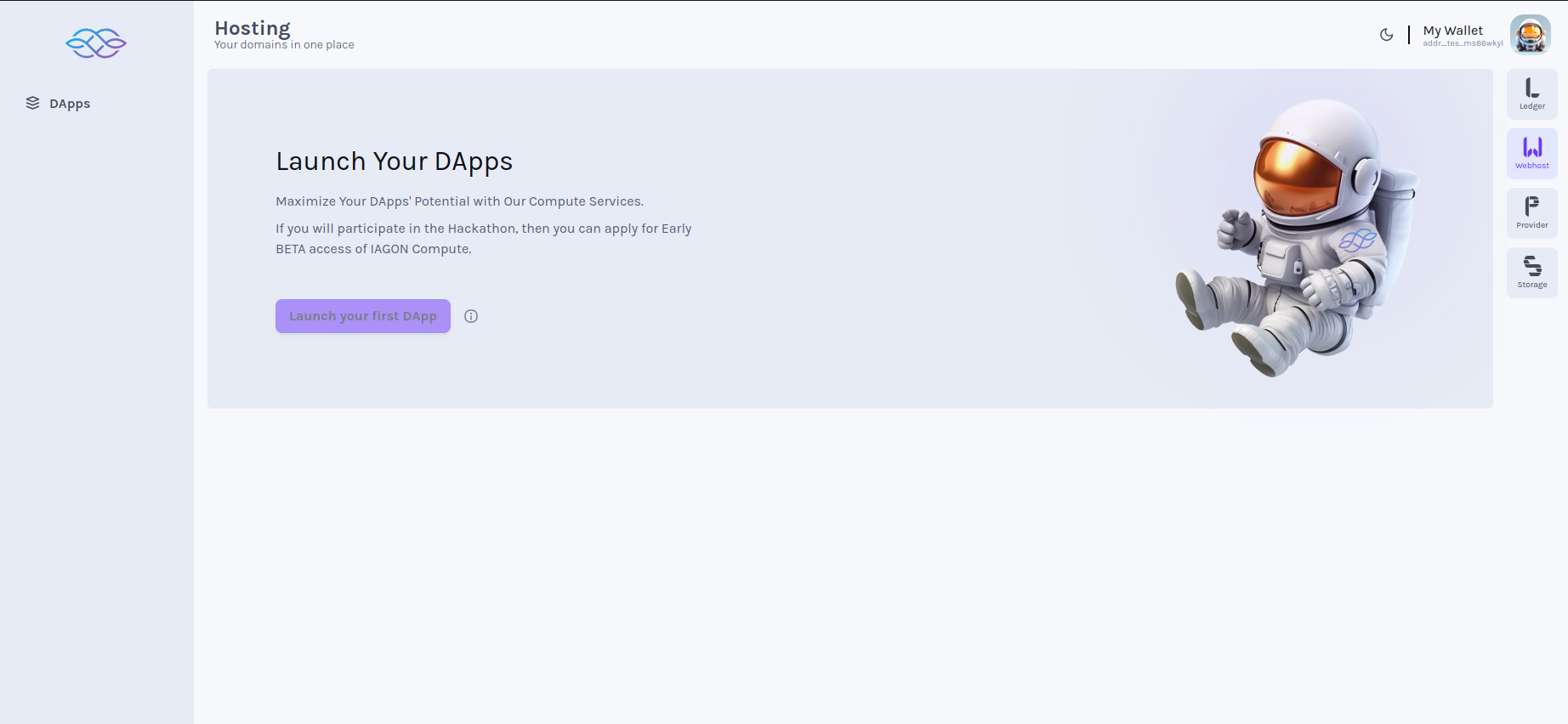
### Click Apps (Launch page if no App)[](https://docs.iagon.com/iagon-compute/compute-solutions/running-apps#click-apps-launch-page-if-no-app "Direct link to Click Apps (Launch page if no App)")
* Click on Apps menu (Launch page should be displayed if App has not been added yet)

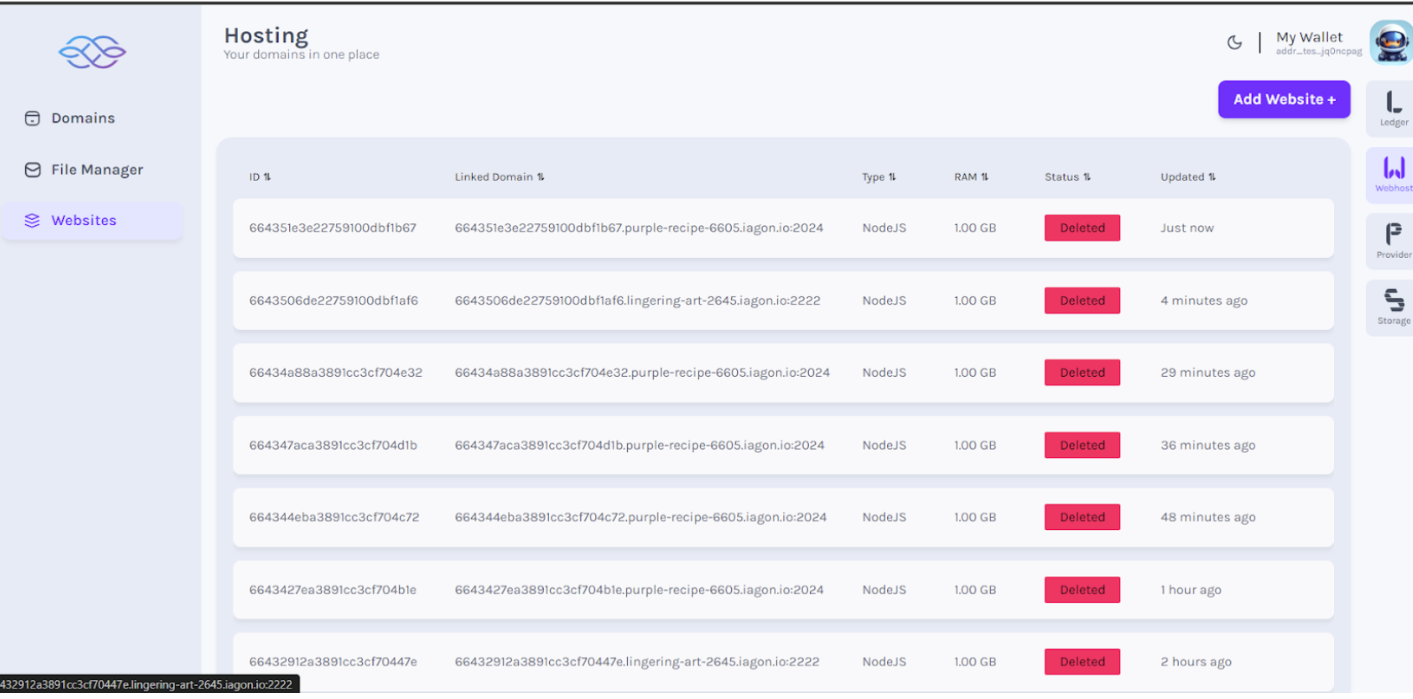
### Click Run App (List of Apps)[](https://docs.iagon.com/iagon-compute/compute-solutions/running-apps#click-run-app-list-of-apps "Direct link to Click Run App (List of Apps)")
* Click on Apps menu (List of added App should be displayed with its proper data and status with button to add App)
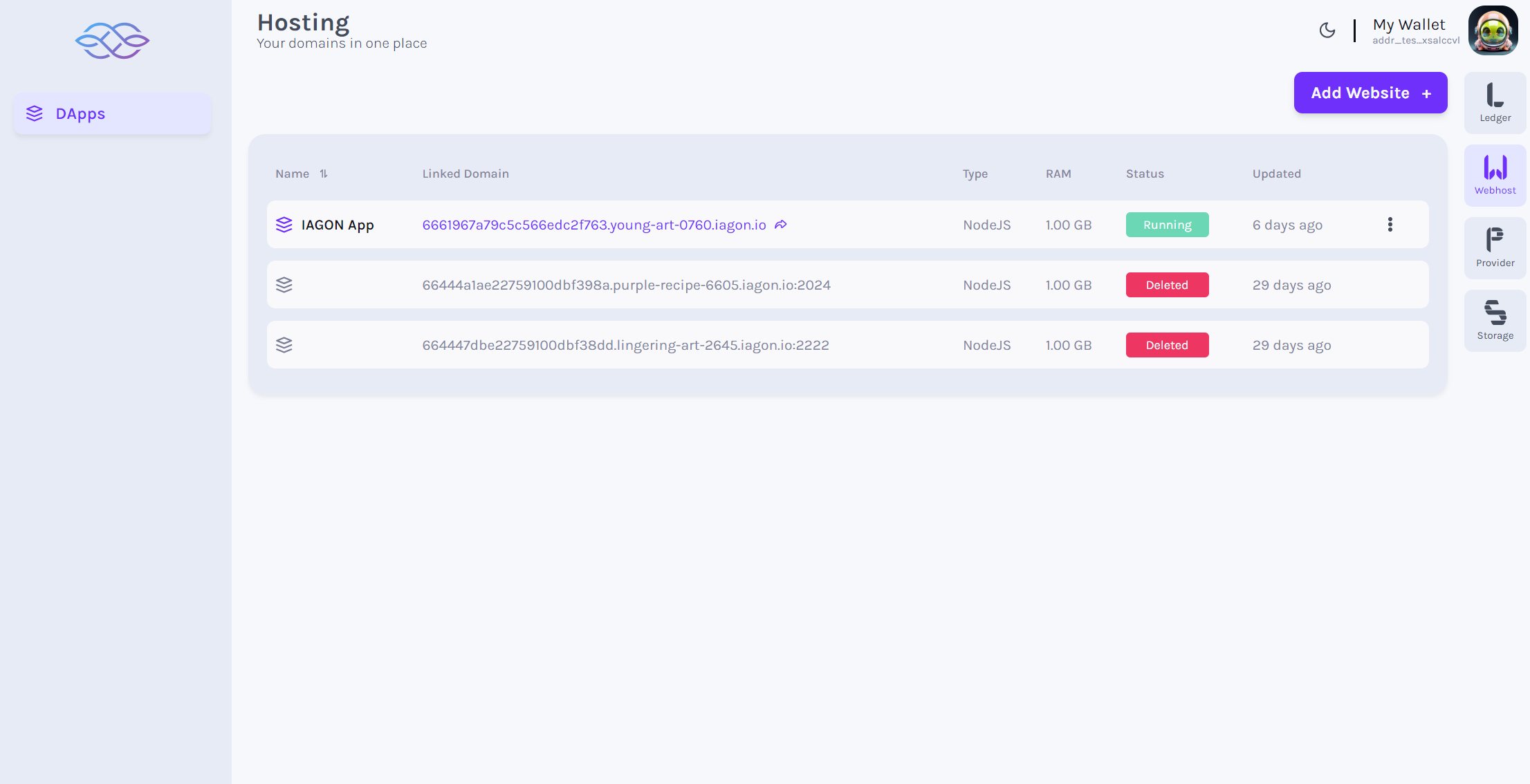
### Click Add App (Clear node status)[](https://docs.iagon.com/iagon-compute/compute-solutions/running-apps#click-add-app-clear-node-status "Direct link to Click Add App (Clear node status)")
* Click on the Add Website button (All the nodes status should be deleted before adding new one)
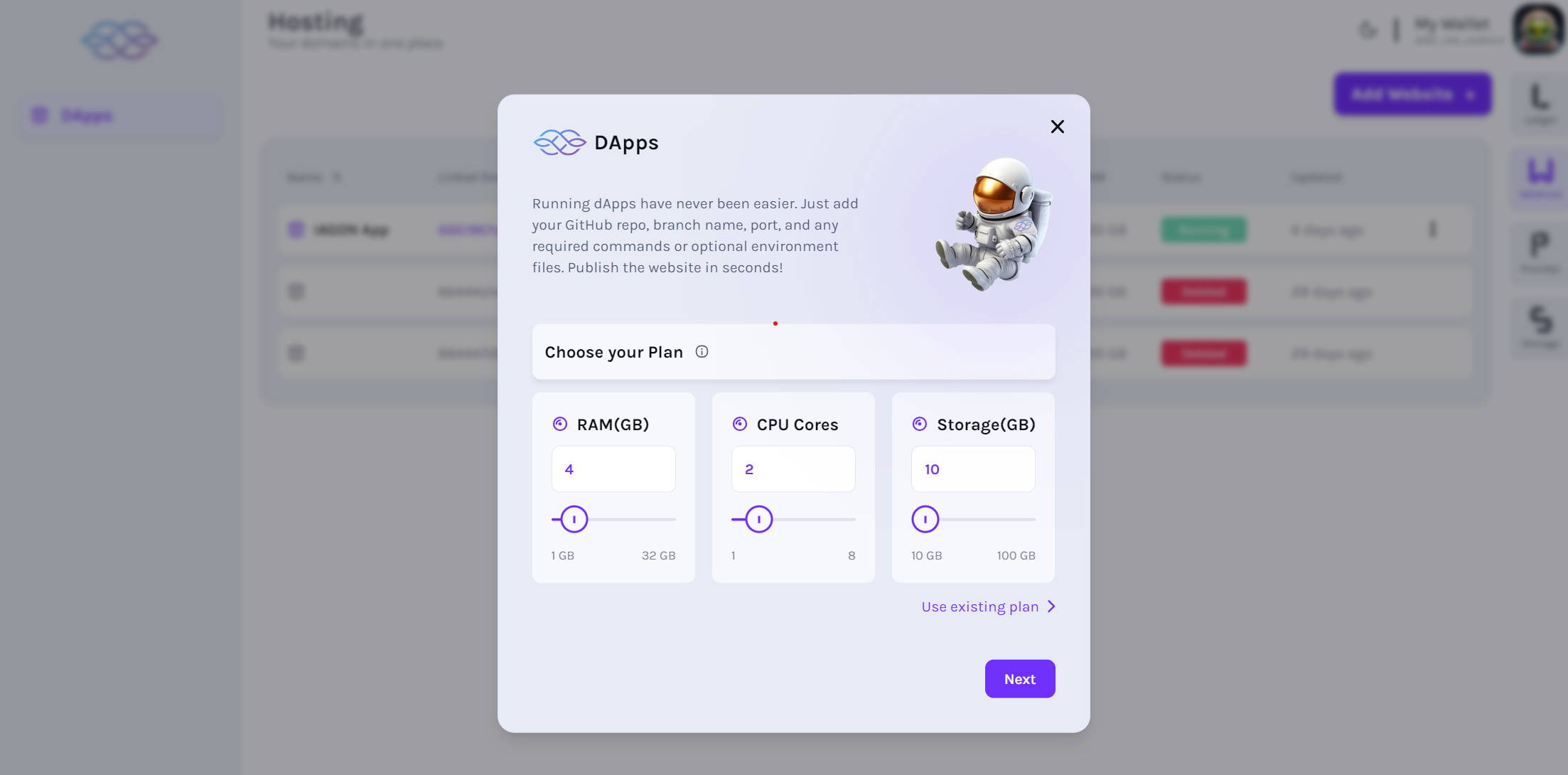
### Choose subscription plan[](https://docs.iagon.com/iagon-compute/compute-solutions/running-apps#choose-subscription-plan "Direct link to Choose subscription plan")
* Form should be displayed to enter details to choose subscription plan
### Subscription payment[](https://docs.iagon.com/iagon-compute/compute-solutions/running-apps#subscription-payment "Direct link to Subscription payment")
* Sign the transaction to pay for the subscription.
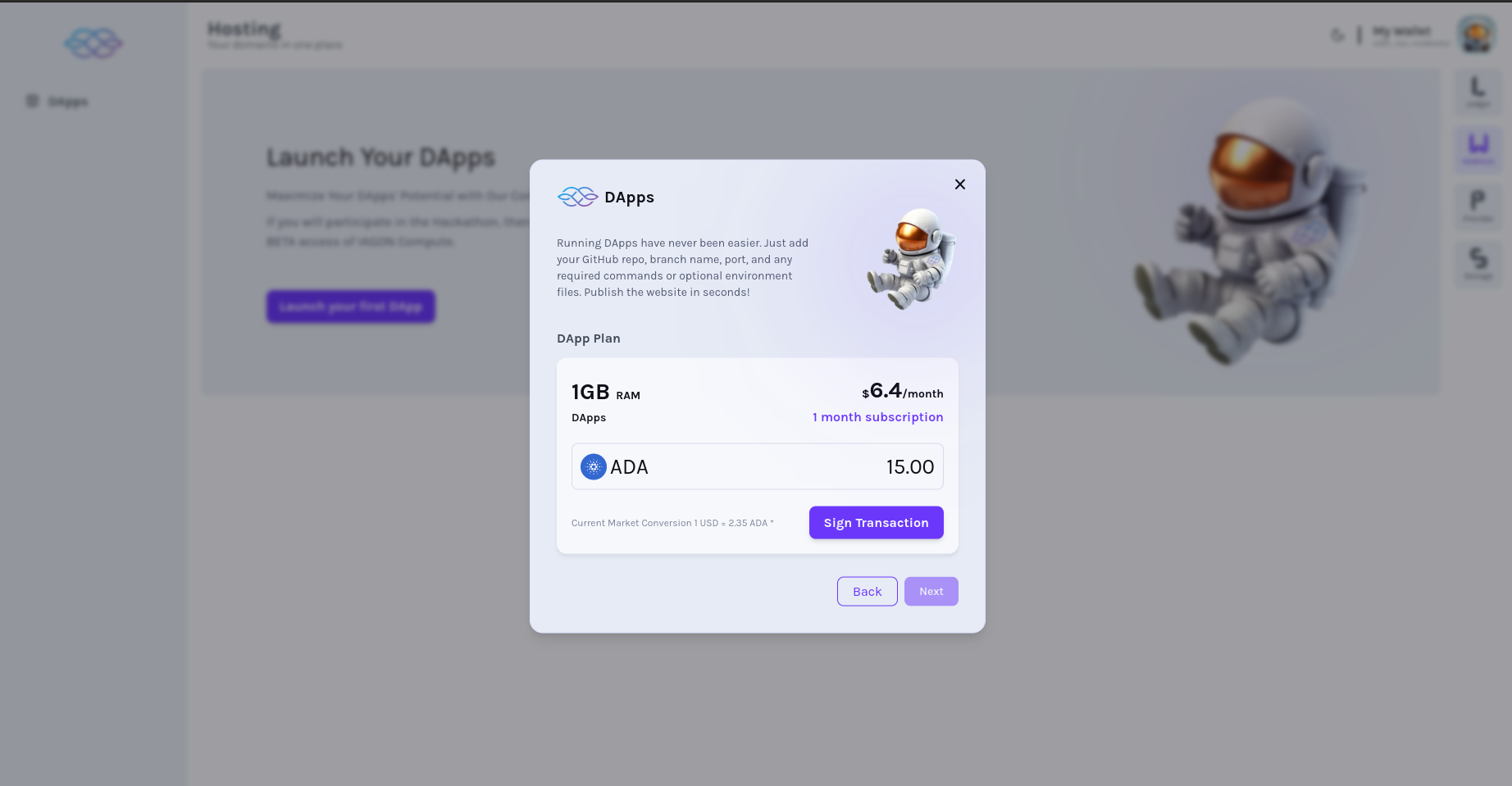
### Choose paid available plans[](https://docs.iagon.com/iagon-compute/compute-solutions/running-apps#choose-paid-available-plans "Direct link to Choose paid available plans")
* Choose from the available paid plans to host your App.
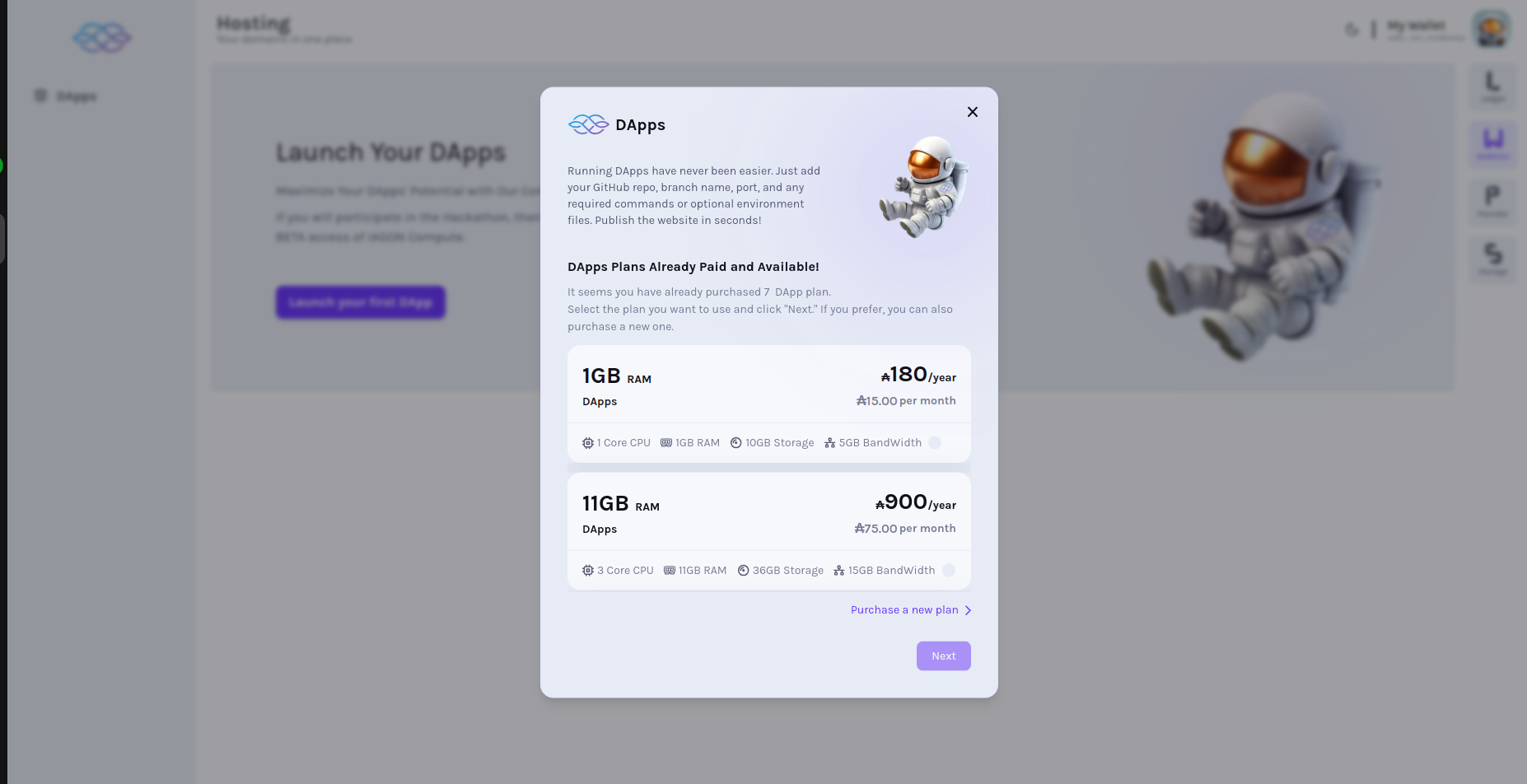
### Enter app details[](https://docs.iagon.com/iagon-compute/compute-solutions/running-apps#enter-app-details "Direct link to Enter app details")
* Form should be displayed to enter details of the App
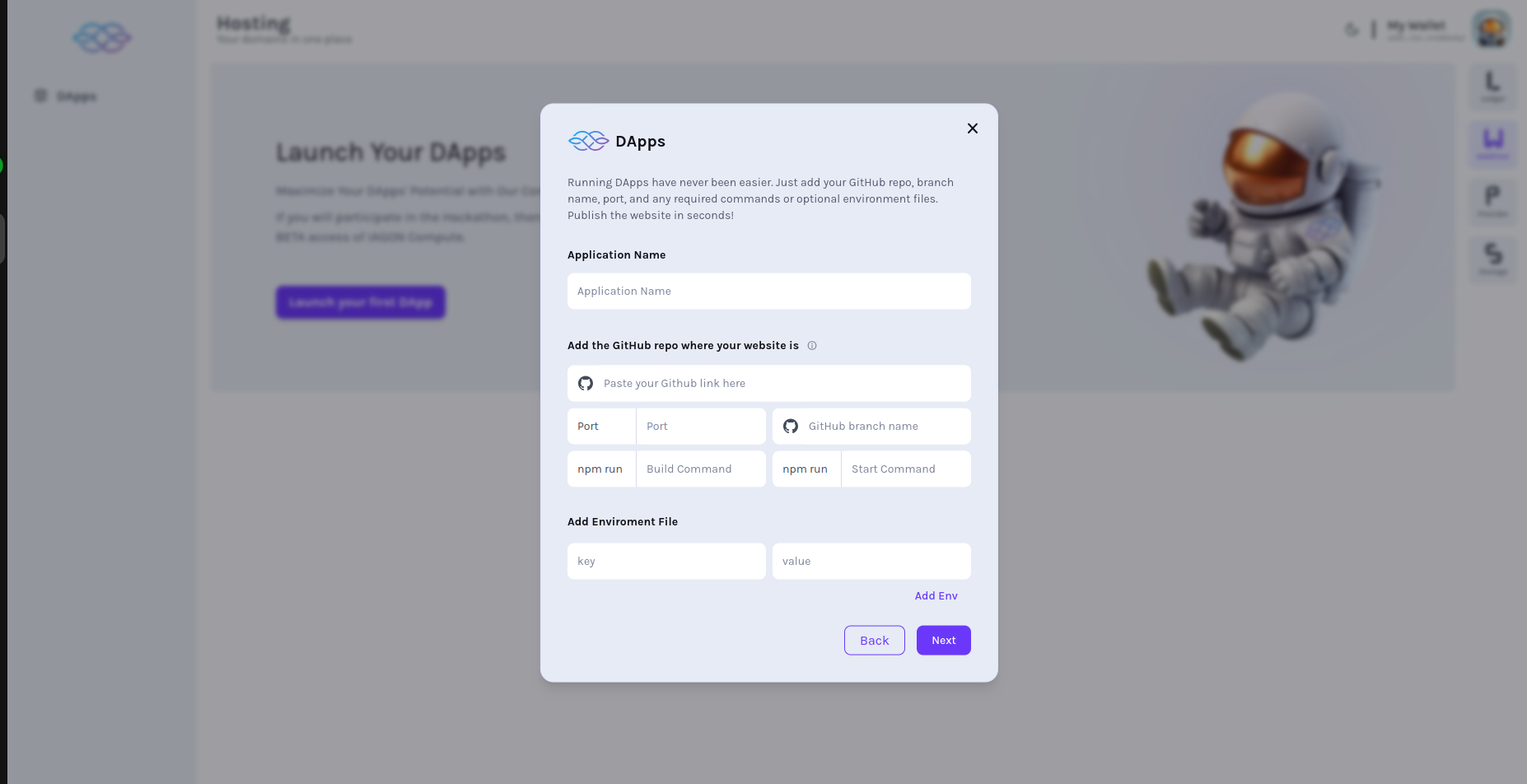
#### Fill required fields[](https://docs.iagon.com/iagon-compute/compute-solutions/running-apps#fill-required-fields "Direct link to Fill required fields")
* Enter valid data in all the required fields as per necessity. For reference, please refer to [requirements](https://docs.iagon.com/provide-resources/compute-node/compute-requirements)
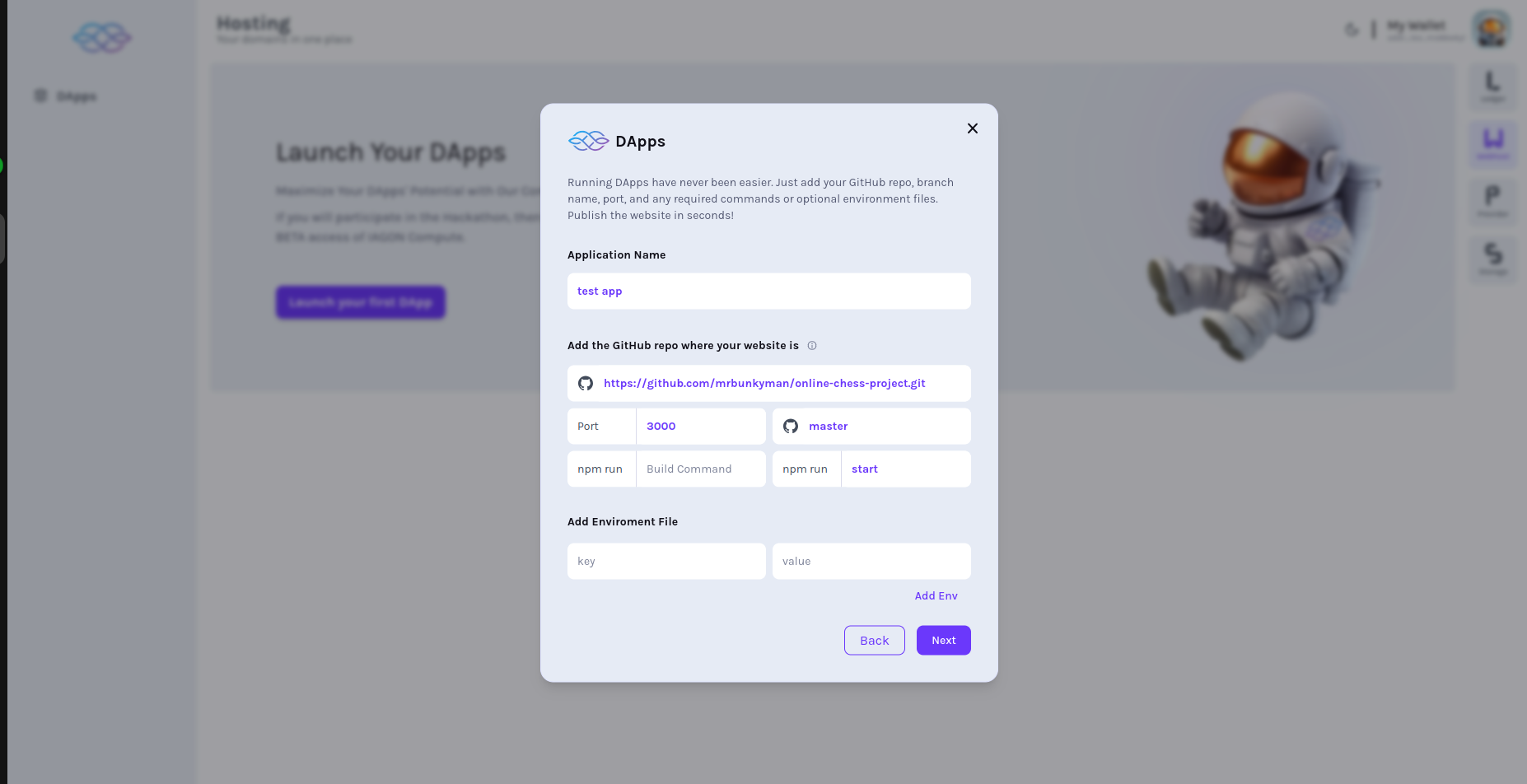
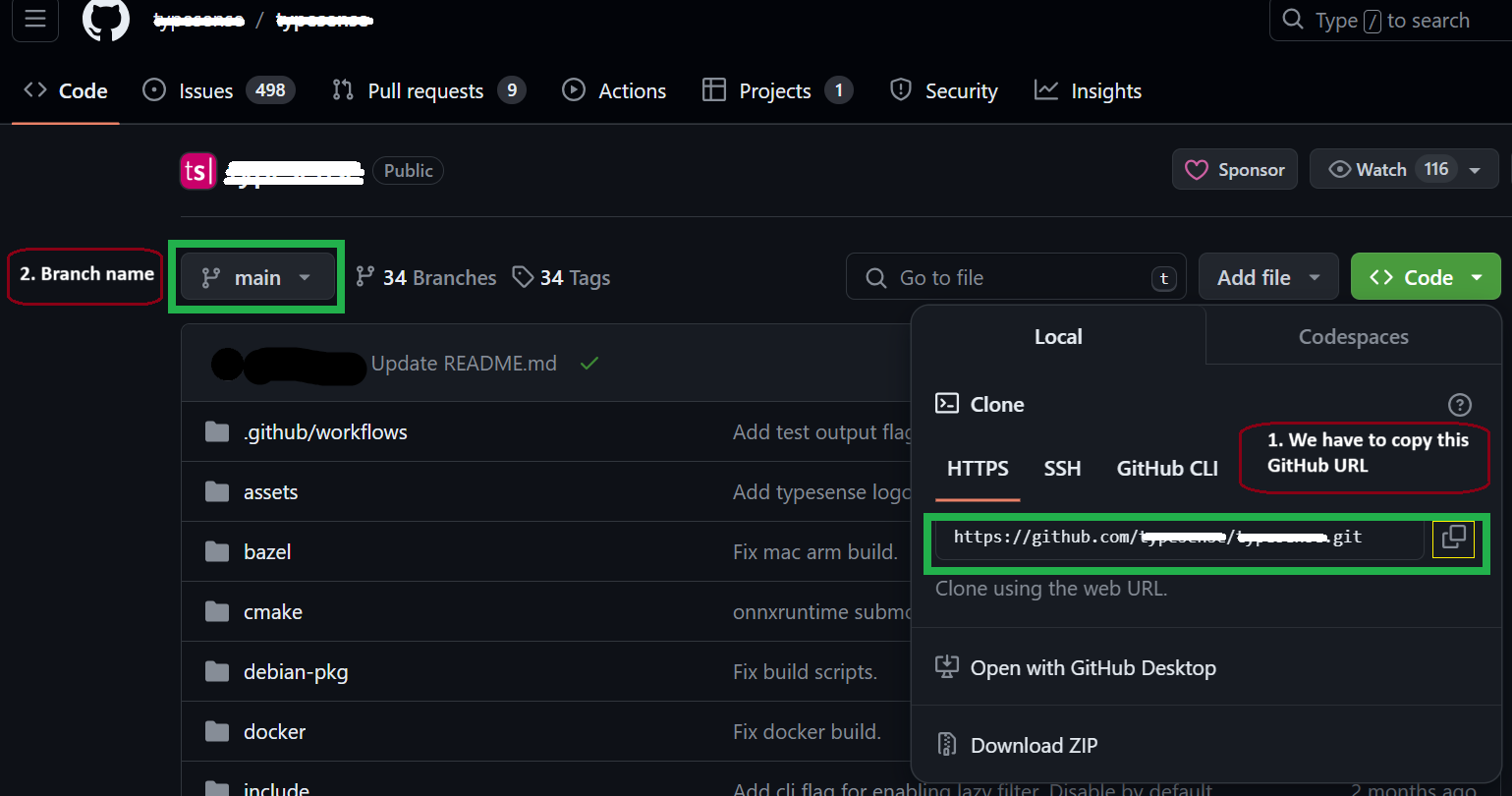
* **For the GitHub link**, please navigate to your repository's code page. Locate the "Code" button, which may be accompanied by a dropdown menu, as shown in the screenshot. Copy the GitHub repository link from there.
note
Please refrain from copying the URL shown in the browser's address bar.
* Paste the copied GitHub repository link into the form.
* **Regarding the branch**
Referencing the screenshot, identify the name of the branch you are currently working on. This branch name should be added to the form accordingly. If it is the default branch, please include its name in the form.
### Click Next[](https://docs.iagon.com/iagon-compute/compute-solutions/running-apps#click-next "Direct link to Click Next")
* Click on the Next button after entering valid data in all required field

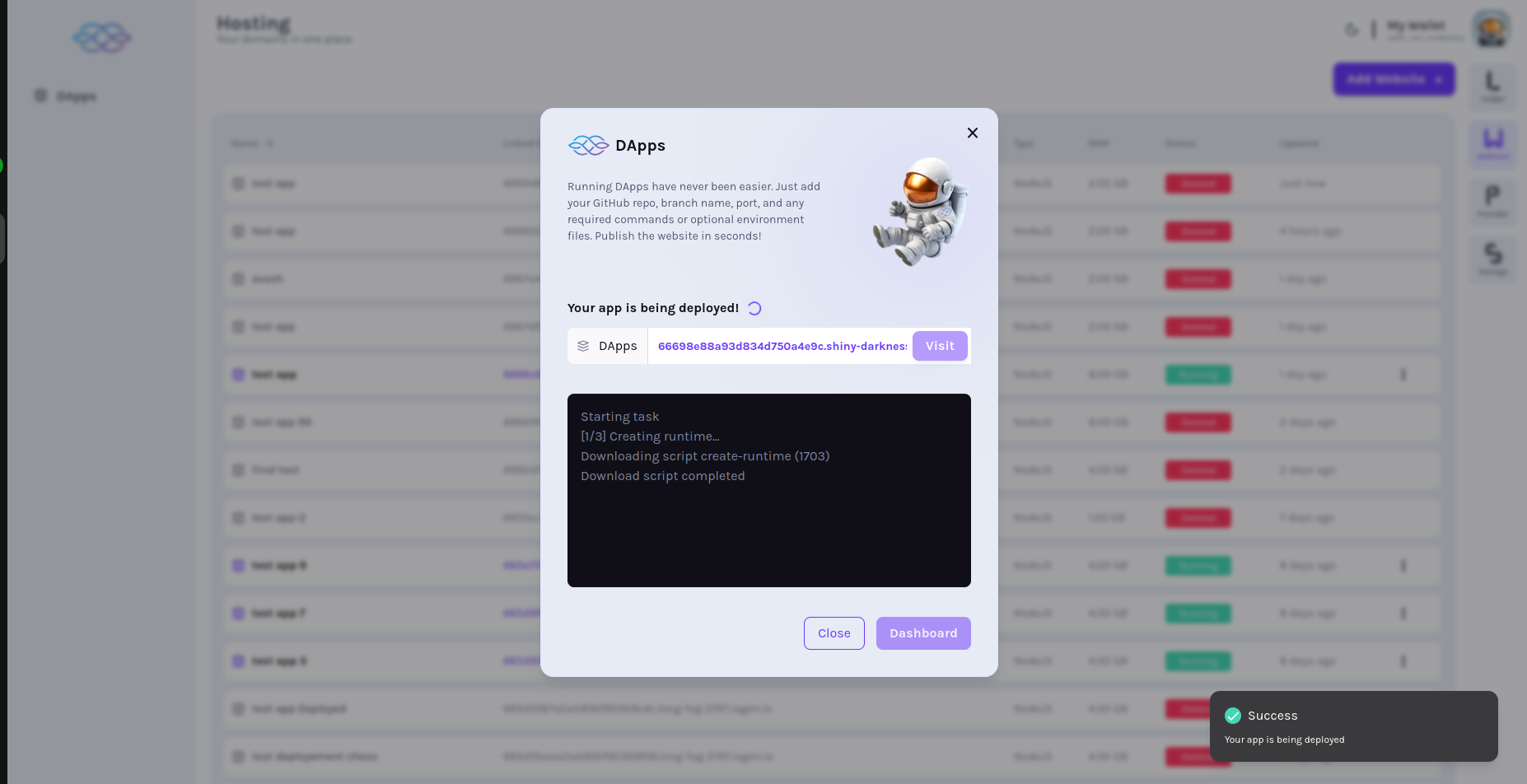
### View deployment page[](https://docs.iagon.com/iagon-compute/compute-solutions/running-apps#view-deployment-page "Direct link to View deployment page")
* Another page should be displayed indicating app is being deployed
### Visit button enabled[](https://docs.iagon.com/iagon-compute/compute-solutions/running-apps#visit-button-enabled "Direct link to Visit button enabled")
* Visit button should be enabled after deployed is completed

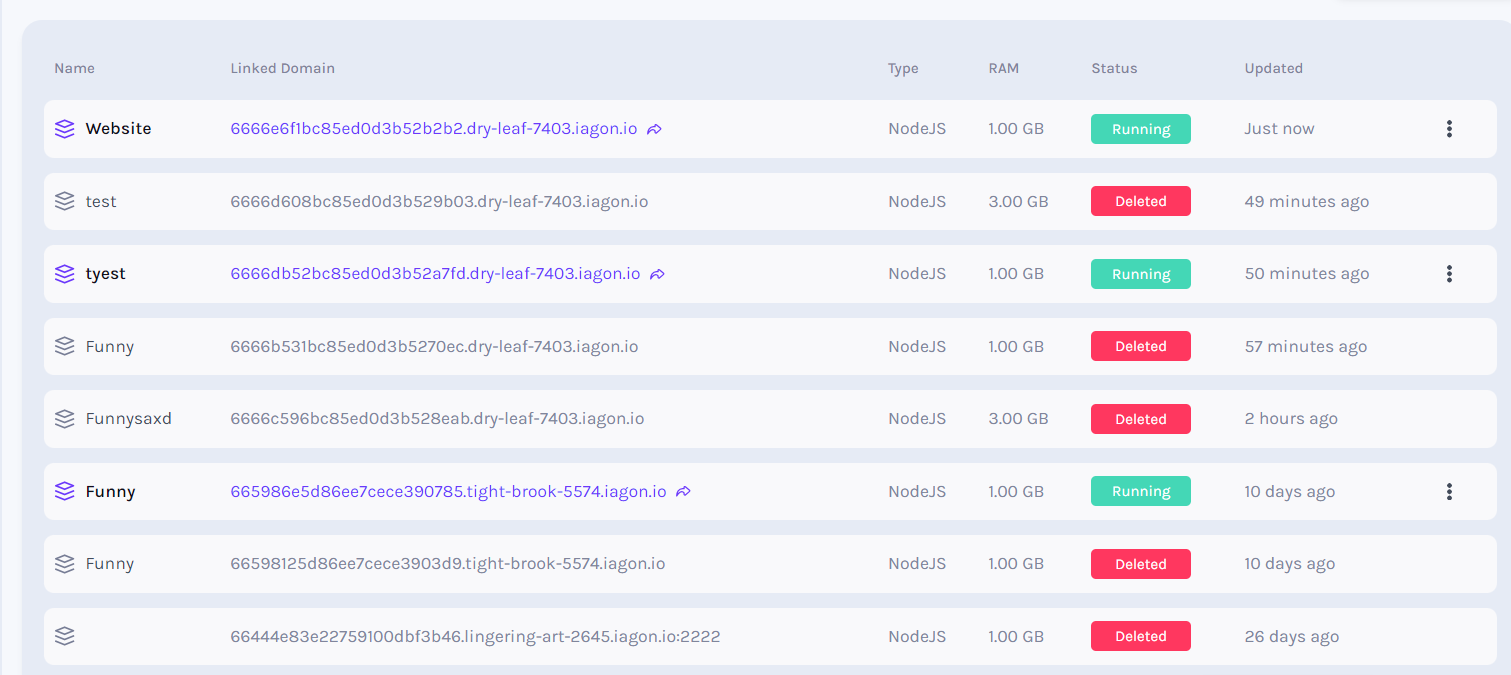
### App list shows "Running"[](https://docs.iagon.com/iagon-compute/compute-solutions/running-apps#app-list-shows-running "Direct link to App list shows "Running"")
* After added, app list should be displayed at top with "Running" status
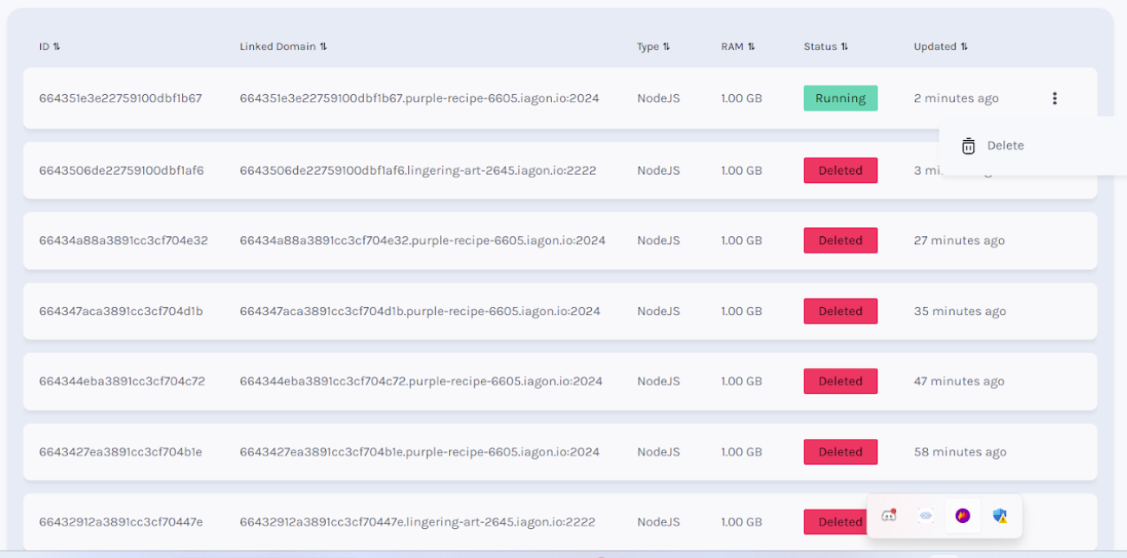
### Delete App (Click three dots)[](https://docs.iagon.com/iagon-compute/compute-solutions/running-apps#delete-app-click-three-dots "Direct link to Delete App (Click three dots)")
* After adding the app, we can delete it. Click on 3 dot button on the web
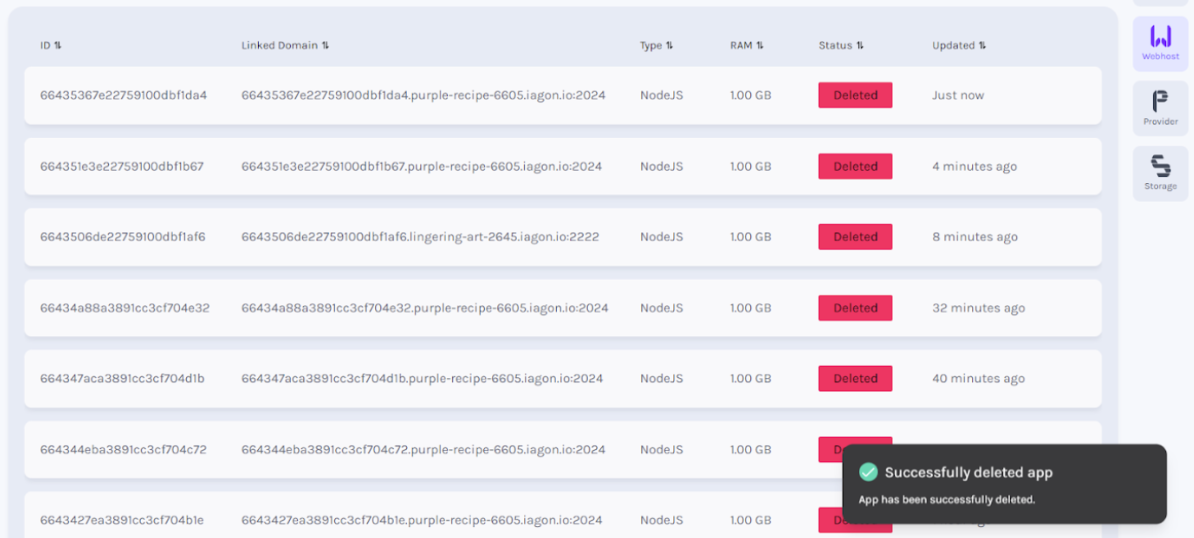
### View delete success message[](https://docs.iagon.com/iagon-compute/compute-solutions/running-apps#view-delete-success-message "Direct link to View delete success message")
* Successfully deleted message to be displayed
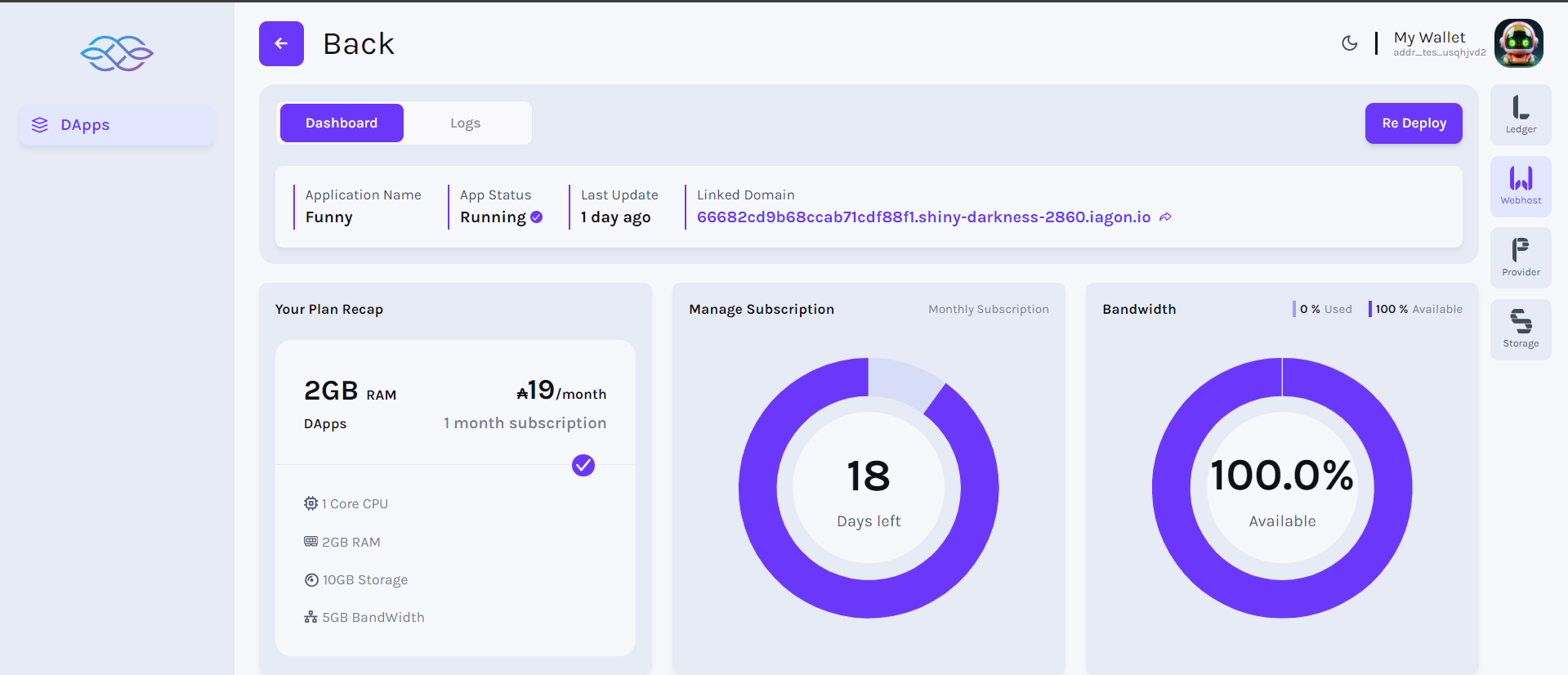
### View Apps Dashboard[](https://docs.iagon.com/iagon-compute/compute-solutions/running-apps#view-apps-dashboard "Direct link to View Apps Dashboard")
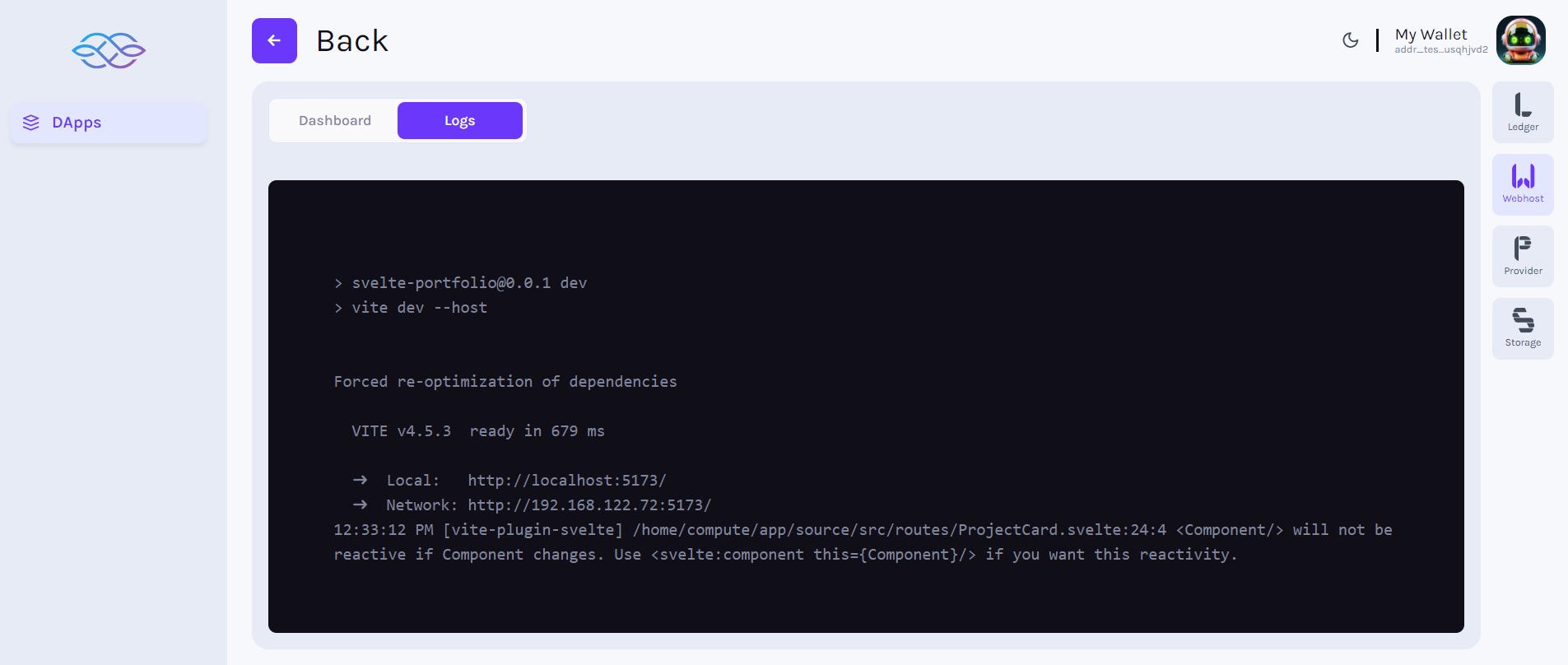
### View Apps Log[](https://docs.iagon.com/iagon-compute/compute-solutions/running-apps#view-apps-log "Direct link to View Apps Log")
Content
* [Run Apps on Iagon Compute](https://docs.iagon.com/iagon-compute/compute-solutions/running-apps#run-apps-on-iagon-compute)
* [Apps that can currently be run on Iagon Compute:](https://docs.iagon.com/iagon-compute/compute-solutions/running-apps#apps-that-can-currently-be-run-on-iagon-compute)
* [Requirements for Running dApps](https://docs.iagon.com/iagon-compute/compute-solutions/running-apps#requirements-for-running-dapps)
* [Technical Details](https://docs.iagon.com/iagon-compute/compute-solutions/running-apps#technical-details)
* [How to run Apps](https://docs.iagon.com/iagon-compute/compute-solutions/running-apps#how-to-run-apps)
* [Additional Instructions](https://docs.iagon.com/iagon-compute/compute-solutions/running-apps#additional-instructions)
* [Click Apps, view Apps](https://docs.iagon.com/iagon-compute/compute-solutions/running-apps#click-apps-view-apps)
* [Click Apps (Launch page if no App)](https://docs.iagon.com/iagon-compute/compute-solutions/running-apps#click-apps-launch-page-if-no-app)
* [Click Run App (List of Apps)](https://docs.iagon.com/iagon-compute/compute-solutions/running-apps#click-run-app-list-of-apps)
* [Click Add App (Clear node status)](https://docs.iagon.com/iagon-compute/compute-solutions/running-apps#click-add-app-clear-node-status)
* [Choose subscription plan](https://docs.iagon.com/iagon-compute/compute-solutions/running-apps#choose-subscription-plan)
* [Subscription payment](https://docs.iagon.com/iagon-compute/compute-solutions/running-apps#subscription-payment)
* [Choose paid available plans](https://docs.iagon.com/iagon-compute/compute-solutions/running-apps#choose-paid-available-plans)
* [Enter app details](https://docs.iagon.com/iagon-compute/compute-solutions/running-apps#enter-app-details)
* [Click Next](https://docs.iagon.com/iagon-compute/compute-solutions/running-apps#click-next)
* [View deployment page](https://docs.iagon.com/iagon-compute/compute-solutions/running-apps#view-deployment-page)
* [Visit button enabled](https://docs.iagon.com/iagon-compute/compute-solutions/running-apps#visit-button-enabled)
* [App list shows "Running"](https://docs.iagon.com/iagon-compute/compute-solutions/running-apps#app-list-shows-running)
* [Delete App (Click three dots)](https://docs.iagon.com/iagon-compute/compute-solutions/running-apps#delete-app-click-three-dots)
* [View delete success message](https://docs.iagon.com/iagon-compute/compute-solutions/running-apps#view-delete-success-message)
* [View Apps Dashboard](https://docs.iagon.com/iagon-compute/compute-solutions/running-apps#view-apps-dashboard)
* [View Apps Log](https://docs.iagon.com/iagon-compute/compute-solutions/running-apps#view-apps-log)
---
# Iagon's decentralized cloud protocol documentation
[Skip to main content](https://docs.iagon.com/iagon-compute/compute-overview#__docusaurus_skipToContent_fallback)
On this page
Overview[](https://docs.iagon.com/iagon-compute/compute-overview#overview "Direct link to Overview")
------------------------------------------------------------------------------------------------------
Iagon Compute is an integral part of the Iagon blockchain ecosystem, designed to augment our decentralized storage solutions. This documentation provides an in-depth exploration of the architecture, functionalities, and tasks associated with Iagon Compute.
Compute, a pivotal feature within the Iagon network, empowers users to harness the potential of their devices as nodes, thus contributing their computational resources to the network. In exchange, users receive rewards commensurate with their contributions. This document delineates the essential functionalities and prerequisites for the Compute feature.
### Objectives[](https://docs.iagon.com/iagon-compute/compute-overview#objectives "Direct link to Objectives")
* **Enhance Scalability**: Utilize idle computational resources to expand network capacity by utilizing users' devices as nodes to meet increasing demand.
* **Incentivize Participation**: Reward users for contributing resources and staking devices within the network.
* **Promote Decentralization**: Empower individual users to actively participate in computational tasks, mitigating centralization risks.
* **Enable Integration**: Facilitate easy integration with existing infrastructure and technologies to leverage Iagon Compute effectively.
### Features[](https://docs.iagon.com/iagon-compute/compute-overview#features "Direct link to Features")
* Device Utilization: Users can use their devices with good specifications as part of the Iagon network, turning them into nodes.
* Node Contribution: Users can contribute their device's resources to the Iagon network and earn rewards.
* Staking Rewards: Users can earn staking rewards by staking their devices within the Iagon network.
### Functionalities[](https://docs.iagon.com/iagon-compute/compute-overview#functionalities "Direct link to Functionalities")
* Device Performance Calculation: Iagon Compute assesses device performance metrics such as read/write speed and network throughput to determine optimal resource utilization.
* Node Selection: When accessing files for download, Iagon Compute utilizes a tracker to identify available nodes and selects the most suitable ones based on performance and availability.
* Reputation Scoring: The system calculates reputation scores for nodes based on historical performance records, facilitating efficient resource allocation.
* Compute Node Management: Powerful compute nodes are requested to execute compute tasks. Static IPs are assigned to compute nodes for consistent accessibility.
* Virtual Machine Configuration: Clone the provided Git repository and run the application in an isolated virtual machine environment.
* Metrics Tracking: Various metrics including read/write operations, CPU usage, disk IO, network bandwidth, and resource consumption are tracked for both virtual machines and host systems.
* VM Runtime Initialization: Lightweight operating systems are pre-configured and virtualized to execute compute tasks efficiently.
* Online Compiler: Users can access a web console to write configurations and execute compute tasks. Subscribers have a CLI interface, which is bound to compute nodes for script execution and file manipulation.
Basic System Overview[](https://docs.iagon.com/iagon-compute/compute-overview#basic-system-overview "Direct link to Basic System Overview")
---------------------------------------------------------------------------------------------------------------------------------------------
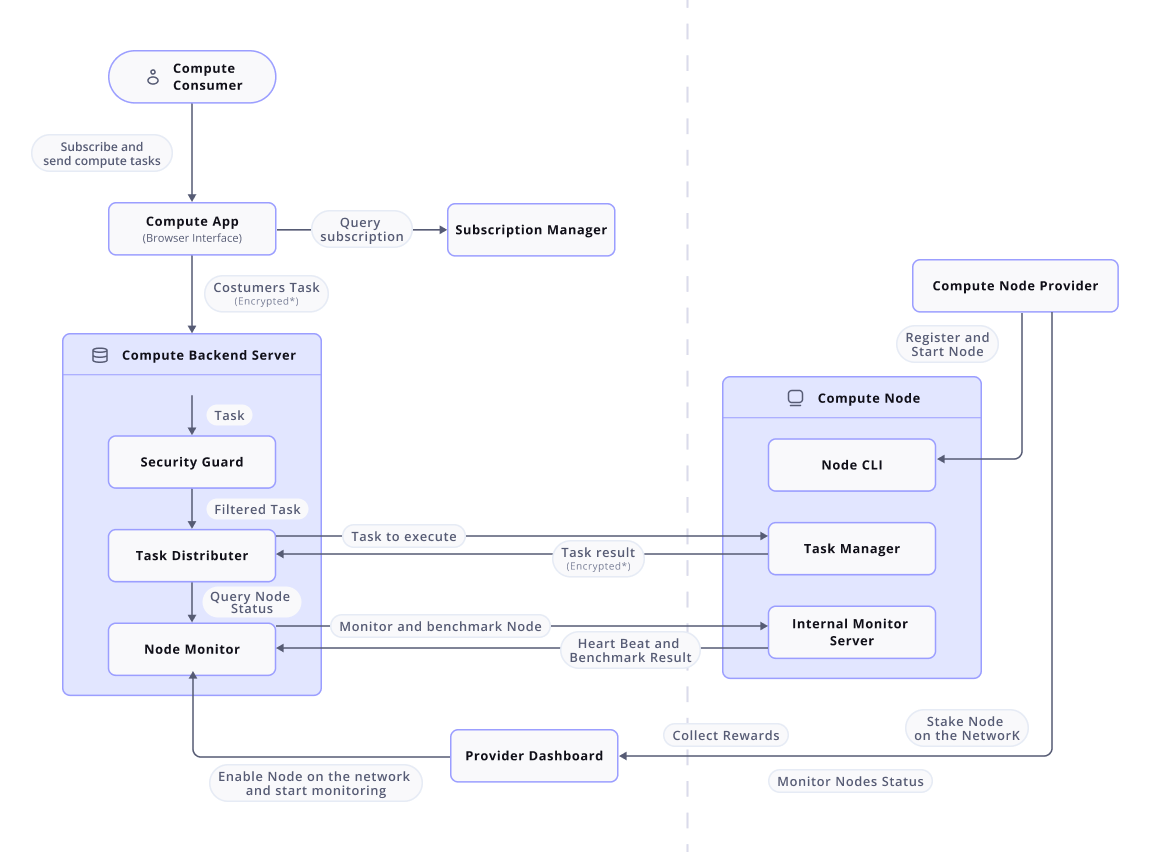
**Iagon Compute Node** The Compute Node serves as the host device for computational processes within the Iagon network. Providers register their systems as Compute Nodes, which comprises of three key components:
* Node CLI application: This interface enables providers to register their nodes to Iagon Compute. It conducts benchmarking, verifies device eligibility, and requests hardware commitments from the provider. Upon meeting requirements, it provides an authentication key for registration and initiates the internal monitor server.
* Internal monitoring Server: It is the communication point for the central monitoring server and node. It is responsible to update the central server about the status of the node. The communication is established only after the node is registered in the provider dashboard.
* Task Manager: The computing process is done here. It takes the user's task details, computes the task, encrypts the result and sends it back to the central server to pass it back to the user.
**Compute Backend Server** It is a check server or the central management server (It can be a Hive Server\*). It acts as a managing point between the user browsers and the computing nodes.
* Node Monitor: Compute backend server is responsible for keeping track of compute nodes connected to it. It constantly communicates with the internal monitoring server in the CLI application to monitor the node availability through heart beat, computational power status through different benchmarking checks, and keep the record of data received.
* Security Guard: It acts as a security guard for compute task requests from the subscribers, and filters and validates the requests for authenticity. Only valid requests pass through for processing, ensuring a layer of protection before reaching computing nodes.
* Task Distributor: It is responsible for determining the optimal node for user compute requests, ensuring that the node meets all the requirements as per the user's subscription.
### Provider Dashboard[](https://docs.iagon.com/iagon-compute/compute-overview#provider-dashboard "Direct link to Provider Dashboard")
It is a web interface for node providers to access general node overview, status, and performance data. It is created evaluating the data received by the central server from the internal monitoring server. Providers register their nodes using an authentication key from the CLI app and stake an amount for node activation. They can also view stake and reward information on the dashboard.
### Subscription Manager[](https://docs.iagon.com/iagon-compute/compute-overview#subscription-manager "Direct link to Subscription Manager")
It offers various subscription packages for users to choose from based on their computing requirements. It ensures users’ subscription validity and provides renewal options for users.
Stake IAG[](https://docs.iagon.com/iagon-compute/compute-overview#stake-iag "Direct link to Stake IAG")
---------------------------------------------------------------------------------------------------------
To start receiving tasks from the network and get rewards, the node provider first enabled the node by staking IAG token. The authorization key received during registration is required to bind the node to the provider’s wallet so the rewards are provided to the provider.
Receive Rewards[](https://docs.iagon.com/iagon-compute/compute-overview#receive-rewards "Direct link to Receive Rewards")
---------------------------------------------------------------------------------------------------------------------------
Once the staking is completed and the node gets enabled, the compute node starts receiving the task and the rewards get accumulated on the provider's account. Providers can collect rewards from the provider dashboard. To calculate the reward for the providers, Iagon uses an internal algorithm that uses data from the central server that contains information of different matrices of the compute node like uptime, performance, usage and evaluates it to give the reward value of their stake amount.
Monitoring and Metrics[](https://docs.iagon.com/iagon-compute/compute-overview#monitoring-and-metrics "Direct link to Monitoring and Metrics")
------------------------------------------------------------------------------------------------------------------------------------------------
The system will continuously monitor hosts, virtual machines (VMs), and tasks running within the VMs to ensure proper utilization and isolation. Metrics monitored include:
* Host: Memory usage, CPU usage
* VM: Memory usage, CPU usage, Read/write speed, Bandwidth of internet
* Tasks within VMs: Memory and CPU usage, Read/write speed, Internet bandwidth
Accurate Measurement of Compute Data[](https://docs.iagon.com/iagon-compute/compute-overview#accurate-measurement-of-compute-data "Direct link to Accurate Measurement of Compute Data")
------------------------------------------------------------------------------------------------------------------------------------------------------------------------------------------
Ensure accurate measurement and tracking of compute-related data, including:
* Read/write operations
* CPU usage
* Disk IO
* Network bandwidth
The Compute feature within the Iagon network provides users with the opportunity to contribute their device's computational resources and earn rewards. By monitoring system metrics, ensuring accurate measurement of compute data, and developing a robust VM runtime component, we aim to create a reliable and efficient compute solution for our users.
note
Work on compute is in the early stages. Documentation may change and will be updated as we progress with the next features.
Content
* [Overview](https://docs.iagon.com/iagon-compute/compute-overview#overview)
* [Objectives](https://docs.iagon.com/iagon-compute/compute-overview#objectives)
* [Features](https://docs.iagon.com/iagon-compute/compute-overview#features)
* [Functionalities](https://docs.iagon.com/iagon-compute/compute-overview#functionalities)
* [Basic System Overview](https://docs.iagon.com/iagon-compute/compute-overview#basic-system-overview)
* [Provider Dashboard](https://docs.iagon.com/iagon-compute/compute-overview#provider-dashboard)
* [Subscription Manager](https://docs.iagon.com/iagon-compute/compute-overview#subscription-manager)
* [Stake IAG](https://docs.iagon.com/iagon-compute/compute-overview#stake-iag)
* [Receive Rewards](https://docs.iagon.com/iagon-compute/compute-overview#receive-rewards)
* [Monitoring and Metrics](https://docs.iagon.com/iagon-compute/compute-overview#monitoring-and-metrics)
* [Accurate Measurement of Compute Data](https://docs.iagon.com/iagon-compute/compute-overview#accurate-measurement-of-compute-data)
---
# Disclaimer | Iagon's decentralized cloud protocol documentation
[Skip to main content](https://docs.iagon.com/disclaimer#__docusaurus_skipToContent_fallback)
On this page
**PLEASE READ ALL THESE SECTIONS CAREFULLY.**
The information contained in this documentation serves the exclusive purpose of community discussion and shall not be considered legally binding. Nothing herein constitutes any binding legal, financial, tax, or business obligation to Iagon or any other party mentioned in this documentation. No natural or legal person shall be liable for any damage or loss suffered in connection with the use of this documentation or any related material.
Project Purpose[](https://docs.iagon.com/disclaimer#project-purpose "Direct link to Project Purpose")
-------------------------------------------------------------------------------------------------------
All statements, content, and contribution have the sole purpose of informing, describing, and promoting the research, design, and development. Iagon reserves the right to make any small or major changes to the final product or any of the provisions or services here described. You further understand and accept that the information provided in this documentation and on the website is of descriptive nature only, and is not legally binding and therefore does not provide any legal right unless explicitly stated.
Nature of the Documentation[](https://docs.iagon.com/disclaimer#nature-of-the-documentation "Direct link to Nature of the Documentation")
-------------------------------------------------------------------------------------------------------------------------------------------
The documentation is intended solely for general information purposes, and it does not constitute a contractual relationship or an offer document of any kind, including but not limited to investment offers, selling and solicitation of products, services, or assets. The information contained in this documentation is subjected to changes and may not be exhaustive. There is no guarantee regarding the accuracy or completeness of the information. Iagon does not provide any warranty regarding the information used or the information obtained from third-party sources. The reader acknowledges that the content of the documentation could change and become outdated.
Token Disclaimer[](https://docs.iagon.com/disclaimer#token-disclaimer "Direct link to Token Disclaimer")
----------------------------------------------------------------------------------------------------------
None of the contents of this documentation regarding IAG tokens constitutes an offer by Iagon, or any third party. Mentioning of provisions and potentially third parties shall not constitute any contract or investment decision. The information displayed shall not be considered legally binding. Therefore no person is bound to enter into any agreement or legal obligation concerning the acquisition of IAG tokens. The agreement for IAG Tokens selling is governed by external legal provisions as well as corresponding respective terms and conditions. In the event of any inconsistencies between the Terms and Conditions and the documentation or the Website, the Terms and Conditions shall prevail
General Warning[](https://docs.iagon.com/disclaimer#general-warning "Direct link to General Warning")
-------------------------------------------------------------------------------------------------------
By reading or using this documentation, you shall:
* Not rely on any provision or statement in the documentation for any IAG token decision.
* Acknowledge and agree that IAG tokens may have no value. There is no guarantee for representation of value or liquidity for the IAG tokens.
* Recognize Iagon, its affiliates, or its team members shall not be responsible or liable for the value of IAG tokens, transferability, or liquidity.
* Agree that Iagon, its respective affiliates, service providers, and team members shall not be liable for any losses resulting from the use of the documentation or any other related materials published, including without limitation any risks and uncertainties associated with IAG tokens.
* Recognize that all information contained in this documentation only serves informational purposes and does not constitute any legally binding obligation.
* Acknowledge that the information contained in this documentation may be changed, amended, or replaced in the future.
* Agree that the information disseminated in the documentation does not entail regulatory approval or compliance with any applicable laws, legal requirements, or soft-law framework.
* Acknowledge that the mention of any third party, name, or trademark does not imply any endorsement or affiliation with any third party, product, or company.
* Agree not to copy, distribute, reproduce, or modify (either partially or entirely) the information stated in this documentation without the consent of Iagon
**Moreover**, by using the services provided by Iagon, you fully understand and agree with the following:
* Iagon is a technology DAO developing cutting-edge technology applying blockchain and artificial intelligence. The User understands and accepts to be subject to the laws and regulations in the jurisdiction in which the User is domiciled and that Iagon accepts no responsibilities for the legal status of the User. The User should obtain local legal advice to clarify the legal status of the User in their own jurisdiction before participating in the Crowdsale.
* The User understands and accepts that the technology described in the documentation is still at an early development stage and its application of experimental nature carries significant operational, technological, financial, regulatory, and reputational risks.
* User understands and accepts that Iagon, including its shareholders, directors, management, employees, and any other person affiliated with Iagon, carries no liability for issues beyond the control of Iagon, including but not limited to transaction mining delays and node-related issues.
* The User understands and accepts that while Iagon will make reasonable efforts to develop and complete the Iagon’s platform, as described in the documentation, it is possible that such development may fail and that the User’s IAG token may become useless and/or lose its value due to reasons of technical, commercial, or regulatory nature (or any other reason within or outside Iagon´s control).
* The User is also aware that even if all or parts of Iagon’s platform are successfully developed and released in full or in parts, the said platform could be fully or partially closed, remain commercially unsuccessful, or shut down due to lack of public interest or for any other reason. Iagon has the right to engage subcontractors to perform the entire or partial development and execution of the platform.
* The User understands and accepts that Iagon undertakes no obligations to act on behalf and in the interests of the User .
* The User further confirms to have carefully reviewed the documentation, the technology described, its functions, and this Disclaimer, and hereby confirms to fully understand the risks and costs related to the IAG token.
**TAX WARNING** - The User understands and accepts that Iagon does not act as a tax agent of the User. The User bears the sole responsibility to determine their tax responsibility for creating or obtaining IAG token(s), and to determine whether the ownership, usage, the potential value appreciation or depreciation, or any gain or loss resulting from the purchase or sale of the IAG token, have tax implications for such User. More specifically, the User fully understands and agrees to the following:
* The User and Iagon carry their own tax obligations solely under the applicable laws of the jurisdiction they reside in.
* Should Value Added Tax (VAT) obligations or other indirect taxesapply as a result of the trade of products/services provided by Iagon or by third parties, Iagon reserves the right to adjust the product/service price by adding a VAT/ indirect tax as applicable for each respective country (e.g. 25% for Norway and as applicable in other jurisdictions). Nonetheless, Iagon recognizes the dedication of time and resources, as well as engagement of qualified personnel in the process of structuring the Iagon platform optimally (within legal frames), are necessary to ensure seamless transaction flow.
* The User understands and accepts that Iagon may have to disclose information on the User, including but not limited to the value of any IAG tokens held, if explicitly requested by any government authorities in accordance with any applicable jurisdiction.
* By creating, holding or using the IAG token, and to the extent permitted by law, the User agrees not to hold Iagon or any associated third party, including developers, auditors, contractors, or shareholders, liable for any tax liability associated with or arising from the creation, ownership or use of IAG token or any other action or transaction related to the Iagon platform.
**NO WARRANTIES** – All information provided within the documentation is provided “AS-IS” and with no warranties whatsoever concerning the IAG token and the technology described (including the accuracy, completeness or use of any information provided therein, to the extent permitted by any applicable law). This includes but is not limited to expressed or implied warranties of title, merchantability or fitness for a particular purpose.
**DISCLAIMER OF LIABILITY** – The User acknowledges and agrees, to the extent permitted by any applicable law, that the User will not hold Iagon or any associated parties, including but not limited to any group entity, management, developers, contractors, or shareholders, liable for any and all damages or injury whatsoever caused by or related to the use of or the inability to use the IAG token, the platform, or the technology described under any cause or action whatsoever in any jurisdiction. Iagon specifically, without limitations, disclaims liability for any loss or damages, including incidental or consequential damages, and assumes no responsibility or liability for any loss or damage suffered by any person as a result of the use, misuse, or reliance of any of the information or content in the documentation, Iagons AS’s business plan, or on the [www.iagon.com](http://www.iagon.com/)
website.
Under no circumstances shall Iagon, or any associated parties as stated above, be liable to the User for any special, indirect, incidental, consequential, exemplary, or punitive damages (including lost or anticipated revenues or profits and failure to realize expected savings arising from any claim relating to the services provided by Iagon),whether such claim is based on warranty, contract, tort (including negligence or strict liability) or otherwise or likelihood of the same. The User further specifically acknowledges that Iagon, or any associated parties as stated above, are not liable, and the User agrees not to hold them liable, for the conduct of any third parties, including other creators of IAG token(s), and that the risk of creating, holding and using IAG token(s) rests entirely with the User.
**USE AT YOUR OWN RISK** – By utilizing the Iagon’s service, platform or the [www.iagon.com](http://www.iagon.com/)
website, including but not limited to, the transferring of any assets to Iagon, the User undertakes and understands all possible risks that directly or indirectly arise from the activity connected with the User’s participation in the Crowdsale and/or use of Iagon’s services and products.
**FORCE-MAJEURE** – User understands that Iagon will not be liable to the User for any breach hereunder, including failure to deliver or delays in delivery of the services occasioned by causes beyond the control of Iagon. These include but are not limited to unavailability of materials, strikes, labour slowdowns and stoppages, labour shortages, lockouts, fires, floods, earthquakes, storms, droughts, adverse weather, riots, thefts, accidents, embargoes, war (whether or not declared) or other outbreak of hostilities, civil strife, acts of governments, acts of God, governmental acts or regulations, orders or injunctions, or other reasons, whether similar or dissimilar to the foregoing (each a “Force Majeure Event”).
**MISCELLANEOUS / FINAL WARNING** – Utilizing services offered in the documentation, on the Iagon platform and on the [www.iagon.com](http://www.iagon.com/)
website, may result in significant losses or even in a total loss of all value submitted and obtained.
* This Disclaimer, Iagon documentation, Iagon´s website, and platform or any related documents or site do not constitute a prospectus of any sort, is not a solicitation for investment and does not pertain in any way to an offering of securities in any jurisdiction.
* The User guarantees that they are a legally capable person of sufficient age to use the services and technology described in the documentation, including the acquisition of IAG tokens. Moreover, the User must comply with all legal rules and applicable laws of the jurisdiction where the User lives to use the services or acquire IAG tokens. The User further confirms to be legally permitted to hold and use the IAG token in the jurisdiction where the User is domiciled and accepts to hold Iagon harmless should the User not be compliant with any such laws and regulations.
* IAG tokens are only functional utility tokens and serve no purpose other than being applied on the Iagon platform, provided it is completed and deployed as stipulated in the documentation. In particular, the User understands and accepts that the IAG token neither represents nor constitutes any ownership right or stake, share or security (or equivalent rights), any right to receive future revenues, or IP rights. Furthermore, the User acknowledges that ownership of the IAG token is associated with no form of participation in or relating to the Iagon platform other than access for token holders and Users. IAG tokens and the Iagon platform are not for speculative investment. No promises regarding the value or future performance are made regarding IAG tokens. No other rights associated with holding IAG tokens are given.
* Iagon’s team is investing heavily in the safety and security of the services that Iagon provides. However, we cannot protect against all possible sources of error and malicious deeds initiated by any party. Therefore all risks assumed by using Iagon’s platform in any capacity, transferring, receiving, and accumulating IAG tokens are solely assumed and accepted by the User.
* IAG tokens are meant to be held and used by those well experienced and knowledgeable in cryptographic tokens, their acquisition, transfer, and use (only for accessing the services available on Iagon’s platform). The User represents and warrants that they have a deep understanding of the functionality, usage, storage, and transmission mechanism associated with cryptographic tokens and blockchain-based software systems.
* The User further represents and warrants to have knowledge of the token creation process and that the User will have their own account and crypto wallet, with a private key associated to this address and password. The password is used to encrypt the User’s private key. Following the creation of the IAG token, the IAG token will be transferred to the User’s address. The User understands that the User must keep their password and private key safe, and that the User will not be able to generate a new password or recover their private key should this private key and/or password be lost or stolen. The User understands that if such private key and/or password is lost, the IAG tokens associated with the User’s account will be unrecoverable and will be permanently lost. In such instance, neither IagonAS nor any other person or entity will not be able to help the User retrieve or reconstruct the lost password and/or private keys, and the User will not be able to access any lost IAG tokens.
* The User understands and accepts that the Iagon platform will be run on a blockchain through a network of resource providers. The User understands that the majority of these resource providers could agree at any point to make changes which could lead to the IAG token losing its intrinsic value.
* By transferring and/or receiving IAG token(s), no form of partnership, joint venture or any similar relationship between the Users and/or other individuals or entities involved with the deployment and setting up of the Iagon´s platform is established.
* The User understands and accepts that no market liquidity may be guaranteed with regard to the IAG token and that its value may experience extreme volatility over time, including full depreciation.
* Should the User be a consumer and should any applicable consumer legislation or cancellation rights apply to such User in relation to the creation and obtainment of the IAG token, the User waives, acknowledges and accept any such consumer and cancellation rights, unless otherwise prescribed by mandatory law.
* The User understands and accepts that the blockchain technology allows new forms of interaction and that it is possible that certain jurisdictions will apply existing regulations on, or introduce new regulations addressing, blockchain technology-based applications, which may be contrary to the project and which may, inter alia, result in substantial modifications of the technology and/or the Iagon platform, including its termination and the loss of IAG token(s) by the User.
* The User confirms that they have read, understood, and agreed to comply with all restrictions set forth above. The User further agrees not to obtain the IAG token for any illegal purposes including but not limited to money laundering, corruption of any sort, or any other illegal means in the jurisdiction in which the User resides.
* The User acknowledges and agrees that if any part of this Disclaimer or the documentation is found illegal or unenforceable, in whole or in part, such provision shall be ineffective solely to the extent of the invalidity or unenforceability under the laws of the applicable jurisdiction without affecting the validity or enforceability thereof in any other manner, and without affecting the remaining provisions of this Disclaimer or the documentation, which shall continue to be in full force and effect.
* This disclaimer governs the terms and conditions related to the creation of IAG token and the development and execution of the Iagon platform. Any claims arising out of or in connection with these matters shall be resolved and settled by the ordinary courts of the respective jurisdiction. Iagon and its team will comply with the laws outlined in each operational country, and each operational unit shall be subject to its local laws and jurisdiction for the explicit operation such unit provides. Iagon’s documentation, its business plan, its website, and this Disclaimer, may be subject to changes at the Iagon’s discretion, either before, during, or after the Crowdsale.
**This Disclaimer complements the previous disclaimer found on all the previous versions of Iagon documentations, is valid from the moment of publication, and could be subjected to regular changes and updates.**
Content
* [Project Purpose](https://docs.iagon.com/disclaimer#project-purpose)
* [Nature of the Documentation](https://docs.iagon.com/disclaimer#nature-of-the-documentation)
* [Token Disclaimer](https://docs.iagon.com/disclaimer#token-disclaimer)
* [General Warning](https://docs.iagon.com/disclaimer#general-warning)
---
# Iagon's decentralized cloud protocol documentation
[Skip to main content](https://docs.iagon.com/iagon-storage/common-use-cases#__docusaurus_skipToContent_fallback)
On this page
Overview[](https://docs.iagon.com/iagon-storage/common-use-cases#overview "Direct link to Overview")
------------------------------------------------------------------------------------------------------
This section describes the common operations that users can perform.
Upload File[](https://docs.iagon.com/iagon-storage/common-use-cases#upload-file "Direct link to Upload File")
---------------------------------------------------------------------------------------------------------------
Uploading a file consists of the following steps:
1. The user creates or updates a subscription through the Iagon client application.
2. The user specifies their requirements, such as security, GDPR compliance, redundancy, latency, and encryption.
3. Fermato calculates the price (in stablecoins) the storage consumer needs to pay.
4. The user makes the payment.
5. Depending on whether the user wishes to upload a new file or update an existing one, Fermato mints or updates an access NFT.
6. The user uploads the file.
7. The protocol encrypts the file.
8. The protocol distributes the shards to the storage providers that satisfy the requirements specified in step #2.
Retrieve a File[](https://docs.iagon.com/iagon-storage/common-use-cases#retrieve-a-file "Direct link to Retrieve a File")
---------------------------------------------------------------------------------------------------------------------------
Retrieving a file consists of the following steps:
1. The user requests a file through the Iagon client application.
2. The protocol identifies the storage providers hosting the shards, and relays the request to them.
3. The protocol combines the shards and sends the file back to the client application.
4. The client application decrypts the file.
5. The user can now read the file.
Remove[](https://docs.iagon.com/iagon-storage/common-use-cases#remove "Direct link to Remove")
------------------------------------------------------------------------------------------------
Removing a file consists of the following steps:
1. The protocol identifies all the resource providers hosting the file shards.
2. The protocol sends a `remove` command to all the resource providers identified in the previous step.
3. Resource providers remove their shards.
Check[](https://docs.iagon.com/iagon-storage/common-use-cases#check "Direct link to Check")
---------------------------------------------------------------------------------------------
Checking a file allows storage consumers to verify that the file is accessible and the network meets the GDPR requirements. When a user issues this command, the Iagon network retrieves the number and location of their shards.
Content
* [Overview](https://docs.iagon.com/iagon-storage/common-use-cases#overview)
* [Upload File](https://docs.iagon.com/iagon-storage/common-use-cases#upload-file)
* [Retrieve a File](https://docs.iagon.com/iagon-storage/common-use-cases#retrieve-a-file)
* [Remove](https://docs.iagon.com/iagon-storage/common-use-cases#remove)
* [Check](https://docs.iagon.com/iagon-storage/common-use-cases#check)
---
# Setup Process for Equinix Server | Iagon's decentralized cloud protocol documentation
[Skip to main content](https://docs.iagon.com/equinix/setup-process#__docusaurus_skipToContent_fallback)
On this page
Setup:[](https://docs.iagon.com/equinix/setup-process#setup "Direct link to Setup:")
--------------------------------------------------------------------------------------
* Setup your equinix SSH keys.
* Create a bare metal server with desired configuration.
* Once the server is deployed, SSH into the server.
* Create a directory where you will want to store incoming files, in your desired partition.
Downloading the Installation Package[](https://docs.iagon.com/equinix/setup-process#downloading-the-installation-package "Direct link to Downloading the Installation Package")
---------------------------------------------------------------------------------------------------------------------------------------------------------------------------------
Visit [Iagon GitHub](https://github.com/Iagonorg/mainnet-node-cli/releases/latest)
to download the installation package for your equinix server.
Installation Steps[](https://docs.iagon.com/equinix/setup-process#installation-steps "Direct link to Installation Steps")
---------------------------------------------------------------------------------------------------------------------------
Windows[](https://docs.iagon.com/equinix/setup-process#windows "Direct link to Windows")
------------------------------------------------------------------------------------------
* Download the application from this link:
* `wget https://github.com/Iagonorg/mainnet-node-CLI/releases/latest/download/iag-cli-windows.exe`
* Follow the on-screen instructions to complete the installation process.
* Once the installation is complete, the Iagon Node CLI is ready to use.
### Command Set for Interacting with the Node CLI[](https://docs.iagon.com/equinix/setup-process#command-set-for-interacting-with-the-node-cli "Direct link to Command Set for Interacting with the Node CLI")
* **Start Node Evaluation**:
* Command: `./iag-cli-windows start`
* Description: This command evaluates or starts the node if already evaluated.
* **Stop Node**:
* Command: `./iag-cli-windows stop`
* Description: Stops the running node.
* **Regenerate Authorization Key**:
* Command: `./iag-cli-windows key:regenerate`
* Description: Regenerates the authorization key for the node.
* **Get Node Information**:
* Command: `./iag-cli-windows get:info`
* Description: Retrieves information about the node.
* **Check Node Status**:
* Command: `./iag-cli-windows get:status`
* Description: Checks the status of the node.
* **Get Node Verification Status**:
* Command: `./iag-cli-windows get:verification`
* Description: Obtains the verification status of the node.
* **Display Command Help**:
* Command: `./iag-cli-windows help`
* Description: Displays help for commands.
Linux[](https://docs.iagon.com/equinix/setup-process#linux "Direct link to Linux")
------------------------------------------------------------------------------------
* Download the application from this link:
* `wget https://github.com/Iagonorg/mainnet-node-CLI/releases/latest/download/iag-cli-linux`
* Open a terminal window.
* Navigate to the directory where the installation package is located.
* Make the file executable:
* `chmod +rwx ./iag-cli-linux`
* Follow the on-screen instructions to complete the installation process.
* Once the installation is complete, the Iagon Node CLI is ready to use.
### Command Set for Interacting with the Node CLI[](https://docs.iagon.com/equinix/setup-process#command-set-for-interacting-with-the-node-cli-1 "Direct link to Command Set for Interacting with the Node CLI")
* **Start Node Evaluation**:
* Command: `./iag-cli-linux start`
* Description: Evaluates or starts the node if already evaluated.
* **Stop Node**:
* Command: `./iag-cli-linux stop`
* Description: Stops the running node.
* **Regenerate Authorization Key**:
* Command: `./iag-cli-linux key:regenerate`
* Description: Regenerates the authorization key for the node.
* **Get Node Information**:
* Command: `./iag-cli-linux get:info`
* Description: Retrieves information about the node.
* **Check Node Status**:
* Command: `./iag-cli-linux get:status`
* Description: Checks the status of the node.
* **Get Node Verification Status**:
* Command: `./iag-cli-linux get:verification`
* Description: Obtains the verification status of the node.
* **Display Command Help**:
* Command: `./iag-cli-linux help`
* Description: Displays help for commands.
macOS[](https://docs.iagon.com/equinix/setup-process#macos "Direct link to macOS")
------------------------------------------------------------------------------------
* Download application from this link.
* wget [https://github.com/Iagonorg/mainnet-node-CLI/releases/latest/download/iag-cli-macos](https://github.com/Iagonorg/mainnet-node-CLI/releases/latest/download/iag-cli-macos)
* Open a terminal window.
* Navigate to the directory where the installation package is located.
* Enter the following command to make it executable
* chmod +rwx ./iag-cli-macos
* Follow the on-screen instructions to complete the installation process.
* Once the installation is complete, Iagon Node CLI is ready to use.
### Command Set for Interacting with the Node CLI.[](https://docs.iagon.com/equinix/setup-process#command-set-for-interacting-with-the-node-cli-2 "Direct link to Command Set for Interacting with the Node CLI.")
* Start Node Evaluation:
* Command: ./iag-cli-macos start
* Description: This command is used to evaluate the node or start the node if it has already been evaluated.
* Stop Node:
* Command: ./iag-cli-macos stop
* Description: Use this command to stop your node if it is already running.
* Regenerate Authorization Key:
* Command: ./iag-cli-macos key:regenerate
* Description: Regenerate the authorization key for your node.
* Get Node Information:
* Command: ./iag-cli-macos get:info
* Description: Retrieve information about your node.
* Check Node Status:
* Command: ./iag-cli-macos get:status
* Description: Check the status of your node.
* Get Node Verification Status:
* Command: ./iag-cli-macos get:verification
* Description: Obtain the verification status of your node.
* Display Command Help:
* Command: ./iag-cli-macos help
* Description: Display help for commands.
For FreeBSD[](https://docs.iagon.com/equinix/setup-process#for-freebsd "Direct link to For FreeBSD")
------------------------------------------------------------------------------------------------------
* Download application from this link
* wget [https://github.com/Iagonorg/mainnet-node-CLI/releases/latest/download/iag-cli-freebsd](https://github.com/Iagonorg/mainnet-node-CLI/releases/latest/download/iag-cli-freebsd)
* Open a terminal window.
* Navigate to the directory where the installation package is located.
* Enter the following command to make it executable
* chmod +rwx ./iag-cli-freebsd
* Follow the on-screen instructions to complete the installation process.
* Once the installation is complete, Iagon Node CLI is ready to use.
* Command Set for Interacting with the Node CLI.
* Start Node Evaluation:
* Command: ./iag-cli-freebsd start
* Description: This command is used to evaluate the node or start the node if it has already been evaluated.
* Stop Node:
* Command: ./iag-cli-freebsd stop
* Description: Use this command to stop your node if it is already running.
* Regenerate Authorization Key:
* Command: ./iag-cli-freebsd key:regenerate
* Description: Regenerate the authorization key for your node.
* Get Node Information:
* Command: ./iag-cli-freebsd get:info
* Description: Retrieve information about your node.
* Check Node Status:
* Command: ./iag-cli-freebsd get:status
* Description: Check the status of your node.
* Get Node Verification Status:
* Command: ./iag-cli-freebsd get:verification
* Description: Obtain the verification status of your node.
* Display Command Help:
* Command: ./iag-cli-freebsd help
* Description: Display help for commands.
### Post-Installation Steps[](https://docs.iagon.com/equinix/setup-process#post-installation-steps "Direct link to Post-Installation Steps")
Upon completion of the node CLI application installation, users are required to register their device's node by following these steps:
* Launch Application:
* Open the Iagon Node CLI application on your device.
* Configure API Port:
* Specify the port for the Node to operate. The default port is randomly generated. Optionally, users may choose an available alternative port.
* Select File Storage Path:
* Choose a file path for Iagon Node CLI to store files. Ensure that the selected path has adequate free storage space and hit Evaluate.
* Testing Phase:
* The application will conduct a thorough test to validate the functionality of file uploads and downloads in the chosen storage path. This process may take a few minutes.
* Authorization Key Retrieval:
* Upon successful testing, users will be provided with an authorization key. Copy this key and securely store it for future use.
* To activate the node add this auth key to Provider Dashboard [https://app.iagon.com/provider](https://app.iagon.com/provider)
.
* You can monitor your node's performance in this dashboard.
### Steps to migrate to higher version[](https://docs.iagon.com/equinix/setup-process#steps-to-migrate-to-higher-version "Direct link to Steps to migrate to higher version")
* Install the latest version of Iagon Node from above installation steps.
* Stop the older version of your Iagon Node CLI.
* After installation, start the latest version of the node.
### Demonstrating the setup of the Equinix server and the installation of the Node CLI.[](https://docs.iagon.com/equinix/setup-process#demonstrating-the-setup-of-the-equinix-server-and-the-installation-of-the-node-cli "Direct link to Demonstrating the setup of the Equinix server and the installation of the Node CLI.")
### Demonstration the usability of Iagon Storage.[](https://docs.iagon.com/equinix/setup-process#demonstration-the-usability-of-iagon-storage "Direct link to Demonstration the usability of Iagon Storage.")
### Demonstration GDPR compliance.[](https://docs.iagon.com/equinix/setup-process#demonstration-gdpr-compliance "Direct link to Demonstration GDPR compliance.")
Content
* [Setup:](https://docs.iagon.com/equinix/setup-process#setup)
* [Downloading the Installation Package](https://docs.iagon.com/equinix/setup-process#downloading-the-installation-package)
* [Installation Steps](https://docs.iagon.com/equinix/setup-process#installation-steps)
* [Windows](https://docs.iagon.com/equinix/setup-process#windows)
* [Command Set for Interacting with the Node CLI](https://docs.iagon.com/equinix/setup-process#command-set-for-interacting-with-the-node-cli)
* [Linux](https://docs.iagon.com/equinix/setup-process#linux)
* [Command Set for Interacting with the Node CLI](https://docs.iagon.com/equinix/setup-process#command-set-for-interacting-with-the-node-cli-1)
* [macOS](https://docs.iagon.com/equinix/setup-process#macos)
* [Command Set for Interacting with the Node CLI.](https://docs.iagon.com/equinix/setup-process#command-set-for-interacting-with-the-node-cli-2)
* [For FreeBSD](https://docs.iagon.com/equinix/setup-process#for-freebsd)
* [Post-Installation Steps](https://docs.iagon.com/equinix/setup-process#post-installation-steps)
* [Steps to migrate to higher version](https://docs.iagon.com/equinix/setup-process#steps-to-migrate-to-higher-version)
* [Demonstrating the setup of the Equinix server and the installation of the Node CLI.](https://docs.iagon.com/equinix/setup-process#demonstrating-the-setup-of-the-equinix-server-and-the-installation-of-the-node-cli)
* [Demonstration the usability of Iagon Storage.](https://docs.iagon.com/equinix/setup-process#demonstration-the-usability-of-iagon-storage)
* [Demonstration GDPR compliance.](https://docs.iagon.com/equinix/setup-process#demonstration-gdpr-compliance)
---
# Iagon's decentralized cloud protocol documentation
[Skip to main content](https://docs.iagon.com/iagon-storage/detailed-storage-architecture/fermato#__docusaurus_skipToContent_fallback)
On this page
Overview[](https://docs.iagon.com/iagon-storage/detailed-storage-architecture/fermato#overview "Direct link to Overview")
---------------------------------------------------------------------------------------------------------------------------
Fermato acts as the interface between the storage consumers and the smart contracts deployed on the Cardano blockchain, allowing storage consumers to subscribe to storage as a service and manage their existing subscriptions. Fermato performs the following operations on behalf of the storage consumers:
* Buy storage
* Manage subscription status
* Control access management (future)
The diagram below shows how Fermato relates to the rest of the Iagon protocol:
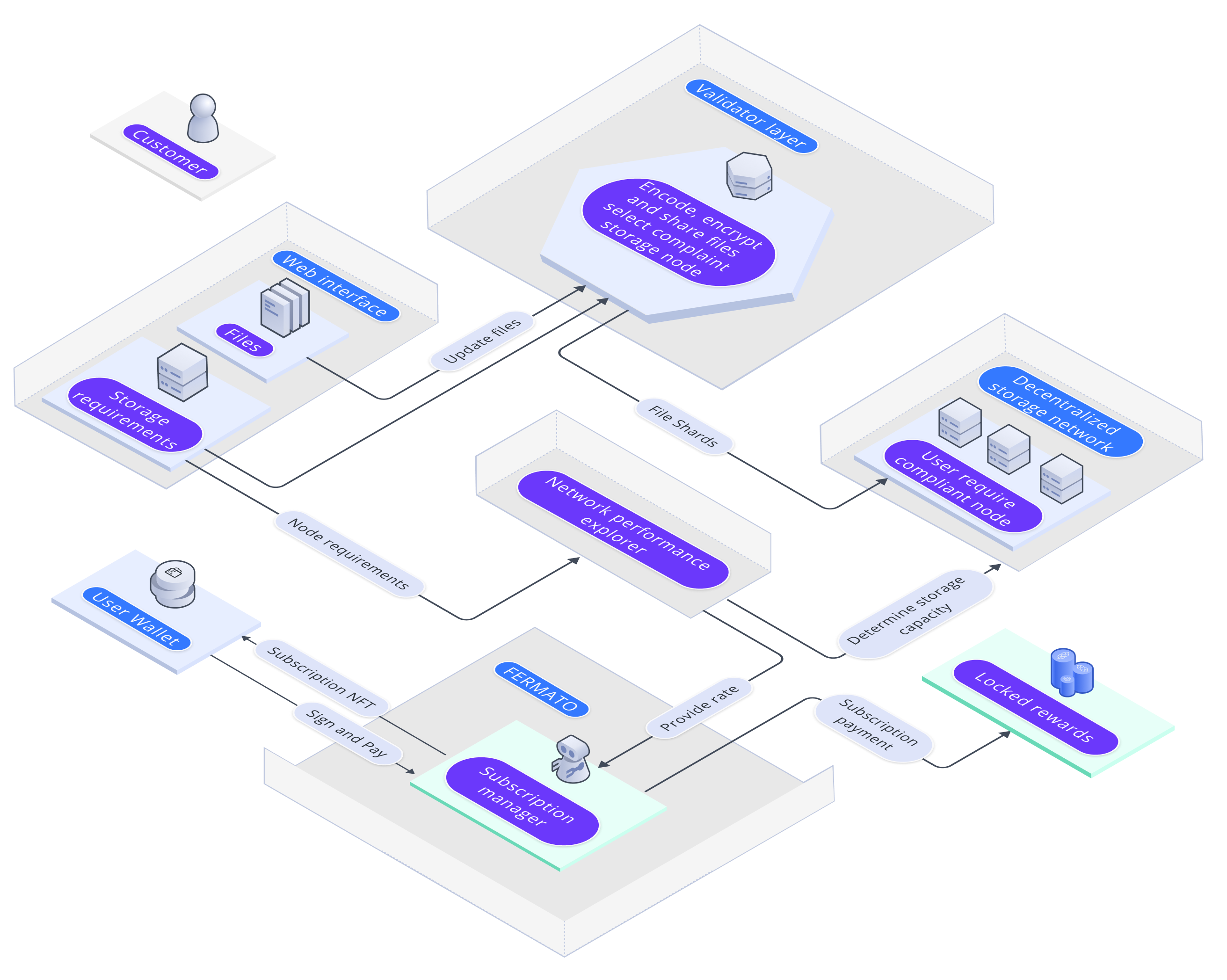[](https://docs.iagon.com/iagon-storage/detailed-storage-architecture/fermato#fermato-protocol "Direct link to fermato-protocol")
--------------------------------------------------------------------------------------------------------------------------------------------------------------------------------------------------------------------------------------------
The following sequence diagram is a schematic of the interactions that take place between the various components involved when storage consumers purchase storage or update their subscription through Fermato:
The flow is as follows[](https://docs.iagon.com/iagon-storage/detailed-storage-architecture/fermato#the-flow-is-as-follows "Direct link to The flow is as follows")
---------------------------------------------------------------------------------------------------------------------------------------------------------------------
1. Storage consumers specify the amount of storage they wish to purchase.
2. Fermato queries the price on the storage marketplace.
3. The marketplace determines the subscription price in stablecoins based on supply and demand of storage space and the transaction fee, expressed in ADA.
4. Fermato requests the storage consumer to make the payment.
5. The storage consumer sends the required number of stablecoins and ADA tokens to Fermato.
6. Fermato pays for the subscription cost in stablecoins and the transaction fee in ADA.
7. Fermato provides the subscription NFT to the storage consumer.
Content
* [Overview](https://docs.iagon.com/iagon-storage/detailed-storage-architecture/fermato#overview)
* [Fermato Protocol](https://docs.iagon.com/iagon-storage/detailed-storage-architecture/fermato#fermato-protocol)
* [The flow is as follows](https://docs.iagon.com/iagon-storage/detailed-storage-architecture/fermato#the-flow-is-as-follows)
---
# Iagon's decentralized cloud protocol documentation
[Skip to main content](https://docs.iagon.com/iagon-compute/compute-subscription#__docusaurus_skipToContent_fallback)
On this page
Overview[](https://docs.iagon.com/iagon-compute/compute-subscription#overview "Direct link to Overview")
----------------------------------------------------------------------------------------------------------
The prices are based on the cost per GB of storage, the amount of RAM in GB, and the number of CPU cores.
### Pricing Formula[](https://docs.iagon.com/iagon-compute/compute-subscription#pricing-formula "Direct link to Pricing Formula")
The pricing is calculated using the following formula:
Price = 4 * (CPU_cores + (RAM / 2) + (Storage / 100))
Where:
* `CPU_cores` is the number of CPU cores.
* `RAM` is the amount of RAM in GB.
* `Storage` is the storage amount in GB.
Content
* [Overview](https://docs.iagon.com/iagon-compute/compute-subscription#overview)
* [Pricing Formula](https://docs.iagon.com/iagon-compute/compute-subscription#pricing-formula)
---
# Iagon's decentralized cloud protocol documentation
[Skip to main content](https://docs.iagon.com/provide-resources/compute-testnet/testnet-updates-changelogs#__docusaurus_skipToContent_fallback)
On this page
Overview[](https://docs.iagon.com/provide-resources/compute-testnet/testnet-updates-changelogs#overview "Direct link to Overview")
------------------------------------------------------------------------------------------------------------------------------------
Stay informed about the latest improvements and changes in Iagon Compute Node by checking our updates and changelogs. We're committed to providing you with the best experience possible, and regular updates ensure that you have access to new features, enhancements, and bug fixes. Here's a summary of recent changes:
Testnet CLI[](https://docs.iagon.com/provide-resources/compute-testnet/testnet-updates-changelogs#testnet-cli "Direct link to Testnet CLI")
---------------------------------------------------------------------------------------------------------------------------------------------
### Version 0.4.0 (July 5, 2024)[](https://docs.iagon.com/provide-resources/compute-testnet/testnet-updates-changelogs#version-040-july-5-2024 "Direct link to Version 0.4.0 (July 5, 2024)")
Features:
* Multiple node version support (16,18,20 LTS)
* CLI update command
* Auto update on node start
### Version 0.3.0 (May 31, 2024)[](https://docs.iagon.com/provide-resources/compute-testnet/testnet-updates-changelogs#version-030-may-31-2024 "Direct link to Version 0.3.0 (May 31, 2024)")
Features:
* Usage Metrics Collection
* SSL Implementation
* UI Improvements
### Version 0.2.0 (May 14, 2024)[](https://docs.iagon.com/provide-resources/compute-testnet/testnet-updates-changelogs#version-020-may-14-2024 "Direct link to Version 0.2.0 (May 14, 2024)")
Features:
* Run Iagon apps (Node.js apps)
* VM isolation with KVM
* Nginx as a reverse proxy
* Removed SSH requirement
* API key authentication
* Task logs
### Version 0.1.0 (April 22, 2024)[](https://docs.iagon.com/provide-resources/compute-testnet/testnet-updates-changelogs#version-010-april-22-2024 "Direct link to Version 0.1.0 (April 22, 2024)")
Features:
* Running compute tasks
* Collecting benchmark metrics on intervals
* Sending heart beat on intervals
* Non-interactive start mode
* Staking functionality
* Ping timestamp and performance metrics
* Installation and execution of Cardano node (preview) on Iagon compute nodes
* Execution of Cardano CLI commands on Iagon compute nodes
### Version 0.0.1 (March 25, 2024)[](https://docs.iagon.com/provide-resources/compute-testnet/testnet-updates-changelogs#version--001-march-25-2024 "Direct link to Version 0.0.1 (March 25, 2024)")
Features:
* Device info collection
* Device evaluation
* Device registration
Content
* [Overview](https://docs.iagon.com/provide-resources/compute-testnet/testnet-updates-changelogs#overview)
* [Testnet CLI](https://docs.iagon.com/provide-resources/compute-testnet/testnet-updates-changelogs#testnet-cli)
* [Version 0.4.0 (July 5, 2024)](https://docs.iagon.com/provide-resources/compute-testnet/testnet-updates-changelogs#version-040-july-5-2024)
* [Version 0.3.0 (May 31, 2024)](https://docs.iagon.com/provide-resources/compute-testnet/testnet-updates-changelogs#version-030-may-31-2024)
* [Version 0.2.0 (May 14, 2024)](https://docs.iagon.com/provide-resources/compute-testnet/testnet-updates-changelogs#version-020-may-14-2024)
* [Version 0.1.0 (April 22, 2024)](https://docs.iagon.com/provide-resources/compute-testnet/testnet-updates-changelogs#version-010-april-22-2024)
* [Version 0.0.1 (March 25, 2024)](https://docs.iagon.com/provide-resources/compute-testnet/testnet-updates-changelogs#version--001-march-25-2024)
---
# Iagon's decentralized cloud protocol documentation
[Skip to main content](https://docs.iagon.com/provide-resources/compute-testnet/running-apps-testnet#__docusaurus_skipToContent_fallback)
On this page
dApps on Compute Node[](https://docs.iagon.com/provide-resources/compute-testnet/running-apps-testnet#dapps-on-compute-node "Direct link to dApps on Compute Node")
---------------------------------------------------------------------------------------------------------------------------------------------------------------------
Introducing Iagon Compute, a platform tailored to support applications deployed by compute subscribers on the Iagon decentralized compute network. Presently, our platform specifically caters to NodeJS applications.
Requirements for Running dApps[](https://docs.iagon.com/provide-resources/compute-testnet/running-apps-testnet#requirements-for-running-dapps "Direct link to Requirements for Running dApps")
------------------------------------------------------------------------------------------------------------------------------------------------------------------------------------------------
* Must be an Iagon app user
* The app must be a Node.js application (Tested for all LTS versions of Node.js: 16, 18, and 20.)
* The app must have a public Git repository
* You should specify the port your app will be listening on.
Usually, you can find this information in the index.js file of your application, resembling:
`app.listen(3000, '0.0.0.0', function ()`
info
Here, _**'3000'**_ represents the port number, and **'0.0.0.0'** stands for the host.
Please input the same values from your code into the form.
* The app should include build and start commands in the package.json file.
Build command: `npm run (build command you provided`) (leave blank if no build is required)
Start command: `npm run (start command you provided)`
Please ensure your code resembles the following structure in your package.josn:
info
{
"scripts": {
"start": "node index.js"
}
}
* You should provide any environment variables used by the app
note
* Only public repositories are supported
* Only Node.js apps are supported (Tested for all LTS versions of Node.js: 16, 18, and 20.)
### Technical Details[](https://docs.iagon.com/provide-resources/compute-testnet/running-apps-testnet#technical-details "Direct link to Technical Details")
* Each Iagon app runs inside its own isolated environment. Isolation is achieved by creating a new VM for each app using the KVM hypervisor.
How to run dApps[](https://docs.iagon.com/provide-resources/compute-testnet/running-apps-testnet#how-to-run-dapps "Direct link to How to run dApps")
------------------------------------------------------------------------------------------------------------------------------------------------------
To run an dApps, navigate to [app.stage.iagon.com](https://app.iagon.com/)
and go to the [web host](https://app.iagon.com/webhost)
section. In the "dApps" menu, click the "Add dApp" button to deploy your app to the Iagon network. Upon deployment, you will receive a domain URL for your app.
Additional Instructions[](https://docs.iagon.com/provide-resources/compute-testnet/running-apps-testnet#additional-instructions "Direct link to Additional Instructions")
---------------------------------------------------------------------------------------------------------------------------------------------------------------------------
Follow these steps for deploying your dApp with screenshots for guidance:
### Click Webhost, view dApps[](https://docs.iagon.com/provide-resources/compute-testnet/running-apps-testnet#click-webhost-view-dapps "Direct link to Click Webhost, view dApps")
* Click on Webhost, dApps menu should be displayed
note
If we haven't subscribed to storage, we can only view the dApp hosting option.
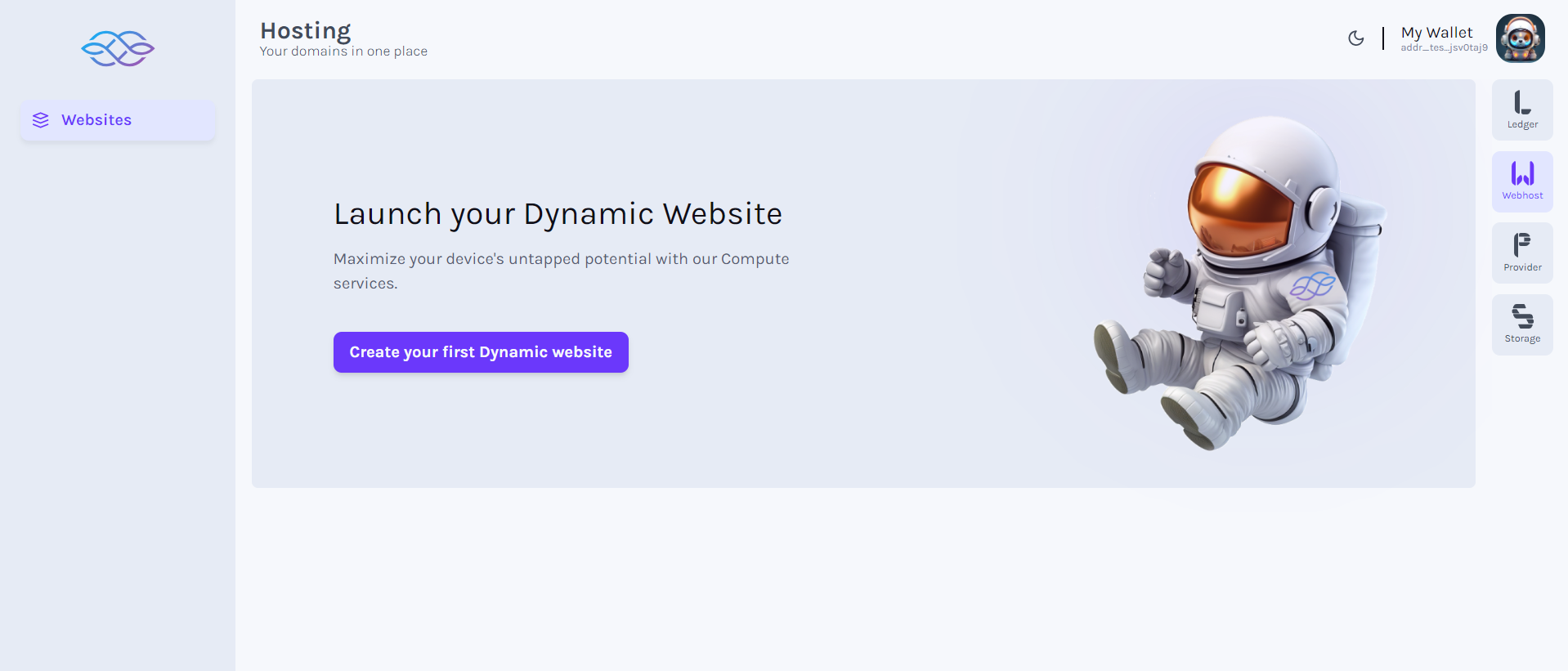
### Click dApp (Launch page if no dApp)[](https://docs.iagon.com/provide-resources/compute-testnet/running-apps-testnet#click-dapp-launch-page-if-no-dapp "Direct link to Click dApp (Launch page if no dApp)")
* Click on dApps menu (Launch page should be displayed if dApp has not been added yet)
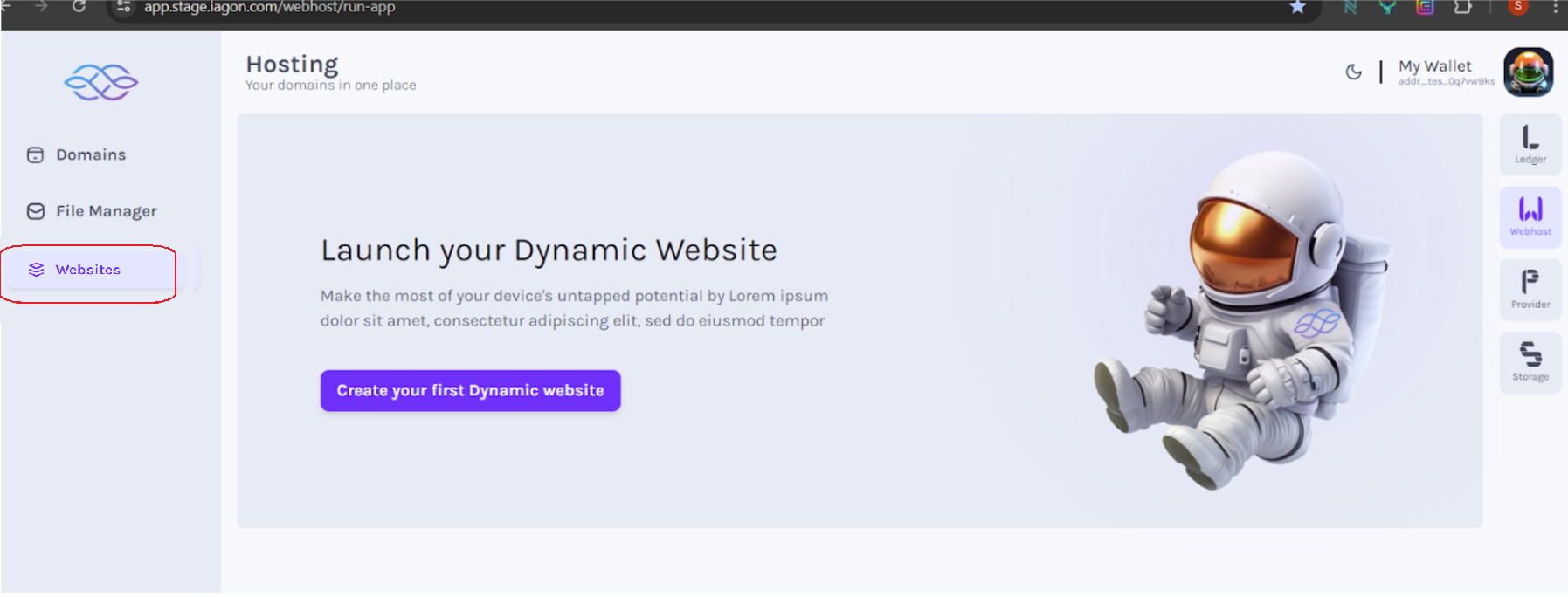
### Click Run App (List of dApps)[](https://docs.iagon.com/provide-resources/compute-testnet/running-apps-testnet#click-run-app-list-of-dapps "Direct link to Click Run App (List of dApps)")
* Click on dApp menu (List of added dApp should be displayed with its proper data and status with button to add dApp)

### Click Add dApp (Clear node status)[](https://docs.iagon.com/provide-resources/compute-testnet/running-apps-testnet#click-add-dapp-clear-node-status "Direct link to Click Add dApp (Clear node status)")
* Click on the Add dApp button (All the nodes status should be deleted before adding new one)
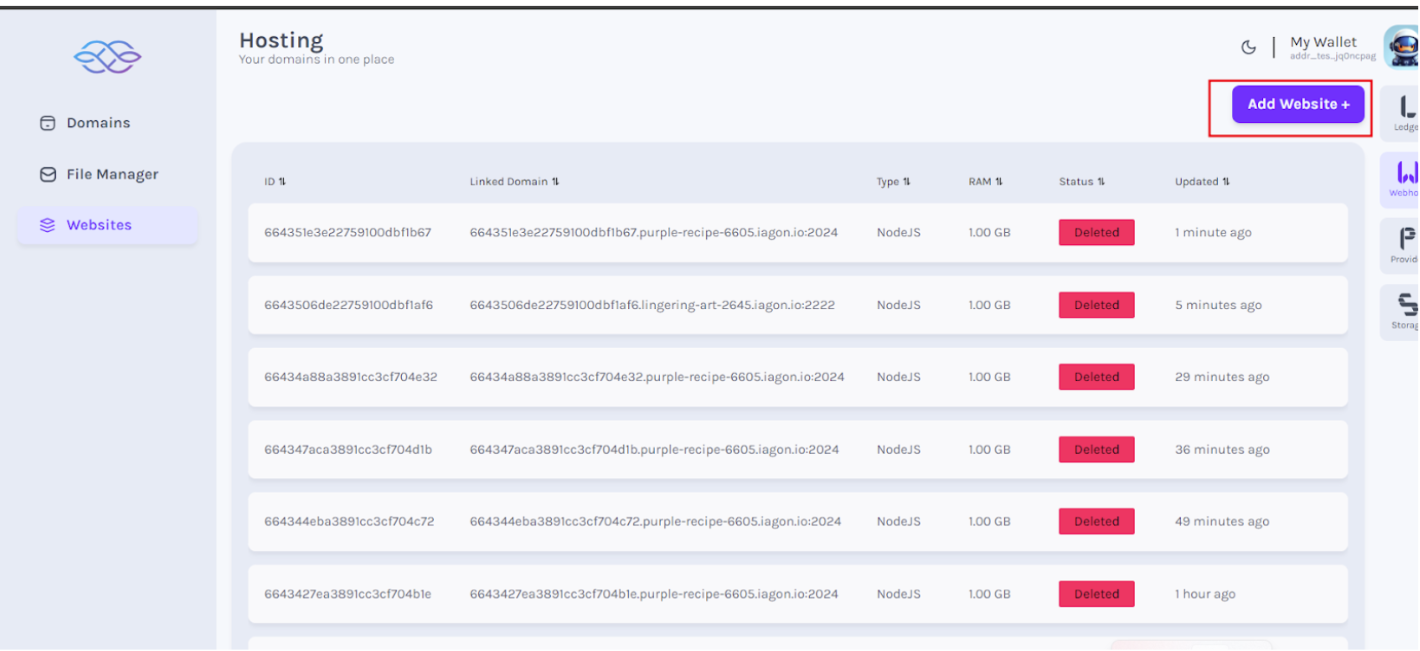
### Choose subscription plan[](https://docs.iagon.com/provide-resources/compute-testnet/running-apps-testnet#choose-subscription-plan "Direct link to Choose subscription plan")
* Form should be displayed to enter details to choose subscription plan
### Subscription payment[](https://docs.iagon.com/provide-resources/compute-testnet/running-apps-testnet#subscription-payment "Direct link to Subscription payment")
* Sign the transaction to pay for the subscription.
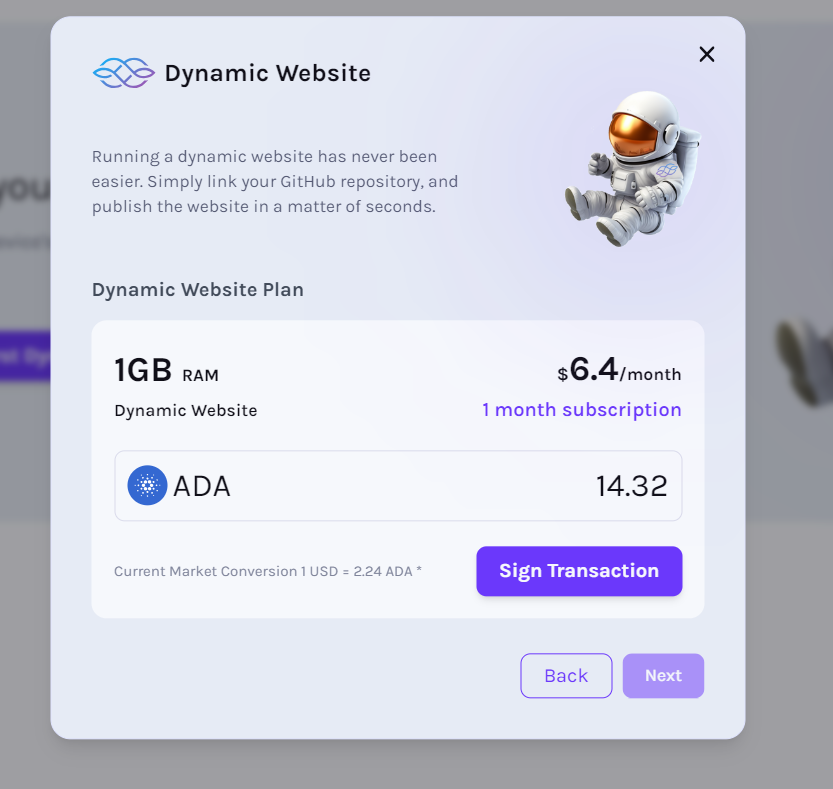
### Choose paid available plans[](https://docs.iagon.com/provide-resources/compute-testnet/running-apps-testnet#choose-paid-available-plans "Direct link to Choose paid available plans")
* Choose from the available paid plans to host your dApp.
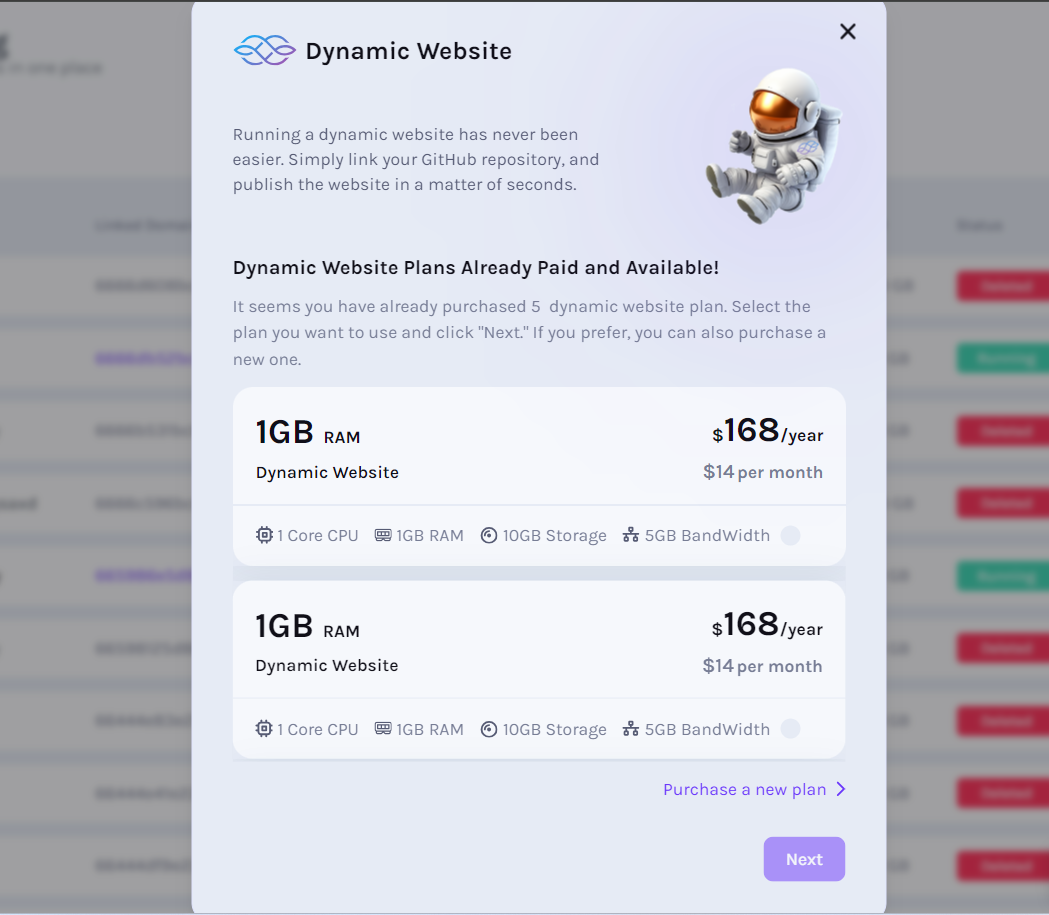
### Enter app details[](https://docs.iagon.com/provide-resources/compute-testnet/running-apps-testnet#enter-app-details "Direct link to Enter app details")
* Form should be displayed to enter details of the dApp
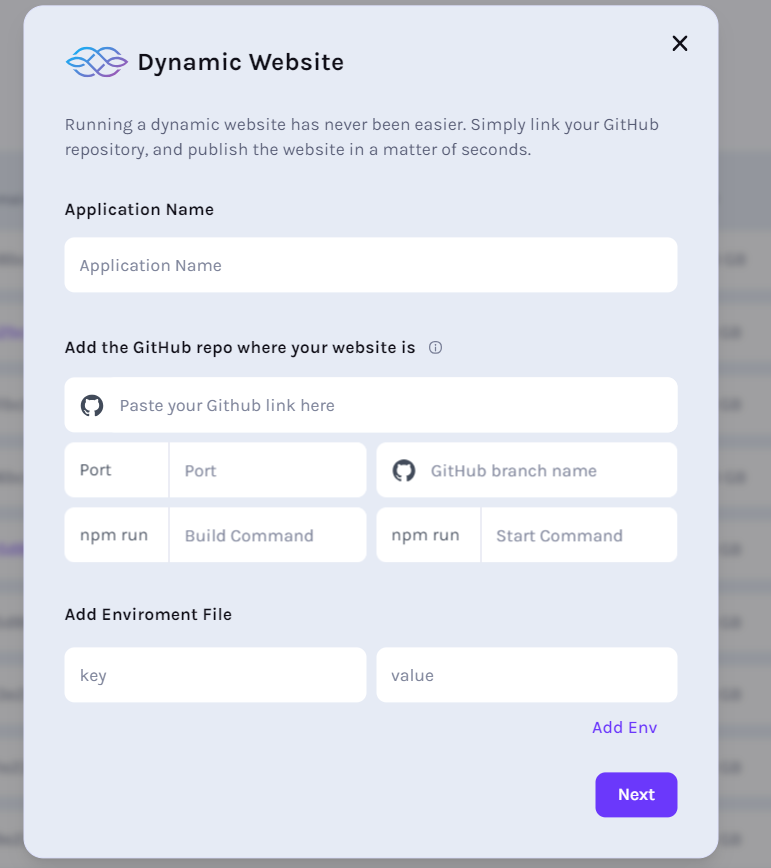
#### Fill required fields[](https://docs.iagon.com/provide-resources/compute-testnet/running-apps-testnet#fill-required-fields "Direct link to Fill required fields")
* Enter valid data in all the required fields as per necessity. For reference, please refer to [requirements](https://docs.iagon.com/provide-resources/compute-testnet/running-apps-testnet#requirements-for-running-iagon-apps)
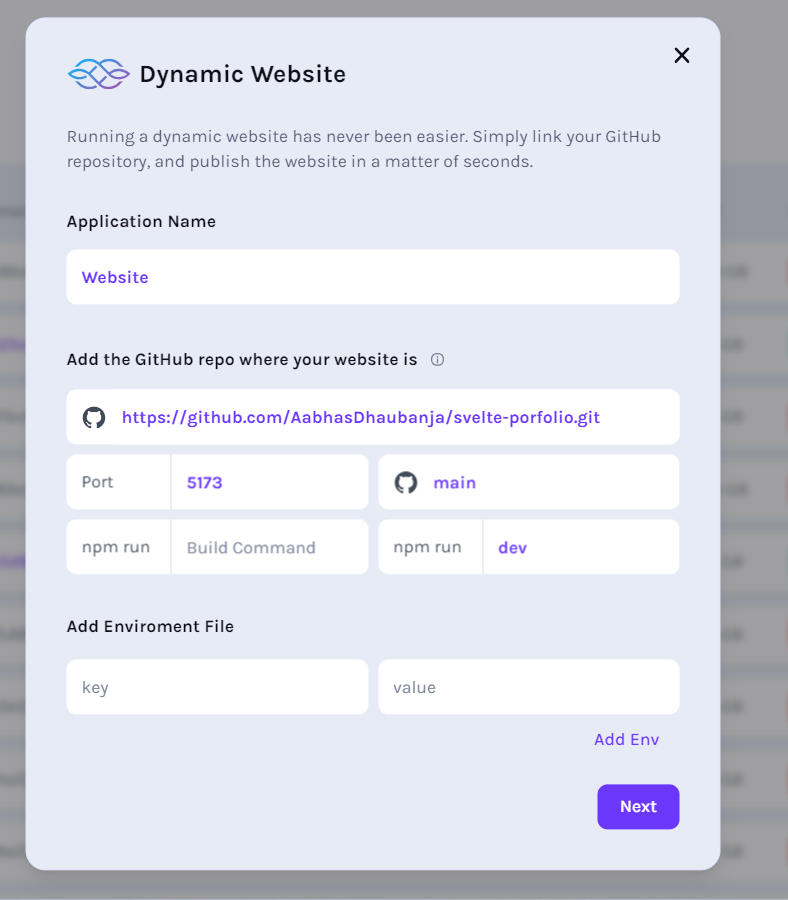
* **For the GitHub link**, please navigate to your repository's code page. Locate the "Code" button, which may be accompanied by a dropdown menu, as shown in the screenshot. Copy the GitHub repository link from there.
note
Please refrain from copying the URL shown in the browser's address bar.
* Paste the copied GitHub repository link into the form.
* **Regarding the branch**
Referencing the screenshot, identify the name of the branch you are currently working on. This branch name should be added to the form accordingly. If it is the default branch, please include its name in the form.

### Click Next[](https://docs.iagon.com/provide-resources/compute-testnet/running-apps-testnet#click-next "Direct link to Click Next")
* Click on the Next button after entering valid data in all required field
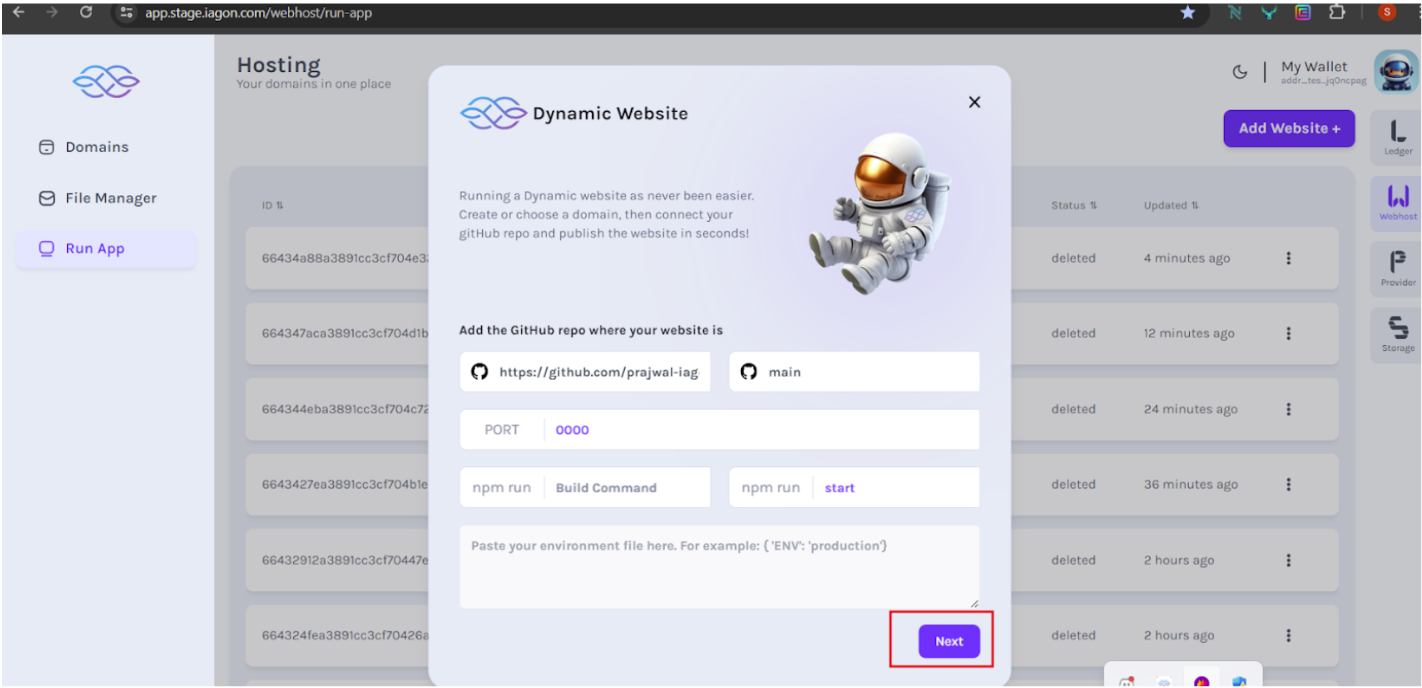
### View deployment page[](https://docs.iagon.com/provide-resources/compute-testnet/running-apps-testnet#view-deployment-page "Direct link to View deployment page")
* Another page should be displayed indicating app is being deployed
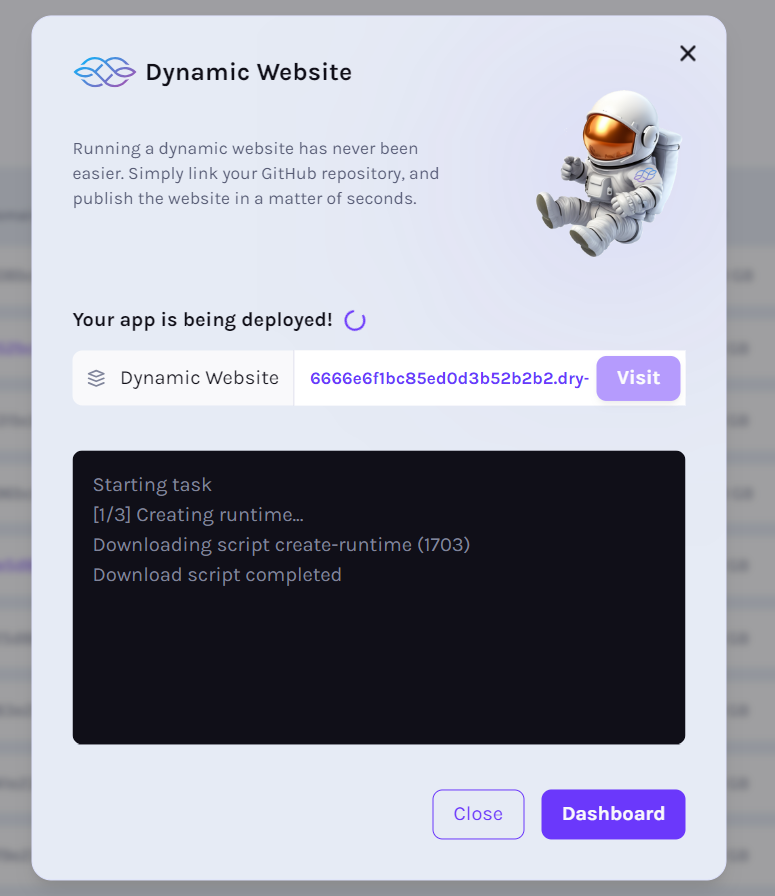
### Visit button enabled[](https://docs.iagon.com/provide-resources/compute-testnet/running-apps-testnet#visit-button-enabled "Direct link to Visit button enabled")
* Visit button should be enabled after deployed is completed
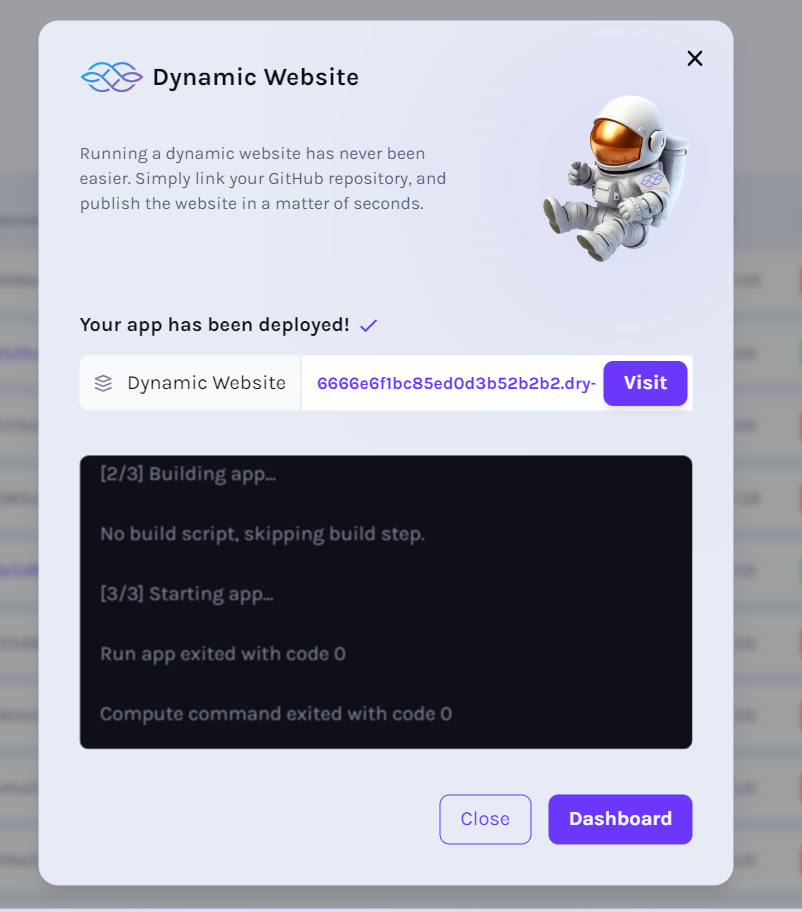
### App list shows Running[](https://docs.iagon.com/provide-resources/compute-testnet/running-apps-testnet#app-list-shows-running "Direct link to App list shows Running")
* After added, app list should be displayed at top with Running status
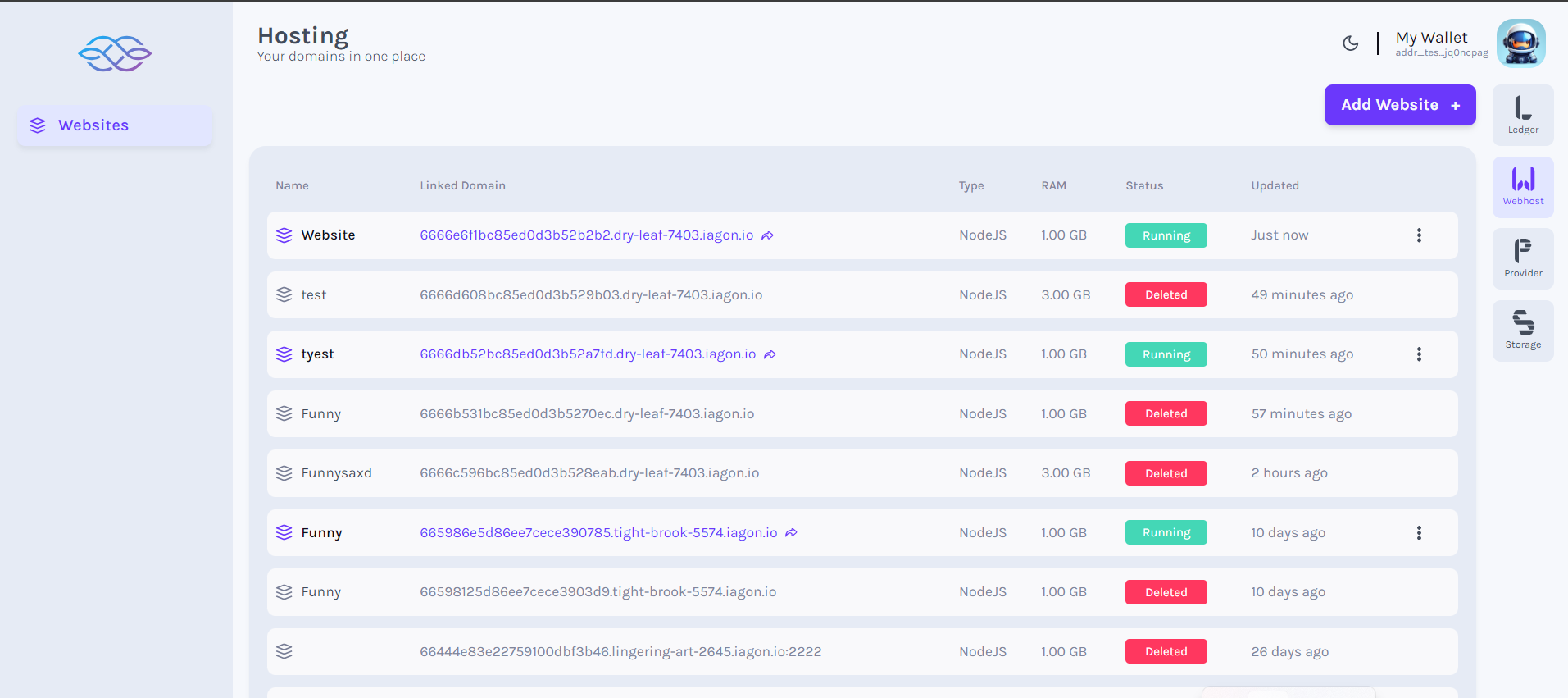
### Delete dApp (Click three dots)[](https://docs.iagon.com/provide-resources/compute-testnet/running-apps-testnet#delete-dapp-click-three-dots "Direct link to Delete dApp (Click three dots)")
* After adding the dApp, we can delete it. Click on 3 dot button on the web
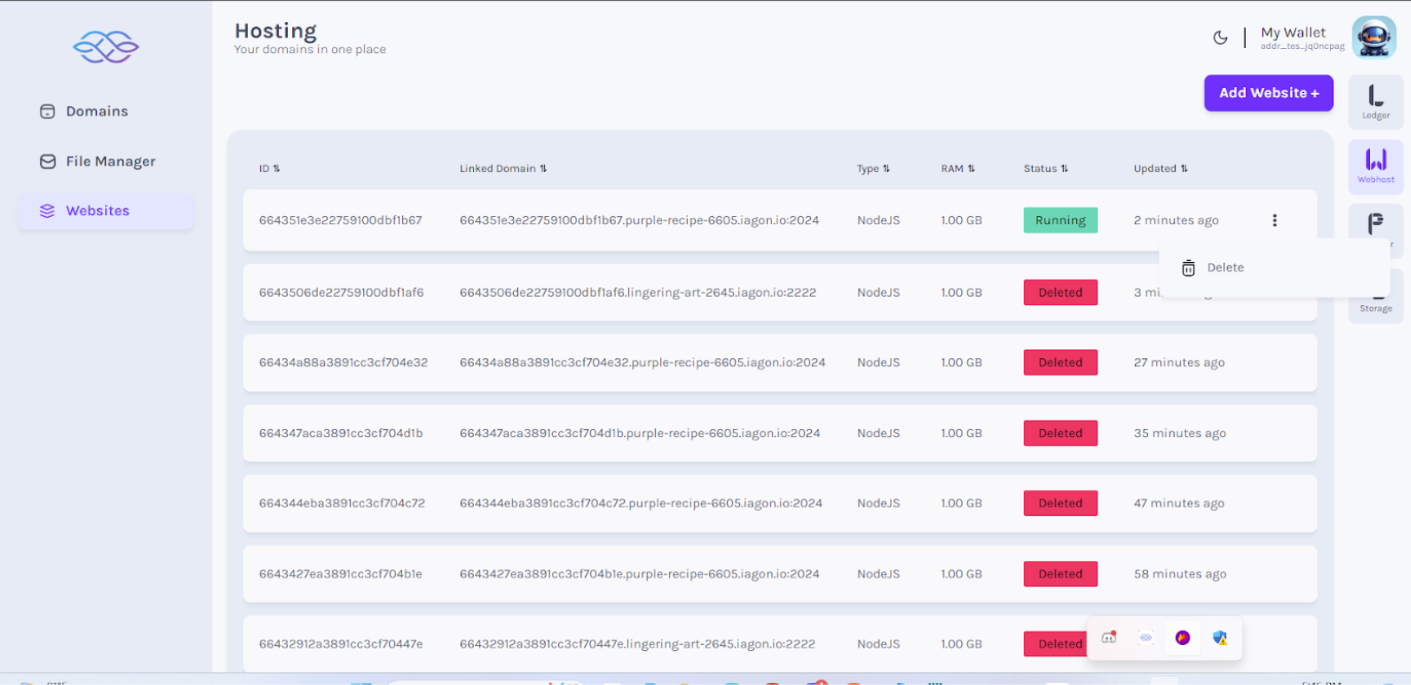
### View delete success message[](https://docs.iagon.com/provide-resources/compute-testnet/running-apps-testnet#view-delete-success-message "Direct link to View delete success message")
* Successfully deleted message to be displayed
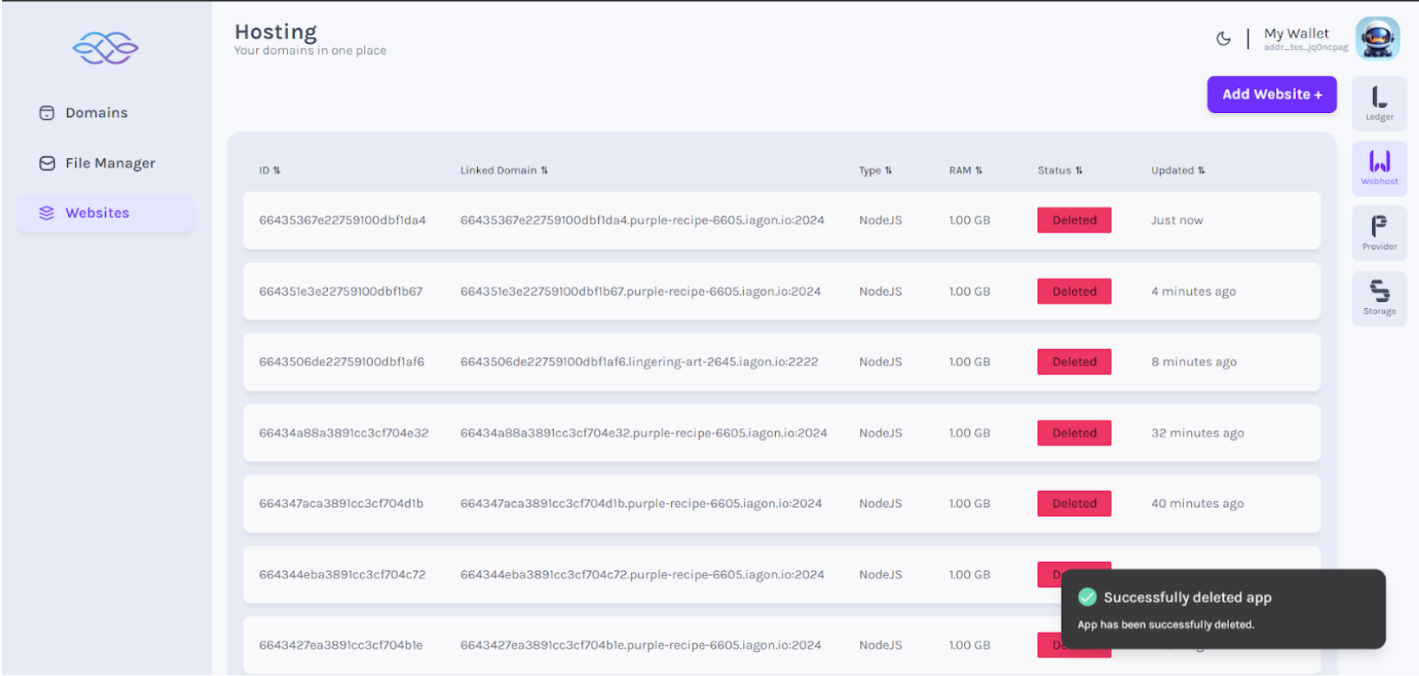
Content
* [dApps on Compute Node](https://docs.iagon.com/provide-resources/compute-testnet/running-apps-testnet#dapps-on-compute-node)
* [Requirements for Running dApps](https://docs.iagon.com/provide-resources/compute-testnet/running-apps-testnet#requirements-for-running-dapps)
* [Technical Details](https://docs.iagon.com/provide-resources/compute-testnet/running-apps-testnet#technical-details)
* [How to run dApps](https://docs.iagon.com/provide-resources/compute-testnet/running-apps-testnet#how-to-run-dapps)
* [Additional Instructions](https://docs.iagon.com/provide-resources/compute-testnet/running-apps-testnet#additional-instructions)
* [Click Webhost, view dApps](https://docs.iagon.com/provide-resources/compute-testnet/running-apps-testnet#click-webhost-view-dapps)
* [Click dApp (Launch page if no dApp)](https://docs.iagon.com/provide-resources/compute-testnet/running-apps-testnet#click-dapp-launch-page-if-no-dapp)
* [Click Run App (List of dApps)](https://docs.iagon.com/provide-resources/compute-testnet/running-apps-testnet#click-run-app-list-of-dapps)
* [Click Add dApp (Clear node status)](https://docs.iagon.com/provide-resources/compute-testnet/running-apps-testnet#click-add-dapp-clear-node-status)
* [Choose subscription plan](https://docs.iagon.com/provide-resources/compute-testnet/running-apps-testnet#choose-subscription-plan)
* [Subscription payment](https://docs.iagon.com/provide-resources/compute-testnet/running-apps-testnet#subscription-payment)
* [Choose paid available plans](https://docs.iagon.com/provide-resources/compute-testnet/running-apps-testnet#choose-paid-available-plans)
* [Enter app details](https://docs.iagon.com/provide-resources/compute-testnet/running-apps-testnet#enter-app-details)
* [Click Next](https://docs.iagon.com/provide-resources/compute-testnet/running-apps-testnet#click-next)
* [View deployment page](https://docs.iagon.com/provide-resources/compute-testnet/running-apps-testnet#view-deployment-page)
* [Visit button enabled](https://docs.iagon.com/provide-resources/compute-testnet/running-apps-testnet#visit-button-enabled)
* [App list shows Running](https://docs.iagon.com/provide-resources/compute-testnet/running-apps-testnet#app-list-shows-running)
* [Delete dApp (Click three dots)](https://docs.iagon.com/provide-resources/compute-testnet/running-apps-testnet#delete-dapp-click-three-dots)
* [View delete success message](https://docs.iagon.com/provide-resources/compute-testnet/running-apps-testnet#view-delete-success-message)
---
# Iagon's decentralized cloud protocol documentation
[Skip to main content](https://docs.iagon.com/developers/api#__docusaurus_skipToContent_fallback)
On this page
Overview[](https://docs.iagon.com/developers/api#overview "Direct link to Overview")
--------------------------------------------------------------------------------------
You can interact with the Iagon API via the [Postman link](https://api.docs.iagon.com/)
. A Personal Access Token is required to test auth-protected APIs. Please [log in](https://app.iagon.com/)
and go to your settings page to generate a Personal Access Token.
Content
* [Overview](https://docs.iagon.com/developers/api#overview)
---
# Iagon's decentralized cloud protocol documentation
[Skip to main content](https://docs.iagon.com/roadmap/#__docusaurus_skipToContent_fallback)
On this page
What's Coming Next[](https://docs.iagon.com/roadmap/#whats-coming-next "Direct link to What's Coming Next")
-------------------------------------------------------------------------------------------------------------
* Storage marketplace
* Staking Platform - Shared revenue from protocol, fees collected from all use cases to be shared according to proportional amount of IAG staked
* Bee-Hive architecture - Offloading all backend tasks such as sharding and encryption to publicly operated nodes
* LedgerFlow Suite overhault with new features
* User Access Roles for enterprise users
* Data Access for private user - Enables full transparency of sensitive information to users
* Partnership programs
* Ambassador program
* Statur Reputational Model
* File availibility optimization second iteration
* NFT Airdrop for holders & stakers, including ICO, ISPO, LP reward program participants
* Entire Security & Architectural Audit
* GDPR Compliance Tracker for enterprise use
* DAO launch
* Network Explorer
* Integrate Statur with Iagon decentralized cloud services
* Browser extension to enable the browsing of Iagon web content (content delivery network)
* Iagon protocol
* Pilots onboarding
* Decentralized AI Alexandria Protocol Release to manage and allocate spare resources
* Fluxion - Query Language
* dApps building around spare compute and storage
Achieved Milestones[](https://docs.iagon.com/roadmap/#achieved-milestones "Direct link to Achieved Milestones")
-----------------------------------------------------------------------------------------------------------------
* Decentralized Compute first iteration
* Voting Power
* Subscription manager
* Decentralized Storage mainnet
* Website Hosting
* Tokenomics on Cardano update
* Decentralized Storage
* Agora System First Iteration
* API for Resources Providers
* LedgerFlow release
* Fresh Website Release & Platform UI/UX updates
* MVP Beta Test Release for Public Users
* MVP Alpha Tests for Private Users with New UI
* IAG Token Migration to Cardano
* ISPO Holding in partnership with Maestro
* MVP Demo On Cardano Release
* MVP demo to onboard selected enterprise resource providers
* Utility/Rewards model for IAG holders
* Implemented Encryption
* Iagon patent published in EU
* Cardano Summit - Agora public file system announced
* IDO: 3,600,000 USD raised
* IAG ERC-20 token released
* POC storage testnet released on Ethereum
* Iagon patent published internationally
* Approved by Norway Skattefunn for tax incentives (Norwegian government program)
* Government grants from Innovation Norway
* ICO: 550,000 USD raised
Content
* [What's Coming Next](https://docs.iagon.com/roadmap/#whats-coming-next)
* [Achieved Milestones](https://docs.iagon.com/roadmap/#achieved-milestones)
---
# Running Iagon Storage Node with WMT Earth Node | Iagon's decentralized cloud protocol documentation
[Skip to main content](https://docs.iagon.com/wmt/#__docusaurus_skipToContent_fallback)
On this page
Overview[](https://docs.iagon.com/wmt/#overview "Direct link to Overview")
----------------------------------------------------------------------------
Steps to run the CLI:[](https://docs.iagon.com/wmt/#steps-to-run-the-cli "Direct link to Steps to run the CLI:")
------------------------------------------------------------------------------------------------------------------
* SSH into your Earth Node
* Download the executable from [Github Release](https://github.com/Iagonorg/mainnet-node-CLI/releases)
* Once downloaded navigate to the path where the executable is located.
* Use '-h' option the view list of available commands

### Start[](https://docs.iagon.com/wmt/#start "Direct link to Start")
* To begin, initiate the node by entering the 'start' command. If it's your first time, you'll be prompted to input the path, port, and storage location for committing.

### Registration and Authorization[](https://docs.iagon.com/wmt/#registration-and-authorization "Direct link to Registration and Authorization")
* After registering the node, it will provide an authentication key. This key can be utilized to activate the node and track its performance via [https://app.iagon.com/provider](https://app.iagon.com/provider)
.
* To view information about the node, utilize the command 'get:info'.

### Status Check[](https://docs.iagon.com/wmt/#status-check "Direct link to Status Check")
* We can check the running status of the node by using the command 'get:status'.

* We can check the verification status of the node by using the command 'get:verification'.

### Node Activation and Authentication[](https://docs.iagon.com/wmt/#node-activation-and-authentication "Direct link to Node Activation and Authentication")
* If the node has not been activated, we can generate a new authentication key using the command 'key:regenerate'.

### Stop[](https://docs.iagon.com/wmt/#stop "Direct link to Stop")
* We can stop the node by using the command 'stop'.

### Bandwidth Test[](https://docs.iagon.com/wmt/#bandwidth-test "Direct link to Bandwidth Test")
* We can perform a bandwidth test using the command 'test:bw'

### Read Write Test[](https://docs.iagon.com/wmt/#read-write-test "Direct link to Read Write Test")
* We can perform a read-write test using the command 'test:rw'.

### Restart[](https://docs.iagon.com/wmt/#restart "Direct link to Restart")
* We can restart the node using the 'restart' command.
\*\*
### CLI Setup Demonstration[](https://docs.iagon.com/wmt/#cli-setup-demonstration "Direct link to CLI Setup Demonstration")
Steps to Stake and Verify Node[](https://docs.iagon.com/wmt/#steps-to-stake-and-verify-node "Direct link to Steps to Stake and Verify Node")
----------------------------------------------------------------------------------------------------------------------------------------------
### Selecting Wallet and Logging In[](https://docs.iagon.com/wmt/#selecting-wallet-and-logging-in "Direct link to Selecting Wallet and Logging In")
* Please navigate to [https://app.iagon.com](https://app.iagon.com/)
.
* Please select the wallet of your choice to log in.

### Navigating to the Provider[](https://docs.iagon.com/wmt/#navigating-to-the-provider "Direct link to Navigating to the Provider")
* Please navigate to the provider by clicking on the Provider icon located in the navigation menu on the right side of the screen.

### Adding a Node[](https://docs.iagon.com/wmt/#adding-a-node "Direct link to Adding a Node")
* Please click on the 'Add Node' button. A pop-up will appear, prompting us to enter the Name and Auth Key for the node.

### Scanning and Reviewing Node Information[](https://docs.iagon.com/wmt/#scanning-and-reviewing-node-information "Direct link to Scanning and Reviewing Node Information")
* Please enter the Name for the node and the Auth Key, then press 'Scan Node'. A different pop-up will appear, displaying information about the node, committed storage, and the required tokens to be staked

### Confirming Transaction for Staking[](https://docs.iagon.com/wmt/#confirming-transaction-for-staking "Direct link to Confirming Transaction for Staking")
* It will prompt you to confirm the transaction to sign and submit the transaction in order to place the stake.

### Completing Node Addition and Viewing[](https://docs.iagon.com/wmt/#completing-node-addition-and-viewing "Direct link to Completing Node Addition and Viewing")
* After the transaction is submitted it will take a few minutes for it to be confirmed. Once completed, a success message will be displayed, indicating that the node has been successfully added. We can then view our nodes by navigating to the 'Nodes' section from the navigation menu on the left side of the screen.

### Monitoring and Viewing Node Details[](https://docs.iagon.com/wmt/#monitoring-and-viewing-node-details "Direct link to Monitoring and Viewing Node Details")
* To monitor and view details about the node, please click on the desired node from the list of available nodes

### Regenerating Authentication Key[](https://docs.iagon.com/wmt/#regenerating-authentication-key "Direct link to Regenerating Authentication Key")
* We can also regenerate the authentication key for the node by clicking on 'Regenerate Auth Key' located at the bottom right of the screen.

### Demonstration for staking tokens and activating Node[](https://docs.iagon.com/wmt/#demonstration-for-staking-tokens-and-activating-node "Direct link to Demonstration for staking tokens and activating Node")
Content
* [Overview](https://docs.iagon.com/wmt/#overview)
* [Steps to run the CLI:](https://docs.iagon.com/wmt/#steps-to-run-the-cli)
* [Start](https://docs.iagon.com/wmt/#start)
* [Registration and Authorization](https://docs.iagon.com/wmt/#registration-and-authorization)
* [Status Check](https://docs.iagon.com/wmt/#status-check)
* [Node Activation and Authentication](https://docs.iagon.com/wmt/#node-activation-and-authentication)
* [Stop](https://docs.iagon.com/wmt/#stop)
* [Bandwidth Test](https://docs.iagon.com/wmt/#bandwidth-test)
* [Read Write Test](https://docs.iagon.com/wmt/#read-write-test)
* [Restart](https://docs.iagon.com/wmt/#restart)
* [CLI Setup Demonstration](https://docs.iagon.com/wmt/#cli-setup-demonstration)
* [Steps to Stake and Verify Node](https://docs.iagon.com/wmt/#steps-to-stake-and-verify-node)
* [Selecting Wallet and Logging In](https://docs.iagon.com/wmt/#selecting-wallet-and-logging-in)
* [Navigating to the Provider](https://docs.iagon.com/wmt/#navigating-to-the-provider)
* [Adding a Node](https://docs.iagon.com/wmt/#adding-a-node)
* [Scanning and Reviewing Node Information](https://docs.iagon.com/wmt/#scanning-and-reviewing-node-information)
* [Confirming Transaction for Staking](https://docs.iagon.com/wmt/#confirming-transaction-for-staking)
* [Completing Node Addition and Viewing](https://docs.iagon.com/wmt/#completing-node-addition-and-viewing)
* [Monitoring and Viewing Node Details](https://docs.iagon.com/wmt/#monitoring-and-viewing-node-details)
* [Regenerating Authentication Key](https://docs.iagon.com/wmt/#regenerating-authentication-key)
* [Demonstration for staking tokens and activating Node](https://docs.iagon.com/wmt/#demonstration-for-staking-tokens-and-activating-node)
---
# Iagon's decentralized cloud protocol documentation
[Skip to main content](https://docs.iagon.com/provide-resources/compute-testnet/testnet-node-cli#__docusaurus_skipToContent_fallback)
On this page
Registering Iagon Compute Node using Compute Node CLI[](https://docs.iagon.com/provide-resources/compute-testnet/testnet-node-cli#registering-iagon-compute-node-using-compute-node-cli "Direct link to Registering Iagon Compute Node using Compute Node CLI")
-----------------------------------------------------------------------------------------------------------------------------------------------------------------------------------------------------------------------------------------------------------------
Iagon Compute Node CLI is a CLI application which allows users to share their computational power on the Iagon network to earn rewards.
This document provides step-by-step instructions to help you install and set up Iagon Compute Node CLI on your system. Currently only Linux based OS are supported.
Running Cardano Node CLI commands as a Compute task[](https://docs.iagon.com/provide-resources/compute-testnet/testnet-node-cli#running-cardano-node-cli-commands-as-a-compute-task "Direct link to Running Cardano Node CLI commands as a Compute task")
-----------------------------------------------------------------------------------------------------------------------------------------------------------------------------------------------------------------------------------------------------------
Users can execute cardano-cli commands by specifying the arguments in the textarea and then clicking the "Run Command" button. For commands that require a file as input, there is an input form field available for specifying the filename in the command and providing the contents for that file.
Installation[](https://docs.iagon.com/provide-resources/compute-testnet/testnet-node-cli#installation "Direct link to Installation")
--------------------------------------------------------------------------------------------------------------------------------------
You can download the Official Compute Node CLI binary from the [Iagon's Github Release page](https://github.com/Iagonorg/Testnet-Compute-Node/releases)
. Once downloaded, navigate to the CLI binary and mark it as executable:
chmod +rwx ./iag-cli-linux
Iagon Compute Node depends on 3rd party trusted packages to perform various benchmarks. These benchmarks help track the current performance and availability of the node in the Iagon Network for use. These packages don't come bundled with the Iagon Compute Node CLI binary and have to be installed by the user.
### Minimum System Requirements[](https://docs.iagon.com/provide-resources/compute-testnet/testnet-node-cli#minimum-system-requirements "Direct link to Minimum System Requirements")
* OS: Linux (Ubuntu 22.04)
* CPU Cores Count = 4
* Memory = 8 GB
* CPU base ClockSpeed = 2 Ghz
* Storage = 100 GB
* Sequential Read Speed = 5000 Mbps
* Sequential Write Speed = 5000 Mbps
* Random Read Speed = 300 Mbps
* Random Write Speed = 300 Mbps
* Maximum Ping = 100
* Maximum latency = 100
* Upload Speed = 150 Mbps
* Download Speed = 150 Mbps
* Memory Read Speed = 45000 Mbps
* Memory Write Speed = 40000 Mbps
* CPU EPS (Sysbench) Value = 20
note
These minimum system requirements are specifically for Previewnet.
### Prerequisites[](https://docs.iagon.com/provide-resources/compute-testnet/testnet-node-cli#prerequisites "Direct link to Prerequisites")
Before installing the Compute Node CLI, ensure the following prerequisites are met:
#### Port Forwarding[](https://docs.iagon.com/provide-resources/compute-testnet/testnet-node-cli#port-forwarding "Direct link to Port Forwarding")
Enable port forwarding for both ssh server and the compute node binary on a static ip. These ports are to be provided during registration process and should be accessible from the internet.
#### Openssh Server[](https://docs.iagon.com/provide-resources/compute-testnet/testnet-node-cli#openssh-server "Direct link to Openssh Server")
OpenSSH Server is required for remote access of Compute Nodes. If not already installed, you can install it via apt:
sudo apt install openssh-server
After the installation, ensure that openssh server is running. The user is prompted to provide the ssh port and user credential duing the registration process from the CLI. For testing it is recommended to create a separate ssh user with minimum/restricted permissions.
#### FIO[](https://docs.iagon.com/provide-resources/compute-testnet/testnet-node-cli#fio "Direct link to FIO")
FIO is a powerful tool for testing I/O performance. Follow the installation instructions from [FIO's Github repository](https://github.com/axboe/fio)
, or install it via apt:
sudo apt install fio
#### sysbench[](https://docs.iagon.com/provide-resources/compute-testnet/testnet-node-cli#sysbench "Direct link to sysbench")
Sysbench is a versatile benchmarking tool for evaluating system CPU and memory performances. Installation instructions can be found on [sysbench's Github repository](https://github.com/akopytov/sysbench)
, or you can install it via apt:
sudo apt install sysbench
Usage[](https://docs.iagon.com/provide-resources/compute-testnet/testnet-node-cli#usage "Direct link to Usage")
-----------------------------------------------------------------------------------------------------------------
Once the binary and the necessary dependencies are installed, you can use the Compute Node CLI. There are various commands available in the CLI to make the on-boarding/registration process easier. The user can start the node and execute various test commands to check the hardware status of the node.
Commands[](https://docs.iagon.com/provide-resources/compute-testnet/testnet-node-cli#commands "Direct link to Commands")
--------------------------------------------------------------------------------------------------------------------------
Execute the following commands, as: `./iag-compute-cli some-command`
1. **start**
Evaluate/Register the host machine as compute node or start compute node if already evaluated.
2. **stop**
Stop compute node (if already running)
3. **status**
Check running status of compute node
4. **check**
Check if the system adhere to prerequisite criteria
5. **info**
Extract basic information about the system
6. **test-node**
Test if the node is accessible from the internet
7. **clear-config**
Clear the configurations
8. **benchmark-memory**
Run memory tests and benchmark for the host machine
9. **benchmark-cpu**
Run cpu tests and benchmark for the host machine
10. **benchmark-storage**
Run storage i/o tests and benchmark for the host machine
11. **benchmark-network**
Run network tests and benchmark for the host machine
12. **help**
Display help for command
Node Integration[](https://docs.iagon.com/provide-resources/compute-testnet/testnet-node-cli#node-integration "Direct link to Node Integration")
--------------------------------------------------------------------------------------------------------------------------------------------------
### Adding Node[](https://docs.iagon.com/provide-resources/compute-testnet/testnet-node-cli#adding-node "Direct link to Adding Node")
* Navigate to the 'Provider' section to begin.
* In the Provider dashboard, find 'Compute' on the left-hand menu bar.
* Click on 'Compute node' to reach the page with the 'Add Node' button.
* Click the 'Add Node' button to proceed to the screen displayed in the screenshot.
* As shown in the UI, we have to add Auth key
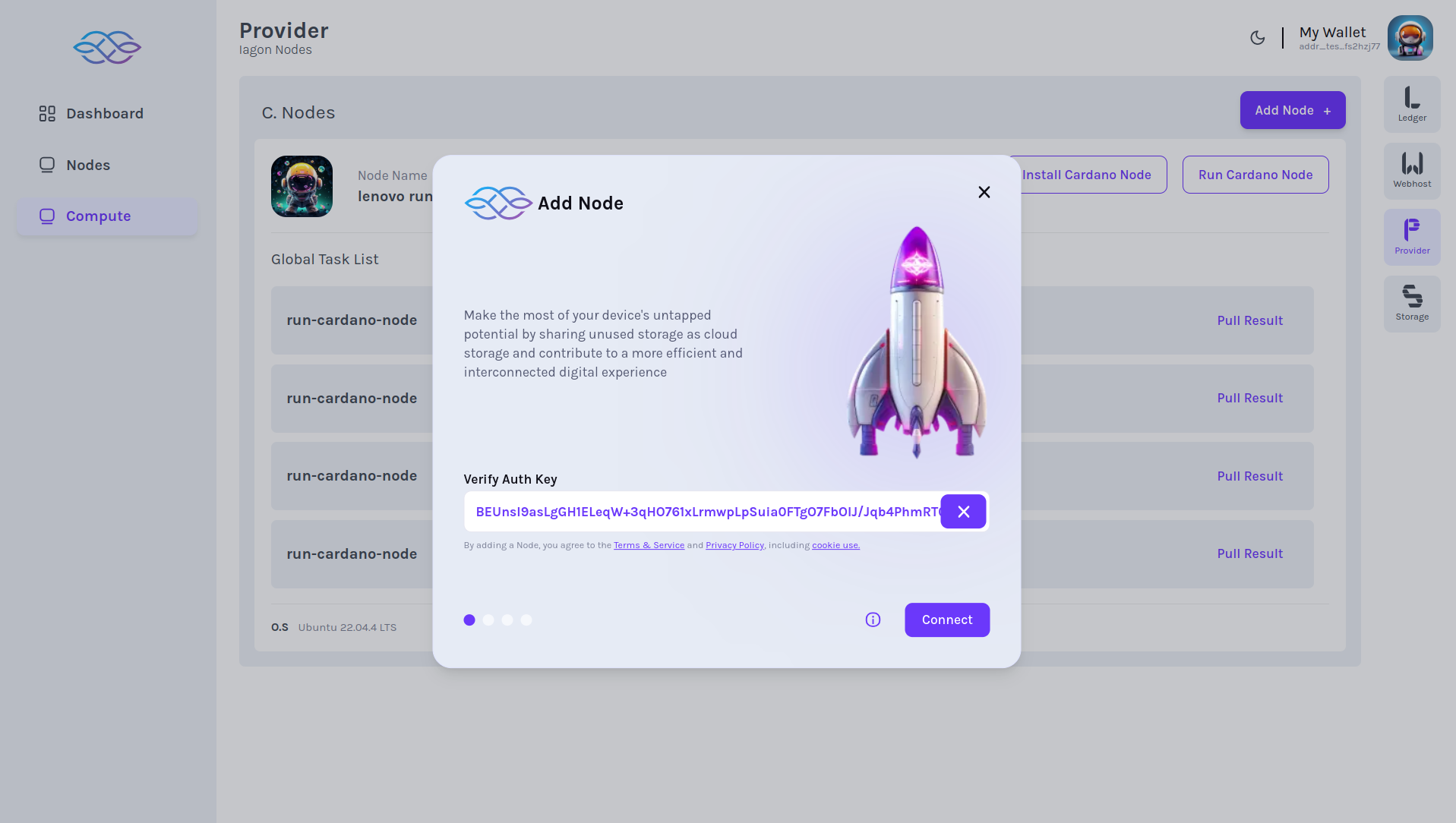
* After we add Auth key, we can view the details of the node
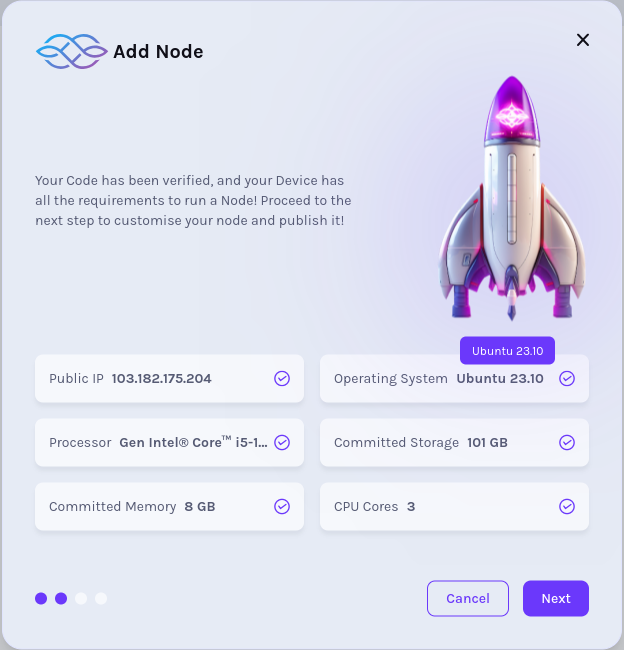
* In the next step, we have to add "Node name" as shown in the picture.
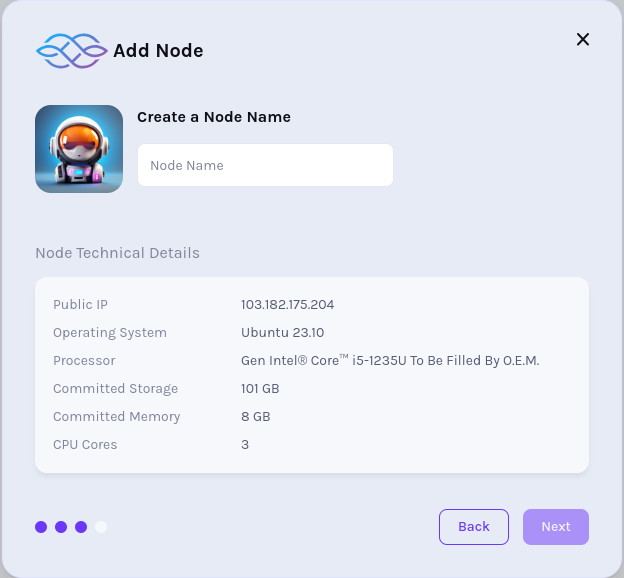
* In our next step, IAG balance and IAG amount to stake is displayed
info
Please note that the "Find Delegators" button is disabled in Previewnet. This feature is available only in Mainnet.
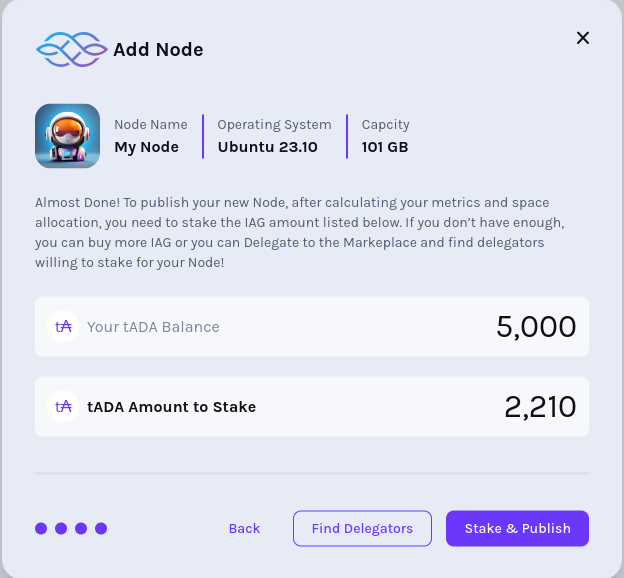
### Compute Provider Dashboard[](https://docs.iagon.com/provide-resources/compute-testnet/testnet-node-cli#compute-provider-dashboard "Direct link to Compute Provider Dashboard")
* In our Compute Provider dashboard, we can see the list of pre-set tasks defined by Iagon, such as "Run Cardano Node". These global tasks are displayed in a list view, as shown in the screenshot.
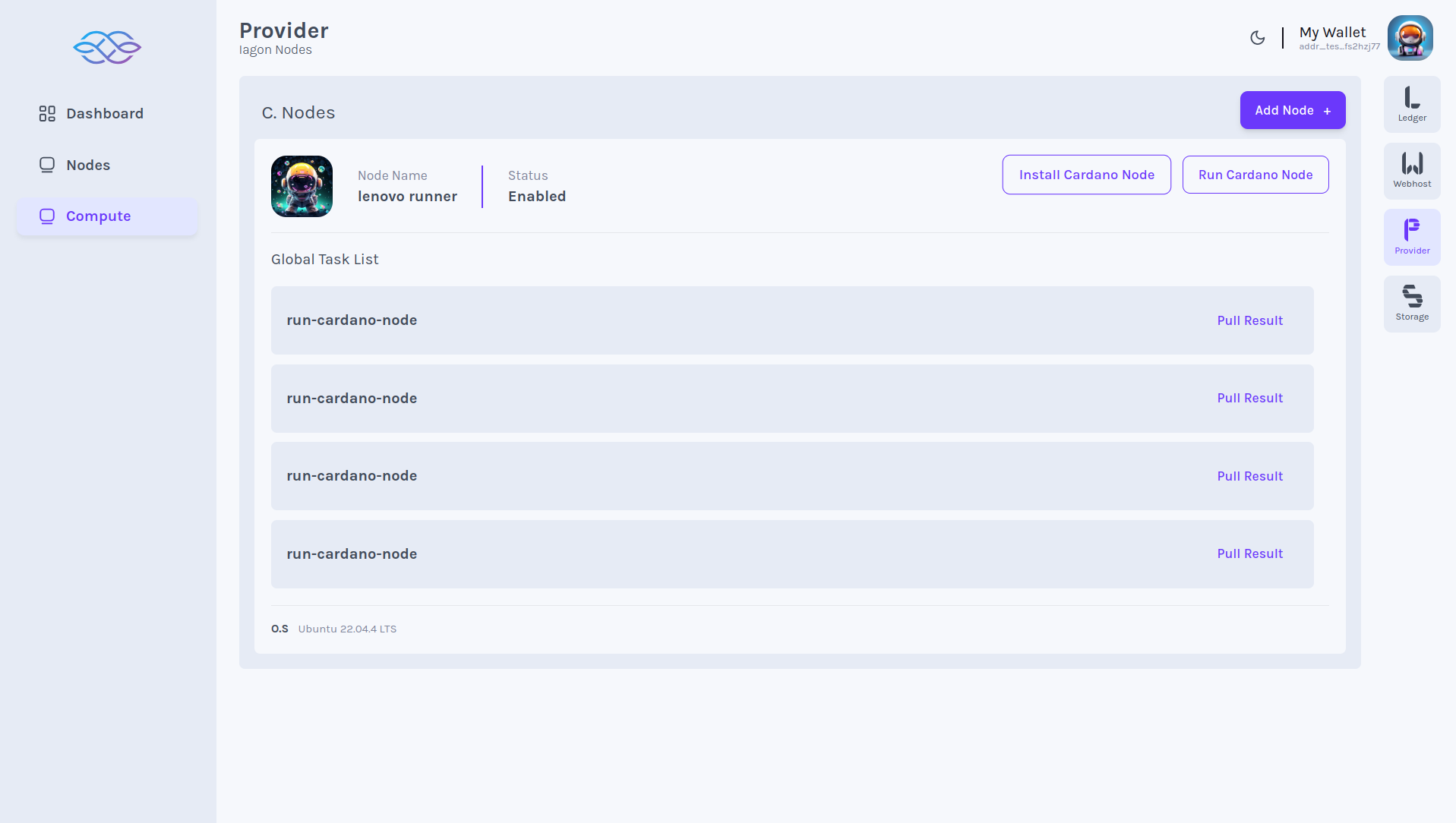
### Install Cardano CLI[](https://docs.iagon.com/provide-resources/compute-testnet/testnet-node-cli#install-cardano-cli "Direct link to Install Cardano CLI")
* As a provider, to install Cardano nodes, navigate to the 'Provider' section. In the Provider section, locate 'Compute' on the left-hand menu bar. From there, we can choose to "Install Cardano Node".
For reference: [Installing Cardano Node CLI](https://developers.cardano.org/docs/get-started/installing-cardano-node)
### Run Cardano CLI[](https://docs.iagon.com/provide-resources/compute-testnet/testnet-node-cli#run-cardano-cli "Direct link to Run Cardano CLI")
* As a provider, to run Cardano nodes, navigate to the 'Provider' section. In the Provider section, locate 'Compute' on the left-hand menu bar. From there, we can choose to "Run Cardano Node".
For reference: [Running Cardano CLI](https://developers.cardano.org/docs/get-started/running-cardano)
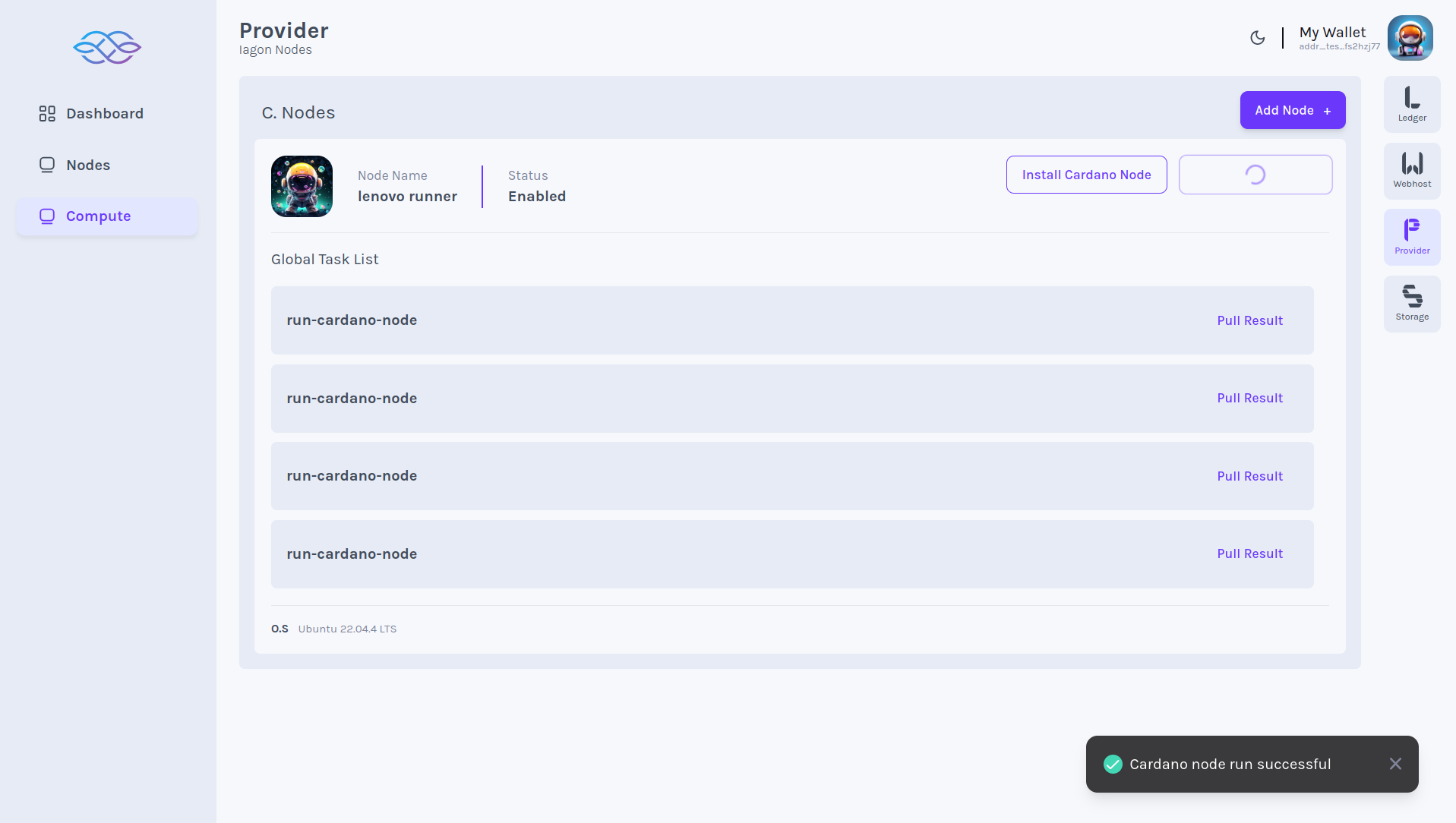
### Storage Compute Dashboard[](https://docs.iagon.com/provide-resources/compute-testnet/testnet-node-cli#storage-compute-dashboard "Direct link to Storage Compute Dashboard")
* In the Storage Compute dashboard, we can see the list of running commands, as displayed in the screenshot. To access this, navigate to the 'Storage' section and then locate 'Compute' on the left-hand menu bar.
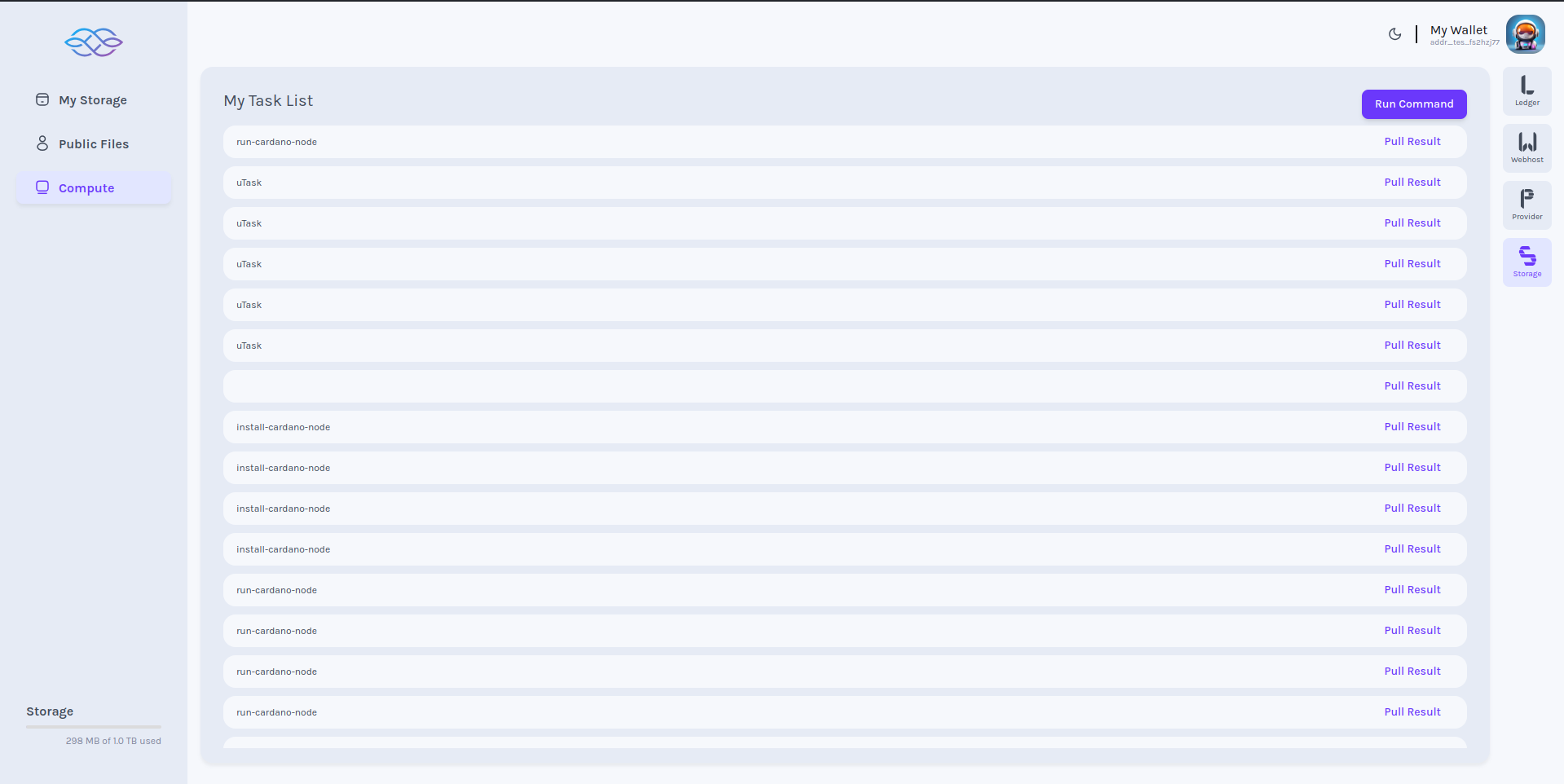
### Storage Compute Run Command[](https://docs.iagon.com/provide-resources/compute-testnet/testnet-node-cli#storage-compute-run-command "Direct link to Storage Compute Run Command")
* To run any commands, click on the "Run commands" button. A pop-up dialogue box will appear, allowing us to add commands, arguments, and an optional section for inputs, as shown in the screenshot.
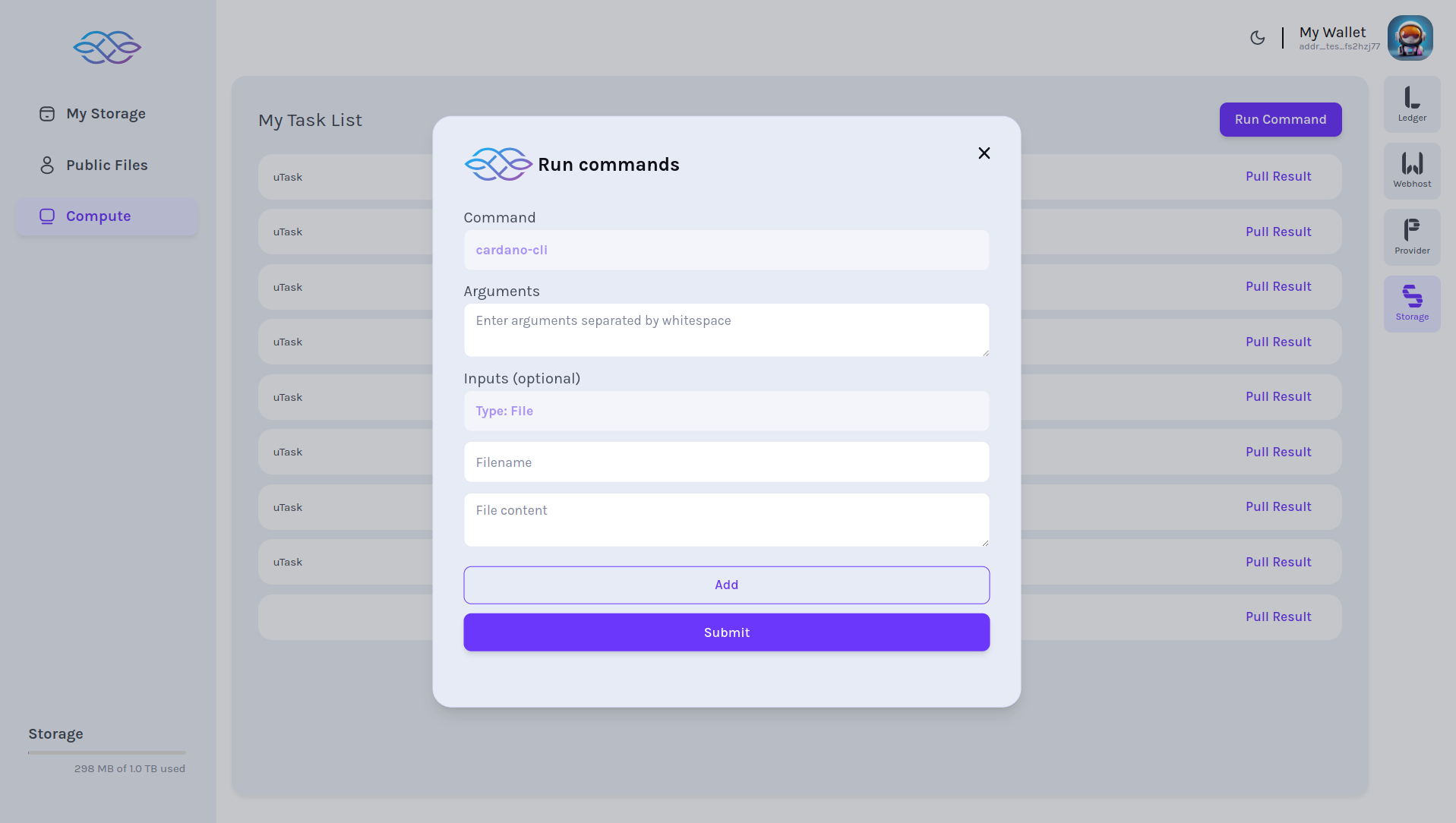
### Storage Compute Result[](https://docs.iagon.com/provide-resources/compute-testnet/testnet-node-cli#storage-compute-result "Direct link to Storage Compute Result")
* We can also view the results of each command we run, as displayed in the screenshot. Simply click on "Pull Result," which opens a dialogue box showing the result, as shown in the screenshot.
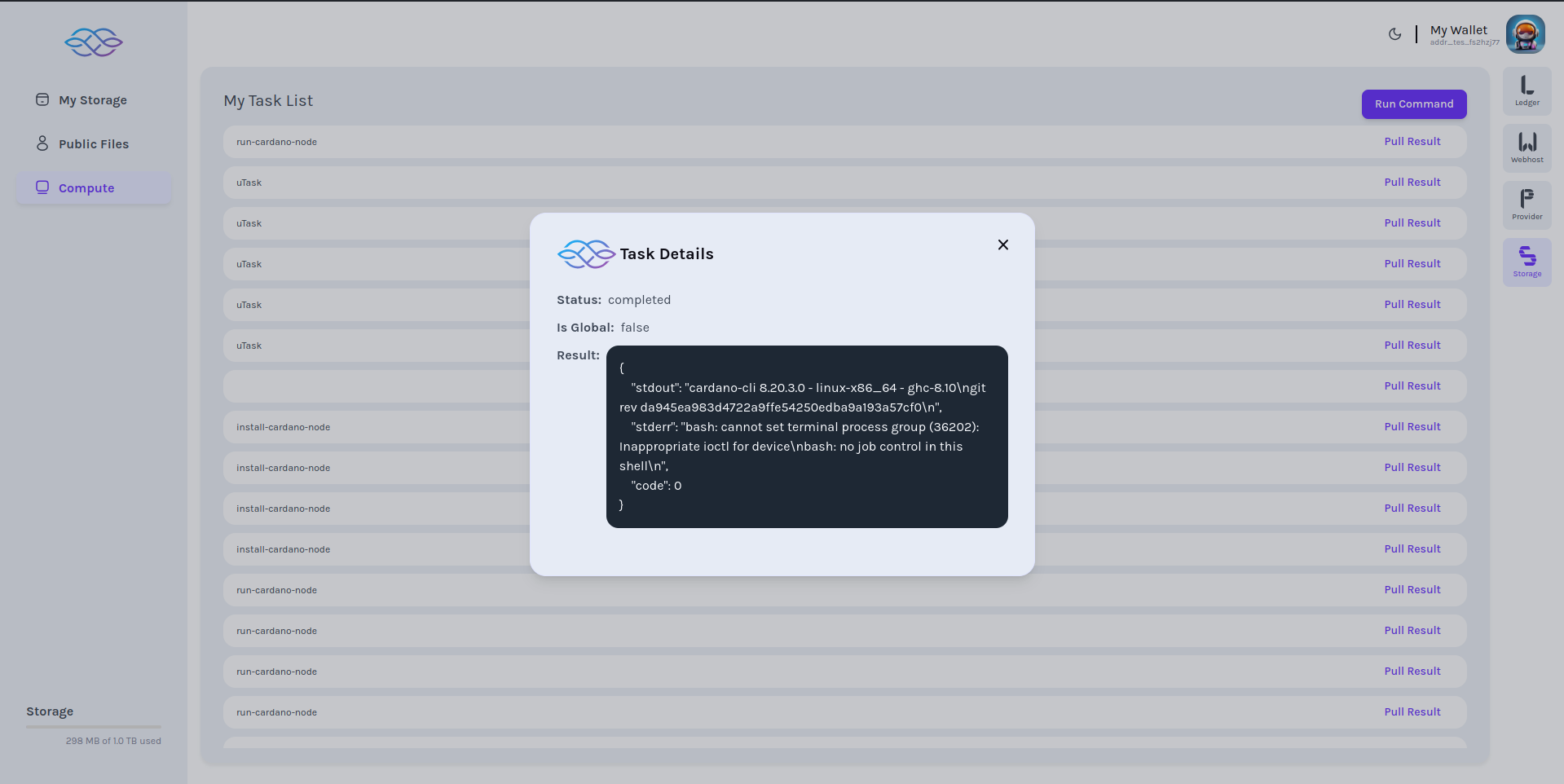
Metrics Collection Process[](https://docs.iagon.com/provide-resources/compute-testnet/testnet-node-cli#metrics-collection-process "Direct link to Metrics Collection Process")
--------------------------------------------------------------------------------------------------------------------------------------------------------------------------------
* Ping stamp -> 3 min
* Performance matrices:
\-- All: once a day
\-- Memory: every 2 hr
\-- CPU: every 3 hr
\-- Storage: once a day
\-- Network: every 5 hr
Content
* [Registering Iagon Compute Node using Compute Node CLI](https://docs.iagon.com/provide-resources/compute-testnet/testnet-node-cli#registering-iagon-compute-node-using-compute-node-cli)
* [Running Cardano Node CLI commands as a Compute task](https://docs.iagon.com/provide-resources/compute-testnet/testnet-node-cli#running-cardano-node-cli-commands-as-a-compute-task)
* [Installation](https://docs.iagon.com/provide-resources/compute-testnet/testnet-node-cli#installation)
* [Minimum System Requirements](https://docs.iagon.com/provide-resources/compute-testnet/testnet-node-cli#minimum-system-requirements)
* [Prerequisites](https://docs.iagon.com/provide-resources/compute-testnet/testnet-node-cli#prerequisites)
* [Usage](https://docs.iagon.com/provide-resources/compute-testnet/testnet-node-cli#usage)
* [Commands](https://docs.iagon.com/provide-resources/compute-testnet/testnet-node-cli#commands)
* [Node Integration](https://docs.iagon.com/provide-resources/compute-testnet/testnet-node-cli#node-integration)
* [Adding Node](https://docs.iagon.com/provide-resources/compute-testnet/testnet-node-cli#adding-node)
* [Compute Provider Dashboard](https://docs.iagon.com/provide-resources/compute-testnet/testnet-node-cli#compute-provider-dashboard)
* [Install Cardano CLI](https://docs.iagon.com/provide-resources/compute-testnet/testnet-node-cli#install-cardano-cli)
* [Run Cardano CLI](https://docs.iagon.com/provide-resources/compute-testnet/testnet-node-cli#run-cardano-cli)
* [Storage Compute Dashboard](https://docs.iagon.com/provide-resources/compute-testnet/testnet-node-cli#storage-compute-dashboard)
* [Storage Compute Run Command](https://docs.iagon.com/provide-resources/compute-testnet/testnet-node-cli#storage-compute-run-command)
* [Storage Compute Result](https://docs.iagon.com/provide-resources/compute-testnet/testnet-node-cli#storage-compute-result)
* [Metrics Collection Process](https://docs.iagon.com/provide-resources/compute-testnet/testnet-node-cli#metrics-collection-process)
---
# Iagon's decentralized cloud protocol documentation
[Skip to main content](https://docs.iagon.com/iagon-storage/high-level-architecture#__docusaurus_skipToContent_fallback)
On this page
Overview[](https://docs.iagon.com/iagon-storage/high-level-architecture#overview "Direct link to Overview")
-------------------------------------------------------------------------------------------------------------
The architecture of the Iagon protocol is comprised of the following components:
Iagon client application[](https://docs.iagon.com/iagon-storage/high-level-architecture#iagon-client-application "Direct link to Iagon client application")
-------------------------------------------------------------------------------------------------------------------------------------------------------------
Allows storage consumers to interact with the protocol. It will be implemented in the following forms:
* Web application
* Browser extension
* Application Programming Interface (API)
Cardano wallet[](https://docs.iagon.com/iagon-storage/high-level-architecture#cardano-wallet "Direct link to Cardano wallet")
-------------------------------------------------------------------------------------------------------------------------------
Allows users to manage their cryptocurrencies and submit transactions to the Cardano blockchain. It will be used as a user authentication tool to access data and for payments.
Adagio[](https://docs.iagon.com/iagon-storage/high-level-architecture#adagio "Direct link to Adagio")
-------------------------------------------------------------------------------------------------------
Implements a rewards model for storage providers, connecting the demand of the consumers to the supply from the providers.
Fermato[](https://docs.iagon.com/iagon-storage/high-level-architecture#fermato "Direct link to Fermato")
----------------------------------------------------------------------------------------------------------
Enables communication between storage consumers and smart contracts deployed on the Cardano blockchain, allowing storage consumers to purchase storage and manage their existing subscriptions.
Rubato[](https://docs.iagon.com/iagon-storage/high-level-architecture#rubato "Direct link to Rubato")
-------------------------------------------------------------------------------------------------------
Is the storage marketplace that encodes the supply and demand for storage, allowing storage consumers to reserve and consume storage. It implements both a static pricing model for enterprise storage providers, and a dynamic one for retail resource providers.
Network Performance Explorer[](https://docs.iagon.com/iagon-storage/high-level-architecture#network-performance-explorer "Direct link to Network Performance Explorer")
-------------------------------------------------------------------------------------------------------------------------------------------------------------------------
This component measures the performance of resource providers. This component consists of **Bee** and **Hive**.
### Bee[](https://docs.iagon.com/iagon-storage/high-level-architecture#bee "Direct link to Bee")
This component fetches the informations of the nodes such as uptime, connection speed, etc. It will be implemented in the form of browser extension.
### Hive[](https://docs.iagon.com/iagon-storage/high-level-architecture#hive "Direct link to Hive")
This component receives the informations collected by bees and processes it. Hive handles the file redistribution, shards rebalancing, shards recovery and garbage collection. It will be implemented in the form of electron application and CLI application.
### Node[](https://docs.iagon.com/iagon-storage/high-level-architecture#node "Direct link to Node")
To join the network and share their excess resources, storage providers must run the Iagon node application. A node is a computer on which the Iagon application is running. It will be implemented in the form of electron application and CLI application.
### Iagon provider dashboard[](https://docs.iagon.com/iagon-storage/high-level-architecture#iagon-provider-dashboard "Direct link to Iagon provider dashboard")
Allows storage providers to verify their nodes, stake IAG tokens for providing storage, and view all information about resource provider's nodes.
The diagram below shows the high-level architecture of the Iagon protocol:
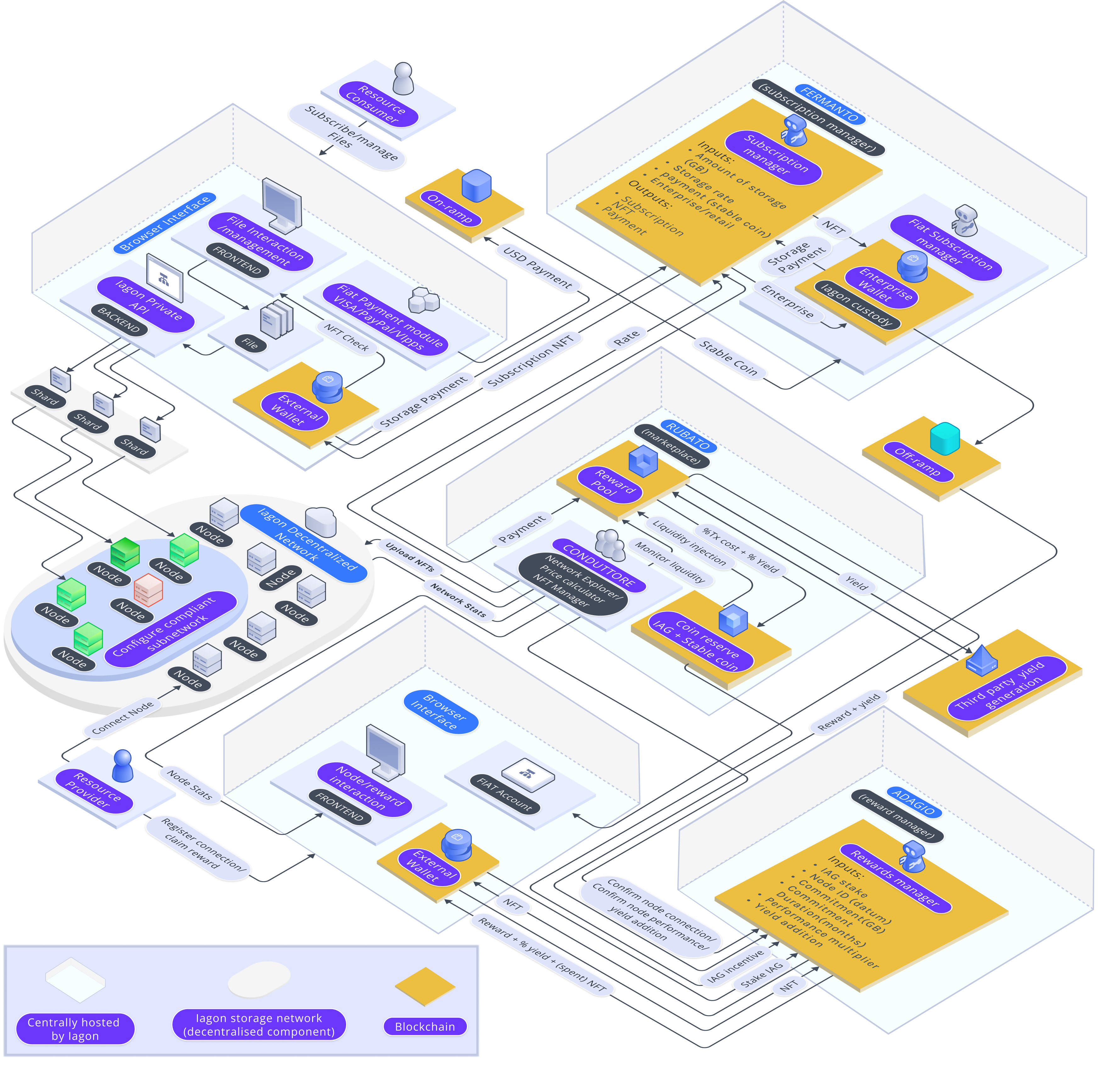
Content
* [Overview](https://docs.iagon.com/iagon-storage/high-level-architecture#overview)
* [Iagon client application](https://docs.iagon.com/iagon-storage/high-level-architecture#iagon-client-application)
* [Cardano wallet](https://docs.iagon.com/iagon-storage/high-level-architecture#cardano-wallet)
* [Adagio](https://docs.iagon.com/iagon-storage/high-level-architecture#adagio)
* [Fermato](https://docs.iagon.com/iagon-storage/high-level-architecture#fermato)
* [Rubato](https://docs.iagon.com/iagon-storage/high-level-architecture#rubato)
* [Network Performance Explorer](https://docs.iagon.com/iagon-storage/high-level-architecture#network-performance-explorer)
* [Bee](https://docs.iagon.com/iagon-storage/high-level-architecture#bee)
* [Hive](https://docs.iagon.com/iagon-storage/high-level-architecture#hive)
* [Node](https://docs.iagon.com/iagon-storage/high-level-architecture#node)
* [Iagon provider dashboard](https://docs.iagon.com/iagon-storage/high-level-architecture#iagon-provider-dashboard)
---
# Iagon's decentralized cloud protocol documentation
[Skip to main content](https://docs.iagon.com/iagon-storage/subscription#__docusaurus_skipToContent_fallback)
On this page
Overview[](https://docs.iagon.com/iagon-storage/subscription#overview "Direct link to Overview")
--------------------------------------------------------------------------------------------------
The prices and tiers here are based on the per GB storage price. Additional to storage size, user will be able to access other services offered by **Iagon** on the basis of tier.
Price per tier = Cost per GB * total GB offered + charges of services offered on each tiersPer GB dollar value to be held = 0.2USD
Pricing and Storage Comparison[](https://docs.iagon.com/iagon-storage/subscription#pricing-and-storage-comparison "Direct link to Pricing and Storage Comparison")
--------------------------------------------------------------------------------------------------------------------------------------------------------------------
| SNo | Name | Price Monthly ($) | Price Annually ($) | Total Storage GB | Base Storage Costs per year | Extra Features costs ($) | Extra Features(%) |
| --- | --- | --- | --- | --- | --- | --- | --- |
| 1 | Iagonauts Basic | 2.20 | 24 | 1000 | 24 | 0.00 | 0.00% |
| 2 | Iagonauts Standard | 11.00 | 120 | 4000 | 96 | 24.00 | 25.00% |
| 3 | Iagonauts Business | 33.00 | 360 | 10000 | 240 | 120.00 | 50.00% |
| 4 | Iagonauts Enterprise | 115.50 | 1260 | 30000 | 720 | 540.00 | 75.00% |
| 5 | New Users Basic | 2.20 | 24 | 500 | 12 | 12.00 | 100.00% |
| 6 | New Users Standard | 11.00 | 120 | 2000 | 48 | 72.00 | 150.00% |
| 7 | New Users Business | 33.00 | 360 | 5000 | 120 | 240.00 | 200.00% |
| 8 | New Users Enterprise | 115.50 | 1260 | 15000 | 360 | 900.00 | 250.00% |
Iagonauts Subscription Tiers Overview[](https://docs.iagon.com/iagon-storage/subscription#iagonauts-subscription-tiers-overview "Direct link to Iagonauts Subscription Tiers Overview")
-----------------------------------------------------------------------------------------------------------------------------------------------------------------------------------------
### Iagonauts Basic[](https://docs.iagon.com/iagon-storage/subscription#iagonauts-basic "Direct link to Iagonauts Basic")
| **Category** | **Cost & Details** |
| --- | --- |
| **Subscription Type** | |
| Price Monthly | $2.20 |
| Price Annually | $24 |
| **Storage** | |
| Total Storage GB | 1000 |
| Base Storage Costs/year | $24 |
| **Extra Features** | |
| Extra Features Costs | $0.00 |
| Extra Features (%) | 0.00% |
| **Tokens & API** | |
| $ held | $200 |
| Tokens to be held | 740.7407407 |
| API calls per day | 20,000 |
| **Website & Shards** | |
| Website count | 2 |
| Total Shards count | 7 |
| Recovery Shards count | 4 |
### Iagonauts Standard[](https://docs.iagon.com/iagon-storage/subscription#iagonauts-standard "Direct link to Iagonauts Standard")
| **Category** | **Cost & Details** |
| --- | --- |
| **Subscription Type** | |
| Price Monthly | $11.00 |
| Price Annually | $120 |
| **Storage** | |
| Total Storage GB | 4000 |
| Base Storage Costs/year | $96 |
| **Extra Features** | |
| Extra Features Costs | $24.00 |
| Extra Features (%) | 25.00% |
| **Tokens & API** | |
| $ held | $800 |
| Tokens to be held | 2962.962963 |
| **Website & Shards** | |
| Website count | 5 |
| Total Shards count | 9 |
| Recovery Shards count | 4 |
### Iagonauts Business[](https://docs.iagon.com/iagon-storage/subscription#iagonauts-business "Direct link to Iagonauts Business")
| **Category** | **Cost & Details** |
| --- | --- |
| **Subscription Type** | |
| Price Monthly | $33.00 |
| Price Annually | $360 |
| **Storage** | |
| Total Storage GB | 10000 |
| Base Storage Costs/year | $240 |
| **Extra Features** | |
| Extra Features (%) | 50.00% |
| **Tokens & API** | |
| $ held | $2000 |
| Tokens to be held | 7407.407407 |
| API calls per day | 70,000 |
| **Website & Shards** | |
| Website count | 7 |
| Total Shards count | 12 |
| Recovery Shards count | 5 |
### Iagonauts Enterprise[](https://docs.iagon.com/iagon-storage/subscription#iagonauts-enterprise "Direct link to Iagonauts Enterprise")
| **Category** | **Cost & Details** |
| --- | --- |
| **Subscription Type** | |
| Price Monthly | $115.50 |
| Price Annually | $1260 |
| **Storage** | |
| Total Storage GB | 30000 |
| Base Storage Costs/year | $720 |
| **Extra Features** | |
| Extra Features Costs | $540.00 |
| Extra Features (%) | 75.00% |
| **Tokens & API** | |
| $ held | $6000 |
| Tokens to be held | 22222.22222 |
| API calls per day | 100,000 |
| **Website & Shards** | |
| Website count | 10 |
| Total Shards count | 14 |
| Recovery Shards count | 5 |
### New Users Basic[](https://docs.iagon.com/iagon-storage/subscription#new-users-basic "Direct link to New Users Basic")
| **Category** | **Cost & Details** |
| --- | --- |
| **Subscription Type** | |
| Price Monthly | $2.20 |
| Price Annually | $24 |
| **Storage** | |
| Total Storage GB | 500 |
| Base Storage Costs/year | $12 |
| **Extra Features** | |
| Extra Features Costs | $12.00 |
| Extra Features (%) | 100.00% |
| **Tokens & API** | |
| $ held | \- |
| Tokens to be held | \- |
| API calls per day | 10,000 |
| **Website & Shards** | |
| Website count | 1 |
| Total Shards count | 6 |
| Recovery Shards count | 4 |
### New Users Standard[](https://docs.iagon.com/iagon-storage/subscription#new-users-standard "Direct link to New Users Standard")
| **Category** | **Cost & Details** |
| --- | --- |
| **Subscription Type** | |
| Price Monthly | $11.00 |
| Price Annually | $120 |
| **Storage** | |
| Total Storage GB | 2000 |
| Base Storage Costs/year | $48 |
| **Extra Features** | |
| Extra Features Costs | $72.00 |
| Extra Features (%) | 150.00% |
| **Tokens & API** | |
| $ held | \- |
| Tokens to be held | \- |
| API calls per day | 20,000 |
| **Website & Shards** | |
| Website count | 2 |
| Total Shards count | 8 |
| Recovery Shards count | 4 |
### New Users Business[](https://docs.iagon.com/iagon-storage/subscription#new-users-business "Direct link to New Users Business")
| **Category** | **Cost & Details** |
| --- | --- |
| **Subscription Type** | |
| Price Monthly | $33.00 |
| Price Annually | $360 |
| **Storage** | |
| Total Storage GB | 5000 |
| Base Storage Costs/year | $120 |
| **Extra Features** | |
| Extra Features Costs | $240.00 |
| Extra Features (%) | 200.00% |
| **Tokens & API** | |
| $ held | \- |
| Tokens to be held | \- |
| API calls per day | 30,000 |
| **Website & Shards** | |
| Website count | 3 |
| Total Shards count | 9 |
| Recovery Shards count | 4 |
### New Users Enterprise[](https://docs.iagon.com/iagon-storage/subscription#new-users-enterprise "Direct link to New Users Enterprise")
| **Category** | **Cost & Details** |
| --- | --- |
| **Subscription Type** | |
| Price Monthly | $115.50 |
| Price Annually | $1260 |
| **Storage** | |
| Total Storage GB | 15000 |
| Base Storage Costs/year | $360 |
| **Extra Features** | |
| Extra Features Costs | $900.00 |
| Extra Features Costs | $900.00 |
| **Tokens & API** | |
| $ held | \- |
| Tokens to be held | \- |
| API calls per day | 50,000 |
| **Website & Shards** | |
| Website count | 5 |
| Total Shards count | 10 |
| Recovery Shards count | 4 |
The Iagonauts tiers will be available to those who hold IAG tokens.
If the users haven't paid for the last 3 months the data will be deleted from Iagon storage.
note
The tiers will be defined according to compliances, app access level, quality of service(will update the parameters as we add them).
Content
* [Overview](https://docs.iagon.com/iagon-storage/subscription#overview)
* [Pricing and Storage Comparison](https://docs.iagon.com/iagon-storage/subscription#pricing-and-storage-comparison)
* [Iagonauts Subscription Tiers Overview](https://docs.iagon.com/iagon-storage/subscription#iagonauts-subscription-tiers-overview)
* [Iagonauts Basic](https://docs.iagon.com/iagon-storage/subscription#iagonauts-basic)
* [Iagonauts Standard](https://docs.iagon.com/iagon-storage/subscription#iagonauts-standard)
* [Iagonauts Business](https://docs.iagon.com/iagon-storage/subscription#iagonauts-business)
* [Iagonauts Enterprise](https://docs.iagon.com/iagon-storage/subscription#iagonauts-enterprise)
* [New Users Basic](https://docs.iagon.com/iagon-storage/subscription#new-users-basic)
* [New Users Standard](https://docs.iagon.com/iagon-storage/subscription#new-users-standard)
* [New Users Business](https://docs.iagon.com/iagon-storage/subscription#new-users-business)
* [New Users Enterprise](https://docs.iagon.com/iagon-storage/subscription#new-users-enterprise)
---
# Iagon's decentralized cloud protocol documentation
[Skip to main content](https://docs.iagon.com/overview/terminology#__docusaurus_skipToContent_fallback)
This page defines the terminology that Iagon uses throughout this documentation.
| Term | Definition |
| --- | --- |
| **App**(s) | Any application, script or task hosted with Iagon [Compute](https://docs.iagon.com/overview/terminology#compute-product)
. |
| **Benchmark** | A multifaceted but brief resource stress test for [nodes](https://docs.iagon.com/overview/terminology#nodes)
to quantify the performance readings of the host system. |
| **Claim** | The action of moving [earnings](https://docs.iagon.com/overview/terminology#earning)
out of the platform's smart contract and into one's own wallet. |
| **Commit, Commitment, Committed** | Allocate a specific quantity of a host system's resources to the Iagon network. |
| **Compute** _(product)_ | A stream of the Iagon network that hosts any tasks such as [app](https://docs.iagon.com/overview/terminology#apps)
hosting. Can include file hosting, but separate from [Storage](https://docs.iagon.com/overview/terminology#storage-product)
. |
| **Cyclone** | A physical server purpose-built and configured by Iagon specifically to run a node in a plug-and-play manner. |
| **Cyclone OS** | A Linux operating system distribution that is pre-packaged with Iagon [Storage](https://docs.iagon.com/overview/terminology#storage-product)
and [Compute](https://docs.iagon.com/overview/terminology#compute-product)
[node](https://docs.iagon.com/overview/terminology#nodes)
as well as all of their dependencies. |
| **Delegator**(s) | Person/party that offers their [IAG tokens](https://docs.iagon.com/overview/terminology#iag-tokens)
to a [node](https://docs.iagon.com/overview/terminology#nodes)
to increase its [stake](https://docs.iagon.com/overview/terminology#stake)
in exchange for an [earnings](https://docs.iagon.com/overview/terminology#earnings)
sharing agreement. |
| **Delegate, Delegated, Delegation** | The act of contributing [IAG tokens](https://docs.iagon.com/overview/terminology#iag-tokens)
via Iagon's [Staking Platform](https://docs.iagon.com/overview/terminology#staking-platform-product)
to a [node](https://docs.iagon.com/overview/terminology#nodes)
to increase its total [stake](https://docs.iagon.com/overview/terminology#stake)
and thus [commit](https://docs.iagon.com/overview/terminology#commit-commitment-committed)
more resources. |
| **Delegation Request** | A listing on Iagon's [Staking Platform](https://docs.iagon.com/overview/terminology#staking-platform-product)
requesting IAG Tokens from [delegators](https://docs.iagon.com/overview/terminology#delegators)
for a [node](https://docs.iagon.com/overview/terminology#nodes)
to increase its total [stake](https://docs.iagon.com/overview/terminology#stake)
and thus [commit](https://docs.iagon.com/overview/terminology#commit-commitment-committed)
more resources. |
| **Epoch**(s)(ly) | A time period of 5 days, scheduled to Cardano's epochs. |
| **Earnings** | The combination of [IAG token](https://docs.iagon.com/overview/terminology#iag-tokens)
[rewards](https://docs.iagon.com/overview/terminology#rewards)
and ADA [fees](https://docs.iagon.com/overview/terminology#fees)
earned by [node](https://docs.iagon.com/overview/terminology#nodes)
[operators](https://docs.iagon.com/overview/terminology#operators)
and [delegators](https://docs.iagon.com/overview/terminology#delegators)
based on [node](https://docs.iagon.com/overview/terminology#nodes)
performance. |
| **Fantasy Brawl** _(product)_ | A unique sports fantasy league experience built using Iagon [Storage](https://docs.iagon.com/overview/terminology#storage-product)
and [Compute](https://docs.iagon.com/overview/terminology#compute-product)
. |
| **Fees** | Monthly ADA Token earnings for [node](https://docs.iagon.com/overview/terminology#nodes)
[operators](https://docs.iagon.com/overview/terminology#operators)
and [delegators](https://docs.iagon.com/overview/terminology#delegators)
based on [node](https://docs.iagon.com/overview/terminology#nodes)
performance. These ADA Tokens are earned from [subscriptions](https://docs.iagon.com/overview/terminology#subscriptions)
. |
| **HealthSafe** _(product)_ | A decentralized digital health portal designed to securely store and manage healthcare records, journals, and information. |
| **IAG Token**(s) | The native token of the Iagon protocol, minted on the Cardano blockchain with the ticker "[IAG](https://www.taptools.io/charts/token/iag)
", used for staking towards resource commitments and to earn [rewards](https://docs.iagon.com/overview/terminology#rewards)
. |
| **Launch** | Initiate a new [node](https://docs.iagon.com/overview/terminology#nodes)
on the Iagon network. |
| **LedgerFlow** _(product)_ | A multifaceted financial platform that includes both individual and multisignature wallet management, bill issuance and payments, as well as tax tracking. |
| **Margin** | The percentage of the [delegator](https://docs.iagon.com/overview/terminology#delegators)
's [earnings](https://docs.iagon.com/overview/terminology#earnings)
pool that the [node](https://docs.iagon.com/overview/terminology#nodes)
[operator](https://docs.iagon.com/overview/terminology#operators)
receives as a service fee, in addition to the [operator](https://docs.iagon.com/overview/terminology#operators)
's own [earnings](https://docs.iagon.com/overview/terminology#earnings)
. Updating a [node](https://docs.iagon.com/overview/terminology#nodes)
's [margin](https://docs.iagon.com/overview/terminology#margin)
takes 2 [epochs](https://docs.iagon.com/overview/terminology#epoch)
(10 days) to take effect. |
| **Migrate** | The act of changing the host system of a [node](https://docs.iagon.com/overview/terminology#nodes)
and repopulating the data held by that [node](https://docs.iagon.com/overview/terminology#nodes)
on the new host system. |
| **Network Explorer** | A decentralized network of interconnected [nodes](https://docs.iagon.com/overview/terminology#nodes)
that process backend tasks for Iagon's [Storage](https://docs.iagon.com/overview/terminology#storage-product)
and [Compute](https://docs.iagon.com/overview/terminology#compute-product)
networks, including file distribution and data availability logging. |
| **Node**(s) | An application that makes the host system's resources available on the Iagon network; or processes tasks for the Iagon network. |
| **Operator**(s) | A person or party that hosts and manages a [node](https://docs.iagon.com/overview/terminology#nodes)
. |
| **Pledge** | The amount of a [node](https://docs.iagon.com/overview/terminology#nodes)
's [stake](https://docs.iagon.com/overview/terminology#stake)
that is contributed by the [operator](https://docs.iagon.com/overview/terminology#operators)
. |
| (Delegated) **Position** | An agreement that entitles a defined share of a [node](https://docs.iagon.com/overview/terminology#nodes)
's [Earnings](https://docs.iagon.com/overview/terminology#earning)
so long as [IAG tokens](https://docs.iagon.com/overview/terminology#iag-tokens)
are [delegated](https://docs.iagon.com/overview/terminology#delegate-delegated-delegation)
to that [node](https://docs.iagon.com/overview/terminology#nodes)
. |
| **Quick Delegate/Delegation** | Quickly aggregate the best [nodes](https://docs.iagon.com/overview/terminology#nodes)
according to search filters and [delegate](https://docs.iagon.com/overview/terminology#delegate-delegated-delegation)
[IAG tokens](https://docs.iagon.com/overview/terminology#iag-tokens)
to them in order of potential profitability. |
| **Request**(ing)(ed) **Delegation** | The act of requesting [IAG tokens](https://docs.iagon.com/overview/terminology#iag-tokens)
from [delegators](https://docs.iagon.com/overview/terminology#delegators)
via Iagon's [Staking Platform](https://docs.iagon.com/overview/terminology#staking-platform-product)
for a [node](https://docs.iagon.com/overview/terminology#nodes)
to increase its total [stake](https://docs.iagon.com/overview/terminology#stake)
and thus [commit](https://docs.iagon.com/overview/terminology#commit-commitment-committed)
more resources. |
| **Resize** | The action of increasing or reducing a [node](https://docs.iagon.com/overview/terminology#nodes)
's [commitment](https://docs.iagon.com/overview/terminology#commit-commitment-committed)
. |
| **Return on Delegation** (ROD) | The annualized returns of [delegated](https://docs.iagon.com/overview/terminology#delegate-delegated-delegation)
[IAG tokens](https://docs.iagon.com/overview/terminology#iag-tokens)
as a percentage. |
| **Return on Stake** (ROS) | The annualized returns of [staked](https://docs.iagon.com/overview/terminology#stake)
[IAG tokens](https://docs.iagon.com/overview/terminology#iag-tokens)
as a percentage. |
| **Rewards** | [Epochly](https://docs.iagon.com/overview/terminology#epoch)
[IAG token](https://docs.iagon.com/overview/terminology#iag-tokens)
[earnings](https://docs.iagon.com/overview/terminology#earnings)
for [node](https://docs.iagon.com/overview/terminology#nodes)
[operators](https://docs.iagon.com/overview/terminology#operators)
and [delegators](https://docs.iagon.com/overview/terminology#operators)
based on [node](https://docs.iagon.com/overview/terminology#nodes)
performance. These [IAG tokens](https://docs.iagon.com/overview/terminology#iag-tokens)
are designated in Iagon's tokenomics. |
| **Sharding** | A method for splitting and distributing files across multiple [Storage](https://docs.iagon.com/overview/terminology#storage-product)
[nodes](https://docs.iagon.com/overview/terminology#nodes)
. |
| **SME** | Small and medium Enterprise. |
| **Stake**(d) | The [IAG token](https://docs.iagon.com/overview/terminology#iag-tokens)
deposit required to operate a node. |
| **Staking** (Platform) _(product)_ | A platform on the Iagon website that connects [node](https://docs.iagon.com/overview/terminology#nodes)
[operators](https://docs.iagon.com/overview/terminology#operators)
with [delegators](https://docs.iagon.com/overview/terminology#delegators)
to deposit [delegation](https://docs.iagon.com/overview/terminology#delegate-delegated-delegation)
to [nodes](https://docs.iagon.com/overview/terminology#nodes)
that require more [stake](https://docs.iagon.com/overview/terminology#stake)
to increase their [commitment](https://docs.iagon.com/overview/terminology#commit-commitment-committed)
. |
| **Storage** _(product)_ | A stream of the Iagon network that specifically hosts files for any given timeline distributed among [nodes](https://docs.iagon.com/overview/terminology#nodes)
. |
| **Subscriber**(s) | A person or party that pays a [subscription](https://docs.iagon.com/overview/terminology#subscriptions)
to use Iagon services. |
| **Subscription**(s) | An agreement to utilize resources on the Iagon network for an agreed-upon monthly or annual payment cost. |
| **Subnetwork** | A subset of [nodes](https://docs.iagon.com/overview/terminology#nodes)
catered to specific [subscriber](https://docs.iagon.com/overview/terminology#subscribers)
needs, such as [nodes](https://docs.iagon.com/overview/terminology#nodes)
only in a specific region; or having a specific minimum bandwidth. |
| **Swap** | Quickly exchange ADA for [IAG tokens](https://docs.iagon.com/overview/terminology#iag-tokens)
that are already [delegated](https://docs.iagon.com/overview/terminology#delegate-delegated-delegation)
, or [delegated](https://docs.iagon.com/overview/terminology#delegate-delegated-delegation)
[IAG tokens](https://docs.iagon.com/overview/terminology#iag-tokens)
for ADA. |
| **Transfer** _(product)_ | A file sharing platform for [storage](https://docs.iagon.com/overview/terminology#storage-product)
[subscribers](https://docs.iagon.com/overview/terminology#subscribers)
to quickly share files with expiring links that can be encrypted with a password. |
| **Withdraw** | Remove [IAG tokens](https://docs.iagon.com/overview/terminology#iag-tokens)
from an active [delegated](https://docs.iagon.com/overview/terminology#delegate-delegated-delegation)
, ending the [earnings](https://docs.iagon.com/overview/terminology#earning)
sharing agreement. |
---
# Iagon's decentralized cloud protocol documentation
[Skip to main content](https://docs.iagon.com/overview/introduction#__docusaurus_skipToContent_fallback)
On this page
What is Iagon?[](https://docs.iagon.com/overview/introduction#what-is-iagon "Direct link to What is Iagon?")
--------------------------------------------------------------------------------------------------------------
Welcome to Iagon, where we're pioneering a decentralized marketplace for storage and computing resources. Our platform aims to simplify and democratize access to the shared storage economy for everyone. Initially, our focus lies in creating a transparent storage marketplace, empowering providers to trade their surplus storage to consumers at fair prices, all while ensuring data privacy and security. In the realm of digital infrastructure, Iagon emerges as a game-changer. Our mission is clear: to revolutionize the way storage and computing resources are accessed and utilized. By leveraging blockchain technology, we're building a platform that not only simplifies participation in the shared storage economy but also prioritizes transparency, security, and accessibility.
In upcoming versions, we'll extend our capabilities to include computational processes, making them secure and user-friendly. We envision a future where Iagon transforms cloud storage and computing markets, offering a decentralized grid for storage and processing. By harnessing untapped computing resources from data centers, computers, and other devices, Iagon will revolutionize the landscape of storage and processing.
Problem Definition[](https://docs.iagon.com/overview/introduction#problem-definition "Direct link to Problem Definition")
---------------------------------------------------------------------------------------------------------------------------
This section shows how Iagon will help solve the most important limitations of using centralized storage solutions.
### Security[](https://docs.iagon.com/overview/introduction#security "Direct link to Security")
The big data market is characterized by the recent adoption of data lake architectures, such as information systems relying on the Hadoop framework. The data lake architecture is based on the implementation of a NoSQL central database such as MongoDB or HBase, where files of any sort can be stored or retrieved. Companies can virtually define central repositories for their information and data files (regardless of the type or contents of those files). These repositories are generally designed to be user-friendly and accessible.
Nonetheless, once the data lake is hacked, an intruder can “swim” in the database system, inspect the files and gain access to valuable data concerning operations of the organization under attack.
Iagon plans to build a technology named Secure Lake that will be based on decentralization, encryption, random clipping masks, error-correcting codes, compression, and sharding. One of its most important functions will be “freezing” the lake, meaning it will prohibit potential threat actors from navigating within the data lake after gaining access to it. See the Secure Lake Technology section for more details about how Iagon will solve this problem.
### Data Privacy and Compliance[](https://docs.iagon.com/overview/introduction#data-privacy-and-compliance "Direct link to Data Privacy and Compliance")
In recent years, several tech companies mishandled consumer data, mined data without users’ consent, or failed to notify authorities about data breaches, resulting in fines amounting to $1.2 billion in total. For example, Google tracked users online by passively collecting data in the background using cookies. Collected information was then used for target advertising which is the company’s primary source of revenue. Also there is general lack of transparency and user control in how tech companies handle and manage user storage data which is legitimate concern in the realm of data privacy and user rights. With Iagon, storage consumers will have the option to specify where their data should be stored and how it should be transferred or accessed. This allows the protocol to meet region-specific data handling requirements such as GDPR or LGPD. Additionally, once a file is uploaded and sharded, its owner will be able to see the number of shards and an indication of where the storage providers hosting the shards are located. Note that the protocol is designed to ensure that storage providers are following all the compliance requirements, and can provide audibility of the several legal framework compliances to trusted third parties.
### Centralization[](https://docs.iagon.com/overview/introduction#centralization "Direct link to Centralization")
On December 8, 2021, an AWS outage had widespread effects on the Internet. As a result, several centralized platforms like Netflix, Disney+, and even centralized crypto exchanges like Coinbase and Binance experienced an outage. Unfortunately, this event showed that even platforms like dYDX, the eleventh biggest DeFi app on the Ethereum network at the time, according to DappRadar, do rely on the centralized cloud infrastructure provided by AWS:
Due to a major AWS outage, dYdX exchange is currently down. We are experiencing greater latency across services and impaired functionality with endpoints not working and the website not loading.
It's worth noting that AWS outages are not infrequent. According to The Complete History of AWS Outages page, AWS had seventeen major outages between July 2008 and January 2021. These outages translated to revenue losses for the companies relying on AWS. For example, the AWS outage in March 2017 continued for several hours and caused damages estimated to be more than 300 million USD2.
Iagon aims to solve this dependence through real decentralization. By connecting data centers, business computers, and private users located all over the globe, the protocol will build decentralized storage for web3 that is not dependent on the centralized web infrastructure, thus allowing better data control.
### Monetization of Data Without Consent or Reward[](https://docs.iagon.com/overview/introduction#monetization-of-data-without-consent-or-reward "Direct link to Monetization of Data Without Consent or Reward")
Centralized platforms such as Google or Facebook have played a key role in the advancement of fast and low-cost applications, but they rely on leveraging the private data of their users. As a result, users don't control the data collected and monetized by these centralized platforms.
In contrast, Iagon relies on a decentralized architecture, meaning that there is no central entity that can store or access the files. Iagon plans to implement an architecture that lets users choose a drive specific to their needs. Then, the protocol mints an NFT on the Cardano blockchain relevant to the subscription that the user chooses. Users can then upload the files to their drive.
Moreover, the common practice on the web is to use cookies to record your browsing activity and save the information that you entered into various form fields, such as your name or address. Then, most websites use this information to serve targeted ads and even sell your personal data to other companies that wish to learn about your online behavior when you aren't on their websites.
Based on Iagon's vision that no one should profit from your data without sharing the profit with you, we decided to implement strict privacy policies, including a zero cookies policy. This means that you are browsing anonymously. Nobody will know what you click on our websites, and all form inputs will be erased when you refresh a page.
Thus, it is impossible for Iagon or any other entity that interacts with the protocol to monetize the private data without the user's consent.
### Costs[](https://docs.iagon.com/overview/introduction#costs "Direct link to Costs")
The size of the cloud services market providing storage capacity is steadily growing year on year, and the market is dominated by four major players: AWS, Google Cloud, Microsoft, and IBM. It is important to note that all these companies use central and less trusted storage and computation facilities. Due to their oligopolistic dominance, the four providers of cloud services set high pricing levels. These providers are also capable of hampering any competition and preventing new market entrants from competing with them, due to the broad scale of their operations and their substantial investments in data centers, servers, and storage facilities.
Iagonʼs major aim is to revolutionize the storage market by creating a marketplace for storage where everybody can participate and trade storage at a transparent price.
### Environmental Impact[](https://docs.iagon.com/overview/introduction#environmental-impact "Direct link to Environmental Impact")
Iagon uses Cardano which is one of the most environmentally sustainable blockchain protocols. Its consensus protocol, named Ouroboros, "solves the greatest challenge faced by existing blockchains: the need for more and more energy to achieve consensus. Using Ouroboros, Cardano can securely, sustainably, and ethically scale, with up to four million times the energy efficiency of bitcoin."
History[](https://docs.iagon.com/overview/introduction#history "Direct link to History")
------------------------------------------------------------------------------------------
Iagon was formed in 2017 on the basis that people need to be in control of their data. The idea started as an attempt at solving major issues related to how healthcare data is stored, with modern solutions severely lacking transparency for individuals, both at a national and international level. The initial ambition of Iagon was to create a secure way for individuals to hold, and thereby own their health data, and to interact more effectively with health services.
The scope of functionality and the purpose of Iagon have then evolved under the realization that not only health data can benefit from being stored by the owner in a secure and decentralized manner. Instead, this approach might prove valuable to all sorts of companies, such as corporations storing important IP documents, SMEs intending to reduce the loss-of-data risk in ransomware attacks, or organizations operating in environments that require high-level security and control over who shares what with whom.Therefore, Iagon envisioned a future in which security, compliance, and decentralization are seamlessly bridged.
Initially, the IAG token was launched as an ERC token. However, as Ethereum was still facing scaling issues, Iagon decided to deploy the protocol on the Cardano network. For more details about the history of the company, including the reasoning behind the decision to use the Cardano network, see the [Cloud Computing Reinvented — A Quick Overview](https://blog.iagon.com/cloud-computing-reinvented-a-quick-overview/)
blog post.
How It Works?[](https://docs.iagon.com/overview/introduction#how-it-works "Direct link to How It Works?")
-----------------------------------------------------------------------------------------------------------
Iagon aims to make it easy for everyone to contribute to the decentralized cloud storage network and earn from it!
**Iagon's Ambition: The Shared Storage Economy that keeps on giving**
* Resource Provider
* Node Network
* Reward Payment
Resource Provider[](https://docs.iagon.com/overview/introduction#resource-provider "Direct link to Resource Provider")
------------------------------------------------------------------------------------------------------------------------
### Who is a Node Operator?[](https://docs.iagon.com/overview/introduction#who-is-a-node-operator "Direct link to Who is a Node Operator?")
Anyone is able to run our node software to run nodes on our network. How does Iagon reward Node Operators? Our rewards mechanism distributes 90% of the storage user subscription payments to Node Operators based on the performance of their nodes, as well as additional IAG staking rewards.
### How does Iagon reward Node Operators??[](https://docs.iagon.com/overview/introduction#how-does-iagon-reward-node-operators "Direct link to How does Iagon reward Node Operators??")
Our rewards mechanism distributes 90% of the storage user subscription payments to Node Operators based on the performance of their nodes, as well as additional IAG staking rewards.
Node Network[](https://docs.iagon.com/overview/introduction#node-network "Direct link to Node Network")
---------------------------------------------------------------------------------------------------------
### Who can join the node network?[](https://docs.iagon.com/overview/introduction#who-can-join-the-node-network "Direct link to Who can join the node network?")
Anyone with a computer or server that has excess storage and is always online may participate and contribute their storage resources to the network.
### How to connect to the node network?[](https://docs.iagon.com/overview/introduction#how-to-connect-to-the-node-network "Direct link to How to connect to the node network?")
Simply run our node software and follow the setup steps to get the node running. Then use our online dashboard to connect your node to your Cardano wallet using a unique authorization key and stake the required IAG tokens to finalize the node's registration.
Rewards Payment[](https://docs.iagon.com/overview/introduction#rewards-payment "Direct link to Rewards Payment")
------------------------------------------------------------------------------------------------------------------
### What currency is used for reward payment?[](https://docs.iagon.com/overview/introduction#what-currency-is-used-for-reward-payment "Direct link to What currency is used for reward payment?")
Subscription fees earned by Node Operators are currently available in Cardano's Ada token, while staking rewards are Iagon's IAG token.
Content
* [What is Iagon?](https://docs.iagon.com/overview/introduction#what-is-iagon)
* [Problem Definition](https://docs.iagon.com/overview/introduction#problem-definition)
* [Security](https://docs.iagon.com/overview/introduction#security)
* [Data Privacy and Compliance](https://docs.iagon.com/overview/introduction#data-privacy-and-compliance)
* [Centralization](https://docs.iagon.com/overview/introduction#centralization)
* [Monetization of Data Without Consent or Reward](https://docs.iagon.com/overview/introduction#monetization-of-data-without-consent-or-reward)
* [Costs](https://docs.iagon.com/overview/introduction#costs)
* [Environmental Impact](https://docs.iagon.com/overview/introduction#environmental-impact)
* [History](https://docs.iagon.com/overview/introduction#history)
* [How It Works?](https://docs.iagon.com/overview/introduction#how-it-works)
* [Resource Provider](https://docs.iagon.com/overview/introduction#resource-provider)
* [Who is a Node Operator?](https://docs.iagon.com/overview/introduction#who-is-a-node-operator)
* [How does Iagon reward Node Operators??](https://docs.iagon.com/overview/introduction#how-does-iagon-reward-node-operators)
* [Node Network](https://docs.iagon.com/overview/introduction#node-network)
* [Who can join the node network?](https://docs.iagon.com/overview/introduction#who-can-join-the-node-network)
* [How to connect to the node network?](https://docs.iagon.com/overview/introduction#how-to-connect-to-the-node-network)
* [Rewards Payment](https://docs.iagon.com/overview/introduction#rewards-payment)
* [What currency is used for reward payment?](https://docs.iagon.com/overview/introduction#what-currency-is-used-for-reward-payment)
---
# Iagon's decentralized cloud protocol documentation
[Skip to main content](https://docs.iagon.com/products/cyclone/cyclone-qs#__docusaurus_skipToContent_fallback)
Cyclone Qs / Qs Pro
===================
Overview[](https://docs.iagon.com/products/cyclone/cyclone-qs#overview "Direct link to Overview")
---------------------------------------------------------------------------------------------------
The Iagon Cyclone Qs / Qs Pro is a plug-and-play Iagon node with a custom operating system that provides a quick and easy setup in just a few clicks. The Cyclone line of devices are designed to make running an Iagon node as easy as possible for anyone with a sufficient internet connection.
Select your configuration to view setup instructions:[](https://docs.iagon.com/products/cyclone/cyclone-qs#select-your-configuration-to-view-setup-instructions "Direct link to Select your configuration to view setup instructions:")
-----------------------------------------------------------------------------------------------------------------------------------------------------------------------------------------------------------------------------------------
[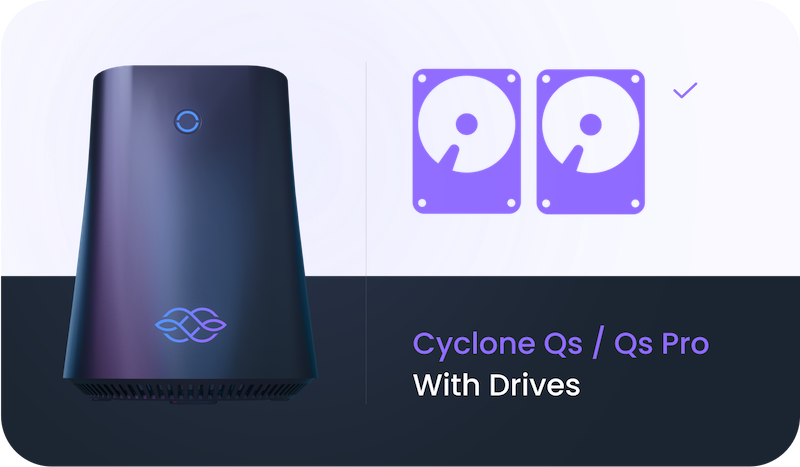](https://docs.iagon.com/products/cyclone/cyclone-qs-with-drives)
[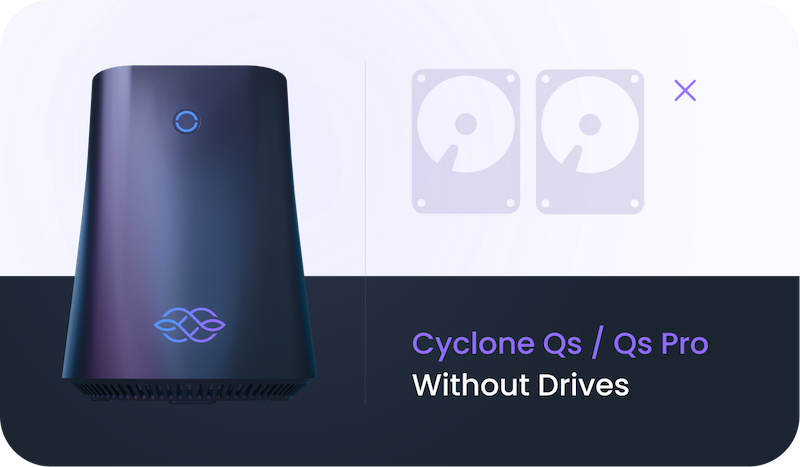](https://docs.iagon.com/products/cyclone/cyclone-qs-without-drives)
[Cyclone Qs / Qs Pro FAQ and Maintenance](https://docs.iagon.com/products/cyclone/cyclone-qs-faq-maintenance)
[](https://docs.iagon.com/products/cyclone/cyclone-qs#cyclone-qs--qs-pro-faq-and-maintenance "Direct link to cyclone-qs--qs-pro-faq-and-maintenance")
---------------------------------------------------------------------------------------------------------------------------------------------------------------------------------------------------------------------------------------------------------------------
Precautions Before Use[](https://docs.iagon.com/products/cyclone/cyclone-qs#precautions-before-use "Direct link to Precautions Before Use")
---------------------------------------------------------------------------------------------------------------------------------------------
### Intended Use[](https://docs.iagon.com/products/cyclone/cyclone-qs#intended-use "Direct link to Intended Use")
The Iagon Cyclone Qs and Qs Pro are designed for computing tasks in personal, commercial, and distributed network environments. Users must operate the device in accordance with the instruction manual. Misuse will void the warranty.
### Electrical Safety[](https://docs.iagon.com/products/cyclone/cyclone-qs#electrical-safety "Direct link to Electrical Safety")
Ensure the device is connected only to power sources matching the voltage and frequency specifications provided. Use only approved power adapters and cables.
### Environmental Conditions[](https://docs.iagon.com/products/cyclone/cyclone-qs#environmental-conditions "Direct link to Environmental Conditions")
**Temperature:** 5°C to 35°C (41°F to 95°F)
**Humidity:** 10% to 90% (non-condensing)
### Maintenance and Handling[](https://docs.iagon.com/products/cyclone/cyclone-qs#maintenance-and-handling "Direct link to Maintenance and Handling")
* Avoid exposure to liquids, strong magnetic fields, or direct sunlight.
* Please keep the product away from fire.
* Do not use strong chemical solvents to clean the product, we recommend using a soft cloth.
* When cleaning the electronic product, keep it dry and be cautious of electric shot.
* Do not dispose of the product carelessly, be mindful to protect the environment.
Regulatory Information[](https://docs.iagon.com/products/cyclone/cyclone-qs#regulatory-information "Direct link to Regulatory Information")
---------------------------------------------------------------------------------------------------------------------------------------------
### Environmental Compliance[](https://docs.iagon.com/products/cyclone/cyclone-qs#environmental-compliance "Direct link to Environmental Compliance")
This product complies with: RoHS: Restriction of Hazardous Substances REACH: Registration, Evaluation, Authorisation and Restriction of Chemicals WEEE: Waste Electrical and Electronic Equipment Directive (EU) Regulatory Certifications This product meets the certification standards for: FCC (USA) CE (EU) UKCA (UK) IC (Canada)
### Disposal and Recycling[](https://docs.iagon.com/products/cyclone/cyclone-qs#disposal-and-recycling "Direct link to Disposal and Recycling")
Do not dispose of this product with household waste. Return to designated electronic waste collection facilities as required by your local laws.
Limited Warranty Statement[](https://docs.iagon.com/products/cyclone/cyclone-qs#limited-warranty-statement "Direct link to Limited Warranty Statement")
---------------------------------------------------------------------------------------------------------------------------------------------------------
**General Terms:** _Iagon LTD warrants that the device is free from manufacturing defects under normal use for a period of one (1) year from the date of original purchase._
Warranty Coverage by Component[](https://docs.iagon.com/products/cyclone/cyclone-qs#warranty-coverage-by-component "Direct link to Warranty Coverage by Component")
---------------------------------------------------------------------------------------------------------------------------------------------------------------------
### Component Warranty Table:[](https://docs.iagon.com/products/cyclone/cyclone-qs#component-warranty-table "Direct link to Component Warranty Table:")
**Toshiba MG-Series HDD:** 5 Years (Toshiba)
**Samsung 990 Evo NVMe:** 5 Years or 600 TBW (Samsung)
**Kingston Fury RAM: Lifetime Warranty** (Kingston)
**SanDisk TF Card: Lifetime Warranty** (SanDisk)
**Cyclone Motherboard & Shell:** 1 Year (Iagon)
**Motherboard and Shell Warranty:** Covered for one year from sale for manufacturing defects. Excludes user damage and improper installation. Post-warranty support available for a fee.
Warranty Claim Process[](https://docs.iagon.com/products/cyclone/cyclone-qs#warranty-claim-process "Direct link to Warranty Claim Process")
---------------------------------------------------------------------------------------------------------------------------------------------
1. Contact Iagon Support with issue description and proof of purchase.
2. Return Authorization: Instructions for returning device for inspection.
3. Manufacturer Mediation: Iagon coordinates with component manufacturer.
4. Resolution: Repair, replacement, or refund per manufacturer decision.
Limitation of Liability[](https://docs.iagon.com/products/cyclone/cyclone-qs#limitation-of-liability "Direct link to Limitation of Liability")
------------------------------------------------------------------------------------------------------------------------------------------------
Any loss, corruption or destruction of data while using an Iagon Cyclone Qs or Iagon Cyclone Qs Pro system is the sole responsibility of the user, and under no circumstances will Iagon LTD. be held liable for the recovery or restoration of this data.
### Data Loss & Backup Disclaimer[](https://docs.iagon.com/products/cyclone/cyclone-qs#data-loss--backup-disclaimer "Direct link to Data Loss & Backup Disclaimer")
Users are responsible for backing up data.
### Liability Cap[](https://docs.iagon.com/products/cyclone/cyclone-qs#liability-cap "Direct link to Liability Cap")
Total liability is limited to the original purchase price.
Additional Legal Disclaimers[](https://docs.iagon.com/products/cyclone/cyclone-qs#additional-legal-disclaimers "Direct link to Additional Legal Disclaimers")
---------------------------------------------------------------------------------------------------------------------------------------------------------------
### Firmware/Software Modification Disclaimer[](https://docs.iagon.com/products/cyclone/cyclone-qs#firmwaresoftware-modification-disclaimer "Direct link to Firmware/Software Modification Disclaimer")
Modifications void the warranty and may cause damage.
### Export Control & Sanctions Compliance[](https://docs.iagon.com/products/cyclone/cyclone-qs#export-control--sanctions-compliance "Direct link to Export Control & Sanctions Compliance")
Users must comply with all applicable export laws.
### Privacy and Data Handling[](https://docs.iagon.com/products/cyclone/cyclone-qs#privacy-and-data-handling "Direct link to Privacy and Data Handling")
Iagon does not collect or store personal data by default.
Governing Law & Dispute Resolution[](https://docs.iagon.com/products/cyclone/cyclone-qs#governing-law--dispute-resolution "Direct link to Governing Law & Dispute Resolution")
--------------------------------------------------------------------------------------------------------------------------------------------------------------------------------
**Governing Law:** United Arab Emirates (Ras Al Khaimah) **Dispute Resolution:** Binding arbitration (if permitted) **Severability:** Invalid terms do not affect the remainder. **Modifications:** Terms may change without notice, retroactively unaffected.
Legal[](https://docs.iagon.com/products/cyclone/cyclone-qs#legal "Direct link to Legal")
------------------------------------------------------------------------------------------
### Contact Information[](https://docs.iagon.com/products/cyclone/cyclone-qs#contact-information "Direct link to Contact Information")
**Company:** Iagon LTD
**Address:** RAK Digital Assets Oasis, Post Box #30099, RAKBANK Headquarters, Ras Al Khaimah, UAE
### After Service[](https://docs.iagon.com/products/cyclone/cyclone-qs#after-service "Direct link to After Service")
Email: [\[email protected\]](https://docs.iagon.com/cdn-cgi/l/email-protection#2f5c5a5f5f405d5b6f464e484041014c4042)
For efficient support, visit our [Discord Server](https://discord.gg/hzncBHxsP6)
and open a support ticket.

### Legal Notices[](https://docs.iagon.com/products/cyclone/cyclone-qs#legal-notices "Direct link to Legal Notices")
All trademarks are the property of their respective owners.
© 2025 Iagon LTD. All rights reserved.
Refer to our website for open-source licenses if applicable.
---
# Iagon's decentralized cloud protocol documentation
[Skip to main content](https://docs.iagon.com/iagon-storage/detailed-storage-architecture/secure-lake#__docusaurus_skipToContent_fallback)
On this page
Overview[](https://docs.iagon.com/iagon-storage/detailed-storage-architecture/secure-lake#overview "Direct link to Overview")
-------------------------------------------------------------------------------------------------------------------------------
Hacking the data lake of an organization exposes it to an unlimited number of security, privacy, and financial risks such as:
* Confidential client information leak,
* Unauthorized use and sale of commercially sensitive data,
* Disclosure of trade secrets, internal correspondence, and digital goods such as source code or new product designs.
Few examples from recent years illustrate the broad scope of threats and risks to organizations (as well as to their customers and suppliers) that result from hacking their IT systems and databases:
### Rising Threats[](https://docs.iagon.com/iagon-storage/detailed-storage-architecture/secure-lake#rising-threats "Direct link to Rising Threats")
* Hadoop Attacks and Database Vulnerabilities In January 2017, Camarda[1](https://docs.iagon.com/iagon-storage/detailed-storage-architecture/secure-lake#user-content-fn-1)
reported that "Hadoop attacks followed ongoing attacks on MongoDB, ElasticSearch, and Apache CouchDB. In some cases, criminals have been known to clone and wipe databases, claiming to hold the originals for ransom. In other attacks, they have simply deleted databases without demanding payment".
### Cybersecurity Concerns[](https://docs.iagon.com/iagon-storage/detailed-storage-architecture/secure-lake#cybersecurity-concerns "Direct link to Cybersecurity Concerns")
* Hadoop Under Attack In the same period, Constantin[2](https://docs.iagon.com/iagon-storage/detailed-storage-architecture/secure-lake#user-content-fn-2)
reported that "It was only a matter of time until ransomware groups that wiped data from thousands of MongoDB databases and Elasticsearch clusters started targeting other data storage technologies... 126 Hadoop instances have been wiped so far. The number of victims is likely to increase because there are thousands of Hadoop deployments accessible from the internet although itʼs hard to say how many are vulnerable. The attacks against MongoDB and Elasticsearch followed a similar pattern. The number of MongoDB victims jumped from hundreds to thousands in a matter of hours and to tens of thousands within a week. The latest count puts the number of wiped MongoDB databases at more than 34,000 and that of deleted Elasticsearch clusters at more than 4,600".
### The Growing Menace[](https://docs.iagon.com/iagon-storage/detailed-storage-architecture/secure-lake#the-growing-menace "Direct link to The Growing Menace")
* Hadoop Data Breaches Claburn[3](https://docs.iagon.com/iagon-storage/detailed-storage-architecture/secure-lake#user-content-fn-3)
indicates that the actions of the attackers on Hadoop-based systems “may include destroying data nodes, data volumes, or snapshots with terabytes of data in seconds.”
### Securing Data[](https://docs.iagon.com/iagon-storage/detailed-storage-architecture/secure-lake#securing-data "Direct link to Securing Data")
* Iagon's Innovative Approach Earlier reports explain how to hack into Hadoop systems to exploit their vulnerabilities and destroy large volumes of data (Gothard[4](https://docs.iagon.com/iagon-storage/detailed-storage-architecture/secure-lake#user-content-fn-4)
). Given the nature of the vulnerabilities exposed, and those that have not yet been exploited by attackers, but may exist in the systems, as well as the lack of policies of ongoing cyber security auditing in many organizations, databases at large are exposed to other parties, should attackers decide to apply these intrusion techniques. The results can be catastrophic for any organization and have a large impact on its operations. To illustrate, the Equifax hack, reported in September 2017, exposed personal data of 143 million customers, causing a fall of 19% in Equifaxʼs market value.
### Hadoop Security Crisis[](https://docs.iagon.com/iagon-storage/detailed-storage-architecture/secure-lake#hadoop-security-crisis "Direct link to Hadoop Security Crisis")
* Insights and Solutions Iagon plans to build a technology named Secure Lake that will be based on decentralization, encryption, random clipping masks, ECC encoding, compression, and sharding. Except for the user who securely uploads a file and has the private key (password) to retrieve and decrypt it, no one can read the contents of the small file slices, decrypt, delete, change, retrieve them, identify their source or even associate them with other file slices generated from the original file. Iagon's technology will ensure that even when information systems are breached in any way, the data and files cannot be accessed, deleted, or modified.
Thus, one of the most important uses of Iagonʼs Secure Lake technology will be “freezing” the data lake, which means that it will prohibit potential threat actors from navigating within the data lake after gaining access to it.
Footnotes[](https://docs.iagon.com/iagon-storage/detailed-storage-architecture/secure-lake#footnote-label "Direct link to Footnotes")
---------------------------------------------------------------------------------------------------------------------------------------
1. Camarda B., [As attacks rise, we ask: how secure is your Hadoop installation?](https://news.sophos.com/en-us/2017/01/24/as-attacks-rise-we-ask-how-secure-is-your-hadoop-installation/)
, Sophos News, January 2017 [↩](https://docs.iagon.com/iagon-storage/detailed-storage-architecture/secure-lake#user-content-fnref-1)
2. Constantin L., [Attackers start wiping data from CouchDB and Hadoop databases](https://www.pcworld.com/article/3159527/security/attackers-start-wiping-data-from-couchdb-and-hadoop-databases.html)
, PC World, January 2017 [↩](https://docs.iagon.com/iagon-storage/detailed-storage-architecture/secure-lake#user-content-fnref-2)
3. Claburn T., [Clusters f\*\*ked: Insecure Hadoop file systems wiped by miscreants](https://www.theregister.co.uk/2017/02/09/hadoop_clusters_fked/)
, The Register, February 2017 [↩](https://docs.iagon.com/iagon-storage/detailed-storage-architecture/secure-lake#user-content-fnref-3)
4. Gothard P, [How to hack Hadoop and how to prevent others doing it to you](https://www.computing.co.uk/news/2431101/how-to-hack-hadoop-and-how-to-prevent-others-doing-it-to-you)
, Computing, October 2015. [↩](https://docs.iagon.com/iagon-storage/detailed-storage-architecture/secure-lake#user-content-fnref-4)
Content
* [Overview](https://docs.iagon.com/iagon-storage/detailed-storage-architecture/secure-lake#overview)
* [Rising Threats](https://docs.iagon.com/iagon-storage/detailed-storage-architecture/secure-lake#rising-threats)
* [Cybersecurity Concerns](https://docs.iagon.com/iagon-storage/detailed-storage-architecture/secure-lake#cybersecurity-concerns)
* [The Growing Menace](https://docs.iagon.com/iagon-storage/detailed-storage-architecture/secure-lake#the-growing-menace)
* [Securing Data](https://docs.iagon.com/iagon-storage/detailed-storage-architecture/secure-lake#securing-data)
* [Hadoop Security Crisis](https://docs.iagon.com/iagon-storage/detailed-storage-architecture/secure-lake#hadoop-security-crisis)
---
# Statur | Iagon's decentralized cloud protocol documentation
[Skip to main content](https://docs.iagon.com/products/statur#__docusaurus_skipToContent_fallback)
On this page
Table of Contents[](https://docs.iagon.com/products/statur#table-of-contents "Direct link to Table of Contents")
------------------------------------------------------------------------------------------------------------------
* [Overview](https://docs.iagon.com/products/statur#overview)
* [Non-Transferable (Soulbound) Tokens](https://docs.iagon.com/products/statur#non-transferable-soulbound-tokens)
* [Soulbound Token Flow](https://docs.iagon.com/products/statur#soulbound-token-flow)
* [Dynamic Content NFTs](https://docs.iagon.com/products/statur#dynamic-content-nfts)
* [Reputational Model](https://docs.iagon.com/products/statur#reputational-model)
* [End-to-End Reputation Flow](https://docs.iagon.com/products/statur#end-to-end-reputation-flow)
* [Entering the Reputation Contract](https://docs.iagon.com/products/statur#entering-the-reputation-contract)
* [Updating a User's Reputation](https://docs.iagon.com/products/statur#updating-a-users-reputation)
* [Off-Chain Reputation Database](https://docs.iagon.com/products/statur#off-chain-reputation-database)
* [Reputation Scoring](https://docs.iagon.com/products/statur#reputation-scoring)
* [List of Reputation Metrics](https://docs.iagon.com/products/statur#list-of-reputation-metrics)
Overview[](https://docs.iagon.com/products/statur#overview "Direct link to Overview")
---------------------------------------------------------------------------------------
This documentation offers a comprehensive overview of Statur, also known as the Self-Sovereign Pseudonymous Reputational Model, and its components, which include Non-Transferable (Soulbound) Tokens and Dynamic Content NFTs.
The self-sovereign pseudonymous reputational model is a revolutionary solution that allows projects to gather, utilize, and disseminate information about their pseudonymous users, while preserving user data sovereignty. This concept employs two cutting-edge technologies: non-transferable (soulbound) tokens and dynamic content NFTs.
Non-Transferable (Soulbound) Tokens[](https://docs.iagon.com/products/statur#non-transferable-soulbound-tokens "Direct link to Non-Transferable (Soulbound) Tokens")
----------------------------------------------------------------------------------------------------------------------------------------------------------------------
Soulbound tokens are unique assets that are non-transferable, opening up a broad spectrum of applications. These tokens facilitate the recording of a "soul point" on a user's wallet, which can either be endorsed or rejected by the user.
### Soulbound Token Flow[](https://docs.iagon.com/products/statur#soulbound-token-flow "Direct link to Soulbound Token Flow")
1. A Cardano-based project records a soul point on a user’s wallet.
2. A “basic” soul point is stored on-chain as a UTXO containing pertinent data.
3. The user can endorse the basic soul point or reject it.
4. If the user opts to discard the soul point, it is effectively removed from the chain.
5. If the user accepts the soul point, it is assigned a new “endorsed” signature.
6. The user retains the ability to reconsider at any moment and burn the soul point.
Dynamic Content NFTs[](https://docs.iagon.com/products/statur#dynamic-content-nfts "Direct link to Dynamic Content NFTs")
---------------------------------------------------------------------------------------------------------------------------
NFTs are typically used to hold unique, static information on-chain. However, the capacity to dynamically update this data off-chain, without compromising the essential decentralization aspect, is highly desirable.
With our unique decentralized data storage network, an NFT can serve as a pointer to a file. The contents of this file are subject to change by users who hold certain access rights on the storage network.
Reputational Model[](https://docs.iagon.com/products/statur#reputational-model "Direct link to Reputational Model")
---------------------------------------------------------------------------------------------------------------------
By integrating the eUXTO model with our decentralized storage mechanisms, we can accumulate reputational information about a user's wallet and store it on our decentralized storage network. The on-chain file index tied to a user's wallet functions as a pointer to data that projects can dynamically update with information regarding the user's participation and behavior.
### End-to-End Reputation Flow[](https://docs.iagon.com/products/statur#end-to-end-reputation-flow "Direct link to End-to-End Reputation Flow")
#### General Overview[](https://docs.iagon.com/products/statur#general-overview "Direct link to General Overview")
The reputation contract system offers a straightforward yet effective mechanism for providing on-chain, verifiable reputation data. Users join the reputation system by entering into the smart contracts. A user's reputation data is then updated in real time using an off-chain database. Every user's on-chain data is periodically updated automatically using the off-chain data.
The goal of the system is to provide users with a cost-efficient and scalable method for storing and updating their reputation data. We opt for constant-cost and highly parallelizable smart contracts over variable costs and rigid solutions, resulting in a unique blend of on-chain and off-chain protocols. The final product is a system for storing reputations on-chain while updating them in real-time via an off-chain database.
### Entering the Reputation Contract[](https://docs.iagon.com/products/statur#entering-the-reputation-contract "Direct link to Entering the Reputation Contract")
Each user will have a single UTxO inside the reputation contract, holding a special and soulbound NFT. The token may not leave the contract due to validator logic. A user may remove their UTxO from the reputation contract at any time; however, this will result in the burning of the soulbound token. The token serves as a unique identifier of a user's reputation, which is stored on-chain as a hash in the datum. The full reputation data is maintained in an off-chain database to support large data structures.
Users will contribute Lovelace to a fee contract for periodic updates. A special batcher uses the off-chain database and fee contract to perform reputation updates efficiently through transaction chaining.
### Updating a User's Reputation[](https://docs.iagon.com/products/statur#updating-a-users-reputation "Direct link to Updating a User's Reputation")
Reputation data is stored in an off-chain database. Storing complex data on-chain is limited by blockchain protocol constraints, so we only store a hash on-chain. Updates involve changing the hash of the off-chain data structure in a verifiable and reproducible way. These updates are efficient and allow for batch transactions. Users may also trigger updates independently if desired.
### Off-Chain Reputation Database[](https://docs.iagon.com/products/statur#off-chain-reputation-database "Direct link to Off-Chain Reputation Database")
The off-chain reputation database operates as an account-based state machine. Each update (or transition) to a user's reputation is signed by an authorized party and stored in a linear history. This ensures full traceability and allows users to reproduce and verify their reputation state independently.
Users can selectively authorize projects to update their data. For example, a user in the Iagon ecosystem may allow Iagon to track and update their data. Other projects cannot update a user's reputation without explicit permission. Thus, reputation is user-centric and ecosystem-specific.
The on-chain reputation data is stored as a `Blake2b-256` hash of the canonical form of the user's reputation data. This allows for on-chain verification of off-chain data by reconstructing the hash step by step.
### Reputation Scoring[](https://docs.iagon.com/products/statur#reputation-scoring "Direct link to Reputation Scoring")
Each user's reputation is assigned a score based on predefined metrics. This score is retrieved from the off-chain database and used in real time. While the full data is off-chain, the on-chain hash ensures transparency and verifiability.
List of Reputation Metrics[](https://docs.iagon.com/products/statur#list-of-reputation-metrics "Direct link to List of Reputation Metrics")
---------------------------------------------------------------------------------------------------------------------------------------------
The following table outlines the initial set of metrics proposed for evaluating user and node reputation within the Cardano ecosystem, specifically aligned with Iagon’s infrastructure and decentralized storage operations.
| Metric Name | Description |
| --- | --- |
| Read Speed | Average time taken by a node to retrieve stored data. |
| Write Speed | Average time required to write data to the node. |
| Download Speed | Download throughput measured during user data retrieval. |
| Upload Speed | Upload throughput measured during data storage to the node. |
| Uptime | Percentage of time the node remains online and available. |
| Pledge Amount | Total ADA pledged by the node operator. |
| Delegation Amount | Total ADA delegated by users to the node. |
| Number of Delegators | Number of individual delegators to the node. |
| Node Size | Total storage capacity available on the node. |
| Minimum Delegation | Minimum amount of ADA accepted by the node. |
| Maximum Delegation | Maximum amount of ADA accepted by the node. |
| Margin Percentage | Percentage of rewards taken as margin by the node operator. |
These metrics form the core of the quantitative scoring system used in Statur. They are designed to measure contribution, reliability, and performance in a standardized and transparent way.
> **Note:**
> This list is part of the first phase of development and may be revised or extended as the system evolves. Additional metrics may be introduced based on community feedback, new use cases, and technical requirements.
Content
* [Table of Contents](https://docs.iagon.com/products/statur#table-of-contents)
* [Overview](https://docs.iagon.com/products/statur#overview)
* [Non-Transferable (Soulbound) Tokens](https://docs.iagon.com/products/statur#non-transferable-soulbound-tokens)
* [Soulbound Token Flow](https://docs.iagon.com/products/statur#soulbound-token-flow)
* [Dynamic Content NFTs](https://docs.iagon.com/products/statur#dynamic-content-nfts)
* [Reputational Model](https://docs.iagon.com/products/statur#reputational-model)
* [End-to-End Reputation Flow](https://docs.iagon.com/products/statur#end-to-end-reputation-flow)
* [Entering the Reputation Contract](https://docs.iagon.com/products/statur#entering-the-reputation-contract)
* [Updating a User's Reputation](https://docs.iagon.com/products/statur#updating-a-users-reputation)
* [Off-Chain Reputation Database](https://docs.iagon.com/products/statur#off-chain-reputation-database)
* [Reputation Scoring](https://docs.iagon.com/products/statur#reputation-scoring)
* [List of Reputation Metrics](https://docs.iagon.com/products/statur#list-of-reputation-metrics)
---
# Iagon's decentralized cloud protocol documentation
[Skip to main content](https://docs.iagon.com/products/volo#__docusaurus_skipToContent_fallback)
On this page
Overview[](https://docs.iagon.com/products/volo#overview "Direct link to Overview")
-------------------------------------------------------------------------------------
### Purpose[](https://docs.iagon.com/products/volo#purpose "Direct link to Purpose")
Volo is an End-to-End Encrypted Chat System that provides a secure and private messaging platform for both web and mobile users. It ensures user data confidentiality and protection from unauthorized access through robust encryption and authentication mechanisms.
### Value[](https://docs.iagon.com/products/volo#value "Direct link to Value")
This application prioritizes user privacy and security, offering encrypted end-to-end messaging. Its intuitive interface and feature set enhance user experience, fostering trust and engagement. By providing a secure alternative to mainstream messaging services, it empowers users to truly control their digital interactions.
### Scope[](https://docs.iagon.com/products/volo#scope "Direct link to Scope")
The scope includes developing and deploying a feature-rich messaging platform with authentication, key exchange, chat functionality, and additional features like contact management, search, invitations, profiles, and social media integration.
### Objective[](https://docs.iagon.com/products/volo#objective "Direct link to Objective")
The objective is to create a secure and private messaging platform where users can communicate confidentially without the risk of unauthorized access or surveillance. By prioritizing user privacy and implementing strong security measures, the goal is to provide a trustworthy environment for digital conversations.
The end-to-end encrypted chat system development aligns with Iagon's strategic goals of establishing a decentralized marketplace for storage and computing resources. Integrating secure messaging capabilities prioritizes data privacy, security, and accessibility within the Iagon ecosystem.
* **Data Privacy and Security:** Implementing end-to-end encryption ensures user communications are protected, enhancing data privacy and security across Iagon's decentralized marketplace.
* **User Trust and Confidence:** Prioritizing data privacy fosters trust among users, supporting Iagon's objective of building a transparent and trustworthy ecosystem.
* **Enhanced User Experience:** Volo promotes accessibility to Iagon's services, fostering transparency and inclusivity, and enhancing user experience.
* **Future Expansion:** Volo lays the foundation for future developments, supporting Iagon's vision of a comprehensive decentralized grid.
Background Context[](https://docs.iagon.com/products/volo#background-context "Direct link to Background Context")
-------------------------------------------------------------------------------------------------------------------
The project addresses a crucial security gap within Iagon's ecosystem, enhancing user trust and confidence.
### Pain Point[](https://docs.iagon.com/products/volo#pain-point "Direct link to Pain Point")
The absence of secure messaging leaves users vulnerable to privacy breaches, compromising trust and confidence in the platform.
### Alignment with Company Goals/Values[](https://docs.iagon.com/products/volo#alignment-with-company-goalsvalues "Direct link to Alignment with Company Goals/Values")
Developing this system reinforces Iagon's commitment to data privacy, security, and user trust, aligning with its mission.
### Impact on Existing Products[](https://docs.iagon.com/products/volo#impact-on-existing-products "Direct link to Impact on Existing Products")
The implementation Volo sets Iagon apart, potentially attracting users seeking enhanced security and impacting existing products lacking similar privacy measures.
Requirements[](https://docs.iagon.com/products/volo#requirements "Direct link to Requirements")
-------------------------------------------------------------------------------------------------
| Epic | Tasks |
| --- | --- |
| User Registration | Users can register using OAuth with social accounts like Google or Twitter. |
| Device Registration | \- Users must register their first device to use the service.
\- Generate two asymmetric key pairs: one for signing and one for messaging.
\- Receive a random nonce from the server, sign it with the signing key, and send it along with device ID and public key pairs to the server.
\- Server verifies and registers the device under the public key pairs. |
| Adding New Device | \- Users can add a new device to their account.
\- Old Device: Generate random passphrases and construct a QR code.
\- Old Device: Use Key Derivation Function (KDF) to generate a session key (S).
\- New Device: Scan the QR code to get the passphrase and generate session key (S) using KDF.
\- New Device: Generate two asymmetric key pairs: one for signing and one for messaging.
\- Use session key (S) to encrypt messages for device registration.
\- Old device sends user ID and session token to authenticate the new device with the server.
\- New device generates a new device ID, signs and sends it to the old device along with newly generated public keys.
\- Old device verifies the signature, signs the data with its signing key, and sends it to the new device.
\- New device sends old device signature and data to the server for verification and registration, including publication to the blockchain. |
| Chat | Chat Message Backup:
\- Users can back up their chat messages by subscribing to the Iagon storage service.
\- To back up messages:
\- User chooses a password or passphrase to generate a backup key using Password-Based Key Derivation Function (PBKDF).
\- Backup: Messages requiring backup are encrypted using the backup key.
\- The salt is sent along with the messages to the backup server for storage. |
| Contacts | \- Users can add other users to their contacts using their usernames for quicker discovery. |
| Search | \- Users can search for specific chats or users to initiate new conversations. |
| Invite Friends | \- Users can invite their friends via email or invitation links to join the platform. |
| Groups | \- Users can create groups with multiple members.
\- Group creation/admin initiates key exchange with every member's devices for secure communication. |
| Profile | \- Users can set their username, description, and profile picture. |
| Social Accounts | \- Users can link their social media accounts for easier discovery by other users. |
| Verify Conversation | \- Users can verify the security of conversations by comparing conversation safety numbers between each other and devices.
\- This check protects against Man-in-the-Middle (MITM) attacks and can be performed through QR codes.
\- Conversation safety numbers are generated by hashing the concatenation of available public keys of all users and devices involved in the conversation. |
| Key Exchange | Before sending a message, user A must share the encryption key with user B.
\- Sender (user A) performs key exchange with each of the receiver's (user B's) devices and its own devices using the following steps:
\- Generation and Encryption
\- Sender (user A) generates a random session key.
\- The session key is encrypted with the public keys of receiver (user B) and sender's (user A's) devices.
\- Sender (user A) signs the encrypted session key with its private key.
\- Message Reception:
\- Each device (belonging to user B and user A) receiving the message verifies the signature and decrypts the message to obtain the session key.
\- Session Key Renewal:
\- The session key can be regenerated after a certain time or a certain number of messages sent or received, ensuring ongoing security of communication.
\- Message Encryption and Decryption:
\- The shared session key is used to generate symmetric keys using Key Derivation Function (KDF).
\- The sender encrypts the message with the generated symmetric key, and the receiver decrypts the message using the same key. |
System Overview[](https://docs.iagon.com/products/volo#system-overview "Direct link to System Overview")
----------------------------------------------------------------------------------------------------------
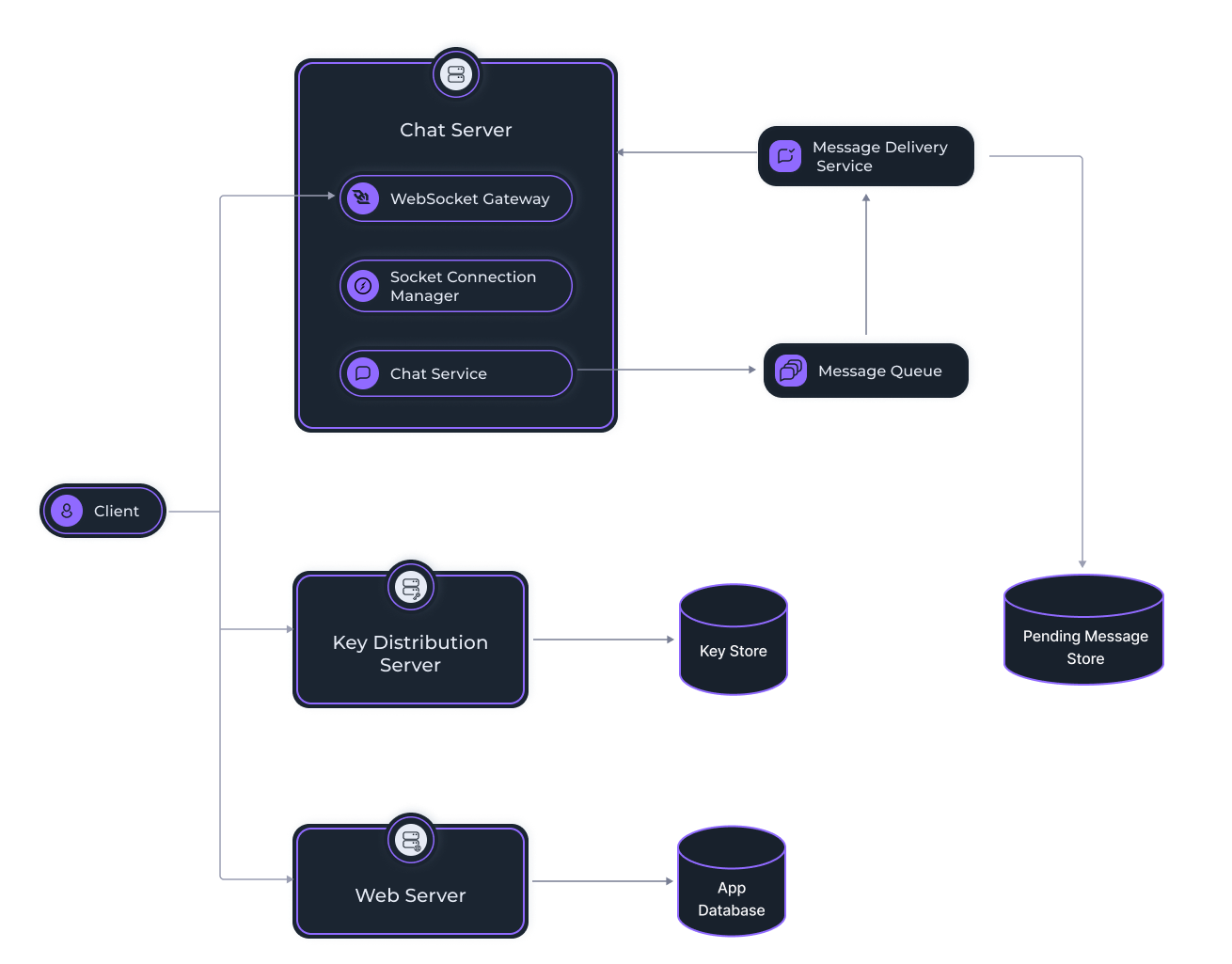
### WebSocket Server[](https://docs.iagon.com/products/volo#websocket-server "Direct link to WebSocket Server")
Users connect to establish web socket connection for real time message exchange. The websocket server registers every opened connection to the socket connection manager.
### Socket Connection Manager[](https://docs.iagon.com/products/volo#socket-connection-manager "Direct link to Socket Connection Manager")
It stores the information about the open connection of every user to the socket server.
### Key Distribution Server[](https://docs.iagon.com/products/volo#key-distribution-server "Direct link to Key Distribution Server")
All the public keys for the devices are stored and managed by the key distribution server.
### Web Server[](https://docs.iagon.com/products/volo#web-server "Direct link to Web Server")
It exposes API endpoints for all HTTP/HTTPS requests, which includes authentication, user information, group information etc.
### Chat Service[](https://docs.iagon.com/products/volo#chat-service "Direct link to Chat Service")
All the messages sent by users are handled by the chat service. It processes the messages and pushes to the message queue for all the destination devices.
### Message Queue[](https://docs.iagon.com/products/volo#message-queue "Direct link to Message Queue")
All the messages are first pushed to the message queue.
### Message Delivery Service[](https://docs.iagon.com/products/volo#message-delivery-service "Direct link to Message Delivery Service")
Message delivery service reads the message queue and delivers to the open web socket connection of the particular destination device. If there is no open connection, it pushes the pending messages to the database.
### App Database[](https://docs.iagon.com/products/volo#app-database "Direct link to App Database")
All the information like user info, group info, profile info etc are stored in the app database.
### Key Store[](https://docs.iagon.com/products/volo#key-store "Direct link to Key Store")
All the keys for the users’ devices are stored at the key store.
### Pending Message Store[](https://docs.iagon.com/products/volo#pending-message-store "Direct link to Pending Message Store")
All the pending messages are stored in the pending message store. Messages are automatically deleted after a certain time or after reaching a certain count.
_**Note: All the servers in the messaging system will be replaced by Iagon’s decentralized Compute.**_
Content
* [Overview](https://docs.iagon.com/products/volo#overview)
* [Purpose](https://docs.iagon.com/products/volo#purpose)
* [Value](https://docs.iagon.com/products/volo#value)
* [Scope](https://docs.iagon.com/products/volo#scope)
* [Objective](https://docs.iagon.com/products/volo#objective)
* [Background Context](https://docs.iagon.com/products/volo#background-context)
* [Pain Point](https://docs.iagon.com/products/volo#pain-point)
* [Alignment with Company Goals/Values](https://docs.iagon.com/products/volo#alignment-with-company-goalsvalues)
* [Impact on Existing Products](https://docs.iagon.com/products/volo#impact-on-existing-products)
* [Requirements](https://docs.iagon.com/products/volo#requirements)
* [System Overview](https://docs.iagon.com/products/volo#system-overview)
* [WebSocket Server](https://docs.iagon.com/products/volo#websocket-server)
* [Socket Connection Manager](https://docs.iagon.com/products/volo#socket-connection-manager)
* [Key Distribution Server](https://docs.iagon.com/products/volo#key-distribution-server)
* [Web Server](https://docs.iagon.com/products/volo#web-server)
* [Chat Service](https://docs.iagon.com/products/volo#chat-service)
* [Message Queue](https://docs.iagon.com/products/volo#message-queue)
* [Message Delivery Service](https://docs.iagon.com/products/volo#message-delivery-service)
* [App Database](https://docs.iagon.com/products/volo#app-database)
* [Key Store](https://docs.iagon.com/products/volo#key-store)
* [Pending Message Store](https://docs.iagon.com/products/volo#pending-message-store)
---
# Iagon's decentralized cloud protocol documentation
[Skip to main content](https://docs.iagon.com/iagon-storage/detailed-storage-architecture/sharding#__docusaurus_skipToContent_fallback)
On this page
Overview[](https://docs.iagon.com/iagon-storage/detailed-storage-architecture/sharding#overview "Direct link to Overview")
----------------------------------------------------------------------------------------------------------------------------
In general, sharding is a method for horizontally splitting and distributing files across multiple storage providers in a decentralized network, and provides the following advantages:
* **Data is secure and private**: By splitting and distributing data to different storage providers, the network makes sure that no one can reconstruct a file. Furthermore, users can choose to encrypt their files, adding another layer of security.
* **Reduced risk of data loss**: As more storage providers join the network, the level of redundancy increases, and the protocol distributes multiple copies of each block of data among different storage providers. Thus, a storage consumer can retrieve a file even when some of the storage providers are unavailable.
* **Faster download speeds**: When the content of a file is distributed among a large number of storage providers, the network is not prone to bottlenecks, and the protocol can retrieve the shards simultaneously from the storage providers that store them.
To store data, the first version of the Iagon protocol used a modified version of [IPFS](https://ipfs.io/)
, a distributed system that relies on a peer-to-peer storage network. IPFS splits data into shards, assigns a unique identifier to each shard, and stores this unique identifier together with the list of peers hosting that shard in a distributed hash table (DHT). A DHT is a mapping of unique IDs to the peers storing data. Note that the unique identifier does not indicate where a specific shard is stored. To retrieve a file, a storage consumer must query the DHT twice:
* Find the list of peers storing a specific shard.
* Find addresses of the peers identified in step #1.
To meet GDPR compliance and other regulatory requirements, Iagon has built a mechanism that will allow the network to group nodes situated in a specific country or having a specific bandwidth.
In this versions of the protocol, Iagon deploys its own sharding protocol that will differ from IPFS in a number of ways. Iagon’s sharding protocol improve the retrievability of data and the resilience of the protocol.
The following subsections describe the most important differences.
Upload a File[](https://docs.iagon.com/iagon-storage/detailed-storage-architecture/sharding#upload-a-file "Direct link to Upload a File")
-------------------------------------------------------------------------------------------------------------------------------------------
### Encode the File using the Error-Correcting Codes[](https://docs.iagon.com/iagon-storage/detailed-storage-architecture/sharding#encode-the-file-using-the-error-correcting-codes "Direct link to Encode the File using the Error-Correcting Codes")
Error-correcting codes were initially used for encoding CD-ROMs and hard disk drives to protect against scratches and lost or flipped bits/bytes. A Reed-Solomon encoder pads each block of data with a sequence of redundant bytes that is computed based on the initial block of data. This allows the decoder to retrieve the entire block of data even if one or more parts are missing or contain errors. Iagon also uses this algorithm to retrieve a file when shards are lost. Note that the error-correcting codes can be scaled up or down. Thus, even if the process increases the file size, the amount of data required to decode a file can be parametrized. For example, the algorithm can be configured in such a way that 80% of the file is needed to decode the original file.
Iagon will use error-correcting codes to restore a file when a number of shards cannot be retrieved.
### Data Encryption[](https://docs.iagon.com/iagon-storage/detailed-storage-architecture/sharding#data-encryption "Direct link to Data Encryption")
The data requires to be encrypted in some form apart from encoding for error before it can be divided into shards. The storage consumers get to select whether to encrypt the data depending upon the plan they choose. The data is encrypted in the first phase regardless the further encyption will depend subscribed plan. The storage cost will be effected as per the encyption method used since it increases the size of the data and the computational cost to decrypt the data adds up as well.
### Improve Robustness with Random Masks[](https://docs.iagon.com/iagon-storage/detailed-storage-architecture/sharding#improve-robustness-with-random-masks "Direct link to Improve Robustness with Random Masks")
Since the encoded file is prone to the potential loss of small amounts of data, Iagon uses a probabilistic approach for the subsequent sharding. In particular, the protocol uses a random mask to select only small parts of the data. The encoded file is a long list of bytes, and the protocol randomly selects a number of these bytes. Thus, the probability of selecting any individual byte is a parameter named byte selector probability (`P1`) that can range between slightly over 0% and 100%.
Example: The size of the file a storage consumer wishes to upload is 1 kB. This means that there are 100 bytes in a row, `P1` is 3%, and each mask will select 3% of the total of 1000 bytes. Thus, for each 1kB file, the protocol randomly selects 30 bytes.
The value of the byte selector probability parameter determines the following behaviors:
* A low probability means that Iagon will split the file into a large number of shards. Thus, if a threat actor can decrypt a shard, they will only see a small number of bytes.
* A high probability means Iagon will split the file into a smaller number of shards. For files that need to be quick to reassemble, such as streaming media, this parameter should have a higher value.
### Compress the Masked File Shards[](https://docs.iagon.com/iagon-storage/detailed-storage-architecture/sharding#compress-the-masked-file-shards "Direct link to Compress the Masked File Shards")
The masked data is a data block of the same size as the initial block, but most of the bytes are set to the zero value ( 00000000). The system extracts useful information by removing all the zero bytes. This way, the shard is compressed.
### Distribute the Shards[](https://docs.iagon.com/iagon-storage/detailed-storage-architecture/sharding#distribute-the-shards "Direct link to Distribute the Shards")
The protocol distributes the shards to storage providers that meet all the requirements specified by the storage consumers when they upload the file.
Download a File[](https://docs.iagon.com/iagon-storage/detailed-storage-architecture/sharding#download-a-file "Direct link to Download a File")
-------------------------------------------------------------------------------------------------------------------------------------------------
### Recombine the Compressed Shards[](https://docs.iagon.com/iagon-storage/detailed-storage-architecture/sharding#recombine-the-compressed-shards "Direct link to Recombine the Compressed Shards")
When a storage consumer wishes to download a file, the protocol retrieves the shards and recombines them. It is not required to decompress the shards.
### Decode the Recombined Shards[](https://docs.iagon.com/iagon-storage/detailed-storage-architecture/sharding#decode-the-recombined-shards "Direct link to Decode the Recombined Shards")
Once the protocol retrieves and recombines the required number of shards, the protocol decodes them using error-correcting codes. If bytes are missing, the network uses the error-correcting codes to replace the missing bytes and reconstructs the file.
Content
* [Overview](https://docs.iagon.com/iagon-storage/detailed-storage-architecture/sharding#overview)
* [Upload a File](https://docs.iagon.com/iagon-storage/detailed-storage-architecture/sharding#upload-a-file)
* [Encode the File using the Error-Correcting Codes](https://docs.iagon.com/iagon-storage/detailed-storage-architecture/sharding#encode-the-file-using-the-error-correcting-codes)
* [Data Encryption](https://docs.iagon.com/iagon-storage/detailed-storage-architecture/sharding#data-encryption)
* [Improve Robustness with Random Masks](https://docs.iagon.com/iagon-storage/detailed-storage-architecture/sharding#improve-robustness-with-random-masks)
* [Compress the Masked File Shards](https://docs.iagon.com/iagon-storage/detailed-storage-architecture/sharding#compress-the-masked-file-shards)
* [Distribute the Shards](https://docs.iagon.com/iagon-storage/detailed-storage-architecture/sharding#distribute-the-shards)
* [Download a File](https://docs.iagon.com/iagon-storage/detailed-storage-architecture/sharding#download-a-file)
* [Recombine the Compressed Shards](https://docs.iagon.com/iagon-storage/detailed-storage-architecture/sharding#recombine-the-compressed-shards)
* [Decode the Recombined Shards](https://docs.iagon.com/iagon-storage/detailed-storage-architecture/sharding#decode-the-recombined-shards)
---
# Iagon's decentralized cloud protocol documentation
[Skip to main content](https://docs.iagon.com/provide-resources/compute-node-setup/compute-node-cli#__docusaurus_skipToContent_fallback)
On this page
Registering Iagon Compute Node using Compute Node CLI[](https://docs.iagon.com/provide-resources/compute-node-setup/compute-node-cli#registering-iagon-compute-node-using-compute-node-cli "Direct link to Registering Iagon Compute Node using Compute Node CLI")
--------------------------------------------------------------------------------------------------------------------------------------------------------------------------------------------------------------------------------------------------------------------
Iagon Compute Node CLI is a CLI application which allows users to share their computational power on the Iagon network to earn rewards.
This document provides step-by-step instructions to help you install and set up Iagon Compute Node CLI on your system. Currently only Linux-based OS are supported.
Installation[](https://docs.iagon.com/provide-resources/compute-node-setup/compute-node-cli#installation "Direct link to Installation")
-----------------------------------------------------------------------------------------------------------------------------------------
You can download the Official Compute Node CLI binary from the [Iagon's Github Release page](https://github.com/Iagonorg/Mainnet-Compute-Node/releases)
. Once downloaded, navigate to the CLI binary and mark it as executable:
wget -qO- https://github.com/Iagonorg/Mainnet-Compute-Node/releases/download/v0.2.0-beta/install.sh | sudo bash
Iagon Compute Node depends on third party trusted packages to perform various benchmarks. These benchmarks help track the current performance and availability of the node in the Iagon Network for use. These packages don't come bundled with the Iagon Compute Node CLI binary and have to be installed by the user.
### Minimum System Requirements[](https://docs.iagon.com/provide-resources/compute-node-setup/compute-node-cli#minimum-system-requirements "Direct link to Minimum System Requirements")
* OS: Linux (Ubuntu 22.04)
* CPU Cores Count = 4
* Memory = 8 GB
* CPU base ClockSpeed = 2 Ghz
* Storage = 100 GB
* Sequential Read Speed = 5000 Mbps
* Sequential Write Speed = 5000 Mbps
* Random Read Speed = 300 Mbps
* Random Write Speed = 300 Mbps
* Maximum Ping = 100
* Maximum latency = 100
* Upload Speed = 150 Mbps
* Download Speed = 150 Mbps
* Memory Read Speed = 45000 Mbps
* Memory Write Speed = 40000 Mbps
* CPU EPS (Sysbench) Value = 60
### Prerequisites[](https://docs.iagon.com/provide-resources/compute-node-setup/compute-node-cli#prerequisites "Direct link to Prerequisites")
Before installing the Compute Node CLI, ensure the following prerequisites are met:
#### Port Forwarding[](https://docs.iagon.com/provide-resources/compute-node-setup/compute-node-cli#port-forwarding "Direct link to Port Forwarding")
Enable port forwarding for both ssh server and the compute node binary on a static ip. These ports are to be provided during registration process and should be accessible from the internet.
#### OpenSSH Server[](https://docs.iagon.com/provide-resources/compute-node-setup/compute-node-cli#openssh-server "Direct link to OpenSSH Server")
OpenSSH Server is required for remote access of Compute Nodes. If not already installed, you can install it via apt:
sudo apt install openssh-server
After the installation, ensure that openssh server is running. The user is prompted to provide the ssh port and user credential duing the registration process from the CLI. For testing it is recommended to create a separate ssh user with minimum/restricted permissions.
#### FIO[](https://docs.iagon.com/provide-resources/compute-node-setup/compute-node-cli#fio "Direct link to FIO")
FIO is a powerful tool for testing I/O performance. Follow the installation instructions from [FIO's Github repository](https://github.com/axboe/fio)
, or install it via apt:
sudo apt install fio
#### Sysbench[](https://docs.iagon.com/provide-resources/compute-node-setup/compute-node-cli#sysbench "Direct link to Sysbench")
Sysbench is a versatile benchmarking tool for evaluating system CPU and memory performances. Installation instructions can be found on [sysbench's Github repository](https://github.com/akopytov/sysbench)
, or you can install it via apt:
sudo apt install sysbench
Usage[](https://docs.iagon.com/provide-resources/compute-node-setup/compute-node-cli#usage "Direct link to Usage")
--------------------------------------------------------------------------------------------------------------------
Once the binary and the necessary dependencies are installed, you can use the Compute Node CLI. There are various commands available in the CLI to make the on-boarding/registration process easier. The user can start the node and execute various test commands to check the hardware status of the node.
Commands[](https://docs.iagon.com/provide-resources/compute-node-setup/compute-node-cli#commands "Direct link to Commands")
-----------------------------------------------------------------------------------------------------------------------------
Execute the following commands, as: `./iag-compute-cli some-command`
1. **start** Evaluate/Register the host machine as compute node or start compute node if already evaluated.
2. **stop** Stop compute node (if already running)
3. **status** Check running status of compute node
4. **check**
Check if the system adhere to prerequisite criteria
5. **info** Extract basic information about the system
6. **test-node** Test if the node is accessible from the internet
7. **clear-config**
Clear the configurations
8. **tasks** Show the compute tasks running on the node.
9. **benchmark-memory**
Run memory tests and benchmark for the host machine
10. **benchmark-cpu** Run cpu tests and benchmark for the host machine
11. **benchmark-storage** Run storage i/o tests and benchmark for the host machine
12. **benchmark-network** Run network tests and benchmark for the host machine
13. **help** Display help for command
Node Integration[](https://docs.iagon.com/provide-resources/compute-node-setup/compute-node-cli#node-integration "Direct link to Node Integration")
-----------------------------------------------------------------------------------------------------------------------------------------------------
### Adding Node[](https://docs.iagon.com/provide-resources/compute-node-setup/compute-node-cli#adding-node "Direct link to Adding Node")
* Navigate to the 'Provider' section to begin.
* In the Provider dashboard, find 'Compute' on the left-hand menu bar.
* Click on 'Compute node' to reach the page with the 'Add Node' button.
* Click the 'Add Node' button to proceed to the screen displayed in the screenshot.
* As shown in the UI, we have to add Auth key
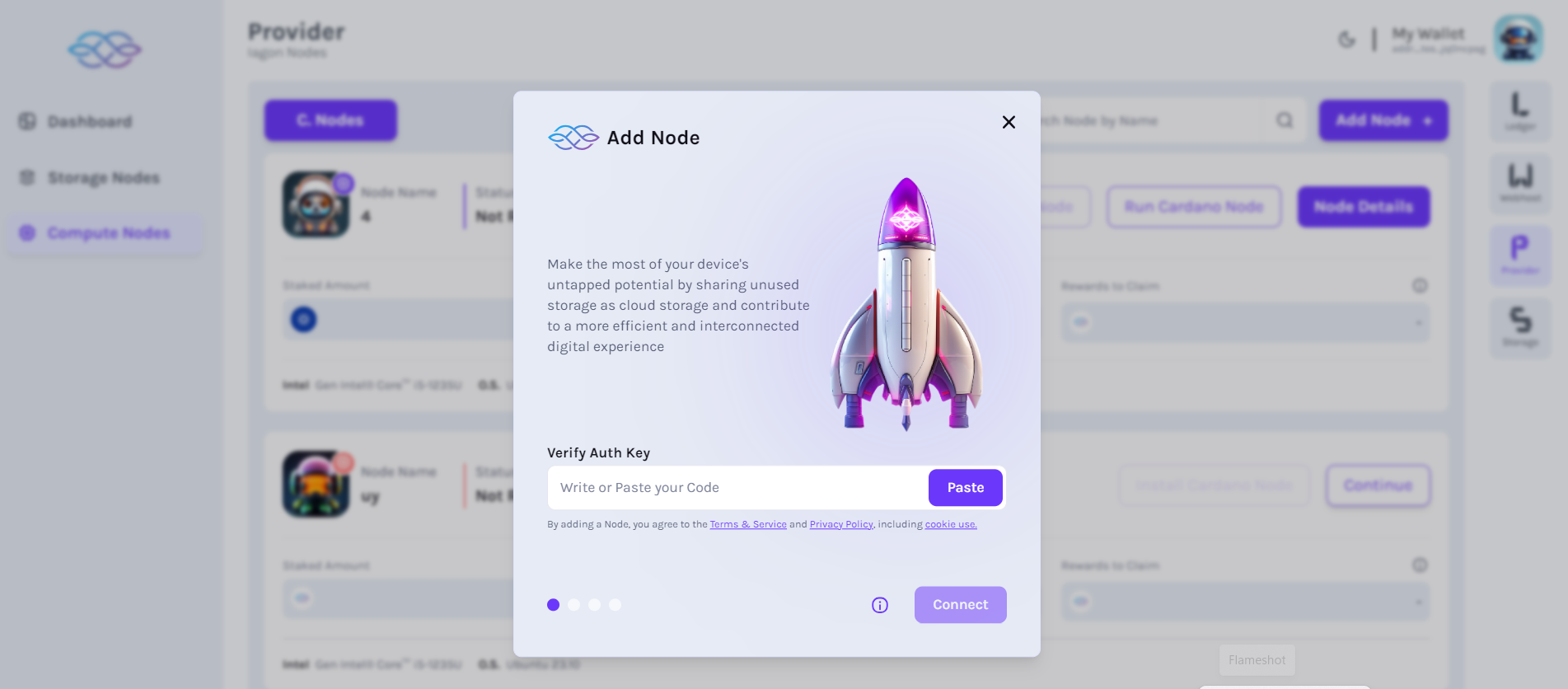
* After we add Auth key, we can view the details of the node
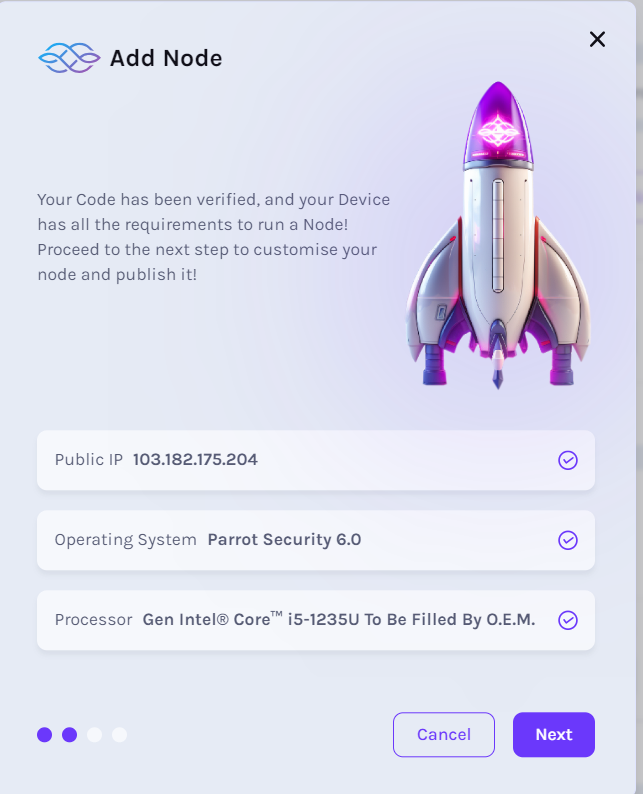
* In the next step, we have to add "Node name" as shown in the picture.

* In our next step, IAG balance and IAG amount to stake is displayed
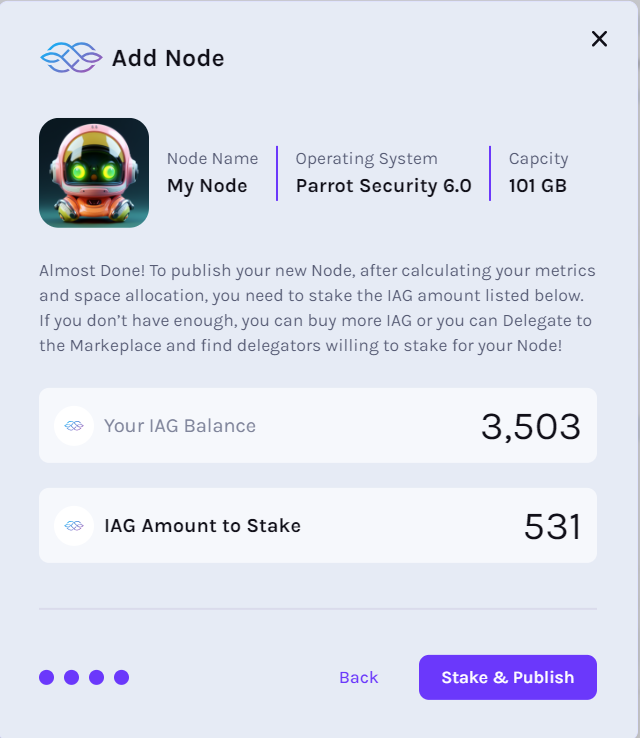
Metrics Collection Process[](https://docs.iagon.com/provide-resources/compute-node-setup/compute-node-cli#metrics-collection-process "Direct link to Metrics Collection Process")
-----------------------------------------------------------------------------------------------------------------------------------------------------------------------------------
* Ping stamp -> 3 min
* Performance metrics:
* All: once a day
* Memory: every 2 hr
* CPU: every 3 hr
* Storage: once a day
* Network: every 5 hr
Content
* [Registering Iagon Compute Node using Compute Node CLI](https://docs.iagon.com/provide-resources/compute-node-setup/compute-node-cli#registering-iagon-compute-node-using-compute-node-cli)
* [Installation](https://docs.iagon.com/provide-resources/compute-node-setup/compute-node-cli#installation)
* [Minimum System Requirements](https://docs.iagon.com/provide-resources/compute-node-setup/compute-node-cli#minimum-system-requirements)
* [Prerequisites](https://docs.iagon.com/provide-resources/compute-node-setup/compute-node-cli#prerequisites)
* [Usage](https://docs.iagon.com/provide-resources/compute-node-setup/compute-node-cli#usage)
* [Commands](https://docs.iagon.com/provide-resources/compute-node-setup/compute-node-cli#commands)
* [Node Integration](https://docs.iagon.com/provide-resources/compute-node-setup/compute-node-cli#node-integration)
* [Adding Node](https://docs.iagon.com/provide-resources/compute-node-setup/compute-node-cli#adding-node)
* [Metrics Collection Process](https://docs.iagon.com/provide-resources/compute-node-setup/compute-node-cli#metrics-collection-process)
---
# Tokenomics | Iagon's decentralized cloud protocol documentation
[Skip to main content](https://docs.iagon.com/iagon-token/tokenomics#__docusaurus_skipToContent_fallback)
On this page
Overview[](https://docs.iagon.com/iagon-token/tokenomics#overview "Direct link to Overview")
----------------------------------------------------------------------------------------------
IAG serves as the native token for the Iagon protocol, operating on the Cardano blockchain. This capped-supply token has a total supply of 1 billion. Following our migration to Cardano, the IAG tokens hold value exclusively within the Cardano network. _As a result, we have discontinued the utilization of our ERC-20 tokens, as they no longer possess any functionality._
* **IAG token policy ID**: `5d16cc1a177b5d9ba9cfa9793b07e60f1fb70fea1f8aef064415d114` ([Details](https://cexplorer.io/asset/asset1z62wksuv4sjkl24kjgr2sm8tfr4p0cf9p32rca)
)
* **The presale had four rounds**: Seed, Strategic, Private Sale and Public Sale
* **Total fixed supply**: 1,000,000,000 tokens
* **Funds raised**: $3.6 million
IAG Tokenomics Transparency[](https://docs.iagon.com/iagon-token/tokenomics#iag-tokenomics-transparency "Direct link to IAG Tokenomics Transparency")
-------------------------------------------------------------------------------------------------------------------------------------------------------
We have collaborated with ADA Handle to enhance transparency and accountability with specifically allocated wallets for our IAG tokens based on their designated purposes.
This arrangement enables anyone to easily track all token movements on the blockchain, ensuring accurate and real-time information for our users. We strongly believe that transparency is vital in establishing trust and credibility, and we are dedicated to equipping our users with the necessary information to make informed decisions.
These tokens are, and will continue to be, controlled by the Decentralized Autonomous Organization (DAO). This is a key aspect of our commitment to a decentralized model of operation. **It's important to clarify that these tokens are not owned by any company.** The DAO, representing the community of token holders, exercises collective decision-making power over the tokens.
IAG Token Allocations[](https://docs.iagon.com/iagon-token/tokenomics#iag-token-allocations "Direct link to IAG Token Allocations")
-------------------------------------------------------------------------------------------------------------------------------------
### The following are the initial allocations of the IAG tokens minted on Cardano:[](https://docs.iagon.com/iagon-token/tokenomics#the-following-are-the-initial-allocations-of-the-iag-tokens-minted-on-cardano "Direct link to The following are the initial allocations of the IAG tokens minted on Cardano:")
⭐️ **Community Incentives** - 461 million IAG ([$iagon.incentives](https://cexplorer.io/stake/stake1uyc5ycj8e8fq0ss6fpjv7627tczcwn26w0lrql2gcflqm0q2xd35e)
)
This wallet is for the community. In our strategic planning, we have also allocated specific portions of our funds to vital growth areas within our community:
* **60 million** IAG earmarked for our referral program to involve our community, a testament to our belief in the power of community-driven expansion.
* **30 million** IAG dedicated to the LSPO ([Liquidity Stake Pool Offering](https://blog.iagon.com/iagons-liquidity-reward-program-explained/)
) within our Resource Providers Rewards Program, affirming our commitment to enhancing liquidity. _This allocation will have 12 months of vesting starting April 2024_
* **100 million** IAG allocated for node operators' staking rewards, set to be distributed over a period of 15 years. _Rewards become claimable after 73 epochs of dedicated staking, ensuring a sustained commitment aligns with deserved benefits._
* **20 million** IAG earmarked for our innovative 'Storage Provider Hives'. _More details will be unveiled soon!_
* The remaining **251 million** IAG tokens are strategically reserved for future programs like decentralized compute that we'll introduce as our platform evolves. This reserve underscores our commitment to agility and innovation, ensuring we're always ready to harness fresh opportunities for community enrichment and engagement.
⭐️ **Development** - 112 million IAG ([$iagon.dev](https://cexplorer.io/stake/stake1u9gc67yuparwf2qjvvsv5c652yf8zfcn7wwtmruap0fte6qyz6h9g)
)
The main purpose of this wallet is seamless, ongoing project development, ensuring that every avenue is explored for project success.
_Since November 2025, our monthly development expenses have increased to $140k. To manage this, we have been using a linear monthly distribution model to convert funds into fiat, an approach in place since October 2023._
_In March 2024, we began allocating 500k IAG tokens monthly for the ERC20-CNT token swap, ensuring sufficient liquidity and alignment with our token distribution strategy._
_Additionally, from December 2024 onward, advisor tokens will be covered by the Development budget to streamline financial management._
⭐️ **Marketing & Advisors** ([$iagon.marketing](https://cexplorer.io/stake/stake1ux0x89ur69hu2gqvsaw8fpt45zj4kt50h8lq4ycd68ycsmc9m4y99)
)
This fund, dedicated to marketing and engaging industry advisors, **is unlocked and available for ad hoc use**, focusing on enhancing product development and reach. Our approach, underlining transparency and efficacy, aims to effectively promote our product. Portions of these funds have already been allocated for advisor engagement and collaborative promotional airdrops with partners.
Decisions on fund usage are made with our project's growth and community trust as guiding principles.
⭐️ **Team** - 85 million IAG ([$iagon.team](https://cexplorer.io/stake/stake1uywysqcqqys7qewrcl0uhda8g25ecr5k2klsr2d45jmdpnsqmc5hh)
)
This amount is _**locked until October 2025**_, after which, it will be distributed over a 6-month period. Our team believes in a long-term commitment to this journey.
⭐️ **Liquidity & Tokens for ERC20 Swap** ([$iagon.liquidity](https://cexplorer.io/stake/stake1uxc38mnkfvsm0yc2un6g8yp49nshnv2t4rcvqapeahnm87ccz9ns8)
& [$iagon](https://cexplorer.io/stake/stake1uy8a6tmpcy9mh57m8puka0ra0zq2zt4pjcuphyh770u3spg8cn9zk)
)
A specific wallet that is dedicated to liquidity allocation and a batch of tokens reserved for ERC20 token swap transactions. This process is still ongoing and has yet to be completed.
Also, it’s important to note that **all other amounts of tokens are on the free market, meaning that they are available for trading and exchange**. Additionally, any transaction related to these tokens can be easily tracked and verified using the Cardano explorer.
You are welcome to track the IAG token on [Coinmarketcap](https://coinmarketcap.com/currencies/iagon/)
or [Coingecko](https://www.coingecko.com/en/coins/iagon)
.
Coinmarket Cap[](https://docs.iagon.com/iagon-token/tokenomics#coinmarket-cap "Direct link to Coinmarket Cap")
----------------------------------------------------------------------------------------------------------------
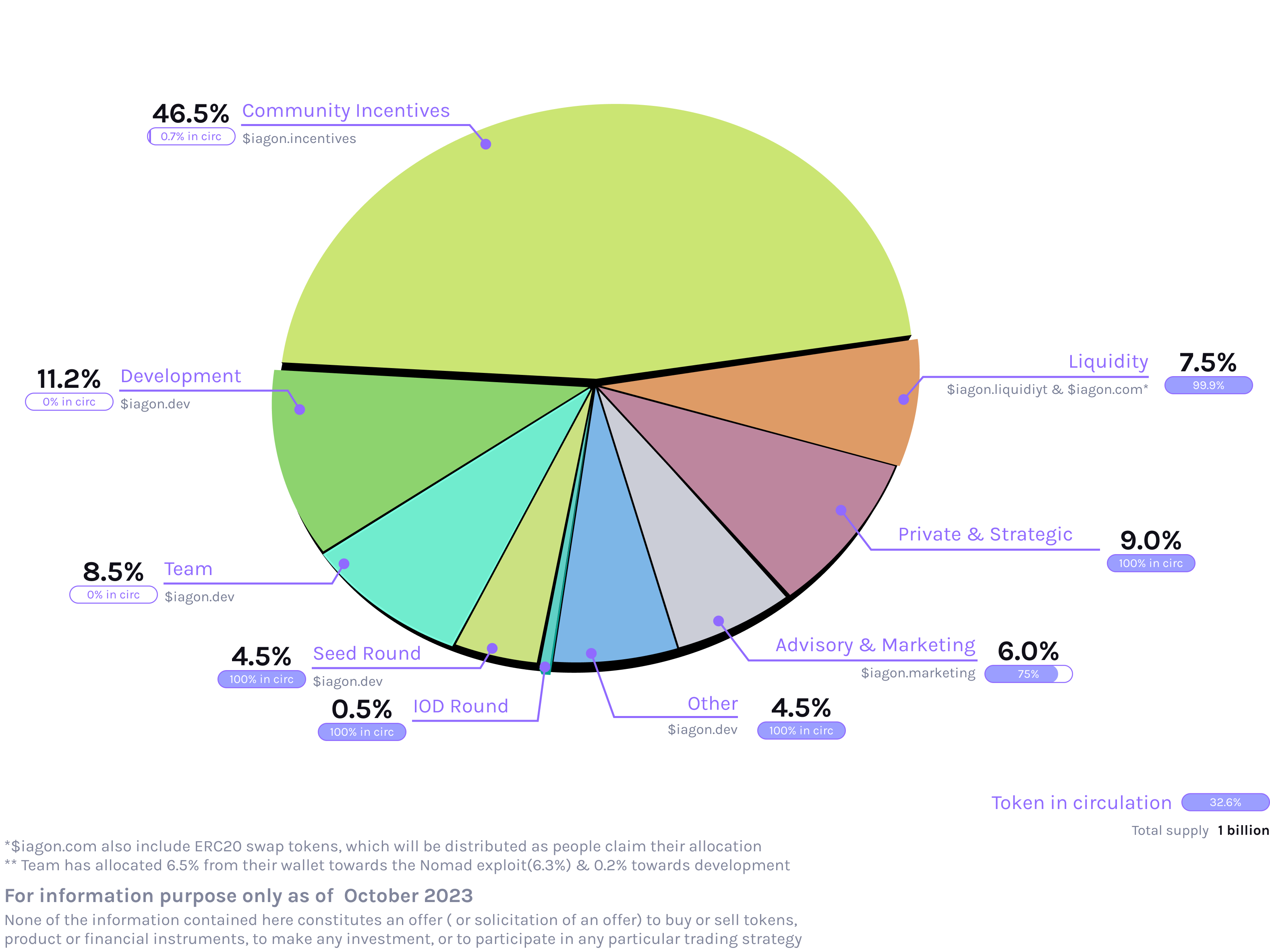
IAG Token Utility Model[](https://docs.iagon.com/iagon-token/tokenomics#iag-token-utility-model "Direct link to IAG Token Utility Model")
-------------------------------------------------------------------------------------------------------------------------------------------
The IAG Token operates as a multifaceted utility token within the Iagon ecosystem, serving as a component for payment and rewards. Its primary purpose is to facilitate transactions on Iagon's cloud platform, offering access to data storage and processing capabilities. Here's an overview of the IAG Token's utility model:
* **Staking Rewards**: IAG holders have the opportunity to stake their tokens in Adagio's ADA staking pool, earning additional rewards. For comprehensive information about these rewards, refer to the Rewards section.
* **Incentivizing Storage/Compute Providers**: A designated portion of IAG tokens is allocated as incentives for storage/compute providers.
* **Funding Development and Operations**: The Iagon ecosystem is supported through transaction fees from the storage marketplace. These funds are utilized for the continued development of Iagon, covering operational expenses.
* **Payment and Reward Mechanism**: IAG tokens are issued to act as a primary medium for payment and rewards on the platform. They are awarded to participants contributing storage and processing power.
* **Utility on Cloud Platform**: The token is designed to be used specifically on the Iagon cloud platform, facilitating payment for storage services. These services are priced against fiat currencies (e.g., NOK or EUR), with an established exchange rate for IAG tokens, ensuring a stable utility value. The payment in IAG will be facilitated at a later time.
* **Facilitating Platform Transactions**: Iagon functions as an intermediary, bridging the gap between nodes (providing storage/compute resources) and users.
* **Non-Speculative Nature**: Given its defined role and purpose on the cloud platform, the IAG token is designed to be non-volatile and is not intended as a speculative financial instrument.
Through these functionalities, the IAG token stands as a cornerstone in the Iagon protocol, driving the ecosystem's growth while providing tangible utility to its holders. Please also refer to [https://iagon.com/aml-cft-policy](https://iagon.com/aml-cft-policy)
and [https://iagon.com/terms-of-use](https://iagon.com/terms-of-use)
for further information.
Content
* [Overview](https://docs.iagon.com/iagon-token/tokenomics#overview)
* [IAG Tokenomics Transparency](https://docs.iagon.com/iagon-token/tokenomics#iag-tokenomics-transparency)
* [IAG Token Allocations](https://docs.iagon.com/iagon-token/tokenomics#iag-token-allocations)
* [The following are the initial allocations of the IAG tokens minted on Cardano:](https://docs.iagon.com/iagon-token/tokenomics#the-following-are-the-initial-allocations-of-the-iag-tokens-minted-on-cardano)
* [Coinmarket Cap](https://docs.iagon.com/iagon-token/tokenomics#coinmarket-cap)
* [IAG Token Utility Model](https://docs.iagon.com/iagon-token/tokenomics#iag-token-utility-model)
---
# Iagon's decentralized cloud protocol documentation
[Skip to main content](https://docs.iagon.com/products/staking-platform#__docusaurus_skipToContent_fallback)
On this page
Overview[](https://docs.iagon.com/products/staking-platform#overview "Direct link to Overview")
-------------------------------------------------------------------------------------------------
The Staking Platform is a platform where IAG token holders can participate in the Iagon network by delegating their tokens to nodes, contributing to their total stake in exchange for a share of the node's earnings. The Staking Platform interacts directly with the blockchain indexer to offer real-time updates on storage stake and delegation.
From a user's perspective, the Staking Platform is a closed ecosystem as it interacts directly only with the [Adagio](https://docs.iagon.com/iagon-storage/detailed-storage-architecture/adagio)
protocol and [Fermato](https://docs.iagon.com/iagon-storage/detailed-storage-architecture/fermato)
.
Delegated staking works similar to node staking and is subject to the same 3 month withdrawal period. Delegated staking positions can also be liquidated by their owner at any time on the Staking Platform's Market. The buyer of a delegated position from the Market earns any future earnings for that position, and the seller keeps their accumulated earnings. You may move your IAG delegation to a new node at any time if you're not satisfied with a node's performance or earnings.
info
Staking IAG tokens involves lockup times and vested rewards claims. Please ensure that you fully understand these timelines before participating.
**Withdrawing delegated tokens:** 90 days from time of withdrawal initiation.
**Staking rewards claims:** Staking Rewards for epoch n are calculated at n+1 epoch but distributed at epoch n+73 epoch. Rewards can be claimed as they are available.
Getting Started[](https://docs.iagon.com/products/staking-platform#getting-started "Direct link to Getting Started")
----------------------------------------------------------------------------------------------------------------------
### Stake your IAG tokens[](https://docs.iagon.com/products/staking-platform#stake-your-iag-tokens "Direct link to Stake your IAG tokens")
IAG token holders who don't want to run their own node can delegate their IAG tokens to existing nodes to earn a share of the node's earnings.
* Visit the [Staking Platform](https://dashboard.iagon.com/)
and log in with your Cardano wallet.
* For a **quick and easy** experience, select the `Quick Delegate` page from the navigation bar on the left.
* With the `Delegate` option selected, input the amount of IAG tokens you want to delegate, optionally set your preferred filters, and then select `Find Nodes`.
* The best available nodes will be automatically selected based on your delegation amount, sorted by lowest node margin to highest.
* You can select `Repeat Search` and modify your search filters or IAG token amount.
* Once you've found a node or nodes that you're happy with, select `Delegate` to delegate your IAG tokens to the selected node(s).
* For a **more curated** experience, select the `Market` page from the navigation bar on the left.
* Select the `Nodes` tab.
* Use the filters to find the node that best suits your preferences.
* Select `Delegate` to delegate your IAG tokens to the selected node.
* You may delegate to multiple nodes if your top pick doesn't have enough storage availability for your token amount.
### Buy IAG tokens that are already staked[](https://docs.iagon.com/products/staking-platform#buy-iag-tokens-that-are-already-staked "Direct link to Buy IAG tokens that are already staked")
ADA holders who don't want to run their own node can buy IAG tokens that are already delegated to a node and earn a share of the node's earnings.
* Visit the [Staking Platform](https://dashboard.iagon.com/)
and log in with your Cardano wallet.
* For a **quick and easy** experience, select the `Quick Delegate` page from the navigation bar on the left.
* With the `Swap` option selected, input the amount of ADA you want to swap for IAG tokens, optionally set your preferred filters, and then select `Find Positions`.
* The best available positions will be automatically selected based on your swap amount, sorted by lowest node margin to highest.
* You can select `Repeat Search` and modify your search filters or ADA amount.
* Once you've found a position or positions that you're happy with, select `Swap` to swap your ADA for IAG tokens that are already delegated.
* You will receive all future earnings from the position(s) you now own.
* For a **more curated** experience, select the `Market` page from the navigation bar on the left.
* Select the `Positions` tab.
* Use the filters to find the position that best suits your preferences.
* Select `Accept` to buy the position.
* You may buy as many positions as you like.
* You will receive all future earnings from any positions you buy.
### Move delegation to a different node[](https://docs.iagon.com/products/staking-platform#move-delegation-to-a-different-node "Direct link to Move delegation to a different node")
If you'd like to move your delegation to a different node, this can be done instantly without any waiting period.
* Visit the `More Details` page of the node you'd like to move your delegation to.
* Select `Move Delegation`.
* Select the existing position you'd like to move.
* Define how much of the existing position you'd like to move.
* Select `Sign Transaction` and sign the transaction to complete the move.
### Withdraw a delegated position[](https://docs.iagon.com/products/staking-platform#withdraw-a-delegated-position "Direct link to Withdraw a delegated position")
You may initiate the withdrawal process at any time.
* Visit `My Positions`.
* Select `Manage` on the position you'd like to withdraw.
* Select `Withdraw`.
* After reading and understanding the prompt, select `Yes, Withdraw`.
* Return to this position 90 days later to complete the withdrawal.
Definitions[](https://docs.iagon.com/products/staking-platform#definitions "Direct link to Definitions")
----------------------------------------------------------------------------------------------------------
### Reputation Score[](https://docs.iagon.com/products/staking-platform#reputation-score "Direct link to Reputation Score")
The Reputation Score is a rating from 0 to 72 calculated based on the node's performance and uptime history. This score impacts the node's earnings.
### Margin[](https://docs.iagon.com/products/staking-platform#margin "Direct link to Margin")
The Margin is the percentage of the delegator's earnings pool that the node operator receives as a service fee, in addition to the node operator's own earnings. Updating a node's margin takes 2 epochs (10 days) to take effect.
### Return on Delegation (ROD)[](https://docs.iagon.com/products/staking-platform#return-on-delegation-rod "Direct link to Return on Delegation (ROD)")
Return on Delegation is a metric that shows the percentage of rewards return on a delegator's token delegation in a delegated position, similar to the widely used Return on Investment (ROI) metric.
### Quick Delegate[](https://docs.iagon.com/products/staking-platform#quick-delegate "Direct link to Quick Delegate")
#### Delegate[](https://docs.iagon.com/products/staking-platform#delegate "Direct link to Delegate")
The Quick Delegate feature allows token holders to delegate their tokens to a node quickly and easily by optionally selecting a few simple filtering and sorting parameters and being matched with the most suitable node or nodes based on the amount of tokens they want to delegate and the parameters they selected.
#### Swap[](https://docs.iagon.com/products/staking-platform#swap "Direct link to Swap")
The Swap feature allows users to quickly and easily purchase the best available delegated staking positions listed on the Market.
### Sell a Delegated Position[](https://docs.iagon.com/products/staking-platform#sell-a-delegated-position "Direct link to Sell a Delegated Position")
The Sell feature allows the owner of a delegated staking position to list their position for sale on the Market. The position is then matched with a buyer and the transaction is executed by an orderbook batcher. This feature allows delegated positions to be liquidated quickly, avoiding the 3 month withdrawal period. Any accumulated earnings still belong to the seller, and any future earnings will go to the buyer.
### Increase Delegation[](https://docs.iagon.com/products/staking-platform#increase-delegation "Direct link to Increase Delegation")
The Increase Delegation feature allows users to increase the amount of tokens they have delegated to a node they're already delegating to. This is done by adding more tokens to the existing delegated position, and requires the node to have the resources to accommodate the additional stake.
### Withdraw Delegated IAG[](https://docs.iagon.com/products/staking-platform#withdraw-delegated-iag "Direct link to Withdraw Delegated IAG")
The Withdraw feature allows users to withdraw their IAG tokens from a delegated position. This requires a 3 month waiting period, during which the node's commitment will be reduced and data/tasks may be moved to other nodes. After the 3 month period, the IAG tokens will be withdrawable from the Staking Platform.
### Launching a Delegated Node[](https://docs.iagon.com/products/staking-platform#launching-a-delegated-node "Direct link to Launching a Delegated Node")
Node operators can selected Delegated Node as an option while launching a new node, or can convert an existing node to a Delegated Node by selecting the option on the node's details page. The latter option effectively resizes the node, committing more resources to the network, and making those additional resources available for delegation.
Known Bugs[](https://docs.iagon.com/products/staking-platform#known-bugs "Direct link to Known Bugs")
-------------------------------------------------------------------------------------------------------
### Selling Delegated Positions With Lace Wallet[](https://docs.iagon.com/products/staking-platform#selling-delegated-positions-with-lace-wallet "Direct link to Selling Delegated Positions With Lace Wallet")
Lace Wallet does not read [enterprise addresses](https://docs.cardano.org/about-cardano/learn/cardano-addresses#enterprise-addresses)
and does not allow spending from them. We recommend using a different wallet when interacting with dApps until this is fixed. If you do use Lace and you have listed and sold delegated IAG tokens on Iagon's Staking [Market](https://dashboard.iagon.com/stake/market/positions)
, your funds are 100% safe. After importing your seed phrase to a different wallet you'll see the ADA received in your transaction history and you'll have no issues spending the received ADA.
For detailed context, when delegated IAG tokens are sold on Iagon's Staking [Market](https://dashboard.iagon.com/stake/market/positions)
, the ADA is received by the seller's [enterprise address](https://docs.cardano.org/about-cardano/learn/cardano-addresses#enterprise-addresses)
which saves some transaction fees. Although the ADA isn't linked to the seller's [stake address](https://docs.cardano.org/about-cardano/learn/cardano-addresses#reward-account-addresses)
, it is still fully spendable by the seller and most Cardano wallets display the incoming transaction and the balance the same way it would if their [base address](https://docs.cardano.org/about-cardano/learn/cardano-addresses#base-addresses)
was used.
Content
* [Overview](https://docs.iagon.com/products/staking-platform#overview)
* [Getting Started](https://docs.iagon.com/products/staking-platform#getting-started)
* [Stake your IAG tokens](https://docs.iagon.com/products/staking-platform#stake-your-iag-tokens)
* [Buy IAG tokens that are already staked](https://docs.iagon.com/products/staking-platform#buy-iag-tokens-that-are-already-staked)
* [Move delegation to a different node](https://docs.iagon.com/products/staking-platform#move-delegation-to-a-different-node)
* [Withdraw a delegated position](https://docs.iagon.com/products/staking-platform#withdraw-a-delegated-position)
* [Definitions](https://docs.iagon.com/products/staking-platform#definitions)
* [Reputation Score](https://docs.iagon.com/products/staking-platform#reputation-score)
* [Margin](https://docs.iagon.com/products/staking-platform#margin)
* [Return on Delegation (ROD)](https://docs.iagon.com/products/staking-platform#return-on-delegation-rod)
* [Quick Delegate](https://docs.iagon.com/products/staking-platform#quick-delegate)
* [Sell a Delegated Position](https://docs.iagon.com/products/staking-platform#sell-a-delegated-position)
* [Increase Delegation](https://docs.iagon.com/products/staking-platform#increase-delegation)
* [Withdraw Delegated IAG](https://docs.iagon.com/products/staking-platform#withdraw-delegated-iag)
* [Launching a Delegated Node](https://docs.iagon.com/products/staking-platform#launching-a-delegated-node)
* [Known Bugs](https://docs.iagon.com/products/staking-platform#known-bugs)
* [Selling Delegated Positions With Lace Wallet](https://docs.iagon.com/products/staking-platform#selling-delegated-positions-with-lace-wallet)
---
# Iagon's decentralized cloud protocol documentation
[Skip to main content](https://docs.iagon.com/products/cyclone/cyclone-qs-without-drives#__docusaurus_skipToContent_fallback)
On this page
Cyclone Qs / Qs Pro
===================
tip
### Cyclone Unbox Buzz Giveaway!
[](https://docs.iagon.com/products/cyclone/cyclone-qs-without-drives#cyclone-unbox-buzz-giveaway "Direct link to cyclone-unbox-buzz-giveaway")
Record your unboxing, share it on X with @IagonOfficial + $IAG, and you could win 10,000 $IAG! **[Join here](https://iagon.media/thingy-unboxing)
**
warning
If you are planning to set up multiple Cyclones, please make sure to only set up **one at a time**, and make sure the Cyclones that have completed setup are **on** while a new one is being set up. This will prevent any hostname conflicts on your network.
### Before you Begin, please make sure you have:[](https://docs.iagon.com/products/cyclone/cyclone-qs-without-drives#before-you-begin-please-make-sure-you-have "Direct link to Before you Begin, please make sure you have:")
* A Cardano wallet (mobile wallet or desktop browser wallet) with at least 15 ADA and at least enough IAG tokens to stake the minimum requirement to your node (about $500 USD worth of IAG tokens per 1 TB of storage commitment).
* An internet connection with at least 20mbps upload and download speed.
* The ability to connect an ethernet cable to your internet router.
Hardware Installation[](https://docs.iagon.com/products/cyclone/cyclone-qs-without-drives#hardware-installation "Direct link to Hardware Installation")
---------------------------------------------------------------------------------------------------------------------------------------------------------
1. Pull the tab to remove the top cover
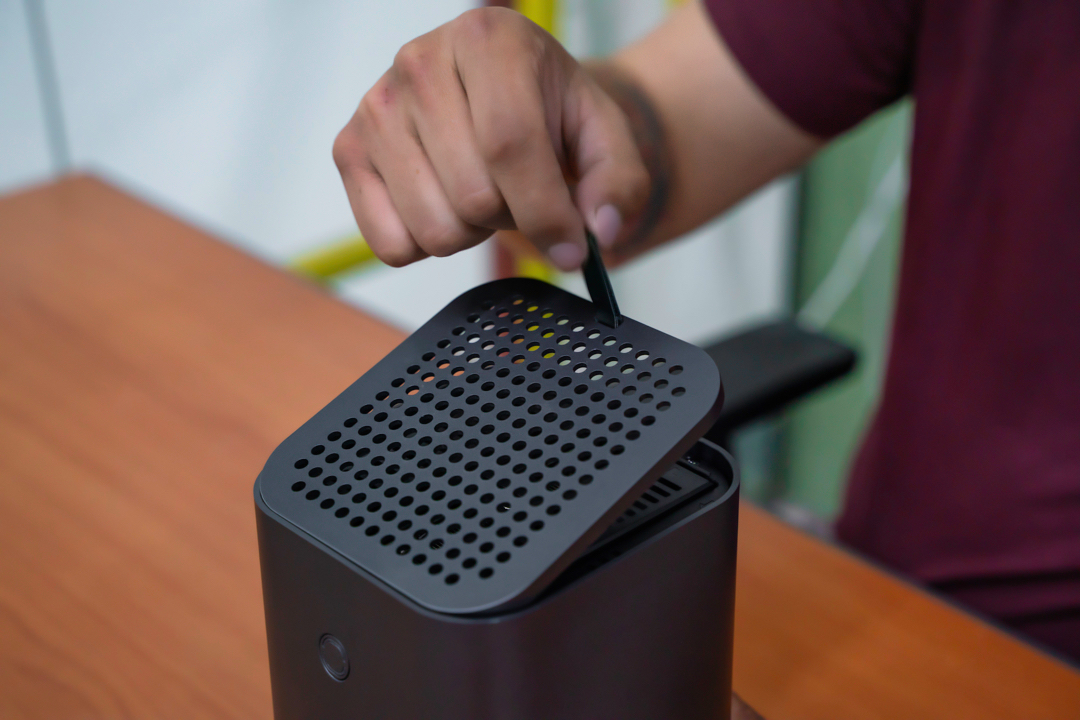
2. Remove both storage drive trays
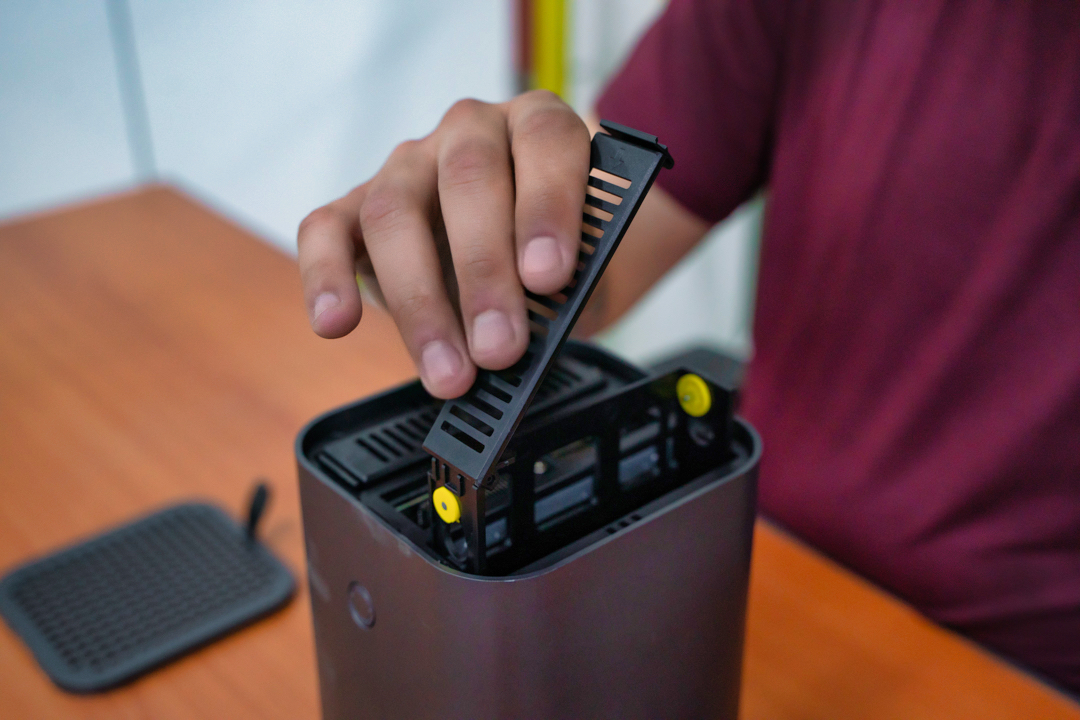
3. Unscrew the four screws on the bottom
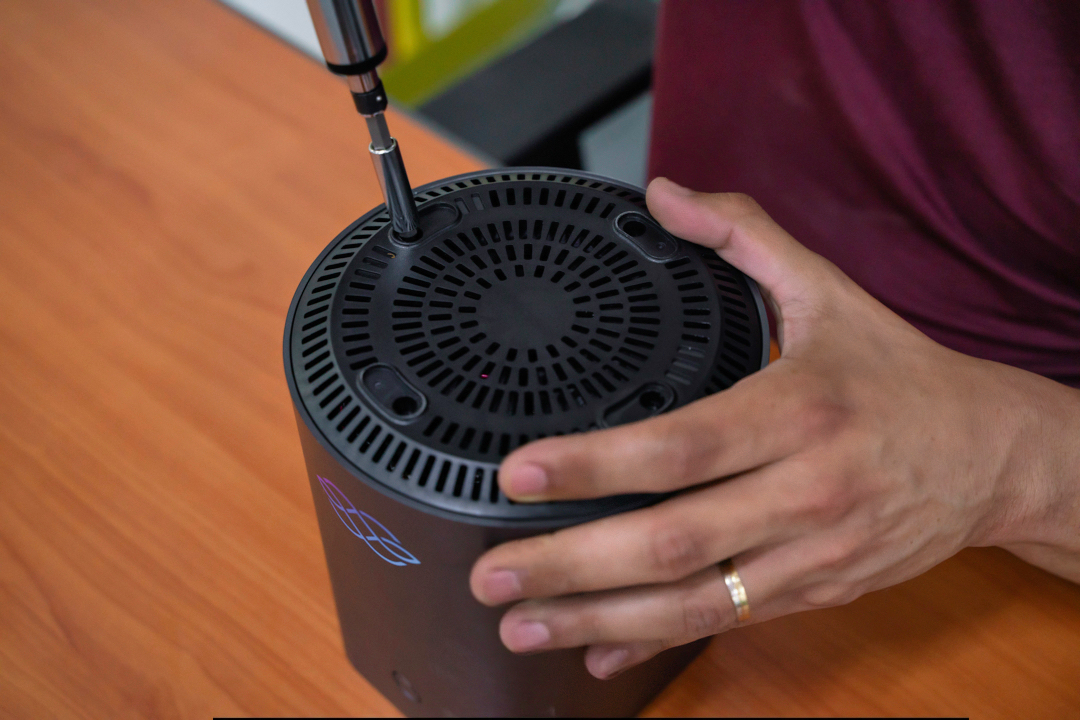
4. Pull the core out the top, minding the MicroSD card's clearance at the back
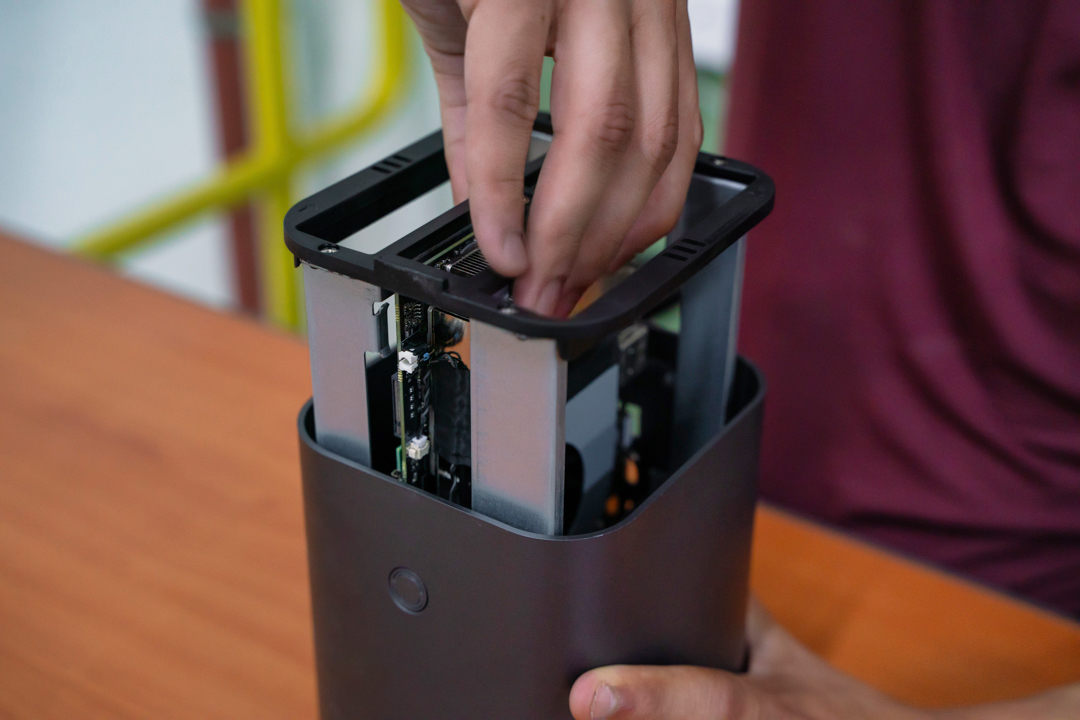
5. Install an M.2 NVMe drive into the bottom NVMe slot by removing the retaining screw, carefully inserting the NVMe drive into its slot, and fastening it in place with the retaining screw
6. Optionally repeat the previous step for a second M.2 NVMe drive if you have another to install
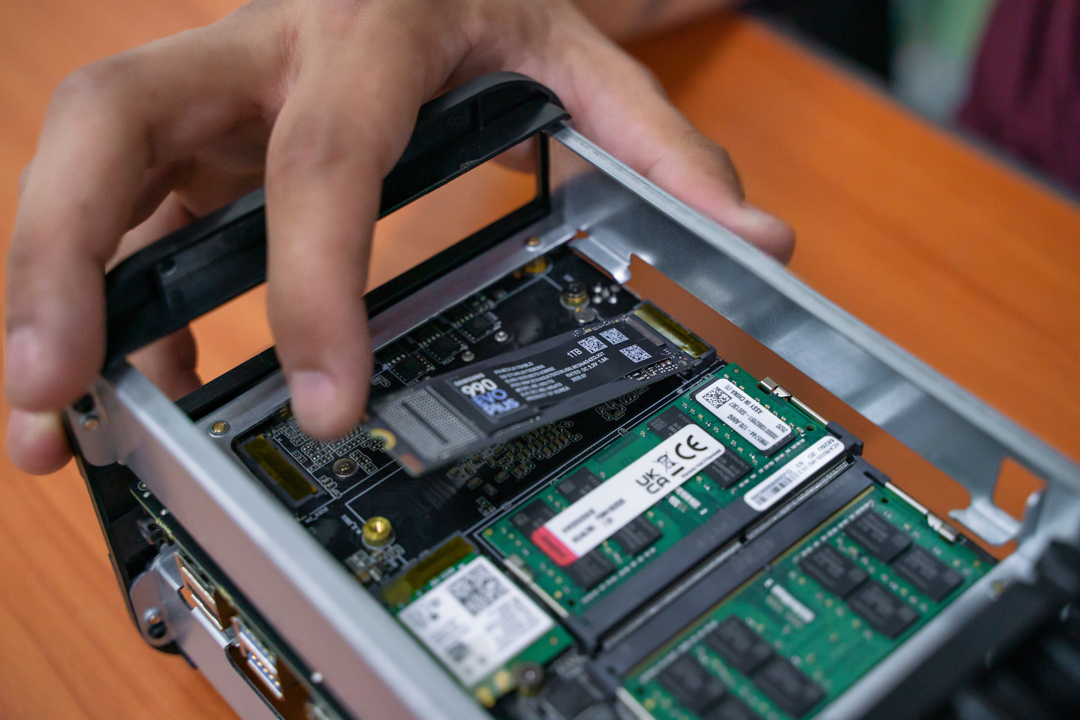
7. Reinstall the core into the shell the same way it was removed, ensuring the rear IO ports align with their holes in the shell, then refasten the four screws on the bottom
8. Place your storage drive(s) into the trays, aligning the screw holes in the side of the drive with the retaining pins of the tray. The SATA connector should face away from the hinge
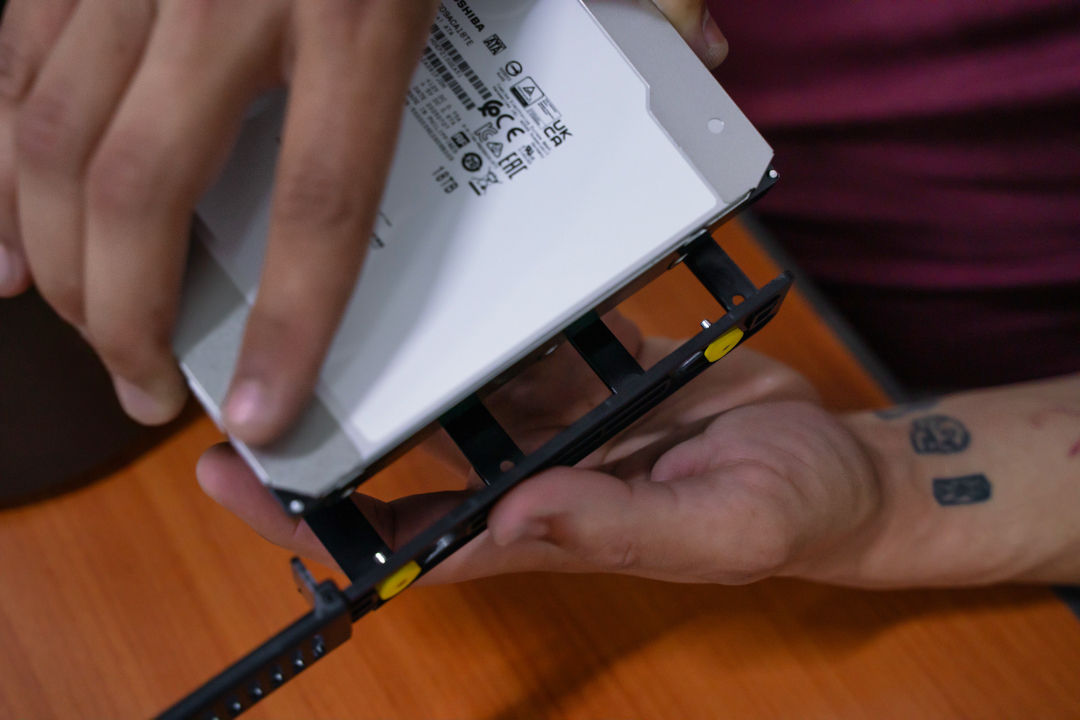
9. Slide the storage drive trays into their slots, ensuring the top of the drive faces outward. If you are only installing one storage drive, insert it into the slot on the left when looking at the front of the device

Operating System and Node Setup[](https://docs.iagon.com/products/cyclone/cyclone-qs-without-drives#operating-system-and-node-setup "Direct link to Operating System and Node Setup")
---------------------------------------------------------------------------------------------------------------------------------------------------------------------------------------
### Step 1 - Plug in your Cyclone[](https://docs.iagon.com/products/cyclone/cyclone-qs-without-drives#step-1---plug-in-your-cyclone "Direct link to Step 1 - Plug in your Cyclone")
1. Plug the **ethernet cable** into the back of the Cyclone and connect it to your internet router
2. Plug the **power cable** into the back of the Cyclone
### Step 2 - Power on your Cyclone[](https://docs.iagon.com/products/cyclone/cyclone-qs-without-drives#step-2---power-on-your-cyclone "Direct link to Step 2 - Power on your Cyclone")
Press the power button on the front
### Step 3 - Install the Cyclone operating system[](https://docs.iagon.com/products/cyclone/cyclone-qs-without-drives#step-3---install-the-cyclone-operating-system "Direct link to Step 3 - Install the Cyclone operating system")
Scan the QR code or visit the following web page to begin the device setup process. **We recommend doing setup on the same device you use for your Cardano wallet, to avoid having to switch between devices later on.** The first two steps will format your boot drive(s) and install the Cyclone operating system. This process relies on the bootable MicroSD card that is pre-installed in the back of the Cyclone - **do not remove it**.
[http://cycloneos-installer.local](http://cycloneos-installer.local/)

* **Quick Setup** will automatically set up your Cyclone in the recommended and safest configuration for the hardware you have installed
* **Advanced Setup** will allow you to choose your setup configuration (only recommended if you know what you’re doing)
* You will be prompted to reboot your Cyclone once the operating system is installed, the Cyclone will reboot into the Cyclone operating system
tip
If your network doesn't support mDNS (hostname broadcasting) and you also can't find the ip address of your Cyclone, you may plug a monitor into the DisplayPort or HDMI port use the USB ports to connect a keyboard and mouse to interact with your Cyclone.
### Step 4 - Node setup[](https://docs.iagon.com/products/cyclone/cyclone-qs-without-drives#step-4---node-setup "Direct link to Step 4 - Node setup")
You should be automatically redirected to the Cyclone OS url after the device reboots, but if not, simply scan the QR code or visit the following web page in your web browser to begin the node setup process.
[http://cyclone.local](http://cyclone.local/)

If you’re setting up an additional Cyclone and you have one or more Cyclones already running on your network, the url will incrementally increase with a unique identifying number, such as:
[http://cyclone2.local](http://cyclone2.local/)
[http://cyclone3.local](http://cyclone3.local/)
etc...
* You may bookmark this URL, as it is how you will interact with your Cyclone in the future.
* Please ensure that **all of your Cyclones are running** as you set up a new one, so that a unique hostname is not duplicated. It is recommended to **physically distinguish each Cyclone** (with a piece of tape or a sticker) by the order they were set up in.
* Quick Setup will automatically set up your node in the recommended and safest configuration for the hardware you have installed
* You may use the default port number unless you already have an Iagon node running on that port number, in which case please change it so that it is unique
* A default storage path of `/mnt/iagon-storage` will be assigned for the node to store data
* _**Important:**_ Copy or write down the auth key displayed at the end of the node setup
### Step 5 - Register your node[](https://docs.iagon.com/products/cyclone/cyclone-qs-without-drives#step-5---register-your-node "Direct link to Step 5 - Register your node")
1. Visit [https://dashboard.iagon.com/node](https://dashboard.iagon.com/node)
on your mobile Cardano wallet’s dapp browser, or your desktop web browser that has a Cardano wallet browser extension set up, and log in with your wallet
2. Select `Storage Node +`

3. Follow the on-screen prompts to input your auth key and evaluate your device
4. You will need to decide if you want to run this node as an independent node or a delegated node. An independent node will be staked only by you, and you will keep all of the node’s earnings. A delegated node will be staked partially by you (at least the minimum requirement) and partially by other IAG token holders, with whom you will share the node’s earnings with. If you have any questions about these differences, please reach out to our team or refer to the [Staking Platform](https://docs.iagon.com/products/staking-platform)
documentation
5. Continue to follow on-screen prompts to set any further node parameters and to stake your IAG tokens
Content
* [Cyclone Unbox Buzz Giveaway!](https://docs.iagon.com/products/cyclone/cyclone-qs-without-drives#cyclone-unbox-buzz-giveaway)
* [Before you Begin, please make sure you have:](https://docs.iagon.com/products/cyclone/cyclone-qs-without-drives#before-you-begin-please-make-sure-you-have)
* [Hardware Installation](https://docs.iagon.com/products/cyclone/cyclone-qs-without-drives#hardware-installation)
* [Operating System and Node Setup](https://docs.iagon.com/products/cyclone/cyclone-qs-without-drives#operating-system-and-node-setup)
* [Step 1 - Plug in your Cyclone](https://docs.iagon.com/products/cyclone/cyclone-qs-without-drives#step-1---plug-in-your-cyclone)
* [Step 2 - Power on your Cyclone](https://docs.iagon.com/products/cyclone/cyclone-qs-without-drives#step-2---power-on-your-cyclone)
* [Step 3 - Install the Cyclone operating system](https://docs.iagon.com/products/cyclone/cyclone-qs-without-drives#step-3---install-the-cyclone-operating-system)
* [Step 4 - Node setup](https://docs.iagon.com/products/cyclone/cyclone-qs-without-drives#step-4---node-setup)
* [Step 5 - Register your node](https://docs.iagon.com/products/cyclone/cyclone-qs-without-drives#step-5---register-your-node)
---
# Iagon's decentralized cloud protocol documentation
[Skip to main content](https://docs.iagon.com/overview/governance/voting-power#__docusaurus_skipToContent_fallback)
On this page
Overview[](https://docs.iagon.com/overview/governance/voting-power#overview "Direct link to Overview")
--------------------------------------------------------------------------------------------------------
Voting Power is a loyalty bonus system that encompasses all users within the community who have interacted with the Iagon ecosystem and IAG token. This comprehensive system ensures a fair, transparent, and rewarding process for all participants while fortifying the longstanding objectives of Iagon.
Within this loyalty bonus system, our strategy aims to provide a comprehensive overview of a token holder's engagement with the Iagon ecosystem.
Within the Voting Power system, users have the opportunity to actively engage with Iagon and contribute to the direction of its growth and development. With this system, users can view both active and historical proposals, providing them insights into the past and on-going discussions and decision making of the protocol while empowering them to become familiar and assess the relevance of new proposals, before casting their vote. Additionally, leaderboards are leveraged to track proposal rankings to illustrate community decision making and provide further insights into the support of current proposals. Overall, the Voting Power system provides the features needed to empower users to take an active role in shaping the future direction of the Iagon ecosystem through a robust merit based system.
Goals[](https://docs.iagon.com/overview/governance/voting-power#goals "Direct link to Goals")
-----------------------------------------------------------------------------------------------
* **Enhance Community Engagement, Transparency, and Collaboration:** Foster active participation and collaboration within the Iagon ecosystem through the Voting Power loyalty bonus system, promoting transparency and fairness in decision-making. Provide users with a comprehensive overview of their engagement history and facilitate collaboration on proposals through features such as proposal lists, details, voting, and leaderboards.
* **Merit Based Voting:** Promote and reward participation in all facets of the Iagon ecosystem by adding voting weight to active contributions related to product use, liquidity providing, stake and token holdings with an emphasis on the longevity of each action.
* **Reward and Incentivize Participation:** Incentivize engagement and contributions in the Iagon ecosystem to encourage increased participation and customer loyalty.
* **Ensure Security and Trust:** Implement robust security measures to safeguard user identities, transactions, and voting actions.
Scope[](https://docs.iagon.com/overview/governance/voting-power#scope "Direct link to Scope")
-----------------------------------------------------------------------------------------------
* **Proposals:** Users can efficiently access a comprehensive list of ongoing and past proposals, along with detailed information, empowering them to review, analyze, and evaluate available proposals and previous decisions, fostering a state of transparency in the decision-making process. This feature enhances user decision-making capabilities and facilitates active participation in the voting process while improving engagement and trust within the community.
* **Leaderboard:** Users can seamlessly access the leaderboard feature, allowing them to monitor the performance and status of each proposal. By providing visibility into proposal rankings and relative performance, this feature facilitates informed decision-making and encourages active participation in the voting process. Additionally, the leaderboard fosters healthy competition and motivates users to contribute positively to the ecosystem.
* **Wallet Login:** Users are presented with a streamlined process to connect their wallets seamlessly within the application. This feature ensures the security of user identities and voting actions by allowing users to vote only after successfully connecting their integrated wallet. Non-connected users are prompted to connect their wallet before accessing any voting functionalities, ensuring secure authentication and participation in the voting process. Overall, this feature enhances user trust and confidence in the platform while simplifying the voting experience.
Features[](https://docs.iagon.com/overview/governance/voting-power#features "Direct link to Features")
--------------------------------------------------------------------------------------------------------
* **Proposal Accessibility:** This feature focuses on enhancing user access to proposals by developing and implementing the Proposal List feature. Users will be able to view a comprehensive list of ongoing and past proposals, along with their details, facilitating informed decision-making and improving user engagement with the voting process.
* **Proposal Insights:** This feature centers around providing users with comprehensive insights into proposals through the development and implementation of the Proposal Details feature. Logged-in users will have access to in-depth information about both ongoing and past proposals, including past results, to support well-informed voting decisions and promote transparency in the decision-making process.
* **Performance Monitoring:** This feature focuses on developing and implementing the Leaderboard feature, enabling users to monitor the performance and status of each proposal. By providing visibility into proposal rankings and relative performance, this feature facilitates informed decision-making and encourages active participation in the voting process.
* **Wallet Integration:** This feature concentrates on streamlining the process for users to connect their wallets within the application through the development and implementation of the Connect Wallet feature. The objective is to ensure the security of user identities and voting actions, thereby enhancing trust and confidence in the voting platform.
Proposal Voting Process Flow[](https://docs.iagon.com/overview/governance/voting-power#proposal-voting-process-flow "Direct link to Proposal Voting Process Flow")
--------------------------------------------------------------------------------------------------------------------------------------------------------------------
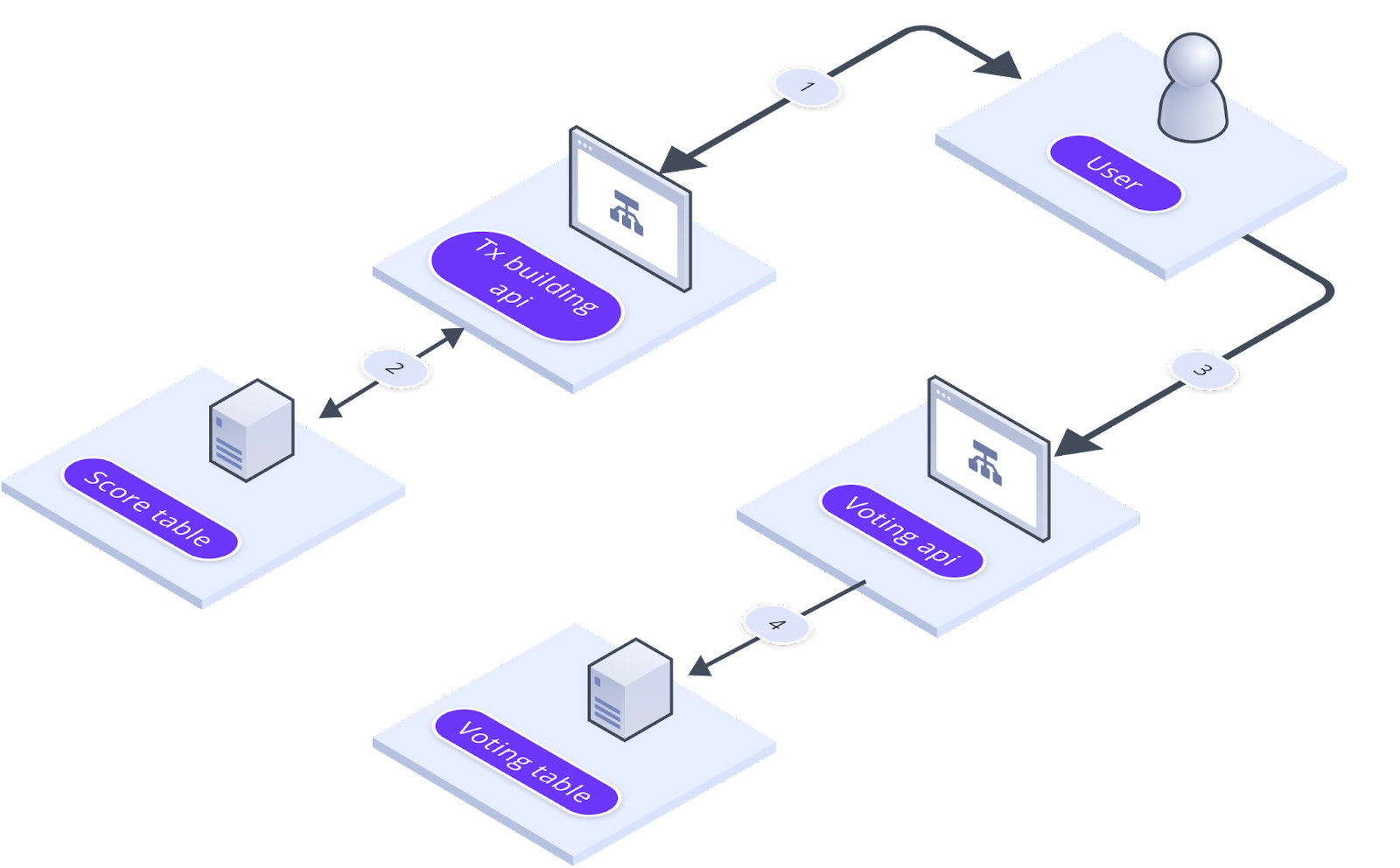
1. The user selects proposals from the dashboard.
2. Utilizing the selected proposal ID, the transaction building API generates a transaction with the client's corresponding score from the score table. (The decision of whether to build the transaction in the backend or frontend is yet to be determined.)
3. The user signs and submits the transaction to the blockchain, then sends the transaction hash to the voting API.
4. The Voting API service updates the user's votes with percentage and count in the vote table.
Metrics and Weightage[](https://docs.iagon.com/overview/governance/voting-power#metrics-and-weightage "Direct link to Metrics and Weightage")
-----------------------------------------------------------------------------------------------------------------------------------------------
| Metrics | Sub Metrics | Value Weight | Total Weight |
| --- | --- | --- | --- |
| Token holder | | | |
| | Value | 25.00% | 35.00% |
| | Duration | 10.00% | |
| Farms/LPs | | | |
| | Value | 15.00% | 25.00% |
| | Duration | 10.00% | |
| Delegator | | | |
| | Value | 10.00% | 12.50% |
| | Duration | 2.50% | |
| Node Operator Stake | | | |
| | Value | 15.00% | 20.00% |
| | Duration | 5.0% | |
| User Subscription Metrics | | | |
| | Length | 2.5% | 7.50% |
| | Storage Used | 2.5% | |
| | Subscription amount | 2.5% | |
| **Grand Total** | | 100% | **100%** |
The culmination of metrics, including Token Holder, Farms/LPs, Delegator, Node Operator Stake, and User Subscription Metrics, collectively represents a comprehensive evaluation framework within the IAGON ecosystem. Each metric, along with its respective sub-metrics and weights, contributes to a total of 100%, ensuring a holistic assessment of user engagement and contributions across various aspects of the platform. This structured approach enables a fair and balanced representation of users' activities, fostering transparency and accountability within the ecosystem.
### Token Holder Metrics[](https://docs.iagon.com/overview/governance/voting-power#token-holder-metrics "Direct link to Token Holder Metrics")
In the context of the Token Holder metric, we have two sub-metrics: Value and Duration.
* **Value**: This sub-metric accounts for 25.00% of the total weight assigned to the Token Holder metric. It evaluates the value associated with the tokens held by users within the ecosystem.
* **Duration**: This sub-metric accounts for 10.00% of the total weight assigned to the Token Holder metric. It measures the duration for which users hold their tokens within the ecosystem.
Together, these sub-metrics contribute to the overall weight of 35.00% assigned to the Token Holder metric, providing insight into both the value and longevity of token holdings by users.
### Farms/LPs Metrics[](https://docs.iagon.com/overview/governance/voting-power#farmslps-metrics "Direct link to Farms/LPs Metrics")
The Farms/LPs metric evaluates users' engagement in farming and liquidity pool activities within the ecosystem. It consists of two essential sub-metrics:
* **Value**: This sub-metric assesses the overall value contributed by users to farming and liquidity pools, accounting for 15% of the total weight.
* **Duration**: The duration sub-metric measures how long users have been actively participating in farming and liquidity pools activities, contributing 10% to the total weight.
In summary, Farms/LPs metrics provide insights into both the value and duration of users' engagement in farming and liquidity pools, collectively influencing 25.00% of the total weight assigned to this metric.
### Delegator Metrics[](https://docs.iagon.com/overview/governance/voting-power#delegator-metrics "Direct link to Delegator Metrics")
The Delegator metric evaluates users' delegation activities within the ecosystem. It encompasses two key sub-metrics:
* **Value**: This sub-metric assesses the total value of delegations made by users, contributing 10% to the overall weight.
* **Duration**: The duration sub-metric measures the length of time users have been actively delegating their tokens, contributing 2.50% to the total weight.
In summary, the Delegator Metrics provide insights into the value and duration of users' delegation activities, collectively influencing 12.50% of the total weight assigned to this metric.
### Node Operator Stake Metrics[](https://docs.iagon.com/overview/governance/voting-power#node-operator-stake-metrics "Direct link to Node Operator Stake Metrics")
The Node Operator Stake metric evaluates the staking activities of node operators within the ecosystem. It consists of two primary sub-metrics:
* **Value**: This sub-metric assesses the total value of IAG tokens staked by node operators, contributing 15.00% to the overall weight.
* **Duration**: The duration sub-metric measures the length of time node operators have been actively staking their tokens, contributing 5.00% to the total weight.
In summary, the Node Operator Stake Metrics provide insights into the value and duration of node operators' staking activities, collectively influencing 20.00% of the total weight assigned to this metric.
### User Subscription Metrics[](https://docs.iagon.com/overview/governance/voting-power#user-subscription-metrics "Direct link to User Subscription Metrics")
The User Subscription Metrics gauge users' subscription activities within the ecosystem. It incorporates three key sub-metrics:
* **Length**: This sub-metric evaluates the duration of users' subscriptions, contributing 2.50% to the total weight.
* **Storage Used**: The storage used sub-metric measures the amount of storage utilized by users, contributing 2.50% to the total weight.
* **Subscription Amount**: This sub-metric assesses the monetary value of users' subscriptions, contributing 2.50% to the total weight.
In summary, the User Subscription Metrics offer insights into the length, storage usage, and monetary value of users' subscriptions, collectively influencing 7.50% of the total weight assigned to this metric.
Calculations[](https://docs.iagon.com/overview/governance/voting-power#calculations "Direct link to Calculations")
--------------------------------------------------------------------------------------------------------------------
### Duration Metrics Calculations[](https://docs.iagon.com/overview/governance/voting-power#duration-metrics-calculations "Direct link to Duration Metrics Calculations")
Duration weights are calculated simply by using the ratio of the duration of the individual factor and total duration.
> Example: If user A held IAG for 30 epochs out of a total of 137 epochs, then the duration weight of the user would be approximately 21.89%.
### Value Metrics Calculations[](https://docs.iagon.com/overview/governance/voting-power#value-metrics-calculations "Direct link to Value Metrics Calculations")
A logistic function for the S-shaped sigmoid curve is used to calculate the individual value weights.

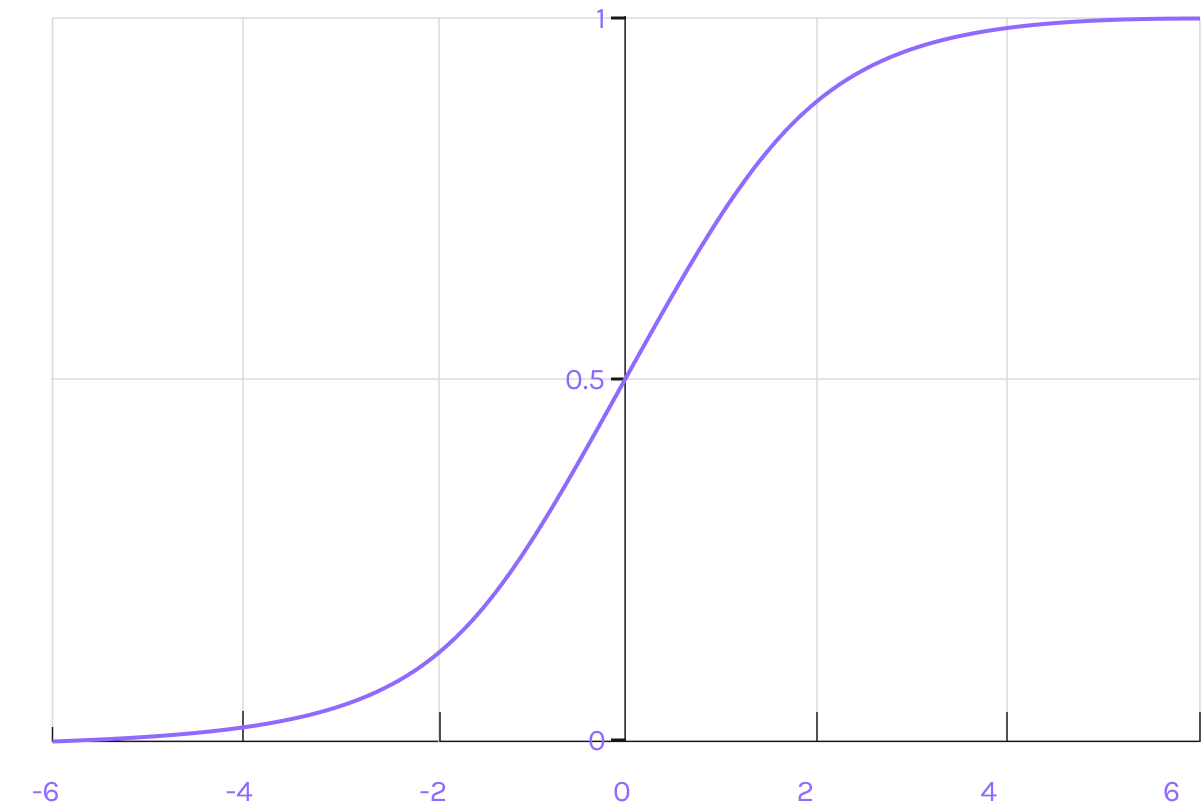
note
K represents the increase constant. The actual value of k will be determined for each factor after a proper snapshot for each epoch is complete. We may also not base the average value to be exactly 50%, it may be higher or lower. Constant value and the mean value will be decided after all snapshots and can differ for all metrics, and the formula to be used for all is going to be the above function.
info
Currently, the 50% score in the Sigmoid Curve is assigned to 6-7% of the maximum numbers and the value of constant k is 0.5.
### First example when k = 0.1[](https://docs.iagon.com/overview/governance/voting-power#first-example-when-k--01 "Direct link to First example when k = 0.1")
**Example for token holders weight:** Say the highest average tokens held per epoch is 1,000,000, and the average amount of tokens held per user per epoch is 50,000.
If we want to calculate our token holder weight, our average is 2,000 per epoch.
We first normalize the numbers to a maximum of 100:
* Highest: 100
* Average: 5
* My holdings: 0.2
My token holder score would be: 100/(1+e(-0.1\*(0.2-5))) ~ 38.21%
If user A holds 200,000 tokens, his score would be: 100/(1+e(-0.1\*(20-5))) ~ 81.66%
### Second example when k = 0.4[](https://docs.iagon.com/overview/governance/voting-power#second-example-when-k--04 "Direct link to Second example when k = 0.4")
In the same example as above, but with ( k = 0.4 ),
My token holder score would be: 100/(1+e(-0.4\*(0.2-5))) ~ 12.82%
If user A holds 200,000 tokens, his score would be: 100/(1+e(-0.4\*(20-5))) ~ 99.75%
### Total Voting Score[](https://docs.iagon.com/overview/governance/voting-power#total-voting-score "Direct link to Total Voting Score")
note
Weighted Sum = (Metric1 \* Weight1 + Metric2 \* Weight2 + … Metricn \* Weight n) / 100
Content
* [Overview](https://docs.iagon.com/overview/governance/voting-power#overview)
* [Goals](https://docs.iagon.com/overview/governance/voting-power#goals)
* [Scope](https://docs.iagon.com/overview/governance/voting-power#scope)
* [Features](https://docs.iagon.com/overview/governance/voting-power#features)
* [Proposal Voting Process Flow](https://docs.iagon.com/overview/governance/voting-power#proposal-voting-process-flow)
* [Metrics and Weightage](https://docs.iagon.com/overview/governance/voting-power#metrics-and-weightage)
* [Token Holder Metrics](https://docs.iagon.com/overview/governance/voting-power#token-holder-metrics)
* [Farms/LPs Metrics](https://docs.iagon.com/overview/governance/voting-power#farmslps-metrics)
* [Delegator Metrics](https://docs.iagon.com/overview/governance/voting-power#delegator-metrics)
* [Node Operator Stake Metrics](https://docs.iagon.com/overview/governance/voting-power#node-operator-stake-metrics)
* [User Subscription Metrics](https://docs.iagon.com/overview/governance/voting-power#user-subscription-metrics)
* [Calculations](https://docs.iagon.com/overview/governance/voting-power#calculations)
* [Duration Metrics Calculations](https://docs.iagon.com/overview/governance/voting-power#duration-metrics-calculations)
* [Value Metrics Calculations](https://docs.iagon.com/overview/governance/voting-power#value-metrics-calculations)
* [First example when k = 0.1](https://docs.iagon.com/overview/governance/voting-power#first-example-when-k--01)
* [Second example when k = 0.4](https://docs.iagon.com/overview/governance/voting-power#second-example-when-k--04)
* [Total Voting Score](https://docs.iagon.com/overview/governance/voting-power#total-voting-score)
---
# Iagon's decentralized cloud protocol documentation
[Skip to main content](https://docs.iagon.com/provide-resources/compute-node/compute-requirements#__docusaurus_skipToContent_fallback)
On this page
Overview[](https://docs.iagon.com/provide-resources/compute-node/compute-requirements#overview "Direct link to Overview")
---------------------------------------------------------------------------------------------------------------------------
To add a node for Compute, the following system requirements are necessary: **Ubuntu 22.04 as the operating system**, **4 CPU cores**, **8 GB of memory**, a CPU base clock speed of 2 GHz, and **100 GB of storage**.
Additionally, for app deployment, we currently support only **Node.js LTS versions 16, 18, and 20**.
Minimum System Requirements[](https://docs.iagon.com/provide-resources/compute-node/compute-requirements#minimum-system-requirements "Direct link to Minimum System Requirements")
------------------------------------------------------------------------------------------------------------------------------------------------------------------------------------
* **OS: Linux (Ubuntu 22.04)**
* **CPU Cores Count = 4**
* **Memory = 8 GB**
* **CPU base ClockSpeed = 2 Ghz**
* **Storage = 100 GB**
* Sequential Read Speed = 5000 Mbps
* Sequential Write Speed = 5000 Mbps
* Random Read Speed = 300 Mbps
* Random Write Speed = 300 Mbps
* Maximum Ping = 100
* Maximum latency = 100
* Upload Speed = 150 Mbps
* Download Speed = 150 Mbps
* Memory Read Speed = 45000 Mbps
* Memory Write Speed = 40000 Mbps
* CPU EPS (Sysbench) Value = 60
Content
* [Overview](https://docs.iagon.com/provide-resources/compute-node/compute-requirements#overview)
* [Minimum System Requirements](https://docs.iagon.com/provide-resources/compute-node/compute-requirements#minimum-system-requirements)
---
# Iagon's decentralized cloud protocol documentation
[Skip to main content](https://docs.iagon.com/provide-resources/compute-node/compute-metrics#__docusaurus_skipToContent_fallback)
On this page
Overview[](https://docs.iagon.com/provide-resources/compute-node/compute-metrics#overview "Direct link to Overview")
----------------------------------------------------------------------------------------------------------------------
This guide outlines the performance score calculation for devices contributing compute resources to our network. Each performance type is calculated using specific formulas, and this guide details each formula and its components.
CPU EPS (Events Per Second)[](https://docs.iagon.com/provide-resources/compute-node/compute-metrics#cpu-eps-events-per-second "Direct link to CPU EPS (Events Per Second)")
-----------------------------------------------------------------------------------------------------------------------------------------------------------------------------
In the evaluation of device performance, the CPU EPS (Events Per Second) score plays a crucial role. This metric quantifies the processing capability of the central processing unit in handling events within a specific timeframe. The calculation of CPU EPS involves a straightforward formula that considers various factors to determine the efficiency of the CPU.
The sigmoid function is used so that it has slow growth before and after the optimal range. Likewise, subtraction causes the origin point to be 0, 0 and have a good curve.
The CPU EPS performance score is calculated using the sigmoid function:
-13c2f49008ff92658f5274041cc0c833.png)
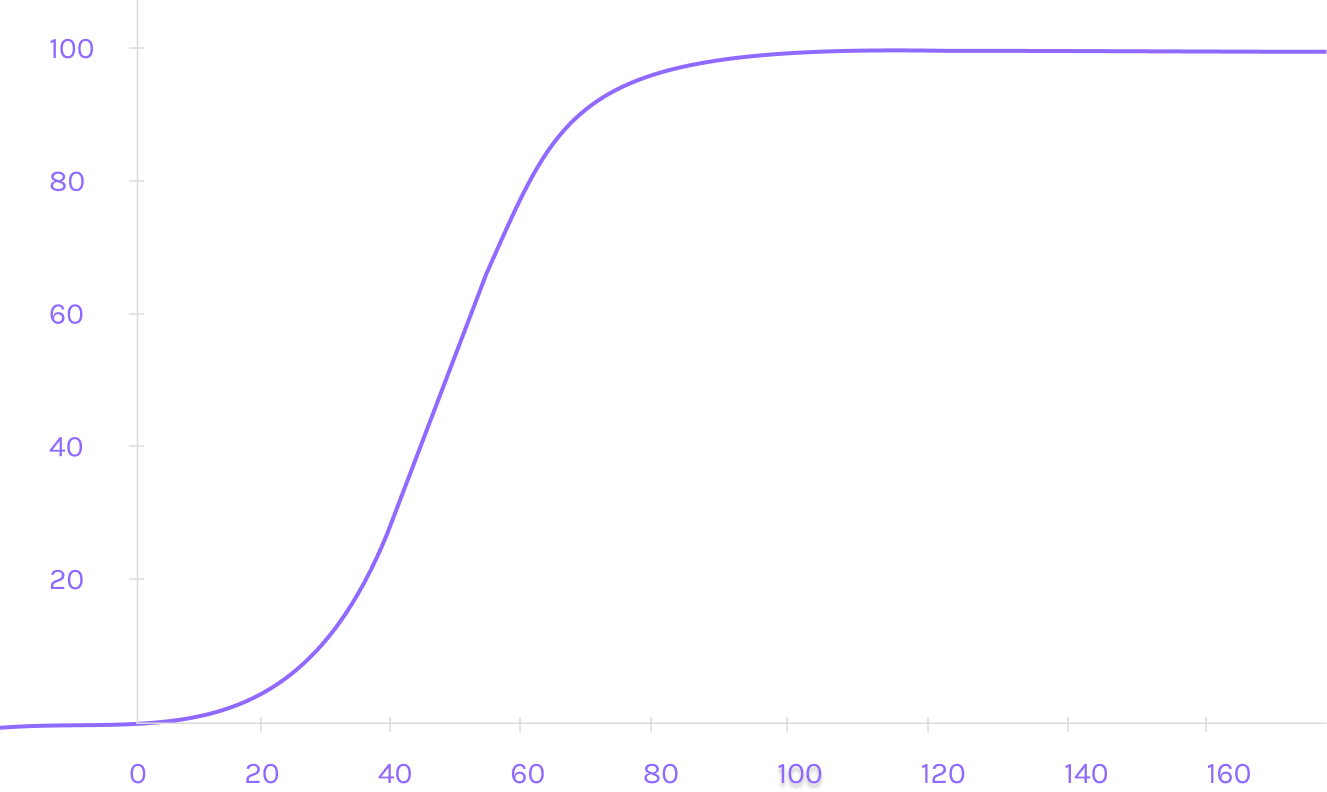
Uptime[](https://docs.iagon.com/provide-resources/compute-node/compute-metrics#uptime "Direct link to Uptime")
----------------------------------------------------------------------------------------------------------------
When evaluating the reliability and availability of computing devices, one crucial metric to consider is the uptime score. The uptime score calculation provides valuable insights into the device's ability to remain operational and accessible over a specific period. This metric is particularly important for systems that require continuous operation and minimal downtime, such as servers, network devices, and critical infrastructure components.
The formula for calculating uptime is straightforward and involves determining the percentage of time during which the device was operational.
The Uptime performance score is calculated using the exponential decay formula:
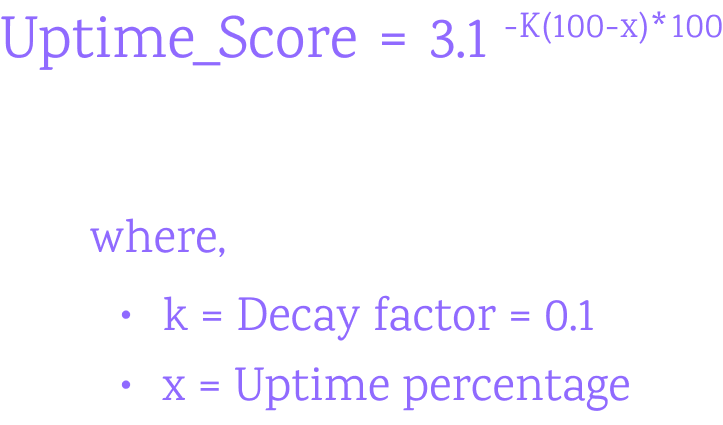
The uptime score is a critical indicator of a device's reliability and availability. A higher uptime percentage signifies that the device experienced minimal downtime and was operational for the majority of the total time period. Conversely, a lower uptime percentage indicates frequent outages or periods of inoperability, highlighting potential reliability issues that may impact system performance and user experience.
Memory Read/Write[](https://docs.iagon.com/provide-resources/compute-node/compute-metrics#memory-readwrite "Direct link to Memory Read/Write")
------------------------------------------------------------------------------------------------------------------------------------------------
### Read Score[](https://docs.iagon.com/provide-resources/compute-node/compute-metrics#read-score "Direct link to Read Score")
Memory Read Score is a key measure that evaluates the efficiency of memory operations, specifically focusing on read operations. Understanding how the Memory Read Score is calculated provides valuable insights into the memory subsystem's performance and its impact on overall system responsiveness.
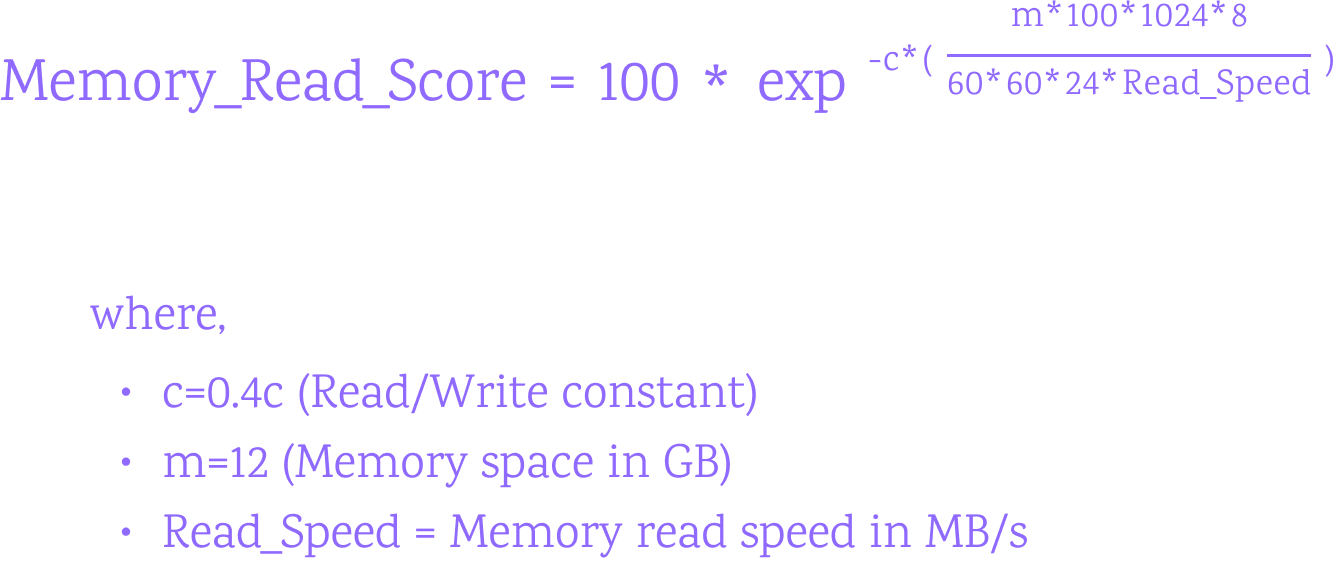
The Memory Read Score calculation offers insights into how effectively the memory subsystem can retrieve data for processing within a given time period. A higher Memory Read Score indicates that the memory can quickly read and deliver data to the processor, enhancing overall system performance and responsiveness.
### Write Score[](https://docs.iagon.com/provide-resources/compute-node/compute-metrics#write-score "Direct link to Write Score")
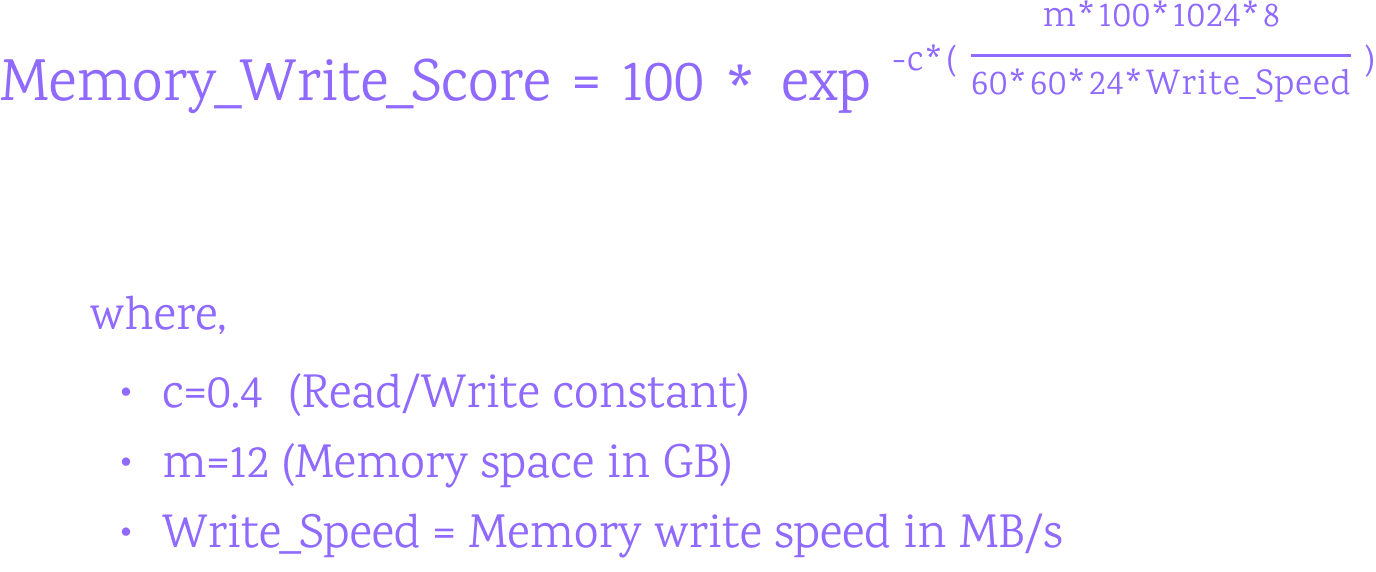
### Memory Total Score[](https://docs.iagon.com/provide-resources/compute-node/compute-metrics#memory-total-score "Direct link to Memory Total Score")
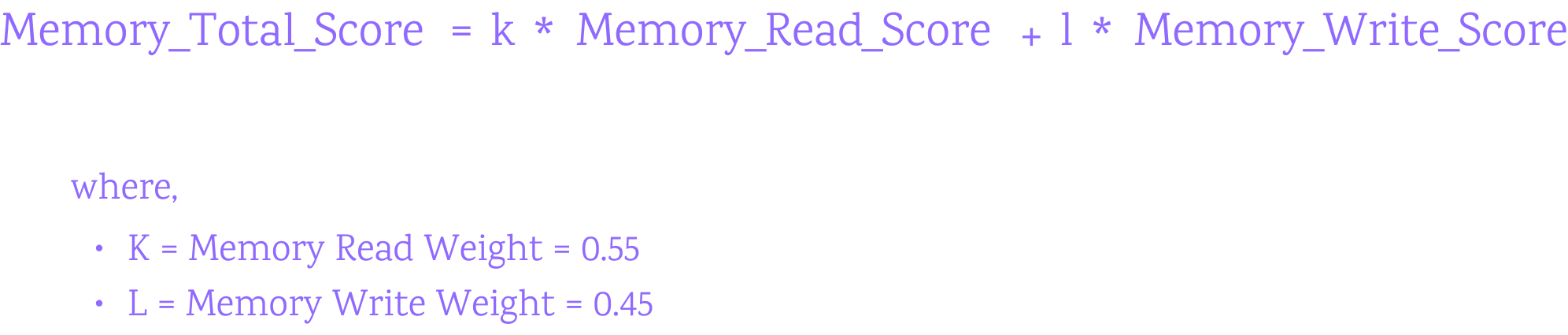
Network Read/Write[](https://docs.iagon.com/provide-resources/compute-node/compute-metrics#network-readwrite "Direct link to Network Read/Write")
---------------------------------------------------------------------------------------------------------------------------------------------------
Network Throughput Score plays a pivotal role in evaluating the efficiency and capacity of data transmission across a network infrastructure. This metric quantifies the rate at which data is successfully transmitted between network devices within a specific timeframe, providing essential insights into network reliability and performance optimization.
The calculation of Network Throughput Score involves analyzing the volume of data transferred and the time taken to complete the transmission process.
### Network Download Score[](https://docs.iagon.com/provide-resources/compute-node/compute-metrics#network-download-score "Direct link to Network Download Score")
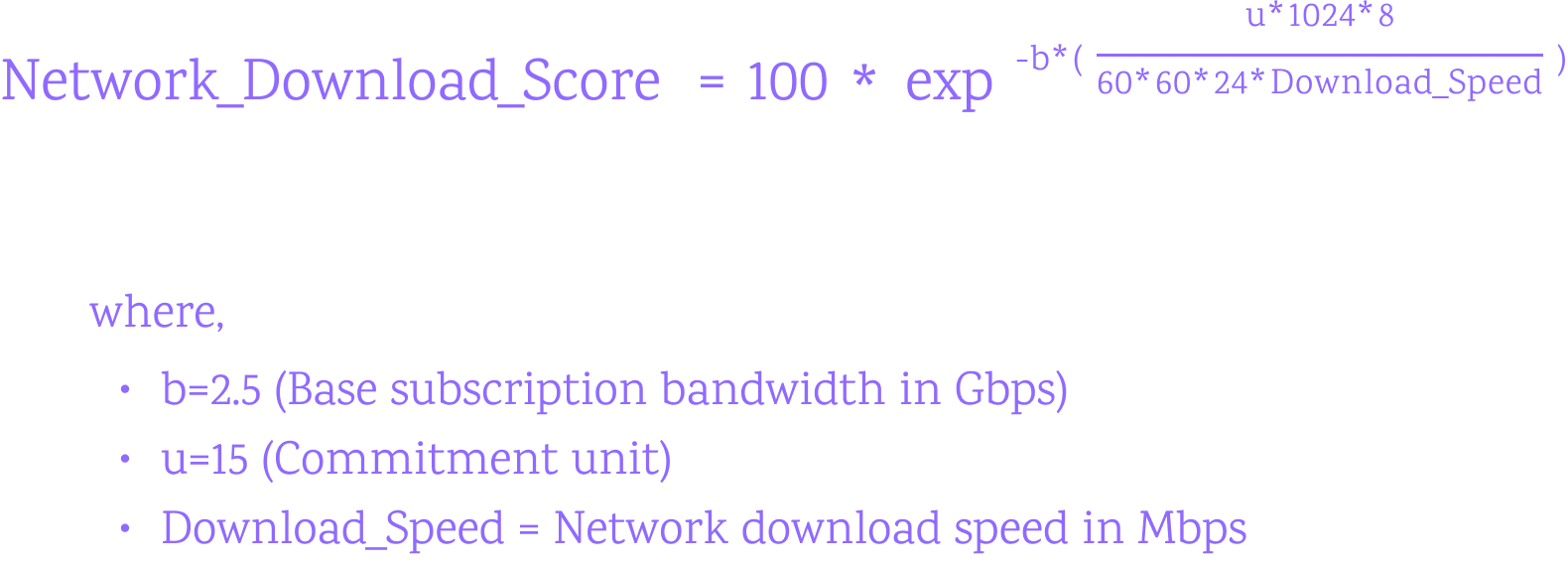
### Network Upload Score[](https://docs.iagon.com/provide-resources/compute-node/compute-metrics#network-upload-score "Direct link to Network Upload Score")
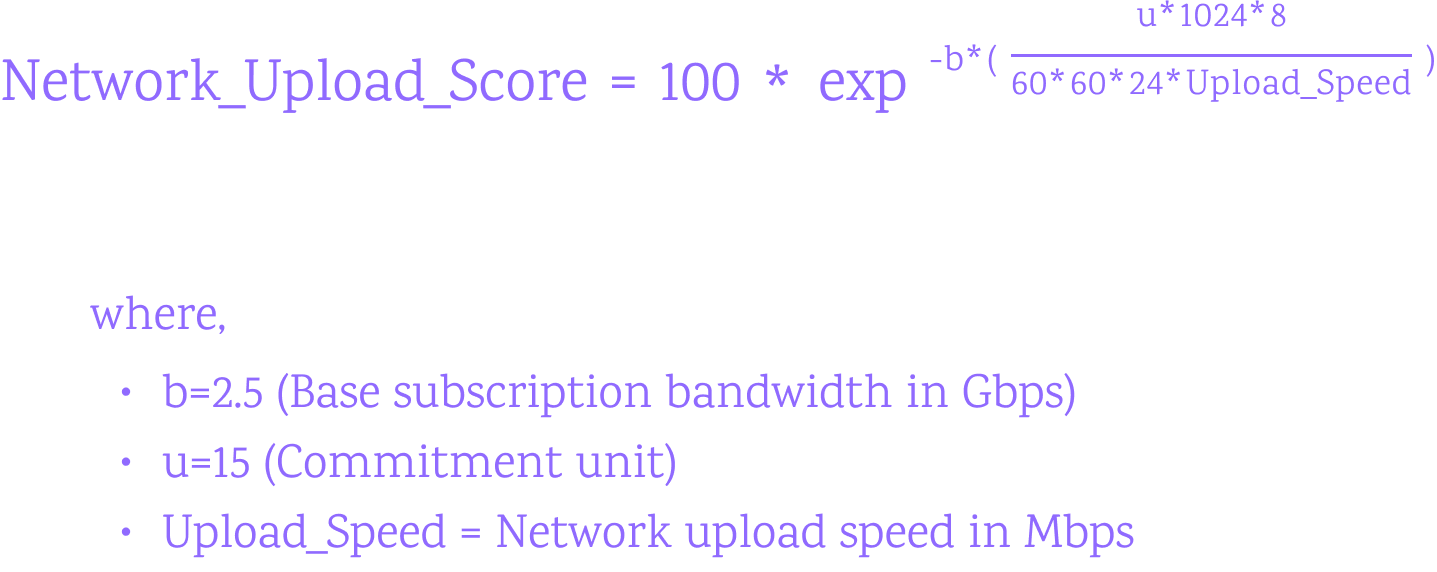
### Network Total Score[](https://docs.iagon.com/provide-resources/compute-node/compute-metrics#network-total-score "Direct link to Network Total Score")

Storage Sequential Read/Write[](https://docs.iagon.com/provide-resources/compute-node/compute-metrics#storage-sequential-readwrite "Direct link to Storage Sequential Read/Write")
------------------------------------------------------------------------------------------------------------------------------------------------------------------------------------
Disk I/O (Input/Output) Performance Score serves as a critical metric for assessing the efficiency and speed of data storage and retrieval operations on disk drives. The calculation of the Disk I/O Performance Score involves analyzing the throughput and latency of read and write operations, providing valuable insights into the disk subsystem's performance and its impact on overall system responsiveness.
The formula for calculating the Disk I/O Performance Score encompasses the consideration of both read and write operations, taking into account the data transfer rate and access times.
### Sequential Read Score[](https://docs.iagon.com/provide-resources/compute-node/compute-metrics#sequential-read-score "Direct link to Sequential Read Score")
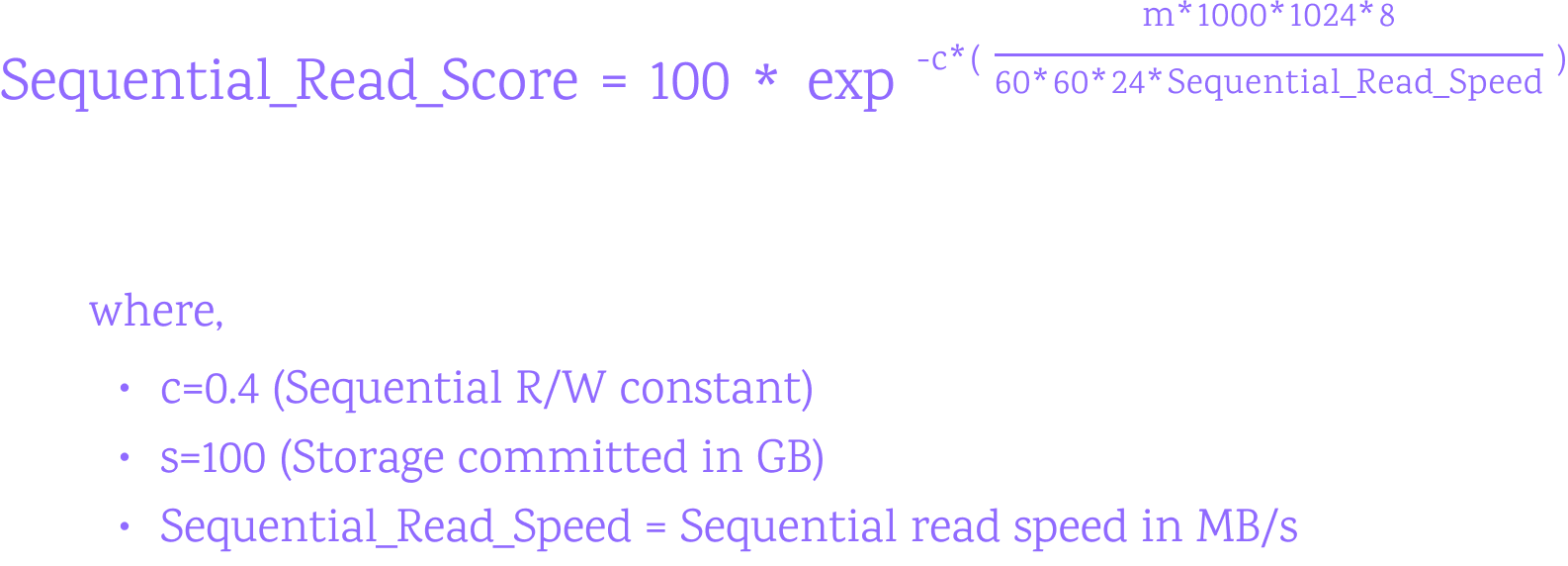
### Sequential Write Score[](https://docs.iagon.com/provide-resources/compute-node/compute-metrics#sequential-write-score "Direct link to Sequential Write Score")
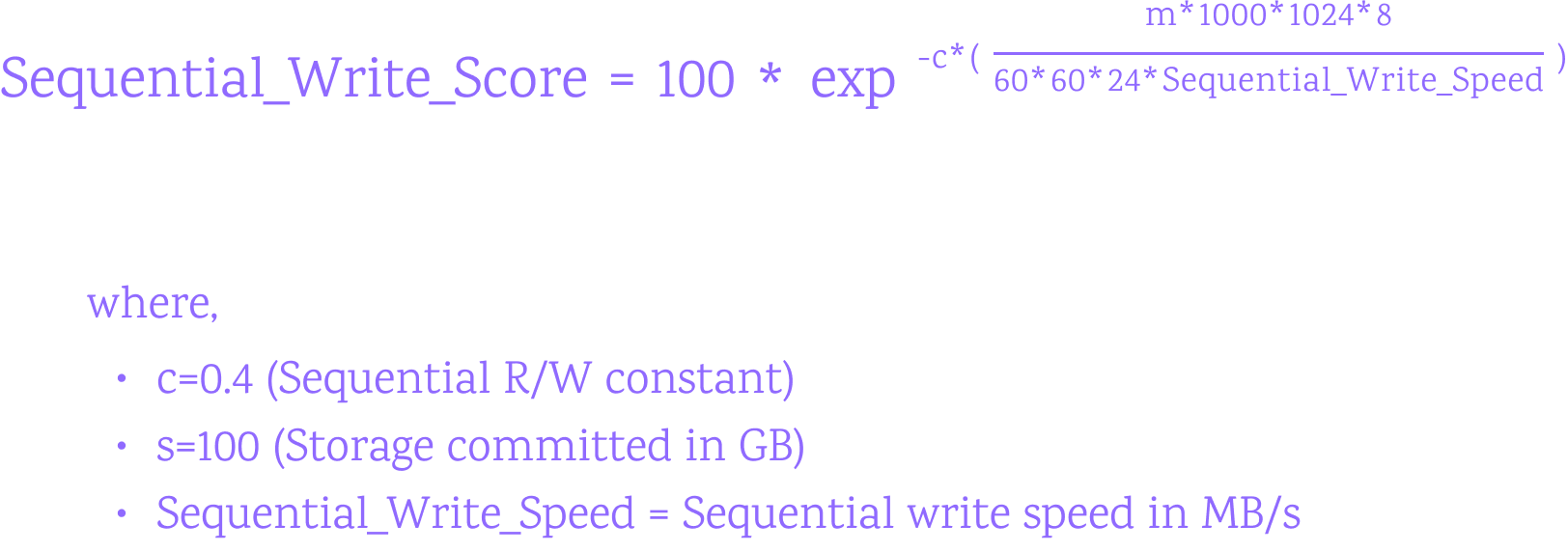
### Sequential Total Score[](https://docs.iagon.com/provide-resources/compute-node/compute-metrics#sequential-total-score "Direct link to Sequential Total Score")

Storage Random Read/Write[](https://docs.iagon.com/provide-resources/compute-node/compute-metrics#storage-random-readwrite "Direct link to Storage Random Read/Write")
------------------------------------------------------------------------------------------------------------------------------------------------------------------------
### Random Read Score[](https://docs.iagon.com/provide-resources/compute-node/compute-metrics#random-read-score "Direct link to Random Read Score")
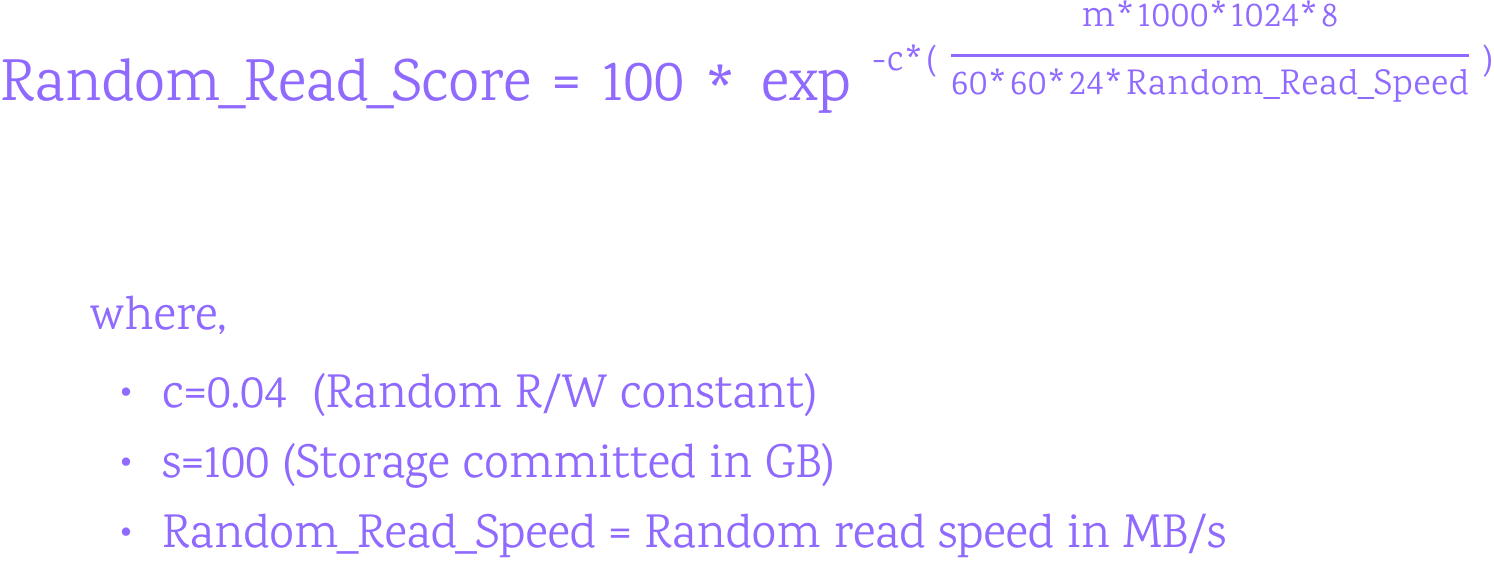
### Random Write Score[](https://docs.iagon.com/provide-resources/compute-node/compute-metrics#random-write-score "Direct link to Random Write Score")
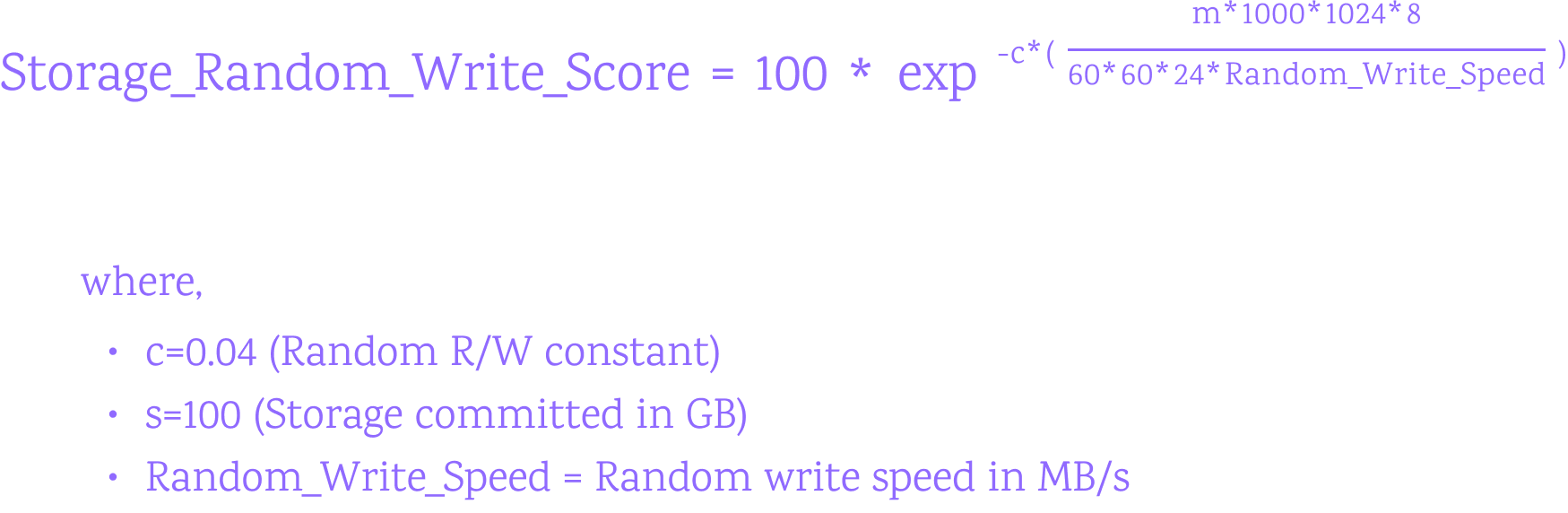
### Random Total Score[](https://docs.iagon.com/provide-resources/compute-node/compute-metrics#random-total-score "Direct link to Random Total Score")
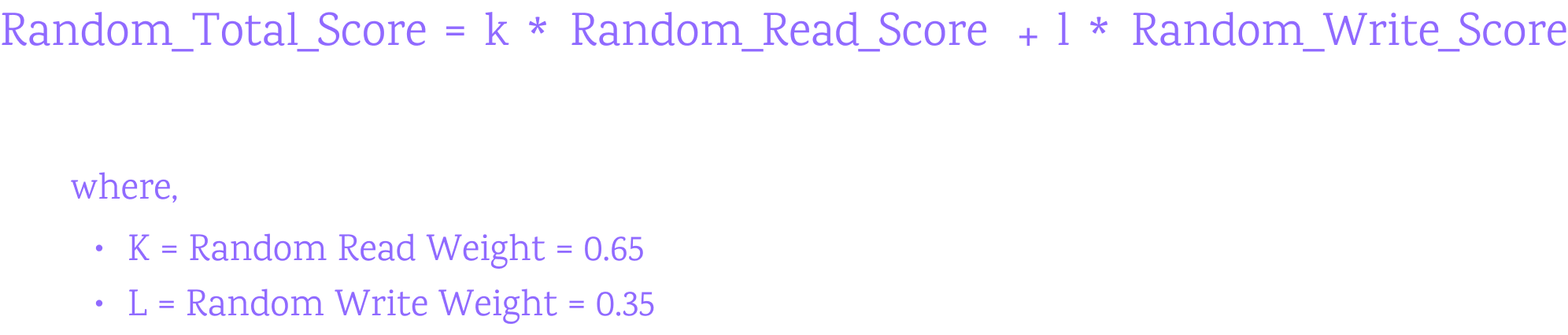
### Disk Total Score[](https://docs.iagon.com/provide-resources/compute-node/compute-metrics#disk-total-score "Direct link to Disk Total Score")

Total Score Calculation[](https://docs.iagon.com/provide-resources/compute-node/compute-metrics#total-score-calculation "Direct link to Total Score Calculation")
-------------------------------------------------------------------------------------------------------------------------------------------------------------------
The total performance score is calculated using the weighted sum of the individual scores:
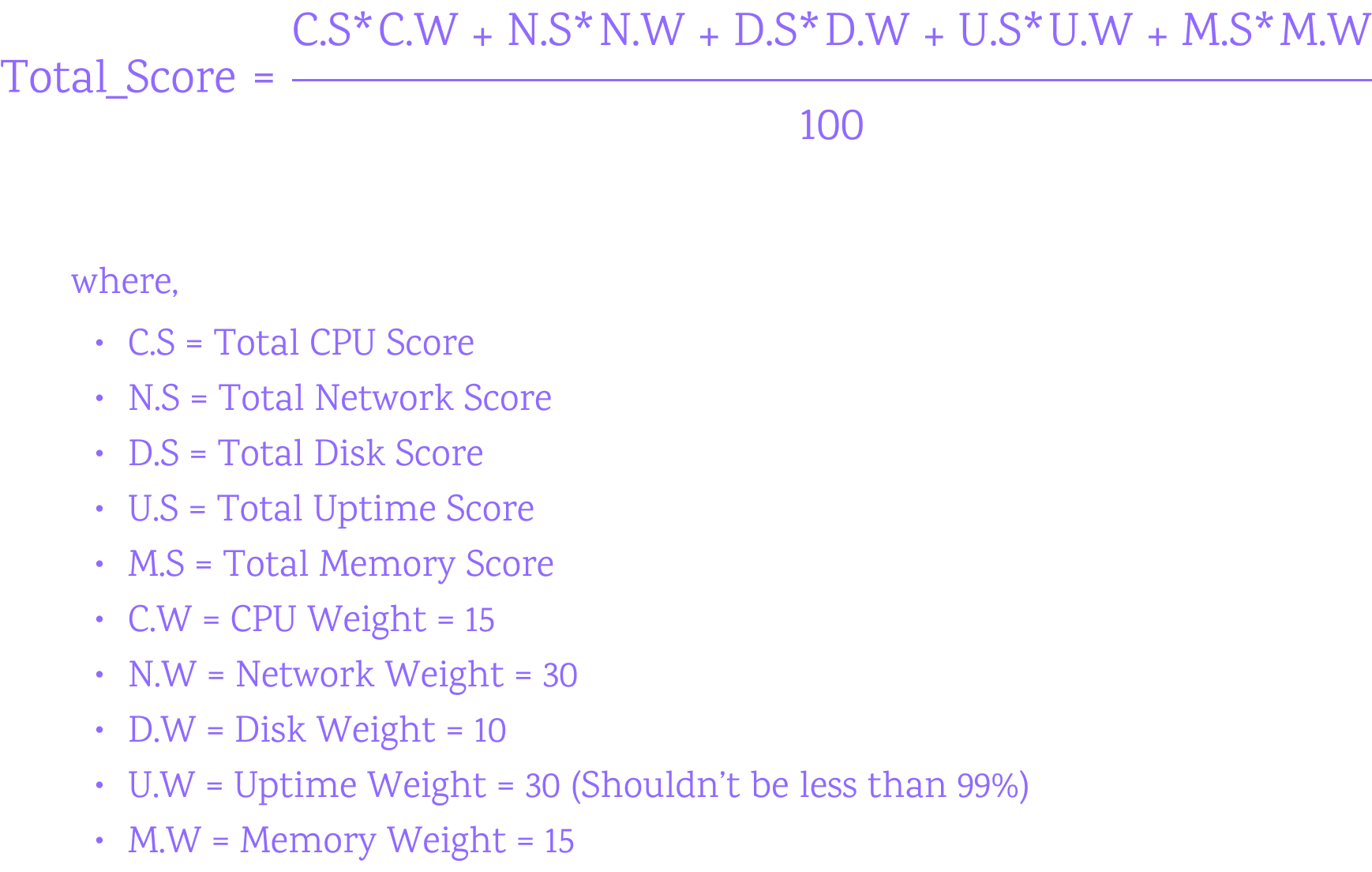
Content
* [Overview](https://docs.iagon.com/provide-resources/compute-node/compute-metrics#overview)
* [CPU EPS (Events Per Second)](https://docs.iagon.com/provide-resources/compute-node/compute-metrics#cpu-eps-events-per-second)
* [Uptime](https://docs.iagon.com/provide-resources/compute-node/compute-metrics#uptime)
* [Memory Read/Write](https://docs.iagon.com/provide-resources/compute-node/compute-metrics#memory-readwrite)
* [Read Score](https://docs.iagon.com/provide-resources/compute-node/compute-metrics#read-score)
* [Write Score](https://docs.iagon.com/provide-resources/compute-node/compute-metrics#write-score)
* [Memory Total Score](https://docs.iagon.com/provide-resources/compute-node/compute-metrics#memory-total-score)
* [Network Read/Write](https://docs.iagon.com/provide-resources/compute-node/compute-metrics#network-readwrite)
* [Network Download Score](https://docs.iagon.com/provide-resources/compute-node/compute-metrics#network-download-score)
* [Network Upload Score](https://docs.iagon.com/provide-resources/compute-node/compute-metrics#network-upload-score)
* [Network Total Score](https://docs.iagon.com/provide-resources/compute-node/compute-metrics#network-total-score)
* [Storage Sequential Read/Write](https://docs.iagon.com/provide-resources/compute-node/compute-metrics#storage-sequential-readwrite)
* [Sequential Read Score](https://docs.iagon.com/provide-resources/compute-node/compute-metrics#sequential-read-score)
* [Sequential Write Score](https://docs.iagon.com/provide-resources/compute-node/compute-metrics#sequential-write-score)
* [Sequential Total Score](https://docs.iagon.com/provide-resources/compute-node/compute-metrics#sequential-total-score)
* [Storage Random Read/Write](https://docs.iagon.com/provide-resources/compute-node/compute-metrics#storage-random-readwrite)
* [Random Read Score](https://docs.iagon.com/provide-resources/compute-node/compute-metrics#random-read-score)
* [Random Write Score](https://docs.iagon.com/provide-resources/compute-node/compute-metrics#random-write-score)
* [Random Total Score](https://docs.iagon.com/provide-resources/compute-node/compute-metrics#random-total-score)
* [Disk Total Score](https://docs.iagon.com/provide-resources/compute-node/compute-metrics#disk-total-score)
* [Total Score Calculation](https://docs.iagon.com/provide-resources/compute-node/compute-metrics#total-score-calculation)
---
# Iagon's decentralized cloud protocol documentation
[Skip to main content](https://docs.iagon.com/provide-resources/compute-node-setup/compute-changelogs#__docusaurus_skipToContent_fallback)
On this page
Overview[](https://docs.iagon.com/provide-resources/compute-node-setup/compute-changelogs#overview "Direct link to Overview")
-------------------------------------------------------------------------------------------------------------------------------
Stay informed about the latest improvements and changes in Iagon Compute Node by checking our updates and changelogs. We're committed to providing you with the best experience possible, and regular updates ensure that you have access to new features, enhancements, and bug fixes. Here's a summary of recent changes:
Mainnet CLI[](https://docs.iagon.com/provide-resources/compute-node-setup/compute-changelogs#mainnet-cli "Direct link to Mainnet CLI")
----------------------------------------------------------------------------------------------------------------------------------------
### Version 0.2.0-beta (July 5, 2024)[](https://docs.iagon.com/provide-resources/compute-node-setup/compute-changelogs#version-020-beta-july-5-2024 "Direct link to Version 0.2.0-beta (July 5, 2024)")
Features:
* Multiple node version support (16,18,20 LTS)
* CLI update command
* Auto update on node start
### Version 0.1.0-beta (June 11, 2024)[](https://docs.iagon.com/provide-resources/compute-node-setup/compute-changelogs#version-010-beta-june-11-2024 "Direct link to Version 0.1.0-beta (June 11, 2024)")
Features:
* Usage Metrics Collection
* Register Node
* Run compute tasks
* Run Iagon apps (Node.js apps)
### Version 0.1.0-beta (June 11, 2024)[](https://docs.iagon.com/provide-resources/compute-node-setup/compute-changelogs#version-010-beta-june-11-2024-1 "Direct link to Version 0.1.0-beta (June 11, 2024)")
Features:
* Usage Metrics Collection
* Register Node
* Run compute tasks
* Run Iagon apps (Node.js apps)
Content
* [Overview](https://docs.iagon.com/provide-resources/compute-node-setup/compute-changelogs#overview)
* [Mainnet CLI](https://docs.iagon.com/provide-resources/compute-node-setup/compute-changelogs#mainnet-cli)
* [Version 0.2.0-beta (July 5, 2024)](https://docs.iagon.com/provide-resources/compute-node-setup/compute-changelogs#version-020-beta-july-5-2024)
* [Version 0.1.0-beta (June 11, 2024)](https://docs.iagon.com/provide-resources/compute-node-setup/compute-changelogs#version-010-beta-june-11-2024)
* [Version 0.1.0-beta (June 11, 2024)](https://docs.iagon.com/provide-resources/compute-node-setup/compute-changelogs#version-010-beta-june-11-2024-1)
---
# Iagon's decentralized cloud protocol documentation
[Skip to main content](https://docs.iagon.com/products/cyclone/cyclone-qs-faq-maintenance#__docusaurus_skipToContent_fallback)
On this page
Cyclone Qs / Qs Pro
===================
### How can I interact with my Cyclone Qs / Qs Pro?[](https://docs.iagon.com/products/cyclone/cyclone-qs-faq-maintenance#how-can-i-interact-with-my-cyclone-qs--qs-pro "Direct link to How can I interact with my Cyclone Qs / Qs Pro?")
* The Cyclone Qs / Qs Pro can be interacted with via a monitor plugged directly into the device, or remotely via the Cyclone's web interface which is hosted locally on your network.
* Use the DisplayPort or HDMI port on the back of the device to connect a monitor, and use the USB ports on the back of the device to connect a keyboard and mouse.
* To control your Cyclone remotely, access the web interface by visiting `http://cyclone.local` in your web browser.
* If you have multiple Cyclones running on your network, the web interface will incrementally increase with a unique identifying number, such as `http://cyclone2.local` or `http://cyclone3.local`. Please make sure to physically distinguish each Cyclone by the order they were set up in.
### Can I use CLI to deploy other applications/nodes on my Cyclone?[](https://docs.iagon.com/products/cyclone/cyclone-qs-faq-maintenance#can-i-use-cli-to-deploy-other-applicationsnodes-on-my-cyclone "Direct link to Can I use CLI to deploy other applications/nodes on my Cyclone?")
* Yes. You can access your Cyclone's CLI via SSH by running `ssh [[email protected]](https://docs.iagon.com/cdn-cgi/l/email-protection) ` on your personal computer's terminal. The password is the device password you set during setup. Your CLI interaction should feel like a typical Ubuntu server.
### What is the difference between mirrored and pooled storage?[](https://docs.iagon.com/products/cyclone/cyclone-qs-faq-maintenance#what-is-the-difference-between-mirrored-and-pooled-storage "Direct link to What is the difference between mirrored and pooled storage?")
* **Mirrored storage** (RAID 1) is a type of storage that mirrors data across multiple drives. This means that if one drive fails, the data can be recovered from the other drives. **Pooled storage** (RAID 0) is a type of storage that combines multiple drives into a single logical unit. This means that the data is stored on all of the drives in the pool, and the data is distributed across the drives in the pool.
* **Mirrored storage** is a good option for users who want to protect their data from drive failure. **Pooled storage** is a good option for users who want to maximize their storage capacity.
### What do I do if the Operating System installation gets stuck?[](https://docs.iagon.com/products/cyclone/cyclone-qs-faq-maintenance#what-do-i-do-if-the-operating-system-installation-gets-stuck "Direct link to What do I do if the Operating System installation gets stuck?")
* Please shut down the Cyclone by holding down the power button, then unplug the power cable and leave it unplugged for 10 minutes. Then plug the power cable back in and power on the Cyclone. The Operating System installation should now complete successfully.
### What do I do if the Auth Key is invalid when migrating from another node?[](https://docs.iagon.com/products/cyclone/cyclone-qs-faq-maintenance#what-do-i-do-if-the-auth-key-is-invalid-when-migrating-from-another-node "Direct link to What do I do if the Auth Key is invalid when migrating from another node?")
* Please start the node you're migrating from and regenerate the auth key from the [Node Dashboard](https://dashboard.iagon.com/node)
. You may then power the node you're migrating from back off and the newly generated auth key should work during Cyclone setup.
Maintenance
===========
### Change Storage Drives or NVMe Drives[](https://docs.iagon.com/products/cyclone/cyclone-qs-faq-maintenance#change-storage-drives-or-nvme-drives "Direct link to Change Storage Drives or NVMe Drives")
Example cases include changing from HDD to SSD or to a larger HDD/SSD. When changing storage devices but not setting up a new node, please ensure that the new device has at least as much storage as the old device.
#### The steps to change the storage drives are as follows:[](https://docs.iagon.com/products/cyclone/cyclone-qs-faq-maintenance#the-steps-to-change-the-storage-drives-are-as-follows "Direct link to The steps to change the storage drives are as follows:")
1. Pull the tab to remove the top cover

2. Remove both storage drive trays

3. Remove the old drives and reinstall your new drives into the trays, aligning the screw holes in the side of the drives with the retaining pins of the tray. The SATA connector should face away from the hinge

4. Slide the storage drive trays into their slots, ensuring the top of the drive faces outward. If you are only installing one storage drive, insert it into the slot on the left when looking at the front of the device

#### The steps to change the NVMe drives are as follows:[](https://docs.iagon.com/products/cyclone/cyclone-qs-faq-maintenance#the-steps-to-change-the-nvme-drives-are-as-follows "Direct link to The steps to change the NVMe drives are as follows:")
1. Pull the tab to remove the top cover

2. Remove both storage drive trays

3. Unscrew the four screws on the bottom

4. Pull the core out the top

5. M.2 NVMe drives can be changed by removing the retaining screw, carefully removing an old NVMe drive, inserting a new NVMe drive into the slot, and fastening it in place with the retaining screw

6. Reinstall the core into the shell the same way it was removed, ensuring the rear IO ports align with their holes in the shell, then refasten the four screws on the bottom, reinstall the storage drive trays, and replace the top cover
Content
* [How can I interact with my Cyclone Qs / Qs Pro?](https://docs.iagon.com/products/cyclone/cyclone-qs-faq-maintenance#how-can-i-interact-with-my-cyclone-qs--qs-pro)
* [Can I use CLI to deploy other applications/nodes on my Cyclone?](https://docs.iagon.com/products/cyclone/cyclone-qs-faq-maintenance#can-i-use-cli-to-deploy-other-applicationsnodes-on-my-cyclone)
* [What is the difference between mirrored and pooled storage?](https://docs.iagon.com/products/cyclone/cyclone-qs-faq-maintenance#what-is-the-difference-between-mirrored-and-pooled-storage)
* [What do I do if the Operating System installation gets stuck?](https://docs.iagon.com/products/cyclone/cyclone-qs-faq-maintenance#what-do-i-do-if-the-operating-system-installation-gets-stuck)
* [What do I do if the Auth Key is invalid when migrating from another node?](https://docs.iagon.com/products/cyclone/cyclone-qs-faq-maintenance#what-do-i-do-if-the-auth-key-is-invalid-when-migrating-from-another-node)
* [Change Storage Drives or NVMe Drives](https://docs.iagon.com/products/cyclone/cyclone-qs-faq-maintenance#change-storage-drives-or-nvme-drives)
---
# Iagon's decentralized cloud protocol documentation
[Skip to main content](https://docs.iagon.com/products/cyclone/cyclone-qs-with-drives#__docusaurus_skipToContent_fallback)
On this page
Cyclone Qs / Qs Pro
===================
tip
### Cyclone Unbox Buzz Giveaway!
[](https://docs.iagon.com/products/cyclone/cyclone-qs-with-drives#cyclone-unbox-buzz-giveaway "Direct link to cyclone-unbox-buzz-giveaway")
Record your unboxing, share it on X with @IagonOfficial + $IAG, and you could win 10,000 $IAG! **[Join here](https://iagon.media/thingy-unboxing)
**
warning
If you are planning to set up multiple Cyclones, please make sure to only set up **one at a time**, and make sure the Cyclones that have completed setup are **on** while a new one is being set up. This will prevent any hostname conflicts on your network.
### Before you Begin, please make sure you have:[](https://docs.iagon.com/products/cyclone/cyclone-qs-with-drives#before-you-begin-please-make-sure-you-have "Direct link to Before you Begin, please make sure you have:")
* A Cardano wallet (mobile wallet or desktop browser wallet) with at least 15 ADA and at least enough IAG tokens to stake the minimum requirement to your node (about $500 USD worth of IAG tokens per 1 TB of storage commitment).
* An internet connection with at least 20mbps upload and download speed.
* The ability to connect an ethernet cable to your internet router.
Operating System and Node Setup[](https://docs.iagon.com/products/cyclone/cyclone-qs-with-drives#operating-system-and-node-setup "Direct link to Operating System and Node Setup")
------------------------------------------------------------------------------------------------------------------------------------------------------------------------------------
### Step 1 - Plug in your Cyclone[](https://docs.iagon.com/products/cyclone/cyclone-qs-with-drives#step-1---plug-in-your-cyclone "Direct link to Step 1 - Plug in your Cyclone")
1. Plug the **ethernet cable** into the back of the Cyclone and connect it to your internet router
2. Plug the **power cable** into the back of the Cyclone
### Step 2 - Power on your Cyclone[](https://docs.iagon.com/products/cyclone/cyclone-qs-with-drives#step-2---power-on-your-cyclone "Direct link to Step 2 - Power on your Cyclone")
Press the power button on the front
### Step 3 - Install the Cyclone operating system[](https://docs.iagon.com/products/cyclone/cyclone-qs-with-drives#step-3---install-the-cyclone-operating-system "Direct link to Step 3 - Install the Cyclone operating system")
Scan the QR code or visit the following web page to begin the device setup process. **We recommend doing setup on the same device you use for your Cardano wallet, to avoid having to switch between devices later on.** The first two steps will format your boot drive(s) and install the Cyclone operating system. This process relies on the bootable MicroSD card that is pre-installed in the back of the Cyclone - **do not remove it**.
[http://cycloneos-installer.local](http://cycloneos-installer.local/)

* **Quick Setup** will automatically set up your Cyclone in the recommended and safest configuration for the hardware you have installed
* **Advanced Setup** will allow you to choose your setup configuration (only recommended if you know what you’re doing)
* You will be prompted to reboot your Cyclone once the operating system is installed, the Cyclone will reboot into the Cyclone operating system
tip
If your network doesn't support mDNS (hostname broadcasting) and you also can't find the ip address of your Cyclone, you may plug a monitor into the DisplayPort or HDMI port use the USB ports to connect a keyboard and mouse to interact with your Cyclone.
### Step 4 - Node setup[](https://docs.iagon.com/products/cyclone/cyclone-qs-with-drives#step-4---node-setup "Direct link to Step 4 - Node setup")
You should be automatically redirected to the Cyclone OS url after the device reboots, but if not, simply scan the QR code or visit the following web page in your web browser to begin the node setup process.
[http://cyclone.local](http://cyclone.local/)

If you’re setting up an additional Cyclone and you have one or more Cyclones already running on your network, the url will incrementally increase with a unique identifying number, such as:
[http://cyclone2.local](http://cyclone2.local/)
[http://cyclone3.local](http://cyclone3.local/)
etc...
* You may bookmark this URL, as it is how you will interact with your Cyclone in the future.
* Please ensure that **all of your Cyclones are running** as you set up a new one, so that a unique hostname is not duplicated. It is recommended to **physically distinguish each Cyclone** (with a piece of tape or a sticker) by the order they were set up in.
* Quick Setup will automatically set up your node in the recommended and safest configuration for the hardware you have installed
* You may use the default port number unless you already have an Iagon node running on that port number, in which case please change it so that it is unique
* A default storage path of `/mnt/iagon-storage` will be assigned for the node to store data
* _**Important:**_ Copy or write down the auth key displayed at the end of the node setup
### Step 5 - Register your node[](https://docs.iagon.com/products/cyclone/cyclone-qs-with-drives#step-5---register-your-node "Direct link to Step 5 - Register your node")
1. Visit [https://dashboard.iagon.com/node](https://dashboard.iagon.com/node)
on your mobile Cardano wallet’s dapp browser, or your desktop web browser that has a Cardano wallet browser extension set up, and log in with your wallet
2. Select `Storage Node +`

3. Follow the on-screen prompts to input your auth key and evaluate your device
4. You will need to decide if you want to run this node as an independent node or a delegated node. An independent node will be staked only by you, and you will keep all of the node’s earnings. A delegated node will be staked partially by you (at least the minimum requirement) and partially by other IAG token holders, with whom you will share the node’s earnings with. If you have any questions about these differences, please reach out to our team or refer to the [Staking Platform](https://docs.iagon.com/products/staking-platform)
documentation
5. Continue to follow on-screen prompts to set any further node parameters and to stake your IAG tokens
Content
* [Cyclone Unbox Buzz Giveaway!](https://docs.iagon.com/products/cyclone/cyclone-qs-with-drives#cyclone-unbox-buzz-giveaway)
* [Before you Begin, please make sure you have:](https://docs.iagon.com/products/cyclone/cyclone-qs-with-drives#before-you-begin-please-make-sure-you-have)
* [Operating System and Node Setup](https://docs.iagon.com/products/cyclone/cyclone-qs-with-drives#operating-system-and-node-setup)
* [Step 1 - Plug in your Cyclone](https://docs.iagon.com/products/cyclone/cyclone-qs-with-drives#step-1---plug-in-your-cyclone)
* [Step 2 - Power on your Cyclone](https://docs.iagon.com/products/cyclone/cyclone-qs-with-drives#step-2---power-on-your-cyclone)
* [Step 3 - Install the Cyclone operating system](https://docs.iagon.com/products/cyclone/cyclone-qs-with-drives#step-3---install-the-cyclone-operating-system)
* [Step 4 - Node setup](https://docs.iagon.com/products/cyclone/cyclone-qs-with-drives#step-4---node-setup)
* [Step 5 - Register your node](https://docs.iagon.com/products/cyclone/cyclone-qs-with-drives#step-5---register-your-node)
---
# Iagon's decentralized cloud protocol documentation
[Skip to main content](https://docs.iagon.com/overview/lspo#__docusaurus_skipToContent_fallback)
On this page
**Ongoing Rewards. Ecosystem-First. Community-Focused.**
Overview[](https://docs.iagon.com/overview/lspo#overview "Direct link to Overview")
-------------------------------------------------------------------------------------
The Iagon Liquidity Providers Rewards Program is a long-term initiative designed to grow and strengthen the liquidity of the IAG token across decentralized exchanges, now expanded to include a variety of tokens from leading Web3 projects.
Originally launched as a Phase-based campaign, the program has evolved into a continuous and expanding rewards system that supports those who:
* Delegate ADA to Iagon’s stake pools (IAGL1, IAGL2)
* Provide liquidity to IAG-ADA and select token pairs on decentralized exchanges
Our goal is to make IAG deeply liquid and accessible while supporting broader ecosystem growth.
This program isn’t limited to phases or temporary campaigns — it’s a long-term commitment to rewarding liquidity providers and expanding the utility of the IAG ecosystem.
**You provide liquidity. We reward your support. The ecosystem thrives.**
What’s New?[](https://docs.iagon.com/overview/lspo#whats-new "Direct link to What’s New?")
--------------------------------------------------------------------------------------------
We’ve transitioned away from a Phase-based structure into a rolling, always-on program. Here’s how it works:
* New tokens can be added to the reward pool at any time
* Each token’s distribution lasts 12 months, starting from the date it’s added
* Rewards are calculated based on your liquidity contributions during that token’s active period
This approach offers greater flexibility and ensures long-term incentives without tying rewards to specific campaign windows.
> **Note:** In previous announcements, rewards were introduced in “Phases.” Going forward, what matters is the start date of each token’s reward cycle — not the overall program phase.
Reward Pool Tokens[](https://docs.iagon.com/overview/lspo#reward-pool-tokens "Direct link to Reward Pool Tokens")
-------------------------------------------------------------------------------------------------------------------
The following Web3 projects have contributed tokens to Iagon’s Rewards Pool, enabling even greater incentives for active liquidity providers. Each token has its own 12-month rewards cycle starting from its date of entry:
| Project | Reward Token Allocation | Date of Pool Entry |
| --- | --- | --- |
| **Iagon** | 10% from the payback transactions | Ongoing |
| **Saturn Swap** | Up to 1,000,000 SATURN tokens (1% of supply) | July 11th, 2024 _(Epoch 497)_ |
| **Nuvola** | Up to 420,000 NVL tokens (2% of supply) | April 3rd, 2024 _(Epoch 485)_ |
| _From Nuvola Staking_ | $MNT, $COPI, $FACT, additional IAG, BTC, WMT | April 3rd, 2024 _(Epoch 497)_ |
| **House of Titans** | Up to 800,000 TITAN tokens (2% of supply) | October 13th, 2024 _(Epoch 510)_ |
| **Tokeo** | 950,000 TOKE tokens (1% of supply) | November 15th, 2024 _(Epoch 523)_ |
| **FarmRoll** | 8,500,000 ROLL (1,5% of supply) | February 6th, 2025 _(Epoch 539)_ |
| **Metera** | 10,000,000 METERA (1% of supply) + 4% of all DePIN Index entry/exit fees from Metera protocol | April 12th, 2025 _(Epoch 553)_ |
| **Midnight** | 194,548.17 NIGHT | TBA |
note
More tokens will be added continuously — stay updated via Iagon’s official channels.
\*The SyncAI token sale was canceled, and the token allocation hasn’t been added to the LSPO reward pool (yet).
Claiming Rewards[](https://docs.iagon.com/overview/lspo#claiming-rewards "Direct link to Claiming Rewards")
-------------------------------------------------------------------------------------------------------------
All rewards — IAG and third-party tokens — are claimable via DripDropz.
* IAG rewards from buybacks (10% of the total amount bought) begin **1 year after allocation** and are distributed over **12 months (73 epochs)**.
* Other token distributions follow their own 12-month schedules, beginning when they’re introduced into the reward pool.
How We Use ADA[](https://docs.iagon.com/overview/lspo#how-we-use-ada "Direct link to How We Use ADA")
-------------------------------------------------------------------------------------------------------
Funds earned from Iagon stake pools (IAGL1 & IAGL2) are reinvested into the ecosystem:
* **85%** to provide liquidity on exchanges
* **10%** for IAG buybacks used in the rewards program
* **5%** reserved for operational and growth-related initiatives
How to Participate[](https://docs.iagon.com/overview/lspo#how-to-participate "Direct link to How to Participate")
-------------------------------------------------------------------------------------------------------------------
As in Phase I, participants can earn rewards through the following ways:
### Delegate ADA to an Iagon Stake Pool:[](https://docs.iagon.com/overview/lspo#delegate-ada-to-an-iagon-stake-pool "Direct link to Delegate ADA to an Iagon Stake Pool:")
👉 [IAGL1](https://bit.ly/3ogg2dS?ref=blog.iagon.com)
Pool ID: pool1ztk6dcj2nc3plnujf3ek6jqngtx8hcryufz56lyumemlcy2xxn0
👉 [IAGL2](https://bit.ly/3ROSUyh?ref=blog.iagon.com)
Pool ID: pool1e59h5m5vyggszyafel7zvcnsayt2de7wyxyezlrsmm4a679q3zr
Tutorial for how to stake to the IAGL pools [here](https://blog.iagon.com/how-to-delegate-to-iagon-iagl1-pool/)
.
note
To maximize pool rewards and liquidity, please delegate to IAGL1 until it reaches full saturation. Your rewards are calculated the same regardless of which pool you are delegated too.
### Provide liquidity to _**verified**_ pools on our partnered DEXs:[](https://docs.iagon.com/overview/lspo#provide-liquidity-to-verified-pools-on-our-partnered-dexs "Direct link to provide-liquidity-to-verified-pools-on-our-partnered-dexs")
Participants can earn rewards by providing liquidity to any of the verified IAG-ADA or IAG-USDM pools across most Cardano DEXs.
Links to the official partner DEXs can be found here:
| IAG-ADA | IAG-USDM |
| --- | --- |
| [Minswap](https://minswap.org/liquidity?cA=&tA=&cB=5d16cc1a177b5d9ba9cfa9793b07e60f1fb70fea1f8aef064415d114&tB=494147&pv=2&type=deposit) | [Minswap](https://minswap.org/liquidity?cA=c48cbb3d5e57ed56e276bc45f99ab39abe94e6cd7ac39fb402da47ad&tA=0014df105553444d&cB=5d16cc1a177b5d9ba9cfa9793b07e60f1fb70fea1f8aef064415d114&tB=494147&pv=2&type=deposit) |
| [Wingriders](https://app.wingriders.com/pools) | \- |
| [VyFinance](https://app.vyfi.io/dex?t=1&tokenA=lovelace&tokenB=5d16cc1a177b5d9ba9cfa9793b07e60f1fb70fea1f8aef064415d114494147) | \- |
| [SundaeSwap](https://app.sundae.fi/liquidity) | \- |
| [Splash](https://app.splash.trade/liquidity/b992582b95a3ee20cb4025699808c83caaefa7bae9387b72ba2c57c3.4941475f4144415f4e4654) | \- |
| [Saturn Swap](https://saturnswap.io/liquidity) | \- |
When selecting tokens to provide as liquidity, be sure to choose IAG and ADA (or USDM) as the pair, and double-check that the pool is verified to ensure your participation in the program.
How Rewards Are Calculated[](https://docs.iagon.com/overview/lspo#how-rewards-are-calculated "Direct link to How Rewards Are Calculated")
-------------------------------------------------------------------------------------------------------------------------------------------
Rewards for participating in the Liquidity Program are based on the amount of ADA delegated + length of delegation; and/or amount of liquidity provided + how long liquidity is provided.
Rewards will vary in their distribution dependent on the token earned.
All rewards tokens will be made available 73 Epochs (12 months) after the period in which they were earned.
> Example: If You earned rewards in Epoch 848, the rewards will be claimable in Epoch 921.
note
This distribution timeline is subject to change dependent on the method on distribution.
### Calculating rewards[](https://docs.iagon.com/overview/lspo#calculating-rewards "Direct link to Calculating rewards")
Rewards for the Liquidity program can be calculated here: [https://calculator.iagon.com/](https://calculator.iagon.com/)
With just a few clicks, you're able to see how your contributions can earn you rewards over time with several parameters:
* Amount of liquidity provide
* How long you provide liquidity
* Amount of ADA you delegate to one of the [Iagon stake pools](https://docs.iagon.com/overview/lspo#delegate-ada-to-an-iagon-stake-pool)
* How long you delegate ADA to one of the [Iagon stake pools](https://docs.iagon.com/overview/lspo#delegate-ada-to-an-iagon-stake-pool)
This convenient tool takes the guesswork out of calculating your potential rewards and makes it easier for you to understand the benefits of participating in our liquidity rewards program.
### How are rewards calculated?[](https://docs.iagon.com/overview/lspo#how-are-rewards-calculated "Direct link to How are rewards calculated?")
For those who are interested in the technical and mathematical details of how rewards are calculated and the thought process behind it, we use such reward computation function that would meet the following requirements:
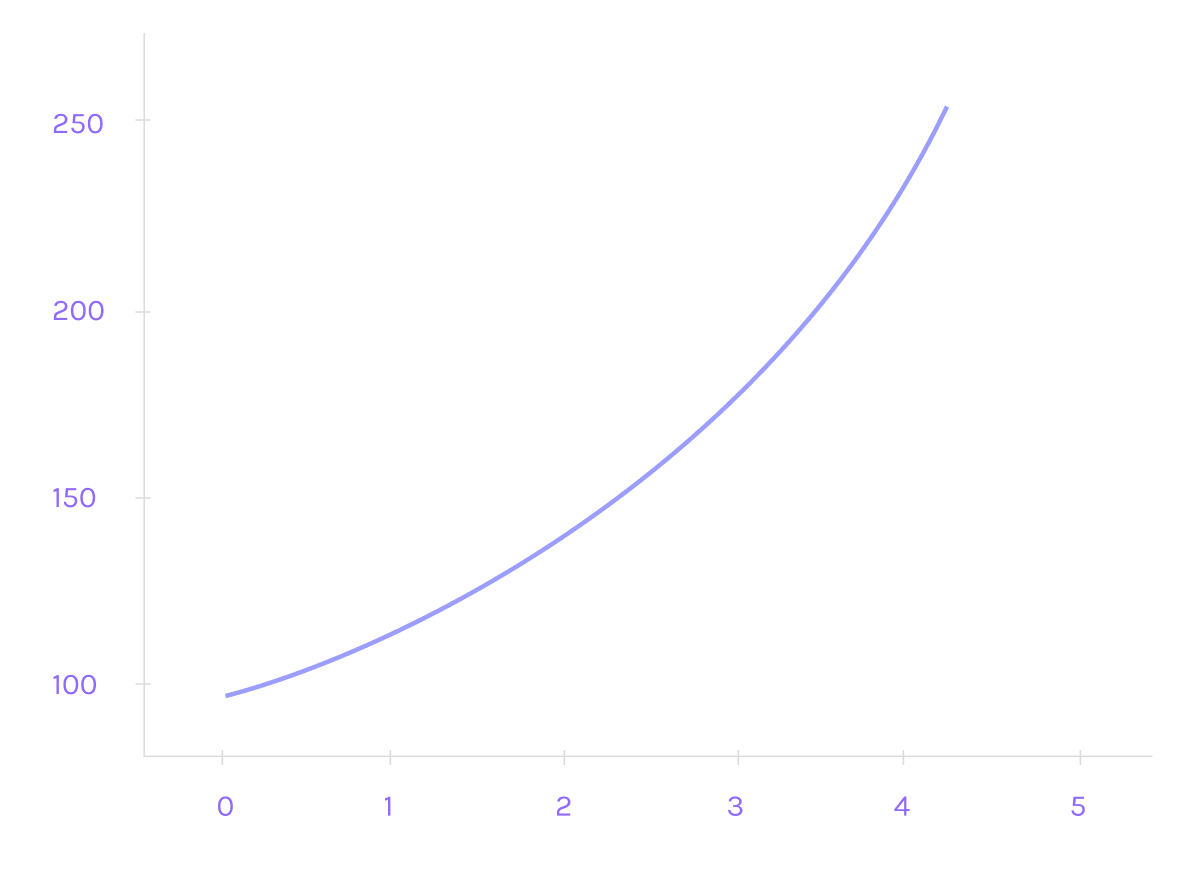
We use a reward computation function that meets the following requirements:
* Promoting longer locking periods
* Promoting higher locking volumes
* Allowing unlocking at any time (not necessarily continuous, perhaps once per epoch)
* Providing an increase in terms of reward value (calculated in USD)
* Monitoring the amount of tokens given out as rewards globally (the closer we get to the 0.5-3% limit, the slower the reward increase rate)
* Providing an additional boost for people delegating tokens as part of the LSPO
The first two requirements suggest that the reward function should be superlinear in time and volume, as if it was linear, there would be no difference between locking for many shorter periods and one longer period; the same can be said for locked amounts. If we consider the way continuous compounding of interest is handled, we could suggest an exponential relation:

Where:
* A0 is the amount of locked tokens
* t0 is the moment in time the tokens were locked
* t is the moment of unlocking
* Vt is the token value (e.g. in USD) at the moment of unlocking (we divide by it to make the growth exponential in terms of value, not token amount)
* α is the degree of a.g. around 1.2m but this needs to be determined
* β is the growth coefficient (to be determined as well)
Now, formula (1) is reasonable if the overall amount of tokens given out as rewards is far below the upper limit. When it begins to approach that point, we will need to start damping the exponential growth. The idea is to multiply the exponential component by another function that starts at 1 but tends to 0 as we reach the limit. An example of such a function is:
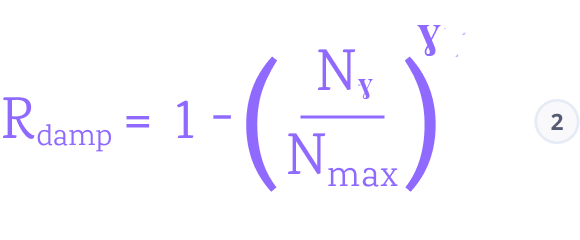
Where:
* Nγ is the total amount of tokens given out as rewards so far
* Nmax is the maximum allowed amount of tokens provided for rewards (i.e. 0.5-3% of the total token supply at the moment)
* γ is the damping coefficient (higher values of γ will make this component stick close to 1 for longer, at the price of a steeper increase as we come near to the limit; lower values would make the initial drop more drastic)
Finally, we need another multiplicative term that reflects a person's participation in the LSPO. For someone not participating, this term should just be 1 and have no bearing on the overall reward. In the case of participants, it makes sense to consider their relative contribution (percentage). Two open questions (reflected by two additional parameters) are:
* What is the maximum reward boost for a hypothetical case of a sole participant?
* How should the increment due to LSPO participation grow with a growing percentage? Should it be linear, sublinear, superlinear?
This leads us to the following candidate function:
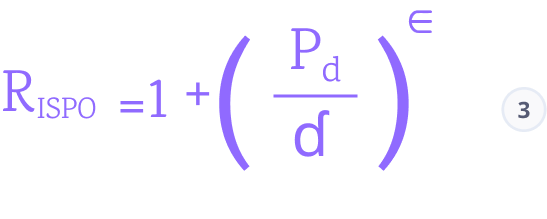
Where:
* Pd is the fraction of a person's delegated tokens compared to the total volume (a real number between 0 and 1)
* ε is the coefficient determining how the LSPO increment depends on Pd (an ε of 1 would mean a linear relationship, higher values would favor high percentages disproportionately, and lower values would favor moderate participation)
* δ is a coefficient limiting the maximum reward boost due to participation in the LSPO (if δ is small, a hypothetical sole LSPO participant would see a drastic increase in their reward; if it's large, the LSPO effect on the overall reward is negligible; δ ≈ 2 translates to a boost by a factor of 1.5 in the extreme case)
The final reward function is the product of (1), (2), and (3):

Claiming Rewards[](https://docs.iagon.com/overview/lspo#claiming-rewards-1 "Direct link to Claiming Rewards")
---------------------------------------------------------------------------------------------------------------
In February 2023, Iagon airdropped 17.5% of all ISPO rewards to ISPO participants.
The remaining rewards were subject to a 12-month linear vesting schedule and have been released proportionally month by month, available to be claimed by participants through the DripDropz platform.
For community members who participated in our original ISPO, rewards can be claimed at [DripDropz](https://dripdropz.io/)
Rewards are made available every month.
> \[!NOTE\] **Final ISPO Rewards Claim Deadline — 1 October 2025**
>
> To finalize the ISPO program and align with industry best practices, all unclaimed ISPO rewards must be claimed before **1 October 2025**.
>
> After this date, unclaimed tokens will be returned to the Iagon treasury and allocated to future **community incentive programs**.
Previous ISPO[](https://docs.iagon.com/overview/lspo#previous-ispo "Direct link to Previous ISPO")
----------------------------------------------------------------------------------------------------
Iagon held an ISPO (Initial Stake Pool Offering) that spanned from April 2022 - February 2023 and saw a total of 70,000,000 $IAG tokens get distributed to delegators of the stake pool.
The ISPO event is no longer active, participants wishing to participate should look to our [LSPO](https://docs.iagon.com/overview/lspo#how-to-participate)
to find out how they can earn rewards by delegating their ADA.
Commitment to Safety[](https://docs.iagon.com/overview/lspo#commitment-to-safety "Direct link to Commitment to Safety")
-------------------------------------------------------------------------------------------------------------------------
Our commitment to the safety and security of our pools runs deep. We've left no stone unturned in our efforts to protect against potential supply chain attacks. We've rigorously tested for privilege escalations and subjected our pools to multiple rounds of security audits.
Our efforts don't stop there. We're constantly monitoring the performance metrics of our pools through automation and vigilant oversight. We've even gone the extra mile by setting up timesync devices and redundancies to ensure our pools never miss a beat.
We take our responsibility seriously, and our users can rest assured that their assets are safeguarded at all times.
FAQ[](https://docs.iagon.com/overview/lspo#faq "Direct link to FAQ")
----------------------------------------------------------------------
### Is the LSPO different from the Original ISPO?[](https://docs.iagon.com/overview/lspo#is-the-lspo-different-from-the-original-ispo "Direct link to Is the LSPO different from the Original ISPO?")
YES. The original ISPO was an event we held in the past that ended near the start of 2023. The LSPO is a different program aimed to benefit the depth of liquidity across Cardano DEXs directly.
### Can you delegate to the LSPO even if you don’t provide liquidity on a DEX?[](https://docs.iagon.com/overview/lspo#can-you-delegate-to-the-lspo-even-if-you-dont-provide-liquidity-on-a-dex "Direct link to Can you delegate to the LSPO even if you don’t provide liquidity on a DEX?")
YES. Providing liquidity is not a prerequisite for delegating ADA to the LSPO pool. Users can choose how they would like to participate in the Liquidity Program either by providing liquidity on DEXs, delegating to the LSPO, or both.
### How long do we have to delegate to the LSPO?[](https://docs.iagon.com/overview/lspo#how-long-do-we-have-to-delegate-to-the-lspo "Direct link to How long do we have to delegate to the LSPO?")
There’s no deadline — the LSPO is an ongoing program. You can start delegating at any time. Rewards are tied to specific tokens added to the LSPO reward pool — each token has its own 12-month reward period starting from the day it’s added.
### How do I claim rewards from the Liquidity Program?[](https://docs.iagon.com/overview/lspo#how-do-i-claim-rewards-from-the-liquidity-program "Direct link to How do I claim rewards from the Liquidity Program?")
Rewards for participating in the Liquidity Program will begin distribution following their respective release schedules.
Content
* [Overview](https://docs.iagon.com/overview/lspo#overview)
* [What’s New?](https://docs.iagon.com/overview/lspo#whats-new)
* [Reward Pool Tokens](https://docs.iagon.com/overview/lspo#reward-pool-tokens)
* [Claiming Rewards](https://docs.iagon.com/overview/lspo#claiming-rewards)
* [How We Use ADA](https://docs.iagon.com/overview/lspo#how-we-use-ada)
* [How to Participate](https://docs.iagon.com/overview/lspo#how-to-participate)
* [Delegate ADA to an Iagon Stake Pool:](https://docs.iagon.com/overview/lspo#delegate-ada-to-an-iagon-stake-pool)
* [Provide liquidity to _**verified**_ pools on our partnered DEXs:](https://docs.iagon.com/overview/lspo#provide-liquidity-to-verified-pools-on-our-partnered-dexs)
* [How Rewards Are Calculated](https://docs.iagon.com/overview/lspo#how-rewards-are-calculated)
* [Calculating rewards](https://docs.iagon.com/overview/lspo#calculating-rewards)
* [How are rewards calculated?](https://docs.iagon.com/overview/lspo#how-are-rewards-calculated)
* [Claiming Rewards](https://docs.iagon.com/overview/lspo#claiming-rewards-1)
* [Previous ISPO](https://docs.iagon.com/overview/lspo#previous-ispo)
* [Commitment to Safety](https://docs.iagon.com/overview/lspo#commitment-to-safety)
* [FAQ](https://docs.iagon.com/overview/lspo#faq)
* [Is the LSPO different from the Original ISPO?](https://docs.iagon.com/overview/lspo#is-the-lspo-different-from-the-original-ispo)
* [Can you delegate to the LSPO even if you don’t provide liquidity on a DEX?](https://docs.iagon.com/overview/lspo#can-you-delegate-to-the-lspo-even-if-you-dont-provide-liquidity-on-a-dex)
* [How long do we have to delegate to the LSPO?](https://docs.iagon.com/overview/lspo#how-long-do-we-have-to-delegate-to-the-lspo)
* [How do I claim rewards from the Liquidity Program?](https://docs.iagon.com/overview/lspo#how-do-i-claim-rewards-from-the-liquidity-program)
---
# Iagon's decentralized cloud protocol documentation
[Skip to main content](https://docs.iagon.com/provide-resources/storage-nodes/get-started#__docusaurus_skipToContent_fallback)
On this page
Welcome to Iagon
---------------------------------------------------------------------------------------------------------------------------------------------
Iagon empowers users with the ability to capitalize on their under-utilized storage resources by providing them to the Iagon network. Any device that meets the minimum requirements can become a node within the network, allowing users to earn rewards for providing storage which will be used by cloud storage users who subscribe to the network.
Content
* [Welcome to Iagon!](https://docs.iagon.com/provide-resources/storage-nodes/get-started#welcome-to-iagon)
---
# Iagon's decentralized cloud protocol documentation
[Skip to main content](https://docs.iagon.com/provide-resources/compute-node/compute-fees#__docusaurus_skipToContent_fallback)
On this page
Overview[](https://docs.iagon.com/provide-resources/compute-node/compute-fees#overview "Direct link to Overview")
-------------------------------------------------------------------------------------------------------------------
When using Iagon, you'll encounter different types of fees:
### Cardano Transaction fee[](https://docs.iagon.com/provide-resources/compute-node/compute-fees#cardano-transaction-fee "Direct link to Cardano Transaction fee")
This is a computational fee paid in ADA, covering the costs associated with processing transactions on the Cardano blockchain. For detailed information, please refer to the [Cardano fee structure](https://docs.cardano.org/explore-cardano/fee-structure)
provided in the Cardano documentation.
### Compute Subscription Fees[](https://docs.iagon.com/provide-resources/compute-node/compute-fees#compute-subscription-fees "Direct link to Compute Subscription Fees")
Details about storage subscription fees can be found in the [Subscription Tiers](https://docs.iagon.com/iagon-compute/compute-subscription)
section.
### Subscriber Fees Calendar[](https://docs.iagon.com/provide-resources/compute-node/compute-fees#subscriber-fees-calendar "Direct link to Subscriber Fees Calendar")
Fees collected from subscriptions each month are distributed at the beginning of next month.
### Subscriber Fee Allocations[](https://docs.iagon.com/provide-resources/compute-node/compute-fees#subscriber-fee-allocations "Direct link to Subscriber Fee Allocations")
By fees, we refer to the total ADA collected from compute subscriptions each month. Fees distribution is done every month.
The fee earnings are based on node performance metrics calculations, which price tier their node qualifies for, and total usage during the month.
90% of the total fees collected from compute subscribers are distributed to node providers. These are claimable on the web dashboard at the start of each month.
7% of the fees goes to the Iagon treasury and 3% will be used to buy back $IAG.
As a bonus, the fees collected from subscriptions are currently delegated to IAGL1 stake pool as part of the [Liquidity Providers Program's second phase](https://docs.iagon.com/overview/lspo)
. The staking rewards earned by the subscription fees smart contract's stake address, paid in [partnered tokens](https://docs.iagon.com/overview/lspo#partnered-projects)
and IAG, are to be distributed as 50% to Iagon and 50% to node providers, weighted by their performance scores. For now, this distribution is planned to be annual.
info
The fee structure is subject to change based on market research and as new subscriber tiers are introduced.
Content
* [Overview](https://docs.iagon.com/provide-resources/compute-node/compute-fees#overview)
* [Cardano Transaction fee](https://docs.iagon.com/provide-resources/compute-node/compute-fees#cardano-transaction-fee)
* [Compute Subscription Fees](https://docs.iagon.com/provide-resources/compute-node/compute-fees#compute-subscription-fees)
* [Subscriber Fees Calendar](https://docs.iagon.com/provide-resources/compute-node/compute-fees#subscriber-fees-calendar)
* [Subscriber Fee Allocations](https://docs.iagon.com/provide-resources/compute-node/compute-fees#subscriber-fee-allocations)
---
# Iagon's decentralized cloud protocol documentation
[Skip to main content](https://docs.iagon.com/provide-resources/storage-nodes/fees#__docusaurus_skipToContent_fallback)
On this page
Overview[](https://docs.iagon.com/provide-resources/storage-nodes/fees#overview "Direct link to Overview")
------------------------------------------------------------------------------------------------------------
When using Iagon, you'll encounter different types of fees:
### Cardano Transaction Fees[](https://docs.iagon.com/provide-resources/storage-nodes/fees#cardano-transaction-fees "Direct link to Cardano Transaction Fees")
This is a computational fee paid in ADA, covering the costs associated with processing transactions on the Cardano blockchain. For detailed information, please refer to the [Cardano fee structure](https://docs.cardano.org/explore-cardano/fee-structure)
provided in the Cardano documentation.
### Staking Transaction Fees[](https://docs.iagon.com/provide-resources/storage-nodes/fees#staking-transaction-fees "Direct link to Staking Transaction Fees")
A commission fee is applied to each transaction on the staking platform. This fee is divided between [Adagio](https://docs.iagon.com/iagon-storage/high-level-architecture#adagio)
(the rewards management system) and IAG stakers. More information can be found in the [Tokenomics](https://docs.iagon.com/iagon-token/tokenomics)
section.
### Storage Subscription Fees[](https://docs.iagon.com/provide-resources/storage-nodes/fees#storage-subscription-fees "Direct link to Storage Subscription Fees")
Details about storage subscription fees can be found in the [Subscription Tiers](https://docs.iagon.com/iagon-storage/subscription)
section.
### Subscriber Fees Calendar[](https://docs.iagon.com/provide-resources/storage-nodes/fees#subscriber-fees-calendar "Direct link to Subscriber Fees Calendar")
Fees collected from subscriptions each month are distributed at the beginning of next month.
To calculate fees and rewards, node performance metrics calculations are used.
### Subscriber Fee Allocations[](https://docs.iagon.com/provide-resources/storage-nodes/fees#subscriber-fee-allocations "Direct link to Subscriber Fee Allocations")
By fees, we refer to the total ADA collected from storage subscriptions each month. If a user subscribes to an annual plan and pays up-front for the year, the calculation takes 1/12th of that total payment into account to distribute each month. Fees distribution is done every month.
90% of the total fees collected from storage subscribers are distributed to node providers. These are claimable on the web dashboard at the start of each month.
The remaining 7% of the fees goes to treasury and 3% will be used to buyback IAG tokens from the open market.
As a bonus, the fees collected from subscriptions are currently delegated to IAGL1 stake pool as part of the [Liquidity Providers Program's second phase](https://docs.iagon.com/overview/lspo)
. The staking rewards earned by the subscription fees smart contract's stake address, paid in [partnered tokens](https://docs.iagon.com/overview/lspo#partnered-projects)
and IAG, are to be distributed as 50% to Iagon and 50% to node providers, weighted by their performance scores. For now, this distribution is planned to be annual.
Content
* [Overview](https://docs.iagon.com/provide-resources/storage-nodes/fees#overview)
* [Cardano Transaction Fees](https://docs.iagon.com/provide-resources/storage-nodes/fees#cardano-transaction-fees)
* [Staking Transaction Fees](https://docs.iagon.com/provide-resources/storage-nodes/fees#staking-transaction-fees)
* [Storage Subscription Fees](https://docs.iagon.com/provide-resources/storage-nodes/fees#storage-subscription-fees)
* [Subscriber Fees Calendar](https://docs.iagon.com/provide-resources/storage-nodes/fees#subscriber-fees-calendar)
* [Subscriber Fee Allocations](https://docs.iagon.com/provide-resources/storage-nodes/fees#subscriber-fee-allocations)
---
# Iagon's decentralized cloud protocol documentation
[Skip to main content](https://docs.iagon.com/provide-resources/storage-nodes/features#__docusaurus_skipToContent_fallback)
On this page
Migrate Node[](https://docs.iagon.com/provide-resources/storage-nodes/features#migrate-node "Direct link to Migrate Node")
----------------------------------------------------------------------------------------------------------------------------
This feature enables users to seamlessly transfer or migrate their shards to new nodes, particularly useful when encountering issues like corrupted files on their existing nodes.
### Requirements[](https://docs.iagon.com/provide-resources/storage-nodes/features#requirements "Direct link to Requirements")
* **Auth-Key**: The auth-key of the node from which shards are to be recovered. Without this key, moving the node is not possible.
* **Node Migration**: If migrating due to hardware failure, the new node's commitment and specifications should match those of the old node.
### Functionality[](https://docs.iagon.com/provide-resources/storage-nodes/features#functionality "Direct link to Functionality")
* **Shard Recovery**: Recovers shards on the node in case of accidental deletion or hardware failure.
* **Recovery Time**: Full shard recovery may take hours or days.
* **Reputation Impact**: Frequent migrations may result in reduced reputation or reputation slash.
### Steps to migrate devices:[](https://docs.iagon.com/provide-resources/storage-nodes/features#steps-to-migrate-devices "Direct link to Steps to migrate devices:")
#### Access The Move Nodes Option[](https://docs.iagon.com/provide-resources/storage-nodes/features#access-the-move-nodes-option "Direct link to Access The Move Nodes Option")
* Open the [Storage Nodes](https://app.iagon.com/provider/node)
page of the web dashboard.
* Select `Node Details` on the node you'd like to migrate.
* Select the 3-dot menu to reveal the `Move Node` option.
#### Inserting Auth Key[](https://docs.iagon.com/provide-resources/storage-nodes/features#inserting-auth-key "Direct link to Inserting Auth Key")
* After selecting "Move Node" a dialogue box prompting us to insert the auth key will appear.
* Enter the auth key and click on the "Begin" button to initiate the shard moving process, as shown in the screenshot.
note
The changes will be reflected within hours or days.
Resize Node[](https://docs.iagon.com/provide-resources/storage-nodes/features#resize-node "Direct link to Resize Node")
-------------------------------------------------------------------------------------------------------------------------
Once a node operator stakes the IAG equivalent to their initial storage commitment, they have the option to increase the storage commitment any time while the node is active. When resizing, the operator must sign and submit a new Cardano transaction. This transaction includes an additional stake equivalent to the amount of storage being added, based on the staking calculation formula.
### Requirements[](https://docs.iagon.com/provide-resources/storage-nodes/features#requirements-1 "Direct link to Requirements")
1. The updated storage amount should be greater than the already provided storage.
2. The node must be online during the resizing of the device.
note
If the resizing is to be done by changing the storage hardware device, the storage node app has to be installed on the new device, using the same auth-key of the node. In such case, the shards on the node will be recovered gradually.
Content
* [Migrate Node](https://docs.iagon.com/provide-resources/storage-nodes/features#migrate-node)
* [Requirements](https://docs.iagon.com/provide-resources/storage-nodes/features#requirements)
* [Functionality](https://docs.iagon.com/provide-resources/storage-nodes/features#functionality)
* [Steps to migrate devices:](https://docs.iagon.com/provide-resources/storage-nodes/features#steps-to-migrate-devices)
* [Resize Node](https://docs.iagon.com/provide-resources/storage-nodes/features#resize-node)
* [Requirements](https://docs.iagon.com/provide-resources/storage-nodes/features#requirements-1)
---
# Iagon's decentralized cloud protocol documentation
[Skip to main content](https://docs.iagon.com/provide-resources/storage-nodes/minimum-requirements#__docusaurus_skipToContent_fallback)
On this page
Overview[](https://docs.iagon.com/provide-resources/storage-nodes/minimum-requirements#overview "Direct link to Overview")
----------------------------------------------------------------------------------------------------------------------------
The following minimum hardware requirements nodes are as follows, and are subject to change based on network research.
info
The minimum requirements are of 20 Mbps read/write and upload/download are set based on a 1 TB storage commitment. For higher amount of storage provided, please make sure the read/write and upload/download speeds should increase proportionately with the amount of storage provided, otherwise the node may suffer a low performance score.
Minimum Values[](https://docs.iagon.com/provide-resources/storage-nodes/minimum-requirements#minimum-values "Direct link to Minimum Values")
----------------------------------------------------------------------------------------------------------------------------------------------
Storage capacity: 900 GBRAM: 4 GB or more to run the node applicationUpload Speed: 20 Mbps or 2.5 MB/sDownload Speed: 20 Mbps or 2.5 MB/sRead Speed: 20 Mbps or 2.5 MB/sWrite Speed: 20 Mbps or 2.5 MB/sUptime Percent: 90%
Scores[](https://docs.iagon.com/provide-resources/storage-nodes/minimum-requirements#scores "Direct link to Scores")
----------------------------------------------------------------------------------------------------------------------
Scores based on the above values:SUT (Uptime Score) = 36.78794412WUT (Uptime Weight) = 10SCS (Used Storage Score) = 10WCS (Used Storage Weight) = 10SR (Read Score) = 88.25WR (Read Weight) = 20SW (Write Score) = 88.25SW (Write Weight) = 10SU (Upload Score) = 95.92WU (Upload Weight) = 20SD (Download Score) = 95.92WD (Download Weight) = 10SDE (Demand Score) = 20WDE (Demand Weight) = 20
P (Performance Score) = 58.93Amount of IAG to be staked = 2981.25where,Base USD staked per GB = 0.5IAG value = 0.16 USDalpha = 0.9
Above scores and Amount of IAG to be staked are calculated from the formulas [here](https://docs.iagon.com/provide-resources/storage-nodes/reward-computation)
.
Comparison between two Iagon Nodes[](https://docs.iagon.com/provide-resources/storage-nodes/minimum-requirements#comparison-between-two-iagon-nodes "Direct link to Comparison between two Iagon Nodes")
----------------------------------------------------------------------------------------------------------------------------------------------------------------------------------------------------------
When comparing two Iagon Nodes, consider the following aspects:
### Processing Power and Capacity[](https://docs.iagon.com/provide-resources/storage-nodes/minimum-requirements#processing-power-and-capacity "Direct link to Processing Power and Capacity")
* Assess the computational capacity of each node.
* Compare their processing power (CPU) and available memory (RAM).
* Nodes with higher processing capabilities have higher read/write capability.
### Storage Resources[](https://docs.iagon.com/provide-resources/storage-nodes/minimum-requirements#storage-resources "Direct link to Storage Resources")
* Evaluate the storage capacity of each node.
* Compare available disk space (SSD, HDD) and data redundancy mechanisms.
* Nodes with larger storage can accommodate more data.
### Network Latency and Bandwidth[](https://docs.iagon.com/provide-resources/storage-nodes/minimum-requirements#network-latency-and-bandwidth "Direct link to Network Latency and Bandwidth")
* Consider network performance.
* Compare latency (response time) and available bandwidth.
* Nodes with low latency and high bandwidth contribute to efficient data exchange.
### Reliability and Uptime[](https://docs.iagon.com/provide-resources/storage-nodes/minimum-requirements#reliability-and-uptime "Direct link to Reliability and Uptime")
* Assess the reliability of each node.
* Compare uptime (availability) and historical performance.
* Reliable nodes contribute to a stable network.
### Geographical Distribution[](https://docs.iagon.com/provide-resources/storage-nodes/minimum-requirements#geographical-distribution "Direct link to Geographical Distribution")
* Nodes may be distributed globally.
* Compare their geographical locations.
* Nodes closer to users reduce latency and improve content delivery.
#### The Following table is comparison between two nodes with different storage size and different capacities:[](https://docs.iagon.com/provide-resources/storage-nodes/minimum-requirements#the-following-table-is-comparison-between-two-nodes-with-different-storage-size-and-different-capacities "Direct link to The Following table is comparison between two nodes with different storage size and different capacities:")
| Node 1 | Node 2 |
| --- | --- |
| **Node Information**
\- Storage Capacity: 0.9 TB
\- Upload Speed: 20 Mbps
\- Download Speed: 20 Mbps
\- Read Speed: 20 Mbps
\- Write Speed: 20 Mbps
\- Uptime Percent: 90%
\- Storage Used: 0.9TB
\- Demand Score: 10 85% | **Node Information**
\- Storage Capacity: 10 TB
\- Upload Speed: 200 Mbps
\- Download Speed: 200 Mbps
\- Read Speed: 1000 Mbps
\- Write Speed: 1000 Mbps
\- Uptime Percent: 90%
\- Storage Used: 10TB
\- Demand Score: 10 |
| **Scores Based on the Above Values**
\- SUT (Uptime Score): 36.787
\- WUT (Uptime Weight): 20
\- SCS (Used Storage Score): 10
\- WCS (Used Storage Weight): 10
\- SR (Read Score): 88.249
\- WR (Read Weight): 20
\- SW (Write Score): 88.249
\- SW (Write Weight): 20
\- SU (Upload Score): 95.918
\- WU (Upload Weight): 20
\- SD (Download Score): 95.918
\- WD (Download Weight): 10
\- SDE (Demand Score): 10
\- WDE (Demand Weight): 20 | **Scores Based on the Above Values**
\- SUT (Uptime Score): 36.787
\- WUT (Uptime Weight): 20
\- SCS (Used Storage Score): 10
\- WCS (Used Storage Weight): 10
\- SR (Read Score): 97.260
\- WR (Read Weight): 20
\- SW (Write Score): 97.260
\- SW (Write Weight): 20
\- SU (Upload Score): 95.475
\- WU (Upload Weight): 20
\- SD (Download Score): 95.475
\- WD (Download Weight): 10
\- SDE (Demand Score): 10
\- WDE (Demand Weight): 20 |
| **P (Performance Score)**
61.93% | **P (Performance Score)**
64.50% |
| **Amount of IAG to be Staked**
2981.25
Where,
\- Base USD Staked per GB: 0.5
\- Alpha: 0.9
\- IAG Price: 0.16 USD
\- R/W Constant: 0.03
\- Up/Down Constant: 0.01 | **Amount of IAG to be Staked**
33125
Where,
\- Base USD Staked per GB: 0.5
\- Alpha: 0.9
\- IAG Price: 0.16 USD
\- R/W Constant: 0.03
\- Up/Down Constant: 0.01 |
Content
* [Overview](https://docs.iagon.com/provide-resources/storage-nodes/minimum-requirements#overview)
* [Minimum Values](https://docs.iagon.com/provide-resources/storage-nodes/minimum-requirements#minimum-values)
* [Scores](https://docs.iagon.com/provide-resources/storage-nodes/minimum-requirements#scores)
* [Comparison between two Iagon Nodes](https://docs.iagon.com/provide-resources/storage-nodes/minimum-requirements#comparison-between-two-iagon-nodes)
* [Processing Power and Capacity](https://docs.iagon.com/provide-resources/storage-nodes/minimum-requirements#processing-power-and-capacity)
* [Storage Resources](https://docs.iagon.com/provide-resources/storage-nodes/minimum-requirements#storage-resources)
* [Network Latency and Bandwidth](https://docs.iagon.com/provide-resources/storage-nodes/minimum-requirements#network-latency-and-bandwidth)
* [Reliability and Uptime](https://docs.iagon.com/provide-resources/storage-nodes/minimum-requirements#reliability-and-uptime)
* [Geographical Distribution](https://docs.iagon.com/provide-resources/storage-nodes/minimum-requirements#geographical-distribution)
---
# Iagon Documentation | Comprehensive Guide to AI-Driven Storage & Compute Economy
[Skip to main content](https://docs.iagon.com/#__docusaurus_skipToContent_fallback)
Iagon Documentation
=======================
Welcome to Iagon, where we're pioneering a decentralized marketplace for storage and computing resources. Our platform aims to simplify and democratize access to the shared storage economy for everyone. Initially, our focus lies in creating a transparent storage marketplace, empowering providers to trade their surplus storage to consumers at fair prices, all while ensuring data privacy and security.
Get to Know Us[](https://docs.iagon.com/#get-to-know-us "Direct link to Get to Know Us")
------------------------------------------------------------------------------------------
[#### What is Iagon?\
\
Iagon is transforming digital infrastructure by leveraging blockchain to revolutionize storage and computing resource accessibility.](https://docs.iagon.com/Overview/introduction#what-is-iagon)
[#### Problem Definition\
\
Iagon aims to tackle the challenges highlighted in this section related to centralized storage solutions. Through innovative technology and decentralized approaches, we strive to offer more secure, efficient, and flexible storage solutions for users.](https://docs.iagon.com/Overview/introduction#problem-definition)
[#### What We Do\
\
Iagon aims to create a decentralized marketplace for storage and computing resources. The protocol simplifies participation in the shared storage economy by allowing providers to earn rewards for trading excess storage while prioritizing data privacy, security, and accessibility.](https://docs.iagon.com/Overview/introduction#history)
Highlights[](https://docs.iagon.com/#highlights "Direct link to Highlights")
------------------------------------------------------------------------------
[#### Iagon Storage\
\
Iagon Storage Node is a versatile cross-platform desktop application designed to empower users to contribute their storage resources to the Iagon network, earning rewards in the process. Through this application, users can actively participate in the decentralized storage ecosystem while benefiting from the rewards offered by the network.](https://docs.iagon.com/iagon-storage/common-use-cases)
[#### Iagon Compute\
\
Compute nodes will be grouped into tiers according to performance, uptime, availability, and trustworthiness metrics, supporting diverse applications across industries within Iagon's cloud computing infrastructure.](https://docs.iagon.com/iagon-compute/compute-overview)
[#### LSPO (LP rewards)\
\
The Iagon Liquidity Providers Rewards Program incentivizes community participation in providing liquidity for trading IAG tokens on various Cardano DEXs. In addition, Iagon will conduct an LSPO (Liquidity Stake Pool Offering) to further engage the community, with revenues primarily used to enhance liquidity across DEXs.](https://docs.iagon.com/overview/lspo)
Become A Provider[](https://docs.iagon.com/#become-a-provider "Direct link to Become A Provider")
---------------------------------------------------------------------------------------------------
[#### What is a Resource Provider?\
\
A resource provider is an entity that uses our open-source software to set up nodes on our network. Initially, our focus will be on enterprise-grade providers and trusted nodes.](https://docs.iagon.com/Overview/introduction#resource-provider)
[#### Intro to Providing Storage\
\
This enables storage providers to verify their nodes, stake IAG tokens for storage provision, and access comprehensive information about their nodes.](https://docs.iagon.com/provide-resources/storage-nodes/minimum-requirements)
[#### Intro to Providing Compute\
\
To participate in the Iagon Compute Service, ensure your compute resources meet our specified minimum requirements for node operation. Follow our detailed instructions to download and execute the node CLI, enabling you to evaluate system performance and confirm eligibility to host a compute node.](https://docs.iagon.com/provide-resources/compute-node/compute-requirements)
---
# Iagon's decentralized cloud protocol documentation
[Skip to main content](https://docs.iagon.com/provide-resources/storage-node-setup/faq#__docusaurus_skipToContent_fallback)
On this page
### Can I unstake my IAG and stake it for a different node?[](https://docs.iagon.com/provide-resources/storage-node-setup/faq#can-i-unstake-my-iag-and-stake-it-for-a-different-node "Direct link to Can I unstake my IAG and stake it for a different node?")
* When a node operator wishes to unstake their IAG they are subject to a 3 month node retirement period. This period is used to safeguard the network from abrupt token removal, which could disrupt or delay file availability in extreme cases. 3 months after initiating the retirement process, node operators may withdraw their IAG tokens.
### Can I stake my IAG if I don’t have the hardware or the ability to run a node myself?[](https://docs.iagon.com/provide-resources/storage-node-setup/faq#can-i-stake-my-iag-if-i-dont-have-the-hardware-or-the-ability-to-run-a-node-myself "Direct link to Can I stake my IAG if I don’t have the hardware or the ability to run a node myself?")
* We will soon release our Staking Platform, which will allow IAG token holders to delegate their IAG to an existing node and earn an agreed-upon share of that node's rewards.
### Can I add additional storage commitment to my node after it has been launched?[](https://docs.iagon.com/provide-resources/storage-node-setup/faq#can-i-add-additional-storage-commitment-to-my-node-after-it-has-been-launched "Direct link to Can I add additional storage commitment to my node after it has been launched?")
* You may increase your storage commitment any time from the node details page on the [Iagon Web Dashboard](https://app.iagon.com/provider/node/)
.
### When should I use the CLI version of the node application over the GUI version?[](https://docs.iagon.com/provide-resources/storage-node-setup/faq#when-should-i-use-the-cli-version-of-the-node-application-over-the-gui-version "Direct link to When should I use the CLI version of the node application over the GUI version?")
* Users have the flexibility to choose between the CLI and GUI versions based on their preference. The GUI version is targeted for those who prefer a visual interface and simpler controls. The CLI version is for those who prefer command-line interaction or remote access control via SSH. It's important to note that the software functions identically in both versions. There are no other specific reasons for choosing one over the other.
Content
* [Can I unstake my IAG and stake it for a different node?](https://docs.iagon.com/provide-resources/storage-node-setup/faq#can-i-unstake-my-iag-and-stake-it-for-a-different-node)
* [Can I stake my IAG if I don’t have the hardware or the ability to run a node myself?](https://docs.iagon.com/provide-resources/storage-node-setup/faq#can-i-stake-my-iag-if-i-dont-have-the-hardware-or-the-ability-to-run-a-node-myself)
* [Can I add additional storage commitment to my node after it has been launched?](https://docs.iagon.com/provide-resources/storage-node-setup/faq#can-i-add-additional-storage-commitment-to-my-node-after-it-has-been-launched)
* [When should I use the CLI version of the node application over the GUI version?](https://docs.iagon.com/provide-resources/storage-node-setup/faq#when-should-i-use-the-cli-version-of-the-node-application-over-the-gui-version)
---
# Iagon's decentralized cloud protocol documentation
[Skip to main content](https://docs.iagon.com/provide-resources/compute-node/compute-rewards#__docusaurus_skipToContent_fallback)
On this page
Reward Allocation[](https://docs.iagon.com/provide-resources/compute-node/compute-rewards#reward-allocation "Direct link to Reward Allocation")
-------------------------------------------------------------------------------------------------------------------------------------------------
20,000,000 IAG has been allocated as rewards for this program. The maximum return will be capped at 30% APY until a minimum of 6M IAG has been staked. The maximum rewards emitted per year are defined below; the actual return will be based on the aggregate performance score of the nodes. Leftover rewards from each year will be added to more years after the initial program has concluded, until the 20,000,000 IAG has been entirely distributed.
| Year | Allocations | Percent of total |
| --- | --- | --- |
| 1 | 1,772,004.963 | 8.86% |
| 2 | 1,701,124.764 | 8.51% |
| 3 | 1,633,079.774 | 8.17% |
| 4 | 1,567,756.583 | 7.84% |
| 5 | 1,505,046.32 | 7.53% |
| 6 | 1,444,844.467 | 7.22% |
| 7 | 1,387,050.688 | 6.94% |
| 8 | 1,331,568.661 | 6.66% |
| 9 | 1,278,305.914 | 6.39% |
| 10 | 1,063,202.978 | 5.32% |
| 11 | 1,063,202.978 | 5.32% |
| 12 | 1,063,202.978 | 5.32% |
| 13 | 1,063,202.978 | 5.32% |
| 14 | 1,063,202.978 | 5.32% |
| 15\* | 1,063,202.978 | 5.32% |
| | 20,000,000 | 100.00% |
* \*to be reduced to distribute rewards to initial nodes
info
The rewards scheme is not final and may change based on market research.
Rewards Calendar[](https://docs.iagon.com/provide-resources/compute-node/compute-rewards#rewards-calendar "Direct link to Rewards Calendar")
----------------------------------------------------------------------------------------------------------------------------------------------
Staking Rewards for epoch n are calculated at n+1 epoch but distributed at epoch n+73 epoch. Rewards can be claimed as they are available.
To calculate fees and rewards, node performance metrics calculations are used.
Calculation of Tokens to be Staked[](https://docs.iagon.com/provide-resources/compute-node/compute-rewards#calculation-of-tokens-to-be-staked "Direct link to Calculation of Tokens to be Staked")
----------------------------------------------------------------------------------------------------------------------------------------------------------------------------------------------------
As a Compute Node provider, staking IAG tokens demonstrates your commitment to the network. The staking amount depends on both your Compute capacity and the current IAG token price. Let's break it down:
1. **Base USD Staked per commitment**:
* Initially set at Base value per commitment = 80
* Represents the minimum staking requirement in USD for each commitment unit of Compute.
info
Commitment unit = CPU cores committed + RAM committed in GB / 2 + (log10(Storage committed in GB) - 1 )
2. **Alpha Coefficient**:
* Alpha defines the sensitivity of the staking requirement to the price of the IAG token.
* Currently set at 0.9 (adjustment possible based on market research).
3. **Formula**:
* Calculate the IAG tokens to be staked:
IAG to be staked = Commitment Unit * (Base Staked per commitment + ((Alpha * Base Value Staked per commitment)/IAG price))
4. **Advantages**:
* If the IAG token price drops, staking requirements in terms of tokens increase, reducing circulating supply and potentially supporting price stability.
* If IAG price rises, staking becomes more accessible for new providers, fostering inclusiveness.
Remember, this dynamic adjustment balances commitment and accessibility within the Iagon network.
Staking Period[](https://docs.iagon.com/provide-resources/compute-node/compute-rewards#staking-period "Direct link to Staking Period")
----------------------------------------------------------------------------------------------------------------------------------------
In order to ensure the reliability and availability of Compute services, we've implemented a minimum staking period. For instance, when Compute Node providers stake their tokens, they have the option to request withdrawal (Retire) immediately. However, the withdrawal is only available after a 3-month waiting period following the "Retire" action. This results in a total token lock period of 3 months.
This policy promotes a commitment to the network. This precaution safeguards against abrupt token removal, which could disrupt file availability, inconveniencing users.
_Note: Once the retire process has been initiated, it's essential for the node to remain active for a period of time. This allows for the smooth migration of applications currently running on that node to another node, providing ample time for the migration process._
Compute Metrics[](https://docs.iagon.com/provide-resources/compute-node/compute-rewards#compute-metrics "Direct link to Compute Metrics")
-------------------------------------------------------------------------------------------------------------------------------------------
The detailed elaboration of Compute metrics can be checked [here](https://docs.iagon.com/provide-resources/compute-node/compute-metrics)
.
Content
* [Reward Allocation](https://docs.iagon.com/provide-resources/compute-node/compute-rewards#reward-allocation)
* [Rewards Calendar](https://docs.iagon.com/provide-resources/compute-node/compute-rewards#rewards-calendar)
* [Calculation of Tokens to be Staked](https://docs.iagon.com/provide-resources/compute-node/compute-rewards#calculation-of-tokens-to-be-staked)
* [Staking Period](https://docs.iagon.com/provide-resources/compute-node/compute-rewards#staking-period)
* [Compute Metrics](https://docs.iagon.com/provide-resources/compute-node/compute-rewards#compute-metrics)
---
# Iagon's decentralized cloud protocol documentation
[Skip to main content](https://docs.iagon.com/provide-resources/storage-node-setup/node-gui#__docusaurus_skipToContent_fallback)
On this page
Overview[](https://docs.iagon.com/provide-resources/storage-node-setup/node-gui#overview "Direct link to Overview")
---------------------------------------------------------------------------------------------------------------------
A GUI simplifies node operation by providing an intuitive visual interface that allows operators to easily navigate settings and monitor performance without extensive technical knowledge.
System Requirements[](https://docs.iagon.com/provide-resources/storage-node-setup/node-gui#system-requirements "Direct link to System Requirements")
------------------------------------------------------------------------------------------------------------------------------------------------------
### Minimum System Requirements:[](https://docs.iagon.com/provide-resources/storage-node-setup/node-gui#minimum-system-requirements "Direct link to Minimum System Requirements:")
* Storage Capacity: 900 GB
* Upload Speed: 20 Mbps or 2.5 MB/s
* Download Speed: 20 Mbps or 2.5 MB/s
* Read Speed: 20 Mbps or 2.5 MB/s
* Write Speed: 20 Mbps or 2.5 MB/s
* Uptime Percent: 90%
* Storage Used: no minimum set, depends upon the usage
* Demand percent: no minimum set, depends upon demand
IAG Stake Required[](https://docs.iagon.com/provide-resources/storage-node-setup/node-gui#iag-stake-required "Direct link to IAG Stake Required")
---------------------------------------------------------------------------------------------------------------------------------------------------
Following the setup of your device as a node, the network requires storage providers to demonstrate their commitment to the network and stake a balance of IAG tokens that is proportionate to the storage they wish to provide. The number of tokens required is dynamic and changes based on the current value of IAG tokens and how much storage a user wishes to provide. The calculation is as follows:
**Current Base USD Staked per GB:** `0.5`
_Initially set at $0.5 per gigabyte (GB) committed. Represents the minimum staking requirement in USD for each GB of storage._
**Current Alpha Coefficient:** `0.9`
_Determines how sensitive the staking requirement is to the IAG token price. Subject to adjustment based on market research._
**Formula:**
IAG to be staked = Storage (in GBs) * (Base USD Staked per GB + Alpha * (Base USD Staked per GB / IAG Value))
note
IAG stake cannot be withdrawn until the node is [retired](https://docs.iagon.com/provide-resources/storage-node-setup/maintenance-support#retire-node)
and a 3 month retirement period has passed.
Installation and Setup[](https://docs.iagon.com/provide-resources/storage-node-setup/node-gui#installation-and-setup "Direct link to Installation and Setup")
---------------------------------------------------------------------------------------------------------------------------------------------------------------
### Windows GUI[](https://docs.iagon.com/provide-resources/storage-node-setup/node-gui#windows-gui "Direct link to Windows GUI")
* Download the .exe file [here](https://github.com/Iagonorg/mainnet-node-GUI/releases/latest)
* Double-click the downloaded installer to begin the installation.
* Follow the on-screen instructions to complete the installation process.
* Once the installation is complete, Iagon Storage Node is online and ready to register.
### Linux GUI[](https://docs.iagon.com/provide-resources/storage-node-setup/node-gui#linux-gui "Direct link to Linux GUI")
* Download the AppImage file [here](https://github.com/Iagonorg/mainnet-node-GUI/releases/latest)
* Open a terminal window.
* Call the directory where the installation package is located with:
* `cd /your/directory/`
* Enter the following command with the appropriate version number to make it executable:
* `chmod +rwx ./ Iagon-Storage-Node_x.x.x`
* Double-click on it to run it.
* Follow the on-screen instructions to complete the installation process:
* Specify the port for the Node to operate. The default port is randomly generated. Optionally, users may choose an available alternative port.
* Choose a file path for Iagon Node GUI to store files. Ensure that the selected path has adequate free storage space and hit Evaluate.
* Enter the storage size in GB that you want to provide.
* After all the configuration is setup, you will receive an authorization key.
* Once the installation is complete, Iagon Storage Node is online and ready to register.
### MacOS GUI[](https://docs.iagon.com/provide-resources/storage-node-setup/node-gui#macos-gui "Direct link to MacOS GUI")
* Download the .dmg file [here](https://github.com/Iagonorg/mainnet-node-GUI/releases/latest)
* Double-click the downloaded DMG file to mount the disk image.
* Drag the Iagon Storage Node application icon to your Applications folder.
* Eject the Iagon Storage Node disk image.
* Open the Applications folder and locate Iagon Storage Node.
* Double-click to launch the application.
* Follow the on-screen instructions to complete the installation process.
* Once the installation is complete, Iagon Storage Node is online and ready to register.
Node Registration[](https://docs.iagon.com/provide-resources/storage-node-setup/node-gui#node-registration "Direct link to Node Registration")
------------------------------------------------------------------------------------------------------------------------------------------------
Step 1: Log into [app.iagon.com](https://app.iagon.com/)
with your Cardano wallet
Step 2: Navigate to the ‘Nodes’ section on the right side of your screen
Step 3: Navigate to 'Storage Nodes' on the left side of the Nodes page
Step 4: Click 'Add Node +'
* Enter the authorization key from your node
* Wait for the node to be evaluated
* After the evaluation summary, you can name your node, upload a logo image, and specify your storage commitment
* Stake the amount of IAG calculated based on your storage commitment size
info
You may resize your node and stake more IAG any time.
Monitoring Your Node[](https://docs.iagon.com/provide-resources/storage-node-setup/node-gui#monitoring-your-node "Direct link to Monitoring Your Node")
---------------------------------------------------------------------------------------------------------------------------------------------------------
#### View Your Node Analytics[](https://docs.iagon.com/provide-resources/storage-node-setup/node-gui#view-your-node-analytics "Direct link to View Your Node Analytics")
The ‘Provider’ tab of the Iagon app serves as a dashboard through which you can manage your nodes, monitor their performance and track your rewards for contributing to the network.
You can view your node info on the [provider dashboard](https://app.iagon.com/provider)
.
Your node's performance is calculated using a range of 0% - 100% based on the performance calculation [here](https://docs.iagon.com/provide-resources/storage-nodes/reward-computation#node-performance-metrics)
#### View Fees and Rewards[](https://docs.iagon.com/provide-resources/storage-node-setup/node-gui#view-fees-and-rewards "Direct link to View Fees and Rewards")
You will be able to view fees and rewards accumulated in the [provider dashboard](https://app.iagon.com/provider)
.
#### Claim Fees and Rewards[](https://docs.iagon.com/provide-resources/storage-node-setup/node-gui#claim-fees-and-rewards "Direct link to Claim Fees and Rewards")
You can claim fees every month for the provided storage according to the calculation. Staking reward for epoch n are calculated at n+1 epoch but distributed at epoch n+73 epoch. Rewards can be claimed as they are available.
#### Change authorization key[](https://docs.iagon.com/provide-resources/storage-node-setup/node-gui#change-authorization-key "Direct link to Change authorization key")
If you forget the authorization key and haven't staked the IAG, you will be able to generate a new authorization key from the Node GUI application.
Content
* [Overview](https://docs.iagon.com/provide-resources/storage-node-setup/node-gui#overview)
* [System Requirements](https://docs.iagon.com/provide-resources/storage-node-setup/node-gui#system-requirements)
* [Minimum System Requirements:](https://docs.iagon.com/provide-resources/storage-node-setup/node-gui#minimum-system-requirements)
* [IAG Stake Required](https://docs.iagon.com/provide-resources/storage-node-setup/node-gui#iag-stake-required)
* [Installation and Setup](https://docs.iagon.com/provide-resources/storage-node-setup/node-gui#installation-and-setup)
* [Windows GUI](https://docs.iagon.com/provide-resources/storage-node-setup/node-gui#windows-gui)
* [Linux GUI](https://docs.iagon.com/provide-resources/storage-node-setup/node-gui#linux-gui)
* [MacOS GUI](https://docs.iagon.com/provide-resources/storage-node-setup/node-gui#macos-gui)
* [Node Registration](https://docs.iagon.com/provide-resources/storage-node-setup/node-gui#node-registration)
* [Monitoring Your Node](https://docs.iagon.com/provide-resources/storage-node-setup/node-gui#monitoring-your-node)
---
# Iagon's decentralized cloud protocol documentation
[Skip to main content](https://docs.iagon.com/provide-resources/storage-node-setup/Synology#__docusaurus_skipToContent_fallback)
On this page
Overview[](https://docs.iagon.com/provide-resources/storage-node-setup/Synology#overview "Direct link to Overview")
---------------------------------------------------------------------------------------------------------------------
Iagon has developed a node package specifically designed to run directly on Synology NAS devices, effectively removing the requirement for a dedicated server host. This integration enables users to leverage their existing NAS infrastructure for node operations, simplifying the process of contributing storage to the network.
IAG Stake Required[](https://docs.iagon.com/provide-resources/storage-node-setup/Synology#iag-stake-required "Direct link to IAG Stake Required")
---------------------------------------------------------------------------------------------------------------------------------------------------
Following the setup of your device as a node, the network requires storage providers to demonstrate their commitment to the network and stake a balance of IAG tokens that is proportionate to the storage they wish to provide. The number of tokens required is dynamic and changes based on the current value of IAG tokens and how much storage a user wishes to provide. The calculation is as follows:
**Current Base USD Staked per GB:** `0.5`
_Initially set at $0.5 per gigabyte (GB) committed. Represents the minimum staking requirement in USD for each GB of storage._
**Current Alpha Coefficient:** `0.9`
_Determines how sensitive the staking requirement is to the IAG token price. Subject to adjustment based on market research._
**Formula:**
IAG to be staked = Storage (in GBs) * (Base USD Staked per GB + Alpha * (Base USD Staked per GB / IAG Value))
note
IAG stake cannot be withdrawn until the node is [retired](https://docs.iagon.com/provide-resources/storage-node-setup/maintenance-support#retire-node)
and a 3 month retirement period has passed.
Installation[](https://docs.iagon.com/provide-resources/storage-node-setup/Synology#installation "Direct link to Installation")
---------------------------------------------------------------------------------------------------------------------------------
#### 1\. Download the installation package[](https://docs.iagon.com/provide-resources/storage-node-setup/Synology#1-download-the-installation-package "Direct link to 1. Download the installation package")
* Visit [this link](https://github.com/Iagonorg/Mainnet-Node-Synology/releases/latest)
to download the CPU-specific installation package for your NAS platform.
* Check what kind of CPU your Synology NAS has [here](https://kb.synology.com/en-us/DSM/tutorial/What_kind_of_CPU_does_my_NAS_have)
.
#### 2\. Log in to DSM[](https://docs.iagon.com/provide-resources/storage-node-setup/Synology#2-log-in-to-dsm "Direct link to 2. Log in to DSM")
#### 3\. Create a folder where you want to store files for Iagon[](https://docs.iagon.com/provide-resources/storage-node-setup/Synology#3-create-a-folder-where-you-want-to-store-files-for-iagon "Direct link to 3. Create a folder where you want to store files for Iagon")
#### 4\. Change permissions to the folder just created (if the folder is a sub-folder, give the same permissions to the parent folder):[](https://docs.iagon.com/provide-resources/storage-node-setup/Synology#4-change-permissions-to-the-folder-just-created-if-the-folder-is-a-sub-folder-give-the-same-permissions-to-the-parent-folder "Direct link to 4. Change permissions to the folder just created (if the folder is a sub-folder, give the same permissions to the parent folder):")
* Right click and navigate to properties, and to the permissions tab
* Click the create button to add new user/group.
* Select `Everyone` for user or group.
* Grant `Take ownership` and `Read/Write` permissions, then select `Save`.
#### 5\. Go to the Package Center and select manual install, then go through the installation process:[](https://docs.iagon.com/provide-resources/storage-node-setup/Synology#5-go-to-the-package-center-and-select-manual-install-then-go-through-the-installation-process "Direct link to 5. Go to the Package Center and select manual install, then go through the installation process:")
* Select the Iagon Node `.spk` file for your synology device.
* Agree through the unsigned message popup.
* Enter the absolute path for the storage path and fill in the necessary inputs as prompted.
* Set your node's storage commitment in GB.
* Set a preferred port number, or use `1024` if you have no preference. This port does **not** need to be forwarded on your network.
* Optional: Enter an auth key if you already have one for the device - this is generally used during node package updates.
#### 6\. Once the setup is complete, you’ll be prompted with an auth key:[](https://docs.iagon.com/provide-resources/storage-node-setup/Synology#6-once-the-setup-is-complete-youll-be-prompted-with-an-auth-key "Direct link to 6. Once the setup is complete, you’ll be prompted with an auth key:")
* This auth key is required to register the node on the Iagon web dashboard and deposit your IAG stake. Please take note of it.
#### 7\. After the installation process is complete, change the permissions of the folder that was committed to Iagon Node. Follow the same process as [Step 4](https://docs.iagon.com/provide-resources/storage-node-setup/Synology#4-change-permissions-to-the-folder-just-created-if-the-folder-is-a-sub-folder-give-the-same-permissions-to-the-parent-folder)
:[](https://docs.iagon.com/provide-resources/storage-node-setup/Synology#7-after-the-installation-process-is-complete-change-the-permissions-of-the-folder-that-was-committed-to-iagon-node-follow-the-same-process-as-step-4 "Direct link to 7-after-the-installation-process-is-complete-change-the-permissions-of-the-folder-that-was-committed-to-iagon-node-follow-the-same-process-as-step-4")
* You can delete the Everyone permission from the list afterwards
#### 8\. Users can start/stop the Iagon Node from the Iagon Node tab inside the installed tab of the Package Center[](https://docs.iagon.com/provide-resources/storage-node-setup/Synology#8-users-can-startstop-the-iagon-node-from-the-iagon-node-tab-inside-the-installed-tab-of-the-package-center "Direct link to 8. Users can start/stop the Iagon Node from the Iagon Node tab inside the installed tab of the Package Center")
View package installation and binary logs[](https://docs.iagon.com/provide-resources/storage-node-setup/Synology#view-package-installation-and-binary-logs "Direct link to View package installation and binary logs")
------------------------------------------------------------------------------------------------------------------------------------------------------------------------------------------------------------------------
Follow the following steps to view the Iagon Node Synology package's installation logs:
#### 1\. Open Task Scheduler from the services tab inside the DSM control panel[](https://docs.iagon.com/provide-resources/storage-node-setup/Synology#1-open-task-scheduler-from-the-services-tab-inside-the-dsm-control-panel "Direct link to 1. Open Task Scheduler from the services tab inside the DSM control panel")
#### 2\. Create a new Triggered Task (User-defined Script)[](https://docs.iagon.com/provide-resources/storage-node-setup/Synology#2-create-a-new-triggered-task-user-defined-script "Direct link to 2. Create a new Triggered Task (User-defined Script)")
#### 3\. Give a name to the task, set the User to `root` and the Event to `Boot-up`[](https://docs.iagon.com/provide-resources/storage-node-setup/Synology#3-give-a-name-to-the-task-set-the-user-to-root-and-the-event-to-boot-up "Direct link to 3-give-a-name-to-the-task-set-the-user-to-root-and-the-event-to-boot-up")
#### 4\. Paste the script below in the User-defined script section in Task settings:[](https://docs.iagon.com/provide-resources/storage-node-setup/Synology#4-paste-the-script-below-in-the-user-defined-script-section-in-task-settings "Direct link to 4. Paste the script below in the User-defined script section in Task settings:")
* Update the following values in the script and mind the spaces between the paths specified:
* ` = volume of the device, eg. volume1`
* ` = shared folder in the volume, eg. tmp`
mkdir ///iagon-bin-logsmkdir ///package-logsmount --bind /volume1/@apphome/IagonNode ///iagon-bin-logsmount --bind /var/log/packages ///package-logs
#### 5\. Click `Ok` to save[](https://docs.iagon.com/provide-resources/storage-node-setup/Synology#5-click-ok-to-save "Direct link to 5-click-ok-to-save")
#### 6\. Reboot the system for the changes to take effect:[](https://docs.iagon.com/provide-resources/storage-node-setup/Synology#6-reboot-the-system-for-the-changes-to-take-effect "Direct link to 6. Reboot the system for the changes to take effect:")
* After rebooting, you should see the folders being created in the shared-folder specified before.
* The installation logs can be found under the package-logs folder, named `IagonNode.log`.
* The logs related to Iagon Node itself can be found under `iagon-bin-logs`.
Note: It is always a good idea to unmount the system folders after use cases. For that you can create another Triggered Task (User-defined Script).
Remove the logs[](https://docs.iagon.com/provide-resources/storage-node-setup/Synology#remove-the-logs "Direct link to Remove the logs")
------------------------------------------------------------------------------------------------------------------------------------------
#### 1\. Create another Triggered Task (User-defined Script)[](https://docs.iagon.com/provide-resources/storage-node-setup/Synology#1-create-another-triggered-task-user-defined-script "Direct link to 1. Create another Triggered Task (User-defined Script)")
#### 2\. Paste the script below in the User-defined script section in Task settings. (Ps. Mind the spaces between the paths specified):[](https://docs.iagon.com/provide-resources/storage-node-setup/Synology#2-paste-the-script-below-in-the-user-defined-script-section-in-task-settings-ps-mind-the-spaces-between-the-paths-specified "Direct link to 2. Paste the script below in the User-defined script section in Task settings. (Ps. Mind the spaces between the paths specified):")
* Update the following values in the script:
* ` = volume of the device, eg. volume1`
* ` = shared folder in the volume, eg. tmp`
unmount ///iagon-bin-logsunmount ///package-logs
#### 3\. Click `Ok` to save.[](https://docs.iagon.com/provide-resources/storage-node-setup/Synology#3-click-ok-to-save "Direct link to 3-click-ok-to-save")
#### 4\. Reboot the system for the changes to take effect:[](https://docs.iagon.com/provide-resources/storage-node-setup/Synology#4-reboot-the-system-for-the-changes-to-take-effect "Direct link to 4. Reboot the system for the changes to take effect:")
* After rebooting, you should see the folders inside being removed.
info
Remember to uncheck the iagon-logs task before applying this iagon-logs-unmount task.
Visit [here](https://github.com/Iagonorg/Mainnet-Node-Synology)
Node Registration[](https://docs.iagon.com/provide-resources/storage-node-setup/Synology#node-registration "Direct link to Node Registration")
------------------------------------------------------------------------------------------------------------------------------------------------
Step 1: Log into [app.iagon.com](https://app.iagon.com/)
with your Cardano wallet
Step 2: Navigate to the ‘Nodes’ section on the right side of your screen
Step 3: Navigate to 'Storage Nodes' on the left side of the Nodes page
Step 4: Click 'Add Node +'
* Enter the authorization key from your node
* Wait for the node to be evaluated
* After the evaluation summary, you can name your node, upload a logo image, and specify your storage commitment
* Stake the amount of IAG calculated based on your storage commitment size
info
You may resize your node and stake more IAG any time.
Content
* [Overview](https://docs.iagon.com/provide-resources/storage-node-setup/Synology#overview)
* [IAG Stake Required](https://docs.iagon.com/provide-resources/storage-node-setup/Synology#iag-stake-required)
* [Installation](https://docs.iagon.com/provide-resources/storage-node-setup/Synology#installation)
* [View package installation and binary logs](https://docs.iagon.com/provide-resources/storage-node-setup/Synology#view-package-installation-and-binary-logs)
* [Remove the logs](https://docs.iagon.com/provide-resources/storage-node-setup/Synology#remove-the-logs)
* [Node Registration](https://docs.iagon.com/provide-resources/storage-node-setup/Synology#node-registration)
---
# Iagon's decentralized cloud protocol documentation
[Skip to main content](https://docs.iagon.com/provide-resources/storage-node-setup/node-cli#__docusaurus_skipToContent_fallback)
On this page
Overview[](https://docs.iagon.com/provide-resources/storage-node-setup/node-cli#overview "Direct link to Overview")
---------------------------------------------------------------------------------------------------------------------
### How to interact with CLI[](https://docs.iagon.com/provide-resources/storage-node-setup/node-cli#how-to-interact-with-cli "Direct link to How to interact with CLI")
The Command-Line Interface (CLI) allows users to interact with a system or application by issuing text-based commands. This interaction enables users to execute specific tasks, view system information, or modify settings, with the system providing feedback in the form of text-based responses.
To use CLI, open **Terminal** (Linux/Mac) or **Command Prompt** (Windows) and paste in the commands from the instructions on this page.
System Requirements[](https://docs.iagon.com/provide-resources/storage-node-setup/node-cli#system-requirements "Direct link to System Requirements")
------------------------------------------------------------------------------------------------------------------------------------------------------
### Minimum System Requirements:[](https://docs.iagon.com/provide-resources/storage-node-setup/node-cli#minimum-system-requirements "Direct link to Minimum System Requirements:")
* Storage Capacity: 900 GB
* Upload Speed: 20 Mbps or 2.5 MB/s
* Download Speed: 20 Mbps or 2.5 MB/s
* Read Speed: 20 Mbps or 2.5 MB/s
* Write Speed: 20 Mbps or 2.5 MB/s
* Uptime Percent: 90%
* Storage Used: no minimum set, depends upon the usage
* Demand percent: no minimum set, depends upon demand
IAG Stake Required[](https://docs.iagon.com/provide-resources/storage-node-setup/node-cli#iag-stake-required "Direct link to IAG Stake Required")
---------------------------------------------------------------------------------------------------------------------------------------------------
Following the setup of your device as a node, the network requires storage providers to demonstrate their commitment to the network and stake a balance of IAG tokens that is proportionate to the storage they wish to provide. The number of tokens required is dynamic and changes based on the current value of IAG tokens and how much storage a user wishes to provide. The calculation is as follows:
**Current Base USD Staked per GB:** `0.5`
_Initially set at $0.5 per gigabyte (GB) committed. Represents the minimum staking requirement in USD for each GB of storage._
**Current Alpha Coefficient:** `0.9`
_Determines how sensitive the staking requirement is to the IAG token price. Subject to adjustment based on market research._
**Formula:**
IAG to be staked = Storage (in GBs) * (Base USD Staked per GB + Alpha * (Base USD Staked per GB / IAG Value))
note
IAG stake cannot be withdrawn until the node is [retired](https://docs.iagon.com/provide-resources/storage-node-setup/maintenance-support#retire-node)
and a 3 month retirement period has passed.
Installation and Setup[](https://docs.iagon.com/provide-resources/storage-node-setup/node-cli#installation-and-setup "Direct link to Installation and Setup")
---------------------------------------------------------------------------------------------------------------------------------------------------------------
### Windows CLI[](https://docs.iagon.com/provide-resources/storage-node-setup/node-cli#windows-cli "Direct link to Windows CLI")
1. [Click here to download the latest release](https://github.com/Iagonorg/mainnet-node-CLI/releases/latest/download/iag-cli-windows.exe)
or download the .exe application from [this link](https://github.com/Iagonorg/mainnet-node-cli/releases/latest)
:
https://github.com/Iagonorg/mainnet-node-cli/releases/latest
2. Execute the application from Command Prompt with the following command:
iag-cli-windows.exe start
info
To call the file by its correct directory, you can drag the file into the Command Prompt window then add `start` after the file path, outside of any quotation marks that may have been added.
3. Follow the on-screen instructions to complete the installation process. Once the installation is complete, Iagon Node is running. You can confirm the process is running by searching for `iag-cli-windows.exe` on the Details tab of the Task Manager application; or by running the following command:
iag-cli-windows.exe get:status
### Linux CLI[](https://docs.iagon.com/provide-resources/storage-node-setup/node-cli#linux-cli "Direct link to Linux CLI")
1. Open a terminal window, call the directory where you'd like to store the node application file:
cd /home/User/
2. Run the following command to download the latest version of the Linux CLI node:
wget https://github.com/Iagonorg/mainnet-node-CLI/releases/latest/download/iag-cli-linux
3. Run the following command to make the file executable:
chmod +rwx ./iag-cli-linux
4. Run the `start` command to start the node and begin the setup:
./iag-cli-linux start
5. Follow the prompts in the CLI to complete the setup process. Once the setup is complete, Iagon Node is running. You can confirm the process is running by running the following command:
iag-cli-linux get:status
### MacOS CLI[](https://docs.iagon.com/provide-resources/storage-node-setup/node-cli#macos-cli "Direct link to MacOS CLI")
1. [Click here to download the latest release](https://github.com/Iagonorg/mainnet-node-CLI/releases/latest/download/iag-cli-macos)
or download the `iag-cli-macos` application from [this link](https://github.com/Iagonorg/mainnet-node-cli/releases/latest)
:
https://github.com/Iagonorg/mainnet-node-cli/releases/latest
OR
* Open a terminal window, call the directory where you'd like to store the node application file:
cd /Users/your_username
* Run the following command to download the latest version of the MacOS CLI node:
wget https://github.com/Iagonorg/mainnet-node-CLI/releases/latest/download/iag-cli-macos
2. Run the following command to make the file executable:
chmod +rwx ./iag-cli-macos
3. Run the `start` command to start the node and begin the setup:
./iag-cli-macos start
4. Follow the prompts in the CLI to complete the setup process. Once the setup is complete, Iagon Node is running. You can confirm the process is running by running the following command:
iag-cli-macos get:status
### FreeBSD CLI[](https://docs.iagon.com/provide-resources/storage-node-setup/node-cli#freebsd-cli "Direct link to FreeBSD CLI")
1. Open a terminal window, call the directory where you'd like to store the node application file:
cd /home/User/
2. Run the following command to download the latest version of the Linux CLI node:
wget https://github.com/Iagonorg/mainnet-node-CLI/releases/latest/download/iag-cli-freebsd
3. Run the following command to make the file executable:
chmod +rwx ./iag-cli-freebsd
4. Run the `start` command to start the node and begin the setup:
./iag-cli-freebsd start
5. Follow the prompts in the CLI to complete the setup process.
* Specify the port for the Node to operate. The default port is randomly generated. Optionally, users may choose an available alternative port.
* Choose a file path for Iagon Node CLI to store files. Ensure that the selected path has adequate free storage space and hit Evaluate.
* Enter the storage size in GB that you want to provide.
* After all the configuration is setup, you will receive an authorization key. Take note of this authorization key as you will need it to register the node.
* Once the setup is complete, Iagon Node is running. You can confirm the process is running by running the following command:
iag-cli-freebsd get:status
Node Registration[](https://docs.iagon.com/provide-resources/storage-node-setup/node-cli#node-registration "Direct link to Node Registration")
------------------------------------------------------------------------------------------------------------------------------------------------
Step 1: Log into [app.iagon.com](https://app.iagon.com/)
with your Cardano wallet
Step 2: Navigate to the ‘Nodes’ section on the right side of your screen
Step 3: Navigate to 'Storage Nodes' on the left side of the Nodes page
Step 4: Click 'Add Node +'
* Enter the authorization key from your node
* Wait for the node to be evaluated
* After the evaluation summary, you can name your node, upload a logo image, and specify your storage commitment
* Stake the amount of IAG calculated based on your storage commitment size
info
You may resize your node and stake more IAG any time.
Advanced Features[](https://docs.iagon.com/provide-resources/storage-node-setup/node-cli#advanced-features "Direct link to Advanced Features")
------------------------------------------------------------------------------------------------------------------------------------------------
### Command list - Windows[](https://docs.iagon.com/provide-resources/storage-node-setup/node-cli#command-list---windows "Direct link to Command list - Windows")
#### Start Node Evaluation:[](https://docs.iagon.com/provide-resources/storage-node-setup/node-cli#start-node-evaluation "Direct link to Start Node Evaluation:")
This command is used to evaluate the node or start the node if it has already been evaluated.
./iag-cli-windows.exe start
#### Stop Node:[](https://docs.iagon.com/provide-resources/storage-node-setup/node-cli#stop-node "Direct link to Stop Node:")
Use this command to stop your node if it is already running.
./iag-cli-windows.exe stop
#### Regenerate Authorization Key:[](https://docs.iagon.com/provide-resources/storage-node-setup/node-cli#regenerate-authorization-key "Direct link to Regenerate Authorization Key:")
Regenerate the authorization key for your node.
./iag-cli-windows.exe key:regenerate
#### Get Node Information:[](https://docs.iagon.com/provide-resources/storage-node-setup/node-cli#get-node-information "Direct link to Get Node Information:")
Retrieve information about your node.
./iag-cli-windows.exe get:info
#### Check Node Status:[](https://docs.iagon.com/provide-resources/storage-node-setup/node-cli#check-node-status "Direct link to Check Node Status:")
Check the status of your node.
./iag-cli-windows.exe get:status
#### Get Node Verification Status:[](https://docs.iagon.com/provide-resources/storage-node-setup/node-cli#get-node-verification-status "Direct link to Get Node Verification Status:")
Obtain the verification status of your node.
./iag-cli-windows.exe get:verification
#### Display Command Help:[](https://docs.iagon.com/provide-resources/storage-node-setup/node-cli#display-command-help "Direct link to Display Command Help:")
Display help for commands.
./iag-cli-windows.exe help
### Command list - Linux[](https://docs.iagon.com/provide-resources/storage-node-setup/node-cli#command-list---linux "Direct link to Command list - Linux")
#### Start Node Evaluation:[](https://docs.iagon.com/provide-resources/storage-node-setup/node-cli#start-node-evaluation-1 "Direct link to Start Node Evaluation:")
This command is used to evaluate the node; or start the node if it has already been evaluated.
./iag-cli-linux start
#### Stop Node:[](https://docs.iagon.com/provide-resources/storage-node-setup/node-cli#stop-node-1 "Direct link to Stop Node:")
Use this command to stop your node if it is already running.
./iag-cli-linux stop
#### Regenerate Authorization Key:[](https://docs.iagon.com/provide-resources/storage-node-setup/node-cli#regenerate-authorization-key-1 "Direct link to Regenerate Authorization Key:")
Regenerate the authorization key for your node.
./iag-cli-linux key:regenerate
#### Get Node Information:[](https://docs.iagon.com/provide-resources/storage-node-setup/node-cli#get-node-information-1 "Direct link to Get Node Information:")
Retrieve information about your node.
./iag-cli-linux get:info
#### Check Node Status:[](https://docs.iagon.com/provide-resources/storage-node-setup/node-cli#check-node-status-1 "Direct link to Check Node Status:")
Check the status of your node.
./iag-cli-linux get:status
#### Get Node Verification Status:[](https://docs.iagon.com/provide-resources/storage-node-setup/node-cli#get-node-verification-status-1 "Direct link to Get Node Verification Status:")
Obtain the verification status of your node.
./iag-cli-linux get:verification
#### Display Command Help:[](https://docs.iagon.com/provide-resources/storage-node-setup/node-cli#display-command-help-1 "Direct link to Display Command Help:")
Display help for commands.
./iag-cli-linux help
### Command list - MacOS[](https://docs.iagon.com/provide-resources/storage-node-setup/node-cli#command-list---macos "Direct link to Command list - MacOS")
#### Start Node Evaluation:[](https://docs.iagon.com/provide-resources/storage-node-setup/node-cli#start-node-evaluation-2 "Direct link to Start Node Evaluation:")
This command is used to evaluate the node; or start the node if it has already been evaluated.
./iag-cli-macos start
#### Stop Node:[](https://docs.iagon.com/provide-resources/storage-node-setup/node-cli#stop-node-2 "Direct link to Stop Node:")
Use this command to stop your node if it is already running.
./iag-cli-macos stop
#### Regenerate Authorization Key:[](https://docs.iagon.com/provide-resources/storage-node-setup/node-cli#regenerate-authorization-key-2 "Direct link to Regenerate Authorization Key:")
Regenerate the authorization key for your node.
./iag-cli-macos key:regenerate
#### Get Node Information:[](https://docs.iagon.com/provide-resources/storage-node-setup/node-cli#get-node-information-2 "Direct link to Get Node Information:")
Retrieve information about your node.
./iag-cli-macos get:info
#### Check Node Status:[](https://docs.iagon.com/provide-resources/storage-node-setup/node-cli#check-node-status-2 "Direct link to Check Node Status:")
Check the status of your node.
./iag-cli-macos get:status
#### Get Node Verification Status:[](https://docs.iagon.com/provide-resources/storage-node-setup/node-cli#get-node-verification-status-2 "Direct link to Get Node Verification Status:")
Obtain the verification status of your node.
./iag-cli-macos get:verification
#### Display Command Help:[](https://docs.iagon.com/provide-resources/storage-node-setup/node-cli#display-command-help-2 "Direct link to Display Command Help:")
Display help for commands.
./iag-cli-macos help
### Command list - FreeBSD[](https://docs.iagon.com/provide-resources/storage-node-setup/node-cli#command-list---freebsd "Direct link to Command list - FreeBSD")
#### Start Node Evaluation:[](https://docs.iagon.com/provide-resources/storage-node-setup/node-cli#start-node-evaluation-3 "Direct link to Start Node Evaluation:")
This command is used to evaluate the node or start the node if it has already been evaluated.
./iag-cli-freebsd start
#### Stop Node:[](https://docs.iagon.com/provide-resources/storage-node-setup/node-cli#stop-node-3 "Direct link to Stop Node:")
Use this command to stop your node if it is already running.
./iag-cli-freebsd stop
#### Regenerate Authorization Key:[](https://docs.iagon.com/provide-resources/storage-node-setup/node-cli#regenerate-authorization-key-3 "Direct link to Regenerate Authorization Key:")
Regenerate the authorization key for your node.
./iag-cli-freebsd key:regenerate
#### Get Node Information:[](https://docs.iagon.com/provide-resources/storage-node-setup/node-cli#get-node-information-3 "Direct link to Get Node Information:")
Retrieve information about your node.
./iag-cli-freebsd get:info
#### Check Node Status:[](https://docs.iagon.com/provide-resources/storage-node-setup/node-cli#check-node-status-3 "Direct link to Check Node Status:")
Check the status of your node.
./iag-cli-freebsd get:status
#### Get Node Verification Status:[](https://docs.iagon.com/provide-resources/storage-node-setup/node-cli#get-node-verification-status-3 "Direct link to Get Node Verification Status:")
Obtain the verification status of your node.
./iag-cli-freebsd get:verification
#### Display Command Help:[](https://docs.iagon.com/provide-resources/storage-node-setup/node-cli#display-command-help-3 "Direct link to Display Command Help:")
Display help for commands.
./iag-cli-freebsd help
Monitoring Your Node[](https://docs.iagon.com/provide-resources/storage-node-setup/node-cli#monitoring-your-node "Direct link to Monitoring Your Node")
---------------------------------------------------------------------------------------------------------------------------------------------------------
### View Your Node Analytics[](https://docs.iagon.com/provide-resources/storage-node-setup/node-cli#view-your-node-analytics "Direct link to View Your Node Analytics")
The ‘Node’ section of the Iagon web app serves as a dashboard through which you can manage your nodes, monitor their performance and track your rewards for contributing to the network.
You can view your node info and stats history by navigating to 'Node Details' on the [Node dashboard](https://app.iagon.com/provider)
.
Your node's performance is calculated using a range of 0% - 100% based on the performance calculation.
### View Fees and Rewards[](https://docs.iagon.com/provide-resources/storage-node-setup/node-cli#view-fees-and-rewards "Direct link to View Fees and Rewards")
You will be able to view fees and rewards accumulated in the [Node dashboard](https://app.iagon.com/provider)
.
### Claim Fees and Rewards[](https://docs.iagon.com/provide-resources/storage-node-setup/node-cli#claim-fees-and-rewards "Direct link to Claim Fees and Rewards")
You can claim fees every month for the provided storage according to the calculation. IAG staking rewards for epoch n are calculated at n+1 epoch but distributed at epoch n+73 epoch. Rewards can be claimed as they are available.
### Change Authorization Key[](https://docs.iagon.com/provide-resources/storage-node-setup/node-cli#change-authorization-key "Direct link to Change Authorization Key")
If you forget your node's authorization key and haven't yet registered the node or staked IAG, you will be able to generate a new authorization key from CLI command.
#### Windows[](https://docs.iagon.com/provide-resources/storage-node-setup/node-cli#windows "Direct link to Windows")
./iag-cli-windows.exe key:generate
#### Linux[](https://docs.iagon.com/provide-resources/storage-node-setup/node-cli#linux "Direct link to Linux")
./iag-cli-linux key:generate
#### MacOS[](https://docs.iagon.com/provide-resources/storage-node-setup/node-cli#macos "Direct link to MacOS")
./iag-cli-macos key:generate
#### FreeBSD[](https://docs.iagon.com/provide-resources/storage-node-setup/node-cli#freebsd "Direct link to FreeBSD")
./iag-cli-freebsd key:generate
Content
* [Overview](https://docs.iagon.com/provide-resources/storage-node-setup/node-cli#overview)
* [How to interact with CLI](https://docs.iagon.com/provide-resources/storage-node-setup/node-cli#how-to-interact-with-cli)
* [System Requirements](https://docs.iagon.com/provide-resources/storage-node-setup/node-cli#system-requirements)
* [Minimum System Requirements:](https://docs.iagon.com/provide-resources/storage-node-setup/node-cli#minimum-system-requirements)
* [IAG Stake Required](https://docs.iagon.com/provide-resources/storage-node-setup/node-cli#iag-stake-required)
* [Installation and Setup](https://docs.iagon.com/provide-resources/storage-node-setup/node-cli#installation-and-setup)
* [Windows CLI](https://docs.iagon.com/provide-resources/storage-node-setup/node-cli#windows-cli)
* [Linux CLI](https://docs.iagon.com/provide-resources/storage-node-setup/node-cli#linux-cli)
* [MacOS CLI](https://docs.iagon.com/provide-resources/storage-node-setup/node-cli#macos-cli)
* [FreeBSD CLI](https://docs.iagon.com/provide-resources/storage-node-setup/node-cli#freebsd-cli)
* [Node Registration](https://docs.iagon.com/provide-resources/storage-node-setup/node-cli#node-registration)
* [Advanced Features](https://docs.iagon.com/provide-resources/storage-node-setup/node-cli#advanced-features)
* [Command list - Windows](https://docs.iagon.com/provide-resources/storage-node-setup/node-cli#command-list---windows)
* [Command list - Linux](https://docs.iagon.com/provide-resources/storage-node-setup/node-cli#command-list---linux)
* [Command list - MacOS](https://docs.iagon.com/provide-resources/storage-node-setup/node-cli#command-list---macos)
* [Command list - FreeBSD](https://docs.iagon.com/provide-resources/storage-node-setup/node-cli#command-list---freebsd)
* [Monitoring Your Node](https://docs.iagon.com/provide-resources/storage-node-setup/node-cli#monitoring-your-node)
* [View Your Node Analytics](https://docs.iagon.com/provide-resources/storage-node-setup/node-cli#view-your-node-analytics)
* [View Fees and Rewards](https://docs.iagon.com/provide-resources/storage-node-setup/node-cli#view-fees-and-rewards)
* [Claim Fees and Rewards](https://docs.iagon.com/provide-resources/storage-node-setup/node-cli#claim-fees-and-rewards)
* [Change Authorization Key](https://docs.iagon.com/provide-resources/storage-node-setup/node-cli#change-authorization-key)
---
# Updates and Changelogs | Iagon's decentralized cloud protocol documentation
[Skip to main content](https://docs.iagon.com/provide-resources/storage-node-setup/updates-and-changelogs#__docusaurus_skipToContent_fallback)
On this page
Overview[](https://docs.iagon.com/provide-resources/storage-node-setup/updates-and-changelogs#overview "Direct link to Overview")
-----------------------------------------------------------------------------------------------------------------------------------
Stay informed about the latest improvements and changes in Iagon by checking our updates and changelogs. We're committed to providing you with the best experience possible, and regular updates ensure that you have access to new features, enhancements, and bug fixes. Here's a summary of recent changes:
### Table of Contents:[](https://docs.iagon.com/provide-resources/storage-node-setup/updates-and-changelogs#table-of-contents "Direct link to Table of Contents:")
* [Mainnet CLI](https://docs.iagon.com/provide-resources/storage-node-setup/updates-and-changelogs#mainnet-cli)
* [Mainnet GUI](https://docs.iagon.com/provide-resources/storage-node-setup/updates-and-changelogs#mainnet-gui)
* [Mainnet Synology](https://docs.iagon.com/provide-resources/storage-node-setup/updates-and-changelogs#mainnet-synology)
* [Mainnet QNAP](https://docs.iagon.com/provide-resources/storage-node-setup/updates-and-changelogs#mainnet-qnap)
Mainnet CLI[](https://docs.iagon.com/provide-resources/storage-node-setup/updates-and-changelogs#mainnet-cli "Direct link to Mainnet CLI")
--------------------------------------------------------------------------------------------------------------------------------------------
### Version 1.1.0 (June 19, 2024)[](https://docs.iagon.com/provide-resources/storage-node-setup/updates-and-changelogs#version-110-june-19-2024 "Direct link to Version 1.1.0 (June 19, 2024)")
Note: Stop the node, update and then start the node for changes
Improvements:
* Stability enhancements
Features:
* Garbage Collection
* Changes on how performance tests are performed
* Run performance test on startup
* Added endpoint to download logs remotely
* Update total capacity during startup
### Version 1.0.7 (April 5, 2024)[](https://docs.iagon.com/provide-resources/storage-node-setup/updates-and-changelogs#version-107-april-5-2024 "Direct link to Version 1.0.7 (April 5, 2024)")
Features:
* use MB/s instead of Mb/s
* updates to auto restart
* update notification during start
* added command to update version
* added command to view path to log files
### Version 1.0.6 (March 13, 2024)[](https://docs.iagon.com/provide-resources/storage-node-setup/updates-and-changelogs#version-106-march-13-2024 "Direct link to Version 1.0.6 (March 13, 2024)")
Features:
* Added test:bw and test:rw commands
* Added error stack in log
Bug Fixes:
* Changes to read/write tests
* Check accessibility of storage path before start
### Version 1.0.5 (February 12, 2024)[](https://docs.iagon.com/provide-resources/storage-node-setup/updates-and-changelogs#version-105-february-12-2024 "Direct link to Version 1.0.5 (February 12, 2024)")
Features:
* Added restart command
* Added arm versions for linux and windows OS
Bug Fixes:
* Fixed issue where resource provider dashboard and node status and metrics were out of sync
* Added more logs
* Node stability fixes
* Make tunneling server dynamic and load balancing tunnel server
### Version 1.0.4 (January 26, 2024)[](https://docs.iagon.com/provide-resources/storage-node-setup/updates-and-changelogs#version-104-january-26-2024 "Direct link to Version 1.0.4 (January 26, 2024)")
Features:
* Increase the read/write and upload/download size to measure accurate data
* Create different APIs for for heart-beat, performance and internet
* Change intervals for heart-beat, performance and internet
Bug Fixes:
* Rotate hostname if service unavailable and on restart
### Version 1.0.3 (January 22, 2024)[](https://docs.iagon.com/provide-resources/storage-node-setup/updates-and-changelogs#version-103-january-22-2024 "Direct link to Version 1.0.3 (January 22, 2024)")
Features:
* Added auth key regenerate feature on provider dashboard
* Made performance metrics dynamic
* Increase the upload/download size to 100 MB
* Setup a new tunnel server for new node versions
Bug Fixes:
* Node restarting issue
* Fixed virtual container naming issue
* Bind provider dashboard to node after stake on-chain verification
* Use auth key for update and re-registration
* Update scripts to run on batches
### Version 1.0.2 (January 15, 2024)[](https://docs.iagon.com/provide-resources/storage-node-setup/updates-and-changelogs#version-102-january-15-2024 "Direct link to Version 1.0.2 (January 15, 2024)")
Features:
* Added node logs
* Hardware wallet integration
* Deployed new API docs
* Bulk selection and deletion in web-host
* Create file and folder tree structure in drag and drop
Bug Fixes:
* Fixed downtime issues.
* Worked on recovering shards when device is crashed/malfunctioning
* Worked on manual transfer of node shards if device cannot be recovered and needed to assign new node for that stake
### Version 1.0.1 (December 30, 2023)[](https://docs.iagon.com/provide-resources/storage-node-setup/updates-and-changelogs#version-101-december-30-2023 "Direct link to Version 1.0.1 (December 30, 2023)")
Bug Fixes:
* Updated upload and download algorithm of the Node for measuring accurate upload and download speed.
Mainnet GUI[](https://docs.iagon.com/provide-resources/storage-node-setup/updates-and-changelogs#mainnet-gui "Direct link to Mainnet GUI")
--------------------------------------------------------------------------------------------------------------------------------------------
### Version 1.1.0 (June 19, 2024)[](https://docs.iagon.com/provide-resources/storage-node-setup/updates-and-changelogs#version-110-june-19-2024-1 "Direct link to Version 1.1.0 (June 19, 2024)")
Improvements:
* Stability enhancements
Features:
* Garbage Collection
* Changes on how performance test are performed
* Added endpoint to download logs remotely
### Version 1.0.13 (May 22, 2024)[](https://docs.iagon.com/provide-resources/storage-node-setup/updates-and-changelogs#version-1013-may-22-2024 "Direct link to Version 1.0.13 (May 22, 2024)")
Hot fix:
* Node going down randomly with (Oh no something went wrong screen)
### Version 1.0.12 (May 14, 2024)[](https://docs.iagon.com/provide-resources/storage-node-setup/updates-and-changelogs#version-1012-may-14-2024 "Direct link to Version 1.0.12 (May 14, 2024)")
Hot fix:
* Fixed 500 error when resizing node.
* Update total capacity during startup
### Version 1.0.11 (April 25, 2024)[](https://docs.iagon.com/provide-resources/storage-node-setup/updates-and-changelogs#version-1011-april-25-2024 "Direct link to Version 1.0.11 (April 25, 2024)")
Features:
* Display latest read/write and internet speed for current day
* Use UTC date for performance graph
### Version 1.0.10 (April 10, 2024)[](https://docs.iagon.com/provide-resources/storage-node-setup/updates-and-changelogs#version-1010-april-10-2024 "Direct link to Version 1.0.10 (April 10, 2024)")
Hot fix:
* Fixed view logs button issue in windows
### Version 1.0.9 (April 5, 2024)[](https://docs.iagon.com/provide-resources/storage-node-setup/updates-and-changelogs#version-109-april-5-2024 "Direct link to Version 1.0.9 (April 5, 2024)")
Features:
* Use MB/s instead of Mb/s
* added update notifier
* added button to view log files
### Version 1.0.8 (March 13, 2024)[](https://docs.iagon.com/provide-resources/storage-node-setup/updates-and-changelogs#version-108-march-13-2024 "Direct link to Version 1.0.8 (March 13, 2024)")
Features:
* Added accessibility error page
* Added error stack in log
Bug Fixes:
* Changes to read/write tests
* Check accessibility of storage path before start
### Version 1.0.7 (February 13, 2024)[](https://docs.iagon.com/provide-resources/storage-node-setup/updates-and-changelogs#version-107-february-13-2024 "Direct link to Version 1.0.7 (February 13, 2024)")
Hot Fix:
* App not starting after upgrading to v1.0.6
### Version 1.0.6 (February 12, 2024)[](https://docs.iagon.com/provide-resources/storage-node-setup/updates-and-changelogs#version-106-february-12-2024 "Direct link to Version 1.0.6 (February 12, 2024)")
Features:
* Added feature to re-register node using Authorization key
Bug Fixes:
* Fixed issue where resource provider dashboard and node status and metrics were out of sync
* Added more logs
* Node stability fixes
* Make tunneling server dynamic and load balancing tunnel server
### Version 1.0.5 (January 26, 2024)[](https://docs.iagon.com/provide-resources/storage-node-setup/updates-and-changelogs#version-105-january-26-2024 "Direct link to Version 1.0.5 (January 26, 2024)")
Features:
* Increase the read/write and upload/download size to measure accurate data
* Create different APIs for for heart-beat, performance and internet
* Change intervals for heart-beat, performance and internet
Bug Fixes:
* Rotate hostname if service unavailable and on restart
### Version 1.0.4 (January 23, 2024)[](https://docs.iagon.com/provide-resources/storage-node-setup/updates-and-changelogs#version-104-january-23-2024 "Direct link to Version 1.0.4 (January 23, 2024)")
Bug Fixes:
* Node showing downtime
### Version 1.0.3 (January 22, 2024)[](https://docs.iagon.com/provide-resources/storage-node-setup/updates-and-changelogs#version-103-january-22-2024-1 "Direct link to Version 1.0.3 (January 22, 2024)")
Features:
* Added auth key regenerate feature on provider dashboard
* Made performance metrics dynamic
* Increase the upload/download size to 100 MB
* Setup a new tunnel server for new node versions
Bug Fixes:
* Node restarting issue
* Fixed virtual container naming issue
* Bind provider dashboard to node after stake on-chain verification
* Use auth key for update and re-registration
* Update scripts to run on batches
### Version 1.0.2 (January 15, 2024)[](https://docs.iagon.com/provide-resources/storage-node-setup/updates-and-changelogs#version-102-january-15-2024-1 "Direct link to Version 1.0.2 (January 15, 2024)")
Features:
* Added node logs
* Hardware wallet integration
* Deployed new API docs
* Bulk selection and deletion in web-host
* Create file and folder tree structure in drag and drop
Bug Fixes:
* Fixed downtime issues.
* Worked on recovering shards when device is crashed/malfunctioning
* Worked on manual transfer of node shards if device cannot be recovered and needed to assign new node for that stake
### Version 1.0.1 (December 30, 2023)[](https://docs.iagon.com/provide-resources/storage-node-setup/updates-and-changelogs#version-101-december-30-2023-1 "Direct link to Version 1.0.1 (December 30, 2023)")
Bug Fixes:
* Updated upload and download algorithm of the Node for measuring accurate upload and download speed.
Mainnet Synology[](https://docs.iagon.com/provide-resources/storage-node-setup/updates-and-changelogs#mainnet-synology "Direct link to Mainnet Synology")
-----------------------------------------------------------------------------------------------------------------------------------------------------------
### Version 1.1.0 (June 26, 2024)[](https://docs.iagon.com/provide-resources/storage-node-setup/updates-and-changelogs#version-110-june-26-2024 "Direct link to Version 1.1.0 (June 26, 2024)")
Note: Stop the node, update and then start the node for changes
* Stability improvements
* Garbage Collection
* Changes on how performance tests are performed
* Run performance test on startup
* Added endpoint to download logs remotely
* Update total capacity during startup
### Version 1.1.0-Alpha (March 1, 2024)[](https://docs.iagon.com/provide-resources/storage-node-setup/updates-and-changelogs#version-110-alpha-march-1-2024 "Direct link to Version 1.1.0-Alpha (March 1, 2024)")
* Added support for arm
### Version 1.0.1 (April 11, 2024)[](https://docs.iagon.com/provide-resources/storage-node-setup/updates-and-changelogs#version-101-april-11-2024 "Direct link to Version 1.0.1 (April 11, 2024)")
To update, please install the new spk (it's not necessary to uninstall anything)
### Version 1.0.0 (February 26, 2024)[](https://docs.iagon.com/provide-resources/storage-node-setup/updates-and-changelogs#version-100-february-26-2024 "Direct link to Version 1.0.0 (February 26, 2024)")
Please follow the steps from README.md for installation process.
Mainnet QNAP[](https://docs.iagon.com/provide-resources/storage-node-setup/updates-and-changelogs#mainnet-qnap "Direct link to Mainnet QNAP")
-----------------------------------------------------------------------------------------------------------------------------------------------
### Version 0.0.2 (May 15, 2024)[](https://docs.iagon.com/provide-resources/storage-node-setup/updates-and-changelogs#version-002-may-15-2024 "Direct link to Version 0.0.2 (May 15, 2024)")
Fixes:
* User friendly interactive form
* Removed "Show Directory" button and added "Recommended Path"
Content
* [Overview](https://docs.iagon.com/provide-resources/storage-node-setup/updates-and-changelogs#overview)
* [Table of Contents:](https://docs.iagon.com/provide-resources/storage-node-setup/updates-and-changelogs#table-of-contents)
* [Mainnet CLI](https://docs.iagon.com/provide-resources/storage-node-setup/updates-and-changelogs#mainnet-cli)
* [Version 1.1.0 (June 19, 2024)](https://docs.iagon.com/provide-resources/storage-node-setup/updates-and-changelogs#version-110-june-19-2024)
* [Version 1.0.7 (April 5, 2024)](https://docs.iagon.com/provide-resources/storage-node-setup/updates-and-changelogs#version-107-april-5-2024)
* [Version 1.0.6 (March 13, 2024)](https://docs.iagon.com/provide-resources/storage-node-setup/updates-and-changelogs#version-106-march-13-2024)
* [Version 1.0.5 (February 12, 2024)](https://docs.iagon.com/provide-resources/storage-node-setup/updates-and-changelogs#version-105-february-12-2024)
* [Version 1.0.4 (January 26, 2024)](https://docs.iagon.com/provide-resources/storage-node-setup/updates-and-changelogs#version-104-january-26-2024)
* [Version 1.0.3 (January 22, 2024)](https://docs.iagon.com/provide-resources/storage-node-setup/updates-and-changelogs#version-103-january-22-2024)
* [Version 1.0.2 (January 15, 2024)](https://docs.iagon.com/provide-resources/storage-node-setup/updates-and-changelogs#version-102-january-15-2024)
* [Version 1.0.1 (December 30, 2023)](https://docs.iagon.com/provide-resources/storage-node-setup/updates-and-changelogs#version-101-december-30-2023)
* [Mainnet GUI](https://docs.iagon.com/provide-resources/storage-node-setup/updates-and-changelogs#mainnet-gui)
* [Version 1.1.0 (June 19, 2024)](https://docs.iagon.com/provide-resources/storage-node-setup/updates-and-changelogs#version-110-june-19-2024-1)
* [Version 1.0.13 (May 22, 2024)](https://docs.iagon.com/provide-resources/storage-node-setup/updates-and-changelogs#version-1013-may-22-2024)
* [Version 1.0.12 (May 14, 2024)](https://docs.iagon.com/provide-resources/storage-node-setup/updates-and-changelogs#version-1012-may-14-2024)
* [Version 1.0.11 (April 25, 2024)](https://docs.iagon.com/provide-resources/storage-node-setup/updates-and-changelogs#version-1011-april-25-2024)
* [Version 1.0.10 (April 10, 2024)](https://docs.iagon.com/provide-resources/storage-node-setup/updates-and-changelogs#version-1010-april-10-2024)
* [Version 1.0.9 (April 5, 2024)](https://docs.iagon.com/provide-resources/storage-node-setup/updates-and-changelogs#version-109-april-5-2024)
* [Version 1.0.8 (March 13, 2024)](https://docs.iagon.com/provide-resources/storage-node-setup/updates-and-changelogs#version-108-march-13-2024)
* [Version 1.0.7 (February 13, 2024)](https://docs.iagon.com/provide-resources/storage-node-setup/updates-and-changelogs#version-107-february-13-2024)
* [Version 1.0.6 (February 12, 2024)](https://docs.iagon.com/provide-resources/storage-node-setup/updates-and-changelogs#version-106-february-12-2024)
* [Version 1.0.5 (January 26, 2024)](https://docs.iagon.com/provide-resources/storage-node-setup/updates-and-changelogs#version-105-january-26-2024)
* [Version 1.0.4 (January 23, 2024)](https://docs.iagon.com/provide-resources/storage-node-setup/updates-and-changelogs#version-104-january-23-2024)
* [Version 1.0.3 (January 22, 2024)](https://docs.iagon.com/provide-resources/storage-node-setup/updates-and-changelogs#version-103-january-22-2024-1)
* [Version 1.0.2 (January 15, 2024)](https://docs.iagon.com/provide-resources/storage-node-setup/updates-and-changelogs#version-102-january-15-2024-1)
* [Version 1.0.1 (December 30, 2023)](https://docs.iagon.com/provide-resources/storage-node-setup/updates-and-changelogs#version-101-december-30-2023-1)
* [Mainnet Synology](https://docs.iagon.com/provide-resources/storage-node-setup/updates-and-changelogs#mainnet-synology)
* [Version 1.1.0 (June 26, 2024)](https://docs.iagon.com/provide-resources/storage-node-setup/updates-and-changelogs#version-110-june-26-2024)
* [Version 1.1.0-Alpha (March 1, 2024)](https://docs.iagon.com/provide-resources/storage-node-setup/updates-and-changelogs#version-110-alpha-march-1-2024)
* [Version 1.0.1 (April 11, 2024)](https://docs.iagon.com/provide-resources/storage-node-setup/updates-and-changelogs#version-101-april-11-2024)
* [Version 1.0.0 (February 26, 2024)](https://docs.iagon.com/provide-resources/storage-node-setup/updates-and-changelogs#version-100-february-26-2024)
* [Mainnet QNAP](https://docs.iagon.com/provide-resources/storage-node-setup/updates-and-changelogs#mainnet-qnap)
* [Version 0.0.2 (May 15, 2024)](https://docs.iagon.com/provide-resources/storage-node-setup/updates-and-changelogs#version-002-may-15-2024)
---