# Table of Contents
- [Introduction | Developer Docs](#introduction-developer-docs)
- [Introduction | Developer Docs](#introduction-developer-docs)
- [Booting The Library | Developer Docs](#booting-the-library-developer-docs)
- [Tabs And Sections | Developer Docs](#tabs-and-sections-developer-docs)
- [Windows | Developer Docs](#windows-developer-docs)
- [Credits | Developer Docs](#credits-developer-docs)
- [Finishing Your Script | Developer Docs](#finishing-your-script-developer-docs)
- [Prebuilt Tabs | Developer Docs](#prebuilt-tabs-developer-docs)
- [Example Scripts | Developer Docs](#example-scripts-developer-docs)
- [Introduction | Developer Docs](#introduction-developer-docs)
- [The API | Developer Docs](#the-api-developer-docs)
- [Booting The Library | Developer Docs](#booting-the-library-developer-docs)
- [Binding Keys | Developer Docs](#binding-keys-developer-docs)
- [Interactions | Developer Docs](#interactions-developer-docs)
- [Textual Elements | Developer Docs](#textual-elements-developer-docs)
- [Icon Finders | Developer Docs](#icon-finders-developer-docs)
- [Elements | Developer Docs](#elements-developer-docs)
- [Using in Other Cases | Developer Docs](#using-in-other-cases-developer-docs)
- [Using in Starlight | Developer Docs](#using-in-starlight-developer-docs)
- [Introduction | Developer Docs](#introduction-developer-docs)
- [Appeals | Developer Docs](#appeals-developer-docs)
- [Engagement | Developer Docs](#engagement-developer-docs)
- [Basic Guidelines | Developer Docs](#basic-guidelines-developer-docs)
- [Strike System | Developer Docs](#strike-system-developer-docs)
- [Troubleshooting | Developer Docs](#troubleshooting-developer-docs)
- [Actions | Developer Docs](#actions-developer-docs)
- [Booting The Libraries | Developer Docs](#booting-the-libraries-developer-docs)
- [Blacklisting | Developer Docs](#blacklisting-developer-docs)
- [Whitelisting | Developer Docs](#whitelisting-developer-docs)
- [Guidelines | Developer Docs](#guidelines-developer-docs)
- [Tickets | Developer Docs](#tickets-developer-docs)
- [Elements | Developer Docs](#elements-developer-docs)
- [Dividers | Developer Docs](#dividers-developer-docs)
- [Buttons | Developer Docs](#buttons-developer-docs)
- [Dynamic Inputs | Developer Docs](#dynamic-inputs-developer-docs)
- [Premade Example Scripts | Developer Docs](#premade-example-scripts-developer-docs)
- [Credits | Developer Docs](#credits-developer-docs)
- [Nested Elements | Developer Docs](#nested-elements-developer-docs)
- [Notifications | Developer Docs](#notifications-developer-docs)
- [Textual Elements | Developer Docs](#textual-elements-developer-docs)
- [Sliders | Developer Docs](#sliders-developer-docs)
- [Configurations | Developer Docs](#configurations-developer-docs)
- [Introduction | Developer Docs](#introduction-developer-docs)
- [Binds | Developer Docs](#binds-developer-docs)
- [Finishing Your Script | Developer Docs](#finishing-your-script-developer-docs)
- [Color Picker | Developer Docs](#color-picker-developer-docs)
- [Toggles | Developer Docs](#toggles-developer-docs)
- [Creating Custom/Preset Tabs | Developer Docs](#creating-custom-preset-tabs-developer-docs)
- [Windows | Developer Docs](#windows-developer-docs)
- [Dropdown Menus | Developer Docs](#dropdown-menus-developer-docs)
- [Theming | Developer Docs](#theming-developer-docs)
- [Tabs | Developer Docs](#tabs-developer-docs)
- [Tab Sections | Developer Docs](#tab-sections-developer-docs)
- [Dialogs | Developer Docs](#dialogs-developer-docs)
- [Groupboxes | Developer Docs](#groupboxes-developer-docs)
- [Tab Boxes | Developer Docs](#tab-boxes-developer-docs)
- [Twilight | Developer Docs](#twilight-developer-docs)
- [Twilight Theme | Developer Docs](#twilight-theme-developer-docs)
- [Twilight Color Item | Developer Docs](#twilight-color-item-developer-docs)
- [Developer Docs](#developer-docs)
- [Twilight Color Set | Developer Docs](#twilight-color-set-developer-docs)
- [Example Script | Developer Docs](#example-script-developer-docs)
- [Importing The Library | Developer Docs](#importing-the-library-developer-docs)
- [Twilight Enums | Developer Docs](#twilight-enums-developer-docs)
- [BoxStyle | Developer Docs](#boxstyle-developer-docs)
- [Twilight Settings | Developer Docs](#twilight-settings-developer-docs)
- [DistanceUnit | Developer Docs](#distanceunit-developer-docs)
- [HealthBarPosition | Developer Docs](#healthbarposition-developer-docs)
- [TracerStyle | Developer Docs](#tracerstyle-developer-docs)
- [NameStyle | Developer Docs](#namestyle-developer-docs)
- [HealthSource | Developer Docs](#healthsource-developer-docs)
- [SkeletonBodyType | Developer Docs](#skeletonbodytype-developer-docs)
- [TracerOrigin | Developer Docs](#tracerorigin-developer-docs)
- [Quick Start Guide | Developer Docs](#quick-start-guide-developer-docs)
---
# Introduction | Developer Docs
[Skip to main content](https://docs.nebulasoftworks.xyz/starlight#__docusaurus_skipToContent_fallback)
On this page
Introduction
============
[](https://dsc.gg/nebulasoftworks)
This is the written documentation for the Starlight Interface Suite.
Last Updated For Prerelease Beta 5.01
Why Starlight?[](https://docs.nebulasoftworks.xyz/starlight#why-starlight "Direct link to Why Starlight?")
------------------------------------------------------------------------------------------------------------
* 🆕 **Frequently Updated**
* 🔓 **Open Sourced**
* ✨ **Beautiful And Pleasing Design**
* 📓 **All The Elements You Will Ever Need**
* 🔑 **Built-in Key System** (Coming Soon)
* ❔ **24 Hour Support**
* 👤 **Customisable Interface For Each User**
* ⌨️ **Multi-platform Support**
* 📃 **Hella Ton Of Features to Explore**
**DYK**
Starlight's design was based off Linoria and other drawing Libs!
What is Starlight?[](https://docs.nebulasoftworks.xyz/starlight#what-is-starlight "Direct link to What is Starlight?")
------------------------------------------------------------------------------------------------------------------------
Starlight, Simply Better Than Others.
Starlight is an Interface Suite made for Roblox, packed with Features, Beautiful Designs, And Advanced Scripting. It is also the successor to Luna, A Previous Interface Suite Developed by Nebula Softworks.
Getting Started[](https://docs.nebulasoftworks.xyz/starlight#getting-started "Direct link to Getting Started")
----------------------------------------------------------------------------------------------------------------
You may use the sidebar on the left to quickly navigate to any part of the documentation. You can also use the buttons on the bottom of every page.
I recommend keeping this page open somewhere to quickly use it whenever you need.
_Now let's get started._ Click on Next to Boot The Libraries.
**Found A Feature You Can't Live Without? Suggest It In The [Discord Server](https://dsc.gg/nebulasoftworks)
In The #suggestions Channel! Or You Can Even Consider Adding It Yourself On [Github](https://github.com/Nebula-Softworks/Starlight-Interface-Suite)
! Starlight Is Entirely Open Source, And Contributions Are Always Welcome.**
**Important**
**Starlight** is in _Beta_.
Bugs are expected, report them in the [Discord Server](https://dsc.gg/nebulasoftworks)
. Some Features are not implemented yet, and more are to come.
* [Why Starlight?](https://docs.nebulasoftworks.xyz/starlight#why-starlight)
* [What is Starlight?](https://docs.nebulasoftworks.xyz/starlight#what-is-starlight)
* [Getting Started](https://docs.nebulasoftworks.xyz/starlight#getting-started)
---
# Introduction | Developer Docs
[Skip to main content](https://docs.nebulasoftworks.xyz/luna#__docusaurus_skipToContent_fallback)
On this page
Introduction
============
[](https://dsc.gg/nebulasoftworks)
This is the written documentation for the Luna Interface Suite.
Last Updated For Prerelease Beta 6.1
Why Luna?[](https://docs.nebulasoftworks.xyz/luna#why-luna "Direct link to Why Luna?")
----------------------------------------------------------------------------------------
* ⚖️ **Reliable And Stable**
* 🔓 **Open Sourced**
* ✨ **Sexy Design**
* 📓 **Advanced Features like Key Systems, Prebuilt Tabs, configs and more!**
* ⌨️ **Multi-platform Support**
* 🔑 **Built-in Key System**
* 👤 **Excellent Performance**
Getting Started[](https://docs.nebulasoftworks.xyz/luna#getting-started "Direct link to Getting Started")
-----------------------------------------------------------------------------------------------------------
You may use the sidebar on the left to quickly navigate to any part of the documentation. You can also use the buttons on the bottom of every page.
I recommend keeping this page open somewhere to quickly use it whenever you need.
_Now let's get started_. Click on Next to Boot The Libraries.
**Found A Feature You Can't Live Without? Suggest It In The [Discord Server](https://dsc.gg/nebulasoftworks)
In The #suggestions Channel! Or You Can Even Consider Adding It Yourself On [Github](https://github.com/Nebula-Softworks/Luna-Interface-Suite)
! Luna Is Entirely Open Source, And Contributions Are Always Welcome.**
**Important**
**Luna** is in Beta.
There may be bugs, report them in the Discord by clicking the image.
* [Why Luna?](https://docs.nebulasoftworks.xyz/luna#why-luna)
* [Getting Started](https://docs.nebulasoftworks.xyz/luna#getting-started)
---
# Booting The Library | Developer Docs
[Skip to main content](https://docs.nebulasoftworks.xyz/luna/configuration/booting-lib#__docusaurus_skipToContent_fallback)
Booting The Library
===================
local Luna = loadstring(game:HttpGet("https://raw.nebulasoftworks.xyz/luna", true))()
> This loads up the library to use our Elements. No parameters required
**note**
Luna Gives The User The Option To Load, Save And Autoload Their Own Configurations So manually loading them isnt required
---
# Tabs And Sections | Developer Docs
[Skip to main content](https://docs.nebulasoftworks.xyz/luna/configuration/tabs#__docusaurus_skipToContent_fallback)
On this page
Creating Tabs and Other Functions
=================================
Before we start...
Introducing Luna Icons (DEPRECATED)[](https://docs.nebulasoftworks.xyz/luna/configuration/tabs#introducing-luna-icons-deprecated "Direct link to Introducing Luna Icons (DEPRECATED)")
----------------------------------------------------------------------------------------------------------------------------------------------------------------------------------------
> Once again - before we start - Luna Icons are discontinued, deprecated and superseded by Nebula Icon Library.
> Check the discord server in the Starlight category on how to use them. Set Luna's ImageSource to custom.
Luna Uses Custom Icons so u do not have to find and/or upload your own!
We have 2 sources ; [Lucide](https://github.com/latte-soft/lucide-roblox/blob/master/md/icon-index.md)
and [Material](https://fonts.google.com/icons?icon.query=home&icon.set=Material+Icons&icon.style=Sharp)
.
Simply grab the name of your icon and paste it into the icon parameter. If you're using Lucide, replace spaces with dashes (-) and if you're on Material, replace spaces with underscores (\_)
Make sure to change ImageSource to the source you're using.
We did not skid this from rayfield, pretty sure rayfield skidded this from us tho as we had this way before rayfield.
However, If you would still like to use your own custom icons, You may do so by changing the Icon value to the ID of ur image (DO NOT INCLUDE rbxassetid://) and Changing ImageSource to Custom.
Creating A Tab[](https://docs.nebulasoftworks.xyz/luna/configuration/tabs#creating-a-tab "Direct link to Creating A Tab")
---------------------------------------------------------------------------------------------------------------------------
This will show u how to create the instance of a tab. I recommend storing them in a table but it is fine for the docs.
local Tab = Window:CreateTab({ Name = "Tab Example", Icon = "view_in_ar", ImageSource = "Material", ShowTitle = true -- This will determine whether the big header text in the tab will show})
Creating A Section[](https://docs.nebulasoftworks.xyz/luna/configuration/tabs#creating-a-section "Direct link to Creating A Section")
---------------------------------------------------------------------------------------------------------------------------------------
Sections Help Organize Your Script. You May Add Any Element To A Section Like You Would On A Tab As Of Beta 5.1
Tab:CreateSection("Section Example")
### Section Methods[](https://docs.nebulasoftworks.xyz/luna/configuration/tabs#section-methods "Direct link to Section Methods")
> This requires the section to be a variable first!
>
> Section:Set("New Section Name")Section:Destroy() -- Destroys the section
Creating Dividers[](https://docs.nebulasoftworks.xyz/luna/configuration/tabs#creating-dividers "Direct link to Creating Dividers")
------------------------------------------------------------------------------------------------------------------------------------
**Info**
A Section divider is slightly smaller than a regular divider.
Tab:CreateDivider()
Destroying The Interface[](https://docs.nebulasoftworks.xyz/luna/configuration/tabs#destroying-the-interface "Direct link to Destroying The Interface")
---------------------------------------------------------------------------------------------------------------------------------------------------------
Destroys the UI And Elements
**Warning**
Destroying Luna Does Not Toggle Off Your Scripts So When Destroying, make sure you disable them first
Luna:Destroy()
* [Introducing Luna Icons (DEPRECATED)](https://docs.nebulasoftworks.xyz/luna/configuration/tabs#introducing-luna-icons-deprecated)
* [Creating A Tab](https://docs.nebulasoftworks.xyz/luna/configuration/tabs#creating-a-tab)
* [Creating A Section](https://docs.nebulasoftworks.xyz/luna/configuration/tabs#creating-a-section)
* [Section Methods](https://docs.nebulasoftworks.xyz/luna/configuration/tabs#section-methods)
* [Creating Dividers](https://docs.nebulasoftworks.xyz/luna/configuration/tabs#creating-dividers)
* [Destroying The Interface](https://docs.nebulasoftworks.xyz/luna/configuration/tabs#destroying-the-interface)
---
# Windows | Developer Docs
[Skip to main content](https://docs.nebulasoftworks.xyz/luna/configuration/windows#__docusaurus_skipToContent_fallback)
Creating Windows
================
Sadly, Unlike Older Projects of mine, Luna Can't Have Multiple Windows. But It's Fine! Right?
**Important**
Luna's Glassmorphism requires graphics level 8 or above!
local Window = Luna:CreateWindow({ Name = "Luna Example Window", -- This Is Title Of Your Window Subtitle = nil, -- A Gray Subtitle next To the main title. LogoID = "82795327169782", -- The Asset ID of your logo. Set to nil if you do not have a logo for Luna to use. LoadingEnabled = true, -- Whether to enable the loading animation. Set to false if you do not want the loading screen or have your own custom one. LoadingTitle = "Luna Interface Suite", -- Header for loading screen LoadingSubtitle = "by Nebula Softworks", -- Subtitle for loading screen ConfigSettings = { RootFolder = nil, -- The Root Folder Is Only If You Have A Hub With Multiple Game Scripts and u may remove it. DO NOT ADD A SLASH ConfigFolder = "Big Hub" -- The Name Of The Folder Where Luna Will Store Configs For This Script. DO NOT ADD A SLASH }, KeySystem = false, -- As Of Beta 6, Luna Has officially Implemented A Key System! KeySettings = { Title = "Luna Example Key", Subtitle = "Key System", Note = "Best Key System Ever! Also, Please Use A HWID Keysystem like Pelican, Luarmor etc. that provide key strings based on your HWID since putting a simple string is very easy to bypass", SaveInRoot = false, -- Enabling will save the key in your RootFolder (YOU MUST HAVE ONE BEFORE ENABLING THIS OPTION) SaveKey = true, -- The user's key will be saved, but if you change the key, they will be unable to use your script Key = {"Example Key"}, -- List of keys that will be accepted by the system, please use a system like Pelican or Luarmor that provide key strings based on your HWID since putting a simple string is very easy to bypass SecondAction = { Enabled = true, -- Set to false if you do not want a second action, Type = "Link", -- Link / Discord. Parameter = "" -- If Type is Discord, then put your invite link (DO NOT PUT DISCORD.GG/). Else, put the full link of your key system here. } }})
**Important**
Make sure to always add this code `Luna:LoadAutoloadConfig()` at the bottom of your script!
Luna will now automatically load up your saved configuration 😄
---
# Credits | Developer Docs
[Skip to main content](https://docs.nebulasoftworks.xyz/luna/extras/credits#__docusaurus_skipToContent_fallback)
On this page
Credits
=======
Main Developers:[](https://docs.nebulasoftworks.xyz/luna/extras/credits#main-developers "Direct link to Main Developers:")
----------------------------------------------------------------------------------------------------------------------------
`hunter - Nebula Softworks` - Lead/Main Developer, UI Designing, Some Programming, Documentation, and Logo
`JustHey - Nebula Softworks` - Co Developer, Major Bug Fixing, Configuration Scripting
`Throit` - Color Picker
Wally - Dragging And Certain Other Mechanics
`shlexr and iRay` - Rayfield (PCall Parsing, Notifications, Slider)
Helpers/Side Developers:[](https://docs.nebulasoftworks.xyz/luna/extras/credits#helpersside-developers "Direct link to Helpers/Side Developers:")
---------------------------------------------------------------------------------------------------------------------------------------------------
`Pookie Pepelss - Nebula Softworks` - Lead/Main Tester, Most of the ideas.
`Tarmac and qweery` - Icon Modules
kirill9655 - Loading Circle and Certain Images
Nebula Softworks Discord Members - Feedback, Suggestions And Testers
Inori - Configuration Concept
`iPigTw` - Fixing Key System (also some typos)
pushByAccident - Fixing Home Tab Executor List
ImFloriz - Method Fixing
**info**
If Your Name Is in a `box like this`, it means you contributed a lot.
* [Main Developers:](https://docs.nebulasoftworks.xyz/luna/extras/credits#main-developers)
* [Helpers/Side Developers:](https://docs.nebulasoftworks.xyz/luna/extras/credits#helpersside-developers)
---
# Finishing Your Script | Developer Docs
[Skip to main content](https://docs.nebulasoftworks.xyz/luna/extras/finishing#__docusaurus_skipToContent_fallback)
On this page
Finishing Your Script
=====================
Setting Up Configurations[](https://docs.nebulasoftworks.xyz/luna/extras/finishing#setting-up-configurations "Direct link to Setting Up Configurations")
----------------------------------------------------------------------------------------------------------------------------------------------------------
Create the config section that uses our Flag System Technology to save your configurations
Tab:BuildConfigSection() -- Tab Should be the name of the tab you are adding this section to.
**tip**
Add `Luna:LoadAutoloadConfig` At very bottom of your code. this will load your users' autoloaded config
Setting Up Theming[](https://docs.nebulasoftworks.xyz/luna/extras/finishing#setting-up-theming "Direct link to Setting Up Theming")
-------------------------------------------------------------------------------------------------------------------------------------
As Of Beta 4, Luna has implemented theming. Users may change the accent of the Interface using Color Pickers or Using Preset Colors handpicked by Nebula Softworks
Tab:BuildThemeSection() -- Tab Should be the name of the tab you are adding this section to.
* [Setting Up Configurations](https://docs.nebulasoftworks.xyz/luna/extras/finishing#setting-up-configurations)
* [Setting Up Theming](https://docs.nebulasoftworks.xyz/luna/extras/finishing#setting-up-theming)
---
# Prebuilt Tabs | Developer Docs
[Skip to main content](https://docs.nebulasoftworks.xyz/luna/extras/hometab#__docusaurus_skipToContent_fallback)
On this page
Prebuilt Tabs In Luna
=====================
Creating A Home Tab[](https://docs.nebulasoftworks.xyz/luna/extras/hometab#creating-a-home-tab "Direct link to Creating A Home Tab")
--------------------------------------------------------------------------------------------------------------------------------------
As Of Beta 4, Luna has implemented a Premade Home tab with a information dashboard similar to Sirius and Eclipse Hub.
Window:CreateHomeTab({ SupportedExecutors = {}, -- A Table Of Executors Your Script Supports. Add strings of the executor names for each executor. DiscordInvite = "1234", -- The Discord Invite Link. Do Not Include discord.gg/ | Only Include the code. Icon = 1, -- By Default, The Icon Is The Home Icon. If You would like to change it to dashboard, replace the interger with 2})
* [Creating A Home Tab](https://docs.nebulasoftworks.xyz/luna/extras/hometab#creating-a-home-tab)
---
# Example Scripts | Developer Docs
[Skip to main content](https://docs.nebulasoftworks.xyz/luna/extras/example#__docusaurus_skipToContent_fallback)
Premade Example Script
======================
local Window = Luna:CreateWindow({ Name = "Luna Example Window", Subtitle = "Test", LogoID = "6031097225", LoadingEnabled = true, LoadingTitle = "Luna Interface Suite", LoadingSubtitle = "by Nebula Softworks", KeySystem = true, KeySettings = { Title = "Luna Example Key", Subtitle = "Key System", Note = "Please Enter Your Key To Use Example Hub", FileName = "Key", -- the name of the key file. this will be saved in ur RootFolder. However, if you don't have one, it'll save in ur config folder instead SaveKey = true, -- The user's key will be saved, but if you change the key, they will be unable to use your script Key = {"Example Key"} -- List of keys that will be accepted by the system, please use a system like Pelican or Luarmor that provide key strings based on your HWID since putting a simple string is very easy to bypass }})Luna:Notification({ Title = "Welcome to Luna", Icon = "sparkle", ImageSource = "Material", Content = "Welcome to the Luna Interface Suite. This Is an Amazing Quality Freemium UI Library For Roblox Exploiting Made By Nebula Softworks. Luna was Created in hopes of improving the standard of UI Library designs by being the golden standard for it. Luna Has Amazing Features like a key system, notification and perfection in aesthetics and design. So, What Are You Waiting For? Start Using Luna Today at " .. website}) local Tabs = { Main = Window:CreateTab({ Name = "Tab Example 1", Icon = "view_in_ar", ImageSource = "Material", ShowTitle = true }), Main2 = Window:CreateTab({ Name = "Tab Example 2", Icon = "location_searching", ImageSource = "Material", ShowTitle = false }), Premium = Window:CreateTab({ Name = "Premium Tab", Icon = "sparkle", ImageSource = "Material", ShowTitle = true }), Debug = Window:CreateTab({ Name = "Debug", Icon = "settings" }) } Window:CreateHomeTab() local bleh =Tabs.Debug:CreateColorPicker() Tabs.Debug:CreateButton({ Callback = function() bleh:Set({ Color = Color3.fromRGB(0,0,0) }) end, }) Tabs.Main:CreateSection("Section Example") Tabs.Main:CreateButton({ Name = "Button Example!", Description = "Every Element Except For Sliders Can Have a description like this" }) Tabs.Main:CreateLabel({ Text = "Label Example", Style = 1 }) Tabs.Main:CreateLabel({ Text = "Information Example", Style = 2 }) Tabs.Main:CreateLabel({ Text = "Warning Example", Style = 3 }) Tabs.Main:CreateParagraph({ Title = "Paragraph Example ", Text = "This Is A Paragraph. You Can Type Very Long Strings Here And They'll Automatically Fit! This Counts As A Description Right? Right? Right? Right? Right? Right? Right? Right? Right? Right? Right? Right? Right? Right? Right? Also Did I Mention This Has Rich Text? Also Did I Mention This Has Rich Text? Also Did I Mention This Has Rich Text? Also Did I Mention This Has Rich Text? Also Did I Mention This Has Rich Text? Also Did I Mention This Has Rich Text?" }) Tabs.Main:CreateSlider({ Name = "Slider Example", Range = {0, 200}, Increment = 0.1, CurrentValue = 100, Flag = "Slider", }) Tabs.Main:CreateToggle({ Name = "Toggle Example", Description = "This Is A Toggle. See I Was Right? Sliders Don't Have Descriptions!", CurrentValue = false, }) Tabs.Main:CreateBind({ Name = "Bind Example", Description = "Btw Using CreateKeybind is deprecated, use CreateBind For Future Binds :)", CurrentKeybind = "Q", HoldToInteract = false, }) Tabs.Main:CreateInput({ Name = "Dynamic Input Example", Description = "Every Element has :Set(). Sadly this one is broken;the text wont update :(", PlaceholderText = "Input Placeholder", CurrentValue = "", Numeric = false, MaxCharacters = nil, Enter = false }) Tabs.Main:CreateDropdown({ Name = "Dropdown Example", Description = "U can access a element's values using .Settings!", Options = {"Option 1","Option 2","Option 3","Option 4","Option 5","Option 6"}, CurrentOption = "Option 1", MultipleOptions = false, SpecialType = nil }) Tabs.Main:CreateColorPicker({ Name = "Color Picker Example", Color = Color3.fromRGB(86, 171, 128), Flag = "ColorPicker1", -- A flag is the identifier for the configuration file, make sure every element has a different flag if you're using configuration saving to ensure no overlaps Callback = function(Value) -- The function that takes place every time the color picker is moved/changed -- The variable (Value) is a Color3fromRGB value based on which color is selected end }) Tabs.Main2:CreateSection("The Elements Here Are To Show Unique Features") Tabs.Main2:CreateToggle({ Name = "Toggle - Default On", Description = "Toggles Can be Onned By Default!", CurrentValue = true }) Tabs.Main2:CreateBind({ Name = "Hold To Interact - Walkspeed Example", Description = "Binds Can Be Made to only Callback when held", HoldToInteract = true, CurrentBind = "E", Callback = function(v) if v then Players.LocalPlayer.Character.Humanoid.WalkSpeed = 100 else Players.LocalPlayer.Character.Humanoid.WalkSpeed = 16 end end, }) Tabs.Main2:CreateInput({ Name = "Numeric And 12 Max Characters", Description = "You Can Limit The Max Characters or Allow Only Numbers", Numeric = true, MaxCharacters = 12 }) Tabs.Main2:CreateInput({ Name = "Require Enter", Description = "You Can Only make the callback happen after user hits enter", Enter = true }) Tabs.Main2:CreateLabel({ Text = "Every Element Can be Destroyed as well!" }) Tabs.Main2:CreateDropdown({ Name = "Dropdown - Multi Options", Description = "Multiple Special Features can be used on the same element!", Options = {"Option 1","Option 2","Option 3","Option 4","Option 5","Option 6"}, CurrentOption = {"Option 1","Option 3","Option 6"}, MultipleOptions = true }) Tabs.Main2:CreateDropdown({ Name = "Dropdown - Players", Description = "Luna's Dropdowns Has a built in Player Dropdown!", Options = {"u can put anything here, it wont be shown anyway"}, CurrentOption = {"same here, itll be the first option"}, MultipleOptions = false, SpecialType = "Player" }) local s = Tabs.Premium:CreateSection("You can add elements inside section too") s:CreateButton() s:CreateLabel() s:CreateDivider() s:CreateDropdown() Tabs.Premium:BuildConfigSection() Tabs.Premium:BuildThemeSection()
---
# Introduction | Developer Docs
[Skip to main content](https://docs.nebulasoftworks.xyz/nebula-icons#__docusaurus_skipToContent_fallback)
On this page
Introduction
============
[](https://dsc.gg/nebulasoftworks)
This is the written documentation for the Nebula Icon Library.
Last Updated For the R.Icons++ Update.
What Is Nebula Icon Library?[](https://docs.nebulasoftworks.xyz/nebula-icons#what-is-nebula-icon-library "Direct link to What Is Nebula Icon Library?")
---------------------------------------------------------------------------------------------------------------------------------------------------------
Nebula Icon Library is a developer library for roblox scripts made to overcome the routine of having to find your own pretty icons for your project.
Designed with a easy to use API, developers can fetch any icon they want from our compiled list, and use them for any project. Literally any project, even actual games - provided credit is given.
For more details on credit, Nebula Icon Library is licensed under the [CC-BY-NC 4.0 License](https://github.com/Nebula-Softworks/Nebula-Icon-Library/blob/master/LICENSE)
.
We are open-sourced too! More details on that later on.
Sponsoring the Project[](https://docs.nebulasoftworks.xyz/nebula-icons#sponsoring-the-project "Direct link to Sponsoring the Project")
----------------------------------------------------------------------------------------------------------------------------------------
Nebula Icon Library is available to sponsor on the [Github Repository](https://github.com/Nebula-Softworks/Nebula-Icon-Library)
via Patreon.
However, it would be most preferred if you could sponsor by boosting our [discord server](https://dsc.gg/nebulasoftworks)
.
You can ask any developer in the server for alternate methods of sponsoring.
Getting Started[](https://docs.nebulasoftworks.xyz/nebula-icons#getting-started "Direct link to Getting Started")
-------------------------------------------------------------------------------------------------------------------
You may use the sidebar on the left to quickly navigate to any part of the documentation. You can also use the buttons on the bottom of every page.
I recommend keeping this page open somewhere to quickly use it whenever you need.
_Now let's get started._ Click on Next to Boot The Library.
#### Need An Icon You Can't Live Without? Suggest It In The [Discord Server](https://dsc.gg/nebulasoftworks)
In The #suggestions Channel or the Github Issues Page! Or You Can Even Consider Adding It Yourself On [Github](https://github.com/Nebula-Softworks/Nebula-Icon-Library)
via Pull Requests ; Contributions Are Always Welcome.[](https://docs.nebulasoftworks.xyz/nebula-icons#need-an-icon-you-cant-live-without-suggest-it-in-the-discord-server-in-the-suggestions-channel-or-the-github-issues-page-or-you-can-even-consider-adding-it-yourself-on-github-via-pull-requests--contributions-are-always-welcome "Direct link to need-an-icon-you-cant-live-without-suggest-it-in-the-discord-server-in-the-suggestions-channel-or-the-github-issues-page-or-you-can-even-consider-adding-it-yourself-on-github-via-pull-requests--contributions-are-always-welcome")
* [What Is Nebula Icon Library?](https://docs.nebulasoftworks.xyz/nebula-icons#what-is-nebula-icon-library)
* [Sponsoring the Project](https://docs.nebulasoftworks.xyz/nebula-icons#sponsoring-the-project)
* [Getting Started](https://docs.nebulasoftworks.xyz/nebula-icons#getting-started)
---
# The API | Developer Docs
[Skip to main content](https://docs.nebulasoftworks.xyz/nebula-icons/getting-started/api#__docusaurus_skipToContent_fallback)
On this page
The API
=======
Here you can reference what calling the library does, and what it returns.
Summary[](https://docs.nebulasoftworks.xyz/nebula-icons/getting-started/api#summary "Direct link to Summary")
---------------------------------------------------------------------------------------------------------------
### Properties[](https://docs.nebulasoftworks.xyz/nebula-icons/getting-started/api#properties "Direct link to Properties")
| Property | Type | Description |
| --- | --- | --- |
| Material | Table | A table containing all the Material Icons from Google as of 2025. It has been discontinued. |
| Lucide | Table | A table containing all the Lucide Icons from Lucide Team as of 0.539 |
| Phosphor | Table | A table containing all the Phosphor Icons as of August 2025 |
| Phosphor-Filled | Table | A table containing all the Phosphor Icons as of August 2025 in the Filled Style Variation |
| SF | Table | A table containing all SF Symbols. Imported to Roblox by biggaboy212 |
| Symbols | Table | A table containing the Material Symbols icon pack by Google. |
| Symbols-Filled | Table | A table containing the Material Symbols icon pack by Google in a filled variation. |
| Lab | Table | A table containing all the Lucide Lab Icons from Lucide Team as of Lucide 0.539 |
| Fluency | Table | A table containing all the Fluency Icons from Microsoft as of Fluency Icon Pack 6.0 |
| nebulaIcons | Table | A table containing custom-made simple icons from Nebula Softworks of general UI actions and/or representation. |
### Methods[](https://docs.nebulasoftworks.xyz/nebula-icons/getting-started/api#methods "Direct link to Methods")
| Method | Arguments | Description |
| --- | --- | --- |
| GetIcon | name : _string_, source : _string_ | Returns the rbxassetid of the Icon requested by `name` within the `source` icon pack. |
* [Summary](https://docs.nebulasoftworks.xyz/nebula-icons/getting-started/api#summary)
* [Properties](https://docs.nebulasoftworks.xyz/nebula-icons/getting-started/api#properties)
* [Methods](https://docs.nebulasoftworks.xyz/nebula-icons/getting-started/api#methods)
---
# Booting The Library | Developer Docs
[Skip to main content](https://docs.nebulasoftworks.xyz/nebula-icons/getting-started/booting-lib#__docusaurus_skipToContent_fallback)
On this page
Booting The Library
===================
There are many methods to boot the library. We will be doing the most simple method of fetching via HttpGet.
Via HttpGet[](https://docs.nebulasoftworks.xyz/nebula-icons/getting-started/booting-lib#via-httpget "Direct link to Via HttpGet")
-----------------------------------------------------------------------------------------------------------------------------------
This method will download the loader module from our site, ensuring you have the latest release and most recent icons.
local NebulaIcons = loadstring(game:HttpGet("https://raw.nebulasoftworks.xyz/nebula-icon-library-loader"))()
Manual[](https://docs.nebulasoftworks.xyz/nebula-icons/getting-started/booting-lib#manual "Direct link to Manual")
--------------------------------------------------------------------------------------------------------------------
**Warning**
This Method is very unstable on bundlers and Rojo projects (despite only working on them)
But if it works, it will be faster than dynamic loading since it is already included in the source and not fetched via web.
1. Head to a release on the Github Repository.
2. Download the Loader.luau in the master branch.
3. Place the downloaded module into your project (eg. under `packages\`)
You may also choose to download the Icon Modules as well, however you will need to modify the loader to fetch from your local files.
* [Via HttpGet](https://docs.nebulasoftworks.xyz/nebula-icons/getting-started/booting-lib#via-httpget)
* [Manual](https://docs.nebulasoftworks.xyz/nebula-icons/getting-started/booting-lib#manual)
---
# Binding Keys | Developer Docs
[Skip to main content](https://docs.nebulasoftworks.xyz/luna/interactions/binds#__docusaurus_skipToContent_fallback)
On this page
Binding Keys in Luna
====================
**note**
While using :CreateKeybind() is fine, it is superseded by :CreateBind() and shouldn't be used for future work as it won't receive updates.
(eg. CreateKeybind doesnt have OnChangedCallback)
Creating A Keybind[](https://docs.nebulasoftworks.xyz/luna/interactions/binds#creating-a-keybind "Direct link to Creating A Keybind")
---------------------------------------------------------------------------------------------------------------------------------------
local Bind = Tab:CreateBind({ Name = "Bind Example", Description = nil, CurrentBind = "Q", -- Check Roblox Studio Docs For KeyCode Names HoldToInteract = false, -- When true, Instead of toggling, You hold to achieve the active state of the Bind Callback = function(BindState) -- The function that takes place when the keybind is pressed -- The variable (BindState) is a boolean for whether the Bind is being held or not (HoldToInteract needs to be true) OR it is whether the Bind is active end, OnChangedCallback = function(Bind) -- The function that takes place when the binded key changes -- The variable (Bind) is a Enum.KeyCode for the new Binded Key end,}, "Bind") -- A flag is the identifier for the configuration file, make sure every element has a different flag if you're using configuration saving to ensure no overlaps
### Changing The Window Keybind Using Luna's Binded Keys[](https://docs.nebulasoftworks.xyz/luna/interactions/binds#changing-the-window-keybind-using-lunas-binded-keys "Direct link to Changing The Window Keybind Using Luna's Binded Keys")
local Bind = Tab:CreateBind({ Name = "Luna Interface Bind", Description = nil, CurrentBind = "K", -- Check Roblox Studio Docs For KeyCode Names HoldToInteract = false, -- When true, Instead of toggling, You hold to achieve the active state of the Bind Callback = function() end, OnChangedCallback = function(Bind) Window.Bind = Bind end,}, "WindowMenuBind") -- A flag is the identifier for the configuration file, make sure every element has a different flag if you're using configuration saving to ensure no overlaps
* [Creating A Keybind](https://docs.nebulasoftworks.xyz/luna/interactions/binds#creating-a-keybind)
* [Changing The Window Keybind Using Luna's Binded Keys](https://docs.nebulasoftworks.xyz/luna/interactions/binds#changing-the-window-keybind-using-lunas-binded-keys)
---
# Interactions | Developer Docs
[Skip to main content](https://docs.nebulasoftworks.xyz/luna/interactions#__docusaurus_skipToContent_fallback)
On this page
Interactions In Luna
====================
Add easy ways for your user to interact with your script.
Universal Methods/Properties[](https://docs.nebulasoftworks.xyz/luna/interactions#universal-methodsproperties "Direct link to Universal Methods/Properties")
--------------------------------------------------------------------------------------------------------------------------------------------------------------
To Access An Element's Values, you can simply do:
ElementName.Settings
To Update An Element's Values Or Settings you can use :Set
**tip**
For Dropdowns, if you want to add an option instead of refreshing, you can do `local table = Dropdown.Settings.Options; table.insert(table, "New option name"); Dropdown:Set({ Options = table })`
ElementName:Set( put your new settings table here. unspecified elements will use the previous values.)
To Destroy An Element, You Can Use :Destroy
ElementName:Destroy()
* [Universal Methods/Properties](https://docs.nebulasoftworks.xyz/luna/interactions#universal-methodsproperties)
---
# Textual Elements | Developer Docs
[Skip to main content](https://docs.nebulasoftworks.xyz/luna/ui-components/texts#__docusaurus_skipToContent_fallback)
On this page
Textual Elements In Luna
========================
Creating A Label[](https://docs.nebulasoftworks.xyz/luna/ui-components/texts#creating-a-label "Direct link to Creating A Label")
----------------------------------------------------------------------------------------------------------------------------------
local Label = Tab:CreateLabel({ Text = "Label Example", Style = 1 -- Luna Labels Have 3 Styles : A Basic Label, A Green Information Label and A Red Warning Label. Look At The Following Image For More Details})
**tip**
Here Are The Styles For Labels

Creating A Paragraph[](https://docs.nebulasoftworks.xyz/luna/ui-components/texts#creating-a-paragraph "Direct link to Creating A Paragraph")
----------------------------------------------------------------------------------------------------------------------------------------------
local Paragraph = Tab:CreateParagraph({ Title = "Paragraph Example ", Text = "This Is A Paragraph. You Can Type Very Long Strings Here And They'll Automatically Fit! This Counts As A Description Right? Right? Right? Right? Right? Right? Right? Right? Right? Right? Right? Right? Right? Right? Right? Also Did I Mention This Has Rich Text? Also Did I Mention This Has Rich Text? Also Did I Mention This Has Rich Text? Also Did I Mention This Has Rich Text? Also Did I Mention This Has Rich Text? Also Did I Mention This Has Rich Text?"})
**note**
Luna's Paragraphs automatically size based on your text!
* [Creating A Label](https://docs.nebulasoftworks.xyz/luna/ui-components/texts#creating-a-label)
* [Creating A Paragraph](https://docs.nebulasoftworks.xyz/luna/ui-components/texts#creating-a-paragraph)
---
# Icon Finders | Developer Docs
[Skip to main content](https://docs.nebulasoftworks.xyz/nebula-icons/guides/icon-finders#__docusaurus_skipToContent_fallback)
Official Icon Finders
=====================
Here are the respective Icon Finders for each Icon Pack
| Icon Pack | Icon Finder |
| --- | --- |
| Material | [Material Icons - Google Fonts](https://fonts.google.com/icons?icon.style=Outlined&icon.set=Material+Icons) |
| Lucide | [Lucide Icons v0.539](https://lucide.dev/icons/) |
| Phosphor | [Phosphor Icons](https://phosphoricons.com/) |
| Phosphor-Filled | [Phosphor Icons](https://phosphoricons.com/?weight=fill) |
| SF | [SF Symbols One](https://sf-symbols-one.vercel.app/) |
| (Material) Symbols | [Material Symbols - Google Fonts](https://fonts.google.com/icons?icon.style=Rounded) |
| (Material) Symbols - Filled | [Material Symbols - Google Fonts](https://fonts.google.com/icons?icon.style=Rounded)
Enable Fill Toggle |
| (Lucide) Lab | [Lucide Lab Icons](https://lucide.dev/icons/)
Enable Lab, Icons marked with a Red Dot |
| Fluency | [Fluency Icons](https://icons8.com/icons/fluency-systems-regular) |
---
# Elements | Developer Docs
[Skip to main content](https://docs.nebulasoftworks.xyz/luna/interactions/elements#__docusaurus_skipToContent_fallback)
On this page
Adding Interactive Elements
===========================
Notifying The User (Notifications)[](https://docs.nebulasoftworks.xyz/luna/interactions/elements#notifying-the-user-notifications "Direct link to Notifying The User (Notifications)")
----------------------------------------------------------------------------------------------------------------------------------------------------------------------------------------
Luna:Notification({ Title = "Luna Notification Example", Icon = "notifications_active", ImageSource = "Material", Content = "This Is A Preview Of Luna's Dynamic Notification System Entailing Estimated/Calculated Wait Times, A Sleek Design, Icons, And A Glassmorphic Look"})
**tip**
While You Can Do Element.Callback = function() ... end when creating the element, I Reccomend using :Set() to set the callback after creating Your UI
It is better to seperate Interface and functionallity however it is your opinion
All Elements Except Color Picker And Slider Have Description Options, however overusing them can make your UI look _very_ weird.
Creating A Button[](https://docs.nebulasoftworks.xyz/luna/interactions/elements#creating-a-button "Direct link to Creating A Button")
---------------------------------------------------------------------------------------------------------------------------------------
local Button = Tab:CreateButton({ Name = "Button Example!", Description = nil, -- Creates A Description For Users to know what the button does (looks bad if you use it all the time), Callback = function() -- The function that takes place when the button is pressed end})
Creating A Toggle[](https://docs.nebulasoftworks.xyz/luna/interactions/elements#creating-a-toggle "Direct link to Creating A Toggle")
---------------------------------------------------------------------------------------------------------------------------------------
local Toggle = Tab:CreateToggle({ Name = "Toggle Example", Description = nil, CurrentValue = false, Callback = function(Value) -- The function that takes place when the toggle is switched -- The variable (Value) is a boolean on whether the toggle is true or false end}, "Toggle") -- A flag is the identifier for the configuration file, make sure every element has a different flag if you're using configuration saving to ensure no overlaps
Creating A Color Picker[](https://docs.nebulasoftworks.xyz/luna/interactions/elements#creating-a-color-picker "Direct link to Creating A Color Picker")
---------------------------------------------------------------------------------------------------------------------------------------------------------
local ColorPicker = Tab:CreateColorPicker({ Name = "Color Picker Example", Color = Color3.fromRGB(86, 171, 128), Flag = "ColorPicker1", -- A flag is the identifier for the configuration file, make sure every element has a different flag if you're using configuration saving to ensure no overlaps Callback = function(Value) -- The function that takes place every time the color picker is moved/changed -- The variable (Value) is a Color3fromRGB value based on which color is selected end}, "ColorPicker") -- A flag is the identifier for the configuration file, make sure every element has a different flag if you're using configuration saving to ensure no overlaps
Creating A Slider[](https://docs.nebulasoftworks.xyz/luna/interactions/elements#creating-a-slider "Direct link to Creating A Slider")
---------------------------------------------------------------------------------------------------------------------------------------
local Slider = Tab:CreateSlider({ Name = "Slider Example", Range = {0, 200}, -- The Minimum And Maximum Values Respectively Increment = 5, -- Basically The Changing Value/Rounding Off CurrentValue = 100, -- The Starting Value Callback = function(Value) -- The function that takes place when the slider changes -- The variable (Value) is a number which correlates to the value the slider is currently at end}, "Slider") -- A flag is the identifier for the configuration file, make sure every element has a different flag if you're using configuration saving to ensure no overlaps
Creating A Dynamic Input (Textbox)[](https://docs.nebulasoftworks.xyz/luna/interactions/elements#creating-a-dynamic-input-textbox "Direct link to Creating A Dynamic Input (Textbox)")
----------------------------------------------------------------------------------------------------------------------------------------------------------------------------------------
local Input = Tab:CreateInput({ Name = "Dynamic Input Example", Description = nil, PlaceholderText = "Input Placeholder", CurrentValue = "", -- the current text Numeric = false, -- When true, the user may only type numbers in the box (Example walkspeed) MaxCharacters = nil, -- if a number, the textbox length cannot exceed the number Enter = false, -- When true, the callback will only be executed when the user presses enter. Callback = function(Text) -- The function that takes place when the input is changed -- The variable (Text) is a string for the value in the text box end}, "Input") -- A flag is the identifier for the configuration file, make sure every element has a different flag if you're using configuration saving to ensure no overlaps
Creating A Dropdown Menu[](https://docs.nebulasoftworks.xyz/luna/interactions/elements#creating-a-dropdown-menu "Direct link to Creating A Dropdown Menu")
------------------------------------------------------------------------------------------------------------------------------------------------------------
> Currently, The Only Special Type is Player.
> If SpecialType equals Player, then the dropdown options will be the list of players
local Dropdown = Tab:CreateDropdown({ Name = "Dropdown Example", Description = nil, Options = {"Option 1","Option 2"}, CurrentOption = {"Option 1"}, MultipleOptions = false, SpecialType = nil, Callback = function(Options) -- The function that takes place when the selected option is changed -- If MultipleOptions is true then The variable (Options) is a table of strings for the current selected options. Else, it is a string of the currentoption end}, "Dropdown") -- A flag is the identifier for the configuration file, make sure every element has a different flag if you're using configuration saving to ensure no overlaps
* [Notifying The User (Notifications)](https://docs.nebulasoftworks.xyz/luna/interactions/elements#notifying-the-user-notifications)
* [Creating A Button](https://docs.nebulasoftworks.xyz/luna/interactions/elements#creating-a-button)
* [Creating A Toggle](https://docs.nebulasoftworks.xyz/luna/interactions/elements#creating-a-toggle)
* [Creating A Color Picker](https://docs.nebulasoftworks.xyz/luna/interactions/elements#creating-a-color-picker)
* [Creating A Slider](https://docs.nebulasoftworks.xyz/luna/interactions/elements#creating-a-slider)
* [Creating A Dynamic Input (Textbox)](https://docs.nebulasoftworks.xyz/luna/interactions/elements#creating-a-dynamic-input-textbox)
* [Creating A Dropdown Menu](https://docs.nebulasoftworks.xyz/luna/interactions/elements#creating-a-dropdown-menu)
---
# Using in Other Cases | Developer Docs
[Skip to main content](https://docs.nebulasoftworks.xyz/nebula-icons/guides/other#__docusaurus_skipToContent_fallback)
On this page
Using Nebula Icons in Other Libraries
=====================================
Let's say you're using Nebula Icons for your own projects in roblox, or another UI Library.
This part of the guide will show you how to format the returned icon to work.
For the first example, we shall be
Using Nebula Icons in Rayfield[](https://docs.nebulasoftworks.xyz/nebula-icons/guides/other#using-nebula-icons-in-rayfield "Direct link to Using Nebula Icons in Rayfield")
-----------------------------------------------------------------------------------------------------------------------------------------------------------------------------
Rayfield accepts the asset Id of the image we are using. This is the same as Starlight, meaning we can simply set the value to the method.
local Tab = Window:CreateTab('Rayfield Tab', NebulaIcons:GetIcon("view_in_ar", "Material"))
However, not all libraries work like this. Some libraries like Cascade and Wind UI have their properties merged with the full instance. Meaning, that they work the same as a Roblox `Image` property. And the next guide will come in handy.
Using Nebula Icons in ContentID Parameters[](https://docs.nebulasoftworks.xyz/nebula-icons/guides/other#using-nebula-icons-in-contentid-parameters "Direct link to Using Nebula Icons in ContentID Parameters")
-----------------------------------------------------------------------------------------------------------------------------------------------------------------------------------------------------------------
The Image parameter takes a rbxassetid:// or Roblox HTTP Image value.
* `rbxassetid://123456789`
* `http://www.roblox.com/asset/?id=123456789`
The GetIcon method returns the number part, so we can use set the value to combined string of the prefix and the id.
-- Cascade Librarylocal Paragraph = Tab:Paragraph({ Image = "rbxassetid://"..NebulaIcons:GetIcon("text-cursor-input", "Lucide"), -- ... other properties})
Using Nebula Icons in Other Cases[](https://docs.nebulasoftworks.xyz/nebula-icons/guides/other#using-nebula-icons-in-other-cases "Direct link to Using Nebula Icons in Other Cases")
--------------------------------------------------------------------------------------------------------------------------------------------------------------------------------------
Of course, not every single library works this way. Some may have completely different ways of parsing images.
However, just know how to bend the Library to work with them, as they all **will** contain the asset id or use it somewhere.
Key Takeaways:
* Use `...` to merge strings with variables.
* GetIcon will return the asset id number (to be merged with whatever systems).
* [Using Nebula Icons in Rayfield](https://docs.nebulasoftworks.xyz/nebula-icons/guides/other#using-nebula-icons-in-rayfield)
* [Using Nebula Icons in ContentID Parameters](https://docs.nebulasoftworks.xyz/nebula-icons/guides/other#using-nebula-icons-in-contentid-parameters)
* [Using Nebula Icons in Other Cases](https://docs.nebulasoftworks.xyz/nebula-icons/guides/other#using-nebula-icons-in-other-cases)
---
# Using in Starlight | Developer Docs
[Skip to main content](https://docs.nebulasoftworks.xyz/nebula-icons/guides/in-starlight#__docusaurus_skipToContent_fallback)
Using Nebula Icons in Starlight
===============================
For any Icon parameter in starlight, it always accepts the asset id of the image.
We can use the GetIcon function from the Library which return an asset id of the icon from our choice.
NebulaIcons:GetIcon(name , source )
As a quick example and test, let us set the icon to the View In AR icon from Material Icons.
Icon = NebulaIcons:GetIcon("view_in_ar", "Material")
If the script ran correctly, it should show the View In AR Icon.
![image]()![image]()
Now we can set our Icons to any icon from any icon pack in the entire Nebula Icons collection.
local Button = Groupbox:CreateButton({ Name = "Button", Icon = NebulaIcons:GetIcon('locate', 'Lucide'), Callback = function() end,}, "MyButtonUsingNebulaIcons")
> If you are using the Alpha 1 Release of Starlight, set the ImageSource property to `custom`
To View The Icons, you can check the Icon Finder of each Icon Pack.
---
# Introduction | Developer Docs
[Skip to main content](https://docs.nebulasoftworks.xyz/staff#__docusaurus_skipToContent_fallback)
On this page
Introduction
============
Welcome to the official Staff Documentation for Nebula Softworks.[](https://docs.nebulasoftworks.xyz/staff#welcome-to-the-official-staff-documentation-for-nebula-softworks "Direct link to Welcome to the official Staff Documentation for Nebula Softworks.")
-----------------------------------------------------------------------------------------------------------------------------------------------------------------------------------------------------------------------------------------------------------------
If you're not a staff member, you won't find anything interesting here.
This will be the guide to your staff-ing journey here.
Reference this to learn how to moderate and so forth.
* [Welcome to the official Staff Documentation for Nebula Softworks.](https://docs.nebulasoftworks.xyz/staff#welcome-to-the-official-staff-documentation-for-nebula-softworks)
---
# Appeals | Developer Docs
[Skip to main content](https://docs.nebulasoftworks.xyz/staff/general-staff/appeals#__docusaurus_skipToContent_fallback)
On this page
Guidelines[](https://docs.nebulasoftworks.xyz/staff/general-staff/appeals#guidelines "Direct link to Guidelines")
-------------------------------------------------------------------------------------------------------------------
1. In Order to handle appeals of any kind, you must have the designated role.
* For Member Punishment Appeals, That Is Management or Higher, or a designated Appeal Manager.
* For Staff Punishment Appeals, That Is Senior Management Or Higher.
2. Only Those With Permission To Handle Appeals Can Blacklist Members From Appealing.
3. Appeals are to only be handled via Support Tickets.
4. The staff member who issued the punishment isn't allowed to handle the appeal. Context and information might be given by the staff member who issued the punishment, but the appeal **must be handled by someone else**. Senior Management and higher are exempt from this rule.
Becoming An Appeal Reviewer[](https://docs.nebulasoftworks.xyz/staff/general-staff/appeals#becoming-an-appeal-reviewer "Direct link to Becoming An Appeal Reviewer")
----------------------------------------------------------------------------------------------------------------------------------------------------------------------
In order to become an appeal reviewer, you must contact someone in the management team. The following will be taken into account:
* Your activity on the server.
* History of punishments you gave.
* Ensure that you are mentally capable of handling appeals, without bias and with a clear mind.
One-Chance-For-Life Policy[](https://docs.nebulasoftworks.xyz/staff/general-staff/appeals#one-chance-for-life-policy "Direct link to One-Chance-For-Life Policy")
-------------------------------------------------------------------------------------------------------------------------------------------------------------------
All members regardless of punishment are allowed to appeal, no matter how severe it was. However, every account can only ever appeal once. This takes into account lighter punishments as well. All appeals should be handled equally.
* [Guidelines](https://docs.nebulasoftworks.xyz/staff/general-staff/appeals#guidelines)
* [Becoming An Appeal Reviewer](https://docs.nebulasoftworks.xyz/staff/general-staff/appeals#becoming-an-appeal-reviewer)
* [One-Chance-For-Life Policy](https://docs.nebulasoftworks.xyz/staff/general-staff/appeals#one-chance-for-life-policy)
---
# Engagement | Developer Docs
[Skip to main content](https://docs.nebulasoftworks.xyz/staff/general-staff/inactivity#__docusaurus_skipToContent_fallback)
On this page
Activity/Inactivity
===================
While we don’t have a set quota on how many tickets you need to handle as support a week/month, etc, we do watch your activity and how many tickets you handle.
We do this to make sure you are doing your job. Now this doesn’t mean if you don’t do many tickets in a week we are going to fire you at the end of that week, as we know people have lives and things can happen that affect your activity. Though if we notice that you are not doing anything as support then we will look into removing you, but not before giving you a chance to bring your activity up.
While we love our staff to be active all the time, we know that things can come up and affect your activity for long periods of time, that is why we give you the option to request inactivity. Pretty much, if you know that you will be gone for an extended period of time, then you can request inactivity and a manager or above can approve it. But there are rules to this system.
Inactivity Request Rules[](https://docs.nebulasoftworks.xyz/staff/general-staff/inactivity#inactivity-request-rules "Direct link to Inactivity Request Rules")
----------------------------------------------------------------------------------------------------------------------------------------------------------------
* The Request Must Be At Least 1 Week Long
* It Cannot Exceed 2 Months In Duration.
* You are free to request an inactivity notice whenever you have to, but if the amount of inactivity requests you submit don't correlate with your activity, you will instead be **removed**.
Inactivity Request Guide[](https://docs.nebulasoftworks.xyz/staff/general-staff/inactivity#inactivity-request-guide "Direct link to Inactivity Request Guide")
----------------------------------------------------------------------------------------------------------------------------------------------------------------
To request inactivity, ping @management role with your request in the SAME message.
Include how long you'll be inactive in duration, start date and ending date.
**note**
Just because we allow inactivity does NOT mean this should be abused, neither does it mean it is guaranteed.
* [Inactivity Request Rules](https://docs.nebulasoftworks.xyz/staff/general-staff/inactivity#inactivity-request-rules)
* [Inactivity Request Guide](https://docs.nebulasoftworks.xyz/staff/general-staff/inactivity#inactivity-request-guide)
---
# Basic Guidelines | Developer Docs
[Skip to main content](https://docs.nebulasoftworks.xyz/staff/guidelines#__docusaurus_skipToContent_fallback)
On this page
Guidelines
==========
All staff are to and must follow the guidelines set, where failure to do so will result in warnings, removal of position, and even bans from the Nebula Softworks Discord.
As a staff member, you are here to help out and set an example to other members. This means you must follow all rules shown in [#rules](https://discord.com/channels/1308635155916783668/1308637926275551252)
as you are expected to follow them, like any other member, since they apply to you as well. If you are breaking the rules, it makes other members think it’s ok to break them too, causing chaos in the server. Which is never good!
Although we expect you to follow the rules all the time, we don’t expect you to be professional all the time. You are allowed to have a laugh and joke around within our staff chats, general and voice chats as long as it is within the rules. We only expect you to be professional when you are helping someone out otherwise they may not think you are taking the issue seriously. We don’t expect you to use perfect grammar and something like “hello how can I help?” works fine when you are helping someone out.
Staff Rules[](https://docs.nebulasoftworks.xyz/staff/guidelines#staff-rules "Direct link to Staff Rules")
-----------------------------------------------------------------------------------------------------------
Here are the explicit rules you are to follow as a Staff Member, please use common sense - not every single detail will be here.
1. Don’t give yourself or others roles that are under you.
2. Don’t manually verify anyone. (Giving someone the member role without them going through Wick verification.)
3. Don't joke about very controversial/sensitive topics in public chats.
4. Don’t start arguments for no reason, keep it civil.
5. Don’t ever leak confidential information. If you use a message logger, never share deleted messages.
6. Respect the rank hierarchy. Don’t be a “dick” about it though.
7. If any of the following occur, you might get removed from the team:
* A management member determines that your mental health is not in a good state, and you are not able to perform your duties or Nebula Softworks is affecting to it.
* You openly admit that your mental health is heavily deteriorated.
* Multiple inactivity requests about this topic are created.
8. Punishments should not be given out just because want to. You should have a valid reason for giving out a punishment.
9. Don't be annoying to other users and staff members. If you think they're getting annoyed, stop.
10. Most importantly, abide by common sense. If you think something is wrong, it probably is.
**IMPORTANT**
Breaking any rule will get you [striked](https://docs.nebulasoftworks.xyz/staff/general-staff/strikes)
, and depending on the severity, you may be removed from the team.
**Rule 5 Importance**
If you are caught leaking any confidential/personal information, yours or not, you will be removed from the team immediately.
Staff channel content stays in staff channels, even jokes and memes! If you get caught leaking any information and it's your first time, you will be given a warning and an hour of mute. If you get caught again, you will be removed from the team.
* [Staff Rules](https://docs.nebulasoftworks.xyz/staff/guidelines#staff-rules)
---
# Strike System | Developer Docs
[Skip to main content](https://docs.nebulasoftworks.xyz/staff/general-staff/strikes#__docusaurus_skipToContent_fallback)
On this page
Overview[](https://docs.nebulasoftworks.xyz/staff/general-staff/strikes#overview "Direct link to Overview")
-------------------------------------------------------------------------------------------------------------
From now on, we will use a 3-strike system for staff members.
* Strikes will be given to any staff member that has been determined to have broken a rule.
* Strikes can only be given by Senior Managers.
Strike counts[](https://docs.nebulasoftworks.xyz/staff/general-staff/strikes#strike-counts "Direct link to Strike counts")
----------------------------------------------------------------------------------------------------------------------------
* **1 strike:** No action will be taken.
* **2 strikes:** The staff member will be suspended for the length the Management Team deems appropriate.
* **3 strikes:** The Management team will decide if the staff member should be fired or another sort of action should be taken.
**note**
If the rule broken is very severe, **multiple strikes may be given at once.**
FAQ[](https://docs.nebulasoftworks.xyz/staff/general-staff/strikes#faq "Direct link to FAQ")
----------------------------------------------------------------------------------------------
### Do strikes expire?[](https://docs.nebulasoftworks.xyz/staff/general-staff/strikes#do-strikes-expire "Direct link to Do strikes expire?")
If or when the strike expires will be determined by the Senior Managers.
### Can I appeal a strike?[](https://docs.nebulasoftworks.xyz/staff/general-staff/strikes#can-i-appeal-a-strike "Direct link to Can I appeal a strike?")
No, since we first discuss with everyone involved before giving a strike, there is no need to appeal.
### How do I know if I have a strike?[](https://docs.nebulasoftworks.xyz/staff/general-staff/strikes#how-do-i-know-if-i-have-a-strike "Direct link to How do I know if I have a strike?")
You will be notified alongside being assigned a Discord role.
### Will strikes affect my chances of being promoted?[](https://docs.nebulasoftworks.xyz/staff/general-staff/strikes#will-strikes-affect-my-chances-of-being-promoted "Direct link to Will strikes affect my chances of being promoted?")
Yes, of course.
* [Overview](https://docs.nebulasoftworks.xyz/staff/general-staff/strikes#overview)
* [Strike counts](https://docs.nebulasoftworks.xyz/staff/general-staff/strikes#strike-counts)
* [FAQ](https://docs.nebulasoftworks.xyz/staff/general-staff/strikes#faq)
* [Do strikes expire?](https://docs.nebulasoftworks.xyz/staff/general-staff/strikes#do-strikes-expire)
* [Can I appeal a strike?](https://docs.nebulasoftworks.xyz/staff/general-staff/strikes#can-i-appeal-a-strike)
* [How do I know if I have a strike?](https://docs.nebulasoftworks.xyz/staff/general-staff/strikes#how-do-i-know-if-i-have-a-strike)
* [Will strikes affect my chances of being promoted?](https://docs.nebulasoftworks.xyz/staff/general-staff/strikes#will-strikes-affect-my-chances-of-being-promoted)
---
# Troubleshooting | Developer Docs
[Skip to main content](https://docs.nebulasoftworks.xyz/staff/support/Troubleshooting#__docusaurus_skipToContent_fallback)
On this page
coming soon[](https://docs.nebulasoftworks.xyz/staff/support/Troubleshooting#coming-soon "Direct link to coming soon")
------------------------------------------------------------------------------------------------------------------------
* [coming soon](https://docs.nebulasoftworks.xyz/staff/support/Troubleshooting#coming-soon)
---
# Actions | Developer Docs
[Skip to main content](https://docs.nebulasoftworks.xyz/staff/moderation/actions#__docusaurus_skipToContent_fallback)
On this page
There are different ways to moderate a server, and we expect you do follow our ways when doing so.
Punishments[](https://docs.nebulasoftworks.xyz/staff/moderation/actions#punishments "Direct link to Punishments")
-------------------------------------------------------------------------------------------------------------------
Punishments are given to users **AND** support staff members who break the rules. The severity of the punishment depends on the severity of the rule broken.
When issuing a punishment (like warnings, mutes, kicks, bans, etc.), you should **_ALWAYS_** include a reason. This reason should be clear and concise, and should include the rule or description of the rule that was broken.
For muting members, always use the `Duration` option to specify the duration of the mute.
**Warning**
Always Use Probot! Never Use Other Bots To Ensure Everything Gets Logged In The Same Place.
Reports[](https://docs.nebulasoftworks.xyz/staff/moderation/actions#reports "Direct link to Reports")
-------------------------------------------------------------------------------------------------------
Reports are a way for users to report inappropriate behavior to the moderation team. Reports are handled by moderators and administrators.
A report containts handy information and action buttons. The reported message is always wrapped in spoilers just in case it's something NSFW. You just have to click on it and it will show the reported message. Review the report carefully and take the appropriate action. If you are unsure of what action to take, you can ping any Moderator+ in the reports channel.
The action buttons are self-explanatory.
* [Punishments](https://docs.nebulasoftworks.xyz/staff/moderation/actions#punishments)
* [Reports](https://docs.nebulasoftworks.xyz/staff/moderation/actions#reports)
---
# Booting The Libraries | Developer Docs
[Skip to main content](https://docs.nebulasoftworks.xyz/starlight/booting-lib#__docusaurus_skipToContent_fallback)
On this page
Booting The Libraries
=====================
Creation Snippet[](https://docs.nebulasoftworks.xyz/starlight/booting-lib#creation-snippet "Direct link to Creation Snippet")
-------------------------------------------------------------------------------------------------------------------------------
local Starlight = loadstring(game:HttpGet("https://raw.nebulasoftworks.xyz/starlight"))() local NebulaIcons = loadstring(game:HttpGet("https://raw.nebulasoftworks.xyz/nebula-icon-library-loader"))()
> This is just a snippet
Notes[](https://docs.nebulasoftworks.xyz/starlight/booting-lib#notes "Direct link to Notes")
----------------------------------------------------------------------------------------------
The Starlight Library allows for creation of the UI.
The Nebula Icon Library allows you to fetch icon ids via the name using :GetIcon(name, source).
For how to use the Nebula Icon Library, check the [New Documentation Page](https://docs.nebulasoftworks.xyz/nebula-icons)
.
**Secure Mode**
If the game you're running starlight on is detecting starlight or your game is crashing, try enabling secure mode.
Place `getgenv().SecureMode = true` at the top of your code.
**tip**
Starlight gives the user to create, load and autoload their own Configurations. However, manually loading a specific config is not required.
To see more info, check the [Configurations Page](https://docs.nebulasoftworks.xyz/starlight/extras/finishing/configs)
Parameters[](https://docs.nebulasoftworks.xyz/starlight/booting-lib#parameters "Direct link to Parameters")
-------------------------------------------------------------------------------------------------------------
**getgenv().InterfaceName** : string
Sets the GUI's name in the roblox explorer. Not required, but helps our system distinguish your script from others that use Starlight as well
**getgenv().SecureMode** : boolean
If enabled, Acrylic Systems will be disabled and will just be pure translucency.
Useful if the game is detecting the Acrylic Modules present in the workspace and lighting.
If nil but a NoAnticheat variable is provided, will default to the opposite of present variable.
Returns[](https://docs.nebulasoftworks.xyz/starlight/booting-lib#returns "Direct link to Returns")
----------------------------------------------------------------------------------------------------
`string` **.Folder**
* The folder where the library will store all related files.
`string` **.InterfaceBuild**
* The Interface Build this version of the library is coded for.
`table` **.CurrentTheme**
* The current theme of the GUI
`boolean` **.BlurEnabled**
* Whether the acrylic/blur design is enabled.
`string` **.WindowKeybind**
* The Current Keybind to Unhide the Window.
`boolean` **.Minimized**
* Whether the window is currently minimized.
`boolean` **.Maximized**
* Whether the window is currently maximized.
`boolean` **.NotificationsOpen**
* Whether the notification center is currently open.
`Table` **.Window**
* The Window
`GuiObject` **.Notifications**
* The actual Instance of the GUI's Notification Holder in Roblox.
`GuiObject` **.Instance**
* The actual Instance of the GUI in Roblox.
`Table` **.ConfigSystem**
* Functions and variables for the configuration system.
* [Creation Snippet](https://docs.nebulasoftworks.xyz/starlight/booting-lib#creation-snippet)
* [Notes](https://docs.nebulasoftworks.xyz/starlight/booting-lib#notes)
* [Parameters](https://docs.nebulasoftworks.xyz/starlight/booting-lib#parameters)
* [Returns](https://docs.nebulasoftworks.xyz/starlight/booting-lib#returns)
---
# Blacklisting | Developer Docs
[Skip to main content](https://docs.nebulasoftworks.xyz/staff/moderation/management/blacklisting#__docusaurus_skipToContent_fallback)
Blacklisting
============
Will Come Soon With Nebula Client.
---
# Whitelisting | Developer Docs
[Skip to main content](https://docs.nebulasoftworks.xyz/staff/moderation/management/whitelisting#__docusaurus_skipToContent_fallback)
Whitelisting
============
Will Come Soon With Nebula Client.
---
# Guidelines | Developer Docs
[Skip to main content](https://docs.nebulasoftworks.xyz/staff/moderation/guidelines#__docusaurus_skipToContent_fallback)
On this page
Responsibilities[](https://docs.nebulasoftworks.xyz/staff/moderation/guidelines#responsibilities "Direct link to Responsibilities")
-------------------------------------------------------------------------------------------------------------------------------------
As a moderator, your responsibilities include:
* Monitoring chat and enforcing rules
* Handling reports of inappropriate behavior
Code of Conduct[](https://docs.nebulasoftworks.xyz/staff/moderation/guidelines#code-of-conduct "Direct link to Code of Conduct")
----------------------------------------------------------------------------------------------------------------------------------
As a moderator, you are expected to:
* Act professionally and ethically at all times
* Respect the privacy and confidentiality of all users
* Treat all users equally and fairly, without bias or discrimination
* Seek assistance or guidance from other moderators or server administrators as needed
**Warning**
You are expected to follow all rules, including the rules set-up for regular members!
* [Responsibilities](https://docs.nebulasoftworks.xyz/staff/moderation/guidelines#responsibilities)
* [Code of Conduct](https://docs.nebulasoftworks.xyz/staff/moderation/guidelines#code-of-conduct)
---
# Tickets | Developer Docs
[Skip to main content](https://docs.nebulasoftworks.xyz/staff/support/tickets#__docusaurus_skipToContent_fallback)
On this page
Tickets
=======
Use common sense, but here are some explicit rules to follow.
General Rules[](https://docs.nebulasoftworks.xyz/staff/support/tickets#general-rules "Direct link to General Rules")
----------------------------------------------------------------------------------------------------------------------
#### 1\. Be Respectful[](https://docs.nebulasoftworks.xyz/staff/support/tickets#1-be-respectful "Direct link to 1. Be Respectful")
* This means not to call people idiots, stupid, etc. This also means not to use profanity.
#### 2\. Use Clear And Proper Language.[](https://docs.nebulasoftworks.xyz/staff/support/tickets#2-use-clear-and-proper-language "Direct link to 2. Use Clear And Proper Language.")
#### 3\. Escalate tickets when needed.[](https://docs.nebulasoftworks.xyz/staff/support/tickets#3-escalate-tickets-when-needed "Direct link to 3. Escalate tickets when needed.")
#### 4\. Prioritise Your Tickets[](https://docs.nebulasoftworks.xyz/staff/support/tickets#4-prioritise-your-tickets "Direct link to 4. Prioritise Your Tickets")
* Prioritize tickets you've claimed over claiming more/helping others.
#### 5\. Chatting in tickets[](https://docs.nebulasoftworks.xyz/staff/support/tickets#5-chatting-in-tickets "Direct link to 5. Chatting in tickets")
Don't hold unnecessary conversation in tickets (Just leaves tickets open longer than needed)
#### 6\. Closing Properly.[](https://docs.nebulasoftworks.xyz/staff/support/tickets#6-closing-properly "Direct link to 6. Closing Properly.")
If you are closing a ticket, make sure that the issue is resolved. Ask the user if they have any other questions before closing the ticket. Something like: "If there isn't anything else I can help you with, the ticket will be closed now.". Tickets Are To Always Be Closed with a reason, no matter how simple or horribly expressed. This is for the Ticket Office System.
**WARNING**
Do **NOT** Talk In Tickets Unless You Are Specifically Asked To/The Ticket has been claimed by you.
**info**
Claiming Priority[](https://docs.nebulasoftworks.xyz/staff/support/tickets#claiming-priority "Direct link to Claiming Priority")
----------------------------------------------------------------------------------------------------------------------------------
If multiple people were to claim the same ticket, the first claimer will handle the ticket.
Ticket Office[](https://docs.nebulasoftworks.xyz/staff/support/tickets#ticket-office "Direct link to Ticket Office")
----------------------------------------------------------------------------------------------------------------------
All Tickets And Their Information Will Be Stored In The Ticket Office Channel. This Makes it easier for Senior Management And Higher to Organize And Manage The Server.
* [General Rules](https://docs.nebulasoftworks.xyz/staff/support/tickets#general-rules)
* [Ticket Office](https://docs.nebulasoftworks.xyz/staff/support/tickets#ticket-office)
---
# Elements | Developer Docs
[Skip to main content](https://docs.nebulasoftworks.xyz/starlight/elements#__docusaurus_skipToContent_fallback)
On this page
About Elements
==============
Elements are the most basic way to add interactivity to your script. Its the whole reason why we create GUIs and not just simple scripts.
View the sidebar on all the elements and how to create them in your groupbox/tabbox tab.
All _base_ elements have the following **Returns**.
Returns[](https://docs.nebulasoftworks.xyz/starlight/elements#returns "Direct link to Returns")
-------------------------------------------------------------------------------------------------
`Void` **:Set(** **__** **NewElementSettings,** **__** **NewIndex)**
* Replaces all specified old values with new ones.
* Can also replace index.
`Void` **:Lock(** **__** **Reason)**
* Locks the element from being interacted with.
`Void` **:Unlock()**
* Unlocks the element to be interacted with.
`Void` **:Destroy()**
* Destroys the element.
`Table` **.Values**
* All the current Values (eg. CurrentValue, Name) of the Element.
`GuiObject` **.Instance**
* The actual Instance of the Element within Roblox.
Notes[](https://docs.nebulasoftworks.xyz/starlight/elements#notes "Direct link to Notes")
-------------------------------------------------------------------------------------------
**Important**
For any Element that has a callback (or 2 for Binds), while it is fine to set it within the initial creation parameters, I highly recommend using :Set({}) to set the callback after creating the Element. It is better to seperate Interface And Functionality.
However, it is all your preference.
* [Returns](https://docs.nebulasoftworks.xyz/starlight/elements#returns)
* [Notes](https://docs.nebulasoftworks.xyz/starlight/elements#notes)
---
# Dividers | Developer Docs
[Skip to main content](https://docs.nebulasoftworks.xyz/starlight/elements/divider#__docusaurus_skipToContent_fallback)
On this page
Creating Dividers
=================
Creation Snippet[](https://docs.nebulasoftworks.xyz/starlight/elements/divider#creation-snippet "Direct link to Creation Snippet")
------------------------------------------------------------------------------------------------------------------------------------
local Divider = Groupbox:CreateDivider()
Parameters[](https://docs.nebulasoftworks.xyz/starlight/elements/divider#parameters "Direct link to Parameters")
------------------------------------------------------------------------------------------------------------------
None
* [Creation Snippet](https://docs.nebulasoftworks.xyz/starlight/elements/divider#creation-snippet)
* [Parameters](https://docs.nebulasoftworks.xyz/starlight/elements/divider#parameters)
---
# Buttons | Developer Docs
[Skip to main content](https://docs.nebulasoftworks.xyz/starlight/elements/button#__docusaurus_skipToContent_fallback)
On this page
Creating Buttons
================
Creation Snippet[](https://docs.nebulasoftworks.xyz/starlight/elements/button#creation-snippet "Direct link to Creation Snippet")
-----------------------------------------------------------------------------------------------------------------------------------
local Button = Groupbox:CreateButton({ Name = "Button", Icon = NebulaIcons:GetIcon('check', 'Material'), Callback = function() end,}, "INDEX")
> This is just a snippet, not all parameters are included
> Replace INDEX with a **_unique_** identifier of the instance that is not repeated.
Parameters[](https://docs.nebulasoftworks.xyz/starlight/elements/button#parameters "Direct link to Parameters")
-----------------------------------------------------------------------------------------------------------------
**Name** : _string_
The Text that shows in the button.
**Tooltip** : _string_ `NOT REQUIRED`
A Description that shows up after hovering over the element after a short amount of time.
**Icon** : _number_ `NOT REQUIRED`
The Icon that shows up next to the title.
**Callback** : _function_
The function that executes when the button is pressed.
**CenterContent** : _boolean_ `NOT REQUIRED`
Whether to center the text of the button like Linoria.
**IndicatorStyle** : _number_ `NOT REQUIRED`
The type of icon at the right side.
1 for chevron, 2 for fingerprint, nil for none. Defaulted to none.
**Style** : _number_ `NOT REQUIRED`
The Style of the button. Current Styles : 1,2.
![img]()![img]()
* [Creation Snippet](https://docs.nebulasoftworks.xyz/starlight/elements/button#creation-snippet)
* [Parameters](https://docs.nebulasoftworks.xyz/starlight/elements/button#parameters)
---
# Dynamic Inputs | Developer Docs
[Skip to main content](https://docs.nebulasoftworks.xyz/starlight/elements/input#__docusaurus_skipToContent_fallback)
On this page
Creating Dynamic Inputs
=======================
Creation Snippet[](https://docs.nebulasoftworks.xyz/starlight/elements/input#creation-snippet "Direct link to Creation Snippet")
----------------------------------------------------------------------------------------------------------------------------------
local Input = Groupbox:CreateInput({ Name = "Dynamic Input", Icon = NebulaIcons:GetIcon('text-cursor-input', 'Lucide'), CurrentValue = "", PlaceholderText = "Placeholder Text", Callback = function(Text) end,}, "INDEX")
> This is just a snippet, not all parameters are included
> Replace INDEX with a **_unique_** identifier of the instance that is not repeated.
Parameters[](https://docs.nebulasoftworks.xyz/starlight/elements/input#parameters "Direct link to Parameters")
----------------------------------------------------------------------------------------------------------------
**Name** : _string_
The Text that shows in the button.
**Tooltip** : _string_ `NOT REQUIRED`
A Description that shows up after hovering over the element after a short amount of time.
**Icon** : _number_ `NOT REQUIRED`
The Icon that shows up next to the title.
**CurrentValue** : _string_
The current text in the Input.
**PlaceholderText** : _string_ `NOT REQUIRED`
Text to show when there is none in the Input.
**RemoveTextAfterFocusLost** : _boolean_ `NOT REQUIRED`
Whether to clear the Input after the user clicks off.
**Numeric** : _boolean_ `NOT REQUIRED`
Whether to only allow Numbers to be inputed.
**Enter** : _boolean_ `NOT REQUIRED`
Whether to only call the callback once the user clicks the `return` key.
**MaxCharacters** : _number_ `NOT REQUIRED`
If an integer that is not 0, the characters in the Input will be limited to this amount.
**RemoveTextOnFocus** : _boolean_ `NOT REQUIRED`
Similar to `RemoveTextAfterFocusLost`, this clears the Input. However instead of after focus lost, its after focusing.
**Callback** : _function_
The function that takes place when the Input receives well, Inputs.
Passed Parameters:
* **Text** : _string_
The Current Value of the Input.
* [Creation Snippet](https://docs.nebulasoftworks.xyz/starlight/elements/input#creation-snippet)
* [Parameters](https://docs.nebulasoftworks.xyz/starlight/elements/input#parameters)
---
# Premade Example Scripts | Developer Docs
[Skip to main content](https://docs.nebulasoftworks.xyz/starlight/extras/examplescript#__docusaurus_skipToContent_fallback)
Coming Soon
===========
---
# Credits | Developer Docs
[Skip to main content](https://docs.nebulasoftworks.xyz/starlight/extras/credits#__docusaurus_skipToContent_fallback)
On this page
Credits
=======
[Join The Discord Server!](https://dsc.gg/nebulasoftworks)
[](https://docs.nebulasoftworks.xyz/starlight/extras/credits#join-the-discord-server "Direct link to join-the-discord-server")
-------------------------------------------------------------------------------------------------------------------------------------------------------------------------------------------
### Developers[](https://docs.nebulasoftworks.xyz/starlight/extras/credits#developers "Direct link to Developers")
`hunt3r (Nebula Softworks)` - Designing And Most Programming - Main Developer
`JustHey (Nebula Softworks)` - Configurations, Some Programming, Bug Fixing - Co Developer
### Other Credits[](https://docs.nebulasoftworks.xyz/starlight/extras/credits#other-credits "Direct link to Other Credits")
`Pookie Pepelss (Nebula Softworks)` - Bug And Feature Testing - Lead Tester
`Inori` - Configuration and Layout Concept
Sirius - Build Warnings, Notification Timings
Deity/dp4pv/x64x70/btg/j24 - Certain Scripting and Testing
The Nebula Softworks Community - Bug Testers And Suggestions For The Project
### Contributors (Pull Requesters And Testers)[](https://docs.nebulasoftworks.xyz/starlight/extras/credits#contributors-pull-requesters-and-testers "Direct link to Contributors (Pull Requesters And Testers)")
zylx - Fixing my dumbass mistakes, testing for releases.
maxcomuk - Fixing jump button mobile things.
`Boss Squirtle/Infernalblight` - Fixing Config Section Namings.
**info**
If your name is in a box `like this`, It means you've contributed alot.
* [Join The Discord Server!](https://docs.nebulasoftworks.xyz/starlight/extras/credits#join-the-discord-server)
* [Developers](https://docs.nebulasoftworks.xyz/starlight/extras/credits#developers)
* [Other Credits](https://docs.nebulasoftworks.xyz/starlight/extras/credits#other-credits)
* [Contributors (Pull Requesters And Testers)](https://docs.nebulasoftworks.xyz/starlight/extras/credits#contributors-pull-requesters-and-testers)
---
# Nested Elements | Developer Docs
[Skip to main content](https://docs.nebulasoftworks.xyz/starlight/elements/nested#__docusaurus_skipToContent_fallback)
On this page
About Nested Elements
=====================
Nested Elements are, as the title suggests, Elements that are Nested within other Elements.
These Elements are usually serving as additional purposes in other Libraries, and having them Nested in Starlight allows for more compact Interfaces, saving some valuable space.
Nested Elements can be created in any element that supports them.
The following are universal **Returns** for all _nested_ elements.
Returns[](https://docs.nebulasoftworks.xyz/starlight/elements/nested#returns "Direct link to Returns")
--------------------------------------------------------------------------------------------------------
`Void` **:Set(** **__** **NewElementSettings,** **__** **NewIndex)**
* Replaces all specified old values with new ones.
* Can also replace index.
`Void` **:Destroy()**
* Destroys the element.
`Table` **.Values**
* All the current Values (eg. CurrentValue, Name) of the Element.
* [Returns](https://docs.nebulasoftworks.xyz/starlight/elements/nested#returns)
---
# Notifications | Developer Docs
[Skip to main content](https://docs.nebulasoftworks.xyz/starlight/elements/Notifications#__docusaurus_skipToContent_fallback)
On this page
Notifying Users
===============
Creation Snippet[](https://docs.nebulasoftworks.xyz/starlight/elements/Notifications#creation-snippet "Direct link to Creation Snippet")
------------------------------------------------------------------------------------------------------------------------------------------
local Notifications = Starlight:Notification({ Title = "Notification", Icon = NebulaIcons:GetIcon('sparkle', 'Material'), Content = "This is the same as a paragraph, where it auto sizes.",}, "INDEX")
> This is just a snippet, not all parameters are included
> Replace INDEX with a **_unique_** identifier of the instance that is not repeated.
Parameters[](https://docs.nebulasoftworks.xyz/starlight/elements/Notifications#parameters "Direct link to Parameters")
------------------------------------------------------------------------------------------------------------------------
**Title** : _string_
The Header of the Notification.
**Content** : _string_
A Description that shows up as additional info about the notification or the main content of it.
**Icon** : _number_ `NOT REQUIRED`
The Icon that shows up next to the title.
**Duration** : _number_ `NOT REQUIRED`
How long the notification is visible for.
If not set, then the notification will be visible for how long our Smart Read-times Technology sets it too based of the length of the content and title.
* [Creation Snippet](https://docs.nebulasoftworks.xyz/starlight/elements/Notifications#creation-snippet)
* [Parameters](https://docs.nebulasoftworks.xyz/starlight/elements/Notifications#parameters)
---
# Textual Elements | Developer Docs
[Skip to main content](https://docs.nebulasoftworks.xyz/starlight/elements/texts#__docusaurus_skipToContent_fallback)
On this page
Textual Elements
================
Creating Labels[](https://docs.nebulasoftworks.xyz/starlight/elements/texts#creating-labels "Direct link to Creating Labels")
-------------------------------------------------------------------------------------------------------------------------------
### Creation Snippet[](https://docs.nebulasoftworks.xyz/starlight/elements/texts#creation-snippet "Direct link to Creation Snippet")
local Label = Groupbox:CreateLabel({ Name = "Label"}, "INDEX")
> This is just a snippet, not all parameters are included
> Replace INDEX with a **_unique_** identifier of the instance that is not repeated.
### Parameters[](https://docs.nebulasoftworks.xyz/starlight/elements/texts#parameters "Direct link to Parameters")
**Name** : _string_
The Text that shows on the label.
**Tooltip** : _string_ `NOT REQUIRED`
A Description that shows up after hovering over the element after a short amount of time.
**Icon** : _number_ `NOT REQUIRED`
The Icon that shows up next to the title.
Creating Paragraphs[](https://docs.nebulasoftworks.xyz/starlight/elements/texts#creating-paragraphs "Direct link to Creating Paragraphs")
-------------------------------------------------------------------------------------------------------------------------------------------
Create large bodies of text that automatically resize with Paragraphs.
### Creation Snippet[](https://docs.nebulasoftworks.xyz/starlight/elements/texts#creation-snippet-1 "Direct link to Creation Snippet")
local Paragraph = Groupbox:CreateParagraph({ Name = "Paragraph", Content = "Hello!! Im A Paragraph, and i can store bunch of text. \nI also grow bigger or smaller depending on how much text is in my body! \nLike this, i am a much bigger paragraph than the other one! i also support multi lines with the\n character set.",}, "INDEX")
> This is just a snippet, not all parameters are included
> Replace INDEX with a **_unique_** identifier of the instance that is not repeated.
### Parameters[](https://docs.nebulasoftworks.xyz/starlight/elements/texts#parameters-1 "Direct link to Parameters")
**Name** : _string_
The header of the paragraph.
**Icon** : _number_ `NOT REQUIRED`
The Icon that shows up next to the title.
**Content** : _string_
The Content of the paragraph.
* [Creating Labels](https://docs.nebulasoftworks.xyz/starlight/elements/texts#creating-labels)
* [Creation Snippet](https://docs.nebulasoftworks.xyz/starlight/elements/texts#creation-snippet)
* [Parameters](https://docs.nebulasoftworks.xyz/starlight/elements/texts#parameters)
* [Creating Paragraphs](https://docs.nebulasoftworks.xyz/starlight/elements/texts#creating-paragraphs)
* [Creation Snippet](https://docs.nebulasoftworks.xyz/starlight/elements/texts#creation-snippet-1)
* [Parameters](https://docs.nebulasoftworks.xyz/starlight/elements/texts#parameters-1)
---
# Sliders | Developer Docs
[Skip to main content](https://docs.nebulasoftworks.xyz/starlight/elements/slider#__docusaurus_skipToContent_fallback)
On this page
Creating Sliders
================
Creation Snippet[](https://docs.nebulasoftworks.xyz/starlight/elements/slider#creation-snippet "Direct link to Creation Snippet")
-----------------------------------------------------------------------------------------------------------------------------------
local Slider = Groupbox:CreateSlider({ Name = "Slider", Icon = NebulaIcons:GetIcon('chart-no-axes-column-increasing', 'Lucide'), Range = {0,100}, Increment = 1, Callback = function(Value) end,}, "INDEX")
> This is just a snippet, not all parameters are included
> Replace INDEX with a **_unique_** identifier of the instance that is not repeated.
Parameters[](https://docs.nebulasoftworks.xyz/starlight/elements/slider#parameters "Direct link to Parameters")
-----------------------------------------------------------------------------------------------------------------
**Name** : _string_
The Text that shows in the button.
**Tooltip** : _string_ `NOT REQUIRED`
A Description that shows up after hovering over the element after a short amount of time.
**Icon** : _number_ `NOT REQUIRED`
The Icon that shows up next to the title.
**Range** : _table_
The minimum and maximum vales of the slider.
Since the parameters are using indexes and not names, numbers will be provided on their location in the table.
* **Minimum** : _number_ **(1)**
The minimum value of the slider.
* **Maximum** : _number_ **(2)**
The maximum value of the slider.
**Increment** : _number_ `NOT REQUIRED`
The discrete difference in value that occurs with each actuation of the control.
**Suffix** : _string_ `NOT REQUIRED`
The suffix for the value displayed by the slider. Take note suffix and not prefix.
**HideMax** : _boolean_ `NOT REQUIRED`
Whether to hide the maximum value in the Value Input Display.
**CurrentValue** : _number_ `NOT REQUIRED`
The Current Value of the Element. For Sliders, it is the well, current value.
**Callback** : _function_
The function that takes place when the Slider gets well, slided.
Passed Parameters:
* **Value** : _number_
The Current Value of the Slider.
* [Creation Snippet](https://docs.nebulasoftworks.xyz/starlight/elements/slider#creation-snippet)
* [Parameters](https://docs.nebulasoftworks.xyz/starlight/elements/slider#parameters)
---
# Configurations | Developer Docs
[Skip to main content](https://docs.nebulasoftworks.xyz/starlight/extras/finishing/configs#__docusaurus_skipToContent_fallback)
On this page
Setting Up Configurations
=========================
As seen in the Window Arguements/Parameters, Starlight has a configuration system.
Unlike many others, Starlight allows the user to create multiple configs that can be loaded and accessed anytime.
On top of that, the user may choose to autoload a certain configuration of their choice.
**WARNING**
You Must Set Up Your File System Settings in Your Window First!
Build Config Section[](https://docs.nebulasoftworks.xyz/starlight/extras/finishing/configs#build-config-section "Direct link to Build Config Section")
--------------------------------------------------------------------------------------------------------------------------------------------------------
Create the config groupbox that uses our Flag/Index System Technology to save your configurations.
Tab:BuildConfigGroupbox(2)
> Replace the number with the Column you wish to create the Groupbox in.
> You can also add a second number for the style of the groupbox like a normal one.
> A third boolean parameter exists to set the buttons of the groupbox to be center-aligned in terms of content.
Enabling Autoload for users.[](https://docs.nebulasoftworks.xyz/starlight/extras/finishing/configs#enabling-autoload-for-users "Direct link to Enabling Autoload for users.")
-------------------------------------------------------------------------------------------------------------------------------------------------------------------------------
As said before, users can autoload their own config of their choice.
However, you will need to add this line of code at the bottom of your script.
Starlight:LoadAutoloadConfig()
Ignoring Configs For Elements[](https://docs.nebulasoftworks.xyz/starlight/extras/finishing/configs#ignoring-configs-for-elements "Direct link to Ignoring Configs For Elements")
-----------------------------------------------------------------------------------------------------------------------------------------------------------------------------------
You can make an element ignore a config. A good example would be a very detected/trolling feature that you only want the user to enable with purpose.
To do this, simply add `IgnoreConfig` in the element's parameters.
* [Build Config Section](https://docs.nebulasoftworks.xyz/starlight/extras/finishing/configs#build-config-section)
* [Enabling Autoload for users.](https://docs.nebulasoftworks.xyz/starlight/extras/finishing/configs#enabling-autoload-for-users)
* [Ignoring Configs For Elements](https://docs.nebulasoftworks.xyz/starlight/extras/finishing/configs#ignoring-configs-for-elements)
---
# Introduction | Developer Docs
[Skip to main content](https://docs.nebulasoftworks.xyz/twilight#__docusaurus_skipToContent_fallback)
On this page
Introduction
============
[](https://dsc.gg/nebulasoftworks)
This is the written documentation for the Twilight ESP Suite.
Last updated for Version 1.2.1
What is Twilight?[](https://docs.nebulasoftworks.xyz/twilight#what-is-twilight "Direct link to What is Twilight?")
--------------------------------------------------------------------------------------------------------------------
Twilight, the extrasensory star. Twilight was made as to provide a beautiful and sexy ESP Library that met the new standard of 'looking nice' with the classic drawing style, maintaining an easy to use and bloat-free API for developers to use. Packed with full customisability, Twilight is open-sourced too!
So, start using Twilight today!
### Why Twilight?[](https://docs.nebulasoftworks.xyz/twilight#why-twilight "Direct link to Why Twilight?")
It looks good. I can probably count with my fingers how many ESP Libraries as powerful as Twilight that look good. I mean sure Sense is powerful, but does it really look nice? And that brings me to the other reason, and that is the API. If you ever find a nice looking ESP, it is probably not even a Library - and even if it is, there is no way it is as powerful or simple to use as Twilight.
Sponsoring the Project[](https://docs.nebulasoftworks.xyz/twilight#sponsoring-the-project "Direct link to Sponsoring the Project")
------------------------------------------------------------------------------------------------------------------------------------
Twilight is available to sponsor on the [Github Repository](https://github.com/Nebula-Softworks/Twilight-ESP)
via Patreon.
However, it would be most preferred if you could sponsor by boosting our [discord server](https://dsc.gg/nebulasoftworks)
.
You can ask any developer in the server for alternate methods of sponsoring.
Getting Started[](https://docs.nebulasoftworks.xyz/twilight#getting-started "Direct link to Getting Started")
---------------------------------------------------------------------------------------------------------------
You may use the sidebar on the left to quickly navigate to any part of the documentation. You can also use the buttons on the bottom of every page.
I recommend keeping this page open somewhere to quickly use it whenever you need.
_Now let's get started._ Click on Next to Import The Library.
* [What is Twilight?](https://docs.nebulasoftworks.xyz/twilight#what-is-twilight)
* [Why Twilight?](https://docs.nebulasoftworks.xyz/twilight#why-twilight)
* [Sponsoring the Project](https://docs.nebulasoftworks.xyz/twilight#sponsoring-the-project)
* [Getting Started](https://docs.nebulasoftworks.xyz/twilight#getting-started)
---
# Binds | Developer Docs
[Skip to main content](https://docs.nebulasoftworks.xyz/starlight/elements/nested/binds#__docusaurus_skipToContent_fallback)
On this page
Binding Keys to other Elements
==============================
Creation Snippet[](https://docs.nebulasoftworks.xyz/starlight/elements/nested/binds#creation-snippet "Direct link to Creation Snippet")
-----------------------------------------------------------------------------------------------------------------------------------------
local Bind = Label:AddBind({ HoldToInteract = false, CurrentValue = "Q", Callback = function(Value) end,}, "INDEX")
> This is just a snippet, not all parameters are included
> Replace INDEX with a **_unique_** identifier of the instance that is not repeated within other nested elements nested in the parent.
> Basically, you can just call it the type of nested element since theres only one of these in your label/toggle.
> Accepted Parents[](https://docs.nebulasoftworks.xyz/starlight/elements/nested/binds#accepted-parents "Direct link to Accepted Parents")
>
> -----------------------------------------------------------------------------------------------------------------------------------------
>
> **Label**, **Toggle**
Parameters[](https://docs.nebulasoftworks.xyz/starlight/elements/nested/binds#parameters "Direct link to Parameters")
-----------------------------------------------------------------------------------------------------------------------
**HoldToInteract** : _boolean_ `NOT REQUIRED`
Whether the bind needs to be held to achieve the affect instead of toggling.
**CurrentValue** : _string_
The current binded input/key of the well, Bind.
For keys, view the [KeyCode Documentation For Roblox](https://create.roblox.com/docs/reference/engine/enums/KeyCode)
.
For Mouse Buttons, its MB1 and MB2.
Can be set to nil.
**SyncToggleState** : _boolean_ `NOT REQUIRED` `REQUIRES PARENT TO BE TOGGLE`
Whether to sync the parent toggle's state and the bind's. Should always be toggled unless you have some niche reason.
**Callback** : _function_ `REQUIRED IS PARENT IS LABEL`
The function that executes when the Bind is activated or deactivated.
You do not need to repeat the original Callback if the parent is a toggle, but you can add extra stuff if it is activated by a bind like this.
Passed Parameters:
* **Value** : _boolean_
The state of the Bind (Active or Not Active).
**OnChangedCallback** : _function_
The function that executes when the Bind's CurrentValue is changed.
Passed Parameters:
* **Value** : _string_
The new Key expressed in a string.
Returns[](https://docs.nebulasoftworks.xyz/starlight/elements/nested/binds#returns "Direct link to Returns")
--------------------------------------------------------------------------------------------------------------
`GuiObject` **.Instance**
* The actual Instance of the Element within Roblox.
`boolean` **.Active**
* The current state of the Binded Key.
* [Creation Snippet](https://docs.nebulasoftworks.xyz/starlight/elements/nested/binds#creation-snippet)
* [Parameters](https://docs.nebulasoftworks.xyz/starlight/elements/nested/binds#parameters)
* [Returns](https://docs.nebulasoftworks.xyz/starlight/elements/nested/binds#returns)
---
# Finishing Your Script | Developer Docs
[Skip to main content](https://docs.nebulasoftworks.xyz/starlight/extras/finishing#__docusaurus_skipToContent_fallback)
On this page
Finishing Your Script
=====================
Manually Destroying The Interface[](https://docs.nebulasoftworks.xyz/starlight/extras/finishing#manually-destroying-the-interface "Direct link to Manually Destroying The Interface")
---------------------------------------------------------------------------------------------------------------------------------------------------------------------------------------
Starlight:Destroy()
Will forcibly end all Starlight Activity in terms of Interface.
Setting Deactivation on Destruction[](https://docs.nebulasoftworks.xyz/starlight/extras/finishing#setting-deactivation-on-destruction "Direct link to Setting Deactivation on Destruction")
---------------------------------------------------------------------------------------------------------------------------------------------------------------------------------------------
The window can be destroyed directly via the close control. But this only destroys the GUI, so your scripts will not be reverted.
To fix this, we can simply add functions to revert things to normal on the destroy.
Starlight:OnDestroy(function() -- revert your functions/scripts hereend)
* [Manually Destroying The Interface](https://docs.nebulasoftworks.xyz/starlight/extras/finishing#manually-destroying-the-interface)
* [Setting Deactivation on Destruction](https://docs.nebulasoftworks.xyz/starlight/extras/finishing#setting-deactivation-on-destruction)
---
# Color Picker | Developer Docs
[Skip to main content](https://docs.nebulasoftworks.xyz/starlight/elements/nested/color-picker#__docusaurus_skipToContent_fallback)
On this page
Color Picking
=============
Creation Snippet[](https://docs.nebulasoftworks.xyz/starlight/elements/nested/color-picker#creation-snippet "Direct link to Creation Snippet")
------------------------------------------------------------------------------------------------------------------------------------------------
local ColorPicker = Label:AddColorPicker({ CurrentValue = Color3.fromRGB(33,217,64), Callback = function(Color) end,}, "INDEX")
> This is just a snippet, not all parameters are included.
> Replace INDEX with a **_unique_** identifier of the instance that is not repeated within other nested elements nested in the parent.
> Basically, you can just call it the type of nested element since theres only one of these in your label/toggle.
> Accepted Parents[](https://docs.nebulasoftworks.xyz/starlight/elements/nested/color-picker#accepted-parents "Direct link to Accepted Parents")
>
> ------------------------------------------------------------------------------------------------------------------------------------------------
>
> **Label**, **Toggle**
Parameters[](https://docs.nebulasoftworks.xyz/starlight/elements/nested/color-picker#parameters "Direct link to Parameters")
------------------------------------------------------------------------------------------------------------------------------
**CurrentValue** : _Color3_
The Current Value of the Color Picker.
**Transparency** : _number_ `NOT REQUIRED`
The Alpha Value of the Color Picker. Set to nil if you do not wish to use Alpha Channels in your Color picker.
**Callback** : _function_
The function that executes when the Color is changed.
Passed Parameters:
* **Color** : _Color3_
The current color picked by the color picker.
* **Transparency** : _number_
The current transparency value of the color. Nil if initial was not set.
Returns[](https://docs.nebulasoftworks.xyz/starlight/elements/nested/color-picker#returns "Direct link to Returns")
---------------------------------------------------------------------------------------------------------------------
`GuiObject` **.Instance**
* The actual Instance of the Element within Roblox.
* [Creation Snippet](https://docs.nebulasoftworks.xyz/starlight/elements/nested/color-picker#creation-snippet)
* [Parameters](https://docs.nebulasoftworks.xyz/starlight/elements/nested/color-picker#parameters)
* [Returns](https://docs.nebulasoftworks.xyz/starlight/elements/nested/color-picker#returns)
---
# Toggles | Developer Docs
[Skip to main content](https://docs.nebulasoftworks.xyz/starlight/elements/toggle#__docusaurus_skipToContent_fallback)
On this page
Creating Toggles
================
Creation Snippet[](https://docs.nebulasoftworks.xyz/starlight/elements/toggle#creation-snippet "Direct link to Creation Snippet")
-----------------------------------------------------------------------------------------------------------------------------------
local Toggle = Groupbox:CreateToggle({ Name = "Toggle", CurrentValue = false, Style = 2, Callback = function(Value) end,}, "INDEX")
> This is just a snippet, not all parameters are included
> Replace INDEX with a **_unique_** identifier of the instance that is not repeated.
Parameters[](https://docs.nebulasoftworks.xyz/starlight/elements/toggle#parameters "Direct link to Parameters")
-----------------------------------------------------------------------------------------------------------------
**Name** : _string_
The Text that shows in the button.
**Tooltip** : _string_ `NOT REQUIRED`
A Description that shows up after hovering over the element after a short amount of time.
**Icon** : _number_ `NOT REQUIRED`
The Icon that shows up next to the title.
**Callback** : _function_
The function that executes when the toggle is well, toggled.
Passed Parameters:
* **Value** : _boolean_
The Current Value of the Toggle.
**Style** : _number_ `NOT REQUIRED`
The Style of the Toggle. Current Styles : 1,2. (Checkbox, Switch)
Screenshots will be provided soon.
**CurrentValue** : _boolean_
The Current Value of the Element. For toggles, its whether its enabled or not.
**CheckboxIcon** : _number_ `REQUIRES STYLE 1`
The Icon that shows in the checkbox.
* [Creation Snippet](https://docs.nebulasoftworks.xyz/starlight/elements/toggle#creation-snippet)
* [Parameters](https://docs.nebulasoftworks.xyz/starlight/elements/toggle#parameters)
---
# Creating Custom/Preset Tabs | Developer Docs
[Skip to main content](https://docs.nebulasoftworks.xyz/starlight/extras/specialtabs#__docusaurus_skipToContent_fallback)
On this page
Creating Custom/Preset Tabs
===========================
Creating A Home Tab[](https://docs.nebulasoftworks.xyz/starlight/extras/specialtabs#creating-a-home-tab "Direct link to Creating A Home Tab")
-----------------------------------------------------------------------------------------------------------------------------------------------
As of Starlight Beta 5, A Preset Home Tab/Dashboard has been Implemented Similar To Luna And Eclipse Hub.
Window:CreateHomeTab({ -- Logic is done this way to not immediately rule out unknown executors. -- For example, if Delta is confirmed to break with your script, it can go in Unsupported. -- If users use Trigon but you don't have it/unsure whether it works, it can be left out and marked as a maybe SupportedExecutors = {}, UnsupportedExecutors = {}, DiscordInvite = "1234", -- The Discord Invite Link. Do Not Include discord.gg/ | Only Include the code. Backdrop = nil, -- A Custom Image to use for the backdrop. Set to 0 to use the Game's Thumbnail. Defaults To A Roblox Void. Set to a blank image to not use. IconStyle = 1, -- 1 for solid, 2 for outline Changelog = { -- Pass Tables For Each Update { Title = "Example Update", Date = "25th october twentyfive", Description = "blablblablajana \n blabakjakd", }, { Title = "Second Update!!", Date = "sometime after example update", Description = "", } }})
Creating A Custom Tab[](https://docs.nebulasoftworks.xyz/starlight/extras/specialtabs#creating-a-custom-tab "Direct link to Creating A Custom Tab")
-----------------------------------------------------------------------------------------------------------------------------------------------------
You may create a completely custom tab!
Please note you will have to script everything in this tab from scratch.
TabSection:CreateCustomTab({ Name = "Tab", Icon = NebulaIcons:GetIcon('view_in_ar', 'Material'), Page = object,}, "INDEX")
> Object should be the actual frame/page your tab is. Use scale sizing as your page will be parented to a Normal but Blank one.
* [Creating A Home Tab](https://docs.nebulasoftworks.xyz/starlight/extras/specialtabs#creating-a-home-tab)
* [Creating A Custom Tab](https://docs.nebulasoftworks.xyz/starlight/extras/specialtabs#creating-a-custom-tab)
---
# Windows | Developer Docs
[Skip to main content](https://docs.nebulasoftworks.xyz/starlight/windows#__docusaurus_skipToContent_fallback)
On this page
Creating The Window
===================
Creation Snippet[](https://docs.nebulasoftworks.xyz/starlight/windows#creation-snippet "Direct link to Creation Snippet")
---------------------------------------------------------------------------------------------------------------------------
local Window = Starlight:CreateWindow({ Name = "MyScript", Subtitle = "v1.0", Icon = 123456789, LoadingSettings = { Title = "My Script Hub", Subtitle = "Welcome to My Script Hub", }, FileSettings = { ConfigFolder = "MyScript" },})
> This is just a snippet, not all parameters are included.
Parameters[](https://docs.nebulasoftworks.xyz/starlight/windows#parameters "Direct link to Parameters")
---------------------------------------------------------------------------------------------------------
**Name** : _string_
The name of the window.
**Subtitle** : _string_
The Subtitle of the window.
**Icon** : _number_
The Icon that shows at the top-left corner of the window.
**LoadingEnabled** : _boolean_ `NOT REQUIRED`
Whether the loading screen is enabled. Disable to use your own loading screen or not have one.
Also, it is going to be redesigned soon as the current one was taken from Luna and the design does not fit here.
**LoadingSettings** : _table_
Table for loading Settings.
* **Title** : _string_
The Title that will be shown in the header text for the loading process
* **Subtitle** : _string_ `NOT REQUIRED`
The subtitle that will be shown once the loading process is finished while the header becomes the player's display.
This is also known as the Welcome text.
Defaults to the Title.
* **Logo** : _number_ `NOT REQUIRED`
Replaces the loading circle with the given image.
* **IconAnimation** : _function_ `NOT REQUIRED`
If you are using a custom Icon, the animation will not play. Add your own animation to play within the function.
Passed Parameters:
* **Instance** : _GuiObject_
The Instance of the actual Loading Icon that you have changed.
**BuildWarnings** : _boolean_ `NOT REQUIRED`
Whether build warnings will be shown if the Interface Model fetched does not match the model the script was intended for. No idea why you'd turn this off, maybe if you're using a fork.
**InterfaceAdvertisingPrompts** : _boolean_ `NOT REQUIRED`
Whether Starlight will show random notifications on well, Starlight. Disable if you don't like advertising I guess.
**NotifyOnCallbackError** : _boolean_ `NOT REQUIRED`
Whether Starlight will show you notifications when there are callback errors, explaining what went wrong, instead of simply printing in the console. Defaulted to true.
**FileSettings** : _table_
Table for configuration settings.
* **RootFolder** : string `NOT REQUIRED`
An additional folder that acts as a root for the entirety of the file system for your script. Allows for neater file trees for one giant hub with multiple games.
* **ConfigFolder** : string
The folder where your users' configurations will be kept for access.
* **ThemesInRoot** : boolean `NOT REQUIRED`
Whether user-themes are stored in the root or Config Folder. Useful if you have alot of scripts in the root and users do not want to constantly remake their themes. RootFolder cannot be nil if this is true.
**DefaultSize** : _UDim2_ `NOT REQUIRED`
Sets a custom size for the window. Will break columns if too skinny.
Generally not recommended to set, but useful if your script has very few features/is very compact.
**tip**
To Access Elements/Windows/Tabs' Instances (Like the actual GUI Object in Roblox), you can Do `Object.Instance`.
This Returns the Actual GUI Object.
* [Creation Snippet](https://docs.nebulasoftworks.xyz/starlight/windows#creation-snippet)
* [Parameters](https://docs.nebulasoftworks.xyz/starlight/windows#parameters)
---
# Dropdown Menus | Developer Docs
[Skip to main content](https://docs.nebulasoftworks.xyz/starlight/elements/nested/dropdown#__docusaurus_skipToContent_fallback)
On this page
Creating Dropdown Menus
=======================
Creation Snippet[](https://docs.nebulasoftworks.xyz/starlight/elements/nested/dropdown#creation-snippet "Direct link to Creation Snippet")
--------------------------------------------------------------------------------------------------------------------------------------------
local Dropdown = Label:AddDropdown({ Options = {"Option 1", "Option 2"}, CurrentOptions = {"Option 1"}, Placeholder = "None Selected", Callback = function(Options) end,}, "INDEX")
> This is just a snippet, not all parameters are included
> Replace INDEX with a **_unique_** identifier of the instance that is not repeated within other nested elements nested in the parent.
> Basically, you can just call it the type of nested element since theres only one of these in your label/toggle.
> Accepted Parents[](https://docs.nebulasoftworks.xyz/starlight/elements/nested/dropdown#accepted-parents "Direct link to Accepted Parents")
>
> --------------------------------------------------------------------------------------------------------------------------------------------
>
> **Label**, **Toggle**
Parameters[](https://docs.nebulasoftworks.xyz/starlight/elements/nested/dropdown#parameters "Direct link to Parameters")
--------------------------------------------------------------------------------------------------------------------------
**Options** : _table_
The Options for the user to select.
Accepts unlimited strings for options.
**Required** : _boolean_ `NOT REQUIRED`
Whether the user is required to select an option.
**CurrentOption** : _table_
The Table containing all currently selected options.
Passing this as a string is acceptable too.
**MultipleOptions** : _boolean_ `NOT REQUIRED`
Whether to allow multiple options to be selected.
**Placeholder** : _string_ `NOT REQUIRED`
The placeholder text when no options are selected. Defaults to --.
**Special** : _number_ `NOT REQUIRED`
If not nil, the dropdown will have a well, special options list.
Options:
1. **Player** The Options List will be all current players in the server.
2. **Team** The Options List will be all the current teams in the server powered by Roblox.
**Callback** : _function_
The function that takes place when the user either selects another option or unselects an option.
Passed Parameters:
* **Options** : _table_
A table (not dictionary) with all the current selected options.
Returns[](https://docs.nebulasoftworks.xyz/starlight/elements/nested/dropdown#returns "Direct link to Returns")
-----------------------------------------------------------------------------------------------------------------
`Table` **.Instances**
* A table of the actual Instances of the Element within Roblox.
* Contains the dropdown selector thingy, and the Popup selection menu.
* [Creation Snippet](https://docs.nebulasoftworks.xyz/starlight/elements/nested/dropdown#creation-snippet)
* [Parameters](https://docs.nebulasoftworks.xyz/starlight/elements/nested/dropdown#parameters)
* [Returns](https://docs.nebulasoftworks.xyz/starlight/elements/nested/dropdown#returns)
---
# Theming | Developer Docs
[Skip to main content](https://docs.nebulasoftworks.xyz/starlight/extras/finishing/theming#__docusaurus_skipToContent_fallback)
On this page
Coming Soon
===========
Setting Up Theming
==================
As of Starlight Beta 4, We Have Implemented A Theming System For Users To Customise Their Interface.
Users may change any color of the Interface using Color Pickers or picking from Preset Themes handcrafted by _Nebula Softworks_.
They may also save their own Themes to the preset lists and export them.
**WARNING**
You Must Set Up Your File System Settings in Your Window First!
Build Themes Section[](https://docs.nebulasoftworks.xyz/starlight/extras/finishing/theming#build-themes-section "Direct link to Build Themes Section")
--------------------------------------------------------------------------------------------------------------------------------------------------------
Create the theme groupbox that allows users to pick the colors of the GUI.
Tab:BuildThemeGroupbox(1)
> Replace the number with the Column you wish to create the Groupbox in.
> You can also add a second number for the style of the groupbox like a normal one.
> A third boolean parameter exists to set the buttons of the groupbox to be center-aligned in terms of content.
Enabling Autoload for users.[](https://docs.nebulasoftworks.xyz/starlight/extras/finishing/theming#enabling-autoload-for-users "Direct link to Enabling Autoload for users.")
-------------------------------------------------------------------------------------------------------------------------------------------------------------------------------
As said before, users can save their own themes and autoload them of their choice.
However, you will need to add this line of code in your script after creating your first component.
Starlight:LoadAutoloadTheme()
### Setting Your Own Autoload[](https://docs.nebulasoftworks.xyz/starlight/extras/finishing/theming#setting-your-own-autoload "Direct link to Setting Your Own Autoload")
If you do not like the default Starlight Theme, you can set the default theme for your own script by yourself using the following code
Replace the string with the name of the theme.
Starlight:SetTheme("Theme Name here")
**WARNING**
Doing this will overwrite the User's autoload if placed after certain functions!
Default Themes List[](https://docs.nebulasoftworks.xyz/starlight/extras/finishing/theming#default-themes-list "Direct link to Default Themes List")
-----------------------------------------------------------------------------------------------------------------------------------------------------
### Startrue Themes[](https://docs.nebulasoftworks.xyz/starlight/extras/finishing/theming#startrue-themes "Direct link to Startrue Themes")
Themes with beautiful and custom made palettes meant to be vibrant and pleasing.
* Starlight \[Default\]
* Hollywood Dark
* Hollywood Light
* Orca
* Glacier
* Pacific
* Crimson
* Neo
* Neo (Dark)
* Nebula
### Legacy Themes[](https://docs.nebulasoftworks.xyz/starlight/extras/finishing/theming#legacy-themes "Direct link to Legacy Themes")
Well known and beautiful Themes that you might have seen elsewhere.
* Evergreen
* Ubuntu
* Luna
* Tokyo Night
* OperaGX
* BBot
* Hollywood Fluent
* [Build Themes Section](https://docs.nebulasoftworks.xyz/starlight/extras/finishing/theming#build-themes-section)
* [Enabling Autoload for users.](https://docs.nebulasoftworks.xyz/starlight/extras/finishing/theming#enabling-autoload-for-users)
* [Setting Your Own Autoload](https://docs.nebulasoftworks.xyz/starlight/extras/finishing/theming#setting-your-own-autoload)
* [Default Themes List](https://docs.nebulasoftworks.xyz/starlight/extras/finishing/theming#default-themes-list)
* [Startrue Themes](https://docs.nebulasoftworks.xyz/starlight/extras/finishing/theming#startrue-themes)
* [Legacy Themes](https://docs.nebulasoftworks.xyz/starlight/extras/finishing/theming#legacy-themes)
---
# Tabs | Developer Docs
[Skip to main content](https://docs.nebulasoftworks.xyz/starlight/windows/tab#__docusaurus_skipToContent_fallback)
On this page
Creating Tabs
=============
Creation Snippet[](https://docs.nebulasoftworks.xyz/starlight/windows/tab#creation-snippet "Direct link to Creation Snippet")
-------------------------------------------------------------------------------------------------------------------------------
local Tab = TabSection:CreateTab({ Name = "Tab", Icon = NebulaIcons:GetIcon('view_in_ar', 'Material'), Columns = 2,}, "INDEX")
> This is just a snippet, not all parameters are included
> Replace INDEX with a **_unique_** identifier of the instance that is not repeated.
Parameters[](https://docs.nebulasoftworks.xyz/starlight/windows/tab#parameters "Direct link to Parameters")
-------------------------------------------------------------------------------------------------------------
**Name** : _string_
The Title of the tab that will be shown in the sidebar navigation.
**Icon** : _number_ `NOT REQUIRED`
The Icon that will be shown in the sidebar with the Title. Just include the ID, not the prefix that roblox uses.
Use the Nebula Icon Library to fetch Icons based on names.
**Columns** : _number_ `NOT REQUIRED`
Amount of Columns in the tab for groupboxes. Default and Recommend to 2. Best range 1-3.
* [Creation Snippet](https://docs.nebulasoftworks.xyz/starlight/windows/tab#creation-snippet)
* [Parameters](https://docs.nebulasoftworks.xyz/starlight/windows/tab#parameters)
---
# Tab Sections | Developer Docs
[Skip to main content](https://docs.nebulasoftworks.xyz/starlight/windows/tabsection#__docusaurus_skipToContent_fallback)
On this page
Creating Tab Sections
=====================
Creation Snippet[](https://docs.nebulasoftworks.xyz/starlight/windows/tabsection#creation-snippet "Direct link to Creation Snippet")
--------------------------------------------------------------------------------------------------------------------------------------
local TabSection = Window:CreateTabSection("Tab Section")
> This is just a snippet, not all parameters are included
Parameters[](https://docs.nebulasoftworks.xyz/starlight/windows/tabsection#parameters "Direct link to Parameters")
--------------------------------------------------------------------------------------------------------------------
_Parameters for the Tab Section are not named and are passed through Lua's default parameter parsing._
_As such, the number after the type of parameter will determine the index of the parameter in passing._
**Name** : _string_ **(1)**
The title of the Tab Section that will be created.
**Visible** : _boolean_ **(2)** `NOT REQUIRED`
Whether the title will be visible.
Useful for creating a section where uncategorised stuff can be placed. Eg, Home Tab/Dashboard.
However, please only use this on the first section as if done on a section between, it will just look like part of the previous section.
**tip**
You can create a Tab Section that is not visible, add your dashboard there and followingly create normal Tab Sections.
Now your sidebar looks sleek, with everything categorised properly without excessive text!
* [Creation Snippet](https://docs.nebulasoftworks.xyz/starlight/windows/tabsection#creation-snippet)
* [Parameters](https://docs.nebulasoftworks.xyz/starlight/windows/tabsection#parameters)
---
# Dialogs | Developer Docs
[Skip to main content](https://docs.nebulasoftworks.xyz/starlight/windows/dialogs#__docusaurus_skipToContent_fallback)
On this page
Creating User Dialogs
=====================
User Dialogs, or Modals, are a great way to prompt the user to take action without the worry of them being oblivious.
Creation Snippet[](https://docs.nebulasoftworks.xyz/starlight/windows/dialogs#creation-snippet "Direct link to Creation Snippet")
-----------------------------------------------------------------------------------------------------------------------------------
local Dialog = Window:PromptDialog({ Name = "Header", Content = "Description", Type = 1, Actions = { Primary = { Name = "Okay!", Icon = NebulaIcons:GetIcon("check", "Material"), Callback = function() end }, { Name = "Cancel", Callback = function() end }, }})
> This Is Just A Snippet. Not All Parameters Are Included
Parameters[](https://docs.nebulasoftworks.xyz/starlight/windows/dialogs#parameters "Direct link to Parameters")
-----------------------------------------------------------------------------------------------------------------
**Inherits From [Paragraph](https://docs.nebulasoftworks.xyz/starlight/elements/texts#creating-paragraphs)
**
**Type** : _number_
Type of Dialog. 1 for Buttons, 2 for Text Input.
**Actions** : _table_
Actions/Interactions for the Dialog. Depends on The type of Dialog.
Buttons:
* **Primary** : _table_
The main, colored button. Inherits All Properties from [Button](https://docs.nebulasoftworks.xyz/starlight/elements/button)
except for Tooltip. You can only have 1.
* **_All subsequent children_** : _table_
Secondary, grey buttons. Inherits All Properties from [Button](https://docs.nebulasoftworks.xyz/starlight/elements/button)
except for Tooltip. Preferably only 1 as well.
Input:
* **_All subsequent children_** : _table_
Text Inputs stacked that fire only on Enter. Inherits All Properties from [Input](https://docs.nebulasoftworks.xyz/starlight/elements/input)
except for Name, Enter and Tooltip.
* [Creation Snippet](https://docs.nebulasoftworks.xyz/starlight/windows/dialogs#creation-snippet)
* [Parameters](https://docs.nebulasoftworks.xyz/starlight/windows/dialogs#parameters)
---
# Groupboxes | Developer Docs
[Skip to main content](https://docs.nebulasoftworks.xyz/starlight/windows/tab/groupbox#__docusaurus_skipToContent_fallback)
On this page
Creating Groupboxes
===================
Creation Snippet[](https://docs.nebulasoftworks.xyz/starlight/windows/tab/groupbox#creation-snippet "Direct link to Creation Snippet")
----------------------------------------------------------------------------------------------------------------------------------------
local Groupbox = Tab:CreateGroupbox({ Name = "Groupbox", Column = 1,}, "INDEX")
> This is just a snippet, not all parameters are included
> Replace INDEX with a **_unique_** identifier of the instance that is not repeated.
Parameters[](https://docs.nebulasoftworks.xyz/starlight/windows/tab/groupbox#parameters "Direct link to Parameters")
----------------------------------------------------------------------------------------------------------------------
**Name** : _string_
The Title shown in the Groupbox.
**Icon** : _number_ `NOT REQUIRED`
The Icon shown next to the Title.
**Column** : _number_ `NOT REQUIRED`
The Column the Groupbox is created in.
* [Creation Snippet](https://docs.nebulasoftworks.xyz/starlight/windows/tab/groupbox#creation-snippet)
* [Parameters](https://docs.nebulasoftworks.xyz/starlight/windows/tab/groupbox#parameters)
---
# Tab Boxes | Developer Docs
[Skip to main content](https://docs.nebulasoftworks.xyz/starlight/windows/tab/tabbox#__docusaurus_skipToContent_fallback)
Coming Soon
===========
---
# Twilight | Developer Docs
[Skip to main content](https://docs.nebulasoftworks.xyz/twilight/api-reference/classes/Twilight#__docusaurus_skipToContent_fallback)
On this page
Twilight
========

This is the root class for the Twilight ESP Suite. It is what gets returned when the API is called, and contains the functions and interfaces for you to interact with as a developer and user.
This class is not creatable nor replicable.
Summary[](https://docs.nebulasoftworks.xyz/twilight/api-reference/classes/Twilight#summary "Direct link to Summary")
----------------------------------------------------------------------------------------------------------------------
### Properties[](https://docs.nebulasoftworks.xyz/twilight/api-reference/classes/Twilight#properties "Direct link to Properties")
| Property | Type | Description |
| --- | --- | --- |
| Drawings | `{ [any] : { [any]: Drawing } }` | Table containing subtables of all of Twilight's Player Drawings. |
| Settings | [TwilightSettings](https://docs.nebulasoftworks.xyz/twilight/api-reference/data-types/twilightSettings) | Configuration For The ESP. |
| Highlights | `{ [any]: Highlight }` | Table containing all player chams. |
| ObjectESPs | `{ Highlights : {[any] : Highlight}, ESPs : { [any] : { [any]: Drawing } } }` | A Table containing sub-versions of the Highlights and Drawings Tables For Object ESPs. |
| Enums | [TwilightEnums](https://docs.nebulasoftworks.xyz/twilight/api-reference/enums) | Easy-Access Pseudocode-like Values To Use For Configurations. |
| \_connections | `{ [any] : RBXScriptConnection }` | Internal Library Connections. Used to easily access from within the code. |
### Methods[](https://docs.nebulasoftworks.xyz/twilight/api-reference/classes/Twilight#methods "Direct link to Methods")
| Method | Arguments | Returns | Description |
| --- | --- | --- | --- |
| Unload | nil | nil | Destroys All ESP Instances And Connections. |
| SetOptions | options : _TwilightSettings_ | nil | Sets The Current .Settings with Defaulting. |
| BindESPToObject | object : _Part \| Model_ , rootPart? : _Part_ | objectESP : _`{ ... }`_ | Creates an Object ESP for the designated object, with a specified rootPart if possible, and returns it. |
Properties[](https://docs.nebulasoftworks.xyz/twilight/api-reference/classes/Twilight#properties-1 "Direct link to Properties")
---------------------------------------------------------------------------------------------------------------------------------
### Drawings[](https://docs.nebulasoftworks.xyz/twilight/api-reference/classes/Twilight#drawings "Direct link to Drawings")
`{ [any] : { [any]: Drawing } | { [any]: { [any]: Drawing | Instance} } }`
This property contains all the objectESPs or playerESPs that have not been destroyed. They are subtables of each type of 'esp' there is, such as Boxes, Healthbars, etc. Inside each subtable are Drawings, which are the ESP. The ESP subtable however is different, where instead of containing Drawings, its a property table denoting what drawings are for what object, etc. This Table is meant to be read-only for front-end and back-end users (front-end being your users, back-end being you).
print(table.concat(Twilight.Drawings, ", ")) --> { ESP = { Box = { Drawing, Drawing... }, Tracer = { Drawing, Drawing... }... }, Tracers = { Drawing, Drawing... }, Boxes = { Drawing, Drawing... }, Healthbars = { Drawing, Drawing... }... }
### Settings[](https://docs.nebulasoftworks.xyz/twilight/api-reference/classes/Twilight#settings "Direct link to Settings")
TwilightSettings
The current configuration of the ESP for the library to handle. Contains the currentColors, what is enabled, and other shared variables.
It is possible to set the configuration via this property, but it is recommended to use the `:SetOptions` Method since the mentioned provides default values for those that are not passed. In short, you will have to re-set every variable within the settings if you do it from this property.
Twilight.Settings = { Enabled = true, ObjectsEnabled = false, currentColors = { generic = { Box = { Outline = { Visible = Color3.new(1, 1, 1), Invisible = Color3.new(1, 1, 1), }, Fill = { Visible = Color3.new(1, 1, 1), Invisible = Color3.new(1, 1, 1), }, }, } }, Box = { Style = Twilight.Enums.BoxStyle.Normal, Enabled = true, Filled = { Enabled = true, Transparency = 0.6, }, Thickness = 1, }, Tracer = { Enabled = { enemy = false, friendly = false, generic = true, }, Origin = Twilight.Enums.TracerOrigin.Viewports.Bottom, Style = Twilight.Enums.TracerStyle.Line, Thickness = 1, } -- and so forth...}print(typeof(Twilight.Settings)) --> TwilightSettings
### Highlights[](https://docs.nebulasoftworks.xyz/twilight/api-reference/classes/Twilight#highlights "Direct link to Highlights")
`Read Parallel` ⠀`{ [any] : Highlight }`
The Highlight Instances That Are Within Player Characters Or Bounded Objects. Separate from the Drawings Table as well as of 1.2, they are not Drawings, but rather roblox instances.
### Enums[](https://docs.nebulasoftworks.xyz/twilight/api-reference/classes/Twilight#enums "Direct link to Enums")
TwilightEnums
Easily Accesible Pseudocode-like Properties that reference other values for the library to use. These are meant to behave like Roblox's Enums, which are easily accessible and readable as well.
View [Twilight Enums](https://docs.nebulasoftworks.xyz/twilight/api-reference/enums)
for more details.
### \_connections[](https://docs.nebulasoftworks.xyz/twilight/api-reference/classes/Twilight#_connections "Direct link to _connections")
`READ ONLY` ⠀`{ [any] : RBXScriptConnection }`
A table containing active connections to the Roblox well uhh, engine (I suppose? I am not sure how connections actually work).
These are RBXScriptConnections, and what run every well Event they're binded to to update the ESP. Examples of updating include Position and sizing.
Examples of the events are RenderStepped and Changed. Storing them in a global table allows for easy disconnection on destruction.
Not disconnecting will mean the ESP will run until you leave the game even if you disable it, and/or potentially cause memory leaks.
Methods[](https://docs.nebulasoftworks.xyz/twilight/api-reference/classes/Twilight#methods-1 "Direct link to Methods")
------------------------------------------------------------------------------------------------------------------------
### SetOptions[](https://docs.nebulasoftworks.xyz/twilight/api-reference/classes/Twilight#setoptions "Direct link to SetOptions")
Sets the current ESP configurations (.Settings Property) to the given TwilightSettings, with defaulting from the previous configuration,
Meaning you will not have to explicitly pass every single parameter.
###### Parameters[](https://docs.nebulasoftworks.xyz/twilight/api-reference/classes/Twilight#parameters "Direct link to Parameters")
| Parameter | Description |
| --- | --- |
| options : _twilightSettings_ | The new configuration for Twilight to use. Check the [TwilightSettings page](https://docs.nebulasoftworks.xyz/twilight/api-reference/data-types/twilightSettings)
for details. Undefined variables will use the previous configuration's |
###### Returns : _nil_[](https://docs.nebulasoftworks.xyz/twilight/api-reference/classes/Twilight#returns--nil "Direct link to returns--nil")
### BindESPToObject[](https://docs.nebulasoftworks.xyz/twilight/api-reference/classes/Twilight#bindesptoobject "Direct link to BindESPToObject")
Creates a new objectESP before binding it to the given object, essentially giving a part ESP that you might see in other scripts.
A root part will automatically be assigned if the given object is a model. Option to pass the root part explicitly will come soon.
###### Parameters[](https://docs.nebulasoftworks.xyz/twilight/api-reference/classes/Twilight#parameters-1 "Direct link to Parameters")
| Parameter | Description |
| --- | --- |
| object : _Part \| Model_ | The object to bind the created objectESP to. |
| rootPart? : _Part_ | An explicit part for the esp to origin from if the object is a model. |
###### Returns: _objectESP : **`{ ... }`**_[](https://docs.nebulasoftworks.xyz/twilight/api-reference/classes/Twilight#returns-objectesp---- "Direct link to returns-objectesp----")
Functions[](https://docs.nebulasoftworks.xyz/twilight/api-reference/classes/Twilight#functions "Direct link to Functions")
----------------------------------------------------------------------------------------------------------------------------
### Unload[](https://docs.nebulasoftworks.xyz/twilight/api-reference/classes/Twilight#unload "Direct link to Unload")
Unloads the ESP and Connections, Destroying Them Permanently.
###### Parameters[](https://docs.nebulasoftworks.xyz/twilight/api-reference/classes/Twilight#parameters-2 "Direct link to Parameters")
| Parameter |
| --- |
| self : Twilight |
* [Summary](https://docs.nebulasoftworks.xyz/twilight/api-reference/classes/Twilight#summary)
* [Properties](https://docs.nebulasoftworks.xyz/twilight/api-reference/classes/Twilight#properties)
* [Methods](https://docs.nebulasoftworks.xyz/twilight/api-reference/classes/Twilight#methods)
* [Properties](https://docs.nebulasoftworks.xyz/twilight/api-reference/classes/Twilight#properties-1)
* [Drawings](https://docs.nebulasoftworks.xyz/twilight/api-reference/classes/Twilight#drawings)
* [Settings](https://docs.nebulasoftworks.xyz/twilight/api-reference/classes/Twilight#settings)
* [Highlights](https://docs.nebulasoftworks.xyz/twilight/api-reference/classes/Twilight#highlights)
* [Enums](https://docs.nebulasoftworks.xyz/twilight/api-reference/classes/Twilight#enums)
* [\_connections](https://docs.nebulasoftworks.xyz/twilight/api-reference/classes/Twilight#_connections)
* [Methods](https://docs.nebulasoftworks.xyz/twilight/api-reference/classes/Twilight#methods-1)
* [SetOptions](https://docs.nebulasoftworks.xyz/twilight/api-reference/classes/Twilight#setoptions)
* [BindESPToObject](https://docs.nebulasoftworks.xyz/twilight/api-reference/classes/Twilight#bindesptoobject)
* [Functions](https://docs.nebulasoftworks.xyz/twilight/api-reference/classes/Twilight#functions)
* [Unload](https://docs.nebulasoftworks.xyz/twilight/api-reference/classes/Twilight#unload)
---
# Twilight Theme | Developer Docs
[Skip to main content](https://docs.nebulasoftworks.xyz/twilight/api-reference/data-types/twilightTheme#__docusaurus_skipToContent_fallback)
On this page
Twilight Theme
==============
The `TwilightTheme` data type determines the color palette of a `TwilightSettings`, containing rules and types for it.
Properties[](https://docs.nebulasoftworks.xyz/twilight/api-reference/data-types/twilightTheme#properties "Direct link to Properties")
---------------------------------------------------------------------------------------------------------------------------------------
| Property | Type | Description |
| --- | --- | --- |
| generic | TwilightColorSet | Color Pallete for generic objects/players |
| enemy | TwilightColorSet | Color Pallete for enemies |
| friendly | TwilightColorSet | Color Pallete for allies |
| local | TwilightColorSet | Color Pallete for Local Player |
| Radar | TwilightRadarPallete | Color Pallete For the Radar |
TwilightRadarPallete[](https://docs.nebulasoftworks.xyz/twilight/api-reference/data-types/twilightTheme#twilightradarpallete "Direct link to TwilightRadarPallete")
---------------------------------------------------------------------------------------------------------------------------------------------------------------------
### Properties[](https://docs.nebulasoftworks.xyz/twilight/api-reference/data-types/twilightTheme#properties-1 "Direct link to Properties")
| Property | Type | Description |
| --- | --- | --- |
| Background | Color3 | Color of the main background of the radar. |
| Border | Color3 | Color of the border/stroke of the radar. |
* [Properties](https://docs.nebulasoftworks.xyz/twilight/api-reference/data-types/twilightTheme#properties)
* [TwilightRadarPallete](https://docs.nebulasoftworks.xyz/twilight/api-reference/data-types/twilightTheme#twilightradarpallete)
* [Properties](https://docs.nebulasoftworks.xyz/twilight/api-reference/data-types/twilightTheme#properties-1)
---
# Twilight Color Item | Developer Docs
[Skip to main content](https://docs.nebulasoftworks.xyz/twilight/api-reference/data-types/twilightTheme/twilightColorItem#__docusaurus_skipToContent_fallback)
On this page
The `TwilightColorSet` data type determines the color palette of a color group with invisible and visible variations.
Properties[](https://docs.nebulasoftworks.xyz/twilight/api-reference/data-types/twilightTheme/twilightColorItem#properties "Direct link to Properties")
---------------------------------------------------------------------------------------------------------------------------------------------------------
| Property | Type | Description |
| --- | --- | --- |
| Visible | Color3 | Color Of The Drawing When The Object Is Visible |
| Invisible | Color3 | Color Of The Drawing When The Object Is Not Visible |
**IMPORTANT**
When Visibility Checks Are Off, Or Recoloring Is Not Enabled, The Visible Color Will be Used.
* [Properties](https://docs.nebulasoftworks.xyz/twilight/api-reference/data-types/twilightTheme/twilightColorItem#properties)
---
# Developer Docs
[Skip to main content](https://docs.nebulasoftworks.xyz/#__docusaurus_skipToContent_fallback)
Nebula Softworks | Developer Docs
=================================
Our official documentation for Nebula Softworks' libraries and products
[\
\
](https://docs.nebulasoftworks.xyz/starlight)
[\
\
](https://docs.nebulasoftworks.xyz/luna)
[\
\
](https://docs.nebulasoftworks.xyz/nebula-icons)
[\
\
](https://docs.nebulasoftworks.xyz/twilight)
---
# Twilight Color Set | Developer Docs
[Skip to main content](https://docs.nebulasoftworks.xyz/twilight/api-reference/data-types/twilightTheme/twilightColorSet#__docusaurus_skipToContent_fallback)
On this page
The `TwilightColorSet` data type determines the color palette of a player/object group, containing colors for it.
Properties[](https://docs.nebulasoftworks.xyz/twilight/api-reference/data-types/twilightTheme/twilightColorSet#properties "Direct link to Properties")
--------------------------------------------------------------------------------------------------------------------------------------------------------
### Box[](https://docs.nebulasoftworks.xyz/twilight/api-reference/data-types/twilightTheme/twilightColorSet#box "Direct link to Box")
| Property | Type | Description |
| --- | --- | --- |
| Outline | TwilightColorItem | Colors for the Box Outlines |
| Fill | TwilightColorItem | Colors for the Box Fills |
### Healthbar[](https://docs.nebulasoftworks.xyz/twilight/api-reference/data-types/twilightTheme/twilightColorSet#healthbar "Direct link to Healthbar")
###### Outline[](https://docs.nebulasoftworks.xyz/twilight/api-reference/data-types/twilightTheme/twilightColorSet#outline "Direct link to Outline")
`Color3`
Color Of The HealthBar Outline.
###### Fills[](https://docs.nebulasoftworks.xyz/twilight/api-reference/data-types/twilightTheme/twilightColorSet#fills "Direct link to Fills")
Color Of The HealthBar fills in different health stages.
| Property | Type | Description |
| --- | --- | --- |
| High | Color3 | Color of the HealthBar fill when the player has High HP |
| Medium | Color3 | Color of the HealthBar fill when the player has an average amount of HP |
| Low | Color3 | Color of the HealthBar fill when the player has Low HP |
### Tracer[](https://docs.nebulasoftworks.xyz/twilight/api-reference/data-types/twilightTheme/twilightColorSet#tracer "Direct link to Tracer")
`TwilightColorItem`
Color of the Tracers.
### Text[](https://docs.nebulasoftworks.xyz/twilight/api-reference/data-types/twilightTheme/twilightColorSet#text "Direct link to Text")
`Color3` Color of Information Displays And Text Components.
### Chams[](https://docs.nebulasoftworks.xyz/twilight/api-reference/data-types/twilightTheme/twilightColorSet#chams "Direct link to Chams")
| Property | Type | Description |
| --- | --- | --- |
| Outline | TwilightColorItem | Colors for the Box Outlines |
| Fill | TwilightColorItem | Colors for the Box Fills |
### Skeleton[](https://docs.nebulasoftworks.xyz/twilight/api-reference/data-types/twilightTheme/twilightColorSet#skeleton "Direct link to Skeleton")
`TwilightColorItem`
Color of the Skeleton ESPs.
* [Properties](https://docs.nebulasoftworks.xyz/twilight/api-reference/data-types/twilightTheme/twilightColorSet#properties)
* [Box](https://docs.nebulasoftworks.xyz/twilight/api-reference/data-types/twilightTheme/twilightColorSet#box)
* [Healthbar](https://docs.nebulasoftworks.xyz/twilight/api-reference/data-types/twilightTheme/twilightColorSet#healthbar)
* [Tracer](https://docs.nebulasoftworks.xyz/twilight/api-reference/data-types/twilightTheme/twilightColorSet#tracer)
* [Text](https://docs.nebulasoftworks.xyz/twilight/api-reference/data-types/twilightTheme/twilightColorSet#text)
* [Chams](https://docs.nebulasoftworks.xyz/twilight/api-reference/data-types/twilightTheme/twilightColorSet#chams)
* [Skeleton](https://docs.nebulasoftworks.xyz/twilight/api-reference/data-types/twilightTheme/twilightColorSet#skeleton)
---
# Example Script | Developer Docs
[Skip to main content](https://docs.nebulasoftworks.xyz/twilight/getting-started/example#__docusaurus_skipToContent_fallback)
Premade Example
===============
A working and advanced example of the ESP Script that can be made by using Twilight, visualised with the help of Starlight.
-- coming soon
---
# Importing The Library | Developer Docs
[Skip to main content](https://docs.nebulasoftworks.xyz/twilight/getting-started/booting-lib#__docusaurus_skipToContent_fallback)
On this page
Importing the Library
=====================
Twilight has many ways to import its library and use it into your own projects. This part of the documentation will showcase all the different ways.
From Source[](https://docs.nebulasoftworks.xyz/twilight/getting-started/booting-lib#from-source "Direct link to From Source")
-------------------------------------------------------------------------------------------------------------------------------
**tip**
This is the recommended method.
1. Clone the project into your `packages/_index` folder:
⠀
git clone https://github.com/Nebula-Softworks/Twilight-ESP.git packages/_index/Twilight
> You can also download the source from GitHub manually and place it into your packages folder.
2. Add a loader module into your packages folder:
-- packages/twilight.luaureturn require("./_index/Twilight/src/init.luau")
3. At this point your project should look something like this:
![image]()![image]()
4. You can now follow the rest of the guide by using a require to call the API.
-- Assuming you have luaurc file to call an @packages aliaslocal Twilight = require("@packages/twilight")
Prebuilt Releases[](https://docs.nebulasoftworks.xyz/twilight/getting-started/booting-lib#prebuilt-releases "Direct link to Prebuilt Releases")
-------------------------------------------------------------------------------------------------------------------------------------------------
Twilight also has prebuilt `luau` modules to easily import.
### Via HTTP[](https://docs.nebulasoftworks.xyz/twilight/getting-started/booting-lib#via-http "Direct link to Via HTTP")
This method will dynamically download the latest release using HttpGet.
local Twilight = loadstring(game:HttpGet("https://raw.nebulasoftworks.xyz/twilight"))()
### Manual[](https://docs.nebulasoftworks.xyz/twilight/getting-started/booting-lib#manual "Direct link to Manual")
**Warning**
This method is usually unstable on bundlers that get and compile dynamically like darklua,
but if it does work it will be faster than via HTTP since it is already included in source and not fetched via web.
1. Download a valid release's `luau` module:
[**Twilight Releases**](https://github.com/Nebula-Softworks/Twilight-ESP/releases)
Valid Releases are releases from version 1.2 and above.
2. Place the module into your project (eg., under `packages/`)
* [From Source](https://docs.nebulasoftworks.xyz/twilight/getting-started/booting-lib#from-source)
* [Prebuilt Releases](https://docs.nebulasoftworks.xyz/twilight/getting-started/booting-lib#prebuilt-releases)
* [Via HTTP](https://docs.nebulasoftworks.xyz/twilight/getting-started/booting-lib#via-http)
* [Manual](https://docs.nebulasoftworks.xyz/twilight/getting-started/booting-lib#manual)
---
# Twilight Enums | Developer Docs
[Skip to main content](https://docs.nebulasoftworks.xyz/twilight/api-reference/enums#__docusaurus_skipToContent_fallback)
Twilight Enums
==============
Enums are special and easily accessible values that point towards other values, being easier to access with simple naming conventions with their purpose. To access the Twilight Enum Library, you can do `Twilight.Enums` to get the list.
To Use A Particular Enum, Index It From The Enum Library. The Values You Can Index Within The Enum Are Stated In A List Like Manner, With The Absolute Value Provided Alongside.
**Example for BoxStyle**:
| Name | Absolute Value | Description |
| --- | --- | --- |
| Normal | 2 | Standard 2D Flat Box. |
| CornerBoxes | 1 | 2D Flat Box With Only The Corners Shown. |
| 3D | 3 | Three Dimensional Boxes Highlighting The Shape Of The Object. |
| Quad | 4 | Normal Style but with orientation as if it were 3D. |
---
# BoxStyle | Developer Docs
[Skip to main content](https://docs.nebulasoftworks.xyz/twilight/api-reference/enums/BoxStyle#__docusaurus_skipToContent_fallback)
Enums.BoxStyle
==============
Enumarator for what the Box ESP of Twilight should look like.
| Name | Absolute Value | Description |
| --- | --- | --- |
| Normal | 2 | Standard 2D Flat Box. |
| CornerBoxes | 1 | 2D Flat Box With Only The Corners Shown. |
| 3D | 3 | Three Dimensional Boxes Highlighting The Shape Of The Object. |
| Quad | 4 | Normal Style but with orientation as if it were 3D. |
**info**
Since 3D Contains A Number, you will need to use the \[property\] method of indexing it.
`Twilight.Enums.BoxStyle["3D"]`
**WARNING**
Quad Is Currently Not Implemented Into The Twilight Library! Using this enum will throw an error.
---
# Twilight Settings | Developer Docs
[Skip to main content](https://docs.nebulasoftworks.xyz/twilight/api-reference/data-types/twilightSettings#__docusaurus_skipToContent_fallback)
On this page
Twilight Settings
=================
The `TwilightSettings` data type describes a configuration for the Twilight Library to use.
It determines the color choices and enablement of different parts of the ESP.
Properties[](https://docs.nebulasoftworks.xyz/twilight/api-reference/data-types/twilightSettings#properties "Direct link to Properties")
------------------------------------------------------------------------------------------------------------------------------------------
### Enabled[](https://docs.nebulasoftworks.xyz/twilight/api-reference/data-types/twilightSettings#enabled "Direct link to Enabled")
`boolean`
Whether Player ESPs are Enabled.
### ObjectsEnabled[](https://docs.nebulasoftworks.xyz/twilight/api-reference/data-types/twilightSettings#objectsenabled "Direct link to ObjectsEnabled")
`boolean`
Whether Object ESPs are Enabled.
### Checks[](https://docs.nebulasoftworks.xyz/twilight/api-reference/data-types/twilightSettings#checks "Direct link to Checks")
Checks for coloring and visibility, etc.
###### Visible[](https://docs.nebulasoftworks.xyz/twilight/api-reference/data-types/twilightSettings#visible "Direct link to Visible")
Visibility Checks.
| Property | Type | Description |
| --- | --- | --- |
| Enabled | boolean | Whether Visibility Checks Are Enabled. |
| OnlyVisible | boolean | If true, only visible objects' ESPs will be shown. |
| Recolor | boolean | If true, Twilight will use both Visible And Invisible variations of color palletes. |
###### Team[](https://docs.nebulasoftworks.xyz/twilight/api-reference/data-types/twilightSettings#team "Direct link to Team")
Team Checks.
| Property | Type | Description |
| --- | --- | --- |
| Enabled | boolean | Whether Team Checks Are Enabled. |
| SelectedTeams | `{ enemy : boolean, friendly : boolean, generic : boolean, ["local"]: boolean }` | What Teams' ESP are enabled. Objects And Non-Teams are under generic. |
### currentColors[](https://docs.nebulasoftworks.xyz/twilight/api-reference/data-types/twilightSettings#currentcolors "Direct link to currentColors")
`TwilightTheme` Color Palletes For Twilight To Use. Check [Twilight Theme for more details](https://docs.nebulasoftworks.xyz/twilight/api-reference/data-types/twilightTheme)
,
### HealthBar[](https://docs.nebulasoftworks.xyz/twilight/api-reference/data-types/twilightSettings#healthbar "Direct link to HealthBar")
HealthBar Properties.
###### Enabled[](https://docs.nebulasoftworks.xyz/twilight/api-reference/data-types/twilightSettings#enabled-1 "Direct link to Enabled")
| Property | Type | Description |
| --- | --- | --- |
| enemy | boolean | Whether will it be enabled for enemies. |
| friendly | boolean | Whether will it be enabled for allies. |
| generic | boolean | Whether will it be enabled for generic objects and players. |
| local | boolean | Whether will it be enabled for the local player. |
###### Source[](https://docs.nebulasoftworks.xyz/twilight/api-reference/data-types/twilightSettings#source "Direct link to Source")
`Twilight.Enums.HealthSource`
Where Twilight Will Look For The Health And MaxHealth Properites from. Use [HealthSource](https://docs.nebulasoftworks.xyz/twilight/api-reference/enums/HealthSource)
Enum.
###### Bar[](https://docs.nebulasoftworks.xyz/twilight/api-reference/data-types/twilightSettings#bar "Direct link to Bar")
`boolean` Whether to display the HealthBar Visual Component.
###### Text[](https://docs.nebulasoftworks.xyz/twilight/api-reference/data-types/twilightSettings#text "Direct link to Text")
`boolean` Whether to display the Health as a Text Component.
**note**
These 2 can both be enabled together!
###### Position[](https://docs.nebulasoftworks.xyz/twilight/api-reference/data-types/twilightSettings#position "Direct link to Position")
`Twilight.Enums.HealthBarPosition`
Where Twilight Will Position The HealthBar components relative to the ESP-ed Object. Use [HealthBarPosition](https://docs.nebulasoftworks.xyz/twilight/api-reference/enums/HealthBarPosition)
Enum.
###### Suffix[](https://docs.nebulasoftworks.xyz/twilight/api-reference/data-types/twilightSettings#suffix "Direct link to Suffix")
`string`
What Will Be The Trailing Text for the Health Text in the Text Component.
Example, if this is "HP" then the Text will display "CURRENT\_HEALTH HP".
### Box[](https://docs.nebulasoftworks.xyz/twilight/api-reference/data-types/twilightSettings#box "Direct link to Box")
Settings for Box ESP.
###### Style[](https://docs.nebulasoftworks.xyz/twilight/api-reference/data-types/twilightSettings#style "Direct link to Style")
`Twilight.Enums.BoxStyle`
What the Box ESPs will look like in terms of style and design. Use [HealthBarPosition](https://docs.nebulasoftworks.xyz/twilight/api-reference/enums/BoxStyle)
Enum.
###### Enabled[](https://docs.nebulasoftworks.xyz/twilight/api-reference/data-types/twilightSettings#enabled-2 "Direct link to Enabled")
`boolean`
Whether Box ESPs are enabled.
###### Filled[](https://docs.nebulasoftworks.xyz/twilight/api-reference/data-types/twilightSettings#filled "Direct link to Filled")
| Property | Type | Description |
| --- | --- | --- |
| Enabled | boolean | Whether The Box Will Be Filled. |
| Transparency | number `0-1` | How Transparent The Fill Will Be. |
###### Thickness[](https://docs.nebulasoftworks.xyz/twilight/api-reference/data-types/twilightSettings#thickness "Direct link to Thickness")
`number`
How thick the box will be in terms of pixels.
### Tracer[](https://docs.nebulasoftworks.xyz/twilight/api-reference/data-types/twilightSettings#tracer "Direct link to Tracer")
Tracer Properties.
###### Enabled[](https://docs.nebulasoftworks.xyz/twilight/api-reference/data-types/twilightSettings#enabled-3 "Direct link to Enabled")
| Property | Type | Description |
| --- | --- | --- |
| enemy | boolean | Whether will it be enabled for enemies. |
| friendly | boolean | Whether will it be enabled for allies. |
| generic | boolean | Whether will it be enabled for generic objects and players. |
###### Origin[](https://docs.nebulasoftworks.xyz/twilight/api-reference/data-types/twilightSettings#origin "Direct link to Origin")
`Twilight.Enums.TracerOrigin`
Where the tracer will originate from. Use [TracerOrigin](https://docs.nebulasoftworks.xyz/twilight/api-reference/enums/TracerOrigin)
Enum.
###### Style[](https://docs.nebulasoftworks.xyz/twilight/api-reference/data-types/twilightSettings#style-1 "Direct link to Style")
`Twilight.Enums.TracerStyle`
How the tracer will look like. Use [TracerStyle](https://docs.nebulasoftworks.xyz/twilight/api-reference/enums/TracerStyle)
Enum.
###### Thickness[](https://docs.nebulasoftworks.xyz/twilight/api-reference/data-types/twilightSettings#thickness-1 "Direct link to Thickness")
`number`
How thick the tracer line will be in terms of pixels.
### Name[](https://docs.nebulasoftworks.xyz/twilight/api-reference/data-types/twilightSettings#name "Direct link to Name")
Name Tag Properties.
###### Enabled[](https://docs.nebulasoftworks.xyz/twilight/api-reference/data-types/twilightSettings#enabled-4 "Direct link to Enabled")
| Property | Type | Description |
| --- | --- | --- |
| enemy | boolean | Whether will it be enabled for enemies. |
| friendly | boolean | Whether will it be enabled for allies. |
| generic | boolean | Whether will it be enabled for generic objects and players. |
| local | boolean | Whether will it be enabled for the local player. |
###### Style[](https://docs.nebulasoftworks.xyz/twilight/api-reference/data-types/twilightSettings#style-2 "Direct link to Style")
`Twilight.Enums.NameStyle`
The Formatting Of The Text/What Type of Name to Display. Use [NameStyle](https://docs.nebulasoftworks.xyz/twilight/api-reference/enums/NameStyle)
Enum.
### Distance[](https://docs.nebulasoftworks.xyz/twilight/api-reference/data-types/twilightSettings#distance "Direct link to Distance")
Distance Label Properties.
###### Enabled[](https://docs.nebulasoftworks.xyz/twilight/api-reference/data-types/twilightSettings#enabled-5 "Direct link to Enabled")
| Property | Type | Description |
| --- | --- | --- |
| enemy | boolean | Whether will it be enabled for enemies. |
| friendly | boolean | Whether will it be enabled for allies. |
| generic | boolean | Whether will it be enabled for generic objects and players. |
| local | boolean | Whether will it be enabled for the local player. |
###### DistanceUnit[](https://docs.nebulasoftworks.xyz/twilight/api-reference/data-types/twilightSettings#distanceunit "Direct link to DistanceUnit")
`Twilight.Enums.DistanceUnit`
The Formatting Of The Distance/What Unit Of Measurement to Display. Use [DistanceUnit](https://docs.nebulasoftworks.xyz/twilight/api-reference/enums/DistanceUnit)
Enum.
### Chams[](https://docs.nebulasoftworks.xyz/twilight/api-reference/data-types/twilightSettings#chams "Direct link to Chams")
Chams/Highlights Configuration.
###### Enabled[](https://docs.nebulasoftworks.xyz/twilight/api-reference/data-types/twilightSettings#enabled-6 "Direct link to Enabled")
| Property | Type | Description |
| --- | --- | --- |
| enemy | boolean | Whether will it be enabled for enemies. |
| friendly | boolean | Whether will it be enabled for allies. |
| generic | boolean | Whether will it be enabled for generic objects and players. |
| local | boolean | Whether will it be enabled for the local player. |
###### Outline[](https://docs.nebulasoftworks.xyz/twilight/api-reference/data-types/twilightSettings#outline "Direct link to Outline")
| Property | Type | Description |
| --- | --- | --- |
| Enabled | boolean | Whether the outline on the chams will be enabled. |
| Thickness | number | How thick the outline on the chams will be. |
| Transparency | number `0-1` | How transparent the outline on the chams will be. |
###### Fill[](https://docs.nebulasoftworks.xyz/twilight/api-reference/data-types/twilightSettings#fill "Direct link to Fill")
| Property | Type | Description |
| --- | --- | --- |
| Enabled | boolean | Whether the fill on the chams will be enabled. |
| Transparency | number `0-1` | How transparent the chams will be. |
###### Occlusion[](https://docs.nebulasoftworks.xyz/twilight/api-reference/data-types/twilightSettings#occlusion "Direct link to Occlusion")
`boolean`
Whether the chams will be occluded. To be occluded means to be cutoff. When false, you will be able to see chams through walls. If true, the opposite will well, be true.
### Skeleton[](https://docs.nebulasoftworks.xyz/twilight/api-reference/data-types/twilightSettings#skeleton "Direct link to Skeleton")
Skeleton ESP Configuration.
###### Enabled[](https://docs.nebulasoftworks.xyz/twilight/api-reference/data-types/twilightSettings#enabled-7 "Direct link to Enabled")
| Property | Type | Description |
| --- | --- | --- |
| enemy | boolean | Whether will it be enabled for enemies. |
| friendly | boolean | Whether will it be enabled for allies. |
| generic | boolean | Whether will it be enabled for generic objects and players. |
| local | boolean | Whether will it be enabled for the local player. |
###### Thickness[](https://docs.nebulasoftworks.xyz/twilight/api-reference/data-types/twilightSettings#thickness-2 "Direct link to Thickness")
`number`
How thick the skeleton lines will be in terms of pixels.
###### Transparency[](https://docs.nebulasoftworks.xyz/twilight/api-reference/data-types/twilightSettings#transparency "Direct link to Transparency")
`number 0-1`
How transparent the skeleton lines will be.
###### ExplicitBodyType[](https://docs.nebulasoftworks.xyz/twilight/api-reference/data-types/twilightSettings#explicitbodytype "Direct link to ExplicitBodyType")
`Twilight.Enums.SkeletonBodyType`
The BodyType Twilight will assume for Skeleton ESP. Defaults to Dynamic. Use [SkeletonBodyType](https://docs.nebulasoftworks.xyz/twilight/api-reference/enums/DistanceUnit)
Enum.
**warning**
The ExplicitBodyType property is not implemented internally as of version 1.2 and has no purpose/functionality.
### Radar[](https://docs.nebulasoftworks.xyz/twilight/api-reference/data-types/twilightSettings#radar "Direct link to Radar")
Player/Object Radar Configuration.
###### Enabled[](https://docs.nebulasoftworks.xyz/twilight/api-reference/data-types/twilightSettings#enabled-8 "Direct link to Enabled")
`boolean`
Whether the Radar will be Enabled.
###### Position[](https://docs.nebulasoftworks.xyz/twilight/api-reference/data-types/twilightSettings#position-1 "Direct link to Position")
`Vector2`
Initial Coordinates of the Radar. The Player Will Be Able to Drag It Around.
**tip**
Since Vector2s are absolute coordinates, try using the ViewportSize to your advantage!
Auto-align the radar to the current window size and more. Example:
Position = Vector2.new(workspace.CurrentCamera.ViewportSize.X - 120, 120)
This will set the radar to automatically be in the top right corner!
###### Radius[](https://docs.nebulasoftworks.xyz/twilight/api-reference/data-types/twilightSettings#radius "Direct link to Radius")
`number`
Radius of the Circle, aka the size.
###### Scale[](https://docs.nebulasoftworks.xyz/twilight/api-reference/data-types/twilightSettings#scale "Direct link to Scale")
`number`
Determinant Factor on the scaling of objects on the Radar. Defaults to 1.
### TextSize[](https://docs.nebulasoftworks.xyz/twilight/api-reference/data-types/twilightSettings#textsize "Direct link to TextSize")
`number`
Universal Text Size for Information Displays/Text Components.
### MaxDistance[](https://docs.nebulasoftworks.xyz/twilight/api-reference/data-types/twilightSettings#maxdistance "Direct link to MaxDistance")
`number`
Maximum distance an object can be from the local HumanoidRootPart before the ESP unrenders for that object.
### RefreshRate[](https://docs.nebulasoftworks.xyz/twilight/api-reference/data-types/twilightSettings#refreshrate "Direct link to RefreshRate")
`number` How often the ESP will refresh in seconds. Use `1/fpsrate` to get the duration from an FPS Rate.
### Snaplines[](https://docs.nebulasoftworks.xyz/twilight/api-reference/data-types/twilightSettings#snaplines "Direct link to Snaplines")
`boolean` Whether Snaplines will be enabled
**DEPRECATED**
Snaplines have been removed, and will not be coming back due to weird errors. This Property is unused.
Full Lua Snippet.[](https://docs.nebulasoftworks.xyz/twilight/api-reference/data-types/twilightSettings#full-lua-snippet "Direct link to Full Lua Snippet.")
--------------------------------------------------------------------------------------------------------------------------------------------------------------
Since This Is A Very Messy Page Due To The Sheer Nature Of This Data Type, Here Is A Full Copy-and-Paste.
Enabled = false,ObjectsEnabled = false,Checks = { Visible = { Enabled = false, OnlyVisible = false, Recolor = false, }, Team = { Enabled = false, SelectedTeams = { enemy = false, friendly = false, generic = false, ["local"] = false, }, },},currentColors = {} -- REPLACE WITH YOUR CURRENT COLORSHealthBar = { Enabled = { enemy = false, friendly = false, ["local"] = false, generic = false, }, Source = Twilight.Enums.HealthSource.Humanoid, Bar = false, Text = false, Position = Twilight.Enums.HealthBarPosition.Left, Suffix = "HP",Box = { Style = Twilight.Enums.BoxStyle.Normal, Enabled = false, Filled = { Enabled = false, Transparency = 0.6, }, Thickness = 1,},Tracer = { Enabled = { enemy = false, friendly = false, generic = false, }, Origin = Twilight.Enums.TracerOrigin.LocalHumanoid, Style = Twilight.Enums.TracerStyle.Line, Thickness = 1,},Name = { Enabled = { enemy = false, friendly = false, ["local"] = false, generic = false, }, Style = Twilight.Enums.NameStyle.DisplayName,},Distance = { Enabled = { enemy = false, friendly = false, ["local"] = false, generic = false, }, DistanceUnit = Twilight.Enums.DistanceUnit.Meters,},Chams = { Enabled = { enemy = false, friendly = false, ["local"] = false, generic = false, }, Outline = { Enabled = true, Thickness = 0.1, Transparency = 0, }, Fill = { Enabled = true, Transparency = 0.5, }, Occlusion = false,},Skeleton = { Enabled = { enemy = false, friendly = false, ["local"] = false, generic = false, }, Thickness = 1, Transparency = 0, ExplicitBodyType = nil,},Radar = { Enabled = true, Position = Vector2.new(workspace.CurrentCamera.ViewportSize.X - 120, 120), Radius = 100, Scale = 1,},TextSize = 14,MaxDistance = 2000,RefreshRate = 1 / 120,
* [Properties](https://docs.nebulasoftworks.xyz/twilight/api-reference/data-types/twilightSettings#properties)
* [Enabled](https://docs.nebulasoftworks.xyz/twilight/api-reference/data-types/twilightSettings#enabled)
* [ObjectsEnabled](https://docs.nebulasoftworks.xyz/twilight/api-reference/data-types/twilightSettings#objectsenabled)
* [Checks](https://docs.nebulasoftworks.xyz/twilight/api-reference/data-types/twilightSettings#checks)
* [currentColors](https://docs.nebulasoftworks.xyz/twilight/api-reference/data-types/twilightSettings#currentcolors)
* [HealthBar](https://docs.nebulasoftworks.xyz/twilight/api-reference/data-types/twilightSettings#healthbar)
* [Box](https://docs.nebulasoftworks.xyz/twilight/api-reference/data-types/twilightSettings#box)
* [Tracer](https://docs.nebulasoftworks.xyz/twilight/api-reference/data-types/twilightSettings#tracer)
* [Name](https://docs.nebulasoftworks.xyz/twilight/api-reference/data-types/twilightSettings#name)
* [Distance](https://docs.nebulasoftworks.xyz/twilight/api-reference/data-types/twilightSettings#distance)
* [Chams](https://docs.nebulasoftworks.xyz/twilight/api-reference/data-types/twilightSettings#chams)
* [Skeleton](https://docs.nebulasoftworks.xyz/twilight/api-reference/data-types/twilightSettings#skeleton)
* [Radar](https://docs.nebulasoftworks.xyz/twilight/api-reference/data-types/twilightSettings#radar)
* [TextSize](https://docs.nebulasoftworks.xyz/twilight/api-reference/data-types/twilightSettings#textsize)
* [MaxDistance](https://docs.nebulasoftworks.xyz/twilight/api-reference/data-types/twilightSettings#maxdistance)
* [RefreshRate](https://docs.nebulasoftworks.xyz/twilight/api-reference/data-types/twilightSettings#refreshrate)
* [Snaplines](https://docs.nebulasoftworks.xyz/twilight/api-reference/data-types/twilightSettings#snaplines)
* [Full Lua Snippet.](https://docs.nebulasoftworks.xyz/twilight/api-reference/data-types/twilightSettings#full-lua-snippet)
---
# DistanceUnit | Developer Docs
[Skip to main content](https://docs.nebulasoftworks.xyz/twilight/api-reference/enums/DistanceUnit#__docusaurus_skipToContent_fallback)
Enums.DistanceUnit
==================
Enumarator for how Twilight should format/measure distance in.
| Name | Absolute Value | Description |
| --- | --- | --- |
| Studs | 1 | Roblox Studs. |
| Meters | 2 | Meters (m). |
---
# HealthBarPosition | Developer Docs
[Skip to main content](https://docs.nebulasoftworks.xyz/twilight/api-reference/enums/HealthBarPosition#__docusaurus_skipToContent_fallback)
Enums.HealthBarPosition
=======================
Enumarator for where Twilight should position health bars.
| Name | Absolute Value | Description |
| --- | --- | --- |
| Left | 1 | Left Side Of ESP |
| Right | 2 | Right Side Of ESP |
---
# TracerStyle | Developer Docs
[Skip to main content](https://docs.nebulasoftworks.xyz/twilight/api-reference/enums/TracerStyle#__docusaurus_skipToContent_fallback)
Enums.TracerStyle
=================
Enumarator for how Twilight should display Tracers/how they look.
| Name | Absolute Value | Description |
| --- | --- | --- |
| Line | 1 | A Line From The Origin To The Target's RootPart. |
---
# NameStyle | Developer Docs
[Skip to main content](https://docs.nebulasoftworks.xyz/twilight/api-reference/enums/NameStyle#__docusaurus_skipToContent_fallback)
Enums.NameStyle
===============
Enumarator for how Twilight should display Name Tags/what type of name to display.
| Name | Absolute Value | Description |
| --- | --- | --- |
| DisplayName | 1 | The Player's Display Name |
| Username | 2 | The Player's Username |
---
# HealthSource | Developer Docs
[Skip to main content](https://docs.nebulasoftworks.xyz/twilight/api-reference/enums/HealthSource#__docusaurus_skipToContent_fallback)
Enums.HealthSource
==================
Enumarator for where Twilight should look for Health and MaxHealth properties.
| Name | Absolute Value | Description |
| --- | --- | --- |
| Humanoid | `function(a, b) return a.Character:FindFirstChild("Humanoid") and a.Character.Humanoid[b] end` | Default Roblox Humanoid Health System. |
| NRPBS | `function(a, b) return a.NRPBS and a.NRPBS[b].Value end` | Arsenal Support |
**tip**
By this logic, you could pass your own custom function with the same 'system' if you are in a custom game that has another health system. Or, you could create a pull request for Twilight to officialy support it.
---
# SkeletonBodyType | Developer Docs
[Skip to main content](https://docs.nebulasoftworks.xyz/twilight/api-reference/enums/SkeletonBodyType#__docusaurus_skipToContent_fallback)
Enums.SkeletonBodyType
======================
Enumarator for what BodyType Twilight should assume players as when updating Skeleton ESPs.
**Note**
This Enum is Currently Unused by the library.
| Name | Absolute Value | Description |
| --- | --- | --- |
| R6 | 1 | 6-Part Character |
| R15 | 2 | 15-Part Character |
| Dynamic | `nil` | Automatically Detect The Player's Body Type On Update and use it. |
**info**
Since R6 and R15 Contains Numbers, you will need to use the \[property\] method of indexing it.
`Twilight.Enums.SkeletonBodyType["R6"]` or `Twilight.Enums.SkeletonBodyType["R15"]`
---
# TracerOrigin | Developer Docs
[Skip to main content](https://docs.nebulasoftworks.xyz/twilight/api-reference/enums/TracerOrigin#__docusaurus_skipToContent_fallback)
Enums.TracerOrigin
==================
Enumarators for Tracer Origins.
| Name | Absolute Value | Description |
| --- | --- | --- |
| LocalHumanoid | 1 | The Local Player's Humanoid Root Part Position |
| Mouse | 5 | Wherever The Mouse Cursor Currently Is |
| Viewports.Bottom | 2 | The Client's Screen's Bottom |
| Viewports.Center | 4 | The Client's Screen's Center |
| Viewports.Top | 3 | The Client's Screen's Top |
**note**
Viewports is a table, meaning `Enums.TracerOrigin.Viewports.Position` is valid, and you should not be doing `Enums.TracerOrigin["Viewports.Position"]`
---
# Quick Start Guide | Developer Docs
[Skip to main content](https://docs.nebulasoftworks.xyz/twilight/getting-started/quick-start#__docusaurus_skipToContent_fallback)
On this page
Getting Started
===============
Now that we've imported the library into our project, let us create our first simply ESP using Twilight!
Let's start by taking a look at the API that Twilight returns when called.
The API[](https://docs.nebulasoftworks.xyz/twilight/getting-started/quick-start#the-api "Direct link to The API")
-------------------------------------------------------------------------------------------------------------------
### Quick Summary[](https://docs.nebulasoftworks.xyz/twilight/getting-started/quick-start#quick-summary "Direct link to Quick Summary")
| Property | Type | Description |
| --- | --- | --- |
| Drawings | `{ [any] : { [any]: Drawing } }` | The Table That Will Contain Subtables of all drawings Twilight uses. |
| \_connections | `{ [any] : RBXScriptConnection }` | Contains all Connections to ensure proper destruction and memory saving. |
| Settings | TwilightSettings | Configuration for the ESP. |
| Enums | TwilightEnums | List Of Easy-Access Enums For Easier Configuration Of The ESP. |
| Method | Arguments | Returns | Description |
| --- | --- | --- | --- |
| SetOptions | options : _TwilightSettings_ | nil | Sets the ESP configuration with defaulting |
| Unload | nil | nil | Destroys All Twilight Drawings. |
> View the rest in the API References
Continuing...[](https://docs.nebulasoftworks.xyz/twilight/getting-started/quick-start#continuing "Direct link to Continuing...")
----------------------------------------------------------------------------------------------------------------------------------
And there are alot more methods and properties, but let us focus on these key well, returns.
We have a settings table _(with the TwilightSettings property list)_ that controls what runs and what doesn't in our ESP, as well as color choices.
So let's start with that!
-- Assuming you have the library called as Twilight somewhere above this snippet.Twilight:SetOptions({ Enabled = true, -- Enables Player ESPs currentColors = { generic = { Box = { Outline = { -- The Visible And Invisible Colors Do Not Apply Here. Visible Will Be The Default When Visible Checks Are Off. Visible = Color3.new(1, 1, 1), Invisible = Color3.new(1, 1, 1), }, Fill = { Visible = Color3.new(1, 1, 1), Invisible = Color3.new(1, 1, 1), }, }, } }, Box = { Style = Twilight.Enums.BoxStyle.Normal, Enabled = true, Filled = { Enabled = true, Transparency = 0.6, }, Thickness = 1, -- in pixels },})
> You do not need to copy this script, this is just a quick example.
This should set our ESP to have boxes, with them being set to white.
**If you've done everything right so far... this should popup.**
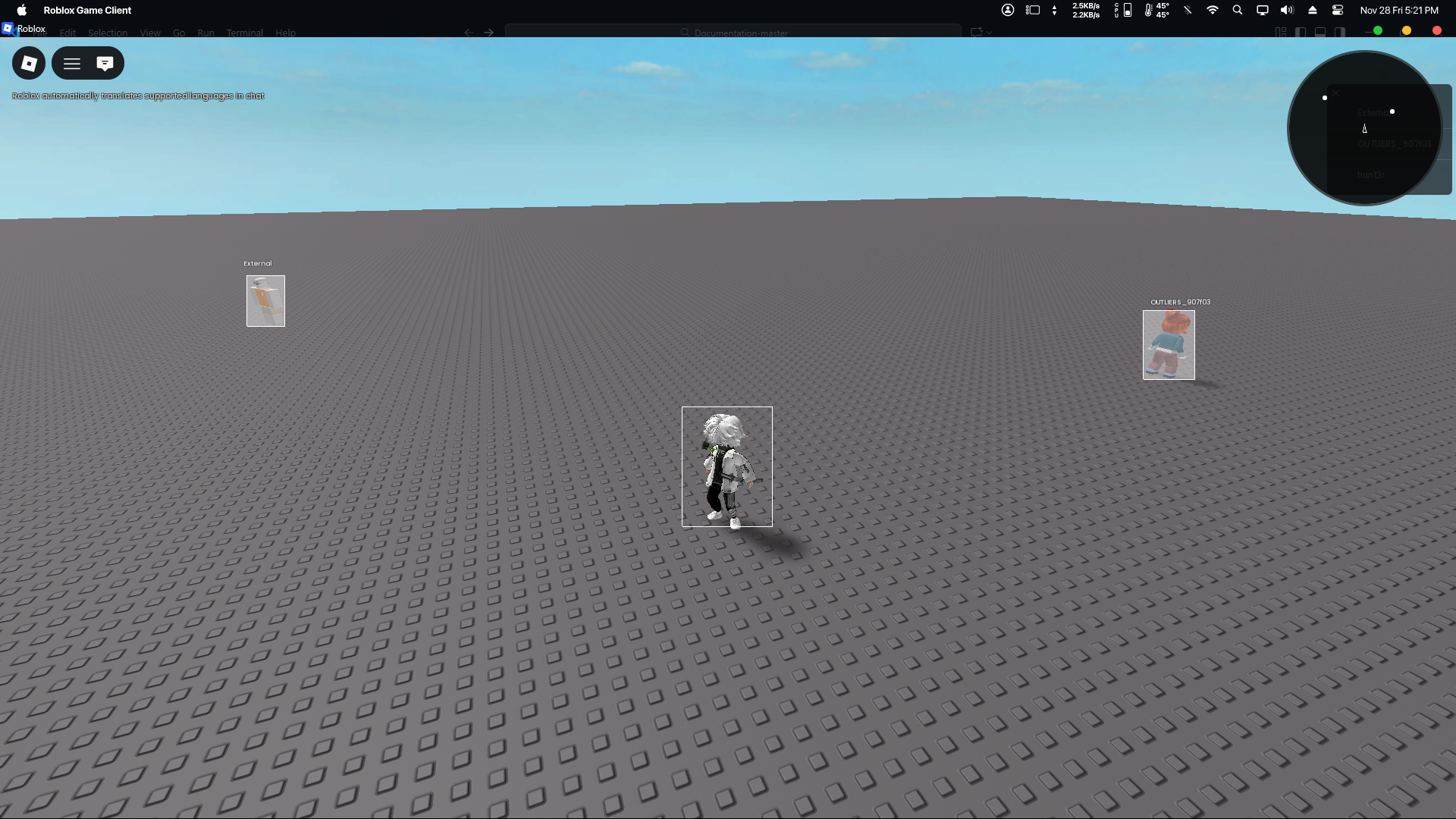
> The Radar May Or May Not Show Up For You, it is fine either way.
You've completed the quick start guide now!
Let's continue the rest of our ESP Script by heading to the API Reference.
I sadly won't be going step by step anymore, but I hope you have gotten the gist of how Twilight works! Cya later.
Popular Pages[](https://docs.nebulasoftworks.xyz/twilight/getting-started/quick-start#popular-pages "Direct link to Popular Pages")
-------------------------------------------------------------------------------------------------------------------------------------
API Reference pages with the most popular or important features/notes.
* [Twilight Class](https://docs.nebulasoftworks.xyz/twilight/api-reference/Classes/Twilight)
* [TwilightSettings DataType](https://docs.nebulasoftworks.xyz/twilight/api-reference/data-types/twilightSettings)
* [TwilightTheme DataType](https://docs.nebulasoftworks.xyz/twilight/api-reference/data-types/twilightTheme)
Full Copy And Paste[](https://docs.nebulasoftworks.xyz/twilight/getting-started/quick-start#full-copy-and-paste "Direct link to Full Copy And Paste")
-------------------------------------------------------------------------------------------------------------------------------------------------------
local Twilight = loadstring(game:HttpGet("https://raw.nebulasoftworks.xyz/twilight"))()Twilight:SetOptions({ Enabled = true, currentColors = { generic = { Box = { Outline = { Visible = Color3.new(1, 1, 1), Invisible = Color3.new(1, 1, 1), }, Fill = { Visible = Color3.new(1, 1, 1), Invisible = Color3.new(1, 1, 1), }, }, } }, Box = { Style = Twilight.Enums.BoxStyle.Normal, Enabled = true, Filled = { Enabled = true, Transparency = 0.6, }, Thickness = 1, -- in pixels },})
* [The API](https://docs.nebulasoftworks.xyz/twilight/getting-started/quick-start#the-api)
* [Quick Summary](https://docs.nebulasoftworks.xyz/twilight/getting-started/quick-start#quick-summary)
* [Continuing...](https://docs.nebulasoftworks.xyz/twilight/getting-started/quick-start#continuing)
* [Popular Pages](https://docs.nebulasoftworks.xyz/twilight/getting-started/quick-start#popular-pages)
* [Full Copy And Paste](https://docs.nebulasoftworks.xyz/twilight/getting-started/quick-start#full-copy-and-paste)
---