# Table of Contents
- [Introduction - Polymarket Documentation](#introduction-polymarket-documentation)
- [Markets & Events - Polymarket Documentation](#markets-events-polymarket-documentation)
- [Prices & Orderbook - Polymarket Documentation](#prices-orderbook-polymarket-documentation)
- [Quickstart - Polymarket Documentation](#quickstart-polymarket-documentation)
- [Polymarket 101 - Polymarket Documentation](#polymarket-101-polymarket-documentation)
- [Overview - Polymarket Documentation](#overview-polymarket-documentation)
- [Polymarket Changelog - Polymarket Documentation](#polymarket-changelog-polymarket-documentation)
- [Positions & Tokens - Polymarket Documentation](#positions-tokens-polymarket-documentation)
- [Polymarket USD - Polymarket Documentation](#polymarket-usd-polymarket-documentation)
- [Order Lifecycle - Polymarket Documentation](#order-lifecycle-polymarket-documentation)
- [Fetching Markets - Polymarket Documentation](#fetching-markets-polymarket-documentation)
- [Resolution - Polymarket Documentation](#resolution-polymarket-documentation)
- [Overview - Polymarket Documentation](#overview-polymarket-documentation)
- [Orderbook - Polymarket Documentation](#orderbook-polymarket-documentation)
- [Quickstart - Polymarket Documentation](#quickstart-polymarket-documentation)
- [Overview - Polymarket Documentation](#overview-polymarket-documentation)
- [合约 - Polymarket Documentation](#-polymarket-documentation)
- [持仓与代币 - Polymarket Documentation](#-polymarket-documentation)
- [市场与事件 - Polymarket Documentation](#-polymarket-documentation)
- [订单生命周期 - Polymarket Documentation](#-polymarket-documentation)
- [价格与订单簿 - Polymarket Documentation](#-polymarket-documentation)
- [判定 - Polymarket Documentation](#-polymarket-documentation)
- [Tiers - Polymarket Documentation](#tiers-polymarket-documentation)
- [获取市场数据 - Polymarket Documentation](#-polymarket-documentation)
- [概览 - Polymarket Documentation](#-polymarket-documentation)
- [概览 - Polymarket Documentation](#-polymarket-documentation)
- [Negative Risk 市场 - Polymarket Documentation](#negative-risk-polymarket-documentation)
- [Maker 返利计划 - Polymarket Documentation](#maker-polymarket-documentation)
- [构建者计划 - Polymarket Documentation](#-polymarket-documentation)
- [Tiers - Polymarket Documentation](#tiers-polymarket-documentation)
- [Builder Code - Polymarket Documentation](#builder-code-polymarket-documentation)
- [Referral Program - Polymarket Documentation](#referral-program-polymarket-documentation)
- [Contracts - Polymarket Documentation](#contracts-polymarket-documentation)
- [Builder Code - Polymarket Documentation](#builder-code-polymarket-documentation)
- [Builder Program - Polymarket Documentation](#builder-program-polymarket-documentation)
- [撮合引擎重启 - Polymarket Documentation](#-polymarket-documentation)
- [概述 - Polymarket Documentation](#-polymarket-documentation)
- [合并代币 - Polymarket Documentation](#-polymarket-documentation)
- [拆分代币 - Polymarket Documentation](#-polymarket-documentation)
- [Maker Rebates Program - Polymarket Documentation](#maker-rebates-program-polymarket-documentation)
- [支持的资产 - Polymarket Documentation](#-polymarket-documentation)
- [费用 - Polymarket Documentation](#-polymarket-documentation)
- [Polymarket USD - Polymarket Documentation](#polymarket-usd-polymarket-documentation)
- [充值状态 - Polymarket Documentation](#-polymarket-documentation)
- [报价 - Polymarket Documentation](#-polymarket-documentation)
- [Builder Fees - Polymarket Documentation](#builder-fees-polymarket-documentation)
- [兑换代币 - Polymarket Documentation](#-polymarket-documentation)
- [User Channel - Polymarket Documentation](#user-channel-polymarket-documentation)
- [Merge Tokens - Polymarket Documentation](#merge-tokens-polymarket-documentation)
- [提现 - Polymarket Documentation](#-polymarket-documentation)
- [Polymarket 101 - Polymarket Documentation](#polymarket-101-polymarket-documentation)
- [概述 - Polymarket Documentation](#-polymarket-documentation)
- [Conditional Token Framework - Polymarket Documentation](#conditional-token-framework-polymarket-documentation)
- [Negative Risk Markets - Polymarket Documentation](#negative-risk-markets-polymarket-documentation)
- [Overview - Polymarket Documentation](#overview-polymarket-documentation)
- [Fees - Polymarket Documentation](#fees-polymarket-documentation)
- [Matching Engine Restarts - Polymarket Documentation](#matching-engine-restarts-polymarket-documentation)
- [Gasless Transactions - Polymarket Documentation](#gasless-transactions-polymarket-documentation)
- [Cancel Order - Polymarket Documentation](#cancel-order-polymarket-documentation)
- [Migrating to CLOB V2 - Polymarket Documentation](#migrating-to-clob-v2-polymarket-documentation)
- [Get event tags - Polymarket Documentation](#get-event-tags-polymarket-documentation)
---
# Introduction - Polymarket Documentation
[Skip to main content](https://docs.polymarket.com/api-reference/introduction#content-area)
[Polymarket Documentation home page](https://docs.polymarket.com/)

English
Search...
⌘K
Search...
Navigation
Overview
Introduction
[Documentation](https://docs.polymarket.com/)
[API Reference](https://docs.polymarket.com/api-reference/introduction)
##### Overview
* [Introduction](https://docs.polymarket.com/api-reference/introduction)
* [Authentication](https://docs.polymarket.com/api-reference/authentication)
* [Rate Limits](https://docs.polymarket.com/api-reference/rate-limits)
* [Clients & SDKs](https://docs.polymarket.com/api-reference/clients-sdks)
* [Geographic Restrictions](https://docs.polymarket.com/api-reference/geoblock)
##### Events
* [GET\
\
List events (keyset pagination)](https://docs.polymarket.com/api-reference/events/list-events-keyset-pagination)
* [GET\
\
List events](https://docs.polymarket.com/api-reference/events/list-events)
* [GET\
\
Get event by id](https://docs.polymarket.com/api-reference/events/get-event-by-id)
* [GET\
\
Get event by slug](https://docs.polymarket.com/api-reference/events/get-event-by-slug)
* [GET\
\
Get event tags](https://docs.polymarket.com/api-reference/events/get-event-tags)
##### Markets
* [GET\
\
List markets (keyset pagination)](https://docs.polymarket.com/api-reference/markets/list-markets-keyset-pagination)
* [GET\
\
List markets](https://docs.polymarket.com/api-reference/markets/list-markets)
* [GET\
\
Get market by id](https://docs.polymarket.com/api-reference/markets/get-market-by-id)
* [GET\
\
Get market by slug](https://docs.polymarket.com/api-reference/markets/get-market-by-slug)
* [GET\
\
Get market tags by id](https://docs.polymarket.com/api-reference/markets/get-market-tags-by-id)
* [GET\
\
Get market by token](https://docs.polymarket.com/api-reference/markets/get-market-by-token)
* [GET\
\
Get top holders for markets](https://docs.polymarket.com/api-reference/core/get-top-holders-for-markets)
* [GET\
\
Get open interest](https://docs.polymarket.com/api-reference/misc/get-open-interest)
* [GET\
\
Get live volume for an event](https://docs.polymarket.com/api-reference/misc/get-live-volume-for-an-event)
##### Orderbook & Pricing
* [GET\
\
Get order book](https://docs.polymarket.com/api-reference/market-data/get-order-book)
* [POST\
\
Get order books (request body)](https://docs.polymarket.com/api-reference/market-data/get-order-books-request-body)
* [GET\
\
Get market price](https://docs.polymarket.com/api-reference/market-data/get-market-price)
* [GET\
\
Get market prices (query parameters)](https://docs.polymarket.com/api-reference/market-data/get-market-prices-query-parameters)
* [POST\
\
Get market prices (request body)](https://docs.polymarket.com/api-reference/market-data/get-market-prices-request-body)
* [GET\
\
Get midpoint price](https://docs.polymarket.com/api-reference/data/get-midpoint-price)
* [GET\
\
Get midpoint prices (query parameters)](https://docs.polymarket.com/api-reference/market-data/get-midpoint-prices-query-parameters)
* [POST\
\
Get midpoint prices (request body)](https://docs.polymarket.com/api-reference/market-data/get-midpoint-prices-request-body)
* [GET\
\
Get spread](https://docs.polymarket.com/api-reference/market-data/get-spread)
* [POST\
\
Get spreads](https://docs.polymarket.com/api-reference/market-data/get-spreads)
* [GET\
\
Get last trade price](https://docs.polymarket.com/api-reference/market-data/get-last-trade-price)
* [GET\
\
Get last trade prices (query parameters)](https://docs.polymarket.com/api-reference/market-data/get-last-trade-prices-query-parameters)
* [POST\
\
Get last trade prices (request body)](https://docs.polymarket.com/api-reference/market-data/get-last-trade-prices-request-body)
* [GET\
\
Get prices history](https://docs.polymarket.com/api-reference/markets/get-prices-history)
* [POST\
\
Get batch prices history](https://docs.polymarket.com/api-reference/markets/get-batch-prices-history)
* [GET\
\
Get fee rate](https://docs.polymarket.com/api-reference/market-data/get-fee-rate)
* [GET\
\
Get fee rate by path parameter](https://docs.polymarket.com/api-reference/market-data/get-fee-rate-by-path-parameter)
* [GET\
\
Get tick size](https://docs.polymarket.com/api-reference/market-data/get-tick-size)
* [GET\
\
Get tick size by path parameter](https://docs.polymarket.com/api-reference/market-data/get-tick-size-by-path-parameter)
* [GET\
\
Get CLOB market info](https://docs.polymarket.com/api-reference/markets/get-clob-market-info)
* [GET\
\
Get server time](https://docs.polymarket.com/api-reference/data/get-server-time)
##### Orders
* [POST\
\
Post a new order](https://docs.polymarket.com/api-reference/trade/post-a-new-order)
* [DEL\
\
Cancel single order](https://docs.polymarket.com/api-reference/trade/cancel-single-order)
* [GET\
\
Get single order by ID](https://docs.polymarket.com/api-reference/trade/get-single-order-by-id)
* [POST\
\
Post multiple orders](https://docs.polymarket.com/api-reference/trade/post-multiple-orders)
* [GET\
\
Get user orders](https://docs.polymarket.com/api-reference/trade/get-user-orders)
* [DEL\
\
Cancel multiple orders](https://docs.polymarket.com/api-reference/trade/cancel-multiple-orders)
* [DEL\
\
Cancel all orders](https://docs.polymarket.com/api-reference/trade/cancel-all-orders)
* [DEL\
\
Cancel orders for a market](https://docs.polymarket.com/api-reference/trade/cancel-orders-for-a-market)
* [GET\
\
Get order scoring status](https://docs.polymarket.com/api-reference/trade/get-order-scoring-status)
* [POST\
\
Send heartbeat](https://docs.polymarket.com/api-reference/trade/send-heartbeat)
##### Trades
* [GET\
\
Get trades](https://docs.polymarket.com/api-reference/trade/get-trades)
* [GET\
\
Get builder trades](https://docs.polymarket.com/api-reference/trade/get-builder-trades)
##### CLOB Markets
* [GET\
\
Get simplified markets](https://docs.polymarket.com/api-reference/markets/get-simplified-markets)
* [GET\
\
Get sampling markets](https://docs.polymarket.com/api-reference/markets/get-sampling-markets)
* [GET\
\
Get sampling simplified markets](https://docs.polymarket.com/api-reference/markets/get-sampling-simplified-markets)
##### Rebates
* [GET\
\
Get current rebated fees for a maker](https://docs.polymarket.com/api-reference/rebates/get-current-rebated-fees-for-a-maker)
##### Rewards
* [GET\
\
Get current active rewards configurations](https://docs.polymarket.com/api-reference/rewards/get-current-active-rewards-configurations)
* [GET\
\
Get raw rewards for a specific market](https://docs.polymarket.com/api-reference/rewards/get-raw-rewards-for-a-specific-market)
* [GET\
\
Get multiple markets with rewards](https://docs.polymarket.com/api-reference/rewards/get-multiple-markets-with-rewards)
* [GET\
\
Get earnings for user by date](https://docs.polymarket.com/api-reference/rewards/get-earnings-for-user-by-date)
* [GET\
\
Get total earnings for user by date](https://docs.polymarket.com/api-reference/rewards/get-total-earnings-for-user-by-date)
* [GET\
\
Get reward percentages for user](https://docs.polymarket.com/api-reference/rewards/get-reward-percentages-for-user)
* [GET\
\
Get user earnings and markets configuration](https://docs.polymarket.com/api-reference/rewards/get-user-earnings-and-markets-configuration)
##### Profile
* [GET\
\
Get public profile by wallet address](https://docs.polymarket.com/api-reference/profiles/get-public-profile-by-wallet-address)
* [GET\
\
Get current positions for a user](https://docs.polymarket.com/api-reference/core/get-current-positions-for-a-user)
* [GET\
\
Get closed positions for a user](https://docs.polymarket.com/api-reference/core/get-closed-positions-for-a-user)
* [GET\
\
Get user activity](https://docs.polymarket.com/api-reference/core/get-user-activity)
* [GET\
\
Get total value of a user's positions](https://docs.polymarket.com/api-reference/core/get-total-value-of-a-users-positions)
* [GET\
\
Get trades for a user or markets](https://docs.polymarket.com/api-reference/core/get-trades-for-a-user-or-markets)
* [GET\
\
Get total markets a user has traded](https://docs.polymarket.com/api-reference/misc/get-total-markets-a-user-has-traded)
* [GET\
\
Get positions for a market](https://docs.polymarket.com/api-reference/core/get-positions-for-a-market)
* [GET\
\
Download an accounting snapshot (ZIP of CSVs)](https://docs.polymarket.com/api-reference/misc/download-an-accounting-snapshot-zip-of-csvs)
##### Leaderboard
* [GET\
\
Get trader leaderboard rankings](https://docs.polymarket.com/api-reference/core/get-trader-leaderboard-rankings)
##### Builders
* [GET\
\
Get aggregated builder leaderboard](https://docs.polymarket.com/api-reference/builders/get-aggregated-builder-leaderboard)
* [GET\
\
Get daily builder volume time-series](https://docs.polymarket.com/api-reference/builders/get-daily-builder-volume-time-series)
##### Search
* [GET\
\
Search markets, events, and profiles](https://docs.polymarket.com/api-reference/search/search-markets-events-and-profiles)
##### Tags
* [GET\
\
List tags](https://docs.polymarket.com/api-reference/tags/list-tags)
* [GET\
\
Get tag by id](https://docs.polymarket.com/api-reference/tags/get-tag-by-id)
* [GET\
\
Get tag by slug](https://docs.polymarket.com/api-reference/tags/get-tag-by-slug)
* [GET\
\
Get related tags (relationships) by tag id](https://docs.polymarket.com/api-reference/tags/get-related-tags-relationships-by-tag-id)
* [GET\
\
Get related tags (relationships) by tag slug](https://docs.polymarket.com/api-reference/tags/get-related-tags-relationships-by-tag-slug)
* [GET\
\
Get tags related to a tag id](https://docs.polymarket.com/api-reference/tags/get-tags-related-to-a-tag-id)
* [GET\
\
Get tags related to a tag slug](https://docs.polymarket.com/api-reference/tags/get-tags-related-to-a-tag-slug)
##### Series
* [GET\
\
List series](https://docs.polymarket.com/api-reference/series/list-series)
* [GET\
\
Get series by id](https://docs.polymarket.com/api-reference/series/get-series-by-id)
##### Comments
* [GET\
\
List comments](https://docs.polymarket.com/api-reference/comments/list-comments)
* [GET\
\
Get comments by comment id](https://docs.polymarket.com/api-reference/comments/get-comments-by-comment-id)
* [GET\
\
Get comments by user address](https://docs.polymarket.com/api-reference/comments/get-comments-by-user-address)
##### Sports
* [GET\
\
Get sports metadata information](https://docs.polymarket.com/api-reference/sports/get-sports-metadata-information)
* [GET\
\
Get valid sports market types](https://docs.polymarket.com/api-reference/sports/get-valid-sports-market-types)
* [GET\
\
List teams](https://docs.polymarket.com/api-reference/sports/list-teams)
##### Bridge
* [GET\
\
Get supported assets](https://docs.polymarket.com/api-reference/bridge/get-supported-assets)
* [POST\
\
Create deposit addresses](https://docs.polymarket.com/api-reference/bridge/create-deposit-addresses)
* [POST\
\
Get a quote](https://docs.polymarket.com/api-reference/bridge/get-a-quote)
* [GET\
\
Get transaction status](https://docs.polymarket.com/api-reference/bridge/get-transaction-status)
* [POST\
\
Create withdrawal addresses](https://docs.polymarket.com/api-reference/bridge/create-withdrawal-addresses)
##### Relayer
* [POST\
\
Submit a transaction](https://docs.polymarket.com/api-reference/relayer/submit-a-transaction)
* [GET\
\
Get a transaction by ID](https://docs.polymarket.com/api-reference/relayer/get-a-transaction-by-id)
* [GET\
\
Get recent transactions for a user](https://docs.polymarket.com/api-reference/relayer/get-recent-transactions-for-a-user)
* [GET\
\
Get current nonce for a user](https://docs.polymarket.com/api-reference/relayer/get-current-nonce-for-a-user)
* [GET\
\
Get relayer address and nonce](https://docs.polymarket.com/api-reference/relayer/get-relayer-address-and-nonce)
* [GET\
\
Check if a safe is deployed](https://docs.polymarket.com/api-reference/relayer/check-if-a-safe-is-deployed)
* [GET\
\
Get all relayer API keys](https://docs.polymarket.com/api-reference/relayer-api-keys/get-all-relayer-api-keys)
##### WebSocket
* [WSS\
\
Market Channel](https://docs.polymarket.com/api-reference/wss/market)
* [WSS\
\
User Channel](https://docs.polymarket.com/api-reference/wss/user)
* [WSS\
\
Sports Channel](https://docs.polymarket.com/api-reference/wss/sports)
On this page
* [APIs](https://docs.polymarket.com/api-reference/introduction#apis)
* [Authentication](https://docs.polymarket.com/api-reference/introduction#authentication)
* [Next Steps](https://docs.polymarket.com/api-reference/introduction#next-steps)
The Polymarket API provides programmatic access to the world’s largest prediction market. The platform is served by three separate APIs, each handling a different domain.
* * *
[](https://docs.polymarket.com/api-reference/introduction#apis)
APIs
------------------------------------------------------------------------
Gamma API
---------
**`https://gamma-api.polymarket.com`**Markets, events, tags, series, comments, sports, search, and public profiles. This is the primary API for discovering and browsing market data.
Data API
--------
**`https://data-api.polymarket.com`**User positions, trades, activity, holder data, open interest, leaderboards, and builder analytics.
CLOB API
--------
**`https://clob.polymarket.com`**Orderbook data, pricing, midpoints, spreads, and price history. Also handles order placement, cancellation, and other trading operations. Trading endpoints require [authentication](https://docs.polymarket.com/api-reference/authentication)
.
A separate **Bridge API** (`https://bridge.polymarket.com`) handles deposits and withdrawals. Bridges are not handled by Polymarket, it is a proxy of fun.xyz service.
* * *
[](https://docs.polymarket.com/api-reference/introduction#authentication)
Authentication
--------------------------------------------------------------------------------------------
The Gamma API and Data API are fully public — no authentication required. The CLOB API has both public endpoints (orderbook, prices) and authenticated endpoints (order management). See [Authentication](https://docs.polymarket.com/api-reference/authentication)
for details.
* * *
[](https://docs.polymarket.com/api-reference/introduction#next-steps)
Next Steps
------------------------------------------------------------------------------------
Authentication
--------------
Learn how to authenticate requests for trading endpoints.
Clients & SDKs
--------------
Official TypeScript, Python, and Rust libraries.
Was this page helpful?
YesNo
[Authentication\
\
Next](https://docs.polymarket.com/api-reference/authentication)
⌘I
---
# Markets & Events - Polymarket Documentation
[Skip to main content](https://docs.polymarket.com/concepts/markets-events#content-area)
[Polymarket Documentation home page](https://docs.polymarket.com/)

English
Search...
Ctrl K
Search...
Navigation
Core Concepts
Markets & Events
[Documentation](https://docs.polymarket.com/)
[API Reference](https://docs.polymarket.com/api-reference/introduction)

##### Getting Started
* [Overview](https://docs.polymarket.com/)
* [Polymarket 101](https://docs.polymarket.com/polymarket-101)
* [Quickstart](https://docs.polymarket.com/quickstart)

##### Core Concepts
* [Markets & Events](https://docs.polymarket.com/concepts/markets-events)
* [Prices & Orderbook](https://docs.polymarket.com/concepts/prices-orderbook)
* [Positions & Tokens](https://docs.polymarket.com/concepts/positions-tokens)
* [Polymarket USD](https://docs.polymarket.com/concepts/pusd)
* [Order Lifecycle](https://docs.polymarket.com/concepts/order-lifecycle)
* [Resolution](https://docs.polymarket.com/concepts/resolution)

##### Market Data
* [Overview](https://docs.polymarket.com/market-data/overview)
* [Fetching Markets](https://docs.polymarket.com/market-data/fetching-markets)

##### Trading
* [Overview](https://docs.polymarket.com/trading/overview)
* [Quickstart](https://docs.polymarket.com/trading/quickstart)
* [Orderbook](https://docs.polymarket.com/trading/orderbook)
* Orders
* Client Reference
* [Fees](https://docs.polymarket.com/trading/fees)
* [Gasless Transactions](https://docs.polymarket.com/trading/gasless)
* [Negative Risk Markets](https://docs.polymarket.com/advanced/neg-risk)
* [Matching Engine Restarts](https://docs.polymarket.com/trading/matching-engine)
* CTF Tokens
* WebSocket
* Bridge

##### Market Makers
* [Overview](https://docs.polymarket.com/market-makers/overview)
* [Getting Started](https://docs.polymarket.com/market-makers/getting-started)
* [Maker Rebates Program](https://docs.polymarket.com/market-makers/maker-rebates)
* [Liquidity Rewards](https://docs.polymarket.com/market-makers/liquidity-rewards)
* Operations

##### Builder Program
* [Builder Program](https://docs.polymarket.com/builders/overview)
* [Builder Code](https://docs.polymarket.com/builders/api-keys)
* [Builder Fees](https://docs.polymarket.com/builders/fees)
* [Tiers](https://docs.polymarket.com/builders/tiers)

##### Resources
* [Referral Program](https://docs.polymarket.com/resources/referral-program)
* [Contracts](https://docs.polymarket.com/resources/contracts)
* [Data Resources](https://docs.polymarket.com/resources/blockchain-data)
* [Error Codes](https://docs.polymarket.com/resources/error-codes)
On this page
* [Markets](https://docs.polymarket.com/concepts/markets-events#markets)
* [Market Example](https://docs.polymarket.com/concepts/markets-events#market-example)
* [Events](https://docs.polymarket.com/concepts/markets-events#events)
* [Single-Market Events](https://docs.polymarket.com/concepts/markets-events#single-market-events)
* [Multi-Market Events](https://docs.polymarket.com/concepts/markets-events#multi-market-events)
* [Identifying Markets](https://docs.polymarket.com/concepts/markets-events#identifying-markets)
* [Sports Markets](https://docs.polymarket.com/concepts/markets-events#sports-markets)
* [Next Steps](https://docs.polymarket.com/concepts/markets-events#next-steps)
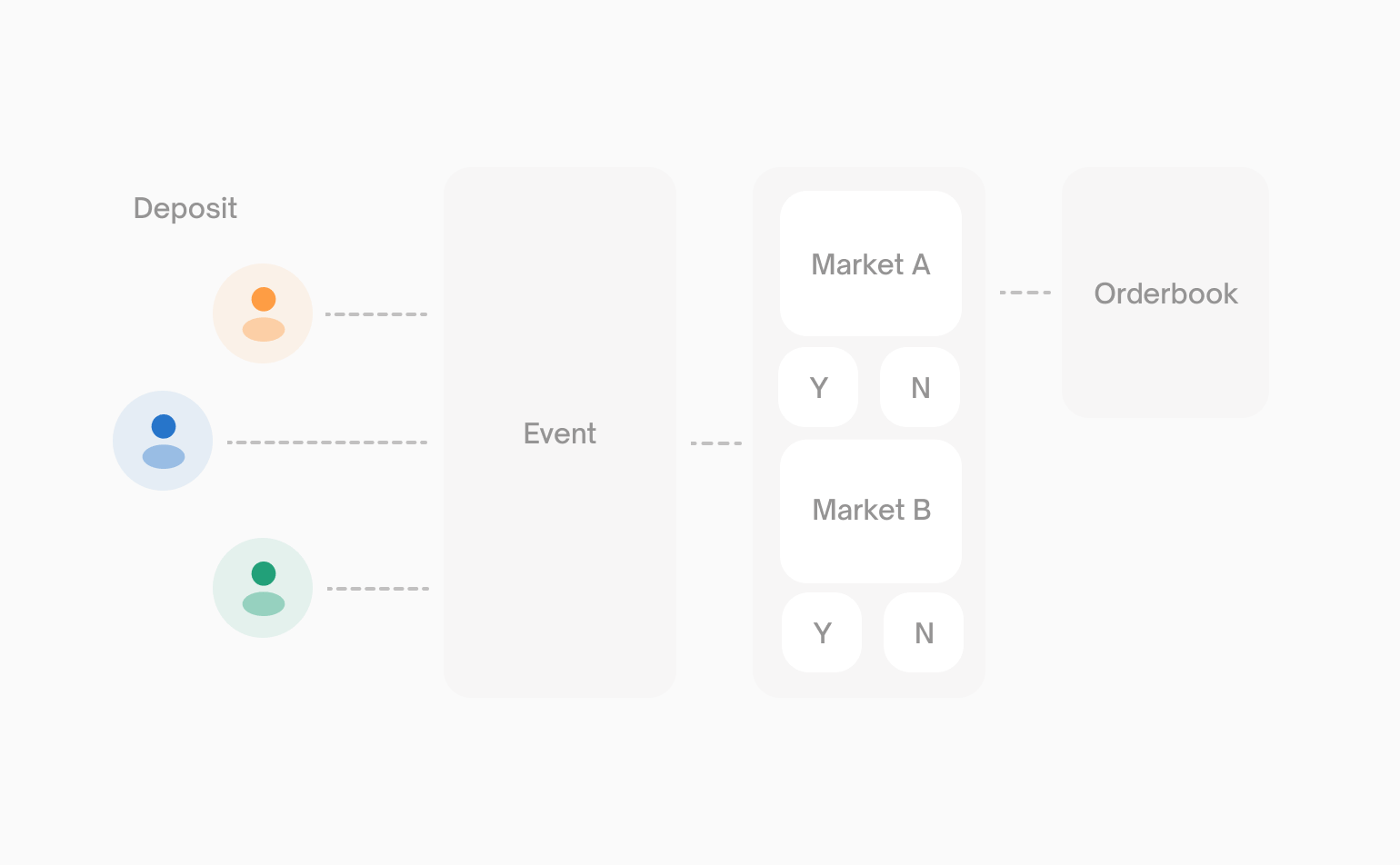
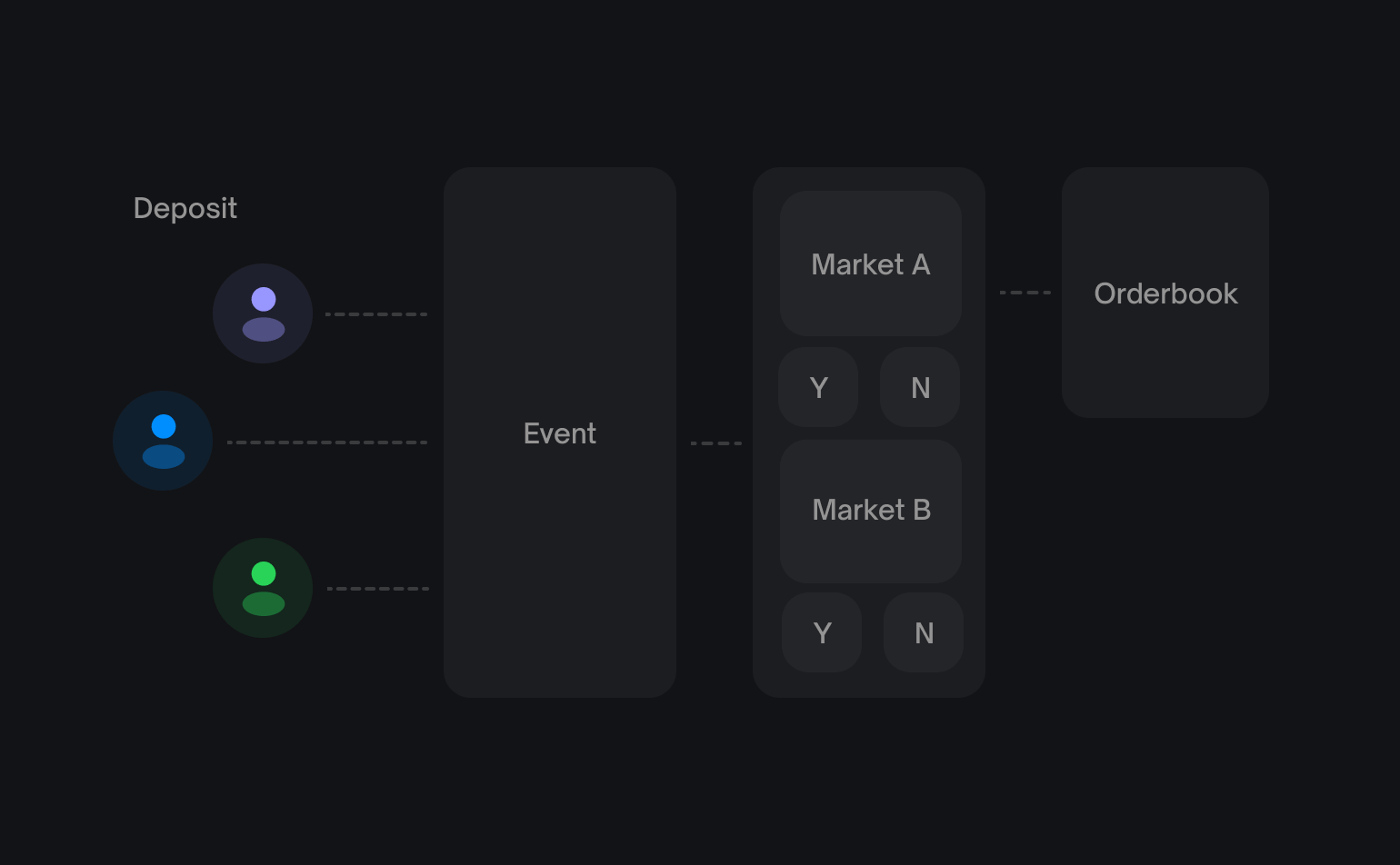
Every prediction on Polymarket is structured around two core concepts: **markets** and **events**. Understanding how they relate is essential for building on the platform.
[](https://docs.polymarket.com/concepts/markets-events#markets)
Markets
---------------------------------------------------------------------------
A **market** is the fundamental tradable unit on Polymarket. Each market represents a single binary question with Yes/No outcomes.
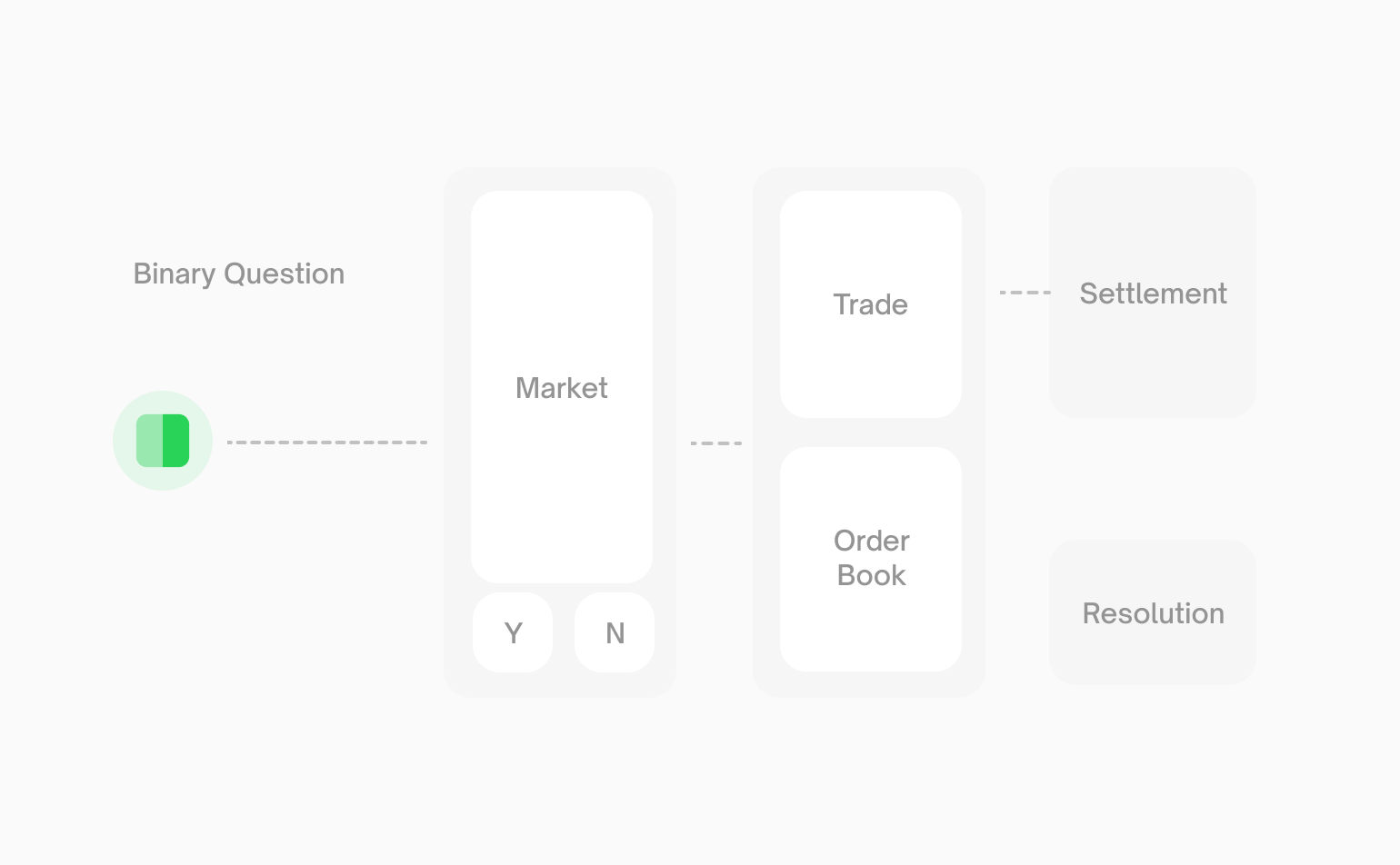
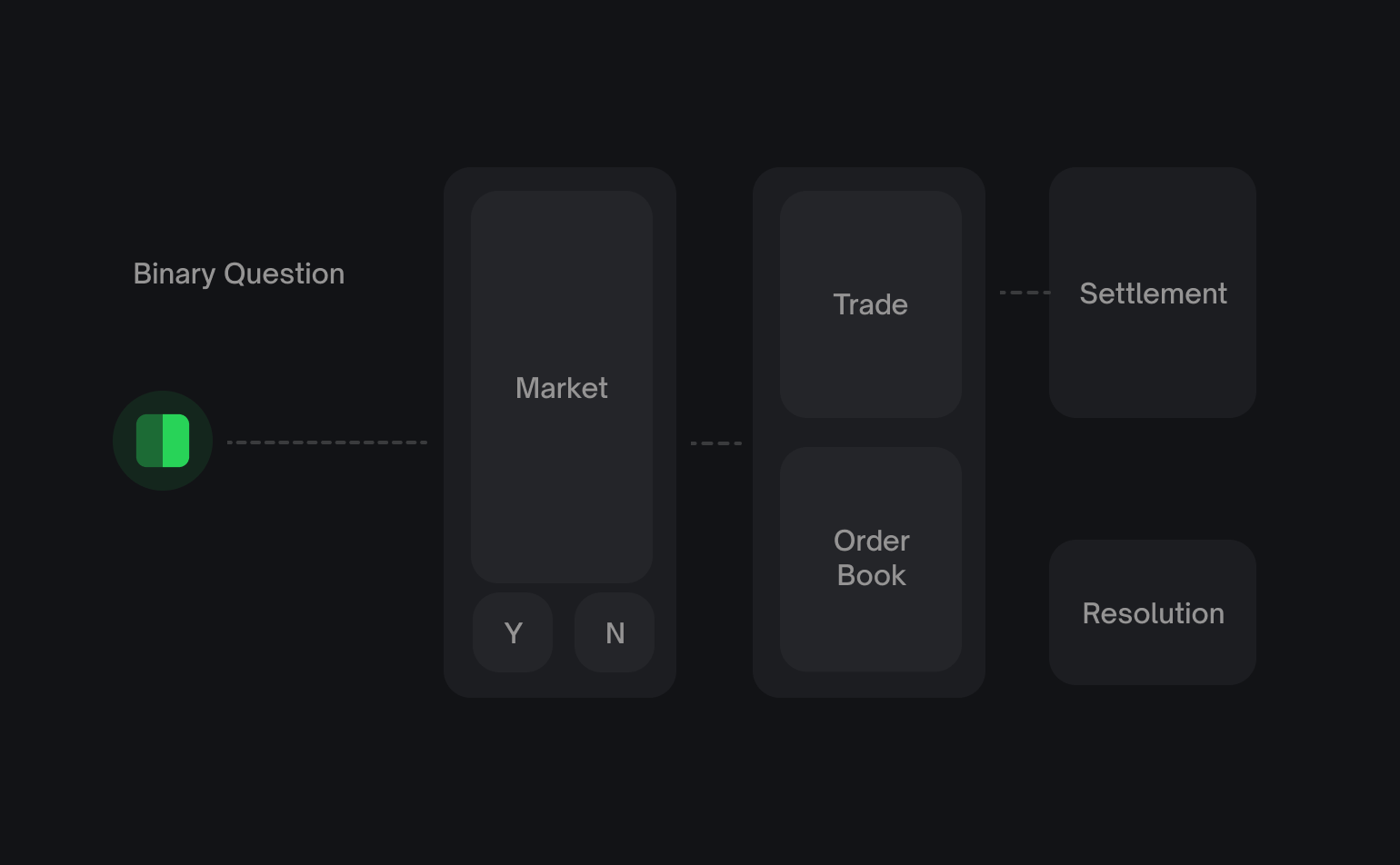
Every market has:
| Identifier | Description |
| --- | --- |
| **Condition ID** | Unique identifier for the market’s condition in the CTF contracts |
| **Question ID** | Hash of the market question used for resolution |
| **Token IDs** | ERC1155 token IDs used for trading on the CLOB — one for Yes, one for No |
Markets can only be traded via the CLOB if `enableOrderBook` is `true`. Some markets may exist onchain but not be available for order book trading.
###
[](https://docs.polymarket.com/concepts/markets-events#market-example)
Market Example
A simple market might be:
> **“Will Bitcoin reach $150,000 by December 2026?”**
This creates two outcome tokens:
* **Yes token** - Redeemable for `$1` if Bitcoin reaches `$150k`
* **No token** - Redeemable for `$1` if Bitcoin doesn’t reach `$100k`
[](https://docs.polymarket.com/concepts/markets-events#events)
Events
-------------------------------------------------------------------------
An **event** is a container that groups one or more related markets together. Events provide organizational structure and enable multi-outcome predictions.
###
[](https://docs.polymarket.com/concepts/markets-events#single-market-events)
Single-Market Events
When an event contains just one market, it creates a simple market pair. The event and market are essentially equivalent.
Event: Will Bitcoin reach $100,000 by December 2024?
└── Market: Will Bitcoin reach $100,000 by December 2024? (Yes/No)
###
[](https://docs.polymarket.com/concepts/markets-events#multi-market-events)
Multi-Market Events
When an event contains two or more markets, it creates a grouped market pair. This enables mutually exclusive multi-outcome predictions.
Event: Who will win the 2024 Presidential Election?
├── Market: Donald Trump? (Yes/No)
├── Market: Joe Biden? (Yes/No)
├── Market: Kamala Harris? (Yes/No)
└── Market: Other? (Yes/No)
[](https://docs.polymarket.com/concepts/markets-events#identifying-markets)
Identifying Markets
---------------------------------------------------------------------------------------------------
Every market and event has a unique **slug** that appears in the Polymarket URL:
https://polymarket.com/event/fed-decision-in-october
└── slug: fed-decision-in-october
You can use slugs to fetch specific markets or events from the API:
# Fetch event by slug
curl "https://gamma-api.polymarket.com/events?slug=fed-decision-in-october"
[](https://docs.polymarket.com/concepts/markets-events#sports-markets)
Sports Markets
-----------------------------------------------------------------------------------------
Specifically for sports markets, outstanding limit orders are **automatically cancelled** once the game begins, clearing the order book at the official start time. However, game start times can shift — if a game starts earlier than scheduled, orders may not be cleared in time. Always monitor your orders closely around game start times.
* * *
[](https://docs.polymarket.com/concepts/markets-events#next-steps)
Next Steps
---------------------------------------------------------------------------------
[Prices & Orderbook\
------------------\
\
Learn how prices are determined and how the order book works.](https://docs.polymarket.com/concepts/prices-orderbook)
[Fetching Market Data\
--------------------\
\
Start querying markets and events from the API.](https://docs.polymarket.com/market-data/overview)
Was this page helpful?
YesNo
[Quickstart\
\
Previous](https://docs.polymarket.com/quickstart)
[Prices & Orderbook\
\
Next](https://docs.polymarket.com/concepts/prices-orderbook)
Ctrl+I
---
# Prices & Orderbook - Polymarket Documentation
[Skip to main content](https://docs.polymarket.com/concepts/prices-orderbook#content-area)
[Polymarket Documentation home page](https://docs.polymarket.com/)

English
Search...
Ctrl K
Search...
Navigation
Core Concepts
Prices & Orderbook
[Documentation](https://docs.polymarket.com/)
[API Reference](https://docs.polymarket.com/api-reference/introduction)

##### Getting Started
* [Overview](https://docs.polymarket.com/)
* [Polymarket 101](https://docs.polymarket.com/polymarket-101)
* [Quickstart](https://docs.polymarket.com/quickstart)

##### Core Concepts
* [Markets & Events](https://docs.polymarket.com/concepts/markets-events)
* [Prices & Orderbook](https://docs.polymarket.com/concepts/prices-orderbook)
* [Positions & Tokens](https://docs.polymarket.com/concepts/positions-tokens)
* [Polymarket USD](https://docs.polymarket.com/concepts/pusd)
* [Order Lifecycle](https://docs.polymarket.com/concepts/order-lifecycle)
* [Resolution](https://docs.polymarket.com/concepts/resolution)

##### Market Data
* [Overview](https://docs.polymarket.com/market-data/overview)
* [Fetching Markets](https://docs.polymarket.com/market-data/fetching-markets)

##### Trading
* [Overview](https://docs.polymarket.com/trading/overview)
* [Quickstart](https://docs.polymarket.com/trading/quickstart)
* [Orderbook](https://docs.polymarket.com/trading/orderbook)
* Orders
* Client Reference
* [Fees](https://docs.polymarket.com/trading/fees)
* [Gasless Transactions](https://docs.polymarket.com/trading/gasless)
* [Negative Risk Markets](https://docs.polymarket.com/advanced/neg-risk)
* [Matching Engine Restarts](https://docs.polymarket.com/trading/matching-engine)
* CTF Tokens
* WebSocket
* Bridge

##### Market Makers
* [Overview](https://docs.polymarket.com/market-makers/overview)
* [Getting Started](https://docs.polymarket.com/market-makers/getting-started)
* [Maker Rebates Program](https://docs.polymarket.com/market-makers/maker-rebates)
* [Liquidity Rewards](https://docs.polymarket.com/market-makers/liquidity-rewards)
* Operations

##### Builder Program
* [Builder Program](https://docs.polymarket.com/builders/overview)
* [Builder Code](https://docs.polymarket.com/builders/api-keys)
* [Builder Fees](https://docs.polymarket.com/builders/fees)
* [Tiers](https://docs.polymarket.com/builders/tiers)

##### Resources
* [Referral Program](https://docs.polymarket.com/resources/referral-program)
* [Contracts](https://docs.polymarket.com/resources/contracts)
* [Data Resources](https://docs.polymarket.com/resources/blockchain-data)
* [Error Codes](https://docs.polymarket.com/resources/error-codes)
On this page
* [Prices Are Probabilities](https://docs.polymarket.com/concepts/prices-orderbook#prices-are-probabilities)
* [Example](https://docs.polymarket.com/concepts/prices-orderbook#example)
* [The Order Book](https://docs.polymarket.com/concepts/prices-orderbook#the-order-book)
* [Order Types](https://docs.polymarket.com/concepts/prices-orderbook#order-types)
* [Market Orders](https://docs.polymarket.com/concepts/prices-orderbook#market-orders)
* [Limit Orders](https://docs.polymarket.com/concepts/prices-orderbook#limit-orders)
* [How Trades Work](https://docs.polymarket.com/concepts/prices-orderbook#how-trades-work)
* [Price Discovery](https://docs.polymarket.com/concepts/prices-orderbook#price-discovery)
* [Next Steps](https://docs.polymarket.com/concepts/prices-orderbook#next-steps)
Polymarket uses a **Central Limit Order Book (CLOB)** for trading. Prices aren’t set by Polymarket—they emerge from supply and demand as users trade with each other.
[](https://docs.polymarket.com/concepts/prices-orderbook#prices-are-probabilities)
Prices Are Probabilities
---------------------------------------------------------------------------------------------------------------
Every share on Polymarket is priced between `$0.00` and `$1.00`. The price directly represents the market’s belief in the probability of that outcome.
| Price | Implied Probability |
| --- | --- |
| $0.25 | 25% chance |
| $0.50 | 50% chance |
| $0.75 | 75% chance |
The displayed price is the **midpoint** of the bid-ask spread. If the spread is wider than $0.10, the last traded price is shown instead.
###
[](https://docs.polymarket.com/concepts/prices-orderbook#example)
Example
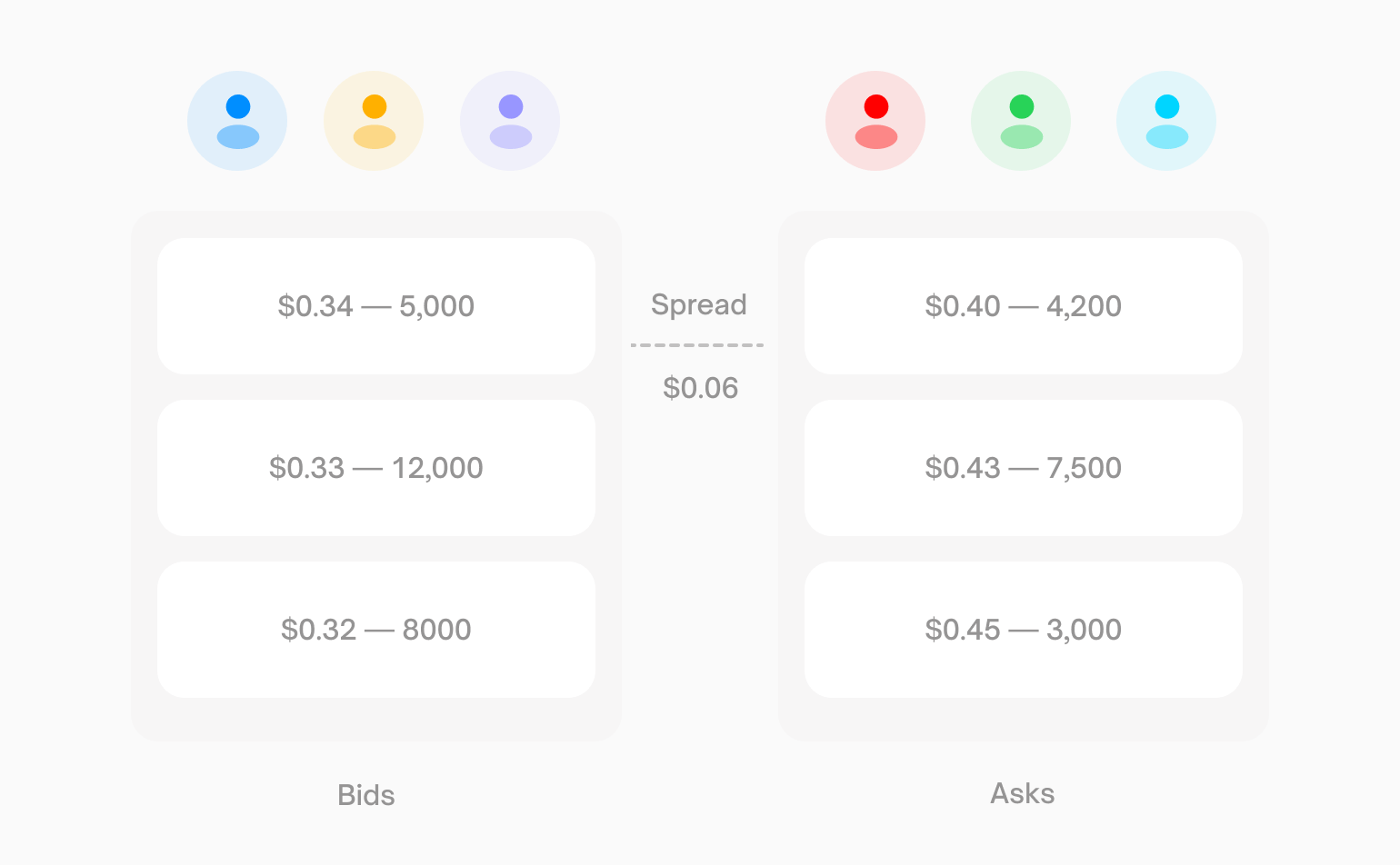
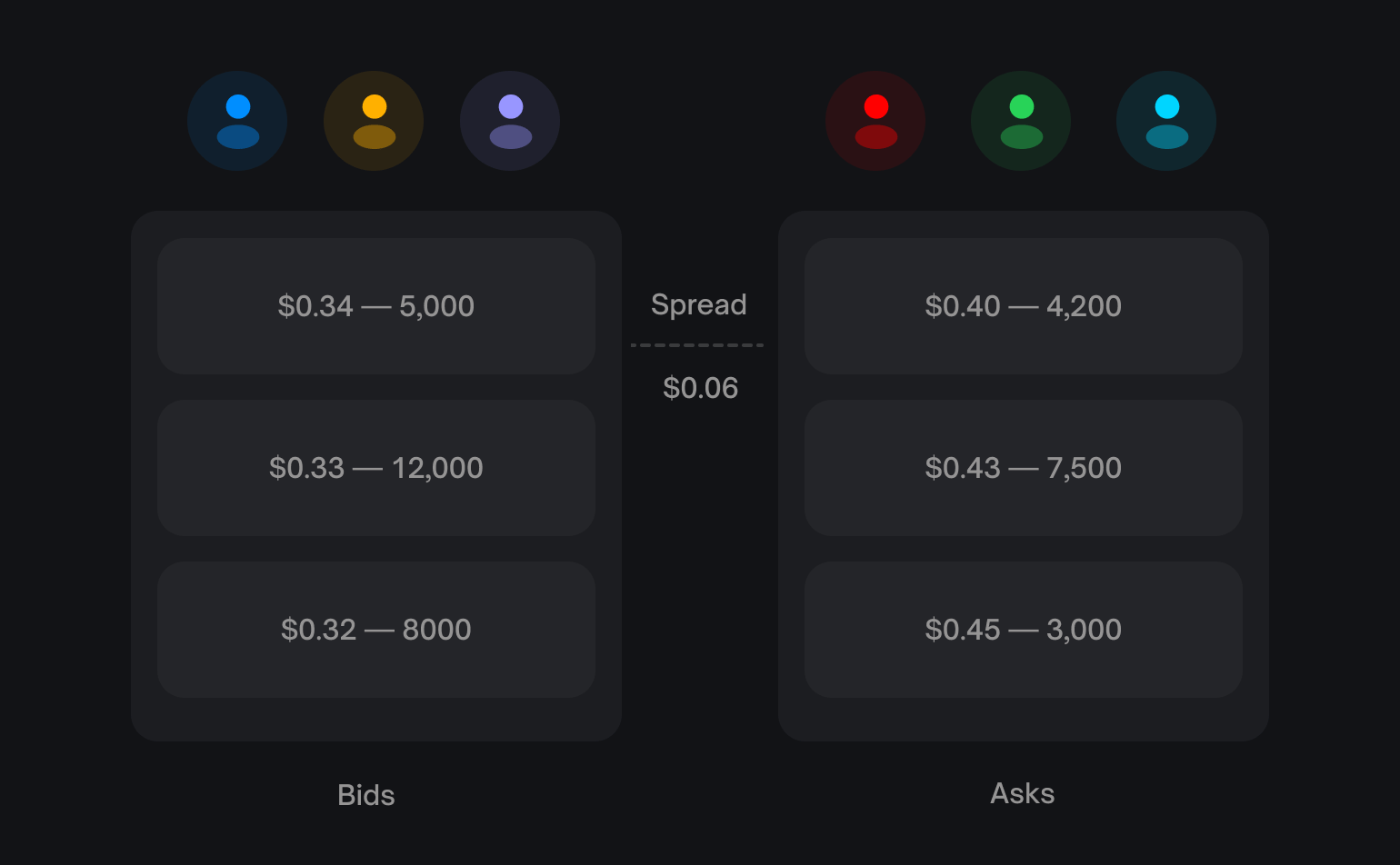
If the best bid for “Yes” is `$0.34` and the best ask is `$0.40`:
Displayed price = ($0.34 + $0.40) / 2 = $0.37 (37% probability)
You won’t necessarily trade at `$0.37`—you’ll pay the ask (`$0.40`) when buying or receive the bid (`$0.34`) when selling.
[](https://docs.polymarket.com/concepts/prices-orderbook#the-order-book)
The Order Book
-------------------------------------------------------------------------------------------
The order book is a list of all open buy and sell orders for a market. It has two sides:
| Side | Description |
| --- | --- |
| Bids | Buy orders—the highest prices traders are willing to pay |
| Asks | Sell orders—the lowest prices traders are willing to accept |
The **spread** is the gap between the highest bid and lowest ask. Tighter spreads mean more liquid markets.
[](https://docs.polymarket.com/concepts/prices-orderbook#order-types)
Order Types
-------------------------------------------------------------------------------------
###
[](https://docs.polymarket.com/concepts/prices-orderbook#market-orders)
Market Orders
Execute immediately at the best available price. Use when you want instant execution and are willing to pay the spread.
* **Buying**: You pay the lowest ask price
* **Selling**: You receive the highest bid price
###
[](https://docs.polymarket.com/concepts/prices-orderbook#limit-orders)
Limit Orders
Execute only at your specified price or better. Use when you want price control and are willing to wait.
* Your order sits in the book until someone trades against it
* Orders can **partially fill** as different traders match portions of your order
* You can cancel unfilled orders at any time
All orders on Polymarket are technically limit orders. A “market order” is simply a limit order priced to execute immediately against resting orders.
[](https://docs.polymarket.com/concepts/prices-orderbook#how-trades-work)
How Trades Work
---------------------------------------------------------------------------------------------
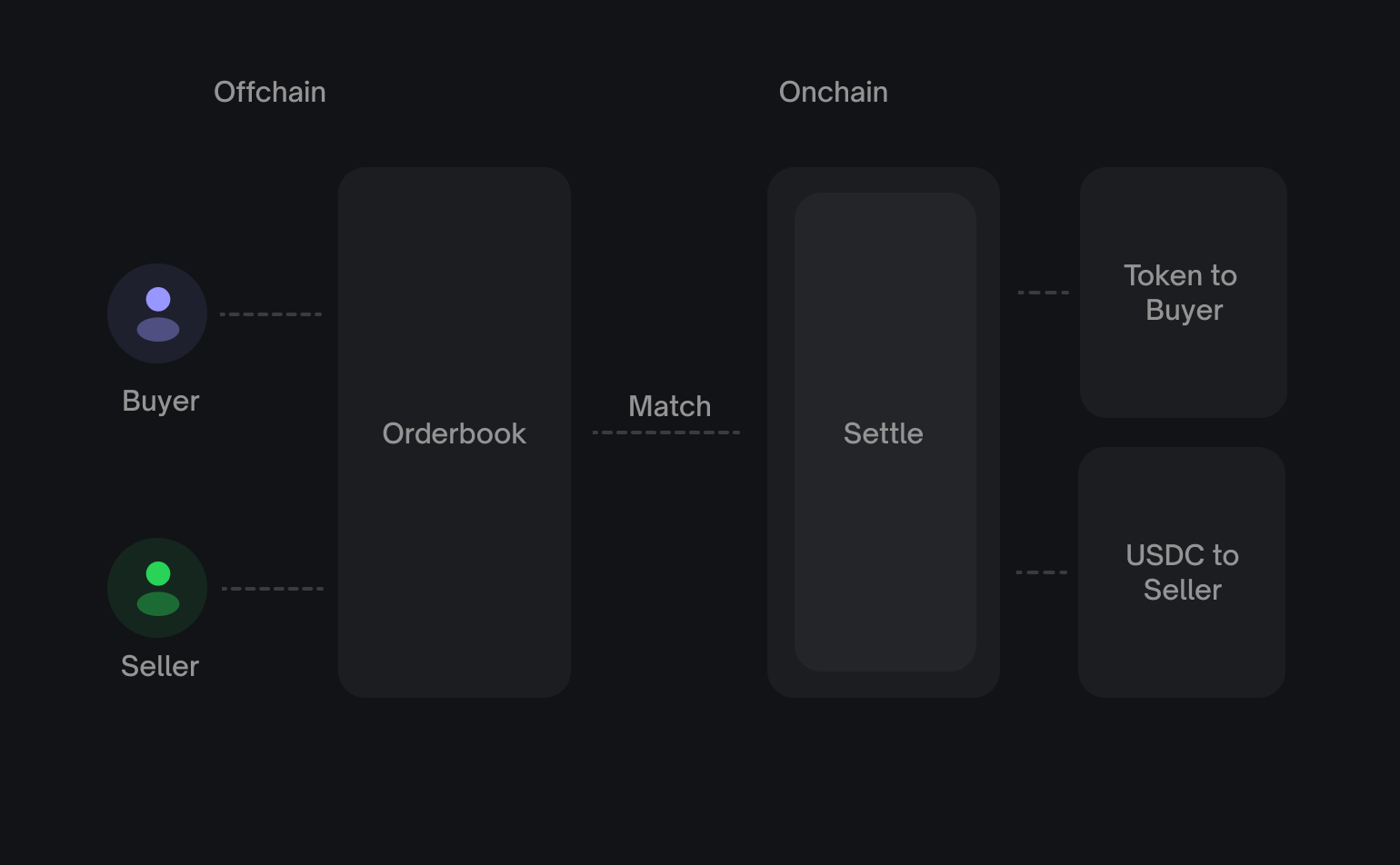
Polymarket’s CLOB is **hybrid-decentralized**:
1. **Offchain matching** — An operator matches compatible orders
2. **Onchain settlement** — Matched trades settle via smart contracts
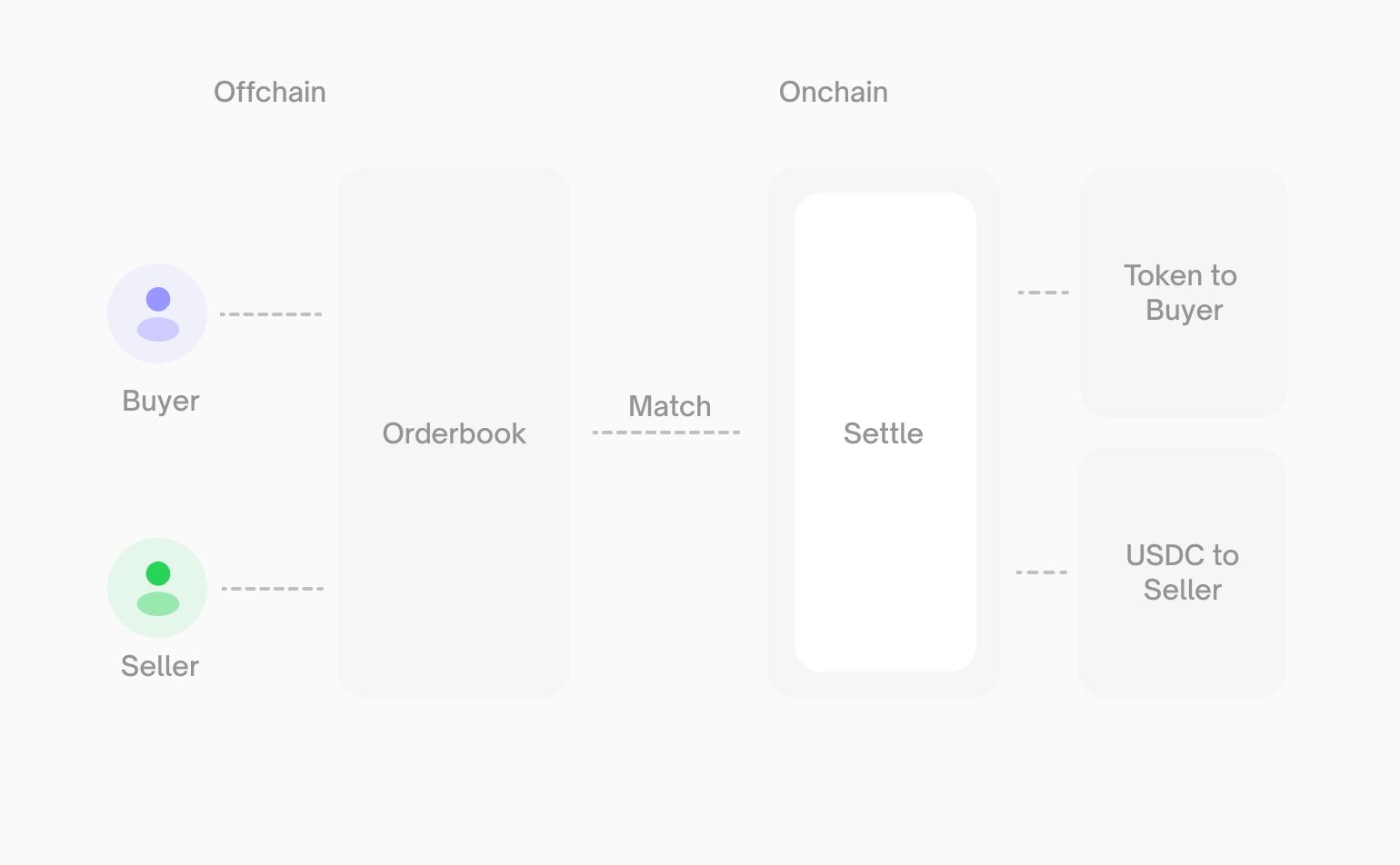
This design gives you the speed of centralized matching with the security of onchain settlement. You always maintain custody of your funds.
[](https://docs.polymarket.com/concepts/prices-orderbook#price-discovery)
Price Discovery
---------------------------------------------------------------------------------------------
When a new market launches, there’s no initial price. The first price emerges when:
1. Someone places a limit order to buy Yes at a price (e.g., `$0.60`)
2. Someone places a limit order to buy No at the complementary price (e.g., `$0.40`)
3. Since `$0.60` + `$0.40` = `$1.00`, the orders match
When matched, `$1.00` is converted into 1 Yes token and 1 No token, each going to their respective buyers.
[](https://docs.polymarket.com/concepts/prices-orderbook#next-steps)
Next Steps
-----------------------------------------------------------------------------------
Polymarket’s orderbook has **no trading size limits** — it matches willing buyers and sellers of any amount. However, large orders may move the price significantly. Always check orderbook depth before trading in size.
[Positions & Tokens\
------------------\
\
Learn about outcome tokens and how positions work.](https://docs.polymarket.com/concepts/positions-tokens)
[Order Lifecycle\
---------------\
\
Understand what happens from order placement to settlement.](https://docs.polymarket.com/concepts/order-lifecycle)
Was this page helpful?
YesNo
[Markets & Events\
\
Previous](https://docs.polymarket.com/concepts/markets-events)
[Positions & Tokens\
\
Next](https://docs.polymarket.com/concepts/positions-tokens)
Ctrl+I
---
# Quickstart - Polymarket Documentation
[Skip to main content](https://docs.polymarket.com/quickstart#content-area)
[Polymarket Documentation home page](https://docs.polymarket.com/)

English
Search...
Ctrl K
Search...
Navigation
Getting Started
Quickstart
[Documentation](https://docs.polymarket.com/)
[API Reference](https://docs.polymarket.com/api-reference/introduction)

##### Getting Started
* [Overview](https://docs.polymarket.com/)
* [Polymarket 101](https://docs.polymarket.com/polymarket-101)
* [Quickstart](https://docs.polymarket.com/quickstart)

##### Core Concepts
* [Markets & Events](https://docs.polymarket.com/concepts/markets-events)
* [Prices & Orderbook](https://docs.polymarket.com/concepts/prices-orderbook)
* [Positions & Tokens](https://docs.polymarket.com/concepts/positions-tokens)
* [Polymarket USD](https://docs.polymarket.com/concepts/pusd)
* [Order Lifecycle](https://docs.polymarket.com/concepts/order-lifecycle)
* [Resolution](https://docs.polymarket.com/concepts/resolution)

##### Market Data
* [Overview](https://docs.polymarket.com/market-data/overview)
* [Fetching Markets](https://docs.polymarket.com/market-data/fetching-markets)

##### Trading
* [Overview](https://docs.polymarket.com/trading/overview)
* [Quickstart](https://docs.polymarket.com/trading/quickstart)
* [Orderbook](https://docs.polymarket.com/trading/orderbook)
* Orders
* Client Reference
* [Fees](https://docs.polymarket.com/trading/fees)
* [Gasless Transactions](https://docs.polymarket.com/trading/gasless)
* [Negative Risk Markets](https://docs.polymarket.com/advanced/neg-risk)
* [Matching Engine Restarts](https://docs.polymarket.com/trading/matching-engine)
* CTF Tokens
* WebSocket
* Bridge

##### Market Makers
* [Overview](https://docs.polymarket.com/market-makers/overview)
* [Getting Started](https://docs.polymarket.com/market-makers/getting-started)
* [Maker Rebates Program](https://docs.polymarket.com/market-makers/maker-rebates)
* [Liquidity Rewards](https://docs.polymarket.com/market-makers/liquidity-rewards)
* Operations

##### Builder Program
* [Builder Program](https://docs.polymarket.com/builders/overview)
* [Builder Code](https://docs.polymarket.com/builders/api-keys)
* [Builder Fees](https://docs.polymarket.com/builders/fees)
* [Tiers](https://docs.polymarket.com/builders/tiers)

##### Resources
* [Referral Program](https://docs.polymarket.com/resources/referral-program)
* [Contracts](https://docs.polymarket.com/resources/contracts)
* [Data Resources](https://docs.polymarket.com/resources/blockchain-data)
* [Error Codes](https://docs.polymarket.com/resources/error-codes)
On this page
* [Next Steps](https://docs.polymarket.com/quickstart#next-steps)
Get up and running with the Polymarket API in minutes — fetch market data and place your first order.
1
[](https://docs.polymarket.com/quickstart#)
Fetch a Market
All data endpoints are public — no API key or authentication needed. Use the markets endpoint to find a market and get its token IDs:
* cURL
* TypeScript
* Python
* Rust
curl "https://gamma-api.polymarket.com/markets?active=true&closed=false&limit=1"
const response = await fetch(
"https://gamma-api.polymarket.com/markets?active=true&closed=false&limit=1"
);
const markets = await response.json();
const market = markets[0];
console.log(market.question);
console.log(market.clobTokenIds);
// ["123456...", "789012..."] — [Yes token ID, No token ID]
import requests
response = requests.get(
"https://gamma-api.polymarket.com/markets",
params={"active": "true", "closed": "false", "limit": 1}
)
markets = response.json()
market = markets[0]
print(market["question"])
print(market["clobTokenIds"])
# ["123456...", "789012..."] — [Yes token ID, No token ID]
use polymarket_client_sdk::gamma::Client;
use polymarket_client_sdk::gamma::types::request::MarketsRequest;
let client = Client::default();
let request = MarketsRequest::builder()
.closed(false)
.limit(1)
.build();
let markets = client.markets(&request).await?;
let market = &markets[0];
println!("{:?}", market.question);
println!("{:?}", market.clob_token_ids);
// Some(["123456...", "789012..."]) — [Yes token ID, No token ID]
Save a token ID from `clobTokenIds` — you’ll need it to place an order. The first ID is the Yes token, the second is the No token. See [Fetching Markets](https://docs.polymarket.com/market-data/fetching-markets)
for more strategies like fetching by slug, tag, or event.
2
[](https://docs.polymarket.com/quickstart#)
Install the SDK
TypeScript
Python
Rust
npm install @polymarket/clob-client-v2 ethers@5
3
[](https://docs.polymarket.com/quickstart#)
Set Up Your Client
Derive API credentials and initialize the trading client:
* TypeScript
* Python
* Rust
import { ClobClient } from "@polymarket/clob-client-v2";
import { Wallet } from "ethers"; // v5.8.0
const HOST = "https://clob.polymarket.com";
const CHAIN_ID = 137; // Polygon mainnet
const signer = new Wallet(process.env.PRIVATE_KEY);
// Derive API credentials (L1 → L2 auth)
const tempClient = new ClobClient({ host: HOST, chain: CHAIN_ID, signer });
const apiCreds = await tempClient.createOrDeriveApiKey();
// Initialize trading client
const client = new ClobClient({
host: HOST,
chain: CHAIN_ID,
signer,
creds: apiCreds,
signatureType: 0, // Signature type: 0 = EOA
funderAddress: signer.address, // Funder address
});
from py_clob_client.client import ClobClient
import os
host = "https://clob.polymarket.com"
chain = 137 # Polygon mainnet
private_key = os.getenv("PRIVATE_KEY")
# Derive API credentials (L1 → L2 auth)
temp_client = ClobClient(host, key=private_key, chain=chain)
api_creds = temp_client.create_or_derive_api_creds()
# Initialize trading client
client = ClobClient(
host,
key=private_key,
chain=chain,
creds=api_creds,
signature_type=0, # Signature type: 0 = EOA
funder="YOUR_WALLET_ADDRESS", # Funder address
)
use std::str::FromStr;
use polymarket_client_sdk::POLYGON;
use polymarket_client_sdk::auth::{LocalSigner, Signer};
use polymarket_client_sdk::clob::{Client, Config};
let private_key = std::env::var("POLYMARKET_PRIVATE_KEY")?;
let signer = LocalSigner::from_str(&private_key)?
.with_chain_id(Some(POLYGON));
// Derive API credentials and initialize trading client (L1 → L2 auth)
// Signature type defaults to EOA (0)
let client = Client::new("https://clob.polymarket.com", Config::default())?
.authentication_builder(&signer)
.authenticate()
.await?;
This example uses an EOA wallet (signature type `0`) — your wallet pays its own gas. Proxy wallet users (types `1` and `2`) can use Polymarket’s gasless relayer instead. See [Authentication](https://docs.polymarket.com/api-reference/authentication)
for details on signature types.
Before trading, your funder address needs **pUSD** (for buying outcome tokens) and **POL** (for gas, if using EOA type `0`).
4
[](https://docs.polymarket.com/quickstart#)
Place an Order
Use the `token_id` from Step 1 to place a limit order:
* TypeScript
* Python
* Rust
import { Side, OrderType } from "@polymarket/clob-client-v2";
// Fetch market details to get tick size and neg risk
const market = await client.getMarket("YOUR_CONDITION_ID");
const tickSize = String(market.minimum_tick_size); // e.g., "0.01"
const negRisk = market.neg_risk; // e.g., false
const response = await client.createAndPostOrder(
{
tokenID: "YOUR_TOKEN_ID", // From Step 1
price: 0.50,
size: 10,
side: Side.BUY,
orderType: OrderType.GTC,
},
{
tickSize,
negRisk,
},
);
console.log("Order ID:", response.orderID);
console.log("Status:", response.status);
from py_clob_client.clob_types import OrderArgs, OrderType
from py_clob_client.order_builder.constants import BUY
# Fetch market details to get tick size and neg risk
market = client.get_market("YOUR_CONDITION_ID")
tick_size = str(market["minimum_tick_size"]) # e.g., "0.01"
neg_risk = market["neg_risk"] # e.g., False
response = client.create_and_post_order(
OrderArgs(
token_id="YOUR_TOKEN_ID", # From Step 1
price=0.50,
size=10,
side=BUY,
order_type=OrderType.GTC,
),
options={
"tick_size": tick_size,
"neg_risk": neg_risk,
},
)
print("Order ID:", response["orderID"])
print("Status:", response["status"])
use polymarket_client_sdk::clob::types::Side;
use polymarket_client_sdk::types::dec;
// token_id is a U256 — parse from the string returned in Step 1
let token_id = "YOUR_TOKEN_ID".parse()?;
// The Rust SDK auto-fetches tick size, neg risk, and fee rate
// No need to manually look them up — the order builder handles it
let order = client
.limit_order()
.token_id(token_id)
.price(dec!(0.50))
.size(dec!(10))
.side(Side::Buy)
.build()
.await?;
let signed_order = client.sign(&signer, order).await?;
let response = client.post_order(signed_order).await?;
println!("Order ID: {}", response.order_id);
println!("Status: {:?}", response.status);
* * *
[](https://docs.polymarket.com/quickstart#next-steps)
Next Steps
--------------------------------------------------------------------
[Authentication\
--------------\
\
Understand L1/L2 auth, signature types, and API credentials.](https://docs.polymarket.com/api-reference/authentication)
[Trading Quickstart\
------------------\
\
Detailed trading guide with order management and troubleshooting.](https://docs.polymarket.com/trading/quickstart)
[Fetching Markets\
----------------\
\
Strategies for discovering markets by slug, tag, or category.](https://docs.polymarket.com/market-data/fetching-markets)
[Core Concepts\
-------------\
\
Understand markets, events, prices, and positions.](https://docs.polymarket.com/concepts/markets-events)
Was this page helpful?
YesNo
[Polymarket 101\
\
Previous](https://docs.polymarket.com/polymarket-101)
[Markets & Events\
\
Next](https://docs.polymarket.com/concepts/markets-events)
Ctrl+I
---
# Polymarket 101 - Polymarket Documentation
[Skip to main content](https://docs.polymarket.com/polymarket-101#content-area)
[Polymarket Documentation home page](https://docs.polymarket.com/)

English
Search...
⌘K
Search...
Navigation
Getting Started
Polymarket 101
[Documentation](https://docs.polymarket.com/)
[API Reference](https://docs.polymarket.com/api-reference/introduction)

##### Getting Started
* [Overview](https://docs.polymarket.com/)
* [Polymarket 101](https://docs.polymarket.com/polymarket-101)
* [Quickstart](https://docs.polymarket.com/quickstart)

##### Core Concepts
* [Markets & Events](https://docs.polymarket.com/concepts/markets-events)
* [Prices & Orderbook](https://docs.polymarket.com/concepts/prices-orderbook)
* [Positions & Tokens](https://docs.polymarket.com/concepts/positions-tokens)
* [Polymarket USD](https://docs.polymarket.com/concepts/pusd)
* [Order Lifecycle](https://docs.polymarket.com/concepts/order-lifecycle)
* [Resolution](https://docs.polymarket.com/concepts/resolution)

##### Market Data
* [Overview](https://docs.polymarket.com/market-data/overview)
* [Fetching Markets](https://docs.polymarket.com/market-data/fetching-markets)

##### Trading
* [Overview](https://docs.polymarket.com/trading/overview)
* [Quickstart](https://docs.polymarket.com/trading/quickstart)
* [Orderbook](https://docs.polymarket.com/trading/orderbook)
* Orders
* Client Reference
* [Fees](https://docs.polymarket.com/trading/fees)
* [Gasless Transactions](https://docs.polymarket.com/trading/gasless)
* [Negative Risk Markets](https://docs.polymarket.com/advanced/neg-risk)
* [Matching Engine Restarts](https://docs.polymarket.com/trading/matching-engine)
* CTF Tokens
* WebSocket
* Bridge

##### Market Makers
* [Overview](https://docs.polymarket.com/market-makers/overview)
* [Getting Started](https://docs.polymarket.com/market-makers/getting-started)
* [Maker Rebates Program](https://docs.polymarket.com/market-makers/maker-rebates)
* [Liquidity Rewards](https://docs.polymarket.com/market-makers/liquidity-rewards)
* Operations

##### Builder Program
* [Builder Program](https://docs.polymarket.com/builders/overview)
* [Builder Code](https://docs.polymarket.com/builders/api-keys)
* [Builder Fees](https://docs.polymarket.com/builders/fees)
* [Tiers](https://docs.polymarket.com/builders/tiers)

##### Resources
* [Referral Program](https://docs.polymarket.com/resources/referral-program)
* [Contracts](https://docs.polymarket.com/resources/contracts)
* [Data Resources](https://docs.polymarket.com/resources/blockchain-data)
* [Error Codes](https://docs.polymarket.com/resources/error-codes)
On this page
* [Self-Custody](https://docs.polymarket.com/polymarket-101#self-custody)
* [How Polymarket Works](https://docs.polymarket.com/polymarket-101#how-polymarket-works)
* [Prices Are Probabilities](https://docs.polymarket.com/polymarket-101#prices-are-probabilities)
* [Collateral and Tokens](https://docs.polymarket.com/polymarket-101#collateral-and-tokens)
* [Trading](https://docs.polymarket.com/polymarket-101#trading)
* [Resolution](https://docs.polymarket.com/polymarket-101#resolution)
* [Why Blockchain](https://docs.polymarket.com/polymarket-101#why-blockchain)
* [Proxy Wallets](https://docs.polymarket.com/polymarket-101#proxy-wallets)
* [Deployments](https://docs.polymarket.com/polymarket-101#deployments)
* [Getting Started](https://docs.polymarket.com/polymarket-101#getting-started)
Polymarket is a prediction market platform where users trade on the outcomes of real-world events. Instead of betting against a house, you trade shares with other users in an open, peer-to-peer market. Prices reflect the market’s collective belief in the probability of an event occurring. The platform is non-custodial, meaning you always control your funds. All trades are settled through smart contracts on the blockchain, ensuring transparent and trustless operation.
[](https://docs.polymarket.com/polymarket-101#self-custody)
Self-Custody
----------------------------------------------------------------------------
Polymarket operates on a non-custodial model. You maintain full control of your funds at all times.
* **You control your funds** - Assets are held in your wallet, secured by your private key
* **Smart contract enforcement** - Trades execute automatically through audited smart contracts
* **No intermediary risk** - Polymarket never takes possession of your funds — you maintain full control through your private key
* **Full transparency** - All trades and positions are recorded onchain and publicly verifiable
* **Trustless execution** - Settlement happens automatically based on market resolution
Keep your private key safe and never share it with anyone. If you lose your private key, you lose access to your funds. If you signed up via Magic Link or have a proxy wallet, recovery may be possible through [recovery.polymarket.com](https://recovery.polymarket.com/)
.
[](https://docs.polymarket.com/polymarket-101#how-polymarket-works)
How Polymarket Works
--------------------------------------------------------------------------------------------
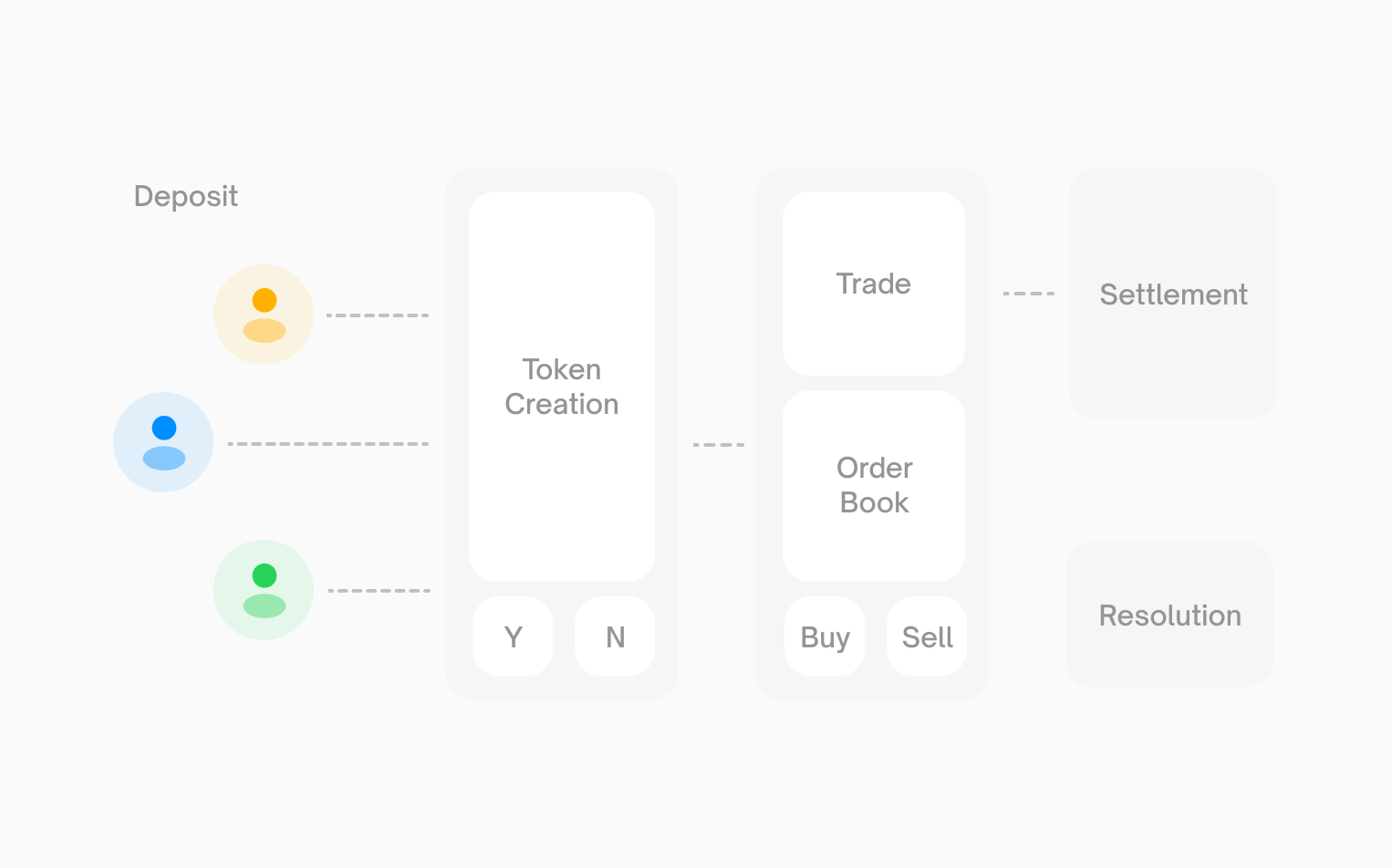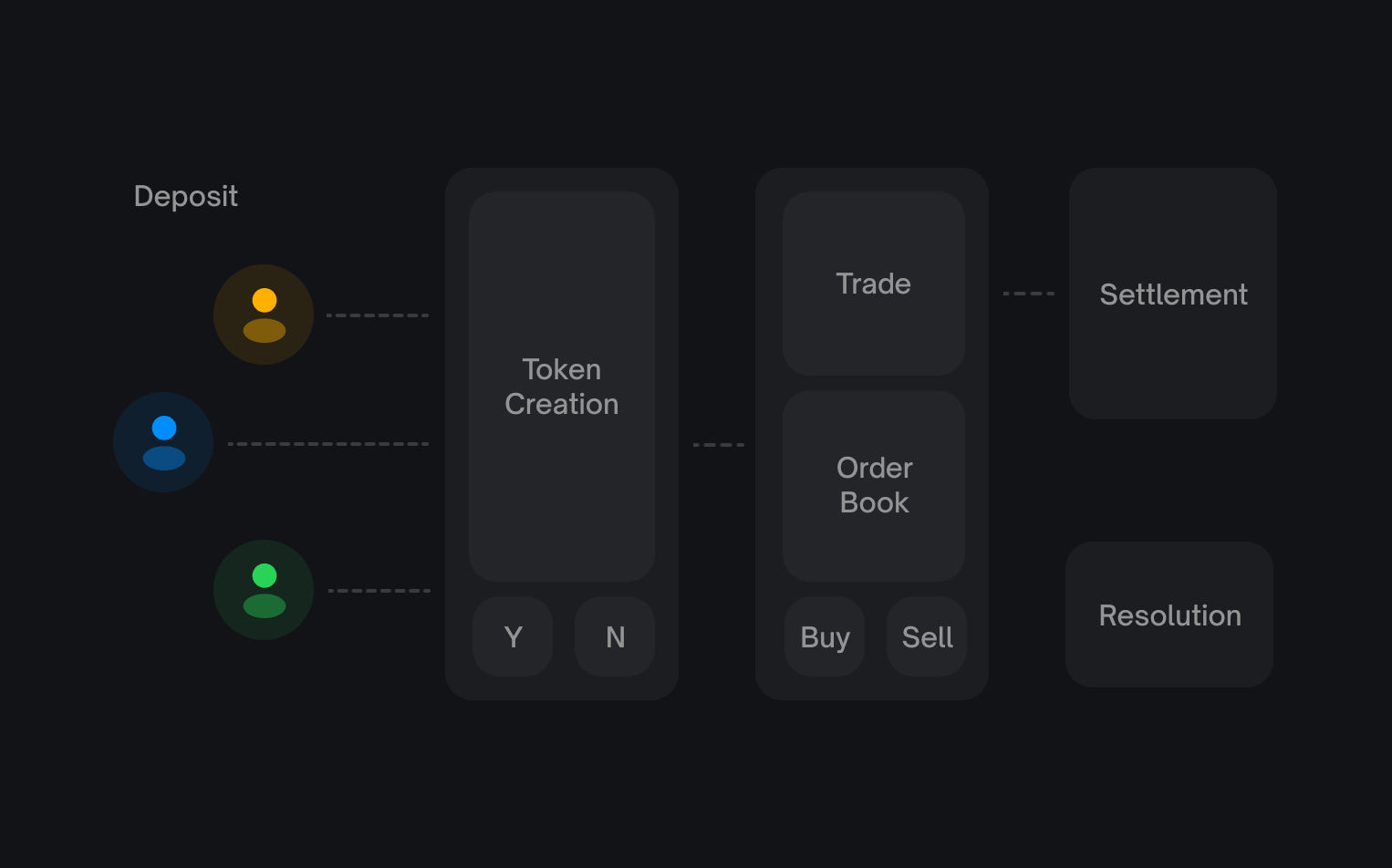
###
[](https://docs.polymarket.com/polymarket-101#prices-are-probabilities)
Prices Are Probabilities
Every share on Polymarket is priced between `$0.00` and `$1.00`. The price represents the market’s belief in the probability of that outcome occurring. For example, if “Yes” shares for an event are trading at `$0.65`, the market believes there’s approximately a `65%` chance the event will happen.
###
[](https://docs.polymarket.com/polymarket-101#collateral-and-tokens)
Collateral and Tokens
Polymarket uses pUSD (Polymarket USD) as collateral. Every Yes/No pair is fully backed:
* `$1 pUSD` creates one Yes share and one No share
* Winning shares are redeemable for `$1.00`
* Losing shares are worth `$0.00`
Shares are represented as tokens using the [Gnosis Conditional Token Framework](https://github.com/gnosis/conditional-tokens-contracts/)
(ERC1155 standard), enabling seamless onchain trading and settlement.
###
[](https://docs.polymarket.com/polymarket-101#trading)
Trading
Polymarket uses a peer-to-peer order book (CLOB) for trading. You trade directly with other users, not against the house.
* **Buy shares** when you think the market underestimates the probability
* **Sell shares** when you think the market overestimates the probability
* **Exit anytime** - Sell your position before resolution to lock in profits or cut losses
| Action | When to Use | Profit Scenario |
| --- | --- | --- |
| Buy Yes | You think the probability is too low | Event occurs |
| Buy No | You think the probability is too high | Event does not occur |
| Sell | Lock in gains or limit losses | Price moves in your favor |
###
[](https://docs.polymarket.com/polymarket-101#resolution)
Resolution
When an event concludes, markets are resolved through the **UMA Optimistic Oracle**:
1. A proposer submits the outcome with a bond
2. There’s a challenge period where anyone can dispute
3. If disputed, UMA token holders vote on the correct resolution
4. Winning tokens become redeemable for $1 pUSD
This community-driven process ensures fair and accurate market resolution.
[](https://docs.polymarket.com/polymarket-101#why-blockchain)
Why Blockchain
--------------------------------------------------------------------------------
Polymarket is built on **Polygon**, a blockchain network, for several key reasons:
* **Global accessibility** - Anyone with an internet connection can participate
* **Non-custodial** - You control your funds, not a centralized entity
* **Transparent** - All activity is publicly verifiable onchain
* **Fast and affordable** - Polygon enables quick, low-cost transactions
* **Stable value** - pUSD is a standard ERC-20 backed by USDC, with backing enforced onchain by the smart contract — avoiding crypto volatility
[](https://docs.polymarket.com/polymarket-101#proxy-wallets)
Proxy Wallets
------------------------------------------------------------------------------
When a user first uses Polymarket.com to trade they are prompted to create a wallet. When they do this, a 1 of 1 multisig is deployed to Polygon which is controlled/owned by the accessing EOA (either MetaMask wallet or MagicLink wallet). This proxy wallet is where all the user’s positions (ERC1155) and pUSD (ERC20) are held. Using proxy wallets allows Polymarket to provide an improved UX where multi-step transactions can be executed atomically and transactions can be relayed by relayers on the gas station network. If you are a developer looking to programmatically access positions you accumulated via the Polymarket.com interface, you can either continue using the smart contract wallet by executing transactions through it from the owner account, or you can transfer these assets to a new address using the owner account.
###
[](https://docs.polymarket.com/polymarket-101#deployments)
Deployments
Each user has their own proxy wallet (and thus proxy wallet address). See [Contracts](https://docs.polymarket.com/resources/contracts)
for all deployed factory and trading contract addresses on Polygon.
For details on signature types (`EOA`, `POLY_PROXY`, `GNOSIS_SAFE`) and how to configure your trading client for each wallet type, see [Signature Types](https://docs.polymarket.com/trading/overview#signature-types)
.
* * *
[](https://docs.polymarket.com/polymarket-101#getting-started)
Getting Started
----------------------------------------------------------------------------------
Ready to start trading?
Quickstart Guide
----------------
Set up your account and make your first trade.
Explore Markets
---------------
Browse active prediction markets on Polymarket.
Was this page helpful?
YesNo
[Overview\
\
Previous](https://docs.polymarket.com/)
[Quickstart\
\
Next](https://docs.polymarket.com/quickstart)
⌘I
---
# Overview - Polymarket Documentation
[Skip to main content](https://docs.polymarket.com/market-makers/overview#content-area)
[Polymarket Documentation home page](https://docs.polymarket.com/)

English
Search...
Ctrl K
Search...
Navigation
Market Makers
Overview
[Documentation](https://docs.polymarket.com/)
[API Reference](https://docs.polymarket.com/api-reference/introduction)

##### Getting Started
* [Overview](https://docs.polymarket.com/)
* [Polymarket 101](https://docs.polymarket.com/polymarket-101)
* [Quickstart](https://docs.polymarket.com/quickstart)

##### Core Concepts
* [Markets & Events](https://docs.polymarket.com/concepts/markets-events)
* [Prices & Orderbook](https://docs.polymarket.com/concepts/prices-orderbook)
* [Positions & Tokens](https://docs.polymarket.com/concepts/positions-tokens)
* [Polymarket USD](https://docs.polymarket.com/concepts/pusd)
* [Order Lifecycle](https://docs.polymarket.com/concepts/order-lifecycle)
* [Resolution](https://docs.polymarket.com/concepts/resolution)

##### Market Data
* [Overview](https://docs.polymarket.com/market-data/overview)
* [Fetching Markets](https://docs.polymarket.com/market-data/fetching-markets)

##### Trading
* [Overview](https://docs.polymarket.com/trading/overview)
* [Quickstart](https://docs.polymarket.com/trading/quickstart)
* [Orderbook](https://docs.polymarket.com/trading/orderbook)
* Orders
* Client Reference
* [Fees](https://docs.polymarket.com/trading/fees)
* [Gasless Transactions](https://docs.polymarket.com/trading/gasless)
* [Negative Risk Markets](https://docs.polymarket.com/advanced/neg-risk)
* [Matching Engine Restarts](https://docs.polymarket.com/trading/matching-engine)
* CTF Tokens
* WebSocket
* Bridge

##### Market Makers
* [Overview](https://docs.polymarket.com/market-makers/overview)
* [Getting Started](https://docs.polymarket.com/market-makers/getting-started)
* [Maker Rebates Program](https://docs.polymarket.com/market-makers/maker-rebates)
* [Liquidity Rewards](https://docs.polymarket.com/market-makers/liquidity-rewards)
* Operations

##### Builder Program
* [Builder Program](https://docs.polymarket.com/builders/overview)
* [Builder Code](https://docs.polymarket.com/builders/api-keys)
* [Builder Fees](https://docs.polymarket.com/builders/fees)
* [Tiers](https://docs.polymarket.com/builders/tiers)

##### Resources
* [Referral Program](https://docs.polymarket.com/resources/referral-program)
* [Contracts](https://docs.polymarket.com/resources/contracts)
* [Data Resources](https://docs.polymarket.com/resources/blockchain-data)
* [Error Codes](https://docs.polymarket.com/resources/error-codes)
On this page
* [Getting Started](https://docs.polymarket.com/market-makers/overview#getting-started)
* [Quick Reference](https://docs.polymarket.com/market-makers/overview#quick-reference)
* [What Is in This Section](https://docs.polymarket.com/market-makers/overview#what-is-in-this-section)
* [Risks](https://docs.polymarket.com/market-makers/overview#risks)
* [Support](https://docs.polymarket.com/market-makers/overview#support)
A Market Maker (MM) on Polymarket is a trader who provides liquidity to prediction markets by continuously posting bid and ask orders. By laying the spread, market makers enable other users to trade efficiently while earning the spread as compensation for the risk they take. Market makers are essential to Polymarket’s ecosystem — they provide liquidity across markets, tighten spreads for better user experience, enable price discovery through continuous quoting, and absorb trading flow from retail and institutional users.
**Not a Market Maker?** If you’re building an application that routes orders for your users, see the [Builder Program](https://docs.polymarket.com/builders/overview)
instead.
* * *
[](https://docs.polymarket.com/market-makers/overview#getting-started)
Getting Started
------------------------------------------------------------------------------------------
1
[](https://docs.polymarket.com/market-makers/overview#)
Complete Setup
Deploy wallets, fund with pUSD, and set token approvals. See the [Getting Started](https://docs.polymarket.com/market-makers/getting-started)
guide.
2
[](https://docs.polymarket.com/market-makers/overview#)
Connect to Data Feeds
WebSocket for real-time orderbook updates, Gamma API for market metadata. See [Market Data](https://docs.polymarket.com/market-data/overview)
.
3
[](https://docs.polymarket.com/market-makers/overview#)
Start Quoting
Post orders via the CLOB REST API. See [Trading](https://docs.polymarket.com/market-makers/trading)
.
* * *
[](https://docs.polymarket.com/market-makers/overview#quick-reference)
Quick Reference
------------------------------------------------------------------------------------------
| Action | Tool | Documentation |
| --- | --- | --- |
| Deposit pUSD | Bridge API | [Bridge](https://docs.polymarket.com/trading/bridge/deposit) |
| Approve tokens | Relayer Client | [Getting Started](https://docs.polymarket.com/market-makers/getting-started) |
| Post limit orders | CLOB REST API | [Create Orders](https://docs.polymarket.com/trading/orders/create) |
| Monitor orderbook | WebSocket | [WebSocket](https://docs.polymarket.com/market-data/websocket/overview) |
| Split pUSD to tokens | CTF / Relayer | [Inventory](https://docs.polymarket.com/market-makers/inventory) |
| Merge tokens to pUSD | CTF / Relayer | [Inventory](https://docs.polymarket.com/market-makers/inventory) |
* * *
[](https://docs.polymarket.com/market-makers/overview#what-is-in-this-section)
What Is in This Section
----------------------------------------------------------------------------------------------------------
[Getting Started\
---------------\
\
Deposits, token approvals, wallet deployment, API keys](https://docs.polymarket.com/market-makers/getting-started)
[Trading\
-------\
\
Quoting best practices, strategies, and risk controls](https://docs.polymarket.com/market-makers/trading)
[Inventory Management\
--------------------\
\
Split, merge, and redeem outcome tokens](https://docs.polymarket.com/market-makers/inventory)
[Liquidity Rewards\
-----------------\
\
Earn rewards for providing liquidity](https://docs.polymarket.com/market-makers/liquidity-rewards)
[](https://docs.polymarket.com/market-makers/overview#risks)
Risks
----------------------------------------------------------------------
Be careful with spread management — if your bid price is higher than your ask price (a “negative spread” or “crossed market”), you will lose money on every fill. Always validate your quote prices before submission.
[](https://docs.polymarket.com/market-makers/overview#support)
Support
--------------------------------------------------------------------------
For market maker onboarding and support, contact [support@polymarket.com](mailto:support@polymarket.com)
.
Was this page helpful?
YesNo
[Deposit Status\
\
Previous](https://docs.polymarket.com/trading/bridge/status)
[Getting Started\
\
Next](https://docs.polymarket.com/market-makers/getting-started)
Ctrl+I
---
# Polymarket Changelog - Polymarket Documentation
[Skip to main content](https://docs.polymarket.com/changelog#content-area)
[Polymarket Documentation home page](https://docs.polymarket.com/)

English
Search...
⌘K
Search...
Navigation
Polymarket Changelog
[Documentation](https://docs.polymarket.com/)
[API Reference](https://docs.polymarket.com/api-reference/introduction)

##### Getting Started
* [Overview](https://docs.polymarket.com/)
* [Polymarket 101](https://docs.polymarket.com/polymarket-101)
* [Quickstart](https://docs.polymarket.com/quickstart)

##### Core Concepts
* [Markets & Events](https://docs.polymarket.com/concepts/markets-events)
* [Prices & Orderbook](https://docs.polymarket.com/concepts/prices-orderbook)
* [Positions & Tokens](https://docs.polymarket.com/concepts/positions-tokens)
* [Polymarket USD](https://docs.polymarket.com/concepts/pusd)
* [Order Lifecycle](https://docs.polymarket.com/concepts/order-lifecycle)
* [Resolution](https://docs.polymarket.com/concepts/resolution)

##### Market Data
* [Overview](https://docs.polymarket.com/market-data/overview)
* [Fetching Markets](https://docs.polymarket.com/market-data/fetching-markets)

##### Trading
* [Overview](https://docs.polymarket.com/trading/overview)
* [Quickstart](https://docs.polymarket.com/trading/quickstart)
* [Orderbook](https://docs.polymarket.com/trading/orderbook)
* Orders
* Client Reference
* [Fees](https://docs.polymarket.com/trading/fees)
* [Gasless Transactions](https://docs.polymarket.com/trading/gasless)
* [Negative Risk Markets](https://docs.polymarket.com/advanced/neg-risk)
* [Matching Engine Restarts](https://docs.polymarket.com/trading/matching-engine)
* CTF Tokens
* WebSocket
* Bridge

##### Market Makers
* [Overview](https://docs.polymarket.com/market-makers/overview)
* [Getting Started](https://docs.polymarket.com/market-makers/getting-started)
* [Maker Rebates Program](https://docs.polymarket.com/market-makers/maker-rebates)
* [Liquidity Rewards](https://docs.polymarket.com/market-makers/liquidity-rewards)
* Operations

##### Builder Program
* [Builder Program](https://docs.polymarket.com/builders/overview)
* [Builder Code](https://docs.polymarket.com/builders/api-keys)
* [Builder Fees](https://docs.polymarket.com/builders/fees)
* [Tiers](https://docs.polymarket.com/builders/tiers)

##### Resources
* [Referral Program](https://docs.polymarket.com/resources/referral-program)
* [Contracts](https://docs.polymarket.com/resources/contracts)
* [Data Resources](https://docs.polymarket.com/resources/blockchain-data)
* [Error Codes](https://docs.polymarket.com/resources/error-codes)
On this page
* [Apr 21, 2026](https://docs.polymarket.com/changelog#apr-21-2026)
* [Apr 17, 2026](https://docs.polymarket.com/changelog#apr-17-2026)
* [Apr 13, 2026](https://docs.polymarket.com/changelog#apr-13-2026)
* [Apr 10, 2026](https://docs.polymarket.com/changelog#apr-10-2026)
* [Apr 9, 2026](https://docs.polymarket.com/changelog#apr-9-2026)
* [Mar 31, 2026](https://docs.polymarket.com/changelog#mar-31-2026)
* [Mar 30, 2026](https://docs.polymarket.com/changelog#mar-30-2026)
* [Mar 17, 2026](https://docs.polymarket.com/changelog#mar-17-2026)
* [Mar 1, 2026](https://docs.polymarket.com/changelog#mar-1-2026)
* [Feb 12, 2026](https://docs.polymarket.com/changelog#feb-12-2026)
* [Feb 11, 2026](https://docs.polymarket.com/changelog#feb-11-2026)
* [Jan 28, 2026](https://docs.polymarket.com/changelog#jan-28-2026)
* [Jan 16, 2026](https://docs.polymarket.com/changelog#jan-16-2026)
* [Jan 16, 2026](https://docs.polymarket.com/changelog#jan-16-2026-2)
* [Jan 6, 2026](https://docs.polymarket.com/changelog#jan-6-2026)
* [Jan 5, 2026](https://docs.polymarket.com/changelog#jan-5-2026)
* [Sept 24, 2025](https://docs.polymarket.com/changelog#sept-24-2025)
* [September 15, 2025](https://docs.polymarket.com/changelog#september-15-2025)
* [August 26, 2025](https://docs.polymarket.com/changelog#august-26-2025)
* [August 21, 2025](https://docs.polymarket.com/changelog#august-21-2025)
* [July 23, 2025](https://docs.polymarket.com/changelog#july-23-2025)
* [June 3, 2025](https://docs.polymarket.com/changelog#june-3-2025)
* [June 3, 2025](https://docs.polymarket.com/changelog#june-3-2025-2)
* [May 28, 2025](https://docs.polymarket.com/changelog#may-28-2025)
* [May 28, 2025](https://docs.polymarket.com/changelog#may-28-2025-2)
* [May 15, 2025](https://docs.polymarket.com/changelog#may-15-2025)
[](https://docs.polymarket.com/changelog#apr-21-2026)
Apr 21, 2026
Relayer API: POST /submit returns immediately without transactionHash
* **Faster `POST /submit` responses**: The Relayer’s `POST /submit` endpoint now returns immediately with just `{ transactionID, state: "STATE_NEW" }`. The `transactionHash` field has been removed from the submit response to improve performance.
* **How to get the hash**: Poll [`GET /transaction`](https://docs.polymarket.com/api-reference/relayer/get-a-transaction-by-id)
with the returned `transactionID` to retrieve the onchain `transactionHash` once the transaction has been broadcast.
[](https://docs.polymarket.com/changelog#apr-17-2026)
Apr 17, 2026
CLOB V2: upgrades go live April 28 at ~11:00 UTC, with ~1 hour of downtime
Polymarket is shipping a coordinated upgrade: **new Exchange contracts, a rewritten CLOB backend, and a new collateral token (pUSD)**.**Exchange upgrades go live April 28, 2026 at ~11:00 UTC with ~1 hour of downtime.** All integrations must migrate to the V2 SDK before the cutover — there will be no backward compatibility after go-live.**Full walkthrough:** [Migrating to CLOB V2](https://docs.polymarket.com/v2-migration)
. Follow [Discord](https://discord.gg/polymarket)
, Telegram, and [status.polymarket.com](https://status.polymarket.com/)
for the exact start time.**Test against V2 now:** point your client at `https://clob-v2.polymarket.com`. On April 28, V2 takes over `https://clob.polymarket.com`, so no base-URL change is needed after the cutover.**What’s changing**
* New Exchange contracts (CTF Exchange V2 + Neg Risk CTF Exchange V2)
* **pUSD** replaces USDC.e as the collateral token (standard ERC-20 on Polygon, backed by USDC, backing enforced onchain)
* Order struct: `nonce`, `feeRateBps`, `taker` removed — `timestamp` (ms), `metadata`, `builder` added
* Fees are now set at match time — no more `feeRateBps` on orders
* Builder attribution is native via `builderCode` on orders (no more `builder-signing-sdk`)
* EIP-712 Exchange domain version bumps from `"1"` to `"2"` (ClobAuth stays at `"1"`)
**What you need to do**
* Install the V2 SDK — [`@polymarket/clob-client-v2`](https://www.npmjs.com/package/@polymarket/clob-client-v2)
or [`py-clob-client-v2`](https://pypi.org/project/py-clob-client-v2/)
— and remove the legacy `clob-client` / `py-clob-client` packages
* Update constructor from positional args to options object; rename `chainId` → `chain`
* Remove `feeRateBps`, `nonce`, and `taker` from your order creation code
* If you’re a builder, copy your code from [Settings → Builder](https://polymarket.com/settings?tab=builder)
and attach it to orders
* If you sign orders without the SDK, update the `verifyingContract` and the signed Order fields — see [For API users](https://docs.polymarket.com/v2-migration#for-api-users)
* Plan for all open orders to be wiped at cutover
**During the window:** Trading will be paused for ~1 hour on April 28 starting around 11:00 UTC. The SDK’s hot-swap mechanism will auto-refresh the client when V2 goes live — no manual action needed if you’re on the latest SDK.
[](https://docs.polymarket.com/changelog#apr-13-2026)
Apr 13, 2026
Bridge API: added support link for bridging issues
* **Support contact**: Added a link to [our Bridge API provider’s support](https://intercom.help/funxyz/en/articles/10732578-contact-us)
(Fun.xyz) for failed, stuck, or compliance-held bridge transactions. See [Deposit Status](https://docs.polymarket.com/trading/bridge/status)
.
[](https://docs.polymarket.com/changelog#apr-10-2026)
Apr 10, 2026
New keyset pagination endpoints for markets and events
* **New endpoints**: Added `GET /markets/keyset` and `GET /events/keyset` for cursor-based pagination, replacing offset-based `GET /markets` and `GET /events`.
* **How it works**: These use an opaque `after_cursor`/`next_cursor` token instead of `offset`, providing stable and efficient paging through large result sets. Same filters, same response shape per item — the only differences are the wrapper response (`{ "markets": [...], "next_cursor": "..." }`) and the rejection of `offset`.
* **Migration**: The existing `GET /markets` and `GET /events` endpoints remain available but will be deprecated in a future release. New integrations should use the keyset variants.
[](https://docs.polymarket.com/changelog#apr-9-2026)
Apr 9, 2026
GET /markets: closed defaults to false
* **`closed` default change**: The `closed` query parameter on `GET /markets` now defaults to `false`. Closed markets are excluded from results unless you explicitly pass `closed=true`.
[](https://docs.polymarket.com/changelog#mar-31-2026)
Mar 31, 2026
REST API Fee Fields Update
* **Fee calculation source**: Fees should now be calculated using the `feeSchedule` object within a market.
[](https://docs.polymarket.com/changelog#mar-30-2026)
Mar 30, 2026
Fee Structure V2
* **New fee categories**: Fees now apply to Crypto, Sports, Finance, Politics, Economics, Culture, Weather, Tech, Mentions, and Other / General markets with updated rates per category. Geopolitical and world events markets remain fee-free.
* **Updated documentation**: [Fees](https://docs.polymarket.com/trading/fees)
and [Maker Rebates Program](https://docs.polymarket.com/market-makers/maker-rebates)
.
[](https://docs.polymarket.com/changelog#mar-17-2026)
Mar 17, 2026
March Madness: $2M+ in Liquidity Rewards
* **March Madness Liquidity Rewards**: Adding $2M+ in liquidity rewards to both live and pregame markets.
* **How it works**: Liquidity rewards are payments for placing competitive bids. Rewards are paid out based on the size of your orders, how close they are to the midpoint, and how consistently they are quoted relative to other liquidity providers. Orders must be active on the book for a minimum of **3.5 seconds** to be eligible.
**Daily reward rates for markets (subject to change):****48 hours before GameStartTime:**
* $7.5k for full game ML market
* $500 for 5 other markets (most recently created full game spread, most recently created full game total, 1st half ML, most recently created 1st half spread, most recently created 1st half total)
**From game live to game completion (note: rewards are expressed in daily rates):**
* $60k for full game ML
* $4k for most recently created full game spread and most recently created full game total
**From game live to halftime (note: rewards are expressed in daily rates):**
* $8k for 1st half ML, most recently created 1st half spread, most recently created 1st half total
* **Markets**: [Browse March Madness markets](https://polymarket.com/sports/cbb/games)
* **More details**: [Liquidity Rewards documentation](https://docs.polymarket.com/market-makers/liquidity-rewards#liquidity-rewards)
[](https://docs.polymarket.com/changelog#mar-1-2026)
Mar 1, 2026
Taker Fees & Maker Rebates: All Crypto Markets
* **Crypto market fees expansion**: Starting March 6, 2026, taker fees and maker rebates extend to all crypto markets including 1H, 4H, daily, and weekly. The same fee structure as existing crypto markets applies. Only new markets created after March 6 are affected.
* **Updated documentation**: [Fees](https://docs.polymarket.com/trading/fees)
and [Maker Rebates Program](https://docs.polymarket.com/market-makers/maker-rebates)
updated to reflect all crypto market coverage.
[](https://docs.polymarket.com/changelog#feb-12-2026)
Feb 12, 2026
5-Minute Crypto Markets
* **5-minute crypto markets**: Launched with taker fees enabled. Fees follow the same curve as 15-minute crypto markets, peaking at 1.56% at 50% probability.
* **Maker Rebates**: Liquidity providers earn daily USDC rebates funded by taker fees, same as 15-minute crypto markets.
[](https://docs.polymarket.com/changelog#feb-11-2026)
Feb 11, 2026
Taker Fees & Maker Rebates: NCAAB and Serie A
* **Sports market fees**: Taker fees to be enabled on NCAAB (college basketball) and Serie A markets on February 18, 2026.
* **Per-market rebate calculation**: Rebates are now calculated per market, makers only compete with other makers in the same market.
* **Updated documentation**: [Maker Rebates Program](https://docs.polymarket.com/market-makers/maker-rebates)
updated with sports fee tables and parameters.
[](https://docs.polymarket.com/changelog#jan-28-2026)
Jan 28, 2026
Bridge API: Withdrawal Endpoint
* **Withdrawal Endpoint**: New `/withdraw` endpoint to bridge USDC.e from Polymarket to any supported chain and token.
* **Multi-chain withdrawals**: Withdraw to EVM chains (Ethereum, Arbitrum, Base, etc.), Solana, and Bitcoin.
* **Updated documentation**: Bridge API docs updated to reflect deposit and withdrawal functionality.
[](https://docs.polymarket.com/changelog#jan-16-2026)
Jan 16, 2026
Docs Update: RTDS documentation
* RTDS docs updated to reflect RTDS supports **comments** and **crypto prices** only.
* Removed legacy CLOB references and `clob_auth` from RTDS docs.
[](https://docs.polymarket.com/changelog#jan-16-2026-2)
Jan 16, 2026
Docs Update: Maker Rebates Program
* **Maker Rebates Program**: Updated funding schedule with distribution method (volume-weighted vs fee-curve weighted).
* **Fee-curve weighted rebates**: Documented fee-equivalent formula and rebate calculation.
* **FAQ**: Clarified how rebates are calculated during fee-curve weighted periods.
[](https://docs.polymarket.com/changelog#jan-6-2026)
Jan 6, 2026
New API Features
* **Releases**: Daily Releases timing
* **HeartBeats API**: HeartBeats endpoint for monitoring connection status and canceling orders
* **Post Only Orders**: Orders that are rejected if they would immediately match against an existing order
[](https://docs.polymarket.com/changelog#jan-5-2026)
Jan 5, 2026
Taker Fees & Maker Rebates
* **Taker Fees**: Enabled on 15-minute crypto markets. Fees vary by price and peak at 1.56% at 50% probability.
* **Maker Rebates**: Daily USDC rebates paid to liquidity providers, funded by taker fees.
[](https://docs.polymarket.com/changelog#sept-24-2025)
Sept 24, 2025
Polymarket Real-Time Data Socket (RTDS) official release
* **Crypto Price Feeds**: Access real-time cryptocurrency prices from two sources (Binance & Chainlink)
* **Comment Streaming**: Real-time updates for comment events including new comments, replies, and reactions
* **Dynamic Subscriptions**: Add, remove, and modify subscriptions without reconnecting
* **TypeScript Client**: Official TypeScript client available at [real-time-data-client](https://github.com/Polymarket/real-time-data-client)
For complete documentation, see [Market Data](https://docs.polymarket.com/market-data/overview)
.
[](https://docs.polymarket.com/changelog#september-15-2025)
September 15, 2025
WSS price\_change event update
* There has been a significant change to the structure of the price change message. This update will be applied at 11PM UTC September 15, 2025. We apologize for the short notice
* Please see the [Market Channel](https://docs.polymarket.com/market-data/websocket/market-channel)
for details.
[](https://docs.polymarket.com/changelog#august-26-2025)
August 26, 2025
Updated /trades and /activity endpoints
* Reduced maximum values for query parameters on Data-API /trades and /activity:
* `limit`: 500
* `offset`: 1,000
[](https://docs.polymarket.com/changelog#august-21-2025)
August 21, 2025
Batch Orders Increase
* The batch orders limit has been increased from 5 -> 15. Read more about the batch orders functionality [here](https://docs.polymarket.com/trading/orders/create)
.
[](https://docs.polymarket.com/changelog#july-23-2025)
July 23, 2025
Get Book(s) update
* We’re adding new fields to the `get-book` and `get-books` CLOB endpoints to include key market metadata that previously required separate queries.
* `min_order_size`
* type: string
* description: Minimum price increment.
* `neg_risk`
* type: boolean
* description: Boolean indicating whether the market is neg\_risk.
* `tick_size`
* type: string
* description: Minimum price increment.
[](https://docs.polymarket.com/changelog#june-3-2025)
June 3, 2025
New Batch Orders Endpoint
* We’re excited to roll out a highly requested feature: **order batching**. With this new endpoint, users can now submit up to five trades in a single request. To help you get started, we’ve included sample code demonstrating how to use it. Please see [Create Orders](https://docs.polymarket.com/trading/orders/create)
for more details.
[](https://docs.polymarket.com/changelog#june-3-2025-2)
June 3, 2025
Change to /data/trades
* We’re adding a new `side` field to the `MakerOrder` portion of the trade object. This field will indicate whether the maker order is a `buy` or `sell`, helping to clarify trade events where the maker side was previously ambiguous. For more details, refer to the MakerOrder object on the [Orders](https://docs.polymarket.com/trading/orders/cancel)
page.
[](https://docs.polymarket.com/changelog#may-28-2025)
May 28, 2025
Websocket Changes
* The 100 token subscription limit has been removed for the Markets channel. You can now subscribe to as many token IDs as needed for your use case.
* New Subscribe Field `initial_dump`
* Optional field to indicate whether you want to receive the initial order book state when subscribing to a token or list of tokens.
* `default: true`
[](https://docs.polymarket.com/changelog#may-28-2025-2)
May 28, 2025
New FAK Order Type
We’re excited to introduce a new order type soon to be available to all users: Fill and Kill (FAK). FAK orders behave similarly to the well-known Fill or Kill (FOK) orders, but with a key difference:
* FAK will fill as many shares as possible immediately at your specified price, and any remaining unfilled portion will be canceled.
* Unlike FOK, which requires the entire order to fill instantly or be canceled, FAK is more flexible and aims to capture partial fills if possible.
[](https://docs.polymarket.com/changelog#may-15-2025)
May 15, 2025
Increased API Rate Limits
All API users will enjoy increased rate limits for the CLOB endpoints.
* CLOB - /books (website) (300req - 10s / Throttle requests over the maximum configured rate)
* CLOB - /books (50 req - 10s / Throttle requests over the maximum configured rate)
* CLOB - /price (100req - 10s / Throttle requests over the maximum configured rate)
* CLOB markets/0x (50req / 10s - Throttle requests over the maximum configured rate)
* CLOB POST /order - 500 every 10s (50/s) - (BURST) - Throttle requests over the maximum configured rate
* CLOB POST /order - 3000 every 10 minutes (5/s) - Throttle requests over the maximum configured rate
* CLOB DELETE /order - 500 every 10s (50/s) - (BURST) - Throttle requests over the maximum configured rate
* DELETE /order - 3000 every 10 minutes (5/s) - Throttle requests over the maximum configured rate
Was this page helpful?
YesNo
⌘I
---
# Positions & Tokens - Polymarket Documentation
[Skip to main content](https://docs.polymarket.com/concepts/positions-tokens#content-area)
[Polymarket Documentation home page](https://docs.polymarket.com/)

English
Search...
⌘K
Search...
Navigation
Core Concepts
Positions & Tokens
[Documentation](https://docs.polymarket.com/)
[API Reference](https://docs.polymarket.com/api-reference/introduction)

##### Getting Started
* [Overview](https://docs.polymarket.com/)
* [Polymarket 101](https://docs.polymarket.com/polymarket-101)
* [Quickstart](https://docs.polymarket.com/quickstart)

##### Core Concepts
* [Markets & Events](https://docs.polymarket.com/concepts/markets-events)
* [Prices & Orderbook](https://docs.polymarket.com/concepts/prices-orderbook)
* [Positions & Tokens](https://docs.polymarket.com/concepts/positions-tokens)
* [Polymarket USD](https://docs.polymarket.com/concepts/pusd)
* [Order Lifecycle](https://docs.polymarket.com/concepts/order-lifecycle)
* [Resolution](https://docs.polymarket.com/concepts/resolution)

##### Market Data
* [Overview](https://docs.polymarket.com/market-data/overview)
* [Fetching Markets](https://docs.polymarket.com/market-data/fetching-markets)

##### Trading
* [Overview](https://docs.polymarket.com/trading/overview)
* [Quickstart](https://docs.polymarket.com/trading/quickstart)
* [Orderbook](https://docs.polymarket.com/trading/orderbook)
* Orders
* Client Reference
* [Fees](https://docs.polymarket.com/trading/fees)
* [Gasless Transactions](https://docs.polymarket.com/trading/gasless)
* [Negative Risk Markets](https://docs.polymarket.com/advanced/neg-risk)
* [Matching Engine Restarts](https://docs.polymarket.com/trading/matching-engine)
* CTF Tokens
* WebSocket
* Bridge

##### Market Makers
* [Overview](https://docs.polymarket.com/market-makers/overview)
* [Getting Started](https://docs.polymarket.com/market-makers/getting-started)
* [Maker Rebates Program](https://docs.polymarket.com/market-makers/maker-rebates)
* [Liquidity Rewards](https://docs.polymarket.com/market-makers/liquidity-rewards)
* Operations

##### Builder Program
* [Builder Program](https://docs.polymarket.com/builders/overview)
* [Builder Code](https://docs.polymarket.com/builders/api-keys)
* [Builder Fees](https://docs.polymarket.com/builders/fees)
* [Tiers](https://docs.polymarket.com/builders/tiers)

##### Resources
* [Referral Program](https://docs.polymarket.com/resources/referral-program)
* [Contracts](https://docs.polymarket.com/resources/contracts)
* [Data Resources](https://docs.polymarket.com/resources/blockchain-data)
* [Error Codes](https://docs.polymarket.com/resources/error-codes)
On this page
* [Outcome Tokens](https://docs.polymarket.com/concepts/positions-tokens#outcome-tokens)
* [Split](https://docs.polymarket.com/concepts/positions-tokens#split)
* [Trade](https://docs.polymarket.com/concepts/positions-tokens#trade)
* [Merge](https://docs.polymarket.com/concepts/positions-tokens#merge)
* [Redeem](https://docs.polymarket.com/concepts/positions-tokens#redeem)
* [Position Value](https://docs.polymarket.com/concepts/positions-tokens#position-value)
* [Profit and Loss](https://docs.polymarket.com/concepts/positions-tokens#profit-and-loss)
* [Example - Buying Yes at 0.40](https://docs.polymarket.com/concepts/positions-tokens#example-buying-yes-at-0-40)
* [Holding Rewards](https://docs.polymarket.com/concepts/positions-tokens#holding-rewards)
* [Example - Selling Before Resolution](https://docs.polymarket.com/concepts/positions-tokens#example-selling-before-resolution)
Every prediction on Polymarket is represented by **outcome tokens**. When you trade, you’re buying and selling these tokens. Your **position** is simply your balance of tokens for a given market.
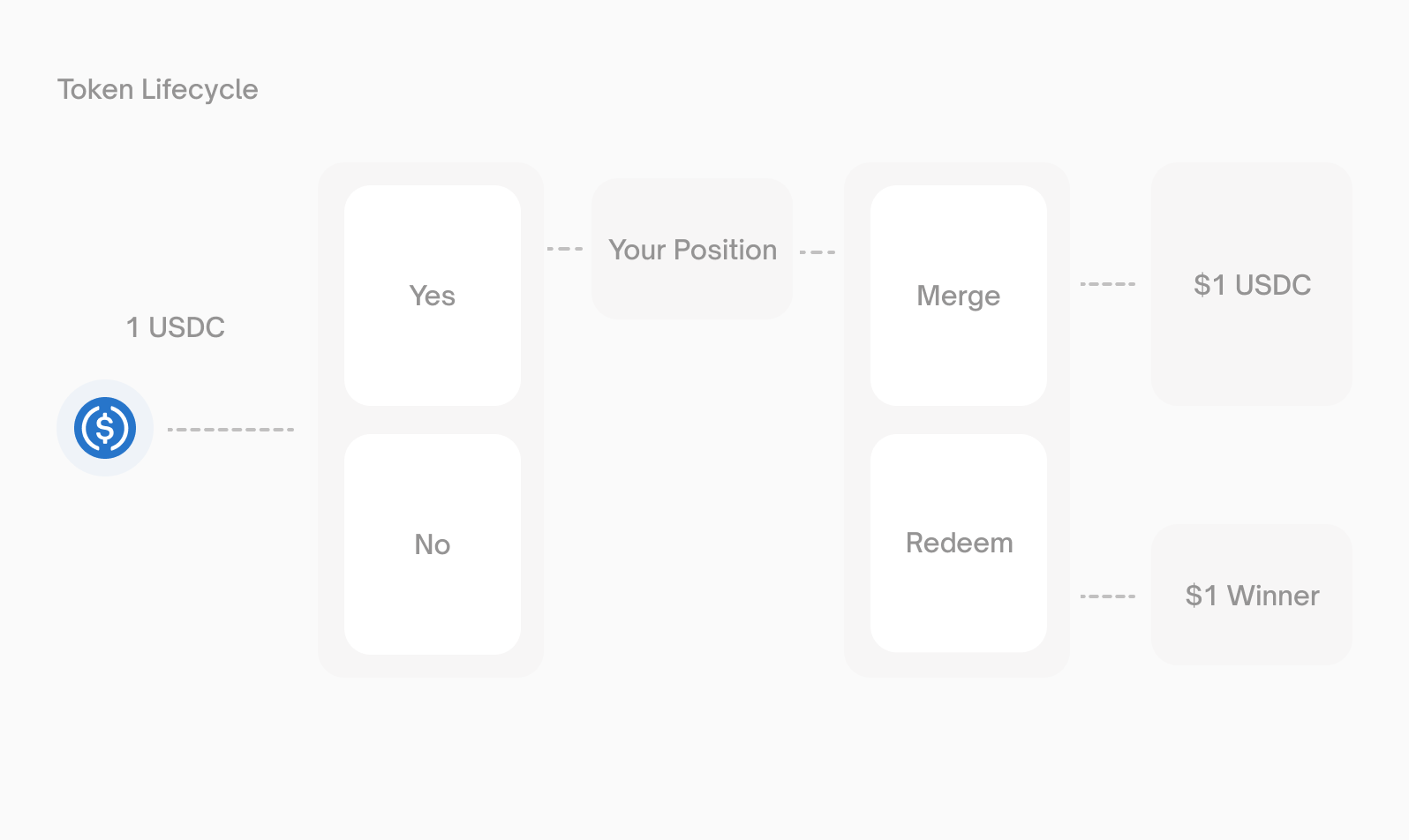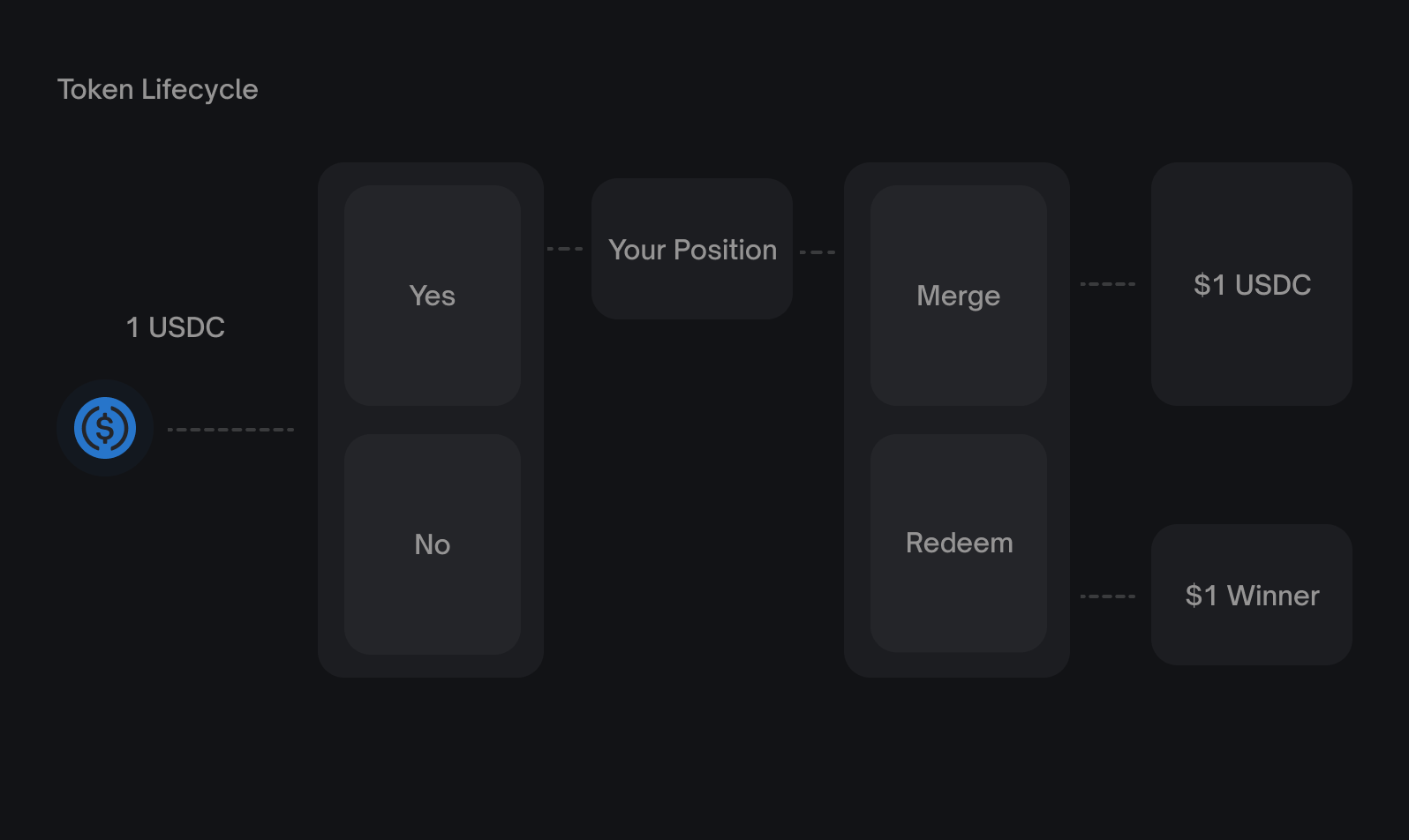
[](https://docs.polymarket.com/concepts/positions-tokens#outcome-tokens)
Outcome Tokens
-------------------------------------------------------------------------------------------
Each market has exactly two outcome tokens:
| Token | Redeems for | If… |
| --- | --- | --- |
| **Yes** | $1.00 | The event occurs |
| **No** | $1.00 | The event does not occur |
Tokens are **ERC1155** assets on Polygon, using the [Gnosis Conditional Token Framework](https://github.com/gnosis/conditional-tokens-contracts/)
(CTF). This means they’re fully onchain and function as standard ERC1155 tokens.
Outcome tokens are always fully backed. Every Yes/No pair in existence is backed by exactly `$1` of pUSD collateral locked in the CTF contract.
###
[](https://docs.polymarket.com/concepts/positions-tokens#split)
Split
Convert pUSD into outcome tokens. Splitting $1 creates 1 Yes token and 1 No token.
$100 pUSD → 100 Yes tokens + 100 No tokens
Use this when you want to:
* Create inventory for market making
* Obtain both sides of a market
###
[](https://docs.polymarket.com/concepts/positions-tokens#trade)
Trade
Buy or sell tokens on the order book. This is how most users acquire positions.
* **Buy Yes** at `$0.60` → Pay `$0.60`, receive 1 Yes token
* **Sell Yes** at `$0.60` → Give up 1 Yes token, receive `$0.60`
You can sell your position at any time before resolution.
###
[](https://docs.polymarket.com/concepts/positions-tokens#merge)
Merge
Convert a complete set of tokens back into pUSD. Merging requires equal amounts of Yes and No tokens.
100 Yes tokens + 100 No tokens → $100 pUSD
Use this when you want to:
* Exit a position without trading
* Convert accumulated tokens back to collateral
###
[](https://docs.polymarket.com/concepts/positions-tokens#redeem)
Redeem
After a market resolves, exchange winning tokens for pUSD.
| Outcome | Yes tokens | No tokens |
| --- | --- | --- |
| Event occurs | Worth $1 each | Worth $0 |
| Event doesn’t occur | Worth $0 | Worth $1 each |
100 winning tokens → $100 pUSD
###
[](https://docs.polymarket.com/concepts/positions-tokens#position-value)
Position Value
The value of your position depends on the current market price:
Position value = Token balance × Current price
If you hold 100 Yes tokens and Yes is trading at $0.75:
Position value = 100 × $0.75 = $75
[](https://docs.polymarket.com/concepts/positions-tokens#profit-and-loss)
Profit and Loss
---------------------------------------------------------------------------------------------
Your profit depends on how the market resolves compared to your entry price.
###
[](https://docs.polymarket.com/concepts/positions-tokens#example-buying-yes-at-0-40)
Example - Buying Yes at 0.40
| Scenario | Outcome | Return | Profit |
| --- | --- | --- | --- |
| Event occurs | Yes wins | $1.00 | +$0.60 per token (150%) |
| Event doesn’t occur | No wins | $0.00 | \-$0.40 per token (-100%) |
###
[](https://docs.polymarket.com/concepts/positions-tokens#holding-rewards)
Holding Rewards
Polymarket pays a **4.00% annualized** Holding Reward based on your total position value in eligible markets. Your total position value is randomly sampled once each hour, and the reward is distributed daily. The rate is variable and subject to change at Polymarket’s discretion.
###
[](https://docs.polymarket.com/concepts/positions-tokens#example-selling-before-resolution)
Example - Selling Before Resolution
You can lock in profits or cut losses by selling before the market resolves:
* Bought Yes at `$0.40`
* Price rises to `$0.70`
* Sell at `$0.70` → Profit of `$0.30` per token (75%)
Was this page helpful?
YesNo
[Prices & Orderbook\
\
Previous](https://docs.polymarket.com/concepts/prices-orderbook)
[Polymarket USD\
\
Next](https://docs.polymarket.com/concepts/pusd)
⌘I
---
# Polymarket USD - Polymarket Documentation
[Skip to main content](https://docs.polymarket.com/concepts/pusd#content-area)
[Polymarket Documentation home page](https://docs.polymarket.com/)

English
Search...
⌘K
Search...
Navigation
Core Concepts
Polymarket USD
[Documentation](https://docs.polymarket.com/)
[API Reference](https://docs.polymarket.com/api-reference/introduction)

##### Getting Started
* [Overview](https://docs.polymarket.com/)
* [Polymarket 101](https://docs.polymarket.com/polymarket-101)
* [Quickstart](https://docs.polymarket.com/quickstart)

##### Core Concepts
* [Markets & Events](https://docs.polymarket.com/concepts/markets-events)
* [Prices & Orderbook](https://docs.polymarket.com/concepts/prices-orderbook)
* [Positions & Tokens](https://docs.polymarket.com/concepts/positions-tokens)
* [Polymarket USD](https://docs.polymarket.com/concepts/pusd)
* [Order Lifecycle](https://docs.polymarket.com/concepts/order-lifecycle)
* [Resolution](https://docs.polymarket.com/concepts/resolution)

##### Market Data
* [Overview](https://docs.polymarket.com/market-data/overview)
* [Fetching Markets](https://docs.polymarket.com/market-data/fetching-markets)

##### Trading
* [Overview](https://docs.polymarket.com/trading/overview)
* [Quickstart](https://docs.polymarket.com/trading/quickstart)
* [Orderbook](https://docs.polymarket.com/trading/orderbook)
* Orders
* Client Reference
* [Fees](https://docs.polymarket.com/trading/fees)
* [Gasless Transactions](https://docs.polymarket.com/trading/gasless)
* [Negative Risk Markets](https://docs.polymarket.com/advanced/neg-risk)
* [Matching Engine Restarts](https://docs.polymarket.com/trading/matching-engine)
* CTF Tokens
* WebSocket
* Bridge

##### Market Makers
* [Overview](https://docs.polymarket.com/market-makers/overview)
* [Getting Started](https://docs.polymarket.com/market-makers/getting-started)
* [Maker Rebates Program](https://docs.polymarket.com/market-makers/maker-rebates)
* [Liquidity Rewards](https://docs.polymarket.com/market-makers/liquidity-rewards)
* Operations

##### Builder Program
* [Builder Program](https://docs.polymarket.com/builders/overview)
* [Builder Code](https://docs.polymarket.com/builders/api-keys)
* [Builder Fees](https://docs.polymarket.com/builders/fees)
* [Tiers](https://docs.polymarket.com/builders/tiers)

##### Resources
* [Referral Program](https://docs.polymarket.com/resources/referral-program)
* [Contracts](https://docs.polymarket.com/resources/contracts)
* [Data Resources](https://docs.polymarket.com/resources/blockchain-data)
* [Error Codes](https://docs.polymarket.com/resources/error-codes)
On this page
* [Why pUSD](https://docs.polymarket.com/concepts/pusd#why-pusd)
* [Key facts](https://docs.polymarket.com/concepts/pusd#key-facts)
* [Wrapping — USDC.e → pUSD](https://docs.polymarket.com/concepts/pusd#wrapping-%E2%80%94-usdc-e-%E2%86%92-pusd)
* [Example](https://docs.polymarket.com/concepts/pusd#example)
* [Unwrapping — pUSD → USDC.e](https://docs.polymarket.com/concepts/pusd#unwrapping-%E2%80%94-pusd-%E2%86%92-usdc-e)
* [Next steps](https://docs.polymarket.com/concepts/pusd#next-steps)
**pUSD** (Polymarket USD) is the collateral token used for all trading on Polymarket. It’s a standard ERC-20 token on Polygon, backed by USDC. The smart contract — which enables the withdrawal functionality — enforces the backing. No algorithmic peg, no fractional reserve.
**Day to day, nothing changes.** You load funds, see a balance, trade, and withdraw. pUSD is the technical settlement layer underneath the same experience you’re used to.
* * *
[](https://docs.polymarket.com/concepts/pusd#why-pusd)
Why pUSD
-------------------------------------------------------------------
The protocol settles all trading activity in native USDC, providing a more capital efficient, scalable, and institutionally aligned settlement standard as the platform continues to grow. pUSD is a standard ERC-20 wrapper that represents a USDC claim. Wrapping and unwrapping are enforced onchain by the `CollateralOnramp` and `CollateralOfframp` contracts.
* * *
[](https://docs.polymarket.com/concepts/pusd#key-facts)
Key facts
---------------------------------------------------------------------
| | |
| --- | --- |
| Token standard | ERC-20 |
| Network | Polygon mainnet |
| Decimals | 6 |
| Backing | USDC (enforced onchain) |
| Transferable | Yes — standard ERC-20 |
pUSD is designed to function within Polymarket. There are no current plans to list it on external exchanges. See the [Contracts](https://docs.polymarket.com/resources/contracts)
page for all collateral-related contract addresses.
* * *
[](https://docs.polymarket.com/concepts/pusd#wrapping-%E2%80%94-usdc-e-%E2%86%92-pusd)
Wrapping — USDC.e → pUSD
-------------------------------------------------------------------------------------------------------------------
Use the **CollateralOnramp** to wrap USDC.e into pUSD.
function wrap(address _asset, address _to, uint256 _amount) external
**Parameters**
* `_asset` — address of the asset being wrapped. Must be USDC.e.
* `_to` — recipient of the minted pUSD. Does not have to be `msg.sender`.
* `_amount` — amount to wrap, in USDC.e base units (6 decimals).
**Requirements**
* The caller must first approve the **CollateralOnramp** contract (not the pUSD token) to spend USDC.e.
* Reverts with `OnlyUnpaused()` if the admin has paused USDC.e.
###
[](https://docs.polymarket.com/concepts/pusd#example)
Example
TypeScript
Python
import {
createWalletClient,
createPublicClient,
http,
parseAbi,
parseUnits,
} from "viem";
import { polygon } from "viem/chains";
import { privateKeyToAccount } from "viem/accounts";
const account = privateKeyToAccount(process.env.PRIVATE_KEY as `0x${string}`);
const walletClient = createWalletClient({ account, chain: polygon, transport: http() });
const publicClient = createPublicClient({ chain: polygon, transport: http() });
const ONRAMP = "0x93070a847efEf7F70739046A929D47a521F5B8ee" as const;
const USDCE = "0x2791Bca1f2de4661ED88A30C99A7a9449Aa84174" as const; // USDC.e on Polygon
const amount = parseUnits("100", 6); // 100 USDC.e
// 1. Approve the Onramp to spend your USDC.e
const approveHash = await walletClient.writeContract({
address: USDCE,
abi: parseAbi(["function approve(address spender, uint256 amount) returns (bool)"]),
functionName: "approve",
args: [ONRAMP, amount],
});
await publicClient.waitForTransactionReceipt({ hash: approveHash });
// 2. Wrap USDC.e → pUSD
const wrapHash = await walletClient.writeContract({
address: ONRAMP,
abi: parseAbi(["function wrap(address _asset, address _to, uint256 _amount)"]),
functionName: "wrap",
args: [USDCE, account.address, amount],
});
await publicClient.waitForTransactionReceipt({ hash: wrapHash });
* * *
[](https://docs.polymarket.com/concepts/pusd#unwrapping-%E2%80%94-pusd-%E2%86%92-usdc-e)
Unwrapping — pUSD → USDC.e
-----------------------------------------------------------------------------------------------------------------------
Use the **CollateralOfframp** to unwrap pUSD back into USDC.e.
function unwrap(address _asset, address _to, uint256 _amount) external
**Parameters**
* `_asset` — asset you want to receive. Must be USDC.e.
* `_to` — recipient of the underlying asset.
* `_amount` — amount of pUSD to unwrap (6 decimals).
**Requirements**
* The caller must first approve the **CollateralOfframp** contract to spend their pUSD.
* Same pause gate as the Onramp.
* * *
[](https://docs.polymarket.com/concepts/pusd#next-steps)
Next steps
-----------------------------------------------------------------------
Contracts
---------
All Polymarket contract addresses and audits
Bridge
------
Deposit from other chains — auto-wraps to pUSD
Was this page helpful?
YesNo
[Positions & Tokens\
\
Previous](https://docs.polymarket.com/concepts/positions-tokens)
[Order Lifecycle\
\
Next](https://docs.polymarket.com/concepts/order-lifecycle)
⌘I
---
# Order Lifecycle - Polymarket Documentation
[Skip to main content](https://docs.polymarket.com/concepts/order-lifecycle#content-area)
[Polymarket Documentation home page](https://docs.polymarket.com/)

English
Search...
⌘K
Search...
Navigation
Core Concepts
Order Lifecycle
[Documentation](https://docs.polymarket.com/)
[API Reference](https://docs.polymarket.com/api-reference/introduction)

##### Getting Started
* [Overview](https://docs.polymarket.com/)
* [Polymarket 101](https://docs.polymarket.com/polymarket-101)
* [Quickstart](https://docs.polymarket.com/quickstart)

##### Core Concepts
* [Markets & Events](https://docs.polymarket.com/concepts/markets-events)
* [Prices & Orderbook](https://docs.polymarket.com/concepts/prices-orderbook)
* [Positions & Tokens](https://docs.polymarket.com/concepts/positions-tokens)
* [Polymarket USD](https://docs.polymarket.com/concepts/pusd)
* [Order Lifecycle](https://docs.polymarket.com/concepts/order-lifecycle)
* [Resolution](https://docs.polymarket.com/concepts/resolution)

##### Market Data
* [Overview](https://docs.polymarket.com/market-data/overview)
* [Fetching Markets](https://docs.polymarket.com/market-data/fetching-markets)

##### Trading
* [Overview](https://docs.polymarket.com/trading/overview)
* [Quickstart](https://docs.polymarket.com/trading/quickstart)
* [Orderbook](https://docs.polymarket.com/trading/orderbook)
* Orders
* Client Reference
* [Fees](https://docs.polymarket.com/trading/fees)
* [Gasless Transactions](https://docs.polymarket.com/trading/gasless)
* [Negative Risk Markets](https://docs.polymarket.com/advanced/neg-risk)
* [Matching Engine Restarts](https://docs.polymarket.com/trading/matching-engine)
* CTF Tokens
* WebSocket
* Bridge

##### Market Makers
* [Overview](https://docs.polymarket.com/market-makers/overview)
* [Getting Started](https://docs.polymarket.com/market-makers/getting-started)
* [Maker Rebates Program](https://docs.polymarket.com/market-makers/maker-rebates)
* [Liquidity Rewards](https://docs.polymarket.com/market-makers/liquidity-rewards)
* Operations

##### Builder Program
* [Builder Program](https://docs.polymarket.com/builders/overview)
* [Builder Code](https://docs.polymarket.com/builders/api-keys)
* [Builder Fees](https://docs.polymarket.com/builders/fees)
* [Tiers](https://docs.polymarket.com/builders/tiers)

##### Resources
* [Referral Program](https://docs.polymarket.com/resources/referral-program)
* [Contracts](https://docs.polymarket.com/resources/contracts)
* [Data Resources](https://docs.polymarket.com/resources/blockchain-data)
* [Error Codes](https://docs.polymarket.com/resources/error-codes)
On this page
* [How Orders Work](https://docs.polymarket.com/concepts/order-lifecycle#how-orders-work)
* [Order Types](https://docs.polymarket.com/concepts/order-lifecycle#order-types)
* [Post-Only Orders](https://docs.polymarket.com/concepts/order-lifecycle#post-only-orders)
* [Order Statuses](https://docs.polymarket.com/concepts/order-lifecycle#order-statuses)
* [Trade Statuses](https://docs.polymarket.com/concepts/order-lifecycle#trade-statuses)
* [Maker vs Taker](https://docs.polymarket.com/concepts/order-lifecycle#maker-vs-taker)
* [Cancellation](https://docs.polymarket.com/concepts/order-lifecycle#cancellation)
* [Requirements](https://docs.polymarket.com/concepts/order-lifecycle#requirements)
* [Next Steps](https://docs.polymarket.com/concepts/order-lifecycle#next-steps)
Every trade on Polymarket follows a specific lifecycle. Orders are created offchain, matched by an operator, and settled onchain through smart contracts. This hybrid approach combines the speed of centralized matching with the security of blockchain settlement.
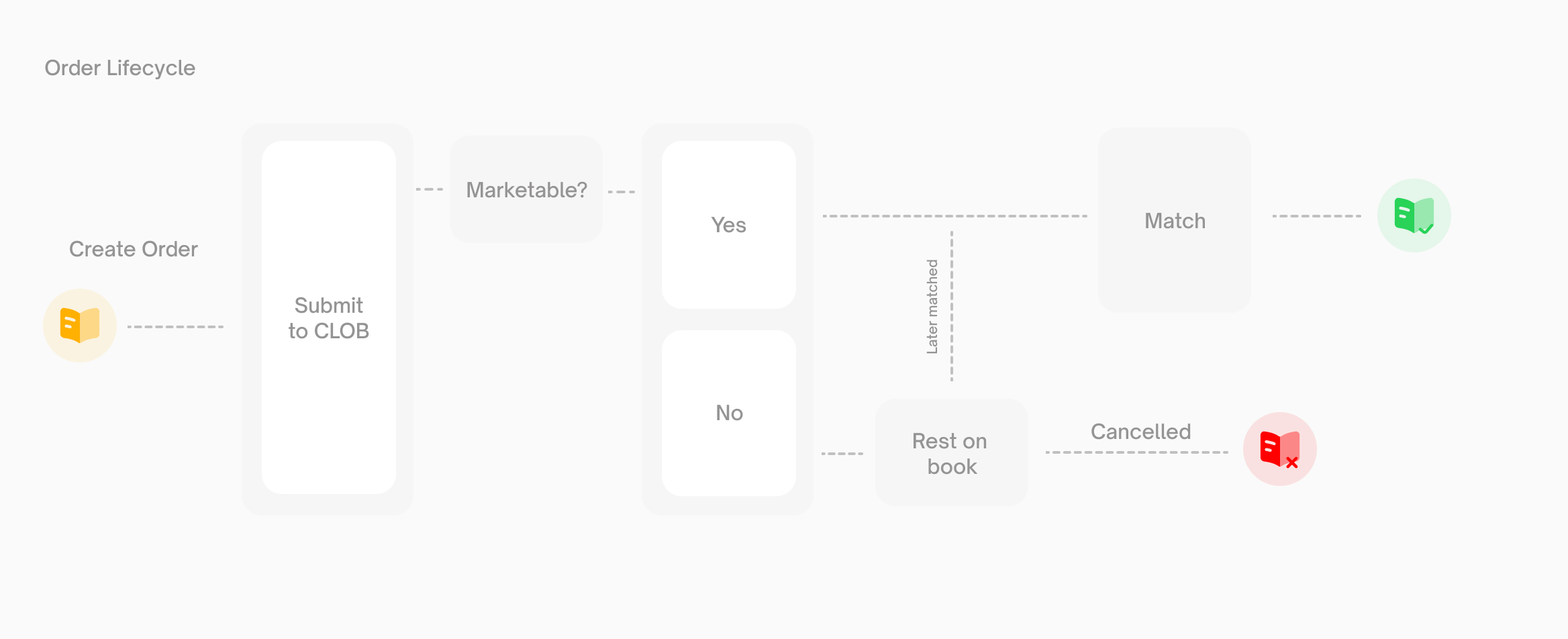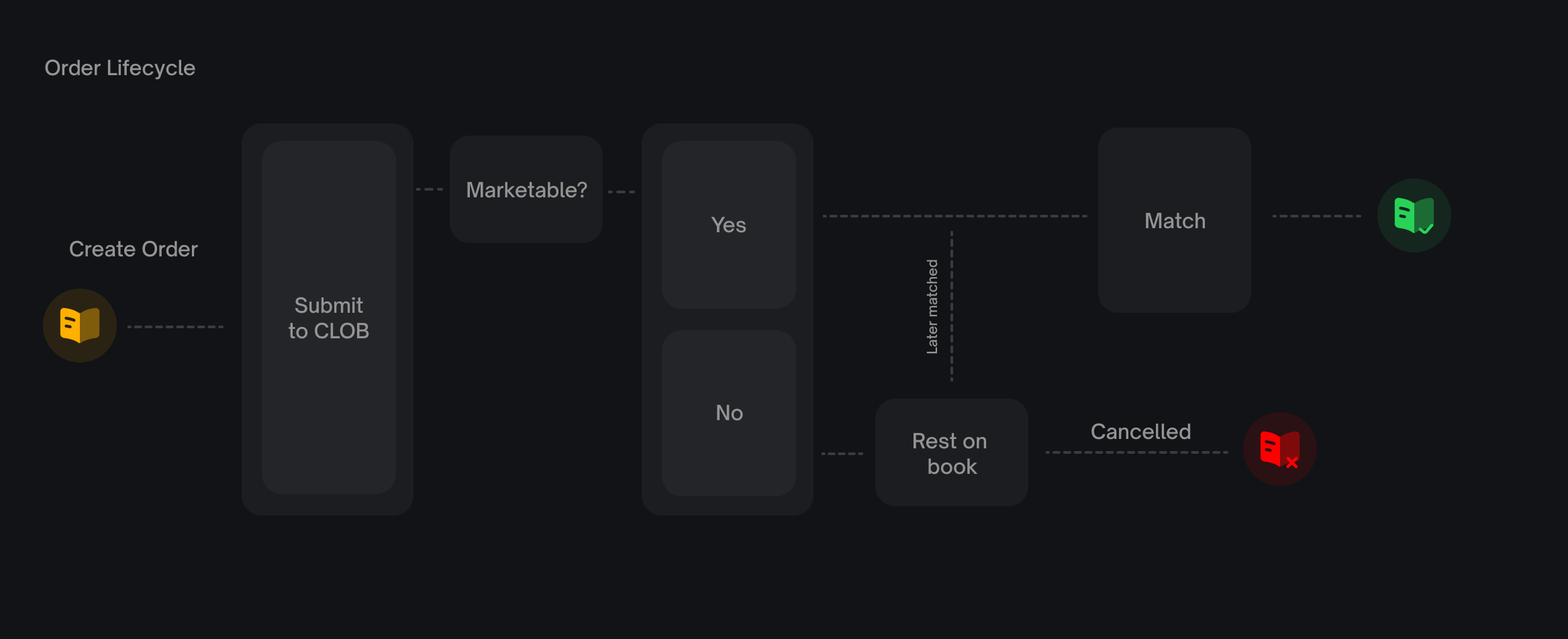
[](https://docs.polymarket.com/concepts/order-lifecycle#how-orders-work)
How Orders Work
--------------------------------------------------------------------------------------------
All orders on Polymarket are **limit orders**. A limit order specifies the price you’re willing to pay (or accept) and the quantity you want to trade.
“Market orders” are simply limit orders with a price set to execute immediately against the best available resting orders.
Orders are **EIP712-signed messages**. When you place an order, you sign a structured message with your private key. This signature authorizes the Exchange contract to execute the trade on your behalf—without ever taking custody of your funds.
[](https://docs.polymarket.com/concepts/order-lifecycle#order-types)
Order Types
------------------------------------------------------------------------------------
| Type | Behavior | Use Case |
| --- | --- | --- |
| **GTC** | Good Till Cancelled — rests on book until filled or cancelled | Standard limit orders |
| **GTD** | Good Till Date — auto-expires at specified time | Time-limited orders |
| **FOK** | Fill Or Kill — fill entirely or cancel immediately | All-or-nothing execution |
| **FAK** | Fill And Kill — fill what’s available, cancel the rest | Partial fills acceptable |
###
[](https://docs.polymarket.com/concepts/order-lifecycle#post-only-orders)
Post-Only Orders
Post-only orders will only rest on the book. If a post-only order would match immediately (cross the spread), it’s rejected instead of executed. This guarantees you’re always the maker, never the taker.
1
[](https://docs.polymarket.com/concepts/order-lifecycle#)
Create and Sign
Your client creates an order object containing:
* Token ID (which outcome you’re trading)
* Side (buy or sell)
* Price and size
* Expiration time
* Timestamp (in milliseconds, used for order uniqueness)
You sign this order with your private key, creating an EIP712 signature.
2
[](https://docs.polymarket.com/concepts/order-lifecycle#)
Submit to CLOB
The signed order is submitted to the Central Limit Order Book (CLOB) operator. The operator validates:
* Signature is valid
* You have sufficient balance
* You have set the required allowances
* Price meets minimum tick size requirements
3
[](https://docs.polymarket.com/concepts/order-lifecycle#)
Match or Rest
**If the order is marketable** (your buy price ≥ lowest ask, or your sell price ≤ highest bid), it matches immediately against resting orders.**If the order is not marketable**, it rests on the book waiting for a counterparty. It remains open until:
* Another order matches against it
* You cancel it
* It expires (GTD orders only)
4
[](https://docs.polymarket.com/concepts/order-lifecycle#)
Settlement
When orders match, the operator submits the trade to the blockchain. The Exchange contract:
* Verifies both signatures
* Transfers tokens from seller to buyer
* Transfers pUSD from buyer to seller
Settlement is **atomic**—either the entire trade succeeds or nothing happens.
5
[](https://docs.polymarket.com/concepts/order-lifecycle#)
Confirmation
The trade achieves finality on Polygon. Your token balances update and the trade appears in your history.
[](https://docs.polymarket.com/concepts/order-lifecycle#order-statuses)
Order Statuses
------------------------------------------------------------------------------------------
When you place an order, it receives one of these statuses:
| Status | Description |
| --- | --- |
| `live` | Order is resting on the book |
| `matched` | Order matched immediately |
| `delayed` | Marketable order subject to a 1-second matching delay (sports markets) |
| `unmatched` | Marketable order placed on the book after the delay expired without a match |
[](https://docs.polymarket.com/concepts/order-lifecycle#trade-statuses)
Trade Statuses
------------------------------------------------------------------------------------------
After matching, trades progress through these statuses:
| Status | Terminal | Description |
| --- | --- | --- |
| `MATCHED` | No | Trade matched, sent to executor for onchain submission |
| `MINED` | No | Transaction mined into the blockchain |
| `CONFIRMED` | Yes | Trade achieved finality, successful |
| `RETRYING` | No | Transaction failed, being retried |
| `FAILED` | Yes | Trade failed permanently |
[](https://docs.polymarket.com/concepts/order-lifecycle#maker-vs-taker)
Maker vs Taker
------------------------------------------------------------------------------------------
| Role | Description | When |
| --- | --- | --- |
| **Maker** | Adds liquidity to the book | Your order rests and is later matched |
| **Taker** | Removes liquidity from the book | Your order matches immediately against resting orders |
Price improvement always benefits the taker. If you place a buy order at `$0.55` and it matches against a resting sell at `$0.52`, you pay `$0.52`.
[](https://docs.polymarket.com/concepts/order-lifecycle#cancellation)
Cancellation
--------------------------------------------------------------------------------------
You can cancel orders at any time before they’re matched via the CLOB API. Partial fills cannot be cancelled—only the unfilled portion of an order can be cancelled.
[](https://docs.polymarket.com/concepts/order-lifecycle#requirements)
Requirements
--------------------------------------------------------------------------------------
Before placing orders, ensure:
| Requirement | Description |
| --- | --- |
| **Balance** | Sufficient pUSD (for buys) or tokens (for sells) |
| **Allowance** | Approve the Exchange contract to spend your assets |
| **API Credentials** | Valid API key for authenticated endpoints |
Order size is limited by your available balance minus any amounts reserved by existing open orders.maxOrderSize\=balance−∑(openOrderSize−filledAmount)\\text{maxOrderSize} = \\text{balance} - \\sum(\\text{openOrderSize} - \\text{filledAmount})maxOrderSize\=balance−∑(openOrderSize−filledAmount)
[](https://docs.polymarket.com/concepts/order-lifecycle#next-steps)
Next Steps
----------------------------------------------------------------------------------
Resolution
----------
Learn how markets are resolved and winning tokens redeemed.
Trading Guide
-------------
Start placing orders with our step-by-step guide.
Was this page helpful?
YesNo
[Polymarket USD\
\
Previous](https://docs.polymarket.com/concepts/pusd)
[Resolution\
\
Next](https://docs.polymarket.com/concepts/resolution)
⌘I
---
# Fetching Markets - Polymarket Documentation
[Skip to main content](https://docs.polymarket.com/market-data/fetching-markets#content-area)
[Polymarket Documentation home page](https://docs.polymarket.com/)

English
Search...
⌘K
Search...
Navigation
Market Data
Fetching Markets
[Documentation](https://docs.polymarket.com/)
[API Reference](https://docs.polymarket.com/api-reference/introduction)

##### Getting Started
* [Overview](https://docs.polymarket.com/)
* [Polymarket 101](https://docs.polymarket.com/polymarket-101)
* [Quickstart](https://docs.polymarket.com/quickstart)

##### Core Concepts
* [Markets & Events](https://docs.polymarket.com/concepts/markets-events)
* [Prices & Orderbook](https://docs.polymarket.com/concepts/prices-orderbook)
* [Positions & Tokens](https://docs.polymarket.com/concepts/positions-tokens)
* [Polymarket USD](https://docs.polymarket.com/concepts/pusd)
* [Order Lifecycle](https://docs.polymarket.com/concepts/order-lifecycle)
* [Resolution](https://docs.polymarket.com/concepts/resolution)

##### Market Data
* [Overview](https://docs.polymarket.com/market-data/overview)
* [Fetching Markets](https://docs.polymarket.com/market-data/fetching-markets)

##### Trading
* [Overview](https://docs.polymarket.com/trading/overview)
* [Quickstart](https://docs.polymarket.com/trading/quickstart)
* [Orderbook](https://docs.polymarket.com/trading/orderbook)
* Orders
* Client Reference
* [Fees](https://docs.polymarket.com/trading/fees)
* [Gasless Transactions](https://docs.polymarket.com/trading/gasless)
* [Negative Risk Markets](https://docs.polymarket.com/advanced/neg-risk)
* [Matching Engine Restarts](https://docs.polymarket.com/trading/matching-engine)
* CTF Tokens
* WebSocket
* Bridge

##### Market Makers
* [Overview](https://docs.polymarket.com/market-makers/overview)
* [Getting Started](https://docs.polymarket.com/market-makers/getting-started)
* [Maker Rebates Program](https://docs.polymarket.com/market-makers/maker-rebates)
* [Liquidity Rewards](https://docs.polymarket.com/market-makers/liquidity-rewards)
* Operations

##### Builder Program
* [Builder Program](https://docs.polymarket.com/builders/overview)
* [Builder Code](https://docs.polymarket.com/builders/api-keys)
* [Builder Fees](https://docs.polymarket.com/builders/fees)
* [Tiers](https://docs.polymarket.com/builders/tiers)

##### Resources
* [Referral Program](https://docs.polymarket.com/resources/referral-program)
* [Contracts](https://docs.polymarket.com/resources/contracts)
* [Data Resources](https://docs.polymarket.com/resources/blockchain-data)
* [Error Codes](https://docs.polymarket.com/resources/error-codes)
On this page
* [Fetch by Slug](https://docs.polymarket.com/market-data/fetching-markets#fetch-by-slug)
* [How to Extract the Slug](https://docs.polymarket.com/market-data/fetching-markets#how-to-extract-the-slug)
* [Examples](https://docs.polymarket.com/market-data/fetching-markets#examples)
* [Fetch by Tags](https://docs.polymarket.com/market-data/fetching-markets#fetch-by-tags)
* [Discover Available Tags](https://docs.polymarket.com/market-data/fetching-markets#discover-available-tags)
* [Filter by Tag](https://docs.polymarket.com/market-data/fetching-markets#filter-by-tag)
* [Additional Tag Filtering](https://docs.polymarket.com/market-data/fetching-markets#additional-tag-filtering)
* [Fetch All Active Markets](https://docs.polymarket.com/market-data/fetching-markets#fetch-all-active-markets)
* [Key Parameters](https://docs.polymarket.com/market-data/fetching-markets#key-parameters)
* [Pagination](https://docs.polymarket.com/market-data/fetching-markets#pagination)
* [Best Practices](https://docs.polymarket.com/market-data/fetching-markets#best-practices)
* [Next Steps](https://docs.polymarket.com/market-data/fetching-markets#next-steps)
Both the events and markets endpoints are paginated. See [pagination](https://docs.polymarket.com/market-data/fetching-markets#pagination)
for details.
There are three main strategies for retrieving market data, each optimized for different use cases:
1. **By Slug** — Best for fetching specific individual markets or events
2. **By Tags** — Ideal for filtering markets by category or sport
3. **Via Events Endpoint** — Most efficient for retrieving all active markets
* * *
[](https://docs.polymarket.com/market-data/fetching-markets#fetch-by-slug)
Fetch by Slug
--------------------------------------------------------------------------------------------
**Use case:** When you need to retrieve a specific market or event that you already know about. Individual markets and events are best fetched using their unique slug identifier. The slug can be found directly in the Polymarket frontend URL.
###
[](https://docs.polymarket.com/market-data/fetching-markets#how-to-extract-the-slug)
How to Extract the Slug
From any Polymarket URL, the slug is the path segment after `/event/`:
https://polymarket.com/event/fed-decision-in-october
↑
Slug: fed-decision-in-october
###
[](https://docs.polymarket.com/market-data/fetching-markets#examples)
Examples
# Fetch an event by slug (query parameter)
curl "https://gamma-api.polymarket.com/events?slug=fed-decision-in-october"
# Or use the path endpoint
curl "https://gamma-api.polymarket.com/events/slug/fed-decision-in-october"
# Fetch a market by slug (query parameter)
curl "https://gamma-api.polymarket.com/markets?slug=fed-decision-in-october"
# Or use the path endpoint
curl "https://gamma-api.polymarket.com/markets/slug/fed-decision-in-october"
* * *
[](https://docs.polymarket.com/market-data/fetching-markets#fetch-by-tags)
Fetch by Tags
--------------------------------------------------------------------------------------------
**Use case:** When you want to filter markets by category, sport, or topic. Tags provide a way to categorize and filter markets. You can discover available tags and then use them to filter your requests.
###
[](https://docs.polymarket.com/market-data/fetching-markets#discover-available-tags)
Discover Available Tags
**General tags:** `GET /tags` (Gamma API) **Sports tags and metadata:** `GET /sports` (Gamma API) The `/sports` endpoint returns metadata for sports including tag IDs, images, resolution sources, and series information.
###
[](https://docs.polymarket.com/market-data/fetching-markets#filter-by-tag)
Filter by Tag
Once you have tag IDs, use the `tag_id` parameter in both events and markets endpoints:
# Fetch events for a specific tag
curl "https://gamma-api.polymarket.com/events?tag_id=100381&limit=10&active=true&closed=false"
###
[](https://docs.polymarket.com/market-data/fetching-markets#additional-tag-filtering)
Additional Tag Filtering
You can also:
* Use `related_tags=true` to include related tag markets
* Exclude specific tags with `exclude_tag_id`
# Include related tags
curl "https://gamma-api.polymarket.com/events?tag_id=100381&related_tags=true&active=true&closed=false"
* * *
[](https://docs.polymarket.com/market-data/fetching-markets#fetch-all-active-markets)
Fetch All Active Markets
------------------------------------------------------------------------------------------------------------------
**Use case:** When you need to retrieve all available active markets, typically for broader analysis or market discovery. The most efficient approach is to use the events endpoint with `active=true&closed=false`, as events contain their associated markets.
curl "https://gamma-api.polymarket.com/events?active=true&closed=false&limit=100"
###
[](https://docs.polymarket.com/market-data/fetching-markets#key-parameters)
Key Parameters
| Parameter | Description |
| --- | --- |
| `order` | Field to order by (`volume_24hr`, `volume`, `liquidity`, `start_date`, `end_date`, `competitive`, `closed_time`) |
| `ascending` | Sort direction (`true` for ascending, `false` for descending). Default: `false` |
| `active` | Filter by active status (`true` for live tradable events) |
| `closed` | Filter by closed status. Default: `false` |
| `limit` | Results per page |
| `offset` | Number of results to skip for pagination |
# Get the highest volume active events
curl "https://gamma-api.polymarket.com/events?active=true&closed=false&order=volume_24hr&ascending=false&limit=100"
* * *
[](https://docs.polymarket.com/market-data/fetching-markets#pagination)
Pagination
--------------------------------------------------------------------------------------
All list endpoints return paginated responses with `limit` and `offset` parameters:
# Page 1: First 50 results
curl "https://gamma-api.polymarket.com/events?active=true&closed=false&limit=50&offset=0"
# Page 2: Next 50 results
curl "https://gamma-api.polymarket.com/events?active=true&closed=false&limit=50&offset=50"
# Page 3: Next 50 results
curl "https://gamma-api.polymarket.com/events?active=true&closed=false&limit=50&offset=100"
* * *
[](https://docs.polymarket.com/market-data/fetching-markets#best-practices)
Best Practices
----------------------------------------------------------------------------------------------
1. **For individual markets:** Use the slug method for direct lookups
2. **For category browsing:** Use tag filtering to reduce API calls
3. **For complete market discovery:** Use the events endpoint with pagination
4. **Always include `active=true`** when fetching live markets. The `closed` parameter now defaults to `false`, so closed markets are excluded automatically — pass `closed=true` only if you need historical data
5. **Use the events endpoint** and work backwards — events contain their associated markets, reducing the number of API calls needed
* * *
[](https://docs.polymarket.com/market-data/fetching-markets#next-steps)
Next Steps
--------------------------------------------------------------------------------------
API Reference
-------------
Full endpoint documentation with parameters and response schemas.
Was this page helpful?
YesNo
[Overview\
\
Previous](https://docs.polymarket.com/market-data/overview)
[Overview\
\
Next](https://docs.polymarket.com/trading/overview)
⌘I
---
# Resolution - Polymarket Documentation
[Skip to main content](https://docs.polymarket.com/concepts/resolution#content-area)
[Polymarket Documentation home page](https://docs.polymarket.com/)

English
Search...
⌘K
Search...
Navigation
Core Concepts
Resolution
[Documentation](https://docs.polymarket.com/)
[API Reference](https://docs.polymarket.com/api-reference/introduction)

##### Getting Started
* [Overview](https://docs.polymarket.com/)
* [Polymarket 101](https://docs.polymarket.com/polymarket-101)
* [Quickstart](https://docs.polymarket.com/quickstart)

##### Core Concepts
* [Markets & Events](https://docs.polymarket.com/concepts/markets-events)
* [Prices & Orderbook](https://docs.polymarket.com/concepts/prices-orderbook)
* [Positions & Tokens](https://docs.polymarket.com/concepts/positions-tokens)
* [Polymarket USD](https://docs.polymarket.com/concepts/pusd)
* [Order Lifecycle](https://docs.polymarket.com/concepts/order-lifecycle)
* [Resolution](https://docs.polymarket.com/concepts/resolution)

##### Market Data
* [Overview](https://docs.polymarket.com/market-data/overview)
* [Fetching Markets](https://docs.polymarket.com/market-data/fetching-markets)

##### Trading
* [Overview](https://docs.polymarket.com/trading/overview)
* [Quickstart](https://docs.polymarket.com/trading/quickstart)
* [Orderbook](https://docs.polymarket.com/trading/orderbook)
* Orders
* Client Reference
* [Fees](https://docs.polymarket.com/trading/fees)
* [Gasless Transactions](https://docs.polymarket.com/trading/gasless)
* [Negative Risk Markets](https://docs.polymarket.com/advanced/neg-risk)
* [Matching Engine Restarts](https://docs.polymarket.com/trading/matching-engine)
* CTF Tokens
* WebSocket
* Bridge

##### Market Makers
* [Overview](https://docs.polymarket.com/market-makers/overview)
* [Getting Started](https://docs.polymarket.com/market-makers/getting-started)
* [Maker Rebates Program](https://docs.polymarket.com/market-makers/maker-rebates)
* [Liquidity Rewards](https://docs.polymarket.com/market-makers/liquidity-rewards)
* Operations

##### Builder Program
* [Builder Program](https://docs.polymarket.com/builders/overview)
* [Builder Code](https://docs.polymarket.com/builders/api-keys)
* [Builder Fees](https://docs.polymarket.com/builders/fees)
* [Tiers](https://docs.polymarket.com/builders/tiers)

##### Resources
* [Referral Program](https://docs.polymarket.com/resources/referral-program)
* [Contracts](https://docs.polymarket.com/resources/contracts)
* [Data Resources](https://docs.polymarket.com/resources/blockchain-data)
* [Error Codes](https://docs.polymarket.com/resources/error-codes)
On this page
* [Resolution Rules](https://docs.polymarket.com/concepts/resolution#resolution-rules)
* [After Resolution](https://docs.polymarket.com/concepts/resolution#after-resolution)
* [Redeeming Tokens](https://docs.polymarket.com/concepts/resolution#redeeming-tokens)
* [Clarifications](https://docs.polymarket.com/concepts/resolution#clarifications)
* [Resolution Timeline](https://docs.polymarket.com/concepts/resolution#resolution-timeline)
* [Contract Addresses](https://docs.polymarket.com/concepts/resolution#contract-addresses)
* [Resources](https://docs.polymarket.com/concepts/resolution#resources)
* [Next Steps](https://docs.polymarket.com/concepts/resolution#next-steps)
When the outcome of an event becomes known, the market is **resolved**. Resolution determines which outcome won, allowing holders of winning tokens to redeem them for $1 each. Losing tokens become worthless. Polymarket uses the **UMA Optimistic Oracle** for decentralized, permissionless resolution. Anyone can propose an outcome, and anyone can dispute it if they believe it’s incorrect.
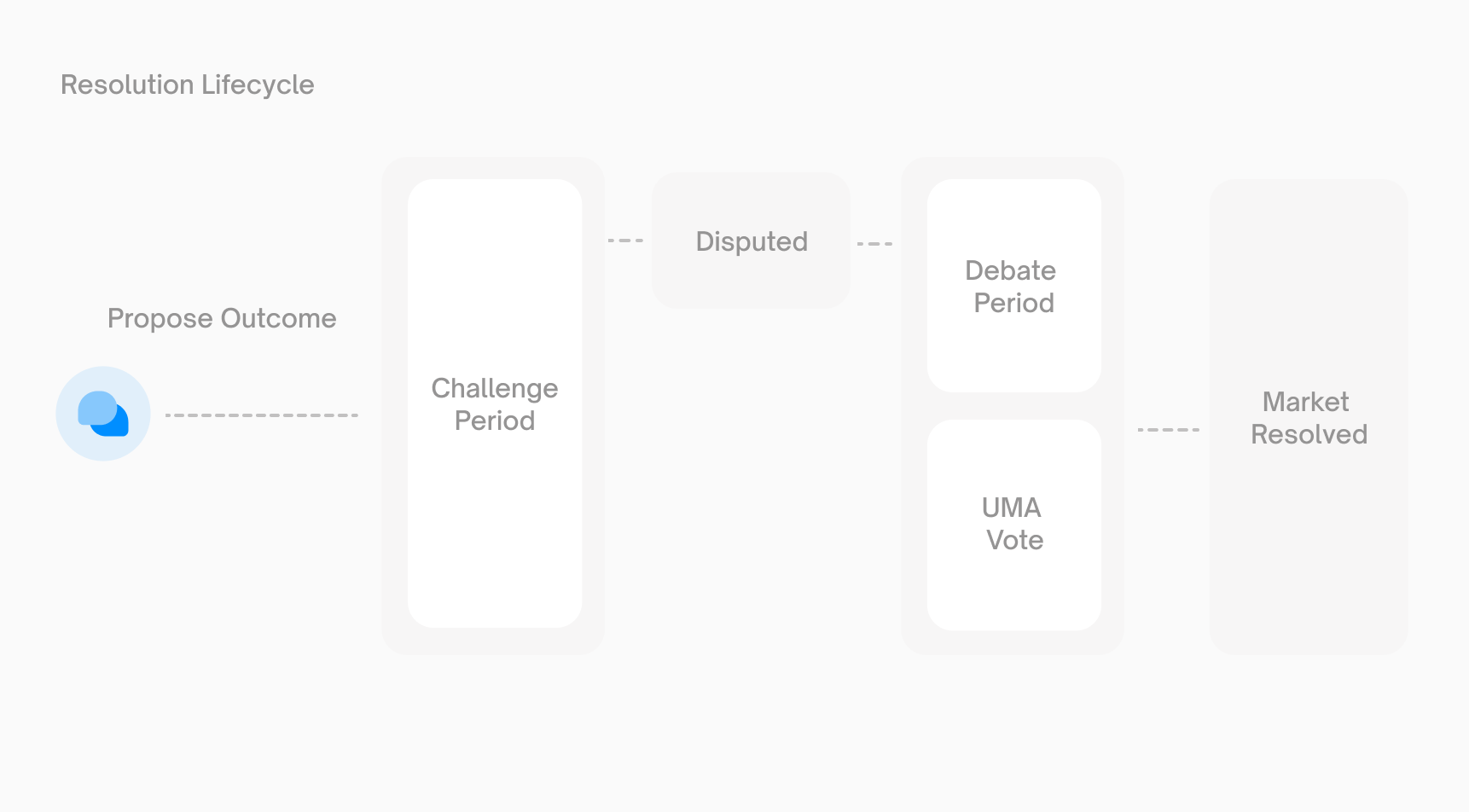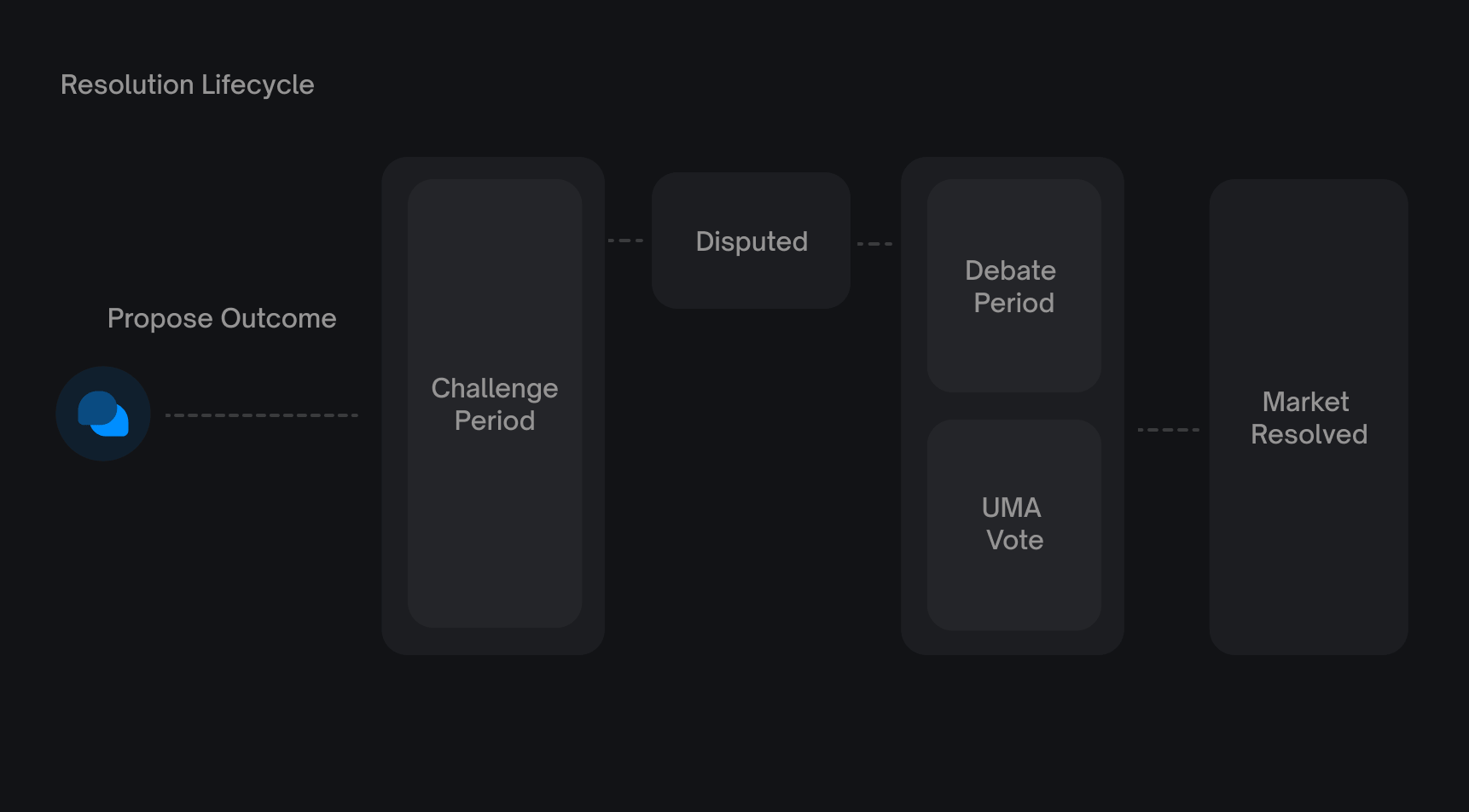
[](https://docs.polymarket.com/concepts/resolution#resolution-rules)
Resolution Rules
-----------------------------------------------------------------------------------------
Every market has pre-defined resolution rules that specify:
* **Resolution source** — Where the outcome will be determined from (e.g., official announcements, specific websites)
* **End date** — When the market is eligible for resolution
* **Edge cases** — How ambiguous situations should be handled
Always read the resolution rules before trading. The market title describes the question, but the **rules** define how it resolves.
1
[](https://docs.polymarket.com/concepts/resolution#)
Proposal
Anyone can propose a resolution by:
1. Selecting the winning outcome
2. Posting a bond (typically $750 pUSD)
3. Submitting the proposal to the UMA Oracle
If the proposal is correct and undisputed, the proposer receives their bond back plus a reward.
If you propose incorrectly or too early, you lose your entire bond. Only propose if you’re confident in the outcome and understand the process.
2
[](https://docs.polymarket.com/concepts/resolution#)
Challenge Period
After a proposal, there’s a **2-hour challenge period** where anyone can dispute the outcome.
* **If no dispute**: The proposal is accepted and the market resolves
* **If disputed**: A new proposal round begins. If the second proposal is also disputed, the resolution escalates to UMA’s DVM (Data Verification Mechanism) for a token holder vote.
There are three possible resolution flows:
1. **No dispute** — Propose then Resolve (fastest, ~2 hours)
2. **One dispute** — Propose, Challenge, second Propose, Resolve (second proposal accepted)
3. **Two disputes** — Propose, Challenge, second Propose, second Challenge, Resolve via DVM vote
3
[](https://docs.polymarket.com/concepts/resolution#)
Dispute - If Challenged
To dispute a proposal:
1. Post a counter-bond (same amount as proposer, typically $750)
2. The dispute triggers a new proposal round, or if already in the second round, a debate period
During the **24-48 hour debate period**, evidence can be submitted in UMA’s Discord channels (`#evidence-rationale` and `#voting-discussion`).
4
[](https://docs.polymarket.com/concepts/resolution#)
UMA Vote
After the debate period, UMA token holders vote on the correct outcome. The voting process takes approximately 48 hours.
| Outcome | Result | Bond Distribution |
| --- | --- | --- |
| **Proposer wins** | Original proposal accepted | Proposer gets bond back + half of disputer’s bond |
| **Disputer wins** | Proposal rejected, new proposal needed | Disputer gets bond back + half of proposer’s bond |
| **Too Early** | Event hasn’t concluded yet | Disputer gets bond back + half of proposer’s bond |
| **Unknown/50-50** | Neither outcome applicable (rare) | Market resolves 50/50 — each token redeems for $0.50; disputer gets bond back + half of proposer’s bond |
[](https://docs.polymarket.com/concepts/resolution#after-resolution)
After Resolution
-----------------------------------------------------------------------------------------
Once a market resolves:
* **Trading stops** — You can no longer buy or sell tokens for this market
* **Winning tokens** become redeemable for $1.00 each
* **Losing tokens** become worthless ($0.00)
###
[](https://docs.polymarket.com/concepts/resolution#redeeming-tokens)
Redeeming Tokens
After resolution, call the `redeemPositions` function on the CTF contract to exchange winning tokens for pUSD. The contract burns your tokens and returns the corresponding collateral.
100 winning tokens → $100 pUSD
[](https://docs.polymarket.com/concepts/resolution#clarifications)
Clarifications
-------------------------------------------------------------------------------------
In rare cases, unforeseen circumstances require clarification of the rules after trading begins. Polymarket may issue an **“Additional context”** update that proposers and voters should consider during resolution. Clarifications:
* Cannot change the fundamental intent of the question
* Are published onchain via the bulletin board contract
* Should be considered by UMA voters when resolving disputes
If you believe a clarification is needed, request it in the [Polymarket Discord](https://discord.com/invite/polymarket)
`#market-review` channel.
[](https://docs.polymarket.com/concepts/resolution#resolution-timeline)
Resolution Timeline
-----------------------------------------------------------------------------------------------
| Phase | Duration |
| --- | --- |
| Challenge period | 2 hours |
| Debate period (if disputed) | 24-48 hours |
| UMA voting (if disputed) | ~48 hours |
**Undisputed resolution**: ~2 hours after proposal **Disputed resolution**: 4-6 days total
[](https://docs.polymarket.com/concepts/resolution#contract-addresses)
Contract Addresses
---------------------------------------------------------------------------------------------
| Contract | Address | Network |
| --- | --- | --- |
| **UmaCtfAdapter v3.0** | `0x157Ce2d672854c848c9b79C49a8Cc6cc89176a49` | Polygon Mainnet |
| **UmaCtfAdapter v2.0** | `0x6A9D222616C90FcA5754cd1333cFD9b7fb6a4F74` | Polygon Mainnet |
| **UmaCtfAdapter v1.0** | `0xCB1822859cEF82Cd2Eb4E6276C7916e692995130` | Polygon Mainnet |
[](https://docs.polymarket.com/concepts/resolution#resources)
Resources
---------------------------------------------------------------------------
* [UMA Oracle Portal](https://oracle.uma.xyz/)
— View and interact with proposals
* [UMA Documentation](https://docs.uma.xyz/)
— Learn more about the Optimistic Oracle
* [Polymarket Discord](https://discord.com/invite/polymarket)
— Discuss resolutions and request clarifications
* [UmaCtfAdapter Source Code](https://github.com/Polymarket/uma-ctf-adapter)
— Smart contract source
* [UmaCtfAdapter Audit](https://github.com/Polymarket/uma-ctf-adapter/blob/main/audit/Polymarket_UMA_Optimistic_Oracle_Adapter_Audit.pdf)
— Security audit report
[](https://docs.polymarket.com/concepts/resolution#next-steps)
Next Steps
-----------------------------------------------------------------------------
Positions & Tokens
------------------
Learn how to redeem winning tokens after resolution.
Markets & Events
----------------
Understand how markets are structured.
Was this page helpful?
YesNo
[Order Lifecycle\
\
Previous](https://docs.polymarket.com/concepts/order-lifecycle)
[Overview\
\
Next](https://docs.polymarket.com/market-data/overview)
⌘I
---
# Overview - Polymarket Documentation
[Skip to main content](https://docs.polymarket.com/market-data/overview#content-area)
[Polymarket Documentation home page](https://docs.polymarket.com/)

English
Search...
⌘K
Search...
Navigation
Market Data
Overview
[Documentation](https://docs.polymarket.com/)
[API Reference](https://docs.polymarket.com/api-reference/introduction)

##### Getting Started
* [Overview](https://docs.polymarket.com/)
* [Polymarket 101](https://docs.polymarket.com/polymarket-101)
* [Quickstart](https://docs.polymarket.com/quickstart)

##### Core Concepts
* [Markets & Events](https://docs.polymarket.com/concepts/markets-events)
* [Prices & Orderbook](https://docs.polymarket.com/concepts/prices-orderbook)
* [Positions & Tokens](https://docs.polymarket.com/concepts/positions-tokens)
* [Polymarket USD](https://docs.polymarket.com/concepts/pusd)
* [Order Lifecycle](https://docs.polymarket.com/concepts/order-lifecycle)
* [Resolution](https://docs.polymarket.com/concepts/resolution)

##### Market Data
* [Overview](https://docs.polymarket.com/market-data/overview)
* [Fetching Markets](https://docs.polymarket.com/market-data/fetching-markets)

##### Trading
* [Overview](https://docs.polymarket.com/trading/overview)
* [Quickstart](https://docs.polymarket.com/trading/quickstart)
* [Orderbook](https://docs.polymarket.com/trading/orderbook)
* Orders
* Client Reference
* [Fees](https://docs.polymarket.com/trading/fees)
* [Gasless Transactions](https://docs.polymarket.com/trading/gasless)
* [Negative Risk Markets](https://docs.polymarket.com/advanced/neg-risk)
* [Matching Engine Restarts](https://docs.polymarket.com/trading/matching-engine)
* CTF Tokens
* WebSocket
* Bridge

##### Market Makers
* [Overview](https://docs.polymarket.com/market-makers/overview)
* [Getting Started](https://docs.polymarket.com/market-makers/getting-started)
* [Maker Rebates Program](https://docs.polymarket.com/market-makers/maker-rebates)
* [Liquidity Rewards](https://docs.polymarket.com/market-makers/liquidity-rewards)
* Operations

##### Builder Program
* [Builder Program](https://docs.polymarket.com/builders/overview)
* [Builder Code](https://docs.polymarket.com/builders/api-keys)
* [Builder Fees](https://docs.polymarket.com/builders/fees)
* [Tiers](https://docs.polymarket.com/builders/tiers)

##### Resources
* [Referral Program](https://docs.polymarket.com/resources/referral-program)
* [Contracts](https://docs.polymarket.com/resources/contracts)
* [Data Resources](https://docs.polymarket.com/resources/blockchain-data)
* [Error Codes](https://docs.polymarket.com/resources/error-codes)
On this page
* [Data Model](https://docs.polymarket.com/market-data/overview#data-model)
* [Single-Market Events vs Multi-Market Events](https://docs.polymarket.com/market-data/overview#single-market-events-vs-multi-market-events)
* [Outcomes and Prices](https://docs.polymarket.com/market-data/overview#outcomes-and-prices)
* [Available Data](https://docs.polymarket.com/market-data/overview#available-data)
* [Gamma API - Events Markets and Discovery](https://docs.polymarket.com/market-data/overview#gamma-api-events-markets-and-discovery)
* [CLOB API - Prices and Orderbooks](https://docs.polymarket.com/market-data/overview#clob-api-prices-and-orderbooks)
* [Data API - Positions Trades and Analytics](https://docs.polymarket.com/market-data/overview#data-api-positions-trades-and-analytics)
* [Next Steps](https://docs.polymarket.com/market-data/overview#next-steps)
All market data is available through public REST endpoints. No API key, no authentication, no wallet required.
curl "https://gamma-api.polymarket.com/events?limit=5"
* * *
[](https://docs.polymarket.com/market-data/overview#data-model)
Data Model
------------------------------------------------------------------------------
Polymarket structures data using two organizational models. The most fundamental element is always markets—events simply provide additional organization.
1
[](https://docs.polymarket.com/market-data/overview#)
Event
A top-level object representing a question (e.g., “Who will win the 2024 Presidential Election?”). Contains one or more markets.
2
[](https://docs.polymarket.com/market-data/overview#)
Market
A specific tradable binary outcome within an event. Maps to a pair of CLOB token IDs, a market address, a question ID, and a condition ID.
###
[](https://docs.polymarket.com/market-data/overview#single-market-events-vs-multi-market-events)
Single-Market Events vs Multi-Market Events
| Type | Example |
| --- | --- |
| Single-market event | ”Will Bitcoin reach $100k?” → 1 market (Yes/No) |
| Multi-market event | ”Where will Barron Trump attend College?” → Markets for Georgetown, NYU, UPenn, Harvard, Other |
###
[](https://docs.polymarket.com/market-data/overview#outcomes-and-prices)
Outcomes and Prices
Each market has `outcomes` and `outcomePrices` arrays that map 1:1. Prices represent implied probabilities:
{
"outcomes": "[\"Yes\", \"No\"]",
"outcomePrices": "[\"0.20\", \"0.80\"]"
}
// Index 0: "Yes" → 0.20 (20% probability)
// Index 1: "No" → 0.80 (80% probability)
Markets can be traded via the CLOB if `enableOrderBook` is `true`.
* * *
[](https://docs.polymarket.com/market-data/overview#available-data)
Available Data
--------------------------------------------------------------------------------------
Endpoints are split across three APIs. See the [API Reference](https://docs.polymarket.com/api-reference/introduction)
for full endpoint documentation with parameters and response schemas.
###
[](https://docs.polymarket.com/market-data/overview#gamma-api-events-markets-and-discovery)
Gamma API - Events Markets and Discovery
| Endpoint | Description |
| --- | --- |
| `GET /events` | List events with filtering and pagination |
| `GET /events/{id}` | Get a single event by ID |
| `GET /markets` | List markets with filtering and pagination |
| `GET /markets/{id}` | Get a single market by ID |
| `GET /public-search` | Search across events, markets, and profiles |
| `GET /tags` | Ranked tags/categories |
| `GET /series` | Series (grouped events) |
| `GET /sports` | Sports metadata |
| `GET /teams` | Teams |
###
[](https://docs.polymarket.com/market-data/overview#clob-api-prices-and-orderbooks)
CLOB API - Prices and Orderbooks
| Endpoint | Description |
| --- | --- |
| `GET /price` | Price for a single token |
| `GET /prices` | Prices for multiple tokens |
| `GET /book` | Order book for a token |
| `POST /books` | Order books for multiple tokens |
| `GET /prices-history` | Historical price data for a token |
| `GET /midpoint` | Midpoint price for a token |
| `GET /spread` | Spread for a token |
###
[](https://docs.polymarket.com/market-data/overview#data-api-positions-trades-and-analytics)
Data API - Positions Trades and Analytics
| Endpoint | Description |
| --- | --- |
| `GET /positions?user={address}` | Current positions for a user |
| `GET /closed-positions?user={address}` | Closed positions for a user |
| `GET /activity?user={address}` | Onchain activity for a user |
| `GET /value?user={address}` | Total position value |
| `GET /oi` | Open interest for a market |
| `GET /holders` | Top holders of a market |
| `GET /trades` | Trade history |
* * *
[](https://docs.polymarket.com/market-data/overview#next-steps)
Next Steps
------------------------------------------------------------------------------
Fetching Markets
----------------
Three strategies for discovering and querying markets.
API Reference
-------------
Full endpoint documentation with parameters and response schemas.
Was this page helpful?
YesNo
[Resolution\
\
Previous](https://docs.polymarket.com/concepts/resolution)
[Fetching Markets\
\
Next](https://docs.polymarket.com/market-data/fetching-markets)
⌘I
---
# Orderbook - Polymarket Documentation
[Skip to main content](https://docs.polymarket.com/trading/orderbook#content-area)
[Polymarket Documentation home page](https://docs.polymarket.com/)

English
Search...
⌘K
Search...
Navigation
Trading
Orderbook
[Documentation](https://docs.polymarket.com/)
[API Reference](https://docs.polymarket.com/api-reference/introduction)

##### Getting Started
* [Overview](https://docs.polymarket.com/)
* [Polymarket 101](https://docs.polymarket.com/polymarket-101)
* [Quickstart](https://docs.polymarket.com/quickstart)

##### Core Concepts
* [Markets & Events](https://docs.polymarket.com/concepts/markets-events)
* [Prices & Orderbook](https://docs.polymarket.com/concepts/prices-orderbook)
* [Positions & Tokens](https://docs.polymarket.com/concepts/positions-tokens)
* [Polymarket USD](https://docs.polymarket.com/concepts/pusd)
* [Order Lifecycle](https://docs.polymarket.com/concepts/order-lifecycle)
* [Resolution](https://docs.polymarket.com/concepts/resolution)

##### Market Data
* [Overview](https://docs.polymarket.com/market-data/overview)
* [Fetching Markets](https://docs.polymarket.com/market-data/fetching-markets)

##### Trading
* [Overview](https://docs.polymarket.com/trading/overview)
* [Quickstart](https://docs.polymarket.com/trading/quickstart)
* [Orderbook](https://docs.polymarket.com/trading/orderbook)
* Orders
* Client Reference
* [Fees](https://docs.polymarket.com/trading/fees)
* [Gasless Transactions](https://docs.polymarket.com/trading/gasless)
* [Negative Risk Markets](https://docs.polymarket.com/advanced/neg-risk)
* [Matching Engine Restarts](https://docs.polymarket.com/trading/matching-engine)
* CTF Tokens
* WebSocket
* Bridge

##### Market Makers
* [Overview](https://docs.polymarket.com/market-makers/overview)
* [Getting Started](https://docs.polymarket.com/market-makers/getting-started)
* [Maker Rebates Program](https://docs.polymarket.com/market-makers/maker-rebates)
* [Liquidity Rewards](https://docs.polymarket.com/market-makers/liquidity-rewards)
* Operations

##### Builder Program
* [Builder Program](https://docs.polymarket.com/builders/overview)
* [Builder Code](https://docs.polymarket.com/builders/api-keys)
* [Builder Fees](https://docs.polymarket.com/builders/fees)
* [Tiers](https://docs.polymarket.com/builders/tiers)

##### Resources
* [Referral Program](https://docs.polymarket.com/resources/referral-program)
* [Contracts](https://docs.polymarket.com/resources/contracts)
* [Data Resources](https://docs.polymarket.com/resources/blockchain-data)
* [Error Codes](https://docs.polymarket.com/resources/error-codes)
On this page
* [Get the Orderbook](https://docs.polymarket.com/trading/orderbook#get-the-orderbook)
* [Response](https://docs.polymarket.com/trading/orderbook#response)
* [Prices](https://docs.polymarket.com/trading/orderbook#prices)
* [Midpoints](https://docs.polymarket.com/trading/orderbook#midpoints)
* [Spreads](https://docs.polymarket.com/trading/orderbook#spreads)
* [Price History](https://docs.polymarket.com/trading/orderbook#price-history)
* [Estimate Fill Price](https://docs.polymarket.com/trading/orderbook#estimate-fill-price)
* [Batch Requests](https://docs.polymarket.com/trading/orderbook#batch-requests)
* [Last Trade Price](https://docs.polymarket.com/trading/orderbook#last-trade-price)
* [Real-Time Updates](https://docs.polymarket.com/trading/orderbook#real-time-updates)
* [Connecting](https://docs.polymarket.com/trading/orderbook#connecting)
* [Dynamic Subscribe and Unsubscribe](https://docs.polymarket.com/trading/orderbook#dynamic-subscribe-and-unsubscribe)
* [Event Types](https://docs.polymarket.com/trading/orderbook#event-types)
* [Next Steps](https://docs.polymarket.com/trading/orderbook#next-steps)
The orderbook is a public endpoint — no authentication required. You can read prices and liquidity using the SDK or REST API directly.
TypeScript
Python
Rust
REST
import { ClobClient } from "@polymarket/clob-client-v2";
const client = new ClobClient({ host: "https://clob.polymarket.com", chain: 137 });
* * *
[](https://docs.polymarket.com/trading/orderbook#get-the-orderbook)
Get the Orderbook
-----------------------------------------------------------------------------------------
Fetch the full orderbook for a token, including all resting bid and ask levels:
TypeScript
Python
Rust
REST
const book = await client.getOrderBook("TOKEN_ID");
console.log("Best bid:", book.bids[0]);
console.log("Best ask:", book.asks[0]);
console.log("Tick size:", book.tick_size);
###
[](https://docs.polymarket.com/trading/orderbook#response)
Response
{
"market": "0xbd31dc8a...",
"asset_id": "52114319501245...",
"timestamp": "2023-10-21T08:00:00Z",
"bids": [\
{ "price": "0.48", "size": "1000" },\
{ "price": "0.47", "size": "2500" }\
],
"asks": [\
{ "price": "0.52", "size": "800" },\
{ "price": "0.53", "size": "1500" }\
],
"min_order_size": "5",
"tick_size": "0.01",
"neg_risk": false,
"hash": "0xabc123..."
}
| Field | Description |
| --- | --- |
| `market` | Condition ID of the market |
| `asset_id` | Token ID |
| `bids` | Buy orders sorted by price (highest first) |
| `asks` | Sell orders sorted by price (lowest first) |
| `tick_size` | Minimum price increment for this market |
| `min_order_size` | Minimum order size for this market |
| `neg_risk` | Whether this is a multi-outcome (neg risk) market |
| `hash` | Hash of the orderbook state — use to detect changes |
* * *
[](https://docs.polymarket.com/trading/orderbook#prices)
Prices
-------------------------------------------------------------------
Get the best available price for buying or selling a token:
TypeScript
Python
Rust
REST
const buyPrice = await client.getPrice("TOKEN_ID", "BUY");
console.log("Best ask:", buyPrice.price); // Price you'd pay to buy
const sellPrice = await client.getPrice("TOKEN_ID", "SELL");
console.log("Best bid:", sellPrice.price); // Price you'd receive to sell
* * *
[](https://docs.polymarket.com/trading/orderbook#midpoints)
Midpoints
-------------------------------------------------------------------------
The midpoint is the average of the best bid and best ask. This is the price displayed on Polymarket as the market’s implied probability.
TypeScript
Python
Rust
REST
const midpoint = await client.getMidpoint("TOKEN_ID");
console.log("Midpoint:", midpoint.mid); // e.g., "0.50"
If the bid-ask spread is wider than $0.10, Polymarket displays the last traded price instead of the midpoint.
* * *
[](https://docs.polymarket.com/trading/orderbook#spreads)
Spreads
---------------------------------------------------------------------
The spread is the difference between the best ask and the best bid. Tighter spreads indicate more liquid markets.
TypeScript
Python
Rust
REST
const spread = await client.getSpread("TOKEN_ID");
console.log("Spread:", spread.spread); // e.g., "0.04"
* * *
[](https://docs.polymarket.com/trading/orderbook#price-history)
Price History
---------------------------------------------------------------------------------
Fetch historical price data for a token over various time intervals:
TypeScript
Python
Rust
REST
import { PriceHistoryInterval } from "@polymarket/clob-client-v2";
const history = await client.getPricesHistory({
market: "TOKEN_ID", // Note: this param is named "market" but takes a token ID
interval: PriceHistoryInterval.ONE_DAY,
fidelity: 60, // Data points every 60 minutes
});
// Each entry: { t: timestamp, p: price }
history.forEach((point) => {
console.log(`${new Date(point.t * 1000).toISOString()}: ${point.p}`);
});
| Interval | Description |
| --- | --- |
| `1h` | Last hour |
| `6h` | Last 6 hours |
| `1d` | Last day |
| `1w` | Last week |
| `1m` | Last month |
| `max` | All available data |
`interval` is relative to the current time. Use `startTs` / `endTs` for absolute time ranges. They are mutually exclusive — don’t combine them.
* * *
[](https://docs.polymarket.com/trading/orderbook#estimate-fill-price)
Estimate Fill Price
---------------------------------------------------------------------------------------------
Calculate the effective price you’d pay for a market order of a given size, accounting for orderbook depth:
TypeScript
Python
Rust
import { Side, OrderType } from "@polymarket/clob-client-v2";
// What price would I pay to buy $500 worth?
const price = await client.calculateMarketPrice(
"TOKEN_ID",
Side.BUY,
500, // dollar amount
OrderType.FOK,
);
console.log("Estimated fill price:", price);
This walks the orderbook to estimate slippage. Useful for sizing market orders before submitting them.
* * *
[](https://docs.polymarket.com/trading/orderbook#batch-requests)
Batch Requests
-----------------------------------------------------------------------------------
All orderbook queries have batch variants for fetching data across multiple tokens in a single request (up to 500 tokens):
| Single | Batch | REST |
| --- | --- | --- |
| `getOrderBook()` | `getOrderBooks()` | `POST /books` |
| `getPrice()` | `getPrices()` | `POST /prices` |
| `getMidpoint()` | `getMidpoints()` | `POST /midpoints` |
| `getSpread()` | `getSpreads()` | `POST /spreads` |
| `getLastTradePrice()` | `getLastTradesPrices()` | — |
`BookParams` for batch orderbook requests accepts a `token_id` and an optional `side` parameter to filter by bid or ask side.
TypeScript
Python
Rust
REST
import { Side } from "@polymarket/clob-client-v2";
// Fetch prices for multiple tokens
const prices = await client.getPrices([\
{ token_id: "TOKEN_A", side: Side.BUY },\
{ token_id: "TOKEN_B", side: Side.BUY },\
]);
// Returns: { "TOKEN_A": { "BUY": "0.52" }, "TOKEN_B": { "BUY": "0.74" } }
* * *
[](https://docs.polymarket.com/trading/orderbook#last-trade-price)
Last Trade Price
---------------------------------------------------------------------------------------
Get the price and side of the most recent trade for a token:
TypeScript
Python
Rust
const lastTrade = await client.getLastTradePrice("TOKEN_ID");
console.log(lastTrade.price, lastTrade.side);
// e.g., "0.52", "BUY"
* * *
[](https://docs.polymarket.com/trading/orderbook#real-time-updates)
Real-Time Updates
-----------------------------------------------------------------------------------------
For live orderbook data, use the WebSocket API instead of polling. The `market` channel streams orderbook changes, price updates, and trade events in real time.
###
[](https://docs.polymarket.com/trading/orderbook#connecting)
Connecting
const ws = new WebSocket(
"wss://ws-subscriptions-clob.polymarket.com/ws/market",
);
ws.onopen = () => {
ws.send(
JSON.stringify({
type: "market",
assets_ids: ["TOKEN_ID"],
custom_feature_enabled: true, // enables best_bid_ask, new_market, market_resolved events
}),
);
};
ws.onmessage = (event) => {
const data = JSON.parse(event.data);
switch (data.event_type) {
case "book": // full orderbook snapshot
case "price_change": // individual price level update
case "last_trade_price": // new trade executed
case "tick_size_change": // market tick size changed
case "best_bid_ask": // top-of-book update (requires custom_feature_enabled)
case "new_market": // new market created (requires custom_feature_enabled)
case "market_resolved": // market resolved (requires custom_feature_enabled)
}
};
###
[](https://docs.polymarket.com/trading/orderbook#dynamic-subscribe-and-unsubscribe)
Dynamic Subscribe and Unsubscribe
After connecting, you can change your subscriptions without reconnecting:
// Subscribe to additional tokens
ws.send(
JSON.stringify({
assets_ids: ["NEW_TOKEN_ID"],
operation: "subscribe",
}),
);
// Unsubscribe from tokens
ws.send(
JSON.stringify({
assets_ids: ["OLD_TOKEN_ID"],
operation: "unsubscribe",
}),
);
###
[](https://docs.polymarket.com/trading/orderbook#event-types)
Event Types
| Event | Trigger | Key Fields |
| --- | --- | --- |
| `book` | On subscribe + when a trade affects the book | `bids[]`, `asks[]`, `hash`, `timestamp` |
| `price_change` | New order placed or order cancelled | `price_changes[]` with `price`, `size`, `side`, `best_bid`, `best_ask` |
| `last_trade_price` | Trade executed | `price`, `side`, `size`, `fee_rate_bps` |
| `tick_size_change` | Price hits >0.96 or < 0.04 | `old_tick_size`, `new_tick_size` |
| `best_bid_ask` | Top-of-book changes | `best_bid`, `best_ask`, `spread` |
| `new_market` | Market created | `question`, `assets_ids`, `outcomes` |
| `market_resolved` | Market resolved | `winning_asset_id`, `winning_outcome` |
`best_bid_ask`, `new_market`, and `market_resolved` require `custom_feature_enabled: true` in your subscription message.
The `tick_size_change` event is critical for trading bots. If the tick size changes and you continue using the old tick size, your orders will be rejected.
* * *
[](https://docs.polymarket.com/trading/orderbook#next-steps)
Next Steps
---------------------------------------------------------------------------
Place Orders
------------
Create and submit orders using the orderbook data
Fetching Markets
----------------
Find token IDs for markets you want to trade
Was this page helpful?
YesNo
[Quickstart\
\
Previous](https://docs.polymarket.com/trading/quickstart)
[Overview\
\
Next](https://docs.polymarket.com/trading/orders/overview)
⌘I
---
# Quickstart - Polymarket Documentation
[Skip to main content](https://docs.polymarket.com/trading/quickstart#content-area)
[Polymarket Documentation home page](https://docs.polymarket.com/)

English
Search...
Ctrl K
Search...
Navigation
Trading
Quickstart
[Documentation](https://docs.polymarket.com/)
[API Reference](https://docs.polymarket.com/api-reference/introduction)

##### Getting Started
* [Overview](https://docs.polymarket.com/)
* [Polymarket 101](https://docs.polymarket.com/polymarket-101)
* [Quickstart](https://docs.polymarket.com/quickstart)

##### Core Concepts
* [Markets & Events](https://docs.polymarket.com/concepts/markets-events)
* [Prices & Orderbook](https://docs.polymarket.com/concepts/prices-orderbook)
* [Positions & Tokens](https://docs.polymarket.com/concepts/positions-tokens)
* [Polymarket USD](https://docs.polymarket.com/concepts/pusd)
* [Order Lifecycle](https://docs.polymarket.com/concepts/order-lifecycle)
* [Resolution](https://docs.polymarket.com/concepts/resolution)

##### Market Data
* [Overview](https://docs.polymarket.com/market-data/overview)
* [Fetching Markets](https://docs.polymarket.com/market-data/fetching-markets)

##### Trading
* [Overview](https://docs.polymarket.com/trading/overview)
* [Quickstart](https://docs.polymarket.com/trading/quickstart)
* [Orderbook](https://docs.polymarket.com/trading/orderbook)
* Orders
* Client Reference
* [Fees](https://docs.polymarket.com/trading/fees)
* [Gasless Transactions](https://docs.polymarket.com/trading/gasless)
* [Negative Risk Markets](https://docs.polymarket.com/advanced/neg-risk)
* [Matching Engine Restarts](https://docs.polymarket.com/trading/matching-engine)
* CTF Tokens
* WebSocket
* Bridge

##### Market Makers
* [Overview](https://docs.polymarket.com/market-makers/overview)
* [Getting Started](https://docs.polymarket.com/market-makers/getting-started)
* [Maker Rebates Program](https://docs.polymarket.com/market-makers/maker-rebates)
* [Liquidity Rewards](https://docs.polymarket.com/market-makers/liquidity-rewards)
* Operations

##### Builder Program
* [Builder Program](https://docs.polymarket.com/builders/overview)
* [Builder Code](https://docs.polymarket.com/builders/api-keys)
* [Builder Fees](https://docs.polymarket.com/builders/fees)
* [Tiers](https://docs.polymarket.com/builders/tiers)

##### Resources
* [Referral Program](https://docs.polymarket.com/resources/referral-program)
* [Contracts](https://docs.polymarket.com/resources/contracts)
* [Data Resources](https://docs.polymarket.com/resources/blockchain-data)
* [Error Codes](https://docs.polymarket.com/resources/error-codes)
On this page
* [Troubleshooting](https://docs.polymarket.com/trading/quickstart#troubleshooting)
* [Next Steps](https://docs.polymarket.com/trading/quickstart#next-steps)
This guide walks you through placing an order on Polymarket end-to-end.
1
[](https://docs.polymarket.com/trading/quickstart#)
Install the SDK
TypeScript
Python
Rust
npm install @polymarket/clob-client-v2 ethers@5
2
[](https://docs.polymarket.com/trading/quickstart#)
Set Up Your Client
Derive your API credentials and initialize the trading client. This example uses an EOA wallet (type `0`) — your wallet pays its own gas and acts as the funder:
TypeScript
Python
Rust
import { ClobClient } from "@polymarket/clob-client-v2";
import { Wallet } from "ethers"; // v5.8.0
const HOST = "https://clob.polymarket.com";
const CHAIN_ID = 137; // Polygon mainnet
const signer = new Wallet(process.env.PRIVATE_KEY);
// Derive API credentials
const tempClient = new ClobClient({ host: HOST, chain: CHAIN_ID, signer });
const apiCreds = await tempClient.createOrDeriveApiKey();
// Initialize trading client
const client = new ClobClient({
host: HOST,
chain: CHAIN_ID,
signer,
creds: apiCreds,
signatureType: 0, // EOA
funderAddress: signer.address,
});
If you have a Polymarket.com account, your funds are in a proxy wallet — use signature type `1` or `2` instead. See [Signature Types](https://docs.polymarket.com/trading/overview#signature-types)
for details.
Before trading, your funder address needs **pUSD** (for buying outcome tokens) and **POL** (for gas, if using EOA type `0`). Proxy wallet users (types `1` and `2`) can use Polymarket’s gasless relayer instead.
3
[](https://docs.polymarket.com/trading/quickstart#)
Place an Order
Get a token ID from the [Markets API](https://docs.polymarket.com/market-data/fetching-markets)
, then create and submit your order:
TypeScript
Python
Rust
import { Side, OrderType } from "@polymarket/clob-client-v2";
const response = await client.createAndPostOrder(
{
tokenID: "YOUR_TOKEN_ID",
price: 0.5,
size: 10,
side: Side.BUY,
},
{
tickSize: "0.01",
negRisk: false, // Set to true for multi-outcome markets
},
OrderType.GTC,
);
console.log("Order ID:", response.orderID);
console.log("Status:", response.status);
Look up a market’s `tickSize` and `negRisk` values using the SDK’s `getTickSize()` and `getNegRisk()` methods, or from the market object returned by the API.
4
[](https://docs.polymarket.com/trading/quickstart#)
Check Your Orders
TypeScript
Python
Rust
// View all open orders
const openOrders = await client.getOpenOrders();
console.log(`You have ${openOrders.length} open orders`);
// View your trade history
const trades = await client.getTrades();
console.log(`You've made ${trades.length} trades`);
// Cancel an order
await client.cancelOrder(response.orderID);
* * *
[](https://docs.polymarket.com/trading/quickstart#troubleshooting)
Troubleshooting
--------------------------------------------------------------------------------------
L2 AUTH NOT AVAILABLE - Invalid Signature
Wrong private key, signature type, or funder address for the derived API credentials.
* Check that `signatureType` matches your account type (`0`, `1`, `2`, or `3`)
* Ensure `funder` is correct for your wallet type
* Re-derive credentials with `createOrDeriveApiKey()` if unsure
Order rejected - insufficient balance
Your funder address doesn’t have enough tokens:
* **BUY orders**: need pUSD in your funder address
* **SELL orders**: need outcome tokens in your funder address
* Ensure you have more pUSD than what’s committed in open orders
Order rejected - insufficient allowance
You need to approve the Exchange contract to spend your tokens. This is typically done through the Polymarket UI on your first trade, or using the CTF contract’s `setApprovalForAll()` method.
What is my funder address
Your funder address is the wallet where your funds are held:
* **EOA (type 0)**: Your wallet address directly
* **Proxy wallet (type 1 or 2)**: Go to [polymarket.com/settings](https://polymarket.com/settings)
and look for the wallet address in the profile dropdown
If the proxy wallet doesn’t exist, log into Polymarket.com first (it’s deployed on first login).
Blocked by Cloudflare or Geoblock
You’re trying to place a trade from a restricted region. See [Geographic Restrictions](https://docs.polymarket.com/api-reference/geoblock)
for details.
* * *
[](https://docs.polymarket.com/trading/quickstart#next-steps)
Next Steps
----------------------------------------------------------------------------
[Create Orders\
-------------\
\
Order types, tick sizes, and error handling](https://docs.polymarket.com/trading/orders/create)
[Order Attribution\
-----------------\
\
Attribute orders to your builder account for volume credit](https://docs.polymarket.com/trading/orders/attribution)
Was this page helpful?
YesNo
[Overview\
\
Previous](https://docs.polymarket.com/trading/overview)
[Orderbook\
\
Next](https://docs.polymarket.com/trading/orderbook)
Ctrl+I
---
# Overview - Polymarket Documentation
[Skip to main content](https://docs.polymarket.com/trading/overview#content-area)
[Polymarket Documentation home page](https://docs.polymarket.com/)

English
Search...
Ctrl K
Search...
Navigation
Trading
Overview
[Documentation](https://docs.polymarket.com/)
[API Reference](https://docs.polymarket.com/api-reference/introduction)

##### Getting Started
* [Overview](https://docs.polymarket.com/)
* [Polymarket 101](https://docs.polymarket.com/polymarket-101)
* [Quickstart](https://docs.polymarket.com/quickstart)

##### Core Concepts
* [Markets & Events](https://docs.polymarket.com/concepts/markets-events)
* [Prices & Orderbook](https://docs.polymarket.com/concepts/prices-orderbook)
* [Positions & Tokens](https://docs.polymarket.com/concepts/positions-tokens)
* [Polymarket USD](https://docs.polymarket.com/concepts/pusd)
* [Order Lifecycle](https://docs.polymarket.com/concepts/order-lifecycle)
* [Resolution](https://docs.polymarket.com/concepts/resolution)

##### Market Data
* [Overview](https://docs.polymarket.com/market-data/overview)
* [Fetching Markets](https://docs.polymarket.com/market-data/fetching-markets)

##### Trading
* [Overview](https://docs.polymarket.com/trading/overview)
* [Quickstart](https://docs.polymarket.com/trading/quickstart)
* [Orderbook](https://docs.polymarket.com/trading/orderbook)
* Orders
* Client Reference
* [Fees](https://docs.polymarket.com/trading/fees)
* [Gasless Transactions](https://docs.polymarket.com/trading/gasless)
* [Negative Risk Markets](https://docs.polymarket.com/advanced/neg-risk)
* [Matching Engine Restarts](https://docs.polymarket.com/trading/matching-engine)
* CTF Tokens
* WebSocket
* Bridge

##### Market Makers
* [Overview](https://docs.polymarket.com/market-makers/overview)
* [Getting Started](https://docs.polymarket.com/market-makers/getting-started)
* [Maker Rebates Program](https://docs.polymarket.com/market-makers/maker-rebates)
* [Liquidity Rewards](https://docs.polymarket.com/market-makers/liquidity-rewards)
* Operations

##### Builder Program
* [Builder Program](https://docs.polymarket.com/builders/overview)
* [Builder Code](https://docs.polymarket.com/builders/api-keys)
* [Builder Fees](https://docs.polymarket.com/builders/fees)
* [Tiers](https://docs.polymarket.com/builders/tiers)

##### Resources
* [Referral Program](https://docs.polymarket.com/resources/referral-program)
* [Contracts](https://docs.polymarket.com/resources/contracts)
* [Data Resources](https://docs.polymarket.com/resources/blockchain-data)
* [Error Codes](https://docs.polymarket.com/resources/error-codes)
On this page
* [Authentication](https://docs.polymarket.com/trading/overview#authentication)
* [Signature Types](https://docs.polymarket.com/trading/overview#signature-types)
* [Initialize the Trading Client](https://docs.polymarket.com/trading/overview#initialize-the-trading-client)
* [REST API Headers](https://docs.polymarket.com/trading/overview#rest-api-headers)
* [Client Methods](https://docs.polymarket.com/trading/overview#client-methods)
* [What Is in This Section](https://docs.polymarket.com/trading/overview#what-is-in-this-section)
Polymarket’s CLOB (Central Limit Order Book) is a hybrid-decentralized trading system — offchain order matching with onchain settlement via the [Exchange contract](https://github.com/Polymarket/ctf-exchange/tree/main/src)
([audited by Chainsecurity](https://github.com/Polymarket/ctf-exchange/blob/main/audit/ChainSecurity_Polymarket_Exchange_audit.pdf)
). All trading is non-custodial. Orders are [EIP-712](https://eips.ethereum.org/EIPS/eip-712)
signed messages, and matched trades settle atomically on Polygon. The operator cannot set prices or execute unauthorized trades. We recommend using the open-source SDK clients, which handle order signing, authentication, and submission:
[TypeScript Client\
-----------------\
\
npm install @polymarket/clob-client-v2](https://github.com/Polymarket/clob-client-v2)
[Python Client\
-------------\
\
pip install py-clob-client-v2](https://github.com/Polymarket/py-clob-client-v2)
[Rust Client\
-----------\
\
cargo add polymarket-client-sdk](https://github.com/Polymarket/rs-clob-client-v2)
You can also use the REST API directly, but you’ll need to manage [EIP-712 order signing](https://github.com/Polymarket/clob-client-v2/blob/main/src/signing/eip712.ts)
and [HMAC authentication headers](https://github.com/Polymarket/clob-client-v2/blob/main/src/signing/hmac.ts)
yourself. See [REST API Headers](https://docs.polymarket.com/trading/overview#rest-api-headers)
below.
* * *
[](https://docs.polymarket.com/trading/overview#authentication)
Authentication
----------------------------------------------------------------------------------
The CLOB uses two levels of authentication:
| Level | Method | Purpose |
| --- | --- | --- |
| **L1** | EIP-712 signature (private key) | Create or derive API credentials |
| **L2** | HMAC-SHA256 (API credentials) | Place orders, cancel orders, query trades |
You use your private key once to derive **L2 credentials** (API key, secret, passphrase), which authenticate all subsequent trading requests.
TypeScript
Python
Rust
import { ClobClient } from "@polymarket/clob-client-v2";
import { Wallet } from "ethers"; // v5.8.0
const signer = new Wallet(process.env.PRIVATE_KEY);
// Derive L2 API credentials
const tempClient = new ClobClient({ host: "https://clob.polymarket.com", chain: 137, signer });
const apiCreds = await tempClient.createOrDeriveApiKey();
* * *
[](https://docs.polymarket.com/trading/overview#signature-types)
Signature Types
------------------------------------------------------------------------------------
When initializing the trading client, you must specify your wallet’s **signature type** and **funder address**:
| Wallet Type | ID | When to Use | Funder Address |
| --- | --- | --- | --- |
| **EOA** | `0` | Standalone wallet — you pay your own gas (POL for gas) | Your EOA wallet address |
| **POLY\_PROXY** | `1` | Polymarket account via Magic Link (email/Google login). Requires [exported private key](https://polymarket.com/settings)
from Polymarket.com | Your proxy wallet address |
| **GNOSIS\_SAFE** | `2` | Polymarket account via browser wallet (MetaMask, Rabby) or embedded wallet (Privy, Turnkey). Most common type | Your proxy wallet address |
If you have a Polymarket.com account, your funds are in a proxy wallet visible in the profile dropdown. Use type `1` or `2`. Type `0` is for standalone EOA wallets only.
###
[](https://docs.polymarket.com/trading/overview#initialize-the-trading-client)
Initialize the Trading Client
TypeScript
Python
Rust
const client = new ClobClient({
host: "https://clob.polymarket.com",
chain: 137,
signer,
creds: apiCreds,
signatureType: 2, // GNOSIS_SAFE
funderAddress: "0x...", // Your proxy wallet address
});
* * *
[](https://docs.polymarket.com/trading/overview#rest-api-headers)
REST API Headers
--------------------------------------------------------------------------------------
If you’re using the REST API directly (without the SDK), you need to attach authentication headers to each request. **L1 Headers** — for creating or deriving API credentials:
| Header | Description |
| --- | --- |
| `POLY_ADDRESS` | Your wallet address |
| `POLY_SIGNATURE` | EIP-712 signature |
| `POLY_TIMESTAMP` | Unix timestamp |
| `POLY_NONCE` | Request nonce |
**L2 Headers** — for all trading operations (orders, cancellations, queries):
| Header | Description |
| --- | --- |
| `POLY_ADDRESS` | Your wallet address |
| `POLY_SIGNATURE` | HMAC-SHA256 signature of the request |
| `POLY_TIMESTAMP` | Unix timestamp |
| `POLY_API_KEY` | Your API key |
| `POLY_PASSPHRASE` | Your API passphrase |
Even with L2 authentication, methods that create orders still require the user’s private key for EIP-712 order payload signing. L2 credentials authenticate the request, but the order itself must be signed by the key.
* * *
[](https://docs.polymarket.com/trading/overview#client-methods)
Client Methods
----------------------------------------------------------------------------------
[Public Methods\
--------------\
\
Market data, orderbooks, prices, and spreads — no auth required.](https://docs.polymarket.com/trading/clients/public)
[L1 Methods\
----------\
\
Sign orders and derive API credentials with your private key.](https://docs.polymarket.com/trading/clients/l1)
[L2 Methods\
----------\
\
Place orders, cancel orders, query trades, and manage notifications.](https://docs.polymarket.com/trading/clients/l2)
[Builder Methods\
---------------\
\
Track attributed trades and manage builder credentials.](https://docs.polymarket.com/trading/clients/builder)
* * *
[](https://docs.polymarket.com/trading/overview#what-is-in-this-section)
What Is in This Section
----------------------------------------------------------------------------------------------------
[Quickstart\
----------\
\
Place your first order end-to-end](https://docs.polymarket.com/trading/quickstart)
[Orderbook\
---------\
\
Reading the orderbook, prices, spreads, and midpoints](https://docs.polymarket.com/trading/orderbook)
[Orders\
------\
\
Order types, tick sizes, creating, cancelling, and querying orders](https://docs.polymarket.com/trading/orders/create)
[Fees\
----\
\
Fee structure, fee-enabled markets, and maker rebates](https://docs.polymarket.com/trading/fees)
[Gasless Transactions\
--------------------\
\
Execute onchain operations without paying gas](https://docs.polymarket.com/trading/gasless)
[CTF Tokens\
----------\
\
Split, merge, and redeem outcome tokens](https://docs.polymarket.com/trading/ctf/overview)
[Bridge\
------\
\
Deposit and withdraw funds across chains](https://docs.polymarket.com/trading/bridge/deposit)
Was this page helpful?
YesNo
[Fetching Markets\
\
Previous](https://docs.polymarket.com/market-data/fetching-markets)
[Quickstart\
\
Next](https://docs.polymarket.com/trading/quickstart)
Ctrl+I
---
# 合约 - Polymarket Documentation
[跳转到主要内容](https://docs.polymarket.com/cn/resources/contracts#content-area)
[Polymarket Documentation home page](https://docs.polymarket.com/cn)

简体中文
搜索...
⌘K
搜索...
Navigation
资源
合约
[文档](https://docs.polymarket.com/cn)
[API 参考](https://docs.polymarket.com/cn/api-reference/introduction)

##### 入门指南
* [概览](https://docs.polymarket.com/cn)
* [Polymarket 101](https://docs.polymarket.com/cn/polymarket-101)
* [快速入门](https://docs.polymarket.com/cn/quickstart)

##### 核心概念
* [市场与事件](https://docs.polymarket.com/cn/concepts/markets-events)
* [价格与订单簿](https://docs.polymarket.com/cn/concepts/prices-orderbook)
* [持仓与代币](https://docs.polymarket.com/cn/concepts/positions-tokens)
* [Polymarket USD](https://docs.polymarket.com/cn/concepts/pusd)
* [订单生命周期](https://docs.polymarket.com/cn/concepts/order-lifecycle)
* [判定](https://docs.polymarket.com/cn/concepts/resolution)

##### 市场数据
* [概览](https://docs.polymarket.com/cn/market-data/overview)
* [获取市场数据](https://docs.polymarket.com/cn/market-data/fetching-markets)

##### 交易
* [概述](https://docs.polymarket.com/cn/trading/overview)
* [快速开始](https://docs.polymarket.com/cn/trading/quickstart)
* [订单簿](https://docs.polymarket.com/cn/trading/orderbook)
* 订单
* [费用](https://docs.polymarket.com/cn/trading/fees)
* [免 Gas 交易](https://docs.polymarket.com/cn/trading/gasless)
* [Negative Risk 市场](https://docs.polymarket.com/cn/advanced/neg-risk)
* [撮合引擎重启](https://docs.polymarket.com/cn/trading/matching-engine)
* CTF 代币
* WebSocket
* 跨链桥

##### 做市商
* [概述](https://docs.polymarket.com/cn/market-makers/overview)
* [入门指南](https://docs.polymarket.com/cn/market-makers/getting-started)
* [Maker 返利计划](https://docs.polymarket.com/cn/market-makers/maker-rebates)
* [流动性奖励](https://docs.polymarket.com/cn/market-makers/liquidity-rewards)
* 操作

##### 构建者计划
* [构建者计划](https://docs.polymarket.com/cn/builders/overview)
* [Builder Code](https://docs.polymarket.com/cn/builders/api-keys)
* [Tiers](https://docs.polymarket.com/cn/builders/tiers)

##### 资源
* [合约](https://docs.polymarket.com/cn/resources/contracts)
* [错误码](https://docs.polymarket.com/cn/resources/error-codes)
在此页面
* [核心交易合约](https://docs.polymarket.com/cn/resources/contracts#%E6%A0%B8%E5%BF%83%E4%BA%A4%E6%98%93%E5%90%88%E7%BA%A6)
* [抵押品合约](https://docs.polymarket.com/cn/resources/contracts#%E6%8A%B5%E6%8A%BC%E5%93%81%E5%90%88%E7%BA%A6)
* [钱包工厂合约](https://docs.polymarket.com/cn/resources/contracts#%E9%92%B1%E5%8C%85%E5%B7%A5%E5%8E%82%E5%90%88%E7%BA%A6)
* [判定合约](https://docs.polymarket.com/cn/resources/contracts#%E5%88%A4%E5%AE%9A%E5%90%88%E7%BA%A6)
* [安全](https://docs.polymarket.com/cn/resources/contracts#%E5%AE%89%E5%85%A8)
* [审计](https://docs.polymarket.com/cn/resources/contracts#%E5%AE%A1%E8%AE%A1)
* [漏洞赏金](https://docs.polymarket.com/cn/resources/contracts#%E6%BC%8F%E6%B4%9E%E8%B5%8F%E9%87%91)
* [源代码](https://docs.polymarket.com/cn/resources/contracts#%E6%BA%90%E4%BB%A3%E7%A0%81)
所有 Polymarket 合约部署在 **Polygon 主网**(Chain ID: 137)上。本页是平台所有合约地址的唯一权威来源。
* * *
[](https://docs.polymarket.com/cn/resources/contracts#%E6%A0%B8%E5%BF%83%E4%BA%A4%E6%98%93%E5%90%88%E7%BA%A6)
核心交易合约
------------------------------------------------------------------------------------------------------------------------
| 合约 | 地址 |
| --- | --- |
| CTF Exchange | [`0xE111180000d2663C0091e4f400237545B87B996B`](https://polygonscan.com/address/0xE111180000d2663C0091e4f400237545B87B996B) |
| Neg Risk CTF Exchange | [`0xe2222d279d744050d28e00520010520000310F59`](https://polygonscan.com/address/0xe2222d279d744050d28e00520010520000310F59) |
| Neg Risk Adapter | [`0xd91E80cF2E7be2e162c6513ceD06f1dD0dA35296`](https://polygonscan.com/address/0xd91E80cF2E7be2e162c6513ceD06f1dD0dA35296) |
| Conditional Tokens (CTF) | [`0x4D97DCd97eC945f40cF65F87097ACe5EA0476045`](https://polygonscan.com/address/0x4D97DCd97eC945f40cF65F87097ACe5EA0476045) |
* * *
[](https://docs.polymarket.com/cn/resources/contracts#%E6%8A%B5%E6%8A%BC%E5%93%81%E5%90%88%E7%BA%A6)
抵押品合约
--------------------------------------------------------------------------------------------------------------
| 合约 | 地址 |
| --- | --- |
| pUSD — CollateralToken (proxy) | [`0xC011a7E12a19f7B1f670d46F03B03f3342E82DFB`](https://polygonscan.com/address/0xC011a7E12a19f7B1f670d46F03B03f3342E82DFB) |
| pUSD — CollateralToken (impl) | [`0x6bBCef9f7ef3B6C592c99e0f206a0DE94Ad0925f`](https://polygonscan.com/address/0x6bBCef9f7ef3B6C592c99e0f206a0DE94Ad0925f) |
| CollateralOnramp | [`0x93070a847efEf7F70739046A929D47a521F5B8ee`](https://polygonscan.com/address/0x93070a847efEf7F70739046A929D47a521F5B8ee) |
| CollateralOfframp | [`0x2957922Eb93258b93368531d39fAcCA3B4dC5854`](https://polygonscan.com/address/0x2957922Eb93258b93368531d39fAcCA3B4dC5854) |
| PermissionedRamp | [`0xebC2459Ec962869ca4c0bd1E06368272732BCb08`](https://polygonscan.com/address/0xebC2459Ec962869ca4c0bd1E06368272732BCb08) |
| CtfCollateralAdapter | [`0xADa100874d00e3331D00F2007a9c336a65009718`](https://polygonscan.com/address/0xADa100874d00e3331D00F2007a9c336a65009718) |
| NegRiskCtfCollateralAdapter | [`0xAdA200001000ef00D07553cEE7006808F895c6F1`](https://polygonscan.com/address/0xAdA200001000ef00D07553cEE7006808F895c6F1) |
* * *
[](https://docs.polymarket.com/cn/resources/contracts#%E9%92%B1%E5%8C%85%E5%B7%A5%E5%8E%82%E5%90%88%E7%BA%A6)
钱包工厂合约
------------------------------------------------------------------------------------------------------------------------
| 合约 | 地址 |
| --- | --- |
| Gnosis Safe Factory | [`0xaacfeea03eb1561c4e67d661e40682bd20e3541b`](https://polygonscan.com/address/0xaacfeea03eb1561c4e67d661e40682bd20e3541b) |
| Polymarket Proxy Factory | [`0xaB45c5A4B0c941a2F231C04C3f49182e1A254052`](https://polygonscan.com/address/0xaB45c5A4B0c941a2F231C04C3f49182e1A254052) |
* * *
[](https://docs.polymarket.com/cn/resources/contracts#%E5%88%A4%E5%AE%9A%E5%90%88%E7%BA%A6)
判定合约
----------------------------------------------------------------------------------------------------
| 合约 | 地址 |
| --- | --- |
| UMA Adapter | [`0x6A9D222616C90FcA5754cd1333cFD9b7fb6a4F74`](https://polygonscan.com/address/0x6A9D222616C90FcA5754cd1333cFD9b7fb6a4F74) |
| UMA Optimistic Oracle | [`0xCB1822859cEF82Cd2Eb4E6276C7916e692995130`](https://polygonscan.com/address/0xCB1822859cEF82Cd2Eb4E6276C7916e692995130) |
* * *
[](https://docs.polymarket.com/cn/resources/contracts#%E5%AE%89%E5%85%A8)
安全
--------------------------------------------------------------------------------
###
[](https://docs.polymarket.com/cn/resources/contracts#%E5%AE%A1%E8%AE%A1)
审计
CTF Exchange V2 已由两家独立审计公司审计:
| 审计方 | 报告 |
| --- | --- |
| Quantstamp | [CTF Exchange V2 — Quantstamp — March 2026](https://github.com/Polymarket/ctf-exchange-v2/blob/main/audits/CTF%20Exchange%20V2%20-%20Quantstamp%20-%20March%202026.pdf) |
| Cantina | [CTF Exchange V2 — Cantina — March 2026](https://github.com/Polymarket/ctf-exchange-v2/blob/main/audits/CTF%20Exchange%20V2%20-%20Cantina%20-%20March%202026.pdf) |
###
[](https://docs.polymarket.com/cn/resources/contracts#%E6%BC%8F%E6%B4%9E%E8%B5%8F%E9%87%91)
漏洞赏金
可通过 [Cantina 漏洞赏金计划](https://cantina.xyz/bounties/ff945ca2-2a6e-4b83-b1b6-7a0cd3b94bea)
报告安全漏洞。
* * *
[](https://docs.polymarket.com/cn/resources/contracts#%E6%BA%90%E4%BB%A3%E7%A0%81)
源代码
------------------------------------------------------------------------------------------
CTF Exchange V2
---------------
订单撮合和结算合约
此页面对您有帮助吗?
是否
[Tiers\
\
上一页](https://docs.polymarket.com/cn/builders/tiers)
[错误码\
\
下一页](https://docs.polymarket.com/cn/resources/error-codes)
⌘I
---
# 持仓与代币 - Polymarket Documentation
[跳转到主要内容](https://docs.polymarket.com/cn/concepts/positions-tokens#content-area)
[Polymarket Documentation home page](https://docs.polymarket.com/cn)

简体中文
搜索...
⌘K
搜索...
Navigation
核心概念
持仓与代币
[文档](https://docs.polymarket.com/cn)
[API 参考](https://docs.polymarket.com/cn/api-reference/introduction)

##### 入门指南
* [概览](https://docs.polymarket.com/cn)
* [Polymarket 101](https://docs.polymarket.com/cn/polymarket-101)
* [快速入门](https://docs.polymarket.com/cn/quickstart)

##### 核心概念
* [市场与事件](https://docs.polymarket.com/cn/concepts/markets-events)
* [价格与订单簿](https://docs.polymarket.com/cn/concepts/prices-orderbook)
* [持仓与代币](https://docs.polymarket.com/cn/concepts/positions-tokens)
* [Polymarket USD](https://docs.polymarket.com/cn/concepts/pusd)
* [订单生命周期](https://docs.polymarket.com/cn/concepts/order-lifecycle)
* [判定](https://docs.polymarket.com/cn/concepts/resolution)

##### 市场数据
* [概览](https://docs.polymarket.com/cn/market-data/overview)
* [获取市场数据](https://docs.polymarket.com/cn/market-data/fetching-markets)

##### 交易
* [概述](https://docs.polymarket.com/cn/trading/overview)
* [快速开始](https://docs.polymarket.com/cn/trading/quickstart)
* [订单簿](https://docs.polymarket.com/cn/trading/orderbook)
* 订单
* [费用](https://docs.polymarket.com/cn/trading/fees)
* [免 Gas 交易](https://docs.polymarket.com/cn/trading/gasless)
* [Negative Risk 市场](https://docs.polymarket.com/cn/advanced/neg-risk)
* [撮合引擎重启](https://docs.polymarket.com/cn/trading/matching-engine)
* CTF 代币
* WebSocket
* 跨链桥

##### 做市商
* [概述](https://docs.polymarket.com/cn/market-makers/overview)
* [入门指南](https://docs.polymarket.com/cn/market-makers/getting-started)
* [Maker 返利计划](https://docs.polymarket.com/cn/market-makers/maker-rebates)
* [流动性奖励](https://docs.polymarket.com/cn/market-makers/liquidity-rewards)
* 操作

##### 构建者计划
* [构建者计划](https://docs.polymarket.com/cn/builders/overview)
* [Builder Code](https://docs.polymarket.com/cn/builders/api-keys)
* [Tiers](https://docs.polymarket.com/cn/builders/tiers)

##### 资源
* [合约](https://docs.polymarket.com/cn/resources/contracts)
* [错误码](https://docs.polymarket.com/cn/resources/error-codes)
在此页面
* [结果代币](https://docs.polymarket.com/cn/concepts/positions-tokens#%E7%BB%93%E6%9E%9C%E4%BB%A3%E5%B8%81)
* [拆分 - Split](https://docs.polymarket.com/cn/concepts/positions-tokens#%E6%8B%86%E5%88%86-split)
* [交易 - Trade](https://docs.polymarket.com/cn/concepts/positions-tokens#%E4%BA%A4%E6%98%93-trade)
* [合并 - Merge](https://docs.polymarket.com/cn/concepts/positions-tokens#%E5%90%88%E5%B9%B6-merge)
* [兑换 - Redeem](https://docs.polymarket.com/cn/concepts/positions-tokens#%E5%85%91%E6%8D%A2-redeem)
* [持仓价值](https://docs.polymarket.com/cn/concepts/positions-tokens#%E6%8C%81%E4%BB%93%E4%BB%B7%E5%80%BC)
* [盈亏](https://docs.polymarket.com/cn/concepts/positions-tokens#%E7%9B%88%E4%BA%8F)
* [示例 - 以 0.40 买入 Yes](https://docs.polymarket.com/cn/concepts/positions-tokens#%E7%A4%BA%E4%BE%8B-%E4%BB%A5-0-40-%E4%B9%B0%E5%85%A5-yes)
* [持仓奖励](https://docs.polymarket.com/cn/concepts/positions-tokens#%E6%8C%81%E4%BB%93%E5%A5%96%E5%8A%B1)
* [示例 - 判定前卖出](https://docs.polymarket.com/cn/concepts/positions-tokens#%E7%A4%BA%E4%BE%8B-%E5%88%A4%E5%AE%9A%E5%89%8D%E5%8D%96%E5%87%BA)
Polymarket 上的每个预测都由**结果代币**表示。当你交易时,你实际上在买卖这些代币。你的**持仓**就是你在某个市场中持有的代币余额。

[](https://docs.polymarket.com/cn/concepts/positions-tokens#%E7%BB%93%E6%9E%9C%E4%BB%A3%E5%B8%81)
结果代币
----------------------------------------------------------------------------------------------------------
每个市场有且仅有两种结果代币:
| 代币 | 可兑换金额 | 条件 |
| --- | --- | --- |
| **Yes** | $1.00 | 事件发生 |
| **No** | $1.00 | 事件未发生 |
代币是 Polygon 上的 **ERC1155** 资产,基于 [Gnosis Conditional Token Framework](https://github.com/gnosis/conditional-tokens-contracts/)
(CTF)。它们完全在链上运行,是标准的 ERC1155 代币。
结果代币始终有完全的资金支撑。每一对已发行的 Yes/No 代币都有恰好 `$1` 的 pUSD 抵押品锁定在 CTF 合约中。
###
[](https://docs.polymarket.com/cn/concepts/positions-tokens#%E6%8B%86%E5%88%86-split)
拆分 - Split
将 pUSD 转换为结果代币。拆分 $1 可生成 1 个 Yes 代币和 1 个 No 代币。
$100 pUSD → 100 个 Yes 代币 + 100 个 No 代币
适用于:
* 为做市创建库存
* 同时获取市场的两侧头寸
###
[](https://docs.polymarket.com/cn/concepts/positions-tokens#%E4%BA%A4%E6%98%93-trade)
交易 - Trade
在订单簿上买卖代币。这是大多数用户获取持仓的方式。
* 以 `$0.60` **买入 Yes** → 支付 `$0.60`,获得 1 个 Yes 代币
* 以 `$0.60` **卖出 Yes** → 交出 1 个 Yes 代币,获得 `$0.60`
你可以在判定结果公布前随时卖出持仓。
###
[](https://docs.polymarket.com/cn/concepts/positions-tokens#%E5%90%88%E5%B9%B6-merge)
合并 - Merge
将一组完整的代币转换回 pUSD。合并需要等量的 Yes 和 No 代币。
100 个 Yes 代币 + 100 个 No 代币 → $100 pUSD
适用于:
* 不通过交易退出持仓
* 将积累的代币转换回抵押品
###
[](https://docs.polymarket.com/cn/concepts/positions-tokens#%E5%85%91%E6%8D%A2-redeem)
兑换 - Redeem
市场判定结束后,将获胜代币兑换为 pUSD。
| 结果 | Yes 代币 | No 代币 |
| --- | --- | --- |
| 事件发生 | 每个价值 $1 | 价值 $0 |
| 事件未发生 | 价值 $0 | 每个价值 $1 |
100 个获胜代币 → $100 pUSD
###
[](https://docs.polymarket.com/cn/concepts/positions-tokens#%E6%8C%81%E4%BB%93%E4%BB%B7%E5%80%BC)
持仓价值
你的持仓价值取决于当前市场价格:
持仓价值 = 代币数量 × 当前价格
假设你持有 100 个 Yes 代币,Yes 当前交易价为 $0.75:
持仓价值 = 100 × $0.75 = $75
[](https://docs.polymarket.com/cn/concepts/positions-tokens#%E7%9B%88%E4%BA%8F)
盈亏
--------------------------------------------------------------------------------------
你的利润取决于市场判定结果与你的入场价格之间的差异。
###
[](https://docs.polymarket.com/cn/concepts/positions-tokens#%E7%A4%BA%E4%BE%8B-%E4%BB%A5-0-40-%E4%B9%B0%E5%85%A5-yes)
示例 - 以 0.40 买入 Yes
| 场景 | 结果 | 回报 | 盈亏 |
| --- | --- | --- | --- |
| 事件发生 | Yes 获胜 | $1.00 | 每个代币 +$0.60(150%) |
| 事件未发生 | No 获胜 | $0.00 | 每个代币 -$0.40(-100%) |
###
[](https://docs.polymarket.com/cn/concepts/positions-tokens#%E6%8C%81%E4%BB%93%E5%A5%96%E5%8A%B1)
持仓奖励
Polymarket 根据你在符合条件的市场中的总持仓价值,支付**年化 4.00%** 的持仓奖励。系统每小时随机采样一次你的持仓价值,奖励按天发放。利率为浮动利率,Polymarket 保留随时调整的权利。
###
[](https://docs.polymarket.com/cn/concepts/positions-tokens#%E7%A4%BA%E4%BE%8B-%E5%88%A4%E5%AE%9A%E5%89%8D%E5%8D%96%E5%87%BA)
示例 - 判定前卖出
你可以在市场判定结果公布前卖出,锁定利润或止损:
* 以 `$0.40` 买入 Yes
* 价格涨到 `$0.70`
* 以 `$0.70` 卖出 → 每个代币盈利 `$0.30`(75%)
此页面对您有帮助吗?
是否
[价格与订单簿\
\
上一页](https://docs.polymarket.com/cn/concepts/prices-orderbook)
[Polymarket USD\
\
下一页](https://docs.polymarket.com/cn/concepts/pusd)
⌘I
---
# 市场与事件 - Polymarket Documentation
[跳转到主要内容](https://docs.polymarket.com/cn/concepts/markets-events#content-area)
[Polymarket Documentation home page](https://docs.polymarket.com/cn)

简体中文
搜索...
⌘K
搜索...
Navigation
核心概念
市场与事件
[文档](https://docs.polymarket.com/cn)
[API 参考](https://docs.polymarket.com/cn/api-reference/introduction)

##### 入门指南
* [概览](https://docs.polymarket.com/cn)
* [Polymarket 101](https://docs.polymarket.com/cn/polymarket-101)
* [快速入门](https://docs.polymarket.com/cn/quickstart)

##### 核心概念
* [市场与事件](https://docs.polymarket.com/cn/concepts/markets-events)
* [价格与订单簿](https://docs.polymarket.com/cn/concepts/prices-orderbook)
* [持仓与代币](https://docs.polymarket.com/cn/concepts/positions-tokens)
* [Polymarket USD](https://docs.polymarket.com/cn/concepts/pusd)
* [订单生命周期](https://docs.polymarket.com/cn/concepts/order-lifecycle)
* [判定](https://docs.polymarket.com/cn/concepts/resolution)

##### 市场数据
* [概览](https://docs.polymarket.com/cn/market-data/overview)
* [获取市场数据](https://docs.polymarket.com/cn/market-data/fetching-markets)

##### 交易
* [概述](https://docs.polymarket.com/cn/trading/overview)
* [快速开始](https://docs.polymarket.com/cn/trading/quickstart)
* [订单簿](https://docs.polymarket.com/cn/trading/orderbook)
* 订单
* [费用](https://docs.polymarket.com/cn/trading/fees)
* [免 Gas 交易](https://docs.polymarket.com/cn/trading/gasless)
* [Negative Risk 市场](https://docs.polymarket.com/cn/advanced/neg-risk)
* [撮合引擎重启](https://docs.polymarket.com/cn/trading/matching-engine)
* CTF 代币
* WebSocket
* 跨链桥

##### 做市商
* [概述](https://docs.polymarket.com/cn/market-makers/overview)
* [入门指南](https://docs.polymarket.com/cn/market-makers/getting-started)
* [Maker 返利计划](https://docs.polymarket.com/cn/market-makers/maker-rebates)
* [流动性奖励](https://docs.polymarket.com/cn/market-makers/liquidity-rewards)
* 操作

##### 构建者计划
* [构建者计划](https://docs.polymarket.com/cn/builders/overview)
* [Builder Code](https://docs.polymarket.com/cn/builders/api-keys)
* [Tiers](https://docs.polymarket.com/cn/builders/tiers)

##### 资源
* [合约](https://docs.polymarket.com/cn/resources/contracts)
* [错误码](https://docs.polymarket.com/cn/resources/error-codes)
在此页面
* [市场](https://docs.polymarket.com/cn/concepts/markets-events#%E5%B8%82%E5%9C%BA)
* [市场示例](https://docs.polymarket.com/cn/concepts/markets-events#%E5%B8%82%E5%9C%BA%E7%A4%BA%E4%BE%8B)
* [事件](https://docs.polymarket.com/cn/concepts/markets-events#%E4%BA%8B%E4%BB%B6)
* [单市场事件](https://docs.polymarket.com/cn/concepts/markets-events#%E5%8D%95%E5%B8%82%E5%9C%BA%E4%BA%8B%E4%BB%B6)
* [多市场事件](https://docs.polymarket.com/cn/concepts/markets-events#%E5%A4%9A%E5%B8%82%E5%9C%BA%E4%BA%8B%E4%BB%B6)
* [市场标识](https://docs.polymarket.com/cn/concepts/markets-events#%E5%B8%82%E5%9C%BA%E6%A0%87%E8%AF%86)
* [体育市场](https://docs.polymarket.com/cn/concepts/markets-events#%E4%BD%93%E8%82%B2%E5%B8%82%E5%9C%BA)
* [下一步](https://docs.polymarket.com/cn/concepts/markets-events#%E4%B8%8B%E4%B8%80%E6%AD%A5)
Polymarket 上的每个预测都围绕两个核心概念构建:**市场(Market)**和**事件(Event)**。理解它们之间的关系是在平台上进行开发的基础。

[](https://docs.polymarket.com/cn/concepts/markets-events#%E5%B8%82%E5%9C%BA)
市场
------------------------------------------------------------------------------------
**市场**是 Polymarket 上最基本的可交易单元。每个市场代表一个 Yes/No 二元结果的问题。

每个市场都有以下标识符:
| 标识符 | 说明 |
| --- | --- |
| **Condition ID** | 市场条件在 CTF 合约中的唯一标识符 |
| **Question ID** | 用于判定的市场问题哈希值 |
| **Token IDs** | 在 CLOB 上进行交易的 ERC1155 代币 ID——一个对应 Yes,一个对应 No |
只有当 `enableOrderBook` 为 `true` 时,市场才可以通过 CLOB 进行交易。部分市场可能存在于链上,但不支持订单簿交易。
###
[](https://docs.polymarket.com/cn/concepts/markets-events#%E5%B8%82%E5%9C%BA%E7%A4%BA%E4%BE%8B)
市场示例
一个简单的市场可能是:
> **“比特币能否在 2026 年 12 月前达到 $150,000?”**
这会产生两种结果代币:
* **Yes 代币** — 如果比特币达到 150k,可兑换‘150k,可兑换 \`150k,可兑换‘1\`
* **No 代币** — 如果比特币未达到 150k,可兑换‘150k,可兑换 \`150k,可兑换‘1\`
[](https://docs.polymarket.com/cn/concepts/markets-events#%E4%BA%8B%E4%BB%B6)
事件
------------------------------------------------------------------------------------
**事件**是将一个或多个相关市场组合在一起的容器。事件提供组织结构,并支持多结果预测。
###
[](https://docs.polymarket.com/cn/concepts/markets-events#%E5%8D%95%E5%B8%82%E5%9C%BA%E4%BA%8B%E4%BB%B6)
单市场事件
当事件只包含一个市场时,形成一个简单的市场对。事件和市场实质上是等价的。
事件:比特币能否在 2024 年 12 月前达到 $100,000?
└── 市场:比特币能否在 2024 年 12 月前达到 $100,000?(Yes/No)
###
[](https://docs.polymarket.com/cn/concepts/markets-events#%E5%A4%9A%E5%B8%82%E5%9C%BA%E4%BA%8B%E4%BB%B6)
多市场事件
当事件包含两个或更多市场时,形成一个分组市场对,用于实现互斥的多结果预测。
事件:谁将赢得 2024 年美国总统大选?
├── 市场:Donald Trump?(Yes/No)
├── 市场:Joe Biden?(Yes/No)
├── 市场:Kamala Harris?(Yes/No)
└── 市场:其他?(Yes/No)
[](https://docs.polymarket.com/cn/concepts/markets-events#%E5%B8%82%E5%9C%BA%E6%A0%87%E8%AF%86)
市场标识
--------------------------------------------------------------------------------------------------------
每个市场和事件都有一个唯一的 **slug**,出现在 Polymarket 的 URL 中:
https://polymarket.com/event/fed-decision-in-october
└── slug: fed-decision-in-october
你可以使用 slug 从 API 获取特定的市场或事件:
# 通过 slug 获取事件
curl "https://gamma-api.polymarket.com/events?slug=fed-decision-in-october"
[](https://docs.polymarket.com/cn/concepts/markets-events#%E4%BD%93%E8%82%B2%E5%B8%82%E5%9C%BA)
体育市场
--------------------------------------------------------------------------------------------------------
对于体育市场,未成交的限价单会在比赛开始时**自动取消**,在官方开赛时间清空订单簿。但比赛开始时间可能会变动——如果比赛提前开始,订单可能来不及清除。请在临近开赛时密切关注你的订单。
* * *
[](https://docs.polymarket.com/cn/concepts/markets-events#%E4%B8%8B%E4%B8%80%E6%AD%A5)
下一步
----------------------------------------------------------------------------------------------
价格与订单簿
------
了解价格如何形成以及订单簿的运作方式。
获取市场数据
------
开始通过 API 查询市场和事件。
此页面对您有帮助吗?
是否
[快速入门\
\
上一页](https://docs.polymarket.com/cn/quickstart)
[价格与订单簿\
\
下一页](https://docs.polymarket.com/cn/concepts/prices-orderbook)
⌘I
---
# 订单生命周期 - Polymarket Documentation
[跳转到主要内容](https://docs.polymarket.com/cn/concepts/order-lifecycle#content-area)
[Polymarket Documentation home page](https://docs.polymarket.com/cn)

简体中文
搜索...
⌘K
搜索...
Navigation
核心概念
订单生命周期
[文档](https://docs.polymarket.com/cn)
[API 参考](https://docs.polymarket.com/cn/api-reference/introduction)

##### 入门指南
* [概览](https://docs.polymarket.com/cn)
* [Polymarket 101](https://docs.polymarket.com/cn/polymarket-101)
* [快速入门](https://docs.polymarket.com/cn/quickstart)

##### 核心概念
* [市场与事件](https://docs.polymarket.com/cn/concepts/markets-events)
* [价格与订单簿](https://docs.polymarket.com/cn/concepts/prices-orderbook)
* [持仓与代币](https://docs.polymarket.com/cn/concepts/positions-tokens)
* [Polymarket USD](https://docs.polymarket.com/cn/concepts/pusd)
* [订单生命周期](https://docs.polymarket.com/cn/concepts/order-lifecycle)
* [判定](https://docs.polymarket.com/cn/concepts/resolution)

##### 市场数据
* [概览](https://docs.polymarket.com/cn/market-data/overview)
* [获取市场数据](https://docs.polymarket.com/cn/market-data/fetching-markets)

##### 交易
* [概述](https://docs.polymarket.com/cn/trading/overview)
* [快速开始](https://docs.polymarket.com/cn/trading/quickstart)
* [订单簿](https://docs.polymarket.com/cn/trading/orderbook)
* 订单
* [费用](https://docs.polymarket.com/cn/trading/fees)
* [免 Gas 交易](https://docs.polymarket.com/cn/trading/gasless)
* [Negative Risk 市场](https://docs.polymarket.com/cn/advanced/neg-risk)
* [撮合引擎重启](https://docs.polymarket.com/cn/trading/matching-engine)
* CTF 代币
* WebSocket
* 跨链桥

##### 做市商
* [概述](https://docs.polymarket.com/cn/market-makers/overview)
* [入门指南](https://docs.polymarket.com/cn/market-makers/getting-started)
* [Maker 返利计划](https://docs.polymarket.com/cn/market-makers/maker-rebates)
* [流动性奖励](https://docs.polymarket.com/cn/market-makers/liquidity-rewards)
* 操作

##### 构建者计划
* [构建者计划](https://docs.polymarket.com/cn/builders/overview)
* [Builder Code](https://docs.polymarket.com/cn/builders/api-keys)
* [Tiers](https://docs.polymarket.com/cn/builders/tiers)

##### 资源
* [合约](https://docs.polymarket.com/cn/resources/contracts)
* [错误码](https://docs.polymarket.com/cn/resources/error-codes)
在此页面
* [订单运作方式](https://docs.polymarket.com/cn/concepts/order-lifecycle#%E8%AE%A2%E5%8D%95%E8%BF%90%E4%BD%9C%E6%96%B9%E5%BC%8F)
* [订单类型](https://docs.polymarket.com/cn/concepts/order-lifecycle#%E8%AE%A2%E5%8D%95%E7%B1%BB%E5%9E%8B)
* [Post-Only 订单](https://docs.polymarket.com/cn/concepts/order-lifecycle#post-only-%E8%AE%A2%E5%8D%95)
* [订单状态](https://docs.polymarket.com/cn/concepts/order-lifecycle#%E8%AE%A2%E5%8D%95%E7%8A%B6%E6%80%81)
* [交易状态](https://docs.polymarket.com/cn/concepts/order-lifecycle#%E4%BA%A4%E6%98%93%E7%8A%B6%E6%80%81)
* [Maker 与 Taker](https://docs.polymarket.com/cn/concepts/order-lifecycle#maker-%E4%B8%8E-taker)
* [取消订单](https://docs.polymarket.com/cn/concepts/order-lifecycle#%E5%8F%96%E6%B6%88%E8%AE%A2%E5%8D%95)
* [下单前提条件](https://docs.polymarket.com/cn/concepts/order-lifecycle#%E4%B8%8B%E5%8D%95%E5%89%8D%E6%8F%90%E6%9D%A1%E4%BB%B6)
* [下一步](https://docs.polymarket.com/cn/concepts/order-lifecycle#%E4%B8%8B%E4%B8%80%E6%AD%A5)
Polymarket 上的每笔交易都遵循一个特定的生命周期。订单在链下创建,由运营方撮合,最终通过智能合约在链上结算。这种混合架构兼具中心化撮合的速度和区块链结算的安全性。

[](https://docs.polymarket.com/cn/concepts/order-lifecycle#%E8%AE%A2%E5%8D%95%E8%BF%90%E4%BD%9C%E6%96%B9%E5%BC%8F)
订单运作方式
-----------------------------------------------------------------------------------------------------------------------------
Polymarket 上所有订单都是**限价单**。限价单指定你愿意支付(或接受)的价格和交易数量。
“市价单”本质上是一种价格设定为可立即与最优挂单成交的限价单。
订单是 **EIP712 签名消息**。下单时,你用私钥签署一个结构化消息。这个签名授权 Exchange 合约代你执行交易——而无需接管你的资金。
[](https://docs.polymarket.com/cn/concepts/order-lifecycle#%E8%AE%A2%E5%8D%95%E7%B1%BB%E5%9E%8B)
订单类型
---------------------------------------------------------------------------------------------------------
| 类型 | 行为 | 适用场景 |
| --- | --- | --- |
| **GTC** | Good Till Cancelled — 挂单直到成交或被取消 | 标准限价单 |
| **GTD** | Good Till Date — 到指定时间自动过期 | 有时效的订单 |
| **FOK** | Fill Or Kill — 全部成交或立即取消 | 要求全额成交 |
| **FAK** | Fill And Kill — 成交可成交的部分,取消剩余 | 接受部分成交 |
###
[](https://docs.polymarket.com/cn/concepts/order-lifecycle#post-only-%E8%AE%A2%E5%8D%95)
Post-Only 订单
Post-Only 订单只会作为挂单存在。如果 Post-Only 订单会立即成交(穿越价差),则会被拒绝而非执行。这保证你始终是 maker,而非 taker。
1
[](https://docs.polymarket.com/cn/concepts/order-lifecycle#)
创建与签名
你的客户端创建一个包含以下内容的订单对象:
* Token ID(你要交易的结果)
* 方向(买入或卖出)
* 价格和数量
* 过期时间
* 时间戳(毫秒,用于订单唯一性)
你用私钥对订单进行签名,生成 EIP712 签名。
2
[](https://docs.polymarket.com/cn/concepts/order-lifecycle#)
提交至 CLOB
签名后的订单被提交到中央限价订单簿(CLOB)运营方。运营方会验证:
* 签名有效性
* 余额是否充足
* 是否设置了必要的授权(allowance)
* 价格是否满足最小价格单位要求
3
[](https://docs.polymarket.com/cn/concepts/order-lifecycle#)
撮合或挂单
**如果订单可成交**(你的买价 ≥ 最低卖价,或你的卖价 ≤ 最高买价),则立即与挂单撮合成交。**如果订单不可立即成交**,则挂在订单簿上等待对手方。订单将保持挂单状态直到:
* 其他订单与之匹配
* 你取消订单
* 订单过期(仅限 GTD 订单)
4
[](https://docs.polymarket.com/cn/concepts/order-lifecycle#)
结算
订单撮合后,运营方将交易提交到区块链。Exchange 合约会:
* 验证双方签名
* 将代币从卖方转给买方
* 将 pUSD 从买方转给卖方
结算是**原子性**的——要么整笔交易成功,要么什么都不发生。
5
[](https://docs.polymarket.com/cn/concepts/order-lifecycle#)
确认
交易在 Polygon 上达成最终性。你的代币余额更新,交易记录出现在你的历史中。
[](https://docs.polymarket.com/cn/concepts/order-lifecycle#%E8%AE%A2%E5%8D%95%E7%8A%B6%E6%80%81)
订单状态
---------------------------------------------------------------------------------------------------------
下单后,订单会进入以下状态之一:
| 状态 | 说明 |
| --- | --- |
| `live` | 订单挂在订单簿上 |
| `matched` | 订单立即成交 |
| `delayed` | 可成交订单进入 3 秒撮合延迟(体育市场) |
| `unmatched` | 可成交订单在延迟期结束后未成交,被放入订单簿 |
[](https://docs.polymarket.com/cn/concepts/order-lifecycle#%E4%BA%A4%E6%98%93%E7%8A%B6%E6%80%81)
交易状态
---------------------------------------------------------------------------------------------------------
撮合后,交易经历以下状态:
| 状态 | 是否终态 | 说明 |
| --- | --- | --- |
| `MATCHED` | 否 | 已撮合,发送至执行器进行链上提交 |
| `MINED` | 否 | 交易已被区块链打包 |
| `CONFIRMED` | 是 | 交易达成最终性,执行成功 |
| `RETRYING` | 否 | 交易失败,正在重试 |
| `FAILED` | 是 | 交易永久失败 |
[](https://docs.polymarket.com/cn/concepts/order-lifecycle#maker-%E4%B8%8E-taker)
Maker 与 Taker
---------------------------------------------------------------------------------------------------
| 角色 | 说明 | 触发条件 |
| --- | --- | --- |
| **Maker** | 为订单簿提供流动性 | 你的订单挂单后被其他订单成交 |
| **Taker** | 从订单簿获取流动性 | 你的订单立即与挂单成交 |
价格改善始终有利于 taker。如果你挂买单出价 `$0.55`,与挂卖单价格 `$0.52` 成交,你实际支付 `$0.52`。
[](https://docs.polymarket.com/cn/concepts/order-lifecycle#%E5%8F%96%E6%B6%88%E8%AE%A2%E5%8D%95)
取消订单
---------------------------------------------------------------------------------------------------------
你可以在订单被撮合之前随时通过 CLOB API 取消。 已部分成交的部分无法取消——只能取消未成交的部分。
[](https://docs.polymarket.com/cn/concepts/order-lifecycle#%E4%B8%8B%E5%8D%95%E5%89%8D%E6%8F%90%E6%9D%A1%E4%BB%B6)
下单前提条件
-----------------------------------------------------------------------------------------------------------------------------
下单前请确保满足以下条件:
| 要求 | 说明 |
| --- | --- |
| **余额** | 足够的 pUSD(买入时)或代币(卖出时) |
| **授权** | 已授权 Exchange 合约使用你的资产 |
| **API 凭证** | 认证接口所需的有效 API 密钥 |
订单数量受你的可用余额限制,需扣除现有挂单占用的金额。maxOrderSize\=balance−∑(openOrderSize−filledAmount)\\text{maxOrderSize} = \\text{balance} - \\sum(\\text{openOrderSize} - \\text{filledAmount})maxOrderSize\=balance−∑(openOrderSize−filledAmount)
[](https://docs.polymarket.com/cn/concepts/order-lifecycle#%E4%B8%8B%E4%B8%80%E6%AD%A5)
下一步
-----------------------------------------------------------------------------------------------
判定
--
了解市场如何判定以及获胜代币如何兑换。
交易指南
----
按照分步指南开始下单交易。
此页面对您有帮助吗?
是否
[Polymarket USD\
\
上一页](https://docs.polymarket.com/cn/concepts/pusd)
[判定\
\
下一页](https://docs.polymarket.com/cn/concepts/resolution)
⌘I
---
# 价格与订单簿 - Polymarket Documentation
[跳转到主要内容](https://docs.polymarket.com/cn/concepts/prices-orderbook#content-area)
[Polymarket Documentation home page](https://docs.polymarket.com/cn)

简体中文
搜索...
⌘K
搜索...
Navigation
核心概念
价格与订单簿
[文档](https://docs.polymarket.com/cn)
[API 参考](https://docs.polymarket.com/cn/api-reference/introduction)

##### 入门指南
* [概览](https://docs.polymarket.com/cn)
* [Polymarket 101](https://docs.polymarket.com/cn/polymarket-101)
* [快速入门](https://docs.polymarket.com/cn/quickstart)

##### 核心概念
* [市场与事件](https://docs.polymarket.com/cn/concepts/markets-events)
* [价格与订单簿](https://docs.polymarket.com/cn/concepts/prices-orderbook)
* [持仓与代币](https://docs.polymarket.com/cn/concepts/positions-tokens)
* [Polymarket USD](https://docs.polymarket.com/cn/concepts/pusd)
* [订单生命周期](https://docs.polymarket.com/cn/concepts/order-lifecycle)
* [判定](https://docs.polymarket.com/cn/concepts/resolution)

##### 市场数据
* [概览](https://docs.polymarket.com/cn/market-data/overview)
* [获取市场数据](https://docs.polymarket.com/cn/market-data/fetching-markets)

##### 交易
* [概述](https://docs.polymarket.com/cn/trading/overview)
* [快速开始](https://docs.polymarket.com/cn/trading/quickstart)
* [订单簿](https://docs.polymarket.com/cn/trading/orderbook)
* 订单
* [费用](https://docs.polymarket.com/cn/trading/fees)
* [免 Gas 交易](https://docs.polymarket.com/cn/trading/gasless)
* [Negative Risk 市场](https://docs.polymarket.com/cn/advanced/neg-risk)
* [撮合引擎重启](https://docs.polymarket.com/cn/trading/matching-engine)
* CTF 代币
* WebSocket
* 跨链桥

##### 做市商
* [概述](https://docs.polymarket.com/cn/market-makers/overview)
* [入门指南](https://docs.polymarket.com/cn/market-makers/getting-started)
* [Maker 返利计划](https://docs.polymarket.com/cn/market-makers/maker-rebates)
* [流动性奖励](https://docs.polymarket.com/cn/market-makers/liquidity-rewards)
* 操作

##### 构建者计划
* [构建者计划](https://docs.polymarket.com/cn/builders/overview)
* [Builder Code](https://docs.polymarket.com/cn/builders/api-keys)
* [Tiers](https://docs.polymarket.com/cn/builders/tiers)

##### 资源
* [合约](https://docs.polymarket.com/cn/resources/contracts)
* [错误码](https://docs.polymarket.com/cn/resources/error-codes)
在此页面
* [价格即概率](https://docs.polymarket.com/cn/concepts/prices-orderbook#%E4%BB%B7%E6%A0%BC%E5%8D%B3%E6%A6%82%E7%8E%87)
* [示例](https://docs.polymarket.com/cn/concepts/prices-orderbook#%E7%A4%BA%E4%BE%8B)
* [订单簿](https://docs.polymarket.com/cn/concepts/prices-orderbook#%E8%AE%A2%E5%8D%95%E7%B0%BF)
* [订单类型](https://docs.polymarket.com/cn/concepts/prices-orderbook#%E8%AE%A2%E5%8D%95%E7%B1%BB%E5%9E%8B)
* [市价单](https://docs.polymarket.com/cn/concepts/prices-orderbook#%E5%B8%82%E4%BB%B7%E5%8D%95)
* [限价单](https://docs.polymarket.com/cn/concepts/prices-orderbook#%E9%99%90%E4%BB%B7%E5%8D%95)
* [交易流程](https://docs.polymarket.com/cn/concepts/prices-orderbook#%E4%BA%A4%E6%98%93%E6%B5%81%E7%A8%8B)
* [价格发现](https://docs.polymarket.com/cn/concepts/prices-orderbook#%E4%BB%B7%E6%A0%BC%E5%8F%91%E7%8E%B0)
* [下一步](https://docs.polymarket.com/cn/concepts/prices-orderbook#%E4%B8%8B%E4%B8%80%E6%AD%A5)
Polymarket 使用\*\*中央限价订单簿(CLOB)\*\*进行交易。价格不是由 Polymarket 设定的,而是随着用户之间的交易,由供需关系自然形成。

[](https://docs.polymarket.com/cn/concepts/prices-orderbook#%E4%BB%B7%E6%A0%BC%E5%8D%B3%E6%A6%82%E7%8E%87)
价格即概率
--------------------------------------------------------------------------------------------------------------------
Polymarket 上每个份额的价格在 `$0.00` 到 `$1.00` 之间。价格直接反映市场对该结果发生概率的判断。
| 价格 | 隐含概率 |
| --- | --- |
| $0.25 | 25% |
| $0.50 | 50% |
| $0.75 | 75% |
显示的价格是买卖价差的**中间价**。如果价差超过 $0.10,则显示最近成交价。
###
[](https://docs.polymarket.com/cn/concepts/prices-orderbook#%E7%A4%BA%E4%BE%8B)
示例
如果 “Yes” 的最优买价为 `$0.34`,最优卖价为 `$0.40`:
显示价格 = ($0.34 + $0.40) / 2 = $0.37(概率 37%)
你不一定能以 `$0.37` 成交——买入时你将支付卖价(`$0.40`),卖出时你将获得买价(`$0.34`)。
[](https://docs.polymarket.com/cn/concepts/prices-orderbook#%E8%AE%A2%E5%8D%95%E7%B0%BF)
订单簿
------------------------------------------------------------------------------------------------
订单簿是某一市场中所有未成交买单和卖单的列表,分为两侧:
| 侧 | 说明 |
| --- | --- |
| 买单 | 交易者愿意支付的最高价格 |
| 卖单 | 交易者愿意接受的最低价格 |
**价差**是最高买价与最低卖价之间的差距。价差越小,市场流动性越好。
[](https://docs.polymarket.com/cn/concepts/prices-orderbook#%E8%AE%A2%E5%8D%95%E7%B1%BB%E5%9E%8B)
订单类型
----------------------------------------------------------------------------------------------------------
###
[](https://docs.polymarket.com/cn/concepts/prices-orderbook#%E5%B8%82%E4%BB%B7%E5%8D%95)
市价单
以当前最优价格立即成交。适合希望即时执行、愿意承担价差成本的场景。
* **买入**:按最低卖价成交
* **卖出**:按最高买价成交
###
[](https://docs.polymarket.com/cn/concepts/prices-orderbook#%E9%99%90%E4%BB%B7%E5%8D%95)
限价单
仅以你指定的价格或更优价格成交。适合追求价格控制、愿意等待的场景。
* 你的订单挂在订单簿上,等待对手方成交
* 订单可以**部分成交**——不同交易者匹配你订单的不同部分
* 你可以随时取消未成交的订单
Polymarket 上所有订单本质上都是限价单。“市价单”只是设定了一个能立即与挂单成交的价格的限价单。
[](https://docs.polymarket.com/cn/concepts/prices-orderbook#%E4%BA%A4%E6%98%93%E6%B5%81%E7%A8%8B)
交易流程
----------------------------------------------------------------------------------------------------------
Polymarket 的 CLOB 采用**混合去中心化**架构:
1. **链下撮合** — 运营方撮合匹配的订单
2. **链上结算** — 成交的交易通过智能合约结算

这种设计兼具中心化撮合的速度和链上结算的安全性。你始终保持对资金的控制权。
[](https://docs.polymarket.com/cn/concepts/prices-orderbook#%E4%BB%B7%E6%A0%BC%E5%8F%91%E7%8E%B0)
价格发现
----------------------------------------------------------------------------------------------------------
新市场上线时没有初始价格。第一个价格的产生过程如下:
1. 有人挂限价单以某个价格买入 Yes(例如 `$0.60`)
2. 有人挂限价单以互补价格买入 No(例如 `$0.40`)
3. 由于 `$0.60` + `$0.40` = `$1.00`,订单得以匹配
匹配成功后,`$1.00` 被转换为 1 个 Yes 代币和 1 个 No 代币,分别分配给各自的买方。
[](https://docs.polymarket.com/cn/concepts/prices-orderbook#%E4%B8%8B%E4%B8%80%E6%AD%A5)
下一步
------------------------------------------------------------------------------------------------
Polymarket 的订单簿**没有交易数量限制**——它撮合任意金额的买卖双方。但大额订单可能会显著影响价格。大笔交易前请务必查看订单簿深度。
持仓与代币
-----
了解结果代币以及持仓的运作方式。
订单生命周期
------
了解从下单到结算的完整流程。
此页面对您有帮助吗?
是否
[市场与事件\
\
上一页](https://docs.polymarket.com/cn/concepts/markets-events)
[持仓与代币\
\
下一页](https://docs.polymarket.com/cn/concepts/positions-tokens)
⌘I
---
# 判定 - Polymarket Documentation
[跳转到主要内容](https://docs.polymarket.com/cn/concepts/resolution#content-area)
[Polymarket Documentation home page](https://docs.polymarket.com/cn)

简体中文
搜索...
⌘K
搜索...
Navigation
核心概念
判定
[文档](https://docs.polymarket.com/cn)
[API 参考](https://docs.polymarket.com/cn/api-reference/introduction)

##### 入门指南
* [概览](https://docs.polymarket.com/cn)
* [Polymarket 101](https://docs.polymarket.com/cn/polymarket-101)
* [快速入门](https://docs.polymarket.com/cn/quickstart)

##### 核心概念
* [市场与事件](https://docs.polymarket.com/cn/concepts/markets-events)
* [价格与订单簿](https://docs.polymarket.com/cn/concepts/prices-orderbook)
* [持仓与代币](https://docs.polymarket.com/cn/concepts/positions-tokens)
* [Polymarket USD](https://docs.polymarket.com/cn/concepts/pusd)
* [订单生命周期](https://docs.polymarket.com/cn/concepts/order-lifecycle)
* [判定](https://docs.polymarket.com/cn/concepts/resolution)

##### 市场数据
* [概览](https://docs.polymarket.com/cn/market-data/overview)
* [获取市场数据](https://docs.polymarket.com/cn/market-data/fetching-markets)

##### 交易
* [概述](https://docs.polymarket.com/cn/trading/overview)
* [快速开始](https://docs.polymarket.com/cn/trading/quickstart)
* [订单簿](https://docs.polymarket.com/cn/trading/orderbook)
* 订单
* [费用](https://docs.polymarket.com/cn/trading/fees)
* [免 Gas 交易](https://docs.polymarket.com/cn/trading/gasless)
* [Negative Risk 市场](https://docs.polymarket.com/cn/advanced/neg-risk)
* [撮合引擎重启](https://docs.polymarket.com/cn/trading/matching-engine)
* CTF 代币
* WebSocket
* 跨链桥

##### 做市商
* [概述](https://docs.polymarket.com/cn/market-makers/overview)
* [入门指南](https://docs.polymarket.com/cn/market-makers/getting-started)
* [Maker 返利计划](https://docs.polymarket.com/cn/market-makers/maker-rebates)
* [流动性奖励](https://docs.polymarket.com/cn/market-makers/liquidity-rewards)
* 操作

##### 构建者计划
* [构建者计划](https://docs.polymarket.com/cn/builders/overview)
* [Builder Code](https://docs.polymarket.com/cn/builders/api-keys)
* [Tiers](https://docs.polymarket.com/cn/builders/tiers)

##### 资源
* [合约](https://docs.polymarket.com/cn/resources/contracts)
* [错误码](https://docs.polymarket.com/cn/resources/error-codes)
在此页面
* [判定规则](https://docs.polymarket.com/cn/concepts/resolution#%E5%88%A4%E5%AE%9A%E8%A7%84%E5%88%99)
* [判定之后](https://docs.polymarket.com/cn/concepts/resolution#%E5%88%A4%E5%AE%9A%E4%B9%8B%E5%90%8E)
* [兑换代币](https://docs.polymarket.com/cn/concepts/resolution#%E5%85%91%E6%8D%A2%E4%BB%A3%E5%B8%81)
* [补充说明](https://docs.polymarket.com/cn/concepts/resolution#%E8%A1%A5%E5%85%85%E8%AF%B4%E6%98%8E)
* [判定时间线](https://docs.polymarket.com/cn/concepts/resolution#%E5%88%A4%E5%AE%9A%E6%97%B6%E9%97%B4%E7%BA%BF)
* [合约地址](https://docs.polymarket.com/cn/concepts/resolution#%E5%90%88%E7%BA%A6%E5%9C%B0%E5%9D%80)
* [相关资源](https://docs.polymarket.com/cn/concepts/resolution#%E7%9B%B8%E5%85%B3%E8%B5%84%E6%BA%90)
* [下一步](https://docs.polymarket.com/cn/concepts/resolution#%E4%B8%8B%E4%B8%80%E6%AD%A5)
当事件的结果明确后,市场进入**判定**阶段。判定确定哪个结果获胜,获胜代币的持有者可以按每个 $1 进行兑换。失败的代币变得一文不值。 Polymarket 使用 **UMA Optimistic Oracle** 进行去中心化、无许可的判定。任何人都可以提议一个结果,任何人也可以在认为结果有误时发起争议。

[](https://docs.polymarket.com/cn/concepts/resolution#%E5%88%A4%E5%AE%9A%E8%A7%84%E5%88%99)
判定规则
----------------------------------------------------------------------------------------------------
每个市场都有预设的判定规则,规定了以下内容:
* **判定来源** — 结果的认定依据(例如,官方公告、特定网站)
* **截止日期** — 市场可以进行判定的时间
* **边界情况** — 模糊情况的处理方式
交易前请务必阅读判定规则。市场标题描述了问题,但**规则**才决定如何判定。
1
[](https://docs.polymarket.com/cn/concepts/resolution#)
提议
任何人都可以通过以下步骤提议判定结果:
1. 选择获胜的结果
2. 缴纳保证金(通常为 $750 pUSD)
3. 向 UMA Oracle 提交提议
如果提议正确且无人争议,提议者可取回保证金并获得奖励。
如果提议结果不正确或过早提交,你将失去全部保证金。只有在你确信结果并了解流程的情况下才进行提议。
2
[](https://docs.polymarket.com/cn/concepts/resolution#)
质疑期
提议提交后,有一个 **2 小时的质疑期**,任何人都可以对结果发起争议。
* **如果无争议**:提议被接受,市场完成判定
* **如果有争议**:进入新一轮提议。如果第二次提议也被争议,判定将升级至 UMA 的 DVM(数据验证机制)进行代币持有者投票
判定有三种可能的流程:
1. **无争议** — 提议后直接判定(最快,约 2 小时)
2. **一次争议** — 提议、质疑、二次提议、判定(第二次提议被接受)
3. **两次争议** — 提议、质疑、二次提议、二次质疑、通过 DVM 投票判定
3
[](https://docs.polymarket.com/cn/concepts/resolution#)
争议 - 如被质疑
发起争议的步骤:
1. 缴纳反对保证金(与提议者金额相同,通常 $750)
2. 争议触发新一轮提议,若已在第二轮则触发辩论期
在 **24-48 小时的辩论期**内,参与者可以在 UMA 的 Discord 频道(`#evidence-rationale` 和 `#voting-discussion`)提交证据。
4
[](https://docs.polymarket.com/cn/concepts/resolution#)
UMA 投票
辩论期结束后,UMA 代币持有者对正确结果进行投票。投票过程大约需要 48 小时。
| 结果 | 处理方式 | 保证金分配 |
| --- | --- | --- |
| **提议者胜出** | 接受原始提议 | 提议者取回保证金 + 争议方保证金的一半 |
| **争议方胜出** | 提议被否决,需要新的提议 | 争议方取回保证金 + 提议者保证金的一半 |
| **为时过早** | 事件尚未结束 | 争议方取回保证金 + 提议者保证金的一半 |
| **未知/50-50** | 两个结果均不适用(罕见) | 市场按 50/50 判定——每个代币可兑换 $0.50;争议方取回保证金 + 提议者保证金的一半 |
[](https://docs.polymarket.com/cn/concepts/resolution#%E5%88%A4%E5%AE%9A%E4%B9%8B%E5%90%8E)
判定之后
----------------------------------------------------------------------------------------------------
市场判定完成后:
* **交易停止** — 该市场的代币不再可买卖
* **获胜代币**可按每个 $1.00 兑换
* **失败代币**变得一文不值($0.00)
###
[](https://docs.polymarket.com/cn/concepts/resolution#%E5%85%91%E6%8D%A2%E4%BB%A3%E5%B8%81)
兑换代币
判定完成后,调用 CTF 合约的 `redeemPositions` 函数,将获胜代币兑换为 pUSD。合约会销毁你的代币并返还相应的抵押品。
100 个获胜代币 → $100 pUSD
[](https://docs.polymarket.com/cn/concepts/resolution#%E8%A1%A5%E5%85%85%E8%AF%B4%E6%98%8E)
补充说明
----------------------------------------------------------------------------------------------------
在少数情况下,交易开始后出现未预见的情况,需要对规则进行补充说明。Polymarket 可能会发布\*\*“补充说明”\*\*更新,提议者和投票者在判定时应将其纳入考量。 补充说明的特点:
* 不能改变问题的根本意图
* 通过公告板合约在链上发布
* UMA 投票者在处理争议时应参考这些说明
如果你认为需要补充说明,请在 [Polymarket Discord](https://discord.com/invite/polymarket)
的 `#market-review` 频道提出请求。
[](https://docs.polymarket.com/cn/concepts/resolution#%E5%88%A4%E5%AE%9A%E6%97%B6%E9%97%B4%E7%BA%BF)
判定时间线
--------------------------------------------------------------------------------------------------------------
| 阶段 | 时长 |
| --- | --- |
| 质疑期 | 2 小时 |
| 辩论期(如有争议) | 24-48 小时 |
| UMA 投票(如有争议) | 约 48 小时 |
**无争议判定**:提议后约 2 小时 **有争议判定**:总计 4-6 天
[](https://docs.polymarket.com/cn/concepts/resolution#%E5%90%88%E7%BA%A6%E5%9C%B0%E5%9D%80)
合约地址
----------------------------------------------------------------------------------------------------
| 合约 | 地址 | 网络 |
| --- | --- | --- |
| **UmaCtfAdapter v3.0** | `0x157Ce2d672854c848c9b79C49a8Cc6cc89176a49` | Polygon Mainnet |
| **UmaCtfAdapter v2.0** | `0x6A9D222616C90FcA5754cd1333cFD9b7fb6a4F74` | Polygon Mainnet |
| **UmaCtfAdapter v1.0** | `0xCB1822859cEF82Cd2Eb4E6276C7916e692995130` | Polygon Mainnet |
[](https://docs.polymarket.com/cn/concepts/resolution#%E7%9B%B8%E5%85%B3%E8%B5%84%E6%BA%90)
相关资源
----------------------------------------------------------------------------------------------------
* [UMA Oracle 门户](https://oracle.uma.xyz/)
— 查看并参与提议
* [UMA 文档](https://docs.uma.xyz/)
— 了解 Optimistic Oracle 的更多信息
* [Polymarket Discord](https://discord.com/invite/polymarket)
— 讨论判定结果和请求补充说明
* [UmaCtfAdapter 源代码](https://github.com/Polymarket/uma-ctf-adapter)
— 智能合约源码
* [UmaCtfAdapter 审计报告](https://github.com/Polymarket/uma-ctf-adapter/blob/main/audit/Polymarket_UMA_Optimistic_Oracle_Adapter_Audit.pdf)
— 安全审计报告
[](https://docs.polymarket.com/cn/concepts/resolution#%E4%B8%8B%E4%B8%80%E6%AD%A5)
下一步
------------------------------------------------------------------------------------------
持仓与代币
-----
了解判定后如何兑换获胜代币。
市场与事件
-----
了解市场的组织结构。
此页面对您有帮助吗?
是否
[订单生命周期\
\
上一页](https://docs.polymarket.com/cn/concepts/order-lifecycle)
[概览\
\
下一页](https://docs.polymarket.com/cn/market-data/overview)
⌘I
---
# Tiers - Polymarket Documentation
[跳转到主要内容](https://docs.polymarket.com/cn/builders/tiers#content-area)
[Polymarket Documentation home page](https://docs.polymarket.com/cn)

简体中文
搜索...
⌘K
搜索...
Navigation
构建者计划
Tiers
[文档](https://docs.polymarket.com/cn)
[API 参考](https://docs.polymarket.com/cn/api-reference/introduction)

##### 入门指南
* [概览](https://docs.polymarket.com/cn)
* [Polymarket 101](https://docs.polymarket.com/cn/polymarket-101)
* [快速入门](https://docs.polymarket.com/cn/quickstart)

##### 核心概念
* [市场与事件](https://docs.polymarket.com/cn/concepts/markets-events)
* [价格与订单簿](https://docs.polymarket.com/cn/concepts/prices-orderbook)
* [持仓与代币](https://docs.polymarket.com/cn/concepts/positions-tokens)
* [Polymarket USD](https://docs.polymarket.com/cn/concepts/pusd)
* [订单生命周期](https://docs.polymarket.com/cn/concepts/order-lifecycle)
* [判定](https://docs.polymarket.com/cn/concepts/resolution)

##### 市场数据
* [概览](https://docs.polymarket.com/cn/market-data/overview)
* [获取市场数据](https://docs.polymarket.com/cn/market-data/fetching-markets)

##### 交易
* [概述](https://docs.polymarket.com/cn/trading/overview)
* [快速开始](https://docs.polymarket.com/cn/trading/quickstart)
* [订单簿](https://docs.polymarket.com/cn/trading/orderbook)
* 订单
* [费用](https://docs.polymarket.com/cn/trading/fees)
* [免 Gas 交易](https://docs.polymarket.com/cn/trading/gasless)
* [Negative Risk 市场](https://docs.polymarket.com/cn/advanced/neg-risk)
* [撮合引擎重启](https://docs.polymarket.com/cn/trading/matching-engine)
* CTF 代币
* WebSocket
* 跨链桥

##### 做市商
* [概述](https://docs.polymarket.com/cn/market-makers/overview)
* [入门指南](https://docs.polymarket.com/cn/market-makers/getting-started)
* [Maker 返利计划](https://docs.polymarket.com/cn/market-makers/maker-rebates)
* [流动性奖励](https://docs.polymarket.com/cn/market-makers/liquidity-rewards)
* 操作

##### 构建者计划
* [构建者计划](https://docs.polymarket.com/cn/builders/overview)
* [Builder Code](https://docs.polymarket.com/cn/builders/api-keys)
* [Tiers](https://docs.polymarket.com/cn/builders/tiers)

##### 资源
* [合约](https://docs.polymarket.com/cn/resources/contracts)
* [错误码](https://docs.polymarket.com/cn/resources/error-codes)
在此页面
* [功能定义](https://docs.polymarket.com/cn/builders/tiers#%E5%8A%9F%E8%83%BD%E5%AE%9A%E4%B9%89)
* [等级对比](https://docs.polymarket.com/cn/builders/tiers#%E7%AD%89%E7%BA%A7%E5%AF%B9%E6%AF%94)
* [Unverified](https://docs.polymarket.com/cn/builders/tiers#unverified)
* [Verified](https://docs.polymarket.com/cn/builders/tiers#verified)
* [Partner](https://docs.polymarket.com/cn/builders/tiers#partner)
* [如何升级](https://docs.polymarket.com/cn/builders/tiers#%E5%A6%82%E4%BD%95%E5%8D%87%E7%BA%A7)
* [联系方式](https://docs.polymarket.com/cn/builders/tiers#%E8%81%94%E7%B3%BB%E6%96%B9%E5%BC%8F)
* [FAQ](https://docs.polymarket.com/cn/builders/tiers#faq)
* [后续步骤](https://docs.polymarket.com/cn/builders/tiers#%E5%90%8E%E7%BB%AD%E6%AD%A5%E9%AA%A4)
Builder Program 使用分层系统来管理速率限制,同时奖励高性能的集成。更高的等级可解锁更高的限制、每周奖励、收入分成和优先支持。
[](https://docs.polymarket.com/cn/builders/tiers#%E5%8A%9F%E8%83%BD%E5%AE%9A%E4%B9%89)
功能定义
-----------------------------------------------------------------------------------------------
| Feature | Description |
| --- | --- |
| **Daily Relayer Txn Limit** | Safe/Proxy 钱包操作的每日 Relayer 交易上限 |
| **API Rate Limits** | 非 relayer 端点(CLOB、Gamma 等)的速率限制 |
| **Subsidized Transactions** | 通过 Safe/Proxy 钱包为 Relayer 和 CLOB 操作补贴 gas 费用 |
| **Order Attribution** | 订单被追踪并归因到你的 Builder 个人资料 |
| **RevShare Protocol** | 允许 Builders 收取费用的基础设施 |
| **Leaderboard Visibility** | 在 [Builder Leaderboard](https://builders.polymarket.com/)
上的可见性 |
| **Grants** | Builder 资助需经审批,根据创新性和影响力授予 |
| **Telegram Channel** | 用于公告和支持的私密 Builders 频道 |
| **Badge** | 你的 Builder 个人资料上的已验证 Builder 附属徽章 |
| **Engineering Support** | 直接联系工程团队 |
| **Marketing Support** | 通过 Polymarket 官方社交账号进行推广 |
| **Priority Access** | 优先体验新功能和产品 |
* * *
[](https://docs.polymarket.com/cn/builders/tiers#%E7%AD%89%E7%BA%A7%E5%AF%B9%E6%AF%94)
等级对比
-----------------------------------------------------------------------------------------------
| Feature | Unverified | Verified | Partner |
| --- | --- | --- | --- |
| **Daily Relayer Txn Limit** | 100/day | 10,000/day | Unlimited |
| **API Rate Limits** | Standard | Standard | Highest |
| **Subsidized Transactions** | Yes | Yes | Yes |
| **Order Attribution** | Yes | Yes | Yes |
| **RevShare Protocol** | — | Yes | Yes |
| **Leaderboard Visibility** | — | Yes | Yes |
| **Telegram Channel** | — | Yes | Yes |
| **Engineering Support** | — | Standard | Elevated |
| **Marketing Support** | — | Standard | Elevated |
| **Priority Access** | — | — | Yes |
* * *
[](https://docs.polymarket.com/cn/builders/tiers#unverified)
Unverified
---------------------------------------------------------------------------
100 transactions/day
--------------------
所有新 builders 的默认等级。无需审批即可立即开始。
**如何开始:**
1. 前往 [polymarket.com/settings?tab=builder](https://polymarket.com/settings?tab=builder)
2. 创建 builder 个人资料
3. 点击 **”+ Create New”** 生成 API keys
4. 实现 [builder signing](https://docs.polymarket.com/trading/orders/attribution)
— 访问 Relayer 和 CLOB 订单归因所必需
**包含内容:**
* 通过 Safe/Proxy 钱包在所有 CLOB 订单上进行无 gas 交易
* 通过 Safe/Proxy 钱包在每日限制内的所有 Relayer 交易上补贴 gas
* 订单归因到你的 builder 个人资料
* 访问所有客户端库和文档
* * *
[](https://docs.polymarket.com/cn/builders/tiers#verified)
Verified
-----------------------------------------------------------------------
10,000 transactions/day
-----------------------
适用于需要更高吞吐量的 builders。需要人工审批。
**如何升级:** 联系我们时提供:
* 你的 Builder API Key
* 用例描述
* 预期交易量
* 你的应用、文档或 X 个人资料的链接
**相比 Unverified 解锁:**
* 每日 Relayer 交易限制提升 100 倍
* 访问 RevShare Protocol
* 在 [builders.polymarket.com](https://builders.polymarket.com/)
上的排行榜可见性
* 基于交易量的每周 USDC 奖励
* 用于公告和支持的私密 Telegram 频道
* 已验证的附属徽章并获得 [@PolymarketBuild](https://x.com/PolymarketBuild)
的推广
* 资助(需经审批)
* * *
[](https://docs.polymarket.com/cn/builders/tiers#partner)
Partner
---------------------------------------------------------------------
Unlimited transactions/day
--------------------------
适用于高交易量集成和战略合作伙伴的企业级等级。
**如何申请:** 联系 [builder@polymarket.com](mailto:builder@polymarket.com)
讨论合作机会。 **相比 Verified 解锁:**
* 无限 Relayer 交易
* 最高 API 速率限制
* 升级的工程支持
* 升级且协调的营销支持
* 优先体验新功能和产品
* 每周奖励计划的倍数加成
* * *
[](https://docs.polymarket.com/cn/builders/tiers#%E5%A6%82%E4%BD%95%E5%8D%87%E7%BA%A7)
如何升级
-----------------------------------------------------------------------------------------------
1
[](https://docs.polymarket.com/cn/builders/tiers#)
构建和发布
从 Unverified 等级开始构建你的集成。
2
[](https://docs.polymarket.com/cn/builders/tiers#)
产生交易量
通过 Polymarket 路由订单并展示持续的使用情况。
3
[](https://docs.polymarket.com/cn/builders/tiers#)
申请验证
发送邮件至 [builder@polymarket.com](mailto:builder@polymarket.com)
,附上你的 builder key 和用例。
4
[](https://docs.polymarket.com/cn/builders/tiers#)
获得批准
Polymarket 团队会审核申请并在几个工作日内回复。
[](https://docs.polymarket.com/cn/builders/tiers#%E8%81%94%E7%B3%BB%E6%96%B9%E5%BC%8F)
联系方式
-----------------------------------------------------------------------------------------------
准备好升级或有疑问?
builder@polymarket.com
----------------------
发送邮件给我们,附上你的 Builder API Key 和用例详情。
[](https://docs.polymarket.com/cn/builders/tiers#faq)
FAQ
-------------------------------------------------------------
如何知道我是否已验证
验证状态会显示在你的 [Builder Profile](https://polymarket.com/settings?tab=builder)
设置中。
如果我超出每日限制会怎样
超出每日限制的 Relayer 请求会受到速率限制并返回错误。如果你经常达到限制,考虑升级到 Verified 或 Partner 等级。
我能获得临时限制提升吗
对于特殊活动或产品发布,请联系 [builder@polymarket.com](mailto:builder@polymarket.com)
。
* * *
[](https://docs.polymarket.com/cn/builders/tiers#%E5%90%8E%E7%BB%AD%E6%AD%A5%E9%AA%A4)
后续步骤
-----------------------------------------------------------------------------------------------
获取 API Keys
-----------
创建你的 Builder API 凭证。
归因订单
----
配置你的客户端以将交易归因到你的账户。
此页面对您有帮助吗?
是否
[Builder Code\
\
上一页](https://docs.polymarket.com/cn/builders/api-keys)
[合约\
\
下一页](https://docs.polymarket.com/cn/resources/contracts)
⌘I
---
# 获取市场数据 - Polymarket Documentation
[跳转到主要内容](https://docs.polymarket.com/cn/market-data/fetching-markets#content-area)
[Polymarket Documentation home page](https://docs.polymarket.com/cn)

简体中文
搜索...
⌘K
搜索...
Navigation
市场数据
获取市场数据
[文档](https://docs.polymarket.com/cn)
[API 参考](https://docs.polymarket.com/cn/api-reference/introduction)

##### 入门指南
* [概览](https://docs.polymarket.com/cn)
* [Polymarket 101](https://docs.polymarket.com/cn/polymarket-101)
* [快速入门](https://docs.polymarket.com/cn/quickstart)

##### 核心概念
* [市场与事件](https://docs.polymarket.com/cn/concepts/markets-events)
* [价格与订单簿](https://docs.polymarket.com/cn/concepts/prices-orderbook)
* [持仓与代币](https://docs.polymarket.com/cn/concepts/positions-tokens)
* [Polymarket USD](https://docs.polymarket.com/cn/concepts/pusd)
* [订单生命周期](https://docs.polymarket.com/cn/concepts/order-lifecycle)
* [判定](https://docs.polymarket.com/cn/concepts/resolution)

##### 市场数据
* [概览](https://docs.polymarket.com/cn/market-data/overview)
* [获取市场数据](https://docs.polymarket.com/cn/market-data/fetching-markets)

##### 交易
* [概述](https://docs.polymarket.com/cn/trading/overview)
* [快速开始](https://docs.polymarket.com/cn/trading/quickstart)
* [订单簿](https://docs.polymarket.com/cn/trading/orderbook)
* 订单
* [费用](https://docs.polymarket.com/cn/trading/fees)
* [免 Gas 交易](https://docs.polymarket.com/cn/trading/gasless)
* [Negative Risk 市场](https://docs.polymarket.com/cn/advanced/neg-risk)
* [撮合引擎重启](https://docs.polymarket.com/cn/trading/matching-engine)
* CTF 代币
* WebSocket
* 跨链桥

##### 做市商
* [概述](https://docs.polymarket.com/cn/market-makers/overview)
* [入门指南](https://docs.polymarket.com/cn/market-makers/getting-started)
* [Maker 返利计划](https://docs.polymarket.com/cn/market-makers/maker-rebates)
* [流动性奖励](https://docs.polymarket.com/cn/market-makers/liquidity-rewards)
* 操作

##### 构建者计划
* [构建者计划](https://docs.polymarket.com/cn/builders/overview)
* [Builder Code](https://docs.polymarket.com/cn/builders/api-keys)
* [Tiers](https://docs.polymarket.com/cn/builders/tiers)

##### 资源
* [合约](https://docs.polymarket.com/cn/resources/contracts)
* [错误码](https://docs.polymarket.com/cn/resources/error-codes)
在此页面
* [按 Slug 查询](https://docs.polymarket.com/cn/market-data/fetching-markets#%E6%8C%89-slug-%E6%9F%A5%E8%AF%A2)
* [如何提取 Slug](https://docs.polymarket.com/cn/market-data/fetching-markets#%E5%A6%82%E4%BD%95%E6%8F%90%E5%8F%96-slug)
* [示例](https://docs.polymarket.com/cn/market-data/fetching-markets#%E7%A4%BA%E4%BE%8B)
* [按标签查询](https://docs.polymarket.com/cn/market-data/fetching-markets#%E6%8C%89%E6%A0%87%E7%AD%BE%E6%9F%A5%E8%AF%A2)
* [查看可用标签](https://docs.polymarket.com/cn/market-data/fetching-markets#%E6%9F%A5%E7%9C%8B%E5%8F%AF%E7%94%A8%E6%A0%87%E7%AD%BE)
* [按标签筛选](https://docs.polymarket.com/cn/market-data/fetching-markets#%E6%8C%89%E6%A0%87%E7%AD%BE%E7%AD%9B%E9%80%89)
* [其他标签筛选选项](https://docs.polymarket.com/cn/market-data/fetching-markets#%E5%85%B6%E4%BB%96%E6%A0%87%E7%AD%BE%E7%AD%9B%E9%80%89%E9%80%89%E9%A1%B9)
* [获取所有活跃市场](https://docs.polymarket.com/cn/market-data/fetching-markets#%E8%8E%B7%E5%8F%96%E6%89%80%E6%9C%89%E6%B4%BB%E8%B7%83%E5%B8%82%E5%9C%BA)
* [关键参数](https://docs.polymarket.com/cn/market-data/fetching-markets#%E5%85%B3%E9%94%AE%E5%8F%82%E6%95%B0)
* [分页](https://docs.polymarket.com/cn/market-data/fetching-markets#%E5%88%86%E9%A1%B5)
* [最佳实践](https://docs.polymarket.com/cn/market-data/fetching-markets#%E6%9C%80%E4%BD%B3%E5%AE%9E%E8%B7%B5)
* [下一步](https://docs.polymarket.com/cn/market-data/fetching-markets#%E4%B8%8B%E4%B8%80%E6%AD%A5)
事件和市场接口均支持分页。详情请参阅[分页](https://docs.polymarket.com/cn/market-data/fetching-markets#%E5%88%86%E9%A1%B5)
部分。
获取市场数据有三种主要策略,各自适合不同的使用场景:
1. **按 Slug 查询** — 适合获取已知的特定市场或事件
2. **按标签查询** — 适合按分类或体育项目筛选市场
3. **通过事件接口** — 获取所有活跃市场的最高效方式
* * *
[](https://docs.polymarket.com/cn/market-data/fetching-markets#%E6%8C%89-slug-%E6%9F%A5%E8%AF%A2)
按 Slug 查询
---------------------------------------------------------------------------------------------------------------
\*\*适用场景:\*\*需要获取你已知的特定市场或事件。 获取单个市场或事件的最佳方式是使用其唯一的 slug 标识符。slug 可以直接在 Polymarket 前端的 URL 中找到。
###
[](https://docs.polymarket.com/cn/market-data/fetching-markets#%E5%A6%82%E4%BD%95%E6%8F%90%E5%8F%96-slug)
如何提取 Slug
从任意 Polymarket URL 中,slug 是 `/event/` 后面的路径段:
https://polymarket.com/event/fed-decision-in-october
↑
Slug: fed-decision-in-october
###
[](https://docs.polymarket.com/cn/market-data/fetching-markets#%E7%A4%BA%E4%BE%8B)
示例
# 通过 slug 获取事件(查询参数方式)
curl "https://gamma-api.polymarket.com/events?slug=fed-decision-in-october"
# 或使用路径接口
curl "https://gamma-api.polymarket.com/events/slug/fed-decision-in-october"
# 通过 slug 获取市场(查询参数方式)
curl "https://gamma-api.polymarket.com/markets?slug=fed-decision-in-october"
# 或使用路径接口
curl "https://gamma-api.polymarket.com/markets/slug/fed-decision-in-october"
* * *
[](https://docs.polymarket.com/cn/market-data/fetching-markets#%E6%8C%89%E6%A0%87%E7%AD%BE%E6%9F%A5%E8%AF%A2)
按标签查询
-----------------------------------------------------------------------------------------------------------------------
\*\*适用场景:\*\*需要按分类、体育项目或主题筛选市场。 标签提供了对市场进行分类和筛选的方式。你可以先发现可用标签,然后使用它们进行筛选。
###
[](https://docs.polymarket.com/cn/market-data/fetching-markets#%E6%9F%A5%E7%9C%8B%E5%8F%AF%E7%94%A8%E6%A0%87%E7%AD%BE)
查看可用标签
**通用标签:** `GET /tags`(Gamma API) **体育标签和元数据:** `GET /sports`(Gamma API) `/sports` 接口返回体育项目的元数据,包括标签 ID、图片、判定来源和系列信息。
###
[](https://docs.polymarket.com/cn/market-data/fetching-markets#%E6%8C%89%E6%A0%87%E7%AD%BE%E7%AD%9B%E9%80%89)
按标签筛选
获取标签 ID 后,在事件和市场接口中使用 `tag_id` 参数:
# 获取特定标签的事件
curl "https://gamma-api.polymarket.com/events?tag_id=100381&limit=10&active=true&closed=false"
###
[](https://docs.polymarket.com/cn/market-data/fetching-markets#%E5%85%B6%E4%BB%96%E6%A0%87%E7%AD%BE%E7%AD%9B%E9%80%89%E9%80%89%E9%A1%B9)
其他标签筛选选项
你还可以:
* 使用 `related_tags=true` 包含关联标签的市场
* 使用 `exclude_tag_id` 排除特定标签
# 包含关联标签
curl "https://gamma-api.polymarket.com/events?tag_id=100381&related_tags=true&active=true&closed=false"
* * *
[](https://docs.polymarket.com/cn/market-data/fetching-markets#%E8%8E%B7%E5%8F%96%E6%89%80%E6%9C%89%E6%B4%BB%E8%B7%83%E5%B8%82%E5%9C%BA)
获取所有活跃市场
-----------------------------------------------------------------------------------------------------------------------------------------------------
\*\*适用场景:\*\*需要获取所有可用的活跃市场,通常用于综合分析或市场发现。 最高效的方法是使用事件接口加上 `active=true&closed=false`,因为事件包含其关联的市场。
curl "https://gamma-api.polymarket.com/events?active=true&closed=false&limit=100"
###
[](https://docs.polymarket.com/cn/market-data/fetching-markets#%E5%85%B3%E9%94%AE%E5%8F%82%E6%95%B0)
关键参数
| 参数 | 说明 |
| --- | --- |
| `order` | 排序字段(`volume_24hr`、`volume`、`liquidity`、`start_date`、`end_date`、`competitive`、`closed_time`) |
| `ascending` | 排序方向(`true` 为升序,`false` 为降序),默认:`false` |
| `active` | 按活跃状态筛选(`true` 为当前可交易的事件) |
| `closed` | 按已关闭状态筛选,默认:`false` |
| `limit` | 每页返回的结果数 |
| `offset` | 分页跳过的结果数 |
# 获取交易量最高的活跃事件
curl "https://gamma-api.polymarket.com/events?active=true&closed=false&order=volume_24hr&ascending=false&limit=100"
* * *
[](https://docs.polymarket.com/cn/market-data/fetching-markets#%E5%88%86%E9%A1%B5)
分页
-----------------------------------------------------------------------------------------
所有列表接口都支持通过 `limit` 和 `offset` 参数进行分页:
# 第 1 页:前 50 条结果
curl "https://gamma-api.polymarket.com/events?active=true&closed=false&limit=50&offset=0"
# 第 2 页:接下来 50 条结果
curl "https://gamma-api.polymarket.com/events?active=true&closed=false&limit=50&offset=50"
# 第 3 页:再接下来 50 条结果
curl "https://gamma-api.polymarket.com/events?active=true&closed=false&limit=50&offset=100"
* * *
[](https://docs.polymarket.com/cn/market-data/fetching-markets#%E6%9C%80%E4%BD%B3%E5%AE%9E%E8%B7%B5)
最佳实践
-------------------------------------------------------------------------------------------------------------
1. \*\*查询单个市场:\*\*使用 slug 方式直接查找
2. \*\*按分类浏览:\*\*使用标签筛选以减少 API 调用次数
3. \*\*完整的市场发现:\*\*使用事件接口配合分页
4. 获取活跃市场时**始终加上 `active=true`**。`closed` 参数现在默认为 `false`,已关闭的市场会被自动排除——仅在需要历史数据时传入 `closed=true`
5. **优先使用事件接口**——事件包含其关联市场,可以减少 API 调用次数
* * *
[](https://docs.polymarket.com/cn/market-data/fetching-markets#%E4%B8%8B%E4%B8%80%E6%AD%A5)
下一步
---------------------------------------------------------------------------------------------------
API 参考
------
完整的接口文档,包含参数和响应结构。
此页面对您有帮助吗?
是否
[概览\
\
上一页](https://docs.polymarket.com/cn/market-data/overview)
[概述\
\
下一页](https://docs.polymarket.com/cn/trading/overview)
⌘I
---
# 概览 - Polymarket Documentation
[跳转到主要内容](https://docs.polymarket.com/cn/market-data/overview#content-area)
[Polymarket Documentation home page](https://docs.polymarket.com/cn)

简体中文
搜索...
⌘K
搜索...
Navigation
市场数据
概览
[文档](https://docs.polymarket.com/cn)
[API 参考](https://docs.polymarket.com/cn/api-reference/introduction)

##### 入门指南
* [概览](https://docs.polymarket.com/cn)
* [Polymarket 101](https://docs.polymarket.com/cn/polymarket-101)
* [快速入门](https://docs.polymarket.com/cn/quickstart)

##### 核心概念
* [市场与事件](https://docs.polymarket.com/cn/concepts/markets-events)
* [价格与订单簿](https://docs.polymarket.com/cn/concepts/prices-orderbook)
* [持仓与代币](https://docs.polymarket.com/cn/concepts/positions-tokens)
* [Polymarket USD](https://docs.polymarket.com/cn/concepts/pusd)
* [订单生命周期](https://docs.polymarket.com/cn/concepts/order-lifecycle)
* [判定](https://docs.polymarket.com/cn/concepts/resolution)

##### 市场数据
* [概览](https://docs.polymarket.com/cn/market-data/overview)
* [获取市场数据](https://docs.polymarket.com/cn/market-data/fetching-markets)

##### 交易
* [概述](https://docs.polymarket.com/cn/trading/overview)
* [快速开始](https://docs.polymarket.com/cn/trading/quickstart)
* [订单簿](https://docs.polymarket.com/cn/trading/orderbook)
* 订单
* [费用](https://docs.polymarket.com/cn/trading/fees)
* [免 Gas 交易](https://docs.polymarket.com/cn/trading/gasless)
* [Negative Risk 市场](https://docs.polymarket.com/cn/advanced/neg-risk)
* [撮合引擎重启](https://docs.polymarket.com/cn/trading/matching-engine)
* CTF 代币
* WebSocket
* 跨链桥

##### 做市商
* [概述](https://docs.polymarket.com/cn/market-makers/overview)
* [入门指南](https://docs.polymarket.com/cn/market-makers/getting-started)
* [Maker 返利计划](https://docs.polymarket.com/cn/market-makers/maker-rebates)
* [流动性奖励](https://docs.polymarket.com/cn/market-makers/liquidity-rewards)
* 操作

##### 构建者计划
* [构建者计划](https://docs.polymarket.com/cn/builders/overview)
* [Builder Code](https://docs.polymarket.com/cn/builders/api-keys)
* [Tiers](https://docs.polymarket.com/cn/builders/tiers)

##### 资源
* [合约](https://docs.polymarket.com/cn/resources/contracts)
* [错误码](https://docs.polymarket.com/cn/resources/error-codes)
在此页面
* [数据模型](https://docs.polymarket.com/cn/market-data/overview#%E6%95%B0%E6%8D%AE%E6%A8%A1%E5%9E%8B)
* [单市场事件 vs 多市场事件](https://docs.polymarket.com/cn/market-data/overview#%E5%8D%95%E5%B8%82%E5%9C%BA%E4%BA%8B%E4%BB%B6-vs-%E5%A4%9A%E5%B8%82%E5%9C%BA%E4%BA%8B%E4%BB%B6)
* [结果与价格](https://docs.polymarket.com/cn/market-data/overview#%E7%BB%93%E6%9E%9C%E4%B8%8E%E4%BB%B7%E6%A0%BC)
* [可用数据](https://docs.polymarket.com/cn/market-data/overview#%E5%8F%AF%E7%94%A8%E6%95%B0%E6%8D%AE)
* [Gamma API - 事件 市场与发现](https://docs.polymarket.com/cn/market-data/overview#gamma-api-%E4%BA%8B%E4%BB%B6-%E5%B8%82%E5%9C%BA%E4%B8%8E%E5%8F%91%E7%8E%B0)
* [CLOB API - 价格与订单簿](https://docs.polymarket.com/cn/market-data/overview#clob-api-%E4%BB%B7%E6%A0%BC%E4%B8%8E%E8%AE%A2%E5%8D%95%E7%B0%BF)
* [Data API - 持仓 交易与分析](https://docs.polymarket.com/cn/market-data/overview#data-api-%E6%8C%81%E4%BB%93-%E4%BA%A4%E6%98%93%E4%B8%8E%E5%88%86%E6%9E%90)
* [下一步](https://docs.polymarket.com/cn/market-data/overview#%E4%B8%8B%E4%B8%80%E6%AD%A5)
所有市场数据都通过公开的 REST 接口提供。无需 API 密钥、无需身份验证、无需钱包。
curl "https://gamma-api.polymarket.com/events?limit=5"
* * *
[](https://docs.polymarket.com/cn/market-data/overview#%E6%95%B0%E6%8D%AE%E6%A8%A1%E5%9E%8B)
数据模型
-----------------------------------------------------------------------------------------------------
Polymarket 使用两种组织模型来组织数据。最基本的元素始终是市场——事件只是提供额外的组织层级。
1
[](https://docs.polymarket.com/cn/market-data/overview#)
事件 - Event
一个顶层对象,代表一个问题(例如”谁将赢得 2024 年美国总统大选?”)。包含一个或多个市场。
2
[](https://docs.polymarket.com/cn/market-data/overview#)
市场 - Market
事件中一个具体的可交易二元结果。对应一对 CLOB token ID、一个市场地址、一个 question ID 和一个 condition ID。
###
[](https://docs.polymarket.com/cn/market-data/overview#%E5%8D%95%E5%B8%82%E5%9C%BA%E4%BA%8B%E4%BB%B6-vs-%E5%A4%9A%E5%B8%82%E5%9C%BA%E4%BA%8B%E4%BB%B6)
单市场事件 vs 多市场事件
| 类型 | 示例 |
| --- | --- |
| 单市场事件 | ”比特币能否达到 $100k?” → 1 个市场(Yes/No) |
| 多市场事件 | ”Barron Trump 会去哪所大学?” → Georgetown、NYU、UPenn、Harvard、其他 等多个市场 |
###
[](https://docs.polymarket.com/cn/market-data/overview#%E7%BB%93%E6%9E%9C%E4%B8%8E%E4%BB%B7%E6%A0%BC)
结果与价格
每个市场都有 `outcomes` 和 `outcomePrices` 数组,两者一一对应。价格代表隐含概率:
{
"outcomes": "[\"Yes\", \"No\"]",
"outcomePrices": "[\"0.20\", \"0.80\"]"
}
// Index 0: "Yes" → 0.20(20% 概率)
// Index 1: "No" → 0.80(80% 概率)
当 `enableOrderBook` 为 `true` 时,市场可以通过 CLOB 进行交易。
* * *
[](https://docs.polymarket.com/cn/market-data/overview#%E5%8F%AF%E7%94%A8%E6%95%B0%E6%8D%AE)
可用数据
-----------------------------------------------------------------------------------------------------
接口分布在三个 API 中。完整的接口文档(包含参数和响应结构)请参阅 [API 参考](https://docs.polymarket.com/api-reference/introduction)
。
###
[](https://docs.polymarket.com/cn/market-data/overview#gamma-api-%E4%BA%8B%E4%BB%B6-%E5%B8%82%E5%9C%BA%E4%B8%8E%E5%8F%91%E7%8E%B0)
Gamma API - 事件 市场与发现
| 接口 | 说明 |
| --- | --- |
| `GET /events` | 列出事件,支持筛选和分页 |
| `GET /events/{id}` | 通过 ID 获取单个事件 |
| `GET /markets` | 列出市场,支持筛选和分页 |
| `GET /markets/{id}` | 通过 ID 获取单个市场 |
| `GET /public-search` | 搜索事件、市场和用户 |
| `GET /tags` | 标签/分类排行 |
| `GET /series` | 系列(关联事件组) |
| `GET /sports` | 体育元数据 |
| `GET /teams` | 队伍信息 |
###
[](https://docs.polymarket.com/cn/market-data/overview#clob-api-%E4%BB%B7%E6%A0%BC%E4%B8%8E%E8%AE%A2%E5%8D%95%E7%B0%BF)
CLOB API - 价格与订单簿
| 接口 | 说明 |
| --- | --- |
| `GET /price` | 单个代币的价格 |
| `GET /prices` | 多个代币的价格 |
| `GET /book` | 单个代币的订单簿 |
| `POST /books` | 多个代币的订单簿 |
| `GET /prices-history` | 代币的历史价格数据 |
| `GET /midpoint` | 代币的中间价 |
| `GET /spread` | 代币的价差 |
###
[](https://docs.polymarket.com/cn/market-data/overview#data-api-%E6%8C%81%E4%BB%93-%E4%BA%A4%E6%98%93%E4%B8%8E%E5%88%86%E6%9E%90)
Data API - 持仓 交易与分析
| 接口 | 说明 |
| --- | --- |
| `GET /positions?user={address}` | 用户的当前持仓 |
| `GET /closed-positions?user={address}` | 用户的已平仓持仓 |
| `GET /activity?user={address}` | 用户的链上活动 |
| `GET /value?user={address}` | 持仓总价值 |
| `GET /oi` | 市场的未平仓合约 |
| `GET /holders` | 市场的前几大持有者 |
| `GET /trades` | 交易历史 |
* * *
[](https://docs.polymarket.com/cn/market-data/overview#%E4%B8%8B%E4%B8%80%E6%AD%A5)
下一步
-------------------------------------------------------------------------------------------
获取市场数据
------
三种发现和查询市场的策略。
API 参考
------
完整的接口文档,包含参数和响应结构。
此页面对您有帮助吗?
是否
[判定\
\
上一页](https://docs.polymarket.com/cn/concepts/resolution)
[获取市场数据\
\
下一页](https://docs.polymarket.com/cn/market-data/fetching-markets)
⌘I
---
# 概览 - Polymarket Documentation
[跳转到主要内容](https://docs.polymarket.com/cn#content-area)
[Polymarket Documentation home page](https://docs.polymarket.com/cn)

简体中文
搜索...
⌘K
搜索...
Navigation
入门指南
概览
[文档](https://docs.polymarket.com/cn)
[API 参考](https://docs.polymarket.com/cn/api-reference/introduction)

##### 入门指南
* [概览](https://docs.polymarket.com/cn)
* [Polymarket 101](https://docs.polymarket.com/cn/polymarket-101)
* [快速入门](https://docs.polymarket.com/cn/quickstart)

##### 核心概念
* [市场与事件](https://docs.polymarket.com/cn/concepts/markets-events)
* [价格与订单簿](https://docs.polymarket.com/cn/concepts/prices-orderbook)
* [持仓与代币](https://docs.polymarket.com/cn/concepts/positions-tokens)
* [Polymarket USD](https://docs.polymarket.com/cn/concepts/pusd)
* [订单生命周期](https://docs.polymarket.com/cn/concepts/order-lifecycle)
* [判定](https://docs.polymarket.com/cn/concepts/resolution)

##### 市场数据
* [概览](https://docs.polymarket.com/cn/market-data/overview)
* [获取市场数据](https://docs.polymarket.com/cn/market-data/fetching-markets)

##### 交易
* [概述](https://docs.polymarket.com/cn/trading/overview)
* [快速开始](https://docs.polymarket.com/cn/trading/quickstart)
* [订单簿](https://docs.polymarket.com/cn/trading/orderbook)
* 订单
* [费用](https://docs.polymarket.com/cn/trading/fees)
* [免 Gas 交易](https://docs.polymarket.com/cn/trading/gasless)
* [Negative Risk 市场](https://docs.polymarket.com/cn/advanced/neg-risk)
* [撮合引擎重启](https://docs.polymarket.com/cn/trading/matching-engine)
* CTF 代币
* WebSocket
* 跨链桥

##### 做市商
* [概述](https://docs.polymarket.com/cn/market-makers/overview)
* [入门指南](https://docs.polymarket.com/cn/market-makers/getting-started)
* [Maker 返利计划](https://docs.polymarket.com/cn/market-makers/maker-rebates)
* [流动性奖励](https://docs.polymarket.com/cn/market-makers/liquidity-rewards)
* 操作

##### 构建者计划
* [构建者计划](https://docs.polymarket.com/cn/builders/overview)
* [Builder Code](https://docs.polymarket.com/cn/builders/api-keys)
* [Tiers](https://docs.polymarket.com/cn/builders/tiers)

##### 资源
* [合约](https://docs.polymarket.com/cn/resources/contracts)
* [错误码](https://docs.polymarket.com/cn/resources/error-codes)
Polymarket 开发文档
===============
基于全球最大的预测市场进行构建。为预测市场开发者提供 API、SDK 和工具。
开发者快速入门
-------
几分钟内发出你的第一个 API 请求。了解 Polymarket 平台的基础知识,获取市场数据,下单交易,并兑换盈利仓位。
[开始使用 →](https://docs.polymarket.com/quickstart)
TypeScript
Python
import { ClobClient, Side } from "@polymarket/clob-client-v2";
const client = new ClobClient({ host, chain: chainId, signer, creds });
const order = await client.createAndPostOrder(
{ tokenID, price: 0.50, size: 10, side: Side.BUY },
{ tickSize: "0.01", negRisk: false }
);
了解 Polymarket
-------------
学习基础知识,探索我们的 API,并开始在全球最大的预测市场上构建应用。
快速入门
----
设置你的开发环境,几分钟内完成第一个 API 调用。
核心概念
----
了解市场、事件、代币以及交易机制。
API 参考
------
浏览 REST 端点、WebSocket 数据流和身份验证。
SDK
---
官方 Python 和 TypeScript 库,加速你的开发。
[](https://builders.polymarket.com/)
⌘I
---
# Negative Risk 市场 - Polymarket Documentation
[跳转到主要内容](https://docs.polymarket.com/cn/advanced/neg-risk#content-area)
[Polymarket Documentation home page](https://docs.polymarket.com/cn)

简体中文
搜索...
⌘K
搜索...
Navigation
交易
Negative Risk 市场
[文档](https://docs.polymarket.com/cn)
[API 参考](https://docs.polymarket.com/cn/api-reference/introduction)

##### 入门指南
* [概览](https://docs.polymarket.com/cn)
* [Polymarket 101](https://docs.polymarket.com/cn/polymarket-101)
* [快速入门](https://docs.polymarket.com/cn/quickstart)

##### 核心概念
* [市场与事件](https://docs.polymarket.com/cn/concepts/markets-events)
* [价格与订单簿](https://docs.polymarket.com/cn/concepts/prices-orderbook)
* [持仓与代币](https://docs.polymarket.com/cn/concepts/positions-tokens)
* [Polymarket USD](https://docs.polymarket.com/cn/concepts/pusd)
* [订单生命周期](https://docs.polymarket.com/cn/concepts/order-lifecycle)
* [判定](https://docs.polymarket.com/cn/concepts/resolution)

##### 市场数据
* [概览](https://docs.polymarket.com/cn/market-data/overview)
* [获取市场数据](https://docs.polymarket.com/cn/market-data/fetching-markets)

##### 交易
* [概述](https://docs.polymarket.com/cn/trading/overview)
* [快速开始](https://docs.polymarket.com/cn/trading/quickstart)
* [订单簿](https://docs.polymarket.com/cn/trading/orderbook)
* 订单
* [费用](https://docs.polymarket.com/cn/trading/fees)
* [免 Gas 交易](https://docs.polymarket.com/cn/trading/gasless)
* [Negative Risk 市场](https://docs.polymarket.com/cn/advanced/neg-risk)
* [撮合引擎重启](https://docs.polymarket.com/cn/trading/matching-engine)
* CTF 代币
* WebSocket
* 跨链桥

##### 做市商
* [概述](https://docs.polymarket.com/cn/market-makers/overview)
* [入门指南](https://docs.polymarket.com/cn/market-makers/getting-started)
* [Maker 返利计划](https://docs.polymarket.com/cn/market-makers/maker-rebates)
* [流动性奖励](https://docs.polymarket.com/cn/market-makers/liquidity-rewards)
* 操作

##### 构建者计划
* [构建者计划](https://docs.polymarket.com/cn/builders/overview)
* [Builder Code](https://docs.polymarket.com/cn/builders/api-keys)
* [Tiers](https://docs.polymarket.com/cn/builders/tiers)

##### 资源
* [合约](https://docs.polymarket.com/cn/resources/contracts)
* [错误码](https://docs.polymarket.com/cn/resources/error-codes)
在此页面
* [运作方式](https://docs.polymarket.com/cn/advanced/neg-risk#%E8%BF%90%E4%BD%9C%E6%96%B9%E5%BC%8F)
* [示例](https://docs.polymarket.com/cn/advanced/neg-risk#%E7%A4%BA%E4%BE%8B)
* [识别 Neg Risk 市场](https://docs.polymarket.com/cn/advanced/neg-risk#%E8%AF%86%E5%88%AB-neg-risk-%E5%B8%82%E5%9C%BA)
* [合约地址](https://docs.polymarket.com/cn/advanced/neg-risk#%E5%90%88%E7%BA%A6%E5%9C%B0%E5%9D%80)
* [增强型 Negative Risk](https://docs.polymarket.com/cn/advanced/neg-risk#%E5%A2%9E%E5%BC%BA%E5%9E%8B-negative-risk)
* [占位结果的运作方式](https://docs.polymarket.com/cn/advanced/neg-risk#%E5%8D%A0%E4%BD%8D%E7%BB%93%E6%9E%9C%E7%9A%84%E8%BF%90%E4%BD%9C%E6%96%B9%E5%BC%8F)
* [增强型 Neg Risk 的交易规则](https://docs.polymarket.com/cn/advanced/neg-risk#%E5%A2%9E%E5%BC%BA%E5%9E%8B-neg-risk-%E7%9A%84%E4%BA%A4%E6%98%93%E8%A7%84%E5%88%99)
* [识别增强型 Neg Risk](https://docs.polymarket.com/cn/advanced/neg-risk#%E8%AF%86%E5%88%AB%E5%A2%9E%E5%BC%BA%E5%9E%8B-neg-risk)
* [技术细节](https://docs.polymarket.com/cn/advanced/neg-risk#%E6%8A%80%E6%9C%AF%E7%BB%86%E8%8A%82)
* [转换机制](https://docs.polymarket.com/cn/advanced/neg-risk#%E8%BD%AC%E6%8D%A2%E6%9C%BA%E5%88%B6)
* [相关资源](https://docs.polymarket.com/cn/advanced/neg-risk#%E7%9B%B8%E5%85%B3%E8%B5%84%E6%BA%90)
* [下一步](https://docs.polymarket.com/cn/advanced/neg-risk#%E4%B8%8B%E4%B8%80%E6%AD%A5)
**Negative Risk** 是一种针对”只有一个结果能获胜”的多结果事件的机制。它通过**转换**操作将同一事件内所有结果的持仓关联起来,从而实现资金的高效利用。
[](https://docs.polymarket.com/cn/advanced/neg-risk#%E8%BF%90%E4%BD%9C%E6%96%B9%E5%BC%8F)
运作方式
--------------------------------------------------------------------------------------------------
在标准的多结果事件中,每个市场是独立的。如果你想看空某个结果,必须买入该结果的 No 代币——但这些 No 代币与其他结果没有任何关联。 Negative Risk 改变了这一点。在 neg risk 事件中:
* 任何市场的 **No 份额**都可以转换为**其他所有市场的各 1 份 Yes 份额**
* 转换通过 Neg Risk Adapter 合约完成
###
[](https://docs.polymarket.com/cn/advanced/neg-risk#%E7%A4%BA%E4%BE%8B)
示例
假设有一个事件:“谁将赢得 2024 年美国总统大选?“,包含三个结果:
| 结果 | 你的持仓 |
| --- | --- |
| Trump | — |
| Harris | — |
| 其他 | 1 No |
通过 Negative Risk,那 1 份 “其他” 的 No 可以转换为:
| 结果 | 转换后 |
| --- | --- |
| Trump | 1 Yes |
| Harris | 1 Yes |
| 其他 | — |
这种方式非常高效,因为看空某一个结果在经济上等价于看多所有其他结果。
[](https://docs.polymarket.com/cn/advanced/neg-risk#%E8%AF%86%E5%88%AB-neg-risk-%E5%B8%82%E5%9C%BA)
识别 Neg Risk 市场
----------------------------------------------------------------------------------------------------------------------
Gamma API 在事件和市场上提供了 `negRisk` 布尔字段:
{
"id": "123",
"title": "Who will win the 2024 Presidential Election?",
"negRisk": true,
"markets": [...]
}
在 neg risk 市场下单时,必须在订单选项中指定:
const response = await client.createAndPostOrder(
{
tokenID: "TOKEN_ID",
price: 0.5,
size: 100,
side: Side.BUY,
},
{
tickSize: "0.01",
negRisk: true, // Required for neg risk markets
},
);
[](https://docs.polymarket.com/cn/advanced/neg-risk#%E5%90%88%E7%BA%A6%E5%9C%B0%E5%9D%80)
合约地址
--------------------------------------------------------------------------------------------------
Neg risk 市场使用与标准市场不同的合约: Neg Risk Adapter 和 Neg Risk CTF Exchange 的地址详见[合约](https://docs.polymarket.com/resources/contracts)
。
[](https://docs.polymarket.com/cn/advanced/neg-risk#%E5%A2%9E%E5%BC%BA%E5%9E%8B-negative-risk)
增强型 Negative Risk
--------------------------------------------------------------------------------------------------------------------
标准 Negative Risk 要求在市场创建时就确定所有结果。但有时新的结果会在交易开始后出现(例如,新候选人加入竞选)。 **增强型 Negative Risk** 通过以下方式解决这个问题:
| 结果类型 | 说明 |
| --- | --- |
| **命名结果** | 已知的结果(例如 “Trump”、“Harris”) |
| **占位结果** | 预留的名额,后续可以明确指定(例如 “Person A”) |
| **显式其他** | 涵盖所有未被明确命名的结果 |
###
[](https://docs.polymarket.com/cn/advanced/neg-risk#%E5%8D%A0%E4%BD%8D%E7%BB%93%E6%9E%9C%E7%9A%84%E8%BF%90%E4%BD%9C%E6%96%B9%E5%BC%8F)
占位结果的运作方式
1. 事件上线时包含命名结果 + 占位结果 + “其他”
2. 当新结果出现时,通过公告板明确某个占位结果的身份
3. 随着占位结果被指定,“其他”的定义范围逐渐缩小
###
[](https://docs.polymarket.com/cn/advanced/neg-risk#%E5%A2%9E%E5%BC%BA%E5%9E%8B-neg-risk-%E7%9A%84%E4%BA%A4%E6%98%93%E8%A7%84%E5%88%99)
增强型 Neg Risk 的交易规则
只交易**命名结果**。占位结果在被命名之前或判定发生之前应忽略。Polymarket 界面不会显示未命名的结果。
* 如果判定时正确结果未被命名,市场判定为 “其他”
* “其他”结果的定义会随着占位结果的指定而变化——避免直接交易
###
[](https://docs.polymarket.com/cn/advanced/neg-risk#%E8%AF%86%E5%88%AB%E5%A2%9E%E5%BC%BA%E5%9E%8B-neg-risk)
识别增强型 Neg Risk
当以下两个标志同时为 true 时,表示事件为增强型 neg risk:
{
"enableNegRisk": true,
"negRiskAugmented": true
}
Gamma API 在事件和市场上提供了 `negRisk` 布尔字段,表示该事件是否使用 negative risk。对于增强型 neg risk 事件,还有一个 `enableNegRisk` 字段也为 `true`。下单时,SDK 选项始终为 `negRisk: true` / `neg_risk: True`,无论市场是标准还是增强型 neg risk。
[](https://docs.polymarket.com/cn/advanced/neg-risk#%E6%8A%80%E6%9C%AF%E7%BB%86%E8%8A%82)
技术细节
--------------------------------------------------------------------------------------------------
###
[](https://docs.polymarket.com/cn/advanced/neg-risk#%E8%BD%AC%E6%8D%A2%E6%9C%BA%E5%88%B6)
转换机制
转换操作是原子性的,通过 Neg Risk Adapter 完成:
1. 你持有结果 A 的 1 个 No 代币
2. 调用 adapter 的转换函数
3. 你获得该事件中每个其他结果各 1 个 Yes 代币
[](https://docs.polymarket.com/cn/advanced/neg-risk#%E7%9B%B8%E5%85%B3%E8%B5%84%E6%BA%90)
相关资源
--------------------------------------------------------------------------------------------------
* [Neg Risk Adapter 源代码](https://github.com/Polymarket/neg-risk-ctf-adapter)
* [Gamma API 文档](https://docs.polymarket.com/market-data/overview)
[](https://docs.polymarket.com/cn/advanced/neg-risk#%E4%B8%8B%E4%B8%80%E6%AD%A5)
下一步
----------------------------------------------------------------------------------------
市场与事件
-----
了解多市场事件的组织结构。
持仓与代币
-----
了解拆分、合并和兑换等代币操作。
此页面对您有帮助吗?
是否
[免 Gas 交易\
\
上一页](https://docs.polymarket.com/cn/trading/gasless)
[撮合引擎重启\
\
下一页](https://docs.polymarket.com/cn/trading/matching-engine)
⌘I
---
# Maker 返利计划 - Polymarket Documentation
[跳转到主要内容](https://docs.polymarket.com/cn/market-makers/maker-rebates#content-area)
[Polymarket Documentation home page](https://docs.polymarket.com/cn)

简体中文
搜索...
⌘K
搜索...
Navigation
做市商
Maker 返利计划
[文档](https://docs.polymarket.com/cn)
[API 参考](https://docs.polymarket.com/cn/api-reference/introduction)

##### 入门指南
* [概览](https://docs.polymarket.com/cn)
* [Polymarket 101](https://docs.polymarket.com/cn/polymarket-101)
* [快速入门](https://docs.polymarket.com/cn/quickstart)

##### 核心概念
* [市场与事件](https://docs.polymarket.com/cn/concepts/markets-events)
* [价格与订单簿](https://docs.polymarket.com/cn/concepts/prices-orderbook)
* [持仓与代币](https://docs.polymarket.com/cn/concepts/positions-tokens)
* [Polymarket USD](https://docs.polymarket.com/cn/concepts/pusd)
* [订单生命周期](https://docs.polymarket.com/cn/concepts/order-lifecycle)
* [判定](https://docs.polymarket.com/cn/concepts/resolution)

##### 市场数据
* [概览](https://docs.polymarket.com/cn/market-data/overview)
* [获取市场数据](https://docs.polymarket.com/cn/market-data/fetching-markets)

##### 交易
* [概述](https://docs.polymarket.com/cn/trading/overview)
* [快速开始](https://docs.polymarket.com/cn/trading/quickstart)
* [订单簿](https://docs.polymarket.com/cn/trading/orderbook)
* 订单
* [费用](https://docs.polymarket.com/cn/trading/fees)
* [免 Gas 交易](https://docs.polymarket.com/cn/trading/gasless)
* [Negative Risk 市场](https://docs.polymarket.com/cn/advanced/neg-risk)
* [撮合引擎重启](https://docs.polymarket.com/cn/trading/matching-engine)
* CTF 代币
* WebSocket
* 跨链桥

##### 做市商
* [概述](https://docs.polymarket.com/cn/market-makers/overview)
* [入门指南](https://docs.polymarket.com/cn/market-makers/getting-started)
* [Maker 返利计划](https://docs.polymarket.com/cn/market-makers/maker-rebates)
* [流动性奖励](https://docs.polymarket.com/cn/market-makers/liquidity-rewards)
* 操作

##### 构建者计划
* [构建者计划](https://docs.polymarket.com/cn/builders/overview)
* [Builder Code](https://docs.polymarket.com/cn/builders/api-keys)
* [Tiers](https://docs.polymarket.com/cn/builders/tiers)

##### 资源
* [合约](https://docs.polymarket.com/cn/resources/contracts)
* [错误码](https://docs.polymarket.com/cn/resources/error-codes)
在此页面
* [为什么要有 Maker 返利](https://docs.polymarket.com/cn/market-makers/maker-rebates#%E4%B8%BA%E4%BB%80%E4%B9%88%E8%A6%81%E6%9C%89-maker-%E8%BF%94%E5%88%A9)
* [Maker 返利如何运作](https://docs.polymarket.com/cn/market-makers/maker-rebates#maker-%E8%BF%94%E5%88%A9%E5%A6%82%E4%BD%95%E8%BF%90%E4%BD%9C)
* [资格](https://docs.polymarket.com/cn/market-makers/maker-rebates#%E8%B5%84%E6%A0%BC)
* [支付](https://docs.polymarket.com/cn/market-makers/maker-rebates#%E6%94%AF%E4%BB%98)
* [资金来源](https://docs.polymarket.com/cn/market-makers/maker-rebates#%E8%B5%84%E9%87%91%E6%9D%A5%E6%BA%90)
* [费用曲线加权返利](https://docs.polymarket.com/cn/market-makers/maker-rebates#%E8%B4%B9%E7%94%A8%E6%9B%B2%E7%BA%BF%E5%8A%A0%E6%9D%83%E8%BF%94%E5%88%A9)
* [Taker 费用结构](https://docs.polymarket.com/cn/market-makers/maker-rebates#taker-%E8%B4%B9%E7%94%A8%E7%BB%93%E6%9E%84)
* [费用表 - 100 份额](https://docs.polymarket.com/cn/market-makers/maker-rebates#%E8%B4%B9%E7%94%A8%E8%A1%A8-100-%E4%BB%BD%E9%A2%9D)
* [费用精度](https://docs.polymarket.com/cn/market-makers/maker-rebates#%E8%B4%B9%E7%94%A8%E7%B2%BE%E5%BA%A6)
* [哪些市场符合条件](https://docs.polymarket.com/cn/market-makers/maker-rebates#%E5%93%AA%E4%BA%9B%E5%B8%82%E5%9C%BA%E7%AC%A6%E5%90%88%E6%9D%A1%E4%BB%B6)
* [常见问题](https://docs.polymarket.com/cn/market-makers/maker-rebates#%E5%B8%B8%E8%A7%81%E9%97%AE%E9%A2%98)
* [下一步](https://docs.polymarket.com/cn/market-makers/maker-rebates#%E4%B8%8B%E4%B8%80%E6%AD%A5)
Polymarket 在多个市场类别收取 taker 费用。费用由协议在撮合时确定,并用于资助 **Maker 返利**计划,向流动性提供者支付每日 USDC 返利。
* * *
[](https://docs.polymarket.com/cn/market-makers/maker-rebates#%E4%B8%BA%E4%BB%80%E4%B9%88%E8%A6%81%E6%9C%89-maker-%E8%BF%94%E5%88%A9)
为什么要有 Maker 返利
--------------------------------------------------------------------------------------------------------------------------------------------------------
更深的流动性意味着更紧的价差、更低的价格影响、更可靠的成交以及在波动期间更强的韧性。Maker 返利激励**持续的、有竞争力的报价**,让每个人都能获得更好的交易体验。
* * *
[](https://docs.polymarket.com/cn/market-makers/maker-rebates#maker-%E8%BF%94%E5%88%A9%E5%A6%82%E4%BD%95%E8%BF%90%E4%BD%9C)
Maker 返利如何运作
--------------------------------------------------------------------------------------------------------------------------------------------
* **每日以 USDC 支付:** 返利每天计算和分配。
* **基于表现:** 你根据实际被成交的流动性份额获得收益。
###
[](https://docs.polymarket.com/cn/market-makers/maker-rebates#%E8%B5%84%E6%A0%BC)
资格
下达为订单簿增加流动性并被成交的订单(即,你的流动性被其他交易者成交)。
###
[](https://docs.polymarket.com/cn/market-makers/maker-rebates#%E6%94%AF%E4%BB%98)
支付
返利每日以 USDC 支付,直接到你的钱包。
* * *
[](https://docs.polymarket.com/cn/market-makers/maker-rebates#%E8%B5%84%E9%87%91%E6%9D%A5%E6%BA%90)
资金来源
------------------------------------------------------------------------------------------------------------
Maker 返利由符合条件的市场中收取的 taker 费用资助。这些费用的一定百分比重新分配给保持市场流动性的 maker。返利百分比因市场类型而异。
| 类别 | Maker 返利 | 分配方式 |
| --- | --- | --- |
| 加密货币 | 20% | 费用曲线加权 |
| 体育 | 25% | 费用曲线加权 |
| 金融 | 25% | 费用曲线加权 |
| 政治 | 25% | 费用曲线加权 |
| 经济 | 25% | 费用曲线加权 |
| 文化 | 25% | 费用曲线加权 |
| 天气 | 25% | 费用曲线加权 |
| 其他 / 通用 | 25% | 费用曲线加权 |
| Mentions | 25% | 费用曲线加权 |
| 科技 | 25% | 费用曲线加权 |
| 地缘政治 | — | 免费 |
Polymarket 在所有启用费用的市场类别中收取 taker 费用。返利百分比由 Polymarket 全权决定,可能会随时间变化。
* * *
[](https://docs.polymarket.com/cn/market-makers/maker-rebates#%E8%B4%B9%E7%94%A8%E6%9B%B2%E7%BA%BF%E5%8A%A0%E6%9D%83%E8%BF%94%E5%88%A9)
费用曲线加权返利
----------------------------------------------------------------------------------------------------------------------------------------------------
返利使用**与 taker 费用相同的公式**分配。这确保 maker 按其流动性产生的费用价值成比例获得奖励。 对于每个成交的 maker 订单:
fee_equivalent = C × feeRate × p × (1 - p)
其中 **C** = 交易的份额数量,**p** = 份额价格。费用参数因市场类型而异:
| 类别 | Taker Fee Rate | Maker Fee Rate |
| --- | --- | --- |
| 加密货币 | 0.072 | 0 |
| 体育 | 0.03 | 0 |
| 金融 | 0.04 | 0 |
| 政治 | 0.04 | 0 |
| 经济 | 0.05 | 0 |
| 文化 | 0.05 | 0 |
| 天气 | 0.05 | 0 |
| 其他 / 通用 | 0.05 | 0 |
| Mentions | 0.04 | 0 |
| 科技 | 0.04 | 0 |
| 地缘政治 | 0 | 0 |
你的每日返利:
rebate = (your_fee_equivalent / total_fee_equivalent) * rebate_pool
总额按市场计算,所以你只与同一市场中的其他 maker 竞争。
* * *
[](https://docs.polymarket.com/cn/market-makers/maker-rebates#taker-%E8%B4%B9%E7%94%A8%E7%BB%93%E6%9E%84)
Taker 费用结构
------------------------------------------------------------------------------------------------------------------------
Taker 费用以 USDC 计算,并根据份额价格变化。费用金额(以 USDC 计)关于 50% 概率对称 — 30¢ 的交易与 70¢ 的交易产生相同的美元费用。
###
[](https://docs.polymarket.com/cn/market-makers/maker-rebates#%E8%B4%B9%E7%94%A8%E8%A1%A8-100-%E4%BB%BD%E9%A2%9D)
费用表 - 100 份额
有关每个市场类别的详细费用表,请参阅[费用](https://docs.polymarket.com/trading/fees)
页面。
###
[](https://docs.polymarket.com/cn/market-makers/maker-rebates#%E8%B4%B9%E7%94%A8%E7%B2%BE%E5%BA%A6)
费用精度
费用四舍五入到小数点后 5 位。收取的最小费用为 0.00001 USDC。任何更小的费用都会四舍五入为零,因此接近极端的非常小的交易可能根本不产生费用。
* * *
[](https://docs.polymarket.com/cn/market-makers/maker-rebates#%E5%93%AA%E4%BA%9B%E5%B8%82%E5%9C%BA%E7%AC%A6%E5%90%88%E6%9D%A1%E4%BB%B6)
哪些市场符合条件
----------------------------------------------------------------------------------------------------------------------------------------------------
以下市场类别已启用 taker 费用,符合 maker 返利条件:加密货币、体育、金融、政治、经济、文化、天气、科技、Mentions 和其他 / 通用。
启用费用的市场在市场对象上有 `feesEnabled` 设置为 `true`。通过 `getClobMarketInfo(conditionID)` 查询每个市场的费用参数。
* * *
[](https://docs.polymarket.com/cn/market-makers/maker-rebates#%E5%B8%B8%E8%A7%81%E9%97%AE%E9%A2%98)
常见问题
------------------------------------------------------------------------------------------------------------
如何获得 maker 返利资格
下达为订单簿增加流动性并被成交的订单(即,你的流动性被其他交易者成交)。
返利何时支付
每日,以 USDC 支付。
返利如何计算
返利与你在每个符合条件的市场中已执行的 maker 流动性份额成正比。总额按市场计算,所以你只与同一市场中的其他 maker 竞争。
返利池从哪里来
在符合条件的市场中收取的 taker 费用被分配到 maker 返利池并每日分配。
哪些市场启用了费用
加密货币、体育、金融、政治、经济、文化、天气、科技、Mentions 和其他 / 通用市场。
Polymarket 是否对所有市场收费
费用适用于启用费用类别中的市场。启用费用的市场在市场对象上有 `feesEnabled` 设置为 `true` — 通过 `getClobMarketInfo(conditionID)` 按市场检查。
* * *
[](https://docs.polymarket.com/cn/market-makers/maker-rebates#%E4%B8%8B%E4%B8%80%E6%AD%A5)
下一步
--------------------------------------------------------------------------------------------------
费用结构
----
SDK 和 REST API 用户的完整费用处理指南。
下单
--
开始在 Polymarket 上下单。
此页面对您有帮助吗?
是否
[入门指南\
\
上一页](https://docs.polymarket.com/cn/market-makers/getting-started)
[流动性奖励\
\
下一页](https://docs.polymarket.com/cn/market-makers/liquidity-rewards)
⌘I
---
# 构建者计划 - Polymarket Documentation
[跳转到主要内容](https://docs.polymarket.com/cn/builders/overview#content-area)
[Polymarket Documentation home page](https://docs.polymarket.com/cn)

简体中文
搜索...
⌘K
搜索...
Navigation
构建者计划
构建者计划
[文档](https://docs.polymarket.com/cn)
[API 参考](https://docs.polymarket.com/cn/api-reference/introduction)

##### 入门指南
* [概览](https://docs.polymarket.com/cn)
* [Polymarket 101](https://docs.polymarket.com/cn/polymarket-101)
* [快速入门](https://docs.polymarket.com/cn/quickstart)

##### 核心概念
* [市场与事件](https://docs.polymarket.com/cn/concepts/markets-events)
* [价格与订单簿](https://docs.polymarket.com/cn/concepts/prices-orderbook)
* [持仓与代币](https://docs.polymarket.com/cn/concepts/positions-tokens)
* [Polymarket USD](https://docs.polymarket.com/cn/concepts/pusd)
* [订单生命周期](https://docs.polymarket.com/cn/concepts/order-lifecycle)
* [判定](https://docs.polymarket.com/cn/concepts/resolution)

##### 市场数据
* [概览](https://docs.polymarket.com/cn/market-data/overview)
* [获取市场数据](https://docs.polymarket.com/cn/market-data/fetching-markets)

##### 交易
* [概述](https://docs.polymarket.com/cn/trading/overview)
* [快速开始](https://docs.polymarket.com/cn/trading/quickstart)
* [订单簿](https://docs.polymarket.com/cn/trading/orderbook)
* 订单
* [费用](https://docs.polymarket.com/cn/trading/fees)
* [免 Gas 交易](https://docs.polymarket.com/cn/trading/gasless)
* [Negative Risk 市场](https://docs.polymarket.com/cn/advanced/neg-risk)
* [撮合引擎重启](https://docs.polymarket.com/cn/trading/matching-engine)
* CTF 代币
* WebSocket
* 跨链桥

##### 做市商
* [概述](https://docs.polymarket.com/cn/market-makers/overview)
* [入门指南](https://docs.polymarket.com/cn/market-makers/getting-started)
* [Maker 返利计划](https://docs.polymarket.com/cn/market-makers/maker-rebates)
* [流动性奖励](https://docs.polymarket.com/cn/market-makers/liquidity-rewards)
* 操作

##### 构建者计划
* [构建者计划](https://docs.polymarket.com/cn/builders/overview)
* [Builder Code](https://docs.polymarket.com/cn/builders/api-keys)
* [Tiers](https://docs.polymarket.com/cn/builders/tiers)

##### 资源
* [合约](https://docs.polymarket.com/cn/resources/contracts)
* [错误码](https://docs.polymarket.com/cn/resources/error-codes)
在此页面
* [计划权益](https://docs.polymarket.com/cn/builders/overview#%E8%AE%A1%E5%88%92%E6%9D%83%E7%9B%8A)
* [你将获得](https://docs.polymarket.com/cn/builders/overview#%E4%BD%A0%E5%B0%86%E8%8E%B7%E5%BE%97)
* [工作原理](https://docs.polymarket.com/cn/builders/overview#%E5%B7%A5%E4%BD%9C%E5%8E%9F%E7%90%86)
* [开始使用](https://docs.polymarket.com/cn/builders/overview#%E5%BC%80%E5%A7%8B%E4%BD%BF%E7%94%A8)
* [SDK 与库](https://docs.polymarket.com/cn/builders/overview#sdk-%E4%B8%8E%E5%BA%93)
* [示例](https://docs.polymarket.com/cn/builders/overview#%E7%A4%BA%E4%BE%8B)
* [Safe 钱包示例](https://docs.polymarket.com/cn/builders/overview#safe-%E9%92%B1%E5%8C%85%E7%A4%BA%E4%BE%8B)
* [Proxy 钱包示例](https://docs.polymarket.com/cn/builders/overview#proxy-%E9%92%B1%E5%8C%85%E7%A4%BA%E4%BE%8B)
* [每个演示涵盖的内容](https://docs.polymarket.com/cn/builders/overview#%E6%AF%8F%E4%B8%AA%E6%BC%94%E7%A4%BA%E6%B6%B5%E7%9B%96%E7%9A%84%E5%86%85%E5%AE%B9)
* [下一步](https://docs.polymarket.com/cn/builders/overview#%E4%B8%8B%E4%B8%80%E6%AD%A5)
**构建者**是指将用户订单路由到 Polymarket 的个人、团体或组织。如果你创建了一个允许用户通过你的系统在 Polymarket 上交易的平台,这个计划就是为你准备的。
[](https://docs.polymarket.com/cn/builders/overview#%E8%AE%A1%E5%88%92%E6%9D%83%E7%9B%8A)
计划权益
--------------------------------------------------------------------------------------------------
免 Gas 交易
--------
通过我们的 Relayer,所有链上操作都无需 Gas 费
订单归属
----
获得订单归属,在构建者排行榜上竞争奖励
###
[](https://docs.polymarket.com/cn/builders/overview#%E4%BD%A0%E5%B0%86%E8%8E%B7%E5%BE%97)
你将获得
| 权益 | 说明 |
| --- | --- |
| **Relayer 访问权限** | 免 Gas 的钱包部署、授权、订单执行和 CTF 操作 |
| **交易量追踪** | 所有订单都归属到你的构建者资料 |
| **排行榜** | 在 [builders.polymarket.com](https://builders.polymarket.com/)
上公开展示 |
| **技术支持** | Telegram 频道和工程支持(已认证+) |
EOA 钱包没有 Relayer 访问权限。直接从 EOA 交易的用户需要自己支付 Gas 费。
[](https://docs.polymarket.com/cn/builders/overview#%E5%B7%A5%E4%BD%9C%E5%8E%9F%E7%90%86)
工作原理
--------------------------------------------------------------------------------------------------
1
[](https://docs.polymarket.com/cn/builders/overview#)
用户下单
用户通过你的应用程序下单。
2
[](https://docs.polymarket.com/cn/builders/overview#)
附加 Builder Code
你的应用将你的 `builderCode` 添加到订单结构中。
3
[](https://docs.polymarket.com/cn/builders/overview#)
提交到 CLOB
订单被提交到 Polymarket 的 CLOB — builder code 会作为已签名订单的一部分 序列化到链上。
4
[](https://docs.polymarket.com/cn/builders/overview#)
执行交易
Polymarket 撮合订单并承担链上操作的 Gas 费。
5
[](https://docs.polymarket.com/cn/builders/overview#)
交易量归属
在附加了你的 code 的每一笔匹配交易中,交易量都会计入你的构建者账户。
[](https://docs.polymarket.com/cn/builders/overview#%E5%BC%80%E5%A7%8B%E4%BD%BF%E7%94%A8)
开始使用
--------------------------------------------------------------------------------------------------
1
[](https://docs.polymarket.com/cn/builders/overview#)
创建构建者资料
前往 [polymarket.com/settings?tab=builder](https://polymarket.com/settings?tab=builder)
并复制你的 builder code。
2
[](https://docs.polymarket.com/cn/builders/overview#)
附加你的 Builder Code
在你提交的每个订单中传入 `builderCode` — 参见[订单归属](https://docs.polymarket.com/trading/orders/attribution)
。
3
[](https://docs.polymarket.com/cn/builders/overview#)
启用免 Gas 交易
使用 Relayer Client 实现免 Gas 的钱包部署和链上操作。
4
[](https://docs.polymarket.com/cn/builders/overview#)
跟踪表现
在[构建者排行榜](https://builders.polymarket.com/)
上监控你的交易量。
[](https://docs.polymarket.com/cn/builders/overview#sdk-%E4%B8%8E%E5%BA%93)
SDK 与库
--------------------------------------------------------------------------------------
CLOB Client (TypeScript)
------------------------
下单并进行构建者归属
CLOB Client (Python)
--------------------
下单并进行构建者归属
Relayer Client (TypeScript)
---------------------------
免 Gas 的链上交易
Relayer Client (Python)
-----------------------
免 Gas 的链上交易
CLOB Client (Rust)
------------------
下单并进行构建者归属
[](https://docs.polymarket.com/cn/builders/overview#%E7%A4%BA%E4%BE%8B)
示例
------------------------------------------------------------------------------
这些开源演示应用展示了如何集成 Polymarket 的 CLOB Client 和 Builder Relayer Client,实现带构建者订单归属的免 Gas 交易。
身份认证
----
支持多种钱包提供商
免 Gas 交易
--------
支持 Safe 和 Proxy 钱包
完整集成
----
订单、仓位、CTF 操作
###
[](https://docs.polymarket.com/cn/builders/overview#safe-%E9%92%B1%E5%8C%85%E7%A4%BA%E4%BE%8B)
Safe 钱包示例
为你的用户部署 Gnosis Safe 钱包:
wagmi + Safe
------------
MetaMask、Phantom、Rabby 和其他浏览器钱包
Privy + Safe
------------
Privy 嵌入式钱包
Magic Link + Safe
-----------------
Magic Link 邮箱/社交登录认证
Turnkey + Safe
--------------
Turnkey 嵌入式钱包
###
[](https://docs.polymarket.com/cn/builders/overview#proxy-%E9%92%B1%E5%8C%85%E7%A4%BA%E4%BE%8B)
Proxy 钱包示例
针对来自 Polymarket.com 的现有 Magic Link 用户:
Magic Link + Proxy
------------------
为 Polymarket.com Magic 用户自动部署 Proxy 钱包
###
[](https://docs.polymarket.com/cn/builders/overview#%E6%AF%8F%E4%B8%AA%E6%BC%94%E7%A4%BA%E6%B6%B5%E7%9B%96%E7%9A%84%E5%86%85%E5%AE%B9)
每个演示涵盖的内容
* 身份认证
* 钱包操作
* 交易
* 通过钱包提供商进行用户登录
* 用户 API 凭证派生(L2 认证)
* 使用远程签名配置构建者
* Safe 和 Proxy 钱包的签名类型
* 通过 Relayer 部署 Safe 钱包
* 批量代币授权(pUSD + 结果代币)
* CTF 操作(拆分、合并、兑换)
* 交易监控
* CLOB 客户端初始化
* 带构建者归属的订单下单
* 仓位和订单管理
* 通过 Gamma API 发现市场
* * *
[](https://docs.polymarket.com/cn/builders/overview#%E4%B8%8B%E4%B8%80%E6%AD%A5)
下一步
----------------------------------------------------------------------------------------
获取 API 密钥
---------
创建和管理你的 Builder API 凭证。
了解等级
----
了解速率限制以及如何升级。
订单归属
----
配置你的客户端,将交易归属到你的账户。
免 Gas 指南
--------
为你的用户设置免 Gas 交易。
此页面对您有帮助吗?
是否
[库存管理\
\
上一页](https://docs.polymarket.com/cn/market-makers/inventory)
[Builder Code\
\
下一页](https://docs.polymarket.com/cn/builders/api-keys)
⌘I
---
# Tiers - Polymarket Documentation
[Skip to main content](https://docs.polymarket.com/builders/tiers#content-area)
[Polymarket Documentation home page](https://docs.polymarket.com/)

English
Search...
⌘K
Search...
Navigation
Builder Program
Tiers
[Documentation](https://docs.polymarket.com/)
[API Reference](https://docs.polymarket.com/api-reference/introduction)

##### Getting Started
* [Overview](https://docs.polymarket.com/)
* [Polymarket 101](https://docs.polymarket.com/polymarket-101)
* [Quickstart](https://docs.polymarket.com/quickstart)

##### Core Concepts
* [Markets & Events](https://docs.polymarket.com/concepts/markets-events)
* [Prices & Orderbook](https://docs.polymarket.com/concepts/prices-orderbook)
* [Positions & Tokens](https://docs.polymarket.com/concepts/positions-tokens)
* [Polymarket USD](https://docs.polymarket.com/concepts/pusd)
* [Order Lifecycle](https://docs.polymarket.com/concepts/order-lifecycle)
* [Resolution](https://docs.polymarket.com/concepts/resolution)

##### Market Data
* [Overview](https://docs.polymarket.com/market-data/overview)
* [Fetching Markets](https://docs.polymarket.com/market-data/fetching-markets)

##### Trading
* [Overview](https://docs.polymarket.com/trading/overview)
* [Quickstart](https://docs.polymarket.com/trading/quickstart)
* [Orderbook](https://docs.polymarket.com/trading/orderbook)
* Orders
* Client Reference
* [Fees](https://docs.polymarket.com/trading/fees)
* [Gasless Transactions](https://docs.polymarket.com/trading/gasless)
* [Negative Risk Markets](https://docs.polymarket.com/advanced/neg-risk)
* [Matching Engine Restarts](https://docs.polymarket.com/trading/matching-engine)
* CTF Tokens
* WebSocket
* Bridge

##### Market Makers
* [Overview](https://docs.polymarket.com/market-makers/overview)
* [Getting Started](https://docs.polymarket.com/market-makers/getting-started)
* [Maker Rebates Program](https://docs.polymarket.com/market-makers/maker-rebates)
* [Liquidity Rewards](https://docs.polymarket.com/market-makers/liquidity-rewards)
* Operations

##### Builder Program
* [Builder Program](https://docs.polymarket.com/builders/overview)
* [Builder Code](https://docs.polymarket.com/builders/api-keys)
* [Builder Fees](https://docs.polymarket.com/builders/fees)
* [Tiers](https://docs.polymarket.com/builders/tiers)

##### Resources
* [Referral Program](https://docs.polymarket.com/resources/referral-program)
* [Contracts](https://docs.polymarket.com/resources/contracts)
* [Data Resources](https://docs.polymarket.com/resources/blockchain-data)
* [Error Codes](https://docs.polymarket.com/resources/error-codes)
On this page
* [Feature Definitions](https://docs.polymarket.com/builders/tiers#feature-definitions)
* [Tier Comparison](https://docs.polymarket.com/builders/tiers#tier-comparison)
* [Unverified](https://docs.polymarket.com/builders/tiers#unverified)
* [Verified](https://docs.polymarket.com/builders/tiers#verified)
* [Partner](https://docs.polymarket.com/builders/tiers#partner)
* [How to Upgrade](https://docs.polymarket.com/builders/tiers#how-to-upgrade)
* [Contact](https://docs.polymarket.com/builders/tiers#contact)
* [FAQ](https://docs.polymarket.com/builders/tiers#faq)
* [Next Steps](https://docs.polymarket.com/builders/tiers#next-steps)
The Builder Program uses a tiered system to manage rate limits while rewarding high-performing integrations. Higher tiers unlock increased limits, weekly rewards, and priority support.
[](https://docs.polymarket.com/builders/tiers#feature-definitions)
Feature Definitions
------------------------------------------------------------------------------------------
| Feature | Description |
| --- | --- |
| **Daily Relayer Txn Limit** | Maximum Relayer transactions per day for Safe/Proxy wallet operations |
| **API Rate Limits** | Rate limits for non-relayer endpoints (CLOB, Gamma, etc.) |
| **Gasless Trading** | Gas fees subsidized for trading via Safe/Proxy wallets |
| **Order Attribution** | Orders tracked and attributed to your Builder profile |
| **Builder Fees** | Builders who route orders can charge fees and monetize on flow |
| **Leaderboard Visibility** | Visibility on the [Builder Leaderboard](https://builders.polymarket.com/) |
| **Telegram Channel** | Private Builders channel for announcements and support |
| **Engineering Support** | Direct access to engineering team |
| **Marketing Support** | Promotion via official Polymarket social accounts |
| **Priority Access** | Early access to new features and products |
* * *
[](https://docs.polymarket.com/builders/tiers#tier-comparison)
Tier Comparison
----------------------------------------------------------------------------------
| Feature | Unverified | Verified | Partner |
| --- | --- | --- | --- |
| **Daily Relayer Txn Limit** | 100/day | 10,000/day | Unlimited |
| **API Rate Limits** | Standard | Standard | Highest |
| **Gasless Trading**\* | Yes | Yes | Yes |
| **Order Attribution** | Yes | Yes | Yes |
| **Builder Fees** | Yes | Yes | Yes |
| **Leaderboard Visibility** | — | Yes | Yes |
| **Telegram Channel** | — | Yes | Yes |
| **Engineering Support** | — | Standard | Elevated |
| **Marketing Support** | — | Standard | Elevated |
| **Priority Access** | — | — | Yes |
* * *
[](https://docs.polymarket.com/builders/tiers#unverified)
Unverified
------------------------------------------------------------------------
100 Relay transactions/day
--------------------------
The default tier for all new builders. Start immediately with no approval required.
**How to get started:**
1. Go to [polymarket.com/settings?tab=builder](https://polymarket.com/settings?tab=builder)
2. Create a builder profile
3. Click **”+ Create New”** to generate API keys
4. Implement [builder signing](https://docs.polymarket.com/trading/orders/attribution)
— required for Relayer access and CLOB order attribution
**What’s included:**
* Gasless trading on all CLOB orders through Safe/Proxy wallets
* Gas subsidized on all Relayer transactions up to daily limit (through Safe/Proxy wallets)
* Access to all client libraries and documentation
* * *
[](https://docs.polymarket.com/builders/tiers#verified)
Verified
--------------------------------------------------------------------
10,000 Relay transactions/day
-----------------------------
For builders who need higher throughput. Requires manual approval.
**How to upgrade:** Contact us at [builder@polymarket.com](mailto:builder@polymarket.com)
with:
* Your Builder API Key
* Use case description
* Expected volume
* Other relevant information (links, docs, decks, etc.)
**Unlocks over Unverified:**
* 100x daily Relayer transaction limit
* Monetize with Builder fees
* Leaderboard visibility at [builders.polymarket.com](https://builders.polymarket.com/)
* Private Telegram channel for announcements and support
* Weekly USDC rewards based on volume (subject to approval)
* Grants (subject to approval)
* * *
[](https://docs.polymarket.com/builders/tiers#partner)
Partner
------------------------------------------------------------------
Unlimited Relay transactions/day
--------------------------------
Enterprise tier for high-volume integrations and strategic partners.
**Unlocks over Verified:**
* Unlimited Relayer transactions
* Highest API rate limits
* Elevated engineering support
* Elevated and coordinated marketing support
* Priority access to new features and products
* * *
[](https://docs.polymarket.com/builders/tiers#how-to-upgrade)
How to Upgrade
--------------------------------------------------------------------------------
1
[](https://docs.polymarket.com/builders/tiers#)
Build and Launch
Start with the Unverified tier and build your integration.
2
[](https://docs.polymarket.com/builders/tiers#)
Generate Volume
Route orders through Polymarket and demonstrate consistent usage.
3
[](https://docs.polymarket.com/builders/tiers#)
Apply for Verification
Email [builder@polymarket.com](mailto:builder@polymarket.com)
with your builder key and use case.
4
[](https://docs.polymarket.com/builders/tiers#)
Get Approved
The Polymarket team reviews applications and responds within a few business days.
[](https://docs.polymarket.com/builders/tiers#contact)
Contact
------------------------------------------------------------------
Ready to upgrade or have questions?
builder@polymarket.com
----------------------
Email us with your Builder API Key and use case details.
[](https://docs.polymarket.com/builders/tiers#faq)
FAQ
----------------------------------------------------------
How do I know if I am verified
Verification is displayed in your [Builder Profile](https://polymarket.com/settings?tab=builder)
settings.
What happens if I exceed my daily limit
Relayer requests beyond your daily limit will be rate-limited and return an error. Consider upgrading to Verified or Partner tier if you’re hitting limits.
What if I just need more daily Relay transaction limits for my own wallet
If you’re not routing orders for other users (wallets), you can get unlimited daily Relay transactions by obtaining a [Relayer API key](https://polymarket.com/settings?tab=api-keys)
.
* * *
[](https://docs.polymarket.com/builders/tiers#next-steps)
Next Steps
------------------------------------------------------------------------
Get API Keys
------------
Create your Builder API credentials.
Attribute Orders
----------------
Configure your client to credit trades to your account.
Was this page helpful?
YesNo
[Builder Fees\
\
Previous](https://docs.polymarket.com/builders/fees)
[Referral Program\
\
Next](https://docs.polymarket.com/resources/referral-program)
⌘I
---
# Builder Code - Polymarket Documentation
[跳转到主要内容](https://docs.polymarket.com/cn/builders/api-keys#content-area)
[Polymarket Documentation home page](https://docs.polymarket.com/cn)

简体中文
搜索...
⌘K
搜索...
Navigation
构建者计划
Builder Code
[文档](https://docs.polymarket.com/cn)
[API 参考](https://docs.polymarket.com/cn/api-reference/introduction)

##### 入门指南
* [概览](https://docs.polymarket.com/cn)
* [Polymarket 101](https://docs.polymarket.com/cn/polymarket-101)
* [快速入门](https://docs.polymarket.com/cn/quickstart)

##### 核心概念
* [市场与事件](https://docs.polymarket.com/cn/concepts/markets-events)
* [价格与订单簿](https://docs.polymarket.com/cn/concepts/prices-orderbook)
* [持仓与代币](https://docs.polymarket.com/cn/concepts/positions-tokens)
* [Polymarket USD](https://docs.polymarket.com/cn/concepts/pusd)
* [订单生命周期](https://docs.polymarket.com/cn/concepts/order-lifecycle)
* [判定](https://docs.polymarket.com/cn/concepts/resolution)

##### 市场数据
* [概览](https://docs.polymarket.com/cn/market-data/overview)
* [获取市场数据](https://docs.polymarket.com/cn/market-data/fetching-markets)

##### 交易
* [概述](https://docs.polymarket.com/cn/trading/overview)
* [快速开始](https://docs.polymarket.com/cn/trading/quickstart)
* [订单簿](https://docs.polymarket.com/cn/trading/orderbook)
* 订单
* [费用](https://docs.polymarket.com/cn/trading/fees)
* [免 Gas 交易](https://docs.polymarket.com/cn/trading/gasless)
* [Negative Risk 市场](https://docs.polymarket.com/cn/advanced/neg-risk)
* [撮合引擎重启](https://docs.polymarket.com/cn/trading/matching-engine)
* CTF 代币
* WebSocket
* 跨链桥

##### 做市商
* [概述](https://docs.polymarket.com/cn/market-makers/overview)
* [入门指南](https://docs.polymarket.com/cn/market-makers/getting-started)
* [Maker 返利计划](https://docs.polymarket.com/cn/market-makers/maker-rebates)
* [流动性奖励](https://docs.polymarket.com/cn/market-makers/liquidity-rewards)
* 操作

##### 构建者计划
* [构建者计划](https://docs.polymarket.com/cn/builders/overview)
* [Builder Code](https://docs.polymarket.com/cn/builders/api-keys)
* [Tiers](https://docs.polymarket.com/cn/builders/tiers)

##### 资源
* [合约](https://docs.polymarket.com/cn/resources/contracts)
* [错误码](https://docs.polymarket.com/cn/resources/error-codes)
在此页面
* [访问你的 Builder 资料](https://docs.polymarket.com/cn/builders/api-keys#%E8%AE%BF%E9%97%AE%E4%BD%A0%E7%9A%84-builder-%E8%B5%84%E6%96%99)
* [获取你的 Builder Code](https://docs.polymarket.com/cn/builders/api-keys#%E8%8E%B7%E5%8F%96%E4%BD%A0%E7%9A%84-builder-code)
* [资料设置](https://docs.polymarket.com/cn/builders/api-keys#%E8%B5%84%E6%96%99%E8%AE%BE%E7%BD%AE)
* [环境变量](https://docs.polymarket.com/cn/builders/api-keys#%E7%8E%AF%E5%A2%83%E5%8F%98%E9%87%8F)
* [使用你的 Builder Code](https://docs.polymarket.com/cn/builders/api-keys#%E4%BD%BF%E7%94%A8%E4%BD%A0%E7%9A%84-builder-code)
* [故障排查](https://docs.polymarket.com/cn/builders/api-keys#%E6%95%85%E9%9A%9C%E6%8E%92%E6%9F%A5)
* [下一步](https://docs.polymarket.com/cn/builders/api-keys#%E4%B8%8B%E4%B8%80%E6%AD%A5)
你的 **Builder Code** 是一个 `bytes32` 标识符,用于将通过你的应用路由的订单归属到你的 builder 资料。只需将其附加到你提交的每个订单上,不需要任何额外的身份验证。
[](https://docs.polymarket.com/cn/builders/api-keys#%E8%AE%BF%E9%97%AE%E4%BD%A0%E7%9A%84-builder-%E8%B5%84%E6%96%99)
访问你的 Builder 资料
----------------------------------------------------------------------------------------------------------------------------------------
1
[](https://docs.polymarket.com/cn/builders/api-keys#)
直接链接
前往 [polymarket.com/settings?tab=builder](https://polymarket.com/settings?tab=builder)
2
[](https://docs.polymarket.com/cn/builders/api-keys#)
从菜单进入
点击你的头像 → 选择 “Builders”
[](https://docs.polymarket.com/cn/builders/api-keys#%E8%8E%B7%E5%8F%96%E4%BD%A0%E7%9A%84-builder-code)
获取你的 Builder Code
----------------------------------------------------------------------------------------------------------------------------
在个人资料的 **Builder Code** 部分,复制 `bytes32` 值。它看起来像:
0x0000000000000000000000000000000000000000000000000000000000000001
将其存储在环境变量或密钥管理器中。
Builder code 是公开标识符 — 它们会出现在你归属的每个订单的链上 `builder` 字段中。只有你能控制哪些订单包含你的 code,所以请将其限定在你自己拥有的应用中。
[](https://docs.polymarket.com/cn/builders/api-keys#%E8%B5%84%E6%96%99%E8%AE%BE%E7%BD%AE)
资料设置
--------------------------------------------------------------------------------------------------
你的 builder 资料包含可自定义的设置:
| 设置 | 描述 |
| --- | --- |
| **Profile Picture** | 显示在 [Builder 排行榜](https://builders.polymarket.com/)
上 |
| **Builder Name** | 排行榜上显示的公开名称 |
| **Builder Address** | 你的唯一 builder 标识符(只读) |
| **Builder Code** | 你附加到订单的 `bytes32` code |
| **Current Tier** | 你的速率限制等级:Unverified、Verified 或 Partner |
[](https://docs.polymarket.com/cn/builders/api-keys#%E7%8E%AF%E5%A2%83%E5%8F%98%E9%87%8F)
环境变量
--------------------------------------------------------------------------------------------------
将你的 builder code 存储为环境变量:
* Bash
* TypeScript
* Python
.env
POLY_BUILDER_CODE=0x0000000000000000000000000000000000000000000000000000000000000001
const builderCode = process.env.POLY_BUILDER_CODE!;
import os
builder_code = os.environ["POLY_BUILDER_CODE"]
[](https://docs.polymarket.com/cn/builders/api-keys#%E4%BD%BF%E7%94%A8%E4%BD%A0%E7%9A%84-builder-code)
使用你的 Builder Code
----------------------------------------------------------------------------------------------------------------------------
在每个订单中传入 `builderCode`,以将其归属到你的 builder 资料:
TypeScript
Python
const response = await client.createAndPostOrder(
{
tokenID: "0x...",
price: 0.55,
size: 100,
side: Side.BUY,
builderCode: process.env.POLY_BUILDER_CODE!,
},
{ tickSize: "0.01", negRisk: false },
);
完整详情请参阅[订单归属](https://docs.polymarket.com/trading/orders/attribution)
。
[](https://docs.polymarket.com/cn/builders/api-keys#%E6%95%85%E9%9A%9C%E6%8E%92%E6%9F%A5)
故障排查
--------------------------------------------------------------------------------------------------
超出速率限制
**原因:** 你已超出所在等级的每日交易限制。**解决方案:**
* 等待每日限制重置
* [联系 Polymarket](https://docs.polymarket.com/builders/tiers#contact)
升级你的等级
找不到 builder code
**原因:** 你还没有创建 builder 资料。**解决方案:** 前往 [polymarket.com/settings?tab=builder](https://polymarket.com/settings?tab=builder)
并设置你的资料来获取 builder code。
[](https://docs.polymarket.com/cn/builders/api-keys#%E4%B8%8B%E4%B8%80%E6%AD%A5)
下一步
----------------------------------------------------------------------------------------
归属订单
----
将你的 builder code 附加到订单以获得交易量积分。
了解等级
----
了解速率限制以及如何升级。
此页面对您有帮助吗?
是否
[构建者计划\
\
上一页](https://docs.polymarket.com/cn/builders/overview)
[Tiers\
\
下一页](https://docs.polymarket.com/cn/builders/tiers)
⌘I
---
# Referral Program - Polymarket Documentation
[Skip to main content](https://docs.polymarket.com/resources/referral-program#content-area)
[Polymarket Documentation home page](https://docs.polymarket.com/)

English
Search...
⌘K
Search...
Navigation
Resources
Referral Program
[Documentation](https://docs.polymarket.com/)
[API Reference](https://docs.polymarket.com/api-reference/introduction)

##### Getting Started
* [Overview](https://docs.polymarket.com/)
* [Polymarket 101](https://docs.polymarket.com/polymarket-101)
* [Quickstart](https://docs.polymarket.com/quickstart)

##### Core Concepts
* [Markets & Events](https://docs.polymarket.com/concepts/markets-events)
* [Prices & Orderbook](https://docs.polymarket.com/concepts/prices-orderbook)
* [Positions & Tokens](https://docs.polymarket.com/concepts/positions-tokens)
* [Polymarket USD](https://docs.polymarket.com/concepts/pusd)
* [Order Lifecycle](https://docs.polymarket.com/concepts/order-lifecycle)
* [Resolution](https://docs.polymarket.com/concepts/resolution)

##### Market Data
* [Overview](https://docs.polymarket.com/market-data/overview)
* [Fetching Markets](https://docs.polymarket.com/market-data/fetching-markets)

##### Trading
* [Overview](https://docs.polymarket.com/trading/overview)
* [Quickstart](https://docs.polymarket.com/trading/quickstart)
* [Orderbook](https://docs.polymarket.com/trading/orderbook)
* Orders
* Client Reference
* [Fees](https://docs.polymarket.com/trading/fees)
* [Gasless Transactions](https://docs.polymarket.com/trading/gasless)
* [Negative Risk Markets](https://docs.polymarket.com/advanced/neg-risk)
* [Matching Engine Restarts](https://docs.polymarket.com/trading/matching-engine)
* CTF Tokens
* WebSocket
* Bridge

##### Market Makers
* [Overview](https://docs.polymarket.com/market-makers/overview)
* [Getting Started](https://docs.polymarket.com/market-makers/getting-started)
* [Maker Rebates Program](https://docs.polymarket.com/market-makers/maker-rebates)
* [Liquidity Rewards](https://docs.polymarket.com/market-makers/liquidity-rewards)
* Operations

##### Builder Program
* [Builder Program](https://docs.polymarket.com/builders/overview)
* [Builder Code](https://docs.polymarket.com/builders/api-keys)
* [Builder Fees](https://docs.polymarket.com/builders/fees)
* [Tiers](https://docs.polymarket.com/builders/tiers)

##### Resources
* [Referral Program](https://docs.polymarket.com/resources/referral-program)
* [Contracts](https://docs.polymarket.com/resources/contracts)
* [Data Resources](https://docs.polymarket.com/resources/blockchain-data)
* [Error Codes](https://docs.polymarket.com/resources/error-codes)
On this page
* [Referral Link](https://docs.polymarket.com/resources/referral-program#referral-link)
* [Boosted Rebate Period](https://docs.polymarket.com/resources/referral-program#boosted-rebate-period)
* [Notes](https://docs.polymarket.com/resources/referral-program#notes)
We’re excited to announce Polymarket’s referral program. Existing users who have traded at least $10,000 in volume are eligible to sign up. Get paid to refer users to Polymarket, and be eligible for future Polymarket rewards.
[](https://docs.polymarket.com/resources/referral-program#referral-link)
Referral Link
------------------------------------------------------------------------------------------
You can create a referral link at [polymarket.com/refer](http://polymarket.com/refer)
. When someone signs up using your link, you’ll earn a percentage of the fees generated from their trades. Instead of manually creating referral links, you can also find a unique referral link on each market page when signed in to your Polymarket account. The referral rewards are unlimited. The more that users you refer trade, the more you’ll earn — also increasing your allocation in all future rewards.
[](https://docs.polymarket.com/resources/referral-program#boosted-rebate-period)
Boosted Rebate Period
----------------------------------------------------------------------------------------------------------
For a limited time, you’ll earn:
* 30% of fees generated from direct referrals
* 10% of fees generated from indirect referrals
Direct referrals are those you personally refer, and indirect referrals are those referred by someone you’ve referred (i.e. if you refer Alice and Alice refers Bob, you’ll earn 10% of trading fees generated from Bob’s trading volume as well). These rewards will be for the first 180 days after a user has signed up to Polymarket, and this period is subject to change without notice.
[](https://docs.polymarket.com/resources/referral-program#notes)
Notes
--------------------------------------------------------------------------
* You will earn referral rewards based on the gross trading fee that a user pays on polymarkets.
* Not all polymarkets have fees, so you won’t make $ from volume on every polymarket.
* Rewards are paid out once a day at midnight UTC.
* Rewards are unlimited. You will earn more money the more the users you refer trade on the platform.
* Polymarket reserves the right, in its sole discretion, to disqualify referrals that violate our Terms of Service — including but not limited to self-referrals or inauthentic trading.
Was this page helpful?
YesNo
[Tiers\
\
Previous](https://docs.polymarket.com/builders/tiers)
[Contracts\
\
Next](https://docs.polymarket.com/resources/contracts)
⌘I
---
# Contracts - Polymarket Documentation
[Skip to main content](https://docs.polymarket.com/resources/contracts#content-area)
[Polymarket Documentation home page](https://docs.polymarket.com/)

English
Search...
⌘K
Search...
Navigation
Resources
Contracts
[Documentation](https://docs.polymarket.com/)
[API Reference](https://docs.polymarket.com/api-reference/introduction)

##### Getting Started
* [Overview](https://docs.polymarket.com/)
* [Polymarket 101](https://docs.polymarket.com/polymarket-101)
* [Quickstart](https://docs.polymarket.com/quickstart)

##### Core Concepts
* [Markets & Events](https://docs.polymarket.com/concepts/markets-events)
* [Prices & Orderbook](https://docs.polymarket.com/concepts/prices-orderbook)
* [Positions & Tokens](https://docs.polymarket.com/concepts/positions-tokens)
* [Polymarket USD](https://docs.polymarket.com/concepts/pusd)
* [Order Lifecycle](https://docs.polymarket.com/concepts/order-lifecycle)
* [Resolution](https://docs.polymarket.com/concepts/resolution)

##### Market Data
* [Overview](https://docs.polymarket.com/market-data/overview)
* [Fetching Markets](https://docs.polymarket.com/market-data/fetching-markets)

##### Trading
* [Overview](https://docs.polymarket.com/trading/overview)
* [Quickstart](https://docs.polymarket.com/trading/quickstart)
* [Orderbook](https://docs.polymarket.com/trading/orderbook)
* Orders
* Client Reference
* [Fees](https://docs.polymarket.com/trading/fees)
* [Gasless Transactions](https://docs.polymarket.com/trading/gasless)
* [Negative Risk Markets](https://docs.polymarket.com/advanced/neg-risk)
* [Matching Engine Restarts](https://docs.polymarket.com/trading/matching-engine)
* CTF Tokens
* WebSocket
* Bridge

##### Market Makers
* [Overview](https://docs.polymarket.com/market-makers/overview)
* [Getting Started](https://docs.polymarket.com/market-makers/getting-started)
* [Maker Rebates Program](https://docs.polymarket.com/market-makers/maker-rebates)
* [Liquidity Rewards](https://docs.polymarket.com/market-makers/liquidity-rewards)
* Operations

##### Builder Program
* [Builder Program](https://docs.polymarket.com/builders/overview)
* [Builder Code](https://docs.polymarket.com/builders/api-keys)
* [Builder Fees](https://docs.polymarket.com/builders/fees)
* [Tiers](https://docs.polymarket.com/builders/tiers)

##### Resources
* [Referral Program](https://docs.polymarket.com/resources/referral-program)
* [Contracts](https://docs.polymarket.com/resources/contracts)
* [Data Resources](https://docs.polymarket.com/resources/blockchain-data)
* [Error Codes](https://docs.polymarket.com/resources/error-codes)
On this page
* [Core Trading Contracts](https://docs.polymarket.com/resources/contracts#core-trading-contracts)
* [Collateral Contracts](https://docs.polymarket.com/resources/contracts#collateral-contracts)
* [Wallet Factory Contracts](https://docs.polymarket.com/resources/contracts#wallet-factory-contracts)
* [Resolution Contracts](https://docs.polymarket.com/resources/contracts#resolution-contracts)
* [Security](https://docs.polymarket.com/resources/contracts#security)
* [Audits](https://docs.polymarket.com/resources/contracts#audits)
* [Bug Bounty](https://docs.polymarket.com/resources/contracts#bug-bounty)
* [Source Code](https://docs.polymarket.com/resources/contracts#source-code)
All Polymarket contracts are deployed on **Polygon mainnet** (Chain ID: 137). This is the single source of truth for all contract addresses used across the platform.
* * *
[](https://docs.polymarket.com/resources/contracts#core-trading-contracts)
Core Trading Contracts
-----------------------------------------------------------------------------------------------------
| Contract | Address |
| --- | --- |
| CTF Exchange | [`0xE111180000d2663C0091e4f400237545B87B996B`](https://polygonscan.com/address/0xE111180000d2663C0091e4f400237545B87B996B) |
| Neg Risk CTF Exchange | [`0xe2222d279d744050d28e00520010520000310F59`](https://polygonscan.com/address/0xe2222d279d744050d28e00520010520000310F59) |
| Neg Risk Adapter | [`0xd91E80cF2E7be2e162c6513ceD06f1dD0dA35296`](https://polygonscan.com/address/0xd91E80cF2E7be2e162c6513ceD06f1dD0dA35296) |
| Conditional Tokens (CTF) | [`0x4D97DCd97eC945f40cF65F87097ACe5EA0476045`](https://polygonscan.com/address/0x4D97DCd97eC945f40cF65F87097ACe5EA0476045) |
* * *
[](https://docs.polymarket.com/resources/contracts#collateral-contracts)
Collateral Contracts
-------------------------------------------------------------------------------------------------
| Contract | Address |
| --- | --- |
| pUSD — CollateralToken (proxy) | [`0xC011a7E12a19f7B1f670d46F03B03f3342E82DFB`](https://polygonscan.com/address/0xC011a7E12a19f7B1f670d46F03B03f3342E82DFB) |
| pUSD — CollateralToken (impl) | [`0x6bBCef9f7ef3B6C592c99e0f206a0DE94Ad0925f`](https://polygonscan.com/address/0x6bBCef9f7ef3B6C592c99e0f206a0DE94Ad0925f) |
| CollateralOnramp | [`0x93070a847efEf7F70739046A929D47a521F5B8ee`](https://polygonscan.com/address/0x93070a847efEf7F70739046A929D47a521F5B8ee) |
| CollateralOfframp | [`0x2957922Eb93258b93368531d39fAcCA3B4dC5854`](https://polygonscan.com/address/0x2957922Eb93258b93368531d39fAcCA3B4dC5854) |
| PermissionedRamp | [`0xebC2459Ec962869ca4c0bd1E06368272732BCb08`](https://polygonscan.com/address/0xebC2459Ec962869ca4c0bd1E06368272732BCb08) |
| CtfCollateralAdapter | [`0xADa100874d00e3331D00F2007a9c336a65009718`](https://polygonscan.com/address/0xADa100874d00e3331D00F2007a9c336a65009718) |
| NegRiskCtfCollateralAdapter | [`0xAdA200001000ef00D07553cEE7006808F895c6F1`](https://polygonscan.com/address/0xAdA200001000ef00D07553cEE7006808F895c6F1) |
* * *
[](https://docs.polymarket.com/resources/contracts#wallet-factory-contracts)
Wallet Factory Contracts
---------------------------------------------------------------------------------------------------------
| Contract | Address |
| --- | --- |
| Gnosis Safe Factory | [`0xaacfeea03eb1561c4e67d661e40682bd20e3541b`](https://polygonscan.com/address/0xaacfeea03eb1561c4e67d661e40682bd20e3541b) |
| Polymarket Proxy Factory | [`0xaB45c5A4B0c941a2F231C04C3f49182e1A254052`](https://polygonscan.com/address/0xaB45c5A4B0c941a2F231C04C3f49182e1A254052) |
* * *
[](https://docs.polymarket.com/resources/contracts#resolution-contracts)
Resolution Contracts
-------------------------------------------------------------------------------------------------
| Contract | Address |
| --- | --- |
| UMA Adapter | [`0x6A9D222616C90FcA5754cd1333cFD9b7fb6a4F74`](https://polygonscan.com/address/0x6A9D222616C90FcA5754cd1333cFD9b7fb6a4F74) |
| UMA Optimistic Oracle | [`0xCB1822859cEF82Cd2Eb4E6276C7916e692995130`](https://polygonscan.com/address/0xCB1822859cEF82Cd2Eb4E6276C7916e692995130) |
* * *
[](https://docs.polymarket.com/resources/contracts#security)
Security
-------------------------------------------------------------------------
###
[](https://docs.polymarket.com/resources/contracts#audits)
Audits
CTF Exchange V2 has been audited by two independent firms:
| Auditor | Report |
| --- | --- |
| Quantstamp | [CTF Exchange V2 — Quantstamp — March 2026](https://github.com/Polymarket/ctf-exchange-v2/blob/main/audits/CTF%20Exchange%20V2%20-%20Quantstamp%20-%20March%202026.pdf) |
| Cantina | [CTF Exchange V2 — Cantina — March 2026](https://github.com/Polymarket/ctf-exchange-v2/blob/main/audits/CTF%20Exchange%20V2%20-%20Cantina%20-%20March%202026.pdf) |
###
[](https://docs.polymarket.com/resources/contracts#bug-bounty)
Bug Bounty
Security vulnerabilities can be reported through the [Cantina bug bounty program](https://cantina.xyz/bounties/ff945ca2-2a6e-4b83-b1b6-7a0cd3b94bea)
.
* * *
[](https://docs.polymarket.com/resources/contracts#source-code)
Source Code
-------------------------------------------------------------------------------
CTF Exchange V2
---------------
Order matching and settlement contracts
Was this page helpful?
YesNo
[Referral Program\
\
Previous](https://docs.polymarket.com/resources/referral-program)
[Data Resources\
\
Next](https://docs.polymarket.com/resources/blockchain-data)
⌘I
---
# Builder Code - Polymarket Documentation
[Skip to main content](https://docs.polymarket.com/builders/api-keys#content-area)
[Polymarket Documentation home page](https://docs.polymarket.com/)

English
Search...
⌘K
Search...
Navigation
Builder Program
Builder Code
[Documentation](https://docs.polymarket.com/)
[API Reference](https://docs.polymarket.com/api-reference/introduction)

##### Getting Started
* [Overview](https://docs.polymarket.com/)
* [Polymarket 101](https://docs.polymarket.com/polymarket-101)
* [Quickstart](https://docs.polymarket.com/quickstart)

##### Core Concepts
* [Markets & Events](https://docs.polymarket.com/concepts/markets-events)
* [Prices & Orderbook](https://docs.polymarket.com/concepts/prices-orderbook)
* [Positions & Tokens](https://docs.polymarket.com/concepts/positions-tokens)
* [Polymarket USD](https://docs.polymarket.com/concepts/pusd)
* [Order Lifecycle](https://docs.polymarket.com/concepts/order-lifecycle)
* [Resolution](https://docs.polymarket.com/concepts/resolution)

##### Market Data
* [Overview](https://docs.polymarket.com/market-data/overview)
* [Fetching Markets](https://docs.polymarket.com/market-data/fetching-markets)

##### Trading
* [Overview](https://docs.polymarket.com/trading/overview)
* [Quickstart](https://docs.polymarket.com/trading/quickstart)
* [Orderbook](https://docs.polymarket.com/trading/orderbook)
* Orders
* Client Reference
* [Fees](https://docs.polymarket.com/trading/fees)
* [Gasless Transactions](https://docs.polymarket.com/trading/gasless)
* [Negative Risk Markets](https://docs.polymarket.com/advanced/neg-risk)
* [Matching Engine Restarts](https://docs.polymarket.com/trading/matching-engine)
* CTF Tokens
* WebSocket
* Bridge

##### Market Makers
* [Overview](https://docs.polymarket.com/market-makers/overview)
* [Getting Started](https://docs.polymarket.com/market-makers/getting-started)
* [Maker Rebates Program](https://docs.polymarket.com/market-makers/maker-rebates)
* [Liquidity Rewards](https://docs.polymarket.com/market-makers/liquidity-rewards)
* Operations

##### Builder Program
* [Builder Program](https://docs.polymarket.com/builders/overview)
* [Builder Code](https://docs.polymarket.com/builders/api-keys)
* [Builder Fees](https://docs.polymarket.com/builders/fees)
* [Tiers](https://docs.polymarket.com/builders/tiers)

##### Resources
* [Referral Program](https://docs.polymarket.com/resources/referral-program)
* [Contracts](https://docs.polymarket.com/resources/contracts)
* [Data Resources](https://docs.polymarket.com/resources/blockchain-data)
* [Error Codes](https://docs.polymarket.com/resources/error-codes)
On this page
* [Accessing Your Builder Profile](https://docs.polymarket.com/builders/api-keys#accessing-your-builder-profile)
* [Getting Your Builder Code](https://docs.polymarket.com/builders/api-keys#getting-your-builder-code)
* [Profile Settings](https://docs.polymarket.com/builders/api-keys#profile-settings)
* [Environment Variables](https://docs.polymarket.com/builders/api-keys#environment-variables)
* [Using Your Builder Code](https://docs.polymarket.com/builders/api-keys#using-your-builder-code)
* [Troubleshooting](https://docs.polymarket.com/builders/api-keys#troubleshooting)
* [Next Steps](https://docs.polymarket.com/builders/api-keys#next-steps)
Your **Builder Code** is a `bytes32` identifier that attributes orders routed through your application to your builder profile. Attach it to every order you submit — no additional authentication is required.
[](https://docs.polymarket.com/builders/api-keys#accessing-your-builder-profile)
Accessing Your Builder Profile
-------------------------------------------------------------------------------------------------------------------
1
[](https://docs.polymarket.com/builders/api-keys#)
Direct Link
Go to [polymarket.com/settings?tab=builder](https://polymarket.com/settings?tab=builder)
2
[](https://docs.polymarket.com/builders/api-keys#)
From Menu
Click your profile image → Select “Builders”
[](https://docs.polymarket.com/builders/api-keys#getting-your-builder-code)
Getting Your Builder Code
---------------------------------------------------------------------------------------------------------
In the **Builder Code** section of your profile, copy the `bytes32` value. It looks like:
0x0000000000000000000000000000000000000000000000000000000000000001
Store it in your environment variables or a secrets manager.
Builder codes are public identifiers — they appear onchain in the `builder` field of every order you attribute. Only you control which orders include your code, so keep it scoped to the apps you own.
[](https://docs.polymarket.com/builders/api-keys#profile-settings)
Profile Settings
---------------------------------------------------------------------------------------
Your builder profile includes customizable settings:
| Setting | Description |
| --- | --- |
| **Profile Picture** | Displayed on the [Builder Leaderboard](https://builders.polymarket.com/) |
| **Builder Name** | Public name shown on the leaderboard |
| **Builder Address** | Your unique builder identifier (read-only) |
| **Builder Code** | The `bytes32` code you attach to orders |
| **Current Tier** | Your rate limit tier: Unverified, Verified, or Partner |
[](https://docs.polymarket.com/builders/api-keys#environment-variables)
Environment Variables
-------------------------------------------------------------------------------------------------
Store your builder code as an environment variable:
* Bash
* TypeScript
* Python
.env
POLY_BUILDER_CODE=0x0000000000000000000000000000000000000000000000000000000000000001
const builderCode = process.env.POLY_BUILDER_CODE!;
import os
builder_code = os.environ["POLY_BUILDER_CODE"]
[](https://docs.polymarket.com/builders/api-keys#using-your-builder-code)
Using Your Builder Code
-----------------------------------------------------------------------------------------------------
Pass `builderCode` on every order to attribute it to your builder profile:
TypeScript
Python
const response = await client.createAndPostOrder(
{
tokenID: "0x...",
price: 0.55,
size: 100,
side: Side.BUY,
builderCode: process.env.POLY_BUILDER_CODE!,
},
{ tickSize: "0.01", negRisk: false },
);
See [Order Attribution](https://docs.polymarket.com/trading/orders/attribution)
for full details.
[](https://docs.polymarket.com/builders/api-keys#troubleshooting)
Troubleshooting
-------------------------------------------------------------------------------------
Rate limit exceeded
**Cause:** You’ve exceeded your tier’s daily transaction limit.**Solution:**
* Wait until the daily limit resets
* [Contact Polymarket](https://docs.polymarket.com/builders/tiers#contact)
to upgrade your tier
Builder code not found
**Cause:** You haven’t created a builder profile yet.**Solution:** Go to [polymarket.com/settings?tab=builder](https://polymarket.com/settings?tab=builder)
and set up your profile to get a builder code.
[](https://docs.polymarket.com/builders/api-keys#next-steps)
Next Steps
---------------------------------------------------------------------------
Attribute Orders
----------------
Attach your builder code to orders for volume credit.
Understand Tiers
----------------
Learn about rate limits and how to upgrade.
Was this page helpful?
YesNo
[Builder Program\
\
Previous](https://docs.polymarket.com/builders/overview)
[Builder Fees\
\
Next](https://docs.polymarket.com/builders/fees)
⌘I
---
# Builder Program - Polymarket Documentation
[Skip to main content](https://docs.polymarket.com/builders/overview#content-area)
[Polymarket Documentation home page](https://docs.polymarket.com/)

English
Search...
⌘K
Search...
Navigation
Builder Program
Builder Program
[Documentation](https://docs.polymarket.com/)
[API Reference](https://docs.polymarket.com/api-reference/introduction)

##### Getting Started
* [Overview](https://docs.polymarket.com/)
* [Polymarket 101](https://docs.polymarket.com/polymarket-101)
* [Quickstart](https://docs.polymarket.com/quickstart)

##### Core Concepts
* [Markets & Events](https://docs.polymarket.com/concepts/markets-events)
* [Prices & Orderbook](https://docs.polymarket.com/concepts/prices-orderbook)
* [Positions & Tokens](https://docs.polymarket.com/concepts/positions-tokens)
* [Polymarket USD](https://docs.polymarket.com/concepts/pusd)
* [Order Lifecycle](https://docs.polymarket.com/concepts/order-lifecycle)
* [Resolution](https://docs.polymarket.com/concepts/resolution)

##### Market Data
* [Overview](https://docs.polymarket.com/market-data/overview)
* [Fetching Markets](https://docs.polymarket.com/market-data/fetching-markets)

##### Trading
* [Overview](https://docs.polymarket.com/trading/overview)
* [Quickstart](https://docs.polymarket.com/trading/quickstart)
* [Orderbook](https://docs.polymarket.com/trading/orderbook)
* Orders
* Client Reference
* [Fees](https://docs.polymarket.com/trading/fees)
* [Gasless Transactions](https://docs.polymarket.com/trading/gasless)
* [Negative Risk Markets](https://docs.polymarket.com/advanced/neg-risk)
* [Matching Engine Restarts](https://docs.polymarket.com/trading/matching-engine)
* CTF Tokens
* WebSocket
* Bridge

##### Market Makers
* [Overview](https://docs.polymarket.com/market-makers/overview)
* [Getting Started](https://docs.polymarket.com/market-makers/getting-started)
* [Maker Rebates Program](https://docs.polymarket.com/market-makers/maker-rebates)
* [Liquidity Rewards](https://docs.polymarket.com/market-makers/liquidity-rewards)
* Operations

##### Builder Program
* [Builder Program](https://docs.polymarket.com/builders/overview)
* [Builder Code](https://docs.polymarket.com/builders/api-keys)
* [Builder Fees](https://docs.polymarket.com/builders/fees)
* [Tiers](https://docs.polymarket.com/builders/tiers)

##### Resources
* [Referral Program](https://docs.polymarket.com/resources/referral-program)
* [Contracts](https://docs.polymarket.com/resources/contracts)
* [Data Resources](https://docs.polymarket.com/resources/blockchain-data)
* [Error Codes](https://docs.polymarket.com/resources/error-codes)
On this page
* [Program Benefits](https://docs.polymarket.com/builders/overview#program-benefits)
* [What You Get](https://docs.polymarket.com/builders/overview#what-you-get)
* [How It Works](https://docs.polymarket.com/builders/overview#how-it-works)
* [Getting Started](https://docs.polymarket.com/builders/overview#getting-started)
* [SDKs and Libraries](https://docs.polymarket.com/builders/overview#sdks-and-libraries)
* [Examples](https://docs.polymarket.com/builders/overview#examples)
* [Safe Wallet Examples](https://docs.polymarket.com/builders/overview#safe-wallet-examples)
* [Proxy Wallet Examples](https://docs.polymarket.com/builders/overview#proxy-wallet-examples)
* [What Each Demo Covers](https://docs.polymarket.com/builders/overview#what-each-demo-covers)
* [Next Steps](https://docs.polymarket.com/builders/overview#next-steps)
A **builder** is a person, group, or organization that routes orders from users to Polymarket. If you’ve created a platform that allows users to trade on Polymarket through your system, this program is for you.
[](https://docs.polymarket.com/builders/overview#program-benefits)
Program Benefits
---------------------------------------------------------------------------------------
Gasless Transactions
--------------------
All onchain operations are gas-free through our relayer
Order Attribution
-----------------
Get credit for orders and compete for grants on the Builder Leaderboard
###
[](https://docs.polymarket.com/builders/overview#what-you-get)
What You Get
| Benefit | Description |
| --- | --- |
| **Relayer Access** | Gas-free wallet deployment, approvals, order execution and CTF operations |
| **Volume Tracking** | All orders attributed to your builder profile |
| **Leaderboard** | Public visibility on [builders.polymarket.com](https://builders.polymarket.com/) |
| **Support** | Telegram channel and engineering support (Verified+) |
EOA wallets do not have relayer access. Users trading directly from an EOA pay their own gas fees.
[](https://docs.polymarket.com/builders/overview#how-it-works)
How It Works
-------------------------------------------------------------------------------
1
[](https://docs.polymarket.com/builders/overview#)
User Places Order
User places an order through your application.
2
[](https://docs.polymarket.com/builders/overview#)
Attach Builder Code
Your app adds your `builderCode` to the order struct.
3
[](https://docs.polymarket.com/builders/overview#)
Submit to CLOB
Order is submitted to Polymarket’s CLOB — the builder code is serialized onchain as part of the signed order.
4
[](https://docs.polymarket.com/builders/overview#)
Trade Execution
Polymarket matches the order and covers gas fees for onchain operations.
5
[](https://docs.polymarket.com/builders/overview#)
Volume Attribution
Volume is credited to your builder account for every matched trade where your code is attached.
[](https://docs.polymarket.com/builders/overview#getting-started)
Getting Started
-------------------------------------------------------------------------------------
1
[](https://docs.polymarket.com/builders/overview#)
Create Builder Profile
Go to [polymarket.com/settings?tab=builder](https://polymarket.com/settings?tab=builder)
and copy your builder code.
2
[](https://docs.polymarket.com/builders/overview#)
Attach Your Builder Code
Pass `builderCode` on every order you submit — see [Order Attribution](https://docs.polymarket.com/trading/orders/attribution)
.
3
[](https://docs.polymarket.com/builders/overview#)
Enable Gasless Transactions
Use the Relayer Client for gas-free wallet deployment and onchain operations.
4
[](https://docs.polymarket.com/builders/overview#)
Track Performance
Monitor your volume on the [Builder Leaderboard](https://builders.polymarket.com/)
.
[](https://docs.polymarket.com/builders/overview#sdks-and-libraries)
SDKs and Libraries
-------------------------------------------------------------------------------------------
CLOB Client (TypeScript)
------------------------
Place orders with builder attribution
CLOB Client (Python)
--------------------
Place orders with builder attribution
Relayer Client (TypeScript)
---------------------------
Gasless onchain transactions
Relayer Client (Python)
-----------------------
Gasless onchain transactions
CLOB Client (Rust)
------------------
Place orders with builder attribution
[](https://docs.polymarket.com/builders/overview#examples)
Examples
-----------------------------------------------------------------------
These open-source demo applications show how to integrate Polymarket’s CLOB Client and Builder Relayer Client for gasless trading with builder order attribution.
Authentication
--------------
Multiple wallet providers
Gasless Trading
---------------
Safe & Proxy wallet support
Full Integration
----------------
Orders, positions, CTF ops
###
[](https://docs.polymarket.com/builders/overview#safe-wallet-examples)
Safe Wallet Examples
Deploy Gnosis Safe wallets for your users:
wagmi + Safe
------------
MetaMask, Phantom, Rabby, and other browser wallets
Privy + Safe
------------
Privy embedded wallets
Magic Link + Safe
-----------------
Magic Link email/social authentication
Turnkey + Safe
--------------
Turnkey embedded wallets
###
[](https://docs.polymarket.com/builders/overview#proxy-wallet-examples)
Proxy Wallet Examples
For existing Magic Link users from Polymarket.com:
Magic Link + Proxy
------------------
Auto-deploying proxy wallets for Polymarket.com Magic users
###
[](https://docs.polymarket.com/builders/overview#what-each-demo-covers)
What Each Demo Covers
* Authentication
* Wallet Operations
* Trading
* User sign-in via wallet provider
* User API credential derivation (L2 auth)
* Builder config with remote signing
* Signature types for Safe vs Proxy wallets
* Safe wallet deployment via Relayer
* Batch token approvals (pUSD + outcome tokens)
* CTF operations (split, merge, redeem)
* Transaction monitoring
* CLOB client initialization
* Order placement with builder attribution
* Position and order management
* Market discovery via Gamma API
* * *
[](https://docs.polymarket.com/builders/overview#next-steps)
Next Steps
---------------------------------------------------------------------------
Get API Keys
------------
Create and manage your Builder API credentials.
Understand Tiers
----------------
Learn about rate limits and how to upgrade.
Attribute Orders
----------------
Configure your client to credit trades to your account.
Gasless Guide
-------------
Set up gasless transactions for your users.
Was this page helpful?
YesNo
[Inventory Management\
\
Previous](https://docs.polymarket.com/market-makers/inventory)
[Builder Code\
\
Next](https://docs.polymarket.com/builders/api-keys)
⌘I
---
# 撮合引擎重启 - Polymarket Documentation
[跳转到主要内容](https://docs.polymarket.com/cn/trading/matching-engine#content-area)
[Polymarket Documentation home page](https://docs.polymarket.com/cn)

简体中文
搜索...
⌘K
搜索...
Navigation
交易
撮合引擎重启
[文档](https://docs.polymarket.com/cn)
[API 参考](https://docs.polymarket.com/cn/api-reference/introduction)

##### 入门指南
* [概览](https://docs.polymarket.com/cn)
* [Polymarket 101](https://docs.polymarket.com/cn/polymarket-101)
* [快速入门](https://docs.polymarket.com/cn/quickstart)

##### 核心概念
* [市场与事件](https://docs.polymarket.com/cn/concepts/markets-events)
* [价格与订单簿](https://docs.polymarket.com/cn/concepts/prices-orderbook)
* [持仓与代币](https://docs.polymarket.com/cn/concepts/positions-tokens)
* [Polymarket USD](https://docs.polymarket.com/cn/concepts/pusd)
* [订单生命周期](https://docs.polymarket.com/cn/concepts/order-lifecycle)
* [判定](https://docs.polymarket.com/cn/concepts/resolution)

##### 市场数据
* [概览](https://docs.polymarket.com/cn/market-data/overview)
* [获取市场数据](https://docs.polymarket.com/cn/market-data/fetching-markets)

##### 交易
* [概述](https://docs.polymarket.com/cn/trading/overview)
* [快速开始](https://docs.polymarket.com/cn/trading/quickstart)
* [订单簿](https://docs.polymarket.com/cn/trading/orderbook)
* 订单
* [费用](https://docs.polymarket.com/cn/trading/fees)
* [免 Gas 交易](https://docs.polymarket.com/cn/trading/gasless)
* [Negative Risk 市场](https://docs.polymarket.com/cn/advanced/neg-risk)
* [撮合引擎重启](https://docs.polymarket.com/cn/trading/matching-engine)
* CTF 代币
* WebSocket
* 跨链桥

##### 做市商
* [概述](https://docs.polymarket.com/cn/market-makers/overview)
* [入门指南](https://docs.polymarket.com/cn/market-makers/getting-started)
* [Maker 返利计划](https://docs.polymarket.com/cn/market-makers/maker-rebates)
* [流动性奖励](https://docs.polymarket.com/cn/market-makers/liquidity-rewards)
* 操作

##### 构建者计划
* [构建者计划](https://docs.polymarket.com/cn/builders/overview)
* [Builder Code](https://docs.polymarket.com/cn/builders/api-keys)
* [Tiers](https://docs.polymarket.com/cn/builders/tiers)

##### 资源
* [合约](https://docs.polymarket.com/cn/resources/contracts)
* [错误码](https://docs.polymarket.com/cn/resources/error-codes)
在此页面
* [重启计划](https://docs.polymarket.com/cn/trading/matching-engine#%E9%87%8D%E5%90%AF%E8%AE%A1%E5%88%92)
* [公告](https://docs.polymarket.com/cn/trading/matching-engine#%E5%85%AC%E5%91%8A)
* [处理 HTTP 425](https://docs.polymarket.com/cn/trading/matching-engine#%E5%A4%84%E7%90%86-http-425)
* [建议的重试策略](https://docs.polymarket.com/cn/trading/matching-engine#%E5%BB%BA%E8%AE%AE%E7%9A%84%E9%87%8D%E8%AF%95%E7%AD%96%E7%95%A5)
* [代码示例](https://docs.polymarket.com/cn/trading/matching-engine#%E4%BB%A3%E7%A0%81%E7%A4%BA%E4%BE%8B)
* [最佳实践](https://docs.polymarket.com/cn/trading/matching-engine#%E6%9C%80%E4%BD%B3%E5%AE%9E%E8%B7%B5)
Polymarket 撮合引擎会定期重启以进行维护和升级。本页介绍重启计划、如何检测和处理停机以及如何获取变更的提前通知。
* * *
[](https://docs.polymarket.com/cn/trading/matching-engine#%E9%87%8D%E5%90%AF%E8%AE%A1%E5%88%92)
重启计划
--------------------------------------------------------------------------------------------------------
撮合引擎\*\*每周二 7:00 AM ET(美东时间)\*\*进行重启。在重启窗口期间,引擎暂时不可用——通常约 **90 秒**。
| | 详情 |
| --- | --- |
| **频率** | 每周 |
| **日期和时间** | 周二 7:00 AM ET |
| **典型持续时间** | 约 90 秒 |
| **发生情况** | 订单撮合暂停,API 返回 `425` |
可能会因关键更新或紧急修复而进行计划外重启。这些将尽可能提前通知。
* * *
[](https://docs.polymarket.com/cn/trading/matching-engine#%E5%85%AC%E5%91%8A)
公告
------------------------------------------------------------------------------------
撮合引擎变更——计划重启、更新和维护窗口——会在发生**之前**在以下渠道公告:
Telegram
--------
加入 Polymarket Trading APIs 频道获取实时公告。
Discord
-------
加入 Polymarket Discord 的 #trading-apis 频道。
公告通常包括**变更内容**、**计划时间**和**预计停机窗口**。目标是尽可能提前约 2 天通知。
* * *
[](https://docs.polymarket.com/cn/trading/matching-engine#%E5%A4%84%E7%90%86-http-425)
处理 HTTP 425
------------------------------------------------------------------------------------------------------
在重启窗口期间,CLOB API 在所有订单相关端点上返回 **HTTP 425(Too Early)**。这告诉你的客户端撮合引擎正在重启,很快会恢复。
###
[](https://docs.polymarket.com/cn/trading/matching-engine#%E5%BB%BA%E8%AE%AE%E7%9A%84%E9%87%8D%E8%AF%95%E7%AD%96%E7%95%A5)
建议的重试策略
1
[](https://docs.polymarket.com/cn/trading/matching-engine#)
检测 425
当收到 HTTP `425` 响应时,撮合引擎正在重启。不要将其视为永久错误。
2
[](https://docs.polymarket.com/cn/trading/matching-engine#)
退避并重试
等待并使用指数退避重试。从 1-2 秒开始,每次重试增加间隔。
3
[](https://docs.polymarket.com/cn/trading/matching-engine#)
恢复正常操作
一旦收到成功响应,引擎已恢复在线。恢复正常的订单流程。
###
[](https://docs.polymarket.com/cn/trading/matching-engine#%E4%BB%A3%E7%A0%81%E7%A4%BA%E4%BE%8B)
代码示例
检查 CLOB API 响应的 HTTP 状态码,在收到 `425` 时重试:
TypeScript
Python
const CLOB_HOST = "https://clob.polymarket.com";
async function postWithRetry(path: string, body: any, headers: Record) {
const MAX_RETRIES = 10;
let delay = 1000;
for (let attempt = 0; attempt < MAX_RETRIES; attempt++) {
const response = await fetch(`${CLOB_HOST}${path}`, {
method: "POST",
headers: { "Content-Type": "application/json", ...headers },
body: JSON.stringify(body),
});
if (response.status === 425) {
console.log(`Engine restarting, retrying in ${delay / 1000}s...`);
await new Promise((r) => setTimeout(r, delay));
delay = Math.min(delay * 2, 30000);
continue;
}
return response;
}
throw new Error("Engine restart exceeded maximum retry attempts");
}
* * *
[](https://docs.polymarket.com/cn/trading/matching-engine#%E6%9C%80%E4%BD%B3%E5%AE%9E%E8%B7%B5)
最佳实践
--------------------------------------------------------------------------------------------------------
* **订阅公告渠道** — 在重启发生前获得通知,以便做好准备
* **优雅处理 425** — 将其视为临时状况而非错误;你的重试逻辑应自动恢复
* **避免激进重试** — 引擎需要时间重新加载订单簿;快速重试不会加快速度,反而可能在引擎恢复后触发速率限制
* **记录重启事件** — 跟踪客户端遇到 425 的时间,与公告的维护窗口进行关联
此页面对您有帮助吗?
是否
[Negative Risk 市场\
\
上一页](https://docs.polymarket.com/cn/advanced/neg-risk)
[Conditional Token Framework\
\
下一页](https://docs.polymarket.com/cn/trading/ctf/overview)
⌘I
---
# 概述 - Polymarket Documentation
[跳转到主要内容](https://docs.polymarket.com/cn/trading/overview#content-area)
[Polymarket Documentation home page](https://docs.polymarket.com/cn)

简体中文
搜索...
⌘K
搜索...
Navigation
交易
概述
[文档](https://docs.polymarket.com/cn)
[API 参考](https://docs.polymarket.com/cn/api-reference/introduction)

##### 入门指南
* [概览](https://docs.polymarket.com/cn)
* [Polymarket 101](https://docs.polymarket.com/cn/polymarket-101)
* [快速入门](https://docs.polymarket.com/cn/quickstart)

##### 核心概念
* [市场与事件](https://docs.polymarket.com/cn/concepts/markets-events)
* [价格与订单簿](https://docs.polymarket.com/cn/concepts/prices-orderbook)
* [持仓与代币](https://docs.polymarket.com/cn/concepts/positions-tokens)
* [Polymarket USD](https://docs.polymarket.com/cn/concepts/pusd)
* [订单生命周期](https://docs.polymarket.com/cn/concepts/order-lifecycle)
* [判定](https://docs.polymarket.com/cn/concepts/resolution)

##### 市场数据
* [概览](https://docs.polymarket.com/cn/market-data/overview)
* [获取市场数据](https://docs.polymarket.com/cn/market-data/fetching-markets)

##### 交易
* [概述](https://docs.polymarket.com/cn/trading/overview)
* [快速开始](https://docs.polymarket.com/cn/trading/quickstart)
* [订单簿](https://docs.polymarket.com/cn/trading/orderbook)
* 订单
* [费用](https://docs.polymarket.com/cn/trading/fees)
* [免 Gas 交易](https://docs.polymarket.com/cn/trading/gasless)
* [Negative Risk 市场](https://docs.polymarket.com/cn/advanced/neg-risk)
* [撮合引擎重启](https://docs.polymarket.com/cn/trading/matching-engine)
* CTF 代币
* WebSocket
* 跨链桥

##### 做市商
* [概述](https://docs.polymarket.com/cn/market-makers/overview)
* [入门指南](https://docs.polymarket.com/cn/market-makers/getting-started)
* [Maker 返利计划](https://docs.polymarket.com/cn/market-makers/maker-rebates)
* [流动性奖励](https://docs.polymarket.com/cn/market-makers/liquidity-rewards)
* 操作

##### 构建者计划
* [构建者计划](https://docs.polymarket.com/cn/builders/overview)
* [Builder Code](https://docs.polymarket.com/cn/builders/api-keys)
* [Tiers](https://docs.polymarket.com/cn/builders/tiers)

##### 资源
* [合约](https://docs.polymarket.com/cn/resources/contracts)
* [错误码](https://docs.polymarket.com/cn/resources/error-codes)
在此页面
* [身份验证](https://docs.polymarket.com/cn/trading/overview#%E8%BA%AB%E4%BB%BD%E9%AA%8C%E8%AF%81)
* [签名类型](https://docs.polymarket.com/cn/trading/overview#%E7%AD%BE%E5%90%8D%E7%B1%BB%E5%9E%8B)
* [初始化交易客户端](https://docs.polymarket.com/cn/trading/overview#%E5%88%9D%E5%A7%8B%E5%8C%96%E4%BA%A4%E6%98%93%E5%AE%A2%E6%88%B7%E7%AB%AF)
* [REST API 请求头](https://docs.polymarket.com/cn/trading/overview#rest-api-%E8%AF%B7%E6%B1%82%E5%A4%B4)
* [速率限制](https://docs.polymarket.com/cn/trading/overview#%E9%80%9F%E7%8E%87%E9%99%90%E5%88%B6)
* [本节内容](https://docs.polymarket.com/cn/trading/overview#%E6%9C%AC%E8%8A%82%E5%86%85%E5%AE%B9)
Polymarket 的 CLOB (Central Limit Order Book) 是一个混合去中心化交易系统——链下订单撮合与链上结算通过 [Exchange 合约](https://github.com/Polymarket/ctf-exchange/tree/main/src)
实现([由 Chainsecurity 审计](https://github.com/Polymarket/ctf-exchange/blob/main/audit/ChainSecurity_Polymarket_Exchange_audit.pdf)
)。所有交易均为非托管式。订单是 [EIP-712](https://eips.ethereum.org/EIPS/eip-712)
签名消息,撮合后的交易在 Polygon 上原子化结算。运营方无法设定价格或执行未授权交易。 我们建议使用开源 SDK 客户端,它们可以处理订单签名、身份验证和提交:
TypeScript Client
-----------------
npm install @polymarket/clob-client-v2
Python Client
-------------
pip install py-clob-client-v2
你也可以直接使用 REST API,但需要自己管理 [EIP-712 订单签名](https://github.com/Polymarket/clob-client-v2/blob/main/src/signing/eip712.ts)
和 [HMAC 身份验证头](https://github.com/Polymarket/clob-client-v2/blob/main/src/signing/hmac.ts)
。 请参阅下方的 [REST API 请求头](https://docs.polymarket.com/cn/trading/overview#rest-api-headers)
。
* * *
[](https://docs.polymarket.com/cn/trading/overview#%E8%BA%AB%E4%BB%BD%E9%AA%8C%E8%AF%81)
身份验证
-------------------------------------------------------------------------------------------------
CLOB 使用两级身份验证:
| 级别 | 方法 | 用途 |
| --- | --- | --- |
| **L1** | EIP-712 签名(私钥) | 创建或派生 API 凭证 |
| **L2** | HMAC-SHA256 (API 凭证) | 下单、撤单、查询交易 |
你需要使用私钥一次来派生 **L2 凭证**(API key、secret、passphrase),这些凭证用于验证所有后续的交易请求。
TypeScript
Python
import { ClobClient } from "@polymarket/clob-client-v2";
import { Wallet } from "ethers"; // v5.8.0
const signer = new Wallet(process.env.PRIVATE_KEY);
// Derive L2 API credentials
const tempClient = new ClobClient({ host: "https://clob.polymarket.com", chain: 137, signer });
const apiCreds = await tempClient.createOrDeriveApiKey();
* * *
[](https://docs.polymarket.com/cn/trading/overview#%E7%AD%BE%E5%90%8D%E7%B1%BB%E5%9E%8B)
签名类型
-------------------------------------------------------------------------------------------------
初始化交易客户端时,你必须指定钱包的**签名类型**和 **funder 地址**:
| 钱包类型 | ID | 使用场景 | Funder 地址 |
| --- | --- | --- | --- |
| **EOA** | `0` | 独立钱包——你自己支付 gas 费(使用 POL 支付 gas) | 你的 EOA 钱包地址 |
| **POLY\_PROXY** | `1` | 通过 Magic Link 登录的 Polymarket 账户(邮箱/Google 登录)。需要从 Polymarket.com [导出私钥](https://polymarket.com/settings) | 你的代理钱包地址 |
| **GNOSIS\_SAFE** | `2` | 通过浏览器钱包(MetaMask、Rabby)或嵌入式钱包(Privy、Turnkey)登录的 Polymarket 账户。最常见的类型 | 你的代理钱包地址 |
如果你有 Polymarket.com 账户,你的资金存放在个人资料下拉菜单中可见的代理钱包中。 请使用类型 `1` 或 `2`。类型 `0` 仅适用于独立的 EOA 钱包。
###
[](https://docs.polymarket.com/cn/trading/overview#%E5%88%9D%E5%A7%8B%E5%8C%96%E4%BA%A4%E6%98%93%E5%AE%A2%E6%88%B7%E7%AB%AF)
初始化交易客户端
TypeScript
Python
const client = new ClobClient({
host: "https://clob.polymarket.com",
chain: 137,
signer,
creds: apiCreds,
signatureType: 2, // GNOSIS_SAFE
funder: "0x...", // Your proxy wallet address
});
* * *
[](https://docs.polymarket.com/cn/trading/overview#rest-api-%E8%AF%B7%E6%B1%82%E5%A4%B4)
REST API 请求头
---------------------------------------------------------------------------------------------------------
如果你直接使用 REST API (不通过 SDK),需要在每个请求中附加身份验证头。 **L1 请求头** — 用于创建或派生 API 凭证:
| 请求头 | 说明 |
| --- | --- |
| `POLY_ADDRESS` | 你的钱包地址 |
| `POLY_SIGNATURE` | EIP-712 签名 |
| `POLY_TIMESTAMP` | Unix 时间戳 |
| `POLY_NONCE` | 请求随机数 |
**L2 请求头** — 用于所有交易操作(下单、撤单、查询):
| 请求头 | 说明 |
| --- | --- |
| `POLY_ADDRESS` | 你的钱包地址 |
| `POLY_SIGNATURE` | 请求的 HMAC-SHA256 签名 |
| `POLY_TIMESTAMP` | Unix 时间戳 |
| `POLY_API_KEY` | 你的 API key |
| `POLY_PASSPHRASE` | 你的 API passphrase |
即使使用 L2 身份验证,创建订单的方法仍然需要用户的私钥来进行 EIP-712 订单载荷签名。 L2 凭证用于验证请求本身,但订单必须由密钥签名。
* * *
[](https://docs.polymarket.com/cn/trading/overview#%E9%80%9F%E7%8E%87%E9%99%90%E5%88%B6)
速率限制
-------------------------------------------------------------------------------------------------
CLOB 实施速率限制以确保系统稳定性:
| 范围 | 限制 |
| --- | --- |
| 一般限制 | 每 10 秒 15,000 个请求 |
| `POST /order` | 峰值 500/秒,持续 60/秒 |
| `POST /orders` (批量) | 峰值 100/秒,持续 25/秒 |
| `DELETE /order` | 峰值 300/秒,持续 50/秒 |
超过这些限制将返回 HTTP `429`。请在客户端中实现指数退避。
* * *
[](https://docs.polymarket.com/cn/trading/overview#%E6%9C%AC%E8%8A%82%E5%86%85%E5%AE%B9)
本节内容
-------------------------------------------------------------------------------------------------
快速开始
----
端到端完成你的第一笔订单
订单簿
---
读取订单簿、价格、价差和中间价
订单
--
订单类型、最小价格单位、创建、取消和查询订单
费用
--
费用结构、启用费用的市场以及做市商回扣
免 Gas 交易
--------
无需支付 gas 即可执行链上操作
CTF Tokens
----------
拆分、合并和赎回结果代币
跨链桥
---
跨链存入和提取资金
此页面对您有帮助吗?
是否
[获取市场数据\
\
上一页](https://docs.polymarket.com/cn/market-data/fetching-markets)
[快速开始\
\
下一页](https://docs.polymarket.com/cn/trading/quickstart)
⌘I
---
# 合并代币 - Polymarket Documentation
[跳转到主要内容](https://docs.polymarket.com/cn/trading/ctf/merge#content-area)
[Polymarket Documentation home page](https://docs.polymarket.com/cn)

简体中文
搜索...
⌘K
搜索...
Navigation
CTF 代币
合并代币
[文档](https://docs.polymarket.com/cn)
[API 参考](https://docs.polymarket.com/cn/api-reference/introduction)

##### 入门指南
* [概览](https://docs.polymarket.com/cn)
* [Polymarket 101](https://docs.polymarket.com/cn/polymarket-101)
* [快速入门](https://docs.polymarket.com/cn/quickstart)

##### 核心概念
* [市场与事件](https://docs.polymarket.com/cn/concepts/markets-events)
* [价格与订单簿](https://docs.polymarket.com/cn/concepts/prices-orderbook)
* [持仓与代币](https://docs.polymarket.com/cn/concepts/positions-tokens)
* [Polymarket USD](https://docs.polymarket.com/cn/concepts/pusd)
* [订单生命周期](https://docs.polymarket.com/cn/concepts/order-lifecycle)
* [判定](https://docs.polymarket.com/cn/concepts/resolution)

##### 市场数据
* [概览](https://docs.polymarket.com/cn/market-data/overview)
* [获取市场数据](https://docs.polymarket.com/cn/market-data/fetching-markets)

##### 交易
* [概述](https://docs.polymarket.com/cn/trading/overview)
* [快速开始](https://docs.polymarket.com/cn/trading/quickstart)
* [订单簿](https://docs.polymarket.com/cn/trading/orderbook)
* 订单
* [费用](https://docs.polymarket.com/cn/trading/fees)
* [免 Gas 交易](https://docs.polymarket.com/cn/trading/gasless)
* [Negative Risk 市场](https://docs.polymarket.com/cn/advanced/neg-risk)
* [撮合引擎重启](https://docs.polymarket.com/cn/trading/matching-engine)
* CTF 代币
* [Conditional Token Framework](https://docs.polymarket.com/cn/trading/ctf/overview)
* [拆分代币](https://docs.polymarket.com/cn/trading/ctf/split)
* [合并代币](https://docs.polymarket.com/cn/trading/ctf/merge)
* [兑换代币](https://docs.polymarket.com/cn/trading/ctf/redeem)
* WebSocket
* 跨链桥

##### 做市商
* [概述](https://docs.polymarket.com/cn/market-makers/overview)
* [入门指南](https://docs.polymarket.com/cn/market-makers/getting-started)
* [Maker 返利计划](https://docs.polymarket.com/cn/market-makers/maker-rebates)
* [流动性奖励](https://docs.polymarket.com/cn/market-makers/liquidity-rewards)
* 操作

##### 构建者计划
* [构建者计划](https://docs.polymarket.com/cn/builders/overview)
* [Builder Code](https://docs.polymarket.com/cn/builders/api-keys)
* [Tiers](https://docs.polymarket.com/cn/builders/tiers)

##### 资源
* [合约](https://docs.polymarket.com/cn/resources/contracts)
* [错误码](https://docs.polymarket.com/cn/resources/error-codes)
在此页面
* [前置要求](https://docs.polymarket.com/cn/trading/ctf/merge#%E5%89%8D%E7%BD%AE%E8%A6%81%E6%B1%82)
* [工作原理](https://docs.polymarket.com/cn/trading/ctf/merge#%E5%B7%A5%E4%BD%9C%E5%8E%9F%E7%90%86)
* [函数参数](https://docs.polymarket.com/cn/trading/ctf/merge#%E5%87%BD%E6%95%B0%E5%8F%82%E6%95%B0)
* [下一步](https://docs.polymarket.com/cn/trading/ctf/merge#%E4%B8%8B%E4%B8%80%E6%AD%A5)
**合并**是拆分的逆操作——它将完整的结果代币集合转换回 pUSD 抵押品。每合并 1 个 Yes 代币和 1 个 No 代币,你会收到 $1 pUSD。该条件必须已通过 `prepareCondition` 在 CTF 合约上准备好。
100 Yes tokens + 100 No tokens → $100 pUSD
[](https://docs.polymarket.com/cn/trading/ctf/merge#%E5%89%8D%E7%BD%AE%E8%A6%81%E6%B1%82)
前置要求
--------------------------------------------------------------------------------------------------
在合并之前,你需要:
1. **相等数量**的 Yes 和 No 代币
2. 市场的 **Condition ID**
3. 交易所需的**足够 gas**
[](https://docs.polymarket.com/cn/trading/ctf/merge#%E5%B7%A5%E4%BD%9C%E5%8E%9F%E7%90%86)
工作原理
--------------------------------------------------------------------------------------------------
1. 你调用 `mergePositions()`,传入金额和市场详情
2. 完整集合中每个仓位的一个单位被销毁,换取 1 个抵押品单位
3. CTF 合约将 pUSD 释放回你的钱包
该操作是原子性的——如果你没有足够的两种代币,交易将回滚。
[](https://docs.polymarket.com/cn/trading/ctf/merge#%E5%87%BD%E6%95%B0%E5%8F%82%E6%95%B0)
函数参数
--------------------------------------------------------------------------------------------------
[](https://docs.polymarket.com/cn/trading/ctf/merge#param-collateral-token)
collateralToken
IERC20
pUSD (Polymarket USD) 合约地址: `0xC011a7E12a19f7B1f670d46F03B03f3342E82DFB`
[](https://docs.polymarket.com/cn/trading/ctf/merge#param-parent-collection-id)
parentCollectionId
bytes32
对于 Polymarket 市场,始终为 `0x0000...0000`(32 个零字节)
[](https://docs.polymarket.com/cn/trading/ctf/merge#param-condition-id)
conditionId
bytes32
市场的 condition ID,可从 Markets API 获取
[](https://docs.polymarket.com/cn/trading/ctf/merge#param-partition)
partition
uint\[\]
索引集合数组:二元市场使用 `[1, 2]`
[](https://docs.polymarket.com/cn/trading/ctf/merge#param-amount)
amount
uint256
要合并的完整集合数量。也是将收到的抵押品数量。
[](https://docs.polymarket.com/cn/trading/ctf/merge#%E4%B8%8B%E4%B8%80%E6%AD%A5)
下一步
----------------------------------------------------------------------------------------
兑换代币
----
判定后将获胜代币兑换为 pUSD
CTF 概述
------
了解更多关于 Conditional Token Framework 的信息
此页面对您有帮助吗?
是否
[拆分代币\
\
上一页](https://docs.polymarket.com/cn/trading/ctf/split)
[兑换代币\
\
下一页](https://docs.polymarket.com/cn/trading/ctf/redeem)
⌘I
---
# 拆分代币 - Polymarket Documentation
[跳转到主要内容](https://docs.polymarket.com/cn/trading/ctf/split#content-area)
[Polymarket Documentation home page](https://docs.polymarket.com/cn)

简体中文
搜索...
⌘K
搜索...
Navigation
CTF 代币
拆分代币
[文档](https://docs.polymarket.com/cn)
[API 参考](https://docs.polymarket.com/cn/api-reference/introduction)

##### 入门指南
* [概览](https://docs.polymarket.com/cn)
* [Polymarket 101](https://docs.polymarket.com/cn/polymarket-101)
* [快速入门](https://docs.polymarket.com/cn/quickstart)

##### 核心概念
* [市场与事件](https://docs.polymarket.com/cn/concepts/markets-events)
* [价格与订单簿](https://docs.polymarket.com/cn/concepts/prices-orderbook)
* [持仓与代币](https://docs.polymarket.com/cn/concepts/positions-tokens)
* [Polymarket USD](https://docs.polymarket.com/cn/concepts/pusd)
* [订单生命周期](https://docs.polymarket.com/cn/concepts/order-lifecycle)
* [判定](https://docs.polymarket.com/cn/concepts/resolution)

##### 市场数据
* [概览](https://docs.polymarket.com/cn/market-data/overview)
* [获取市场数据](https://docs.polymarket.com/cn/market-data/fetching-markets)

##### 交易
* [概述](https://docs.polymarket.com/cn/trading/overview)
* [快速开始](https://docs.polymarket.com/cn/trading/quickstart)
* [订单簿](https://docs.polymarket.com/cn/trading/orderbook)
* 订单
* [费用](https://docs.polymarket.com/cn/trading/fees)
* [免 Gas 交易](https://docs.polymarket.com/cn/trading/gasless)
* [Negative Risk 市场](https://docs.polymarket.com/cn/advanced/neg-risk)
* [撮合引擎重启](https://docs.polymarket.com/cn/trading/matching-engine)
* CTF 代币
* [Conditional Token Framework](https://docs.polymarket.com/cn/trading/ctf/overview)
* [拆分代币](https://docs.polymarket.com/cn/trading/ctf/split)
* [合并代币](https://docs.polymarket.com/cn/trading/ctf/merge)
* [兑换代币](https://docs.polymarket.com/cn/trading/ctf/redeem)
* WebSocket
* 跨链桥

##### 做市商
* [概述](https://docs.polymarket.com/cn/market-makers/overview)
* [入门指南](https://docs.polymarket.com/cn/market-makers/getting-started)
* [Maker 返利计划](https://docs.polymarket.com/cn/market-makers/maker-rebates)
* [流动性奖励](https://docs.polymarket.com/cn/market-makers/liquidity-rewards)
* 操作

##### 构建者计划
* [构建者计划](https://docs.polymarket.com/cn/builders/overview)
* [Builder Code](https://docs.polymarket.com/cn/builders/api-keys)
* [Tiers](https://docs.polymarket.com/cn/builders/tiers)

##### 资源
* [合约](https://docs.polymarket.com/cn/resources/contracts)
* [错误码](https://docs.polymarket.com/cn/resources/error-codes)
在此页面
* [前置要求](https://docs.polymarket.com/cn/trading/ctf/split#%E5%89%8D%E7%BD%AE%E8%A6%81%E6%B1%82)
* [工作原理](https://docs.polymarket.com/cn/trading/ctf/split#%E5%B7%A5%E4%BD%9C%E5%8E%9F%E7%90%86)
* [函数参数](https://docs.polymarket.com/cn/trading/ctf/split#%E5%87%BD%E6%95%B0%E5%8F%82%E6%95%B0)
* [下一步](https://docs.polymarket.com/cn/trading/ctf/split#%E4%B8%8B%E4%B8%80%E6%AD%A5)
**拆分**将 pUSD 抵押品转换为完整的结果代币集合。每拆分 $1 pUSD,你会收到 1 个 Yes 代币和 1 个 No 代币。
$100 pUSD → 100 Yes tokens + 100 No tokens
[](https://docs.polymarket.com/cn/trading/ctf/split#%E5%89%8D%E7%BD%AE%E8%A6%81%E6%B1%82)
前置要求
--------------------------------------------------------------------------------------------------
在拆分之前,确保你有:
1. **pUSD 余额**在 Polygon 上
2. **pUSD 授权**给 CTF 合约以使用你的代币
3. **Condition ID**(市场的条件 ID)——该条件必须已通过 `prepareCondition` 在 CTF 合约上准备好
如果 partition 是无效的,或引用的槽位数超过条件准备的数量,交易将回滚。
[](https://docs.polymarket.com/cn/trading/ctf/split#%E5%B7%A5%E4%BD%9C%E5%8E%9F%E7%90%86)
工作原理
--------------------------------------------------------------------------------------------------
1. 你授权 CTF 合约使用你的 pUSD
2. 你调用 `splitPosition()`,传入金额和市场详情
3. CTF 合约从你的钱包转移 pUSD,并铸造两种结果代币
该操作是原子性的——如果任何步骤失败,整个交易都会回滚。
[](https://docs.polymarket.com/cn/trading/ctf/split#%E5%87%BD%E6%95%B0%E5%8F%82%E6%95%B0)
函数参数
--------------------------------------------------------------------------------------------------
[](https://docs.polymarket.com/cn/trading/ctf/split#param-collateral-token)
collateralToken
IERC20
pUSD (Polymarket USD) 合约地址: `0xC011a7E12a19f7B1f670d46F03B03f3342E82DFB`
[](https://docs.polymarket.com/cn/trading/ctf/split#param-parent-collection-id)
parentCollectionId
bytes32
对于 Polymarket 市场,始终为 `0x0000...0000`(32 个零字节)
[](https://docs.polymarket.com/cn/trading/ctf/split#param-condition-id)
conditionId
bytes32
市场的 condition ID,可从 Markets API 获取
[](https://docs.polymarket.com/cn/trading/ctf/split#param-partition)
partition
uint\[\]
索引集合数组:二元市场使用 `[1, 2]`(Yes = 1, No = 2)
[](https://docs.polymarket.com/cn/trading/ctf/split#param-amount)
amount
uint256
要拆分的抵押品或权益数量。也是将收到的完整集合数量。
[](https://docs.polymarket.com/cn/trading/ctf/split#%E4%B8%8B%E4%B8%80%E6%AD%A5)
下一步
----------------------------------------------------------------------------------------
合并代币
----
将代币对转换回 pUSD
在订单簿上交易
-------
使用你新拆分的代币下单
此页面对您有帮助吗?
是否
[Conditional Token Framework\
\
上一页](https://docs.polymarket.com/cn/trading/ctf/overview)
[合并代币\
\
下一页](https://docs.polymarket.com/cn/trading/ctf/merge)
⌘I
---
# Maker Rebates Program - Polymarket Documentation
[Skip to main content](https://docs.polymarket.com/market-makers/maker-rebates#content-area)
[Polymarket Documentation home page](https://docs.polymarket.com/)

English
Search...
⌘K
Search...
Navigation
Market Makers
Maker Rebates Program
[Documentation](https://docs.polymarket.com/)
[API Reference](https://docs.polymarket.com/api-reference/introduction)

##### Getting Started
* [Overview](https://docs.polymarket.com/)
* [Polymarket 101](https://docs.polymarket.com/polymarket-101)
* [Quickstart](https://docs.polymarket.com/quickstart)

##### Core Concepts
* [Markets & Events](https://docs.polymarket.com/concepts/markets-events)
* [Prices & Orderbook](https://docs.polymarket.com/concepts/prices-orderbook)
* [Positions & Tokens](https://docs.polymarket.com/concepts/positions-tokens)
* [Polymarket USD](https://docs.polymarket.com/concepts/pusd)
* [Order Lifecycle](https://docs.polymarket.com/concepts/order-lifecycle)
* [Resolution](https://docs.polymarket.com/concepts/resolution)

##### Market Data
* [Overview](https://docs.polymarket.com/market-data/overview)
* [Fetching Markets](https://docs.polymarket.com/market-data/fetching-markets)

##### Trading
* [Overview](https://docs.polymarket.com/trading/overview)
* [Quickstart](https://docs.polymarket.com/trading/quickstart)
* [Orderbook](https://docs.polymarket.com/trading/orderbook)
* Orders
* Client Reference
* [Fees](https://docs.polymarket.com/trading/fees)
* [Gasless Transactions](https://docs.polymarket.com/trading/gasless)
* [Negative Risk Markets](https://docs.polymarket.com/advanced/neg-risk)
* [Matching Engine Restarts](https://docs.polymarket.com/trading/matching-engine)
* CTF Tokens
* WebSocket
* Bridge

##### Market Makers
* [Overview](https://docs.polymarket.com/market-makers/overview)
* [Getting Started](https://docs.polymarket.com/market-makers/getting-started)
* [Maker Rebates Program](https://docs.polymarket.com/market-makers/maker-rebates)
* [Liquidity Rewards](https://docs.polymarket.com/market-makers/liquidity-rewards)
* Operations

##### Builder Program
* [Builder Program](https://docs.polymarket.com/builders/overview)
* [Builder Code](https://docs.polymarket.com/builders/api-keys)
* [Builder Fees](https://docs.polymarket.com/builders/fees)
* [Tiers](https://docs.polymarket.com/builders/tiers)

##### Resources
* [Referral Program](https://docs.polymarket.com/resources/referral-program)
* [Contracts](https://docs.polymarket.com/resources/contracts)
* [Data Resources](https://docs.polymarket.com/resources/blockchain-data)
* [Error Codes](https://docs.polymarket.com/resources/error-codes)
On this page
* [Why Maker Rebates](https://docs.polymarket.com/market-makers/maker-rebates#why-maker-rebates)
* [How Maker Rebates Work](https://docs.polymarket.com/market-makers/maker-rebates#how-maker-rebates-work)
* [Eligibility](https://docs.polymarket.com/market-makers/maker-rebates#eligibility)
* [Payment](https://docs.polymarket.com/market-makers/maker-rebates#payment)
* [Funding](https://docs.polymarket.com/market-makers/maker-rebates#funding)
* [Fee-Curve Weighted Rebates](https://docs.polymarket.com/market-makers/maker-rebates#fee-curve-weighted-rebates)
* [Taker Fee Structure](https://docs.polymarket.com/market-makers/maker-rebates#taker-fee-structure)
* [Fee Tables (100 Shares)](https://docs.polymarket.com/market-makers/maker-rebates#fee-tables-100-shares)
* [Fee Precision](https://docs.polymarket.com/market-makers/maker-rebates#fee-precision)
* [Which Markets Are Eligible](https://docs.polymarket.com/market-makers/maker-rebates#which-markets-are-eligible)
* [FAQ](https://docs.polymarket.com/market-makers/maker-rebates#faq)
* [Next Steps](https://docs.polymarket.com/market-makers/maker-rebates#next-steps)
Polymarket charges taker fees across multiple market categories. Fees are determined by the protocol at match time and fund a **Maker Rebates** program that pays daily USDC rebates to liquidity providers.
* * *
[](https://docs.polymarket.com/market-makers/maker-rebates#why-maker-rebates)
Why Maker Rebates
---------------------------------------------------------------------------------------------------
Deeper liquidity means tighter spreads, lower price impact, more reliable fills, and greater resilience during volatility. Maker Rebates incentivize **consistent, competitive quoting** so everyone gets a better trading experience.
* * *
[](https://docs.polymarket.com/market-makers/maker-rebates#how-maker-rebates-work)
How Maker Rebates Work
-------------------------------------------------------------------------------------------------------------
* **Paid daily in USDC:** Rebates are calculated and distributed every day.
* **Performance-based:** You earn based on the share of liquidity you provided that actually got taken.
###
[](https://docs.polymarket.com/market-makers/maker-rebates#eligibility)
Eligibility
Place orders that add liquidity to the book and get filled (i.e., your liquidity is taken by another trader).
###
[](https://docs.polymarket.com/market-makers/maker-rebates#payment)
Payment
Rebates are paid daily in USDC, directly to your wallet. A minimum accrued rebate of **$1 USDC** is required for a payout.
* * *
[](https://docs.polymarket.com/market-makers/maker-rebates#funding)
Funding
-------------------------------------------------------------------------------
Maker Rebates are funded by taker fees collected in eligible markets. A percentage of these fees are redistributed to makers who keep the markets liquid. The rebate percentage differs by market type.
| Category | Maker Rebate | Distribution Method |
| --- | --- | --- |
| Crypto | 20% | Fee-curve weighted |
| Sports | 25% | Fee-curve weighted |
| Finance | 25% | Fee-curve weighted |
| Politics | 25% | Fee-curve weighted |
| Economics | 25% | Fee-curve weighted |
| Culture | 25% | Fee-curve weighted |
| Weather | 25% | Fee-curve weighted |
| Other / General | 25% | Fee-curve weighted |
| Mentions | 25% | Fee-curve weighted |
| Tech | 25% | Fee-curve weighted |
| Geopolitics | — | Fee-free |
Polymarket collects taker fees in eligible markets across all fee-enabled categories. The rebate percentage is at the sole discretion of Polymarket and may change over time.
* * *
[](https://docs.polymarket.com/market-makers/maker-rebates#fee-curve-weighted-rebates)
Fee-Curve Weighted Rebates
---------------------------------------------------------------------------------------------------------------------
Rebates are distributed using the **same formula as taker fees**. This ensures makers are rewarded proportionally to the fee value their liquidity generates. For each filled maker order:
fee_equivalent = C × feeRate × p × (1 - p)
Where **C** = number of shares traded and **p** = price of the shares. The fee parameters differ by market type:
| Category | Taker Fee Rate | Maker Fee Rate |
| --- | --- | --- |
| Crypto | 0.072 | 0 |
| Sports | 0.03 | 0 |
| Finance | 0.04 | 0 |
| Politics | 0.04 | 0 |
| Economics | 0.05 | 0 |
| Culture | 0.05 | 0 |
| Weather | 0.05 | 0 |
| Other / General | 0.05 | 0 |
| Mentions | 0.04 | 0 |
| Tech | 0.04 | 0 |
| Geopolitics | 0 | 0 |
Your daily rebate:
rebate = (your_fee_equivalent / total_fee_equivalent) * rebate_pool
Totals are calculated per market, so you only compete with other makers in the same market.
* * *
[](https://docs.polymarket.com/market-makers/maker-rebates#taker-fee-structure)
Taker Fee Structure
-------------------------------------------------------------------------------------------------------
Taker fees are calculated in USDC and vary based on the share price. The fee amount in USDC is symmetric around 50% probability — a trade at 30¢ incurs the same dollar fee as a trade at 70¢.
###
[](https://docs.polymarket.com/market-makers/maker-rebates#fee-tables-100-shares)
Fee Tables (100 Shares)
For detailed fee tables for each market category, see the [Fees](https://docs.polymarket.com/trading/fees)
page.
###
[](https://docs.polymarket.com/market-makers/maker-rebates#fee-precision)
Fee Precision
Fees are rounded to 5 decimal places. The smallest fee charged is 0.00001 USDC. Anything smaller rounds to zero, so very small trades near the extremes may incur no fee at all.
* * *
[](https://docs.polymarket.com/market-makers/maker-rebates#which-markets-are-eligible)
Which Markets Are Eligible
---------------------------------------------------------------------------------------------------------------------
The following market categories have taker fees enabled and are eligible for maker rebates: Crypto, Sports, Finance, Politics, Economics, Culture, Weather, Tech, Mentions, and Other / General.
Markets with fees enabled have `feesEnabled` set to `true` on the market object. Query per-market fee parameters via `getClobMarketInfo(conditionID)`.
* * *
[](https://docs.polymarket.com/market-makers/maker-rebates#faq)
FAQ
-----------------------------------------------------------------------
How do I qualify for maker rebates
Place orders that add liquidity to the book and get filled (i.e., your liquidity is taken by another trader).
When are rebates paid
Daily, in USDC. You must accrue at least $1 in rebates before a payout is issued.
How are rebates calculated
Rebates are proportional to your share of executed maker liquidity in each eligible market. Totals are calculated per market, so you only compete with other makers in the same market.
Where does the rebate pool come from
Taker fees collected in eligible markets are allocated to the maker rebate pool and distributed daily.
Which markets have fees enabled
Crypto, Sports, Finance, Politics, Economics, Culture, Weather, Tech, Mentions, and Other / General markets.
Is Polymarket charging fees on all markets
Fees apply to markets in fee-enabled categories. Markets with fees enabled have `feesEnabled` set to `true` on the market object — check it per-market via `getClobMarketInfo(conditionID)`.
* * *
[](https://docs.polymarket.com/market-makers/maker-rebates#next-steps)
Next Steps
-------------------------------------------------------------------------------------
Fee Structure
-------------
Full fee handling guide for SDK and REST API users.
Place Orders
------------
Start placing orders on Polymarket.
Was this page helpful?
YesNo
[Getting Started\
\
Previous](https://docs.polymarket.com/market-makers/getting-started)
[Liquidity Rewards\
\
Next](https://docs.polymarket.com/market-makers/liquidity-rewards)
⌘I
---
# 支持的资产 - Polymarket Documentation
[跳转到主要内容](https://docs.polymarket.com/cn/trading/bridge/supported-assets#content-area)
[Polymarket Documentation home page](https://docs.polymarket.com/cn)

简体中文
搜索...
⌘K
搜索...
Navigation
跨链桥
支持的资产
[文档](https://docs.polymarket.com/cn)
[API 参考](https://docs.polymarket.com/cn/api-reference/introduction)

##### 入门指南
* [概览](https://docs.polymarket.com/cn)
* [Polymarket 101](https://docs.polymarket.com/cn/polymarket-101)
* [快速入门](https://docs.polymarket.com/cn/quickstart)

##### 核心概念
* [市场与事件](https://docs.polymarket.com/cn/concepts/markets-events)
* [价格与订单簿](https://docs.polymarket.com/cn/concepts/prices-orderbook)
* [持仓与代币](https://docs.polymarket.com/cn/concepts/positions-tokens)
* [Polymarket USD](https://docs.polymarket.com/cn/concepts/pusd)
* [订单生命周期](https://docs.polymarket.com/cn/concepts/order-lifecycle)
* [判定](https://docs.polymarket.com/cn/concepts/resolution)

##### 市场数据
* [概览](https://docs.polymarket.com/cn/market-data/overview)
* [获取市场数据](https://docs.polymarket.com/cn/market-data/fetching-markets)

##### 交易
* [概述](https://docs.polymarket.com/cn/trading/overview)
* [快速开始](https://docs.polymarket.com/cn/trading/quickstart)
* [订单簿](https://docs.polymarket.com/cn/trading/orderbook)
* 订单
* [费用](https://docs.polymarket.com/cn/trading/fees)
* [免 Gas 交易](https://docs.polymarket.com/cn/trading/gasless)
* [Negative Risk 市场](https://docs.polymarket.com/cn/advanced/neg-risk)
* [撮合引擎重启](https://docs.polymarket.com/cn/trading/matching-engine)
* CTF 代币
* WebSocket
* 跨链桥
* [充值](https://docs.polymarket.com/cn/trading/bridge/deposit)
* [支持的资产](https://docs.polymarket.com/cn/trading/bridge/supported-assets)
* [报价](https://docs.polymarket.com/cn/trading/bridge/quote)
* [提现](https://docs.polymarket.com/cn/trading/bridge/withdraw)
* [充值状态](https://docs.polymarket.com/cn/trading/bridge/status)

##### 做市商
* [概述](https://docs.polymarket.com/cn/market-makers/overview)
* [入门指南](https://docs.polymarket.com/cn/market-makers/getting-started)
* [Maker 返利计划](https://docs.polymarket.com/cn/market-makers/maker-rebates)
* [流动性奖励](https://docs.polymarket.com/cn/market-makers/liquidity-rewards)
* 操作

##### 构建者计划
* [构建者计划](https://docs.polymarket.com/cn/builders/overview)
* [Builder Code](https://docs.polymarket.com/cn/builders/api-keys)
* [Tiers](https://docs.polymarket.com/cn/builders/tiers)

##### 资源
* [合约](https://docs.polymarket.com/cn/resources/contracts)
* [错误码](https://docs.polymarket.com/cn/resources/error-codes)
在此页面
* [获取支持的资产](https://docs.polymarket.com/cn/trading/bridge/supported-assets#%E8%8E%B7%E5%8F%96%E6%94%AF%E6%8C%81%E7%9A%84%E8%B5%84%E4%BA%A7)
* [支持的链](https://docs.polymarket.com/cn/trading/bridge/supported-assets#%E6%94%AF%E6%8C%81%E7%9A%84%E9%93%BE)
* [最低金额](https://docs.polymarket.com/cn/trading/bridge/supported-assets#%E6%9C%80%E4%BD%8E%E9%87%91%E9%A2%9D)
* [下一步](https://docs.polymarket.com/cn/trading/bridge/supported-assets#%E4%B8%8B%E4%B8%80%E6%AD%A5)
Bridge API 支持从多条链和多种代币充值。所有充值都会自动转换为 **Polygon 上的 pUSD**,用作 Polymarket 上交易的抵押品。
[](https://docs.polymarket.com/cn/trading/bridge/supported-assets#%E8%8E%B7%E5%8F%96%E6%94%AF%E6%8C%81%E7%9A%84%E8%B5%84%E4%BA%A7)
获取支持的资产
----------------------------------------------------------------------------------------------------------------------------------------------
检索支持的链和代币完整列表及其最低充值金额。
curl https://bridge.polymarket.com/supported-assets
[](https://docs.polymarket.com/cn/trading/bridge/supported-assets#%E6%94%AF%E6%8C%81%E7%9A%84%E9%93%BE)
支持的链
----------------------------------------------------------------------------------------------------------------
桥接服务支持从以下区块链网络充值:
| 链 | 地址类型 | 最低充值 | 示例代币 |
| --- | --- | --- | --- |
| Ethereum | EVM | $7 | ETH, USDC, USDT, WBTC, DAI, LINK, UNI, AAVE |
| Polygon | EVM | $2 | POL, USDC, USDT, DAI, WETH, SAND |
| Arbitrum | EVM | $2 | ETH, ARB, USDC, USDT, DAI, WBTC, USDe |
| Base | EVM | $2 | ETH, USDC, USDT, DAI, cbBTC, AERO, USDS |
| Optimism | EVM | $2 | ETH, OP, USDC, USDT, DAI, USDe |
| BNB Smart Chain | EVM | $2 | BNB, USDC, USDT, DAI, ETH, BTCB, BUSD |
| Solana | SVM | $2 | SOL, USDC, USDT, USDe, TRUMP |
| Bitcoin | BTC | $9 | BTC |
| Tron | TVM | $9 | USDT |
| HyperEVM | EVM | $2 | HYPE, USDC, USDe, stHYPE, UBTC, UETH |
| Abstract | EVM | $2 | ETH, USDC, USDT |
| Monad | EVM | $2 | MON, USDC, USDT |
| Ethereal | EVM | $2 | USDe, WUSDe |
| Katana | EVM | $2 | AUSD |
| Lighter | EVM | $2 | USDC |
支持的资产会随时间变化。在发起充值前,务必调用 `/supported-assets` 获取当前列表。
[](https://docs.polymarket.com/cn/trading/bridge/supported-assets#%E6%9C%80%E4%BD%8E%E9%87%91%E9%A2%9D)
最低金额
----------------------------------------------------------------------------------------------------------------
每种资产都有一个 `minCheckoutUsd` 值——以美元等值计算的最低充值金额。低于此阈值的充值可能无法处理。 大多数 L2 链(Polygon、Arbitrum、Base、Optimism)的最低金额为 2 美元,而 Ethereum 充值要求最低 7 美元。由于桥接成本较高,Bitcoin 和 Tron 的最低金额为 9 美元。
[](https://docs.polymarket.com/cn/trading/bridge/supported-assets#%E4%B8%8B%E4%B8%80%E6%AD%A5)
下一步
------------------------------------------------------------------------------------------------------
创建充值
----
为你的钱包生成充值地址。
检查状态
----
跟踪你的充值进度。
此页面对您有帮助吗?
是否
[充值\
\
上一页](https://docs.polymarket.com/cn/trading/bridge/deposit)
[报价\
\
下一页](https://docs.polymarket.com/cn/trading/bridge/quote)
⌘I
---
# 费用 - Polymarket Documentation
[跳转到主要内容](https://docs.polymarket.com/cn/trading/fees#content-area)
[Polymarket Documentation home page](https://docs.polymarket.com/cn)

简体中文
搜索...
⌘K
搜索...
Navigation
交易
费用
[文档](https://docs.polymarket.com/cn)
[API 参考](https://docs.polymarket.com/cn/api-reference/introduction)

##### 入门指南
* [概览](https://docs.polymarket.com/cn)
* [Polymarket 101](https://docs.polymarket.com/cn/polymarket-101)
* [快速入门](https://docs.polymarket.com/cn/quickstart)

##### 核心概念
* [市场与事件](https://docs.polymarket.com/cn/concepts/markets-events)
* [价格与订单簿](https://docs.polymarket.com/cn/concepts/prices-orderbook)
* [持仓与代币](https://docs.polymarket.com/cn/concepts/positions-tokens)
* [Polymarket USD](https://docs.polymarket.com/cn/concepts/pusd)
* [订单生命周期](https://docs.polymarket.com/cn/concepts/order-lifecycle)
* [判定](https://docs.polymarket.com/cn/concepts/resolution)

##### 市场数据
* [概览](https://docs.polymarket.com/cn/market-data/overview)
* [获取市场数据](https://docs.polymarket.com/cn/market-data/fetching-markets)

##### 交易
* [概述](https://docs.polymarket.com/cn/trading/overview)
* [快速开始](https://docs.polymarket.com/cn/trading/quickstart)
* [订单簿](https://docs.polymarket.com/cn/trading/orderbook)
* 订单
* [费用](https://docs.polymarket.com/cn/trading/fees)
* [免 Gas 交易](https://docs.polymarket.com/cn/trading/gasless)
* [Negative Risk 市场](https://docs.polymarket.com/cn/advanced/neg-risk)
* [撮合引擎重启](https://docs.polymarket.com/cn/trading/matching-engine)
* CTF 代币
* WebSocket
* 跨链桥

##### 做市商
* [概述](https://docs.polymarket.com/cn/market-makers/overview)
* [入门指南](https://docs.polymarket.com/cn/market-makers/getting-started)
* [Maker 返利计划](https://docs.polymarket.com/cn/market-makers/maker-rebates)
* [流动性奖励](https://docs.polymarket.com/cn/market-makers/liquidity-rewards)
* 操作

##### 构建者计划
* [构建者计划](https://docs.polymarket.com/cn/builders/overview)
* [Builder Code](https://docs.polymarket.com/cn/builders/api-keys)
* [Tiers](https://docs.polymarket.com/cn/builders/tiers)

##### 资源
* [合约](https://docs.polymarket.com/cn/resources/contracts)
* [错误码](https://docs.polymarket.com/cn/resources/error-codes)
在此页面
* [费用结构](https://docs.polymarket.com/cn/trading/fees#%E8%B4%B9%E7%94%A8%E7%BB%93%E6%9E%84)
* [费用表 - 100份额](https://docs.polymarket.com/cn/trading/fees#%E8%B4%B9%E7%94%A8%E8%A1%A8-100%E4%BB%BD%E9%A2%9D)
* [费用精度](https://docs.polymarket.com/cn/trading/fees#%E8%B4%B9%E7%94%A8%E7%B2%BE%E5%BA%A6)
* [费用处理](https://docs.polymarket.com/cn/trading/fees#%E8%B4%B9%E7%94%A8%E5%A4%84%E7%90%86)
* [下一步](https://docs.polymarket.com/cn/trading/fees#%E4%B8%8B%E4%B8%80%E6%AD%A5)
Polymarket 对某些市场收取少量 Taker 费用。费用由协议设定并在撮合时应用 — 你无需在订单中包含费用信息。这些费用资助 [Maker 返利计划](https://docs.polymarket.com/market-makers/maker-rebates)
,每天将费用重新分配给做市商,以激励更深的流动性和更紧的价差。 **地缘政治和世界事件市场零费用。** Polymarket 不会对这些市场的交易活动收取费用或从中获利。存入或提取 USDC 也无 Polymarket 费用(尽管 Coinbase 或 MoonPay 等中介机构可能会收取自己的费用)。
费用按市场在撮合时确定。启用费用的市场在市场对象上有 `feesEnabled` 设置为 `true`。使用 `getClobMarketInfo(conditionID)` 查询任何市场的费用参数。
* * *
[](https://docs.polymarket.com/cn/trading/fees#%E8%B4%B9%E7%94%A8%E7%BB%93%E6%9E%84)
费用结构
---------------------------------------------------------------------------------------------
费用使用以下公式计算:
fee = C × feeRate × p × (1 - p)
其中 **C** = 交易的份额数量,**p** = 份额价格。 **Maker 不收取任何费用。** 只有 Taker 支付费用。不同市场类别的费用参数有所不同:
| 类别 | Taker Fee Rate | Maker Fee Rate | Maker 返利 |
| --- | --- | --- | --- |
| 加密货币 | 0.072 | 0 | 20% |
| 体育 | 0.03 | 0 | 25% |
| 金融 | 0.04 | 0 | 25% |
| 政治 | 0.04 | 0 | 25% |
| 经济 | 0.05 | 0 | 25% |
| 文化 | 0.05 | 0 | 25% |
| 天气 | 0.05 | 0 | 25% |
| 其他 / 通用 | 0.05 | 0 | 25% |
| Mentions | 0.04 | 0 | 25% |
| 科技 | 0.04 | 0 | 25% |
| 地缘政治 | 0 | 0 | — |
Taker 费用以 USDC 计算,并根据份额价格而变化。费用金额(以 USDC 计)关于 50% 概率对称 — 30¢ 的交易与 70¢ 的交易产生相同的美元费用。
###
[](https://docs.polymarket.com/cn/trading/fees#%E8%B4%B9%E7%94%A8%E8%A1%A8-100%E4%BB%BD%E9%A2%9D)
费用表 - 100份额
* 加密货币
* 体育
* 金融 / 政治 / Mentions / 科技
* 经济 / 文化 / 天气 / 其他
| 价格 | 交易价值 | Taker 费用 (USDC) |
| --- | --- | --- |
| $0.01 | $1 | $0.07 |
| $0.05 | $5 | $0.34 |
| $0.10 | $10 | $0.65 |
| $0.15 | $15 | $0.92 |
| $0.20 | $20 | $1.15 |
| $0.25 | $25 | $1.35 |
| $0.30 | $30 | $1.51 |
| $0.35 | $35 | $1.64 |
| $0.40 | $40 | $1.73 |
| $0.45 | $45 | $1.78 |
| $0.50 | $50 | $1.80 |
| $0.55 | $55 | $1.78 |
| $0.60 | $60 | $1.73 |
| $0.65 | $65 | $1.64 |
| $0.70 | $70 | $1.51 |
| $0.75 | $75 | $1.35 |
| $0.80 | $80 | $1.15 |
| $0.85 | $85 | $0.92 |
| $0.90 | $90 | $0.65 |
| $0.95 | $95 | $0.34 |
| $0.99 | $99 | $0.07 |
费用(USDC)在**50%** 概率时达到峰值($1.80),并向两端对称递减。
| 价格 | 交易价值 | Taker 费用 (USDC) |
| --- | --- | --- |
| $0.01 | $1 | $0.03 |
| $0.05 | $5 | $0.14 |
| $0.10 | $10 | $0.27 |
| $0.15 | $15 | $0.38 |
| $0.20 | $20 | $0.48 |
| $0.25 | $25 | $0.56 |
| $0.30 | $30 | $0.63 |
| $0.35 | $35 | $0.68 |
| $0.40 | $40 | $0.72 |
| $0.45 | $45 | $0.74 |
| $0.50 | $50 | $0.75 |
| $0.55 | $55 | $0.74 |
| $0.60 | $60 | $0.72 |
| $0.65 | $65 | $0.68 |
| $0.70 | $70 | $0.63 |
| $0.75 | $75 | $0.56 |
| $0.80 | $80 | $0.48 |
| $0.85 | $85 | $0.38 |
| $0.90 | $90 | $0.27 |
| $0.95 | $95 | $0.14 |
| $0.99 | $99 | $0.03 |
费用(USDC)在**50%** 概率时达到峰值($0.75),并向两端对称递减。
| 价格 | 交易价值 | Taker 费用 (USDC) |
| --- | --- | --- |
| $0.01 | $1 | $0.04 |
| $0.05 | $5 | $0.19 |
| $0.10 | $10 | $0.36 |
| $0.15 | $15 | $0.51 |
| $0.20 | $20 | $0.64 |
| $0.25 | $25 | $0.75 |
| $0.30 | $30 | $0.84 |
| $0.35 | $35 | $0.91 |
| $0.40 | $40 | $0.96 |
| $0.45 | $45 | $0.99 |
| $0.50 | $50 | $1.00 |
| $0.55 | $55 | $0.99 |
| $0.60 | $60 | $0.96 |
| $0.65 | $65 | $0.91 |
| $0.70 | $70 | $0.84 |
| $0.75 | $75 | $0.75 |
| $0.80 | $80 | $0.64 |
| $0.85 | $85 | $0.51 |
| $0.90 | $90 | $0.36 |
| $0.95 | $95 | $0.19 |
| $0.99 | $99 | $0.04 |
费用(USDC)在**50%** 概率时达到峰值($1.00),并向两端对称递减。
| 价格 | 交易价值 | Taker 费用 (USDC) |
| --- | --- | --- |
| $0.01 | $1 | $0.05 |
| $0.05 | $5 | $0.24 |
| $0.10 | $10 | $0.45 |
| $0.15 | $15 | $0.64 |
| $0.20 | $20 | $0.80 |
| $0.25 | $25 | $0.94 |
| $0.30 | $30 | $1.05 |
| $0.35 | $35 | $1.14 |
| $0.40 | $40 | $1.20 |
| $0.45 | $45 | $1.24 |
| $0.50 | $50 | $1.25 |
| $0.55 | $55 | $1.24 |
| $0.60 | $60 | $1.20 |
| $0.65 | $65 | $1.14 |
| $0.70 | $70 | $1.05 |
| $0.75 | $75 | $0.94 |
| $0.80 | $80 | $0.80 |
| $0.85 | $85 | $0.64 |
| $0.90 | $90 | $0.45 |
| $0.95 | $95 | $0.24 |
| $0.99 | $99 | $0.05 |
费用(USDC)在**50%** 概率时达到峰值($1.25),并向两端对称递减。
###
[](https://docs.polymarket.com/cn/trading/fees#%E8%B4%B9%E7%94%A8%E7%B2%BE%E5%BA%A6)
费用精度
费用四舍五入到5位小数。收取的最小费用为 **0.00001 USDC**。任何更小的金额都会四舍五入为零,因此接近极端价格的非常小的交易可能根本不产生费用。
* * *
[](https://docs.polymarket.com/cn/trading/fees#%E8%B4%B9%E7%94%A8%E5%A4%84%E7%90%86)
费用处理
---------------------------------------------------------------------------------------------
费用由协议在撮合时自动计算和应用 — 你无需在订单中包含任何费用信息。SDK 会自动处理所有细节。 要查询特定市场的费用参数,请使用 `getClobMarketInfo(conditionID)`:
TypeScript
Python
const info = await client.getClobMarketInfo(conditionID);
// info.fd = { r: feeRate, e: exponent, to: takerOnly }
* * *
[](https://docs.polymarket.com/cn/trading/fees#%E4%B8%8B%E4%B8%80%E6%AD%A5)
下一步
-----------------------------------------------------------------------------------
Maker 返利计划
----------
了解 Taker 费用如何为流动性提供者提供每日 USDC 返利。
下单交易
----
开始在 Polymarket 上下单。
此页面对您有帮助吗?
是否
[订单归属\
\
上一页](https://docs.polymarket.com/cn/trading/orders/attribution)
[免 Gas 交易\
\
下一页](https://docs.polymarket.com/cn/trading/gasless)
⌘I
---
# Polymarket USD - Polymarket Documentation
[跳转到主要内容](https://docs.polymarket.com/cn/concepts/pusd#content-area)
[Polymarket Documentation home page](https://docs.polymarket.com/cn)

简体中文
搜索...
⌘K
搜索...
Navigation
核心概念
Polymarket USD
[文档](https://docs.polymarket.com/cn)
[API 参考](https://docs.polymarket.com/cn/api-reference/introduction)

##### 入门指南
* [概览](https://docs.polymarket.com/cn)
* [Polymarket 101](https://docs.polymarket.com/cn/polymarket-101)
* [快速入门](https://docs.polymarket.com/cn/quickstart)

##### 核心概念
* [市场与事件](https://docs.polymarket.com/cn/concepts/markets-events)
* [价格与订单簿](https://docs.polymarket.com/cn/concepts/prices-orderbook)
* [持仓与代币](https://docs.polymarket.com/cn/concepts/positions-tokens)
* [Polymarket USD](https://docs.polymarket.com/cn/concepts/pusd)
* [订单生命周期](https://docs.polymarket.com/cn/concepts/order-lifecycle)
* [判定](https://docs.polymarket.com/cn/concepts/resolution)

##### 市场数据
* [概览](https://docs.polymarket.com/cn/market-data/overview)
* [获取市场数据](https://docs.polymarket.com/cn/market-data/fetching-markets)

##### 交易
* [概述](https://docs.polymarket.com/cn/trading/overview)
* [快速开始](https://docs.polymarket.com/cn/trading/quickstart)
* [订单簿](https://docs.polymarket.com/cn/trading/orderbook)
* 订单
* [费用](https://docs.polymarket.com/cn/trading/fees)
* [免 Gas 交易](https://docs.polymarket.com/cn/trading/gasless)
* [Negative Risk 市场](https://docs.polymarket.com/cn/advanced/neg-risk)
* [撮合引擎重启](https://docs.polymarket.com/cn/trading/matching-engine)
* CTF 代币
* WebSocket
* 跨链桥

##### 做市商
* [概述](https://docs.polymarket.com/cn/market-makers/overview)
* [入门指南](https://docs.polymarket.com/cn/market-makers/getting-started)
* [Maker 返利计划](https://docs.polymarket.com/cn/market-makers/maker-rebates)
* [流动性奖励](https://docs.polymarket.com/cn/market-makers/liquidity-rewards)
* 操作

##### 构建者计划
* [构建者计划](https://docs.polymarket.com/cn/builders/overview)
* [Builder Code](https://docs.polymarket.com/cn/builders/api-keys)
* [Tiers](https://docs.polymarket.com/cn/builders/tiers)

##### 资源
* [合约](https://docs.polymarket.com/cn/resources/contracts)
* [错误码](https://docs.polymarket.com/cn/resources/error-codes)
在此页面
* [为什么是 pUSD](https://docs.polymarket.com/cn/concepts/pusd#%E4%B8%BA%E4%BB%80%E4%B9%88%E6%98%AF-pusd)
* [基本信息](https://docs.polymarket.com/cn/concepts/pusd#%E5%9F%BA%E6%9C%AC%E4%BF%A1%E6%81%AF)
* [包装 — USDC.e → pUSD](https://docs.polymarket.com/cn/concepts/pusd#%E5%8C%85%E8%A3%85-%E2%80%94-usdc-e-%E2%86%92-pusd)
* [示例](https://docs.polymarket.com/cn/concepts/pusd#%E7%A4%BA%E4%BE%8B)
* [解包 — pUSD → USDC.e](https://docs.polymarket.com/cn/concepts/pusd#%E8%A7%A3%E5%8C%85-%E2%80%94-pusd-%E2%86%92-usdc-e)
* [下一步](https://docs.polymarket.com/cn/concepts/pusd#%E4%B8%8B%E4%B8%80%E6%AD%A5)
**pUSD**(Polymarket USD)是 Polymarket 上用于所有交易的抵押代币。它是 Polygon 上的标准 ERC-20 代币,由 USDC 背书。背书由支持提现功能的智能合约在链上强制执行。无算法锚定,无部分准备金。
**日常使用没有变化。** 你充值、查看余额、交易、提现。pUSD 是你熟悉的同一体验下的技术结算层。
* * *
[](https://docs.polymarket.com/cn/concepts/pusd#%E4%B8%BA%E4%BB%80%E4%B9%88%E6%98%AF-pusd)
为什么是 pUSD
--------------------------------------------------------------------------------------------------------
协议使用原生 USDC 结算所有交易活动,随着平台持续增长,提供一个更具资本效率、可扩展性和机构化对齐的结算标准。 pUSD 是一个代表 USDC 债权的标准 ERC-20 包装代币。包装与解包通过 `CollateralOnramp` 和 `CollateralOfframp` 合约在链上强制执行。
* * *
[](https://docs.polymarket.com/cn/concepts/pusd#%E5%9F%BA%E6%9C%AC%E4%BF%A1%E6%81%AF)
基本信息
----------------------------------------------------------------------------------------------
| | |
| --- | --- |
| 代币标准 | ERC-20 |
| 网络 | Polygon 主网 |
| 小数位 | 6 |
| 背书 | USDC(链上强制执行) |
| 可转账 | 可以 — 标准 ERC-20 |
pUSD 的设计目的是在 Polymarket 内部使用。目前没有在外部交易所上架的计划。 所有抵押品相关的合约地址详见[合约](https://docs.polymarket.com/resources/contracts)
页面。
* * *
[](https://docs.polymarket.com/cn/concepts/pusd#%E5%8C%85%E8%A3%85-%E2%80%94-usdc-e-%E2%86%92-pusd)
包装 — USDC.e → pUSD
--------------------------------------------------------------------------------------------------------------------------
使用 **CollateralOnramp** 将 USDC.e 包装为 pUSD。
function wrap(address _asset, address _to, uint256 _amount) external
**参数**
* `_asset` — 要包装的资产地址。必须是 USDC.e。
* `_to` — 铸造的 pUSD 的接收者。不必是 `msg.sender`。
* `_amount` — 包装数量,使用 USDC.e 的最小单位(6 小数位)。
**要求**
* 调用方必须先授权 **CollateralOnramp** 合约(而不是 pUSD 代币)转移 USDC.e。
* 如果管理员暂停了 USDC.e,调用会以 `OnlyUnpaused()` 回滚。
###
[](https://docs.polymarket.com/cn/concepts/pusd#%E7%A4%BA%E4%BE%8B)
示例
TypeScript
Python
import {
createWalletClient,
createPublicClient,
http,
parseAbi,
parseUnits,
} from "viem";
import { polygon } from "viem/chains";
import { privateKeyToAccount } from "viem/accounts";
const account = privateKeyToAccount(process.env.PRIVATE_KEY as `0x${string}`);
const walletClient = createWalletClient({ account, chain: polygon, transport: http() });
const publicClient = createPublicClient({ chain: polygon, transport: http() });
const ONRAMP = "0x93070a847efEf7F70739046A929D47a521F5B8ee" as const;
const USDCE = "0x2791Bca1f2de4661ED88A30C99A7a9449Aa84174" as const; // Polygon 上的 USDC.e
const amount = parseUnits("100", 6); // 100 USDC.e
// 1. 授权 Onramp 转移你的 USDC.e
const approveHash = await walletClient.writeContract({
address: USDCE,
abi: parseAbi(["function approve(address spender, uint256 amount) returns (bool)"]),
functionName: "approve",
args: [ONRAMP, amount],
});
await publicClient.waitForTransactionReceipt({ hash: approveHash });
// 2. 将 USDC.e 包装为 pUSD
const wrapHash = await walletClient.writeContract({
address: ONRAMP,
abi: parseAbi(["function wrap(address _asset, address _to, uint256 _amount)"]),
functionName: "wrap",
args: [USDCE, account.address, amount],
});
await publicClient.waitForTransactionReceipt({ hash: wrapHash });
* * *
[](https://docs.polymarket.com/cn/concepts/pusd#%E8%A7%A3%E5%8C%85-%E2%80%94-pusd-%E2%86%92-usdc-e)
解包 — pUSD → USDC.e
--------------------------------------------------------------------------------------------------------------------------
使用 **CollateralOfframp** 将 pUSD 解包回 USDC.e。
function unwrap(address _asset, address _to, uint256 _amount) external
**参数**
* `_asset` — 你希望接收的资产。必须是 USDC.e。
* `_to` — 底层资产的接收者。
* `_amount` — 要解包的 pUSD 数量(6 小数位)。
**要求**
* 调用方必须先授权 **CollateralOfframp** 合约转移其 pUSD。
* 与 Onramp 使用相同的暂停机制。
* * *
[](https://docs.polymarket.com/cn/concepts/pusd#%E4%B8%8B%E4%B8%80%E6%AD%A5)
下一步
------------------------------------------------------------------------------------
合约
--
所有 Polymarket 合约地址和审计
Bridge
------
从其他链充值 — 自动包装为 pUSD
此页面对您有帮助吗?
是否
[持仓与代币\
\
上一页](https://docs.polymarket.com/cn/concepts/positions-tokens)
[订单生命周期\
\
下一页](https://docs.polymarket.com/cn/concepts/order-lifecycle)
⌘I
---
# 充值状态 - Polymarket Documentation
[跳转到主要内容](https://docs.polymarket.com/cn/trading/bridge/status#content-area)
[Polymarket Documentation home page](https://docs.polymarket.com/cn)

简体中文
搜索...
⌘K
搜索...
Navigation
跨链桥
充值状态
[文档](https://docs.polymarket.com/cn)
[API 参考](https://docs.polymarket.com/cn/api-reference/introduction)

##### 入门指南
* [概览](https://docs.polymarket.com/cn)
* [Polymarket 101](https://docs.polymarket.com/cn/polymarket-101)
* [快速入门](https://docs.polymarket.com/cn/quickstart)

##### 核心概念
* [市场与事件](https://docs.polymarket.com/cn/concepts/markets-events)
* [价格与订单簿](https://docs.polymarket.com/cn/concepts/prices-orderbook)
* [持仓与代币](https://docs.polymarket.com/cn/concepts/positions-tokens)
* [Polymarket USD](https://docs.polymarket.com/cn/concepts/pusd)
* [订单生命周期](https://docs.polymarket.com/cn/concepts/order-lifecycle)
* [判定](https://docs.polymarket.com/cn/concepts/resolution)

##### 市场数据
* [概览](https://docs.polymarket.com/cn/market-data/overview)
* [获取市场数据](https://docs.polymarket.com/cn/market-data/fetching-markets)

##### 交易
* [概述](https://docs.polymarket.com/cn/trading/overview)
* [快速开始](https://docs.polymarket.com/cn/trading/quickstart)
* [订单簿](https://docs.polymarket.com/cn/trading/orderbook)
* 订单
* [费用](https://docs.polymarket.com/cn/trading/fees)
* [免 Gas 交易](https://docs.polymarket.com/cn/trading/gasless)
* [Negative Risk 市场](https://docs.polymarket.com/cn/advanced/neg-risk)
* [撮合引擎重启](https://docs.polymarket.com/cn/trading/matching-engine)
* CTF 代币
* WebSocket
* 跨链桥
* [充值](https://docs.polymarket.com/cn/trading/bridge/deposit)
* [支持的资产](https://docs.polymarket.com/cn/trading/bridge/supported-assets)
* [报价](https://docs.polymarket.com/cn/trading/bridge/quote)
* [提现](https://docs.polymarket.com/cn/trading/bridge/withdraw)
* [充值状态](https://docs.polymarket.com/cn/trading/bridge/status)

##### 做市商
* [概述](https://docs.polymarket.com/cn/market-makers/overview)
* [入门指南](https://docs.polymarket.com/cn/market-makers/getting-started)
* [Maker 返利计划](https://docs.polymarket.com/cn/market-makers/maker-rebates)
* [流动性奖励](https://docs.polymarket.com/cn/market-makers/liquidity-rewards)
* 操作

##### 构建者计划
* [构建者计划](https://docs.polymarket.com/cn/builders/overview)
* [Builder Code](https://docs.polymarket.com/cn/builders/api-keys)
* [Tiers](https://docs.polymarket.com/cn/builders/tiers)

##### 资源
* [合约](https://docs.polymarket.com/cn/resources/contracts)
* [错误码](https://docs.polymarket.com/cn/resources/error-codes)
在此页面
* [检查状态](https://docs.polymarket.com/cn/trading/bridge/status#%E6%A3%80%E6%9F%A5%E7%8A%B6%E6%80%81)
* [交易状态](https://docs.polymarket.com/cn/trading/bridge/status#%E4%BA%A4%E6%98%93%E7%8A%B6%E6%80%81)
* [响应](https://docs.polymarket.com/cn/trading/bridge/status#%E5%93%8D%E5%BA%94)
* [空响应](https://docs.polymarket.com/cn/trading/bridge/status#%E7%A9%BA%E5%93%8D%E5%BA%94)
* [下一步](https://docs.polymarket.com/cn/trading/bridge/status#%E4%B8%8B%E4%B8%80%E6%AD%A5)
在将资产发送到充值地址后,使用状态端点跟踪进度,直到资金到达你的 Polymarket 钱包。
[](https://docs.polymarket.com/cn/trading/bridge/status#%E6%A3%80%E6%9F%A5%E7%8A%B6%E6%80%81)
检查状态
------------------------------------------------------------------------------------------------------
查询发送到特定充值地址的所有充值状态。
curl https://bridge.polymarket.com/status/0x23566f8b2E82aDfCf01846E54899d110e97AC053
使用 `/deposit` 响应中的充值地址(EVM、SVM 或 BTC),而不是你的 Polymarket 钱包地址。
[](https://docs.polymarket.com/cn/trading/bridge/status#%E4%BA%A4%E6%98%93%E7%8A%B6%E6%80%81)
交易状态
------------------------------------------------------------------------------------------------------
每笔充值都会经历以下状态:
| 状态 | 终态 | 描述 |
| --- | --- | --- |
| `DEPOSIT_DETECTED` | 否 | 在源链上检测到资金,尚未处理 |
| `PROCESSING` | 否 | 交易正在路由和兑换中 |
| `ORIGIN_TX_CONFIRMED` | 否 | 源链交易已确认 |
| `SUBMITTED` | 否 | 已提交到目标链(Polygon) |
| `COMPLETED` | 是 | 资金已到账——交易成功 |
| `FAILED` | 是 | 交易遇到错误 |
[](https://docs.polymarket.com/cn/trading/bridge/status#%E5%93%8D%E5%BA%94)
响应
----------------------------------------------------------------------------------
有活跃充值的响应:
{
"transactions": [\
{\
"fromChainId": "1",\
"fromTokenAddress": "0xA0b86991c6218b36c1d19D4a2e9Eb0cE3606eB48",\
"fromAmountBaseUnit": "1000000000",\
"toChainId": "137",\
"toTokenAddress": "0xC011a7E12a19f7B1f670d46F03B03f3342E82DFB",\
"status": "COMPLETED",\
"txHash": "0xabc123...",\
"createdTimeMs": 1697875200000\
}\
]
}
| 字段 | 描述 |
| --- | --- |
| `fromChainId` | 源链 ID |
| `fromTokenAddress` | 发送的代币 |
| `fromAmountBaseUnit` | 金额(基本单位) |
| `toChainId` | 目标链(137 代表 Polygon) |
| `toTokenAddress` | 接收的代币 |
| `status` | 当前状态(见上表) |
| `txHash` | 目标交易哈希(仅在 `COMPLETED` 时) |
| `createdTimeMs` | Unix 时间戳(毫秒),仅在交易开始处理后出现 |
[](https://docs.polymarket.com/cn/trading/bridge/status#%E7%A9%BA%E5%93%8D%E5%BA%94)
空响应
--------------------------------------------------------------------------------------------
空的 `transactions` 数组表示此地址还没有检测到充值:
{
"transactions": []
}
交易通常会在几分钟内完成,但根据网络状况可能需要更长时间。每 10-30 秒轮询一次,直到状态变为 `COMPLETED` 或 `FAILED`。
[](https://docs.polymarket.com/cn/trading/bridge/status#%E4%B8%8B%E4%B8%80%E6%AD%A5)
下一步
--------------------------------------------------------------------------------------------
创建充值
----
为你的钱包生成充值地址。
支持的资产
-----
检查支持的链和最低金额。
此页面对您有帮助吗?
是否
[提现\
\
上一页](https://docs.polymarket.com/cn/trading/bridge/withdraw)
[概述\
\
下一页](https://docs.polymarket.com/cn/market-makers/overview)
⌘I
---
# 报价 - Polymarket Documentation
[跳转到主要内容](https://docs.polymarket.com/cn/trading/bridge/quote#content-area)
[Polymarket Documentation home page](https://docs.polymarket.com/cn)

简体中文
搜索...
⌘K
搜索...
Navigation
跨链桥
报价
[文档](https://docs.polymarket.com/cn)
[API 参考](https://docs.polymarket.com/cn/api-reference/introduction)

##### 入门指南
* [概览](https://docs.polymarket.com/cn)
* [Polymarket 101](https://docs.polymarket.com/cn/polymarket-101)
* [快速入门](https://docs.polymarket.com/cn/quickstart)

##### 核心概念
* [市场与事件](https://docs.polymarket.com/cn/concepts/markets-events)
* [价格与订单簿](https://docs.polymarket.com/cn/concepts/prices-orderbook)
* [持仓与代币](https://docs.polymarket.com/cn/concepts/positions-tokens)
* [Polymarket USD](https://docs.polymarket.com/cn/concepts/pusd)
* [订单生命周期](https://docs.polymarket.com/cn/concepts/order-lifecycle)
* [判定](https://docs.polymarket.com/cn/concepts/resolution)

##### 市场数据
* [概览](https://docs.polymarket.com/cn/market-data/overview)
* [获取市场数据](https://docs.polymarket.com/cn/market-data/fetching-markets)

##### 交易
* [概述](https://docs.polymarket.com/cn/trading/overview)
* [快速开始](https://docs.polymarket.com/cn/trading/quickstart)
* [订单簿](https://docs.polymarket.com/cn/trading/orderbook)
* 订单
* [费用](https://docs.polymarket.com/cn/trading/fees)
* [免 Gas 交易](https://docs.polymarket.com/cn/trading/gasless)
* [Negative Risk 市场](https://docs.polymarket.com/cn/advanced/neg-risk)
* [撮合引擎重启](https://docs.polymarket.com/cn/trading/matching-engine)
* CTF 代币
* WebSocket
* 跨链桥
* [充值](https://docs.polymarket.com/cn/trading/bridge/deposit)
* [支持的资产](https://docs.polymarket.com/cn/trading/bridge/supported-assets)
* [报价](https://docs.polymarket.com/cn/trading/bridge/quote)
* [提现](https://docs.polymarket.com/cn/trading/bridge/withdraw)
* [充值状态](https://docs.polymarket.com/cn/trading/bridge/status)

##### 做市商
* [概述](https://docs.polymarket.com/cn/market-makers/overview)
* [入门指南](https://docs.polymarket.com/cn/market-makers/getting-started)
* [Maker 返利计划](https://docs.polymarket.com/cn/market-makers/maker-rebates)
* [流动性奖励](https://docs.polymarket.com/cn/market-makers/liquidity-rewards)
* 操作

##### 构建者计划
* [构建者计划](https://docs.polymarket.com/cn/builders/overview)
* [Builder Code](https://docs.polymarket.com/cn/builders/api-keys)
* [Tiers](https://docs.polymarket.com/cn/builders/tiers)

##### 资源
* [合约](https://docs.polymarket.com/cn/resources/contracts)
* [错误码](https://docs.polymarket.com/cn/resources/error-codes)
在此页面
* [获取报价](https://docs.polymarket.com/cn/trading/bridge/quote#%E8%8E%B7%E5%8F%96%E6%8A%A5%E4%BB%B7)
* [请求参数](https://docs.polymarket.com/cn/trading/bridge/quote#%E8%AF%B7%E6%B1%82%E5%8F%82%E6%95%B0)
* [响应](https://docs.polymarket.com/cn/trading/bridge/quote#%E5%93%8D%E5%BA%94)
* [费用明细](https://docs.polymarket.com/cn/trading/bridge/quote#%E8%B4%B9%E7%94%A8%E6%98%8E%E7%BB%86)
* [下一步](https://docs.polymarket.com/cn/trading/bridge/quote#%E4%B8%8B%E4%B8%80%E6%AD%A5)
在执行充值或提现前获取预估报价。报价包括预估输出金额、结算时间和详细的费用明细。
[](https://docs.polymarket.com/cn/trading/bridge/quote#%E8%8E%B7%E5%8F%96%E6%8A%A5%E4%BB%B7)
获取报价
-----------------------------------------------------------------------------------------------------
curl -X POST https://bridge.polymarket.com/quote \
-H "Content-Type: application/json" \
-d '{
"fromAmountBaseUnit": "10000000",
"fromChainId": "137",
"fromTokenAddress": "0x3c499c542cEF5E3811e1192ce70d8cC03d5c3359",
"recipientAddress": "0x17eC161f126e82A8ba337f4022d574DBEaFef575",
"toChainId": "137",
"toTokenAddress": "0xC011a7E12a19f7B1f670d46F03B03f3342E82DFB"
}'
###
[](https://docs.polymarket.com/cn/trading/bridge/quote#%E8%AF%B7%E6%B1%82%E5%8F%82%E6%95%B0)
请求参数
| 参数 | 类型 | 描述 |
| --- | --- | --- |
| `fromAmountBaseUnit` | string | 要发送的金额(基本单位),例如 `"10000000"` 代表 10 USDC |
| `fromChainId` | string | 源链 ID,例如 `"137"` 代表 Polygon |
| `fromTokenAddress` | string | 源链上的代币合约地址 |
| `recipientAddress` | string | 接收资金的目标钱包地址 |
| `toChainId` | string | 目标链 ID |
| `toTokenAddress` | string | 目标链上的代币合约地址 |
###
[](https://docs.polymarket.com/cn/trading/bridge/quote#%E5%93%8D%E5%BA%94)
响应
报价响应包括:
| 字段 | 类型 | 描述 |
| --- | --- | --- |
| `estCheckoutTimeMs` | number | 预估结算时间(毫秒) |
| `estInputUsd` | number | 预估输入价值(美元) |
| `estOutputUsd` | number | 预估输出价值(美元) |
| `estToTokenBaseUnit` | string | 预估输出金额(基本单位) |
| `quoteId` | string | 此报价的唯一标识符 |
| `estFeeBreakdown` | object | 详细费用明细(见下文) |
###
[](https://docs.polymarket.com/cn/trading/bridge/quote#%E8%B4%B9%E7%94%A8%E6%98%8E%E7%BB%86)
费用明细
`estFeeBreakdown` 对象包含:
[](https://docs.polymarket.com/cn/trading/bridge/quote#param-gas-usd)
gasUsd
number
Gas 费(美元)
[](https://docs.polymarket.com/cn/trading/bridge/quote#param-app-fee-label)
appFeeLabel
string
应用费用标签
[](https://docs.polymarket.com/cn/trading/bridge/quote#param-app-fee-percent)
appFeePercent
number
应用费用占总金额的百分比
[](https://docs.polymarket.com/cn/trading/bridge/quote#param-app-fee-usd)
appFeeUsd
number
应用费用(美元)
[](https://docs.polymarket.com/cn/trading/bridge/quote#param-fill-cost-percent)
fillCostPercent
number
执行成本占总金额的百分比
[](https://docs.polymarket.com/cn/trading/bridge/quote#param-fill-cost-usd)
fillCostUsd
number
执行成本(美元)
[](https://docs.polymarket.com/cn/trading/bridge/quote#param-max-slippage)
maxSlippage
number
最大潜在滑点百分比
[](https://docs.polymarket.com/cn/trading/bridge/quote#param-min-received)
minReceived
number
扣除滑点后收到的最小金额
[](https://docs.polymarket.com/cn/trading/bridge/quote#param-swap-impact)
swapImpact
number
兑换影响占总金额的百分比
[](https://docs.polymarket.com/cn/trading/bridge/quote#param-swap-impact-usd)
swapImpactUsd
number
兑换影响(美元)
[](https://docs.polymarket.com/cn/trading/bridge/quote#param-total-impact)
totalImpact
number
总影响占总金额的百分比
[](https://docs.polymarket.com/cn/trading/bridge/quote#param-total-impact-usd)
totalImpactUsd
number
总影响成本(美元)
报价仅为预估值。由于市场条件变化,实际金额可能会略有不同。
[](https://docs.polymarket.com/cn/trading/bridge/quote#%E4%B8%8B%E4%B8%80%E6%AD%A5)
下一步
-------------------------------------------------------------------------------------------
创建充值
----
执行充值到 Polymarket。
提现
--
从 Polymarket 提现到其他链。
此页面对您有帮助吗?
是否
[支持的资产\
\
上一页](https://docs.polymarket.com/cn/trading/bridge/supported-assets)
[提现\
\
下一页](https://docs.polymarket.com/cn/trading/bridge/withdraw)
⌘I
---
# Builder Fees - Polymarket Documentation
[Skip to main content](https://docs.polymarket.com/builders/fees#content-area)
[Polymarket Documentation home page](https://docs.polymarket.com/)

English
Search...
⌘K
Search...
Navigation
Builder Program
Builder Fees
[Documentation](https://docs.polymarket.com/)
[API Reference](https://docs.polymarket.com/api-reference/introduction)

##### Getting Started
* [Overview](https://docs.polymarket.com/)
* [Polymarket 101](https://docs.polymarket.com/polymarket-101)
* [Quickstart](https://docs.polymarket.com/quickstart)

##### Core Concepts
* [Markets & Events](https://docs.polymarket.com/concepts/markets-events)
* [Prices & Orderbook](https://docs.polymarket.com/concepts/prices-orderbook)
* [Positions & Tokens](https://docs.polymarket.com/concepts/positions-tokens)
* [Polymarket USD](https://docs.polymarket.com/concepts/pusd)
* [Order Lifecycle](https://docs.polymarket.com/concepts/order-lifecycle)
* [Resolution](https://docs.polymarket.com/concepts/resolution)

##### Market Data
* [Overview](https://docs.polymarket.com/market-data/overview)
* [Fetching Markets](https://docs.polymarket.com/market-data/fetching-markets)

##### Trading
* [Overview](https://docs.polymarket.com/trading/overview)
* [Quickstart](https://docs.polymarket.com/trading/quickstart)
* [Orderbook](https://docs.polymarket.com/trading/orderbook)
* Orders
* Client Reference
* [Fees](https://docs.polymarket.com/trading/fees)
* [Gasless Transactions](https://docs.polymarket.com/trading/gasless)
* [Negative Risk Markets](https://docs.polymarket.com/advanced/neg-risk)
* [Matching Engine Restarts](https://docs.polymarket.com/trading/matching-engine)
* CTF Tokens
* WebSocket
* Bridge

##### Market Makers
* [Overview](https://docs.polymarket.com/market-makers/overview)
* [Getting Started](https://docs.polymarket.com/market-makers/getting-started)
* [Maker Rebates Program](https://docs.polymarket.com/market-makers/maker-rebates)
* [Liquidity Rewards](https://docs.polymarket.com/market-makers/liquidity-rewards)
* Operations

##### Builder Program
* [Builder Program](https://docs.polymarket.com/builders/overview)
* [Builder Code](https://docs.polymarket.com/builders/api-keys)
* [Builder Fees](https://docs.polymarket.com/builders/fees)
* [Tiers](https://docs.polymarket.com/builders/tiers)

##### Resources
* [Referral Program](https://docs.polymarket.com/resources/referral-program)
* [Contracts](https://docs.polymarket.com/resources/contracts)
* [Data Resources](https://docs.polymarket.com/resources/blockchain-data)
* [Error Codes](https://docs.polymarket.com/resources/error-codes)
On this page
* [How it works](https://docs.polymarket.com/builders/fees#how-it-works)
* [Registration](https://docs.polymarket.com/builders/fees#registration)
* [Fee rate limits](https://docs.polymarket.com/builders/fees#fee-rate-limits)
* [Rate change policy](https://docs.polymarket.com/builders/fees#rate-change-policy)
* [SDK integration](https://docs.polymarket.com/builders/fees#sdk-integration)
* [Install](https://docs.polymarket.com/builders/fees#install)
* [Attach your builder code](https://docs.polymarket.com/builders/fees#attach-your-builder-code)
* [Query fee parameters](https://docs.polymarket.com/builders/fees#query-fee-parameters)
* [Fee calculation](https://docs.polymarket.com/builders/fees#fee-calculation)
* [Platform fees](https://docs.polymarket.com/builders/fees#platform-fees)
* [Builder fees](https://docs.polymarket.com/builders/fees#builder-fees)
* [Balance checks](https://docs.polymarket.com/builders/fees#balance-checks)
* [Onchain attribution](https://docs.polymarket.com/builders/fees#onchain-attribution)
* [V2 order struct](https://docs.polymarket.com/builders/fees#v2-order-struct)
* [EIP-712 domain](https://docs.polymarket.com/builders/fees#eip-712-domain)
* [Fee processing and payouts](https://docs.polymarket.com/builders/fees#fee-processing-and-payouts)
* [Program policies](https://docs.polymarket.com/builders/fees#program-policies)
* [Disabled codes](https://docs.polymarket.com/builders/fees#disabled-codes)
* [Public visibility](https://docs.polymarket.com/builders/fees#public-visibility)
* [Existing builders](https://docs.polymarket.com/builders/fees#existing-builders)
* [Next steps](https://docs.polymarket.com/builders/fees#next-steps)
CLOB V2 introduces a fee layer that lets builders earn a fee on every order routed through their application. When a builder attaches their unique **builder code** to an order and that order matches, a **builder fee** is collected alongside any platform fee. Builder fees are flat percentages of trade notional, configured by each builder within enforced limits. They’re additive — they stack on top of platform fees, never replace them.
New to the Builder Program? Start with [Builder Program](https://docs.polymarket.com/builders/overview)
. This page covers the fee layer specifically.
* * *
[](https://docs.polymarket.com/builders/fees#how-it-works)
How it works
---------------------------------------------------------------------------
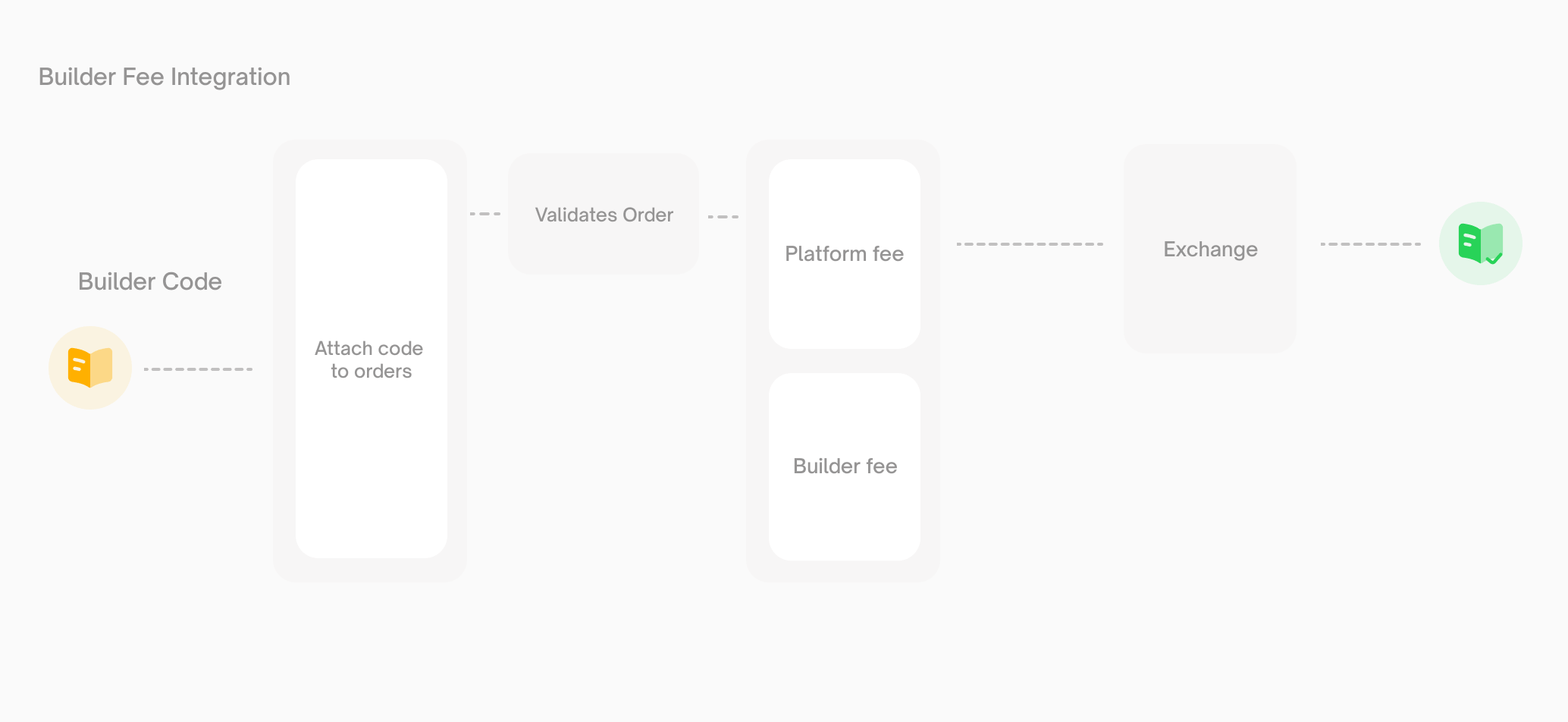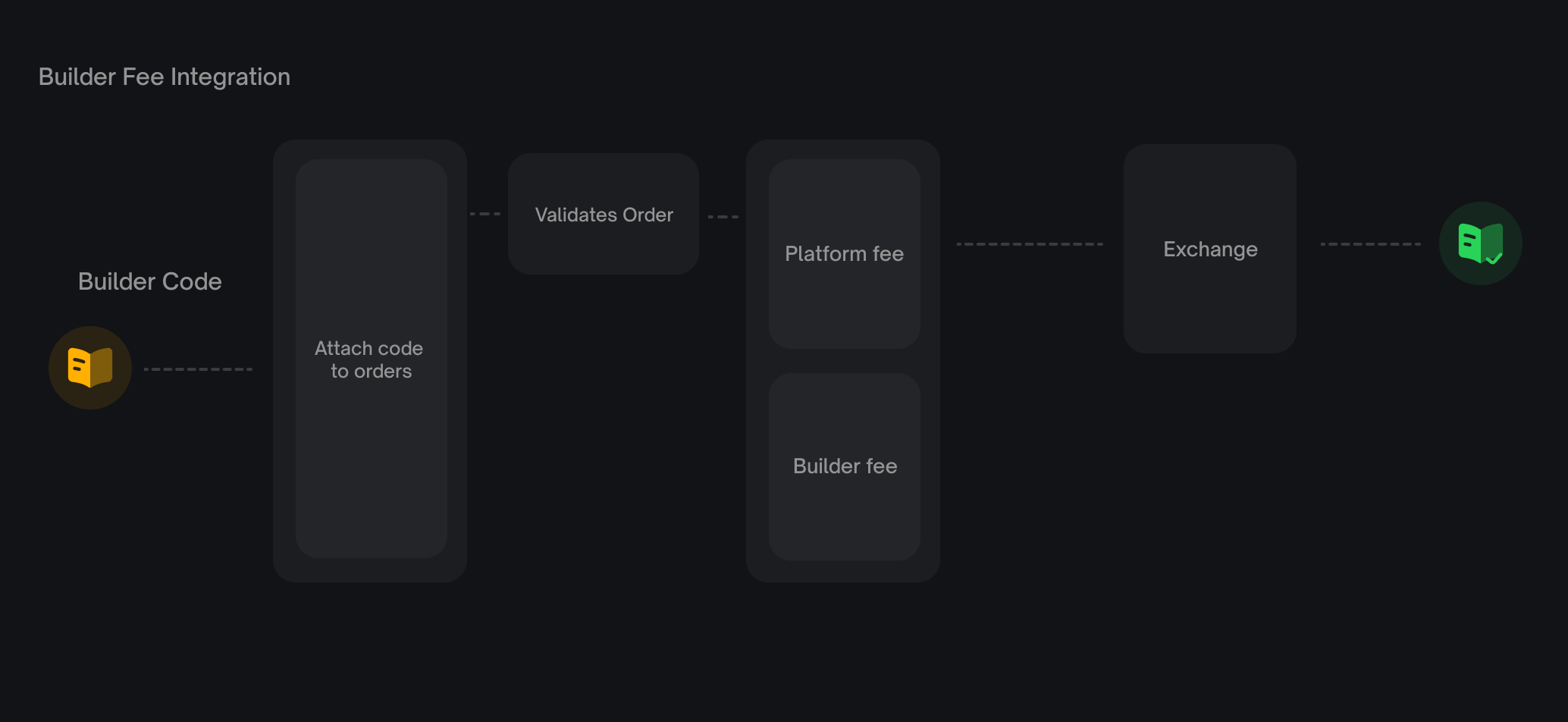
Builder fees and platform fees are independent. What the user pays depends on the market config and whether a builder code is attached:
| Market | Builder code attached | User pays |
| --- | --- | --- |
| No platform fee | No | Nothing |
| No platform fee | Yes | Builder fee only |
| Platform fee enabled | No | Platform fee only |
| Platform fee enabled | Yes | Platform fee + builder fee |
Builder fees never replace platform fees — they’re always additive.
Polymarket reserves the right to revoke your ability to charge a builder fee in its sole discretion, for any reason or no reason, including but not limited to instances where fees are determined to have been collected through fraudulent, deceptive, misleading, automated, self-referred, or other non-bona fide trading activity.
* * *
[](https://docs.polymarket.com/builders/fees#registration)
Registration
---------------------------------------------------------------------------
Register for a builder code through your Polymarket account.
1
[](https://docs.polymarket.com/builders/fees#)
Create a builder profile
Go to [polymarket.com/settings?tab=builder](https://polymarket.com/settings?tab=builder)
and set up your builder profile.
2
[](https://docs.polymarket.com/builders/fees#)
Set your fee rates
Configure two rates on your profile:
* `builder_taker_fee_bps` — charged on taker orders routed through your app
* `builder_maker_fee_bps` — charged on maker orders routed through your app
3
[](https://docs.polymarket.com/builders/fees#)
Copy your builder code
Your profile is assigned a `bytes32` builder code. Attach it to every order you submit.
###
[](https://docs.polymarket.com/builders/fees#fee-rate-limits)
Fee rate limits
| Parameter | Default | Maximum |
| --- | --- | --- |
| Taker fee rate | 0 bps (0%) | 100 bps (1%) |
| Maker fee rate | 0 bps (0%) | 50 bps (0.5%) |
| Granularity | — | 1 bp (0.01%) |
###
[](https://docs.polymarket.com/builders/fees#rate-change-policy)
Rate change policy
Fee rate changes are gated so users can see them coming:
* **Cooldown.** One rate change per 7 days.
* **Advance notice.** Changes take effect 3 days after being scheduled.
* **One pending change at a time.** You can’t queue multiple changes — wait for the current one to take effect (or cancel it) before scheduling another.
* * *
[](https://docs.polymarket.com/builders/fees#sdk-integration)
SDK integration
---------------------------------------------------------------------------------
The V2 SDK handles builder codes natively — no separate signing library, no extra headers.
###
[](https://docs.polymarket.com/builders/fees#install)
Install
TypeScript
Python
npm install @polymarket/clob-client-v2@1.0.0
Coming from the old `@polymarket/builder-signing-sdk` + HMAC header flow? That’s gone in V2 — see [Migrating to CLOB V2](https://docs.polymarket.com/v2-migration#builder-program)
for the full upgrade path.
###
[](https://docs.polymarket.com/builders/fees#attach-your-builder-code)
Attach your builder code
Pass `builderCode` on every order your application submits. This is how trades are attributed to your profile. **Limit order:**
const response = await client.createAndPostOrder(
{
tokenID: "0x123...",
price: 0.55,
size: 100,
side: Side.BUY,
expiration: 1714000000,
builderCode: process.env.POLY_BUILDER_CODE,
},
{ tickSize: "0.01", negRisk: false },
OrderType.GTC,
);
**Market order:**
const response = await client.createAndPostMarketOrder(
{
tokenID: "0x123...",
side: Side.BUY,
amount: 500,
price: 0.5, // worst-price limit (slippage protection)
userUSDCBalance: 1000, // optional — enables fee-aware fill calculations
builderCode: process.env.POLY_BUILDER_CODE,
},
{ tickSize: "0.01", negRisk: false },
OrderType.FOK,
);
If `builderCode` is omitted, no builder fee is charged.
You can also pass `builderConfig: { builderCode }` once at client construction and every order inherits it. See [Migrating to CLOB V2](https://docs.polymarket.com/v2-migration#builder-program)
for both patterns.
###
[](https://docs.polymarket.com/builders/fees#query-fee-parameters)
Query fee parameters
`getClobMarketInfo()` returns both platform and builder fee parameters for a market:
const info = await client.getClobMarketInfo(conditionID);
// Platform fee
// info.fd.r — fee rate
// info.fd.e — fee exponent
// info.fd.to — taker-only flag
// Builder fee
// info.mbf — builder maker fee rate
// info.tbf — builder taker fee rate
* * *
[](https://docs.polymarket.com/builders/fees#fee-calculation)
Fee calculation
---------------------------------------------------------------------------------
###
[](https://docs.polymarket.com/builders/fees#platform-fees)
Platform fees
Platform fees use a dynamic per-market formula:
platform_fee = C × feeRate × p × (1 - p)
Where `C` is the trade size, `p` is the order price, and `feeRate` is a per-market parameter. Platform fees are currently taker-only and are not configurable by builders.
###
[](https://docs.polymarket.com/builders/fees#builder-fees)
Builder fees
Builder fees are a flat percentage of notional:
builder_fee = notional × builder_fee_rate_bps / 10000
**Example.** A 1,000 pUSD taker buy routed through a builder charging 100 bps (1%) taker fee:
builder_fee = 1000 × 100 / 10000 = 10 pUSD
The maker and taker sides of a single trade can have different builder codes and different rates. If Builder A (0.3% maker) posts the resting order and Builder B (0.8% taker) submits the matching order, each earns their respective fee from their respective side.
###
[](https://docs.polymarket.com/builders/fees#balance-checks)
Balance checks
The CLOB’s balance checker accounts for all applicable fees (platform + builder) when validating an order. Users must have enough pUSD to cover the trade plus the maximum possible fees. For market buy orders, pass `userUSDCBalance` and the SDK computes fee-adjusted fill amounts automatically.
* * *
[](https://docs.polymarket.com/builders/fees#onchain-attribution)
Onchain attribution
-----------------------------------------------------------------------------------------
Builder attribution is part of the signed V2 order struct — not an offchain label. The `builder` field appears in every `OrderFilled` event emitted by the CTF Exchange V2 contract.
###
[](https://docs.polymarket.com/builders/fees#v2-order-struct)
V2 order struct
salt, maker, signer, tokenId, makerAmount, takerAmount,
side, signatureType, timestamp, metadata, builder
The `builder` field is a `bytes32` matching your registered builder code.
###
[](https://docs.polymarket.com/builders/fees#eip-712-domain)
EIP-712 domain
The Exchange domain version is `"2"` in V2 (up from `"1"`). If you construct EIP-712 typed data manually rather than via the SDK, update your domain separator — see [For API users](https://docs.polymarket.com/v2-migration#for-api-users)
in the migration guide.
* * *
[](https://docs.polymarket.com/builders/fees#fee-processing-and-payouts)
Fee processing and payouts
-------------------------------------------------------------------------------------------------------
When a user places an order with your `builderCode` attached:
1. The CLOB validates the order and the builder code.
2. At match time, the Fees Service computes the platform and builder fees for each side.
3. The trade settles onchain via `CTFExchangeV2.matchOrders()`, emitting `OrderFilled` events.
4. The Builders Service indexes those events, joins onchain attribution with your builder profile, and accrues your earned fees.
Collected builder fees are distributed to the wallet associated with your builder profile.
* * *
[](https://docs.polymarket.com/builders/fees#program-policies)
Program policies
-----------------------------------------------------------------------------------
###
[](https://docs.polymarket.com/builders/fees#disabled-codes)
Disabled codes
Polymarket may disable a builder code at any time — for violations of the Builder Program terms, abusive fee practices, or platform integrity concerns. Orders carrying a disabled code will be rejected by the CLOB.
###
[](https://docs.polymarket.com/builders/fees#public-visibility)
Public visibility
Builder profiles and fee rates are publicly queryable. This is intentional — it lets users and third parties see what a builder charges before using their app.
###
[](https://docs.polymarket.com/builders/fees#existing-builders)
Existing builders
Builders with V1 integrations have builder code entities provisioned automatically. No action is required beyond upgrading to the V2 SDK and attaching your builder code to orders. See [Migrating to CLOB V2](https://docs.polymarket.com/v2-migration)
for the full upgrade path.
* * *
[](https://docs.polymarket.com/builders/fees#next-steps)
Next steps
-----------------------------------------------------------------------
Builder Program
---------------
Overview of the Builder Program and benefits
Builder Methods
---------------
SDK methods for querying your builder trades and orders
Order Attribution
-----------------
Details on attaching builder codes to orders
Migration Guide
---------------
Full V2 migration guide
Was this page helpful?
YesNo
[Builder Code\
\
Previous](https://docs.polymarket.com/builders/api-keys)
[Tiers\
\
Next](https://docs.polymarket.com/builders/tiers)
⌘I
---
# 兑换代币 - Polymarket Documentation
[跳转到主要内容](https://docs.polymarket.com/cn/trading/ctf/redeem#content-area)
[Polymarket Documentation home page](https://docs.polymarket.com/cn)

简体中文
搜索...
⌘K
搜索...
Navigation
CTF 代币
兑换代币
[文档](https://docs.polymarket.com/cn)
[API 参考](https://docs.polymarket.com/cn/api-reference/introduction)

##### 入门指南
* [概览](https://docs.polymarket.com/cn)
* [Polymarket 101](https://docs.polymarket.com/cn/polymarket-101)
* [快速入门](https://docs.polymarket.com/cn/quickstart)

##### 核心概念
* [市场与事件](https://docs.polymarket.com/cn/concepts/markets-events)
* [价格与订单簿](https://docs.polymarket.com/cn/concepts/prices-orderbook)
* [持仓与代币](https://docs.polymarket.com/cn/concepts/positions-tokens)
* [Polymarket USD](https://docs.polymarket.com/cn/concepts/pusd)
* [订单生命周期](https://docs.polymarket.com/cn/concepts/order-lifecycle)
* [判定](https://docs.polymarket.com/cn/concepts/resolution)

##### 市场数据
* [概览](https://docs.polymarket.com/cn/market-data/overview)
* [获取市场数据](https://docs.polymarket.com/cn/market-data/fetching-markets)

##### 交易
* [概述](https://docs.polymarket.com/cn/trading/overview)
* [快速开始](https://docs.polymarket.com/cn/trading/quickstart)
* [订单簿](https://docs.polymarket.com/cn/trading/orderbook)
* 订单
* [费用](https://docs.polymarket.com/cn/trading/fees)
* [免 Gas 交易](https://docs.polymarket.com/cn/trading/gasless)
* [Negative Risk 市场](https://docs.polymarket.com/cn/advanced/neg-risk)
* [撮合引擎重启](https://docs.polymarket.com/cn/trading/matching-engine)
* CTF 代币
* [Conditional Token Framework](https://docs.polymarket.com/cn/trading/ctf/overview)
* [拆分代币](https://docs.polymarket.com/cn/trading/ctf/split)
* [合并代币](https://docs.polymarket.com/cn/trading/ctf/merge)
* [兑换代币](https://docs.polymarket.com/cn/trading/ctf/redeem)
* WebSocket
* 跨链桥

##### 做市商
* [概述](https://docs.polymarket.com/cn/market-makers/overview)
* [入门指南](https://docs.polymarket.com/cn/market-makers/getting-started)
* [Maker 返利计划](https://docs.polymarket.com/cn/market-makers/maker-rebates)
* [流动性奖励](https://docs.polymarket.com/cn/market-makers/liquidity-rewards)
* 操作

##### 构建者计划
* [构建者计划](https://docs.polymarket.com/cn/builders/overview)
* [Builder Code](https://docs.polymarket.com/cn/builders/api-keys)
* [Tiers](https://docs.polymarket.com/cn/builders/tiers)

##### 资源
* [合约](https://docs.polymarket.com/cn/resources/contracts)
* [错误码](https://docs.polymarket.com/cn/resources/error-codes)
在此页面
* [何时兑换](https://docs.polymarket.com/cn/trading/ctf/redeem#%E4%BD%95%E6%97%B6%E5%85%91%E6%8D%A2)
* [判定的工作原理](https://docs.polymarket.com/cn/trading/ctf/redeem#%E5%88%A4%E5%AE%9A%E7%9A%84%E5%B7%A5%E4%BD%9C%E5%8E%9F%E7%90%86)
* [前置要求](https://docs.polymarket.com/cn/trading/ctf/redeem#%E5%89%8D%E7%BD%AE%E8%A6%81%E6%B1%82)
* [函数参数](https://docs.polymarket.com/cn/trading/ctf/redeem#%E5%87%BD%E6%95%B0%E5%8F%82%E6%95%B0)
* [赔付机制](https://docs.polymarket.com/cn/trading/ctf/redeem#%E8%B5%94%E4%BB%98%E6%9C%BA%E5%88%B6)
* [下一步](https://docs.polymarket.com/cn/trading/ctf/redeem#%E4%B8%8B%E4%B8%80%E6%AD%A5)
**兑换**是在市场判定后将获胜的结果代币转换为 pUSD。每个获胜代币价值正好 1.00——失败的代币价值1.00——失败的代币价值 1.00——失败的代币价值0。
市场判定为 YES:
100 Yes tokens → $100 pUSD
100 No tokens → $0
[](https://docs.polymarket.com/cn/trading/ctf/redeem#%E4%BD%95%E6%97%B6%E5%85%91%E6%8D%A2)
何时兑换
---------------------------------------------------------------------------------------------------
兑换仅在**市场判定后**可用。一旦预言机报告结果:
* **获胜代币**可以按每个 $1.00 pUSD 兑换
* **失败代币**价值 $0,无法获得赔付
你可以在判定后的任何时间兑换——没有截止日期。你的获胜代币将始终可以兑换。
[](https://docs.polymarket.com/cn/trading/ctf/redeem#%E5%88%A4%E5%AE%9A%E7%9A%84%E5%B7%A5%E4%BD%9C%E5%8E%9F%E7%90%86)
判定的工作原理
---------------------------------------------------------------------------------------------------------------------------------
1. 市场的结束条件达成(事件发生、日期过去等)
2. UMA Adapter 预言机通过 `reportPayouts()` 报告结果
3. CTF 合约记录赔付向量
4. 获胜代币的兑换功能变为可用
[](https://docs.polymarket.com/cn/trading/ctf/redeem#%E5%89%8D%E7%BD%AE%E8%A6%81%E6%B1%82)
前置要求
---------------------------------------------------------------------------------------------------
在兑换之前:
1. **市场必须已判定**——检查市场的 `resolved` 状态
2. **持有获胜代币**——只有获胜的结果可以兑换
3. **知道 condition ID**——兑换调用需要此参数
[](https://docs.polymarket.com/cn/trading/ctf/redeem#%E5%87%BD%E6%95%B0%E5%8F%82%E6%95%B0)
函数参数
---------------------------------------------------------------------------------------------------
[](https://docs.polymarket.com/cn/trading/ctf/redeem#param-collateral-token)
collateralToken
IERC20
pUSD (Polymarket USD) 合约地址: `0xC011a7E12a19f7B1f670d46F03B03f3342E82DFB`
[](https://docs.polymarket.com/cn/trading/ctf/redeem#param-parent-collection-id)
parentCollectionId
bytes32
对于 Polymarket 市场,始终为 `0x0000...0000`(32 个零字节)
[](https://docs.polymarket.com/cn/trading/ctf/redeem#param-condition-id)
conditionId
bytes32
市场的 condition ID
[](https://docs.polymarket.com/cn/trading/ctf/redeem#param-index-sets)
indexSets
uint\[\]
要兑换的索引集合数组:`[1, 2]` 兑换两种结果(只有获胜的有赔付)
兑换会销毁你在该条件下的全部代币余额——没有金额参数。
[](https://docs.polymarket.com/cn/trading/ctf/redeem#%E8%B5%94%E4%BB%98%E6%9C%BA%E5%88%B6)
赔付机制
---------------------------------------------------------------------------------------------------
CTF 使用**赔付向量**来确定兑换价值:
| 结果 | 赔付向量 | 兑换 |
| --- | --- | --- |
| Yes 获胜 | `[1, 0]` | Yes = 1,No\=1, No = 1,No\=0 |
| No 获胜 | `[0, 1]` | Yes = 0,No\=0, No = 0,No\=1 |
当你调用 `redeemPositions()` 时:
* 你的代币余额乘以赔付值
* 获胜代币被销毁
* pUSD 转移到你的钱包
* 失败代币也会被销毁,但赔付为 $0
[](https://docs.polymarket.com/cn/trading/ctf/redeem#%E4%B8%8B%E4%B8%80%E6%AD%A5)
下一步
-----------------------------------------------------------------------------------------
CTF 概述
------
了解更多关于 Conditional Token Framework 的信息
判定流程
----
理解市场如何判定
此页面对您有帮助吗?
是否
[合并代币\
\
上一页](https://docs.polymarket.com/cn/trading/ctf/merge)
[概述\
\
下一页](https://docs.polymarket.com/cn/market-data/websocket/overview)
⌘I
---
# User Channel - Polymarket Documentation
[跳转到主要内容](https://docs.polymarket.com/cn/market-data/websocket/user-channel#content-area)
[Polymarket Documentation home page](https://docs.polymarket.com/cn)

简体中文
搜索...
⌘K
搜索...
Navigation
WebSocket
User Channel
[文档](https://docs.polymarket.com/cn)
[API 参考](https://docs.polymarket.com/cn/api-reference/introduction)

##### 入门指南
* [概览](https://docs.polymarket.com/cn)
* [Polymarket 101](https://docs.polymarket.com/cn/polymarket-101)
* [快速入门](https://docs.polymarket.com/cn/quickstart)

##### 核心概念
* [市场与事件](https://docs.polymarket.com/cn/concepts/markets-events)
* [价格与订单簿](https://docs.polymarket.com/cn/concepts/prices-orderbook)
* [持仓与代币](https://docs.polymarket.com/cn/concepts/positions-tokens)
* [Polymarket USD](https://docs.polymarket.com/cn/concepts/pusd)
* [订单生命周期](https://docs.polymarket.com/cn/concepts/order-lifecycle)
* [判定](https://docs.polymarket.com/cn/concepts/resolution)

##### 市场数据
* [概览](https://docs.polymarket.com/cn/market-data/overview)
* [获取市场数据](https://docs.polymarket.com/cn/market-data/fetching-markets)

##### 交易
* [概述](https://docs.polymarket.com/cn/trading/overview)
* [快速开始](https://docs.polymarket.com/cn/trading/quickstart)
* [订单簿](https://docs.polymarket.com/cn/trading/orderbook)
* 订单
* [费用](https://docs.polymarket.com/cn/trading/fees)
* [免 Gas 交易](https://docs.polymarket.com/cn/trading/gasless)
* [Negative Risk 市场](https://docs.polymarket.com/cn/advanced/neg-risk)
* [撮合引擎重启](https://docs.polymarket.com/cn/trading/matching-engine)
* CTF 代币
* WebSocket
* [概述](https://docs.polymarket.com/cn/market-data/websocket/overview)
* [Market 频道](https://docs.polymarket.com/cn/market-data/websocket/market-channel)
* [User Channel](https://docs.polymarket.com/cn/market-data/websocket/user-channel)
* [Sports WebSocket](https://docs.polymarket.com/cn/market-data/websocket/sports)
* [Real-Time Data Socket](https://docs.polymarket.com/cn/market-data/websocket/rtds)
* 跨链桥

##### 做市商
* [概述](https://docs.polymarket.com/cn/market-makers/overview)
* [入门指南](https://docs.polymarket.com/cn/market-makers/getting-started)
* [Maker 返利计划](https://docs.polymarket.com/cn/market-makers/maker-rebates)
* [流动性奖励](https://docs.polymarket.com/cn/market-makers/liquidity-rewards)
* 操作

##### 构建者计划
* [构建者计划](https://docs.polymarket.com/cn/builders/overview)
* [Builder Code](https://docs.polymarket.com/cn/builders/api-keys)
* [Tiers](https://docs.polymarket.com/cn/builders/tiers)

##### 资源
* [合约](https://docs.polymarket.com/cn/resources/contracts)
* [错误码](https://docs.polymarket.com/cn/resources/error-codes)
在此页面
* [端点](https://docs.polymarket.com/cn/market-data/websocket/user-channel#%E7%AB%AF%E7%82%B9)
* [身份验证](https://docs.polymarket.com/cn/market-data/websocket/user-channel#%E8%BA%AB%E4%BB%BD%E9%AA%8C%E8%AF%81)
* [消息类型](https://docs.polymarket.com/cn/market-data/websocket/user-channel#%E6%B6%88%E6%81%AF%E7%B1%BB%E5%9E%8B)
* [trade](https://docs.polymarket.com/cn/market-data/websocket/user-channel#trade)
* [交易状态](https://docs.polymarket.com/cn/market-data/websocket/user-channel#%E4%BA%A4%E6%98%93%E7%8A%B6%E6%80%81)
* [order](https://docs.polymarket.com/cn/market-data/websocket/user-channel#order)
这是一个经过身份验证的频道,用于接收与你的订单和交易相关的更新,按 API 密钥进行过滤。
[](https://docs.polymarket.com/cn/market-data/websocket/user-channel#%E7%AB%AF%E7%82%B9)
端点
-----------------------------------------------------------------------------------------------
wss://ws-subscriptions-clob.polymarket.com/ws/user
[](https://docs.polymarket.com/cn/market-data/websocket/user-channel#%E8%BA%AB%E4%BB%BD%E9%AA%8C%E8%AF%81)
身份验证
-------------------------------------------------------------------------------------------------------------------
在订阅消息中包含 API 凭证:
{
"auth": {
"apiKey": "your-api-key",
"secret": "your-api-secret",
"passphrase": "your-passphrase"
},
"markets": ["0x1234...condition_id"],
"type": "user"
}
永远不要在客户端代码中暴露你的 API 凭证。只在服务器环境中使用 user channel。
[](https://docs.polymarket.com/cn/market-data/websocket/user-channel#%E6%B6%88%E6%81%AF%E7%B1%BB%E5%9E%8B)
消息类型
-------------------------------------------------------------------------------------------------------------------
每条消息都包含一个 `type` 字段来标识事件类型。
###
[](https://docs.polymarket.com/cn/market-data/websocket/user-channel#trade)
trade
在以下情况下触发:
* 市价单被匹配 (`MATCHED`)
* 用户的限价单被包含在交易中 (`MATCHED`)
* 交易的后续状态变化 (`MINED`、`CONFIRMED`、`RETRYING`、`FAILED`)
{
"asset_id": "52114319501245915516055106046884209969926127482827954674443846427813813222426",
"event_type": "trade",
"id": "28c4d2eb-bbea-40e7-a9f0-b2fdb56b2c2e",
"last_update": "1672290701",
"maker_orders": [\
{\
"asset_id": "52114319501245915516055106046884209969926127482827954674443846427813813222426",\
"matched_amount": "10",\
"order_id": "0xff354cd7ca7539dfa9c28d90943ab5779a4eac34b9b37a757d7b32bdfb11790b",\
"outcome": "YES",\
"owner": "9180014b-33c8-9240-a14b-bdca11c0a465",\
"price": "0.57"\
}\
],
"market": "0xbd31dc8a20211944f6b70f31557f1001557b59905b7738480ca09bd4532f84af",
"matchtime": "1672290701",
"outcome": "YES",
"owner": "9180014b-33c8-9240-a14b-bdca11c0a465",
"price": "0.57",
"side": "BUY",
"size": "10",
"status": "MATCHED",
"taker_order_id": "0x06bc63e346ed4ceddce9efd6b3af37c8f8f440c92fe7da6b2d0f9e4ccbc50c42",
"timestamp": "1672290701",
"trade_owner": "9180014b-33c8-9240-a14b-bdca11c0a465",
"type": "TRADE"
}
####
[](https://docs.polymarket.com/cn/market-data/websocket/user-channel#%E4%BA%A4%E6%98%93%E7%8A%B6%E6%80%81)
交易状态
MATCHED → MINED → CONFIRMED
↓ ↑
RETRYING ───┘
↓
FAILED
| 状态 | 是否终态 | 描述 |
| --- | --- | --- |
| `MATCHED` | 否 | 交易已被匹配,并由运营商发送到执行服务 |
| `MINED` | 否 | 交易已被观察到被挖入链上,但尚未建立最终性阈值 |
| `CONFIRMED` | 是 | 交易已达到强概率最终性并且成功 |
| `RETRYING` | 否 | 交易事务失败(回滚或重组),正在由运营商重试/重新提交 |
| `FAILED` | 是 | 交易已失败且不再重试 |
###
[](https://docs.polymarket.com/cn/market-data/websocket/user-channel#order)
order
在以下情况下触发:
* 订单被下单 (`PLACEMENT`)
* 订单被更新 — 部分被匹配 (`UPDATE`)
* 订单被取消 (`CANCELLATION`)
{
"asset_id": "52114319501245915516055106046884209969926127482827954674443846427813813222426",
"associate_trades": null,
"event_type": "order",
"id": "0xff354cd7ca7539dfa9c28d90943ab5779a4eac34b9b37a757d7b32bdfb11790b",
"market": "0xbd31dc8a20211944f6b70f31557f1001557b59905b7738480ca09bd4532f84af",
"order_owner": "9180014b-33c8-9240-a14b-bdca11c0a465",
"original_size": "10",
"outcome": "YES",
"owner": "9180014b-33c8-9240-a14b-bdca11c0a465",
"price": "0.57",
"side": "SELL",
"size_matched": "0",
"timestamp": "1672290687",
"type": "PLACEMENT"
}
此页面对您有帮助吗?
是否
[Market 频道\
\
上一页](https://docs.polymarket.com/cn/market-data/websocket/market-channel)
[Sports WebSocket\
\
下一页](https://docs.polymarket.com/cn/market-data/websocket/sports)
⌘I
---
# Merge Tokens - Polymarket Documentation
[Skip to main content](https://docs.polymarket.com/trading/ctf/merge#content-area)
[Polymarket Documentation home page](https://docs.polymarket.com/)

English
Search...
⌘K
Search...
Navigation
CTF Tokens
Merge Tokens
[Documentation](https://docs.polymarket.com/)
[API Reference](https://docs.polymarket.com/api-reference/introduction)

##### Getting Started
* [Overview](https://docs.polymarket.com/)
* [Polymarket 101](https://docs.polymarket.com/polymarket-101)
* [Quickstart](https://docs.polymarket.com/quickstart)

##### Core Concepts
* [Markets & Events](https://docs.polymarket.com/concepts/markets-events)
* [Prices & Orderbook](https://docs.polymarket.com/concepts/prices-orderbook)
* [Positions & Tokens](https://docs.polymarket.com/concepts/positions-tokens)
* [Polymarket USD](https://docs.polymarket.com/concepts/pusd)
* [Order Lifecycle](https://docs.polymarket.com/concepts/order-lifecycle)
* [Resolution](https://docs.polymarket.com/concepts/resolution)

##### Market Data
* [Overview](https://docs.polymarket.com/market-data/overview)
* [Fetching Markets](https://docs.polymarket.com/market-data/fetching-markets)

##### Trading
* [Overview](https://docs.polymarket.com/trading/overview)
* [Quickstart](https://docs.polymarket.com/trading/quickstart)
* [Orderbook](https://docs.polymarket.com/trading/orderbook)
* Orders
* Client Reference
* [Fees](https://docs.polymarket.com/trading/fees)
* [Gasless Transactions](https://docs.polymarket.com/trading/gasless)
* [Negative Risk Markets](https://docs.polymarket.com/advanced/neg-risk)
* [Matching Engine Restarts](https://docs.polymarket.com/trading/matching-engine)
* CTF Tokens
* [Conditional Token Framework](https://docs.polymarket.com/trading/ctf/overview)
* [Split Tokens](https://docs.polymarket.com/trading/ctf/split)
* [Merge Tokens](https://docs.polymarket.com/trading/ctf/merge)
* [Redeem Tokens](https://docs.polymarket.com/trading/ctf/redeem)
* WebSocket
* Bridge

##### Market Makers
* [Overview](https://docs.polymarket.com/market-makers/overview)
* [Getting Started](https://docs.polymarket.com/market-makers/getting-started)
* [Maker Rebates Program](https://docs.polymarket.com/market-makers/maker-rebates)
* [Liquidity Rewards](https://docs.polymarket.com/market-makers/liquidity-rewards)
* Operations

##### Builder Program
* [Builder Program](https://docs.polymarket.com/builders/overview)
* [Builder Code](https://docs.polymarket.com/builders/api-keys)
* [Builder Fees](https://docs.polymarket.com/builders/fees)
* [Tiers](https://docs.polymarket.com/builders/tiers)

##### Resources
* [Referral Program](https://docs.polymarket.com/resources/referral-program)
* [Contracts](https://docs.polymarket.com/resources/contracts)
* [Data Resources](https://docs.polymarket.com/resources/blockchain-data)
* [Error Codes](https://docs.polymarket.com/resources/error-codes)
On this page
* [Prerequisites](https://docs.polymarket.com/trading/ctf/merge#prerequisites)
* [How It Works](https://docs.polymarket.com/trading/ctf/merge#how-it-works)
* [Function Parameters](https://docs.polymarket.com/trading/ctf/merge#function-parameters)
* [Next Steps](https://docs.polymarket.com/trading/ctf/merge#next-steps)
**Merging** is the inverse of splitting — it converts a full set of outcome tokens back into pUSD collateral. For every 1 Yes token and 1 No token you merge, you receive $1 pUSD. The condition must already be prepared on the CTF contract (via `prepareCondition`).
100 Yes tokens + 100 No tokens → $100 pUSD
[](https://docs.polymarket.com/trading/ctf/merge#prerequisites)
Prerequisites
---------------------------------------------------------------------------------
Before merging, you need:
1. **Equal amounts** of both Yes and No tokens
2. **Condition ID** of the market
3. **Sufficient gas** for the transaction
[](https://docs.polymarket.com/trading/ctf/merge#how-it-works)
How It Works
-------------------------------------------------------------------------------
1. You call `mergePositions()` with the amount and market details
2. One unit of each position in a full set is burned in return for 1 collateral unit
3. The CTF contract releases pUSD back to your wallet
The operation is atomic — if you don’t have enough of both tokens, the transaction reverts.
[](https://docs.polymarket.com/trading/ctf/merge#function-parameters)
Function Parameters
---------------------------------------------------------------------------------------------
[](https://docs.polymarket.com/trading/ctf/merge#param-collateral-token)
collateralToken
IERC20
pUSD (Polymarket USD) contract address: `0xC011a7E12a19f7B1f670d46F03B03f3342E82DFB`
[](https://docs.polymarket.com/trading/ctf/merge#param-parent-collection-id)
parentCollectionId
bytes32
Always `0x0000...0000` (32 zero bytes) for Polymarket markets
[](https://docs.polymarket.com/trading/ctf/merge#param-condition-id)
conditionId
bytes32
The market’s condition ID, available from the Markets API
[](https://docs.polymarket.com/trading/ctf/merge#param-partition)
partition
uint\[\]
Array of index sets: `[1, 2]` for binary markets
[](https://docs.polymarket.com/trading/ctf/merge#param-amount)
amount
uint256
The number of full sets to merge. Also the amount of collateral to receive.
[](https://docs.polymarket.com/trading/ctf/merge#next-steps)
Next Steps
---------------------------------------------------------------------------
Redeem Tokens
-------------
Exchange winning tokens for pUSD after resolution
CTF Overview
------------
Learn more about the Conditional Token Framework
Was this page helpful?
YesNo
[Split Tokens\
\
Previous](https://docs.polymarket.com/trading/ctf/split)
[Redeem Tokens\
\
Next](https://docs.polymarket.com/trading/ctf/redeem)
⌘I
---
# 提现 - Polymarket Documentation
[跳转到主要内容](https://docs.polymarket.com/cn/trading/bridge/withdraw#content-area)
[Polymarket Documentation home page](https://docs.polymarket.com/cn)

简体中文
搜索...
⌘K
搜索...
Navigation
跨链桥
提现
[文档](https://docs.polymarket.com/cn)
[API 参考](https://docs.polymarket.com/cn/api-reference/introduction)

##### 入门指南
* [概览](https://docs.polymarket.com/cn)
* [Polymarket 101](https://docs.polymarket.com/cn/polymarket-101)
* [快速入门](https://docs.polymarket.com/cn/quickstart)

##### 核心概念
* [市场与事件](https://docs.polymarket.com/cn/concepts/markets-events)
* [价格与订单簿](https://docs.polymarket.com/cn/concepts/prices-orderbook)
* [持仓与代币](https://docs.polymarket.com/cn/concepts/positions-tokens)
* [Polymarket USD](https://docs.polymarket.com/cn/concepts/pusd)
* [订单生命周期](https://docs.polymarket.com/cn/concepts/order-lifecycle)
* [判定](https://docs.polymarket.com/cn/concepts/resolution)

##### 市场数据
* [概览](https://docs.polymarket.com/cn/market-data/overview)
* [获取市场数据](https://docs.polymarket.com/cn/market-data/fetching-markets)

##### 交易
* [概述](https://docs.polymarket.com/cn/trading/overview)
* [快速开始](https://docs.polymarket.com/cn/trading/quickstart)
* [订单簿](https://docs.polymarket.com/cn/trading/orderbook)
* 订单
* [费用](https://docs.polymarket.com/cn/trading/fees)
* [免 Gas 交易](https://docs.polymarket.com/cn/trading/gasless)
* [Negative Risk 市场](https://docs.polymarket.com/cn/advanced/neg-risk)
* [撮合引擎重启](https://docs.polymarket.com/cn/trading/matching-engine)
* CTF 代币
* WebSocket
* 跨链桥
* [充值](https://docs.polymarket.com/cn/trading/bridge/deposit)
* [支持的资产](https://docs.polymarket.com/cn/trading/bridge/supported-assets)
* [报价](https://docs.polymarket.com/cn/trading/bridge/quote)
* [提现](https://docs.polymarket.com/cn/trading/bridge/withdraw)
* [充值状态](https://docs.polymarket.com/cn/trading/bridge/status)

##### 做市商
* [概述](https://docs.polymarket.com/cn/market-makers/overview)
* [入门指南](https://docs.polymarket.com/cn/market-makers/getting-started)
* [Maker 返利计划](https://docs.polymarket.com/cn/market-makers/maker-rebates)
* [流动性奖励](https://docs.polymarket.com/cn/market-makers/liquidity-rewards)
* 操作

##### 构建者计划
* [构建者计划](https://docs.polymarket.com/cn/builders/overview)
* [Builder Code](https://docs.polymarket.com/cn/builders/api-keys)
* [Tiers](https://docs.polymarket.com/cn/builders/tiers)

##### 资源
* [合约](https://docs.polymarket.com/cn/resources/contracts)
* [错误码](https://docs.polymarket.com/cn/resources/error-codes)
在此页面
* [工作原理](https://docs.polymarket.com/cn/trading/bridge/withdraw#%E5%B7%A5%E4%BD%9C%E5%8E%9F%E7%90%86)
* [创建提现地址](https://docs.polymarket.com/cn/trading/bridge/withdraw#%E5%88%9B%E5%BB%BA%E6%8F%90%E7%8E%B0%E5%9C%B0%E5%9D%80)
* [地址类型](https://docs.polymarket.com/cn/trading/bridge/withdraw#%E5%9C%B0%E5%9D%80%E7%B1%BB%E5%9E%8B)
* [提现流程](https://docs.polymarket.com/cn/trading/bridge/withdraw#%E6%8F%90%E7%8E%B0%E6%B5%81%E7%A8%8B)
* [下一步](https://docs.polymarket.com/cn/trading/bridge/withdraw#%E4%B8%8B%E4%B8%80%E6%AD%A5)
从你的 Polymarket 钱包提现 pUSD 到任何支持的链和代币。资金会自动桥接并兑换为你在目标链上所需的代币。
[](https://docs.polymarket.com/cn/trading/bridge/withdraw#%E5%B7%A5%E4%BD%9C%E5%8E%9F%E7%90%86)
工作原理
--------------------------------------------------------------------------------------------------------
1. 指定你的目标链、代币和接收地址
2. 接收每个目标链(EVM、Solana、Bitcoin)的充值地址
3. 从你的 Polymarket 钱包将 pUSD 发送到相应的充值地址
4. 资金会自动桥接并兑换为你所需的代币
5. 资金到达你的目标钱包
不要预先生成提现地址。只在准备执行提现时生成。每个地址都为特定目标配置。
提现时,pUSD 会通过 Collateral Offramp 解包装为 USDC,然后通过 [Uniswap v3 池](https://polygonscan.com/address/0xd36ec33c8bed5a9f7b6630855f1533455b98a418)
兑换为 USDC(原生)。界面强制输出金额差异小于 10bp。有时此池可能会枯竭。如果遇到提现问题,请尝试将提现拆分成更小的金额,或等待池重新平衡。或者,你可以直接提现 pUSD,这不需要 Uniswap 流动性——但要注意某些交易所不再直接接受 pUSD 充值。
对于非常大额的提现(超过 50,000 美元),考虑将提现拆分成更小的金额,或使用第三方桥接服务以减少滑点。
[](https://docs.polymarket.com/cn/trading/bridge/withdraw#%E5%88%9B%E5%BB%BA%E6%8F%90%E7%8E%B0%E5%9C%B0%E5%9D%80)
创建提现地址
----------------------------------------------------------------------------------------------------------------------------
生成为你的提现目标配置的充值地址。完整的请求和响应架构请参阅 [Bridge API Reference](https://docs.polymarket.com/api-reference/introduction)
。
curl -X POST https://bridge.polymarket.com/withdraw \
-H "Content-Type: application/json" \
-d '{
"address": "0x9156dd10bea4c8d7e2d591b633d1694b1d764756",
"toChainId": "1",
"toTokenAddress": "0xA0b86991c6218b36c1d19D4a2e9Eb0cE3606eB48",
"recipientAddr": "0xd8dA6BF26964aF9D7eEd9e03E53415D37aA96045"
}'
###
[](https://docs.polymarket.com/cn/trading/bridge/withdraw#%E5%9C%B0%E5%9D%80%E7%B1%BB%E5%9E%8B)
地址类型
| 地址 | 用途 |
| --- | --- |
| `evm` | Ethereum、Arbitrum、Base、Optimism 及其他 EVM 链 |
| `svm` | Solana |
| `btc` | Bitcoin |
| `tvm` | Tron |
提现是**即时**且**免费**的——Polymarket 不收取提现费用。
[](https://docs.polymarket.com/cn/trading/bridge/withdraw#%E6%8F%90%E7%8E%B0%E6%B5%81%E7%A8%8B)
提现流程
--------------------------------------------------------------------------------------------------------
1
[](https://docs.polymarket.com/cn/trading/bridge/withdraw#)
检查支持的资产
通过 `/supported-assets` 验证你的目标链和代币是否受支持。
2
[](https://docs.polymarket.com/cn/trading/bridge/withdraw#)
获取报价
通过 `POST /quote` 预览费用和预估输出。
3
[](https://docs.polymarket.com/cn/trading/bridge/withdraw#)
创建提现地址
使用你的钱包地址、目标链、代币和接收地址调用 `POST /withdraw`。
4
[](https://docs.polymarket.com/cn/trading/bridge/withdraw#)
发送 pUSD
从你的 Polymarket 钱包将 pUSD 转账到相应的充值地址。
5
[](https://docs.polymarket.com/cn/trading/bridge/withdraw#)
跟踪状态
使用 `/status/{address}` 监控进度。
[](https://docs.polymarket.com/cn/trading/bridge/withdraw#%E4%B8%8B%E4%B8%80%E6%AD%A5)
下一步
----------------------------------------------------------------------------------------------
获取报价
----
在提现前预览费用和预估输出。
检查状态
----
跟踪你的提现进度。
此页面对您有帮助吗?
是否
[报价\
\
上一页](https://docs.polymarket.com/cn/trading/bridge/quote)
[充值状态\
\
下一页](https://docs.polymarket.com/cn/trading/bridge/status)
⌘I
---
# Polymarket 101 - Polymarket Documentation
[跳转到主要内容](https://docs.polymarket.com/cn/polymarket-101#content-area)
[Polymarket Documentation home page](https://docs.polymarket.com/cn)

简体中文
搜索...
⌘K
搜索...
Navigation
入门指南
Polymarket 101
[文档](https://docs.polymarket.com/cn)
[API 参考](https://docs.polymarket.com/cn/api-reference/introduction)

##### 入门指南
* [概览](https://docs.polymarket.com/cn)
* [Polymarket 101](https://docs.polymarket.com/cn/polymarket-101)
* [快速入门](https://docs.polymarket.com/cn/quickstart)

##### 核心概念
* [市场与事件](https://docs.polymarket.com/cn/concepts/markets-events)
* [价格与订单簿](https://docs.polymarket.com/cn/concepts/prices-orderbook)
* [持仓与代币](https://docs.polymarket.com/cn/concepts/positions-tokens)
* [Polymarket USD](https://docs.polymarket.com/cn/concepts/pusd)
* [订单生命周期](https://docs.polymarket.com/cn/concepts/order-lifecycle)
* [判定](https://docs.polymarket.com/cn/concepts/resolution)

##### 市场数据
* [概览](https://docs.polymarket.com/cn/market-data/overview)
* [获取市场数据](https://docs.polymarket.com/cn/market-data/fetching-markets)

##### 交易
* [概述](https://docs.polymarket.com/cn/trading/overview)
* [快速开始](https://docs.polymarket.com/cn/trading/quickstart)
* [订单簿](https://docs.polymarket.com/cn/trading/orderbook)
* 订单
* [费用](https://docs.polymarket.com/cn/trading/fees)
* [免 Gas 交易](https://docs.polymarket.com/cn/trading/gasless)
* [Negative Risk 市场](https://docs.polymarket.com/cn/advanced/neg-risk)
* [撮合引擎重启](https://docs.polymarket.com/cn/trading/matching-engine)
* CTF 代币
* WebSocket
* 跨链桥

##### 做市商
* [概述](https://docs.polymarket.com/cn/market-makers/overview)
* [入门指南](https://docs.polymarket.com/cn/market-makers/getting-started)
* [Maker 返利计划](https://docs.polymarket.com/cn/market-makers/maker-rebates)
* [流动性奖励](https://docs.polymarket.com/cn/market-makers/liquidity-rewards)
* 操作

##### 构建者计划
* [构建者计划](https://docs.polymarket.com/cn/builders/overview)
* [Builder Code](https://docs.polymarket.com/cn/builders/api-keys)
* [Tiers](https://docs.polymarket.com/cn/builders/tiers)

##### 资源
* [合约](https://docs.polymarket.com/cn/resources/contracts)
* [错误码](https://docs.polymarket.com/cn/resources/error-codes)
在此页面
* [自托管](https://docs.polymarket.com/cn/polymarket-101#%E8%87%AA%E6%89%98%E7%AE%A1)
* [Polymarket 运作机制](https://docs.polymarket.com/cn/polymarket-101#polymarket-%E8%BF%90%E4%BD%9C%E6%9C%BA%E5%88%B6)
* [价格即概率](https://docs.polymarket.com/cn/polymarket-101#%E4%BB%B7%E6%A0%BC%E5%8D%B3%E6%A6%82%E7%8E%87)
* [抵押品与代币](https://docs.polymarket.com/cn/polymarket-101#%E6%8A%B5%E6%8A%BC%E5%93%81%E4%B8%8E%E4%BB%A3%E5%B8%81)
* [交易](https://docs.polymarket.com/cn/polymarket-101#%E4%BA%A4%E6%98%93)
* [判定](https://docs.polymarket.com/cn/polymarket-101#%E5%88%A4%E5%AE%9A)
* [为什么选择区块链](https://docs.polymarket.com/cn/polymarket-101#%E4%B8%BA%E4%BB%80%E4%B9%88%E9%80%89%E6%8B%A9%E5%8C%BA%E5%9D%97%E9%93%BE)
* [代理钱包](https://docs.polymarket.com/cn/polymarket-101#%E4%BB%A3%E7%90%86%E9%92%B1%E5%8C%85)
* [部署地址](https://docs.polymarket.com/cn/polymarket-101#%E9%83%A8%E7%BD%B2%E5%9C%B0%E5%9D%80)
* [开始使用](https://docs.polymarket.com/cn/polymarket-101#%E5%BC%80%E5%A7%8B%E4%BD%BF%E7%94%A8)
Polymarket 是一个预测市场平台,用户可以在这里就现实世界事件的结果进行交易。与传统博彩不同,你在一个开放的点对点市场中直接与其他用户交易。价格反映了市场对某一事件发生概率的集体判断。 平台采用非托管模式,你始终掌控自己的资金。所有交易通过区块链上的智能合约结算,确保操作透明且无需信任第三方。
[](https://docs.polymarket.com/cn/polymarket-101#%E8%87%AA%E6%89%98%E7%AE%A1)
自托管
-------------------------------------------------------------------------------------
Polymarket 采用非托管模式,你始终对自己的资金拥有完全控制权。
* **资金由你掌控** — 资产存放在你的钱包中,由你的私钥保护
* **智能合约保障** — 交易通过经过审计的智能合约自动执行
* **无中介风险** — Polymarket 不会持有你的资金,你通过私钥始终拥有完全控制权
* **完全透明** — 所有交易和持仓均记录在链上,可公开验证
* **无需信任的执行** — 结算根据市场判定结果自动完成
请妥善保管你的私钥,切勿与任何人分享。如果丢失私钥,你将无法访问资金。如果你是通过 Magic Link 注册的或拥有代理钱包,可以通过 [recovery.polymarket.com](https://recovery.polymarket.com/)
尝试恢复。
[](https://docs.polymarket.com/cn/polymarket-101#polymarket-%E8%BF%90%E4%BD%9C%E6%9C%BA%E5%88%B6)
Polymarket 运作机制
---------------------------------------------------------------------------------------------------------------------

###
[](https://docs.polymarket.com/cn/polymarket-101#%E4%BB%B7%E6%A0%BC%E5%8D%B3%E6%A6%82%E7%8E%87)
价格即概率
Polymarket 上每个份额的价格在 `$0.00` 到 `$1.00` 之间。价格代表市场对该结果发生概率的判断。 例如,如果某事件的 “Yes” 份额交易价格为 `$0.65`,意味着市场认为该事件发生的概率约为 `65%`。
###
[](https://docs.polymarket.com/cn/polymarket-101#%E6%8A%B5%E6%8A%BC%E5%93%81%E4%B8%8E%E4%BB%A3%E5%B8%81)
抵押品与代币
Polymarket 使用 pUSD(Polymarket USD)作为抵押品。每一对 Yes/No 份额都有完全的资金支撑:
* `$1 pUSD` 可铸造一份 Yes 份额和一份 No 份额
* 获胜份额可兑换 `$1.00`
* 失败份额价值 `$0.00`
份额以代币形式表示,基于 [Gnosis Conditional Token Framework](https://github.com/gnosis/conditional-tokens-contracts/)
(ERC1155 标准),实现无缝的链上交易与结算。
###
[](https://docs.polymarket.com/cn/polymarket-101#%E4%BA%A4%E6%98%93)
交易
Polymarket 使用点对点订单簿(CLOB)进行交易。你直接与其他用户交易,而非与庄家对赌。
* **买入份额** — 当你认为市场低估了某一结果的概率
* **卖出份额** — 当你认为市场高估了某一结果的概率
* **随时退出** — 在判定结果公布前卖出持仓,锁定利润或止损
| 操作 | 适用场景 | 盈利条件 |
| --- | --- | --- |
| 买入 Yes | 你认为概率被市场低估了 | 事件发生 |
| 买入 No | 你认为概率被市场高估了 | 事件未发生 |
| 卖出 | 锁定收益或控制亏损 | 价格朝有利方向变动 |
###
[](https://docs.polymarket.com/cn/polymarket-101#%E5%88%A4%E5%AE%9A)
判定
当事件结束后,市场通过 **UMA Optimistic Oracle** 进行判定:
1. 提议者提交结果并缴纳保证金
2. 进入争议期,任何人都可以提出异议
3. 如有争议,UMA 代币持有者投票决定正确的判定结果
4. 获胜代币可兑换 $1 pUSD
这一社区驱动的流程确保了市场判定的公正性和准确性。
[](https://docs.polymarket.com/cn/polymarket-101#%E4%B8%BA%E4%BB%80%E4%B9%88%E9%80%89%E6%8B%A9%E5%8C%BA%E5%9D%97%E9%93%BE)
为什么选择区块链
---------------------------------------------------------------------------------------------------------------------------------------
Polymarket 构建在 **Polygon** 区块链网络上,主要基于以下原因:
* **全球可访问** — 任何有互联网连接的人都可以参与
* **非托管** — 资金由你掌控,而非中心化机构
* **透明** — 所有活动均可在链上公开验证
* **快速且低成本** — Polygon 提供快速、低费用的交易体验
* **价值稳定** — pUSD 是由 USDC 背书的标准 ERC-20 代币,背书由智能合约在链上强制执行 — 避免加密货币的价格波动
[](https://docs.polymarket.com/cn/polymarket-101#%E4%BB%A3%E7%90%86%E9%92%B1%E5%8C%85)
代理钱包
-----------------------------------------------------------------------------------------------
当用户首次在 Polymarket.com 上进行交易时,系统会提示创建钱包。此时会在 Polygon 上部署一个 1-of-1 多签合约,由用户的 EOA(MetaMask 钱包或 MagicLink 钱包)控制和拥有。这个代理钱包存放用户的所有持仓(ERC1155)和 pUSD(ERC20)。 使用代理钱包使 Polymarket 能够提供更好的用户体验——多步骤交易可以原子化执行,交易也可以通过 Gas Station Network 的 relayer 来中继。如果你是开发者,想要以编程方式访问通过 Polymarket.com 界面积累的持仓,你可以继续使用智能合约钱包(通过所有者账户执行交易),也可以使用所有者账户将资产转移到新地址。
###
[](https://docs.polymarket.com/cn/polymarket-101#%E9%83%A8%E7%BD%B2%E5%9C%B0%E5%9D%80)
部署地址
每个用户都有自己的代理钱包(因此也有独立的代理钱包地址)。所有已部署的工厂和交易合约地址详见[合约](https://docs.polymarket.com/resources/contracts)
。
关于签名类型(`EOA`、`POLY_PROXY`、`GNOSIS_SAFE`)的详细信息以及如何为不同钱包类型配置交易客户端,请参阅[签名类型](https://docs.polymarket.com/trading/overview#signature-types)
。
* * *
[](https://docs.polymarket.com/cn/polymarket-101#%E5%BC%80%E5%A7%8B%E4%BD%BF%E7%94%A8)
开始使用
-----------------------------------------------------------------------------------------------
准备好开始交易了吗?
快速入门
----
设置你的账户,完成第一笔交易。
浏览市场
----
在 Polymarket 上浏览活跃的预测市场。
此页面对您有帮助吗?
是否
[概览\
\
上一页](https://docs.polymarket.com/cn)
[快速入门\
\
下一页](https://docs.polymarket.com/cn/quickstart)
⌘I
---
# 概述 - Polymarket Documentation
[跳转到主要内容](https://docs.polymarket.com/cn/market-makers/overview#content-area)
[Polymarket Documentation home page](https://docs.polymarket.com/cn)

简体中文
搜索...
⌘K
搜索...
Navigation
做市商
概述
[文档](https://docs.polymarket.com/cn)
[API 参考](https://docs.polymarket.com/cn/api-reference/introduction)

##### 入门指南
* [概览](https://docs.polymarket.com/cn)
* [Polymarket 101](https://docs.polymarket.com/cn/polymarket-101)
* [快速入门](https://docs.polymarket.com/cn/quickstart)

##### 核心概念
* [市场与事件](https://docs.polymarket.com/cn/concepts/markets-events)
* [价格与订单簿](https://docs.polymarket.com/cn/concepts/prices-orderbook)
* [持仓与代币](https://docs.polymarket.com/cn/concepts/positions-tokens)
* [Polymarket USD](https://docs.polymarket.com/cn/concepts/pusd)
* [订单生命周期](https://docs.polymarket.com/cn/concepts/order-lifecycle)
* [判定](https://docs.polymarket.com/cn/concepts/resolution)

##### 市场数据
* [概览](https://docs.polymarket.com/cn/market-data/overview)
* [获取市场数据](https://docs.polymarket.com/cn/market-data/fetching-markets)

##### 交易
* [概述](https://docs.polymarket.com/cn/trading/overview)
* [快速开始](https://docs.polymarket.com/cn/trading/quickstart)
* [订单簿](https://docs.polymarket.com/cn/trading/orderbook)
* 订单
* [费用](https://docs.polymarket.com/cn/trading/fees)
* [免 Gas 交易](https://docs.polymarket.com/cn/trading/gasless)
* [Negative Risk 市场](https://docs.polymarket.com/cn/advanced/neg-risk)
* [撮合引擎重启](https://docs.polymarket.com/cn/trading/matching-engine)
* CTF 代币
* WebSocket
* 跨链桥

##### 做市商
* [概述](https://docs.polymarket.com/cn/market-makers/overview)
* [入门指南](https://docs.polymarket.com/cn/market-makers/getting-started)
* [Maker 返利计划](https://docs.polymarket.com/cn/market-makers/maker-rebates)
* [流动性奖励](https://docs.polymarket.com/cn/market-makers/liquidity-rewards)
* 操作

##### 构建者计划
* [构建者计划](https://docs.polymarket.com/cn/builders/overview)
* [Builder Code](https://docs.polymarket.com/cn/builders/api-keys)
* [Tiers](https://docs.polymarket.com/cn/builders/tiers)

##### 资源
* [合约](https://docs.polymarket.com/cn/resources/contracts)
* [错误码](https://docs.polymarket.com/cn/resources/error-codes)
在此页面
* [入门指南](https://docs.polymarket.com/cn/market-makers/overview#%E5%85%A5%E9%97%A8%E6%8C%87%E5%8D%97)
* [快速参考](https://docs.polymarket.com/cn/market-makers/overview#%E5%BF%AB%E9%80%9F%E5%8F%82%E8%80%83)
* [本节内容](https://docs.polymarket.com/cn/market-makers/overview#%E6%9C%AC%E8%8A%82%E5%86%85%E5%AE%B9)
* [风险提示](https://docs.polymarket.com/cn/market-makers/overview#%E9%A3%8E%E9%99%A9%E6%8F%90%E7%A4%BA)
* [支持](https://docs.polymarket.com/cn/market-makers/overview#%E6%94%AF%E6%8C%81)
Polymarket 上的 Market Maker(做市商)是指通过持续发布买单和卖单来为预测市场提供流动性的交易者。通过设置价差,做市商让其他用户能够高效交易,同时赚取价差作为承担风险的补偿。 做市商对 Polymarket 生态系统至关重要——他们为市场提供流动性、收紧价差以改善用户体验、通过持续报价实现价格发现,并吸收来自散户和机构用户的交易流。
**不是 Market Maker?** 如果你正在构建为用户路由订单的应用程序,请查看 [Builder Program](https://docs.polymarket.com/builders/overview)
。
* * *
[](https://docs.polymarket.com/cn/market-makers/overview#%E5%85%A5%E9%97%A8%E6%8C%87%E5%8D%97)
入门指南
-------------------------------------------------------------------------------------------------------
1
[](https://docs.polymarket.com/cn/market-makers/overview#)
完成设置
部署钱包,充值 pUSD,并设置代币授权。请参阅[入门指南](https://docs.polymarket.com/market-makers/getting-started)
。
2
[](https://docs.polymarket.com/cn/market-makers/overview#)
连接数据源
使用 WebSocket 获取实时订单簿更新,使用 Gamma API 获取市场元数据。请参阅[市场数据](https://docs.polymarket.com/market-data/overview)
。
3
[](https://docs.polymarket.com/cn/market-makers/overview#)
开始报价
通过 CLOB REST API 发布订单。请参阅[交易](https://docs.polymarket.com/market-makers/trading)
。
* * *
[](https://docs.polymarket.com/cn/market-makers/overview#%E5%BF%AB%E9%80%9F%E5%8F%82%E8%80%83)
快速参考
-------------------------------------------------------------------------------------------------------
| 操作 | 工具 | 文档 |
| --- | --- | --- |
| 充值 pUSD | Bridge API | [Bridge](https://docs.polymarket.com/trading/bridge/deposit) |
| 授权代币 | Relayer Client | [入门指南](https://docs.polymarket.com/market-makers/getting-started) |
| 发布限价单 | CLOB REST API | [创建订单](https://docs.polymarket.com/trading/orders/create) |
| 监控订单簿 | WebSocket | [WebSocket](https://docs.polymarket.com/market-data/websocket/overview) |
| 将 pUSD 拆分为代币 | CTF / Relayer | [库存管理](https://docs.polymarket.com/market-makers/inventory) |
| 将代币合并为 pUSD | CTF / Relayer | [库存管理](https://docs.polymarket.com/market-makers/inventory) |
* * *
[](https://docs.polymarket.com/cn/market-makers/overview#%E6%9C%AC%E8%8A%82%E5%86%85%E5%AE%B9)
本节内容
-------------------------------------------------------------------------------------------------------
入门指南
----
充值、代币授权、钱包部署、API 密钥
交易
--
报价最佳实践、策略和风险控制
库存管理
----
拆分、合并和兑换结果代币
流动性奖励
-----
通过提供流动性赚取奖励
[](https://docs.polymarket.com/cn/market-makers/overview#%E9%A3%8E%E9%99%A9%E6%8F%90%E7%A4%BA)
风险提示
-------------------------------------------------------------------------------------------------------
注意价差管理——如果你的买入价高于卖出价(即”负价差”或”交叉市场”),每次成交都会亏损。提交报价前务必验证价格。
[](https://docs.polymarket.com/cn/market-makers/overview#%E6%94%AF%E6%8C%81)
支持
-----------------------------------------------------------------------------------
如需做市商入驻和支持,请联系 [support@polymarket.com](mailto:support@polymarket.com)
。
此页面对您有帮助吗?
是否
[充值状态\
\
上一页](https://docs.polymarket.com/cn/trading/bridge/status)
[入门指南\
\
下一页](https://docs.polymarket.com/cn/market-makers/getting-started)
⌘I
---
# Conditional Token Framework - Polymarket Documentation
[跳转到主要内容](https://docs.polymarket.com/cn/trading/ctf/overview#content-area)
[Polymarket Documentation home page](https://docs.polymarket.com/cn)

简体中文
搜索...
⌘K
搜索...
Navigation
CTF 代币
Conditional Token Framework
[文档](https://docs.polymarket.com/cn)
[API 参考](https://docs.polymarket.com/cn/api-reference/introduction)

##### 入门指南
* [概览](https://docs.polymarket.com/cn)
* [Polymarket 101](https://docs.polymarket.com/cn/polymarket-101)
* [快速入门](https://docs.polymarket.com/cn/quickstart)

##### 核心概念
* [市场与事件](https://docs.polymarket.com/cn/concepts/markets-events)
* [价格与订单簿](https://docs.polymarket.com/cn/concepts/prices-orderbook)
* [持仓与代币](https://docs.polymarket.com/cn/concepts/positions-tokens)
* [Polymarket USD](https://docs.polymarket.com/cn/concepts/pusd)
* [订单生命周期](https://docs.polymarket.com/cn/concepts/order-lifecycle)
* [判定](https://docs.polymarket.com/cn/concepts/resolution)

##### 市场数据
* [概览](https://docs.polymarket.com/cn/market-data/overview)
* [获取市场数据](https://docs.polymarket.com/cn/market-data/fetching-markets)

##### 交易
* [概述](https://docs.polymarket.com/cn/trading/overview)
* [快速开始](https://docs.polymarket.com/cn/trading/quickstart)
* [订单簿](https://docs.polymarket.com/cn/trading/orderbook)
* 订单
* [费用](https://docs.polymarket.com/cn/trading/fees)
* [免 Gas 交易](https://docs.polymarket.com/cn/trading/gasless)
* [Negative Risk 市场](https://docs.polymarket.com/cn/advanced/neg-risk)
* [撮合引擎重启](https://docs.polymarket.com/cn/trading/matching-engine)
* CTF 代币
* [Conditional Token Framework](https://docs.polymarket.com/cn/trading/ctf/overview)
* [拆分代币](https://docs.polymarket.com/cn/trading/ctf/split)
* [合并代币](https://docs.polymarket.com/cn/trading/ctf/merge)
* [兑换代币](https://docs.polymarket.com/cn/trading/ctf/redeem)
* WebSocket
* 跨链桥

##### 做市商
* [概述](https://docs.polymarket.com/cn/market-makers/overview)
* [入门指南](https://docs.polymarket.com/cn/market-makers/getting-started)
* [Maker 返利计划](https://docs.polymarket.com/cn/market-makers/maker-rebates)
* [流动性奖励](https://docs.polymarket.com/cn/market-makers/liquidity-rewards)
* 操作

##### 构建者计划
* [构建者计划](https://docs.polymarket.com/cn/builders/overview)
* [Builder Code](https://docs.polymarket.com/cn/builders/api-keys)
* [Tiers](https://docs.polymarket.com/cn/builders/tiers)

##### 资源
* [合约](https://docs.polymarket.com/cn/resources/contracts)
* [错误码](https://docs.polymarket.com/cn/resources/error-codes)
在此页面
* [什么是 CTF](https://docs.polymarket.com/cn/trading/ctf/overview#%E4%BB%80%E4%B9%88%E6%98%AF-ctf)
* [核心操作](https://docs.polymarket.com/cn/trading/ctf/overview#%E6%A0%B8%E5%BF%83%E6%93%8D%E4%BD%9C)
* [代币流转](https://docs.polymarket.com/cn/trading/ctf/overview#%E4%BB%A3%E5%B8%81%E6%B5%81%E8%BD%AC)
* [代币标识符](https://docs.polymarket.com/cn/trading/ctf/overview#%E4%BB%A3%E5%B8%81%E6%A0%87%E8%AF%86%E7%AC%A6)
* [标准市场 vs Neg Risk 市场](https://docs.polymarket.com/cn/trading/ctf/overview#%E6%A0%87%E5%87%86%E5%B8%82%E5%9C%BA-vs-neg-risk-%E5%B8%82%E5%9C%BA)
* [合约地址](https://docs.polymarket.com/cn/trading/ctf/overview#%E5%90%88%E7%BA%A6%E5%9C%B0%E5%9D%80)
* [资源](https://docs.polymarket.com/cn/trading/ctf/overview#%E8%B5%84%E6%BA%90)
* [下一步](https://docs.polymarket.com/cn/trading/ctf/overview#%E4%B8%8B%E4%B8%80%E6%AD%A5)
Polymarket 上的所有结果都使用 **Conditional Token Framework (CTF)** 进行代币化,这是由 Gnosis 开发的开放标准。理解 CTF 操作可以实现高级交易策略、做市和直接智能合约交互。
[](https://docs.polymarket.com/cn/trading/ctf/overview#%E4%BB%80%E4%B9%88%E6%98%AF-ctf)
什么是 CTF
---------------------------------------------------------------------------------------------------
Conditional Token Framework 创建代表预测市场结果的 **ERC1155 代币**。每个二元市场有两种代币:
| 代币 | 兑换为 | 条件 |
| --- | --- | --- |
| **Yes** | $1.00 pUSD | 事件发生 |
| **No** | $1.00 pUSD | 事件不发生 |
这些代币始终**完全抵押**——每对 Yes/No 代币都由锁定在 CTF 合约中的 $1.00 pUSD 支持。
[](https://docs.polymarket.com/cn/trading/ctf/overview#%E6%A0%B8%E5%BF%83%E6%93%8D%E4%BD%9C)
核心操作
-----------------------------------------------------------------------------------------------------
CTF 提供三个基本操作:
Split
-----
将 pUSD 转换为 Yes + No 代币对
Merge
-----
将 Yes + No 代币对转换回 pUSD
Redeem
------
判定后将获胜代币兑换为 pUSD
[](https://docs.polymarket.com/cn/trading/ctf/overview#%E4%BB%A3%E5%B8%81%E6%B5%81%E8%BD%AC)
代币流转
-----------------------------------------------------------------------------------------------------
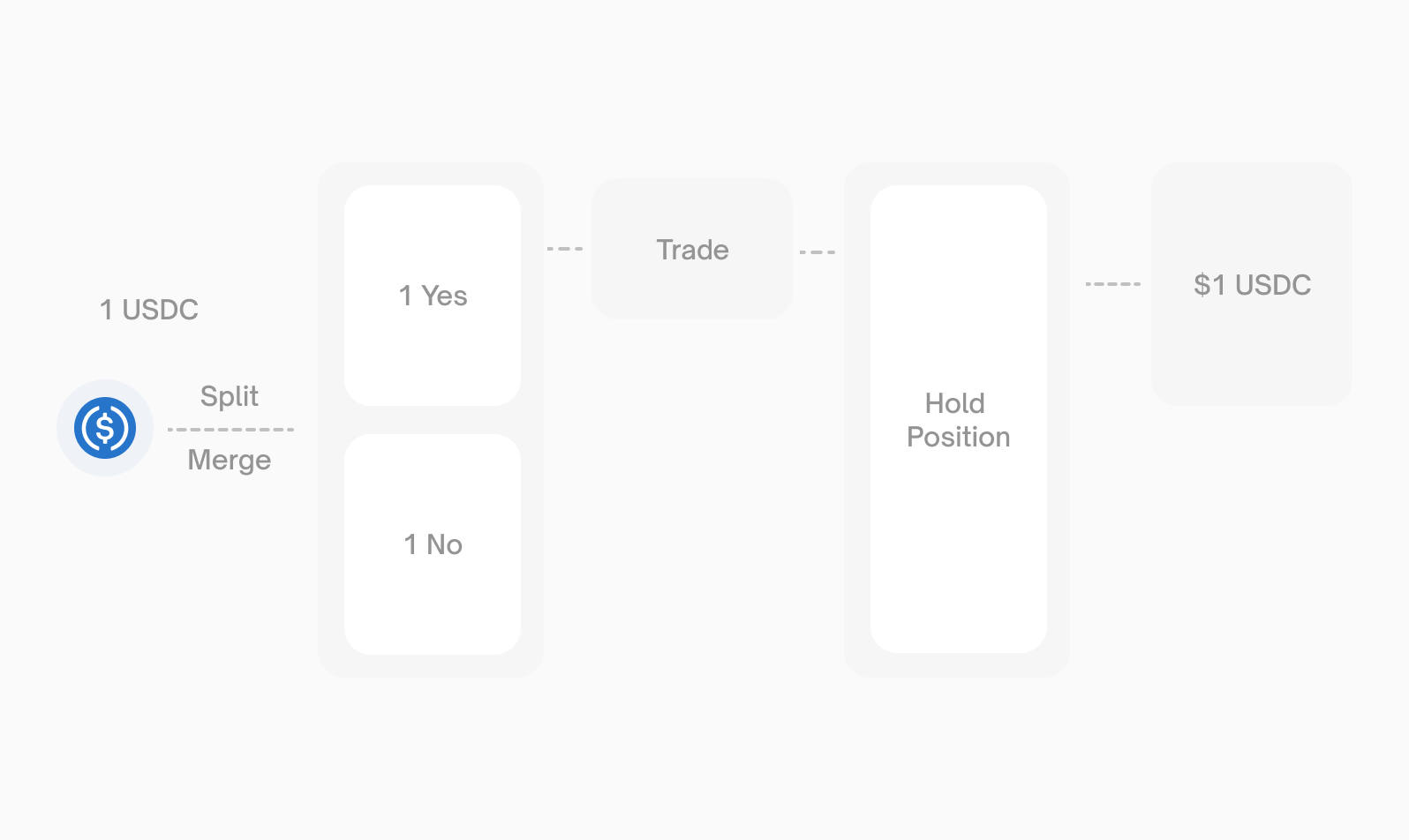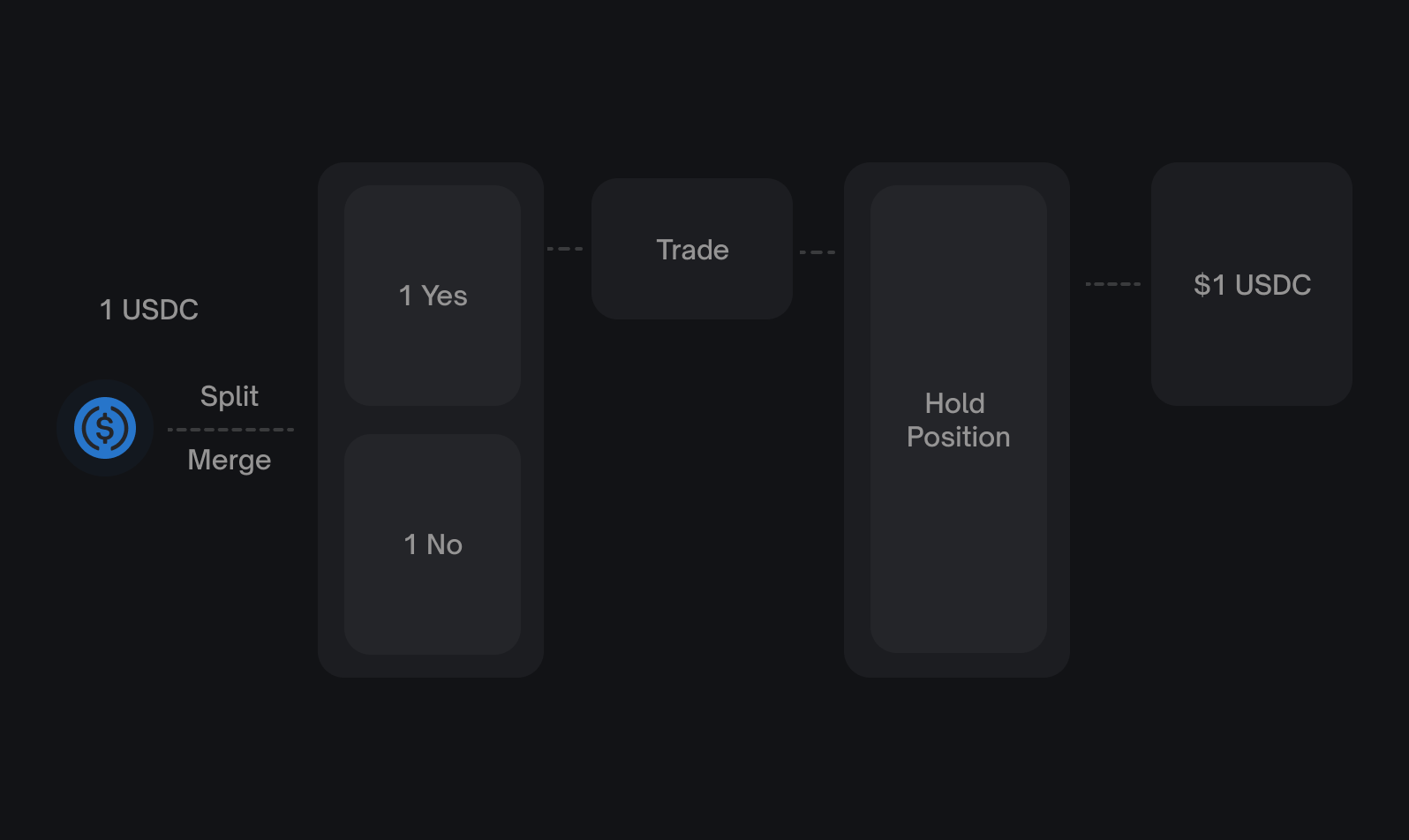
[](https://docs.polymarket.com/cn/trading/ctf/overview#%E4%BB%A3%E5%B8%81%E6%A0%87%E8%AF%86%E7%AC%A6)
代币标识符
---------------------------------------------------------------------------------------------------------------
每个结果代币都有一个唯一的 **position ID**(也称为 token ID 或 asset ID)。这些是通过三个步骤在链上计算的:
1. **`getConditionId(oracle, questionId, outcomeSlotCount)`** — oracle 是 [UMA CTF Adapter](https://github.com/Polymarket/uma-ctf-adapter)
,`questionId` 是 UMA ancillary data 的哈希,`outcomeSlotCount` 对于二元市场是 `2`
2. **`getCollectionId(parentCollectionId, conditionId, indexSet)`** — `parentCollectionId` 对于顶级仓位是 `bytes32(0)`,`indexSet` 是位掩码(`0b01 = 1` 表示第一个结果,`0b10 = 2` 表示第二个)
3. **`getPositionId(collateralToken, collectionId)`** — 将 pUSD 地址与 collection 结合生成最终的 token ID
你可以通过 Markets API(Gamma API 上的 `GET /markets`)或 Events API(Gamma API 上的 `GET /events`)找到 token ID。`tokens` 数组包含两个结果代币 ID。手动计算它们仅在直接智能合约集成时需要。
[](https://docs.polymarket.com/cn/trading/ctf/overview#%E6%A0%87%E5%87%86%E5%B8%82%E5%9C%BA-vs-neg-risk-%E5%B8%82%E5%9C%BA)
标准市场 vs Neg Risk 市场
---------------------------------------------------------------------------------------------------------------------------------------------------
Polymarket 有两种具有不同 CTF 配置的市场类型:
| 特性 | 标准市场 | Neg Risk 市场 |
| --- | --- | --- |
| CTF 合约 | ConditionalTokens | ConditionalTokens |
| Exchange 合约 | CTF Exchange | Neg Risk CTF Exchange |
| 多结果 | 独立市场 | 通过转换关联 |
| `negRisk` 标志 | `false` | `true` |
对于 neg risk 市场,额外的**转换**操作允许将一个 No 代币兑换为所有其他结果中的 Yes 代币。详见 [Negative Risk Markets](https://docs.polymarket.com/advanced/neg-risk)
。
[](https://docs.polymarket.com/cn/trading/ctf/overview#%E5%90%88%E7%BA%A6%E5%9C%B0%E5%9D%80)
合约地址
-----------------------------------------------------------------------------------------------------
所有 Polymarket 智能合约地址详见[合约](https://docs.polymarket.com/resources/contracts)
。
[](https://docs.polymarket.com/cn/trading/ctf/overview#%E8%B5%84%E6%BA%90)
资源
---------------------------------------------------------------------------------
CTF Source Code
---------------
Gnosis Conditional Tokens 智能合约
Code Examples
-------------
链上操作的 Python 和 TypeScript 示例
[](https://docs.polymarket.com/cn/trading/ctf/overview#%E4%B8%8B%E4%B8%80%E6%AD%A5)
下一步
-------------------------------------------------------------------------------------------
Split Tokens
------------
从 pUSD 创建结果代币对
Merge Tokens
------------
将代币对转换回 pUSD
Redeem Tokens
-------------
判定后领取奖金
此页面对您有帮助吗?
是否
[撮合引擎重启\
\
上一页](https://docs.polymarket.com/cn/trading/matching-engine)
[拆分代币\
\
下一页](https://docs.polymarket.com/cn/trading/ctf/split)
⌘I
---
# Negative Risk Markets - Polymarket Documentation
[Skip to main content](https://docs.polymarket.com/advanced/neg-risk#content-area)
[Polymarket Documentation home page](https://docs.polymarket.com/)

English
Search...
⌘K
Search...
Navigation
Trading
Negative Risk Markets
[Documentation](https://docs.polymarket.com/)
[API Reference](https://docs.polymarket.com/api-reference/introduction)

##### Getting Started
* [Overview](https://docs.polymarket.com/)
* [Polymarket 101](https://docs.polymarket.com/polymarket-101)
* [Quickstart](https://docs.polymarket.com/quickstart)

##### Core Concepts
* [Markets & Events](https://docs.polymarket.com/concepts/markets-events)
* [Prices & Orderbook](https://docs.polymarket.com/concepts/prices-orderbook)
* [Positions & Tokens](https://docs.polymarket.com/concepts/positions-tokens)
* [Polymarket USD](https://docs.polymarket.com/concepts/pusd)
* [Order Lifecycle](https://docs.polymarket.com/concepts/order-lifecycle)
* [Resolution](https://docs.polymarket.com/concepts/resolution)

##### Market Data
* [Overview](https://docs.polymarket.com/market-data/overview)
* [Fetching Markets](https://docs.polymarket.com/market-data/fetching-markets)

##### Trading
* [Overview](https://docs.polymarket.com/trading/overview)
* [Quickstart](https://docs.polymarket.com/trading/quickstart)
* [Orderbook](https://docs.polymarket.com/trading/orderbook)
* Orders
* Client Reference
* [Fees](https://docs.polymarket.com/trading/fees)
* [Gasless Transactions](https://docs.polymarket.com/trading/gasless)
* [Negative Risk Markets](https://docs.polymarket.com/advanced/neg-risk)
* [Matching Engine Restarts](https://docs.polymarket.com/trading/matching-engine)
* CTF Tokens
* WebSocket
* Bridge

##### Market Makers
* [Overview](https://docs.polymarket.com/market-makers/overview)
* [Getting Started](https://docs.polymarket.com/market-makers/getting-started)
* [Maker Rebates Program](https://docs.polymarket.com/market-makers/maker-rebates)
* [Liquidity Rewards](https://docs.polymarket.com/market-makers/liquidity-rewards)
* Operations

##### Builder Program
* [Builder Program](https://docs.polymarket.com/builders/overview)
* [Builder Code](https://docs.polymarket.com/builders/api-keys)
* [Builder Fees](https://docs.polymarket.com/builders/fees)
* [Tiers](https://docs.polymarket.com/builders/tiers)

##### Resources
* [Referral Program](https://docs.polymarket.com/resources/referral-program)
* [Contracts](https://docs.polymarket.com/resources/contracts)
* [Data Resources](https://docs.polymarket.com/resources/blockchain-data)
* [Error Codes](https://docs.polymarket.com/resources/error-codes)
On this page
* [How It Works](https://docs.polymarket.com/advanced/neg-risk#how-it-works)
* [Example](https://docs.polymarket.com/advanced/neg-risk#example)
* [Identifying Neg Risk Markets](https://docs.polymarket.com/advanced/neg-risk#identifying-neg-risk-markets)
* [Contract Addresses](https://docs.polymarket.com/advanced/neg-risk#contract-addresses)
* [Augmented Negative Risk](https://docs.polymarket.com/advanced/neg-risk#augmented-negative-risk)
* [How Placeholders Work](https://docs.polymarket.com/advanced/neg-risk#how-placeholders-work)
* [Trading Rules for Augmented Neg Risk](https://docs.polymarket.com/advanced/neg-risk#trading-rules-for-augmented-neg-risk)
* [Identifying Augmented Neg Risk](https://docs.polymarket.com/advanced/neg-risk#identifying-augmented-neg-risk)
* [Technical Details](https://docs.polymarket.com/advanced/neg-risk#technical-details)
* [Conversion Mechanics](https://docs.polymarket.com/advanced/neg-risk#conversion-mechanics)
* [Resources](https://docs.polymarket.com/advanced/neg-risk#resources)
* [Next Steps](https://docs.polymarket.com/advanced/neg-risk#next-steps)
**Negative risk** is a mechanism for multi-outcome events where only one outcome can win. It enables capital-efficient trading by allowing positions across all outcomes within an event to be related through a **conversion** operation.
[](https://docs.polymarket.com/advanced/neg-risk#how-it-works)
How It Works
-------------------------------------------------------------------------------
In a standard multi-outcome event, each market is independent. If you want to bet against one outcome, you must buy that outcome’s No tokens—but those No tokens have no relationship to the other outcomes. Negative risk changes this. In a neg risk event:
* A **No share** in any market can be converted into **1 Yes share in every other market**
* This conversion happens through the Neg Risk Adapter contract
###
[](https://docs.polymarket.com/advanced/neg-risk#example)
Example
Consider an event: “Who will win the 2024 Presidential Election?” with three outcomes:
| Outcome | Your Position |
| --- | --- |
| Trump | — |
| Harris | — |
| Other | 1 No |
With negative risk, that 1 No on “Other” can be converted into:
| Outcome | After Conversion |
| --- | --- |
| Trump | 1 Yes |
| Harris | 1 Yes |
| Other | — |
This is capital-efficient because betting against one outcome is economically equivalent to betting _for_ all other outcomes.
[](https://docs.polymarket.com/advanced/neg-risk#identifying-neg-risk-markets)
Identifying Neg Risk Markets
---------------------------------------------------------------------------------------------------------------
The Gamma API includes a `negRisk` boolean on events and markets:
{
"id": "123",
"title": "Who will win the 2024 Presidential Election?",
"negRisk": true,
"markets": [...]
}
When placing orders on neg risk markets, you must specify this in your order options:
const response = await client.createAndPostOrder(
{
tokenID: "TOKEN_ID",
price: 0.5,
size: 100,
side: Side.BUY,
},
{
tickSize: "0.01",
negRisk: true, // Required for neg risk markets
},
);
[](https://docs.polymarket.com/advanced/neg-risk#contract-addresses)
Contract Addresses
-------------------------------------------------------------------------------------------
Neg risk markets use different contracts than standard markets: See [Contracts](https://docs.polymarket.com/resources/contracts)
for the Neg Risk Adapter and Neg Risk CTF Exchange addresses.
[](https://docs.polymarket.com/advanced/neg-risk#augmented-negative-risk)
Augmented Negative Risk
-----------------------------------------------------------------------------------------------------
Standard negative risk requires the complete set of outcomes to be known at market creation. But sometimes new outcomes emerge after trading begins (e.g., a new candidate enters a race). **Augmented negative risk** solves this with:
| Outcome Type | Description |
| --- | --- |
| **Named outcomes** | Known outcomes (e.g., “Trump”, “Harris”) |
| **Placeholder outcomes** | Reserved slots that can be clarified later (e.g., “Person A”) |
| **Explicit Other** | Catches any outcome not explicitly named |
###
[](https://docs.polymarket.com/advanced/neg-risk#how-placeholders-work)
How Placeholders Work
1. Event launches with named outcomes + placeholders + “Other”
2. When a new outcome emerges, a placeholder is clarified via the bulletin board
3. The “Other” definition narrows as placeholders are assigned
###
[](https://docs.polymarket.com/advanced/neg-risk#trading-rules-for-augmented-neg-risk)
Trading Rules for Augmented Neg Risk
Only trade on **named outcomes**. Placeholder outcomes should be ignored until they are named or until resolution occurs. The Polymarket UI does not display unnamed outcomes.
* If the correct outcome at resolution is not named, the market resolves to “Other”
* The “Other” outcome’s definition changes as placeholders are clarified—avoid trading it directly
###
[](https://docs.polymarket.com/advanced/neg-risk#identifying-augmented-neg-risk)
Identifying Augmented Neg Risk
An event is augmented neg risk when both flags are true:
{
"enableNegRisk": true,
"negRiskAugmented": true
}
The Gamma API includes a boolean field `negRisk` on events and markets, which indicates whether the event uses negative risk. For augmented neg risk events, an additional `enableNegRisk` field is also `true`. When placing orders, the SDK option is always `negRisk: true` / `neg_risk: True` regardless of whether the market is standard or augmented neg risk.
[](https://docs.polymarket.com/advanced/neg-risk#technical-details)
Technical Details
-----------------------------------------------------------------------------------------
###
[](https://docs.polymarket.com/advanced/neg-risk#conversion-mechanics)
Conversion Mechanics
The conversion operation is atomic and happens through the Neg Risk Adapter:
1. You hold 1 No token for Outcome A
2. Call the convert function on the adapter
3. You receive 1 Yes token for every other outcome in the event
[](https://docs.polymarket.com/advanced/neg-risk#resources)
Resources
-------------------------------------------------------------------------
* [Neg Risk Adapter Source Code](https://github.com/Polymarket/neg-risk-ctf-adapter)
* [Gamma API Documentation](https://docs.polymarket.com/market-data/overview)
[](https://docs.polymarket.com/advanced/neg-risk#next-steps)
Next Steps
---------------------------------------------------------------------------
Markets & Events
----------------
Understand how multi-market events are structured.
Positions & Tokens
------------------
Learn about token operations like split, merge, and redeem.
Was this page helpful?
YesNo
[Gasless Transactions\
\
Previous](https://docs.polymarket.com/trading/gasless)
[Matching Engine Restarts\
\
Next](https://docs.polymarket.com/trading/matching-engine)
⌘I
---
# Overview - Polymarket Documentation
[Skip to main content](https://docs.polymarket.com/index#content-area)
[Polymarket Documentation home page](https://docs.polymarket.com/)

English
Search...
⌘K
Search...
Navigation
Getting Started
Overview
[Documentation](https://docs.polymarket.com/)
[API Reference](https://docs.polymarket.com/api-reference/introduction)

##### Getting Started
* [Overview](https://docs.polymarket.com/)
* [Polymarket 101](https://docs.polymarket.com/polymarket-101)
* [Quickstart](https://docs.polymarket.com/quickstart)

##### Core Concepts
* [Markets & Events](https://docs.polymarket.com/concepts/markets-events)
* [Prices & Orderbook](https://docs.polymarket.com/concepts/prices-orderbook)
* [Positions & Tokens](https://docs.polymarket.com/concepts/positions-tokens)
* [Polymarket USD](https://docs.polymarket.com/concepts/pusd)
* [Order Lifecycle](https://docs.polymarket.com/concepts/order-lifecycle)
* [Resolution](https://docs.polymarket.com/concepts/resolution)

##### Market Data
* [Overview](https://docs.polymarket.com/market-data/overview)
* [Fetching Markets](https://docs.polymarket.com/market-data/fetching-markets)

##### Trading
* [Overview](https://docs.polymarket.com/trading/overview)
* [Quickstart](https://docs.polymarket.com/trading/quickstart)
* [Orderbook](https://docs.polymarket.com/trading/orderbook)
* Orders
* Client Reference
* [Fees](https://docs.polymarket.com/trading/fees)
* [Gasless Transactions](https://docs.polymarket.com/trading/gasless)
* [Negative Risk Markets](https://docs.polymarket.com/advanced/neg-risk)
* [Matching Engine Restarts](https://docs.polymarket.com/trading/matching-engine)
* CTF Tokens
* WebSocket
* Bridge

##### Market Makers
* [Overview](https://docs.polymarket.com/market-makers/overview)
* [Getting Started](https://docs.polymarket.com/market-makers/getting-started)
* [Maker Rebates Program](https://docs.polymarket.com/market-makers/maker-rebates)
* [Liquidity Rewards](https://docs.polymarket.com/market-makers/liquidity-rewards)
* Operations

##### Builder Program
* [Builder Program](https://docs.polymarket.com/builders/overview)
* [Builder Code](https://docs.polymarket.com/builders/api-keys)
* [Builder Fees](https://docs.polymarket.com/builders/fees)
* [Tiers](https://docs.polymarket.com/builders/tiers)

##### Resources
* [Referral Program](https://docs.polymarket.com/resources/referral-program)
* [Contracts](https://docs.polymarket.com/resources/contracts)
* [Data Resources](https://docs.polymarket.com/resources/blockchain-data)
* [Error Codes](https://docs.polymarket.com/resources/error-codes)
[🇺🇸Looking for Polymarket US documentation?Visit US Docs →](https://docs.polymarket.us/)
Polymarket Documentation
========================
Build on the world’s largest prediction market. APIs, SDKs, and tools for prediction market developers.
Developer Quickstart
--------------------
Make your first API request in minutes. Learn the basics of the Polymarket platform, fetch market data, place orders, and redeem winning positions.
[Get Started →](https://docs.polymarket.com/quickstart)
TypeScript
Python
Rust
import { ClobClient, Side } from "@polymarket/clob-client-v2";
const client = new ClobClient({ host, chain: chainId, signer, creds });
const order = await client.createAndPostOrder(
{ tokenID, price: 0.50, size: 10, side: Side.BUY },
{ tickSize: "0.01", negRisk: false }
);
Get Familiar with Polymarket
----------------------------
Learn the fundamentals, explore our APIs, and start building on the world’s largest prediction market.
Quickstart
----------
Set up your environment and make your first API call in minutes.
Core Concepts
-------------
Understand markets, events, tokens, and how trading works.
API Reference
-------------
Explore REST endpoints, WebSocket streams, and authentication.
SDKs
----
Official Python, TypeScript, and Rust libraries for faster development.
[](https://builders.polymarket.com/)
⌘I
---
# Fees - Polymarket Documentation
[Skip to main content](https://docs.polymarket.com/trading/fees#content-area)
[Polymarket Documentation home page](https://docs.polymarket.com/)

English
Search...
⌘K
Search...
Navigation
Trading
Fees
[Documentation](https://docs.polymarket.com/)
[API Reference](https://docs.polymarket.com/api-reference/introduction)

##### Getting Started
* [Overview](https://docs.polymarket.com/)
* [Polymarket 101](https://docs.polymarket.com/polymarket-101)
* [Quickstart](https://docs.polymarket.com/quickstart)

##### Core Concepts
* [Markets & Events](https://docs.polymarket.com/concepts/markets-events)
* [Prices & Orderbook](https://docs.polymarket.com/concepts/prices-orderbook)
* [Positions & Tokens](https://docs.polymarket.com/concepts/positions-tokens)
* [Polymarket USD](https://docs.polymarket.com/concepts/pusd)
* [Order Lifecycle](https://docs.polymarket.com/concepts/order-lifecycle)
* [Resolution](https://docs.polymarket.com/concepts/resolution)

##### Market Data
* [Overview](https://docs.polymarket.com/market-data/overview)
* [Fetching Markets](https://docs.polymarket.com/market-data/fetching-markets)

##### Trading
* [Overview](https://docs.polymarket.com/trading/overview)
* [Quickstart](https://docs.polymarket.com/trading/quickstart)
* [Orderbook](https://docs.polymarket.com/trading/orderbook)
* Orders
* Client Reference
* [Fees](https://docs.polymarket.com/trading/fees)
* [Gasless Transactions](https://docs.polymarket.com/trading/gasless)
* [Negative Risk Markets](https://docs.polymarket.com/advanced/neg-risk)
* [Matching Engine Restarts](https://docs.polymarket.com/trading/matching-engine)
* CTF Tokens
* WebSocket
* Bridge

##### Market Makers
* [Overview](https://docs.polymarket.com/market-makers/overview)
* [Getting Started](https://docs.polymarket.com/market-makers/getting-started)
* [Maker Rebates Program](https://docs.polymarket.com/market-makers/maker-rebates)
* [Liquidity Rewards](https://docs.polymarket.com/market-makers/liquidity-rewards)
* Operations

##### Builder Program
* [Builder Program](https://docs.polymarket.com/builders/overview)
* [Builder Code](https://docs.polymarket.com/builders/api-keys)
* [Builder Fees](https://docs.polymarket.com/builders/fees)
* [Tiers](https://docs.polymarket.com/builders/tiers)

##### Resources
* [Referral Program](https://docs.polymarket.com/resources/referral-program)
* [Contracts](https://docs.polymarket.com/resources/contracts)
* [Data Resources](https://docs.polymarket.com/resources/blockchain-data)
* [Error Codes](https://docs.polymarket.com/resources/error-codes)
On this page
* [Fee Structure](https://docs.polymarket.com/trading/fees#fee-structure)
* [Fee Tables (100 Shares)](https://docs.polymarket.com/trading/fees#fee-tables-100-shares)
* [Fee Precision](https://docs.polymarket.com/trading/fees#fee-precision)
* [Fee Handling](https://docs.polymarket.com/trading/fees#fee-handling)
* [Next Steps](https://docs.polymarket.com/trading/fees#next-steps)
Polymarket charges a small taker fee on certain markets. Fees are set by the protocol and applied at match time — you don’t include fee information in your orders. These fees fund the [Maker Rebates Program](https://docs.polymarket.com/market-makers/maker-rebates)
, which redistributes fees daily to market makers to incentivize deeper liquidity and tighter spreads. **Geopolitical and world events markets are fee-free.** Polymarket does not charge fees or profit from trading activity on these markets. There are also no Polymarket fees to deposit or withdraw USDC (though intermediaries like Coinbase or MoonPay may charge their own fees).
Fees are determined per-market at match time. Markets with fees enabled have `feesEnabled` set to `true` on the market object. Query fee parameters for any market with `getClobMarketInfo(conditionID)`.
* * *
[](https://docs.polymarket.com/trading/fees#fee-structure)
Fee Structure
----------------------------------------------------------------------------
Fees are calculated using the following formula:
fee = C × feeRate × p × (1 - p)
Where **C** = number of shares traded and **p** = price of the shares. **Makers are never charged fees.** Only takers pay fees. The fee parameters differ by market category:
| Category | Taker Fee Rate | Maker Fee Rate | Maker Rebate |
| --- | --- | --- | --- |
| Crypto | 0.072 | 0 | 20% |
| Sports | 0.03 | 0 | 25% |
| Finance | 0.04 | 0 | 25% |
| Politics | 0.04 | 0 | 25% |
| Economics | 0.05 | 0 | 25% |
| Culture | 0.05 | 0 | 25% |
| Weather | 0.05 | 0 | 25% |
| Other / General | 0.05 | 0 | 25% |
| Mentions | 0.04 | 0 | 25% |
| Tech | 0.04 | 0 | 25% |
| Geopolitics | 0 | 0 | — |
Taker fees are calculated in USDC and vary based on the share price. The fee amount in USDC is symmetric around 50% probability — a trade at 30¢ incurs the same dollar fee as a trade at 70¢.
###
[](https://docs.polymarket.com/trading/fees#fee-tables-100-shares)
Fee Tables (100 Shares)
* Crypto
* Sports
* Finance / Politics / Mentions / Tech
* Economics / Culture / Weather / Other
| Price | Trade Value | Taker Fee (USDC) |
| --- | --- | --- |
| $0.01 | $1 | $0.07 |
| $0.05 | $5 | $0.34 |
| $0.10 | $10 | $0.65 |
| $0.15 | $15 | $0.92 |
| $0.20 | $20 | $1.15 |
| $0.25 | $25 | $1.35 |
| $0.30 | $30 | $1.51 |
| $0.35 | $35 | $1.64 |
| $0.40 | $40 | $1.73 |
| $0.45 | $45 | $1.78 |
| $0.50 | $50 | $1.80 |
| $0.55 | $55 | $1.78 |
| $0.60 | $60 | $1.73 |
| $0.65 | $65 | $1.64 |
| $0.70 | $70 | $1.51 |
| $0.75 | $75 | $1.35 |
| $0.80 | $80 | $1.15 |
| $0.85 | $85 | $0.92 |
| $0.90 | $90 | $0.65 |
| $0.95 | $95 | $0.34 |
| $0.99 | $99 | $0.07 |
The fee in USDC **peaks at 50%** probability ($1.80) and decreases symmetrically toward both extremes.
| Price | Trade Value | Taker Fee (USDC) |
| --- | --- | --- |
| $0.01 | $1 | $0.03 |
| $0.05 | $5 | $0.14 |
| $0.10 | $10 | $0.27 |
| $0.15 | $15 | $0.38 |
| $0.20 | $20 | $0.48 |
| $0.25 | $25 | $0.56 |
| $0.30 | $30 | $0.63 |
| $0.35 | $35 | $0.68 |
| $0.40 | $40 | $0.72 |
| $0.45 | $45 | $0.74 |
| $0.50 | $50 | $0.75 |
| $0.55 | $55 | $0.74 |
| $0.60 | $60 | $0.72 |
| $0.65 | $65 | $0.68 |
| $0.70 | $70 | $0.63 |
| $0.75 | $75 | $0.56 |
| $0.80 | $80 | $0.48 |
| $0.85 | $85 | $0.38 |
| $0.90 | $90 | $0.27 |
| $0.95 | $95 | $0.14 |
| $0.99 | $99 | $0.03 |
The fee in USDC **peaks at 50%** probability ($0.75) and decreases symmetrically toward both extremes.
| Price | Trade Value | Taker Fee (USDC) |
| --- | --- | --- |
| $0.01 | $1 | $0.04 |
| $0.05 | $5 | $0.19 |
| $0.10 | $10 | $0.36 |
| $0.15 | $15 | $0.51 |
| $0.20 | $20 | $0.64 |
| $0.25 | $25 | $0.75 |
| $0.30 | $30 | $0.84 |
| $0.35 | $35 | $0.91 |
| $0.40 | $40 | $0.96 |
| $0.45 | $45 | $0.99 |
| $0.50 | $50 | $1.00 |
| $0.55 | $55 | $0.99 |
| $0.60 | $60 | $0.96 |
| $0.65 | $65 | $0.91 |
| $0.70 | $70 | $0.84 |
| $0.75 | $75 | $0.75 |
| $0.80 | $80 | $0.64 |
| $0.85 | $85 | $0.51 |
| $0.90 | $90 | $0.36 |
| $0.95 | $95 | $0.19 |
| $0.99 | $99 | $0.04 |
The fee in USDC **peaks at 50%** probability ($1.00) and decreases symmetrically toward both extremes.
| Price | Trade Value | Taker Fee (USDC) |
| --- | --- | --- |
| $0.01 | $1 | $0.05 |
| $0.05 | $5 | $0.24 |
| $0.10 | $10 | $0.45 |
| $0.15 | $15 | $0.64 |
| $0.20 | $20 | $0.80 |
| $0.25 | $25 | $0.94 |
| $0.30 | $30 | $1.05 |
| $0.35 | $35 | $1.14 |
| $0.40 | $40 | $1.20 |
| $0.45 | $45 | $1.24 |
| $0.50 | $50 | $1.25 |
| $0.55 | $55 | $1.24 |
| $0.60 | $60 | $1.20 |
| $0.65 | $65 | $1.14 |
| $0.70 | $70 | $1.05 |
| $0.75 | $75 | $0.94 |
| $0.80 | $80 | $0.80 |
| $0.85 | $85 | $0.64 |
| $0.90 | $90 | $0.45 |
| $0.95 | $95 | $0.24 |
| $0.99 | $99 | $0.05 |
The fee in USDC **peaks at 50%** probability ($1.25) and decreases symmetrically toward both extremes.
###
[](https://docs.polymarket.com/trading/fees#fee-precision)
Fee Precision
Fees are rounded to 5 decimal places. The smallest fee charged is **0.00001 USDC**. Anything smaller rounds to zero, so very small trades near the extremes may incur no fee at all.
* * *
[](https://docs.polymarket.com/trading/fees#fee-handling)
Fee Handling
--------------------------------------------------------------------------
Fees are calculated and applied at match time by the protocol — you do not need to include fee information in your orders. The SDK handles everything automatically. To query fee parameters for a specific market, use `getClobMarketInfo(conditionID)`:
TypeScript
Python
const info = await client.getClobMarketInfo(conditionID);
// info.fd = { r: feeRate, e: exponent, to: takerOnly }
* * *
[](https://docs.polymarket.com/trading/fees#next-steps)
Next Steps
----------------------------------------------------------------------
Maker Rebates Program
---------------------
Learn how taker fees fund daily USDC rebates for liquidity providers.
Place Orders
------------
Start placing orders on Polymarket.
Was this page helpful?
YesNo
[Builder Methods\
\
Previous](https://docs.polymarket.com/trading/clients/builder)
[Gasless Transactions\
\
Next](https://docs.polymarket.com/trading/gasless)
⌘I
---
# Matching Engine Restarts - Polymarket Documentation
[Skip to main content](https://docs.polymarket.com/trading/matching-engine#content-area)
[Polymarket Documentation home page](https://docs.polymarket.com/)

English
Search...
⌘K
Search...
Navigation
Trading
Matching Engine Restarts
[Documentation](https://docs.polymarket.com/)
[API Reference](https://docs.polymarket.com/api-reference/introduction)

##### Getting Started
* [Overview](https://docs.polymarket.com/)
* [Polymarket 101](https://docs.polymarket.com/polymarket-101)
* [Quickstart](https://docs.polymarket.com/quickstart)

##### Core Concepts
* [Markets & Events](https://docs.polymarket.com/concepts/markets-events)
* [Prices & Orderbook](https://docs.polymarket.com/concepts/prices-orderbook)
* [Positions & Tokens](https://docs.polymarket.com/concepts/positions-tokens)
* [Polymarket USD](https://docs.polymarket.com/concepts/pusd)
* [Order Lifecycle](https://docs.polymarket.com/concepts/order-lifecycle)
* [Resolution](https://docs.polymarket.com/concepts/resolution)

##### Market Data
* [Overview](https://docs.polymarket.com/market-data/overview)
* [Fetching Markets](https://docs.polymarket.com/market-data/fetching-markets)

##### Trading
* [Overview](https://docs.polymarket.com/trading/overview)
* [Quickstart](https://docs.polymarket.com/trading/quickstart)
* [Orderbook](https://docs.polymarket.com/trading/orderbook)
* Orders
* Client Reference
* [Fees](https://docs.polymarket.com/trading/fees)
* [Gasless Transactions](https://docs.polymarket.com/trading/gasless)
* [Negative Risk Markets](https://docs.polymarket.com/advanced/neg-risk)
* [Matching Engine Restarts](https://docs.polymarket.com/trading/matching-engine)
* CTF Tokens
* WebSocket
* Bridge

##### Market Makers
* [Overview](https://docs.polymarket.com/market-makers/overview)
* [Getting Started](https://docs.polymarket.com/market-makers/getting-started)
* [Maker Rebates Program](https://docs.polymarket.com/market-makers/maker-rebates)
* [Liquidity Rewards](https://docs.polymarket.com/market-makers/liquidity-rewards)
* Operations

##### Builder Program
* [Builder Program](https://docs.polymarket.com/builders/overview)
* [Builder Code](https://docs.polymarket.com/builders/api-keys)
* [Builder Fees](https://docs.polymarket.com/builders/fees)
* [Tiers](https://docs.polymarket.com/builders/tiers)

##### Resources
* [Referral Program](https://docs.polymarket.com/resources/referral-program)
* [Contracts](https://docs.polymarket.com/resources/contracts)
* [Data Resources](https://docs.polymarket.com/resources/blockchain-data)
* [Error Codes](https://docs.polymarket.com/resources/error-codes)
On this page
* [Restart Schedule](https://docs.polymarket.com/trading/matching-engine#restart-schedule)
* [Announcements](https://docs.polymarket.com/trading/matching-engine#announcements)
* [Handling HTTP 425](https://docs.polymarket.com/trading/matching-engine#handling-http-425)
* [Recommended Retry Strategy](https://docs.polymarket.com/trading/matching-engine#recommended-retry-strategy)
* [Code Examples](https://docs.polymarket.com/trading/matching-engine#code-examples)
* [Best Practices](https://docs.polymarket.com/trading/matching-engine#best-practices)
The Polymarket matching engine undergoes periodic restarts for maintenance and upgrades. This page covers the restart schedule, how to detect and handle downtime, and where to get advance notice of changes.
* * *
[](https://docs.polymarket.com/trading/matching-engine#restart-schedule)
Restart Schedule
---------------------------------------------------------------------------------------------
The matching engine restarts **weekly on Tuesdays at 7:00 AM ET**. During a restart window, the engine is temporarily unavailable — typically for about **90 seconds**.
| | Details |
| --- | --- |
| **Cadence** | Weekly |
| **Day & time** | Tuesday, 7:00 AM ET |
| **Typical duration** | ~90 seconds |
| **What happens** | Order matching is paused, API returns `425` |
Unscheduled restarts may occur for critical updates or hotfixes. These are announced with as much advance notice as possible.
* * *
[](https://docs.polymarket.com/trading/matching-engine#announcements)
Announcements
---------------------------------------------------------------------------------------
Matching engine changes — planned restarts, updates, and maintenance windows — are announced **before they happen** in these channels:
Telegram
--------
Join the Polymarket Trading APIs channel for real-time announcements.
Discord
-------
Join the #trading-apis channel in the Polymarket Discord.
Announcements typically include **what’s changing**, the **scheduled time**, and the **expected downtime window**. The goal is ~2 days notice when possible.
* * *
[](https://docs.polymarket.com/trading/matching-engine#handling-http-425)
Handling HTTP 425
-----------------------------------------------------------------------------------------------
During a restart window, the CLOB API returns **HTTP 425 (Too Early)** on all order-related endpoints. This tells your client that the matching engine is restarting and will be back shortly.
###
[](https://docs.polymarket.com/trading/matching-engine#recommended-retry-strategy)
Recommended Retry Strategy
1
[](https://docs.polymarket.com/trading/matching-engine#)
Detect 425
When you receive an HTTP `425` response, the matching engine is restarting. Do not treat this as a permanent error.
2
[](https://docs.polymarket.com/trading/matching-engine#)
Back off and retry
Wait and retry with exponential backoff. Start at 1–2 seconds and increase the interval on each retry.
3
[](https://docs.polymarket.com/trading/matching-engine#)
Resume normal operation
Once you receive a successful response, the engine is back online. Resume normal order flow.
###
[](https://docs.polymarket.com/trading/matching-engine#code-examples)
Code Examples
Check the HTTP status code on responses to the CLOB API and retry on `425`:
TypeScript
Python
Rust
const CLOB_HOST = "https://clob.polymarket.com";
async function postWithRetry(path: string, body: any, headers: Record) {
const MAX_RETRIES = 10;
let delay = 1000;
for (let attempt = 0; attempt < MAX_RETRIES; attempt++) {
const response = await fetch(`${CLOB_HOST}${path}`, {
method: "POST",
headers: { "Content-Type": "application/json", ...headers },
body: JSON.stringify(body),
});
if (response.status === 425) {
console.log(`Engine restarting, retrying in ${delay / 1000}s...`);
await new Promise((r) => setTimeout(r, delay));
delay = Math.min(delay * 2, 30000);
continue;
}
return response;
}
throw new Error("Engine restart exceeded maximum retry attempts");
}
* * *
[](https://docs.polymarket.com/trading/matching-engine#best-practices)
Best Practices
-----------------------------------------------------------------------------------------
* **Subscribe to announcement channels** — get notified before restarts happen so you can prepare
* **Handle 425 gracefully** — treat it as a temporary condition, not an error; your retry logic should resume automatically
* **Avoid aggressive retries** — the engine needs time to reload orderbooks; rapid-fire retries won’t speed things up and may hit rate limits once the engine is back
* **Log restart events** — track when your client encounters 425s to correlate with announced maintenance windows
Was this page helpful?
YesNo
[Negative Risk Markets\
\
Previous](https://docs.polymarket.com/advanced/neg-risk)
[Conditional Token Framework\
\
Next](https://docs.polymarket.com/trading/ctf/overview)
⌘I
---
# Gasless Transactions - Polymarket Documentation
[Skip to main content](https://docs.polymarket.com/trading/gasless#content-area)
[Polymarket Documentation home page](https://docs.polymarket.com/)

English
Search...
⌘K
Search...
Navigation
Trading
Gasless Transactions
[Documentation](https://docs.polymarket.com/)
[API Reference](https://docs.polymarket.com/api-reference/introduction)

##### Getting Started
* [Overview](https://docs.polymarket.com/)
* [Polymarket 101](https://docs.polymarket.com/polymarket-101)
* [Quickstart](https://docs.polymarket.com/quickstart)

##### Core Concepts
* [Markets & Events](https://docs.polymarket.com/concepts/markets-events)
* [Prices & Orderbook](https://docs.polymarket.com/concepts/prices-orderbook)
* [Positions & Tokens](https://docs.polymarket.com/concepts/positions-tokens)
* [Polymarket USD](https://docs.polymarket.com/concepts/pusd)
* [Order Lifecycle](https://docs.polymarket.com/concepts/order-lifecycle)
* [Resolution](https://docs.polymarket.com/concepts/resolution)

##### Market Data
* [Overview](https://docs.polymarket.com/market-data/overview)
* [Fetching Markets](https://docs.polymarket.com/market-data/fetching-markets)

##### Trading
* [Overview](https://docs.polymarket.com/trading/overview)
* [Quickstart](https://docs.polymarket.com/trading/quickstart)
* [Orderbook](https://docs.polymarket.com/trading/orderbook)
* Orders
* Client Reference
* [Fees](https://docs.polymarket.com/trading/fees)
* [Gasless Transactions](https://docs.polymarket.com/trading/gasless)
* [Negative Risk Markets](https://docs.polymarket.com/advanced/neg-risk)
* [Matching Engine Restarts](https://docs.polymarket.com/trading/matching-engine)
* CTF Tokens
* WebSocket
* Bridge

##### Market Makers
* [Overview](https://docs.polymarket.com/market-makers/overview)
* [Getting Started](https://docs.polymarket.com/market-makers/getting-started)
* [Maker Rebates Program](https://docs.polymarket.com/market-makers/maker-rebates)
* [Liquidity Rewards](https://docs.polymarket.com/market-makers/liquidity-rewards)
* Operations

##### Builder Program
* [Builder Program](https://docs.polymarket.com/builders/overview)
* [Builder Code](https://docs.polymarket.com/builders/api-keys)
* [Builder Fees](https://docs.polymarket.com/builders/fees)
* [Tiers](https://docs.polymarket.com/builders/tiers)

##### Resources
* [Referral Program](https://docs.polymarket.com/resources/referral-program)
* [Contracts](https://docs.polymarket.com/resources/contracts)
* [Data Resources](https://docs.polymarket.com/resources/blockchain-data)
* [Error Codes](https://docs.polymarket.com/resources/error-codes)
On this page
* [How It Works](https://docs.polymarket.com/trading/gasless#how-it-works)
* [What Is Covered](https://docs.polymarket.com/trading/gasless#what-is-covered)
* [Authentication](https://docs.polymarket.com/trading/gasless#authentication)
* [Prerequisites](https://docs.polymarket.com/trading/gasless#prerequisites)
* [Installation](https://docs.polymarket.com/trading/gasless#installation)
* [Client Setup](https://docs.polymarket.com/trading/gasless#client-setup)
* [Wallet Types](https://docs.polymarket.com/trading/gasless#wallet-types)
* [Executing Transactions](https://docs.polymarket.com/trading/gasless#executing-transactions)
* [Token Approval](https://docs.polymarket.com/trading/gasless#token-approval)
* [Redeem Positions](https://docs.polymarket.com/trading/gasless#redeem-positions)
* [Batch Transactions](https://docs.polymarket.com/trading/gasless#batch-transactions)
* [Transaction States](https://docs.polymarket.com/trading/gasless#transaction-states)
* [Contract Addresses](https://docs.polymarket.com/trading/gasless#contract-addresses)
* [Resources](https://docs.polymarket.com/trading/gasless#resources)
* [Next Steps](https://docs.polymarket.com/trading/gasless#next-steps)
Polymarket’s **Relayer Client** enables gasless transactions for your users. Instead of requiring users to hold POL for gas, Polymarket’s infrastructure pays all transaction fees. This creates a seamless experience where users only need pUSD to trade.
[](https://docs.polymarket.com/trading/gasless#how-it-works)
How It Works
-----------------------------------------------------------------------------
The relayer acts as a transaction sponsor:
1. Your app creates a transaction
2. The user signs it with their private key
3. Your app sends it to Polymarket’s relayer
4. The relayer submits it onchain and pays the gas fee
5. The transaction executes from the user’s wallet
[](https://docs.polymarket.com/trading/gasless#what-is-covered)
What Is Covered
-----------------------------------------------------------------------------------
Polymarket pays gas for all operations routed through the relayer:
| Operation | Description |
| --- | --- |
| **Wallet deployment** | Deploy Safe or Proxy wallets for new users |
| **Token approvals** | Approve contracts to spend pUSD or outcome tokens |
| **CTF operations** | Split, merge, and redeem positions |
| **Transfers** | Move tokens between addresses |
[](https://docs.polymarket.com/trading/gasless#authentication)
Authentication
---------------------------------------------------------------------------------
The relayer uses **Relayer API Keys**. You can create one from [Settings > API Keys](https://polymarket.com/settings?tab=api-keys)
on the Polymarket website.
**Already have a builder signing key?** Your existing HMAC-based builder API key keeps working with the Relayer — no need to rotate or reissue. Only order-signing moved to the native `builderCode` field in CLOB V2. See [Migrating to CLOB V2](https://docs.polymarket.com/v2-migration#builder-program)
for context.
Include these headers with your requests:
| Header | Description |
| --- | --- |
| `RELAYER_API_KEY` | Your Relayer API key |
| `RELAYER_API_KEY_ADDRESS` | The address that owns the key |
If you want to use the Relayer API Key directly without the SDK, see the [Relayer API Reference](https://docs.polymarket.com/api-reference/relayer)
.
[](https://docs.polymarket.com/trading/gasless#prerequisites)
Prerequisites
-------------------------------------------------------------------------------
Before using the relayer, you need:
| Requirement | Source |
| --- | --- |
| Relayer API Key | [Settings > API Keys](https://polymarket.com/settings?tab=api-keys) |
| User’s private key or signer | Your wallet integration |
| pUSD balance | For trading (not for gas) |
[](https://docs.polymarket.com/trading/gasless#installation)
Installation
-----------------------------------------------------------------------------
npm
pip
npm install @polymarket/builder-relayer-client
[](https://docs.polymarket.com/trading/gasless#client-setup)
Client Setup
-----------------------------------------------------------------------------
Initialize the relayer client with your Relayer API Key:
TypeScript
Python
import { createWalletClient, http, Hex } from "viem";
import { privateKeyToAccount } from "viem/accounts";
import { polygon } from "viem/chains";
import { RelayClient } from "@polymarket/builder-relayer-client";
const account = privateKeyToAccount(process.env.PRIVATE_KEY as Hex);
const wallet = createWalletClient({
account,
chain: polygon,
transport: http(process.env.RPC_URL),
});
const client = new RelayClient({
host: "https://relayer-v2.polymarket.com/",
chain: 137,
signer: wallet,
relayerApiKey: process.env.RELAYER_API_KEY!,
relayerApiKeyAddress: process.env.RELAYER_API_KEY_ADDRESS!,
});
Never expose your Relayer API Key in client-side code. Use environment variables or a secrets manager.
[](https://docs.polymarket.com/trading/gasless#wallet-types)
Wallet Types
-----------------------------------------------------------------------------
Choose a wallet type when initializing the client:
| Type | Deployment | Best For |
| --- | --- | --- |
| **Safe** | Call `deploy()` before first transaction | Most builder integrations |
| **Proxy** | Auto-deploys on first transaction | Magic Link users |
Safe Wallet (TypeScript)
Safe Wallet (Python)
Proxy Wallet (TypeScript)
Proxy Wallet (Python)
import { RelayClient, RelayerTxType } from "@polymarket/builder-relayer-client";
const client = new RelayClient({
host: "https://relayer-v2.polymarket.com/",
chain: 137,
signer: wallet,
relayerApiKey: process.env.RELAYER_API_KEY!,
relayerApiKeyAddress: process.env.RELAYER_API_KEY_ADDRESS!,
txType: RelayerTxType.SAFE,
});
// Deploy before first transaction
const response = await client.deploy();
const result = await response.wait();
console.log("Safe Address:", result?.proxyAddress);
[](https://docs.polymarket.com/trading/gasless#executing-transactions)
Executing Transactions
-------------------------------------------------------------------------------------------------
Use the `execute` method to send transactions through the relayer:
interface Transaction {
to: string; // Target contract address
data: string; // Encoded function call
value: string; // POL to send (usually "0")
}
const response = await client.execute(transactions, "Description");
const result = await response.wait();
###
[](https://docs.polymarket.com/trading/gasless#token-approval)
Token Approval
Approve contracts to spend tokens:
TypeScript
Python
import { encodeFunctionData, maxUint256 } from "viem";
const pUSD = "0xC011a7E12a19f7B1f670d46F03B03f3342E82DFB";
const CTF = "0x4D97DCd97eC945f40cF65F87097ACe5EA0476045";
const approveTx = {
to: pUSD,
data: encodeFunctionData({
abi: [\
{\
name: "approve",\
type: "function",\
inputs: [\
{ name: "spender", type: "address" },\
{ name: "amount", type: "uint256" },\
],\
outputs: [{ type: "bool" }],\
},\
],
functionName: "approve",
args: [CTF, maxUint256],
}),
value: "0",
};
const response = await client.execute([approveTx], "Approve pUSD for CTF");
await response.wait();
###
[](https://docs.polymarket.com/trading/gasless#redeem-positions)
Redeem Positions
Exchange winning tokens for pUSD after market resolution:
TypeScript
Python
import { encodeFunctionData } from "viem";
const redeemTx = {
to: CTF_ADDRESS,
data: encodeFunctionData({
abi: [\
{\
name: "redeemPositions",\
type: "function",\
inputs: [\
{ name: "collateralToken", type: "address" },\
{ name: "parentCollectionId", type: "bytes32" },\
{ name: "conditionId", type: "bytes32" },\
{ name: "indexSets", type: "uint256[]" },\
],\
outputs: [],\
},\
],
functionName: "redeemPositions",
args: [collateralToken, parentCollectionId, conditionId, indexSets],
}),
value: "0",
};
const response = await client.execute([redeemTx], "Redeem positions");
await response.wait();
###
[](https://docs.polymarket.com/trading/gasless#batch-transactions)
Batch Transactions
Execute multiple operations atomically in a single call:
TypeScript
Python
const approveTx = {
to: pUSD,
data: encodeFunctionData({
abi: erc20Abi,
functionName: "approve",
args: [CTF, maxUint256],
}),
value: "0",
};
const transferTx = {
to: pUSD,
data: encodeFunctionData({
abi: erc20Abi,
functionName: "transfer",
args: [recipientAddress, parseUnits("50", 6)],
}),
value: "0",
};
// Both execute atomically
const response = await client.execute(
[approveTx, transferTx],
"Approve and transfer",
);
await response.wait();
Batching reduces latency and ensures all transactions succeed or fail together.
[](https://docs.polymarket.com/trading/gasless#transaction-states)
Transaction States
-----------------------------------------------------------------------------------------
Track transaction progress through these states:
| State | Terminal | Description |
| --- | --- | --- |
| `STATE_NEW` | No | Transaction received by relayer |
| `STATE_EXECUTED` | No | Submitted onchain |
| `STATE_MINED` | No | Included in a block |
| `STATE_CONFIRMED` | Yes | Finalized successfully |
| `STATE_FAILED` | Yes | Failed permanently |
| `STATE_INVALID` | Yes | Rejected as invalid |
[](https://docs.polymarket.com/trading/gasless#contract-addresses)
Contract Addresses
-----------------------------------------------------------------------------------------
See [Contracts](https://docs.polymarket.com/resources/contracts)
for all Polymarket smart contract addresses on Polygon.
[](https://docs.polymarket.com/trading/gasless#resources)
Resources
-----------------------------------------------------------------------
* [Builder Relayer Client (TypeScript)](https://github.com/Polymarket/builder-relayer-client)
* [Builder Relayer Client (Python)](https://github.com/Polymarket/py-builder-relayer-client)
[](https://docs.polymarket.com/trading/gasless#next-steps)
Next Steps
-------------------------------------------------------------------------
Negative Risk Markets
---------------------
Learn about capital-efficient trading for multi-outcome events.
Positions & Tokens
------------------
Understand token operations like split, merge, and redeem.
Was this page helpful?
YesNo
[Fees\
\
Previous](https://docs.polymarket.com/trading/fees)
[Negative Risk Markets\
\
Next](https://docs.polymarket.com/advanced/neg-risk)
⌘I
---
# Cancel Order - Polymarket Documentation
[Skip to main content](https://docs.polymarket.com/trading/orders/cancel#content-area)
[Polymarket Documentation home page](https://docs.polymarket.com/)

English
Search...
⌘K
Search...
Navigation
Orders
Cancel Order
[Documentation](https://docs.polymarket.com/)
[API Reference](https://docs.polymarket.com/api-reference/introduction)

##### Getting Started
* [Overview](https://docs.polymarket.com/)
* [Polymarket 101](https://docs.polymarket.com/polymarket-101)
* [Quickstart](https://docs.polymarket.com/quickstart)

##### Core Concepts
* [Markets & Events](https://docs.polymarket.com/concepts/markets-events)
* [Prices & Orderbook](https://docs.polymarket.com/concepts/prices-orderbook)
* [Positions & Tokens](https://docs.polymarket.com/concepts/positions-tokens)
* [Polymarket USD](https://docs.polymarket.com/concepts/pusd)
* [Order Lifecycle](https://docs.polymarket.com/concepts/order-lifecycle)
* [Resolution](https://docs.polymarket.com/concepts/resolution)

##### Market Data
* [Overview](https://docs.polymarket.com/market-data/overview)
* [Fetching Markets](https://docs.polymarket.com/market-data/fetching-markets)

##### Trading
* [Overview](https://docs.polymarket.com/trading/overview)
* [Quickstart](https://docs.polymarket.com/trading/quickstart)
* [Orderbook](https://docs.polymarket.com/trading/orderbook)
* Orders
* [Overview](https://docs.polymarket.com/trading/orders/overview)
* [Create Order](https://docs.polymarket.com/trading/orders/create)
* [Cancel Order](https://docs.polymarket.com/trading/orders/cancel)
* [Order Attribution](https://docs.polymarket.com/trading/orders/attribution)
* Client Reference
* [Fees](https://docs.polymarket.com/trading/fees)
* [Gasless Transactions](https://docs.polymarket.com/trading/gasless)
* [Negative Risk Markets](https://docs.polymarket.com/advanced/neg-risk)
* [Matching Engine Restarts](https://docs.polymarket.com/trading/matching-engine)
* CTF Tokens
* WebSocket
* Bridge

##### Market Makers
* [Overview](https://docs.polymarket.com/market-makers/overview)
* [Getting Started](https://docs.polymarket.com/market-makers/getting-started)
* [Maker Rebates Program](https://docs.polymarket.com/market-makers/maker-rebates)
* [Liquidity Rewards](https://docs.polymarket.com/market-makers/liquidity-rewards)
* Operations

##### Builder Program
* [Builder Program](https://docs.polymarket.com/builders/overview)
* [Builder Code](https://docs.polymarket.com/builders/api-keys)
* [Builder Fees](https://docs.polymarket.com/builders/fees)
* [Tiers](https://docs.polymarket.com/builders/tiers)

##### Resources
* [Referral Program](https://docs.polymarket.com/resources/referral-program)
* [Contracts](https://docs.polymarket.com/resources/contracts)
* [Data Resources](https://docs.polymarket.com/resources/blockchain-data)
* [Error Codes](https://docs.polymarket.com/resources/error-codes)
On this page
* [Cancel a Single Order](https://docs.polymarket.com/trading/orders/cancel#cancel-a-single-order)
* [Cancel Multiple Orders](https://docs.polymarket.com/trading/orders/cancel#cancel-multiple-orders)
* [Cancel All Orders](https://docs.polymarket.com/trading/orders/cancel#cancel-all-orders)
* [Cancel by Market](https://docs.polymarket.com/trading/orders/cancel#cancel-by-market)
* [Querying Orders](https://docs.polymarket.com/trading/orders/cancel#querying-orders)
* [Get a Single Order](https://docs.polymarket.com/trading/orders/cancel#get-a-single-order)
* [Get Open Orders](https://docs.polymarket.com/trading/orders/cancel#get-open-orders)
* [OpenOrder Object](https://docs.polymarket.com/trading/orders/cancel#openorder-object)
* [Trade History](https://docs.polymarket.com/trading/orders/cancel#trade-history)
* [Trade Object](https://docs.polymarket.com/trading/orders/cancel#trade-object)
* [Order Scoring](https://docs.polymarket.com/trading/orders/cancel#order-scoring)
* [Next Steps](https://docs.polymarket.com/trading/orders/cancel#next-steps)
All cancel endpoints require [L2 authentication](https://docs.polymarket.com/trading/overview#authentication)
. The response always includes `canceled` (list of cancelled order IDs) and `not_canceled` (map of order IDs to failure reasons).
* * *
[](https://docs.polymarket.com/trading/orders/cancel#cancel-a-single-order)
Cancel a Single Order
-----------------------------------------------------------------------------------------------------
TypeScript
Python
Rust
REST
const resp = await client.cancelOrder("0xb816482a...");
console.log(resp);
// { canceled: ["0xb816482a..."], not_canceled: {} }
* * *
[](https://docs.polymarket.com/trading/orders/cancel#cancel-multiple-orders)
Cancel Multiple Orders
-------------------------------------------------------------------------------------------------------
TypeScript
Python
Rust
REST
const resp = await client.cancelOrders(["0xb816482a...", "0xc927593b..."]);
* * *
[](https://docs.polymarket.com/trading/orders/cancel#cancel-all-orders)
Cancel All Orders
---------------------------------------------------------------------------------------------
Cancel every open order across all markets:
TypeScript
Python
Rust
REST
const resp = await client.cancelAll();
* * *
[](https://docs.polymarket.com/trading/orders/cancel#cancel-by-market)
Cancel by Market
-------------------------------------------------------------------------------------------
Cancel all orders for a specific market, optionally filtered to a single token. Both `market` and `asset_id` are optional — omit both to cancel all orders.
TypeScript
Python
Rust
REST
const resp = await client.cancelMarketOrders({
market: "0xbd31dc8a...", // optional: condition ID
asset_id: "52114319501245...", // optional: specific token
});
* * *
[](https://docs.polymarket.com/trading/orders/cancel#querying-orders)
Querying Orders
-----------------------------------------------------------------------------------------
###
[](https://docs.polymarket.com/trading/orders/cancel#get-a-single-order)
Get a Single Order
TypeScript
Python
Rust
const order = await client.getOrder("0xb816482a...");
console.log(order.status, order.size_matched);
###
[](https://docs.polymarket.com/trading/orders/cancel#get-open-orders)
Get Open Orders
Retrieve all open orders, optionally filtered by market or token:
TypeScript
Python
Rust
// All open orders
const orders = await client.getOpenOrders();
// Filtered by market
const marketOrders = await client.getOpenOrders({
market: "0xbd31dc8a...",
});
// Filtered by token
const tokenOrders = await client.getOpenOrders({
asset_id: "52114319501245...",
});
###
[](https://docs.polymarket.com/trading/orders/cancel#openorder-object)
OpenOrder Object
| Field | Type | Description |
| --- | --- | --- |
| `id` | string | Order ID |
| `status` | string | Current order status |
| `market` | string | Condition ID |
| `asset_id` | string | Token ID |
| `side` | string | `BUY` or `SELL` |
| `original_size` | string | Size at placement |
| `size_matched` | string | Amount filled |
| `price` | string | Limit price |
| `outcome` | string | Human-readable outcome (e.g., “Yes”, “No”) |
| `order_type` | string | Order type (GTC, GTD, FOK, FAK) |
| `maker_address` | string | Funder address |
| `owner` | string | API key of the order owner |
| `associate_trades` | string\[\] | Trade IDs this order has been included in |
| `expiration` | string | Unix expiration timestamp (`0` if none) |
| `created_at` | string | Unix creation timestamp |
* * *
[](https://docs.polymarket.com/trading/orders/cancel#trade-history)
Trade History
-------------------------------------------------------------------------------------
When an order is matched, it creates a trade. Trades progress through these statuses:
| Status | Terminal | Description |
| --- | --- | --- |
| `MATCHED` | No | Matched and sent for onchain submission |
| `MINED` | No | Mined on the chain, no finality yet |
| `CONFIRMED` | Yes | Achieved finality — trade successful |
| `RETRYING` | No | Transaction failed — being retried |
| `FAILED` | Yes | Failed permanently |
TypeScript
Python
Rust
// All trades
const trades = await client.getTrades();
// Filtered by market
const marketTrades = await client.getTrades({
market: "0xbd31dc8a...",
});
Additional filter parameters: `id`, `maker_address`, `asset_id`, `before`, `after`. The Rust SDK uses cursor-based pagination via the `next_cursor` parameter:
TypeScript
Python
Rust
const page = await client.getTradesPaginated({ market: "0xbd31dc8a..." });
console.log(page.trades, page.count); // trades array + total count
###
[](https://docs.polymarket.com/trading/orders/cancel#trade-object)
Trade Object
| Field | Type | Description |
| --- | --- | --- |
| `id` | string | Trade ID |
| `taker_order_id` | string | Taker order hash |
| `market` | string | Condition ID |
| `asset_id` | string | Token ID |
| `side` | string | `BUY` or `SELL` |
| `size` | string | Trade size |
| `price` | string | Execution price |
| `fee_rate_bps` | string | Fee rate in basis points |
| `status` | string | Trade status (see table above) |
| `match_time` | string | Unix timestamp when matched |
| `last_update` | string | Unix timestamp of last status change |
| `outcome` | string | Human-readable outcome (e.g., “Yes”) |
| `maker_address` | string | Maker’s funder address |
| `owner` | string | API key of the trade owner |
| `transaction_hash` | string | Onchain transaction hash |
| `bucket_index` | number | Index for trade reconciliation |
| `trader_side` | string | `TAKER` or `MAKER` |
| `maker_orders` | MakerOrder\[\] | Maker orders that filled this trade |
A single trade can be split across multiple onchain transactions due to gas limits. Use `bucket_index` and `match_time` to reconcile related transactions back to a single logical trade.
* * *
[](https://docs.polymarket.com/trading/orders/cancel#order-scoring)
Order Scoring
-------------------------------------------------------------------------------------
Check if your resting orders are eligible for [maker rebates](https://docs.polymarket.com/market-makers/maker-rebates)
scoring:
TypeScript
Python
Rust
// Single order
const scoring = await client.isOrderScoring({ orderId: "0x..." });
// Multiple orders
const batch = await client.areOrdersScoring({
orderIds: ["0x...", "0x..."],
});
* * *
[](https://docs.polymarket.com/trading/orders/cancel#next-steps)
Next Steps
-------------------------------------------------------------------------------
Order Attribution
-----------------
Attribute orders to your builder account for volume credit
Fees
----
Understand fee structures and maker rebates
Was this page helpful?
YesNo
[Create Order\
\
Previous](https://docs.polymarket.com/trading/orders/create)
[Order Attribution\
\
Next](https://docs.polymarket.com/trading/orders/attribution)
⌘I
---
# Migrating to CLOB V2 - Polymarket Documentation
[Skip to main content](https://docs.polymarket.com/v2-migration#content-area)
[Polymarket Documentation home page](https://docs.polymarket.com/)

English
Search...
⌘K
Search...
Navigation
Migrating to CLOB V2
[Documentation](https://docs.polymarket.com/)
[API Reference](https://docs.polymarket.com/api-reference/introduction)

##### Getting Started
* [Overview](https://docs.polymarket.com/)
* [Polymarket 101](https://docs.polymarket.com/polymarket-101)
* [Quickstart](https://docs.polymarket.com/quickstart)

##### Core Concepts
* [Markets & Events](https://docs.polymarket.com/concepts/markets-events)
* [Prices & Orderbook](https://docs.polymarket.com/concepts/prices-orderbook)
* [Positions & Tokens](https://docs.polymarket.com/concepts/positions-tokens)
* [Polymarket USD](https://docs.polymarket.com/concepts/pusd)
* [Order Lifecycle](https://docs.polymarket.com/concepts/order-lifecycle)
* [Resolution](https://docs.polymarket.com/concepts/resolution)

##### Market Data
* [Overview](https://docs.polymarket.com/market-data/overview)
* [Fetching Markets](https://docs.polymarket.com/market-data/fetching-markets)

##### Trading
* [Overview](https://docs.polymarket.com/trading/overview)
* [Quickstart](https://docs.polymarket.com/trading/quickstart)
* [Orderbook](https://docs.polymarket.com/trading/orderbook)
* Orders
* Client Reference
* [Fees](https://docs.polymarket.com/trading/fees)
* [Gasless Transactions](https://docs.polymarket.com/trading/gasless)
* [Negative Risk Markets](https://docs.polymarket.com/advanced/neg-risk)
* [Matching Engine Restarts](https://docs.polymarket.com/trading/matching-engine)
* CTF Tokens
* WebSocket
* Bridge

##### Market Makers
* [Overview](https://docs.polymarket.com/market-makers/overview)
* [Getting Started](https://docs.polymarket.com/market-makers/getting-started)
* [Maker Rebates Program](https://docs.polymarket.com/market-makers/maker-rebates)
* [Liquidity Rewards](https://docs.polymarket.com/market-makers/liquidity-rewards)
* Operations

##### Builder Program
* [Builder Program](https://docs.polymarket.com/builders/overview)
* [Builder Code](https://docs.polymarket.com/builders/api-keys)
* [Builder Fees](https://docs.polymarket.com/builders/fees)
* [Tiers](https://docs.polymarket.com/builders/tiers)

##### Resources
* [Referral Program](https://docs.polymarket.com/resources/referral-program)
* [Contracts](https://docs.polymarket.com/resources/contracts)
* [Data Resources](https://docs.polymarket.com/resources/blockchain-data)
* [Error Codes](https://docs.polymarket.com/resources/error-codes)
On this page
* [TL;DR](https://docs.polymarket.com/v2-migration#tldr)
* [Before you start](https://docs.polymarket.com/v2-migration#before-you-start)
* [What’s changing](https://docs.polymarket.com/v2-migration#what%E2%80%99s-changing)
* [1\. New Exchange contracts](https://docs.polymarket.com/v2-migration#1-new-exchange-contracts)
* [2\. Rewritten CLOB backend](https://docs.polymarket.com/v2-migration#2-rewritten-clob-backend)
* [3\. New collateral token](https://docs.polymarket.com/v2-migration#3-new-collateral-token)
* [For API users](https://docs.polymarket.com/v2-migration#for-api-users)
* [EIP-712 domain](https://docs.polymarket.com/v2-migration#eip-712-domain)
* [EIP-712 Order type](https://docs.polymarket.com/v2-migration#eip-712-order-type)
* [Order value to sign](https://docs.polymarket.com/v2-migration#order-value-to-sign)
* [POST /order body](https://docs.polymarket.com/v2-migration#post-%2Forder-body)
* [Request headers](https://docs.polymarket.com/v2-migration#request-headers)
* [SDK Migration](https://docs.polymarket.com/v2-migration#sdk-migration)
* [Install](https://docs.polymarket.com/v2-migration#install)
* [Constructor: positional args → options object](https://docs.polymarket.com/v2-migration#constructor-positional-args-%E2%86%92-options-object)
* [Order creation](https://docs.polymarket.com/v2-migration#order-creation)
* [Fee model](https://docs.polymarket.com/v2-migration#fee-model)
* [Querying fee parameters](https://docs.polymarket.com/v2-migration#querying-fee-parameters)
* [Builder Program](https://docs.polymarket.com/v2-migration#builder-program)
* [What’s gone](https://docs.polymarket.com/v2-migration#what%E2%80%99s-gone)
* [What’s new](https://docs.polymarket.com/v2-migration#what%E2%80%99s-new)
* [Collateral token: USDC.e → pUSD](https://docs.polymarket.com/v2-migration#collateral-token-usdc-e-%E2%86%92-pusd)
* [Test markets](https://docs.polymarket.com/v2-migration#test-markets)
* [Markets with fees enabled](https://docs.polymarket.com/v2-migration#markets-with-fees-enabled)
* [Additional markets with liquidity](https://docs.polymarket.com/v2-migration#additional-markets-with-liquidity)
* [Migration checklist](https://docs.polymarket.com/v2-migration#migration-checklist)
* [Cutover day](https://docs.polymarket.com/v2-migration#cutover-day)
* [FAQ](https://docs.polymarket.com/v2-migration#faq)
* [Getting help](https://docs.polymarket.com/v2-migration#getting-help)
Polymarket is shipping a coordinated upgrade of its entire trading infrastructure: **new Exchange contracts**, a **rewritten CLOB backend**, and a **new collateral token** (Polymarket USD, or pUSD). This guide walks you through everything you need to migrate.
**Go-live: April 28, 2026 (~11:00 UTC)** — approximately 1 hour of downtime. All open orders will be wiped during the cutover. Make sure your integration is on the V2 SDK before the maintenance window starts.
**Test against V2 before go-live.** Point your client at `https://clob-v2.polymarket.com` to start integrating now. On April 28th (~11:00 UTC), V2 takes over the production URL — `https://clob.polymarket.com` — so you don’t need to change the base URL again after the cutover.
* * *
[](https://docs.polymarket.com/v2-migration#tldr)
TL;DR
-----------------------------------------------------------
| What | Before (V1) | After (V2) |
| --- | --- | --- |
| SDK package | `@polymarket/clob-client` / `py-clob-client` | `@polymarket/clob-client-v2` / `py-clob-client-v2` |
| Constructor | Positional args | Options object, `chainId` → `chain` |
| Order fields | `nonce`, `feeRateBps`, `taker` | `timestamp` (ms), `metadata`, `builder` |
| Fees | Embedded in the signed order | Operator-set at match time |
| Collateral | USDC.e | **pUSD** (standard ERC-20, backed by USDC) |
| Builder auth | `POLY_BUILDER_*` HMAC headers + [`builder-signing-sdk`](https://github.com/Polymarket/builder-signing-sdk) | A single `builderCode` field on the order |
| EIP-712 domain version | `"1"` | `"2"` (exchange only — API auth unchanged) |
| Exchange `verifyingContract` (raw API signers) | V1 addresses | V2 addresses — see [Contracts](https://docs.polymarket.com/resources/contracts) |
| Raw API order signing | V1 Order type | Updated Order type — [see API users section](https://docs.polymarket.com/v2-migration#for-api-users) |
**If you’re on the latest SDK,** most of this is handled automatically. The hot-swap mechanism detects the cutover and refreshes the client without manual intervention.
* * *
[](https://docs.polymarket.com/v2-migration#before-you-start)
Before you start
----------------------------------------------------------------------------------
1
[](https://docs.polymarket.com/v2-migration#)
Read this guide end-to-end
Even if a section doesn’t look relevant, skim it. V2 touches more surface area than any previous release.
2
[](https://docs.polymarket.com/v2-migration#)
Pin the latest SDK
Install the V2 SDK: [`@polymarket/clob-client-v2`](https://www.npmjs.com/package/@polymarket/clob-client-v2)
(TypeScript) or [`py-clob-client-v2`](https://pypi.org/project/py-clob-client-v2/)
(Python). Don’t keep using the old `clob-client` / `py-clob-client` packages — those only work against V1 and stop functioning after cutover.
3
[](https://docs.polymarket.com/v2-migration#)
Have a test wallet ready
The order book is wiped during the maintenance window. Test your integration before the cutover.
**Order book wipe:** All open orders are cancelled as part of the cutover. Plan to re-place orders immediately after the window closes.
* * *
[](https://docs.polymarket.com/v2-migration#what%E2%80%99s-changing)
What’s changing
----------------------------------------------------------------------------------------
###
[](https://docs.polymarket.com/v2-migration#1-new-exchange-contracts)
1\. New Exchange contracts
The onchain exchange has been rewritten from the ground up.
* Solidity upgraded from **0.8.15 → 0.8.30**, with Solady replacing OpenZeppelin for gas savings.
* Order struct simplified: `nonce`, `feeRateBps`, and `taker` removed; `timestamp`, `metadata`, `builder` added.
* EIP-712 exchange domain version bumped from `"1"` to `"2"`.
* Fees collected onchain at match time (no longer embedded in the signed order).
* Onchain cancel replaced with operator-controlled `pauseUser` / `unpauseUser`.
* Batched mint/merge operations for gas efficiency.
See [Contracts](https://docs.polymarket.com/resources/contracts)
for V2 addresses.
###
[](https://docs.polymarket.com/v2-migration#2-rewritten-clob-backend)
2\. Rewritten CLOB backend
The order manager, ledger, executor, balance checker, and tracker are all new services. From an integrator’s perspective:
* **Nonce system removed.** Order uniqueness now comes from `timestamp` (milliseconds). You no longer track nonces.
* **New fee model.** Platform fees are dynamic per market and queryable via `getClobMarketInfo()`.
* **Builder codes** enable integrator attribution and revenue sharing, replacing the old HMAC-header flow.
###
[](https://docs.polymarket.com/v2-migration#3-new-collateral-token)
3\. New collateral token
Polymarket is migrating from **USDC.e** to **pUSD** (Polymarket USD), a standard ERC-20 on Polygon backed by USDC. Backing is enforced onchain by the smart contract.
* For users trading on polymarket.com, the frontend handles wrapping automatically with a one-time approval.
* Power users and API-only traders wrap their USDC.e into pUSD via the Collateral Onramp contract’s `wrap()` function.
* * *
[](https://docs.polymarket.com/v2-migration#for-api-users)
For API users
----------------------------------------------------------------------------
If you sign and post orders directly (without the SDK), here’s what changes in the wire protocol. SDK users can skip this section — the client handles it.
###
[](https://docs.polymarket.com/v2-migration#eip-712-domain)
EIP-712 domain
The Exchange domain version bumps to `"2"` and the `verifyingContract` moves to the V2 Exchange.
{
name: "Polymarket CTF Exchange",
version: "1",
version: "2",
chainId: 137,
verifyingContract: "0x4bFb41d5B3570DeFd03C39a9A4D8dE6Bd8B8982E",
verifyingContract: "0xE111180000d2663C0091e4f400237545B87B996B",
}
For Neg Risk markets, the `verifyingContract` is different:
{
verifyingContract: "0xC5d563A36AE78145C45a50134d48A1215220f80a",
verifyingContract: "0xe2222d279d744050d28e00520010520000310F59",
}
See [Contracts](https://docs.polymarket.com/resources/contracts)
for the canonical V2 addresses.
**Only the Exchange domain changes.** The `ClobAuthDomain` used for L1 API authentication stays at version `"1"` — L1/L2 auth is identical in V2.
###
[](https://docs.polymarket.com/v2-migration#eip-712-order-type)
EIP-712 Order type
The signed struct drops `taker`, `expiration`, `nonce`, and `feeRateBps`, and adds `timestamp`, `metadata`, and `builder`.
Order(
uint256 salt,
address maker,
address signer,
address taker,
uint256 tokenId,
uint256 makerAmount,
uint256 takerAmount,
uint256 expiration,
uint256 nonce,
uint256 feeRateBps,
uint8 side,
uint8 signatureType
uint8 signatureType,
uint256 timestamp,
bytes32 metadata,
bytes32 builder
)
###
[](https://docs.polymarket.com/v2-migration#order-value-to-sign)
Order value to sign
{
salt: "12345",
maker: "0x...",
signer: "0x...",
taker: "0x0000000000000000000000000000000000000000",
tokenId: "102936...",
makerAmount: "1000000",
takerAmount: "2000000",
expiration: "0",
nonce: "0",
feeRateBps: "0",
side: 0,
signatureType: 1
signatureType: 1,
timestamp: "1713398400000",
metadata: "0x0000000000000000000000000000000000000000000000000000000000000000",
builder: "0x0000000000000000000000000000000000000000000000000000000000000000"
}
* **`timestamp`** — order creation time in milliseconds. Replaces `nonce` for per-address uniqueness (not an expiration).
* **`metadata`** — bytes32.
* **`builder`** — bytes32. Zero unless you’re attaching a builder code.
`side` is encoded as `uint8` in the signing payload (`0` = BUY, `1` = SELL), even though the wire body uses the string `"BUY"` / `"SELL"`. No change from V1.
###
[](https://docs.polymarket.com/v2-migration#post-/order-body)
POST /order body
{
"order": {
"salt": "12345",
"maker": "0x...",
"signer": "0x...",
"taker": "0x0000000000000000000000000000000000000000",
"tokenId": "102936...",
"makerAmount": "1000000",
"takerAmount": "2000000",
"expiration": "0",
"nonce": "0",
"feeRateBps": "0",
"side": "BUY",
"signatureType": 1,
"timestamp": "1713398400000",
"metadata": "0x0000000000000000000000000000000000000000000000000000000000000000",
"builder": "0x0000000000000000000000000000000000000000000000000000000000000000",
"signature": "0x..."
},
"owner": "",
"orderType": "GTC"
}
###
[](https://docs.polymarket.com/v2-migration#request-headers)
Request headers
The API auth headers are unchanged. Builder attribution moves into the signed `builder` field on the order, so the `POLY_BUILDER_*` HMAC headers are gone.
POLY_ADDRESS: 0x...
POLY_SIGNATURE: 0x...
POLY_TIMESTAMP: 1713398400
POLY_API_KEY: ...
POLY_PASSPHRASE: ...
POLY_BUILDER_API_KEY: ...
POLY_BUILDER_SECRET: ...
POLY_BUILDER_PASSPHRASE: ...
POLY_BUILDER_SIGNATURE: 0x...
* * *
[](https://docs.polymarket.com/v2-migration#sdk-migration)
SDK Migration
----------------------------------------------------------------------------
###
[](https://docs.polymarket.com/v2-migration#install)
Install
CLOB V2 ships under new package names. Install them directly — don’t keep using the old `clob-client` / `py-clob-client` packages.
TypeScript
Python
npm install @polymarket/clob-client-v2@1.0.0
The legacy `@polymarket/clob-client` and `py-clob-client` packages only work against V1 and will stop functioning after the April 28 cutover.
**What’s next.** We’re planning a unified SDK that folds Gamma, Data, and CLOB into a single package. Future releases will converge there — for now, `clob-client-v2` / `py-clob-client-v2` are the V2 CLOB clients.
###
[](https://docs.polymarket.com/v2-migration#constructor-positional-args-%E2%86%92-options-object)
Constructor: positional args → options object
The single most visible change. `chainId` is renamed to `chain`. `tickSizeTtlMs` is no longer configurable.
Before (V1)
After (V2)
const client = new ClobClient(
host,
chainId,
signer,
creds,
signatureType,
funderAddress,
useServerTime,
builderConfig,
getSigner,
retryOnError,
tickSizeTtlMs, // ← removed in V2
throwOnError,
);
The only mental shift: wrap args in `{}` and rename `chainId` → `chain`. Everything else is the same.
###
[](https://docs.polymarket.com/v2-migration#order-creation)
Order creation
Three fields are no longer user-settable: `feeRateBps`, `nonce`, `taker`. One new optional field: `builderCode`.
Before (V1)
After (V2)
const order: UserOrder = {
tokenID: "0x123...",
price: 0.55,
size: 100,
side: Side.BUY,
feeRateBps: 100, // ← removed
nonce: 12345, // ← removed
taker: "0xabc...", // ← removed
expiration: 1714000000,
};
**Market orders** follow the same pattern and add an optional `userUSDCBalance` field so the SDK can calculate fee-adjusted fill amounts:
const marketOrder: UserMarketOrderV2 = {
tokenID: "0x123...",
amount: 500,
side: Side.BUY,
orderType: OrderType.FOK,
userUSDCBalance: 1000, // optional — enables fee-aware calculations
builderCode: "0x...", // optional
};
[](https://docs.polymarket.com/v2-migration#fee-model)
Fee model
--------------------------------------------------------------------
Fees are now **determined by the protocol at match time**, not embedded in your signed order.
* **Platform fees** are dynamic per market: `fee = C × feeRate × p × (1 - p)`
* **Makers are never charged fees** — only takers pay.
* You no longer set `feeRateBps` on orders. The SDK handles fee calculation automatically.
###
[](https://docs.polymarket.com/v2-migration#querying-fee-parameters)
Querying fee parameters
V2 introduces `getClobMarketInfo()`, which returns all CLOB-level market parameters in one call:
TypeScript
Python
const info = await client.getClobMarketInfo(conditionID);
// info.mts — minimum tick size
// info.mos — minimum order size
// info.fd — fee details { r: rate, e: exponent, to: takerOnly }
// info.t — tokens [{ t: tokenID, o: outcome }, ...]
// info.rfqe — is RFQ enabled
If you were calculating fees manually in your integration, you can now rely on the SDK. Pass `userUSDCBalance` on market buy orders to get accurate fill amounts after fees.
* * *
[](https://docs.polymarket.com/v2-migration#builder-program)
Builder Program
--------------------------------------------------------------------------------
V2 replaces the old builder authentication flow (HMAC headers + separate signing SDK) with a native **builder code** attached directly to each order.
###
[](https://docs.polymarket.com/v2-migration#what%E2%80%99s-gone)
What’s gone
* `@polymarket/builder-signing-sdk` — **no longer needed**
* `POLY_BUILDER_API_KEY`, `POLY_BUILDER_SECRET`, `POLY_BUILDER_PASSPHRASE`, `POLY_BUILDER_SIGNATURE` headers
* Remote vs. local signing distinction
###
[](https://docs.polymarket.com/v2-migration#what%E2%80%99s-new)
What’s new
* A single `builderCode` (bytes32) from your [Builder Profile](https://polymarket.com/settings?tab=builder)
* Attach it per-order via the `builderCode` field, **or** pass it once at construction so every order inherits it
`BuilderConfig` still exists, but its shape changed. In V1 it wrapped HMAC credentials from `@polymarket/builder-signing-sdk`. In V2 it’s just `{ builderCode: string }`.
**Your builder API key isn’t retired.** The HMAC-based builder API key is still used to authenticate with the [Relayer](https://docs.polymarket.com/trading/gasless)
for gasless transactions. Only the order-signing flow moves to the `builderCode` field — your relayer integration keeps the same credentials.
Before (V1)
After (V2) — per-order builder code
After (V2) — pass once at construction
import { BuilderConfig, BuilderApiKeyCreds } from "@polymarket/builder-signing-sdk";
const builderConfig = new BuilderConfig({
localBuilderCreds: new BuilderApiKeyCreds({
key: process.env.POLY_BUILDER_API_KEY,
secret: process.env.POLY_BUILDER_SECRET,
passphrase: process.env.POLY_BUILDER_PASSPHRASE,
}),
});
const client = new ClobClient(
host,
chainId,
signer,
creds,
signatureType,
funderAddress,
undefined,
false,
builderConfig,
);
* * *
[](https://docs.polymarket.com/v2-migration#collateral-token-usdc-e-%E2%86%92-pusd)
Collateral token: USDC.e → pUSD
-----------------------------------------------------------------------------------------------------------------------
Polymarket USD (pUSD) replaces USDC.e as the collateral token. pUSD is a standard ERC-20 on Polygon backed by USDC, with backing enforced onchain by the smart contract. The permissionless Collateral Onramp accepts USDC.e.
* **For users on polymarket.com:** the UI handles wrapping automatically.
* **For API-only traders:** wrap USDC.e into pUSD via the Collateral Onramp’s `wrap()` function. See the [pUSD page](https://docs.polymarket.com/concepts/pusd)
for full examples and [Contracts](https://docs.polymarket.com/resources/contracts)
for addresses.
* * *
[](https://docs.polymarket.com/v2-migration#test-markets)
Test markets
--------------------------------------------------------------------------
The markets below have liquidity on `clob-v2.polymarket.com` — use them to dry-run your integration end-to-end before go-live. To resolve a condition ID into token IDs and metadata, query [`gamma-api.polymarket.com/markets?condition_ids=`](https://gamma-api.polymarket.com/markets)
.
###
[](https://docs.polymarket.com/v2-migration#markets-with-fees-enabled)
Markets with fees enabled
Use these to verify fee handling end-to-end.
* `0xaf5e903876ad42de97e1cf02c2ef8484df69bcfc5541b96a400116557d1e504e`
* `0xe9955a31d76ea97457410f61c9b9f2d27ac6fbd8302ed1849d93133884f4fb3b`
* `0x8e6a263fc5f4dd9433b4ccbc9bb9e0d89f4de8a91d3a82d6b437fe73fd847ea5`
* `0xc7d462e462d8d369aee17c9e3ea8f113166cf9a342a6434a0b2a0f7588dc1bbf`
* `0x0440d08e4f534afa8ad9f616a239a19ebf7f2476bd802b1d54180435fa83463f`
* `0xd048b3e9ccad82c57a4eec953e75794aeb5e6d0e08bdb79b9e01b24e0049f16d`
* `0x88310713845c54e36f29791a1c2dc172b9819b645ba82d5f87560805cd2bb788`
* `0xffcab88076a28795281bb07a082c7003a4ff5671420086cb16ec09dfbf9aea68`
* `0x64a5bcfb0c76a75081c8be49c895a976d506fce8d21aa9d73f1099e502f2fa4e`
* `0x8babe4f4d0eff732d660fa02929a581cb8478ed2a1696c158290b2794d3d7ac0`
###
[](https://docs.polymarket.com/v2-migration#additional-markets-with-liquidity)
Additional markets with liquidity
* `0xcf8a237df51a51511c4f96bb4390480ad72b898ca8ec7e9a3c16c47c8e5e468a`
* `0x242d251e7e804f79e1f237896b0f5e73caea72375dcb84e5a60d1cd0d2f80ef5`
* `0x9c47ba9e666983bd8d82bfab790509153bf7756c43913f6ef269e33c8955939c`
* `0x221aaa62fed17db56fbc7983f88110a9c34861c3262154ee3315425378e3ae12`
* `0x625d0091f4c647e5497bd9b03f8526bd486d6c339380b8046e4dd5b3373046b7`
* `0xc9b9f89ac915385c8d77edb73872c49e5bf76e510b74b9609e74e7f8d0339df2`
* `0xde9f827cb2d568db7801439693645a941a38fe6feaeb08b86087ad367d991704`
* `0xfd029ab3d6d27b6e1f3480dce858c97fb12e5bebd6fb50be7520102c56ba8ce1`
* `0x894a61a2baa777adf1d03a263a4b2d8faa7e1ebc7bf6694a37701fae8add01d9`
* `0xcd57f3ad3bbbdaa96aacabd35f50c2d6e30f777e4a33876a4ab2dcd9f0b8c170`
* `0xc4b07998e8f9bf6b95f079d6dc0529f3c6f59698d4e168817ad5f99304de6c57`
* `0xe4f4b614a6c2b4ecd8eb700d19c0e6533d3fbd1bc28193b2255394ef74006e6f`
* `0xec181db4470b152493b58229862af3f6335b77cc719f5a0e7ed58c9f9848b992`
* `0x6ec4fec4885df7f3ac46e5d0051beb6d8ac75de6a8481f13f245ff26dcb4b662`
* `0x8f6e71601903224dc29c69b886a63f248c8051be259e7db299850708f1f86dd6`
* `0xfa40b5612a905f16ee42a18979f23fa1bbfcfc365f11d168f2e22bd0159ada77`
* `0x182390641d3b1b47cc64274b9da290efd04221c586651ba190880713da6347d9`
* * *
[](https://docs.polymarket.com/v2-migration#migration-checklist)
Migration checklist
----------------------------------------------------------------------------------------
Work through this list as you update your integration:
SDK and constructor
* [ ] Install `@polymarket/clob-client-v2` / `py-clob-client-v2` (remove the legacy `clob-client` / `py-clob-client` packages)
* [ ] Convert constructor calls from positional args to options object
* [ ] Rename `chainId` parameter to `chain`
* [ ] Remove `tickSizeTtlMs` and `geoBlockToken` from constructor config
Order creation
* [ ] Remove `feeRateBps`, `nonce`, `taker` from order creation calls
* [ ] Add `builderCode` to orders if you’re a builder
* [ ] Pass `userUSDCBalance` on market buy orders for fee-adjusted fill amounts (optional)
* [ ] Remove any manual fee calculation logic — fees are protocol-handled
Builder program
* [ ] Remove `@polymarket/builder-signing-sdk` from dependencies
* [ ] Remove `POLY_BUILDER_*` environment variables
* [ ] Copy your builder code from [your Builder Profile](https://polymarket.com/settings?tab=builder)
* [ ] Store it as `POLY_BUILDER_CODE` (or any env var you prefer)
* [ ] Attach `builderCode` on every order to get attribution
Raw order struct / manual signing
* [ ] Update any code that inspects raw order structs (new fields: `timestamp`, `metadata`, `builder`)
* [ ] Update manual EIP-712 signing code (Exchange domain version `"1"` → `"2"`)
* [ ] Update onchain contract references to new V2 addresses
Collateral
* [ ] If you’re API-only, plan for wrapping USDC.e into pUSD via the Collateral Onramp
* [ ] Update any hardcoded references to the old USDC.e address
Testing
* [ ] Test full order lifecycle on preprod
* [ ] Verify builder attribution appears on the [Builder Leaderboard](https://builders.polymarket.com/)
* [ ] Plan for order book wipe — all open orders must be re-placed after migration
* * *
[](https://docs.polymarket.com/v2-migration#cutover-day)
Cutover day
------------------------------------------------------------------------
**Go-live: April 28, 2026 (~11:00 UTC).** The migration involves approximately **1 hour of downtime** during which trading is paused. **During the window:**
* All open orders are wiped. You must re-place orders after the migration completes.
* The SDK’s **hot-swap mechanism** queries a version endpoint and auto-refreshes when V2 goes live.
* If you’re on the latest V2 SDK, **no manual intervention is needed during the cutover.**
**If your integration is on the V1 SDK after migration, it will stop working.** There is no backward compatibility. Follow [Discord](https://discord.gg/polymarket)
, Telegram, and [status.polymarket.com](https://status.polymarket.com/)
for the exact maintenance window start time. The window is scheduled to avoid large market resolutions.
* * *
[](https://docs.polymarket.com/v2-migration#faq)
FAQ
--------------------------------------------------------
Do I need to re-generate my API keys?
No. L1/L2 authentication is identical in V2. Your existing API key, secret, and passphrase continue to work.
Will my open orders migrate automatically?
No — all open orders are wiped during the maintenance window. Re-place them after the window closes.
What happens if I forget to update the SDK?
Your V1 client will fail against the V2 backend after cutover. There is no backward compatibility — upgrade before the maintenance window ends.
Do I need to migrate my USDC.e to pUSD manually?
If you’re trading through polymarket.com, no — the UI handles wrapping automatically with a one-time approval. If you’re API-only, you’ll need to call `wrap()` on the Collateral Onramp contract.
Is the builder code a secret?
No. Builder codes are **public identifiers** — they appear onchain in the `builder` field of every attributed order. Only you control which orders include your code, so keep it scoped to apps you own.
I calculate fees manually. What do I change?
Remove the manual calculation. Use `getClobMarketInfo(conditionID)` to query fee parameters (`fd.r`, `fd.e`, `fd.to`), and rely on the SDK to handle fee-adjusted amounts. Pass `userUSDCBalance` on market buy orders for accurate fill math.
Are WebSocket URLs or payloads changing?
WebSocket URLs are unchanged. Most message payloads are unchanged. The `fee_rate_bps` field on `last_trade_price` events continues to reflect the fee actually charged on the trade.
* * *
[](https://docs.polymarket.com/v2-migration#getting-help)
Getting help
--------------------------------------------------------------------------
Discord
-------
Real-time help from the Polymarket team and community.
Status
------
Live status, incidents, and maintenance windows.
Builder Profile
---------------
Copy your builder code and manage your builder account.
API Reference
-------------
Endpoint-level documentation for every API.
Was this page helpful?
YesNo
⌘I
---
# Get event tags - Polymarket Documentation
[Skip to main content](https://docs.polymarket.com/api-reference/events/get-event-tags#content-area)
[Polymarket Documentation home page](https://docs.polymarket.com/)

English
Search...
⌘K
Search...
Navigation
Events
Get event tags
[Documentation](https://docs.polymarket.com/)
[API Reference](https://docs.polymarket.com/api-reference/introduction)
##### Overview
* [Introduction](https://docs.polymarket.com/api-reference/introduction)
* [Authentication](https://docs.polymarket.com/api-reference/authentication)
* [Rate Limits](https://docs.polymarket.com/api-reference/rate-limits)
* [Clients & SDKs](https://docs.polymarket.com/api-reference/clients-sdks)
* [Geographic Restrictions](https://docs.polymarket.com/api-reference/geoblock)
##### Events
* [GET\
\
List events (keyset pagination)](https://docs.polymarket.com/api-reference/events/list-events-keyset-pagination)
* [GET\
\
List events](https://docs.polymarket.com/api-reference/events/list-events)
* [GET\
\
Get event by id](https://docs.polymarket.com/api-reference/events/get-event-by-id)
* [GET\
\
Get event by slug](https://docs.polymarket.com/api-reference/events/get-event-by-slug)
* [GET\
\
Get event tags](https://docs.polymarket.com/api-reference/events/get-event-tags)
##### Markets
* [GET\
\
List markets (keyset pagination)](https://docs.polymarket.com/api-reference/markets/list-markets-keyset-pagination)
* [GET\
\
List markets](https://docs.polymarket.com/api-reference/markets/list-markets)
* [GET\
\
Get market by id](https://docs.polymarket.com/api-reference/markets/get-market-by-id)
* [GET\
\
Get market by slug](https://docs.polymarket.com/api-reference/markets/get-market-by-slug)
* [GET\
\
Get market tags by id](https://docs.polymarket.com/api-reference/markets/get-market-tags-by-id)
* [GET\
\
Get market by token](https://docs.polymarket.com/api-reference/markets/get-market-by-token)
* [GET\
\
Get top holders for markets](https://docs.polymarket.com/api-reference/core/get-top-holders-for-markets)
* [GET\
\
Get open interest](https://docs.polymarket.com/api-reference/misc/get-open-interest)
* [GET\
\
Get live volume for an event](https://docs.polymarket.com/api-reference/misc/get-live-volume-for-an-event)
##### Orderbook & Pricing
* [GET\
\
Get order book](https://docs.polymarket.com/api-reference/market-data/get-order-book)
* [POST\
\
Get order books (request body)](https://docs.polymarket.com/api-reference/market-data/get-order-books-request-body)
* [GET\
\
Get market price](https://docs.polymarket.com/api-reference/market-data/get-market-price)
* [GET\
\
Get market prices (query parameters)](https://docs.polymarket.com/api-reference/market-data/get-market-prices-query-parameters)
* [POST\
\
Get market prices (request body)](https://docs.polymarket.com/api-reference/market-data/get-market-prices-request-body)
* [GET\
\
Get midpoint price](https://docs.polymarket.com/api-reference/data/get-midpoint-price)
* [GET\
\
Get midpoint prices (query parameters)](https://docs.polymarket.com/api-reference/market-data/get-midpoint-prices-query-parameters)
* [POST\
\
Get midpoint prices (request body)](https://docs.polymarket.com/api-reference/market-data/get-midpoint-prices-request-body)
* [GET\
\
Get spread](https://docs.polymarket.com/api-reference/market-data/get-spread)
* [POST\
\
Get spreads](https://docs.polymarket.com/api-reference/market-data/get-spreads)
* [GET\
\
Get last trade price](https://docs.polymarket.com/api-reference/market-data/get-last-trade-price)
* [GET\
\
Get last trade prices (query parameters)](https://docs.polymarket.com/api-reference/market-data/get-last-trade-prices-query-parameters)
* [POST\
\
Get last trade prices (request body)](https://docs.polymarket.com/api-reference/market-data/get-last-trade-prices-request-body)
* [GET\
\
Get prices history](https://docs.polymarket.com/api-reference/markets/get-prices-history)
* [POST\
\
Get batch prices history](https://docs.polymarket.com/api-reference/markets/get-batch-prices-history)
* [GET\
\
Get fee rate](https://docs.polymarket.com/api-reference/market-data/get-fee-rate)
* [GET\
\
Get fee rate by path parameter](https://docs.polymarket.com/api-reference/market-data/get-fee-rate-by-path-parameter)
* [GET\
\
Get tick size](https://docs.polymarket.com/api-reference/market-data/get-tick-size)
* [GET\
\
Get tick size by path parameter](https://docs.polymarket.com/api-reference/market-data/get-tick-size-by-path-parameter)
* [GET\
\
Get CLOB market info](https://docs.polymarket.com/api-reference/markets/get-clob-market-info)
* [GET\
\
Get server time](https://docs.polymarket.com/api-reference/data/get-server-time)
##### Orders
* [POST\
\
Post a new order](https://docs.polymarket.com/api-reference/trade/post-a-new-order)
* [DEL\
\
Cancel single order](https://docs.polymarket.com/api-reference/trade/cancel-single-order)
* [GET\
\
Get single order by ID](https://docs.polymarket.com/api-reference/trade/get-single-order-by-id)
* [POST\
\
Post multiple orders](https://docs.polymarket.com/api-reference/trade/post-multiple-orders)
* [GET\
\
Get user orders](https://docs.polymarket.com/api-reference/trade/get-user-orders)
* [DEL\
\
Cancel multiple orders](https://docs.polymarket.com/api-reference/trade/cancel-multiple-orders)
* [DEL\
\
Cancel all orders](https://docs.polymarket.com/api-reference/trade/cancel-all-orders)
* [DEL\
\
Cancel orders for a market](https://docs.polymarket.com/api-reference/trade/cancel-orders-for-a-market)
* [GET\
\
Get order scoring status](https://docs.polymarket.com/api-reference/trade/get-order-scoring-status)
* [POST\
\
Send heartbeat](https://docs.polymarket.com/api-reference/trade/send-heartbeat)
##### Trades
* [GET\
\
Get trades](https://docs.polymarket.com/api-reference/trade/get-trades)
* [GET\
\
Get builder trades](https://docs.polymarket.com/api-reference/trade/get-builder-trades)
##### CLOB Markets
* [GET\
\
Get simplified markets](https://docs.polymarket.com/api-reference/markets/get-simplified-markets)
* [GET\
\
Get sampling markets](https://docs.polymarket.com/api-reference/markets/get-sampling-markets)
* [GET\
\
Get sampling simplified markets](https://docs.polymarket.com/api-reference/markets/get-sampling-simplified-markets)
##### Rebates
* [GET\
\
Get current rebated fees for a maker](https://docs.polymarket.com/api-reference/rebates/get-current-rebated-fees-for-a-maker)
##### Rewards
* [GET\
\
Get current active rewards configurations](https://docs.polymarket.com/api-reference/rewards/get-current-active-rewards-configurations)
* [GET\
\
Get raw rewards for a specific market](https://docs.polymarket.com/api-reference/rewards/get-raw-rewards-for-a-specific-market)
* [GET\
\
Get multiple markets with rewards](https://docs.polymarket.com/api-reference/rewards/get-multiple-markets-with-rewards)
* [GET\
\
Get earnings for user by date](https://docs.polymarket.com/api-reference/rewards/get-earnings-for-user-by-date)
* [GET\
\
Get total earnings for user by date](https://docs.polymarket.com/api-reference/rewards/get-total-earnings-for-user-by-date)
* [GET\
\
Get reward percentages for user](https://docs.polymarket.com/api-reference/rewards/get-reward-percentages-for-user)
* [GET\
\
Get user earnings and markets configuration](https://docs.polymarket.com/api-reference/rewards/get-user-earnings-and-markets-configuration)
##### Profile
* [GET\
\
Get public profile by wallet address](https://docs.polymarket.com/api-reference/profiles/get-public-profile-by-wallet-address)
* [GET\
\
Get current positions for a user](https://docs.polymarket.com/api-reference/core/get-current-positions-for-a-user)
* [GET\
\
Get closed positions for a user](https://docs.polymarket.com/api-reference/core/get-closed-positions-for-a-user)
* [GET\
\
Get user activity](https://docs.polymarket.com/api-reference/core/get-user-activity)
* [GET\
\
Get total value of a user's positions](https://docs.polymarket.com/api-reference/core/get-total-value-of-a-users-positions)
* [GET\
\
Get trades for a user or markets](https://docs.polymarket.com/api-reference/core/get-trades-for-a-user-or-markets)
* [GET\
\
Get total markets a user has traded](https://docs.polymarket.com/api-reference/misc/get-total-markets-a-user-has-traded)
* [GET\
\
Get positions for a market](https://docs.polymarket.com/api-reference/core/get-positions-for-a-market)
* [GET\
\
Download an accounting snapshot (ZIP of CSVs)](https://docs.polymarket.com/api-reference/misc/download-an-accounting-snapshot-zip-of-csvs)
##### Leaderboard
* [GET\
\
Get trader leaderboard rankings](https://docs.polymarket.com/api-reference/core/get-trader-leaderboard-rankings)
##### Builders
* [GET\
\
Get aggregated builder leaderboard](https://docs.polymarket.com/api-reference/builders/get-aggregated-builder-leaderboard)
* [GET\
\
Get daily builder volume time-series](https://docs.polymarket.com/api-reference/builders/get-daily-builder-volume-time-series)
##### Search
* [GET\
\
Search markets, events, and profiles](https://docs.polymarket.com/api-reference/search/search-markets-events-and-profiles)
##### Tags
* [GET\
\
List tags](https://docs.polymarket.com/api-reference/tags/list-tags)
* [GET\
\
Get tag by id](https://docs.polymarket.com/api-reference/tags/get-tag-by-id)
* [GET\
\
Get tag by slug](https://docs.polymarket.com/api-reference/tags/get-tag-by-slug)
* [GET\
\
Get related tags (relationships) by tag id](https://docs.polymarket.com/api-reference/tags/get-related-tags-relationships-by-tag-id)
* [GET\
\
Get related tags (relationships) by tag slug](https://docs.polymarket.com/api-reference/tags/get-related-tags-relationships-by-tag-slug)
* [GET\
\
Get tags related to a tag id](https://docs.polymarket.com/api-reference/tags/get-tags-related-to-a-tag-id)
* [GET\
\
Get tags related to a tag slug](https://docs.polymarket.com/api-reference/tags/get-tags-related-to-a-tag-slug)
##### Series
* [GET\
\
List series](https://docs.polymarket.com/api-reference/series/list-series)
* [GET\
\
Get series by id](https://docs.polymarket.com/api-reference/series/get-series-by-id)
##### Comments
* [GET\
\
List comments](https://docs.polymarket.com/api-reference/comments/list-comments)
* [GET\
\
Get comments by comment id](https://docs.polymarket.com/api-reference/comments/get-comments-by-comment-id)
* [GET\
\
Get comments by user address](https://docs.polymarket.com/api-reference/comments/get-comments-by-user-address)
##### Sports
* [GET\
\
Get sports metadata information](https://docs.polymarket.com/api-reference/sports/get-sports-metadata-information)
* [GET\
\
Get valid sports market types](https://docs.polymarket.com/api-reference/sports/get-valid-sports-market-types)
* [GET\
\
List teams](https://docs.polymarket.com/api-reference/sports/list-teams)
##### Bridge
* [GET\
\
Get supported assets](https://docs.polymarket.com/api-reference/bridge/get-supported-assets)
* [POST\
\
Create deposit addresses](https://docs.polymarket.com/api-reference/bridge/create-deposit-addresses)
* [POST\
\
Get a quote](https://docs.polymarket.com/api-reference/bridge/get-a-quote)
* [GET\
\
Get transaction status](https://docs.polymarket.com/api-reference/bridge/get-transaction-status)
* [POST\
\
Create withdrawal addresses](https://docs.polymarket.com/api-reference/bridge/create-withdrawal-addresses)
##### Relayer
* [POST\
\
Submit a transaction](https://docs.polymarket.com/api-reference/relayer/submit-a-transaction)
* [GET\
\
Get a transaction by ID](https://docs.polymarket.com/api-reference/relayer/get-a-transaction-by-id)
* [GET\
\
Get recent transactions for a user](https://docs.polymarket.com/api-reference/relayer/get-recent-transactions-for-a-user)
* [GET\
\
Get current nonce for a user](https://docs.polymarket.com/api-reference/relayer/get-current-nonce-for-a-user)
* [GET\
\
Get relayer address and nonce](https://docs.polymarket.com/api-reference/relayer/get-relayer-address-and-nonce)
* [GET\
\
Check if a safe is deployed](https://docs.polymarket.com/api-reference/relayer/check-if-a-safe-is-deployed)
* [GET\
\
Get all relayer API keys](https://docs.polymarket.com/api-reference/relayer-api-keys/get-all-relayer-api-keys)
##### WebSocket
* [WSS\
\
Market Channel](https://docs.polymarket.com/api-reference/wss/market)
* [WSS\
\
User Channel](https://docs.polymarket.com/api-reference/wss/user)
* [WSS\
\
Sports Channel](https://docs.polymarket.com/api-reference/wss/sports)
Get event tags
cURL
curl --request GET \
--url https://gamma-api.polymarket.com/events/{id}/tags
200
[\
{\
"id": "",\
"label": "",\
"slug": "",\
"forceShow": true,\
"publishedAt": "",\
"createdBy": 123,\
"updatedBy": 123,\
"createdAt": "2023-11-07T05:31:56Z",\
"updatedAt": "2023-11-07T05:31:56Z",\
"forceHide": true,\
"isCarousel": true\
}\
]
GET
/
events
/
{id}
/
tags
Try it
Get event tags
cURL
curl --request GET \
--url https://gamma-api.polymarket.com/events/{id}/tags
200
[\
{\
"id": "",\
"label": "",\
"slug": "",\
"forceShow": true,\
"publishedAt": "",\
"createdBy": 123,\
"updatedBy": 123,\
"createdAt": "2023-11-07T05:31:56Z",\
"updatedAt": "2023-11-07T05:31:56Z",\
"forceHide": true,\
"isCarousel": true\
}\
]
#### Path Parameters
[](https://docs.polymarket.com/api-reference/events/get-event-tags#parameter-id)
id
integer
required
#### Response
200
application/json
Tags attached to the event
[](https://docs.polymarket.com/api-reference/events/get-event-tags#response-items-id)
id
string
[](https://docs.polymarket.com/api-reference/events/get-event-tags#response-items-label-one-of-0)
label
string | null
[](https://docs.polymarket.com/api-reference/events/get-event-tags#response-items-slug-one-of-0)
slug
string | null
[](https://docs.polymarket.com/api-reference/events/get-event-tags#response-items-force-show-one-of-0)
forceShow
boolean | null
[](https://docs.polymarket.com/api-reference/events/get-event-tags#response-items-published-at-one-of-0)
publishedAt
string | null
[](https://docs.polymarket.com/api-reference/events/get-event-tags#response-items-created-by-one-of-0)
createdBy
integer | null
[](https://docs.polymarket.com/api-reference/events/get-event-tags#response-items-updated-by-one-of-0)
updatedBy
integer | null
[](https://docs.polymarket.com/api-reference/events/get-event-tags#response-items-created-at-one-of-0)
createdAt
string | null
[](https://docs.polymarket.com/api-reference/events/get-event-tags#response-items-updated-at-one-of-0)
updatedAt
string | null
[](https://docs.polymarket.com/api-reference/events/get-event-tags#response-items-force-hide-one-of-0)
forceHide
boolean | null
[](https://docs.polymarket.com/api-reference/events/get-event-tags#response-items-is-carousel-one-of-0)
isCarousel
boolean | null
Was this page helpful?
YesNo
[Get event by slug\
\
Previous](https://docs.polymarket.com/api-reference/events/get-event-by-slug)
[List markets (keyset pagination)\
\
Next](https://docs.polymarket.com/api-reference/markets/list-markets-keyset-pagination)
⌘I
---