# Table of Contents
- [Neo4j documentation - Neo4j Documentation](#neo4j-documentation-neo4j-documentation)
- [Get started with Neo4j - Getting Started](#get-started-with-neo4j-getting-started)
- [The Neo4j Operations Manual - Operations Manual](#the-neo4j-operations-manual-operations-manual)
- [Neo4j Bloom 2.19 - Neo4j Bloom](#neo4j-bloom-2-19-neo4j-bloom)
- [The Neo4j Graph Data Science Library Manual v2.14 - Neo4j Graph Data Science](#the-neo4j-graph-data-science-library-manual-v2-14-neo4j-graph-data-science)
- [The Neo4j Kerberos Add-on v4.0.0 - Neo4j Kerberos Add-On](#the-neo4j-kerberos-add-on-v4-0-0-neo4j-kerberos-add-on)
- [Neo4j Data Importer - Neo4j Data Importer](#neo4j-data-importer-neo4j-data-importer)
- [Neo4j AuraDB overview - Neo4j Aura](#neo4j-auradb-overview-neo4j-aura)
- [Neo4j AuraDS overview - Neo4j Aura](#neo4j-aurads-overview-neo4j-aura)
- [Introduction - Status Codes for Errors & Notifications](#introduction-status-codes-for-errors-notifications)
- [The Neo4j Java Reference v2025.01 - Java Reference](#the-neo4j-java-reference-v2025-01-java-reference)
- [Introduction - NeoDash commercial](#introduction-neodash-commercial)
- [Neo4j Graph Data Science Python Client - Neo4j Graph Data Science Client](#neo4j-graph-data-science-python-client-neo4j-graph-data-science-client)
- [Neo4j Desktop - Neo4j Desktop](#neo4j-desktop-neo4j-desktop)
- [Neo4j Browser - Neo4j Browser](#neo4j-browser-neo4j-browser)
- [Neo4j Ops Manager - Neo4j Ops manager](#neo4j-ops-manager-neo4j-ops-manager)
- [About Neo4j Aura console - Neo4j Aura](#about-neo4j-aura-console-neo4j-aura)
- [Introduction - Cypher Manual](#introduction-cypher-manual)
- [Cypher Cheat Sheet - Neo4j Documentation Cheat Sheet](#cypher-cheat-sheet-neo4j-documentation-cheat-sheet)
- [GenAI integrations - Cypher Manual](#genai-integrations-cypher-manual)
- [GraphRAG for Python — neo4j-graphrag-python documentation](#graphrag-for-python-neo4j-graphrag-python-documentation)
- [APOC 2025.01 Documentation - APOC Documentation](#apoc-2025-01-documentation-apoc-documentation)
- [Build applications with Neo4j and Python - Neo4j Python Driver Manual](#build-applications-with-neo4j-and-python-neo4j-python-driver-manual)
- [Vector functions - Cypher Manual](#vector-functions-cypher-manual)
- [Build applications with Neo4j and Java - Neo4j Java Driver Manual](#build-applications-with-neo4j-and-java-neo4j-java-driver-manual)
- [Build applications with Neo4j and Go - Neo4j Go Driver Manual](#build-applications-with-neo4j-and-go-neo4j-go-driver-manual)
- [Build applications with Neo4j and JavaScript - Neo4j JavaScript Driver Manual](#build-applications-with-neo4j-and-javascript-neo4j-javascript-driver-manual)
- [Neo4j-OGM - An Object Graph Mapping Library for Neo4j - OGM Library](#neo4j-ogm-an-object-graph-mapping-library-for-neo4j-ogm-library)
- [The Neo4j .NET Driver Manual v5.27 - Neo4j .NET Driver Manual](#the-neo4j-net-driver-manual-v5-27-neo4j-net-driver-manual)
- [Neo4j Visualization Library - Neo4j Visualization Library](#neo4j-visualization-library-neo4j-visualization-library)
- [Introduction - Neo4j GraphQL Library](#introduction-neo4j-graphql-library)
- [Introduction - HTTP API](#introduction-http-api)
- [Introduction - Query API](#introduction-query-api)
- [Bolt Protocol documentation - Bolt Protocol](#bolt-protocol-documentation-bolt-protocol)
- [Neo4j Connector for Apache Spark - Neo4j Spark](#neo4j-connector-for-apache-spark-neo4j-spark)
- [What is Neo4j? - Getting Started](#what-is-neo4j-getting-started)
- [Neo4j Connector for Kafka - Neo4j Connector for Kafka](#neo4j-connector-for-kafka-neo4j-connector-for-kafka)
- [Introduction - Dataflow Flex Template for BigQuery to Neo4j](#introduction-dataflow-flex-template-for-bigquery-to-neo4j)
- [Introduction - Dataflow Flex Template for Google Cloud to Neo4j](#introduction-dataflow-flex-template-for-google-cloud-to-neo4j)
- [What is a graph database - Getting Started](#what-is-a-graph-database-getting-started)
- [Connect data sources - Neo4j Documentation](#connect-data-sources-neo4j-documentation)
- [Graph database concepts - Getting Started](#graph-database-concepts-getting-started)
- [Transition from relational to graph database - Getting Started](#transition-from-relational-to-graph-database-getting-started)
- [Introduction - Change Data Capture](#introduction-change-data-capture)
- [Create applications - Neo4j Documentation](#create-applications-neo4j-documentation)
- [Transition from NoSQL to graph database - Getting Started](#transition-from-nosql-to-graph-database-getting-started)
- [What is Cypher - Getting Started](#what-is-cypher-getting-started)
- [Creating an instance - Neo4j Aura](#creating-an-instance-neo4j-aura)
- [Monitoring - Neo4j Aura](#monitoring-neo4j-aura)
- [Importing data - Neo4j Aura](#importing-data-neo4j-aura)
- [Patterns - Getting Started](#patterns-getting-started)
- [Comparing Cypher with SQL - Getting Started](#comparing-cypher-with-sql-getting-started)
- [Instance actions - Neo4j Aura](#instance-actions-neo4j-aura)
- [Backup, export and restore - Neo4j Aura](#backup-export-and-restore-neo4j-aura)
- [Patterns in practice - Getting Started](#patterns-in-practice-getting-started)
- [Installation - Operations Manual](#installation-operations-manual)
- [Database administration - Operations Manual](#database-administration-operations-manual)
- [Updating the data - Getting Started](#updating-the-data-getting-started)
- [Getting the correct results - Getting Started](#getting-the-correct-results-getting-started)
- [Subqueries in Cypher - Getting Started](#subqueries-in-cypher-getting-started)
- [Composing large statements - Getting Started](#composing-large-statements-getting-started)
- [Clustering - Operations Manual](#clustering-operations-manual)
- [Database internals and transactional behavior - Operations Manual](#database-internals-and-transactional-behavior-operations-manual)
- [Authentication and authorization - Operations Manual](#authentication-and-authorization-operations-manual)
- [Defining a schema - Getting Started](#defining-a-schema-getting-started)
- [Dates, datetimes, and durations - Getting Started](#dates-datetimes-and-durations-getting-started)
- [Introduction - Upgrade and Migration Guide](#introduction-upgrade-and-migration-guide)
- [Tutorial: Import data - Getting Started](#tutorial-import-data-getting-started)
- [Backup and restore - Operations Manual](#backup-and-restore-operations-manual)
- [Monitoring - Operations Manual](#monitoring-operations-manual)
- [How to extend Cypher - Getting Started](#how-to-extend-cypher-getting-started)
- [Cloud deployments - Operations Manual](#cloud-deployments-operations-manual)
- [Docker - Operations Manual](#docker-operations-manual)
- [Cypher resources - Getting Started](#cypher-resources-getting-started)
- [Graph modeling guidelines - Getting Started](#graph-modeling-guidelines-getting-started)
- [Model your data for Neo4j - Getting Started](#model-your-data-for-neo4j-getting-started)
- [Neo4j Security - Neo4j Documentation](#neo4j-security-neo4j-documentation)
- [Kubernetes - Operations Manual](#kubernetes-operations-manual)
- [Modeling designs - Getting Started](#modeling-designs-getting-started)
- [Graph modeling tips - Getting Started](#graph-modeling-tips-getting-started)
- [Modeling: relational to graph - Getting Started](#modeling-relational-to-graph-getting-started)
- [Deployment options - Neo4j Documentation](#deployment-options-neo4j-documentation)
- [Queries - Cypher Manual](#queries-cypher-manual)
- [Data modeling tools - Getting Started](#data-modeling-tools-getting-started)
- [Graph model refactoring - Getting Started](#graph-model-refactoring-getting-started)
- [Import your data into Neo4j - Getting Started](#import-your-data-into-neo4j-getting-started)
- [Importing CSV data into Neo4j - Getting Started](#importing-csv-data-into-neo4j-getting-started)
- [Query tuning - Cypher Manual](#query-tuning-cypher-manual)
- [Importing JSON data from a REST API into Neo4j - Getting Started](#importing-json-data-from-a-rest-api-into-neo4j-getting-started)
- [Create an application - Getting Started](#create-an-application-getting-started)
- [Import: RDBMS to graph - Getting Started](#import-rdbms-to-graph-getting-started)
- [Neo4j GenAI - Neo4j Documentation](#neo4j-genai-neo4j-documentation)
- [Using Neo4j from Java - Getting Started](#using-neo4j-from-java-getting-started)
- [Quarkus - Getting Started](#quarkus-getting-started)
- [Machine learning - Neo4j Graph Data Science](#machine-learning-neo4j-graph-data-science)
- [Graph management - Neo4j Graph Data Science](#graph-management-neo4j-graph-data-science)
- [Spring Data Neo4j - Getting Started](#spring-data-neo4j-getting-started)
- [Graph Data Science integration - Neo4j Bloom](#graph-data-science-integration-neo4j-bloom)
- [Procedures and Functions - Getting Started](#procedures-and-functions-getting-started)
- [Helidon, Micronaut - Getting Started](#helidon-micronaut-getting-started)
- [Getting started - Neo4j Graph Data Science](#getting-started-neo4j-graph-data-science)
- [Production deployment - Neo4j Graph Data Science](#production-deployment-neo4j-graph-data-science)
- [Tutorial: Build a Cypher Recommendation Engine - Getting Started](#tutorial-build-a-cypher-recommendation-engine-getting-started)
- [Tutorial: Import data from a relational database into Neo4j - Getting Started](#tutorial-import-data-from-a-relational-database-into-neo4j-getting-started)
- [Community-contributed libraries - Getting Started](#community-contributed-libraries-getting-started)
- [Visualize your data in Neo4j - Getting Started](#visualize-your-data-in-neo4j-getting-started)
- [Graph visualization tools - Getting Started](#graph-visualization-tools-getting-started)
- [Examples - Change Data Capture](#examples-change-data-capture)
- [Data science with Neo4j - Getting Started](#data-science-with-neo4j-getting-started)
- [Centrality Algorithms - Neo4j Graph Data Science Client](#centrality-algorithms-neo4j-graph-data-science-client)
- [Set up and use a Composite database - Operations Manual](#set-up-and-use-a-composite-database-operations-manual)
- [Tutorials - Neo4j Documentation](#tutorials-neo4j-documentation)
- [Tutorials - Getting Started](#tutorials-getting-started)
- [Tutorial: Getting Started with Cypher - Getting Started](#tutorial-getting-started-with-cypher-getting-started)
- [Example datasets - Getting Started](#example-datasets-getting-started)
- [Page Not Found - Graph Database & Analytics](#page-not-found-graph-database-analytics)
- [How-To: Import CSV data with Neo4j Desktop - Getting Started](#how-to-import-csv-data-with-neo4j-desktop-getting-started)
---
# Neo4j documentation - Neo4j Documentation
Neo4j documentation
===================
[](#_cta_cards)
CTA cards
-------------------------
### [](#_deployment_options)
Deployment options

Choose from fully and self-managed local and cloud deployments. Run Neo4j on Docker or Kubernetes.
[Get a Neo4j instance](deployment-options/)
### [](#_cypher)
Cypher

Learn how to write Cypher®, Neo4j’s declarative query language.
[Query your data](cypher/)
### [](#_neo4j_tools)
Neo4j Tools

Use Neo4j’s tools to explore, visualize, manage, monitor, and import data to your graph.
[Discover the products](tools/)
### [](#_graph_data_science)
Graph Data Science

Run graph algorithms and machine learning models to analyze your data at scale.
[Get insights from data](gds/)
### [](#_create_applications)
Create applications

Discover the client libraries and APIs to develop applications with Neo4j and AuraDB.
[Start developing](create-applications/)
### [](#_connect_data_sources)
Connect data sources

Learn how to use connectors and other tools to connect Neo4j with other data sources.
[Connect to Neo4j](connectors/)
[](#_other_resources)
Other resources
-------------------------------------
### [](#_join_forums_and_discussions)
Join forums and discussions

[Community forum](https://community.neo4j.com/)
[Discord](https://discord.com/invite/neo4j)
### [](#_developer_blogs_articles_and_books)
Developer blogs, articles and books

[Developer blog](https://neo4j.com/developer-blog/)
[Other resources](https://neo4j.com/docs/reference/resources/)
---
# Get started with Neo4j - Getting Started
Get started with Neo4j
======================
[](#_explore_the_capabilities_of_graph_databases)
Explore the capabilities of graph databases
---------------------------------------------------------------------------------------------
With a property graph database at its core, Neo4j offers an ecosystem of tools, applications, and libraries which aim to help you get started with the technology.
### [](#_what_is_neo4j)
What is Neo4j

Learn what a graph database is and how to use it in your projects.
[What is Neo4j?](whats-neo4j/)
### [](#_what_is_a_graph_database)
What is a graph database

Learn the principles of a graph database.
[What is a graph database](graph-database/)
### [](#_what_is_cypher)
What is Cypher

Learn Cypher®, Neo4j’s graph query language, and start thinking about graphs and patterns.
[What is Cypher](cypher/)
[](#_work_with_data)
Work with data
-----------------------------------
### [](#_model_your_data_for_neo4j)
Model your data for Neo4j

Discover strategies to model your data and to improve your workflow.
[/docs/model](/docs/model)
### [](#_import_data_to_neo4j)
Import data to Neo4j

Read more about the different ways of importing data to your Neo4j graph database.
[/docs/import/](/docs/import/)
### [](#_create_applications_with_neo4j)
Create applications with Neo4j

Run through detailed examples of how to integrate Neo4j with your preferred programming language.
[/docs/create-applications](/docs/create-applications)
### [](#_data_science_with_neo4j)
Data science with Neo4j

Learn how to use Neo4j Graph Data Science, a library of graph algorithms for analysts and data scientists.
[/docs/gds](/docs/gds)
### [](#_visualize_data_in_neo4j)
Visualize data in Neo4j

Learn how to export your graph data in Neo4j for display as a visualization.
[/docs/visualize/](/docs/visualize/)
---
# The Neo4j Operations Manual - Operations Manual
[](https://neo4j.com/docs)
[Edit this Page](https://github.com/neo4j/docs-operations/tree/main/modules/ROOT/pages/index.adoc)
The Neo4j Operations Manual
===========================
This is the Neo4j Operations Manual, which includes all the operational details and instructions for installing and deploying Neo4j on-premise and in the cloud.
For all information on **upgrading and migrating Neo4j**, see the [Neo4j Upgrade and Migration Guide](/docs/upgrade-migration-guide/current/)
.
For more information on [Aura](https://neo4j.com/aura/)
, the Neo4j fully managed cloud service, see the [Neo4j Aura Manual](/docs/aura)
.
The latest version of Neo4j is **2025.01.0**.
© 2025
Documentation license: [Creative Commons 4.0](https://neo4j.com/docs/license/)
---
# Neo4j Bloom 2.19 - Neo4j Bloom
[](https://neo4j.com/docs)
[Edit this Page](https://github.com/neo4j/docs-bloom/tree/main/modules/ROOT/pages/index.adoc)
Neo4j Bloom 2.19
================
License: [Creative Commons 4.0](https://neo4j.com/docs/license/)
**Neo4j Bloom**
Neo4j Bloom is a graph exploration application for visually interacting with graph data.
A graph puts any information into context, connecting all the dots. People, places and things. Products, services and accounts. Transactions, identities and events. Neo4j Bloom shows the patterns you intuitively know are there in your data, and reveals new patterns you may not have expected. This new data vision opens up new ways of thinking, new ways of working and new possibilities. And it’s fun.
Neo4j Bloom is powered by the Neo4j graph database, an immensely powerful engine for storing and querying connected data. Bloom wraps that power into an interactive graph visualization environment, presenting a business view of the graph.
**Contents of this guide**
This _Getting Started_ guide gives an introduction to Neo4j Bloom, its components and installation. If you are already familiar with the app concept, you can skip ahead to the [Bloom quick start](bloom-quick-start/)
to begin exploring the graph right away.
The following areas of Neo4j Bloom are covered in this guide:
* [About Neo4j Bloom](about-bloom/)
— An overview of Neo4j Bloom components and their features.
* [Tips for a quicker start](bloom-quick-start/)
— Quick start tips for eager users to discover their way around Neo4j Bloom.
* [Installation](bloom-installation/)
— Instructions on how to install the components of Neo4j Bloom.
* [Visual tour](bloom-visual-tour/)
— A visual look at the Neo4j Bloom user interface.
* [Perspectives](bloom-perspectives/)
— A detailed view into Perspectives in Neo4j Bloom.
* [Bloom features in detail](bloom-tutorial/)
— A closer look at the most commonly used features of Neo4j Bloom.
* [Default actions and shortcuts](bloom-appendix/bloom-appendix/)
— A comprehensive list of default actions and shortcuts in Neo4j Bloom.
_Who should read this?_
This guide is written for:
* Any user getting started with Neo4j Bloom.
* The graph analyst creating Perspectives and exploring the business graph to discover insights.
* The graph evangelist bringing graph exploration to the organization.
* The graph administrator enabling business users to get started with graph exploration.
---
# The Neo4j Graph Data Science Library Manual v2.14 - Neo4j Graph Data Science
[](https://neo4j.com/docs)
[Edit this Page](https://github.com/neo4j/graph-data-science/edit/2.14/doc/modules/ROOT/pages/index.adoc)
The Neo4j Graph Data Science Library Manual v2.14
=================================================
© 2024
License: [Creative Commons 4.0](https://neo4j.com/docs/license/)
The manual covers the following areas:
* [Introduction](introduction/)
— An introduction to the Neo4j Graph Data Science library.
* [Installation](installation/)
— Instructions for how to install and use the Neo4j Graph Data Science library.
* [Common usage](common-usage/)
— General usage patterns and recommendations for getting the most out of the Neo4j Graph Data Science library.
* [Graph management](management-ops/)
— A detailed guide to the graph catalog and utility procedures included in the Neo4j Graph Data Science library.
* [Graph algorithms](algorithms/)
— A detailed guide to each algorithm in their respective categories, including use-cases and examples.
* [Machine learning](machine-learning/machine-learning/)
— A detailed guide to the machine learning procedures included in the Neo4j Graph Data Science library.
* [Production deployment](production-deployment/)
— This chapter explains advanced details with regards to common Neo4j components.
* [Python client](python-client/)
— Documentation of the Graph Data Science client for Python users.
* [Operations reference](operations-reference/appendix-a/)
— Reference of all procedures contained in the Neo4j Graph Data Science library.
* [Migration from Graph Data Science library Version 1.x](migration-gds-1-to-gds-2/)
— Additional resources - migration guide, books, etc - to help using the Neo4j Graph Data Science library.
* [Migration from Legacy to new Cypher projections](migration-lcp-to-cpv2/)
— Migration guide to help migration from the Legacy Cypher projections to the new Cypher projections.
The source code of the library is available at [GitHub](https://github.com/neo4j/graph-data-science)
. If you have suggestions for improving the library or want to report a problem, you can create a [new issue](https://github.com/neo4j/graph-data-science/issues/new)
.
Follow our [Graph Data Analytics learning path on GraphAcademy](https://graphacademy.neo4j.com/categories/analytics/?ref=docs-promo-analytics)
to apply graph thinking to your machine learning pipelines.
* [Introduction to Neo4j Graph Data Science](https://graphacademy.neo4j.com/courses/gds-product-introduction/?ref=docs-promo-analytics)
* [Neo4j Graph Data Science Fundamentals](https://graphacademy.neo4j.com/courses/graph-data-science-fundamentals/?ref=docs-promo-analytics)
* [Path Finding with GDS](https://graphacademy.neo4j.com/courses/gds-shortest-paths/?ref=docs-promo-analytics)
---
# The Neo4j Kerberos Add-on v4.0.0 - Neo4j Kerberos Add-On
[](https://neo4j.com/docs)
The Neo4j Kerberos Add-on v4.0.0
================================
[](#add-on-kerberos-introduction)
Introduction
----------------------------------------------
Kerberos is a network authentication protocol that allows the network node to prove its identity over the network. It does so by using a Key Distribution Center (KDC) to ensure that the client identity is correct. In addition to security, Kerberos also supports single sign-on. This allows for granting users access to the database after signing in to the computer, thus providing simplicity for users.
Neo4j supports the use of Kerberos, using the _Neo4j Kerberos Add-on_ described in this documentation.
| | |
| --- | --- |
| | The Neo4j Kerberos Add-on v4.0.0 is compatible with all releases of Neo4j v4 and Neo4j v5. |
License: [Creative Commons 4.0](https://neo4j.com/docs/license/)
---
# Neo4j Data Importer - Neo4j Data Importer
[](https://neo4j.com/docs)
[Edit this Page](https://github.com/neo4j/docs-data-importer/tree/main/modules/ROOT/pages/index.adoc)
Neo4j Data Importer
===================
Neo4j Data Importer is a UI-based tool for importing data into Neo4j.
This manual covers the following areas:
* [Introduction](introduction/)
— An introduction to the Neo4j Data Importer.
* [Overview](overview/)
— A visual tour of the Data Importer UI.
* [File provision](file-provision/)
— How to provide files for import.
* [Modeling](modeling/)
— Guidelines to model your data.
* [Mapping](mapping/)
— How to map your data to the model.
* [Indexes and constraints](indexes-constraints/)
— Optimize query performance.
* [Import](import/)
— Preview and import your data.
* [Other options for data import](import-others/)
— Other ways to import data.
© 2023
Documentation license: [Creative Commons 4.0](https://neo4j.com/docs/license/)
Explore data importing options with the [Importing Data Fundamentals course on GraphAcademy](https://graphacademy.neo4j.com/courses/importing-fundamentals/?ref=docs-promo-import)
.
---
# Neo4j AuraDB overview - Neo4j Aura
[](https://neo4j.com/docs)
[Edit this Page](https://github.com/neo4j/docs-aura/tree/main/modules/ROOT/pages/auradb/index.adoc)
Neo4j AuraDB overview
=====================
Neo4j AuraDB is a fully managed cloud graph database service.
Built to leverage relationships in data, AuraDB enables lightning-fast queries for real-time analytics and insights. AuraDB is reliable, secure, and fully automated, enabling you to focus on building graph applications without worrying about database administration.
[](#_plans)
Plans
-----------------
AuraDB offers the following subscription plans: **AuraDB Free**, **AuraDB Professional**, **AuraDB Business Critical**, and **AuraDB Virtual Dedicated Cloud**. The full list of features available in each plan is available on the [Neo4j Pricing page](https://neo4j.com/pricing/)
.
[](#_updates_and_upgrades)
Updates and upgrades
-----------------------------------------------
AuraDB does not have any scheduled maintenance windows. It is designed to be always on and available, with all corrections, fixes, and upgrades automatically applied in the background.
Releases for the Neo4j database are also deployed when they become available. Operations are non-disruptive, and you shouldn’t experience any downtime as a result.
[](#_support)
Support
---------------------
For a breakdown of the support offered across plan types as well as the support holiday schedule, see the [Aura Support page](https://support.neo4j.com/s/article/360053850514-Neo4j-Aura-Customer-Support-Holiday-Schedule)
.
Additionally, you can access the [Aura Status page](https://status.neo4j.io/)
to check the current operational status of Aura and subscribe to updates.
---
# Neo4j AuraDS overview - Neo4j Aura
[](https://neo4j.com/docs)
[Edit this Page](https://github.com/neo4j/docs-aura/tree/main/modules/ROOT/pages/aurads/index.adoc)
Neo4j AuraDS overview
=====================
AuraDS is the fully managed version of Neo4j Graph Data Science.
AuraDS instances:
* are automatically upgraded and patched;
* can be seamlessly scaled up or down;
* can be paused to reduce costs.
[](#_plans)
Plans
-----------------
AuraDS offers the **AuraDS Professional** and **AuraDS Enterprise** subscription plans. The full list of features for each plan is available on the [Neo4j Pricing page](https://neo4j.com/pricing/#graph-data-science)
.
[](#_updates_and_upgrades)
Updates and upgrades
-----------------------------------------------
AuraDS updates and upgrades are handled by the platform, and as such do not require user intervention. Security patches and new versions of GDS and Neo4j are installed within short time windows during which the affected instances are unavailable.
The operations are non-destructive, so graph projections, models, and data present on an instance are not affected. No operation is applied until all the running GDS algorithms have completed.
[](#_support)
Support
---------------------
For a breakdown of the support offered across plan types as well as the support holiday schedule, see the [Aura Support page](https://aura.support.neo4j.com/hc/en-us/articles/360053850514)
.
Additionally, you can access the [Aura Status page](https://status.neo4j.io/)
to check the current operational status of Aura and subscribe to updates.
---
# Introduction - Status Codes for Errors & Notifications
[](https://neo4j.com/docs)
[Edit this Page](https://github.com/neo4j/docs-status-codes/tree/main/modules/ROOT/pages/index.adoc)
Introduction
============
This manual covers all status codes for errors and notifications that a Neo4j server may return to indicate the result of a Cypher request.
Starting from 5.23 for notifications and 5.25 for errors, Neo4j supports the GQL standard.
GQL is the new [ISO](https://www.iso.org/home.html)
International Standard query language for graph databases. Cypher®, Neo4j’s query language, supports most mandatory and a substantial portion of the optional GQL features (as defined by the [ISO/IEC 39075:2024(en) - Information technology - Database languages - GQL Standard](https://www.iso.org/standard/76120.html)
). For more information, see [Cypher Manual → GQL conformance](https://neo4j.com/docs/cypher-manual/current/appendix/gql-conformance/)
.
As part of this GQL compliance, Cypher also includes status codes that a GQL-compliant DBMS returns to indicate the outcome of a request. For more information on the GQL-status object framework for notifications and errors, see [Server notifications](notifications/)
and [Server errors](errors/)
.
License: [Creative Commons 4.0](https://neo4j.com/docs/license/)
---
# The Neo4j Java Reference v2025.01 - Java Reference
[](https://neo4j.com/docs)
[Edit this Page](https://github.com/neo4j/docs-java-reference/tree/main/modules/ROOT/pages/index.adoc)
The Neo4j Java Reference v2025.01
=================================
The Java Reference contains information on advanced Java-centric usage of Neo4j.
It covers the following topics:
* [Extending Neo4j](extending-neo4j/)
— How to build unmanaged extensions and procedures.
* [Using Neo4j embedded in Java applications](java-embedded/)
— Instructions on embedding Neo4j in .
* [Traversal Framework](traversal-framework/)
— A walkthrough of the traversal framework.
* [Transaction management](transaction-management/)
— Examples on transaction management in Neo4j.
* [JMX metrics](jmx-metrics/)
— How to monitor Neo4j with JMX and a reference of available metrics.
| | |
| --- | --- |
| | You might want to keep the [Neo4j Javadocs (Neo4j Java API Documentation)](https://neo4j.com/docs/java-reference/5/javadocs)
handy while reading. |
_Who should read this?_
The Java Reference is written for advanced Java developers who want to extend Neo4j’s functionality or embed Neo4j in their software.
_Disclaimer_
This guide describes how to make changes to server-sided and deployment functionalities and has no connection with the [Neo4j Java Driver](https://neo4j.com/docs/java-manual/current/)
.
License: [Creative Commons 4.0](https://neo4j.com/docs/license/)
---
# Introduction - NeoDash commercial
[](https://neo4j.com/docs)
Introduction
============
| | |
| --- | --- |
| | This is a preview of the documentation of Neodash version 3.0.2. For the latest release, refer to [Neodash commercial 3.0.1](/docs/neodash-commercial/3.0.1/)
. |
NeoDash is a low-code dashboard builder for Neo4j.
NeoDash helps you visualize your Neo4j data. It lets you group visualizations together as dashboards, and allows for interactions between reports.
There are two versions of NeoDash available to use:
1. **NeoDash Labs**: The [original version of NeoDash](https://neo4j.com/labs/neodash/)
containing experimental features, but without official support.
2. **NeoDash commercial**: A licensed, officially supported version of NeoDash. Regional support and active maintenance are available for this version.
You can migrate your NeoDash Labs dashboards to NeoDash commercial.
NeoDash commercial is available to self host on any webserver, or by running our official Docker image.
[](#_features)
Features
-----------------------
Aside from supportability and maintenance, there are a few differences in the feature set between NeoDash Labs and NeoDash commercial, relating to security:
| | NeoDash Labs | NeoDash commercial |
| --- | --- | --- |
| Core features | | |
| All visualizations | ✅ | ✅ |
| Dashboard management | ✅ | ✅ |
| Sharing dashboards | ✅ | ✅ |
| • Sharing always protected by authentication | ❌ | ✅ |
| Extensions | ✅ | ✅ |
| Deployment modes | | |
| Editor mode | ✅ | ✅ |
| Standalone mode | ✅ | ✅ |
| • Always secured with password | ❌ | ✅ |
| SSO authentication | ✅ | ✅ |
| Support | | |
| Regional support (business hours) | ❌ | ✅ |
| Active maintenance | ❌ | ✅ |
[](#_getting_access_to_neodash_commercial)
Getting access to NeoDash commercial
-------------------------------------------------------------------------------
If you are currently using NeoDash Labs and are in need of support, you can purchase a license for NeoDash commercial as part of a Neo4j Enterprise agreement. Please reach out to your Neo4j Account Manager for more information.
---
# Neo4j Graph Data Science Python Client - Neo4j Graph Data Science Client
[](https://neo4j.com/docs)
[Edit this Page](https://github.com/neo4j/graph-data-science-client/tree/1.13/doc/modules/ROOT/pages/index.adoc)
Neo4j Graph Data Science Python Client
======================================
To help users of [Neo4j Graph Data Science](https://neo4j.com/docs/graph-data-science/current/)
who work with Python as their primary language and environment, we offer the official Graph Data Science (GDS) Python Client package called `graphdatascience`. It enables users to write pure Python code to project graphs, run algorithms, use machine learning pipelines, and train machine learning models with GDS. To avoid naming confusion with the server-side GDS library, we will here refer to the Neo4j Graph Data Science client as the _Python client_.
The Python client API is designed to mimic the GDS Cypher procedure API in Python code. It wraps and abstracts the necessary operations of the [Neo4j Python driver](https://neo4j.com/docs/python-manual/current/)
to offer a simpler surface. For a high level explanation of how the Cypher API maps to the Python client API please see [Mapping between Cypher and Python](getting-started/#getting-started-mapping)
.
Additionally, the client-specific graph, model, and pipeline objects offer convenient functions that heavily reduce the need to use Cypher to access and operate these GDS resources.
The source code of the GDS Python client is available at [GitHub](https://github.com/neo4j/graph-data-science-client)
. If you have a suggestion on how we can improve the library or want to report a problem, you can create a [new issue](https://github.com/neo4j/graph-data-science-client/issues/new)
.
© 2025
License: [Creative Commons 4.0](https://neo4j.com/docs/license/)
---
# Neo4j Desktop - Neo4j Desktop
[](https://neo4j.com/docs)
Neo4j Desktop
=============
License: [Creative Commons 4.0](https://neo4j.com/docs/license/)
**Neo4j Desktop**
Neo4j Desktop is a client application to help you work with Neo4j, whether you are just getting started or have prior experience. It is designed to help you as a new user to learn and experiment with Neo4j locally by including everything you need to get started. Once you know Neo4j, Desktop becomes your local development environment for projects where you will use Neo4j. With Neo4j Desktop, you can create any number of local databases as supported by the resources of your machine.
**Contents of this manual**
This manual introduces the basic uses of Neo4j Desktop. Neo4j Desktop is a local development environment for working with Neo4j, whether using local database instances or databases located on remote servers.
The following areas on Neo4j Desktop are covered in this manual:
* [About Neo4j Desktop](about-desktop/)
- A short presentation of the purpose and capabilities of Desktop.
* [Installation](installation/)
- System requirements and instructions for download and installation.
* [Visual tour](visual-tour/)
- An overview of the Neo4j Desktop user interface.
* [Desktop operations](operations/)
- A high-level look at the various operations that can be performed from Desktop.
* [Troubleshooting guide](troubleshooting/)
- A walkthrough of common errors and their solutions.
_Who should read this?_
This manual is for developers, data scientists and data practitioners, and introduces the basic uses of Neo4j Desktop.
---
# Neo4j Browser - Neo4j Browser
[](https://neo4j.com/docs)
Neo4j Browser
=============
License: [Creative Commons 4.0](https://neo4j.com/docs/license/)
**Neo4j Browser**
Neo4j Browser is a developer-focused tool that allows you to execute Cypher queries and visualize the results. It is the default developer interface for both Enterprise and Community editions of Neo4j. It comes out-of-the-box with all of Neo4j’s graph database offerings, including Neo4j Server (Community and Enterprise editions), Neo4j AuraDB (Neo4j’s Database as a Service), and Neo4j Desktop (all OS versions).
Neo4j Browser is suitable for running ad-hoc graph queries, with the appropriate ability to prototype a Neo4j-based application.
Neo4j Browser is a tool for developers to interact with the graph, with the main focus on:
* Writing and running graph queries with Cypher.
* Exportable, tabular results of any query result.
* Used for graph visualization of query results containing nodes and relationships.
**Contents of this manual**
The following areas of Neo4j Browser are covered in this manual:
* [About Neo4j Browser](about-browser/)
— The purpose of Neo4j Browser and its high-level capabilities.
* [Deployment modes](deployment-modes/)
— The different deployment modes for running Neo4j Browser.
* [Visual tour](visual-tour/)
— A visual overview of the UI of Neo4j Browser.
* [Browser operations](operations/)
— How to administer and use Neo4j Browser.
_Who should read this?_
This manual is written for developers, database administrators, quality engineers, data scientists, and data architects, who may or may not be familiar with Neo4j.
To learn more about Cypher, take the [Cypher Fundamentals course on GraphAcademy](https://graphacademy.neo4j.com/courses/cypher-fundamentals/?ref=docs-promo-cypher-fundamentals)
.
---
# Neo4j Ops Manager - Neo4j Ops manager
[](https://neo4j.com/docs)
[Edit this Page](https://github.com/neo4j/docs-ops-manager/edit/1.11/modules/ROOT/pages/index.adoc)
Neo4j Ops Manager
=================
Neo4j Ops Manager is a UI-based tool that enables a DBA (or any administrator) to monitor, administer, and operate all of the Neo4j DBMSs in an Enterprise.
© 2024 License: [Creative Commons 4.0](https://neo4j.com/docs/license/)
---
# About Neo4j Aura console - Neo4j Aura
[](https://neo4j.com/docs)
[Edit this Page](https://github.com/neo4j/docs-aura/tree/console/modules/ROOT/pages/index.adoc)
About Neo4j Aura console
========================
Neo4j Aura is a fully automated graph platform offered as a cloud service. It brings together the capabilties of several tools, services, and operations from the Neo4j catalog. To get started with Neo4j Aura, log in at [https://console-preview.neo4j.io/account/profile](https://console-preview.neo4j.io/account/profile)
, or click "Get Started Free" at the top of the page.
The Neo4j Aura console, or **console** for short, is the new UI experience for Neo4j Aura users. Use the console to import and interact with your data — from visualizing nodes and relationships to executing queries with the Cypher query language. You can monitor your instances and databases via metrics and logs to get insight into various aspects, such as performance, resource usage, and overall system health.
The Aura environment starts with an organization which can contain multiple projects with multiple users associated. Projects, users, and billing can all be managed directly from the same console.
If you have used Aura before, you will find the console familiar but with a host of new features. The classic Aura console is still available as the default experience, and will remain available until all available features have been integrated into the new console.
**Comparison to the classic console**
* Some features, such as metrics, have moved to the panel on the left.
* **Projects** are an evolution of **Tenants**.
* The new console’s left navigation now provides access to tools, marking a significant change from the classic console’s concept of "opening" the instance.
* The process for creating an instance remains unchanged.
© 2024 License: [Creative Commons 4.0](https://neo4j.com/docs/license/)
---
# Introduction - Cypher Manual
[](https://neo4j.com/docs)
[Edit this Page](https://github.com/neo4j/docs-cypher/tree/5.x/modules/ROOT/pages/introduction/index.adoc)
Introduction
============
Welcome to the Neo4j Cypher® Manual.
Cypher is Neo4j’s declarative query language, allowing users to unlock the full potential of property graph databases.
The Cypher Manual aims to be as instructive as possible to readers from a variety of backgrounds and professions, such as developers, administrators, and academic researchers.
If you are new to Cypher and Neo4j, you can visit the [Getting Started Guide → Introduction to Cypher](/docs/getting-started/current/cypher-intro/)
chapter. Additionally, [Neo4j GraphAcademy](https://graphacademy.neo4j.com/)
has a variety of free courses tailored for all levels of experience.
For a reference of all available Cypher features, see the [Cypher Cheat Sheet](/docs/cypher-cheat-sheet/current/)
.
For a downloadable PDF version of the Cypher Manual, visit the [Neo4j documentation archive](/docs/resources/docs-archive/#_cypher_query_language)
.
This introduction will cover the following topics:
* [Overview](cypher-overview/)
* [Cypher and Neo4j](cypher-neo4j/)
* [Cypher and Aura](cypher-aura/)
License: [Creative Commons 4.0](https://neo4j.com/docs/license/)
---
# Cypher Cheat Sheet - Neo4j Documentation Cheat Sheet
Cypher Cheat Sheet
==================
[](#_read_query)
Read Query
---------------------------
### [](#_read_query_structure)
Read Query Structure
[USE]
[MATCH [WHERE]]
[OPTIONAL MATCH [WHERE]]
[WITH [ORDER BY] [SKIP] [LIMIT] [WHERE]]
RETURN [ORDER BY] [SKIP] [LIMIT]
Baseline for pattern search operations.
* [`USE`](/docs/cypher-manual/5/clauses/use/)
clause.
* [`MATCH`](/docs/cypher-manual/5/clauses/match/)
clause.
* [`OPTIONAL MATCH`](/docs/cypher-manual/5/clauses/optional-match/)
clause.
* [`WITH`](/docs/cypher-manual/5/clauses/with/)
clause.
* [`RETURN`](/docs/cypher-manual/5/clauses/return/)
clause.
* Cypher keywords are not case-sensitive.
* Cypher is case-sensitive for variables.
### [](#_match)
[MATCH](/docs/cypher-manual/5/clauses/match/)
MATCH (n)
RETURN n
Match all nodes and return all nodes.
MATCH (movie:Movie)
RETURN movie.title
Find all nodes with the `Movie` label.
MATCH (:Person {name: 'Oliver Stone'})-[r]->()
RETURN type(r) AS relType
Find the types of an aliased relationship.
MATCH (:Movie {title: 'Wall Street'})<-[:ACTED_IN]-(actor:Person)
RETURN actor.name AS actor
Relationship pattern filtering on the `ACTED_IN` relationship type.
MATCH path = ()-[:ACTED_IN]->(movie:Movie)
RETURN path
Bind a path pattern to a path variable, and return the path pattern.
MATCH (movie:$($label))
RETURN movie.title AS movieTitle
Node labels and relationship types can be referenced dynamically in expressions, parameters, and variables when matching nodes and relationships. The expression must evaluate to a `STRING NOT NULL | LIST NOT NULL` value.
CALL db.relationshipTypes()
YIELD relationshipType
MATCH ()-[r:$(relationshipType)]->()
RETURN relationshipType, count(r) AS relationshipCount
Match nodes dynamically using a variable.
### [](#_optional_match)
[OPTIONAL MATCH](/docs/cypher-manual/5/clauses/optional-match/)
MATCH (p:Person {name: 'Martin Sheen'})
OPTIONAL MATCH (p)-[r:DIRECTED]->()
RETURN p.name, r
Use `MATCH` to find entities that must be present in the pattern. Use `OPTIONAL MATCH` to find entities that may not be present in the pattern. `OPTIONAL MATCH` returns `null` for empty rows.
### [](#_where)
[WHERE](/docs/cypher-manual/5/clauses/where/)
WITH 30 AS minAge
MATCH (a:Person WHERE a.name = 'Andy')-[:KNOWS]->(b:Person WHERE b.age > minAge)
RETURN b.name
`WHERE` can appear inside a node pattern in a `MATCH` clause.
MATCH (a:Person {name: 'Andy'})
RETURN [(a)-->(b WHERE b:Person) | b.name] AS friends
`WHERE` can appear inside a pattern comprehension.
MATCH (n)
WHERE n:Swedish
RETURN n.name, n.age
To filter nodes by label, write a label predicate after the `WHERE` keyword using `WHERE n:foo`.
MATCH (n:Person)
WHERE n.age < 30
RETURN n.name, n.age
To filter on a node property, write your clause after the `WHERE` keyword.
MATCH (n:Person)-[k:KNOWS]->(f)
WHERE k.since < 2000
RETURN f.name, f.age, f.email
To filter on a relationship property, write your clause after the `WHERE` keyword.
MATCH (n:Person)
WHERE n.name = 'Peter' XOR (n.age < 30 AND n.name = 'Timothy') OR NOT (n.name = 'Timothy' OR n.name = 'Peter')
RETURN
n.name AS name,
n.age AS age
ORDER BY name
You can use the boolean operators `AND`, `OR`, `XOR`, and `NOT` with the `WHERE` clause.
MATCH (n:Person)
WHERE n.belt IS NOT NULL
RETURN n.name, n.belt
Use the `IS NOT NULL` predicate to only include nodes or relationships in which a property exists.
MATCH (n:Person)
WITH n.name as name
WHERE n.age = 25
RETURN name
As `WHERE` is not an independent clause, its scope is not limited by a `WITH` clause directly before it.
MATCH
(timothy:Person {name: 'Timothy'}),
(other:Person)
WHERE (other)-->(timothy)
RETURN other.name, other.age
Use `WHERE` to filter based on patterns.
MATCH (a:Person)
WHERE a.name IN ['Peter', 'Timothy']
RETURN a.name, a.age
To check if an element exists in a list, use the `IN` operator.
### [](#_return)
[RETURN](/docs/cypher-manual/5/clauses/return/)
MATCH (p:Person {name: 'Keanu Reeves'})
RETURN p
Return a node.
MATCH (p:Person {name: 'Keanu Reeves'})-[r:ACTED_IN]->(m)
RETURN type(r)
Return relationship types.
MATCH (p:Person {name: 'Keanu Reeves'})
RETURN p.bornIn
Return a specific property.
MATCH p = (keanu:Person {name: 'Keanu Reeves'})-[r]->(m)
RETURN *
To return all nodes, relationships and paths found in a query, use the `*` symbol.
MATCH (p:Person {name: 'Keanu Reeves'})
RETURN p.nationality AS citizenship
Names of returned columns can be aliased using the `AS` operator.
MATCH (p:Person {name: 'Keanu Reeves'})-->(m)
RETURN DISTINCT m
`DISTINCT` retrieves unique rows for the returned columns.
The `RETURN` clause can use:
* [`ORDER BY`](/docs/cypher-manual/5/clauses/order-by)
* [`SKIP`](/docs/cypher-manual/5/clauses/skip)
* [`LIMIT`](/docs/cypher-manual/5/clauses/limit)
* [`WHERE`](/docs/cypher-manual/5/clauses/where)
### [](#_with)
[WITH](/docs/cypher-manual/5/clauses/with/)
MATCH (george {name: 'George'})<--(otherPerson)
WITH otherPerson, toUpper(otherPerson.name) AS upperCaseName
WHERE upperCaseName STARTS WITH 'C'
RETURN otherPerson.name
You can create new variables to store the results of evaluating expressions.
MATCH (person)-[r]->(otherPerson)
WITH *, type(r) AS connectionType
RETURN person.name, otherPerson.name, connectionType
You can use the wildcard `*` to carry over all variables that are in scope, in addition to introducing new variables.
The `WITH` clause can use:
* [`ORDER BY`](/docs/cypher-manual/5/clauses/order-by)
* [`SKIP`](/docs/cypher-manual/5/clauses/skip)
* [`LIMIT`](/docs/cypher-manual/5/clauses/limit)
* [`WHERE`](/docs/cypher-manual/5/clauses/where)
### [](#_union)
[UNION](/docs/cypher-manual/5/clauses/union/)
MATCH (n:Actor)
RETURN n.name AS name
UNION
MATCH (n:Movie)
RETURN n.title AS name
Return the distinct union of all query results. Result column types and names must match.
MATCH (n:Actor)
RETURN n.name AS name
UNION ALL
MATCH (n:Movie)
RETURN n.title AS name
Return the union of all query results, including duplicate rows.
[](#_write_query)
Write query
-----------------------------
### [](#_write_only_query_structure)
Write-Only Query Structure
[USE]
[CREATE]
[MERGE [ON CREATE ...] [ON MATCH ...]]
[WITH [ORDER BY] [SKIP] [LIMIT] [WHERE]]
[SET]
[DELETE]
[REMOVE]
[RETURN [ORDER BY] [SKIP] [LIMIT]]
Baseline for write operations.
* [`CREATE`](/docs/cypher-manual/5/clauses/create/)
clause.
* [`MERGE`](/docs/cypher-manual/5/clauses/merge/)
clause.
* [`WITH`](/docs/cypher-manual/5/clauses/with/)
clause.
* [`SET`](/docs/cypher-manual/5/clauses/set/)
clause.
* [`DELETE`](/docs/cypher-manual/5/clauses/delete/)
clause.
* [`REMOVE`](/docs/cypher-manual/5/clauses/remove/)
clause.
* [`RETURN`](/docs/cypher-manual/5/clauses/return/)
clause.
### [](#_read_write_query_structure)
Read-Write Query Structure
[USE]
[MATCH [WHERE]]
[OPTIONAL MATCH [WHERE]]
[WITH [ORDER BY] [SKIP] [LIMIT] [WHERE]]
[CREATE]
[MERGE [ON CREATE ...] [ON MATCH ...]]
[WITH [ORDER BY] [SKIP] [LIMIT] [WHERE]]
[SET]
[DELETE]
[REMOVE]
[RETURN [ORDER BY] [SKIP] [LIMIT]]
Baseline for pattern search and write operations.
* [`USE`](/docs/cypher-manual/5/clauses/use/)
clause.
* [`MATCH`](/docs/cypher-manual/5/clauses/match/)
clause
* [`OPTIONAL MATCH`](/docs/cypher-manual/5/clauses/optional-match/)
clause.
* [`CREATE`](/docs/cypher-manual/5/clauses/create/)
clause
* [`MERGE`](/docs/cypher-manual/5/clauses/merge/)
clause.
* [`WITH`](/docs/cypher-manual/5/clauses/with/)
clause.
* [`SET`](/docs/cypher-manual/5/clauses/set/)
clause.
* [`DELETE`](/docs/cypher-manual/5/clauses/delete/)
clause.
* [`REMOVE`](/docs/cypher-manual/5/clauses/remove/)
clause.
* [`RETURN`](/docs/cypher-manual/5/clauses/return/)
clause.
### [](#_create)
[CREATE](/docs/cypher-manual/5/clauses/create/)
CREATE (n:Label {name: $value})
Create a node with the given label and properties.
CREATE (n:Label $map)
Create a node with the given label and properties.
CREATE (n:Label)-[r:TYPE]->(m:Label)
Create a relationship with the given relationship type and direction; bind a variable `r` to it.
CREATE (n:Label)-[:TYPE {name: $value}]->(m:Label)
Create a relationship with the given type, direction, and properties.
CREATE (greta:$($nodeLabels) {name: 'Greta Gerwig'})
WITH greta
UNWIND $movies AS movieTitle
CREATE (greta)-[rel:$($relType)]->(m:Movie {title: movieTitle})
RETURN greta.name AS name, labels(greta) AS labels, type(rel) AS relType, collect(m.title) AS movies
Node labels and relationship types can be referenced dynamically in expressions, parameters, and variables when merging nodes and relationships. The expression must evaluate to a `STRING NOT NULL | LIST NOT NULL` value.
### [](#_set)
[SET](/docs/cypher-manual/5/clauses/set/)
SET e.property1 = $value1
Update or create a property.
SET
e.property1 = $value1,
e.property2 = $value2
Update or create several properties.
MATCH (n)
SET n[$key] = value
Dynamically set or update node properties.
MATCH (n)
SET n:$($label)
Dynamically set node labels.
SET e = $map
Set all properties. This will remove any existing properties.
SET e = {}
Using the empty map (`{}`), removes any existing properties.
SET e += $map
Add and update properties, while keeping existing ones.
MATCH (n:Label)
WHERE n.id = 123
SET n:Person
Add a label to a node. This example adds the label `Person` to a node.
### [](#_merge)
[MERGE](/docs/cypher-manual/5/clauses/merge/)
MERGE (n:Label {name: $value})
ON CREATE SET n.created = timestamp()
ON MATCH SET
n.counter = coalesce(n.counter, 0) + 1,
n.accessTime = timestamp()
Match a pattern or create it if it does not exist. Use `ON CREATE` and `ON MATCH` for conditional updates.
MATCH
(a:Person {name: $value1}),
(b:Person {name: $value2})
MERGE (a)-[r:LOVES]->(b)
`MERGE` finds or creates a relationship between the nodes.
MATCH (a:Person {name: $value1})
`MERGE` finds or creates paths attached to the node.
MERGE (greta:$($nodeLabels) {name: 'Greta Gerwig'})
WITH greta
UNWIND $movies AS movieTitle
MERGE (greta)-[rel:$($relType)]->(m:Movie {title: movieTitle})
RETURN greta.name AS name, labels(greta) AS labels, type(rel) AS relType, collect(m.title) AS movies
Node labels and relationship types can be referenced dynamically in expressions, parameters, and variables when merging nodes and relationships. The expression must evaluate to a `STRING NOT NULL | LIST NOT NULL` value.
### [](#_delete)
[DELETE](/docs/cypher-manual/5/clauses/delete/)
MATCH (n:Label)-[r]->(m:Label)
WHERE r.id = 123
DELETE r
Delete a relationship.
MATCH ()-[r]->()
DELETE r
Delete all relationships.
MATCH (n:Label)
WHERE n.id = 123
DETACH DELETE n
Delete a node and all relationships connected to it.
MATCH (n:Label)-[r]-()
WHERE r.id = 123 AND n.id = 'abc'
DELETE n, r
Delete a node and a relationship. An error will be thrown if the given node is attached to more than one relationship.
MATCH (n1:Label)-[r {id: 123}]->(n2:Label)
CALL (n1) {
MATCH (n1)-[r1]-()
RETURN count(r1) AS rels1
}
CALL (n2) {
MATCH (n2)-[r2]-()
RETURN count(r2) AS rels2
}
DELETE r
RETURN
n1.name AS node1, rels1 - 1 AS relationships1,
n2.name AS node2, rels2 - 1 AS relationships2
Delete a relationship and return the number of relationships for each node after the deletion. This example uses a [variable scope clause](https://neo4j.com/docs/cypher-manual/current/subqueries/call-subquery/#variable-scope-clause)
(introduced in Neo4j 5.23) to import variables into the `CALL` subquery. If you are using an older version of Neo4j, use an [importing `WITH` clause](https://neo4j.com/docs/cypher-manual/current/subqueries/call-subquery/#importing-with)
instead.
MATCH (n)
DETACH DELETE n
Delete all nodes and relationships from the database.
### [](#_remove)
[REMOVE](/docs/cypher-manual/5/clauses/remove/)
MATCH (n:Label)
WHERE n.id = 123
REMOVE n:Label
Remove a label from a node.
MATCH (n {name: 'Peter'})
REMOVE n:$($label)
RETURN n.name
Dynamically remove node labels.
MATCH (n:Label)
WHERE n.id = 123
REMOVE n.alias
Remove a property from a node.
MATCH (n)
REMOVE n[$key]
Dynamically remove properties from nodes.
MATCH (n:Label)
WHERE n.id = 123
SET n = {} # REMOVE ALL properties
`REMOVE` cannot be used to remove all existing properties from a node or relationship. All existing properties can be removed from a node or relationship by using the `SET` clause with the property replacement operator (`=`) and an empty map (`{}`) as the right operand.
[](#_patterns)
Patterns
-----------------------
### [](#_fixed_length_patterns)
[Fixed-length patterns](/docs/cypher-manual/5/patterns/fixed-length-patterns/)
MATCH (n:Station WHERE n.name STARTS WITH 'Preston')
RETURN n
Match a node pattern including a `WHERE` clause predicate.
MATCH (s:Stop)-[:CALLS_AT]->(:Station {name: 'Denmark Hill'})
RETURN s.departs AS departureTime
Match a fixed-length path pattern to paths in a graph.
### [](#_variable_length_patterns)
[Variable-length patterns](/docs/cypher-manual/5/patterns/variable-length-patterns/)
MATCH (:Station { name: 'Denmark Hill' })<-[:CALLS_AT]-(d:Stop)
((:Stop)-[:NEXT]->(:Stop)){1,3}
(a:Stop)-[:CALLS_AT]->(:Station { name: 'Clapham Junction' })
RETURN d.departs AS departureTime, a.arrives AS arrivalTime
Quantfied path pattern matching a sequence of paths whose length is constrained to a specific range (1 to 3 in this case) between two nodes.
MATCH (d:Station { name: 'Denmark Hill' })<-[:CALLS_AT]-
(n:Stop)-[:NEXT]->{1,10}(m:Stop)-[:CALLS_AT]->
(a:Station { name: 'Clapham Junction' })
WHERE m.arrives < time('17:18')
RETURN n.departs AS departureTime
Quantified relationship matching paths where a specified relationship occurs between 1 and 10 times.
MATCH (bfr:Station {name: "London Blackfriars"}),
(ndl:Station {name: "North Dulwich"})
MATCH p = (bfr)
((a)-[:LINK]-(b:Station)
WHERE point.distance(a.location, ndl.location) >
point.distance(b.location, ndl.location))+ (ndl)
RETURN reduce(acc = 0, r in relationships(p) | round(acc + r.distance, 2))
AS distance
Quantified path pattern including a predicate.
### [](#_shortest_paths)
[Shortest paths](/docs/cypher-manual/5/patterns/#shortest-paths)
MATCH p = SHORTEST 1 (wos:Station)-[:LINK]-+(bmv:Station)
WHERE wos.name = "Worcester Shrub Hill" AND bmv.name = "Bromsgrove"
RETURN length(p) AS result
`SHORTEST k` finds the shortest path(s) (by number of hops) between nodes, where `k` is the number of paths to match.
MATCH p = ALL SHORTEST (wos:Station)-[:LINK]-+(bmv:Station)
WHERE wos.name = "Worcester Shrub Hill" AND bmv.name = "Bromsgrove"
RETURN [n in nodes(p) | n.name] AS stops
Find all shortest paths between two nodes.
MATCH p = SHORTEST 2 GROUPS (wos:Station)-[:LINK]-+(bmv:Station)
WHERE wos.name = "Worcester Shrub Hill" AND bmv.name = "Bromsgrove"
RETURN [n in nodes(p) | n.name] AS stops, length(p) AS pathLength
`SHORTEST k GROUPS` returns all paths that are tied for first, second, and so on, up to the kth shortest length. This example finds all paths with the first and second shortest lengths between two nodes.
MATCH path = ANY
(:Station {name: 'Pershore'})-[l:LINK WHERE l.distance < 10]-+(b:Station {name: 'Bromsgrove'})
RETURN [r IN relationships(path) | r.distance] AS distances
The `ANY` keyword can be used to test the reachability of nodes from a given node(s). It returns the same as `SHORTEST 1`, but by using the `ANY` keyword the intent of the query is clearer.
### [](#_non_linear_patterns)
[Non-linear patterns](/docs/cypher-manual/5/patterns/fixed-length-patterns/)
MATCH (n:Station {name: 'London Euston'})<-[:CALLS_AT]-(s1:Stop)
-[:NEXT]->(s2:Stop)-[:CALLS_AT]->(:Station {name: 'Coventry'})
<-[:CALLS_AT]-(s3:Stop)-[:NEXT]->(s4:Stop)-[:CALLS_AT]->(n)
RETURN s1.departs+'-'+s2.departs AS outbound,
s3.departs+'-'+s4.departs AS `return`
An equijoin is an operation on paths that requires more than one of the nodes or relationships of the paths to be the same. The equality between the nodes or relationships is specified by declaring a node variable or relationship variable more than once. An equijoin on nodes allows cycles to be specified in a path pattern. Due to [relationship uniqueness](/docs/cypher-manual/5/patterns/reference/#graph-patterns-rules-relationship-uniqueness)
, an equijoin on relationships yields no solutions.
MATCH (:Station {name: 'Starbeck'})<-[:CALLS_AT]-
(a:Stop {departs: time('11:11')})-[:NEXT]->*(b)-[:NEXT]->*
(c:Stop)-[:CALLS_AT]->(lds:Station {name: 'Leeds'}),
(b)-[:CALLS_AT]->(l:Station)<-[:CALLS_AT]-(m:Stop)-[:NEXT]->*
(n:Stop)-[:CALLS_AT]->(lds),
(lds)<-[:CALLS_AT]-(x:Stop)-[:NEXT]->*(y:Stop)-[:CALLS_AT]->
(:Station {name: 'Huddersfield'})
WHERE b.arrives < m.departs AND n.arrives < x.departs
RETURN a.departs AS departs,
l.name AS changeAt,
m.departs AS changeDeparts,
y.arrives AS arrives
ORDER BY y.arrives LIMIT 1
Multiple path patterns can be combined in a comma-separated list to form a graph pattern. In a graph pattern, each path pattern is matched separately, and where node variables are repeated in the separate path patterns, the solutions are reduced via equijoins.
[](#_clauses)
Clauses
---------------------
### [](#_call_procedure)
[CALL procedure](/docs/cypher-manual/5/clauses/call/)
CALL db.labels() YIELD label
Standalone call to the procedure [`db.labels`](/docs/operations-manual/current/reference/procedures/#procedure_db_labels)
to list all labels used in the database. Note that required procedure arguments are given explicitly in brackets after the procedure name.
MATCH (n)
OPTIONAL CALL apoc.neighbors.tohop(n, "KNOWS>", 1)
YIELD node
RETURN n.name AS name, collect(node.name) AS connections
Optionally `CALL` a procedure. Similar to `OPTIONAL MATCH`, any empty rows produced by the `OPTIONAL CALL` will return `null` and not affect the remainder of the procedure evaluation.
CALL db.labels() YIELD *
Standalone calls may use `YIELD *` to return all columns.
CALL java.stored.procedureWithArgs
Standalone calls may omit `YIELD` and also provide arguments implicitly via statement parameters, e.g. a standalone call requiring one argument input may be run by passing the parameter map `{input: 'foo'}`.
CALL db.labels() YIELD label
RETURN count(label) AS db_labels
Calls the built-in procedure `db.labels` inside a larger query to count all labels used in the database. Calls inside a larger query always requires passing arguments and naming results explicitly with `YIELD`.
### [](#_finish)
[FINISH](/docs/cypher-manual/5/clauses/finish/)
MATCH (p:Person)
FINISH
A query ending in `FINISH` — instead of `RETURN` — has no result but executes all its side effects.
### [](#_foreach)
[FOREACH](/docs/cypher-manual/5/clauses/foreach/)
MATCH p=(start)-[*]->(finish)
WHERE start.name = 'A' AND finish.name = 'D'
FOREACH (n IN nodes(p) | SET n.marked = true)
`FOREACH` can be used to update data, such as executing update commands on elements in a path, or on a list created by aggregation. This example sets the property `marked` to `true` on all nodes along a path.
MATCH p=(start)-[*]->(finish)
WHERE start.name = 'A' AND finish.name = 'D'
FOREACH ( r IN relationships(p) | SET r.marked = true )
This example sets the property `marked` to `true` on all relationships along a path.
WITH ['E', 'F', 'G'] AS names
FOREACH ( value IN names | CREATE (:Person {name: value}) )
This example creates a new node for each label in a list.
### [](#_limit)
[LIMIT](/docs/cypher-manual/5/clauses/limit/)
MATCH (n)
ORDER BY n.name DESC
SKIP 2
LIMIT 2
RETURN collect(n.name) AS names
`LIMIT` constrains the number of returned rows. It can be used in conjunction with [`ORDER BY`](/docs/cypher-manual/5/clauses/order-by/)
and [`SKIP`](/docs/cypher-manual/5/clauses/skip/)
.
MATCH (n)
LIMIT 2
RETURN collect(n.name) AS names
`LIMIT` can be used as a standalone clause.
### [](#_load_csv)
[LOAD CSV](/docs/cypher-manual/5/clauses/load-csv/)
LOAD CSV FROM 'file:///artists.csv' AS row
MERGE (a:Artist {name: row[1], year: toInteger(row[2])})
RETURN a.name, a.year
`LOAD CSV` is used to import data from CSV files into a Neo4j database. This example imports the name and year information of artists from a local file.
LOAD CSV FROM 'https://data.neo4j.com/bands/artists.csv' AS row
MERGE (a:Artist {name: row[1], year: toInteger(row[2])})
RETURN a.name, a.year
Import artists name and year information from a remote file URL.
LOAD CSV WITH HEADERS FROM 'file:///bands-with-headers.csv' AS line
MERGE (n:$(line.Label) {name: line.Name})
RETURN n AS bandNodes
CSV columns can be referenced dynamically to map labels to nodes in the graph. This enables flexible data handling, allowing labels to be be populated from CSV column values without manually specifying each entry.
LOAD CSV WITH HEADERS FROM 'https://data.neo4j.com/importing-cypher/persons.csv' AS row
CALL (row) {
MERGE (p:Person {tmdbId: row.person_tmdbId})
SET p.name = row.name, p.born = row.born
} IN TRANSACTIONS OF 200 ROWS
Load a CSV file in several [transactions](/docs/cypher-manual/5/clauses/call-subquery/#subquery-call-in-transactions)
. This example uses a [variable scope clause](https://neo4j.com/docs/cypher-manual/current/subqueries/call-subquery/#variable-scope-clause)
(introduced in Neo4j 5.23) to import variables into the `CALL` subquery.
LOAD CSV FROM 'file:///artists.csv' AS row
RETURN linenumber() AS number, row
Access line numbers in a CSV with the [`linenumber()`](/docs/cypher-manual/5/functions/load-csv/#functions-linenumber)
function.
LOAD CSV FROM 'file:///artists.csv' AS row
RETURN DISTINCT file() AS path
Access the CSV file path with the [`file()`](/docs/cypher-manual/5/functions/load-csv/#functions-file)
function.
LOAD CSV WITH HEADERS FROM 'file:///artists-with-headers.csv' AS row
MERGE (a:Artist {name: row.Name, year: toInteger(row.Year)})
RETURN
a.name AS name,
a.year AS year
Load CSV data with headers.
LOAD CSV FROM 'file:///artists-fieldterminator.csv' AS row FIELDTERMINATOR ';'
MERGE (:Artist {name: row[1], year: toInteger(row[2])})
Import a CSV using `;` as field delimiter.
### [](#_order_by)
[ORDER BY](/docs/cypher-manual/5/clauses/order-by/)
MATCH (n)
RETURN n.name, n.age
ORDER BY n.name
`ORDER BY` specifies how the output of a clause should be sorted. It can be used as a sub-clause following [`RETURN`](/docs/cypher-manual/5/clauses/return/)
or [`WITH`](/docs/cypher-manual/5/clauses/with/)
.
MATCH (n)
RETURN n.name, n.age
ORDER BY n.age, n.name
You can order by multiple properties by stating each variable in the `ORDER BY` clause.
MATCH (n)
ORDER BY n.name DESC
SKIP 1
LIMIT 1
RETURN n.name AS name
By adding `DESC[ENDING]` after the variable to sort on, the sort will be done in reverse order.
`ORDER BY` can be used in conjunction with `SKIP` and `LIMIT`.
MATCH (n)
ORDER BY n.name
RETURN collect(n.name) AS names
`ORDER BY` can be used as a standalone clause.
### [](#_show_functions)
[SHOW FUNCTIONS](/docs/cypher-manual/5/clauses/listing-functions/)
SHOW FUNCTIONS
List all available functions, returns only the default outputs (`name`, `category`, and `description`).
SHOW BUILT IN FUNCTIONS YIELD *
List built-in functions, can also be filtered on `ALL` or `USER-DEFINED` .
SHOW FUNCTIONS EXECUTABLE BY CURRENT USER YIELD *
Filter the available functions for the current user.
SHOW FUNCTIONS EXECUTABLE BY user_name
Filter the available functions for the specified user.
### [](#_show_procedures)
[SHOW PROCEDURES](/docs/cypher-manual/5/clauses/listing-procedures/)
SHOW PROCEDURES
List all available procedures, returns only the default outputs (`name`, `description`, `mode`, and `worksOnSystem`).
SHOW PROCEDURES YIELD *
List all available procedures.
SHOW PROCEDURES EXECUTABLE YIELD name
List all procedures that can be executed by the current user and return only the name of the procedures.
### [](#_show_settings)
[SHOW SETTINGS](/docs/cypher-manual/5/clauses/listing-settings/)
SHOW SETTINGS
List configuration settings (within the instance), returns only the default outputs (`name`, `value`, `isDynamic`, `defaultValue`, and `description`).
SHOW SETTINGS YIELD *
List configuration settings (within the instance).
SHOW SETTINGS 'server.bolt.advertised_address', 'server.bolt.listen_address' YIELD *
List the configuration settings (within the instance) named `server.bolt.advertised_address` and `server.bolt.listen_address`. As long as the setting names evaluate to a string or a list of strings at runtime, they can be any expression.
### [](#_show_transactions)
[SHOW TRANSACTIONS](/docs/cypher-manual/5/clauses/transaction-clauses/#query-listing-transactions)
SHOW TRANSACTIONS
List running transactions (within the instance), returns only the default outputs (`database`, `transactionId`, `currentQueryId`, `connectionId`, `clientAddress`, `username`, `currentQuery`, `startTime`, `status`, and `elapsedTime`).
SHOW TRANSACTIONS YIELD *
List running transactions (within the instance).
SHOW TRANSACTIONS 'transaction_id' YIELD *
List the running transaction (within the instance), with a specific `transaction_id`. As long as the transaction IDs evaluate to a string or a list of strings at runtime, they can be any expression.
### [](#_skip)
[SKIP](/docs/cypher-manual/5/clauses/skip/)
MATCH (n)
RETURN n.name
ORDER BY n.name
SKIP 1
LIMIT 2
`SKIP` defines from which row to start including the rows in the output. It can be used in conjunction with [`LIMIT`](/docs/cypher-manual/5/clauses/limit/)
and [`ORDER BY`](/docs/cypher-manual/5/clauses/order-by/)
.
MATCH (n)
SKIP 2
RETURN collect(n.name) AS names
`SKIP` can be used as a standalone clause.
MATCH (n)
ORDER BY n.name
OFFSET 2
LIMIT 2
RETURN collect(n.name) AS names
`OFFSET` can be used as a synonym to `SKIP`.
### [](#_terminate_transactions)
[TERMINATE TRANSACTIONS](/docs/cypher-manual/5/clauses/transaction-clauses/#query-terminate-transactions)
TERMINATE TRANSACTIONS 'transaction_id'
Terminate a specific transaction, returns the outputs: `transactionId`, `username`, `message`.
TERMINATE TRANSACTIONS $value
YIELD transactionId, message
RETURN transactionId, message
Terminal transactions allow for `YIELD` clauses. As long as the transaction IDs evaluate to a string or a list of strings at runtime, they can be any expression.
SHOW TRANSACTIONS
YIELD transactionId AS txId, username
WHERE username = 'user_name'
TERMINATE TRANSACTIONS txId
YIELD message
WHERE NOT message = 'Transaction terminated.'
RETURN txId
List all transactions by the specified user and terminate them. Return the transaction IDs of the transactions that failed to terminate successfully.
### [](#_unwind)
[UNWIND](/docs/cypher-manual/5/clauses/unwind/)
UNWIND [1, 2, 3, null] AS x
RETURN x, 'val' AS y
The `UNWIND` clause expands a list into a sequence of rows.
Four rows are returned.
UNWIND $events AS event
MERGE (y:Year {year: event.year})
MERGE (y)<-[:IN]-(e:Event {id: event.id})
RETURN e.id AS x ORDER BY x
Multiple `UNWIND` clauses can be chained to unwind nested list elements.
Five rows are returned.
UNWIND [1, 2, 3, null] AS x
RETURN x, 'val' AS y
Create a number of nodes and relationships from a parameter-list without using `FOREACH`.
### [](#_use)
[USE](/docs/cypher-manual/5/clauses/use/)
USE myDatabase
MATCH (n) RETURN n
The `USE` clause determines which graph a query is executed against. This example assumes that the DBMS contains a database named `myDatabase`.
USE myComposite.myConstituent
MATCH (n) RETURN n
This example assumes that the DBMS contains a composite database named `myComposite`, which includes an alias named `myConstituent`.
[](#_subqueries)
Subqueries
---------------------------
### [](#_call)
[CALL](/docs/cypher-manual/5/subqueries/count/)
UNWIND [0, 1, 2] AS x
CALL () {
RETURN 'hello' AS innerReturn
}
RETURN innerReturn
A `CALL` subquery is executed once for each row. In this example, the `CALL` subquery executes three times.
MATCH (t:Team)
CALL (t) {
MATCH (p:Player)-[:PLAYS_FOR]->(t)
RETURN collect(p) as players
}
RETURN t AS team, players
Variables are imported into a `CALL` subquery using a [variable scope clause](https://neo4j.com/docs/cypher-manual/current/subqueries/call-subquery/#variable-scope-clause)
, `CALL ()`, or an [importing `WITH` clause](https://neo4j.com/docs/cypher-manual/current/subqueries/call-subquery/#importing-with)
(deprecated). In this example, the subquery will process each `Team` at a time and `collect` a list of all `Player` nodes.
MATCH (t:Team)
OPTIONAL CALL (t) {
MATCH (p:Player)-[:PLAYS_FOR]->(t)
RETURN collect(p) as players
}
RETURN t AS team, players
Optionally `CALL` a subquery. Similar to OPTIONAL MATCH, any empty rows produced by the `OPTIONAL CALL` will return `null` and not affect the remainder of the subquery evaluation.
CALL () {
MATCH (p:Player)
RETURN p
ORDER BY p.age ASC
LIMIT 1
UNION
MATCH (p:Player)
RETURN p
ORDER BY p.age DESC
LIMIT 1
}
RETURN p.name AS name, p.age AS age
`CALL` subqueries can be used to further process the results of a `UNION` query. This example finds the youngest and the oldest `Player` in the graph.
### [](#_call_subqueries_in_transactions)
[CALL subqueries in transactions](/docs/cypher-manual/5/subqueries/subqueries-in-transactions/)
LOAD CSV WITH HEADERS FROM 'https://data.neo4j.com/importing-cypher/books.csv' AS row
CALL (row) {
MERGE (b:Book {id: row.id, title: row.title})
MERGE (a:Author {name: row.author});
} IN TRANSACTIONS
`CALL` subqueries can execute in separate, inner transactions, producing intermediate commits.
LOAD CSV FROM 'https://data.neo4j.com/bands/artists.csv' AS line
CALL (line) {
MERGE (:Person {name: line[1], age: toInteger(line[2])})
} IN TRANSACTIONS OF 2 ROWS
Specify the number of rows processed in each transaction.
UNWIND [1, 0, 2, 4] AS i
CALL (i) {
CREATE (n:Person {num: 100/i})
RETURN n
} IN TRANSACTIONS OF 1 ROW ON ERROR CONTINUE
RETURN n.num
There are three different option flags to control the behavior in case of an error occurring in any of the inner transactions:
* `ON ERROR CONTINUE` - ignores a recoverable error and continues the execution of subsequent inner transactions. The outer transaction succeeds.
* `ON ERROR BREAK` - ignores a recoverable error and stops the execution of subsequent inner transactions. The outer transaction succeeds.
* `ON ERROR FAIL` - acknowledges a recoverable error and stops the execution of subsequent inner transactions. The outer transaction fails.
LOAD CSV WITH HEADERS FROM 'https://data.neo4j.com/importing-cypher/persons.csv' AS row
CALL (row) {
MERGE (p:Person {tmdbId: row.person_tmdbId})
SET p.name = row.name, p.born = row.born
} IN 3 CONCURRENT TRANSACTIONS OF 10 ROWS
RETURN count(*) AS personNodes
`CALL` subqueries can execute batches in parallel by appending `IN [n] CONCURRENT TRANSACTIONS`, where `n` is an optional concurrency value used to set the maximum number of transactions that can be executed in parallel.
### [](#_count_collect_and_exists)
[COUNT, COLLECT, and EXISTS](/docs/cypher-manual/5/subqueries)
MATCH (person:Person)
WHERE COUNT { (person)-[:HAS_DOG]->(:Dog) } > 1
RETURN person.name AS name
A `COUNT` subquery counts the number of rows returned by the subquery. Unlike `CALL` subqueries, variables introduced by the outer scope can be used in `EXISTS`, `COLLECT`, and `COUNT` subqueries.
MATCH (person:Person)
WHERE EXISTS {
MATCH (person)-[:HAS_DOG]->(dog:Dog)
WHERE person.name = dog.name
}
RETURN person.name AS name
An `EXISTS` subquery determines if a specified pattern exists at least once in the graph. A `WHERE` clause can be used inside `COLLECT`, `COUNT`, and `EXISTS` patterns.
MATCH (person:Person) WHERE person.name = "Peter"
SET person.dogNames = COLLECT { MATCH (person)-[:HAS_DOG]->(d:Dog) RETURN d.name }
RETURN person.dogNames as dogNames
A `COLLECT` subquery creates a list with the rows returned by the subquery. `COLLECT`, `COUNT`, and `EXISTS` subqueries can be used inside other clauses.
[](#_general)
General
---------------------
### [](#_operators)
[Operators](/docs/cypher-manual/5/syntax/operators/)
DISTINCT, ., []
General
+, -, *, /, %, ^
Mathematical
=, <>, <, >, <=, >=, IS NULL, IS NOT NULL
Comparison
AND, OR, XOR, NOT
Boolean
+
String
+, IN, [x], [x .. y]
List
=~
Regular expression
STARTS WITH, ENDS WITH, CONTAINS
String matching
### [](#_null)
[null](/docs/cypher-manual/5/values-and-types/working-with-null/)
`null` is used to represent missing/undefined values.
`null` is not equal to `null`. Not knowing two values does not imply that they are the same value. So the expression `null = null` yields `null` and not `true`. To check if an expression is `null`, use `IS NULL`.
Arithmetic expressions, comparisons and function calls (except `coalesce`) will return `null` if any argument is `null`.
An attempt to access a missing element in a list or a property that does not exist yields `null`.
In `OPTIONAL MATCH` clauses, nulls will be used for missing parts of the pattern.
### [](#_labels)
[Labels](/docs/cypher-manual/5/syntax/expressions/#query-syntax-label)
CREATE (n:Person {name: $value})
Create a node with label and property.
MERGE (n:Person {name: $value})
Matches or creates unique node(s) with the label and property.
MATCH (n:Person)
RETURN n AS person
Matches nodes labeled `Person` .
MATCH (n)
WHERE (n:Person)
Checks the existence of the label `Person` on the node.
MATCH (n:Person)
WHERE n.name = $value
Matches nodes labeled `Person` with the given property `name`.
MATCH (n:Person {id: 123})
SET n:Spouse:Parent:Employee
Add label(s) to a node.
MATCH (n {id: 123})
RETURN labels(n) AS labels
The [`labels`](/docs/cypher-manual/5/functions/list/#functions-labels)
function returns the labels for the node.
MATCH (n {id: 123})
REMOVE n:Person
Remove the label `:Person` from the node.
### [](#_properties)
[Properties](/docs/cypher-manual/5/values-and-types/property-structural-composite)
MATCH (n {name: 'Alice'})
SET n += {
a: 1,
b: 'example',
c: true,
d: date('2022-05-04'),
e: point({x: 2, y: 3}),
f: [1, 2, 3],
g: ['abc', 'example'],
h: [true, false, false],
i: [date('2022-05-04'), date()],
j: [point({x: 2, y: 3}), point({x: 5, y: 5})],
k: null
}
Neo4j only supports a subset of Cypher types for storage as singleton or array properties. Properties can be lists of numbers, strings, booleans, temporal, or spatial.
{a: 123, b: 'example'}
A map is not allowed as a property.
[{a: 1, b: 2}, {c: 3, d: 4}]
A list of maps are not allowed as a property.
[[1,2,3], [4,5,6]]
Collections containing collections cannot be stored in properties.
[1, 2, null]
Collections containing `null` values cannot be stored in properties.
### [](#_lists)
[Lists](/docs/cypher-manual/5/values-and-types/lists/)
RETURN ['a', 'b', 'c'] AS x
Literal lists are declared in square brackets.
WITH ['Alice', 'Neo', 'Cypher'] AS names
RETURN names
Literal lists are declared in square brackets.
RETURN size($my_list) AS len
Lists can be passed in as [parameters](/docs/cypher-manual/5/syntax/parameters/)
.
RETURN $my_list[0] AS value
Lists can be passed in as [parameters](/docs/cypher-manual/5/syntax/parameters/)
.
RETURN range($firstNum, $lastNum, $step) AS list
`range()` creates a list of numbers (step is optional), other functions returning lists are: `labels()`, `nodes()`, and `relationships()`.
MATCH p = (a)-[:KNOWS*]->()
RETURN relationships(p) AS r
The list of relationships comprising a variable length path can be returned using named paths and `relationships()`.
RETURN list[$idx] AS value
List elements can be accessed with `idx` subscripts in square brackets. Invalid indexes return `null`.
RETURN list[$startIdx..$endIdx] AS slice
Slices can be retrieved with intervals from `start_idx` to `end_idx`, each of which can be omitted or negative. Out of range elements are ignored.
MATCH (a:Person)
RETURN [(a:Person)-->(b:Person) WHERE b.name = 'Alice' | b.age] AS list
Pattern comprehensions may be used to do a custom projection from a match directly into a list.
MATCH (n:Person)
RETURN n {.name, .age}
Map projections may be easily constructed from nodes, relationships and other map values.
### [](#_maps)
[Maps](/docs/cypher-manual/5/values-and-types/maps/)
RETURN {name: 'Alice', age: 20, address: {city: 'London', residential: true}} AS alice
Literal maps are declared in curly braces much like property maps. Lists are supported.
WITH {name: 'Alice', age: 20, colors: ['blue', 'green']} AS map
RETURN map.name, map.age, map.colors[0]
Map entries can be accessed by their keys. Invalid keys result in an error.
WITH {person: {name: 'Anne', age: 25}} AS p
RETURN p.person.name AS name
Access the property of a nested map.
MERGE (p:Person {name: $map.name})
ON CREATE SET p = $map
Maps can be passed in as parameters and used either as a map or by accessing keys.
MATCH (matchedNode:Person)
RETURN matchedNode
Nodes and relationships are returned as maps of their data.
### [](#_predicates)
[Predicates](/docs/cypher-manual/5/clauses/where/)
n.property <> $value
Use comparison operators.
toString(n.property) = $value
Use functions.
n.number >= 1 AND n.number <= 10
Use boolean operators to combine predicates.
n:Person
Check for node labels.
variable IS NOT NULL
Check if something is not `null`, e.g. that a property exists.
n.property IS NULL OR n.property = $value
Either the property does not exist or the predicate is `true`.
n.property = $value
Non-existing property returns `null`, which is not equal to anything.
n['property'] = $value
Properties may also be accessed using a dynamically computed property name.
n.property STARTS WITH 'Neo'
String matching that starts with the specified string.
n.property ENDS WITH '4j'
String matching that ends with the specified string.
n.property CONTAINS 'cypher'
String matching that contains the specified string.
n.property =~ '(?i)neo.*'
String matching that matches the specified [regular expression](/docs/cypher-manual/5/clauses/where/#query-where-regex)
. By prepending a regular expression with `(?i)`, the whole expression becomes case-insensitive.
(n:Person)-[:KNOWS]->(m:Person)
Ensure the pattern has at least one match.
NOT (n:Person)-[:KNOWS]->(m:Person)
Exclude matches to `(n:Person)-[:KNOWS]→(m:Person)` from the result.
n.property IN [$value1, $value2]
Check if an element exists in a list.
### [](#_list_expressions)
[List Expressions](/docs/cypher-manual/5/functions/list/)
[x IN list | x.prop]
A list of the value of the expression for each element in the original list.
[x IN list WHERE x.prop <> $value]
A filtered list of the elements where the predicate is `true`.
[x IN list WHERE x.prop <> $value | x.prop]
A list comprehension that filters a list and extracts the value of the expression for each element in that list.
[](#_expressions)
Expressions
-----------------------------
### [](#_case_expressions)
[CASE expressions](/docs/cypher-manual/5/queries/case/)
CASE n.eyes
WHEN 'blue' THEN 1
WHEN 'brown' THEN 2
ELSE 3
END
The `CASE` expression can be used in expression positions, for example as part of the `WITH` or `RETURN` clauses.
Return `THEN` value from the matching `WHEN` value. The `ELSE` value is optional, and substituted for null if missing.
CASE
WHEN n.eyes = 'blue' THEN 1
WHEN n.age < 40 THEN 2
ELSE 3
END
Return `THEN` value from the first `WHEN` predicate evaluating to `true`. Predicates are evaluated in order.
MATCH (n)-[r]->(m)
RETURN
CASE
WHEN n:A&B THEN 1
WHEN r:!R1&!R2 THEN 2
ELSE -1
END AS result
A relationship type expression and a label expression can be used in a `CASE` expression.
### [](#_label_expressions)
[Label expressions](/docs/cypher-manual/5/patterns/reference/#label-expressions)
MATCH (n:Movie|Person)
RETURN n.name AS name, n.title AS title
Node pattern using the `OR` (`|`) label expression.
MATCH (n:!Movie)
RETURN labels(n) AS label, count(n) AS labelCount
Node pattern using the negation (`!`) label expression.
MATCH (:Movie {title: 'Wall Street'})<-[:ACTED_IN|DIRECTED]-(person:Person)
RETURN person.name AS person
Relationship pattern using the `OR` (`|`) label expression. As relationships can only have exactly one type each, `()-[:A&B]→()` will never match a relationship.
### [](#_type_predicate_expressions)
[Type predicate expressions](/docs/cypher-manual/5/values-and-types/type-predicate/)
n.property IS :: INTEGER
Verify that the `property` is of a certain type.
n.property IS :: INTEGER NOT NULL
Verify that the `property` is of a certain type, and that it is not `null`.
n.property IS :: INTEGER!
Adding an exclamation mark after the value type is a synonym to `NOT NULL`. It can also be used to verify that the `property` is of a certain type and that it is not `null`.
variable IS NOT :: STRING
Verify that the `variable` is not of a certain type.
[](#_functions)
Functions
-------------------------
### [](#_aggregating_functions)
[Aggregating functions](/docs/cypher-manual/5/functions/aggregating/)
MATCH (p:Person)
RETURN avg(p.age)
The [`avg`](/docs/cypher-manual/5/functions/aggregating/#functions-avg)
function returns the average of a set of `INTEGER` or `FLOAT` values.
UNWIND [duration('P2DT3H'), duration('PT1H45S')] AS dur
RETURN avg(dur)
The [`avg` duration](/docs/cypher-manual/5/functions/aggregating/#functions-avg-duration)
function returns the average of a set of `DURATION` values.
MATCH (p:Person)
RETURN collect(p.age)
The [`collect`](/docs/cypher-manual/5/functions/aggregating/#functions-collect)
function returns a single aggregated list containing the non-`null` values returned by an expression.
MATCH (p:Person {name: 'Keanu Reeves'})-->(x)
RETURN labels(p), p.age, count(*)
The [`count`](/docs/cypher-manual/5/functions/aggregating/#functions-count)
function returns the number of values or rows. When `count(*)` is used, the function returns the number of matching rows.
MATCH (p:Person)
RETURN count(p.age)
The `count` function can also be passed an expression. If so, it returns the number of non-`null` values returned by the given expression.
MATCH (p:Person)
RETURN max(p.age)
The [`max`](/docs/cypher-manual/5/functions/aggregating/#functions-max)
function returns the maximum value in a set of values.
MATCH (p:Person)
RETURN min(p.age)
The [`min`](/docs/cypher-manual/5/functions/aggregating/#functions-min)
function returns the minimum value in a set of values.
MATCH (p:Person)
RETURN percentileCont(p.age, 0.4)
The [`percentileCont`](/docs/cypher-manual/5/functions/aggregating/#functions-percentilecont)
function returns the percentile of the given value over a group, with a percentile from `0.0` to `1.0`. It uses a linear interpolation method, calculating a weighted average between two values if the desired percentile lies between them.
MATCH (p:Person)
RETURN percentileDisc(p.age, 0.5)
The [`percentileDisc`](/docs/cypher-manual/5/functions/aggregating/#functions-percentiledisc)
function returns the percentile of the given value over a group, with a percentile from `0.0` to `1.0`. It uses a rounding method and calculates the nearest value to the percentile.
MATCH (p:Person)
WHERE p.name IN ['Keanu Reeves', 'Liam Neeson', 'Carrie Anne Moss']
RETURN stDev(p.age)
The [`stDev`](/docs/cypher-manual/5/functions/aggregating/#functions-stdev)
function returns the standard deviation for the given value over a group. It uses a standard two-pass method, with `N - 1` as the denominator, and should be used when taking a sample of the population for an unbiased estimate.
MATCH (p:Person)
WHERE p.name IN ['Keanu Reeves', 'Liam Neeson', 'Carrie Anne Moss']
RETURN stDevP(p.age)
The [`stDevP`](/docs/cypher-manual/5/functions/aggregating/#functions-stdevp)
function returns the standard deviation for the given value over a group. It uses a standard two-pass method, with `N` as the denominator, and should be used when calculating the standard deviation for an entire population.
MATCH (p:Person)
RETURN sum(p.age)
The [`sum`](/docs/cypher-manual/5/functions/aggregating/#functions-sum)
function returns the sum of a set of numeric values.
UNWIND [duration('P2DT3H'), duration('PT1H45S')] AS dur
RETURN sum(dur)
The [`sum` duration](/docs/cypher-manual/5/functions/aggregating/#functions-sum-duration)
function returns the sum of a set of durations.
### [](#_database_functions)
[Database functions](/docs/cypher-manual/5/functions/database/)
WITH "2:efc7577d-022a-107c-a736-dbcdfc189c03:0" AS eid
RETURN db.nameFromElementId(eid) AS name
The [`db.nameFromElementId`](/docs/cypher-manual/5/functions/database/#functions-database-nameFromElementId)
function returns the name of a database to which the element id belongs. The name of the database can only be returned if the provided element id belongs to a standard database in the DBMS.
### [](#_duration_functions)
[Duration functions](/docs/cypher-manual/5/functions/temporal/duration/)
UNWIND [\
duration({days: 14, hours:16, minutes: 12}),\
duration({months: 5, days: 1.5}),\
duration({months: 0.75}),\
duration({weeks: 2.5}),\
duration({minutes: 1.5, seconds: 1, milliseconds: 123, microseconds: 456, nanoseconds: 789}),\
duration({minutes: 1.5, seconds: 1, nanoseconds: 123456789})\
] AS aDuration
RETURN aDuration
The [`duration`](/docs/cypher-manual/5/functions/temporal/duration/#functions-duration)
function can construct a `DURATION` from a `MAP` of its components.
UNWIND [\
duration("P14DT16H12M"),\
duration("P5M1.5D"),\
duration("P0.75M"),\
duration("PT0.75M"),\
duration("P2012-02-02T14:37:21.545")\
] AS aDuration
RETURN aDuration
The [`duration` from a string](/docs/cypher-manual/5/functions/temporal/duration/#functions-duration-create-string)
function returns the `DURATION` value obtained by parsing a `STRING` representation of a temporal amount.
UNWIND [\
duration.between(date("1984-10-11"), date("1985-11-25")),\
duration.between(date("1985-11-25"), date("1984-10-11")),\
duration.between(date("1984-10-11"), datetime("1984-10-12T21:40:32.142+0100")),\
duration.between(date("2015-06-24"), localtime("14:30")),\
duration.between(localtime("14:30"), time("16:30+0100")),\
duration.between(localdatetime("2015-07-21T21:40:32.142"), localdatetime("2016-07-21T21:45:22.142")),\
duration.between(datetime({year: 2017, month: 10, day: 29, hour: 0, timezone: 'Europe/Stockholm'}), datetime({year: 2017, month: 10, day: 29, hour: 0, timezone: 'Europe/London'}))\
] AS aDuration
RETURN aDuration
The [`duration.between`](/docs/cypher-manual/5/functions/temporal/duration/#functions-duration-between)
function returns the `DURATION` value equal to the difference between the two given instants.
UNWIND [\
duration.inMonths(date("1984-10-11"), date("1985-11-25")),\
duration.inMonths(date("1985-11-25"), date("1984-10-11")),\
duration.inMonths(date("1984-10-11"), datetime("1984-10-12T21:40:32.142+0100")),\
duration.inMonths(date("2015-06-24"), localtime("14:30")),\
duration.inMonths(localdatetime("2015-07-21T21:40:32.142"), localdatetime("2016-07-21T21:45:22.142")),\
duration.inMonths(datetime({year: 2017, month: 10, day: 29, hour: 0, timezone: 'Europe/Stockholm'}), datetime({year: 2017, month: 10, day: 29, hour: 0, timezone: 'Europe/London'}))\
] AS aDuration
RETURN aDuration
The [`duration.inDays`](/docs/cypher-manual/5/functions/temporal/duration/#functions-duration-indays)
function returns the `DURATION` value equal to the difference in whole days or weeks between the two given instants.
UNWIND [\
duration.inDays(date("1984-10-11"), date("1985-11-25")),\
duration.inDays(date("1985-11-25"), date("1984-10-11")),\
duration.inDays(date("1984-10-11"), datetime("1984-10-12T21:40:32.142+0100")),\
duration.inDays(date("2015-06-24"), localtime("14:30")),\
duration.inDays(localdatetime("2015-07-21T21:40:32.142"), localdatetime("2016-07-21T21:45:22.142")),\
duration.inDays(datetime({year: 2017, month: 10, day: 29, hour: 0, timezone: 'Europe/Stockholm'}), datetime({year: 2017, month: 10, day: 29, hour: 0, timezone: 'Europe/London'}))\
] AS aDuration
RETURN aDuration
The [`duration.inMonths`](/docs/cypher-manual/5/functions/temporal/duration/#functions-duration-inmonths)
function returns the `DURATION` value equal to the difference in whole months between the two given instants.
UNWIND [\
duration.inSeconds(date("1984-10-11"), date("1984-10-12")),\
duration.inSeconds(date("1984-10-12"), date("1984-10-11")),\
duration.inSeconds(date("1984-10-11"), datetime("1984-10-12T01:00:32.142+0100")),\
duration.inSeconds(date("2015-06-24"), localtime("14:30")),\
duration.inSeconds(datetime({year: 2017, month: 10, day: 29, hour: 0, timezone: 'Europe/Stockholm'}), datetime({year: 2017, month: 10, day: 29, hour: 0, timezone: 'Europe/London'}))\
] AS aDuration
RETURN aDuration
The [`duration.inSeconds`](/docs/cypher-manual/5/functions/temporal/duration/#functions-duration-inseconds)
function returns the `DURATION` value equal to the difference in seconds and nanoseconds between the two given instants.
### [](#_graph_functions)
[Graph functions](/docs/cypher-manual/5/functions/graph/)
RETURN graph.names() AS name
The [`graph.names`](/docs/cypher-manual/5/functions/graph/#functions-graph-names)
function returns a list containing the names of all graphs on the current composite database. It is only supported on [composite databases](/docs/operations-manual/current/database-administration/composite-databases/concepts/)
.
UNWIND graph.names() AS name
RETURN name, graph.propertiesByName(name) AS props
The [`graph.propertiesByName`](/docs/cypher-manual/5/functions/graph/#functions-graph-propertiesbyname)
function returns a map containing the properties associated with the given graph. The properties are set on the [alias](/docs/operations-manual/current/database-administration/aliases/manage-aliases-standard-databases/)
that adds the graph as a constituent of a composite database. It is only supported on [composite databases](/docs/operations-manual/current/database-administration/composite-databases/concepts/)
.
UNWIND graph.names() AS graphName
CALL () {
USE graph.byName(graphName)
MATCH (n)
RETURN n
}
RETURN n
The [`graph.byName`](/docs/cypher-manual/5/functions/graph/#functions-graph-byname)
function resolves a constituent graph by name. It is only supported in the [USE](/docs/cypher-manual/5/clauses/use/)
clause on [composite databases](/docs/operations-manual/current/database-administration/composite-databases/concepts/)
.
USE graph.byElementId("4:c0a65d96-4993-4b0c-b036-e7ebd9174905:0")
MATCH (n) RETURN n
The [`graph.byElementId`](/docs/cypher-manual/5/functions/graph/#functions-graph-by-elementid)
function is used in the [USE](/docs/cypher-manual/5/clauses/use/)
clause to resolve a constituent graph to which a given element id belongs. If the constituent database is not a standard database in the DBMS, an error will be thrown.
### [](#_list_functions)
[List functions](/docs/cypher-manual/5/functions/list/)
MATCH (a) WHERE a.name = 'Alice'
RETURN keys(a)
The [`keys`](/docs/cypher-manual/5/functions/list/#functions-keys)
function returns a `LIST` containing the `STRING` representations for all the property names of a `NODE`, `RELATIONSHIP`, or `MAP`.
MATCH (a) WHERE a.name = 'Alice'
RETURN labels(a)
The [`labels`](/docs/cypher-manual/5/functions/list/#functions-labels)
function returns a `LIST` containing the `STRING` representations for all the labels of a `NODE`.
MATCH p = (a)-->(b)-->(c)
WHERE a.name = 'Alice' AND c.name = 'Eskil'
RETURN nodes(p)
The [`nodes`](/docs/cypher-manual/5/functions/list/#functions-nodes)
function returns a `LIST` containing all the `NODE` values in a `PATH`.
RETURN range(0, 10), range(2, 18, 3), range(0, 5, -1)
The [`range`](/docs/cypher-manual/5/functions/list/#functions-range)
function returns a `LIST` comprising all `INTEGER` values within a range bounded by a start value and an end value, where the difference step between any two consecutive values is constant; i.e. an arithmetic progression.
MATCH p = (a)-->(b)-->(c)
WHERE a.name = 'Alice' AND b.name = 'Bob' AND c.name = 'Daniel'
RETURN reduce(totalAge = 0, n IN nodes(p) | totalAge + n.age) AS reduction
The [`reduce`](/docs/cypher-manual/5/functions/list/#functions-reduce)
function returns the value resulting from the application of an expression on each successive element in a list in conjunction with the result of the computation thus far.
MATCH p = (a)-->(b)-->(c)
WHERE a.name = 'Alice' AND c.name = 'Eskil'
RETURN relationships(p)
The [`relationships`](/docs/cypher-manual/5/functions/list/#functions-relationships)
function returns a `LIST` containing all the `RELATIONSHIP` values in a `PATH`.
WITH [4923,'abc',521, null, 487] AS ids
RETURN reverse(ids)
The [`reverse`](/docs/cypher-manual/5/functions/list/#functions-reverse-list)
function returns a `LIST` in which the order of all elements in the given `LIST` have been reversed.
MATCH (a) WHERE a.name = 'Eskil'
RETURN a.likedColors, tail(a.likedColors)
The [`tail`](/docs/cypher-manual/5/functions/list/#functions-tail)
function returns a `LIST` containing all the elements, excluding the first one, from a given `LIST`.
RETURN toBooleanList(null) as noList,
toBooleanList([null, null]) as nullsInList,
toBooleanList(['a string', true, 'false', null, ['A','B']]) as mixedList
The [`toBooleanList`](/docs/cypher-manual/5/functions/list/#functions-tobooleanlist)
converts a `LIST` and returns a `LIST`. If any values are not convertible to `BOOLEAN` they will be `null` in the `LIST` returned.
RETURN toFloatList(null) as noList,
toFloatList([null, null]) as nullsInList,
toFloatList(['a string', 2.5, '3.14159', null, ['A','B']]) as mixedList
The [`toFloatList`](/docs/cypher-manual/5/functions/list/#functions-tofloatlist)
converts a `LIST` of values and returns a `LIST`. If any values are not convertible to `FLOAT` they will be `null` in the `LIST` returned.
RETURN toIntegerList(null) as noList,
toIntegerList([null, null]) as nullsInList,
toIntegerList(['a string', 2, '5', null, ['A','B']]) as mixedList
The [`toIntegerList`](/docs/cypher-manual/5/functions/list/#functions-tointegerlist)
converts a `LIST` of values and returns a `LIST`. If any values are not convertible to `INTEGER` they will be `null` in the `LIST` returned.
RETURN toStringList(null) as noList,
toStringList([null, null]) as nullsInList,
toStringList(['already a string', 2, date({year:1955, month:11, day:5}), null, ['A','B']]) as mixedList
The [`toStringList`](/docs/cypher-manual/5/functions/list/#functions-tostringlist)
converts a `LIST` of values and returns a `LIST`. If any values are not convertible to `STRING` they will be `null` in the `LIST` returned.
### [](#_mathematical_functions_numerical)
[Mathematical functions - numerical](/docs/cypher-manual/5/functions/mathematical-numeric)
MATCH (a), (e) WHERE a.name = 'Alice' AND e.name = 'Eskil'
RETURN a.age, e.age, abs(a.age - e.age)
The [`abs`](/docs/cypher-manual/5/functions/mathematical-numeric/#functions-abs)
function returns the absolute value of the given number.
RETURN ceil(0.1)
The [`ceil`](/docs/cypher-manual/5/functions/mathematical-numeric/#functions-ceil)
function returns the smallest `FLOAT` that is greater than or equal to the given number and equal to an `INTEGER`.
RETURN floor(0.9)
The [`floor`](/docs/cypher-manual/5/functions/mathematical-numeric/#functions-floor)
function returns the largest `FLOAT` that is less than or equal to the given number and equal to an `INTEGER`.
RETURN isNaN(0/0.0)
The [`isNan`](/docs/cypher-manual/5/functions/mathematical-numeric/#functions-isnan)
function returns `true` if the given numeric value is `NaN` (Not a Number).
RETURN rand()
The [`rand`](/docs/cypher-manual/5/functions/mathematical-numeric/#functions-rand)
function returns a random `FLOAT` in the range from 0 (inclusive) to 1 (exclusive). The numbers returned follow an approximate uniform distribution.
RETURN round(3.141592)
The [`round`](/docs/cypher-manual/5/functions/mathematical-numeric/#functions-round)
function returns the value of the given number rounded to the nearest `INTEGER`, with ties always rounded towards positive infinity.
RETURN round(3.141592, 3)
The [`round` with precision](/docs/cypher-manual/5/functions/mathematical-numeric/#functions-round2)
function returns the value of the given number rounded to the closest value of given precision, with ties always being rounded away from zero (using rounding mode `HALF_UP`). The exception is for precision 0, where ties are rounded towards positive infinity to align with `round()` without precision.
RETURN round(1.249, 1, 'UP') AS positive,
round(-1.251, 1, 'UP') AS negative,
round(1.25, 1, 'UP') AS positiveTie,
round(-1.35, 1, 'UP') AS negativeTie
The [`round` with precision and rounding mode](/docs/cypher-manual/5/functions/mathematical-numeric/#functions-round3)
function returns the value of the given number rounded with the specified precision and the specified rounding mode.
RETURN sign(-17), sign(0.1)
The [`sign`](/docs/cypher-manual/5/functions/mathematical-numeric/#functions-sign)
function returns the signum of the given number: `0` if the number is 0, `-1` for any negative number, and `1` for any positive number.
### [](#_mathematical_functions_logarithmic)
[Mathematical functions - logarithmic](/docs/cypher-manual/5/functions/mathematical-logarithmic)
RETURN e()
The [`e`](/docs/cypher-manual/5/functions/mathematical-logarithmic/#functions-e)
function returns the base of the natural logarithm, _e_.
RETURN exp(2)
The [`exp`](/docs/cypher-manual/5/functions/mathematical-logarithmic/#functions-exp)
function returns `en`, where `e` is the base of the natural logarithm, and `n` is the value of the argument expression.
RETURN log(27)
The [`log`](/docs/cypher-manual/5/functions/mathematical-logarithmic/#functions-log)
function returns the natural logarithm of a number.
RETURN log10(27)
The [`log10`](/docs/cypher-manual/5/functions/mathematical-logarithmic/#functions-log10)
function returns the common logarithm (base 10) of a number.
RETURN sqrt(256)
The [`sqrt`](/docs/cypher-manual/5/functions/mathematical-logarithmic/#functions-sqrt)
function returns the square root of a number.
### [](#_mathematical_functions_trigonometric)
[Mathematical Functions - trigonometric](/docs/cypher-manual/5/functions/mathematical-trigonometric)
RETURN acos(0.5)
The [`acos`](/docs/cypher-manual/5/functions/mathematical-trigonometric/#functions-acos)
function returns the arccosine of a `FLOAT` in radians.
RETURN asin(0.5)
The [`asin`](/docs/cypher-manual/5/functions/mathematical-trigonometric/#functions-asin)
function returns the arcsine of a `FLOAT` in radians.
RETURN atan(0.5)
The [`atan`](/docs/cypher-manual/5/functions/mathematical-trigonometric/#functions-atan)
function returns the arctangent of a `FLOAT` in radians.
RETURN atan2(0.5, 0.6)
The [`atan2`](/docs/cypher-manual/5/functions/mathematical-trigonometric/#functions-atan2)
function returns the arctangent2 of a set of coordinates in radians.
RETURN cos(0.5)
The [`cos`](/docs/cypher-manual/5/functions/mathematical-trigonometric/#functions-cos)
function returns the cosine of a `FLOAT`.
RETURN cot(0.5)
The [`cot`](/docs/cypher-manual/5/functions/mathematical-trigonometric/#functions-cot)
function returns the cotangent of a `FLOAT`.
RETURN degrees(3.14159)
The [`degrees`](/docs/cypher-manual/5/functions/mathematical-trigonometric/#functions-degrees)
function converts radians to degrees.
RETURN haversin(0.5)
The [`haversin`](/docs/cypher-manual/5/functions/mathematical-trigonometric/#functions-haversin)
function converts half the versine of a number.
RETURN pi()
The [`pi`](/docs/cypher-manual/5/functions/mathematical-trigonometric/#functions-pi)
function returns the mathematical constant _pi_.
RETURN radians(180)
The [`radians`](/docs/cypher-manual/5/functions/mathematical-trigonometric/#functions-radians)
function converts degrees to radians.
RETURN sin(0.5)
The [`sin`](/docs/cypher-manual/5/functions/mathematical-trigonometric/#functions-sin)
function returns the sine of a number.
RETURN tan(0.5)
The [`tan`](/docs/cypher-manual/5/functions/mathematical-trigonometric/#functions-tan)
function returns the tangent of a number.
### [](#_predicate_functions)
[Predicate functions](/docs/cypher-manual/5/functions/predicate/)
MATCH p = (a)-[*]->(b)
WHERE
a.name = 'Keanu Reeves'
AND b.name = 'Guy Pearce'
AND all(x IN nodes(p) WHERE x.age < 60)
RETURN p
The [`all`](/docs/cypher-manual/5/functions/predicate/#functions-all)
function returns `true` if the predicate holds for all elements in the given `LIST`.
MATCH (p:Person)
WHERE any(nationality IN p.nationality WHERE nationality = 'American')
RETURN p
The [`any`](/docs/cypher-manual/5/functions/predicate/#functions-any)
function returns `true` if the predicate holds for at least one element in the given `LIST`.
MATCH (p:Person)
RETURN
p.name AS name,
exists((p)-[:ACTED_IN]->()) AS has_acted_in_rel
The [`exists`](/docs/cypher-manual/5/functions/predicate/#functions-exists)
function returns `true` if a match for the given pattern exists in the graph.
MATCH (p:Person)
WHERE NOT isEmpty(p.nationality)
RETURN p.name, p.nationality
The [`isEmpty`](/docs/cypher-manual/5/functions/predicate/#functions-isempty)
function returns `true` if the given `LIST` or `MAP` contains no elements, or if the given `STRING` contains no characters.
MATCH p = (n)-[*]->(b)
WHERE
n.name = 'Keanu Reeves'
AND none(x IN nodes(p) WHERE x.age > 60)
RETURN p
The [`none`](/docs/cypher-manual/5/functions/predicate/#functions-none)
function returns `true` if the predicate does not hold for any element in the given `LIST`.
MATCH p = (n)-->(b)
WHERE
n.name = 'Keanu Reeves'
AND single(x IN nodes(p) WHERE x.nationality = 'Northern Irish')
RETURN p
The [`single`](/docs/cypher-manual/5/functions/predicate/#functions-single)
function returns `true` if the predicate holds for exactly _one_ of the elements in the given `LIST`.
### [](#_scalar_functions)
[Scalar functions](/docs/cypher-manual/5/functions/scalar/)
RETURN char_length('Alice')
The [`char_length`](/docs/cypher-manual/5/functions/scalar/#functions-char_length)
function returns the number of Unicode characters in a `STRING`. This function is an alias of the [`size`](/docs/cypher-manual/5/functions/scalar/#functions-size)
function.
RETURN character_length('Alice')
The [`character_length`](/docs/cypher-manual/5/functions/scalar/#functions-character_length)
function returns the number of Unicode characters in a `STRING`. This function is an alias of the [`size`](/docs/cypher-manual/5/functions/scalar/#functions-size)
function.
MATCH (a)
WHERE a.name = 'Alice'
RETURN coalesce(a.hairColor, a.eyes)
The [`coalesce`](/docs/cypher-manual/5/functions/scalar/#functions-coalesce)
function returns the first given non-null argument.
MATCH (n:Developer)
RETURN elementId(n)
The [`elementId`](/docs/cypher-manual/5/functions/scalar/#functions-elementid)
function returns a `STRING` representation of a node or relationship identifier, unique within a specific transaction and DBMS.
MATCH (x:Developer)-[r]-()
RETURN endNode(r)
The [`endNode`](/docs/cypher-manual/5/functions/scalar/#functions-endnode)
function returns the the end `NODE` of a `RELATIONSHIP`.
MATCH (a)
WHERE a.name = 'Eskil'
RETURN a.likedColors, head(a.likedColors)
The [`head`](/docs/cypher-manual/5/functions/scalar/#functions-head)
function returns the first element of the list. Returns `null` for an empty list. Equivalent to the list indexing `$list[0]`.
MATCH (a)
RETURN id(a)
The [`id`](/docs/cypher-manual/5/functions/scalar/#functions-id)
function returns an `INTEGER` (the internal ID of a node or relationship). Do not rely on the internal ID for your business domain; the internal ID can change between transactions. The `id` function will be removed in the next major release. It is recommended to use `elementId` instead.
MATCH (a)
WHERE a.name = 'Eskil'
RETURN a.likedColors, last(a.likedColors)
The [`last`](/docs/cypher-manual/5/functions/scalar/#functions-last)
function returns the last element of the list. Returns `null` for an empty list. Equivalent to the list indexing `$list[-1]`.
MATCH p = (a)-->(b)-->(c)
WHERE a.name = 'Alice'
RETURN length(p)
The [`length`](/docs/cypher-manual/5/functions/scalar/#functions-length)
function returns the length of a `PATH`.
RETURN nullIf("abc", "def")
The [`nullIf`](/docs/cypher-manual/5/functions/scalar/#functions-nullIf)
function returns `null` if the two given parameters are equivalent, otherwise it returns the value of the first parameter.
CREATE (p:Person {name: 'Stefan', city: 'Berlin'})
RETURN properties(p)
The [`properties`](/docs/cypher-manual/5/functions/scalar/#functions-properties)
function returns a `MAP` containing all the properties of a node or relationship.
RETURN randomUUID() AS uuid
The [`randomUUID`](/docs/cypher-manual/5/functions/scalar/#functions-randomuuid)
function returns a `STRING`; a randomly-generated universally unique identifier (UUID).
RETURN size(['Alice', 'Bob'])
The [`size`](/docs/cypher-manual/5/functions/scalar/#functions-size)
function returns the number of elements in the list.
MATCH (x:Developer)-[r]-()
RETURN startNode(r)
The function [`startNode`](/docs/cypher-manual/5/functions/scalar/#functions-startnode)
function returns the start `NODE` of a `RELATIONSHIP`.
RETURN timestamp()
The [`timestamp`](/docs/cypher-manual/5/functions/scalar/#functions-timestamp)
function returns the time in milliseconds since `midnight, January 1, 1970 UTC.` and the current time.
RETURN toBoolean('true'), toBoolean('not a boolean'), toBoolean(0)
The [`toBoolean`](/docs/cypher-manual/5/functions/scalar/#functions-toboolean)
function converts a `STRING`, `INTEGER` or `BOOLEAN` value to a `BOOLEAN` value.
RETURN toBooleanOrNull('true'), toBooleanOrNull('not a boolean'), toBooleanOrNull(0), toBooleanOrNull(1.5)
The [`toBooleanOrNull`](/docs/cypher-manual/5/functions/scalar/#functions-tobooleanornull)
function converts a `STRING`, `INTEGER` or `BOOLEAN` value to a `BOOLEAN` value. For any other input value, `null` will be returned.
RETURN toFloat('11.5'), toFloat('not a number')
The [`toFloat`](/docs/cypher-manual/5/functions/scalar/#functions-tofloat)
function converts an `INTEGER`, `FLOAT` or a `STRING` value to a `FLOAT`.
RETURN toFloatOrNull('11.5'), toFloatOrNull('not a number'), toFloatOrNull(true)
The [`toFloatOrNull`](/docs/cypher-manual/5/functions/scalar/#functions-tofloatornull)
function converts an `INTEGER`, `FLOAT` or a `STRING` value to a `FLOAT`. For any other input value, `null` will be returned.
RETURN toInteger('42'), toInteger('not a number'), toInteger(true)
The [`toInteger`](/docs/cypher-manual/5/functions/scalar/#functions-tointeger)
function converts a `BOOLEAN`, `INTEGER`, `FLOAT` or a `STRING` value to an `INTEGER` value.
RETURN toIntegerOrNull('42'), toIntegerOrNull('not a number'), toIntegerOrNull(true), toIntegerOrNull(['A', 'B', 'C'])
The [`toIntegerOrNull`](/docs/cypher-manual/5/functions/scalar/#functions-tointegerornull)
function converts a `BOOLEAN`, `INTEGER`, `FLOAT` or a `STRING` value to an `INTEGER` value. For any other input value, `null` will be returned.
MATCH (n)-[r]->()
WHERE n.name = 'Alice'
RETURN type(r)
The [`type`](/docs/cypher-manual/5/functions/scalar/#functions-type)
function returns the `STRING` representation of the `RELATIONSHIP` type.
UNWIND ["abc", 1, 2.0, true, [date()]] AS value
RETURN valueType(value) AS result
The [`valueType`](/docs/cypher-manual/5/functions/scalar/#functions-valueType)
function returns a `STRING` representation of the most precise value type that the given expression evaluates to.
### [](#_string_functions)
[String functions](/docs/cypher-manual/5/functions/string/)
RETURN btrim(' hello '), btrim('xxyyhelloxyxy', 'xy')
The [`btrim`](/docs/cypher-manual/5/functions/string/#functions-btrim)
function returns the original `STRING` with leading and trailing `trimCharacterString` characters removed. If `trimCharacterString` is not specified then all leading and trailing whitespace will be removed.
RETURN left('hello', 3)
The [`left`](/docs/cypher-manual/5/functions/string/#functions-left)
function returns a `STRING` containing the specified number of leftmost characters of the given `STRING`.
RETURN lower('HELLO')
The [`lower`](/docs/cypher-manual/5/functions/string/#functions-lower)
function returns the given `STRING` in lowercase. This function is an alias of the [`toLower`](/docs/cypher-manual/5/functions/string/#functions-tolower)
function.
RETURN ltrim(' hello'), ltrim('xxyyhelloxyxy', 'xy')
The [`ltrim`](/docs/cypher-manual/5/functions/string/#functions-ltrim)
function returns the original `STRING` with leading `trimCharacterString` characters removed. If `trimCharacterString` is not specified then all leading whitespace will be removed.
RETURN normalize('\u212B') = '\u00C5' AS result
The [`normalize`](/docs/cypher-manual/5/functions/string/#functions-normalize)
function returns a given `STRING` normalized using the `NFC` Unicode normalization form.
RETURN replace("hello", "l", "w")
The [`replace`](/docs/cypher-manual/5/functions/string/#functions-replace)
function returns a `STRING` in which all occurrences of a specified `STRING` in the given `STRING` have been replaced by another (specified) replacement `STRING`.
RETURN reverse('palindrome')
The [`reverse`](/docs/cypher-manual/5/functions/string/#functions-reverse)
function returns a `STRING` in which the order of all characters in the given `STRING` have been reversed.
RETURN right('hello', 3)
The [`right`](/docs/cypher-manual/5/functions/string/#functions-right)
function returns a `STRING` containing the specified number of rightmost characters in the given `STRING`.
RETURN rtrim('hello '), rtrim('xxyyhelloxyxy', 'xy')
The [`rtrim`](/docs/cypher-manual/5/functions/string/#functions-rtrim)
function returns the given `STRING` with trailing `trimCharacterString` characters removed. If `trimCharacterString` is not specified then all trailing whitespace will be removed.
RETURN split('one,two', ',')
The [`split`](/docs/cypher-manual/5/functions/string/#functions-split)
function returns a `LIST` resulting from the splitting of the given `STRING` around matches of the given delimiter.
RETURN substring('hello', 1, 3), substring('hello', 2)
The [`substring`](/docs/cypher-manual/5/functions/string/#functions-substring)
function returns a substring of the given `STRING`, beginning with a zero-based index start and length.
RETURN toLower('HELLO')
The [`toLower`](/docs/cypher-manual/5/functions/string/#functions-tolower)
function returns the given `STRING` in lowercase.
RETURN
toString(11.5),
toString('already a string'),
toString(true),
toString(date({year: 1984, month: 10, day: 11})) AS dateString,
toString(datetime({year: 1984, month: 10, day: 11, hour: 12, minute: 31, second: 14, millisecond: 341, timezone: 'Europe/Stockholm'})) AS datetimeString,
toString(duration({minutes: 12, seconds: -60})) AS durationString
The [`toString`](/docs/cypher-manual/5/functions/string/#functions-tostring)
function converts an `INTEGER`, `FLOAT`, `BOOLEAN`, `STRING`, `POINT`, `DURATION`, `DATE`, `ZONED TIME`, `LOCAL TIME`, `LOCAL DATETIME` or `ZONED DATETIME` value to a `STRING`.
RETURN toStringOrNull(11.5),
toStringOrNull('already a string'),
toStringOrNull(true),
toStringOrNull(date({year: 1984, month: 10, day: 11})) AS dateString,
toStringOrNull(datetime({year: 1984, month: 10, day: 11, hour: 12, minute: 31, second: 14, millisecond: 341, timezone: 'Europe/Stockholm'})) AS datetimeString,
toStringOrNull(duration({minutes: 12, seconds: -60})) AS durationString,
toStringOrNull(['A', 'B', 'C']) AS list
The [`toStringOrNull`](/docs/cypher-manual/5/functions/string/#functions-tostringornull)
function converts an `INTEGER`, `FLOAT`, `BOOLEAN`, `STRING`, `POINT`, `DURATION`, `DATE`, `ZONED TIME`, `LOCAL TIME`, `LOCAL DATETIME` or `ZONED DATETIME` value to a `STRING`. For any other input value, `null` will be returned.
RETURN toUpper('hello')
The [`toUpper`](/docs/cypher-manual/5/functions/string/#functions-toupper)
function returns the given `STRING` in uppercase.
RETURN trim(' hello '), trim(BOTH 'x' FROM 'xxxhelloxxx')
The [`trim`](/docs/cypher-manual/5/functions/string/#functions-trim)
function returns the given `STRING` with leading and trailing whitespace removed.
RETURN upper('hello')
The [`upper`](/docs/cypher-manual/5/functions/string/#functions-upper)
function returns the given `STRING` in uppercase. This function is an alias of the [`toUpper`](/docs/cypher-manual/5/functions/string/#functions-toupper)
function.
### [](#_spatial_functions)
[Spatial functions](/docs/cypher-manual/5/functions/spatial/)
WITH
point({longitude: 12.53, latitude: 55.66}) AS lowerLeft,
point({longitude: 12.614, latitude: 55.70}) AS upperRight
MATCH (t:TrainStation)
WHERE point.withinBBox(point({longitude: t.longitude, latitude: t.latitude}), lowerLeft, upperRight)
RETURN count(t)
The [`point` Cartesian 2D](/docs/cypher-manual/5/functions/spatial/#functions-point-cartesian-2d)
function returns a 2D `POINT` in the _Cartesian_ CRS corresponding to the given coordinate values.
RETURN
point.withinBBox(
null,
point({longitude: 56.7, latitude: 12.78}),
point({longitude: 57.0, latitude: 13.0})
) AS in
The [`point` Cartesian 3D](/docs/cypher-manual/5/functions/spatial/#functions-point-cartesian-3d)
function returns a 3D `POINT` in the _Cartesian_ CRS corresponding to the given coordinate values.
MATCH (t:TrainStation)-[:TRAVEL_ROUTE]->(o:Office)
WITH
point({longitude: t.longitude, latitude: t.latitude}) AS trainPoint,
point({longitude: o.longitude, latitude: o.latitude}) AS officePoint
RETURN round(point.distance(trainPoint, officePoint)) AS travelDistance
The [`point` WGS 84 2D](/docs/cypher-manual/5/functions/spatial/#functions-point-wgs84-2d)
function returns a 2D `POINT` in the _WGS 84 CRS_ corresponding to the given coordinate values.
WITH
point({x: 0, y: 0, crs: 'cartesian'}) AS lowerLeft,
point({x: 10, y: 10, crs: 'cartesian'}) AS upperRight
RETURN point.withinBBox(point({x: 5, y: 5, crs: 'cartesian'}), lowerLeft, upperRight) AS result
The [`point` WGS 84 3D](/docs/cypher-manual/5/functions/spatial/#functions-point-wgs84-3d)
function returns a 3D `POINT` in the _WGS 84 CRS_ corresponding to the given coordinate values.
MATCH (p:Office)
RETURN point({longitude: p.longitude, latitude: p.latitude}) AS officePoint
The [`point.distance`](/docs/cypher-manual/5/functions/spatial/#functions-distance)
function returns returns a `FLOAT` representing the geodesic distance between two points in the same Coordinate Reference System (CRS).
RETURN point({x: 2.3, y: 4.5}) AS point
The [`point.withinBBox`](/docs/cypher-manual/5/functions/spatial/#functions-withinBBox)
function takes the following arguments: the `POINT` to check, the lower-left (south-west) `POINT` of a bounding box, and the upper-right (or north-east) `POINT` of a bounding box. The return value will be true if the provided point is contained in the bounding box (boundary included), otherwise the return value will be false.
### [](#_temporal_functions)
[Temporal functions](/docs/cypher-manual/5/functions/temporal/)
RETURN date() AS currentDate
The [`date`](/docs/cypher-manual/5/functions/temporal/#functions-date)
function returns the current `DATE` value. If no time zone parameter is specified, the local time zone will be used.
UNWIND [\
date({year: 1984, week: 10, dayOfWeek: 3}),\
date({year: 1984, week: 10}),\
date({year: 1984})\
] AS theDate
RETURN theDate
The [`date.transaction`](/docs/cypher-manual/5/functions/temporal/#functions-date-transaction)
function returns the current `DATE` value using the `transaction` clock. This value will be the same for each invocation within the same transaction. However, a different value may be produced for different transactions.
UNWIND [\
date({year: 1984, month: 11, day: 11}),\
localdatetime({year: 1984, month: 11, day: 11, hour: 12, minute: 31, second: 14}),\
datetime({year: 1984, month: 11, day: 11, hour: 12, timezone: '+01:00'})\
] AS dd
RETURN date({date: dd}) AS dateOnly, date({date: dd, day: 28}) AS dateDay
The [`date.statement`](/docs/cypher-manual/5/functions/temporal/#functions-date-statement)
function returns the current `DATE` value using the statement clock. This value will be the same for each invocation within the same statement. However, a different value may be produced for different statements within the same transaction.
RETURN date.realtime() AS currentDate
The [`date.realtime`](/docs/cypher-manual/5/functions/temporal/#functions-date-realtime)
function returns returns the current `DATE` value using the `realtime` clock. This value will be the live clock of the system.
WITH
datetime({
year: 1984, month: 10, day: 11,
hour: 12,
timezone: 'Europe/Stockholm'
}) AS dd
RETURN
datetime({datetime: dd}) AS dateTime,
datetime({datetime: dd, timezone: '+05:00'}) AS dateTimeTimezone,
datetime({datetime: dd, day: 28, second: 42}) AS dateTimeDDSS,
datetime({datetime: dd, day: 28, second: 42, timezone: 'Pacific/Honolulu'}) AS dateTimeDDSSTimezone
The [`datetime`](/docs/cypher-manual/5/functions/temporal/#functions-datetime-current)
function returns the current `ZONED DATETIME` value. If no time zone parameter is specified, the default time zone will be used.
RETURN datetime.transaction() AS currentDateTime
The [`datetime.transaction`](/docs/cypher-manual/5/functions/temporal/#functions-datetime-transaction)
function returns the current `ZONED DATETIME` value using the `transaction` clock. This value will be the same for each invocation within the same transaction. However, a different value may be produced for different transactions.
RETURN datetime.statement() AS currentDateTime
The [`datetime.statement`](/docs/cypher-manual/5/functions/temporal/#functions-datetime-statement)
function returns the current `ZONED DATETIME` value using the `transaction` clock. This value will be the same for each invocation within the same transaction. However, a different value may be produced for different transactions.
RETURN datetime.realtime() AS currentDateTime
The [`datetime.realtime`](/docs/cypher-manual/5/functions/temporal/#functions-datetime-realtime)
function returns the current `ZONED DATETIME` value using the `realtime` clock. This value will be the live clock of the system.
The [`localdatetime`](/docs/cypher-manual/5/functions/temporal/#functions-localdatetime-current)
function returns the current `LOCAL DATETIME` value. If no time zone parameter is specified, the local time zone will be used.
RETURN localdatetime.transaction() AS now
The [`localdatetime.transaction`](/docs/cypher-manual/5/functions/temporal/#functions-localdatetime-transaction)
function returns the current `LOCAL DATETIME` value using the `transaction` clock. This value will be the same for each invocation within the same transaction. However, a different value may be produced for different transactions.
RETURN localdatetime.statement() AS now
The [`localdatetime.statement`](/docs/cypher-manual/5/functions/temporal/#functions-localdatetime-statement)
function returns the current `LOCAL DATETIME` value using the `statement` clock. This value will be the same for each invocation within the same statement. However, a different value may be produced for different statements within the same transaction.
RETURN localdatetime.realtime() AS now
The [`localdatetime.realtime`](/docs/cypher-manual/5/functions/temporal/#functions-localdatetime-realtime)
function returns the current `LOCAL DATETIME` value using the `realtime` clock. This value will be the live clock of the system.
RETURN localdatetime() AS now
The [`localtime`](/docs/cypher-manual/5/functions/temporal/#functions-localtime-current)
function returns the current `LOCAL TIME` value. If no time zone parameter is specified, the local time zone will be used.
RETURN
localdatetime({
year: 1984, month: 10, day: 11,
hour: 12, minute: 31, second: 14, millisecond: 123, microsecond: 456, nanosecond: 789
}) AS theDate
The [`localtime.transaction`](/docs/cypher-manual/5/functions/temporal/#functions-localtime-transaction)
function returns the current `LOCAL TIME` value using the `transaction` clock. This value will be the same for each invocation within the same transaction. However, a different value may be produced for different transactions.
RETURN
localdatetime({
year: 1984, quarter: 3, dayOfQuarter: 45,
hour: 12, minute: 31, second: 14, nanosecond: 645876123
}) AS theDate
The [`localtime.statement`](/docs/cypher-manual/5/functions/temporal/#functions-localtime-statement)
function returns the current `LOCAL TIME` value using the `statement` clock. This value will be the same for each invocation within the same statement. However, a different value may be produced for different statements within the same transaction.
WITH date({year: 1984, month: 10, day: 11}) AS dd
RETURN
localdatetime({date: dd, hour: 10, minute: 10, second: 10}) AS dateHHMMSS,
localdatetime({date: dd, day: 28, hour: 10, minute: 10, second: 10}) AS dateDDHHMMSS
The [`localtime.realtime`](/docs/cypher-manual/5/functions/temporal/#functions-localtime-realtime)
function returns the current `LOCAL TIME` value using the `realtime` clock. This value will be the live clock of the system.
RETURN localtime({timezone: 'America/Los Angeles'}) AS nowInLA
The [`time`](/docs/cypher-manual/5/functions/temporal/#functions-time-current)
function returns the current `ZONED TIME` value. If no time zone parameter is specified, the local time zone will be used.
WITH time({hour: 12, minute: 31, second: 14, microsecond: 645876, timezone: '+01:00'}) AS tt
RETURN
localtime({time: tt}) AS timeOnly,
localtime({time: tt, second: 42}) AS timeSS
The [`time.transaction`](/docs/cypher-manual/5/functions/temporal/#functions-time-transaction)
function returns the current `ZONED TIME` value using the `transaction` clock. This value will be the same for each invocation within the same transaction. However, a different value may be produced for different transactions.
RETURN localtime.statement() AS now
The [`time.statement`](/docs/cypher-manual/5/functions/temporal/#functions-time-statement)
function returns the current `ZONED TIME` value using the `statement` clock. This value will be the same for each invocation within the same statement. However, a different value may be produced for different statements within the same transaction.
WITH time({hour: 12, minute: 31, second: 14, nanosecond: 645876123, timezone: '-01:00'}) AS t
RETURN
localtime.truncate('day', t) AS truncDay,
localtime.truncate('hour', t) AS truncHour,
localtime.truncate('minute', t, {millisecond: 2}) AS truncMinute,
localtime.truncate('second', t) AS truncSecond,
localtime.truncate('millisecond', t) AS truncMillisecond,
localtime.truncate('microsecond', t) AS truncMicrosecond
The [`time.realtime`](/docs/cypher-manual/5/functions/temporal/#functions-time-realtime)
function returns the current `ZONED TIME` value using the `realtime` clock. This value will be the live clock of the system.
### [](#_vector_functions)
[Vector functions](/docs/cypher-manual/5/functions/vector/)
MATCH (n:Label)
WITH n, vector.similarity.euclidean($query, n.vector) AS score
RETURN n, score
The [`vector.similarity.euclidean`](/docs/cypher-manual/5/functions/vector/#functions-similarity-euclidean)
function returns a `FLOAT` representing the similarity between the argument vectors based on their Euclidean distance.
MATCH (n:Label)
WITH n, vector.similarity.cosine($query, n.vector) AS score
RETURN n, score
The [`vector.similarity.cosine`](/docs/cypher-manual/5/functions/vector/#functions-similarity-cosine)
function returns a `FLOAT` representing the similarity between the argument vectors based on their cosine.
[](#_schema)
Schema
-------------------
### [](#_search_performance_indexes)
[Search-performance indexes](/docs/cypher-manual/5/indexes/search-performance-indexes/managing-indexes/)
Cypher includes four search-performance indexes: range (default), text, point, and token lookup.
CREATE INDEX index_name
FOR (p:Person) ON (p.name)
Create a range index with the name `index_name` on nodes with label `Person` and property `name`.
It is possible to omit the `index_name`, if not specified the index name will be decided by the DBMS. Best practice is to always specify a sensible name when creating an index.
The create syntax is `CREATE [RANGE|TEXT|POINT|LOOKUP|FULLTEXT|VECTOR] INDEX …`. Defaults to range if not explicitly stated.
CREATE RANGE INDEX index_name
FOR ()-[k:KNOWS]-() ON (k.since)
Create a range index on relationships with type `KNOWS` and property `since` with the name `index_name`.
CREATE INDEX $nameParam
FOR (p:Person) ON (p.name, p.age)
Create a composite range index with the name given by the parameter `nameParam` on nodes with label `Person` and the properties `name` and `age`, throws an error if the index already exist.
CREATE INDEX index_name IF NOT EXISTS
FOR (p:Person) ON (p.name, p.age)
Create a composite range index with the name `index_name` on nodes with label `Person` and the properties `name` and `age` if it does not already exist, does nothing if it did exist.
CREATE TEXT INDEX index_name
FOR (p:Person) ON (p.name)
Create a text index on nodes with label `Person` and property `name`. Text indexes only solve predicates involving `STRING` property values.
CREATE TEXT INDEX index_name
FOR ()-[r:KNOWS]-() ON (r.city)
Create a text index on relationships with type `KNOWS` and property `city`. Text indexes only solve predicates involving `STRING` property values.
CREATE POINT INDEX index_name
FOR (p:Person) ON (p.location)
OPTIONS {
indexConfig: {
`spatial.cartesian.min`: [-100.0, -100.0],
`spatial.cartesian.max`: [100.0, 100.0]
}
}
Create a point index on nodes with label `Person` and property `location` with the name `index_name` and the given `spatial.cartesian` settings. The other index settings will have their default values. Point indexes only solve predicates involving `POINT` property values.
CREATE POINT INDEX $nameParam
FOR ()-[h:STREET]-() ON (h.intersection)
Create a point index with the name given by the parameter `nameParam` on relationships with the type `STREET` and property `intersection`. Point indexes only solve predicates involving `POINT` property values.
CREATE LOOKUP INDEX index_name
FOR (n) ON EACH labels(n)
Create a token lookup index on nodes with any label.
CREATE LOOKUP INDEX index_name
FOR ()-[r]-() ON EACH type(r)
Create a token lookup index on relationships with any relationship type.
SHOW INDEXES
List all indexes, returns only the default outputs (`id`, `name`, `state`, `populationPercent`, `type`, `entityType`, `labelsOrTypes`, `properties`, `indexProvider`, `owningConstraint`, `lastRead`, and `readCount`).
SHOW INDEXES YIELD *
List all indexes and return all columns.
SHOW INDEX YIELD name, type, entityType, labelsOrTypes, properties
List all indexes and return only specific columns.
SHOW INDEXES
YIELD name, type, options, createStatement
RETURN name, type, options.indexConfig AS config, createStatement
List all indexes and return only specific columns using the `RETURN` clause. Note that `YIELD` is mandatory if `RETURN` is used.
SHOW RANGE INDEXES
List range indexes, can also be filtered on `ALL`, `FULLTEXT`, `LOOKUP`, `POINT`, `TEXT`, and `VECTOR`.
DROP INDEX index_name
Drop the index named `index_name`, throws an error if the index does not exist.
DROP INDEX index_name IF EXISTS
Drop the index named `index_name` if it exists, does nothing if it does not exist.
DROP INDEX $nameParam
Drop an index using a parameter.
MATCH (n:Person)
USING INDEX n:Person(name)
WHERE n.name = $value
Index usage can be enforced when Cypher uses a suboptimal index, or when more than one index should be used.
### [](#_full_text_indexes)
[Full-text indexes](/docs/cypher-manual/5/indexes/semantic-indexes/full-text-indexes/)
CREATE FULLTEXT INDEX node_fulltext_index
FOR (n:Friend) ON EACH [n.name]
OPTIONS {
indexConfig: {
`fulltext.analyzer`: 'swedish'
}
}
Create a fulltext index on nodes with the name `index_name` and analyzer `swedish`. The other index settings will have their default values.
CREATE FULLTEXT INDEX relationship_fulltext_index
FOR ()-[r:KNOWS]-() ON EACH [r.info, r.note]
OPTIONS {
indexConfig: {
`fulltext.analyzer`: 'english'
}
}
Create a fulltext index on relationships with the name `index_name` and analyzer `english`. The other index settings will have their default values.
CALL db.index.fulltext.queryNodes("node_fulltext_index", "Alice") YIELD node, score
Query a full-text index on nodes.
CALL db.index.fulltext.queryRelationships("relationship_fulltext_index", "Alice") YIELD relationship, score
Query a full-text index on relationships.
SHOW FULLTEXT INDEXES
List all full-text indexes.
DROP INDEX node_fulltext_index
Drop a full-text index.
### [](#_vector_indexes)
[Vector indexes](/docs/cypher-manual/5/indexes/semantic-indexes/vector-indexes/)
CREATE VECTOR INDEX `abstract-embeddings`
FOR (a:Abstract) ON (a.embedding)
OPTIONS {
indexConfig: {
`vector.dimensions`: 1536,
`vector.similarity_function`: 'cosine'
}
}
Create a vector index on nodes with label `Abstract`, property `embedding`, and a vector dimension of `1536` using the `cosine` similarity function and the name `abstract-embeddings`. Note that the `OPTIONS` map is mandatory since a vector index cannot be created without setting the vector dimensions and similarity function.
CREATE VECTOR INDEX `review-embeddings`
FOR ()-[r:REVIEWED]-() ON (r.embedding)
OPTIONS {
indexConfig: {
`vector.dimensions`: 256,
`vector.similarity_function`: 'cosine'
}
}
Create a vector index on relationships with relationship type `REVIEWED`, property `embedding`, and a vector dimension of `256` using the `cosine` similarity function and the name `review-embeddings`. Note that the `OPTIONS` map is mandatory since a vector index cannot be created without setting the vector dimensions and similarity function.
CALL db.index.vector.queryNodes('abstract-embeddings', 10, abstract.embedding)
Query the node vector index `abstract-embeddings` for a neighborhood of `10` similar abstracts.
CALL db.index.vector.queryRelationships('review-embeddings', 10, $query)
Query the relationship vector index `review-embeddings` for a neighborhood of `10` similar reviews to the vector given by the `query` parameter.
MATCH (n:Node {id: $id})
CALL db.create.setNodeVectorProperty(n, 'propertyKey', $vector)
Set the vector properties of a node using `db.create.setNodeVectorProperty`.
MATCH ()-[r:Relationship {id: $id}]->()
CALL db.create.setRelationshipVectorProperty(r, 'propertyKey', $vector)
Set the vector properties of a relationship using `db.create.setRelationshipVectorProperty`.
SHOW VECTOR INDEXES
List all vector indexes.
DROP INDEX `abstract-embeddings`
Drop a vector index.
### [](#_constraints)
[Constraints](/docs/cypher-manual/5/constraints/managing-constraints/)
SHOW ALL CONSTRAINTS
List all constraints, returns only the default outputs (`id`, `name`, `type`, `entityType`, `labelsOrTypes`, `properties`, `ownedIndex`, and `propertyType`). Can also be filtered on `NODE UNIQUENESS`, `RELATIONSHIP UNIQUENESS`, `UNIQUENESS`, `NODE EXISTENCE`, `RELATIONSHIP EXISTENCE`, `EXISTENCE`, `NODE PROPERTY TYPE`, `RELATIONSHIP PROPERTY TYPE`, `PROPERTY TYPE`, `NODE KEY`, `RELATIONSHIP KEY`, and `KEY`. For more information, see [Constraints → Syntax → SHOW CONSTRAINTS](/docs/cypher-manual/5/constraints/syntax/#list-constraints)
.
SHOW CONSTRAINTS YIELD *
List all constraints. For more information, see [Constraints → Create, show, and drop constraints → SHOW CONSTRAINTS](/docs/cypher-manual/5/constraints/managing-constraints/#list-constraints)
.
DROP CONSTRAINT constraint_name
Drop the constraint with the name `constraint_name`, throws an error if the constraint does not exist.
DROP CONSTRAINT $nameParam IF EXISTS
Drop the constraint with the name given by the parameter `nameParam` if it exists, does nothing if it does not exist.
CREATE CONSTRAINT constraint_name IF NOT EXISTS
FOR (p:Person)
REQUIRE p.name IS UNIQUE
Create a node property uniqueness constraint on the label `Person` and property `name`. Using the keyword `IF NOT EXISTS` makes the command idempotent, and no error will be thrown if an attempt is made to create the same constraint twice. If any other node with that label is updated or created with a name that already exists, the write operation will fail.
Best practice is to always specify a sensible name when creating a constraint.
CREATE CONSTRAINT constraint_name
FOR (p:Person)
REQUIRE (p.name, p.age) IS UNIQUE
Create a node property uniqueness constraint on the label `Person` and properties `name` and `age`. An error will be thrown if an attempt is made to create the same constraint twice. If any node with that label is updated or created with a name and age combination that already exists, the write operation will fail.
CREATE CONSTRAINT constraint_name
FOR ()-[r:LIKED]-()
REQUIRE r.when IS UNIQUE
Create a relationship property uniqueness constraint on the relationship type `LIKED` and property `when`. If any other relationship with that relationship type is updated or created with a `when` property value that already exists, the write operation will fail.
Best practice is to always specify a sensible name when creating a constraint.
CREATE CONSTRAINT $nameParam
FOR (p:Person)
REQUIRE p.name IS NOT NULL
Create a node property existence constraint with the name given by the parameter `nameParam` on the label `Person` and property `name`. If a node with that label is created without a `name` property, or if the `name` property on the existing node with the label `Person` is removed, the write operation will fail.
CREATE CONSTRAINT constraint_name
FOR ()-[r:LIKED]-()
REQUIRE r.when IS NOT NULL
Create a relationship property existence constraint on the type `LIKED` and property `when`. If a relationship with that type is created without a `when` property, or if the property `when` is removed from an existing relationship with the type `LIKED`, the write operation will fail.
CREATE CONSTRAINT constraint_name
FOR (p:Person)
REQUIRE p.name IS :: STRING
Create a node property type constraint on the label `Person` and property `name`, restricting the property to `STRING`. If a node with that label is created with a `name` property of a different Cypher type, the write operation will fail.
CREATE CONSTRAINT constraint_name
FOR ()-[r:LIKED]-()
REQUIRE r.when IS :: DATE
Create a relationship property type constraint on the type `LIKED` and property `when`, restricting the property to `DATE`. If a relationship with that type is created with a `when` property of a different Cypher type, the write operation will fail.
CREATE CONSTRAINT constraint_name
FOR (p:Person)
REQUIRE (p.name, p.surname) IS NODE KEY
Create a node key constraint on the label `Person` and properties `name` and `surname` with the name `constraint_name`. If a node with that label is created without both the `name` and `surname` properties, or if the combination of the two is not unique, or if the `name` and/or `surname` properties on an existing node with the label `Person` is modified to violate these constraints, the write operation will fail.
CREATE CONSTRAINT constraint_name
FOR ()-[r:KNOWS]-()
REQUIRE (r.since, r.isFriend) IS RELATIONSHIP KEY
Create a relationship key constraint with the name `constraint_name` on the relationship type `KNOWS` and properties `since` and `isFriend`. If a relationship with that relationship type is created without both the `since` and `isFriend` properties, or if the combination of the two is not unique, the write operation will fail. The write operation will also fail if the `since` and/or `isFriend` properties on an existing relationship with the relationship type `KNOWS` is modified to violate these constraints.
[](#_performance)
Performance
-----------------------------
### [](#_performance_2)
[Performance](/docs/cypher-manual/5/query-tuning/)
Use parameters instead of literals when possible. This allows Neo4j DBMS to cache your queries instead of having to parse and build new execution plans.
Always set an upper limit for your variable length patterns. It is possible to have a query go wild and touch all nodes in a graph by mistake.
Return only the data you need. Avoid returning whole nodes and relationships; instead, pick the data you need and return only that.
Use `PROFILE` / `EXPLAIN` to analyze the performance of your queries. See [Query Tuning](/docs/cypher-manual/5/query-tuning/)
for more information on these and other topics, such as planner hints.
[](#_database_management)
Database Management
---------------------------------------------
### [](#_database_management_2)
[DATABASE Management](/docs/operations-manual/current/database-administration/standard-databases/manage-databases/)
dba
`db1`
`database-name`
`database-name-123`
`database.name`
`database.name.123`
The naming rules for a database:
* The character length of a database name must be at least `3` characters; and not more than `63` characters.
* The first character of a database name must be an ASCII alphabetic character.
* Subsequent characters must be ASCII alphabetic or numeric characters, dots or dashes; `[a..z][0..9].-`.
* Database names are case-insensitive and normalized to lowercase.
* Database names that begin with an underscore (`_`) or with the prefix `system` are reserved for internal use.
Database names may include dots (`.`) without being quoted with backticks, although this behavior is deprecated as it may introduce ambiguity when addressing composite databases. Naming a database `foo.bar.baz` is valid, but deprecated. `` `foo.bar.baz` `` is valid.
SHOW DATABASES
List all databases in Neo4j DBMS and information about them, returns only the default outputs (`name`, `type`, `aliases`, `access`, `address`, `role`, `writer`, `requestedStatus`, `currentStatus`, `statusMessage`, `default`, `home`, and `constituents`).
SHOW DATABASES YIELD *
List all databases in Neo4j DBMS and information about them.
SHOW DATABASES
YIELD name, currentStatus
WHERE name CONTAINS 'my'
AND currentStatus = 'online'
List information about databases, filtered by `name` and `currentStatus` and further refined by conditions on these.
SHOW DATABASE `database-name` YIELD *
List information about the database `database-name`.
SHOW DEFAULT DATABASE
List information about the default database, for the Neo4j DBMS.
SHOW HOME DATABASE
List information about the current users home database.
DROP DATABASE `database-name` IF EXISTS
Delete the database `database-name`, if it exists. This command can delete both standard and composite databases.
DROP COMPOSITE DATABASE `composite-database-name`
Delete the database named `composite-database-name`. In case the given database name does not exist or is not composite, and error will be thrown.
DROP DATABASE `database-name` CASCADE ALIASES
Drop the database `database-name` and any database aliases referencing the database. This command can drop both standard and composite databases. For standard databases, the database aliases that will be dropped are any local database aliases targeting the database. For composite databases, the database aliases that will be dropped are any constituent database aliases belonging to the composite database.
CREATE DATABASE `database-name` IF NOT EXISTS
Create a standard database named `database-name` if it does not already exist.
CREATE OR REPLACE DATABASE `database-name`
Create a standard database named `database-name`. If a database with that name exists, then the existing database is deleted and a new one created.
CREATE DATABASE `topology-example` IF NOT EXISTS
TOPOLOGY 1 PRIMARY 0 SECONDARIES
Create a standard database named `topology-example` in a cluster environment, to use 1 primary server and 0 secondary servers.
CREATE COMPOSITE DATABASE `composite-database-name`
Create a composite database named `composite-database-name`.
STOP DATABASE `database-name`
Stop a database named `database-name`.
START DATABASE `database-name`
Start a database named `database-name`.
ALTER DATABASE `database-name` IF EXISTS
SET ACCESS READ ONLY
Modify a standard database named `database-name` to accept only read queries.
ALTER DATABASE `database-name` IF EXISTS
SET ACCESS READ WRITE
Modify a standard database named `database-name` to accept write and read queries.
ALTER DATABASE `topology-example`
SET TOPOLOGY 1 PRIMARY 0 SECONDARIES
Modify a standard database named `topology-example` in a cluster environment to use 1 primary server and 0 secondary servers.
ALTER DATABASE `topology-example`
SET TOPOLOGY 1 PRIMARY
SET ACCESS READ ONLY
Modify a standard database named `topology-example` in a cluster environment to use 1 primary servers and 0 secondary servers, and to only accept read queries.
### [](#_alias_management)
[ALIAS Management](/docs/operations-manual/current/database-administration/aliases/manage-aliases-standard-databases/)
SHOW ALIASES FOR DATABASE
List all database aliases in Neo4j DBMS and information about them, returns only the default outputs (`name`, `composite`, `database`, `location`, `url`, and `user`).
SHOW ALIASES `database-alias` FOR DATABASE
List the database alias named `database-alias` and the information about it. Returns only the default outputs (`name`, `composite`, `database`, `location`, `url`, and `user`).
SHOW ALIASES FOR DATABASE YIELD *
List all database aliases in Neo4j DBMS and information about them.
CREATE ALIAS `database-alias` IF NOT EXISTS
FOR DATABASE `database-name`
Create a local alias named `database-alias` for the database named `database-name`.
CREATE OR REPLACE ALIAS `database-alias`
FOR DATABASE `database-name`
Create or replace a local alias named `database-alias` for the database named `database-name`.
CREATE ALIAS `database-alias`
FOR DATABASE `database-name`
PROPERTIES { property = $value }
Database aliases can be given properties.
CREATE ALIAS `database-alias`
FOR DATABASE `database-name`
AT $url
USER user_name
PASSWORD $password
Create a remote alias named `database-alias` for the database named `database-name`.
CREATE ALIAS `composite-database-name`.`alias-in-composite-name`
FOR DATABASE `database-name`
AT $url
USER user_name
PASSWORD $password
Create a remote alias named `alias-in-composite-name` as a constituent alias in the composite database named `composite-database-name` for the database with name `database-name`.
ALTER ALIAS `database-alias` IF EXISTS
SET DATABASE TARGET `database-name`
Alter the alias named `database-alias` to target the database named `database-name`.
ALTER ALIAS `remote-database-alias` IF EXISTS
SET DATABASE
USER user_name
PASSWORD $password
Alter the remote alias named `remote-database-alias`, set the username (`user_name`) and the password.
ALTER ALIAS `database-alias`
SET DATABASE PROPERTIES { key: value }
Update the properties for the database alias named `database-alias`.
DROP ALIAS `database-alias` IF EXISTS FOR DATABASE
Delete the alias named `database-alias`.
### [](#_server_management)
[SERVER Management](/docs/operations-manual/current/clustering/servers/)
SHOW SERVERS
Display all servers running in the cluster, including servers that have yet to be enabled as well as dropped servers. Default outputs are: `name`, `address`, `state`, `health`, and `hosting`.
ENABLE SERVER 'serverId'
Make the server with the ID `serverId` an active member of the cluster.
RENAME SERVER 'oldName' TO 'newName'
Change the name of a server.
ALTER SERVER 'name' SET OPTIONS {modeConstraint: 'PRIMARY'}
Only allow the specified server to host databases in primary mode.
REALLOCATE DATABASES
Re-balance databases among the servers in the cluster.
DEALLOCATE DATABASES FROM SERVER 'name'
Remove all databases from the specified server, adding them to other servers as needed. The specified server is not allowed to host any new databases.
DROP SERVER 'name'
Remove the specified server from the cluster.
[](#_access_control)
Access Control
-----------------------------------
### [](#_user_management)
[USER Management](/docs/operations-manual/current/authentication-authorization/manage-users/)
SHOW USERS
List all users in Neo4j DBMS, returns only the default outputs (`user`, `roles`, `passwordChangeRequired`, `suspended`, and `home`).
SHOW CURRENT USER
List the currently logged-in user, returns only the default outputs (`user`, `roles`, `passwordChangeRequired`, `suspended`, and `home`).
SHOW USERS
WHERE suspended = true
List users that are suspended.
SHOW USERS
WHERE passwordChangeRequired
List users that must change their password at the next login.
SHOW USERS WITH AUTH
List users with their auth providers. Will return one row per user per auth provider.
SHOW USERS WITH AUTH WHERE provider = 'oidc1'
List users who have the `oidc1` auth provider.
DROP USER user_name
Delete the specified user.
CREATE USER user_name
SET PASSWORD $password
Create a new user and set the password. This password must be changed on the first login.
CREATE USER user_name
SET AUTH 'native' {
SET PASSWORD $password
SET PASSWORD CHANGE REQUIRED
}
Create a new user and set the password using the auth provider syntax. This password must be changed on the first login.
RENAME USER user_name TO other_user_name
Rename the specified user.
ALTER CURRENT USER
SET PASSWORD FROM $oldPassword TO $newPassword
Change the password of the logged-in user. The user will not be required to change this password on the next login.
ALTER USER user_name
SET PASSWORD $password
CHANGE NOT REQUIRED
Set a new password (a String) for a user. This user will not be required to change this password on the next login.
ALTER USER user_name IF EXISTS
SET PASSWORD CHANGE REQUIRED
If the specified user exists, force this user to change the password on the next login.
ALTER USER user_name
SET AUTH 'externalProviderName' {
SET ID 'userIdForExternalProvider'
}
Add another way for the user to authenticate and authorize using the external provider `externalProviderName`. This provider needs to be defined in the configurations settings.
ALTER USER user_name
SET STATUS SUSPENDED
Change the status to `SUSPENDED`, for the specified user.
ALTER USER user_name
SET STATUS ACTIVE
Change the status to `ACTIVE`, for the specified user.
ALTER USER user_name
SET HOME DATABASE `database-name`
Set the home database for the specified user. The home database can either be a database or an alias.
ALTER USER user_name
REMOVE HOME DATABASE
Unset the home database for the specified user and fallback to the default database.
### [](#_role_management)
[ROLE Management](/docs/operations-manual/current/authentication-authorization/manage-roles/)
SHOW ROLES
List all roles in the system, returns the output `role`.
SHOW ROLES
WHERE role CONTAINS $subString
List roles that contains a given string.
SHOW POPULATED ROLES
List all roles that are assigned to at least one user in the system.
SHOW POPULATED ROLES WITH USERS
List all roles that are assigned to at least one user in the system, and the users assigned to those roles. The returned outputs are `role` and `member`.
SHOW POPULATED ROLES WITH USERS
YIELD member, role
WHERE member = $user
RETURN role
List all roles that are assigned to a `$user`.
DROP ROLE role_name
Delete a role.
CREATE ROLE role_name IF NOT EXISTS
Create a role, unless it already exists.
CREATE ROLE role_name AS COPY OF other_role_name
Create a role, as a copy of the existing `other_role_name`.
RENAME ROLE role_name TO other_role_name
Rename a role.
GRANT ROLE role_name1, role_name2 TO user_name
Assign roles to a user.
REVOKE ROLE role_name FROM user_name
Remove the specified role from a user.
### [](#_show_privileges)
[SHOW Privileges](/docs/operations-manual/current/authentication-authorization/manage-privileges/#access-control-list-privileges)
SHOW PRIVILEGES
List all privileges in the system, and the roles that they are assigned to. Outputs returned are: `access`, `action`, `resource`, `graph`, `segment`, `role`, and `immutable`.
SHOW PRIVILEGES AS COMMANDS
List all privileges in the system as Cypher commands, for example `` GRANT ACCESS ON DATABASE * TO `admin` ``. Returns only the default output (`command`).
SHOW USER PRIVILEGES
List all privileges of the currently logged-in user, and the roles that they are assigned to. Outputs returned are: `access`, `action`, `resource`, `graph`, `segment`, `role`, `immutable`, and `user`.
SHOW USER PRIVILEGES AS COMMANDS
List all privileges of the currently logged-in user, and the roles that they are assigned to as Cypher commands, for example `GRANT ACCESS ON DATABASE * TO $role`. Returns only the default output (`command`).
SHOW USER user_name PRIVILEGES
List all privileges assigned to each of the specified users (multiple users can be specified separated by commas `n1, n2, n3`), and the roles that they are assigned to. Outputs returned are: `access`, `action`, `resource`, `graph`, `segment`, `role`, `immutable`, and `user`.
SHOW USER user_name PRIVILEGES AS COMMANDS YIELD *
List all privileges assigned to each of the specified users (multiple users can be specified separated by commas `n1, n2, n3`), as generic Cypher commands, for example `GRANT ACCESS ON DATABASE * TO $role`. Outputs returned are: `command` and `immutable`.
SHOW ROLE role_name PRIVILEGES
List all privileges assigned to each of the specified roles (multiple roles can be specified separated by commas `r1, r2, r3`). Outputs returned are: `access`, `action`, `resource`, `graph`, `segment`, `role`, and `immutable`.
SHOW ROLE role_name PRIVILEGES AS COMMANDS
List all privileges assigned to each of the specified roles (multiple roles can be specified separated by commas `r1, r2, r3`) as Cypher commands, for example `` GRANT ACCESS ON DATABASE * TO `admin` ``. Returns only the default output (`command`).
### [](#_show_supported_privileges)
[SHOW SUPPORTED Privileges](/docs/operations-manual/current/authentication-authorization/manage-privileges/#access-control-list-supported-privileges)
SHOW SUPPORTED PRIVILEGES
List all privileges that are possible to grant or deny on a server. Outputs returned are: `action`, `qualifier`, `target`, `scope`, and `description`.
### [](#_immutable_privileges)
[IMMUTABLE Privileges](/docs/operations-manual/current/authentication-authorization/privileges-immutable/)
GRANT IMMUTABLE TRAVERSE
ON GRAPH * TO role_name
Grant immutable `TRAVERSE` privilege on all graphs to the specified role.
DENY IMMUTABLE START
ON DATABASE * TO role_name
Deny immutable `START` privilege to start all databases to the specified role.
REVOKE IMMUTABLE CREATE ROLE
ON DBMS FROM role_name
Revoke immutable `CREATE ROLE` privilege from the specified role. When immutable is specified in conjunction with a `REVOKE` command, it will act as a filter and only remove the matching immutable privileges.
### [](#_load_privileges)
[Load Privileges](/docs/operations-manual/current/authentication-authorization/load-privileges/)
GRANT LOAD
ON ALL DATA
TO role_name
Grant `LOAD` privilege on `ALL DATA` to allow loading all data to the specified role.
DENY LOAD
ON CIDR "127.0.0.1/32"
TO role_name
Deny `LOAD` privilege on CIDR range `127.0.0.1/32` to disallow loading data from sources in that range to the specified role.
[](#_on_graph)
ON GRAPH
-----------------------
### [](#_on_graph_read_privileges)
[ON GRAPH Read Privileges](/docs/operations-manual/current/authentication-authorization/privileges-reads/)
GRANT TRAVERSE
ON GRAPH * NODE * TO role_name
Grant `TRAVERSE` privilege on all graphs and all nodes to the specified role.
* `GRANT` – gives privileges to roles.
* `DENY` – denies privileges to roles.
REVOKE GRANT TRAVERSE
ON GRAPH * NODE * FROM role_name
To remove a granted or denied privilege, prepend the privilege query with `REVOKE` and replace the `TO` with `FROM`.
GRANT TRAVERSE
ON GRAPH * RELATIONSHIP * TO role_name
Grant `TRAVERSE` privilege on all graphs and all relationships to the specified role.
DENY READ {prop}
ON GRAPH `database-name` RELATIONSHIP rel_type TO role_name
Deny `READ` privilege on a specified property, on all relationships with a specified type in a specified graph, to the specified role.
REVOKE READ {prop}
ON GRAPH `database-name` FROM role_name
Revoke `READ` privilege on a specified property in a specified graph from the specified role.
GRANT MATCH {*}
ON HOME GRAPH ELEMENTS label_or_type TO role_name
Grant `MATCH` privilege on all nodes and relationships with the specified label/type, on the home graph, to the specified role. This is semantically the same as having both `TRAVERSE` privilege and `READ {*}` privilege.
GRANT READ {*}
ON GRAPH *
FOR (n) WHERE n.secret = false
TO role_name
Grant `READ` privilege on all graphs and all nodes with a `secret` property set to `false` to the specified role.
DENY TRAVERSE
ON GRAPH *
FOR (n:label) WHERE n.secret <> false
TO role_name
Deny `TRAVERSE` privilege on all graphs and all nodes with the specified label and with a `secret` property not set to `false` to the specified role.
REVOKE MATCH {*}
ON GRAPH *
FOR (n:foo_label|bar_label) WHERE n.secret IS NULL
FROM role_name
Revoke `MATCH` privilege on all graphs and all nodes with either `foo_label` or `bar_label` and with a `secret` property that is `null` from the specified role.
### [](#_on_graph_write_privileges)
[ON GRAPH Write Privileges](/docs/operations-manual/current/authentication-authorization/privileges-writes//)
GRANT ALL GRAPH PRIVILEGES
ON GRAPH `database-name` TO role_name
Grant `ALL GRAPH PRIVILEGES` privilege on a specified graph to the specified role.
GRANT ALL ON GRAPH `database-name` TO role_name
Short form for grant `ALL GRAPH PRIVILEGES` privilege.
* `GRANT` – gives privileges to roles.
* `DENY` – denies privileges to roles.
To remove a granted or denied privilege, prepend the privilege query with `REVOKE` and replace the `TO` with `FROM`; (``REVOKE GRANT ALL ON GRAPH `database-name`` FROM role\_name\`).
DENY CREATE
ON GRAPH * NODES node_label TO role_name
Deny `CREATE` privilege on all nodes with a specified label in all graphs to the specified role.
REVOKE DELETE
ON GRAPH `database-name` TO role_name
Revoke `DELETE` privilege on all nodes and relationships in a specified graph from the specified role.
GRANT SET LABEL node_label
ON GRAPH * TO role_name
Grant `SET LABEL` privilege for the specified label on all graphs to the specified role.
DENY REMOVE LABEL *
ON GRAPH `database-name` TO role_name
Deny `REMOVE LABEL` privilege for all labels on a specified graph to the specified role.
GRANT SET PROPERTY {prop_name}
ON GRAPH `database-name` RELATIONSHIPS rel_type TO role_name
Grant `SET PROPERTY` privilege on a specified property, on all relationships with a specified type in a specified graph, to the specified role.
GRANT MERGE {*}
ON GRAPH * NODES node_label TO role_name
Grant `MERGE` privilege on all properties, on all nodes with a specified label in all graphs, to the specified role.
REVOKE WRITE
ON GRAPH * FROM role_name
Revoke `WRITE` privilege on all graphs from the specified role.
[](#_on_database)
ON DATABASE
-----------------------------
### [](#_on_database_privileges)
[ON DATABASE Privileges](/docs/operations-manual/current/authentication-authorization/database-administration/)
GRANT ALL DATABASE PRIVILEGES
ON DATABASE * TO role_name
Grant `ALL DATABASE PRIVILEGES` privilege for all databases to the specified role.
* Allows access (`GRANT ACCESS`).
* Index management (`GRANT INDEX MANAGEMENT`).
* Constraint management (`GRANT CONSTRAINT MANAGEMENT`).
* Name management (`GRANT NAME MANAGEMENT`).
Note that the privileges for starting and stopping all databases, and transaction management, are not included.
GRANT ALL ON DATABASE * TO role_name
Short form for grant `ALL DATABASE PRIVILEGES` privilege.
* `GRANT` – gives privileges to roles.
* `DENY` – denies privileges to roles.
To remove a granted or denied privilege, prepend the privilege query with `REVOKE` and replace the `TO` with `FROM`; (`REVOKE GRANT ALL ON DATABASE * FROM role_name`).
REVOKE ACCESS
ON HOME DATABASE FROM role_name
Revoke `ACCESS` privilege to access and run queries against the home database from the specified role.
GRANT START
ON DATABASE * TO role_name
Grant `START` privilege to start all databases to the specified role.
DENY STOP
ON HOME DATABASE TO role_name
Deny `STOP` privilege to stop the home database to the specified role.
### [](#_on_database_index_management_privileges)
[ON DATABASE - INDEX MANAGEMENT Privileges](/docs/operations-manual/current/authentication-authorization/database-administration/#access-control-database-administration-index)
GRANT INDEX MANAGEMENT
ON DATABASE * TO role_name
Grant `INDEX MANAGEMENT` privilege to create, drop, and list indexes for all database to the specified role.
* Allow creating an index - (`GRANT CREATE INDEX`).
* Allow removing an index - (`GRANT DROP INDEX`).
* Allow listing an index - (`GRANT SHOW INDEX`).
GRANT CREATE INDEX
ON DATABASE `database-name` TO role_name
Grant `CREATE INDEX` privilege to create indexes on a specified database to the specified role.
GRANT DROP INDEX
ON DATABASE `database-name` TO role_name
Grant `DROP INDEX` privilege to drop indexes on a specified database to the specified role.
GRANT SHOW INDEX
ON DATABASE * TO role_name
Grant `SHOW INDEX` privilege to list indexes on all databases to the specified role.
### [](#_on_database_constraint_management_privileges)
[ON DATABASE - CONSTRAINT MANAGEMENT Privileges](/docs/operations-manual/current/authentication-authorization/database-administration/#access-control-database-administration-constraints)
GRANT CONSTRAINT MANAGEMENT
ON DATABASE * TO role_name
Grant `CONSTRAINT MANAGEMENT` privilege to create, drop, and list constraints for all database to the specified role.
* Allow creating a constraint - (`GRANT CREATE CONSTRAINT`).
* Allow removing a constraint - (`GRANT DROP CONSTRAINT`).
* Allow listing a constraint - (`GRANT SHOW CONSTRAINT`).
GRANT CREATE CONSTRAINT
ON DATABASE * TO role_name
Grant `CREATE CONSTRAINT` privilege to create constraints on all databases to the specified role.
GRANT DROP CONSTRAINT
ON DATABASE * TO role_name
Grant `DROP CONSTRAINT` privilege to create constraints on all databases to the specified role.
GRANT SHOW CONSTRAINT
ON DATABASE `database-name` TO role_name
Grant `SHOW CONSTRAINT` privilege to list constraints on a specified database to the specified role.
### [](#_on_database_name_management_privileges)
[ON DATABASE - NAME MANAGEMENT Privileges](/docs/operations-manual/current/authentication-authorization/database-administration/#access-control-database-administration-tokens)
GRANT NAME MANAGEMENT
ON DATABASE * TO role_name
Grant `NAME MANAGEMENT` privilege to create new labels, new relationship types, and new property names for all databases to the specified role.
* Allow creating a new label - (`GRANT CREATE NEW LABEL`).
* Allow creating a new relationship type - (`GRANT CREATE NEW TYPE`).
* Allow creating a new property name - (`GRANT CREATE NEW NAME`).
GRANT CREATE NEW LABEL
ON DATABASE * TO role_name
Grant `CREATE NEW LABEL` privilege to create new labels on all databases to the specified role.
DENY CREATE NEW TYPE
ON DATABASE * TO role_name
Deny `CREATE NEW TYPE` privilege to create new relationship types on all databases to the specified role.
GRANT CREATE NEW NAME
ON DATABASE * TO role_name
Grant `CREATE NEW NAME` privilege to create new property names on all databases to the specified role.
### [](#_on_database_transaction_management_privileges)
[ON DATABASE - TRANSACTION MANAGEMENT Privileges](/docs/operations-manual/current/authentication-authorization/database-administration/#access-control-database-administration-transaction)
GRANT TRANSACTION MANAGEMENT (*)
ON DATABASE * TO role_name
Grant `TRANSACTION MANAGEMENT` privilege to show and terminate transactions on all users, for all databases, to the specified role.
* Allow listing transactions - (`GRANT SHOW TRANSACTION`).
* Allow terminate transactions - (`GRANT TERMINATE TRANSACTION`).
GRANT SHOW TRANSACTION (*)
ON DATABASE * TO role_name
Grant `SHOW TRANSACTION` privilege to list transactions on all users on all databases to the specified role.
GRANT SHOW TRANSACTION (user_name1, user_name2)
ON HOME DATABASE TO role_name1, role_name2
Grant `SHOW TRANSACTION` privilege to list transactions by the specified users on home database to the specified roles.
GRANT TERMINATE TRANSACTION (*)
ON DATABASE * TO role_name
Grant `TERMINATE TRANSACTION` privilege to terminate transactions on all users on all databases to the specified role.
[](#_on_dbms)
ON DBMS
---------------------
### [](#_on_dbms_privileges)
[ON DBMS Privileges](/docs/operations-manual/current/authentication-authorization/dbms-administration/)
GRANT ALL DBMS PRIVILEGES
ON DBMS TO role_name
Grant `ALL DBMS PRIVILEGES` privilege to perform management for roles, users, databases, aliases, and privileges to the specified role. Also privileges to execute procedures and user defined functions are granted.
* Allow controlling roles - (`GRANT ROLE MANAGEMENT`).
* Allow controlling users - (`GRANT USER MANAGEMENT`).
* Allow controlling databases - (`GRANT DATABASE MANAGEMENT`).
* Allow controlling aliases - (`GRANT ALIAS MANAGEMENT`).
* Allow controlling privileges - (`GRANT PRIVILEGE MANAGEMENT`).
* Allow user impersonation - (`GRANT IMPERSONATE (*)`).
* Allow to execute all procedures with elevated privileges.
* Allow to execute all user defined functions with elevated privileges.
GRANT ALL
ON DBMS TO role_name
Short form for grant `ALL DBMS PRIVILEGES` privilege.
* `GRANT` – gives privileges to roles.
* `DENY` – denies privileges to roles.
To remove a granted or denied privilege, prepend the privilege query with `REVOKE` and replace the `TO` with `FROM`; (`REVOKE GRANT ALL ON DBMS FROM role_name`).
DENY IMPERSONATE (user_name1, user_name2)
ON DBMS TO role_name
Deny `IMPERSONATE` privilege to impersonate the specified users (`user_name1` and `user_name2`) to the specified role.
REVOKE IMPERSONATE (*)
ON DBMS TO role_name
Revoke `IMPERSONATE` privilege to impersonate all users from the specified role.
GRANT EXECUTE PROCEDURE *
ON DBMS TO role_name
Enables the specified role to execute all procedures.
GRANT EXECUTE BOOSTED PROCEDURE *
ON DBMS TO role_name
Enables the specified role to use elevated privileges when executing all procedures.
GRANT EXECUTE ADMIN PROCEDURES
ON DBMS TO role_name
Enables the specified role to execute procedures annotated with `@Admin`. The procedures are executed with elevated privileges.
GRANT EXECUTE FUNCTIONS *
ON DBMS TO role_name
Enables the specified role to execute all user defined functions.
GRANT EXECUTE BOOSTED FUNCTIONS *
ON DBMS TO role_name
Enables the specified role to use elevated privileges when executing all user defined functions.
GRANT SHOW SETTINGS *
ON DBMS TO role_name
Enables the specified role to view all configuration settings.
### [](#_on_dbms_role_management_privileges)
[ON DBMS - ROLE MANAGEMENT Privileges](/docs/operations-manual/current/authentication-authorization/dbms-administration/#access-control-dbms-administration-role-management)
GRANT ROLE MANAGEMENT
ON DBMS TO role_name
Grant `ROLE MANAGEMENT` privilege to manage roles to the specified role.
* Allow creating roles - (`GRANT CREATE ROLE`).
* Allow renaming roles - (`GRANT RENAME ROLE`).
* Allow deleting roles - (`GRANT DROP ROLE`).
* Allow assigning (`GRANT`) roles to a user - (`GRANT ASSIGN ROLE`).
* Allow removing (`REVOKE`) roles from a user - (`GRANT REMOVE ROLE`).
* Allow listing roles - (`GRANT SHOW ROLE`).
GRANT CREATE ROLE
ON DBMS TO role_name
Grant `CREATE ROLE` privilege to create roles to the specified role.
GRANT RENAME ROLE
ON DBMS TO role_name
Grant `RENAME ROLE` privilege to rename roles to the specified role.
DENY DROP ROLE
ON DBMS TO role_name
Deny `DROP ROLE` privilege to delete roles to the specified role.
GRANT ASSIGN ROLE
ON DBMS TO role_name
Grant `ASSIGN ROLE` privilege to assign roles to users to the specified role.
DENY REMOVE ROLE
ON DBMS TO role_name
Deny `REMOVE ROLE` privilege to remove roles from users to the specified role.
GRANT SHOW ROLE
ON DBMS TO role_name
Grant `SHOW ROLE` privilege to list roles to the specified role.
### [](#_on_dbms_user_management_privileges)
[ON DBMS - USER MANAGEMENT Privileges](/docs/operations-manual/current/authentication-authorization/dbms-administration/#access-control-dbms-administration-user-management)
GRANT USER MANAGEMENT
ON DBMS TO role_name
Grant `USER MANAGEMENT` privilege to manage users to the specified role.
* Allow creating users - (`GRANT CREATE USER`).
* Allow renaming users - (`GRANT RENAME USER`).
* Allow modifying a user - (`GRANT ALTER USER`).
* Allow deleting users - (`GRANT DROP USER`).
* Allow listing users - (`GRANT SHOW USER`).
DENY CREATE USER
ON DBMS TO role_name
Deny `CREATE USER` privilege to create users to the specified role.
GRANT RENAME USER
ON DBMS TO role_name
Grant `RENAME USER` privilege to rename users to the specified role.
GRANT ALTER USER
ON DBMS TO my_role
Grant `ALTER USER` privilege to alter users to the specified role.
* Allow changing a user’s password - (`GRANT SET PASSWORD`).
* Allow adding or removing a user’s auth providers - (`GRANT SET AUTH`).
* Allow changing a user’s home database - (`GRANT SET USER HOME DATABASE`).
* Allow changing a user’s status - (`GRANT USER STATUS`).
DENY SET PASSWORD
ON DBMS TO role_name
Deny `SET PASSWORD` privilege to alter a user password to the specified role.
GRANT SET AUTH
ON DBMS TO role_name
Grant `SET AUTH` privilege to add/remove auth providers to the specified role.
GRANT SET USER HOME DATABASE
ON DBMS TO role_name
Grant `SET USER HOME DATABASE` privilege to alter the home database of users to the specified role.
GRANT SET USER STATUS
ON DBMS TO role_name
Grant `SET USER STATUS` privilege to alter user account status to the specified role.
GRANT DROP USER
ON DBMS TO role_name
Grant `DROP USER` privilege to delete users to the specified role.
DENY SHOW USER
ON DBMS TO role_name
Deny `SHOW USER` privilege to list users to the specified role.
### [](#_on_dbms_database_management_privileges)
[ON DBMS - DATABASE MANAGEMENT Privileges](/docs/operations-manual/current/authentication-authorization/dbms-administration/#access-control-dbms-administration-database-management)
GRANT DATABASE MANAGEMENT
ON DBMS TO role_name
Grant `DATABASE MANAGEMENT` privilege to manage databases to the specified role.
* Allow creating standard databases - (`GRANT CREATE DATABASE`).
* Allow deleting standard databases - (`GRANT DROP DATABASE`).
* Allow modifying standard databases - (`GRANT ALTER DATABASE`).
* Allow managing composite databases - (`GRANT COMPOSITE DATABASE MANAGEMENT`).
GRANT CREATE DATABASE
ON DBMS TO role_name
Grant `CREATE DATABASE` privilege to create standard databases to the specified role.
GRANT DROP DATABASE
ON DBMS TO role_name
Grant `DROP DATABASE` privilege to delete standard databases to the specified role.
GRANT ALTER DATABASE
ON DBMS TO role_name
Grant `ALTER DATABASE` privilege to alter standard databases the specified role.
* Allow modifying access mode for standard databases - (`GRANT SET DATABASE ACCESS`).
* Allow modifying topology settings for standard databases.
GRANT SET DATABASE ACCESS
ON DBMS TO role_name
Grant `SET DATABASE ACCESS` privilege to set database access mode for standard databases to the specified role.
GRANT COMPOSITE DATABASE MANAGEMENT
ON DBMS TO role_name
Grant all privileges to manage composite databases to the specified role.
* Allow creating composite databases - (`CREATE COMPOSITE DATABASE`).
* Allow deleting composite databases - (`DROP COMPOSITE DATABASE`).
DENY CREATE COMPOSITE DATABASE
ON DBMS TO role_name
Denies the specified role the privilege to create composite databases.
REVOKE DROP COMPOSITE DATABASE
ON DBMS FROM role_name
Revokes the granted and denied privileges to delete composite databases from the specified role.
GRANT SERVER MANAGEMENT
ON DBMS TO role_name
Enables the specified role to show, enable, rename, alter, reallocate, deallocate, and drop servers.
DENY SHOW SERVERS
ON DBMS TO role_name
Denies the specified role the privilege to show information about the serves.
### [](#_on_dbms_alias_management_privileges)
[ON DBMS - ALIAS MANAGEMENT Privileges](/docs/operations-manual/current/authentication-authorization/dbms-administration/#access-control-dbms-administration-alias-management)
GRANT ALIAS MANAGEMENT
ON DBMS TO role_name
Grant `ALIAS MANAGEMENT` privilege to manage aliases to the specified role.
* Allow creating aliases - (`GRANT CREATE ALIAS`).
* Allow deleting aliases - (`GRANT DROP ALIAS`).
* Allow modifying aliases - (`GRANT ALTER ALIAS`).
* Allow listing aliases - (`GRANT SHOW ALIAS`).
GRANT CREATE ALIAS
ON DBMS TO role_name
Grant `CREATE ALIAS` privilege to create aliases to the specified role.
GRANT DROP ALIAS
ON DBMS TO role_name
Grant `DROP ALIAS` privilege to delete aliases to the specified role.
GRANT ALTER ALIAS
ON DBMS TO role_name
Grant `ALTER ALIAS` privilege to alter aliases to the specified role.
GRANT SHOW ALIAS
ON DBMS TO role_name
Grant `SHOW ALIAS` privilege to list aliases to the specified role.
### [](#_on_dbms_role_management_privileges_2)
[ON DBMS - ROLE MANAGEMENT Privileges](/docs/operations-manual/current/authentication-authorization/dbms-administration/#access-control-dbms-administration-role-management)
GRANT ROLE MANAGEMENT
ON DBMS TO role_name
Grant `ROLE MANAGEMENT` privilege to manage roles to the specified role.
* Allow creating roles - (`GRANT CREATE ROLE`).
* Allow renaming roles - (`GRANT RENAME ROLE`).
* Allow deleting roles - (`GRANT DROP ROLE`).
* Allow assigning (`GRANT`) roles to a user - (`GRANT ASSIGN ROLE`).
* Allow removing (`REVOKE`) roles from a user - (`GRANT REMOVE ROLE`).
* Allow listing roles - (`GRANT SHOW ROLE`).
GRANT CREATE ROLE
ON DBMS TO role_name
Grant `CREATE ROLE` privilege to create roles to the specified role.
GRANT RENAME ROLE
ON DBMS TO role_name
Grant `RENAME ROLE` privilege to rename roles to the specified role.
DENY DROP ROLE
ON DBMS TO role_name
Deny `DROP ROLE` privilege to delete roles to the specified role.
GRANT ASSIGN ROLE
ON DBMS TO role_name
Grant `ASSIGN ROLE` privilege to assign roles to users to the specified role.
DENY REMOVE ROLE
ON DBMS TO role_name
Deny `REMOVE ROLE` privilege to remove roles from users to the specified role.
GRANT SHOW ROLE
ON DBMS TO role_name
Grant `SHOW ROLE` privilege to list roles to the specified role.
### [](#_on_dbms_privilege_management_privileges)
[ON DBMS - PRIVILEGE MANAGEMENT Privileges](/docs/operations-manual/current/authentication-authorization/dbms-administration/#access-control-dbms-administration-privilege-management)
GRANT PRIVILEGE MANAGEMENT
ON DBMS TO role_name
Grant `PRIVILEGE MANAGEMENT` privilege to manage privileges for the Neo4j DBMS to the specified role.
* Allow assigning (`GRANT|DENY`) privileges for a role - (`GRANT ASSIGN PRIVILEGE`).
* Allow removing (`REVOKE`) privileges for a role - (`GRANT REMOVE PRIVILEGE`).
* Allow listing privileges - (`GRANT SHOW PRIVILEGE`).
GRANT ASSIGN PRIVILEGE
ON DBMS TO role_name
Grant `ASSIGN PRIVILEGE` privilege, allows the specified role to assign privileges for roles.
GRANT REMOVE PRIVILEGE
ON DBMS TO role_name
Grant `REMOVE PRIVILEGE` privilege, allows the specified role to remove privileges for roles.
GRANT SHOW PRIVILEGE
ON DBMS TO role_name
Grant `SHOW PRIVILEGE` privilege to list privileges to the specified role.
---
# GenAI integrations - Cypher Manual
[](https://neo4j.com/docs)
[Edit this Page](https://github.com/neo4j/docs-cypher/tree/5.x/modules/ROOT/pages/genai-integrations.adoc)
GenAI integrations
==================
Neo4j’s [Vector indexes](../indexes/semantic-indexes/vector-indexes/)
and [Vector functions](../functions/vector/)
allow you to calculate the similarity between node and relationship properties in a graph. A prerequisite for using these features is that vector embeddings have been set as properties of these entities. The GenAI plugin enables the creation of such embeddings using GenAI providers.
To use the GenAI plugin you need an account and API credentials from any of the following GenAI providers: [Vertex AI](#vertex-ai)
, [OpenAI](#openai)
, [Azure OpenAI](#azure-openai)
, and [Amazon Bedrock](#amazon-bedrock)
.
To learn more about using embeddings in Neo4j, see [Vector indexes → Vectors and embeddings in Neo4j](../indexes/semantic-indexes/vector-indexes/#embeddings)
.
For a hands-on guide on how to use the GenAI plugin, see [GenAI documentation - Embeddings & Vector Indexes Tutorial → Create embeddings with cloud AI providers](https://neo4j.com/docs/genai/tutorials/embeddings-vector-indexes/)
.
[](#_installation)
Installation
-------------------------------
The GenAI plugin is enabled by default in Neo4j Aura.
The plugin needs to be installed on self-managed instances. This is done by moving the `neo4j-genai.jar` file from `/products` to `/plugins` in the Neo4j home directory, or, if you are using Docker, by starting the Docker container with the extra parameter `--env NEO4J_PLUGINS='["genai"]'`. For more information, see [Operations Manual → Configure plugins](/docs/operations-manual/current/configuration/plugins/)
.
| | |
| --- | --- |
| | Prior to Neo4j 5.23, the GenAI plugin was only available on Neo4j Enterprise Edition. |
[](#example-graph)
Example graph
--------------------------------
The examples on this page use the [Neo4j movie recommendations](https://github.com/neo4j-graph-examples/recommendations)
dataset, focusing on the `plot` and `title` properties of `Movie` nodes.

The graph contains 28863 nodes and 332522 relationships. There are 9083 `Movie` nodes with a `plot` and `title` property.
To recreate the graph, download and import this [dump file](https://github.com/neo4j-graph-examples/recommendations/blob/main/data/recommendations-embeddings-50.dump)
to an empty Neo4j database (running version 5.17 or later). Dump files can be imported for both [Aura](/docs/aura/auradb/importing/import-database/)
and [on-prem](/docs/operations-manual/current/backup-restore/restore-dump/)
instances.
| | |
| --- | --- |
| | The embeddings on this are generated using [OpenAI](https://platform.openai.com/docs/guides/embeddings)
(model `text-embedding-ada-002`), producing 1536-dimensional vectors. |
[](#single-embedding)
Generate a single embedding and store it
--------------------------------------------------------------
Use the `genai.vector.encode()` function to generate a vector embedding for a single value.
Signature for `genai.vector.encode()` Function
genai.vector.encode(resource :: STRING, provider :: STRING, configuration :: MAP = {}) :: LIST
* The `resource` (a `STRING`) is the object to transform into an embedding, such as a chunk text or a node/relationship property.
* The `provider` (a `STRING`) is the case-insensitive identifier of the provider to use. See identifiers under [GenAI providers](#ai-providers)
for supported options.
* The `configuration` (a `MAP`) contains provider-specific settings, such as which model to invoke, as well as any required API credentials. See [GenAI providers](#ai-providers)
for details of each supported provider. Note that because this argument may contain sensitive data, it is obfuscated in the [query.log](https://neo4j.com/docs/operations-manual/current/monitoring/logging/)
. However, if the function call is misspelled or the query is otherwise malformed, it may be logged without being obfuscated.
| | |
| --- | --- |
| | This function sends one API request every time it is called, which may result in a lot of overhead in terms of both network traffic and latency. If you want to generate many embeddings at once, use [Generating a batch of embeddings and store them](#multiple-embeddings)
. |
Use the `db.create.setNodeVectorProperty` procedure to store an embedding to a node property.
Signature for `db.create.setNodeVectorProperty` Procedure
db.create.setNodeVectorProperty(node :: NODE, key :: STRING, vector :: ANY)
Use the `db.create.setRelationshipVectorProperty` procedure to store an embedding to a relationship property.
Signature for `db.create.setRelationshipVectorProperty` Procedure Introduced in 5.18
db.create.setRelationshipVectorProperty(relationship :: RELATIONSHIP, key :: STRING, vector :: ANY)
* `node` or `relationship` is the entity in which the new property will be stored.
* `key` (a `STRING`) is the name of the new property containing the embedding.
* `vector` is the object containing the embedding.
The embeddings are stored as properties on nodes or relationships with the type `LIST`.
Example 1. Create an embedding from a single property and store it
Create an embedding property for the Godfather
MATCH (m:Movie {title:'Godfather, The'})
WHERE m.plot IS NOT NULL AND m.title IS NOT NULL
WITH m, m.title || ' ' || m.plot AS titleAndPlot (1)
WITH m, genai.vector.encode(titleAndPlot, 'OpenAI', { token: $token }) AS propertyVector (2)
CALL db.create.setNodeVectorProperty(m, 'embedding', propertyVector) (3)
RETURN m.embedding AS embedding
| | |
| --- | --- |
| **1** | Concatenate the `title` and `plot` of the `Movie` into a single `STRING`. |
| **2** | Create a 1536 dimensional embedding from the `titleAndPlot`. |
| **3** | Store the `propertyVector` as a new `embedding` property on The Godfather node. |
Result
+----------------------------------------------------------------------------------------------------+
| embedding |
+----------------------------------------------------------------------------------------------------+
| [0.005239539314061403, -0.039358530193567276, -0.0005175105179660022, -0.038706034421920776, ... ] |
+----------------------------------------------------------------------------------------------------+
| | |
| --- | --- |
| | This result only shows the first 4 of the 1536 numbers in the embedding. |
[](#multiple-embeddings)
Generating a batch of embeddings and store them
------------------------------------------------------------------------
Use the `genai.vector.encodeBatch` procedure to generate many vector embeddings with a single API request. This procedure takes a list of resources as an input, and returns the same number of result rows, instead of a single one.
| | |
| --- | --- |
| | This procedure attempts to generate embeddings for all supplied resources in a single API request. Therefore, it is recommended to see the respective provider’s documentation for details on, for example, the maximum number of embeddings that can be generated per request. |
Signature for `genai.vector.encodeBatch` Procedure
genai.vector.encodeBatch(resources :: LIST, provider :: STRING, configuration :: MAP = {}) :: (index :: INTEGER, resource :: STRING, vector :: LIST)
* The `resources` (a `LIST`) parameter is the list of objects to transform into embeddings, such as chunks of text.
* The `provider` (a `STRING`) is the case-insensitive identifier of the provider to use. See [GenAI providers](#ai-providers)
for supported options.
* The `configuration` (a `MAP`) specifies provider-specific settings such as which model to invoke, as well as any required API credentials. See [GenAI providers](#ai-providers)
for details of each supported provider. Note that because this argument may contain sensitive data, it is obfuscated in the [query.log](https://neo4j.com/docs/operations-manual/current/monitoring/logging/)
. However, if the function call is misspelled or the query is otherwise malformed, it may be logged without being obfuscated.
Each returned row contains the following columns:
* The `index` (an `INTEGER`) is the index of the corresponding element in the input list, to aid in correlating results back to inputs.
* The `resource` (a `STRING`) is the name of the input resource.
* The `vector` (a `LIST`) is the generated vector embedding for this resource.
Example 2. Create embeddings from a limited number of properties and store them
MATCH (m:Movie WHERE m.plot IS NOT NULL)
WITH m
LIMIT 20
WITH collect(m) AS moviesList (1)
WITH moviesList, [movie IN moviesList | movie.title || ': ' || movie.plot] AS batch (2)
CALL genai.vector.encodeBatch(batch, 'OpenAI', { token: $token }) YIELD index, vector
WITH moviesList, index, vector
CALL db.create.setNodeVectorProperty(moviesList[index], 'embedding', vector) (3)
| | |
| --- | --- |
| **1** | [Collect](../functions/aggregating/#functions-collect)
all 20 `Movie` nodes into a `LIST`. |
| **2** | Use a [list comprehension](../values-and-types/lists/#cypher-list-comprehension)
(`[]`) to extract the `title` and `plot` properties of the movies in `moviesList` into a new `LIST`. |
| **3** | `db.create.setNodeVectorProperty` is run for each `vector` returned by `genai.vector.encodeBatch`, and stores that vector as a property named `embedding` on the corresponding node. |
Example 3. Create embeddings from a large number of properties and store them
MATCH (m:Movie WHERE m.plot IS NOT NULL)
WITH collect(m) AS moviesList (1)
count(*) AS total,
100 AS batchSize (2)
UNWIND range(0, total, batchSize) AS batchStart (3)
CALL (moviesList, batchStart, batchSize) { (4)
WITH [movie IN moviesList[batchStart .. batchStart + batchSize] | movie.title || ': ' || movie.plot] AS batch (5)
CALL genai.vector.encodeBatch(batch, 'OpenAI', { token: $token }) YIELD index, vector
CALL db.create.setNodeVectorProperty(moviesList[batchStart + index], 'embedding', vector) (6)
} IN TRANSACTIONS OF 1 ROW (7)
| | |
| --- | --- |
| **1** | [Collect](../functions/aggregating/#functions-collect)
all returned `Movie` nodes into a `LIST`. |
| **2** | `batchSize` defines the number of nodes in `moviesList` to be processed at once. Because vector embeddings can be very large, a larger batch size may require significantly more memory on the Neo4j server. Too large a batch size may also exceed the provider’s threshold. |
| **3** | Process `Movie` nodes in increments of `batchSize`. |
| **4** | A [`CALL` subquery](../subqueries/subqueries-in-transactions/)
executes a separate transaction for each batch. Note that this `CALL` subquery uses a [variable scope clause](../subqueries/call-subquery/#variable-scope-clause)
(introduced in Neo4j 5.23) to import variables. If you are using an older version of Neo4j, use an [importing `WITH` clause](../subqueries/call-subquery/#importing-with)
instead. |
| **5** | `batch` is a list of strings, each being the concatenation of `title` and `plot` of one movie. |
| **6** | The procedure sets `vector` as value for the property named `embedding` for the node at position `batchStart + index` in the `moviesList`. |
| **7** | Set to `1` the amount of batches to be processed at once. |
| | |
| --- | --- |
| | This example may not scale to larger datasets, as `collect(m)` requires the whole result set to be loaded in memory. For an alternative method more suitable to processing large amounts of data, see [GenAI documentation - Embeddings & Vector Indexes Tutorial → Create embeddings with cloud AI providers](https://neo4j.com/docs/genai/tutorials/embeddings-vector-indexes/)
. |
[](#ai-providers)
GenAI providers
---------------------------------
The following GenAI providers are supported for generating vector embeddings. Each provider has its own configuration map that can be passed to `genai.vector.encode` or `genai.vector.encodeBatch`.
### [](#vertex-ai)
Vertex AI
* Identifier (`provider` argument): `"VertexAI"`
* [Official Vertex AI documentation](https://cloud.google.com/vertex-ai/docs/generative-ai/embeddings/get-text-embeddings)
Vertex AI provider details
| | | | |
| --- | --- | --- | --- |Table 1. Configuration map
| Key | Type | Description | Default |
| --- | --- | --- | --- |
| `token` | `STRING` | API access token. | Required |
| `projectId` | `STRING` | GCP project ID. | Required |
| `model` | `STRING` | The name of the model you want to invoke.
Supported values:
* `"textembedding-gecko@001"` Introduced in 5.17
* `"textembedding-gecko@002"` Introduced in 5.19
* `"textembedding-gecko@003"` Introduced in 5.19
* `"textembedding-gecko-multilingual@001"` Introduced in 5.19 | `"textembedding-gecko@001"` |
| `region` | `STRING` | GCP region where to send the API requests.
Supported values:
* `"us-west1"`
* `"us-west2"`
* `"us-west3"`
* `"us-west4"`
* `"us-central1"`
* `"us-east1"`
* `"us-east4"`
* `"us-south1"`
* `"northamerica-northeast1"`
* `"northamerica-northeast2"`
* `"southamerica-east1"`
* `"southamerica-west1"`
* `"europe-west2"`
* `"europe-west1"`
* `"europe-west4"`
* `"europe-west6"`
* `"europe-west3"`
* `"europe-north1"`
* `"europe-central2"`
* `"europe-west8"`
* `"europe-west9"`
* `"europe-southwest1"`
* `"asia-south1"`
* `"asia-southeast1"`
* `"asia-southeast2"`
* `"asia-east2"`
* `"asia-east1"`
* `"asia-northeast1"`
* `"asia-northeast2"`
* `"australia-southeast1"`
* `"australia-southeast2"`
* `"asia-northeast3"`
* `"me-west1"` | `"us-central1"` |
| `taskType` | `STRING` | The intended downstream application (see [provider documentation](https://cloud.google.com/vertex-ai/generative-ai/docs/embeddings/get-text-embeddings#api_changes_to_models_released_on_or_after_august_2023)
). The specified `taskType` will apply to all resources in a batch. Introduced in 5.19 | |
| `title` | `STRING` | The title of the document that is being encoded (see [provider documentation](https://cloud.google.com/vertex-ai/generative-ai/docs/embeddings/get-text-embeddings#api_changes_to_models_released_on_or_after_august_2023)
). The specified `title` will apply to all resources in a batch. Introduced in 5.19 | |
### [](#openai)
OpenAI
* Identifier (`provider` argument): `"OpenAI"`
* [Official OpenAI documentation](https://platform.openai.com/docs/guides/embeddings)
OpenAI provider details
| | | | |
| --- | --- | --- | --- |Table 2. Configuration map
| Key | Type | Description | Default |
| --- | --- | --- | --- |
| `token` | `STRING` | API access token. | Required |
| `model` | `STRING` | The name of the model you want to invoke. | `"text-embedding-ada-002"` |
| `dimensions` | `INTEGER` | The number of dimensions you want to reduce the vector to. Only supported for certain models. | Model-dependent. |
### [](#azure-openai)
Azure OpenAI
* Identifier (`provider` argument): `"AzureOpenAI"`
* [Official Azure OpenAI documentation](https://learn.microsoft.com/en-us/azure/ai-services/openai/)
| | |
| --- | --- |
| | Unlike the other providers, the model is configured when creating the deployment on Azure, and is thus not part of the configuration map. |
Azure OpenAI provider details
| | | | |
| --- | --- | --- | --- |Table 3. Configuration map
| Key | Type | Description | Default |
| --- | --- | --- | --- |
| `token` | `STRING` | API access token. | Required |
| `resource` | `STRING` | The name of the resource to which the model has been deployed. | Required |
| `deployment` | `STRING` | The name of the model deployment. | Required |
| `dimensions` | `INTEGER` | The number of dimensions you want to reduce the vector to. Only supported for certain models. | Model-dependent. |
### [](#amazon-bedrock)
Amazon Bedrock
* Identifier (`provider` argument): `"Bedrock"`
* [Official Bedrock documentation](https://docs.aws.amazon.com/bedrock/latest/APIReference/welcome.html)
Amazon Bedrock provider details
| | | | |
| --- | --- | --- | --- |Table 4. Configuration map
| Key | Type | Description | Default |
| --- | --- | --- | --- |
| `accessKeyId` | `STRING` | AWS access key ID. | Required |
| `secretAccessKey` | `STRING` | AWS secret key. | Required |
| `model` | `STRING` | The name of the model you want to invoke.
Supported values:
* `"amazon.titan-embed-text-v1"` | `"amazon.titan-embed-text-v1"` |
| `region` | `STRING` | AWS region where to send the API requests.
Supported values:
* `"us-east-1"`
* `"us-west-2"`
* `"ap-southeast-1"`
* `"ap-northeast-1"`
* `"eu-central-1"` | `"us-east-1"` |
---
# GraphRAG for Python — neo4j-graphrag-python documentation
### Quick search
### Index
* [Alphabetical](genindex.html)
* [Tree](gentree.html)
GraphRAG for Python[¶](#graphrag-for-python "Link to this heading")
====================================================================
This package contains the official Neo4j GraphRAG features for Python.
The purpose of this package is to provide a first party package to developers, where Neo4j can guarantee long term commitment and maintenance as well as being fast to ship new features and high performing patterns and methods.
⚠️ This package is a renamed continuation of neo4j-genai. The package neo4j-genai is deprecated and will no longer be maintained. We encourage all users to migrate to this new package to continue receiving updates and support.
Neo4j versions supported:
* Neo4j >=5.18.1
* Neo4j Aura >=5.18.0
Python versions supported:
* Python 3.12
* Python 3.11
* Python 3.10
* Python 3.9
Topics[¶](#topics "Link to this heading")
------------------------------------------
* [User Guide: RAG](user_guide_rag.html#user-guide-rag)
* [User Guide: Knowledge Graph Builder](user_guide_kg_builder.html#user-guide-kg-builder)
* [User Guide: Pipeline](user_guide_pipeline.html#user-guide-pipeline)
* [API Documentation](api.html#api-documentation)
* [Types](types.html#types-documentation)
Usage[¶](#usage "Link to this heading")
========================================
Installation[¶](#installation "Link to this heading")
------------------------------------------------------
This package requires Python (>=3.9).
To install the latest stable version, use:
pip install neo4j-graphrag
Note
It is always recommended to install python packages for user space in a virtual environment.
Optional Dependencies[¶](#optional-dependencies "Link to this heading")
------------------------------------------------------------------------
Extra dependencies can be installed with:
pip install "neo4j-graphrag\[openai\]"
List of extra dependencies:
* LLM providers (at least one is required for RAG and KG Builder Pipeline):
* **ollama**: LLMs from Ollama
* **openai**: LLMs from OpenAI (including AzureOpenAI)
* **google**: LLMs from Vertex AI
* **cohere**: LLMs from Cohere
* **anthropic**: LLMs from Anthropic
* **mistralai**: LLMs from MistralAI
* **sentence-transformers** : to use embeddings from the sentence-transformers Python package
* Vector database (to use [External Retrievers](api.html#external-retrievers)
):
* **weaviate**: store vectors in Weaviate
* **pinecone**: store vectors in Pinecone
* **qdrant**: store vectors in Qdrant
* **experimental**: experimental features mainly from the Knowledge Graph creation pipelines.
* Warning: this requires pygraphviz. Installation instructions can be found [here](https://pygraphviz.github.io/documentation/stable/install.html)
.
Examples[¶](#examples "Link to this heading")
----------------------------------------------
### Creating a vector index[¶](#creating-a-vector-index "Link to this heading")
When creating a vector index, make sure you match the number of dimensions in the index with the number of dimensions the embeddings have.
See [the API documentation](api.html#create-vector-index)
for more details.
from neo4j import GraphDatabase
from neo4j\_graphrag.indexes import create\_vector\_index
URI \= "neo4j://localhost:7687"
AUTH \= ("neo4j", "password")
INDEX\_NAME \= "vector-index-name"
\# Connect to Neo4j database
driver \= GraphDatabase.driver(URI, auth\=AUTH)
\# Creating the index
create\_vector\_index(
driver,
INDEX\_NAME,
label\="Document",
embedding\_property\="vectorProperty",
dimensions\=1536,
similarity\_fn\="euclidean",
)
Note
Assumed Neo4j is running
### Populating the Neo4j Vector Index[¶](#populating-the-neo4j-vector-index "Link to this heading")
Note that the below example is not the only way you can upsert data into your Neo4j database. For example, you could also leverage [the Neo4j Python driver](https://github.com/neo4j/neo4j-python-driver)
.
from neo4j import GraphDatabase
from neo4j\_graphrag.indexes import upsert\_vector
URI \= "neo4j://localhost:7687"
AUTH \= ("neo4j", "password")
\# Connect to Neo4j database
driver \= GraphDatabase.driver(URI, auth\=AUTH)
\# Upsert the vector
vector \= ...
upsert\_vector(
driver,
node\_id\=1,
embedding\_property\="vectorProperty",
vector\=vector,
)
Note
Assumed Neo4j is running with a defined vector index
### Performing a similarity search[¶](#performing-a-similarity-search "Link to this heading")
While the library has more retrievers than shown here, the following examples should be able to get you started.
from neo4j import GraphDatabase
from neo4j\_graphrag.embeddings.openai import OpenAIEmbeddings
from neo4j\_graphrag.retrievers import VectorRetriever
URI \= "neo4j://localhost:7687"
AUTH \= ("neo4j", "password")
INDEX\_NAME \= "vector-index-name"
\# Connect to Neo4j database
driver \= GraphDatabase.driver(URI, auth\=AUTH)
\# Create Embedder object
\# Note: An OPENAI\_API\_KEY environment variable is required here
embedder \= OpenAIEmbeddings(model\="text-embedding-3-large")
\# Initialize the retriever
retriever \= VectorRetriever(driver, INDEX\_NAME, embedder)
\# Run the similarity search
query\_text \= "How do I do similarity search in Neo4j?"
response \= retriever.search(query\_text\=query\_text, top\_k\=5)
Note
Assumed Neo4j is running with populated vector index in place.
Limitations[¶](#limitations "Link to this heading")
----------------------------------------------------
The query over the vector index is an _approximate_ nearest neighbor search and may not give exact results. [See this reference for more details](https://neo4j.com/docs/cypher-manual/current/indexes/semantic-indexes/vector-indexes/#limitations-and-issues)
.
Development[¶](#development "Link to this heading")
====================================================
Install dependencies[¶](#install-dependencies "Link to this heading")
----------------------------------------------------------------------
poetry install \--all-extras
Getting started[¶](#getting-started "Link to this heading")
------------------------------------------------------------
### Issues[¶](#issues "Link to this heading")
If you have a bug to report or feature to request, first [search to see if an issue already exists](https://docs.github.com/en/github/searching-for-information-on-github/searching-on-github/searching-issues-and-pull-requests#search-by-the-title-body-or-comments)
. If a related issue doesn’t exist, please raise a new issue using the relevant [issue form](https://github.com/neo4j/neo4j-graphrag-python/issues/new/choose)
.
If you’re a Neo4j Enterprise customer, you can also reach out to [Customer Support](http://support.neo4j.com/)
.
If you don’t have a bug to report or feature request, but you need a hand with the library; community support is available via [Neo4j Online Community](https://community.neo4j.com/)
and/or [Discord](https://discord.gg/neo4j)
.
### Make changes[¶](#make-changes "Link to this heading")
1. Fork the repository.
2. Install Python and Poetry.
3. Create a working branch from main and start with your changes!
### Pull request[¶](#pull-request "Link to this heading")
When you’re finished with your changes, create a pull request, also known as a PR.
* Ensure that you have [signed the CLA](https://neo4j.com/developer/contributing-code/#sign-cla)
.
* Ensure that the base of your PR is set to main.
* Don’t forget to [link your PR to an issue](https://docs.github.com/en/issues/tracking-your-work-with-issues/linking-a-pull-request-to-an-issue)
if you are solving one.
* Enable the checkbox to [allow maintainer edits](https://docs.github.com/en/pull-requests/collaborating-with-pull-requests/working-with-forks/allowing-changes-to-a-pull-request-branch-created-from-a-fork)
so that maintainers can make any necessary tweaks and update your branch for merge.
* Reviewers may ask for changes to be made before a PR can be merged, either using [suggested changes](https://docs.github.com/en/pull-requests/collaborating-with-pull-requests/reviewing-changes-in-pull-requests/incorporating-feedback-in-your-pull-request)
or normal pull request comments. You can apply suggested changes directly through the UI, and any other changes can be made in your fork and committed to the PR branch.
* As you update your PR and apply changes, mark each conversation as [resolved](https://docs.github.com/en/github/collaborating-with-issues-and-pull-requests/commenting-on-a-pull-request#resolving-conversations)
.
Run tests[¶](#run-tests "Link to this heading")
------------------------------------------------
Open a new virtual environment and then run the tests.
poetry shell
pytest
### Unit tests[¶](#unit-tests "Link to this heading")
This should run out of the box once the dependencies are installed.
poetry run pytest tests/unit
### E2E tests[¶](#e2e-tests "Link to this heading")
To run e2e tests you’d need to have some services running locally:
* neo4j
* weaviate
* weaviate-text2vec-transformers
The easiest way to get it up and running is via Docker compose:
docker compose \-f tests/e2e/docker-compose.yml up
Note
If you suspect something in the databases are cached, run docker compose -f tests/e2e/docker-compose.yml down to remove them completely
Once the services are running, execute the following command to run the e2e tests.
poetry run pytest tests/e2e
Further information[¶](#further-information "Link to this heading")
--------------------------------------------------------------------
* [The official Neo4j Python driver](https://github.com/neo4j/neo4j-python-driver)
* [Neo4j GenAI integrations](https://neo4j.com/docs/cypher-manual/current/genai-integrations/)
---
# APOC 2025.01 Documentation - APOC Documentation
[](https://neo4j.com/docs)
[Edit this Page](https://github.com/neo4j/docs-apoc/edit/main/modules/ROOT/pages/index.adoc)
APOC 2025.01 Documentation
==========================
| | |
| --- | --- |
| | This manual covers the documentation for APOC Core. For APOC Extended, go to the [APOC Extended manual](https://neo4j.com/labs/apoc/5/overview)
. |
The guide covers the following areas:
* [Introduction](introduction/)
— An Introduction to the APOC library.
* [Installation](installation/)
— Installation instructions for the library.
* [Built-in Help](help/)
— Built-in help in the library.
* [Configuration Options](config/)
— Configuration options used by the library.
* [Security Guidelines](security-guidelines/)
— Guidelines on securing the APOC library, and its environment.
* [Procedures & Functions](overview/)
— A list of all APOC procedures and functions.
* [Import](import/)
— A detailed guide to procedures that can be used to import data from different formats including JSON, CSV, and XLS.
* [Export](export/)
— A detailed guide to procedures that can be used to export data to different formats including JSON, CSV, GraphML, and Gephi.
* [Graph Refactoring](graph-refactoring/)
— A detailed guide to procedures that can be used to refactor graphs.
* [Graph updates](graph-updates/)
— A detailed guide to procedures that can be used to apply graph updates.
* [Data Structures](data-structures/)
— A detailed guide to procedures and functions, that can be used to work with data structures.
* [Temporal (Date Time)](temporal/)
— A detailed guide to procedures that can be used to format temporal types.
* [Mathematical Operations](mathematical/)
— A detailed guide to procedures and functions that can be used for mathematical operations.
* [Advanced Graph Querying](graph-querying/)
— A detailed guide to procedures that can be used for advanced graph querying.
* [Comparing Graphs](comparing-graphs/)
— A detailed guide to procedures that can be used to compare graphs.
* [Conditional Cypher Execution](conditionals/)
— A detailed guide to procedures that can be used for to execute Cypher conditionally.
* [Cypher Execution](cypher-execution/)
— A detailed guide to procedures that can be used for Cypher scripting.
* [Virtual Nodes & Relationships (Graph Projections)](virtual/)
— A detailed guide to procedures that can be used to create virtual nodes and relationships.
* [Background Operations](background-operations/)
— A detailed guide to procedures that can be used for background job management.
* [Cypher initializer](operational/)
— A detailed guide to operational procedures.
* [Schema Information](schema/)
— A detailed guide to indexing procedures.
---
# Build applications with Neo4j and Python - Neo4j Python Driver Manual
[](https://neo4j.com/docs)
[Edit this Page](https://github.com/neo4j/docs-drivers/tree/5.x/python-manual/modules/ROOT/pages/index.adoc)
Build applications with Neo4j and Python
========================================
The Neo4j Python driver is the official library to interact with a Neo4j instance through a Python application.
At the hearth of Neo4j lies [Cypher](#Cypher)
, the query language to interact with a Neo4j database. While this guide does not _require_ you to be a seasoned Cypher querier, it is going to be easier to focus on the Python-specific bits if you already know some Cypher. For this reason, although this guide does _also_ provide a gentle introduction to Cypher along the way, consider checking out [Getting started → Cypher](/docs/getting-started/cypher-intro/)
for a more detailed walkthrough of graph databases modelling and querying if this is your first approach. You may then apply that knowledge while following this guide to develop your Python application.
[](#_installation)
Installation
-------------------------------
Install the Neo4j Python driver with `pip`:
pip install neo4j
[More info on installing the driver →](install/#install-driver)
[](#_connect_to_the_database)
Connect to the database
-----------------------------------------------------
Connect to a database by creating a [Driver](#Driver)
object and providing a URL and an authentication token. Once you have a `Driver` instance, use the `.verify_connectivity()` method to ensure that a working connection can be established.
from neo4j import GraphDatabase
# URI examples: "neo4j://localhost", "neo4j+s://xxx.databases.neo4j.io"
URI = ""
AUTH = ("", "")
with GraphDatabase.driver(URI, auth=AUTH) as driver:
driver.verify_connectivity()
[More info on connecting to a database →](connect/)
[](#_query_the_database)
Query the database
-------------------------------------------
Execute a Cypher statement with the method `Driver.execute_query()`. Do not hardcode or concatenate parameters: use placeholders and specify the parameters as keyword arguments.
# Get the name of all 42 year-olds
records, summary, keys = driver.execute_query(
"MATCH (p:Person {age: $age}) RETURN p.name AS name",
age=42,
database_="neo4j",
)
# Loop through results and do something with them
for person in records:
print(person)
# Summary information
print("The query `{query}` returned {records_count} records in {time} ms.".format(
query=summary.query, records_count=len(records),
time=summary.result_available_after,
))
[More info on querying the database →](query-simple/)
[](#_run_your_own_transactions)
Run your own transactions
---------------------------------------------------------
For more advanced use-cases, you can run [transactions](#transaction)
. Use the methods `Session.execute_read()` and `Session.execute_write()` to run managed transactions.
A transaction with multiple queries, client logic, and potential roll backs
from neo4j import GraphDatabase
URI = ""
AUTH = ("", "")
employee_threshold=10
def main():
with GraphDatabase.driver(URI, auth=AUTH) as driver:
with driver.session(database="neo4j") as session:
for i in range(100):
name = f"Thor{i}"
org_id = session.execute_write(employ_person_tx, name)
print(f"User {name} added to organization {org_id}")
def employ_person_tx(tx, name):
# Create new Person node with given name, if not exists already
result = tx.run("""
MERGE (p:Person {name: $name})
RETURN p.name AS name
""", name=name
)
# Obtain most recent organization ID and the number of people linked to it
result = tx.run("""
MATCH (o:Organization)
RETURN o.id AS id, COUNT{(p:Person)-[r:WORKS_FOR]->(o)} AS employees_n
ORDER BY o.created_date DESC
LIMIT 1
""")
org = result.single()
if org is not None and org["employees_n"] == 0:
raise Exception("Most recent organization is empty.")
# Transaction will roll back -> not even Person is created!
# If org does not have too many employees, add this Person to that
if org is not None and org.get("employees_n") < employee_threshold:
result = tx.run("""
MATCH (o:Organization {id: $org_id})
MATCH (p:Person {name: $name})
MERGE (p)-[r:WORKS_FOR]->(o)
RETURN $org_id AS id
""", org_id=org["id"], name=name
)
# Otherwise, create a new Organization and link Person to it
else:
result = tx.run("""
MATCH (p:Person {name: $name})
CREATE (o:Organization {id: randomuuid(), created_date: datetime()})
MERGE (p)-[r:WORKS_FOR]->(o)
RETURN o.id AS id
""", name=name
)
# Return the Organization ID to which the new Person ends up in
return result.single()["id"]
if __name__ == "__main__":
main()
[More info on running transactions →](transactions/)
[](#_close_connections_and_sessions)
Close connections and sessions
-------------------------------------------------------------------
Unless you created them using the `with` statement, call the `.close()` method on all `Driver` and `Session` instances to release any resources still held by them.
from neo4j import GraphDatabase
driver = GraphDatabase.driver(URI, auth=AUTH)
session = driver.session(database="neo4j")
# session/driver usage
session.close()
driver.close()
[](#_api_documentation)
API documentation
-----------------------------------------
For in-depth information about driver features, check out the [API documentation](https://neo4j.com/docs/api/python-driver/current/)
.
Glossary
--------
LTS
A _Long Term Support_ release is one guaranteed to be supported for a number of years. Neo4j 4.4 is LTS, and Neo4j 5 will also have an LTS version.
Aura
[Aura](https://neo4j.com/cloud/platform/aura-graph-database/)
is Neo4j’s fully managed cloud service. It comes with both free and paid plans.
Cypher
[Cypher](/docs/cypher-manual/current/introduction/cypher_overview/)
is Neo4j’s graph query language that lets you retrieve data from the database. It is like SQL, but for graphs.
APOC
[Awesome Procedures On Cypher (APOC)](/docs/apoc/current/)
is a library of (many) functions that can not be easily expressed in Cypher itself.
Bolt
[Bolt](/docs/bolt/current/)
is the protocol used for interaction between Neo4j instances and drivers. It listens on port 7687 by default.
ACID
Atomicity, Consistency, Isolation, Durability (ACID) are properties guaranteeing that database transactions are processed reliably. An ACID-compliant DBMS ensures that the data in the database remains accurate and consistent despite failures.
eventual consistency
A database is eventually consistent if it provides the guarantee that all cluster members will, _at some point in time_, store the latest version of the data.
causal consistency
A database is causally consistent if read and write queries are seen by every member of the cluster in the same order. This is stronger than _eventual consistency_.
NULL
The null marker is not a type but a placeholder for absence of value. For more information, see [Cypher → Working with `null`](/docs/cypher-manual/current/values-and-types/working-with-null/)
.
transaction
A transaction is a unit of work that is either _committed_ in its entirety or _rolled back_ on failure. An example is a bank transfer: it involves multiple steps, but they must _all_ succeed or be reverted, to avoid money being subtracted from one account but not added to the other.
backpressure
Backpressure is a force opposing the flow of data. It ensures that the client is not being overwhelmed by data faster than it can handle.
transaction function
A transaction function is a callback executed by an `execute_read` or `execute_write` call. The driver automatically re-executes the callback in case of server failure.
Driver
A [`Driver`](/docs/api/python-driver/current/api.html#neo4j.Driver)
object holds the details required to establish connections with a Neo4j database.
---
# Vector functions - Cypher Manual
[](https://neo4j.com/docs)
[Edit this Page](https://github.com/neo4j/docs-cypher/tree/5.x/modules/ROOT/pages/functions/vector.adoc)
Vector functions
================
Vector functions allow you to compute the similarity scores of vector pairs. These vector similarity functions are identical to those used by Neo4j’s [vector search indexes](../../indexes/semantic-indexes/vector-indexes/)
.
[](#functions-similarity-cosine)
vector.similarity.cosine()
-----------------------------------------------------------
| | | | |
| --- | --- | --- | --- |Details
| **Syntax** | `vector.similarity.cosine(a, b)` | | |
| **Description** | Returns a `FLOAT` representing the similarity between the argument vectors based on their cosine. | | |
| **Arguments** | **Name** | **Type** | **Description** |
| `a` | `LIST` | A list representing the first vector. |
| `b` | `LIST` | A list representing the second vector. |
| **Returns** | `FLOAT` | | |
For more details, see the [vector index documentation](../../indexes/semantic-indexes/vector-indexes/#similarity-functions)
.
| |
| --- |Considerations
| `vector.similarity.cosine(NULL, NULL)` returns `NULL`. |
| `vector.similarity.cosine(NULL, b)` returns `NULL`. |
| `vector.similarity.cosine(a, NULL)` returns `NULL`. |
| Both vectors must be of the same dimension. |
| Both vectors must be [**valid**](../../indexes/semantic-indexes/vector-indexes/#indexes-vector-similarity-cosine)
with respect to cosine similarity. |
| The implementation is identical to that of the latest available vector index provider (`vector-2.0`). |
| `vector.similarity.cosine()` returns the neighborhood of nodes along with their respective cosine similarity scores, sorted in descending order of similarity. The similarity score range from `0` and `1`, with scores closer to `1` indicating a higher degree of similarity between the indexed vector and the query vector. |
[](#functions-similarity-euclidean)
vector.similarity.euclidean()
-----------------------------------------------------------------
| | | | |
| --- | --- | --- | --- |Details
| **Syntax** | `vector.similarity.euclidean(a, b)` | | |
| **Description** | Returns a `FLOAT` representing the similarity between the argument vectors based on their Euclidean distance. | | |
| **Arguments** | **Name** | **Type** | **Description** |
| `a` | `LIST` | A list representing the first vector. |
| `b` | `LIST` | A list representing the second vector. |
| **Returns** | `FLOAT` | | |
For more details, see the [vector index documentation](../../indexes/semantic-indexes/vector-indexes/#similarity-functions)
.
| |
| --- |Considerations
| `vector.similarity.euclidean(NULL, NULL)` returns `NULL`. |
| `vector.similarity.euclidean(NULL, b)` returns `NULL`. |
| `vector.similarity.euclidean(a, NULL)` returns `NULL`. |
| Both vectors must be of the same dimension. |
| Both vectors must be [**valid**](../../indexes/semantic-indexes/vector-indexes/#indexes-vector-similarity-euclidean)
with respect to Euclidean similarity. |
| The implementation is identical to that of the latest available vector index provider (`vector-2.0`). |
| `vector.similarity.euclidean()` returns the neighborhood of nodes along with their respective Euclidean similarity scores, sorted in descending order of similarity. The similarity score range from `0` and `1`, with scores closer to `1` indicating a higher degree of similarity between the indexed vector and the query vector. |
Example 1. k-Nearest Neighbors
_k_\-nearest neighbor queries return the _k_ entities with the highest similarity scores based on comparing their associated vectors with a query vector. Such queries can be run against vector indexes in the form of _approximate_ _k_\-nearest neighbor (k-ANN) queries, whose returned entities have a high probability of being among the true _k_ nearest neighbors. However, they can also be expressed as an exhaustive search using vector similarity functions directly. While this is typically significantly slower than using an index, it is exact rather than approximate and does not require an existing index. This can be useful for one-off queries on small sets of data.
To create the graph used in this example, run the following query in an empty Neo4j database:
CREATE
(:Node { id: 1, vector: [1.0, 4.0, 2.0]}),
(:Node { id: 2, vector: [3.0, -2.0, 1.0]}),
(:Node { id: 3, vector: [2.0, 8.0, 3.0]});
Given a parameter `query` (here set to `[4.0, 5.0, 6.0]`), you can query for the two nearest neighbors of that query vector by Euclidean distance. This is achieved by matching on all candidate vectors and ordering on the similarity score:
Query
MATCH (node:Node)
WITH node, vector.similarity.euclidean($query, node.vector) AS score
RETURN node, score
ORDER BY score DESCENDING
LIMIT 2;
This returns the two nearest neighbors.
| | |
| --- | --- |Result
| node | score |
| --- | --- |
| `(:Node {vector: [2.0, 8.0, 3.0], id: 3})` | `0.043478261679410934` |
| `(:Node {vector: [1.0, 4.0, 2.0], id: 1})` | `0.03703703731298447` |
| Rows: 2 | |
---
# Build applications with Neo4j and Java - Neo4j Java Driver Manual
[](https://neo4j.com/docs)
[Edit this Page](https://github.com/neo4j/docs-drivers/tree/5.x/java-manual/modules/ROOT/pages/index.adoc)
Build applications with Neo4j and Java
======================================
The Neo4j Java driver is the official library to interact with a Neo4j instance through a Java application.
At the hearth of Neo4j lies [Cypher](#Cypher)
, the query language to interact with a Neo4j database. While this guide does not _require_ you to be a seasoned Cypher querier, it is going to be easier to focus on the Java-specific bits if you already know some Cypher. For this reason, although this guide does _also_ provide a gentle introduction to Cypher along the way, consider checking out [Getting started → Cypher](/docs/getting-started/cypher-intro/)
for a more detailed walkthrough of graph databases modelling and querying if this is your first approach. You may then apply that knowledge while following this guide to develop your Java application.
[](#_installation)
Installation
-------------------------------
Add the Neo4j Java driver to the list of dependencies in the `pom.xml` of your Maven project:
org.neo4j.driver
neo4j-java-driver
5.27.0
[More info on installing the driver →](install/#install-driver)
[](#_connect_to_the_database)
Connect to the database
-----------------------------------------------------
Connect to a database by creating a [Driver](#Driver)
object and providing a URL and an authentication token. Once you have a `Driver` instance, use the `.verifyConnectivity()` method to ensure that a working connection can be established.
package demo;
import org.neo4j.driver.AuthTokens;
import org.neo4j.driver.GraphDatabase;
public class App {
public static void main(String... args) {
// URI examples: "neo4j://localhost", "neo4j+s://xxx.databases.neo4j.io"
final String dbUri = "";
final String dbUser = "";
final String dbPassword = "";
try (var driver = GraphDatabase.driver(dbUri, AuthTokens.basic(dbUser, dbPassword))) {
driver.verifyConnectivity();
System.out.println("Connection established.");
}
}
}
[More info on connecting to a database →](connect/)
[](#_query_the_database)
Query the database
-------------------------------------------
Execute a Cypher statement with the method `Driver.executableQuery()`. Do not hardcode or concatenate parameters: use placeholders and specify the parameters as a map through the `.withParameters()` method.
// import java.util.Map;
// import org.neo4j.driver.QueryConfig;
// Get all 42-year-olds
var result = driver.executableQuery("MATCH (p:Person {age: $age}) RETURN p.name AS name")
.withParameters(Map.of("age", 42))
.withConfig(QueryConfig.builder().withDatabase("neo4j").build())
.execute();
// Loop through results and do something with them
var records = result.records();
records.forEach(r -> {
System.out.println(r); // or r.get("name").asString()
});
// Summary information
var summary = result.summary();
System.out.printf("The query %s returned %d records in %d ms.%n",
summary.query(), records.size(),
summary.resultAvailableAfter(TimeUnit.MILLISECONDS));
[More info on querying the database →](query-simple/)
[](#_run_your_own_transactions)
Run your own transactions
---------------------------------------------------------
For more advanced use-cases, you can run [transactions](#transaction)
. Use the methods `Session.executeRead()` and `Session.executeWrite()` to run managed transactions.
A transaction with multiple queries, client logic, and potential roll backs
package demo;
import java.util.Map;
import java.util.List;
import java.util.Arrays;
import java.util.concurrent.TimeUnit;
import org.neo4j.driver.AuthTokens;
import org.neo4j.driver.GraphDatabase;
import org.neo4j.driver.QueryConfig;
import org.neo4j.driver.Record;
import org.neo4j.driver.RoutingControl;
import org.neo4j.driver.SessionConfig;
import org.neo4j.driver.TransactionContext;
import org.neo4j.driver.exceptions.NoSuchRecordException;
public class App {
// Create & employ 100 people to 10 different organizations
public static void main(String... args) {
final String dbUri = "";
final String dbUser = "";
final String dbPassword = "";
try (var driver = GraphDatabase.driver(dbUri, AuthTokens.basic(dbUser, dbPassword))) {
try (var session = driver.session(SessionConfig.builder().withDatabase("neo4j").build())) {
for (int i=0; i<100; i++) {
String name = String.format("Thor%d", i);
try {
String orgId = session.executeWrite(tx -> employPersonTx(tx, name));
System.out.printf("User %s added to organization %s.%n", name, orgId);
} catch (Exception e) {
System.out.println(e.getMessage());
}
}
}
}
}
static String employPersonTx(TransactionContext tx, String name) {
final int employeeThreshold = 10;
// Create new Person node with given name, if not exists already
tx.run("MERGE (p:Person {name: $name})", Map.of("name", name));
// Obtain most recent organization ID and the number of people linked to it
var result = tx.run("""
MATCH (o:Organization)
RETURN o.id AS id, COUNT{(p:Person)-[r:WORKS_FOR]->(o)} AS employeesN
ORDER BY o.createdDate DESC
LIMIT 1
""");
Record org = null;
String orgId = null;
int employeesN = 0;
try {
org = result.single();
orgId = org.get("id").asString();
employeesN = org.get("employeesN").asInt();
} catch (NoSuchRecordException e) {
// The query is guaranteed to return <= 1 results, so if.single() throws, it means there's none.
// If no organization exists, create one and add Person to it
orgId = createOrganization(tx);
System.out.printf("No orgs available, created %s.%n", orgId);
}
// If org does not have too many employees, add this Person to it
if (employeesN < employeeThreshold) {
addPersonToOrganization(tx, name, orgId);
// If the above throws, the transaction will roll back
// -> not even Person is created!
// Otherwise, create a new Organization and link Person to it
} else {
orgId = createOrganization(tx);
System.out.printf("Latest org is full, created %s.%n", orgId);
addPersonToOrganization(tx, name, orgId);
// If any of the above throws, the transaction will roll back
// -> not even Person is created!
}
return orgId; // Organization ID to which the new Person ends up in
}
static String createOrganization(TransactionContext tx) {
var result = tx.run("""
CREATE (o:Organization {id: randomuuid(), createdDate: datetime()})
RETURN o.id AS id
""");
var org = result.single();
var orgId = org.get("id").asString();
return orgId;
}
static void addPersonToOrganization(TransactionContext tx, String personName, String orgId) {
tx.run("""
MATCH (o:Organization {id: $orgId})
MATCH (p:Person {name: $name})
MERGE (p)-[:WORKS_FOR]->(o)
""", Map.of("orgId", orgId, "name", personName)
);
}
}
[More info on running transactions →](transactions/)
[](#_close_connections_and_sessions)
Close connections and sessions
-------------------------------------------------------------------
Unless you created them with `try-with-resources` statements, call the `.close()` method on all `Driver` and `Session` instances to release any resources still held by them.
session.close();
driver.close();
[](#_api_documentation)
API documentation
-----------------------------------------
For in-depth information about driver features, check out the [API documentation](https://neo4j.com/docs/api/java-driver/current/)
.
Glossary
--------
LTS
A _Long Term Support_ release is one guaranteed to be supported for a number of years. Neo4j 4.4 is LTS, and Neo4j 5 will also have an LTS version.
Aura
[Aura](https://neo4j.com/cloud/platform/aura-graph-database/)
is Neo4j’s fully managed cloud service. It comes with both free and paid plans.
Cypher
[Cypher](/docs/cypher-manual/current/introduction/cypher_overview/)
is Neo4j’s graph query language that lets you retrieve data from the database. It is like SQL, but for graphs.
APOC
[Awesome Procedures On Cypher (APOC)](/docs/apoc/current/)
is a library of (many) functions that can not be easily expressed in Cypher itself.
Bolt
[Bolt](/docs/bolt/current/)
is the protocol used for interaction between Neo4j instances and drivers. It listens on port 7687 by default.
ACID
Atomicity, Consistency, Isolation, Durability (ACID) are properties guaranteeing that database transactions are processed reliably. An ACID-compliant DBMS ensures that the data in the database remains accurate and consistent despite failures.
eventual consistency
A database is eventually consistent if it provides the guarantee that all cluster members will, _at some point in time_, store the latest version of the data.
causal consistency
A database is causally consistent if read and write queries are seen by every member of the cluster in the same order. This is stronger than _eventual consistency_.
NULL
The null marker is not a type but a placeholder for absence of value. For more information, see [Cypher → Working with `null`](/docs/cypher-manual/current/values-and-types/working-with-null/)
.
transaction
A transaction is a unit of work that is either _committed_ in its entirety or _rolled back_ on failure. An example is a bank transfer: it involves multiple steps, but they must _all_ succeed or be reverted, to avoid money being subtracted from one account but not added to the other.
backpressure
Backpressure is a force opposing the flow of data. It ensures that the client is not being overwhelmed by data faster than it can handle.
transaction function
A transaction function is a callback executed by an `executeRead` or `executeWrite` call. The driver automatically re-executes the callback in case of server failure.
Driver
A [`Driver`](https://neo4j.com/docs/api/java-driver/current/org.neo4j.driver/org/neo4j/driver/Driver.html)
object holds the details required to establish connections with a Neo4j database.
---
# Build applications with Neo4j and Go - Neo4j Go Driver Manual
[](https://neo4j.com/docs)
[Edit this Page](https://github.com/neo4j/docs-drivers/tree/5.x/go-manual/modules/ROOT/pages/index.adoc)
Build applications with Neo4j and Go
====================================
The Neo4j Go driver is the official library to interact with a Neo4j instance through a Go application.
At the hearth of Neo4j lies [Cypher](#Cypher)
, the query language to interact with a Neo4j database. While this guide does not _require_ you to be a seasoned Cypher querier, it is going to be easier to focus on the Go-specific bits if you already know some Cypher. For this reason, although this guide does _also_ provide a gentle introduction to Cypher along the way, consider checking out [Getting started → Cypher](/docs/getting-started/cypher-intro/)
for a more detailed walkthrough of graph databases modelling and querying if this is your first approach. You may then apply that knowledge while following this guide to develop your Go application.
[](#_installation)
Installation
-------------------------------
From within a module, use `go get` to install the [Neo4j Go Driver](https://pkg.go.dev/github.com/neo4j/neo4j-go-driver/v5/)
:
go get github.com/neo4j/neo4j-go-driver/v5
[More info on installing the driver →](install/#install-driver)
[](#_connect_to_the_database)
Connect to the database
-----------------------------------------------------
Connect to a database by creating a [DriverWithContext](#DriverWithContext)
object and providing a URL and an authentication token. Once you have a `DriverWithContext` instance, use the `.VerifyConnectivity()` method to ensure that a working connection can be established.
package main
import (
"fmt"
"context"
"github.com/neo4j/neo4j-go-driver/v5/neo4j"
)
func main() {
ctx := context.Background()
// URI examples: "neo4j://localhost", "neo4j+s://xxx.databases.neo4j.io"
dbUri := ""
dbUser := ""
dbPassword := ""
driver, err := neo4j.NewDriverWithContext(
dbUri,
neo4j.BasicAuth(dbUser, dbPassword, ""))
defer driver.Close(ctx)
err = driver.VerifyConnectivity(ctx)
if err != nil {
panic(err)
}
fmt.Println("Connection established.")
}
[More info on connecting to a database →](connect/)
[](#_query_the_database)
Query the database
-------------------------------------------
Execute a Cypher statement with the function `ExecuteQuery()`. Do not hardcode or concatenate parameters: use placeholders and specify the parameters as keyword arguments.
// Get the name of all 42 year-olds
result, _ := neo4j.ExecuteQuery(ctx, driver,
"MATCH (p:Person {age: $age}) RETURN p.name AS name",
map[string]any{
"age": "42",
}, neo4j.EagerResultTransformer,
neo4j.ExecuteQueryWithDatabase("neo4j"))
// Loop through results and do something with them
for _, record := range result.Records {
fmt.Println(record.AsMap())
}
// Summary information
fmt.Printf("The query `%v` returned %v records in %+v.\n",
result.Summary.Query().Text(), len(result.Records),
result.Summary.ResultAvailableAfter())
[More info on querying the database →](query-simple/)
[](#_run_your_own_transactions)
Run your own transactions
---------------------------------------------------------
For more advanced use-cases, you can run [transactions](#transaction)
. Use the methods `Session.ExecuteRead()` and `Session.ExecuteWrite()` to run managed transactions.
A transaction with multiple queries, client logic, and potential roll backs
package main
import (
"fmt"
"context"
"strconv"
"errors"
"github.com/neo4j/neo4j-go-driver/v5/neo4j"
)
func main() {
ctx := context.Background()
var employeeThreshold int64 = 10 // Neo4j's integer maps to Go's int64
// Connection to database
dbUri := ""
dbUser := ""
dbPassword := ""
driver, err := neo4j.NewDriverWithContext(
dbUri,
neo4j.BasicAuth(dbUser, dbPassword, ""))
if err != nil {
panic(err)
}
defer driver.Close(ctx)
err = driver.VerifyConnectivity(ctx)
if err != nil {
panic(err)
}
session := driver.NewSession(ctx, neo4j.SessionConfig{DatabaseName: "neo4j"})
defer session.Close(ctx)
// Create 100 people and assign them to various organizations
for i := 0; i < 100; i++ {
name := "Thor" + strconv.Itoa(i)
orgId, err := session.ExecuteWrite(ctx,
func(tx neo4j.ManagedTransaction) (any, error) {
var orgId string
// Create new Person node with given name, if not exists already
_, err := tx.Run(
ctx,
"MERGE (p:Person {name: $name})",
map[string]any{
"name": name,
})
if err != nil {
return nil, err
}
// Obtain most recent organization ID and the number of people linked to it
result, err := tx.Run(
ctx, `
MATCH (o:Organization)
RETURN o.id AS id, COUNT{(p:Person)-[r:WORKS_FOR]->(o)} AS employeesN
ORDER BY o.createdDate DESC
LIMIT 1
`, nil)
if err != nil {
return nil, err
}
org, err := result.Single(ctx)
// If no organization exists, create one and add Person to it
if org == nil {
orgId, _ = createOrganization(ctx, tx)
fmt.Println("No orgs available, created", orgId)
err = addPersonToOrganization(ctx, tx, name, orgId)
if err != nil {
return nil, errors.New("Failed to add person to new org")
// Transaction will roll back
// -> not even Person and/or Organization is created!
}
} else {
orgId = org.AsMap()["id"].(string)
if employeesN := org.AsMap()["employeesN"].(int64);
employeesN == 0 {
return nil, errors.New("Most recent organization is empty")
// Transaction will roll back
// -> not even Person is created!
}
// If org does not have too many employees, add this Person to it
if employeesN := org.AsMap()["employeesN"].(int64);
employeesN < employeeThreshold {
err = addPersonToOrganization(ctx, tx, name, orgId)
if err != nil {
return nil, err
// Transaction will roll back
// -> not even Person is created!
}
// Otherwise, create a new Organization and link Person to it
} else {
orgId, err = createOrganization(ctx, tx)
if err != nil {
return nil, err
// Transaction will roll back
// -> not even Person is created!
}
fmt.Println("Latest org is full, created", orgId)
err = addPersonToOrganization(ctx, tx, name, orgId)
if err != nil {
return nil, err
// Transaction will roll back
// -> not even Person and/or Organization is created!
}
}
}
// Return the Organization ID to which the new Person ends up in
return orgId, nil
})
if err != nil {
fmt.Println(err)
} else {
fmt.Println("User", name, "added to organization", orgId)
}
}
}
func createOrganization(ctx context.Context, tx neo4j.ManagedTransaction) (string, error) {
result, err := tx.Run(
ctx, `
CREATE (o:Organization {id: randomuuid(), createdDate: datetime()})
RETURN o.id AS id
`, nil)
if err != nil {
return "", err
}
org, err := result.Single(ctx)
if err != nil {
return "", err
}
orgId, _ := org.AsMap()["id"]
return orgId.(string), err
}
func addPersonToOrganization(ctx context.Context, tx neo4j.ManagedTransaction, personName string, orgId string) (error) {
_, err := tx.Run(
ctx, `
MATCH (o:Organization {id: $orgId})
MATCH (p:Person {name: $name})
MERGE (p)-[:WORKS_FOR]->(o)
`, map[string]any{
"orgId": orgId,
"name": personName,
})
return err
}
[More info on running transactions →](transactions/)
[](#_close_connections_and_sessions)
Close connections and sessions
-------------------------------------------------------------------
Call the `.close()` method on all `DriverWithContext` and `SessionWithContext` instances to release any resources still held by them. The best practice is to call the methods with the `defer` keyword as soon as you create new objects.
driver, err := neo4j.NewDriverWithContext(dbUri, neo4j.BasicAuth(dbUser, dbPassword, ""))
defer driver.Close(ctx)
session := driver.NewSession(ctx, neo4j.SessionConfig{DatabaseName: "neo4j"})
defer session.Close(ctx)
[](#_api_documentation)
API documentation
-----------------------------------------
For in-depth information about driver features, check out the [API documentation](https://pkg.go.dev/github.com/neo4j/neo4j-go-driver/v5/neo4j)
.
Glossary
--------
LTS
A _Long Term Support_ release is one guaranteed to be supported for a number of years. Neo4j 4.4 is LTS, and Neo4j 5 will also have an LTS version.
Aura
[Aura](https://neo4j.com/cloud/platform/aura-graph-database/)
is Neo4j’s fully managed cloud service. It comes with both free and paid plans.
Cypher
[Cypher](/docs/cypher-manual/current/introduction/cypher_overview/)
is Neo4j’s graph query language that lets you retrieve data from the database. It is like SQL, but for graphs.
APOC
[Awesome Procedures On Cypher (APOC)](/docs/apoc/current/)
is a library of (many) functions that can not be easily expressed in Cypher itself.
Bolt
[Bolt](/docs/bolt/current/)
is the protocol used for interaction between Neo4j instances and drivers. It listens on port 7687 by default.
ACID
Atomicity, Consistency, Isolation, Durability (ACID) are properties guaranteeing that database transactions are processed reliably. An ACID-compliant DBMS ensures that the data in the database remains accurate and consistent despite failures.
eventual consistency
A database is eventually consistent if it provides the guarantee that all cluster members will, _at some point in time_, store the latest version of the data.
causal consistency
A database is causally consistent if read and write queries are seen by every member of the cluster in the same order. This is stronger than _eventual consistency_.
NULL
The null marker is not a type but a placeholder for absence of value. For more information, see [Cypher → Working with `null`](/docs/cypher-manual/current/values-and-types/working-with-null/)
.
transaction
A transaction is a unit of work that is either _committed_ in its entirety or _rolled back_ on failure. An example is a bank transfer: it involves multiple steps, but they must _all_ succeed or be reverted, to avoid money being subtracted from one account but not added to the other.
backpressure
Backpressure is a force opposing the flow of data. It ensures that the client is not being overwhelmed by data faster than it can handle.
transaction function
A transaction function is a callback executed by an `ExecuteRead` or `ExecuteWrite` call. The driver automatically re-executes the callback in case of server failure.
DriverWithContext
A [`DriverWithContext`](https://pkg.go.dev/github.com/neo4j/neo4j-go-driver/v5/neo4j#DriverWithContext)
object holds the details required to establish connections with a Neo4j database.
---
# Build applications with Neo4j and JavaScript - Neo4j JavaScript Driver Manual
[](https://neo4j.com/docs)
[Edit this Page](https://github.com/neo4j/docs-drivers/tree/5.x/javascript-manual/modules/ROOT/pages/index.adoc)
Build applications with Neo4j and JavaScript
============================================
The Neo4j JavaScript driver is the official library to interact with a Neo4j instance through a JavaScript application.
At the hearth of Neo4j lies [Cypher](#Cypher)
, the query language to interact with a Neo4j database. While this guide does not _require_ you to be a seasoned Cypher querier, it is going to be easier to focus on the JavaScript-specific bits if you already know some Cypher. For this reason, although this guide does _also_ provide a gentle introduction to Cypher along the way, consider checking out [Getting started → Cypher](/docs/getting-started/cypher-intro/)
for a more detailed walkthrough of graph databases modelling and querying if this is your first approach. You may then apply that knowledge while following this guide to develop your JavaScript application.
[](#_installation)
Installation
-------------------------------
Install the Neo4j Javascript driver with `npm`:
npm i neo4j-driver
[More info on installing the driver →](install/#install-driver)
[](#_connect_to_the_database)
Connect to the database
-----------------------------------------------------
Connect to a database by creating a [Driver](#Driver)
object and providing a URL and an authentication token. Once you have a `Driver` instance, use the `.getServerInfo()` method to ensure that a working connection can be established.
var neo4j = require('neo4j-driver');
(async () => {
// URI examples: 'neo4j://localhost', 'neo4j+s://xxx.databases.neo4j.io'
const URI = ''
const USER = ''
const PASSWORD = ''
let driver
try {
driver = neo4j.driver(URI, neo4j.auth.basic(USER, PASSWORD))
const serverInfo = await driver.getServerInfo()
console.log('Connection established')
console.log(serverInfo)
} catch(err) {
console.log(`Connection error\n${err}\nCause: ${err.cause}`)
}
})();
[More info on connecting to a database →](connect/)
[](#_query_the_database)
Query the database
-------------------------------------------
Execute a Cypher statement with the method `Driver.executeQuery()`. Do not hardcode or concatenate parameters: use placeholders and specify the parameters as key-value pairs.
// Get the name of all 42 year-olds
const { records, summary, keys } = await driver.executeQuery(
'MATCH (p:Person {age: $age}) RETURN p.name AS name',
{ age: 42 },
{ database: 'neo4j' }
)
// Summary information
console.log(
`>> The query ${summary.query.text} ` +
`returned ${records.length} records ` +
`in ${summary.resultAvailableAfter} ms.`
)
// Loop through results and do something with them
console.log('>> Results')
for(record of records) {
console.log(record.get('name'))
}
[More info on querying the database →](query-simple/)
[](#_run_your_own_transactions)
Run your own transactions
---------------------------------------------------------
For more advanced use-cases, you can run [transactions](#transaction)
. Use the methods `Session.executeRead()` and `Session.executeWrite()` to run managed transactions.
A transaction with multiple queries, client logic, and potential roll backs
const neo4j = require('neo4j-driver');
(async () => {
const URI = ''
const USER = ''
const PASSWORD = ''
let driver, session
let employeeThreshold = 10
try {
driver = neo4j.driver(URI, neo4j.auth.basic(USER, PASSWORD))
await driver.verifyConnectivity()
} catch(err) {
console.log(`-- Connection error --\n${err}\n-- Cause --\n${err.cause}`)
await driver.close()
return
}
session = driver.session({ database: 'neo4j' })
for(let i=0; i<100; i++) {
const name = `Neo-${i.toString()}`
const orgId = await session.executeWrite(async tx => {
let result, orgInfo
// Create new Person node with given name, if not already existing
await tx.run(`
MERGE (p:Person {name: $name})
RETURN p.name AS name
`, { name: name }
)
// Obtain most recent organization ID and number of people linked to it
result = await tx.run(`
MATCH (o:Organization)
RETURN o.id AS id, COUNT{(p:Person)-[r:WORKS_FOR]->(o)} AS employeesN
ORDER BY o.createdDate DESC
LIMIT 1
`)
if(result.records.length > 0) {
orgInfo = result.records[0]
}
if(orgInfo != undefined && orgInfo['employeesN'] == 0) {
throw new Error('Most recent organization is empty.')
// Transaction will roll back -> not even Person is created!
}
// If org does not have too many employees, add this Person to that
if(orgInfo != undefined && orgInfo['employeesN'] < employeeThreshold) {
result = await tx.run(`
MATCH (o:Organization {id: $orgId})
MATCH (p:Person {name: $name})
MERGE (p)-[r:WORKS_FOR]->(o)
RETURN $orgId AS id
`, { orgId: orgInfo['id'], name: name }
)
// Otherwise, create a new Organization and link Person to it
} else {
result = await tx.run(`
MATCH (p:Person {name: $name})
CREATE (o:Organization {id: randomuuid(), createdDate: datetime()})
MERGE (p)-[r:WORKS_FOR]->(o)
RETURN o.id AS id
`, { name: name }
)
}
// Return the Organization ID to which the new Person ends up in
return result.records[0].get('id')
})
console.log(`User ${name} added to organization ${orgId}`)
}
await session.close()
await driver.close()
})()
[More info on running transactions →](transactions/)
[](#_close_connections_and_sessions)
Close connections and sessions
-------------------------------------------------------------------
Call the `.close()` method on the `Driver` instance when you are finished with it, to release any resources still held by it. The same applies to any open sessions.
const driver = neo4j.driver(URI, neo4j.auth.basic(USER, PASSWORD))
let session = driver.session({ database: 'neo4j' })
// session/driver usage
session.close()
driver.close()
[](#_api_documentation)
API documentation
-----------------------------------------
For in-depth information about driver features, check out the [API documentation](https://neo4j.com/docs/api/javascript-driver/current/)
.
Glossary
--------
LTS
A _Long Term Support_ release is one guaranteed to be supported for a number of years. Neo4j 4.4 is LTS, and Neo4j 5 will also have an LTS version.
Aura
[Aura](https://neo4j.com/cloud/platform/aura-graph-database/)
is Neo4j’s fully managed cloud service. It comes with both free and paid plans.
Cypher
[Cypher](/docs/cypher-manual/current/introduction/cypher_overview/)
is Neo4j’s graph query language that lets you retrieve data from the database. It is like SQL, but for graphs.
APOC
[Awesome Procedures On Cypher (APOC)](/docs/apoc/current/)
is a library of (many) functions that can not be easily expressed in Cypher itself.
Bolt
[Bolt](/docs/bolt/current/)
is the protocol used for interaction between Neo4j instances and drivers. It listens on port 7687 by default.
ACID
Atomicity, Consistency, Isolation, Durability (ACID) are properties guaranteeing that database transactions are processed reliably. An ACID-compliant DBMS ensures that the data in the database remains accurate and consistent despite failures.
eventual consistency
A database is eventually consistent if it provides the guarantee that all cluster members will, _at some point in time_, store the latest version of the data.
causal consistency
A database is causally consistent if read and write queries are seen by every member of the cluster in the same order. This is stronger than _eventual consistency_.
NULL
The null marker is not a type but a placeholder for absence of value. For more information, see [Cypher → Working with `null`](/docs/cypher-manual/current/values-and-types/working-with-null/)
.
transaction
A transaction is a unit of work that is either _committed_ in its entirety or _rolled back_ on failure. An example is a bank transfer: it involves multiple steps, but they must _all_ succeed or be reverted, to avoid money being subtracted from one account but not added to the other.
backpressure
Backpressure is a force opposing the flow of data. It ensures that the client is not being overwhelmed by data faster than it can handle.
transaction function
A transaction function is a callback executed by an `executeRead` or `executeWrite` call. The driver automatically re-executes the callback in case of server failure.
Driver
A [`Driver`](/docs/api/javascript-driver/current/class/lib6/driver.js~Driver.html)
object holds the details required to establish connections with a Neo4j database.
---
# Neo4j-OGM - An Object Graph Mapping Library for Neo4j - OGM Library
[](https://neo4j.com/docs)
[Edit this Page](https://github.com/neo4j/neo4j-ogm/edit/master/neo4j-ogm-docs/modules/ROOT/pages/index.adoc)
Neo4j-OGM - An Object Graph Mapping Library for Neo4j
=====================================================
© 2024
License: [Creative Commons 4.0](https://neo4j.com/docs/license/)
The three parts of the manual are:
* [Introduction](introduction/)
— Introducing graph database concepts, Neo4j and object-graph mapping.
* [Tutorial](tutorial/)
— Follow along as you get started using Neo4j-OGM.
* [Reference](reference/)
— Reference documentation for Neo4j-OGM.
But before starting, let’s see the most important new features.
---
# The Neo4j .NET Driver Manual v5.27 - Neo4j .NET Driver Manual
[](https://neo4j.com/docs)
[Edit this Page](https://github.com/neo4j/docs-drivers/tree/5.x/dotnet-manual/modules/ROOT/pages/index.adoc)
The Neo4j .NET Driver Manual v5.27
==================================
License: [Creative Commons 4.0](https://neo4j.com/docs/license/)
This manual covers the following areas:
* [Get started](get-started/)
— An overview of the official Neo4j .NET Driver and how to connect to a Neo4j database.
* [Client applications](client-applications/)
— How to manage database connections within an application.
* [Cypher workflow](cypher-workflow/)
— How to create units of work and provide a logical context for that work.
* [The session API](session-api/)
— How the types and values used by Cypher map to native language types.
* [Driver terminology](terminology/)
— Terminology for drivers.
_Who should read this?_
This manual is written for .NET developers building a Neo4j client application.
---
# Neo4j Visualization Library - Neo4j Visualization Library
[](https://neo4j.com/docs)
Neo4j Visualization Library
===========================
Welcome to the Neo4j Visualization Library, NVL for short. NVL is a collection of libraries that can be used to build custom graph visualizations like those used in [Neo4j Bloom and Explore(powered by Bloom)](https://neo4j.com/product/bloom/)
. NVL is written in TypeScript and can be used in any JavaScript project. It is also available as a React component that can be used in React applications.
---
# Introduction - Neo4j GraphQL Library
[](https://neo4j.com/docs)
[Edit this Page](https://github.com/neo4j/docs-graphql/edit/6.x/modules/ROOT/pages/index.adoc)
Introduction
============
| | |
| --- | --- |
| | This is the documentation of the GraphQL Library version 6. For the long-term support (LTS) version 5, refer to [GraphQL Library version 5 LTS](/docs/graphql/5/)
. |
The Neo4j GraphQL Library is a highly flexible, low-code, open source JavaScript library that enables rapid API development for cross-platform and mobile applications by tapping into the power of connected data.
With Neo4j as the graph database, the GraphQL Library makes it simple for applications to have data treated as a graph natively from the frontend all the way to storage. This avoids duplicate schema work and ensures flawless integration between frontend and backend developers.
If you are new to Neo4j and GraphQL take a look at [Creating a new project](getting-started/)
and [Neo4j GraphQL Toolbox](getting-started/toolbox/)
to learn the fundamentals of the Neo4j GraphQL Library and how to create GraphQL APIs backed by a Neo4j graph database.
| | |
| --- | --- |
| | The GRANDstack starter app has been deprecated. For more information, read the section on [Deprecations](deprecations/)
. |
[](#_how_it_works)
How it works
-------------------------------
The Neo4j GraphQL Library requires a set of type definitions that describes the shape of your graph data. It can generate an entire executable schema with all of the additional types needed to execute queries and mutations to interact with your Neo4j database.
For every query and mutation that is executed against this generated schema, the Neo4j GraphQL Library generates a single Cypher query which is executed against the database. This eliminates the [N+1 Problem](https://www.google.com/search?q=graphql+n%2B1)
, which can make GraphQL implementations slow and inefficient.
* Automatic generation of [Queries](queries-aggregations/queries/)
and [Mutations](mutations/)
for CRUD interactions.
* [Types](types/)
, including temporal and spatial.
* Support for both node and relationship properties.
* Extensibility through the [`@cypher` directive](directives/custom-logic/#_cypher)
and/or [Custom Resolvers](directives/custom-logic/#_customresolver)
.
* Extensive [Filtering](queries-aggregations/filtering/)
and [Sorting](queries-aggregations/sorting/)
options.
* Options for [Database mapping](directives/database-mapping/)
and value [Autogeneration](directives/autogeneration/)
.
* [Pagination](queries-aggregations/pagination/)
options.
* [Security options](security/)
and additional [Schema Configuration](directives/schema-configuration/)
.
* A [Toolbox](getting-started/toolbox/)
(UI) to experiment with your Neo4j GraphQL API on Neo4j Desktop.
[](#_interaction)
Interaction
-----------------------------
In the [Getting Started](getting-started/)
guide, Apollo Server is used to host the GraphQL schema, so you can interact directly with your API with no frontend. In case you prefer to use frontend frameworks, these are some clients that interact with GraphQL APIs:
* [React](https://reactjs.org/)
- support through [Apollo Client](https://www.apollographql.com/docs/react/)
* [Vue.js](https://vuejs.org/)
- support through [Vue Apollo](https://apollo.vuejs.org/)
* [AngularJS](https://angularjs.org/)
- support through [Apollo Angular](https://apollo-angular.com/docs/)
.
[](#_deployment)
Deployment
---------------------------
There are a variety of methods for deploying GraphQL APIs. In the [Getting Started](getting-started/)
guide, Apollo Server is being used for demonstration. You can check their own documentation about [Deployment](https://www.apollographql.com/docs/apollo-server/deployment)
for more details.
[](#_versioning)
Versioning
---------------------------
The Neo4j GraphQL Library uses [Semantic Versioning](https://semver.org/)
. Given a version number `MAJOR.MINOR.PATCH`, the increment is based on:
* `MAJOR` - incompatible API changes compared to the previous `MAJOR` version, for which you will likely have to migrate
* `MINOR` - new features have been added in a backwards compatible manner
* `PATCH` - bug fixes have been added in a backwards compatible manner.
Additionally, prerelease version numbers may have additional suffixes, for example `MAJOR.MINOR.PATCH-PRERELEASE.NUMBER`, where `PRERELEASE` is one of the following:
* `alpha` - unstable prerelease artifacts, and the API may change between releases during this phase
* `beta` - feature complete prerelease artifacts, which will be more stable than `alpha` releases but will likely still contain bugs
* `rc` - release candidate including artifacts to be promoted to a stable release, in a last effort to find trailing bugs.
`NUMBER` in the suffix is simply an incrementing release number in each phase.
[](#_requirements)
Requirements
-------------------------------
1. [Neo4j Database](https://neo4j.com/deployment-center/#gdb-selfmanaged)
or [Neo4j AuraDB](https://neo4j.com/product/auradb/)
version 5.x with APOC core plugin. Note that with version 5.15 or higher you are using using the [`@vector` directive](directives/indexes-and-constraints/#_vector_index_search)
.
2. [Node.js](https://nodejs.org/en/)
20+.
[](#_resources)
Resources
-------------------------
1. [GitHub](https://github.com/neo4j/graphql)
2. [Issue Tracker](https://github.com/neo4j/graphql/issues)
3. [npm package](https://www.npmjs.com/package/@neo4j/graphql)
[](#_license)
License
---------------------
Documentation license: [Creative Commons 4.0](https://neo4j.com/docs/license/)
Source: [Apache 2.0](https://www.apache.org/licenses/LICENSE-2.0)
Get hands-on with the [GraphQL course on GraphAcademy](https://graphacademy.neo4j.com/courses/graphql-basics/?ref=promo-graphql-basics)
.
---
# Introduction - HTTP API
[](https://neo4j.com/docs)
[Edit this Page](https://github.com/neo4j/docs-http-api/tree/dev/modules/ROOT/pages/index.adoc)
Introduction
============
| | |
| --- | --- |
| | The HTTP API is not available on [Aura](#Aura)
. Use the [Query API](/docs/query-api/current/)
instead. |
The Neo4j HTTP API allows to execute a series of Cypher statements against a Neo4j server through HTTP requests.
The main use case of the HTTP API is for developing client applications in languages for which there is no supported library. If there exists an official library (driver) for the language you are using, consider using that instead — see [Create applications](/docs/create-applications/)
.
By default, the API uses port 7474 for HTTP and port 7473 for HTTPS.
This guide assumes that you have:
* A running instance of Neo4j — If you don’t have one, [install Neo4j locally](https://neo4j.com/docs/operations-manual/current/installation/)
or sign up for an [Aura cloud instance](https://neo4j.com/cloud/platform/aura-graph-database/)
.
* Some familiarity with [Cypher](#Cypher)
— If you are new to it, check out [Getting started → Cypher](https://neo4j.com/docs/getting-started/cypher-intro/)
.
To execute queries through the HTTP API, you may use either:
* [Implicit transactions](query/)
— you just submit queries, the API takes care of the transaction handling for you
* [Explicit transactions](transactions/)
— you control the lifecycle of the transaction (open, commit, rollback), within which you can execute queries.
| | |
| --- | --- |
| | As of Neo4j 5.17, the HTTP API supports HTTP/2 as well as HTTP/1.1, unless either is explicitly disabled in the server configuration setting [`server.http_enabled_transports`](https://neo4j.com/docs/operations-manual/5/configuration/configuration-settings/#config_server.http_enabled_transports)
. It’s up to the client to initiate a connection with the preferred protocol. |
Glossary
--------
Aura
[Aura](https://neo4j.com/cloud/platform/aura-graph-database/)
is Neo4j’s fully managed cloud service. It comes with both free and paid plans.
Cypher
[Cypher](/docs/getting-started/cypher-intro/)
is Neo4j’s graph query language that lets you retrieve data from the database. It is like SQL, but for graphs.
ACID
Atomicity, Consistency, Isolation, Durability (ACID) are properties guaranteeing that database transactions are processed reliably. An ACID-compliant DBMS ensures that the data in the database remains accurate and consistent despite failures.
causal consistency
A database is causally consistent if read and write queries are seen by every member of the cluster in the same order. This is stronger than eventual consistency.
transaction
A transaction is a unit of work that is either _committed_ in its entirety or _rolled back_ on failure. An example is a bank transfer: it involves multiple steps, but they must _all_ succeed or be reverted, to avoid money being subtracted from one account but not added to the other.
---
# Introduction - Query API
[](https://neo4j.com/docs/query-api)
[Edit this Page](https://github.com/neo4j/docs-query-api/tree/2/modules/ROOT/pages/index.adoc)
Introduction
============
| | |
| --- | --- |
| | The Query API is enabled by default. It was however disabled by default on self-managed instances versions < 5.25. To enable it on those deployments, add `QUERY_API_ENDPOINTS` to the configuration setting [`server.http_enabled_modules`](https://neo4j.com/docs/operations-manual/current/configuration/configuration-settings/#config_server.http_enabled_modules)
. |
The Query API allows to execute Cypher statements against a Neo4j server through HTTP requests. This API supersedes the deprecated [HTTP API](https://neo4j.com/docs/http-api/current/)
.
The main use case of the API is for developing client applications in languages for which there is no supported library. If there exists an official library (driver) for the language you are using, consider using that instead — see [Create applications](/docs/create-applications/)
.
**On self-managed instances**, the API uses port 7474 for HTTP and port 7473 for HTTPS by default. Ports can be altered via the configuration settings [`server.http.listen_address`](https://neo4j.com/docs/operations-manual/current/configuration/configuration-settings/#config_server.http.listen_address)
and [`server.https.listen_address`](https://neo4j.com/docs/operations-manual/current/configuration/configuration-settings/#config_server.https.listen_address)
.
**Aura instances** support only HTTPS through port 443.
This guide assumes that you have:
* A running instance of Neo4j — If you don’t have one, [install Neo4j locally](https://neo4j.com/docs/operations-manual/current/installation/)
or sign up for an [Aura cloud instance](https://neo4j.com/cloud/platform/aura-graph-database/)
.
* Some familiarity with [Cypher](#Cypher)
— If you are new to it, check out [Getting started → Cypher](https://neo4j.com/docs/getting-started/cypher-intro/)
.
| | |
| --- | --- |
| | The Query API supports HTTP/2 as well as HTTP/1.1, unless either is explicitly disabled in the server configuration setting [`server.http_enabled_transports`](https://neo4j.com/docs/operations-manual/current/configuration/configuration-settings/#config_server.http_enabled_transports)
. It’s up to the client to initiate a connection with the preferred protocol. |
Glossary
--------
Aura
[Aura](https://neo4j.com/cloud/platform/aura-graph-database/)
is Neo4j’s fully managed cloud service. It comes with both free and paid plans.
Cypher
[Cypher](/docs/getting-started/cypher-intro/)
is Neo4j’s graph query language that lets you retrieve data from the database. It is like SQL, but for graphs.
ACID
Atomicity, Consistency, Isolation, Durability (ACID) are properties guaranteeing that database transactions are processed reliably. An ACID-compliant DBMS ensures that the data in the database remains accurate and consistent despite failures.
causal consistency
A database is causally consistent if read and write queries are seen by every member of the cluster in the same order. This is stronger than eventual consistency.
transaction
A transaction is a unit of work that is either _committed_ in its entirety or _rolled back_ on failure. An example is a bank transfer: it involves multiple steps, but they must _all_ succeed or be reverted, to avoid money being subtracted from one account but not added to the other.
---
# Bolt Protocol documentation - Bolt Protocol
[](https://neo4j.com/docs)
[Edit this Page](https://github.com/neo4j-drivers/docs-bolt/edit/main/modules/ROOT/pages/index.adoc)
Bolt Protocol documentation
===========================
| | |
| --- | --- |
| | Please note that this documentation is provided as-is and may change at any time. Likewise, no guarantees are given that this documentation is fully up to date. No support can be provided for users of this documentation, but issues may still be raised at [https://github.com/neo4j/docs-bolt/issues](https://github.com/neo4j/docs-bolt/issues) |
This document provides an overview of driver technology and covers the following topics:
* [PackStream](packstream/)
— The syntax layer for the Bolt messaging protocol.
* [Bolt Protocol](bolt/)
— The application protocol for database queries via a database query language.
* [Bolt Protocol and Neo4j compatibility](bolt-compatibility/)
— A compatibility matrix for Bolt protocol and Neo4j.
* [Neo4j Driver API](driver-api/)
— Neo4j Driver API.
* [Neo4j Drivers](neo4j-drivers/)
— A list of available Neo4j drivers.
* [Bolt message state transitions in version 4.x](appendix/version-4/)
— References for available message state transitions in the Bolt Protocol.
---
# Neo4j Connector for Apache Spark - Neo4j Spark
[](https://neo4j.com/docs/spark)
[Edit this Page](https://github.com/neo4j/docs-spark/tree/dev/modules/ROOT/pages/index.adoc)
Neo4j Connector for Apache Spark
================================
The Neo4j Connector for Apache Spark provides integration between Neo4j and Apache Spark.
You can use the connector to process and transfer data between Neo4j and other platforms such as [Databricks](databricks/)
and several [data warehouses](dwh/)
. Based on the Spark DataSource API, the connector supports all the programming languages that Spark supports.
[](#_graphs_and_dataframes)
Graphs and DataFrames
-------------------------------------------------
The connector uses _schema inference_ to convert Neo4j graphs into Spark table-based DataFrames. For example, consider a graph with the following schema:

The connector creates a DataFrame with `:Customer` and `:Product` nodes connected by the `BOUGHT` relationship, along with any node or relationship properties. The [Schema inference](read/schema/)
section shows a more detailed example of this process, while the [Data type mapping](types/)
section shows how data types are mapped between Neo4j and Spark.
The connector supports writing DataFrames to Neo4j as well, and custom Cypher® queries both for [reading](read/query/)
and for [writing](write/query/)
data.
[](#_compatibility)
Compatibility
---------------------------------
### [](#_neo4j_compatibility)
Neo4j compatibility
The connector supports Neo4j 5.x and 4.4, whether run as a managed service in [Neo4j Aura](/docs/aura/)
, as a single instance, or as a cluster. It supports both the Community and the Enterprise Edition.
### [](#_spark_and_scala_compatibility)
Spark and Scala compatibility
The connector currently supports Spark 3.0+ with Scala 2.12 and Scala 2.13.
[](#_training)
Training
-----------------------
An introduction to the connector by Andrea Santurbano is available on YouTube.
[](#_license)
License
---------------------
The [source code](https://github.com/neo4j-contrib/neo4j-spark-connector/)
is provided under the terms of the Apache 2.0 license. You are free to download, modify, and redistribute the connector; however, Neo4j support applies only to official builds provided by Neo4j.
[](#_support)
Support
---------------------
For Neo4j Enterprise and Neo4j AuraDB customers, official releases of this connector are supported under the terms of your existing Neo4j support agreement. This support extends only to regular releases and excludes alpha, beta, and pre-releases. If you have any questions about the support policy, get in touch with Neo4j.
© 2024
License: [Creative Commons 4.0](https://neo4j.com/docs/license/)
---
# What is Neo4j? - Getting Started
[](https://neo4j.com/docs)
[Edit this Page](https://github.com/neo4j/docs-getting-started/tree/main/modules/ROOT/pages/whats-neo4j.adoc)
What is Neo4j?
==============

Neo4j is a _native graph database_, which means that it implements a true [graph](#graph)
model all the way down to the storage level. Instead of using a "graph abstraction" on top of another technology, the data is stored in Neo4j in the same way you may whiteboard your ideas.
Since 2007, Neo4j has evolved into a rich ecosystem of tools, applications, and libraries. This ecosystem allows you to integrate graph technologies with your working environment in a number of ways which are here described.
Beyond the core graph, Neo4j also provides ACID transactions, [cluster](#cluster)
support, and runtime failover.
| | |
| --- | --- |
| | Neo4j is written in Java and Scala. You can check the source code on [GitHub](https://github.com/neo4j/neo4j)
. |
[](#_how_to_interact_with_neo4j)
How to interact with Neo4j
-----------------------------------------------------------
Neo4j uses [Cypher®](../cypher/)
, a declarative query language similar to SQL, but optimized for graphs. The same language is also used by other databases such as SAP HANA Graph via the [openCypher project](http://www.opencypher.org/)
.
Another option is to use [libraries](https://neo4j.com/docs/create-applications)
. Neo4j currently supports Java, JavaScript, .NET, Python, Go, GraphQL, Spring, and more.
[](#_create_a_neo4j_instance)
Create a Neo4j instance
-----------------------------------------------------
Deploying a database is the first step towards exploring Neo4j. [Select a deployment method](/docs/deployment-options)
that suits your project from the following options:
### [](#_fully_managed_cloud_service)
Fully managed cloud service
[Neo4j AuraDB](https://neo4j.com/cloud/platform/aura-graph-database/)
is a fully managed cloud service that allows you to start exploring Neo4j right from your browser.
If you are a data scientist, you might also want to check [Neo4j AuraDS](https://neo4j.com/docs/aura/aurads/)
and get access to more than 65 pretuned [graph algorithms](https://neo4j.com/docs/graph-data-science/current/algorithms/)
.
Neo4j Aura has both free and subscription-based editions. [See full comparison](https://neo4j.com/pricing/)
.
### [](#_self_managed_cloud_services)
Self-managed cloud services
You can also deploy your graph database on a [cloud platform](/docs/operations-manual/current/cloud-deployments)
of your choice. Neo4j works with Amazon Web Services (AWS), Google Cloud (GCP), and Microsoft Azure.
For self-managed cloud services, you need to [install Neo4j](/docs/operations-manual/current/installation/)
locally or use [Neo4j Desktop](/docs/desktop-manual)
if your project is not in a production environment.
Neo4j is available for installation on [Linux](https://neo4j.com/docs/operations-manual/current/installation/linux/)
, [macOs](https://neo4j.com/docs/operations-manual/current/installation/osx/)
, and [Windows](https://neo4j.com/docs/operations-manual/current/installation/windows/)
.
### [](#_self_managed_local_deployment)
Self-managed local deployment
If you prefer to work with a local deployment: install [Neo4j Desktop](/docs/desktop-manual)
if you are not working in a production environment or [install Neo4j](/docs/operations-manual/current/installation/)
locally.
#### [](#_neo4j_on_docker)
Neo4j on Docker
Neo4j can be run in a Docker container. An official Neo4j image that provides a standard, ready-to-run package of Neo4j Community Edition and Enterprise Edition for a variety of versions can be downloaded from the [DockerHub](https://www.docker.com/get-started)
. It is available for macOS, Windows, and Linux.
#### [](#_neo4j_on_kubernetes)
Neo4j on Kubernetes
With Neo4j Helm charts, you can deploy both a standalone and a cluster deployment of [Neo4j on Kubernetes](/docs/operations-manual/current/kubernetes)
, and use configuration options suitable for the most common scenarios.
| | |
| --- | --- |
| | Neo4j has free and subscription-based licensing options. Read more about the [available editions](https://neo4j.com/licensing/)
. |
[](#_work_with_data)
Work with data
-----------------------------------
After creating your database, your learning can take different paths depending on whether you want to work with your own data or use Neo4j’s example datasets:
* **Own data**: There are several ways to [import](/docs/import)
data to Neo4j and to [model](/docs/getting-started/data-modeling/)
it for a better experience.
* **Example datasets**: Both [Aura](/docs/aura)
and [Neo4j Browser](/docs/browser-manual/)
feature embedded guides that allow you to create example datasets and start querying. To access them, use the graduation cap icon on the top right section in Aura or write `:guide` in Neo4j Browser.
You can also [download](../appendix/example-data/)
the example datasets and then import them to your instance.
### [](#_neo4j_tools)
Neo4j tools
Neo4j has a catalogue of tools that can be used for various ends such as database administration, data visualization, and more. You can check all products in the [Tools](/docs/tools)
hub.
### [](#_supported_libraries)
Supported libraries
Neo4j supports several of the most the popular [query languages](/docs/create-applications)
and also offers proprietary libraries for a customized experience:
* The [Neo4j Graph Data Science (GDS)](/docs/gds/)
library provides implementations of common graph algorithms and machine learning pipelines to train predictive supervised models. You can use them to solve graph problems, such as predicting missing relationships, for example.
* The [Object Graph Mapping (OGM)](/docs/ogm-manual)
library, maps nodes and relationships in the graph to objects and references in a domain model. You can use this resource to start tracking changes and minimize necessary updates and transitive persistence (reading and updating neighborhoods of an object).
### [](#_apis)
APIs
Neo4j currently offers three proprietary [APIs](/docs/create-applications/#_apis)
:
* The [Neo4j HTTP API](/docs/http-api)
allows you to execute a series of Cypher statements against a Neo4j instance through HTTP requests.
* The [Change Data Capture (CDC) API](/docs/cdc)
allows you to capture and track changes to your database in real-time, as well as keep data sources up to date.
* The [Neo4j Query API](/docs/query-apip)
allows you to develop client applications in languages not currently supported by Neo4j.
| | |
| --- | --- |
| | At [Neo4j Labs](https://neo4j.com/labs/)
, you can find experimental projects including APIs, libraries, and visualization tools. |
[](#_keep_learning)
Keep learning
---------------------------------
To learn more about [what a graph database is](../graph-database/)
and [the concepts](../appendix/graphdb-concepts/)
behind the technology, continue reading the documentation or browse [other curated resources](../appendix/getting-started-resources/)
.
You can also reach out to other members of the Neo4j community on the [Neo4j Community Site](https://community.neo4j.com/c/neo4j-graph-platform/cypher/12?ref=guides)
.
Glossary
--------
label
Marks a node as a member of a named and indexed subset. A node may be assigned zero or more labels.
labels
A label marks a node as a member of a named and indexed subset. A node may be assigned zero or more labels.
node
A node represents an entity or discrete object in your graph data model. Nodes can be connected by relationships, hold data in properties, and are classified by labels.
nodes
A node represents an entity or discrete object in your graph data model. Nodes can be connected by relationships, hold data in properties, and are classified by labels.
relationship
A relationship represents a connection between nodes in your graph data model. Relationships connect a source node to a target node, hold data in properties, and are classified by type.
relationships
A relationship represents a connection between nodes in your graph data model. Relationships connect a source node to a target node, hold data in properties, and are classified by type.
property
Properties are key-value pairs that are used for storing data on nodes and relationships.
properties
Properties are key-value pairs that are used for storing data on nodes and relationships.
cluster
A Neo4j DBMS that spans multiple servers working together to increase fault tolerance and/or read scalability. Databases on a cluster may be configured to replicate across servers in the cluster thus achieving read scalability or high availability.
clusters
A Neo4j DBMS that spans multiple servers working together to increase fault tolerance and/or read scalability. Databases on a cluster may be configured to replicate across servers in the cluster thus achieving read scalability or high availability.
graph
A logical representation of a set of nodes where some pairs are connected by relationships.
graphs
A logical representation of a set of nodes where some pairs are connected by relationships.
schema
The prescribed property existence and datatypes for nodes and relationships.
schemas
The prescribed property existence and datatypes for nodes and relationships.
\[\[database schema\]\]database schema
The prescribed property existence and datatypes for nodes and relationships.
indexes
Data structure that improves read performance of a database. [Read more about supported categories of indexes](https://neo4j.com/docs/cypher-manual/current/indexes/)
.
indexed
Data structure that improves read performance of a database. [Read more about supported categories of indexes](https://neo4j.com/docs/cypher-manual/current/indexes/)
.
constraints
Constraints are sets of data modeling rules that ensure the data is consistent and reliable. [See what constraints are available in Cypher](https://neo4j.com/docs/cypher-manual/current/constraints/)
.
---
# Neo4j Connector for Kafka - Neo4j Connector for Kafka
[](https://neo4j.com/docs)
Neo4j Connector for Kafka
=========================
The Neo4j Connector for Kafka streams data between Neo4j or Aura databases and platforms based on Apache Kafka® using the Kafka Connect framework.
The connector is distributed in two versions:
1. The [Neo4j Connector for Confluent](installation/#confluent-dist)
is available for Confluent Platform® and Confluent Cloud®.
2. The [Neo4j Connector for Apache Kafka](installation/#kafka-dist)
is available for platforms built on the open-source software (OSS) Apache Kafka®, including Amazon MSK®.
[](#_components)
Components
---------------------------
### [](#_sink)
Sink
The sink component consumes messages from Apache Kafka topics and applies configured changes into a Neo4j or Aura database.
### [](#_source)
Source
The source component listens for changes occurring in a Neo4j or Aura database and publishes messages into Apache Kafka topics. It can be configured to read changes using either the [Change Data Capture](/docs/cdc)
feature or a provided custom query.
| | |
| --- | --- |
| | Change Data Capture is a new feature introduced with Neo4j 5.13.0 and Aura 5, and the Source connector with CDC support requires at least these versions of Neo4j and Aura. |
[](#_compatibility)
Compatibility
---------------------------------
### [](#_neo4j_compatibility)
Neo4j compatibility
The connector supports Neo4j 5.x and 4.4, whether run as a managed service in [Neo4j Aura](/docs/aura/)
, as a single instance, or as a cluster. It supports both the Community and the Enterprise Edition.
| | |
| --- | --- |
| | Some features, such as constraints and CDC, are only available with Neo4j Enterprise Edition or AuraDB Enterprise, and will not be available in Neo4j Community Edition, or Free and Professional Tiers of AuraDB. |
### [](#_kafka_connect_compatibility)
Kafka Connect compatibility
The connector is designed to be compatible with versions of Apache Kafka Connect 3 and later, including Confluent Platform, Confluent Cloud, and Amazon MSK.
### [](#_java_compatibility)
Java compatibility
The connector is built using Java 11, and is compatible to run with Java 11 and LTS versions of Java, i.e. 17 and 21.
[](#_license)
License
---------------------
The [source code](https://github.com/neo4j/neo4j-kafka-connector)
is provided under the terms of the Apache 2.0 license. You are free to download, modify, and redistribute the connector; however, Neo4j support applies only to official builds provided by Neo4j.
[](#_support)
Support
---------------------
For Neo4j Enterprise and Neo4j AuraDB customers, official releases of this connector deployed to Confluent Platform, Confluent Cloud, Apache Kafka, and Amazon MSK are supported under the terms of your existing Neo4j support agreement. This support extends only to regular releases and excludes alpha, beta, and pre-releases. If you have any questions about the support policy, get in touch with Neo4j.
© 2024 License: [Creative Commons 4.0](https://neo4j.com/docs/license/)
---
# Introduction - Dataflow Flex Template for BigQuery to Neo4j
[](https://neo4j.com/docs/dataflow-bigquery)
[Edit this Page](https://github.com/neo4j/docs-dataflow-connector/tree/dev/dataflow-bigquery/modules/ROOT/pages/index.adoc)
Introduction
============
The Flex Template allows to import data from a BigQuery dataset into a Neo4j database, through a Dataflow job. It also allows to manipulate and transform the data at various steps of the import. You can use the template for both first-time and incremental imports.
This guide walks you through how to import an example BigQuery dataset into a Neo4j database using a Dataflow job. It also provides a public dataset you can experiment with, before you go on and create an import job for you own dataset.
| | |
| --- | --- |
| | To import data from CSV files rather than BigQuery, checkout the [Dataflow Flex Template for Google Cloud to Neo4j](../../dataflow-google-cloud/1/)
. |
---
# Introduction - Dataflow Flex Template for Google Cloud to Neo4j
[](https://neo4j.com/docs/dataflow-bigquery)
[Edit this Page](https://github.com/neo4j/docs-dataflow-connector/tree/dev/dataflow-google-cloud/modules/ROOT/pages/index.adoc)
Introduction
============
The Flex Template allows to import a dataset into a Neo4j database through a Dataflow job, sourcing data from CSV files hosted in Google Cloud Storage buckets. It also allows to manipulate and transform the data at various steps of the import. You can use the template for both first-time and incremental imports.
This guide walks you through how to import an example dataset into a Neo4j database using a Dataflow job. It also provides a public dataset you can experiment with, before you go on and create an import job for you own dataset.
| | |
| --- | --- |
| | To import data from Google BigQuery, checkout the [Dataflow Flex Template for BigQuery to Neo4j](../../dataflow-bigquery/1/)
. |
| | |
| --- | --- |
| | This is not the only tool to import CSV files into Neo4j. You may also want to check out the Cypher® clause [`LOAD CSV`](https://neo4j.com/docs/cypher-manual/current/clauses/load-csv/)
, or parse the CSVs in your favorite language and use one of [Neo4j’s client libraries (drivers)](https://neo4j.com/docs/create-applications/)
to insert the data into the database. |
---
# What is a graph database - Getting Started
[](https://neo4j.com/docs)
[Edit this Page](https://github.com/neo4j/docs-getting-started/tree/main/modules/ROOT/pages/graph-database.adoc)
What is a graph database
========================
A Neo4j graph database stores data as [nodes](#nodes)
, [relationships](#relationships)
, and [properties](#properties)
instead of in tables or documents. This means you can organize your data in a similar way as when sketching ideas on a whiteboard.
And since graph databases are not restricted to a pre-defined model, you can take more flexible approaches and strategies when working with them.

Figure 1. A visual way of matching patterns and relationships using Cypher
[](#_how_it_works)
How it works
-------------------------------
Graph databases are structured through nodes and relationships.
**Nodes** are entities in the graph which can:
* Be tagged with [labels](#labels)
representing their different roles in a domain (e.g., `Person`).
* Hold any number of [key-value pairs](https://neo4j.com/docs/cypher-manual/current/values-and-types/)
as properties (e.g., `name`).
* Be [indexed](#indexed)
and bound by [constraints](#constraints)
.
**Relationships** provide named connections between two nodes (e.g., _Person_ - `LOVES` - _Person_) and they:
* Must always have a start node, an end node, and exactly one type.
* Must have a direction.
* Can have properties, like nodes.
* Nodes can have multiple relationships of various types without sacrificing performance.
In summary, nodes and relationships are an efficient and flexible way to store data since they allow you to:
* Create traversals in big graphs for both depth and breadth.
* Scale-up your database to billions of nodes.
* Design flexible property graph data models that can adapt over time.
[](#why-graphdb)
Why use a graph database
-----------------------------------------
Projects often deal with large amounts of complex data and graph databases can be a powerful tool.
There are other ways to store data as objects and connections, such as relational databases, for example. However, relational databases use computing-wise expensive `JOIN` operations or cross-looks, which are often tied to a rigid data model.
Graph databases do not use JOINs. Rather, relationships are stored natively alongside the data elements (nodes) in a more flexible format, which allows the optimization of data traversing and millions of connections to be accessed per second.
Moreover, many daily challenges and tasks can be viewed from a graph perspective as it allows you to:
* Navigate deep hierarchies.
* Find hidden connections between distant items.
* Discover inter-relationships between items.
[](#_how_to_use)
How to use
---------------------------

Whether it’s a social or a road network, all networks can be structured as an interconnected graph of relationships. Many times, a project’s questions and challenges revolve around the relationship between elements, not the elements themselves (e.g. how to get from A to B, instead of what A is and what B is). For this reason, graphs can be applied to many areas of society and to a wide variety of projects.
Neo4j is frequently used today by [startups, educational institutions, and large enterprises](https://neo4j.com/customers/)
in a variety of sectors including financial services, government, energy, technology, retail, and manufacturing. Graphs have been successful in helping them on the development of innovative new technology, business management, insight and revenue regenration, as well as overall improvements in efficiency.
You can find more information about use cases on [Neo4j’s main website](https://neo4j.com/use-cases/)
.
[](#_keep_learning)
Keep learning
---------------------------------
If you want to get a better and deeper understanding of graph databases, you can read more about [Graph database concepts](../appendix/graphdb-concepts/)
, or enroll to the GraphAcademy course on [Neo4j Fundamentals](https://graphacademy.neo4j.com/courses/neo4j-fundamentals/)
.
Glossary
--------
label
Marks a node as a member of a named and indexed subset. A node may be assigned zero or more labels.
labels
A label marks a node as a member of a named and indexed subset. A node may be assigned zero or more labels.
node
A node represents an entity or discrete object in your graph data model. Nodes can be connected by relationships, hold data in properties, and are classified by labels.
nodes
A node represents an entity or discrete object in your graph data model. Nodes can be connected by relationships, hold data in properties, and are classified by labels.
relationship
A relationship represents a connection between nodes in your graph data model. Relationships connect a source node to a target node, hold data in properties, and are classified by type.
relationships
A relationship represents a connection between nodes in your graph data model. Relationships connect a source node to a target node, hold data in properties, and are classified by type.
property
Properties are key-value pairs that are used for storing data on nodes and relationships.
properties
Properties are key-value pairs that are used for storing data on nodes and relationships.
cluster
A Neo4j DBMS that spans multiple servers working together to increase fault tolerance and/or read scalability. Databases on a cluster may be configured to replicate across servers in the cluster thus achieving read scalability or high availability.
clusters
A Neo4j DBMS that spans multiple servers working together to increase fault tolerance and/or read scalability. Databases on a cluster may be configured to replicate across servers in the cluster thus achieving read scalability or high availability.
graph
A logical representation of a set of nodes where some pairs are connected by relationships.
graphs
A logical representation of a set of nodes where some pairs are connected by relationships.
schema
The prescribed property existence and datatypes for nodes and relationships.
schemas
The prescribed property existence and datatypes for nodes and relationships.
\[\[database schema\]\]database schema
The prescribed property existence and datatypes for nodes and relationships.
indexes
Data structure that improves read performance of a database. [Read more about supported categories of indexes](https://neo4j.com/docs/cypher-manual/current/indexes/)
.
indexed
Data structure that improves read performance of a database. [Read more about supported categories of indexes](https://neo4j.com/docs/cypher-manual/current/indexes/)
.
constraints
Constraints are sets of data modeling rules that ensure the data is consistent and reliable. [See what constraints are available in Cypher](https://neo4j.com/docs/cypher-manual/current/constraints/)
.
---
# Connect data sources - Neo4j Documentation
[](https://neo4j.com/docs)
Connect data sources
====================
[](#_connectors)
Connectors
---------------------------
### [](#_neo4j_connector_for_apache_spark)
Neo4j Connector for Apache Spark
Connectors

Start using the connector to process and transfer data between Neo4j and other platforms such as Databricks and several data warehouses.
[Documentation](https://neo4j.com/docs/spark/current/)
### [](#_neo4j_connector_for_apache_kafka)
Neo4j Connector for Apache Kafka
Connectors

Learn how to stream data from distributed event stores and streaming platforms like Apache Kafka into Neo4j or Aura to make decisions in real time.
[Documentation](https://neo4j.com/docs/kafka/)
### [](#_change_data_capture)
Change Data Capture
Connectors

Learn how to capture and track changes to your database in real-time and how to keep your other data sources up to date with Neo4j.
[Documentation](https://neo4j.com/docs/cdc/current/)
### [](#_bi_connector_3rd_party)
BI Connector (3rd party)
Connectors

Learn how to install and configure the Magnitude Simba Neo4j Data Connector for Business Intelligence Tools on Tableau, PowerBI and other supported platforms.
[JDBC](https://dist.neo4j.org/Neo4j-BI-Connector-JDBC-1.0.10-docs.pdf)
[ODBC](https://dist.neo4j.org/Neo4j-BI-Connector-ODBC-1.0.1-docs.pdf)
[](#_dataflow_flex_templates_for_neo4j)
Dataflow Flex Templates for Neo4j
-------------------------------------------------------------------------
### [](#_bigquery_to_neo4j)
BigQuery to Neo4j
Connectors

Learn how to import an example dataset into a Neo4j database using a Dataflow job.
[Documentation](https://neo4j.com/docs/dataflow-bigquery/)
### [](#_google_cloud_to_neo4j)
Google Cloud to Neo4j
Connectors

Learn how to import an example BigQuery dataset into a Neo4j database using a Dataflow job.
[Documentation](https://neo4j.com/docs/dataflow-google-cloud/)
---
# Graph database concepts - Getting Started
[](https://neo4j.com/docs)
[Edit this Page](https://github.com/neo4j/docs-getting-started/tree/main/modules/ROOT/pages/appendix/graphdb-concepts/index.adoc)
Graph database concepts
=======================
[](#_introduction)
Introduction
-------------------------------
The guide covers graph database fundamentals.
Neo4j uses a _property graph_ database model. A graph data structure consists of **nodes** (discrete objects) that can be connected by **relationships**. Below is the image of a graph with three nodes (the circles) and three relationships (the arrows).

Figure 1. Concept of a graph structure
The Neo4j property graph database model consists of:
* **Nodes** describe entities (discrete objects) of a domain.
* **Nodes** can have zero or more **labels** to define (classify) what kind of nodes they are.
* **Relationships** describe a connection between a _source node_ and a _target node_.
* **Relationships** always have a direction (one direction).
* **Relationships** must have a **type** (one type) to define (classify) what type of relationship they are.
* Nodes and relationships can have **properties** (key-value pairs), which further describe them.
| | |
| --- | --- |
| | In mathematics, graph theory is the study of graphs.
In graph theory:
* Nodes are also referred to as vertices or points.
* Relationships are also referred to as edges, links, or lines. |
[](#graphdb-example-graph)
Example graph
----------------------------------------
The example graph shown below introduces the basic concepts of the property graph:

Figure 2. Example graph
To create the example graph, use the Cypher® clause `CREATE`.
CREATE (:Person:Actor {name: 'Tom Hanks', born: 1956})-[:ACTED_IN {roles: ['Forrest']}]->(:Movie {title: 'Forrest Gump', released: 1994})<-[:DIRECTED]-(:Person {name: 'Robert Zemeckis', born: 1951})
[](#graphdb-node)
Node
----------------------
Nodes are used to represent _entities_ (discrete objects) of a domain.
The simplest possible graph is a single node with no relationships. Consider the following graph, consisting of a single node.

Figure 3. Node
The node labels are:
* `Person`
* `Actor`
The properties are:
* `name: Tom Hanks`
* `born: 1956`
The node can be created with Cypher using the query:
CREATE (:Person:Actor {name: 'Tom Hanks', born: 1956})
### [](#graphdb-labels)
Node labels
Labels shape the domain by grouping (classifying) nodes into sets where all nodes with a certain label belong to the same set.
For example, all nodes representing users could be labeled with the label `User`. With that in place, you can ask Neo4j to perform operations only on your user nodes, such as finding all users with a given name.
Since labels can be added and removed during runtime, they can also be used to mark temporary states for nodes. A `Suspended` label could be used to denote bank accounts that are suspended, and a `Seasonal` label can denote vegetables that are currently in season.
A node can have zero to many labels.
In the example graph, the node labels, `Person`, `Actor`, and `Movie`, are used to describe (classify) the nodes. More labels can be added to express different dimensions of the data.
The following graph shows the use of multiple labels.

Figure 4. Multiple labels
[](#graphdb-relationship)
Relationship
--------------------------------------
A relationship describes how a connection between a _source node_ and a _target node_ are related. It is possible for a node to have a relationship to itself.
A relationship:
* Connects a _source node_ and a _target node_.
* Has a direction (one direction).
* Must have a **type** (one type) to define (classify) what type of relationship it is.
* Can have properties (key-value pairs), which further describe the relationship.
Relationships organize nodes into structures, allowing a graph to resemble a list, a tree, a map, or a compound entity — any of which may be combined into yet more complex, richly inter-connected structures.

Figure 5. Relationship
The relationship type: `ACTED_IN`
The properties are:
* `roles: ['Forrest']`
* `performance: 5`
The `roles` property has an array value with a single item (`'Forrest'`) in it.
The relationship can be created with Cypher using the query:
CREATE ()-[:ACTED_IN {roles: ['Forrest'], performance: 5}]->()
| | |
| --- | --- |
| | You must create or reference a _source node_ and a _target node_ to be able to create a relationship. |
Relationships always have a direction. However, the direction can be disregarded where it is not useful. This means that there is no need to add duplicate relationships in the opposite direction unless it is needed to describe the data model properly.
A node can have relationships to itself. To express that `Tom Hanks` `KNOWS` himself would be expressed as:

Figure 6. Relationship to a single node
### [](#graphdb-relationship-type)
Relationship type
A relationship must have exactly one relationship type.
Below is an `ACTED_IN` relationship, with the `Tom Hanks` node as the _source node_ and `Forrest Gump` as the _target node_.

Figure 7. Relationship type
Observe that the `Tom Hanks` node has an _outgoing_ relationship, while the `Forrest Gump` node has an _incoming_ relationship.
[](#graphdb-properties)
Properties
----------------------------------
Properties are key-value pairs that are used for storing data on nodes and relationships.
The value part of a property:
* Can hold different data types, such as `number`, `string`, or `boolean`.
* Can hold a homogeneous list (array) containing, for example, strings, numbers, or boolean values.
Example 1. Number
CREATE (:Example {a: 1, b: 3.14})
* The property `a` has the type `integer` with the value `1`.
* The property `b` has the type `float` with the value `3.14`.
Example 2. String and boolean
CREATE (:Example {c: 'This is an example string', d: true, e: false})
* The property `c` has the type `string` with the value `'This is an example string'`.
* The property `d` has the type `boolean` with the value `true`.
* The property `e` has the type `boolean` with the value `false`.
Example 3. Lists
CREATE (:Example {f: [1, 2, 3], g: [2.71, 3.14], h: ['abc', 'example'], i: [true, true, false]})
* The property `f` contains an array with the value `[1, 2, 3]`.
* The property `g` contains an array with the value `[2.71, 3.14]`.
* The property `h` contains an array with the value `['abc', 'example']`.
* The property `i` contains an array with the value `[true, true, false]`.
| | |
| --- | --- |
| | For a thorough description of the available data types, refer to the [Cypher manual → Values and types](/docs/cypher-manual//syntax/values#cypher-values)
. |
[](#graphdb-traversal)
Traversals and paths
-------------------------------------------
A traversal is how you query a graph in order to find answers to questions, for example: "What music do my friends like that I don’t yet own?", or "What web services are affected if this power supply goes down?".
Traversing a graph means visiting nodes by following relationships according to some rules. In most cases only a subset of the graph is visited.
Example 4. Path matching.
To find out which movies Tom Hanks acted in according to the tiny example database, the traversal would start from the `Tom Hanks` node, follow any `ACTED_IN` relationships connected to the node, and end up with the `Movie` node `Forrest Gump` as the result (see the black lines):

The traversal result could be returned as a path with the length `1`:

The shortest possible path has length zero. It contains a single node and no relationships.
A path containing only a single node has the length of `0`.

Figure 8. Path of length zero
A path containing one relationship has the length of `1`.

Figure 9. Path of length one
[](#graphdb-schema)
Schema
--------------------------
A _schema_ in Neo4j refers to indexes and constraints.
Neo4j is often described as _schema optional_, meaning that it is not necessary to create indexes and constraints. You can create data — nodes, relationships and properties — without defining a schema up front. Indexes and constraints can be introduced when desired, in order to gain performance or modeling benefits.
[](#graphdb-indexes)
Indexes
----------------------------
Indexes are used to increase performance. To see examples of how to work with indexes, see [Using indexes](../../cypher-intro/schema/#cypher-intro-indexes)
. For detailed descriptions of how to work with indexes in Cypher, see [Cypher Manual → Indexes](/docs/cypher-manual/current/indexes-for-search-performance/)
.
[](#graphdb-constraints)
Constraints
------------------------------------
Constraints are used to make sure that the data adheres to the rules of the domain. To see examples of how to work with constraints, see [Using constraints](../../cypher-intro/schema/#cypher-intro-constraints)
. For detailed descriptions of how to work with constraints in Cypher, see the [Cypher manual → Constraints](/docs/cypher-manual/current/constraints)
.
[](#graphdb-naming-conventions)
Naming conventions
--------------------------------------------------
Node labels, relationship types, and properties (the key part) are case sensitive, meaning, for example, that the property `name` is different from the property `Name`.
The following naming conventions are recommended:
| | | |
| --- | --- | --- |Table 1. Naming conventions
| Graph entity | Recommended style | Example |
| --- | --- | --- |
| Node label | Camel case, beginning with an upper-case character | `:VehicleOwner` rather than `:vehicle_owner` |
| Relationship type | Upper case, using underscore to separate words | `:OWNS_VEHICLE` rather than `:ownsVehicle` |
| Property | Lower camel case, beginning with a lower-case character | `firstName` rather than `first_name` |
For the precise naming rules, refer to the [Cypher manual → Naming rules and recommendations](https://neo4j.com/docs/cypher-manual/current/syntax/naming/)
.
---
# Transition from relational to graph database - Getting Started
[](https://neo4j.com/docs)
[Edit this Page](https://github.com/neo4j/docs-getting-started/tree/main/modules/ROOT/pages/appendix/graphdb-concepts/graphdb-vs-rdbms.adoc)
Transition from relational to graph database
============================================
[](#_introduction)
Introduction
-------------------------------
The article aims to explain the conceptual differences between relational and graph database structures and data models. It also gives a high-level overview of how working with each database type is similar or different - from the relational and graph query languages to interacting with the database from applications.
[](#relational-vs-graph)
Relational database overview
-----------------------------------------------------
Relational databases have been the work horse of software applications since the 80’s, and continue as such to this day. They store highly-structured data in tables with predetermined columns of specific types and many rows of those defined types of information. Due to the rigidity of their organization, relational databases require developers and applications to strictly structure the data used in their applications.
In relational databases, references to other rows and tables are indicated by referring to primary key attributes via foreign key columns. Joins are computed at query time by matching primary and foreign keys of all rows in the connected tables. These operations are compute-heavy and memory-intensive and have an exponential cost.
When many-to-many relationships occur in the model, you must introduce a _JOIN_ table (or associative entity table) that holds foreign keys of both the participating tables, further increasing join operation costs. The image below shows this concept of connecting a Person (from Person table) to a Department (in Department table) by creating a Person-Department join table that contains the ID of the person in one column and the ID of the associated department in the next column.
As you can probably see, this makes understanding the connections very cumbersome because you must know the person ID and department ID values (performing additional lookups to find them) in order to know which person connects to which departments. Those types of costly join operations are often addressed by denormalizing the data to reduce the number of joins necessary, therefore breaking the data integrity of a relational database.

Figure 1. Relational model
Although not every use case is a good fit for this stringent data model, the lack of viable alternatives and the wide support for relational databases made it difficult for alternative models to break into the mainstream. However, the NoSQL era arrived in the market, filling some needs for users and businesses, but still missing the importance of the connections between data. This is how graph databases were born. They were designed to provide the greatest advantage in the connected world we live in today.
[](#relational-to-graph)
Translating relational knowledge to graphs
-------------------------------------------------------------------
Unlike other database management systems, relationships are of equal importance in the graph data model to the data itself. This means we are not required to infer connections between entities using special properties such as foreign keys or out-of-band processing like map-reduce.
By assembling nodes and relationships into connected structures, graph databases enable us to build simple and sophisticated models that map closely to our problem domain. The data stays remarkably similar to its form in the real world - small, normalized, yet richly connected entities. This allows you to query and view your data from any imaginable point of interest, supporting many different use cases.
Each node (entity or attribute) in the graph database model directly and physically contains a list of relationship records that represent the relationships to other nodes. These relationship records are organized by type and direction and may hold additional attributes. Whenever you run the equivalent of a _JOIN_ operation, the graph database uses this list, directly accessing the connected nodes and eliminating the need for expensive search-and-match computations.
This ability to pre-materialize relationships into the database structure allows Neo4j to provide performance of several orders of magnitude above others, especially for join-heavy queries, allowing users to leverage a _minutes to milliseconds_ advantage.
[](#rdbms-graph-model)
Data model differences
---------------------------------------------
As you can probably imagine from the structural differences discussed above, the data models for relational versus graph are very different. The straightforward graph structure results in much simpler and more expressive data models than those produced using traditional relational or other NoSQL databases.
If you are used to modeling with relational databases, remember the ease and beauty of a well-designed, normalized entity-relationship diagram - a simple, easy-to-understand model you can quickly whiteboard with your colleagues and domain experts. A graph is exactly that - a clear model of the domain, focused on the use cases you want to efficiently support.
Let’s compare the two data models to show how the structure differs between relational and graph.

Figure 2. Relational - Person and Department tables
In the above relational example, we search the Person table on the left (potentially millions of rows) to find the user Alice and her person ID of 815. Then, we search the Person-Department table (orange middle table) to locate all the rows that reference Alice’s person ID (815). Once we retrieve the 3 relevant rows, we go to the Department table on the right to search for the actual values of the department IDs (111, 119, 181). Now we know that Alice is part of the 4Future, P0815, and A42 departments.

Figure 3. Graph - Alice and three departments as nodes
In the above graph version, we have a single node for Alice with a label of Person. Alice belongs to 3 different departments, so we create a node for each one and with a label of Department. To find out which departments Alice belongs to, we would search the graph for Alice’s node, then traverse all of the BELONGS\_TO relationships from Alice to find the Department nodes she is connected to. That’s all we need - a single hop with no lookups involved.
| | |
| --- | --- |
| | More information on this topic can be found in the [Data Modeling section](https://neo4j.com/docs/getting-started/current/data-modeling/)
. |
[](#rdbms-graph-query)
Data storage and retrieval
-------------------------------------------------
Querying relational databases is easy with SQL - a declarative query language that allows both easy ad-hoc querying in a database tool, as well as use-case-specific querying from application code. Even object-relational mappers (ORMs) use SQL under the hood to talk to the database.
Do graph databases have something similar? Yes!
Cypher®, Neo4j’s declarative graph query language, is built on the basic concepts and clauses of SQL but has a lot of additional graph-specific functionality to make it easy to work with your graph model.
If you have ever tried to write a SQL statement with a large number of joins, you know that you quickly lose sight of what the query actually does because of all the technical noise in SQL syntax. In Cypher, the syntax remains concise and focused on domain components and the connections among them, expressing the pattern to find or create data more visually and clearly. Other clauses outside of the basic pattern matching look very similar to SQL, as Cypher was built on the predecessor language’s foundations.
We will cover Cypher query language syntax in an upcoming guide, but let us look at a brief example of how a SQL query differs from a Cypher query. In the organizational domain from our data modeling example above, what would a SQL statement that **lists the employees in the IT Department** look like, and how does it compare to the Cypher statement?
SQL Statement
SELECT name FROM Person
LEFT JOIN Person_Department
ON Person.Id = Person_Department.PersonId
LEFT JOIN Department
ON Department.Id = Person_Department.DepartmentId
WHERE Department.name = "IT Department"
Cypher Statement
MATCH (p:Person)-[:WORKS_AT]->(d:Dept)
WHERE d.name = "IT Department"
RETURN p.name
| | |
| --- | --- |
| | You can find more about Cypher syntax in the upcoming chapters for [Cypher Query Language](https://neo4j.com/docs/getting-started/current/cypher-intro)
and transitioning [from SQL to Cypher](https://neo4j.com/developer/guide-sql-to-cypher/)
. |
### [](#rdbms-graph-practice)
Transitioning from Relational to Graph - In Practice
If you do decide to move your data from a relational to a graph database, the steps to transition your applications to use Neo4j are actually quite simple. You can connect to Neo4j with a driver or connector library designed for your stack or programing language, just as you can with other databases. Thanks to Neo4j and its community, there are Neo4j drivers that mimic existing database driver idioms and approaches for nearly any popular programing language.
For instance, the Neo4j JDBC driver would be used like this to query the database for _John’s departments_:
Connection con = DriverManager.getConnection("jdbc:neo4j://localhost:7474/");
String query =
"MATCH (:Person {name:{1}})-[:EMPLOYEE]-(d:Department) RETURN d.name as dept";
try (PreparedStatement stmt = con.prepareStatement(QUERY)) {
stmt.setString(1,"John");
ResultSet rs = stmt.executeQuery();
while(rs.next()) {
String department = rs.getString("dept");
....
}
}
| | |
| --- | --- |
| | For more information, you can visit our pages for [Building Applications](https://neo4j.com/developer/language-guides/)
to see how to connect to Neo4j using different programming languages. |
[](#rdbms-graph-resources)
Resources
------------------------------------
* [Free eBook: Relational to Graph](https://neo4j.com/resources/rdbms-developer-graph-white-paper/)
* [DZone Refcard: From Relational to Graph](https://dzone.com/refcardz/from-relational-to-graph-a-developers-guide)
* [Data Modeling: Relational to Graph](https://neo4j.com/developer/data-modeling/)
---
# Introduction - Change Data Capture
[](https://neo4j.com/docs)
Introduction
============
Change Data Capture (CDC) allows you to capture and track changes to your database in real-time, enabling you to keep your other data sources up to date with Neo4j. With CDC, you can identify and respond to changes (create, update, and delete) on nodes and relationships as they happen, and integrate these changes into other systems and applications.
The documentation guides you through the process of setting up CDC, configuring it to capture the changes, and querying those changes for further processing, such as replicating to another system.
| | |
| --- | --- |
| | CDC is not the right tool to create an _exact_ copy of a Neo4j database, as certain metadata would not be replicated (for example: creation date, creating user, internal IDs). Hosting Neo4j in a [cluster](https://neo4j.com/docs/operations-manual/current/clustering/introduction/)
or creating offline copies through [backups](https://neo4j.com/docs/operations-manual/current/backup-restore/)
is more appropriate when an exact copy is necessary. |
---
# Create applications - Neo4j Documentation
[](https://neo4j.com/docs)
Create applications
===================
[](#_language_libraries)
Language libraries
-------------------------------------------
### [](#_python)
Python
Drivers

Interact with a Neo4j instance through a Python application.
[Guide](https://neo4j.com/docs/python-manual/current/)
[Reference](https://neo4j.com/docs/api/python-driver/current/)
### [](#_go)
Go
Drivers

Interact with a Neo4j instance through a Go application.
[Guide](https://neo4j.com/docs/go-manual/current/)
[Reference](https://pkg.go.dev/github.com/neo4j/neo4j-go-driver/v5/neo4j)
### [](#_java)
Java
Drivers

Interact with a Neo4j instance through a Java application.
[Guide](https://neo4j.com/docs/java-manual/current/)
[Reference](https://neo4j.com/docs/api/java-driver/current/)
### [](#_javascript)
JavaScript
Drivers

Interact with a Neo4j instance through a JavaScript application.
[Guide](https://neo4j.com/docs/javascript-manual/current/)
[Reference](https://neo4j.com/docs/api/javascript-driver/current/)
### [](#_net)
.NET
Drivers

Interact with a Neo4j instance through a .NET application.
[Guide](https://neo4j.com/docs/dotnet-manual/current/)
[Reference](https://neo4j.com/docs/api/dotnet-driver/current/)
[](#_other_libraries)
Other libraries
-------------------------------------
### [](#_graphql)
GraphQL
Libraries

Use the GraphQL Library to have data treated as a graph natively from the frontend all the way to storage.
[https://neo4j.com/docs/graphql-manual/current/](https://neo4j.com/docs/graphql-manual/current/)
### [](#_object_graph_mapping_library)
Object Graph Mapping Library
Libraries

A (Java) Object Graph Mapping library, to abstract the database and query it without the language library.
[https://neo4j.com/docs/ogm-manual/current/](https://neo4j.com/docs/ogm-manual/current/)
### [](#_spring_data_neo4j)
Spring Data Neo4j
Libraries

An Object Graph Mapping (OGM) library, as a Spring Data module.
[https://docs.spring.io/spring-data/neo4j/reference/](https://docs.spring.io/spring-data/neo4j/reference/)
[](#_apis)
APIs
---------------
### [](#_neo4j_query_api)
Neo4j Query API
APIs

Execute Cypher® statements against a Neo4j server through HTTP requests.
[https://neo4j.com/docs/query-api/current/](https://neo4j.com/docs/query-api/current/)
### [](#_change_data_capture)
Change Data Capture
APIs

Capture and track changes to your database in real-time, and keep other data storages up to date with Neo4j.
[https://neo4j.com/docs/cdc/current/](https://neo4j.com/docs/cdc/current/)
### [](#_bolt)
Bolt
APIs

The binary messaging protocol that Neo4j language libraries use to communicate with the server.
[https://neo4j.com/docs/bolt/current/](https://neo4j.com/docs/bolt/current/)
---
# Transition from NoSQL to graph database - Getting Started
[](https://neo4j.com/docs)
[Edit this Page](https://github.com/neo4j/docs-getting-started/tree/main/modules/ROOT/pages/appendix/graphdb-concepts/graphdb-vs-nosql.adoc)
Transition from NoSQL to graph database
=======================================
Although unhelpfully named, the NoSQL ("Not only SQL") space brings together many interesting solutions offering different data models and database systems, each more suitable than traditional SQL solutions for certain use cases and shapes of data.
With the advent of the NoSQL movement, the "one-size-fits-all" proposition of large relational systems was replaced by conscious decisions about finding the right tool for the job.
Most NoSQL systems are **aggregate-oriented**, grouping the data based on a particular criterion and the database type (such as document store, key-value pair, etc). This model provides only simple, limited operations and only forms one dedicated view of your data. Focusing on one aggregate at a time allows users to easily spread many chunks of data across a network of machines along the aggregate dimension (for instance, the **Document** in document databases), but that means that other projections and perspectives have to be computed by crunching or duplicating your data.
> Most NoSQL databases store sets of disconnected aggregates. This makes it difficult to use them for connected data and graphs. One well-known strategy for adding relationships to such stores is to embed an aggregate’s identifier inside the field belonging to another aggregate — effectively introducing foreign keys. But, this requires joining aggregates at the application level, which quickly becomes prohibitively expensive.
— Graph Databases, O'Reilly
Other NoSQL databases lack relationships. Graph databases, on the other hand, handle fine-grained networks of information, providing **any perspective** on your data that fits your use case. The well-known and trusted transactional guarantees from relational systems also protect updates of the graph data in Neo4j, conforming to ACID standards.
Let’s compare the graph data model to other NoSQL models.
[](#nosql-to-graph)
Translating NoSQL Knowledge to Graphs
---------------------------------------------------------
With the advent of the NoSQL movement, businesses of all sizes have a variety of modern options from which to build solutions relevant to their use cases.
* Calculating average income? Ask a **relational database**.
* Building a shopping cart? Use a **key-value Store**.
* Storing structured product information? Store as a **document**.
* Describing how a user got from point A to point B? Follow a **graph**.
The chart below shows how each database type stacks up on a spectrum measuring depth and size. While key-value stores can handle massive sizes, they are designed for a high-level view (low depth) of the data. Graph databases retain minimum sizing, even at a greater depth of data than other types of databases. The other types of databases fall somewhere in between those ranges.

[](#keyvalue-graph-model)
Key-Value vs. Graph: Data Model Differences
---------------------------------------------------------------------
The **key-value** model is great and highly performant for lookups of huge amounts of simple or even complex values. The image below shows how a typical key-value store is structured.

Figure 1. Key-Value Model (click to zoom)
However, when the values are themselves interconnected, you have a graph. Neo4j lets you traverse quickly among all the connected values and find insights in the relationships. The graph version below shows how each key is related to a single value and how different values can be related to one another (like nodes connected to one another through relationships).

Figure 2. Key-Value as Graph (click to zoom)
[](#document-graph-model)
Document vs. Graph: Data Model Differences
--------------------------------------------------------------------
The structured hierarchy of a **Document** model accommodates a lot of schema-free data that can easily be represented as a tree. Although trees are a type of graph, a tree represents only one projection or perspective of your data. The image below demonstrates how a document store hierarchy is structured as pieces within larger components.

Figure 3. Document Model (click to zoom)
If you refer to other documents (or contained elements) within that tree, you have a more expressive representation of the same data that you can easily navigate using a graph. A graph data model lets more than one natural representation emerge dynamically as needed. The graph version below demonstrates how moving this data to a graph structure allows you to view different levels and details of the tree in different combinations.

Figure 4. Document as Graph (click to zoom)
[](#nosql-graph-resources)
Resources
------------------------------------
* [DZone: NoSQL Database Types](https://dzone.com/articles/nosql-database-types-1)
* [Blog post: Tour of Aggregate Stores](https://neo4j.com/blog/aggregate-stores-tour/?ref=blog)
---
# What is Cypher - Getting Started
[](https://neo4j.com/docs)
[Edit this Page](https://github.com/neo4j/docs-getting-started/tree/main/modules/ROOT/pages/cypher.adoc)
What is Cypher
==============
| | |
| --- | --- |
| | This page covers the basics of Cypher®. For the complete documentation, refer to [Cypher](/docs/cypher/)
. |

Figure 1. A visual representation of a Cypher query
Cypher is Neo4j’s declarative and [GQL conformant](https://neo4j.com/docs/cypher-manual/current/appendix/gql-conformance/)
query language. Available as open source via [The openCypher project](http://openCypher.org)
, Cypher is [similar to SQL](/docs/cypher-manual/current/introduction/cypher-overview/#_cypher_and_sql_key_differences)
, but optimized for graphs.
Intuitive and close to natural language, Cypher provides a visual way of matching patterns and relationships by having its own design based on ASCII-art type of syntax:
(:nodes)-[:ARE_CONNECTED_TO]->(:otherNodes)
Round brackets are used to represent `(:Nodes)`, and `-[:ARROWS]→` to represent a relationship between the `(:Nodes)`. With this query syntax, you can perform create, read, update, or delete (CRUD) operations on your graph.
| | |
| --- | --- |
| | For a quick look with no installation required, get a free [Aura instance](https://neo4j.com/cloud/platform/aura-graph-database/)
. Use the graduation cap icon on the top right section to access the interactive guides. The "Query fundamentals" gives you a hands-on introduction to Cypher. |
[](#_how_does_cypher_work)
How does Cypher work?
------------------------------------------------
Neo4j’s graph model is composed of [nodes](#nodes)
and [relationships](#relationships)
, which may also have assigned [properties](#properties)
. With nodes and relationships, you can build powerful patterns that can express simple or complex patterns.
Pattern recognition is a key fundamental cognitive process, making Cypher, which utilizes pattern matching, intuitive and easy to learn.
[](#cypher-syntax)
Cypher syntax
--------------------------------
Cypher’s constructs are based on English prose and iconography. This makes queries easy both to write and to read.

Figure 2. A graph example involving four nodes and three relationships.
If you were to represent the data in this graph in English, it might read as something like: _"Sally likes Graphs. Sally is friends with John. Sally works for Neo4j."_
Now, if you were to write this same information in Cypher, then it would look like this:
(:Sally)-[:LIKES]->(:Graphs)
(:Sally)-[:IS_FRIENDS_WITH]->(:John)
(:Sally)-[:WORKS_FOR]->(:Neo4j)
However, in order to have this information in the graph, first you need to represent it as nodes and relationships.
### [](#_nodes)
Nodes
In a property graph model, the main components are nodes and relationships. Nodes are often used to represent nouns or objects in your data model. In the previous example, `Sally`, `John`, `Graphs`, and `Neo4j` are the nodes:

Figure 3. A visual representation of nodes.
In Cypher, you can depict a node by surrounding it with parentheses, e.g. `(node)`. The parentheses are a representation of the circles that compose the nodes in the visualization.
#### [](#_node_labels)
Node labels
Nodes can be grouped together through a [label](#label)
. They work like tags and allow you to specify certain types of entities to look for or to create. Labels also help Cypher distinguish between entities and optimize execution for your queries.
In the example, both `Sally` and `John` can be grouped under a `Person` label, `Graphs` can receive a `Technology` label, and `Neo4j` can be labeled as `Company`:

Figure 4. Nodes grouped in labels. Note that `Sally`, `John`, `Graphs`, and `Neo4j` are now [properties](#cypher-properties)
instead.
In a relational database context, this would be the same as telling SQL which table to look for the particular row. The same way you can tell SQL to query a person’s information from a `Person` table, you can also tell Cypher to only check the `Person` label for that information.
| | |
| --- | --- |
| | If you do not specify a label for Cypher to filter out non-matching node categories, the query will check all of the nodes in the database. This can affect performance in very large graphs. |
#### [](#_node_variables)
Node variables
Though not mandatory, variables are particularly useful when querying a database, as they allow referencing specified nodes in subsequent clauses without writing their label in full.
Variables can be single letters or words, and should be written in lower-case. For example, if you want to bind all nodes labeled `Person` to the variable `p`, you write `(p:Person)`. Likewise, if you want to use a full word, then you can write `(person:Person)`.
In a [`MATCH`](/docs/cypher-manual/current/clauses/match/)
query to retrieve all nodes labeled `Person`, this is how it looks like:
| **Without variable** | **With variable** |
| --- | --- |
| MATCH (:Person)
RETURN Person | MATCH (p:Person)
RETURN p |
Note that in the example without a variable, the node `Person` is preceded by a colon (`:`). This is how you prevent a type or label of becoming a variable.
In case you forget to add a colon and write the query like this:
MATCH (Person)
RETURN Person
Then `Person` would be a variable, not a type or label.
### [](#cypher-relationships)
Relationships
One of the benefits of graph databases is that you can store information about how elements (nodes) are related to each other in the form of relationships.
In Cypher, relationships are represented as square brackets and an arrow connecting two nodes (e.g. `(Node1)-[]→(Node2)`).
In the example, the lines containing `:LIKES`, `:IS_FRIENDS_WITH`, and `:WORKS_FOR` represent the relationship between the nodes:

Figure 5. Graph featuring nodes and relationships.
| | |
| --- | --- |
| | Remember to always put a colon in front of a relationship type. If you happen to forget it, and write a query such as `(:Person)-[LIKES]→(:Technology)`, `[LIKES]` will then represent a [relationship **variable**](#_relationship_variables)
, not a relationship **type**. |
#### [](#_relationship_directions)
Relationship directions
Relationships **always** have a direction which is indicated by an arrow.
They can go from left to right:
(p:Person)-[:LIKES]->(t:Technology)
From right to left:
(p:Person)<-[:LIKES]-(t:Technology)
Or be undirected (where the direction is **not** specified):
MATCH (p:Person)-[:LIKES]-(t:Technology)
#### [](#_undirected_relationships)
Undirected relationships
An undirected relationship does not mean that it doesn’t have a direction, but that it can be traversed in **either** direction. While you can’t **create** relationships without a direction, you can **query** them undirected (in the example, using the [`MATCH`](/docs/cypher-manual/current/clauses/match/)
clause).
Using undirected relationships in queries is particularly useful when you don’t know the direction, since Cypher won’t return anything if you write a query with the wrong direction. Cypher will therefore retrieve **all** nodes connected by the specified relationship type, regardless of direction.
| | |
| --- | --- |
| | Because undirected relationships in queries are traversed twice (once for each direction), the same pattern will be returned twice. This may impact the performance of the query. |
#### [](#_relationship_types)
Relationship types
Relationship types categorize and add meaning to a relationship, similar to how labels group nodes together. It is considered best practice to use verbs or derivatives for the relationship type. The type describes how the nodes relate to each other. This way, Cypher is almost like natural language, where nodes are the subjects and objects (nouns), and the relationships (verbs) are the action words that relate them.
In the previous example, the relationship types are:
* `[:LIKES]` - communicates that Sally (a node) _likes_ graphs (another node).
* `[:IS_FRIENDS_WITH]` - communicates that Sally _is friends with_ John.
* `[:WORKS_FOR]` - communicates that Sally _works for_ Neo4j.
#### [](#_relationship_variables)
Relationship variables
Variables can be used for relationships in the same way as for nodes. Once you specify a variable, you can use it later in the query to reference the relationship.
Take this example:
MATCH (p:Person)-[r:LIKES]->(t:Technology)
RETURN p,r,t
This query specifies variables for both the node labels (`p` for `Person` and `t` for `Technology`) and the relationship type (`r` for `:LIKES`). In the return clause, you can then use the variables (i.e.`p`, `r`, and `t`) to return the bound entities.
This would be your result:

Figure 6. Result for the example query using node and relationship variables.
| | | |
| --- | --- | --- |Table 1. Result
| p | r | t |
| --- | --- | --- |
| `(:Person)` | `[:LIKES]` | `(:Technology)` |
| Rows: 1 | | |
Remember to always put a colon in front of a relationship type. If you happen to forget it, and write the query like this:
(Person)-[LIKES]->(Technology)
`[LIKES]` will represent a relationship **variable**, not a relationship **type**. In this case, since no relationship type is declared, Cypher will search for all types of relationships in order to retrieve a result to your query.
### [](#cypher-properties)
Properties
Property values can be added both to nodes and relationships and be of a variety of data types. For a full list of values and types, see [Cypher manual → Values and types](/docscypher-manual/current/values-and-types/)
.
Another way to organize the data in the previous example would be to add a **property**, `name`, and `Sally` and `John` as **property values** on `Person`\-labeled nodes:

Figure 7. Graph example with node and relationship properties.
CREATE (p:Person {name:'Sally'})-[r:IS_FRIENDS_WITH]->(p:Person {name:'John'})
RETURN p, r
Properties are enclosed by curly brackets (`{}`), the key is followed by a colon, and the value is enclosed by single or double quotation marks.
In case you have already added Sally and John as node labels, but want to change them into node properties, you need to refactor your graph. Refactoring is a strategy in [data modeling](/docs/model)
that you can learn more about in [this tutorial](/docs/getting-started/data-modeling/graph-model-refactoring/)
.
### [](#cypher-patterns)
Patterns in Cypher
Graph pattern matching sits at the very core of Cypher. It is the mechanism used to navigate, describe, and extract data from a graph by applying a declarative pattern.
Consider this example:
(p:Person {name: "Sally"})-[r:LIKES]->(g:Technology {type: "Graphs"})
This bit of Cypher represents a pattern, but it is not a query. It only expresses that a `Person` node with _Sally_ as its `name` property has a `LIKES` relationship to the `Technology` node with _Graphs_ as its `type` property.
In order to **do** something with this pattern, such as adding it to or retrieving it from the graph, you need to **query** the database.
For example, you can add this information to the database using the [`CREATE`](/docs/cypher-manual/current/clauses/create/)
clause:
CREATE (p:Person {name: "Sally"})-[r:LIKES]->(t:Technology {type: "Graphs"})
And once this data is written to the database, you can retrieve it with this pattern:
MATCH (p:Person {name: "Sally"})-[r:LIKES]->(t:Technology {type: "Graphs"})
RETURN p,r,t
### [](#_patterns_variables)
Patterns variables
In the same way as nodes and relationships, you can also use variables for patterns. For more information, refer to [Cypher manual → Patterns → Syntax and Semantics](/docs/cypher-manual/current/patterns/reference/)
.
[](#_keep_learning)
Keep learning
---------------------------------
Now that the basic Cypher concepts have been introduced, you can take the tutorial on how to [Get started with Cypher](../appendix/tutorials/guide-cypher-basics/)
to learn how to write your own queries. In the [Cypher manual](/docs/cypher-manual)
, you can find more information on:
* How to write [basic queries](/docs/cypher-manual/current/queries/basic/)
and what [clauses](/docs/cypher-manual/current/clauses/)
you can use to read data from the database.
* How [patterns](/docs/cypher-manual/current/patterns/)
work and how you can use them to navigate, describe and extract data from a graph.
* What [values and types](/docs/cypher-manual/current/values-and-types/)
, and [functions](/docs/cypher-manual/current/functions/)
are available in Cypher.
### [](#_from_sql_to_cypher)
From SQL to Cypher
In case you have a background in SQL and are new to graph databases, these are some resources for more information on the key differences and the transition to graphs:
* [Key differences between Cypher and SQL](/docs/cypher-manual/current/introduction/cypher-overview/#_cypher_and_sql_key_differences)
* [Transition from relational to graph database](#appendix/graphdb-vs-rdbms)
* [Reference: Comparing Cypher with SQL](../cypher-intro/cypher-sql/)
* [How-to: Import from RDBMS into graph](../data-import/relational-to-graph-import/)
* [Tutorial: Import data from a relational database into Neo4j](../appendix/tutorials/guide-import-relational-and-etl/)
* [How-to: Model data from relational to graph](../data-modeling/relational-to-graph-modeling/)
### [](#_from_nosql_to_graphs)
From NoSQL to Graphs
If you are familiar with NoSQL ("Not only SQL") system, you can also learn more on [how to make the transition](../appendix/graphdb-concepts/graphdb-vs-nosql/)
to a graph database.
### [](#_graphacademy)
GraphAcademy
With the [Cypher Fundamentals](https://graphacademy.neo4j.com/courses/cypher-fundamentals/)
course, you can learn Cypher in 60 minutes and practice using a sandbox.
### [](#_other_resources)
Other resources
For more suggestions on how to expand your knowledge about Cypher, refer to [Resources](../appendix/getting-started-resources/)
.
Glossary
--------
label
Marks a node as a member of a named and indexed subset. A node may be assigned zero or more labels.
labels
A label marks a node as a member of a named and indexed subset. A node may be assigned zero or more labels.
node
A node represents an entity or discrete object in your graph data model. Nodes can be connected by relationships, hold data in properties, and are classified by labels.
nodes
A node represents an entity or discrete object in your graph data model. Nodes can be connected by relationships, hold data in properties, and are classified by labels.
relationship
A relationship represents a connection between nodes in your graph data model. Relationships connect a source node to a target node, hold data in properties, and are classified by type.
relationships
A relationship represents a connection between nodes in your graph data model. Relationships connect a source node to a target node, hold data in properties, and are classified by type.
property
Properties are key-value pairs that are used for storing data on nodes and relationships.
properties
Properties are key-value pairs that are used for storing data on nodes and relationships.
cluster
A Neo4j DBMS that spans multiple servers working together to increase fault tolerance and/or read scalability. Databases on a cluster may be configured to replicate across servers in the cluster thus achieving read scalability or high availability.
clusters
A Neo4j DBMS that spans multiple servers working together to increase fault tolerance and/or read scalability. Databases on a cluster may be configured to replicate across servers in the cluster thus achieving read scalability or high availability.
graph
A logical representation of a set of nodes where some pairs are connected by relationships.
graphs
A logical representation of a set of nodes where some pairs are connected by relationships.
schema
The prescribed property existence and datatypes for nodes and relationships.
schemas
The prescribed property existence and datatypes for nodes and relationships.
\[\[database schema\]\]database schema
The prescribed property existence and datatypes for nodes and relationships.
indexes
Data structure that improves read performance of a database. [Read more about supported categories of indexes](https://neo4j.com/docs/cypher-manual/current/indexes/)
.
indexed
Data structure that improves read performance of a database. [Read more about supported categories of indexes](https://neo4j.com/docs/cypher-manual/current/indexes/)
.
constraints
Constraints are sets of data modeling rules that ensure the data is consistent and reliable. [See what constraints are available in Cypher](https://neo4j.com/docs/cypher-manual/current/constraints/)
.
---
# Creating an instance - Neo4j Aura
[](https://neo4j.com/docs)
[Edit this Page](https://github.com/neo4j/docs-aura/tree/main/modules/ROOT/pages/auradb/getting-started/create-database.adoc)
Creating an instance
====================
The process of creating an instance differs depending on the type.
You can select from the options below to display the relevant process.
To create an **AuraDB Free** instance in Neo4j AuraDB:
1. Navigate to the [Neo4j Aura Console](https://console.neo4j.io/?product=aura-db)
in your browser.
2. Select **New Instance**.
3. Select **Create Free instance**.
4. Copy and store the instance’s **Username** and **Generated password** or download the credentials as a `.txt` file.
5. Tick the confirmation checkbox, and select **Continue**.
You can only create **one** AuraDB Free instance per account.
A Free instance is limited to 200,000 nodes and 400,000 relationships.
If you don’t perform any write queries for three days, your instance is **paused**. You can resume your paused instance from the console.
A paused instance is **deleted after 30 days** and after that, you **cannot restore it or recover your data**.
Additionally, Free instances are **not automatically backed up**. Snapshots are taken on-demand and only the latest snapshot is available for download. For more information about snapshots, see [Backup, export and restore](../../managing-databases/backup-restore-export/)
for more information.
To create an **AuraDB Professional** instance in Neo4j AuraDB:
1. Navigate to the [Neo4j Aura Console](https://console.neo4j.io/?product=aura-db)
in your browser.
2. Select **New Instance** to open the **Create an instance** page. (Additionally, you will need to select **Select Professional instance** if you have yet to create an AuraDB Free instance.)
3. Select your preferred **Cloud provider** and **Region**. The region is the physical location of the instance; set this as close to your location as possible. The closer the region is to your location, the faster the response time for any network interactions with the instance.
4. Set your **Instance size**, the memory, CPU, and storage allocated to the instance. The larger the instance size, the more it costs to run. Once selected, you can see the running cost at the bottom of the page.
5. Set your **Instance details**:
* **Instance Name** - The name to give the instance. This name can be whatever you like.
* **Neo4j Version** - The version of the Neo4j instance.
6. Tick the **I understand** checkbox next to the running cost confirmation.
7. Select **Create** when happy with your instance details and size.
8. Copy and store the instance’s **Username** and **Generated password** or download the credentials as a `.txt` file.
9. Tick the confirmation checkbox, and select **Continue**.
| | |
| --- | --- |
| | Aura retains some of your provisioned resources for managing your instance. |
| | |
| --- | --- |
| | Pay-as-you-go (PAYG) is available on all instance sizes up to 128 GB. Prepaid is available from 16 GB+. |
To create an **AuraDB Business Critical** instance in Neo4j AuraDB:
1. Navigate to the [Neo4j Aura Console](https://console.neo4j.io/?product=aura-db)
in your browser.
2. Select **New Instance** to open the **Create an instance** page. (Additionally, you need to select **Select Business Critical instance** if you have yet to create an AuraDB Professional instance.)
3. Select your preferred **Cloud provider** and **Region**. The region is the physical location of the instance. Set this as close to your location as possible. The closer the region is to your location, the faster the response time for any network interactions with the instance.
4. Set your **Instance size**, the memory, CPU, and storage allocated to the instance. Once selected, you can see the running cost at the bottom of the page.
5. Set your **Instance details**:
* **Instance Name** - The name of the instance. This name can be whatever you like.
* **Neo4j Version** - The version of the Neo4j instance.
6. Tick the **I understand** checkbox next to the running cost confirmation.
7. Select **Create** when happy with your instance details and size.
8. Copy and store the instance’s **Username** and **Generated password** or download the credentials as a `.txt` file.
9. Tick the confirmation checkbox, and select **Continue**.
To create an **AuraDB Virtual Dedicated Cloud** instance in Neo4j AuraDB:
1. Navigate to the [Neo4j Aura Console](https://console.neo4j.io/?product=aura-db)
in your browser.
2. Select **New Instance** to open the **Create an instance** page.
3. Set your **Instance size**, the memory, CPU, and storage allocated to the instance. Please refer to your contract for pricing.
4. Set your **Instance details**:
* **Instance Name** - The name to give the instance. This name can be whatever you like.
* **Neo4j Version** - The version of the Neo4j instance.
* **Region** - The physical location of the instance. Set this as close to your location as possible. The closer the region to your location, the faster the response time for any network interactions with the instance.
5. Tick the **I understand** checkbox.
6. Select **Create Instance** when happy with your instance details and size.
7. Copy and store the instance’s **Username** and **Generated password** or download the credentials as a `.txt` file.
8. Tick the confirmation checkbox, and select **Continue**.
| | |
| --- | --- |
| | Aura retains some of your provisioned resources for managing your instance. |
| | |
| --- | --- |
| | Multi-database is not currently supported within Neo4j AuraDB. |
---
# Monitoring - Neo4j Aura
[](https://neo4j.com/docs)
[Edit this Page](https://github.com/neo4j/docs-aura/tree/main/modules/ROOT/pages/auradb/managing-databases/monitoring.adoc)
Monitoring
==========
AuraDB Professional AuraDB Virtual Dedicated Cloud AuraDB Business Critical
You can monitor the following metrics of an AuraDB instance from the **Metrics** tab:
* **CPU Usage (%)** - The amount of CPU used by the instance as a percentage.
* **Storage Used (%)** - The amount of disk storage space used by the instance as a percentage.
* **Out of Memory Errors** - The number of Out of Memory (OOM) errors encountered by the instance.
* **Garbage Collection Time (%)** - The amount of time the instance spends reclaiming heap space as a percentage.
* **Page Cache Evictions** - The number of times the instance has replaced data in memory.
AuraDB Virtual Dedicated Cloud
* **Heap Usage (%)** _Only available on AuraDB Virtual Dedicated Cloud_ - The amount of Java Virtual Machine (JVM) memory used by the instance as a percentage.
| | |
| --- | --- |
| | More information on each metric, as well as suggestions for managing them, can be found within the **Metrics** tab itself. |
When viewing metrics, you can select from the following time intervals:
* 6 hours
* 24 hours
* 3 days
* 7 days
* 30 days
To access the **Metrics** tab:
1. Navigate to the [Neo4j Aura Console](https://console.neo4j.io/?product=aura-db)
in your browser.
2. Select the instance you want to access.
3. Select the **Metrics** tab.
---
# Importing data - Neo4j Aura
[](https://neo4j.com/docs)
[Edit this Page](https://github.com/neo4j/docs-aura/tree/main/modules/ROOT/pages/auradb/importing/importing-data.adoc)
Importing data
==============
| | |
| --- | --- |
| | The process of importing or loading data requires you to [create an AuraDB instance](../../getting-started/create-database/)
beforehand. |
There are two ways you can import data from a CSV file into an AuraDB instance:
* [Load CSV](#_load_csv)
- A Cypher statement that you run from Neo4j Browser or Neo4j Cypher Shell.
* [Neo4j Data Importer](#_neo4j_data_importer)
- A visual application that you launch from the Console.
[](#_load_csv)
Load CSV
-----------------------
The [`LOAD CSV`](/docs/cypher-manual/current/clauses/load-csv/)
Cypher statement can be used from within Neo4j Browser and Cypher Shell. For instructions on how to open an AuraDB instance with Browser or Cypher Shell, see [Connecting to an instance](../../getting-started/connect-database/)
.
There are some limitations to consider when using this method to load a CSV file into an AuraDB instance:
* For security reasons, you must host your CSV file on a publicly accessible HTTP or HTTPS server. Examples of such servers include AWS signed URLs, GitHub, Google Drive, and Dropbox.
* The `LOAD CSV` command is built to handle small to medium-sized data sets, such as anything up to 10 million nodes and relationships. You should avoid using this command for any data sets exceeding this limit.
[](#_neo4j_data_importer)
Neo4j Data Importer
---------------------------------------------
Neo4j Data Importer is a UI-based tool for importing data that lets you:
1. Load data from flat files (`.csv` and `.tsv`).
2. Define a graph model and map data to it.
3. Import the data into an AuraDB instance.
To load data with Neo4j Data Importer:
1. Navigate to the [Neo4j Aura Console](https://console.neo4j.io/?product=aura-db)
in your browser.
2. Select the **Import** button on the instance you want to open.
Alternatively, you can access Data Importer from the **Import** tab of [Neo4j Workspace](../../getting-started/connect-database/#_neo4j_workspace)
.
For more information on Neo4j Data Importer, see the [Neo4j Data Importer documentation](/docs/data-importer/current/)
.
| | |
| --- | --- |
| | You must provide your AuraDB instance password before importing from the Neo4j Data Importer. |
[](#_rdflib)
RDFlib
-------------------
RDFLib is a [Neo4j Labs](https://neo4j.com/labs/)
project that enables the import of RDF data, including JSON-LD, to Aura via a Python library.
| | |
| --- | --- |
| | This is a Labs project and, therefore, not fully supported by Neo4j. It may become outdated over time. |
The library is available at [GitHub - neo4j-labs/rdflib-neo4j: RDFLib Store backed by neo4j + n10s](https://github.com/neo4j-labs/rdflib-neo4j)
---
# Patterns - Getting Started
[](https://neo4j.com/docs)
[Edit this Page](https://github.com/neo4j/docs-getting-started/tree/main/modules/ROOT/pages/cypher-intro/patterns.adoc)
Patterns
========
Neo4j’s property graphs are composed of nodes and relationships, either of which may have properties. Nodes represent entities, for example concepts, events, places, and things. Relationships connect pairs of nodes.
However, nodes and relationships can be considered as low-level building blocks. The real strength of the property graph lies in its ability to encode _patterns_ of connected nodes and relationships. A single node or relationship typically encodes very little information, but a pattern of nodes and relationships can encode arbitrarily complex ideas.
Cypher®, Neo4j’s query language, is strongly based on patterns. Specifically, patterns are used to match desired graph structures. Once a matching structure has been found or created, Neo4j can use it for further processing.
A simple pattern, which has only a single relationship, connects a pair of nodes (or, occasionally, a node to itself). For example, _a Person_ `LIVES_IN` _a City_ or _a City is_ `PART_OF` _a Country_.
Complex patterns, using multiple relationships, can express arbitrarily complex concepts and support a variety of interesting use cases. For example, we might want to match instances where _a Person_ `LIVES_IN` _a Country_. The following Cypher code combines two simple patterns into a slightly more complex pattern which performs this match:
(:Person) -[:LIVES_IN]-> (:City) -[:PART_OF]-> (:Country)
Diagrams made up of icons and arrows are commonly used to visualize graphs. Textual annotations provide labels, define properties etc.
[](#cypher-intro-patterns-node-syntax)
Node syntax
--------------------------------------------------
Cypher uses a pair of parentheses to represent a node: `()`. This is reminiscent of a circle or a rectangle with rounded end caps. Below are some examples of nodes, providing varying types and amounts of detail:
()
(matrix)
(:Movie)
(matrix:Movie)
(matrix:Movie {title: 'The Matrix'})
(matrix:Movie {title: 'The Matrix', released: 1997})
The simplest form, `()`, represents an anonymous, uncharacterized node. If we want to refer to the node elsewhere, we can add a variable, for example: `(matrix)`. A variable is restricted to a single statement. It may have different or no meaning in another statement.
The `:Movie` pattern declares a label of the node. This allows us to restricts the pattern, keeping it from matching (say) a structure with an `Actor` node in this position.
The node’s properties, for example `title`, are represented as a list of key-value pairs, enclosed within a pair of braces, for example: `{name: 'Keanu Reeves'}`. Properties can be used to store information and/or restrict patterns.
[](#cypher-intro-patterns-relationship-syntax)
Relationship syntax
------------------------------------------------------------------
Cypher uses a pair of dashes (`--`) to represent an undirected relationship. Directed relationships have an arrowhead at one end (`<--`, `-->`). Bracketed expressions (`[...]`) can be used to add details. This may include variables, properties, and type information:
-->
-[role]->
-[:ACTED_IN]->
-[role:ACTED_IN]->
-[role:ACTED_IN {roles: ['Neo']}]->
The syntax and semantics found within a relationship’s bracket pair are very similar to those used between a node’s parentheses. A variable (e.g., `role`) can be defined, to be used elsewhere in the statement. The relationship’s type (e.g., `:ACTED_IN`) is analogous to the node’s label. The properties (e.g., `roles`) are entirely equivalent to node properties.
[](#cypher-intro-patterns-pattern-syntax)
Pattern syntax
--------------------------------------------------------
Combining the syntax for nodes and relationships, we can express patterns. The following could be a simple pattern (or fact) in this domain:
(keanu:Person:Actor {name: 'Keanu Reeves'})-[role:ACTED_IN {roles: ['Neo']}]->(matrix:Movie {title: 'The Matrix'})
Equivalent to node labels, the `:ACTED_IN` pattern declares the relationship type of the relationship. Variables (e.g., `role`) can be used elsewhere in the statement to refer to the relationship.
As with node properties, relationship properties are represented as a list of key/value pairs enclosed within a pair of braces, for example: `{roles: ['Neo']}`. In this case, we used an array property for the `roles`, allowing multiple roles to be specified. Properties can be used to store information and/or restrict patterns.
[](#cypher-intro-patterns-pattern-variables)
Pattern variables
--------------------------------------------------------------
To increase modularity and reduce repetition, Cypher allows patterns to be assigned to variables. This allows the matching paths to be inspected, used in other expressions, etc.
acted_in = (:Person)-[:ACTED_IN]->(:Movie)
The `acted_in` variable would contain two nodes and the connecting relationship for each path that was found or created. There are a number of functions to access details of a path, for example: `nodes(path)`, `relationships(path)`, and `length(path)`.
[](#cypher-intro-patterns-clauses)
Clauses
------------------------------------------
Cypher statements typically have multiple _clauses_, each of which performs a specific task, for example:
* create and match patterns in the graph
* filter, project, sort, or paginate results
* compose partial statements
By combining Cypher clauses, you can compose complex statements that express what you want to know or create.
For detailed information on Cypher clauses and their use, refer to [Cypher Manual → Clauses](https://neo4j.com/docs/cypher-manual/current/clauses/)
.
You can also visit the [Cypher Cheat Sheet](https://neo4j.com/docs/cypher-cheat-sheet/5/auradb-enterprise/)
for quick reference on Cypher syntax.
---
# Comparing Cypher with SQL - Getting Started
[](https://neo4j.com/docs)
[Edit this Page](https://github.com/neo4j/docs-getting-started/tree/main/modules/ROOT/pages/cypher-intro/cypher-sql.adoc)
Comparing Cypher with SQL
=========================

Figure 1. The relational and graph models of the Northwind dataset.
The following query examples use the Northwind dataset. They are designed to help anyone familiar with SQL to understand Cypher® and write Cypher queries equivalent to SQL. See Figure 1 for a visual representation of the difference between relational and graph models of the dataset used in the following queries.
Refer to [Example datasets](../../appendix/example-data/)
to learn how to load Northwind to your Neo4j instance and try the examples out.
| | |
| --- | --- |
| | For a more in-depth explanation on the differences and similarities between graph and relational databases, see [Transition from relational to graph database](../../appendix/graphdb-concepts/graphdb-vs-rdbms/)
. |
[](#_query_examples)
Query examples
-----------------------------------
### [](#_select_and_return_records)
Select and return records
| SQL | Cypher |
| --- | --- |
| To select and return records in SQL, select everything from the `products` table:
SELECT p.*
FROM products as p; | In Cypher, you `MATCH` a simple pattern: all nodes with the **label** `:Product`, and `RETURN` them:
MATCH (p:Product)
RETURN p; |
### [](#_field_access_ordering_and_paging)
Field access, ordering, and paging
Rather than returning all attributes, you can filter out the ones you are interested in — `ProductName` and `UnitPrice`, for example.
| SQL | Cypher |
| --- | --- |
| In SQL, this is how you order items by price and return the 10 most expensive items:
SELECT p.ProductName, p.UnitPrice
FROM products as p
ORDER BY p.UnitPrice DESC
LIMIT 10; | The statement is similar in Cypher, except for the pattern matching part:
MATCH (p:Product)
RETURN p.productName, p.unitPrice
ORDER BY p.unitPrice DESC
LIMIT 10; |
| | |
| --- | --- |
| | Remember that labels, relationship types, and property names are **case sensitive** in Neo4j. For more details on naming rules, see the [Cypher Manual → Naming rules and recommendations](https://neo4j.com/docs/cypher-manual/current/syntax/naming/)
. |
### [](#_find_a_single_product_by_name)
Find a single product by name
There are different ways to query the database and retrieve a single item, for example, a product named `Chocolade`.
#### [](#_filtering_by_equality)
Filtering by equality
| SQL | Cypher |
| --- | --- |
| In SQL, you can filter data using the `WHERE` clause:
SELECT p.ProductName, p.UnitPrice
FROM products AS p
WHERE p.ProductName = 'Chocolade'; | In Cypher, the `WHERE` clause belongs to the `MATCH` statement:
MATCH (p:Product)
WHERE p.productName = 'Chocolade'
RETURN p.productName, p.unitPrice;
A shorter option is to use the label `productName` to specify the product in the `MATCH` statement:
MATCH (p:Product {productName:'Chocolade'})
RETURN p.productName, p.unitPrice; |
#### [](#_indexing)
Indexing
Indexes are available both in SQL and Cypher and make searching for a specific node label and attribute combination more efficient.
Indexes in Cypher are only used for finding the starting points of a query; all subsequent pattern matching is done through the graph structure. Cypher supports range, text, point, lookup, full-text, and vector indexes.
In the Northwind dataset, adding indexes on the node labels `productName` and `unitPrice` makes searching for a product and its price quicker:
CREATE INDEX Product_productName IF NOT EXISTS FOR (p:Product) ON p.productName;
CREATE INDEX Product_unitPrice IF NOT EXISTS FOR (p:Product) ON p.unitPrice;
| | |
| --- | --- |
| | Indexes in Cypher are only used for finding the starting points of a query. All subsequent pattern matching is done through the graph structure. Cypher supports range, text, point, lookup, full-text, and vector indexes. Read more about how to use indexes in [Cypher Manual → Using indexes](/docs/cypher-manual/current/indexes/search-performance-indexes/using-indexes/)
. |
### [](#_filter_products)
Filter products
There are several ways to filter results in Cypher that are similar to SQL.
#### [](#_filter_by_listrange)
Filter by list/range
| SQL | Cypher |
| --- | --- |
| In SQL, you can use the operator `IN`:
SELECT p.ProductName, p.UnitPrice
FROM products as p
WHERE p.ProductName IN ('Chocolade','Chai'); | Cypher has full collection support, including `IN` and other collection functions, predicates, and transformations:
MATCH (p:Product)
WHERE p.productName IN ['Chocolade','Chai']
RETURN p.productName, p.unitPrice; |
#### [](#_filter_by_multiple_numeric_and_textual_predicates)
Filter by multiple numeric and textual predicates
| SQL | Cypher |
| --- | --- |
| This query retrieves products with a name starting with "C" and a price larger than 100:
SELECT p.ProductName, p.UnitPrice
FROM products AS p
WHERE p.ProductName LIKE 'C%' AND p.UnitPrice > 100; | In Cypher, the `LIKE` operator is replaced by the `STARTS WITH`, `CONTAINS`, and `ENDS WITH` operators:
MATCH (p:Product)
WHERE p.productName STARTS WITH 'C' AND p.unitPrice > 100
RETURN p.productName, p.unitPrice;
You can also use a regular expression:
MATCH (p:Product)
WHERE p.productName =~ '^C.*'
RETURN p.productName, p.unitPrice |
### [](#_joining_products_with_customers)
Joining products with customers
| SQL | Cypher |
| --- | --- |
| In SQL, if you want to see who bought `Chocolade`, you can join the four tables together:
SELECT DISTINCT c.CompanyName
FROM customers AS c
JOIN orders AS o ON (c.CustomerID = o.CustomerID)
JOIN order_details AS od ON (o.OrderID = od.OrderID)
JOIN products AS p ON (od.ProductID = p.ProductID)
WHERE p.ProductName = 'Chocolade'; | In Cypher, there is no need to `JOIN` tables. You can express connections as graph patterns instead:
MATCH (p:Product {productName:'Chocolade'})<-[:ORDERS]-(:Order)<-[:PURCHASED]-(c:Customer)
RETURN DISTINCT c.companyName; |
### [](#_return_customers_without_existing_orders)
Return customers without existing orders
If you instead want to see **who** bought **what** and what they **paid in total**, the `JOIN` in the previous SQL query stays the same, only the filter expression changes. However, if you have customers without any orders and still want to return them, you will need to make some adjustments.
| SQL | Cypher |
| --- | --- |
| In SQL, you have to use `OUTER JOINS` to make sure that results are returned even if there are no matching rows in other tables:
SELECT p.ProductName, sum(od.UnitPrice * od.Quantity) AS Volume
FROM customers AS c
LEFT OUTER JOIN orders AS o ON (c.CustomerID = o.CustomerID)
LEFT OUTER JOIN order_details AS od ON (o.OrderID = od.OrderID)
LEFT OUTER JOIN products AS p ON (od.ProductID = p.ProductID)
WHERE c.CompanyName = 'Drachenblut Delikatessen'
GROUP BY p.ProductName
ORDER BY Volume DESC; | In Cypher, the `MATCH` between customer and order becomes an `OPTIONAL MATCH`, which is the equivalent of an `OUTER JOIN`:
MATCH (c:Customer {companyName:'Drachenblut Delikatessen'})
OPTIONAL MATCH (p:Product)<-[o:ORDERS]-(:Order)<-[:PURCHASED]-(c)
RETURN p.productName, toInteger(sum(o.unitPrice * o.quantity)) AS volume
ORDER BY volume DESC;
Non-existing nodes and relationships will then have a `null` value, which will result in attributes being `null` and not being aggregated by `sum`. |
### [](#_top_selling_employees)
Top-selling employees
The previous example mentioned aggregation. By summing up product prices and ordered quantities, an aggregated view per product for the customer was provided.
You can use aggregation functions like `sum`, `count`, `avg`, and `max` in both SQL and Cypher.
SQLCypher
In SQL, aggregation is explicit, so you have to provide all grouping keys again in the `GROUP BY` clause. To see the top-selling employees, run the following query:
SELECT e.EmployeeID, e.FirstName, e.LastName, COUNT(*) AS Count
FROM Employee AS e
JOIN Orders AS o ON (o.EmployeeID = e.EmployeeID)
GROUP BY e.EmployeeID, e.FirstName, e.LastName
ORDER BY Count DESC
LIMIT 10;
In Cypher, grouping for aggregation is implicit. As soon as you use the first aggregation function, all non-aggregated columns automatically become grouping keys:
MATCH (:Order)<-[:SOLD]-(e:Employee)
WITH e, count(*) as cnt
ORDER BY cnt DESC LIMIT 10
RETURN e.employeeID, e.firstName, e.lastName, cnt
| | |
| --- | --- |
| | Additional aggregation functions like `collect`, `percentileCont`, `stdDev` are also available. |
### [](#_employee_territories)
Employee territories
In SQL, dealing with master-detail information can be challenging. One example is when you have one main entity (master, head, parent) and many dependent ones (detail, position, child).
You can either write a query that joins both and returns the master data multiple times (once for each detail) or you fetch only the primary key of the master and then pull all detail rows via that foreign key.
SQLCypher
In SQL, if you look at the employees per territory, then the territory information is returned for each employee:
SELECT e.LastName, et.Description
FROM Employee AS e
JOIN EmployeeTerritory AS et ON (et.EmployeeID = e.EmployeeID)
JOIN Territory AS t ON (et.TerritoryID = t.TerritoryID);
In Cypher, you can either return the structure like in SQL or use the `collect()` aggregation function, which aggregates values into a collection (list, array). This way, only one row per parent, containing an inlined collection of child values, is returned:
MATCH (t:Territory)<-[:IN_TERRITORY]-(e:Employee)
RETURN t.territoryDescription, collect(e.lastName);
| | |
| --- | --- |
| | This also works for nested values. |
### [](#_product_categories)
Product categories
If you have to express category, territory or organizational hierarchies in SQL, it is usually modeled with a self-join via a foreign key from child to parent. In the example of the product categories, you have to decide upfront how many levels of categories you want to query.
| SQL | Cypher |
| --- | --- |
| Only three potential levels are shown here (which means 1+2+3 = 6 self-joins of the `ProductCategory` table):
SELECT p.ProductName
FROM Product AS p
JOIN ProductCategory pc ON (p.CategoryID = pc.CategoryID AND pc.CategoryName = "Dairy Products")
JOIN ProductCategory pc1 ON (p.CategoryID = pc1.CategoryID)
JOIN ProductCategory pc2 ON (pc2.ParentID = pc2.CategoryID AND pc2.CategoryName = "Dairy Products")
JOIN ProductCategory pc3 ON (p.CategoryID = pc3.CategoryID)
JOIN ProductCategory pc4 ON (pc3.ParentID = pc4.CategoryID)
JOIN ProductCategory pc5 ON (pc4.ParentID = pc5.CategoryID AND pc5.CategoryName = "Dairy Products")
; | Cypher is able to express hierarchies of any depth using only the appropriate relationships. Variable levels are represented by variable length paths, which are denoted by a star `*` after the relationship type and optional limits (`min..max`):
MATCH (p:Product)-[:PART_OF]->(l:Category)-[:PARENT*0..]-(:Category {name:'Dairy Products'})
RETURN p.name; |
---
# Instance actions - Neo4j Aura
[](https://neo4j.com/docs)
[Edit this Page](https://github.com/neo4j/docs-aura/tree/main/modules/ROOT/pages/auradb/managing-databases/database-actions.adoc)
Instance actions
================
You can perform several instance actions from an AuraDB instance card on the [Neo4j Aura Console](https://console.neo4j.io/?product=aura-db)
homepage.
[](#_rename_an_instance)
Rename an instance
-------------------------------------------
You can change the name of an existing instance using the **Rename** action.
To rename an instance:
1. Select the ellipsis (**…**) button on the instance you want to rename.
2. Select **Rename** from the resulting menu.
3. Enter a new name for the instance.
4. Select **Rename**.
[](#_reset_an_instance)
Reset an instance
-----------------------------------------
AuraDB Free AuraDB Professional
You can clear all data in an instance using the **Reset to blank** action.
To reset an instance:
1. Select the ellipsis (**…**) button on the instance you want to reset.
2. Select **Reset to blank** from the resulting menu.
3. Select **Reset**.
[](#_upgrade_an_instance)
Upgrade an instance
---------------------------------------------
### [](#_upgrade_auradb_free_to_auradb_professional)
Upgrade AuraDB Free to AuraDB Professional
You can upgrade an AuraDB Free instance to an AuraDB Professional instance using the **Upgrade to Professional** action.
Upgrading your instance clones your Free instance data to a new Professional instance, leaving your existing Free instance untouched.
To upgrade a Free instance:
1. Select the ellipsis (**…**) button on the free instance you want to upgrade.
2. Select **Upgrade to Professional** from the resulting menu.
3. Set your desired settings for the new instance. For more information on AuraDB instance creation settings, see [Creating an instance](../../getting-started/create-database/)
.
4. Tick the **I understand** checkbox and select **Upgrade Instance**.
### [](#_upgrade_auradb_professional_to_auradb_business_critical)
Upgrade AuraDB Professional to AuraDB Business Critical
You can upgrade an AuraDB Professional instance to an AuraDB Business Critical instance using the **Upgrade to Business Critical** action.
Upgrading your instance clones your Professional instance data to a new Business Critical instance, leaving your existing Professional instance untouched.
To upgrade a Business Critical instance:
1. Select the ellipsis (**…**) button on the free instance you want to upgrade.
2. Select **Upgrade to Business Critical**.
3. Set your desired settings for the new instance. For more information on AuraDB instance creation settings, see [Creating an instance](../../getting-started/create-database/)
.
4. Tick the **I understand** checkbox and select **Upgrade Instance**.
[](#_resize_an_instance)
Resize an instance
-------------------------------------------
AuraDB Professional AuraDB Virtual Dedicated Cloud AuraDB Business Critical
You can change the size of an existing instance using the **Resize** action.
To resize an instance:
1. Select the ellipsis (**…**) button on the instance you want to resize.
2. Select **Resize** from the resulting menu.
3. Select the new size you want your instance to be.
4. Tick the **I understand** checkbox and select **Upgrade instance**.
An instance remains available during the resize operation.
Downward resizing to any size is supported as long as the selected instance size has enough storage capacity for the data.
[](#_pause_an_instance)
Pause an instance
-----------------------------------------
AuraDB Professional AuraDB Virtual Dedicated Cloud AuraDB Business Critical
| | |
| --- | --- |
| | You cannot manually pause an AuraDB Free instance; they are paused automatically after 72 hours of inactivity. \[[1](#_footnotedef_1 "View footnote.")
\] |
You can pause an instance when not needed and resume it at any time.
To pause an instance:
1. Select the pause button on the instance you want to pause.
2. Tick the **I understand** checkbox and select **Pause** to confirm.
After confirming, the instance begins pausing, and a play button replaces the pause button.
| | |
| --- | --- |
| | Paused instances run at a discounted rate compared to standard consumption, as outlined in the confirmation window. You can pause an instance for up to 30 days, after which point AuraDB automatically resumes the instance. |
### [](#_resume_a_paused_instance)
Resume a paused instance
To resume an instance:
1. Select the play button on the instance you want to pause.
2. Tick the **I understand** checkbox and select **Resume** to confirm.
After confirming, the instance begins resuming, which may take a few minutes.
| | |
| --- | --- |
| | AuraDB Free instances do not automatically resume after 30 days. If an AuraDB Free instance remains paused for more than 30 days, Aura deletes the instance, and all information is lost. |
[](#_clone_an_instance)
Clone an instance
-----------------------------------------
You can clone an existing instance to create a new instance with the same data. You can clone across regions, from AuraDB to AuraDS and vice versa, and from Neo4j version 4 to Neo4j version 5.
There are four options to clone an instance:
* Clone to a new AuraDB instance
* Clone to an existing AuraDB instance
* Clone to a new AuraDS database
* Clone to an existing AuraDS database
You can access all the cloning options from the ellipsis (**…**) button on the AuraDB instance.
| | |
| --- | --- |
| | You cannot clone from a Neo4j version 5 instance to a Neo4j version 4 instance. |
### [](#_clone_to_a_new_auradb_instance)
Clone to a new AuraDB instance
1. Select the ellipsis (**…**) button on the instance you want to clone.
2. Select **Clone To New** and then **AuraDB Professional/Business Critical/Virtual Dedicated Cloud** from the contextual menu.
3. Set your desired settings for the new database. For more information on AuraDB database creation, see [Creating an instance](../../getting-started/create-database/)
.
4. Check the **I understand** box and select **Clone Database**.
| | |
| --- | --- |
| | Make sure that the username and password are stored safely before continuing. Credentials cannot be recovered afterwards. |
### [](#_clone_to_an_existing_auradb_instance)
Clone to an existing AuraDB instance
When you clone an instance to an existing instance, the database connection URI stays the same, but the data is replaced with the data from the cloned instance.
| | |
| --- | --- |
| | Cloning into an existing instance will replace all existing data. If you want to keep the current data, take a snapshot and export it. |
1. Select the ellipsis (**…**) button on the instance you want to clone.
2. Select **Clone To Existing** and then **AuraDB** from the contextual menu.
3. If necessary, change the database name.
4. Select the existing AuraDB database to clone to from the dropdown menu.
| | |
| --- | --- |
| | Existing instances that are not large enough to clone into will not be available for selection. In the dropdown menu, they will be grayed out and have the string `(Instance is not large enough to clone into)` appended to their name. |
5. Check the **I understand** box and select **Clone**.
### [](#_clone_to_a_new_aurads_instance)
Clone to a new AuraDS instance
1. Select the ellipsis (**…**) button on the instance you want to clone.
2. Select **Clone To New** and then **AuraDS** from the contextual menu.
3. Set the desired name for the new instance.
4. Check the **I understand** box and select **Clone Instance**.
| | |
| --- | --- |
| | Make sure that the username and password are stored safely before continuing. Credentials cannot be recovered afterwards. |
### [](#_clone_to_an_existing_aurads_instance)
Clone to an existing AuraDS instance
When you clone an instance to an existing instance, the database connection URI stays the same, but the data is replaced with the data from the cloned instance.
| | |
| --- | --- |
| | Cloning into an existing instance will replace all existing data. If you want to keep the current data, take a snapshot and export it. |
1. Select the ellipsis (**…**) button on the instance you want to clone.
2. Select **Clone To Existing** and then **AuraDS** from the contextual menu.
3. If necessary, change the instance name.
4. Select the existing AuraDS instance to clone to from the dropdown menu.
| | |
| --- | --- |
| | Existing instances that are not large enough to clone into will not be available for selection. In the dropdown menu, they are grayed out and have the string `(Instance is not large enough to clone into)` appended to their name. |
5. Tick the **I understand** checkbox and select **Clone**.
[](#_delete_an_instance)
Delete an instance
-------------------------------------------
You can delete an instance if you no longer want to be billed for it.
To delete an instance:
1. Select the red trashcan icon on the instance you want to delete.
2. Type the exact name of the instance (as instructed) to confirm your decision, and select **Destroy**.
| | |
| --- | --- |
| | There is no way to recover data from a deleted AuraDB instance. |
* * *
[1](#_footnoteref_1)
. Inactivity is when you perform no queries on the instance.
---
# Backup, export and restore - Neo4j Aura
[](https://neo4j.com/docs)
[Edit this Page](https://github.com/neo4j/docs-aura/tree/main/modules/ROOT/pages/auradb/managing-databases/backup-restore-export.adoc)
Backup, export and restore
==========================
The data in your AuraDB instance can be backed up, exported, and restored using snapshots.
A snapshot is a copy of the data in an instance at a specific point in time.
The **Snapshots** tab within an AuraDB instance shows a list of available snapshots.
To access the **Snapshots** tab:
1. Navigate to the [Neo4j Aura Console](https://console.neo4j.io/?product=aura-db)
in your browser.
2. Select the instance you want to access.
3. Select the **Snapshots** tab.
| | |
| --- | --- |
| | Only the latest snapshot is available for Free instances. Snapshots are available for 7 days for AuraDB Professional instances, 30 days for AuraDB Business Critical instances, and 60 days for AuraDB Virtual Dedicated Cloud instances. |
[](#_snapshot_types)
Snapshot types
-----------------------------------
### [](#_scheduled)
Scheduled
AuraDB Professional AuraDB Business Critical AuraDB Virtual Dedicated Cloud
A **Scheduled** snapshot is a snapshot that is automatically triggered when you first create an instance, when changes to the underlying system occur (for example, a new patch release), and at a cadence depending on your plan type.
Scheduled snapshots are run automatically once a day for Professional instances and once an hour for AuraDB Business Critical and AuraDB Virtual Dedicated Cloud instances.
| | |
| --- | --- |
| | For AuraDB Virtual Dedicated Cloud database instances running Neo4j v4.x, from day 0 to 7 scheduled snapshots run automatically once every 6 hours. From day 8 to 60, snapshots run once a day. |
### [](#_on_demand)
On demand
An **On Demand** snapshot is a snapshot that you manually trigger by selecting **Take snapshot** from the **Snapshots** tab of an instance.
[](#_snapshot_actions)
Snapshot actions
---------------------------------------
### [](#_restore)
Restore
| | |
| --- | --- |
| | Restoring a snapshot overwrites the data in your instance, replacing it with the data contained in the snapshot. |
You can restore data in your instance to a previous snapshot by selecting **Restore** next to the snapshot you want to restore.
Restoring a snapshot requires you to confirm the action by typing RESTORE and selecting **Restore**.
### [](#_export_and_create)
Export and create
The ellipses (**…**) button next to an existing snapshot, allows you to:
* **Export** - Download the instance as **_.backup_** file, allowing you to store a local copy and work on your data offline. (This applies to AuraDB latest version databases, for v4, the instances can be downloaded as **_.dump_** files. AuraDB Professional with the GDS configuration has a _.tar_ file extension as it contains the backup and additional metadata for Graph Data Science.)
* **Create instance from snapshot** - Create a new AuraDB instance using the data from the snapshot.
| | |
| --- | --- |
| | The ability to Export or Create an instance from a Scheduled Virtual Dedicated Cloud snapshot is limited to 14 days.
Additionally, for Virtual Dedicated Cloud instances running Neo4j latest version, the ability to export or create an instance from a Scheduled snapshot is limited to the first full snapshot, taken once per day.
Use the toggle **Show exportable only** on top of the list of snapshots to filter by whether a snapshot is exportable or not. |
### [](#_security_of_backups_and_exported_data)
Security of backups and exported data
Neo4j Aura Enterprise automatically creates backups of each database at regular intervals. Aura stores the data securely in encrypted and dedicated cloud storage buckets. Backups are stored in the same Cloud Service Provider and region as the instance they are associated with. Users access backups through the Aura console.
In the console, it’s possible to:
* See a list of previous backups
* Choose to restore a backup
* Download a backup (which serves as the export mechanism)
[](#_retention_periods)
Retention periods
-----------------------------------------
| Tier | Aura version | Frequency of snapshots | | Scheduled snapshots | | On-demand snapshot [\[1\]](#tnotedef1) |
| --- | --- | --- | --- | --- | --- | --- |
| | | **Full snapshot** [\[2\]](#tnotedef2) | **Differential snapshot** | **Restorable days** | **Exportable days** | **Restorable and exportable days** |
| AuraDB Free | 4, latest | N/A | N/A | N/A | N/A | 30 |
| AuraDB Professional | 4, latest | Daily | N/A | 30 | 7 | 30 |
| AuraDB Business Critical | latest | Daily | Hourly | 30 | 7 full [\[3\]](#tnotedef3) | 30 |
| AuraDB Virtual Dedicated Cloud | 4 | Every 6 hours [\[4\]](#tnotedef4) | | 60 (long), 7 (short) | 14 (long), 7 (short) | 90 |
| latest | Daily | Hourly | 60 | 14 full [\[3\]](#tnotedef3) | 90 |
| [1](#tnoteref1)
. On-demand snapshots are restorable and exportable for the same period.
[2](#tnoteref2)
. The full snapshot captures the entire database, while differential snapshots record changes since the last full snapshot.
[3](#tnoteref3)
. The differential snapshot is not exportable.
[4](#tnoteref4)
. One snapshot per day has a long retention period and remaining three a shorter period. | | | | | | |
---
# Patterns in practice - Getting Started
[](https://neo4j.com/docs)
[Edit this Page](https://github.com/neo4j/docs-getting-started/tree/main/modules/ROOT/pages/cypher-intro/patterns-in-practice.adoc)
Patterns in practice
====================
[](#cypher-intro-patterns-in-practice-creating-data)
Creating and returning data
--------------------------------------------------------------------------------
Let’s start by looking into the clauses that allow you to create data.
To add data, you just use the patterns you already know. By providing patterns, you can specify what graph structures, labels, and properties you would like to make part of your graph.
Obviously the simplest clause is called `CREATE`. It creates the patterns that you specify.
For the patterns you have looked at so far this could look like the following:
CREATE (:Movie {title: 'The Matrix', released: 1997})
If you run this statement, Cypher® returns the number of changes: in this case adding one node, one label, and two properties.
Created Nodes: 1
Added Labels: 1
Set Properties: 2
Rows: 0
As you started out with an empty database, you now have a database with a single node in it:

If you also want to return the created data, you can add a `RETURN` clause, which refers to the variable you have assigned to your pattern elements.
The `RETURN` keyword in Cypher specifies what values or results you might want to return from a Cypher query.
You can tell Cypher to return nodes, relationships, node and relationship properties, or patterns in your query results.
`RETURN` is not required when doing write procedures, but is needed for reads.
The node and relationship variables, which are discussed [earlier](../patterns/#cypher-intro-patterns-node-syntax)
, become important when using `RETURN`.
CREATE (p:Person {name: 'Keanu Reeves', born: 1964})
RETURN p
This is what gets returned:
Created Nodes: 1
Added Labels: 1
Set Properties: 2
Rows: 1
+----------------------------------------------+
| p |
+----------------------------------------------+
| (:Person {name: 'Keanu Reeves', born: 1964}) |
+----------------------------------------------+
If you want to create more than one element, you can separate the elements with commas or use multiple `CREATE` statements.
You can, of course, also create more complex structures, like an `ACTED_IN` relationship with information about the character, or `DIRECTED` ones for the director.
CREATE (a:Person {name: 'Tom Hanks', born: 1956})-[r:ACTED_IN {roles: ['Forrest']}]->(m:Movie {title: 'Forrest Gump', released: 1994})
CREATE (d:Person {name: 'Robert Zemeckis', born: 1951})-[:DIRECTED]->(m)
RETURN a, d, r, m
This is the part of the updated graph:

In most cases, you want to add new data to existing structures. This requires knowing how to find existing patterns in your graph data, which is covered in the next section.
[](#cypher-intro-patterns-in-practice-matching-patterns)
Matching patterns
--------------------------------------------------------------------------
Matching patterns is a task for the `MATCH` statement. You pass the same kind of patterns you have used so far to `MATCH` to describe what you are looking for. It is similar to _query by example_, only that your examples also include the structures. To bring back nodes, relationships, properties, or patterns, you need to have variables specified in your `MATCH` clause for the data you want to return.
| | |
| --- | --- |
| | A `MATCH` statement searches for the patterns you specify and return _one row per successful pattern match_. |
To find the data you have created so far, you can start looking for all nodes labeled with the `Movie` label.
MATCH (m:Movie)
RETURN m
Here’s the result:

This should show both _The Matrix_ and _Forrest Gump_.
You can also look for a specific person, like _Keanu Reeves_.
MATCH (p:Person {name: 'Keanu Reeves'})
RETURN p
This query returns the matching node:

Note that you only provide enough information to find the nodes, not all properties are required. In most cases, you have key-properties like SSN, ISBN, emails, logins, geolocation, or product codes to look for.
You can also find more interesting connections, like, for instance, the movies' titles that _Tom Hanks_ acted in and roles he played.
MATCH (p:Person {name: 'Tom Hanks'})-[r:ACTED_IN]->(m:Movie)
RETURN m.title, r.roles
Rows: 1
+------------------------------+
| m.title | r.roles |
+------------------------------+
| 'Forrest Gump' | \['Forrest'\] |
+------------------------------+
In this case, you only returned the properties of the nodes and relationships that you are interested in. You can access them everywhere via a dot notation `identifer.property`.
Of course, this only lists T. Hank’s role as _Forrest_ in _Forrest Gump_ because that’s all data that you have added.
Now you know enough to add new nodes to existing ones and can combine `MATCH` and `CREATE` to attach structures to the graph.
### [](#cypher-examples)
Cypher examples
Let us look at some examples of using `MATCH` and `RETURN` keywords. Each subsequent example is more complicated than the previous one. The two last examples start with explanations of what we are trying to achieve. If you click the **Run Query** button below each Cypher code snippet, you can see the results in the format of a graph or table.
* **Example 1:** Find the labeled `Person` nodes in the graph. Note that you must use a variable like `p` for the `Person` node if you want to retrieve the node in the `RETURN` clause.
MATCH (p:Person)
RETURN p
LIMIT 1
* **Example 2:** Find `Person` nodes in the graph that have a name of 'Tom Hanks'. Remember that you can name your variable anything you want, as long as you reference that same name later.
MATCH (tom:Person {name: 'Tom Hanks'})
RETURN tom
* **Example 3:** Find which `Movie` Tom Hanks has directed.
Explanation: at first you should find Tom Hanks' `Person` node and after that the `Movie` nodes he is connected to. To do that, you have to follow the `DIRECTED` relationship from Tom Hanks' `Person` node to the `Movie` node. You have also specified a label of `Movie` so that the query only looks at nodes with that label. Since you only care about returning the movie in this query, you need to give that node a variable (`movie`) but do not need to give variables for the `Person` node or `DIRECTED` relationship.
MATCH (:Person {name: 'Tom Hanks'})-[:DIRECTED]->(movie:Movie)
RETURN movie
* **Example 4:** Find which `Movie` Tom Hanks has directed, but this time, return only the title of the movie.
Explanation: this query is similar to the previous one. Example 3 returned the entire `Movie` node with all its properties. For this example, you still need to find Tom’s movies, but now you only care about their titles. You should access the node’s `title` property using the syntax `variable.property` to return the name value.
MATCH (:Person {name: 'Tom Hanks'})-[:DIRECTED]->(movie:Movie)
RETURN movie.title
### [](#cypher-aliases)
Aliasing return values
Not all properties are simple like `movie.title` in the example above. Some properties have poor names due to property length, multi-word descriptions, developer jargon, and other shortcuts. These naming conventions can be difficult to read, especially if they end up on reports and other user-facing interfaces.
Poorly-named properties
//poorly-named property
MATCH (tom:Person {name:'Tom Hanks'})-[rel:DIRECTED]-(movie:Movie)
RETURN tom.name, tom.born, movie.title, movie.released
Just like with SQL, you can rename return results by using the `AS` keyword and aliasing the property with a cleaner name.
Cleaner Results with aliasing
//cleaner printed results with aliasing
MATCH (tom:Person {name:'Tom Hanks'})-[rel:DIRECTED]-(movie:Movie)
RETURN tom.name AS name, tom.born AS `Year Born`, movie.title AS title, movie.released AS `Year Released`
| | |
| --- | --- |
| | You can specify return aliases that have spaces by using the backtick character before and after the alias (movie.released AS `Year Released`). If you do not have an alias that contains spaces, then you do not need to use backticks. |
[](#cypher-intro-patterns-in-practice-attaching-structures)
Attaching structures
--------------------------------------------------------------------------------
To extend the graph with new information, you first match the existing connection points and then attach the newly created nodes to them with relationships. Adding _Cloud Atlas_ as a new movie for _Tom Hanks_ could be achieved like this:
MATCH (p:Person {name: 'Tom Hanks'})
CREATE (m:Movie {title: 'Cloud Atlas', released: 2012})
CREATE (p)-[r:ACTED_IN {roles: ['Zachry']}]->(m)
RETURN p, r, m
Here’s what the structure looks like in the database:

| | |
| --- | --- |
| | It is important to remember that you can assign variables to both nodes and relationships and use them later on, no matter if they were created or matched. |
It is possible to attach both node and relationship in a single `CREATE` clause. For readability, it helps to split them up though.
| | |
| --- | --- |
| | A tricky aspect of the combination of `MATCH` and `CREATE` is that you get _one row per matched pattern_. This causes subsequent `CREATE` statements to be executed once for each row. In many cases, this is what you want. If that’s not intended, move the `CREATE` statement before the `MATCH`, or change the cardinality of the query with means discussed later or use the _get or create_ semantics of the next clause: **`MERGE`**. |
[](#cypher-intro-patterns-in-practice-completing-patterns)
Completing patterns
------------------------------------------------------------------------------
Whenever you get data from external systems or are not sure if certain information already exists in the graph, you want to be able to express a repeatable (idempotent) update operation. In Cypher **`MERGE`** clause has this function. It acts like a combination of `MATCH` _or_ `CREATE`, which checks for the existence of data before creating it. With `MERGE`, you define a pattern to be found or created. Usually, as with `MATCH`, you only want to include the key property to look for in your core pattern. `MERGE` allows you to provide additional properties you want to set `ON CREATE`.
If you do not know whether your graph already contained _Cloud Atlas_, you could merge it again.
MERGE (m:Movie {title: 'Cloud Atlas'})
ON CREATE SET m.released = 2012
RETURN m
Created Nodes: 1
Added Labels: 1
Set Properties: 2
Rows: 1
+-------------------------------------------------+
| m |
+-------------------------------------------------+
| (:Movie {title: 'Cloud Atlas', released: 2012}) |
+-------------------------------------------------+
You get a result in both cases: either the data (potentially more than one row) that was already in the graph or a single, newly created `Movie` node.
| | |
| --- | --- |
| | A `MERGE` clause without any previously assigned variables in it either matches the full pattern or creates the full pattern. It never produces a partial mix of matching and creating within a pattern. To achieve a partial match/create, make sure to use already defined variables for the parts that shouldn’t be affected. |
So foremost `MERGE` makes sure that you can’t create duplicate information or structures, but it comes with the cost of needing to check for existing matches first. Especially on large graphs, it can be costly to scan a large set of labeled nodes for a specific property. You can alleviate some of that by creating supporting indexes or constraints, which are discussed in the upcoming sections. But it’s still not for free, so whenever you’re sure to not create duplicate data use `CREATE` over `MERGE`.
| | |
| --- | --- |
| | `MERGE` can also assert that a relationship is only created once. For that to work you _have to pass in_ both nodes from a previous pattern match. |
MATCH (m:Movie {title: 'Cloud Atlas'})
MATCH (p:Person {name: 'Tom Hanks'})
MERGE (p)-[r:ACTED_IN]->(m)
ON CREATE SET r.roles =['Zachry']
RETURN p, r, m

If the direction of a relationship is arbitrary, you can leave off the arrowhead. `MERGE` checks for the relationship in either direction and creates a new directed relationship if there is no matching relationship.
If you choose to pass in only one node from a preceding clause, `MERGE` offers an interesting functionality. It only matches within the direct neighborhood of the provided node for the given pattern, and if the pattern is not found creates it. This can come in very handy for creating, for example, tree structures.
CREATE (y:Year {year: 2014})
MERGE (y)<-[:IN_YEAR]-(m10:Month {month: 10})
MERGE (y)<-[:IN_YEAR]-(m11:Month {month: 11})
RETURN y, m10, m11
This is the graph structure that gets created:

Here is no global search for the two `Month` nodes; they are only searched for in the context of the _2014_ `Year` node.
[](#_code_challenge)
Code challenge
-----------------------------------
Now knowing the basics, use the parts below to build a Cypher statement to find the `title` and year of `release` for every `:Movie` that Tom Hanks has `:DIRECTED`. Click the parts to add them in order and once you are done, click **Run Query** to see whether you have got it right. You can click any part of the query inside the code block to remove it.
MATCH (p:Person {name: "Tom Hanks"})-[:DIRECTED]->(m:Movie) RETURN m.title, m.released
---
# Installation - Operations Manual
[](https://neo4j.com/docs)
[Edit this Page](https://github.com/neo4j/docs-operations/tree/main/modules/ROOT/pages/installation/index.adoc)
Installation
============
Neo4j can be installed in different deployment contexts, such as Linux, macOS, and Windows.
The following topics are covered:
* [System requirements](requirements/)
— The system requirements for a production deployment of Neo4j.
* [Linux](linux/)
— Installation instructions for Linux.
* [macOS](osx/)
— Installation instructions for macOS.
* [Windows](windows/)
— Installation instructions for Windows.
* [Neo4j Desktop](neo4j-desktop/)
— About Neo4j Desktop.
| | |
| --- | --- |
| | Installation-free options
**Neo4j AuraDB** is a fully managed Neo4j database, hosted in the cloud and requires no installation. For more information, see the [AuraDB product page](https://neo4j.com/aura/)
and [AuraDB documentation](https://neo4j.com/docs/aura/current/)
.
Neo4j can be run in a **Docker** container. For information on running Neo4j on Docker, see [Docker](../docker/)
. |
| | |
| --- | --- |
| | By default, Neo4j Community Edition and Neo4j Enterprise Edition report a small amount of usage data. This helps Neo4j understand how its products are used and improve them. For more information about what data is collected, see [Usage data report](https://neo4j.com/docs/usage-data/)
. |
---
# Database administration - Operations Manual
[](https://neo4j.com/docs)
[Edit this Page](https://github.com/neo4j/docs-operations/tree/main/modules/ROOT/pages/database-administration/index.adoc)
Database administration
=======================
Neo4j is a Database Management System, or DBMS, capable of managing multiple databases. The DBMS can manage a standalone server, or a group of servers in a cluster.
A database is an administrative partition of a DBMS. In practical terms, it is a physical structure of files organized within a directory or folder, that has the same name of the database. This chapter describes how to manage local and remote standard databases, composite databases, and database aliases.
[](#_standard_databases)
Standard databases
-------------------------------------------
In Neo4j 2025.01, each standard database contains a single graph. Many administrative commands refer to a specific graph by using the database name.
A database defines a _transaction domain_ (a collection of graphs that can be updated within the context of a single transaction) and an _execution context_ (a runtime environment for the execution of a request). This means that a transaction cannot span across multiple databases. Similarly, a procedure is called within a database, although its logic may access data that is stored in other databases.
### [](#_standard_databases_per_neo4j_edition)
Standard databases per Neo4j edition
The edition of Neo4j determines the number of possible databases:
* Installations of Community Edition can have exactly **one** standard database.
* Installations of Enterprise Edition can have any number of standard databases.
### [](#manage-databases-default)
Default database
A default installation of Neo4j 2025.01 contains one standard database, named `neo4j`, which is the default database for the DBMS. A different name can be configured before starting Neo4j for the first time. For details, see [Configuration parameters](standard-databases/configuration-parameters/)
.
The following image illustrates an installation of Neo4j containing the three standard databases, named `marketing`, `sales`, and `hr`, and the `system` database. The default database is `sales`:

Figure 1. A multiple database Neo4j installation, with a default database.
| | |
| --- | --- |
| | Be aware that the automatically created _initial_ default database may have a different topology to the default configuration values. See [Default database in a cluster](../clustering/clustering-advanced/default-database/)
for more information. |
### [](#manage-databases-home)
Per-user home databases
The home database is the database that you connect to by default when no database is specified. It is different from the default database, which is the database that the server uses when no home database is specified.
Per-user home databases are controlled via the Cypher administration commands.
To set a home database for a user, this user must exist as a record in Neo4j. Therefore, for deployments using [auth providers](../authentication-authorization/)
other than native, you create a native user with a matching username and then set a home database for that user. For more information on creating native users and configuring a home database for a user, see [Manage users](../authentication-authorization/manage-users/)
.
[](#manage-databases-system)
The `system` database
--------------------------------------------------
All installations include a built-in database named `system`, which contains metadata on the DBMS and security configuration.
The `system` database behaves differently than all other databases. In particular, when connected to this database you can only perform a specific set of administrative tasks, such as managing databases, aliases, servers, and access control.
Most of the available administrative commands are restricted to users with specific administrative privileges. An example of configuring security privileges is described in [Fine-grained access control](../tutorial/access-control/)
.

Figure 2. A default Neo4j installation.

Figure 3. A multiple database Neo4j installation.
[](#_composite_databases)
Composite databases
---------------------------------------------
A Composite database is a logical grouping of multiple graphs contained in other, standard databases. A Composite database defines an _execution context_ and a (limited) _transaction domain_. For more information, see [Composite databases](composite-databases/concepts/)
.
---
# Updating the data - Getting Started
[](https://neo4j.com/docs)
[Edit this Page](https://github.com/neo4j/docs-getting-started/tree/main/modules/ROOT/pages/cypher-intro/updating.adoc)
Updating the data
=================
Earlier you learned how to represent nodes, relationships, labels, properties, and patterns in Cypher®. This section adds another level to your knowledge by introducing how to update and delete data with Cypher.
While these are the standard CRUD (create, update, and delete) operations, some things function a bit differently in a graph than in other types of databases. You will probably recognize some of the similarities and differences as we go along.
[](#cypher-update)
Updating data with Cypher
--------------------------------------------
You may already have a node or relationship in the data, but you want to modify its properties. You can do this by matching the pattern you want to find and using the `SET` keyword to add, remove, or update properties.
We continue to use the following dataset:

Figure 1. Graph: people, companies they work at, and technologies they like
To create the aforementioned graph, run the Cypher query:
CREATE (diana:Person {name: "Diana"})
CREATE (melissa:Person {name: "Melissa", twitter: "@melissa"})
CREATE (dan:Person {name: "Dan", twitter: "@dan", yearsExperience: 6})
CREATE (sally:Person {name: "Sally", yearsExperience: 4})
CREATE (john:Person {name: "John", yearsExperience: 5})
CREATE (jennifer:Person {name: "Jennifer", twitter: "@jennifer", yearsExperience: 5})
CREATE (joe:Person {name: "Joe"})
CREATE (mark:Person {name: "Mark", twitter: "@mark"})
CREATE (ann:Person {name: "Ann"})
CREATE (xyz:Company {name: "XYZ"})
CREATE (x:Company {name: "Company X"})
CREATE (a:Company {name: "Company A"})
CREATE (Neo4j:Company {name: "Neo4j"})
CREATE (abc:Company {name: "ABC"})
CREATE (query:Technology {type: "Query Languages"})
CREATE (etl:Technology {type: "Data ETL"})
CREATE (integrations:Technology {type: "Integrations"})
CREATE (graphs:Technology {type: "Graphs"})
CREATE (dev:Technology {type: "Application Development"})
CREATE (java:Technology {type: "Java"})
CREATE (diana)-[:LIKES]->(query)
CREATE (melissa)-[:LIKES]->(query)
CREATE (dan)-[:LIKES]->(etl)<-[:LIKES]-(melissa)
CREATE (xyz)<-[:WORKS_FOR]-(sally)-[:LIKES]->(integrations)<-[:LIKES]-(dan)
CREATE (sally)<-[:IS_FRIENDS_WITH]-(john)-[:LIKES]->(java)
CREATE (john)<-[:IS_FRIENDS_WITH]-(jennifer)-[:LIKES]->(java)
CREATE (john)-[:WORKS_FOR]->(xyz)
CREATE (sally)<-[:IS_FRIENDS_WITH]-(jennifer)-[:IS_FRIENDS_WITH]->(melissa)
CREATE (joe)-[:LIKES]->(query)
CREATE (x)<-[:WORKS_FOR]-(diana)<-[:IS_FRIENDS_WITH]-(joe)-[:IS_FRIENDS_WITH]->(mark)-[:LIKES]->(graphs)<-[:LIKES]-(jennifer)-[:WORKS_FOR]->(Neo4j)
CREATE (ann)<-[:IS_FRIENDS_WITH]-(jennifer)-[:IS_FRIENDS_WITH]->(mark)
CREATE (john)-[:LIKES]->(dev)<-[:LIKES]-(ann)-[:IS_FRIENDS_WITH]->(dan)-[:WORKS_FOR]->(abc)
CREATE (ann)-[:WORKS_FOR]->(abc)
CREATE (a)<-[:WORKS_FOR]-(melissa)-[:LIKES]->(graphs)<-[:LIKES]-(diana)
Using the above example dataset thus far, you could update Jennifer’s node to add her birthdate. The next Cypher statement shows how to do this.
1. First, you need to find the existing node for Jennifer.
2. Next, use `SET` to create the new property (with syntax `variable.property`) and set its value.
3. Finally, you can return Jennifer’s node to ensure that the information was updated correctly.
MATCH (p:Person {name: 'Jennifer'})
SET p.birthdate = date('1980-01-01')
RETURN p
**Query result:**
Set Properties: 1
Rows: 1
+------------------------------------------------------+
| p |
+------------------------------------------------------+
|(Person: {birthdate: '1980-01-01', name: 'Jennifer'}) |
+------------------------------------------------------+
| | |
| --- | --- |
| | For more information on using `date()` and other temporal functions, visit the [Cypher manual → Temporal functions](https://neo4j.com/docs/cypher-manual/current/functions/temporal/)
. |
If you want to change Jennifer’s birthdate, you can use the same query above to find Jennifer’s node again and put a different date in the `SET` clause.
You are able also update Jennifer’s `WORKS_FOR` relationship with the `Company` node to include the year that she started working there. To do this, you can use similar syntax as above for updating nodes.
MATCH (:Person {name: 'Jennifer'})-[rel:WORKS_FOR]-(:Company {name: 'Neo4j'})
SET rel.startYear = date({year: 2018})
RETURN rel
**Query result:**
Set Properties: 1
Rows: 1
+-----------------------------------------+
| rel |
+-----------------------------------------+
| \[:WORKS\_FOR {startYear: '2018-01-01'}\] |
+-----------------------------------------+
| | |
| --- | --- |
| | If you want to return a graph view on the above query, you can add variables to the nodes for `p:Person` and `c:Company` and write the return line as `RETURN p, rel, c`. |
[](#cypher-delete)
Deleting data with Cypher
--------------------------------------------
Another operation to cover is how to delete data in Cypher. For this operation, Cypher uses the `DELETE` keyword for deleting nodes and relationships. It is very similar to deleting data in other languages like SQL, with one exception.
Because Neo4j is ACID-compliant, you cannot delete a node if it still has relationships. If you could do that, then you might end up with a relationship pointing to nothing and an incomplete graph.
### [](#_delete_a_relationship)
Delete a relationship
To delete a relationship, you need to find the start and end nodes for the relationship you want to delete and then use the `DELETE` keyword, as shown in the code block below. Let us go ahead and delete the `IS_FRIENDS_WITH` relationship between Jennifer and Mark for now. We will add this relationship back in a later exercise.
MATCH (j:Person {name: 'Jennifer'})-[r:IS_FRIENDS_WITH]->(m:Person {name: 'Mark'})
DELETE r
**Query result:**
+-----------------------------------------+
| Deleted Relationships: 1 |
| Rows: 0 |
+-----------------------------------------+
### [](#_delete_a_node)
Delete a node
To delete a node that does not have any relationships, you need to find the node you want to delete and then use the `DELETE` keyword, just as you did for the relationship above. You can delete Mark’s node for now and bring him back later.
MATCH (m:Person {name: 'Mark'})
DELETE m
**Query result:**
+-----------------------------------------+
| Deleted Nodes: 1 |
| Rows: 0 |
+-----------------------------------------+
| | |
| --- | --- |
| | If you have created an empty node by mistake and you need to delete it, you can use the following Cypher statement to do it:
MATCH (n)
WHERE id(n) = 5
DETACH DELETE n
This statement deletes not only a node but also all relationships it has. To run the statement, you should know a node’s internal ID. |
### [](#_delete_a_node_and_its_relationship)
Delete a node and its relationship
Instead of running the last two queries to delete the `IS_FRIENDS_WITH` relationship and the `Person` node for Mark, you can actually run a single statement to delete the node and its relationship at the same time. As it was mentioned above, Neo4j is ACID-compliant so it doesn’t allow to delete a node if it still has relationships. Using the `DETACH DELETE` syntax tells Cypher to delete any relationships the node has, as well as remove the node itself.
The statement would look like the code below. First, you find Mark’s node in the database. Then, the `DETACH DELETE` line removes any existing relationships `Mark` node has before also deleting the node.
MATCH (m:Person {name: 'Mark'})
DETACH DELETE m
### [](#_delete_properties)
Delete properties
You can also remove properties, but instead of using the `DELETE` keyword, you can use a couple of other approaches.
The first option is to use `REMOVE` on the property. This tells Neo4j that you want to remove the property from the node entirely and no longer store it.
The second option is to use the `SET` keyword from earlier to set the property value to `null`. Unlike other database models, Neo4j does not store null values. Instead, it only stores properties and values that are meaningful to your data. This means that you can have different types and amounts of properties on various nodes and relationships in your graph.
To show you both options, let us look at the code for each.
//delete property using REMOVE keyword
MATCH (n:Person {name: 'Jennifer'})
REMOVE n.birthdate
//delete property with SET to null value
MATCH (n:Person {name: 'Jennifer'})
SET n.birthdate = null
**Query result:**
+-----------------------------------------+
| Set Properties: 1 |
| Rows: 0 |
+-----------------------------------------+
[](#cypher-merge)
Avoiding duplicate data using _MERGE_
-------------------------------------------------------
It was briefly mentioned [earlier](../patterns-in-practice/#cypher-intro-patterns-in-practice-completing-patterns/)
that there are some ways in Cypher to avoid creating duplicate data. One of those ways is using the `MERGE` keyword. `MERGE` does a "select-or-insert" operation that first checks if the data exists in the database. If it exists, then Cypher returns it as is or makes any updates you specify on the existing node or relationship. If the data does not exist, then Cypher will create it with the information you specify.
### [](#_using_merge_on_a_node)
Using _MERGE_ on a node
To start, let us look at an example of this by adding Mark back to our database using the query below. You can use `MERGE` to ensure that Cypher checks the database for an existing node for Mark. Since you removed Mark’s node in the previous examples, Cypher will not find an existing match and will create the node new with the `name` property set to 'Mark'.
MERGE (mark:Person {name: 'Mark'})
RETURN mark
**Query result:**

If you run the same statement again, Cypher will find an existing node this time that has the `name` property set to `Mark`, so it will return the matched node without any changes.
### [](#_using_merge_on_a_relationship)
Using _MERGE_ on a relationship
Just like you use `MERGE` to find or create a node in Cypher, you can do the same thing to find or create a relationship. Let’s re-create the `IS_FRIENDS_WITH` relationship between Mark and Jennifer that we had in a previous example.
MATCH (j:Person {name: 'Jennifer'})
MATCH (m:Person {name: 'Mark'})
MERGE (j)-[r:IS_FRIENDS_WITH]->(m)
RETURN j, r, m
Notice that here `MATCH` is used to find both Mark’s node and Jennifer’s node before we use `MERGE` to find or create the relationship between them.
Why do we not use a single statement?
`MERGE` looks for an entire pattern that you specify to see whether to return an existing one or create it new. If the entire pattern (nodes, relationships, and any specified properties) does not exist, Cypher creates it.
Cypher never produces a partial mix of matching and creating within a pattern. To avoid a mix of match and create, you need to match any existing elements of your pattern first before doing a merge on any elements you might want to create, just as we did in the statement above.

| | |
| --- | --- |
| | Just for reference, the Cypher statement that causes duplicates is below. Since this pattern (`Jennifer IS_FRIENDS_WITH Mark`) does not exist in the database, Cypher creates the entire pattern new — both nodes, as well as the relationship between them.
//this statement will create duplicate nodes for Mark and Jennifer
MERGE (j:Person {name: 'Jennifer'})-[r:IS_FRIENDS_WITH]->(m:Person {name: 'Mark'})
RETURN j, r, m |
### [](#_handling_merge_criteria)
Handling _MERGE_ criteria
Perhaps you want to use `MERGE` to ensure you do not create duplicates, but you want to initialize certain properties if the pattern is created and update other properties if it is only matched. In this case, you can use `ON CREATE` or `ON MATCH` with the `SET` keyword to handle these situations.
Let us look at an example.
MERGE (m:Person {name: 'Mark'})-[r:IS_FRIENDS_WITH]-(j:Person {name:'Jennifer'})
ON CREATE SET r.since = date('2018-03-01')
ON MATCH SET r.updated = date()
RETURN m, r, j
[](#cypher-resources)
Resources
-------------------------------
* [Neo4j Cypher Manual: CREATE](https://neo4j.com/docs/cypher-manual/current/clauses/create/)
* [Neo4j Cypher Manual: SET](https://neo4j.com/docs/cypher-manual/current/clauses/set/)
* [Neo4j Cypher Manual: REMOVE](https://neo4j.com/docs/cypher-manual/current/clauses/remove/)
* [Neo4j Cypher Manual: DELETE](https://neo4j.com/docs/cypher-manual/current/clauses/delete/)
* [Neo4j Cypher Manual: MERGE](https://neo4j.com/docs/cypher-manual/current/clauses/merge/)
* [Neo4j Cypher Manual: ON CREATE/ON MATCH](https://neo4j.com/docs/cypher-manual/current/clauses/merge/#query-merge-on-create-on-match)
---
# Getting the correct results - Getting Started
[](https://neo4j.com/docs)
[Edit this Page](https://github.com/neo4j/docs-getting-started/tree/main/modules/ROOT/pages/cypher-intro/results.adoc)
Getting the correct results
===========================
[](#cypher-intro-results-example-graph)
Example graphs
------------------------------------------------------
In this section, two example datasets are used. The first graph is based on the Movie database. The following code block helps you to create the data for exploring Cypher® queries:
CREATE (matrix:Movie {title: 'The Matrix', released: 1997})
CREATE (cloudAtlas:Movie {title: 'Cloud Atlas', released: 2012})
CREATE (forrestGump:Movie {title: 'Forrest Gump', released: 1994})
CREATE (keanu:Person {name: 'Keanu Reeves', born: 1964})
CREATE (robert:Person {name: 'Robert Zemeckis', born: 1951})
CREATE (tom:Person {name: 'Tom Hanks', born: 1956})
CREATE (tom)-[:ACTED_IN {roles: ['Forrest']}]->(forrestGump)
CREATE (tom)-[:ACTED_IN {roles: ['Zachry']}]->(cloudAtlas)
CREATE (robert)-[:DIRECTED]->(forrestGump)
This is the resulting graph:

The second dataset is a small network of people, companies they work for, and technologies they like. You can find its image in the [following chapter](#filter-ranges)
.
[](#cypher-intro-results-filtering)
Filtering results
-----------------------------------------------------
So far you have matched patterns in the graph and always returned all results you found. Now let’s look into options for filtering the results and only return the subset of data that you are interested in. Those filter conditions are expressed using the `WHERE` clause. This clause allows to use any number of boolean expressions, _predicates_, combined with `AND`, `OR`, `XOR` and `NOT`. The simplest predicates are comparisons; especially equality.
MATCH (m:Movie)
WHERE m.title = 'The Matrix'
RETURN m
Rows: 1
+------------------------------------------------+
| m |
+------------------------------------------------+
| (:Movie {title: 'The Matrix', released: 1997}) |
+------------------------------------------------+
| | |
| --- | --- |
| | The query above, using the `WHERE` clause, is equivalent to this query which includes the condition in the pattern matching:
MATCH (m:Movie {title: 'The Matrix'})
RETURN m
Cypher is designed to be flexible, so there is often more than one way to write a query. |
Other options are numeric comparisons, matching regular expressions, and checking the existence of values within a list.
The `WHERE` clause in the following example includes a regular expression match, a greater-than comparison, and a test to see if a value exists in a list:
MATCH (p:Person)-[r:ACTED_IN]->(m:Movie)
WHERE p.name =~ 'K.+' OR m.released > 2000 OR 'Neo' IN r.roles
RETURN p, r, m
Based on the given logical operator `OR` and the graph pattern `(p:Person)-[r:ACTED_IN]→(m:Movie)`, the query result has to meet **one** of the following requirements:
* The person’s `name` starts with the letter `'K'`.
* The movie was released after the year `2000`.
* The role is `'Neo'`.
In our case, only the second condition matches the graph pattern `(p:Person)-[r:ACTED_IN]→(m:Movie)`, therefore the output is the following:
Rows: 1
+-------------------------------------------------------------------------------------------------------------------------------+
| p | r | m |
+-------------------------------------------------------------------------------------------------------------------------------+
| (:Person {name: 'Tom Hanks', born: 1956}) | \[:ACTED\_IN {roles: \['Zachry'\]}\] | (:Movie {title: 'Cloud Atlas', released: 2012}) |
+-------------------------------------------------------------------------------------------------------------------------------+
An advanced aspect is that patterns can be used as predicates. Where `MATCH` expands the number and shape of patterns matched, a pattern predicate restricts the current result set. It only allows the paths to pass that satisfy the specified pattern. As you can expect, the use of `NOT` only allows the paths to pass that do _not_ satisfy the specified pattern.
MATCH (p:Person)-[:ACTED_IN]->(m)
WHERE NOT (p)-[:DIRECTED]->()
RETURN p, m
Rows: 2
+----------------------------------------------------------------------------------------------+
| p | m |
+----------------------------------------------------------------------------------------------+
| (:Person {name: 'Tom Hanks', born: 1956}) | (:Movie {title: 'Cloud Atlas', released: 2012}) |
| (:Person {name: 'Tom Hanks', born: 1956}) | (:Movie {title: 'Forrest Gump', released: 1994}) |
+----------------------------------------------------------------------------------------------+
Here you are able to find actors because they sport an `ACTED_IN` relationship but then skip those that ever `DIRECTED` any movie.
There are more advanced ways of filtering, for example _list predicates_, which will be discussed later in this section.
### [](#filter-ranges)
Querying ranges of values
There are frequent queries where you want to look for data within a certain range. Date or number ranges can be used to check for events within a certain timeline, age values, or other uses.
The syntax for this criteria is very similar to SQL and other programming language logic structures for checking ranges of values.
The following dataset is used to demonstrate the Cypher queries for these cases.

To reproduce the dataset, run the following Cypher query:
CREATE (diana:Person {name: "Diana"})
CREATE (melissa:Person {name: "Melissa", twitter: "@melissa"})
CREATE (dan:Person {name: "Dan", twitter: "@dan", yearsExperience: 6})
CREATE (sally:Person {name: "Sally", yearsExperience: 4})
CREATE (john:Person {name: "John", yearsExperience: 5})
CREATE (jennifer:Person {name: "Jennifer", twitter: "@jennifer", yearsExperience: 5})
CREATE (joe:Person {name: "Joe"})
CREATE (mark:Person {name: "Mark", twitter: "@mark"})
CREATE (ann:Person {name: "Ann"})
CREATE (xyz:Company {name: "XYZ"})
CREATE (x:Company {name: "Company X"})
CREATE (a:Company {name: "Company A"})
CREATE (Neo4j:Company {name: "Neo4j"})
CREATE (abc:Company {name: "ABC"})
CREATE (query:Technology {type: "Query Languages"})
CREATE (etl:Technology {type: "Data ETL"})
CREATE (integrations:Technology {type: "Integrations"})
CREATE (graphs:Technology {type: "Graphs"})
CREATE (dev:Technology {type: "Application Development"})
CREATE (java:Technology {type: "Java"})
CREATE (diana)-[:LIKES]->(query)
CREATE (melissa)-[:LIKES]->(query)
CREATE (dan)-[:LIKES]->(etl)<-[:LIKES]-(melissa)
CREATE (xyz)<-[:WORKS_FOR]-(sally)-[:LIKES]->(integrations)<-[:LIKES]-(dan)
CREATE (sally)<-[:IS_FRIENDS_WITH]-(john)-[:LIKES]->(java)
CREATE (john)<-[:IS_FRIENDS_WITH]-(jennifer)-[:LIKES]->(java)
CREATE (john)-[:WORKS_FOR]->(xyz)
CREATE (sally)<-[:IS_FRIENDS_WITH]-(jennifer)-[:IS_FRIENDS_WITH]->(melissa)
CREATE (joe)-[:LIKES]->(query)
CREATE (x)<-[:WORKS_FOR]-(diana)<-[:IS_FRIENDS_WITH]-(joe)-[:IS_FRIENDS_WITH]->(mark)-[:LIKES]->(graphs)<-[:LIKES]-(jennifer)-[:WORKS_FOR {startYear: 2017}]->(Neo4j)
CREATE (ann)<-[:IS_FRIENDS_WITH]-(jennifer)-[:IS_FRIENDS_WITH]->(mark)
CREATE (john)-[:LIKES]->(dev)<-[:LIKES]-(ann)-[:IS_FRIENDS_WITH]->(dan)-[:WORKS_FOR]->(abc)
CREATE (ann)-[:WORKS_FOR]->(abc)
CREATE (a)<-[:WORKS_FOR]-(melissa)-[:LIKES]->(graphs)<-[:LIKES]-(diana)
Imagine, you would like to know who possesses experience ranging from three to seven years. The code block below shows the Cypher query for this case.
MATCH (p:Person)
WHERE 3 <= p.yearsExperience <= 7
RETURN p

### [](#filter-exists)
Testing if a property exists
You may only be interested if a property exists on a node or relationship. For instance, you might want to check which customers in your system have Twitter handles, so you can show relevant content. Or, you could check if all of your employees have a start date property to verify which entities might need to be updated.
| | |
| --- | --- |
| | Remember: in Neo4j, a property only exists (is stored) if it has a value. A `null` property is not stored. This ensures that only valuable, necessary information is retained for your nodes and relationships. |
To write this type of existence check in **Neo4j v5**, you need to use the `IS NOT NULL` predicate to only include nodes or relationships in which a property exists.
The Cypher code is written in the block below.
//Query1: find all users who have a twitter property
MATCH (p:Person)
WHERE p.twitter IS NOT NULL
RETURN p.name;
//Query2: find all WORKS_FOR relationships that have a startYear property
MATCH (p:Person)-[rel:WORKS_FOR]->(c:Company)
WHERE rel.startYear IS NOT NULL
RETURN p, rel, c;
**Query1 results:**
Rows: 4
+------------------------+
| p.name |
+------------------------+
| 'Melissa' |
| 'Dan' |
| 'Jennifer' |
| 'Mark' |
+---------- -------------+
Query2 results:

### [](#filter-strings)
Checking strings — partial values, fuzzy searches
Some scenarios require query syntax that matches on partial values or broad categories within a string. To do this kind of query, you need some flexibility and options for string matching and searches. Whether you are looking for a string that starts with, ends with, or includes a certain value, Cypher offers the ability to handle it performantly and easily.
There are a few keywords in Cypher used with the `WHERE` clause to test string property values. The `STARTS WITH` keyword allows you check the value of a property that begins with the string you specify. With the `CONTAINS` keyword, you can check if a specified string is part of a property value. The `ENDS_WITH` keyword checks the end of the property string for the value you specify.
An example of each is in the following Cypher block.
//check if a property starts with 'M'
MATCH (p:Person)
WHERE p.name STARTS WITH 'M'
RETURN p.name;
//check if a property contains 'a'
MATCH (p:Person)
WHERE p.name CONTAINS 'a'
RETURN p.name;
//check if a property ends with 'n'
MATCH (p:Person)
WHERE p.name ENDS WITH 'n'
RETURN p.name;
You can also use regular expressions to test the value of strings. For example, you could look for all the `Person` nodes that share a first name or you could find all the classes with a certain department code.
Let’s look at an example.
MATCH (p:Person)
WHERE p.name =~ 'Jo.*'
RETURN p.name
Rows: 2
+--------------------------------+
| p.name |
+--------------------------------+
| 'John' |
| 'Joe' |
+--------------------------------+
Just like in SQL and other languages, you can check if a property value is a value in a list. The `IN` keyword allows you to specify an array of values and validate a property’s contents against each one in the list.
Here is an example:
MATCH (p:Person)
WHERE p.yearsExperience IN [1, 5, 6]
RETURN p.name, p.yearsExperience
Rows: 3
+--------------------------------+
| p.name | p.yearsExp |
+--------------------------------+
| 'Jennifer' | 5 |
| 'Dan' | 6 |
| 'John' | 5 |
+--------------------------------+
### [](#filter-patterns)
Filtering on patterns
One thing that makes graph unique is its focus on relationships. Just as you can filter queries based on node labels or properties, you can also filter results based on relationships or patterns. This allows you to test if a pattern also has a certain relationship or does not, or if another pattern exists.
The following Cypher code shows how this is done.
//Query1: find which people are friends of someone who works for Neo4j
MATCH (p:Person)-[r:IS_FRIENDS_WITH]->(friend:Person)
WHERE exists((p)-[:WORKS_FOR]->(:Company {name: 'Neo4j'}))
RETURN p, r, friend;
//Query2: find Jennifer's friends who do not work for a company
MATCH (p:Person)-[r:IS_FRIENDS_WITH]->(friend:Person)
WHERE p.name = 'Jennifer'
AND NOT exists((friend)-[:WORKS_FOR]->(:Company))
RETURN friend.name;
**Query1 results:** 
**Query2 results:**
Rows: 1
+--------------------------------+
| friend.name |
+--------------------------------+
| 'Mark' |
+--------------------------------+
#### [](#filter-optional)
Optional patterns
There are cases where you might want to retrieve results from patterns, even if they do not match the entire pattern or all of the criteria. This is how an outer join in SQL functions. In Cypher, you can use an `OPTIONAL MATCH` pattern to try to match it, but if it doesn’t find results, those rows will return `null` for those values.
You can see how this would look in Cypher by querying for people whose name starts with a specific letter and who may work for a company.
//Find all people whose name starts with J and who may work for a company.
MATCH (p:Person)
WHERE p.name STARTS WITH 'J'
OPTIONAL MATCH (p)-[:WORKS_FOR]-(other:Company)
RETURN p.name, other.name;
Rows: 3
+--------------------------------+
| p.name | other.name |
+--------------------------------+
| 'Jennifer' | 'Neo4j' |
| 'John' | 'XYZ' |
| 'Joe' | null |
+--------------------------------+
Notice that Joe is returned because his name starts with the letter 'J', but his company’s name is `null`. That is because he does not have a `WORKS_FOR` relationship to a `COMPANY` node. Since you used `OPTIONAL MATCH`, his `Person` node is still returned from the first match, but the second match is not found, so returns `null`.
| | |
| --- | --- |
| | To see the difference, try running the query without the `OPTIONAL` in front of the second match. You can see that Joe’s row is no longer returned. That is because Cypher reads the statement with an `AND` match, so the person must match the first criteria (name starts with 'J') and the second criteria (person works for a company). |
#### [](#filter-paths)
More complex patterns
You are able to handle many simple graph queries even at this point. But what happens when you want to extend your patterns past a single relationship? What if you want to know who else likes graphs besides Jennifer?
We handle this functionality and many others by simply adding on to our first pattern or matching additional patterns. Let us look at a couple of examples.
//Query1: find who likes graphs besides Jennifer
MATCH (j:Person {name: 'Jennifer'})-[r:LIKES]-(graph:Technology {type: 'Graphs'})-[r2:LIKES]-(p:Person)
RETURN p.name;
//Query2: find who likes graphs besides Jennifer that she is also friends with
MATCH (j:Person {name: 'Jennifer'})-[:LIKES]->(:Technology {type: 'Graphs'})<-[:LIKES]-(p:Person),
(j)-[:IS_FRIENDS_WITH]-(p)
RETURN p.name;
**Query1 results:**
Rows: 3
+-----------------------+
| p.name |
+-----------------------+
| 'Diana' |
| 'Mark' |
| 'Melissa' |
+-----------------------+
**Query2 results:**
Rows: 2
+-----------------------+
| p.name |
+-----------------------+
| 'Mark' |
| 'Melissa' |
+-----------------------+
Notice that on the second query a comma is used after the first `MATCH` line and another pattern is added to match on the next line. This allows you to chain patterns together, similar to when you used the `WHERE exists()` syntax above. With this structure, you can add multiple different patterns and link them together, allowing you to traverse various pieces of the graph with certain patterns.
[](#cypher-intro-results-returning)
Returning results
-----------------------------------------------------
So far, you have returned nodes, relationships, and paths directly via their variables. However, the `RETURN` clause can return any number of expressions. But what are expressions in Cypher?
The simplest expressions are literal values. Examples of literal values are: numbers, strings, arrays (for example: `[1,2,3]`), and maps (for example: `{name: 'Tom Hanks', born:1964, movies: ['Forrest Gump', ...], count: 13}`). Individual properties of any node, relationship or map can be accessed using the _dot syntax_, for example: `n.name`. Individual elements or slices of arrays can be retrieved with subscripts, for example: `names[0]` and `movies[1..-1]`. Each function evaluation, for example: `length(array)`, `toInteger('12')`, `substring('2014-07-01', 0, 4)` and `coalesce(p.nickname, 'n/a')`, is also an expression.
Predicates used in `WHERE` clauses count as _boolean expressions_.
Simple expressions can be composed and concatenated to form more complex expressions.
By default the expression itself is used as a label for the column, in many cases you want to alias that with a more understandable name using `expression AS alias`. The alias can be used subsequently to refer to that column.
MATCH (p:Person)
RETURN
p,
p.name AS name,
toUpper(p.name),
coalesce(p.nickname, 'n/a') AS nickname,
{name: p.name, label: head(labels(p))} AS person
Rows: 3
+-------------------------------------------------------------------------------------------------------------------------------------------------+
| p | name | toUpper(p.name) | nickname | person |
+-------------------------------------------------------------------------------------------------------------------------------------------------+
| (:Person {name: 'Keanu Reeves', born: 1964}) | 'Keanu Reeves' | 'KEANU REEVES' | 'n/a' | {name: 'Keanu Reeves', label: 'Person'} |
| (:Person {name: 'Robert Zemeckis', born: 1951}) | 'Robert Zemeckis' | 'ROBERT ZEMECKIS' | 'n/a' | {name: 'Robert Zemeckis', label: 'Person'} |
| (:Person {name: 'Tom Hanks', born: 1956}) | 'Tom Hanks' | 'TOM HANKS' | 'n/a' | {name: 'Tom Hanks', label: 'Person'} |
+-------------------------------------------------------------------------------------------------------------------------------------------------+
If you wish to display only unique results you can use the `DISTINCT` keyword after `RETURN`:
MATCH (n)
RETURN DISTINCT labels(n) AS Labels
Rows: 2
+------------+
| Labels |
+------------+
| \['Movie'\] |
| \['Person'\] |
+------------+
### [](#cypher-intro-results-distinct)
Returning unique results
You can return unique results using `DISTINCT` keyword in Cypher. Some of your queries may return duplicate results due to multiple paths to the node or a node that meets multiple criteria. This redundancy can clutter results and make sifting through a long list difficult to find what you need.
To trim out duplicate entities, you can use the `DISTINCT` keyword.
//Query: find people who have a twitter and like graphs or query languages
MATCH (user:Person)
WHERE user.twitter IS NOT null
WITH user
MATCH (user)-[:LIKES]-(t:Technology)
WHERE t.type IN ['Graphs','Query Languages']
RETURN DISTINCT user.name
**Query results:**
Rows: 3
+-----------------------+
| user.name |
+-----------------------+
| 'Jennifer' |
| 'Melissa' |
| 'Mark' |
+-----------------------+
For the preceding query, the use case is that you are launching a new Twitter account for tips and tricks on Cypher, and you want to notify users who have a Twitter account and who like graphs or query languages. The first two lines of the query look for `Person` nodes that have a Twitter handle. Then, you use `WITH` to pass those users over to the next `MATCH`, where you find out if the person likes graphs or query languages. Notice that running this statement without the `DISTINCT` keyword results in 'Melissa' shown twice. This is because she likes graphs and she also likes query languages. When `DISTINCT` is used, you only retrieve unique users.
### [](#cypher-intro-results-limit)
Limiting number of results
There are times when you want a sampling set, or you only want to pull so many results to update or process at a time. The `LIMIT` keyword takes the output of the query and limits the volume returned based on the number you specify.
For instance, you can find each person’s number of friends in our graph. If the graph were thousands or millions of nodes and relationships, the number of results returned would be massive. What if you only cared about the top three people who had the most friends? Let’s write a query for that!
//Query: find the top 3 people who have the most friends
MATCH (p:Person)-[r:IS_FRIENDS_WITH]-(other:Person)
RETURN p.name, count(other.name) AS numberOfFriends
ORDER BY numberOfFriends DESC
LIMIT 3
Rows: 3
+--------------------------------+
| p.name | numberOfFriends |
+--------------------------------+
| 'Jennifer' | 5 |
| 'Mark' | 2 |
| 'Ann' | 2 |
+--------------------------------+
The query pulls persons and the friends they are connected to and returns the person name and count of their friends. You could run just that much of the query and return a messy list of names and friend counts, but you probably want to order the list based on the number of friends each person has starting with the biggest number at the top (`DESC`). You could also run that much of the query to see the friends and counts all in order, but in the example above the top three people with the most friends have been pulled from the graph. The `LIMIT` pulls the top results from the ordered list.
| | |
| --- | --- |
| | Try mixing up the query by removing the `ORDER BY` and `LIMIT` lines and then add each one separately. Notice that only removing the `ORDER BY` line pulls the starting three values from the list, getting a random sampling of the return results. |
[](#cypher-intro-results-aggregating)
Aggregating information
-------------------------------------------------------------
In many cases, we wish to aggregate or group the data encountered while traversing patterns in our graph. In Cypher, aggregation happens in the `RETURN` clause while computing the final results. Many common aggregation functions are supported, for example `count`, `sum`, `avg`, `min`, and `max`, but there are several more.
Counting the number of people in the Movie database could be achieved by this:
MATCH (:Person)
RETURN count(*) AS people
Rows: 1
+--------+
| people |
+--------+
| 3 |
+--------+
If you want to skip `null` values, use the function `count(variable)`.
For aggregating only unique values use the `DISTINCT` operator, for example: `count(DISTINCT role)`.
Aggregation works implicitly in Cypher. You specify which result columns you wish to aggregate. Cypher uses all non-aggregated columns as grouping keys.
Aggregation affects which data is still visible in ordering or later query parts.
The following statement finds out how often an actor and director have worked together:
MATCH (actor:Person)-[:ACTED_IN]->(movie:Movie)<-[:DIRECTED]-(director:Person)
RETURN actor, director, count(*) AS collaborations
Rows: 1
+--------------------------------------------------------------------------------------------------------------+
| actor | director | collaborations |
+--------------------------------------------------------------------------------------------------------------+
| (:Person {name: 'Tom Hanks', born: 1956}) | (:Person {name: 'Robert Zemeckis', born: 1951}) | 1 |
+--------------------------------------------------------------------------------------------------------------+
There are three different ways to use the `count()` function:
1. `count(*)`: counts results and returns the number of matching rows.
2. `count(n)`: counts the number of occurrences of `n` (excludes `null` values). You can specify nodes, relationships, or properties within the parentheses for Cypher to count.
3. `count(DISTINCT variable)`: the `DISTINCT` operator removes duplicates from the results.
In the dataset [_People, technologies, and companies_](#people-technologies-companies)
, some of the `Person` nodes have a Twitter handle, but others do not. If you run the first example query below, you will see that the `twitter` property has a value for four people and is `null` for the other five people. The second and third queries show how to use the different `count` options.
//Query1: see the list of Twitter handle values for Person nodes
MATCH (p:Person)
RETURN p.twitter;
**Query1 results:**
Rows: 9
+--------------+
| p.twitter |
+--------------+
| '@jennifer' |
| '@melissa' |
| null |
| '@mark' |
| '@dan' |
| null |
| null |
| null |
| null |
+--------------+
//Query2: count of the non-null `twitter` property of the Person nodes
MATCH (p:Person)
RETURN count(p.twitter);
**Query2 results:**
Rows: 1
+-------------------+
| count(p.twitter) |
+-------------------+
| 4 |
+-------------------+
//Query3: count on the Person nodes
MATCH (p:Person)
RETURN count(*);
**Query3 results:**
Rows: 1
+-------------------+
| count(\*) |
+-------------------+
| 9 |
+-------------------+
[](#cypher-intro-results-collecting-aggregation)
Collecting aggregation
-----------------------------------------------------------------------
A very helpful aggregation function is `collect(expression)`, which returns a single aggregated list of the values returned by an expression. This is very useful in many situations, since no information of details is lost while aggregating.
`collect()` is well-suited for retrieving typical parent-child structures, where one core entity (_parent_, _root_, or _head_) is returned per row with all its dependent information in associated lists created with `collect()`. This means that there is no need to repeat the parent information for each child row, or running `n+1` statements to retrieve the parent and its children individually.
The following statement could be used to retrieve the cast of each movie in our database:
MATCH (m:Movie)<-[:ACTED_IN]-(a:Person)
RETURN m.title AS movie, collect(a.name) AS cast, count(*) AS actors
Rows: 2
+-----------------------------------------+
| movie | cast | actors |
+-----------------------------------------+
| 'Forrest Gump' | \['Tom Hanks'\] | 1 |
| 'Cloud Atlas' | \['Tom Hanks'\] | 1 |
+-----------------------------------------+
The lists created by `collect()` can either be used from the client consuming the Cypher results or directly within a statement with any of the list functions or predicates.
[](#cypher-intro-results-unwind)
Looping through list values
------------------------------------------------------------
If you have a list that you want to inspect or separate the values, Cypher offers the `UNWIND` clause. This does the opposite of `collect()` and separates a list into individual values on separate rows.
`UNWIND` is frequently used for looping through JSON and XML objects when importing data, as well as everyday arrays and other types of lists. Let us look at a couple of examples where we assume that the technologies someone likes also mean they have some experience with each one. If you are interested in hiring people who are familiar with `Graphs` or `Query Languages`, you can write the following query to find people to interview.
//Query1: for a list of techRequirements, look for people who have each skill
WITH ['Graphs','Query Languages'] AS techRequirements
UNWIND techRequirements AS technology
MATCH (p:Person)-[r:LIKES]-(t:Technology {type: technology})
RETURN t.type, collect(p.name) AS potentialCandidates;
**Query1 results:**
Rows: 2
+-------------------+------------------------------------------+
| t.type | potentialCandidates |
+-------------------+------------------------------------------+
| 'Graphs' | \['Diana', 'Mark', 'Melissa', 'Jennifer'\] |
| 'Query Languages' | \['Diana', 'Melissa', 'Joe'\] |
+-------------------+------------------------------------------+
//Query2: for numbers in a list, find candidates who have that many years of experience
WITH [4, 5, 6, 7] AS experienceRange
UNWIND experienceRange AS number
MATCH (p:Person)
WHERE p.yearsExp = number
RETURN p.name, p.yearsExp;
**Query2 results:**
Rows: 4
+--------------+-----------------+
| p.name | p.yearsExp |
+--------------+-----------------+
| 'Sally' | 4 |
| 'Jennifer' | 5 |
| 'John' | 5 |
| 'Dan' | 6 |
+--------------+-----------------+
[](#cypher-intro-results-ordering-and-pagination)
Ordering and pagination
-------------------------------------------------------------------------
It is common to sort and paginate after aggregating using `count(x)`.
Ordering is done using the `ORDER BY expression [ASC|DESC]` clause. The expression can be any expression, as long as it is computable from the returned information.
For instance, if you return `person.name` you can still `ORDER BY person.age` since both are accessible from the `person` reference. You cannot order by things that are not returned. This is especially important with aggregation and `DISTINCT` return values, since both remove the visibility of data that is aggregated.
Pagination is done using the `SKIP {offset}` and `LIMIT {count}` clauses.
A common pattern is to aggregate for a count (_score_ or _frequency_), order by it, and only return the top-n entries.
For instance, to find the most prolific actors you could do:
MATCH (a:Person)-[:ACTED_IN]->(m:Movie)
RETURN a, count(*) AS appearances
ORDER BY appearances DESC LIMIT 10
Rows: 1
+---------------------------------------------------------+
| a | appearances |
+---------------------------------------------------------+
| (:Person {name: 'Tom Hanks', born: 1956}) | 2 |
+---------------------------------------------------------+
### [](#cypher-intro-results-ordering)
Ordering results
Our list of potential hiring candidates from the preceding examples might be more useful if you could order the candidates by most or least experience. Or perhaps you want to rank all of our people by age.
The `ORDER BY` keyword sorts the results based on the value you specify in ascending or descending order (ascending is default). Let’s use the same queries from our [examples with `UNWIND`](#cypher-intro-results-unwind)
and see how you can order the candidates.
//Query1: for a list of techRequirements, look for people who have each skill
WITH ['Graphs','Query Languages'] AS techRequirements
UNWIND techRequirements AS technology
MATCH (p:Person)-[r:LIKES]-(t:Technology {type: technology})
WITH t.type AS technology, p.name AS personName
ORDER BY technology, personName
RETURN technology, collect(personName) AS potentialCandidates;
**Query1 results:**
Rows: 2
+-------------------+------------------------------------------+
| technology | potentialCandidates |
+-------------------+------------------------------------------+
| 'Graphs' | \['Diana', 'Jennifer', 'Mark', 'Melissa'\] |
| 'Query Languages' | \['Diana', Joe\] |
+-------------------+------------------------------------------+
//Query2: for numbers in a list, find candidates who have that many years of experience
WITH [4, 5, 6, 7] AS experienceRange
UNWIND experienceRange AS number
MATCH (p:Person)
WHERE p.yearsExp = number
RETURN p.name, p.yearsExp ORDER BY p.yearsExp DESC;
**Query2 results:**
Rows: 4
+--------------+-----------------+
| p.name | p.yearsExp |
+--------------+-----------------+
| 'Dan' | 6 |
| 'Jennifer' | 5 |
| 'John' | 5 |
| 'Sally' | 4 |
+--------------+-----------------+
Notice that the first query has to order by `Person` name before collecting the values into a list. If you do not sort first (put the `ORDER BY` after the `RETURN` clause), you will sort based on the size of the list and not by the first letter of the values in the list. The results are also sorted into two values: technology, then a person. This allows you to sort the technology so that all the persons that like a technology are listed together.
You can try out the difference in sorting by both values or one value by running the following queries:
//only sorted by person's name in alphabetical order
WITH ['Graphs','Query Languages'] AS techRequirements
UNWIND techRequirements AS technology
MATCH (p:Person)-[r:LIKES]-(t:Technology {type: technology})
WITH t.type AS technology, p.name AS personName
ORDER BY personName
RETURN technology, personName;
//only sorted by technology (person names are out of order)
WITH ['Graphs','Query Languages'] AS techRequirements
UNWIND techRequirements AS technology
MATCH (p:Person)-[r:LIKES]-(t:Technology {type: technology})
WITH t.type AS technology, p.name AS personName
ORDER BY technology
RETURN technology, personName;
//sorted by technology, then by person's name
WITH ['Graphs','Query Languages'] AS techRequirements
UNWIND techRequirements AS technology
MATCH (p:Person)-[r:LIKES]-(t:Technology {type: technology})
WITH t.type AS technology, p.name AS personName
ORDER BY technology, personName
RETURN technology, personName;
[](#aggregate-size)
Counting values in a list
---------------------------------------------
If you have a list of values, you can also find the number of items in that list or calculate the size of an expression using the `size()` function. The example below return the number of items found.
//Query1: find number of items in collected list
MATCH (p:Person)-[:IS_FRIENDS_WITH]->(friend:Person)
RETURN p.name, size(collect(friend.name)) AS numberOfFriends;
**Query1 results:**
Rows: 4
+--------------+-----------------+
| p.name | numberOfFriends |
+--------------+-----------------+
| 'John' | 1 |
| 'Jennifer' | 5 |
| 'Ann' | 1 |
| 'Joe' | 2 |
+--------------+-----------------+
In Neo4j v5, if you need to find a number of relationship patterns, use the `COUNT {}` expression. Take a look at the following example of the Cypher query.
//Query2: find number of friends who have other friends
MATCH (p:Person)-[:IS_FRIENDS_WITH]->(friend:Person)
WHERE count{(friend)-[:IS_FRIENDS_WITH]-(:Person)} > 1
RETURN p.name, collect(friend.name) AS friends, count{(friend)-[:IS_FRIENDS_WITH]-(:Person)} AS numberOfFoFs;
**Query2 results:**
Rows: 3
+--------------+----------------------------------+---------------+
| p.name | friends | numberOfFofs |
+--------------+----------------------------------+---------------+
| 'Joe' | \['Mark'\] | 2 |
| 'Jennifer' | \['Mark', 'John', 'Sally', 'Ann'\] | 2 |
| 'John' | \['Sally'\] | 2 |
+--------------+----------------------------------+---------------+
[](#cypher-resources)
Resources
-------------------------------
* [Neo4j Cypher Manual: WITH, UNWIND, & More](https://neo4j.com/docs/cypher-manual/current/clauses/)
* [Neo4j Cypher Manual: Aggregation](https://neo4j.com/docs/cypher-manual/current/functions/aggregating/)
* [Neo4j Cypher Manual: size()](https://neo4j.com/docs/cypher-manual/current/functions/scalar/#functions-size)
---
# Subqueries in Cypher - Getting Started
[](https://neo4j.com/docs)
[Edit this Page](https://github.com/neo4j/docs-getting-started/tree/main/modules/ROOT/pages/cypher-intro/subqueries.adoc)
Subqueries in Cypher
====================
[](#recap)
Recap our example graph
----------------------------------
All of our code examples will continue with one of the graph examples we have been using before, but include some more data for the queries on this page. Below is an image of the new graph, a network of people, the companies they work for, and the technologies they like.
We have added one more `Person` node (blue) who `WORKS_FOR` a `Company` node (red) and `LIKES` a `Technology` (green) node: **Ryan** works for _Company Z_ and likes **Python**. You can find this data on the right hand side of the graph.
To recap, each person could also have multiple `IS_FRIENDS_WITH` relationships to other people.

Figure 1. Network of people, the companies they work for, and the technologies they like
You can create this dataset using the following Cypher® query:
CREATE (diana:Person {name: "Diana"})-[:LIKES]->(query:Technology {type: "Query Languages"})
CREATE (melissa:Person {name: "Melissa", twitter: "@melissa"})-[:LIKES]->(query)
CREATE (dan:Person {name: "Dan", twitter: "@dan", yearsExperience: 6})-[:LIKES]->(etl:Technology {type: "Data ETL"})<-[:LIKES]-(melissa)
CREATE (xyz:Company {name: "XYZ"})<-[:WORKS_FOR]-(sally:Person {name: "Sally", yearsExperience: 4})-[:LIKES]->(integrations:Technology {type: "Integrations"})<-[:LIKES]-(dan)
CREATE (sally)<-[:IS_FRIENDS_WITH]-(john:Person {name: "John", yearsExperience: 5, birthdate: "1985-04-04"})-[:LIKES]->(java:Technology {type: "Java"})
CREATE (john)<-[:IS_FRIENDS_WITH]-(jennifer:Person {name: "Jennifer", twitter: "@jennifer", yearsExperience: 5, birthdate: "1988-01-01"})-[:LIKES]->(java)
CREATE (john)-[:WORKS_FOR]->(xyz)
CREATE (sally)<-[:IS_FRIENDS_WITH]-(jennifer)-[:IS_FRIENDS_WITH]->(melissa)
CREATE (joe:Person {name: "Joe", birthdate: "1988-08-08"})-[:LIKES]->(query)
CREATE (mark:Person {name: "Mark", twitter: "@mark"})
CREATE (ann:Person {name: "Ann"})
CREATE (x:Company {name: "Company X"})<-[:WORKS_FOR]-(diana)<-[:IS_FRIENDS_WITH]-(joe)-[:IS_FRIENDS_WITH]->(mark)-[:LIKES]->(graphs:Technology {type: "Graphs"})<-[:LIKES]-(jennifer)-[:WORKS_FOR]->(:Company {name: "Neo4j"})
CREATE (ann)<-[:IS_FRIENDS_WITH]-(jennifer)-[:IS_FRIENDS_WITH]->(mark)
CREATE (john)-[:LIKES]->(:Technology {type: "Application Development"})<-[:LIKES]-(ann)-[:IS_FRIENDS_WITH]->(dan)-[:WORKS_FOR]->(abc:Company {name: "ABC"})
CREATE (ann)-[:WORKS_FOR]->(abc)
CREATE (a:Company {name: "Company A"})<-[:WORKS_FOR]-(melissa)-[:LIKES]->(graphs)<-[:LIKES]-(diana)
CREATE (:Technology {type: "Python"})<-[:LIKES]-(:Person {name: "Ryan"})-[:WORKS_FOR]->(:Company {name: "Company Z"})
[](#cypher-filtering)
An introduction to subqueries
---------------------------------------------------
Subqueries were introduced in Neo4j 4.0.
Go to the [Cypher manual → Subqueries](https://neo4j.com/docs/cypher-manual/current/subqueries/)
for detailed information on how to use them.
The following types of subqueries are possible in Neo4j:
* [`EXISTS` subquery](https://neo4j.com/docs/cypher-manual/current/syntax/expressions/#existential-subqueries)
* [`COUNT` subquery](https://neo4j.com/docs/cypher-manual/current/syntax/expressions/#count-subqueries)
* [`CALL {…}` subquery clause](https://neo4j.com/docs/cypher-manual/5/clauses/call-subquery/)
* [`CALL {…} IN TRANSACTIONS` subquery clause](https://neo4j.com/docs/cypher-manual/5/clauses/call-subquery/#subquery-call-in-transactions)
* [`COLLECT` subqueries](https://neo4j.com/docs/cypher-manual/current/subqueries/collect/)
Introduced in 5.6
The `EXISTS`, `COUNT`, and `CALL {…}` subqueries are covered in this section.
To learn more about using `CALL {…} IN TRANSACTIONS`, see the code examples in the following tutorials on how to import CSV data into a Neo4j database:
* [_Tutorial: Import data_](../load-csv/#call-in-transactions)
* [_Importing CSV data into Neo4j_](../../data-import/csv-import/#optimizing-load-csv)
The `COLLECT` subqueries were introduced in Neo4j 5.6. It is a new kind of subquery for collecting results of a subquery into a list so that further operations like `DISTINCT`, `ORDER BY`, `LIMIT`, and `SKIP` can be performed. `COLLECT` subqueries differ from `COUNT` and `EXISTS` subqueries in that the final `RETURN` clause is mandatory. The `RETURN` clause in a `COLLECT` subquery must return exactly one column.
[](#cypher-subqueries)
Cypher subqueries
----------------------------------------
A subquery is a set of Cypher statements that execute within their own scope. A subquery is typically called from an outer enclosing query.
Here are some important things to know about a subquery:
* A subquery returns values referred to by the variables in the `RETURN` clause.
* A subquery cannot return variables with the same name used in the enclosing query.
* You must explicitly pass in variables from the enclosing query to a subquery.
Subqueries are demarcated by braces (`{ }`).
In the [_Filtering on patterns_](../results/#filter-patterns)
section of the **_Getting the correct results_** chapter, you learnt how to filter based on patterns. For example, you can write the following query to find the friends of someone who works for Neo4j:
MATCH (p:Person)-[r:IS_FRIENDS_WITH]->(friend:Person)
WHERE exists((p)-[:WORKS_FOR]->(:Company {name: 'Neo4j'}))
RETURN p, r, friend
If you run this query in Neo4j Browser, the following graph is returned:

Figure 2. Output in the graph format
[Cypher subqueries](https://neo4j.com/docs/cypher-manual/current/subqueries/)
enable more powerful pattern filtering. Instead of using the `exists` function in the `WHERE` clause, you can use the `EXISTS` subquery. You can reproduce the previous example with the following query:
MATCH (p:Person)-[r:IS_FRIENDS_WITH]->(friend:Person)
WHERE EXISTS {
MATCH (p)-[:WORKS_FOR]->(:Company {name: 'Neo4j'})
}
RETURN p, r, friend
You will get the same result, which is nice, but so far all you’ve achieved is the same thing with more code!
Next, let’s write a subquery that filters more powerfully than what can be achieved with the `WHERE` clause or the `exists` function alone.
Assume that:
* You want to find people who work for a company whose name starts with 'Company' and who like at least one technology that’s liked by three or more people.
* You aren’t interested in knowing what those technologies are.
You might try to answer this question with the following query:
MATCH (person:Person)-[:WORKS_FOR]->(company)
WHERE company.name STARTS WITH "Company"
AND (person)-[:LIKES]->(t:Technology)
AND COUNT { (t)<-[:LIKES]-() } >= 3
RETURN person.name as person, company.name AS company;
If you run this query, you’ll see the following output:
Variable `t` not defined (line 4, column 25 (offset: 112))
"AND (person)-[:LIKES]->(t:Technology)"
^
You can find people that like a technology, but you cannot check that at least three other people like that technology as well, because the variable `t` isn’t in the scope of the `WHERE` clause. Let’s instead move the two `AND` statements into an `EXISTS` subquery block, resulting in the following query:
MATCH (person:Person)-[:WORKS_FOR]->(company)
WHERE company.name STARTS WITH "Company"
AND EXISTS {
MATCH (person)-[:LIKES]->(t:Technology)
WHERE COUNT { (t)<-[:LIKES]-() } >= 3
}
RETURN person.name as person, company.name AS company;
Now you can successfully run the query, which returns the following results:
| person | company |
| --- | --- |
| "Melissa" | "CompanyA" |
| "Diana" | "CompanyX" |
If you recall the graph visualisation from the start of this guide, **Ryan** is the only other person who works for a company which name starts with 'Company'. He’s been filtered out in this query because the only `Technology` that he likes is **Python**, and there aren’t three other people who like Python.
[](#result-returning-subqueries)
Result returning subqueries
------------------------------------------------------------
So far you have learnt how to use subqueries to filter out results, but this doesn’t fully show their power. You can also use subqueries to return results as well.
Let’s say you want to write a query that finds people who like Java or have more than one friend. Apart from that, you want to return the results ordered by date of birth in descending order. This can be partially achieved using the `UNION` clause and the `COUNT` subquery:
MATCH (p:Person)-[:LIKES]->(:Technology {type: "Java"})
RETURN p.name AS person, p.birthdate AS dob
ORDER BY dob DESC
UNION
MATCH (p:Person)
WHERE COUNT { (p)-[:IS_FRIENDS_WITH]->() } > 1
RETURN p.name AS person, p.birthdate AS dob
ORDER BY dob DESC;
If you run that query, you see the following output:
| person | dob |
| --- | --- |
| "Jennifer" | 1988-01-01 |
| "John" | 1985-04-04 |
| "Joe" | 1988-08-08 |
You’ve got the correct people. But the `UNION` approach only lets us sort results per `UNION` clause, not for all rows.
You can try another approach, where you execute each of the subqueries separately and collect the people from each part using the `collect()` function. There are some people who like Java and have more than one friend, so you need to use `DISTINCT` operator in the `RETURN` clause to remove the duplicates:
// Find people who like Java
MATCH (p:Person)-[:LIKES]->(:Technology {type: "Java"})
WITH collect(p) AS peopleWhoLikeJava
// Find people with more than one friend
MATCH (p:Person)
WHERE COUNT { (p)-[:IS_FRIENDS_WITH]->() } > 1
WITH collect(p) AS popularPeople, peopleWhoLikeJava
WITH popularPeople + peopleWhoLikeJava AS people
// Unpack the collection of people and order by birthdate
UNWIND people AS p
RETURN DISTINCT p.name AS person, p.birthdate AS dob
ORDER BY dob DESC
If you run that query, you will get the following output:
| person | dob |
| --- | --- |
| "Joe" | 1988-08-08 |
| "Jennifer" | 1988-01-01 |
| "John" | 1985-04-04 |
This approach works, but it’s more difficult to write, as you have to keep passing through parts of the query to its next part.
The [`CALL {…}`](https://neo4j.com/docs/cypher-manual/current/clauses/call-subquery/index.html)
clause gives you the best of both worlds:
* You can use the UNION approach to run the individual queries and remove duplicates.
* You can sort the results afterwards.
Our query using the `CALL {…}` clause looks like this:
CALL {
MATCH (p:Person)-[:LIKES]->(:Technology {type: "Java"})
RETURN p
UNION
MATCH (p:Person)
WHERE COUNT { (p)-[:IS_FRIENDS_WITH]->() } > 1
RETURN p
}
RETURN p.name AS person, p.birthdate AS dob
ORDER BY dob DESC;
If you run that query, you will get the following output:
| person | dob |
| --- | --- |
| "Joe" | 1988-08-08 |
| "Jennifer" | 1988-01-01 |
| "John" | 1985-04-04 |
You could extend the query further to return the technologies that these people like, and the friends that they have. The following query shows how to do this:
CALL {
MATCH (p:Person)-[:LIKES]->(:Technology {type: "Java"})
RETURN p
UNION
MATCH (p:Person)
WHERE COUNT { (p)-[:IS_FRIENDS_WITH]->() } > 1
RETURN p
}
WITH p,
[(p)-[:LIKES]->(t) | t.type] AS technologies,
[(p)-[:IS_FRIENDS_WITH]->(f) | f.name] AS friends
RETURN p.name AS person, p.birthdate AS dob, technologies, friends
ORDER BY dob DESC;
| person | dob | technologies | friends |
| --- | --- | --- | --- |
| "Joe" | 1988-08-08 | \["Query Languages"\] | \["Mark", "Diana"\] |
| "Jennifer" | 1988-01-01 | \["Graphs", "Java"\] | \["Sally", "Mark", "John", "Ann", "Melissa"\] |
| "John" | 1985-04-04 | \["Java", "Application Development"\] | \["Sally"\] |
You can also apply aggregation functions to the results of the subquery. The following query returns the youngest and oldest of the people who like Java or have more than one friend.
CALL {
MATCH (p:Person)-[:LIKES]->(:Technology {type: "Java"})
RETURN p
UNION
MATCH (p:Person)
WHERE COUNT { (p)-[:IS_FRIENDS_WITH]->() } > 1
RETURN p
}
RETURN min(p.birthdate) AS oldest, max(p.birthdate) AS youngest
| oldest | youngest |
| --- | --- |
| 1985-04-04 | 1988-08-08 |
[](#_summary)
Summary
---------------------
You have seen how to use the `EXISTS {}` subquery to write complex filtering patterns and the `CALL {}` clause to execute result-returning subqueries.
---
# Composing large statements - Getting Started
[](https://neo4j.com/docs)
[Edit this Page](https://github.com/neo4j/docs-getting-started/tree/main/modules/ROOT/pages/cypher-intro/large-statements.adoc)
Composing large statements
==========================
[](#cypher-intro-large-statements-example-graph)
Example graph
--------------------------------------------------------------
We continue using the same example data as before:
CREATE (matrix:Movie {title: 'The Matrix', released: 1997})
CREATE (cloudAtlas:Movie {title: 'Cloud Atlas', released: 2012})
CREATE (forrestGump:Movie {title: 'Forrest Gump', released: 1994})
CREATE (keanu:Person {name: 'Keanu Reeves', born: 1964})
CREATE (robert:Person {name: 'Robert Zemeckis', born: 1951})
CREATE (tom:Person {name: 'Tom Hanks', born: 1956})
CREATE (tom)-[:ACTED_IN {roles: ['Forrest']}]->(forrestGump)
CREATE (tom)-[:ACTED_IN {roles: ['Zachry']}]->(cloudAtlas)
CREATE (robert)-[:DIRECTED]->(forrestGump)
This is the resulting graph:

Figure 1. Movie graph
[](#cypher-intro-large-statements-union)
UNION
----------------------------------------------
If you want to combine the results of two statements that have the same result structure, you can use `UNION [ALL]`.
For example, the following query lists both actors and directors:
MATCH (actor:Person)-[r:ACTED_IN]->(movie:Movie)
RETURN actor.name AS name, type(r) AS type, movie.title AS title
UNION
MATCH (director:Person)-[r:DIRECTED]->(movie:Movie)
RETURN director.name AS name, type(r) AS type, movie.title AS title
Rows: 3
+-------------------------------------------------+
| name | type | title |
+-------------------------------------------------+
| 'Tom Hanks' | 'ACTED\_IN' | 'Cloud Atlas' |
| 'Tom Hanks' | 'ACTED\_IN' | 'Forrest Gump' |
| 'Robert Zemeckis' | 'DIRECTED' | 'Forrest Gump' |
+-------------------------------------------------+
Note that the returned columns must be aliased in the same way in all the sub-clauses.
| | |
| --- | --- |
| | The query above is equivalent to this more compact query:
MATCH (actor:Person)-[r:ACTED_IN\|DIRECTED]->(movie:Movie)
RETURN actor.name AS name, type(r) AS type, movie.title AS title |
[](#cypher-intro-large-statements-with)
WITH
--------------------------------------------
In Cypher®, you can chain fragments of statements together, similar to how it is done within a data-flow pipeline. Each fragment works on the output from the previous one, and its results can feed into the next one. _Only_ columns declared in the `WITH` clause are available in subsequent query parts.
The `WITH` clause is used to combine the individual parts and declare which data flows from one to the other. `WITH` is similar to the `RETURN` clause. The difference is that the `WITH` clause does not finish the query, but prepares the input for the next part. Expressions, aggregations, ordering and pagination can be used in the same way as in the `RETURN` clause. The only difference is all columns must be aliased.
In the following example, collect the movies someone appeared in and then filter out those which appear in only one movie.
MATCH (person:Person)-[:ACTED_IN]->(m:Movie)
WITH person, count(*) AS appearances, collect(m.title) AS movies
WHERE appearances > 1
RETURN person.name, appearances, movies
Rows: 1
+-------------------------------------------------------------+
| person.name | appearances | movies |
+-------------------------------------------------------------+
| 'Tom Hanks' | 2 | \['Cloud Atlas', 'Forrest Gump'\] |
+-------------------------------------------------------------+
Using the `WITH` clause, you can pass values from one section of a query to another. This allows you to perform some intermediate calculations or operations within your query to use later.
The following dataset is used to demonstrate examples below:

Figure 2. Graph: people, technologies they like, and companies where they work
To reproduce the graph, run the Cypher code:
CREATE (diana:Person {name: "Diana"})
CREATE (melissa:Person {name: "Melissa", twitter: "@melissa"})
CREATE (dan:Person {name: "Dan", twitter: "@dan", yearsExperience: 6})
CREATE (sally:Person {name: "Sally", yearsExperience: 4})
CREATE (john:Person {name: "John", yearsExperience: 5})
CREATE (jennifer:Person {name: "Jennifer", twitter: "@jennifer", yearsExperience: 5})
CREATE (joe:Person {name: "Joe"})
CREATE (mark:Person {name: "Mark", twitter: "@mark"})
CREATE (ann:Person {name: "Ann"})
CREATE (xyz:Company {name: "XYZ"})
CREATE (x:Company {name: "Company X"})
CREATE (a:Company {name: "Company A"})
CREATE (Neo4j:Company {name: "Neo4j"})
CREATE (abc:Company {name: "ABC"})
CREATE (query:Technology {type: "Query Languages"})
CREATE (etl:Technology {type: "Data ETL"})
CREATE (integrations:Technology {type: "Integrations"})
CREATE (graphs:Technology {type: "Graphs"})
CREATE (dev:Technology {type: "Application Development"})
CREATE (java:Technology {type: "Java"})
CREATE (diana)-[:LIKES]->(query)
CREATE (melissa)-[:LIKES]->(query)
CREATE (dan)-[:LIKES]->(etl)<-[:LIKES]-(melissa)
CREATE (xyz)<-[:WORKS_FOR]-(sally)-[:LIKES]->(integrations)<-[:LIKES]-(dan)
CREATE (sally)<-[:IS_FRIENDS_WITH]-(john)-[:LIKES]->(java)
CREATE (john)<-[:IS_FRIENDS_WITH]-(jennifer)-[:LIKES]->(java)
CREATE (john)-[:WORKS_FOR]->(xyz)
CREATE (sally)<-[:IS_FRIENDS_WITH]-(jennifer)-[:IS_FRIENDS_WITH]->(melissa)
CREATE (joe)-[:LIKES]->(query)
CREATE (x)<-[:WORKS_FOR]-(diana)<-[:IS_FRIENDS_WITH]-(joe)-[:IS_FRIENDS_WITH]->(mark)-[:LIKES]->(graphs)<-[:LIKES]-(jennifer)-[:WORKS_FOR]->(Neo4j)
CREATE (ann)<-[:IS_FRIENDS_WITH]-(jennifer)-[:IS_FRIENDS_WITH]->(mark)
CREATE (john)-[:LIKES]->(dev)<-[:LIKES]-(ann)-[:IS_FRIENDS_WITH]->(dan)-[:WORKS_FOR]->(abc)
CREATE (ann)-[:WORKS_FOR]->(abc)
CREATE (a)<-[:WORKS_FOR]-(melissa)-[:LIKES]->(graphs)<-[:LIKES]-(diana)
You must specify the variables in the `WITH` clause that you want to use later. Only those variables are passed on to the next part of the query. There are a variety of ways to use this functionality (e.g. count, collect, filter, limit results).
For more information on how to use `WITH`, see the [Cypher Manual section](https://neo4j.com/docs/cypher-manual/current/clauses/with/)
.
//Query1: find and list the technologies people like
MATCH (a:Person)-[r:LIKES]-(t:Technology)
WITH a.name AS name, collect(t.type) AS technologies
RETURN name, technologies;
**Query1 results:**
Rows: 9
+----------------------------------------------------------+
| name | technologies |
+----------------------------------------------------------+
| 'Sally' | \['Integrations'\] |
| 'Dan' | \['Data ETL', 'Integrations'\] |
| 'John' | \['Java', 'Application Development'\] |
| 'Diana' | \['Query Languages', 'Graphs'\] |
| 'Jennifer' | \['Java', 'Graphs'\] |
| 'Ann' | \['Application Development'\] |
| 'Mark' | \['Graphs'\] |
| 'Joe' | \['Query Languages'\] |
| 'Melissa' | \['Query Languages', 'Data ETL', 'Graphs'\] |
+----------------------------------------------------------+
//Query2: find number of friends who have other friends
MATCH (p:Person)-[:IS_FRIENDS_WITH]->(friend:Person)
WITH p, collect(friend.name) AS friendsList, count{(friend)-[:IS_FRIENDS_WITH]-(:Person)} AS numberOfFoFs
WHERE numberOfFoFs > 1
RETURN p.name, friendsList, numberOfFoFs;
**Query2 results:**
Rows: 3
+---------------------------------------------------+-----------------+
| p.name | friendList | numberOfFoFs |
+---------------------------------------------------+-----------------+
| 'Joe' | \['Mark'\] | 2 |
| 'Jennifer' | \['Sally', 'John', 'Ann', 'Mark'\] | 2 |
| 'John' | \['Sally'\] | 2 |
+---------------------------------------------------+-----------------+
In the first query, the `Person` name and a collected list of the `Technology` types are passed. Therefore, only these items can be referenced in the `RETURN` clause. Neither the relationship (`r`) nor the `Person` birthdate can be used because those values were not passed along.
In the second query, only `p` and any of its properties (`name`, `birthdate`, `yearsExperience`, `twitter`), the collection of friends (as a whole, not each value), and the number of friend-of-friends can be referenced. Since those values were passed along in the `WITH` clause, those can be used in `WHERE` or `RETURN` clauses.
`WITH` requires all values passed to have a variable (if they do not already have one). The `Person` nodes are given a variable (`p`) in the `MATCH` clause, so no variable needs to be assigned there.
| | |
| --- | --- |
| | `WITH` is also very helpful for setting up parameters before the query. Often useful for parameter keys, URL strings, and other query variables when importing data.
//Find people with 2-6 years of experience
WITH 2 AS experienceMin, 6 AS experienceMax
MATCH (p:Person)
WHERE experienceMin <= p.yearsExperience <= experienceMax
RETURN p |
---
# Clustering - Operations Manual
[](https://neo4j.com/docs)
[Edit this Page](https://github.com/neo4j/docs-operations/tree/main/modules/ROOT/pages/clustering/index.adoc)
Clustering
==========
This chapter describes the following:
* [Introduction](introduction/)
— An overview of the clustering architecture.
* Setting up a cluster — The basics of configuring and deploying a new cluster.
* [Deploy a basic cluster](setup/deploy/)
— How to set up a basic cluster.
* [Deploy an analytics cluster](setup/analytics-cluster/)
— How to deploy a special case Neo4j cluster for analytic queries.
* [Move from a standalone deployment to a cluster](setup/single-to-cluster/)
— This section describes how to move from a single Neo4j server to Neo4j cluster.
* [Cluster server discovery](setup/discovery/)
— How servers in a cluster discover each other and form a cluster.
* [Leadership, routing and load balancing](setup/routing/)
— Election of leaders, routing and load balancing.
* [Intra-cluster encryption](setup/encryption/)
— How to secure the cluster communication.
* [Managing servers in a cluster](servers/)
— How to manage manage the servers in a cluster.
* [Managing databases in a cluster](databases/)
— How to manage the databases in a cluster.
* Monitoring — Monitoring of a cluster.
* [Monitor servers](monitoring/show-servers-monitoring/)
— The tools available for monitoring the servers in a cluster.
* [Monitor databases](monitoring/show-databases-monitoring/)
— The tools available for monitoring the databases in a cluster.
* [Monitor cluster endpoints for status information](monitoring/endpoints/)
— The endpoints and semantics of endpoints used to monitor the health of the cluster.
* [Monitor replication status](monitoring/status-check/)
— The procedure to monitor which members of a clustered database are up-to-date and can participate in a successful replication.
* [Disaster recovery](disaster-recovery/)
— How to recover a cluster in the event of a disaster.
* [Settings reference](settings/)
— A summary of the most important cluster settings.
* [Server commands reference](server-syntax/)
— Reference of Cypher administrative commands to add and manage servers.
* [Advanced clustering](clustering-advanced/)
— Some more advanced features of Neo4j clusters.
* [Default database in a cluster](clustering-advanced/default-database/)
— The initial default database created when the DBMS starts for the first time.
* [Multi-data center routing](clustering-advanced/multi-data-center-routing/)
— Clusters on mutli-data centers.
* [Reconciler](clustering-advanced/reconciler/)
— An internal component that observes the requested state of a server and makes changes to the server to match that state.
* [Clustering glossary](glossary/)
— A glossary of terms related to the Neo4j clustering.
---
# Database internals and transactional behavior - Operations Manual
[](https://neo4j.com/docs)
[Edit this Page](https://github.com/neo4j/docs-operations/tree/main/modules/ROOT/pages/database-internals/index.adoc)
Database internals and transactional behavior
=============================================
To maintain data integrity and ensure reliable transactional behavior, Neo4j DBMS supports transactions with full ACID properties, and it uses a write-ahead transaction log to ensure durability.
* **Atomicity** — If a part of a transaction fails, the database state is left unchanged.
* **Consistency** — Every transaction leaves the database in a consistent state.
* **Isolation** — During a transaction, modified data cannot be accessed by other operations.
* **Durability** — The DBMS can always recover the results of a committed transaction.
Neo4j DBMS supports the following transactional behavior:
* All database operations that access the graph, indexes, or schema must be performed in a transaction.
* The default isolation level is _read-committed_ isolation level.
* Write locks are acquired automatically at the node and relationship levels. However, you can also manually acquire write locks if you want to achieve a higher level of isolation — _serializable_ isolation level.
* Data retrieved by traversals is not protected from modification by other transactions.
* Non-repeatable reads may occur (i.e., only write locks are acquired and held until the end of the transaction).
* Deadlock detection is built into the core transaction management.
The following sections describe the transactional behavior in detail and how to control it:
* [Transaction management](transaction-management/)
* [Concurrent data access](concurrent-data-access/)
* [Transaction logging](transaction-logs/)
* [Checkpointing and log pruning](checkpointing/)
* [Store formats](store-formats/)
| | |
| --- | --- |
| | For information on Neo4j 4.4, see [Java Reference 4.4 → Transaction management](https://neo4j.com/docs/java-reference/4.4/transaction-management/)
. |
---
# Authentication and authorization - Operations Manual
[](https://neo4j.com/docs)
[Edit this Page](https://github.com/neo4j/docs-operations/tree/main/modules/ROOT/pages/authentication-authorization/index.adoc)
Authentication and authorization
================================
This page provides an overview of authentication and authorization in Neo4j.
[](#authentication-overview)
Authentication
-------------------------------------------
Authentication is the process of verifying the identity of a user. Neo4j has the following authentication (auth) providers that can perform user and role authentication:
**Native auth provider**
Neo4j provides a native auth provider that stores user and role information in the `system` database. The following parameters control this provider:
* [`dbms.security.auth_enabled`](../configuration/configuration-settings/#config_dbms.security.auth_enabled)
(Default: `true`) — Enable auth requirement to access Neo4j.
| | |
| --- | --- |
| | If you need to disable authentication, make sure you block all network connections during the recovery phase so users can connect to Neo4j only via _localhost_. This is necessary if, for example, you need to recover an `admin` user password or assign a user to the `admin` role. For more information, see [Password and user recovery](password-and-user-recovery/)
. |
* [`dbms.security.auth_lock_time`](../configuration/configuration-settings/#config_dbms.security.auth_lock_time)
(Default: `5s`) — The amount of time a user account is locked after a configured number of unsuccessful authentication attempts.
* [`dbms.security.auth_max_failed_attempts`](../configuration/configuration-settings/#config_dbms.security.auth_max_failed_attempts)
(Default: `3`) — The maximum number of unsuccessful authentication attempts before imposing a user lock for a configured amount of time.
When triggered, Neo4j logs an error containing a timestamp and the message `failed to log in: too many failed attempts` in the _security.log_.
For the relevant Cypher commands, see [Manage users syntax](manage-users/#access-control-user-syntax)
, [Manage roles syntax](manage-roles/#access-control-role-syntax)
, and [Manage privileges syntax](manage-privileges/#access-control-privileges-syntax)
. Various scenarios that illustrate the use of the native auth provider are available in [Fine-grained access control (example)](../tutorial/access-control/)
.
**User auth providers**
User auth providers allow you to link externally-defined users (e.g., in a third-party ID provider like OIDC or LDAP) to the Neo4j internal user model. For more information, see [User auth providers](auth-providers/)
.
**LDAP auth provider**
Controls authentication and authorization through external security software such as Active Directory or OpenLDAP, which is accessed via the built-in LDAP connector. A description of the LDAP plugin using Active Directory is available in [Integration with LDAP directory services](ldap-integration/)
.
**Single sign-on provider**
Integration with a single sign-on service, such as Okta, Auth0, or Microsoft Entra ID to provide centralized authentication and authorization for all your systems. Neo4j supports the popular OpenID Connect mechanism for integrating with identity providers. The configuration steps are described in [Single sign-on integration](sso-integration/)
.
**Custom-built plugin auth providers**
A plugin option for building custom integrations. It is recommended that this option is used as part of a custom delivery as negotiated with [Neo4j Professional Services](https://neo4j.com/professional-services/)
. For more information, see [Java Reference → Authentication and authorization plugins](/docs/java-reference/2025.01/extending-neo4j/security-plugins#extending-neo4j-security-plugins)
.
**Kerberos authentication and single sign-on**
In addition to LDAP, native, and custom providers, Neo4j supports Kerberos for authentication and single sign-on. Kerberos support is provided via the [Neo4j Kerberos Add-On](/docs/kerberos-add-on/current/)
.
**Mixed-mode authentication**
Neo4j also supports mixed-mode authentication that allows you to use multiple authentication providers in your database setup. For more information and examples, see [Set Neo4j to use LDAP](ldap-integration/#auth-ldap-configure-provider)
and [Configure Neo4j to use OpenID Connect](sso-integration/#auth-sso-configure-sso)
.
[](#authorization-overview)
Authorization
-----------------------------------------
Authorization is the process of determining whether a user is allowed to perform a specific action. Authorization is managed using role-based access control (_RBAC_). RBAC is a method of restricting access to authorized users. It is a way of assigning privileges to roles that are then assigned to users. This simplifies user management, as permissions are assigned to roles rather than to individual users. The roles are defined in terms of their underlying _privileges_, and they can be modified by adding or removing these access rights using the Cypher commands described in this chapter.
Neo4j provides a set of [built-in roles](built-in-roles/)
and also allows you to create custom roles with specific privileges. You can also use the _sub-graph_ access control, through which read access to the graph can be limited to specific combinations of labels, relationship types, and properties.
| | |
| --- | --- |
| | The functionality described in these pages applies to Enterprise Edition. A limited set of user management functions are also available in Community Edition. [Built-in roles capabilities](built-in-roles/#auth-built-in-roles-overview)
gives a quick overview of these. |
The Neo4j security model is stored in the system graph, which is maintained in the [`system` database](../database-administration/#manage-databases-system)
. All administrative commands need to be executed against it. When connected to the DBMS over [Configure network connectors](../configuration/connectors/)
, administrative commands are automatically routed to the `system` database.
[](#auth-terminology)
Terminology
---------------------------------
The following terms are relevant to role-based access control within Neo4j:
active user
A user who is active within the system and can perform actions prescribed by any assigned roles on the data. This is in contrast to a suspended user.
administrator
This is a user who has been assigned the admin role.
auth provider
Properties attached to a user which define which authentication and authorization config to use for that user.
authentication
The process of verifying the identity of a user, typically using credentials like a username and password or a cryptographic token like a JWT.
authorization
The process of determining a user’s access rights and privileges within Neo4j, based on their verified identity.
current user
This is the currently logged-in user invoking the commands.
password policy
The password policy is a set of rules about what makes up a valid password. For Neo4j, the following rules apply:
* The password cannot be an empty string.
* When changing passwords, the new password cannot be the same as the previous password.
* The password must be at least 8 characters long.
role
A collection of privileges that enables users to perform specific actions on the data. A user can have multiple roles.
suspended user
A user who has been suspended is not able to access the database in any capacity, regardless of any assigned roles.
user
* A user is composed of a username and credentials, where the latter is a unit of information, such as a password, verifying the identity of a user.
* A user may represent a human, an application, etc.
---
# Defining a schema - Getting Started
[](https://neo4j.com/docs)
[Edit this Page](https://github.com/neo4j/docs-getting-started/tree/main/modules/ROOT/pages/cypher-intro/schema.adoc)
Defining a schema
=================
[](#cypher-intro-schema-example-graph)
Example graph
----------------------------------------------------
First create some data to use for our examples:
CREATE (forrestGump:Movie {title: 'Forrest Gump', released: 1994})
CREATE (robert:Person:Director {name: 'Robert Zemeckis', born: 1951})
CREATE (tom:Person:Actor {name: 'Tom Hanks', born: 1956})
CREATE (tom)-[:ACTED_IN {roles: ['Forrest']}]->(forrestGump)
CREATE (robert)-[:DIRECTED]->(forrestGump)
This is the resulting graph:

[](#cypher-intro-indexes)
Using indexes
---------------------------------------
The main reason for using indexes in a graph database is to find the starting point of a graph traversal. Once that starting point is found, the traversal relies on in-graph structures to achieve high performance.
Indexes can be added at any time.
| | |
| --- | --- |
| | If there is existing data in the database, it will take some time for an index to come online. |
The following query creates an index to speed up finding actors by name in the database:
CREATE INDEX example_index_1 FOR (a:Actor) ON (a.name)
In most cases it is not necessary to specify indexes when querying for data, as the appropriate indexes will be used automatically.
| | |
| --- | --- |
| | It is possible to specify which index to use in a particular query, using _index hints_. This is one of several options for query tuning, described in detail in [Cypher® manual → Query tuning](/docs/cypher-manual/current/query-tuning)
. |
For example, the following query will automatically use the `example_index_1`:
MATCH (actor:Actor {name: 'Tom Hanks'})
RETURN actor
A _composite index_ is an index on multiple properties for all nodes that have a particular label. For example, the following statement will create a composite index on all nodes labeled with `Actor` and which have both a `name` and a `born` property. Note that since the node with the `Actor` label that has a `name` of "Keanu Reeves" does not have the `born` property. Therefore that node will not be added to the index.
CREATE INDEX example_index_2 FOR (a:Actor) ON (a.name, a.born)
You can query a database with `SHOW INDEXES` to find out what indexes are defined.
SHOW INDEXES YIELD name, labelsOrTypes, properties, type
Rows: 2
+----------------------------------------------------------------+
| name | labelsOrTypes | properties | type |
+----------------------------------------------------------------+
| 'example_index_1' | ['Actor'] | ['name'] | 'BTREE' |
| 'example_index_2' | ['Actor'] | ['name', 'born'] | 'BTREE' |
+----------------------------------------------------------------+
| | |
| --- | --- |
| | Learn more about indexes in [Cypher Manual → Indexes](/docs/cypher-manual/current/indexes-for-search-performance#indexes-types-and-limitations)
. |
[](#cypher-intro-constraints)
Using constraints
-----------------------------------------------
Constraints are used to make sure that the data adheres to the rules of the domain. For example:
> "If a node has a label of `Actor` and a property of `name`, then the value of `name` must be unique among all nodes that have the `Actor` label".
Example 1. Uniqueness constraint
This example shows how to create a constraint for nodes that have the label `Movie` and the property `title`. The constraint specifies that the `title` property must be unique.
Adding the unique constraint will implicitly add an index on that property. If the constraint is dropped, but the index is still needed, the index will have to be created explicitly.
CREATE CONSTRAINT constraint_example_1 FOR (movie:Movie) REQUIRE movie.title IS UNIQUE
| | |
| --- | --- |
| | The syntax was changed in Neo4j 4.4, the old syntax is:
CREATE CONSTRAINT constraint_example_1 ON (movie:Movie) ASSERT movie.title IS UNIQUE Deprecated |
Constraints can be added to database that already has data in it. This requires that the existing data complies with the constraint that is being added.
You can query a database to find out what constraints are defined with the `SHOW CONSTRAINTS` Cypher syntax.
Example 2. Constraints query
This example shows a Cypher query that returns the constraints that has been defined for the database.
SHOW CONSTRAINTS YIELD id, name, type, entityType, labelsOrTypes, properties, ownedIndexId
Rows: 1
+-----------------------------------------------------------------------------------------------------+
| id | name | type | entityType | labelsOrTypes | properties | ownedIndexId |
+-----------------------------------------------------------------------------------------------------+
| 4 | 'constraint_example_1' | 'UNIQUENESS' | 'NODE' | ['Movie'] | ['title'] | 3 |
+-----------------------------------------------------------------------------------------------------+
| | |
| --- | --- |
| | The constraint described above is available for all editions of Neo4j. Additional constraints are available for Neo4j Enterprise Edition. |
| | |
| --- | --- |
| | Learn more about constraints in [Cypher manual → Constraints](/docs/cypher-manual/current/constraints)
. |
---
# Dates, datetimes, and durations - Getting Started
[](https://neo4j.com/docs)
[Edit this Page](https://github.com/neo4j/docs-getting-started/tree/main/modules/ROOT/pages/cypher-intro/dates-datetimes-durations.adoc)
Dates, datetimes, and durations
===============================
[](#creating-updating-values)
Creating and updating values
----------------------------------------------------------
Let’s start by creating some nodes that have a Datetime property. We can do this by executing the following Cypher® query:
UNWIND [\
{ title: "Cypher Basics I",\
created: datetime("2019-06-01T18:40:32.142+0100"),\
datePublished: date("2019-06-01"),\
readingTime: {minutes: 2, seconds: 15} },\
{ title: "Cypher Basics II",\
created: datetime("2019-06-02T10:23:32.122+0100"),\
datePublished: date("2019-06-02"),\
readingTime: {minutes: 2, seconds: 30} },\
{ title: "Dates, Datetimes, and Durations in Neo4j",\
created: datetime(),\
datePublished: date(),\
readingTime: {minutes: 3, seconds: 30} }\
] AS articleProperties
CREATE (article:Article {title: articleProperties.title})
SET article.created = articleProperties.created,
article.datePublished = articleProperties.datePublished,
article.readingTime = duration(articleProperties.readingTime)
In this query:
* the `created` property is a `DateTime` type equal to the datetime at the time the query is executed.
* the `date` property is a `Date` type equal to the date at the time the query is executed.
* the `readingTime` is a `Duration` type of 3 minutes 30 seconds.
Maybe we want to make some changes to this article node to update the `datePublished` and `readingTime` properties.
We’ve decided to publish the article next week rather than today, so we want to make that change. If we want to create a new `Date` type using a [supported format](https://neo4j.com/docs/cypher-manual/current/values-and-types/temporal/#cypher-temporal-specify-date)
, we could do so using the following query:
MATCH (article:Article {title: "Dates, Datetimes, and Durations in Neo4j"})
SET article.datePublished = date("2019-09-30")
But what if we want to create a `Date` type based on an unsupported format? To do this, we’ll use a function from the [APOC library](https://neo4j.com/docs/apoc/current/)
to parse the string.
The following query parses an unsupported data format into a millisecond based timestamp, creates a `Datetime` from that timestamp, and then creates a `Date` from that `Datetime`:
WITH apoc.date.parse("Sun, 29 September 2019", "ms", "EEE, dd MMMM yyyy") AS ms
MATCH (article:Article {title: "Dates, Datetimes, and Durations in Neo4j"})
SET article.datePublished = date(datetime({epochmillis: ms}))
We could use this same approach to update the `created` property. The only thing we need to change is that we don’t need to convert the `Datetime` type to a `Date`:
WITH apoc.date.parse("25 September 2019 06:29:39", "ms", "dd MMMM yyyy HH:mm:ss") AS ms
MATCH (article:Article {title: "Dates, Datetimes, and Durations in Neo4j"})
SET article.created = datetime({epochmillis: ms})
Perhaps we also decide that the reading time is actually going to be one minute more than what we originally thought. We can update the `readingTime` property with the following query:
MATCH (article:Article {title: "Dates, Datetimes, and Durations in Neo4j"})
SET article.readingTime = article.readingTime + duration({minutes: 1})
[](#formatting-values)
Formatting values
----------------------------------------
Now we want to write a query to return our article. We can do this by executing the following query:
MATCH (article:Article)
RETURN article.title AS title,
article.created AS created,
article.datePublished AS datePublished,
article.readingTime AS readingTime
| | | | |
| --- | --- | --- | --- |Table 1. Results
| title | created | datePublished | readingTime |
| --- | --- | --- | --- |
| "Dates, Datetimes, and Durations in Neo4j" | 2019-09-25T06:29:39Z | 2019-09-29 | P0M0DT270S |
If we want to format these values we can use [temporal functions](https://neo4j.com/docs/apoc/current/overview/apoc.temporal/)
in the APOC library. The following query formats each of the temporal types into more friendly formats:
MATCH (article:Article)
RETURN article.title AS title,
apoc.temporal.format(article.created, "dd MMMM yyyy HH:mm") AS created,
apoc.temporal.format(article.datePublished,"dd MMMM yyyy") AS datePublished,
apoc.temporal.format(article.readingTime, "mm:ss") AS readingTime
| | | | |
| --- | --- | --- | --- |Table 2. Results
| title | created | datePublished | readingTime |
| --- | --- | --- | --- |
| "Dates, Datetimes, and Durations in Neo4j" | "25 September 2019 06:29" | "29 September 2019" | "04:30" |
[](#comparing-filtering-values)
Comparing and filtering values
--------------------------------------------------------------
What if we want to filter our articles based on these temporal values.
Let’s start by finding the articles that were published on 1st June 2019. The following query does this:
MATCH (article:Article)
WHERE article.datePublished = date({year: 2019, month: 6, day: 1})
RETURN article.title AS title,
article.created AS created,
article.datePublished AS datePublished,
article.readingTime AS readingTime
| | | | |
| --- | --- | --- | --- |Table 3. Results
| title | created | datePublished | readingTime |
| --- | --- | --- | --- |
| "Cypher Basics I" | 2019-06-01T18:40:32.142+01:00 | 2019-06-01 | P0M0DT135S |
What about if we want to find all the articles published in June 2019? We might write the following query to do this:
MATCH (article:Article)
WHERE article.datePublished = date({year: 2019, month: 6})
RETURN article.title AS title,
article.created AS created,
article.datePublished AS datePublished,
article.readingTime AS readingTime
If we run this query we’ll get the following results:
| | | | |
| --- | --- | --- | --- |Table 4. Results
| title | created | datePublished | readingTime |
| --- | --- | --- | --- |
| "Cypher Basics I" | 2019-06-01T18:40:32.142+01:00 | 2019-06-01 | P0M0DT135S |
This doesn’t seem right - what about the `Cypher Basics II` article that was published on 2nd June 2019? The problem we have here is that `date({year: 2019, month:6})` returns `2019-06-01`, so we’re only finding articles published on 1st June 2019.
We need to tweak our query to find articles published between June 1st 2019 and July 1st 2019. The following query does this:
MATCH (article:Article)
WHERE date({year: 2019, month: 7}) > article.datePublished >= date({year: 2019, month: 6})
RETURN article.title AS title,
article.created AS created,
article.datePublished AS datePublished,
article.readingTime AS readingTime
| | | | |
| --- | --- | --- | --- |Table 5. Results
| title | created | datePublished | readingTime |
| --- | --- | --- | --- |
| "Cypher Basics I" | 2019-06-01T18:40:32.142+01:00 | 2019-06-01 | P0M0DT135S |
| "Cypher Basics II" | 2019-06-02T10:23:32.122+01:00 | 2019-06-02 | P0M0DT150S |
What about if we want to filter based on the `created` property, which stores `Datetime` values? We need to take the same approach when filtering `Datetime` values as we did with `Date` values. The following query finds the articles created after July 2019:
MATCH (article:Article)
WHERE article.created > datetime({year: 2019, month: 7})
RETURN article.title AS title,
article.created AS created,
article.datePublished AS datePublished,
article.readingTime AS readingTime
| | | | |
| --- | --- | --- | --- |Table 6. Results
| title | created | datePublished | readingTime |
| --- | --- | --- | --- |
| "Dates, Datetimes, and Durations in Neo4j" | 2019-09-25T06:04:39.072Z | 2019-09-25 | P0M0DT210S |
And finally filtering durations. We might be interested in finding articles that can be read in 3 minutes or less.
We’ll start with the following query:
MATCH (article:Article)
WHERE article.readingTime <= duration("PT3M")
RETURN article.title AS title,
article.created AS created,
article.datePublished AS datePublished,
article.readingTime AS readingTime
However, that query results in the following output: _no changes, no records_.
If we want to compare durations we need to do that comparison by adding those durations to dates. We don’t really care about dates for our query so we’ll just use the current time to work around this issue. We can get the current time by calling the [`datetime()` function](/docs/cypher-manual/current/functions/temporal/#functions-datetime)
.
Our updated query reads like this:
MATCH (article:Article)
WHERE datetime() + article.readingTime <= datetime() + duration("PT3M")
RETURN article.title AS title,
article.created AS created,
article.datePublished AS datePublished,
article.readingTime AS readingTime
| | | | |
| --- | --- | --- | --- |Table 7. Results
| title | created | datePublished | readingTime |
| --- | --- | --- | --- |
| "Cypher Basics I" | "01 June 2019 18:40" | "01 June 2019" | "02:15" |
| "Cypher Basics II" | "02 June 2019 10:23" | "02 June 2019" | "02:30" |
[](#cypher-resources)
Resources
-------------------------------
This section has shown how to work more effectively with temporal types using the APOC library. Below are some resources for learning more about using Temporal types in Neo4j:
* [Temporal (Date/Time) values in Cypher](https://neo4j.com/docs/cypher-manual/current/values-and-types/temporal/)
* [APOC Library](https://neo4j.com/docs/apoc/current/)
* [Date and Time Conversions](https://neo4j.com/docs/apoc/current/temporal/datetime-conversions/)
* [Temporal Functions](https://neo4j.com/docs/apoc/current/temporal/temporal-conversions/)
* [Developer Blog: Cypher Sleuthing: Dealing with Dates, Part 1](https://neo4j.com/developer-blog/cypher-sleuthing-dealing-with-dates-part-1/)
---
# Introduction - Upgrade and Migration Guide
[](https://neo4j.com/docs)
Introduction
============
[](#_about_this_guide)
About this guide
---------------------------------------
Keeping your Neo4j deployment always up-to-date ensures that you are provided with the latest improvements in performance, security, and bug fixes.
_Who should read this?_
This upgrade and migration guide is written for experienced system administrators and operations engineers who want to upgrade or migrate self-managed Neo4j deployments.
If you are using Neo4j Aura, you do not need to upgrade or migrate, as the service is always up-to-date. However, if you want to move from Aura 4.4 to 5, from self-managed Neo4j to Aura, or from Aura Free to another plan, you can refer to the following tutorials:
* [Upgrade to Neo4j 5 within Aura](https://neo4j.com/docs/aura/classic/tutorials/upgrade/)
* [Migrate from self-managed Neo4j to Aura](https://neo4j.com/docs/aura/classic/tutorials/migration/)
* [Migrating your Neo4j AuraDB Free instance to another AuraDB plan](https://neo4j.com/docs/aura/classic/tutorials/migration-free/)
This page introduces some important Neo4j concepts before referring to the version-specific pages.
[](#_preparation)
Preparation
-----------------------------
Preparation is key to any successful upgrade or migration. Before making changes to a production DBMS, it is highly recommended to use a test environment to check:
* The upgrade/migration process.
* Compatibility with other systems.
[](#_version_numbers)
Version numbers
-------------------------------------
From January 2025 Neo4j Server adopted calendar versioning (CalVer). Earlier versions, such as Neo4j 4 and 5 used semantic versioning (SemVer). Neo4j’s fully managed cloud service [Neo4j Aura](https://neo4j.com/cloud/aura/)
uses only the latest version.
### [](#_calendar_versioning_2025_01_onwards)
Calendar versioning - 2025.01 onwards
The CalVer versioning format, `YYYY.MM.PATCH`, is based on the year and month of the release, for example, 2025.01, 2025.02, and so on. The patch number is incremented for each release within the same month.
A CalVer may optionally have a fourth component, `LTS`. This marks the release as a Long-Term Support (LTS) release. There is a new LTS version of Neo4j roughly every 18 to 24 months. LTS releases have a three-year support window during which they receive critical patches and security updates but not new features or improvements.
In the release immediately after an LTS, some deprecated features may be removed, software requirements and the default configuration may change. So care must be taken when upgrading between versions that span an LTS release. LTS release are treated as checkpoints and during upgrades Neo4j server must be upgraded to each LTS version/checkpoint between the current and the desired version.
### [](#_neo4j_4_and_5_versioning)
Neo4j 4 and 5 versioning
Neo4j versions 4 and 5 use semantic versioning (SemVer). Neo4j version numbers are in the pattern `MAJOR.MINOR.PATCH`.
* `MAJOR` versions introduce significant architectural improvements and features. They are not compatible with previous `MAJOR` versions. Systems that interact with the database may require updating.
* `MINOR` versions introduce improvements and new features. They are backward compatible with other `MINOR` versions of the `MAJOR` version.
* `PATCH` versions fix critical bugs and security issues. They are backward compatible and replace previous releases of the same `MAJOR.MINOR` version.
Neo4j 4.4 and 5.26 are designated as LTS releases. LTS releases have a three-year support window during which they receive critical patches and security updates but not new features or improvements. Neo4j 4.4 will be supported until November 2025 and Neo4j 5 until November 2028.
[](#_downtime)
Downtime
-----------------------
When configured as a cluster, Neo4j can be upgraded without downtime, with the exception of Neo4j 4.4 to Neo4j 5. Online upgrades from Neo4j 5 LTS to Neo4j 2025.x are supported.
Standalone Neo4j always requires downtime to upgrade.
Servers are upgraded by updating their binaries and restarting. When you move from Neo4j 4.4 to Neo4j 5, you must migrate the databases from the old server to the new server.
### [](#_store_format)
Store format
Store format updates are optional unless you are moving to a version that removes support for your old store format. For more information on the available store formats per Neo4j version, see the [Operations Manual → Store formats](https://neo4j.com/docs/operations-manual/current/database-internals/store-formats/)
.
There are no changes to store formats between Neo4j 4.4 and 2025.x. However, `block` format, introduced is Neo4j 5.16, is the preferred store format for Enterprise Edition. `High_limit` and `standard` have been deprecated and are scheduled to be removed after 2026.LTS.
### [](#_downgrades)
Downgrades
Neo4j does not support downgrades. If the upgrade or migration is not successful, you have to do a full rollback, including restoring a pre-upgrade or a pre-migration backup.
[](#_continue_reading)
Continue reading
---------------------------------------
If you are on Neo4j 2025 or want to migrate your databases from 5, you can proceed to the [Neo4j 2025](version-2025/)
section.
If you are on Neo4j 5 or want to migrate your databases from 4.4, you can proceed to the [Neo4j 5](version-5/)
section.
If you are upgrading to a version of Neo4j 4, read the [Neo4j 4](version-4/)
section.
© 2025 [Creative Commons 4.0](https://neo4j.com/docs/license/)
---
# Tutorial: Import data - Getting Started
[](https://neo4j.com/docs)
[Edit this Page](https://github.com/neo4j/docs-getting-started/tree/main/modules/ROOT/pages/cypher-intro/load-csv.adoc)
Tutorial: Import data
=====================
This tutorial demonstrates how to import data from CSV files using `LOAD CSV`.
With the combination of the Cypher® clauses `LOAD CSV`, `MERGE`, and `CREATE` you can import data into Neo4j. `LOAD CSV` allows you to access the data values and perform actions on them.
| | |
| --- | --- |
| | * For a full description of `LOAD CSV` , see [Cypher Manual → `LOAD CSV`](/docs/cypher-manual/current/clauses/load-csv#query-load-csv)
.
* For a full list of Cypher clauses, see [Cypher Manual → Clauses](/docs/cypher-manual/current/clauses#query-clause)
. |
[](#_the_data_files)
The data files
-----------------------------------
In this tutorial, you import data from the following CSV files:
* _persons.csv_
* _movies.csv_
* _roles.csv_
The content of the _persons.csv_ file:
persons.csv
id,name
1,Charlie Sheen
2,Michael Douglas
3,Martin Sheen
4,Morgan Freeman
The _persons.csv_ file contains two columns `id` and `name`. Each row represents one person that has a unique `id` and a `name`.
The content of the _movies.csv_ file:
movies.csv
id,title,country,year
1,Wall Street,USA,1987
2,The American President,USA,1995
3,The Shawshank Redemption,USA,1994
The _movies.csv_ file contains the columns `id`, `title`, `country`, and `year`. Each row represents one movie that has a unique `id`, a `title`, a `country` of origin, and a release `year`.
The content of the _roles.csv_ file:
roles.csv
personId,movieId,role
1,1,Bud Fox
3,1,Carl Fox
2,1,Gordon Gekko
3,2,A.J. MacInerney
2,2,President Andrew Shepherd
4,3,Ellis Boyd 'Red' Redding
The _roles.csv_ file contains the columns `personId`, `movieId`, and `role`. Each row represents one role with relationship data about the person `id` (from the _persons.csv_ file) and the movie `id` (from the _movies.csv_ file).
[](#_the_graph_model)
The graph model
-------------------------------------
The following data model shows what a graph model for this dataset could look like:

This is the resulting graph, based on the data from the CSV files:

[](#_prerequisites)
Prerequisites
---------------------------------
This tutorial uses the Linux or macOS tarball installation.
It assumes that your current work directory is the __ directory of the tarball installation, and the CSV files are placed in the default _import_ directory.
| | |
| --- | --- |
| | * For the default directory of other installations see, [Operations Manual → File locations](/docs/operations-manual/current/configuration/file-locations#file-locations)
.
* The import location can be configured with [Operations Manual → `server.directories.import`](/docs/operations-manual/current/reference/configuration-settings#config_dbms.directories.import)
. |
[](#_prepare_the_database)
Prepare the database
-----------------------------------------------
Before importing the data, you should prepare the database you want to use by creating indexes and constraints.
You should ensure that the `Person` and `Movie` nodes have unique `id` properties by creating constraints on them.
Creating a unique constraint also implicitly creates an index. By indexing the `id` property, node lookup (e.g. by `MATCH`) will be much faster.
Additionally, it is a good idea to index the country `name` for a fast lookup.
**1\. Start neo4j.**
Run the command:
bin/neo4j start
| | |
| --- | --- |
| | The default user name is `neo4j` and password `neo4j`. |
**2\. Create a constraint so that each `Person` node has a unique `id` property.**
You create a constraint on the `id` property of `Person` nodes to ensure that nodes with the `Person` label will have a unique `id` property.
Using _Neo4j Browser_, run the following Cypher:
CREATE CONSTRAINT personIdConstraint FOR (person:Person) REQUIRE person.id IS UNIQUE
Or using [_Neo4j Cypher Shell_](/docs/operations-manual/current/tools/cypher-shell)
, run the command:
bin/cypher-shell --database=neo4j "CREATE CONSTRAINT personIdConstraint FOR (person:Person) REQUIRE person.id IS UNIQUE"
**3\. Create a constraint so that each `Movie` node has a unique `id` property.**
You create a constraint on the `id` property of `Movie` nodes to ensure that nodes with the `Movie` label will have a unique `id` property.
Using _Neo4j Browser_, run the following Cypher:
CREATE CONSTRAINT movieIdConstraint FOR (movie:Movie) REQUIRE movie.id IS UNIQUE
Or using [_Neo4j Cypher Shell_](/docs/operations-manual/current/tools/cypher-shell)
, run the command:
bin/cypher-shell --database=neo4j "CREATE CONSTRAINT movieIdConstraint FOR (movie:Movie) REQUIRE movie.id IS UNIQUE"
**4\. Create an index for `Country` node for the `name` property.**
Create an index on the `name` property of `Country` nodes to ensure fast lookups.
| | |
| --- | --- |
| | When using `MERGE` or `MATCH` with `LOAD CSV`, make sure you have an [index](../schema/#cypher-intro-indexes)
or a [unique constraint](../schema/#cypher-intro-constraints)
on the property that you are merging on. This will ensure that the query executes in a performant way. |
Using _Neo4j Browser_, run the following Cypher:
CREATE INDEX FOR (c:Country) ON (c.name)
Or using [_Neo4j Cypher Shell_](/docs/operations-manual/current/tools/cypher-shell)
, run the command:
bin/cypher-shell --database=neo4j "CREATE INDEX FOR (c:Country) ON (c.name)"
[](#_import_data_using_load_csv)
Import data using `LOAD CSV`
-------------------------------------------------------------
**1\. Load the data from the _persons.csv_ file.**
You create nodes with the `Person` label and the properties `id` and `name`.
Using _Neo4j Browser_, run the following Cypher:
LOAD CSV WITH HEADERS FROM "file:///persons.csv" AS csvLine
CREATE (p:Person {id: toInteger(csvLine.id), name: csvLine.name})
Or using [_Neo4j Cypher Shell_](/docs/operations-manual/current/tools/cypher-shell)
, run the command:
bin/cypher-shell --database=neo4j 'LOAD CSV WITH HEADERS FROM "file:///persons.csv" AS csvLine CREATE (p:Person {id:toInteger(csvLine.id), name:csvLine.name})'
Output:
Added 4 nodes, Set 8 properties, Added 4 labels
| | |
| --- | --- |
| | `LOAD CSV` also supports accessing CSV files via `HTTPS`, `HTTP`, and `FTP`, see [Cypher Manual → `LOAD CSV`](/docs/cypher-manual/current/clauses/load-csv#query-load-csv)
. |
**2\. Load the data from the _movies.csv_ file.**
You create nodes with the `Movie` label and the properties `id`, `title`, and `year`.
Also you create nodes with the `Country` label. Using `MERGE` avoids creating duplicate `Country` nodes in the case where multiple movies have the same country of origin.
The relationship with the type `ORIGIN` will connect the `Country` node and the `Movie` node.
Using _Neo4j Browser_, run the following Cypher:
LOAD CSV WITH HEADERS FROM "file:///movies.csv" AS csvLine
MERGE (country:Country {name: csvLine.country})
CREATE (movie:Movie {id: toInteger(csvLine.id), title: csvLine.title, year:toInteger(csvLine.year)})
CREATE (movie)-[:ORIGIN]->(country)
Or using [_Neo4j Cypher Shell_](/docs/operations-manual/current/tools/cypher-shell)
, run the command:
bin/cypher-shell --database=neo4j 'LOAD CSV WITH HEADERS FROM "file:///movies.csv" AS csvLine MERGE (country:Country {name:csvLine.country}) CREATE (movie:Movie {id:toInteger(csvLine.id), title:csvLine.title, year:toInteger(csvLine.year)}) CREATE (movie)-[:ORIGIN]->(country)'
Output:
Added 4 nodes, Created 3 relationships, Set 10 properties, Added 4 labels
**3\. Load the data from the _roles.csv_ file**
Importing the data from the _roles.csv_ file is a matter of finding the `Person` node and the `Movie` node and then creating relationships between them.
| | |
| --- | --- |
| | For larger data files, good practice is to use the subquery `CALL {…} IN TRANSACTIONS`. This subquery tells Neo4j that the query might build up inordinate amounts of transaction state, and thus needs to be committed in batches. For more information, see [Cypher Manual → CALL {} (subquery)](/docs/cypher-manual/current/clauses/call-subquery/)
. |
Using _Neo4j Browser_, run the following Cypher:
:auto LOAD CSV WITH HEADERS FROM 'file:///roles.csv' AS csvLine
CALL {
WITH csvLine
MATCH (person:Person {id: toInteger(csvLine.personId)}), (movie:Movie {id: toInteger(csvLine.movieId)})
CREATE (person)-[:ACTED_IN {role: csvLine.role}]->(movie)
} IN TRANSACTIONS OF 2 ROWS
Using [_Cypher Shell_](/docs/operations-manual/current/tools/cypher-shell)
, you can run the command:
bin/cypher-shell --database=neo4j 'LOAD CSV WITH HEADERS FROM "file:///roles.csv" AS csvLine CALL {WITH csvLine MATCH (person:Person {id: toInteger(csvLine.personId)}), (movie:Movie {id: toInteger(csvLine.movieId)}) CREATE (person)-[:ACTED_IN {role: csvLine.role}]->(movie)} IN TRANSACTIONS OF 2 ROWS'
Output:
Created 5 relationships, Set 5 properties
| | |
| --- | --- |
| | Note, `CALL {…} IN TRANSACTIONS` is only allowed in _implicit_ transactions. Cypher Shell supports both explicit and implicit transactions. However, in Browser you need to prepend `CALL {…} IN TRANSACTIONS` with `:auto`. For more details, see [Cypher manual → Subqueries in transactions](https://neo4j.com/docs/cypher-manual/current/clauses/call-subquery/#subquery-call-in-transactions)
and [Neo4j Browser Guide → Command reference](https://neo4j.com/docs/browser-manual/current/reference-commands/)
. |
[](#_validate_the_imported_data)
Validate the imported data
-----------------------------------------------------------
Check the resulting data set by finding all the nodes that have a relationship.
Using _Neo4j Browser_, run the following Cypher:
MATCH (n)-[r]->(m) RETURN n, r, m
Or using [_Neo4j Cypher Shell_](/docs/operations-manual/current/tools/cypher-shell)
, run the command:
bin/cypher-shell --database=neo4j 'MATCH (n)-[r]->(m) RETURN n, r, m'
Output:
+-------------------------------------------------------------------------------------------------------------------------------------------------------------------------------------+
| n | r | m |
+-------------------------------------------------------------------------------------------------------------------------------------------------------------------------------------+
| (:Movie {id: 3, title: "The Shawshank Redemption", year: 1994}) | [:ORIGIN] | (:Country {name: "USA"}) |
| (:Movie {id: 2, title: "The American President", year: 1995}) | [:ORIGIN] | (:Country {name: "USA"}) |
| (:Movie {id: 1, title: "Wall Street", year: 1987}) | [:ORIGIN] | (:Country {name: "USA"}) |
| (:Person {name: "Martin Sheen", id: 3}) | [:ACTED_IN {role: "Carl Fox"}] | (:Movie {id: 1, title: "Wall Street", year: 1987}) |
| (:Person {name: "Charlie Sheen", id: 1}) | [:ACTED_IN {role: "Bud Fox"}] | (:Movie {id: 1, title: "Wall Street", year: 1987}) |
| (:Person {name: "Michael Douglas", id: 2}) | [:ACTED_IN {role: "Gordon Gekko"}] | (:Movie {id: 1, title: "Wall Street", year: 1987}) |
| (:Person {name: "Michael Douglas", id: 2}) | [:ACTED_IN {role: "President Andrew Shepherd"}] | (:Movie {id: 2, title: "The American President", year: 1995}) |
| (:Person {name: "Martin Sheen", id: 3}) | [:ACTED_IN {role: "A.J. MacInerney"}] | (:Movie {id: 2, title: "The American President", year: 1995}) |
| (:Person {name: "Morgan Freeman", id: 4}) | [:ACTED_IN {role: "Ellis Boyd 'Red' Redding"}] | (:Movie {id: 3, title: "The Shawshank Redemption", year: 1994}) |
+-------------------------------------------------------------------------------------------------------------------------------------------------------------------------------------+
---
# Backup and restore - Operations Manual
[](https://neo4j.com/docs)
[Edit this Page](https://github.com/neo4j/docs-operations/tree/main/modules/ROOT/pages/backup-restore/index.adoc)
Backup and restore
==================
This chapter describes the following:
* [Backup and restore planning](planning/)
— What to consider when designing your backup and restore strategy.
* [Backup modes](modes/)
— The supported backup modes.
* [Back up an online database](online-backup/)
— How to back up an online database.
* [Aggregate a database backup chain](aggregate/)
- How to aggregate a backup chain into a single backup.
* [Inspect the metadata of a database backup file](inspect/)
— How to inspect the metadata of a database backup file.
* [Restore a database backup](restore-backup/)
— How to restore a database backup in a live Neo4j deployment.
* [Back up an offline database](offline-backup/)
— How to back up an offline database.
* [Restore a database dump](restore-dump/)
— How to restore a database dump in a live Neo4j deployment.
* [Copy a database store](copy-database/)
— How to copy data store from an existing database to a new database.
---
# Monitoring - Operations Manual
[](https://neo4j.com/docs)
[Edit this Page](https://github.com/neo4j/docs-operations/tree/main/modules/ROOT/pages/monitoring/index.adoc)
Monitoring
==========
Neo4j provides mechanisms for continuous analysis through the output of metrics as well as the inspection and management of currently-executing queries.
Logs can be harvested for continuous analysis, or for specific investigations. Facilities are available for producing security event logs as well as query logs. The query management functionality is provided for specific investigations into query performance. Monitoring features are also provided for ad-hoc analysis of a Causal Cluster.
This chapter describes the following:
* [Monitor the logs](logging/)
* [Metrics](metrics/)
* [Essential metrics](metrics/essential/)
* [Enable metrics logging](metrics/enable/)
* [Connect monitoring tools](metrics/expose/)
* [Metrics reference](metrics/reference/)
* [Manage queries](query-management/)
* [List all running queries](query-management/#query-management-list-queries)
* [Terminate queries](query-management/#query-management-terminate-queries)
* [Manage connections](connection-management/)
* [List all network connections](connection-management/#connection-management-list-connections)
* [Terminate multiple network connections](connection-management/#connection-management-terminate-multiple-connections)
* [Terminate a single network connection](connection-management/#connection-management-terminate-single-connection)
* [Manage background jobs](background-jobs/)
* [Listing active background jobs](background-jobs/#background-jobs-active)
* [Listing failed job executions](background-jobs/#background-jobs-failed)
* [Monitor the state of individual databases](../clustering/monitoring/show-databases-monitoring/)
---
# How to extend Cypher - Getting Started
[](https://neo4j.com/docs)
[Edit this Page](https://github.com/neo4j/docs-getting-started/tree/main/modules/ROOT/pages/cypher-intro/procedures-functions.adoc)
How to extend Cypher
====================
This guide explains how to create, use and deploy user-defined procedures and functions, the extension mechanism of Cypher®, Neo4j’s query language.
[](#cypher-extension)
Extending Cypher
--------------------------------------
Cypher is a powerful and expressive language, with first class graph pattern and collection support. But sometimes you need to do more than it currently offers, like additional graph algorithms, parallelization, or custom conversions.
Cypher can be extended with _User-defined procedures and functions_, as described in [Java Reference → User-defined procedures](https://neo4j.com/docs/java-reference/current/extending-neo4j/procedures/)
and [Java Reference → User-defined functions](https://neo4j.com/docs/java-reference/current/extending-neo4j/functions/)
.
Neo4j itself provides and utilizes custom procedures. Many of the monitoring, introspection and security features exposed by **Neo4j Browser** are implemented using procedures.

[](#procedures-functions)
Procedures and functions in Neo4j
-----------------------------------------------------------
* Functions are simple computations / conversions and return a single value.
* Functions can be used in any expression or predicate.
* Procedures are more complex operations and generate streams of results.
* Procedures can generate, fetch, or compute data to make it available to later processing steps in your Cypher query.
* To call a procedure deployed in the database, use the `CALL` clause (for more details, see [Cypher Manual → CALL procedure](https://neo4j.com/docs/cypher-manual/current/clauses/call/#query-call-introduction)
).
[](#cypher-list-extension)
Listing and using functions and procedures in Neo4j
------------------------------------------------------------------------------
Neo4j comes with a number of built-in procedures. To learn more about them, see [Operations Manual → Procedures](https://neo4j.com/docs/operations-manual/current/reference/procedures/)
.
To list all available functions and procedures in DBMS, use the following Cypher commands:
* `SHOW FUNCTIONS`
* `SHOW PROCEDURES`
You can refer to the [Cypher Cheat Sheet](https://neo4j.com/docs/cypher-cheat-sheet/current/)
to get a quick reference on how to use these commands.
Each procedure returns one or more columns of data. With the `YIELD` clause these columns can be selected and also aliased and are then available in your Cypher query.
Like other Cypher administrative commands, `SHOW PROCEDURES` can be used with a subset of Cypher clauses, as shown below where we filter by 'db.' prefix and return the results ordered by name.
SHOW PROCEDURES
YIELD name, signature, description as text
WHERE name STARTS WITH 'db.'
RETURN * ORDER BY name ASC
Below you can find one more example on how to group available procedures by a chosen category, for example by package.
SHOW PROCEDURES
YIELD name, signature, description
RETURN split(name,".")[0..-1] AS package, count(*) AS count,
collect(split(name,".")[-1]) AS names
ORDER BY count DESC
Set of the available procedures depends on the type of installation you have and your configuration settings. The result can be the following:
| package | count | names |
| --- | --- | --- |
| \["dbms"\] | 20 | \["checkConfigValue", "components", "info",…\] |
| \["db"\] | 16 | \["awaitIndex", "awaitIndexes", "checkpoint",…\] |
| \["db","stats"\] | 6 | \["clear", "collect", "retrieve",…\] |
| \["dbms", "cluster"\] | 6 | \["checkConnectivity", "cordonServer", "protocols",…\] |
| \["db", "index", "fulltext"\] | 4 | \["awaitEventuallyConsistentIndexRefresh", "listAvailableAnalyzers",…\] |
User-defined functions are written in Java, deployed into the database and are called in the same way as any other Cypher functions. There are two main types of functions that can be developed and used:
* user-defined scalar functions,
* user-defined aggregation functions.
For more details, see [Cypher Manual → User-defined functions](https://neo4j.com/docs/cypher-manual/current/functions/user-defined/)
.
You can take any procedure library and deploy it to your self-managed server to make additional procedures and functions available.
Also take a look at the [procedure section in the Neo4j Java Reference](https://neo4j.com/docs/java-reference/current/extending-neo4j/)
.
[](#deploy-extension)
Deploying procedures and functions
--------------------------------------------------------
If you build your own procedures or download them from a community project, they are packaged in a JAR file. You can copy that file into the `$NEO4J_HOME/plugins` directory of your Neo4j server and restart.
| | |
| --- | --- |
| | As procedures and functions use the low level Java API they can access all Neo4j internals as well as the file system and machine. That’s why you should know which procedures you deploy and why. Only install procedures from trusted sources. If they are open source, check their source-code and best build them yourself.
See [Operations Manual → Securing extensions](https://neo4j.com/docs/operations-manual/current/security/securing-extensions/)
for best practices on how to ensure the security of these additions. |
| | |
| --- | --- |
| | Certain procedures and functions are available for self-managed Neo4j Enterprise Edition and Community Edition.
Custom code described in this section is not compatible with [AuraDB](https://neo4j.com/cloud/aura/?ref=developer-guides)
.
In Neo4j AuraDB, the set of available procedures and functions is limited to the built-in ones and a subset of the [APOC Core library](https://neo4j.com/docs/aura/platform/apoc/)
. |
[](#procedure-function-gallery)
Procedure and function gallery
--------------------------------------------------------------
[The APOC Core library](https://neo4j.com/docs/apoc/current/introduction/)
offers you a set of useful procedures on Cypher to increase functionality in areas of data integration, graph algorithms and data conversion.
For example, functions to format and parse timestamps of different resolutions:
RETURN apoc.date.format(timestamp()) as time,
apoc.date.format(timestamp(),'ms','yyyy-MM-dd') as date,
apoc.date.parse('13.01.1975','s','dd.MM.yyyy') as unixtime,
apoc.date.parse('2017-01-05 13:03:07') as millis
| time | date | unixtime | millis |
| --- | --- | --- | --- |
| "2017-01-05 13:06:39" | "2017-01-05" | 158803200 | 1483621387000 |
In our [Neo4j Labs projects](https://neo4j.com/labs/)
, you can find a set of libraries built by our community and staff. Check it out to see what’s already there. Many of your needs will already be covered by those, for example:
* index operations
* database/api integration
* graph refactorings
* import and export
* spatial index lookup
* rdf import and export
* and many more
| | |
| --- | --- |
| | Community and Neo4j Labs projects are not supported officially and we don’t provide any SLAs or guarantees around backwards compatibility and deprecation. |
[](#custom-extension)
Developing your own procedures and functions
------------------------------------------------------------------
You can find details on writing and testing procedures in the [Neo4j Java Reference](https://neo4j.com/docs/java-reference/current/extending-neo4j/procedures-and-functions/introduction/)
.
The [example GitHub repository](https://github.com/neo4j-examples/neo4j-procedure-template)
contains detailed documentation and comments that you can clone directly and use as a starting point.
Here are just some initial tips.
User-defined functions are simpler, so let’s start with them:
* `@UserFunction` are annotated, public Java methods in a class
* their default name is package-name.method-name
* they return a single value
* are read only
User-defined procedures are similar:
* `@Procedure` annotated, Java methods
* with an additional `mode` attribute (`READ, WRITE, DBMS`)
* return a Java 8 `Stream` of simple objects with `public` fields
* these fields names are turned into result columns available for `YIELD`
These things are valid for both:
* take `@Name` annotated parameters (with optional default values)
* can use an injected `@Context public GraphDatabaseService`
* run within transaction of the Cypher statement
* supported types for parameters and results are: `Long, Double, Boolean, String, Node, Relationship, Path, Object`
---
# Cloud deployments - Operations Manual
[](https://neo4j.com/docs)
[Edit this Page](https://github.com/neo4j/docs-operations/tree/main/modules/ROOT/pages/cloud-deployments/index.adoc)
Cloud deployments
=================
Neo4j’s cloud marketplace listings represent a quick and easy way of getting started with graph databases on the cloud platform of your choice.
| **Cloud partner** | **Documentation link** | **Partner Page** |
| --- | --- | --- |
| **Amazon Web Services** | [Neo4j on AWS](neo4j-aws/) | [Neo4j in the AWS Marketplace](https://neo4j.com/partners/amazon/) |
| **Google Cloud** | [Neo4j on Google Cloud Platform](neo4j-gcp/) | [Neo4j in the GCP Marketplace](https://neo4j.com/partners/google/) |
| **Microsoft Azure** | [Neo4j on Microsoft Azure](neo4j-azure/) | [Neo4j in the Azure Marketplace](https://neo4j.com/partners/microsoft/) |
| | |
| --- | --- |
| | Other cloud deployment options
**Neo4j Aura** is a fully managed Neo4j database, hosted in the cloud and requires no installation. For more information, see [the Aura product](https://neo4j.com/aura/)
, [support pages](https://aura.support.neo4j.com/)
, and the [Aura documentationˆ](https://www.neo4j.com/docs/aura)
. |
---
# Docker - Operations Manual
[](https://neo4j.com/docs)
[Edit this Page](https://github.com/neo4j/docs-operations/tree/main/modules/ROOT/pages/docker/index.adoc)
Docker
======
Neo4j can be run in a Docker container.
This chapter describes the following:
* [Getting Started with Neo4j in Docker](introduction/)
— Introduction to running Neo4j in a Docker container.
* [Persisting data with Docker volumes](mounting-volumes/)
— How and where to mount persistent storage to the Docker container.
* [Modify the default configuration](configuration/)
— How to configure Neo4j to run in a Docker container.
* [Plugins](plugins/)
— How to load plugins when using Neo4j in Docker.
* [Deploy a Neo4j server with Docker Compose](docker-compose-standalone/)
— How to set up a Neo4j server with Docker Compose using a basic authentication mechanism or Docker secrets.
* [Deploy a Neo4j cluster on Docker](clustering/)
— How to set up and deploy a Neo4j cluster on Docker.
* [Docker specific operations](operations/)
— Descriptions of various `neo4j-admin` and `cypher-shell` operations that are specific to using Docker.
* [Offline dump and load](dump-load/)
— How to perform dump and load of a containerized Neo4j database.
* [Online backup and restore](backup-restore/)
— How to perform backup and restore of a containerized Neo4j database. Enterprise Only.
* [Security](security/)
— Information about using encryption with a Neo4j Docker image.
* [Docker specific configuration settings](ref-settings/)
— A conversion table for the Neo4j configuration settings to Docker format.
| | |
| --- | --- |
| | Docker does not run natively on macOS or Windows. For running Docker on macOS and Windows, please consult the [documentation provided by Docker](https://docs.docker.com/engine/installation)
. |
---
# Cypher resources - Getting Started
[](https://neo4j.com/docs)
[Edit this Page](https://github.com/neo4j/docs-getting-started/tree/main/modules/ROOT/pages/cypher-intro/resources.adoc)
Cypher resources
================
[](#_cypher_resources)
Cypher resources
---------------------------------------
To help you along your path of learning more about Cypher® and how to use it, we want to provide you with the resources we used throughout this section, as well as a few additional links for further knowledge and development.
[](#cypher-docs)
Cypher basics and documentation
------------------------------------------------
* [GraphAcademy - Cypher Fundamentals](https://graphacademy.neo4j.com/courses/cypher-fundamentals/)
. Learn Cypher in 60 minutes.
* [Documentation: Cypher Manual](https://neo4j.com/docs/cypher-manual/current/)
* [Cypher Cheat Sheet](https://neo4j.com/docs/cypher-cheat-sheet/current/)
* [Neo4j Community Site: Ask Questions, Get Answers on Cypher](https://community.neo4j.com/c/neo4j-graph-platform/cypher)
[](#cypher-sql-dev)
Cypher for SQL developers
---------------------------------------------
* [Video: SQL to Cypher](https://youtu.be/NO3C-CWykkY)
* [Free eBook: Graphs for RDBMS Developers](https://neo4j.com/whitepapers/rdbms-developers-graph-databases-ebook/)
[](#other-cypher-resources)
Other resources
-------------------------------------------
* [Medium Blog: Cypher Optimization](https://medium.com/neo4j/cypher-query-optimisations-fe0539ce2e5c)
* Blog series, Handling Dates and Temporals in Cypher: [Part 1](https://neo4j.com/developer-blog/cypher-sleuthing-dealing-with-dates-part-1/)
, [Part 2](https://neo4j.com/developer-blog/cypher-sleuthing-dealing-with-dates-part-2/)
, [Part 3](https://neo4j.com/developer-blog/cypher-sleuthing-dealing-with-dates-part-3/)
* [Blog: Mark Needham on Cypher](https://markhneedham.com/blog/tag/cypher/)
* [Blog: Max De Marzi on Cypher](https://maxdemarzi.com/category/cypher/)
* [Tutorial by Eve Freeman: Building an ACL with Cypher](https://www.airpair.com/neo4j/posts/getting-started-with-neo4j-and-cypher)
* [Neo4j Medium Blog Channel](https://medium.com/neo4j)
---
# Graph modeling guidelines - Getting Started
[](https://neo4j.com/docs)
[Edit this Page](https://github.com/neo4j/docs-getting-started/tree/main/modules/ROOT/pages/data-modeling/guide-data-modeling.adoc)
Graph modeling guidelines
=========================
[](#modeling-intro)
Introduction
--------------------------------
This guide is designed to walk you through the graph data modeling lifecycle of Neo4j. You will be introduced to the basic process of designing a graph data model that can answer a wide range of business questions across a variety of domains.
If you have ever worked with an object model or an entity-relationship diagram, the labeled property graph model will seem familiar.
Graph data modeling is the process in which a user describes an arbitrary domain as a connected graph of nodes and relationships with properties and labels. A Neo4j graph data model is designed to answer questions in the form of Cypher® queries and solve business and technical problems by organizing a data structure for the graph database.
[](#whiteboard-friendly)
Graph data model = whiteboard-friendly
---------------------------------------------------------------
The graph data model is often referred to as being _whiteboard-friendly_. Typically, when designing a data model, people draw example data on the whiteboard and connect it to other data drawn to show how different items connect. The whiteboard model is then re-formatted and structured to fit normalized tables for a relational model.
A similar process exists in graph data modeling, as well. However, instead of modifying the data model to fit a normalized table structure, the graph data model stays exactly as it was drawn on the whiteboard. This is where the graph data model gets its name for being _whiteboard-friendly_.
Let us look at an example to demonstrate this. In the whiteboard drawing below, we have a data set about the movie _The Matrix_.

Figure 1. Matrix - whiteboard model
Next, we formalize our entities a bit and match expected syntax for relationship types to create the node/relationship view for the property graph model.

Figure 2. Matrix - match node and relationship format of property graph model
For our next step, we add labels and determine properties of our nodes and relationships for the property graph model.

Figure 3. Matrix - add labels and properties
Finally, you can view this data model in Neo4j Browser and ensure it matches what was drawn on the whiteboard. Also, notice how it is nearly identical to the whiteboard model we initially designed.

Figure 4. Matrix - final model in Neo4j
The ability to easily whiteboard your data model makes the graph data model incredibly simple and visual. There is no need to draw up business model versions or explain ERD terms to business users. Instead, the graph data model can be understood by anyone.
[](#describe-domain)
Describing a domain
----------------------------------------
To better understand the process of designing a graph data model, let us take an example domain for a small set of data and walk through each step of how to create a graph data model from it. Consider the following scenario describing our example data entities and connections.
Scenario
> Two _people_, **Sally** and **John**, are friends. Both **John** and **Sally** have read the _book_, **Graph Databases**.
We can use the information in this statement to build our model by identifying the components as labels, nodes, and relationships. Let us take the scenario into pieces and define them as parts of our property graph model. However, for a start, we simplify the model.

Figure 5. Review - property graph elements
You can see that:
* Nodes (circles) represent objects.
* Nodes can have properties (name/value pairs).
* Relationships (arrows) connect nodes and represent actions.
* Relationships are directional and can have properties (name/value pairs).
[](#model-nodes)
Nodes
----------------------
The first entities that we identify in our domain are the nodes. Nodes are one of two fundamental units that form a graph (the other fundamental unit is relationships).
Nodes are often used to represent entities, but can also represent other domain components, depending on the use case. Nodes can contain properties that hold name-value pairs of data. Nodes can be assigned roles or types using one or more labels.
| | |
| --- | --- |
| | You can often find nodes for the graph model by identifying nouns in your domain. Entities such as a car, a person, a customer, a company, an asset, and others similar can be defined as nodes for a good starting point. |
We can identify nodes as entities with a unique conceptual identity. In our scenario we began for Sally and John, these entities are outlined below in bold.
[](#_defining_nodes)
Defining nodes
-----------------------------------
Scenario - Defining Nodes
> Two people, **John** and **Sally**, are friends. Both **John** and **Sally** have read the book, **Graph Databases**.
Extracting the nodes:
\* **John**
\* **Sally**
\* **Graph Databases**
| | |
| --- | --- |
| | Remember that a graph database takes each instance of an entity as a separate node (John and Sally would be two separate nodes, even though they are both people), and _Graph Databases_ would be a separate node from another book. |

Figure 6. Graph model - Nodes
[](#add-labels)
Labels
----------------------
Now when we have an idea of what our nodes will be, we can decide what labels (if any) to assign our nodes to group or categorize them. Let us remind the definition of what labels do and how they are used in the graph data model.
**A label is a named graph construct that is used to group nodes into sets. All nodes labeled with the same label belongs to the same set.**
Many database queries can work with these sets instead of the whole graph, making queries easier to write and more efficient. A node may be labeled with any number of labels, including none, making labels an optional addition to the graph.
| | |
| --- | --- |
| | Similar to how we found the nodes for our graph model by identifying the nouns in our scenario, you can identify labels by generic nouns or groups of persons, places, or things. General nouns that fit groups of items such as Vehicle, Person, Customer, Company, Asset, and similar terms can be used as labels in your graph. |
To find out if we can group objects in our Sally and John scenario, we start by identifying the roles of our nodes (John, Sally, Graph Databases) mentioned in the statement. We can find two different types of objects in the statement, which are emphasized below.
### [](#_defining_labels)
Defining labels
> Two _people_, John and Sally, are friends. Both John and Sally have read the _book_, Graph Databases.
Extracting the labels:
\* _Person_
\* _Book_
Now that we have identified both our nodes and labels, we can update our graph data model to assign the labels to the nodes they describe. For **John** and **Sally**, we apply the label _Person_. For **Graph Databases**, we apply the label _Book_.

Figure 7. Graph model - Labels
[](#define-rels)
Relationships
------------------------------
We now have our main entities and a way to group them, but we are still missing one vital piece of a graph database model - the relationships between the data!
A relationship connects two nodes and allows us to find related nodes of data. It has a source node and a target node that shows the direction of the arrow. Although you must store a relationship in a particular direction, Neo4j has equal traversal performance in either direction, so you can query the relationship without specifying direction.
The one core, consistent rule in a graph database is **"No broken links"**, ensuring that an existing relationship will never point to a non-existing endpoint. Since a relationship always has a start and end node, you cannot delete a node without also deleting its associated relationships.
| | |
| --- | --- |
| | Just as we have found nodes and labels by looking for nouns, you can often find relationships for the graph model by identifying actions or verbs in your domain. Actions such as DRIVES, HAS\_READ, MANAGES, ACTED\_IN, and others similar can be defined as different types of relationships to exist between nodes. |
### [](#_defining_relationships)
Defining relationships
Let us identify the interactions (which are underlined in our scenario below) between the **John**, **Sally**, and **Graph Database** nodes.
> Two people, Sally and John, are friends. Both John and Sally have read the book, Graph Databases.
Relationships between nodes:
\* John is friends with Sally
\* Sally is friends with John
\* John has read Graph Databases
\* Sally has read Graph Databases
To sum up our findings, our John and Sally nodes (labeled _Person_) can be connected to each other by the is friends with relationship. John and Sally have both read the Graph Databases book, so we can connect each of their nodes (each labeled _Person_) to the Graph Databases node (labeled _Book_) with a has read relationship.

Figure 8. Graph model - Relationships
[](#fillin-properties)
Properties
---------------------------------
We have gone through the process of creating a basic graph data model for the interactions between people and books. We can take this data model further by defining attributes of these entities as key-value properties.
Properties are name-value pairs of data that you can store on nodes or on relationships. Most standard data types are supported as properties, and you can find information on that in the section [Graph database concepts](../../appendix/graphdb-concepts/)
.
Properties allow you to store relevant data about the node or relationship with the entity it describes. They can often be found by knowing what kinds of questions your use case needs to ask of your data.
### [](#_defining_properties)
Defining properties
For our John and Sally scenario, we can list some questions that we might want to answer about the data.
Questions to ask of our John and Sally data model:
* When did John and Sally become friends? Or how long have they been friends?
* What is the average rating of the Graph Databases book?
* Who is the author of the Graph Databases book?
* How old is Sally?
* How old is John?
* Who is older, Sally or John?
* Who read the _Graph Databases_ book first, Sally or John?
From this list of questions, you can identify the attributes that we need to store on the entities within our data model in order to answer these questions.

Figure 9. Graph model - Properties
With the final model, we now can answer each of the questions we defined in our list. Of course, we can grow and change the model over time and add/remove relationships, nodes, properties, and labels. The flexibility and simplicity of the property graph data model allows users to easily review the data structure and update it according to the changing needs of the business.
[](#_implementing_the_model)
Implementing the model
---------------------------------------------------
You use Cypher statements to create your graph. There are many ways to load data into the graph. Here we use the `MERGE` clause to create the data model.
Run the following code to create the graph for this data model:
MERGE (j:Person {name: 'John'})
ON CREATE set j.age = 27
MERGE (s:Person {name: 'Sally'})
ON CREATE set s.age = 32
MERGE (b:Book {title: 'Graph Databases'})
ON CREATE set b.authors = ['Jim Webber', 'Ian Robinson']
MERGE (j)-[rel1:IS_FRIENDS_WITH]->(s)
ON CREATE SET rel1.since = '01/09/2013'
MERGE (j)-[rel2:HAS_READ]->(b)
ON CREATE SET rel2.on = '02/03/2013', rel2.rated = 5
MERGE (s)-[rel3:HAS_READ]->(b)
ON CREATE SET rel3.on = '02/09/2013', rel3.rated = 4
[](#_viewing_the_data_in_neo4j)
Viewing the data in Neo4j
---------------------------------------------------------
After you have created the graph, you can view it with the following Cypher statement:
MATCH (n) RETURN n
In Neo4j Browser, you can hover over each node and relationship in the graph to view its properties.

Figure 10. Implemented model
[](#graph-design)
Summary
-------------------------
That is the introduction to data modeling using a simple, straightforward scenario. There are plenty of opportunities throughout the upcoming sections to practice modeling domains and analyzing changes to the model that might need to be made.
Every data model is unique, depending on the use case and the types of questions that users need to answer with the data. Because of this, there is no "one-size-fits-all" approach to data modeling. Using best practices and careful modeling will provide the most valuable result in producing an accurate data model that benefits your processes and use case. A walkthrough of designs for different use cases is [in the following section](../modeling-designs/)
.
[](#modeling-resources)
Resources
---------------------------------
* [Blog post: Graph Data Modeling Basics](https://neo4j.com/blog/data-modeling-basics/)
* [GraphGists: Graph Model Examples](https://neo4j.com/graphgists/)
* [Blog post: Data Modeling Pitfalls to Avoid](https://neo4j.com/blog/data-modeling-pitfalls/)
* [Blog post: Graph Data Modeling Basics](https://neo4j.com/blog/data-modeling-basics/)
* [GraphGists: Graph Model Examples](https://neo4j.com/graphgists/)
* [Blog post: Data Modeling Pitfalls to Avoid](https://neo4j.com/blog/data-modeling-pitfalls/)
* [Free online training course: Graph Data Modeling Fundamentals](https://graphacademy.neo4j.com/courses/modeling-fundamentals/)
---
# Model your data for Neo4j - Getting Started
[](https://neo4j.com/docs)
[Edit this Page](https://github.com/neo4j/docs-getting-started/tree/main/modules/ROOT/pages/data-modeling/index.adoc)
Model your data for Neo4j
=========================
This section is designed to give you the tools you need to design and implement an efficient and flexible graph database technology through a good graph data model.
Best practices and tips gathered from Neo4j’s tenure of building and recommending graph technologies provide you with the confidence to build graph-based solutions with rich data models. The focus of this section is to provide you with the necessary guidelines and tools to help you model your domain as a graph.
[](#create-graph-model)
How to create a graph data model
--------------------------------------------------------
To start, _Graph Modeling Guidelines_ introduces the basic process of designing a graph data model and walks you through the first steps to create a graph data model, building upon the foundations of the property graph data model.
It helps you determine the questions you need to ask and share design considerations, best practices learned from experts through the years, and tips for building a more flexible and clean data model to structure your data model for the best results.
[Graph modeling guidelines](guide-data-modeling/)
[Modeling designs](modeling-designs/)
[](#rdbms-graph-schema)
Translating an RDBMS schema to graph
------------------------------------------------------------
If you want to relate your existing knowledge of relational data models to the graph data model or to convert an existing relational model to graph, next section helps you translate that existing ERD skill and design to a graph data model.
From typical process steps to conversion mappings, we will walk through how the process can differ and what tables and columns look like as a graph.
[Modeling: relational to graph](relational-to-graph-modeling/)
[](#optimize-graph-model)
Optimizing graph data models
------------------------------------------------------
Finally, your data model may be working, but you find that query performance or other aspects are not giving you the quality you desired. The data model can affect queries and performance of your use case.
Learn how to improve your graph solution and maximize the capabilities of what is existing with recommendations for optimization techniques and ideas.
[Graph modeling tips](modeling-tips/)
[](#graphgist-models)
Live graph models - GraphGists
----------------------------------------------------
If you look for graph data model examples or ideas, go to our Neo4j GraphGists, where the Neo4j Community share examples of their solutions. Based on your use case or industry, you can find some projects that could aid your design process.
Visit our [GraphGists page](https://neo4j.com/graphgists/)
and explore a rich variety of examples the Neo4j user community created! They are valuable and help developers and others by showing real-life solutions.
[](#Online-training)
GraphAcademy courses
-----------------------------------------
Learn everything you need to know about data modeling in Neo4j with the [free Graph Data Modeling Fundamentals course](https://graphacademy.neo4j.com/courses/modeling-fundamentals/?ref=docs)
on [Neo4j GraphAcademy](https://graphacademy.neo4j.com/courses/)
.
This course is part of the [Beginners learning path](https://graphacademy.neo4j.com/categories/beginners/?ref=docs)
which features four courses designed to teach you everything you need to know to feel confident working with Neo4j.
---
# Neo4j Security - Neo4j Documentation
[](https://neo4j.com/docs)
Neo4j Security
==============
---
# Kubernetes - Operations Manual
[](https://neo4j.com/docs)
[Edit this Page](https://github.com/neo4j/docs-operations/tree/main/modules/ROOT/pages/kubernetes/index.adoc)
Kubernetes
==========
| | |
| --- | --- |
| | The Neo4j Helm charts replace the Labs Helm charts project at [https://neo4j.com/labs](https://neo4j.com/labs)
. This is the recommended way to run Neo4j on Kubernetes. For more information on how to move from the Labs Helm charts to the Neo4j Helm charts, see the [Migrate Neo4j from the Labs Helm charts to the Neo4j Helm charts (offline)](operations/migrate-from-labs/)
. |
This chapter describes the following:
* [Introduction](introduction/)
— Introduction to running Neo4j on a Kubernetes cluster using Neo4j Helm charts.
* [Configure the Neo4j Helm chart repository](helm-charts-setup/)
— Configure the Neo4j Helm chart repository and check for the available charts.
* [Quickstart: Deploy a standalone instance](quickstart-standalone/)
— Deploy a Neo4j standalone instance to a cloud (GKE, AWS, AKS) or a local (via Docker Desktop for macOS) Kubernetes cluster.
* [Quickstart: Deploy a cluster](quickstart-cluster/)
— Deploy a Neo4j cluster to a cloud (GKE, AWS, AKS) Kubernetes cluster.
* [Quickstart: Deploy a Neo4j cluster for analytic queries](quickstart-analytics-cluster/)
— Deploy an analytics Neo4j cluster with 1 primary and N secondary servers to a local or a cloud (GKE, AWS, AKS) Kubernetes cluster.
* [Volume mounts and persistent volumes](persistent-volumes/)
— Use persistent volumes with the Neo4j Helm chart and what types Neo4j supports.
* [Customizing a Neo4j Helm chart](configuration/)
— Configure a Neo4j deployment using a customized _values.yaml_ file.
* [Configuring SSL](security/)
— Configure SSL for a Neo4j deployment running on Kubernetes.
* [Authentication and authorization](authentication-authorization/)
— Configure LDAP and SSO for a Neo4j deployment running on Kubernetes.
* [Plugins](plugins/)
- Configure APOC, Bloom or GDS plugins for a Neo4j deployment running on Kubernetes.
* [Accessing Neo4j](accessing-neo4j/)
— Access Neo4j running on Kubernetes.
* [Accessing Neo4j using Kubernetes Ingress](accessing-neo4j-ingress/)
— Access Neo4j using Kubernetes Ingress via Reverse-Proxy Helm chart.
* [Importing data](import-data/)
— Import data into a Neo4j database.
* [Monitoring](monitoring/)
— Monitor a Neo4j deployment running on Kubernetes.
* [Operations](operations/)
— Perform operations on a Neo4j deployment running on Kubernetes.
* [Maintenance mode](operations/maintenance-mode/)
* [Reset the neo4j user password](operations/reset-password/)
* [Dump and load databases (offline)](operations/dump-load/)
* [Back up and restore a single database (online)](operations/backup-restore/)
* [Upgrade Neo4j on Kubernetes](operations/upgrade/)
* [Migrate Neo4j from the Labs Helm charts to the Neo4j Helm charts (offline)](operations/migrate-from-labs/)
* [Scale a Neo4j deployment](operations/scaling/)
* [Use custom images from private registries](operations/image-pull-secret/)
* [Assign Neo4j pods to specific nodes](operations/assign-neo4j-pods/)
* [Deploy a single Neo4j cluster across multiple AKS clusters](multi-dc-cluster/aks/)
— Deploy a single Neo4j cluster with three primary servers running on three different AKS clusters.
* [Troubleshooting](troubleshooting/)
— Diagnose and troubleshoot a Neo4j deployment running on Kubernetes.
---
# Modeling designs - Getting Started
[](https://neo4j.com/docs)
[Edit this Page](https://github.com/neo4j/docs-getting-started/tree/main/modules/ROOT/pages/data-modeling/modeling-designs.adoc)
Modeling designs
================
> In this section, you learn how to represent graph data using a variety of modeling decisions. The way you construct your data model can impact your queries and performance. Our goal is to show you how to evaluate your model and make appropriate changes, so you can define the best solution for your use case and maximize the performance of your queries.
[](#model-impact)
Why the data model makes a difference
-------------------------------------------------------
As with any database, the data model that you design is important in determining the logic your queries and the structure of data in storage. This practice extends to graph databases, with one exception. Neo4j is schema-free, which means that your data model can adapt and change easily with your business.
Need to start collecting a new field and capture new analysis? Or need to change the way you interpret a customer or other entity and modify its definition? Or regulation requires systems to capture less information or restrict readability (change data format/types)?
You may have worked for a company where each area or department defines a domain differently. Take, for instance, a generic customer domain. To different areas within the business, a customer can be defined as different types of individuals. These definitions may also change over time or the company may decide to unify the meaning of a customer across departments.
If you have worked with other types of databases, you will already be familiar with the development and administrative work that any of these scenarios entail. However, Neo4j allows you to effortlessly adjust detailed and broad changes across pieces or the entirety of the graph. Whether it is small changes over time or a broad definition that includes a variety of needed information about your entities, the database is able to handle it. It is simply up to the developers and architects to determine the structure of the data model and how to define entities for queries.
In the next few paragraphs, we will introduce a few different ways to look at different data sets and show how each impacts queries and performance for traversing graph data.
[](#property-vs-relationship)
Property vs relationship
------------------------------------------------------
One of the earliest decisions you may encounter is whether to model something as a property on a node or as a relationship to a separate node. Take, for example, the data below modeling a movie genre as a property on the `Movie` node.

Figure 1. The `Movie` node and its property — `genre`
To write a query finding the genre(s) of a particular movie is very simple. It would find the `Movie` node it wants to know about, then return the values listed in the genre property. However, to find out which movies share genres, you would need a much more complex query to find each `Movie` node, loop through each of the genres in the property array, and compare with each value in the second movie’s property array of genres. This would take a toll on performance (nested looping and comparison of node properties), and the query would be much more complicated, as well.
The code block below is what the syntax would look like for each query. You can see the shift in logic and complexity of the loop in the second query.
//find the genres for a particular movie
MATCH (m:Movie {title:"The Matrix"})
RETURN m.genre;
//find which movies share genres
MATCH (m1:Movie), (m2:Movie)
WHERE any(x IN m1.genre WHERE x IN m2.genre)
AND m1 <> m2
RETURN m1, m2;
Now, instead, if you were to model movies and their genres as separate nodes and create a relationship between them, you would come up with a model like the _Figure 2_.

Figure 2. Graph model of movies and their genres
This creates a completely separate entity (node) for the genre, allowing you to connect all the movies with a shared genre to that `Genre` node. Let us see how this changes our queries. To find the genres of a particular movie, it first needs to find the `Movie` node it is looking for (in this case, 'The Matrix'), then find the node that is connected to that movie through the `IN_GENRE` relationship.
The biggest difference is in the syntax for the second query to find which movies share genres. It is much simpler than our earlier version because it uses a natural, graph pattern (entity-relationship-entity) to find the information needed. First, Cypher® finds a movie and the genre it is related to, then looks for a second movie that is in that same genre.
//find the genres for a particular movie
MATCH (m:Movie {title:"The Matrix"}),
(m)-[:IN_GENRE]->(g:Genre)
RETURN g.name;
//find which movies share genres
MATCH (m1:Movie)-[:IN_GENRE]->(g:Genre),
(m2:Movie)-[:IN_GENRE]->(g)
RETURN m1, m2, g
Neither version of the data model is worse or better, but the 'best' option highly depends on the types of queries you intend to run against your data.
If you plan to do analysis on individual items and return only details about that entity (like genres on a particular movie), then the first data model would serve perfectly well for your needs. However, if you need to run analysis to find common ground between entities or look at a group of nodes, then the second data model would definitely improve performance of those types of queries.
[](#complex-models)
Complex data structures
-------------------------------------------
As many of us can probably agree, not all data models are simple and straightforward. Data is messy, and the model must attempt to better-organize it to help us see patterns and make decisions.
One excellent example of a complex data structure that is difficult to model is Marvel comic data. In the Marvel universe, there are comics that have characters who make appearances or play lead roles. Comics can be organized into a series of particular storylines or narratives for a certain time, and major events can take place in a comic that define a character path or series. Creators (including writers, illustrators, etc) are the authors of comics, defining storyline, character adaptations, and events that happen. Multiple creators can also participate interchangeably to create a comic or series.
This dataset already seems complicated, with several entities and relationships at work. It adds a new layer of complexity when trying to model the hierarchies and intermediate entities that exist here.
If you have some time, you can view the full video link to [Peter’s presentation](https://player.vimeo.com/video/79399404)
on Vimeo, but we want to highlight two key challenges that Peter discusses in the data set.
First, he found that comic characters tend to be extremely dynamic. Many characters cannot be identified by name or costume or any particular property, as all of those change often.
Second, Peter identified the issue of chronology. For those new to the comic universe, some might want to determine where to start or what comic(s) come next. However, comic issues are not always sequentially numbered, and there are even some storylines that appear across multiple series and back again. This makes it incredibly difficult to separate certain blocks of stories or events, along with renditions of characters.
### [](#_example_intermediate_nodes)
Example: intermediate nodes
One modeling technique that is useful in this model is the concept of a hyperedge. Hyperedges are often created to model relationships that exist between more than two entities. Neo4j doesn’t support relationships between more than two nodes and instead uses intermediate nodes to model this kind of relationship. They are often created to represent the connection of multiple entities at a point in time.
A common example of this is a university course. There may be multiple offerings of the same course with the same instructor in the same building, etc. Each section of the class (or offering) would then become an instance of the course.
The way Peter at Marvel handled intermediate nodes in their data is by creating an `Appearance` node that represents the intersection of a `Person` and an `Alias` at a particular time. This `Appearance` can be related to multiple `Moment` nodes where the person and alias appear as a unit. This is represented in the model shown below (also in the [video](https://player.vimeo.com/video/79399404)
).

Figure 3. Graph model of a Marvel character
In a relational store, attempting to categorize and relate all of these complicated aspects would be extremely difficult and further complicate analysis and review of the data as a whole. The graph model allowed them to model this heavily dynamic universe and track all of the changing connections throughout their data. For this use case, graph was the perfect fit.
[](#model-time-versions)
Time-bound data and versioning
-------------------------------------------------------
One way to model time-specific data and relationships is by including data in the relationship type. Because Neo4j is optimized specifically for traversing relationships between entities, you can often improve query performance by specifying a date as the relationship type and only traversing particular dated relationships.
A common example is for modeling airline flights. An airline has a particular flight on a certain day from and to a specific location. We might start with a model like the _Figure 4_ below to show how flights travel from airport to airport.

Figure 4. Graph model for airline flights
We would soon realize that we need to model a `Flight` entity that exists between two destinations because multiple planes can travel between two destinations several times in one day.
However, your queries probably still show the model’s weakness in filtering through all of the flights at a specific airport - especially for London and other major cities that have hundreds of flights connected to an `Airport` node over any span of time. Inspecting the several properties of each `Flight` node could be expensive on resources.
If we were to create a node for a particular airport day and a relationship with a date in the type, then we could write queries to find flights from an airport on any specified date (or date range). This way, you wouldn’t need to check each flight relationship to an airport. Instead, you would only look at the relationships for the dates you cared about. This model turns out like the one below.

Figure 5. Graph model for airline flights after review
For the full walkthrough of the modeling process for airline flights, see [Blog post: Modeling Airline Flights in Neo4j](https://maxdemarzi.com/2015/08/26/modeling-airline-flights-in-neo4j/)
.
### [](#_versioning)
Versioning
Similar to the model above where we create a dated relationship type, we can also use this to track versions of our data. Tracking changes in the data structure or showing a current and past value can be incredibly important for auditing purposes, trend analysis, etc.
For instance, if you wanted to create a new effective-dated relationship between a person and their current address, but also retain past addresses, you could use the same principle of including a date in the relationship type. To find the current address of the person, the query would look for the most recently dated relationship.
[](#multiple-models)
Taking the best of both worlds
---------------------------------------------------
Sometimes, you might find that one model works really well for one scenario you need, but another model is better for something else. For instance, some models will perform better with write queries and other models handle read queries better. Both capabilities are important to your use case, so what do you do?
In these cases, you can combine both models and use the benefits of each. Yes, you can use more than one data model in your graph!
The tradeoff is that now you will need to maintain two models. Each time you create a new node or relationship or update pieces of the graph, you will need to make changes to accommodate both models. This can also impact query performance, as you might have double the syntax needed to update each model.
While this is definitely a possible option, you should know the maintenance costs and evaluate whether those costs are overcome by the performance improvements you will see for each needed query. If so, being able to use more than one data model is a great solution!
[](#modeling-resources)
Resources
---------------------------------
* [Blog post: Modeling relationships](https://medium.com/neo4j/graph-data-modeling-all-about-relationships-5060e46820ce)
* [Max’s blog post: Modeling airline flights](https://maxdemarzi.com/2015/08/26/modeling-airline-flights-in-neo4j/)
* [Follow-up blog post: Flight search](https://maxdemarzi.com/2017/05/24/flight-search-with-neo4j/)
* [Blog post: Modeling data categories](https://medium.com/neo4j/graph-data-modeling-categorical-variables-dd8a2845d5e0)
* [Blog post: Modeling mutual funds](https://maxdemarzi.com/2017/11/21/mutual-fund-benchmarks-with-neo4j/)
* [Blog post series: Building a Dating Site](https://maxdemarzi.com/2018/07/11/building-a-dating-site-with-neo4j-part-one/)
* [Blog series: Building a Twitter Clone](https://maxdemarzi.com/2017/03/30/building-a-twitter-clone-with-neo4j-part-one/)
* [Ask Questions on the Neo4j Community Site!](https://community.neo4j.com/)
---
# Graph modeling tips - Getting Started
[](https://neo4j.com/docs)
[Edit this Page](https://github.com/neo4j/docs-getting-started/tree/main/modules/ROOT/pages/data-modeling/modeling-tips.adoc)
Graph modeling tips
===================
Goals
> In this guide, you find some helpful information to designing a data model for your domain. Optimizing the model helps developers to maximize performance of the system and queries.
[](#modeling-tips)
Tips and tricks of modeling
----------------------------------------------
As you may have found in reading the modeling guides or in your own experience with graph data modeling, there is no right or wrong way to model your data. Some ways may be better-suited to your needs and more performant on the aspects you prioritize, but you have options.
To find the best data model for your needs, it often helps to approach with a few techniques and make data model decisions from that analysis. We will talk about a few tips and tricks in the next paragraphs to help you decide upon your data model.
[](#modeling-queries)
Write your queries first
----------------------------------------------
Knowing the kinds of questions and queries you want to ask of your data is a great way to determining the structure of your data model. If you know your queries need to return results within a certain date range, then you probably should ensure that date is not a property on a node, but rather stored as a separate node or relationship. In contrast, for a university program domain, finding similar class offerings to a current course might work well with a high-level category hierarchy that makes searching all classes within a subject topic more efficient.
Even if you do not know the exact query syntax just yet, understanding the intention of the system or application you are building and then constructing the model around the business need will help you organize it in a more accurate way.
[](#prioritize-queries)
Prioritize queries
------------------------------------------
It is very difficult (if not impossible) to find the perfect model for every query or functionality. As we talked about in the [modeling designs guide](../modeling-designs/)
, there are tradeoffs with choosing one particular model over another (or using multiple). While you may improve certain things, there is no way to get a one-size-fits-all solution.
Instead, you should determine which model _best_ suits your needs. You may not be able to max out performance on every individual query, but you may be able to get the most out of your system with certain resources, time, and code.
To do this, you will need to decide which queries must absolutely have maximum performance and which capabilities are critical to provide value. This may be a tough decision, but no matter the technology you are working with, these decisions will exist in some facet or other. What makes Neo4j more valuable is that the model is flexible and able to change if your priorities adjust over time.
[](#test-model)
Test it out
---------------------------
You may come across scenarios that you did not realize in the design stages. One of the best ways to find these is to actually test the model out.
Loading portions of your data and executing tests and queries on the system will determine if the results you receive fit your needs or your expected performance. Again, Neo4j is flexible so that you can adjust the model or optimize your queries to fine-tune the outputs.
Having trouble deciding between one or more models? Try creating a proof-of-concept test for each model and both together and see how they operate. What is complicated or what is not worth the hassle? Is there one that actually performs better in real life or does a multiple-data-model approach truly give you the best results? Sometimes, the best way to find out is to test it out with live data.
[](#refactor-model)
Refactoring your graph
------------------------------------------
As mentioned in above and in other guides, changes are always possible with Neo4j. The data model is purposely flexible and easy to adjust for this very reason. Business needs and priorities tend to fluctuate. Users may also change their behaviors and cause shifts for the business.
Cypher® allows you to write queries to run mass updates across labels, add or remove properties, and insert additional nodes and relationships into the structure. There are also procedures to aid in batching queries and executing updates to cluster instances, as available.
For more information on this topic, check out the [APOC Library](https://neo4j.com/docs/apoc/current/)
!
[](#model-concerns)
Other concerns
----------------------------------
The size of your data set also can impact queries and performance. If you have a smaller data set, then you may not see much performance impact in more complex queries. It is only when the amount of your data grows that you may see increased impacts. This is where the data model and query optimizations become vital to maximizing the value from your system.
[](#modeling-resources)
Resources
---------------------------------
* [Ask Questions on the Neo4j Community Site!](https://community.neo4j.com/)
---
# Modeling: relational to graph - Getting Started
[](https://neo4j.com/docs)
[Edit this Page](https://github.com/neo4j/docs-getting-started/tree/main/modules/ROOT/pages/data-modeling/relational-to-graph-modeling.adoc)
Modeling: relational to graph
=============================
> For those with a background in relational data modeling, this guide helps transfer your existing knowledge of the processes and components used for relational data modeling into graph data modeling. It will help to compare and contrast the steps of each process and help you identify where the data modeling is similar or different for each type of database.
[](#rdbms-to-graph-model)
Introduction
--------------------------------------
If you are familiar with the relational data model that has tables, columns, relationship cardinalities, and other components, graph data modeling will not seem entirely foreign. The design of the data model still needs to be based upon requirements for access, queries, performance expectation, and business logic. However, the structure of a graph data model is laid out slightly differently.
You may have an entirely new project that you want to create a graph data model, but are only familiar with how to create the relational model. Or you could already have an existing project with a relational model that you want to convert to graph. Either way, this guide will take existing knowledge of the relational data model and show you how to use that to create a graph model.
[](#rdbms-graph-architecture)
Relational and graph architecture
---------------------------------------------------------------
As a quick overview, remember that relational databases rely upon index lookups and table joins to connect different entities. This quickly becomes a problem for performance, especially when there are several tables joined, millions of rows on tables, or complex queries that traverse various levels through subqueries.
In our example from the concepts page, to find which departments Alice works for, you would need to query the `Person` table to find the row representing Alice, which is tied to a unique ID as the primary key. Then, your query would go to the associative entity table (`Person_Dept`) to find where her ID is tied to one or more department IDs. Finally, the query would check the `Department` table to find the actual values for those department IDs you found in the associative entity table.
The image below reviews this example we just described.

Figure 1. Relational - Person and Department tables
In a graph, you do not need to worry about table joins and index lookups because graph data is structured by each, individual entity and its relationships with other individual entities.
Ok, so how do we go from creating relational data models to a graph data model?
[](#model-transformation)
Data model transformation tips
--------------------------------------------------------
Let us look at some of the key components in a relational data model and translate those into components of a graph data model. The steps to help you with the transformation of a relational diagram are listed below.
* **_Table to Node Label_** - each entity table in the relational model becomes a label on nodes in the graph model.
* **_Row to Node_** - each row in a relational entity table becomes a node in the graph.
* **_Column to Node Property_** - columns (fields) on the relational tables become node properties in the graph.
* **_Business primary keys only_** - remove technical primary keys, keep business primary keys.
* **_Add Constraints/Indexes_** - add unique constraints for business primary keys, add indexes for frequent lookup attributes.
* **_Foreign keys to Relationships_** - replace foreign keys to the other table with relationships, remove them afterwards.
* **_No defaults_** - remove data with default values, no need to store those.
* **_Clean up data_** - duplicate data in denormalized tables might have to be pulled out into separate nodes to get a cleaner model.
* **_Index Columns to Array_** - indexed column names (like email1, email2, email3) might indicate an array property.
* **_Join tables to Relationships_** - join tables are transformed into relationships, columns on those tables become relationship properties
If you apply the items in the list above to our example finding Alice’s departments, we can come to a graph like the one shown below.

Figure 2. Graph - Alice and three departments as nodes
Though the two models have similarities such as categorizing data by using either a table structure or a label, the graph model does not confine data to a pre-defined and strict table/column layout. We will look at another example in the next section.
[](#org-domain-model)
Organizational domain data model
------------------------------------------------------
To give us another chance to practice, we will use a standard organizational domain and show how it would be modeled in a relational database versus a graph database. To give yourself an extra challenge, try to create the graph data model on your own and then see how closely it lines up.

Figure 3. Organizational domain - Relational model
### [](#_conversion_steps)
Conversion steps
First, we can categorize our tables by main domain tables and associative entity tables by colors. Then, we can turn our table names into node labels. In this case, `Project`, `Person`, `Department`, and `Organization` become labels in our graph model.
The rows on our tables become their own nodes and the columns in those rows become the properties on those nodes. For example, your row on the `Person` table will become a node with your name and date of birth as the properties on your node. Any indexed columns that allow multiple similar values will become an array (such as skill1, skill2, skill3 columns translate to three values stored in an array property on a node).
If there are any technical primary keys (in other words, primary keys that were created simply to make the row unique - like a project\_id in case there are multiple projects with the same title), then remove those and only keep the properties that are needed for the business requirements. You will also need to add unique constraints for the business primary keys in order to ensure the database will not allow duplicates.
Foreign keys that would aid in relational join lookups are transformed into relationships, as they show the links between the nodes. Join tables (or associative entity tables) become relationships, as well, with any join table columns moved to relationship properties.
Since you only store the needed properties in Neo4j, you do not need to store nulls and empty values, so you can remove any default values that may have been created in a relational model.
Finally, any duplicate data created to normalize tables or de-normalize for simplicity’s sake needs removed, as it is unneeded in a graph.
After this process, your graph data model should look something like the image below.

Figure 4. Organizational domain - Graph model
It is important to have an basic understanding of the graph model before you start to import data, as it becomes easier to hydrate that model or adjust it later, as needs change. In an upcoming guide, how you model your graph data can impact queries, performance, and model changes.
[](#modeling-resources)
Resources
---------------------------------
* [DZone Refcard: From Relational to Graph](https://dzone.com/refcardz/from-relational-to-graph-a-developers-guide?chapter=1)
* [Concepts: Relational to Graph](../../appendix/graphdb-concepts/graphdb-vs-rdbms/)
* [Review: Property Graph Model](../../get-started-with-neo4j/graph-database/#property-graph)
---
# Deployment options - Neo4j Documentation
[](https://neo4j.com/docs)
Deployment options
==================
[](#_neo4j)
Neo4j
-----------------
### [](#_neo4j_aura)
Neo4j Aura
Deployment

Fully managed cloud service for developers building intelligent applications and data scientists working with models and analytics workflows.
[Neo4j Aura](https://neo4j.com/docs/aura/)
### [](#_os_deployments)
OS Deployments
Deployment

See more information on system requirements and how to install Neo4j in Linux, MacOS, and Windows.
[OS Deployments](https://neo4j.com/docs/operations-manual/current/installation/)
### [](#_neo4j_desktop)
Neo4j Desktop
Deployment

Explore Neo4j’s solutions for individual users who want full control and visibility into your database environment with a local deployment.
[Neo4j Desktop](https://neo4j.com/docs/desktop-manual/)
[](#_other_services)
Other services
-----------------------------------
### [](#_amazon_web_services_aws)
Amazon Web Services (AWS)
Deployment

Deploy Neo4j Enterprise or Neo4j Community Edition on EC2 instances in AWS.
[Amazon Web Services (AWS)](https://neo4j.com/docs/operations-manual/current/cloud-deployments/neo4j-aws/)
### [](#_google_cloud_platform_gcp)
Google Cloud Platform (GCP)
Deployment

Deploy Neo4j Enterprise or Neo4j Community Edition on virtual machines in GCP.
[GCP](https://neo4j.com/docs/operations-manual/current/cloud-deployments/neo4j-gcp/)
### [](#_microsoft_azure)
Microsoft Azure
Deployment

Deploy Neo4j Enterprise or Neo4j Community Edition on virtual machines in Microsoft Azure.
[Azure](https://neo4j.com/docs/operations-manual/current/cloud-deployments/neo4j-azure/)
### [](#_docker)
Docker
Deployment

Deploy Neo4j Enterprise or Neo4j Community Edition through an official image at DockerHub.
[Docker](https://neo4j.com/docs/operations-manual/current/docker/)
### [](#_kubernetes)
Kubernetes
Deployment

Deploy a standalone or a cluster of Neo4j on Kubernetes using the Neo4j Helm charts.
[Kubernetes](https://neo4j.com/docs/operations-manual/current/kubernetes/)
---
# Queries - Cypher Manual
[](https://neo4j.com/docs)
[Edit this Page](https://github.com/neo4j/docs-cypher/tree/5.x/modules/ROOT/pages/queries/index.adoc)
Queries
=======
This section provides a brief overview of the core concepts of a Cypher® query (nodes, relationships, and paths), and examples of how to query a Neo4j graph database. It also contains information about Cypher expressions.
* [Core concepts](concepts/)
* [Basic queries](basic/)
* [Cypher expressions](expressions/)
* [Conditional expressions (CASE)](case/)
---
# Data modeling tools - Getting Started
[](https://neo4j.com/docs)
[Edit this Page](https://github.com/neo4j/docs-getting-started/tree/main/modules/ROOT/pages/data-modeling/data-modeling-tools.adoc)
Data modeling tools
===================
Neo4j offers a range of no-code tools to get you started with data modeling. Available options are here listed.
[](#_neo4j_data_importer)
Neo4j Data Importer
---------------------------------------------

Besides being a tool for [importing data](../../data-import/)
, you can use Neo4j Data Importer to sketch a graph model and map your data to it. You can access it:
* Via **Import** in [Neo4j Aura](https://neo4j.com/product/auradb/?ref=docs-nav-get-started)
.
* As a standalone version [with secure connection only](https://data-importer.neo4j.io/)
or [with both secure and insecure connections](https://data-importer.graphapp.io/)
.
For more information, refer to [Neo4j Data Importer’s documentation](/docs/data-importer/)
.
[](#_arrows_app)
Arrows.app
---------------------------

[Arrows.app](https://arrows.app)
is a no-code visualization platform which allows whiteboarding ideas into a graph model. It is ideal for designing a domain model for your data.
With this platform, you can:
* Draft your own whiteboard from scratch or import data from JSON files and plain text.
* Create, modify, and delete nodes and relationships with their labels and properties without writing any code.
* Export the visualization as a Cypher® statement and load it into a Neo4j database.
[](#_cypher_workbench)
Cypher Workbench
---------------------------------------

[Cypher Workbench](https://help.neo4j.solutions/neo4j-solutions/cypher-workbench/)
is a cloud-based tool that assists Neo4j developers in creating and maintaining solutions built on top of Neo4j. It combines no-code visual solutions as the ones available in [Arrows.app](https://arrows.app)
while also offering importing options similar to [Neo4j Data Importer](/docs/data-importer)
.
With this platform, you can:
* Create a data model from scratch or import data from JSON files.
* Reverse-engineer data models from existing Neo4j databases.
* Use Cypher statements to augment the current data model, including node labels, relationship types, and properties.
* Validate your model (naming conventions, constraints, data, common mistakes, etc).
* Use a business scenarios tool for capturing questions and scenarios of use cases.
* Import data from Excel, Google Sheets, or plain text.
For instructions on how to install it, refer to [Cypher Workbench’s documentation](https://help.neo4j.solutions/neo4j-solutions/cypher-workbench/installation/)
.
[](#_other_tools)
Other tools
-----------------------------
There are other non-Neo4j tools that can be used for data modeling:
* [Mermaid](https://mermaid.live/)
: general data modeling tool (not specifically for graph databases), based on Markdown. Ideal for documenting modeling strategies.
* [PlantUML](https://plantuml.com/)
: application for creating diagrams from plain text. This is more for version control than model design.
* [Hackolade](https://hackolade.com/)
: a tool to design, document, and communicate data models and schemas. Built to support the kind of data modeling specific to Neo4j with node labels and relationship types.
[](#_tools_comparison)
Tools comparison
---------------------------------------
| Tool | Free | Import | Export |
| --- | --- | --- | --- |
| Data Importer | | .csv, .tsv | \- |
| Arrows | | JSON | Image, Cypher, JSON,URL, GraphQL |
| Cypher Workbench | | Cypher Workbench JSON, Apoc.meta.schema, Arrows JSON | JSON |
| PlantUML | | PUML, JSON | PNG, SVG, LaTeX format and ASCII art diagrams |
| Mermaid | | MarkDown | MarkDown |
| Hackolade | | Hackolade JSON, YAML, DDL, XSD, Excel Template, Cloud Storage, Collibra Data Dictionary | Cypher, HTML |
---
# Graph model refactoring - Getting Started
[](https://neo4j.com/docs)
[Edit this Page](https://github.com/neo4j/docs-getting-started/tree/main/modules/ROOT/pages/data-modeling/graph-model-refactoring.adoc)
Graph model refactoring
=======================
[](#_introduction)
Introduction
-------------------------------
Building on the Cypher® basic concepts, this guide provides a working example of changing a graph model. Upon finishing this guide, you should be able to evolve your graph model based on changing requirements.
[](#airports-dataset)
Airports dataset
--------------------------------------
This guide uses an airports dataset that contains connections between US airports in January, 2008. The data is presented in a CSV file. Below you can see the graph model of the database:

Before importing any data, you should create a unique constraint on the `Airport` label and `code` property to ensure that you don’t accidentally import duplicate airports. The following query creates the constraint:
CREATE CONSTRAINT airport_id
FOR (airport:Airport) REQUIRE airport.code IS UNIQUE
Table 1. Results
0 rows available after 86 ms, consumed after another 0 ms. Added 1 constraints
And the following query loads the data from a CSV file using the `LOAD CSV` tool:
LOAD CSV WITH HEADERS FROM "https://raw.githubusercontent.com/neo4j-contrib/training/master/modeling/data/flights_1k.csv" AS row
MERGE (origin:Airport {code: row.Origin})
MERGE (destination:Airport {code: row.Dest})
MERGE (origin)-[connection:CONNECTED_TO {\
airline: row.UniqueCarrier,\
flightNumber: row.FlightNum,\
date: date({year: toInteger(row.Year), month: toInteger(row.Month), day: toInteger(row.DayofMonth)}),\
cancelled: row.Cancelled,\
diverted: row.Diverted}]->(destination)
ON CREATE SET connection.departure = localtime(apoc.text.lpad(row.CRSDepTime, 4, "0")),
connection.arrival = localtime(apoc.text.lpad(row.CRSArrTime, 4, "0"))
This query:
* Creates a node with an `Airport` label with a `code` property that has a value from the `Origin` column in the CSV file.
* Creates a node with an `Airport` label with a `code` property that has a value from the `Dest` column in the CSV file.
* Creates a relationship of type `CONNECTED_TO` with several properties based on columns in the CSV file.
If you run this query, you will see the following output:
Table 2. Results
Added 62 labels, created 62 nodes, set 7062 properties, created 1000 relationships, completed after 376 ms.
This is a starting model, but there are some improvements that you can make.
[](#property-to-boolean)
Convert property to boolean
----------------------------------------------------
The `diverted` and `cancelled` properties on the `CONNECTED_TO` relationships contain string values of `1` and `0`. Since these values are representing booleans, you can use the [`apoc.refactor.normalizeAsBoolean`](https://neo4j.com/docs/apoc/current/overview/apoc.refactor/apoc.refactor.normalizeAsBoolean/)
procedure to convert the values from strings to booleans.

The following query does the conversion for the `diverted` property:
MATCH (:Airport)-[connectedTo:CONNECTED_TO]->(:Airport)
CALL apoc.refactor.normalizeAsBoolean(connectedTo, "diverted", ["1"], ["0"])
RETURN count(*)
| |
| --- |Table 3. Results
| count(\*) |
| --- |
| 1000 |
And the following query does the conversion for the `cancelled` property:
MATCH (origin:Airport)-[connectedTo:CONNECTED_TO]->(departure)
CALL apoc.refactor.normalizeAsBoolean(connectedTo, "cancelled", ["1"], ["0"])
RETURN count(*)
| |
| --- |Table 4. Results
| count(\*) |
| --- |
| 1000 |
If you have a lot of relationships to update, you may get an `OutOfMemory` exception when trying to refactor them all in one transaction. You can therefore process the relationships in batches using the [`apoc.periodic.iterate`](https://neo4j.com/docs/apoc/current/graph-updates/periodic-execution/#periodic-execution-proc-overview)
procedure. The following query does this for the `cancelled` and `reverted` properties in the same query:
UNWIND ["cancelled", "reverted"] AS propertyToDelete
CALL apoc.periodic.iterate(
"MATCH (:Airport)-[connectedTo:CONNECTED_TO]->(:Airport) RETURN connectedTo",
"CALL apoc.refactor.normalizeAsBoolean(connectedTo, $propertyToDelete, ['1'], ['0'])
RETURN count(*)",
{params: {propertyToDelete: propertyToDelete}, batchSize: 100})
YIELD batches
RETURN propertyToDelete, batches
For more details about the `UNWIND` clause, see the [Cypher manual → UNWIND page](https://neo4j.com/docs/cypher-manual/current/clauses/unwind/)
.
The `apoc.periodic.iterate` procedure in the previous query takes in three parameters:
* An outer Cypher query that finds and returns a stream of `CONNECTED_TO` relationships to be processed.
* An inner Cypher query that processes those `CONNECTED_TO` relationships, converting to boolean any values for the specified property on those relationships. It does this by using the `apoc.refactor.normalizeAsBoolean` procedure, which itself takes in several parameters:
* the entity on which the property exists
* the name of the property to normalize
* a list of values that should be considered `true`
* a list of values that should be considered `false`
* Configuration values for the procedure, including:
* `params` - parameters passed into those Cypher queries.
* `batchSize`\- controls the number of inner statements that are run within a single transaction.
After running the query, you will see the following output:
| | |
| --- | --- |Table 5. Results
| propertyToDelete | batches |
| --- | --- |
| "cancelled" | 10 |
| "reverted" | 10 |
Once you have done this, you can write the following query to return all cancelled connections:
MATCH (origin:Airport)-[connectedTo:CONNECTED_TO]->(destination)
WHERE connectedTo.cancelled
RETURN origin.code AS origin,
destination.code AS destination,
connectedTo.date AS date,
connectedTo.departure AS departure,
connectedTo.arrival AS arrival
| | | | | |
| --- | --- | --- | --- | --- |Table 6. Results
| origin | destination | date | departure | arrival |
| --- | --- | --- | --- | --- |
| "LAS" | "OAK" | 2008-01-03 | 07:00 | 08:30 |
| "LAX" | "SFO" | 2008-01-03 | 09:05 | 10:25 |
| "LAX" | "OAK" | 2008-01-03 | 11:00 | 12:15 |
| "LAX" | "SJC" | 2008-01-03 | 19:30 | 20:35 |
| "LAX" | "SFO" | 2008-01-03 | 16:20 | 17:40 |
| "MDW" | "STL" | 2008-01-03 | 11:10 | 12:15 |
| "MDW" | "BDL" | 2008-01-03 | 08:45 | 11:40 |
| "MDW" | "DTW" | 2008-01-03 | 06:00 | 08:05 |
| "MDW" | "STL" | 2008-01-03 | 14:45 | 15:50 |
| "MDW" | "BNA" | 2008-01-03 | 19:25 | 20:45 |
| "OAK" | "BUR" | 2008-01-03 | 13:10 | 14:15 |
| "OAK" | "BUR" | 2008-01-03 | 17:05 | 18:10 |
[](#create-node-from-relationship)
Create a node from a relationship
--------------------------------------------------------------------
With the existing data model, writing a query that finds a specific flight can become a complex task. That is because here the flights are represented as relationships. However, you can change the model by creating a `Flight` node from the properties stored on the `CONNECTED_TO` relationship:

The following query does this refactoring:
CALL apoc.periodic.iterate(
"MATCH (origin:Airport)-[connected:CONNECTED_TO]->(destination:Airport) RETURN origin, connected, destination",
"CREATE (flight:Flight {
date: connected.date,
airline: connected.airline,
number: connected.flightNumber,
departure: connected.departure,
arrival: connected.arrival,
cancelled: connected.cancelled,
diverted: connected.diverted
})
MERGE (origin)<-[:ORIGIN]-(flight)
MERGE (flight)-[:DESTINATION]->(destination)
DELETE connected",
{batchSize: 100})
This query uses the `apoc.periodic.iterate` procedure so that you can do the refactoring in batches rather than within a single transaction. The procedure takes in three parameters:
* An outer Cypher query that finds and returns a stream of `CONNECTED_TO` relationships, and origin and destination airports that need to be processed.
* An inner Cypher query that processes those entities, creating a node with the label `Flight` and creating relationships from that node to the origin and destination airports.
* `batchSize` configuration, which sets to `100` the number of inner statements that are run within a single transaction.
If you execute the query, you will see the following output:
| | | | | | | | | | | |
| --- | --- | --- | --- | --- | --- | --- | --- | --- | --- | --- |Table 7. Results
| batches | total | timeTaken | committedOperations | failedOperations | failedBatches | retries | errorMessages | batch | operations | wasTerminated |
| --- | --- | --- | --- | --- | --- | --- | --- | --- | --- | --- |
| 10 | 1000 | 0 | 1000 | 0 | 0 | 0 | {} | {total: 10, committed: 10, failed: 0, errors: {}} | {total: 1000, committed: 1000, failed: 0, errors: {}} | FALSE |
You can also do this refactoring using the [`apoc.refactor.extractNode`](https://neo4j.com/docs/apoc/current/overview/apoc.refactor/apoc.refactor.extractNode/)
procedure.
CALL apoc.periodic.iterate(
"MATCH (origin:Airport)-[connected:CONNECTED_TO]->(destination:Airport)
RETURN origin, connected, destination",
"CALL apoc.refactor.extractNode([connected], ['Flight'], 'DESTINATION', 'ORIGIN')
YIELD input, output, error
RETURN input, output, error",
{batchSize: 100});
This does the same as the previous query, but the outer Cypher query uses the `apoc.refactor.extractNode` procedure to create the `Flight` node and create relationships to origin and destination airports. If we run this query we’ll see the following output:
| | | | | | | | | | | |
| --- | --- | --- | --- | --- | --- | --- | --- | --- | --- | --- |Table 8. Results
| batches | total | timeTaken | committedOperations | failedOperations | failedBatches | retries | errorMessages | batch | operations | wasTerminated |
| --- | --- | --- | --- | --- | --- | --- | --- | --- | --- | --- |
| 10 | 1000 | 0 | 1000 | 0 | 0 | 0 | {} | {total: 10, committed: 10, failed: 0, errors: {}} | {total: 1000, committed: 1000, failed: 0, errors: {}} | FALSE |
[](#create-node-from-property)
Create a node from a property
------------------------------------------------------------
At the moment the airline names are stored in the `airline` property on the `Flight` nodes. This means that if you want to return a stream of all airlines, you have to scan through every flight and check the `airline` property on each of those flights.
You can make this task simpler and more efficient by creating a node with an `Airline` label for each airline:

First, create a constraint on the `Airline` label and a `name` property to avoid duplicated airline nodes:
CREATE CONSTRAINT airline_id
FOR (airline:Airline) REQUIRE airline.name IS UNIQUE
Table 9. Results
0 rows available after 107 ms, consumed after another 0 ms. Added 1 constraints
Now you can run the following query to do the refactoring:
CALL apoc.periodic.iterate(
'MATCH (flight:Flight) RETURN flight',
'MERGE (airline:Airline {name:flight.airline})
MERGE (flight)-[:AIRLINE]->(airline)
REMOVE flight.airline',
{batchSize:10000, iterateList:true, parallel:false}
)
Again you are using the `apoc.periodic.iterate` procedure with the following parameters:
* An outer Cypher statement that returns a stream of `Flight` nodes to be processed.
* An inner Cypher statement that processes the `Flight` nodes and creates `Airline` nodes based on the `airline` property. It also creates an `AIRLINE` relationship from the `Flight` to the `Airline` nodes. After that, you can remove the `airline` property from the `Flight` node.
If you run this query, the output will be the following:
| | | | | | | | | | | |
| --- | --- | --- | --- | --- | --- | --- | --- | --- | --- | --- |Table 10. Results
| batches | total | timeTaken | committedOperations | failedOperations | failedBatches | retries | errorMessages | batch | operations | wasTerminated |
| --- | --- | --- | --- | --- | --- | --- | --- | --- | --- | --- |
| 1 | 1000 | 0 | 1000 | 0 | 0 | 0 | {} | {total: 1, committed: 1, failed: 0, errors: {}} | {total: 1000, committed: 1000, failed: 0, errors: {}} | FALSE |
You can then write the following query to find the airlines and number of flights involving each airline:
MATCH (airline:Airline)<-[:AIRLINE]-(:Flight)
RETURN airline.name AS airline, count(*) AS numberOfFlights
This does the same as the previous query, but the outer Cypher query uses the `apoc.refactor.extractNode` procedure to create the `Flight` node and create relationships to origin and destination airports. If you run this query, you will get the following output:
| | |
| --- | --- |Table 11. Results
| airline | numberOfFlights |
| --- | --- |
| "WN" | 1000 |
[](#cypher-resources)
Resources
-------------------------------
This guide has shown how to refactor a graph model, with help from procedures in the APOC Library. Below are some resources for learning more about refactoring in Neo4j:
* [APOC Library](https://neo4j.com/docs/apoc/current/)
* [Graph Refactoring procedures](https://neo4j.com/docs/apoc/current/graph-refactoring/)
---
# Import your data into Neo4j - Getting Started
[](https://neo4j.com/docs)
[Edit this Page](https://github.com/neo4j/docs-getting-started/tree/main/modules/ROOT/pages/data-import/index.adoc)
Import your data into Neo4j
===========================
The goal of the following articles and tutorials is to help you understand how to import various types of data into Neo4j. From JSON to APIs to another database, you can retrieve data from nearly any source and use it to populate your graph.
[](#import-csv)
Importing CSV files
-----------------------------------
One of the most common formats of data is in rows and columns on flat files. This spreadsheet format is used for a variety of imports and exports to/from relational databases, so it is easy to retrieve existing data this way.
You can also use this format of data for Neo4j. The `LOAD CSV` command in Cypher® allows us to specify a filepath, headers or not, different value delimiters, and the Cypher statements for how we want to model that tabular data in a graph.
We will walk through the details of how to take any CSV file and import the data into Neo4j.
[Importing CSV data into Neo4j](csv-import/)
[](#import-api)
Importing API data
----------------------------------
There are now many data sources that use an API to expose data via a URL - many of these in JSON format. You can also import this type of data into Neo4j using the APOC standard extension library and executing the commands in the Neo4j Browser command line or in a script.
The `apoc.load.json` command allows us to specify a URL path and any necessary parameters, followed by Cypher statements to model that tree-like data in a graph.
This guide shows how to retrieve data from a JSON-based REST API and import it into Neo4j.
[Importing API data](json-rest-api-import/)
[](#import-relational-graph)
Importing data from a relational database to Neo4j
-------------------------------------------------------------------------------
Many existing systems store data in relational or tabular types of formats. Knowing how to translate and migrate this data into graph data for analyzing the relationships can seem complex.
There are a variety of tools for migrating data from relational formats into graphs. In this article, we want to discuss all of the options and why you can or should choose some over others for your use case.
[Import: RDBMS to graph](relational-to-graph-import/)
[](#import-desktop-csv)
Tutorials
---------------------------------
In the Appendix, you can find two tutorials on how to import data from the relational database and how to import CSV data with Neo4j Desktop.
The first guide uses a common relational data set (Northwind) and walks you through how to transform and import data from a relational database to Neo4j graph database. You will learn what steps are needed to retrieve the data from the relational data store and import the same data as a graph in Neo4j, as well as how to take the relational data model and convert it to graph in the process.
* [Tutorial: Import data from a relational database into Neo4j](../appendix/tutorials/guide-import-relational-and-etl/)
* [How-To: Import CSV data with Neo4j Desktop](../appendix/tutorials/guide-import-desktop-csv/)
---
# Importing CSV data into Neo4j - Getting Started
[](https://neo4j.com/docs)
[Edit this Page](https://github.com/neo4j/docs-getting-started/tree/main/modules/ROOT/pages/data-import/csv-import.adoc)
Importing CSV data into Neo4j
=============================
This article demonstrates different approaches to importing CSV data into Neo4j and provides solutions to potential issues that might arise during the process.
CSV is a file of comma-separated values, often viewed in Excel or some other spreadsheet tool. There can be other types of values as the delimiter, but the most standard is the comma. Many systems and processes today already convert their data into CSV format for file outputs to other systems, human-friendly reports, and other needs. It is a standard file format that humans and systems are already familiar with using and handling.
[](#_ways_to_import_csv_files)
Ways to import CSV files
-------------------------------------------------------
There are a few different approaches to get CSV data into Neo4j, each with varying criteria and functionality. The option you choose depends on the dataset size, as well as your degree of comfort with various tools.
Let us see some of the ways Neo4j can read and import CSV files.
1. `LOAD CSV` Cypher® command: this command is a great starting point and handles small- to medium-sized datasets (up to 10 million records). _Works with any setup, including AuraDB._
2. The `neo4j-admin database import` command: command-line tool useful for straightforward loading of large datasets. _Works with Neo4j Desktop, Neo4j EE Docker image and local installations._
3. Neo4j ETL tool: Neo4j Labs project. For more details and documentation, visit [Neo4j ETL Tool page](https://neo4j.com/labs/etl-tool/)
.
4. Kettle import tool: maps and executes steps for the data process flow and works well for very large datasets, especially if you are already familiar with using this tool. _Works with any setup, including AuraDB._
In the below section, you can find a brief oview of the `LOAD CSV` Cypher command and `neo4j-admin database import` command, how they operate, and how to get started with a general use case. Data quality can also be an issue for any type of data import to any system, so a few of these potential difficulties and ways to overcome them will be covered in this section.
[](#import-load-csv)
**LOAD CSV** command with Cypher
-----------------------------------------------------
The `LOAD CSV` clause is a part of the Cypher query language. For more information about the `LOAD CSV` clause, see the [Cypher Manual → LOAD CSV](https://neo4j.com/docs/cypher-manual/current/clauses/load-csv/)
. It is widely applicable. `LOAD CSV` is not simply a basic data ingestion mechanism. It performs multiple actions in a single operation:
* Supports loading/ingesting CSV data from a URI.
* Directly maps input data into complex graph/domain structures.
* Handles data conversion.
* Supports complex computations.
* Creates or merges entities, relationships, and structures.
| | |
| --- | --- |
| | For better control, you can run `LOAD CSV` command with Cypher Shell instead of in Neo4j Browser. For more information about Cypher Shell, see [Operations Manual → Cypher shell](https://neo4j.com/docs/operations-manual/current/tools/cypher-shell/)
. |
### [](#_reading_csv_files)
Reading CSV files
`LOAD CSV` can handle local and remote files, and there is some syntax associated with each. This can be an easy thing to miss and end up with an access error, so the rules are clarified here.
**Local files** may be loaded using a `[file:///](file:///) ` prefix before the file name.
Since [AuraDB](https://neo4j.com/cloud/platform/aura-graph-database/)
is cloud based, this local file approach does not work with AuraDB.
Due to security reasons, local files, by default, can only be read from the Neo4j import directory, which is different based on your operating system. File locations for each OS are listed in our [Neo4j Operations Manual → File locations](https://neo4j.com/docs/operations-manual/current/configuration/file-locations)
. It is recommended to put files in Neo4j’s _import_ directory, as it keeps the environment secure. However, if you need to access files in other locations, you can find out which setting to alter in our [Cypher manual → LOAD CSV introduction](https://neo4j.com/docs/cypher-manual/current/clauses/load-csv/#query-load-csv-introduction)
.
Examples
//Example 1 - file directly placed in import directory (import/data.csv)
LOAD CSV FROM "file:///data.csv"
//Example 2 - file placed in subdirectory within import directory (import/northwind/customers.csv)
LOAD CSV FROM "file:///northwind/customers.csv"
**Web-hosted files** can be referenced directly with their URL, like `https://host/path/data.csv`. However, permissions must be set so that an external source can read the file. To read files from your local file system you need to check that the configuration setting `dbms.security.allow_csv_import_from_file_urls` is set to `true`. For more information about access related to online file imports, see this [Knowledge Base article](https://neo4j.com/developer/kb/import-csv-locations/)
. But keep in mind that in Neo4j v5 configuration settings have been renamed, and `dbms.directories.import` was changed to `server.directories.import`.
Examples
//Example 1 - website
LOAD CSV FROM 'https://data.neo4j.com/northwind/customers.csv'
//Example 2 - Google
LOAD CSV WITH HEADERS FROM 'https://docs.google.com/spreadsheets/d//export?format=csv'
### [](#_important_tips_for_load_csv)
Important tips for **LOAD CSV**
There are a few things to keep in mind with `LOAD CSV` and a few helpful tips for handling the variety of data scenarios you are likely to encounter.
* All data from the CSV file is read as a string, so you need to use `toInteger()`, `toFloat()`, `split()`, or similar functions to convert values.
* Check your Cypher import statement for typos. Labels, property names, relationship types, and variables are **case-sensitive**.
* The cleaner the data, the easier the load. Try to handle complex cleanup/manipulation before load.
### [](#_converting_data_values_with_load_csv)
Converting data values with **LOAD CSV**
Cypher has some scrubbing and conversion capabilities to help with data cleanup. These are extremely useful for handling missing data or splitting a field into multiple values for the graph.
First, remember that Neo4j does not store null values. Null or empty fields in a CSV files can be skipped or replaced with default values in `LOAD CSV`.
Suppose you have this CSV file:
companies.csv
Id,Name,Location,Email,BusinessType
1,Neo4j,San Mateo,contact@neo4j.com,P
2,AAA,,info@aaa.com,
3,BBB,Chicago,,G
| | |
| --- | --- |
| | The default location for CSV files for import is the **import** directory for your Neo4j instance. |
Here are some examples of importing this data.
Examples
//skip null values
LOAD CSV WITH HEADERS FROM 'file:///companies.csv' AS row
WITH row WHERE row.Id IS NOT NULL
MERGE (c:Company {companyId: row.Id});
// clear data
MATCH (n:Company) DELETE n;
//set default for null values
LOAD CSV WITH HEADERS FROM 'file:///companies.csv' AS row
MERGE (c:Company {companyId: row.Id, hqLocation: coalesce(row.Location, "Unknown")})
// clear data
MATCH (n:Company) DELETE n;
//change empty strings to null values (not stored)
LOAD CSV WITH HEADERS FROM 'file:///companies.csv' AS row
MERGE (c:Company {companyId: row.Id})
SET c.emailAddress = CASE trim(row.Email) WHEN "" THEN null ELSE row.Email END
Next, if you have a field in the CSV that is a list of items that you want to split, you can use the Cypher `split()` function to separate arrays in a cell.
Suppose you have this CSV file:
employees.csv
Id,Name,Skills,Email
1,Joe Smith,Cypher:Java:JavaScript,joe@neo4j.com
2,Mary Jones,Java,mary@neo4j.com
3,Trevor Scott,Java:JavaScript,trevor@neo4j.com
Example
LOAD CSV WITH HEADERS FROM 'file:///employees.csv' AS row
MERGE (e:Employee {employeeId: row.Id, email: row.Email})
WITH e, row
UNWIND split(row.Skills, ':') AS skill
MERGE (s:Skill {name: skill})
MERGE (e)-[r:HAS_EXPERIENCE]->(s)
Conditional conversions can be achieved with `CASE`. You saw one example of this when we were checking for null values or empty strings, but let us look at another example.
Example
// clear data
MATCH (n:Company) DELETE n;
//set businessType property based on shortened value in CSV
LOAD CSV WITH HEADERS FROM 'file:///companies.csv' AS row
WITH row WHERE row.Id IS NOT NULL
WITH row,
(CASE row.BusinessType
WHEN 'P' THEN 'Public'
WHEN 'R' THEN 'Private'
WHEN 'G' THEN 'Government'
ELSE 'Other' END) AS type
MERGE (c:Company {companyId: row.Id, hqLocation: coalesce(row.Location, "Unknown")})
SET c.emailAddress = CASE trim(row.Email) WHEN "" THEN null ELSE row.Email END
SET c.businessType = type
RETURN *
### [](#optimizing-load-csv)
Optimizing **LOAD CSV** for performance
Often, there are ways to improve performance during data load, which are especially helpful when dealing with large amounts of data or complex loading.
To improve inserting or updating unique entities into your graph (using `MERGE` or `MATCH` with updates), you can create indexes and constraints declared for each of the labels and properties you plan to merge or match on.
| | |
| --- | --- |
| | For best performance, always `MATCH` and `MERGE` on a single label with the indexed primary-key property. |
Suppose you use the preceding **companies.csv** file, and now you have a file that contains people and which companies they work for:
people.csv
employeeId,Name,Company
1,Bob Smith,1
2,Joe Jones,3
3,Susan Scott,2
4,Karen White,1
You should also separate node and relationship creation into separate processing. For instance, instead of the following:
MERGE (e:Employee {employeeId: row.employeeId})
MERGE (c:Company {companyId: row.companyId})
MERGE (e)-[r:WORKS_FOR]->(c)
You can write it like this:
// clear data
MATCH (n)
DETACH DELETE n;
// load Employee nodes
LOAD CSV WITH HEADERS FROM 'file:///people.csv' AS row
MERGE (e:Employee {employeeId: row.employeeId, name: row.Name})
RETURN count(e);
// load Company nodes
LOAD CSV WITH HEADERS FROM 'file:///companies.csv' AS row
WITH row WHERE row.Id IS NOT NULL
WITH row,
(CASE row.BusinessType
WHEN 'P' THEN 'Public'
WHEN 'R' THEN 'Private'
WHEN 'G' THEN 'Government'
ELSE 'Other' END) AS type
MERGE (c:Company {companyId: row.Id, hqLocation: coalesce(row.Location, "Unknown")})
SET c.emailAddress = CASE trim(row.Email) WHEN "" THEN null ELSE row.Email END
SET c.businessType = type
RETURN count(c);
// create relationships
LOAD CSV WITH HEADERS FROM 'file:///people.csv' AS row
MATCH (e:Employee {employeeId: row.employeeId})
MATCH (c:Company {companyId: row.Company})
MERGE (e)-[:WORKS_FOR]->(c)
RETURN *;
This way, the load is only doing one piece of the import at a time and can move through large amounts of data quickly and efficiently, reducing heavy processing.
When the amount of data being loaded is too much to fit into memory, there are a couple of different approaches you can use to combat running out of memory during the data load.
1. Batch the import into sections with `CALL { … } IN TRANSACTIONS`.
This subquery can be added after the `LOAD CSV` clause to tell Cypher to only process so many rows of the file before clearing memory and the transaction state. For more information, see [Cypher Manual → Subqueries](https://neo4j.com/docs/cypher-manual/current/clauses/call-subquery/#subquery-call-in-transactions)
.
Example
LOAD CSV FROM 'file:///people.csv' AS line
CALL {
WITH line
MATCH (e:Employee {id: line[0]})
CREATE (e)-[:REL {prop: line[1]}]->(e)
} IN TRANSACTIONS OF 100000 ROWS;
2. Avoid the `Eager` operator.
Some statements pull in more rows than it is necessary, adding extra processing up front. To avoid this, you can run [`PROFILE`](https://neo4j.com/docs/cypher-manual/current/query-tuning/#how-do-i-profile-a-query)
on your queries to see if they use `Eager` loading and either modify queries or run multiple passes on the same file, so it does not do this. For more information about the `Eager` operator, see the [Cypher manual → Execution plan operators in detail](https://neo4j.com/docs/cypher-manual/current/planning-and-tuning/operators/operators-detail/)
.
3. Adjust configuration for the database on heap and memory to avoid page-faults.
To help handle larger volumes of transactions, you can increase some configuration settings for the database and restart the instance for them to take effect. Usually, you can create or update 1 million records in a single transaction per 2 GB of heap. In `neo4j.conf`:
* `server.memory.heap.initial_size` and `server.memory.heap.max_size`: set to at least 4G.
* `server.memory.pagecache.size`: ideally, value large enough to keep the whole database in memory.
#### [](#_load_csv_resources)
**LOAD CSV** resources
* [How-To: Import CSV data with Neo4j Desktop](../../appendix/tutorials/guide-import-desktop-csv/)
* [Cypher Manual: LOAD CSV](https://neo4j.com/docs/cypher-manual/current/clauses/load-csv/)
* [Tutorial: Import relational data into Neo4j](../../appendix/tutorials/guide-import-relational-and-etl/)
* [GraphAcademy: Importing CSV Data into Neo4j](https://graphacademy.neo4j.com/courses/importing-data)
[](#batch-importer)
The `neo4j-admin database import` command
-------------------------------------------------------------
`LOAD CSV` is great for importing small- or medium-sized datasets (up to 10 million records). For datasets larger than this, you can use the `neo4j-admin database import` command. This allows you to import CSV data to an unused database by specifying node files and relationship files.
The `neo4j-admin database import` command can be used for the initial graph population only.
Suppose you want to import order data via `neo4j-admin database import` into a Neo4j instance. Notice that some of the following CSV files include headers and some have separate header files. If you want to perform the import, you place them in the **import** folder for your Neo4j instance.
customers.csv
customerId:ID(Customer), name
23, Delicatessen Inc
42, Delicious Bakery
products.csv
productId:ID(Product), name, price, :LABEL
11,Chocolate,10,Product;Food
orders\_header.csv
orderId:ID(Order),date,total,customerId:IGNORE
customer\_orders\_header.csv
:END_ID(Order),date:IGNORE,total:IGNORE,:START_ID(Customer)
orders1.csv
1041,2020-05-10,130,23
orders2.csv
1042,2020-05-12,20,42
order\_details.csv
:START_ID(Order),amount,price,:END_ID(Product)
1041,13,130,11
1042,2,20,11
The `neo4j-admin database import` command has two modes:
* _full_ — used to initially import data into a non-existent empty database.
* _incremental_ — used to incrementally import data into an existing database.
The tool is located in `/bin/neo4j-admin` and you run the command in a terminal window where you have navigated to the _import_ directory for your Neo4j instance.
Here is an example of importing the preceding CSV files in Neo4j 5.x. You must specify the name of the database. In this case we specify **orders**.
bin/neo4j-admin database import full
--nodes=Customer=import/customers.csv
--nodes=import/products.csv
--nodes=Order=import/orders_header.csv, import/orders1.csv, import/orders2.csv
--relationships=CONTAINS=import/order_details.csv
--relationships=ORDERED=import/customer_orders_header.csv, import/orders1.csv, import/orders2.csv
--trim-strings=true orders
| | |
| --- | --- |
| | You must specify the parameters to this script on a **single** line. Line feeds are shown here for readability. |
When you run this command, it imports data and make it available for the database. The `neo4j-admin database import` command does not create a new database.
The repeated `--nodes` and `--relationships` parameters are groups of multiple (potentially split) CSV files of the same entity, i.e. with the same column structure.
All files per group are treated as if they could be concatenated as a single large file. A **header row** in the first file of the group or in a separate, single-line file is required. Placing the header in a separate file can make it easier to handle and edit than having it in a multi-gigabyte text file. Compressed files are also supported.
* The `--id-type=string` indicates that all `:ID` columns contain alphanumeric values (there is an optimization for numeric-only IDs).
* The `customers.csv` is imported directly as nodes with the `:Customer` label and the properties are taken directly from the file.
* `Product` nodes follow the same pattern where the node labels are taken from the `:LABEL` column.
* The `Order` nodes are taken from three files - one header and two content files.
* Line item relationships typed `:CONTAINS` are created from `order_details.csv`, relating orders with the contained products via their IDs.
* Orders are connected to customers by using the order CSV files again, but this time with a different header, which :IGNORE’s the non-relevant columns.
The column names are used for property-names of your nodes and relationships. There is specific markup on specific columns:
* `name:ID` - global id column used to look up the node later reconnecting.
* if the property name is left off, it will be not stored (temporary), which is what the `--id-type` refers to.
* if you have repeated IDs across entities, you have to provide the entity (id-group) in parentheses like `:ID(Order)`.
* if your IDs are globally unique, you can leave that off.
* `:LABEL` - label column for nodes. Multiple labels can be separated by delimiter.
* `:START_ID`, `:END_ID` - relationship file columns referring to the node IDs. For id-groups, use `:END_ID(Order)`.
* `:TYPE` - column to specify relationship-type.
* All other columns are treated as properties but skipped if empty or annotated with `:IGNORE`.
* Type conversion is possible by suffixing the name with indicators like `:INT`, `:BOOLEAN`, etc.
For more details on this header format and the tool, see the section in the [Neo4j Operations Manual → Neo4j Admin import](https://neo4j.com/docs/operations-manual/current/tools/neo4j-admin/neo4j-admin-import/)
and the accompanying [tutorial](https://neo4j.com/docs/operations-manual/current/tutorial/neo4j-admin-import/)
.
| | |
| --- | --- |
| | If you use Neo4j 4.4, go to the [Operations manual → Tutorials: Neo4j Admin import](https://neo4j.com/docs/operations-manual/4.4/tutorial/neo4j-admin-import/)
for instructions. |
[](#data-load-quality)
CSV data quality
---------------------------------------
Real-world data is messy. Any time you work with data, you will see some values that need cleaned up or transformed before you move it to another system. Small syntax errors, format descriptions, consistency, correct quoting, and even differing assumptions on data requirements or standards can easily cause hours of cleanup down the road.
We will highlight some of the data quality issues easily missed when loading data from other systems into Neo4j and try to help avoid problems with data import and cleanup.
### [](#_common_pitfalls)
Common pitfalls
* **Headers are inconsistent with data (missing, too many columns, different delimiter in header)**.
Verify headers match the data in the file. Adjusting formatting, delimiters, columns, etc. at this stage will save a great deal of time later.
* **Extra or missing quotes throughout file**.
Standalone double or single quotes in the middle of non-quoted text or non-escaped quotes in quoted text can cause issues reading the file for loading. It is best to either escape or remove stray quotes. Documentation for proper escaping is in the [Cypher style guide](https://neo4j.com/docs/cypher-manual/current/styleguide/#cypher-styleguide-meta-characters)
.
* **Special or Newline characters in file**.
When dealing with any special characters in a file, ensure they are quoted or remove them. For newline characters in quoted or unquoted fields, either add quotes for these or remove them.
* **Inconsistent line breaks**.
One thing that computers do not handle well is inconsistent data. Ensure line breaks are consistent throughout. We recommend choosing the Unix style for compatibility with Linux systems (common format for import tools).
* **Binary zeros, BOM byte order mark (2 UTF-8 bytes) at beginning of the file, or other non-text characters**.
Any unusual characters or tool-specific formatting are sometimes hidden in application tools, but become easily apparent in basic editors. If you come across these types of characters in your file, it is best to remove them entirely.
### [](#_tools)
Tools
As mentioned above, certain applications have special formatting to make documents look nice, but this hidden extra code is not handled by regular file readers and scripts. Other times, it is hard to find small syntax changes or make broad adjustments for files with a lot of data.
For handling these types of situations or general data cleanup, there are a number of tools that help you check and validate your CSV data files.
Basic tools, such as hexdump, vi, emacs, UltraEdit, and Notepad++ work well for handling shortcut-based commands for editing and manipulating files. However, there are also other more efficient or user-friendly options available that assist in data cleanup and formatting.
* [Cypher](../../appendix/tutorials/guide-import-desktop-csv/#inspect-files)
- what Cypher sees is what will be imported, so you can use that to your advantage. Using `LOAD CSV` without creating graph structure just outputs samples, counts, or distributions to make it possible to detect incorrect header column counts, delimiters, quotes, escapes, or header name spellings.
* [CSVKit](https://csvkit.readthedocs.io/en/latest/)
- a set of Python tools that provides statistics (csvstat), search (csvgrep), and more for your CSV files.
* [CSVLint](http://csvlint.io/)
- an online service to validate CSV files. You can upload the file or provide an URL to load it.
* [Papa Parse](https://www.papaparse.com/)
- a comprehensive Javascript library for CSV parsing that allows you to stream CSV data and provides good, human-readable error reporting on issues.
// assert correct line count
LOAD CSV FROM "file-url" AS line
RETURN count(*);
// check first 5 line-sample with header-mapping
LOAD CSV WITH HEADERS FROM "file-url" AS line
RETURN line
LIMIT 5;
---
# Query tuning - Cypher Manual
[](https://neo4j.com/docs)
[Edit this Page](https://github.com/neo4j/docs-cypher/tree/5.x/modules/ROOT/pages/planning-and-tuning/query-tuning.adoc)
Query tuning
============
Neo4j aims to execute queries as fast as possible. However, when optimizing for maximum query execution performance, it may be helpful to rephrase queries using knowledge about the domain and the application.
This page contains information about how to tune queries using different strategies.
For information about changing the runtime of a query, see the page about [Cypher® runtime concepts](../runtimes/concepts/)
.
[](#_general_recommendations)
General recommendations
-----------------------------------------------------
The overall goal of manual query performance optimization is to ensure that only necessary data is retrieved from the graph.
Queries should aim to filter data as early as possible in order to reduce the amount of work that has to be done in the later stages of query execution. This also applies to what gets returned: returning whole nodes and relationships ought to be avoided in favour of selecting and returning only the data that is needed. You should also make sure to set an upper limit on variable-length patterns, so they don’t cover larger portions of the dataset than needed.
Each Cypher query gets optimized and transformed into an [execution plan](../execution-plans/)
by the Cypher query planner. To minimize the resources used for this, try to use parameters instead of literals when possible. This allows Cypher to re-use queries instead of having to parse and build new execution plans.
To read more about the execution plan operators mentioned in this section, see [Operators](../operators/)
.
[](#_query_options)
Query options
---------------------------------
Query execution can be fine-tuned through the use of query options.
In order to use one or more of these options, the query must be prepended with `CYPHER`, followed by the query option(s), as exemplified thus:
CYPHER query-option [further-query-options] query
For information about the various runtimes available in Cypher, see [Cypher runtimes](../runtimes/)
.
### [](#cypher-planner)
Cypher planner
The Cypher planner takes a Cypher query and computes an execution plan that solves it. For any given query there is likely a number of execution plan candidates that each solve the query in a different way. The planner uses a search algorithm to find the execution plan with the lowest estimated execution cost.
This table describes the available planner options:
Query optionDescriptionDefault
`planner=cost`
Use cost based planning with default limits on plan search space and time.
`planner=idp`
Synonym for `planner=cost`.
`planner=dp`
Use cost based planning without limits on plan search space and time to perform an exhaustive search for the best execution plan.
| | |
| --- | --- |
| | Using this option can significantly _increase_ the planning time of the query. |
### [](#cypher-connect-components-planner)
Cypher connect-components planner
One part of the Cypher planner is responsible for combining sub-plans for separate patterns into larger plans - a task referred to as _connecting components_.
This table describes the available query options for the connect-components planner:
Query optionDescriptionDefault
`connectComponentsPlanner=greedy`
Use a greedy approach when combining sub-plans.
| | |
| --- | --- |
| | Using this option can significantly _reduce_ the planning time of the query. |
`connectComponentsPlanner=idp`
Use the cost based IDP search algorithm when combining sub-plans.
| | |
| --- | --- |
| | Using this option can significantly _increase_ the planning time of the query but usually finds better plans. |
| | |
| --- | --- |
| | The Cypher query option `connectComponentsPlanner` is deprecated and will be removed without a replacement. The product’s default behavior of using a cost-based IDP search algorithm when combining sub-plans will be kept. |
### [](#cypher-update-strategy)
Cypher update strategy
This option affects the eagerness of updating queries.
The possible values are:
| Query option | Description | Default |
| --- | --- | --- |
| `updateStrategy=default` | Update queries are executed eagerly when needed. | |
| `updateStrategy=eager` | Update queries are always executed eagerly. | |
### [](#cypher-expression-engine)
Cypher expression engine
This option affects how the runtime evaluates expressions.
The possible values are:
| Query option | Description | Default |
| --- | --- | --- |
| `expressionEngine=default` | Compile expressions and use the compiled expression engine when needed. | |
| `expressionEngine=interpreted` | Always use the _interpreted_ expression engine. | |
| `expressionEngine=compiled` | Always compile expressions and use the _compiled_ expression engine. | |
### [](#cypher-operator-engine)
Cypher operator engine
This query option affects whether the pipelined runtime attempts to generate compiled code for groups of operators.
The possible values are:
| Query option | Description | Default |
| --- | --- | --- |
| `operatorEngine=default` | Attempt to generate compiled operators when applicable. | |
| `operatorEngine=interpreted` | Never attempt to generate compiled operators. | |
| `operatorEngine=compiled` | Always attempt to generate _compiled_ operators.
Cannot be used together with `runtime=slotted`. | |
### [](#cypher-interpreted-pipes-fallback)
Cypher interpreted pipes fallback
This query option affects how the pipelined runtime behaves for operators it does not directly support.
The available options are:
Query optionDescriptionDefault
`interpretedPipesFallback=default`
Equivalent to `interpretedPipesFallback=whitelisted_plans_only`.
`interpretedPipesFallback=disabled`
If the plan contains any operators not supported by the pipelined runtime then another runtime is chosen to execute the entire plan.
Cannot be used together with `runtime=slotted`.
`interpretedPipesFallback=whitelisted_plans_only`
Parts of the execution plan can be executed on another runtime. Only certain operators are allowed to execute on another runtime.
Cannot be used together with `runtime=slotted`.
`interpretedPipesFallback=all`
Parts of the execution plan may be executed on another runtime. Any operator is allowed to execute on another runtime. Queries with this option set might produce incorrect results, or fail.
Cannot be used together with or `runtime=slotted`.
| | |
| --- | --- |
| | This setting is experimental, and using it in a production environment is discouraged. |
### [](#cypher-replanning)
Cypher replanning
Cypher replanning occurs in the following circumstances:
* When the query is not in the cache. This can either be when the server is first started or restarted, if the cache has recently been cleared, or if [server.db.query\_cache\_size](/docs/operations-manual/current/configuration/configuration-settings#config_server.db.query_cache_size)
was exceeded.
* When the time has past the [dbms.cypher.min\_replan\_interval](/docs/operations-manual/current/configuration/configuration-settings#config_dbms.cypher.min_replan_interval)
value, and the database statistics have changed more than the [dbms.cypher.statistics\_divergence\_threshold](/docs/operations-manual/current/configuration/configuration-settings#config_dbms.cypher.statistics_divergence_threshold)
value.
There may be situations where [Cypher query planning](../execution-plans/)
can occur at a non-ideal time. For example, when a query must be as fast as possible and a valid plan is already in place.
| | |
| --- | --- |
| | Replanning is not performed for all queries at once; it is performed in the same thread as running the query, and can block the query. However, replanning one query does not replan any other queries. |
There are three different replan options available:
| Option | Description | Default |
| --- | --- | --- |
| `replan=default` | This is the planning and replanning option as described above. | |
| `replan=force` | This will force a replan, even if the plan is valid according to the planning rules. Once the new plan is complete, it replaces the existing one in the query cache. | |
| `replan=skip` | If a valid plan already exists, it will be used even if the planning rules would normally dictate that it should be replanned. | |
The replan option is prepended to queries.
For example:
CYPHER replan=force MATCH ...
In a mixed workload, you can force replanning by using the Cypher `EXPLAIN` commands. This can be useful to schedule replanning of queries which are expensive to plan, at known times of low load. Using `EXPLAIN` will make sure the query is only planned, but not executed.
For example:
CYPHER replan=force EXPLAIN MATCH ...
During times of known high load, `replan=skip` can be useful to not introduce unwanted latency spikes.
### [](#cypher-infer-schema-parts)
Cypher infer schema parts
For some queries, the planner can infer predicates such as labels or types from the graph structure, thereby enhancing its ability to estimate the number of rows each operator will produce. (See [Understanding execution plans - Reading execution plans](../execution-plans/#reading-execution-plans)
for more information about the role of operators and estimated row counts in query execution plans.) The option `inferSchemaParts` controls the extent to which the planner should infer predicates.
| Option | Description |
| --- | --- |
| `inferSchemaParts=off` | No predicates are inferred. |
| `inferSchemaParts=most_selective_label` | Relationship types are used to infer labels on connected nodes. The label corresponding to the smallest number of nodes is used to estimate rows. Avoiding the inference of multiple labels improves accuracy for nodes with several dependent labels, such as every `:Actor` being a `:Person`. |
If this query option is not provided, then the value set in [Operations Manual → Configuration settings → dbms.cypher.infer\_schema\_parts](/docs/operations-manual/current/configuration/configuration-settings/#config_dbms.cypher.infer_schema_parts)
will be used.
---
# Importing JSON data from a REST API into Neo4j - Getting Started
[](https://neo4j.com/docs)
[Edit this Page](https://github.com/neo4j/docs-getting-started/tree/main/modules/ROOT/pages/data-import/json-rest-api-import.adoc)
Importing JSON data from a REST API into Neo4j
==============================================
> This article demonstrates some techniques for loading data from JSON-based REST APIs into Neo4j.
[](#import-json)
Importing JSON data into Neo4j
-----------------------------------------------
There are a plethora of JSON-based Web APIs that we can import into Neo4j, and we can use one of the [Load JSON](https://neo4j.com/docs/apoc/current/import/load-json/)
procedures to retrieve data from these APIs and turn it into map values ready for Cypher® to consume.
The APOC user guide provides a worked example showing how to [import data from StackOverflow into Neo4j](https://neo4j.com/docs/apoc/current/import/load-json/#load-json-examples-stackoverflow)
.
[](#strava-api)
The Strava API
------------------------------
Strava is an application used by runners and cyclists to record their activities and share them with their friends. This data is available to users via a [JSON-based REST API](https://developers.strava.com/)
.
Before we start calling the API, we need to [create an application](https://www.strava.com/settings/api)
. We will then be provided with an access token that we will need to use in all our requests to the API.
We can create a parameter in the [Neo4j Browser](https://neo4j.com/docs/browser-manual/current/)
or Cypher Shell by running the following command:
:params {stravaToken: "Bearer "}
| | |
| --- | --- |
| | Don’t forget to replace `` with the token for your Strava application. |
[](#paginated-endpoint)
Working with a paginated endpoint
---------------------------------------------------------
We are interested in importing the activities for the [athlete who is logged in](https://developers.strava.com/docs/reference/#api-Activities-getLoggedInAthleteActivities)
. That endpoint takes the following parameters:

We’re interested in `per_page` (where we can define the number of activities returned per call to the endpoint) and `after` (where we can tell the API to only return results after a provided epoch timestamp).
Let’s imagine that we have more activities that we can return in one request to the API. We’ll need to paginate to retrieve all our activities and import them into Neo4j.
Before we paginate the API, let’s first learn how to import one page worth of activities into Neo4j. The following query will return activities starting from the earliest timestamp:
WITH 0 AS after
WITH 'https://www.strava.com/api/v3/athlete/activities?after=' + after AS uri
CALL apoc.load.jsonParams(uri, {Authorization: $stravaToken}, null)
YIELD value
CREATE (run:Run {id: value.id})
SET run.distance = toFloat(value.distance),
run.startDate = datetime(value.start_date_local),
run.elapsedTime = duration({seconds: value.elapsed_time})
We create a node with the label `Run` for each activity and set a few properties, as well. The most interesting one for this example is `startDate` which we will pass to the `after` parameter later on.
This query will load the first 30 activities, but what if we want to get the next 30? We can change the first line of the query to find the most recent timestamp of any of our `Run` nodes and then pass that to the API. If there aren’t any `Run` nodes, then we can use a value of 0 like in the query below.
OPTIONAL MATCH (run:Run)
WITH run ORDER BY run.startDate DESC LIMIT 1
WITH coalesce(run.startDate.epochSeconds, 0) AS after
WITH 'https://www.strava.com/api/v3/athlete/activities?after=' + after AS uri
CALL apoc.load.jsonParams(uri, {Authorization: $stravaToken}, null)
YIELD value
CREATE (run:Run {id: value.id})
SET run.distance = toFloat(value.distance),
run.startDate = datetime(value.start_date_local),
run.elapsedTime = duration({seconds: value.elapsed_time})
We could continue to run this query manually, but it’s about time that we automated it.
[](#auto-pagination)
Automated API pagination
---------------------------------------------
One way to do this is by using a scripting language and creating a loop inside which we make calls to that endpoint until we run out of activities to retrieve. If we’re a bit creative, we can achieve the same outcome with the [`apoc.periodic.commit`](https://neo4j.com/docs/labs/apoc/4.4/graph-updates/periodic-execution/#periodic-commit)
procedure.
From the APOC documentation, this is the description of the periodic iterate procedure:
It is useful to run a query repeatedly in separate transactions until it doesn’t process and generates any results anymore. So you can iterate in batches over elements that don’t fulfil a condition and update them so that they do afterwards.
In our case, the exit condition will be when we receive less than 30 activities from the API. Let’s first update our query to return a value of `0` if less than 30 activities are returned and the actual count if it’s 30.
OPTIONAL MATCH (run:Run)
WITH run ORDER BY run.startDate DESC LIMIT 1
WITH coalesce(run.startDate.epochSeconds, 0) AS after
WITH 'https://www.strava.com/api/v3/athlete/activities?after=' + after AS uri
CALL apoc.load.jsonParams(uri, {Authorization: $stravaToken}, null)
YIELD value
CREATE (run:Run {id: value.id})
SET run.distance = toFloat(value.distance),
run.startDate = datetime(value.start_date_local),
run.elapsedTime = duration({seconds: value.elapsed_time})
RETURN CASE WHEN count(*) < 30 THEN 0 ELSE count(*) END AS count
All that’s left to do now is wrap the whole thing in periodic commit. We call `apoc.periodic.commit` method with two arguments:
* the first is the Cypher statement to run until the `RETURN` clause returns 0,
* the second are parameters that are passed to the Cypher statement.
call apoc.periodic.commit("
OPTIONAL MATCH (run:Run)
WITH run ORDER BY run.startDate DESC LIMIT 1
WITH coalesce(run.startDate.epochSeconds, 0) AS after
WITH 'https://www.strava.com/api/v3/athlete/activities?after=' + after AS uri
CALL apoc.load.jsonParams(uri, {Authorization: $stravaToken}, null)
YIELD value
CREATE (run:Run {id: value.id})
SET run.distance = toFloat(value.distance),
run.startDate = datetime(value.start_date_local),
run.elapsedTime = duration({seconds: value.elapsed_time})
RETURN CASE WHEN count(*) < 30 THEN 0 ELSE count(*) END AS count
", {stravaToken: $stravaToken})
This query sends multiple commits to the API until we have loaded all our activities.
[](#import-api-resources)
Resources
-----------------------------------
* [APOC Documentation: Load JSON](https://neo4j.com/docs/apoc/current/import/load-json/)
* [APOC Documentation: StackOverflow JSON Data Example](https://neo4j.com/docs/apoc/current/import/load-json/#load-json-examples-stackoverflow)
---
# Create an application - Getting Started
[](https://neo4j.com/docs)
[Edit this Page](https://github.com/neo4j/docs-getting-started/tree/main/modules/ROOT/pages/languages-guides/index.adoc)
Create an application
=====================
This page lists the officially supported libraries and APIs that you can use to [create an application](/docs/create-aplications)
.
[](#_libraries)
Libraries
-------------------------
| Documentation | GraphAcademy course |
| --- | --- |
| [Python](/docs/python-manual) | [Building Neo4j Applications with Python](https://graphacademy.neo4j.com/courses/app-python/) |
| [JavaScript](/docs/javascript-manual) | [Building Neo4j Applications with TypeScript](https://graphacademy.neo4j.com/courses/app-typescript/) |
| [Java](/docs/java-manual) | [Building Neo4j Applications with Java](https://graphacademy.neo4j.com/courses/app-java/) |
| [.NET](/docs/dotnet-manual) | [Building Neo4j Applications with .NET](https://graphacademy.neo4j.com/courses/app-dotnet/) |
| [Go](/docs/go-manual) | [Building Neo4j Applications with Go](https://graphacademy.neo4j.com/courses/app-go/) |
| [GraphQL](/docs/graphql) | [Introduction to Neo4j & GraphQL](https://graphacademy.neo4j.com/courses/graphql-basics/) |
| **Node.js** | [Building Neo4j Applications with Node.js](https://graphacademy.neo4j.com/courses/app-nodejs/) |
| [Spring Data](https://docs.spring.io/spring-data/neo4j/reference/) | [Building Neo4j Applications with Spring Data](https://graphacademy.neo4j.com/courses/app-spring-data/) |
| [Neo4j OGM](/docs/ogm-manual/) | \- |
[](#query-api)
APIs
-------------------
Neo4j supports the following APIs:
* **[HTTP API](/docs/http-api/)
(_Not available on Aura_) and [Query API](/docs/query-api)
** → allow executing Cypher® statements against a Neo4j server through HTTP requests. The main use case of these APIs is for developing client applications in languages for which there is no supported library.
* [Change Data Capture](/docs/cdc)
→ allows capturing and tracking changes to your database in real-time, enabling you to keep your other data sources up to date with Neo4j.
---
# Import: RDBMS to graph - Getting Started
[](https://neo4j.com/docs)
[Edit this Page](https://github.com/neo4j/docs-getting-started/tree/main/modules/ROOT/pages/data-import/relational-to-graph-import.adoc)
Import: RDBMS to graph
======================
[](#import-relational)
Importing data from a relational database
----------------------------------------------------------------
Often, when in a company setting, you have existing data in a system that will need transferred or manipulated for a new project. It is rare to have cases where some or all of the data for a new project is not already captured somewhere. In order to get existing data where you need it for the new process, application, or system, you will need to perform an extract-transform-load (ETL) process. Very simply, you will need to export data from the existing system(s), handle any necessary manipulations on the data for the new structure, and then import the transformed data to the new data store.
Depending on the particular environment you are working in, different tools for importing relational to graph may provide better or faster solutions than others. In this guide, we want to discuss all of the options and why you can or should choose some over others for your use case.
[](#relational-import-tools)
Relational to graph import tools
-------------------------------------------------------------
There are three main approaches to moving relational data to a graph. We will briefly cover how each operates on this page, but more detailed walkthroughs are in the linked pages.
**1)** [LOAD CSV](../csv-import/)
: possibly the simplest way to import data from your relational database. Requires a dump of individual entity-tables and join-tables formatted as CSV files.
**2)** [APOC](https://neo4j.com/docs/apoc/current/)
: Awesome Procedures on Cypher®. Created as an extension library to provide common procedures and functions to developers. This library is especially helpful for complex transformations and data manipulations. Useful procedures include apoc.load.jdbc, apoc.load.json, and others.
**3)** [ETL Tool](https://neo4j.com/labs/etl-tool/)
: Neo4j Labs UI tool that translates relational to graph from a JDBC connection. Allows bulk data import for large data sets with a fast performance and simple user experience.
**4)** [Apache Hop](https://medium.com/@samuel.second/apache-hop-connecting-to-neo4j-using-environments-e6839c279de0)
: open-source tool for enterprise-scale data export and import. Handles a variety of data sources and large data sets easily and organizes the data flow process.
Note that this import option is not supported officially.
**5)** Other ETL tools: there are also a few vendor and community tools available for similar etl processes and GUI interaction for getting data in various formats into and out of Neo4j. Some of these tools also can map out the flow and transformation of data through the system.
**6)** [Programmatic via drivers](../../languages-guides/)
: ability to retrieve data from a relational database (or other tabular structure) and use the bolt protocol to write it to Neo4j through one of the drivers with your programming language of choice.
| | |
| --- | --- |
| | You should create and understand your [graph data model](../../data-modeling/)
before transferring the data from an existing relational structure to a graph. If you do not have a good data model, then jumping into the import can cause frustration on data cleanup later. |
[](#relational-load-csv)
`LOAD CSV`
-----------------------------------
This built-in Cypher function allows users to take existing or exported CSV files and load them into Neo4j with Cypher statements to read, transform, and import the data to the graph database. It allows the user to run statements individually or run them batched in a Cypher script. Because this functionality is provided in Cypher out-of-the-box, you do not need any additional plugins or configuration, and those already familiar with Cypher may prefer this route.
However, certain difficult or complex transformations may not be easily achievable or provided in Cypher. For those cases, you might need to add an `APOC` procedure to the `LOAD CSV` statements or use another import tool.
### [](#_load_csv_resources)
LOAD CSV resources
* Cypher Manual: [LOAD CSV](https://neo4j.com/docs/cypher-manual/current/clauses/load-csv/)
* Guide: [Importing CSV data into Neo4j](../csv-import/)
* Docs Tutorial: [LOAD CSV for import](https://neo4j.com/docs/getting-started/current/cypher-intro/load-csv/)
[](#relational-apoc)
APOC
-------------------------
APOC is Neo4j’s utility library for handling data import, as well as data transformations and manipulations. From converting values to altering the data model, this library can manage it all, allowing you to combine and chain procedures in order to get exactly the results you are looking for.
For data import, APOC offers several options depending on your data source and format. It can import files or data from a URL in CSV, JSON, or XML formats, as well as loading data straight from a database (using JDBC). When you call these procedures, you can pass in the data source and use other procedures to manipulate data or regular Cypher to insert or update to the database. There are also procedures for batching data, adding wait/sleep commands, and handling large data sets or temperamental data sources.
The transformation procedures in this library are nearly endless, allowing the developer to process dynamic labels or relationships, correct/skip null or empty values, format dates or other values, generate hashes, and handle other tricky data scenarios. If you are in need of a way for flexible and custom data handling, `APOC` could be the way to go. The downside to using this library for complicated scenarios is that it may result in many lines of code to handle multiple data transformations.
### [](#_apoc_resources)
APOC resources
* Documentation: [APOC](https://neo4j.com/docs/apoc/current/)
* Videos: [APOC Video Series](https://youtu.be/e8UfOHJngQA)
* Source code: [Github project](https://github.com/neo4j-contrib/neo4j-apoc-procedures)
[](#relational-etl-tool)
ETL Tool
---------------------------------
Neo4j’s ETL tool provides a simple GUI that allows you to load data from nearly any type of relational database to a Neo4j instance. The process has you set up a JDBC connection to nearly any type of relational database, then does some auto-mapping to a graph data model rendered as a visualization that you can edit to your use case. Finally, you can choose whether the load occurs on a running or shutdown Neo4j instance and import the data.
This tool provides a simple, straightforward process for an initial import from a relational database to Neo4j quickly and efficiently. However, it does not provide the ability at this point in time to handle incremental loads or updates to existing data. It is a community-driven tool, so updates are made as needed and not on a scheduled timeline.
### [](#_etl_tool_resources)
ETL Tool Resources
* Developer guide: [Neo4j ETL Tool](https://neo4j.com/developer/neo4j-etl/)
* Blog post: [Translating Relational Data to Graph](https://medium.com/neo4j/tap-into-hidden-connections-translating-your-relational-data-to-graph-d3a2591d4026)
* Source code: [Github project](https://github.com/neo4j-contrib/neo4j-etl)
[](#neo4j-apache-hop)
Apache Hop
--------------------------------
Apache Hop, an abbreviation for Hop Orchestration Platform, is a data orchestration and data engineering platform. It was designed to facilitate creation and management of data flow.
The source code from the [Neo4j Apache Hop](https://github.com/mattcasters/hop-neo4j)
project has been integrated into the Apache Hop framework. Recent versions include the Neo4j plugins as well.
With Apache Hop, you can load large datasets in Neo4j, update graphs, and get logging information.
| | |
| --- | --- |
| | Note that this tool is community-contributed and not supported officially. |
### [](#_apache_hop_resources)
Apache Hop resources
* **Documentation**: [Apache Hop Neo4j](https://hop.apache.org/manual/latest/technology/neo4j/index.html)
* **Neo4j plugins**: [Use Apache Hop with Neo4j](https://github.com/apache/hop)
* **Tutorial**: [5 minutes to load data to Neo4j and other graph databases with Apache Hop](https://www.know-bi.be/blog/5-minutes-to-write-to-neo4j-with-apache-hop)
[](#relational-drivers)
Import programmatically with drivers
------------------------------------------------------------
For importing data using a programming language, you can use the Neo4j driver for your preferred language and execute Cypher statements to/from the database. This process is also helpful if you do not have access to the Cypher shell or if the data is not available as an accessible file.
You can set up the driver connection to Neo4j, and then execute Cypher statements that pass from the application-level through the driver and to the database for various operations - including large amounts of inserts and updates. Using the driver and programming language can be very useful for incremental updates to data passed from other systems into Neo4j.
### [](#_driver_import_resources)
Driver import resources
* Blog post: [Tips and Tricks for Fast-Batched Import with Neo4j](https://medium.com/neo4j/5-tips-tricks-for-fast-batched-updates-of-graph-structures-with-neo4j-and-cypher-73c7f693c8cc)
---
# Neo4j GenAI - Neo4j Documentation
[](https://neo4j.com/docs)
Neo4j GenAI
===========
[](#_genai_documentation)
GenAI documentation
---------------------------------------------
### [](#_development)
Development
Development

Read generative AI-related documentation for developers.
[Neo4j GraphRAG for Python](https://neo4j.com/docs/neo4j-graphrag-python/)
[Embeddings and vector indexes tutorial](https://neo4j.com/docs/genai/tutorials/embeddings-vector-indexes/)
[GenAI integrations](https://neo4j.com/docs/cypher-manual/current/genai-integrations/)
[Vector search indexes](https://neo4j.com/docs/cypher-manual/current/indexes/semantic-indexes/vector-indexes/)
[Vector search functions](https://neo4j.com/docs/cypher-manual/current/functions/vector/)
[GraphQL vector index search docs](https://neo4j.com/docs/graphql/5/directives/indexes-and-constraints/#_vector_index_search)
### [](#_graphacademy)
GraphAcademy
GraphAcademy

Enroll in free courses on generative AI.
[Neo4j & LLM Fundamentals](https://graphacademy.neo4j.com/courses/llm-fundamentals/)
[Introduction to Vector Indexes and Unstructured Data](https://graphacademy.neo4j.com/courses/llm-vectors-unstructured/)
[Build a Neo4j-backed Chatbot using Python](https://graphacademy.neo4j.com/courses/llm-chatbot-python/)
[Build a Neo4j-backed Chatbot with TypeScript](https://graphacademy.neo4j.com/courses/llm-chatbot-typescript/)
### [](#_developer_blog)
Developer Blog
Developer Blog

Read blog articles about genAI and Neo4j.
[GenAI articles](https://neo4j.com/developer-blog/tagged/genai/)
[Vector similarity search](https://neo4j.com/developer-blog/tagged/vector-similarity-search/)
### [](#_neo4j_labs)
Neo4j Labs

Learn more about Neo4j’s GenAI experimental ecosystem.
[GenAI ecosystem](https://neo4j.com/labs/genai-ecosystem/)
---
# Using Neo4j from Java - Getting Started
[](https://neo4j.com/docs)
[Edit this Page](https://github.com/neo4j/docs-getting-started/tree/main/modules/ROOT/pages/languages-guides/java/java-intro.adoc)
Using Neo4j from Java
=====================
If you are a Java developer, refer to the [Java documentation](/docs/java-manual)
for more details on how to install and start using the language library.
---
# Quarkus - Getting Started
[](https://neo4j.com/docs)
[Edit this Page](https://github.com/neo4j/docs-getting-started/tree/main/modules/ROOT/pages/languages-guides/java/quarkus.adoc)
Quarkus
=======
> For Java developers who use Quarkus and want to take advantage of a pre-configured Java driver instance as well as the integration with OGM. Please consult the linked documentations for more information.
* Familiarity with [graph database](../../../get-started-with-neo4j/graph-database/)
concepts and the [property graph model](../../../get-started-with-neo4j/graph-database/#property-graph)
.
* [Create an AuraDB Free instance](https://neo4j.com/cloud/aura/?ref=developer-guides)
and familiarity with the [Cypher® query language](/developer/cypher-query-language)
* Some knowledge/experience with Quarkus.
* For this library, please use JDK 17 or later, a recent Maven installation, and your favorite IDE.
* If you want to run a Neo4j database locally, you also need Docker installed.
[](#quarkus-summary)
What we will cover
---------------------------------------
* Movies example application
* Quarkus Neo4j driver integration
* Neo4j OGM integration
* Health & metrics support
[](#getting-started)
Getting started
------------------------------------
Over the next few sections, we will walk through all of the steps for creating a Quarkus application with Neo4j.
You can fetch the Movies example project from GitHub:
git clone https://github.com/sdaschner/movies-java-quarkus/
cd movies-java-quarkus/
### [](#building-running)
Building & running locally
You can build the project via Maven:
mvn package
Additionally, you can execute the integration test, which fires up a local Neo4j instance via Testcontainers:
mvn test-compile failsafe:integration-test failsafe:verify
You run the Quarkus application via executable JAR:
java -jar target/quarkus-app/quarkus-run.jar
This starts up your Quarkus application which then is available under [http://localhost:8080/](http://localhost:8080/)
Now, you can give it a try and explore the movies queries examples.
### [](#db-local)
Run the database locally
Per default, the example runs with a generally-available database under [https://demo.neo4jlabs.com:7473](https://demo.neo4jlabs.com:7473)
You can also run a local Neo4j database with the example project as Docker container. For this, execute the `./run-graph-db.sh` script, and change the Quarkus application properties under _src/main/resources/application.properties_.
# run in a separate shell, starts up a Docker container from neo4j:4.4.12
./run-graph-db.sh
Quarkus application.properties
quarkus.neo4j.uri=bolt://localhost:7687
quarkus.neo4j.authentication.username=neo4j
quarkus.neo4j.authentication.password=test
### [](#quarkus-dev-mode)
Quarkus dev mode
In order to improve the development experience and to quickly change code, you can use Quarkus' dev mode, which is compatible with the Neo4j and Neo4j OGM extensions:
mvn quarkus:dev
This also starts up your application with port 8080, but keeps the connection to your source code and allows for quick redeploys.
Congratulations! Now you have everything to develop Quarkus applications with Neo4j.
The following explains how our Quarkus application accesses the Neo4j database, and how the OGM mapping is integrated.
### [](#understanding-example)
Understanding the examples
Our Quarkus application uses the [Neo4j-OGM Quarkus extension](https://github.com/neo4j/neo4j-ogm-quarkus)
that we recommend to use in case you want to make use of the [Object Graph Mapper](/developer/neo4j-ogm/)
.
The _pom.xml_ includes this dependency which transitively adds the Neo4j Quarkus extension and OGM dependencies:
Neo4j-OGM Quarkus dependency
org.neo4j
neo4j-ogm-quarkus
1.5.1
With that being included, your Quarkus application configures the Neo4j driver and sets up the OGM mapping session factory as injectable bean.
You can get an idea of the OGM session factory usage in the following classes:
@ApplicationScoped
public class Searches {
@Inject
SessionFactory sessionFactory;
public List searchMoviesByTitle(String title) {
Session session = sessionFactory.openSession();
Iterable iterable = session.query(Movie.class, "MATCH (movie:Movie) WHERE movie.title CONTAINS $title RETURN movie", Map.of("title", title));
// [...]
}
}
The domain entities, such as _Movie_ are declared as OGM node entity classes:
@NodeEntity
public class Movie {
@Id
public String title;
public String tagline;
public Integer released;
public int votes;
@Relationship(value = "DIRECTED", direction = INCOMING)
@JsonbTypeSerializer(PersonNamesSerializer.class)
public Set directors = new HashSet<>();
@Relationship(value = "WROTE", direction = INCOMING)
@JsonbTypeSerializer(PersonNamesSerializer.class)
public Set writers = new HashSet<>();
@Relationship(value = "PRODUCED", direction = INCOMING)
@JsonbTypeSerializer(PersonNamesSerializer.class)
public Set producers = new HashSet<>();
@Relationship(value = "REVIEWED", direction = INCOMING)
@JsonbTypeSerializer(ReviewsSerializer.class)
public Set reviewers = new HashSet<>();
@Relationship(value = "ACTED_IN", direction = INCOMING)
@JsonbTypeSerializer(ActsSerializer.class)
public Set actors = new HashSet<>();
}
Have a look at the [Object Graph Mapper docs](/developer/neo4j-ogm/)
for a more detailed explanation. The `@JsonbTypeSerializer` annotation controls how the entity objects are mapped to JSON for the JAX-RS REST endpoints.
You can follow the code in the `MovieResource`, `SearchResource`, `ActorsResource`, and `GraphResource` JAX-RS classes to comprehend the individual use cases.
Another helpful OGM feature added in `4.0` is the mapping of DTO classes and Java records. These types are mapped from arbitrary query results and the corresponding classes don’t have to be annotated. For an example see the `Persons` class and the usage of the `session.queryDto()` method:
@ApplicationScoped
public class Persons {
@Inject
SessionFactory sessionFactory;
public List recommendCoActor(String name) {
Session session = sessionFactory.openSession();
return session.queryDto(" MATCH (actor:Person {name: $name}) [...] " +
" [...] " +
" RETURN cocoActors.name AS actor, count(*) AS strength ORDER BY strength DESC",
Map.of("name", name), ActorRecommendation.class);
}
}
public record ActorRecommendation(String actor, long strength) {
}
[](#quarkus-features)
Quarkus Neo4j features
--------------------------------------------
In the following, we have a look at the integration features that are available with Quarkus and Neo4j.
### [](#driver-integration)
Driver integration
The goal of the Quarkus Neo4j integration is to provide support for getting a managed instance of the Neo4j driver. You can provide the driver properties via the Quarkus configuration mechanisms, usually in the _application.properties_ file, to configure your application. In the end you will have an injectable driver instance that can be used with
@Inject
Driver driver;
in the business operation code base.
| | |
| --- | --- |
| | You probably noticed that we’re not using this injection in our Movies example, but instead injected the OGM session factory. Both works and it depends on your use case and application setup, which way you choose. |
Additional to the managed driver bean creation, the integrations also expose health metrics for the driver and connection to your Neo4j instance.
In an existing Quarkus application you need to add the `quarkus-neo4j` dependency to your project.
io.quarkus
quarkus-neo4j
| | |
| --- | --- |
| | If you’re using the Neo4j-OGM Extension, this dependency will be included transitively and shouldn’t be declared explicitly. |
You can configure the basic connection parameters as needed.
Quarkus application.properties
quarkus.neo4j.uri = bolt://localhost:7687
quarkus.neo4j.authentication.username = neo4j
quarkus.neo4j.authentication.password = secret
### [](#health-check-integration)
Health check integration
If you want to make use of the health check, the additional `quarkus-smallrye-health` dependency is needed.
io.quarkus
quarkus-smallrye-health
### [](#metrics-integration)
Metrics integration
For metrics support, you would either need _MicroMeter_ (recommended by Quarkus) or _SmallRye Metrics_ (only if you really need MicroProfile specification) dependencies declared.
MicroMeter (Prometheus) dependency
io.quarkus
quarkus-micrometer-registry-prometheus
The metrics for Neo4j have to be manually enabled in the _application.properties_.
quarkus.neo4j.pool.metrics-enabled = true
### [](#ogm-integration)
OGM Integration
Your Quarkus application can be integrated with Neo4j OGM in order to provide declarative object mappings for your domain entities. There is an official [Quarkus extension](https://github.com/neo4j/neo4j-ogm-quarkus)
available, that we recommend to use unless you have a reason not to do so.
Neo4j-OGM Quarkus dependency
org.neo4j
neo4j-ogm-quarkus
1.5.1
This dependency transitively includes Neo4j OGM and the Quarkus Neo4j dependency, so it’s the only Neo4j dependency you need in your _pom.xml_.
The Neo4j-OGM Quarkus dependency configures the OGM session factory and makes it injectable as bean:
@Inject
SessionFactory sessionFactory;
[](#quarkus-resources)
Resources
--------------------------------
| | |
| --- | --- |
| Quarkus Documentation | [Neo4j integration](https://quarkus.io/guides/neo4j)
, [Configuration properties](https://quarkus.io/guides/neo4j#configuration-reference)
, [Guide](https://quarkus.io/guides/) |
| Neo4j-OGM Quarkus Extension | [GitHub](https://github.com/neo4j/neo4j-ogm-quarkus) |
| Examples | [Quarkus examples](https://github.com/michael-simons/neo4j-from-the-jvm-ecosystem)
, [Quarkus Movies example application](https://github.com/sdaschner/movies-java-quarkus/) |
---
# Machine learning - Neo4j Graph Data Science
[](https://neo4j.com/docs)
[Edit this Page](https://github.com/neo4j/graph-data-science/edit/2.14/doc/modules/ROOT/pages/machine-learning/machine-learning.adoc)
Machine learning
================
In GDS, our pipelines offer an end-to-end workflow, from feature extraction to training and applying machine learning models. Pipelines can be inspected through the [Pipeline catalog](../../pipeline-catalog/pipeline-catalog/)
. The trained models can then be accessed via the [Model catalog](../../model-catalog/)
and used to make predictions about your graph.

To help with building the ML models, there are additional guides for pre-processing and hyperparameter tuning available in:
* [Pre-processing](../pre-processing/)
* [Training methods](../training-methods/)
The Neo4j GDS library includes the following pipelines to train and apply machine learning models, grouped by quality tier:
* Beta
* [Node Classification Pipelines](../node-property-prediction/nodeclassification-pipelines/node-classification/)
* [Link Prediction Pipelines](../linkprediction-pipelines/link-prediction/)
* Alpha
* [Node Regression Pipelines](../node-property-prediction/noderegression-pipelines/node-regression/)
---
# Graph management - Neo4j Graph Data Science
[](https://neo4j.com/docs)
[Edit this Page](https://github.com/neo4j/graph-data-science/edit/2.14/doc/modules/ROOT/pages/management-ops/index.adoc)
Graph management
================
A _graph_ in GDS is an in-memory structure containing _nodes_ connected by _relationships_. Both nodes and relationships can hold numerical attributes (_properties_). Graphs are stored using compressed data structures optimized for topology and property lookup operations.
Each graph has a name that can be used as a reference for management operations, or in analytical workflows that require the same graph to be processed several times. These references are stored in the _graph catalog_.
| | |
| --- | --- |
| | The graph catalog exists as long as the Neo4j instance is running. When Neo4j is restarted, graphs stored in the catalog are lost. See [Backup and restore](backup-restore/)
to learn how to persist your graph projections. |
[](#_catalog_operations)
Catalog operations
-------------------------------------------
You can [create](graph-creation/)
a graph in multiple ways, depending on whether the source data is in a Neo4j database, an external source, an existing GDS graph, or random data.
Once it has been created, a reference to the graph is stored in the graph catalog. You can [get information on graphs](graph-list/)
to verify that the graph has been successfully created, and to retrieve a list of all the graphs in memory.
You can also [drop](graph-drop/)
a graph from the catalog when it is not longer useful.
[](#_graph_operations)
Graph operations
---------------------------------------
### [](#_read)
Read
The properties stored in the nodes and relationships of a graph can be retrieved using the `stream` methods on [nodes](graph-reads/graph-stream-nodes/)
and [relationships](graph-reads/graph-stream-relationships/)
respectively. In the Enterprise Edition, similar operations can be performed more efficiently using [Apache Arrow](graph-export/graph-catalog-apache-arrow-ops/)
.
### [](#_update)
Update
In-memory graphs are usually updated by algorithms running in `mutate` mode, which add new properties to nodes or relationships.
Besides, you can [update node labels](graph-update/mutate-node-labels/)
, [convert relationships](graph-update/to-undirected/)
from directed to undirected, and [collapse path](graph-update/collapse-path/)
. You can also drop [node properties](graph-update/dropping-parts/#catalog-graph-remove-node-properties-example)
and [relationships of a given type](graph-update/dropping-parts/#catalog-graph-delete-rel-type)
.
### [](#_write_to_neo4j)
Write to Neo4j
To persist the computations, you can write [node properties](graph-write-to-neo4j/write-back-to-nodes/#catalog-graph-write-node-properties-example)
, [node labels](graph-write-to-neo4j/write-back-to-nodes/#catalog-graph-write-node-label-example)
, and [relationships](graph-write-to-neo4j/write-back-relationships/#catalog-graph-write-relationship-example)
back to Neo4j.
### [](#_export)
Export
A whole graph can be exported by creating a [new Neo4j database](graph-export/export-db/)
. To save or use the graph outside of Neo4j, you can export the graph using [Apache Arrow](graph-export/graph-catalog-apache-arrow-ops/)
or to disk as [Csv](graph-export/graph-export-csv/)
.
[](#_administration)
Administration
-----------------------------------
### [](#_backup_and_restore)
Backup and restore
You can backup a graph so that it can be restored after dropping it by mistake, or after a database restart. See the [Backup and restore](backup-restore/)
section for examples.
### [](#_access_control)
Access control
Catalog operations on named graphs are bound to a specific database user. Graphs projected by a different database user are not accessible at any time, except for [administrator users](administration/)
.
---
# Spring Data Neo4j - Getting Started
[](https://neo4j.com/docs)
[Edit this Page](https://github.com/neo4j/docs-getting-started/tree/main/modules/ROOT/pages/languages-guides/java/spring-data-neo4j.adoc)
Spring Data Neo4j
=================
> For Java developers who use the Spring Framework or Spring Boot and want to take advantage of reactive development principles, this guide introduces Spring integration through the Spring Data Neo4j project. The library provides convenient access to Neo4j including object mapping, Spring Data repositories, conversion, transaction handling, reactive support, and more.
* Familiarity with [graph database](../../../get-started-with-neo4j/graph-database/)
concepts and the [property graph model](../../../get-started-with-neo4j/graph-database/#property-graph)
.
* [Create an AuraDB Free instance](https://neo4j.com/cloud/aura/?ref=developer-guides)
and familiarity with the [Cypher® query language](/developer/cypher-query-language)
* Some knowledge/experience with Spring. Knowing [Spring Data](https://spring.io/projects/spring-data/)
and [Spring Boot](https://spring.io/projects/spring-boot/)
are both great additions to your toolbox, as well.
* For this library, please use JDK 11 or later and your favorite IDE.
[](#reactive-development)
Reactive Development
----------------------------------------------
Neo4j (version 4.0+) incorporated the principles of the [reactive manifesto](https://www.reactivemanifesto.org/)
for passing data between the database and client with the drivers. Developers can take advantage of the reactive approach to process queries and return results. This means that communication between the driver, and the database can be managed and adjusted dynamically according to data needs of the client.
Reactive programming principles allow the consuming side (applications and other systems) to specify the amount of data received within a certain window of time. Neo4j’s database driver will also maintain rate limits for requesting data from the server, providing flow control throughout the entire Neo4j stack.
No matter the volume of transactions or data (even during times of high activity), the system can maintain limits on how much it can send and receive at once based on available resources. This prevents overloads and collapses or failures, as well as lost transmissions or later catch up loads during the downtime.
[Project Reactor](https://projectreactor.io/)
is the core foundation of many implementations of reactive development, including [Spring’s](https://spring.io/reactive)
. Neo4j uses the Spring implementation of Project Reactor components to provide reactive support in related applications with the graph database.
[](#spring-data)
Spring Data Neo4j
----------------------------------
The Spring Data Neo4j 6 is the new major version of the Spring Data Neo4j project. One of its feature benefit is the capability and support for reactive transactions, though there are other improvements and additions such as fully immutable entity and [Java record](https://docs.oracle.com/en/java/javase/14/docs/api/java.base/java/lang/Record.html)
\-based mapping support.
While SDN provides both imperative and reactive application development, this guide will focus on the reactive implementation. Imperative application code and documentation in SDN is available on the [Github project](https://github.com/spring-projects/spring-data-neo4j)
.
We can see some of the most prominent features and changes in the SDN library listed below.
### [](#_features)
Features
* Support for both imperative and reactive application development
* Lightweight mapping with built-in OGM (object graph mapping) library
* Immutable entities (for both Java and Kotlin languages)
* New Neo4j client and reactive client feature for template-over-driver architecture
SDN has full support for the well-known and understood imperative programming model (much like Spring Data JDBC or JPA). It also provides full support for the newer reactive programming based on [Reactive Streams](http://www.reactive-streams.org)
, including [reactive transactions](https://spring.io/blog/2019/05/16/reactive-transactions-with-spring)
. Both functionalities are included in the same binary.
| | |
| --- | --- |
| | The reactive programming model requires a 4.0+ Neo4j instance (previous versions do not support reactive drivers) and reactive Spring on the application side. |
One key difference of SDN 6 from the previous version of Spring Data Neo4j is that the OGM (object-graph mapping) layer is no longer a separate library. Instead, the Spring Data infrastructure now handles OGM’s functionality.
[](#getting-started)
Getting started
------------------------------------
Over the next few sections, we will walk through all of the steps for creating a reactive application.
[](#prepare-db)
Prepare the database
------------------------------------
For this example, we will use the Neo4j-standard movie graph data set because it comes for free with every Neo4j instance and is a small size.
If you haven’t already, [download Neo4j Desktop](/download/)
and [create/start a database](/docs/desktop-manual/current/operations/create-dbms/)
.
You can interact with the database and load the data in a web browser with the URL [http://localhost:7474](http://localhost:7474/browser/?cmd=play&arg=movies)
. Note the command ready to run in the prompt (`:play movies`). Execute that command, and an interactive slidedeck will appear just below the command line. On the second slide of that guide, execute the long Cypher statement to fill your database with our movie test data.
[](#create-project)
Create a new Spring Boot project
----------------------------------------------------
The easiest way to set up a Spring Boot project is with the Spring Initializr at [start.spring.io](https://start.spring.io)
. It is also integrated in the major IDEs, in case you prefer not to use the website.
Then, you can change the default group, artifact, name, and description for the project. Next, we can choose our project dependencies. We can search for and add the `Neo4j` and `Spring Reactive Web` starter to get what we need to create a reactive, Spring-based web application.
Once those steps are complete, we can click the `Generate` button at the bottom to create the skeleton for our project and download it. The Spring Initializr will take care of creating the project structure for you, with the basic files and settings in place for the selected build tool.
### [](#_other_dependencies)
Other dependencies
If you are looking at the project in Github, you might notice that there are some other dependencies in the `pom.xml`. A couple are for adding tests to the project, then one dependency for developer tools, and a couple more for test containers.
More information on the testing functionality can be found in the [documentation](https://docs.spring.io/spring-data/neo4j/docs/current/reference/html/#sdn.testing)
.
Testing and dev tools dependencies
org.springframework.boot
spring-boot-starter-test
test
io.projectreactor
reactor-test
test
org.testcontainers
junit-jupiter
1.17.6
test
org.testcontainers
neo4j
1.17.6
test
[](#adding-config)
Adding configurations
----------------------------------------
Now, we need to add a few configurations to connect to the database. We can find the `application.properties` file and configure what we need.
spring.neo4j.uri=neo4j+s://abcd.databases.neo4j.io
spring.neo4j.authentication.username=neo4j
spring.neo4j.authentication.password=secret
| | |
| --- | --- |
| | You need to adjust the password to whatever you set when you created your instance of Neo4j. |
The first three lines are our Neo4j database URI and credentials. The username and password you enter here should match for your individual database. This is the bare minimum of what you need to connect to a Neo4j instance.
We do not need to add any other configuration for the driver, thanks to the Spring Boot Driver autoconfiguration provided out of the box with SDN 6.
### [](#_other_configurations)
Other configurations
#### [](#_logging)
Logging
There is also one additional property we could define. It is not a required property, but does allow us to see the Cypher statements and see better insight into what is running behind our application.
logging.level.org.springframework.data.neo4j=DEBUG
#### [](#_database_selection)
Database selection
Since version 4.0, Neo4j is [multi-tenant](https://neo4j.com/developer/multi-tenancy-worked-example/)
. We can statically select the database by providing a property:
spring.data.neo4j.database = my-database
For more advanced use cases, it is possible to perform a dynamic selection, as documented [here](https://docs.spring.io/spring-data/neo4j/docs/current/reference/html/#faq.multidatabase.dynamically)
.
[](#create-domain)
Create the domain
------------------------------------
With our project dependencies defined and configurations set, we are ready to start defining our entities for our data domain! The domain layer should accomplish two things:
1. Map the graph to objects.
2. Provide access to those objects.
Our data contains movie and person entities that show how people were involved in various films, such as who acted in, directed, wrote, produced, etc. We will need to define a domain class for each of our entities - `Movie` and `Person`.
| | |
| --- | --- |
| | SDN supports all data types that the Neo4j Java Driver supports. To find out how to map Neo4j types to native language types, see [this section](/docs/java-manual/current/cypher-workflow/#driver-type-mapping)
in the documentation. |
### [](#movie-entity)
Movie entity
@Node("Movie")
public class MovieEntity {
@Id
private final String title;
@Property("tagline")
private final String description;
@Relationship(type = "ACTED_IN", direction = INCOMING)
private Set actors = new HashSet<>();
@Relationship(type = "DIRECTED", direction = INCOMING)
private Set directors = new HashSet<>();
public MovieEntity(String title, String description) {
this.title = title;
this.description = description;
}
//Getters omitted for brevity
}
In the first line, the `@Node` annotation is used to mark the class as a managed entity. It also configures the Neo4j label, which defaults to the name of the class, but you can define a custom one, as well.
The first couple of lines inside the class definition sets up the id field of the entity as the `title` attribute. The title is a unique business key in this domain, but if you don’t have a unique key in another domain, you can use the combination of `@Id` and `@GeneratedValue` annotations on a field to generate a unique technical key. There are also generators provided for UUIDs.
The two lines below those set up the `tagline` (or `description`) property. The `@Property` annotation is used as a way for mapping a different name for the field than for the graph property. This way, you can map differences between application entities and database domains.
At the next annotation, the `@Relationship` defines a relationship between the movie and person entities with an `ACTED_IN` type for showing which persons acted in a particular movie. The two lines below that define another relationship between `MovieEntity` and `PersonEntity` for those who directed movies.
Then, the next code block defines a constructor for the entity with the properties of the node (`title` and `description`).
As mentioned above, you can use SDN with [Kotlin](https://kotlinlang.org/)
and model your domain with Kotlin’s data classes. [Project Lombok](https://projectlombok.org/)
is also available to shortcut definitions and boilerplate, if you want or need to stay purely within Java.
### [](#person-entity)
Person entity
@Node("Person")
public class PersonEntity {
@Id
private final String name;
private final Integer born;
public PersonEntity(Integer born, String name) {
this.born = born;
this.name = name;
}
//Getters omitted
}
This class for person entities looks very similar to our `MovieEntity` class above. The `@Node` annotation defines that it is a database domain entity. A unique key field is identified (in this case, the `name` property), and a `born` property is defined as another attribute on this class. The constructor for the class follows the properties.
Notice that we have not defined the relationships from a person back to a movie. In our use case, we only want to retrieve movies and the people involved in them. Our application does not need us to pull information for person entities separately, so we do not need to define the relationships back in the other direction.
| | |
| --- | --- |
| | If a domain needs to pull related entities on both sides, we would need to add the annotations and attributes from both sides. |
[](#define-repository)
Define a Spring Data repository
------------------------------------------------------
Our repositories in the application will extend a repository provided out-of-the-box called the `ReactiveNeo4jRepository`.
| | |
| --- | --- |
| | If building an imperative application, you can extend the `Neo4jRepository`. Also, while technically not prohibited, it is not recommended or supported to mix imperative and reactive database access in the same application. |
Because our repositories are implementing reactive capabilities, we have access to the [Mono](https://projectreactor.io/docs/core/release/reference/#mono)
and [Flux](https://projectreactor.io/docs/core/release/reference/#flux)
reactive types from [Project Reactor](https://projectreactor.io/)
for method returns. The `Mono` type returns 0 or 1 results, while the `Flux` returns 0 or n results. We would use a return type of `Mono` if we were expecting a single object back from the query and use a `Flux` type if we were expecting potentially multiple objects back from the query.
### [](#movie-repository)
Movie repository
public interface MovieRepository extends ReactiveNeo4jRepository {
Mono findOneByTitle(String title);
}
For our application, we need to interact with a Neo4j graph database, so we will create an interface that extends the repository for Neo4j.
Since we want to use the reactive features for the application, we will extend the `ReactiveNeo4jRepository`, which provides reactive, Neo4j-specific implementation details on top of several extended Spring repositories. The ReactiveNeo4jRepository requires two types to be specified — our class type and its id type. Once we add our `MovieEntity` and `String` (our movie id field is the `title`) values here, we can start defining methods we want to use.
Inside the interface definition, there is one method we will define for `findOneByTitle()`. This method will let us search the database based on a movie title, and we expect to see a single movie return or none at all for the movie we are interested in.
To get that 0 or 1 return result, we can use the reactive return type of `Mono`. We will also pass a title (a String) to the method because we want to allow the user to enter any movie title as the search value.
### [](#person-repository)
Person repository
While there is a `PersonRepository` interface in the Github code, it serves testing purposes for that application, so we will not go into detail on it here. More information on testing in SDN with this application is in the [documentation](https://docs.spring.io/spring-data/neo4j/docs/current/reference/html/#sdn.testing)
.
However, it does demonstrate using a custom query and the `Flux` return type, so it may be of interest as an example or for a template for other applications.
[](#controller-setup)
Setting up the controllers
------------------------------------------------
With the repository, we have our methods for accessing movie data in our database. Let us now define endpoints allowing users to access those methods and query the database.
The controller acts as the messenger between the data layer and the user interface to accept requests from the user and return responses. This is where the code logic and data manipulation is typically placed, coordinating different responses based on the kind of input it receives.
Because our use case scope is interested in movies, we only need to create a controller to access movie data.
### [](#movie-controller)
MovieController.java
@RestController
@RequestMapping("/movies")
public class MovieController {
private final MovieRepository movieRepository;
public MovieController(MovieRepository movieRepository) {
this.movieRepository = movieRepository;
}
//method implementations with walkthroughs below
}
First, we need to have a couple of annotations to declare this as a controller for REST requests (`@RestController`) and map requests to controller methods for a certain path (`@RequestMapping` with an endpoint of `/movies`).
Within our class definition, we start by injecting our repository interface and creating a constructor for it. This gives us access to the data layer from our repository interface and domain class.
Now we need to add more code to define endpoints and implement our data methods.
@PutMapping
Mono createOrUpdateMovie(@RequestBody MovieEntity newMovie) {
return movieRepository.save(newMovie);
}
Up first is the implementation for `createOrUpdateMovie()`. We start with a `@PutMapping` annotation to specify a put request (overwrite or replace an object). We want to specify a single movie to overwrite or create, so we use the return type of `Mono` and pass in the movie object with all of its expected fields. Within the method, we will save that new or updated movie by calling the movie repository’s `save()` method.
Now, if you scroll back up to our defined [`MovieRepository`](#movie-repository)
interface above, you may notice that we did not define a save method there. This is because Spring Data repositories provide a few default methods for us out-of-the-box. Methods for `save()`, `findAll()`, etc are methods that nearly every application wants or needs, so Spring provides them, and we do not have to implement those basic methods each time we create data access.
Let us add another method to our controller for `getMovies()`.
@GetMapping(value = { "", "/" }, produces = MediaType.TEXT_EVENT_STREAM_VALUE)
Flux getMovies() {
return movieRepository.findAll();
}
The `@GetMapping` annotation tells us we are only retrieving data from the database and not modifying or inserting. We have two parameters for the annotation, where we pass any additional depth on the url path (in this case, no additional depth - just `/movies`) and that we want to return a text event stream. This is our media type because we are expecting a `Flux` of results (0 to n amount), and we want to return those as they come in (reactive stream), rather than aggregating and returning all the results at once (imperative json object). Just like our previous method, we call the movie repository and access an out-of-the-box `findAll()` method to return all of the movies in our database.
The next method is the one we defined in our `MovieRepository` interface.
@GetMapping("/by-title")
Mono byTitle(@RequestParam String title) {
return movieRepository.findOneByTitle(title);
}
The starting `@GetMapping` specifies a subpath of `/by-title`. Since we are searching for a single movie where the user will input a title as the search string, we expect 0 or 1 result back with the type `Mono` and pass the user-defined parameter of the movie’s title into the method. In the return, we call the movie repository again and access our defined `findOneByTitle()` method, passing in the search title.
For the last method definition, we want to allow users to delete a movie from our database.
@DeleteMapping("/\{id\}")
Mono delete(@PathVariable String id) {
return movieRepository.deleteById(id);
}
We use the `@DeleteMapping` annotation and specify the subpath endpoint as `/movies/{id}` (where id stands for the id of the movie we want to delete). We only want one movie to be deleted at a time, and we don’t expect an object to return (since it will be deleted and no longer in the database), so we specify the `Mono` as the return type. The method is defined and passes in a path variable (where user input defines the url path) for the id of the movie to delete, then calls the movie repository with the out-of-the-box `deleteById()` method and the movie id.
[](#run-application)
Running the application
--------------------------------------------
With all of our code in place, we should be ready to build and run our application and try out the endpoints we set up! We can run the application (from a menu option in our IDE or from the command line) and then either open a web browser or command line to interact with the endpoints. For this example, we will show how to interact from the command line perspective.
Either way you connect, we will use the `localhost:8080/movies` path to access the `findAll()` method and retrieve all movies in our database, and then add any defined subpaths to drill down into other methods. We can hit each of these endpoints shown below and verify everything is working as expected.
### [](#_interacting_from_a_command_line)
Interacting from a command line
Here is the syntax for each of the endpoints from a command line:
* `localhost:8080/movies` for getMovies() method
curl http://localhost:8080/movies
Results: retrieve all movies in our database
* `localhost:8080/movies ` for createOrUpdateMovie() method
curl -X "PUT" "http://localhost:8080/movies" \
-H 'Content-Type: application/json; charset=utf-8' \
-d $'{
"title": "Aeon Flux",
"description": "Reactive is the new cool"
}'
Results: create new movie `Aeon Flux` in our database
* `localhost:8080/movies/by-title` for byTitle() method
curl http://localhost:8080/movies/by-title\?title\=Aeon%20Flux
Results: retrieve information about the specific movie (in this query, `Aeon Flux`)
* `localhost:8080/movies/{id}` for delete() method
curl -X DELETE http://localhost:8080/movies/847
Results: delete the movie using its id (in this case, the `Aeon Flux` movie)
[](#sdn-resources)
Resources
----------------------------
| | |
| --- | --- |
| Projects | [Spring Data Neo4j](https://spring.io/projects/spring-data-neo4j/) |
| Source | [https://github.com/spring-projects/spring-data-neo4j](https://github.com/spring-projects/spring-data-neo4j) |
| Issues | [GitHub Issues](https://github.com/spring-projects/spring-data-neo4j/issues) |
| Docs | [Reference](https://docs.spring.io/spring-data/neo4j/docs/current/reference/html/)
, [JavaDoc](http://docs.spring.io/spring-data/data-neo4j/docs/current/api/)
, [ChangeLog](https://github.com/spring-projects/spring-data-neo4j/releases) |
| Articles | [Introducing SDN 6](https://medium.com/neo4j/spring-data-neo4j-6-0-8b92164fff32) |
| Examples | [SDN Example from Spring](https://github.com/spring-projects/spring-data-neo4j)
, [Movies Application with SDN](https://github.com/neo4j-examples/movies-java-spring-data-neo4j)
, [Migration Example from SDN 5/OGM to SDN 6](https://github.com/neo4j-examples/sdn-migration) |
---
# Graph Data Science integration - Neo4j Bloom
[](https://neo4j.com/docs)
[Edit this Page](https://github.com/neo4j/docs-bloom/tree/main/modules/ROOT/pages/bloom-tutorial/gds-integration.adoc)
Graph Data Science integration
==============================
Neo4j Graph Data Science algorithms can help you find new insights in your data, both into the nodes themselves as well as into how they are connected. See [The Neo4j Graph Data Science Library Manual](https://neo4j.com/docs/graph-data-science/current/)
for more information on graph algorithms.
| | |
| --- | --- |
| | Running Graph Data Science algorithms on elements in your Scene does **not** alter the underlying data. The scores only exist temporarily in Bloom. |
The algorithms are described briefly below, but please refer to [The Neo4j Graph Data Science Library Manual](https://neo4j.com/docs/graph-data-science/current/)
for their full descriptions.
| | |
| --- | --- |
| | In order to use GDS functionality in Bloom, you need to have a supported version of the GDS plugin installed. See [Version compatibility](../../bloom-installation/bloom-prerequisites/#version-compatibility)
and [Neo4j Graph Data Science Library Manual → Supported Neo4j versions](https://neo4j.com/docs/graph-data-science/current/installation/supported-neo4j-versions/)
for more information. |
[](#algorithms)
Available GDS algorithms in Bloom
-------------------------------------------------
The available algortihms can be divided into two categories, _centrality_ and _community detection_. Centrality algorithms are used to measure the importance of particular nodes in a network and to discover the roles individual nodes play. A node’s _importance_ can mean that it has a lot of connections or that it is transitively connected to other important nodes. It can also mean that another node can be reached in few hops or that it sits on the shortest path of multiple pairs of nodes. The following centrality algorithms are available in Bloom:
* Betweenness Centrality
* Degree Centrality
* Eigenvector Centrality
* PageRank
Community detection algorithms on the other hand, are used to find sub-groups within the data and can give insight to whether networks are likely to break apart. Community detection is useful in a variety of graphs, from social media networks to machine learning. The following community detection algorithms are available in Bloom:
* Louvain
* Label propagation
* Weakly connected components
### [](#gds-centrality)
Degree Centrality
The [Degree Centrality algorithm](https://neo4j.com/docs/graph-data-science/current/algorithms/degree-centrality/)
measures the relationships connected to a node, either incoming, outgoing, or both, to find the most connected nodes in a graph.
### [](#gds-betweenness)
Betweenness Centrality
The [Betweenness Centrality algorithm](https://neo4j.com/docs/graph-data-science/current/algorithms/betweenness-centrality/)
finds influential nodes, that is, nodes that are thoroughfares for the most shortest-paths in the scene. Nodes with a high degree of betweenness centrality are nodes that connect different sub-parts of a graph.
### [](#gds-eigenvector)
Eigenvector Centrality
The [Eigenvector Centrality algorithm](https://neo4j.com/docs/graph-data-science/current/algorithms/eigenvector-centrality/)
is used to measure _transitive_ influence of nodes. That means that for a node to score a high eigenvector centrality, it needs to be connected to other nodes which in turn are well-connected. The difference between the eigenvector and the betweenness centrality is that the eigenvector is not only based on a node’s direct relationships with other nodes, but on the relationships of the related nodes as well.
### [](#gds-pagerank)
PageRank
The [PageRank alggorithm](https://neo4j.com/docs/graph-data-science/current/algorithms/page-rank/)
is a way to measure the relevance of each node in a graph. The relevance of a node is based on how many incoming relationships from other nodes it has and how important the source nodes are.
### [](#gds-louvain)
Louvain
The [Louvain algorithm](https://neo4j.com/docs/graph-data-science/current/algorithms/louvain/)
aims to find clusters of highly connected nodes within a larger network. It can be useful for product recommendations, for example. If you know a customer bought one product from an identified cluster, they are likely to be interested in another product from that cluster.
### [](#gds-label-propagation)
Label Propagation
The [Label Propagation algorithm](https://neo4j.com/docs/graph-data-science/current/algorithms/label-propagation/)
is another way to find communities in a graph. One difference between Label Propagation and Louvain, both community detection algorithms, is that this one allows for some supervision, i.e. it is possible to set certain prerequisites that allows for a degree of control of the outcome. This can be useful when you already have some knowledge of the intrinsic structure of your data.
### [](#gds-weakly-connected-components)
Weakly Connected Components
The [Weakly Connected Components algorithm](https://neo4j.com/docs/graph-data-science/current/algorithms/wcc/)
finds subgraphs that are unreachable from other parts of the graph. It can be used to determine whether your network is fully connected or not and also to find vulnerable parts in supply chains, for example.
[](#_using_gds_algorithms_in_bloom)
Using GDS algorithms in Bloom
-----------------------------------------------------------------
### [](#_prerequisites)
Prerequisites
To use GDS algorithms in Bloom, there are two things you need to do before you start Bloom:
* Install the Graph Data Science Library plugin. The easiest way to do this is in Neo4j Desktop. See the [Install a plugin](https://neo4j.com/docs/desktop-manual/current/operations/install-plugin/)
section in the Neo4j Desktop manual for more information.
* Allow GDS in the `neo4j.conf` file. This can be done manually or via Neo4j Desktop. The `dbms.security.procedures.unrestricted` setting needs to include both Bloom and GDS (and others that are already specified) as such: `dbms.security.procedures.unrestricted=jwt.security.*,bloom.*,gds.*,apoc.*`
The `dbms.security.procedures.allowlist` setting needs to be uncommented and also needs to include both Bloom and GDS (and others, as mentioned previously) as such: `dbms.security.procedures.allowlist=apoc.coll.*,apoc.load.*,gds.*,bloom.*,apoc.*`
With these in place, you can start Bloom and start searching to bring some data to your Scene to run the algorithms on.

### [](#_running_the_algorithms)
Running the algorithms
The GDS algorithms are accessed via the GDS button in the upper-left corner of the Scene. When you have selected an appropriate algorithm, you have the option to run it on _all_ elements in the Scene, or specify which node categories and/or relationship types. Additionally, you can also select the orientation of the relationships to be traversed. The options are accessed via the Settings button in the GDS drawer.
Applying your selected algorithm does not immediately change anything in the Scene. You can inspect each node to see its score, but to make the results easily visible, apply rule-based styling. This is done directly in the GDS drawer. The centrality algorithms are based on a range of values and can be either size-scaled or color gradient, while the community detection algorithms use unique values and offer unique colors to style the nodes.

---
# Procedures and Functions - Getting Started
[](https://neo4j.com/docs)
[Edit this Page](https://github.com/neo4j/docs-getting-started/tree/main/modules/ROOT/pages/languages-guides/java/java-procedures.adoc)
Procedures and Functions
========================
[](#custom-proc-func)
User-defined procedures and functions
-----------------------------------------------------------
[User Defined **Procedures** and **Functions**](https://neo4j.com/docs/java-reference/current/extending-neo4j/)
are available within Cypher® and encapsulate dedicated functionality.
Just by annotating methods of a Java class and deploying the resulting jar file into your Neo4j installation, you can make new functionality easily available within the query language.
To implement your procedures or functions you would use the Neo4j Embedded Java API. Besides an object-oriented API to the graph database, working with `Node`, `Relationship`, and `Path` objects, it also offers highly customizable, high-speed traversal- and graph-algorithm implementations.
We don’t provide code examples for the Java API on this page, because they are covered in detail in the [Java developers manual](https://neo4j.com/docs/java-reference/current/)
.
Neo4j uses that functionality itself for built-in procedures for meta-data, cluster-, query- and user-management and more.
Several libraries already provide capabilities using procedures and functions. Below is an example from the [APOC](https://neo4j.com/docs/apoc/current/)
library.
MATCH (start:City {name: 'Berlin'}),(end:City {name: 'Malmö'})
CALL apoc.algo.dikjstra(start, end, "ROUTE","distance") yield path, weight
RETURN path
ORDER BY weight ASC LIMIT 10
To get you started we provided a [template project](https://github.com/neo4j-examples/neo4j-procedure-template)
and documentation in the [Java developer manual](https://neo4j.com/docs/java-reference/current/extending-neo4j/procedures/)
.
---
# Helidon, Micronaut - Getting Started
[](https://neo4j.com/docs)
[Edit this Page](https://github.com/neo4j/docs-getting-started/tree/main/modules/ROOT/pages/languages-guides/java/java-frameworks.adoc)
Helidon, Micronaut
==================
> For Java developers who use Helidon or Micronaut and want to take advantage of a pre-configured Java driver instance. This page should give an overview of the existing support for the driver in other Java frameworks. Please consult the linked documentations for more information.
[](#qhm-summary)
Driver integration
-----------------------------------
The goal with both integrations is to provide support for getting a managed instances of the Neo4j driver. Like in the [Spring Framework](/developer/spring-data-neo4j/#adding-config)
, you can provide the driver properties to an _application.properties_ file (or yaml) to configure your application. In the end you will have an injectable driver instance that can be used with
@Inject
Driver driver;
in the business operation code base.
Additional to the managed driver bean creation, the integrations also expose health metrics for the driver and connection to your Neo4j instance.
[](#helion-integration)
Helidon
-------------------------------
In a Helidon-based application you need to declare the Neo4j Java driver dependency in your Maven _pom.xml_.
io.helidon.integrations.neo4j
helidon-integrations-neo4j
${helidon.version}
Providing the essential connection parameters will give you a managed instance of the Java driver.
Helidon application.properties
neo4j.uri = bolt://localhost:7687
neo4j.authentication.username = neo4j
neo4j.authentication.password = secret
# Enable metrics
neo4j.pool.metricsEnabled = true
If you want to use the health and metrics system, you have to also declare those dependencies provided by the Helidon framework.
io.helidon.integrations.neo4j
helidon-integrations-neo4j-health
${helidon.version}
io.helidon.integrations.neo4j
helidon-integrations-neo4j-metrics
${helidon.version}
Now you can put together the configuration
Configuration with metrics and health
Neo4JSupport neo4j = Neo4JSupport.builder()
.config(config)
.helper(Neo4JMetricsSupport.create())
.helper(Neo4JHealthSupport.create())
.build();
Routing.builder()
.register(health)
.register(metrics)
.register(movieService)
.build();
and get the managed driver bean.
[](#micronaut-integration)
Micronaut
------------------------------------
To enable the Neo4j Driver support in Micronaut, the _micronaut-neo4j-bolt_ dependency needs to get declared.
io.micronaut.neo4j
micronaut-neo4j-bolt
Adding the needed connection parameters to the _application.properties_.
Micronaut application.properties
neo4j.uri = bolt://localhost:7687
neo4j.username = neo4j
neo4j.password = secret
The module will automatically add its information to the built-in _/health_ endpoint.
[](#qhm-resources)
Resources
----------------------------
| | |
| --- | --- |
| Helidon Documentation | [Reference](https://helidon.io/docs/v2/)
, [Helidon Neo4j](https://blogs.oracle.com/javamagazine/fast-flexible-data-access-in-java-using-the-helidon-microservices-platform#anchor_7) |
| Micronaut Documentation | [Neo4j integration](https://micronaut-projects.github.io/micronaut-neo4j/latest/guide/)
, [Guide](https://docs.micronaut.io/latest/guide/) |
| Examples | [Helidon, Micronaut and more examples](https://github.com/michael-simons/neo4j-from-the-jvm-ecosystem) |
---
# Getting started - Neo4j Graph Data Science
[](https://neo4j.com/docs)
[Edit this Page](https://github.com/neo4j/graph-data-science/edit/2.14/doc/modules/ROOT/pages/getting-started/index.adoc)
Getting started
===============
After [installation](../installation/)
, you can start using the GDS library in two main ways:
* To run one or more algorithms on an in-memory graph, inspect the result of the computation, and potentially write it back to Neo4j.
* To configure a machine learning pipeline and use it to train a model, then use the model for prediction.
You can run all GDS Cypher procedures in the Neo4j Browser or via a [Neo4j driver](https://neo4j.com/docs/create-applications/#_language_libraries)
.
[](#_algorithms)
Algorithms
---------------------------
The typical workflow with GDS algorithms is as follows:
1. [Project](../management-ops/graph-creation/)
an in-memory graph from the Neo4j database.
2. Choose an appropriate [algorithm](../algorithms/)
.
3. Run the algorithm in one of the [execution modes](../algorithms/syntax/)
.
* Use the `stream` mode to retrieve the output of the algorithm as a query result.
* Use the `mutate` mode to update the in-memory graph with the output of the algorithm.
* Use the `write` mode to write the output of the algorithm back to the Neo4j database.
4. (Optional) Choose and run more algorithms.

The [Basic workflow](basic-workflow/)
and the [End-to-end workflow](fastrp-knn-example/)
examples show this workflow with a single algorithm and a sequence of algorithms.
[](#_machine_learning_pipelines)
Machine learning pipelines
-----------------------------------------------------------
Machine learning [pipelines](../machine-learning/machine-learning/)
streamline the common phases of graph machine learning workflows such as [node classification](../machine-learning/node-property-prediction/nodeclassification-pipelines/node-classification/)
, [link prediction](../machine-learning/linkprediction-pipelines/link-prediction/)
, and [node regression](../machine-learning/node-property-prediction/noderegression-pipelines/node-regression/)
, making it convenient to train models and use them for prediction.
The typical workflow with a machine learning pipeline in GDS is as follows:
1. Configure a pipeline.
2. Use the pipeline to train a model.
3. Used the trained model for prediction.
* Use the `stream` mode to retrieve the predicted values as a query result.
* Use the `mutate` mode to update the in-memory graph with the predicted values.
* Use the `write` mode to write the predicted values back to the Neo4j database.

The [Machine learning pipeline](ml-pipeline/)
example shows how to configure and use a basic Link Prediction pipeline.
---
# Production deployment - Neo4j Graph Data Science
[](https://neo4j.com/docs)
[Edit this Page](https://github.com/neo4j/graph-data-science/edit/2.14/doc/modules/ROOT/pages/production-deployment/index.adoc)
Production deployment
=====================
This chapter is divided into the following sections:
* [Defaults and Limits](defaults-and-limits/)
* [Transaction Handling](transaction-handling/)
* [Using GDS and Composite databases](composite/)
* [GDS with Neo4j cluster](neo4j-cluster/)
* [GDS Configuration Settings](configuration-settings/)
* [GDS Feature Toggles](feature-toggles/)
---
# Tutorial: Build a Cypher Recommendation Engine - Getting Started
[](https://neo4j.com/docs)
[Edit this Page](https://github.com/neo4j/docs-getting-started/tree/main/modules/ROOT/pages/appendix/tutorials/guide-build-a-recommendation-engine.adoc)
Tutorial: Build a Cypher Recommendation Engine
==============================================
Graphs are everywhere. By following the meaningful relationships between the people and movies, you can determine occurrences of actors working together, the frequency of actors working with one another, and the movies they have in common in the graph. This is one way we can recommend movies to users, based on what they liked before, and their favorite actors. We will step you through everything you need to get started with AuraDB and Cypher®, to solve a real-world problem.
[](#recommendation-setup)
Setting Up
------------------------------------
When you’ve created your AuraDB account, click "Create a Database" and select a free database

Then, fill out the name, and choose a cloud region for your database and click "Create Database". Make sure "Learn about graphs with a movie dataset" is selected, so you’ll start with a dataset.

AuraDB will prompt you with the password for your new instance while it being set up. **Make sure to save the password for later steps**.
Once your database is running, open browser as shown below.
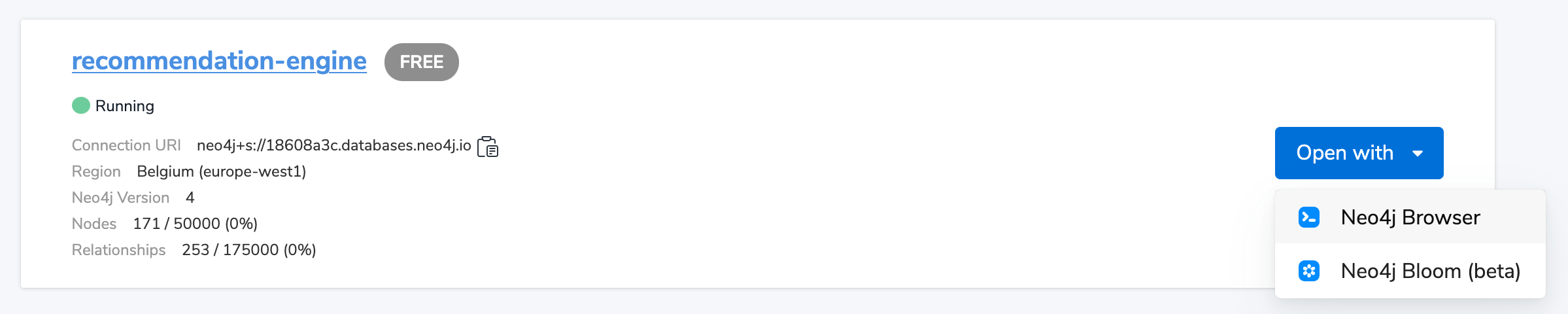
Now you’ve arrived inside of Neo4j Browser. Use your username and password (the one you captured above) to log in. You’ll immediately notice a guide on the left-hand side that you can tab through to start out with some experimental queries. Any of these queries you see can be automatically put into the query execution box and run on the right hand side of the screen by clicking the little "play" button.

This first query just shows a few movies in the database to prove there’s something there. Congratulations, you’ve got some data in a new database, and we’re ready to get started.
The next section will show you how to write some queries to explore the data you just created.
[](#recommendation-queries)
Basic queries
-----------------------------------------
Before we start recommending things, we need to find out what is interesting in our data to see what kinds of things we can and want to recommend. To start, let us run a query like this to find a single actor like _Tom Hanks_.
MATCH (tom:Person {name: 'Tom Hanks'})
RETURN tom

Now that we found an actor we are interested in, we can retrieve all his movies by starting from the `Tom Hanks` node and following the `ACTED_IN` relationships. Your results should look like a graph.
MATCH (tom:Person {name: 'Tom Hanks'})-[r:ACTED_IN]->(movie:Movie)
RETURN tom, r, movie

Of course, Tom has colleagues who acted with him in his movies. A statement to find Tom’s co-actors looks like this:
MATCH (tom:Person {name: 'Tom Hanks'})-[:ACTED_IN]->(:Movie)<-[:ACTED_IN]-(coActor:Person)
RETURN coActor.name

[](#collaborative-filtering)
Recommendations with collaborative filtering
-------------------------------------------------------------------------
We can now turn the co-actor query above into a recommendation query by following those relationships another step out to find the "co-co-actors", i.e. the second-degree actors in Tom’s network. This will show us all the actors Tom may not have worked with yet, and we can specify a criteria to be sure he hasn’t directly acted with that person.
MATCH (tom:Person {name: 'Tom Hanks'})-[:ACTED_IN]->(movie1:Movie)<-[:ACTED_IN]-(coActor:Person)-[:ACTED_IN]->(movie2:Movie)<-[:ACTED_IN]-(coCoActor:Person)
WHERE tom <> coCoActor
AND NOT (tom)-[:ACTED_IN]->(:Movie)<-[:ACTED_IN]-(coCoActor)
RETURN coCoActor.name

You probably noticed that a few names appear multiple times. This is because there are multiple paths to follow from _Tom Hanks_ to these actors.
To see which co-co-actors appear most often in Tom’s network, we can take frequency of occurrences into account by counting the number of paths between _Tom Hanks_ and each coCoActor and ordering them by highest to lowest value.
MATCH (tom:Person {name: 'Tom Hanks'})-[:ACTED_IN]->(movie1:Movie)<-[:ACTED_IN]-(coActor:Person)-[:ACTED_IN]->(movie2:Movie)<-[:ACTED_IN]-(coCoActor:Person)
WHERE tom <> coCoActor
AND NOT (tom)-[:ACTED_IN]->(:Movie)<-[:ACTED_IN]-(coCoActor)
RETURN coCoActor.name, count(coCoActor) as frequency
ORDER BY frequency DESC
LIMIT 5

One of those "co-co-actors" is _Tom Cruise_. Now let’s see which movies and actors are between the two Toms so we can find out who can introduce them.
### [](#_exploring_the_paths)
Exploring the paths
MATCH (tom:Person {name: 'Tom Hanks'})-[:ACTED_IN]->(movie1:Movie)<-[:ACTED_IN]-(coActor:Person)-[:ACTED_IN]->(movie2:Movie)<-[:ACTED_IN]-(cruise:Person {name: 'Tom Cruise'})
WHERE NOT (tom)-[:ACTED_IN]->(:Movie)<-[:ACTED_IN]-(cruise)
RETURN tom, movie1, coActor, movie2, cruise

As you can see, this returns multiple paths. If you have ever played the [six degrees of Kevin Bacon](https://en.wikipedia.org/wiki/Six_Degrees_of_Kevin_Bacon)
game, this concept of seeing how many hops exist between people is exactly what graphs depict. You will notice that our results even return a path with _Kevin Bacon_ himself.
With these two simple Cypher statements, we already created two recommendation algorithms - **who to meet/work with next** and **how to meet them**.
[](#recommend-others)
Other recommendations
-------------------------------------------
You could apply the same ideas you learned here to many other uses for recommending products and services, finding restaurants or activities you might like, or connecting with other colleagues who share similar interests of skills. We will mention a few specifically here with resources you can use to find more information.
### [](#_restaurant_recommendations)
Restaurant recommendations
We have a graph of a few friends with their favorite restaurants, cuisines, and locations.

A practical question to answer here, formulated as a [graph search](https://neo4j.com/blog/why-the-most-important-part-of-facebook-graph-search-is-graph/)
, is:
What Sushi restaurants are in New York that my friends like?
How to translate that into the appropriate Cypher statement?
MATCH (person:Person {name: 'Philip'})-[:IS_FRIEND_OF]->(friend)-[:LIKES]->(restaurant:Restaurant)-[:LOCATED_IN]->(loc:Location {location: 'New York'}),
(restaurant)-[:SERVES]->(type:Cuisine {type: 'Sushi'})
RETURN restaurant.name, count(*) AS occurrence
ORDER BY occurrence DESC
LIMIT 5
Other factors that can be easily integrated in this query are favorites, allergies, ratings, and distance from current position.
### [](#_more_recommendation_solutions)
More recommendation solutions
* [Recipe and Food Recommendations](https://medium.com/neo4j/whats-cooking-approaches-for-importing-bbc-goodfood-information-into-neo4j-64a481906172)
* [Sandbox: Recommend Movies by Reviews](https://sandbox.neo4j.com/?usecase=recommendations&ref=developer-rec-engine)
* [GraphGist: Beer and Breweries Recommendations](/graphgist/beer-amp-breweries-graphgist/)
* [GraphGist: Northwind Product Recommendations](/graphgist/northwind-recommendation-engine/)
[](#recommendation-resources)
Resources
---------------------------------------
* [Neo4j Videos: Building Recommendation Engines](https://www.youtube.com/channel/UCvze3hU6OZBkB1vkhH2lH9Q/search?query=recommendation)
* [Recommendation Use Cases](https://neo4j.com/use-cases/real-time-recommendation-engine/)
* [Online Training: Learn Cypher with Intro to Neo4j](/graphacademy/online-training/online-training/introduction-to-neo4j-40/)
* [Michal Bachman Slides: Recommendation Engines with Neo4j](https://www.slideshare.net/bachmanm/recommendations-with-neo4j)
* [GraphGists: Recommendation Engine Examples](/graphgists/?category=real-time-recommendations)
---
# Tutorial: Import data from a relational database into Neo4j - Getting Started
[](https://neo4j.com/docs)
[Edit this Page](https://github.com/neo4j/docs-getting-started/tree/main/modules/ROOT/pages/appendix/tutorials/guide-import-relational-and-etl.adoc)
Tutorial: Import data from a relational database into Neo4j
===========================================================
[](#_introduction)
Introduction
-------------------------------
This tutorial shows the process for exporting data from a relational database (PostgreSQL) and importing into a graph database (Neo4j). You will learn how to take data from the relational system and to the graph by translating the schema and using import tools.
Alternatively, you can:
* Create [AuraDB cloud instance](https://neo4j.com/cloud/aura/?ref=developer-guides)
.
* Start a blank [Neo4j Sandbox](https://neo4j.com/sandbox/?ref=guide-importing-data-and-etl)
.
* Download and install [Neo4j Desktop](https://neo4j.com/docs/desktop-manual/current/)
.
This guide uses a specific dataset, but its principles can be applied and reused with any data domain.
You should have a basic understanding of the property graph model and know how to model data as a graph.
[](#about-domain)
About the data domain
---------------------------------------
In this guide, we will be using the [Northwind dataset](https://github.com/neo4j-documentation/developer-resources/tree/gh-pages/data/northwind)
, an often-used SQL dataset. This data depicts a product sale system - storing and tracking customers, products, customer orders, warehouse stock, shipping, suppliers, and even employees and their sales territories. Although the NorthWind dataset is often used to demonstrate SQL and relational databases, the data also can be structured as a graph.
An entity-relationship diagram (ERD) of the Northwind dataset is shown below.

First, this is a rather large and detailed model. We can scale this down a bit for our example and choose the entities that are most critical for our graph - in other words, those that might benefit most from seeing the connections. For our use case, we really want to optimize the relationships with orders - what products were involved (with the categories and suppliers for those products), which employees worked on them and those employees' managers.
Using these business requirements, we can narrow our model down to these essential entities.

[](#northwind-graph-model)
Developing a graph model
---------------------------------------------------
The first thing you will need to do to get data from a relational database into a graph is to translate the relational data model to a graph data model. Determining how you want to structure tables and rows as nodes and relationships may vary depending on what is most important to your business needs.
| | |
| --- | --- |
| | For more information on adapting your graph model to different scenarios, check out our [modeling designs](../../../data-modeling/modeling-designs/)
guide. |
When deriving a graph model from a relational model, you should keep a couple of general guidelines in mind.
1. A _row_ is a _node_.
2. A _table name_ is a _label name_.
3. A _join or foreign key_ is a _relationship_.
With these principles in mind, we can map our relational model to a graph with the following steps:
### [](#_rows_to_nodes_table_names_to_labels)
Rows to nodes, table names to labels
1. Each row on our `Orders` table becomes a node in our graph with `Order` as the label.
2. Each row on our `Products` table becomes a node with `Product` as the label.
3. Each row on our `Suppliers` table becomes a node with `Supplier` as the label.
4. Each row on our `Categories` table becomes a node with `Category` as the label.
5. Each row on our `Employees` table becomes a node with `Employee` as the label.
### [](#_joins_to_relationships)
Joins to relationships
1. Join between `Suppliers` and `Products` becomes a relationship named `SUPPLIES` (where supplier supplies product).
2. Join between `Products` and `Categories` becomes a relationship named `PART_OF` (where product is part of a category).
3. Join between `Employees` and `Orders` becomes a relationship named `SOLD` (where employee sold an order).
4. Join between `Employees` and itself (unary relationship) becomes a relationship named `REPORTS_TO` (where employees have a manager).
5. Join with join table (`Order Details`) between `Orders` and `Products` becomes a relationship named `CONTAINS` with properties of `unitPrice`, `quantity`, and `discount` (where order contains a product).
If we draw our translation out on the whiteboard, we have this graph data model.

Now, we can, of course, decide that we want to include the rest of the entities from our relational model, but for now, we will keep to this smaller graph model.
### [](#_how_does_the_graph_model_differ_from_the_relational_model)
How does the graph model differ from the relational model?
* There are no nulls. Non-existing value entries (properties) are just not present.
* It describes the relationships in more detail. For example, we know that an employee SOLD an order rather than having a foreign key relationship between the Orders and Employees tables. We could also choose to add more metadata about that relationship, should we wish.
* Either model can be more normalized. For example, addresses have been denormalized in several of the tables, but could have been in a separate table. In a future version of our graph model, we might also choose to separate addresses from the `Order` (or `Supplier` or `Employee`) entities and create separate `Address` nodes.
[](#export-csv)
Exporting relational tables to CSV
--------------------------------------------------
Thankfully, this step has already been done for you with the Northwind data you will use later on in this guide.
However, if you are working with another data domain, you need to take the data from the relational tables and put it in another format for loading to the graph. A common format that many systems can handle a flat file of comma-separated values (CSV).
Here is an example script we already ran to export the northwind data into CSV files for you.
_export\_csv.sql_
COPY (SELECT \* FROM customers) TO '/tmp/customers.csv' WITH CSV header;
COPY (SELECT \* FROM suppliers) TO '/tmp/suppliers.csv' WITH CSV header;
COPY (SELECT \* FROM products) TO '/tmp/products.csv' WITH CSV header;
COPY (SELECT \* FROM employees) TO '/tmp/employees.csv' WITH CSV header;
COPY (SELECT \* FROM categories) TO '/tmp/categories.csv' WITH CSV header;
COPY (SELECT \* FROM orders
LEFT OUTER JOIN order\_details ON order\_details.OrderID = orders.OrderID) TO '/tmp/orders.csv' WITH CSV header;
If you want to create the CSV files yourself using your own northwind RDBMS, you can run this script against your RDBMS with the command `psql -d northwind < export_csv.sql`.
**Note**: You need not run this script unless you want to execute it against your own northwind RDBMS.
[](#import-with-cypher)
Importing the data using Cypher
-------------------------------------------------------
You can use Cypher®'s [`LOAD CSV`](https://neo4j.com/docs/cypher-manual/current/clauses/load-csv/)
command to transform the contents of the CSV file into a graph structure.
When you use `LOAD CSV` to create nodes and relationships in the database, you have two options for where the CSV files reside:
* In the **import** folder for the Neo4j instance that you can manage.
* From a publicly-available location such as an S3 bucket or a github location. You must use this option if you are using Neo4j AuraDB or Neo4j Sandbox.
If you want to use the CSV files for the Neo4j instance you manage, you can copy the CSV files from [Northwind files on GitHub](https://github.com/neo4j-graph-examples/northwind/tree/main/import)
and place them in the **import** folder for your Neo4j DBMS.
You use use Cypher’s `LOAD CSV` statement to read each file and add Cypher clauses after it to take the row/column data and transform it to the graph.
Next you will run Cypher code to:
1. Load the nodes from the CSV files.
2. Create the indexes and constraints for the data in the graph.
3. Create the relationships between the nodes.
### [](#_creating_order_nodes)
Creating **Order** nodes
Execute this Cypher block to create the Order nodes in the database:
// Create orders
LOAD CSV WITH HEADERS FROM 'https://gist.githubusercontent.com/jexp/054bc6baf36604061bf407aa8cd08608/raw/8bdd36dfc88381995e6823ff3f419b5a0cb8ac4f/orders.csv' AS row
MERGE (order:Order {orderID: row.OrderID})
ON CREATE SET order.shipName = row.ShipName;
If you have placed the CSV files in to the **import** folder, you should use this code syntax to load the CSV files from a local directory:
// Create orders
LOAD CSV WITH HEADERS FROM 'file:///orders.csv' AS row
MERGE (order:Order {orderID: row.OrderID})
ON CREATE SET order.shipName = row.ShipName;
This code creates 830 `Order` nodes in the database.
You can view some of the nodes in the database by executing this code:
MATCH (o:Order) return o LIMIT 5;
The graph view is:

The table view contains these values for the node properties:
| o |
| --- |
| {"shipName":Vins et alcools Chevalier,"orderID":10248} |
| {"shipName":Toms Spezialitäten,"orderID":10249} |
| {"shipName":Hanari Carnes,"orderID":10250} |
| {"shipName":Victuailles en stock,"orderID":10251} |
| {"shipName":Suprêmes délices,"orderID":10252} |
You might notice that you have not imported all of the field columns in the CSV file. With your statements, you can choose which properties are needed on a node, which can be left out, and which might need imported to another node type or relationship. You might also notice that you used the [`MERGE` keyword](https://neo4j.com/docs/cypher-manual/current/clauses/merge/)
, instead of [`CREATE`](https://neo4j.com/docs/cypher-manual/current/clauses/create/)
. Though we feel pretty confident there are no duplicates in our CSV files, we can use `MERGE` as good practice for ensuring unique entities in our database.
### [](#_creating_product_nodes)
Creating **Product** nodes
Execute this code to create the Product nodes in the database:
// Create products
LOAD CSV WITH HEADERS FROM 'https://gist.githubusercontent.com/jexp/054bc6baf36604061bf407aa8cd08608/raw/8bdd36dfc88381995e6823ff3f419b5a0cb8ac4f/products.csv' AS row
MERGE (product:Product {productID: row.ProductID})
ON CREATE SET product.productName = row.ProductName, product.unitPrice = toFloat(row.UnitPrice);
This code creates 77 `Product` nodes in the database.
You can view some of these nodes in the database by executing this code:
MATCH (p:Product) return p LIMIT 5;
The graph view is:

The table view contains these values for the node properties:
| p |
| --- |
| {"unitPrice":18.0,"productID":1,"productName":Chai} |
| {"unitPrice":19.0,"productID":2,"productName":Chang} |
| {"unitPrice":10.0,"productID":3,"productName":Aniseed Syrup} |
| {"unitPrice":22.0,"productID":4,"productName":Chef Anton’s Cajun Seasoning} |
| {"unitPrice":21.35,"productID":5,"productName":Chef Anton’s Gumbo Mix} |
### [](#_creating_supplier_nodes)
Creating **Supplier** nodes
Execute this code to create the Supplier nodes in the database:
// Create suppliers
LOAD CSV WITH HEADERS FROM 'https://gist.githubusercontent.com/jexp/054bc6baf36604061bf407aa8cd08608/raw/8bdd36dfc88381995e6823ff3f419b5a0cb8ac4f/suppliers.csv' AS row
MERGE (supplier:Supplier {supplierID: row.SupplierID})
ON CREATE SET supplier.companyName = row.CompanyName;
This code creates 29 `Supplier` nodes in the database.
You can view some of these nodes in the database by executing this code:
MATCH (s:Supplier) return s LIMIT 5;
The graph view is:

The table view contains these values for the node properties:
| s |
| --- |
| {"supplierID":1,"companyName":Exotic Liquids} |
| {"supplierID":2,"companyName":New Orleans Cajun Delights} |
| {"supplierID":3,"companyName":Grandma Kelly’s Homestead} |
| {"supplierID":4,"companyName":Tokyo Traders} |
| {"supplierID":5,"companyName":Cooperativa de Quesos 'Las Cabras'} |
### [](#_creating_employee_nodes)
Creating **Employee** nodes
Execute this code to create the Supplier nodes in the database:
// Create employees
LOAD CSV WITH HEADERS FROM 'https://gist.githubusercontent.com/jexp/054bc6baf36604061bf407aa8cd08608/raw/8bdd36dfc88381995e6823ff3f419b5a0cb8ac4f/employees.csv' AS row
MERGE (e:Employee {employeeID:row.EmployeeID})
ON CREATE SET e.firstName = row.FirstName, e.lastName = row.LastName, e.title = row.Title;
This code creates 9 `Employee` nodes in the database.
You can view some of these nodes in the database by executing this code:
MATCH (e:Employee) return e LIMIT 5;
The graph view is:

The table view contains these values for the node properties:
| e |
| --- |
| {"lastName":Davolio,"firstName":Nancy,"employeeID":1,"title":Sales Representative} |
| {"lastName":Fuller,"firstName":Andrew,"employeeID":2,"title":Vice President, Sales} |
| {"lastName":Leverling,"firstName":Janet,"employeeID":3,"title":Sales Representative} |
| {"lastName":Peacock,"firstName":Margaret,"employeeID":4,"title":Sales Representative} |
| {"lastName":Buchanan,"firstName":Steven,"employeeID":5,"title":Sales Manager} |
### [](#_creating_category_nodes)
Creating **Category** nodes
// Create categories
LOAD CSV WITH HEADERS FROM 'https://gist.githubusercontent.com/jexp/054bc6baf36604061bf407aa8cd08608/raw/8bdd36dfc88381995e6823ff3f419b5a0cb8ac4f/categories.csv' AS row
MERGE (c:Category {categoryID: row.CategoryID})
ON CREATE SET c.categoryName = row.CategoryName, c.description = row.Description;
This code creates 8 `Category` nodes in the database.
You can view some of these nodes in the database by executing this code:
MATCH (c:Category) return c LIMIT 5;
The graph view is:

The table view contains these values for the node properties:
| c |
| --- |
| {"description":Soft drinks, coffees, teas, beers, and ales,"categoryName":Beverages,"categoryID":1} |
| {"description":Sweet and savory sauces, relishes, spreads, and seasonings,"categoryName":Condiments,"categoryID":2} |
| {"description":Desserts, candies, and sweet breads,"categoryName":Confections,"categoryID":3} |
| {"description":Cheeses,"categoryName":Dairy Products,"categoryID":4} |
| {"description":Breads, crackers, pasta, and cereal,"categoryName":Grains/Cereals,"categoryID":5} |
| | |
| --- | --- |
| | For very large commercial or enterprise datasets, you may find out-of-memory errors, especially on smaller machines. To avoid these situations, you can use `CALL IN {…} TRANSACTIONS` subquery to commit data in batches. Don’t forget to prepend this query with `:auto` in Neo4j Browser. This practice is not standard recommendation for smaller datasets, but is only recommended when memory issues are threatened. More information on this subquery can be found in the [Cypher manual → Subqueries in transactions](https://neo4j.com/docs/cypher-manual/current/clauses/call-subquery/#subquery-call-in-transactions)
. |
[](#_creating_the_indexes_and_constraints_for_the_data_in_the_graph)
Creating the indexes and constraints for the data in the graph
-----------------------------------------------------------------------------------------------------------------------------------
After the nodes are created, you need to create the relationships between them. Importing the relationships will mean looking up the nodes you just created and adding a relationship between those existing entities. To ensure the lookup of nodes is optimized, you will create indexes for any node properties used in the lookups (often the ID or another unique value).
We also want to create a constraint (also creates an index with it) that will disallow orders with the same id from getting created, preventing duplicates. Finally, as the indexes are created after the nodes are inserted, their population happens asynchronously, so we call `db.awaitIndexes()` to block until they are populated.
Execute this code block:
CREATE INDEX product_id FOR (p:Product) ON (p.productID);
CREATE INDEX product_name FOR (p:Product) ON (p.productName);
CREATE INDEX supplier_id FOR (s:Supplier) ON (s.supplierID);
CREATE INDEX employee_id FOR (e:Employee) ON (e.employeeID);
CREATE INDEX category_id FOR (c:Category) ON (c.categoryID);
CREATE CONSTRAINT order_id FOR (o:Order) REQUIRE o.orderID IS UNIQUE;
CALL db.awaitIndexes();
After you execute this code, you can run the following Cypher command to view the indexes in the database:
SHOW INDEXES;
Two token lookup indexes (one for node labels and one for relationship types) are present by default when creating a Neo4j database. They exclusively solve node label and relationship type predicates and assist with the population of other indexes. Deleting them may have negative performance implications. You should see these indexes (and constraint) in the database:
+---------------------------------------------------------------------------------------------------------------------------------------------------------------------+
|id|name |state |populationPercent|type |entityType |labelsOrTypes|properties |indexprovider |owningConstraint|lastRead |readCount|
+---------------------------------------------------------------------------------------------------------------------------------------------------------------------+
|7 |category_id |ONLINE|100.0 |RANGE |NODE |[Category] |[categoryID] |range-1.0 |null |null |0 |
+---------------------------------------------------------------------------------------------------------------------------------------------------------------------+
|6 |employee_id |ONLINE|100.0 |RANGE |NODE |[Employee] |[employeeID] |range-1.0 |null |null |0 |
+---------------------------------------------------------------------------------------------------------------------------------------------------------------------+
|1 |index_343aff4e|ONLINE|100.0 |LOOKUP|NODE |null |null |token-lookup-1.0|null |2023-12-06T12:30:12.510000000Z|2286 |
+---------------------------------------------------------------------------------------------------------------------------------------------------------------------+
|2 |index_f7700477|ONLINE|100.0 |LOOKUP|RELATIONSHIP|null |null |token-lookup-1.0|null |null |0 |
+---------------------------------------------------------------------------------------------------------------------------------------------------------------------+
|8 |order_id |ONLINE|100.0 |RANGE |NODE |[Order] |[orderID] |range-1.0 |order_id |2023-12-06T13:22:06.950000000Z|3815 |
+---------------------------------------------------------------------------------------------------------------------------------------------------------------------+
|3 |product_id |ONLINE|100.0 |RANGE |NODE |[Product] |[productID] |range-1.0 |null |null |0 |
+---------------------------------------------------------------------------------------------------------------------------------------------------------------------+
|4 |product_name |ONLINE|100.0 |RANGE |NODE |[Product] |[productName]|range-1.0 |null |null |0 |
+---------------------------------------------------------------------------------------------------------------------------------------------------------------------+
|5 |supplier_id |ONLINE|100.0 |RANGE |NODE |[Supplier] |[supplierID] |range-1.0 |null |null |0 |
+---------------------------------------------------------------------------------------------------------------------------------------------------------------------+
For more information on indexes and their use in Neo4j, go to the [Cypher Manual → The use of indexes](https://neo4j.com/docs/cypher-manual/current/planning-and-tuning/query-tuning/indexes/)
.
[](#_creating_the_relationships_between_the_nodes)
Creating the relationships between the nodes
-----------------------------------------------------------------------------------------------
Next you have to create relationships:
1. Between Orders and Employees.
2. Between Products and Suppliers and between Products and Categories.
3. Between Employees.
### [](#_creating_relationships_between_orders_and_employees)
Creating relationships between Orders and Employees
With the initial nodes and indexes in place, you can now create the relationships for orders to products and orders to employees.
Execute this code block:
// Create relationships between orders and products
LOAD CSV WITH HEADERS FROM 'https://gist.githubusercontent.com/jexp/054bc6baf36604061bf407aa8cd08608/raw/8bdd36dfc88381995e6823ff3f419b5a0cb8ac4f/orders.csv' AS row
MATCH (order:Order {orderID: row.OrderID})
MATCH (product:Product {productID: row.ProductID})
MERGE (order)-[op:CONTAINS]->(product)
ON CREATE SET op.unitPrice = toFloat(row.UnitPrice), op.quantity = toFloat(row.Quantity);
This code creates 2155 relationships in the graph.
You can view some of them by executing this code:
MATCH (o:Order)-[]-(p:Product)
RETURN o,p LIMIT 10;
Your graph view should look something like this:

Then, execute this code block:
// Create relationships between orders and employees
LOAD CSV WITH HEADERS FROM 'https://gist.githubusercontent.com/jexp/054bc6baf36604061bf407aa8cd08608/raw/8bdd36dfc88381995e6823ff3f419b5a0cb8ac4f/orders.csv' AS row
MATCH (order:Order {orderID: row.OrderID})
MATCH (employee:Employee {employeeID: row.EmployeeID})
MERGE (employee)-[:SOLD]->(order);
This code creates 830 relationships in the graph.
You can view some of them by executing this code:
MATCH (o:Order)-[]-(e:Employee)
RETURN o,e LIMIT 10;
Your graph view should look something like this:

### [](#_creating_relationships_between_products_and_suppliers_and_between_products_and_categories)
Creating relationships between Products and Suppliers and between Products and Categories
Next, create relationships between Products, Suppliers, and Categories:
Execute this code block:
// Create relationships between products and suppliers
LOAD CSV WITH HEADERS FROM 'https://gist.githubusercontent.com/jexp/054bc6baf36604061bf407aa8cd08608/raw/8bdd36dfc88381995e6823ff3f419b5a0cb8ac4f/products.csv
' AS row
MATCH (product:Product {productID: row.ProductID})
MATCH (supplier:Supplier {supplierID: row.SupplierID})
MERGE (supplier)-[:SUPPLIES]->(product);
This code creates 77 relationships in the graph.
You can view some of them by executing this code:
MATCH (s:Supplier)-[]-(p:Product)
RETURN s,p LIMIT 10;
Your graph view should look something like this:

Then, execute this code block:
// Create relationships between products and categories
LOAD CSV WITH HEADERS FROM 'https://gist.githubusercontent.com/jexp/054bc6baf36604061bf407aa8cd08608/raw/8bdd36dfc88381995e6823ff3f419b5a0cb8ac4f/products.csv
' AS row
MATCH (product:Product {productID: row.ProductID})
MATCH (category:Category {categoryID: row.CategoryID})
MERGE (product)-[:PART_OF]->(category);
This code creates 77 relationships in the graph.
You can view some of them by executing this code:
MATCH (c:Category)-[]-(p:Product)
RETURN c,p LIMIT 10;
Your graph view should look something like this:

### [](#_creating_relationships_between_employees)
Creating relationships between Employees
Lastly, you will create the 'REPORTS\_TO' relationship between Employees to represent the reporting structure:
Execute this code block:
// Create relationships between employees (reporting hierarchy)
LOAD CSV WITH HEADERS FROM 'https://gist.githubusercontent.com/jexp/054bc6baf36604061bf407aa8cd08608/raw/8bdd36dfc88381995e6823ff3f419b5a0cb8ac4f/employees.csv' AS row
MATCH (employee:Employee {employeeID: row.EmployeeID})
MATCH (manager:Employee {employeeID: row.ReportsTo})
MERGE (employee)-[:REPORTS_TO]->(manager);
This code creates 8 relationships in the graph.
You can view some of them by executing this code:
MATCH (e1:Employee)-[]-(e2:Employee)
RETURN e1,e2 LIMIT 10;
Your graph view should look something like this:

Next, you will query the resulting graph to find out what it can tell us about our newly-imported data.
[](#query-northwind)
Querying the graph
---------------------------------------
We might start with a couple of general queries to verify that our data matches the model we designed earlier in the guide. Here are some example queries.
Execute this code block:
//find a sample of employees who sold orders with their ordered products
MATCH (e:Employee)-[rel:SOLD]->(o:Order)-[rel2:CONTAINS]->(p:Product)
RETURN e, rel, o, rel2, p LIMIT 25;
Execute this code block:
//find the supplier and category for a specific product
MATCH (s:Supplier)-[r1:SUPPLIES]->(p:Product {productName: 'Chocolade'})-[r2:PART_OF]->(c:Category)
RETURN s, r1, p, r2, c;
Once you are comfortable that the data aligns with our data model and everything looks correct, you can start querying to gather information and insights for business decisions.
### [](#_which_employee_had_the_highest_cross_selling_count_of_chocolade_and_another_product)
Which Employee had the highest cross-selling count of 'Chocolade' and another product?
Execute this code block:
MATCH (choc:Product {productName:'Chocolade'})<-[:CONTAINS]-(:Order)<-[:SOLD]-(employee),
(employee)-[:SOLD]->(o2)-[:CONTAINS]->(other:Product)
RETURN employee.employeeID as employee, other.productName as otherProduct, count(distinct o2) as count
ORDER BY count DESC
LIMIT 5;
Looks like employee No. 4 was busy, though employee No. 1 also did well! Your results should look something like this:
| employee | otherProduct | count |
| --- | --- | --- |
| 4 | Gnocchi di nonna Alice | 14 |
| 4 | Pâté chinois | 12 |
| 1 | Flotemysost | 12 |
| 3 | Gumbär Gummibärchen | 12 |
| 1 | Pavlova | 11 |
### [](#_how_are_employees_organized_who_reports_to_whom)
How are Employees organized? Who reports to whom?
Execute this code block:
MATCH (e:Employee)<-[:REPORTS_TO]-(sub)
RETURN e.employeeID AS manager, sub.employeeID AS employee;
Your results should look something like this:
| manager | employee |
| --- | --- |
| 2 | 3 |
| 2 | 4 |
| 2 | 5 |
| 2 | 1 |
| 2 | 8 |
| 5 | 9 |
| 5 | 7 |
| 5 | 6 |
Notice that employee No. 5 has people reporting to them but also reports to employee No. 2.
Next, let’s investigate that a bit more.
### [](#_which_employees_report_to_each_other_indirectly)
Which Employees report to each other indirectly?
Execute this code block:
MATCH path = (e:Employee)<-[:REPORTS_TO*]-(sub)
WITH e, sub, [person in NODES(path) | person.employeeID][1..-1] AS path
RETURN e.employeeID AS manager, path as middleManager, sub.employeeID AS employee
ORDER BY size(path);
Your results should look something like this:
| manager | middleManager | employee |
| --- | --- | --- |
| 2 | \[\] | 3 |
| 2 | \[\] | 4 |
| 2 | \[\] | 5 |
| 2 | \[\] | 1 |
| 2 | \[\] | 8 |
| 5 | \[\] | 9 |
| 5 | \[\] | 7 |
| 5 | \[\] | 6 |
| 2 | \[5\] | 9 |
| 2 | \[5\] | 7 |
| 2 | \[5\] | 6 |
### [](#_how_many_orders_were_made_by_each_part_of_the_hierarchy)
How many orders were made by each part of the hierarchy?
Execute this code block:
MATCH (e:Employee)
OPTIONAL MATCH (e)<-[:REPORTS_TO*0..]-(sub)-[:SOLD]->(order)
RETURN e.employeeID as employee, [x IN COLLECT(DISTINCT sub.employeeID) WHERE x <> e.employeeID] AS reportsTo, COUNT(distinct order) AS totalOrders
ORDER BY totalOrders DESC;
Your results should look something like this:
| employee | reportsTo | totalOrders |
| --- | --- | --- |
| 2 | \[8,1,5,6,7,9,4,3\] | 830 |
| 5 | \[6,7,9\] | 224 |
| 4 | \[\] | 156 |
| 3 | \[\] | 127 |
| 1 | \[\] | 123 |
| 8 | \[\] | 104 |
| 7 | \[\] | 72 |
| 6 | \[\] | 67 |
| 9 | \[\] | 43 |
[](#_whats_next)
What’s next?
-----------------------------
If you followed along with each step through this guide, then you might want to explore the data set with more queries and try to answer additional questions you came up with for the data. You may also want to apply these same principles to your own or another data set for analysis.
If you used this as a process flow to apply to a different data set or you would like to do that next, feel free to start at the top and work through this guide again with another domain. The steps and processes still apply (though, of course, the data model, queries, and business questions will need adjusted).
If you have data that needs additional cleansing and manipulation than what is covered in this guide, the [APOC library](https://neo4j.com/docs/apoc/current/)
may be able to help. It contains hundreds of procedures and functions for handling large amounts of data, translating values, cleaning messy data sources, and more!
If you are interested in doing a one-time initial dump of relational data to Neo4j, then the [Neo4j ETL Tool](https://neo4j.com/labs/etl-tool/)
might be what you are looking for. The application is designed with a point-and-click user interface with the goal of fast, simple relational-to-graph loads that help new and existing users gain faster value from seeing their data as a graph without Cypher, import procedures, or other code.
[](#import-northwind-resources)
Resources
-----------------------------------------
* [Northwind SQL, CSV and Cypher data files](https://github.com/neo4j-contrib/developer-resources/tree/gh-pages/data/northwind)
, also as [zip](https://github.com/neo4j-contrib/developer-resources/tree/gh-pages/data/northwind/northwind.zip)
file
* [LOAD CSV](https://neo4j.com/docs/cypher-manual/current/clauses/load-csv/)
: Cypher’s command for importing CSV files
* [APOC library](https://neo4j.com/docs/apoc/current/)
: Neo4j’s utility library
* [Neo4j ETL Tool](https://neo4j.com/labs/etl-tool//)
: Loading relational data without code
* [Importing Data with Neo4j](https://neo4j.com/docs/getting-started/4.4/data-import/)
* [Graph Data Modeling](https://neo4j.com/docs/getting-started/4.4/data-modeling)
---
# Community-contributed libraries - Getting Started
[](https://neo4j.com/docs)
[Edit this Page](https://github.com/neo4j/docs-getting-started/tree/main/modules/ROOT/pages/languages-guides/community-drivers/index.adoc)
Community-contributed libraries
===============================
[](#_introduction)
Introduction
-------------------------------
In addition to the officially supported drivers, you can find their Community alternatives. Besides Java, .NET, JavaScript, Go, and Python drivers, Neo4j Community offers support for Ruby, PHP, Perl, and Rust. Links to their relevant resources are provided below.
Members of the each programming language community have invested a lot of time and love to develop each one of the community drivers for Neo4j, so if you use any one of them, please provide feedback to the authors.
| | |
| --- | --- |
| | The Community drivers have been graciously contributed by the Neo4j community. Many of them are fully featured and well-maintained, but some may not be. Neo4j does not take any responsibility for their usability. |
[](#neo4j-ruby)
Using Neo4j from Ruby
-------------------------------------
### [](#neo4jrb-lib)
Neo4j.rb
The [Neo4j.rb project](http://neo4jrb.io/)
is made up of the following Ruby gems:
neo4j-ruby-driver
A Neo4j driver for Ruby with an API consistent with the official drivers. It is based on Seabolt and FFI. Available on all rubies (including JRuby) and all platforms supported by Seabolt.
neo4j-java-driver
A Neo4j driver for Ruby based on the official Java implementation. It provides a thin wrapper over the Java driver (only in JRuby).
activegraph
A Object-Graph-Mapper (OGM) for the Neo4j graph database. It tries to follow API conventions established by ActiveRecord but with a Neo4j flavor. It requires one of the above drivers.
neo4j-rake\_tasks
A set of rake tasks for installing and managing a Neo4j database within your project.
| | |
| --- | --- |
| Website | [https://neo4jrb.io/](https://neo4jrb.io/) |
| Authors | [Heinrich](https://twitter.com/klobuczek)
, [Amit](https://twitter.com/klobuczek)
, [Brian](http://twitter.com/cheerfulstoic)
, [Chris](https://twitter.com/subvertallchris)
, [Andreas](https://twitter.com/ronge) |
| Package | [neo4j-ruby-driver](https://rubygems.org/gems/neo4j-ruby-driver)
, [neo4j-java-driver](https://rubygems.org/gems/neo4j-java-driver)
, [activegraph](https://rubygems.org/gems/activegraph) |
| Source | [https://github.com/neo4jrb](https://github.com/neo4jrb) |
| Docs | [https://neo4jrb.readthedocs.org/en/latest/](https://neo4jrb.readthedocs.org/en/latest/) |
| Blog | [https://blog.brian-underwood.codes/](https://blog.brian-underwood.codes/) |
| Protocols | Bolt |
[](#neo4j-php)
Using Neo4j from PHP
-----------------------------------
Alternatively, Neo4j can be installed on any system and then accessed via its Bolt and HTTP APIs. We recommend the [Neo4j PHP client](https://github.com/laudis-technologies/neo4j-php-client#roadmap)
for easiest development over Bolt and HTTP APIs. You can also directly access the Bolt protocol via the [PHP Bolt](https://github.com/stefanak-michal/Bolt)
library.
### [](#Client)
Neo4j PHP client
**Neo4j PHP client** is a client supporting multiple protocols. **HTTP** and **Bolt** are supported, starting from Neo4j 3.5 up until the most recent version.
It is being actively developed. For more details, refer to a README file on the [Github page](https://github.com/laudis-technologies/neo4j-php-client)
.
| | |
| --- | --- |
| Author | [Ghlen Nagels](https://www.linkedin.com/in/ghlen-nagels-1b6663134/) |
| Source | [https://github.com/neo4j-php/neo4j-php-client](https://github.com/neo4j-php/neo4j-php-client) |
| Package | [https://packagist.org/packages/laudis/neo4j-php-client](https://packagist.org/packages/laudis/neo4j-php-client) |
| PHP | 7.4 / 8.0+ |
| Neo4j | 3.5 / 4.0+ |
| Protocols | Bolt, HTTP |
| Example App | [https://github.com/neo4j-examples/movies-neo4j-php-client](https://github.com/neo4j-examples/movies-neo4j-php-client) |
### [](#bolt)
PHP Bolt
A low level driver for the Bolt protocol in PHP.
| | |
| --- | --- |
| Author | [Michal Stefanak](https://www.linkedin.com/in/michalstefanak/) |
| Source | [https://github.com/neo4j-php/Bolt](https://github.com/neo4j-php/Bolt) |
| PHP | 7.4+ / 8.0+ |
| Neo4j | 3.0+ / 4.0+ / 5.0+ |
| Protocols | Bolt |
[](#neo4j-perl)
Using Neo4j from Perl
-------------------------------------
### [](#neo4j-driver)
Neo4j::Driver
This Perl driver enables interacting with a Neo4j server using the same classes and method calls as the official Neo4j drivers. It also has (currently experimental) support for HTTPS and Bolt.
| | |
| --- | --- |
| Author | Arne Johannessen |
| Package | [https://metacpan.org/release/Neo4j-Driver](https://metacpan.org/release/Neo4j-Driver) |
| Source | [https://github.com/johannessen/neo4j-driver-perl](https://github.com/johannessen/neo4j-driver-perl) |
### [](#neo4j-bolt)
Neo4j::Bolt
This is another driver from Mark Jensen. It’s implemented as a Perl wrapper around the libneo4j-client C library, which implements the Bolt network protocol.
| | |
| --- | --- |
| Author | [Mark A. Jensen](https://www.linkedin.com/in/fortinbras) |
| Source | [https://github.com/majensen/perlbolt](https://github.com/majensen/perlbolt) |
[](#java-community-drivers)
Java Community drivers
--------------------------------------------------
### [](#neo4j-jdbc)
Neo4j JDBC Driver
| | |
| --- | --- |
| Authors | Developers from [Larus BA Italy](http://www.larus-ba.it/neo4j/en/)
and Neo4j |
| Package | [https://github.com/neo4j-contrib/neo4j-jdbc/releases/latest](https://github.com/neo4j-contrib/neo4j-jdbc/releases/latest) |
| Source | [https://github.com/neo4j-contrib/neo4j-jdbc](https://github.com/neo4j-contrib/neo4j-jdbc) |
| Docs | [https://github.com/neo4j-contrib/neo4j-jdbc/blob/master/README.adoc](https://github.com/neo4j-contrib/neo4j-jdbc/blob/master/README.adoc) |
| Blog Post | [https://neo4j.com/blog/couchbase-jdbc-integrations-neo4j-3-0/](https://neo4j.com/blog/couchbase-jdbc-integrations-neo4j-3-0/) |
### [](#neo4j-scala)
Scala: neotypes
| | |
| --- | --- |
| Author | [Dmitry Fedosov](https://twitter.com/dimafeng) |
| Source | [https://github.com/neotypes/neotypes](https://github.com/neotypes/neotypes) |
| Docs | [https://neotypes.github.io/neotypes/](https://neotypes.github.io/neotypes/) |
| Blog Post | [http://dimafeng.com/2018/12/27/neotypes-1/](http://dimafeng.com/2018/12/27/neotypes-1/) |
| Example | [https://github.com/neotypes/examples](https://github.com/neotypes/examples) |
[](#dotnet-community-drivers)
.NET Community drivers
----------------------------------------------------
### [](#neo4jclient-lib)
Neo4jClient
A .NET client for Neo4j, which makes it easy to write Cypher® queries in C# with IntelliSense. It also supports basic CRUD and legacy indexing.
| | |
| --- | --- |
| Source | [https://github.com/DotNet4Neo4j/neo4jclient](https://github.com/DotNet4Neo4j/neo4jclient) |
| NuGet Package | [https://nuget.org/packages/neo4jclient](https://nuget.org/packages/neo4jclient) |
| Authors | [Charlotte Skardon](http://twitter.com/cskardon)
[Tatham Oddie](http://twitter.com/tathamoddie) |
| Docs | [https://github.com/DotNet4Neo4j/Neo4jClient/wiki](https://github.com/DotNet4Neo4j/Neo4jClient/wiki) |
| Example | [https://github.com/neo4j-examples/movies-dotnet-neo4jclient](https://github.com/neo4j-examples/movies-dotnet-neo4jclient) |
| Protocol | Bolt, HTTP |
### [](#neo4j-driver-extensions)
Neo4j.Driver.Extensions
`Neo4j.Driver.Extensions` provides a set of extension methods to the official driver API, aiming at reducing boilerplate and easing mapping to entity classes.
| | |
| --- | --- |
| Source | [https://github.com/DotNet4Neo4j/Neo4j.Driver.Extensions](https://github.com/DotNet4Neo4j/Neo4j.Driver.Extensions) |
| NuGet Package | [https://nuget.org/packages/neo4j.driver.extensions](https://nuget.org/packages/neo4j.driver.extensions) |
| Authors | [Charlotte Skardon](http://twitter.com/cskardon) |
| Docs | [Introduction blogpost](https://xclave.co.uk/2020/10/06/using-neo4j-driver-now-you-can-extend-it/) |
[](#python-community-drivers)
Python Community drivers
------------------------------------------------------
### [](#neomodel-lib)
Neomodel
An Object Graph Mapper built on top of the Neo4j python driver. Familiar Django style node definitions with a powerful query API, thread safe and full transaction support. A Django plugin [django\_neomodel](https://github.com/neo4j-contrib/django-neomodel)
is also available.
| | |
| --- | --- |
| Author | Athanasios Anastasiou and Robin Edwards |
| Package | [https://pypi.python.org/pypi/neomodel](https://pypi.python.org/pypi/neomodel) |
| Source | [http://github.com/neo4j-contrib/neomodel](http://github.com/neo4j-contrib/neomodel) |
| Docs | [https://neomodel.readthedocs.io/en/latest/](https://neomodel.readthedocs.io/en/latest/) |
| Python | 2.7 / 3.3+ |
| Protocols | Bolt |
| Example | [https://github.com/neo4j-examples/neo4j-movies-python-neomodel](https://github.com/neo4j-examples/neo4j-movies-python-neomodel) |
[](#go-community-drivers)
Go Community drivers
----------------------------------------------
### [](#golang-bolt)
GoGM: Golang Object Graph Mapper
| | |
| --- | --- |
| Author | [Eric Solender](https://github.com/erictg)
, CTO and co-founder of Mindstand |
| Source | [https://github.com/z5labs/gogm](https://github.com/z5labs/gogm) |
| Docs | [https://github.com/mindstand/gogm/blob/master/README.md](https://github.com/mindstand/gogm/blob/master/README.md) |
[](#neo4j-rust)
Using Neo4j from Rust
-------------------------------------
### [](#neo4rs)
neo4rs
Neo4j can be used from Rust using the [neo4rs driver](https://github.com/neo4j-labs/neo4rs)
. **neo4rs** supports using Neo4j via **Bolt**, starting from Neo4j 4.4 up until the most recent version.
You can also ask questions on the [Neo4j Community Discord](https://discord.com/invite/neo4j)
in the [`#drivers`](https://discord.com/channels/787399249741479977/1052516552517357588)
channel.
| | |
| --- | --- |
| Authors | [knutwalker](https://github.com/knutwalker) |
| Source | [https://github.com/neo4j-labs/neo4rs](https://github.com/neo4j-labs/neo4rs) |
| Package | [neo4rs on crates.io](https://crates.io/crates/neo4rs) |
| Docs | [neo4rs on docs.rs](https://docs.rs/neo4rs/latest/neo4rs/) |
| Example | [https://github.com/neo4j-examples/movies-rust-bolt](https://github.com/neo4j-examples/movies-rust-bolt) |
| Rust | 1.75+ |
| Neo4j | 4.4+ |
| Protocols | Bolt |
---
# Visualize your data in Neo4j - Getting Started
[](https://neo4j.com/docs)
[Edit this Page](https://github.com/neo4j/docs-getting-started/tree/main/modules/ROOT/pages/graph-visualization/graph-visualization.adoc)
Visualize your data in Neo4j
============================
> This section explains graph visualization tool options, and how to get insights from your data using visualization tools.
Neo4j is designed to be very visual in nature. Native graph databases like Neo4j focus on relationships. Visualizing these relationships can give a unique "big picture" to your data that is difficult or impossible to get with traditional tables and business intelligence packages.
Graph visualization takes these capabilities one step further by drawing the graph in various formats so users can interact with the data in a more user-friendly way. With visualization tools, a full or partial graph can come to life and allow the user to explore it, setting various rules or views in order to analyze it from different perspectives.
This section is designed to help you understand how to export your graph data in Neo4j for display as a visualization, and list options so you can choose what suits your needs.
[](#why-vis-graph)
Why visualize a graph?
-----------------------------------------
You have many options for working with data; JSON, XML, tabular, and others. Why represent it visually?
Anyone reviewing a graph can see the connections, determine areas of interest, or quickly assess the current state and organization of the data. As you can imagine, this can provide insight where other types of data formats cannot, bringing enormous value. Visualizations help make anomalies or relevant patterns stand out to help human eyes and brains detect them, where other types of data formats might not highlight hidden structures as well.
Graph
Let us look at a very rudimentary example of this using our Movie data from the earlier data modeling section guides. In the graph view above, we can easily pick out that `Lana Wachowski` directed both `Cloud Atlas` and `The Matrix` movies, where in the tabular representation, that information is not as clear or easy-to-find.
Table
Even if you feel that the relationship is not hard to find in the tabular format, imagine if we were looking at a graph that contained these individuals' entire filmography careers, as well as hundreds of other actors, directors, and film crew members. The connections could easily be lost in a non-visual presentation.
[](#neo4j-vis-tools)
Neo4j visualization tools and products
-----------------------------------------------------------
Neo4j has two main visualization tools that are built and designed to work specifically with data in Neo4j’s graph database: [Neo4j Browser](/developer/neo4j-browser/)
and [Neo4j Bloom](https://neo4j.com/bloom/)
. We will briefly discuss the key details of each here.
### [](#_neo4j_bloom)
Neo4j Bloom
Bloom is a product focused on visualization that comes with every [AuraDB Instance](https://neo4j.com/cloud/aura/?ref=developer-guides)
. It is available both with Neo4j Desktop and standalone. It was designed for business analysts and other non-developers to interact with graph data without writing any code.
Users can use natural language to query the database and explore patterns, clusters, and traversals in their graph data. It is also possible to create different dissections of the graph (called perspectives) that allow users to view different aspects and slices of graph data for further analysis.
### [](#_neo4j_browser)
Neo4j Browser
Neo4j Browser is an interactive Cypher® command shell for developers that allows you to interact with your graph and visualize the information in it. Neo4j Browser is bundled with Neo4j and is available in all editions and versions of Neo4j.
Its visualization functionality is designed to display a node-graph representation of the underlying data stored in the database in response to a given Cypher query, showing circles for nodes and lines for relationships. Neo4j Browser also provides some functionality for styling with color and size based on node labels and relationship types, or you can customize your own styles by importing a GRASS (graph-stylesheet) file for Neo4j Browser to reference. You can also use the built-in drop-down buttons on query result panes to easily export the data to [PNG, SVG, or CSV formats](/developer/neo4j-browser#browser-tips)
.
### [](#_neo4j_visualization_library)
Neo4j Visualization Library
NVL is a collection of libraries that you can use if you want to build your own graph visualizations. The same visualizations are used in Neo4j Bloom and Explore. For more information about NVL, see [NVL](/docs/nvl/current)
documentation and the [NVL API](/docs/api/nvl/current)
documentation.
[](#other-vis)
Alternative visualizations of graph data
-------------------------------------------------------
Not all graph visualizations represent data in circles and lines for nodes and relationships. Users may want to view data in various chart-based, map-based, or 3D formats.
### [](#graph-vis-chart)
Chart-based visualizations
Viewing data in familiar chart formats such as bar charts, histograms, pie charts, dials, meters and other representations might be preferred for various users and business needs. There are tools that support these types of charts for metrics and dashboarding.
There are several open source tools available, but we will mention a few with links that we have used before. Feel free to explore others!
#### [](#_tableau)
Tableau
Tableau is a data analysis tool that can take data from a variety of sources and blend or split the data based on user specification. Using the [Neo4j Connector for BI](https://neo4j.com/bi-connector/)
you can make a connection between Neo4j and Tableau as you would any other SQL databases, and visualize data directly.
Once the data is in Tableau, the user can interact with a drag-and-drop Tableau GUI to aggregate, splice, and style various combinations of the data into colorized visualizations in countless formats.
#### [](#_amcharts)
**amCharts**
Blog post: [Charts for Neo4j query results with amCharts+Structr](https://medium.com/neo4j/showing-charts-for-neo4j-query-results-using-amcharts-and-structr-efae0b7a04f0)
#### [](#_chart_js)
**Chart.js**
Blog post: [Charting Neo4j](https://neo4j.com/blog/charting-neo4j-3-0/)
#### [](#_nivo)
**Nivo**
Blog post: [Neo4j Spatial with Nivo charts](https://medium.com/neo4j/working-with-neo4j-date-and-spatial-types-in-a-react-js-app-5475b5042b50)
### [](#graph-vis-map)
**Map-based visualizations**
Graph data is an excellent fit for mapping and representing geographic data, as it is laid out by entities and connections (locations/points and routes to get to those locations). Neo4j can help plot latitude and longitude, polygon geometries, routes, as well as distances, so a tool to overlay a map visualization on the front-end of this data provides a great deal of value for interacting and exploring an area.
Commercial tools by Tom Sawyer and Keylines both also support this type of visualization.
**Leaflet.js / Mapbox**
Leaflet.js is an open source library that allows us to create multiple layers and show/hide various layers. It is designed to be interactive and function on mobile phones, as well as traditional devices. You can extend functionality with a variety of plugins, including Mapbox. With these tools, you can create a base map layer (such as map tiles) and data visualizations live in map layers that are plotted on top of the map tiles. Mapbox also gives you the capability to add an interactive map.
#### [](#_leaflet_js_resources)
Leaflet.js Resources
* Leaflet.js website: [Leaflet.js](https://leafletjs.com/)
* Blog post: [Leaflet.js to visualize Paradise Papers data](https://www.lyonwj.com/2017/11/28/geocoding-paradise-papers-neo4j-spatial-visualization/)
* Blog post: [Using Leaflet.js and Mapbox to visualize spatial data in Neo4j](https://medium.com/neo4j/working-with-neo4j-date-and-spatial-types-in-a-react-js-app-5475b5042b50)
* Example source code: [Leaflet/Mapbox spatial Neo4j](https://github.com/johnymontana/spacetime-reviews)
* Example source code: [Leaflet/Mapbox interactive map](https://github.com/johnymontana/osm-routing-app)
* Video: [GraphConnect spatial Neo4j with Leaflet/Mapbox](https://neo4j.com/graphconnect-2018/session/neo4j-spatial-mapping)
### [](#graph-vis-heatmap)
**Heatmap visualizations**
A heatmap is a data visualization where colors are used to represent data values. It is often imposed on a map, but could also be on a matrix as well. When heatmaps are used on a map, pockets of activity may be spread out, so some form of interpolation is often used.
We will list the tool(s) we have encountered so far, but we will add to this as we interact with more.
* **Leaflet.js plugins:**
* Blog post: [Leaflet.js heatcanvas plugin](https://www.lyonwj.com/2017/11/28/geocoding-paradise-papers-neo4j-spatial-visualization/)
### [](#graph-vis-3d)
**3D visualizations**

Adding a third dimension may increase some complexity in the visualization, but also adds value. Exploring your data in 3D can help navigate through large amounts of data better and more clearly. Clustering should also be more apparent in a 3D visualization because data can be more spread out when using the third dimension, where 2D can cause groups to overlap or display more closely.
Kineviz (commercial tool) also supports this type of visualization.
**3d-force-graph**
With this open source library, there are a couple of different components for handling the physics behind three dimensions and for actually rendering the visualization. It uses an iterative approach for rendering in 3D and creates stunning, interactive visualizations. The tool includes features for customizing styles of nodes and relationships, as well as container layouts, rendering controls, configuring simulation, and user interaction. The data structure required is similar to previous tools we have seen, with collections for nodes and relationships. 3d-force-graph also offers functionality for visualizations to use with virtual reality.
#### [](#_3d_force_graph_resources)
3d-force-graph Resources
* Source code: [3d-force-graph Github](https://github.com/vasturiano/3d-force-graph)
* Author post: [Example](https://bl.ocks.org/vasturiano/02affe306ce445e423f992faeea13521)
* Blog post: [Visualizing Graphs in 3D](https://medium.com/neo4j/visualizing-graphs-in-3d-with-webgl-9adaaff6fe43)
#### [](#graph-vis-other)
**Other categories**
There are still other tools for visualization that may not necessarily fit into the categories we have discussed so far. Instead, they expand the current boundaries and find uniquely powerful ways to utilize graph technologies. Thinking outside the box increases the possibilities of graph even further!
**Graphileon**
Graphileon is a platform for building graphy applications by composing functions and UI elements. It can be harnessed by users such as consultants and designers for styling and dashboards. Developers can also integrate with other technologies to customize applications, embed views, or extend functionality.
[](#vis-tools)
Partner and community visualization tools
--------------------------------------------------------
Outside of Neo4j’s offerings, partners and community members have built tools and integrations to connect graph data in Neo4j with more graph visualizations. Learn more about options and functionality of these tools in the next section.
[](#graph-vis-resources)
Resources
----------------------------------
* [Neo4j Browser](https://neo4j.com/docs/browser-manual/current/)
* [Blog post: Neo4j Bloom](https://neo4j.com/blog/neo4j-bloom-everywhere-this-spring/)
* [Blog post: 15 Tools for Visualizing Your Neo4j Graph Database](https://neo4j.com/developer-blog/15-tools-for-visualizing-your-neo4j-graph-database/)
---
# Graph visualization tools - Getting Started
[](https://neo4j.com/docs)
[Edit this Page](https://github.com/neo4j/docs-getting-started/tree/main/modules/ROOT/pages/graph-visualization/graph-visualization-tools.adoc)
Graph visualization tools
=========================
[](#graph-vis-types)
Types of graph visualization
-------------------------------------------------
There are three architectural categories into which most of our graph visualization tools fall. We will discuss how each of these categories handles the exported data and provide some pros and cons of the different architectures. Depending on the visualization needs, one of these categories may define the set of tools you can choose to implement as a solution to your business needs.
[](#neo4j-vis-vendors)
1\. Standalone product tools
---------------------------------------------------
Certain tools and products are designed as standalone applications that can connect to Neo4j and interact with the stored data without involving any code. These applications are built with non-developers in mind - for business analysts, data scientists, managers, and other users to interact with Neo4j in a node-graph format.
Many of these tools involve commercial licenses and support but can be configured specifically to your use case and custom requirements. They also require little or no developer integration hours and setup.
The next paragraphs help us get a feel for the types of products in this area.
### [](#_neo4j_bloom)
**Neo4j Bloom**
Neo4j Bloom is a data exploration tool that visualizes data in the graph and allows users to navigate and query the data without any query language or programming.
Users can write patterns similar to natural language questions to retrieve data and traverse layers of the graph. Bloom also allows appropriate users to edit, update, or correct the graph when missing information or bad data is found.
Neo4j Bloom is available in the following formats:
* Neo4j Bloom local with users accessing Bloom via Neo4j Desktop (free for local database instances)
* Neo4j Bloom server with users accessing Bloom via a web browser
* Neo4j Bloom through the [sandbox](https://sandbox.neo4j.com/?usecase=bloom&ref=developer-vis-tools)
* Neo4j Bloom through Neo4j Database as a Service, [AuraDB](/aura/)
* Included in [Neo4j Startup Program](/startup-program/)
#### [](#_bloom_resources)
Bloom Resources
* Developer Guide: [Neo4j Bloom User Interface Guide](https://neo4j.com/blog/graphxr-graph-app-neo4j-desktop/)
* Blog post: [Bloom-ing marvellous! Introducing Bloom 1.3](https://medium.com/neo4j/bloom-ing-marvellous-a2be0c3702bb)
* Product information: [Neo4j Bloom landing page](https://neo4j.com/bloom/)
### [](#_neodash)
**NeoDash**
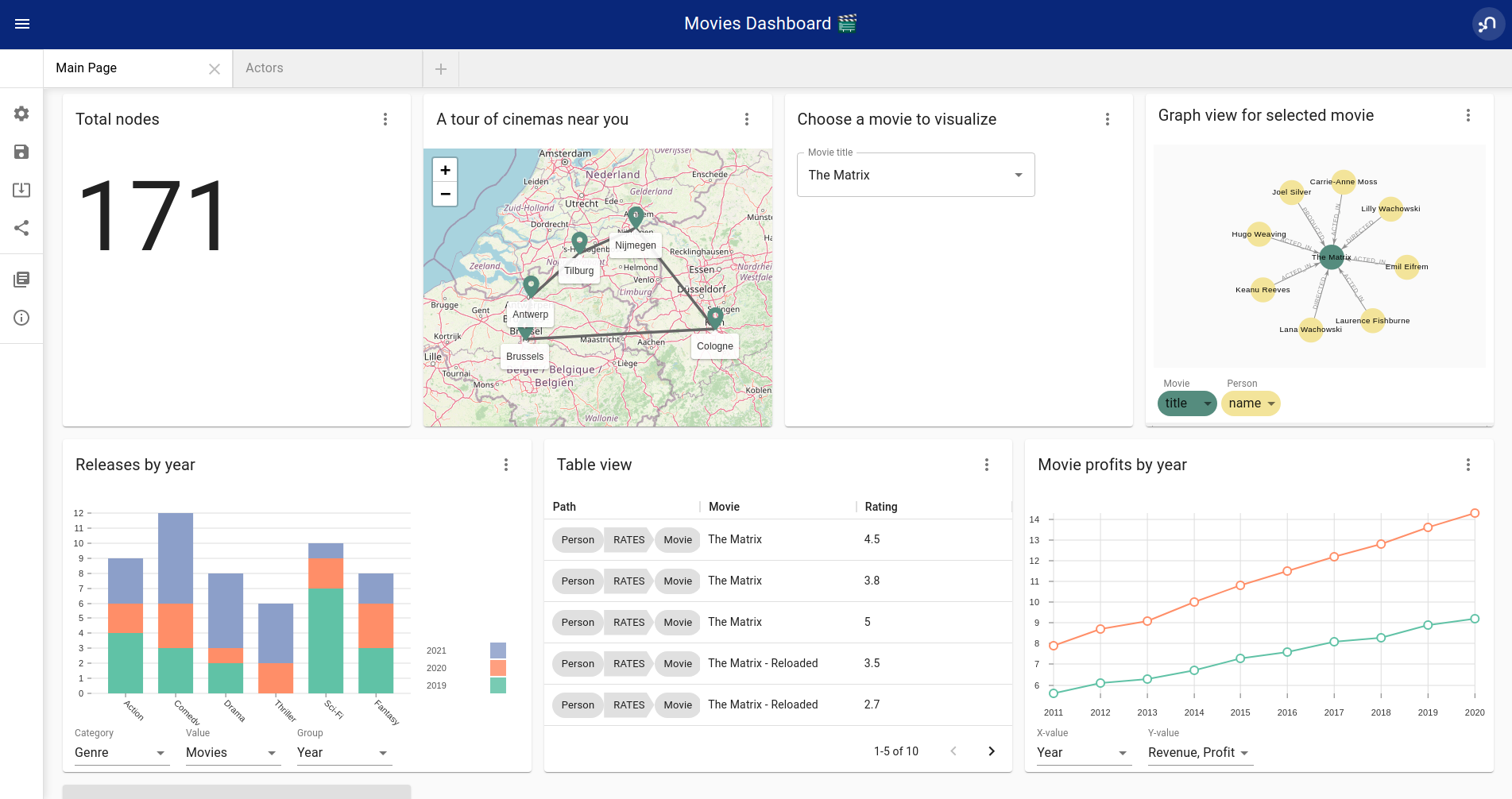
NeoDash is an open-source, low-code Dashboard Builder for Neo4j. As a part of [Neo4j Labs](https://neo4j.com/labs)
, NeoDash is developed and supported via the online [Community](https://community.neo4j.com)
.
NeoDash lets you build an interactive dashboard with tables, graphs, bar charts, line charts, maps and more. Dashboards can be saved and shared directly from your Neo4j database.
* A low-code dashboard builder with a drag-and-drop interface
* Create visualizations directly from Cypher®
* The ability to add customization and interactivity to dashboards
* Build and publish dashboards for read-only access
#### [](#_neodash_resources)
NeoDash Resources
* User Guide: [NeoDash User Guide](https://neo4j.com/labs/neodash/2.1/user-guide/)
* Blog Post: [NeoDash 2.0 – A Brand New Way to Visualize Neo4j](https://neo4j.com/developer-blog/neodash-2-0-a-brand-new-way-to-visualize-neo4j/)
* Try NeoDash: [NeoDash Online Demo](http://neodash.graphapp.io/)
### [](#_graphxr)
**GraphXR**
GraphXR is a start-to-finish web-based visualization platform for interactive analytics. For technical users, it’s a highly flexible and extensible environment for conducting ad hoc analysis. For business users, it’s an intuitive tool for code-free investigation and insight.
* Collect data from Neo4j, SQL dbs, CSVs, and Json.
* Cleanse and enrich with built-in tools as well as API calls.
* Analyze links, properties, time series, and spatial data within a unified, animated context.
* Save back to Neo4j, output as a report, or embed in your webpage.
GraphXR supports a wide range of applications including law enforcement, medical research, and knowledge management.
Kineviz also has a graph app version of this tool that can be installed in Neo4j Desktop. The blog post about the graph app is included in the resources below.
#### [](#_graphxr_resources)
GraphXR Resources
* Blog post: [Adding GraphXR as a Graph App in Neo4j Desktop](https://neo4j.com/blog/graphxr-graph-app-neo4j-desktop/)
* Blog post: [Evaluating Investor Performance Using Neo4j, GraphXR and MLl](https://neo4j.com/blog/evaluating-investor-performance-using-neo4j-graphxr-and-ml/)
* Product information: [GraphXR Datasheet](https://static1.squarespace.com/static/5c58b86e8dfc8c2d0d700050/t/5c6f46559140b7665401785b/1550796373803/GraphXR%2BDatasheet.pdf)
### [](#_yfiles)
**yFiles**
yWorks provides sophisticated solutions for the visualization of graphs, diagrams, and networks with yFiles, a family of high-quality, commercial software programming libraries. The yFiles libraries enable you to easily create sophisticated graph-based applications powered by Neo4j. They support the widest range of desktop and web technologies and layout algorithms with the highest quality and performance. With the wide-ranging extensibility and large feature set, all your visualization needs can be satisfied.
yWorks also provides a free graph explorer app that is based on the yFiles technology. It can be installed in Neo4j Desktop.
#### [](#_yfiles_resources)
yFiles Resources
* Blog post: [Custom Visualization Solutions with yFiles and Neo4j](https://www.yworks.com/blog/neo4j-Custom-Visualization-Solutions)
* Blog post: [Visualizing Neo4j Database Content Like a Pro](https://www.yworks.com/blog/neo4j-visualization-like-a-pro)
* Webinar: [Technical intro to yFiles with Neo4j](https://www.youtube.com/watch?v=uDZD3tOTrFc)
* Product information: [yFiles Visualization Libraries](https://www.yworks.com/products/yfiles)
### [](#_linkurious_enterprise)
**Linkurious Enterprise**
Linkurious Enterprise is an on-premises and browser-based platform that works on top of graph databases. It brings graph visualization and analysis capabilities to analysts tasked to detect and analyze threats in large volumes of connected data. Organizations such as the French Ministry of Economy and Finance, Zurich Insurance or Bank of Montreal use Linkurious Enterprise to fight financial crime, terror networks or cyber threats.
#### [](#_linkurious_resources)
Linkurious Resources
* Blog post: [Panama Papers Discovery with Neo4j and Linkurious](https://linkurio.us/blog/panama-papers-how-linkurious-enables-icij-to-investigate-the-massive-mossack-fonseca-leaks/)
* Blog post: [Fraud detection with Neo4j and Linkurious](https://linkurio.us/blog/stolen-credit-cards-and-fraud-detection-with-neo4j/)
* Blog post: [Detect and Investigate Financial Crime with Neo4j and Linkurious](https://neo4j.com/blog/detect-investigate-financial-crime-patterns-linkurious/)
* Webinar: [How to visualize Neo4j with Linkurious](https://www.youtube.com/watch?v=SM8JlhFbi1s)
* Solution: [Linkurious Enterprise + Neo4j](https://linkurio.us/solution/neo4j/)
* Product datasheet [Linkurious Enterprise](https://linkurio.us/wp-content/uploads/2019/04/Linkurious_Enterprise_Technical_Datasheet.pdf)
### [](#_graphistry)
**Graphistry**
Graphistry brings a human interface to the age of big and complex data. It automatically transforms your data into interactive, visual investigation maps built for the needs of analysts. Quickly surface relationships between events and entities without writing queries or wrangling data. Harness all of your data without worrying about scale, and pivot on the fly to follow anywhere your investigation leads you.
Ideal for everything from security, fraud, and IT investigations to 3600 views of customers and supply chains, Graphistry turns the potential of your data into human insight and value.
#### [](#_graphistry_resources)
Graphistry Resources
* Source code: [Graphistry on Github](https://github.com/graphistry)
* Product information: [Graphistry graph visualization](https://www.graphistry.com/)
### [](#_graphlytic)
**Graphlytic**
Graphlytic is a highly customizable web application for graph visualization and analysis. Users can interactively explore the graph, look for patterns with the Cypher language, or use filters to find answers to any graph question. Graph rendering is done with the Cytoscape.js library which allows Graphlytic to render tens of thousands of nodes and hundreds of thousands of relationships.
The application is provided in three ways: Desktop, Cloud, and Server. Graphlytic Desktop is a free Neo4j Desktop application installed in just a few clicks. Cloud instances are ideal for small teams that need them get up and running in very little time. Graphlytic Server is used by corporations and agencies with highly sensitive data typically in closed networks.
#### [](#_graphlytic_resources)
Graphlytic Resources
* Product webpage: [https://graphlytic.biz](https://graphlytic.biz)
* Online Demo: [Graphlytic Demo](https://graphlytic.biz/demo)
* Free Desktop Installation: [How To Install And Use Graphlytic In Neo4j Desktop](https://graphlytic.biz/blog/how-to-install-graphlytic-in-neo4j-desktop)
* Features: [Graphlytic Feature Clips](https://graphlytic.biz/features)
* Blog post: [Parallel Relationship Models with Graphlytic](https://graphlytic.biz/blog/parallel-relationships-models)
### [](#_perspectives)
**Perspectives**
Tom Sawyer Perspectives is a robust platform for building enterprise-class graph and data visualization and analysis applications. It is a complete graph visualization software development kit (SDK) with a graphics-based design and preview environment. The platform integrates enterprise data sources with the powerful graph visualization, layout, and analysis technology to solve big data problems. Enterprises, system integrators, technology companies, and government agencies use Tom Sawyer Perspectives to build a wide range of applications.
#### [](#_perspectives_resources)
Perspectives Resources
* Product information: [Perspectives graph visualization](https://www.tomsawyer.com/perspectives/)
### [](#_keylines)
**Keylines**
KeyLines makes it easy to build and deploy high-performance network visualization tools quickly. Every aspect of your application can be tailored to suit you, your data and the questions you need to answer. KeyLines applications work on any device and in all common browsers, to reach everyone who needs to use them. It is also compatible with any IT environment, letting you deploy your network visualization application to an unlimited number of diverse users. You can build a custom application that is scalable and easy to use.
#### [](#_keylines_resources)
Keylines Resources
* Product information: [Keylines graph visualization](https://cambridge-intelligence.com/keylines/)
### [](#_semspect)
**Semspect**
SemSpect is a highly scalable knowledge graph exploration tool that uses visual aggregation to solve the hairball problem faced by standard graph visualization approaches. The data guided construction of the exploration tree empowers the users to build complex requests intuitively without query syntax. Its meta level approach is very effective for grasping the overall structure of the graph data, while flexible access to node and relationship details ensures easy inspection and filtering. SemSpect furthermore allows to define query-based node labels during exploration to refine the graph data schema.
SemSpect is available as follows:
* SemSpect as Graph App for Neo4j Desktop (free for local database instances)
* SemSpect as Web App for Neo4j database servers
#### [](#_semspect_resources)
Semspect Resources
* Product information: [SemSpect for Neo4j](https://doc.semspect.de/docs/neo4j-graph-app)
* Blog post: [A Different Approach to Graph Visualization](https://neo4j.com/blog/semspect-different-approach-graph-visualization/)
[](#_visualization_resources)
Visualization Resources
-----------------------------------------------------
* Blog series: [Neo4j Visualization](https://medium.com/neo4j/tagged/data-visualization)
* Blog: [Max de Marzi on Visualization with Neo4j](https://maxdemarzi.com/?s=visualization)
* Neo4j Visualization: [YouTube videos](https://www.youtube.com/channel/UCvze3hU6OZBkB1vkhH2lH9Q/search?query=visualization)
[](#embed-graph-vis)
2\. Embeddable tools with built-in Neo4j connections
-------------------------------------------------------------------------
These kinds of tools can be included as a dependency within an application and can easily be configured and styled for your application and Neo4j. Each is easily connected to an instance of the graph database using configuration properties and allows you to style the visualization based on nodes, relationships, or specific properties.
Embedding the visualization within the application allows the developer to create applications that include the visualization as part of the user interface. This also means that the developer can write other components and customize the application experience and other components involved in the application to the exact business requirements.
On the downside, these libraries don’t often support extremely complex or heavy workloads and do not have vendor support or SLAs for functionality requests. Because they are managed by the community, the tools depend on the community for support and feature improvements. Also, this typically means that our client application is connecting directly to the database, which might not always be the desired architecture.
Let us look at some of the tools in this category.
### [](#_neovis_js)
**Neovis.js**
This library was designed to combine JavaScript visualization and Neo4j in a seamless integration. Connection to Neo4j is simple and straightforward, and because it is built with Neo4j’s property graph model in mind, the data format Neovis expects aligns with the database. Customizing and coloring styles based on labels, properties, nodes, and relationships is defined in a single configuration object. Neovis.js can be used without writing Cypher and with minimal JavaScript for integrating into your project.
| | |
| --- | --- |
| | The Neovis library is one of our Neo4j Labs projects. To learn more about Neo4j Labs, visit our [Labs page](https://neo4j.com/labs/)
. |
To maximize functionality and data analysis capabilities through visualization, you can also combine this library with the graph algorithms library in Neo4j to style the visualization to align with results of algorithms such as page rank, centrality, communities, and more. Below, we see a graph visualization of Game Of Thrones character interactions rendered by neovis.js, and enhanced using Neo4j graph algorithms by applying [pagerank](/docs/graph-algorithms/current/algorithms/page-rank/)
and [community detection](/docs/graph-algorithms/current/algorithms/community/)
algorithms to the styling of the visualization.
An advantage of enhancing graph visualization with these algorithms is that we can visually interpret the results of these algorithms.
#### [](#_neovis_js_resources)
Neovis.js Resources
* Blog post: [Neovis.js](https://medium.com/neo4j/graph-visualization-with-neo4j-using-neovis-js-a2ecaaa7c379)
* Download neovis.js: [npm package](https://www.npmjs.com/package/neovis.js)
### [](#_popoto_js)
Popoto.js
Popoto.js is a JavaScript library that is built upon D3.js. Popoto.js will help users build queries in a visual way to execute against Neo4j. Users can also customize the results and the visual display. Along with the visualization, you can include auto-complete searches for potential queries, see the Cypher translations that are generated from the visualization, review text results from queries, and more.
To use Popoto.js in your application, you simply need to include each component independently bound to a container id in an HTML page. The rest of the content will be generated from that.
#### [](#_popoto_js_resources)
Popoto.js Resources
* Documentation: [Popoto.js](https://github.com/Nhogs/popoto/wiki)
* Website: [popoto.js](http://www.popotojs.com/)
[](#embed-lib-vis)
3\. Embeddable libraries without direct Neo4j connection
---------------------------------------------------------------------------
These libraries offer the ability to embed graph visualization in an application, but without connecting directly to Neo4j. An advantage here is that we can populate our visualization with data sent from an API application that connects to the database, ensuring the client application is not querying the database directly. The downside, however, is that we often must transform the results to export from Neo4j into the format expected by these libraries.
We can get a closer look at these tools in the next paragraphs.
### [](#_d3_js)
D3.js
As the first line on D3’s website states "D3.js is a JavaScript library for manipulating documents based on data." You can bind different kinds of data to a DOM and then execute different kinds of functions on it. One of those functions includes generating an SVG, canvas, or HTML visualization from the data in the DOM.
Neo4j’s movie example applications use d3.js, and you can find a variety of other projects using Neo4j and d3. The complicated part of D3 (or any embeddable library that doesn’t have direct Neo4j connection) is converting your graph data into the expected map format for export. D3 expects two different collections of graph data - one for nodes\[\] and one for links\[\] (relationships). Each of these maps includes arrays of properties for each node and relationship that d3 then converts into circles and lines. Version 4 and 5 of d3.js also support force-directed graphs, where the visualization adjusts to the user’s view pane.
#### [](#_d3_js_resources)
D3.js Resources
* Website: [D3.js](https://d3js.org/)
* D3 and graphs example: [D3 Examples](http://thinkingonthinking.com/Getting-Started-With-D3/)
* Neo4j Github examples with d3: [Examples with Neo4j](https://github.com/neo4j-examples?utf8=%E2%9C%93&q=movie&type=&language=)
### [](#_vis_js)
**Vis.js**
This library offers a variety of visualizations designed to handle large, dynamic data sets. There are a variety of formats to style your data, including timeline, dataset, graph2d, graph3d, and network. The most common format seen with Neo4j is the network visualization.
Even with the network format, there are numerous customizations available for styling nodes, labels, animations, coloring, grouping, and others. For additional information and to see everything that is available, check out their docs and examples linked in the resources below.
#### [](#_vis_js_resources)
Vis.js Resources
* Vis.js website: [Vis.js](http://visjs.org/)
* Network format examples: [Format Examples](http://visjs.org/network_examples.html)
* Source code project: [Vis.js Github](https://github.com/almende/vis)
### [](#_sigma_js)
Sigma.js
While some libraries are meant to include all the capabilities in one bundle, Sigma.js touts a highly-extensible environment where users can add extension libraries or plugins to provide additional capability. This library takes exported data in either [JSON](https://github.com/jacomyal/sigma.js/tree/master/plugins/sigma.parsers.json)
or [GEXF](https://github.com/jacomyal/sigma.js/tree/master/plugins/sigma.parsers.gexf)
formats.
Users can start from a very basic visualization right out of the box, and then begin adding custom functions and rendering for styling preferences. Once the requirements surpass what is possible there, users can write and use their own custom plugins for specific functionality. Be sure to check out the repository, though, for any existing extensions!
#### [](#_sigma_js_resources)
Sigma.js Resources
* Website: [Sigma.js](http://sigmajs.org/)
* Source code: [Sigma.js Github](https://github.com/jacomyal/sigma.js/)
* Blog post: [Sigma.js+Neo4j](https://medium.com/neo4j/how-to-use-sigmajs-to-display-your-graph-3eedd75275bb)
### [](#_vivagraph_js)
Vivagraph.js
Vivagraph.js was built to handle different types of layout algorithms for arranging nodes and edges. It manages data set sizes from very small to very large and also renders in WebGL, SVG, and CSS-based formats. Customizations and styling are available through CSS modifications and extension libraries. It also can track changes in the graph that update the visualization accordingly.
#### [](#_vivagraph_js_resources)
Vivagraph.js Resources
* Source code: [Vivagraph.js Github](https://github.com/anvaka/VivaGraphJS)
* Blog post: [Viavgraph.js+Neo4j](https://maxdemarzi.com/2013/05/29/visualizing-the-news-with-vivagraph-js/)
### [](#_cytoscape_js)
Cytoscape.js
This library is also meant to visualize and render network node graphs and offers customization and extensibility for additional features. Cytoscape.js responds to user interaction and works on touch screen interfaces, allowing users to zoom, tap, and explore in the method that is relevant to them. You can customize styling and web page view with a variety of style components.
#### [](#_cytoscape_js_resources)
Cytoscape.js Resources
* Website: [Cytoscape.js](http://js.cytoscape.org/)
* Source code: [Cytoscape.js Github](https://github.com/cytoscape/cytoscape.js)
---
# Examples - Change Data Capture
[](https://neo4j.com/docs)
Examples
========
| | |
| --- | --- |
| | The examples in this section assume that the parameter `$previousChangeId` is populated with a change identifier, either from the result of a previous [query](../#query)
or from using the [current](../#current)
or [earliest](../#earliest)
procedures. |
[](#_selecting_entities_based_on_operation_type)
Selecting entities based on operation type
-------------------------------------------------------------------------------------------
Changes can be filtered to only return creates, updates or deletes, regardless of whether the effected entity is a node or a relationship.
Query
CALL db.cdc.query($previousChangeId, [{\
select: "e",\
operation: "c"\
}])
[](#_selecting_entities_based_on_changed_properties)
Selecting entities based on changed properties
---------------------------------------------------------------------------------------------------
Changes can be filtered to only include those in which certain properties are changed. If a list of properties is provided, all of the provided properties must have been changed in the same change event.
Query entities where a specific property is changed
CALL db.cdc.query($previousChangeId, [{\
select: "e",\
changesTo: ["name"]\
}])
Query nodes where a specific property is changed
CALL db.cdc.query($previousChangeId, [{\
select: "n",\
changesTo: ["name"]\
}])
Query relationships where a specific property is changed
CALL db.cdc.query($previousChangeId, [{\
select: "r",\
changesTo: ["registerId"]\
}])
[](#_selecting_entities_based_on_change_metadata)
Selecting entities based on change metadata
---------------------------------------------------------------------------------------------
Changes can be filtered to only include those in which the transaction matches specific metadata attributes.
Query entities changed by a particular user
CALL db.cdc.query($previousChangeId, [{\
select: "e",\
executingUser: "alice"\
}])
Query nodes changed by a user impersonating another
CALL db.cdc.query($previousChangeId, [{\
select: "n",\
authenticatedUser: "alice",\
executingUser: "bob"\
}])
Query relationships changed when a specific metadata property was set on the transaction
CALL db.cdc.query($previousChangeId, [{\
select: "r",\
txMetadata: {\
correlationId: 123456789\
}\
}])
[](#_selecting_nodesrelationships_by_elementid)
Selecting nodes/relationships by elementId
------------------------------------------------------------------------------------------
Changes can be filtered to a specific elementId. This might be useful when you are interested in changes made to a specific node or relationship. See [Cypher Manual → elementId](https://neo4j.com/docs/cypher-manual/5/functions/scalar/#functions-elementid)
for more information on getting elementIds of existing entities. Avoid using elementId in favor of business keys — see [The role of elementIds and key properties](../elementids-key-properties/)
for details.
Query node changes
CALL db.cdc.query($previousChangeId, [{\
select: "n",\
elementId: "4:e239be76-c7e8-43d8-aa03-567de592f426:0"\
}])
Query relationship changes
CALL db.cdc.query($previousChangeId, [{\
select: "r",\
elementId: "5:a439fca3-d8b3-35f0-aa49-987fa112f993:0"\
}])
[](#_selecting_entities_by_key)
Selecting entities by key
---------------------------------------------------------
Node changes can be filtered to match specified key properties. The provided key properties need to fully match to a corresponding node key or relationship key on the entity. See [The role of elementIds and key properties](../elementids-key-properties/)
for details.
Query node changes by key
CALL db.cdc.query($previousChangeId, [{\
select: "n",\
key: {\
name: "Kevin",\
surname: "Bacon"\
}\
}])
Query relationship changes by key
CALL db.cdc.query($previousChangeId, [{\
select: "r",\
key: {\
registerId: 1001\
}\
}])
| | |
| --- | --- |
| | If the related constraints are added after a change on an entity is captured, the previous change events are not updated retroactively and do not match key selectors. |
[](#_selecting_nodes_by_label)
Selecting nodes by label
-------------------------------------------------------
Node changes can be filtered to specific labels.
Query
CALL db.cdc.query($previousChangeId, [{\
select: "n",\
labels: ["Person", "Actor"]\
}])
| | |
| --- | --- |
| | The query above only returns changes on nodes that have **both** labels either before or after the change. In order to get changes on nodes with _either_ label, two separate selectors have to be specified. See [combining selectors](../selectors/#combining-selectors)
for details. |
[](#_selecting_relationships_by_type)
Selecting relationships by type
---------------------------------------------------------------------
Relationship changes can be filtered to a specific type.
Query
CALL db.cdc.query($previousChangeId, [{\
select: "r",\
type: "ACTED_IN"\
}])
[](#_selecting_relationships_by_startend_nodes)
Selecting relationships by start/end nodes
------------------------------------------------------------------------------------------
Relationship changes can be selected based on their start and end nodes.
Query relationships having start node with a specific label
CALL db.cdc.query($previousChangeId, [{\
select: "r",\
start: {\
labels: ["Person"]\
}\
}])
Query relationships between specific labels
CALL db.cdc.query($previousChangeId, [{\
select: "r",\
start: {\
labels: ["Person"]\
},\
end: {\
labels: ["Movie"]\
}\
}])
Query relationships between specific labels and with a specific type
CALL db.cdc.query($previousChangeId, [{\
select: "r",\
type: "ACTED_IN",\
start: {\
labels: ["Person"]\
},\
end: {\
labels: ["Movie"]\
}\
}])
Query relationships involving a specific node
CALL db.cdc.query($previousChangeId, [{\
select: "r",\
start: {\
labels: ["Person"],\
key: {\
name: "john",\
surname: "doe"\
}\
}\
}, {\
select: "r",\
end: {\
labels: ["Person"],\
key: {\
name: "john",\
surname: "doe"\
}\
}\
}])
Query nodes and relationships of specific labels and types
CALL db.cdc.query($previousChangeId, [{\
select: "n",\
labels: ["Person"]\
}, {\
select: "n",\
labels: ["Movie"]\
}, {\
select: "r",\
type: "ACTED_IN",\
start: {\
labels: ["Person"]\
},\
end: {\
labels: ["Movie"]\
}\
}, {\
select: "r",\
type: "DIRECTED",\
start: {\
labels: ["Person"]\
},\
end: {\
labels: ["Movie"]\
}\
}])
---
# Data science with Neo4j - Getting Started
[](https://neo4j.com/docs)
[Edit this Page](https://github.com/neo4j/docs-getting-started/tree/main/modules/ROOT/pages/gds/index.adoc)
Data science with Neo4j
=======================
[](#gds-intro)
Introduction
---------------------------
With a native graph database at the core, Neo4j offers [**Neo4j Graph Data Science**](https://neo4j.com/product/graph-data-science/)
— a library of graph algorithms for analysts and data scientists.
The library includes algorithms for community detection, centrality, node similarity, pathfinding, and link prediction. Graph Data Science (GDS) is designed to support data science workflows and machine learning tasks over your graphs.
Graph algorithms are exposed through [Cypher®](../cypher/)
procedures. Cypher is a declarative graph query language created by Neo4j. For more information about Cypher, visit the [Cypher Manual](https://neo4j.com/docs/cypher-manual/current/introduction/)
.
In Neo4j GDS, the typical workflow is the following:
* Read the graph data from the Neo4j database.
* Create a graph projection — loading the data into an in-memory graph.
* Run a graph algorithm on a projection.
* Write the results back to the projected graph and/or to the Neo4j database.
To learn more about the GDS library capabilities, go to the [official documentation](https://neo4j.com/docs/graph-data-science/current/)
.
[](#gds-get-started)
Setting up the environment
-----------------------------------------------
There are several options on how to get started with GDS in Neo4j. You can select a self-hosted or a fully managed cloud edition.
* [Neo4j AuraDS](https://neo4j.com/cloud/platform/aura-graph-data-science/)
is the data science solution as a fully managed **cloud** service that unifies the ML surface and graph database into a single workspace. [AuraDS documentation](https://neo4j.com/docs/aura/aurads/)
tells more about its features and provides **usage examples**.
* If you prefer to use on-premises solutions, you can:
* install GDS as a plugin in [Neo4j Desktop](https://neo4j.com/docs/desktop-manual/current/operations/install-plugin/)
, client-side application to work with Neo4j,
* download `neo4j-graph-data-science-[version].zip` from the [Neo4j Download Center](https://neo4j.com/download-center/#ngds)
and follow instructions described in the [Neo4j GDS Library Manual → Neo4j Server](https://neo4j.com/docs/graph-data-science/current/installation/neo4j-server/)
,
* configure the GDS library as a Neo4j Docker plugin if you run [Neo4j in a Docker container](https://neo4j.com/docs/graph-data-science/current/installation/installation-docker/)
.
Two GDS editions are available: Community and Enterprise. To compare their features, visit [Neo4j Pricing](https://neo4j.com/pricing/#graph-data-science)
page.
| | |
| --- | --- |
| | Note that the GDS library has to be compatible with Neo4j. Before installing the GDS library, consult the compatibility matrix in the [Neo4j GDS Manual → The supported Neo4j versions](https://neo4j.com/docs/graph-data-science/current/installation/supported-neo4j-versions/)
.
If you run Neo4j in a cluster, you can follow the same instructions for the Neo4j Server with [some additional considerations](https://neo4j.com/docs/graph-data-science/current/production-deployment/neo4j-cluster/)
. |
* If you are new to graph technology and Neo4j, [GraphAcademy courses](https://graphacademy.neo4j.com/categories/?ref=docs)
could be a great starting point. They are free of charge, interactive, and hands-on. You can select a learning path specifically designed for data scientists.
Besides, you can use [Neo4j Sandbox](https://neo4j.com/sandbox/?ref=developer-graph-algo)
for learning graph concepts and Cypher.
### [](#gds-connectors)
Integrating Neo4j GDS with your data ecosystem
Minimizing friction around data movement makes the adoption of any product much easier. Bearing that in mind, Neo4j provides multiple [connectors, drivers, and libraries](https://neo4j.com/docs/drivers-apis/)
that allow easy data integration:
* [GDS Python client](#gds-python-client)
to call all Neo4j GDS procedures straight from Python.
* [Data Warehouse Connector](https://neo4j.com/docs/spark/current/dwh/)
for moving data to and from Snowflake, Google BigQuery, Amazon Redshift, or Microsoft Azure Synapse Analytics.
* BI Connector for direct access to BI tools like Microsoft Power BI, Tableau, etc.
### [](#gds-python-client)
GDS Python client
If you are a Python oriented person, you can use the [GDS Python client](https://neo4j.com/docs/graph-data-science-client/current/getting-started)
package called `graphdatascience`. It enables users to write pure Python code to project graphs, run algorithms, use ML pipelines, and train ML models with GDS. To avoid naming confusion with the server-side GDS library, we refer to the Neo4j GDS client as the _GDS Python client_.
1. To import and set up the GDS Python client, follow instructions in the [GDS Client manual → Getting started](https://neo4j.com/docs/graph-data-science-client/current/getting-started/#_import_and_setup/)
.
2. To install the GDS Python client, run:
pip install graphdatascience
3. Keep in mind compatibility requirements between the GDS Python client, the Neo4j Python Driver, a server-side installation of the GDS library. Check them in the [GDS Client manual](https://neo4j.com/docs/graph-data-science-client/current/installation/#python-client-system-requirements)
.
4. If you use the GDS Python client on AuraDS, run the following:
# Replace with the actual URI, username, and password
AURA_CONNECTION_URI = "neo4j+s://xxxxxxxx.databases.neo4j.io"
AURA_USERNAME = "neo4j"
AURA_PASSWORD = "..."
# Client instantiation
gds = GraphDataScience(
AURA_CONNECTION_URI,
auth=(AURA_USERNAME, AURA_PASSWORD),
aura_ds=True
)
The source code of the GDS Python client is available at [GitHub](https://github.com/neo4j/graph-data-science-client)
.
[](#gds-and-bloom)
Data visualization with Neo4j Bloom
------------------------------------------------------
Data visualization is an essential part of data science workflow. That allows data specialists not only to analyze massive amounts of information but also to represent them efficiently. Data visualization tools and technologies can influence data-driven decisions.
Neo4j offers a low-code visualization tool — [Neo4j Bloom](https://neo4j.com/docs/bloom-user-guide/current/)
, designed to explore and dynamically visualize big graphs.
For instructions on how to use Bloom with the GDS library, see [Neo4j Bloom Manual → Graph Data Science integration](https://neo4j.com/docs/bloom-user-guide/current/bloom-tutorial/gds-integration/)
.
[](#gds-use-cases)
Graph Data Science use cases
-----------------------------------------------
You can apply the graph data science in all industries to make recommendations, identify anomalies and find fraudsters, improve customer knowledge, and optimize supply chains.
The documentation provides instructions on how to apply graph algorithms from GDS to real-life use cases.
* In the [GDS Client Manual → Tutorials](https://neo4j.com/docs/graph-data-science-client/current/tutorials/tutorials/)
, Jupyter ready-to-run notebooks showcase features of the GDS Python client.
* Usage examples in the [AuraDS docs](https://neo4j.com/docs/aura/aurads/)
show the GDS workflow components and answer the frequently asked questions on how to estimate memory usage, monitor the progress of a running algorithm, or how to share ML models.
Besides the manuals, you can look for information on the [Neo4j YouTube channel](https://www.youtube.com/@neo4j)
.
[Ask a Data Scientist about Graph](https://www.youtube.com/@neo4j/playlists)
series answers many questions and provide significant insights.
[](#gds-resources)
Resources
----------------------------
* [Official documentation: The Neo4j Graph Data Science Library Manual](https://neo4j.com/docs/graph-data-science/current/)
* [The Neo4j Graph Data Science Client Manual](https://neo4j.com/docs/graph-data-science-client/current/)
* [Neo4j AuraDS Documentation](https://neo4j.com/docs/aura/aurads/)
* [GraphAcademy: Free online courses](https://graphacademy.neo4j.com/categories/data-scientist/?ref=docs)
* [Use cases and recommendations on how to select a specific algorithm](https://neo4j.com/graphgists/)
* [Video Series on YouTube: Ask a Data Scientist about Graph](https://www.youtube.com/playlist?list=PL9Hl4pk2FsvXWjBGXVSECdZn_mC8uZuKW)
---
# Centrality Algorithms - Neo4j Graph Data Science Client
[](https://neo4j.com/docs)
[Edit this Page](https://github.com/neo4j/graph-data-science-client/tree/1.13/doc/modules/ROOT/pages/tutorials/centrality-algorithms.adoc)
Centrality Algorithms
=====================
[](https://colab.research.google.com/github/neo4j/graph-data-science-client/blob/main/examples/centrality-algorithms.ipynb)
This Jupyter notebook is hosted [here](https://github.com/neo4j/graph-data-science-client/blob/main/examples/centrality-algorithms.ipynb)
in the Neo4j Graph Data Science Client Github repository.
Centrality algorithms are used to understand the role or influence of particular nodes in a graph. The notebook shows the application of centrality algorithms using the `graphdatascience` library on the Airline travel reachability network dataset that can be downloaded [here](https://snap.stanford.edu/data/reachability.html)
.
This notebook will show how you can apply eigenvector centrality, betweenness centrality, degree centrality and closeness centrality on a graph dataset.
[](#_setup)
1\. Setup
---------------------
We start by importing our dependencies and setting up our GDS client connection to the database.
# Install necessary dependencies
%pip install graphdatascience pandas
import os
import pandas as pd
from graphdatascience import GraphDataScience
NEO4J_URI = os.environ.get("NEO4J_URI", "bolt://localhost:7687")
NEO4J_AUTH = None
if os.environ.get("NEO4J_USER") and os.environ.get("NEO4J_PASSWORD"):
NEO4J_AUTH = (
os.environ.get("NEO4J_USER"),
os.environ.get("NEO4J_PASSWORD"),
)
gds = GraphDataScience(NEO4J_URI, auth=NEO4J_AUTH)
from graphdatascience import ServerVersion
assert gds.server_version() >= ServerVersion(1, 8, 0)
[](#_importing_the_dataset)
2\. Importing the dataset
-----------------------------------------------------
We import the dataset as a pandas dataframe first. We deal with two files here. The file `reachability-meta.csv.gz` stores the names of the cities and their information while the file `reachability.txt.gz` stores the edges of the graph. An edge exists from city `i` to city `j` if the estimated airline travel time is less than a threshold.
nodes_info_df = pd.read_csv("https://snap.stanford.edu/data/reachability-meta.csv.gz", compression="gzip")
nodes_info_df.head()
routes_df = pd.read_csv(
"https://snap.stanford.edu/data/reachability.txt.gz",
sep=" ",
skiprows=6,
header=None,
compression="gzip",
names=["Origin", "Destination", "Weight"],
)
routes_df.head()
Since this graph is very small, a straight-forward Cypher `UNWIND` query is the simplest way to create our graph in the database.
Larger graphs may need a more sophisticated importing technique like batching, `neo4j-admin import` or Arrow `CREATE DATABASE`.
gds.run_cypher(
"UNWIND $nodes AS node CREATE (n:City {node_id: node.node_id, name: node.name, population: node.metro_pop})",
params={"nodes": nodes_info_df.to_dict("records")},
)
gds.run_cypher(
"""
UNWIND $rels AS rel
MATCH (source:City {node_id: rel.Origin}), (target:City {node_id: rel.Destination})
CREATE (source)-[:HAS_FLIGHT_TO]->(target)
""",
params={"rels": routes_df.to_dict("records")},
)
G, result = gds.graph.project("airline", "City", "HAS_FLIGHT_TO")
print(f"The projection took {result['projectMillis']} ms")
# We can use convenience methods on `G` to check if the projection looks correct
print(f"Graph '{G.name()}' node count: {G.node_count()}")
print(f"Graph '{G.name()}' node labels: {G.node_labels()}")
print(f"Graph '{G.name()}' relationship count: {G.relationship_count()}")
[](#_eigenvector_centrality)
3\. Eigenvector Centrality
-------------------------------------------------------
[Eigenvector centrality](https://neo4j.com/docs/graph-data-science/current/algorithms/eigenvector-centrality/)
measures the importance or influence of a node based on its connections to other nodes in the network. A higher eigenvector centrality score suggests that a node is more central and influential within the network.
For our dataset, eigenvector centrality can help identify airports that are not only well-connected themselves but also have connections to other important airports. Nodes with high eigenvector centrality are likely to be major hubs or airports with extensive connectivity.
eigenvector_centrality_result = gds.eigenvector.mutate(G, maxIterations=100, mutateProperty="eigenvectorCentrality")
# We can verify that the eigenvectorCentrality was mutated
G.node_properties()
We can see if our implementation converged or not and if converged, the number of iterations it took using the below code:
if eigenvector_centrality_result.didConverge:
print(
f"The number of iterations taken by Eigenvector Centrality to run is {eigenvector_centrality_result.ranIterations}."
)
else:
print("Algorithm did not converge!")
We can also see the distribution of the eigenvector centrality measures using the below code. This will show us the minimum, maximum, mean and other statistical values for our centrality measure.
eigenvector_centrality_result.centralityDistribution
We will now write our results back to the database.
gds.graph.nodeProperties.write(G, ["eigenvectorCentrality"])
Using the results from eigenvector centrality, we can now look up the top 20 cities with airports that have major hubs or airports with extensive connectivity.
def display_top_20_cities(centrality_measure):
"""
Function to execute the Cypher query to retrieve the top 20 cities with the highest centrality measure.
"""
query = f"""
MATCH (n:City)
RETURN n.node_id AS node_id, n.name AS name, n.population AS population, n.{centrality_measure} AS {centrality_measure}
ORDER BY n.{centrality_measure} DESC
LIMIT 20
"""
result = gds.run_cypher(query)
# Display the result
print(result)
display_top_20_cities("eigenvectorCentrality")
[](#_betweenness_centrality)
4\. Betweenness Centrality
-------------------------------------------------------
[Betweenness Centrality](https://neo4j.com/docs/graph-data-science/current/algorithms/betweenness-centrality/)
quantifies the importance of a node as a bridge or intermediary in the network. It measures how often a node lies on the shortest path between other pairs of nodes.
For our dataset, cities/airports with high betweenness centrality serve as crucial transfer points or connecting hubs between airports that might not have direct flights between them. They play a significant role in facilitating the flow of air travel and can be vital for overall network connectivity.
betweenness_centrality_result = gds.betweenness.mutate(G, mutateProperty="betweennessCentrality")
# We can verify that the betweennessCentrality was mutated
G.node_properties()
We can also see the distribution of the betweenness centrality measures using the below code. This will show us the minimum, maximum, mean and other statistical values for our centrality measure.
betweenness_centrality_result.centralityDistribution
We will now write our results back to the database.
gds.graph.nodeProperties.write(G, ["betweennessCentrality"])
Using the results from betweenness centrality, we can now look up the top 20 cities with airports that serve as crucial transfer points or connecting hubs between airports that might not have direct flights between them.
display_top_20_cities("betweennessCentrality")
[](#_degree_centrality)
5\. Degree Centrality
---------------------------------------------
[Degree Centrality](https://neo4j.com/docs/graph-data-science/current/algorithms/degree-centrality/)
measures the number of connections (edges) a node has in the network.
For our dataset, cities with high degree centrality have a large number of direct flight connections to other cities. They represent cities that have many direct destinations or are frequently used for direct travel. Degree centrality provides insights into the prominence and connectivity of individual airports within the network.
degree_centrality_result = gds.degree.mutate(G, mutateProperty="degreeCentrality")
# We can verify that the degreeCentrality was mutated
G.node_properties()
Similar to above, we can also see the distribution of the degree centrality measures using the below code. This will show us the minimum, maximum, mean and other statistical values for our centrality measure.
degree_centrality_result.centralityDistribution
We will now write our results back to the database.
gds.graph.nodeProperties.write(G, ["degreeCentrality"])
Finally, using the results from degree centrality, we can now look up the top 20 cities with airports that have a large number of direct flights.
display_top_20_cities("degreeCentrality")
[](#_cleanup)
6\. Cleanup
-------------------------
Before finishing we can clean up the example data from both the GDS in-memory state and the database.
# Cleanup GDS
G.drop()
# Cleanup database
gds.run_cypher("MATCH (n:City) DETACH DELETE n")
[](#_references)
7\. References
-------------------------------
* For the network: Brendan J. Frey and Delbert Dueck. “Clustering by passing messages between data points.” Science 315.5814 (2007): 972-976.
* For the city metadata (metropolitan population, latitude, and longitude): Austin R. Benson, David F. Gleich, and Jure Leskovec. “Higher-order Organization of Complex Networks.” Science, 353.6295 (2016): 163–166.
* Link to the dataset: [https://snap.stanford.edu/data/reachability.html](https://snap.stanford.edu/data/reachability.html)
* Notebook contributed by [Kedar Ghule](https://github.com/kedarghule)
---
# Set up and use a Composite database - Operations Manual
[](https://neo4j.com/docs)
[Edit this Page](https://github.com/neo4j/docs-operations/tree/main/modules/ROOT/pages/tutorial/tutorial-composite-database.adoc)
Set up and use a Composite database
===================================
Composite databases allow queries that access multiple graphs at once. This is a function that enables:
* **Data Federation**: the ability to access data available in distributed sources in the form of **disjoint graphs**.
* **Data Sharding**: the ability to access data available in distributed sources in the form of a **common graph partitioned on multiple databases**.
In this tutorial, you will learn how to:
* [Model your data for Composite database use](#tutorial-composite-database-model-data)
* [Create databases for the composite](#tutorial-composite-database-create)
* [Import data to your databases](#tutorial-composite-database-import)
* [Configure a Composite database](#tutorial-composite-database-config)
* [Retrieve data with a single Cypher query](#tutorial-composite-database-get-results)
[](#tutorial-composite-database-model-data)
Model your data for Composite database use
--------------------------------------------------------------------------------------
The example data in this tutorial is based on the Northwind dataset, created by Microsoft. It contains the sales data of a fictitious small company called “Northwind Traders”. The data includes customers, products, customer orders, warehouse stock, shipping, suppliers, employees, and sales territories.
| | |
| --- | --- |
| | For more information on how Northwind (a relational dataset) is modeled into a graph, run `:guide northwind-graph` in Neo4j Browser to play the built-in guide Northwind Graph. See the [Neo4j Browser documentation](https://neo4j.com/docs/browser-manual/current/visual-tour/#guides)
. |
The Northwind graph model consists of the following data:
* Node labels
* `:Product`
* `:Category`
* `:Supplier`
* `:Order`
* `:Customer`
* Relationship types
* `:SUPPLIES`
* `:PART_OF`
* `:ORDERS`
* `:PURCHASED`

Figure 1. The Northwind data model
In this scenario, assume that data privacy constraints require customers’ data to be stored in their original region. For simplicity, there are two regions: the Americas (AME) and Europe (EU). The first step is to remodel the Northwind dataset, so that customer data can be separated from the Product catalog, which has no privacy constraints. You create two graphs: one for the Product catalog, which includes `:Product`, `:Category`, `:Supplier`, `:PART_OF`, `:SUPPLIES`, and one partitioned graph in two databases for the Customer orders in EU and AME, with `:Product`, `:Order`, `:Customer`, `:PURCHASED`, and `:ORDERS`.

Figure 2. The new data model
**Data Federation**
This way, the Product and Customer data are in two **disjoint graphs**, with different labels and relationship types. This is called _Data Federation_.
To query across them, you have to federate the graphs, because relationships cannot span across them. This is done by using a _proxy node_ modeling pattern: nodes with the `:Product` label must be present in both federated domains.
In the Product catalog graph, nodes with the `:Product` label contain all the data related to a product, while in the Customer graphs, the same label is associated to a proxy node which only contains `productID`. The `productID` property allows you to link data across the graphs in this federation.

Figure 3. Data Federation
**Data Sharding**
Since the Customer data is for two regions (EU and AME), you have to partition it into two databases. The resulting two graphs have the same model (same labels, same relationship types), but different data. This is called _Data Sharding_.

Figure 4. Data Sharding
In general, there are a couple of main use cases that require sharding. The most common is scalability, i.e. different shards can be deployed on different servers, splitting the load on different resources. Another reason could be data regulations: different shards can be deployed on servers, residing in different locations, and managed independently.
[](#tutorial-composite-database-create)
Create databases for the composite
--------------------------------------------------------------------------
For this tutorial, you will create the following databases:
* `db0` for the Product catalog.
* `db1` for the EU customer data.
* `db2` for the AME customers.
1. Start the Neo4j DBMS.
bin/neo4j start
2. Check all available databases.
ls -al /data/databases/
total 0
drwxr-xr-x@ 5 username staff 160 9 Jun 12:53 .
drwxr-xr-x@ 5 username staff 160 9 Jun 12:53 ..
drwxr-xr-x 37 username staff 1184 9 Jun 12:53 neo4j
-rw-r--r-- 1 username staff 0 9 Jun 12:53 store\_lock
drwxr-xr-x 38 username staff 1216 9 Jun 12:53 system
3. Connect to the Neo4j DBMS using `cypher-shell` with the default credentials and change the password when prompted:
bin/cypher-shell -u neo4j -p neo4j
Password change required
new password: \*\*\*\*\*\*\*\*
Connected to Neo4j 2025.01 at neo4j://localhost:7687 as user neo4j.
Type :help for a list of available commands or :exit to exit the shell.
Note that Cypher queries must end with a semicolon.
| | |
| --- | --- |
| | For more information about the Cypher Shell command-line interface (CLI) and how to use it, see [Cypher Shell](../../tools/cypher-shell/)
. |
4. Run the command `SHOW DATABASES` to list all available databases:
SHOW DATABASES;
+---------------------------------------------------------------------------------------------------------------------------------------------------------------------------+
| name | type | aliases | access | address | role | writer | requestedStatus | currentStatus | statusMessage | default | home | constituents |
+---------------------------------------------------------------------------------------------------------------------------------------------------------------------------+
| "neo4j" | "standard" | \[\] | "read-write" | "localhost:7687" | "primary" | TRUE | "online" | "online" | "" | TRUE | TRUE | \[\] |
| "system" | "system" | \[\] | "read-write" | "localhost:7687" | "primary" | TRUE | "online" | "online" | "" | FALSE | FALSE | \[\] |
+---------------------------------------------------------------------------------------------------------------------------------------------------------------------------+
2 rows available after 102 ms, consumed after another 11 ms
5. Run the command `CREATE DATABASE ` to create the databases:
CREATE DATABASE db0;
0 rows available after 137 ms, consumed after another 0 ms
CREATE DATABASE db1;
0 rows available after 141 ms, consumed after another 0 ms
CREATE DATABASE db2;
0 rows available after 135 ms, consumed after another 0 ms
6. Run the command `SHOW DATABASES` again to verify that the new databases have been created and are `online`:
SHOW DATABASES;
+---------------------------------------------------------------------------------------------------------------------------------------------------------------------------+
| name | type | aliases | access | address | role | writer | requestedStatus | currentStatus | statusMessage | default | home | constituents |
+---------------------------------------------------------------------------------------------------------------------------------------------------------------------------+
| "db0" | "standard" | \[\] | "read-write" | "localhost:7687" | "primary" | TRUE | "online" | "online" | "" | FALSE | FALSE | \[\] |
| "db1" | "standard" | \[\] | "read-write" | "localhost:7687" | "primary" | TRUE | "online" | "online" | "" | FALSE | FALSE | \[\] |
| "db2" | "standard" | \[\] | "read-write" | "localhost:7687" | "primary" | TRUE | "online" | "online" | "" | FALSE | FALSE | \[\] |
| "neo4j" | "standard" | \[\] | "read-write" | "localhost:7687" | "primary" | TRUE | "online" | "online" | "" | TRUE | TRUE | \[\] |
| "system" | "system" | \[\] | "read-write" | "localhost:7687" | "primary" | TRUE | "online" | "online" | "" | FALSE | FALSE | \[\] |
+---------------------------------------------------------------------------------------------------------------------------------------------------------------------------+
5 rows available after 8 ms, consumed after another 7 ms
[](#tutorial-composite-database-import)
Import data to your databases
---------------------------------------------------------------------
You can use the command `LOAD CSV WITH HEADERS FROM` to import data to the databases.
### Load the Product catalog in db0
1. Run the following Cypher query to change the active database to `db0`, and add the Product data:
:use db0;
LOAD CSV WITH HEADERS FROM "https://data.neo4j.com/northwind/products.csv" AS row
CREATE (n:Product)
SET n = row,
n.unitPrice = toFloat(row.unitPrice),
n.unitsInStock = toInteger(row.unitsInStock), n.unitsOnOrder = toInteger(row.unitsOnOrder),
n.reorderLevel = toInteger(row.reorderLevel), n.discontinued = (row.discontinued <> "0");
LOAD CSV WITH HEADERS FROM "https://data.neo4j.com/northwind/categories.csv" AS row
CREATE (n:Category)
SET n = row;
LOAD CSV WITH HEADERS FROM "https://data.neo4j.com/northwind/suppliers.csv" AS row
CREATE (n:Supplier)
SET n = row;
CREATE INDEX FOR (p:Product) ON (p.productID);
CREATE INDEX FOR (c:Category) ON (c.categoryID);
CREATE INDEX FOR (s:Supplier) ON (s.supplierID);
MATCH (p:Product),(c:Category)
WHERE p.categoryID = c.categoryID
CREATE (p)-[:PART_OF]->(c);
MATCH (p:Product),(s:Supplier)
WHERE p.supplierID = s.supplierID
CREATE (s)-[:SUPPLIES]->(p);
2. Press Enter.
3. Verify that the product data is loaded in `db0`:
MATCH (s:Supplier)-[:SUPPLIES]->(p:Product)-[:PART_OF]->(c:Category)
RETURN s.companyName AS Supplier, p.productName AS Product, c.categoryName AS Category
LIMIT 5;
+--------------------------------------------------------------------------+
| Supplier | Product | Category |
+--------------------------------------------------------------------------+
| "Bigfoot Breweries" | "Sasquatch Ale" | "Beverages" |
| "Pavlova" | "Outback Lager" | "Beverages" |
| "Bigfoot Breweries" | "Laughing Lumberjack Lager" | "Beverages" |
| "Bigfoot Breweries" | "Steeleye Stout" | "Beverages" |
| "Aux joyeux ecclésiastiques" | "Côte de Blaye" | "Beverages" |
+--------------------------------------------------------------------------+
5 rows available after 202 ms, consumed after another 5 ms
### Load EU customers and related orders in db1
1. Run the following Cypher query to change the active database to `db1`, and add the EU customers and orders:
:use db1;
:param europe => ['Germany', 'UK', 'Sweden', 'France', 'Spain', 'Switzerland', 'Austria', 'Italy', 'Portugal', 'Ireland', 'Belgium', 'Norway', 'Denmark', 'Finland'];
LOAD CSV WITH HEADERS FROM "https://data.neo4j.com/northwind/customers.csv" AS row
WITH row
WHERE row.country IN $europe
CREATE (n:Customer)
SET n = row;
CREATE INDEX FOR (c:Customer) ON (c.customerID);
LOAD CSV WITH HEADERS FROM "https://data.neo4j.com/northwind/orders.csv" AS row
WITH row
MATCH (c:Customer)
WHERE row.customerID = c.customerID
CREATE (o:Order)
SET o = row;
CREATE INDEX FOR (o:Order) ON (o.orderID);
MATCH (c:Customer),(o:Order)
WHERE c.customerID = o.customerID
CREATE (c)-[:PURCHASED]->(o);
LOAD CSV WITH HEADERS FROM "https://data.neo4j.com/northwind/products.csv" AS row
CREATE (n:Product)
SET n.productID = row.productID;
CREATE INDEX FOR (p:Product) ON (p.productID);
LOAD CSV WITH HEADERS FROM "https://data.neo4j.com/northwind/order-details.csv" AS row
MATCH (p:Product), (o:Order)
WHERE p.productID = row.productID AND o.orderID = row.orderID
CREATE (o)-[details:ORDERS]->(p)
SET details = row, details.quantity = toInteger(row.quantity);
2. Press Enter.
3. Verify that the EU Customer orders data is loaded in `db1`:
MATCH (c:Customer)-[:PURCHASED]->(o:Order)-[:ORDERS]->(p:Product)
RETURN c.companyName AS Customer, c.country AS CustomerCountry, o.orderID AS Order, p.productID AS Product
LIMIT 5;
+-------------------------------------------------------------+
| Customer | CustomerCountry | Order | Product |
+-------------------------------------------------------------+
| "Alfreds Futterkiste" | "Germany" | "10692" | "63" |
| "Alfreds Futterkiste" | "Germany" | "10835" | "77" |
| "Alfreds Futterkiste" | "Germany" | "10835" | "59" |
| "Alfreds Futterkiste" | "Germany" | "10702" | "76" |
| "Alfreds Futterkiste" | "Germany" | "10702" | "3" |
+-------------------------------------------------------------+
5 rows available after 47 ms, consumed after another 2 ms
### Load AME customers and related orders in db2
1. Run the following Cypher query to change the active database to `db2` and add the AME customers and orders:
:use db2;
:param americas => ['Mexico', 'Canada', 'Argentina', 'Brazil', 'USA', 'Venezuela'];
LOAD CSV WITH HEADERS FROM "https://data.neo4j.com/northwind/customers.csv" AS row
WITH row
WHERE row.country IN $americas
CREATE (n:Customer)
SET n = row;
CREATE INDEX FOR (c:Customer) ON (c.customerID);
LOAD CSV WITH HEADERS FROM "https://data.neo4j.com/northwind/orders.csv" AS row
WITH row
MATCH (c:Customer)
WHERE row.customerID = c.customerID
CREATE (o:Order)
SET o = row;
CREATE INDEX FOR (o:Order) ON (o.orderID);
MATCH (c:Customer),(o:Order)
WHERE c.customerID = o.customerID
CREATE (c)-[:PURCHASED]->(o);
LOAD CSV WITH HEADERS FROM "https://data.neo4j.com/northwind/products.csv" AS row
CREATE (n:Product)
SET n.productID = row.productID;
CREATE INDEX FOR (p:Product) ON (p.productID);
LOAD CSV WITH HEADERS FROM "https://data.neo4j.com/northwind/order-details.csv" AS row
MATCH (p:Product), (o:Order)
WHERE p.productID = row.productID AND o.orderID = row.orderID
CREATE (o)-[details:ORDERS]->(p)
SET details = row,
details.quantity = toInteger(row.quantity);
2. Press Enter.
3. Verify that the AME Customer orders data is loaded in `db2`:
MATCH (c:Customer)-[:PURCHASED]->(o:Order)-[:ORDERS]->(p:Product)
RETURN c.companyName AS Customer, c.country AS CustomerCountry, o.orderID AS Order, p.productID AS Product
LIMIT 5;
+----------------------------------------------------------------------------+
| Customer | CustomerCountry | Order | Product |
+----------------------------------------------------------------------------+
| "Ana Trujillo Emparedados y helados" | "Mexico" | "10759" | "32" |
| "Ana Trujillo Emparedados y helados" | "Mexico" | "10926" | "72" |
| "Ana Trujillo Emparedados y helados" | "Mexico" | "10926" | "13" |
| "Ana Trujillo Emparedados y helados" | "Mexico" | "10926" | "19" |
| "Ana Trujillo Emparedados y helados" | "Mexico" | "10926" | "11" |
+----------------------------------------------------------------------------+
5 rows available after 42 ms, consumed after another 1 ms
[](#tutorial-composite-database-config)
Configure a Composite database
----------------------------------------------------------------------
Set up a Composite database with the `CREATE COMPOSITE DATABASE` Cypher command and add local database aliases as constituents to the Composite database. In this example, the Composite database is called `compositenw`.
1. Run the command `CREATE COMPOSITE DATABASE ` to create the Composite database:
CREATE COMPOSITE DATABASE compositenw;
0 rows available after 137 ms, consumed after another 0 ms
2. Run the command `CREATE ALIAS . FOR DATABASE ` to create the constituent database aliases:
CREATE ALIAS compositenw.product FOR DATABASE db0;
0 rows available after 101 ms, consumed after another 0 ms
CREATE ALIAS compositenw.customerEU FOR DATABASE db1;
0 rows available after 107 ms, consumed after another 0 ms
CREATE ALIAS compositenw.customerAME FOR DATABASE db2;
0 rows available after 98 ms, consumed after another 0 ms
| | |
| --- | --- |
| | The constituent database aliases in this tutorial are local database aliases (targeting databases in the same Neo4j DBMS), but they can just as well be remote database aliases (targeting databases in another Neo4j DBMS). |
3. Run the command `SHOW DATABASES` to verify that the Composite database has been configured and is `online`:
SHOW DATABASES;
+---------------------------------------------------------------------------------------------------------------------------------------------------------------------------------------------------------------------------------------------------------------------+
| name | type | aliases | access | address | role | writer | requestedStatus | currentStatus | statusMessage | default | home | constituents |
+---------------------------------------------------------------------------------------------------------------------------------------------------------------------------------------------------------------------------------------------------------------------+
| "db0" | "standard" | \["compositenw.product"\] | "read-write" | "localhost:7687" | "primary" | TRUE | "online" | "online" | "" | FALSE | FALSE | \[\] |
| "db1" | "standard" | \["compositenw.customerEU"\] | "read-write" | "localhost:7687" | "primary" | TRUE | "online" | "online" | "" | FALSE | FALSE | \[\] |
| "db2" | "standard" | \["compositenw.customerAME"\] | "read-write" | "localhost:7687" | "primary" | TRUE | "online" | "online" | "" | FALSE | FALSE | \[\] |
| "compositenw" | "composite" | \[\] | "read-only" | "localhost:7687" | "primary" | FALSE | "online" | "online" | "" | FALSE | FALSE | \["compositenw.customerAME", "compositenw.customerEU", "compositenw.product"\] |
| "neo4j" | "standard" | \[\] | "read-write" | "localhost:7687" | "primary" | TRUE | "online" | "online" | "" | TRUE | TRUE | \[\] |
| "system" | "system" | \[\] | "read-write" | "localhost:7687" | "primary" | TRUE | "online" | "online" | "" | FALSE | FALSE | \[\] |
+---------------------------------------------------------------------------------------------------------------------------------------------------------------------------------------------------------------------------------------------------------------------+
6 rows available after 242 ms, consumed after another 18 ms
4. Run the command `SHOW ALIASES FOR DATABASES` to verify that the database aliases have been configured:
SHOW ALIASES FOR DATABASES;
+--------------------------------------------------------------------------------+
| name | composite | database | location | url | user |
+--------------------------------------------------------------------------------+
| "compositenw.product" | "compositenw" | "db0" | "local" | null | null |
| "compositenw.customerEU" | "compositenw" | "db1" | "local" | null | null |
| "compositenw.customerAME" | "compositenw" | "db2" | "local" | null | null |
+--------------------------------------------------------------------------------+
3 rows available after 203 ms, consumed after another 16 ms
[](#tutorial-composite-database-get-results)
Retrieve data with a single Cypher query
-------------------------------------------------------------------------------------
### Query a single database
When connected to a Composite database you can retrieve data from a single database by using the Cypher clause `USE` and the name of an alias:
:use compositenw
USE compositenw.product
MATCH (p:Product)
RETURN p.productName AS product
LIMIT 5;
+--------------------------------+
| product |
+--------------------------------+
| "Chai" |
| "Chang" |
| "Aniseed Syrup" |
| "Chef Anton's Cajun Seasoning" |
| "Chef Anton's Gumbo Mix" |
+--------------------------------+
5 rows available after 6 ms, consumed after another 21 ms
### Query across multiple shards
Use the Composite database to query both shards and get customers whose name starts with A:
:use compositenw
USE compositenw.customerAME
MATCH (c:Customer)
WHERE c.customerID STARTS WITH 'A'
RETURN c.customerID AS name, c.country AS country
UNION
USE compositenw.customerEU
MATCH (c:Customer)
WHERE c.customerID STARTS WITH 'A'
RETURN c.customerID AS name, c.country AS country
LIMIT 5;
+---------------------+
| name | country |
+---------------------+
| "ANATR" | "Mexico" |
| "ANTON" | "Mexico" |
| "ALFKI" | "Germany" |
| "AROUT" | "UK" |
+---------------------+
4 rows available after 25 ms, consumed after another 56 ms
Or, using a more common Composite database idiom:
:use compositenw
UNWIND ['compositenw.customerAME', 'compositenw.customerEU'] AS g
CALL {
USE graph.byName(g)
MATCH (c:Customer)
WHERE c.customerID STARTS WITH 'A'
RETURN c.customerID AS name, c.country AS country
}
RETURN name, country
LIMIT 5;
+---------------------+
| name | country |
+---------------------+
| "ANATR" | "Mexico" |
| "ANTON" | "Mexico" |
| "ALFKI" | "Germany" |
| "AROUT" | "UK" |
+---------------------+
4 rows available after 61 ms, consumed after another 8 ms
### Query across federation and shards
Here is a more complex query that uses all 3 databases to find all customers who have bought discontinued products in the Meat/Poultry category:
:use compositenw
CALL {
USE compositenw.product
MATCH (p:Product)-[:PART_OF]->(c:Category)
WHERE p.discontinued = true
AND c.categoryName = 'Meat/Poultry'
RETURN COLLECT(p.productID) AS pids
}
WITH *
UNWIND [g IN graph.names() WHERE g STARTS WITH 'compositenw.customer'] AS g
CALL {
USE graph.byName(g)
WITH pids
UNWIND pids as pid
MATCH (p:Product{productID:pid})<-[:ORDERS]-(:Order)<-[:PURCHASED]-(c:Customer)
RETURN DISTINCT c.customerID AS customer, c.country AS country
}
RETURN customer, country
LIMIT 20;
+--------------------------+
| customer | country |
+--------------------------+
| "RICSU" | "Switzerland" |
| "PERIC" | "Mexico" |
| "WARTH" | "Finland" |
| "WELLI" | "Brazil" |
| "DRACD" | "Germany" |
| "RATTC" | "USA" |
| "HUNGO" | "Ireland" |
| "QUEDE" | "Brazil" |
| "SEVES" | "UK" |
| "ANTON" | "Mexico" |
| "BERGS" | "Sweden" |
| "SAVEA" | "USA" |
| "AROUT" | "UK" |
| "FAMIA" | "Brazil" |
| "WANDK" | "Germany" |
| "WHITC" | "USA" |
| "ISLAT" | "UK" |
| "LONEP" | "USA" |
| "QUICK" | "Germany" |
| "HILAA" | "Venezuela" |
+--------------------------+
20 rows available after 51 ms, consumed after another 2 ms
The way this query works is by `compositenw` calling database `db0` to retrieve all discontinued products in the Meat/Poultry category. Then, using the returned product IDs, it queries both `db1` and `db2` **in parallel** and gets the customers who have purchased these products and their country.
You have just learned how to store and retrieve data from multiple databases using a single Cypher query.
For more details on Composite databases, see [Concepts](../../database-administration/composite-databases/concepts/)
.
---
# Tutorials - Neo4j Documentation
[](https://neo4j.com/docs)
Tutorials
=========
[](#)
.
-------
### [](#_getting_started)
Getting started

* [Getting Started with Cypher®](https://neo4j.com/docs/getting-started/appendix/tutorials/guide-cypher-basics/)
* [Build a Cypher Recommendation Engine](https://neo4j.com/docs/getting-started/appendix/tutorials/guide-build-a-recommendation-engine/)
* [Import data from a relational database into Neo4j](https://neo4j.com/docs/getting-started/appendix/tutorials/guide-import-relational-and-etl/)
* [Import CSV data with Neo4j Desktop](https://neo4j.com/docs/getting-started/appendix/tutorials/guide-import-desktop-csv/)
### [](#_development)
Development

* [Basic query tuning example](https://neo4j.com/docs/cypher-manual/current/appendix/tutorials/basic-query-tuning/)
* [Advanced query tuning example](https://neo4j.com/docs/cypher-manual/current/appendix/tutorials/advanced-query-tuning/)
* [Shortest path planning](https://neo4j.com/docs/cypher-manual/current/appendix/tutorials/shortestpath-planning/)
* [OGM tutorial](https://neo4j.com/docs/ogm-manual/current/tutorial/)
### [](#_administration)
Administration

* [Neo4j-admin import](https://neo4j.com/docs/operations-manual/current/tutorial/neo4j-admin-import/)
* [Set up and use a Composite database](https://neo4j.com/docs/operations-manual/current/tutorial/tutorial-composite-database/)
* [Fine-grained access control (example)](https://neo4j.com/docs/operations-manual/current/tutorial/access-control/)
* [Neo4j Single Sign-On (SSO) configuration](https://neo4j.com/docs/operations-manual/current/tutorial/tutorial-sso-configuration/)
* [Administering immutable privileges](https://neo4j.com/docs/operations-manual/current/tutorial/tutorial-immutable-privileges/)
* [Deploy a Neo4j cluster in a Docker container](https://neo4j.com/docs/operations-manual/current/tutorial/tutorial-clustering-docker/)
### [](#_data_science)
Data Science

* [Graph construct: Import from Pandas](https://neo4j.com/docs/graph-data-science-client/current/tutorials/load-data-via-graph-construction/)
* [Product recommendations with kNN based on FastRP embeddings](https://neo4j.com/docs/graph-data-science-client/current/tutorials/fastrp-and-knn/)
* [PyG integration: Sample and export](https://neo4j.com/docs/graph-data-science-client/current/tutorials/import-sample-export-gnn/)
* [Centrality Algorithms](https://neo4j.com/docs/graph-data-science-client/current/tutorials/centrality-algorithms/)
* [Community Detection](https://neo4j.com/docs/graph-data-science-client/current/tutorials/community-detection/)
* [Machine learning pipelines: Node classification](https://neo4j.com/docs/graph-data-science-client/current/tutorials/ml-pipelines-node-classification/)
* [Node Regression with Subgraph and Graph Sample projections](https://neo4j.com/docs/graph-data-science-client/current/tutorials/node-regression-with-subgraph-and-graph-sample/)
* [Node classification with HashGNN](https://neo4j.com/docs/graph-data-science-client/current/tutorials/heterogeneous-node-classification-with-hashgnn/)
* [Knowledge graph embeddings: Training in PyG, prediction with GDS](https://neo4j.com/docs/graph-data-science-client/current/tutorials/kge-predict-transe-pyg-train/)
* [GDS Sessions](https://neo4j.com/docs/graph-data-science-client/current/tutorials/gds-sessions/)
### [](#_genai)
GenAI

* [Embedding & Vector Indexes Tutorial](https://neo4j.com/docs/genai/tutorials/embeddings-vector-indexes/)
---
# Tutorials - Getting Started
[](https://neo4j.com/docs)
[Edit this Page](https://github.com/neo4j/docs-getting-started/tree/main/modules/ROOT/pages/appendix/tutorials/tutorials-overview.adoc)
Tutorials
=========
In this section, you find how-to guides and tutorials on different topics.
[](#_overview)
Overview
-----------------------
* [Getting Started with Cypher®](../guide-cypher-basics/)
explains the basic concepts of Cypher, Neo4j’s query language, including how to create and query graphs. This tutorial is based on _the Movie Graph_. You’ll find out how to create, query, and delete data in Neo4j.
* [Build a Cypher Recommendation Engine](../guide-build-a-recommendation-engine/)
uses examples from _the Movie Graph_ and shows how to create recommendation algorithms with Cypher statements.
* [Import data from a relational database into Neo4j](../guide-import-relational-and-etl/)
shows the process for moving the data from a relational database into a graph database by translating the schema and using import tools.
* [Import CSV data with Neo4j Desktop](../guide-import-desktop-csv/)
walks through how to import the data into a graph with **Neo4j Desktop** — a user-friendly interface for starting and creating Neo4j instances, adding or removing plugins, changing configurations, and other functionality.
---
# Tutorial: Getting Started with Cypher - Getting Started
[](https://neo4j.com/docs)
[Edit this Page](https://github.com/neo4j/docs-getting-started/tree/main/modules/ROOT/pages/appendix/tutorials/guide-cypher-basics.adoc)
Tutorial: Getting Started with Cypher
=====================================
[](#_introduction)
Introduction
-------------------------------
This tutorial explains the basic concepts of Cypher®, Neo4j’s query language, including how to create and query graphs. You should be able to read and understand Cypher queries after finishing this tutorial.
[](#cypher-basics)
Pop culture connections
------------------------------------------
_The Movie Graph_ is a mini graph application containing actors and directors that are related through the movies they’ve collaborated on.
It is helpful if you run the queries and Cypher code to create data as you follow this tutorial.
This tutorial will show you how to:
1. Create: Insert movie data into the graph.
2. Find: Retrieve individual movies and actors.
3. Query: Find patterns in the graph.
4. Solve: Answer some questions about the graph.
[](#cypher-movie-create)
Create the Movie Graph
-----------------------------------------------
1. Create and start a new Neo4j database.
1. Create a blank sandbox at [https://sandbox.neo4j.com](https://sandbox.neo4j.com)
or..
2. Create a new database in Neo4j Desktop:
1. Create a new project.
2. Add a database to the project.
3. Start the database.
2. Open Neo4j Browser.
3. Set the browser settings to allow multi-statements:
[](../../../_images/EnableMultiStatement.png)
4. Enter `:guide movie-graph` in the query pane and click the "Play" button on the right. A new window opens below the query pane with the browser guide.
5. Go to page 2 of the browser guide.
6. Click on the Cypher code block which will bring it into the query pane and click the "Play" button.
This is what you should see in Neo4j Browser after loading the movie graph:
[](../../../_images/AfterLoadMovieGraph.png)
This is the graph view of some of the data returned.
If you want to see the table view of the data returned, you click the table icon on the left:
[](../../../_images/AfterLoadMovieGraphTable.png)
How you view the results will also depend on the data returned. If the query returns nodes, then you can view the data as a graph. If the query returns property values, you can only view the data as a table.
If you need help:
`:help cypher`
| | |
| --- | --- |
| | When you run Cypher code in the query pane, it always creates a new pane with the results below the query pane. |
[](#cypher-movie-find)
Find actors and movies
---------------------------------------------
Next, you will learn about queries for finding individual nodes.
1. Look at every query example
2. Run the query with the play button
3. Notice the syntax pattern
4. Try looking for other movies or actors
If you need help with syntax:
`:help MATCH`, `:help WHERE`, and `:help RETURN`
### [](#_find_the_person_named_tom_hanks)
Find the person named "Tom Hanks"…
Copy and paste this code into the query pane and execute it:
MATCH (tom:Person)
WHERE tom.name = "Tom Hanks"
RETURN tom
The graph result should look as follows:
[](../../../_images/findTom.png)
You can also view the properties of the node with the table view:
[](../../../_images/findTomTable.png)
### [](#_find_the_movie_titled_cloud_atlas)
Find the movie titled "Cloud Atlas"…
Here we filter the query a different way where we specify the value in the node specification, rather than using a `WHERE` clause.
Copy and paste this code into the query pane and execute it:
MATCH (cloudAtlas:Movie {title: "Cloud Atlas"})
RETURN cloudAtlas
Here is the result of this query:
[](../../../_images/findCloudAtlas.png)
And here is the table view:
[](../../../_images/findCloudAtlasTable.png)
### [](#_find_10_people)
Find 10 people…
Next we want to find the names of 10 people in the graph. This code finds all _Person_ nodes in the graph but just returns the _name_ property value for 10 of them.
Copy and paste this code into the query pane and execute it:
MATCH (people:Person)
RETURN people.name LIMIT 10
Here is the result of this query:
[](../../../_images/findTenPeople.png)
For this query, property values are returned and you can only view the results as a table.
### [](#_find_movies_released_in_the_1990s)
Find movies released in the 1990s…
Here is a query where we specify a range of values for selecting the _Movie_ nodes to retrieve. Then we return the titles of these _Movie_ nodes.
Copy and paste this code into the query pane and execute it:
MATCH (nineties:Movie)
WHERE nineties.released > 1990 AND nineties.released < 2000
RETURN nineties.title
Here is the result of this query:
[](../../../_images/findNinetiesMovies.png)
[](#cypher-movie-query)
Find patterns in the graph
--------------------------------------------------
Thus far, you have queried the graph for nodes. Next, you will gain experience retrieving related nodes.
You will execute Cypher code to find patterns within the graph.
1. Actors are people who acted in movies.
2. Directors are people who directed a movie.
3. What other relationships exist?
### [](#_list_all_tom_hanks_movies)
List all Tom Hanks movies…
Here is a query where we want to return the _Person_ node for the actor Tom Hanks and we also want to return all _Movie_ nodes that have the _ACTED\_IN_ relationship to Tom Hanks. That is, all movies that Tom Hanks acted in.
Copy and paste this code into the query pane and execute it:
MATCH (tom:Person {name: "Tom Hanks"})-[:ACTED_IN]->(tomHanksMovies)
RETURN tom,tomHanksMovies
Here is the result of this query:
[](../../../_images/findTomHanksMovies.png)
Notice here that we also see the _DIRECTED_ relationships between the Tom Hanks node and the _Movie_ nodes. This is because we have a setting in our Neo4j Browser where result nodes will be connected:
[](../../../_images/ConnectResultNodesSetting.png)
And here is the table view:
[](../../../_images/findTomHanksMoviesTable.png)
### [](#_who_directed_cloud_atlas)
Who directed "Cloud Atlas"?
Here is a query where we want to return the nodes that have the _DIRECTED_ relationship to the Cloud Atlas _Movie_ node. It will return the names of the people who directed the movie.
Copy and paste this code into the query pane and execute it:
MATCH (cloudAtlas:Movie {title: "Cloud Atlas"})<-[:DIRECTED]-(directors)
RETURN directors.name
Here is the result of this query:
[](../../../_images/DirectorsCloudAtlas.png)
### [](#_tom_hanks_co_actors)
Tom Hanks' co-actors…
Next, we want to find all movies that Tom Hanks acted in and for each movie retrieved, also find the people who acted in that movie.
Copy and paste this code into the query pane and execute it:
MATCH (tom:Person {name:"Tom Hanks"})-[:ACTED_IN]->(m)<-[:ACTED_IN]-(coActors)
RETURN tom, m, coActors
Here is the result of this query:
[](../../../_images/TomsCoActors.png)
And here is the table view:
[](../../../_images/TomsCoActorsTable.png)
### [](#_how_people_are_related_to_cloud_atlas)
How people are related to "Cloud Atlas"…
Here is a query where we want to return information about the relationships to and from the Cloud Atlas movie. We find the related nodes and then we return the name of the person, the type of relationship, and the properties for that relationship.
Copy and paste this code into the query pane and execute it:
MATCH (people:Person)-[relatedTo]-(:Movie {title: "Cloud Atlas"})
RETURN people.name, type(relatedTo), relatedTo
Here is the result of this query:
[](../../../_images/CloudAtlasRelationships.png)
[](#cypher-paths)
Answer some questions about the graph
-------------------------------------------------------
You’ve heard of the classic "Six Degrees of Kevin Bacon"? That is, find all people who are up to 6 hops away from Kevin Bacon in the graph. This is simply a shortest path query called the "Bacon Path". To perform this type of query, you need to specify:
* Variable length patterns: [variable length relationships](/docs/cypher-manual/current/syntax/patterns/#cypher-pattern-varlength)
* Built-in shortestPath() algorithm: [shortestPath](/docs/cypher-manual/current/execution-plans/shortestpath-planning/)
### [](#_movies_and_actors_up_to_three_hops_away_from_kevin_bacon)
Movies and actors up to three hops away from Kevin Bacon
In our first query, we want to find all movies and/or people who are up to 3 hops away from Kevin Bacon in the graph.
Copy and paste this code into the query pane and execute it:
MATCH (bacon:Person {name:"Kevin Bacon"})-[*1..3]-(hollywood)
RETURN DISTINCT bacon, hollywood
Here is the result of this query:
[](../../../_images/ThreeDegreesKevinBacon.png)
### [](#_find_the_bacon_path_to_meg_ryan)
Find the Bacon Path to Meg Ryan
What is the shortest path between Kevin Bacon and Meg Ryan in the graph? In this Cypher, we are returning the path that includes nodes and relationships.
Copy and paste this code into the query pane and execute it:
MATCH p=shortestPath(
(bacon:Person {name:"Kevin Bacon"})-[*]-(meg:Person {name:"Meg Ryan"})
)
RETURN p
Before you execute the query, you will see a warning that a relationship of '\*' could take a long time to execute. Our movie graph is small, so you can ignore this warning.
Here is the result of this query:
[](../../../_images/KevinBaconToMegRyan.png)
[](#cypher-movie-cleanup)
Clean up
----------------------------------
When you’re done experimenting, you can remove the movie data set.
1. Nodes can’t be deleted if relationships to them exist.
2. Delete both nodes and relationships together.
| | |
| --- | --- |
| | This will remove all nodes and relationships in the graph! |
Copy and paste this code into the query pane and execute it:
MATCH (n)
DETACH DELETE n
Here is the result of this query:
[](../../../_images/DetachDelete.png)
Notice that although the database information in the left panel shows no nodes or relationships in the graph, the property key names remain.
### [](#_verify_that_the_movie_graph_data_is_gone)
Verify that the movie graph data is gone
If you perform this query to retrieve all nodes in the graph and return the count, you should see a value of 0 returned.
Copy and paste this code into the query pane and execute it:
MATCH (n)
RETURN count(*)
Here is the result of this query:
[](../../../_images/ZeroNodes.png)
**Congratulations!** You have learned how to use Cypher to query a Neo4j database.
---
# Example datasets - Getting Started
[](https://neo4j.com/docs)
[Edit this Page](https://github.com/neo4j/docs-getting-started/tree/main/modules/ROOT/pages/appendix/example-data.adoc)
Example datasets
================
Neo4j offers a variety of example datasets to get started with the products. Some of them are built-in, others can be retrieved from a GitHub repository or accessed from the [demo server](https://demo.neo4jlabs.com:7473)
. This page shows how to access them.
[](#_available_datasets)
Available datasets
-------------------------------------------
This list includes all available datasets, descriptions, and how to access them from different platforms.
| | |
| --- | --- |
| | Some datasets are not continuously maintained. Information may be outdated. |
| GitHub | Aura | Neo4j Browser | Demo server | Description |
| --- | --- | --- | --- | --- |
| [Movies](https://github.com/neo4j-graph-examples/recommendations) | | `:guide movies` | [`movies`](https://demo.neo4jlabs.com:7473/browser/?dbms=neo4j://movies@demo.neo4jlabs.com&db=movies) | A small graph containing actors and directors that are related through the movies they have collaborated on. It includes the year when the actors, producers, and directors were born, as well as the year when the movie was released. |
| [Northwind](https://github.com/neo4j-graph-examples/northwind) | | `:guide northwind` | [`northwind`](https://demo.neo4jlabs.com:7473/browser/?dbms=neo4j://northwind@demo.neo4jlabs.com&db=northwind) | A graph representing a traditional retail system with products, orders, customers, suppliers, and employees. |
| [StackOverflow](https://github.com/neo4j-graph-examples/stackoverflow) | | `:guide stackoverflow` | [`movies`](https://demo.neo4jlabs.com:7473/browser/?dbms=neo4j://stackoverflow@demo.neo4jlabs.com&db=stackoverflow) | A graph including users, tags, and Q&A data retrieved from the website StackOverflow. |
| [Movie recommendations](https://github.com/neo4j-graph-examples/recommendations) | | | [`recommendations`](https://demo.neo4jlabs.com:7473/browser/?dbms=neo4j://recommendations@demo.neo4jlabs.com&db=recommendations) | A graph example using a dataset of movie reviews for generating personalized, real-time recommendations. |
| [Crime investigation (POLE)](https://github.com/neo4j-graph-examples/pole) | | | | A Persons Objects Locations Events example data model focused on the relationships between people, objects, locations, and events. |
| **Healthcare analysis** | | | | An example graph using FDA Adverse Event Reporting System (FAERS) datasets. It contains information on adverse event and medication error reports submitted to FDA. |
| [Game of Thrones](https://github.com/neo4j-examples/game-of-thrones) | | `:guide got` | [`gameofthrones`](https://demo.neo4jlabs.com:7473/browser/?dbms=neo4j://gameofthrones@demo.neo4jlabs.com&db=gameofthrones) | A graph based on George R. R. Martin’s series Game of Thrones. It contains information on the interaction between the characters throughout the books. |
| [FinCEN](https://github.com/jexp/fincen) | | | [`fincen`](https://demo.neo4jlabs.com:7473/browser/?dbms=neo4j://fincen@demo.neo4jlabs.com&db=fincen) | A graph with data from the global investigation FinCEN Files concerning money laundering. |
| [Twitter](https://github.com/neo4j-graph-examples/twitter-v2) | | | [`twitter`](https://demo.neo4jlabs.com:7473/browser/?dbms=neo4j://twitter@demo.neo4jlabs.com&db=twitter) | An example graph based on the structure of a social network, with Neo4j’s Twitter data. |
| **BBC recipes** | | `:guide recipes` | | A graph using data from BBC Good Foods. It contains information on ingredients, diet types, recipes, and author of the recipes. |
| **UK companies** | | `:guide ukcompanies` | | A graph containing information on UK company registration, land ownership, and political donation data. |
| **Airbnb listings** | | `:guide listings` | | A graph containing information on Airbnb listings, hosts, and reviews. |
| **Football transfers** | | `:guide football_transfers` | | A graph with transfers data. It includes information on players, clubs, transfers, and countries. |
| [Neoflix](https://github.com/adam-cowley/neoflix) | | | [`neoflix`](https://demo.neo4jlabs.com:7473/browser/?dbms=neo4j://neoflix@demo.neo4jlabs.com&db=neoflix) | A graph with over 300 movie nodes including information on release status and date, revenue, budget, language, and synopsis. |
| **WordNet** | | | [`wordnet`](https://demo.neo4jlabs.com:7473/browser/?dbms=neo4j://wordnet@demo.neo4jlabs.com&db=wordnet) | A graph using data from WordNet, a large lexical database of English. It groups nouns, verbs, adjectives, and adverbs into sets of cognitive synonyms (synsets), each expressing a distinct concept. |
| [Panama Papers](https://github.com/neo4j-graph-examples/icij-paradise-papers) | | | | The Paradise Papers dataset and guide from the International Consortium of Investigative Journalists (ICIJ). |
| [London public transportation network](https://github.com/neo4j-partners/neo4j-transport-for-london) | | | | A graph of the London public transportation network containing information on statios and tube lines. |
| [IT management](https://github.com/neo4j-graph-examples/network-management) | | | | An example graph representing a network and IT management. It contains information for dependency and root cause analysis, and more. |
[](#_built_in_examples)
Built-in examples
-----------------------------------------
Some example datasets can be retrieved directly from Workspace and Neo4j Browser in the form of guides. With them, you can create or import a dataset and learn how to explore it.
### [](#_neo4j_workspace)
Neo4j Workspace
From the Aura Console, Workspace can be accessed from your [Aura instance](/docs/aura)
via the `Open` button. Once in Workspace, use the academic cap icon () on the top right to access the interactive guides. There you find interactive guides that contain several of the [available datasets](#_available_datasets)
and learn how to work with them.

### [](#_neo4j_browser)
Neo4j Browser
Use the command `:guide` to access a list of built-in interactive guides or access them directly using these previously listed [commands](#_available_datasets)
.

[](#_demo_server)
Demo server
-----------------------------
Optionally, you can access the demo server on [https://demo.neo4jlabs.com:7473](https://demo.neo4jlabs.com:7473)
to explore a number of datasets with read-only access for public use.
The username and password are the same as the dataset name. For instance, for the `recommendations` dataset the username is `recommendations` and password is `recommendations` too.
Find the full list of datasets and the username/password entries to use in the [available datasets](#_available_datasets)
table.
[](#_database_dump_files)
Database dump files
---------------------------------------------
In the GitHub repository [Neo4j graph examples](http://github.com/neo4j-graph-examples)
, you find dump files for several graph example datasets, including the ones listed previously in the [available datasets](#_available_datasets)
table.
There are several ways to load them, depending on the environment that is being used:
* [Aura](/docs/aura/aurads/importing-data/import-db/#_import_database)
* [Neo4j Desktop](/docs/desktop-manual/current/operations/create-from-dump/)
* [Kubernetes](/docs/operations-manual/current/kubernetes/operations/dump-load/#kubernetes-neo4j-load)
* [Docker](/docs/operations-manual/current/docker/dump-load/)
* [Neo4j Admin](/docs/operations-manual/current/backup-restore/restore-dump/)
You can also refer to the [Importing your data](/docsimport/)
section to learn more ways to load a dataset to your instance, including other supported file formats.
| | |
| --- | --- |
| | The Neo4j version of some of the dump files may be older than your Neo4j version. In this case, you need to upgrade your database dump using the `neo4j-admin database migrate` command before loading it into Neo4j. Note that this command can only be run on a stopped database. For more details, see [Upgrade and Migration guide → Migrate your databases](https://neo4j.com/docs/upgrade-migration-guide/current/version-5/migration/migrate-databases/)
. |
---
# Page Not Found - Graph Database & Analytics
New AWS Software Competencies — Financial, Auto, GenAI, and ML | [Learn Now](/press-releases/neo4j-aws-competency-partner-status/)
[](/)
Menu
 Search Close Menu
[Get Started](/product/auradb/?ref=nav-get-started-cta)
[Contact Us](/contact-us/)
* [Aura Login](https://console.neo4j.io/)
* [Partners](/partners/)
Partners: submenu
* [Find a Partner](/partners/directory/)
* [Become a Partner](/partners/neo4j-partner-program/)
* [Solution Partners](/partners/solution-partners/)
* [OEM Partners](/partners/oem-partners/)
* [Technology Partners](/partners/technology-partners/)
* [Partner Portal Login](https://neo4j.my.site.com/Neo4jPartnerCommunity)
* CompanyCompany: submenu
* [About Us](/company/)
* [Newsroom](/newsroom/)
* [Awards and Honors](/awards/)
* [Graphs4Good](/graphs4good/)
* [Careers](/careers/)
* [Culture](/culture/)
* [Diversity](/diversity-and-inclusion/)
* [Leadership](/leadership/)
* [Support](https://support.neo4j.com/)
* Search
[](/)
* ProductsProducts: submenu
* [\
\
Neo4j Graph Database\
\
Self or fully-managed, deploy anywhere](/product/neo4j-graph-database/)
* [\
\
Neo4j AuraDB\
\
Fully-managed graph database as a service](/product/auradb/)
* [Neo4j Graph Data Science\
\
Graph Analytics and modeling platforms](/product/graph-data-science/)
* [Deployment Center\
\
Get started. Download, integrate, and deploy.](/deployment-center/)
Graph Tools
* [Neo4j Developer Tools Tools to make graph application development easier](/product/developer-tools/)
* [Neo4j Workspace Import, explore, and query Neo4j](/product/workspace/)
* [Neo4j Bloom Easy graph visualization and exploration](/product/bloom/)
* [Cypher Query Language Declarative graph query language, created by Neo4j](/product/cypher-graph-query-language/)
* [Neo4j GraphQL Library Low-code, open-source API library](/product/graphql-library/)
* [Neo4j Data Connectors Download Apache Kafka, Apache Spark, and BI tools](/product/connectors/)
* Use CasesUse Cases: submenu
* [\
\
Generative AI\
\
Back your LLMs with a Knowledge Graph for better business AI\
\
Learn More](/generativeai/)
* [Industries and Use Cases\
\
Fraud detection, knowledge graphs, financial services, and more\
\
All Use Cases](/use-cases/)
* [Customer Success Stories\
\
Case studies, customer videos, proof points, and more\
\
All Customer Stories](/customer-stories/)
* DevelopersDevelopers: submenu
* [Developer Center\
\
Best practices, guides, tutorials, and downloads\
\
Learn More](/developer/)
[GraphAcademy\
\
Free online courses and certifications. Join the 100K+ Neo4j experts.\
\
Learn More](https://graphacademy.neo4j.com/)
* Developers
* [Documentation Manuals for Neo4j products, Cypher, and drivers](/docs/)
* [Developer Blog Deep dives into more technical Neo4j topics](/developer-blog/)
* [Community A global forum for online discussion](https://community.neo4j.com/)
DATA SCIENTISTS
* [Data Science Documentation Manuals for the Graph Data Science library](/docs/graph-data-science/current/)
* [Graph Data Science Home Learn what Neo4j offers for data science](/product/graph-data-science/)
* [Get Started With Graph Data Science Download or get started in Sandbox today](/graph-data-science-software/)
* [Data Science Community A global forum for data-driven professionals](https://community.neo4j.com/c/neo4j-graph-platform/graph-algorithms/)
* [Generative AI](/generativeai/)
* LearnLearn: submenu
LEARN
* [GraphAcademy Free online courses and certifications](https://graphacademy.neo4j.com/)
* [Resource Library White papers, data sheets, and more](/resources/)
* [Case Studies Customer success stories across industries](/case-studies/)
* [Executive Insights Get to know Graph Technology](/graph-database-executive-insights/)
CONNECT
* [Neo4j Events Hub Live and on-demand events, training, webinars, and demos](/events/)
* [Neo4j Blog Daily reads on general Neo4j topics](/blog/)
FEATURED EVENTS
* [\
\
Join our online conference. New themes every time.\
\
Virtual | Every Quarter | Free](/connections/)
* [\
\
Hear directly from data and business trailblazers\
\
Touring 20+ cities globally | Free](/graphsummit/)
* [Pricing](/pricing/)
* [Contact Us](/contact-us/)
* [Get Started Free](/product/auradb/)
Sorry, page not found
=====================
#### But you might find a relevant page in the search below.
---
# How-To: Import CSV data with Neo4j Desktop - Getting Started
[](https://neo4j.com/docs)
[Edit this Page](https://github.com/neo4j/docs-getting-started/tree/main/modules/ROOT/pages/appendix/tutorials/guide-import-desktop-csv.adoc)
How-To: Import CSV data with Neo4j Desktop
==========================================
[](#about-desktop-import)
Introduction
--------------------------------------
Neo4j Desktop provides a user-friendly interface for creating and starting Neo4j instances, adding or removing plugins, changing configurations, and other functionality. It also includes some shortcuts and easy access for importing files (such as CSVs) into Neo4j.
In this guide, you will work with a zipped folder containing three CSV files and import the data to a graph with Neo4j Desktop. The CSV files contain data for products, orders, and order line items. You will look at the data in the files later in this guide.
[](#start-db)
Creating and starting the Neo4j instance
------------------------------------------------------
| | |
| --- | --- |
| | If you already know how to create a Project in Neo4j Desktop, a Neo4j instance (DBMS), and start the DBMS, you can skip to the next step: [Adding CSV files to the import folder](#csv-location)
. |
If you open Neo4j Desktop for the first time, you will see a **Neo4j Primer Project** with the _Movie Database_ already started. You can use this database if you want to begin learning about using Neo4j and Cypher®. However, you can create your own Project which can contain one or more DBMSs.
Let’s take a look on how to create a new Project, and how to create and start a Neo4j instance in Neo4j Desktop.
1. You can only have a single DBMS running at once. To start a new one, you must first stop the DBMS that is active by clicking the `Stop` button on the top bar. As the result, you can see that there will be **No active DBMS**.
2. To add a new project, go to the **Projects** drawer on the left sidebar by clicking the icon  and then click the `New` button in front of **Projects**. This creates a project named **Project**.
3. To change the name of a project, hover its name and select the `Edit` button.

Type a name for the project and select the `Check` button to save it.

4. Next, you will create a local DBMS in a project. Click the `Add` button beside the name of the project where you want to add the DBMS and then select **Local DBMS**. This opens a dialog box where you can specify the details of the DBMS.
5. Now you can name your DBMS. You can use the default name _Graph DBMS_, but it is recommended to rename it to help you with identifying it. For more details, see [Upgrade and Migration Guide → Database naming rules](https://neo4j.com/docs/upgrade-migration-guide/current/version-4/migration/surface-changes/database/#_database_naming_rules)
.
Here _MyDBMS_ is specified as the name:

6. You must specify a password for the DBMS.
| | |
| --- | --- |
| | Starting with **Neo4j 5.3**, the initial password must be at least **eight characters** long. |

7. Neo4j Desktop automatically creates a DBMS with default version, but you can select a different version for it. However, you can select a different version. Keep in mind that if there is a down arrow shown next to the version, this means that Neo4j Desktop will need to download resources for that particular version of the DBMS. To do this you must be connected to the Internet.

8. After specifying the details for the DBMS, click the `Create` button. Here is what you should see after the DBMS is successfully created:

9. Since you cannot have more than one active DBMS at once, make sure to stop any running instances before starting your newly-created one by hovering to the right of its name and clicking the `Start` button.
The DBMS will take a few seconds to start. If successful, you should see something like this:

After the DBMS is started, you can access it through clients such as Neo4j Browser and Neo4j Bloom running on your system. In Neo4j Desktop, the DBMS is an Enterprise Server, but it can only be accessed locally.
[](#csv-location)
Adding CSV files to the import folder
-------------------------------------------------------
First, download this [zip file](https://s3.amazonaws.com/dev.assets.neo4j.com/wp-content/uploads/desktop-csv-import.zip)
. Uncompress it to yield three CSV files for products, orders, and order details, and then add them to the **import** folder in Neo4j Desktop.
You can open a finder window by hovering over the three dots to the right side of the started DBMS and select **Open folder**, then **Import**:

Another option is to copy or move the three CSV files into the **import directory** on your system. For more information on Neo4j file locations, see [Operations Manual → Default file locations](https://neo4j.com/docs/operations-manual/5/configuration/file-locations/)
.
Now that your files are in the **import** folder, you can import the data into the database managed by the DBMS. You will use the current table and column format in the CSV files and translate it into nodes and relationships. This can be done in a few different ways, but you will use Cypher’s `LOAD CSV` command in this guide.
[](#loadcsv-desktop)
`LOAD CSV`
-------------------------------
`LOAD CSV` is a built-in command in Cypher that allows you to read CSV files and append regular Cypher queries to create or update the data as a graph. You can also use `LOAD CSV` without creating the graph to output samples, counts, or distributions. This helps to detect incorrect header column counts, delimiters, quotes, escapes, or spelling of header names before the data is written and stored.
To enter and run Cypher queries on a started DBMS, you can:
1. Use [Neo4j Browser](https://neo4j.com/docs/browser-manual/current/)
:
1. Click the `Open` button for the started DBMS.
2. Type or copy Cypher queries into the edit pane at the top ([Cypher editor](https://neo4j.com/docs/browser-manual/current/visual-tour/#editor)
).
3. Execute the Cypher queries with the `play` button on the right.
2. Use [Cypher Shell](https://neo4j.com/docs/operations-manual/current/tools/cypher-shell/)
:
1. Click the drop-down menu to the right of the `Open` button and select **Terminal**.
2. Enter `bin/cypher-shell`.
3. Enter **neo4j** for the user.
4. Enter the password you specified for the DBMS.
5. Use `:exit` to quit.
| | |
| --- | --- |
| | All Cypher queries must end with semicolon `;` in Cypher Shell. |
Earlier you downloaded the **.zip** file and copied its CSV files to the **import** folder for the DBMS. It is recommended that before you insert anything into your graph database, you should inspect the data in the files to be added to the **import** folder. To do this, you can use the `LOAD CSV` statement.
If you opened the files previously, you may have noticed that two of the files have headers and one does not (**products.csv**). To inspect each file, check how many lines there are in the CSV files to ensure they were not corrupted or cut off during a potential export process. For files with headers, you can add the `WITH HEADERS` clause after `LOAD CSV`, so that it excludes the header row in the count, and only counts the rows of data.
Here are the Cypher queries to be used:
//count data rows in products.csv (no headers)
LOAD CSV FROM 'file:///products.csv' AS row
RETURN count(row);
//count data rows in orders.csv (headers)
LOAD CSV WITH HEADERS FROM 'file:///orders.csv' AS row
RETURN count(row);
//count data rows in order-details.csv (headers)
LOAD CSV WITH HEADERS FROM 'file:///order-details.csv' AS row
RETURN count(row);
Running these statements should return the following counts:
* 77 rows for **products.csv**
* 830 rows for **orders.csv**
* 2155 rows for **order-details.csv**
[](#inspect-files)
View data with `LOAD CSV`
--------------------------------------------
Next, you can take a look at what the data looks like in the CSV files and how `LOAD CSV` sees it. The only line you need to change from the Cypher query above is the `RETURN` clause. Since these files have several rows, use `LIMIT` to only get a sample.
//view data rows in products.csv
LOAD CSV FROM 'file:///products.csv' AS row
RETURN row
LIMIT 3;
Your results should look something like this:
| row |
| --- |
| \["1", "Chai", "18"\] |
| \["2", "Chang", "19"\] |
| \["3", "Aniseed Syrup", "10"\] |
//count data rows in orders.csv (headers)
LOAD CSV WITH HEADERS FROM 'file:///orders.csv' AS row
RETURN row
LIMIT 5;
Your results should look something like this:
| row |
| --- |
| `{ "orderID": "10248", "orderDate": "1996-07-04 00:00:00.000", "shipCountry": "France" }` |
| `{ "orderID": "10249", "orderDate": "1996-07-05 00:00:00.000", "shipCountry": "Germany" }` |
| `{ "orderID": "10250", "orderDate": "1996-07-08 00:00:00.000", "shipCountry": "Brazil" }` |
| `{ "orderID": "10251", "orderDate": "1996-07-08 00:00:00.000", "shipCountry": "France" }` |
| `{ "orderID": "10252", "orderDate": "1996-07-09 00:00:00.000", "shipCountry": "Belgium" }` |
//count data rows in order-details.csv (headers)
LOAD CSV WITH HEADERS FROM 'file:///order-details.csv' AS row
RETURN row
LIMIT 8;
Your results should look something like this:
| row |
| --- |
| `{ "quantity": "12", "productID": "11", "orderID": "10248" }` |
| `{ "quantity": "10", "productID": "42", "orderID": "10248" }` |
| `{ "quantity": "5", "productID": "72", "orderID": "10248" }` |
| `{ "quantity": "9", "productID": "14", "orderID": "10249" }` |
| `{ "quantity": "40", "productID": "51", "orderID": "10249" }` |
| `{ "quantity": "10", "productID": "41", "orderID": "10250" }` |
| `{ "quantity": "35", "productID": "51", "orderID": "10250" }` |
| `{ "quantity": "15", "productID": "65", "orderID": "10250" }` |
Notice that **orders.csv** and **order-details.csv** return data in a different format than **products.csv**. This is because those files have headers, so the column names are returned with the values for those rows. Since **products.csv** does not have column names, then `LOAD CSV` just returns the plain data row from the file.
[](#filtering-load)
Filtering loaded data with `LOAD CSV`
---------------------------------------------------------
After inspecting the data, you may only want to view or load a subset of the data in the CSV file. You can filter what you view (or load) as follows:
//count data rows in orders.csv (headers)
LOAD CSV WITH HEADERS FROM 'file:///orders.csv' AS row
WITH row WHERE row.shipCountry = 'Germany'
RETURN row
LIMIT 5;
Your results should look something like this:
| row |
| --- |
| `{ "orderID": "10249", "orderDate": "1996-07-05 00:00:00.000", "shipCountry": "Germany" }` |
| `{ "orderID": "10260", "orderDate": "1996-07-19 00:00:00.000", "shipCountry": "Germany" }` |
| `{ "orderID": "10267", "orderDate": "1996-07-29 00:00:00.000", "shipCountry": "Germany" }` |
| `{ "orderID": "10273", "orderDate": "1996-08-05 00:00:00.000", "shipCountry": "Germany" }` |
| `{ "orderID": "10277", "orderDate": "1996-08-09 00:00:00.000", "shipCountry": "Germany" }` |
[](#data-types)
Data types
--------------------------
The `LOAD CSV` command reads all values as a string. No matter how the value appears in a file, it will be loaded as a string with `LOAD CSV`. So, before you import, make sure you convert any values that are non-string.
There are a variety of conversion functions in Cypher. The ones you will use for this exercise are as follows:
* `**toInteger()**`: converts a value to an integer.
* `**toFloat()**`: converts a value to a float (in this case, for monetary amounts).
* `**datetime()**`: converts a value to a _DateTime_.
We look at the values in each CSV file to determine what needs to be converted.
Products.csv
The values in the **products.csv** files are for `productID`, `productName`, and `unitCost`. `productID` looks like an integer value that increases with each row, so you can convert this to an integer using the `toInteger()` function in Cypher. `productName` can remain a string since it consists of characters. The final column is the product `unitCost`. Though the sample values from your inspection are all whole numbers, monetary amounts often have decimal place values. For this reason, it is recommended to convert these values to floats using the `toFloat()` function.
Below is how you should run the Cypher query. Keep in mind that you are still not loading the values into Neo4j at this point. You will be just viewing the CSV files with converted values.
LOAD CSV FROM 'file:///products.csv' AS row
WITH toInteger(row[0]) AS productId, row[1] AS productName, toFloat(row[2]) AS unitCost
RETURN productId, productName, unitCost
LIMIT 3;
Your results should look something like this:
| productId | productName | unitCost |
| --- | --- | --- |
| 1 | "Chai" | 18.0 |
| 2 | "Chang" | 19.0 |
| 3 | "Aniseed Syrup" | 10.0 |
Note that we are using collection positions (row\[0\], row\[1\], row\[2\]) to refer to the columns in the row and improve readability by using aliases to reference them in the return. In a file that has no headers, this is how to reference values in each position.
Orders.csv
The values in the **orders.csv** (per the column names) are for `orderID`, `orderDate`, and `shipCountry`. Again, you can evaluate the values and determine any conversions to apply.
`OrderID` looks like an integer, so you can convert that using the `toInteger()` function. The `orderDate` column is certainly in a date format and will require us to format it using the `datetime()` function. Finally, the shipCountry values are characters, so you can leave that as a string.
Just as you did with the last CSV files, let us look at the results of these conversions without importing the data.
LOAD CSV WITH HEADERS FROM 'file:///orders.csv' AS row
WITH toInteger(row.orderID) AS orderId, datetime(replace(row.orderDate,' ','T')) AS orderDate, row.shipCountry AS country
RETURN orderId, orderDate, country
LIMIT 5;
Your results should look something like this:
| orderId | orderDate | country |
| --- | --- | --- |
| 10248 | "1996-07-04T00:00:00Z" | "France" |
| 10249 | "1996-07-05T00:00:00Z" | "Germany" |
| 10250 | "1996-07-08T00:00:00Z" | "Brazil" |
| 10251 | "1996-07-08T00:00:00Z" | "France" |
| 10252 | "1996-07-09T00:00:00Z" | "Belgium" |
There was one tricky thing with this CSV in the `orderDate` column. Neo4j’s datetime uses the [ISO 8601](https://en.wikipedia.org/wiki/ISO_8601)
format which uses the delimiter `T` between the date and time values. The CSV file does not have the 'T' joining the date and time values but has a space between them instead. You used the `replace()` function to change the space to the character 'T' and get the string into the expected format. Then, you wrapped the `datetime()` function around that to convert the changed string to a _DateTime_ value.
Order-details.csv
The values in the **order-details.csv** (from column names) are for `productID`, `orderID`, and `quantity`. Let us look at which ones need to be converted.
`productID` is also from the **products.csv** file, where you converted that value to an integer. You will do the same here to ensure you match formats. The `orderID` field contains values from the **orders.csv** file, so you will match your previous conversion and translate this field to an integer, as well. The `quantity` field in this file is a numeric value. You can convert this to an integer with the `toInteger()` function you have been using.
The results of these conversions are in the code below. Remember that you still are not loading any data yet.
LOAD CSV WITH HEADERS FROM 'file:///order-details.csv' AS row
WITH toInteger(row.productID) AS productId, toInteger(row.orderID) AS orderId, toInteger(row.quantity) AS quantityOrdered
RETURN productId, orderId, quantityOrdered
LIMIT 8;
Your results should look something like this:
| productId | orderId | quantityOrdered |
| --- | --- | --- |
| 11 | 10248 | 12 |
| 42 | 10248 | 10 |
| 72 | 10248 | 5 |
| 14 | 10249 | 9 |
| 51 | 10249 | 40 |
| 41 | 10250 | 10 |
| 51 | 10250 | 35 |
| 65 | 10250 | 15 |
[](#loading-data)
Loading the data
----------------------------------
Now that you have determined that the CSV file data looks good, and you have verified how `LOAD CSV` sees the data and converted any non-string values, you are almost ready to create the data in our graph database.
To do that, you will use Cypher statements alongside the `LOAD CSV` commands you used above. The `LOAD CSV` will read the files, and the Cypher statements will create the data in your database.
### [](#_graph_data_model)
Graph data model
An important step you need before writing Cypher statements, though, is to determine what the graph structure should look like once you import your file data. After all, importing the data from the existing table and column data will not provide the value you want to achieve from a graph. To utilize the graph database fully, you need a graph data model.
Though there are a variety of ways to organize the products and orders in your files, this will be addressed in another guide. Use the following version of the model for this exercise:

You have two nodes - one for a product and one for an order. Each of those nodes have properties from the CSV files. For the `Product`, you have ID, name, and unit cost. For the `Order`, you have ID, date/time, and country where it is going to.
The **order-details.csv** file defines the relationship between those two nodes. It has the product ID, the order ID it belongs to, and the quantity of the product in the order. In the data model, these become the `CONTAINS` relationship between `Product` and `Order` nodes. The property `quantityOrdered` is also included to the relationship because the product quantity value only exists when a product is related to an order.
Now that you know the types of nodes and relationships you will have and the properties involved, you can construct the Cypher statements to create the data for this model.
### [](#_avoiding_duplicates_and_increasing_performance)
Avoiding duplicates and increasing performance
One final thing you need to think about before you create data in the graph is ensuring values are unique and performance is efficient. To handle this, you can use constraints. Just as with other databases, constraints ensure data integrity criteria are not violated, while simultaneously indexing the property with the constraint for faster query performance.
There are cases for applying indexes to a database before any data is imported and when there is already existing data. In this exercise, you will add two constraints before you create any data - one for `productId` and one for `orderId`. This will ensure that, when you create a new node of each of those types or a relationship to connect them, you know the entities are unique and indexed.
Below is the Cypher for adding constraints:
CREATE CONSTRAINT UniqueProduct FOR (p:Product) REQUIRE p.id IS UNIQUE;
CREATE CONSTRAINT UniqueOrder FOR (o:Order) REQUIRE o.id IS UNIQUE;
[](#write-statements)
Cypher queries
------------------------------------
Now you are ready to write the Cypher for creating the data in the graph.
You could use the `CREATE` clause where you are sure that you will not have duplicate rows in your CSV file and use `MATCH` to find existing data for updates. However, since it is hard to completely scrub all data and import perfectly clean data from any source, you will use the `MERGE` clause to check if the data already exists. If the node or relationship exists, Cypher will match and return them (without any writes), but if they do not exist, Cypher will insert it.
Using `MERGE` can have some performance overhead, but often it is the better approach to maintain high data integrity.
| | |
| --- | --- |
| | **Why use both constraints and `MERGE`:** Using constraints is different from using the `MERGE` clause. Statements that create data in violation of the constraint prompt an error, while statements that use the `MERGE` clause simply return existing values (no errors).
If you use both, you avoid terminating your load statements due to constraint violations, and you also ensure you don’t accidentally create duplicates in adhoc queries. |
Products
To start loading the products into the graph, use the `LOAD CSV` statement from above and then run the Cypher query to create the data from the CSV files into your model. Remember to use `MERGE` to check whether the `Product` already exists. The properties will be set to the converted values you handled earlier in this guide.
LOAD CSV FROM 'file:///products.csv' AS row
WITH toInteger(row[0]) AS productId, row[1] AS productName, toFloat(row[2]) AS unitCost
MERGE (p:Product {productId: productId})
SET p.productName = productName, p.unitCost = unitCost
RETURN count(p);
If you run that statement, it will return the number of product nodes (`count(p)`) that were created in the database. You can cross-check that number with the number of rows in the CSV file from earlier (77 rows in **products.csv**). You can also run a validation query to return a sample of nodes and review that the properties look accurate.
//validate products loaded correctly
MATCH (p:Product)
RETURN p LIMIT 20;
Here are the results in Neo4j Browser:

Orders
Next, you will load the orders. Again, since you want to verify you do not create duplicate `Order` nodes, you can use the `MERGE` clause. Just as with products, you start with the `LOAD CSV` command, then add Cypher queries, and include your data conversions.
LOAD CSV WITH HEADERS FROM 'file:///orders.csv' AS row
WITH toInteger(row.orderID) AS orderId, datetime(replace(row.orderDate,' ','T')) AS orderDate, row.shipCountry AS country
MERGE (o:Order {orderId: orderId})
SET o.orderDateTime = orderDate, o.shipCountry = country
RETURN count(o);
You can also run a validation query, as before, to verify the graph data looks correct.
//validate orders loaded correctly
MATCH (o:Order)
RETURN o LIMIT 20;
Here are the results in Neo4j Browser:

Order-details
Last, but not least, you will create the relationship between the products and the orders. Since you expect all of your products and all of your orders to already exist in the graph (that data should have been loaded with the last two files), then you start with `MATCH` to find the existing `Product` and `Order` nodes. Then, the `MERGE` statement will add the new relationship or match an existing one.
As you found when you ran a count on the _order-details_ file above, there are 2,155 rows in the CSV. While this is not a huge number for file imports, you will have Cypher commit the data to the database in batches to reduce the memory overhead of the transaction state. For this, you can use the subquery `CALL {…} IN TRANSACTIONS` after the `LOAD CSV` clause.
The number of input rows is set with the modifier `OF n ROWS` (or `ROW`). If omitted, the default batch size is 1000 rows. For this exercise, you will ask Cypher to commit every **500 rows**. You could decrease this number if you have a lot of memory already allocated to other tasks, or if it is limited.
LOAD CSV WITH HEADERS FROM 'file:///order-details.csv' AS row
CALL {
WITH row
MATCH (p:Product {productId: toInteger(row.productID)})
MATCH (o:Order {orderId: toInteger(row.orderID)})
MERGE (o)-[rel:CONTAINS {quantityOrdered: toInteger(row.quantity)}]->(p)
} IN TRANSACTIONS OF 500 ROWS
| | |
| --- | --- |
| | In Neo4j Browser, don’t forget to prepend the preceding Cypher query with `:auto`. |
Just as you did above, you can validate the data with the query below.
MATCH (o:Order)-[rel:CONTAINS]->(p:Product)
RETURN p, rel, o LIMIT 50;
Here are the results in Neo4j Browser:

[](#import-wrapup)
Wrapping up
------------------------------
You have successfully loaded three CSV files into a Neo4j graph database using Neo4j Desktop.
The `LOAD CSV` functionality, coupled with Cypher, is exceptionally useful for getting data from files into a graph structure. The best way to advance your skills in this area is to load a variety of files for various datasets and models.
Increasing the challenge
If you work through this exercise again at a later time, feel free to increase the challenge by coming up with your own data model for these files or try to load some other CSV files to a graph.
If you have any questions or need assistance using `LOAD CSV`, reach out to us on the [Community Site](https://community.neo4j.com/)
.
---