# Table of Contents
- [About OpenLineage | OpenLineage](#about-openlineage-openlineage)
- [About OpenLineage | OpenLineage](#about-openlineage-openlineage)
- [Java | OpenLineage](#java-openlineage)
- [Configuration | OpenLineage](#configuration-openlineage)
- [Metrics Backends | OpenLineage](#metrics-backends-openlineage)
- [Developing With OpenLineage | OpenLineage](#developing-with-openlineage-openlineage)
- [Setup a development environment | OpenLineage](#setup-a-development-environment-openlineage)
- [Setup a development environment | OpenLineage](#setup-a-development-environment-openlineage)
- [Frequently Asked Questions | OpenLineage](#frequently-asked-questions-openlineage)
- [OpenLineage Proxy | OpenLineage](#openlineage-proxy-openlineage)
- [About These Guides | OpenLineage](#about-these-guides-openlineage)
- [Example Lineage Events | OpenLineage](#example-lineage-events-openlineage)
- [Usage Example | OpenLineage](#usage-example-openlineage)
- [OpenLineage for Spark Connectors | OpenLineage](#openlineage-for-spark-connectors-openlineage)
- [Understanding and Using Facets | OpenLineage](#understanding-and-using-facets-openlineage)
- [Using Marquez with dbt | OpenLineage](#using-marquez-with-dbt-openlineage)
- [OpenLineage Integrations | OpenLineage](#openlineage-integrations-openlineage)
- [Configuration parameters | OpenLineage](#configuration-parameters-openlineage)
- [Apache Airflow | OpenLineage](#apache-airflow-openlineage)
- [dbt | OpenLineage](#dbt-openlineage)
- [Contributing | OpenLineage](#contributing-openlineage)
- [Using the OpenLineage Proxy with Airflow | OpenLineage](#using-the-openlineage-proxy-with-airflow-openlineage)
- [Apache Hive | OpenLineage](#apache-hive-openlineage)
- [Backfilling Airflow DAGs Using Marquez | OpenLineage](#backfilling-airflow-dags-using-marquez-openlineage)
- [Job Hierarchy | OpenLineage](#job-hierarchy-openlineage)
- [About | OpenLineage](#about-openlineage)
- [Getting Started with Apache Airflow® and OpenLineage+Marquez | OpenLineage](#getting-started-with-apache-airflow-and-openlineage-marquez-openlineage)
- [Manually Annotated Lineage | OpenLineage](#manually-annotated-lineage-openlineage)
- [Custom Extractors | OpenLineage](#custom-extractors-openlineage)
- [Supported Airflow Versions | OpenLineage](#supported-airflow-versions-openlineage)
- [Configuration | OpenLineage](#configuration-openlineage)
- [Flink 2.x | OpenLineage](#flink-2-x-openlineage)
- [Flink 1.x | OpenLineage](#flink-1-x-openlineage)
- [Testing Custom Extractors | OpenLineage](#testing-custom-extractors-openlineage)
- [Test Suite Workflows | OpenLineage](#test-suite-workflows-openlineage)
- [Configuration | OpenLineage](#configuration-openlineage)
- [Great Expectations | OpenLineage](#great-expectations-openlineage)
- [Using the Airflow Integration | OpenLineage](#using-the-airflow-integration-openlineage)
- [1.8.0 | OpenLineage](#1-8-0-openlineage)
- [Using OpenLineage with Spark | OpenLineage](#using-openlineage-with-spark-openlineage)
- [OpenLineage Compatibility | OpenLineage](#openlineage-compatibility-openlineage)
- [3.3.2 | OpenLineage](#3-3-2-openlineage)
- [Reusable actions and common scripts | OpenLineage](#reusable-actions-and-common-scripts-openlineage)
- [Query types | OpenLineage](#query-types-openlineage)
- [3.5.1 | OpenLineage](#3-5-1-openlineage)
- [3.1.3 | OpenLineage](#3-1-3-openlineage)
- [Compatibility Tests | OpenLineage](#compatibility-tests-openlineage)
- [Installation | OpenLineage](#installation-openlineage)
- [Structure | OpenLineage](#structure-openlineage)
- [Consumer Summary | OpenLineage](#consumer-summary-openlineage)
- [Dataplex | OpenLineage](#dataplex-openlineage)
- [Spark Config Parameters | OpenLineage](#spark-config-parameters-openlineage)
- [Scheduling from Airflow | OpenLineage](#scheduling-from-airflow-openlineage)
- [Producer Summary | OpenLineage](#producer-summary-openlineage)
- [Trino | OpenLineage](#trino-openlineage)
- [Circuit Breaker | OpenLineage](#circuit-breaker-openlineage)
- [Usage | OpenLineage](#usage-openlineage)
- [Quickstart with AWS Glue | OpenLineage](#quickstart-with-aws-glue-openlineage)
- [Apache Spark | OpenLineage](#apache-spark-openlineage)
- [Preflight Check Class | OpenLineage](#preflight-check-class-openlineage)
- [Quickstart with Databricks | OpenLineage](#quickstart-with-databricks-openlineage)
- [Exposing Lineage in Airflow Operators | OpenLineage](#exposing-lineage-in-airflow-operators-openlineage)
- [Preflight Check DAG | OpenLineage](#preflight-check-dag-openlineage)
- [Debugging with Debug Facet | OpenLineage](#debugging-with-debug-facet-openlineage)
- [Main Concepts | OpenLineage](#main-concepts-openlineage)
- [Spark Integration Metrics | OpenLineage](#spark-integration-metrics-openlineage)
- [Job Hierarchy | OpenLineage](#job-hierarchy-openlineage)
- [Installation | OpenLineage](#installation-openlineage)
- [Dataset Metrics | OpenLineage](#dataset-metrics-openlineage)
- [Testing | OpenLineage](#testing-openlineage)
- [Column-Level Lineage | OpenLineage](#column-level-lineage-openlineage)
- [Data Quality Assertions Facet | OpenLineage](#data-quality-assertions-facet-openlineage)
- [Catalog Dataset Facet | OpenLineage](#catalog-dataset-facet-openlineage)
- [Datasource Facet | OpenLineage](#datasource-facet-openlineage)
- [Dataset Documentation Facet | OpenLineage](#dataset-documentation-facet-openlineage)
- [Quickstart with Jupyter | OpenLineage](#quickstart-with-jupyter-openlineage)
- [Data Quality Metrics Facet | OpenLineage](#data-quality-metrics-facet-openlineage)
- [Storage Facet | OpenLineage](#storage-facet-openlineage)
- [Lifecycle State Change Facet | OpenLineage](#lifecycle-state-change-facet-openlineage)
- [Ownership Dataset Facet | OpenLineage](#ownership-dataset-facet-openlineage)
- [Source Code Location Facet | OpenLineage](#source-code-location-facet-openlineage)
- [Symlinks Facet | OpenLineage](#symlinks-facet-openlineage)
- [Source Code Facet | OpenLineage](#source-code-facet-openlineage)
- [Dataset Type Facet | OpenLineage](#dataset-type-facet-openlineage)
- [Tags Job Facet | OpenLineage](#tags-job-facet-openlineage)
- [Tags Dataset Facet | OpenLineage](#tags-dataset-facet-openlineage)
- [Transport | OpenLineage](#transport-openlineage)
- [Dataset Facets | OpenLineage](#dataset-facets-openlineage)
- [Facets & Extensibility | OpenLineage](#facets-extensibility-openlineage)
- [Extending | OpenLineage](#extending-openlineage)
- [SQL Job Facet | OpenLineage](#sql-job-facet-openlineage)
- [Job Documentation Facet | OpenLineage](#job-documentation-facet-openlineage)
- [Version Facet | OpenLineage](#version-facet-openlineage)
- [Job type Job Facet | OpenLineage](#job-type-job-facet-openlineage)
- [Environment Variables Run Facet | OpenLineage](#environment-variables-run-facet-openlineage)
- [Ownership Job Facet | OpenLineage](#ownership-job-facet-openlineage)
- [Extraction Error Facet | OpenLineage](#extraction-error-facet-openlineage)
- [Parent Run Facet | OpenLineage](#parent-run-facet-openlineage)
- [Processing Engine Run Facet | OpenLineage](#processing-engine-run-facet-openlineage)
- [Schema Dataset Facet | OpenLineage](#schema-dataset-facet-openlineage)
- [Job Facets | OpenLineage](#job-facets-openlineage)
- [About OpenLineage | OpenLineage](#about-openlineage-openlineage)
- [Error Message Facet | OpenLineage](#error-message-facet-openlineage)
- [Tags Run Facet | OpenLineage](#tags-run-facet-openlineage)
- [Nominal Time Facet | OpenLineage](#nominal-time-facet-openlineage)
- [External Query Facet | OpenLineage](#external-query-facet-openlineage)
- [Run Facets | OpenLineage](#run-facets-openlineage)
- [Developing With OpenLineage | OpenLineage](#developing-with-openlineage-openlineage)
- [Metrics Backends | OpenLineage](#metrics-backends-openlineage)
- [Python | OpenLineage](#python-openlineage)
- [Java | OpenLineage](#java-openlineage)
- [Setup a development environment | OpenLineage](#setup-a-development-environment-openlineage)
- [Column Level Lineage Dataset Facet | OpenLineage](#column-level-lineage-dataset-facet-openlineage)
- [Setup a development environment | OpenLineage](#setup-a-development-environment-openlineage)
- [Job Hierarchy | OpenLineage](#job-hierarchy-openlineage)
- [Frequently Asked Questions | OpenLineage](#frequently-asked-questions-openlineage)
- [Producers | OpenLineage](#producers-openlineage)
- [OpenLineage Proxy | OpenLineage](#openlineage-proxy-openlineage)
- [The Run Cycle | OpenLineage](#the-run-cycle-openlineage)
- [Working with Schemas | OpenLineage](#working-with-schemas-openlineage)
- [Naming Conventions | OpenLineage](#naming-conventions-openlineage)
- [Contributing | OpenLineage](#contributing-openlineage)
- [About These Guides | OpenLineage](#about-these-guides-openlineage)
- [Configuration parameters | OpenLineage](#configuration-parameters-openlineage)
- [Apache Hive | OpenLineage](#apache-hive-openlineage)
- [Test Suite Workflows | OpenLineage](#test-suite-workflows-openlineage)
- [Object Model | OpenLineage](#object-model-openlineage)
- [Example Lineage Events | OpenLineage](#example-lineage-events-openlineage)
- [Understanding and Using Facets | OpenLineage](#understanding-and-using-facets-openlineage)
- [Transport | OpenLineage](#transport-openlineage)
- [1.8.0 | OpenLineage](#1-8-0-openlineage)
- [3.1.3 | OpenLineage](#3-1-3-openlineage)
- [OpenLineage Compatibility | OpenLineage](#openlineage-compatibility-openlineage)
- [OpenLineage for Spark Connectors | OpenLineage](#openlineage-for-spark-connectors-openlineage)
- [3.5.1 | OpenLineage](#3-5-1-openlineage)
- [3.3.2 | OpenLineage](#3-3-2-openlineage)
- [Using Marquez with dbt | OpenLineage](#using-marquez-with-dbt-openlineage)
- [OpenLineage Integrations | OpenLineage](#openlineage-integrations-openlineage)
- [Great Expectations | OpenLineage](#great-expectations-openlineage)
- [Configuration | OpenLineage](#configuration-openlineage)
- [Flink 2.x | OpenLineage](#flink-2-x-openlineage)
- [Query types | OpenLineage](#query-types-openlineage)
- [Apache Airflow | OpenLineage](#apache-airflow-openlineage)
- [Reusable actions and common scripts | OpenLineage](#reusable-actions-and-common-scripts-openlineage)
- [dbt | OpenLineage](#dbt-openlineage)
- [Compatibility Tests | OpenLineage](#compatibility-tests-openlineage)
- [About | OpenLineage](#about-openlineage)
- [Flink 1.x | OpenLineage](#flink-1-x-openlineage)
- [Configuration | OpenLineage](#configuration-openlineage)
- [Consumer Summary | OpenLineage](#consumer-summary-openlineage)
- [Dataplex | OpenLineage](#dataplex-openlineage)
- [Job Hierarchy | OpenLineage](#job-hierarchy-openlineage)
- [Supported Airflow Versions | OpenLineage](#supported-airflow-versions-openlineage)
- [Spark Config Parameters | OpenLineage](#spark-config-parameters-openlineage)
- [Quickstart with AWS Glue | OpenLineage](#quickstart-with-aws-glue-openlineage)
- [Trino | OpenLineage](#trino-openlineage)
- [Custom Extractors | OpenLineage](#custom-extractors-openlineage)
- [Using the Airflow Integration | OpenLineage](#using-the-airflow-integration-openlineage)
- [Structure | OpenLineage](#structure-openlineage)
- [Circuit Breaker | OpenLineage](#circuit-breaker-openlineage)
- [Getting Started with Apache Airflow® and OpenLineage+Marquez | OpenLineage](#getting-started-with-apache-airflow-and-openlineage-marquez-openlineage)
- [Scheduling from Airflow | OpenLineage](#scheduling-from-airflow-openlineage)
- [Installation | OpenLineage](#installation-openlineage)
- [Usage Example | OpenLineage](#usage-example-openlineage)
- [Producer Summary | OpenLineage](#producer-summary-openlineage)
- [Manually Annotated Lineage | OpenLineage](#manually-annotated-lineage-openlineage)
- [Apache Spark | OpenLineage](#apache-spark-openlineage)
- [Testing Custom Extractors | OpenLineage](#testing-custom-extractors-openlineage)
- [Quickstart with Databricks | OpenLineage](#quickstart-with-databricks-openlineage)
- [Using the OpenLineage Proxy with Airflow | OpenLineage](#using-the-openlineage-proxy-with-airflow-openlineage)
- [Backfilling Airflow DAGs Using Marquez | OpenLineage](#backfilling-airflow-dags-using-marquez-openlineage)
- [About OpenLineage | OpenLineage](#about-openlineage-openlineage)
- [Usage | OpenLineage](#usage-openlineage)
- [Dataset Documentation Facet | OpenLineage](#dataset-documentation-facet-openlineage)
- [Storage Facet | OpenLineage](#storage-facet-openlineage)
- [Ownership Dataset Facet | OpenLineage](#ownership-dataset-facet-openlineage)
- [Datasource Facet | OpenLineage](#datasource-facet-openlineage)
- [Custom Facets | OpenLineage](#custom-facets-openlineage)
- [Using OpenLineage with Spark | OpenLineage](#using-openlineage-with-spark-openlineage)
- [Metrics Backends | OpenLineage](#metrics-backends-openlineage)
- [Setup a development environment | OpenLineage](#setup-a-development-environment-openlineage)
- [Catalog Dataset Facet | OpenLineage](#catalog-dataset-facet-openlineage)
- [Lifecycle State Change Facet | OpenLineage](#lifecycle-state-change-facet-openlineage)
- [Dataset Type Facet | OpenLineage](#dataset-type-facet-openlineage)
- [Version Facet | OpenLineage](#version-facet-openlineage)
- [Job Documentation Facet | OpenLineage](#job-documentation-facet-openlineage)
- [Job type Job Facet | OpenLineage](#job-type-job-facet-openlineage)
- [Ownership Job Facet | OpenLineage](#ownership-job-facet-openlineage)
- [Source Code Facet | OpenLineage](#source-code-facet-openlineage)
- [Developing With OpenLineage | OpenLineage](#developing-with-openlineage-openlineage)
- [Main Concepts | OpenLineage](#main-concepts-openlineage)
- [Spark Integration Metrics | OpenLineage](#spark-integration-metrics-openlineage)
- [Setup a development environment | OpenLineage](#setup-a-development-environment-openlineage)
- [Java | OpenLineage](#java-openlineage)
- [Job Hierarchy | OpenLineage](#job-hierarchy-openlineage)
- [Debugging with Debug Facet | OpenLineage](#debugging-with-debug-facet-openlineage)
- [Tags Dataset Facet | OpenLineage](#tags-dataset-facet-openlineage)
- [Data Quality Metrics Facet | OpenLineage](#data-quality-metrics-facet-openlineage)
- [Data Quality Assertions Facet | OpenLineage](#data-quality-assertions-facet-openlineage)
- [Source Code Location Facet | OpenLineage](#source-code-location-facet-openlineage)
- [SQL Job Facet | OpenLineage](#sql-job-facet-openlineage)
- [Symlinks Facet | OpenLineage](#symlinks-facet-openlineage)
- [Tags Job Facet | OpenLineage](#tags-job-facet-openlineage)
- [External Query Facet | OpenLineage](#external-query-facet-openlineage)
- [Extraction Error Facet | OpenLineage](#extraction-error-facet-openlineage)
- [Environment Variables Run Facet | OpenLineage](#environment-variables-run-facet-openlineage)
- [Nominal Time Facet | OpenLineage](#nominal-time-facet-openlineage)
- [Frequently Asked Questions | OpenLineage](#frequently-asked-questions-openlineage)
- [Dataset Facets | OpenLineage](#dataset-facets-openlineage)
- [Facets & Extensibility | OpenLineage](#facets-extensibility-openlineage)
- [Job Facets | OpenLineage](#job-facets-openlineage)
- [Processing Engine Run Facet | OpenLineage](#processing-engine-run-facet-openlineage)
- [Tags Run Facet | OpenLineage](#tags-run-facet-openlineage)
- [Error Message Facet | OpenLineage](#error-message-facet-openlineage)
- [Dataset Metrics | OpenLineage](#dataset-metrics-openlineage)
- [Installation | OpenLineage](#installation-openlineage)
- [Subset Definition Facets | OpenLineage](#subset-definition-facets-openlineage)
- [OpenLineage Proxy | OpenLineage](#openlineage-proxy-openlineage)
- [Run Facets | OpenLineage](#run-facets-openlineage)
- [Schema Dataset Facet | OpenLineage](#schema-dataset-facet-openlineage)
- [Contributing | OpenLineage](#contributing-openlineage)
- [Column-Level Lineage | OpenLineage](#column-level-lineage-openlineage)
- [Testing | OpenLineage](#testing-openlineage)
- [Configuration parameters | OpenLineage](#configuration-parameters-openlineage)
- [Parent Run Facet | OpenLineage](#parent-run-facet-openlineage)
- [Quickstart with Jupyter | OpenLineage](#quickstart-with-jupyter-openlineage)
- [Producers | OpenLineage](#producers-openlineage)
- [About These Guides | OpenLineage](#about-these-guides-openlineage)
- [Job Hierarchy | OpenLineage](#job-hierarchy-openlineage)
- [The Run Cycle | OpenLineage](#the-run-cycle-openlineage)
- [Test Suite Workflows | OpenLineage](#test-suite-workflows-openlineage)
- [Extending | OpenLineage](#extending-openlineage)
- [Naming Conventions | OpenLineage](#naming-conventions-openlineage)
- [Working with Schemas | OpenLineage](#working-with-schemas-openlineage)
- [3.3.2 | OpenLineage](#3-3-2-openlineage)
- [3.1.3 | OpenLineage](#3-1-3-openlineage)
- [Apache Hive | OpenLineage](#apache-hive-openlineage)
- [1.8.0 | OpenLineage](#1-8-0-openlineage)
- [3.5.1 | OpenLineage](#3-5-1-openlineage)
- [OpenLineage Compatibility | OpenLineage](#openlineage-compatibility-openlineage)
- [Preflight Check DAG | OpenLineage](#preflight-check-dag-openlineage)
- [Preflight Check Class | OpenLineage](#preflight-check-class-openlineage)
- [Understanding and Using Facets | OpenLineage](#understanding-and-using-facets-openlineage)
- [Column Level Lineage Dataset Facet | OpenLineage](#column-level-lineage-dataset-facet-openlineage)
- [OpenLineage for Spark Connectors | OpenLineage](#openlineage-for-spark-connectors-openlineage)
- [Using Marquez with dbt | OpenLineage](#using-marquez-with-dbt-openlineage)
- [Object Model | OpenLineage](#object-model-openlineage)
- [OpenLineage Integrations | OpenLineage](#openlineage-integrations-openlineage)
- [Configuration | OpenLineage](#configuration-openlineage)
- [Query types | OpenLineage](#query-types-openlineage)
- [dbt | OpenLineage](#dbt-openlineage)
- [Reusable actions and common scripts | OpenLineage](#reusable-actions-and-common-scripts-openlineage)
- [Great Expectations | OpenLineage](#great-expectations-openlineage)
- [Trino | OpenLineage](#trino-openlineage)
- [Compatibility Tests | OpenLineage](#compatibility-tests-openlineage)
- [Flink 2.x | OpenLineage](#flink-2-x-openlineage)
- [Dataset Type Facet | OpenLineage](#dataset-type-facet-openlineage)
- [Version Facet | OpenLineage](#version-facet-openlineage)
- [Job type Job Facet | OpenLineage](#job-type-job-facet-openlineage)
- [Job Documentation Facet | OpenLineage](#job-documentation-facet-openlineage)
- [Ownership Job Facet | OpenLineage](#ownership-job-facet-openlineage)
- [Source Code Facet | OpenLineage](#source-code-facet-openlineage)
- [SQL Job Facet | OpenLineage](#sql-job-facet-openlineage)
- [Source Code Location Facet | OpenLineage](#source-code-location-facet-openlineage)
- [Tags Job Facet | OpenLineage](#tags-job-facet-openlineage)
- [Environment Variables Run Facet | OpenLineage](#environment-variables-run-facet-openlineage)
- [Ownership Dataset Facet | OpenLineage](#ownership-dataset-facet-openlineage)
- [Dataset Documentation Facet | OpenLineage](#dataset-documentation-facet-openlineage)
- [About OpenLineage | OpenLineage](#about-openlineage-openlineage)
- [Exposing Lineage in Airflow Operators | OpenLineage](#exposing-lineage-in-airflow-operators-openlineage)
- [Apache Airflow | OpenLineage](#apache-airflow-openlineage)
- [About | OpenLineage](#about-openlineage)
- [Configuration | OpenLineage](#configuration-openlineage)
- [Dataplex | OpenLineage](#dataplex-openlineage)
- [Producer Summary | OpenLineage](#producer-summary-openlineage)
- [Flink 1.x | OpenLineage](#flink-1-x-openlineage)
- [Datasource Facet | OpenLineage](#datasource-facet-openlineage)
- [Storage Facet | OpenLineage](#storage-facet-openlineage)
- [Quickstart with AWS Glue | OpenLineage](#quickstart-with-aws-glue-openlineage)
- [Spark Config Parameters | OpenLineage](#spark-config-parameters-openlineage)
- [Consumer Summary | OpenLineage](#consumer-summary-openlineage)
- [Developing With OpenLineage | OpenLineage](#developing-with-openlineage-openlineage)
- [Catalog Dataset Facet | OpenLineage](#catalog-dataset-facet-openlineage)
- [Data Quality Assertions Facet | OpenLineage](#data-quality-assertions-facet-openlineage)
- [Lifecycle State Change Facet | OpenLineage](#lifecycle-state-change-facet-openlineage)
- [Symlinks Facet | OpenLineage](#symlinks-facet-openlineage)
- [Job Hierarchy | OpenLineage](#job-hierarchy-openlineage)
- [Supported Airflow Versions | OpenLineage](#supported-airflow-versions-openlineage)
- [Circuit Breaker | OpenLineage](#circuit-breaker-openlineage)
- [Scheduling from Airflow | OpenLineage](#scheduling-from-airflow-openlineage)
- [Setup a development environment | OpenLineage](#setup-a-development-environment-openlineage)
- [Data Quality Metrics Facet | OpenLineage](#data-quality-metrics-facet-openlineage)
- [Tags Dataset Facet | OpenLineage](#tags-dataset-facet-openlineage)
- [Tags Run Facet | OpenLineage](#tags-run-facet-openlineage)
- [Extraction Error Facet | OpenLineage](#extraction-error-facet-openlineage)
- [Error Message Facet | OpenLineage](#error-message-facet-openlineage)
- [Java | OpenLineage](#java-openlineage)
- [Structure | OpenLineage](#structure-openlineage)
- [Metrics Backends | OpenLineage](#metrics-backends-openlineage)
- [Setup a development environment | OpenLineage](#setup-a-development-environment-openlineage)
- [Transport | OpenLineage](#transport-openlineage)
- [Installation | OpenLineage](#installation-openlineage)
- [Custom Extractors | OpenLineage](#custom-extractors-openlineage)
- [Apache Spark | OpenLineage](#apache-spark-openlineage)
- [Using the Airflow Integration | OpenLineage](#using-the-airflow-integration-openlineage)
- [Manually Annotated Lineage | OpenLineage](#manually-annotated-lineage-openlineage)
- [Schema Dataset Facet | OpenLineage](#schema-dataset-facet-openlineage)
- [External Query Facet | OpenLineage](#external-query-facet-openlineage)
- [Nominal Time Facet | OpenLineage](#nominal-time-facet-openlineage)
- [Parent Run Facet | OpenLineage](#parent-run-facet-openlineage)
- [Processing Engine Run Facet | OpenLineage](#processing-engine-run-facet-openlineage)
- [Frequently Asked Questions | OpenLineage](#frequently-asked-questions-openlineage)
- [Usage | OpenLineage](#usage-openlineage)
- [Using the OpenLineage Proxy with Airflow | OpenLineage](#using-the-openlineage-proxy-with-airflow-openlineage)
- [Quickstart with Databricks | OpenLineage](#quickstart-with-databricks-openlineage)
- [Getting Started with Apache Airflow® and OpenLineage+Marquez | OpenLineage](#getting-started-with-apache-airflow-and-openlineage-marquez-openlineage)
- [Backfilling Airflow DAGs Using Marquez | OpenLineage](#backfilling-airflow-dags-using-marquez-openlineage)
- [OpenLineage Proxy | OpenLineage](#openlineage-proxy-openlineage)
- [Subset Definition Facets | OpenLineage](#subset-definition-facets-openlineage)
- [Job Facets | OpenLineage](#job-facets-openlineage)
- [Contributing | OpenLineage](#contributing-openlineage)
- [Testing Custom Extractors | OpenLineage](#testing-custom-extractors-openlineage)
- [Run Facets | OpenLineage](#run-facets-openlineage)
- [Dataset Facets | OpenLineage](#dataset-facets-openlineage)
- [Facets & Extensibility | OpenLineage](#facets-extensibility-openlineage)
- [Main Concepts | OpenLineage](#main-concepts-openlineage)
- [Usage Example | OpenLineage](#usage-example-openlineage)
- [Configuration parameters | OpenLineage](#configuration-parameters-openlineage)
- [Using OpenLineage with Spark | OpenLineage](#using-openlineage-with-spark-openlineage)
- [Producers | OpenLineage](#producers-openlineage)
- [Job Hierarchy | OpenLineage](#job-hierarchy-openlineage)
- [Apache Hive | OpenLineage](#apache-hive-openlineage)
- [Job Dependencies Facet | OpenLineage](#job-dependencies-facet-openlineage)
- [Job Hierarchy | OpenLineage](#job-hierarchy-openlineage)
- [The Run Cycle | OpenLineage](#the-run-cycle-openlineage)
- [Debugging with Debug Facet | OpenLineage](#debugging-with-debug-facet-openlineage)
- [Spark Integration Metrics | OpenLineage](#spark-integration-metrics-openlineage)
- [Test Suite Workflows | OpenLineage](#test-suite-workflows-openlineage)
- [About These Guides | OpenLineage](#about-these-guides-openlineage)
- [Installation | OpenLineage](#installation-openlineage)
- [Dataset Metrics | OpenLineage](#dataset-metrics-openlineage)
- [Working with Schemas | OpenLineage](#working-with-schemas-openlineage)
- [3.3.2 | OpenLineage](#3-3-2-openlineage)
- [Naming Conventions | OpenLineage](#naming-conventions-openlineage)
- [Testing | OpenLineage](#testing-openlineage)
- [Understanding and Using Facets | OpenLineage](#understanding-and-using-facets-openlineage)
- [1.8.0 | OpenLineage](#1-8-0-openlineage)
- [3.5.1 | OpenLineage](#3-5-1-openlineage)
- [3.1.3 | OpenLineage](#3-1-3-openlineage)
- [OpenLineage Compatibility | OpenLineage](#openlineage-compatibility-openlineage)
- [OpenLineage for Spark Connectors | OpenLineage](#openlineage-for-spark-connectors-openlineage)
- [Metrics Backends | OpenLineage](#metrics-backends-openlineage)
- [Setup a development environment | OpenLineage](#setup-a-development-environment-openlineage)
---
# About OpenLineage | OpenLineage
[Skip to main content](https://openlineage.io/docs#__docusaurus_skipToContent_fallback)
Version: 1.45.0
On this page
OpenLineage is an open framework for data lineage collection and analysis. At its core is an extensible specification that systems can use to interoperate with lineage metadata.
### Design[](https://openlineage.io/docs#design "Direct link to Design")
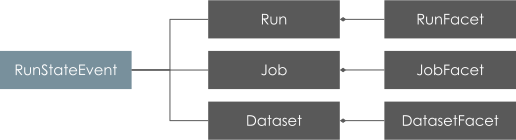
OpenLineage is an _Open Standard_ for lineage metadata collection designed to record metadata for a _job_ in execution.
The standard defines a generic model of _dataset_, _job_, and _run_ entities uniquely identified using consistent naming strategies. The core model is highly extensible via facets. A **facet** is user-defined metadata and enables entity enrichment. We encourage you to familiarize yourself with the core model below:
### How OpenLineage Benefits the Ecosystem[](https://openlineage.io/docs#how-openlineage-benefits-the-ecosystem "Direct link to How OpenLineage Benefits the Ecosystem")
Below, we illustrate the challenges of collecting lineage metadata from multiple sources, schedulers and/or data processing frameworks. We then outline the design benefits of defining an _Open Standard_ for lineage metadata collection.
#### BEFORE:[](https://openlineage.io/docs#before "Direct link to BEFORE:")
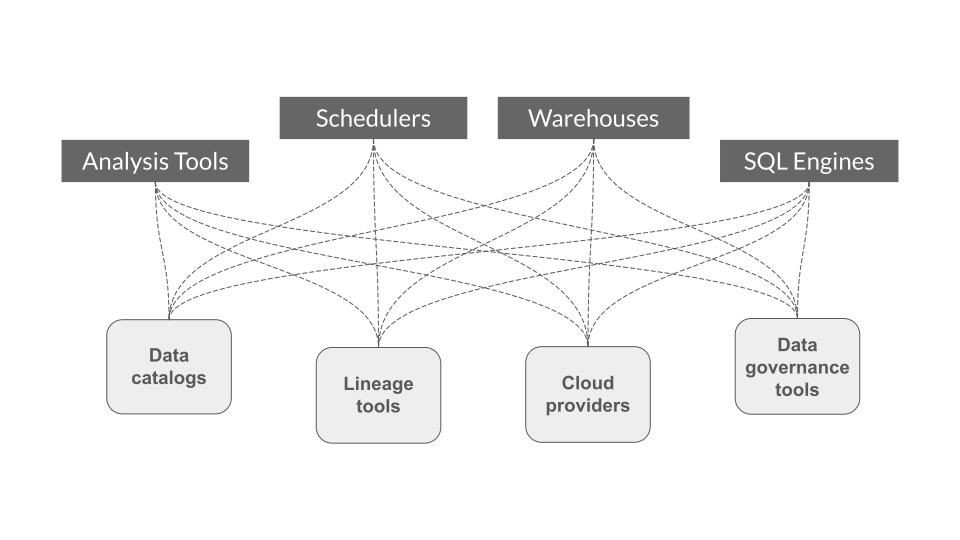
* Each project has to instrument its own custom metadata collection integration, therefore duplicating efforts.
* Integrations are external and can break with new versions of the underlying scheduler and/or data processing framework, requiring projects to ensure _backwards_ compatibility.
#### WITH OPENLINEAGE:[](https://openlineage.io/docs#with-openlineage "Direct link to WITH OPENLINEAGE:")
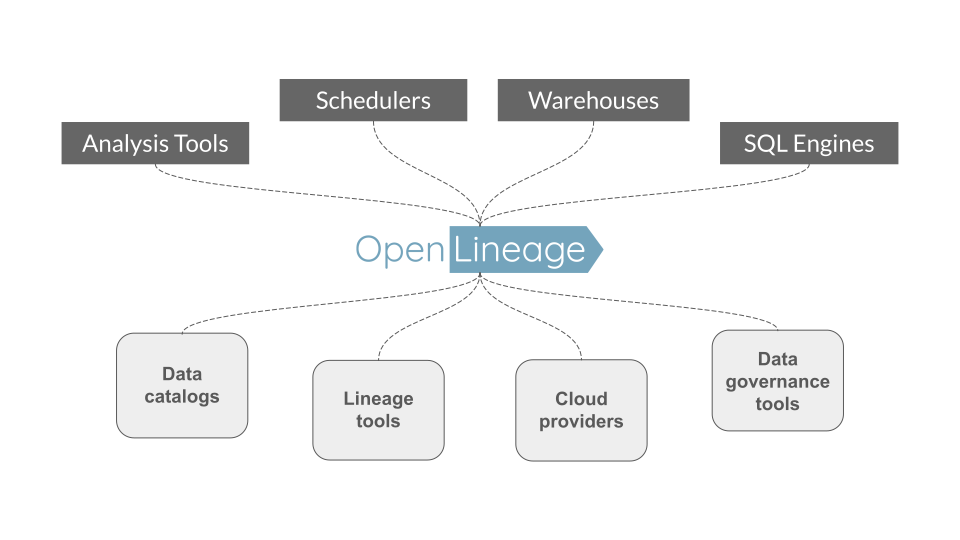
* Integration efforts are shared _across_ projects.
* Integrations can be _pushed_ to the underlying scheduler and/or data processing framework; no longer does one need to play catch up and ensure compatibility!
Scope[](https://openlineage.io/docs#scope "Direct link to Scope")
-------------------------------------------------------------------
OpenLineage defines the metadata for running jobs and their corresponding events. A configurable backend allows the user to choose what protocol to send the events to. 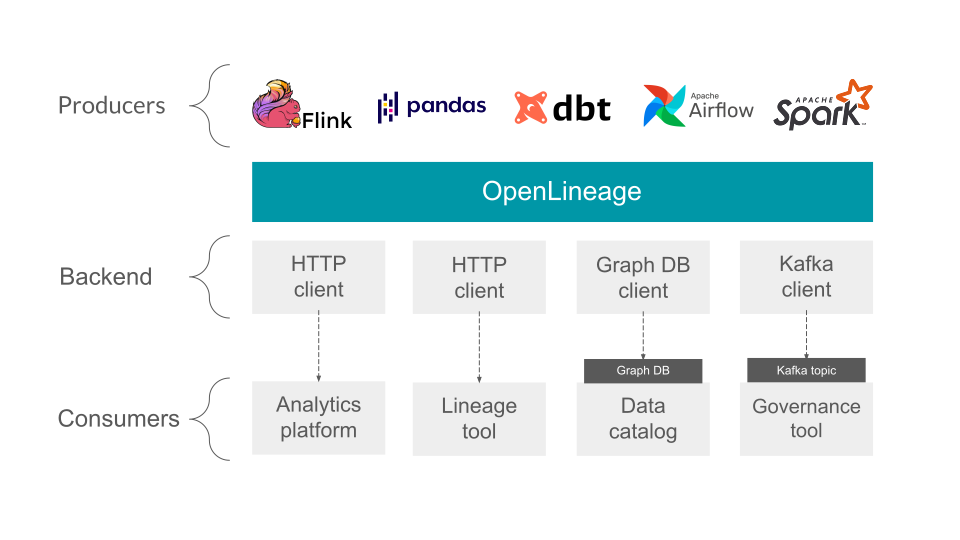
Core model[](https://openlineage.io/docs#core-model "Direct link to Core model")
----------------------------------------------------------------------------------
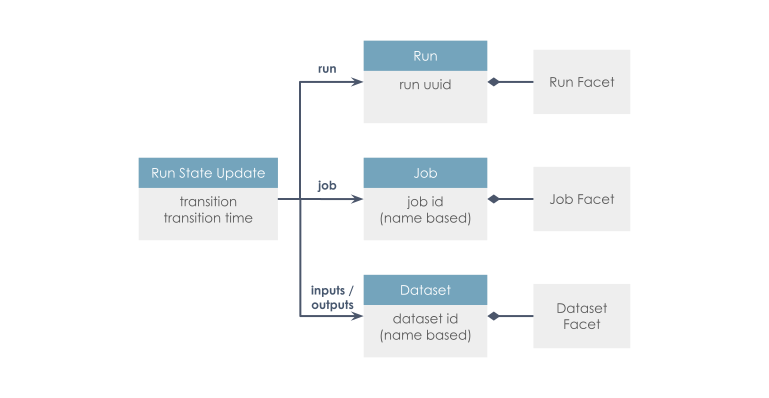
A facet is an atomic piece of metadata attached to one of the core entities. See the spec for more details.
Spec[](https://openlineage.io/docs#spec "Direct link to Spec")
----------------------------------------------------------------
The [specification](https://github.com/OpenLineage/OpenLineage/blob/main/spec/OpenLineage.md)
is defined using OpenAPI and allows extension through custom facets.
Integrations[](https://openlineage.io/docs#integrations "Direct link to Integrations")
----------------------------------------------------------------------------------------
OpenLineage supports integrations with several systems.
* [Apache Airflow](https://airflow.apache.org/docs/apache-airflow-providers-openlineage/stable/index.html)
* [Apache Flink](https://github.com/OpenLineage/OpenLineage/tree/main/integration/flink)
* [Apache Hive](https://github.com/OpenLineage/OpenLineage/tree/main/integration/hive)
* [Apache Spark](https://github.com/OpenLineage/OpenLineage/tree/main/integration/spark)
* [dbt](https://github.com/OpenLineage/OpenLineage/tree/main/integration/dbt)
* [Great Expectations](https://openlineage.io/docs/integrations/great-expectations)
* [SQL](https://github.com/OpenLineage/OpenLineage/tree/main/integration/sql)
* [Trino](https://openlineage.io/docs/integrations/trino)
Related projects[](https://openlineage.io/docs#related-projects "Direct link to Related projects")
----------------------------------------------------------------------------------------------------
* [Marquez](https://marquezproject.ai/)
: Marquez is an [LF AI & DATA](https://lfaidata.foundation/)
project to collect, aggregate, and visualize a data ecosystem's metadata. It is the reference implementation of the OpenLineage API.
* [OpenLineage collection implementation](https://github.com/MarquezProject/marquez/blob/main/api/src/main/java/marquez/api/OpenLineageResource.java)
* [Egeria](https://egeria.odpi.org/)
: Egeria Open Metadata and Governance. A metadata bus.
Contributing to OpenLineage[](https://openlineage.io/docs#contributing-to-openlineage "Direct link to Contributing to OpenLineage")
-------------------------------------------------------------------------------------------------------------------------------------
OpenLineage is an [LF AI & Data Foundation](https://lfaidata.foundation/projects/openlineage)
Graduate project under active development, and we welcome contributions.
See [CONTRIBUTING.md](https://github.com/OpenLineage/OpenLineage/tree/main/CONTRIBUTING.md)
for more details about how to contribute.
* [Design](https://openlineage.io/docs#design)
* [How OpenLineage Benefits the Ecosystem](https://openlineage.io/docs#how-openlineage-benefits-the-ecosystem)
* [Scope](https://openlineage.io/docs#scope)
* [Core model](https://openlineage.io/docs#core-model)
* [Spec](https://openlineage.io/docs#spec)
* [Integrations](https://openlineage.io/docs#integrations)
* [Related projects](https://openlineage.io/docs#related-projects)
* [Contributing to OpenLineage](https://openlineage.io/docs#contributing-to-openlineage)
---
# About OpenLineage | OpenLineage
[Skip to main content](https://openlineage.io/docs/1.38.0/#__docusaurus_skipToContent_fallback)
This is documentation for OpenLineage **1.38.0**, which is no longer actively maintained.
For up-to-date documentation, see the **[latest version](https://openlineage.io/docs/)
** (1.45.0).
Version: 1.38.0
On this page
OpenLineage is an open framework for data lineage collection and analysis. At its core is an extensible specification that systems can use to interoperate with lineage metadata.
### Design[](https://openlineage.io/docs/1.38.0/#design "Direct link to Design")
OpenLineage is an _Open Standard_ for lineage metadata collection designed to record metadata for a _job_ in execution.
The standard defines a generic model of _dataset_, _job_, and _run_ entities uniquely identified using consistent naming strategies. The core model is highly extensible via facets. A **facet** is user-defined metadata and enables entity enrichment. We encourage you to familiarize yourself with the core model below:

### How OpenLineage Benefits the Ecosystem[](https://openlineage.io/docs/1.38.0/#how-openlineage-benefits-the-ecosystem "Direct link to How OpenLineage Benefits the Ecosystem")
Below, we illustrate the challenges of collecting lineage metadata from multiple sources, schedulers and/or data processing frameworks. We then outline the design benefits of defining an _Open Standard_ for lineage metadata collection.
#### BEFORE:[](https://openlineage.io/docs/1.38.0/#before "Direct link to BEFORE:")

* Each project has to instrument its own custom metadata collection integration, therefore duplicating efforts.
* Integrations are external and can break with new versions of the underlying scheduler and/or data processing framework, requiring projects to ensure _backwards_ compatibility.
#### WITH OPENLINEAGE:[](https://openlineage.io/docs/1.38.0/#with-openlineage "Direct link to WITH OPENLINEAGE:")

* Integration efforts are shared _across_ projects.
* Integrations can be _pushed_ to the underlying scheduler and/or data processing framework; no longer does one need to play catch up and ensure compatibility!
Scope[](https://openlineage.io/docs/1.38.0/#scope "Direct link to Scope")
---------------------------------------------------------------------------
OpenLineage defines the metadata for running jobs and their corresponding events. A configurable backend allows the user to choose what protocol to send the events to. 
Core model[](https://openlineage.io/docs/1.38.0/#core-model "Direct link to Core model")
------------------------------------------------------------------------------------------

A facet is an atomic piece of metadata attached to one of the core entities. See the spec for more details.
Spec[](https://openlineage.io/docs/1.38.0/#spec "Direct link to Spec")
------------------------------------------------------------------------
The [specification](https://github.com/OpenLineage/OpenLineage/blob/main/spec/OpenLineage.md)
is defined using OpenAPI and allows extension through custom facets.
Integrations[](https://openlineage.io/docs/1.38.0/#integrations "Direct link to Integrations")
------------------------------------------------------------------------------------------------
The OpenLineage repository contains integrations with several systems.
* [Apache Airflow](https://github.com/OpenLineage/OpenLineage/tree/main/integration/airflow)
* [Apache Flink](https://github.com/OpenLineage/OpenLineage/tree/main/integration/flink)
* [Apache Spark](https://github.com/OpenLineage/OpenLineage/tree/main/integration/spark)
* [Dagster](https://github.com/OpenLineage/OpenLineage/tree/main/integration/dagster)
* [dbt](https://github.com/OpenLineage/OpenLineage/tree/main/integration/dbt)
* [SQL](https://github.com/OpenLineage/OpenLineage/tree/main/integration/sql)
Related projects[](https://openlineage.io/docs/1.38.0/#related-projects "Direct link to Related projects")
------------------------------------------------------------------------------------------------------------
* [Marquez](https://marquezproject.ai/)
: Marquez is an [LF AI & DATA](https://lfaidata.foundation/)
project to collect, aggregate, and visualize a data ecosystem's metadata. It is the reference implementation of the OpenLineage API.
* [OpenLineage collection implementation](https://github.com/MarquezProject/marquez/blob/main/api/src/main/java/marquez/api/OpenLineageResource.java)
* [Egeria](https://egeria.odpi.org/)
: Egeria Open Metadata and Governance. A metadata bus.
* [Design](https://openlineage.io/docs/1.38.0/#design)
* [How OpenLineage Benefits the Ecosystem](https://openlineage.io/docs/1.38.0/#how-openlineage-benefits-the-ecosystem)
* [Scope](https://openlineage.io/docs/1.38.0/#scope)
* [Core model](https://openlineage.io/docs/1.38.0/#core-model)
* [Spec](https://openlineage.io/docs/1.38.0/#spec)
* [Integrations](https://openlineage.io/docs/1.38.0/#integrations)
* [Related projects](https://openlineage.io/docs/1.38.0/#related-projects)
---
# Java | OpenLineage
[Skip to main content](https://openlineage.io/docs/1.38.0/client/java/#__docusaurus_skipToContent_fallback)
This is documentation for OpenLineage **1.38.0**, which is no longer actively maintained.
For up-to-date documentation, see the **[latest version](https://openlineage.io/docs/client/java/)
** (1.45.0).
Version: 1.38.0
On this page
Overview[](https://openlineage.io/docs/1.38.0/client/java/#overview "Direct link to Overview")
------------------------------------------------------------------------------------------------
The OpenLineage Java is a SDK for Java programming language that users can use to generate and emit OpenLineage events to OpenLineage backends. The core data structures currently offered by the client are the `RunEvent`, `RunState`, `Run`, `Job`, `Dataset`, and `Transport` classes, along with various `Facets` that can come under run, job, and dataset.
There are various [transport classes](https://openlineage.io/docs/1.38.0/client/java/#transports)
that the library provides that carry the lineage events into various target endpoints (e.g. HTTP).
You can also use the Java client to create your own custom integrations.
Installation[](https://openlineage.io/docs/1.38.0/client/java/#installation "Direct link to Installation")
------------------------------------------------------------------------------------------------------------
Java client is provided as library that can either be imported into your Java project using Maven or Gradle.
Maven:
io.openlineage openlineage-java 1.45.0
or Gradle:
implementation("io.openlineage:openlineage-java:1.45.0")
For more information on the available versions of the `openlineage-java`, please refer to the [maven repository](https://search.maven.org/artifact/io.openlineage/openlineage-java)
.
* [Overview](https://openlineage.io/docs/1.38.0/client/java/#overview)
* [Installation](https://openlineage.io/docs/1.38.0/client/java/#installation)
---
# Configuration | OpenLineage
[Skip to main content](https://openlineage.io/docs/1.38.0/client/java/configuration/#__docusaurus_skipToContent_fallback)
This is documentation for OpenLineage **1.38.0**, which is no longer actively maintained.
For up-to-date documentation, see the **[latest version](https://openlineage.io/docs/client/java/configuration)
** (1.45.0).
Version: 1.38.0
On this page
We recommend configuring the client with an `openlineage.yml` file that contains all the details of how to connect to your OpenLineage backend.
See [example configurations.](https://openlineage.io/docs/1.38.0/client/java/configuration/#transports)
You can make this file available to the client in three ways (the list also presents precedence of the configuration):
1. Set an `OPENLINEAGE_CONFIG` environment variable to a file path: `OPENLINEAGE_CONFIG=path/to/openlineage.yml`.
2. Place an `openlineage.yml` in the user's current working directory.
3. Place an `openlineage.yml` under `.openlineage/` in the user's home directory (`~/.openlineage/openlineage.yml`).
Environment Variables[](https://openlineage.io/docs/1.38.0/client/java/configuration/#environment-variables "Direct link to Environment Variables")
-----------------------------------------------------------------------------------------------------------------------------------------------------
The following environment variables are available:
| Name | Description | Since |
| --- | --- | --- |
| OPENLINEAGE\_CONFIG | The path to the YAML configuration file. Example: `path/to/openlineage.yml` | |
| OPENLINEAGE\_DISABLED | When `true`, OpenLineage will not emit events. | 0.9.0 |
You can also configure the client with dynamic environment variables.
The OpenLineage client supports configuration through dynamic environment variables.
### Configuring OpenLineage Client via Dynamic Environment Variables[](https://openlineage.io/docs/1.38.0/client/java/configuration/#configuring-openlineage-client-via-dynamic-environment-variables "Direct link to Configuring OpenLineage Client via Dynamic Environment Variables")
These environment variables must begin with `OPENLINEAGE__`, followed by sections of the configuration separated by a double underscore `__`. All values in the environment variables are automatically converted to lowercase, and variable names using snake\_case (single underscore) are converted into camelCase within the final configuration.
#### Key Features[](https://openlineage.io/docs/1.38.0/client/java/configuration/#key-features "Direct link to Key Features")
1. Prefix Requirement: All environment variables must begin with `OPENLINEAGE__`.
2. Sections Separation: Configuration sections are separated using double underscores `__` to form the hierarchy.
3. Lowercase Conversion: Environment variable values are automatically converted to lowercase.
4. CamelCase Conversion: Any environment variable name using single underscore `_` will be converted to camelCase in the final configuration.
5. JSON String Support: You can pass a JSON string at any level of the configuration hierarchy, which will be merged into the final configuration structure.
6. Hyphen Restriction: You cannot use `-` in environment variable names. If a name strictly requires a hyphen, use a JSON string as the value of the environment variable.
7. Precedence Rules:
* Top-level keys have precedence and will not be overwritten by more nested entries.
* For example, `OPENLINEAGE__TRANSPORT='{..}'` will not have its keys overwritten by `OPENLINEAGE__TRANSPORT__AUTH__KEY='key'`.
#### Examples[](https://openlineage.io/docs/1.38.0/client/java/configuration/#examples "Direct link to Examples")
* Basic Example
* Composite Example
* Precedence Example
* Spark Example
* Namespace Resolvers Example
Setting following environment variables:
OPENLINEAGE__TRANSPORT__TYPE=httpOPENLINEAGE__TRANSPORT__URL=http://localhost:5050OPENLINEAGE__TRANSPORT__ENDPOINT=/api/v1/lineageOPENLINEAGE__TRANSPORT__AUTH__TYPE=api_keyOPENLINEAGE__TRANSPORT__AUTH__API_KEY=random_tokenOPENLINEAGE__TRANSPORT__COMPRESSION=gzip
is equivalent to passing following YAML configuration:
transport: type: http url: http://localhost:5050 endpoint: api/v1/lineage auth: type: api_key apiKey: random_token compression: gzip
Setting following environment variables:
OPENLINEAGE__TRANSPORT__TYPE=compositeOPENLINEAGE__TRANSPORT__TRANSPORTS__FIRST__TYPE=httpOPENLINEAGE__TRANSPORT__TRANSPORTS__FIRST__URL=http://localhost:5050OPENLINEAGE__TRANSPORT__TRANSPORTS__FIRST__ENDPOINT=/api/v1/lineageOPENLINEAGE__TRANSPORT__TRANSPORTS__FIRST__AUTH__TYPE=api_keyOPENLINEAGE__TRANSPORT__TRANSPORTS__FIRST__AUTH__API_KEY=random_tokenOPENLINEAGE__TRANSPORT__TRANSPORTS__FIRST__AUTH__COMPRESSION=gzipOPENLINEAGE__TRANSPORT__TRANSPORTS__SECOND__TYPE=console
is equivalent to passing following YAML configuration:
transport: type: composite transports: first: type: http url: http://localhost:5050 endpoint: api/v1/lineage auth: type: api_key apiKey: random_token compression: gzip second: type: console
Setting following environment variables:
OPENLINEAGE__TRANSPORT='{"type":"console"}'OPENLINEAGE__TRANSPORT__TYPE=http
is equivalent to passing following YAML configuration:
transport: type: console
Setting following environment variables:
OPENLINEAGE__TRANSPORT__TYPE=kafkaOPENLINEAGE__TRANSPORT__TOPIC_NAME=testOPENLINEAGE__TRANSPORT__MESSAGE_KEY=explicit-keyOPENLINEAGE__TRANSPORT__PROPERTIES='{"key.serializer": "org.apache.kafka.common.serialization.StringSerializer"}'
is equivalent to passing following YAML configuration:
transport: type: kafka topicName: test messageKey: explicit-key properties: key.serializer: org.apache.kafka.common.serialization.StringSerializer
Please note that you can't use environment variables to set Spark properties, as they are not part of the configuration hierarchy. Following environment variable:
OPENLINEAGE__TRANSPORT__PROPERTIES__KEY__SERIALIZER="org.apache.kafka.common.serialization.StringSerializer"
would be equivalent to below YAML structure:
transport: properties: key: serializer: org.apache.kafka.common.serialization.StringSerializer
which is not a valid configuration for Spark.
Setting following environment variables:
OPENLINEAGE__DATASET__NAMESPACE_RESOLVERS__RESOLVED_NAME__TYPE=hostListOPENLINEAGE__DATASET__NAMESPACE_RESOLVERS__RESOLVED_NAME__HOSTS='["kafka-prod13.company.com", "kafka-prod15.company.com"]'OPENLINEAGE__DATASET__NAMESPACE_RESOLVERS__RESOLVED_NAME__SCHEMA=kafka
is equivalent to passing following YAML configuration:
dataset: namespaceResolvers: resolvedName: type: hostList hosts: - kafka-prod13.company.com - kafka-prod15.company.com schema: kafka
Facets Configuration[](https://openlineage.io/docs/1.38.0/client/java/configuration/#facets-configuration "Direct link to Facets Configuration")
--------------------------------------------------------------------------------------------------------------------------------------------------
In YAML configuration file you can also disable facets to filter them out from the OpenLineage event.
_YAML Configuration_
transport: type: consolefacets: spark_unknown: disabled: true "spark.logicalPlan": disabled: true
### Deprecated and removed syntax[](https://openlineage.io/docs/1.38.0/client/java/configuration/#deprecated-and-removed-syntax "Direct link to Deprecated and removed syntax")
The following syntax was deprecated and got removed:
facets: disabled: - spark_unknown - spark.logicalPlan
Please be aware that this syntax is not working anymore.
Transports[](https://openlineage.io/docs/1.38.0/client/java/configuration/#transports "Direct link to Transports")
--------------------------------------------------------------------------------------------------------------------
**Tip:** See current list of [all supported transports](https://github.com/OpenLineage/OpenLineage/tree/main/client/java/src/main/java/io/openlineage/client/transports)
.
### [HTTP](https://github.com/OpenLineage/OpenLineage/tree/main/client/java/src/main/java/io/openlineage/client/transports/HttpTransport.java)
[](https://openlineage.io/docs/1.38.0/client/java/configuration/#http "Direct link to http")
Allows sending events to HTTP endpoint, using [ApacheHTTPClient](https://hc.apache.org/index.html)
.
#### Configuration[](https://openlineage.io/docs/1.38.0/client/java/configuration/#configuration "Direct link to Configuration")
* `type` - string, must be `"http"`. Required.
* `url` - string, base url for HTTP requests. Required.
* `endpoint` - string specifying the endpoint to which events are sent, appended to `url`. Optional, default: `/api/v1/lineage`.
* `urlParams` - dictionary specifying query parameters send in HTTP requests. Optional.
* `timeoutInMillis` - integer specifying timeout (in milliseconds) value used while connecting to server. Optional, default: `5000`.
* `auth` - dictionary specifying authentication options. Optional, by default no authorization is used. If set, requires the `type` property.
* `type` - string specifying the "api\_key" or the fully qualified class name of your TokenProvider. Required if `auth` is provided.
* `apiKey` - string setting the Authentication HTTP header as the Bearer. Required if `type` is `api_key`.
* `headers` - dictionary specifying HTTP request headers. Optional.
* `compression` - string, name of algorithm used by HTTP client to compress request body. Optional, default value `null`, allowed values: `gzip`. Added in v1.13.0.
#### Behavior[](https://openlineage.io/docs/1.38.0/client/java/configuration/#behavior "Direct link to Behavior")
Events are serialized to JSON, and then are send as HTTP POST request with `Content-Type: application/json`.
#### Examples[](https://openlineage.io/docs/1.38.0/client/java/configuration/#examples "Direct link to Examples")
* Yaml Config
* Spark Config
* Flink Config
* Java Code
Anonymous connection:
transport: type: http url: http://localhost:5000
With authorization:
transport: type: http url: http://localhost:5000 auth: type: api_key api_key: f38d2189-c603-4b46-bdea-e573a3b5a7d5
Full example:
transport: type: http url: http://localhost:5000 endpoint: /api/v1/lineage urlParams: param0: value0 param1: value1 timeoutInMillis: 5000 auth: type: api_key api_key: f38d2189-c603-4b46-bdea-e573a3b5a7d5 headers: X-Some-Extra-Header: abc compression: gzip
Anonymous connection:
spark.openlineage.transport.type=httpspark.openlineage.transport.url=http://localhost:5000
With authorization:
spark.openlineage.transport.type=httpspark.openlineage.transport.url=http://localhost:5000spark.openlineage.transport.auth.type=api_keyspark.openlineage.transport.auth.apiKey=f38d2189-c603-4b46-bdea-e573a3b5a7d5
Full example:
spark.openlineage.transport.type=httpspark.openlineage.transport.url=http://localhost:5000spark.openlineage.transport.endpoint=/api/v1/lineagespark.openlineage.transport.urlParams.param0=value0spark.openlineage.transport.urlParams.param1=value1spark.openlineage.transport.timeoutInMillis=5000spark.openlineage.transport.auth.type=api_keyspark.openlineage.transport.auth.apiKey=f38d2189-c603-4b46-bdea-e573a3b5a7d5spark.openlineage.transport.headers.X-Some-Extra-Header=abcspark.openlineage.transport.compression=gzip
With SSL context:
spark.openlineage.transport.sslContext.storePassword=...spark.openlineage.transport.sslContext.keyPassword=...spark.openlineage.transport.sslContext.keyStoreType=...spark.openlineage.transport.sslContext.keyStorePath=...
where the config contains location of the keystore file, keystore password and its type. It should also contain key password.
URL parsing within Spark integration
You can supply http parameters using values in url, the parsed `spark.openlineage.*` properties are located in url as follows:
`{transport.url}/{transport.endpoint}/namespaces/{namespace}/jobs/{parentJobName}/runs/{parentRunId}?app_name={appName}&api_key={transport.apiKey}&timeout={transport.timeout}&xxx={transport.urlParams.xxx}`
example:
`http://localhost:5000/api/v1/namespaces/ns_name/jobs/job_name/runs/xxxxxxxx-xxxx-xxxx-xxxx-xxxxxxxxxxxx?app_name=app&api_key=abc&timeout=5000&xxx=xxx`
Anonymous connection:
spark.openlineage.transport.type=httpspark.openlineage.transport.url=http://localhost:5000
With authorization:
openlineage.transport.type=httpopenlineage.transport.url=http://localhost:5000openlineage.transport.auth.type=api_keyopenlineage.transport.auth.apiKey=f38d2189-c603-4b46-bdea-e573a3b5a7d5
Full example:
openlineage.transport.type=httpopenlineage.transport.url=http://localhost:5000openlineage.transport.endpoint=/api/v1/lineageopenlineage.transport.urlParams.param0=value0openlineage.transport.urlParams.param1=value1openlineage.transport.timeoutInMillis=5000openlineage.transport.auth.type=api_keyopenlineage.transport.auth.apiKey=f38d2189-c603-4b46-bdea-e573a3b5a7d5openlineage.transport.headers.X-Some-Extra-Header=abcopenlineage.transport.compression=gzip
With SSL context:
openlineage.transport.sslContext.storePassword=...openlineage.transport.sslContext.keyPassword=...openlineage.transport.sslContext.keyStoreType=...openlineage.transport.sslContext.keyStorePath=...
where the config contains location of the keystore file, keystore password and its type. It should also contain key password.
Anonymous connection:
import io.openlineage.client.OpenLineageClient;import io.openlineage.client.transports.HttpConfig;import io.openlineage.client.transports.HttpTransport;HttpConfig httpConfig = new HttpConfig();httpConfig.setUrl("http://localhost:5000");OpenLineageClient client = OpenLineageClient.builder() .transport( new HttpTransport(httpConfig)) .build();
With authorization:
import io.openlineage.client.OpenLineageClient;import io.openlineage.client.transports.ApiKeyTokenProvider;import io.openlineage.client.transports.HttpConfig;import io.openlineage.client.transports.HttpTransport;ApiKeyTokenProvider apiKeyTokenProvider = new ApiKeyTokenProvider();apiKeyTokenProvider.setApiKey("f38d2189-c603-4b46-bdea-e573a3b5a7d5");HttpConfig httpConfig = new HttpConfig();httpConfig.setUrl("http://localhost:5000");httpConfig.setAuth(apiKeyTokenProvider);OpenLineageClient client = OpenLineageClient.builder() .transport( new HttpTransport(httpConfig)) .build();
Full example:
import java.util.Map;import io.openlineage.client.OpenLineageClient;import io.openlineage.client.transports.ApiKeyTokenProvider;import io.openlineage.client.transports.HttpConfig;import io.openlineage.client.transports.HttpTransport;Map queryParams = Map.of( "param0", "value0", "param1", "value1");Map headers = Map.of( "X-Some-Extra-Header", "abc");ApiKeyTokenProvider apiKeyTokenProvider = new ApiKeyTokenProvider();apiKeyTokenProvider.setApiKey("f38d2189-c603-4b46-bdea-e573a3b5a7d5");HttpConfig httpConfig = new HttpConfig();httpConfig.setUrl("http://localhost:5000");httpConfig.setEndpoint("/api/v1/lineage");httpConfig.setUrlParams(queryParams);httpConfig.setAuth(apiKeyTokenProvider);httpConfig.setTimeoutInMillis(5000);httpConfig.setHeaders(headers);httpConfig.setCompression(HttpConfig.Compression.GZIP);OpenLineageClient client = OpenLineageClient.builder() .transport( new HttpTransport(httpConfig)) .build();
With SSL Context:
httpConfig.setSslContextConfig(new HttpSslContextConfig(keyStorePassword, keyPassword, keyStoreType, keyStoreFileName));
where the config contains location of the keystore file, keystore password and its type. It should also contain key password.
### [Kafka](https://github.com/OpenLineage/OpenLineage/tree/main/client/java/src/main/java/io/openlineage/client/transports/KafkaTransport.java)
[](https://openlineage.io/docs/1.38.0/client/java/configuration/#kafka "Direct link to kafka")
If a transport type is set to `kafka`, then the below parameters would be read and used when building KafkaProducer. This transport requires the artifact `org.apache.kafka:kafka-clients:3.1.0` (or compatible) on your classpath.
#### Configuration[](https://openlineage.io/docs/1.38.0/client/java/configuration/#configuration-1 "Direct link to Configuration")
* `type` - string, must be `"kafka"`. Required.
* `topicName` - string specifying the topic on what events will be sent. Required.
* `properties` - a dictionary containing a Kafka producer config as in [Kafka producer config](http://kafka.apache.org/0100/documentation.html#producerconfigs)
. Required.
* `localServerId` - **deprecated**, renamed to `messageKey` since v1.13.0.
* `messageKey` - string, key for all Kafka messages produced by transport. Optional, default value described below. Added in v1.13.0.
Default values for `messageKey` are:
* `run:{rootJob.namespace}/{rootJob.name}` - for RunEvent with parent facet containing link to `root` job
* `run:{parentJob.namespace}/{parentJob.name}` - for RunEvent with parent facet
* `run:{job.namespace}/{job.name}` - for RunEvent
* `job:{job.namespace}/{job.name}` - for JobEvent
* `dataset:{dataset.namespace}/{dataset.name}` - for DatasetEvent
#### Behavior[](https://openlineage.io/docs/1.38.0/client/java/configuration/#behavior-1 "Direct link to Behavior")
Events are serialized to JSON, and then dispatched to the Kafka topic.
#### Notes[](https://openlineage.io/docs/1.38.0/client/java/configuration/#notes "Direct link to Notes")
It is recommended to provide `messageKey` if Job hierarchy is used. It can be any string, but it should be the same for all jobs in hierarchy, like `Airflow task -> Spark application -> Spark task runs`.
#### Examples[](https://openlineage.io/docs/1.38.0/client/java/configuration/#examples-1 "Direct link to Examples")
* Yaml Config
* Spark Config
* Flink Config
* Java Code
transport: type: kafka topicName: openlineage.events properties: bootstrap.servers: localhost:9092,another.host:9092 acks: all retries: 3 key.serializer: org.apache.kafka.common.serialization.StringSerializer value.serializer: org.apache.kafka.common.serialization.StringSerializer messageKey: some-value
spark.openlineage.transport.type=kafkaspark.openlineage.transport.topicName=openlineage.eventsspark.openlineage.transport.properties.bootstrap.servers=localhost:9092,another.host:9092spark.openlineage.transport.properties.acks=allspark.openlineage.transport.properties.retries=3spark.openlineage.transport.properties.key.serializer=org.apache.kafka.common.serialization.StringSerializerspark.openlineage.transport.properties.value.serializer=org.apache.kafka.common.serialization.StringSerializerspark.openlineage.transport.messageKey=some-value
openlineage.transport.type=kafkaopenlineage.transport.topicName=openlineage.eventsopenlineage.transport.properties.bootstrap.servers=localhost:9092,another.host:9092openlineage.transport.properties.acks=allopenlineage.transport.properties.retries=3openlineage.transport.properties.key.serializer=org.apache.kafka.common.serialization.StringSerializeropenlineage.transport.properties.value.serializer=org.apache.kafka.common.serialization.StringSerializeropenlineage.transport.messageKey=some-value
import java.util.Properties;import io.openlineage.client.OpenLineageClient;import io.openlineage.client.transports.KafkaConfig;import io.openlineage.client.transports.KafkaTransport;Properties kafkaProperties = new Properties();kafkaProperties.setProperty("bootstrap.servers", "localhost:9092,another.host:9092");kafkaProperties.setProperty("acks", "all");kafkaProperties.setProperty("retries", "3");kafkaProperties.setProperty("key.serializer", "org.apache.kafka.common.serialization.StringSerializer");kafkaProperties.setProperty("value.serializer", "org.apache.kafka.common.serialization.StringSerializer");KafkaConfig kafkaConfig = new KafkaConfig();KafkaConfig.setTopicName("openlineage.events");KafkaConfig.setProperties(kafkaProperties);KafkaConfig.setMessageKey("some-key");OpenLineageClient client = OpenLineageClient.builder() .transport( new KafkaTransport(httpConfig)) .build();
_Notes_: It is recommended to provide `messageKey` if Job hierarchy is used. It can be any string, but it should be the same for all jobs in hierarchy, like `Airflow task -> Spark application`.
Default values are:
* `run:{rootJob.namespace}/{rootJob.name}` - for RunEvent with parent facet containing link to `root` job
* `run:{parentJob.namespace}/{parentJob.name}/{parentRun.id}` - for RunEvent with parent facet
* `run:{job.namespace}/{job.name}/{run.id}` - for RunEvent
* `job:{job.namespace}/{job.name}` - for JobEvent
* `dataset:{dataset.namespace}/{dataset.name}` - for DatasetEvent
### [Console](https://github.com/OpenLineage/OpenLineage/tree/main/client/java/src/main/java/io/openlineage/client/transports/ConsoleTransport.java)
[](https://openlineage.io/docs/1.38.0/client/java/configuration/#console "Direct link to console")
This straightforward transport emits OpenLineage events directly to the console through a logger. No additional configuration is required.
#### Behavior[](https://openlineage.io/docs/1.38.0/client/java/configuration/#behavior-2 "Direct link to Behavior")
Events are serialized to JSON. Then each event is logged with `INFO` level to logger with name `ConsoleTransport`.
#### Notes[](https://openlineage.io/docs/1.38.0/client/java/configuration/#notes-1 "Direct link to Notes")
Be cautious when using the `DEBUG` log level, as it might result in double-logging due to the `OpenLineageClient` also logging.
#### Configuration[](https://openlineage.io/docs/1.38.0/client/java/configuration/#configuration-2 "Direct link to Configuration")
* `type` - string, must be `"console"`. Required.
#### Examples[](https://openlineage.io/docs/1.38.0/client/java/configuration/#examples-2 "Direct link to Examples")
* Yaml Config
* Spark Config
* Flink Config
* Java Code
transport: type: console
spark.openlineage.transport.type=console
openlineage.transport.type=console
import java.util.Properties;import io.openlineage.client.OpenLineageClient;import io.openlineage.client.transports.ConsoleTransport;OpenLineageClient client = OpenLineageClient.builder() .transport( new ConsoleTransport()) .build();
### [File](https://github.com/OpenLineage/OpenLineage/tree/main/client/java/src/main/java/io/openlineage/client/transports/FileTransport.java)
[](https://openlineage.io/docs/1.38.0/client/java/configuration/#file "Direct link to file")
Designed mainly for integration testing, the `FileTransport` emits OpenLineage events to a given file.
#### Configuration[](https://openlineage.io/docs/1.38.0/client/java/configuration/#configuration-3 "Direct link to Configuration")
* `type` - string, must be `"file"`. Required.
* `location` - string specifying the path of the file. Required.
#### Behavior[](https://openlineage.io/docs/1.38.0/client/java/configuration/#behavior-3 "Direct link to Behavior")
* If the target file is absent, it's created.
* Events are serialized to JSON, and then appended to a file, separated by newlines.
* Intrinsic newline characters within the event JSON are eliminated to ensure one-line events.
#### Notes for Yarn/Kubernetes[](https://openlineage.io/docs/1.38.0/client/java/configuration/#notes-for-yarnkubernetes "Direct link to Notes for Yarn/Kubernetes")
This transport type is pretty useless on Spark/Flink applications deployed to Yarn or Kubernetes cluster:
* Each executor will write file to a local filesystem of Yarn container/K8s pod. So resulting file will be removed when such container/pod is destroyed.
* Kubernetes persistent volumes are not destroyed after pod removal. But all the executors will write to the same network disk in parallel, producing a broken file.
#### Examples[](https://openlineage.io/docs/1.38.0/client/java/configuration/#examples-3 "Direct link to Examples")
* Yaml Config
* Spark Config
* Flink Config
* Java Code
transport: type: file location: /path/to/your/file
spark.openlineage.transport.type=filespark.openlineage.transport.location=/path/to/your/filext
openlineage.transport.type=fileopenlineage.transport.location=/path/to/your/file
import java.util.Properties;import io.openlineage.client.OpenLineageClient;import io.openlineage.client.transports.FileConfig;import io.openlineage.client.transports.FileTransport;FileConfig fileConfig = new FileConfig("/path/to/your/file");OpenLineageClient client = OpenLineageClient.builder() .transport( new FileTransport(fileConfig)) .build();
### [Composite](https://github.com/OpenLineage/OpenLineage/tree/main/client/java/src/main/java/io/openlineage/client/transports/CompositeTransport.java)
[](https://openlineage.io/docs/1.38.0/client/java/configuration/#composite "Direct link to composite")
The `CompositeTransport` is designed to combine multiple transports, allowing event emission to several destinations. This is useful when events need to be sent to multiple targets, such as a logging system and an API endpoint. The events are delivered sequentially - one after another in a defined order.
#### Configuration[](https://openlineage.io/docs/1.38.0/client/java/configuration/#configuration-4 "Direct link to Configuration")
* `type` - string, must be "composite". Required.
* `transports` - a list or a map of transport configurations. Required.
* `continueOnFailure` - boolean flag, determines if the process should continue even when one of the transports fails. Default is `true`.
* `withThreadPool` - boolean flag, determines if a thread pool for parallel event emission should be kept between event emissions. Default is `true`.
#### Behavior[](https://openlineage.io/docs/1.38.0/client/java/configuration/#behavior-4 "Direct link to Behavior")
* The configured transports will be initialized and used in sequence (sorted by transport name) to emit OpenLineage events.
* If `continueOnFailure` is set to `false`, a failure in one transport will stop the event emission process, and an exception will be raised.
* If `continueOnFailure` is `true`, the failure will be logged, but the remaining transports will still attempt to send the event.
#### Notes for Multiple Transports[](https://openlineage.io/docs/1.38.0/client/java/configuration/#notes-for-multiple-transports "Direct link to Notes for Multiple Transports")
The composite transport can be used with any OpenLineage transport (e.g. `HttpTransport`, `KafkaTransport`, etc). Ideal for scenarios where OpenLineage events need to reach multiple destinations for redundancy or different types of processing.
The `transports` configuration can be provided in two formats:
1. A list of transport configurations, where each transport may optionally include a `name` field.
2. A map of transport configurations, where the key acts as the name for each transport. The map format is particularly useful for configurations set via environment variables or Java properties, providing a more convenient and flexible setup.
##### Why are transport names used?[](https://openlineage.io/docs/1.38.0/client/java/configuration/#why-are-transport-names-used "Direct link to Why are transport names used?")
Transport names are not required for basic functionality. Their primary purpose is to enable configuration of composite transports via environment variables, which is only supported when names are defined.
#### Examples[](https://openlineage.io/docs/1.38.0/client/java/configuration/#examples-4 "Direct link to Examples")
* Yaml Config (List)
* Yaml Config (Map)
* Spark Config
* Flink Config
* Java Code
transport: type: composite continueOnFailure: true transports: - type: http url: http://example.com/api name: my_http - type: kafka topicName: openlineage.events properties: bootstrap.servers: localhost:9092,another.host:9092 acks: all retries: 3 key.serializer: org.apache.kafka.common.serialization.StringSerializer value.serializer: org.apache.kafka.common.serialization.StringSerializer messageKey: some-value continueOnFailure: true
transport: type: composite continueOnFailure: true transports: my_http: type: http url: http://example.com/api name: my_http my_kafka: type: kafka topicName: openlineage.events properties: bootstrap.servers: localhost:9092,another.host:9092 acks: all retries: 3 key.serializer: org.apache.kafka.common.serialization.StringSerializer value.serializer: org.apache.kafka.common.serialization.StringSerializer messageKey: some-value continueOnFailure: true
spark.openlineage.transport.type=compositespark.openlineage.transport.continueOnFailure=truespark.openlineage.transport.transports.my_http.type=httpspark.openlineage.transport.transports.my_http.url=http://example.com/apispark.openlineage.transport.transports.my_kafka.type=kafkaspark.openlineage.transport.transports.my_kafka.topicName=openlineage.eventsspark.openlineage.transport.transports.my_kafka.properties.bootstrap.servers=localhost:9092,another.host:9092spark.openlineage.transport.transports.my_kafka.properties.acks=allspark.openlineage.transport.transports.my_kafka.properties.retries=3spark.openlineage.transport.transports.my_kafka.properties.key.serializer=org.apache.kafka.common.serialization.StringSerializerspark.openlineage.transport.transports.my_kafka.properties.value.serializer=org.apache.kafka.common.serialization.StringSerializer
openlineage.transport.type=compositeopenlineage.transport.continueOnFailure=trueopenlineage.transport.transports.my_http.type=httpopenlineage.transport.transports.my_http.url=http://example.com/apiopenlineage.transport.transports.my_kafka.type=kafkaopenlineage.transport.transports.my_kafka.topicName=openlineage.eventsopenlineage.transport.transports.my_kafka.properties.bootstrap.servers=localhost:9092,another.host:9092openlineage.transport.transports.my_kafka.properties.acks=allopenlineage.transport.transports.my_kafka.properties.retries=3openlineage.transport.transports.my_kafka.properties.key.serializer=org.apache.kafka.common.serialization.StringSerializeropenlineage.transport.transports.my_kafka.properties.value.serializer=org.apache.kafka.common.serialization.StringSerializer
import java.util.Arrays;import io.openlineage.client.OpenLineageClient;import io.openlineage.client.transports.CompositeConfig;import io.openlineage.client.transports.HttpConfig;import io.openlineage.client.transports.HttpTransport;import io.openlineage.client.transports.KafkaConfig;import io.openlineage.client.transports.KafkaTransport;HttpConfig httpConfig = new HttpConfig();httpConfig.setUrl("http://example.com/api");KafkaConfig kafkaConfig = new KafkaConfig();KafkaConfig.setTopicName("openlineage.events");KafkaConfig.setMessageKey("some-key");CompositeConfig compositeConfig = new CompositeConfig(Arrays.asList( new HttpTransport(httpConfig), new KafkaTransport(kafkaConfig)), true);OpenLineageClient client = OpenLineageClient.builder() .transport( new CompositeTransport(compositeConfig)) .build();
### [Transform](https://github.com/OpenLineage/OpenLineage/tree/main/client/java/src/main/java/io/openlineage/client/transports/transform/TransformTransport.java)
[](https://openlineage.io/docs/1.38.0/client/java/configuration/#transform "Direct link to transform")
The `TransformTransport` is designed to enable event manipulation before emitting the event. Together with `CompositeTransport`, it can be used to send different events into multiple backends.
#### Configuration[](https://openlineage.io/docs/1.38.0/client/java/configuration/#configuration-5 "Direct link to Configuration")
* `type` - string, must be "transform". Required.
* `transformerClass` - class name of the event transformer. Class has to implement `io.openlineage.client.transports.transform.EventTransformer` interface and provide public no-arg constructor. Class needs to be available on the classpath. Required.
* `transformerProperties` - Extra properties that can be passed into `transformerClass` based on the configuration. Optional.
* `transport` - Transport configuration to emit modified events. Required.
#### Behavior[](https://openlineage.io/docs/1.38.0/client/java/configuration/#behavior-5 "Direct link to Behavior")
* The configured `transformerClass` will be used to alter events before the emission.
* Modified events will be passed into the configured `transport` for further processing.
* In case of returning `null`, the event will be skipped.
#### `EventTransformer` interface[](https://openlineage.io/docs/1.38.0/client/java/configuration/#eventtransformer-interface "Direct link to eventtransformer-interface")
public class CustomEventTransformer implements EventTransformer { @Override public void initialize(Map properties) { ... } @Override public RunEvent transform(RunEvent event) { ... } @Override public DatasetEvent transform(DatasetEvent event) { .. } @Override public JobEvent transform(JobEvent event) { ... }}
#### Examples[](https://openlineage.io/docs/1.38.0/client/java/configuration/#examples-5 "Direct link to Examples")
* Yaml Config
* Spark Config
* Flink Config
* Java Code
transport: type: transform transformerClass: io.openlineage.CustomEventTransformer transformerProperties: key1: value1 key2: value2 transport: type: http url: http://example.com/api name: my_http
spark.openlineage.transport.type=transformspark.openlineage.transport.transformerClass=io.openlineage.CustomEventTransformerspark.openlineage.transport.transformerProperties.key1=value1spark.openlineage.transport.transformerProperties.key2=value2spark.openlineage.transport.transport.type=httpspark.openlineage.transport.transport.url=http://example.com/api
openlineage.transport.type=transformopenlineage.transport.transformerClass=io.openlineage.CustomEventTransformeropenlineage.transport.transformerProperties.key1=value1openlineage.transport.transformerProperties.key2=value2openlineage.transport.transport.type=httpopenlineage.transport.transport.url=http://example.com/api
import java.util.Arrays;import io.openlineage.client.OpenLineageClient;import io.openlineage.client.transports.TransformConfig;import io.openlineage.client.transports.HttpConfig;import io.openlineage.client.transports.HttpTransport;HttpConfig httpConfig = new HttpConfig();httpConfig.setUrl(URI.create("http://example.com/api"));TransformConfig transformConfig = new TransformConfig();transformConfig.setTransformerClass(CustomEventTransformer.class.getName());transformConfig.setTransport(httpConfig);OpenLineageClient client = OpenLineageClient .builder() .transport(new TransformTransport(transformConfig)) .build();
### [GcpLineage](https://github.com/OpenLineage/OpenLineage/blob/main/client/transports-dataplex/src/main/java/io/openlineage/client/transports/gcplineage/GcpLineageTransport.java)
[](https://openlineage.io/docs/1.38.0/client/java/configuration/#gcplineage "Direct link to gcplineage")
To use this transport in your project, you need to include `io.openlineage:transports-gcplineage` artifact in your build configuration. This is particularly important for environments like `Spark`, where this transport must be on the classpath for lineage events to be emitted correctly.
#### Configuration[](https://openlineage.io/docs/1.38.0/client/java/configuration/#configuration-6 "Direct link to Configuration")
* `type` - string, must be `"gcplineage"`. Required.
* `endpoint` - string, specifies the endpoint to which events are sent, default value is `datalineage.googleapis.com:443`. Optional.
* `projectId` - string, the project quota identifier. If not provided, it is determined based on user credentials. Optional.
* `location` - string, [Dataplex location](https://cloud.google.com/dataplex/docs/locations)
. Optional, default: `"us"`.
* `credentialsFile` - string, path to the [Service Account credentials JSON file](https://developers.google.com/workspace/guides/create-credentials#create_credentials_for_a_service_account)
. Optional, if not provided [Application Default Credentials](https://cloud.google.com/docs/authentication/application-default-credentials)
are used
* `mode` - enum that specifies the type of client used for publishing OpenLineage events to GCP Lineage service. Possible values: `sync` (synchronous) or `async` (asynchronous). Optional, default: `async`.
#### Behavior[](https://openlineage.io/docs/1.38.0/client/java/configuration/#behavior-6 "Direct link to Behavior")
* Events are serialized to JSON, included as part of a `gRPC` request, and then dispatched to the `GCP Lineage service` endpoint.
* Depending on the `mode` chosen, requests are sent using either a synchronous or asynchronous client.
#### Examples[](https://openlineage.io/docs/1.38.0/client/java/configuration/#examples-6 "Direct link to Examples")
* Yaml Config
* Spark Config
* Flink Config
* Java Code
transport: type: gcplineage projectId: your_gcp_project_id location: us mode: sync credentialsFile: path/to/credentials.json
spark.openlineage.transport.type=gcplineagespark.openlineage.transport.projectId=your_gcp_project_idspark.openlineage.transport.location=usspark.openlineage.transport.mode=syncspark.openlineage.transport.credentialsFile=path/to/credentials.json
openlineage.transport.type=gcplineageopenlineage.transport.projectId=your_gcp_project_idopenlineage.transport.location=usopenlineage.transport.mode=syncopenlineage.transport.credentialsFile=path/to/credentials.json
import io.openlineage.client.OpenLineageClient;import io.openlineage.client.transports.gcplineage.GcpLineageTransportConfig;import io.openlineage.client.transports.dataplex.GcpLineageTransport;GcpLineageTransportConfig gcplineageConfig = new GcpLineageTransportConfig();gcplineageConfig.setProjectId("your_gcp_project_id");gcplineageConfig.setLocation("your_gcp_location");gcplineageConfig.setMode(MODE.SYNC);gcplineageConfig.setCredentialsFile("path/to/credentials.json");OpenLineageClient client = OpenLineageClient.builder() .transport( new GcpLineageTransport(gcplineageConfig)) .build();
### [Google Cloud Storage](https://github.com/OpenLineage/OpenLineage/blob/main/client/java/transports-gcs/src/main/java/io/openlineage/client/transports/gcs/GcsTransport.java)
[](https://openlineage.io/docs/1.38.0/client/java/configuration/#google-cloud-storage "Direct link to google-cloud-storage")
To use this transport in your project, you need to include `io.openlineage:transports-gcs` artifact in your build configuration. This is particularly important for environments like `Spark`, where this transport must be on the classpath for lineage events to be emitted correctly.
#### Configuration[](https://openlineage.io/docs/1.38.0/client/java/configuration/#configuration-7 "Direct link to Configuration")
* `type` - string, must be `"gcs"`. Required.
* `projectId` - string, the project quota identifier. Required.
* `credentialsFile` - string, path to the [Service Account credentials JSON file](https://developers.google.com/workspace/guides/create-credentials#create_credentials_for_a_service_account)
. Optional, if not provided [Application Default Credentials](https://cloud.google.com/docs/authentication/application-default-credentials)
are used
* `bucketName` - string, the GCS bucket name. Required
* `fileNamePrefix` - string, prefix for the event file names. Optional.
#### Behavior[](https://openlineage.io/docs/1.38.0/client/java/configuration/#behavior-7 "Direct link to Behavior")
* Events are serialized to JSON and stored in the specified GCS bucket.
* Each event file is named based on its `eventTime`, converted to epoch milliseconds, with an optional prefix if configured.
* Two constructors are available: one accepting both `Storage` and `GcsTransportConfig` and another solely accepting `GcsTransportConfig`.
#### Examples[](https://openlineage.io/docs/1.38.0/client/java/configuration/#examples-7 "Direct link to Examples")
* Yaml Config
* Spark Config
* Flink Config
* Java Code
transport: type: gcs bucketName: my-gcs-bucket fileNamePrefix: /file/name/prefix/ credentialsFile: path/to/credentials.json
spark.openlineage.transport.type=gcsspark.openlineage.transport.bucketName=my-gcs-bucketspark.openlineage.transport.credentialsFile=path/to/credentials.jsonspark.openlineage.transport.credentialsFile=file/name/prefix/
openlineage.transport.type=gcsopenlineage.transport.bucketName=my-gcs-bucketopenlineage.transport.credentialsFile=path/to/credentials.jsonopenlineage.transport.credentialsFile=file/name/prefix/
import io.openlineage.client.OpenLineageClient;import io.openlineage.client.transports.gcs.GcsTransportConfig;import io.openlineage.client.transports.dataplex.GcsTransport;DataplexConfig gcsConfig = new GcsTransportConfig();gcsConfig.setBucketName("my-bucket-name");gcsConfig.setFileNamePrefix("/file/name/prefix/");gcsConfig.setCredentialsFile("path/to/credentials.json");OpenLineageClient client = OpenLineageClient.builder() .transport( new GcsTransport(dataplexConfig)) .build();
### [DataZone Transport](https://github.com/OpenLineage/OpenLineage/blob/main/client/java/transports-datazone/src/main/java/io/openlineage/client/transports/datazone/AmazonDataZoneTransport.java)
[](https://openlineage.io/docs/1.38.0/client/java/configuration/#datazone-transport "Direct link to datazone-transport")
To use this transport in your project, you need to include `io.openlineage:transports-datazone` artifact in your build configuration. This is particularly important for environments like `Spark`, where this transport must be on the classpath for lineage events to be emitted correctly.
#### Configuration[](https://openlineage.io/docs/1.38.0/client/java/configuration/#configuration-8 "Direct link to Configuration")
* `type` - string, must be `"amazon_datazone_api"`. Required.
* `domainId` - string, specifies the DataZone / SageMaker Unified Studio domain id. The lineage events will be then sent to the following domain. Required.
* `endpointOverride` - string, overrides the default HTTP endpoint for Amazon DataZone client. Default value will be set by AWS SDK to [following endpoints](https://docs.aws.amazon.com/general/latest/gr/datazone.html#datazone_region)
based on the region. Optional, default: None
#### Behavior[](https://openlineage.io/docs/1.38.0/client/java/configuration/#behavior-8 "Direct link to Behavior")
* Events are serialized to JSON, and then dispatched to the `DataZone` / `SageMaker Unified Studio` endpoint.
#### Examples[](https://openlineage.io/docs/1.38.0/client/java/configuration/#examples-8 "Direct link to Examples")
* Yaml Config
* Spark Config
* Flink Config
* Java Code
transport: type: amazon_datazone_api domainId: dzd-domain-id
spark.openlineage.transport.type=amazon_datazone_apispark.openlineage.transport.domainId=dzd-domain-id
openlineage.transport.type=amazon_datazone_apiopenlineage.transport.domainId=dzd-domain-id
import io.openlineage.client.OpenLineageClient;import io.openlineage.client.transports.datazone.AmazonDataZoneTransportConfig;import io.openlineage.client.transports.datazone.AmazonDataZoneTransport;AmazonDataZoneTransportConfig datazoneConfig = new AmazonDataZoneTransportConfig();datazoneConfig.setDomainId("dzd-domain-id");OpenLineageClient client = OpenLineageClient.builder() .transport( new AmazonDataZoneTransport(datazoneConfig)) .build();
### [S3](https://github.com/OpenLineage/OpenLineage/blob/main/client/transports-s3/src/main/java/io/openlineage/client/transports/s3/S3Transport.java)
[](https://openlineage.io/docs/1.38.0/client/java/configuration/#s3 "Direct link to s3")
To use this transport in your project, you need to include the following dependency in your build configuration. This is particularly important for environments like `Spark`, where this transport must be on the classpath for lineage events to be emitted correctly.
#### Maven[](https://openlineage.io/docs/1.38.0/client/java/configuration/#maven "Direct link to Maven")
io.openlineage transports-s3 1.45.0
#### Configuration[](https://openlineage.io/docs/1.38.0/client/java/configuration/#configuration "Direct link to Configuration")
* `type` - string, must be `"s3"`. Required.
* `endpoint` - string, the endpoint for S3 compliant service like MinIO, Ceph, etc. Optional
* `bucketName` - string, the S3 bucket name. Required
* `fileNamePrefix` - string, prefix for the event file names. It is separated from the timestamp with underscore. It can include path and file name prefix. Optional.
##### Credentials[](https://openlineage.io/docs/1.38.0/client/java/configuration/#credentials "Direct link to Credentials")
To authenticate, the transport uses the [default credentials provider chain](https://docs.aws.amazon.com/sdk-for-java/latest/developer-guide/credentials-chain.html)
. The possible authentication methods include:
* Java system properties
* Environment variables
* Shared credentials config file (by default `~/.aws/config`)
* EC2 instance credentials (convenient in EMR and Glue)
* and other
Refer to the documentation for details.
#### Behavior[](https://openlineage.io/docs/1.38.0/client/java/configuration/#behavior "Direct link to Behavior")
* Events are serialized to JSON and stored in the specified S3 bucket.
* Each event file is named based on its `eventTime`, converted to epoch milliseconds, with an optional prefix if configured.
#### Examples[](https://openlineage.io/docs/1.38.0/client/java/configuration/#examples "Direct link to Examples")
* Yaml Config
* Spark Config
* Flink Config
* Java Code
transport: type: s3 endpoint: https://my-minio.example.com bucketName: events fileNamePrefix: my/service/events/event
spark.openlineage.transport.type=s3spark.openlineage.transport.endpoint=https://my-minio.example.comspark.openlineage.transport.bucketName=eventsspark.openlineage.transport.fileNamePrefix=my/service/events/event
openlineage.transport.type=s3openlineage.transport.endpoint=https://my-minio.example.comopenlineage.transport.bucketName=eventsopenlineage.transport.fileNamePrefix=my/service/events/event
import io.openlineage.client.OpenLineageClient;import io.openlineage.client.transports.s3.S3TransportConfig;import io.openlineage.client.transports.s3.S3Transport;S3TransportConfig s3Config = new S3TransportConfig();s3Config.setEndpoint("https://my-minio.example.com");s3Config.setBucketName("events");s3Config.setFileNamePrefix("my/service/events/event");OpenLineageClient client = OpenLineageClient.builder() .transport(new S3Transport(s3Config)) .build();
### Error Handling via Transport[](https://openlineage.io/docs/1.38.0/client/java/configuration/#error-handling-via-transport "Direct link to Error Handling via Transport")
// Connect to http://localhost:5000OpenLineageClient client = OpenLineageClient.builder() .transport( HttpTransport.builder() .uri("http://localhost:5000") .apiKey("f38d2189-c603-4b46-bdea-e573a3b5a7d5") .build()) .registerErrorHandler(new EmitErrorHandler() { @Override public void handleError(Throwable throwable) { // Handle emit error here } }).build();
### Defining Your Own Transport[](https://openlineage.io/docs/1.38.0/client/java/configuration/#defining-your-own-transport "Direct link to Defining Your Own Transport")
OpenLineageClient client = OpenLineageClient.builder() .transport( new MyTransport() { @Override public void emit(OpenLineage.RunEvent runEvent) { // Add emit logic here } }).build();
Circuit Breakers[](https://openlineage.io/docs/1.38.0/client/java/configuration/#circuit-breakers "Direct link to Circuit Breakers")
--------------------------------------------------------------------------------------------------------------------------------------
info
This feature is available in OpenLineage versions >= 1.9.0.
To prevent from over-instrumentation OpenLineage integration provides a circuit breaker mechanism that stops OpenLineage from creating, serializing and sending OpenLineage events.
### Timeout only Circuit Breaker[](https://openlineage.io/docs/1.38.0/client/java/configuration/#timeout-only-circuit-breaker "Direct link to Timeout only Circuit Breaker")
Circuit breaker which closes after a given timeout. It is useful to control the time spent on OpenLineage. Please note that other circuit breakers support timeout as well, but this one is the simplest to fit the scenarios when only timeout is needed.
* Yaml Config
* Spark Config
* Flink Config
circuitBreaker: type: timeout timeoutInSeconds: 90
| Parameter | Definition | Example |
| --- | --- | --- |
| spark.openlineage.circuitBreaker.type | Circuit breaker type selected | timeout |
| spark.openlineage.circuitBreaker.timeoutInSeconds | Timeout for OpenLineage execution | 90 |
| Parameter | Definition | Example |
| --- | --- | --- |
| openlineage.circuitBreaker.type | Circuit breaker type selected | timeout |
| openlineage.circuitBreaker.timeoutInSeconds | Timeout for OpenLineage execution | 90 |
### Simple Memory Circuit Breaker[](https://openlineage.io/docs/1.38.0/client/java/configuration/#simple-memory-circuit-breaker "Direct link to Simple Memory Circuit Breaker")
This circuit breaker provides a straightforward protective mechanism by monitoring a single metric: the amount of free memory in the JVM. It is a lightweight option ideal for preventing `OutOfMemoryError` conditions when memory usage is the primary concern.
**Triggering Logic**
The circuit starts in a **closed** (operational) state, allowing OpenLineage events to be collected. It will **open** (trip and temporarily disable OpenLineage) if the percentage of free JVM heap memory drops **below** the configured `memoryThreshold`, which is the only condition it checks.
* Yaml Config
* Spark Config
* Flink Config
circuitBreaker: type: simpleMemory memoryThreshold: 20 circuitCheckIntervalInMillis: 1000 timeoutInSeconds: 90
| Parameter | Definition | Example |
| --- | --- | --- |
| spark.openlineage.circuitBreaker.type | Must be set to `simpleMemory` to enable this circuit breaker. | simpleMemory |
| spark.openlineage.circuitBreaker.memoryThreshold | The minimum percentage of **free** heap memory required. If free memory drops below this value, the circuit will open. Default `20`. | 20 |
| spark.openlineage.circuitBreaker.circuitCheckIntervalInMillis | The frequency, in milliseconds, at which the free memory is checked. Default `1000`. | 1000 |
| spark.openlineage.circuitBreaker.timeoutInSeconds | (Optional) A timeout for any single OpenLineage operation. This applies independently of the memory check. (Since v1.13) | 90 |
| Parameter | Definition | Example |
| --- | --- | --- |
| openlineage.circuitBreaker.type | Must be set to `simpleMemory` to enable this circuit breaker. | simpleMemory |
| openlineage.circuitBreaker.memoryThreshold | The minimum percentage of **free** heap memory required. If free memory drops below this value, the circuit will open. Default `20`. | 20 |
| openlineage.circuitBreaker.circuitCheckIntervalInMillis | The frequency, in milliseconds, at which the free memory is checked. Default `1000`. | 1000 |
| openlineage.circuitBreaker.timeoutInSeconds | (Optional) A timeout for any single OpenLineage operation. This applies independently of the memory check. (Since v1.13) | 90 |
### Java Runtime Circuit Breaker[](https://openlineage.io/docs/1.38.0/client/java/configuration/#java-runtime-circuit-breaker "Direct link to Java Runtime Circuit Breaker")
This circuit breaker provides a sophisticated health check by monitoring two key indicators of JVM health: free memory and garbage collection (GC) overhead. It is designed to disable OpenLineage only when the application is both low on memory and actively struggling to reclaim it.
**Triggering Logic**
The circuit starts in a closed (operational) state. It will open (trip and temporarily disable OpenLineage) only when both of the following conditions are met during a single check:
1. The percentage of free JVM heap memory drops **below** the configured `memoryThreshold`.
2. The percentage of CPU time spent on Garbage Collection since the last check rises **above** the configured `gcCpuThreshold`.
Because both conditions must be true, it allows the application to handle temporary dips in free memory as long as the GC process is not overwhelmed.
**Note on Initial State**: The GC overhead is calculated as a percentage of time between checks. On the very first check after the application starts, this metric is not yet available. Therefore, the circuit will remain **closed** (enabled) for the first event, which begins the monitoring cycle.
* Yaml Config
* Spark Config
* Flink Config
circuitBreaker: type: javaRuntime memoryThreshold: 20 gcCpuThreshold: 10 circuitCheckIntervalInMillis: 1000 timeoutInSeconds: 90
| Parameter | Definition | Example |
| --- | --- | --- |
| spark.openlineage.circuitBreaker.type | Must be set to `javaRuntime` to enable this specific circuit breaker. | javaRuntime |
| spark.openlineage.circuitBreaker.memoryThreshold | The minimum percentage of free heap memory required. The circuit may open if **free** memory drops below this value. Default `20`. | 20 |
| spark.openlineage.circuitBreaker.gcCpuThreshold | The maximum allowed percentage of CPU time spent on Garbage Collection. The circuit may open if GC time exceeds this value. Default `10`. | 10 |
| spark.openlineage.circuitBreaker.circuitCheckIntervalInMillis | The frequency, in milliseconds, at which the memory and GC thresholds are checked. Default `1000`. | 1000 |
| spark.openlineage.circuitBreaker.timeoutInSeconds | (Optional) A timeout for any single OpenLineage operation. If an emit action takes longer than this, it is terminated. (Since v1.13) | 90 |
| Parameter | Definition | Example |
| --- | --- | --- |
| openlineage.circuitBreaker.type | Must be set to `javaRuntime` to enable this specific circuit breaker. | javaRuntime |
| openlineage.circuitBreaker.memoryThreshold | The minimum percentage of free heap memory required. The circuit may open if **free** memory drops below this value. Default `20`. | 20 |
| openlineage.circuitBreaker.gcCpuThreshold | The maximum allowed percentage of CPU time spent on Garbage Collection. The circuit may open if GC time exceeds this value. Default `10`. | 10 |
| openlineage.circuitBreaker.circuitCheckIntervalInMillis | The frequency, in milliseconds, at which the memory and GC thresholds are checked. Default `1000`. | 1000 |
| openlineage.circuitBreaker.timeoutInSeconds | (Optional) A timeout for any single OpenLineage operation. If an emit action takes longer than this, it is terminated. (Since v1.13) | 90 |
### Custom Circuit Breaker[](https://openlineage.io/docs/1.38.0/client/java/configuration/#custom-circuit-breaker "Direct link to Custom Circuit Breaker")
List of available circuit breakers can be extended with custom one loaded via ServiceLoader with own implementation of `io.openlineage.client.circuitBreaker.CircuitBreakerBuilder`.
### Task Queue based Async CircuitBreaker[](https://openlineage.io/docs/1.38.0/client/java/configuration/#task-queue-based-async-circuitbreaker "Direct link to Task Queue based Async CircuitBreaker")
High-volume Spark applications can generate an excessive number of events, which can overwhelm the connector and negatively impact the application by choking the shared listener bus.
The `TaskQueueCircuitBreaker` is designed to mitigate this issue. It manages event processing by adding each task to a bounded queue and handling them asynchronously. To attempt to preserve event order, it waits a configurable amount of time for a task to complete. For critical situations, a `close()` method allows for abandoning all pending tasks to immediately unblock the listener bus.
* Yaml Config
* Spark Config
* Flink Config
circuitBreaker: type: asyncTaskQueue threadCount: 2 queueSize: 10 blockingTimeInSeconds: 1 shutdownTimeoutSeconds: 60
| Parameter | Definition | Example |
| --- | --- | --- |
| spark.openlineage.circuitBreaker.type | Must be set to `asyncTaskQueue` to enable this circuit breaker. | asyncTaskQueue |
| spark.openlineage.circuitBreaker.threadCount | The number of dedicated threads in the fixed-size pool used for processing events. Default `2`. | 2 |
| spark.openlineage.circuitBreaker.queueSize | The maximum number of events that can be held in the queue awaiting processing. New events are rejected if the queue is full. Default `10`. | 10 |
| spark.openlineage.circuitBreaker.blockingTimeInSeconds | Initial blocking time of async call, can be used to improve event ordering. Default `1`. | 1 |
| spark.openlineage.circuitBreaker.shutdownTimeoutSeconds | The maximum time the system will wait for the queue to drain during a graceful shutdown before abandoning any remaining tasks. Default `60`. | 60 |
| Parameter | Definition | Example |
| --- | --- | --- |
| openlineage.circuitBreaker.type | Must be set to `asyncTaskQueue` to enable this circuit breaker. | asyncTaskQueue |
| openlineage.circuitBreaker.threadCount | The number of dedicated threads in the fixed-size pool used for processing events. Default `2`. | 2 |
| openlineage.circuitBreaker.queueSize | The maximum number of events that can be held in the queue awaiting processing. New events are rejected if the queue is full. Default `10`. | 10 |
| openlineage.circuitBreaker.blockingTimeInSeconds | Initial blocking time of async call, can be used to improve event ordering. Default `1`. | 1 |
| openlineage.circuitBreaker.shutdownTimeoutSeconds | The maximum time the system will wait for the queue to drain during a graceful shutdown before abandoning any remaining tasks. Default `60`. | 60 |
Metrics[](https://openlineage.io/docs/1.38.0/client/java/configuration/#metrics "Direct link to Metrics")
-----------------------------------------------------------------------------------------------------------
info
This feature is available in OpenLineage 1.11 and above
To ease the operational experience of using the OpenLineage integrations, this document details the metrics collected by the Java client and the configuration settings for various metric backends.
### Metrics collected by Java Client[](https://openlineage.io/docs/1.38.0/client/java/configuration/#metrics-collected-by-java-client "Direct link to Metrics collected by Java Client")
The following table outlines the metrics collected by the OpenLineage Java client, which help in monitoring the integration's performance:
| Metric | Definition | Type |
| --- | --- | --- |
| `openlineage.emit.start` | Number of events the integration started to send | Counter |
| `openlineage.emit.complete` | Number of events the integration completed sending | Counter |
| `openlineage.emit.time` | Time spent on emitting events | Timer |
| `openlineage.circuitbreaker.engaged` | Status of the Circuit Breaker (engaged or not) | Gauge |
Metric Backends[](https://openlineage.io/docs/1.38.0/client/java/configuration/#metric-backends "Direct link to Metric Backends")
-----------------------------------------------------------------------------------------------------------------------------------
OpenLineage uses [Micrometer](https://micrometer.io/)
for metrics collection, similar to how SLF4J operates for logging. Micrometer provides a facade over different metric backends, allowing metrics to be dispatched to various destinations.
### Configuring Metric Backends[](https://openlineage.io/docs/1.38.0/client/java/configuration/#configuring-metric-backends "Direct link to Configuring Metric Backends")
Below are the available backends and potential configurations using Micrometer's facilities.
### StatsD[](https://openlineage.io/docs/1.38.0/client/java/configuration/#statsd "Direct link to StatsD")
Full configuration options for StatsD can be found in the [Micrometer's StatsDConfig implementation](https://github.com/micrometer-metrics/micrometer/blob/main/implementations/micrometer-registry-statsd/src/main/java/io/micrometer/statsd/StatsdConfig.java)
.
* Yaml Config
* Spark Config
* Flink Config
metrics: type: statsd flavor: datadog host: localhost port: 8125
| Parameter | Definition | Example |
| --- | --- | --- |
| spark.openlineage.metrics.type | Metrics type selected | statsd |
| spark.openlineage.metrics.flavor | Flavor of StatsD configuration | datadog |
| spark.openlineage.metrics.host | Host that receives StatsD metrics | localhost |
| spark.openlineage.metrics.port | Port that receives StatsD metrics | 8125 |
| Parameter | Definition | Example |
| --- | --- | --- |
| openlineage.metrics.type | Metrics type selected | statsd |
| openlineage.metrics.flavor | Flavor of StatsD configuration | datadog |
| openlineage.metrics.host | Host that receives StatsD metrics | localhost |
| openlineage.metrics.port | Port that receives StatsD metrics | 8125 |
Dataset Namespace Resolver[](https://openlineage.io/docs/1.38.0/client/java/configuration/#dataset-namespace-resolver "Direct link to Dataset Namespace Resolver")
--------------------------------------------------------------------------------------------------------------------------------------------------------------------
info
This feature is available in OpenLineage 1.17 and above
Oftentimes host addresses are used to access data and a single dataset can be accessed via different addresses. For example, a Kafka topic can be accessed by a list of kafka bootstrap servers or any server from the list. In general, a problem can be solved by adding mechanism which resolves host addresses into logical identifier understood within the organisation. This applies for all clusters like Kafka or Cassandra which should be identified regardless of current list of hosts they contain. This also applies for JDBC urls where a physical address of database can change over time.
### Host List Resolver[](https://openlineage.io/docs/1.38.0/client/java/configuration/#host-list-resolver "Direct link to Host List Resolver")
Host List Resolver given a list of hosts, replaces host name within the dataset namespace into the resolved value defined.
* Yaml Config
* Spark Config
* Flink Config
dataset: namespaceResolvers: resolved-name: type: hostList hosts: ['kafka-prod13.company.com', 'kafka-prod15.company.com'] schema: "kafka"
| Parameter | Definition | Example |
| --- | --- | --- |
| spark.openlineage.dataset.namespaceResolvers.resolved-name.type | Resolver type | hostList |
| spark.openlineage.dataset.namespaceResolvers.resolved-name.hosts | List of hosts | `['kafka-prod13.company.com', 'kafka-prod15.company.com']` |
| spark.openlineage.dataset.namespaceResolvers.resolved-name.schema | Optional schema to be specified. Resolver will be only applied if schema matches the configure one. | `kafka` |
| Parameter | Definition | Example |
| --- | --- | --- |
| openlineage.dataset.namespaceResolvers.resolved-name.type | Resolver type | hostList |
| openlineage.dataset.namespaceResolvers.resolved-name.hosts | List of hosts | `['kafka-prod13.company.com', 'kafka-prod15.company.com']` |
| openlineage.dataset.namespaceResolvers.resolved-name.schema | Optional schema to be specified. Resolver will be only applied if schema matches the configure one. | `kafka` |
### Pattern Namespace Resolver[](https://openlineage.io/docs/1.38.0/client/java/configuration/#pattern-namespace-resolver "Direct link to Pattern Namespace Resolver")
Java regex pattern is used to identify a host. Substrings matching a pattern will be replaced with resolved name.
* Yaml Config
* Spark Config
* Flink Config
dataset: namespaceResolvers: resolved-name: type: pattern # 'cassandra-prod7.company.com', 'cassandra-prod8.company.com' regex: 'cassandra-prod(\d)+\.company\.com' schema: "cassandra"
| Parameter | Definition | Example |
| --- | --- | --- |
| spark.openlineage.dataset.namespaceResolvers.resolved-name.type | Resolver type | pattern |
| spark.openlineage.dataset.namespaceResolvers.resolved-name.hosts | Regex pattern to find and replace | `cassandra-prod(\d)+\.company\.com` |
| spark.openlineage.dataset.namespaceResolvers.resolved-name.schema | Optional schema to be specified. Resolver will be only applied if schema matches the configure one. | `kafka` |
| Parameter | Definition | Example |
| --- | --- | --- |
| openlineage.dataset.namespaceResolvers.resolved-name.type | Resolver type | pattern |
| openlineage.dataset.namespaceResolvers.resolved-name.hosts | Regex pattern to find and replace | `cassandra-prod(\d)+\.company\.com` |
| openlineage.dataset.namespaceResolvers.resolved-name.schema | Optional schema to be specified. Resolver will be only applied if schema matches the configure one. | `kafka` |
### Pattern Group Namespace Resolver[](https://openlineage.io/docs/1.38.0/client/java/configuration/#pattern-group-namespace-resolver "Direct link to Pattern Group Namespace Resolver")
For this resolver, Java regex pattern is used to identify a host. However, instead of configured resolved name, a `matchingGroup` is used a resolved name. This can be useful when having several clusters made from hosts with a well-defined host naming convention.
* Yaml Config
* Spark Config
* Flink Config
dataset: namespaceResolvers: test-pattern: type: patternGroup # 'cassandra-test-7.company.com', 'cassandra-test-8.company.com', 'kafka-test-7.company.com', 'kafka-test-8.company.com' regex: '(?[a-zA-Z-]+)-(\d)+\.company\.com:[\d]*' matchingGroup: "cluster" schema: "cassandra"
| Parameter | Definition | Example |
| --- | --- | --- |
| spark.openlineage.dataset.namespaceResolvers.pattern-group-resolver.type | Resolver type | patternGroup |
| spark.openlineage.dataset.namespaceResolvers.pattern-group-resolver.regex | Regex pattern to find and replace | `(?[a-zA-Z-]+)-(\d)+\.company\.com:[\d]*` |
| spark.openlineage.dataset.namespaceResolvers.pattern-group-resolver.matchingGroup | Matching group named within the regex | `cluster` |
| spark.openlineage.dataset.namespaceResolvers.pattern-group-resolver.schema | Optional schema to be specified. Resolver will be only applied if schema matches the configure one. | `kafka` |
| Parameter | Definition | Example |
| --- | --- | --- |
| openlineage.dataset.namespaceResolvers.pattern-group-resolver.type | Resolver type | patternGroup |
| openlineage.dataset.namespaceResolvers.pattern-group-resolver.regex | Regex pattern to find and replace | `(?[a-zA-Z-]+)-(\d)+\.company\.com` |
| openlineage.dataset.namespaceResolvers.pattern-group-resolver.matchingGroup | Matching group named within the regex | `cluster` |
| openlineage.dataset.namespaceResolvers.pattern-group-resolver.schema | Optional schema to be specified. Resolver will be only applied if schema matches the configure one. | `kafka` |
### Custom Resolver[](https://openlineage.io/docs/1.38.0/client/java/configuration/#custom-resolver "Direct link to Custom Resolver")
Custom resolver can be added by implementing:
* `io.openlineage.client.dataset.namespaceResolver.DatasetNamespaceResolver`
* `io.openlineage.client.dataset.namespaceResolver.DatasetNamespaceResolverBuilder`
* `io.openlineage.client.dataset.namespaceResolver.DatasetNamespaceResolverConfig`
Config class can be used to pass any namespace resolver parameters through standard configuration mechanism (Spark & Flink configuration or `openlineage.yml` file provided). Standard `ServiceLoader` approach is used to load and initiate custom classes.
Tags[](https://openlineage.io/docs/1.38.0/client/java/configuration/#tags "Direct link to Tags")
--------------------------------------------------------------------------------------------------
You can specify tags for Runs and Jobs using the following syntax: Tags added by run will be added as TagsRunFacet, while tags added by jobs will be added as TagsJobFacet.
run: tags: - "key:value" - "label" - "key:value:source"jobs: tags: [ "key:value", "label", "key:value:source" ]
Dataset Name Normalization[](https://openlineage.io/docs/1.38.0/client/java/configuration/#dataset-name-normalization "Direct link to Dataset Name Normalization")
--------------------------------------------------------------------------------------------------------------------------------------------------------------------
Sometimes, an object storage path used by a job to read or write data does not represent a proper dataset name.
To address this, a **dataset name trimmer** can be applied to trim trailing name segments that are not part of the actual dataset name.
### How It Works[](https://openlineage.io/docs/1.38.0/client/java/configuration/#how-it-works "Direct link to How It Works")
* The **trimmed dataset name** becomes the dataset name.
* The **full, non-trimmed dataset name** is stored in the **subset definition facet** as a `LocationSubsetCondition`.
### Why It Matters[](https://openlineage.io/docs/1.38.0/client/java/configuration/#why-it-matters "Direct link to Why It Matters")
This approach is especially useful for input datasets, where multiple paths may point to the same directory.
* The **subset definition facet** captures all directories read.
* This reduces the size of OpenLineage events by avoiding duplication, since otherwise each directory would be treated as a separate dataset.
### Reducing Datasets in Java Client[](https://openlineage.io/docs/1.38.0/client/java/configuration/#reducing-datasets-in-java-client "Direct link to Reducing Datasets in Java Client")
Datasets are reduced only if:
1. Their names are trimmed to the same dataset name.
2. They share identical facets.
By the default, OpenLineage Java client comes with the following trimmers:
* `io.openlineage.client.dataset.partition.trimmer.DateTrimmer`
* `io.openlineage.client.dataset.partition.trimmer.KeyValueTrimmer`
* `io.openlineage.client.dataset.partition.trimmer.MultiDirTrimmer`
* `io.openlineage.client.dataset.partition.trimmer.YearMonthTrimmer`
The list of the trimmers can be managed by `disabledTrimmers` and `extraTrimmers` configuration parameters.
In most cases, trimmers work on the last directory segment of the dataset name. The trimming process runs iteratively, applying trimmers repeatedly until no additional segments can be removed.
### Trimmers Configuration[](https://openlineage.io/docs/1.38.0/client/java/configuration/#trimmers-configuration "Direct link to Trimmers Configuration")
* Yaml Config
* Spark Config
* Flink Config
dataset: disabledTrimmers: io.openlineage.client.dataset.partition.trimmer.DateTrimmer extraTrimmers: org.company.CustomTrimmer
| Parameter | Definition | Example |
| --- | --- | --- |
| spark.openlineage.dataset.disabledTrimmers | Semicolon separated list of trimmer classes | `io.openlineage.client.dataset.partition.trimmer.DateTrimmer` |
| spark.openlineage.dataset.extraTrimmers | Semicolon separated list of trimmer classes | `org.company.CustomTrimmer` |
| Parameter | Definition | Example |
| --- | --- | --- |
| openlineage.dataset.disabledTrimmers | Semicolon separated list of trimmer classes | `io.openlineage.client.dataset.partition.trimmer.DateTrimmer` |
| openlineage.dataset.extraTrimmers | Semicolon separated list of trimmer classes | `org.company.CustomTrimmer` |
### Out of the box trimmers[](https://openlineage.io/docs/1.38.0/client/java/configuration/#out-of-the-box-trimmers "Direct link to Out of the box trimmers")
#### DateTrimmer[](https://openlineage.io/docs/1.38.0/client/java/configuration/#datetrimmer "Direct link to DateTrimmer")
Remove a trailing date partition. It checks if the last part of the dataset name contains a valid and recognized date pattern. Then it checks if the other characters in the directory are only numeric and non-numeric `T` and `Z` characters. This behaviour assures agility to detect dates beyond the common formats configured in the trimmer.
* `.../20250901/` → trims `/20250901/`
* `.../2025-09-01/` → trims `/2025-09-01/`
* `.../20250722T901Z/` → trims `/20250722T901Z/` as it contains a valid date pattern with extra digits and non-numeric `T` and `Z` characters only.
* `.../2025-25-01/` → trims nothing as it is not a valid date
* `.../dt=2025-09-01/` → may be handled by KeyValueTrimmer
#### KeyValueTrimmer[](https://openlineage.io/docs/1.38.0/client/java/configuration/#keyvaluetrimmer "Direct link to KeyValueTrimmer")
Remove last part of the dataset name if it follows `key=value` pattern.
* `.../dt=2025-09-01/` → trims `/dt=2025-09-01/`
* `.../hour=05/` → trims `/hour=05/`
#### MultiDirDateTrimmer[](https://openlineage.io/docs/1.38.0/client/java/configuration/#multidirdatetrimmer "Direct link to MultiDirDateTrimmer")
Trims multiple directories at once if they are valid date or year month.
* `.../2025/09/01/` → trims `/2025/09/01/`
* `.../2025/09/` → trims `/2025/09/`
#### YearMonthTrimmer[](https://openlineage.io/docs/1.38.0/client/java/configuration/#yearmonthtrimmer "Direct link to YearMonthTrimmer")
Trims trailing directory if it is a valid year and month.
* `.../202509/` → trims `/2025/09/`
* `.../202533/` → trims nothing
* `.../2025-09/` → trims `/2025-09/`
* [Environment Variables](https://openlineage.io/docs/1.38.0/client/java/configuration/#environment-variables)
* [Configuring OpenLineage Client via Dynamic Environment Variables](https://openlineage.io/docs/1.38.0/client/java/configuration/#configuring-openlineage-client-via-dynamic-environment-variables)
* [Facets Configuration](https://openlineage.io/docs/1.38.0/client/java/configuration/#facets-configuration)
* [Deprecated and removed syntax](https://openlineage.io/docs/1.38.0/client/java/configuration/#deprecated-and-removed-syntax)
* [Transports](https://openlineage.io/docs/1.38.0/client/java/configuration/#transports)
* [HTTP](https://openlineage.io/docs/1.38.0/client/java/configuration/#http)
* [Kafka](https://openlineage.io/docs/1.38.0/client/java/configuration/#kafka)
* [Console](https://openlineage.io/docs/1.38.0/client/java/configuration/#console)
* [File](https://openlineage.io/docs/1.38.0/client/java/configuration/#file)
* [Composite](https://openlineage.io/docs/1.38.0/client/java/configuration/#composite)
* [Transform](https://openlineage.io/docs/1.38.0/client/java/configuration/#transform)
* [GcpLineage](https://openlineage.io/docs/1.38.0/client/java/configuration/#gcplineage)
* [Google Cloud Storage](https://openlineage.io/docs/1.38.0/client/java/configuration/#google-cloud-storage)
* [DataZone Transport](https://openlineage.io/docs/1.38.0/client/java/configuration/#datazone-transport)
* [S3](https://openlineage.io/docs/1.38.0/client/java/configuration/#s3)
* [Error Handling via Transport](https://openlineage.io/docs/1.38.0/client/java/configuration/#error-handling-via-transport)
* [Defining Your Own Transport](https://openlineage.io/docs/1.38.0/client/java/configuration/#defining-your-own-transport)
* [Circuit Breakers](https://openlineage.io/docs/1.38.0/client/java/configuration/#circuit-breakers)
* [Timeout only Circuit Breaker](https://openlineage.io/docs/1.38.0/client/java/configuration/#timeout-only-circuit-breaker)
* [Simple Memory Circuit Breaker](https://openlineage.io/docs/1.38.0/client/java/configuration/#simple-memory-circuit-breaker)
* [Java Runtime Circuit Breaker](https://openlineage.io/docs/1.38.0/client/java/configuration/#java-runtime-circuit-breaker)
* [Custom Circuit Breaker](https://openlineage.io/docs/1.38.0/client/java/configuration/#custom-circuit-breaker)
* [Task Queue based Async CircuitBreaker](https://openlineage.io/docs/1.38.0/client/java/configuration/#task-queue-based-async-circuitbreaker)
* [Metrics](https://openlineage.io/docs/1.38.0/client/java/configuration/#metrics)
* [Metrics collected by Java Client](https://openlineage.io/docs/1.38.0/client/java/configuration/#metrics-collected-by-java-client)
* [Metric Backends](https://openlineage.io/docs/1.38.0/client/java/configuration/#metric-backends)
* [Configuring Metric Backends](https://openlineage.io/docs/1.38.0/client/java/configuration/#configuring-metric-backends)
* [StatsD](https://openlineage.io/docs/1.38.0/client/java/configuration/#statsd)
* [Dataset Namespace Resolver](https://openlineage.io/docs/1.38.0/client/java/configuration/#dataset-namespace-resolver)
* [Host List Resolver](https://openlineage.io/docs/1.38.0/client/java/configuration/#host-list-resolver)
* [Pattern Namespace Resolver](https://openlineage.io/docs/1.38.0/client/java/configuration/#pattern-namespace-resolver)
* [Pattern Group Namespace Resolver](https://openlineage.io/docs/1.38.0/client/java/configuration/#pattern-group-namespace-resolver)
* [Custom Resolver](https://openlineage.io/docs/1.38.0/client/java/configuration/#custom-resolver)
* [Tags](https://openlineage.io/docs/1.38.0/client/java/configuration/#tags)
* [Dataset Name Normalization](https://openlineage.io/docs/1.38.0/client/java/configuration/#dataset-name-normalization)
* [How It Works](https://openlineage.io/docs/1.38.0/client/java/configuration/#how-it-works)
* [Why It Matters](https://openlineage.io/docs/1.38.0/client/java/configuration/#why-it-matters)
* [Reducing Datasets in Java Client](https://openlineage.io/docs/1.38.0/client/java/configuration/#reducing-datasets-in-java-client)
* [Trimmers Configuration](https://openlineage.io/docs/1.38.0/client/java/configuration/#trimmers-configuration)
* [Out of the box trimmers](https://openlineage.io/docs/1.38.0/client/java/configuration/#out-of-the-box-trimmers)
---
# Metrics Backends | OpenLineage
[Skip to main content](https://openlineage.io/docs/1.38.0/development/developing/java/adding_metrics/#__docusaurus_skipToContent_fallback)
This is documentation for OpenLineage **1.38.0**, which is no longer actively maintained.
For up-to-date documentation, see the **[latest version](https://openlineage.io/docs/)
** (1.45.0).
Version: 1.38.0
To integrate additional metrics backend into the OpenLineage client, implement the `MeterRegistryFactory` interface and ensure it is utilized by the `MicrometerProvider`'s `getMetricsBuilders` method.
The `MeterRegistryFactory` interface is designed to construct a `MeterRegistry` object from the OpenLineage configuration map. This interface allows the integration of either custom implementations or existing ones provided by Micrometer.
If your metrics backend requires external dependencies (e.g., `io.micrometer:micrometer-registry-otlp:latest`), add them to your project's build.gradle as compileOnly. This ensures they are available during compilation but optional at runtime.
Use `ReflectionUtils.hasClass` to check the existence of required classes on the classpath before using them. This prevents runtime failures due to missing dependencies.
if (ReflectionUtils.hasClass("io.micrometer.statsd.StatsdMeterRegistry")) { builders.add(new StatsDMeterRegistryFactory()); }
---
# Developing With OpenLineage | OpenLineage
[Skip to main content](https://openlineage.io/docs/1.38.0/development/developing/#__docusaurus_skipToContent_fallback)
This is documentation for OpenLineage **1.38.0**, which is no longer actively maintained.
For up-to-date documentation, see the **[latest version](https://openlineage.io/docs/)
** (1.45.0).
Version: 1.38.0
On this page
As there are hundreds and possibly thousands databases, query engines and other tools you could use to process, create and move data, there's great chance that existing OpenLineage integrations won't cover your needs.
However, OpenLineage project also provides libraries you could use to write your own integration.
### Clients[](https://openlineage.io/docs/1.38.0/development/developing/#clients "Direct link to Clients")
For [Python](https://openlineage.io/docs/1.38.0/client/python)
and [Java](https://openlineage.io/docs/1.38.0/client/java/)
, we've created clients that you can use to properly create and emit OpenLineage events to HTTP, Kafka, and other consumers.
### API Documentation[](https://openlineage.io/docs/1.38.0/development/developing/#api-documentation "Direct link to API Documentation")
* [OpenAPI documentation](https://openlineage.io/apidocs/openapi/)
* [Java Doc](https://openlineage.io/apidocs/javadoc/)
### Common Library (Python)[](https://openlineage.io/docs/1.38.0/development/developing/#common-library-python "Direct link to Common Library (Python)")
Getting lineage from systems like BigQuery or Redshift isn't necessarily tied to orchestrator or processing engine you're using. For this reason, we've extracted that functionality from our Airflow library and [packaged it for separate use](https://pypi.org/project/openlineage-integration-common/)
.
### SQL parser[](https://openlineage.io/docs/1.38.0/development/developing/#sql-parser "Direct link to SQL parser")
We've created a SQL parser that allows you to extract lineage from SQL statements. The parser is implemented in Rust; however, it's also available as a [Java](https://mvnrepository.com/artifact/io.openlineage/openlineage-sql-java)
or [Python](https://pypi.org/project/openlineage-sql/)
library. You can take a look at its sourcecode on [GitHub](https://github.com/OpenLineage/OpenLineage/tree/main/integration/sql)
.
Contributing[](https://openlineage.io/docs/1.38.0/development/developing/#contributing "Direct link to Contributing")
-----------------------------------------------------------------------------------------------------------------------
Before making any changes, please read [CONTRIBUTING](https://github.com/OpenLineage/OpenLineage/blob/main/CONTRIBUTING.md)
first.
Thanks for your contributions to the project!
* [Clients](https://openlineage.io/docs/1.38.0/development/developing/#clients)
* [API Documentation](https://openlineage.io/docs/1.38.0/development/developing/#api-documentation)
* [Common Library (Python)](https://openlineage.io/docs/1.38.0/development/developing/#common-library-python)
* [SQL parser](https://openlineage.io/docs/1.38.0/development/developing/#sql-parser)
* [Contributing](https://openlineage.io/docs/1.38.0/development/developing/#contributing)
---
# Setup a development environment | OpenLineage
[Skip to main content](https://openlineage.io/docs/1.38.0/development/developing/python/setup/#__docusaurus_skipToContent_fallback)
This is documentation for OpenLineage **1.38.0**, which is no longer actively maintained.
For up-to-date documentation, see the **[latest version](https://openlineage.io/docs/)
** (1.45.0).
Version: 1.38.0
On this page
There are four Python OpenLineage packages that you can install locally when setting up a development environment.
Two of them: [openlineage-integration-common](https://pypi.org/project/openlineage-integration-common/)
and [openlineage-airflow](https://pypi.org/project/openlineage-airflow/)
have dependency on [openlineage-python](https://pypi.org/project/openlineage-python/)
client and [openlineage-sql](https://pypi.org/project/openlineage-sql/)
.
Typically, you first need to build `openlineage-sql` locally (see [README](https://github.com/OpenLineage/OpenLineage/blob/main/integration/sql/README.md)
). After each release you have to repeat this step in order to bump local version of the package.
To install Openlineage Common, Python Client & Dagster integration you need to run pip install command with a link to local directory:
$ python -m pip install -e .[dev]
In zsh:
$ python -m pip install -e .\[dev\]
To make Airflow integration setup easier you can use run following command in package directory:
$ pip install -r dev-requirements.txt
This should install all needed integrations locally.
### Docker Compose development environment[](https://openlineage.io/docs/1.38.0/development/developing/python/setup/#docker-compose-development-environment "Direct link to Docker Compose development environment")
There is also possibility to create local Docker-based development environment that has OpenLineage libraries setup along with Airflow and some helpful services. To do that you should run `run-dev-airflow.sh` script located [here](https://github.com/OpenLineage/OpenLineage/blob/main/integration/airflow/scripts/run-dev-airflow.sh)
.
The script uses the same Docker Compose files as [integration tests](https://openlineage.io/docs/1.38.0/development/developing/python/tests/airflow#integration-tests)
. Two main differences are:
* it runs in non-blocking way
* it mounts OpenLineage Python packages as editable and mounted to Airflow containers. This allows to change code and test it live without need to rebuild whole environment.
When using above script, you can add the `-i` flag or `--attach-integration` flag. This can be helpful when you need to run arbitrary integration tests during development. For example, the following command run in the integration container...
python -m pytest test_integration.py::test_integration[great_expectations_validation-requests/great_expectations.json]
...runs a single test which you can repeat after changes in code.
* [Docker Compose development environment](https://openlineage.io/docs/1.38.0/development/developing/python/setup/#docker-compose-development-environment)
---
# Setup a development environment | OpenLineage
[Skip to main content](https://openlineage.io/docs/1.38.0/development/developing/java/setup/#__docusaurus_skipToContent_fallback)
This is documentation for OpenLineage **1.38.0**, which is no longer actively maintained.
For up-to-date documentation, see the **[latest version](https://openlineage.io/docs/)
** (1.45.0).
Version: 1.38.0
On this page
There are multiple Java based modules in OpenLineage, two of which you'll often have to build in order to work with other modules (integrations):
* `openlineage-java` — SDK for Java programming language for generating and emitting OpenLineage events to OpenLineage backends.
* `openlineage-sql-java` — Java interface for OpenLineage SQL Parser written in Rust
This page covers the base setup. If a module requires anything additional, refer to their respective documentation (e.g. [openlineage-spark](https://openlineage.io/docs/development/developing/spark/setup)
)
JDK[](https://openlineage.io/docs/1.38.0/development/developing/java/setup/#jdk "Direct link to JDK")
-------------------------------------------------------------------------------------------------------
To work with Java modules in OpenLineage, JDK 17 is required.
You can verify your installation by running:
java --version && javac --version
Both tools should show version 17.X.X. If the commands are not found or are on a different version, install a correct version and make sure it is on your `PATH`. Tools like SDKMAN! can be used to simplify the installation process.
C Compiler[](https://openlineage.io/docs/1.38.0/development/developing/java/setup/#c-compiler "Direct link to C Compiler")
----------------------------------------------------------------------------------------------------------------------------
`openlineage-sql-java` module is almost always a dependency for integrations. The SQL parser it contains is written in Rust, and it requires a C Compiler for the compilation process. To verify you have CC installed run:
cc --version
* [JDK](https://openlineage.io/docs/1.38.0/development/developing/java/setup/#jdk)
* [C Compiler](https://openlineage.io/docs/1.38.0/development/developing/java/setup/#c-compiler)
---
# Frequently Asked Questions | OpenLineage
[Skip to main content](https://openlineage.io/docs/1.38.0/faq/#__docusaurus_skipToContent_fallback)
This is documentation for OpenLineage **1.38.0**, which is no longer actively maintained.
For up-to-date documentation, see the **[latest version](https://openlineage.io/docs/faq)
** (1.45.0).
Version: 1.38.0
On this page
info
This page needs your contribution! Please contribute new questions (or answers) using the edit link at the bottom.
### Is OpenLineage a metadata server?[](https://openlineage.io/docs/1.38.0/faq/#is-openlineage-a-metadata-server "Direct link to Is OpenLineage a metadata server?")
No. OpenLineage is, at its core, a specification for lineage metadata. But it also contains a collection of integrations, examples, and tools.
If you are looking for a metadata server that can receive and analyze OpenLineage events, check out [Marquez](https://marquezproject.ai/)
.
### Is there room for another question on this page?[](https://openlineage.io/docs/1.38.0/faq/#is-there-room-for-another-question-on-this-page "Direct link to Is there room for another question on this page?")
You bet! There's always room. Submit an issue or pull request using the edit button at the bottom.
* [Is OpenLineage a metadata server?](https://openlineage.io/docs/1.38.0/faq/#is-openlineage-a-metadata-server)
* [Is there room for another question on this page?](https://openlineage.io/docs/1.38.0/faq/#is-there-room-for-another-question-on-this-page)
---
# OpenLineage Proxy | OpenLineage
[Skip to main content](https://openlineage.io/docs/1.38.0/development/ol-proxy/#__docusaurus_skipToContent_fallback)
This is documentation for OpenLineage **1.38.0**, which is no longer actively maintained.
For up-to-date documentation, see the **[latest version](https://openlineage.io/docs/)
** (1.45.0).
Version: 1.38.0
On this page
OpenLineage Proxy is a simple Java server that can be used to monitor the JSON events that OpenLineage client emits, as well as tunnel the transmission to the OpenLineage backend such as [Marquez](https://marquezproject.ai/)
.
When you are unable to collect logs on the client side, but want to make sure the event that gets emitted are valid and correct, you can use OpenLineage Proxy to verify the messages.
Accessing the proxy[](https://openlineage.io/docs/1.38.0/development/ol-proxy/#accessing-the-proxy "Direct link to Accessing the proxy")
------------------------------------------------------------------------------------------------------------------------------------------
OpenLineage proxy can be obtained via github:
git clone https://github.com/OpenLineage/OpenLineage.gitcd OpenLineage/proxy/backend
Building the proxy[](https://openlineage.io/docs/1.38.0/development/ol-proxy/#building-the-proxy "Direct link to Building the proxy")
---------------------------------------------------------------------------------------------------------------------------------------
To build the proxy jar, run
$ ./gradlew build
The packaged jar file can be found under `./build/libs/`
Running the proxy[](https://openlineage.io/docs/1.38.0/development/ol-proxy/#running-the-proxy "Direct link to Running the proxy")
------------------------------------------------------------------------------------------------------------------------------------
OpenLineage Proxy requires configuration file named `proxy.yml`. There is an [example](https://github.com/OpenLineage/OpenLineage/blob/main/proxy/backend/proxy.example.yml)
that you can copy and name it as `proxy.yml`.
cp proxy.example.yml proxy.yml
By default, the OpenLineage proxy uses the following ports:
* TCP port 8080 is available for the HTTP API server.
* TCP port 8081 is available for the admin interface.
You can then run the proxy using gradlew:
$ ./gradlew runShadow
Monitoring OpenLineage events via Proxy[](https://openlineage.io/docs/1.38.0/development/ol-proxy/#monitoring-openlineage-events-via-proxy "Direct link to Monitoring OpenLineage events via Proxy")
------------------------------------------------------------------------------------------------------------------------------------------------------------------------------------------------------
When proxy is running, you can start sending your OpenLineage events just as the same way as you would be sending to any OpenLineage backend server. For example, in your URL for the OpenLineage backend, you can specify it as `http://localhost:8080/api/v1/lineage`.
Once the message is sent to the proxy, you will see the OpenLineage message content (JSON) to the console output of the proxy. You can also specify in the configuration to store the messages into the log file.
> You might have noticed that OpenLineage client (python, java) simply requires `http://localhost:8080` as the URL endpoint. This is possible because the client code adds the `/api/v1/lineage` internally before it makes the request. If you are not using OpenLineage client library to emit OpenLineage events, you must use the full URL in order for the proxy to receive the data correctly.
Forwarding the data[](https://openlineage.io/docs/1.38.0/development/ol-proxy/#forwarding-the-data "Direct link to Forwarding the data")
------------------------------------------------------------------------------------------------------------------------------------------
Not only the OpenLineage proxy is useful in receiving the monitoring the OpenLineage events, it can also be used to relay the events to other endpoints. Please see the [example](https://github.com/OpenLineage/OpenLineage/blob/main/proxy/backend/proxy.example.yml)
of how to set the proxy to relay the events via Kafka topic or HTTP endpoint.
Other ways to run OpenLineage Proxy[](https://openlineage.io/docs/1.38.0/development/ol-proxy/#other-ways-to-run-openlineage-proxy "Direct link to Other ways to run OpenLineage Proxy")
------------------------------------------------------------------------------------------------------------------------------------------------------------------------------------------
* You do not have to clone the git repo and build all the time. OpenLineage proxy is published and available in [Maven Repository](https://mvnrepository.com/artifact/io.openlineage/openlineage-proxy/)
.
* You can also run OpenLineage Proxy as a [docker container](https://github.com/OpenLineage/OpenLineage/blob/main/proxy/backend/Dockerfile)
.
* There is also a [helm chart for Kubernetes](https://github.com/OpenLineage/OpenLineage/tree/main/proxy/backend/chart)
available.
* [Accessing the proxy](https://openlineage.io/docs/1.38.0/development/ol-proxy/#accessing-the-proxy)
* [Building the proxy](https://openlineage.io/docs/1.38.0/development/ol-proxy/#building-the-proxy)
* [Running the proxy](https://openlineage.io/docs/1.38.0/development/ol-proxy/#running-the-proxy)
* [Monitoring OpenLineage events via Proxy](https://openlineage.io/docs/1.38.0/development/ol-proxy/#monitoring-openlineage-events-via-proxy)
* [Forwarding the data](https://openlineage.io/docs/1.38.0/development/ol-proxy/#forwarding-the-data)
* [Other ways to run OpenLineage Proxy](https://openlineage.io/docs/1.38.0/development/ol-proxy/#other-ways-to-run-openlineage-proxy)
---
# About These Guides | OpenLineage
[Skip to main content](https://openlineage.io/docs/1.38.0/guides/about/#__docusaurus_skipToContent_fallback)
This is documentation for OpenLineage **1.38.0**, which is no longer actively maintained.
For up-to-date documentation, see the **[latest version](https://openlineage.io/docs/guides/about)
** (1.45.0).
Version: 1.38.0
The following tutorials take you through the process of exploiting the lineage metadata provided by Marquez and OpenLineage to solve common data engineering problems and make new analytical and historical insights into your pipelines.
The first tutorial, "Using OpenLineage with Spark," provides an introduction to OpenLineage's integration with Apache Spark. You will learn how to use Marquez and the OpenLineage standard to produce lineage metadata about jobs and datasets created using Spark and BigQuery in a Jupyter notebook environment.
The second tutorial, "Using OpenLineage with Airflow," shows you how to use OpenLineage on Apache Airflow to produce data lineage on supported operators to emit lineage events to Marquez backend. The tutorial also introduces you to the OpenLineage proxy to monitor the event data being emitted.
The third tutorial, "Backfilling Airflow DAGs Using Marquez," shows you how to use Marquez's Airflow integration and the Marquez CLI to backfill failing runs with the help of lineage metadata. You will learn how data lineage can be used to automate the backfilling process.
The fourth tutorial, "Using Marquez with dbt," takes you through the process of setting up Marquez's dbt integration to harvest metadata produced by dbt. You will learn how to create a Marquez instance, install the integration, configure your dbt installation, and test the configuration using dbt.
---
# Example Lineage Events | OpenLineage
[Skip to main content](https://openlineage.io/docs/1.38.0/development/examples/#__docusaurus_skipToContent_fallback)
This is documentation for OpenLineage **1.38.0**, which is no longer actively maintained.
For up-to-date documentation, see the **[latest version](https://openlineage.io/docs/)
** (1.45.0).
Version: 1.38.0
On this page
Simple Examples[](https://openlineage.io/docs/1.38.0/development/examples/#simple-examples "Direct link to Simple Examples")
------------------------------------------------------------------------------------------------------------------------------
### START event with single input[](https://openlineage.io/docs/1.38.0/development/examples/#start-event-with-single-input "Direct link to START event with single input")
This is a START event with a single PostgreSQL input dataset.
{ "eventType": "START", "eventTime": "2020-12-28T19:52:00.001+10:00", "run": { "runId": "d46e465b-d358-4d32-83d4-df660ff614dd" }, "job": { "namespace": "workshop", "name": "process_taxes" }, "inputs": [{ "namespace": "postgres://workshop-db:None", "name": "workshop.public.taxes" }], "producer": "https://github.com/OpenLineage/OpenLineage/blob/v1-0-0/client"}
### COMPLETE event with single output[](https://openlineage.io/docs/1.38.0/development/examples/#complete-event-with-single-output "Direct link to COMPLETE event with single output")
This is a COMPLETE event with a single PostgreSQL output dataset.
{ "eventType": "COMPLETE", "eventTime": "2020-12-28T20:52:00.001+10:00", "run": { "runId": "d46e465b-d358-4d32-83d4-df660ff614dd" }, "job": { "namespace": "workshop", "name": "process_taxes" }, "outputs": [{ "namespace": "postgres://workshop-db:None", "name": "workshop.public.unpaid_taxes" }], "producer": "https://github.com/OpenLineage/OpenLineage/blob/v1-0-0/client"}
Complex Examples[](https://openlineage.io/docs/1.38.0/development/examples/#complex-examples "Direct link to Complex Examples")
---------------------------------------------------------------------------------------------------------------------------------
### START event with Facets (run and job)[](https://openlineage.io/docs/1.38.0/development/examples/#start-event-with-facets-run-and-job "Direct link to START event with Facets (run and job)")
This is a START event with run and job facets of Apache Airflow.
{ "eventType": "START", "eventTime": "2020-12-28T19:52:00.001+10:00", "run": { "runId": "d46e465b-d358-4d32-83d4-df660ff614dd" "facets": { "airflow_runArgs": { "_producer": "https://github.com/OpenLineage/OpenLineage/tree/0.10.0/integration/airflow", "_schemaURL": "https://raw.githubusercontent.com/OpenLineage/OpenLineage/main/spec/OpenLineage.json#/definitions/BaseFacet", "externalTrigger": true }, "nominalTime": { "_producer": "https://github.com/OpenLineage/OpenLineage/tree/0.10.0/integration/airflow", "_schemaURL": "https://raw.githubusercontent.com/OpenLineage/OpenLineage/main/spec/OpenLineage.json#/definitions/NominalTimeRunFacet", "nominalStartTime": "2022-07-29T14:14:31.458067Z" }, "parentRun": { "_producer": "https://github.com/OpenLineage/OpenLineage/tree/0.10.0/integration/airflow", "_schemaURL": "https://raw.githubusercontent.com/OpenLineage/OpenLineage/main/spec/OpenLineage.json#/definitions/ParentRunFacet", "job": { "name": "etl_orders", "namespace": "cosmic_energy" }, "run": { "runId": "1ba6fdaa-fb80-36ce-9c5b-295f544ec462" } } } }, "job": { "namespace": "workshop", "name": "process_taxes", "facets": { "documentation": { "_producer": "https://github.com/OpenLineage/OpenLineage/tree/0.10.0/integration/airflow", "_schemaURL": "https://raw.githubusercontent.com/OpenLineage/OpenLineage/main/spec/OpenLineage.json#/definitions/DocumentationJobFacet", "description": "Process taxes." }, "sql": { "_producer": "https://github.com/OpenLineage/OpenLineage/tree/0.10.0/integration/airflow", "_schemaURL": "https://raw.githubusercontent.com/OpenLineage/OpenLineage/main/spec/OpenLineage.json#/definitions/SqlJobFacet", "query": "INSERT into taxes values(1, 100, 1000, 4000);" } }, }, "inputs": [{ "namespace": "postgres://workshop-db:None", "name": "workshop.public.taxes" }], "producer": "https://github.com/OpenLineage/OpenLineage/blob/v1-0-0/client"}
### COMPLETE event with Facets (dataset)[](https://openlineage.io/docs/1.38.0/development/examples/#complete-event-with-facets-dataset "Direct link to COMPLETE event with Facets (dataset)")
This is a COMPLETE event with dataset facet of Database table.
{ "eventType": "COMPLETE", "eventTime": "2020-12-28T20:52:00.001+10:00", "run": { "runId": "d46e465b-d358-4d32-83d4-df660ff614dd" }, "job": { "namespace": "workshop", "name": "process_taxes" }, "outputs": [{ "namespace": "postgres://workshop-db:None", "name": "workshop.public.unpaid_taxes", "facets": { "dataSource": { "_producer": "https://github.com/OpenLineage/OpenLineage/tree/0.10.0/integration/airflow", "_schemaURL": "https://raw.githubusercontent.com/OpenLineage/OpenLineage/main/spec/OpenLineage.json#/definitions/DataSourceDatasetFacet", "name": "postgres://workshop-db:None", "uri": "workshop-db" }, "schema": { "_producer": "https://github.com/OpenLineage/OpenLineage/tree/0.10.0/integration/airflow", "_schemaURL": "https://raw.githubusercontent.com/OpenLineage/OpenLineage/main/spec/OpenLineage.json#/definitions/SchemaDatasetFacet", "fields": [ { "name": "id", "type": "SERIAL PRIMARY KEY" }, { "name": "tax_dt", "type": "TIMESTAMP NOT NULL" }, { "name": "tax_item_id", "type": "INTEGER REFERENCES tax_itemsid" }, { "name": "amount", "type": "INTEGER NOT NULL" }, { "name": "ref_id", "type": "INTEGER REFERENCES refid" }, { "name": "comment", "type": "TEXT" } ] } } }], "producer": "https://github.com/OpenLineage/OpenLineage/blob/v1-0-0/client"}
* [Simple Examples](https://openlineage.io/docs/1.38.0/development/examples/#simple-examples)
* [START event with single input](https://openlineage.io/docs/1.38.0/development/examples/#start-event-with-single-input)
* [COMPLETE event with single output](https://openlineage.io/docs/1.38.0/development/examples/#complete-event-with-single-output)
* [Complex Examples](https://openlineage.io/docs/1.38.0/development/examples/#complex-examples)
* [START event with Facets (run and job)](https://openlineage.io/docs/1.38.0/development/examples/#start-event-with-facets-run-and-job)
* [COMPLETE event with Facets (dataset)](https://openlineage.io/docs/1.38.0/development/examples/#complete-event-with-facets-dataset)
---
# Usage Example | OpenLineage
[Skip to main content](https://openlineage.io/docs/1.38.0/client/java/usage/#__docusaurus_skipToContent_fallback)
This is documentation for OpenLineage **1.38.0**, which is no longer actively maintained.
For up-to-date documentation, see the **[latest version](https://openlineage.io/docs/client/java/usage)
** (1.45.0).
Version: 1.38.0
On this page
// Use openlineage.ymlOpenLineageClient client = Clients.newClient();// Define a simple OpenLineage START or COMPLETE eventOpenLineage.RunEvent startOrCompleteRun = ...// Emit OpenLineage eventclient.emit(startOrCompleteRun);
### 1\. Simple OpenLineage Client Test for Console Transport[](https://openlineage.io/docs/1.38.0/client/java/usage/#1-simple-openlineage-client-test-for-console-transport "Direct link to 1. Simple OpenLineage Client Test for Console Transport")
First, let's explore how we can create OpenLineage client instance, but not using any actual transport to emit the data yet, except only to our `Console.` This would be a good exercise to run tests and check the data payloads.
OpenLineageClient client = OpenLineageClient.builder() .transport(new ConsoleTransport()).build();
Also, we will then get a sample payload to produce a `RunEvent`:
// create one start event for testing RunEvent event = buildEvent(EventType.START);
Lastly, we will emit this event using the client that we instantiated:
// emit the event client.emit(event);
Here is the full source code of the test client application:
package ol.test;import io.openlineage.client.OpenLineage;import io.openlineage.client.OpenLineageClient;import io.openlineage.client.OpenLineage.RunEvent;import io.openlineage.client.OpenLineage.InputDataset;import io.openlineage.client.OpenLineage.Job;import io.openlineage.client.OpenLineage.JobFacets;import io.openlineage.client.OpenLineage.OutputDataset;import io.openlineage.client.OpenLineage.Run;import io.openlineage.client.OpenLineage.RunFacets;import io.openlineage.client.OpenLineage.RunEvent.EventType;import io.openlineage.client.transports.ConsoleTransport;import io.openlineage.client.utils.UUIDUtils;import java.net.URI;import java.time.ZoneId;import java.time.ZonedDateTime;import java.util.Arrays;import java.util.List;import java.util.UUID;/** * My first openlinage client code */public class OpenLineageClientTest{ public static void main( String[] args ) { try { OpenLineageClient client = OpenLineageClient.builder() .transport(new ConsoleTransport()).build(); // create one start event for testing RunEvent event = buildEvent(EventType.START); // emit the event client.emit(event); } catch (Exception e) { e.printStackTrace(); } } // sample code to build event public static RunEvent buildEvent(EventType eventType) { ZonedDateTime now = ZonedDateTime.now(ZoneId.of("UTC")); URI producer = URI.create("producer"); OpenLineage ol = new OpenLineage(producer); UUID runId = UUIDUtils.generateNewUUID(); // run facets RunFacets runFacets = ol.newRunFacetsBuilder() .nominalTime( ol.newNominalTimeRunFacetBuilder() .nominalStartTime(now) .nominalEndTime(now) .build()) .build(); // a run is composed of run id, and run facets Run run = ol.newRunBuilder().runId(runId).facets(runFacets).build(); // job facets JobFacets jobFacets = ol.newJobFacetsBuilder().build(); // job String name = "jobName"; String namespace = "namespace"; Job job = ol.newJobBuilder().namespace(namespace).name(name).facets(jobFacets).build(); // input dataset List inputs = Arrays.asList( ol.newInputDatasetBuilder() .namespace("ins") .name("input") .facets( ol.newDatasetFacetsBuilder() .version(ol.newDatasetVersionDatasetFacet("input-version")) .build()) .inputFacets( ol.newInputDatasetInputFacetsBuilder() .dataQualityMetrics( ol.newDataQualityMetricsInputDatasetFacetBuilder() .rowCount(10L) .bytes(20L) .columnMetrics( ol.newDataQualityMetricsInputDatasetFacetColumnMetricsBuilder() .put( "mycol", ol.newDataQualityMetricsInputDatasetFacetColumnMetricsAdditionalBuilder() .count(10D) .distinctCount(10L) .max(30D) .min(5D) .nullCount(1L) .sum(3000D) .quantiles( ol.newDataQualityMetricsInputDatasetFacetColumnMetricsAdditionalQuantilesBuilder() .put("25", 52D) .build()) .build()) .build()) .build()) .build()) .build()); // output dataset List outputs = Arrays.asList( ol.newOutputDatasetBuilder() .namespace("ons") .name("output") .facets( ol.newDatasetFacetsBuilder() .version(ol.newDatasetVersionDatasetFacet("output-version")) .build()) .outputFacets( ol.newOutputDatasetOutputFacetsBuilder() .outputStatistics(ol.newOutputStatisticsOutputDatasetFacet(10L, 20L)) .build()) .build()); // run state update which encapsulates all - with START event in this case RunEvent runStateUpdate = ol.newRunEventBuilder() .eventType(OpenLineage.RunEvent.EventType.START) .eventTime(now) .run(run) .job(job) .inputs(inputs) .outputs(outputs) .build(); return runStateUpdate; }}
The result of running this will result in the following output from your Java application:
[main] INFO io.openlineage.client.transports.ConsoleTransport - {"eventType":"START","eventTime":"2022-08-05T15:11:24.858414Z","run":{"runId":"bb46bbc4-fb1a-495a-ad3b-8d837f566749","facets":{"nominalTime":{"_producer":"producer","_schemaURL":"https://openlineage.io/spec/facets/1-0-0/NominalTimeRunFacet.json#/$defs/NominalTimeRunFacet","nominalStartTime":"2022-08-05T15:11:24.858414Z","nominalEndTime":"2022-08-05T15:11:24.858414Z"}}},"job":{"namespace":"namespace","name":"jobName","facets":{}},"inputs":[{"namespace":"ins","name":"input","facets":{"version":{"_producer":"producer","_schemaURL":"https://openlineage.io/spec/facets/1-0-0/DatasetVersionDatasetFacet.json#/$defs/DatasetVersionDatasetFacet","datasetVersion":"input-version"}},"inputFacets":{"dataQualityMetrics":{"_producer":"producer","_schemaURL":"https://openlineage.io/spec/facets/1-0-0/DataQualityMetricsInputDatasetFacet.json#/$defs/DataQualityMetricsInputDatasetFacet","rowCount":10,"bytes":20,"columnMetrics":{"mycol":{"nullCount":1,"distinctCount":10,"sum":3000.0,"count":10.0,"min":5.0,"max":30.0,"quantiles":{"25":52.0}}}}}}],"outputs":[{"namespace":"ons","name":"output","facets":{"version":{"_producer":"producer","_schemaURL":"https://openlineage.io/spec/facets/1-0-0/DatasetVersionDatasetFacet.json#/$defs/DatasetVersionDatasetFacet","datasetVersion":"output-version"}},"outputFacets":{"outputStatistics":{"_producer":"producer","_schemaURL":"https://openlineage.io/spec/facets/1-0-0/OutputStatisticsOutputDatasetFacet.json#/$defs/OutputStatisticsOutputDatasetFacet","rowCount":10,"size":20}}}],"producer":"producer","schemaURL":"https://openlineage.io/spec/1-0-2/OpenLineage.json#/$defs/RunEvent"}
### 2\. Simple OpenLineage Client Test for Http Transport[](https://openlineage.io/docs/1.38.0/client/java/usage/#2-simple-openlineage-client-test-for-http-transport "Direct link to 2. Simple OpenLineage Client Test for Http Transport")
Now, using the same code base, we will change how the client application works by switching the Console transport into `Http Transport` as shown below. This code will now be able to send the OpenLineage events into a compatible backends such as [Marquez](https://marquezproject.ai/)
.
Before making this change and running it, make sure you have an instance of Marquez running on your local environment. Setting up and running Marquez can be found [here](https://marquezproject.github.io/marquez/quickstart.html)
.
OpenLineageClient client = OpenLineageClient.builder() .transport( HttpTransport.builder() .uri("http://localhost:5000") .build()) .build();
If we ran the same application, you will now see the event data not emitted in the output console, but rather via the HTTP transport to the marquez backend that was running.
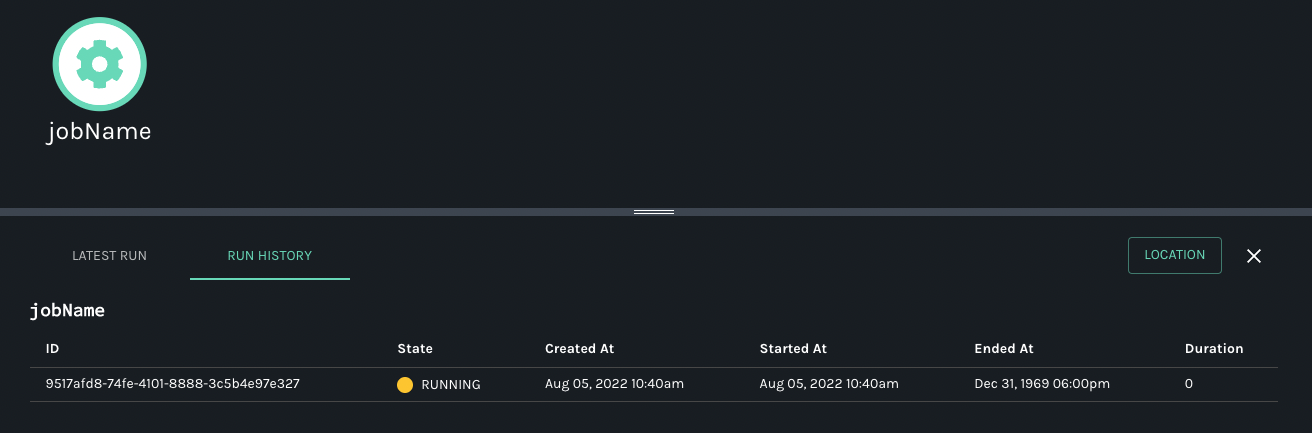
Notice that the Status of this job run will be in `RUNNING` state, as it will be in that state until it receives an `end` event that will close off its gaps. That is how the OpenLineage events would work.
Now, let's change the previous example to have lineage event doing a complete cycle of `START` -> `COMPLETE`:
package ol.test;import io.openlineage.client.OpenLineage;import io.openlineage.client.OpenLineageClient;import io.openlineage.client.OpenLineage.RunEvent;import io.openlineage.client.OpenLineage.InputDataset;import io.openlineage.client.OpenLineage.Job;import io.openlineage.client.OpenLineage.JobFacets;import io.openlineage.client.OpenLineage.OutputDataset;import io.openlineage.client.OpenLineage.Run;import io.openlineage.client.OpenLineage.RunFacets;import io.openlineage.client.OpenLineage.RunEvent.EventType;import io.openlineage.client.transports.HttpTransport;import io.openlineage.client.utils.UUIDUtils;import java.net.URI;import java.time.ZoneId;import java.time.ZonedDateTime;import java.util.Arrays;import java.util.List;import java.util.UUID;/** * My first openlinage client code */public class OpenLineageClientTest{ public static void main( String[] args ) { try { OpenLineageClient client = OpenLineageClient.builder() .transport( HttpTransport.builder() .uri("http://localhost:5000") .build()) .build(); // create one start event for testing RunEvent event = buildEvent(EventType.START, null); // emit the event client.emit(event); // another event to COMPLETE the run event = buildEvent(EventType.COMPLETE, event.getRun().getRunId()); // emit the second COMPLETE event client.emit(event); } catch (Exception e) { e.printStackTrace(); } } // sample code to build event public static RunEvent buildEvent(EventType eventType, UUID runId) { ZonedDateTime now = ZonedDateTime.now(ZoneId.of("UTC")); URI producer = URI.create("producer"); OpenLineage ol = new OpenLineage(producer); if (runId == null) { runId = UUIDUtils.generateNewUUID(); } // run facets RunFacets runFacets = ol.newRunFacetsBuilder() .nominalTime( ol.newNominalTimeRunFacetBuilder() .nominalStartTime(now) .nominalEndTime(now) .build()) .build(); // a run is composed of run id, and run facets Run run = ol.newRunBuilder().runId(runId).facets(runFacets).build(); // job facets JobFacets jobFacets = ol.newJobFacetsBuilder().build(); // job String name = "jobName"; String namespace = "namespace"; Job job = ol.newJobBuilder().namespace(namespace).name(name).facets(jobFacets).build(); // input dataset List inputs = Arrays.asList( ol.newInputDatasetBuilder() .namespace("ins") .name("input") .facets( ol.newDatasetFacetsBuilder() .version(ol.newDatasetVersionDatasetFacet("input-version")) .build()) .inputFacets( ol.newInputDatasetInputFacetsBuilder() .dataQualityMetrics( ol.newDataQualityMetricsInputDatasetFacetBuilder() .rowCount(10L) .bytes(20L) .columnMetrics( ol.newDataQualityMetricsInputDatasetFacetColumnMetricsBuilder() .put( "mycol", ol.newDataQualityMetricsInputDatasetFacetColumnMetricsAdditionalBuilder() .count(10D) .distinctCount(10L) .max(30D) .min(5D) .nullCount(1L) .sum(3000D) .quantiles( ol.newDataQualityMetricsInputDatasetFacetColumnMetricsAdditionalQuantilesBuilder() .put("25", 52D) .build()) .build()) .build()) .build()) .build()) .build()); // output dataset List outputs = Arrays.asList( ol.newOutputDatasetBuilder() .namespace("ons") .name("output") .facets( ol.newDatasetFacetsBuilder() .version(ol.newDatasetVersionDatasetFacet("output-version")) .build()) .outputFacets( ol.newOutputDatasetOutputFacetsBuilder() .outputStatistics(ol.newOutputStatisticsOutputDatasetFacet(10L, 20L)) .build()) .build()); // run state update which encapsulates all - with START event in this case RunEvent runStateUpdate = ol.newRunEventBuilder() .eventType(eventType) .eventTime(now) .run(run) .job(job) .inputs(inputs) .outputs(outputs) .build(); return runStateUpdate; }}
Now, when you run this application, the Marquez would have an output that would looke like this:
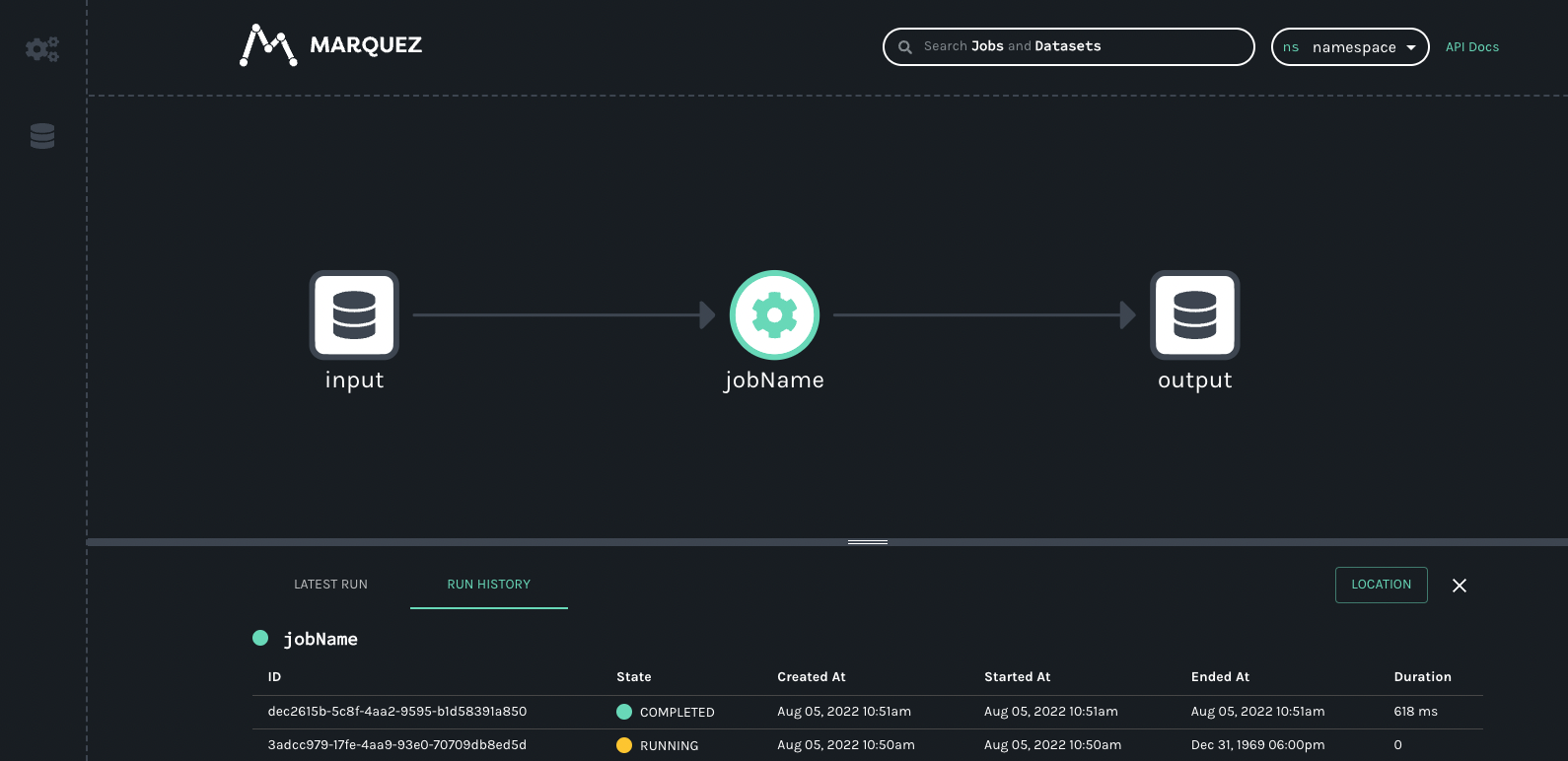
* [1\. Simple OpenLineage Client Test for Console Transport](https://openlineage.io/docs/1.38.0/client/java/usage/#1-simple-openlineage-client-test-for-console-transport)
* [2\. Simple OpenLineage Client Test for Http Transport](https://openlineage.io/docs/1.38.0/client/java/usage/#2-simple-openlineage-client-test-for-http-transport)
---
# OpenLineage for Spark Connectors | OpenLineage
[Skip to main content](https://openlineage.io/docs/1.38.0/guides/spark-connector/#__docusaurus_skipToContent_fallback)
This is documentation for OpenLineage **1.38.0**, which is no longer actively maintained.
For up-to-date documentation, see the **[latest version](https://openlineage.io/docs/guides/spark-connector)
** (1.45.0).
Version: 1.38.0
On this page
### What is OpenLineage[](https://openlineage.io/docs/1.38.0/guides/spark-connector/#what-is-openlineage "Direct link to What is OpenLineage")
OpenLineage is an open standard for lineage data collection. It tracks metadata about core objects - datasets, jobs and runs - that represent how data is moving through the data pipelines.
Besides describing standard events, OpenLineage project develops integration for popular open source data processing tools, like Apache Airflow, dbt, Apache Flink and Apache Spark, that allow users to automatically gather lineage metadata while the data jobs are running. How does Spark OpenLineage integration work? OpenLineage implements an instance of SparkListener interface, which allows it to listen to Spark events emitted during executions. Amongst those events are those that let us know that Spark Job has started or stopped running, like SparkListenerJobStart, SparkListenerJobEnd. When an OL listener receives that event, it can look up the LogicalPlan of a job, which represents a high level representation of a computation that Spark plans to do.
LogicalPlan has a tree-like structure. The leafs of the tree are sources of the data that describe where and how Spark is reading the input datasets. Then, data flows through intermediary nodes that describe some computation to be performed - like joins, or reshaping the data structure - like some projection. At the end, the root node describes where the data will end up. The peculiarity of that structure is that there is only one output node - if you write data to multiple output datasets, it’s represented as multiple jobs and LogicalPlan trees.
### What has OpenLineage to do with Spark connectors?[](https://openlineage.io/docs/1.38.0/guides/spark-connector/#what-has-openlineage-to-do-with-spark-connectors "Direct link to What has OpenLineage to do with Spark connectors?")
LogicalPlan is an abstract class. The particular operations, whether reading data, processing it or writing it are implemented as a subclass of it, with attributes and methods allowing OL listener to interpret that data. OL Spark integration has a concept of visitors that receive nodes of the LogicalPlan - visitor defines the conditions - like, whether that LogicalPlan node is a particular subclass, like SaveIntoDataSourceCommand, or it’s received in particular phase of a Spark Job’s lifetime - and how to process data given it wants to do it.
Spark Connectors, whether included by default in Spark or external to it, have few options on how to implement the necessary operations. This is a very simplified explanation.
First is to implement your own LogicalPlan nodes together with extending Spark Planner to make sure the right LogicalPlan is generated. This is the hardest route, and it’s how several internal Spark connectors work, including Hive.
Second is to implement the DataSourceV1 API. This includes implementing interfaces like RelationProvider, FileFormat. This allows users to read or write data using standard DataFrame APIs: val people: DataFrame = spark.read .format("csv") .load("people.csv")
Third is to implement the DataSourceV2 API. This includes implementing a custom Table interface that represents a dataset, with Traits that allow you to specify implementation of particular operations and optimizations (like predicate pushdown). This also allows users to read or write data using standard DataFrame APIs - Spark detects whether the connector uses V1 or V2 interface and uses correct code paths.
The point of using DataSource APIs for connectors is that they reuse several structures of Spark, including standard user APIs, and LogicalPlans generated for those connectors are implemented: the planner will check whether relevant format is available, and for example for reading from V2 interface will generate DataSourceV2Relation leaf node, that uses relevant Table implementation under the hood coming from particular connector jar.
To achieve full coverage of Spark operations, OL has to cover implementation of connectors whether they use V1 or V2 interface - it needs to understand the interface’s structure, what LogicalPlan nodes they use and implement support for it in a way that allows us to expose correct dataset naming from each connector - with possibly more metadata.
### What does OpenLineage want to do with Spark connectors?[](https://openlineage.io/docs/1.38.0/guides/spark-connector/#what-does-openlineage-want-to-do-with-spark-connectors "Direct link to What does OpenLineage want to do with Spark connectors?")
Right now, OL integration implements support for each connector in the OpenLineage repository. This means OL Spark integration doesn’t only have to understand what LogicalPlan Spark will generate for standard Spark constructs, but also the underlying implementations of DataSource interfaces - for example, OL has an IcebergHandler class that handles getting correct dataset names of Iceberg tables, using internal Iceberg connector classes.
This could be improved for a few reasons.
First, the connector can change in a way that breaks our interface and they don’t know anything about it. The OpenLineage team also most likely won’t know anything about it until it gets a bug report.
Second, even when OL receives a bug report, it has to handle the error in a backwards-compatible manner. Users can use different connector versions with different Spark versions on different Scala versions… The matrix of possible configurations vastly exceeds separate implementations for different versions, so the only solution that is realistically doable is using reflection to catch the change and try different code paths. This happens for the BigQuery connector.
To solve this problem, OL wants to migrate responsibility to exposing lineage metadata directly to connectors, and has created interfaces for Spark connectors to implement. Given implementation of those interfaces, OL Spark integration can just use the exposed data without need to understand the implementation. It allows connectors to test whether they expose correct lineage metadata, and migrate the internals without breaking any OL Spark integration code.
The interfaces provide a way to integrate OL support for a variety of ways in which Spark connectors are implemented. For example, if connector implements RelationProvider, OL interfaces allow you to extend it with class LineageRelationProvider, that tells the OL Spark integration that it can call getLineageDatasetIdentifier on it, without the need to use other, internal methods of the RelationProvider.
It requires the connector to depend on two maven packages: spark-extension-interfaces and spark-extension-entrypoint. The first one contains the necessary classes to implement support for OpenLineage, however, to maintain compatibility with other connectors (that might rely on a different version of the same jar) the relocation of the package is required. The second package, spark-extension-entrypoint acts like a “pointer” for the actual implementation in the connector, allowing OpenLineage-Spark integration use those relocated classes.
The detailed documentation for interfaces is [here](https://openlineage.io/docs/development/developing/spark/built_in_lineage/)
.
* [What is OpenLineage](https://openlineage.io/docs/1.38.0/guides/spark-connector/#what-is-openlineage)
* [What has OpenLineage to do with Spark connectors?](https://openlineage.io/docs/1.38.0/guides/spark-connector/#what-has-openlineage-to-do-with-spark-connectors)
* [What does OpenLineage want to do with Spark connectors?](https://openlineage.io/docs/1.38.0/guides/spark-connector/#what-does-openlineage-want-to-do-with-spark-connectors)
---
# Understanding and Using Facets | OpenLineage
[Skip to main content](https://openlineage.io/docs/1.38.0/guides/facets/#__docusaurus_skipToContent_fallback)
This is documentation for OpenLineage **1.38.0**, which is no longer actively maintained.
For up-to-date documentation, see the **[latest version](https://openlineage.io/docs/)
** (1.45.0).
Version: 1.38.0
On this page
#### Adapted from the OpenLineage [spec](https://github.com/OpenLineage/OpenLineage/blob/main/spec/OpenLineage.md)
.[](https://openlineage.io/docs/1.38.0/guides/facets/#adapted-from-the-openlineage-spec "Direct link to adapted-from-the-openlineage-spec")
Facets are pieces of metadata that can be attached to the core entities of the spec:
* Run
* Job
* Dataset (Inputs or Outputs)
A facet is an atomic piece of metadata identified by its name. This means that emitting a new facet with the same name for the same entity replaces the previous facet instance for that entity entirely. It is defined as a JSON object that can be either part of the spec or a custom facet defined in a different project.
Custom facets must use a distinct prefix named after the project defining them to avoid collision with standard facets defined in the [OpenLineage.json](https://github.com/OpenLineage/OpenLineage/blob/main/spec/OpenLineage.json)
spec. They have a `\_schemaURL` field pointing to the corresponding version of the facet schema (as a JSONPointer: [$ref URL location](https://swagger.io/docs/specification/using-ref/)
).
For example: [https://raw.githubusercontent.com/OpenLineage/OpenLineage/main/spec/OpenLineage.json#/definitions/MyCustomJobFacet](https://raw.githubusercontent.com/OpenLineage/OpenLineage/main/spec/OpenLineage.json#/definitions/MyCustomJobFacet)
The versioned URL must be an immutable pointer to the version of the facet schema. For example, it should include a tag of a git sha and not a branch name. This should also be a canonical URL. There should be only one URL used for a given version of a schema.
Custom facets can be promoted to the standard by including them in the spec.
#### Custom Facet Naming[](https://openlineage.io/docs/1.38.0/guides/facets/#custom-facet-naming "Direct link to Custom Facet Naming")
The naming of custom facets should follow the pattern `{prefix}{name}{entity}Facet` PascalCased.
The prefix must be a distinct identifier named after the project defining it to avoid collision with standard facets defined in the [OpenLineage.json](https://github.com/OpenLineage/OpenLineage/blob/main/spec/OpenLineage.json)
spec. The entity is the core entity for which the facet is attached.
When attached to the core entity, the key should follow the pattern `{prefix}_{name}`, where both prefix and name follow snakeCase pattern.
An example of a valid name is `BigQueryStatisticsJobFacet` and its key `bigQuery_statistics`.
### Standard Facets[](https://openlineage.io/docs/1.38.0/guides/facets/#standard-facets "Direct link to Standard Facets")
#### Run Facets[](https://openlineage.io/docs/1.38.0/guides/facets/#run-facets "Direct link to Run Facets")
* **nominalTime**: Captures the time this run is scheduled for. This is a typical usage for time based scheduled job. The job has a nominal schedule time that will be different from the actual time it is running at.
* **parent**: Captures the parent job and Run when the run was spawn from a parent run. For example in the case of Airflow, there's a run for the DAG that then spawns runs for individual tasks that would refer to the parent run as the DAG run. Similarly when a SparkOperator starts a Spark job, this creates a separate run that refers to the task run as its parent.
* **errorMessage**: Captures potential error message, programming language - and optionally stack trace - with which the run failed.
#### Job Facets[](https://openlineage.io/docs/1.38.0/guides/facets/#job-facets "Direct link to Job Facets")
* **sourceCodeLocation**: Captures the source code location and version (e.g., the git sha) of the job.
* **sourceCode**: Captures the language (e.g., Python) and actual source code of the job.
* **sql**: Capture the SQL query if this job is a SQL query.
* **ownership**: Captures the owners of the job.
#### Dataset Facets[](https://openlineage.io/docs/1.38.0/guides/facets/#dataset-facets "Direct link to Dataset Facets")
* **schema**: Captures the schema of the dataset.
* **dataSource**: Captures the database instance containing this dataset (e.g., Database schema, Object store bucket, etc.)
* **lifecycleStateChange**: Captures the lifecycle states of the dataset (e.g., alter, create, drop, overwrite, rename, truncate).
* **version**: Captures the dataset version when versioning is defined by database (e.g., Iceberg snapshot ID).
* [**columnLineage**](https://github.com/OpenLineage/OpenLineage/blob/main/spec/facets/ColumnLineageDatasetFacet.json)
: Captures the column-level lineage.
* **ownership**: Captures the owners of the dataset.
#### Input Dataset Facets[](https://openlineage.io/docs/1.38.0/guides/facets/#input-dataset-facets "Direct link to Input Dataset Facets")
* **dataQualityMetrics**: Captures dataset-level and column-level data quality metrics when scanning a dataset with a DataQuality library (row count, byte size, null count, distinct count, average, min, max, quantiles).
* **dataQualityAssertions**: Captures the result of running data tests on a dataset or its columns.
#### Output Dataset Facets[](https://openlineage.io/docs/1.38.0/guides/facets/#output-dataset-facets "Direct link to Output Dataset Facets")
* **outputStatistics**: Captures the size of the output written to a dataset (row count and byte size).
* [Standard Facets](https://openlineage.io/docs/1.38.0/guides/facets/#standard-facets)
---
# Using Marquez with dbt | OpenLineage
[Skip to main content](https://openlineage.io/docs/1.38.0/guides/dbt/#__docusaurus_skipToContent_fallback)
This is documentation for OpenLineage **1.38.0**, which is no longer actively maintained.
For up-to-date documentation, see the **[latest version](https://openlineage.io/docs/guides/dbt)
** (1.45.0).
Version: 1.38.0
On this page
#### Adapted from a [blog post](https://openlineage.io/blog/dbt-with-marquez/)
by Ross Turk[](https://openlineage.io/docs/1.38.0/guides/dbt/#adapted-from-a-blog-post-by-ross-turk "Direct link to adapted-from-a-blog-post-by-ross-turk")
caution
This guide was developed using an **earlier version** of this integration and may require modification.
Each time it runs, dbt generates a trove of metadata about datasets and the work it performs with them. This tutorial covers the harvesting and effective use of this metadata. For data, the tutorial makes use of the Stackoverflow public data set in BigQuery. The end-product will be two tables of data about trends in Stackoverflow discussions of ELT.
### Prerequisites[](https://openlineage.io/docs/1.38.0/guides/dbt/#prerequisites "Direct link to Prerequisites")
* dbt
* Docker Desktop
* git
* Google Cloud Service account
* Google Cloud Service account JSON key file
Note: your Google Cloud account should have access to BigQuery and read/write access to your GCS bucket. Giving your key file an easy-to-remember name (bq-dbt-demo.json) is recommended. Finally, if using macOS Monterey (macOS 12), you will need to release port 5000 by [disabling the AirPlay Receiver](https://developer.apple.com/forums/thread/682332)
.
### Instructions[](https://openlineage.io/docs/1.38.0/guides/dbt/#instructions "Direct link to Instructions")
First, run through this excellent [dbt tutorial](https://docs.getdbt.com/tutorial/setting-up)
. It explains how to create a BigQuery project, provision a service account, download a JSON key, and set up a local dbt environment. The rest of this example assumes the existence of a BigQuery project where models can be run, as well as proper configuration of dbt to connect to the project.
Next, start a local Marquez instance to store lineage metadata. Make sure Docker is running, and then clone the Marquez repository:
git clone https://github.com/MarquezProject/marquez.git && cd marquez./docker/up.sh
Check to make sure Marquez is up by visiting [http://localhost:3000](http://localhost:3000/)
. The page should display an empty Marquez instance and a message saying there is no data. Also, it should be possible to see the server output from requests in the terminal window where Marquez is running. This window should remain open.
Now, in a new terminal window/pane, clone the following GitHub project, which contains some database models:
git clone https://github.com/rossturk/stackostudy.git && cd stackostudy
Now it is time to install dbt and its integration with OpenLineage. Doing this in a Python virtual environment is recommended. To create one and install necessary packages, run the following commands:
python -m venv virtualenvsource virtualenv/bin/activatepip install dbt dbt-openlineage
Keep in mind that dbt learns how to connect to a BigQuery project by looking for a matching profile in `~/.dbt/profiles.yml`. Create or edit this file so it contains a section with the project's BigQuery connection details. Also, point to the location of the JSON key for the service account. Consult [this section](https://docs.getdbt.com/tutorial/create-a-project-dbt-cli#connect-to-bigquery)
in the dbt documentation for more help with dbt profiles. At this point, profiles.yml should look something like this:
stackostudy: target: dev outputs: dev: type: bigquery method: service-account keyfile: /Users/rturk/.dbt/dbt-example.json project: dbt-example dataset: stackostudy threads: 1 timeout_seconds: 300 location: US priority: interactive
The `dbt debug` command checks to see that everything has been configured correctly. Running it now should produce output like the following:
% dbt debugRunning with dbt=0.20.1dbt version: 0.20.1python version: 3.8.12python path: /opt/homebrew/Cellar/dbt/0.20.1_1/libexec/bin/python3os info: macOS-11.5.2-arm64-arm-64bitUsing profiles.yml file at /Users/rturk/.dbt/profiles.ymlUsing dbt_project.yml file at /Users/rturk/projects/stackostudy/dbt_project.ymlConfiguration: profiles.yml file [OK found and valid] dbt_project.yml file [OK found and valid]Required dependencies: - git [OK found]Connection: method: service-account database: stacko-study schema: stackostudy location: US priority: interactive timeout_seconds: 300 maximum_bytes_billed: None Connection test: OK connection ok
### Important Details[](https://openlineage.io/docs/1.38.0/guides/dbt/#important-details "Direct link to Important Details")
Some important conventions should be followed when designing dbt models for use with OpenLineage. Following these conventions will help ensure that OpenLineage collects the most complete metadata possible.
First, any datasets existing outside the dbt project should be defined in a schema YAML file inside the `models/` directory:
version: 2sources: - name: stackoverflow database: bigquery-public-data schema: stackoverflow tables: - name: posts_questions - name: posts_answers - name: users - name: votes
This contains the name of the external dataset - in this case, bigquery-public-datasets - and lists the tables that are used by the models in this project. The name of the file does not matter, as long as it ends with .yml and is inside `models/`. Hardcoding dataset and table names into queries can result in incomplete data.
When writing queries, be sure to use the `{{ ref() }}` and `{{ source() }}` jinja functions when referring to data sources. The `{{ ref() }}` function can be used to refer to tables within the same model, and the `{{ source() }}` function refers to tables we have defined in schema.yml. That way, dbt will properly keep track of the relationships between datasets. For example, to select from both an external dataset and one in this model:
select * from {{ source('stackoverflow', 'posts_answers') }}where parent_id in (select id from {{ ref('filtered_questions') }} )
* [Prerequisites](https://openlineage.io/docs/1.38.0/guides/dbt/#prerequisites)
* [Instructions](https://openlineage.io/docs/1.38.0/guides/dbt/#instructions)
* [Important Details](https://openlineage.io/docs/1.38.0/guides/dbt/#important-details)
---
# OpenLineage Integrations | OpenLineage
[Skip to main content](https://openlineage.io/docs/1.38.0/integrations/about/#__docusaurus_skipToContent_fallback)
This is documentation for OpenLineage **1.38.0**, which is no longer actively maintained.
For up-to-date documentation, see the **[latest version](https://openlineage.io/docs/integrations/about)
** (1.45.0).
Version: 1.38.0
On this page
Capability Matrix[](https://openlineage.io/docs/1.38.0/integrations/about/#capability-matrix "Direct link to Capability Matrix")
----------------------------------------------------------------------------------------------------------------------------------
caution
This matrix is not yet complete.
The matrix below shows the relationship between an input facet and various mechanisms OpenLineage uses to gather metadata. Not all mechanisms collect data to fill in all facets, and some facets are specific to one integration.
✔️: The mechanism does implement this facet.
✖️: The mechanism does not implement this facet.
An empty column means it is not yet documented if the mechanism implements this facet.
| Mechanism | Integration | Metadata Gathered | InputDatasetFacet | OutputDatasetFacet | SqlJobFacet | SchemaDatasetFacet | DataSourceDatasetFacet | DataQualityMetricsInputDatasetFacet | DataQualityAssertionsDatasetFacet | SourceCodeJobFacet | ExternalQueryRunFacet | DocumentationDatasetFacet | SourceCodeLocationJobFacet | DocumentationJobFacet | ParentRunFacet |
| --- | --- | --- | --- | --- | --- | --- | --- | --- | --- | --- | --- | --- | --- | --- | --- |
| SnowflakeOperator\* | Airflow Extractor | Lineage
Job duration | ✔️ | ✔️ | ✔️ | ✔️ | ✔️ | ✖️ | ✖️ | | | | | | |
| BigQueryOperator\*\* | Airflow Extractor | Lineage
Schema details
Job duration | ✔️ | ✔️ | | ✔️ | | | | | | | | | |
| PostgresOperator\* | Airflow Extractor | Lineage
Job duration | ✔️ | ✔️ | ✔️ | ✔️ | ✔️ | | | | | | | | |
| SqlCheckOperators | Airflow Extractor | Lineage
Data quality assertions | ✔️ | ✖️ | ✔️ | ✔️ | ✔️ | ✔️ | ✔️ | | | | | | |
| dbt | dbt Project Files | Lineage
Row count
Byte count. | ✔️ | | | | | | | | | | | | |
| Great Expectations | Action | Data quality assertions | ✔️ | | | | | ✔️ | ✔️ | | | | | | |
| Spark | SparkListener | Schema
Row count
Column lineage | ✔️ | | | | | | | | | | | | |
| Snowflake\*\*\* | Access History | Lineage | | | | | | | | | | | | | |
\* Uses the Rest SQL parser
\*\* Uses the BigQuery API
\*\*\* Uses Snowflake query logs
Compatibility matrix[](https://openlineage.io/docs/1.38.0/integrations/about/#compatibility-matrix "Direct link to Compatibility matrix")
-------------------------------------------------------------------------------------------------------------------------------------------
This matrix shows which data sources are known to work with each integration, along with the minimum versions required in the target system or framework.
| Platform | Version | Data Sources |
| --- | --- | --- |
| Apache Airflow | 1.10+
2.0+ | PostgreSQL
MySQL
Snowflake
Amazon Athena
Amazon Redshift
Amazon SageMaker
Amazon S3 Copy and Transform
Google BigQuery
Google Cloud Storage
Great Expectations
SFTP
FTP |
| Apache Spark | 2.4+ | JDBC
HDFS
Google Cloud Storage
Google BigQuery
BigTable
Spanner
CloudSQL
Google BigQuery
Google BigQuery
Amazon S3
Azure Blob Storage
Azure Data Lake Gen2
Azure Synapse |
| dbt | 0.20+ | Snowflake
Google BigQuery |
Integration strategies[](https://openlineage.io/docs/1.38.0/integrations/about/#integration-strategies "Direct link to Integration strategies")
-------------------------------------------------------------------------------------------------------------------------------------------------
info
This section could use some more detail! You're welcome to contribute using the Edit link at the bottom.
### Integrating with pipelines[](https://openlineage.io/docs/1.38.0/integrations/about/#integrating-with-pipelines "Direct link to Integrating with pipelines")
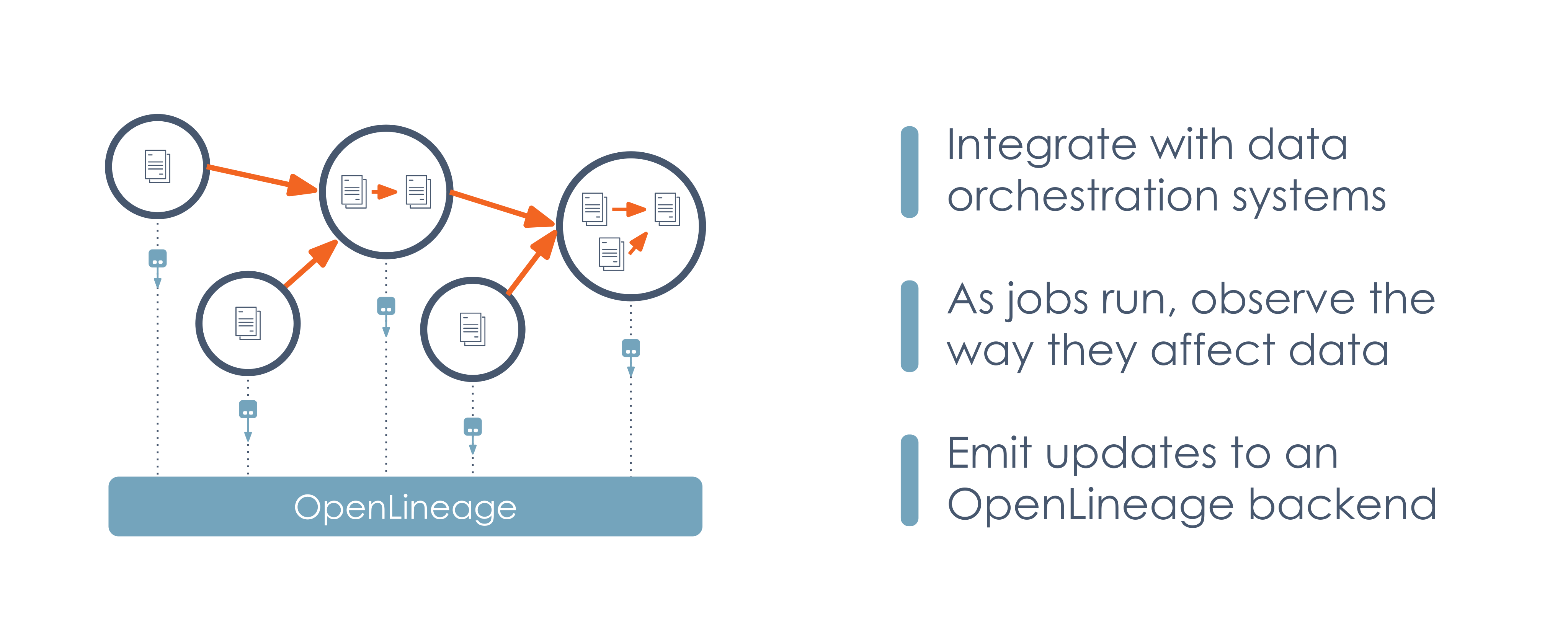
### Integrating with data sources[](https://openlineage.io/docs/1.38.0/integrations/about/#integrating-with-data-sources "Direct link to Integrating with data sources")
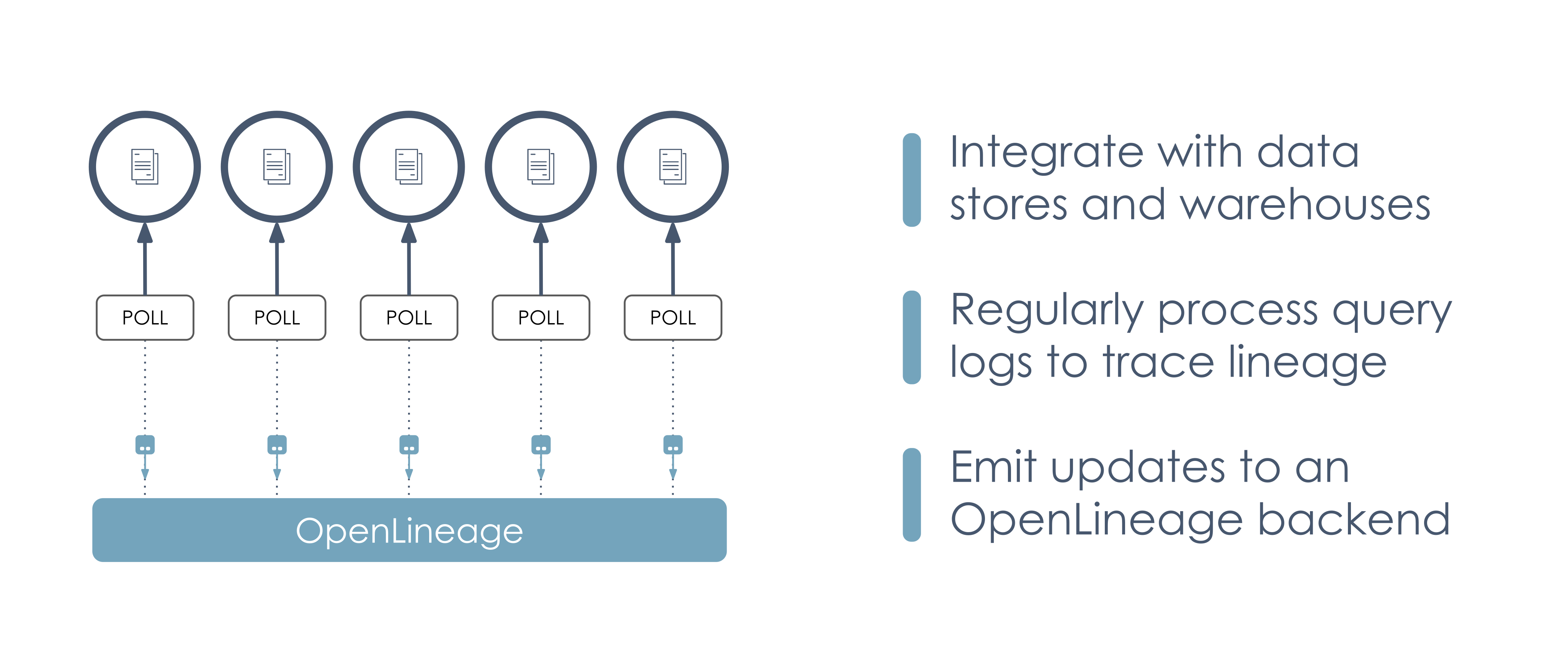
* [Capability Matrix](https://openlineage.io/docs/1.38.0/integrations/about/#capability-matrix)
* [Compatibility matrix](https://openlineage.io/docs/1.38.0/integrations/about/#compatibility-matrix)
* [Integration strategies](https://openlineage.io/docs/1.38.0/integrations/about/#integration-strategies)
* [Integrating with pipelines](https://openlineage.io/docs/1.38.0/integrations/about/#integrating-with-pipelines)
* [Integrating with data sources](https://openlineage.io/docs/1.38.0/integrations/about/#integrating-with-data-sources)
---
# Configuration parameters | OpenLineage
[Skip to main content](https://openlineage.io/docs/1.38.0/integrations/hive/configuration/hive_conf/#__docusaurus_skipToContent_fallback)
This is documentation for OpenLineage **1.38.0**, which is no longer actively maintained.
For up-to-date documentation, see the **[latest version](https://openlineage.io/docs/integrations/hive/configuration/hive_conf)
** (1.45.0).
Version: 1.38.0
On this page
info
This list doesn't include information transport configuration parameters, see [Transport](https://openlineage.io/docs/1.38.0/integrations/hive/configuration/transport)
Additionally, any properties from OpenLineage client can be defined using `hive.openlineage` instead of `openlineage`
Configuration[](https://openlineage.io/docs/1.38.0/integrations/hive/configuration/hive_conf/#configuration "Direct link to Configuration")
---------------------------------------------------------------------------------------------------------------------------------------------
The following parameters can be specified:
| Parameter | Definition | Example |
| --- | --- | --- |
| hive.openlineage.transport.type | The transport type used for event emit, default type is `console` | http |
| hive.openlineage.namespace | The default namespace to be applied for any jobs | mynamespace |
| hive.openlineage.job.name | The default name to be applied for any jobs | myname |
* [Configuration](https://openlineage.io/docs/1.38.0/integrations/hive/configuration/hive_conf/#configuration)
---
# Apache Airflow | OpenLineage
[Skip to main content](https://openlineage.io/docs/1.38.0/integrations/airflow/#__docusaurus_skipToContent_fallback)
This is documentation for OpenLineage **1.38.0**, which is no longer actively maintained.
For up-to-date documentation, see the **[latest version](https://openlineage.io/docs/)
** (1.45.0).
Version: 1.38.0
On this page
caution
This page is about Airflow's external integration that works mainly for Airflow versions <2.7. [If you're using Airflow 2.7+, look at native Airflow OpenLineage provider documentation.](https://airflow.apache.org/docs/apache-airflow-providers-openlineage/stable/index.html)
The ongoing development and enhancements will be focused on the `apache-airflow-providers-openlineage` package, while the `openlineage-airflow` will primarily be updated for bug fixes. See [all Airflow versions supported by this integration](https://openlineage.io/docs/1.38.0/integrations/airflow/older#supported-airflow-versions)
**Airflow** is a widely-used workflow automation and scheduling platform that can be used to author and manage data pipelines. Airflow uses workflows made of directed acyclic graphs (DAGs) of tasks. To learn more about Airflow, check out the Airflow [documentation](https://airflow.apache.org/docs/apache-airflow/stable/index.html)
.
How does Airflow work with OpenLineage?[](https://openlineage.io/docs/1.38.0/integrations/airflow/#how-does-airflow-work-with-openlineage "Direct link to How does Airflow work with OpenLineage?")
-----------------------------------------------------------------------------------------------------------------------------------------------------------------------------------------------------
Understanding complex inter-DAG dependencies and providing up-to-date runtime visibility into DAG execution can be challenging. OpenLineage integrates with Airflow to collect DAG lineage metadata so that inter-DAG dependencies are easily maintained and viewable via a lineage graph, while also keeping a catalog of historical runs of DAGs.
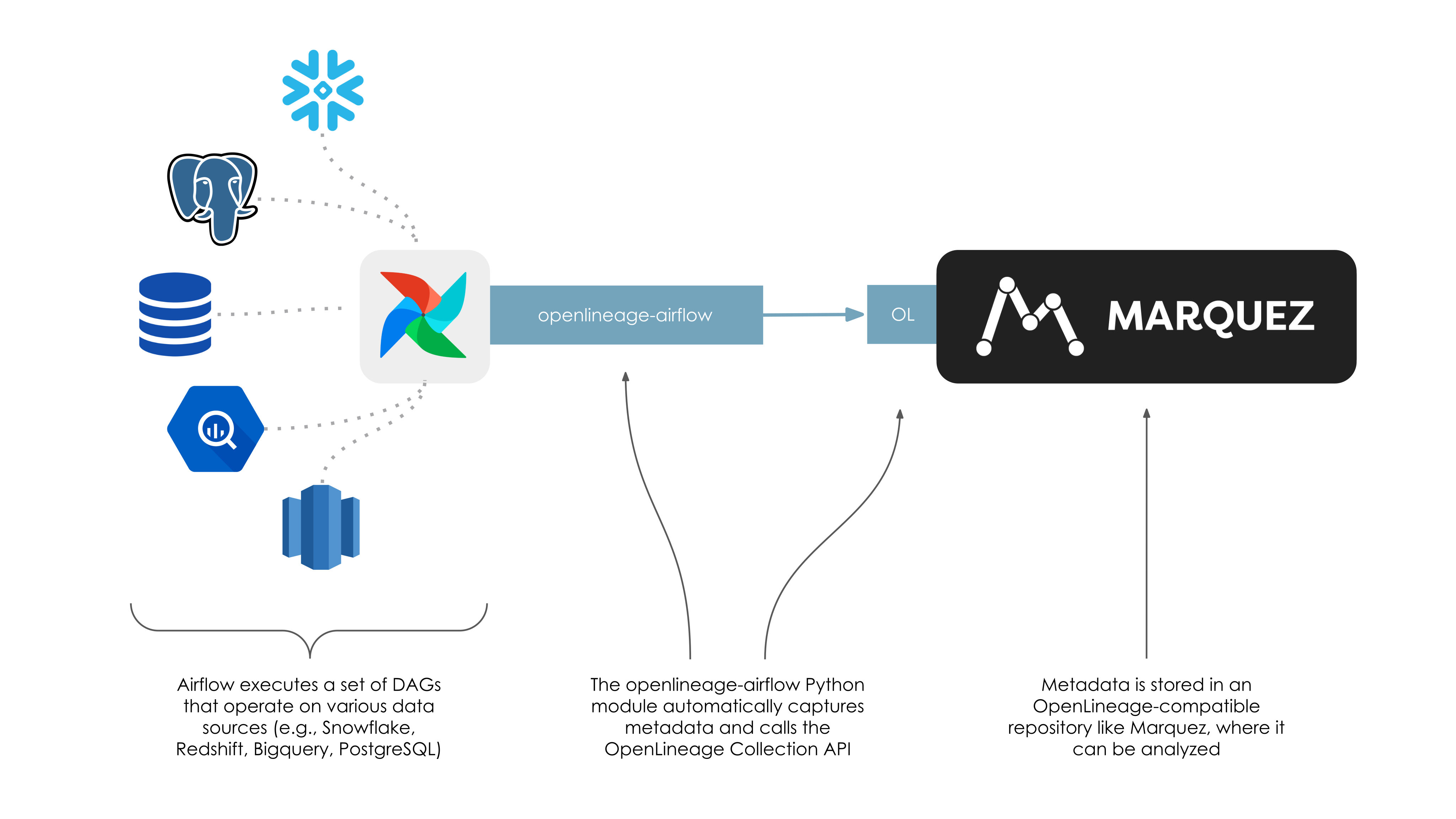
The DAG metadata collected can answer questions like:
* Why has a DAG failed?
* Why has the DAG runtime increased after a code change?
* What are the upstream dependencies of a DAG?
How can I use this integration?[](https://openlineage.io/docs/1.38.0/integrations/airflow/#how-can-i-use-this-integration "Direct link to How can I use this integration?")
-----------------------------------------------------------------------------------------------------------------------------------------------------------------------------
To instrument your Airflow instance with OpenLineage, follow [these instructions](https://openlineage.io/docs/1.38.0/integrations/airflow/usage)
.
How to add lineage coverage for more operators?[](https://openlineage.io/docs/1.38.0/integrations/airflow/#how-to-add-lineage-coverage-for-more-operators "Direct link to How to add lineage coverage for more operators?")
-----------------------------------------------------------------------------------------------------------------------------------------------------------------------------------------------------------------------------
OpenLineage provides a set of `extractors` that extract lineage from operators.
If you want to add lineage coverage for your own custom operators, follow these [instructions to add lineage to operators](https://openlineage.io/docs/1.38.0/integrations/airflow/default-extractors)
.
If you want to add coverage for operators you can not modify, follow [instructions to add custom extractors](https://openlineage.io/docs/1.38.0/integrations/airflow/extractors/custom-extractors)
.
If you want to expose lineage as a one off in your workflow, [you can also manually annotate the tasks in your DAG](https://openlineage.io/docs/1.38.0/integrations/airflow/manual)
.
Where can I learn more?[](https://openlineage.io/docs/1.38.0/integrations/airflow/#where-can-i-learn-more "Direct link to Where can I learn more?")
-----------------------------------------------------------------------------------------------------------------------------------------------------
* Take a look at Marquez's Airflow [example](https://github.com/MarquezProject/marquez/tree/main/examples/airflow)
to learn how to enable OpenLineage metadata collection for Airflow DAGs and troubleshoot failing DAGs using Marquez.
* Watch [Data Lineage with OpenLineage and Airflow](https://www.youtube.com/watch?v=2s013GQy1Sw)
Feedback[](https://openlineage.io/docs/1.38.0/integrations/airflow/#feedback "Direct link to Feedback")
---------------------------------------------------------------------------------------------------------
You can reach out to us on [slack](https://join.slack.com/t/openlineage/shared_invite/zt-3arpql6lg-Nt~hicnDsnDY_GK_LEX06w)
and leave us feedback!
* [How does Airflow work with OpenLineage?](https://openlineage.io/docs/1.38.0/integrations/airflow/#how-does-airflow-work-with-openlineage)
* [How can I use this integration?](https://openlineage.io/docs/1.38.0/integrations/airflow/#how-can-i-use-this-integration)
* [How to add lineage coverage for more operators?](https://openlineage.io/docs/1.38.0/integrations/airflow/#how-to-add-lineage-coverage-for-more-operators)
* [Where can I learn more?](https://openlineage.io/docs/1.38.0/integrations/airflow/#where-can-i-learn-more)
* [Feedback](https://openlineage.io/docs/1.38.0/integrations/airflow/#feedback)
---
# dbt | OpenLineage
[Skip to main content](https://openlineage.io/docs/1.38.0/integrations/dbt/#__docusaurus_skipToContent_fallback)
This is documentation for OpenLineage **1.38.0**, which is no longer actively maintained.
For up-to-date documentation, see the **[latest version](https://openlineage.io/docs/integrations/dbt)
** (1.45.0).
Version: 1.38.0
On this page
dbt (data build tool) is a powerful transformation engine. It operates on data already within a warehouse, making it easy for data engineers to build complex pipelines from the comfort of their laptops. While it doesn’t perform extraction and loading of data, it’s extremely powerful at transformations.
To learn more about dbt, visit the [documentation site](https://docs.getdbt.com/)
or run through the [getting started tutorial](https://docs.getdbt.com/tutorial/setting-up)
.
How does dbt work with OpenLineage?[](https://openlineage.io/docs/1.38.0/integrations/dbt/#how-does-dbt-work-with-openlineage "Direct link to How does dbt work with OpenLineage?")
-------------------------------------------------------------------------------------------------------------------------------------------------------------------------------------
Fortunately, dbt already collects a lot of the data required to create and emit OpenLineage events. When it runs, it creates a `target/manifest.json` file containing information about jobs and the datasets they affect, and a `target/run_results.json` file containing information about the run-cycle. These files can be used to trace lineage and job performance. In addition, by using the `create catalog` command, a user can instruct dbt to create a `target/catalog.json` file containing information about dataset schemas.
These files contain everything needed to trace lineage. However, the `target/manifest.json` and `target/run_results.json` files are only populated with comprehensive metadata after completion of a run-cycle.
This integration is implemented as a wrapper script, `dbt-ol`, that calls `dbt` and, after the run has completed, collects information from the three json files and calls the OpenLineage API accordingly. For most users, enabling OpenLineage metadata collection can be accomplished by simply substituting `dbt-ol` for `dbt` when performing a run.
Preparing a dbt project for OpenLineage[](https://openlineage.io/docs/1.38.0/integrations/dbt/#preparing-a-dbt-project-for-openlineage "Direct link to Preparing a dbt project for OpenLineage")
--------------------------------------------------------------------------------------------------------------------------------------------------------------------------------------------------
Right now, `openlineage-dbt` supports only these dbt adapters:
* `bigquery`
* `snowflake`
* `spark` (`thrift` and `odbc`, but not `local`)
* `redshift`
* `athena`
* `glue`
* `postgres`
* `clickhouse`
* `trino`
* `databricks`
* `sqlserver`
* `dremio`
* `duckdb`
First, we need to install the integration:
pip3 install openlineage-dbt
Next, we specify where we want dbt to send OpenLineage events by setting the `OPENLINEAGE_URL` environment variable. For example, to send OpenLineage events to a local instance of Marquez, use:
OPENLINEAGE_URL=http://localhost:5000
Finally, we can optionally specify a namespace where the lineage events will be stored. For example, to use the namespace "dev":
OPENLINEAGE_NAMESPACE=dev
You can also override the job name sent by dbt OpenLineage events by providing env variable
OPENLINEAGE_DBT_JOB_NAME=
or passing `--openlineage-dbt-job-name ` in the dbt command line.
More configuration parameters can be found in [Python client documentation](https://openlineage.io/docs/1.38.0/client/python#configuration)
Running dbt with OpenLineage[](https://openlineage.io/docs/1.38.0/integrations/dbt/#running-dbt-with-openlineage "Direct link to Running dbt with OpenLineage")
-----------------------------------------------------------------------------------------------------------------------------------------------------------------
To run your dbt project with OpenLineage collection, simply replace `dbt` with `dbt-ol`:
dbt-ol run
The `dbt-ol` wrapper supports all of the standard `dbt` subcommands, and is safe to use as a substitutuon (i.e., in an alias). Once the run has completed, you will see output containing the number of events sent via the OpenLineage API:
Completed successfullyDone. PASS=2 WARN=0 ERROR=0 SKIP=0 TOTAL=2Emitted 4 openlineage events
Where can I learn more?[](https://openlineage.io/docs/1.38.0/integrations/dbt/#where-can-i-learn-more "Direct link to Where can I learn more?")
-------------------------------------------------------------------------------------------------------------------------------------------------
* Watch [a short demonstration of the integration in action](https://youtu.be/7caHXLDKacg)
Feedback[](https://openlineage.io/docs/1.38.0/integrations/dbt/#feedback "Direct link to Feedback")
-----------------------------------------------------------------------------------------------------
What did you think of this guide? You can reach out to us on [slack](https://join.slack.com/t/openlineage/shared_invite/zt-3arpql6lg-Nt~hicnDsnDY_GK_LEX06w)
and leave us feedback!
* [How does dbt work with OpenLineage?](https://openlineage.io/docs/1.38.0/integrations/dbt/#how-does-dbt-work-with-openlineage)
* [Preparing a dbt project for OpenLineage](https://openlineage.io/docs/1.38.0/integrations/dbt/#preparing-a-dbt-project-for-openlineage)
* [Running dbt with OpenLineage](https://openlineage.io/docs/1.38.0/integrations/dbt/#running-dbt-with-openlineage)
* [Where can I learn more?](https://openlineage.io/docs/1.38.0/integrations/dbt/#where-can-i-learn-more)
* [Feedback](https://openlineage.io/docs/1.38.0/integrations/dbt/#feedback)
---
# Contributing | OpenLineage
[Skip to main content](https://openlineage.io/docs/1.38.0/integrations/openlineage_compatibility/compatibility_test/contributing/#__docusaurus_skipToContent_fallback)
This is documentation for OpenLineage **1.38.0**, which is no longer actively maintained.
For up-to-date documentation, see the **[latest version](https://openlineage.io/docs/integrations/openlineage_compatibility/compatibility_test/contributing/)
** (1.45.0).
Version: 1.38.0
On this page
How to contribute a new component or scenario to the OpenLineage Compatibility Tests.
Key Terms
* **Producer**: A system that generates OpenLineage events (e.g., Apache Spark, Apache Airflow, dbt)
* **Consumer**: A system that receives and processes OpenLineage events (e.g., Apache Atlas, DataHub, Marquez)
* **Scenario**: A specific test case that validates how a component handles OpenLineage events
To make a contribution to Compatibility Tests, submit a pull request to the [Compatibility Tests](https://github.com/OpenLineage/compatibility-tests/)
repository. Depending on the scope of your contribution, you can use one of the following guides:
Quick Navigation[](https://openlineage.io/docs/1.38.0/integrations/openlineage_compatibility/compatibility_test/contributing/#quick-navigation "Direct link to Quick Navigation")
-----------------------------------------------------------------------------------------------------------------------------------------------------------------------------------
### Adding Test Data[](https://openlineage.io/docs/1.38.0/integrations/openlineage_compatibility/compatibility_test/contributing/#adding-test-data "Direct link to Adding Test Data")
* **[New Input Events for Consumer Tests](https://openlineage.io/docs/1.38.0/integrations/openlineage_compatibility/compatibility_test/contributing/new_input_events)
** - The easiest contribution to make. Add new OpenLineage events for consumer testing.
### Adding Components[](https://openlineage.io/docs/1.38.0/integrations/openlineage_compatibility/compatibility_test/contributing/#adding-components "Direct link to Adding Components")
* **[New Producer](https://openlineage.io/docs/1.38.0/integrations/openlineage_compatibility/compatibility_test/contributing/new_producer)
** - Add a new OpenLineage producer (e.g., Spark, Flink, Airflow) to the test suite.
* **[New Consumer](https://openlineage.io/docs/1.38.0/integrations/openlineage_compatibility/compatibility_test/contributing/new_consumer)
** - Add a new OpenLineage consumer (e.g., Dataplex, Marquez) to the test suite.
### Adding Scenarios[](https://openlineage.io/docs/1.38.0/integrations/openlineage_compatibility/compatibility_test/contributing/#adding-scenarios "Direct link to Adding Scenarios")
* **[New Producer Scenario](https://openlineage.io/docs/1.38.0/integrations/openlineage_compatibility/compatibility_test/contributing/new_producer_scenario)
** - Add test scenarios for existing producers.
* **[New Consumer Scenario](https://openlineage.io/docs/1.38.0/integrations/openlineage_compatibility/compatibility_test/contributing/new_consumer_scenario)
** - Add test scenarios for existing consumers.
* [Quick Navigation](https://openlineage.io/docs/1.38.0/integrations/openlineage_compatibility/compatibility_test/contributing/#quick-navigation)
* [Adding Test Data](https://openlineage.io/docs/1.38.0/integrations/openlineage_compatibility/compatibility_test/contributing/#adding-test-data)
* [Adding Components](https://openlineage.io/docs/1.38.0/integrations/openlineage_compatibility/compatibility_test/contributing/#adding-components)
* [Adding Scenarios](https://openlineage.io/docs/1.38.0/integrations/openlineage_compatibility/compatibility_test/contributing/#adding-scenarios)
---
# Using the OpenLineage Proxy with Airflow | OpenLineage
[Skip to main content](https://openlineage.io/docs/1.38.0/guides/airflow_proxy/#__docusaurus_skipToContent_fallback)
This is documentation for OpenLineage **1.38.0**, which is no longer actively maintained.
For up-to-date documentation, see the **[latest version](https://openlineage.io/docs/)
** (1.45.0).
Version: 1.38.0
On this page
This tutorial introduces you to using the [OpenLineage Proxy](https://github.com/OpenLineage/OpenLineage/tree/main/proxy)
with Airflow. OpenLineage has various integrations that will enable Airflow to emit OpenLineage events when using [Airflow Integrations](https://openlineage.io/docs/integrations/airflow/)
. In this tutorial, you will be running a local instance of Airflow using Docker Compose and learning how to enable and setup OpenLineage to emit data lineage events. The tutorial will use two backends to check the data lineage, 1) the Proxy, and 2) [Marquez](https://marquezproject.ai/)
.
Table of Contents[](https://openlineage.io/docs/1.38.0/guides/airflow_proxy/#table-of-contents "Direct link to Table of Contents")
------------------------------------------------------------------------------------------------------------------------------------
* Setting up a Local Airflow Environment using Docker Compose
* Setting up Marquez
* Running Everything
* Accessing the Airflow UI
* Running an Example DAG
Setting up a Local Airflow Environment using Docker Compose[](https://openlineage.io/docs/1.38.0/guides/airflow_proxy/#setting-up-a-local-airflow-environment-using-docker-compose "Direct link to Setting up a Local Airflow Environment using Docker Compose")
------------------------------------------------------------------------------------------------------------------------------------------------------------------------------------------------------------------------------------------------------------------
Airflow has a convenient way to set up and run a fully functional environment using [Docker Compose](https://docs.docker.com/compose/)
. The following are therefore required to be installed before we begin this tutorial.
### Prerequisites[](https://openlineage.io/docs/1.38.0/guides/airflow_proxy/#prerequisites "Direct link to Prerequisites")
* Docker 20.10.0+
* Docker Desktop
* Docker Compose
* Java 11
info
If you are using MacOS Monterey (MacOS 12), port 5000 will have to be released by [disabling the AirPlay Receiver](https://developer.apple.com/forums/thread/682332)
. Also, port 3000 will need to be free if access to the Marquez Web UI is desired.
Use the following [instructions](https://airflow.apache.org/docs/apache-airflow/stable/start/docker.html)
to set up and run Airflow using Docker Compose.
First, let's start out by creating a new directory that will contain all of our work.
mkdir ~/airflow-ol &&cd ~/airflow-ol
Then, let's download the Docker Compose file that we'll be running in it.
curl -LfO 'https://airflow.apache.org/docs/apache-airflow/2.3.3/docker-compose.yaml'
This will allow a new environment variable `OPENLINEAGE_URL` to be passed to the Docker containers, which is needed for OpenLineage to work.
Then, let's create the following directories that will be mounted and used by the Docker Compose that will start Airflow.
mkdir dags &&mkdir logs &&mkdir plugins
Also, create a file `.env` that will contain an environment variable that is going to be used by Airflow to install additional Python packages that are needed. In this tutorial, the `openlineage-airflow` package will be installed.
echo "_PIP_ADDITIONAL_REQUIREMENTS=openlineage-airflow" > .env
You also need to let OpenLineage know where to send lineage data.
echo "OPENLINEAGE_URL=http://host.docker.internal:4433" >> .env
The reason why we are setting the backend to `host.docker.internal` is that we are going to be running the OpenLineage Proxy outside Airflow's Docker environment on the host machine itself. Port 4433 is where the proxy will be listening for lineage data.
Setting up OpenLineage Proxy as Receiving End[](https://openlineage.io/docs/1.38.0/guides/airflow_proxy/#setting-up-openlineage-proxy-as-receiving-end "Direct link to Setting up OpenLineage Proxy as Receiving End")
------------------------------------------------------------------------------------------------------------------------------------------------------------------------------------------------------------------------
The OpenLineage Proxy is a simple tool that you can easily set up and run to receive OpenLineage data. The proxy does not do anything other than display what it receives. Optionally, it can also forward data to any OpenLineage-compatible backend via HTTP.
Let's download the proxy code from git and build it:
cd ~ &&git clone https://github.com/OpenLineage/OpenLineage.git &&cd OpenLineage/proxy/backend &&./gradlew build
Now, copy `proxy.dev.yml` and edit its content as the following, and save it as `proxy.yml`.
# Licensed under the Apache License, Version 2.0 (the "License");# you may not use this file except in compliance with the License.# You may obtain a copy of the License at## http://www.apache.org/licenses/LICENSE-2.0## Unless required by applicable law or agreed to in writing, software# distributed under the License is distributed on an "AS IS" BASIS,# WITHOUT WARRANTIES OR CONDITIONS OF ANY KIND, either express or implied.# See the License for the specific language governing permissions and# limitations under the License.server: applicationConnectors: - type: http port: ${OPENLINEAGE_PROXY_PORT:-4433} adminConnectors: - type: http port: ${OPENLINEAGE_PROXY_ADMIN_PORT:-4434}logging: level: ${LOG_LEVEL:-INFO} appenders: - type: consoleproxy: source: openLineageProxyBackend streams: - type: Console - type: Http url: http://localhost:5000/api/v1/lineage
Setting up Marquez[](https://openlineage.io/docs/1.38.0/guides/airflow_proxy/#setting-up-marquez "Direct link to Setting up Marquez")
---------------------------------------------------------------------------------------------------------------------------------------
The last piece of the setup is the Marquez backend. Using Marquez's [quickstart document](https://github.com/MarquezProject/marquez/blob/main/docs/quickstart.md)
, set up the Marquez environment.
cd ~ &&git clone https://github.com/MarquezProject/marquez.git
In marquez/docker-compose.dev.yml, change the ports for pghero to free up port 8080 for Airflow:
version: "3.7"services: api: build: . seed_marquez: build: . pghero: image: ankane/pghero container_name: pghero ports: - "8888:8888" environment: DATABASE_URL: postgres://postgres:password@db:5432
Running Everything[](https://openlineage.io/docs/1.38.0/guides/airflow_proxy/#running-everything "Direct link to Running Everything")
---------------------------------------------------------------------------------------------------------------------------------------
### Running Marquez[](https://openlineage.io/docs/1.38.0/guides/airflow_proxy/#running-marquez "Direct link to Running Marquez")
Start Docker Desktop, then:
cd ~/marquez &&./docker/up.sh
### Running OpenLineage proxy[](https://openlineage.io/docs/1.38.0/guides/airflow_proxy/#running-openlineage-proxy "Direct link to Running OpenLineage proxy")
cd ~/OpenLineage/proxy/backend &&./gradlew runShadow
### Running Airflow[](https://openlineage.io/docs/1.38.0/guides/airflow_proxy/#running-airflow "Direct link to Running Airflow")
cd ~/airflow-oldocker-compose up
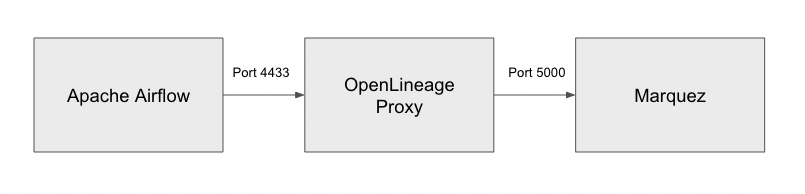
At this point, Apache Airflow should be running and able to send lineage data to the OpenLineage Proxy, with the OpenLineage Proxy forwarding the data to Marquez. Consequently, we can both inspect data payloads and see lineage data in graph form.
Accessing the Airflow UI[](https://openlineage.io/docs/1.38.0/guides/airflow_proxy/#accessing-the-airflow-ui "Direct link to Accessing the Airflow UI")
---------------------------------------------------------------------------------------------------------------------------------------------------------
With everything up and running, we can now login to Airflow's UI by opening up a browser and accessing `http://localhost:8080`.
Initial ID and password to login would be `airflow/airflow`.
Running an Example DAG[](https://openlineage.io/docs/1.38.0/guides/airflow_proxy/#running-an-example-dag "Direct link to Running an Example DAG")
---------------------------------------------------------------------------------------------------------------------------------------------------
When you log into Airflow UI, you will notice that there are several example DAGs already populated when it started up. We can start running some of them to see the OpenLineage events they generate.
### Running Bash Operator[](https://openlineage.io/docs/1.38.0/guides/airflow_proxy/#running-bash-operator "Direct link to Running Bash Operator")
In the DAGs page, locate the `example_bash_operator`.
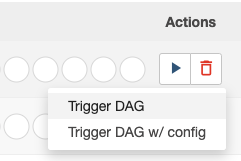
Clicke the ► button at the right, which will show up a popup. Select `Trigger DAG` to trigger and run the DAG manually.
You should see DAG running, and eventually completing.
### Check the OpenLineage events[](https://openlineage.io/docs/1.38.0/guides/airflow_proxy/#check-the-openlineage-events "Direct link to Check the OpenLineage events")
Once everything is finished, you should be able to see a number of JSON data payloads output in OpenLineage proxy's console.
INFO [2022-08-16 21:39:41,411] io.openlineage.proxy.api.models.ConsoleLineageStream: { "eventTime" : "2022-08-16T21:39:40.854926Z", "eventType" : "START", "inputs" : [ ], "job" : { "facets" : { }, "name" : "example_bash_operator.runme_2", "namespace" : "default" }, "outputs" : [ ], "producer" : "https://github.com/OpenLineage/OpenLineage/tree/0.12.0/integration/airflow", "run" : { "facets" : { "airflow_runArgs" : { "_producer" : "https://github.com/OpenLineage/OpenLineage/tree/0.12.0/integration/airflow", "_schemaURL" : "https://raw.githubusercontent.com/OpenLineage/OpenLineage/main/spec/OpenLineage.json#/definitions/BaseFacet", "externalTrigger" : true }, "airflow_version" : { "_producer" : "https://github.com/OpenLineage/OpenLineage/tree/0.12.0/integration/airflow", "_schemaURL" : "https://raw.githubusercontent.com/OpenLineage/OpenLineage/main/spec/OpenLineage.json#/definitions/BaseFacet", "airflowVersion" : "2.3.3", "openlineageAirflowVersion" : "0.12.0", "operator" : "airflow.operators.bash.BashOperator", "taskInfo" : "{'_BaseOperator__init_kwargs': {'task_id': 'runme_2', 'params': <***.models.param.ParamsDict object at 0xffff7467b610>, 'bash_command': 'echo \"example_bash_operator__runme_2__20220816\" && sleep 1'}, '_BaseOperator__from_mapped': False, 'task_id': 'runme_2', 'task_group': , 'owner': '***', 'email': None, 'email_on_retry': True, 'email_on_failure': True, 'execution_timeout': None, 'on_execute_callback': None, 'on_failure_callback': None, 'on_success_callback': None, 'on_retry_callback': None, '_pre_execute_hook': None, '_post_execute_hook': None, 'executor_config': {}, 'run_as_user': None, 'retries': 0, 'queue': 'default', 'pool': 'default_pool', 'pool_slots': 1, 'sla': None, 'trigger_rule': , 'depends_on_past': False, 'ignore_first_depends_on_past': True, 'wait_for_downstream': False, 'retry_delay': datetime.timedelta(seconds=300), 'retry_exponential_backoff': False, 'max_retry_delay': None, 'params': <***.models.param.ParamsDict object at 0xffff7467b4d0>, 'priority_weight': 1, 'weight_rule': , 'resources': None, 'max_active_tis_per_dag': None, 'do_xcom_push': True, 'doc_md': None, 'doc_json': None, 'doc_yaml': None, 'doc_rst': None, 'doc': None, 'upstream_task_ids': set(), 'downstream_task_ids': {'run_after_loop'}, 'start_date': DateTime(2021, 1, 1, 0, 0, 0, tzinfo=Timezone('UTC')), 'end_date': None, '_dag': , '_log': , 'inlets': [], 'outlets': [], '_inlets': [], '_outlets': [], '_BaseOperator__instantiated': True, 'bash_command': 'echo \"example_bash_operator__runme_2__20220816\" && sleep 1', 'env': None, 'output_encoding': 'utf-8', 'skip_exit_code': 99, 'cwd': None, 'append_env': False}" }, "nominalTime" : { "_producer" : "https://github.com/OpenLineage/OpenLineage/tree/0.12.0/integration/airflow", "_schemaURL" : "https://raw.githubusercontent.com/OpenLineage/OpenLineage/main/spec/OpenLineage.json#/definitions/NominalTimeRunFacet", "nominalStartTime" : "2022-08-16T21:39:38.005668Z" }, "parentRun" : { "_producer" : "https://github.com/OpenLineage/OpenLineage/tree/0.12.0/integration/airflow", "_schemaURL" : "https://raw.githubusercontent.com/OpenLineage/OpenLineage/main/spec/OpenLineage.json#/definitions/ParentRunFacet", "job" : { "name" : "example_bash_operator", "namespace" : "default" }, "run" : { "runId" : "39ad10d1-72d9-3fe9-b2a4-860c651b98b7" } } }, "runId" : "313b4e71-9cde-4c83-b641-dd6773bf114b" }}
### Check Marquez[](https://openlineage.io/docs/1.38.0/guides/airflow_proxy/#check-marquez "Direct link to Check Marquez")
You can also open up the browser and visit `http://localhost:3000` to access Marquez UI, and take a look at the OpenLineage events originating from Airflow.
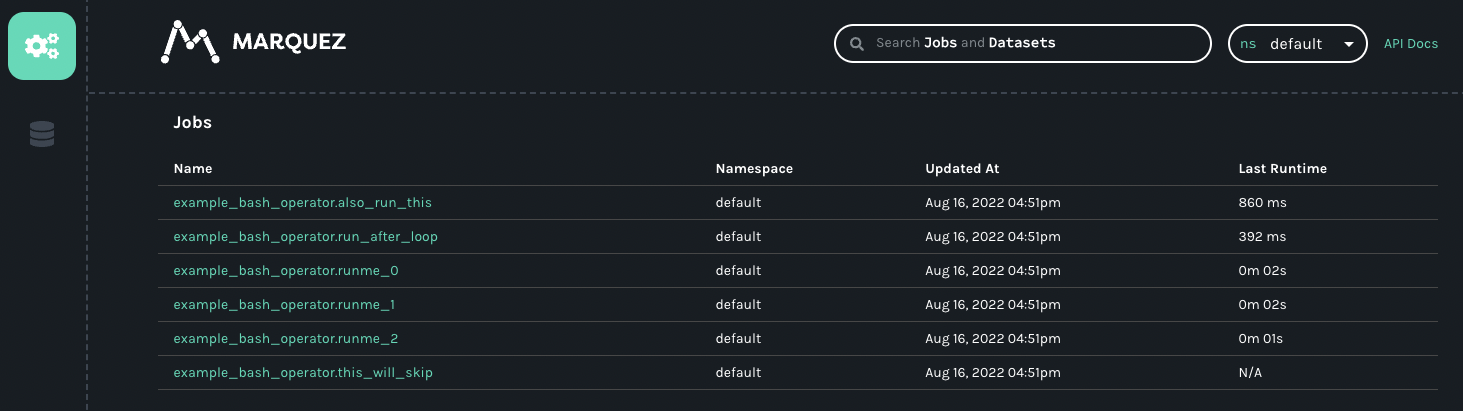
### Running other DAGs[](https://openlineage.io/docs/1.38.0/guides/airflow_proxy/#running-other-dags "Direct link to Running other DAGs")
Due to the length of this tutorial, we are not going to be running additional example DAGs, but you can try running them and it would be interesting to see how each of them are going to be emitting OpenLineage events. Please try running other examples like `example_python_operator` which will also emit OpenLineage events.
Normally, DataLineage will be much more complete and useful if a DAG run involves certain `datasets` that either get used or created during the runtime of it. When you run those DAGs, you will be able to see the connection between different DAGs and Tasks touching the same dataset that will eventually turn into Data Lineage graph that may look something like this:

Currently, these are the Airflow operators that have extractors that can extract and emit OpenLineage events.
* PostgresOperator
* MySqlOperator
* BigQueryOperator
* SnowflakeOperator
* GreatExpectationsOperator
* PythonOperator
See additional [Apache Examples](https://github.com/MarquezProject/marquez/tree/main/examples/airflow)
for DAGs that you can run in Airflow for OpenLineage.
Troubleshooting[](https://openlineage.io/docs/1.38.0/guides/airflow_proxy/#troubleshooting "Direct link to Troubleshooting")
------------------------------------------------------------------------------------------------------------------------------
* You might not see any data going through the proxy or via Marquez. In that case, please check the task log of Airflow and see if you see the following message: `[2022-08-16, 21:23:19 UTC] {factory.py:122} ERROR - Did not find openlineage.yml and OPENLINEAGE_URL is not set`. In that case, it means that the environment variable `OPENLINEAGE_URL` was not set properly, thus OpenLineage was not able to emit any events. Please make sure to follow instructions in setting up the proper environment variable when setting up the Airflow via docker compose.
* Sometimes, Marquez would not respond and fail to receive any data via its API port 5000. You should be able to notice that if you start receiving response code 500 from Marquez or the Marquez UI hangs. In that case, simply stop and restart Marquez.
Conclusion[](https://openlineage.io/docs/1.38.0/guides/airflow_proxy/#conclusion "Direct link to Conclusion")
---------------------------------------------------------------------------------------------------------------
In this short tutorial, we have learned how to setup and run a simple Apache Airflow environment that can emit OpenLineage events during its DAG run. We have also monitored and received the lineage events using combination of OpenLineage proxy and Marquez. We hope this tutorial was helpful in understanding how Airflow could be setup with OpenLineage and how you can easily monitor its data and end result using proxy and Marquez.
* [Table of Contents](https://openlineage.io/docs/1.38.0/guides/airflow_proxy/#table-of-contents)
* [Setting up a Local Airflow Environment using Docker Compose](https://openlineage.io/docs/1.38.0/guides/airflow_proxy/#setting-up-a-local-airflow-environment-using-docker-compose)
* [Prerequisites](https://openlineage.io/docs/1.38.0/guides/airflow_proxy/#prerequisites)
* [Setting up OpenLineage Proxy as Receiving End](https://openlineage.io/docs/1.38.0/guides/airflow_proxy/#setting-up-openlineage-proxy-as-receiving-end)
* [Setting up Marquez](https://openlineage.io/docs/1.38.0/guides/airflow_proxy/#setting-up-marquez)
* [Running Everything](https://openlineage.io/docs/1.38.0/guides/airflow_proxy/#running-everything)
* [Running Marquez](https://openlineage.io/docs/1.38.0/guides/airflow_proxy/#running-marquez)
* [Running OpenLineage proxy](https://openlineage.io/docs/1.38.0/guides/airflow_proxy/#running-openlineage-proxy)
* [Running Airflow](https://openlineage.io/docs/1.38.0/guides/airflow_proxy/#running-airflow)
* [Accessing the Airflow UI](https://openlineage.io/docs/1.38.0/guides/airflow_proxy/#accessing-the-airflow-ui)
* [Running an Example DAG](https://openlineage.io/docs/1.38.0/guides/airflow_proxy/#running-an-example-dag)
* [Running Bash Operator](https://openlineage.io/docs/1.38.0/guides/airflow_proxy/#running-bash-operator)
* [Check the OpenLineage events](https://openlineage.io/docs/1.38.0/guides/airflow_proxy/#check-the-openlineage-events)
* [Check Marquez](https://openlineage.io/docs/1.38.0/guides/airflow_proxy/#check-marquez)
* [Running other DAGs](https://openlineage.io/docs/1.38.0/guides/airflow_proxy/#running-other-dags)
* [Troubleshooting](https://openlineage.io/docs/1.38.0/guides/airflow_proxy/#troubleshooting)
* [Conclusion](https://openlineage.io/docs/1.38.0/guides/airflow_proxy/#conclusion)
---
# Apache Hive | OpenLineage
[Skip to main content](https://openlineage.io/docs/1.38.0/integrations/hive/#__docusaurus_skipToContent_fallback)
This is documentation for OpenLineage **1.38.0**, which is no longer actively maintained.
For up-to-date documentation, see the **[latest version](https://openlineage.io/docs/integrations/hive/)
** (1.45.0).
Version: 1.38.0
This project provides an [Apache Hive](https://hive.apache.org/)
integration for OpenLineage, enabling automated data lineage capture for your Hive workloads. The core of the integration is a Hive execution hook (`HiveOpenLineageHook`) that intercepts query execution.
The hook analyzes the Hive query plan generated by the SemanticAnalyzer. It traverses the plan's Abstract Syntax Tree (AST) to identify input and output datasets, as well as the transformations performed on the data. It leverages a custom parser (separate from Hive's parser) for more advanced column-level lineage analysis.
Based on the query plan analysis, the hook constructs OpenLineage events, capturing the data lineage information. Events include details about the job, datasets (inputs and outputs), and the relationships between them. The resulting OpenLineage event will be of type `COMPLETE` for successful queries and `FAIL` for failed queries.
---
# Backfilling Airflow DAGs Using Marquez | OpenLineage
[Skip to main content](https://openlineage.io/docs/1.38.0/guides/airflow-backfill-dags/#__docusaurus_skipToContent_fallback)
This is documentation for OpenLineage **1.38.0**, which is no longer actively maintained.
For up-to-date documentation, see the **[latest version](https://openlineage.io/docs/guides/airflow-backfill-dags)
** (1.45.0).
Version: 1.38.0
On this page
#### Adapted from a [blog post](https://openlineage.io/blog/backfilling-airflow-dags-using-marquez/)
by Willy Lulciuc[](https://openlineage.io/docs/1.38.0/guides/airflow-backfill-dags/#adapted-from-a-blog-post-by-willy-lulciuc "Direct link to adapted-from-a-blog-post-by-willy-lulciuc")
This tutorial covers the use of lineage metadata in Airflow to backfill DAGs. Thanks to data lineage, backfilling does not have to be a tedious chore.
Airflow supports backfilling DAG runs for a historical time window with a given start and end date. If a DAG (`example.etl_orders_7_days`) started failing on 2021-06-06, for example, you might want to reprocess the daily table partitions for that week (assuming all partitions have been backfilled upstream). This is possible using the [Airflow CLI](https://openlineage.io/blog/backfilling-airflow-dags-using-marquez/)
. In order to run the backfill for `example.etl_orders_7_days` using Airflow, create an Airflow instance and execute the following backfill command in a terminal window:
# Backfill weekly food orders$ airflow dags backfill \ --start-date 2021-06-06 \ --end-date 2021-06-06 \ example.etl_orders_7_days
Unfortunately, backfills are rarely so straightforward. Some questions remain:
* How quickly can data quality issues be identified and explored?
* What alerting rules should be in place to notify downstream DAGs of possible upstream processing issues or failures?
* What effects (if any) would upstream DAGs have on downstream DAGs if dataset consumption were delayed?
Managing lineage metadata with Marquez clears up much of the ambiguity that has surrounded backfilling. The key is to maintain inter-DAG dependencies and catalog historical runs of DAGs.
Exploring Lineage Metadata using Marquez[](https://openlineage.io/docs/1.38.0/guides/airflow-backfill-dags/#exploring-lineage-metadata-using-marquez "Direct link to Exploring Lineage Metadata using Marquez")
-----------------------------------------------------------------------------------------------------------------------------------------------------------------------------------------------------------------
### Prerequisites[](https://openlineage.io/docs/1.38.0/guides/airflow-backfill-dags/#prerequisites "Direct link to Prerequisites")
* Sample data (for the dataset used here, follow the instructions in the [Write Sample Lineage Metadata to Marquez](https://marquezproject.github.io/marquez/quickstart.html#write-sample-lineage-metadata-to-marquez)
section of Marquez's [quickstart](https://marquezproject.github.io/marquez/quickstart.html)
guide)
* Docker 17.05+
* Docker Desktop
* Docker Compose
* jq
info
If you are using macOS Monterey (macOS 12), port 5000 will have to be released by [disabling the AirPlay Receiver](https://developer.apple.com/forums/thread/682332)
. Also, port 3000 will need to be free if access to the Marquez web UI is desired.
### Query the Lineage Graph[](https://openlineage.io/docs/1.38.0/guides/airflow-backfill-dags/#query-the-lineage-graph "Direct link to Query the Lineage Graph")
After running the seed command in the quickstart guide, check to make sure Marquez is up by visiting [http://localhost:3000](http://localhost:3000/)
. The page should display an empty Marquez instance and a message saying there is no data. Also, it should be possible to see the server output from requests in the terminal window where Marquez is running. This window should remain open. As you progress through the tutorial, feel free to experiment with the web UI. Use truncated strings (e.g., "example.etl\_orders\_7\_days" instead of "job:food\_delivery:example.etl\_orders\_7\_days") to find the datasets referenced below.
In Marquez, each dataset and job has its own globally unique node ID that can be used to query the lineage graph. The LineageAPI returns a set of nodes consisting of edges. An edge is directed and has a defined origin and destination. A lineage graph may contain the following node types: `dataset::`, `job::`.
Start by querying the lineage graph of the seed data via the CLI. The `etl_orders_7_days` DAG has the node ID `job:food_delivery:example.etl_orders_7_days`. To see the graph, run the following in a new terminal window:
$ curl -X GET "http://localhost:5000/api/v1-beta/lineage?nodeId=job:food_delivery:example.etl_orders_7_days"
Notice in the returned lineage graph that the DAG input datasets are `public.categories`, `public.orders`, and `public.menus`, while `public.orders_7_days` is the output dataset. The response should look something like this:
{ "graph": [{ "id": "job:food_delivery:example.etl_orders_7_days", "type": "JOB", "data": { "type": "BATCH", "id": { "namespace": "food_delivery", "name": "example.etl_orders_7_days" }, "name": "example.etl_orders_7_days", "createdAt": "2021-06-06T14:50:13.931946Z", "updatedAt": "2021-06-06T14:57:54.037399Z", "namespace": "food_delivery", "inputs": [ {"namespace": "food_delivery", "name": "public.categories"}, {"namespace": "food_delivery", "name": "public.menu_items"}, {"namespace": "food_delivery", "name": "public.orders"}, {"namespace": "food_delivery", "name": "public.menus"} ], "outputs": [ {"namespace": "food_delivery", "name": "public.orders_7_days"} ], "location": "https://github.com/example/jobs/blob/2294bc15eb49071f38425dc927e48655530a2f2e/etl_orders_7_days.py", "context": { "sql": "INSERT INTO orders_7_days (order_id, placed_on, discount_id, menu_id, restaurant_id, menu_item_id, category_id)\n SELECT o.id AS order_id, o.placed_on, o.discount_id, m.id AS menu_id, m.restaurant_id, mi.id AS menu_item_id, c.id AS category_id\n FROM orders AS o\n INNER JOIN menu_items AS mi\n ON menu_items.id = o.menu_item_id\n INNER JOIN categories AS c\n ON c.id = mi.category_id\n INNER JOIN menu AS m\n ON m.id = c.menu_id\n WHERE o.placed_on >= NOW() - interval '7 days';" }, "description": "Loads newly placed orders weekly.", "latestRun": { "id": "5c7f0dc4-d3c1-4f16-9ac3-dc86c5da37cc", "createdAt": "2021-06-06T14:50:36.853459Z", "updatedAt": "2021-06-06T14:57:54.037399Z", "nominalStartTime": "2021-06-06T14:54:00Z", "nominalEndTime": "2021-06-06T14:57:00Z", "state": "FAILED", "startedAt": "2021-06-06T14:54:14.037399Z", "endedAt": "2021-06-06T14:57:54.037399Z", "durationMs": 220000, "args": {}, "location": "https://github.com/example/jobs/blob/2294bc15eb49071f38425dc927e48655530a2f2e/etl_orders_7_days.py", "context": { "sql": "INSERT INTO orders_7_days (order_id, placed_on, discount_id, menu_id, restaurant_id, menu_item_id, category_id)\n SELECT o.id AS order_id, o.placed_on, o.discount_id, m.id AS menu_id, m.restaurant_id, mi.id AS menu_item_id, c.id AS category_id\n FROM orders AS o\n INNER JOIN menu_items AS mi\n ON menu_items.id = o.menu_item_id\n INNER JOIN categories AS c\n ON c.id = mi.category_id\n INNER JOIN menu AS m\n ON m.id = c.menu_id\n WHERE o.placed_on >= NOW() - interval '7 days';" }, "facets": {} } }, "inEdges": [ {"origin": "dataset:food_delivery:public.categories", "destination": "job:food_delivery:example.etl_orders_7_days"}, "destination": "job:food_delivery:example.etl_orders_7_days"}, {"origin": "dataset:food_delivery:public.orders", "destination": "job:food_delivery:example.etl_orders_7_days"}, {"origin": "dataset:food_delivery:public.menus", "destination": "job:food_delivery:example.etl_orders_7_days"} ], "outEdges": [ {"origin": "job:food_delivery:example.etl_orders_7_days", "destination": "dataset:food_delivery:public.orders_7_days"} ] } }, ...]}
To see a visualization of the graph, search the web UI with `public.delivery_7_days`.
### Backfill a DAG Run[](https://openlineage.io/docs/1.38.0/guides/airflow-backfill-dags/#backfill-a-dag-run "Direct link to Backfill a DAG Run")
![Backfill]()
Figure 1: Backfilled daily table partitions
To run a backfill for `example.etl_orders_7_days` using the DAG lineage metadata stored in Marquez, query the lineage graph for the upstream DAG where an error originated. In this case, the `example.etl_orders` DAG upstream of `example.etl_orders_7_days` failed to write some of the daily table partitions needed for the weekly food order trends report. To fix the weekly trends report, backfill the missing daily table partitions `public.orders_2021_06_04`, `public.orders_2021_06_05`, and `public.orders_2021_06_06` using the Airflow CLI:
# Backfill daily food orders$ airflow dags backfill \ --start-date 2021-06-04 \ --end-date 2021-06-06 \ example.etl_orders
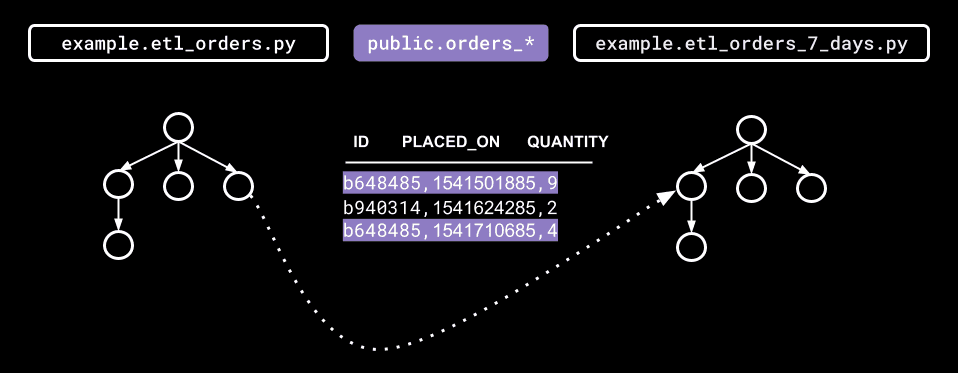
Figure 2: Airflow inter-DAG dependencies
Then, using the script `backfill.sh` defined below, we can easily backfill all DAGs downstream of `example.etl_orders`:
(Note: Make sure you have jq installed before running `backfill.sh`.)
#!/bin/bash## Backfill DAGs automatically using lineage metadata stored in Marquez.## Usage: $ ./backfill.sh set -e# Backfills DAGs downstream of the given node ID, recursively.backfill_downstream_of() { node_id="${1}" # Get out edges for node ID out_edges=($(echo $lineage_graph \ | jq -r --arg NODE_ID "${node_id}" '.graph[] | select(.id==$NODE_ID) | .outEdges[].destination')) for out_edge in "${out_edges[@]}"; do # Run backfill if out edge is a job node (i.e. => ) if [[ "${out_edge}" = job:* ]]; then dag_id="${out_edge##*:}" echo "backfilling ${dag_id}..." airflow backfill --start_date "${start_date}" --end_date "${start_date}" "${dag_id}" fi # Follow out edges downstream, recursively backfill_downstream_of "${out_edge}" done}start_date="${1}"end_date="${2}"dag_id="${3}"# (1) Build job node ID (format: 'job::')node_id="job:food_delivery:${dag_id}"# (2) Get lineage graphlineage_graph=$(curl -s -X GET "http://localhost:5000/api/v1-beta/lineage?nodeId=${node_id}")# (3) Run backfillbackfill_downstream_of "${node_id}"
When run, the script should output all backfilled DAGs to the console:
$ ./backfill.sh 2021-06-06 2021-06-06 example.etl_ordersbackfilling example.etl_orders_7_days...backfilling example.etl_delivery_7_days...backfilling example.delivery_times_7_days...
### Conclusion[](https://openlineage.io/docs/1.38.0/guides/airflow-backfill-dags/#conclusion "Direct link to Conclusion")
The lineage metadata provided by Marquez can make the task of backfilling much easier. But lineage metadata can also help avoid the need to backfill altogether. Since Marquez collects DAG run metadata that can be viewed using the Runs API, building automated processes to check DAG run states and notify teams of upstream data quality issues is just one possible preventive measure.
Explore Marquez's opinionated Metadata API and define your own automated process(es) for analyzing lineage metadata! Also, join our Slack channel or reach out to us on Twitter if you have questions.
* [Exploring Lineage Metadata using Marquez](https://openlineage.io/docs/1.38.0/guides/airflow-backfill-dags/#exploring-lineage-metadata-using-marquez)
* [Prerequisites](https://openlineage.io/docs/1.38.0/guides/airflow-backfill-dags/#prerequisites)
* [Query the Lineage Graph](https://openlineage.io/docs/1.38.0/guides/airflow-backfill-dags/#query-the-lineage-graph)
* [Backfill a DAG Run](https://openlineage.io/docs/1.38.0/guides/airflow-backfill-dags/#backfill-a-dag-run)
* [Conclusion](https://openlineage.io/docs/1.38.0/guides/airflow-backfill-dags/#conclusion)
---
# Job Hierarchy | OpenLineage
[Skip to main content](https://openlineage.io/docs/1.38.0/integrations/airflow/job-hierarchy/#__docusaurus_skipToContent_fallback)
This is documentation for OpenLineage **1.38.0**, which is no longer actively maintained.
For up-to-date documentation, see the **[latest version](https://openlineage.io/docs/)
** (1.45.0).
Version: 1.38.0
On this page
caution
This page is about Airflow's external integration that works mainly for Airflow versions <2.7. [If you're using Airflow 2.7+, look at native Airflow OpenLineage provider documentation.](https://airflow.apache.org/docs/apache-airflow-providers-openlineage/stable/index.html)
The ongoing development and enhancements will be focused on the `apache-airflow-providers-openlineage` package, while the `openlineage-airflow` will primarily be updated for bug fixes. See [all Airflow versions supported by this integration](https://openlineage.io/docs/1.38.0/integrations/airflow/older#supported-airflow-versions)
Job Hierarchy[](https://openlineage.io/docs/1.38.0/integrations/airflow/job-hierarchy/#job-hierarchy "Direct link to Job Hierarchy")
--------------------------------------------------------------------------------------------------------------------------------------
Apache Airflow features an inherent job hierarchy: DAGs, large and independently schedulable units, comprise smaller, executable tasks.
OpenLineage reflects this structure in its Job Hierarchy model. Upon DAG scheduling, a START event is emitted. Subsequently, each task triggers START events at TaskInstance start and COMPLETE/FAILED events upon completion, following Airflow's task order. Finally, upon DAG termination, a completion event (COMPLETE or FAILED) is emitted. TaskInstance events' ParentRunFacet references the originating DAG run.
* [Job Hierarchy](https://openlineage.io/docs/1.38.0/integrations/airflow/job-hierarchy/#job-hierarchy)
---
# About | OpenLineage
[Skip to main content](https://openlineage.io/docs/1.38.0/integrations/flink/about/#__docusaurus_skipToContent_fallback)
This is documentation for OpenLineage **1.38.0**, which is no longer actively maintained.
For up-to-date documentation, see the **[latest version](https://openlineage.io/docs/integrations/flink/about)
** (1.45.0).
Version: 1.38.0
On this page
**Apache Flink** is one of the most popular stream processing frameworks. Apache Flink jobs run on clusters, which are composed of two types of nodes: `TaskManagers` and `JobManagers`. While clusters typically consists of multiple `TaskManagers`, only reason to run multiple JobManagers is high availability. The jobs are _submitted_ to `JobManager` by `JobClient`, that compiles user application into dataflow graph which is understandable by `JobManager`. `JobManager` then coordinates job execution: it splits the parallel units of a job to `TaskManagers`, manages heartbeats, triggers checkpoints, reacts to failures and much more.
Apache Flink has multiple deployment modes - Session Mode, Application Mode and Per-Job mode. The most popular are Session Mode and Application Mode. Session Mode consists of a `JobManager` managing multiple jobs sharing single Flink cluster. In this mode, `JobClient` is executed on a machine that submits the job to the cluster.
Application Mode is used where cluster is utilized for a single job. In this mode, `JobClient`, where the main method runs, is executed on the `JobManager`.
Flink jobs read data from `Sources` and write data to `Sinks`. In contrast to systems like Apache Spark, Flink jobs can write data to multiple places - they can have multiple `Sinks`.
Lineage metadata for Flink 1.x and 2.x[](https://openlineage.io/docs/1.38.0/integrations/flink/about/#lineage-metadata-for-flink-1x-and-2x "Direct link to Lineage metadata for Flink 1.x and 2.x")
-----------------------------------------------------------------------------------------------------------------------------------------------------------------------------------------------------
While there is a single OpenLineage connector for Flink, it offers two distinct implementations for Flink versions 1.x and 2.x.
The Flink 1.x connector is built on the JobListener interface, which Flink uses to notify users about job submissions, successful completions, or failures. However, `JobListener` does not provide lineage metadata. Consequently, the OpenLineage integration depends on the Transformations from the job’s `ExecutionEnvironment`. To enable this functionality, modifications to the Flink job code are necessary to incorporate `ExecutionEnvironment` within the `OpenLineageFlinkJobListener` instance. Additionally, this implementation does not support Flink SQL.
Conversely, the Flink 2.0 connector leverages Flink's native interfaces to access lineage metadata, which were introduced by [FLIP-314](https://cwiki.apache.org/confluence/display/FLINK/FLIP-314%3A+Support+Customized+Job+Lineage+Listener)
. One of the advantages of this implementation is that it requires no changes to the job code and does support Flink SQL. Both implementations reside within the same package and share the same configuration options.
* [Lineage metadata for Flink 1.x and 2.x](https://openlineage.io/docs/1.38.0/integrations/flink/about/#lineage-metadata-for-flink-1x-and-2x)
---
# Getting Started with Apache Airflow® and OpenLineage+Marquez | OpenLineage
[Skip to main content](https://openlineage.io/docs/1.38.0/guides/airflow-quickstart/#__docusaurus_skipToContent_fallback)
This is documentation for OpenLineage **1.38.0**, which is no longer actively maintained.
For up-to-date documentation, see the **[latest version](https://openlineage.io/docs/guides/airflow-quickstart)
** (1.45.0).
Version: 1.38.0
On this page
In this tutorial, you'll configure Apache Airflow® to send OpenLineage events to [Marquez](https://marquezproject.ai/)
and explore a realistic troubleshooting scenario.
### Table of Contents[](https://openlineage.io/docs/1.38.0/guides/airflow-quickstart/#table-of-contents "Direct link to Table of Contents")
1. [Prerequisites](https://openlineage.io/docs/1.38.0/guides/airflow-quickstart/#prerequisites)
2. [Get and start Marquez](https://openlineage.io/docs/1.38.0/guides/airflow-quickstart/#get-marquez)
3. [Configure Apache Airflow to send OpenLineage events to Marquez](https://openlineage.io/docs/1.38.0/guides/airflow-quickstart/#configure-airflow)
4. [Write Airflow DAGs](https://openlineage.io/docs/1.38.0/guides/airflow-quickstart/#write-airflow-dags)
5. [View Collected Lineage in Marquez](https://openlineage.io/docs/1.38.0/guides/airflow-quickstart/#view-collected-metadata)
6. [Troubleshoot a Failing DAG with Marquez](https://openlineage.io/docs/1.38.0/guides/airflow-quickstart/#troubleshoot-a-failing-dag-with-marquez)
7. [Next Steps](https://openlineage.io/docs/1.38.0/guides/airflow-quickstart/#next-steps)
8. [Feedback?](https://openlineage.io/docs/1.38.0/guides/airflow-quickstart/#feedback)
Prerequisites[](https://openlineage.io/docs/1.38.0/guides/airflow-quickstart/#prerequisites "Direct link to Prerequisites")
-----------------------------------------------------------------------------------------------------------------------------
Before you begin, make sure you have installed:
* [Docker 17.05+](https://docs.docker.com/install)
* [Apache Airflow 2.7+](https://airflow.apache.org/docs/apache-airflow/stable/start.html)
running locally.
tip
For an easy path to installing and running Airflow locally for development purposes, see: [Quick Start](https://airflow.apache.org/docs/apache-airflow/2.10.3/start.html)
.
Get and start Marquez[](https://openlineage.io/docs/1.38.0/guides/airflow-quickstart/#get-marquez "Direct link to Get and start Marquez")
-------------------------------------------------------------------------------------------------------------------------------------------
1. Create a directory for Marquez. Then, check out the Marquez source code by running:
* MacOS/Linux
* Windows
$ git clone https://github.com/MarquezProject/marquez && cd marquez
$ git config --global core.autocrlf false$ git clone https://github.com/MarquezProject/marquez && cd marquez
2. Both Airflow and Marquez require port 5432 for their metastores, but the Marquez services are easier to configure. You can also assign the database service to a new port on the fly. To start Marquez using port 2345 for the database, run:
* MacOS/Linux
* Windows
$ ./docker/up.sh --db-port 2345
Verify that Postgres and Bash are in your `PATH`, then run:
$ sh ./docker/up.sh --db-port 2345
3. To view the Marquez UI and verify it's running, open [http://localhost:3000](http://localhost:3000/)
. The UI allows you to:
* view cross-platform dependencies, meaning you can see the jobs across the tools in your ecosystem that produce or consume a critical table.
* view run-level metadata of current and previous job runs, enabling you to see the latest status of a job and the update history of a dataset.
* get a high-level view of resource usage, allowing you to see trends in your operations.
Configure Airflow to send OpenLineage events to Marquez[](https://openlineage.io/docs/1.38.0/guides/airflow-quickstart/#configure-airflow "Direct link to Configure Airflow to send OpenLineage events to Marquez")
---------------------------------------------------------------------------------------------------------------------------------------------------------------------------------------------------------------------
1. To configure Airflow to emit OpenLineage events to Marquez, you need to modify your local Airflow environment and add a dependency. First, define an OpenLineage transport. One way you can do this is by using an environment variable. To use `http` and send events to the Marquez API running locally on port `5000`, run:
* MacOS/Linux
* Windows
$ export AIRFLOW__OPENLINEAGE__TRANSPORT='{"type": "http", "url": "http://localhost:5000", "endpoint": "api/v1/lineage"}'
$ set AIRFLOW__OPENLINEAGE__TRANSPORT='{"type": "http", "url": "http://localhost:5000", "endpoint": "api/v1/lineage"}'
2. You also need to define a namespace for Airflow jobs. It can be any string. Run:
* MacOS/Linux
* Windows
$ export AIRFLOW__OPENLINEAGE__NAMESPACE='my-team-airflow-instance'
$ set AIRFLOW__OPENLINEAGE__NAMESPACE='my-team-airflow-instance'
3. To add the required Airflow OpenLineage Provider package to your Airflow environment, run:
* MacOS/Linux
* Windows
$ pip install apache-airflow-providers-openlineage
$ pip install apache-airflow-providers-openlineage
4. To complete this tutorial, you also need to enable local Postgres operations in Airflow. To do this, run:
* MacOS/Linux
* Windows
$ pip install apache-airflow-providers-postgres
$ pip install apache-airflow-providers-postgres
5. Create a database in your local Postgres instance and create an Airflow Postgres connection using the default ID (`postgres_default`). For help with the former, see: [Postgres Documentation](https://www.postgresql.org/docs/)
. For help with the latter, see: [Managing Connections](https://airflow.apache.org/docs/apache-airflow/stable/howto/connection.html#managing-connections)
.
Write Airflow DAGs[](https://openlineage.io/docs/1.38.0/guides/airflow-quickstart/#write-airflow-dags "Direct link to Write Airflow DAGs")
--------------------------------------------------------------------------------------------------------------------------------------------
In this step, you will create two new Airflow DAGs that perform simple tasks and add them to your existing Airflow instance. The `counter` DAG adds 1 to a column every minute, while the `sum` DAG calculates a sum every five minutes. This will result in a simple pipeline containing two jobs and two datasets.
1. In `dags/`, create a file named `counter.py` and add the following code:
import pendulumfrom airflow.decorators import dag, taskfrom airflow.providers.postgres.operators.postgres import PostgresOperatorfrom airflow.utils.dates import days_ago@dag( schedule='*/1 * * * *', start_date=days_ago(1), catchup=False, is_paused_upon_creation=False, max_active_runs=1, description='DAG that generates a new count value equal to 1.')def counter(): query1 = PostgresOperator( task_id='if_not_exists', postgres_conn_id='postgres_default', sql=''' CREATE TABLE IF NOT EXISTS counts (value INTEGER); ''', ) query2 = PostgresOperator( task_id='inc', postgres_conn_id='postgres_default', sql=''' INSERT INTO "counts" (value) VALUES (1); ''', ) query1 >> query2counter()
2. In `dags/`, create a file named `sum.py` and add the following code:
import pendulumfrom airflow.decorators import dag, taskfrom airflow.providers.postgres.operators.postgres import PostgresOperatorfrom airflow.utils.dates import days_ago@dag( start_date=days_ago(1), schedule='*/5 * * * *', catchup=False, is_paused_upon_creation=False, max_active_runs=1, description='DAG that sums the total of generated count values.')def sum(): query1 = PostgresOperator( task_id='if_not_exists', postgres_conn_id='postgres_default', sql=''' CREATE TABLE IF NOT EXISTS sums ( value INTEGER );''' ) query2 = PostgresOperator( task_id='total', postgres_conn_id='postgres_default', sql=''' INSERT INTO sums (value) SELECT SUM(value) FROM counts; ''' ) query1 >> query2sum()
3. Restart Airflow to apply the changes. Then, unpause both DAGs.
View Collected Lineage in Marquez[](https://openlineage.io/docs/1.38.0/guides/airflow-quickstart/#view-collected-lineage-in-marquez "Direct link to View Collected Lineage in Marquez")
-----------------------------------------------------------------------------------------------------------------------------------------------------------------------------------------
1. To view lineage collected by Marquez from Airflow, browse to the Marquez UI by visiting [http://localhost:3000](http://localhost:3000/)
. Then, use the _search_ bar in the upper left to search for the `counter.inc` job. To view lineage metadata for `counter.inc`, click on the job from the drop-down list:
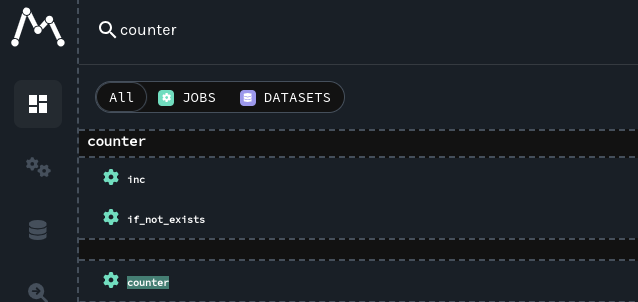
2. Look at the lineage graph for `counter.inc`, where you should see `.public.counts` as an output dataset and `sum.total` as a downstream job:

Troubleshoot a Failing DAG with Marquez[](https://openlineage.io/docs/1.38.0/guides/airflow-quickstart/#troubleshoot-a-failing-dag-with-marquez "Direct link to Troubleshoot a Failing DAG with Marquez")
-----------------------------------------------------------------------------------------------------------------------------------------------------------------------------------------------------------
1. In this step, you'll simulate a pipeline outage due to a cross-DAG dependency change and see how the enhanced lineage from OpenLineage+Marquez makes breaking schema changes easy to troubleshoot.
Say `Team A` owns the DAG `counter`. `Team A` updates `counter` to rename the `values` column in the `counts` table to `value_1_to_10` without properly communicating the schema change to the team that owns `sum`.
Apply the following changes to `counter` to simulate the breaking change:
query1 = PostgresOperator(- task_id='if_not_exists',+ task_id='alter_name_of_column', postgres_conn_id='example_db', sql='''- CREATE TABLE IF NOT EXISTS counts (- value INTEGER- );''',+ ALTER TABLE "counts" RENAME COLUMN "value" TO "value_1_to_10";+ ''')
query2 = PostgresOperator( task_id='inc', postgres_conn_id='example_db', sql='''- INSERT INTO counts (value)+ INSERT INTO counts (value_1_to_10) VALUES (1) ''',)
Like the owner of `sum`, `Team B`, would do, note the failed runs in the DataOps view in Marquez:

`Team B` can only guess what might have caused the DAG failure as no recent changes have been made to the DAG. So, the team decides to check Marquez.
2. In Marquez, navigate to the Datasets view and select your Postgres instance from the namespace dropdown menu in the top-right corner. Then, click on the `.public.counts` dataset and inspect the graph. You'll find the schema on the node:
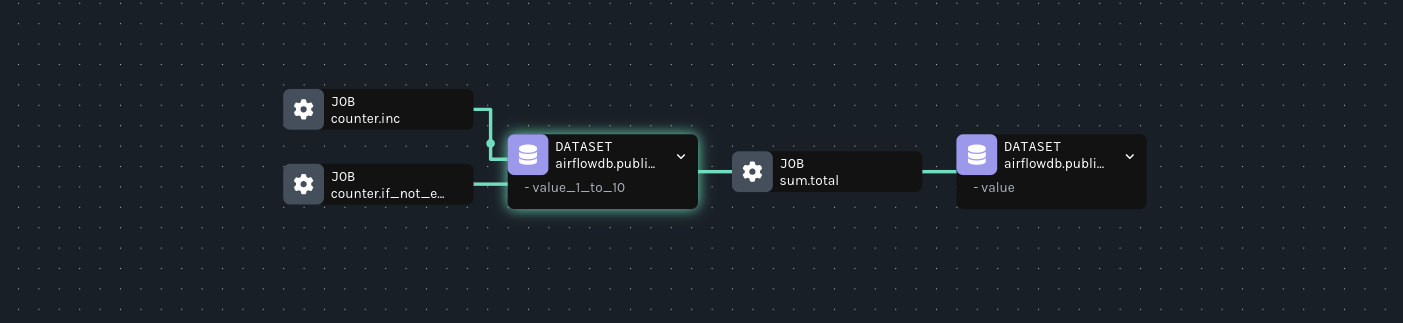
3. Imagine you don't recognize the column and want to know what it was originally and when it changed. Clicking on the node will open the detail drawer. There, using the version history, find the run in which the schema changed:
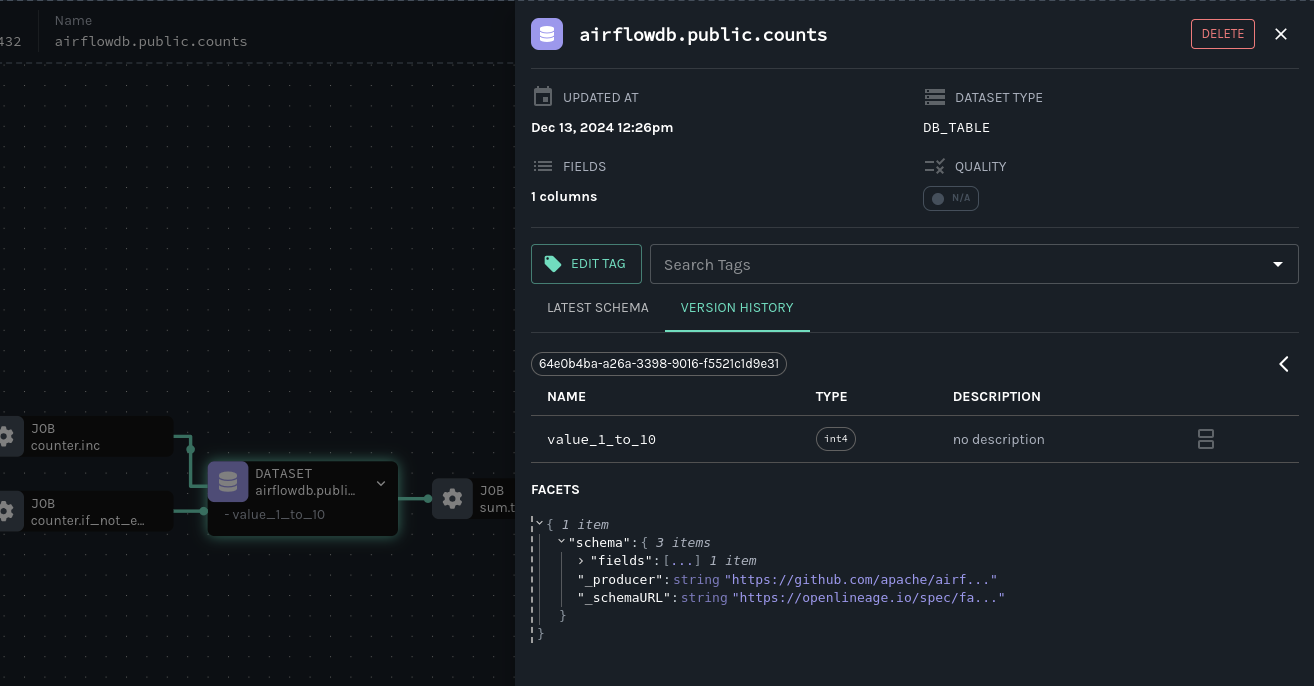
4. In Airflow, fix the downstream DAG that broke by updating the task that calculates the count total to use the new column name:
query2 = PostgresOperator( task_id='total', postgres_conn_id='example_db', sql='''- INSERT INTO sums (value)- SELECT SUM(value) FROM counts;+ SELECT SUM(value_1_to_10) FROM counts; ''')
5. Rerun the DAG. In Marquez, verify the fix by looking at the recent run history in the DataOps view:

Next Steps[](https://openlineage.io/docs/1.38.0/guides/airflow-quickstart/#next-steps "Direct link to Next Steps")
--------------------------------------------------------------------------------------------------------------------
* Review the Marquez [HTTP API](https://marquezproject.github.io/marquez/openapi.html)
used to collect Airflow DAG metadata and learn how to build your own integrations using OpenLineage.
* Take a look at the [`openlineage-spark`](https://openlineage.io/docs/integrations/spark/)
integration that can be used with Airflow.
Feedback?[](https://openlineage.io/docs/1.38.0/guides/airflow-quickstart/#feedback "Direct link to Feedback?")
----------------------------------------------------------------------------------------------------------------
What did you think of this guide? Let us know in the [OpenLineage Slack](https://join.slack.com/t/openlineage/shared_invite/zt-3arpql6lg-Nt~hicnDsnDY_GK_LEX06w)
or the [Marquez Slack](https://join.slack.com/t/marquezproject/shared_invite/zt-2iylxasbq-GG_zXNcJdNrhC9uUMr3B7A)
. You can also propose changes directly by [opening a pull request](https://github.com/MarquezProject/marquez/blob/main/CONTRIBUTING.md#submitting-a-pull-request)
.
* [Table of Contents](https://openlineage.io/docs/1.38.0/guides/airflow-quickstart/#table-of-contents)
* [Prerequisites](https://openlineage.io/docs/1.38.0/guides/airflow-quickstart/#prerequisites)
* [Get and start Marquez](https://openlineage.io/docs/1.38.0/guides/airflow-quickstart/#get-marquez)
* [Configure Airflow to send OpenLineage events to Marquez](https://openlineage.io/docs/1.38.0/guides/airflow-quickstart/#configure-airflow)
* [Write Airflow DAGs](https://openlineage.io/docs/1.38.0/guides/airflow-quickstart/#write-airflow-dags)
* [View Collected Lineage in Marquez](https://openlineage.io/docs/1.38.0/guides/airflow-quickstart/#view-collected-lineage-in-marquez)
* [Troubleshoot a Failing DAG with Marquez](https://openlineage.io/docs/1.38.0/guides/airflow-quickstart/#troubleshoot-a-failing-dag-with-marquez)
* [Next Steps](https://openlineage.io/docs/1.38.0/guides/airflow-quickstart/#next-steps)
* [Feedback?](https://openlineage.io/docs/1.38.0/guides/airflow-quickstart/#feedback)
---
# Manually Annotated Lineage | OpenLineage
[Skip to main content](https://openlineage.io/docs/1.38.0/integrations/airflow/manual/#__docusaurus_skipToContent_fallback)
This is documentation for OpenLineage **1.38.0**, which is no longer actively maintained.
For up-to-date documentation, see the **[latest version](https://openlineage.io/docs/)
** (1.45.0).
Version: 1.38.0
On this page
caution
This page is about Airflow's external integration that works mainly for Airflow versions <2.7. [If you're using Airflow 2.7+, look at native Airflow OpenLineage provider documentation.](https://airflow.apache.org/docs/apache-airflow-providers-openlineage/stable/index.html)
The ongoing development and enhancements will be focused on the `apache-airflow-providers-openlineage` package, while the `openlineage-airflow` will primarily be updated for bug fixes. See [all Airflow versions supported by this integration](https://openlineage.io/docs/1.38.0/integrations/airflow/older#supported-airflow-versions)
caution
This feature is only supported with Airflow versions greater than 2.1.0)
Airflow allows operators to track lineage by specifying the input and outputs of the operators via inlets and outlets. OpenLineage tries to find the input and output datasets of the Airflow job via provided extractors or custom extractors. As fallback, if it fails to find any input or output datasets, then OpenLineage defaults to inlets and outlets of Airflow jobs.
OpenLineage supports automated lineage extraction only for selective operators. For other operators and custom-defined ones, users need to write their own custom extractors (by implementing `extract` / `extract_on_complete` method) for Airflow operators that indicate the input and output dataset of the corresponding task. This can be circumvented by specifying the input and output datasets using operator's inlets and outlets. OpenLineage will default to use inlets and outlets as input/output datasets if it cannot find any successful extraction from the extractors.
While specifying the DAG, inlets and outlets can be provided as lists of Tables for every operator.
note
Airflow supports inlets and outlets to be either a Table, Column, File or User entity. However, currently OpenLineage only extracts lineage via Table entity\*
Example[](https://openlineage.io/docs/1.38.0/integrations/airflow/manual/#example "Direct link to Example")
-------------------------------------------------------------------------------------------------------------
An operator insider the Airflow DAG can be annotated with inlets and outlets like -
"""Example DAG demonstrating the usage of the extraction via Inlets and Outlets."""import pendulumimport datetimefrom airflow import DAGfrom airflow.operators.bash import BashOperatorfrom airflow.lineage.entities import Table, Filedef create_table(cluster, database, name): return Table( database=database, cluster=cluster, name=name, )t1 = create_table("c1", "d1", "t1")t2 = create_table("c1", "d1", "t2")t3 = create_table("c1", "d1", "t3")t4 = create_table("c1", "d1", "t4")f1 = File(url = "http://randomfile")with DAG( dag_id='example_operator', schedule_interval='0 0 * * *', start_date=pendulum.datetime(2021, 1, 1, tz="UTC"), dagrun_timeout=datetime.timedelta(minutes=60), params={"example_key": "example_value"},) as dag: task1 = BashOperator( task_id='task_1_with_inlet_outlet', bash_command='echo "{{ task_instance_key_str }}" && sleep 1', inlets=[t1, t2], outlets=[t3], ) task2 = BashOperator( task_id='task_2_with_inlet_outlet', bash_command='echo "{{ task_instance_key_str }}" && sleep 1', inlets=[t3, f1], outlets=[t4], ) task1 >> task2 if __name__ == "__main__": dag.cli()
* * *
The corresponding lineage graph will be -

(The image is shown with the **Marquez** UI (metadata collector of OpenLineage events). More info can be found [here](https://marquezproject.github.io/marquez/)
.
Also note that the _File_ entity is not captured by the lineage event currently.
* * *
Conversion from Airflow Table entity to Openlineage Dataset[](https://openlineage.io/docs/1.38.0/integrations/airflow/manual/#conversion-from-airflow-table-entity-to-openlineage-dataset "Direct link to Conversion from Airflow Table entity to Openlineage Dataset")
-------------------------------------------------------------------------------------------------------------------------------------------------------------------------------------------------------------------------------------------------------------------------
The naming convention followed here is:
1. `CLUSTER` of the table entity becomes the namespace of OpenLineage's Dataset
2. The name of the dataset is formed by `{{DATABASE}}.{{NAME}}` where `DATABASE` and `NAME` are attributes specified by Airflow's Table entity.
* [Example](https://openlineage.io/docs/1.38.0/integrations/airflow/manual/#example)
* [Conversion from Airflow Table entity to Openlineage Dataset](https://openlineage.io/docs/1.38.0/integrations/airflow/manual/#conversion-from-airflow-table-entity-to-openlineage-dataset)
---
# Custom Extractors | OpenLineage
[Skip to main content](https://openlineage.io/docs/1.38.0/integrations/airflow/extractors/custom-extractors/#__docusaurus_skipToContent_fallback)
This is documentation for OpenLineage **1.38.0**, which is no longer actively maintained.
For up-to-date documentation, see the **[latest version](https://openlineage.io/docs/)
** (1.45.0).
Version: 1.38.0
On this page
caution
This page is about Airflow's external integration that works mainly for Airflow versions <2.7. [If you're using Airflow 2.7+, look at native Airflow OpenLineage provider documentation.](https://airflow.apache.org/docs/apache-airflow-providers-openlineage/stable/index.html)
The ongoing development and enhancements will be focused on the `apache-airflow-providers-openlineage` package, while the `openlineage-airflow` will primarily be updated for bug fixes. See [all Airflow versions supported by this integration](https://openlineage.io/docs/1.38.0/integrations/airflow/older#supported-airflow-versions)
This integration works by detecting which Airflow operators your DAG is using, and extracting lineage data from them using corresponding extractors.
However, not all operators are covered. In particular, third party providers may not be. To handle this situation, OpenLineage allows you to provide custom extractors for any operators where there is not one built-in.
If you want to extract lineage from your own Operators, you may prefer directly implementing [lineage support as described here](https://openlineage.io/docs/1.38.0/integrations/airflow/default-extractors)
.
Interface[](https://openlineage.io/docs/1.38.0/integrations/airflow/extractors/custom-extractors/#interface "Direct link to Interface")
-----------------------------------------------------------------------------------------------------------------------------------------
Custom extractors have to derive from `BaseExtractor`.
Extractors have three methods to implement: `extract`, `extract_on_complete` and `get_operator_classnames`. The last one is a classmethod that is used to provide list of operators that your extractor can get lineage from.
For example:
@classmethoddef get_operator_classnames(cls) -> List[str]: return ['PostgresOperator']
If the name of the operator matches one of the names on the list, the extractor will be instantiated - with operator provided in the extractor's `self.operator` property - and both `extract` and `extract_on_complete` methods will be called. They are used to provide actual information data. The difference is that `extract` is called before operator's `execute` method, while `extract_on_complete` is called after. This can be used to extract any additional information that the operator sets on it's own properties. Good example is `SnowflakeOperator` that sets `query_ids` after execution.
Both methods return `TaskMetadata` structure:
@attr.defineclass TaskMetadata: name: str = attr.ib() # deprecated inputs: List[Dataset] = attr.field(factory=list) outputs: List[Dataset] = attr.field(factory=list) run_facets: Dict[str, BaseFacet] = attr.field(factory=dict) job_facets: Dict[str, BaseFacet] = attr.field(factory=dict)
Inputs and outputs are lists of plain [OpenLineage datasets](https://openlineage.io/docs/1.38.0/client/python)
`run_facets` and `job_facets` are dictionaries of optional [JobFacets](https://openlineage.io/docs/1.38.0/client/python)
and [RunFacets](https://openlineage.io/docs/1.38.0/client/python)
that would be attached to the job - for example, you might want to attach `SqlJobFacet` if your operator is executing SQL.
To learn more about facets in OpenLineage, please visit this [section](https://openlineage.io/docs/1.38.0/spec/facets)
.
Registering custom extractor[](https://openlineage.io/docs/1.38.0/integrations/airflow/extractors/custom-extractors/#registering-custom-extractor "Direct link to Registering custom extractor")
--------------------------------------------------------------------------------------------------------------------------------------------------------------------------------------------------
OpenLineage integration does not know that you've provided an extractor unless you'll register it.
The way to do that is to add them to `OPENLINEAGE_EXTRACTORS` environment variable.
OPENLINEAGE_EXTRACTORS=full.path.to.ExtractorClass
If you have multiple custom extractors, separate the paths with comma `(;)`
OPENLINEAGE_EXTRACTORS=full.path.to.ExtractorClass;full.path.to.AnotherExtractorClass
Optionally, you can separate them with whitespace. It's useful if you're providing them as part of some YAML file.
OPENLINEAGE_EXTRACTORS: >- full.path.to.FirstExtractor; full.path.to.SecondExtractor
Remember to make sure that the path is importable for scheduler and worker.
Adding extractor to OpenLineage Airflow integration package[](https://openlineage.io/docs/1.38.0/integrations/airflow/extractors/custom-extractors/#adding-extractor-to-openlineage-airflow-integration-package "Direct link to Adding extractor to OpenLineage Airflow integration package")
-----------------------------------------------------------------------------------------------------------------------------------------------------------------------------------------------------------------------------------------------------------------------------------------------
All Openlineage extractors are defined in [this path](https://github.com/OpenLineage/OpenLineage/blob/main/integration/airflow/openlineage/airflow/extractors)
. In order to add new extractor you should put your code in this directory. Additionally, you need to add the class to `_extractors` list in [extractors.py](https://github.com/OpenLineage/OpenLineage/blob/main/integration/airflow/openlineage/airflow/extractors/extractors.py)
, e.g.:
_extractors = list( filter( lambda t: t is not None, [ try_import_from_string( 'openlineage.airflow.extractors.postgres_extractor.PostgresExtractor' ), ... # other extractors are listed here+ try_import_from_string(+ 'openlineage.airflow.extractors.new_extractor.ExtractorClass'+ ), ] ))
Debugging issues[](https://openlineage.io/docs/1.38.0/integrations/airflow/extractors/custom-extractors/#debugging-issues "Direct link to Debugging issues")
--------------------------------------------------------------------------------------------------------------------------------------------------------------
There are two common problems associated with custom extractors. First, is wrong path provided to `OPENLINEAGE_EXTRACTORS`. The path needs to be exactly the same as one you'd use from your code. If the path is wrong or non-importable from worker, plugin will fail to load the extractors and proper OpenLineage events for that operator won't be emitted.
Second one, and maybe more insidious, are imports from Airflow. Due to the fact that OpenLineage code gets instantiated when Airflow worker itself starts, any import from Airflow can be unnoticeably cyclical. This causes OpenLineage extraction to fail.
To avoid this issue, import from Airflow only locally - in `extract` or `extract_on_complete` methods. If you need imports for type checking, guard them behind `typing.TYPE_CHECKING`.
You can also check [Development section](https://openlineage.io/docs/1.38.0/development/developing/)
to learn more about how to setup development environment and create tests.
* [Interface](https://openlineage.io/docs/1.38.0/integrations/airflow/extractors/custom-extractors/#interface)
* [Registering custom extractor](https://openlineage.io/docs/1.38.0/integrations/airflow/extractors/custom-extractors/#registering-custom-extractor)
* [Adding extractor to OpenLineage Airflow integration package](https://openlineage.io/docs/1.38.0/integrations/airflow/extractors/custom-extractors/#adding-extractor-to-openlineage-airflow-integration-package)
* [Debugging issues](https://openlineage.io/docs/1.38.0/integrations/airflow/extractors/custom-extractors/#debugging-issues)
---
# Supported Airflow Versions | OpenLineage
[Skip to main content](https://openlineage.io/docs/1.38.0/integrations/airflow/older/#__docusaurus_skipToContent_fallback)
This is documentation for OpenLineage **1.38.0**, which is no longer actively maintained.
For up-to-date documentation, see the **[latest version](https://openlineage.io/docs/)
** (1.45.0).
Version: 1.38.0
On this page
caution
This page is about Airflow's external integration that works mainly for Airflow versions <2.7. [If you're using Airflow 2.7+, look at native Airflow OpenLineage provider documentation.](https://airflow.apache.org/docs/apache-airflow-providers-openlineage/stable/index.html)
The ongoing development and enhancements will be focused on the `apache-airflow-providers-openlineage` package, while the `openlineage-airflow` will primarily be updated for bug fixes.
#### SUPPORTED AIRFLOW VERSIONS[](https://openlineage.io/docs/1.38.0/integrations/airflow/older/#supported-airflow-versions "Direct link to SUPPORTED AIRFLOW VERSIONS")
##### Airflow 2.7+[](https://openlineage.io/docs/1.38.0/integrations/airflow/older/#airflow-27 "Direct link to Airflow 2.7+")
This package **should not** be used starting with Airflow 2.7.0 and **can not** be used with Airflow 2.8+. It was designed as Airflow's external integration that works mainly for Airflow versions <2.7. For Airflow 2.7+ use the native Airflow OpenLineage provider [package](https://airflow.apache.org/docs/apache-airflow-providers-openlineage)
`apache-airflow-providers-openlineage`.
##### Airflow 2.3 - 2.6[](https://openlineage.io/docs/1.38.0/integrations/airflow/older/#airflow-23---26 "Direct link to Airflow 2.3 - 2.6")
> **_NOTE:_** The last version of openlineage-airflow to support Airflow versions 2.3-2.4 is **1.33.0**
The integration automatically registers itself starting from Airflow 2.3 if it's installed on the Airflow worker's Python. This means you don't have to do anything besides configuring where the events are sent, which is described in the [configuration](https://openlineage.io/docs/1.38.0/integrations/airflow/older/#configuration)
section.
##### Airflow 2.1 - 2.2[](https://openlineage.io/docs/1.38.0/integrations/airflow/older/#airflow-21---22 "Direct link to Airflow 2.1 - 2.2")
> **_NOTE:_** The last version of openlineage-airflow to support Airflow versions 2.1-2.2 is **1.14.0**
Integration for those versions has limitations: it does not support tracking failed jobs, and job starts are registered only when a job ends (a `LineageBackend`\-based approach collects all metadata for a task on each task's completion).
To make OpenLineage work, in addition to installing `openlineage-airflow` you need to set your `LineageBackend` in your [airflow.cfg](https://airflow.apache.org/docs/apache-airflow/stable/howto/set-config.html)
or via environmental variable `AIRFLOW__LINEAGE__BACKEND` to
openlineage.lineage_backend.OpenLineageBackend
The OpenLineageBackend does not take into account manually configured inlets and outlets.
##### Airflow <2.1[](https://openlineage.io/docs/1.38.0/integrations/airflow/older/#airflow-21 "Direct link to Airflow <2.1")
OpenLineage does not work with versions older than Airflow 2.1.
---
# Configuration | OpenLineage
[Skip to main content](https://openlineage.io/docs/1.38.0/integrations/flink/configuration/#__docusaurus_skipToContent_fallback)
This is documentation for OpenLineage **1.38.0**, which is no longer actively maintained.
For up-to-date documentation, see the **[latest version](https://openlineage.io/docs/integrations/flink/configuration)
** (1.45.0).
Version: 1.38.0
On this page
info
Flink 1.x and 2.x integrations use common OpenLineage java client methods to extract configuration from.
Configuring OpenLineage connector[](https://openlineage.io/docs/1.38.0/integrations/flink/configuration/#configuring-openlineage-connector "Direct link to Configuring OpenLineage connector")
------------------------------------------------------------------------------------------------------------------------------------------------------------------------------------------------
Flink OpenLineage connector utilizes standard [Java client for Openlineage](https://openlineage.io/docs/1.38.0/client/java/configuration)
and allows all the configuration features present there to be used. The configuration can be passed with:
* `openlineage.yml` file with a environment property `OPENLINEAGE_CONFIG` being set and pointing to configuration file.
* Standard Flink configuration with the parameters defined below.
Please refer to [Java client for Openlineage](https://openlineage.io/docs/1.38.0/client/java/configuration)
for more details on configuration options.
Flink specific configuration[](https://openlineage.io/docs/1.38.0/integrations/flink/configuration/#flink-specific-configuration "Direct link to Flink specific configuration")
---------------------------------------------------------------------------------------------------------------------------------------------------------------------------------
| Parameter | Definition | Example |
| --- | --- | --- |
| openlineage.resolveTopicPattern | This option is used to control whether topic pattern resolution should be used for Kafka topics to extract lineage information, as this may require an extra Kafka client call. The option works only for Flink 2.x. | True (default) or False |
| openlineage.trackingIntervalInSeconds | Defines polling interval for a tracking thread to refresh lineage metadata from jobs API and emit it in a form of `RUNNING` OpenLineage events. | 60 (default) |
* [Configuring OpenLineage connector](https://openlineage.io/docs/1.38.0/integrations/flink/configuration/#configuring-openlineage-connector)
* [Flink specific configuration](https://openlineage.io/docs/1.38.0/integrations/flink/configuration/#flink-specific-configuration)
---
# Flink 2.x | OpenLineage
[Skip to main content](https://openlineage.io/docs/1.38.0/integrations/flink/flink2/#__docusaurus_skipToContent_fallback)
This is documentation for OpenLineage **1.38.0**, which is no longer actively maintained.
For up-to-date documentation, see the **[latest version](https://openlineage.io/docs/integrations/flink/flink2)
** (1.45.0).
Version: 1.38.0
On this page
Overview[](https://openlineage.io/docs/1.38.0/integrations/flink/flink2/#overview "Direct link to Overview")
--------------------------------------------------------------------------------------------------------------
With the release of Apache Flink 2.0, the OpenLineage integration has been updated to utilize the native API for lineage extraction, which was initially proposed in [FLIP-314](https://cwiki.apache.org/confluence/display/FLINK/FLIP-314%3A+Support+Customized+Job+Lineage+Listener)
. This new API allows for a more efficient and streamlined approach to lineage extraction, eliminating the need for modifications to the job code. The other advantage of this implementation is that it supports Flink SQL, which was not possible with the previous version.
At the same time, it is the Flink's connectors which contain implementation of sources and sinks, which are responsible for providing methods to extract lineage information. This poses a challenge for the OpenLineage integration, as it requires the connectors to implement the lineage interfaces. Currently, only the Kafka connector supports this functionality.
Usage[](https://openlineage.io/docs/1.38.0/integrations/flink/flink2/#usage "Direct link to Usage")
-----------------------------------------------------------------------------------------------------
To enable OpenLineage integration in Flink 2.x, a job status change listener has to be configured as described in [Flink docs](https://nightlies.apache.org/flink/flink-docs-master/docs/deployment/advanced/job_status_listener/#configuration)
.
This can be achieved by including `openlineage-flink` package on the classpath and providing extra config:
execution.job-status-changed-listeners = io.openlineage.flink.listener.OpenLineageJobStatusChangedListenerFactory
Please refer to [configuration section](https://openlineage.io/docs/1.38.0/integrations/flink/configuration)
for more details about the configuration options.
Implementation[](https://openlineage.io/docs/1.38.0/integrations/flink/flink2/#implementation "Direct link to Implementation")
--------------------------------------------------------------------------------------------------------------------------------
OpenLineage implements `io.openlineage.flink.listener.OpenLineageJobStatusChangedListener` which is a subclass of `org.apache.flink.core.execution.JobStatusChangedListener`. One of its subclasses is `org.apache.flink.streaming.runtime.execution.JobCreatedEvent` which contains a method that returns `LineageGraph` object. This object contains all the lineage information about the job.
Additionally, after a job is triggered, OpenLineage integration starts job tracker thread that periodically polls lineage metadata updates from Flink jobs API. Currently, it is used to collect information about the checkpoints processed.
Column Level Lineage[](https://openlineage.io/docs/1.38.0/integrations/flink/flink2/#column-level-lineage "Direct link to Column Level Lineage")
--------------------------------------------------------------------------------------------------------------------------------------------------
Unfortunately, lineage interfaces in Flink 2.x do not provide column level lineage information. In general, this may be difficult to extract for the transformations defined through the programming language. However, it is possible to extract column level lineage information for Flink SQL jobs.
Following [PR](https://github.com/apache/flink/pull/26089#issuecomment-2626542070)
contains a potential extension to Flink to make it available. Please refer to [this document for more information about the implementation](https://docs.google.com/document/d/1XmbHy6XqBrMoH9rkSyOG0wbwQZgf0epz-07lr_NfikI/edit?tab=t.0#heading=h.gw6ivvgpdre0)
.
* [Overview](https://openlineage.io/docs/1.38.0/integrations/flink/flink2/#overview)
* [Usage](https://openlineage.io/docs/1.38.0/integrations/flink/flink2/#usage)
* [Implementation](https://openlineage.io/docs/1.38.0/integrations/flink/flink2/#implementation)
* [Column Level Lineage](https://openlineage.io/docs/1.38.0/integrations/flink/flink2/#column-level-lineage)
---
# Flink 1.x | OpenLineage
[Skip to main content](https://openlineage.io/docs/1.38.0/integrations/flink/flink1/#__docusaurus_skipToContent_fallback)
This is documentation for OpenLineage **1.38.0**, which is no longer actively maintained.
For up-to-date documentation, see the **[latest version](https://openlineage.io/docs/integrations/flink/flink1)
** (1.45.0).
Version: 1.38.0
On this page
Getting lineage from Flink[](https://openlineage.io/docs/1.38.0/integrations/flink/flink1/#getting-lineage-from-flink "Direct link to Getting lineage from Flink")
--------------------------------------------------------------------------------------------------------------------------------------------------------------------
warning
This is Flink 1.x integration docs. For Flink 2.x integration, please refer to [Flink 2.x integration](https://openlineage.io/docs/1.38.0/integrations/flink/flink2)
.
OpenLineage utilizes Flink's `JobListener` interface. This interface is used by Flink to notify user of job submission, successful finish of job, or job failure. Implementations of this interface are executed on `JobClient`.
When OpenLineage listener receives information that job was submitted, it extracts `Transformations` from job's `ExecutionEnvironment`. The `Transformations` represent logical operations in the dataflow graph; they are composed of both Flink's built-in operators, but also user-provided `Sources`, `Sinks` and functions. To get the lineage, OpenLineage integration processes dataflow graph. Currently, OpenLineage is interested only in information contained in `Sources` and `Sinks`, as they are the places where Flink interacts with external systems.
After job submission, OpenLineage integration starts actively listening to checkpoints - this gives insight into whether the job runs properly.
Limitations[](https://openlineage.io/docs/1.38.0/integrations/flink/flink1/#limitations "Direct link to Limitations")
-----------------------------------------------------------------------------------------------------------------------
Currently, OpenLineage's Flink integration is limited to getting information from jobs running in Application Mode.
Supported Sources and Sinks[](https://openlineage.io/docs/1.38.0/integrations/flink/flink1/#supported-sources-and-sinks "Direct link to Supported Sources and Sinks")
-----------------------------------------------------------------------------------------------------------------------------------------------------------------------
OpenLineage integration extracts lineage only from following `Sources` and `Sinks`:
| Sources | Sinks |
| --- | --- |
| KafkaSource | KafkaSink (1) |
| FlinkKafkaConsumer | FlinkKafkaProducer |
| IcebergFlinkSource | IcebergFlinkSink |
| JdbcSource | JdbcSink |
| CassandraSource | CassandraSink |
We expect this list to grow as we add support for more connectors.
(1) KafkaSink supports sinks that write to a single topic as well as multi topic sinks. The limitation for multi topic sink is that: topics need to have the same schema and implementation of `KafkaRecordSerializationSchema` must extend `KafkaTopicsDescriptor`. Methods `isFixedTopics` and `getFixedTopics` from `KafkaTopicsDescriptor` are used to extract multiple topics from a sink.
Usage[](https://openlineage.io/docs/1.38.0/integrations/flink/flink1/#usage "Direct link to Usage")
-----------------------------------------------------------------------------------------------------
In your job, you need to set up `OpenLineageFlinkJobListener`.
For example:
JobListener listener = OpenLineageFlinkJobListener.builder() .executionEnvironment(streamExecutionEnvironment) .build();streamExecutionEnvironment.registerJobListener(listener);
OpenLineage jar needs to be present on `JobManager`. It also requires running in `application mode` with setting `execution.attached: true`. If `execution.attached` is false, we don't receive proper information about job completion.
When the `JobListener` is configured, you need to point the OpenLineage integration where the events should end up. If you're using `Marquez`, simplest way to do that is to set up `OPENLINEAGE_URL` environment variable to `Marquez` URL. More advanced settings are [in the client documentation.](https://openlineage.io/docs/1.38.0/client/java/)
.
* [Getting lineage from Flink](https://openlineage.io/docs/1.38.0/integrations/flink/flink1/#getting-lineage-from-flink)
* [Limitations](https://openlineage.io/docs/1.38.0/integrations/flink/flink1/#limitations)
* [Supported Sources and Sinks](https://openlineage.io/docs/1.38.0/integrations/flink/flink1/#supported-sources-and-sinks)
* [Usage](https://openlineage.io/docs/1.38.0/integrations/flink/flink1/#usage)
---
# Testing Custom Extractors | OpenLineage
[Skip to main content](https://openlineage.io/docs/1.38.0/integrations/airflow/extractors/extractor-testing/#__docusaurus_skipToContent_fallback)
This is documentation for OpenLineage **1.38.0**, which is no longer actively maintained.
For up-to-date documentation, see the **[latest version](https://openlineage.io/docs/)
** (1.45.0).
Version: 1.38.0
On this page
caution
This page is about Airflow's external integration that works mainly for Airflow versions <2.7. [If you're using Airflow 2.7+, look at native Airflow OpenLineage provider documentation.](https://airflow.apache.org/docs/apache-airflow-providers-openlineage/stable/index.html)
The ongoing development and enhancements will be focused on the `apache-airflow-providers-openlineage` package, while the `openlineage-airflow` will primarily be updated for bug fixes. See [all Airflow versions supported by this integration](https://openlineage.io/docs/1.38.0/integrations/airflow/older#supported-airflow-versions)
OpenLineage comes with a variety of extractors for Airflow operators out of the box, but not every operator is covered. And if you are using a custom operator you or your team wrote, you'll certainly need to write a custom extractor. This guide will walk you through how to set up testing in a local dev environment, the most important data structures to write tests for, unit testing private functions, and some notes on troubleshooting.
We assume prior knowledge of writing custom extractors. For details on multiple ways to write extractors, check out the Astronomer blog on [extractors](https://www.astronomer.io/blog/3-ways-to-extract-data-lineage-from-airflow/#using-custom-extractors-for-airflow-operators)
. This post builds on [Pursuing Lineage from Airflow using Custom Extractors](https://openlineage.io/blog/extractors/)
, and it is recommended to read that post first. To learn more about how Operators and Extractors work together under the hood, check out this [guide](https://openlineage.io/blog/operators-and-extractors-technical-deep-dive/)
.
Testing set-up[](https://openlineage.io/docs/1.38.0/integrations/airflow/extractors/extractor-testing/#testing-set-up "Direct link to Testing set-up")
--------------------------------------------------------------------------------------------------------------------------------------------------------
We’ll use the same extractor that we built in the blog post, the `RedshiftDataExtractor`. When testing an extractor, we want to verify a few different sets of assumptions. The first set of assumptions are about the `TaskMetadata` object being created, specifically verifying that the object is being built with the correct input and output datasets and relevant facets. This is done in OpenLineage via pytest, with appropriate mocking and patching for connections and objects. In the OpenLineage repository, extractor unit tests are found in under `[integration/airflow/tests](https://github.com/OpenLineage/OpenLineage/tree/main/integration/airflow/tests)`. For custom extractors, these tests should go under a `tests` directory at the top level of your project hierarchy.

An Astro project directory structure, with extractors in an `extractors`/ folder under `include/`, and tests under a top-level `tests/` folder.
### Testing the TaskMetadata object[](https://openlineage.io/docs/1.38.0/integrations/airflow/extractors/extractor-testing/#testing-the-taskmetadata-object "Direct link to Testing the TaskMetadata object")
For the `RedshiftDataExtractor`, this core extract test is actually run on `extract_on_complete()`, as the `extract()` method is empty. We’ll walk through a test function to see how we can ensure the output dataset is being built as expected (full test code [here](https://github.com/OpenLineage/OpenLineage/blob/main/integration/airflow/tests/extractors/test_redshift_data_extractor.py)
)
# First, we add patching to mock our connection to Redshift.@mock.patch( "airflow.providers.amazon.aws.operators.redshift_data.RedshiftDataOperator.hook", new_callable=PropertyMock,)@mock.patch("botocore.client")def test_extract_e2e(self, mock_client, mock_hook): # Mock the descriptions we can expect from a real call. mock_client.describe_statement.return_value = self.read_file_json( "tests/extractors/redshift_statement_details.json" ) mock_client.describe_table.return_value = self.read_file_json( "tests/extractors/redshift_table_details.json" ) # Finish setting mock objects' expected values. job_id = "test_id" mock_client.execute_statement.return_value = {"Id": job_id} mock_hook.return_value.conn = mock_client # Set the extractor and ensure that the extract() method is not returning anything, as expected. extractor = RedshiftDataExtractor(self.task) task_meta_extract = extractor.extract() assert task_meta_extract is None # Run an instance of RedshiftDataOperator with the predefined test values. self.ti.run() # Run extract_on_complete() with the task instance object. task_meta = extractor.extract_on_complete(self.ti) # Assert that the correct job_id was used in the client call. mock_client.describe_statement.assert_called_with(Id=job_id) # Assert there is a list of output datasets. assert task_meta.outputs # Assert there is only dataset in the list. assert len(task_meta.outputs) == 1 # Assert the output dataset name is the same as the table created by the operator query. assert task_meta.outputs[0].name == "dev.public.fruit" # Assert the output dataset has a parsed schema. assert task_meta.outputs[0].facets["schema"].fields is not None # Assert the datasource is the correct Redshift URI. assert ( task_meta.outputs[0].facets["dataSource"].name == f"redshift://{CLUSTER_IDENTIFIER}.{REGION_NAME}:5439" ) # Assert the uri is None (as it already exists in dataSource). assert task_meta.outputs[0].facets["dataSource"].uri is None # Assert the schema fields match the number of fields of the table created by the operator query. assert len(task_meta.outputs[0].facets["schema"].fields) == 3 # Assert the output statistics match the results of the operator query. assert ( OutputStatisticsOutputDatasetFacet( rowCount=1, size=11, ) == task_meta.outputs[0].facets['stats'] )
Most of the assertions above are straightforward, yet all are important in ensuring that no unexpected behavior occurs when building the metadata object. Testing each facet is important, as data or graphs in the UI can render incorrectly if the facets are wrong. For example, if the `task_meta.outputs[0].facets["dataSource"].name` is created incorrectly in the extractor, then the operator’s task will not show up in the lineage graph, creating a gap in pipeline observability.
### Testing private functions[](https://openlineage.io/docs/1.38.0/integrations/airflow/extractors/extractor-testing/#testing-private-functions "Direct link to Testing private functions")
Private functions with any complexity beyond returning a string should be unit tested as well. An example of this is the `_get_xcom_redshift_job_id()` private function in the `RedshiftDataExtractor`. The unit test is shown below:
@mock.patch("airflow.models.TaskInstance.xcom_pull")def test_get_xcom_redshift_job_id(self, mock_xcom_pull): self.extractor._get_xcom_redshift_job_id(self.ti) mock_xcom_pull.assert_called_once_with(task_ids=self.ti.task_id)
Unit tests do not have to be particularly complex, and in this instance the single assertion is enough to cover the expected behavior that the function was called only once.
### Troubleshooting[](https://openlineage.io/docs/1.38.0/integrations/airflow/extractors/extractor-testing/#troubleshooting "Direct link to Troubleshooting")
Even with unit tests, an extractor may still not be operating as expected. The easiest way to tell if data isn’t coming through correctly is if the UI elements are not showing up correctly in the Lineage tab.
When testing code locally, Marquez can be used to inspect the data being emitted—or _**not**_ being emitted. Using Marquez will allow you to figure out if the error is being caused by the extractor or the API. If data is being emitted from the extractor as expected but isn’t making it to the UI, then the extractor is fine and an issue should be opened up in OpenLineage. However, if data is not being emitted properly, it is likely that more unit tests are needed to cover extractor behavior. Marquez can help you pinpoint which facets are not being formed properly so you know where to add test coverage.
* [Testing set-up](https://openlineage.io/docs/1.38.0/integrations/airflow/extractors/extractor-testing/#testing-set-up)
* [Testing the TaskMetadata object](https://openlineage.io/docs/1.38.0/integrations/airflow/extractors/extractor-testing/#testing-the-taskmetadata-object)
* [Testing private functions](https://openlineage.io/docs/1.38.0/integrations/airflow/extractors/extractor-testing/#testing-private-functions)
* [Troubleshooting](https://openlineage.io/docs/1.38.0/integrations/airflow/extractors/extractor-testing/#troubleshooting)
---
# Test Suite Workflows | OpenLineage
[Skip to main content](https://openlineage.io/docs/1.38.0/integrations/openlineage_compatibility/compatibility_test/test_workflows/#__docusaurus_skipToContent_fallback)
This is documentation for OpenLineage **1.38.0**, which is no longer actively maintained.
For up-to-date documentation, see the **[latest version](https://openlineage.io/docs/integrations/openlineage_compatibility/compatibility_test/test_workflows)
** (1.45.0).
Version: 1.38.0
The test suite contains three workflows for different use cases. Most of the steps in the workflows are similar - each workflow:
* Checks which component tests should be run
* Runs the tests to produce test reports
* Collects the tests and checks for new failures
However, each workflow has a different purpose and scope. The table below compares the three workflow types:
* **New Release**: Triggered when new versions of OpenLineage or components are released
* **Spec Update**: Triggered when the OpenLineage specification is updated
* **Test Suite PR**: Triggered when changes are made to the test suite itself
| | **New Release** | **Spec Update** | **Test Suite PR** |
| --- | --- | --- | --- |
| **Goal** | Update compatibility data | Notify OpenLineage developers about potential backward compatibility issues | Check if changes in the PR are not causing new failures |
| **Trigger** | Periodic run with checks for new releases of components or OpenLineage | Periodic run with checks for updates of spec in OpenLineage main branch | PR to Test Suite repository |
| **Tested Components Scope** | Producers and Consumers | Producers and Consumer Input Events | Producers, Consumers and Consumer Input Events |
| **Component Selection** | Components with new releases or all components in case of new OpenLineage release | All Producers and Consumer Input Events | Producers, Consumers and Consumer Input Events |
| **OpenLineage Versions** | Release Versions | Latest snapshot version from main branch | Release Versions |
| **Additional Steps** | Notify about new failures, update test report, update compatibility information | Notify about new failures | \- |
---
# Configuration | OpenLineage
[Skip to main content](https://openlineage.io/docs/1.38.0/integrations/hive/configuration/#__docusaurus_skipToContent_fallback)
This is documentation for OpenLineage **1.38.0**, which is no longer actively maintained.
For up-to-date documentation, see the **[latest version](https://openlineage.io/docs/integrations/hive/configuration/)
** (1.45.0).
Version: 1.38.0
On this page
Configuring the OpenLineage Hive integration is straightforward. It uses built-in Hive configuration mechanisms. The most important part of the configuration is setting `hive.exec.post.hooks` and `hive.exec.failure.hooks` to `io.openlineage.hive.hooks.HiveOpenLineageHook` so that Hook can be invoked
Your options are:
1. [Setting the properties directly in SQL](https://openlineage.io/docs/1.38.0/integrations/hive/configuration/#setting-the-properties-directly-in-SQL)
.
2. [Using `--hiveconf` options with the CLI](https://openlineage.io/docs/1.38.0/integrations/hive/configuration/#using---hiveconf-options-with-the-cli)
.
3. [Adding properties to the `hive-site.xml` file](https://openlineage.io/docs/1.38.0/integrations/hive/configuration/#adding-properties-to-the-hive--site.xml-file)
.
#### Setting the properties directly in SQL[](https://openlineage.io/docs/1.38.0/integrations/hive/configuration/#setting-the-properties-directly-in-sql "Direct link to Setting the properties directly in SQL")
You can set properties in SQL session with
SET hive.exec.post.hooks=io.openlineage.hive.hooks.HiveOpenLineageHookSET hive.exec.failure.hooks=io.openlineage.hive.hooks.HiveOpenLineageHookSET hive.openlineage.namespace=mynamespace;SET hive.openlineage.job.name=myname;SET hive.openlineage.transport.type=console;SELECT ...
#### Using `--hiveconf` options with the CLI[](https://openlineage.io/docs/1.38.0/integrations/hive/configuration/#using---hiveconf-options-with-the-cli "Direct link to using---hiveconf-options-with-the-cli")
Executing hive query from CLI you can set configuration with `--hiveconf`
hive \ --hiveconf "hive.exec.post.hooks=io.openlineage.hive.hooks.HiveOpenLineageHook" \ --hiveconf "hive.exec.failure.hooks=io.openlineage.hive.hooks.HiveOpenLineageHook" \ --hiveconf "hive.openlineage.namespace=mynamespace" \ --hiveconf "hive.openlineage.job.name=myname" \ --hiveconf "hive.openlineage.transport.type=console" \ # ... other options
info
In case of using the Hive integration on [Google Cloud Dataproc](https://cloud.google.com/dataproc)
you can use gcloud `--properties`
gcloud dataproc jobs submit hive \ --cluster \ --region "" \ --properties "hive.openlineage.job.name=monthly_transaction_summary_job" \ --execute ""
#### Adding properties to the `hive-site.xml` file[](https://openlineage.io/docs/1.38.0/integrations/hive/configuration/#adding-properties-to-the-hive-sitexml-file "Direct link to adding-properties-to-the-hive-sitexml-file")
... hive.server2.session.hook io.openlineage.hive.hooks.HiveOpenLineageHook hive.exec.post.hooks io.openlineage.hive.hooks.HiveOpenLineageHook hive.exec.failure.hooks io.openlineage.hive.hooks.HiveOpenLineageHook hive.openlineage.namespace mynamespace hive.openlineage.job.name myname hive.openlineage.transport.type console ...
---
# Great Expectations | OpenLineage
[Skip to main content](https://openlineage.io/docs/1.38.0/integrations/great-expectations/#__docusaurus_skipToContent_fallback)
This is documentation for OpenLineage **1.38.0**, which is no longer actively maintained.
For up-to-date documentation, see the **[latest version](https://openlineage.io/docs/integrations/great-expectations)
** (1.45.0).
Version: 1.38.0
On this page
Great Expectations is a robust data quality tool. It runs suites of checks, called expectations, over a defined dataset. This dataset can be a table in a database, or a Spark or Pandas dataframe. Expectations are run by checkpoints, which are configuration files that describe not just the expectations to use, but also any batching, runtime configurations, and, importantly, the action list of actions run after the expectation suite completes.
To learn more about Great Expectations, visit their [documentation site](https://docs.greatexpectations.io/docs/)
.
How does Great Expectations work with OpenLineage?[](https://openlineage.io/docs/1.38.0/integrations/great-expectations/#how-does-great-expectations-work-with-openlineage "Direct link to How does Great Expectations work with OpenLineage?")
-------------------------------------------------------------------------------------------------------------------------------------------------------------------------------------------------------------------------------------------------
Great Expectations integrates with OpenLineage through the action list in a checkpoint. An OpenLineage action can be specified, which is triggered when all expectations are run. Data from the checkpoint is sent to OpenLineage, which can then be viewed in Marquez or Datakin.
Preparing a Great Expectations project for OpenLineage[](https://openlineage.io/docs/1.38.0/integrations/great-expectations/#preparing-a-great-expectations-project-for-openlineage "Direct link to Preparing a Great Expectations project for OpenLineage")
--------------------------------------------------------------------------------------------------------------------------------------------------------------------------------------------------------------------------------------------------------------
First, we specify where we want Great Expectations to send OpenLineage events by setting the `OPENLINEAGE_URL` environment variable. For example, to send OpenLineage events to a local instance of Marquez, use:
OPENLINEAGE_URL=http://localhost:5000
If data is being sent to an endpoint with an API key, then that key must be supplied as well:
OPENLINEAGE_API_KEY=123456789
We can optionally specify a namespace where the lineage events will be stored. For example, to use the namespace "dev":
OPENLINEAGE_NAMESPACE=dev
With these environment variables set, we can add the OpenLineage action to the action list of the Great Expectations checkpoint. Note: this must be done for _each_ checkpoint. Note: when using the `GreatExpectationsOperator>=0.2.0` in Airflow, there is a boolean parameter, defaulting to `True`, that will automatically create this action list item when it detects the OpenLineage environment specified in the previous step.
In a python checkpoint, this looks like:
action_list = [ { "name": "store_validation_result", "action": {"class_name": "StoreValidationResultAction"}, }, { "name": "store_evaluation_params", "action": {"class_name": "StoreEvaluationParametersAction"}, }, { "name": "update_data_docs", "action": {"class_name": "UpdateDataDocsAction", "site_names": []}, }, { "name": "open_lineage", "action": { "class_name": "OpenLineageValidationAction", "module_name": "openlineage.common.provider.great_expectations", "openlineage_host": os.getenv("OPENLINEAGE_URL"), "openlineage_apiKey": os.getenv("OPENLINEAGE_API_KEY"), "openlineage_namespace": oss.getenv("OPENLINEAGE_NAMESPACE"), "job_name": "openlineage_job", }, }]
And in yaml:
name: openlineage action: class_name: OpenLineageValidationAction module_name: openlineage.common.provider.great_expectations openlineage_host: openlineage_apiKey: openlineage_namespace: # Replace with your job namespace; we recommend a meaningful namespace like `dev` or `prod`, etc. job_name: validate_my_dataset
Then run your Great Expectations checkpoint with the CLI or your integration of choice.
Feedback[](https://openlineage.io/docs/1.38.0/integrations/great-expectations/#feedback "Direct link to Feedback")
--------------------------------------------------------------------------------------------------------------------
What did you think of this guide? You can reach out to us on [slack](https://join.slack.com/t/openlineage/shared_invite/zt-3arpql6lg-Nt~hicnDsnDY_GK_LEX06w)
and leave us feedback!
* [How does Great Expectations work with OpenLineage?](https://openlineage.io/docs/1.38.0/integrations/great-expectations/#how-does-great-expectations-work-with-openlineage)
* [Preparing a Great Expectations project for OpenLineage](https://openlineage.io/docs/1.38.0/integrations/great-expectations/#preparing-a-great-expectations-project-for-openlineage)
* [Feedback](https://openlineage.io/docs/1.38.0/integrations/great-expectations/#feedback)
---
# Using the Airflow Integration | OpenLineage
[Skip to main content](https://openlineage.io/docs/1.38.0/integrations/airflow/usage/#__docusaurus_skipToContent_fallback)
This is documentation for OpenLineage **1.38.0**, which is no longer actively maintained.
For up-to-date documentation, see the **[latest version](https://openlineage.io/docs/)
** (1.45.0).
Version: 1.38.0
On this page
caution
This page is about Airflow's external integration that works mainly for Airflow versions <2.7. [If you're using Airflow 2.7+, look at native Airflow OpenLineage provider documentation.](https://airflow.apache.org/docs/apache-airflow-providers-openlineage/stable/index.html)
The ongoing development and enhancements will be focused on the `apache-airflow-providers-openlineage` package, while the `openlineage-airflow` will primarily be updated for bug fixes. See [all Airflow versions supported by this integration](https://openlineage.io/docs/1.38.0/integrations/airflow/older#supported-airflow-versions)
#### PREREQUISITES[](https://openlineage.io/docs/1.38.0/integrations/airflow/usage/#prerequisites "Direct link to PREREQUISITES")
* [Python 3.8](https://www.python.org/downloads)
* [Airflow >= 2.1,<2.8](https://pypi.org/project/apache-airflow)
To use the OpenLineage Airflow integration, you'll need a running [Airflow instance](https://airflow.apache.org/docs/apache-airflow/stable/start.html)
. You'll also need an OpenLineage-compatible [backend](https://github.com/OpenLineage/OpenLineage#scope)
.
#### INSTALLATION[](https://openlineage.io/docs/1.38.0/integrations/airflow/usage/#installation "Direct link to INSTALLATION")
Before installing check [supported Airflow versions](https://openlineage.io/docs/1.38.0/integrations/airflow/older#supported-airflow-versions)
.
To download and install the latest `openlineage-airflow` library run:
openlineage-airflow
You can also add `openlineage-airflow` to your `requirements.txt` for Airflow.
To install from source, run:
$ python3 setup.py install
#### CONFIGURATION[](https://openlineage.io/docs/1.38.0/integrations/airflow/usage/#configuration "Direct link to CONFIGURATION")
Next, specify where you want OpenLineage to send events.
We recommend configuring the client with an `openlineage.yml` file that tells the client how to connect to an OpenLineage backend.
[See how to do it.](https://openlineage.io/docs/1.38.0/client/python#configuration)
The simplest option, limited to HTTP client, is to use the environment variables. For example, to send OpenLineage events to a local instance of [Marquez](https://github.com/MarquezProject/marquez)
, use:
OPENLINEAGE_URL=http://localhost:5000OPENLINEAGE_ENDPOINT=api/v1/lineage # This is the default value when this variable is not set, it can be omitted in this exampleOPENLINEAGE_API_KEY=secret_token # This is only required if authentication headers are required, it can be omitted in this example
To set up an additional configuration, or to send events to targets other than an HTTP server (e.g., a Kafka topic), [configure a client.](https://openlineage.io/docs/1.38.0/client/python#configuration)
> **_NOTE:_** If you use a version of Airflow older than 2.3.0, [additional configuration is required](https://openlineage.io/docs/1.38.0/integrations/airflow/older#airflow-21---22)
> .
##### Environment Variables[](https://openlineage.io/docs/1.38.0/integrations/airflow/usage/#environment-variables "Direct link to Environment Variables")
The following environment variables are available specifically for the Airflow integration, in addition to [Python client variables](https://openlineage.io/docs/1.38.0/client/python#environment-variables)
.
| Name | Description | Example |
| --- | --- | --- |
| OPENLINEAGE\_AIRFLOW\_DISABLE\_SOURCE\_CODE | Set to `False` if you want source code of callables provided in PythonOperator or BashOperator `NOT` to be included in OpenLineage events. | False |
| OPENLINEAGE\_EXTRACTORS | The optional list of extractors class (as semi-colon separated string) in case you need to use custom extractors. | full.path.to.ExtractorClass;full.path.to.AnotherExtractorClass |
| OPENLINEAGE\_NAMESPACE | The optional namespace that the lineage data belongs to. If not specified, defaults to `default`. | my\_namespace |
| OPENLINEAGE\_AIRFLOW\_LOGGING | Logging level of OpenLineage client in Airflow (the OPENLINEAGE\_CLIENT\_LOGGING variable from python client has no effect here). | DEBUG |
For backwards compatibility, `openlineage-airflow` also supports configuration via `MARQUEZ_NAMESPACE`, `MARQUEZ_URL` and `MARQUEZ_API_KEY` variables, instead of standard `OPENLINEAGE_NAMESPACE`, `OPENLINEAGE_URL` and `OPENLINEAGE_API_KEY`. Variables with different prefix should not be mixed together.
#### USAGE[](https://openlineage.io/docs/1.38.0/integrations/airflow/usage/#usage "Direct link to USAGE")
When enabled, the integration will:
* On TaskInstance **start**, collect metadata for each task.
* Collect task input / output metadata (source, schema, etc.).
* Collect task run-level metadata (execution time, state, parameters, etc.)
* On TaskInstance **complete**, also mark the task as complete in Marquez.
---
# 1.8.0 | OpenLineage
[Skip to main content](https://openlineage.io/docs/1.38.0/integrations/openlineage_compatibility/dbt/1.8.0/#__docusaurus_skipToContent_fallback)
This is documentation for OpenLineage **1.38.0**, which is no longer actively maintained.
For up-to-date documentation, see the **[latest version](https://openlineage.io/docs/integrations/openlineage_compatibility/dbt/1.8.0)
** (1.45.0).
Version: 1.38.0
On this page
Facets[](https://openlineage.io/docs/1.38.0/integrations/openlineage_compatibility/dbt/1.8.0/#facets "Direct link to Facets")
-------------------------------------------------------------------------------------------------------------------------------
| openlineage version | dataSource | sql | schema | columnLineage | dbt\_node | dbt\_run | dbt\_version |
| --- | --- | --- | --- | --- | --- | --- | --- |
| 1.41.0 | + | + | + | + | + | + | + |
| 1.42.1 | + | + | + | + | + | + | + |
| 1.43.0 | + | + | + | + | + | + | + |
| 1.44.0 | + | + | + | + | + | + | + |
| 1.44.1 | + | + | + | + | + | + | + |
| 1.45.0 | + | + | + | + | + | + | + |
Lineage Levels[](https://openlineage.io/docs/1.38.0/integrations/openlineage_compatibility/dbt/1.8.0/#lineage-levels "Direct link to Lineage Levels")
-------------------------------------------------------------------------------------------------------------------------------------------------------
| Datasource | Dataset | Column | Transformation |
| --- | --- | --- | --- |
| Postgres | + | + | \- |
* [Facets](https://openlineage.io/docs/1.38.0/integrations/openlineage_compatibility/dbt/1.8.0/#facets)
* [Lineage Levels](https://openlineage.io/docs/1.38.0/integrations/openlineage_compatibility/dbt/1.8.0/#lineage-levels)
---
# Using OpenLineage with Spark | OpenLineage
[Skip to main content](https://openlineage.io/docs/1.38.0/guides/spark/#__docusaurus_skipToContent_fallback)
This is documentation for OpenLineage **1.38.0**, which is no longer actively maintained.
For up-to-date documentation, see the **[latest version](https://openlineage.io/docs/guides/spark)
** (1.45.0).
Version: 1.38.0
On this page
#### Adapted from a [blog post](https://openlineage.io/blog/openlineage-spark/)
by Michael Collado[](https://openlineage.io/docs/1.38.0/guides/spark/#adapted-from-a-blog-post-by-michael-collado "Direct link to adapted-from-a-blog-post-by-michael-collado")
caution
This guide was developed using an **earlier version** of this integration and may require modification for recent releases.
Adding OpenLineage to Spark is refreshingly uncomplicated, and this is thanks to Spark's SparkListener interface. OpenLineage integrates with Spark by implementing SparkListener and collecting information about jobs executed inside a Spark application. To activate the listener, add the following properties to your Spark configuration in your cluster's `spark-defaults.conf` file or, alternatively, add them to specific jobs on submission via the `spark-submit` command:
spark.jars.packages io.openlineage:openlineage-spark:1.45.0spark.extraListeners io.openlineage.spark.agent.OpenLineageSparkListener
Once activated, the listener needs to know where to report lineage events, as well as the namespace of your jobs. Add the following additional configuration lines to your `spark-defaults.conf` file or your Spark submission script:
spark.openlineage.transport.url {your.openlineage.host}spark.openlineage.transport.type {your.openlineage.transport.type}spark.openlineage.namespace {your.openlineage.namespace}
Running Spark with OpenLineage[](https://openlineage.io/docs/1.38.0/guides/spark/#running-spark-with-openlineage "Direct link to Running Spark with OpenLineage")
-------------------------------------------------------------------------------------------------------------------------------------------------------------------
### Prerequisites[](https://openlineage.io/docs/1.38.0/guides/spark/#prerequisites "Direct link to Prerequisites")
* Docker Desktop
* git
* Google Cloud Service account
* Google Cloud Service account JSON key file
Note: your Google Cloud account should have access to BigQuery and read/write access to your GCS bucket. Giving your key file an easy-to-remember name (bq-spark-demo.json) is recommended. Finally, if using macOS Monterey (macOS 12), port 5000 will have to be released by [disabling the AirPlay Receiver](https://developer.apple.com/forums/thread/682332)
.
### Instructions[](https://openlineage.io/docs/1.38.0/guides/spark/#instructions "Direct link to Instructions")
Clone the OpenLineage project, navigate to the spark directory, and create a directory for your Google Cloud Service credentials:
git clone https://github.com/OpenLineage/OpenLineagecd integration/sparkmkdir -p docker/notebooks/gcs
Copy your Google Cloud Service credentials file into that directory, then run:
docker-compose up
This launches a Jupyter notebook with Spark as well as a Marquez API endpoint already installed to report lineage. Once the notebook server is up and running, you should see something like the following in the logs:
notebook_1 | [I 21:43:39.014 NotebookApp] Jupyter Notebook 6.4.4 is running at:notebook_1 | [I 21:43:39.014 NotebookApp] http://082cb836f1ec:8888/?token=507af3cf9c22f627f6c5211d6861fe0804d9f7b19a93ca48notebook_1 | [I 21:43:39.014 NotebookApp] or http://127.0.0.1:8888/?token=507af3cf9c22f627f6c5211d6861fe0804d9f7b19a93ca48notebook_1 | [I 21:43:39.015 NotebookApp] Use Control-C to stop this server and shut down all kernels (twice to skip confirmation).
Copy the URL with 127.0.0.1 as the hostname from your own log (the token will be different from this one) and paste it into your browser window. You should have a blank Jupyter notebook environment ready to go.
![Jupyter notebook environment]()
Click on the notebooks directory, then click on the New button to create a new Python 3 notebook.
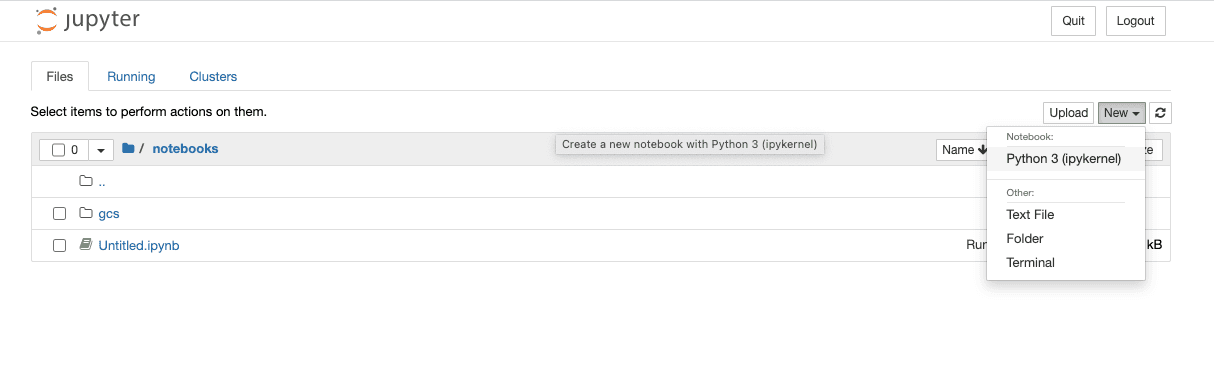
In the first cell in the window paste the below text. Update the GCP project and bucket names and the service account credentials file, then run the code:
from pyspark.sql import SparkSessionimport urllib.request# Download dependencies for BigQuery and GCSgc_jars = ['https://repo1.maven.org/maven2/com/google/cloud/bigdataoss/gcs-connector/hadoop3-2.1.1/gcs-connector-hadoop3-2.1.1-shaded.jar', 'https://repo1.maven.org/maven2/com/google/cloud/bigdataoss/bigquery-connector/hadoop3-1.2.0/bigquery-connector-hadoop3-1.2.0-shaded.jar', 'https://repo1.maven.org/maven2/com/google/cloud/spark/spark-bigquery-with-dependencies_2.12/0.22.2/spark-bigquery-with-dependencies_2.12-0.22.2.jar']files = [urllib.request.urlretrieve(url)[0] for url in gc_jars]# Set these to your own project and bucketproject_id = 'bq-openlineage-spark-demo'gcs_bucket = 'bq-openlineage-spark-demo-bucket'credentials_file = '/home/jovyan/notebooks/gcs/bq-spark-demo.json'spark = (SparkSession.builder.master('local').appName('openlineage_spark_test') .config('spark.jars', ",".join(files)) # Install and set up the OpenLineage listener .config('spark.jars.packages', 'io.openlineage:openlineage-spark:1.45.0') .config('spark.extraListeners', 'io.openlineage.spark.agent.OpenLineageSparkListener') .config('spark.openlineage.transport.url', 'http://marquez-api:5000') .config('spark.openlineage.transport.type', 'http') .config('spark.openlineage.namespace', 'spark_integration') # Configure the Google credentials and project id .config('spark.executorEnv.GCS_PROJECT_ID', project_id) .config('spark.executorEnv.GOOGLE_APPLICATION_CREDENTIALS', '/home/jovyan/notebooks/gcs/bq-spark-demo.json') .config('spark.hadoop.google.cloud.auth.service.account.enable', 'true') .config('spark.hadoop.google.cloud.auth.service.account.json.keyfile', credentials_file) .config('spark.hadoop.fs.gs.impl', 'com.google.cloud.hadoop.fs.gcs.GoogleHadoopFileSystem') .config('spark.hadoop.fs.AbstractFileSystem.gs.impl', 'com.google.cloud.hadoop.fs.gcs.GoogleHadoopFS') .config("spark.hadoop.fs.gs.project.id", project_id) .getOrCreate())
Most of this is boilerplate for installing the BigQuery and GCS libraries in the notebook environment. This also sets the configuration parameters to tell the libraries what GCP project to use and how to authenticate with Google. The parameters specific to OpenLineage are the four already mentioned: `spark.jars.packages`, `spark.extraListeners`, `spark.openlineage.host`, `spark.openlineage.namespace`. Here, the host has been configured to be the `marquez-api` container started by Docker.
With OpenLineage configured, it's time to get some data. The below code populates Spark DataFrames with data from two COVID-19 public data sets. Create a new cell in the notebook and paste the following:
from pyspark.sql.functions import expr, colmask_use = spark.read.format('bigquery') \ .option('parentProject', project_id) \ .option('table', 'bigquery-public-data:covid19_nyt.mask_use_by_county') \ .load() \ .select(expr("always + frequently").alias("frequent"), expr("never + rarely").alias("rare"), "county_fips_code") opendata = spark.read.format('bigquery') \ .option('parentProject', project_id) \ .option('table', 'bigquery-public-data.covid19_open_data.covid19_open_data') \ .load() \ .filter("country_name == 'United States of America'") \ .filter("date == '2021-10-31'") \ .select("location_key", expr('cumulative_deceased/(population/100000)').alias('deaths_per_100k'), expr('cumulative_persons_fully_vaccinated/(population - population_age_00_09)').alias('vaccination_rate'), col('subregion2_code').alias('county_fips_code'))joined = mask_use.join(opendata, 'county_fips_code')joined.write.mode('overwrite').parquet(f'gs://{gcs_bucket}/demodata/covid_deaths_and_mask_usage/')
Some background on the above: the `covid19_open_data` table is being filtered to include only U.S. data and data for Halloween 2021. The `deaths_per_100k` data point is being calculated using the existing `cumulative_deceased` and `population` columns and the `vaccination_rate` using the total population, subtracting the 0-9 year olds, since they were ineligible for vaccination at the time. For the `mask_use_by_county` data, "rarely" and "never" data are being combined into a single number, as are "frequently" and "always." The columns selected from the two datasets are then stored in GCS.
Now, add a cell to the notebook and paste this line:
spark.read.parquet(f'gs://{gcs_bucket}/demodata/covid_deaths_and_mask_usage/').count()
The notebook should print a warning and a stacktrace (probably a debug statement), then return a total of 3142 records.
Now that the pipeline is operational it is available for lineage collection.
The `docker-compose.yml` file that ships with the OpenLineage repo includes only the Jupyter notebook and the Marquez API. To explore the lineage visually, start up the Marquez web project. Without terminating the existing docker containers, run the following command in a new terminal:
docker run --network spark_default -p 3000:3000 -e MARQUEZ_HOST=marquez-api -e MARQUEZ_PORT=5000 -e WEB_PORT=3000 --link marquez-api:marquez-api marquezproject/marquez-web:0.19.1
Next, open a new browser tab and navigate to [http://localhost:3000](http://localhost:3000/)
, which should look like this:
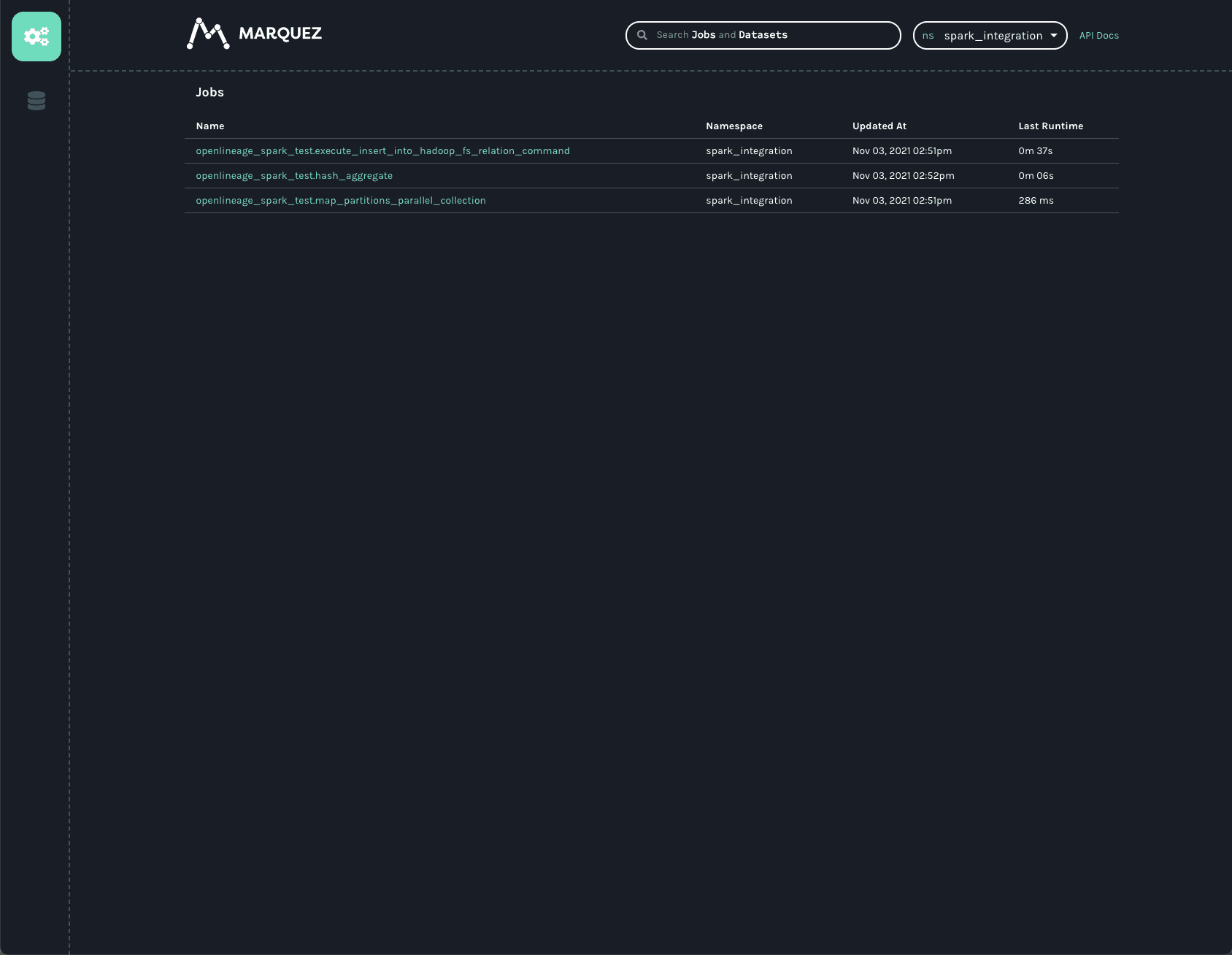
Note: the `spark_integration` namespace is automatically chosen because there are no other namespaces available. Three jobs are listed on the jobs page of the UI. They all start with `openlineage_spark_test`, which is the appName passed to the SparkSession when the first cell of the notebook was built. Each query execution or RDD action is represented as a distinct job and the name of the action is appended to the application name to form the name of the job. Clicking on the `openlineage_spark_test.execute_insert_into_hadoop_fs_relation_command` node calls up the lineage graph for our notebook:
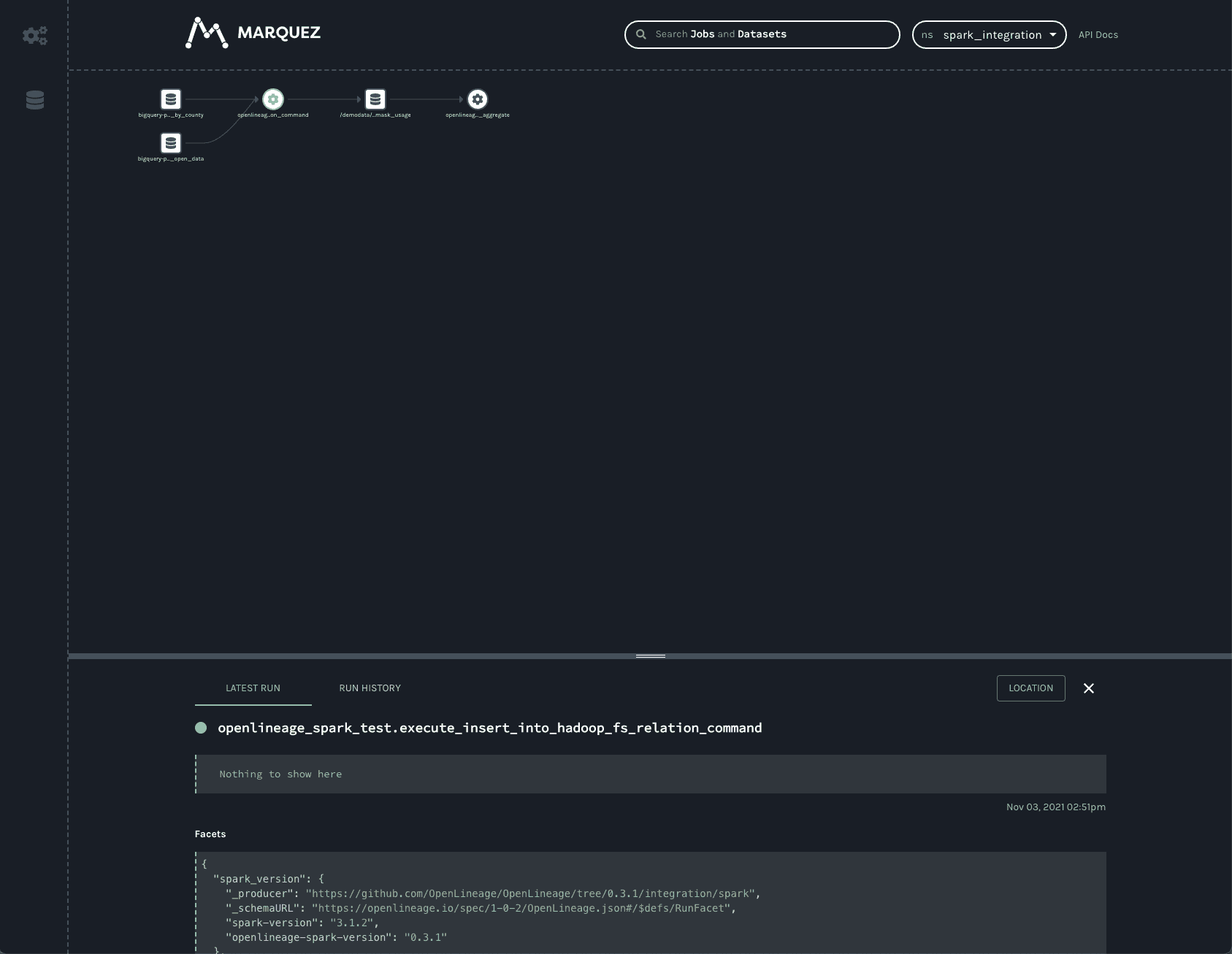
The graph shows that the `openlineage_spark_test.execute_insert_into_hadoop_fs_relation_command` job reads from two input datasets, `bigquery-public-data.covid19_nyt.mask_use_by_county` and `bigquery-public-data.covid19_open_data.covid19_open_data`, and writes to a third dataset, `/demodata/covid_deaths_and_mask_usage`. The namespace is missing from that third dataset, but the fully qualified name is `gs:///demodata/covid_deaths_and_mask_usage`.
The bottom bar shows some interesting data that was collected from the Spark job. Dragging the bar up expands the view to offer a closer look.
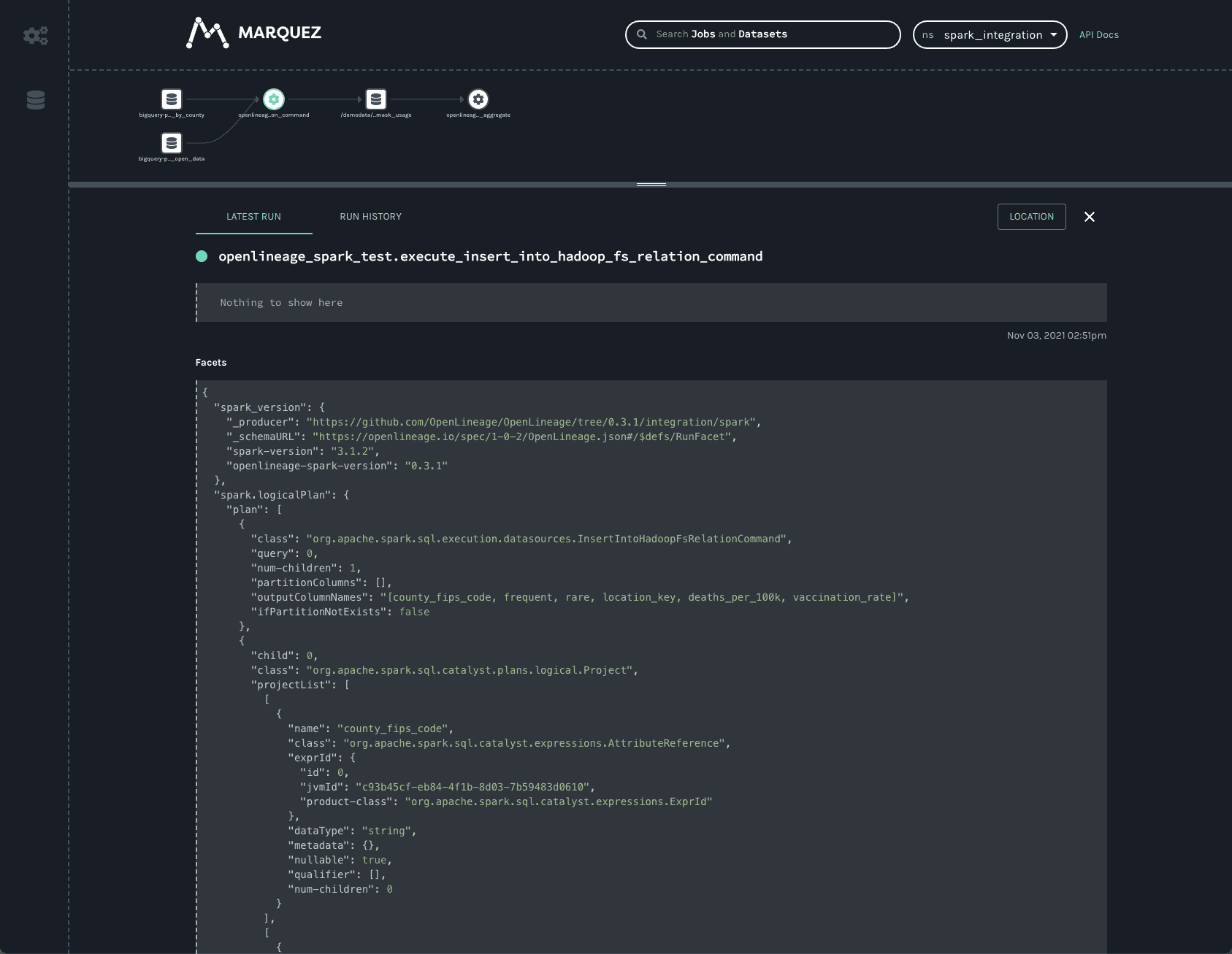
Two facets always collected from Spark jobs are the `spark_version` and the `spark.logicalPlan`. The first simply reports what version of Spark was executing, as well as the version of the openlineage-spark library. This is helpful for debugging job runs.
The second facet is the serialized optimized LogicalPlan Spark reports when the job runs. Spark’s query optimization can have dramatic effects on the execution time and efficiency of the query job. Tracking how query plans change over time can significantly aid in debugging slow queries or `OutOfMemory` errors in production.
Clicking on the first BigQuery dataset provides information about the data:
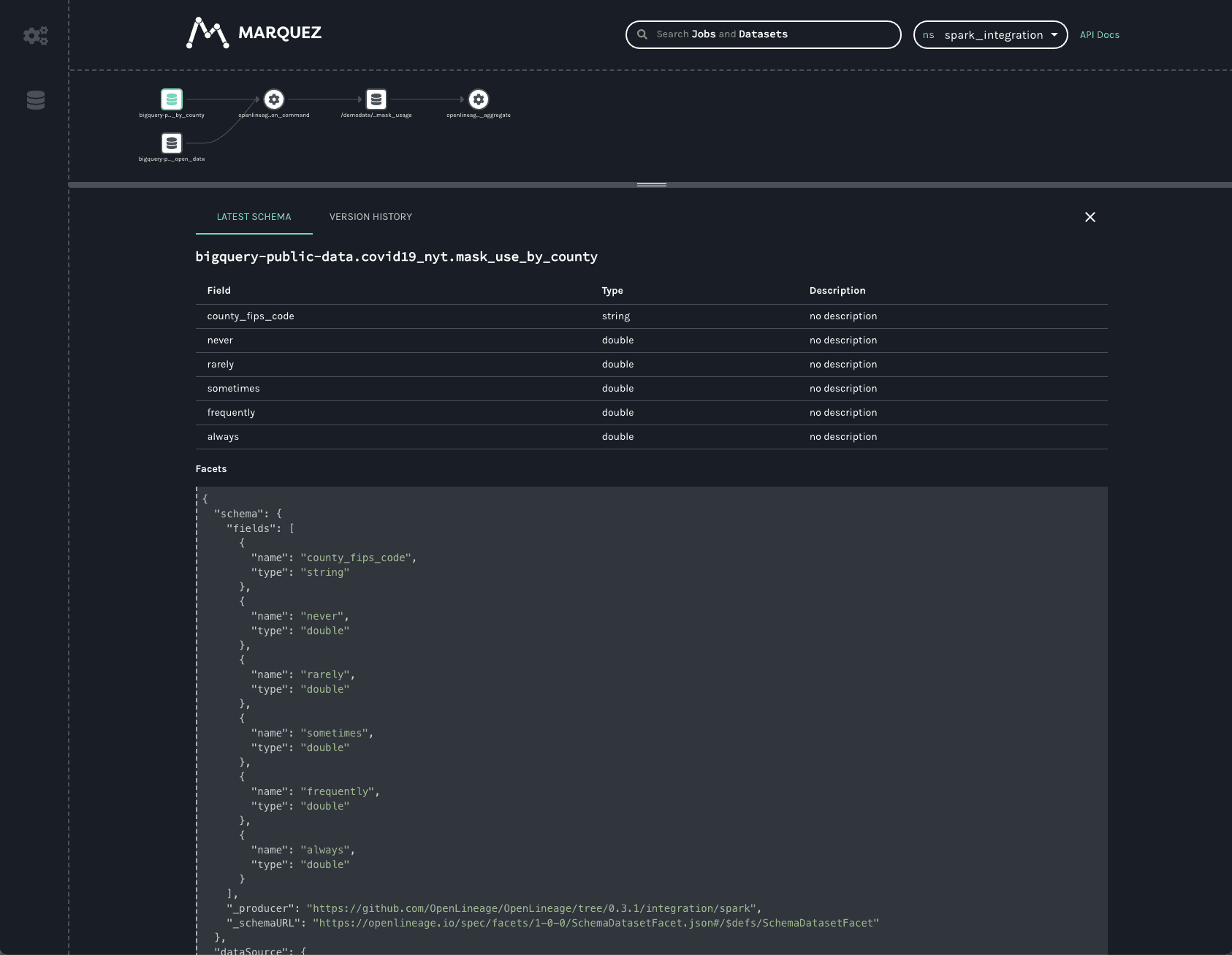
One can see the schema of the dataset as well as the datasource.
Similar information is available about the dataset written to in GCS:
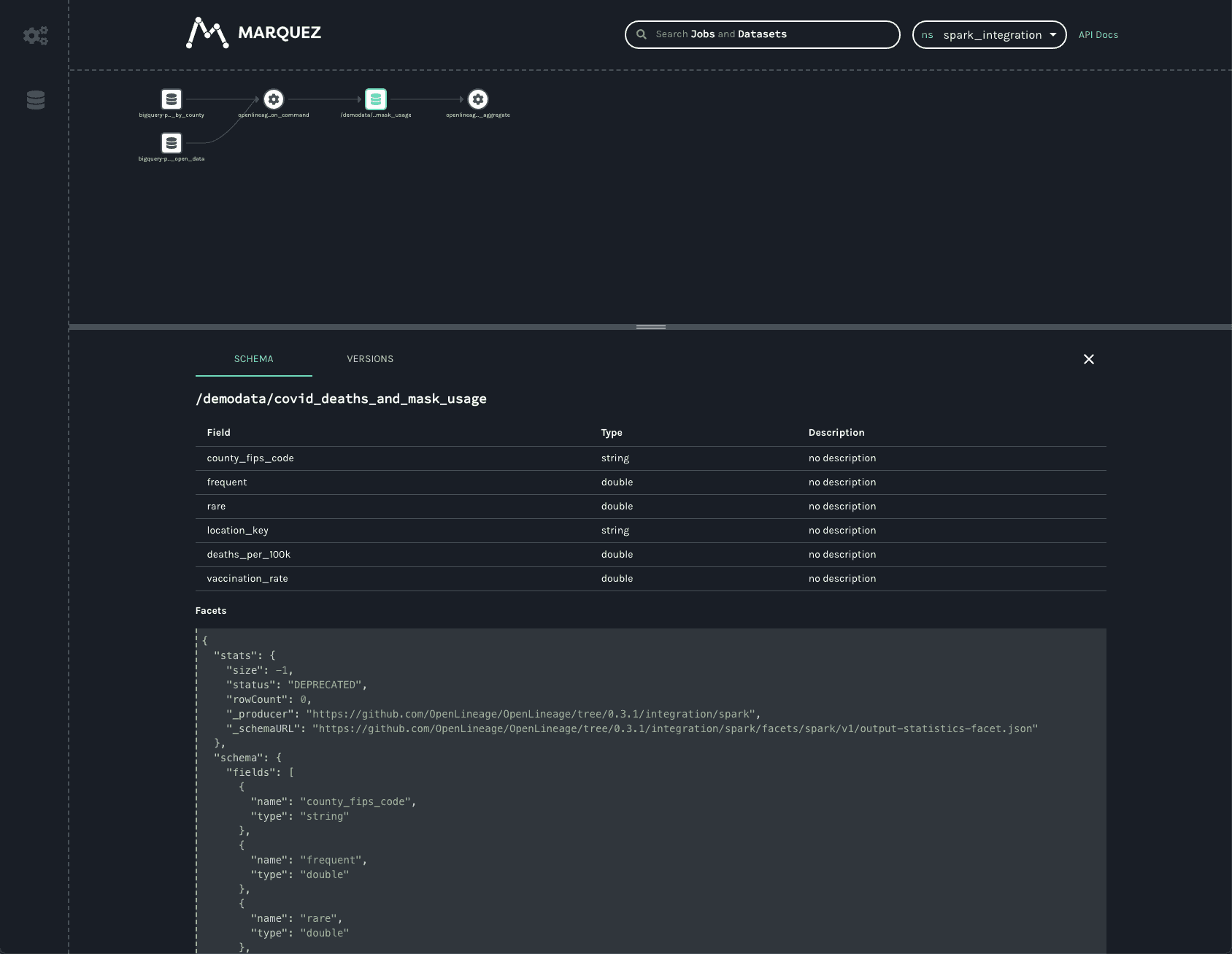
As in the BigQuery dataset, one can see the output schema and the datasource — in this case, the `gs://` scheme and the name of the bucket written to.
In addition to the schema, one can also see a stats facet, reporting the number of output records and bytes as -1.
The VERSIONS tab on the bottom bar would display multiple versions if there were any (not the case here). Clicking on the version shows the same schema and statistics facets, but they are specific to the version selected.
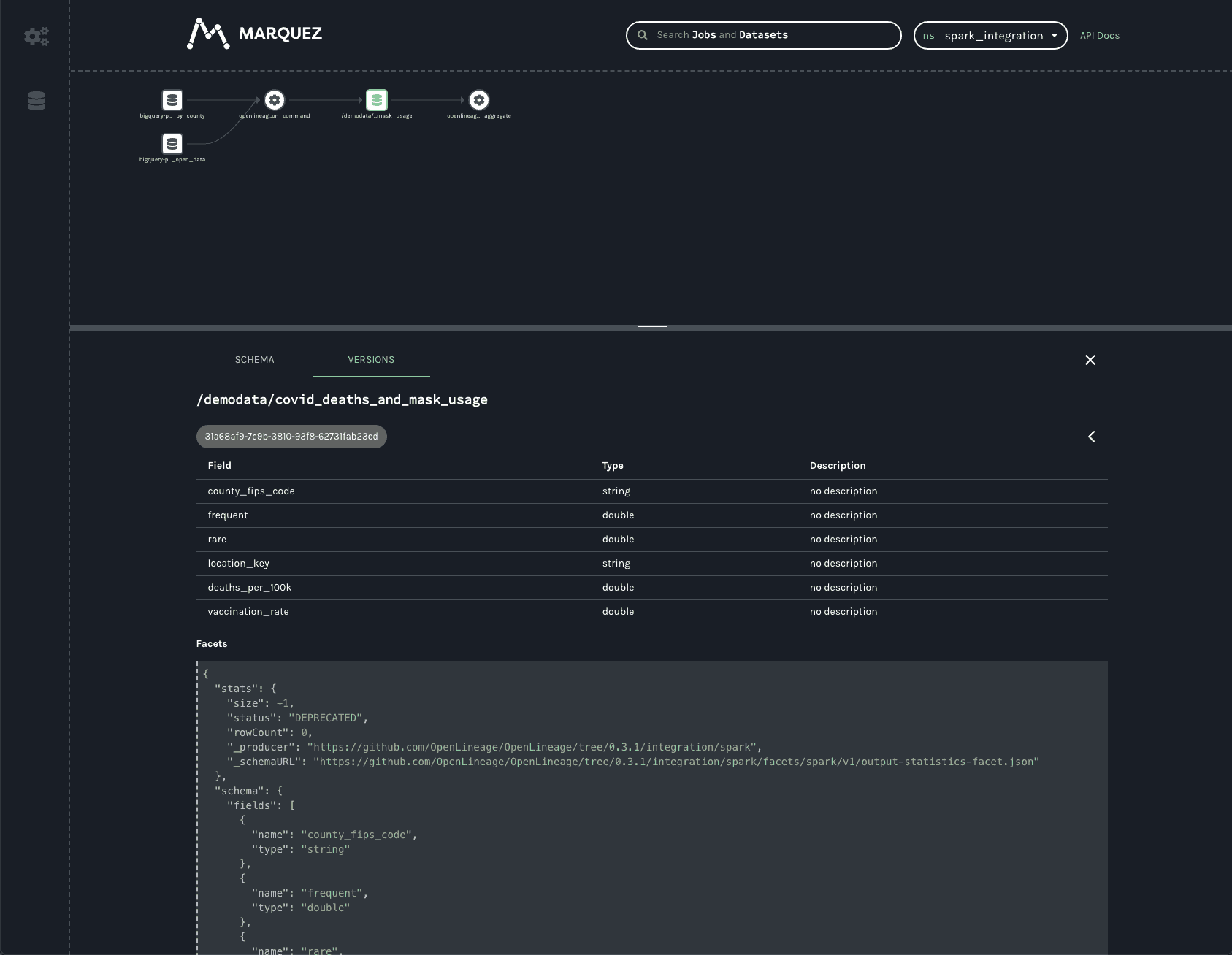
In production, this dataset would have many versions, as each time a job runs a new version of the dataset is created. This permits the tracking of changes to the statistics and schema over time, aiding in debugging slow jobs or data quality issues and job failures.
The final job in the UI is a HashAggregate job. This represents the `count()` method called at the end to show the number of records in the dataset. Rather than a `count()`, this could easily be a `toPandas()` call or some other job that reads and processes that data -- perhaps one that stores output back into GCS or updates a Postgres database, publishes a new model, etc. Regardless of where the output gets stored, the OpenLineage integration allows one to see the entire lineage graph, unifying datasets in object stores, relational databases, and more traditional data warehouses.
### Conclusion[](https://openlineage.io/docs/1.38.0/guides/spark/#conclusion "Direct link to Conclusion")
The Spark integration from OpenLineage offers users insights into graphs of datasets stored in object stores like S3, GCS, and Azure Blob Storage, as well as BigQuery and relational databases like Postgres. Now with support for Spark 3.1, OpenLineage offers visibility into more environments, such as Databricks, EMR, and Dataproc clusters.
* [Running Spark with OpenLineage](https://openlineage.io/docs/1.38.0/guides/spark/#running-spark-with-openlineage)
* [Prerequisites](https://openlineage.io/docs/1.38.0/guides/spark/#prerequisites)
* [Instructions](https://openlineage.io/docs/1.38.0/guides/spark/#instructions)
* [Conclusion](https://openlineage.io/docs/1.38.0/guides/spark/#conclusion)
---
# OpenLineage Compatibility | OpenLineage
[Skip to main content](https://openlineage.io/docs/1.38.0/integrations/openlineage_compatibility/#__docusaurus_skipToContent_fallback)
This is documentation for OpenLineage **1.38.0**, which is no longer actively maintained.
For up-to-date documentation, see the **[latest version](https://openlineage.io/docs/integrations/openlineage_compatibility/)
** (1.45.0).
Version: 1.38.0
---
# 3.3.2 | OpenLineage
[Skip to main content](https://openlineage.io/docs/1.38.0/integrations/openlineage_compatibility/spark_dataproc/3.3.2/#__docusaurus_skipToContent_fallback)
This is documentation for OpenLineage **1.38.0**, which is no longer actively maintained.
For up-to-date documentation, see the **[latest version](https://openlineage.io/docs/integrations/openlineage_compatibility/spark_dataproc/3.3.2)
** (1.45.0).
Version: 1.38.0
On this page
Facets[](https://openlineage.io/docs/1.38.0/integrations/openlineage_compatibility/spark_dataproc/3.3.2/#facets "Direct link to Facets")
------------------------------------------------------------------------------------------------------------------------------------------
| openlineage version | run\_event | jobType | parent | dataSource | processing\_engine | schema | columnLineage | gcp\_lineage | spark\_properties | catalog | environment-properties | gcp\_dataproc | outputStatistics | storage |
| --- | --- | --- | --- | --- | --- | --- | --- | --- | --- | --- | --- | --- | --- | --- |
| 1.29.0 | + | + | + | + | + | + | + | + | + | \- | \- | + | \- | \- |
| 1.30.0 | + | + | + | + | + | + | + | + | + | \- | \- | + | \- | \- |
| 1.31.0 | + | + | + | + | + | + | + | + | + | \- | \- | + | \- | \- |
| 1.32.0 | + | + | + | + | + | + | + | + | + | \- | \- | + | \- | \- |
| 1.33.0 | + | + | + | + | + | + | + | + | + | \- | \- | + | \- | \- |
| 1.34.0 | + | + | + | + | + | + | + | + | + | \- | \- | + | \- | \- |
| 1.35.0 | + | + | + | + | + | + | + | + | + | \- | \- | + | \- | \- |
| 1.36.0 | + | + | + | + | + | + | + | + | + | \- | \- | + | \- | \- |
| 1.37.0 | + | + | + | + | + | + | + | + | + | \- | \- | + | \- | \- |
| 1.40.1 | + | + | + | + | + | + | + | + | + | \- | \- | + | \- | \- |
| 1.41.0 | + | + | + | + | + | + | + | + | + | \- | \- | + | \- | \- |
| 1.42.0 | + | + | + | + | + | + | + | + | + | \- | \- | + | \- | \- |
| 1.42.1 | + | + | + | + | + | + | + | + | + | \- | \- | + | \- | \- |
| 1.43.0 | + | + | + | + | + | + | + | + | + | \- | \- | + | \- | \- |
| 1.44.0 | + | + | + | + | + | + | + | + | + | \- | \- | + | \- | \- |
| 1.45.0 | + | + | + | + | + | + | + | + | + | \- | \- | + | \- | \- |
Lineage Levels[](https://openlineage.io/docs/1.38.0/integrations/openlineage_compatibility/spark_dataproc/3.3.2/#lineage-levels "Direct link to Lineage Levels")
------------------------------------------------------------------------------------------------------------------------------------------------------------------
| Datasource | Dataset | Column | Transformation |
| --- | --- | --- | --- |
| Bigquery | + | + | + |
* [Facets](https://openlineage.io/docs/1.38.0/integrations/openlineage_compatibility/spark_dataproc/3.3.2/#facets)
* [Lineage Levels](https://openlineage.io/docs/1.38.0/integrations/openlineage_compatibility/spark_dataproc/3.3.2/#lineage-levels)
---
# Reusable actions and common scripts | OpenLineage
[Skip to main content](https://openlineage.io/docs/1.38.0/integrations/openlineage_compatibility/compatibility_test/reusable_actions_and_common_scripts/#__docusaurus_skipToContent_fallback)
This is documentation for OpenLineage **1.38.0**, which is no longer actively maintained.
For up-to-date documentation, see the **[latest version](https://openlineage.io/docs/integrations/openlineage_compatibility/compatibility_test/reusable_actions_and_common_scripts)
** (1.45.0).
Version: 1.38.0
On this page
Reusable actions[](https://openlineage.io/docs/1.38.0/integrations/openlineage_compatibility/compatibility_test/reusable_actions_and_common_scripts/#reusable-actions "Direct link to Reusable actions")
----------------------------------------------------------------------------------------------------------------------------------------------------------------------------------------------------------
### Run Event Validation[](https://openlineage.io/docs/1.38.0/integrations/openlineage_compatibility/compatibility_test/reusable_actions_and_common_scripts/#run-event-validation "Direct link to Run Event Validation")
The `run_event_validation` action is a custom GitHub action that handles validation logic for OpenLineage events. Because OpenLineage events have a standardized structure, we provide a generic action that validates events against OpenLineage specifications.
The action:
* Retrieves the OpenLineage specification for all releases defined in `release_tags`
* Runs syntax validation (checks if events conform to the OpenLineage JSON schema)
* Runs semantic validation (compares actual event content with expected values using [Event Comparison](https://openlineage.io/docs/1.38.0/integrations/openlineage_compatibility/compatibility_test/reusable_actions_and_common_scripts/#event-comparison)
)
* Creates a comprehensive report using [Report](https://openlineage.io/docs/1.38.0/integrations/openlineage_compatibility/compatibility_test/reusable_actions_and_common_scripts/#report)
**Inputs:**
| Name | Description | Required | Default |
| --- | --- | --- | --- |
| `release_tags` | List of the spec versions to check against | false | "" |
| `ol_release` | Release to run the validation with | false | "" |
| `component_release` | Release of the component producing events | false | "" |
| `target-path` | Path to save the report to | true | \- |
| `event-directory` | Directory containing the events to validate | true | \- |
| `producer-dir` | Directory with producer definitions | true | \- |
| `component` | Component name to use | true | \- |
**Outputs:**
| Name | Description |
| --- | --- |
| `report_path` | Path to generated report |
#### Structure[](https://openlineage.io/docs/1.38.0/integrations/openlineage_compatibility/compatibility_test/reusable_actions_and_common_scripts/#structure "Direct link to Structure")
The action requires a specific directory structure for validation to work properly:
**Event Directory Structure:**
* **Root event directory** - Top-level directory containing scenario subdirectories
* **Scenario subdirectories** - One directory per test scenario
* **Generated event files** - Actual OpenLineage events produced by the component being tested
* **File naming** - Events should be named descriptively (e.g., `job_start.json`, `job_complete.json`)
* **Format** - All files must be valid JSON containing OpenLineage events
**Producer Directory Structure:**
* **Producer root** - Main directory for the producer component
* **Scenarios directory** - Contains expected event definitions
* **Scenario subdirectories** - Mirror the structure of event directory
* **`config.json`** - Configuration file with test specifications and version constraints
* **`events/`** - Directory containing expected OpenLineage event templates
* **Expected event files** - Template events using Jinja functions for flexible validation
* **`maintainers.json`** - File listing scenario maintainers
* **`scenario.md`** - Documentation describing the test scenario
**Example Directory Layout:**
event-directory/├── scenario1/│ ├── job_start.json # Generated events│ └── job_complete.json└── scenario2/ ├── spark_read.json └── spark_write.jsonproducer-dir/├── scenarios/│ ├── scenario1/│ │ ├── config.json # Test configuration│ │ ├── events/│ │ │ ├── job_start.json # Expected event template│ │ │ └── job_complete.json│ │ ├── maintainers.json│ │ └── scenario.md│ └── scenario2/│ ├── config.json│ ├── events/│ │ ├── spark_read.json│ │ └── spark_write.json│ ├── maintainers.json│ └── scenario.md
**Validation Process:**
* **Discovery** - Action scans event directory for scenario subdirectories
* **Matching** - For each scenario, finds corresponding producer scenario definition
* **Configuration Loading** - Reads scenario config.json for version constraints and test specifications
* **Event Pairing** - Matches generated events with expected event templates by filename
* **Validation Execution** - Runs comparison between generated and expected events
* **Report Generation** - Compiles results into comprehensive compatibility report
### Get OpenLineage Artifacts[](https://openlineage.io/docs/1.38.0/integrations/openlineage_compatibility/compatibility_test/reusable_actions_and_common_scripts/#get-openlineage-artifacts "Direct link to Get OpenLineage Artifacts")
Action that downloads OpenLineage artifacts from either the latest OpenLineage builds or Maven repository. If `get-latest-snapshots` is true, the action attempts to get each non-skipped artifact from the latest build. If that fails, it falls back to getting the artifact from Maven Central using the version specified in `version`.
**Inputs:**
| Name | Description | Required | Default |
| --- | --- | --- | --- |
| `get-latest-snapshots` | First try to download artifacts from OpenLineage builds, rather than Maven repository | false | false |
| `version` | OpenLineage artifact version to use if `get-latest-snapshots` is false or artifact is unavailable in latest build artifacts | true | |
| `skip-spark` | Skip Spark integration download | false | false |
| `skip-java` | Skip Java client download | false | false |
| `skip-flink` | Skip Flink integration download | false | false |
| `skip-sql` | Skip SQL interface download | false | false |
| `skip-extensions` | Skip extensions download | false | false |
| `skip-gcp-lineage` | Skip GCP-lineage transport download | false | false |
| `skip-gcs` | Skip GCS transport download | false | false |
| `skip-s3` | Skip S3 transport download | false | false |
**Outputs:**
| Name | Description |
| --- | --- |
| `spark` | File path of the downloaded openlineage-spark jar |
| `java` | File path of the downloaded openlineage-java jar |
| `flink` | File path of the downloaded openlineage-flink jar |
| `sql` | File path of the downloaded openlineage-sql-java jar |
| `extensions` | File path of the downloaded openlineage-extensions jar |
| `gcp-lineage` | File path of the downloaded transports-gcp-lineage jar |
| `gcs` | File path of the downloaded transports-gcs jar |
| `s3` | File path of the downloaded transports-s3 jar |
Common scripts[](https://openlineage.io/docs/1.38.0/integrations/openlineage_compatibility/compatibility_test/reusable_actions_and_common_scripts/#common-scripts "Direct link to Common scripts")
----------------------------------------------------------------------------------------------------------------------------------------------------------------------------------------------------
### Event Comparison[](https://openlineage.io/docs/1.38.0/integrations/openlineage_compatibility/compatibility_test/reusable_actions_and_common_scripts/#event-comparison "Direct link to Event Comparison")
Events are compared using the `compare_events.py` script, which iterates through the expected JSON and for each defined field checks if there is a corresponding one in the result file. Helper Jinja functions are defined to improve test coverage.
Value functions are used in example events to substitute exact values:
* `any` - If the key has any value defined
* `is_datetime` - Field value is a parsable datetime
* `is_uuid` - Field value is a UUID
* `contains` - Field value contains the exact string
* `match` - Field value matches the given regex
* `not_match` - Field value doesn't match the given regex
* `one_of` - Field value is one of the given values
key functions
* `key_not_defined` - key is not defined
* `unordered_list` - for every element of expected array it checks if any of the elements in result array matches instead of comparing elements on the same indexes
#### Event structure[](https://openlineage.io/docs/1.38.0/integrations/openlineage_compatibility/compatibility_test/reusable_actions_and_common_scripts/#event-structure "Direct link to Event structure")
Example structure of expected json
**Structure of example json**
{ "eventTime": "{{ is_datetime(result) }}", "eventType": "{{ one_of(result, 'RUNNING', 'COMPLETE') }}", "run": { "runId": "{{ is_uuid(result) }}", "facets": { "{{ key_not_defined(result, 'parent') }}": {} } }, "job": { "namespace": "Example Namespace", "name": "Example Name" }, "outputs": [ { "namespace": "hdfs://dataproc-producer-test-m", "name": "/user/hive/warehouse/t2", "facets": { "columnLineage": { "fields": { "a": { "inputFields": [ { "namespace": "hdfs://dataproc-producer-test-m", "name": "/user/hive/warehouse/t1", "field": "a", "{{ unordered_list(result, transformations) }} ": [ { "type": "DIRECT", "subtype": "TRANSFORMATION" }, { "type": "INDIRECT", "subtype": "CONDITIONAL" } ] }, { "namespace": "hdfs://dataproc-producer-test-m", "name": "/user/hive/warehouse/t1", "field": "a" } ] } } } } } ]}
### Report[](https://openlineage.io/docs/1.38.0/integrations/openlineage_compatibility/compatibility_test/reusable_actions_and_common_scripts/#report "Direct link to Report")
The `scripts/report.py` provides a structured representation of test report using Python classes:
The classes provide an api to:
* add components, scenarios and tests to the report
* serialize/deserialize the report to json
* create summaries for both producer and consumer
* update the report with values from new report
* create new failures report by searching for sa asd asd asd asd as failures in new report but absent in old report
* [Reusable actions](https://openlineage.io/docs/1.38.0/integrations/openlineage_compatibility/compatibility_test/reusable_actions_and_common_scripts/#reusable-actions)
* [Run Event Validation](https://openlineage.io/docs/1.38.0/integrations/openlineage_compatibility/compatibility_test/reusable_actions_and_common_scripts/#run-event-validation)
* [Get OpenLineage Artifacts](https://openlineage.io/docs/1.38.0/integrations/openlineage_compatibility/compatibility_test/reusable_actions_and_common_scripts/#get-openlineage-artifacts)
* [Common scripts](https://openlineage.io/docs/1.38.0/integrations/openlineage_compatibility/compatibility_test/reusable_actions_and_common_scripts/#common-scripts)
* [Event Comparison](https://openlineage.io/docs/1.38.0/integrations/openlineage_compatibility/compatibility_test/reusable_actions_and_common_scripts/#event-comparison)
* [Report](https://openlineage.io/docs/1.38.0/integrations/openlineage_compatibility/compatibility_test/reusable_actions_and_common_scripts/#report)
---
# Query types | OpenLineage
[Skip to main content](https://openlineage.io/docs/1.38.0/integrations/hive/query_types/#__docusaurus_skipToContent_fallback)
This is documentation for OpenLineage **1.38.0**, which is no longer actively maintained.
For up-to-date documentation, see the **[latest version](https://openlineage.io/docs/integrations/hive/query_types)
** (1.45.0).
Version: 1.38.0
This integration supports a wide range of Hive query types, including:
* `CREATE TABLE AS SELECT` (`CTAS`): Captures lineage from source tables to the newly created table. Includes operations like `SELECT`, `JOIN`, `WHERE` filters, and aggregations within the `CTAS` statement.
* `INSERT` (`OVERWRITE TABLE` | `INTO TABLE`): Captures lineage from source data to the destination table. Includes operations like `SELECT`, `JOIN`, `WHERE` filters, and aggregations within the `INSERT` statement.
* `SELECT` statements: Do not emit lineage events on their own (as they don't change data). However, intermediate transformations within a `SELECT` used in a `CTAS` or `INSERT` are analyzed for column-level lineage.
* Complex Queries: Supports complex queries involving Common Table Expressions (CTEs), joins, filters, aggregations, sorting, window functions, and more.
* Union statements: `UNION ALL` statements are supported capturing lineage from multiple input tables to a single destination.
---
# 3.5.1 | OpenLineage
[Skip to main content](https://openlineage.io/docs/1.38.0/integrations/openlineage_compatibility/spark_dataproc/3.5.1/#__docusaurus_skipToContent_fallback)
This is documentation for OpenLineage **1.38.0**, which is no longer actively maintained.
For up-to-date documentation, see the **[latest version](https://openlineage.io/docs/integrations/openlineage_compatibility/spark_dataproc/3.5.1)
** (1.45.0).
Version: 1.38.0
On this page
Facets[](https://openlineage.io/docs/1.38.0/integrations/openlineage_compatibility/spark_dataproc/3.5.1/#facets "Direct link to Facets")
------------------------------------------------------------------------------------------------------------------------------------------
| openlineage version | run\_event | jobType | parent | dataSource | processing\_engine | schema | columnLineage | gcp\_lineage | spark\_properties | catalog | environment-properties | gcp\_dataproc | outputStatistics | storage |
| --- | --- | --- | --- | --- | --- | --- | --- | --- | --- | --- | --- | --- | --- | --- |
| 1.29.0 | + | + | + | + | + | + | + | + | + | \- | + | + | + | + |
| 1.30.0 | + | + | + | + | + | + | + | + | + | \- | + | + | + | + |
| 1.31.0 | + | + | + | + | + | + | + | + | + | \- | + | + | + | + |
| 1.32.0 | + | + | + | + | + | + | + | + | + | \- | + | + | + | + |
| 1.33.0 | + | + | + | + | + | + | + | + | + | \- | + | + | + | + |
| 1.34.0 | + | + | + | + | + | + | + | + | + | \- | + | + | + | + |
| 1.35.0 | + | + | + | + | + | + | + | + | + | \- | + | + | + | + |
| 1.36.0 | + | + | + | + | + | + | + | + | + | \- | + | + | + | + |
| 1.37.0 | + | + | + | + | + | + | + | + | + | \- | + | + | + | + |
| 1.38.0 | + | + | + | + | + | + | \- | + | + | \- | + | + | + | + |
| 1.39.0 | + | + | + | + | + | + | \- | + | + | \- | + | + | + | + |
| 1.40.1 | + | + | + | + | + | + | + | + | + | \- | + | + | + | + |
| 1.41.0 | + | + | + | + | + | + | + | + | + | + | + | + | + | + |
| 1.42.0 | + | + | + | + | + | + | + | + | + | + | + | + | + | + |
| 1.42.1 | + | + | + | + | + | + | + | + | + | + | + | + | + | + |
| 1.43.0 | + | + | + | + | + | + | + | + | + | + | + | + | + | + |
| 1.44.0 | + | + | + | + | + | + | + | + | + | + | + | + | + | + |
| 1.45.0 | + | + | + | + | + | + | + | + | + | + | + | + | + | + |
Lineage Levels[](https://openlineage.io/docs/1.38.0/integrations/openlineage_compatibility/spark_dataproc/3.5.1/#lineage-levels "Direct link to Lineage Levels")
------------------------------------------------------------------------------------------------------------------------------------------------------------------
| Datasource | Dataset | Column | Transformation |
| --- | --- | --- | --- |
| Spanner | + | + | + |
| Hive | + | + | + |
| Cloudsql | + | + | + |
| Bigtable | + | \- | \- |
| Bigquery | + | + | + |
* [Facets](https://openlineage.io/docs/1.38.0/integrations/openlineage_compatibility/spark_dataproc/3.5.1/#facets)
* [Lineage Levels](https://openlineage.io/docs/1.38.0/integrations/openlineage_compatibility/spark_dataproc/3.5.1/#lineage-levels)
---
# 3.1.3 | OpenLineage
[Skip to main content](https://openlineage.io/docs/1.38.0/integrations/openlineage_compatibility/spark_dataproc/3.1.3/#__docusaurus_skipToContent_fallback)
This is documentation for OpenLineage **1.38.0**, which is no longer actively maintained.
For up-to-date documentation, see the **[latest version](https://openlineage.io/docs/integrations/openlineage_compatibility/spark_dataproc/3.1.3)
** (1.45.0).
Version: 1.38.0
On this page
Facets[](https://openlineage.io/docs/1.38.0/integrations/openlineage_compatibility/spark_dataproc/3.1.3/#facets "Direct link to Facets")
------------------------------------------------------------------------------------------------------------------------------------------
| openlineage version | run\_event | jobType | parent | dataSource | processing\_engine | schema | columnLineage | gcp\_lineage | spark\_properties | catalog | environment-properties | gcp\_dataproc | outputStatistics | storage |
| --- | --- | --- | --- | --- | --- | --- | --- | --- | --- | --- | --- | --- | --- | --- |
| 1.29.0 | + | + | + | + | + | + | + | + | + | \- | \- | + | \- | \- |
| 1.30.0 | + | + | + | + | + | + | + | + | + | \- | \- | + | \- | \- |
| 1.31.0 | + | + | + | + | + | + | + | + | + | \- | \- | + | \- | \- |
| 1.32.0 | + | + | + | + | + | + | + | + | + | \- | \- | + | \- | \- |
| 1.33.0 | + | + | + | + | + | + | + | + | + | \- | \- | + | \- | \- |
| 1.34.0 | + | + | + | + | + | + | + | + | + | \- | \- | + | \- | \- |
| 1.35.0 | + | + | + | + | + | + | + | + | + | \- | \- | + | \- | \- |
| 1.36.0 | + | + | + | + | + | + | + | + | + | \- | \- | + | \- | \- |
| 1.37.0 | + | + | + | + | + | + | + | + | + | \- | \- | + | \- | \- |
| 1.40.1 | + | + | + | + | + | + | + | + | + | \- | \- | + | \- | \- |
| 1.41.0 | + | + | + | + | + | + | + | + | + | \- | \- | + | \- | \- |
| 1.42.0 | + | + | + | + | + | + | + | + | + | \- | \- | + | \- | \- |
| 1.42.1 | + | + | + | + | + | + | + | + | + | \- | \- | + | \- | \- |
| 1.43.0 | + | + | + | + | + | + | + | + | + | \- | \- | + | \- | \- |
| 1.44.0 | + | + | + | + | + | + | + | + | + | \- | \- | + | \- | \- |
| 1.45.0 | + | + | + | + | + | + | + | + | + | \- | \- | + | \- | \- |
Lineage Levels[](https://openlineage.io/docs/1.38.0/integrations/openlineage_compatibility/spark_dataproc/3.1.3/#lineage-levels "Direct link to Lineage Levels")
------------------------------------------------------------------------------------------------------------------------------------------------------------------
| Datasource | Dataset | Column | Transformation |
| --- | --- | --- | --- |
| Bigquery | + | + | + |
* [Facets](https://openlineage.io/docs/1.38.0/integrations/openlineage_compatibility/spark_dataproc/3.1.3/#facets)
* [Lineage Levels](https://openlineage.io/docs/1.38.0/integrations/openlineage_compatibility/spark_dataproc/3.1.3/#lineage-levels)
---
# Compatibility Tests | OpenLineage
[Skip to main content](https://openlineage.io/docs/1.38.0/integrations/openlineage_compatibility/compatibility_test/#__docusaurus_skipToContent_fallback)
This is documentation for OpenLineage **1.38.0**, which is no longer actively maintained.
For up-to-date documentation, see the **[latest version](https://openlineage.io/docs/integrations/openlineage_compatibility/compatibility_test/)
** (1.45.0).
Version: 1.38.0
On this page
Compatibility Tests[](https://openlineage.io/docs/1.38.0/integrations/openlineage_compatibility/compatibility_test/#compatibility-tests "Direct link to Compatibility Tests")
-------------------------------------------------------------------------------------------------------------------------------------------------------------------------------
The [Compatibility Tests](https://github.com/OpenLineage/compatibility-tests/)
are a comprehensive test suite created to improve visibility and standardize the validation of OpenLineage compatibility with different components.
It consists of a GitHub repository with GitHub Actions workflows that continuously check compatibility between different versions of OpenLineage and various versions of producers or consumers. The results are interpreted and visualized as compatibility tables, which are presented in the [OpenLineage Compatibility](https://openlineage.io/docs/1.38.0/integrations/openlineage_compatibility/)
documentation.
The checks are performed by running syntactic and semantic validations on producers and consumers:
* **For producers**: We define test scenarios that generate OpenLineage events, which we validate for compliance with expected structure (syntax) and values in event fields (semantics)
* **For consumers**: We send valid OpenLineage events and verify they can be ingested properly (syntax) and produce the desired change in consumer state (semantics)
Motivations[](https://openlineage.io/docs/1.38.0/integrations/openlineage_compatibility/compatibility_test/#motivations "Direct link to Motivations")
-------------------------------------------------------------------------------------------------------------------------------------------------------
The OpenLineage community lacks a formalized way of determining whether components are compliant with the standard. Community members had to look up support information on vendor sites or documentation, often finding inconsistent or outdated information.
Goals[](https://openlineage.io/docs/1.38.0/integrations/openlineage_compatibility/compatibility_test/#goals "Direct link to Goals")
-------------------------------------------------------------------------------------------------------------------------------------
There are three main groups in OpenLineage community, people who contribute to OpenLineage, people who contribute to components compatible with OpenLineage and people who use OpenLineage with said software. We wanted our test suite to provide information those people may want about OpenLineage.
For component contributors:
* continuously test if their components are compatible with multiple versions of OpenLineage on the level of:
* integration - are there any issues when component is run with OpenLineage integration (producers)
* syntax - do emitted events comply with OpenLineage standard (producer) or can be consumed without error (consumer)
* semantics - do emitted events reflect the logic correctly (producer) or are they mapped into consumer entities in correct way (consumer)
* provide a way to validate their events by themselves
For OpenLineage contributors:
* continuously test if new or updated facets are backwards compatible
* have an early warning for issues in new releases of components integrations
For OpenLineage users:
* generate up to date and easily accessible information about how well OpenLineage is supported by various components.
* have examples of OpenLineage events produced by different components
Assumptions[](https://openlineage.io/docs/1.38.0/integrations/openlineage_compatibility/compatibility_test/#assumptions "Direct link to Assumptions")
-------------------------------------------------------------------------------------------------------------------------------------------------------
While creating the test suite, we focused on its usefulness to the community in several key aspects:
1. **Simple representation**: Test results should be presented in a clear, understandable format
2. **Easy contributions**: Making contributions should be as straightforward as possible
* Each component with its test scenarios should have consistent structure and output
* Each component should be independent of other components
* Validation mechanisms should be generic and reusable
3. **Local execution**: Validation mechanisms should be runnable outside our workflows - the workflow should execute separately defined modules that can be run locally
4. **Comprehensive testing**: Tests should validate both syntactic and semantic compliance
5. **Documentation**: The test suite should be well documented
* Producer scenarios should contain descriptions of operations, datasets, and facets
* Consumer scenarios should describe expected state changes after consuming events
* Each consumer should provide mapping between OpenLineage event entities and its own data model
* [Compatibility Tests](https://openlineage.io/docs/1.38.0/integrations/openlineage_compatibility/compatibility_test/#compatibility-tests)
* [Motivations](https://openlineage.io/docs/1.38.0/integrations/openlineage_compatibility/compatibility_test/#motivations)
* [Goals](https://openlineage.io/docs/1.38.0/integrations/openlineage_compatibility/compatibility_test/#goals)
* [Assumptions](https://openlineage.io/docs/1.38.0/integrations/openlineage_compatibility/compatibility_test/#assumptions)
---
# Installation | OpenLineage
[Skip to main content](https://openlineage.io/docs/1.38.0/integrations/hive/installation/#__docusaurus_skipToContent_fallback)
This is documentation for OpenLineage **1.38.0**, which is no longer actively maintained.
For up-to-date documentation, see the **[latest version](https://openlineage.io/docs/integrations/hive/installation)
** (1.45.0).
Version: 1.38.0
On this page
info
This does not demonstrate how to configure the `HiveOpenLineageHook`. Please refer to the [Configuration](https://openlineage.io/docs/1.38.0/integrations/hive/configuration/)
section.
info
Currently we only support Hive 3
warning
In case of using the Hive integration on [Google Cloud Dataproc](https://cloud.google.com/dataproc)
see [Dataproc installation](https://openlineage.io/docs/1.38.0/integrations/hive/installation/#dataproc-installation)
To integrate OpenLineage Hive, you can:
* [Place the JAR in your hive lib directory](https://openlineage.io/docs/1.38.0/integrations/hive/installation/#place-the-jar-in-your-hive-lib-directory)
* [Add jar in your session](https://openlineage.io/docs/1.38.0/integrations/hive/installation/#add-jar-in-your-session)
#### Place the JAR in your hive lib directory[](https://openlineage.io/docs/1.38.0/integrations/hive/installation/#place-the-jar-in-your-hive-lib-directory "Direct link to Place the JAR in your hive lib directory")
1. Download the JAR and its checksum from Maven Central.
2. Verify the JAR's integrity using the checksum.
3. Upon successful verification, move the JAR to hive lib directory e.g. `/usr/lib/hadoop/lib`.
#### Add jar in your session[](https://openlineage.io/docs/1.38.0/integrations/hive/installation/#add-jar-in-your-session "Direct link to Add jar in your session")
1. Download the JAR and its checksum from Maven Central.
2. Verify the JAR's integrity using the checksum.
3. Upon successful verification put the jar on your cluster (your hdfs or local).
4. Inside the session execute
1. For jars on local fs - `add jar file:///path/to/my.jar`
2. For jars on hdfs - `add jar hdfs:///path/to/my.jar`
#### Dataproc installation[](https://openlineage.io/docs/1.38.0/integrations/hive/installation/#dataproc-installation "Direct link to Dataproc installation")
info
Dataproc has a support Hive Openlineage integration by default, to use that see [here](https://cloud.google.com/dataproc/docs/guides/hive-lineage#enable-hive-data-lineage)
In case you want to use non-default version of OpenLineage you need to add it during cluster creation to avoid potential classloading issues:
1. Download the JAR and its checksum from Maven Central.
2. Verify the JAR's integrity using the checksum.
3. Upon successful verification put the jar on GCS bucket
4. Put [initialization script](https://openlineage.io/docs/1.38.0/integrations/hive/installation/#initialization-script)
on GCS bucket
5. During cluster creation define initialization script and metadata
gcloud dataproc clusters create \ --zone \ --region \ --scopes cloud-platform \ --initialization-actions gs:///path/to/initialization_script.sh \ --metadata "jar-urls=gs:///path/to/openlineage-hive.jar" \ --properties "hive:hive.server2.session.hook=io.openlineage.hive.hooks.HiveOpenLineageHook" \ --properties "hive:hive.exec.post.hooks=io.openlineage.hive.hooks.HiveOpenLineageHook" \ --properties "hive:hive.exec.failure.hooks=io.openlineage.hive.hooks.HiveOpenLineageHook" \ --properties "hive:hive.conf.validation=false" \ --properties "hive:hive.openlineage.namespace=mynamespace" \ --properties "hive:hive.openlineage.transport.type=gcplineage" \ --properties "hive:hive.openlineage.transport.projectId=${PROJECT}" \ --properties "hive:hive.openlineage.transport.location=us"
#### Initialization script[](https://openlineage.io/docs/1.38.0/integrations/hive/installation/#initialization-script "Direct link to Initialization script")
Example initialization script
#!/bin/bashset -euxo pipefailreadonly VM_HADOOP_LIB_DIR=/usr/lib/hadoop/libreadonly VM_DATAPROC_VM_HADOOP_LIB_DIR_DIR=/usr/local/share/google/dataproc/libreadonly JAR_URLS=$(/usr/share/google/get_metadata_value attributes/jar-urls || true)if [[ -d ${VM_DATAPROC_VM_HADOOP_LIB_DIR_DIR} ]]; then vm_lib_dir=${VM_DATAPROC_VM_HADOOP_LIB_DIR_DIR}else vm_lib_dir=${VM_HADOOP_LIB_DIR}fiIFS=',' read -ra URLS <<< "$JAR_URLS"for url in "${URLS[@]}"; do gsutil cp -P "$url" "$vm_lib_dir/" if [ $? -eq 0 ]; then echo "Successfully copied $url to $vm_lib_dir/" else echo "Failed to copy $url to $vm_lib_dir/" fidone
---
# Structure | OpenLineage
[Skip to main content](https://openlineage.io/docs/1.38.0/integrations/openlineage_compatibility/compatibility_test/structure/#__docusaurus_skipToContent_fallback)
This is documentation for OpenLineage **1.38.0**, which is no longer actively maintained.
For up-to-date documentation, see the **[latest version](https://openlineage.io/docs/integrations/openlineage_compatibility/compatibility_test/structure)
** (1.45.0).
Version: 1.38.0
On this page
Producer[](https://openlineage.io/docs/1.38.0/integrations/openlineage_compatibility/compatibility_test/structure/#producer "Direct link to Producer")
--------------------------------------------------------------------------------------------------------------------------------------------------------
Contains files and directories related to a specific producer. Each producer should contain:
* `runner` directory containing files necessary to run tests
* `scenarios` directory containing scenario directories
* `maintainers.json` file with the list of people to notify in case of component failures
* `versions.json` file with supported OpenLineage and component versions
producer catalog structure
producer└── example_producer ├── maintainers.json ├── versions.json ├── runner │ └── ... └── scenarios ├── ... └── example_scenario ├── config.json ├── events │ ├── ... │ └── expected_event_structure_1.json ├── maintainers.json ├── scenario.md └── test └── scenario_test_script
### Runner[](https://openlineage.io/docs/1.38.0/integrations/openlineage_compatibility/compatibility_test/structure/#runner "Direct link to Runner")
Contains any scripts or resources necessary to run the producer tests.
### Scenarios[](https://openlineage.io/docs/1.38.0/integrations/openlineage_compatibility/compatibility_test/structure/#scenarios "Direct link to Scenarios")
The scenarios directory contains one or more subdirectories, each containing files related to a particular test scenario:
* `config.json` file with the scenario configuration
* `scenario.md` file with description of the scenario
* `maintainers.json` file with the list of people responsible for the scenario
#### Config[](https://openlineage.io/docs/1.38.0/integrations/openlineage_compatibility/compatibility_test/structure/#config "Direct link to Config")
Each config file contains metadata for the tests in the scenario. There are three types of metadata:
1. **Scenario scope config**
* **Scenario version filters**: We may want to test many versions of the producer against many versions of OpenLineage, but not every test scenario needs to run for every version. These filters allow us to define minimum and maximum versions of OpenLineage or producer for which we want to run the scenario.
2. **Test scope configs**
* **name**: Name of the test
* **path**: Path to expected event this test will use
* **test version filters**: Define minimum and maximum versions of OpenLineage or producer. Semantic tests for filtered out tests will be skipped.
3. **Test tags**: They will be present in the report and reflected in compatibility tables
* **facets**: List of facets that the test checks
* **lineage level**: Indicates dataset lineage level
* `dataset` → No column level lineage available
* `column` → Column level lineage available
* `transformation` → Transformation info available
Example config
{ "component_versions": { "min": "0.0.1", "max": "9.99.9" }, "openlineage_versions": { "min": "0.0.1", "max": "9.99.9" }, "tests": [ { "name": "name", "path": "path/to/file.json", "component_versions": { "min": "0.0.1", "max": "9.99.9" }, "openlineage_versions": { "min": "0.0.1", "max": "9.99.9" }, "tags": { "facets": [ "list", "of", "supported", "facets" ], "lineage_level": { "bigquery": [ "dataset", "column", "transformation" ] } } } ]}
#### Events[](https://openlineage.io/docs/1.38.0/integrations/openlineage_compatibility/compatibility_test/structure/#events "Direct link to Events")
Directory contains expected events in the form of JSON files. More information on setting up the events for validation can be found in [Event validation](https://openlineage.io/docs/1.38.0/integrations/openlineage_compatibility/compatibility_test/reusable_actions_and_common_scripts#event-comparison)
.
Consumer[](https://openlineage.io/docs/1.38.0/integrations/openlineage_compatibility/compatibility_test/structure/#consumer "Direct link to Consumer")
--------------------------------------------------------------------------------------------------------------------------------------------------------
Consumer directory contains two subdirectories for:
* `consumers` - with list of consumers and their test scenarios
* `scenarios` - scenario input events that are used in test, the directory is in separate location from the consumer definitions so the events can be used by multiple consumers for testing
Each directory in `scenarios` has following content:
* `events` - directory containing openlineage events to use in consumer tests
* `maintainers.json` - file with the list of people responsible for the scenario events
* `scenario.md` - human-readable description of the scenario events (producer type, inputs, outputs, facets, executed operations)
Each directory represents a consumer and contains:
* `validator` - directory with the validation logic (unlike producers where produced Openlineage events can be validated by generic component)
* `mapping.json` - file with the mapping between Openlineage events and consumer API entities
* `maintainers.json` - file with the list of people responsible for the component
* `scenarios` - directory containing scenario directories with following structure:
* `config.json`\- file with the scenario configuration
* `scenario.md` - human-readable description of the scenario (expected change in consumer state)
* `maintainers.json` - file with the list of people responsible for the scenario
* `validation` - directory with expected state of consumer API to validate against
consumer catalog structure
consumer├── consumers│ └── │ ├── README.md│ ├── maintainers.json│ ├── mapping.json│ ├── run_dataplex_tests.sh│ ├── scenarios│ │ ├── ...│ │ └── │ │ └── api_state│ │ ├── config.json│ │ ├── maintainers.json│ │ ├── scenario.md│ │ └── validation│ │ ├── ...│ │ └── validation_file│ └── validator│ └── validator.py└── scenarios ├── ... └── ├── config.json ├── events │ ├── ... │ └── openlineage_event.json ├── maintainers.json └── scenario.md
### Validator[](https://openlineage.io/docs/1.38.0/integrations/openlineage_compatibility/compatibility_test/structure/#validator "Direct link to Validator")
Contains any scripts or resources necessary to run the consumer tests.
### Scenarios[](https://openlineage.io/docs/1.38.0/integrations/openlineage_compatibility/compatibility_test/structure/#scenarios-1 "Direct link to Scenarios")
The scenarios directory contains input events defined for use by any consumer to run tests. Each of the scenarios contains:
* directory with event files
* `maintainers.json` file with the list of people responsible for the scenario
* `scenario.md` file with the scenario description containing information about the events that would be useful for the consumer scenario creators to know (e.g., which producer created them, what they represent, etc.)
#### Config[](https://openlineage.io/docs/1.38.0/integrations/openlineage_compatibility/compatibility_test/structure/#config-1 "Direct link to Config")
**Example consumer scenario config**
{ "tests": [ { "name": "name", "path": "path/to/file.json", "entity": "entity", "tags": { "facets": [ "list", "of", "supported", "facets" ], "producer": "producer" } } ]}
Each config file contains metadata of the tests for the scenario, unlike producer scenarios, we can decide which scenario do we want to run on the level of defining said scenario for existing input events. So all configurations are on the scope of test.
1. Configs
1. name - name of the test
2. path - path to expected event this test will use
3. entity - hint which entities this test covers
2. Test tags - they will be present in the report and will be reflected in compatibility tables
1. facets - list of facets that the test checks
2. producer - name of the producer of the events
#### Validation[](https://openlineage.io/docs/1.38.0/integrations/openlineage_compatibility/compatibility_test/structure/#validation "Direct link to Validation")
Directory contains json files representing the expected consumer state after sending OpenLineage events. The events can be either exact expected state or use methods defined in [Event Comparison](https://openlineage.io/docs/1.38.0/integrations/openlineage_compatibility/compatibility_test/reusable_actions_and_common_scripts#event-comparison)
.
#### Mapping[](https://openlineage.io/docs/1.38.0/integrations/openlineage_compatibility/compatibility_test/structure/#mapping "Direct link to Mapping")
Mapping file contains the mapping between OpenLineage events and consumer API entities. It has two functions, first is documentation, for anyone to know how much information is extracted form OpenLineage events by this consumer. Second is defining basic expectations for tests i.e. if the tests claim support of particular facet then we can check which entities we should expect in this test.
If possible, the file should contain the list of mapped entities as well as list of facets that are not mapped.
**Example mapping structure**
{ "mapped": { "core": { "eventTime": "Consumer entity representing event time", "run.id": "Consumer entity ID", "job.name": "part of consumer entity name", "job.namespace": "part of consumer entity name", ... }, "ExampleFacet": { "field1": "Consumer entity field", "field2": "Consumer entity field" }, ... }, "knownUnmapped": { "ExampleUnmappedFacet": ["*"], ... }}
Helper Scripts[](https://openlineage.io/docs/1.38.0/integrations/openlineage_compatibility/compatibility_test/structure/#helper-scripts "Direct link to Helper Scripts")
--------------------------------------------------------------------------------------------------------------------------------------------------------------------------
Directory contains scripts used by the workflow, internal scripts used by actions and common classes used by producer and consumer tests.
Generated files[](https://openlineage.io/docs/1.38.0/integrations/openlineage_compatibility/compatibility_test/structure/#generated-files "Direct link to Generated files")
-----------------------------------------------------------------------------------------------------------------------------------------------------------------------------
Contains files that are automatically generated or updated by the workflows.
### Report[](https://openlineage.io/docs/1.38.0/integrations/openlineage_compatibility/compatibility_test/structure/#report "Direct link to Report")
`report.json` contains all the test results. It's main uses are:
1. checking for new failures - we want to send notifications about failures, but if the same failure happens on multiple runs, we don't want to repeat those notification. So each time the failures in tests are compared with failures that are already in the report. If failure is already in the report, we don't notify about it.
2. input for compatibility tables - the report file is used to generate compatibility tables as the most complete source of truth we have.
{ "name": "component name", "component_type": "[producer|consumer]", "component_version": "1.2.3", "openlineage_version": "1.2.3", "scenarios": [ { "name": "hive", "status": "[SUCCESS|FAILURE]", "tests": [ { "name": "test_name", "status": "[SUCCESS|FAILURE]", "validation_type": "[syntax|semantics]", "entity_type": "[openlineage|consumer_entity_type]", "details": [], "tags": {} } ] } ]}
### Releases and Spec versions[](https://openlineage.io/docs/1.38.0/integrations/openlineage_compatibility/compatibility_test/structure/#releases-and-spec-versions "Direct link to Releases and Spec versions")
To check for changes in spec or new releases we need to store information about latest versions we already checked. The `releases.json` stores information about which release of OpenLineage or Components we last checked for.
**Example release entries**
[ { "name": "openlineage", "latest_version": "1.2.3" // latest checked release }, { "name": "versioned component", "latest_version": "1.2.3" // latest checked release }, { "name": "non-versioned component", "latest_version": "" // no release meaning we check on each run of the workflow }]
The `spec_versions.json` stores information about which are the latest checked versions of spec and facets.
**Example spec version entries**
{ "OpenLineage": { "major": "1", "minor": "2", "patch": "3" }, "ExampleFacet": { "major": "1", "minor": "2", "patch": "3" }}
* [Producer](https://openlineage.io/docs/1.38.0/integrations/openlineage_compatibility/compatibility_test/structure/#producer)
* [Runner](https://openlineage.io/docs/1.38.0/integrations/openlineage_compatibility/compatibility_test/structure/#runner)
* [Scenarios](https://openlineage.io/docs/1.38.0/integrations/openlineage_compatibility/compatibility_test/structure/#scenarios)
* [Consumer](https://openlineage.io/docs/1.38.0/integrations/openlineage_compatibility/compatibility_test/structure/#consumer)
* [Validator](https://openlineage.io/docs/1.38.0/integrations/openlineage_compatibility/compatibility_test/structure/#validator)
* [Scenarios](https://openlineage.io/docs/1.38.0/integrations/openlineage_compatibility/compatibility_test/structure/#scenarios-1)
* [Helper Scripts](https://openlineage.io/docs/1.38.0/integrations/openlineage_compatibility/compatibility_test/structure/#helper-scripts)
* [Generated files](https://openlineage.io/docs/1.38.0/integrations/openlineage_compatibility/compatibility_test/structure/#generated-files)
* [Report](https://openlineage.io/docs/1.38.0/integrations/openlineage_compatibility/compatibility_test/structure/#report)
* [Releases and Spec versions](https://openlineage.io/docs/1.38.0/integrations/openlineage_compatibility/compatibility_test/structure/#releases-and-spec-versions)
---
# Consumer Summary | OpenLineage
[Skip to main content](https://openlineage.io/docs/1.38.0/integrations/openlineage_compatibility/consumer_summary/#__docusaurus_skipToContent_fallback)
This is documentation for OpenLineage **1.38.0**, which is no longer actively maintained.
For up-to-date documentation, see the **[latest version](https://openlineage.io/docs/integrations/openlineage_compatibility/consumer_summary)
** (1.45.0).
Version: 1.38.0
\_
---
# Dataplex | OpenLineage
[Skip to main content](https://openlineage.io/docs/1.38.0/integrations/openlineage_compatibility/dataplex/#__docusaurus_skipToContent_fallback)
This is documentation for OpenLineage **1.38.0**, which is no longer actively maintained.
For up-to-date documentation, see the **[latest version](https://openlineage.io/docs/integrations/openlineage_compatibility/dataplex)
** (1.45.0).
Version: 1.38.0
On this page
Facets[](https://openlineage.io/docs/1.38.0/integrations/openlineage_compatibility/dataplex/#facets "Direct link to Facets")
------------------------------------------------------------------------------------------------------------------------------
| openlineage version | run\_event | processing\_engine |
| --- | --- | --- |
| 1.14.0 | + | + |
| 1.15.0 | + | \- |
| 1.23.0 | + | + |
Producer Inputs[](https://openlineage.io/docs/1.38.0/integrations/openlineage_compatibility/dataplex/#producer-inputs "Direct link to Producer Inputs")
---------------------------------------------------------------------------------------------------------------------------------------------------------
| Producer | Status |
| --- | --- |
| Airflow | + |
| Spark Dataproc | + |
* [Facets](https://openlineage.io/docs/1.38.0/integrations/openlineage_compatibility/dataplex/#facets)
* [Producer Inputs](https://openlineage.io/docs/1.38.0/integrations/openlineage_compatibility/dataplex/#producer-inputs)
---
# Spark Config Parameters | OpenLineage
[Skip to main content](https://openlineage.io/docs/1.38.0/integrations/spark/configuration/spark_conf/#__docusaurus_skipToContent_fallback)
This is documentation for OpenLineage **1.38.0**, which is no longer actively maintained.
For up-to-date documentation, see the **[latest version](https://openlineage.io/docs/integrations/spark/configuration/spark_conf)
** (1.45.0).
Version: 1.38.0
The following parameters can be specified:
| Parameter | Definition | Example |
| --- | --- | --- |
| spark.openlineage.transport.type | The transport type used for event emit, default type is `console` | http |
| spark.openlineage.namespace | The default namespace to be applied for any jobs submitted | MyNamespace |
| spark.openlineage.parentJobNamespace | The job namespace to be used for the parent job facet | ParentJobNamespace |
| spark.openlineage.parentJobName | The job name to be used for the parent job facet | ParentJobName |
| spark.openlineage.parentRunId | The RunId of the parent job that initiated this Spark job | xxxx-xxxx-xxxx-xxxx |
| spark.openlineage.rootParentJobNamespace | The namespace of the root parent job | ParentJobNamespace |
| spark.openlineage.rootParentJobName | The name of the root parent job | ParentJobName |
| spark.openlineage.rootParentRunId | The RunId of the root parent job | xxxx-xxxx-xxxx-xxxx |
| spark.openlineage.appName | Custom value overwriting Spark app name in events | AppName |
| spark.openlineage.facets.disabled | **Deprecated: Use the property `spark.openlineage.facets.disabled` instead**. List of facets to filter out from the events, enclosed in `[]` (required from 0.21.x) and separated by `;`, default is `[]` | \[columnLineage;\] |
| spark.openlineage.facets..disabled | If set to true, it disables the specific facet. The default value is `false`. The name of the facet can be hierarchical. The facets disabled by default are `debug`, `spark.logicalPlan` and `spark_unknown`. You have to switch the flag to `false` to enable them. | true |
| spark.openlineage.facets.variables | List of environment variables (System.getenv() | \[columnLineage;\] |
| spark.openlineage.capturedProperties | comma separated list of properties to be captured in spark properties facet (default `spark.master`, `spark.app.name`) | "spark.example1,spark.example2" |
| spark.openlineage.dataset.removePath.pattern | Java regular expression that removes `?` named group from dataset path. Can be used to last path subdirectories from paths like `s3://my-whatever-path/year=2023/month=04` | `(.*)(?\/.*\/.*)` |
| spark.openlineage.jobName.appendDatasetName | Decides whether output dataset name should be appended to job name. By default `true`. | false |
| spark.openlineage.jobName.replaceDotWithUnderscore | Replaces dots in job name with underscore. Can be used to mimic legacy behaviour on Databricks platform. By default `false`. | false |
| spark.openlineage.job.owners. | Specifies ownership of the job. Multiple entries with different types are allowed. Config key name and value are used to create job ownership type and name (available since 1.13). | spark.openlineage.job.owners.team="Some Team" |
| spark.openlineage.job.tags | List of job-level tags. Tags are passed in a string, with key:value information separated by colon `:`, and tags being separated by semicolon `;` | "key:value;label;another:tag" |
| spark.openlineage.run.tags | List of run-level tags. Tags are passed in a string, with key:value information separated by colon `:`, and tags being separated by semicolon `;` | "key:value;label;another:tag" |
| spark.openlineage.columnLineage.datasetLineageEnabled | Makes the dataset dependencies to be included in their own property `dataset` in the column lineage pattern. If this flag is set to `false`, then the dataset dependencies are merged into `fields` property. The default value is `false`. **It is recommended to set it to `true`** | true |
| spark.openlineage.vendors.iceberg.metricsReporterDisabled | Disables metrics reporter for Iceberg which turns off mechanism to collect scan and commit reports. | false |
| spark.openlineage.filter.allowedSparkNodes | List of Spark plan nodes' names separated with `;` and enclosed within `[]`. Some Spark nodes are filtered by default to not trigger OpenLineage events. This setting allows to override default behaviour and remove filtering for specified nodes. Example usage: `[org.apache.spark.sql.catalyst.plans.logical.Aggregate]` will enable events for `Aggregate` nodes | empty list |
| spark.openlineage.filter.deniedSparkNodes | List of Spark plan nodes' names separated with `;` and enclosed within `[]`. Some Spark nodes are filtered by default to not trigger OpenLineage events. This setting allows to override default behaviour and add more nodes to filter. | empty list |
| spark.openlineage.timeout.buildDatasetsTimePercentage | If a timeout is set within a circuit breaker, this configures a percentage of the configured timeout that can be spent on building datasets. | empty list |
| spark.openlineage.timeout.facetsBuildingTimePercentage | If a timeout is set within a circuit breaker, this configures a percentage of the configured timeout that can be spent on building facets which includes job facets, run facets, and dataset facets. This timeout applies effectively on everything besides event serialization and transport. | empty list |
| spark.openlineage.disabled | Turns off OpenLineage integration, similarly to `OPENLINEAGE_DISABLED` environment property. Can be used when setting env property is not doable. This setting works only within Spark Conf to prevent OpenLineage from config parsing mechanism. | false |
---
# Scheduling from Airflow | OpenLineage
[Skip to main content](https://openlineage.io/docs/1.38.0/integrations/spark/configuration/airflow/#__docusaurus_skipToContent_fallback)
This is documentation for OpenLineage **1.38.0**, which is no longer actively maintained.
For up-to-date documentation, see the **[latest version](https://openlineage.io/docs/integrations/spark/configuration/airflow)
** (1.45.0).
Version: 1.38.0
On this page
The same parameters that are passed to `spark-submit` can also be supplied directly from **Airflow** and other schedulers, allowing for seamless configuration and execution of Spark jobs.
When using the [`OpenLineage Airflow`](https://airflow.apache.org/docs/apache-airflow-providers-openlineage/stable/index.html)
integration with operators that submit Spark jobs, the entire Spark OpenLineage integration can be configured directly within Airflow.
### Automatic Injection[](https://openlineage.io/docs/1.38.0/integrations/spark/configuration/airflow/#automatic-injection "Direct link to Automatic Injection")
There are several operators that are used to submit Spark jobs that in their newest versions have the ability to automatically inject the OpenLineage Spark integration into the Spark job.
There are two types of configuration that can be automatically injected: parent job info (see [Preserving Job Hierarchy](https://openlineage.io/docs/1.38.0/integrations/spark/configuration/airflow/#preserving-job-hierarchy)
) and transport info - that enables you to pass the same transport configuration from Airflow to the Spark job.
To enable configuring parent job info, Airflow configuration [spark\_inject\_parent\_job\_info](https://airflow.apache.org/docs/apache-airflow-providers-openlineage/stable/configurations-ref.html#spark-inject-parent-job-info)
must be set to true.
To enable configuring transport information, Airflow configuration [spark\_inject\_transport\_info](https://airflow.apache.org/docs/apache-airflow-providers-openlineage/stable/configurations-ref.html#spark-inject-transport-info)
must be set to true.
The following operators are supported:
* [`SparkSubmitOperator`](https://airflow.apache.org/docs/apache-airflow-providers-google/stable/operators/cloud/dataproc.html)
* [`SparkSubmitOperator`](https://airflow.apache.org/docs/apache-airflow-providers-google/stable/operators/cloud/dataproc.html)
* [`DataprocSubmitJobOperator`](https://airflow.apache.org/docs/apache-airflow-providers-google/stable/operators/cloud/dataproc.html)
* [`DataprocInstantiateInlineWorkflowTemplateOperator`](https://airflow.apache.org/docs/apache-airflow-providers-google/stable/operators/cloud/dataproc.html)
* [`DataprocCreateBatchOperator`](https://airflow.apache.org/docs/apache-airflow-providers-google/stable/operators/cloud/dataproc.html)
This list is non-exhaustive, please check the documentation of the operator you are using to see if it supports automatic injection.
### Preserving Job Hierarchy[](https://openlineage.io/docs/1.38.0/integrations/spark/configuration/airflow/#preserving-job-hierarchy "Direct link to Preserving Job Hierarchy")
To establish a correct job hierarchy in lineage tracking, the Spark application and lineage backend require identifiers of the parent job that triggered the Spark job. These identifiers allow the Spark integration to automatically add a `ParentRunFacet` to the application-level OpenLineage event, facilitating the linkage of the Spark job to its originating (Airflow) job in the lineage graph.
The following properties are necessary for the automatic creation of the `ParentRunFacet`:
* `spark.openlineage.parentJobNamespace`
* `spark.openlineage.parentJobName`
* `spark.openlineage.parentRunId`
Additionally, in version 1.31.0 and later, the following properties are also added to `ParentRunFacet` that allow easier connection of the root (top-level parent) job to the children jobs:
* `spark.openlineage.rootParentJobNamespace`
* `spark.openlineage.rootParentJobName`
* `spark.openlineage.rootParentRunId`
Refer to the [Spark Configuration](https://openlineage.io/docs/1.38.0/integrations/spark/configuration/spark_conf)
documentation for more information on these properties.
OpenLineage Airflow integration provides powerful [macros](https://airflow.apache.org/docs/apache-airflow-providers-openlineage/stable/macros.html)
that can be used to dynamically generate these identifiers.
### Example[](https://openlineage.io/docs/1.38.0/integrations/spark/configuration/airflow/#example "Direct link to Example")
Below is an example of a `DataprocSubmitJobOperator` that submits a PySpark application to Dataproc cluster:
t1 = DataprocSubmitJobOperator( task_id="task_id", project_id="project_id", region='eu-central2', job={ "reference": {"project_id": "project_id"}, "placement": {"cluster_name": "cluster_name"}, "pyspark_job": { "main_python_file_uri": "gs://bucket/your-prog.py", "properties": { "spark.extraListeners": "io.openlineage.spark.agent.OpenLineageSparkListener", "spark.jars.packages": "io.openlineage:openlineage-spark_${SCALA_BINARY_VERSION}:1.45.0", "spark.openlineage.transport.url": openlineage_url, "spark.openlineage.transport.auth.type": "api_key", "spark.openlineage.transport.auth.apiKey": api_key, "spark.openlineage.namespace": openlineage_spark_namespace, "spark.openlineage.parentJobNamespace": "{{ macros.OpenLineageProviderPlugin.lineage_job_namespace() }}", "spark.openlineage.parentJobName": "{{ macros.OpenLineageProviderPlugin.lineage_job_name(task_instance) }}", "spark.openlineage.parentRunId": "{{ macros.OpenLineageProviderPlugin.lineage_run_id(task_instance) }}", } }, }, dag=dag)
* [Automatic Injection](https://openlineage.io/docs/1.38.0/integrations/spark/configuration/airflow/#automatic-injection)
* [Preserving Job Hierarchy](https://openlineage.io/docs/1.38.0/integrations/spark/configuration/airflow/#preserving-job-hierarchy)
* [Example](https://openlineage.io/docs/1.38.0/integrations/spark/configuration/airflow/#example)
---
# Producer Summary | OpenLineage
[Skip to main content](https://openlineage.io/docs/1.38.0/integrations/openlineage_compatibility/producer_summary/#__docusaurus_skipToContent_fallback)
This is documentation for OpenLineage **1.38.0**, which is no longer actively maintained.
For up-to-date documentation, see the **[latest version](https://openlineage.io/docs/integrations/openlineage_compatibility/producer_summary)
** (1.45.0).
Version: 1.38.0
On this page
Facets[](https://openlineage.io/docs/1.38.0/integrations/openlineage_compatibility/producer_summary/#facets "Direct link to Facets")
--------------------------------------------------------------------------------------------------------------------------------------
| Component (Version) | catalog | columnLineage | dataSource | dbt\_node | dbt\_run | dbt\_version | environment-properties | gcp\_dataproc | gcp\_lineage | jobType | outputStatistics | parent | processing\_engine | run\_event | schema | spark\_properties | sql | storage |
| --- | --- | --- | --- | --- | --- | --- | --- | --- | --- | --- | --- | --- | --- | --- | --- | --- | --- | --- |
| Spark Dataproc (3.5.1) | \- | \- | + | \- | \- | \- | + | + | + | + | + | + | + | + | + | + | \- | + |
* [Facets](https://openlineage.io/docs/1.38.0/integrations/openlineage_compatibility/producer_summary/#facets)
---
# Trino | OpenLineage
[Skip to main content](https://openlineage.io/docs/1.38.0/integrations/trino/#__docusaurus_skipToContent_fallback)
This is documentation for OpenLineage **1.38.0**, which is no longer actively maintained.
For up-to-date documentation, see the **[latest version](https://openlineage.io/docs/integrations/trino)
** (1.45.0).
Version: 1.38.0
On this page
info
This integration is known to work with Trino 450 and later.
Trino is a distributed SQL query engine targeted for big data analytical workloads. Trino queries are typically run on Trino `cluster`, where distributed set of Trino `workers` provides compute power and Trino `coordinator` is responsible for query submission. By a rich set of available connectors, you can use Trino to execute SQL queries with the same exact syntax [on different underlying systems](https://trino.io/docs/current/connector.html)
- such as RDBMs databases, hive metastore, s3 and others.
Trino enables running queries for fetching the data as well as creating new structures - such as tables, views or materialized views.
To learn more about Trino, visit their [documentation site](https://trino.io/docs/current/)
.
How does Trino work with OpenLineage?[](https://openlineage.io/docs/1.38.0/integrations/trino/#how-does-trino-work-with-openlineage "Direct link to How does Trino work with OpenLineage?")
---------------------------------------------------------------------------------------------------------------------------------------------------------------------------------------------
Collecting lineage in Trino requires configuring a `plugin`, which will use `EventListener` interface of Trino to extract lineage information from metadata available for this interface.
Trino OpenLineage Event Listener plugin will yield 2 events for each executed query - one for STARTED and one for SUCCEEDED/FAILED query. While first one already provides us with new job information, actual lineage information (inlets/outlets) will be available in the latter event.
This plugin supports both table and column level lineage.
Configuring Trino OpenLineage plugin[](https://openlineage.io/docs/1.38.0/integrations/trino/#configuring-trino-openlineage-plugin "Direct link to Configuring Trino OpenLineage plugin")
-------------------------------------------------------------------------------------------------------------------------------------------------------------------------------------------
1. Create configuration file named `openlineage-event-listener.properties`
event-listener.name=openlineageopenlineage-event-listener.transport.type=HTTPopenlineage-event-listener.transport.url=__OPENLINEAGE_URL__openlineage-event-listener.trino.uri=__TRINO_URI__
Make sure to set:
* `__OPENLINEAGE_URL__` - address where OpenLineage API is reachable so plugin can post lineage information.
* `__TRINO_URI__` - address (preferably DNS) of a Trino cluster. It will be used for rendering dataset namespace.
2. Extend properties file used to configure Trino **coordinator** with following line:
event-listener.config-files=etc/openlineage-event-listener.properties
Make sure that the path to `event-listener.config-files` is recognizable by Trino coordinator.
### Official documentation[](https://openlineage.io/docs/1.38.0/integrations/trino/#official-documentation "Direct link to Official documentation")
Current documentation on Trino OpenLineage Event Listener with full list of available configuration options [is maintained here](https://trino.io/docs/current/admin/event-listeners-openlineage.html)
.
Feedback[](https://openlineage.io/docs/1.38.0/integrations/trino/#feedback "Direct link to Feedback")
-------------------------------------------------------------------------------------------------------
What did you think of this guide? You can reach out to us on [slack](https://join.slack.com/t/openlineage/shared_invite/zt-3arpql6lg-Nt~hicnDsnDY_GK_LEX06w)
and leave us feedback!
* [How does Trino work with OpenLineage?](https://openlineage.io/docs/1.38.0/integrations/trino/#how-does-trino-work-with-openlineage)
* [Configuring Trino OpenLineage plugin](https://openlineage.io/docs/1.38.0/integrations/trino/#configuring-trino-openlineage-plugin)
* [Official documentation](https://openlineage.io/docs/1.38.0/integrations/trino/#official-documentation)
* [Feedback](https://openlineage.io/docs/1.38.0/integrations/trino/#feedback)
---
# Circuit Breaker | OpenLineage
[Skip to main content](https://openlineage.io/docs/1.38.0/integrations/spark/configuration/circuit_breaker/#__docusaurus_skipToContent_fallback)
This is documentation for OpenLineage **1.38.0**, which is no longer actively maintained.
For up-to-date documentation, see the **[latest version](https://openlineage.io/docs/integrations/spark/configuration/circuit_breaker)
** (1.45.0).
Version: 1.38.0
On this page
info
This feature is available in OpenLineage versions >= 1.9.0.
To prevent from over-instrumentation OpenLineage integration provides a circuit breaker mechanism that stops OpenLineage from creating, serializing and sending OpenLineage events.
### Timeout only Circuit Breaker[](https://openlineage.io/docs/1.38.0/integrations/spark/configuration/circuit_breaker/#timeout-only-circuit-breaker "Direct link to Timeout only Circuit Breaker")
Circuit breaker which closes after a given timeout. It is useful to control the time spent on OpenLineage. Please note that other circuit breakers support timeout as well, but this one is the simplest to fit the scenarios when only timeout is needed.
* Yaml Config
* Spark Config
* Flink Config
circuitBreaker: type: timeout timeoutInSeconds: 90
| Parameter | Definition | Example |
| --- | --- | --- |
| spark.openlineage.circuitBreaker.type | Circuit breaker type selected | timeout |
| spark.openlineage.circuitBreaker.timeoutInSeconds | Timeout for OpenLineage execution | 90 |
| Parameter | Definition | Example |
| --- | --- | --- |
| openlineage.circuitBreaker.type | Circuit breaker type selected | timeout |
| openlineage.circuitBreaker.timeoutInSeconds | Timeout for OpenLineage execution | 90 |
### Simple Memory Circuit Breaker[](https://openlineage.io/docs/1.38.0/integrations/spark/configuration/circuit_breaker/#simple-memory-circuit-breaker "Direct link to Simple Memory Circuit Breaker")
This circuit breaker provides a straightforward protective mechanism by monitoring a single metric: the amount of free memory in the JVM. It is a lightweight option ideal for preventing `OutOfMemoryError` conditions when memory usage is the primary concern.
**Triggering Logic**
The circuit starts in a **closed** (operational) state, allowing OpenLineage events to be collected. It will **open** (trip and temporarily disable OpenLineage) if the percentage of free JVM heap memory drops **below** the configured `memoryThreshold`, which is the only condition it checks.
* Yaml Config
* Spark Config
* Flink Config
circuitBreaker: type: simpleMemory memoryThreshold: 20 circuitCheckIntervalInMillis: 1000 timeoutInSeconds: 90
| Parameter | Definition | Example |
| --- | --- | --- |
| spark.openlineage.circuitBreaker.type | Must be set to `simpleMemory` to enable this circuit breaker. | simpleMemory |
| spark.openlineage.circuitBreaker.memoryThreshold | The minimum percentage of **free** heap memory required. If free memory drops below this value, the circuit will open. Default `20`. | 20 |
| spark.openlineage.circuitBreaker.circuitCheckIntervalInMillis | The frequency, in milliseconds, at which the free memory is checked. Default `1000`. | 1000 |
| spark.openlineage.circuitBreaker.timeoutInSeconds | (Optional) A timeout for any single OpenLineage operation. This applies independently of the memory check. (Since v1.13) | 90 |
| Parameter | Definition | Example |
| --- | --- | --- |
| openlineage.circuitBreaker.type | Must be set to `simpleMemory` to enable this circuit breaker. | simpleMemory |
| openlineage.circuitBreaker.memoryThreshold | The minimum percentage of **free** heap memory required. If free memory drops below this value, the circuit will open. Default `20`. | 20 |
| openlineage.circuitBreaker.circuitCheckIntervalInMillis | The frequency, in milliseconds, at which the free memory is checked. Default `1000`. | 1000 |
| openlineage.circuitBreaker.timeoutInSeconds | (Optional) A timeout for any single OpenLineage operation. This applies independently of the memory check. (Since v1.13) | 90 |
### Java Runtime Circuit Breaker[](https://openlineage.io/docs/1.38.0/integrations/spark/configuration/circuit_breaker/#java-runtime-circuit-breaker "Direct link to Java Runtime Circuit Breaker")
This circuit breaker provides a sophisticated health check by monitoring two key indicators of JVM health: free memory and garbage collection (GC) overhead. It is designed to disable OpenLineage only when the application is both low on memory and actively struggling to reclaim it.
**Triggering Logic**
The circuit starts in a closed (operational) state. It will open (trip and temporarily disable OpenLineage) only when both of the following conditions are met during a single check:
1. The percentage of free JVM heap memory drops **below** the configured `memoryThreshold`.
2. The percentage of CPU time spent on Garbage Collection since the last check rises **above** the configured `gcCpuThreshold`.
Because both conditions must be true, it allows the application to handle temporary dips in free memory as long as the GC process is not overwhelmed.
**Note on Initial State**: The GC overhead is calculated as a percentage of time between checks. On the very first check after the application starts, this metric is not yet available. Therefore, the circuit will remain **closed** (enabled) for the first event, which begins the monitoring cycle.
* Yaml Config
* Spark Config
* Flink Config
circuitBreaker: type: javaRuntime memoryThreshold: 20 gcCpuThreshold: 10 circuitCheckIntervalInMillis: 1000 timeoutInSeconds: 90
| Parameter | Definition | Example |
| --- | --- | --- |
| spark.openlineage.circuitBreaker.type | Must be set to `javaRuntime` to enable this specific circuit breaker. | javaRuntime |
| spark.openlineage.circuitBreaker.memoryThreshold | The minimum percentage of free heap memory required. The circuit may open if **free** memory drops below this value. Default `20`. | 20 |
| spark.openlineage.circuitBreaker.gcCpuThreshold | The maximum allowed percentage of CPU time spent on Garbage Collection. The circuit may open if GC time exceeds this value. Default `10`. | 10 |
| spark.openlineage.circuitBreaker.circuitCheckIntervalInMillis | The frequency, in milliseconds, at which the memory and GC thresholds are checked. Default `1000`. | 1000 |
| spark.openlineage.circuitBreaker.timeoutInSeconds | (Optional) A timeout for any single OpenLineage operation. If an emit action takes longer than this, it is terminated. (Since v1.13) | 90 |
| Parameter | Definition | Example |
| --- | --- | --- |
| openlineage.circuitBreaker.type | Must be set to `javaRuntime` to enable this specific circuit breaker. | javaRuntime |
| openlineage.circuitBreaker.memoryThreshold | The minimum percentage of free heap memory required. The circuit may open if **free** memory drops below this value. Default `20`. | 20 |
| openlineage.circuitBreaker.gcCpuThreshold | The maximum allowed percentage of CPU time spent on Garbage Collection. The circuit may open if GC time exceeds this value. Default `10`. | 10 |
| openlineage.circuitBreaker.circuitCheckIntervalInMillis | The frequency, in milliseconds, at which the memory and GC thresholds are checked. Default `1000`. | 1000 |
| openlineage.circuitBreaker.timeoutInSeconds | (Optional) A timeout for any single OpenLineage operation. If an emit action takes longer than this, it is terminated. (Since v1.13) | 90 |
### Custom Circuit Breaker[](https://openlineage.io/docs/1.38.0/integrations/spark/configuration/circuit_breaker/#custom-circuit-breaker "Direct link to Custom Circuit Breaker")
List of available circuit breakers can be extended with custom one loaded via ServiceLoader with own implementation of `io.openlineage.client.circuitBreaker.CircuitBreakerBuilder`.
### Task Queue based Async CircuitBreaker[](https://openlineage.io/docs/1.38.0/integrations/spark/configuration/circuit_breaker/#task-queue-based-async-circuitbreaker "Direct link to Task Queue based Async CircuitBreaker")
High-volume Spark applications can generate an excessive number of events, which can overwhelm the connector and negatively impact the application by choking the shared listener bus.
The `TaskQueueCircuitBreaker` is designed to mitigate this issue. It manages event processing by adding each task to a bounded queue and handling them asynchronously. To attempt to preserve event order, it waits a configurable amount of time for a task to complete. For critical situations, a `close()` method allows for abandoning all pending tasks to immediately unblock the listener bus.
* Yaml Config
* Spark Config
* Flink Config
circuitBreaker: type: asyncTaskQueue threadCount: 2 queueSize: 10 blockingTimeInSeconds: 1 shutdownTimeoutSeconds: 60
| Parameter | Definition | Example |
| --- | --- | --- |
| spark.openlineage.circuitBreaker.type | Must be set to `asyncTaskQueue` to enable this circuit breaker. | asyncTaskQueue |
| spark.openlineage.circuitBreaker.threadCount | The number of dedicated threads in the fixed-size pool used for processing events. Default `2`. | 2 |
| spark.openlineage.circuitBreaker.queueSize | The maximum number of events that can be held in the queue awaiting processing. New events are rejected if the queue is full. Default `10`. | 10 |
| spark.openlineage.circuitBreaker.blockingTimeInSeconds | Initial blocking time of async call, can be used to improve event ordering. Default `1`. | 1 |
| spark.openlineage.circuitBreaker.shutdownTimeoutSeconds | The maximum time the system will wait for the queue to drain during a graceful shutdown before abandoning any remaining tasks. Default `60`. | 60 |
| Parameter | Definition | Example |
| --- | --- | --- |
| openlineage.circuitBreaker.type | Must be set to `asyncTaskQueue` to enable this circuit breaker. | asyncTaskQueue |
| openlineage.circuitBreaker.threadCount | The number of dedicated threads in the fixed-size pool used for processing events. Default `2`. | 2 |
| openlineage.circuitBreaker.queueSize | The maximum number of events that can be held in the queue awaiting processing. New events are rejected if the queue is full. Default `10`. | 10 |
| openlineage.circuitBreaker.blockingTimeInSeconds | Initial blocking time of async call, can be used to improve event ordering. Default `1`. | 1 |
| openlineage.circuitBreaker.shutdownTimeoutSeconds | The maximum time the system will wait for the queue to drain during a graceful shutdown before abandoning any remaining tasks. Default `60`. | 60 |
* [Timeout only Circuit Breaker](https://openlineage.io/docs/1.38.0/integrations/spark/configuration/circuit_breaker/#timeout-only-circuit-breaker)
* [Simple Memory Circuit Breaker](https://openlineage.io/docs/1.38.0/integrations/spark/configuration/circuit_breaker/#simple-memory-circuit-breaker)
* [Java Runtime Circuit Breaker](https://openlineage.io/docs/1.38.0/integrations/spark/configuration/circuit_breaker/#java-runtime-circuit-breaker)
* [Custom Circuit Breaker](https://openlineage.io/docs/1.38.0/integrations/spark/configuration/circuit_breaker/#custom-circuit-breaker)
* [Task Queue based Async CircuitBreaker](https://openlineage.io/docs/1.38.0/integrations/spark/configuration/circuit_breaker/#task-queue-based-async-circuitbreaker)
---
# Usage | OpenLineage
[Skip to main content](https://openlineage.io/docs/1.38.0/integrations/spark/configuration/usage/#__docusaurus_skipToContent_fallback)
This is documentation for OpenLineage **1.38.0**, which is no longer actively maintained.
For up-to-date documentation, see the **[latest version](https://openlineage.io/docs/integrations/spark/configuration/usage)
** (1.45.0).
Version: 1.38.0
On this page
Configuring the OpenLineage Spark integration is straightforward. It uses built-in Spark configuration mechanisms. However, for **Databricks users**, special considerations are required to ensure compatibility and avoid breaking the Spark UI after a cluster shutdown.
Your options are:
1. [Setting the properties directly in your application](https://openlineage.io/docs/1.38.0/integrations/spark/configuration/usage/#setting-the-properties-directly-in-your-application)
.
2. [Using `--conf` options with the CLI](https://openlineage.io/docs/1.38.0/integrations/spark/configuration/usage/#using---conf-options-with-the-cli)
.
3. [Adding properties to the `spark-defaults.conf` file in the `${SPARK_HOME}/conf` directory](https://openlineage.io/docs/1.38.0/integrations/spark/configuration/usage/#adding-properties-to-the-spark-defaultsconf-file-in-the-spark_homeconf-directory)
.
#### Setting the properties directly in your application[](https://openlineage.io/docs/1.38.0/integrations/spark/configuration/usage/#setting-the-properties-directly-in-your-application "Direct link to Setting the properties directly in your application")
The below example demonstrates how to set the properties directly in your application when constructing a `SparkSession`.
warning
The setting `config("spark.extraListeners", "io.openlineage.spark.agent.OpenLineageSparkListener")` is **extremely important**. Without it, the OpenLineage Spark integration will not be invoked, rendering the integration ineffective.
note
Databricks For Databricks users, you must include `com.databricks.backend.daemon.driver.DBCEventLoggingListener` in addition to `io.openlineage.spark.agent.OpenLineageSparkListener` in the `spark.extraListeners` setting. Failure to do so will make the Spark UI inaccessible after a cluster shutdown.
* Scala
* Python
import org.apache.spark.sql.SparkSessionobject OpenLineageExample extends App { val spark = SparkSession.builder() .appName("OpenLineageExample") // This line is EXTREMELY important .config("spark.extraListeners", "io.openlineage.spark.agent.OpenLineageSparkListener") .config("spark.openlineage.transport.type", "http") .config("spark.openlineage.transport.url", "http://localhost:5000") .config("spark.openlineage.namespace", "spark_namespace") .config("spark.openlineage.parentJobNamespace", "airflow_namespace") .config("spark.openlineage.parentJobName", "airflow_dag.airflow_task") .config("spark.openlineage.parentRunId", "xxxx-xxxx-xxxx-xxxx") .getOrCreate() // ... your code spark.stop()}// For Databricksimport org.apache.spark.sql.SparkSessionobject OpenLineageExample extends App { val spark = SparkSession.builder() .appName("OpenLineageExample") // This line is EXTREMELY important .config("spark.extraListeners", "io.openlineage.spark.agent.OpenLineageSparkListener,com.databricks.backend.daemon.driver.DBCEventLoggingListener") .config("spark.openlineage.transport.type", "http") .config("spark.openlineage.transport.url", "http://localhost:5000") .config("spark.openlineage.namespace", "spark_namespace") .config("spark.openlineage.parentJobNamespace", "airflow_namespace") .config("spark.openlineage.parentJobName", "airflow_dag.airflow_task") .config("spark.openlineage.parentRunId", "xxxx-xxxx-xxxx-xxxx") .getOrCreate() // ... your code spark.stop()}
from pyspark.sql import SparkSessionspark = SparkSession.builder .appName("OpenLineageExample") .config("spark.extraListeners", "io.openlineage.spark.agent.OpenLineageSparkListener") .config("spark.openlineage.transport.type", "http") .config("spark.openlineage.transport.url", "http://localhost:5000") .config("spark.openlineage.namespace", "spark_namespace") .config("spark.openlineage.parentJobNamespace", "airflow_namespace") .config("spark.openlineage.parentJobName", "airflow_dag.airflow_task") .config("spark.openlineage.parentRunId", "xxxx-xxxx-xxxx-xxxx") .getOrCreate()# ... your codespark.stop()# For Databricksfrom pyspark.sql import SparkSessionspark = SparkSession.builder .appName("OpenLineageExample") .config("spark.extraListeners", "io.openlineage.spark.agent.OpenLineageSparkListener,com.databricks.backend.daemon.driver.DBCEventLoggingListener") .config("spark.openlineage.transport.type", "http") .config("spark.openlineage.transport.url", "http://localhost:5000") .config("spark.openlineage.namespace", "spark_namespace") .config("spark.openlineage.parentJobNamespace", "airflow_namespace") .config("spark.openlineage.parentJobName", "airflow_dag.airflow_task") .config("spark.openlineage.parentRunId", "xxxx-xxxx-xxxx-xxxx") .getOrCreate()# ... your codespark.stop()
#### Using `--conf` options with the CLI[](https://openlineage.io/docs/1.38.0/integrations/spark/configuration/usage/#using---conf-options-with-the-cli "Direct link to using---conf-options-with-the-cli")
The below example demonstrates how to use the `--conf` option with `spark-submit`.
note
Databricks Remember to include `com.databricks.backend.daemon.driver.DBCEventLoggingListener` along with the OpenLineage listener.
spark-submit \ --conf "spark.extraListeners=io.openlineage.spark.agent.OpenLineageSparkListener" \ --conf "spark.openlineage.transport.type=http" \ --conf "spark.openlineage.transport.url=http://localhost:5000" \ --conf "spark.openlineage.namespace=spark_namespace" \ --conf "spark.openlineage.parentJobNamespace=airflow_namespace" \ --conf "spark.openlineage.parentJobName=airflow_dag.airflow_task" \ --conf "spark.openlineage.parentRunId=xxxx-xxxx-xxxx-xxxx" \ # ... other options# For Databricksspark-submit \ --conf "spark.extraListeners=io.openlineage.spark.agent.OpenLineageSparkListener,com.databricks.backend.daemon.driver.DBCEventLoggingListener" \ --conf "spark.openlineage.transport.type=http" \ --conf "spark.openlineage.transport.url=http://localhost:5000" \ --conf "spark.openlineage.namespace=spark_namespace" \ --conf "spark.openlineage.parentJobNamespace=airflow_namespace" \ --conf "spark.openlineage.parentJobName=airflow_dag.airflow_task" \ --conf "spark.openlineage.parentRunId=xxxx-xxxx-xxxx-xxxx" \ # ... other options
#### Adding properties to the `spark-defaults.conf` file in the `${SPARK_HOME}/conf` directory[](https://openlineage.io/docs/1.38.0/integrations/spark/configuration/usage/#adding-properties-to-the-spark-defaultsconf-file-in-the-spark_homeconf-directory "Direct link to adding-properties-to-the-spark-defaultsconf-file-in-the-spark_homeconf-directory")
warning
You may need to create this file if it does not exist. If it does exist, **we strongly suggest that you back it up before making any changes**, particularly if you are not the only user of the Spark installation. A misconfiguration here can have devastating effects on the operation of your Spark installation, particularly in a shared environment.
The below example demonstrates how to add properties to the `spark-defaults.conf` file.
note
Databricks For Databricks users, include `com.databricks.backend.daemon.driver.DBCEventLoggingListener` in the `spark.extraListeners` property.
spark.extraListeners=io.openlineage.spark.agent.OpenLineageSparkListenerspark.openlineage.transport.type=httpspark.openlineage.transport.url=http://localhost:5000spark.openlineage.namespace=MyNamespace
For Databricks,
spark.extraListeners=io.openlineage.spark.agent.OpenLineageSparkListener,com.databricks.backend.daemon.driver.DBCEventLoggingListenerspark.openlineage.transport.type=httpspark.openlineage.transport.url=http://localhost:5000spark.openlineage.namespace=MyNamespace
info
The `spark.extraListeners` configuration parameter is **non-additive**. This means that if you set `spark.extraListeners` via the CLI or via `SparkSession#config`, it will **replace** the value in `spark-defaults.conf`. This is important to remember if you are using `spark-defaults.conf` to set a default value for `spark.extraListeners` and then want to override it for a specific job.
info
When it comes to configuration parameters like `spark.openlineage.namespace`, a default value can be supplied in the `spark-defaults.conf` file. This default value can be overridden by the application at runtime, via the previously detailed methods. However, it is **strongly** recommended that more dynamic or quickly changing parameters like `spark.openlineage.parentRunId` or `spark.openlineage.parentJobName` be set at runtime via the CLI or `SparkSession#config` methods.
---
# Quickstart with AWS Glue | OpenLineage
[Skip to main content](https://openlineage.io/docs/1.38.0/integrations/spark/quickstart/quickstart_glue/#__docusaurus_skipToContent_fallback)
This is documentation for OpenLineage **1.38.0**, which is no longer actively maintained.
For up-to-date documentation, see the **[latest version](https://openlineage.io/docs/integrations/spark/quickstart/quickstart_glue)
** (1.45.0).
Version: 1.38.0
On this page
info
The `DynamicFrames` API is currently not supported. Use `DataFrames`, `DataSets` or `RDD` instead.
Enable OpenLineage[](https://openlineage.io/docs/1.38.0/integrations/spark/quickstart/quickstart_glue/#enable-openlineage "Direct link to Enable OpenLineage")
----------------------------------------------------------------------------------------------------------------------------------------------------------------
caution
The configuration must be specified in the **Job details** tab. AWS Glue may ignore the properties if they are specified in the application source code.
Follow these steps to enable OpenLineage on AWS Glue:
1. **Specify the OpenLineage JAR URL**
In the **Job details** tab, navigate to **Advanced properties** → **Libraries** → **Dependent Jars path**
* Use the URL directly from **[Maven Central openlineage-spark](https://mvnrepository.com/artifact/io.openlineage/openlineage-spark)
**
* Ensure you select the version for **Scala 2.12**, as Glue Spark is compiled with Scala 2.12 and version 2.13 won't be compatible.
* On the page for the specific OpenLineage version for Scala 2.12, copy the URL of the jar file from the Files row and use it in Glue.
* **Alternatively**, upload the jar to an **S3 bucket** and use its URL. The URL should use the `s3` scheme: `s3:///path/to/openlineage-spark_2.12-.jar`
2. **Add OpenLineage configuration in Job Parameters**
In the same **Job details** tab, add a new property under **Job parameters**:
* Use the format **`param1=value1 --conf param2=value2 ... --conf paramN=valueN`**.
* Make sure every parameter except the first has an extra **`--conf`** in front of it.
* Example: `spark.extraListeners=io.openlineage.spark.agent.OpenLineageSparkListener --conf spark.openlineage.transport.type=http --conf spark.openlineage.transport.url=http://example.com --conf spark.openlineage.transport.endpoint=/api/v1/lineage --conf spark.openlineage.transport.auth.type=api_key --conf spark.openlineage.transport.auth.apiKey=aaaaa-bbbbb-ccccc-ddddd`
3. **Set User Jars First Parameter**
Add the **`--user-jars-first`** parameter and set its value to **`true`**
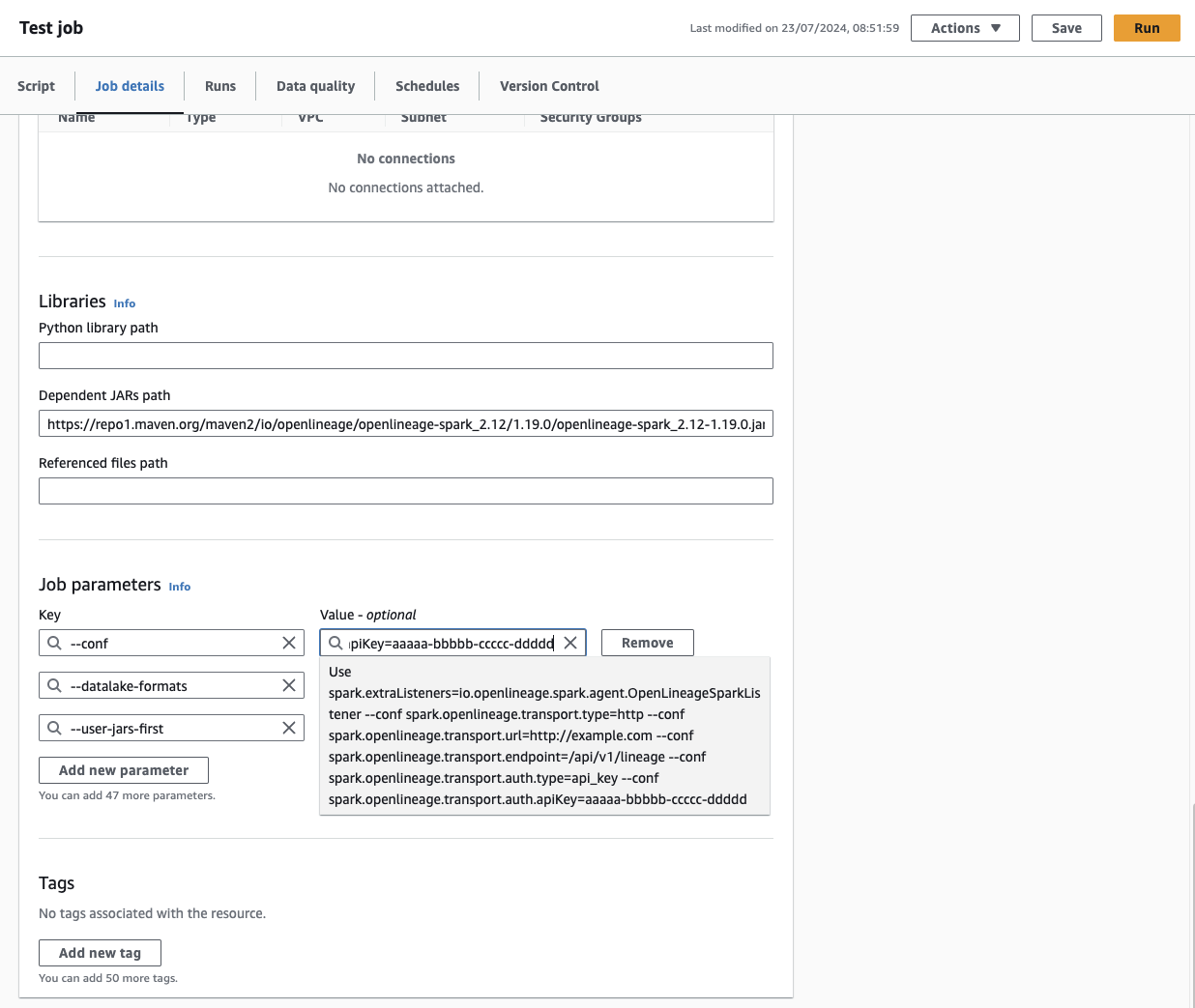
Verification[](https://openlineage.io/docs/1.38.0/integrations/spark/quickstart/quickstart_glue/#verification "Direct link to Verification")
----------------------------------------------------------------------------------------------------------------------------------------------
To confirm that OpenLineage registration has been successful, check the logs for the following entry:
INFO SparkContext: Registered listener io.openlineage.spark.agent.OpenLineageSparkListener
If you see this log message, it indicates that OpenLineage has been correctly registered with your AWS Glue job.
* [Enable OpenLineage](https://openlineage.io/docs/1.38.0/integrations/spark/quickstart/quickstart_glue/#enable-openlineage)
* [Verification](https://openlineage.io/docs/1.38.0/integrations/spark/quickstart/quickstart_glue/#verification)
---
# Apache Spark | OpenLineage
[Skip to main content](https://openlineage.io/docs/1.38.0/integrations/spark/#__docusaurus_skipToContent_fallback)
This is documentation for OpenLineage **1.38.0**, which is no longer actively maintained.
For up-to-date documentation, see the **[latest version](https://openlineage.io/docs/integrations/spark/)
** (1.45.0).
Version: 1.38.0
info
This integration is known to work with latest Spark versions as well as other Apache Spark 3.\*. Please refer [here](https://github.com/OpenLineage/OpenLineage/tree/main/integration#openlineage-integrations)
for up-to-date information on versions supported.
This integration employs the `SparkListener` interface through `OpenLineageSparkListener`, offering a comprehensive monitoring solution. It examines SparkContext-emitted events to extract metadata associated with jobs and datasets, utilizing the RDD and DataFrame dependency graphs. This method effectively gathers information from various data sources, including filesystem sources (e.g., S3 and GCS), JDBC backends, and data warehouses such as Redshift and Bigquery.
---
# Preflight Check Class | OpenLineage
[Skip to main content](https://openlineage.io/docs/1.38.0/integrations/airflow/preflight-check-class/#__docusaurus_skipToContent_fallback)
This is documentation for OpenLineage **1.38.0**, which is no longer actively maintained.
For up-to-date documentation, see the **[latest version](https://openlineage.io/docs/)
** (1.45.0).
Version: 1.38.0
On this page
Purpose[](https://openlineage.io/docs/1.38.0/integrations/airflow/preflight-check-class/#purpose "Direct link to Purpose")
----------------------------------------------------------------------------------------------------------------------------
In some cases, you might want to validate your OpenLineage setup in Airflow without having to start Airflow services or trigger a pipeline. Or you might be looking for a way to validate OpenLineage within a task rather than use a DAG. In these cases, you can use this Python class instead of the [Preflight Check DAG](https://openlineage.io/docs/integrations/airflow/preflight-check-dag)
, which is the basis of this class.
Preflight Check Class Code[](https://openlineage.io/docs/1.38.0/integrations/airflow/preflight-check-class/#preflight-check-class-code "Direct link to Preflight Check Class Code")
-------------------------------------------------------------------------------------------------------------------------------------------------------------------------------------
import loggingimport osimport attrfrom packaging.version import Versionfrom airflow.configuration import conflog = logging.getLogger(__name__)BYPASS_LATEST_VERSION_CHECK: bool = FalseLINEAGE_BACKEND: str = "MARQUEZ"class CheckOpenLineage: """ The CheckOpenLineage class has been created to enable verifying of the setup of OpenLineage within an Apache Airflow environment. It checks the Airflow version, the version of the installed OpenLineage package, and the configuration settings read by the OpenLineage listener. This validation is crucial because, after setting up OpenLineage with Airflow and configuring necessary environment variables, a user needs confirmation that their OpenLineage consumer will start receiving OpenLineage events. This class is based on the Preflight Check DAG in the OpenLineage Docs: https://openlineage.io/docs/integrations/airflow/preflight-check-dag. """ def _get_latest_package_version(self, library_name: str) -> Version | None: """ Get the latest available version of the Apache Airflow OpenLineage Provider package from the PyPI.org API. """ try: import requests response = requests.get(f"https://pypi.org/pypi/{library_name}/json") response.raise_for_status() version_string = response.json()["info"]["version"] return Version(version_string) except Exception as e: log.error( f"Failed to fetch latest version for `{library_name}` from PyPI: {e}" ) return None def _get_installed_package_version(self, library_name) -> Version | None: """ Get the version of Apache Airflow OpenLineage Provider installed locally. """ try: from importlib.metadata import version version = Version(version(library_name)) log.info(f"Installed {library_name} version is {version}.") return version except Exception as e: raise ModuleNotFoundError( f"`{library_name}` is not installed" ) from e def _provider_can_be_used(self) -> [bool, str]: """ Get the version of the locally installed Apache Airflow instance to determine if the Apache Airflow OpenLineage Provider can be used. """ import subprocess app_name = "airflow" version_flag = "version" process = subprocess.run( [app_name, version_flag], capture_output=True, text=True, check=True ) version_output = process.stdout.strip() parsed_version = Version(version_output) if parsed_version < Version("2.5"): raise RuntimeError( "OpenLineage is not supported in Airflow versions <2.5" ) elif parsed_version >= Version("2.7"): log.info("OpenLineage Provider can be used.") return True, version_output return False, version_output def validate_ol_installation(self) -> None: """ Validate the OpenLineage installation by verifying the compatibility of the OpenLineage integration and the locally installed copy of Apache Airflow. """ library_name = "openlineage-airflow" provider_status = self._provider_can_be_used() if provider_status[0]: library_name = "apache-airflow-providers-openlineage" library_version = self._get_installed_package_version(library_name) if Version(provider_status[1]) >= Version("2.9.0") and library_version < Version("2.0.0"): raise ValueError( f"Airflow version `{provider_status[1]}` requires `{library_name}` version >=2.0.0. " f"Installed version: `{library_version}` " f"Please upgrade the package using `pip install --upgrade {library_name}`" ) elif Version(provider_status[1]) >= Version("2.8.0") and library_version < Version("1.11.0"): raise ValueError( f"Airflow version `{provider_status[1]}` requires `{library_name}` version >=1.11.0. " f"Installed version: `{library_version}` " f"Please upgrade the package using `pip install --upgrade {library_name}`" ) if BYPASS_LATEST_VERSION_CHECK: log.info(f"Bypassing the latest version check for `{library_name}`") return latest_version = self._get_latest_package_version(library_name) if latest_version is None: log.warning(f"Failed to fetch the latest version for `{library_name}`. Skipping version check.") return if library_version < latest_version: raise ValueError( f"`{library_name}` is out of date. " f"Installed version: `{library_version}`, " f"Required version: `{latest_version}`" f"Please upgrade the package using `pip install --upgrade {library_name}` or set BYPASS_LATEST_VERSION_CHECK to True" ) else: library_version = self._get_installed_package_version(library_name) if Version(provider_status[1]) < Version("1.11.0"): raise ValueError( f"Airflow version `{provider_status[1]}` is no longer supported as of October 2022. " f"Consider upgrading to a more recent version of Airflow. " f"If upgrading to Airflow >=2.7.0, use the OpenLineage Airflow Provider. " ) def _is_transport_set(self) -> None: """Check if an OpenLineage transport has been set.""" transport = conf.get("openlineage", "transport", fallback="") log.info(f"Transport: {transport}") if transport: raise ValueError( "Transport value found: `%s`\n" "Please check the format at " "https://openlineage.io/docs/client/python/#built-in-transport-types", transport, ) log.info("Airflow OpenLineage transport is not set.") return def _is_config_set(self, provider: bool = True) -> None: """Check if an OpenLineage config exists.""" if provider: config_path = conf.get("openlineage", "config_path", fallback="") else: config_path = os.getenv("OPENLINEAGE_CONFIG", "") log.info("OpenLineage config is not set.") return def _check_openlineage_yml(self, file_path: str) -> bool: file_path = os.path.expanduser(file_path) if os.path.exists(file_path): with open(file_path, "r") as file: content = file.read() if not content: raise ValueError(f"Empty file: `{file_path}`") raise ValueError( f"File found at `{file_path}` with the following content: `{content}`. " "Make sure there the configuration is correct." ) log.info("File not found: `%s`", file_path) return False def _check_http_env_vars(self) -> None: """ Check environment for OpenLineage URL and endpoint environment variables. """ from urllib.parse import urljoin final_url = urljoin(os.getenv("OPENLINEAGE_URL"), os.getenv("OPENLINEAGE_ENDPOINT")) if final_url: log.info("OPENLINEAGE_URL and OPENLINEAGE_ENDPOINT are set to: %s", final_url) else: raise ValueError( "OPENLINEAGE_URL and OPENLINEAGE_ENDPOINT are not set. " "Please set up OpenLineage using documentation at " "https://airflow.apache.org/docs/apache-airflow-providers-openlineage/stable/guides/user.html" ) transport_var = os.getenv("AIRFLOW__OPENLINEAGE__TRANSPORT", "") if transport_var: log.info("AIRFLOW__OPENLINEAGE__TRANSPORT is set to: %s", transport_var) else: log.info("AIRFLOW__OPENLINEAGE__TRANSPORT variable is not set.") return def _debug_missing_transport(self): """Debug a missing transport.""" if self._provider_can_be_used(): self._is_config_set(provider=True) self._is_transport_set() self._is_config_set(provider=False) self._check_openlineage_yml("openlineage.yml") self._check_openlineage_yml("~/.openlineage/openlineage.yml") self._check_http_env_vars() raise ValueError( "OpenLineage is missing configuration, please refer to the OL setup docs." ) def _is_listener_accessible(self): """Check if an OpenLineage listener is accessible.""" if self._provider_can_be_used(): try: from airflow.providers.openlineage.plugins.openlineage import OpenLineageProviderPlugin as plugin except ImportError as e: raise ValueError("OpenLineage provider is not accessible") from e else: try: from openlineage.airflow.plugin import OpenLineagePlugin as plugin except ImportError as e: raise ValueError("OpenLineage is not accessible") from e if len(plugin.listeners) == 1: return True return False def _is_ol_disabled(self): """ Confirm that OpenLineage is not disabled and inspect the configuration to suggest a fix. """ if self._provider_can_be_used(): try: # apache-airflow-providers-openlineage >= 1.7.0 from airflow.providers.openlineage.conf import is_disabled except ImportError: # apache-airflow-providers-openlineage < 1.7.0 from airflow.providers.openlineage.plugins.openlineage import _is_disabled as is_disabled else: from openlineage.airflow.plugin import _is_disabled as is_disabled if is_disabled(): if self._provider_can_be_used() and conf.getboolean("openlineage", "disabled", fallback=False): raise ValueError("OpenLineage is disabled in airflow.cfg: openlineage.disabled") elif os.getenv("OPENLINEAGE_DISABLED", "false").lower() == "true": raise ValueError( "OpenLineage is disabled due to the environment variable OPENLINEAGE_DISABLED" ) raise ValueError( "OpenLineage is disabled because required config/env variables are not set. " "Please refer to " "https://airflow.apache.org/docs/apache-airflow-providers-openlineage/stable/guides/user.html" ) log.info("OpenLineage is not disabled.") return False def _get_transport(self): """Get the configured transport from the OpenLineage plugin.""" if self._provider_can_be_used(): from airflow.providers.openlineage.plugins.openlineage import OpenLineageProviderPlugin transport = OpenLineageProviderPlugin().listeners[0].adapter.get_or_create_openlineage_client().transport else: from openlineage.airflow.plugin import OpenLineagePlugin transport = ( OpenLineagePlugin.listeners[0].adapter.get_or_create_openlineage_client().transport ) return transport def is_ol_accessible_and_enabled(self): """ Confirm that OpenLineage is accessible and enabled by attempting to build the transport. """ if not self._is_listener_accessible(): self._is_ol_disabled() try: transport = self._get_transport() except Exception as e: raise ValueError("There was an error when trying to build transport.") from e if transport is None or transport.kind in ("noop", "console"): self._debug_missing_transport() def validate_connection(self): """Validate the connection to the lineage backend.""" transport = self._get_transport() config = attr.asdict(transport.config) self._verify_backend(LINEAGE_BACKEND, config) def _verify_backend(self, backend_type: str, config: dict): """Verify the lineage backed.""" backend_type = backend_type.lower() if backend_type == "marquez": log.info("Backend type: Marquez") return elif backend_type == "atlan": log.info("Backend type: Atlan") return self._verify_atlan_http_backend(config) elif backend_type == "custom": log.info("Backend type: custom") return self._verify_custom_backend(config) raise ValueError(f"Unsupported backend type: {backend_type}") def _verify_atlan_http_backend(self, config): raise NotImplementedError("This feature is not implemented yet") def _verify_custom_backend(self, config): raise NotImplementedError("This feature is not implemented yet")
* [Purpose](https://openlineage.io/docs/1.38.0/integrations/airflow/preflight-check-class/#purpose)
* [Preflight Check Class Code](https://openlineage.io/docs/1.38.0/integrations/airflow/preflight-check-class/#preflight-check-class-code)
---
# Quickstart with Databricks | OpenLineage
[Skip to main content](https://openlineage.io/docs/1.38.0/integrations/spark/quickstart/quickstart_databricks/#__docusaurus_skipToContent_fallback)
This is documentation for OpenLineage **1.38.0**, which is no longer actively maintained.
For up-to-date documentation, see the **[latest version](https://openlineage.io/docs/integrations/spark/quickstart/quickstart_databricks)
** (1.45.0).
Version: 1.38.0
On this page
OpenLineage's [Spark Integration](https://github.com/OpenLineage/OpenLineage/blob/a2d39a7a6f02474b2dfd1484f3a6d2810a5ffe30/integration/spark/README.md)
can be installed on Databricks leveraging `init` scripts. Please note, Databricks on Google Cloud does not currently support the DBFS CLI, so the proposed solution will not work on Google Cloud until that feature is enabled.
* [Azure Databricks Init Scripts](https://docs.microsoft.com/en-us/azure/databricks/clusters/init-scripts)
* [GCP Databricks Init Scripts](https://docs.gcp.databricks.com/clusters/init-scripts.html)
* [AWS Databricks Init Scripts](https://docs.databricks.com/clusters/init-scripts.html)
Enable OpenLineage[](https://openlineage.io/docs/1.38.0/integrations/spark/quickstart/quickstart_databricks/#enable-openlineage "Direct link to Enable OpenLineage")
----------------------------------------------------------------------------------------------------------------------------------------------------------------------
Follow the steps below to enable OpenLineage on Databricks.
* Build the jar via Gradle or download the [latest release](https://mvnrepository.com/artifact/io.openlineage/openlineage-spark)
.
* Configure the Databricks CLI with your desired workspace:
* [Azure Databricks CLI](https://docs.microsoft.com/en-us/azure/databricks/dev-tools/cli/)
* [GCP Databricks CLI](https://docs.gcp.databricks.com/dev-tools/cli/index.html)
* [AWS Databricks CLI](https://docs.databricks.com/dev-tools/cli/index.html)
* Run [`upload-to-databricks.sh`](https://github.com/OpenLineage/OpenLineage/blob/main/integration/spark/databricks/upload-to-databricks.sh)
or [`upload-to-databricks.ps1`](https://github.com/OpenLineage/OpenLineage/blob/main/integration/spark/databricks/upload-to-databricks.ps1)
. This will:
* create a folder in DBFS to store the OpenLineage jar.
* copy the jar to the DBFS folder
* copy the `init` script to the DBFS folder
* Create an interactive or job cluster with the relevant Spark configs:
spark.openlineage.transport.type consolespark.extraListeners io.openlineage.spark.agent.OpenLineageSparkListenerspark.openlineage.version v1
* Create manually `open-lineage-init-script.sh` through **Workspace** section in Databricks UI. Paste the script content from [this file](https://github.com/OpenLineage/OpenLineage/blob/main/integration/spark/databricks/open-lineage-init-script.sh)
.
* Make the cluster init script to point to previously created file. For example, if you create `open-lineage-init-script.sh` within **Shared**, then init scripts should point to `/Shared/open-lineage-init-script.sh`. User's workspace may be used as well. Alternatively, init script can be located in S3. Please mind that **DBFS** located init script are no longer supported (starting September 2023).
info
Please note that the `init` script approach is currently obligatory to install OpenLineage on Databricks. The Openlineage integration relies on providing a custom extra listener class `io.openlineage.spark.agent.OpenLineageSparkListener` that has to be available on the classpath at the driver startup. Providing it with `spark.jars.packages` does not work on the Databricks platform as of August 2022.
Verify Initialization[](https://openlineage.io/docs/1.38.0/integrations/spark/quickstart/quickstart_databricks/#verify-initialization "Direct link to Verify Initialization")
-------------------------------------------------------------------------------------------------------------------------------------------------------------------------------
A successful initialization will emit logs in the `Log4j output` that look similar to the following:
YY/MM/DD HH:mm:ss INFO SparkContext: Registered listener io.openlineage.spark.agent.OpenLineageSparkListenerYY/MM/DD HH:mm:ss INFO OpenLineageContext: Init OpenLineageContext: Args: ArgumentParser(host=https://YOURHOST, version=v1, namespace=YOURNAMESPACE, jobName=default, parentRunId=null, apiKey=Optional.empty) URI: https://YOURHOST/api/v1/lineageYY/MM/DD HH:mm:ss INFO AsyncEventQueue: Process of event SparkListenerApplicationStart(Databricks Shell,Some(app-XXX-0000),YYYY,root,None,None,None) by listener OpenLineageSparkListener took Xs.
Create a Dataset[](https://openlineage.io/docs/1.38.0/integrations/spark/quickstart/quickstart_databricks/#create-a-dataset "Direct link to Create a Dataset")
----------------------------------------------------------------------------------------------------------------------------------------------------------------
Open a notebook and create an example dataset with:
spark.createDataFrame([ {'a': 1, 'b': 2}, {'a': 3, 'b': 4}]).write.mode("overwrite").saveAsTable("default.temp")
Observe OpenLineage Events[](https://openlineage.io/docs/1.38.0/integrations/spark/quickstart/quickstart_databricks/#observe-openlineage-events "Direct link to Observe OpenLineage Events")
----------------------------------------------------------------------------------------------------------------------------------------------------------------------------------------------
To troubleshoot or observe OpenLineage information in Databricks, see the `Log4j output` in the Cluster definition's `Driver Logs`.
The `Log4j output` should contain entries starting with a message `INFO ConsoleTransport` that contain generated OpenLineage events:
{"eventType":"COMPLETE","eventTime":"2022-08-01T08:36:21.633Z","run":{"runId":"64537bbd-00ac-498d-ad49-1c77e9c2aabd","facets":{"spark_unknown":{"_producer":"https://github.com/OpenLineage/OpenLineage/tree/0.12.0-SNAPSHOT/integration/spark","_schemaURL":"https://openlineage.io/spec/1-0-2/OpenLineage.json#/$defs/RunFacet","inputs":[{"description":{"@class":"org.apache.spark.sql.catalyst.analysis.ResolvedTableName","id":1,"traceEnabled":false,"streaming":false,"cacheId":{"id":2,"empty":true,"defined":false},"canonicalizedPlan":false,"defaultTreePatternBits":{"id":3}},"inputAttributes":[],"outputAttributes":[]},{"description":{"@class":"org.apache.spark.sql.execution.LogicalRDD","id":1,"streaming":false,"traceEnabled":false,"cacheId":{"id":2,"empty":true,"defined":false},"canonicalizedPlan":false,"defaultTreePatternBits":{"id":3}},"inputAttributes":[],"outputAttributes":[{"name":"a","type":"long","metadata":{}},{"name":"b","type":"long","metadata":{}}]}]},"spark.logicalPlan":{"_producer":"https://github.com/OpenLineage/OpenLineage/tree/0.12.0-SNAPSHOT/integration/spark","_schemaURL":"https://openlineage.io/spec/1-0-2/OpenLineage.json#/$defs/RunFacet","plan":[{"class":"org.apache.spark.sql.catalyst.plans.logical.ReplaceTableAsSelect","num-children":2,"name":0,"partitioning":[],"query":1,"tableSpec":null,"writeOptions":null,"orCreate":true},{"class":"org.apache.spark.sql.catalyst.analysis.ResolvedTableName","num-children":0,"catalog":null,"ident":null},{"class":"org.apache.spark.sql.execution.LogicalRDD","num-children":0,"output":[[{"class":"org.apache.spark.sql.catalyst.expressions.AttributeReference","num-children":0,"name":"a","dataType":"long","nullable":true,"metadata":{},"exprId":{"product-class":"org.apache.spark.sql.catalyst.expressions.ExprId","id":18,"jvmId":"481bebf6-f861-400e-bb00-ea105ed8afef"},"qualifier":[]}],[{"class":"org.apache.spark.sql.catalyst.expressions.AttributeReference","num-children":0,"name":"b","dataType":"long","nullable":true,"metadata":{},"exprId":{"product-class":"org.apache.spark.sql.catalyst.expressions.ExprId","id":19,"jvmId":"481bebf6-f861-400e-bb00-ea105ed8afef"},"qualifier":[]}]],"rdd":null,"outputPartitioning":{"product-class":"org.apache.spark.sql.catalyst.plans.physical.UnknownPartitioning","numPartitions":0},"outputOrdering":[],"isStreaming":false,"session":null}]},"spark_version":{"_producer":"https://github.com/OpenLineage/OpenLineage/tree/0.12.0-SNAPSHOT/integration/spark","_schemaURL":"https://openlineage.io/spec/1-0-2/OpenLineage.json#/$defs/RunFacet","spark-version":"3.2.1","openlineage-spark-version":"0.12.0-SNAPSHOT"}}},"job":{"namespace":"default","name":"databricks_shell.atomic_replace_table_as_select","facets":{}},"inputs":[],"outputs":[{"namespace":"dbfs","name":"/user/hive/warehouse/temp","facets":{"dataSource":{"_producer":"https://github.com/OpenLineage/OpenLineage/tree/0.12.0-SNAPSHOT/integration/spark","_schemaURL":"https://openlineage.io/spec/facets/1-0-0/DatasourceDatasetFacet.json#/$defs/DatasourceDatasetFacet","name":"dbfs","uri":"dbfs"},"schema":{"_producer":"https://github.com/OpenLineage/OpenLineage/tree/0.12.0-SNAPSHOT/integration/spark","_schemaURL":"https://openlineage.io/spec/facets/1-0-0/SchemaDatasetFacet.json#/$defs/SchemaDatasetFacet","fields":[{"name":"a","type":"long"},{"name":"b","type":"long"}]},"storage":{"_producer":"https://github.com/OpenLineage/OpenLineage/tree/0.12.0-SNAPSHOT/integration/spark","_schemaURL":"https://openlineage.io/spec/facets/1-0-0/StorageDatasetFacet.json#/$defs/StorageDatasetFacet","storageLayer":"delta","fileFormat":"parquet"},"lifecycleStateChange":{"_producer":"https://github.com/OpenLineage/OpenLineage/tree/0.12.0-SNAPSHOT/integration/spark","_schemaURL":"https://openlineage.io/spec/facets/1-0-0/LifecycleStateChangeDatasetFacet.json#/$defs/LifecycleStateChangeDatasetFacet","lifecycleStateChange":"OVERWRITE"}},"outputFacets":{}}],"producer":"https://github.com/OpenLineage/OpenLineage/tree/0.12.0-SNAPSHOT/integration/spark","schemaURL":"https://openlineage.io/spec/1-0-2/OpenLineage.json#/$defs/RunEvent"}
The generated JSON contains the output dataset name and location `{"namespace":"dbfs","name":"/user/hive/warehouse/temp""` metadata, schema fields `[{"name":"a","type":"long"},{"name":"b","type":"long"}]`, and more.
* [Enable OpenLineage](https://openlineage.io/docs/1.38.0/integrations/spark/quickstart/quickstart_databricks/#enable-openlineage)
* [Verify Initialization](https://openlineage.io/docs/1.38.0/integrations/spark/quickstart/quickstart_databricks/#verify-initialization)
* [Create a Dataset](https://openlineage.io/docs/1.38.0/integrations/spark/quickstart/quickstart_databricks/#create-a-dataset)
* [Observe OpenLineage Events](https://openlineage.io/docs/1.38.0/integrations/spark/quickstart/quickstart_databricks/#observe-openlineage-events)
---
# Exposing Lineage in Airflow Operators | OpenLineage
[Skip to main content](https://openlineage.io/docs/1.38.0/integrations/airflow/default-extractors/#__docusaurus_skipToContent_fallback)
This is documentation for OpenLineage **1.38.0**, which is no longer actively maintained.
For up-to-date documentation, see the **[latest version](https://openlineage.io/docs/)
** (1.45.0).
Version: 1.38.0
On this page
caution
This page is about Airflow's external integration that works mainly for Airflow versions <2.7. [If you're using Airflow 2.7+, look at native Airflow OpenLineage provider documentation.](https://airflow.apache.org/docs/apache-airflow-providers-openlineage/stable/index.html)
The ongoing development and enhancements will be focused on the `apache-airflow-providers-openlineage` package, while the `openlineage-airflow` will primarily be updated for bug fixes. See [all Airflow versions supported by this integration](https://openlineage.io/docs/1.38.0/integrations/airflow/older#supported-airflow-versions)
OpenLineage 0.17.0+ makes adding lineage to your data pipelines easy through support of direct modification of Airflow operators. This means that custom operators—built in-house or forked from another project—can provide you and your team with lineage data without requiring modification of the OpenLineage project. The data will still go to your lineage backend of choice, most commonly using the `OPENLINEAGE_URL` environment variable.
Lineage extraction works a bit differently under the hood starting with OpenLineage 0.17.0. While extractors in the OpenLineage project have a getter method for operator names that they’re associated with, the default extractor looks for two specific methods in the operator itself and calls them directly if found. This means that implementation now consists of just two methods in your operator.
Those methods are `get_openlineage_facets_on_start()` and `get_openlineage_facets_on_complete()`, called when the operator is first scheduled to run and when the operator has finished execution respectively. Either, or both, of the methods may be implemented by the operator.
In the rest of this doc, you will see how to write these methods within an operator class called `DfToGcsOperator`. This operator moves a Dataframe from an arbitrary source table using a supplied Python callable to a specified path in GCS. Thorough understanding of the `__init__()` and `execute()` methods of the operator is not required, but an abbreviated version of each method is given below for context. The final two methods in the class are `get_openlineage_facets_on_start()` and `get_openlineage_facets_on_complete()`, which we will be implementing piece-by-piece in the rest of the doc. They are provided here in their entirety for completeness.
from openlineage.airflow.extractors.base import OperatorLineagefrom openlineage.client.facet import ( DataSourceDatasetFacet, DocumentationJobFacet, OwnershipJobFacet, OwnershipJobFacetOwners, SchemaDatasetFacet, SchemaField,)from openlineage.client.run import Datasetclass DfToGcsOperator(): def __init__( self, task_id, python_callable, data_source, bucket=None, table=None, security_group, pipeline_phase, col_types=None, check_cols=True, **kwargs, ): """Initialize a DfToGcsOperator.""" super().__init__(task_id=task_id, **kwargs) self.python_callable = python_callable self.data_source = data_source self.table = table if table is not None else task_id self.bucket = bucket self.security_group = security_group self.pipeline_phase = pipeline_phase # col_types is a dict that stores expected column names and types, self.col_types = col_types self.check_cols = check_cols self.base_path = "/".join( [self.security_group, self.pipeline_phase, self.data_source, self.table] ) # Holds meta information about the dataframe, col names and col types, # that are used in the extractor. self.df_meta = None def execute(self, context): """ Run a DfToGcs task. The task will run the python_callable and save the resulting dataframe to GCS under the proper object path ////. """ ... df = get_python_callable_result(self.python_callable, context) if len(df) > 0: df.columns = [clean_column_name(c) for c in df.columns] if self.col_types and self.check_cols: check_cols = [c.lower().strip() for c in self.col_types.keys()] missing = [m for m in check_cols if m not in df.columns] assert ( len(missing) == 0 ), "Columns present in col_types but not in DataFrame: " + ",".join( missing ) # ----------- # # Save to GCS # # ----------- # # Note: this is an imported helper function. df_to_gcs(df, self.bucket, save_to_path) # ----------- # # Return Data # # ----------- # # Allow us to extract additional lineage information # about all of the fields available in the dataframe self.df_meta = extract_df_fields(df) else: print("Empty dataframe, no artifact saved to GCS.") def extract_df_fields(df): from openlineage.common.dataset import SchemaField """Extract a list of SchemaFields from a DataFrame.""" fields = [] for (col, dtype) in zip(df.columns, df.dtypes): fields.append(SchemaField(name=col, type=str(dtype))) return fields def get_openlineage_facets_on_start(self): """Add lineage to DfToGcsOperator on task start.""" if not self.bucket: ol_bucket = get_env_bucket() else: ol_bucket = self.bucket input_uri = "://".join([self.data_source, self.table]) input_source = DataSourceDatasetFacet( name=self.table, uri=input_uri, ) input_facet = { "datasource": input_source, "schema": SchemaDatasetFacet( fields=[ SchemaField(name=col_name, type=col_type) for col_name, col_type in self.col_types.items() ] ), } input = Dataset(namespace=self.data_source, name=self.table, facets=input_facet) output_namespace = "gs://" + ol_bucket output_name = self.base_path output_uri = "/".join( [ output_namespace, output_name, ] ) output_source = DataSourceDatasetFacet( name=output_name, uri=output_uri, ) output_facet = { "datasource": output_source, "schema": SchemaDatasetFacet( fields=[ SchemaField(name=col_name, type=col_type) for col_name, col_type in self.col_types.items() ] ), } output = Dataset( namespace=output_namespace, name=output_name, facets=output_facet, ) return OperatorLineage( inputs=[input], outputs=[output], run_facets={}, job_facets={ "documentation": DocumentationJobFacet( description=f""" Takes data from the data source {input_uri} and puts it in GCS at the path: {output_uri} """ ), "ownership": OwnershipJobFacet( owners=[OwnershipJobFacetOwners(name=self.owner, type=self.email)] ), } ) def get_openlineage_facets_on_complete(self, task_instance): """Add lineage to DfToGcsOperator on task completion.""" starting_facets = self.get_openlineage_facets_on_start() if task_instance.task.df_meta is not None: for i in starting_facets.inputs: i.facets["SchemaDatasetFacet"].fields = task_instance.task.df_meta else: starting_facets.run_facets = { "errorMessage": ErrorMessageRunFacet( message="Empty dataframe, no artifact saved to GCS.", programmingLanguage="python" ) } return starting_facets
Implementing lineage in an operator[](https://openlineage.io/docs/1.38.0/integrations/airflow/default-extractors/#implementing-lineage-in-an-operator "Direct link to Implementing lineage in an operator")
-------------------------------------------------------------------------------------------------------------------------------------------------------------------------------------------------------------
Not surprisingly, you will need an operator class to implement lineage collection in an operator. Here, we’ll use the `DfToGcsOperator`, a custom operator created by the Astronomer Data team to load arbitrary dataframes to our GCS bucket. We’ll implement both `get_openlineage_facets_on_start()` and `get_openlineage_facets_on_complete()` for our custom operator. The specific details of the implementation will vary from operator to operator, but there will always be five basic steps that these functions will share.
Both the methods return an `OperatorLineage` object, which itself is a collection of facets. Four of the five steps mentioned above are creating these facets where necessary, and the fifth is creating the `DataSourceDatasetFacet`. First, though, we’ll need to import some OpenLineage objects:
from openlineage.airflow.extractors.base import OperatorLineagefrom openlineage.client.facet import ( DataSourceDatasetFacet, SchemaDatasetFacet, SchemaField,)from openlineage.client.run import Dataset
Now, we’ll start building the facets for the `OperatorLineage` object in the `get_openlineage_facets_on_start()` method.
### 1\. `DataSourceDatasetFacet`[](https://openlineage.io/docs/1.38.0/integrations/airflow/default-extractors/#1-datasourcedatasetfacet "Direct link to 1-datasourcedatasetfacet")
The `DataSourceDatasestFacet` is a simple object, containing two fields, `name` and `uri`, which should be populated with the unique name of the data source and the URI. We’ll make two of these objects, an `input_source` to specify where the data came from and an `output_source` to specify where the data is going.
A quick note about the philosophy behind the `name` and `uri` in the OpenLineage spec: the `uri` is built from the `namespace` and the `name`, and each is expected to be unique with respect to its environment. This means a `namespace` should be globally unique in the OpenLineage universe, and the `name` unique within the `namespace`. The two are then concatenated to form the `uri`, so that `uri = namespace + name`. The full naming spec can be found [here](https://github.com/OpenLineage/OpenLineage/blob/main/spec/Naming.md)
.
In our case, the input `name` will be the table we are pulling data from, `self.table`, and the `namespace` will be our `self.data_source`.
input_source = DataSourceDatasetFacet( name=self.table, uri="://".join([self.data_source, self.table]),)
The output data source object’s `name` will always be the base path given to the operator, `self.base_path`. The `namespace` is always in GCS, so we use the OpenLineage spec’s `gs://` as the scheme and our bucket as the authority, giving us `gs://{ol_bucket}`. The `uri` is simply the concatenation of the two.
if not self.bucket: ol_bucket = get_env_bucket()else: ol_bucket = self.bucketoutput_namespace = "gs://" + ol_bucketoutput_name = self.base_pathoutput_uri = "/".join( [ output_namespace, output_name, ])output_source = DataSourceDatasetFacet( name=output_name, uri=output_uri,)
### 2\. Inputs[](https://openlineage.io/docs/1.38.0/integrations/airflow/default-extractors/#2-inputs "Direct link to 2. Inputs")
Next we’ll create the input dataset object. As we are moving data from a dataframe to GCS in this operator, we’ll make sure that we are capturing all the info in the dataframe being extracted in a `Dataset`. To create the `Dataset` object, we’ll need `namespace`, `name`, and `facets` objects. The first two are strings, and `facets` is a dictionary.
Our `namespace` will come from the operator, where we use `self.data_source` again. The `name` parameter for this facet will be the table, again coming from the operator’s parameter list. The `facets` will contain two entries, the first being our `DataSourceDatasetFacet` with the key "datasource" coming from the previous step and `input_source` being the value. The second has the key "schema", with the value being a `SchemaDatasetFacet`, which itself is a collection of `SchemaField` objects, one for each column, created via a list comprehension over the operator's `self.col_types` parameter.
The `inputs` parameter to `OperatorLineage` is a list of `Dataset` objects, so we’ll end up adding a single `Dataset` object to the list later. The creation of the `Dataset` object looks like the following:
input_facet = { "datasource": input_source, "schema": SchemaDatasetFacet( fields=[ SchemaField(name=col_name, type=col_type) for col_name, col_type in self.col_types.items() ] ),}input = Dataset(namespace=self.data_source, name=self.table, facets=input_facet)
### 3\. Outputs[](https://openlineage.io/docs/1.38.0/integrations/airflow/default-extractors/#3-outputs "Direct link to 3. Outputs")
Our output facet will closely resemble the input facet, except it will use the `output_source` we previously created, and will also have a different `namespace`. Our output facet object will be built as follows:
output_facet = { "datasource": output_source, "schema": SchemaDatasetFacet( fields=[ SchemaField(name=col_name, type=col_type) for col_name, col_type in self.col_types.items() ] ),}output = Dataset( namespace=output_namespace, name=output_name, facets=output_facet,)
### 4\. Job facets[](https://openlineage.io/docs/1.38.0/integrations/airflow/default-extractors/#4-job-facets "Direct link to 4. Job facets")
A Job in OpenLineage is a process definition that consumes and produces datasets. The Job evolves over time, and this change is captured when the Job runs. This means the facets we would want to capture in the Job level are independent of the state of the Job. Custom facets can be created to capture this Job data. For our operator, we went with pre-existing job facets, the `DocumentationJobFacet` and the `OwnershipJobFacet`:
job_facets = { "documentation": DocumentationJobFacet( description=f""" Takes data from the data source {input_uri} and puts it in GCS at the path: {output_uri} """ ), "ownership": OwnershipJobFacet( owners=[OwnershipJobFacetOwners(name=self.owner, type=self.email)] )}
### 5\. Run facets[](https://openlineage.io/docs/1.38.0/integrations/airflow/default-extractors/#5-run-facets "Direct link to 5. Run facets")
A Run is an instance of a Job execution. For example, when an Airflow Operator begins execution, the Run state of the OpenLineage Job transitions to Start, then to Running. When writing an emitter, this means a Run facet should contain information pertinent to the specific instance of the Job, something that could change every Run.
In this example, we will output an error message when there is an empty dataframe, using the existing `ErrorMessageRunFacet`.
starting_facets.run_facets = { "errorMessage": ErrorMessageRunFacet( message="Empty dataframe, no artifact saved to GCS.", programmingLanguage="python" )}
### 6\. On complete[](https://openlineage.io/docs/1.38.0/integrations/airflow/default-extractors/#6-on-complete "Direct link to 6. On complete")
Finally, we’ll implement the `get_openlineage_metadata_on_complete()` method. Most of our work has already been done for us, so we will start by calling `get_openlineage_metadata_on_start()` and then modifying the returned object slightly before returning it again. The two main additions here are replacing the original `SchemaDatasetFacet` fields and adding a potential error message to the `run_facets`.
For the `SchemaDatasetFacet` update, we replace the old fields facet with updated ones based on the now-filled-out `df_meta` dict, which is populated during the operator’s `execute()` method and is therefore unavailable to `get_openlineage_metadata_on_start()`. Because `df_meta` is already a list of `SchemaField` objects, we can set the property directly. Although we use a for loop here, the operator ensures only one dataframe will ever be extracted per execution, so the for loop will only ever run once and we therefore do not have to worry about multiple input dataframes updating.
The `run_facets` update is performed only if there is an error, which is a mutually exclusive event to updating the fields facets. We pass the same message to this facet that is printed in the `execute()` method when an empty dataframe is found. This error message does not halt operator execution, as it gets added _****after****_ execution, but it does create an alert in the Marquez UI.
def get_openlineage_facets_on_complete(self, task_instance): """Add lineage to DfToGcsOperator on task completion.""" starting_facets = self.get_openlineage_facets_on_start() if task_instance.task.df_meta is not None: for i in starting_facets.inputs: i.facets["SchemaDatasetFacet"].fields = task_instance.task.df_meta else: starting_facets.run_facets = { "errorMessage": ErrorMessageRunFacet( message="Empty dataframe, no artifact saved to GCS.", programmingLanguage="python" ) } return starting_facets
And with that final piece of the puzzle, we have a working implementation of lineage extraction from our custom operator!
### Custom Facets[](https://openlineage.io/docs/1.38.0/integrations/airflow/default-extractors/#custom-facets "Direct link to Custom Facets")
The OpenLineage spec might not contain all the facets you need to write your extractor, in which case you will have to make your own [custom facets](https://openlineage.io/docs/spec/facets/custom-facets)
. More on creating custom facets can be found [here](https://openlineage.io/blog/extending-with-facets/)
.
### Testing[](https://openlineage.io/docs/1.38.0/integrations/airflow/default-extractors/#testing "Direct link to Testing")
For information about testing your implementation, see the doc on [testing custom extractors](https://openlineage.io/docs/integrations/airflow/extractors/extractor-testing)
.
* [Implementing lineage in an operator](https://openlineage.io/docs/1.38.0/integrations/airflow/default-extractors/#implementing-lineage-in-an-operator)
* [1\. `DataSourceDatasetFacet`](https://openlineage.io/docs/1.38.0/integrations/airflow/default-extractors/#1-datasourcedatasetfacet)
* [2\. Inputs](https://openlineage.io/docs/1.38.0/integrations/airflow/default-extractors/#2-inputs)
* [3\. Outputs](https://openlineage.io/docs/1.38.0/integrations/airflow/default-extractors/#3-outputs)
* [4\. Job facets](https://openlineage.io/docs/1.38.0/integrations/airflow/default-extractors/#4-job-facets)
* [5\. Run facets](https://openlineage.io/docs/1.38.0/integrations/airflow/default-extractors/#5-run-facets)
* [6\. On complete](https://openlineage.io/docs/1.38.0/integrations/airflow/default-extractors/#6-on-complete)
* [Custom Facets](https://openlineage.io/docs/1.38.0/integrations/airflow/default-extractors/#custom-facets)
* [Testing](https://openlineage.io/docs/1.38.0/integrations/airflow/default-extractors/#testing)
---
# Preflight Check DAG | OpenLineage
[Skip to main content](https://openlineage.io/docs/1.38.0/integrations/airflow/preflight-check-dag/#__docusaurus_skipToContent_fallback)
This is documentation for OpenLineage **1.38.0**, which is no longer actively maintained.
For up-to-date documentation, see the **[latest version](https://openlineage.io/docs/)
** (1.45.0).
Version: 1.38.0
On this page
Purpose[](https://openlineage.io/docs/1.38.0/integrations/airflow/preflight-check-dag/#purpose "Direct link to Purpose")
--------------------------------------------------------------------------------------------------------------------------
The preflight check DAG is created to verify the setup of OpenLineage within an Airflow environment. It checks the Airflow version, the version of the installed OpenLineage package, and the configuration settings read by the OpenLineage listener. This validation is crucial because, after setting up OpenLineage with Airflow and configuring necessary environment variables, users need confirmation that the setup is correctly done to start receiving OL events.
Configuration Variables[](https://openlineage.io/docs/1.38.0/integrations/airflow/preflight-check-dag/#configuration-variables "Direct link to Configuration Variables")
--------------------------------------------------------------------------------------------------------------------------------------------------------------------------
The DAG introduces two configurable variables that users can set according to their requirements:
* `BYPASS_LATEST_VERSION_CHECK`: Set this to `True` to skip checking for the latest version of the OpenLineage package. This is useful when accessing the PyPI URL is not possible or if users prefer not to upgrade.
* `LINEAGE_BACKEND`: This variable specifies the backend used for OpenLineage events ingestion. By default, it is set to `MARQUEZ`. Users utilizing a custom backend for OpenLineage should implement custom checks within the `_verify_custom_backend` function.
Implementation[](https://openlineage.io/docs/1.38.0/integrations/airflow/preflight-check-dag/#implementation "Direct link to Implementation")
-----------------------------------------------------------------------------------------------------------------------------------------------
The DAG comprises several key functions, each designed to perform specific validations:
1. **Version Checks**: It validates the installed OpenLineage package against the latest available version on PyPI, considering the `BYPASS_LATEST_VERSION_CHECK` flag.
2. **Airflow Version Compatibility**: Ensures that the Airflow version is compatible with OpenLineage. OpenLineage requires Airflow version 2.1 or newer.
3. **Transport and Configuration Validation**: Checks if necessary transport settings and configurations are set for OpenLineage to communicate with the specified backend.
4. **Backend Connectivity**: Verifies the connection to the specified `LINEAGE_BACKEND` to ensure that OpenLineage can successfully send events.
5. **Listener Accessibility and OpenLineage Plugin Checks**: Ensures that the OpenLineage listener is accessible and that OpenLineage is not disabled (by [environment variable](https://airflow.apache.org/docs/apache-airflow-providers-openlineage/stable/guides/user.html#:~:text=OPENLINEAGE_DISABLED%20is%20an%20equivalent%20of%20AIRFLOW__OPENLINEAGE__DISABLED.)
or [config](https://airflow.apache.org/docs/apache-airflow-providers-openlineage/stable/guides/user.html#disable)
).
### DAG Tasks[](https://openlineage.io/docs/1.38.0/integrations/airflow/preflight-check-dag/#dag-tasks "Direct link to DAG Tasks")
The DAG defines three main tasks that sequentially execute the above validations:
1. `validate_ol_installation`: Confirms that the OpenLineage installation is correct and up-to-date.
2. `is_ol_accessible_and_enabled`: Checks if OpenLineage is accessible and enabled within Airflow.
3. `validate_connection`: Verifies the connection to the specified lineage backend.
### Setup and Execution[](https://openlineage.io/docs/1.38.0/integrations/airflow/preflight-check-dag/#setup-and-execution "Direct link to Setup and Execution")
To use this DAG:
1. Ensure that OpenLineage is installed within your Airflow environment.
2. Set the necessary environment variables for OpenLineage, such as the namespace and the URL or transport mechanism using [provider package docs](https://airflow.apache.org/docs/apache-airflow-providers-openlineage/stable/guides/user.html)
or [OL docs](https://openlineage.io/docs/integrations/airflow/usage)
.
3. Configure the `BYPASS_LATEST_VERSION_CHECK` and `LINEAGE_BACKEND` variables as needed.
4. Add the DAG file to your Airflow DAGs folder.
5. Trigger the DAG manually or just enable it and allow it to run once automatically based on its schedule (@once) to perform the preflight checks.
Preflight check DAG code[](https://openlineage.io/docs/1.38.0/integrations/airflow/preflight-check-dag/#preflight-check-dag-code "Direct link to Preflight check DAG code")
-----------------------------------------------------------------------------------------------------------------------------------------------------------------------------
from __future__ import annotationsimport loggingimport osimport attrfrom packaging.version import Versionfrom airflow import DAGfrom airflow.configuration import conffrom airflow import __version__ as airflow_versionfrom airflow.operators.python import PythonOperatorfrom airflow.utils.dates import days_ago# Set this to True to bypass the latest version check for OpenLineage package.# Version check will be skipped if unable to access PyPI URLBYPASS_LATEST_VERSION_CHECK = False# Update this to `CUSTOM` if using any other backend for OpenLineage events ingestion# When using custom transport - implement custom checks in _verify_custom_backend functionLINEAGE_BACKEND = "MARQUEZ"log = logging.getLogger(__name__)def _get_latest_package_version(library_name: str) -> Version | None: try: import requests response = requests.get(f"https://pypi.org/pypi/{library_name}/json") response.raise_for_status() version_string = response.json()["info"]["version"] return Version(version_string) except Exception as e: log.error(f"Failed to fetch latest version for `{library_name}` from PyPI: {e}") return Nonedef _get_installed_package_version(library_name) -> Version | None: try: from importlib.metadata import version return Version(version(library_name)) except Exception as e: raise ModuleNotFoundError(f"`{library_name}` is not installed") from edef _provider_can_be_used() -> bool: parsed_version = Version(airflow_version) if parsed_version < Version("2.5"): raise RuntimeError("OpenLineage is not supported in Airflow versions <2.5") elif parsed_version >= Version("2.7"): return True return Falsedef validate_ol_installation() -> None: library_name = "openlineage-airflow" if _provider_can_be_used(): library_name = "apache-airflow-providers-openlineage" library_version = _get_installed_package_version(library_name) if Version(airflow_version) >= Version("2.9.0") and library_version < Version("2.0.0"): raise ValueError( f"Airflow version `{airflow_version}` requires `{library_name}` version >=2.0.0. " f"Installed version: `{library_version}` " f"Please upgrade the package using `pip install --upgrade {library_name}`" ) elif Version(airflow_version) >= Version("2.8.0") and library_version < Version("1.11.0"): raise ValueError( f"Airflow version `{airflow_version}` requires `{library_name}` version >=1.11.0. " f"Installed version: `{library_version}` " f"Please upgrade the package using `pip install --upgrade {library_name}`" ) if BYPASS_LATEST_VERSION_CHECK: log.info(f"Bypassing the latest version check for `{library_name}`") return latest_version = _get_latest_package_version(library_name) if latest_version is None: log.warning(f"Failed to fetch the latest version for `{library_name}`. Skipping version check.") return if library_version < latest_version: raise ValueError( f"`{library_name}` is out of date. " f"Installed version: `{library_version}`, " f"Required version: `{latest_version}`" f"Please upgrade the package using `pip install --upgrade {library_name}` or set BYPASS_LATEST_VERSION_CHECK to True" ) else: library_version = _get_installed_package_version(library_name) if Version(airflow_version) < Version("1.11.0"): raise ValueError( f"Airflow version `{airflow_version}` is no longer supported as of October 2022. " f"Consider upgrading to a more recent version of Airflow. " f"If upgrading to Airflow >=2.7.0, use the OpenLineage Airflow Provider. " )def _is_transport_set() -> None: transport = conf.get("openlineage", "transport", fallback="") if transport: raise ValueError( "Transport value found: `%s`\n" "Please check the format at " "https://openlineage.io/docs/client/python/#built-in-transport-types", transport, ) log.info("Airflow OL transport is not set.") returndef _is_config_set(provider: bool = True) -> None: if provider: config_path = conf.get("openlineage", "config_path", fallback="") else: config_path = os.getenv("OPENLINEAGE_CONFIG", "") if config_path and not _check_openlineage_yml(config_path): raise ValueError( "Config file is empty or does not exist: `%s`", config_path, ) log.info("OL config is not set.") returndef _check_openlineage_yml(file_path) -> bool: file_path = os.path.expanduser(file_path) if os.path.exists(file_path): with open(file_path, "r") as file: content = file.read() if not content: raise ValueError(f"Empty file: `{file_path}`") raise ValueError( f"File found at `{file_path}` with the following content: `{content}`. " "Make sure there the configuration is correct." ) log.info("File not found: `%s`", file_path) return Falsedef _check_http_env_vars() -> None: from urllib.parse import urljoin final_url = urljoin(os.getenv("OPENLINEAGE_URL", ""), os.getenv("OPENLINEAGE_ENDPOINT")) if final_url: raise ValueError("OPENLINEAGE_URL and OPENLINEAGE_ENDPOINT are set to: %s", final_url) else: log.info( "OPENLINEAGE_URL and OPENLINEAGE_ENDPOINT are not set. " "Please set up OpenLineage using documentation at " "https://airflow.apache.org/docs/apache-airflow-providers-openlineage/stable/guides/user.html" ) transport_var = os.getenv("AIRFLOW__OPENLINEAGE__TRANSPORT", "") if transport_var: log.info("AIRFLOW__OPENLINEAGE__TRANSPORT is set to: %s", transport_var) else: log.info("AIRFLOW__OPENLINEAGE__TRANSPORT variable is not set.") returndef _debug_missing_transport(): if _provider_can_be_used(): _is_config_set(provider=True) _is_transport_set() _is_config_set(provider=False) _check_openlineage_yml("openlineage.yml") _check_openlineage_yml("~/.openlineage/openlineage.yml") _check_http_env_vars() raise ValueError("OpenLineage is missing configuration, please refer to the OL setup docs.")def _is_listener_accessible(): if _provider_can_be_used(): try: from airflow.providers.openlineage.plugins.openlineage import OpenLineageProviderPlugin as plugin except ImportError as e: raise ValueError("OpenLineage provider is not accessible") from e else: try: from openlineage.airflow.plugin import OpenLineagePlugin as plugin except ImportError as e: raise ValueError("OpenLineage is not accessible") from e if len(plugin.listeners) == 1: return True return Falsedef _is_ol_disabled(): if _provider_can_be_used(): try: # apache-airflow-providers-openlineage >= 1.7.0 from airflow.providers.openlineage.conf import is_disabled except ImportError: # apache-airflow-providers-openlineage < 1.7.0 from airflow.providers.openlineage.plugins.openlineage import _is_disabled as is_disabled else: from openlineage.airflow.plugin import _is_disabled as is_disabled if is_disabled(): if _provider_can_be_used() and conf.getboolean("openlineage", "disabled", fallback=False): raise ValueError("OpenLineage is disabled in airflow.cfg: openlineage.disabled") elif os.getenv("OPENLINEAGE_DISABLED", "false").lower() == "true": raise ValueError( "OpenLineage is disabled due to the environment variable OPENLINEAGE_DISABLED" ) raise ValueError( "OpenLineage is disabled because required config/env variables are not set. " "Please refer to " "https://airflow.apache.org/docs/apache-airflow-providers-openlineage/stable/guides/user.html" ) return Falsedef _get_transport(): if _provider_can_be_used(): from airflow.providers.openlineage.plugins.openlineage import OpenLineageProviderPlugin transport = OpenLineageProviderPlugin().listeners[0].adapter.get_or_create_openlineage_client().transport else: from openlineage.airflow.plugin import OpenLineagePlugin transport = ( OpenLineagePlugin.listeners[0].adapter.get_or_create_openlineage_client().transport ) return transportdef is_ol_accessible_and_enabled(): if not _is_listener_accessible(): _is_ol_disabled() try: transport = _get_transport() except Exception as e: raise ValueError("There was an error when trying to build transport.") from e if transport is None or transport.kind in ("noop", "console"): _debug_missing_transport()def validate_connection(): transport = _get_transport() config = attr.asdict(transport.config) verify_backend(LINEAGE_BACKEND, config)def verify_backend(backend_type: str, config: dict): backend_type = backend_type.lower() if backend_type == "marquez": return _verify_marquez_http_backend(config) elif backend_type == "atlan": return _verify_atlan_http_backend(config) elif backend_type == "custom": return _verify_custom_backend(config) raise ValueError(f"Unsupported backend type: {backend_type}")def _verify_marquez_http_backend(config): log.info("Checking Marquez setup") ol_url = config["url"] ol_endpoint = config["endpoint"] # "api/v1/lineage" marquez_prefix_path = ol_endpoint[: ol_endpoint.rfind("/") + 1] # "api/v1/" list_namespace_url = ol_url + "/" + marquez_prefix_path + "namespaces" import requests try: response = requests.get(list_namespace_url) response.raise_for_status() except Exception as e: raise ConnectionError(f"Failed to connect to Marquez at `{list_namespace_url}`") from e log.info("Airflow is able to access the URL")def _verify_atlan_http_backend(config): raise NotImplementedError("This feature is not implemented yet")def _verify_custom_backend(config): raise NotImplementedError("This feature is not implemented yet")with DAG( dag_id="openlineage_preflight_check_dag", start_date=days_ago(1), description="A DAG to check OpenLineage setup and configurations", schedule_interval="@once",) as dag: validate_ol_installation_task = PythonOperator( task_id="validate_ol_installation", python_callable=validate_ol_installation, ) is_ol_accessible_and_enabled_task = PythonOperator( task_id="is_ol_accessible_and_enabled", python_callable=is_ol_accessible_and_enabled, ) validate_connection_task = PythonOperator( task_id="validate_connection", python_callable=validate_connection, ) validate_ol_installation_task >> is_ol_accessible_and_enabled_task is_ol_accessible_and_enabled_task >> validate_connection_task
Conclusion[](https://openlineage.io/docs/1.38.0/integrations/airflow/preflight-check-dag/#conclusion "Direct link to Conclusion")
-----------------------------------------------------------------------------------------------------------------------------------
The OpenLineage Preflight Check DAG serves as a vital tool for ensuring that the OpenLineage setup within Airflow is correct and fully operational. By following the instructions and configurations documented here, users can confidently verify their setup and start utilizing OpenLineage for monitoring and managing data lineage within their Airflow workflows.
* [Purpose](https://openlineage.io/docs/1.38.0/integrations/airflow/preflight-check-dag/#purpose)
* [Configuration Variables](https://openlineage.io/docs/1.38.0/integrations/airflow/preflight-check-dag/#configuration-variables)
* [Implementation](https://openlineage.io/docs/1.38.0/integrations/airflow/preflight-check-dag/#implementation)
* [DAG Tasks](https://openlineage.io/docs/1.38.0/integrations/airflow/preflight-check-dag/#dag-tasks)
* [Setup and Execution](https://openlineage.io/docs/1.38.0/integrations/airflow/preflight-check-dag/#setup-and-execution)
* [Preflight check DAG code](https://openlineage.io/docs/1.38.0/integrations/airflow/preflight-check-dag/#preflight-check-dag-code)
* [Conclusion](https://openlineage.io/docs/1.38.0/integrations/airflow/preflight-check-dag/#conclusion)
---
# Debugging with Debug Facet | OpenLineage
[Skip to main content](https://openlineage.io/docs/1.38.0/integrations/spark/debug_facet/#__docusaurus_skipToContent_fallback)
This is documentation for OpenLineage **1.38.0**, which is no longer actively maintained.
For up-to-date documentation, see the **[latest version](https://openlineage.io/docs/integrations/spark/debug_facet)
** (1.45.0).
Version: 1.38.0
On this page
Whenever OpenLineage event is properly emitted, but its content is not as expected, debug facet is the easiest way to start with and collect more insights about the problem.
info
As a name suggests, debug facet is not meant to be used in production by default. However, it definitely makes sense to enable it ad-hoc when needed, or allow smart debug facet feature to turn it on automatically when it detects that OpenLineage event is not emitted properly.
Debug Facet's content[](https://openlineage.io/docs/1.38.0/integrations/spark/debug_facet/#debug-facets-content "Direct link to Debug Facet's content")
---------------------------------------------------------------------------------------------------------------------------------------------------------
`DebugFacet` contains following information:
* Classpath information: Spark version, OpenLineage connector version, Scala version, jars added through Spark config as well additional information about classes on the classpath which seem highly relevant for debugging: is Iceberg on the classpath, is BigQuery connector on the classpath, is Delta on the classpath, etc.
* Information about the system like: Spark deployment mode, Java version, Java vendor, OS name, OS version, timezone.
* Metrics, which apart from being sent to Metric backend, can be filled within DebugFacet at the same time.
* Shortened information about the LogicalPlan which contains tree structure as well class names of the nodes.
* Memory information including Spark's driver memory configuration and memory usage (free and total memory).
* Logs: logs relating to OpenLineage Spark integration, which can be useful for debugging purposes.
Please refer to `io.openlineage.spark.agent.facets.DebugRunFacet` source code to get more up-to-date information about the fields.
### Debug facet configuration[](https://openlineage.io/docs/1.38.0/integrations/spark/debug_facet/#debug-facet-configuration "Direct link to Debug facet configuration")
`DebugFacet` is turned off by default. To enable it, set the following configuration has to be applied:
spark.openlineage.facets.debug.disabled=false
Additionally, following configuration entries are applicable:
* `spark.openlineage.debug.smart=true` - Enables smart debug facet feature, which automatically turns on debug facet when OpenLineage event is not emitted properly. Disabled by default. For smart debug, the debug facet will be emitted only on `COMPLETE` when criteria depending on `smartMode` are met.
* `spark.openlineage.debug.smartMode` - can be either `output-missing` to activate debug facet when outputs are missing or `any-missing` to activate when inputs or outputs are missing. Defaults to `any-missing`.
* `spark.openlineage.debug.metricsDisabled` - By default Spark integration metrics are included in the debug facet. This can be useful for debugging how much time has the integration spent on each dataset builder. The representation of the metrics with tags within a JSON document can result in increased payload size, so it can be disabled by setting this configuration to `true`.
* `spark.openlineage.debug.payloadSizeLimitInKilobytes=50` - Maximal size of the debug facet payload in kilobytes of JSON. If the payload exceeds this limit, it debug facet will contain only a single log message with the information about the exceeded size. Defaults to 100 kilobytes.
### Debug facet with fine-grained timeouts[](https://openlineage.io/docs/1.38.0/integrations/spark/debug_facet/#debug-facet-with-fine-grained-timeouts "Direct link to Debug facet with fine-grained timeouts")
OpenLineage allows circuit breakers which timeout lineage code execution when it takes too long. Additional configuration options allow incomplete OpenLineage events to be emitted with debug facet, when the circuit breaker is triggered:
spark.openlineage.timeout.buildDatasetsTimePercentage=60spark.openlineage.timeout.facetsBuildingTimePercentage=80
These options define the percentage of the total timeout time that can be spent on building datasets facets or all facets (job, run and datasets facets) respectively. The settings are applied only when circuit breaker with timeout is configured. `TimeoutCircuitBreaker` is the simplest to turn this on.
OpenLineage code flows through:
* job facets building,
* input datasets building,
* output datasets building,
* run facets building,
* event serialization and sending.
Given an example circuit breaker with a timeout of 30 seconds, and `buildDatasetsTimePercentage=60` and `facetsBuildingTimePercentage=80`, the following timeouts will be applied:
* Dataset generation should accomplish within 18 seconds (60% of 30 seconds). If this fails, there are still 12 seconds left for job and run facets building as well as event serialization and sending.
* All facets building should accomplish within 24 seconds (80% of 30 seconds). If this fails, there are still 6 seconds left for emitting event with facets already included.
* In case of timeout, `DebugRunFacet` is included with a log entry added mentioning that the event is incomplete due to the timeout.
When OpenLineage event is not emitted properly, debug facet can be emitted as a part of incomplete event. In this case, the debug facet will contain only the information about the classpath, system information and logs. The rest of the fields will be empty.
* [Debug Facet's content](https://openlineage.io/docs/1.38.0/integrations/spark/debug_facet/#debug-facets-content)
* [Debug facet configuration](https://openlineage.io/docs/1.38.0/integrations/spark/debug_facet/#debug-facet-configuration)
* [Debug facet with fine-grained timeouts](https://openlineage.io/docs/1.38.0/integrations/spark/debug_facet/#debug-facet-with-fine-grained-timeouts)
---
# Main Concepts | OpenLineage
[Skip to main content](https://openlineage.io/docs/1.38.0/integrations/spark/main_concept/#__docusaurus_skipToContent_fallback)
This is documentation for OpenLineage **1.38.0**, which is no longer actively maintained.
For up-to-date documentation, see the **[latest version](https://openlineage.io/docs/integrations/spark/main_concept)
** (1.45.0).
Version: 1.38.0
On this page
Spark jobs typically run on clusters of machines. A single machine hosts the "driver" application, which constructs a graph of jobs - e.g., reading data from a source, filtering, transforming, and joining records, and writing results to some sink- and manages execution of those jobs. Spark's fundamental abstraction is the Resilient Distributed Dataset (RDD), which encapsulates distributed reads and modifications of records. While RDDs can be used directly, it is far more common to work with Spark Datasets or Dataframes, which is an API that adds explicit schemas for better performance and the ability to interact with datasets using SQL. The Dataframe's declarative API enables Spark to optimize jobs by analyzing and manipulating an abstract query plan prior to execution.
Collecting Lineage in Spark[](https://openlineage.io/docs/1.38.0/integrations/spark/main_concept/#collecting-lineage-in-spark "Direct link to Collecting Lineage in Spark")
-----------------------------------------------------------------------------------------------------------------------------------------------------------------------------
Collecting lineage requires hooking into Spark's `ListenerBus` in the driver application and collecting and analyzing execution events as they happen. Both raw RDD and Dataframe jobs post events to the listener bus during execution. These events expose the structure of the job, including the optimized query plan, allowing the Spark integration to analyze the job for datasets consumed and produced, including attributes about the storage, such as location in GCS or S3, table names in a relational database or warehouse, such as Redshift or Bigquery, and schemas. In addition to dataset and job lineage, Spark SQL jobs also report logical plans, which can be compared across job runs to track important changes in query plans, which may affect the correctness or speed of a job.
A single Spark application may execute multiple jobs. The Spark OpenLineage integration maps one Spark job to a single OpenLineage Job. The application will be assigned a Run id at startup and each job that executes will report the application's Run id as its parent job run. Thus, an application that reads one or more source datasets, writes an intermediate dataset, then transforms that intermediate dataset and writes a final output dataset will report three jobs- the parent application job, the initial job that reads the sources and creates the intermediate dataset, and the final job that consumes the intermediate dataset and produces the final output. As an image: 
* [Collecting Lineage in Spark](https://openlineage.io/docs/1.38.0/integrations/spark/main_concept/#collecting-lineage-in-spark)
---
# Spark Integration Metrics | OpenLineage
[Skip to main content](https://openlineage.io/docs/1.38.0/integrations/spark/metrics/#__docusaurus_skipToContent_fallback)
This is documentation for OpenLineage **1.38.0**, which is no longer actively maintained.
For up-to-date documentation, see the **[latest version](https://openlineage.io/docs/integrations/spark/metrics)
** (1.45.0).
Version: 1.38.0
On this page
The OpenLineage integration with Spark not only utilizes the Java client's metrics but also introduces its own set of metrics specific to Spark operations. Below is a list of these metrics.
Metrics Overview[](https://openlineage.io/docs/1.38.0/integrations/spark/metrics/#metrics-overview "Direct link to Metrics Overview")
---------------------------------------------------------------------------------------------------------------------------------------
The following table provides the metrics added by the Spark integration, along with their definitions and types:
| Metric | Definition | Type |
| --- | --- | --- |
| `openlineage.spark.event.sql.start` | Number of SparkListenerSQLExecutionStart events received | Counter |
| `openlineage.spark.event.sql.end` | Number of SparkListenerSQLExecutionEnd events received | Counter |
| `openlineage.spark.event.job.start` | Number of SparkListenerJobStart events received | Counter |
| `openlineage.spark.event.job.end` | Number of SparkListenerJobEnd events received | Counter |
| `openlineage.spark.event.app.start` | Number of SparkListenerApplicationStart events received | Counter |
| `openlineage.spark.event.app.end` | Number of SparkListenerApplicationEnd events received | Counter |
| `openlineage.spark.event.app.start.memoryusage` | Percentage of used memory at the start of the application | Counter |
| `openlineage.spark.event.app.end.memoryusage` | Percentage of used memory at the end of the application | Counter |
| `openlineage.spark.unknownFacet.time` | Time spent building the UnknownEntryRunFacet | Timer |
| `openlineage.spark.dataset.input.execution.time` | Time spent constructing input datasets for execution | Timer |
| `openlineage.spark.facets.job.execution.time` | Time spent building job-specific facets | Timer |
| `openlineage.spark.facets.run.execution.time` | Time spent constructing run-specific facets | Timer |
* [Metrics Overview](https://openlineage.io/docs/1.38.0/integrations/spark/metrics/#metrics-overview)
---
# Job Hierarchy | OpenLineage
[Skip to main content](https://openlineage.io/docs/1.38.0/integrations/spark/job-hierarchy/#__docusaurus_skipToContent_fallback)
This is documentation for OpenLineage **1.38.0**, which is no longer actively maintained.
For up-to-date documentation, see the **[latest version](https://openlineage.io/docs/integrations/spark/job-hierarchy)
** (1.45.0).
Version: 1.38.0
info
Please get familiar with [OpenLineage Job Hierarchy concept](https://openlineage.io/docs/1.38.0/spec/job-hierarchy)
before reading this.
In contrast to some other systems, Spark's job hierarchy is more opaque. While you might schedule "Spark jobs" through code or notebooks, these represent an entirely different concept than what Spark sees internally. For Spark, the true job is an action, a single computation unit initiated by the driver. These actions materialize data only when you, the user, instruct them to write to a data sink or visualize it. This means what you perceive as a single job can, in reality, be multiple execution units within Spark. OpenLineage follows Spark execution model, and emits START/COMPLETE (and RUNNING) events for each action. However, those are not the only events we emit.
Recognizing the disconnect between your understanding and Spark's internal workings, OpenLineage introduces application-level events that mark the start and end of a Spark application. Each action-level run then points its [ParentRunFacet](https://openlineage.io/docs/1.38.0/spec/facets/run-facets/parent_run)
to the corresponding Spark application run, providing a complete picture of the lineage.
---
# Installation | OpenLineage
[Skip to main content](https://openlineage.io/docs/1.38.0/integrations/spark/installation/#__docusaurus_skipToContent_fallback)
This is documentation for OpenLineage **1.38.0**, which is no longer actively maintained.
For up-to-date documentation, see the **[latest version](https://openlineage.io/docs/integrations/spark/installation)
** (1.45.0).
Version: 1.38.0
On this page
To integrate OpenLineage Spark with your application, you can:
* [Bundle the package with your Apache Spark application project](https://openlineage.io/docs/1.38.0/integrations/spark/installation/#bundle-the-package-with-your-apache-spark-application-project)
.
* [Place the JAR in your `${SPARK_HOME}/jars` directory](https://openlineage.io/docs/1.38.0/integrations/spark/installation/#place-the-jar-in-your-spark_homejars-directory)
* [Use the `--jars` option with `spark-submit / spark-shell / pyspark`](https://openlineage.io/docs/1.38.0/integrations/spark/installation/#use-the---jars-option-with-spark-submit--spark-shell--pyspark)
* [Use the `--packages` option with `spark-submit / spark-shell / pyspark`](https://openlineage.io/docs/1.38.0/integrations/spark/installation/#use-the---packages-option-with-spark-submit--spark-shell--pyspark)
#### Bundle the package with your Apache Spark application project[](https://openlineage.io/docs/1.38.0/integrations/spark/installation/#bundle-the-package-with-your-apache-spark-application-project "Direct link to Bundle the package with your Apache Spark application project")
info
This approach does not demonstrate how to configure the `OpenLineageSparkListener`. Please refer to the [Configuration](https://openlineage.io/docs/1.38.0/integrations/spark/configuration/usage)
section.
For Maven, add the following to your `pom.xml`:
io.openlineage openlineage-spark_${SCALA_BINARY_VERSION} 1.45.0
For Gradle, add this to your `build.gradle`:
implementation("io.openlineage:openlineage-spark_${SCALA_BINARY_VERSION}:1.45.0")
#### Place the JAR in your `${SPARK_HOME}/jars` directory[](https://openlineage.io/docs/1.38.0/integrations/spark/installation/#place-the-jar-in-your-spark_homejars-directory "Direct link to place-the-jar-in-your-spark_homejars-directory")
info
This approach does not demonstrate how to configure the `OpenLineageSparkListener`. Please refer to the [Configuration](https://openlineage.io/docs/1.38.0/integrations/spark/installation/#configuration)
section.
1. Download the JAR and its checksum from Maven Central.
2. Verify the JAR's integrity using the checksum.
3. Upon successful verification, move the JAR to `${SPARK_HOME}/jars`.
This script automates the download and verification process:
#!/usr/bin/env bashif [ -z "$SPARK_HOME" ]; then echo "SPARK_HOME is not set. Please define it as your Spark installation directory." exit 1fiOPENLINEAGE_SPARK_VERSION='1.45.0'SCALA_BINARY_VERSION='2.13' # Example Scala versionARTIFACT_ID="openlineage-spark_${SCALA_BINARY_VERSION}"JAR_NAME="${ARTIFACT_ID}-${OPENLINEAGE_SPARK_VERSION}.jar"CHECKSUM_NAME="${JAR_NAME}.sha512"BASE_URL="https://repo1.maven.org/maven2/io/openlineage/${ARTIFACT_ID}/${OPENLINEAGE_SPARK_VERSION}"curl -O "${BASE_URL}/${JAR_NAME}"curl -O "${BASE_URL}/${CHECKSUM_NAME}"echo "$(cat ${CHECKSUM_NAME}) ${JAR_NAME}" | sha512sum -cif [ $? -eq 0 ]; then mv "${JAR_NAME}" "${SPARK_HOME}/jars"else echo "Checksum verification failed." exit 1fi
#### Use the `--jars` option with `spark-submit / spark-shell / pyspark`[](https://openlineage.io/docs/1.38.0/integrations/spark/installation/#use-the---jars-option-with-spark-submit--spark-shell--pyspark "Direct link to use-the---jars-option-with-spark-submit--spark-shell--pyspark")
info
This approach does not demonstrate how to configure the `OpenLineageSparkListener`. Please refer to the [Configuration](https://openlineage.io/docs/1.38.0/integrations/spark/installation/#configuration)
section.
1. Download the JAR and its checksum from Maven Central.
2. Verify the JAR's integrity using the checksum.
3. Upon successful verification, submit a Spark application with the JAR using the `--jars` option.
This script demonstrate this process:
#!/usr/bin/env bashOPENLINEAGE_SPARK_VERSION='1.45.0'SCALA_BINARY_VERSION='2.13' # Example Scala versionARTIFACT_ID="openlineage-spark_${SCALA_BINARY_VERSION}"JAR_NAME="${ARTIFACT_ID}-${OPENLINEAGE_SPARK_VERSION}.jar"CHECKSUM_NAME="${JAR_NAME}.sha512"BASE_URL="https://repo1.maven.org/maven2/io/openlineage/${ARTIFACT_ID}/${OPENLINEAGE_SPARK_VERSION}"curl -O "${BASE_URL}/${JAR_NAME}"curl -O "${BASE_URL}/${CHECKSUM_NAME}"echo "$(cat ${CHECKSUM_NAME}) ${JAR_NAME}" | sha512sum -cif [ $? -eq 0 ]; then spark-submit --jars "path/to/${JAR_NAME}" \ # ... other optionselse echo "Checksum verification failed." exit 1fi
#### Use the `--packages` option with `spark-submit / spark-shell / pyspark`[](https://openlineage.io/docs/1.38.0/integrations/spark/installation/#use-the---packages-option-with-spark-submit--spark-shell--pyspark "Direct link to use-the---packages-option-with-spark-submit--spark-shell--pyspark")
info
This approach does not demonstrate how to configure the `OpenLineageSparkListener`. Please refer to the [Configuration](https://openlineage.io/docs/1.38.0/integrations/spark/installation/#configuration)
section.
Spark allows you to add packages at runtime using the `--packages` option with `spark-submit`. This option automatically downloads the package from Maven Central (or other configured repositories) during runtime and adds it to the classpath of your Spark application.
OPENLINEAGE_SPARK_VERSION='1.45.0'SCALA_BINARY_VERSION='2.13' # Example Scala versionspark-submit --packages "io.openlineage:openlineage-spark_${SCALA_BINARY_VERSION}:1.45.0" \ # ... other options
warning
Version `1.8.0` and earlier only supported Scala 2.12 variants of Apache Spark. Scala version name was not included in the artifact identifier.
---
# Dataset Metrics | OpenLineage
[Skip to main content](https://openlineage.io/docs/1.38.0/integrations/spark/dataset_metrics/#__docusaurus_skipToContent_fallback)
This is documentation for OpenLineage **1.38.0**, which is no longer actively maintained.
For up-to-date documentation, see the **[latest version](https://openlineage.io/docs/integrations/spark/dataset_metrics)
** (1.45.0).
Version: 1.38.0
On this page
Input and output facets in OpenLineage specification describe datasets in the context of a given run. For example, an amount of rows read is not a dataset facet as it does not describe the dataset. For the convenience, OpenLineage events contain this information under `inputFacets` and `outputFacets` fields of input and output datasets respectively.
Standard Input / Output dataset statistics[](https://openlineage.io/docs/1.38.0/integrations/spark/dataset_metrics/#standard-input--output-dataset-statistics "Direct link to Standard Input / Output dataset statistics")
----------------------------------------------------------------------------------------------------------------------------------------------------------------------------------------------------------------------------
OpenLineage specification comes with:
* [InputStatisticsInputDatasetFacet](https://openlineage.io/docs/1.38.0/spec/facets/dataset-facets/input-dataset-facets/input_statistics)
* [OutputStatisticsOutputDatasetFacet](https://openlineage.io/docs/1.38.0/spec/facets/dataset-facets/output-dataset-facets/output_statistics)
which are collected by the Spark integration. Those facets basically contain:
* amount rows read/written,
* amount of bytes read/written,
* amount of files read/written.
As a limitation to this, a row count for input datasets is collected only for DataSourceV2 api datasets.
Iceberg specific metrics reports[](https://openlineage.io/docs/1.38.0/integrations/spark/dataset_metrics/#iceberg-specific-metrics-reports "Direct link to Iceberg specific metrics reports")
-----------------------------------------------------------------------------------------------------------------------------------------------------------------------------------------------
Even more extensive metrics are collected for Iceberg tables, as the library exposes [MetricReport API](https://iceberg.apache.org/docs/latest/metrics-reporting/?h=metrics)
. Two report types are currently supported:
* `ScanReport` - carries metrics being collected during scan planning against a given table. Amongst some general information about the involved table, such as the snapshot id or the table name, it includes metrics like:
* total scan planning duration
* number of data/delete files included in the result
* number of data/delete manifests scanned/skipped
* number of data/delete files scanned/skipped
* number of equality/positional delete files scanned
* `CommitReport` - carries metrics being collected after committing changes to a table (aka producing a snapshot). Amongst some general information about the involved table, such as the snapshot id or the table name, it includes metrics like:
* total duration
* number of attempts required for the commit to succeed
* number of added/removed data/delete files
* number of added/removed equality/positional delete files
* number of added/removed equality/positional deletes
At the bottom of the page, we list example facets generated by Spark integration.
This feature is delivered by implementing custom `OpenLineageMetricsReporter` class as Iceberg metrics reporter and injecting it automatically into Iceberg catalog. If any other custom reporter is present, `OpenLineageMetricsReporter` will overwrite it, but it will still report metrics to it.
In case of any issues, a spark config flag: `spark.openlineage.vendors.iceberg.metricsReporterDisabled=true` can be used to disable this feature.
"icebergScanReport": { "_producer":"https://github.com/OpenLineage/OpenLineage/tree/1.26.0-SNAPSHOT/integration/spark", "_schemaURL":"https://openlineage.io/spec/facets/1-0-0/IcebergScanReportInputDatasetFacet.json", "snapshotId":4115428054613373118, "filterDescription":"", "projectedFieldNames":[ "a", "b" ], "scanMetrics":{ "totalPlanningDuration":21, "resultDataFiles":1, "resultDeleteFiles":0, "totalDataManifests":1, "totalDeleteManifests":0, "scannedDataManifests":1, "skippedDataManifests":0, "totalFileSizeInBytes":676, "totalDeleteFileSizeInBytes":0, "skippedDataFiles":0, "skippedDeleteFiles":0, "scannedDeleteManifests":0, "skippedDeleteManifests":0, "indexedDeleteFiles":0, "equalityDeleteFiles":0, "positionalDeleteFiles":0 }, "metadata":{ "engine-version":"3.3.4", "iceberg-version":"Apache Iceberg 1.6.0 (commit 229d8f6fcd109e6c8943ea7cbb41dab746c6d0ed)", "app-id":"local-1733228790932", "engine-name":"spark" }}
"icebergCommitReport": { "snapshotId":3131594900391425696, "sequenceNumber":2, "operation":"append", "commitMetrics":{ "totalDuration":87, "attempts":1, "addedDataFiles":1, "totalDataFiles":2, "totalDeleteFiles":0, "addedRecords":1, "totalRecords":4, "addedFilesSizeInBytes":651, "totalFilesSizeInBytes":1343, "totalPositionalDeletes":0, "totalEqualityDeletes":0 }, "metadata":{ "engine-version":"3.3.4", "app-id":"local-1733228862465", "engine-name":"spark", "iceberg-version":"Apache Iceberg 1.6.0 (commit 229d8f6fcd109e6c8943ea7cbb41dab746c6d0ed)" }}
* [Standard Input / Output dataset statistics](https://openlineage.io/docs/1.38.0/integrations/spark/dataset_metrics/#standard-input--output-dataset-statistics)
* [Iceberg specific metrics reports](https://openlineage.io/docs/1.38.0/integrations/spark/dataset_metrics/#iceberg-specific-metrics-reports)
---
# Testing | OpenLineage
[Skip to main content](https://openlineage.io/docs/1.38.0/integrations/spark/testing/#__docusaurus_skipToContent_fallback)
This is documentation for OpenLineage **1.38.0**, which is no longer actively maintained.
For up-to-date documentation, see the **[latest version](https://openlineage.io/docs/integrations/spark/testing)
** (1.45.0).
Version: 1.38.0
On this page
Configurable Integration Test[](https://openlineage.io/docs/1.38.0/integrations/spark/testing/#configurable-integration-test "Direct link to Configurable Integration Test")
------------------------------------------------------------------------------------------------------------------------------------------------------------------------------
Starting of version 1.17, OpenLineage Spark integration provides a command line tooling to help creating custom integration tests. `configurable-test.sh` script can be used to build `openlineage-spark` from the current directory, script arguments are used to pass Spark job. Then, emitted OpenLineage events are validated against JSON files with expected events' fields. Build process and integration test run itself is performed within Docker environment which makes the command
Java environment agnostic.
info
Quickstart: try running following command from OpenLineage project root directory:
./integration/spark/cli/configurable-test.sh --spark ./integration/spark/cli/spark-conf.yml --test ./integration/spark/cli/tests
This should run four integration tests `./integration/spark/cli/tests` and store their output into `./integration/spark/cli/runs`. Feel free to add extra test directories with custom tests.
What's happening when running `configurable-test.sh` command?
* At first, a docker container with Java 11 is created. It builds a docker image `openlineage-test:$OPENLINEAGE_VERSION`. During the build process, all the internal dependencies (like `openlineage-java`) are added to the image. It's because we don't want to build it in each run as it speeds up single command run. In case of subproject changes, a new image has to be built.
* Once the docker image is built, docker container is started and starts gradle `configurableIntegrationTest` task. Task depends on `shadowJar` to build `openlineage-spark` jar. The built jar should be also available on host machine.
* Gradle test task spawns additional Spark containers which run the Spark job and emit OpenLineage events to local file. A gradle test code has access to mounted event file location, fetches the events emitted and verifies them against expected JSON events. Matching is done through MockServer Json body matching with `ONLY_MATCHING_FIELDS` flag set, as it's happening within other integration tests.
* Test output is written into `./integration/spark/cli/runs` directories with subdirectories containing test definition and file with events that was emitted.
info
Please be aware that first run of the command will download several gigabytes of docker images being used as well as gradle dependencies required to build JAR from the source code. All of them are stored within Docker volumes, which makes consecutive runs a way faster.
### Command details[](https://openlineage.io/docs/1.38.0/integrations/spark/testing/#command-details "Direct link to Command details")
It is important to run command from the project root directory. This is the only way to let created Docker containers get mounted volumes containing spark integration code, java client code, sql integration code. Command has extra check to verify if work directory is correct.
Try running:
./integration/spark/cli/configurable-test.sh --help
to see all the options available within your version. These should include:
* `--spark` - to define spark environment configuration file,
* `--test` - location for the directory containing tests,
* `--clean` - flague marking docker image to be re-build from scratch.
### Spark configuration file[](https://openlineage.io/docs/1.38.0/integrations/spark/testing/#spark-configuration-file "Direct link to Spark configuration file")
This an example Spark environment configuration file:
appName: "CLI test application"sparkVersion: 3.3.4scalaBinaryVersion: 2.12enableHiveSupport: truepackages: - org.apache.iceberg:iceberg-spark-runtime-3.3_2.12:1.5.2sparkConf: spark.openlineage.debugFacet.disabled: false
* `sparkVersion` and `scalaBinaryVersion` are used to determine Spark and Scala version to be tested. Spark is run on docker from the images available in [https://quay.io/repository/openlineage/spark?tab=tags](https://quay.io/repository/openlineage/spark?tab=tags)
. A combination of Spark and Scala version provided within the config has to match images available.
* `appName` and `enableHiveSupport` parameters are used when starting Spark session.
* `sparkConf` can be used to pass any spark configuration entries. OpenLineage transport defined is file based with a specified file location and is set within the test being run. Those settings should not be overrider.
* `packages` lets define custom jar packages to be installed with `spark-submit` command.
As of version 1.18, Spark configuration can accept instead of `sparkVersion`, a configuration entries to determine Docker image to be run on:
appName: "CLI test application"docker: image: "apache/spark:3.3.3-scala2.12-java11-python3-ubuntu" sparkSubmit: /opt/spark/bin/spark-submit waitForLogMessage: ".*ShutdownHookManager: Shutdown hook called.*"scalaBinaryVersion: 2.12
where:
* `image` specifies docker image to be used to run Spark job,
* `sparkSubmit` is file location of `spark-submit` command,
* `waitForLogMessage` is regex for log entry determining a Spark job is finished.
### Tests definition directories[](https://openlineage.io/docs/1.38.0/integrations/spark/testing/#tests-definition-directories "Direct link to Tests definition directories")
* Specified test directory should contain one or more directories and each of the subdirectories contains separate test definition.
* Each test directory should contain a single `.sql` or `.py` pySpark code file containing a job definition. For `.sql` file each line of the file is decorated with `spark.sql()` and transformed into pySpark script. For pySpark scripts, a user should instantiate SparkSession with OpenLineage parameters configured properly. Please refer to existing tests for usage examples.
* Each test directory should contain on or more event definition file with `.json` extensions defining an expected content of any of the events emitted by the job run.
* [Configurable Integration Test](https://openlineage.io/docs/1.38.0/integrations/spark/testing/#configurable-integration-test)
* [Command details](https://openlineage.io/docs/1.38.0/integrations/spark/testing/#command-details)
* [Spark configuration file](https://openlineage.io/docs/1.38.0/integrations/spark/testing/#spark-configuration-file)
* [Tests definition directories](https://openlineage.io/docs/1.38.0/integrations/spark/testing/#tests-definition-directories)
---
# Column-Level Lineage | OpenLineage
[Skip to main content](https://openlineage.io/docs/1.38.0/integrations/spark/spark_column_lineage/#__docusaurus_skipToContent_fallback)
This is documentation for OpenLineage **1.38.0**, which is no longer actively maintained.
For up-to-date documentation, see the **[latest version](https://openlineage.io/docs/integrations/spark/spark_column_lineage)
** (1.45.0).
Version: 1.38.0
On this page
info
Column-level lineage for Spark is turned on by default and requires no additional work to be done. The following documentation describes its internals.
info
Lineage contains information about what fields were used to create of influence the field but also how, see [Transformation Types](https://openlineage.io/docs/1.38.0/spec/facets/dataset-facets/column_lineage_facet#transformation-type)
Column-level lineage provides fine-grained information on datasets dependencies. Not only do we know the dependency exists, but we are also able to understand which input columns are used to produce output columns. This allows for answering questions like _Which root input columns are used to construct column x?_
Standard specification[](https://openlineage.io/docs/1.38.0/integrations/spark/spark_column_lineage/#standard-specification "Direct link to Standard specification")
----------------------------------------------------------------------------------------------------------------------------------------------------------------------
Collected information is sent in OpenLineage event within `columnLineage` dataset facet described [here](https://openlineage.io/docs/1.38.0/spec/facets/dataset-facets/column_lineage_facet)
.
Code architecture and its mechanics[](https://openlineage.io/docs/1.38.0/integrations/spark/spark_column_lineage/#code-architecture-and-its-mechanics "Direct link to Code architecture and its mechanics")
-------------------------------------------------------------------------------------------------------------------------------------------------------------------------------------------------------------
Column-level lineage has been implemented separately from the rest of builders and visitors extracting lineage information from Spark logical plans. As a result the codebase is stored in `io.openlineage.spark3.agent.lifecycle.plan.columnLineage` package within classes responsible only for this feature.
* Class `ColumnLevelLineageUtils.java` is an entry point to run the mechanism and is used within `OpenLineageRunEventBuilder`.
* Classes `ColumnLevelLineageUtilsNonV2CatalogTest` and `ColumnLevelLineageUtilsV2CatalogTest` contain real-life test cases which run Spark jobs and get an access to the last query plan executed. They evaluate column-level lineage based on the plan and expected output schema. Then, they verify if this meets the requirements. This allows testing column-level lineage behavior in real scenarios. The more tests and scenarios put here, the better.
* Class `ColumnLevelLineageBuilder` contains both the logic of building output facet (`ColumnLineageDatasetFacetFields`) and datastructures containing necessary information:
* schema - `SchemaDatasetFacet` contains information about output schema
* inputs - map pointing from `ExprId` to column name and `DatasetIdentifier` identifying the datasource
* outputs - map pointing from output field name to its `ExprId`
* exprDependencies - map pointing from `ExprId` to set of its `Dependency` objects containing `ExprId` and information about type of the dependency.
* datasetDependencies - list of `ExprId` representing pseudo-expressions representing operations like `filter`, `join` etc.
* externalExpressionMappings - map pointing from `ColumnMeta` object to `ExprId` used for dependencies extracted by `sql-parser`
* Class `ColumnLevelLineageBuilder` is used when traversing logical plans to store all the information required to produce column-level lineage. It allows storing input/output columns. It also stores dependencies between the expressions contained in query plan. Once inputs, outputs and dependencies are filled, build method is used to produce output facet (`ColumnLineageDatasetFacetFields`).
* `OutputFieldsCollector` class is used to traverse the plan to gather the `outputs`, even though the information about output dataset is already in `schema`, it's not coupled information about the outputs `ExprId`. The collector traverses the plan and matches the outputs existing there, inside `Aggregate` or `Project` objects, with the ones in `schema` by their name.
* `InputFieldsCollector` class is used to collect the inputs which can be extracted from `DataSourceV2Relation`, `DataSourceV2ScanRelation`, `HiveTableRelation` or `LogicalRelation`. Each input field has its `ExprId` within the plan. Each input is identified by `DatasetIdentifier`, which means it contains name and namespace, of a dataset and an input field.
* `ExpressionDependenciesCollector` traverses the plan to identify dependencies between different expressions using their `ExprId`. Dependencies map parent expressions to its dependencies with additional information about the transformation type. This is used evaluate which inputs influenced certain output and what kind of influence was it.
### Expression dependency collection process[](https://openlineage.io/docs/1.38.0/integrations/spark/spark_column_lineage/#expression-dependency-collection-process "Direct link to Expression dependency collection process")
For each node in `LogicalPlan` the `ExpressionDependencyCollector` attempts to extract the column lineage information based on its type. First it goes through `ColumnLineageVisitors` to check if any applies to current node, if so then it extracts dependencies from them. Next if the node is `LogicalRelation` and relation type is `JDBCRelation`, the sql-parser extracts lineage data from query string itself.
warning
Because Sql parser only parses the query string in `JDBCRelation` it does not collect information about input field types or transformation types. The only info collected is the name of the table/view and field, as it is mentioned in the query.
After that all that's left are following types of nodes: `Project`,`Aggregate`, `Join`, `Filter`, `Sort`. Each of them contains dependency expressions that can be added to one of the lists `expressions` or `datasetDependencies`.
When node is `Aggregate`, `Join`, `Filter` or `Sort` it contains dependencies that don't affect one single output but all the outputs, so they need to be treated differently than normal dependencies. For each of those nodes the new `ExprId` is created to represent "all outputs", all its dependencies will be of `INDIRECT` type.
For each of the `expressions` the collector tries to go through it and possible children expressions and add them to `exprDependencies` map with appropriate transformation type and `masking` flag. Most of the expressions represent `DIRECT` transformation, only exceptions are `If`, `CaseWhen` and `Coalesce` which contain condition expressions.
### Facet building process[](https://openlineage.io/docs/1.38.0/integrations/spark/spark_column_lineage/#facet-building-process "Direct link to Facet building process")
For each of the outputs `ColumnLevelLineageBuilder` goes through the `exprDependencies` to build the list final dependencies, then using `inputs` maps them to fields in datasets. During the process it also unravels the transformation type between the input and output. To unravel two dependencies implement following logic:
* if current type is `INDIRECT` the result takes the type and subtype from current
* if current type is `DIRECT` and other one is null, result is null
* if current type is `DIRECT` and other is `INDIRECT` the result takes type and subtype from other
* if both are `DIRECT` the result is type `DIRECT`, subtype is the first existing from the order `AGGREGATION`, `TRANSFORMATION`, `IDENTITY`
* if any of the transformations is masking, the result is masking
The inputs are also mapped for all dataset dependencies. The result is added to each output. Finally, the list of outputs with all their inputs is mapped to `ColumnLineageDatasetFacetFields` object.
* [Standard specification](https://openlineage.io/docs/1.38.0/integrations/spark/spark_column_lineage/#standard-specification)
* [Code architecture and its mechanics](https://openlineage.io/docs/1.38.0/integrations/spark/spark_column_lineage/#code-architecture-and-its-mechanics)
* [Expression dependency collection process](https://openlineage.io/docs/1.38.0/integrations/spark/spark_column_lineage/#expression-dependency-collection-process)
* [Facet building process](https://openlineage.io/docs/1.38.0/integrations/spark/spark_column_lineage/#facet-building-process)
---
# Data Quality Assertions Facet | OpenLineage
[Skip to main content](https://openlineage.io/docs/1.38.0/spec/facets/dataset-facets/data_quality_assertions/#__docusaurus_skipToContent_fallback)
This is documentation for OpenLineage **1.38.0**, which is no longer actively maintained.
For up-to-date documentation, see the **[latest version](https://openlineage.io/docs/spec/facets/dataset-facets/data_quality_assertions)
** (1.45.0).
Version: 1.38.0
Example:
{ ... "inputs": { "facets": { "dataQualityAssertions": { "_producer": "https://some.producer.com/version/1.0", "_schemaURL": "https://openlineage.io/spec/facets/1-0-0/DataQualityAssertionsDatasetFacet.json", "assertions": [ { "assertion": "not_null", "success": true, "column": "user_name" }, { "assertion": "is_string", "success": true, "column": "user_name" } ] } } } ...}
The facet specification can be found [here](https://openlineage.io/spec/facets/1-0-0/DataQualityAssertionsDatasetFacet.json)
.
---
# Catalog Dataset Facet | OpenLineage
[Skip to main content](https://openlineage.io/docs/1.38.0/spec/facets/dataset-facets/catalog/#__docusaurus_skipToContent_fallback)
This is documentation for OpenLineage **1.38.0**, which is no longer actively maintained.
For up-to-date documentation, see the **[latest version](https://openlineage.io/docs/spec/facets/dataset-facets/catalog)
** (1.45.0).
Version: 1.38.0
The facet contains information about the catalog that the processing engine used when accessing this dataset.
Fields description:
* `framework`: The storage framework for which the catalog is configured (e.g., iceberg, delta, hive).
* `type`: Type of the catalog (e.g., jdbc, glue, polaris).
* `name`: Name of the catalog, as configured in the source system (e.g., my\_iceberg\_catalog).
* `metadataUri`: URI or connection string to the catalog, if applicable (e.g., jdbc:mysql://host:3306/iceberg\_database).
* `warehouseUri`: URI or connection string to the physical location of the data that the catalog describes (e.g., s3://bucket/path/to/iceberg/warehouse).
* `source`: Source system where the catalog is configured (e.g., spark, flink, hive).
`framework`, `type` and `name` are required fields
Example:
{ ... "inputs": { "facets": { "catalog": { "_producer": "https://some.producer.com/version/1.0", "_schemaURL": "https://github.com/OpenLineage/OpenLineage/blob/main/spec/facets/CatalogDatasetFacet.json", "framework": "iceberg", "type": "polaris", "name": "my_iceberg_catalog", "metadataUri": "http://host:1234/iceberg_database", "warehouseUri": "s3://bucket/path/to/iceberg/warehouse", "source": "spark" } } } ...}
The facet specification can be found [here](https://openlineage.io/spec/facets/1-0-0/CatalogDatasetFacet.json)
---
# Datasource Facet | OpenLineage
[Skip to main content](https://openlineage.io/docs/1.38.0/spec/facets/dataset-facets/data_source/#__docusaurus_skipToContent_fallback)
This is documentation for OpenLineage **1.38.0**, which is no longer actively maintained.
For up-to-date documentation, see the **[latest version](https://openlineage.io/docs/spec/facets/dataset-facets/data_source)
** (1.45.0).
Version: 1.38.0
Example:
{ ... "inputs": { "facets": { "dataSource": { "_producer": "https://some.producer.com/version/1.0", "_schemaURL": "https://openlineage.io/spec/facets/1-0-0/DatasourceDatasetFacet.json", "name": "datasource_one", "url": "https://some.location.com/datsource/one" } } } ...}
The facet specification can be found [here](https://openlineage.io/spec/facets/1-0-0/DatasourceDatasetFacet.json)
.
---
# Dataset Documentation Facet | OpenLineage
[Skip to main content](https://openlineage.io/docs/1.38.0/spec/facets/dataset-facets/documentation/#__docusaurus_skipToContent_fallback)
This is documentation for OpenLineage **1.38.0**, which is no longer actively maintained.
For up-to-date documentation, see the **[latest version](https://openlineage.io/docs/spec/facets/dataset-facets/documentation)
** (1.45.0).
Version: 1.38.0
Contains the documentation or description of the dataset.
Example:
{ ... "job": { "facets": { "documentation": { "_producer": "https://some.producer.com/version/1.0", "_schemaURL": "https://github.com/OpenLineage/OpenLineage/blob/main/spec/facets/DocumentationDatasetFacet.json", "description": "This is the documentation of something.", "contentType": "text/markdown" } } } ...}
The facet specification can be found [here](https://openlineage.io/spec/facets/1-1-0/DocumentationDatasetFacet.json)
---
# Quickstart with Jupyter | OpenLineage
[Skip to main content](https://openlineage.io/docs/1.38.0/integrations/spark/quickstart/quickstart_local/#__docusaurus_skipToContent_fallback)
This is documentation for OpenLineage **1.38.0**, which is no longer actively maintained.
For up-to-date documentation, see the **[latest version](https://openlineage.io/docs/integrations/spark/quickstart/quickstart_local)
** (1.45.0).
Version: 1.38.0
Trying out the Spark integration is super easy if you already have Docker Desktop and git installed.
info
If you're on macOS Monterey (macOS 12) you'll have to release port 5000 before beginning by disabling the [AirPlay Receiver](https://developer.apple.com/forums/thread/682332)
.
Check out the OpenLineage project into your workspace with:
git clone https://github.com/OpenLineage/OpenLineage
From the spark integration directory ($OPENLINEAGE\_ROOT/integration/spark) execute
docker-compose up
This will start Marquez as an Openlineage client and Jupyter Spark notebook on localhost:8888. On startup, the notebook container logs will show a list of URLs including an access token, such as
notebook_1 | To access the notebook, open this file in a browser:notebook_1 | file:///home/jovyan/.local/share/jupyter/runtime/nbserver-9-open.htmlnotebook_1 | Or copy and paste one of these URLs:notebook_1 | http://abc12345d6e:8888/?token=XXXXXXnotebook_1 | or http://127.0.0.1:8888/?token=XXXXXX
Copy the URL with 127.0.0.1 as the hostname from your own log (the token will be different from mine) and paste it into your browser window. You should have a blank Jupyter notebook environment ready to go.
![image]()
Once your notebook environment is ready, click on the notebooks directory, then click on the New button to create a new Python 3 notebook.
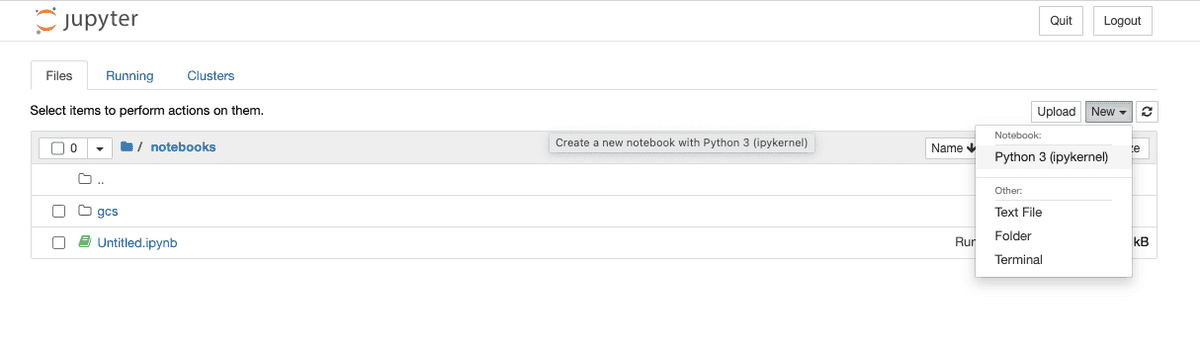
In the first cell in the window paste the following text:
from pyspark.sql import SparkSessionspark = (SparkSession.builder.master('local') .appName('sample_spark') .config('spark.extraListeners', 'io.openlineage.spark.agent.OpenLineageSparkListener') .config('spark.jars.packages', 'io.openlineage:openlineage-spark:1.45.0') .config('spark.openlineage.transport.type', 'console') .getOrCreate())
Once the Spark context is started, we adjust logging level to `INFO` with:
spark.sparkContext.setLogLevel("INFO")
and create some Spark table with:
spark.createDataFrame([ {'a': 1, 'b': 2}, {'a': 3, 'b': 4}]).write.mode("overwrite").saveAsTable("temp")
The command should output OpenLineage event in a form of log:
22/08/01 06:15:49 INFO ConsoleTransport: {"eventType":"START","eventTime":"2022-08-01T06:15:49.671Z","run":{"runId":"204d9c56-6648-4d46-b6bd-f4623255d324","facets":{"spark_unknown":{"_producer":"https://github.com/OpenLineage/OpenLineage/tree/0.12.0-SNAPSHOT/integration/spark","_schemaURL":"https://openlineage.io/spec/1-0-2/OpenLineage.json#/$defs/RunFacet","inputs":[{"description":{"@class":"org.apache.spark.sql.execution.LogicalRDD","id":1,"streaming":false,"traceEnabled":false,"canonicalizedPlan":false},"inputAttributes":[],"outputAttributes":[{"name":"a","type":"long","metadata":{}},{"name":"b","type":"long","metadata":{}}]}]},"spark.logicalPlan":{"_producer":"https://github.com/OpenLineage/OpenLineage/tree/0.12.0-SNAPSHOT/integration/spark","_schemaURL":"https://openlineage.io/spec/1-0-2/OpenLineage.json#/$defs/RunFacet","plan":[{"class":"org.apache.spark.sql.execution.command.CreateDataSourceTableAsSelectCommand","num-children":1,"table":{"product-class":"org.apache.spark.sql.catalyst.catalog.CatalogTable","identifier":{"product-class":"org.apache.spark.sql.catalyst.TableIdentifier","table":"temp"},"tableType":{"product-class":"org.apache.spark.sql.catalyst.catalog.CatalogTableType","name":"MANAGED"},"storage":{"product-class":"org.apache.spark.sql.catalyst.catalog.CatalogStorageFormat","compressed":false,"properties":null},"schema":{"type":"struct","fields":[]},"provider":"parquet","partitionColumnNames":[],"owner":"","createTime":1659334549656,"lastAccessTime":-1,"createVersion":"","properties":null,"unsupportedFeatures":[],"tracksPartitionsInCatalog":false,"schemaPreservesCase":true,"ignoredProperties":null},"mode":null,"query":0,"outputColumnNames":"[a, b]"},{"class":"org.apache.spark.sql.execution.LogicalRDD","num-children":0,"output":[[{"class":"org.apache.spark.sql.catalyst.expressions.AttributeReference","num-children":0,"name":"a","dataType":"long","nullable":true,"metadata":{},"exprId":{"product-class":"org.apache.spark.sql.catalyst.expressions.ExprId","id":6,"jvmId":"6a1324ac-917e-4e22-a0b9-84a5f80694ad"},"qualifier":[]}],[{"class":"org.apache.spark.sql.catalyst.expressions.AttributeReference","num-children":0,"name":"b","dataType":"long","nullable":true,"metadata":{},"exprId":{"product-class":"org.apache.spark.sql.catalyst.expressions.ExprId","id":7,"jvmId":"6a1324ac-917e-4e22-a0b9-84a5f80694ad"},"qualifier":[]}]],"rdd":null,"outputPartitioning":{"product-class":"org.apache.spark.sql.catalyst.plans.physical.UnknownPartitioning","numPartitions":0},"outputOrdering":[],"isStreaming":false,"session":null}]},"spark_version":{"_producer":"https://github.com/OpenLineage/OpenLineage/tree/0.12.0-SNAPSHOT/integration/spark","_schemaURL":"https://openlineage.io/spec/1-0-2/OpenLineage.json#/$defs/RunFacet","spark-version":"3.1.2","openlineage-spark-version":"0.12.0-SNAPSHOT"}}},"job":{"namespace":"default","name":"sample_spark.execute_create_data_source_table_as_select_command","facets":{}},"inputs":[],"outputs":[{"namespace":"file","name":"/home/jovyan/notebooks/spark-warehouse/temp","facets":{"dataSource":{"_producer":"https://github.com/OpenLineage/OpenLineage/tree/0.12.0-SNAPSHOT/integration/spark","_schemaURL":"https://openlineage.io/spec/facets/1-0-0/DatasourceDatasetFacet.json#/$defs/DatasourceDatasetFacet","name":"file","uri":"file"},"schema":{"_producer":"https://github.com/OpenLineage/OpenLineage/tree/0.12.0-SNAPSHOT/integration/spark","_schemaURL":"https://openlineage.io/spec/facets/1-0-0/SchemaDatasetFacet.json#/$defs/SchemaDatasetFacet","fields":[{"name":"a","type":"long"},{"name":"b","type":"long"}]},"lifecycleStateChange":{"_producer":"https://github.com/OpenLineage/OpenLineage/tree/0.12.0-SNAPSHOT/integration/spark","_schemaURL":"https://openlineage.io/spec/facets/1-0-0/LifecycleStateChangeDatasetFacet.json#/$defs/LifecycleStateChangeDatasetFacet","lifecycleStateChange":"CREATE"}},"outputFacets":{}}],"producer":"https://github.com/OpenLineage/OpenLineage/tree/0.12.0-SNAPSHOT/integration/spark","schemaURL":"https://openlineage.io/spec/1-0-2/OpenLineage.json#/$defs/RunEvent"}
Generated JSON contains output dataset name and location `{"namespace":"file","name":"/home/jovyan/notebooks/spark-warehouse/temp"`, schema fields `[{"name":"a","type":"long"},{"name":"b","type":"long"}]`, etc.
More comprehensive demo, that integrates Spark events with Marquez backend can be found on our blog [Tracing Data Lineage with OpenLineage and Apache Spark](https://openlineage.io/blog/openlineage-spark/)
---
# Data Quality Metrics Facet | OpenLineage
[Skip to main content](https://openlineage.io/docs/1.38.0/spec/facets/dataset-facets/data_quality_metrics/#__docusaurus_skipToContent_fallback)
This is documentation for OpenLineage **1.38.0**, which is no longer actively maintained.
For up-to-date documentation, see the **[latest version](https://openlineage.io/docs/spec/facets/dataset-facets/data_quality_metrics)
** (1.45.0).
Version: 1.38.0
This facet allows platforms to display and monitor metrics related to the health of a given dataset.
Example:
{ ... "inputs": { "facets": { "dataQualityMetrics": { "_producer": "https://some.producer.com/version/1.0", "_schemaURL": "https://openlineage.io/spec/facets/1-0-0/DataQualityMetricsDatasetFacet.json", "rowCount": 123, "fileCount": 5, "bytes": 35602, "lastUpdated": "2025-05-30T08:42:00.001+10:00", "columnMetrics": { "column_one": { "nullCount": 132, "distincCount": 11, "sum": 500, "count": 234, "min": 111, "max": 3234, "quantiles": { "0.1": 12, "0.5": 22, "1": 123, "2": 11 } }, "column_two": { "nullCount": 132, "distinctCount": 11, "sum": 500, "count": 234, "min": 111, "max": 3234, "quantiles": { "0.1": 12, "0.5": 22, "1": 123, "2": 11 } }, "column_three": { "nullCount": 132, "distincCount": 11, "sum": 500, "count": 234, "min": 111, "max": 3234, "quantiles": { "0.1": 12, "0.5": 22, "1": 123, "2": 11 } } } } } } ...}
The facet specification can be found [here](https://openlineage.io/spec/facets/1-0-0/DataQualityMetricsDatasetFacet.json)
.
---
# Storage Facet | OpenLineage
[Skip to main content](https://openlineage.io/docs/1.38.0/spec/facets/dataset-facets/storage/#__docusaurus_skipToContent_fallback)
This is documentation for OpenLineage **1.38.0**, which is no longer actively maintained.
For up-to-date documentation, see the **[latest version](https://openlineage.io/docs/spec/facets/dataset-facets/storage)
** (1.45.0).
Version: 1.38.0
Example:
{ ... "inputs": { "facets": { "storage": { "_producer": "https://some.producer.com/version/1.0", "_schemaURL": "https://openlineage.io/spec/facets/1-0-0/StorageDatasetFacet.json", "storageLayer": "iceberg", "fileFormat": "csv" } } } ...}
The facet specification can be found [here](https://openlineage.io/spec/facets/1-0-0/StorageDatasetFacet.json)
.
---
# Lifecycle State Change Facet | OpenLineage
[Skip to main content](https://openlineage.io/docs/1.38.0/spec/facets/dataset-facets/lifecycle_state_change/#__docusaurus_skipToContent_fallback)
This is documentation for OpenLineage **1.38.0**, which is no longer actively maintained.
For up-to-date documentation, see the **[latest version](https://openlineage.io/docs/spec/facets/dataset-facets/lifecycle_state_change)
** (1.45.0).
Version: 1.38.0
Example:
{ ... "outputs": { "facets": { "lifecycleStateChange": { "_producer": "https://some.producer.com/version/1.0", "_schemaURL": "https://openlineage.io/spec/facets/1-0-0/LifecycleStateChangeDatasetFacet.json", "lifecycleStateChange": "CREATE" } } } ...}
{ ... "outputs": { "facets": { "lifecycleStateChange": { "_producer": "https://some.producer.com/version/1.0", "_schemaURL": "https://openlineage.io/spec/facets/1-0-0/LifecycleStateChangeDatasetFacet.json", "lifecycleStateChange": "RENAME", "previousIdentifier": { "namespace": "example_namespace", "name": "example_table_1" } } } } ...}
The facet specification can be found [here](https://openlineage.io/spec/facets/1-0-0/LifecycleStateChangeDatasetFacet.json)
.
---
# Ownership Dataset Facet | OpenLineage
[Skip to main content](https://openlineage.io/docs/1.38.0/spec/facets/dataset-facets/ownership/#__docusaurus_skipToContent_fallback)
This is documentation for OpenLineage **1.38.0**, which is no longer actively maintained.
For up-to-date documentation, see the **[latest version](https://openlineage.io/docs/spec/facets/dataset-facets/ownership)
** (1.45.0).
Version: 1.38.0
Example:
{ ... "inputs": { "facets": { "ownership": { "_producer": "https://some.producer.com/version/1.0", "_schemaURL": "https://openlineage.io/spec/facets/1-0-0/OwnershipDatasetFacet.json", "owners": [ { "name": "maintainer_one", "type": "MAINTAINER" } ] } } } ...}
The facet specification can be found [here](https://openlineage.io/spec/facets/1-0-0/OwnershipDatasetFacet.json)
.
---
# Source Code Location Facet | OpenLineage
[Skip to main content](https://openlineage.io/docs/1.38.0/spec/facets/job-facets/source-code-location/#__docusaurus_skipToContent_fallback)
This is documentation for OpenLineage **1.38.0**, which is no longer actively maintained.
For up-to-date documentation, see the **[latest version](https://openlineage.io/docs/spec/facets/job-facets/source-code-location)
** (1.45.0).
Version: 1.38.0
The facet that indicates where the source code is located.
Example:
{ ... "job": { "facets": { "sourceCodeLocation": { "_producer": "https://some.producer.com/version/1.0", "_schemaURL": "https://github.com/OpenLineage/OpenLineage/blob/main/spec/facets/SourceCodeLocationJobFacet.json", "type": "git|svn", "url": "https://github.com/MarquezProject/marquez-airflow-quickstart/blob/693e35482bc2e526ced2b5f9f76ef83dec6ec691/dags/hello.py", "repoUrl": "git@github.com:{org}/{repo}.git or https://github.com/{org}/{repo}.git|svn:///", "path": "path/to/my/dags", "version": "git: the git sha | Svn: the revision number", "tag": "example", "branch": "main" } } } ...}
The facet specification can be found [here](https://openlineage.io/spec/facets/1-0-0/SourceCodeLocationJobFacet.json)
---
# Symlinks Facet | OpenLineage
[Skip to main content](https://openlineage.io/docs/1.38.0/spec/facets/dataset-facets/symlinks/#__docusaurus_skipToContent_fallback)
This is documentation for OpenLineage **1.38.0**, which is no longer actively maintained.
For up-to-date documentation, see the **[latest version](https://openlineage.io/docs/spec/facets/dataset-facets/symlinks)
** (1.45.0).
Version: 1.38.0
The symlinks facet is used to list alternative identifiers for a single dataset. A dataset might be referenced by its physical location (e.g., a file path) in one context and by a logical name (e.g., a database table name) in another. This facet allows OpenLineage to understand that these different identifiers refer to the same entity, creating a unified lineage graph.
Fields Description
* `identifiers`: An array containing one or more alternative identifiers for the dataset.
* `namespace`: The namespace of the alternative identifier (e.g., Glue Catalog).
* `name`: The name of the dataset within the given namespace (e.g., Glue Table).
* `type`: A string describing the type of the identifier.
`namespace`, `name` and `type` are required fields
Example:
{ ... "inputs": { "namespace": "s3://{bucket name}", "name": "{object key}", "facets": { "symlinks": { "_producer": "https://some.producer.com/version/1.0", "_schemaURL": "https://openlineage.io/spec/facets/1-0-1/SymlinksDatasetFacet.json", "identifiers": [ "namespace": "arn:aws:glue:{region}:{account id}", "name": "table/{database name}/{table name}", "type": "TABLE" ] } } } ...}
The facet specification can be found [here](https://openlineage.io/spec/facets/1-0-1/SymlinksDatasetFacet.json)
.
---
# Source Code Facet | OpenLineage
[Skip to main content](https://openlineage.io/docs/1.38.0/spec/facets/job-facets/source-code/#__docusaurus_skipToContent_fallback)
This is documentation for OpenLineage **1.38.0**, which is no longer actively maintained.
For up-to-date documentation, see the **[latest version](https://openlineage.io/docs/spec/facets/job-facets/source-code)
** (1.45.0).
Version: 1.38.0
The source code of a particular job (e.g. Python script)
Example:
{ ... "job": { "facets": { "sourceCode": { "_producer": "https://some.producer.com/version/1.0", "_schemaURL": "https://github.com/OpenLineage/OpenLineage/blob/main/spec/facets/SourceCodeJobFacet.json", "language": "python", "sourceCode": "print('hello, OpenLineage!')" } } } ...}
The facet specification can be found [here](https://openlineage.io/spec/facets/1-0-0/SourceCodeJobFacet.json)
---
# Dataset Type Facet | OpenLineage
[Skip to main content](https://openlineage.io/docs/1.38.0/spec/facets/dataset-facets/type/#__docusaurus_skipToContent_fallback)
This is documentation for OpenLineage **1.38.0**, which is no longer actively maintained.
For up-to-date documentation, see the **[latest version](https://openlineage.io/docs/spec/facets/dataset-facets/type)
** (1.45.0).
Version: 1.38.0
The facet contains type of dataset within a database.
Fields description:
* `datasetType`: Dataset type, e.g. `TABLE`, `VIEW`, `TOPIC`, `MODEL`.
* `subType`: sub-type within `datasetType`, e.g. `MATERIALIZED`, `EXTERNAL`.
Example:
{ ... "inputs": { "facets": { "datasetType": { "_producer": "https://some.producer.com/version/1.0", "_schemaURL": "https://openlineage.io/spec/facets/1-0-0/DatasetTypeDatasetFacet.json", "datasetType": "VIEW", "subType": "MATERIALIZED" } } } ...}
The facet specification can be found [here](https://openlineage.io/spec/facets/1-0-0/DatasetTypeDatasetFacet.json)
.
---
# Tags Job Facet | OpenLineage
[Skip to main content](https://openlineage.io/docs/1.38.0/spec/facets/job-facets/tag-facet/#__docusaurus_skipToContent_fallback)
This is documentation for OpenLineage **1.38.0**, which is no longer actively maintained.
For up-to-date documentation, see the **[latest version](https://openlineage.io/docs/spec/facets/job-facets/tag-facet)
** (1.45.0).
Version: 1.38.0
The facet contains the tags associated with the job.
Example:
{ ... "job": { "facets": { "_producer": "https://some.producer.com/version/1.0", "_schemaURL": "https://github.com/OpenLineage/OpenLineage/blob/main/spec/facets/TagsJobFacet.json", "tags": [{ "key": "environment", "value": "production", "source": "CONFIG" }, { "key": "team", "value": "data-engineering", "source": "CONFIG" }] } } ...}
The facet specification can be found [here](https://openlineage.io/spec/facets/1-0-0/TagsJobFacet.json)
---
# Tags Dataset Facet | OpenLineage
[Skip to main content](https://openlineage.io/docs/1.38.0/spec/facets/dataset-facets/tag-facet/#__docusaurus_skipToContent_fallback)
This is documentation for OpenLineage **1.38.0**, which is no longer actively maintained.
For up-to-date documentation, see the **[latest version](https://openlineage.io/docs/spec/facets/dataset-facets/tag-facet)
** (1.45.0).
Version: 1.38.0
The facet contains the tags associated with the dataset.
Example:
{ ... "inputs": { "facets": { "_producer": "https://some.producer.com/version/1.0", "_schemaURL": "https://github.com/OpenLineage/OpenLineage/blob/main/spec/facets/TagsDatasetFacet.json", "tags": [{ "key": "environment", "value": "production", "source": "CONFIG" }, { "key": "classification", "value": "PII", "source": "CONFIG", "field": "tax_id" }] } } ...}
The facet specification can be found [here](https://openlineage.io/spec/facets/1-0-0/TagsDatasetFacet.json)
---
# Transport | OpenLineage
[Skip to main content](https://openlineage.io/docs/1.38.0/integrations/hive/configuration/transport/#__docusaurus_skipToContent_fallback)
This is documentation for OpenLineage **1.38.0**, which is no longer actively maintained.
For up-to-date documentation, see the **[latest version](https://openlineage.io/docs/integrations/hive/configuration/transport)
** (1.45.0).
Version: 1.38.0
On this page
**Tip:** See current list of [all supported transports](https://github.com/OpenLineage/OpenLineage/tree/main/client/java/src/main/java/io/openlineage/client/transports)
.
### [HTTP](https://github.com/OpenLineage/OpenLineage/tree/main/client/java/src/main/java/io/openlineage/client/transports/HttpTransport.java)
[](https://openlineage.io/docs/1.38.0/integrations/hive/configuration/transport/#http "Direct link to http")
Allows sending events to HTTP endpoint, using [ApacheHTTPClient](https://hc.apache.org/index.html)
.
#### Configuration[](https://openlineage.io/docs/1.38.0/integrations/hive/configuration/transport/#configuration "Direct link to Configuration")
* `type` - string, must be `"http"`. Required.
* `url` - string, base url for HTTP requests. Required.
* `endpoint` - string specifying the endpoint to which events are sent, appended to `url`. Optional, default: `/api/v1/lineage`.
* `urlParams` - dictionary specifying query parameters send in HTTP requests. Optional.
* `timeoutInMillis` - integer specifying timeout (in milliseconds) value used while connecting to server. Optional, default: `5000`.
* `auth` - dictionary specifying authentication options. Optional, by default no authorization is used. If set, requires the `type` property.
* `type` - string specifying value for one of the out-of-the-box available authentication methods (`apiKey` or `jwt`), or the fully qualified class name of your TokenProvider. Required if `auth` is provided.
* Configuration options for `api_key` authentication:
* `apiKey` - string setting the Authentication HTTP header as the Bearer. Required if `type` is `api_key`.
* Configuration options for `jwt` authentication are documented in the [JWT Token Provider](https://openlineage.io/docs/1.38.0/integrations/hive/configuration/transport/#jwt-token-provider)
section.
* `headers` - dictionary specifying HTTP request headers. Optional.
* `compression` - string, name of algorithm used by HTTP client to compress request body. Optional, default value `null`, allowed values: `gzip`. Added in v1.13.0.
#### Behavior[](https://openlineage.io/docs/1.38.0/integrations/hive/configuration/transport/#behavior "Direct link to Behavior")
Events are serialized to JSON, and then are send as HTTP POST request with `Content-Type: application/json`.
#### Examples[](https://openlineage.io/docs/1.38.0/integrations/hive/configuration/transport/#examples "Direct link to Examples")
* Yaml Config
* Spark Config
* Flink Config
* Java Code
Anonymous connection:
transport: type: http url: http://localhost:5000
With authorization:
transport: type: http url: http://localhost:5000 auth: type: api_key api_key: f38d2189-c603-4b46-bdea-e573a3b5a7d5
Full example:
transport: type: http url: http://localhost:5000 endpoint: /api/v1/lineage urlParams: param0: value0 param1: value1 timeoutInMillis: 5000 auth: type: api_key api_key: f38d2189-c603-4b46-bdea-e573a3b5a7d5 headers: X-Some-Extra-Header: abc compression: gzip
Anonymous connection:
spark.openlineage.transport.type=httpspark.openlineage.transport.url=http://localhost:5000
With authorization:
spark.openlineage.transport.type=httpspark.openlineage.transport.url=http://localhost:5000spark.openlineage.transport.auth.type=api_keyspark.openlineage.transport.auth.apiKey=f38d2189-c603-4b46-bdea-e573a3b5a7d5
Full example:
spark.openlineage.transport.type=httpspark.openlineage.transport.url=http://localhost:5000spark.openlineage.transport.endpoint=/api/v1/lineagespark.openlineage.transport.urlParams.param0=value0spark.openlineage.transport.urlParams.param1=value1spark.openlineage.transport.timeoutInMillis=5000spark.openlineage.transport.auth.type=api_keyspark.openlineage.transport.auth.apiKey=f38d2189-c603-4b46-bdea-e573a3b5a7d5spark.openlineage.transport.headers.X-Some-Extra-Header=abcspark.openlineage.transport.compression=gzip
With SSL context:
spark.openlineage.transport.sslContext.storePassword=...spark.openlineage.transport.sslContext.keyPassword=...spark.openlineage.transport.sslContext.keyStoreType=...spark.openlineage.transport.sslContext.keyStorePath=...
where the config contains location of the keystore file, keystore password and its type. It should also contain key password.
URL parsing within Spark integration
You can supply http parameters using values in url, the parsed `spark.openlineage.*` properties are located in url as follows:
`{transport.url}/{transport.endpoint}/namespaces/{namespace}/jobs/{parentJobName}/runs/{parentRunId}?app_name={appName}&api_key={transport.apiKey}&timeout={transport.timeout}&xxx={transport.urlParams.xxx}`
example:
`http://localhost:5000/api/v1/namespaces/ns_name/jobs/job_name/runs/xxxxxxxx-xxxx-xxxx-xxxx-xxxxxxxxxxxx?app_name=app&api_key=abc&timeout=5000&xxx=xxx`
Anonymous connection:
spark.openlineage.transport.type=httpspark.openlineage.transport.url=http://localhost:5000
With authorization:
openlineage.transport.type=httpopenlineage.transport.url=http://localhost:5000openlineage.transport.auth.type=api_keyopenlineage.transport.auth.apiKey=f38d2189-c603-4b46-bdea-e573a3b5a7d5
Full example:
openlineage.transport.type=httpopenlineage.transport.url=http://localhost:5000openlineage.transport.endpoint=/api/v1/lineageopenlineage.transport.urlParams.param0=value0openlineage.transport.urlParams.param1=value1openlineage.transport.timeoutInMillis=5000openlineage.transport.auth.type=api_keyopenlineage.transport.auth.apiKey=f38d2189-c603-4b46-bdea-e573a3b5a7d5openlineage.transport.headers.X-Some-Extra-Header=abcopenlineage.transport.compression=gzip
With SSL context:
openlineage.transport.sslContext.storePassword=...openlineage.transport.sslContext.keyPassword=...openlineage.transport.sslContext.keyStoreType=...openlineage.transport.sslContext.keyStorePath=...
where the config contains location of the keystore file, keystore password and its type. It should also contain key password.
Anonymous connection:
import io.openlineage.client.OpenLineageClient;import io.openlineage.client.transports.HttpConfig;import io.openlineage.client.transports.HttpTransport;HttpConfig httpConfig = new HttpConfig();httpConfig.setUrl("http://localhost:5000");OpenLineageClient client = OpenLineageClient.builder() .transport( new HttpTransport(httpConfig)) .build();
With authorization:
import io.openlineage.client.OpenLineageClient;import io.openlineage.client.transports.ApiKeyTokenProvider;import io.openlineage.client.transports.HttpConfig;import io.openlineage.client.transports.HttpTransport;ApiKeyTokenProvider apiKeyTokenProvider = new ApiKeyTokenProvider();apiKeyTokenProvider.setApiKey("f38d2189-c603-4b46-bdea-e573a3b5a7d5");HttpConfig httpConfig = new HttpConfig();httpConfig.setUrl("http://localhost:5000");httpConfig.setAuth(apiKeyTokenProvider);OpenLineageClient client = OpenLineageClient.builder() .transport( new HttpTransport(httpConfig)) .build();
Full example:
import java.util.Map;import io.openlineage.client.OpenLineageClient;import io.openlineage.client.transports.ApiKeyTokenProvider;import io.openlineage.client.transports.HttpConfig;import io.openlineage.client.transports.HttpTransport;Map queryParams = Map.of( "param0", "value0", "param1", "value1");Map headers = Map.of( "X-Some-Extra-Header", "abc");ApiKeyTokenProvider apiKeyTokenProvider = new ApiKeyTokenProvider();apiKeyTokenProvider.setApiKey("f38d2189-c603-4b46-bdea-e573a3b5a7d5");HttpConfig httpConfig = new HttpConfig();httpConfig.setUrl("http://localhost:5000");httpConfig.setEndpoint("/api/v1/lineage");httpConfig.setUrlParams(queryParams);httpConfig.setAuth(apiKeyTokenProvider);httpConfig.setTimeoutInMillis(5000);httpConfig.setHeaders(headers);httpConfig.setCompression(HttpConfig.Compression.GZIP);OpenLineageClient client = OpenLineageClient.builder() .transport( new HttpTransport(httpConfig)) .build();
With SSL Context:
httpConfig.setSslContextConfig(new HttpSslContextConfig(keyStorePassword, keyPassword, keyStoreType, keyStoreFileName));
where the config contains location of the keystore file, keystore password and its type. It should also contain key password.
#### JWT Token Provider[](https://openlineage.io/docs/1.38.0/integrations/hive/configuration/transport/#jwt-token-provider "Direct link to JWT Token Provider")
The `JwtTokenProvider` is an authentication provider that exchanges an API key for a JWT token via a POST endpoint. This is useful for services that require OAuth-style authentication where you need to obtain a token before making API requests.
##### Configuration[](https://openlineage.io/docs/1.38.0/integrations/hive/configuration/transport/#configuration-1 "Direct link to Configuration")
When using JWT authentication with HTTP transport, configure the `auth` section as follows:
* `type` - string, must be `"jwt"`. Required.
* `apiKey` - string, the API key used to obtain the JWT token. Required.
* `tokenEndpoint` - string, the URL endpoint for token generation. Required.
* `tokenFields` - array of strings, JSON field names to search for the token in the response. The provider tries each field in order. Optional, default: `["token", "access_token"]`.
* `expiresInField` - string, JSON field name containing the token expiration time in seconds. Optional, default: `"expires_in"`.
* `grantType` - string, OAuth grant type parameter sent in the token request. Optional, default: `"urn:ietf:params:oauth:grant-type:jwt-bearer"`.
* `responseType` - string, OAuth response type parameter sent in the token request. Optional, default: `"token"`.
* `tokenRefreshBuffer` - integer, number of seconds before token expiry to trigger a refresh. Optional, default: `120`.
##### Behavior[](https://openlineage.io/docs/1.38.0/integrations/hive/configuration/transport/#behavior-1 "Direct link to Behavior")
* The provider sends a POST request with URL-encoded form data containing the API key and OAuth parameters.
* The response is expected to be JSON containing the JWT token and optionally an expiration time.
* Tokens are cached and automatically refreshed before expiration (default: 120 seconds before expiry, configurable via `tokenRefreshBuffer`).
* If no expiration is provided in the response, the provider attempts to extract it from the JWT payload's `exp` claim.
* The provider supports multiple JSON field names for the token, trying each in order until a match is found.
* Field matching is case-insensitive and handles both snake\_case and camelCase variations (e.g., `expires_in` matches `expiresIn`).
##### Examples[](https://openlineage.io/docs/1.38.0/integrations/hive/configuration/transport/#examples-1 "Direct link to Examples")
* Yaml Config
* Spark Config
* Flink Config
* Java Code
Standard OAuth configuration:
transport: type: http url: https://api.example.com auth: type: jwt apiKey: your-api-key tokenEndpoint: https://auth.example.com/token
With custom field names:
transport: type: http url: https://api.example.com auth: type: jwt apiKey: your-api-key tokenEndpoint: https://auth.example.com/token tokenFields: ["access_token", "token"] expiresInField: expires_in
IBM Cloud IAM configuration:
transport: type: http url: https://api.example.com auth: type: jwt apiKey: your-ibm-api-key tokenEndpoint: https://iam.cloud.ibm.com/identity/token grantType: urn:ibm:params:oauth:grant-type:apikey responseType: cloud_iam
Standard OAuth configuration:
spark.openlineage.transport.type=httpspark.openlineage.transport.url=https://api.example.comspark.openlineage.transport.auth.type=jwtspark.openlineage.transport.auth.apiKey=your-api-keyspark.openlineage.transport.auth.tokenEndpoint=https://auth.example.com/token
IBM Cloud IAM configuration:
spark.openlineage.transport.type=httpspark.openlineage.transport.url=https://api.example.comspark.openlineage.transport.auth.type=jwtspark.openlineage.transport.auth.apiKey=your-ibm-api-keyspark.openlineage.transport.auth.tokenEndpoint=https://iam.cloud.ibm.com/identity/tokenspark.openlineage.transport.auth.grantType=urn:ibm:params:oauth:grant-type:apikeyspark.openlineage.transport.auth.responseType=cloud_iam
Standard OAuth configuration:
openlineage.transport.type=httpopenlineage.transport.url=https://api.example.comopenlineage.transport.auth.type=jwtopenlineage.transport.auth.apiKey=your-api-keyopenlineage.transport.auth.tokenEndpoint=https://auth.example.com/token
IBM Cloud IAM configuration:
openlineage.transport.type=httpopenlineage.transport.url=https://api.example.comopenlineage.transport.auth.type=jwtopenlineage.transport.auth.apiKey=your-ibm-api-keyopenlineage.transport.auth.tokenEndpoint=https://iam.cloud.ibm.com/identity/tokenopenlineage.transport.auth.grantType=urn:ibm:params:oauth:grant-type:apikeyopenlineage.transport.auth.responseType=cloud_iam
Standard OAuth configuration:
import io.openlineage.client.OpenLineageClient;import io.openlineage.client.transports.HttpConfig;import io.openlineage.client.transports.HttpTransport;import io.openlineage.client.transports.JwtTokenProvider;JwtTokenProvider jwtTokenProvider = new JwtTokenProvider();jwtTokenProvider.setApiKey("your-api-key");jwtTokenProvider.setTokenEndpoint(URI.create("https://auth.example.com/token"));HttpConfig httpConfig = new HttpConfig();httpConfig.setUrl(URI.create("https://api.example.com"));httpConfig.setAuth(jwtTokenProvider);OpenLineageClient client = OpenLineageClient.builder() .transport(new HttpTransport(httpConfig)) .build();
IBM Cloud IAM configuration:
import io.openlineage.client.OpenLineageClient;import io.openlineage.client.transports.HttpConfig;import io.openlineage.client.transports.HttpTransport;import io.openlineage.client.transports.JwtTokenProvider;JwtTokenProvider jwtTokenProvider = new JwtTokenProvider();jwtTokenProvider.setApiKey("your-ibm-api-key");jwtTokenProvider.setTokenEndpoint(URI.create("https://iam.cloud.ibm.com/identity/token"));jwtTokenProvider.setGrantType("urn:ibm:params:oauth:grant-type:apikey");jwtTokenProvider.setResponseType("cloud_iam");HttpConfig httpConfig = new HttpConfig();httpConfig.setUrl(URI.create("https://api.example.com"));httpConfig.setAuth(jwtTokenProvider);OpenLineageClient client = OpenLineageClient.builder() .transport(new HttpTransport(httpConfig)) .build();
### [Kafka](https://github.com/OpenLineage/OpenLineage/tree/main/client/java/src/main/java/io/openlineage/client/transports/KafkaTransport.java)
[](https://openlineage.io/docs/1.38.0/integrations/hive/configuration/transport/#kafka "Direct link to kafka")
If a transport type is set to `kafka`, then the below parameters would be read and used when building KafkaProducer. This transport requires the artifact `org.apache.kafka:kafka-clients:3.1.0` (or compatible) on your classpath.
#### Configuration[](https://openlineage.io/docs/1.38.0/integrations/hive/configuration/transport/#configuration-2 "Direct link to Configuration")
* `type` - string, must be `"kafka"`. Required.
* `topicName` - string specifying the topic on what events will be sent. Required.
* `properties` - a dictionary containing a Kafka producer config as in [Kafka producer config](http://kafka.apache.org/0100/documentation.html#producerconfigs)
. Required.
* `localServerId` - **deprecated**, renamed to `messageKey` since v1.13.0.
* `messageKey` - string, key for all Kafka messages produced by transport. Optional, default value described below. Added in v1.13.0.
Default values for `messageKey` are:
* `run:{rootJob.namespace}/{rootJob.name}` - for RunEvent with parent facet containing link to `root` job
* `run:{parentJob.namespace}/{parentJob.name}` - for RunEvent with parent facet
* `run:{job.namespace}/{job.name}` - for RunEvent
* `job:{job.namespace}/{job.name}` - for JobEvent
* `dataset:{dataset.namespace}/{dataset.name}` - for DatasetEvent
#### Behavior[](https://openlineage.io/docs/1.38.0/integrations/hive/configuration/transport/#behavior-2 "Direct link to Behavior")
Events are serialized to JSON, and then dispatched to the Kafka topic.
#### Notes[](https://openlineage.io/docs/1.38.0/integrations/hive/configuration/transport/#notes "Direct link to Notes")
It is recommended to provide `messageKey` if Job hierarchy is used. It can be any string, but it should be the same for all jobs in hierarchy, like `Airflow task -> Spark application -> Spark task runs`.
#### Examples[](https://openlineage.io/docs/1.38.0/integrations/hive/configuration/transport/#examples-2 "Direct link to Examples")
* Yaml Config
* Spark Config
* Flink Config
* Java Code
transport: type: kafka topicName: openlineage.events properties: bootstrap.servers: localhost:9092,another.host:9092 acks: all retries: 3 key.serializer: org.apache.kafka.common.serialization.StringSerializer value.serializer: org.apache.kafka.common.serialization.StringSerializer messageKey: some-value
spark.openlineage.transport.type=kafkaspark.openlineage.transport.topicName=openlineage.eventsspark.openlineage.transport.properties.bootstrap.servers=localhost:9092,another.host:9092spark.openlineage.transport.properties.acks=allspark.openlineage.transport.properties.retries=3spark.openlineage.transport.properties.key.serializer=org.apache.kafka.common.serialization.StringSerializerspark.openlineage.transport.properties.value.serializer=org.apache.kafka.common.serialization.StringSerializerspark.openlineage.transport.messageKey=some-value
openlineage.transport.type=kafkaopenlineage.transport.topicName=openlineage.eventsopenlineage.transport.properties.bootstrap.servers=localhost:9092,another.host:9092openlineage.transport.properties.acks=allopenlineage.transport.properties.retries=3openlineage.transport.properties.key.serializer=org.apache.kafka.common.serialization.StringSerializeropenlineage.transport.properties.value.serializer=org.apache.kafka.common.serialization.StringSerializeropenlineage.transport.messageKey=some-value
import java.util.Properties;import io.openlineage.client.OpenLineageClient;import io.openlineage.client.transports.KafkaConfig;import io.openlineage.client.transports.KafkaTransport;Properties kafkaProperties = new Properties();kafkaProperties.setProperty("bootstrap.servers", "localhost:9092,another.host:9092");kafkaProperties.setProperty("acks", "all");kafkaProperties.setProperty("retries", "3");kafkaProperties.setProperty("key.serializer", "org.apache.kafka.common.serialization.StringSerializer");kafkaProperties.setProperty("value.serializer", "org.apache.kafka.common.serialization.StringSerializer");KafkaConfig kafkaConfig = new KafkaConfig();KafkaConfig.setTopicName("openlineage.events");KafkaConfig.setProperties(kafkaProperties);KafkaConfig.setMessageKey("some-key");OpenLineageClient client = OpenLineageClient.builder() .transport( new KafkaTransport(httpConfig)) .build();
_Notes_: It is recommended to provide `messageKey` if Job hierarchy is used. It can be any string, but it should be the same for all jobs in hierarchy, like `Airflow task -> Spark application`.
Default values are:
* `run:{rootJob.namespace}/{rootJob.name}` - for RunEvent with parent facet containing link to `root` job
* `run:{parentJob.namespace}/{parentJob.name}/{parentRun.id}` - for RunEvent with parent facet
* `run:{job.namespace}/{job.name}/{run.id}` - for RunEvent
* `job:{job.namespace}/{job.name}` - for JobEvent
* `dataset:{dataset.namespace}/{dataset.name}` - for DatasetEvent
### [Console](https://github.com/OpenLineage/OpenLineage/tree/main/client/java/src/main/java/io/openlineage/client/transports/ConsoleTransport.java)
[](https://openlineage.io/docs/1.38.0/integrations/hive/configuration/transport/#console "Direct link to console")
This straightforward transport emits OpenLineage events directly to the console through a logger. No additional configuration is required.
#### Behavior[](https://openlineage.io/docs/1.38.0/integrations/hive/configuration/transport/#behavior-3 "Direct link to Behavior")
Events are serialized to JSON. Then each event is logged with `INFO` level to logger with name `ConsoleTransport`.
#### Notes[](https://openlineage.io/docs/1.38.0/integrations/hive/configuration/transport/#notes-1 "Direct link to Notes")
Be cautious when using the `DEBUG` log level, as it might result in double-logging due to the `OpenLineageClient` also logging.
#### Configuration[](https://openlineage.io/docs/1.38.0/integrations/hive/configuration/transport/#configuration-3 "Direct link to Configuration")
* `type` - string, must be `"console"`. Required.
#### Examples[](https://openlineage.io/docs/1.38.0/integrations/hive/configuration/transport/#examples-3 "Direct link to Examples")
* Yaml Config
* Spark Config
* Flink Config
* Java Code
transport: type: console
spark.openlineage.transport.type=console
openlineage.transport.type=console
import java.util.Properties;import io.openlineage.client.OpenLineageClient;import io.openlineage.client.transports.ConsoleTransport;OpenLineageClient client = OpenLineageClient.builder() .transport( new ConsoleTransport()) .build();
### [File](https://github.com/OpenLineage/OpenLineage/tree/main/client/java/src/main/java/io/openlineage/client/transports/FileTransport.java)
[](https://openlineage.io/docs/1.38.0/integrations/hive/configuration/transport/#file "Direct link to file")
Designed mainly for integration testing, the `FileTransport` emits OpenLineage events to a given file.
#### Configuration[](https://openlineage.io/docs/1.38.0/integrations/hive/configuration/transport/#configuration-4 "Direct link to Configuration")
* `type` - string, must be `"file"`. Required.
* `location` - string specifying the path of the file. Required.
#### Behavior[](https://openlineage.io/docs/1.38.0/integrations/hive/configuration/transport/#behavior-4 "Direct link to Behavior")
* If the target file is absent, it's created.
* Events are serialized to JSON, and then appended to a file, separated by newlines.
* Intrinsic newline characters within the event JSON are eliminated to ensure one-line events.
#### Notes for Yarn/Kubernetes[](https://openlineage.io/docs/1.38.0/integrations/hive/configuration/transport/#notes-for-yarnkubernetes "Direct link to Notes for Yarn/Kubernetes")
This transport type is pretty useless on Spark/Flink applications deployed to Yarn or Kubernetes cluster:
* Each executor will write file to a local filesystem of Yarn container/K8s pod. So resulting file will be removed when such container/pod is destroyed.
* Kubernetes persistent volumes are not destroyed after pod removal. But all the executors will write to the same network disk in parallel, producing a broken file.
#### Examples[](https://openlineage.io/docs/1.38.0/integrations/hive/configuration/transport/#examples-4 "Direct link to Examples")
* Yaml Config
* Spark Config
* Flink Config
* Java Code
transport: type: file location: /path/to/your/file
spark.openlineage.transport.type=filespark.openlineage.transport.location=/path/to/your/filext
openlineage.transport.type=fileopenlineage.transport.location=/path/to/your/file
import java.util.Properties;import io.openlineage.client.OpenLineageClient;import io.openlineage.client.transports.FileConfig;import io.openlineage.client.transports.FileTransport;FileConfig fileConfig = new FileConfig("/path/to/your/file");OpenLineageClient client = OpenLineageClient.builder() .transport( new FileTransport(fileConfig)) .build();
### [Composite](https://github.com/OpenLineage/OpenLineage/tree/main/client/java/src/main/java/io/openlineage/client/transports/CompositeTransport.java)
[](https://openlineage.io/docs/1.38.0/integrations/hive/configuration/transport/#composite "Direct link to composite")
The `CompositeTransport` is designed to combine multiple transports, allowing event emission to several destinations. This is useful when events need to be sent to multiple targets, such as a logging system and an API endpoint. The events are delivered sequentially - one after another in a defined order.
#### Configuration[](https://openlineage.io/docs/1.38.0/integrations/hive/configuration/transport/#configuration-5 "Direct link to Configuration")
* `type` - string, must be "composite". Required.
* `transports` - a list or a map of transport configurations. Required.
* `continueOnFailure` - boolean flag, determines if the process should continue even when one of the transports fails. Default is `true`.
* `withThreadPool` - boolean flag, determines if a thread pool for parallel event emission should be kept between event emissions. Default is `true`.
#### Behavior[](https://openlineage.io/docs/1.38.0/integrations/hive/configuration/transport/#behavior-5 "Direct link to Behavior")
* The configured transports will be initialized and used in sequence (sorted by transport name) to emit OpenLineage events.
* If `continueOnFailure` is set to `false`, a failure in one transport will stop the event emission process, and an exception will be raised.
* If `continueOnFailure` is `true`, the failure will be logged, but the remaining transports will still attempt to send the event.
#### Notes for Multiple Transports[](https://openlineage.io/docs/1.38.0/integrations/hive/configuration/transport/#notes-for-multiple-transports "Direct link to Notes for Multiple Transports")
The composite transport can be used with any OpenLineage transport (e.g. `HttpTransport`, `KafkaTransport`, etc). Ideal for scenarios where OpenLineage events need to reach multiple destinations for redundancy or different types of processing.
The `transports` configuration can be provided in two formats:
1. A list of transport configurations, where each transport may optionally include a `name` field.
2. A map of transport configurations, where the key acts as the name for each transport. The map format is particularly useful for configurations set via environment variables or Java properties, providing a more convenient and flexible setup.
##### Why are transport names used?[](https://openlineage.io/docs/1.38.0/integrations/hive/configuration/transport/#why-are-transport-names-used "Direct link to Why are transport names used?")
Transport names are not required for basic functionality. Their primary purpose is to enable configuration of composite transports via environment variables, which is only supported when names are defined.
#### Examples[](https://openlineage.io/docs/1.38.0/integrations/hive/configuration/transport/#examples-5 "Direct link to Examples")
* Yaml Config (List)
* Yaml Config (Map)
* Spark Config
* Flink Config
* Java Code
transport: type: composite continueOnFailure: true transports: - type: http url: http://example.com/api name: my_http - type: kafka topicName: openlineage.events properties: bootstrap.servers: localhost:9092,another.host:9092 acks: all retries: 3 key.serializer: org.apache.kafka.common.serialization.StringSerializer value.serializer: org.apache.kafka.common.serialization.StringSerializer messageKey: some-value continueOnFailure: true
transport: type: composite continueOnFailure: true transports: my_http: type: http url: http://example.com/api name: my_http my_kafka: type: kafka topicName: openlineage.events properties: bootstrap.servers: localhost:9092,another.host:9092 acks: all retries: 3 key.serializer: org.apache.kafka.common.serialization.StringSerializer value.serializer: org.apache.kafka.common.serialization.StringSerializer messageKey: some-value continueOnFailure: true
spark.openlineage.transport.type=compositespark.openlineage.transport.continueOnFailure=truespark.openlineage.transport.transports.my_http.type=httpspark.openlineage.transport.transports.my_http.url=http://example.com/apispark.openlineage.transport.transports.my_kafka.type=kafkaspark.openlineage.transport.transports.my_kafka.topicName=openlineage.eventsspark.openlineage.transport.transports.my_kafka.properties.bootstrap.servers=localhost:9092,another.host:9092spark.openlineage.transport.transports.my_kafka.properties.acks=allspark.openlineage.transport.transports.my_kafka.properties.retries=3spark.openlineage.transport.transports.my_kafka.properties.key.serializer=org.apache.kafka.common.serialization.StringSerializerspark.openlineage.transport.transports.my_kafka.properties.value.serializer=org.apache.kafka.common.serialization.StringSerializer
openlineage.transport.type=compositeopenlineage.transport.continueOnFailure=trueopenlineage.transport.transports.my_http.type=httpopenlineage.transport.transports.my_http.url=http://example.com/apiopenlineage.transport.transports.my_kafka.type=kafkaopenlineage.transport.transports.my_kafka.topicName=openlineage.eventsopenlineage.transport.transports.my_kafka.properties.bootstrap.servers=localhost:9092,another.host:9092openlineage.transport.transports.my_kafka.properties.acks=allopenlineage.transport.transports.my_kafka.properties.retries=3openlineage.transport.transports.my_kafka.properties.key.serializer=org.apache.kafka.common.serialization.StringSerializeropenlineage.transport.transports.my_kafka.properties.value.serializer=org.apache.kafka.common.serialization.StringSerializer
import java.util.Arrays;import io.openlineage.client.OpenLineageClient;import io.openlineage.client.transports.CompositeConfig;import io.openlineage.client.transports.HttpConfig;import io.openlineage.client.transports.HttpTransport;import io.openlineage.client.transports.KafkaConfig;import io.openlineage.client.transports.KafkaTransport;HttpConfig httpConfig = new HttpConfig();httpConfig.setUrl("http://example.com/api");KafkaConfig kafkaConfig = new KafkaConfig();KafkaConfig.setTopicName("openlineage.events");KafkaConfig.setMessageKey("some-key");CompositeConfig compositeConfig = new CompositeConfig(Arrays.asList( new HttpTransport(httpConfig), new KafkaTransport(kafkaConfig)), true);OpenLineageClient client = OpenLineageClient.builder() .transport( new CompositeTransport(compositeConfig)) .build();
### [Transform](https://github.com/OpenLineage/OpenLineage/tree/main/client/java/src/main/java/io/openlineage/client/transports/transform/TransformTransport.java)
[](https://openlineage.io/docs/1.38.0/integrations/hive/configuration/transport/#transform "Direct link to transform")
The `TransformTransport` is designed to enable event manipulation before emitting the event. Together with `CompositeTransport`, it can be used to send different events into multiple backends.
#### Configuration[](https://openlineage.io/docs/1.38.0/integrations/hive/configuration/transport/#configuration-6 "Direct link to Configuration")
* `type` - string, must be "transform". Required.
* `transformerClass` - class name of the event transformer. Class has to implement `io.openlineage.client.transports.transform.EventTransformer` interface and provide public no-arg constructor. Class needs to be available on the classpath. Required.
* `transformerProperties` - Extra properties that can be passed into `transformerClass` based on the configuration. Optional.
* `transport` - Transport configuration to emit modified events. Required.
#### Behavior[](https://openlineage.io/docs/1.38.0/integrations/hive/configuration/transport/#behavior-6 "Direct link to Behavior")
* The configured `transformerClass` will be used to alter events before the emission.
* Modified events will be passed into the configured `transport` for further processing.
* In case of returning `null`, the event will be skipped.
#### `EventTransformer` interface[](https://openlineage.io/docs/1.38.0/integrations/hive/configuration/transport/#eventtransformer-interface "Direct link to eventtransformer-interface")
public class CustomEventTransformer implements EventTransformer { @Override public void initialize(Map properties) { ... } @Override public RunEvent transform(RunEvent event) { ... } @Override public DatasetEvent transform(DatasetEvent event) { .. } @Override public JobEvent transform(JobEvent event) { ... }}
#### Examples[](https://openlineage.io/docs/1.38.0/integrations/hive/configuration/transport/#examples-6 "Direct link to Examples")
* Yaml Config
* Spark Config
* Flink Config
* Java Code
transport: type: transform transformerClass: io.openlineage.CustomEventTransformer transformerProperties: key1: value1 key2: value2 transport: type: http url: http://example.com/api name: my_http
spark.openlineage.transport.type=transformspark.openlineage.transport.transformerClass=io.openlineage.CustomEventTransformerspark.openlineage.transport.transformerProperties.key1=value1spark.openlineage.transport.transformerProperties.key2=value2spark.openlineage.transport.transport.type=httpspark.openlineage.transport.transport.url=http://example.com/api
openlineage.transport.type=transformopenlineage.transport.transformerClass=io.openlineage.CustomEventTransformeropenlineage.transport.transformerProperties.key1=value1openlineage.transport.transformerProperties.key2=value2openlineage.transport.transport.type=httpopenlineage.transport.transport.url=http://example.com/api
import java.util.Arrays;import io.openlineage.client.OpenLineageClient;import io.openlineage.client.transports.TransformConfig;import io.openlineage.client.transports.HttpConfig;import io.openlineage.client.transports.HttpTransport;HttpConfig httpConfig = new HttpConfig();httpConfig.setUrl(URI.create("http://example.com/api"));TransformConfig transformConfig = new TransformConfig();transformConfig.setTransformerClass(CustomEventTransformer.class.getName());transformConfig.setTransport(httpConfig);OpenLineageClient client = OpenLineageClient .builder() .transport(new TransformTransport(transformConfig)) .build();
### [GcpLineage](https://github.com/OpenLineage/OpenLineage/blob/main/client/transports-dataplex/src/main/java/io/openlineage/client/transports/gcplineage/GcpLineageTransport.java)
[](https://openlineage.io/docs/1.38.0/integrations/hive/configuration/transport/#gcplineage "Direct link to gcplineage")
To use this transport in your project, you need to include `io.openlineage:transports-gcplineage` artifact in your build configuration. This is particularly important for environments like `Spark`, where this transport must be on the classpath for lineage events to be emitted correctly.
#### Configuration[](https://openlineage.io/docs/1.38.0/integrations/hive/configuration/transport/#configuration-7 "Direct link to Configuration")
* `type` - string, must be `"gcplineage"`. Required.
* `endpoint` - string, specifies the endpoint to which events are sent, default value is `datalineage.googleapis.com:443`. Optional.
* `projectId` - string, the project quota identifier. If not provided, it is determined based on user credentials. Optional.
* `location` - string, [Dataplex location](https://cloud.google.com/dataplex/docs/locations)
. Optional, default: `"us"`.
* `credentialsFile` - string, path to the [Service Account credentials JSON file](https://developers.google.com/workspace/guides/create-credentials#create_credentials_for_a_service_account)
. Optional, if not provided [Application Default Credentials](https://cloud.google.com/docs/authentication/application-default-credentials)
are used
* `mode` - enum that specifies the type of client used for publishing OpenLineage events to GCP Lineage service. Possible values: `sync` (synchronous) or `async` (asynchronous). Optional, default: `async`.
#### Behavior[](https://openlineage.io/docs/1.38.0/integrations/hive/configuration/transport/#behavior-7 "Direct link to Behavior")
* Events are serialized to JSON, included as part of a `gRPC` request, and then dispatched to the `GCP Lineage service` endpoint.
* Depending on the `mode` chosen, requests are sent using either a synchronous or asynchronous client.
#### Examples[](https://openlineage.io/docs/1.38.0/integrations/hive/configuration/transport/#examples-7 "Direct link to Examples")
* Yaml Config
* Spark Config
* Flink Config
* Java Code
transport: type: gcplineage projectId: your_gcp_project_id location: us mode: sync credentialsFile: path/to/credentials.json
spark.openlineage.transport.type=gcplineagespark.openlineage.transport.projectId=your_gcp_project_idspark.openlineage.transport.location=usspark.openlineage.transport.mode=syncspark.openlineage.transport.credentialsFile=path/to/credentials.json
openlineage.transport.type=gcplineageopenlineage.transport.projectId=your_gcp_project_idopenlineage.transport.location=usopenlineage.transport.mode=syncopenlineage.transport.credentialsFile=path/to/credentials.json
import io.openlineage.client.OpenLineageClient;import io.openlineage.client.transports.gcplineage.GcpLineageTransportConfig;import io.openlineage.client.transports.dataplex.GcpLineageTransport;GcpLineageTransportConfig gcplineageConfig = new GcpLineageTransportConfig();gcplineageConfig.setProjectId("your_gcp_project_id");gcplineageConfig.setLocation("your_gcp_location");gcplineageConfig.setMode(MODE.SYNC);gcplineageConfig.setCredentialsFile("path/to/credentials.json");OpenLineageClient client = OpenLineageClient.builder() .transport( new GcpLineageTransport(gcplineageConfig)) .build();
### [Google Cloud Storage](https://github.com/OpenLineage/OpenLineage/blob/main/client/java/transports-gcs/src/main/java/io/openlineage/client/transports/gcs/GcsTransport.java)
[](https://openlineage.io/docs/1.38.0/integrations/hive/configuration/transport/#google-cloud-storage "Direct link to google-cloud-storage")
To use this transport in your project, you need to include `io.openlineage:transports-gcs` artifact in your build configuration. This is particularly important for environments like `Spark`, where this transport must be on the classpath for lineage events to be emitted correctly.
#### Configuration[](https://openlineage.io/docs/1.38.0/integrations/hive/configuration/transport/#configuration-8 "Direct link to Configuration")
* `type` - string, must be `"gcs"`. Required.
* `projectId` - string, the project quota identifier. Required.
* `credentialsFile` - string, path to the [Service Account credentials JSON file](https://developers.google.com/workspace/guides/create-credentials#create_credentials_for_a_service_account)
. Optional, if not provided [Application Default Credentials](https://cloud.google.com/docs/authentication/application-default-credentials)
are used
* `bucketName` - string, the GCS bucket name. Required
* `fileNamePrefix` - string, prefix for the event file names. Optional.
#### Behavior[](https://openlineage.io/docs/1.38.0/integrations/hive/configuration/transport/#behavior-8 "Direct link to Behavior")
* Events are serialized to JSON and stored in the specified GCS bucket.
* Each event file is named based on its `eventTime`, converted to epoch milliseconds, with an optional prefix if configured.
* Two constructors are available: one accepting both `Storage` and `GcsTransportConfig` and another solely accepting `GcsTransportConfig`.
#### Examples[](https://openlineage.io/docs/1.38.0/integrations/hive/configuration/transport/#examples-8 "Direct link to Examples")
* Yaml Config
* Spark Config
* Flink Config
* Java Code
transport: type: gcs bucketName: my-gcs-bucket fileNamePrefix: /file/name/prefix/ credentialsFile: path/to/credentials.json
spark.openlineage.transport.type=gcsspark.openlineage.transport.bucketName=my-gcs-bucketspark.openlineage.transport.credentialsFile=path/to/credentials.jsonspark.openlineage.transport.credentialsFile=file/name/prefix/
openlineage.transport.type=gcsopenlineage.transport.bucketName=my-gcs-bucketopenlineage.transport.credentialsFile=path/to/credentials.jsonopenlineage.transport.credentialsFile=file/name/prefix/
import io.openlineage.client.OpenLineageClient;import io.openlineage.client.transports.gcs.GcsTransportConfig;import io.openlineage.client.transports.dataplex.GcsTransport;DataplexConfig gcsConfig = new GcsTransportConfig();gcsConfig.setBucketName("my-bucket-name");gcsConfig.setFileNamePrefix("/file/name/prefix/");gcsConfig.setCredentialsFile("path/to/credentials.json");OpenLineageClient client = OpenLineageClient.builder() .transport( new GcsTransport(dataplexConfig)) .build();
### [DataZone Transport](https://github.com/OpenLineage/OpenLineage/blob/main/client/java/transports-datazone/src/main/java/io/openlineage/client/transports/datazone/AmazonDataZoneTransport.java)
[](https://openlineage.io/docs/1.38.0/integrations/hive/configuration/transport/#datazone-transport "Direct link to datazone-transport")
To use this transport in your project, you need to include `io.openlineage:transports-datazone` artifact in your build configuration. This is particularly important for environments like `Spark`, where this transport must be on the classpath for lineage events to be emitted correctly.
#### Configuration[](https://openlineage.io/docs/1.38.0/integrations/hive/configuration/transport/#configuration-9 "Direct link to Configuration")
* `type` - string, must be `"amazon_datazone_api"`. Required.
* `domainId` - string, specifies the DataZone / SageMaker Unified Studio domain id. The lineage events will be then sent to the following domain. Required.
* `region` - string. When provided, the DataZone client will be configured to use this specific region. If endpointOverride is also provided, this value is not used. Optional, default: None (uses AWS SDK default region resolution).
* `endpointOverride` - string, overrides the default HTTP endpoint for Amazon DataZone client. Default value will be set by AWS SDK to [following endpoints](https://docs.aws.amazon.com/general/latest/gr/datazone.html#datazone_region)
based on the region. Optional, default: None
#### Behavior[](https://openlineage.io/docs/1.38.0/integrations/hive/configuration/transport/#behavior-9 "Direct link to Behavior")
* Events are serialized to JSON, and then dispatched to the `DataZone` / `SageMaker Unified Studio` endpoint.
#### Examples[](https://openlineage.io/docs/1.38.0/integrations/hive/configuration/transport/#examples-9 "Direct link to Examples")
* Yaml Config
* Spark Config
* Flink Config
* Java Code
transport: type: amazon_datazone_api domainId: dzd-domain-id
spark.openlineage.transport.type=amazon_datazone_apispark.openlineage.transport.domainId=dzd-domain-id
openlineage.transport.type=amazon_datazone_apiopenlineage.transport.domainId=dzd-domain-id
import io.openlineage.client.OpenLineageClient;import io.openlineage.client.transports.datazone.AmazonDataZoneTransportConfig;import io.openlineage.client.transports.datazone.AmazonDataZoneTransport;AmazonDataZoneTransportConfig datazoneConfig = new AmazonDataZoneTransportConfig();datazoneConfig.setDomainId("dzd-domain-id");OpenLineageClient client = OpenLineageClient.builder() .transport( new AmazonDataZoneTransport(datazoneConfig)) .build();
### [S3](https://github.com/OpenLineage/OpenLineage/blob/main/client/transports-s3/src/main/java/io/openlineage/client/transports/s3/S3Transport.java)
[](https://openlineage.io/docs/1.38.0/integrations/hive/configuration/transport/#s3 "Direct link to s3")
To use this transport in your project, you need to include the following dependency in your build configuration. This is particularly important for environments like `Spark`, where this transport must be on the classpath for lineage events to be emitted correctly.
#### Maven[](https://openlineage.io/docs/1.38.0/integrations/hive/configuration/transport/#maven "Direct link to Maven")
io.openlineage transports-s3 1.45.0
#### Configuration[](https://openlineage.io/docs/1.38.0/integrations/hive/configuration/transport/#configuration "Direct link to Configuration")
* `type` - string, must be `"s3"`. Required.
* `endpoint` - string, the endpoint for S3 compliant service like MinIO, Ceph, etc. Optional
* `bucketName` - string, the S3 bucket name. Required
* `fileNamePrefix` - string, prefix for the event file names. It is separated from the timestamp with underscore. It can include path and file name prefix. Optional.
##### Credentials[](https://openlineage.io/docs/1.38.0/integrations/hive/configuration/transport/#credentials "Direct link to Credentials")
To authenticate, the transport uses the [default credentials provider chain](https://docs.aws.amazon.com/sdk-for-java/latest/developer-guide/credentials-chain.html)
. The possible authentication methods include:
* Java system properties
* Environment variables
* Shared credentials config file (by default `~/.aws/config`)
* EC2 instance credentials (convenient in EMR and Glue)
* and other
Refer to the documentation for details.
#### Behavior[](https://openlineage.io/docs/1.38.0/integrations/hive/configuration/transport/#behavior "Direct link to Behavior")
* Events are serialized to JSON and stored in the specified S3 bucket.
* Each event file is named based on its `eventTime`, converted to epoch milliseconds, with an optional prefix if configured.
#### Examples[](https://openlineage.io/docs/1.38.0/integrations/hive/configuration/transport/#examples "Direct link to Examples")
* Yaml Config
* Spark Config
* Flink Config
* Java Code
transport: type: s3 endpoint: https://my-minio.example.com bucketName: events fileNamePrefix: my/service/events/event
spark.openlineage.transport.type=s3spark.openlineage.transport.endpoint=https://my-minio.example.comspark.openlineage.transport.bucketName=eventsspark.openlineage.transport.fileNamePrefix=my/service/events/event
openlineage.transport.type=s3openlineage.transport.endpoint=https://my-minio.example.comopenlineage.transport.bucketName=eventsopenlineage.transport.fileNamePrefix=my/service/events/event
import io.openlineage.client.OpenLineageClient;import io.openlineage.client.transports.s3.S3TransportConfig;import io.openlineage.client.transports.s3.S3Transport;S3TransportConfig s3Config = new S3TransportConfig();s3Config.setEndpoint("https://my-minio.example.com");s3Config.setBucketName("events");s3Config.setFileNamePrefix("my/service/events/event");OpenLineageClient client = OpenLineageClient.builder() .transport(new S3Transport(s3Config)) .build();
* [HTTP](https://openlineage.io/docs/1.38.0/integrations/hive/configuration/transport/#http)
* [Kafka](https://openlineage.io/docs/1.38.0/integrations/hive/configuration/transport/#kafka)
* [Console](https://openlineage.io/docs/1.38.0/integrations/hive/configuration/transport/#console)
* [File](https://openlineage.io/docs/1.38.0/integrations/hive/configuration/transport/#file)
* [Composite](https://openlineage.io/docs/1.38.0/integrations/hive/configuration/transport/#composite)
* [Transform](https://openlineage.io/docs/1.38.0/integrations/hive/configuration/transport/#transform)
* [GcpLineage](https://openlineage.io/docs/1.38.0/integrations/hive/configuration/transport/#gcplineage)
* [Google Cloud Storage](https://openlineage.io/docs/1.38.0/integrations/hive/configuration/transport/#google-cloud-storage)
* [DataZone Transport](https://openlineage.io/docs/1.38.0/integrations/hive/configuration/transport/#datazone-transport)
* [S3](https://openlineage.io/docs/1.38.0/integrations/hive/configuration/transport/#s3)
---
# Dataset Facets | OpenLineage
[Skip to main content](https://openlineage.io/docs/1.38.0/spec/facets/dataset-facets/#__docusaurus_skipToContent_fallback)
This is documentation for OpenLineage **1.38.0**, which is no longer actively maintained.
For up-to-date documentation, see the **[latest version](https://openlineage.io/docs/spec/facets/dataset-facets/)
** (1.45.0).
Version: 1.38.0
Dataset Facets are generally consisted of common facet that is used both in `inputs` and `outputs` of the OpenLineage event. There are facets that exist specifically for input or output datasets.
{ ... "inputs": [{ "namespace": "postgres://workshop-db:None", "name": "workshop.public.taxes-in", "facets": { # This is where the common dataset facets are located }, "inputFacets": { # This is where the input dataset facets are located } }], "outputs": [{ "namespace": "postgres://workshop-db:None", "name": "workshop.public.taxes-out", "facets": { # This is where the common dataset facets are located }, "outputFacets": { # This is where the output dataset facets are located } }], ...}
In the above Example, Notice that there is a distinction of facets that are common for both input and output dataset, and input or output specific datasets. As for the common datasets, they all reside under the `facets` property. However, input or output specific facets are located either in `inputFacets` or `outputFacets` property.
---
# Facets & Extensibility | OpenLineage
[Skip to main content](https://openlineage.io/docs/1.38.0/spec/facets/#__docusaurus_skipToContent_fallback)
This is documentation for OpenLineage **1.38.0**, which is no longer actively maintained.
For up-to-date documentation, see the **[latest version](https://openlineage.io/docs/spec/facets/)
** (1.45.0).
Version: 1.38.0
Facets provide context to the OpenLineage events. Generally, an OpenLineage event contains the type of the event, who created it, and when the event happened. In addition to the basic information related to the event, it provides `facets` for more details in four general categories:
* job: What kind of activity ran
* run: How it ran
* inputs: What was used during its run
* outputs: What was the outcome of the run
Here is an example of the four facets in action. Notice the element `facets` under each of the four categories of the OpenLineage event:
{ "eventType": "START", "eventTime": "2020-12-28T19:52:00.001+10:00", "run": { "runId": "d46e465b-d358-4d32-83d4-df660ff614dd", "facets": { "parent": { "job": { "name": "dbt-execution-parent-job", "namespace": "dbt-namespace" }, "run": { "runId": "f99310b4-3c3c-1a1a-2b2b-c1b95c24ff11" } } } }, "job": { "namespace": "workshop", "name": "process_taxes", "facets": { "sql": { "query": "insert into taxes_out select id, name, is_active from taxes_in" } } }, "inputs": [{ "namespace": "postgres://workshop-db:None", "name": "workshop.public.taxes-in", "facets": { "schema": { "fields": [ { "name": "id", "type": "int", "description": "Customer's identifier" }, { "name": "name", "type": "string", "description": "Customer's name" }, { "name": "is_active", "type": "boolean", "description": "Has customer completed activation process" } ] } } }], "outputs": [{ "namespace": "postgres://workshop-db:None", "name": "workshop.public.taxes-out", "facets": { "schema": { "fields": [ { "name": "id", "type": "int", "description": "Customer's identifier" }, { "name": "name", "type": "string", "description": "Customer's name" }, { "name": "is_active", "type": "boolean", "description": "Has customer completed activation process" } ] } } }], "producer": "https://github.com/OpenLineage/OpenLineage/blob/v1-0-0/client"}
For more information of what kind of facets are available as part of OpenLineage spec, please refer to the sub sections `Run Facets`, `Job Facets`, and `Dataset Facets` of this document.
---
# Extending | OpenLineage
[Skip to main content](https://openlineage.io/docs/1.38.0/integrations/spark/extending/#__docusaurus_skipToContent_fallback)
This is documentation for OpenLineage **1.38.0**, which is no longer actively maintained.
For up-to-date documentation, see the **[latest version](https://openlineage.io/docs/integrations/spark/extending)
** (1.45.0).
Version: 1.38.0
On this page
The Spark library is intended to support extension via custom implementations of a handful of interfaces. Nearly every extension interface extends or mimics Scala's `PartialFunction`. The `isDefinedAt(Object x)` method determines whether a given input is a valid input to the function. A default implementation of `isDefinedAt(Object x)` is provided, which checks the generic type arguments of the concrete class, if concrete type arguments are given, and determines if the input argument matches the generic type. For example, the following class is automatically defined for an input argument of type `MyDataset`.
class MyDatasetDetector extends QueryPlanVisitor {}
API[](https://openlineage.io/docs/1.38.0/integrations/spark/extending/#api "Direct link to API")
--------------------------------------------------------------------------------------------------
The following APIs are still evolving and may change over time based on user feedback.
### [`OpenLineageEventHandlerFactory`](https://github.com/OpenLineage/OpenLineage/blob/main/integration/spark/shared/src/main/java/io/openlineage/spark/api/OpenLineageEventHandlerFactory.java)
[](https://openlineage.io/docs/1.38.0/integrations/spark/extending/#openlineageeventhandlerfactory "Direct link to openlineageeventhandlerfactory")
This interface defines the main entrypoint to the extension codebase. Custom implementations are registered by following Java's [`ServiceLoader` conventions](https://docs.oracle.com/javase/8/docs/api/java/util/ServiceLoader.html)
. A file called `io.openlineage.spark.api.OpenLineageEventHandlerFactory` must exist in the application or jar's `META-INF/service` directory. Each line of that file must be the fully qualified class name of a concrete implementation of `OpenLineageEventHandlerFactory`. More than one implementation can be present in a single file. This might be useful to separate extensions that are targeted toward different environments - e.g., one factory may contain Azure-specific extensions, while another factory may contain GCP extensions.
The `OpenLineageEventHandlerFactory` interface makes heavy use of default methods. Implementations may override any or all of the following methods
/** * Return a collection of QueryPlanVisitors that can generate InputDatasets from a LogicalPlan node */Collection>> createInputDatasetQueryPlanVisitors(OpenLineageContext context);/** * Return a collection of QueryPlanVisitors that can generate OutputDatasets from a LogicalPlan node */Collection>> createOutputDatasetQueryPlanVisitors(OpenLineageContext context);/** * Return a collection of PartialFunctions that can generate InputDatasets from one of the * pre-defined Spark types accessible from SparkListenerEvents (see below) */Collection>> createInputDatasetBuilder(OpenLineageContext context);/** * Return a collection of PartialFunctions that can generate OutputDatasets from one of the * pre-defined Spark types accessible from SparkListenerEvents (see below) */Collection>> createOutputDatasetBuilder(OpenLineageContext context);/** * Return a collection of CustomFacetBuilders that can generate InputDatasetFacets from one of the * pre-defined Spark types accessible from SparkListenerEvents (see below) */Collection> createInputDatasetFacetBuilders(OpenLineageContext context);/** * Return a collection of CustomFacetBuilders that can generate OutputDatasetFacets from one of the * pre-defined Spark types accessible from SparkListenerEvents (see below) */Collection>createOutputDatasetFacetBuilders(OpenLineageContext context);/** * Return a collection of CustomFacetBuilders that can generate DatasetFacets from one of the * pre-defined Spark types accessible from SparkListenerEvents (see below) */Collection> createDatasetFacetBuilders(OpenLineageContext context);/** * Return a collection of CustomFacetBuilders that can generate RunFacets from one of the * pre-defined Spark types accessible from SparkListenerEvents (see below) */Collection> createRunFacetBuilders(OpenLineageContext context);/** * Return a collection of CustomFacetBuilders that can generate JobFacets from one of the * pre-defined Spark types accessible from SparkListenerEvents (see below) */Collection> createJobFacetBuilders(OpenLineageContext context);
See the [`OpenLineageEventHandlerFactory` javadocs](https://github.com/OpenLineage/OpenLineage/blob/main/integration/spark/shared/src/main/java/io/openlineage/spark/api/OpenLineageEventHandlerFactory.java)
for specifics on each method.
### [`QueryPlanVisitor`](https://github.com/OpenLineage/OpenLineage/blob/main/integration/spark/shared/src/main/java/io/openlineage/spark/api/QueryPlanVisitor.java)
[](https://openlineage.io/docs/1.38.0/integrations/spark/extending/#queryplanvisitor "Direct link to queryplanvisitor")
QueryPlanVisitors evaluate nodes of a Spark `LogicalPlan` and attempt to generate `InputDataset`s or `OutputDataset`s from the information found in the `LogicalPlan` nodes. This is the most common abstraction present in the OpenLineage Spark library, and many examples can be found in the `io.openlineage.spark.agent.lifecycle.plan` package - examples include the [`BigQueryNodeVisitor`](https://github.com/OpenLineage/OpenLineage/blob/main/integration/spark/shared/src/main/java/io/openlineage/spark/agent/lifecycle/plan/BigQueryNodeVisitor.java)
, the [`KafkaRelationVisitor`](https://github.com/OpenLineage/OpenLineage/blob/main/integration/spark/shared/src/main/java/io/openlineage/spark/agent/lifecycle/plan/KafkaRelationVisitor.java)
and the [`InsertIntoHiveTableVisitor`](https://github.com/OpenLineage/OpenLineage/blob/main/integration/spark/shared/src/main/java/io/openlineage/spark/agent/lifecycle/plan/InsertIntoHiveTableVisitor.java)
.
`QueryPlanVisitor`s implement Scala's `PartialFunction` interface and are tested against every node of a Spark query's optimized `LogicalPlan`. Each invocation will expect either an `InputDataset` or an `OutputDataset`. If a node can be either an `InputDataset` or an `OutputDataset`, the constructor should accept a `DatasetFactory` so that the correct dataset type is generated at runtime.
`QueryPlanVisitor`s can attach facets to the Datasets created, e.g., `SchemaDatasetFacet` and `DatasourceDatasetFacet` are typically attached to the dataset when it is created. Custom facets can also be attached, though `CustomFacetBuilder`s _may_ override facets attached directly to the dataset.
Spark job's naming logic appends output dataset's identifier as job suffix. In order to provide a job suffix, a `QueryPlanVisitor` needs to implement [`JobNameSuffixProvider`](https://github.com/OpenLineage/OpenLineage/blob/main/integration/spark/shared/src/main/java/io/openlineage/spark/api/JobNameSuffixProvider.java)
interface. Otherwise no suffix will be appended. Job suffix should contain human-readable name of the dataset so that consumers of OpenLineage events can correlate events with particular Spark actions within their code. The logic to extract dataset name should not depend on the existence of the dataset as in case of creating new dataset it may not exist at the moment of assigning job suffix. In most cases, the suffix should contain spark catalog, database and table separated by `.` which shall be extracted from LogicalPlan nodes properties.
### [`InputDatasetBuilder`](https://github.com/OpenLineage/OpenLineage/blob/main/integration/spark/shared/src/main/java/io/openlineage/spark/api/AbstractInputDatasetBuilder.java)
and [`OutputDatasetBuilder`](https://github.com/OpenLineage/OpenLineage/blob/main/integration/spark/shared/src/main/common/java/io/openlineage/spark/api/AbstractOutputDatasetBuilder.java)
[](https://openlineage.io/docs/1.38.0/integrations/spark/extending/#inputdatasetbuilder-and-outputdatasetbuilder "Direct link to inputdatasetbuilder-and-outputdatasetbuilder")
Similar to the `QueryPlanVisitor`s, `InputDatasetBuilder`s and `OutputDatasetBuilder`s are `PartialFunction`s defined for a specific input (see below for the list of Spark listener events and scheduler objects that can be passed to a builder) that can generate either an `InputDataset` or an `OutputDataset`. Though not strictly necessary, the abstract base classes [`AbstractInputDatasetBuilder`](https://github.com/OpenLineage/OpenLineage/blob/main/integration/spark/shared/src/main/java/io/openlineage/spark/api/AbstractInputDatasetBuilder.java)
and [`AbstractOutputDatasetBuilder`](https://github.com/OpenLineage/OpenLineage/blob/main/integration/spark/shared/src/main/java/io/openlineage/spark/api/AbstractOutputDatasetBuilder.java)
are available for builders to extend.
Spark job's naming logic appends output dataset's identifier as job suffix. In order to provide a job suffix, a `OutputDatasetBuilder` needs to implement [`JobNameSuffixProvider`](https://github.com/OpenLineage/OpenLineage/blob/main/integration/spark/shared/src/main/java/io/openlineage/spark/api/JobNameSuffixProvider.java)
interface. Otherwise no suffix will be appended. Job suffix should contain human-readable name of the dataset so that consumers of OpenLineage events can correlate events with particular Spark actions within their code. The logic to extract dataset name should not depend on the existence of the dataset as in case of creating new dataset it may not exist at the moment of assigning job suffix. In most cases, the suffix should contain spark catalog, database and table separated by `.` which shall be extracted from LogicalPlan nodes properties.
### [`CustomFacetBuilder`](https://github.com/OpenLineage/OpenLineage/blob/main/integration/spark/shared/src/main/java/io/openlineage/spark/api/CustomFacetBuilder.java)
[](https://openlineage.io/docs/1.38.0/integrations/spark/extending/#customfacetbuilder "Direct link to customfacetbuilder")
`CustomFacetBuilders` evaluate Spark event types and scheduler objects (see below) to construct custom facets. `CustomFacetBuilders` are used to create `InputDatsetFacet`s, `OutputDatsetFacet`s, `DatsetFacet`s, `RunFacet`s, and `JobFacet`s. A few examples can be found in the [`io.openlineage.spark.agent.facets.builder`](https://github.com/OpenLineage/OpenLineage/blob/main/integration/spark/shared/src/main/java/io/openlineage/spark/agent/facets/builder)
package, including the [`ErrorFacetBuilder`](https://github.com/OpenLineage/OpenLineage/blob/main/integration/spark/shared/src/main/java/io/openlineage/spark/agent/facets/builder/ErrorFacetBuilder.java)
and the [`LogicalPlanRunFacetBuilder`](https://github.com/OpenLineage/OpenLineage/blob/main/integration/spark/shared/src/main/java/io/openlineage/spark/agent/facets/builder/LogicalPlanRunFacetBuilder.java)
. `CustomFacetBuilder`s are not `PartialFunction` implementations, but do define the `isDefinedAt(Object)` method to determine whether a given input is valid for the function. They implement the `BiConsumer` interface, accepting the valid input argument, and a `BiConsumer` consumer, which accepts the name and value of any custom facet that should be attached to the OpenLineage run. There is no limit to the number of facets that can be reported by a given `CustomFacetBuilder`. Facet names that conflict will overwrite previously reported facets if they are reported for the same Spark event. Though not strictly necessary, the following abstract base classes are available for extension:
* [`AbstractJobFacetBuilder`](https://github.com/OpenLineage/OpenLineage/blob/main/integration/spark/shared/src/main/java/io/openlineage/spark/api/AbstractJobFacetBuilder.java)
* [`AbstractRunFacetBuilder`](https://github.com/OpenLineage/OpenLineage/blob/main/integration/spark/shared/src/main/java/io/openlineage/spark/api/AbstractRunFacetBuilder.java)
* [`AbstractInputDatasetFacetBuilder`](https://github.com/OpenLineage/OpenLineage/blob/main/integration/spark/shared/src/main/java/io/openlineage/spark/api/AbstractInputDatasetFacetBuilder.java)
* [`AbstractOutputDatasetFacetBuilder`](https://github.com/OpenLineage/OpenLineage/blob/main/integration/spark/shared/src/main/java/io/openlineage/spark/api/AbstractOutputDatasetFacetBuilder.java)
* [`AbstractDatasetFacetBuilder`](https://github.com/OpenLineage/OpenLineage/blob/main/integration/spark/shared/src/main/java/io/openlineage/spark/api/AbstractDatasetFacetBuilder.java)
Input/Output/Dataset facets returned are attached to _any_ Input/Output Dataset found for a given Spark event. Typically, a Spark job only has one `OutputDataset`, so any `OutputDatasetFacet` generated will be attached to that `OutputDataset`. However, Spark jobs often have multiple `InputDataset`s. Typically, an `InputDataset` is read within a single Spark `Stage`, and any metrics pertaining to that dataset may be present in the `StageInfo#taskMetrics()` for that `Stage`. Accumulators pertaining to a dataset should be reported in the task metrics for a stage so that the `CustomFacetBuilder` can match against the `StageInfo` and retrieve the task metrics for that stage when generating the `InputDatasetFacet`. Other facet information is often found by analyzing the `RDD` that reads the raw data for a dataset. `CustomFacetBuilder`s that generate these facets should be defined for the specific subclass of `RDD` that is used to read the target dataset - e.g., `HadoopRDD`, `BigQueryRDD`, or `JdbcRDD`.
### Function Argument Types[](https://openlineage.io/docs/1.38.0/integrations/spark/extending/#function-argument-types "Direct link to Function Argument Types")
`CustomFacetBuilder`s and dataset builders can be defined for the following set of Spark listener event types and scheduler types:
* `org.apache.spark.sql.execution.ui.SparkListenerSQLExecutionStart`
* `org.apache.spark.sql.execution.ui.SparkListenerSQLExecutionEnd`
* `org.apache.spark.scheduler.SparkListenerJobStart`
* `org.apache.spark.scheduler.SparkListenerJobEnd`
* `org.apache.spark.rdd.RDD`
* `org.apache.spark.scheduler.Stage`
* `org.apache.spark.scheduler.StageInfo`
* `org.apache.spark.scheduler.ActiveJob`
Note that `RDD`s are "unwrapped" prior to being evaluated by builders, so there's no need to, e.g., check a `MapPartitionsRDD`'s dependencies. The `RDD` for each `Stage` can be evaluated when a `org.apache.spark.scheduler.SparkListenerStageCompleted` event occurs. When a `org.apache.spark.scheduler.SparkListenerJobEnd` event is encountered, the last `Stage` for the `ActiveJob` can be evaluated.
Spark extensions' built-in lineage extraction[](https://openlineage.io/docs/1.38.0/integrations/spark/extending/#spark-extensions-built-in-lineage-extraction "Direct link to Spark extensions' built-in lineage extraction")
-------------------------------------------------------------------------------------------------------------------------------------------------------------------------------------------------------------------------------
Spark ecosystem comes with a plenty of pluggable extensions like iceberg, delta or spark-bigquery-connector to name a few. Extensions modify logical plan of the job and inject its own classes from which lineage shall be extracted. This is adding extra complexity, as it makes `openlineage-spark` codebase dependent on the extension packages. The complexity grows more when multiple versions of the same extension need to be supported.
### Spark DataSource V2 API Extensions[](https://openlineage.io/docs/1.38.0/integrations/spark/extending/#spark-datasource-v2-api-extensions "Direct link to Spark DataSource V2 API Extensions")
Some extensions rely on Spark DataSource V2 API and implement TableProvider, Table, ScanBuilder etc. that are used within Spark to create `DataSourceV2Relation` instances.
A logical plan node `DataSourceV2Relation` contains `Table` field with a properties map of type `Map`. `openlineage-spark` uses this map to extract dataset information for lineage event from `DataSourceV2Relation`. It is checking for the properties `openlineage.dataset.name` and `openlineage.dataset.namespace`. If they are present, it uses them to identify a dataset. Please be aware that namespace and name need to conform to [naming convention](https://github.com/OpenLineage/OpenLineage/blob/main/spec/Naming.md)
.
Properties can be also used to pass any dataset facet. For example:
openlineage.dataset.facets.customFacet={"property1": "value1", "property2": "value2"}
will enrich dataset with `customFacet`:
"inputs": [{ "name": "...", "namespace": "...", "facets": { "customFacet": { "property1": "value1", "property2": "value2", "_producer": "..." }, "schema": { }}]
The approach can be used for standard facets from OpenLineage spec as well. `schema` does not need to be passed through the properties as it is derived within `openlineage-spark` from `DataSourceV2Relation`. Custom facets are automatically filled with `_producer` field.
* [API](https://openlineage.io/docs/1.38.0/integrations/spark/extending/#api)
* [`OpenLineageEventHandlerFactory`](https://openlineage.io/docs/1.38.0/integrations/spark/extending/#openlineageeventhandlerfactory)
* [`QueryPlanVisitor`](https://openlineage.io/docs/1.38.0/integrations/spark/extending/#queryplanvisitor)
* [`InputDatasetBuilder` and `OutputDatasetBuilder`](https://openlineage.io/docs/1.38.0/integrations/spark/extending/#inputdatasetbuilder-and-outputdatasetbuilder)
* [`CustomFacetBuilder`](https://openlineage.io/docs/1.38.0/integrations/spark/extending/#customfacetbuilder)
* [Function Argument Types](https://openlineage.io/docs/1.38.0/integrations/spark/extending/#function-argument-types)
* [Spark extensions' built-in lineage extraction](https://openlineage.io/docs/1.38.0/integrations/spark/extending/#spark-extensions-built-in-lineage-extraction)
* [Spark DataSource V2 API Extensions](https://openlineage.io/docs/1.38.0/integrations/spark/extending/#spark-datasource-v2-api-extensions)
---
# SQL Job Facet | OpenLineage
[Skip to main content](https://openlineage.io/docs/1.38.0/spec/facets/job-facets/sql/#__docusaurus_skipToContent_fallback)
This is documentation for OpenLineage **1.38.0**, which is no longer actively maintained.
For up-to-date documentation, see the **[latest version](https://openlineage.io/docs/spec/facets/job-facets/sql)
** (1.45.0).
Version: 1.38.0
The SQL Job Facet contains a SQL query that was used in a particular job.
Example:
{ ... "job": { "facets": { "sql": { "_producer": "https://some.producer.com/version/1.0", "_schemaURL": "https://github.com/OpenLineage/OpenLineage/blob/main/spec/facets/SQLJobFacet.json", "query": "select id, name from schema.table where id = 1" } } } ...}
The facet specification can be found [here](https://openlineage.io/spec/facets/1-0-0/SQLJobFacet.json)
---
# Job Documentation Facet | OpenLineage
[Skip to main content](https://openlineage.io/docs/1.38.0/spec/facets/job-facets/documentation/#__docusaurus_skipToContent_fallback)
This is documentation for OpenLineage **1.38.0**, which is no longer actively maintained.
For up-to-date documentation, see the **[latest version](https://openlineage.io/docs/spec/facets/job-facets/documentation)
** (1.45.0).
Version: 1.38.0
Contains the documentation or description of the job.
Example:
{ ... "job": { "facets": { "documentation": { "_producer": "https://some.producer.com/version/1.0", "_schemaURL": "https://github.com/OpenLineage/OpenLineage/blob/main/spec/facets/DocumentationJobFacet.json", "description": "This is the documentation of something.", "contentType": "text/markdown" } } } ...}
The facet specification can be found [here](https://openlineage.io/spec/facets/1-1-0/DocumentationJobFacet.json)
---
# Version Facet | OpenLineage
[Skip to main content](https://openlineage.io/docs/1.38.0/spec/facets/dataset-facets/version_facet/#__docusaurus_skipToContent_fallback)
This is documentation for OpenLineage **1.38.0**, which is no longer actively maintained.
For up-to-date documentation, see the **[latest version](https://openlineage.io/docs/spec/facets/dataset-facets/version_facet)
** (1.45.0).
Version: 1.38.0
Example:
{ ... "inputs": { "facets": { "version": { "_producer": "https://some.producer.com/version/1.0", "_schemaURL": "https://openlineage.io/spec/facets/1-0-0/DatasetVersionDatasetFacet.json", "datasetVersion": "1" } } } ...}
The facet specification can be found [here](https://openlineage.io/spec/facets/1-0-0/DatasetVersionDatasetFacet.json)
.
---
# Job type Job Facet | OpenLineage
[Skip to main content](https://openlineage.io/docs/1.38.0/spec/facets/job-facets/job-type/#__docusaurus_skipToContent_fallback)
This is documentation for OpenLineage **1.38.0**, which is no longer actively maintained.
For up-to-date documentation, see the **[latest version](https://openlineage.io/docs/spec/facets/job-facets/job-type)
** (1.45.0).
Version: 1.38.0
Facet to contain job properties like:
* `processingType` which can be `STREAMING` or `BATCH`,
* `integration` which can be `SPARK|DBT|AIRFLOW|FLINK`,
* `jobType` which can be `QUERY|COMMAND|DAG|TASK|JOB|MODEL`.
Example:
{ ... "job": { "facets": { "jobType": { "processingType": "BATCH", "integration": "SPARK", "jobType": "QUERY", "_producer": "https://github.com/OpenLineage/OpenLineage/blob/v1-0-0/client", "_schemaURL": "https://openlineage.io/spec/facets/2-0-2/JobTypeJobFacet.json" } } ...}
The examples for specific integrations:
* Integration: `SPARK`
* Processing type: `STREAM`|`BATCH`
* Job type: `JOB`|`COMMAND`
* Integration: `AIRFLOW`
* Processing type: `BATCH`
* Job type: `DAG`|`TASK`
* Integration: `DBT`
* ProcessingType: `BATCH`
* JobType: `PROJECT`|`MODEL`
* Integration: `FLINK`
* Processing type: `STREAMING`|`BATCH`
* Job type: `JOB`
---
# Environment Variables Run Facet | OpenLineage
[Skip to main content](https://openlineage.io/docs/1.38.0/spec/facets/run-facets/environment_variables/#__docusaurus_skipToContent_fallback)
This is documentation for OpenLineage **1.38.0**, which is no longer actively maintained.
For up-to-date documentation, see the **[latest version](https://openlineage.io/docs/spec/facets/run-facets/environment_variables)
** (1.45.0).
Version: 1.38.0
The Environment Variables Run Facet provides detailed information about the environment variables that were set during the execution of a job. This facet is useful for capturing the runtime environment configuration, which can be used for categorizing and filtering jobs based on their environment settings.
Fields:
* `environmentVariables`: The environment variables for the run, collected by OpenLineage. Array of objects, the order doesn't matter:
* `name`: The name of the environment variable.
* `value`: The value of the environment variable.
Example:
{ ... "run": { "facets": { "environmentVariables": { "_producer": "https://some.producer.com/version/1.0", "_schemaURL": "https://github.com/OpenLineage/OpenLineage/blob/main/spec/facets/EnvironmentVariablesRunFacet.json", "environmentVariables": [ { "name": "JAVA_HOME", "value": "/usr/lib/jvm/java-11-openjdk" }, { "name": "PATH", "value": "/usr/local/sbin:/usr/local/bin:/usr/sbin:/usr/bin:/sbin:/bin" } ] } } } ...}
The facet specification can be found [here](https://openlineage.io/spec/facets/1-0-0/EnvironmentVariablesRunFacet.json)
.
---
# Ownership Job Facet | OpenLineage
[Skip to main content](https://openlineage.io/docs/1.38.0/spec/facets/job-facets/ownership/#__docusaurus_skipToContent_fallback)
This is documentation for OpenLineage **1.38.0**, which is no longer actively maintained.
For up-to-date documentation, see the **[latest version](https://openlineage.io/docs/spec/facets/job-facets/ownership)
** (1.45.0).
Version: 1.38.0
The facet that contains the information regarding users or group who owns this particular job.
Example:
{ ... "job": { "facets": { "ownership": { "_producer": "https://some.producer.com/version/1.0", "_schemaURL": "https://openlineage.io/spec/facets/1-0-0/OwnershipJobFacet.json", "owners": [ { "name": "maintainer_one", "type": "MAINTAINER" } ] } } } ...}
The facet specification can be found [here](https://openlineage.io/spec/facets/1-0-0/OwnershipJobFacet.json)
---
# Extraction Error Facet | OpenLineage
[Skip to main content](https://openlineage.io/docs/1.38.0/spec/facets/run-facets/extraction_error/#__docusaurus_skipToContent_fallback)
This is documentation for OpenLineage **1.38.0**, which is no longer actively maintained.
For up-to-date documentation, see the **[latest version](https://openlineage.io/docs/spec/facets/run-facets/extraction_error)
** (1.45.0).
Version: 1.38.0
The facet reflects internal processing errors of OpenLineage. For example, it allows to distinguish SQL job that was parsed and found no datasets processed, from the one which cannot be parsed.
Fields:
* `totalTasks`: The number of distinguishable tasks in a run that were processed by OpenLineage, whether successfully or not. Those could be, for example, distinct SQL statements.
* `failedTasks`: The number of distinguishable tasks in a run that were processed not successfully by OpenLineage. Those could be, for example, distinct SQL statements.
* `errors`: Array of error objects:
* `taskNumber`: Order of task (counted from 0).
* `task`: Text representation of task that failed. This can be, for example, SQL statement that parser could not interpret.
* `errorMessage`: Text representation of extraction error message.
* `stackTrace`: Stack trace of extraction error message
Example:
{ ... "run": { "facets": { "extractionError": { "_producer": "https://some.producer.com/version/1.0", "_schemaURL": "https://github.com/OpenLineage/OpenLineage/blob/main/spec/facets/ExtractionErrorRunFacet.json", "totalTasks": "2", "failedTasks": "1", "errors": [ { "taskNumber": 0, "task": "DROP POLICY IF EXISTS name ON table_name", "errorMessage": "Expected TABLE, VIEW, INDEX, ROLE, SCHEMA, FUNCTION, STAGE or SEQUENCE after DROP, found: POLICY at Line: 1, Column 6", "stackTrace": null }, ] } } } ...}
The facet specification can be found [here](https://openlineage.io/spec/facets/1-0-0/ExtractionErrorRunFacet.json)
---
# Parent Run Facet | OpenLineage
[Skip to main content](https://openlineage.io/docs/1.38.0/spec/facets/run-facets/parent_run/#__docusaurus_skipToContent_fallback)
This is documentation for OpenLineage **1.38.0**, which is no longer actively maintained.
For up-to-date documentation, see the **[latest version](https://openlineage.io/docs/spec/facets/run-facets/parent_run)
** (1.45.0).
Version: 1.38.0
Commonly, scheduler systems like Apache Airflow will trigger processes on remote systems, such as on Apache Spark or Apache Beam jobs. Those systems might have their own OpenLineage integration and report their own job runs and dataset inputs/outputs. The ParentRunFacet allows those downstream jobs to report which jobs spawned them to preserve job hierarchy. To do that, the scheduler system should have a way to pass its own job and run id to the child job.
In addition to the information about the direct job that spawned the current job, contained in job and run fields, the ParentRunFacet optionally contains information about the root job contained in the root field. The root job represents the initial operation that started the whole chain of parent-child jobs - for example, the Airflow DAG execution that eventually spawned Airflow tasks which then spawned Spark jobs.
Example:
{ ... "run": { "facets": { "parent": { "job": { "name": "the-execution-parent-job", "namespace": "the-namespace" }, "run": { "runId": "f99310b4-3c3c-1a1a-2b2b-c1b95c24ff11" }, "root": { "job": { "name": "the-top-level-job", "namespace": "another-namespace" }, "run": { "runId": "f1234567-4f4f-1a1a-2b2b-abcdef123456" } } } } } ...}
The facet specification can be found [here](https://openlineage.io/spec/facets/1-1-0/ParentRunFacet.json)
.
---
# Processing Engine Run Facet | OpenLineage
[Skip to main content](https://openlineage.io/docs/1.38.0/spec/facets/run-facets/processing_engine/#__docusaurus_skipToContent_fallback)
This is documentation for OpenLineage **1.38.0**, which is no longer actively maintained.
For up-to-date documentation, see the **[latest version](https://openlineage.io/docs/spec/facets/run-facets/processing_engine)
** (1.45.0).
Version: 1.38.0
The Processing Engine Run Facet provides detailed information about the processing engine that executed the job. This facet is commonly used to track and document the specific engine and its version, ensuring reproducibility and aiding in debugging processes.
| Property | Description | Type | Example | Required |
| --- | --- | --- | --- | --- |
| version | The version of the processing engine, such as Airflow or Spark. This helps in identifying the exact environment in which the job was run. | string | "2.5.0" | Yes |
| name | The name of the processing engine, for example, Airflow or Spark. This is useful for categorizing and filtering jobs based on the engine used. | string | "Airflow" | Yes |
| openlineageAdapterVersion | The version of the OpenLineage adapter package used, such as the OpenLineage Airflow integration package version. This can be helpful for troubleshooting and ensuring compatibility. | string | "0.19.0" | No |
Example use case: When a data pipeline job fails, the Processing Engine Run Facet can be used to quickly identify the version and type of processing engine that was used, making it easier to replicate the issue and find a solution.
The facet specification can be found [here](https://openlineage.io/spec/facets/1-1-1/ProcessingEngineRunFacet.json#/$defs/ProcessingEngineRunFacet)
.
---
# Schema Dataset Facet | OpenLineage
[Skip to main content](https://openlineage.io/docs/1.38.0/spec/facets/dataset-facets/schema/#__docusaurus_skipToContent_fallback)
This is documentation for OpenLineage **1.38.0**, which is no longer actively maintained.
For up-to-date documentation, see the **[latest version](https://openlineage.io/docs/spec/facets/dataset-facets/schema)
** (1.45.0).
Version: 1.38.0
The schema dataset facet contains the schema of a particular dataset. Besides a name, it provides an optional type and description of each field.
Nested fields are supported as well.
Example:
{ ... "inputs": { "facets": { "schema": { "_producer": "https://some.producer.com/version/1.0", "_schemaURL": "https://openlineage.io/spec/facets/1-1-1/SchemaDatasetFacet.json", "fields": [ { "name": "id", "type": "int", "description": "Customer's identifier" }, { "name": "name", "type": "string", "description": "Customer's name" }, { "name": "is_active", "type": "boolean", "description": "Has customer completed activation process" }, { "name": "phones", "type": "array", "description": "List of phone numbers", "fields": [ { "name": "_element", "type": "string", "description": "Phone number" } ] }, { "name": "address", "type": "struct", "description": "Customer address", "fields": [ { "name": "type", "type": "string", "description": "Address type, g.e. home, work, etc." }, { "name": "country", "type": "string", "description": "Country name" }, { "name": "zip", "type": "string", "description": "Zip code" }, { "name": "state", "type": "string", "description": "State name" }, { "name": "street", "type": "string", "description": "Street name" } ] }, { "name": "custom_properties", "type": "map", "fields": [ { "name": "key", "type": "string" }, { "name": "value", "type": "union", "fields": [ { "name": "_0", "type": "string" }, { "name": "_1", "type": "int64" } ] } ] } ] } } } ...}
The facet specification can be found [here](https://openlineage.io/spec/facets/1-1-1/SchemaDatasetFacet.json)
.
---
# Job Facets | OpenLineage
[Skip to main content](https://openlineage.io/docs/1.38.0/spec/facets/job-facets/#__docusaurus_skipToContent_fallback)
This is documentation for OpenLineage **1.38.0**, which is no longer actively maintained.
For up-to-date documentation, see the **[latest version](https://openlineage.io/docs/spec/facets/job-facets/)
** (1.45.0).
Version: 1.38.0
Job Facets apply to a distinct instance of a job: an abstract `process` that consumes, executes, and produces datasets (defined as its inputs and outputs). It is identified by a `unique name` within a `namespace`. The _Job_ evolves over time and this change is captured during the job runs.
---
# About OpenLineage | OpenLineage
[Skip to main content](https://openlineage.io/docs/1.39.0/#__docusaurus_skipToContent_fallback)
This is documentation for OpenLineage **1.39.0**, which is no longer actively maintained.
For up-to-date documentation, see the **[latest version](https://openlineage.io/docs/)
** (1.45.0).
Version: 1.39.0
On this page
OpenLineage is an open framework for data lineage collection and analysis. At its core is an extensible specification that systems can use to interoperate with lineage metadata.
### Design[](https://openlineage.io/docs/1.39.0/#design "Direct link to Design")
OpenLineage is an _Open Standard_ for lineage metadata collection designed to record metadata for a _job_ in execution.
The standard defines a generic model of _dataset_, _job_, and _run_ entities uniquely identified using consistent naming strategies. The core model is highly extensible via facets. A **facet** is user-defined metadata and enables entity enrichment. We encourage you to familiarize yourself with the core model below:

### How OpenLineage Benefits the Ecosystem[](https://openlineage.io/docs/1.39.0/#how-openlineage-benefits-the-ecosystem "Direct link to How OpenLineage Benefits the Ecosystem")
Below, we illustrate the challenges of collecting lineage metadata from multiple sources, schedulers and/or data processing frameworks. We then outline the design benefits of defining an _Open Standard_ for lineage metadata collection.
#### BEFORE:[](https://openlineage.io/docs/1.39.0/#before "Direct link to BEFORE:")

* Each project has to instrument its own custom metadata collection integration, therefore duplicating efforts.
* Integrations are external and can break with new versions of the underlying scheduler and/or data processing framework, requiring projects to ensure _backwards_ compatibility.
#### WITH OPENLINEAGE:[](https://openlineage.io/docs/1.39.0/#with-openlineage "Direct link to WITH OPENLINEAGE:")

* Integration efforts are shared _across_ projects.
* Integrations can be _pushed_ to the underlying scheduler and/or data processing framework; no longer does one need to play catch up and ensure compatibility!
Scope[](https://openlineage.io/docs/1.39.0/#scope "Direct link to Scope")
---------------------------------------------------------------------------
OpenLineage defines the metadata for running jobs and their corresponding events. A configurable backend allows the user to choose what protocol to send the events to. 
Core model[](https://openlineage.io/docs/1.39.0/#core-model "Direct link to Core model")
------------------------------------------------------------------------------------------

A facet is an atomic piece of metadata attached to one of the core entities. See the spec for more details.
Spec[](https://openlineage.io/docs/1.39.0/#spec "Direct link to Spec")
------------------------------------------------------------------------
The [specification](https://github.com/OpenLineage/OpenLineage/blob/main/spec/OpenLineage.md)
is defined using OpenAPI and allows extension through custom facets.
Integrations[](https://openlineage.io/docs/1.39.0/#integrations "Direct link to Integrations")
------------------------------------------------------------------------------------------------
The OpenLineage repository contains integrations with several systems.
* [Apache Airflow](https://github.com/OpenLineage/OpenLineage/tree/main/integration/airflow)
* [Apache Flink](https://github.com/OpenLineage/OpenLineage/tree/main/integration/flink)
* [Apache Spark](https://github.com/OpenLineage/OpenLineage/tree/main/integration/spark)
* [dbt](https://github.com/OpenLineage/OpenLineage/tree/main/integration/dbt)
* [SQL](https://github.com/OpenLineage/OpenLineage/tree/main/integration/sql)
Related projects[](https://openlineage.io/docs/1.39.0/#related-projects "Direct link to Related projects")
------------------------------------------------------------------------------------------------------------
* [Marquez](https://marquezproject.ai/)
: Marquez is an [LF AI & DATA](https://lfaidata.foundation/)
project to collect, aggregate, and visualize a data ecosystem's metadata. It is the reference implementation of the OpenLineage API.
* [OpenLineage collection implementation](https://github.com/MarquezProject/marquez/blob/main/api/src/main/java/marquez/api/OpenLineageResource.java)
* [Egeria](https://egeria.odpi.org/)
: Egeria Open Metadata and Governance. A metadata bus.
* [Design](https://openlineage.io/docs/1.39.0/#design)
* [How OpenLineage Benefits the Ecosystem](https://openlineage.io/docs/1.39.0/#how-openlineage-benefits-the-ecosystem)
* [Scope](https://openlineage.io/docs/1.39.0/#scope)
* [Core model](https://openlineage.io/docs/1.39.0/#core-model)
* [Spec](https://openlineage.io/docs/1.39.0/#spec)
* [Integrations](https://openlineage.io/docs/1.39.0/#integrations)
* [Related projects](https://openlineage.io/docs/1.39.0/#related-projects)
---
# Error Message Facet | OpenLineage
[Skip to main content](https://openlineage.io/docs/1.38.0/spec/facets/run-facets/error_message/#__docusaurus_skipToContent_fallback)
This is documentation for OpenLineage **1.38.0**, which is no longer actively maintained.
For up-to-date documentation, see the **[latest version](https://openlineage.io/docs/spec/facets/run-facets/error_message)
** (1.45.0).
Version: 1.38.0
The facet to contain information about the failures during the run of the job. A typical payload would be the message, stack trace, etc.
Example:
{ ... "run": { "facets": { "errorMessage": { "_producer": "https://some.producer.com/version/1.0", "_schemaURL": "https://github.com/OpenLineage/OpenLineage/blob/main/spec/facets/ErrorMessageRunFacet.json", "message": "org.apache.spark.sql.AnalysisException: Table or view not found: wrong_table_name; line 1 pos 14", "programmingLanguage": "JAVA", "stackTrace": "Exception in thread \"main\" java.lang.RuntimeException: A test exception\nat io.openlineage.SomeClass.method(SomeClass.java:13)\nat io.openlineage.SomeClass.anotherMethod(SomeClass.java:9)" } } } ...}
The facet specification can be found [here](https://openlineage.io/spec/facets/1-0-0/ErrorMessageRunFacet.json)
---
# Tags Run Facet | OpenLineage
[Skip to main content](https://openlineage.io/docs/1.38.0/spec/facets/run-facets/tag-facet/#__docusaurus_skipToContent_fallback)
This is documentation for OpenLineage **1.38.0**, which is no longer actively maintained.
For up-to-date documentation, see the **[latest version](https://openlineage.io/docs/spec/facets/run-facets/tag-facet)
** (1.45.0).
Version: 1.38.0
The facet contains the tags associated with the run.
Example:
{ ... "job": { "facets": { "_producer": "https://some.producer.com/version/1.0", "_schemaURL": "https://github.com/OpenLineage/OpenLineage/blob/main/spec/facets/TagsJobFacet.json", "tags": [{ "key": "containerId", "value": "08047900167b20192704669334768182f825281777f540", "source": "RUNTIME" }, { "key": "clusterId", "value": "staging-cluster-01", "source": "RUNTIME" }] } } ...}
The facet specification can be found [here](https://openlineage.io/spec/facets/1-0-0/TagsRunFacet.json)
---
# Nominal Time Facet | OpenLineage
[Skip to main content](https://openlineage.io/docs/1.38.0/spec/facets/run-facets/nominal_time/#__docusaurus_skipToContent_fallback)
This is documentation for OpenLineage **1.38.0**, which is no longer actively maintained.
For up-to-date documentation, see the **[latest version](https://openlineage.io/docs/spec/facets/run-facets/nominal_time)
** (1.45.0).
Version: 1.38.0
The facet to describe the nominal start and end time of the run. The nominal usually means the time the job run was expected to run (like a scheduled time), and the actual time can be different.
Example:
{ ... "run": { "facets": { "nominalTime": { "_producer": "https://some.producer.com/version/1.0", "_schemaURL": "https://github.com/OpenLineage/OpenLineage/blob/main/spec/facets/SQLJobFacet.json", "nominalStartTime": "2020-12-17T03:00:00.000Z", "nominalEndTime": "2020-12-17T03:05:00.000Z" } } } ...}
The facet specification can be found [here](https://openlineage.io/spec/facets/1-0-0/NominalTimeRunFacet.json)
---
# External Query Facet | OpenLineage
[Skip to main content](https://openlineage.io/docs/1.38.0/spec/facets/run-facets/external_query/#__docusaurus_skipToContent_fallback)
This is documentation for OpenLineage **1.38.0**, which is no longer actively maintained.
For up-to-date documentation, see the **[latest version](https://openlineage.io/docs/spec/facets/run-facets/external_query)
** (1.45.0).
Version: 1.38.0
The facet that describes the identification of the query that the run is related to which was executed by external systems. Even though the query itself is not contained, using this facet, the user should be able to access the query and its details.
Example:
{ ... "run": { "facets": { "externalQuery": { "_producer": "https://some.producer.com/version/1.0", "_schemaURL": "https://github.com/OpenLineage/OpenLineage/blob/main/spec/facets/ExternalQueryRunFacet.json", "externalQueryId": "my-project-1234:US.bquijob_123x456_123y123z123c", "source": "bigquery" } } } ...}
The facet specification can be found [here](https://openlineage.io/spec/facets/1-0-0/ExternalQueryRunFacet.json)
---
# Run Facets | OpenLineage
[Skip to main content](https://openlineage.io/docs/1.38.0/spec/facets/run-facets/#__docusaurus_skipToContent_fallback)
This is documentation for OpenLineage **1.38.0**, which is no longer actively maintained.
For up-to-date documentation, see the **[latest version](https://openlineage.io/docs/spec/facets/run-facets/)
** (1.45.0).
Version: 1.38.0
Run Facets apply to a specific `instance` of a particular running _job_. Every run will have a uniquely identifiable `run ID` that is usually a [UUID](https://en.wikipedia.org/wiki/Universally_unique_identifier)
, that can later be tracked. It is recommended to use [UUIDv7](https://datatracker.ietf.org/doc/draft-ietf-uuidrev-rfc4122bis/)
version of the format.
---
# Developing With OpenLineage | OpenLineage
[Skip to main content](https://openlineage.io/docs/1.39.0/development/developing/#__docusaurus_skipToContent_fallback)
This is documentation for OpenLineage **1.39.0**, which is no longer actively maintained.
For up-to-date documentation, see the **[latest version](https://openlineage.io/docs/)
** (1.45.0).
Version: 1.39.0
On this page
As there are hundreds and possibly thousands databases, query engines and other tools you could use to process, create and move data, there's great chance that existing OpenLineage integrations won't cover your needs.
However, OpenLineage project also provides libraries you could use to write your own integration.
### Clients[](https://openlineage.io/docs/1.39.0/development/developing/#clients "Direct link to Clients")
For [Python](https://openlineage.io/docs/1.39.0/client/python)
and [Java](https://openlineage.io/docs/1.39.0/client/java/)
, we've created clients that you can use to properly create and emit OpenLineage events to HTTP, Kafka, and other consumers.
### API Documentation[](https://openlineage.io/docs/1.39.0/development/developing/#api-documentation "Direct link to API Documentation")
* [OpenAPI documentation](https://openlineage.io/apidocs/openapi/)
* [Java Doc](https://openlineage.io/apidocs/javadoc/)
### Common Library (Python)[](https://openlineage.io/docs/1.39.0/development/developing/#common-library-python "Direct link to Common Library (Python)")
Getting lineage from systems like BigQuery or Redshift isn't necessarily tied to orchestrator or processing engine you're using. For this reason, we've extracted that functionality from our Airflow library and [packaged it for separate use](https://pypi.org/project/openlineage-integration-common/)
.
### SQL parser[](https://openlineage.io/docs/1.39.0/development/developing/#sql-parser "Direct link to SQL parser")
We've created a SQL parser that allows you to extract lineage from SQL statements. The parser is implemented in Rust; however, it's also available as a [Java](https://mvnrepository.com/artifact/io.openlineage/openlineage-sql-java)
or [Python](https://pypi.org/project/openlineage-sql/)
library. You can take a look at its sourcecode on [GitHub](https://github.com/OpenLineage/OpenLineage/tree/main/integration/sql)
.
Contributing[](https://openlineage.io/docs/1.39.0/development/developing/#contributing "Direct link to Contributing")
-----------------------------------------------------------------------------------------------------------------------
Before making any changes, please read [CONTRIBUTING](https://github.com/OpenLineage/OpenLineage/blob/main/CONTRIBUTING.md)
first.
Thanks for your contributions to the project!
* [Clients](https://openlineage.io/docs/1.39.0/development/developing/#clients)
* [API Documentation](https://openlineage.io/docs/1.39.0/development/developing/#api-documentation)
* [Common Library (Python)](https://openlineage.io/docs/1.39.0/development/developing/#common-library-python)
* [SQL parser](https://openlineage.io/docs/1.39.0/development/developing/#sql-parser)
* [Contributing](https://openlineage.io/docs/1.39.0/development/developing/#contributing)
---
# Metrics Backends | OpenLineage
[Skip to main content](https://openlineage.io/docs/1.39.0/development/developing/java/adding_metrics/#__docusaurus_skipToContent_fallback)
This is documentation for OpenLineage **1.39.0**, which is no longer actively maintained.
For up-to-date documentation, see the **[latest version](https://openlineage.io/docs/)
** (1.45.0).
Version: 1.39.0
To integrate additional metrics backend into the OpenLineage client, implement the `MeterRegistryFactory` interface and ensure it is utilized by the `MicrometerProvider`'s `getMetricsBuilders` method.
The `MeterRegistryFactory` interface is designed to construct a `MeterRegistry` object from the OpenLineage configuration map. This interface allows the integration of either custom implementations or existing ones provided by Micrometer.
If your metrics backend requires external dependencies (e.g., `io.micrometer:micrometer-registry-otlp:latest`), add them to your project's build.gradle as compileOnly. This ensures they are available during compilation but optional at runtime.
Use `ReflectionUtils.hasClass` to check the existence of required classes on the classpath before using them. This prevents runtime failures due to missing dependencies.
if (ReflectionUtils.hasClass("io.micrometer.statsd.StatsdMeterRegistry")) { builders.add(new StatsDMeterRegistryFactory()); }
---
# Python | OpenLineage
[Skip to main content](https://openlineage.io/docs/1.38.0/client/python/#__docusaurus_skipToContent_fallback)
This is documentation for OpenLineage **1.38.0**, which is no longer actively maintained.
For up-to-date documentation, see the **[latest version](https://openlineage.io/docs/)
** (1.45.0).
Version: 1.38.0
On this page
Overview[](https://openlineage.io/docs/1.38.0/client/python/#overview "Direct link to Overview")
--------------------------------------------------------------------------------------------------
The Python client is the basis of existing OpenLineage integrations such as Airflow and dbt.
The client enables the creation of lineage metadata events with Python code. The core data structures currently offered by the client are the `RunEvent`, `RunState`, `Run`, `Job`, `Dataset`, and `Transport` classes. These either configure or collect data for the emission of lineage events.
You can use the client to create your own custom integrations.
Installation[](https://openlineage.io/docs/1.38.0/client/python/#installation "Direct link to Installation")
--------------------------------------------------------------------------------------------------------------
Download the package using `pip` with
pip install openlineage-python
To install the package from source, use
python -m pip install .
### Optional Dependencies[](https://openlineage.io/docs/1.38.0/client/python/#optional-dependencies "Direct link to Optional Dependencies")
The Python client supports optional dependencies for enhanced functionality:
#### Remote Filesystem Support[](https://openlineage.io/docs/1.38.0/client/python/#remote-filesystem-support "Direct link to Remote Filesystem Support")
For file transport with remote storage backends (S3, GCS, Azure, etc.):
pip install openlineage-python[fsspec]
#### Kafka Support[](https://openlineage.io/docs/1.38.0/client/python/#kafka-support "Direct link to Kafka Support")
For Kafka transport:
pip install openlineage-python[kafka]
#### MSK IAM Support[](https://openlineage.io/docs/1.38.0/client/python/#msk-iam-support "Direct link to MSK IAM Support")
For AWS MSK with IAM authentication:
pip install openlineage-python[msk-iam]
#### DataZone Support[](https://openlineage.io/docs/1.38.0/client/python/#datazone-support "Direct link to DataZone Support")
For AWS DataZone integration:
pip install openlineage-python[datazone]
#### All Optional Dependencies[](https://openlineage.io/docs/1.38.0/client/python/#all-optional-dependencies "Direct link to All Optional Dependencies")
To install all optional dependencies:
pip install openlineage-python[fsspec,kafka,msk-iam,datazone]
Configuration[](https://openlineage.io/docs/1.38.0/client/python/#configuration "Direct link to Configuration")
-----------------------------------------------------------------------------------------------------------------
We recommend configuring the client with an `openlineage.yml` file that contains all the details of how to connect to your OpenLineage backend.
You can make this file available to the client in three ways (the list also presents precedence of the configuration):
1. Set an `OPENLINEAGE_CONFIG` environment variable to a file path: `OPENLINEAGE_CONFIG=path/to/openlineage.yml`.
2. Place an `openlineage.yml` file in the current working directory (the absolute path of the directory where your script or process is currently running).
3. Place an `openlineage.yml` file under `.openlineage/` in the user's home directory (`~/.openlineage/openlineage.yml`).
In `openlineage.yml`, use a standard `Transport` interface to specify the transport type (`http`, `console`, `kafka`, `file`, or [custom](https://openlineage.io/docs/1.38.0/client/python/#custom-transport-type)
) and authorization parameters. See the [example config file](https://openlineage.io/docs/1.38.0/client/python/#built-in-transport-types)
for each transport type.
If there is no config file found, the OpenLineage client looks at environment variables for [HTTP transport](https://openlineage.io/docs/1.38.0/client/python/#http-transport-configuration-with-environment-variables)
.
At the end, if no configuration is found, `ConsoleTransport` is used, the events are printed in the console.
### Environment Variables[](https://openlineage.io/docs/1.38.0/client/python/#environment-variables "Direct link to Environment Variables")
The following environment variables are available to use:
| Name | Description | Example | Since |
| --- | --- | --- | --- |
| OPENLINEAGE\_CONFIG | The path to the YAML configuration file | path/to/openlineage.yml | |
| OPENLINEAGE\_CLIENT\_LOGGING | Logging level of OpenLineage client and its child modules | DEBUG | |
| OPENLINEAGE\_DISABLED | When `true`, OpenLineage will not emit events (default: false) | false | 0.9.0 |
| OPENLINEAGE\_URL | The URL to send lineage events to (also see OPENLINEAGE\_ENDPOINT) | [https://myapp.com](https://myapp.com/) | |
| OPENLINEAGE\_ENDPOINT | Endpoint to which events are sent (default: api/v1/lineage) | api/v2/events | |
| OPENLINEAGE\_API\_KEY | Token included in the Authentication HTTP header as the Bearer | secret\_token\_123 | |
If you are using Airflow integration, there are additional [environment variables available](https://openlineage.io/docs/1.38.0/integrations/airflow/usage#environment-variables)
.
#### Dynamic configuration with environment variables[](https://openlineage.io/docs/1.38.0/client/python/#dynamic-configuration-with-environment-variables "Direct link to Dynamic configuration with environment variables")
You can also configure the client with dynamic environment variables. Environment variables that configure the OpenLineage client follow a specific pattern. All variables that affect the client configuration start with the prefix `OPENLINEAGE__`, followed by nested keys separated by double underscores (`__`).
##### Key Features[](https://openlineage.io/docs/1.38.0/client/python/#key-features "Direct link to Key Features")
1. Prefix Requirement: All environment variables must begin with `OPENLINEAGE__`.
2. Sections Separation: Configuration sections are separated using double underscores `__` to form the hierarchy.
3. Lowercase Conversion: Environment variable values are automatically converted to lowercase.
4. JSON String Support: You can pass a JSON string at any level of the configuration hierarchy, which will be merged into the final configuration structure.
5. Hyphen Restriction: Since environment variable names cannot contain `-` (hyphen), if a name strictly requires a hyphen, use a JSON string as the value of the environment variable.
6. Precedence Rules:
* Top-level keys have precedence and will not be overwritten by more nested entries.
* For example, `OPENLINEAGE__TRANSPORT='{..}'` will not have its keys overwritten by `OPENLINEAGE__TRANSPORT__AUTH__KEY='key'`.
##### Dynamic Alias for Transport Variables[](https://openlineage.io/docs/1.38.0/client/python/#dynamic-alias-for-transport-variables "Direct link to Dynamic Alias for Transport Variables")
To facilitate easier management of environment variables, aliases are dynamically created for certain variables like `OPENLINEAGE_URL`. If `OPENLINEAGE_URL` is set, it automatically translates into specific transport configurations that can be used with Composite transport with `default_http` as the name of the HTTP transport.
Alias rules are following:
* If environment variable `OPENLINEAGE_URL`\="[http://example.com](http://example.com/)
" is set, it would insert following environment variables:
OPENLINEAGE__TRANSPORT__TRANSPORTS__DEFAULT_HTTP__TYPE="http"OPENLINEAGE__TRANSPORT__TRANSPORTS__DEFAULT_HTTP__URL="http://example.com"
* Similarly if environment variable `OPENLINEAGE_API_KEY`\="random\_key" is set, it will be translated to:
OPENLINEAGE__TRANSPORT__TRANSPORTS__DEFAULT_HTTP__AUTH='{"type": "api_key", "apiKey": "random_key"}'
qually with environment variable `OPENLINEAGE_ENDPOINT`\="api/v1/lineage", that translates to:
OPENLINEAGE__TRANSPORT__TRANSPORTS__DEFAULT_HTTP__ENDPOINT="api/v1/lineage"
* If one does not want to use aliased HTTP transport in Composite Transport, they can set `OPENLINEAGE__TRANSPORT__TRANSPORTS__DEFAULT_HTTP` to `{}`.
#### Examples[](https://openlineage.io/docs/1.38.0/client/python/#examples "Direct link to Examples")
* Basic Example
* Composite Example
* Precedence Example
* Kafka Transport Example
* File Transport with Remote Storage
Setting following environment variables:
OPENLINEAGE__TRANSPORT__TYPE=httpOPENLINEAGE__TRANSPORT__URL=http://localhost:5050OPENLINEAGE__TRANSPORT__ENDPOINT=/api/v1/lineageOPENLINEAGE__TRANSPORT__AUTH='{"type":"api_key", "apiKey":"random_token"}'OPENLINEAGE__TRANSPORT__COMPRESSION=gzip
is equivalent to passing following YAML configuration:
transport: type: http url: http://localhost:5050 endpoint: api/v1/lineage auth: type: api_key apiKey: random_token compression: gzip
Setting following environment variables:
OPENLINEAGE__TRANSPORT__TYPE=compositeOPENLINEAGE__TRANSPORT__TRANSPORTS__FIRST__TYPE=httpOPENLINEAGE__TRANSPORT__TRANSPORTS__FIRST__URL=http://localhost:5050OPENLINEAGE__TRANSPORT__TRANSPORTS__FIRST__ENDPOINT=/api/v1/lineageOPENLINEAGE__TRANSPORT__TRANSPORTS__FIRST__AUTH='{"type":"api_key", "apiKey":"random_token"}'OPENLINEAGE__TRANSPORT__TRANSPORTS__FIRST__COMPRESSION=gzipOPENLINEAGE__TRANSPORT__TRANSPORTS__SECOND__TYPE=console
is equivalent to passing following YAML configuration:
transport: type: composite transports: first: type: http url: http://localhost:5050 endpoint: api/v1/lineage auth: type: api_key apiKey: random_token compression: gzip second: type: console
Setting following environment variables:
OPENLINEAGE__TRANSPORT='{"type":"console"}'OPENLINEAGE__TRANSPORT__TYPE=http
is equivalent to passing following YAML configuration:
transport: type: console
Setting following environment variables:
OPENLINEAGE__TRANSPORT__TYPE=kafkaOPENLINEAGE__TRANSPORT__TOPIC=my_topicOPENLINEAGE__TRANSPORT__CONFIG='{"bootstrap.servers": "localhost:9092,another.host:9092", "acks": "all", "retries": 3}'OPENLINEAGE__TRANSPORT__FLUSH=trueOPENLINEAGE__TRANSPORT__MESSAGE_KEY=some-value
is equivalent to passing following YAML configuration:
transport: type: kafka topic: my_topic config: bootstrap.servers: localhost:9092,another.host:9092 acks: all retries: 3 flush: true message_key: some-value # this has been aliased to messageKey
Setting following environment variables:
OPENLINEAGE__TRANSPORT__TYPE=fileOPENLINEAGE__TRANSPORT__LOG_FILE_PATH=s3://my-bucket/lineage/events.jsonlOPENLINEAGE__TRANSPORT__APPEND=trueOPENLINEAGE__TRANSPORT__STORAGE_OPTIONS='{"key": "AKIAIOSFODNN7EXAMPLE", "secret": "wJalrXUtnFEMI/K7MDENG/bPxRfiCYEXAMPLEKEY", "endpoint_url": "https://s3.amazonaws.com"}'
is equivalent to passing following YAML configuration:
transport: type: file log_file_path: s3://my-bucket/lineage/events.jsonl append: true storage_options: key: AKIAIOSFODNN7EXAMPLE secret: wJalrXUtnFEMI/K7MDENG/bPxRfiCYEXAMPLEKEY endpoint_url: https://s3.amazonaws.com
#### HTTP transport configuration with environment variables[](https://openlineage.io/docs/1.38.0/client/python/#http-transport-configuration-with-environment-variables "Direct link to HTTP transport configuration with environment variables")
For backwards compatibility, the simplest HTTP transport configuration, with only a subset of its config, can be done with environment variables (all other transport types are only configurable with YAML file). This setup can be done with the following environment variables:
* `OPENLINEAGE_URL` (required)
* `OPENLINEAGE_ENDPOINT` (optional, default: `api/v1/lineage`)
* `OPENLINEAGE_API_KEY` (optional).
Built-in Transport Types[](https://openlineage.io/docs/1.38.0/client/python/#built-in-transport-types "Direct link to Built-in Transport Types")
--------------------------------------------------------------------------------------------------------------------------------------------------
### HTTP Transport[](https://openlineage.io/docs/1.38.0/client/python/#http-transport "Direct link to HTTP Transport")
The HTTP transport provides synchronous, blocking event emission. This is the default transport implementation suitable for most use cases where immediate event delivery and error handling are preferred.
#### Configuration[](https://openlineage.io/docs/1.38.0/client/python/#configuration-1 "Direct link to Configuration")
* `type` - string, must be `"http"`. Required.
* `url` - string, base url for HTTP requests. Required.
* `endpoint` - string specifying the endpoint to which events are sent, appended to `url`. Optional, default: `api/v1/lineage`.
* `timeout` - float specifying timeout (in seconds) value used while connecting to server. Optional, default: `5`.
* `verify` - boolean specifying whether the client should verify TLS certificates from the backend. Optional, default: `true`.
* `auth` - dictionary specifying authentication options. Optional, by default no authorization is used. If set, requires the `type` property.
* `type` - string specifying the "api\_key" or the fully qualified class name of your TokenProvider. Required if `auth` is provided.
* `apiKey` - string setting the Authentication HTTP header as the Bearer. Required if `type` is `api_key`.
* `compression` - string, name of algorithm used by HTTP client to compress request body. Optional, default value `null`, allowed values: `gzip`. Added in v1.13.0.
* `custom_headers` - dictionary of additional headers to be sent with each request. Optional, default: `{}`.
* `retry` - dictionary of additional configuration options for HTTP retries. Added in v1.33.0. Defaults are below; those are non-exhaustive options, but the ones that are set by default.
* `total` - total number of retries to be attempted. Default is `5`.
* `read` - number of retries to be attempted on read errors. Default is `5`.
* `connect` - number of retries to be attempted on connection errors. Default is `5`.
* `backoff_factor` - a backoff factor to apply between attempts after the second try, default is `0.3`.
* `status_forcelist` - a set of integer HTTP status codes that we should force a retry on, default is `[500, 502, 503, 504]`.
* `allowed_methods` - a set of HTTP methods that we should retry on, default is `["HEAD", "POST"]`.
#### Behavior[](https://openlineage.io/docs/1.38.0/client/python/#behavior "Direct link to Behavior")
Events are serialized to JSON, and then are sent as HTTP POST request with `Content-Type: application/json`. Events are sent immediately and the call blocks until completion. Uses httpx with built-in retry support and raises exceptions on failure.
#### Examples[](https://openlineage.io/docs/1.38.0/client/python/#examples-1 "Direct link to Examples")
* Yaml Config
* Python Code
transport: type: http url: https://backend:5000 endpoint: api/v1/lineage timeout: 5 verify: false auth: type: api_key apiKey: f048521b-dfe8-47cd-9c65-0cb07d57591e compression: gzip retry: total: 5 read: 5 connect: 5 backoff_factor: 0.3 status_forcelist: [500, 502, 503, 504] allowed_methods: ["HEAD", "POST"]
from openlineage.client import OpenLineageClientfrom openlineage.client.transport.http import ApiKeyTokenProvider, HttpConfig, HttpCompression, HttpTransporthttp_config = HttpConfig( url="https://backend:5000", endpoint="api/v1/lineage", timeout=5, verify=False, auth=ApiKeyTokenProvider({"apiKey": "f048521b-dfe8-47cd-9c65-0cb07d57591e"}), compression=HttpCompression.GZIP,)client = OpenLineageClient(transport=HttpTransport(http_config))
### Async HTTP Transport[](https://openlineage.io/docs/1.38.0/client/python/#async-http-transport "Direct link to Async HTTP Transport")
The Async HTTP transport provides high-performance, non-blocking event emission with advanced queuing and ordering guarantees. Use this transport when you need high throughput or want to avoid blocking your application on lineage event delivery.
Async transport API is experimental, and can change over the next few releases.
#### Configuration[](https://openlineage.io/docs/1.38.0/client/python/#configuration-2 "Direct link to Configuration")
* `type` - string, must be `"async_http"` or use direct instantiation. Required.
* `url` - string, base url for HTTP requests. Required.
* `endpoint` - string specifying the endpoint to which events are sent, appended to `url`. Optional, default: `api/v1/lineage`.
* `timeout` - float specifying timeout (in seconds) value used while connecting to server. Optional, default: `5`.
* `verify` - boolean specifying whether the client should verify TLS certificates from the backend. Optional, default: `true`.
* `auth` - dictionary specifying authentication options. Optional, by default no authorization is used. If set, requires the `type` property.
* `type` - string specifying the "api\_key" or the fully qualified class name of your TokenProvider. Required if `auth` is provided.
* `apiKey` - string setting the Authentication HTTP header as the Bearer. Required if `type` is `api_key`.
* `compression` - string, name of algorithm used by HTTP client to compress request body. Optional, default value `null`, allowed values: `gzip`.
* `custom_headers` - dictionary of additional headers to be sent with each request. Optional, default: `{}`.
* `max_queue_size` - integer specifying maximum events in processing queue. Optional, default: `10000`.
* `max_concurrent_requests` - integer specifying maximum parallel HTTP requests. Optional, default: `100`.
* `retry` - dictionary of additional configuration options for HTTP retries. Added in v1.33.0. Defaults are below; those are non-exhaustive options, but the ones that are set by default.
* `total` - total number of retries to be attempted. Default is `5`.
* `read` - number of retries to be attempted on read errors. Default is `5`.
* `connect` - number of retries to be attempted on connection errors. Default is `5`.
* `backoff_factor` - a backoff factor to apply between attempts after the second try, default is `0.3`.
* `status_forcelist` - a set of integer HTTP status codes that we should force a retry on, default is `[500, 502, 503, 504]`.
* `allowed_methods` - a set of HTTP methods that we should retry on, default is `["HEAD", "POST"]`.
#### Behavior[](https://openlineage.io/docs/1.38.0/client/python/#behavior-1 "Direct link to Behavior")
Events are processed asynchronously with the following features:
* **Event Ordering Guarantees**: START events are sent before their corresponding COMPLETE, FAIL, or ABORT events
* **High Throughput**: Non-blocking event emission with configurable concurrent processing
* **Queue Management**: Bounded queue prevents memory exhaustion with configurable size
* **Advanced Error Handling**: Retry logic with exponential backoff for network and server errors
* **Event Tracking**: Real-time statistics on pending, successful, and failed events
#### Event Flow[](https://openlineage.io/docs/1.38.0/client/python/#event-flow "Direct link to Event Flow")
1. Events are queued for processing (START events immediately, other events wait until corresponding START event is send)
2. Worker thread processes events using configurable parallelism
3. Successful START events trigger release of pending completion events
4. Event statistics are tracked and available via `get_stats()`
#### Additional Methods[](https://openlineage.io/docs/1.38.0/client/python/#additional-methods "Direct link to Additional Methods")
* `wait_for_completion(timeout: float)` - Wait for all events to be processed with timeout. If the value passed is negative, wait until all events get processed.
* `get_stats()` - Get processing statistics (`{"pending": 0, "success": 10, "failed": 0}`)
* `close(timeout: float)` - Shutdown with timeout. Skip pending events if they are still processing after timeout. If the value passed is negative, wait until all events get processed.
#### Examples[](https://openlineage.io/docs/1.38.0/client/python/#examples-2 "Direct link to Examples")
* Yaml Config
* Python Code
transport: type: openlineage.client.transport.async_http.AsyncHttpTransport url: https://backend:5000 endpoint: api/v1/lineage timeout: 5 verify: false auth: type: api_key apiKey: f048521b-dfe8-47cd-9c65-0cb07d57591e compression: gzip max_queue_size: 1000000 max_concurrent_requests: 100 retry: total: 5 read: 5 connect: 5 backoff_factor: 0.3 status_forcelist: [500, 502, 503, 504] allowed_methods: ["HEAD", "POST"]
from openlineage.client import OpenLineageClientfrom openlineage.client.transport.async_http import ApiKeyTokenProvider, AsyncHttpConfig, HttpCompression, AsyncHttpTransportasync_config = AsyncHttpConfig( url="https://backend:5000", endpoint="api/v1/lineage", timeout=5, verify=False, auth=ApiKeyTokenProvider({"apiKey": "f048521b-dfe8-47cd-9c65-0cb07d57591e"}), compression=HttpCompression.GZIP, max_queue_size=1000000, max_concurrent_requests=100)client = OpenLineageClient(transport=AsyncHttpTransport(async_config))# Emit events asynchronouslyclient.emit(start_event) # Non-blockingclient.emit(complete_event) # Waits for START success, then sent# Wait for all events to completeclient.transport.wait_for_completion()# Get processing statisticsstats = client.transport.get_stats()print(f"Pending: {stats['pending']}, Success: {stats['success']}, Failed: {stats['failed']}")# Graceful shutdownclient.close()
### Datadog Transport[](https://openlineage.io/docs/1.38.0/client/python/#datadog-transport "Direct link to Datadog Transport")
The Datadog transport sends OpenLineage events to Datadog's observability platform with intelligent transport routing based on event characteristics. This transport combines both synchronous HTTP and asynchronous HTTP capabilities, automatically selecting the optimal transport method based on configurable rules.
#### Configuration[](https://openlineage.io/docs/1.38.0/client/python/#configuration-3 "Direct link to Configuration")
* `type` - string, must be `"datadog"`. Required.
* `apiKey` - string, Datadog API key for authentication. Can also be set via `DD_API_KEY` environment variable. Required.
* `site` - string, Datadog site endpoint. Can be one of the predefined sites or a custom URL. Can also be set via `DD_SITE` environment variable. Optional, default: `"datadoghq.com"`.
* `timeout` - float specifying timeout (in seconds) value used while connecting to server. Optional, default: `5.0`.
* `retry` - dictionary of additional configuration options for HTTP retries. Optional, same defaults as HTTP transport.
* `max_queue_size` - integer specifying maximum events in async processing queue. Optional, default: `10000`.
* `max_concurrent_requests` - integer specifying maximum parallel HTTP requests for async transport. Optional, default: `100`.
* `async_transport_rules` - dictionary mapping integration and job types to transport selection. Optional, default: `{"dbt": {"*": True}}`.
#### Predefined Datadog Sites[](https://openlineage.io/docs/1.38.0/client/python/#predefined-datadog-sites "Direct link to Predefined Datadog Sites")
The transport supports the following predefined Datadog sites:
* `datadoghq.com`
* `us3.datadoghq.com`
* `us5.datadoghq.com`
* `datadoghq.eu`
* `ap1.datadoghq.com`
* `ap2.datadoghq.com`
* `ddog-gov.com`
* `datad0g.com`
You can also provide a custom URL for `site` if using a proxy or custom endpoint.
#### Async Transport Rules[](https://openlineage.io/docs/1.38.0/client/python/#async-transport-rules "Direct link to Async Transport Rules")
The `async_transport_rules` configuration allows fine-grained control over which events use asynchronous transport vs synchronous HTTP transport. Rules are defined as a two-level dictionary:
async_transport_rules: : :
First-level keys match against the `integration` field in `JobTypeJobFacet` Second-level keys match against the `jobType` field in `JobTypeJobFacet`. Value `true` uses async transport, `false` or lack of value uses synchronous HTTP transport. Use `"*"` to match all integrations or job types. All matching is case-insensitive.
When the mapping for some `integration` - `jobType` pair aren't provided, it will use synchronous HTTPTransport. If you want to send all events via async transport, use double wildcard configuration. It will force async transport even if the `JobTypeJobFacet` is not present.
async_transport_rules: "*": "*": true
#### Examples[](https://openlineage.io/docs/1.38.0/client/python/#examples-3 "Direct link to Examples")
* Yaml Config
* Python Code
* Environment Variables
transport: type: datadog apiKey: your-datadog-api-key site: datadoghq.com timeout: 10 max_queue_size: 5000 max_concurrent_requests: 50 async_transport_rules: # All dbt events use async transport dbt: "*": true # Spark sql-level events use async, other use sync spark: sql: true # All Airflow events use async transport airflow: "*": true # Example configuration that sends all events via async transport "*": "*": true retry: total: 5 backoff_factor: 0.3 status_forcelist: [500, 502, 503, 504]
from openlineage.client import OpenLineageClientfrom openlineage.client.transport.datadog import DatadogConfig, DatadogTransportdatadog_config = DatadogConfig( apiKey="your-datadog-api-key", site="datadoghq.com", timeout=10.0, max_queue_size=5000, max_concurrent_requests=50, async_transport_rules={ "dbt": {"*": True}, "spark": {"sql": True}, "airflow": {"*": True}, "*": {"*": True} # Send all events via async transport. }, retry={ "total": 5, "backoff_factor": 0.3, "status_forcelist": [500, 502, 503, 504] })client = OpenLineageClient(transport=DatadogTransport(datadog_config))
# Basic configurationexport OPENLINEAGE__TRANSPORT__TYPE=datadogexport OPENLINEAGE__TRANSPORT__APIKEY=your-datadog-api-keyexport OPENLINEAGE__TRANSPORT__SITE=datadoghq.comexport OPENLINEAGE__TRANSPORT__TIMEOUT=10# Async transport rulesexport OPENLINEAGE__TRANSPORT__ASYNC_TRANSPORT_RULES='{"dbt": {"*": true}, "spark": {"batch_job": true, "streaming_job": false}, "airflow": {"*": true}}'
Or using DD environment variables
export OPENLINEAGE__TRANSPORT__TYPE=datadogexport DD_API_KEY=your-datadog-api-keyexport DD_SITE=datadoghq.com
#### Transport Selection Examples[](https://openlineage.io/docs/1.38.0/client/python/#transport-selection-examples "Direct link to Transport Selection Examples")
Given these rules:
async_transport_rules: dbt: "*": true spark: batch_job: true streaming_job: false "*": ml_training: true
**Event routing behavior**:
* `integration="dbt", jobType="model"` → **Async** (matches `dbt → *`)
* `integration="spark", jobType="batch_job"` → **Async** (matches `spark → batch_job`)
* `integration="spark", jobType="streaming_job"` → **HTTP** (matches `spark → streaming_job`)
* `integration="flink", jobType="ml_training"` → **Async** (matches `* → ml_training`)
* `integration="kafka", jobType="consumer"` → **HTTP** (no matching rule)
### GCP Data Catalog Lineage[](https://openlineage.io/docs/1.38.0/client/python/#gcp-data-catalog-lineage "Direct link to GCP Data Catalog Lineage")
The GCP Data Catalog Lineage transport sends OpenLineage events to Google Cloud Data Catalog Lineage API with intelligent transport routing. This transport combines both synchronous and asynchronous capabilities, automatically selecting the optimal transport method based on configurable rules similar to the Datadog transport.
#### Configuration[](https://openlineage.io/docs/1.38.0/client/python/#configuration-4 "Direct link to Configuration")
* `type` - string, must be `"gcplineage"`. Required.
* `project_id` - string, GCP project ID where the lineage data will be stored. Required.
* `location` - string, GCP location (region) for the lineage service. Optional, default: `"us-central1"`.
* `credentials_path` - string, path to service account JSON credentials file. Optional, uses default credentials if not provided.
* `async_transport_rules` - dictionary mapping integration and job types to transport selection. Optional, default: `{"dbt": {"*": True}}`.
#### Authentication[](https://openlineage.io/docs/1.38.0/client/python/#authentication "Direct link to Authentication")
The transport supports two authentication methods:
1. **Service Account Key File**: Provide the path to a JSON key file via `credentials_path`
2. **Default Credentials**: Uses Google Cloud SDK default credentials (recommended for production)
When using default credentials, ensure your environment has proper authentication configured:
* For local development: `gcloud auth application-default login`
* For production: Use service account attached to compute resources or workload identity
#### Async Transport Rules[](https://openlineage.io/docs/1.38.0/client/python/#async-transport-rules-1 "Direct link to Async Transport Rules")
The `async_transport_rules` configuration works identically to the Datadog transport, allowing fine-grained control over which events use asynchronous transport vs synchronous transport. Rules are defined as a two-level dictionary:
async_transport_rules: : :
First-level keys match against the `integration` field in `JobTypeJobFacet`. Second-level keys match against the `jobType` field in `JobTypeJobFacet`. Value `true` uses async transport, `false` or missing value uses synchronous transport. Use `"*"` to match all integrations or job types. All matching is case-insensitive.
When no mapping is provided for an `integration` - `jobType` pair, it uses synchronous transport. To send all events via async transport, use double wildcard configuration:
async_transport_rules: "*": "*": true
#### Examples[](https://openlineage.io/docs/1.38.0/client/python/#examples-4 "Direct link to Examples")
* Yaml Config
* Python Code
* Environment Variables
transport: type: gcplineage project_id: my-gcp-project location: us-central1 credentials_path: /path/to/service-account.json async_transport_rules: # All dbt events use async transport dbt: "*": true # All Airflow events use async transport airflow: "*": true
from openlineage.client import OpenLineageClientfrom openlineage.client.transport.gcplineage import GCPLineageConfig, GCPLineageTransportgcp_config = GCPLineageConfig( project_id="my-gcp-project", location="us-central1", credentials_path="/path/to/service-account.json", async_transport_rules={ "dbt": {"*": True}, "airflow": {"*": True} })client = OpenLineageClient(transport=GCPLineageTransport(gcp_config))
# Basic configurationexport OPENLINEAGE__TRANSPORT__TYPE=gcplineageexport OPENLINEAGE__TRANSPORT__PROJECT_ID=my-gcp-projectexport OPENLINEAGE__TRANSPORT__LOCATION=us-central1export OPENLINEAGE__TRANSPORT__CREDENTIALS_PATH=/path/to/service-account.json# Async transport rulesexport OPENLINEAGE__TRANSPORT__ASYNC_TRANSPORT_RULES='{"dbt": {"*": true}, "airflow": {"*": true}}'
#### Requirements[](https://openlineage.io/docs/1.38.0/client/python/#requirements "Direct link to Requirements")
This transport requires the `google-cloud-datacatalog-lineage` package:
pip install google-cloud-datacatalog-lineage
#### Integration with Google Dataplex[](https://openlineage.io/docs/1.38.0/client/python/#integration-with-google-dataplex "Direct link to Integration with Google Dataplex")
Events sent via this transport will appear in Google Cloud Data Catalog and can be viewed through Google Dataplex for lineage visualization and metadata management.
### Console[](https://openlineage.io/docs/1.38.0/client/python/#console "Direct link to Console")
This straightforward transport emits OpenLineage events directly to the console through a logger. No additional configuration is required.
#### Configuration[](https://openlineage.io/docs/1.38.0/client/python/#configuration-5 "Direct link to Configuration")
* `type` - string, must be `"console"`. Required.
#### Behavior[](https://openlineage.io/docs/1.38.0/client/python/#behavior-2 "Direct link to Behavior")
Events are serialized to JSON. Then each event is logged with `INFO` level to logger with name `openlineage.client.transport.console`.
#### Notes[](https://openlineage.io/docs/1.38.0/client/python/#notes "Direct link to Notes")
Be cautious when using the `DEBUG` log level, as it might result in double-logging due to the `OpenLineageClient` also logging.
#### Examples[](https://openlineage.io/docs/1.38.0/client/python/#examples-5 "Direct link to Examples")
* Yaml Config
* Python Code
transport: type: console
from openlineage.client import OpenLineageClientfrom openlineage.client.transport.console import ConsoleConfig, ConsoleTransportconsole_config = ConsoleConfig()client = OpenLineageClient(transport=ConsoleTransport(console_config))
### Kafka[](https://openlineage.io/docs/1.38.0/client/python/#kafka "Direct link to Kafka")
Kafka transport requires `confluent-kafka` package to be additionally installed. It can be installed also by specifying kafka client extension: `pip install openlineage-python[kafka]`
#### Configuration[](https://openlineage.io/docs/1.38.0/client/python/#configuration-6 "Direct link to Configuration")
* `type` - string, must be `"kafka"`. Required.
* `topic` - string specifying the topic on what events will be sent. Required.
* `config` - a dictionary containing a Kafka producer config as in [Kafka producer config](https://docs.confluent.io/platform/current/clients/confluent-kafka-python/html/index.html#kafka-client-configuration)
. Required.
* `flush` - boolean specifying whether Kafka should flush after each event. Optional, default: `true`.
* `messageKey` - string, key for all Kafka messages produced by transport. Optional, default value described below. Added in v1.13.0.
Default values for `messageKey` are:
* `run:{rootJob.namespace}/{rootJob.name}` - for RunEvent with parent facet containing link to `root` job
* `run:{parentJob.namespace}/{parentJob.name}` - for RunEvent with parent facet
* `run:{job.namespace}/{job.name}` - for RunEvent
* `job:{job.namespace}/{job.name}` - for JobEvent
* `dataset:{dataset.namespace}/{dataset.name}` - for DatasetEvent
#### Behavior[](https://openlineage.io/docs/1.38.0/client/python/#behavior-3 "Direct link to Behavior")
* Events are serialized to JSON, and then dispatched to the Kafka topic.
* If `flush` is `true`, messages will be flushed to the topic after each event being sent.
#### Notes[](https://openlineage.io/docs/1.38.0/client/python/#notes-1 "Direct link to Notes")
It is recommended to provide `messageKey` if Job hierarchy is used. It can be any string, but it should be the same for all jobs in hierarchy, like `Airflow task -> Spark application -> Spark task runs`.
#### Using with Airflow integration[](https://openlineage.io/docs/1.38.0/client/python/#using-with-airflow-integration "Direct link to Using with Airflow integration")
There's a caveat for using `KafkaTransport` with Airflow integration. In this integration, a Kafka producer needs to be created for each OpenLineage event. It happens due to the Airflow execution and plugin model, which requires us to send messages from worker processes. These are created dynamically for each task execution.
#### Examples[](https://openlineage.io/docs/1.38.0/client/python/#examples-6 "Direct link to Examples")
* Yaml Config
* Python Code
transport: type: kafka topic: my_topic config: bootstrap.servers: localhost:9092,another.host:9092 acks: all retries: 3 flush: true messageKey: some-value
from openlineage.client import OpenLineageClientfrom openlineage.client.transport.kafka import KafkaConfig, KafkaTransportkafka_config = KafkaConfig( topic="my_topic", config={ "bootstrap.servers": "localhost:9092,another.host:9092", "acks": "all", "retries": "3", }, flush=True, messageKey="some",)client = OpenLineageClient(transport=KafkaTransport(kafka_config))
### File[](https://openlineage.io/docs/1.38.0/client/python/#file "Direct link to File")
Designed mainly for integration testing, the `FileTransport` emits OpenLineage events to a given file(s). Supports both local and remote filesystems through optional fsspec integration.
#### Configuration[](https://openlineage.io/docs/1.38.0/client/python/#configuration-7 "Direct link to Configuration")
* `type` - string, must be `"file"`. Required.
* `log_file_path` - string specifying the path of the file or file prefix (when `append` is true). Required.
* `append` - boolean, see _Behavior_ section below. Optional, default: `false`.
* `storage_options` - dictionary, additional options passed to fsspec for authentication and configuration. Optional.
* `filesystem` - string, dotted import path to a custom filesystem class or instance. Optional, provides explicit control over the filesystem.
* `fs_kwargs` - dictionary, keyword arguments for constructing the filesystem when using `filesystem`. Optional.
#### Behavior[](https://openlineage.io/docs/1.38.0/client/python/#behavior-4 "Direct link to Behavior")
* If the target file is absent, it's created.
* If `append` is `true`, each event will be appended to a single file `log_file_path`, separated by newlines.
* If `append` is `false`, each event will be written to as separated file with name `{log_file_path}-{datetime}`.
* When using remote filesystems, the transport automatically handles authentication and connection management through fsspec.
#### Remote Filesystem Support[](https://openlineage.io/docs/1.38.0/client/python/#remote-filesystem-support-1 "Direct link to Remote Filesystem Support")
The File transport supports remote filesystems through [fsspec](https://filesystem-spec.readthedocs.io/)
, which provides a unified interface for various storage backends including:
* **Amazon S3** (`s3://`)
* **Google Cloud Storage** (`gcs://` or `gs://`)
* **Azure Blob Storage** (`az://`, `abfs://`)
* **HDFS** (`hdfs://`)
* **FTP/SFTP** (`ftp://`, `sftp://`)
* **HTTP** (`http://`, `https://`)
##### Installation[](https://openlineage.io/docs/1.38.0/client/python/#installation-1 "Direct link to Installation")
To use remote filesystems, install the fsspec extra:
pip install openlineage-python[fsspec]
##### Configuration Methods[](https://openlineage.io/docs/1.38.0/client/python/#configuration-methods "Direct link to Configuration Methods")
**Auto-detection Configuration**: FSSpec automatically detects the protocol from URL schemes:
transport: type: file log_file_path: s3://my-bucket/lineage/events.jsonl # Protocol auto-detected from s3:// scheme storage_options: key: your-access-key secret: your-secret-key endpoint_url: https://custom-s3-endpoint.com
**Explicit Filesystem Configuration**: Provide explicit control over the filesystem using the `filesystem` parameter. This supports three approaches:
1. **Filesystem Class**: Reference a filesystem class that will be instantiated with `fs_kwargs`
2. **Filesystem Instance**: Reference a pre-configured filesystem instance (ignores `fs_kwargs`)
3. **Factory Function**: Reference a callable that returns a filesystem instance when called with `fs_kwargs`
# Example: Filesystem classtransport: type: file log_file_path: s3://my-bucket/lineage/events.jsonl filesystem: s3fs.S3FileSystem fs_kwargs: key: your-access-key secret: your-secret-key
##### Append Mode Considerations[](https://openlineage.io/docs/1.38.0/client/python/#append-mode-considerations "Direct link to Append Mode Considerations")
**Important**: Many cloud storage filesystems (S3, GCS, Azure) do not support reliable append operations. When append mode is requested but not supported by the underlying filesystem, these filesystems may silently switch to overwrite mode, potentially causing data loss.
**Recommendations for cloud storage**:
* Use `append: false` to create timestamped files for better reliability
* Test append behavior with your specific storage backend before production use
* Monitor file outputs to ensure expected behavior
transport: type: file log_file_path: s3://my-bucket/lineage/events protocol: s3 append: false # Recommended for cloud storage (creates timestamped files) storage_options: key: your-access-key secret: your-secret-key
#### Examples[](https://openlineage.io/docs/1.38.0/client/python/#examples-7 "Direct link to Examples")
* Local File
* Amazon S3
* Google Cloud Storage
* Azure Blob Storage
* Custom Filesystem
* Filesystem Instance
* Filesystem Factory
* Python Code (Local)
* Python Code (S3)
* Python Code (Custom FS)
* Python Code (FS Instance)
* Python Code (FS Factory)
transport: type: file log_file_path: /path/to/your/file append: false
transport: type: file log_file_path: s3://my-bucket/lineage/events.jsonl append: false # Recommended for cloud storage storage_options: key: AKIAIOSFODNN7EXAMPLE secret: wJalrXUtnFEMI/K7MDENG/bPxRfiCYEXAMPLEKEY endpoint_url: https://s3.amazonaws.com
transport: type: file log_file_path: gs://my-bucket/lineage/events.jsonl append: false # Recommended for cloud storage storage_options: token: /path/to/service-account.json project: my-gcp-project
transport: type: file log_file_path: az://container/lineage/events.jsonl append: false # Recommended for cloud storage storage_options: account_name: mystorageaccount account_key: base64_encoded_key
transport: type: file log_file_path: /custom/path/events.jsonl filesystem: mymodule.MyCustomFileSystem fs_kwargs: endpoint: https://custom-storage.example.com auth_token: custom_token_123 timeout: 30
transport: type: file log_file_path: s3://my-bucket/lineage/events.jsonl filesystem: mymodule.my_preconfigured_s3_instance # fs_kwargs ignored when using an instance
transport: type: file log_file_path: s3://my-bucket/lineage/events.jsonl filesystem: mymodule.create_secure_s3_filesystem fs_kwargs: key: AKIAIOSFODNN7EXAMPLE secret: wJalrXUtnFEMI/K7MDENG/bPxRfiCYEXAMPLEKEY endpoint_url: https://custom-s3-endpoint.com use_ssl: true
from openlineage.client import OpenLineageClientfrom openlineage.client.transport.file import FileConfig, FileTransportfile_config = FileConfig( log_file_path="/path/to/your/file", append=False,)client = OpenLineageClient(transport=FileTransport(file_config))
from openlineage.client import OpenLineageClientfrom openlineage.client.transport.file import FileConfig, FileTransportfile_config = FileConfig( log_file_path="s3://my-bucket/lineage/events.jsonl", append=True, storage_options={ "key": "AKIAIOSFODNN7EXAMPLE", "secret": "wJalrXUtnFEMI/K7MDENG/bPxRfiCYEXAMPLEKEY", "endpoint_url": "https://s3.amazonaws.com", },)client = OpenLineageClient(transport=FileTransport(file_config))
from openlineage.client import OpenLineageClientfrom openlineage.client.transport.file import FileConfig, FileTransportfile_config = FileConfig( log_file_path="/custom/path/events.jsonl", filesystem="s3fs.S3FileSystem", fs_kwargs={ "key": "AKIAIOSFODNN7EXAMPLE", "secret": "wJalrXUtnFEMI/K7MDENG/bPxRfiCYEXAMPLEKEY", "client_kwargs": {"region_name": "us-west-2"}, },)client = OpenLineageClient(transport=FileTransport(file_config))
from openlineage.client import OpenLineageClientfrom openlineage.client.transport.file import FileConfig, FileTransportimport s3fs# Create filesystem instance directlys3_fs = s3fs.S3FileSystem( key="AKIAIOSFODNN7EXAMPLE", secret="wJalrXUtnFEMI/K7MDENG/bPxRfiCYEXAMPLEKEY", endpoint_url="https://s3.amazonaws.com")file_config = FileConfig( log_file_path="s3://my-bucket/lineage/events.jsonl", filesystem="__main__.s3_fs", # Reference to the instance # fs_kwargs are ignored when using an instance)client = OpenLineageClient(transport=FileTransport(file_config))
from openlineage.client import OpenLineageClientfrom openlineage.client.transport.file import FileConfig, FileTransportdef create_custom_s3_filesystem(**kwargs): """Factory function that creates a customized S3 filesystem.""" import s3fs # Apply custom defaults or modifications config = { "use_ssl": True, "s3_additional_kwargs": {"ServerSideEncryption": "AES256"}, **kwargs # Allow override via fs_kwargs } return s3fs.S3FileSystem(**config)file_config = FileConfig( log_file_path="s3://my-bucket/lineage/events.jsonl", filesystem="__main__.create_custom_s3_filesystem", # Reference to factory function fs_kwargs={ "key": "AKIAIOSFODNN7EXAMPLE", "secret": "wJalrXUtnFEMI/K7MDENG/bPxRfiCYEXAMPLEKEY", "endpoint_url": "https://custom-s3-endpoint.com", },)client = OpenLineageClient(transport=FileTransport(file_config))
### Composite[](https://openlineage.io/docs/1.38.0/client/python/#composite "Direct link to Composite")
The `CompositeTransport` is designed to combine multiple transports, allowing event emission to several destinations. This is useful when events need to be sent to multiple targets, such as a logging system and an API endpoint. The events are delivered sequentially - one after another in a defined order.
#### Configuration[](https://openlineage.io/docs/1.38.0/client/python/#configuration-8 "Direct link to Configuration")
* `type` - string, must be "composite". Required.
* `transports` - a list or a map of transport configurations. Required.
* `continue_on_failure` - boolean flag, determines if the process should continue even when one of the transports fails. Default is `true`.
* `continue_on_success` - boolean flag, determines if the process should continue when one of the transports succeeds. Default is `true`.
* `sort_transports` - boolean flag, determines if transports should be sorted by `priority` before emission. Default is `false`.
#### Behavior[](https://openlineage.io/docs/1.38.0/client/python/#behavior-5 "Direct link to Behavior")
* The configured transports will be initialized and used in sequence to emit OpenLineage events.
* If `continue_on_failure` is set to `false`, a failure in one transport will stop the event emission process, and an exception will be raised.
* If `continue_on_failure` is `true`, the failure will be logged and the process will continue allowing the remaining transports to still send the event.
* If `continue_on_success` is set to `false`, a success of one transport will stop the event emission process. This is useful if you want to deliver events to at most one backend, and only fallback to other backends in case of failure.
* If `continue_on_success` is set to `true`, the success will be logged and the process will continue allowing the remaining transports to send the event.
#### Transport Priority[](https://openlineage.io/docs/1.38.0/client/python/#transport-priority "Direct link to Transport Priority")
Each transport in the `transports` configuration can include an optional `priority` field (integer). When `sort_transports` is `true`, transports are sorted by priority in descending order (higher priority values are processed first). Transports without a priority field default to priority 0.
#### Notes for Multiple Transports[](https://openlineage.io/docs/1.38.0/client/python/#notes-for-multiple-transports "Direct link to Notes for Multiple Transports")
The composite transport can be used with any OpenLineage transport (e.g. `HttpTransport`, `KafkaTransport`, etc).
The `transports` configuration can be provided in two formats:
1. A list of transport configurations, where each transport may optionally include a `name` field.
2. A map of transport configurations, where the key acts as the name for each transport. The map format is particularly useful for configurations set via environment variables.
##### Why are transport names used?[](https://openlineage.io/docs/1.38.0/client/python/#why-are-transport-names-used "Direct link to Why are transport names used?")
Transport names are not required for basic functionality. Their primary purpose is to enable configuration of composite transports via environment variables, which is only supported when names are defined.
#### Examples[](https://openlineage.io/docs/1.38.0/client/python/#examples-8 "Direct link to Examples")
* Yaml Config (List)
* Yaml Config (Map)
* Python Code
* Environment Variables
transport: type: composite continue_on_failure: true continue_on_success: true sort_transports: false transports: - type: http url: http://example.com/api name: my_http - type: http url: http://localhost:5000 endpoint: /api/v1/lineage
transport: type: composite continue_on_failure: true continue_on_success: true sort_transports: true transports: my_http: type: http url: http://example.com/api local_http: type: http url: http://localhost:5000 endpoint: /api/v1/lineage priority: 10
from openlineage.client import OpenLineageClientfrom openlineage.client.transport.composite import CompositeTransport, CompositeConfigconfig = CompositeConfig.from_dict( { "type": "composite", "continue_on_failure": True, "continue_on_success": True, "sort_transports": True, "transports": [ { "type": "kafka", "config": {"bootstrap.servers": "localhost:9092"}, "topic": "random-topic", "messageKey": "key", "flush": False, }, {"type": "console", "priority": 1}, ], }, )client = OpenLineageClient(transport=CompositeTransport(config))
import osfrom openlineage.client import OpenLineageClientos.environ["OPENLINEAGE__TRANSPORT__TYPE"] = "composite"os.environ["OPENLINEAGE__TRANSPORT__CONTINUE_ON_FAILURE"] = "true"os.environ["OPENLINEAGE__TRANSPORT__CONTINUE_ON_SUCCESS"] = "true"os.environ["OPENLINEAGE__TRANSPORT__SORT_TRANSPORTS"] = "true"# First transport - transform with httpos.environ["OPENLINEAGE__TRANSPORT__TRANSPORTS__MY_FIRST_TRANSPORT_NAME__TYPE"] = "transform"os.environ["OPENLINEAGE__TRANSPORT__TRANSPORTS__MY_FIRST_TRANSPORT_NAME__PRIORITY"] = "1"os.environ["OPENLINEAGE__TRANSPORT__TRANSPORTS__MY_FIRST_TRANSPORT_NAME__TRANSFORMER_CLASS"] = "openlineage.client.transport.transform.JobNamespaceReplaceTransformer"os.environ["OPENLINEAGE__TRANSPORT__TRANSPORTS__MY_FIRST_TRANSPORT_NAME__TRANSFORMER_PROPERTIES"] = '{"new_job_namespace": "new_namespace_value"}'os.environ["OPENLINEAGE__TRANSPORT__TRANSPORTS__MY_FIRST_TRANSPORT_NAME__TRANSPORT__TYPE"] = "http"os.environ["OPENLINEAGE__TRANSPORT__TRANSPORTS__MY_FIRST_TRANSPORT_NAME__TRANSPORT__URL"] = "http://backend:5000"os.environ["OPENLINEAGE__TRANSPORT__TRANSPORTS__MY_FIRST_TRANSPORT_NAME__TRANSPORT__ENDPOINT"] = "api/v1/lineage"os.environ["OPENLINEAGE__TRANSPORT__TRANSPORTS__MY_FIRST_TRANSPORT_NAME__TRANSPORT__AUTH__TYPE"] = "api_key"os.environ["OPENLINEAGE__TRANSPORT__TRANSPORTS__MY_FIRST_TRANSPORT_NAME__TRANSPORT__AUTH__API_KEY"] = "1500100900"# Second transport - http os.environ["OPENLINEAGE__TRANSPORT__TRANSPORTS__SECOND__TYPE"] = "http"os.environ["OPENLINEAGE__TRANSPORT__TRANSPORTS__SECOND__PRIORITY"] = "0"os.environ["OPENLINEAGE__TRANSPORT__TRANSPORTS__SECOND__URL"] = "http://another-backend:5000"os.environ["OPENLINEAGE__TRANSPORT__TRANSPORTS__SECOND__ENDPOINT"] = "another/endpoint/v2"os.environ["OPENLINEAGE__TRANSPORT__TRANSPORTS__SECOND__AUTH__TYPE"] = "api_key"os.environ["OPENLINEAGE__TRANSPORT__TRANSPORTS__SECOND__AUTH__API_KEY"] = "bf6128d06dc2"client = OpenLineageClient()
### Transform[](https://openlineage.io/docs/1.38.0/client/python/#transform "Direct link to Transform")
The `TransformTransport` is designed to enable event manipulation before emitting the event. Together with `CompositeTransport`, it can be used to send different events into multiple backends.
#### Configuration[](https://openlineage.io/docs/1.38.0/client/python/#configuration-9 "Direct link to Configuration")
* `type` - string, must be "transform". Required.
* `transport` - Transport configuration to emit modified events. Required.
* `transformer_class` - class name of the event transformer. Class has to implement `openlineage.client.transports.transform.EventTransformer` interface and be a fully qualified class name that can be imported. Required.
* `transformer_properties` - Extra properties to be passed as `properties` kwarg into `transformer_class` constructor. Optional, default is `{}`.
#### Behavior[](https://openlineage.io/docs/1.38.0/client/python/#behavior-6 "Direct link to Behavior")
* The configured `transformer_class` will be used to alter events before the emission.
* Modified events will be passed into the configured `transport` for further processing.
* If transformation fails, event emission will be skipped.
* If modified event is None, event emission will be skipped.
#### `EventTransformer` interface[](https://openlineage.io/docs/1.38.0/client/python/#eventtransformer-interface "Direct link to eventtransformer-interface")
from __future__ import annotationsfrom typing import Anyfrom openlineage.client.client import Eventclass EventTransformer: def __init__(self, properties: dict[str, Any]) -> None: self.properties = properties def transform(self, event: Event) -> Event | None: raise NotImplementedError
#### Examples[](https://openlineage.io/docs/1.38.0/client/python/#examples-9 "Direct link to Examples")
* Yaml Config
* Python Code
* Environment Variables
transport: type: transform transformer_class: openlineage.client.transport.transform.JobNamespaceReplaceTransformer transformer_properties: new_job_namespace: new_value transport: type: http url: https://backend:5000 endpoint: api/v1/lineage timeout: 5 verify: false auth: type: api_key apiKey: f048521b-dfe8-47cd-9c65-0cb07d57591e compression: gzip retry: total: 5 read: 5 connect: 5 backoff_factor: 0.3 status_forcelist: [500, 502, 503, 504] allowed_methods: ["HEAD", "POST"]
from openlineage.client import OpenLineageClientfrom openlineage.client.transport.transform import TransformTransport, TransformConfigtransform_config = TransformConfig( transport={ "type": "http", "url": "http://backend:5000", "endpoint": "api/v1/lineage", "verify": False, "auth": { "type": "api_key", "api_key": "1500100900", }, "compression": "gzip", "retry": { "total": 7, "connect": 3, "read": 2, "status": 5, "other": 1, "allowed_methods": ["POST"], "status_forcelist": [500, 502, 503, 504], "backoff_factor": 0.5, "raise_on_redirect": False, "raise_on_status": False, }, }, transformer_class="openlineage.client.transport.transform.JobNamespaceReplaceTransformer", transformer_properties={"new_job_namespace": "new_namespace"})client = OpenLineageClient(transport=TransformTransport(transform_config))
import osfrom openlineage.client import OpenLineageClientos.environ["OPENLINEAGE__TRANSPORT__TYPE"] = "transform"# Transformeros.environ["OPENLINEAGE__TRANSPORT__TRANSFORMER_CLASS"] = "openlineage.client.transport.transform.JobNamespaceReplaceTransformer"os.environ["OPENLINEAGE__TRANSPORT__TRANSFORMER_PROPERTIES"] = '{"new_job_namespace": "new_namespace"}'# Transportos.environ["OPENLINEAGE__TRANSPORT__TRANSPORT__TYPE"] = "http"os.environ["OPENLINEAGE__TRANSPORT__TRANSPORT__URL"] = "http://backend:5000"os.environ["OPENLINEAGE__TRANSPORT__TRANSPORT__ENDPOINT"] = "api/v1/lineage"os.environ["OPENLINEAGE__TRANSPORT__TRANSPORT__VERIFY"] = "false"# Transport Authos.environ["OPENLINEAGE__TRANSPORT__TRANSPORT__AUTH__TYPE"] = "api_key"os.environ["OPENLINEAGE__TRANSPORT__TRANSPORT__AUTH__API_KEY"] = "1500100900"# Transport Compressionos.environ["OPENLINEAGE__TRANSPORT__TRANSPORT__COMPRESSION"] = "gzip"# Transport Retry settingsos.environ["OPENLINEAGE__TRANSPORT__TRANSPORT__RETRY__TOTAL"] = "7"os.environ["OPENLINEAGE__TRANSPORT__TRANSPORT__RETRY__CONNECT"] = "3"os.environ["OPENLINEAGE__TRANSPORT__TRANSPORT__RETRY__READ"] = "2"os.environ["OPENLINEAGE__TRANSPORT__TRANSPORT__RETRY__STATUS"] = "5"os.environ["OPENLINEAGE__TRANSPORT__TRANSPORT__RETRY__OTHER"] = "1"os.environ["OPENLINEAGE__TRANSPORT__TRANSPORT__RETRY__ALLOWED_METHODS"] = '["POST"]'os.environ["OPENLINEAGE__TRANSPORT__TRANSPORT__RETRY__STATUS_FORCELIST"] = "[500, 502, 503, 504]"os.environ["OPENLINEAGE__TRANSPORT__TRANSPORT__RETRY__BACKOFF_FACTOR"] = "0.5"os.environ["OPENLINEAGE__TRANSPORT__TRANSPORT__RETRY__RAISE_ON_REDIRECT"] = "false"os.environ["OPENLINEAGE__TRANSPORT__TRANSPORT__RETRY__RAISE_ON_STATUS"] = "false"client = OpenLineageClient()
### Amazon DataZone[](https://openlineage.io/docs/1.38.0/client/python/#amazon-datazone "Direct link to Amazon DataZone")
The `AmazonDataZoneTransport` requires `boto3` package to be additionally installed. It can be done via `pip install openlineage-python[datazone]`. This transport will send event to DataZone / SageMaker Unified Studio domain.
#### Configuration[](https://openlineage.io/docs/1.38.0/client/python/#configuration-10 "Direct link to Configuration")
* `type` - string, must be `"amazon_datazone_api"`. Required.
* `domainId` - string, specifies the DataZone / SageMaker Unified Studio domain id. The lineage events will be then sent to the following domain. Required.
* `endpointOverride` - string, overrides the default HTTP endpoint for Amazon DataZone client. Default value will be set by AWS SDK to [following endpoints](https://docs.aws.amazon.com/general/latest/gr/datazone.html#datazone_region)
based on the region. Optional, default: None
#### Behavior[](https://openlineage.io/docs/1.38.0/client/python/#behavior-7 "Direct link to Behavior")
* Events are serialized to JSON, and then dispatched to the `DataZone` / `SageMaker Unified Studio` endpoint.
#### Examples[](https://openlineage.io/docs/1.38.0/client/python/#examples-10 "Direct link to Examples")
* Yaml Config
* Python Code
transport: type: amazon_datazone_api domainId: dzd-domain-id
from openlineage.client import OpenLineageClientfrom openlineage.client.transport.amazon_datazone import AmazonDataZoneTransport, AmazonDataZoneConfigdatazone_config = AmazonDataZoneConfig( domainId="dzd-domain-id",)client = OpenLineageClient(transport=AmazonDataZoneTransport(datazone_config))
### Custom Transport Type[](https://openlineage.io/docs/1.38.0/client/python/#custom-transport-type "Direct link to Custom Transport Type")
To implement a custom transport, follow the instructions in [`transport.py`](https://github.com/OpenLineage/OpenLineage/blob/main/client/python/openlineage/client/transport/transport.py)
.
The `type` property (required) must be a fully qualified class name that can be imported.
Environment Variables Run Facet[](https://openlineage.io/docs/1.38.0/client/python/#environment-variables-run-facet "Direct link to Environment Variables Run Facet")
-----------------------------------------------------------------------------------------------------------------------------------------------------------------------
To include specific environment variables in OpenLineage events, the `OpenLineageClient` can add them as a facet called `EnvironmentVariablesRunFacet`. This feature allows you to specify which environment variables should be collected and attached to each emitted event.
To enable this, configure the `environment_variables` option within the `facets` section of your `OpenLineageClient` configuration.
* Yaml Config
* Dynamic Environment Variables
facets: environment_variables: - VAR1 - VAR2
OPENLINEAGE__FACETS__ENVIRONMENT_VARIABLES='["VAR1", "VAR2"]'
Getting Started[](https://openlineage.io/docs/1.38.0/client/python/#getting-started "Direct link to Getting Started")
-----------------------------------------------------------------------------------------------------------------------
To try out the client, follow the steps below to install and explore OpenLineage, Marquez (the reference implementation of OpenLineage), and the client itself. Then, the instructions will show you how to use these tools to add a run event and datasets to an existing namespace.
### Prerequisites[](https://openlineage.io/docs/1.38.0/client/python/#prerequisites "Direct link to Prerequisites")
* Docker 17.05+
* Docker Compose 1.29.1+
* Git (preinstalled on most versions of MacOS; verify your version with `git version`)
* 4 GB of available memory (the minimum for Docker — more is strongly recommended)
### Install OpenLineage and Marquez[](https://openlineage.io/docs/1.38.0/client/python/#install-openlineage-and-marquez "Direct link to Install OpenLineage and Marquez")
Clone the Marquez Github repository:
git clone https://github.com/MarquezProject/marquez.git
### Install the Python client[](https://openlineage.io/docs/1.38.0/client/python/#install-the-python-client "Direct link to Install the Python client")
pip install openlineage-python
### Start Docker and Marquez[](https://openlineage.io/docs/1.38.0/client/python/#start-docker-and-marquez "Direct link to Start Docker and Marquez")
Start Docker Desktop Run Marquez with preloaded data:
cd marquez./docker/up.sh --seed
Marquez should be up and running at `http://localhost:3000`.
Take a moment to explore Marquez to get a sense of how metadata is displayed in the UI. Namespaces – the global contexts for runs and datasets – can be found in the top right corner, and icons for jobs and runs can be found in a tray along the left side.
Next, configure OpenLineage and add a script to your project that will generate a new job and new datasets within an existing namespace (here we’re using the `food_delivery` namespace that got passed to Marquez with the `–seed` argument we used earlier).
Create a directory for your script:
..mkdir python_scripts && cd python_scripts
In the python\_scripts directory, create a Python script (we used the name `generate_events.py` for ours) and an `openlineage.yml` file.
In `openlineage.yml`, define a transport type and URL to tell OpenLineage where and how to send metadata:
transport: type: http url: http://localhost:5000
In `generate_events.py`, import the Python client and the methods needed to create a job and datasets. Also required (to create a run): the `datetime` and `uuid` packages:
from openlineage.client import OpenLineageClientfrom openlineage.client.event_v2 import ( Dataset, InputDataset, Job, OutputDataset, Run, RunEvent, RunState,)from openlineage.client.uuid import generate_new_uuidfrom datetime import datetime
Then, in the same file, initialize the Python client:
client = OpenLineageClient.from_environment()
It is also possible to specify parameters such as URL for client to connect to, without using environment variables or `openlineage.yaml` file, by directly setting it up when instantiating OpenLineageClient:
client = OpenLineageClient(url="http://localhost:5000")
> For more details about options to setup OpenLineageClient such as API tokens or HTTP transport settings, please refer to the following [example](https://github.com/OpenLineage/OpenLineage/blob/main/client/python/tests/test_http.py)
Specify the producer of the new lineage metadata with a string:
producer = "OpenLineage.io/website/blog"
Now you can create some basic dataset objects. These require a namespace and name:
inventory = Dataset(namespace="food_delivery", name="public.inventory")menus = Dataset(namespace="food_delivery", name="public.menus_1")orders = Dataset(namespace="food_delivery", name="public.orders_1")
You can also create a job object (we’ve borrowed this one from the existing `food_delivery` namespace):
job = Job(namespace="food_delivery", name="example.order_data")
To create a run object you’ll need to specify a unique ID:
run = Run(runId=str(generate_new_uuid()))
a START run event:
client.emit( RunEvent( eventType=RunState.START, eventTime=datetime.now().isoformat(), run=run, job=job, producer=producer, ))
and, finally, a COMPLETE run event:
client.emit( RunEvent( eventType=RunState.COMPLETE, eventTime=datetime.now().isoformat(), run=run, job=job, producer=producer, inputs=[inventory], outputs=[menus, orders], ))
Now you have a complete script for creating datasets and a run event! Execute it in the terminal to send the metadata to Marquez:
python3 generate_scripts.py
Marquez will update itself automatically, so the new job and datasets should now be visible in the UI. Clicking on the jobs icon (the icon with the three interlocking gears), will make the `example.order_data` job appear in the list of jobs:
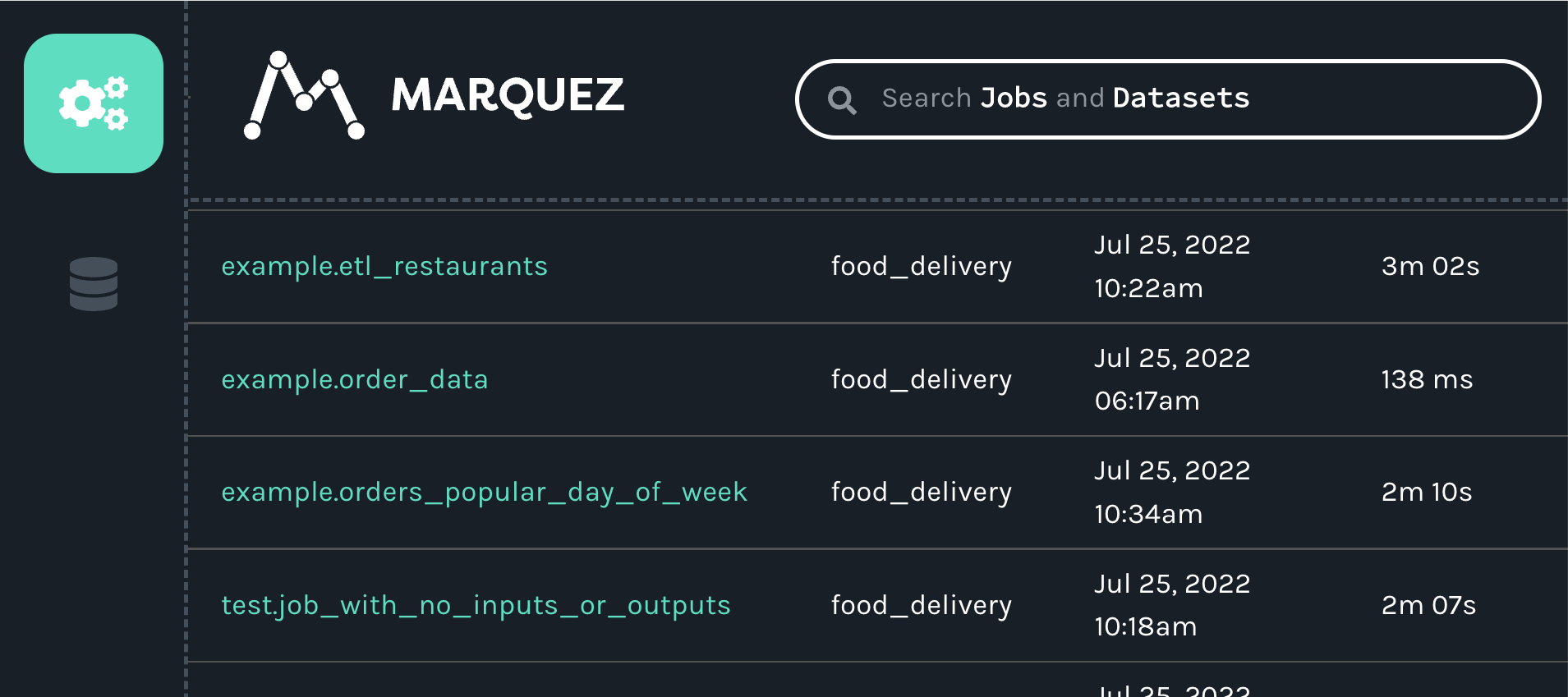
When you click on the job, you will see a new map displaying the job, input and outputs we created with our script:
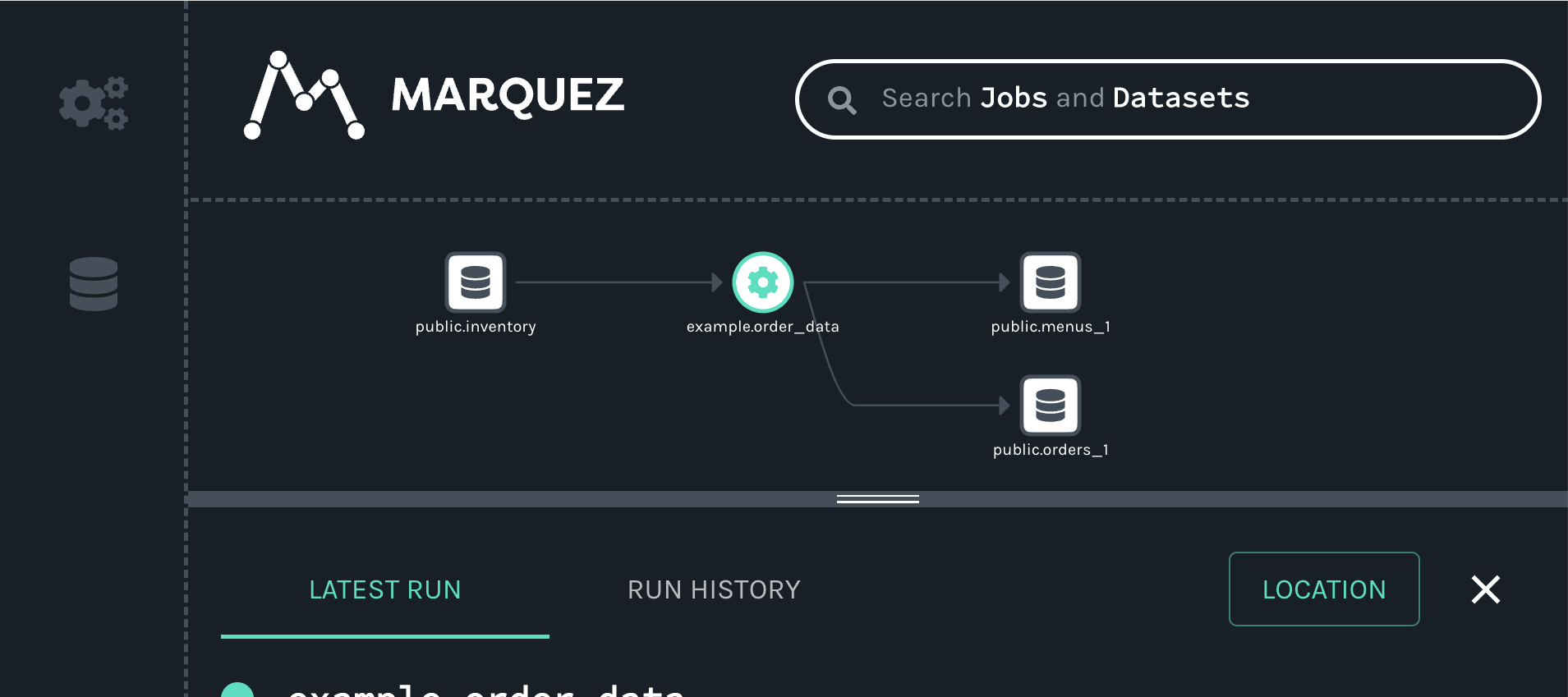
Full Example Source Code[](https://openlineage.io/docs/1.38.0/client/python/#full-example-source-code "Direct link to Full Example Source Code")
--------------------------------------------------------------------------------------------------------------------------------------------------
#!/usr/bin/env python3from datetime import datetime, timedelta, timezonefrom random import randomfrom openlineage.client.client import OpenLineageClient, OpenLineageClientOptionsfrom openlineage.client.event_v2 import ( Dataset, InputDataset, Job, OutputDataset, Run, RunEvent, RunState,)from openlineage.client.facet_v2 import ( nominal_time_run, schema_dataset, source_code_location_job, sql_job,)from openlineage.client.uuid import generate_new_uuidPRODUCER = "https://github.com/openlineage-user"namespace = "python_client"dag_name = "user_trends"# update to your hosturl = "http://mymarquez.host:5000"api_key = "1234567890ckcu028rzu5l"client = OpenLineageClient( url=url, # optional api key in case marquez requires it. When running marquez in # your local environment, you usually do not need this. options=OpenLineageClientOptions(api_key=api_key),)# If you want to log to a file instead of Marquez# from openlineage.client import OpenLineageClient# from openlineage.client.transport.file import FileConfig, FileTransport# # file_config = FileConfig(# log_file_path="ol.json",# append=True,# )# # client = OpenLineageClient(transport=FileTransport(file_config))# generates job facetdef job(job_name, sql, location): facets = {"sql": sql_job.SQLJobFacet(query=sql)} if location != None: facets.update( { "sourceCodeLocation": source_code_location_job.SourceCodeLocationJobFacet( "git", location ) } ) return Job(namespace=namespace, name=job_name, facets=facets)# generates run racetdef run(run_id, hour): return Run( runId=run_id, facets={ "nominalTime": nominal_time_run.NominalTimeRunFacet( nominalStartTime=f"2022-04-14T{twoDigits(hour)}:12:00Z", # nominalEndTime=None ) }, )# generates datasetdef dataset(name, schema=None, ns=namespace): if schema == None: facets = {} else: facets = {"schema": schema} return Dataset(namespace=ns, name=name, facets=facets)# generates output datasetdef outputDataset(dataset, stats): output_facets = {"stats": stats, "outputStatistics": stats} return OutputDataset(dataset.namespace, dataset.name, facets=dataset.facets, outputFacets=output_facets)# generates input datasetdef inputDataset(dataset, dq): input_facets = { "dataQuality": dq, } return InputDataset(dataset.namespace, dataset.name, facets=dataset.facets, inputFacets=input_facets)def twoDigits(n): if n < 10: result = f"0{n}" elif n < 100: result = f"{n}" else: raise f"error: {n}" return resultnow = datetime.now(timezone.utc)# generates run Eventdef runEvents(job_name, sql, inputs, outputs, hour, min, location, duration): run_id = str(generate_new_uuid()) myjob = job(job_name, sql, location) myrun = run(run_id, hour) started_at = now + timedelta(hours=hour, minutes=min, seconds=20 + round(random() * 10)) ended_at = started_at + timedelta(minutes=duration, seconds=20 + round(random() * 10)) return ( RunEvent( eventType=RunState.START, eventTime=started_at.isoformat(), run=myrun, job=myjob, producer=PRODUCER, inputs=inputs, outputs=outputs, ), RunEvent( eventType=RunState.COMPLETE, eventTime=ended_at.isoformat(), run=myrun, job=myjob, producer=PRODUCER, inputs=inputs, outputs=outputs, ), )# add run event to the events listdef addRunEvents(events, job_name, sql, inputs, outputs, hour, minutes, location=None, duration=2): (start, complete) = runEvents(job_name, sql, inputs, outputs, hour, minutes, location, duration) events.append(start) events.append(complete)events = []# create dataset datafor i in range(0, 5): user_counts = dataset("tmp_demo.user_counts") user_history = dataset( "temp_demo.user_history", schema_dataset.SchemaDatasetFacet( fields=[ schema_dataset.SchemaDatasetFacetFields( name="id", type="BIGINT", description="the user id" ), schema_dataset.SchemaDatasetFacetFields( name="email_domain", type="VARCHAR", description="the user id" ), schema_dataset.SchemaDatasetFacetFields( name="status", type="BIGINT", description="the user id" ), schema_dataset.SchemaDatasetFacetFields( name="created_at", type="DATETIME", description="date and time of creation of the user", ), schema_dataset.SchemaDatasetFacetFields( name="updated_at", type="DATETIME", description="the last time this row was updated", ), schema_dataset.SchemaDatasetFacetFields( name="fetch_time_utc", type="DATETIME", description="the time the data was fetched", ), schema_dataset.SchemaDatasetFacetFields( name="load_filename", type="VARCHAR", description="the original file this data was ingested from", ), schema_dataset.SchemaDatasetFacetFields( name="load_filerow", type="INT", description="the row number in the original file", ), schema_dataset.SchemaDatasetFacetFields( name="load_timestamp", type="DATETIME", description="the time the data was ingested", ), ] ), "snowflake://", ) create_user_counts_sql = """CREATE OR REPLACE TABLE TMP_DEMO.USER_COUNTS AS ( SELECT DATE_TRUNC(DAY, created_at) date, COUNT(id) as user_count FROM TMP_DEMO.USER_HISTORY GROUP BY date )""" # location of the source code location = "https://github.com/some/airflow/dags/example/user_trends.py" # run simulating Airflow DAG with snowflake operator addRunEvents( events, dag_name + ".create_user_counts", create_user_counts_sql, [user_history], [user_counts], i, 11, location, )for event in events: from openlineage.client.serde import Serde print(event) print(Serde.to_json(event)) # time.sleep(1) client.emit(event)
The resulting lineage events received by Marquez would look like this.
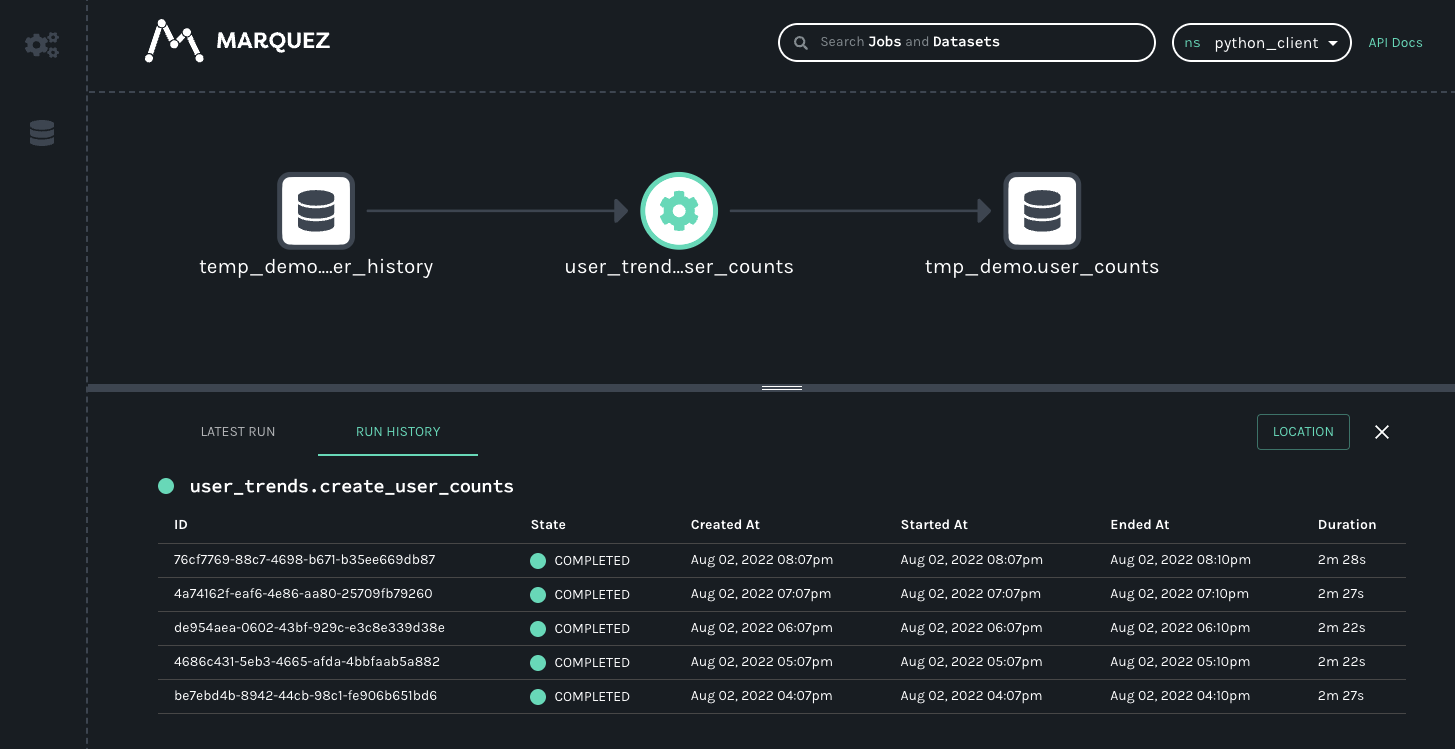
##### User-supplied Tags with Environment Variables[](https://openlineage.io/docs/1.38.0/client/python/#user-supplied-tags-with-environment-variables "Direct link to User-supplied Tags with Environment Variables")
Integrations can add [tag facets](https://github.com/OpenLineage/OpenLineage/blob/main/proposals/3169/tags_facet.md)
to runs, jobs and datasets. To allow more control over tags, users can add to and override integration-supplied tags through environment variables supplied to the client. The following rules apply to user-supplied tags.
* User-supplied tags follow the conventions of [dynamic configuration with environment variables.](https://openlineage.io/docs/1.38.0/client/python/#dynamic-configuration-with-environment-variables)
* `OPENLINEAGE__TAGS__JOB__key=value`
* `OPENLINEAGE__TAGS__RUN__key=value`
* `OPENLINEAGE__TAGS='{"job": {"key": "value"}, "run": {"key": "value"}}'`
* User-supplied tag keys are always transformed to lowercase.
* Key and value are both treated as strings
* Source for a user-supplied tag is always set to "USER"
* If an integration-supplied tag has the same key as a user tag (case-insensitive), the tag value and source will be overridden.
###### Examples[](https://openlineage.io/docs/1.38.0/client/python/#examples-11 "Direct link to Examples")
Using this environment variable, an event with no tags facets will create a tag facet and add the following tag.
OPENLINEAGE__TAGS__JOB__ENVIRONMENT="PRODUCTION"
or
OPENLINEAGE__TAGS='{"job": {"ENVIRONMENT": "PRODUCTION"}}'
"facets": { "tags": { "_producer": "https://github.com/OpenLineage/OpenLineage/tree/1.27.0/client/python", "_schemaURL": "https://openlineage.io/spec/facets/1-0-0/TagsJobFacet.json#/$defs/TagsJobFacet", "tags": [ { "key": "environment", "value": "PRODUCTION", "source": "USER" } ] }}
Consider this run event. It has one tag with key="ENVIRONMENT" for the job. Run has no tags facet.
{ "eventTime": "2023-07-17T10:54:22.355067Z", "eventType": "COMPLETE", "inputs": [], "job": { "facets": { "tags": { "_producer": "https://github.com/OpenLineage/OpenLineage/tree/1.27.0/client/python", "_schemaURL": "https://openlineage.io/spec/facets/1-0-0/TagsJobFacet.json#/$defs/TagsJobFacet", "tags": [ { "key": "PIPELINE", "value": "sales" "source": "DBT_INTEGRATION" } ] } }, "name": "dbt", "namespace": "food_delivery" }, "outputs": [], "producer": "https://github.com/OpenLineage/OpenLineage/tree/0.30.0/integration/airflow", "run": { "facets": {}, "runId": "f69a6e9b-9bac-3c9a-9cf6-eacb70ecc9a9" }, "dataset": { "namespace": "123", "name": "1" }, "schemaURL": "https://openlineage.io/spec/1-0-5/OpenLineage.json#/definitions/RunEvent"}
If we set the following environment variables, three things will happen.
* Job: Create a new tag for environment.
* Job: Update the pipeline tag value from "sales" to "sales\_monthly".
* Run: Create a new tag for adhoc.
OPENLINEAGE__TAGS__JOB__ENVIRONMENT="PRODUCTION"OPENLINEAGE__TAGS__JOB__PIPELINE="sales_monthly"OPENLINEAGE__TAGS__RUN__adhoc="true"
or
OPENLINIAGE__TAGS='{"job": {"ENVIRONMENT": "PRODUCTION", "PIPELINE": "sales_monthly"}, "run": {"adhoc": "true"}}'
The event will now have these tag updates.
{ "eventTime": "2023-07-17T10:54:22.355067Z", "eventType": "COMPLETE", "inputs": [], "job": { "facets": { "tags": { "_producer": "https://github.com/OpenLineage/OpenLineage/tree/1.27.0/client/python", "_schemaURL": "https://openlineage.io/spec/facets/1-0-0/TagsJobFacet.json#/$defs/TagsJobFacet", "tags": [ { "key": "PIPELINE", "value": "sales_monthly" # Updated tag value "source": "DBT_INTEGRATION" }, { "key": "environment", # New tag with lowercase key "value": "PRODUCTION" "source": "USER" } ] } }, "name": "dbt", "namespace": "food_delivery" }, "outputs": [], "producer": "https://github.com/OpenLineage/OpenLineage/tree/0.30.0/integration/airflow", "run": { "facets": { "tags": { # New tags facet "_producer": "https://github.com/OpenLineage/OpenLineage/tree/1.27.0/client/python", "_schemaURL": "https://openlineage.io/spec/facets/1-0-0/TagsJobFacet.json#/$defs/TagsJobFacet", "tags": [ { "key": "adhoc", # New tag "value": "true" "source": "USER" } ] } }, "runId": "f69a6e9b-9bac-3c9a-9cf6-eacb70ecc9a9" }, "dataset": { "namespace": "123", "name": "1" }, "schemaURL": "https://openlineage.io/spec/1-0-5/OpenLineage.json#/definitions/RunEvent"}
Generator CLI Tool[](https://openlineage.io/docs/1.38.0/client/python/#generator-cli-tool "Direct link to Generator CLI Tool")
--------------------------------------------------------------------------------------------------------------------------------
The Python client includes a CLI tool that allows you to generate Python classes from OpenLineage specification files. This is particularly useful if you want to:
* Create custom facets based on your own JSON schema definitions
* Generate client code that matches a specific version of the OpenLineage specification
* Extend the OpenLineage model with domain-specific classes
### Dependencies[](https://openlineage.io/docs/1.38.0/client/python/#dependencies "Direct link to Dependencies")
The CLI tool requires `datamodel-code-generator`, a library that converts JSON Schema to Python data models. If you plan to use the generator, install it with:
pip install "openlineage-python[generator]"
### Usage[](https://openlineage.io/docs/1.38.0/client/python/#usage "Direct link to Usage")
ol-generate-code [FACETS_SPEC_LOCATION] [--output-location OUTPUT_LOCATION]
#### Arguments[](https://openlineage.io/docs/1.38.0/client/python/#arguments "Direct link to Arguments")
* `FACETS_SPEC_LOCATION`: Path to a JSON file or directory containing JSON files with OpenLineage facet specifications
* `--output-location`: (Optional) Directory where the generated Python classes will be saved. If not specified, output will be printed to stdout with proposed file names.
#### Examples[](https://openlineage.io/docs/1.38.0/client/python/#examples-12 "Direct link to Examples")
Generate Python classes from a single facet specification file:
ol-generate-code my_custom_facet.json --output-location ./generated_code
Generate Python classes from a directory containing multiple facet specification files:
ol-generate-code ./facets_dir --output-location ./generated_code
### How It Works[](https://openlineage.io/docs/1.38.0/client/python/#how-it-works "Direct link to How It Works")
The CLI tool:
1. Retrieves the base OpenLineage specification from `https://openlineage.io/spec/2-0-2/OpenLineage.json`
2. Loads and parses your custom facet specifications
3. Uses the `datamodel-code-generator` library to generate Python classes that match the structure of the specifications
4. Formats the generated code using Ruff. The generator automatically converts camelCase names to snake\_case for Python conventions
5. Outputs the files to the specified location
* [Overview](https://openlineage.io/docs/1.38.0/client/python/#overview)
* [Installation](https://openlineage.io/docs/1.38.0/client/python/#installation)
* [Optional Dependencies](https://openlineage.io/docs/1.38.0/client/python/#optional-dependencies)
* [Configuration](https://openlineage.io/docs/1.38.0/client/python/#configuration)
* [Environment Variables](https://openlineage.io/docs/1.38.0/client/python/#environment-variables)
* [Built-in Transport Types](https://openlineage.io/docs/1.38.0/client/python/#built-in-transport-types)
* [HTTP Transport](https://openlineage.io/docs/1.38.0/client/python/#http-transport)
* [Async HTTP Transport](https://openlineage.io/docs/1.38.0/client/python/#async-http-transport)
* [Datadog Transport](https://openlineage.io/docs/1.38.0/client/python/#datadog-transport)
* [GCP Data Catalog Lineage](https://openlineage.io/docs/1.38.0/client/python/#gcp-data-catalog-lineage)
* [Console](https://openlineage.io/docs/1.38.0/client/python/#console)
* [Kafka](https://openlineage.io/docs/1.38.0/client/python/#kafka)
* [File](https://openlineage.io/docs/1.38.0/client/python/#file)
* [Composite](https://openlineage.io/docs/1.38.0/client/python/#composite)
* [Transform](https://openlineage.io/docs/1.38.0/client/python/#transform)
* [Amazon DataZone](https://openlineage.io/docs/1.38.0/client/python/#amazon-datazone)
* [Custom Transport Type](https://openlineage.io/docs/1.38.0/client/python/#custom-transport-type)
* [Environment Variables Run Facet](https://openlineage.io/docs/1.38.0/client/python/#environment-variables-run-facet)
* [Getting Started](https://openlineage.io/docs/1.38.0/client/python/#getting-started)
* [Prerequisites](https://openlineage.io/docs/1.38.0/client/python/#prerequisites)
* [Install OpenLineage and Marquez](https://openlineage.io/docs/1.38.0/client/python/#install-openlineage-and-marquez)
* [Install the Python client](https://openlineage.io/docs/1.38.0/client/python/#install-the-python-client)
* [Start Docker and Marquez](https://openlineage.io/docs/1.38.0/client/python/#start-docker-and-marquez)
* [Full Example Source Code](https://openlineage.io/docs/1.38.0/client/python/#full-example-source-code)
* [Generator CLI Tool](https://openlineage.io/docs/1.38.0/client/python/#generator-cli-tool)
* [Dependencies](https://openlineage.io/docs/1.38.0/client/python/#dependencies)
* [Usage](https://openlineage.io/docs/1.38.0/client/python/#usage)
* [How It Works](https://openlineage.io/docs/1.38.0/client/python/#how-it-works)
---
# Java | OpenLineage
[Skip to main content](https://openlineage.io/docs/1.39.0/client/java/#__docusaurus_skipToContent_fallback)
This is documentation for OpenLineage **1.39.0**, which is no longer actively maintained.
For up-to-date documentation, see the **[latest version](https://openlineage.io/docs/client/java/)
** (1.45.0).
Version: 1.39.0
On this page
Overview[](https://openlineage.io/docs/1.39.0/client/java/#overview "Direct link to Overview")
------------------------------------------------------------------------------------------------
The OpenLineage Java is a SDK for Java programming language that users can use to generate and emit OpenLineage events to OpenLineage backends. The core data structures currently offered by the client are the `RunEvent`, `RunState`, `Run`, `Job`, `Dataset`, and `Transport` classes, along with various `Facets` that can come under run, job, and dataset.
There are various [transport classes](https://openlineage.io/docs/1.39.0/client/java/#transports)
that the library provides that carry the lineage events into various target endpoints (e.g. HTTP).
You can also use the Java client to create your own custom integrations.
Installation[](https://openlineage.io/docs/1.39.0/client/java/#installation "Direct link to Installation")
------------------------------------------------------------------------------------------------------------
Java client is provided as library that can either be imported into your Java project using Maven or Gradle.
Maven:
io.openlineage openlineage-java 1.45.0
or Gradle:
implementation("io.openlineage:openlineage-java:1.45.0")
For more information on the available versions of the `openlineage-java`, please refer to the [maven repository](https://search.maven.org/artifact/io.openlineage/openlineage-java)
.
* [Overview](https://openlineage.io/docs/1.39.0/client/java/#overview)
* [Installation](https://openlineage.io/docs/1.39.0/client/java/#installation)
---
# Setup a development environment | OpenLineage
[Skip to main content](https://openlineage.io/docs/1.39.0/development/developing/java/setup/#__docusaurus_skipToContent_fallback)
This is documentation for OpenLineage **1.39.0**, which is no longer actively maintained.
For up-to-date documentation, see the **[latest version](https://openlineage.io/docs/)
** (1.45.0).
Version: 1.39.0
On this page
There are multiple Java based modules in OpenLineage, two of which you'll often have to build in order to work with other modules (integrations):
* `openlineage-java` — SDK for Java programming language for generating and emitting OpenLineage events to OpenLineage backends.
* `openlineage-sql-java` — Java interface for OpenLineage SQL Parser written in Rust
This page covers the base setup. If a module requires anything additional, refer to their respective documentation (e.g. [openlineage-spark](https://openlineage.io/docs/development/developing/spark/setup)
)
JDK[](https://openlineage.io/docs/1.39.0/development/developing/java/setup/#jdk "Direct link to JDK")
-------------------------------------------------------------------------------------------------------
To work with Java modules in OpenLineage, JDK 17 is required.
You can verify your installation by running:
java --version && javac --version
Both tools should show version 17.X.X. If the commands are not found or are on a different version, install a correct version and make sure it is on your `PATH`. Tools like SDKMAN! can be used to simplify the installation process.
C Compiler[](https://openlineage.io/docs/1.39.0/development/developing/java/setup/#c-compiler "Direct link to C Compiler")
----------------------------------------------------------------------------------------------------------------------------
`openlineage-sql-java` module is almost always a dependency for integrations. The SQL parser it contains is written in Rust, and it requires a C Compiler for the compilation process. To verify you have CC installed run:
cc --version
* [JDK](https://openlineage.io/docs/1.39.0/development/developing/java/setup/#jdk)
* [C Compiler](https://openlineage.io/docs/1.39.0/development/developing/java/setup/#c-compiler)
---
# Column Level Lineage Dataset Facet | OpenLineage
[Skip to main content](https://openlineage.io/docs/1.38.0/spec/facets/dataset-facets/column_lineage_facet/#__docusaurus_skipToContent_fallback)
This is documentation for OpenLineage **1.38.0**, which is no longer actively maintained.
For up-to-date documentation, see the **[latest version](https://openlineage.io/docs/spec/facets/dataset-facets/column_lineage_facet)
** (1.45.0).
Version: 1.38.0
On this page
Column level lineage provides fine grained information on datasets' dependencies. Not only we know the dependency exist, but we are also able to understand which input columns are used to produce which output columns and in what way. This allows answering questions like _Which root input columns are used to construct column x?_
For example, a Job might executes the following query:
INSERT INTO top_delivery_times ( order_id, order_placed_on, order_delivered_on, order_delivery_time)SELECT order_id, order_placed_on, order_delivered_on, DATEDIFF(minute, order_placed_on, order_delivered_on) AS order_delivery_time,FROM delivery_7_daysORDER BY order_delivery_time DESCLIMIT 1;
This would establish the following relationships between the `delivery_7_days` and `top_delivery_times` tables:
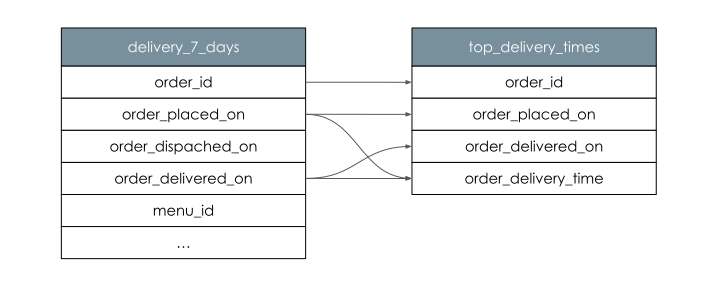
An OpenLinage run state update that represent this query using column-level lineage facets might look like:
{ "eventType": "START", "eventTime": "2020-02-22T22:42:42.000Z", "run": ..., "job": ..., "inputs": [ { "namespace": "food_delivery", "name": "public.delivery_7_days" } ], "outputs": [ { "namespace": "food_delivery", "name": "public.top_delivery_times", "facets": { "columnLineage": { "_producer": "https://some.producer.com/version/1.0", "_schemaURL": "https://openlineage.io/spec/facets/1-2-0/ColumnLineageDatasetFacet.json", "fields": { "order_id": { "inputFields": [ { "namespace": "food_delivery", "name": "public.delivery_7_days", "field": "order_id", "transformations": [ { "type": "DIRECT", "subtype": "IDENTITY", "description": "", "masking": false } ] } ] }, "order_placed_on": { "inputFields": [ { "namespace": "food_delivery", "name": "public.delivery_7_days", "field": "order_placed_on", "transformations": [ { "type": "DIRECT", "subtype": "IDENTITY", "description": "", "masking": false } ] } ] }, "order_delivered_on": { "inputFields": [ { "namespace": "food_delivery", "name": "public.delivery_7_days", "field": "order_delivered_on", "transformations": [ { "type": "DIRECT", "subtype": "IDENTITY", "description": "", "masking": false } ] } ] }, "order_delivery_time": { "inputFields": [ { "namespace": "food_delivery", "name": "public.delivery_7_days", "field": "order_placed_on", "transformations": [ { "type": "DIRECT", "subtype": "TRANSFORMATION", "description": "", "masking": false } ] }, { "namespace": "food_delivery", "name": "public.delivery_7_days", "field": "order_delivered_on", "transformations": [ { "type": "DIRECT", "subtype": "TRANSFORMATION", "description": "", "masking": false } ] } ] } }, "dataset": [ { "namespace": "food_delivery", "name": "public.delivery_7_days", "field": "order_placed_on", "transformations": [ { "type": "INDIRECT", "subtype": "SORT", "description": "", "masking": false } ] }, { "namespace": "food_delivery", "name": "public.delivery_7_days", "field": "order_delivered_on", "transformations": [ { "type": "INDIRECT", "subtype": "SORT", "description": "", "masking": false } ], } ] } } } ], ...}
The facet specification can be found [here](https://openlineage.io/spec/facets/1-2-0/ColumnLineageDatasetFacet.json)
.
Transformation Type[](https://openlineage.io/docs/1.38.0/spec/facets/dataset-facets/column_lineage_facet/#transformation-type "Direct link to Transformation Type")
---------------------------------------------------------------------------------------------------------------------------------------------------------------------
To provide the best information about each field lineage, each `inputField` of an output can contain the `transformations` field. This field describes what is the nature of relation between the input and the output columns. Each transformation is described by 4 fields: `type`, `subtype`, `description` and `masking`.
#### Type[](https://openlineage.io/docs/1.38.0/spec/facets/dataset-facets/column_lineage_facet/#type "Direct link to Type")
Indicates how direct is the relationship e.g. in query
SELECT source AS result FROM TAB WHERE pred = true;
1. `DIRECT` - output column value was somehow derived from `inputField` value. In example `result` value is derived from `source`
2. `INDIRECT` - output column value is impacted by the value of `inputField` column, but it's not derived from it. In example no part `result` value is derived from `pred` but `pred` has impact on the values of `result` in the output dataset
#### Subtype[](https://openlineage.io/docs/1.38.0/spec/facets/dataset-facets/column_lineage_facet/#subtype "Direct link to Subtype")
Contains more specific information about the transformation
Direct:
* `IDENTITY` - output value is taken as is from the input
* `TRANSFORMATION` - output value is transformed source value from input row
* `AGGREGATION` - output value is aggregation of source values from multiple input rows
Indirect:
* `JOIN` - input used in join condition
* `GROUP_BY` - output is aggregated based on input (e.g. `GROUP BY` clause)
* `FILTER` - input used as a filtering condition (e.g. `WHERE` clause)
* `SORT` - output is sorted based on input field (e.g. `ORDER BY` clause)
* `WINDOW` - output is windowed based on input field
* `CONDITIONAL` - input value is used in `IF`, `CASE WHEN` or `COALESCE` statements
#### Masking[](https://openlineage.io/docs/1.38.0/spec/facets/dataset-facets/column_lineage_facet/#masking "Direct link to Masking")
Boolean value indicating if the input value was obfuscated during the transformation. The examples are: `hash` for `TRANSFORMATION` and `count` for `AGGREGATION`. List of available methods that are considered masking is dependent on the source system.
Legacy representation[](https://openlineage.io/docs/1.38.0/spec/facets/dataset-facets/column_lineage_facet/#legacy-representation "Direct link to Legacy representation")
---------------------------------------------------------------------------------------------------------------------------------------------------------------------------
For Spark, the result above is produced using config option `spark.openlineage.columnLineage.datasetLineageEnabled=True`. Default option value is `False` which moves all columns from `"dataset"` field to `"fields"`:
{ "columnLineage": { "_producer": "https://some.producer.com/version/1.0", "_schemaURL": "https://openlineage.io/spec/facets/1-2-0/ColumnLineageDatasetFacet.json", "fields": { "order_id": { "inputFields": [ { "namespace": "food_delivery", "name": "public.delivery_7_days", "field": "order_id", "transformations": [ { "type": "DIRECT", "subtype": "IDENTITY", "description": "", "masking": false }, ] }, { "namespace": "food_delivery", "name": "public.delivery_7_days", "field": "order_placed_on", "transformations": [ { "type": "INDIRECT", "subtype": "SORT", "description": "", "masking": false } ] }, { "namespace": "food_delivery", "name": "public.delivery_7_days", "field": "order_delivered_on", "transformations": [ { "type": "INDIRECT", "subtype": "SORT", "description": "", "masking": false } ], } ] }, "order_placed_on": { "inputFields": [ { "namespace": "food_delivery", "name": "public.delivery_7_days", "field": "order_placed_on", "transformations": [ { "type": "DIRECT", "subtype": "IDENTITY", "description": "", "masking": false } ] }, { "namespace": "food_delivery", "name": "public.delivery_7_days", "field": "order_placed_on", "transformations": [ { "type": "INDIRECT", "subtype": "SORT", "description": "", "masking": false } ] }, { "namespace": "food_delivery", "name": "public.delivery_7_days", "field": "order_delivered_on", "transformations": [ { "type": "INDIRECT", "subtype": "SORT", "description": "", "masking": false } ], } ] } // ... other fields }, "dataset": [] // empty }}
So each target dataset field depends on each source dataset field with `INDIRECT` column lineage, producing almost a cartesian product of all dataset fields. This is very inefficient.
It is recommended to use `spark.openlineage.columnLineage.datasetLineageEnabled=True`, as this produces more compact column lineage representation. Default value may be changed in future versions of OpenLineage.
* [Transformation Type](https://openlineage.io/docs/1.38.0/spec/facets/dataset-facets/column_lineage_facet/#transformation-type)
* [Legacy representation](https://openlineage.io/docs/1.38.0/spec/facets/dataset-facets/column_lineage_facet/#legacy-representation)
---
# Setup a development environment | OpenLineage
[Skip to main content](https://openlineage.io/docs/1.39.0/development/developing/python/setup/#__docusaurus_skipToContent_fallback)
This is documentation for OpenLineage **1.39.0**, which is no longer actively maintained.
For up-to-date documentation, see the **[latest version](https://openlineage.io/docs/)
** (1.45.0).
Version: 1.39.0
On this page
There are four Python OpenLineage packages that you can install locally when setting up a development environment.
Two of them: [openlineage-integration-common](https://pypi.org/project/openlineage-integration-common/)
and [openlineage-airflow](https://pypi.org/project/openlineage-airflow/)
have dependency on [openlineage-python](https://pypi.org/project/openlineage-python/)
client and [openlineage-sql](https://pypi.org/project/openlineage-sql/)
.
Typically, you first need to build `openlineage-sql` locally (see [README](https://github.com/OpenLineage/OpenLineage/blob/main/integration/sql/README.md)
). After each release you have to repeat this step in order to bump local version of the package.
To install Openlineage Common & Python Client integration you need to run pip install command with a link to local directory:
$ python -m pip install -e .[dev]
In zsh:
$ python -m pip install -e .\[dev\]
To make Airflow integration setup easier you can use run following command in package directory:
$ pip install -r dev-requirements.txt
This should install all needed integrations locally.
### Docker Compose development environment[](https://openlineage.io/docs/1.39.0/development/developing/python/setup/#docker-compose-development-environment "Direct link to Docker Compose development environment")
There is also possibility to create local Docker-based development environment that has OpenLineage libraries setup along with Airflow and some helpful services. To do that you should run `run-dev-airflow.sh` script located [here](https://github.com/OpenLineage/OpenLineage/blob/main/integration/airflow/scripts/run-dev-airflow.sh)
.
The script uses the same Docker Compose files as [integration tests](https://openlineage.io/docs/1.39.0/development/developing/python/tests/airflow#integration-tests)
. Two main differences are:
* it runs in non-blocking way
* it mounts OpenLineage Python packages as editable and mounted to Airflow containers. This allows to change code and test it live without need to rebuild whole environment.
When using above script, you can add the `-i` flag or `--attach-integration` flag. This can be helpful when you need to run arbitrary integration tests during development. For example, the following command run in the integration container...
python -m pytest test_integration.py::test_integration[great_expectations_validation-requests/great_expectations.json]
...runs a single test which you can repeat after changes in code.
* [Docker Compose development environment](https://openlineage.io/docs/1.39.0/development/developing/python/setup/#docker-compose-development-environment)
---
# Job Hierarchy | OpenLineage
[Skip to main content](https://openlineage.io/docs/1.38.0/spec/job-hierarchy/#__docusaurus_skipToContent_fallback)
This is documentation for OpenLineage **1.38.0**, which is no longer actively maintained.
For up-to-date documentation, see the **[latest version](https://openlineage.io/docs/spec/job-hierarchy)
** (1.45.0).
Version: 1.38.0
On this page
info
This feature is available in OpenLineage versions >= 1.9.0.
In a complex environment, where there are thousands of processing jobs daily, there can be a lot of chaos. Understanding not only which jobs produced what dataset, but also answering questions like:
* why did the job ran?
* when it ran?
* who scheduled the job?
* why did the job ran after other one finished? can be often muddy.
Fortunately, OpenLineage gives us not only the ability to understand the dataset-to-dataset lineage, but also includes a description of the job hierarchy in its model.
The tool OpenLineage provides for that is the ParentRunFacet. For a given run, it describes what other run spawned it.
"parent": { "_producer": "https://github.com/OpenLineage/OpenLineage/tree/0.0.1/integration/dbt", "_schemaURL": "https://openlineage.io/spec/facets/1-0-0/ParentRunFacet.json", "run": { "runId": "f99310b4-3c3c-1a1a-2b2b-c1b95c24ff11" }, "job": { "namespace": "dbt", "name": "dbt-job-name" }}
Data processing systems often integrate built-in hierarchies. Schedulers, for instance, use large, schedulable units like Airflow DAGs, which in turn comprise smaller, executable units like Airflow Tasks. OpenLineage seamlessly reflects this natural organization by mirroring the job hierarchy within its model.
Complex Job Hierarchy[](https://openlineage.io/docs/1.38.0/spec/job-hierarchy/#complex-job-hierarchy "Direct link to Complex Job Hierarchy")
----------------------------------------------------------------------------------------------------------------------------------------------
The simple mechanism on which OpenLineage bases it's job hierarchy model also allows us to describe more complex environments. In this case, we have an Airflow DAG that has two tasks; one of which spawns a Spark job with two actions. The parent structure is shown in following diagram:
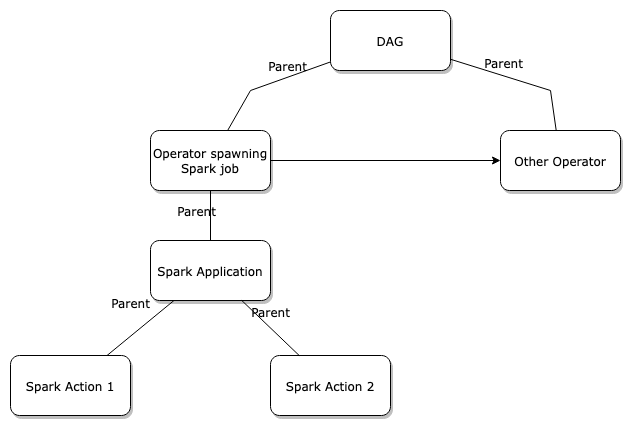
Following diagram shows order in which events from those jobs are coming:

* [Complex Job Hierarchy](https://openlineage.io/docs/1.38.0/spec/job-hierarchy/#complex-job-hierarchy)
---
# Frequently Asked Questions | OpenLineage
[Skip to main content](https://openlineage.io/docs/1.39.0/faq/#__docusaurus_skipToContent_fallback)
This is documentation for OpenLineage **1.39.0**, which is no longer actively maintained.
For up-to-date documentation, see the **[latest version](https://openlineage.io/docs/faq)
** (1.45.0).
Version: 1.39.0
On this page
info
This page needs your contribution! Please contribute new questions (or answers) using the edit link at the bottom.
### Is OpenLineage a metadata server?[](https://openlineage.io/docs/1.39.0/faq/#is-openlineage-a-metadata-server "Direct link to Is OpenLineage a metadata server?")
No. OpenLineage is, at its core, a specification for lineage metadata. But it also contains a collection of integrations, examples, and tools.
If you are looking for a metadata server that can receive and analyze OpenLineage events, check out [Marquez](https://marquezproject.ai/)
.
### Is there room for another question on this page?[](https://openlineage.io/docs/1.39.0/faq/#is-there-room-for-another-question-on-this-page "Direct link to Is there room for another question on this page?")
You bet! There's always room. Submit an issue or pull request using the edit button at the bottom.
* [Is OpenLineage a metadata server?](https://openlineage.io/docs/1.39.0/faq/#is-openlineage-a-metadata-server)
* [Is there room for another question on this page?](https://openlineage.io/docs/1.39.0/faq/#is-there-room-for-another-question-on-this-page)
---
# Producers | OpenLineage
[Skip to main content](https://openlineage.io/docs/1.38.0/spec/producers/#__docusaurus_skipToContent_fallback)
This is documentation for OpenLineage **1.38.0**, which is no longer actively maintained.
For up-to-date documentation, see the **[latest version](https://openlineage.io/docs/spec/producers)
** (1.45.0).
Version: 1.38.0
info
This page could use some extra detail! You're welcome to contribute using the Edit link at the bottom.
The `_producer` value is included in an OpenLineage request as a way to know how the metadata was generated. It is a URI that links to a source code SHA or the location where a package can be found.
For example, this field is populated by many of the common integrations. For example, the dbt integration will set this value to `https://github.com/OpenLineage/OpenLineage/tree/1.45.0/integration/dbt` and the Python client will set it to `https://github.com/OpenLineage/OpenLineage/tree/1.45.0/client/python`.
---
# OpenLineage Proxy | OpenLineage
[Skip to main content](https://openlineage.io/docs/1.39.0/development/ol-proxy/#__docusaurus_skipToContent_fallback)
This is documentation for OpenLineage **1.39.0**, which is no longer actively maintained.
For up-to-date documentation, see the **[latest version](https://openlineage.io/docs/)
** (1.45.0).
Version: 1.39.0
On this page
OpenLineage Proxy is a simple Java server that can be used to monitor the JSON events that OpenLineage client emits, as well as tunnel the transmission to the OpenLineage backend such as [Marquez](https://marquezproject.ai/)
.
When you are unable to collect logs on the client side, but want to make sure the event that gets emitted are valid and correct, you can use OpenLineage Proxy to verify the messages.
Accessing the proxy[](https://openlineage.io/docs/1.39.0/development/ol-proxy/#accessing-the-proxy "Direct link to Accessing the proxy")
------------------------------------------------------------------------------------------------------------------------------------------
OpenLineage proxy can be obtained via github:
git clone https://github.com/OpenLineage/OpenLineage.gitcd OpenLineage/proxy/backend
Building the proxy[](https://openlineage.io/docs/1.39.0/development/ol-proxy/#building-the-proxy "Direct link to Building the proxy")
---------------------------------------------------------------------------------------------------------------------------------------
To build the proxy jar, run
$ ./gradlew build
The packaged jar file can be found under `./build/libs/`
Running the proxy[](https://openlineage.io/docs/1.39.0/development/ol-proxy/#running-the-proxy "Direct link to Running the proxy")
------------------------------------------------------------------------------------------------------------------------------------
OpenLineage Proxy requires configuration file named `proxy.yml`. There is an [example](https://github.com/OpenLineage/OpenLineage/blob/main/proxy/backend/proxy.example.yml)
that you can copy and name it as `proxy.yml`.
cp proxy.example.yml proxy.yml
By default, the OpenLineage proxy uses the following ports:
* TCP port 8080 is available for the HTTP API server.
* TCP port 8081 is available for the admin interface.
You can then run the proxy using gradlew:
$ ./gradlew runShadow
Monitoring OpenLineage events via Proxy[](https://openlineage.io/docs/1.39.0/development/ol-proxy/#monitoring-openlineage-events-via-proxy "Direct link to Monitoring OpenLineage events via Proxy")
------------------------------------------------------------------------------------------------------------------------------------------------------------------------------------------------------
When proxy is running, you can start sending your OpenLineage events just as the same way as you would be sending to any OpenLineage backend server. For example, in your URL for the OpenLineage backend, you can specify it as `http://localhost:8080/api/v1/lineage`.
Once the message is sent to the proxy, you will see the OpenLineage message content (JSON) to the console output of the proxy. You can also specify in the configuration to store the messages into the log file.
> You might have noticed that OpenLineage client (python, java) simply requires `http://localhost:8080` as the URL endpoint. This is possible because the client code adds the `/api/v1/lineage` internally before it makes the request. If you are not using OpenLineage client library to emit OpenLineage events, you must use the full URL in order for the proxy to receive the data correctly.
Forwarding the data[](https://openlineage.io/docs/1.39.0/development/ol-proxy/#forwarding-the-data "Direct link to Forwarding the data")
------------------------------------------------------------------------------------------------------------------------------------------
Not only the OpenLineage proxy is useful in receiving the monitoring the OpenLineage events, it can also be used to relay the events to other endpoints. Please see the [example](https://github.com/OpenLineage/OpenLineage/blob/main/proxy/backend/proxy.example.yml)
of how to set the proxy to relay the events via Kafka topic or HTTP endpoint.
Other ways to run OpenLineage Proxy[](https://openlineage.io/docs/1.39.0/development/ol-proxy/#other-ways-to-run-openlineage-proxy "Direct link to Other ways to run OpenLineage Proxy")
------------------------------------------------------------------------------------------------------------------------------------------------------------------------------------------
* You do not have to clone the git repo and build all the time. OpenLineage proxy is published and available in [Maven Repository](https://mvnrepository.com/artifact/io.openlineage/openlineage-proxy/)
.
* You can also run OpenLineage Proxy as a [docker container](https://github.com/OpenLineage/OpenLineage/blob/main/proxy/backend/Dockerfile)
.
* There is also a [helm chart for Kubernetes](https://github.com/OpenLineage/OpenLineage/tree/main/proxy/backend/chart)
available.
* [Accessing the proxy](https://openlineage.io/docs/1.39.0/development/ol-proxy/#accessing-the-proxy)
* [Building the proxy](https://openlineage.io/docs/1.39.0/development/ol-proxy/#building-the-proxy)
* [Running the proxy](https://openlineage.io/docs/1.39.0/development/ol-proxy/#running-the-proxy)
* [Monitoring OpenLineage events via Proxy](https://openlineage.io/docs/1.39.0/development/ol-proxy/#monitoring-openlineage-events-via-proxy)
* [Forwarding the data](https://openlineage.io/docs/1.39.0/development/ol-proxy/#forwarding-the-data)
* [Other ways to run OpenLineage Proxy](https://openlineage.io/docs/1.39.0/development/ol-proxy/#other-ways-to-run-openlineage-proxy)
---
# The Run Cycle | OpenLineage
[Skip to main content](https://openlineage.io/docs/1.38.0/spec/run-cycle/#__docusaurus_skipToContent_fallback)
This is documentation for OpenLineage **1.38.0**, which is no longer actively maintained.
For up-to-date documentation, see the **[latest version](https://openlineage.io/docs/spec/run-cycle)
** (1.45.0).
Version: 1.38.0
On this page
The OpenLineage [object model](https://openlineage.io/docs/1.38.0/spec/object-model)
is event-based and updates provide an OpenLineage backend with details about the activities of a Job.
The OpenLineage Run Cycle has several defined states that correspond to changes in the state of a pipeline task. When a task transitions between these - e.g. it is initiated, finishes, or fails - a Run State Update is sent that describes what happened.
Each Run State Update contains the run state (i.e., `START`) along with metadata about the Job, its current Run, and its input and output Datasets. It is common to add additional metadata throughout the lifecycle of the run as it becomes available.
Run States[](https://openlineage.io/docs/1.38.0/spec/run-cycle/#run-states "Direct link to Run States")
---------------------------------------------------------------------------------------------------------
There are six run states currently defined in the OpenLineage [spec](https://openlineage.io/apidocs/openapi/)
:
* `START` to indicate the beginning of a Job
* `RUNNING` to provide additional information about a running Job
* `COMPLETE` to signify that execution of the Job has concluded
* `ABORT` to signify that the Job has been stopped abnormally
* `FAIL` to signify that the Job has failed
* `OTHER` to send additional metadata outside standard run cycle
We assume events describing a single run are **accumulative** and `COMPLETE`, `ABORT` and `FAIL` are terminal events. Sending any of terminal events means no other events related to this run will be emitted.
Additionally, we allow `OTHER` to be sent anytime before the terminal states, also before `START`. The purpose of this is the agility to send additional metadata outside standard run cycle - e.g., on a run that hasn't yet started but is already awaiting the resources.
Typical Scenarios[](https://openlineage.io/docs/1.38.0/spec/run-cycle/#typical-scenarios "Direct link to Typical Scenarios")
------------------------------------------------------------------------------------------------------------------------------
A batch Job - e.g., an Airflow task or a dbt model - will typically be represented as a `START` event followed by a `COMPLETE` event. Occasionally, an `ABORT` or `FAIL` event will be sent when a job does not complete successfully.
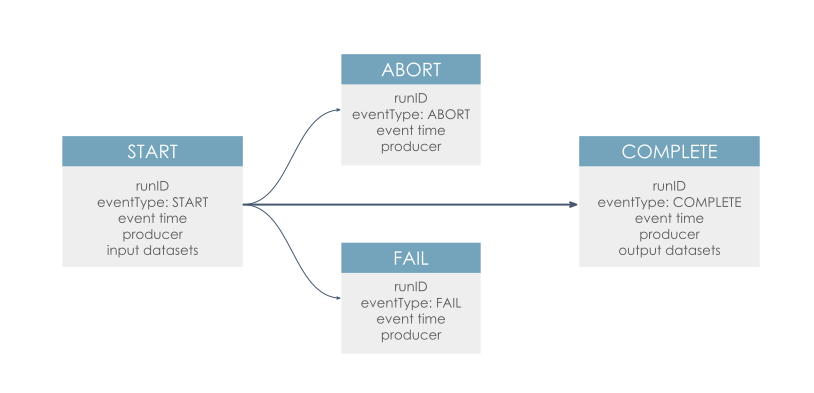
A long-running Job - e.g., a microservice or a stream - will typically be represented by a `START` event followed by a series of `RUNNING` events that report changes in the run or emit performance metrics. Occasionally, a `COMPLETE`, `ABORT`, or `FAIL` event will occur, often followed by a `START` event as the job is reinitiated.
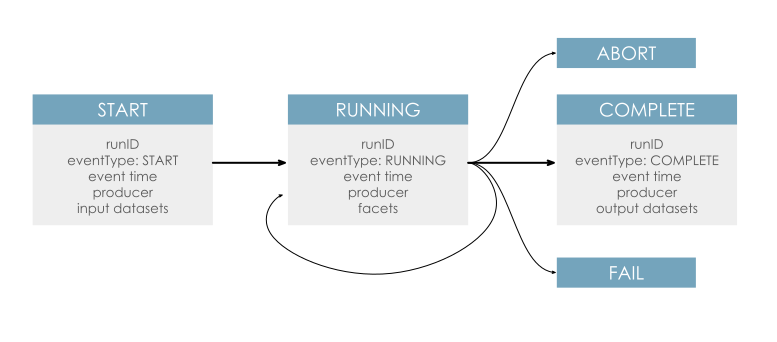
* [Run States](https://openlineage.io/docs/1.38.0/spec/run-cycle/#run-states)
* [Typical Scenarios](https://openlineage.io/docs/1.38.0/spec/run-cycle/#typical-scenarios)
---
# Working with Schemas | OpenLineage
[Skip to main content](https://openlineage.io/docs/1.38.0/spec/schemas/#__docusaurus_skipToContent_fallback)
This is documentation for OpenLineage **1.38.0**, which is no longer actively maintained.
For up-to-date documentation, see the **[latest version](https://openlineage.io/docs/spec/schemas)
** (1.45.0).
Version: 1.38.0
On this page
OpenLineage is a rapidly growing open source project, and therefore, will face many new changes in its `SPEC`. The spec file is based on [JSON schema specification](https://json-schema.org/)
and defines how the OpenLineage's event message would be structured. More details on what are defined in its object model can be found [here](https://openlineage.io/docs/1.38.0/spec/object-model)
.
When you are working in the OpenLineage project and decided to introduce a new facet or make changes to existing facets, you have to know what needs to be done and also understand how the general build and test process works, so that the OpenLineage specs are well maintained and does not break anything.
The following guidelines may help you to correctly introduce new changes.
Create a new issue with label `spec`[](https://openlineage.io/docs/1.38.0/spec/schemas/#create-a-new-issue-with-label-spec "Direct link to create-a-new-issue-with-label-spec")
---------------------------------------------------------------------------------------------------------------------------------------------------------------------------------
Before you decide to make any changes, it is best advised that you first label your issue with `spec`. This will indicate the the issue is related to any changes in the current OpenLineage spec.
Make changes to the spec's version[](https://openlineage.io/docs/1.38.0/spec/schemas/#make-changes-to-the-specs-version "Direct link to Make changes to the spec's version")
------------------------------------------------------------------------------------------------------------------------------------------------------------------------------
[Versioning](https://github.com/OpenLineage/OpenLineage/blob/main/spec/Versioning.md)
occurs on a per-file basis. Any new spec files start at 1-0-0. Whenever there is a change to existing spec files (JSON), you need to bump up the version of the existing current spec, so that the changes can go through the code generation and gradle build. Consider the following spec file, where you will see the URL in `$id` that shows what is the current spec version the file currently is.
{ "$schema": "https://json-schema.org/draft/2020-12/schema", "$id": "https://openlineage.io/spec/facets/1-0-1/ColumnLineageDatasetFacet.json", "$defs": {
In this example, bumping up the version to the new value, should be changed from 1-0-1 to 1-0-2.
{ "$schema": "https://json-schema.org/draft/2020-12/schema", "$id": "https://openlineage.io/spec/facets/1-0-2/ColumnLineageDatasetFacet.json", "$defs": {
> If you do not bump the version to higher number, the code generation of Java client will fail.
Adding and Updating the Schema[](https://openlineage.io/docs/1.38.0/spec/schemas/#adding-and-updating-the-schema "Direct link to Adding and Updating the Schema")
-------------------------------------------------------------------------------------------------------------------------------------------------------------------
Both Python and Java clients automatically generate code to handle the schema, so there is generally little work to do for modifications and new facets. Core logic changes may require manual code in both the Java and Python clients. These changes are rare and require additional planning in the proposal to plan out the steps. These are the steps for adding a new facet, which covers the majority of schema changes.
> It is important to have prek installed by running `prek install` before committing to the repository. All commits should be signed off with -s `git commit -s -m "commit message"`
> The OpenLineage commutity is very helpful. Do not hesitate to reach out to [#dev-discuss](https://openlineage.slack.com/archives/C065PQ4TL8K)
> with questions.
Make your changes
1. Create the facet in `/spec/facets/` (Core spec changes go in `/spec/OpenLineage.json`)
2. Create an example JSON representation of the facet in `/spec/facets/tests/`
Configure Java clent
1. cd `/client/java`
2. `./gradlew clean publishToMavenLocal` (Publish code to the local Maven project.)
3. `./gradlew generateCode` (Generate the Java classes for new schema changes.)
4. `./gradlew test` (Ensure things are working)
Configure Python client
1. `cd client/python`
2. Update `/client/python/redact_fields.yml` to set any fields that need redaction. (Usually set redact\_fields: \[\])
3. `pip install -r pyproject.toml --extras test --extras msk-iam --extras kafka` (Install dependencies)
4. `pytest` (Ensure tests run. DeprecationWarnings are OK. If any errors occur, check on [#dev-discuss](https://openlineage.slack.com/archives/C065PQ4TL8K)
)
Commit your code to run Python code generation, various tests, and update website docs.
1. Optional `prek run` (See if your commit will work.)
2. `git commit -s -m "commit message"` (If anything goes wrong, verify your code.)
Add test cases (For spec changes that require manual client code.)[](https://openlineage.io/docs/1.38.0/spec/schemas/#add-test-cases-for-spec-changes-that-require-manual-client-code "Direct link to Add test cases (For spec changes that require manual client code.)")
----------------------------------------------------------------------------------------------------------------------------------------------------------------------------------------------------------------------------------------------------------------------------
Some spec changes require logic changes in the client. See [this PR](https://github.com/OpenLineage/OpenLineage/pull/3186/files#diff-0f689ced46667a2b465edd8311bc217da3ad752877a3515a092b3d46273cb190)
that automatically adds an environment variable facet to run events. These types of changes require additional tests. Simply adding or modifying facets do not require new tests. When changing core logic, make sure to add changes to the unit tests for [python](https://github.com/OpenLineage/OpenLineage/tree/main/client/python/tests)
and [java](https://github.com/OpenLineage/OpenLineage/tree/main/client/java/src/test/java/io/openlineage/client)
to make sure the unit test can be performed against your new SPEC changes. Refer to existing test codes to add yours in.
* [Create a new issue with label `spec`](https://openlineage.io/docs/1.38.0/spec/schemas/#create-a-new-issue-with-label-spec)
* [Make changes to the spec's version](https://openlineage.io/docs/1.38.0/spec/schemas/#make-changes-to-the-specs-version)
* [Adding and Updating the Schema](https://openlineage.io/docs/1.38.0/spec/schemas/#adding-and-updating-the-schema)
* [Add test cases (For spec changes that require manual client code.)](https://openlineage.io/docs/1.38.0/spec/schemas/#add-test-cases-for-spec-changes-that-require-manual-client-code)
---
# Naming Conventions | OpenLineage
[Skip to main content](https://openlineage.io/docs/1.38.0/spec/naming/#__docusaurus_skipToContent_fallback)
This is documentation for OpenLineage **1.38.0**, which is no longer actively maintained.
For up-to-date documentation, see the **[latest version](https://openlineage.io/docs/spec/naming)
** (1.45.0).
Version: 1.38.0
On this page
Employing a unique naming strategy per resource ensures that the spec is followed uniformly regardless of metadata producer.
Jobs and Datasets have their own namespaces, job namespaces being derived from schedulers and dataset namespaces from datasources.
Dataset Naming[](https://openlineage.io/docs/1.38.0/spec/naming/#dataset-naming "Direct link to Dataset Naming")
------------------------------------------------------------------------------------------------------------------
A dataset, or `table`, is organized according to a producer, namespace, database and (optionally) schema.
| Data Store | Type | Namespace | Name |
| --- | --- | --- | --- |
| Athena | Warehouse | `awsathena://athena.{region_name}.amazonaws.com` | `{catalog}.{database}.{table}` |
| AWS Glue | Data catalog | `arn:aws:glue:{region}:{account id}` | `table/{database name}/{table name}` |
| Azure Cosmos DB | Warehouse | `azurecosmos://{host}/dbs/{database}` | `colls/{table}` |
| Azure Data Explorer | Warehouse | `azurekusto://{host}.kusto.windows.net` | `{database}/{table}` |
| Azure Synapse | Warehouse | `sqlserver://{host}:{port}` | `{schema}.{table}` |
| BigQuery | Warehouse | `bigquery` | `{project id}.{dataset name}.{table name}` |
| Cassandra | Warehouse | `cassandra://{host}:{port}` | `{keyspace}.{table}` |
| MySQL | Warehouse | `mysql://{host}:{port}` | `{database}.{table}` |
| CrateDB | Warehouse | `crate://{host}:{port}` | `{database}.{schema}.{table}` |
| DB2 | Warehouse | `db2://{host}:{port}` | `{database}.{schema}.{table}` |
| Hive | Warehouse | `hive://{host}:{port}` | `{database}.{table}` |
| OceanBase | Warehouse | `oceanbase://{host}:{port}` | `{database}.{table}` |
| Oracle | Warehouse | `oracle://{host}:{port}` | `{serviceName}.{schema}.{table} or {sid}.{schema}.{table}` |
| Postgres | Warehouse | `postgres://{host}:{port}` | `{database}.{schema}.{table}` |
| Teradata | Warehouse | `teradata://{host}:{port}` | `{database}.{table}` |
| Redshift | Warehouse | `redshift://{cluster_identifier}.{region_name}:{port}` | `{database}.{schema}.{table}` |
| Snowflake | Warehouse | `snowflake://{organization name}-{account name}` | `{database}.{schema}.{table}` |
| Trino | Warehouse | `trino://{host}:{port}` | `{catalog}.{schema}.{table}` |
| ABFSS (Azure Data Lake Gen2) | Data lake | `abfss://{container name}@{service name}.dfs.core.windows.net` | `{path}` |
| DBFS (Databricks File System) | Distributed file system | `dbfs://{workspace name}` | `{path}` |
| GCS | Blob storage | `gs://{bucket name}` | `{object key}` |
| HDFS | Distributed file system | `hdfs://{namenode host}:{namenode port}` | `{path}` |
| Kafka | Distributed event streaming platform | `kafka://{bootstrap server host}:{port}` | `{topic}` |
| Local file system | File system | `file` | `{path}` |
| Remote file system | File system | `file://{host}` | `{path}` |
| S3 | Blob Storage | `s3://{bucket name}` | `{object key}` |
| WASBS (Azure Blob Storage) | Blob Storage | `wasbs://{container name}@{service name}.dfs.core.windows.net` | `{object key}` |
| PubSub | Distributed event streaming platform | `pubsub` | `topic:{projectId}:{topicId}` or `subscription:{projectId}:{subscriptionId}` |
Job Naming[](https://openlineage.io/docs/1.38.0/spec/naming/#job-naming "Direct link to Job Naming")
------------------------------------------------------------------------------------------------------
A `Job` is a recurring data transformation with inputs and outputs. Each execution is captured as a `Run` with corresponding metadata. A `Run` event identifies the `Job` it instances by providing the job’s unique identifier. The `Job` identifier is composed of a `Namespace` and `Name`. The job namespace is usually set in OpenLineage client config. The job name is unique within its namespace.
| Job type | Name | Example |
| --- | --- | --- |
| Airflow task | `{dag_id}.{task_id}` | `orders_etl.count_orders` |
| Spark job | `{appName}.{command}.{table}` | `my_awesome_app.execute_insert_into_hive_table.mydb_mytable` |
| SQL | `{schema}.{table}` | `gx.validate_datasets` |
| Debezium | `{topic.prefix}.{taskId}` | `inventory.0` |
Run Naming[](https://openlineage.io/docs/1.38.0/spec/naming/#run-naming "Direct link to Run Naming")
------------------------------------------------------------------------------------------------------
Runs are named using client-generated UUIDs. The OpenLineage client is responsible for generating them and maintaining them throughout the duration of the runcycle.
from openlineage.client.run import Runfrom openlineage.client.uuid import generate_new_uuidrun = Run(str(generate_new_uuid()))
Why Naming Matters[](https://openlineage.io/docs/1.38.0/spec/naming/#why-naming-matters "Direct link to Why Naming Matters")
------------------------------------------------------------------------------------------------------------------------------
Naming enables focused insight into data flows, even when datasets and workflows are distributed across an organization. This focus enabled by naming is key to the production of useful lineage.
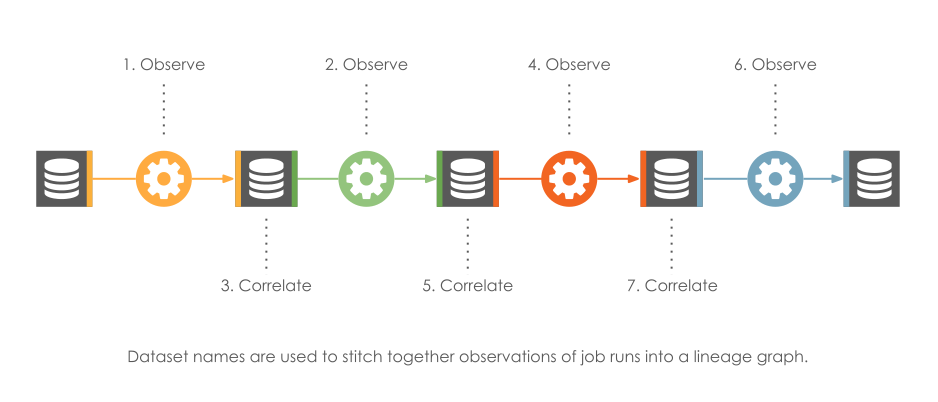
Additional Resources[](https://openlineage.io/docs/1.38.0/spec/naming/#additional-resources "Direct link to Additional Resources")
------------------------------------------------------------------------------------------------------------------------------------
* [The OpenLineage Naming Spec](https://github.com/OpenLineage/OpenLineage/blob/main/spec/Naming.md)
* [What's in a Namespace Blog Post](https://openlineage.io/blog/whats-in-a-namespace/)
* [Dataset Naming](https://openlineage.io/docs/1.38.0/spec/naming/#dataset-naming)
* [Job Naming](https://openlineage.io/docs/1.38.0/spec/naming/#job-naming)
* [Run Naming](https://openlineage.io/docs/1.38.0/spec/naming/#run-naming)
* [Why Naming Matters](https://openlineage.io/docs/1.38.0/spec/naming/#why-naming-matters)
* [Additional Resources](https://openlineage.io/docs/1.38.0/spec/naming/#additional-resources)
---
# Contributing | OpenLineage
[Skip to main content](https://openlineage.io/docs/1.39.0/integrations/openlineage_compatibility/compatibility_test/contributing/#__docusaurus_skipToContent_fallback)
This is documentation for OpenLineage **1.39.0**, which is no longer actively maintained.
For up-to-date documentation, see the **[latest version](https://openlineage.io/docs/integrations/openlineage_compatibility/compatibility_test/contributing/)
** (1.45.0).
Version: 1.39.0
On this page
How to contribute a new component or scenario to the OpenLineage Compatibility Tests.
Key Terms
* **Producer**: A system that generates OpenLineage events (e.g., Apache Spark, Apache Airflow, dbt)
* **Consumer**: A system that receives and processes OpenLineage events (e.g., Apache Atlas, DataHub, Marquez)
* **Scenario**: A specific test case that validates how a component handles OpenLineage events
To make a contribution to Compatibility Tests, submit a pull request to the [Compatibility Tests](https://github.com/OpenLineage/compatibility-tests/)
repository. Depending on the scope of your contribution, you can use one of the following guides:
Quick Navigation[](https://openlineage.io/docs/1.39.0/integrations/openlineage_compatibility/compatibility_test/contributing/#quick-navigation "Direct link to Quick Navigation")
-----------------------------------------------------------------------------------------------------------------------------------------------------------------------------------
### Adding Test Data[](https://openlineage.io/docs/1.39.0/integrations/openlineage_compatibility/compatibility_test/contributing/#adding-test-data "Direct link to Adding Test Data")
* **[New Input Events for Consumer Tests](https://openlineage.io/docs/1.39.0/integrations/openlineage_compatibility/compatibility_test/contributing/new_input_events)
** - The easiest contribution to make. Add new OpenLineage events for consumer testing.
### Adding Components[](https://openlineage.io/docs/1.39.0/integrations/openlineage_compatibility/compatibility_test/contributing/#adding-components "Direct link to Adding Components")
* **[New Producer](https://openlineage.io/docs/1.39.0/integrations/openlineage_compatibility/compatibility_test/contributing/new_producer)
** - Add a new OpenLineage producer (e.g., Spark, Flink, Airflow) to the test suite.
* **[New Consumer](https://openlineage.io/docs/1.39.0/integrations/openlineage_compatibility/compatibility_test/contributing/new_consumer)
** - Add a new OpenLineage consumer (e.g., Dataplex, Marquez) to the test suite.
### Adding Scenarios[](https://openlineage.io/docs/1.39.0/integrations/openlineage_compatibility/compatibility_test/contributing/#adding-scenarios "Direct link to Adding Scenarios")
* **[New Producer Scenario](https://openlineage.io/docs/1.39.0/integrations/openlineage_compatibility/compatibility_test/contributing/new_producer_scenario)
** - Add test scenarios for existing producers.
* **[New Consumer Scenario](https://openlineage.io/docs/1.39.0/integrations/openlineage_compatibility/compatibility_test/contributing/new_consumer_scenario)
** - Add test scenarios for existing consumers.
* [Quick Navigation](https://openlineage.io/docs/1.39.0/integrations/openlineage_compatibility/compatibility_test/contributing/#quick-navigation)
* [Adding Test Data](https://openlineage.io/docs/1.39.0/integrations/openlineage_compatibility/compatibility_test/contributing/#adding-test-data)
* [Adding Components](https://openlineage.io/docs/1.39.0/integrations/openlineage_compatibility/compatibility_test/contributing/#adding-components)
* [Adding Scenarios](https://openlineage.io/docs/1.39.0/integrations/openlineage_compatibility/compatibility_test/contributing/#adding-scenarios)
---
# About These Guides | OpenLineage
[Skip to main content](https://openlineage.io/docs/1.39.0/guides/about/#__docusaurus_skipToContent_fallback)
This is documentation for OpenLineage **1.39.0**, which is no longer actively maintained.
For up-to-date documentation, see the **[latest version](https://openlineage.io/docs/guides/about)
** (1.45.0).
Version: 1.39.0
The following tutorials take you through the process of exploiting the lineage metadata provided by Marquez and OpenLineage to solve common data engineering problems and make new analytical and historical insights into your pipelines.
The first tutorial, "Using OpenLineage with Spark," provides an introduction to OpenLineage's integration with Apache Spark. You will learn how to use Marquez and the OpenLineage standard to produce lineage metadata about jobs and datasets created using Spark and BigQuery in a Jupyter notebook environment.
The second tutorial, "Using OpenLineage with Airflow," shows you how to use OpenLineage on Apache Airflow to produce data lineage on supported operators to emit lineage events to Marquez backend. The tutorial also introduces you to the OpenLineage proxy to monitor the event data being emitted.
The third tutorial, "Backfilling Airflow DAGs Using Marquez," shows you how to use Marquez's Airflow integration and the Marquez CLI to backfill failing runs with the help of lineage metadata. You will learn how data lineage can be used to automate the backfilling process.
The fourth tutorial, "Using Marquez with dbt," takes you through the process of setting up Marquez's dbt integration to harvest metadata produced by dbt. You will learn how to create a Marquez instance, install the integration, configure your dbt installation, and test the configuration using dbt.
---
# Configuration parameters | OpenLineage
[Skip to main content](https://openlineage.io/docs/1.39.0/integrations/hive/configuration/hive_conf/#__docusaurus_skipToContent_fallback)
This is documentation for OpenLineage **1.39.0**, which is no longer actively maintained.
For up-to-date documentation, see the **[latest version](https://openlineage.io/docs/integrations/hive/configuration/hive_conf)
** (1.45.0).
Version: 1.39.0
On this page
info
This list doesn't include information transport configuration parameters, see [Transport](https://openlineage.io/docs/1.39.0/integrations/hive/configuration/transport)
Additionally, any properties from OpenLineage client can be defined using `hive.openlineage` instead of `openlineage`
Configuration[](https://openlineage.io/docs/1.39.0/integrations/hive/configuration/hive_conf/#configuration "Direct link to Configuration")
---------------------------------------------------------------------------------------------------------------------------------------------
The following parameters can be specified:
| Parameter | Definition | Example |
| --- | --- | --- |
| hive.openlineage.transport.type | The transport type used for event emit, default type is `console` | http |
| hive.openlineage.namespace | The default namespace to be applied for any jobs | mynamespace |
| hive.openlineage.job.name | The default name to be applied for any jobs | myname |
* [Configuration](https://openlineage.io/docs/1.39.0/integrations/hive/configuration/hive_conf/#configuration)
---
# Apache Hive | OpenLineage
[Skip to main content](https://openlineage.io/docs/1.39.0/integrations/hive/#__docusaurus_skipToContent_fallback)
This is documentation for OpenLineage **1.39.0**, which is no longer actively maintained.
For up-to-date documentation, see the **[latest version](https://openlineage.io/docs/integrations/hive/)
** (1.45.0).
Version: 1.39.0
This project provides an [Apache Hive](https://hive.apache.org/)
integration for OpenLineage, enabling automated data lineage capture for your Hive workloads. The core of the integration is a Hive execution hook (`HiveOpenLineageHook`) that intercepts query execution.
The hook analyzes the Hive query plan generated by the SemanticAnalyzer. It traverses the plan's Abstract Syntax Tree (AST) to identify input and output datasets, as well as the transformations performed on the data. It leverages a custom parser (separate from Hive's parser) for more advanced column-level lineage analysis.
Based on the query plan analysis, the hook constructs OpenLineage events, capturing the data lineage information. Events include details about the job, datasets (inputs and outputs), and the relationships between them. The resulting OpenLineage event will be of type `COMPLETE` for successful queries and `FAIL` for failed queries.
---
# Test Suite Workflows | OpenLineage
[Skip to main content](https://openlineage.io/docs/1.39.0/integrations/openlineage_compatibility/compatibility_test/test_workflows/#__docusaurus_skipToContent_fallback)
This is documentation for OpenLineage **1.39.0**, which is no longer actively maintained.
For up-to-date documentation, see the **[latest version](https://openlineage.io/docs/integrations/openlineage_compatibility/compatibility_test/test_workflows)
** (1.45.0).
Version: 1.39.0
The test suite contains three workflows for different use cases. Most of the steps in the workflows are similar - each workflow:
* Checks which component tests should be run
* Runs the tests to produce test reports
* Collects the tests and checks for new failures
However, each workflow has a different purpose and scope. The table below compares the three workflow types:
* **New Release**: Triggered when new versions of OpenLineage or components are released
* **Spec Update**: Triggered when the OpenLineage specification is updated
* **Test Suite PR**: Triggered when changes are made to the test suite itself
| | **New Release** | **Spec Update** | **Test Suite PR** |
| --- | --- | --- | --- |
| **Goal** | Update compatibility data | Notify OpenLineage developers about potential backward compatibility issues | Check if changes in the PR are not causing new failures |
| **Trigger** | Periodic run with checks for new releases of components or OpenLineage | Periodic run with checks for updates of spec in OpenLineage main branch | PR to Test Suite repository |
| **Tested Components Scope** | Producers and Consumers | Producers and Consumer Input Events | Producers, Consumers and Consumer Input Events |
| **Component Selection** | Components with new releases or all components in case of new OpenLineage release | All Producers and Consumer Input Events | Producers, Consumers and Consumer Input Events |
| **OpenLineage Versions** | Release Versions | Latest snapshot version from main branch | Release Versions |
| **Additional Steps** | Notify about new failures, update test report, update compatibility information | Notify about new failures | \- |
---
# Object Model | OpenLineage
[Skip to main content](https://openlineage.io/docs/1.38.0/spec/object-model/#__docusaurus_skipToContent_fallback)
This is documentation for OpenLineage **1.38.0**, which is no longer actively maintained.
For up-to-date documentation, see the **[latest version](https://openlineage.io/docs/spec/object-model)
** (1.45.0).
Version: 1.38.0
On this page
OpenLineage was designed to enable large-scale observation of datasets as they move through a complex pipeline.
Because of this, it integrates with various tools with the aim of emitting real-time lineage events as datasets are created and transformed. In addition to that, design lineage events can be emitted as transformations are created and altered. The object model is flexible, with abstract definitions for Dataset and Job that support a variety of underlying data architectures. OpenLineage cares how Datasets come into being, not just that relationships exist between them. Accordingly, its object model contains both Jobs _and_ Datasets.
Logically, an OpenLineage backend learns about Datasets primarily by receiving information about Jobs. Most Jobs have at least one input or output Dataset, and a lineage graph can be created by weaving together observations of many Jobs across multiple platforms.
OpenLineage defines multiple types of events to support both runtime and design lineage:
* **Job Run State Updates** (`RunEvent`): describes the execution of a job, emitted at runtime.
* **Job Metadata Updates (also known as static lineage)** (`JobEvent`): describes metadata about a job, such as its location in source code or declared inputs/outputs. Emitted at design-time and not associated with a `Run`.
* **Dataset Metadata Updates** (`DatasetEvent`): describes metadata changes related to a dataset, such as schema, ownership, or documentation. Emitted at design-time and not associated with a `Run`.
> ⚠️ Design lineage events (`DatasetEvent`, `JobEvent`) are **not** associated with a `Run` and represent **design-time metadata**.
Job Run State Update[](https://openlineage.io/docs/1.38.0/spec/object-model/#job-run-state-update "Direct link to Job Run State Update")
------------------------------------------------------------------------------------------------------------------------------------------
The `RunEvent` is prepared and sent when something important occurs within your pipeline, and each one can be thought of as a distinct observation. This commonly happens when a Job starts or finishes.
The run state itself refers to a stage within the [run cycle](https://openlineage.io/docs/1.38.0/spec/run-cycle)
of the current run. Usually, the first Run State for a Job would be `START` and the last would be `COMPLETE`. A run cycle is likely to have at least two Run State Updates, and perhaps more. Each one will also have timestamp of when this particular state change happened.
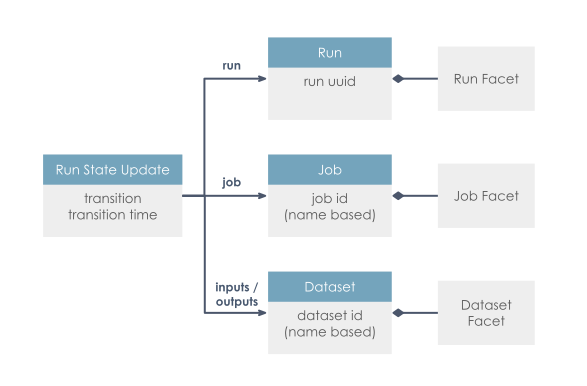
Each Run State Update can include detail about the Job, the Run, and the input and output Datasets involved in the run. Subsequent updates are additive: input Datasets, for example, can be specified along with `START`, along with `COMPLETE`, or both. This accommodates situations where information is only available at certain times.
Each of these three core entities can also be extended through the use of facets, some of which are documented in the relevant sections below.
Job Metadata Update[](https://openlineage.io/docs/1.38.0/spec/object-model/#job-metadata-update "Direct link to Job Metadata Update")
---------------------------------------------------------------------------------------------------------------------------------------
The `JobEvent` provides a way to describe a job's static properties such as source code location, declared inputs and outputs, and documentation. JobEvent is emitted when a job’s metadata is created or updated — typically by a compiler, CI pipeline, or metadata extraction tool.
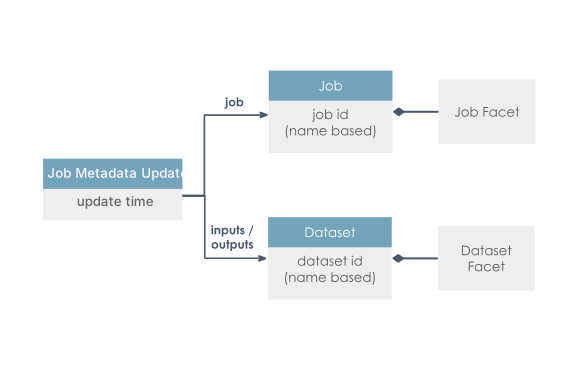
Dataset Metadata Update[](https://openlineage.io/docs/1.38.0/spec/object-model/#dataset-metadata-update "Direct link to Dataset Metadata Update")
---------------------------------------------------------------------------------------------------------------------------------------------------
The `DatasetEvent` allows metadata to be attached to a dataset outside the context of a job or a job run. This enables use cases such as static schema extraction, documentation generation, or governance. DatasetEvent is emitted when a dataset’s metadata is updated or first defined.
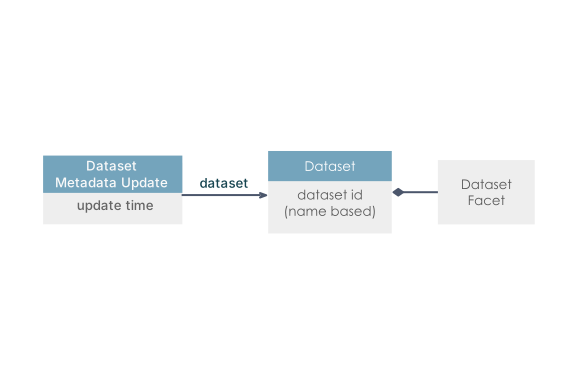
Event Payload Structure[](https://openlineage.io/docs/1.38.0/spec/object-model/#event-payload-structure "Direct link to Event Payload Structure")
---------------------------------------------------------------------------------------------------------------------------------------------------
### Job[](https://openlineage.io/docs/1.38.0/spec/object-model/#job "Direct link to Job")
A Job is a process that consumes or produces Datasets.
This is abstract, and can map to different things in different operational contexts. For example, a job could be a task in a workflow orchestration system. It could also be a model, a query, or a checkpoint. Depending on the system under observation, a Job can represent a small or large amount of work.
A Job is the part of the object model that represents a discrete bit of defined work. If, for example, you have cron running a Python script that executes a `CREATE TABLE x AS SELECT * FROM y` query every day, the Python script is the Job.
Jobs are identified by a unique name within a `namespace`. They are expected to evolve over time and their changes can be captured through Run State Updates.
#### Job Facets[](https://openlineage.io/docs/1.38.0/spec/object-model/#job-facets "Direct link to Job Facets")
Facets that can be used to augment the metadata of a Job include:
* **sourceCodeLocation**: Captures the source code location and version (e.g., the git SHA) of the job.
* **sourceCode**: Captures the language (e.g. python) and complete source code of the job. Using this source code, users can gain useful information about what the job does.
For more details, please refer to the [Job Facets](https://openlineage.io/docs/1.38.0/spec/facets/job-facets)
.
### Run[](https://openlineage.io/docs/1.38.0/spec/object-model/#run "Direct link to Run")
A Run is an instance of a Job that represents one of its occurrences in time.
Each run will have a uniquely identifiable `runId` that is generated by the client as [UUID](https://en.wikipedia.org/wiki/Universally_unique_identifier)
. The client is responsible for maintaining the `runId` between different Run State Updates in the same Run. It is recommended to use [UUIDv7](https://datatracker.ietf.org/doc/draft-ietf-uuidrev-rfc4122bis/)
format.
Runs can be used to observe changes in Jobs between their instances. If, for example, you have cron running a Python script that repeats a query every day, this should result in a separate Run for each day.
#### Run Facets[](https://openlineage.io/docs/1.38.0/spec/object-model/#run-facets "Direct link to Run Facets")
Facets that can be used to augment the metadata of a Run include:
* **nominalTime**: Captures the time this run is scheduled for. This is typically used for scheduled jobs. The job has a nominally scheduled time that will be different from the actual time it ran.
* **parent**: Captures the parent Job and Run, for instances where this Run was spawned from a parent Run. For example in the case of [Airflow](https://airflow.apache.org/)
, there's a Run that represents the DAG itself that is the parent of the individual Runs that represent the tasks it spawns. Similarly when a SparkOperator starts a Spark job, this creates a separate run that refers to the task run as its parent.
* **errorMessage**: Captures potential error messages - and optionally stack traces - with which the run failed.
* **sql**: Captures the SQL query, if this job runs one.
For more details, please refer to the [Run Facets](https://openlineage.io/docs/1.38.0/spec/facets/run-facets)
.
### Dataset[](https://openlineage.io/docs/1.38.0/spec/object-model/#dataset "Direct link to Dataset")
A Dataset is an abstract representation of data. This can refer to a small amount or large amount of data, as long as it's discrete. For databases, this should be a table. For cloud storage, this is often an object in a bucket. This can represent a directory of a filesystem.
It has a unique name within a namespace derived from its physical location (i.e., db.host.database.schema.table). The combined namespace and name for a Dataset should be enough to uniquely identify it within a data ecosystem.
Typically, a _Dataset_ changes when a job writing to it completes. Similarly to the _Job_ and _Run_ distinction, metadata that is more static from Run to Run is captured in a DatasetFacet - for example, the schema that does not change every run). What changes every _Run_ is captured as an _InputFacet_ or an _OutputFacet_ - for example, a time partition indicating the subset of the data set that was read or written).
A Dataset is the part of the object model that represents a discrete collection of data. If, for example, you have cron running a Python script that executes a `CREATE TABLE x AS SELECT * FROM y` query every day, the `x` and `y` tables are Datasets.
### Dataset Facets[](https://openlineage.io/docs/1.38.0/spec/object-model/#dataset-facets "Direct link to Dataset Facets")
Facets that can be used to augment the metadata of a Dataset include:
* **schema**: Captures the schema of the dataset
* **dataSource**: Captures the database instance containing this Dataset (e.g., database schema, object store bucket)
* **lifecycleStateChange**: Captures the lifecycle states of the Dataset (e.g., alter, create, drop, overwrite, rename, truncate)
* **version**: Captures the dataset version when versioning is defined by the data store (e.g.. Iceberg snapshot ID)
Input Datasets have the following facets:
* **dataQualityMetrics**: Captures dataset-level and column-level data quality metrics (row count, byte size, null count, distinct count, average, min, max, quantiles)
* **dataQualityAssertions**: Captures the result of running data tests on dataset or its columns
Output Datasets have the following facets:
* **outputStatistics**: Captures the size of the output written to a dataset (e.g., row count and byte size)
For more details, please refer to the [Dataset Facets](https://openlineage.io/docs/1.38.0/spec/facets/dataset-facets)
.
* [Job Run State Update](https://openlineage.io/docs/1.38.0/spec/object-model/#job-run-state-update)
* [Job Metadata Update](https://openlineage.io/docs/1.38.0/spec/object-model/#job-metadata-update)
* [Dataset Metadata Update](https://openlineage.io/docs/1.38.0/spec/object-model/#dataset-metadata-update)
* [Event Payload Structure](https://openlineage.io/docs/1.38.0/spec/object-model/#event-payload-structure)
* [Job](https://openlineage.io/docs/1.38.0/spec/object-model/#job)
* [Run](https://openlineage.io/docs/1.38.0/spec/object-model/#run)
* [Dataset](https://openlineage.io/docs/1.38.0/spec/object-model/#dataset)
* [Dataset Facets](https://openlineage.io/docs/1.38.0/spec/object-model/#dataset-facets)
---
# Example Lineage Events | OpenLineage
[Skip to main content](https://openlineage.io/docs/1.39.0/development/examples/#__docusaurus_skipToContent_fallback)
This is documentation for OpenLineage **1.39.0**, which is no longer actively maintained.
For up-to-date documentation, see the **[latest version](https://openlineage.io/docs/)
** (1.45.0).
Version: 1.39.0
On this page
Simple Examples[](https://openlineage.io/docs/1.39.0/development/examples/#simple-examples "Direct link to Simple Examples")
------------------------------------------------------------------------------------------------------------------------------
### START event with single input[](https://openlineage.io/docs/1.39.0/development/examples/#start-event-with-single-input "Direct link to START event with single input")
This is a START event with a single PostgreSQL input dataset.
{ "eventType": "START", "eventTime": "2020-12-28T19:52:00.001+10:00", "run": { "runId": "d46e465b-d358-4d32-83d4-df660ff614dd" }, "job": { "namespace": "workshop", "name": "process_taxes" }, "inputs": [{ "namespace": "postgres://workshop-db:None", "name": "workshop.public.taxes" }], "producer": "https://github.com/OpenLineage/OpenLineage/blob/v1-0-0/client"}
### COMPLETE event with single output[](https://openlineage.io/docs/1.39.0/development/examples/#complete-event-with-single-output "Direct link to COMPLETE event with single output")
This is a COMPLETE event with a single PostgreSQL output dataset.
{ "eventType": "COMPLETE", "eventTime": "2020-12-28T20:52:00.001+10:00", "run": { "runId": "d46e465b-d358-4d32-83d4-df660ff614dd" }, "job": { "namespace": "workshop", "name": "process_taxes" }, "outputs": [{ "namespace": "postgres://workshop-db:None", "name": "workshop.public.unpaid_taxes" }], "producer": "https://github.com/OpenLineage/OpenLineage/blob/v1-0-0/client"}
Complex Examples[](https://openlineage.io/docs/1.39.0/development/examples/#complex-examples "Direct link to Complex Examples")
---------------------------------------------------------------------------------------------------------------------------------
### START event with Facets (run and job)[](https://openlineage.io/docs/1.39.0/development/examples/#start-event-with-facets-run-and-job "Direct link to START event with Facets (run and job)")
This is a START event with run and job facets of Apache Airflow.
{ "eventType": "START", "eventTime": "2020-12-28T19:52:00.001+10:00", "run": { "runId": "d46e465b-d358-4d32-83d4-df660ff614dd" "facets": { "airflow_runArgs": { "_producer": "https://github.com/OpenLineage/OpenLineage/tree/0.10.0/integration/airflow", "_schemaURL": "https://raw.githubusercontent.com/OpenLineage/OpenLineage/main/spec/OpenLineage.json#/definitions/BaseFacet", "externalTrigger": true }, "nominalTime": { "_producer": "https://github.com/OpenLineage/OpenLineage/tree/0.10.0/integration/airflow", "_schemaURL": "https://raw.githubusercontent.com/OpenLineage/OpenLineage/main/spec/OpenLineage.json#/definitions/NominalTimeRunFacet", "nominalStartTime": "2022-07-29T14:14:31.458067Z" }, "parentRun": { "_producer": "https://github.com/OpenLineage/OpenLineage/tree/0.10.0/integration/airflow", "_schemaURL": "https://raw.githubusercontent.com/OpenLineage/OpenLineage/main/spec/OpenLineage.json#/definitions/ParentRunFacet", "job": { "name": "etl_orders", "namespace": "cosmic_energy" }, "run": { "runId": "1ba6fdaa-fb80-36ce-9c5b-295f544ec462" } } } }, "job": { "namespace": "workshop", "name": "process_taxes", "facets": { "documentation": { "_producer": "https://github.com/OpenLineage/OpenLineage/tree/0.10.0/integration/airflow", "_schemaURL": "https://raw.githubusercontent.com/OpenLineage/OpenLineage/main/spec/OpenLineage.json#/definitions/DocumentationJobFacet", "description": "Process taxes." }, "sql": { "_producer": "https://github.com/OpenLineage/OpenLineage/tree/0.10.0/integration/airflow", "_schemaURL": "https://raw.githubusercontent.com/OpenLineage/OpenLineage/main/spec/OpenLineage.json#/definitions/SqlJobFacet", "query": "INSERT into taxes values(1, 100, 1000, 4000);" } }, }, "inputs": [{ "namespace": "postgres://workshop-db:None", "name": "workshop.public.taxes" }], "producer": "https://github.com/OpenLineage/OpenLineage/blob/v1-0-0/client"}
### COMPLETE event with Facets (dataset)[](https://openlineage.io/docs/1.39.0/development/examples/#complete-event-with-facets-dataset "Direct link to COMPLETE event with Facets (dataset)")
This is a COMPLETE event with dataset facet of Database table.
{ "eventType": "COMPLETE", "eventTime": "2020-12-28T20:52:00.001+10:00", "run": { "runId": "d46e465b-d358-4d32-83d4-df660ff614dd" }, "job": { "namespace": "workshop", "name": "process_taxes" }, "outputs": [{ "namespace": "postgres://workshop-db:None", "name": "workshop.public.unpaid_taxes", "facets": { "dataSource": { "_producer": "https://github.com/OpenLineage/OpenLineage/tree/0.10.0/integration/airflow", "_schemaURL": "https://raw.githubusercontent.com/OpenLineage/OpenLineage/main/spec/OpenLineage.json#/definitions/DataSourceDatasetFacet", "name": "postgres://workshop-db:None", "uri": "workshop-db" }, "schema": { "_producer": "https://github.com/OpenLineage/OpenLineage/tree/0.10.0/integration/airflow", "_schemaURL": "https://raw.githubusercontent.com/OpenLineage/OpenLineage/main/spec/OpenLineage.json#/definitions/SchemaDatasetFacet", "fields": [ { "name": "id", "type": "SERIAL PRIMARY KEY" }, { "name": "tax_dt", "type": "TIMESTAMP NOT NULL" }, { "name": "tax_item_id", "type": "INTEGER REFERENCES tax_itemsid" }, { "name": "amount", "type": "INTEGER NOT NULL" }, { "name": "ref_id", "type": "INTEGER REFERENCES refid" }, { "name": "comment", "type": "TEXT" } ] } } }], "producer": "https://github.com/OpenLineage/OpenLineage/blob/v1-0-0/client"}
* [Simple Examples](https://openlineage.io/docs/1.39.0/development/examples/#simple-examples)
* [START event with single input](https://openlineage.io/docs/1.39.0/development/examples/#start-event-with-single-input)
* [COMPLETE event with single output](https://openlineage.io/docs/1.39.0/development/examples/#complete-event-with-single-output)
* [Complex Examples](https://openlineage.io/docs/1.39.0/development/examples/#complex-examples)
* [START event with Facets (run and job)](https://openlineage.io/docs/1.39.0/development/examples/#start-event-with-facets-run-and-job)
* [COMPLETE event with Facets (dataset)](https://openlineage.io/docs/1.39.0/development/examples/#complete-event-with-facets-dataset)
---
# Understanding and Using Facets | OpenLineage
[Skip to main content](https://openlineage.io/docs/1.39.0/guides/facets/#__docusaurus_skipToContent_fallback)
This is documentation for OpenLineage **1.39.0**, which is no longer actively maintained.
For up-to-date documentation, see the **[latest version](https://openlineage.io/docs/)
** (1.45.0).
Version: 1.39.0
On this page
#### Adapted from the OpenLineage [spec](https://github.com/OpenLineage/OpenLineage/blob/main/spec/OpenLineage.md)
.[](https://openlineage.io/docs/1.39.0/guides/facets/#adapted-from-the-openlineage-spec "Direct link to adapted-from-the-openlineage-spec")
Facets are pieces of metadata that can be attached to the core entities of the spec:
* Run
* Job
* Dataset (Inputs or Outputs)
A facet is an atomic piece of metadata identified by its name. This means that emitting a new facet with the same name for the same entity replaces the previous facet instance for that entity entirely. It is defined as a JSON object that can be either part of the spec or a custom facet defined in a different project.
Custom facets must use a distinct prefix named after the project defining them to avoid collision with standard facets defined in the [OpenLineage.json](https://github.com/OpenLineage/OpenLineage/blob/main/spec/OpenLineage.json)
spec. They have a `\_schemaURL` field pointing to the corresponding version of the facet schema (as a JSONPointer: [$ref URL location](https://swagger.io/docs/specification/using-ref/)
).
For example: [https://raw.githubusercontent.com/OpenLineage/OpenLineage/main/spec/OpenLineage.json#/definitions/MyCustomJobFacet](https://raw.githubusercontent.com/OpenLineage/OpenLineage/main/spec/OpenLineage.json#/definitions/MyCustomJobFacet)
The versioned URL must be an immutable pointer to the version of the facet schema. For example, it should include a tag of a git sha and not a branch name. This should also be a canonical URL. There should be only one URL used for a given version of a schema.
Custom facets can be promoted to the standard by including them in the spec.
#### Custom Facet Naming[](https://openlineage.io/docs/1.39.0/guides/facets/#custom-facet-naming "Direct link to Custom Facet Naming")
The naming of custom facets should follow the pattern `{prefix}{name}{entity}Facet` PascalCased.
The prefix must be a distinct identifier named after the project defining it to avoid collision with standard facets defined in the [OpenLineage.json](https://github.com/OpenLineage/OpenLineage/blob/main/spec/OpenLineage.json)
spec. The entity is the core entity for which the facet is attached.
When attached to the core entity, the key should follow the pattern `{prefix}_{name}`, where both prefix and name follow snakeCase pattern.
An example of a valid name is `BigQueryStatisticsJobFacet` and its key `bigQuery_statistics`.
### Standard Facets[](https://openlineage.io/docs/1.39.0/guides/facets/#standard-facets "Direct link to Standard Facets")
#### Run Facets[](https://openlineage.io/docs/1.39.0/guides/facets/#run-facets "Direct link to Run Facets")
* **nominalTime**: Captures the time this run is scheduled for. This is a typical usage for time based scheduled job. The job has a nominal schedule time that will be different from the actual time it is running at.
* **parent**: Captures the parent job and Run when the run was spawn from a parent run. For example in the case of Airflow, there's a run for the DAG that then spawns runs for individual tasks that would refer to the parent run as the DAG run. Similarly when a SparkOperator starts a Spark job, this creates a separate run that refers to the task run as its parent.
* **errorMessage**: Captures potential error message, programming language - and optionally stack trace - with which the run failed.
#### Job Facets[](https://openlineage.io/docs/1.39.0/guides/facets/#job-facets "Direct link to Job Facets")
* **sourceCodeLocation**: Captures the source code location and version (e.g., the git sha) of the job.
* **sourceCode**: Captures the language (e.g., Python) and actual source code of the job.
* **sql**: Capture the SQL query if this job is a SQL query.
* **ownership**: Captures the owners of the job.
#### Dataset Facets[](https://openlineage.io/docs/1.39.0/guides/facets/#dataset-facets "Direct link to Dataset Facets")
* **schema**: Captures the schema of the dataset.
* **dataSource**: Captures the database instance containing this dataset (e.g., Database schema, Object store bucket, etc.)
* **lifecycleStateChange**: Captures the lifecycle states of the dataset (e.g., alter, create, drop, overwrite, rename, truncate).
* **version**: Captures the dataset version when versioning is defined by database (e.g., Iceberg snapshot ID).
* [**columnLineage**](https://github.com/OpenLineage/OpenLineage/blob/main/spec/facets/ColumnLineageDatasetFacet.json)
: Captures the column-level lineage.
* **ownership**: Captures the owners of the dataset.
#### Input Dataset Facets[](https://openlineage.io/docs/1.39.0/guides/facets/#input-dataset-facets "Direct link to Input Dataset Facets")
* **dataQualityMetrics**: Captures dataset-level and column-level data quality metrics when scanning a dataset with a DataQuality library (row count, byte size, null count, distinct count, average, min, max, quantiles).
* **dataQualityAssertions**: Captures the result of running data tests on a dataset or its columns.
#### Output Dataset Facets[](https://openlineage.io/docs/1.39.0/guides/facets/#output-dataset-facets "Direct link to Output Dataset Facets")
* **outputStatistics**: Captures the size of the output written to a dataset (row count and byte size).
* [Standard Facets](https://openlineage.io/docs/1.39.0/guides/facets/#standard-facets)
---
# Transport | OpenLineage
[Skip to main content](https://openlineage.io/docs/1.38.0/integrations/spark/configuration/transport/#__docusaurus_skipToContent_fallback)
This is documentation for OpenLineage **1.38.0**, which is no longer actively maintained.
For up-to-date documentation, see the **[latest version](https://openlineage.io/docs/integrations/spark/configuration/transport)
** (1.45.0).
Version: 1.38.0
On this page
**Tip:** See current list of [all supported transports](https://github.com/OpenLineage/OpenLineage/tree/main/client/java/src/main/java/io/openlineage/client/transports)
.
### [HTTP](https://github.com/OpenLineage/OpenLineage/tree/main/client/java/src/main/java/io/openlineage/client/transports/HttpTransport.java)
[](https://openlineage.io/docs/1.38.0/integrations/spark/configuration/transport/#http "Direct link to http")
Allows sending events to HTTP endpoint, using [ApacheHTTPClient](https://hc.apache.org/index.html)
.
#### Configuration[](https://openlineage.io/docs/1.38.0/integrations/spark/configuration/transport/#configuration "Direct link to Configuration")
* `type` - string, must be `"http"`. Required.
* `url` - string, base url for HTTP requests. Required.
* `endpoint` - string specifying the endpoint to which events are sent, appended to `url`. Optional, default: `/api/v1/lineage`.
* `urlParams` - dictionary specifying query parameters send in HTTP requests. Optional.
* `timeoutInMillis` - integer specifying timeout (in milliseconds) value used while connecting to server. Optional, default: `5000`.
* `auth` - dictionary specifying authentication options. Optional, by default no authorization is used. If set, requires the `type` property.
* `type` - string specifying value for one of the out-of-the-box available authentication methods (`apiKey` or `jwt`), or the fully qualified class name of your TokenProvider. Required if `auth` is provided.
* Configuration options for `api_key` authentication:
* `apiKey` - string setting the Authentication HTTP header as the Bearer. Required if `type` is `api_key`.
* Configuration options for `jwt` authentication are documented in the [JWT Token Provider](https://openlineage.io/docs/1.38.0/integrations/spark/configuration/transport/#jwt-token-provider)
section.
* `headers` - dictionary specifying HTTP request headers. Optional.
* `compression` - string, name of algorithm used by HTTP client to compress request body. Optional, default value `null`, allowed values: `gzip`. Added in v1.13.0.
#### Behavior[](https://openlineage.io/docs/1.38.0/integrations/spark/configuration/transport/#behavior "Direct link to Behavior")
Events are serialized to JSON, and then are send as HTTP POST request with `Content-Type: application/json`.
#### Examples[](https://openlineage.io/docs/1.38.0/integrations/spark/configuration/transport/#examples "Direct link to Examples")
* Yaml Config
* Spark Config
* Flink Config
* Java Code
Anonymous connection:
transport: type: http url: http://localhost:5000
With authorization:
transport: type: http url: http://localhost:5000 auth: type: api_key api_key: f38d2189-c603-4b46-bdea-e573a3b5a7d5
Full example:
transport: type: http url: http://localhost:5000 endpoint: /api/v1/lineage urlParams: param0: value0 param1: value1 timeoutInMillis: 5000 auth: type: api_key api_key: f38d2189-c603-4b46-bdea-e573a3b5a7d5 headers: X-Some-Extra-Header: abc compression: gzip
Anonymous connection:
spark.openlineage.transport.type=httpspark.openlineage.transport.url=http://localhost:5000
With authorization:
spark.openlineage.transport.type=httpspark.openlineage.transport.url=http://localhost:5000spark.openlineage.transport.auth.type=api_keyspark.openlineage.transport.auth.apiKey=f38d2189-c603-4b46-bdea-e573a3b5a7d5
Full example:
spark.openlineage.transport.type=httpspark.openlineage.transport.url=http://localhost:5000spark.openlineage.transport.endpoint=/api/v1/lineagespark.openlineage.transport.urlParams.param0=value0spark.openlineage.transport.urlParams.param1=value1spark.openlineage.transport.timeoutInMillis=5000spark.openlineage.transport.auth.type=api_keyspark.openlineage.transport.auth.apiKey=f38d2189-c603-4b46-bdea-e573a3b5a7d5spark.openlineage.transport.headers.X-Some-Extra-Header=abcspark.openlineage.transport.compression=gzip
With SSL context:
spark.openlineage.transport.sslContext.storePassword=...spark.openlineage.transport.sslContext.keyPassword=...spark.openlineage.transport.sslContext.keyStoreType=...spark.openlineage.transport.sslContext.keyStorePath=...
where the config contains location of the keystore file, keystore password and its type. It should also contain key password.
URL parsing within Spark integration
You can supply http parameters using values in url, the parsed `spark.openlineage.*` properties are located in url as follows:
`{transport.url}/{transport.endpoint}/namespaces/{namespace}/jobs/{parentJobName}/runs/{parentRunId}?app_name={appName}&api_key={transport.apiKey}&timeout={transport.timeout}&xxx={transport.urlParams.xxx}`
example:
`http://localhost:5000/api/v1/namespaces/ns_name/jobs/job_name/runs/xxxxxxxx-xxxx-xxxx-xxxx-xxxxxxxxxxxx?app_name=app&api_key=abc&timeout=5000&xxx=xxx`
Anonymous connection:
spark.openlineage.transport.type=httpspark.openlineage.transport.url=http://localhost:5000
With authorization:
openlineage.transport.type=httpopenlineage.transport.url=http://localhost:5000openlineage.transport.auth.type=api_keyopenlineage.transport.auth.apiKey=f38d2189-c603-4b46-bdea-e573a3b5a7d5
Full example:
openlineage.transport.type=httpopenlineage.transport.url=http://localhost:5000openlineage.transport.endpoint=/api/v1/lineageopenlineage.transport.urlParams.param0=value0openlineage.transport.urlParams.param1=value1openlineage.transport.timeoutInMillis=5000openlineage.transport.auth.type=api_keyopenlineage.transport.auth.apiKey=f38d2189-c603-4b46-bdea-e573a3b5a7d5openlineage.transport.headers.X-Some-Extra-Header=abcopenlineage.transport.compression=gzip
With SSL context:
openlineage.transport.sslContext.storePassword=...openlineage.transport.sslContext.keyPassword=...openlineage.transport.sslContext.keyStoreType=...openlineage.transport.sslContext.keyStorePath=...
where the config contains location of the keystore file, keystore password and its type. It should also contain key password.
Anonymous connection:
import io.openlineage.client.OpenLineageClient;import io.openlineage.client.transports.HttpConfig;import io.openlineage.client.transports.HttpTransport;HttpConfig httpConfig = new HttpConfig();httpConfig.setUrl("http://localhost:5000");OpenLineageClient client = OpenLineageClient.builder() .transport( new HttpTransport(httpConfig)) .build();
With authorization:
import io.openlineage.client.OpenLineageClient;import io.openlineage.client.transports.ApiKeyTokenProvider;import io.openlineage.client.transports.HttpConfig;import io.openlineage.client.transports.HttpTransport;ApiKeyTokenProvider apiKeyTokenProvider = new ApiKeyTokenProvider();apiKeyTokenProvider.setApiKey("f38d2189-c603-4b46-bdea-e573a3b5a7d5");HttpConfig httpConfig = new HttpConfig();httpConfig.setUrl("http://localhost:5000");httpConfig.setAuth(apiKeyTokenProvider);OpenLineageClient client = OpenLineageClient.builder() .transport( new HttpTransport(httpConfig)) .build();
Full example:
import java.util.Map;import io.openlineage.client.OpenLineageClient;import io.openlineage.client.transports.ApiKeyTokenProvider;import io.openlineage.client.transports.HttpConfig;import io.openlineage.client.transports.HttpTransport;Map queryParams = Map.of( "param0", "value0", "param1", "value1");Map headers = Map.of( "X-Some-Extra-Header", "abc");ApiKeyTokenProvider apiKeyTokenProvider = new ApiKeyTokenProvider();apiKeyTokenProvider.setApiKey("f38d2189-c603-4b46-bdea-e573a3b5a7d5");HttpConfig httpConfig = new HttpConfig();httpConfig.setUrl("http://localhost:5000");httpConfig.setEndpoint("/api/v1/lineage");httpConfig.setUrlParams(queryParams);httpConfig.setAuth(apiKeyTokenProvider);httpConfig.setTimeoutInMillis(5000);httpConfig.setHeaders(headers);httpConfig.setCompression(HttpConfig.Compression.GZIP);OpenLineageClient client = OpenLineageClient.builder() .transport( new HttpTransport(httpConfig)) .build();
With SSL Context:
httpConfig.setSslContextConfig(new HttpSslContextConfig(keyStorePassword, keyPassword, keyStoreType, keyStoreFileName));
where the config contains location of the keystore file, keystore password and its type. It should also contain key password.
#### JWT Token Provider[](https://openlineage.io/docs/1.38.0/integrations/spark/configuration/transport/#jwt-token-provider "Direct link to JWT Token Provider")
The `JwtTokenProvider` is an authentication provider that exchanges an API key for a JWT token via a POST endpoint. This is useful for services that require OAuth-style authentication where you need to obtain a token before making API requests.
##### Configuration[](https://openlineage.io/docs/1.38.0/integrations/spark/configuration/transport/#configuration-1 "Direct link to Configuration")
When using JWT authentication with HTTP transport, configure the `auth` section as follows:
* `type` - string, must be `"jwt"`. Required.
* `apiKey` - string, the API key used to obtain the JWT token. Required.
* `tokenEndpoint` - string, the URL endpoint for token generation. Required.
* `tokenFields` - array of strings, JSON field names to search for the token in the response. The provider tries each field in order. Optional, default: `["token", "access_token"]`.
* `expiresInField` - string, JSON field name containing the token expiration time in seconds. Optional, default: `"expires_in"`.
* `grantType` - string, OAuth grant type parameter sent in the token request. Optional, default: `"urn:ietf:params:oauth:grant-type:jwt-bearer"`.
* `responseType` - string, OAuth response type parameter sent in the token request. Optional, default: `"token"`.
* `tokenRefreshBuffer` - integer, number of seconds before token expiry to trigger a refresh. Optional, default: `120`.
##### Behavior[](https://openlineage.io/docs/1.38.0/integrations/spark/configuration/transport/#behavior-1 "Direct link to Behavior")
* The provider sends a POST request with URL-encoded form data containing the API key and OAuth parameters.
* The response is expected to be JSON containing the JWT token and optionally an expiration time.
* Tokens are cached and automatically refreshed before expiration (default: 120 seconds before expiry, configurable via `tokenRefreshBuffer`).
* If no expiration is provided in the response, the provider attempts to extract it from the JWT payload's `exp` claim.
* The provider supports multiple JSON field names for the token, trying each in order until a match is found.
* Field matching is case-insensitive and handles both snake\_case and camelCase variations (e.g., `expires_in` matches `expiresIn`).
##### Examples[](https://openlineage.io/docs/1.38.0/integrations/spark/configuration/transport/#examples-1 "Direct link to Examples")
* Yaml Config
* Spark Config
* Flink Config
* Java Code
Standard OAuth configuration:
transport: type: http url: https://api.example.com auth: type: jwt apiKey: your-api-key tokenEndpoint: https://auth.example.com/token
With custom field names:
transport: type: http url: https://api.example.com auth: type: jwt apiKey: your-api-key tokenEndpoint: https://auth.example.com/token tokenFields: ["access_token", "token"] expiresInField: expires_in
IBM Cloud IAM configuration:
transport: type: http url: https://api.example.com auth: type: jwt apiKey: your-ibm-api-key tokenEndpoint: https://iam.cloud.ibm.com/identity/token grantType: urn:ibm:params:oauth:grant-type:apikey responseType: cloud_iam
Standard OAuth configuration:
spark.openlineage.transport.type=httpspark.openlineage.transport.url=https://api.example.comspark.openlineage.transport.auth.type=jwtspark.openlineage.transport.auth.apiKey=your-api-keyspark.openlineage.transport.auth.tokenEndpoint=https://auth.example.com/token
IBM Cloud IAM configuration:
spark.openlineage.transport.type=httpspark.openlineage.transport.url=https://api.example.comspark.openlineage.transport.auth.type=jwtspark.openlineage.transport.auth.apiKey=your-ibm-api-keyspark.openlineage.transport.auth.tokenEndpoint=https://iam.cloud.ibm.com/identity/tokenspark.openlineage.transport.auth.grantType=urn:ibm:params:oauth:grant-type:apikeyspark.openlineage.transport.auth.responseType=cloud_iam
Standard OAuth configuration:
openlineage.transport.type=httpopenlineage.transport.url=https://api.example.comopenlineage.transport.auth.type=jwtopenlineage.transport.auth.apiKey=your-api-keyopenlineage.transport.auth.tokenEndpoint=https://auth.example.com/token
IBM Cloud IAM configuration:
openlineage.transport.type=httpopenlineage.transport.url=https://api.example.comopenlineage.transport.auth.type=jwtopenlineage.transport.auth.apiKey=your-ibm-api-keyopenlineage.transport.auth.tokenEndpoint=https://iam.cloud.ibm.com/identity/tokenopenlineage.transport.auth.grantType=urn:ibm:params:oauth:grant-type:apikeyopenlineage.transport.auth.responseType=cloud_iam
Standard OAuth configuration:
import io.openlineage.client.OpenLineageClient;import io.openlineage.client.transports.HttpConfig;import io.openlineage.client.transports.HttpTransport;import io.openlineage.client.transports.JwtTokenProvider;JwtTokenProvider jwtTokenProvider = new JwtTokenProvider();jwtTokenProvider.setApiKey("your-api-key");jwtTokenProvider.setTokenEndpoint(URI.create("https://auth.example.com/token"));HttpConfig httpConfig = new HttpConfig();httpConfig.setUrl(URI.create("https://api.example.com"));httpConfig.setAuth(jwtTokenProvider);OpenLineageClient client = OpenLineageClient.builder() .transport(new HttpTransport(httpConfig)) .build();
IBM Cloud IAM configuration:
import io.openlineage.client.OpenLineageClient;import io.openlineage.client.transports.HttpConfig;import io.openlineage.client.transports.HttpTransport;import io.openlineage.client.transports.JwtTokenProvider;JwtTokenProvider jwtTokenProvider = new JwtTokenProvider();jwtTokenProvider.setApiKey("your-ibm-api-key");jwtTokenProvider.setTokenEndpoint(URI.create("https://iam.cloud.ibm.com/identity/token"));jwtTokenProvider.setGrantType("urn:ibm:params:oauth:grant-type:apikey");jwtTokenProvider.setResponseType("cloud_iam");HttpConfig httpConfig = new HttpConfig();httpConfig.setUrl(URI.create("https://api.example.com"));httpConfig.setAuth(jwtTokenProvider);OpenLineageClient client = OpenLineageClient.builder() .transport(new HttpTransport(httpConfig)) .build();
### [Kafka](https://github.com/OpenLineage/OpenLineage/tree/main/client/java/src/main/java/io/openlineage/client/transports/KafkaTransport.java)
[](https://openlineage.io/docs/1.38.0/integrations/spark/configuration/transport/#kafka "Direct link to kafka")
If a transport type is set to `kafka`, then the below parameters would be read and used when building KafkaProducer. This transport requires the artifact `org.apache.kafka:kafka-clients:3.1.0` (or compatible) on your classpath.
#### Configuration[](https://openlineage.io/docs/1.38.0/integrations/spark/configuration/transport/#configuration-2 "Direct link to Configuration")
* `type` - string, must be `"kafka"`. Required.
* `topicName` - string specifying the topic on what events will be sent. Required.
* `properties` - a dictionary containing a Kafka producer config as in [Kafka producer config](http://kafka.apache.org/0100/documentation.html#producerconfigs)
. Required.
* `localServerId` - **deprecated**, renamed to `messageKey` since v1.13.0.
* `messageKey` - string, key for all Kafka messages produced by transport. Optional, default value described below. Added in v1.13.0.
Default values for `messageKey` are:
* `run:{rootJob.namespace}/{rootJob.name}` - for RunEvent with parent facet containing link to `root` job
* `run:{parentJob.namespace}/{parentJob.name}` - for RunEvent with parent facet
* `run:{job.namespace}/{job.name}` - for RunEvent
* `job:{job.namespace}/{job.name}` - for JobEvent
* `dataset:{dataset.namespace}/{dataset.name}` - for DatasetEvent
#### Behavior[](https://openlineage.io/docs/1.38.0/integrations/spark/configuration/transport/#behavior-2 "Direct link to Behavior")
Events are serialized to JSON, and then dispatched to the Kafka topic.
#### Notes[](https://openlineage.io/docs/1.38.0/integrations/spark/configuration/transport/#notes "Direct link to Notes")
It is recommended to provide `messageKey` if Job hierarchy is used. It can be any string, but it should be the same for all jobs in hierarchy, like `Airflow task -> Spark application -> Spark task runs`.
#### Examples[](https://openlineage.io/docs/1.38.0/integrations/spark/configuration/transport/#examples-2 "Direct link to Examples")
* Yaml Config
* Spark Config
* Flink Config
* Java Code
transport: type: kafka topicName: openlineage.events properties: bootstrap.servers: localhost:9092,another.host:9092 acks: all retries: 3 key.serializer: org.apache.kafka.common.serialization.StringSerializer value.serializer: org.apache.kafka.common.serialization.StringSerializer messageKey: some-value
spark.openlineage.transport.type=kafkaspark.openlineage.transport.topicName=openlineage.eventsspark.openlineage.transport.properties.bootstrap.servers=localhost:9092,another.host:9092spark.openlineage.transport.properties.acks=allspark.openlineage.transport.properties.retries=3spark.openlineage.transport.properties.key.serializer=org.apache.kafka.common.serialization.StringSerializerspark.openlineage.transport.properties.value.serializer=org.apache.kafka.common.serialization.StringSerializerspark.openlineage.transport.messageKey=some-value
openlineage.transport.type=kafkaopenlineage.transport.topicName=openlineage.eventsopenlineage.transport.properties.bootstrap.servers=localhost:9092,another.host:9092openlineage.transport.properties.acks=allopenlineage.transport.properties.retries=3openlineage.transport.properties.key.serializer=org.apache.kafka.common.serialization.StringSerializeropenlineage.transport.properties.value.serializer=org.apache.kafka.common.serialization.StringSerializeropenlineage.transport.messageKey=some-value
import java.util.Properties;import io.openlineage.client.OpenLineageClient;import io.openlineage.client.transports.KafkaConfig;import io.openlineage.client.transports.KafkaTransport;Properties kafkaProperties = new Properties();kafkaProperties.setProperty("bootstrap.servers", "localhost:9092,another.host:9092");kafkaProperties.setProperty("acks", "all");kafkaProperties.setProperty("retries", "3");kafkaProperties.setProperty("key.serializer", "org.apache.kafka.common.serialization.StringSerializer");kafkaProperties.setProperty("value.serializer", "org.apache.kafka.common.serialization.StringSerializer");KafkaConfig kafkaConfig = new KafkaConfig();KafkaConfig.setTopicName("openlineage.events");KafkaConfig.setProperties(kafkaProperties);KafkaConfig.setMessageKey("some-key");OpenLineageClient client = OpenLineageClient.builder() .transport( new KafkaTransport(httpConfig)) .build();
_Notes_: It is recommended to provide `messageKey` if Job hierarchy is used. It can be any string, but it should be the same for all jobs in hierarchy, like `Airflow task -> Spark application`.
Default values are:
* `run:{rootJob.namespace}/{rootJob.name}` - for RunEvent with parent facet containing link to `root` job
* `run:{parentJob.namespace}/{parentJob.name}/{parentRun.id}` - for RunEvent with parent facet
* `run:{job.namespace}/{job.name}/{run.id}` - for RunEvent
* `job:{job.namespace}/{job.name}` - for JobEvent
* `dataset:{dataset.namespace}/{dataset.name}` - for DatasetEvent
### [Console](https://github.com/OpenLineage/OpenLineage/tree/main/client/java/src/main/java/io/openlineage/client/transports/ConsoleTransport.java)
[](https://openlineage.io/docs/1.38.0/integrations/spark/configuration/transport/#console "Direct link to console")
This straightforward transport emits OpenLineage events directly to the console through a logger. No additional configuration is required.
#### Behavior[](https://openlineage.io/docs/1.38.0/integrations/spark/configuration/transport/#behavior-3 "Direct link to Behavior")
Events are serialized to JSON. Then each event is logged with `INFO` level to logger with name `ConsoleTransport`.
#### Notes[](https://openlineage.io/docs/1.38.0/integrations/spark/configuration/transport/#notes-1 "Direct link to Notes")
Be cautious when using the `DEBUG` log level, as it might result in double-logging due to the `OpenLineageClient` also logging.
#### Configuration[](https://openlineage.io/docs/1.38.0/integrations/spark/configuration/transport/#configuration-3 "Direct link to Configuration")
* `type` - string, must be `"console"`. Required.
#### Examples[](https://openlineage.io/docs/1.38.0/integrations/spark/configuration/transport/#examples-3 "Direct link to Examples")
* Yaml Config
* Spark Config
* Flink Config
* Java Code
transport: type: console
spark.openlineage.transport.type=console
openlineage.transport.type=console
import java.util.Properties;import io.openlineage.client.OpenLineageClient;import io.openlineage.client.transports.ConsoleTransport;OpenLineageClient client = OpenLineageClient.builder() .transport( new ConsoleTransport()) .build();
### [File](https://github.com/OpenLineage/OpenLineage/tree/main/client/java/src/main/java/io/openlineage/client/transports/FileTransport.java)
[](https://openlineage.io/docs/1.38.0/integrations/spark/configuration/transport/#file "Direct link to file")
Designed mainly for integration testing, the `FileTransport` emits OpenLineage events to a given file.
#### Configuration[](https://openlineage.io/docs/1.38.0/integrations/spark/configuration/transport/#configuration-4 "Direct link to Configuration")
* `type` - string, must be `"file"`. Required.
* `location` - string specifying the path of the file. Required.
#### Behavior[](https://openlineage.io/docs/1.38.0/integrations/spark/configuration/transport/#behavior-4 "Direct link to Behavior")
* If the target file is absent, it's created.
* Events are serialized to JSON, and then appended to a file, separated by newlines.
* Intrinsic newline characters within the event JSON are eliminated to ensure one-line events.
#### Notes for Yarn/Kubernetes[](https://openlineage.io/docs/1.38.0/integrations/spark/configuration/transport/#notes-for-yarnkubernetes "Direct link to Notes for Yarn/Kubernetes")
This transport type is pretty useless on Spark/Flink applications deployed to Yarn or Kubernetes cluster:
* Each executor will write file to a local filesystem of Yarn container/K8s pod. So resulting file will be removed when such container/pod is destroyed.
* Kubernetes persistent volumes are not destroyed after pod removal. But all the executors will write to the same network disk in parallel, producing a broken file.
#### Examples[](https://openlineage.io/docs/1.38.0/integrations/spark/configuration/transport/#examples-4 "Direct link to Examples")
* Yaml Config
* Spark Config
* Flink Config
* Java Code
transport: type: file location: /path/to/your/file
spark.openlineage.transport.type=filespark.openlineage.transport.location=/path/to/your/filext
openlineage.transport.type=fileopenlineage.transport.location=/path/to/your/file
import java.util.Properties;import io.openlineage.client.OpenLineageClient;import io.openlineage.client.transports.FileConfig;import io.openlineage.client.transports.FileTransport;FileConfig fileConfig = new FileConfig("/path/to/your/file");OpenLineageClient client = OpenLineageClient.builder() .transport( new FileTransport(fileConfig)) .build();
### [Composite](https://github.com/OpenLineage/OpenLineage/tree/main/client/java/src/main/java/io/openlineage/client/transports/CompositeTransport.java)
[](https://openlineage.io/docs/1.38.0/integrations/spark/configuration/transport/#composite "Direct link to composite")
The `CompositeTransport` is designed to combine multiple transports, allowing event emission to several destinations. This is useful when events need to be sent to multiple targets, such as a logging system and an API endpoint. The events are delivered sequentially - one after another in a defined order.
#### Configuration[](https://openlineage.io/docs/1.38.0/integrations/spark/configuration/transport/#configuration-5 "Direct link to Configuration")
* `type` - string, must be "composite". Required.
* `transports` - a list or a map of transport configurations. Required.
* `continueOnFailure` - boolean flag, determines if the process should continue even when one of the transports fails. Default is `true`.
* `withThreadPool` - boolean flag, determines if a thread pool for parallel event emission should be kept between event emissions. Default is `true`.
#### Behavior[](https://openlineage.io/docs/1.38.0/integrations/spark/configuration/transport/#behavior-5 "Direct link to Behavior")
* The configured transports will be initialized and used in sequence (sorted by transport name) to emit OpenLineage events.
* If `continueOnFailure` is set to `false`, a failure in one transport will stop the event emission process, and an exception will be raised.
* If `continueOnFailure` is `true`, the failure will be logged, but the remaining transports will still attempt to send the event.
#### Notes for Multiple Transports[](https://openlineage.io/docs/1.38.0/integrations/spark/configuration/transport/#notes-for-multiple-transports "Direct link to Notes for Multiple Transports")
The composite transport can be used with any OpenLineage transport (e.g. `HttpTransport`, `KafkaTransport`, etc). Ideal for scenarios where OpenLineage events need to reach multiple destinations for redundancy or different types of processing.
The `transports` configuration can be provided in two formats:
1. A list of transport configurations, where each transport may optionally include a `name` field.
2. A map of transport configurations, where the key acts as the name for each transport. The map format is particularly useful for configurations set via environment variables or Java properties, providing a more convenient and flexible setup.
##### Why are transport names used?[](https://openlineage.io/docs/1.38.0/integrations/spark/configuration/transport/#why-are-transport-names-used "Direct link to Why are transport names used?")
Transport names are not required for basic functionality. Their primary purpose is to enable configuration of composite transports via environment variables, which is only supported when names are defined.
#### Examples[](https://openlineage.io/docs/1.38.0/integrations/spark/configuration/transport/#examples-5 "Direct link to Examples")
* Yaml Config (List)
* Yaml Config (Map)
* Spark Config
* Flink Config
* Java Code
transport: type: composite continueOnFailure: true transports: - type: http url: http://example.com/api name: my_http - type: kafka topicName: openlineage.events properties: bootstrap.servers: localhost:9092,another.host:9092 acks: all retries: 3 key.serializer: org.apache.kafka.common.serialization.StringSerializer value.serializer: org.apache.kafka.common.serialization.StringSerializer messageKey: some-value continueOnFailure: true
transport: type: composite continueOnFailure: true transports: my_http: type: http url: http://example.com/api name: my_http my_kafka: type: kafka topicName: openlineage.events properties: bootstrap.servers: localhost:9092,another.host:9092 acks: all retries: 3 key.serializer: org.apache.kafka.common.serialization.StringSerializer value.serializer: org.apache.kafka.common.serialization.StringSerializer messageKey: some-value continueOnFailure: true
spark.openlineage.transport.type=compositespark.openlineage.transport.continueOnFailure=truespark.openlineage.transport.transports.my_http.type=httpspark.openlineage.transport.transports.my_http.url=http://example.com/apispark.openlineage.transport.transports.my_kafka.type=kafkaspark.openlineage.transport.transports.my_kafka.topicName=openlineage.eventsspark.openlineage.transport.transports.my_kafka.properties.bootstrap.servers=localhost:9092,another.host:9092spark.openlineage.transport.transports.my_kafka.properties.acks=allspark.openlineage.transport.transports.my_kafka.properties.retries=3spark.openlineage.transport.transports.my_kafka.properties.key.serializer=org.apache.kafka.common.serialization.StringSerializerspark.openlineage.transport.transports.my_kafka.properties.value.serializer=org.apache.kafka.common.serialization.StringSerializer
openlineage.transport.type=compositeopenlineage.transport.continueOnFailure=trueopenlineage.transport.transports.my_http.type=httpopenlineage.transport.transports.my_http.url=http://example.com/apiopenlineage.transport.transports.my_kafka.type=kafkaopenlineage.transport.transports.my_kafka.topicName=openlineage.eventsopenlineage.transport.transports.my_kafka.properties.bootstrap.servers=localhost:9092,another.host:9092openlineage.transport.transports.my_kafka.properties.acks=allopenlineage.transport.transports.my_kafka.properties.retries=3openlineage.transport.transports.my_kafka.properties.key.serializer=org.apache.kafka.common.serialization.StringSerializeropenlineage.transport.transports.my_kafka.properties.value.serializer=org.apache.kafka.common.serialization.StringSerializer
import java.util.Arrays;import io.openlineage.client.OpenLineageClient;import io.openlineage.client.transports.CompositeConfig;import io.openlineage.client.transports.HttpConfig;import io.openlineage.client.transports.HttpTransport;import io.openlineage.client.transports.KafkaConfig;import io.openlineage.client.transports.KafkaTransport;HttpConfig httpConfig = new HttpConfig();httpConfig.setUrl("http://example.com/api");KafkaConfig kafkaConfig = new KafkaConfig();KafkaConfig.setTopicName("openlineage.events");KafkaConfig.setMessageKey("some-key");CompositeConfig compositeConfig = new CompositeConfig(Arrays.asList( new HttpTransport(httpConfig), new KafkaTransport(kafkaConfig)), true);OpenLineageClient client = OpenLineageClient.builder() .transport( new CompositeTransport(compositeConfig)) .build();
### [Transform](https://github.com/OpenLineage/OpenLineage/tree/main/client/java/src/main/java/io/openlineage/client/transports/transform/TransformTransport.java)
[](https://openlineage.io/docs/1.38.0/integrations/spark/configuration/transport/#transform "Direct link to transform")
The `TransformTransport` is designed to enable event manipulation before emitting the event. Together with `CompositeTransport`, it can be used to send different events into multiple backends.
#### Configuration[](https://openlineage.io/docs/1.38.0/integrations/spark/configuration/transport/#configuration-6 "Direct link to Configuration")
* `type` - string, must be "transform". Required.
* `transformerClass` - class name of the event transformer. Class has to implement `io.openlineage.client.transports.transform.EventTransformer` interface and provide public no-arg constructor. Class needs to be available on the classpath. Required.
* `transformerProperties` - Extra properties that can be passed into `transformerClass` based on the configuration. Optional.
* `transport` - Transport configuration to emit modified events. Required.
#### Behavior[](https://openlineage.io/docs/1.38.0/integrations/spark/configuration/transport/#behavior-6 "Direct link to Behavior")
* The configured `transformerClass` will be used to alter events before the emission.
* Modified events will be passed into the configured `transport` for further processing.
* In case of returning `null`, the event will be skipped.
#### `EventTransformer` interface[](https://openlineage.io/docs/1.38.0/integrations/spark/configuration/transport/#eventtransformer-interface "Direct link to eventtransformer-interface")
public class CustomEventTransformer implements EventTransformer { @Override public void initialize(Map properties) { ... } @Override public RunEvent transform(RunEvent event) { ... } @Override public DatasetEvent transform(DatasetEvent event) { .. } @Override public JobEvent transform(JobEvent event) { ... }}
#### Examples[](https://openlineage.io/docs/1.38.0/integrations/spark/configuration/transport/#examples-6 "Direct link to Examples")
* Yaml Config
* Spark Config
* Flink Config
* Java Code
transport: type: transform transformerClass: io.openlineage.CustomEventTransformer transformerProperties: key1: value1 key2: value2 transport: type: http url: http://example.com/api name: my_http
spark.openlineage.transport.type=transformspark.openlineage.transport.transformerClass=io.openlineage.CustomEventTransformerspark.openlineage.transport.transformerProperties.key1=value1spark.openlineage.transport.transformerProperties.key2=value2spark.openlineage.transport.transport.type=httpspark.openlineage.transport.transport.url=http://example.com/api
openlineage.transport.type=transformopenlineage.transport.transformerClass=io.openlineage.CustomEventTransformeropenlineage.transport.transformerProperties.key1=value1openlineage.transport.transformerProperties.key2=value2openlineage.transport.transport.type=httpopenlineage.transport.transport.url=http://example.com/api
import java.util.Arrays;import io.openlineage.client.OpenLineageClient;import io.openlineage.client.transports.TransformConfig;import io.openlineage.client.transports.HttpConfig;import io.openlineage.client.transports.HttpTransport;HttpConfig httpConfig = new HttpConfig();httpConfig.setUrl(URI.create("http://example.com/api"));TransformConfig transformConfig = new TransformConfig();transformConfig.setTransformerClass(CustomEventTransformer.class.getName());transformConfig.setTransport(httpConfig);OpenLineageClient client = OpenLineageClient .builder() .transport(new TransformTransport(transformConfig)) .build();
### [GcpLineage](https://github.com/OpenLineage/OpenLineage/blob/main/client/transports-dataplex/src/main/java/io/openlineage/client/transports/gcplineage/GcpLineageTransport.java)
[](https://openlineage.io/docs/1.38.0/integrations/spark/configuration/transport/#gcplineage "Direct link to gcplineage")
To use this transport in your project, you need to include `io.openlineage:transports-gcplineage` artifact in your build configuration. This is particularly important for environments like `Spark`, where this transport must be on the classpath for lineage events to be emitted correctly.
#### Configuration[](https://openlineage.io/docs/1.38.0/integrations/spark/configuration/transport/#configuration-7 "Direct link to Configuration")
* `type` - string, must be `"gcplineage"`. Required.
* `endpoint` - string, specifies the endpoint to which events are sent, default value is `datalineage.googleapis.com:443`. Optional.
* `projectId` - string, the project quota identifier. If not provided, it is determined based on user credentials. Optional.
* `location` - string, [Dataplex location](https://cloud.google.com/dataplex/docs/locations)
. Optional, default: `"us"`.
* `credentialsFile` - string, path to the [Service Account credentials JSON file](https://developers.google.com/workspace/guides/create-credentials#create_credentials_for_a_service_account)
. Optional, if not provided [Application Default Credentials](https://cloud.google.com/docs/authentication/application-default-credentials)
are used
* `mode` - enum that specifies the type of client used for publishing OpenLineage events to GCP Lineage service. Possible values: `sync` (synchronous) or `async` (asynchronous). Optional, default: `async`.
#### Behavior[](https://openlineage.io/docs/1.38.0/integrations/spark/configuration/transport/#behavior-7 "Direct link to Behavior")
* Events are serialized to JSON, included as part of a `gRPC` request, and then dispatched to the `GCP Lineage service` endpoint.
* Depending on the `mode` chosen, requests are sent using either a synchronous or asynchronous client.
#### Examples[](https://openlineage.io/docs/1.38.0/integrations/spark/configuration/transport/#examples-7 "Direct link to Examples")
* Yaml Config
* Spark Config
* Flink Config
* Java Code
transport: type: gcplineage projectId: your_gcp_project_id location: us mode: sync credentialsFile: path/to/credentials.json
spark.openlineage.transport.type=gcplineagespark.openlineage.transport.projectId=your_gcp_project_idspark.openlineage.transport.location=usspark.openlineage.transport.mode=syncspark.openlineage.transport.credentialsFile=path/to/credentials.json
openlineage.transport.type=gcplineageopenlineage.transport.projectId=your_gcp_project_idopenlineage.transport.location=usopenlineage.transport.mode=syncopenlineage.transport.credentialsFile=path/to/credentials.json
import io.openlineage.client.OpenLineageClient;import io.openlineage.client.transports.gcplineage.GcpLineageTransportConfig;import io.openlineage.client.transports.dataplex.GcpLineageTransport;GcpLineageTransportConfig gcplineageConfig = new GcpLineageTransportConfig();gcplineageConfig.setProjectId("your_gcp_project_id");gcplineageConfig.setLocation("your_gcp_location");gcplineageConfig.setMode(MODE.SYNC);gcplineageConfig.setCredentialsFile("path/to/credentials.json");OpenLineageClient client = OpenLineageClient.builder() .transport( new GcpLineageTransport(gcplineageConfig)) .build();
### [Google Cloud Storage](https://github.com/OpenLineage/OpenLineage/blob/main/client/java/transports-gcs/src/main/java/io/openlineage/client/transports/gcs/GcsTransport.java)
[](https://openlineage.io/docs/1.38.0/integrations/spark/configuration/transport/#google-cloud-storage "Direct link to google-cloud-storage")
To use this transport in your project, you need to include `io.openlineage:transports-gcs` artifact in your build configuration. This is particularly important for environments like `Spark`, where this transport must be on the classpath for lineage events to be emitted correctly.
#### Configuration[](https://openlineage.io/docs/1.38.0/integrations/spark/configuration/transport/#configuration-8 "Direct link to Configuration")
* `type` - string, must be `"gcs"`. Required.
* `projectId` - string, the project quota identifier. Required.
* `credentialsFile` - string, path to the [Service Account credentials JSON file](https://developers.google.com/workspace/guides/create-credentials#create_credentials_for_a_service_account)
. Optional, if not provided [Application Default Credentials](https://cloud.google.com/docs/authentication/application-default-credentials)
are used
* `bucketName` - string, the GCS bucket name. Required
* `fileNamePrefix` - string, prefix for the event file names. Optional.
#### Behavior[](https://openlineage.io/docs/1.38.0/integrations/spark/configuration/transport/#behavior-8 "Direct link to Behavior")
* Events are serialized to JSON and stored in the specified GCS bucket.
* Each event file is named based on its `eventTime`, converted to epoch milliseconds, with an optional prefix if configured.
* Two constructors are available: one accepting both `Storage` and `GcsTransportConfig` and another solely accepting `GcsTransportConfig`.
#### Examples[](https://openlineage.io/docs/1.38.0/integrations/spark/configuration/transport/#examples-8 "Direct link to Examples")
* Yaml Config
* Spark Config
* Flink Config
* Java Code
transport: type: gcs bucketName: my-gcs-bucket fileNamePrefix: /file/name/prefix/ credentialsFile: path/to/credentials.json
spark.openlineage.transport.type=gcsspark.openlineage.transport.bucketName=my-gcs-bucketspark.openlineage.transport.credentialsFile=path/to/credentials.jsonspark.openlineage.transport.credentialsFile=file/name/prefix/
openlineage.transport.type=gcsopenlineage.transport.bucketName=my-gcs-bucketopenlineage.transport.credentialsFile=path/to/credentials.jsonopenlineage.transport.credentialsFile=file/name/prefix/
import io.openlineage.client.OpenLineageClient;import io.openlineage.client.transports.gcs.GcsTransportConfig;import io.openlineage.client.transports.dataplex.GcsTransport;DataplexConfig gcsConfig = new GcsTransportConfig();gcsConfig.setBucketName("my-bucket-name");gcsConfig.setFileNamePrefix("/file/name/prefix/");gcsConfig.setCredentialsFile("path/to/credentials.json");OpenLineageClient client = OpenLineageClient.builder() .transport( new GcsTransport(dataplexConfig)) .build();
### [DataZone Transport](https://github.com/OpenLineage/OpenLineage/blob/main/client/java/transports-datazone/src/main/java/io/openlineage/client/transports/datazone/AmazonDataZoneTransport.java)
[](https://openlineage.io/docs/1.38.0/integrations/spark/configuration/transport/#datazone-transport "Direct link to datazone-transport")
To use this transport in your project, you need to include `io.openlineage:transports-datazone` artifact in your build configuration. This is particularly important for environments like `Spark`, where this transport must be on the classpath for lineage events to be emitted correctly.
#### Configuration[](https://openlineage.io/docs/1.38.0/integrations/spark/configuration/transport/#configuration-9 "Direct link to Configuration")
* `type` - string, must be `"amazon_datazone_api"`. Required.
* `domainId` - string, specifies the DataZone / SageMaker Unified Studio domain id. The lineage events will be then sent to the following domain. Required.
* `region` - string. When provided, the DataZone client will be configured to use this specific region. If endpointOverride is also provided, this value is not used. Optional, default: None (uses AWS SDK default region resolution).
* `endpointOverride` - string, overrides the default HTTP endpoint for Amazon DataZone client. Default value will be set by AWS SDK to [following endpoints](https://docs.aws.amazon.com/general/latest/gr/datazone.html#datazone_region)
based on the region. Optional, default: None
#### Behavior[](https://openlineage.io/docs/1.38.0/integrations/spark/configuration/transport/#behavior-9 "Direct link to Behavior")
* Events are serialized to JSON, and then dispatched to the `DataZone` / `SageMaker Unified Studio` endpoint.
#### Examples[](https://openlineage.io/docs/1.38.0/integrations/spark/configuration/transport/#examples-9 "Direct link to Examples")
* Yaml Config
* Spark Config
* Flink Config
* Java Code
transport: type: amazon_datazone_api domainId: dzd-domain-id
spark.openlineage.transport.type=amazon_datazone_apispark.openlineage.transport.domainId=dzd-domain-id
openlineage.transport.type=amazon_datazone_apiopenlineage.transport.domainId=dzd-domain-id
import io.openlineage.client.OpenLineageClient;import io.openlineage.client.transports.datazone.AmazonDataZoneTransportConfig;import io.openlineage.client.transports.datazone.AmazonDataZoneTransport;AmazonDataZoneTransportConfig datazoneConfig = new AmazonDataZoneTransportConfig();datazoneConfig.setDomainId("dzd-domain-id");OpenLineageClient client = OpenLineageClient.builder() .transport( new AmazonDataZoneTransport(datazoneConfig)) .build();
### [S3](https://github.com/OpenLineage/OpenLineage/blob/main/client/transports-s3/src/main/java/io/openlineage/client/transports/s3/S3Transport.java)
[](https://openlineage.io/docs/1.38.0/integrations/spark/configuration/transport/#s3 "Direct link to s3")
To use this transport in your project, you need to include the following dependency in your build configuration. This is particularly important for environments like `Spark`, where this transport must be on the classpath for lineage events to be emitted correctly.
#### Maven[](https://openlineage.io/docs/1.38.0/integrations/spark/configuration/transport/#maven "Direct link to Maven")
io.openlineage transports-s3 1.45.0
#### Configuration[](https://openlineage.io/docs/1.38.0/integrations/spark/configuration/transport/#configuration "Direct link to Configuration")
* `type` - string, must be `"s3"`. Required.
* `endpoint` - string, the endpoint for S3 compliant service like MinIO, Ceph, etc. Optional
* `bucketName` - string, the S3 bucket name. Required
* `fileNamePrefix` - string, prefix for the event file names. It is separated from the timestamp with underscore. It can include path and file name prefix. Optional.
##### Credentials[](https://openlineage.io/docs/1.38.0/integrations/spark/configuration/transport/#credentials "Direct link to Credentials")
To authenticate, the transport uses the [default credentials provider chain](https://docs.aws.amazon.com/sdk-for-java/latest/developer-guide/credentials-chain.html)
. The possible authentication methods include:
* Java system properties
* Environment variables
* Shared credentials config file (by default `~/.aws/config`)
* EC2 instance credentials (convenient in EMR and Glue)
* and other
Refer to the documentation for details.
#### Behavior[](https://openlineage.io/docs/1.38.0/integrations/spark/configuration/transport/#behavior "Direct link to Behavior")
* Events are serialized to JSON and stored in the specified S3 bucket.
* Each event file is named based on its `eventTime`, converted to epoch milliseconds, with an optional prefix if configured.
#### Examples[](https://openlineage.io/docs/1.38.0/integrations/spark/configuration/transport/#examples "Direct link to Examples")
* Yaml Config
* Spark Config
* Flink Config
* Java Code
transport: type: s3 endpoint: https://my-minio.example.com bucketName: events fileNamePrefix: my/service/events/event
spark.openlineage.transport.type=s3spark.openlineage.transport.endpoint=https://my-minio.example.comspark.openlineage.transport.bucketName=eventsspark.openlineage.transport.fileNamePrefix=my/service/events/event
openlineage.transport.type=s3openlineage.transport.endpoint=https://my-minio.example.comopenlineage.transport.bucketName=eventsopenlineage.transport.fileNamePrefix=my/service/events/event
import io.openlineage.client.OpenLineageClient;import io.openlineage.client.transports.s3.S3TransportConfig;import io.openlineage.client.transports.s3.S3Transport;S3TransportConfig s3Config = new S3TransportConfig();s3Config.setEndpoint("https://my-minio.example.com");s3Config.setBucketName("events");s3Config.setFileNamePrefix("my/service/events/event");OpenLineageClient client = OpenLineageClient.builder() .transport(new S3Transport(s3Config)) .build();
* [HTTP](https://openlineage.io/docs/1.38.0/integrations/spark/configuration/transport/#http)
* [Kafka](https://openlineage.io/docs/1.38.0/integrations/spark/configuration/transport/#kafka)
* [Console](https://openlineage.io/docs/1.38.0/integrations/spark/configuration/transport/#console)
* [File](https://openlineage.io/docs/1.38.0/integrations/spark/configuration/transport/#file)
* [Composite](https://openlineage.io/docs/1.38.0/integrations/spark/configuration/transport/#composite)
* [Transform](https://openlineage.io/docs/1.38.0/integrations/spark/configuration/transport/#transform)
* [GcpLineage](https://openlineage.io/docs/1.38.0/integrations/spark/configuration/transport/#gcplineage)
* [Google Cloud Storage](https://openlineage.io/docs/1.38.0/integrations/spark/configuration/transport/#google-cloud-storage)
* [DataZone Transport](https://openlineage.io/docs/1.38.0/integrations/spark/configuration/transport/#datazone-transport)
* [S3](https://openlineage.io/docs/1.38.0/integrations/spark/configuration/transport/#s3)
---
# 1.8.0 | OpenLineage
[Skip to main content](https://openlineage.io/docs/1.39.0/integrations/openlineage_compatibility/dbt/1.8.0/#__docusaurus_skipToContent_fallback)
This is documentation for OpenLineage **1.39.0**, which is no longer actively maintained.
For up-to-date documentation, see the **[latest version](https://openlineage.io/docs/integrations/openlineage_compatibility/dbt/1.8.0)
** (1.45.0).
Version: 1.39.0
On this page
Facets[](https://openlineage.io/docs/1.39.0/integrations/openlineage_compatibility/dbt/1.8.0/#facets "Direct link to Facets")
-------------------------------------------------------------------------------------------------------------------------------
| openlineage version | dataSource | sql | schema | columnLineage | dbt\_node | dbt\_run | dbt\_version |
| --- | --- | --- | --- | --- | --- | --- | --- |
| 1.41.0 | + | + | + | + | + | + | + |
| 1.42.1 | + | + | + | + | + | + | + |
| 1.43.0 | + | + | + | + | + | + | + |
| 1.44.0 | + | + | + | + | + | + | + |
| 1.44.1 | + | + | + | + | + | + | + |
| 1.45.0 | + | + | + | + | + | + | + |
Lineage Levels[](https://openlineage.io/docs/1.39.0/integrations/openlineage_compatibility/dbt/1.8.0/#lineage-levels "Direct link to Lineage Levels")
-------------------------------------------------------------------------------------------------------------------------------------------------------
| Datasource | Dataset | Column | Transformation |
| --- | --- | --- | --- |
| Postgres | + | + | \- |
* [Facets](https://openlineage.io/docs/1.39.0/integrations/openlineage_compatibility/dbt/1.8.0/#facets)
* [Lineage Levels](https://openlineage.io/docs/1.39.0/integrations/openlineage_compatibility/dbt/1.8.0/#lineage-levels)
---
# 3.1.3 | OpenLineage
[Skip to main content](https://openlineage.io/docs/1.39.0/integrations/openlineage_compatibility/spark_dataproc/3.1.3/#__docusaurus_skipToContent_fallback)
This is documentation for OpenLineage **1.39.0**, which is no longer actively maintained.
For up-to-date documentation, see the **[latest version](https://openlineage.io/docs/integrations/openlineage_compatibility/spark_dataproc/3.1.3)
** (1.45.0).
Version: 1.39.0
On this page
Facets[](https://openlineage.io/docs/1.39.0/integrations/openlineage_compatibility/spark_dataproc/3.1.3/#facets "Direct link to Facets")
------------------------------------------------------------------------------------------------------------------------------------------
| openlineage version | run\_event | jobType | parent | dataSource | processing\_engine | schema | columnLineage | gcp\_lineage | spark\_properties | catalog | environment-properties | gcp\_dataproc | outputStatistics | storage |
| --- | --- | --- | --- | --- | --- | --- | --- | --- | --- | --- | --- | --- | --- | --- |
| 1.29.0 | + | + | + | + | + | + | + | + | + | \- | \- | + | \- | \- |
| 1.30.0 | + | + | + | + | + | + | + | + | + | \- | \- | + | \- | \- |
| 1.31.0 | + | + | + | + | + | + | + | + | + | \- | \- | + | \- | \- |
| 1.32.0 | + | + | + | + | + | + | + | + | + | \- | \- | + | \- | \- |
| 1.33.0 | + | + | + | + | + | + | + | + | + | \- | \- | + | \- | \- |
| 1.34.0 | + | + | + | + | + | + | + | + | + | \- | \- | + | \- | \- |
| 1.35.0 | + | + | + | + | + | + | + | + | + | \- | \- | + | \- | \- |
| 1.36.0 | + | + | + | + | + | + | + | + | + | \- | \- | + | \- | \- |
| 1.37.0 | + | + | + | + | + | + | + | + | + | \- | \- | + | \- | \- |
| 1.40.1 | + | + | + | + | + | + | + | + | + | \- | \- | + | \- | \- |
| 1.41.0 | + | + | + | + | + | + | + | + | + | \- | \- | + | \- | \- |
| 1.42.0 | + | + | + | + | + | + | + | + | + | \- | \- | + | \- | \- |
| 1.42.1 | + | + | + | + | + | + | + | + | + | \- | \- | + | \- | \- |
| 1.43.0 | + | + | + | + | + | + | + | + | + | \- | \- | + | \- | \- |
| 1.44.0 | + | + | + | + | + | + | + | + | + | \- | \- | + | \- | \- |
| 1.45.0 | + | + | + | + | + | + | + | + | + | \- | \- | + | \- | \- |
Lineage Levels[](https://openlineage.io/docs/1.39.0/integrations/openlineage_compatibility/spark_dataproc/3.1.3/#lineage-levels "Direct link to Lineage Levels")
------------------------------------------------------------------------------------------------------------------------------------------------------------------
| Datasource | Dataset | Column | Transformation |
| --- | --- | --- | --- |
| Bigquery | + | + | + |
* [Facets](https://openlineage.io/docs/1.39.0/integrations/openlineage_compatibility/spark_dataproc/3.1.3/#facets)
* [Lineage Levels](https://openlineage.io/docs/1.39.0/integrations/openlineage_compatibility/spark_dataproc/3.1.3/#lineage-levels)
---
# OpenLineage Compatibility | OpenLineage
[Skip to main content](https://openlineage.io/docs/1.39.0/integrations/openlineage_compatibility/#__docusaurus_skipToContent_fallback)
This is documentation for OpenLineage **1.39.0**, which is no longer actively maintained.
For up-to-date documentation, see the **[latest version](https://openlineage.io/docs/integrations/openlineage_compatibility/)
** (1.45.0).
Version: 1.39.0
---
# OpenLineage for Spark Connectors | OpenLineage
[Skip to main content](https://openlineage.io/docs/1.39.0/guides/spark-connector/#__docusaurus_skipToContent_fallback)
This is documentation for OpenLineage **1.39.0**, which is no longer actively maintained.
For up-to-date documentation, see the **[latest version](https://openlineage.io/docs/guides/spark-connector)
** (1.45.0).
Version: 1.39.0
On this page
### What is OpenLineage[](https://openlineage.io/docs/1.39.0/guides/spark-connector/#what-is-openlineage "Direct link to What is OpenLineage")
OpenLineage is an open standard for lineage data collection. It tracks metadata about core objects - datasets, jobs and runs - that represent how data is moving through the data pipelines.
Besides describing standard events, OpenLineage project develops integration for popular open source data processing tools, like Apache Airflow, dbt, Apache Flink and Apache Spark, that allow users to automatically gather lineage metadata while the data jobs are running. How does Spark OpenLineage integration work? OpenLineage implements an instance of SparkListener interface, which allows it to listen to Spark events emitted during executions. Amongst those events are those that let us know that Spark Job has started or stopped running, like SparkListenerJobStart, SparkListenerJobEnd. When an OL listener receives that event, it can look up the LogicalPlan of a job, which represents a high level representation of a computation that Spark plans to do.
LogicalPlan has a tree-like structure. The leafs of the tree are sources of the data that describe where and how Spark is reading the input datasets. Then, data flows through intermediary nodes that describe some computation to be performed - like joins, or reshaping the data structure - like some projection. At the end, the root node describes where the data will end up. The peculiarity of that structure is that there is only one output node - if you write data to multiple output datasets, it’s represented as multiple jobs and LogicalPlan trees.
### What has OpenLineage to do with Spark connectors?[](https://openlineage.io/docs/1.39.0/guides/spark-connector/#what-has-openlineage-to-do-with-spark-connectors "Direct link to What has OpenLineage to do with Spark connectors?")
LogicalPlan is an abstract class. The particular operations, whether reading data, processing it or writing it are implemented as a subclass of it, with attributes and methods allowing OL listener to interpret that data. OL Spark integration has a concept of visitors that receive nodes of the LogicalPlan - visitor defines the conditions - like, whether that LogicalPlan node is a particular subclass, like SaveIntoDataSourceCommand, or it’s received in particular phase of a Spark Job’s lifetime - and how to process data given it wants to do it.
Spark Connectors, whether included by default in Spark or external to it, have few options on how to implement the necessary operations. This is a very simplified explanation.
First is to implement your own LogicalPlan nodes together with extending Spark Planner to make sure the right LogicalPlan is generated. This is the hardest route, and it’s how several internal Spark connectors work, including Hive.
Second is to implement the DataSourceV1 API. This includes implementing interfaces like RelationProvider, FileFormat. This allows users to read or write data using standard DataFrame APIs: val people: DataFrame = spark.read .format("csv") .load("people.csv")
Third is to implement the DataSourceV2 API. This includes implementing a custom Table interface that represents a dataset, with Traits that allow you to specify implementation of particular operations and optimizations (like predicate pushdown). This also allows users to read or write data using standard DataFrame APIs - Spark detects whether the connector uses V1 or V2 interface and uses correct code paths.
The point of using DataSource APIs for connectors is that they reuse several structures of Spark, including standard user APIs, and LogicalPlans generated for those connectors are implemented: the planner will check whether relevant format is available, and for example for reading from V2 interface will generate DataSourceV2Relation leaf node, that uses relevant Table implementation under the hood coming from particular connector jar.
To achieve full coverage of Spark operations, OL has to cover implementation of connectors whether they use V1 or V2 interface - it needs to understand the interface’s structure, what LogicalPlan nodes they use and implement support for it in a way that allows us to expose correct dataset naming from each connector - with possibly more metadata.
### What does OpenLineage want to do with Spark connectors?[](https://openlineage.io/docs/1.39.0/guides/spark-connector/#what-does-openlineage-want-to-do-with-spark-connectors "Direct link to What does OpenLineage want to do with Spark connectors?")
Right now, OL integration implements support for each connector in the OpenLineage repository. This means OL Spark integration doesn’t only have to understand what LogicalPlan Spark will generate for standard Spark constructs, but also the underlying implementations of DataSource interfaces - for example, OL has an IcebergHandler class that handles getting correct dataset names of Iceberg tables, using internal Iceberg connector classes.
This could be improved for a few reasons.
First, the connector can change in a way that breaks our interface and they don’t know anything about it. The OpenLineage team also most likely won’t know anything about it until it gets a bug report.
Second, even when OL receives a bug report, it has to handle the error in a backwards-compatible manner. Users can use different connector versions with different Spark versions on different Scala versions… The matrix of possible configurations vastly exceeds separate implementations for different versions, so the only solution that is realistically doable is using reflection to catch the change and try different code paths. This happens for the BigQuery connector.
To solve this problem, OL wants to migrate responsibility to exposing lineage metadata directly to connectors, and has created interfaces for Spark connectors to implement. Given implementation of those interfaces, OL Spark integration can just use the exposed data without need to understand the implementation. It allows connectors to test whether they expose correct lineage metadata, and migrate the internals without breaking any OL Spark integration code.
The interfaces provide a way to integrate OL support for a variety of ways in which Spark connectors are implemented. For example, if connector implements RelationProvider, OL interfaces allow you to extend it with class LineageRelationProvider, that tells the OL Spark integration that it can call getLineageDatasetIdentifier on it, without the need to use other, internal methods of the RelationProvider.
It requires the connector to depend on two maven packages: spark-extension-interfaces and spark-extension-entrypoint. The first one contains the necessary classes to implement support for OpenLineage, however, to maintain compatibility with other connectors (that might rely on a different version of the same jar) the relocation of the package is required. The second package, spark-extension-entrypoint acts like a “pointer” for the actual implementation in the connector, allowing OpenLineage-Spark integration use those relocated classes.
The detailed documentation for interfaces is [here](https://openlineage.io/docs/development/developing/spark/built_in_lineage/)
.
* [What is OpenLineage](https://openlineage.io/docs/1.39.0/guides/spark-connector/#what-is-openlineage)
* [What has OpenLineage to do with Spark connectors?](https://openlineage.io/docs/1.39.0/guides/spark-connector/#what-has-openlineage-to-do-with-spark-connectors)
* [What does OpenLineage want to do with Spark connectors?](https://openlineage.io/docs/1.39.0/guides/spark-connector/#what-does-openlineage-want-to-do-with-spark-connectors)
---
# 3.5.1 | OpenLineage
[Skip to main content](https://openlineage.io/docs/1.39.0/integrations/openlineage_compatibility/spark_dataproc/3.5.1/#__docusaurus_skipToContent_fallback)
This is documentation for OpenLineage **1.39.0**, which is no longer actively maintained.
For up-to-date documentation, see the **[latest version](https://openlineage.io/docs/integrations/openlineage_compatibility/spark_dataproc/3.5.1)
** (1.45.0).
Version: 1.39.0
On this page
Facets[](https://openlineage.io/docs/1.39.0/integrations/openlineage_compatibility/spark_dataproc/3.5.1/#facets "Direct link to Facets")
------------------------------------------------------------------------------------------------------------------------------------------
| openlineage version | run\_event | jobType | parent | dataSource | processing\_engine | schema | columnLineage | gcp\_lineage | spark\_properties | catalog | environment-properties | gcp\_dataproc | outputStatistics | storage |
| --- | --- | --- | --- | --- | --- | --- | --- | --- | --- | --- | --- | --- | --- | --- |
| 1.29.0 | + | + | + | + | + | + | + | + | + | \- | + | + | + | + |
| 1.30.0 | + | + | + | + | + | + | + | + | + | \- | + | + | + | + |
| 1.31.0 | + | + | + | + | + | + | + | + | + | \- | + | + | + | + |
| 1.32.0 | + | + | + | + | + | + | + | + | + | \- | + | + | + | + |
| 1.33.0 | + | + | + | + | + | + | + | + | + | \- | + | + | + | + |
| 1.34.0 | + | + | + | + | + | + | + | + | + | \- | + | + | + | + |
| 1.35.0 | + | + | + | + | + | + | + | + | + | \- | + | + | + | + |
| 1.36.0 | + | + | + | + | + | + | + | + | + | \- | + | + | + | + |
| 1.37.0 | + | + | + | + | + | + | + | + | + | \- | + | + | + | + |
| 1.38.0 | + | + | + | + | + | + | \- | + | + | \- | + | + | + | + |
| 1.39.0 | + | + | + | + | + | + | \- | + | + | \- | + | + | + | + |
| 1.40.1 | + | + | + | + | + | + | + | + | + | \- | + | + | + | + |
| 1.41.0 | + | + | + | + | + | + | + | + | + | + | + | + | + | + |
| 1.42.0 | + | + | + | + | + | + | + | + | + | + | + | + | + | + |
| 1.42.1 | + | + | + | + | + | + | + | + | + | + | + | + | + | + |
| 1.43.0 | + | + | + | + | + | + | + | + | + | + | + | + | + | + |
| 1.44.0 | + | + | + | + | + | + | + | + | + | + | + | + | + | + |
| 1.45.0 | + | + | + | + | + | + | + | + | + | + | + | + | + | + |
Lineage Levels[](https://openlineage.io/docs/1.39.0/integrations/openlineage_compatibility/spark_dataproc/3.5.1/#lineage-levels "Direct link to Lineage Levels")
------------------------------------------------------------------------------------------------------------------------------------------------------------------
| Datasource | Dataset | Column | Transformation |
| --- | --- | --- | --- |
| Spanner | + | + | + |
| Hive | + | + | + |
| Cloudsql | + | + | + |
| Bigtable | + | \- | \- |
| Bigquery | + | + | + |
* [Facets](https://openlineage.io/docs/1.39.0/integrations/openlineage_compatibility/spark_dataproc/3.5.1/#facets)
* [Lineage Levels](https://openlineage.io/docs/1.39.0/integrations/openlineage_compatibility/spark_dataproc/3.5.1/#lineage-levels)
---
# 3.3.2 | OpenLineage
[Skip to main content](https://openlineage.io/docs/1.39.0/integrations/openlineage_compatibility/spark_dataproc/3.3.2/#__docusaurus_skipToContent_fallback)
This is documentation for OpenLineage **1.39.0**, which is no longer actively maintained.
For up-to-date documentation, see the **[latest version](https://openlineage.io/docs/integrations/openlineage_compatibility/spark_dataproc/3.3.2)
** (1.45.0).
Version: 1.39.0
On this page
Facets[](https://openlineage.io/docs/1.39.0/integrations/openlineage_compatibility/spark_dataproc/3.3.2/#facets "Direct link to Facets")
------------------------------------------------------------------------------------------------------------------------------------------
| openlineage version | run\_event | jobType | parent | dataSource | processing\_engine | schema | columnLineage | gcp\_lineage | spark\_properties | catalog | environment-properties | gcp\_dataproc | outputStatistics | storage |
| --- | --- | --- | --- | --- | --- | --- | --- | --- | --- | --- | --- | --- | --- | --- |
| 1.29.0 | + | + | + | + | + | + | + | + | + | \- | \- | + | \- | \- |
| 1.30.0 | + | + | + | + | + | + | + | + | + | \- | \- | + | \- | \- |
| 1.31.0 | + | + | + | + | + | + | + | + | + | \- | \- | + | \- | \- |
| 1.32.0 | + | + | + | + | + | + | + | + | + | \- | \- | + | \- | \- |
| 1.33.0 | + | + | + | + | + | + | + | + | + | \- | \- | + | \- | \- |
| 1.34.0 | + | + | + | + | + | + | + | + | + | \- | \- | + | \- | \- |
| 1.35.0 | + | + | + | + | + | + | + | + | + | \- | \- | + | \- | \- |
| 1.36.0 | + | + | + | + | + | + | + | + | + | \- | \- | + | \- | \- |
| 1.37.0 | + | + | + | + | + | + | + | + | + | \- | \- | + | \- | \- |
| 1.40.1 | + | + | + | + | + | + | + | + | + | \- | \- | + | \- | \- |
| 1.41.0 | + | + | + | + | + | + | + | + | + | \- | \- | + | \- | \- |
| 1.42.0 | + | + | + | + | + | + | + | + | + | \- | \- | + | \- | \- |
| 1.42.1 | + | + | + | + | + | + | + | + | + | \- | \- | + | \- | \- |
| 1.43.0 | + | + | + | + | + | + | + | + | + | \- | \- | + | \- | \- |
| 1.44.0 | + | + | + | + | + | + | + | + | + | \- | \- | + | \- | \- |
| 1.45.0 | + | + | + | + | + | + | + | + | + | \- | \- | + | \- | \- |
Lineage Levels[](https://openlineage.io/docs/1.39.0/integrations/openlineage_compatibility/spark_dataproc/3.3.2/#lineage-levels "Direct link to Lineage Levels")
------------------------------------------------------------------------------------------------------------------------------------------------------------------
| Datasource | Dataset | Column | Transformation |
| --- | --- | --- | --- |
| Bigquery | + | + | + |
* [Facets](https://openlineage.io/docs/1.39.0/integrations/openlineage_compatibility/spark_dataproc/3.3.2/#facets)
* [Lineage Levels](https://openlineage.io/docs/1.39.0/integrations/openlineage_compatibility/spark_dataproc/3.3.2/#lineage-levels)
---
# Using Marquez with dbt | OpenLineage
[Skip to main content](https://openlineage.io/docs/1.39.0/guides/dbt/#__docusaurus_skipToContent_fallback)
This is documentation for OpenLineage **1.39.0**, which is no longer actively maintained.
For up-to-date documentation, see the **[latest version](https://openlineage.io/docs/guides/dbt)
** (1.45.0).
Version: 1.39.0
On this page
#### Adapted from a [blog post](https://openlineage.io/blog/dbt-with-marquez/)
by Ross Turk[](https://openlineage.io/docs/1.39.0/guides/dbt/#adapted-from-a-blog-post-by-ross-turk "Direct link to adapted-from-a-blog-post-by-ross-turk")
caution
This guide was developed using an **earlier version** of this integration and may require modification.
Each time it runs, dbt generates a trove of metadata about datasets and the work it performs with them. This tutorial covers the harvesting and effective use of this metadata. For data, the tutorial makes use of the Stackoverflow public data set in BigQuery. The end-product will be two tables of data about trends in Stackoverflow discussions of ELT.
### Prerequisites[](https://openlineage.io/docs/1.39.0/guides/dbt/#prerequisites "Direct link to Prerequisites")
* dbt
* Docker Desktop
* git
* Google Cloud Service account
* Google Cloud Service account JSON key file
Note: your Google Cloud account should have access to BigQuery and read/write access to your GCS bucket. Giving your key file an easy-to-remember name (bq-dbt-demo.json) is recommended. Finally, if using macOS Monterey (macOS 12), you will need to release port 5000 by [disabling the AirPlay Receiver](https://developer.apple.com/forums/thread/682332)
.
### Instructions[](https://openlineage.io/docs/1.39.0/guides/dbt/#instructions "Direct link to Instructions")
First, run through this excellent [dbt tutorial](https://docs.getdbt.com/tutorial/setting-up)
. It explains how to create a BigQuery project, provision a service account, download a JSON key, and set up a local dbt environment. The rest of this example assumes the existence of a BigQuery project where models can be run, as well as proper configuration of dbt to connect to the project.
Next, start a local Marquez instance to store lineage metadata. Make sure Docker is running, and then clone the Marquez repository:
git clone https://github.com/MarquezProject/marquez.git && cd marquez./docker/up.sh
Check to make sure Marquez is up by visiting [http://localhost:3000](http://localhost:3000/)
. The page should display an empty Marquez instance and a message saying there is no data. Also, it should be possible to see the server output from requests in the terminal window where Marquez is running. This window should remain open.
Now, in a new terminal window/pane, clone the following GitHub project, which contains some database models:
git clone https://github.com/rossturk/stackostudy.git && cd stackostudy
Now it is time to install dbt and its integration with OpenLineage. Doing this in a Python virtual environment is recommended. To create one and install necessary packages, run the following commands:
python -m venv virtualenvsource virtualenv/bin/activatepip install dbt dbt-openlineage
Keep in mind that dbt learns how to connect to a BigQuery project by looking for a matching profile in `~/.dbt/profiles.yml`. Create or edit this file so it contains a section with the project's BigQuery connection details. Also, point to the location of the JSON key for the service account. Consult [this section](https://docs.getdbt.com/tutorial/create-a-project-dbt-cli#connect-to-bigquery)
in the dbt documentation for more help with dbt profiles. At this point, profiles.yml should look something like this:
stackostudy: target: dev outputs: dev: type: bigquery method: service-account keyfile: /Users/rturk/.dbt/dbt-example.json project: dbt-example dataset: stackostudy threads: 1 timeout_seconds: 300 location: US priority: interactive
The `dbt debug` command checks to see that everything has been configured correctly. Running it now should produce output like the following:
% dbt debugRunning with dbt=0.20.1dbt version: 0.20.1python version: 3.8.12python path: /opt/homebrew/Cellar/dbt/0.20.1_1/libexec/bin/python3os info: macOS-11.5.2-arm64-arm-64bitUsing profiles.yml file at /Users/rturk/.dbt/profiles.ymlUsing dbt_project.yml file at /Users/rturk/projects/stackostudy/dbt_project.ymlConfiguration: profiles.yml file [OK found and valid] dbt_project.yml file [OK found and valid]Required dependencies: - git [OK found]Connection: method: service-account database: stacko-study schema: stackostudy location: US priority: interactive timeout_seconds: 300 maximum_bytes_billed: None Connection test: OK connection ok
### Important Details[](https://openlineage.io/docs/1.39.0/guides/dbt/#important-details "Direct link to Important Details")
Some important conventions should be followed when designing dbt models for use with OpenLineage. Following these conventions will help ensure that OpenLineage collects the most complete metadata possible.
First, any datasets existing outside the dbt project should be defined in a schema YAML file inside the `models/` directory:
version: 2sources: - name: stackoverflow database: bigquery-public-data schema: stackoverflow tables: - name: posts_questions - name: posts_answers - name: users - name: votes
This contains the name of the external dataset - in this case, bigquery-public-datasets - and lists the tables that are used by the models in this project. The name of the file does not matter, as long as it ends with .yml and is inside `models/`. Hardcoding dataset and table names into queries can result in incomplete data.
When writing queries, be sure to use the `{{ ref() }}` and `{{ source() }}` jinja functions when referring to data sources. The `{{ ref() }}` function can be used to refer to tables within the same model, and the `{{ source() }}` function refers to tables we have defined in schema.yml. That way, dbt will properly keep track of the relationships between datasets. For example, to select from both an external dataset and one in this model:
select * from {{ source('stackoverflow', 'posts_answers') }}where parent_id in (select id from {{ ref('filtered_questions') }} )
* [Prerequisites](https://openlineage.io/docs/1.39.0/guides/dbt/#prerequisites)
* [Instructions](https://openlineage.io/docs/1.39.0/guides/dbt/#instructions)
* [Important Details](https://openlineage.io/docs/1.39.0/guides/dbt/#important-details)
---
# OpenLineage Integrations | OpenLineage
[Skip to main content](https://openlineage.io/docs/1.39.0/integrations/about/#__docusaurus_skipToContent_fallback)
This is documentation for OpenLineage **1.39.0**, which is no longer actively maintained.
For up-to-date documentation, see the **[latest version](https://openlineage.io/docs/integrations/about)
** (1.45.0).
Version: 1.39.0
On this page
Capability Matrix[](https://openlineage.io/docs/1.39.0/integrations/about/#capability-matrix "Direct link to Capability Matrix")
----------------------------------------------------------------------------------------------------------------------------------
caution
This matrix is not yet complete.
The matrix below shows the relationship between an input facet and various mechanisms OpenLineage uses to gather metadata. Not all mechanisms collect data to fill in all facets, and some facets are specific to one integration.
✔️: The mechanism does implement this facet.
✖️: The mechanism does not implement this facet.
An empty column means it is not yet documented if the mechanism implements this facet.
| Mechanism | Integration | Metadata Gathered | InputDatasetFacet | OutputDatasetFacet | SqlJobFacet | SchemaDatasetFacet | DataSourceDatasetFacet | DataQualityMetricsInputDatasetFacet | DataQualityAssertionsDatasetFacet | SourceCodeJobFacet | ExternalQueryRunFacet | DocumentationDatasetFacet | SourceCodeLocationJobFacet | DocumentationJobFacet | ParentRunFacet |
| --- | --- | --- | --- | --- | --- | --- | --- | --- | --- | --- | --- | --- | --- | --- | --- |
| SnowflakeOperator\* | Airflow Extractor | Lineage
Job duration | ✔️ | ✔️ | ✔️ | ✔️ | ✔️ | ✖️ | ✖️ | | | | | | |
| BigQueryOperator\*\* | Airflow Extractor | Lineage
Schema details
Job duration | ✔️ | ✔️ | | ✔️ | | | | | | | | | |
| PostgresOperator\* | Airflow Extractor | Lineage
Job duration | ✔️ | ✔️ | ✔️ | ✔️ | ✔️ | | | | | | | | |
| SqlCheckOperators | Airflow Extractor | Lineage
Data quality assertions | ✔️ | ✖️ | ✔️ | ✔️ | ✔️ | ✔️ | ✔️ | | | | | | |
| dbt | dbt Project Files | Lineage
Row count
Byte count. | ✔️ | | | | | | | | | | | | |
| Great Expectations | Action | Data quality assertions | ✔️ | | | | | ✔️ | ✔️ | | | | | | |
| Spark | SparkListener | Schema
Row count
Column lineage | ✔️ | | | | | | | | | | | | |
| Snowflake\*\*\* | Access History | Lineage | | | | | | | | | | | | | |
\* Uses the Rest SQL parser
\*\* Uses the BigQuery API
\*\*\* Uses Snowflake query logs
Compatibility matrix[](https://openlineage.io/docs/1.39.0/integrations/about/#compatibility-matrix "Direct link to Compatibility matrix")
-------------------------------------------------------------------------------------------------------------------------------------------
This matrix shows which data sources are known to work with each integration, along with the minimum versions required in the target system or framework.
| Platform | Version | Data Sources |
| --- | --- | --- |
| Apache Airflow | 1.10+
2.0+ | PostgreSQL
MySQL
Snowflake
Amazon Athena
Amazon Redshift
Amazon SageMaker
Amazon S3 Copy and Transform
Google BigQuery
Google Cloud Storage
Great Expectations
SFTP
FTP |
| Apache Spark | 2.4+ | JDBC
HDFS
Google Cloud Storage
Google BigQuery
BigTable
Spanner
CloudSQL
Google BigQuery
Google BigQuery
Amazon S3
Azure Blob Storage
Azure Data Lake Gen2
Azure Synapse |
| dbt | 0.20+ | Snowflake
Google BigQuery |
Integration strategies[](https://openlineage.io/docs/1.39.0/integrations/about/#integration-strategies "Direct link to Integration strategies")
-------------------------------------------------------------------------------------------------------------------------------------------------
info
This section could use some more detail! You're welcome to contribute using the Edit link at the bottom.
### Integrating with pipelines[](https://openlineage.io/docs/1.39.0/integrations/about/#integrating-with-pipelines "Direct link to Integrating with pipelines")

### Integrating with data sources[](https://openlineage.io/docs/1.39.0/integrations/about/#integrating-with-data-sources "Direct link to Integrating with data sources")

* [Capability Matrix](https://openlineage.io/docs/1.39.0/integrations/about/#capability-matrix)
* [Compatibility matrix](https://openlineage.io/docs/1.39.0/integrations/about/#compatibility-matrix)
* [Integration strategies](https://openlineage.io/docs/1.39.0/integrations/about/#integration-strategies)
* [Integrating with pipelines](https://openlineage.io/docs/1.39.0/integrations/about/#integrating-with-pipelines)
* [Integrating with data sources](https://openlineage.io/docs/1.39.0/integrations/about/#integrating-with-data-sources)
---
# Great Expectations | OpenLineage
[Skip to main content](https://openlineage.io/docs/1.39.0/integrations/great-expectations/#__docusaurus_skipToContent_fallback)
This is documentation for OpenLineage **1.39.0**, which is no longer actively maintained.
For up-to-date documentation, see the **[latest version](https://openlineage.io/docs/integrations/great-expectations)
** (1.45.0).
Version: 1.39.0
On this page
Great Expectations is a robust data quality tool. It runs suites of checks, called expectations, over a defined dataset. This dataset can be a table in a database, or a Spark or Pandas dataframe. Expectations are run by checkpoints, which are configuration files that describe not just the expectations to use, but also any batching, runtime configurations, and, importantly, the action list of actions run after the expectation suite completes.
To learn more about Great Expectations, visit their [documentation site](https://docs.greatexpectations.io/docs/)
.
How does Great Expectations work with OpenLineage?[](https://openlineage.io/docs/1.39.0/integrations/great-expectations/#how-does-great-expectations-work-with-openlineage "Direct link to How does Great Expectations work with OpenLineage?")
-------------------------------------------------------------------------------------------------------------------------------------------------------------------------------------------------------------------------------------------------
Great Expectations integrates with OpenLineage through the action list in a checkpoint. An OpenLineage action can be specified, which is triggered when all expectations are run. Data from the checkpoint is sent to OpenLineage, which can then be viewed in Marquez or Datakin.
Preparing a Great Expectations project for OpenLineage[](https://openlineage.io/docs/1.39.0/integrations/great-expectations/#preparing-a-great-expectations-project-for-openlineage "Direct link to Preparing a Great Expectations project for OpenLineage")
--------------------------------------------------------------------------------------------------------------------------------------------------------------------------------------------------------------------------------------------------------------
First, we specify where we want Great Expectations to send OpenLineage events by setting the `OPENLINEAGE_URL` environment variable. For example, to send OpenLineage events to a local instance of Marquez, use:
OPENLINEAGE_URL=http://localhost:5000
If data is being sent to an endpoint with an API key, then that key must be supplied as well:
OPENLINEAGE_API_KEY=123456789
We can optionally specify a namespace where the lineage events will be stored. For example, to use the namespace "dev":
OPENLINEAGE_NAMESPACE=dev
With these environment variables set, we can add the OpenLineage action to the action list of the Great Expectations checkpoint. Note: this must be done for _each_ checkpoint. Note: when using the `GreatExpectationsOperator>=0.2.0` in Airflow, there is a boolean parameter, defaulting to `True`, that will automatically create this action list item when it detects the OpenLineage environment specified in the previous step.
In a python checkpoint, this looks like:
action_list = [ { "name": "store_validation_result", "action": {"class_name": "StoreValidationResultAction"}, }, { "name": "store_evaluation_params", "action": {"class_name": "StoreEvaluationParametersAction"}, }, { "name": "update_data_docs", "action": {"class_name": "UpdateDataDocsAction", "site_names": []}, }, { "name": "open_lineage", "action": { "class_name": "OpenLineageValidationAction", "module_name": "openlineage.common.provider.great_expectations", "openlineage_host": os.getenv("OPENLINEAGE_URL"), "openlineage_apiKey": os.getenv("OPENLINEAGE_API_KEY"), "openlineage_namespace": oss.getenv("OPENLINEAGE_NAMESPACE"), "job_name": "openlineage_job", }, }]
And in yaml:
name: openlineage action: class_name: OpenLineageValidationAction module_name: openlineage.common.provider.great_expectations openlineage_host: openlineage_apiKey: openlineage_namespace: # Replace with your job namespace; we recommend a meaningful namespace like `dev` or `prod`, etc. job_name: validate_my_dataset
Then run your Great Expectations checkpoint with the CLI or your integration of choice.
Feedback[](https://openlineage.io/docs/1.39.0/integrations/great-expectations/#feedback "Direct link to Feedback")
--------------------------------------------------------------------------------------------------------------------
What did you think of this guide? You can reach out to us on [slack](https://join.slack.com/t/openlineage/shared_invite/zt-3arpql6lg-Nt~hicnDsnDY_GK_LEX06w)
and leave us feedback!
* [How does Great Expectations work with OpenLineage?](https://openlineage.io/docs/1.39.0/integrations/great-expectations/#how-does-great-expectations-work-with-openlineage)
* [Preparing a Great Expectations project for OpenLineage](https://openlineage.io/docs/1.39.0/integrations/great-expectations/#preparing-a-great-expectations-project-for-openlineage)
* [Feedback](https://openlineage.io/docs/1.39.0/integrations/great-expectations/#feedback)
---
# Configuration | OpenLineage
[Skip to main content](https://openlineage.io/docs/1.39.0/integrations/hive/configuration/#__docusaurus_skipToContent_fallback)
This is documentation for OpenLineage **1.39.0**, which is no longer actively maintained.
For up-to-date documentation, see the **[latest version](https://openlineage.io/docs/integrations/hive/configuration/)
** (1.45.0).
Version: 1.39.0
On this page
Configuring the OpenLineage Hive integration is straightforward. It uses built-in Hive configuration mechanisms. The most important part of the configuration is setting `hive.exec.post.hooks` and `hive.exec.failure.hooks` to `io.openlineage.hive.hooks.HiveOpenLineageHook` so that Hook can be invoked
Your options are:
1. [Setting the properties directly in SQL](https://openlineage.io/docs/1.39.0/integrations/hive/configuration/#setting-the-properties-directly-in-SQL)
.
2. [Using `--hiveconf` options with the CLI](https://openlineage.io/docs/1.39.0/integrations/hive/configuration/#using---hiveconf-options-with-the-cli)
.
3. [Adding properties to the `hive-site.xml` file](https://openlineage.io/docs/1.39.0/integrations/hive/configuration/#adding-properties-to-the-hive--site.xml-file)
.
#### Setting the properties directly in SQL[](https://openlineage.io/docs/1.39.0/integrations/hive/configuration/#setting-the-properties-directly-in-sql "Direct link to Setting the properties directly in SQL")
You can set properties in SQL session with
SET hive.exec.post.hooks=io.openlineage.hive.hooks.HiveOpenLineageHookSET hive.exec.failure.hooks=io.openlineage.hive.hooks.HiveOpenLineageHookSET hive.openlineage.namespace=mynamespace;SET hive.openlineage.job.name=myname;SET hive.openlineage.transport.type=console;SELECT ...
#### Using `--hiveconf` options with the CLI[](https://openlineage.io/docs/1.39.0/integrations/hive/configuration/#using---hiveconf-options-with-the-cli "Direct link to using---hiveconf-options-with-the-cli")
Executing hive query from CLI you can set configuration with `--hiveconf`
hive \ --hiveconf "hive.exec.post.hooks=io.openlineage.hive.hooks.HiveOpenLineageHook" \ --hiveconf "hive.exec.failure.hooks=io.openlineage.hive.hooks.HiveOpenLineageHook" \ --hiveconf "hive.openlineage.namespace=mynamespace" \ --hiveconf "hive.openlineage.job.name=myname" \ --hiveconf "hive.openlineage.transport.type=console" \ # ... other options
info
In case of using the Hive integration on [Google Cloud Dataproc](https://cloud.google.com/dataproc)
you can use gcloud `--properties`
gcloud dataproc jobs submit hive \ --cluster \ --region "" \ --properties "hive.openlineage.job.name=monthly_transaction_summary_job" \ --execute ""
#### Adding properties to the `hive-site.xml` file[](https://openlineage.io/docs/1.39.0/integrations/hive/configuration/#adding-properties-to-the-hive-sitexml-file "Direct link to adding-properties-to-the-hive-sitexml-file")
... hive.server2.session.hook io.openlineage.hive.hooks.HiveOpenLineageHook hive.exec.post.hooks io.openlineage.hive.hooks.HiveOpenLineageHook hive.exec.failure.hooks io.openlineage.hive.hooks.HiveOpenLineageHook hive.openlineage.namespace mynamespace hive.openlineage.job.name myname hive.openlineage.transport.type console ...
---
# Flink 2.x | OpenLineage
[Skip to main content](https://openlineage.io/docs/1.39.0/integrations/flink/flink2/#__docusaurus_skipToContent_fallback)
This is documentation for OpenLineage **1.39.0**, which is no longer actively maintained.
For up-to-date documentation, see the **[latest version](https://openlineage.io/docs/integrations/flink/flink2)
** (1.45.0).
Version: 1.39.0
On this page
Overview[](https://openlineage.io/docs/1.39.0/integrations/flink/flink2/#overview "Direct link to Overview")
--------------------------------------------------------------------------------------------------------------
With the release of Apache Flink 2.0, the OpenLineage integration has been updated to utilize the native API for lineage extraction, which was initially proposed in [FLIP-314](https://cwiki.apache.org/confluence/display/FLINK/FLIP-314%3A+Support+Customized+Job+Lineage+Listener)
. This new API allows for a more efficient and streamlined approach to lineage extraction, eliminating the need for modifications to the job code. The other advantage of this implementation is that it supports Flink SQL, which was not possible with the previous version.
At the same time, it is the Flink's connectors which contain implementation of sources and sinks, which are responsible for providing methods to extract lineage information. This poses a challenge for the OpenLineage integration, as it requires the connectors to implement the lineage interfaces. Currently, only the Kafka connector supports this functionality.
Usage[](https://openlineage.io/docs/1.39.0/integrations/flink/flink2/#usage "Direct link to Usage")
-----------------------------------------------------------------------------------------------------
To enable OpenLineage integration in Flink 2.x, a job status change listener has to be configured as described in [Flink docs](https://nightlies.apache.org/flink/flink-docs-master/docs/deployment/advanced/job_status_listener/#configuration)
.
This can be achieved by including `openlineage-flink` package on the classpath and providing extra config:
execution.job-status-changed-listeners = io.openlineage.flink.listener.OpenLineageJobStatusChangedListenerFactory
Please refer to [configuration section](https://openlineage.io/docs/1.39.0/integrations/flink/configuration)
for more details about the configuration options.
Implementation[](https://openlineage.io/docs/1.39.0/integrations/flink/flink2/#implementation "Direct link to Implementation")
--------------------------------------------------------------------------------------------------------------------------------
OpenLineage implements `io.openlineage.flink.listener.OpenLineageJobStatusChangedListener` which is a subclass of `org.apache.flink.core.execution.JobStatusChangedListener`. One of its subclasses is `org.apache.flink.streaming.runtime.execution.JobCreatedEvent` which contains a method that returns `LineageGraph` object. This object contains all the lineage information about the job.
Additionally, after a job is triggered, OpenLineage integration starts job tracker thread that periodically polls lineage metadata updates from Flink jobs API. Currently, it is used to collect information about the checkpoints processed.
Column Level Lineage[](https://openlineage.io/docs/1.39.0/integrations/flink/flink2/#column-level-lineage "Direct link to Column Level Lineage")
--------------------------------------------------------------------------------------------------------------------------------------------------
Unfortunately, lineage interfaces in Flink 2.x do not provide column level lineage information. In general, this may be difficult to extract for the transformations defined through the programming language. However, it is possible to extract column level lineage information for Flink SQL jobs.
Following [PR](https://github.com/apache/flink/pull/26089#issuecomment-2626542070)
contains a potential extension to Flink to make it available. Please refer to [this document for more information about the implementation](https://docs.google.com/document/d/1XmbHy6XqBrMoH9rkSyOG0wbwQZgf0epz-07lr_NfikI/edit?tab=t.0#heading=h.gw6ivvgpdre0)
.
* [Overview](https://openlineage.io/docs/1.39.0/integrations/flink/flink2/#overview)
* [Usage](https://openlineage.io/docs/1.39.0/integrations/flink/flink2/#usage)
* [Implementation](https://openlineage.io/docs/1.39.0/integrations/flink/flink2/#implementation)
* [Column Level Lineage](https://openlineage.io/docs/1.39.0/integrations/flink/flink2/#column-level-lineage)
---
# Query types | OpenLineage
[Skip to main content](https://openlineage.io/docs/1.39.0/integrations/hive/query_types/#__docusaurus_skipToContent_fallback)
This is documentation for OpenLineage **1.39.0**, which is no longer actively maintained.
For up-to-date documentation, see the **[latest version](https://openlineage.io/docs/integrations/hive/query_types)
** (1.45.0).
Version: 1.39.0
This integration supports a wide range of Hive query types, including:
* `CREATE TABLE AS SELECT` (`CTAS`): Captures lineage from source tables to the newly created table. Includes operations like `SELECT`, `JOIN`, `WHERE` filters, and aggregations within the `CTAS` statement.
* `INSERT` (`OVERWRITE TABLE` | `INTO TABLE`): Captures lineage from source data to the destination table. Includes operations like `SELECT`, `JOIN`, `WHERE` filters, and aggregations within the `INSERT` statement.
* `SELECT` statements: Do not emit lineage events on their own (as they don't change data). However, intermediate transformations within a `SELECT` used in a `CTAS` or `INSERT` are analyzed for column-level lineage.
* Complex Queries: Supports complex queries involving Common Table Expressions (CTEs), joins, filters, aggregations, sorting, window functions, and more.
* Union statements: `UNION ALL` statements are supported capturing lineage from multiple input tables to a single destination.
---
# Apache Airflow | OpenLineage
[Skip to main content](https://openlineage.io/docs/1.39.0/integrations/airflow/#__docusaurus_skipToContent_fallback)
This is documentation for OpenLineage **1.39.0**, which is no longer actively maintained.
For up-to-date documentation, see the **[latest version](https://openlineage.io/docs/)
** (1.45.0).
Version: 1.39.0
On this page
caution
This page is about Airflow's external integration that works mainly for Airflow versions <2.7. [If you're using Airflow 2.7+, look at native Airflow OpenLineage provider documentation.](https://airflow.apache.org/docs/apache-airflow-providers-openlineage/stable/index.html)
The ongoing development and enhancements will be focused on the `apache-airflow-providers-openlineage` package, while the `openlineage-airflow` will primarily be updated for bug fixes. See [all Airflow versions supported by this integration](https://openlineage.io/docs/1.39.0/integrations/airflow/older#supported-airflow-versions)
**Airflow** is a widely-used workflow automation and scheduling platform that can be used to author and manage data pipelines. Airflow uses workflows made of directed acyclic graphs (DAGs) of tasks. To learn more about Airflow, check out the Airflow [documentation](https://airflow.apache.org/docs/apache-airflow/stable/index.html)
.
How does Airflow work with OpenLineage?[](https://openlineage.io/docs/1.39.0/integrations/airflow/#how-does-airflow-work-with-openlineage "Direct link to How does Airflow work with OpenLineage?")
-----------------------------------------------------------------------------------------------------------------------------------------------------------------------------------------------------
Understanding complex inter-DAG dependencies and providing up-to-date runtime visibility into DAG execution can be challenging. OpenLineage integrates with Airflow to collect DAG lineage metadata so that inter-DAG dependencies are easily maintained and viewable via a lineage graph, while also keeping a catalog of historical runs of DAGs.

The DAG metadata collected can answer questions like:
* Why has a DAG failed?
* Why has the DAG runtime increased after a code change?
* What are the upstream dependencies of a DAG?
How can I use this integration?[](https://openlineage.io/docs/1.39.0/integrations/airflow/#how-can-i-use-this-integration "Direct link to How can I use this integration?")
-----------------------------------------------------------------------------------------------------------------------------------------------------------------------------
To instrument your Airflow instance with OpenLineage, follow [these instructions](https://openlineage.io/docs/1.39.0/integrations/airflow/usage)
.
How to add lineage coverage for more operators?[](https://openlineage.io/docs/1.39.0/integrations/airflow/#how-to-add-lineage-coverage-for-more-operators "Direct link to How to add lineage coverage for more operators?")
-----------------------------------------------------------------------------------------------------------------------------------------------------------------------------------------------------------------------------
OpenLineage provides a set of `extractors` that extract lineage from operators.
If you want to add lineage coverage for your own custom operators, follow these [instructions to add lineage to operators](https://openlineage.io/docs/1.39.0/integrations/airflow/default-extractors)
.
If you want to add coverage for operators you can not modify, follow [instructions to add custom extractors](https://openlineage.io/docs/1.39.0/integrations/airflow/extractors/custom-extractors)
.
If you want to expose lineage as a one off in your workflow, [you can also manually annotate the tasks in your DAG](https://openlineage.io/docs/1.39.0/integrations/airflow/manual)
.
Where can I learn more?[](https://openlineage.io/docs/1.39.0/integrations/airflow/#where-can-i-learn-more "Direct link to Where can I learn more?")
-----------------------------------------------------------------------------------------------------------------------------------------------------
* Take a look at Marquez's Airflow [example](https://github.com/MarquezProject/marquez/tree/main/examples/airflow)
to learn how to enable OpenLineage metadata collection for Airflow DAGs and troubleshoot failing DAGs using Marquez.
* Watch [Data Lineage with OpenLineage and Airflow](https://www.youtube.com/watch?v=2s013GQy1Sw)
Feedback[](https://openlineage.io/docs/1.39.0/integrations/airflow/#feedback "Direct link to Feedback")
---------------------------------------------------------------------------------------------------------
You can reach out to us on [slack](https://join.slack.com/t/openlineage/shared_invite/zt-3arpql6lg-Nt~hicnDsnDY_GK_LEX06w)
and leave us feedback!
* [How does Airflow work with OpenLineage?](https://openlineage.io/docs/1.39.0/integrations/airflow/#how-does-airflow-work-with-openlineage)
* [How can I use this integration?](https://openlineage.io/docs/1.39.0/integrations/airflow/#how-can-i-use-this-integration)
* [How to add lineage coverage for more operators?](https://openlineage.io/docs/1.39.0/integrations/airflow/#how-to-add-lineage-coverage-for-more-operators)
* [Where can I learn more?](https://openlineage.io/docs/1.39.0/integrations/airflow/#where-can-i-learn-more)
* [Feedback](https://openlineage.io/docs/1.39.0/integrations/airflow/#feedback)
---
# Reusable actions and common scripts | OpenLineage
[Skip to main content](https://openlineage.io/docs/1.39.0/integrations/openlineage_compatibility/compatibility_test/reusable_actions_and_common_scripts/#__docusaurus_skipToContent_fallback)
This is documentation for OpenLineage **1.39.0**, which is no longer actively maintained.
For up-to-date documentation, see the **[latest version](https://openlineage.io/docs/integrations/openlineage_compatibility/compatibility_test/reusable_actions_and_common_scripts)
** (1.45.0).
Version: 1.39.0
On this page
Reusable actions[](https://openlineage.io/docs/1.39.0/integrations/openlineage_compatibility/compatibility_test/reusable_actions_and_common_scripts/#reusable-actions "Direct link to Reusable actions")
----------------------------------------------------------------------------------------------------------------------------------------------------------------------------------------------------------
### Run Event Validation[](https://openlineage.io/docs/1.39.0/integrations/openlineage_compatibility/compatibility_test/reusable_actions_and_common_scripts/#run-event-validation "Direct link to Run Event Validation")
The `run_event_validation` action is a custom GitHub action that handles validation logic for OpenLineage events. Because OpenLineage events have a standardized structure, we provide a generic action that validates events against OpenLineage specifications.
The action:
* Retrieves the OpenLineage specification for all releases defined in `release_tags`
* Runs syntax validation (checks if events conform to the OpenLineage JSON schema)
* Runs semantic validation (compares actual event content with expected values using [Event Comparison](https://openlineage.io/docs/1.39.0/integrations/openlineage_compatibility/compatibility_test/reusable_actions_and_common_scripts/#event-comparison)
)
* Creates a comprehensive report using [Report](https://openlineage.io/docs/1.39.0/integrations/openlineage_compatibility/compatibility_test/reusable_actions_and_common_scripts/#report)
**Inputs:**
| Name | Description | Required | Default |
| --- | --- | --- | --- |
| `release_tags` | List of the spec versions to check against | false | "" |
| `ol_release` | Release to run the validation with | false | "" |
| `component_release` | Release of the component producing events | false | "" |
| `target-path` | Path to save the report to | true | \- |
| `event-directory` | Directory containing the events to validate | true | \- |
| `producer-dir` | Directory with producer definitions | true | \- |
| `component` | Component name to use | true | \- |
**Outputs:**
| Name | Description |
| --- | --- |
| `report_path` | Path to generated report |
#### Structure[](https://openlineage.io/docs/1.39.0/integrations/openlineage_compatibility/compatibility_test/reusable_actions_and_common_scripts/#structure "Direct link to Structure")
The action requires a specific directory structure for validation to work properly:
**Event Directory Structure:**
* **Root event directory** - Top-level directory containing scenario subdirectories
* **Scenario subdirectories** - One directory per test scenario
* **Generated event files** - Actual OpenLineage events produced by the component being tested
* **File naming** - Events should be named descriptively (e.g., `job_start.json`, `job_complete.json`)
* **Format** - All files must be valid JSON containing OpenLineage events
**Producer Directory Structure:**
* **Producer root** - Main directory for the producer component
* **Scenarios directory** - Contains expected event definitions
* **Scenario subdirectories** - Mirror the structure of event directory
* **`config.json`** - Configuration file with test specifications and version constraints
* **`events/`** - Directory containing expected OpenLineage event templates
* **Expected event files** - Template events using Jinja functions for flexible validation
* **`maintainers.json`** - File listing scenario maintainers
* **`scenario.md`** - Documentation describing the test scenario
**Example Directory Layout:**
event-directory/├── scenario1/│ ├── job_start.json # Generated events│ └── job_complete.json└── scenario2/ ├── spark_read.json └── spark_write.jsonproducer-dir/├── scenarios/│ ├── scenario1/│ │ ├── config.json # Test configuration│ │ ├── events/│ │ │ ├── job_start.json # Expected event template│ │ │ └── job_complete.json│ │ ├── maintainers.json│ │ └── scenario.md│ └── scenario2/│ ├── config.json│ ├── events/│ │ ├── spark_read.json│ │ └── spark_write.json│ ├── maintainers.json│ └── scenario.md
**Validation Process:**
* **Discovery** - Action scans event directory for scenario subdirectories
* **Matching** - For each scenario, finds corresponding producer scenario definition
* **Configuration Loading** - Reads scenario config.json for version constraints and test specifications
* **Event Pairing** - Matches generated events with expected event templates by filename
* **Validation Execution** - Runs comparison between generated and expected events
* **Report Generation** - Compiles results into comprehensive compatibility report
### Get OpenLineage Artifacts[](https://openlineage.io/docs/1.39.0/integrations/openlineage_compatibility/compatibility_test/reusable_actions_and_common_scripts/#get-openlineage-artifacts "Direct link to Get OpenLineage Artifacts")
Action that downloads OpenLineage artifacts from either the latest OpenLineage builds or Maven repository. If `get-latest-snapshots` is true, the action attempts to get each non-skipped artifact from the latest build. If that fails, it falls back to getting the artifact from Maven Central using the version specified in `version`.
**Inputs:**
| Name | Description | Required | Default |
| --- | --- | --- | --- |
| `get-latest-snapshots` | First try to download artifacts from OpenLineage builds, rather than Maven repository | false | false |
| `version` | OpenLineage artifact version to use if `get-latest-snapshots` is false or artifact is unavailable in latest build artifacts | true | |
| `skip-spark` | Skip Spark integration download | false | false |
| `skip-java` | Skip Java client download | false | false |
| `skip-flink` | Skip Flink integration download | false | false |
| `skip-sql` | Skip SQL interface download | false | false |
| `skip-extensions` | Skip extensions download | false | false |
| `skip-gcp-lineage` | Skip GCP-lineage transport download | false | false |
| `skip-gcs` | Skip GCS transport download | false | false |
| `skip-s3` | Skip S3 transport download | false | false |
**Outputs:**
| Name | Description |
| --- | --- |
| `spark` | File path of the downloaded openlineage-spark jar |
| `java` | File path of the downloaded openlineage-java jar |
| `flink` | File path of the downloaded openlineage-flink jar |
| `sql` | File path of the downloaded openlineage-sql-java jar |
| `extensions` | File path of the downloaded openlineage-extensions jar |
| `gcp-lineage` | File path of the downloaded transports-gcp-lineage jar |
| `gcs` | File path of the downloaded transports-gcs jar |
| `s3` | File path of the downloaded transports-s3 jar |
Common scripts[](https://openlineage.io/docs/1.39.0/integrations/openlineage_compatibility/compatibility_test/reusable_actions_and_common_scripts/#common-scripts "Direct link to Common scripts")
----------------------------------------------------------------------------------------------------------------------------------------------------------------------------------------------------
### Event Comparison[](https://openlineage.io/docs/1.39.0/integrations/openlineage_compatibility/compatibility_test/reusable_actions_and_common_scripts/#event-comparison "Direct link to Event Comparison")
Events are compared using the `compare_events.py` script, which iterates through the expected JSON and for each defined field checks if there is a corresponding one in the result file. Helper Jinja functions are defined to improve test coverage.
Value functions are used in example events to substitute exact values:
* `any` - If the key has any value defined
* `is_datetime` - Field value is a parsable datetime
* `is_uuid` - Field value is a UUID
* `contains` - Field value contains the exact string
* `match` - Field value matches the given regex
* `not_match` - Field value doesn't match the given regex
* `one_of` - Field value is one of the given values
key functions
* `key_not_defined` - key is not defined
* `unordered_list` - for every element of expected array it checks if any of the elements in result array matches instead of comparing elements on the same indexes
#### Event structure[](https://openlineage.io/docs/1.39.0/integrations/openlineage_compatibility/compatibility_test/reusable_actions_and_common_scripts/#event-structure "Direct link to Event structure")
Example structure of expected json
**Structure of example json**
{ "eventTime": "{{ is_datetime(result) }}", "eventType": "{{ one_of(result, 'RUNNING', 'COMPLETE') }}", "run": { "runId": "{{ is_uuid(result) }}", "facets": { "{{ key_not_defined(result, 'parent') }}": {} } }, "job": { "namespace": "Example Namespace", "name": "Example Name" }, "outputs": [ { "namespace": "hdfs://dataproc-producer-test-m", "name": "/user/hive/warehouse/t2", "facets": { "columnLineage": { "fields": { "a": { "inputFields": [ { "namespace": "hdfs://dataproc-producer-test-m", "name": "/user/hive/warehouse/t1", "field": "a", "{{ unordered_list(result, transformations) }} ": [ { "type": "DIRECT", "subtype": "TRANSFORMATION" }, { "type": "INDIRECT", "subtype": "CONDITIONAL" } ] }, { "namespace": "hdfs://dataproc-producer-test-m", "name": "/user/hive/warehouse/t1", "field": "a" } ] } } } } } ]}
### Report[](https://openlineage.io/docs/1.39.0/integrations/openlineage_compatibility/compatibility_test/reusable_actions_and_common_scripts/#report "Direct link to Report")
The `scripts/report.py` provides a structured representation of test report using Python classes:
The classes provide an api to:
* add components, scenarios and tests to the report
* serialize/deserialize the report to json
* create summaries for both producer and consumer
* update the report with values from new report
* create new failures report by searching for sa asd asd asd asd as failures in new report but absent in old report
* [Reusable actions](https://openlineage.io/docs/1.39.0/integrations/openlineage_compatibility/compatibility_test/reusable_actions_and_common_scripts/#reusable-actions)
* [Run Event Validation](https://openlineage.io/docs/1.39.0/integrations/openlineage_compatibility/compatibility_test/reusable_actions_and_common_scripts/#run-event-validation)
* [Get OpenLineage Artifacts](https://openlineage.io/docs/1.39.0/integrations/openlineage_compatibility/compatibility_test/reusable_actions_and_common_scripts/#get-openlineage-artifacts)
* [Common scripts](https://openlineage.io/docs/1.39.0/integrations/openlineage_compatibility/compatibility_test/reusable_actions_and_common_scripts/#common-scripts)
* [Event Comparison](https://openlineage.io/docs/1.39.0/integrations/openlineage_compatibility/compatibility_test/reusable_actions_and_common_scripts/#event-comparison)
* [Report](https://openlineage.io/docs/1.39.0/integrations/openlineage_compatibility/compatibility_test/reusable_actions_and_common_scripts/#report)
---
# dbt | OpenLineage
[Skip to main content](https://openlineage.io/docs/1.39.0/integrations/dbt/#__docusaurus_skipToContent_fallback)
This is documentation for OpenLineage **1.39.0**, which is no longer actively maintained.
For up-to-date documentation, see the **[latest version](https://openlineage.io/docs/integrations/dbt)
** (1.45.0).
Version: 1.39.0
On this page
dbt (data build tool) is a powerful transformation engine. It operates on data already within a warehouse, making it easy for data engineers to build complex pipelines from the comfort of their laptops. While it doesn’t perform extraction and loading of data, it’s extremely powerful at transformations.
To learn more about dbt, visit the [documentation site](https://docs.getdbt.com/)
or run through the [getting started tutorial](https://docs.getdbt.com/tutorial/setting-up)
.
How does dbt work with OpenLineage?[](https://openlineage.io/docs/1.39.0/integrations/dbt/#how-does-dbt-work-with-openlineage "Direct link to How does dbt work with OpenLineage?")
-------------------------------------------------------------------------------------------------------------------------------------------------------------------------------------
Fortunately, dbt already collects a lot of the data required to create and emit OpenLineage events. When it runs, it creates a `target/manifest.json` file containing information about jobs and the datasets they affect, and a `target/run_results.json` file containing information about the run-cycle. These files can be used to trace lineage and job performance. In addition, by using the `create catalog` command, a user can instruct dbt to create a `target/catalog.json` file containing information about dataset schemas.
These files contain everything needed to trace lineage. However, the `target/manifest.json` and `target/run_results.json` files are only populated with comprehensive metadata after completion of a run-cycle.
This integration is implemented as a wrapper script, `dbt-ol`, that calls `dbt` and, after the run has completed, collects information from the three json files and calls the OpenLineage API accordingly. For most users, enabling OpenLineage metadata collection can be accomplished by simply substituting `dbt-ol` for `dbt` when performing a run.
Preparing a dbt project for OpenLineage[](https://openlineage.io/docs/1.39.0/integrations/dbt/#preparing-a-dbt-project-for-openlineage "Direct link to Preparing a dbt project for OpenLineage")
--------------------------------------------------------------------------------------------------------------------------------------------------------------------------------------------------
Right now, `openlineage-dbt` supports only these dbt adapters:
* `bigquery`
* `snowflake`
* `spark` (`thrift` and `odbc`, but not `local`)
* `redshift`
* `athena`
* `glue`
* `postgres`
* `clickhouse`
* `trino`
* `databricks`
* `sqlserver`
* `dremio`
* `duckdb`
First, we need to install the integration:
pip3 install openlineage-dbt
Next, we specify where we want dbt to send OpenLineage events by setting the `OPENLINEAGE_URL` environment variable. For example, to send OpenLineage events to a local instance of Marquez, use:
OPENLINEAGE_URL=http://localhost:5000
Finally, we can optionally specify a namespace where the lineage events will be stored. For example, to use the namespace "dev":
OPENLINEAGE_NAMESPACE=dev
You can also override the job name sent by dbt OpenLineage events by providing env variable
OPENLINEAGE_DBT_JOB_NAME=
or passing `--openlineage-dbt-job-name ` in the dbt command line.
More configuration parameters can be found in [Python client documentation](https://openlineage.io/docs/1.39.0/client/python#configuration)
Running dbt with OpenLineage[](https://openlineage.io/docs/1.39.0/integrations/dbt/#running-dbt-with-openlineage "Direct link to Running dbt with OpenLineage")
-----------------------------------------------------------------------------------------------------------------------------------------------------------------
To run your dbt project with OpenLineage collection, simply replace `dbt` with `dbt-ol`:
dbt-ol run
The `dbt-ol` wrapper supports all of the standard `dbt` subcommands, and is safe to use as a substitutuon (i.e., in an alias). Once the run has completed, you will see output containing the number of events sent via the OpenLineage API:
Completed successfullyDone. PASS=2 WARN=0 ERROR=0 SKIP=0 TOTAL=2Emitted 4 openlineage events
Where can I learn more?[](https://openlineage.io/docs/1.39.0/integrations/dbt/#where-can-i-learn-more "Direct link to Where can I learn more?")
-------------------------------------------------------------------------------------------------------------------------------------------------
* Watch [a short demonstration of the integration in action](https://youtu.be/7caHXLDKacg)
Feedback[](https://openlineage.io/docs/1.39.0/integrations/dbt/#feedback "Direct link to Feedback")
-----------------------------------------------------------------------------------------------------
What did you think of this guide? You can reach out to us on [slack](https://join.slack.com/t/openlineage/shared_invite/zt-3arpql6lg-Nt~hicnDsnDY_GK_LEX06w)
and leave us feedback!
* [How does dbt work with OpenLineage?](https://openlineage.io/docs/1.39.0/integrations/dbt/#how-does-dbt-work-with-openlineage)
* [Preparing a dbt project for OpenLineage](https://openlineage.io/docs/1.39.0/integrations/dbt/#preparing-a-dbt-project-for-openlineage)
* [Running dbt with OpenLineage](https://openlineage.io/docs/1.39.0/integrations/dbt/#running-dbt-with-openlineage)
* [Where can I learn more?](https://openlineage.io/docs/1.39.0/integrations/dbt/#where-can-i-learn-more)
* [Feedback](https://openlineage.io/docs/1.39.0/integrations/dbt/#feedback)
---
# Compatibility Tests | OpenLineage
[Skip to main content](https://openlineage.io/docs/1.39.0/integrations/openlineage_compatibility/compatibility_test/#__docusaurus_skipToContent_fallback)
This is documentation for OpenLineage **1.39.0**, which is no longer actively maintained.
For up-to-date documentation, see the **[latest version](https://openlineage.io/docs/integrations/openlineage_compatibility/compatibility_test/)
** (1.45.0).
Version: 1.39.0
On this page
Compatibility Tests[](https://openlineage.io/docs/1.39.0/integrations/openlineage_compatibility/compatibility_test/#compatibility-tests "Direct link to Compatibility Tests")
-------------------------------------------------------------------------------------------------------------------------------------------------------------------------------
The [Compatibility Tests](https://github.com/OpenLineage/compatibility-tests/)
are a comprehensive test suite created to improve visibility and standardize the validation of OpenLineage compatibility with different components.
It consists of a GitHub repository with GitHub Actions workflows that continuously check compatibility between different versions of OpenLineage and various versions of producers or consumers. The results are interpreted and visualized as compatibility tables, which are presented in the [OpenLineage Compatibility](https://openlineage.io/docs/1.39.0/integrations/openlineage_compatibility/)
documentation.
The checks are performed by running syntactic and semantic validations on producers and consumers:
* **For producers**: We define test scenarios that generate OpenLineage events, which we validate for compliance with expected structure (syntax) and values in event fields (semantics)
* **For consumers**: We send valid OpenLineage events and verify they can be ingested properly (syntax) and produce the desired change in consumer state (semantics)
Motivations[](https://openlineage.io/docs/1.39.0/integrations/openlineage_compatibility/compatibility_test/#motivations "Direct link to Motivations")
-------------------------------------------------------------------------------------------------------------------------------------------------------
The OpenLineage community lacks a formalized way of determining whether components are compliant with the standard. Community members had to look up support information on vendor sites or documentation, often finding inconsistent or outdated information.
Goals[](https://openlineage.io/docs/1.39.0/integrations/openlineage_compatibility/compatibility_test/#goals "Direct link to Goals")
-------------------------------------------------------------------------------------------------------------------------------------
There are three main groups in OpenLineage community, people who contribute to OpenLineage, people who contribute to components compatible with OpenLineage and people who use OpenLineage with said software. We wanted our test suite to provide information those people may want about OpenLineage.
For component contributors:
* continuously test if their components are compatible with multiple versions of OpenLineage on the level of:
* integration - are there any issues when component is run with OpenLineage integration (producers)
* syntax - do emitted events comply with OpenLineage standard (producer) or can be consumed without error (consumer)
* semantics - do emitted events reflect the logic correctly (producer) or are they mapped into consumer entities in correct way (consumer)
* provide a way to validate their events by themselves
For OpenLineage contributors:
* continuously test if new or updated facets are backwards compatible
* have an early warning for issues in new releases of components integrations
For OpenLineage users:
* generate up to date and easily accessible information about how well OpenLineage is supported by various components.
* have examples of OpenLineage events produced by different components
Assumptions[](https://openlineage.io/docs/1.39.0/integrations/openlineage_compatibility/compatibility_test/#assumptions "Direct link to Assumptions")
-------------------------------------------------------------------------------------------------------------------------------------------------------
While creating the test suite, we focused on its usefulness to the community in several key aspects:
1. **Simple representation**: Test results should be presented in a clear, understandable format
2. **Easy contributions**: Making contributions should be as straightforward as possible
* Each component with its test scenarios should have consistent structure and output
* Each component should be independent of other components
* Validation mechanisms should be generic and reusable
3. **Local execution**: Validation mechanisms should be runnable outside our workflows - the workflow should execute separately defined modules that can be run locally
4. **Comprehensive testing**: Tests should validate both syntactic and semantic compliance
5. **Documentation**: The test suite should be well documented
* Producer scenarios should contain descriptions of operations, datasets, and facets
* Consumer scenarios should describe expected state changes after consuming events
* Each consumer should provide mapping between OpenLineage event entities and its own data model
* [Compatibility Tests](https://openlineage.io/docs/1.39.0/integrations/openlineage_compatibility/compatibility_test/#compatibility-tests)
* [Motivations](https://openlineage.io/docs/1.39.0/integrations/openlineage_compatibility/compatibility_test/#motivations)
* [Goals](https://openlineage.io/docs/1.39.0/integrations/openlineage_compatibility/compatibility_test/#goals)
* [Assumptions](https://openlineage.io/docs/1.39.0/integrations/openlineage_compatibility/compatibility_test/#assumptions)
---
# About | OpenLineage
[Skip to main content](https://openlineage.io/docs/1.39.0/integrations/flink/about/#__docusaurus_skipToContent_fallback)
This is documentation for OpenLineage **1.39.0**, which is no longer actively maintained.
For up-to-date documentation, see the **[latest version](https://openlineage.io/docs/integrations/flink/about)
** (1.45.0).
Version: 1.39.0
On this page
**Apache Flink** is one of the most popular stream processing frameworks. Apache Flink jobs run on clusters, which are composed of two types of nodes: `TaskManagers` and `JobManagers`. While clusters typically consists of multiple `TaskManagers`, only reason to run multiple JobManagers is high availability. The jobs are _submitted_ to `JobManager` by `JobClient`, that compiles user application into dataflow graph which is understandable by `JobManager`. `JobManager` then coordinates job execution: it splits the parallel units of a job to `TaskManagers`, manages heartbeats, triggers checkpoints, reacts to failures and much more.
Apache Flink has multiple deployment modes - Session Mode, Application Mode and Per-Job mode. The most popular are Session Mode and Application Mode. Session Mode consists of a `JobManager` managing multiple jobs sharing single Flink cluster. In this mode, `JobClient` is executed on a machine that submits the job to the cluster.
Application Mode is used where cluster is utilized for a single job. In this mode, `JobClient`, where the main method runs, is executed on the `JobManager`.
Flink jobs read data from `Sources` and write data to `Sinks`. In contrast to systems like Apache Spark, Flink jobs can write data to multiple places - they can have multiple `Sinks`.
Lineage metadata for Flink 1.x and 2.x[](https://openlineage.io/docs/1.39.0/integrations/flink/about/#lineage-metadata-for-flink-1x-and-2x "Direct link to Lineage metadata for Flink 1.x and 2.x")
-----------------------------------------------------------------------------------------------------------------------------------------------------------------------------------------------------
While there is a single OpenLineage connector for Flink, it offers two distinct implementations for Flink versions 1.x and 2.x.
The Flink 1.x connector is built on the JobListener interface, which Flink uses to notify users about job submissions, successful completions, or failures. However, `JobListener` does not provide lineage metadata. Consequently, the OpenLineage integration depends on the Transformations from the job’s `ExecutionEnvironment`. To enable this functionality, modifications to the Flink job code are necessary to incorporate `ExecutionEnvironment` within the `OpenLineageFlinkJobListener` instance. Additionally, this implementation does not support Flink SQL.
Conversely, the Flink 2.0 connector leverages Flink's native interfaces to access lineage metadata, which were introduced by [FLIP-314](https://cwiki.apache.org/confluence/display/FLINK/FLIP-314%3A+Support+Customized+Job+Lineage+Listener)
. One of the advantages of this implementation is that it requires no changes to the job code and does support Flink SQL. Both implementations reside within the same package and share the same configuration options.
* [Lineage metadata for Flink 1.x and 2.x](https://openlineage.io/docs/1.39.0/integrations/flink/about/#lineage-metadata-for-flink-1x-and-2x)
---
# Flink 1.x | OpenLineage
[Skip to main content](https://openlineage.io/docs/1.39.0/integrations/flink/flink1/#__docusaurus_skipToContent_fallback)
This is documentation for OpenLineage **1.39.0**, which is no longer actively maintained.
For up-to-date documentation, see the **[latest version](https://openlineage.io/docs/integrations/flink/flink1)
** (1.45.0).
Version: 1.39.0
On this page
Getting lineage from Flink[](https://openlineage.io/docs/1.39.0/integrations/flink/flink1/#getting-lineage-from-flink "Direct link to Getting lineage from Flink")
--------------------------------------------------------------------------------------------------------------------------------------------------------------------
warning
This is Flink 1.x integration docs. For Flink 2.x integration, please refer to [Flink 2.x integration](https://openlineage.io/docs/1.39.0/integrations/flink/flink2)
.
OpenLineage utilizes Flink's `JobListener` interface. This interface is used by Flink to notify user of job submission, successful finish of job, or job failure. Implementations of this interface are executed on `JobClient`.
When OpenLineage listener receives information that job was submitted, it extracts `Transformations` from job's `ExecutionEnvironment`. The `Transformations` represent logical operations in the dataflow graph; they are composed of both Flink's built-in operators, but also user-provided `Sources`, `Sinks` and functions. To get the lineage, OpenLineage integration processes dataflow graph. Currently, OpenLineage is interested only in information contained in `Sources` and `Sinks`, as they are the places where Flink interacts with external systems.
After job submission, OpenLineage integration starts actively listening to checkpoints - this gives insight into whether the job runs properly.
Limitations[](https://openlineage.io/docs/1.39.0/integrations/flink/flink1/#limitations "Direct link to Limitations")
-----------------------------------------------------------------------------------------------------------------------
Currently, OpenLineage's Flink integration is limited to getting information from jobs running in Application Mode.
Supported Sources and Sinks[](https://openlineage.io/docs/1.39.0/integrations/flink/flink1/#supported-sources-and-sinks "Direct link to Supported Sources and Sinks")
-----------------------------------------------------------------------------------------------------------------------------------------------------------------------
OpenLineage integration extracts lineage only from following `Sources` and `Sinks`:
| Sources | Sinks |
| --- | --- |
| KafkaSource | KafkaSink (1) |
| FlinkKafkaConsumer | FlinkKafkaProducer |
| IcebergFlinkSource | IcebergFlinkSink |
| JdbcSource | JdbcSink |
| CassandraSource | CassandraSink |
We expect this list to grow as we add support for more connectors.
(1) KafkaSink supports sinks that write to a single topic as well as multi topic sinks. The limitation for multi topic sink is that: topics need to have the same schema and implementation of `KafkaRecordSerializationSchema` must extend `KafkaTopicsDescriptor`. Methods `isFixedTopics` and `getFixedTopics` from `KafkaTopicsDescriptor` are used to extract multiple topics from a sink.
Usage[](https://openlineage.io/docs/1.39.0/integrations/flink/flink1/#usage "Direct link to Usage")
-----------------------------------------------------------------------------------------------------
In your job, you need to set up `OpenLineageFlinkJobListener`.
For example:
JobListener listener = OpenLineageFlinkJobListener.builder() .executionEnvironment(streamExecutionEnvironment) .build();streamExecutionEnvironment.registerJobListener(listener);
OpenLineage jar needs to be present on `JobManager`. It also requires running in `application mode` with setting `execution.attached: true`. If `execution.attached` is false, we don't receive proper information about job completion.
When the `JobListener` is configured, you need to point the OpenLineage integration where the events should end up. If you're using `Marquez`, simplest way to do that is to set up `OPENLINEAGE_URL` environment variable to `Marquez` URL. More advanced settings are [in the client documentation.](https://openlineage.io/docs/1.39.0/client/java/)
.
* [Getting lineage from Flink](https://openlineage.io/docs/1.39.0/integrations/flink/flink1/#getting-lineage-from-flink)
* [Limitations](https://openlineage.io/docs/1.39.0/integrations/flink/flink1/#limitations)
* [Supported Sources and Sinks](https://openlineage.io/docs/1.39.0/integrations/flink/flink1/#supported-sources-and-sinks)
* [Usage](https://openlineage.io/docs/1.39.0/integrations/flink/flink1/#usage)
---
# Configuration | OpenLineage
[Skip to main content](https://openlineage.io/docs/1.39.0/integrations/flink/configuration/#__docusaurus_skipToContent_fallback)
This is documentation for OpenLineage **1.39.0**, which is no longer actively maintained.
For up-to-date documentation, see the **[latest version](https://openlineage.io/docs/integrations/flink/configuration)
** (1.45.0).
Version: 1.39.0
On this page
info
Flink 1.x and 2.x integrations use common OpenLineage java client methods to extract configuration from.
Configuring OpenLineage connector[](https://openlineage.io/docs/1.39.0/integrations/flink/configuration/#configuring-openlineage-connector "Direct link to Configuring OpenLineage connector")
------------------------------------------------------------------------------------------------------------------------------------------------------------------------------------------------
Flink OpenLineage connector utilizes standard [Java client for Openlineage](https://openlineage.io/docs/1.39.0/client/java/configuration)
and allows all the configuration features present there to be used. The configuration can be passed with:
* `openlineage.yml` file with a environment property `OPENLINEAGE_CONFIG` being set and pointing to configuration file.
* Standard Flink configuration with the parameters defined below.
Please refer to [Java client for Openlineage](https://openlineage.io/docs/1.39.0/client/java/configuration)
for more details on configuration options.
Flink specific configuration[](https://openlineage.io/docs/1.39.0/integrations/flink/configuration/#flink-specific-configuration "Direct link to Flink specific configuration")
---------------------------------------------------------------------------------------------------------------------------------------------------------------------------------
| Parameter | Definition | Example |
| --- | --- | --- |
| openlineage.resolveTopicPattern | This option is used to control whether topic pattern resolution should be used for Kafka topics to extract lineage information, as this may require an extra Kafka client call. The option works only for Flink 2.x. | True (default) or False |
| openlineage.trackingIntervalInSeconds | Defines polling interval for a tracking thread to refresh lineage metadata from jobs API and emit it in a form of `RUNNING` OpenLineage events. | 60 (default) |
* [Configuring OpenLineage connector](https://openlineage.io/docs/1.39.0/integrations/flink/configuration/#configuring-openlineage-connector)
* [Flink specific configuration](https://openlineage.io/docs/1.39.0/integrations/flink/configuration/#flink-specific-configuration)
---
# Consumer Summary | OpenLineage
[Skip to main content](https://openlineage.io/docs/1.39.0/integrations/openlineage_compatibility/consumer_summary/#__docusaurus_skipToContent_fallback)
This is documentation for OpenLineage **1.39.0**, which is no longer actively maintained.
For up-to-date documentation, see the **[latest version](https://openlineage.io/docs/integrations/openlineage_compatibility/consumer_summary)
** (1.45.0).
Version: 1.39.0
\_
---
# Dataplex | OpenLineage
[Skip to main content](https://openlineage.io/docs/1.39.0/integrations/openlineage_compatibility/dataplex/#__docusaurus_skipToContent_fallback)
This is documentation for OpenLineage **1.39.0**, which is no longer actively maintained.
For up-to-date documentation, see the **[latest version](https://openlineage.io/docs/integrations/openlineage_compatibility/dataplex)
** (1.45.0).
Version: 1.39.0
On this page
Facets[](https://openlineage.io/docs/1.39.0/integrations/openlineage_compatibility/dataplex/#facets "Direct link to Facets")
------------------------------------------------------------------------------------------------------------------------------
| openlineage version | run\_event | processing\_engine |
| --- | --- | --- |
| 1.14.0 | + | + |
| 1.15.0 | + | \- |
| 1.23.0 | + | + |
Producer Inputs[](https://openlineage.io/docs/1.39.0/integrations/openlineage_compatibility/dataplex/#producer-inputs "Direct link to Producer Inputs")
---------------------------------------------------------------------------------------------------------------------------------------------------------
| Producer | Status |
| --- | --- |
| Airflow | + |
| Spark Dataproc | + |
* [Facets](https://openlineage.io/docs/1.39.0/integrations/openlineage_compatibility/dataplex/#facets)
* [Producer Inputs](https://openlineage.io/docs/1.39.0/integrations/openlineage_compatibility/dataplex/#producer-inputs)
---
# Job Hierarchy | OpenLineage
[Skip to main content](https://openlineage.io/docs/1.39.0/integrations/airflow/job-hierarchy/#__docusaurus_skipToContent_fallback)
This is documentation for OpenLineage **1.39.0**, which is no longer actively maintained.
For up-to-date documentation, see the **[latest version](https://openlineage.io/docs/)
** (1.45.0).
Version: 1.39.0
On this page
caution
This page is about Airflow's external integration that works mainly for Airflow versions <2.7. [If you're using Airflow 2.7+, look at native Airflow OpenLineage provider documentation.](https://airflow.apache.org/docs/apache-airflow-providers-openlineage/stable/index.html)
The ongoing development and enhancements will be focused on the `apache-airflow-providers-openlineage` package, while the `openlineage-airflow` will primarily be updated for bug fixes. See [all Airflow versions supported by this integration](https://openlineage.io/docs/1.39.0/integrations/airflow/older#supported-airflow-versions)
Job Hierarchy[](https://openlineage.io/docs/1.39.0/integrations/airflow/job-hierarchy/#job-hierarchy "Direct link to Job Hierarchy")
--------------------------------------------------------------------------------------------------------------------------------------
Apache Airflow features an inherent job hierarchy: DAGs, large and independently schedulable units, comprise smaller, executable tasks.
OpenLineage reflects this structure in its Job Hierarchy model. Upon DAG scheduling, a START event is emitted. Subsequently, each task triggers START events at TaskInstance start and COMPLETE/FAILED events upon completion, following Airflow's task order. Finally, upon DAG termination, a completion event (COMPLETE or FAILED) is emitted. TaskInstance events' ParentRunFacet references the originating DAG run.
* [Job Hierarchy](https://openlineage.io/docs/1.39.0/integrations/airflow/job-hierarchy/#job-hierarchy)
---
# Supported Airflow Versions | OpenLineage
[Skip to main content](https://openlineage.io/docs/1.39.0/integrations/airflow/older/#__docusaurus_skipToContent_fallback)
This is documentation for OpenLineage **1.39.0**, which is no longer actively maintained.
For up-to-date documentation, see the **[latest version](https://openlineage.io/docs/)
** (1.45.0).
Version: 1.39.0
On this page
caution
This page is about Airflow's external integration that works mainly for Airflow versions <2.7. [If you're using Airflow 2.7+, look at native Airflow OpenLineage provider documentation.](https://airflow.apache.org/docs/apache-airflow-providers-openlineage/stable/index.html)
The ongoing development and enhancements will be focused on the `apache-airflow-providers-openlineage` package, while the `openlineage-airflow` will primarily be updated for bug fixes.
#### SUPPORTED AIRFLOW VERSIONS[](https://openlineage.io/docs/1.39.0/integrations/airflow/older/#supported-airflow-versions "Direct link to SUPPORTED AIRFLOW VERSIONS")
##### Airflow 2.7+[](https://openlineage.io/docs/1.39.0/integrations/airflow/older/#airflow-27 "Direct link to Airflow 2.7+")
This package **should not** be used starting with Airflow 2.7.0 and **can not** be used with Airflow 2.8+. It was designed as Airflow's external integration that works mainly for Airflow versions <2.7. For Airflow 2.7+ use the native Airflow OpenLineage provider [package](https://airflow.apache.org/docs/apache-airflow-providers-openlineage)
`apache-airflow-providers-openlineage`.
##### Airflow 2.3 - 2.6[](https://openlineage.io/docs/1.39.0/integrations/airflow/older/#airflow-23---26 "Direct link to Airflow 2.3 - 2.6")
> **_NOTE:_** The last version of openlineage-airflow to support Airflow versions 2.3-2.4 is **1.33.0**
The integration automatically registers itself starting from Airflow 2.3 if it's installed on the Airflow worker's Python. This means you don't have to do anything besides configuring where the events are sent, which is described in the [configuration](https://openlineage.io/docs/1.39.0/integrations/airflow/older/#configuration)
section.
##### Airflow 2.1 - 2.2[](https://openlineage.io/docs/1.39.0/integrations/airflow/older/#airflow-21---22 "Direct link to Airflow 2.1 - 2.2")
> **_NOTE:_** The last version of openlineage-airflow to support Airflow versions 2.1-2.2 is **1.14.0**
Integration for those versions has limitations: it does not support tracking failed jobs, and job starts are registered only when a job ends (a `LineageBackend`\-based approach collects all metadata for a task on each task's completion).
To make OpenLineage work, in addition to installing `openlineage-airflow` you need to set your `LineageBackend` in your [airflow.cfg](https://airflow.apache.org/docs/apache-airflow/stable/howto/set-config.html)
or via environmental variable `AIRFLOW__LINEAGE__BACKEND` to
openlineage.lineage_backend.OpenLineageBackend
The OpenLineageBackend does not take into account manually configured inlets and outlets.
##### Airflow <2.1[](https://openlineage.io/docs/1.39.0/integrations/airflow/older/#airflow-21 "Direct link to Airflow <2.1")
OpenLineage does not work with versions older than Airflow 2.1.
---
# Spark Config Parameters | OpenLineage
[Skip to main content](https://openlineage.io/docs/1.39.0/integrations/spark/configuration/spark_conf/#__docusaurus_skipToContent_fallback)
This is documentation for OpenLineage **1.39.0**, which is no longer actively maintained.
For up-to-date documentation, see the **[latest version](https://openlineage.io/docs/integrations/spark/configuration/spark_conf)
** (1.45.0).
Version: 1.39.0
The following parameters can be specified:
| Parameter | Definition | Example |
| --- | --- | --- |
| spark.openlineage.transport.type | The transport type used for event emit, default type is `console` | http |
| spark.openlineage.namespace | The default namespace to be applied for any jobs submitted | MyNamespace |
| spark.openlineage.parentJobNamespace | The job namespace to be used for the parent job facet | ParentJobNamespace |
| spark.openlineage.parentJobName | The job name to be used for the parent job facet | ParentJobName |
| spark.openlineage.parentRunId | The RunId of the parent job that initiated this Spark job | xxxx-xxxx-xxxx-xxxx |
| spark.openlineage.rootParentJobNamespace | The namespace of the root parent job | ParentJobNamespace |
| spark.openlineage.rootParentJobName | The name of the root parent job | ParentJobName |
| spark.openlineage.rootParentRunId | The RunId of the root parent job | xxxx-xxxx-xxxx-xxxx |
| spark.openlineage.appName | Custom value overwriting Spark app name in events | AppName |
| spark.openlineage.facets.disabled | **Deprecated: Use the property `spark.openlineage.facets.disabled` instead**. List of facets to filter out from the events, enclosed in `[]` (required from 0.21.x) and separated by `;`, default is `[]` | \[columnLineage;\] |
| spark.openlineage.facets..disabled | If set to true, it disables the specific facet. The default value is `false`. The name of the facet can be hierarchical. The facets disabled by default are `debug`, `spark.logicalPlan` and `spark_unknown`. You have to switch the flag to `false` to enable them. | true |
| spark.openlineage.facets.variables | List of environment variables (System.getenv() | \[columnLineage;\] |
| spark.openlineage.capturedProperties | comma separated list of properties to be captured in spark properties facet (default `spark.master`, `spark.app.name`) | "spark.example1,spark.example2" |
| spark.openlineage.dataset.removePath.pattern | Java regular expression that removes `?` named group from dataset path. Can be used to last path subdirectories from paths like `s3://my-whatever-path/year=2023/month=04` | `(.*)(?\/.*\/.*)` |
| spark.openlineage.jobName.appendDatasetName | Decides whether output dataset name should be appended to job name. By default `true`. | false |
| spark.openlineage.jobName.replaceDotWithUnderscore | Replaces dots in job name with underscore. Can be used to mimic legacy behaviour on Databricks platform. By default `false`. | false |
| spark.openlineage.job.owners. | Specifies ownership of the job. Multiple entries with different types are allowed. Config key name and value are used to create job ownership type and name (available since 1.13). | spark.openlineage.job.owners.team="Some Team" |
| spark.openlineage.job.tags | List of job-level tags. Tags are passed in a string, with key:value information separated by colon `:`, and tags being separated by semicolon `;` | "key:value;label;another:tag" |
| spark.openlineage.run.tags | List of run-level tags. Tags are passed in a string, with key:value information separated by colon `:`, and tags being separated by semicolon `;` | "key:value;label;another:tag" |
| spark.openlineage.columnLineage.datasetLineageEnabled | Makes the dataset dependencies to be included in their own property `dataset` in the column lineage pattern. If this flag is set to `false`, then the dataset dependencies are merged into `fields` property. The default value is `false`. **It is recommended to set it to `true`** | true |
| spark.openlineage.vendors.iceberg.metricsReporterDisabled | Disables metrics reporter for Iceberg which turns off mechanism to collect scan and commit reports. | false |
| spark.openlineage.filter.allowedSparkNodes | List of Spark plan nodes' names separated with `;` and enclosed within `[]`. Some Spark nodes are filtered by default to not trigger OpenLineage events. This setting allows to override default behaviour and remove filtering for specified nodes. Example usage: `[org.apache.spark.sql.catalyst.plans.logical.Aggregate]` will enable events for `Aggregate` nodes | empty list |
| spark.openlineage.filter.deniedSparkNodes | List of Spark plan nodes' names separated with `;` and enclosed within `[]`. Some Spark nodes are filtered by default to not trigger OpenLineage events. This setting allows to override default behaviour and add more nodes to filter. | empty list |
| spark.openlineage.timeout.buildDatasetsTimePercentage | If a timeout is set within a circuit breaker, this configures a percentage of the configured timeout that can be spent on building datasets. | empty list |
| spark.openlineage.timeout.facetsBuildingTimePercentage | If a timeout is set within a circuit breaker, this configures a percentage of the configured timeout that can be spent on building facets which includes job facets, run facets, and dataset facets. This timeout applies effectively on everything besides event serialization and transport. | empty list |
| spark.openlineage.disabled | Turns off OpenLineage integration, similarly to `OPENLINEAGE_DISABLED` environment property. Can be used when setting env property is not doable. This setting works only within Spark Conf to prevent OpenLineage from config parsing mechanism. | false |
---
# Quickstart with AWS Glue | OpenLineage
[Skip to main content](https://openlineage.io/docs/1.39.0/integrations/spark/quickstart/quickstart_glue/#__docusaurus_skipToContent_fallback)
This is documentation for OpenLineage **1.39.0**, which is no longer actively maintained.
For up-to-date documentation, see the **[latest version](https://openlineage.io/docs/integrations/spark/quickstart/quickstart_glue)
** (1.45.0).
Version: 1.39.0
On this page
info
The `DynamicFrames` API is currently not supported. Use `DataFrames`, `DataSets` or `RDD` instead.
Enable OpenLineage[](https://openlineage.io/docs/1.39.0/integrations/spark/quickstart/quickstart_glue/#enable-openlineage "Direct link to Enable OpenLineage")
----------------------------------------------------------------------------------------------------------------------------------------------------------------
caution
The configuration must be specified in the **Job details** tab. AWS Glue may ignore the properties if they are specified in the application source code.
Follow these steps to enable OpenLineage on AWS Glue:
1. **Specify the OpenLineage JAR URL**
In the **Job details** tab, navigate to **Advanced properties** → **Libraries** → **Dependent Jars path**
* Use the URL directly from **[Maven Central openlineage-spark](https://mvnrepository.com/artifact/io.openlineage/openlineage-spark)
**
* Ensure you select the version for **Scala 2.12**, as Glue Spark is compiled with Scala 2.12 and version 2.13 won't be compatible.
* On the page for the specific OpenLineage version for Scala 2.12, copy the URL of the jar file from the Files row and use it in Glue.
* **Alternatively**, upload the jar to an **S3 bucket** and use its URL. The URL should use the `s3` scheme: `s3:///path/to/openlineage-spark_2.12-.jar`
2. **Add OpenLineage configuration in Job Parameters**
In the same **Job details** tab, add a new property under **Job parameters**:
* Use the format **`param1=value1 --conf param2=value2 ... --conf paramN=valueN`**.
* Make sure every parameter except the first has an extra **`--conf`** in front of it.
* Example: `spark.extraListeners=io.openlineage.spark.agent.OpenLineageSparkListener --conf spark.openlineage.transport.type=http --conf spark.openlineage.transport.url=http://example.com --conf spark.openlineage.transport.endpoint=/api/v1/lineage --conf spark.openlineage.transport.auth.type=api_key --conf spark.openlineage.transport.auth.apiKey=aaaaa-bbbbb-ccccc-ddddd`
3. **Set User Jars First Parameter**
Add the **`--user-jars-first`** parameter and set its value to **`true`**

Verification[](https://openlineage.io/docs/1.39.0/integrations/spark/quickstart/quickstart_glue/#verification "Direct link to Verification")
----------------------------------------------------------------------------------------------------------------------------------------------
To confirm that OpenLineage registration has been successful, check the logs for the following entry:
INFO SparkContext: Registered listener io.openlineage.spark.agent.OpenLineageSparkListener
If you see this log message, it indicates that OpenLineage has been correctly registered with your AWS Glue job.
* [Enable OpenLineage](https://openlineage.io/docs/1.39.0/integrations/spark/quickstart/quickstart_glue/#enable-openlineage)
* [Verification](https://openlineage.io/docs/1.39.0/integrations/spark/quickstart/quickstart_glue/#verification)
---
# Trino | OpenLineage
[Skip to main content](https://openlineage.io/docs/1.39.0/integrations/trino/#__docusaurus_skipToContent_fallback)
This is documentation for OpenLineage **1.39.0**, which is no longer actively maintained.
For up-to-date documentation, see the **[latest version](https://openlineage.io/docs/integrations/trino)
** (1.45.0).
Version: 1.39.0
On this page
info
This integration is known to work with Trino 450 and later.
Trino is a distributed SQL query engine targeted for big data analytical workloads. Trino queries are typically run on Trino `cluster`, where distributed set of Trino `workers` provides compute power and Trino `coordinator` is responsible for query submission. By a rich set of available connectors, you can use Trino to execute SQL queries with the same exact syntax [on different underlying systems](https://trino.io/docs/current/connector.html)
- such as RDBMs databases, hive metastore, s3 and others.
Trino enables running queries for fetching the data as well as creating new structures - such as tables, views or materialized views.
To learn more about Trino, visit their [documentation site](https://trino.io/docs/current/)
.
How does Trino work with OpenLineage?[](https://openlineage.io/docs/1.39.0/integrations/trino/#how-does-trino-work-with-openlineage "Direct link to How does Trino work with OpenLineage?")
---------------------------------------------------------------------------------------------------------------------------------------------------------------------------------------------
Collecting lineage in Trino requires configuring a `plugin`, which will use `EventListener` interface of Trino to extract lineage information from metadata available for this interface.
Trino OpenLineage Event Listener plugin will yield 2 events for each executed query - one for STARTED and one for SUCCEEDED/FAILED query. While first one already provides us with new job information, actual lineage information (inlets/outlets) will be available in the latter event.
This plugin supports both table and column level lineage.
Configuring Trino OpenLineage plugin[](https://openlineage.io/docs/1.39.0/integrations/trino/#configuring-trino-openlineage-plugin "Direct link to Configuring Trino OpenLineage plugin")
-------------------------------------------------------------------------------------------------------------------------------------------------------------------------------------------
1. Create configuration file named `openlineage-event-listener.properties`
event-listener.name=openlineageopenlineage-event-listener.transport.type=HTTPopenlineage-event-listener.transport.url=__OPENLINEAGE_URL__openlineage-event-listener.trino.uri=__TRINO_URI__
Make sure to set:
* `__OPENLINEAGE_URL__` - address where OpenLineage API is reachable so plugin can post lineage information.
* `__TRINO_URI__` - address (preferably DNS) of a Trino cluster. It will be used for rendering dataset namespace.
2. Extend properties file used to configure Trino **coordinator** with following line:
event-listener.config-files=etc/openlineage-event-listener.properties
Make sure that the path to `event-listener.config-files` is recognizable by Trino coordinator.
### Official documentation[](https://openlineage.io/docs/1.39.0/integrations/trino/#official-documentation "Direct link to Official documentation")
Current documentation on Trino OpenLineage Event Listener with full list of available configuration options [is maintained here](https://trino.io/docs/current/admin/event-listeners-openlineage.html)
.
Feedback[](https://openlineage.io/docs/1.39.0/integrations/trino/#feedback "Direct link to Feedback")
-------------------------------------------------------------------------------------------------------
What did you think of this guide? You can reach out to us on [slack](https://join.slack.com/t/openlineage/shared_invite/zt-3arpql6lg-Nt~hicnDsnDY_GK_LEX06w)
and leave us feedback!
* [How does Trino work with OpenLineage?](https://openlineage.io/docs/1.39.0/integrations/trino/#how-does-trino-work-with-openlineage)
* [Configuring Trino OpenLineage plugin](https://openlineage.io/docs/1.39.0/integrations/trino/#configuring-trino-openlineage-plugin)
* [Official documentation](https://openlineage.io/docs/1.39.0/integrations/trino/#official-documentation)
* [Feedback](https://openlineage.io/docs/1.39.0/integrations/trino/#feedback)
---
# Custom Extractors | OpenLineage
[Skip to main content](https://openlineage.io/docs/1.39.0/integrations/airflow/extractors/custom-extractors/#__docusaurus_skipToContent_fallback)
This is documentation for OpenLineage **1.39.0**, which is no longer actively maintained.
For up-to-date documentation, see the **[latest version](https://openlineage.io/docs/)
** (1.45.0).
Version: 1.39.0
On this page
caution
This page is about Airflow's external integration that works mainly for Airflow versions <2.7. [If you're using Airflow 2.7+, look at native Airflow OpenLineage provider documentation.](https://airflow.apache.org/docs/apache-airflow-providers-openlineage/stable/index.html)
The ongoing development and enhancements will be focused on the `apache-airflow-providers-openlineage` package, while the `openlineage-airflow` will primarily be updated for bug fixes. See [all Airflow versions supported by this integration](https://openlineage.io/docs/1.39.0/integrations/airflow/older#supported-airflow-versions)
This integration works by detecting which Airflow operators your DAG is using, and extracting lineage data from them using corresponding extractors.
However, not all operators are covered. In particular, third party providers may not be. To handle this situation, OpenLineage allows you to provide custom extractors for any operators where there is not one built-in.
If you want to extract lineage from your own Operators, you may prefer directly implementing [lineage support as described here](https://openlineage.io/docs/1.39.0/integrations/airflow/default-extractors)
.
Interface[](https://openlineage.io/docs/1.39.0/integrations/airflow/extractors/custom-extractors/#interface "Direct link to Interface")
-----------------------------------------------------------------------------------------------------------------------------------------
Custom extractors have to derive from `BaseExtractor`.
Extractors have three methods to implement: `extract`, `extract_on_complete` and `get_operator_classnames`. The last one is a classmethod that is used to provide list of operators that your extractor can get lineage from.
For example:
@classmethoddef get_operator_classnames(cls) -> List[str]: return ['PostgresOperator']
If the name of the operator matches one of the names on the list, the extractor will be instantiated - with operator provided in the extractor's `self.operator` property - and both `extract` and `extract_on_complete` methods will be called. They are used to provide actual information data. The difference is that `extract` is called before operator's `execute` method, while `extract_on_complete` is called after. This can be used to extract any additional information that the operator sets on it's own properties. Good example is `SnowflakeOperator` that sets `query_ids` after execution.
Both methods return `TaskMetadata` structure:
@attr.defineclass TaskMetadata: name: str = attr.ib() # deprecated inputs: List[Dataset] = attr.field(factory=list) outputs: List[Dataset] = attr.field(factory=list) run_facets: Dict[str, BaseFacet] = attr.field(factory=dict) job_facets: Dict[str, BaseFacet] = attr.field(factory=dict)
Inputs and outputs are lists of plain [OpenLineage datasets](https://openlineage.io/docs/1.39.0/client/python)
`run_facets` and `job_facets` are dictionaries of optional [JobFacets](https://openlineage.io/docs/1.39.0/client/python)
and [RunFacets](https://openlineage.io/docs/1.39.0/client/python)
that would be attached to the job - for example, you might want to attach `SqlJobFacet` if your operator is executing SQL.
To learn more about facets in OpenLineage, please visit this [section](https://openlineage.io/docs/1.39.0/spec/facets)
.
Registering custom extractor[](https://openlineage.io/docs/1.39.0/integrations/airflow/extractors/custom-extractors/#registering-custom-extractor "Direct link to Registering custom extractor")
--------------------------------------------------------------------------------------------------------------------------------------------------------------------------------------------------
OpenLineage integration does not know that you've provided an extractor unless you'll register it.
The way to do that is to add them to `OPENLINEAGE_EXTRACTORS` environment variable.
OPENLINEAGE_EXTRACTORS=full.path.to.ExtractorClass
If you have multiple custom extractors, separate the paths with comma `(;)`
OPENLINEAGE_EXTRACTORS=full.path.to.ExtractorClass;full.path.to.AnotherExtractorClass
Optionally, you can separate them with whitespace. It's useful if you're providing them as part of some YAML file.
OPENLINEAGE_EXTRACTORS: >- full.path.to.FirstExtractor; full.path.to.SecondExtractor
Remember to make sure that the path is importable for scheduler and worker.
Adding extractor to OpenLineage Airflow integration package[](https://openlineage.io/docs/1.39.0/integrations/airflow/extractors/custom-extractors/#adding-extractor-to-openlineage-airflow-integration-package "Direct link to Adding extractor to OpenLineage Airflow integration package")
-----------------------------------------------------------------------------------------------------------------------------------------------------------------------------------------------------------------------------------------------------------------------------------------------
All Openlineage extractors are defined in [this path](https://github.com/OpenLineage/OpenLineage/blob/main/integration/airflow/openlineage/airflow/extractors)
. In order to add new extractor you should put your code in this directory. Additionally, you need to add the class to `_extractors` list in [extractors.py](https://github.com/OpenLineage/OpenLineage/blob/main/integration/airflow/openlineage/airflow/extractors/extractors.py)
, e.g.:
_extractors = list( filter( lambda t: t is not None, [ try_import_from_string( 'openlineage.airflow.extractors.postgres_extractor.PostgresExtractor' ), ... # other extractors are listed here+ try_import_from_string(+ 'openlineage.airflow.extractors.new_extractor.ExtractorClass'+ ), ] ))
Debugging issues[](https://openlineage.io/docs/1.39.0/integrations/airflow/extractors/custom-extractors/#debugging-issues "Direct link to Debugging issues")
--------------------------------------------------------------------------------------------------------------------------------------------------------------
There are two common problems associated with custom extractors. First, is wrong path provided to `OPENLINEAGE_EXTRACTORS`. The path needs to be exactly the same as one you'd use from your code. If the path is wrong or non-importable from worker, plugin will fail to load the extractors and proper OpenLineage events for that operator won't be emitted.
Second one, and maybe more insidious, are imports from Airflow. Due to the fact that OpenLineage code gets instantiated when Airflow worker itself starts, any import from Airflow can be unnoticeably cyclical. This causes OpenLineage extraction to fail.
To avoid this issue, import from Airflow only locally - in `extract` or `extract_on_complete` methods. If you need imports for type checking, guard them behind `typing.TYPE_CHECKING`.
You can also check [Development section](https://openlineage.io/docs/1.39.0/development/developing/)
to learn more about how to setup development environment and create tests.
* [Interface](https://openlineage.io/docs/1.39.0/integrations/airflow/extractors/custom-extractors/#interface)
* [Registering custom extractor](https://openlineage.io/docs/1.39.0/integrations/airflow/extractors/custom-extractors/#registering-custom-extractor)
* [Adding extractor to OpenLineage Airflow integration package](https://openlineage.io/docs/1.39.0/integrations/airflow/extractors/custom-extractors/#adding-extractor-to-openlineage-airflow-integration-package)
* [Debugging issues](https://openlineage.io/docs/1.39.0/integrations/airflow/extractors/custom-extractors/#debugging-issues)
---
# Using the Airflow Integration | OpenLineage
[Skip to main content](https://openlineage.io/docs/1.39.0/integrations/airflow/usage/#__docusaurus_skipToContent_fallback)
This is documentation for OpenLineage **1.39.0**, which is no longer actively maintained.
For up-to-date documentation, see the **[latest version](https://openlineage.io/docs/)
** (1.45.0).
Version: 1.39.0
On this page
caution
This page is about Airflow's external integration that works mainly for Airflow versions <2.7. [If you're using Airflow 2.7+, look at native Airflow OpenLineage provider documentation.](https://airflow.apache.org/docs/apache-airflow-providers-openlineage/stable/index.html)
The ongoing development and enhancements will be focused on the `apache-airflow-providers-openlineage` package, while the `openlineage-airflow` will primarily be updated for bug fixes. See [all Airflow versions supported by this integration](https://openlineage.io/docs/1.39.0/integrations/airflow/older#supported-airflow-versions)
#### PREREQUISITES[](https://openlineage.io/docs/1.39.0/integrations/airflow/usage/#prerequisites "Direct link to PREREQUISITES")
* [Python 3.8](https://www.python.org/downloads)
* [Airflow >= 2.1,<2.8](https://pypi.org/project/apache-airflow)
To use the OpenLineage Airflow integration, you'll need a running [Airflow instance](https://airflow.apache.org/docs/apache-airflow/stable/start.html)
. You'll also need an OpenLineage-compatible [backend](https://github.com/OpenLineage/OpenLineage#scope)
.
#### INSTALLATION[](https://openlineage.io/docs/1.39.0/integrations/airflow/usage/#installation "Direct link to INSTALLATION")
Before installing check [supported Airflow versions](https://openlineage.io/docs/1.39.0/integrations/airflow/older#supported-airflow-versions)
.
To download and install the latest `openlineage-airflow` library run:
openlineage-airflow
You can also add `openlineage-airflow` to your `requirements.txt` for Airflow.
To install from source, run:
$ python3 setup.py install
#### CONFIGURATION[](https://openlineage.io/docs/1.39.0/integrations/airflow/usage/#configuration "Direct link to CONFIGURATION")
Next, specify where you want OpenLineage to send events.
We recommend configuring the client with an `openlineage.yml` file that tells the client how to connect to an OpenLineage backend.
[See how to do it.](https://openlineage.io/docs/1.39.0/client/python#configuration)
The simplest option, limited to HTTP client, is to use the environment variables. For example, to send OpenLineage events to a local instance of [Marquez](https://github.com/MarquezProject/marquez)
, use:
OPENLINEAGE_URL=http://localhost:5000OPENLINEAGE_ENDPOINT=api/v1/lineage # This is the default value when this variable is not set, it can be omitted in this exampleOPENLINEAGE_API_KEY=secret_token # This is only required if authentication headers are required, it can be omitted in this example
To set up an additional configuration, or to send events to targets other than an HTTP server (e.g., a Kafka topic), [configure a client.](https://openlineage.io/docs/1.39.0/client/python#configuration)
> **_NOTE:_** If you use a version of Airflow older than 2.3.0, [additional configuration is required](https://openlineage.io/docs/1.39.0/integrations/airflow/older#airflow-21---22)
> .
##### Environment Variables[](https://openlineage.io/docs/1.39.0/integrations/airflow/usage/#environment-variables "Direct link to Environment Variables")
The following environment variables are available specifically for the Airflow integration, in addition to [Python client variables](https://openlineage.io/docs/1.39.0/client/python#environment-variables)
.
| Name | Description | Example |
| --- | --- | --- |
| OPENLINEAGE\_AIRFLOW\_DISABLE\_SOURCE\_CODE | Set to `False` if you want source code of callables provided in PythonOperator or BashOperator `NOT` to be included in OpenLineage events. | False |
| OPENLINEAGE\_EXTRACTORS | The optional list of extractors class (as semi-colon separated string) in case you need to use custom extractors. | full.path.to.ExtractorClass;full.path.to.AnotherExtractorClass |
| OPENLINEAGE\_NAMESPACE | The optional namespace that the lineage data belongs to. If not specified, defaults to `default`. | my\_namespace |
| OPENLINEAGE\_AIRFLOW\_LOGGING | Logging level of OpenLineage client in Airflow (the OPENLINEAGE\_CLIENT\_LOGGING variable from python client has no effect here). | DEBUG |
For backwards compatibility, `openlineage-airflow` also supports configuration via `MARQUEZ_NAMESPACE`, `MARQUEZ_URL` and `MARQUEZ_API_KEY` variables, instead of standard `OPENLINEAGE_NAMESPACE`, `OPENLINEAGE_URL` and `OPENLINEAGE_API_KEY`. Variables with different prefix should not be mixed together.
#### USAGE[](https://openlineage.io/docs/1.39.0/integrations/airflow/usage/#usage "Direct link to USAGE")
When enabled, the integration will:
* On TaskInstance **start**, collect metadata for each task.
* Collect task input / output metadata (source, schema, etc.).
* Collect task run-level metadata (execution time, state, parameters, etc.)
* On TaskInstance **complete**, also mark the task as complete in Marquez.
---
# Structure | OpenLineage
[Skip to main content](https://openlineage.io/docs/1.39.0/integrations/openlineage_compatibility/compatibility_test/structure/#__docusaurus_skipToContent_fallback)
This is documentation for OpenLineage **1.39.0**, which is no longer actively maintained.
For up-to-date documentation, see the **[latest version](https://openlineage.io/docs/integrations/openlineage_compatibility/compatibility_test/structure)
** (1.45.0).
Version: 1.39.0
On this page
Producer[](https://openlineage.io/docs/1.39.0/integrations/openlineage_compatibility/compatibility_test/structure/#producer "Direct link to Producer")
--------------------------------------------------------------------------------------------------------------------------------------------------------
Contains files and directories related to a specific producer. Each producer should contain:
* `runner` directory containing files necessary to run tests
* `scenarios` directory containing scenario directories
* `maintainers.json` file with the list of people to notify in case of component failures
* `versions.json` file with supported OpenLineage and component versions
producer catalog structure
producer└── example_producer ├── maintainers.json ├── versions.json ├── runner │ └── ... └── scenarios ├── ... └── example_scenario ├── config.json ├── events │ ├── ... │ └── expected_event_structure_1.json ├── maintainers.json ├── scenario.md └── test └── scenario_test_script
### Runner[](https://openlineage.io/docs/1.39.0/integrations/openlineage_compatibility/compatibility_test/structure/#runner "Direct link to Runner")
Contains any scripts or resources necessary to run the producer tests.
### Scenarios[](https://openlineage.io/docs/1.39.0/integrations/openlineage_compatibility/compatibility_test/structure/#scenarios "Direct link to Scenarios")
The scenarios directory contains one or more subdirectories, each containing files related to a particular test scenario:
* `config.json` file with the scenario configuration
* `scenario.md` file with description of the scenario
* `maintainers.json` file with the list of people responsible for the scenario
#### Config[](https://openlineage.io/docs/1.39.0/integrations/openlineage_compatibility/compatibility_test/structure/#config "Direct link to Config")
Each config file contains metadata for the tests in the scenario. There are three types of metadata:
1. **Scenario scope config**
* **Scenario version filters**: We may want to test many versions of the producer against many versions of OpenLineage, but not every test scenario needs to run for every version. These filters allow us to define minimum and maximum versions of OpenLineage or producer for which we want to run the scenario.
2. **Test scope configs**
* **name**: Name of the test
* **path**: Path to expected event this test will use
* **test version filters**: Define minimum and maximum versions of OpenLineage or producer. Semantic tests for filtered out tests will be skipped.
3. **Test tags**: They will be present in the report and reflected in compatibility tables
* **facets**: List of facets that the test checks
* **lineage level**: Indicates dataset lineage level
* `dataset` → No column level lineage available
* `column` → Column level lineage available
* `transformation` → Transformation info available
Example config
{ "component_versions": { "min": "0.0.1", "max": "9.99.9" }, "openlineage_versions": { "min": "0.0.1", "max": "9.99.9" }, "tests": [ { "name": "name", "path": "path/to/file.json", "component_versions": { "min": "0.0.1", "max": "9.99.9" }, "openlineage_versions": { "min": "0.0.1", "max": "9.99.9" }, "tags": { "facets": [ "list", "of", "supported", "facets" ], "lineage_level": { "bigquery": [ "dataset", "column", "transformation" ] } } } ]}
#### Events[](https://openlineage.io/docs/1.39.0/integrations/openlineage_compatibility/compatibility_test/structure/#events "Direct link to Events")
Directory contains expected events in the form of JSON files. More information on setting up the events for validation can be found in [Event validation](https://openlineage.io/docs/1.39.0/integrations/openlineage_compatibility/compatibility_test/reusable_actions_and_common_scripts#event-comparison)
.
Consumer[](https://openlineage.io/docs/1.39.0/integrations/openlineage_compatibility/compatibility_test/structure/#consumer "Direct link to Consumer")
--------------------------------------------------------------------------------------------------------------------------------------------------------
Consumer directory contains two subdirectories for:
* `consumers` - with list of consumers and their test scenarios
* `scenarios` - scenario input events that are used in test, the directory is in separate location from the consumer definitions so the events can be used by multiple consumers for testing
Each directory in `scenarios` has following content:
* `events` - directory containing openlineage events to use in consumer tests
* `maintainers.json` - file with the list of people responsible for the scenario events
* `scenario.md` - human-readable description of the scenario events (producer type, inputs, outputs, facets, executed operations)
Each directory represents a consumer and contains:
* `validator` - directory with the validation logic (unlike producers where produced Openlineage events can be validated by generic component)
* `mapping.json` - file with the mapping between Openlineage events and consumer API entities
* `maintainers.json` - file with the list of people responsible for the component
* `scenarios` - directory containing scenario directories with following structure:
* `config.json`\- file with the scenario configuration
* `scenario.md` - human-readable description of the scenario (expected change in consumer state)
* `maintainers.json` - file with the list of people responsible for the scenario
* `validation` - directory with expected state of consumer API to validate against
consumer catalog structure
consumer├── consumers│ └── │ ├── README.md│ ├── maintainers.json│ ├── mapping.json│ ├── run_dataplex_tests.sh│ ├── scenarios│ │ ├── ...│ │ └── │ │ └── api_state│ │ ├── config.json│ │ ├── maintainers.json│ │ ├── scenario.md│ │ └── validation│ │ ├── ...│ │ └── validation_file│ └── validator│ └── validator.py└── scenarios ├── ... └── ├── config.json ├── events │ ├── ... │ └── openlineage_event.json ├── maintainers.json └── scenario.md
### Validator[](https://openlineage.io/docs/1.39.0/integrations/openlineage_compatibility/compatibility_test/structure/#validator "Direct link to Validator")
Contains any scripts or resources necessary to run the consumer tests.
### Scenarios[](https://openlineage.io/docs/1.39.0/integrations/openlineage_compatibility/compatibility_test/structure/#scenarios-1 "Direct link to Scenarios")
The scenarios directory contains input events defined for use by any consumer to run tests. Each of the scenarios contains:
* directory with event files
* `maintainers.json` file with the list of people responsible for the scenario
* `scenario.md` file with the scenario description containing information about the events that would be useful for the consumer scenario creators to know (e.g., which producer created them, what they represent, etc.)
#### Config[](https://openlineage.io/docs/1.39.0/integrations/openlineage_compatibility/compatibility_test/structure/#config-1 "Direct link to Config")
**Example consumer scenario config**
{ "tests": [ { "name": "name", "path": "path/to/file.json", "entity": "entity", "tags": { "facets": [ "list", "of", "supported", "facets" ], "producer": "producer" } } ]}
Each config file contains metadata of the tests for the scenario, unlike producer scenarios, we can decide which scenario do we want to run on the level of defining said scenario for existing input events. So all configurations are on the scope of test.
1. Configs
1. name - name of the test
2. path - path to expected event this test will use
3. entity - hint which entities this test covers
2. Test tags - they will be present in the report and will be reflected in compatibility tables
1. facets - list of facets that the test checks
2. producer - name of the producer of the events
#### Validation[](https://openlineage.io/docs/1.39.0/integrations/openlineage_compatibility/compatibility_test/structure/#validation "Direct link to Validation")
Directory contains json files representing the expected consumer state after sending OpenLineage events. The events can be either exact expected state or use methods defined in [Event Comparison](https://openlineage.io/docs/1.39.0/integrations/openlineage_compatibility/compatibility_test/reusable_actions_and_common_scripts#event-comparison)
.
#### Mapping[](https://openlineage.io/docs/1.39.0/integrations/openlineage_compatibility/compatibility_test/structure/#mapping "Direct link to Mapping")
Mapping file contains the mapping between OpenLineage events and consumer API entities. It has two functions, first is documentation, for anyone to know how much information is extracted form OpenLineage events by this consumer. Second is defining basic expectations for tests i.e. if the tests claim support of particular facet then we can check which entities we should expect in this test.
If possible, the file should contain the list of mapped entities as well as list of facets that are not mapped.
**Example mapping structure**
{ "mapped": { "core": { "eventTime": "Consumer entity representing event time", "run.id": "Consumer entity ID", "job.name": "part of consumer entity name", "job.namespace": "part of consumer entity name", ... }, "ExampleFacet": { "field1": "Consumer entity field", "field2": "Consumer entity field" }, ... }, "knownUnmapped": { "ExampleUnmappedFacet": ["*"], ... }}
Helper Scripts[](https://openlineage.io/docs/1.39.0/integrations/openlineage_compatibility/compatibility_test/structure/#helper-scripts "Direct link to Helper Scripts")
--------------------------------------------------------------------------------------------------------------------------------------------------------------------------
Directory contains scripts used by the workflow, internal scripts used by actions and common classes used by producer and consumer tests.
Generated files[](https://openlineage.io/docs/1.39.0/integrations/openlineage_compatibility/compatibility_test/structure/#generated-files "Direct link to Generated files")
-----------------------------------------------------------------------------------------------------------------------------------------------------------------------------
Contains files that are automatically generated or updated by the workflows.
### Report[](https://openlineage.io/docs/1.39.0/integrations/openlineage_compatibility/compatibility_test/structure/#report "Direct link to Report")
`report.json` contains all the test results. It's main uses are:
1. checking for new failures - we want to send notifications about failures, but if the same failure happens on multiple runs, we don't want to repeat those notification. So each time the failures in tests are compared with failures that are already in the report. If failure is already in the report, we don't notify about it.
2. input for compatibility tables - the report file is used to generate compatibility tables as the most complete source of truth we have.
{ "name": "component name", "component_type": "[producer|consumer]", "component_version": "1.2.3", "openlineage_version": "1.2.3", "scenarios": [ { "name": "hive", "status": "[SUCCESS|FAILURE]", "tests": [ { "name": "test_name", "status": "[SUCCESS|FAILURE]", "validation_type": "[syntax|semantics]", "entity_type": "[openlineage|consumer_entity_type]", "details": [], "tags": {} } ] } ]}
### Releases and Spec versions[](https://openlineage.io/docs/1.39.0/integrations/openlineage_compatibility/compatibility_test/structure/#releases-and-spec-versions "Direct link to Releases and Spec versions")
To check for changes in spec or new releases we need to store information about latest versions we already checked. The `releases.json` stores information about which release of OpenLineage or Components we last checked for.
**Example release entries**
[ { "name": "openlineage", "latest_version": "1.2.3" // latest checked release }, { "name": "versioned component", "latest_version": "1.2.3" // latest checked release }, { "name": "non-versioned component", "latest_version": "" // no release meaning we check on each run of the workflow }]
The `spec_versions.json` stores information about which are the latest checked versions of spec and facets.
**Example spec version entries**
{ "OpenLineage": { "major": "1", "minor": "2", "patch": "3" }, "ExampleFacet": { "major": "1", "minor": "2", "patch": "3" }}
* [Producer](https://openlineage.io/docs/1.39.0/integrations/openlineage_compatibility/compatibility_test/structure/#producer)
* [Runner](https://openlineage.io/docs/1.39.0/integrations/openlineage_compatibility/compatibility_test/structure/#runner)
* [Scenarios](https://openlineage.io/docs/1.39.0/integrations/openlineage_compatibility/compatibility_test/structure/#scenarios)
* [Consumer](https://openlineage.io/docs/1.39.0/integrations/openlineage_compatibility/compatibility_test/structure/#consumer)
* [Validator](https://openlineage.io/docs/1.39.0/integrations/openlineage_compatibility/compatibility_test/structure/#validator)
* [Scenarios](https://openlineage.io/docs/1.39.0/integrations/openlineage_compatibility/compatibility_test/structure/#scenarios-1)
* [Helper Scripts](https://openlineage.io/docs/1.39.0/integrations/openlineage_compatibility/compatibility_test/structure/#helper-scripts)
* [Generated files](https://openlineage.io/docs/1.39.0/integrations/openlineage_compatibility/compatibility_test/structure/#generated-files)
* [Report](https://openlineage.io/docs/1.39.0/integrations/openlineage_compatibility/compatibility_test/structure/#report)
* [Releases and Spec versions](https://openlineage.io/docs/1.39.0/integrations/openlineage_compatibility/compatibility_test/structure/#releases-and-spec-versions)
---
# Circuit Breaker | OpenLineage
[Skip to main content](https://openlineage.io/docs/1.39.0/integrations/spark/configuration/circuit_breaker/#__docusaurus_skipToContent_fallback)
This is documentation for OpenLineage **1.39.0**, which is no longer actively maintained.
For up-to-date documentation, see the **[latest version](https://openlineage.io/docs/integrations/spark/configuration/circuit_breaker)
** (1.45.0).
Version: 1.39.0
On this page
info
This feature is available in OpenLineage versions >= 1.9.0.
To prevent from over-instrumentation OpenLineage integration provides a circuit breaker mechanism that stops OpenLineage from creating, serializing and sending OpenLineage events.
### Timeout only Circuit Breaker[](https://openlineage.io/docs/1.39.0/integrations/spark/configuration/circuit_breaker/#timeout-only-circuit-breaker "Direct link to Timeout only Circuit Breaker")
Circuit breaker which closes after a given timeout. It is useful to control the time spent on OpenLineage. Please note that other circuit breakers support timeout as well, but this one is the simplest to fit the scenarios when only timeout is needed.
* Yaml Config
* Spark Config
* Flink Config
circuitBreaker: type: timeout timeoutInSeconds: 90
| Parameter | Definition | Example |
| --- | --- | --- |
| spark.openlineage.circuitBreaker.type | Circuit breaker type selected | timeout |
| spark.openlineage.circuitBreaker.timeoutInSeconds | Timeout for OpenLineage execution | 90 |
| Parameter | Definition | Example |
| --- | --- | --- |
| openlineage.circuitBreaker.type | Circuit breaker type selected | timeout |
| openlineage.circuitBreaker.timeoutInSeconds | Timeout for OpenLineage execution | 90 |
### Simple Memory Circuit Breaker[](https://openlineage.io/docs/1.39.0/integrations/spark/configuration/circuit_breaker/#simple-memory-circuit-breaker "Direct link to Simple Memory Circuit Breaker")
This circuit breaker provides a straightforward protective mechanism by monitoring a single metric: the amount of free memory in the JVM. It is a lightweight option ideal for preventing `OutOfMemoryError` conditions when memory usage is the primary concern.
**Triggering Logic**
The circuit starts in a **closed** (operational) state, allowing OpenLineage events to be collected. It will **open** (trip and temporarily disable OpenLineage) if the percentage of free JVM heap memory drops **below** the configured `memoryThreshold`, which is the only condition it checks.
* Yaml Config
* Spark Config
* Flink Config
circuitBreaker: type: simpleMemory memoryThreshold: 20 circuitCheckIntervalInMillis: 1000 timeoutInSeconds: 90
| Parameter | Definition | Example |
| --- | --- | --- |
| spark.openlineage.circuitBreaker.type | Must be set to `simpleMemory` to enable this circuit breaker. | simpleMemory |
| spark.openlineage.circuitBreaker.memoryThreshold | The minimum percentage of **free** heap memory required. If free memory drops below this value, the circuit will open. Default `20`. | 20 |
| spark.openlineage.circuitBreaker.circuitCheckIntervalInMillis | The frequency, in milliseconds, at which the free memory is checked. Default `1000`. | 1000 |
| spark.openlineage.circuitBreaker.timeoutInSeconds | (Optional) A timeout for any single OpenLineage operation. This applies independently of the memory check. (Since v1.13) | 90 |
| Parameter | Definition | Example |
| --- | --- | --- |
| openlineage.circuitBreaker.type | Must be set to `simpleMemory` to enable this circuit breaker. | simpleMemory |
| openlineage.circuitBreaker.memoryThreshold | The minimum percentage of **free** heap memory required. If free memory drops below this value, the circuit will open. Default `20`. | 20 |
| openlineage.circuitBreaker.circuitCheckIntervalInMillis | The frequency, in milliseconds, at which the free memory is checked. Default `1000`. | 1000 |
| openlineage.circuitBreaker.timeoutInSeconds | (Optional) A timeout for any single OpenLineage operation. This applies independently of the memory check. (Since v1.13) | 90 |
### Java Runtime Circuit Breaker[](https://openlineage.io/docs/1.39.0/integrations/spark/configuration/circuit_breaker/#java-runtime-circuit-breaker "Direct link to Java Runtime Circuit Breaker")
This circuit breaker provides a sophisticated health check by monitoring two key indicators of JVM health: free memory and garbage collection (GC) overhead. It is designed to disable OpenLineage only when the application is both low on memory and actively struggling to reclaim it.
**Triggering Logic**
The circuit starts in a closed (operational) state. It will open (trip and temporarily disable OpenLineage) only when both of the following conditions are met during a single check:
1. The percentage of free JVM heap memory drops **below** the configured `memoryThreshold`.
2. The percentage of CPU time spent on Garbage Collection since the last check rises **above** the configured `gcCpuThreshold`.
Because both conditions must be true, it allows the application to handle temporary dips in free memory as long as the GC process is not overwhelmed.
**Note on Initial State**: The GC overhead is calculated as a percentage of time between checks. On the very first check after the application starts, this metric is not yet available. Therefore, the circuit will remain **closed** (enabled) for the first event, which begins the monitoring cycle.
* Yaml Config
* Spark Config
* Flink Config
circuitBreaker: type: javaRuntime memoryThreshold: 20 gcCpuThreshold: 10 circuitCheckIntervalInMillis: 1000 timeoutInSeconds: 90
| Parameter | Definition | Example |
| --- | --- | --- |
| spark.openlineage.circuitBreaker.type | Must be set to `javaRuntime` to enable this specific circuit breaker. | javaRuntime |
| spark.openlineage.circuitBreaker.memoryThreshold | The minimum percentage of free heap memory required. The circuit may open if **free** memory drops below this value. Default `20`. | 20 |
| spark.openlineage.circuitBreaker.gcCpuThreshold | The maximum allowed percentage of CPU time spent on Garbage Collection. The circuit may open if GC time exceeds this value. Default `10`. | 10 |
| spark.openlineage.circuitBreaker.circuitCheckIntervalInMillis | The frequency, in milliseconds, at which the memory and GC thresholds are checked. Default `1000`. | 1000 |
| spark.openlineage.circuitBreaker.timeoutInSeconds | (Optional) A timeout for any single OpenLineage operation. If an emit action takes longer than this, it is terminated. (Since v1.13) | 90 |
| Parameter | Definition | Example |
| --- | --- | --- |
| openlineage.circuitBreaker.type | Must be set to `javaRuntime` to enable this specific circuit breaker. | javaRuntime |
| openlineage.circuitBreaker.memoryThreshold | The minimum percentage of free heap memory required. The circuit may open if **free** memory drops below this value. Default `20`. | 20 |
| openlineage.circuitBreaker.gcCpuThreshold | The maximum allowed percentage of CPU time spent on Garbage Collection. The circuit may open if GC time exceeds this value. Default `10`. | 10 |
| openlineage.circuitBreaker.circuitCheckIntervalInMillis | The frequency, in milliseconds, at which the memory and GC thresholds are checked. Default `1000`. | 1000 |
| openlineage.circuitBreaker.timeoutInSeconds | (Optional) A timeout for any single OpenLineage operation. If an emit action takes longer than this, it is terminated. (Since v1.13) | 90 |
### Custom Circuit Breaker[](https://openlineage.io/docs/1.39.0/integrations/spark/configuration/circuit_breaker/#custom-circuit-breaker "Direct link to Custom Circuit Breaker")
List of available circuit breakers can be extended with custom one loaded via ServiceLoader with own implementation of `io.openlineage.client.circuitBreaker.CircuitBreakerBuilder`.
### Task Queue based Async CircuitBreaker[](https://openlineage.io/docs/1.39.0/integrations/spark/configuration/circuit_breaker/#task-queue-based-async-circuitbreaker "Direct link to Task Queue based Async CircuitBreaker")
High-volume Spark applications can generate an excessive number of events, which can overwhelm the connector and negatively impact the application by choking the shared listener bus.
The `TaskQueueCircuitBreaker` is designed to mitigate this issue. It manages event processing by adding each task to a bounded queue and handling them asynchronously. To attempt to preserve event order, it waits a configurable amount of time for a task to complete. For critical situations, a `close()` method allows for abandoning all pending tasks to immediately unblock the listener bus.
* Yaml Config
* Spark Config
* Flink Config
circuitBreaker: type: asyncTaskQueue threadCount: 2 queueSize: 10 blockingTimeInSeconds: 1 shutdownTimeoutSeconds: 60
| Parameter | Definition | Example |
| --- | --- | --- |
| spark.openlineage.circuitBreaker.type | Must be set to `asyncTaskQueue` to enable this circuit breaker. | asyncTaskQueue |
| spark.openlineage.circuitBreaker.threadCount | The number of dedicated threads in the fixed-size pool used for processing events. Default `2`. | 2 |
| spark.openlineage.circuitBreaker.queueSize | The maximum number of events that can be held in the queue awaiting processing. New events are rejected if the queue is full. Default `10`. | 10 |
| spark.openlineage.circuitBreaker.blockingTimeInSeconds | Initial blocking time of async call, can be used to improve event ordering. Default `1`. | 1 |
| spark.openlineage.circuitBreaker.shutdownTimeoutSeconds | The maximum time the system will wait for the queue to drain during a graceful shutdown before abandoning any remaining tasks. Default `60`. | 60 |
| Parameter | Definition | Example |
| --- | --- | --- |
| openlineage.circuitBreaker.type | Must be set to `asyncTaskQueue` to enable this circuit breaker. | asyncTaskQueue |
| openlineage.circuitBreaker.threadCount | The number of dedicated threads in the fixed-size pool used for processing events. Default `2`. | 2 |
| openlineage.circuitBreaker.queueSize | The maximum number of events that can be held in the queue awaiting processing. New events are rejected if the queue is full. Default `10`. | 10 |
| openlineage.circuitBreaker.blockingTimeInSeconds | Initial blocking time of async call, can be used to improve event ordering. Default `1`. | 1 |
| openlineage.circuitBreaker.shutdownTimeoutSeconds | The maximum time the system will wait for the queue to drain during a graceful shutdown before abandoning any remaining tasks. Default `60`. | 60 |
* [Timeout only Circuit Breaker](https://openlineage.io/docs/1.39.0/integrations/spark/configuration/circuit_breaker/#timeout-only-circuit-breaker)
* [Simple Memory Circuit Breaker](https://openlineage.io/docs/1.39.0/integrations/spark/configuration/circuit_breaker/#simple-memory-circuit-breaker)
* [Java Runtime Circuit Breaker](https://openlineage.io/docs/1.39.0/integrations/spark/configuration/circuit_breaker/#java-runtime-circuit-breaker)
* [Custom Circuit Breaker](https://openlineage.io/docs/1.39.0/integrations/spark/configuration/circuit_breaker/#custom-circuit-breaker)
* [Task Queue based Async CircuitBreaker](https://openlineage.io/docs/1.39.0/integrations/spark/configuration/circuit_breaker/#task-queue-based-async-circuitbreaker)
---
# Getting Started with Apache Airflow® and OpenLineage+Marquez | OpenLineage
[Skip to main content](https://openlineage.io/docs/1.39.0/guides/airflow-quickstart/#__docusaurus_skipToContent_fallback)
This is documentation for OpenLineage **1.39.0**, which is no longer actively maintained.
For up-to-date documentation, see the **[latest version](https://openlineage.io/docs/guides/airflow-quickstart)
** (1.45.0).
Version: 1.39.0
On this page
In this tutorial, you'll configure Apache Airflow® to send OpenLineage events to [Marquez](https://marquezproject.ai/)
and explore a realistic troubleshooting scenario.
### Table of Contents[](https://openlineage.io/docs/1.39.0/guides/airflow-quickstart/#table-of-contents "Direct link to Table of Contents")
1. [Prerequisites](https://openlineage.io/docs/1.39.0/guides/airflow-quickstart/#prerequisites)
2. [Get and start Marquez](https://openlineage.io/docs/1.39.0/guides/airflow-quickstart/#get-marquez)
3. [Configure Apache Airflow to send OpenLineage events to Marquez](https://openlineage.io/docs/1.39.0/guides/airflow-quickstart/#configure-airflow)
4. [Write Airflow DAGs](https://openlineage.io/docs/1.39.0/guides/airflow-quickstart/#write-airflow-dags)
5. [View Collected Lineage in Marquez](https://openlineage.io/docs/1.39.0/guides/airflow-quickstart/#view-collected-metadata)
6. [Troubleshoot a Failing DAG with Marquez](https://openlineage.io/docs/1.39.0/guides/airflow-quickstart/#troubleshoot-a-failing-dag-with-marquez)
7. [Next Steps](https://openlineage.io/docs/1.39.0/guides/airflow-quickstart/#next-steps)
8. [Feedback?](https://openlineage.io/docs/1.39.0/guides/airflow-quickstart/#feedback)
Prerequisites[](https://openlineage.io/docs/1.39.0/guides/airflow-quickstart/#prerequisites "Direct link to Prerequisites")
-----------------------------------------------------------------------------------------------------------------------------
Before you begin, make sure you have installed:
* [Docker 17.05+](https://docs.docker.com/install)
* [Apache Airflow 2.7+](https://airflow.apache.org/docs/apache-airflow/stable/start.html)
running locally.
tip
For an easy path to installing and running Airflow locally for development purposes, see: [Quick Start](https://airflow.apache.org/docs/apache-airflow/2.10.3/start.html)
.
Get and start Marquez[](https://openlineage.io/docs/1.39.0/guides/airflow-quickstart/#get-marquez "Direct link to Get and start Marquez")
-------------------------------------------------------------------------------------------------------------------------------------------
1. Create a directory for Marquez. Then, check out the Marquez source code by running:
* MacOS/Linux
* Windows
$ git clone https://github.com/MarquezProject/marquez && cd marquez
$ git config --global core.autocrlf false$ git clone https://github.com/MarquezProject/marquez && cd marquez
2. Both Airflow and Marquez require port 5432 for their metastores, but the Marquez services are easier to configure. You can also assign the database service to a new port on the fly. To start Marquez using port 2345 for the database, run:
* MacOS/Linux
* Windows
$ ./docker/up.sh --db-port 2345
Verify that Postgres and Bash are in your `PATH`, then run:
$ sh ./docker/up.sh --db-port 2345
3. To view the Marquez UI and verify it's running, open [http://localhost:3000](http://localhost:3000/)
. The UI allows you to:
* view cross-platform dependencies, meaning you can see the jobs across the tools in your ecosystem that produce or consume a critical table.
* view run-level metadata of current and previous job runs, enabling you to see the latest status of a job and the update history of a dataset.
* get a high-level view of resource usage, allowing you to see trends in your operations.
Configure Airflow to send OpenLineage events to Marquez[](https://openlineage.io/docs/1.39.0/guides/airflow-quickstart/#configure-airflow "Direct link to Configure Airflow to send OpenLineage events to Marquez")
---------------------------------------------------------------------------------------------------------------------------------------------------------------------------------------------------------------------
1. To configure Airflow to emit OpenLineage events to Marquez, you need to modify your local Airflow environment and add a dependency. First, define an OpenLineage transport. One way you can do this is by using an environment variable. To use `http` and send events to the Marquez API running locally on port `5000`, run:
* MacOS/Linux
* Windows
$ export AIRFLOW__OPENLINEAGE__TRANSPORT='{"type": "http", "url": "http://localhost:5000", "endpoint": "api/v1/lineage"}'
$ set AIRFLOW__OPENLINEAGE__TRANSPORT='{"type": "http", "url": "http://localhost:5000", "endpoint": "api/v1/lineage"}'
2. You also need to define a namespace for Airflow jobs. It can be any string. Run:
* MacOS/Linux
* Windows
$ export AIRFLOW__OPENLINEAGE__NAMESPACE='my-team-airflow-instance'
$ set AIRFLOW__OPENLINEAGE__NAMESPACE='my-team-airflow-instance'
3. To add the required Airflow OpenLineage Provider package to your Airflow environment, run:
* MacOS/Linux
* Windows
$ pip install apache-airflow-providers-openlineage
$ pip install apache-airflow-providers-openlineage
4. To complete this tutorial, you also need to enable local Postgres operations in Airflow. To do this, run:
* MacOS/Linux
* Windows
$ pip install apache-airflow-providers-postgres
$ pip install apache-airflow-providers-postgres
5. Create a database in your local Postgres instance and create an Airflow Postgres connection using the default ID (`postgres_default`). For help with the former, see: [Postgres Documentation](https://www.postgresql.org/docs/)
. For help with the latter, see: [Managing Connections](https://airflow.apache.org/docs/apache-airflow/stable/howto/connection.html#managing-connections)
.
Write Airflow DAGs[](https://openlineage.io/docs/1.39.0/guides/airflow-quickstart/#write-airflow-dags "Direct link to Write Airflow DAGs")
--------------------------------------------------------------------------------------------------------------------------------------------
In this step, you will create two new Airflow DAGs that perform simple tasks and add them to your existing Airflow instance. The `counter` DAG adds 1 to a column every minute, while the `sum` DAG calculates a sum every five minutes. This will result in a simple pipeline containing two jobs and two datasets.
1. In `dags/`, create a file named `counter.py` and add the following code:
import pendulumfrom airflow.decorators import dag, taskfrom airflow.providers.postgres.operators.postgres import PostgresOperatorfrom airflow.utils.dates import days_ago@dag( schedule='*/1 * * * *', start_date=days_ago(1), catchup=False, is_paused_upon_creation=False, max_active_runs=1, description='DAG that generates a new count value equal to 1.')def counter(): query1 = PostgresOperator( task_id='if_not_exists', postgres_conn_id='postgres_default', sql=''' CREATE TABLE IF NOT EXISTS counts (value INTEGER); ''', ) query2 = PostgresOperator( task_id='inc', postgres_conn_id='postgres_default', sql=''' INSERT INTO "counts" (value) VALUES (1); ''', ) query1 >> query2counter()
2. In `dags/`, create a file named `sum.py` and add the following code:
import pendulumfrom airflow.decorators import dag, taskfrom airflow.providers.postgres.operators.postgres import PostgresOperatorfrom airflow.utils.dates import days_ago@dag( start_date=days_ago(1), schedule='*/5 * * * *', catchup=False, is_paused_upon_creation=False, max_active_runs=1, description='DAG that sums the total of generated count values.')def sum(): query1 = PostgresOperator( task_id='if_not_exists', postgres_conn_id='postgres_default', sql=''' CREATE TABLE IF NOT EXISTS sums ( value INTEGER );''' ) query2 = PostgresOperator( task_id='total', postgres_conn_id='postgres_default', sql=''' INSERT INTO sums (value) SELECT SUM(value) FROM counts; ''' ) query1 >> query2sum()
3. Restart Airflow to apply the changes. Then, unpause both DAGs.
View Collected Lineage in Marquez[](https://openlineage.io/docs/1.39.0/guides/airflow-quickstart/#view-collected-lineage-in-marquez "Direct link to View Collected Lineage in Marquez")
-----------------------------------------------------------------------------------------------------------------------------------------------------------------------------------------
1. To view lineage collected by Marquez from Airflow, browse to the Marquez UI by visiting [http://localhost:3000](http://localhost:3000/)
. Then, use the _search_ bar in the upper left to search for the `counter.inc` job. To view lineage metadata for `counter.inc`, click on the job from the drop-down list:

2. Look at the lineage graph for `counter.inc`, where you should see `.public.counts` as an output dataset and `sum.total` as a downstream job:

Troubleshoot a Failing DAG with Marquez[](https://openlineage.io/docs/1.39.0/guides/airflow-quickstart/#troubleshoot-a-failing-dag-with-marquez "Direct link to Troubleshoot a Failing DAG with Marquez")
-----------------------------------------------------------------------------------------------------------------------------------------------------------------------------------------------------------
1. In this step, you'll simulate a pipeline outage due to a cross-DAG dependency change and see how the enhanced lineage from OpenLineage+Marquez makes breaking schema changes easy to troubleshoot.
Say `Team A` owns the DAG `counter`. `Team A` updates `counter` to rename the `values` column in the `counts` table to `value_1_to_10` without properly communicating the schema change to the team that owns `sum`.
Apply the following changes to `counter` to simulate the breaking change:
query1 = PostgresOperator(- task_id='if_not_exists',+ task_id='alter_name_of_column', postgres_conn_id='example_db', sql='''- CREATE TABLE IF NOT EXISTS counts (- value INTEGER- );''',+ ALTER TABLE "counts" RENAME COLUMN "value" TO "value_1_to_10";+ ''')
query2 = PostgresOperator( task_id='inc', postgres_conn_id='example_db', sql='''- INSERT INTO counts (value)+ INSERT INTO counts (value_1_to_10) VALUES (1) ''',)
Like the owner of `sum`, `Team B`, would do, note the failed runs in the DataOps view in Marquez:

`Team B` can only guess what might have caused the DAG failure as no recent changes have been made to the DAG. So, the team decides to check Marquez.
2. In Marquez, navigate to the Datasets view and select your Postgres instance from the namespace dropdown menu in the top-right corner. Then, click on the `.public.counts` dataset and inspect the graph. You'll find the schema on the node:

3. Imagine you don't recognize the column and want to know what it was originally and when it changed. Clicking on the node will open the detail drawer. There, using the version history, find the run in which the schema changed:

4. In Airflow, fix the downstream DAG that broke by updating the task that calculates the count total to use the new column name:
query2 = PostgresOperator( task_id='total', postgres_conn_id='example_db', sql='''- INSERT INTO sums (value)- SELECT SUM(value) FROM counts;+ SELECT SUM(value_1_to_10) FROM counts; ''')
5. Rerun the DAG. In Marquez, verify the fix by looking at the recent run history in the DataOps view:

Next Steps[](https://openlineage.io/docs/1.39.0/guides/airflow-quickstart/#next-steps "Direct link to Next Steps")
--------------------------------------------------------------------------------------------------------------------
* Review the Marquez [HTTP API](https://marquezproject.github.io/marquez/openapi.html)
used to collect Airflow DAG metadata and learn how to build your own integrations using OpenLineage.
* Take a look at the [`openlineage-spark`](https://openlineage.io/docs/integrations/spark/)
integration that can be used with Airflow.
Feedback?[](https://openlineage.io/docs/1.39.0/guides/airflow-quickstart/#feedback "Direct link to Feedback?")
----------------------------------------------------------------------------------------------------------------
What did you think of this guide? Let us know in the [OpenLineage Slack](https://join.slack.com/t/openlineage/shared_invite/zt-3arpql6lg-Nt~hicnDsnDY_GK_LEX06w)
or the [Marquez Slack](https://join.slack.com/t/marquezproject/shared_invite/zt-2iylxasbq-GG_zXNcJdNrhC9uUMr3B7A)
. You can also propose changes directly by [opening a pull request](https://github.com/MarquezProject/marquez/blob/main/CONTRIBUTING.md#submitting-a-pull-request)
.
* [Table of Contents](https://openlineage.io/docs/1.39.0/guides/airflow-quickstart/#table-of-contents)
* [Prerequisites](https://openlineage.io/docs/1.39.0/guides/airflow-quickstart/#prerequisites)
* [Get and start Marquez](https://openlineage.io/docs/1.39.0/guides/airflow-quickstart/#get-marquez)
* [Configure Airflow to send OpenLineage events to Marquez](https://openlineage.io/docs/1.39.0/guides/airflow-quickstart/#configure-airflow)
* [Write Airflow DAGs](https://openlineage.io/docs/1.39.0/guides/airflow-quickstart/#write-airflow-dags)
* [View Collected Lineage in Marquez](https://openlineage.io/docs/1.39.0/guides/airflow-quickstart/#view-collected-lineage-in-marquez)
* [Troubleshoot a Failing DAG with Marquez](https://openlineage.io/docs/1.39.0/guides/airflow-quickstart/#troubleshoot-a-failing-dag-with-marquez)
* [Next Steps](https://openlineage.io/docs/1.39.0/guides/airflow-quickstart/#next-steps)
* [Feedback?](https://openlineage.io/docs/1.39.0/guides/airflow-quickstart/#feedback)
---
# Scheduling from Airflow | OpenLineage
[Skip to main content](https://openlineage.io/docs/1.39.0/integrations/spark/configuration/airflow/#__docusaurus_skipToContent_fallback)
This is documentation for OpenLineage **1.39.0**, which is no longer actively maintained.
For up-to-date documentation, see the **[latest version](https://openlineage.io/docs/integrations/spark/configuration/airflow)
** (1.45.0).
Version: 1.39.0
On this page
The same parameters that are passed to `spark-submit` can also be supplied directly from **Airflow** and other schedulers, allowing for seamless configuration and execution of Spark jobs.
When using the [`OpenLineage Airflow`](https://airflow.apache.org/docs/apache-airflow-providers-openlineage/stable/index.html)
integration with operators that submit Spark jobs, the entire Spark OpenLineage integration can be configured directly within Airflow.
### Automatic Injection[](https://openlineage.io/docs/1.39.0/integrations/spark/configuration/airflow/#automatic-injection "Direct link to Automatic Injection")
There are several operators that are used to submit Spark jobs that in their newest versions have the ability to automatically inject the OpenLineage Spark integration into the Spark job.
There are two types of configuration that can be automatically injected: parent job info (see [Preserving Job Hierarchy](https://openlineage.io/docs/1.39.0/integrations/spark/configuration/airflow/#preserving-job-hierarchy)
) and transport info - that enables you to pass the same transport configuration from Airflow to the Spark job.
To enable configuring parent job info, Airflow configuration [spark\_inject\_parent\_job\_info](https://airflow.apache.org/docs/apache-airflow-providers-openlineage/stable/configurations-ref.html#spark-inject-parent-job-info)
must be set to true.
To enable configuring transport information, Airflow configuration [spark\_inject\_transport\_info](https://airflow.apache.org/docs/apache-airflow-providers-openlineage/stable/configurations-ref.html#spark-inject-transport-info)
must be set to true.
The following operators are supported:
* [`SparkSubmitOperator`](https://airflow.apache.org/docs/apache-airflow-providers-google/stable/operators/cloud/dataproc.html)
* [`SparkSubmitOperator`](https://airflow.apache.org/docs/apache-airflow-providers-google/stable/operators/cloud/dataproc.html)
* [`DataprocSubmitJobOperator`](https://airflow.apache.org/docs/apache-airflow-providers-google/stable/operators/cloud/dataproc.html)
* [`DataprocInstantiateInlineWorkflowTemplateOperator`](https://airflow.apache.org/docs/apache-airflow-providers-google/stable/operators/cloud/dataproc.html)
* [`DataprocCreateBatchOperator`](https://airflow.apache.org/docs/apache-airflow-providers-google/stable/operators/cloud/dataproc.html)
This list is non-exhaustive, please check the documentation of the operator you are using to see if it supports automatic injection.
### Preserving Job Hierarchy[](https://openlineage.io/docs/1.39.0/integrations/spark/configuration/airflow/#preserving-job-hierarchy "Direct link to Preserving Job Hierarchy")
To establish a correct job hierarchy in lineage tracking, the Spark application and lineage backend require identifiers of the parent job that triggered the Spark job. These identifiers allow the Spark integration to automatically add a `ParentRunFacet` to the application-level OpenLineage event, facilitating the linkage of the Spark job to its originating (Airflow) job in the lineage graph.
The following properties are necessary for the automatic creation of the `ParentRunFacet`:
* `spark.openlineage.parentJobNamespace`
* `spark.openlineage.parentJobName`
* `spark.openlineage.parentRunId`
Additionally, in version 1.31.0 and later, the following properties are also added to `ParentRunFacet` that allow easier connection of the root (top-level parent) job to the children jobs:
* `spark.openlineage.rootParentJobNamespace`
* `spark.openlineage.rootParentJobName`
* `spark.openlineage.rootParentRunId`
Refer to the [Spark Configuration](https://openlineage.io/docs/1.39.0/integrations/spark/configuration/spark_conf)
documentation for more information on these properties.
OpenLineage Airflow integration provides powerful [macros](https://airflow.apache.org/docs/apache-airflow-providers-openlineage/stable/macros.html)
that can be used to dynamically generate these identifiers.
### Example[](https://openlineage.io/docs/1.39.0/integrations/spark/configuration/airflow/#example "Direct link to Example")
Below is an example of a `DataprocSubmitJobOperator` that submits a PySpark application to Dataproc cluster:
t1 = DataprocSubmitJobOperator( task_id="task_id", project_id="project_id", region='eu-central2', job={ "reference": {"project_id": "project_id"}, "placement": {"cluster_name": "cluster_name"}, "pyspark_job": { "main_python_file_uri": "gs://bucket/your-prog.py", "properties": { "spark.extraListeners": "io.openlineage.spark.agent.OpenLineageSparkListener", "spark.jars.packages": "io.openlineage:openlineage-spark_${SCALA_BINARY_VERSION}:1.45.0", "spark.openlineage.transport.url": openlineage_url, "spark.openlineage.transport.auth.type": "api_key", "spark.openlineage.transport.auth.apiKey": api_key, "spark.openlineage.namespace": openlineage_spark_namespace, "spark.openlineage.parentJobNamespace": "{{ macros.OpenLineageProviderPlugin.lineage_job_namespace() }}", "spark.openlineage.parentJobName": "{{ macros.OpenLineageProviderPlugin.lineage_job_name(task_instance) }}", "spark.openlineage.parentRunId": "{{ macros.OpenLineageProviderPlugin.lineage_run_id(task_instance) }}", } }, }, dag=dag)
* [Automatic Injection](https://openlineage.io/docs/1.39.0/integrations/spark/configuration/airflow/#automatic-injection)
* [Preserving Job Hierarchy](https://openlineage.io/docs/1.39.0/integrations/spark/configuration/airflow/#preserving-job-hierarchy)
* [Example](https://openlineage.io/docs/1.39.0/integrations/spark/configuration/airflow/#example)
---
# Installation | OpenLineage
[Skip to main content](https://openlineage.io/docs/1.39.0/integrations/hive/installation/#__docusaurus_skipToContent_fallback)
This is documentation for OpenLineage **1.39.0**, which is no longer actively maintained.
For up-to-date documentation, see the **[latest version](https://openlineage.io/docs/integrations/hive/installation)
** (1.45.0).
Version: 1.39.0
On this page
info
This does not demonstrate how to configure the `HiveOpenLineageHook`. Please refer to the [Configuration](https://openlineage.io/docs/1.39.0/integrations/hive/configuration/)
section.
info
Currently we only support Hive 3
warning
In case of using the Hive integration on [Google Cloud Dataproc](https://cloud.google.com/dataproc)
see [Dataproc installation](https://openlineage.io/docs/1.39.0/integrations/hive/installation/#dataproc-installation)
To integrate OpenLineage Hive, you can:
* [Place the JAR in your hive lib directory](https://openlineage.io/docs/1.39.0/integrations/hive/installation/#place-the-jar-in-your-hive-lib-directory)
* [Add jar in your session](https://openlineage.io/docs/1.39.0/integrations/hive/installation/#add-jar-in-your-session)
#### Place the JAR in your hive lib directory[](https://openlineage.io/docs/1.39.0/integrations/hive/installation/#place-the-jar-in-your-hive-lib-directory "Direct link to Place the JAR in your hive lib directory")
1. Download the JAR and its checksum from Maven Central.
2. Verify the JAR's integrity using the checksum.
3. Upon successful verification, move the JAR to hive lib directory e.g. `/usr/lib/hadoop/lib`.
#### Add jar in your session[](https://openlineage.io/docs/1.39.0/integrations/hive/installation/#add-jar-in-your-session "Direct link to Add jar in your session")
1. Download the JAR and its checksum from Maven Central.
2. Verify the JAR's integrity using the checksum.
3. Upon successful verification put the jar on your cluster (your hdfs or local).
4. Inside the session execute
1. For jars on local fs - `add jar file:///path/to/my.jar`
2. For jars on hdfs - `add jar hdfs:///path/to/my.jar`
#### Dataproc installation[](https://openlineage.io/docs/1.39.0/integrations/hive/installation/#dataproc-installation "Direct link to Dataproc installation")
info
Dataproc has a support Hive Openlineage integration by default, to use that see [here](https://cloud.google.com/dataproc/docs/guides/hive-lineage#enable-hive-data-lineage)
In case you want to use non-default version of OpenLineage you need to add it during cluster creation to avoid potential classloading issues:
1. Download the JAR and its checksum from Maven Central.
2. Verify the JAR's integrity using the checksum.
3. Upon successful verification put the jar on GCS bucket
4. Put [initialization script](https://openlineage.io/docs/1.39.0/integrations/hive/installation/#initialization-script)
on GCS bucket
5. During cluster creation define initialization script and metadata
gcloud dataproc clusters create \ --zone \ --region \ --scopes cloud-platform \ --initialization-actions gs:///path/to/initialization_script.sh \ --metadata "jar-urls=gs:///path/to/openlineage-hive.jar" \ --properties "hive:hive.server2.session.hook=io.openlineage.hive.hooks.HiveOpenLineageHook" \ --properties "hive:hive.exec.post.hooks=io.openlineage.hive.hooks.HiveOpenLineageHook" \ --properties "hive:hive.exec.failure.hooks=io.openlineage.hive.hooks.HiveOpenLineageHook" \ --properties "hive:hive.conf.validation=false" \ --properties "hive:hive.openlineage.namespace=mynamespace" \ --properties "hive:hive.openlineage.transport.type=gcplineage" \ --properties "hive:hive.openlineage.transport.projectId=${PROJECT}" \ --properties "hive:hive.openlineage.transport.location=us"
#### Initialization script[](https://openlineage.io/docs/1.39.0/integrations/hive/installation/#initialization-script "Direct link to Initialization script")
Example initialization script
#!/bin/bashset -euxo pipefailreadonly VM_HADOOP_LIB_DIR=/usr/lib/hadoop/libreadonly VM_DATAPROC_VM_HADOOP_LIB_DIR_DIR=/usr/local/share/google/dataproc/libreadonly JAR_URLS=$(/usr/share/google/get_metadata_value attributes/jar-urls || true)if [[ -d ${VM_DATAPROC_VM_HADOOP_LIB_DIR_DIR} ]]; then vm_lib_dir=${VM_DATAPROC_VM_HADOOP_LIB_DIR_DIR}else vm_lib_dir=${VM_HADOOP_LIB_DIR}fiIFS=',' read -ra URLS <<< "$JAR_URLS"for url in "${URLS[@]}"; do gsutil cp -P "$url" "$vm_lib_dir/" if [ $? -eq 0 ]; then echo "Successfully copied $url to $vm_lib_dir/" else echo "Failed to copy $url to $vm_lib_dir/" fidone
---
# Usage Example | OpenLineage
[Skip to main content](https://openlineage.io/docs/1.39.0/client/java/usage/#__docusaurus_skipToContent_fallback)
This is documentation for OpenLineage **1.39.0**, which is no longer actively maintained.
For up-to-date documentation, see the **[latest version](https://openlineage.io/docs/client/java/usage)
** (1.45.0).
Version: 1.39.0
On this page
// Use openlineage.ymlOpenLineageClient client = Clients.newClient();// Define a simple OpenLineage START or COMPLETE eventOpenLineage.RunEvent startOrCompleteRun = ...// Emit OpenLineage eventclient.emit(startOrCompleteRun);
### 1\. Simple OpenLineage Client Test for Console Transport[](https://openlineage.io/docs/1.39.0/client/java/usage/#1-simple-openlineage-client-test-for-console-transport "Direct link to 1. Simple OpenLineage Client Test for Console Transport")
First, let's explore how we can create OpenLineage client instance, but not using any actual transport to emit the data yet, except only to our `Console.` This would be a good exercise to run tests and check the data payloads.
OpenLineageClient client = OpenLineageClient.builder() .transport(new ConsoleTransport()).build();
Also, we will then get a sample payload to produce a `RunEvent`:
// create one start event for testing RunEvent event = buildEvent(EventType.START);
Lastly, we will emit this event using the client that we instantiated:
// emit the event client.emit(event);
Here is the full source code of the test client application:
package ol.test;import io.openlineage.client.OpenLineage;import io.openlineage.client.OpenLineageClient;import io.openlineage.client.OpenLineage.RunEvent;import io.openlineage.client.OpenLineage.InputDataset;import io.openlineage.client.OpenLineage.Job;import io.openlineage.client.OpenLineage.JobFacets;import io.openlineage.client.OpenLineage.OutputDataset;import io.openlineage.client.OpenLineage.Run;import io.openlineage.client.OpenLineage.RunFacets;import io.openlineage.client.OpenLineage.RunEvent.EventType;import io.openlineage.client.transports.ConsoleTransport;import io.openlineage.client.utils.UUIDUtils;import java.net.URI;import java.time.ZoneId;import java.time.ZonedDateTime;import java.util.Arrays;import java.util.List;import java.util.UUID;/** * My first openlinage client code */public class OpenLineageClientTest{ public static void main( String[] args ) { try { OpenLineageClient client = OpenLineageClient.builder() .transport(new ConsoleTransport()).build(); // create one start event for testing RunEvent event = buildEvent(EventType.START); // emit the event client.emit(event); } catch (Exception e) { e.printStackTrace(); } } // sample code to build event public static RunEvent buildEvent(EventType eventType) { ZonedDateTime now = ZonedDateTime.now(ZoneId.of("UTC")); URI producer = URI.create("producer"); OpenLineage ol = new OpenLineage(producer); UUID runId = UUIDUtils.generateNewUUID(); // run facets RunFacets runFacets = ol.newRunFacetsBuilder() .nominalTime( ol.newNominalTimeRunFacetBuilder() .nominalStartTime(now) .nominalEndTime(now) .build()) .build(); // a run is composed of run id, and run facets Run run = ol.newRunBuilder().runId(runId).facets(runFacets).build(); // job facets JobFacets jobFacets = ol.newJobFacetsBuilder().build(); // job String name = "jobName"; String namespace = "namespace"; Job job = ol.newJobBuilder().namespace(namespace).name(name).facets(jobFacets).build(); // input dataset List inputs = Arrays.asList( ol.newInputDatasetBuilder() .namespace("ins") .name("input") .facets( ol.newDatasetFacetsBuilder() .version(ol.newDatasetVersionDatasetFacet("input-version")) .build()) .inputFacets( ol.newInputDatasetInputFacetsBuilder() .dataQualityMetrics( ol.newDataQualityMetricsInputDatasetFacetBuilder() .rowCount(10L) .bytes(20L) .columnMetrics( ol.newDataQualityMetricsInputDatasetFacetColumnMetricsBuilder() .put( "mycol", ol.newDataQualityMetricsInputDatasetFacetColumnMetricsAdditionalBuilder() .count(10D) .distinctCount(10L) .max(30D) .min(5D) .nullCount(1L) .sum(3000D) .quantiles( ol.newDataQualityMetricsInputDatasetFacetColumnMetricsAdditionalQuantilesBuilder() .put("25", 52D) .build()) .build()) .build()) .build()) .build()) .build()); // output dataset List outputs = Arrays.asList( ol.newOutputDatasetBuilder() .namespace("ons") .name("output") .facets( ol.newDatasetFacetsBuilder() .version(ol.newDatasetVersionDatasetFacet("output-version")) .build()) .outputFacets( ol.newOutputDatasetOutputFacetsBuilder() .outputStatistics(ol.newOutputStatisticsOutputDatasetFacet(10L, 20L)) .build()) .build()); // run state update which encapsulates all - with START event in this case RunEvent runStateUpdate = ol.newRunEventBuilder() .eventType(OpenLineage.RunEvent.EventType.START) .eventTime(now) .run(run) .job(job) .inputs(inputs) .outputs(outputs) .build(); return runStateUpdate; }}
The result of running this will result in the following output from your Java application:
[main] INFO io.openlineage.client.transports.ConsoleTransport - {"eventType":"START","eventTime":"2022-08-05T15:11:24.858414Z","run":{"runId":"bb46bbc4-fb1a-495a-ad3b-8d837f566749","facets":{"nominalTime":{"_producer":"producer","_schemaURL":"https://openlineage.io/spec/facets/1-0-0/NominalTimeRunFacet.json#/$defs/NominalTimeRunFacet","nominalStartTime":"2022-08-05T15:11:24.858414Z","nominalEndTime":"2022-08-05T15:11:24.858414Z"}}},"job":{"namespace":"namespace","name":"jobName","facets":{}},"inputs":[{"namespace":"ins","name":"input","facets":{"version":{"_producer":"producer","_schemaURL":"https://openlineage.io/spec/facets/1-0-0/DatasetVersionDatasetFacet.json#/$defs/DatasetVersionDatasetFacet","datasetVersion":"input-version"}},"inputFacets":{"dataQualityMetrics":{"_producer":"producer","_schemaURL":"https://openlineage.io/spec/facets/1-0-0/DataQualityMetricsInputDatasetFacet.json#/$defs/DataQualityMetricsInputDatasetFacet","rowCount":10,"bytes":20,"columnMetrics":{"mycol":{"nullCount":1,"distinctCount":10,"sum":3000.0,"count":10.0,"min":5.0,"max":30.0,"quantiles":{"25":52.0}}}}}}],"outputs":[{"namespace":"ons","name":"output","facets":{"version":{"_producer":"producer","_schemaURL":"https://openlineage.io/spec/facets/1-0-0/DatasetVersionDatasetFacet.json#/$defs/DatasetVersionDatasetFacet","datasetVersion":"output-version"}},"outputFacets":{"outputStatistics":{"_producer":"producer","_schemaURL":"https://openlineage.io/spec/facets/1-0-0/OutputStatisticsOutputDatasetFacet.json#/$defs/OutputStatisticsOutputDatasetFacet","rowCount":10,"size":20}}}],"producer":"producer","schemaURL":"https://openlineage.io/spec/1-0-2/OpenLineage.json#/$defs/RunEvent"}
### 2\. Simple OpenLineage Client Test for Http Transport[](https://openlineage.io/docs/1.39.0/client/java/usage/#2-simple-openlineage-client-test-for-http-transport "Direct link to 2. Simple OpenLineage Client Test for Http Transport")
Now, using the same code base, we will change how the client application works by switching the Console transport into `Http Transport` as shown below. This code will now be able to send the OpenLineage events into a compatible backends such as [Marquez](https://marquezproject.ai/)
.
Before making this change and running it, make sure you have an instance of Marquez running on your local environment. Setting up and running Marquez can be found [here](https://marquezproject.github.io/marquez/quickstart.html)
.
OpenLineageClient client = OpenLineageClient.builder() .transport( HttpTransport.builder() .uri("http://localhost:5000") .build()) .build();
If we ran the same application, you will now see the event data not emitted in the output console, but rather via the HTTP transport to the marquez backend that was running.

Notice that the Status of this job run will be in `RUNNING` state, as it will be in that state until it receives an `end` event that will close off its gaps. That is how the OpenLineage events would work.
Now, let's change the previous example to have lineage event doing a complete cycle of `START` -> `COMPLETE`:
package ol.test;import io.openlineage.client.OpenLineage;import io.openlineage.client.OpenLineageClient;import io.openlineage.client.OpenLineage.RunEvent;import io.openlineage.client.OpenLineage.InputDataset;import io.openlineage.client.OpenLineage.Job;import io.openlineage.client.OpenLineage.JobFacets;import io.openlineage.client.OpenLineage.OutputDataset;import io.openlineage.client.OpenLineage.Run;import io.openlineage.client.OpenLineage.RunFacets;import io.openlineage.client.OpenLineage.RunEvent.EventType;import io.openlineage.client.transports.HttpTransport;import io.openlineage.client.utils.UUIDUtils;import java.net.URI;import java.time.ZoneId;import java.time.ZonedDateTime;import java.util.Arrays;import java.util.List;import java.util.UUID;/** * My first openlinage client code */public class OpenLineageClientTest{ public static void main( String[] args ) { try { OpenLineageClient client = OpenLineageClient.builder() .transport( HttpTransport.builder() .uri("http://localhost:5000") .build()) .build(); // create one start event for testing RunEvent event = buildEvent(EventType.START, null); // emit the event client.emit(event); // another event to COMPLETE the run event = buildEvent(EventType.COMPLETE, event.getRun().getRunId()); // emit the second COMPLETE event client.emit(event); } catch (Exception e) { e.printStackTrace(); } } // sample code to build event public static RunEvent buildEvent(EventType eventType, UUID runId) { ZonedDateTime now = ZonedDateTime.now(ZoneId.of("UTC")); URI producer = URI.create("producer"); OpenLineage ol = new OpenLineage(producer); if (runId == null) { runId = UUIDUtils.generateNewUUID(); } // run facets RunFacets runFacets = ol.newRunFacetsBuilder() .nominalTime( ol.newNominalTimeRunFacetBuilder() .nominalStartTime(now) .nominalEndTime(now) .build()) .build(); // a run is composed of run id, and run facets Run run = ol.newRunBuilder().runId(runId).facets(runFacets).build(); // job facets JobFacets jobFacets = ol.newJobFacetsBuilder().build(); // job String name = "jobName"; String namespace = "namespace"; Job job = ol.newJobBuilder().namespace(namespace).name(name).facets(jobFacets).build(); // input dataset List inputs = Arrays.asList( ol.newInputDatasetBuilder() .namespace("ins") .name("input") .facets( ol.newDatasetFacetsBuilder() .version(ol.newDatasetVersionDatasetFacet("input-version")) .build()) .inputFacets( ol.newInputDatasetInputFacetsBuilder() .dataQualityMetrics( ol.newDataQualityMetricsInputDatasetFacetBuilder() .rowCount(10L) .bytes(20L) .columnMetrics( ol.newDataQualityMetricsInputDatasetFacetColumnMetricsBuilder() .put( "mycol", ol.newDataQualityMetricsInputDatasetFacetColumnMetricsAdditionalBuilder() .count(10D) .distinctCount(10L) .max(30D) .min(5D) .nullCount(1L) .sum(3000D) .quantiles( ol.newDataQualityMetricsInputDatasetFacetColumnMetricsAdditionalQuantilesBuilder() .put("25", 52D) .build()) .build()) .build()) .build()) .build()) .build()); // output dataset List outputs = Arrays.asList( ol.newOutputDatasetBuilder() .namespace("ons") .name("output") .facets( ol.newDatasetFacetsBuilder() .version(ol.newDatasetVersionDatasetFacet("output-version")) .build()) .outputFacets( ol.newOutputDatasetOutputFacetsBuilder() .outputStatistics(ol.newOutputStatisticsOutputDatasetFacet(10L, 20L)) .build()) .build()); // run state update which encapsulates all - with START event in this case RunEvent runStateUpdate = ol.newRunEventBuilder() .eventType(eventType) .eventTime(now) .run(run) .job(job) .inputs(inputs) .outputs(outputs) .build(); return runStateUpdate; }}
Now, when you run this application, the Marquez would have an output that would looke like this:

* [1\. Simple OpenLineage Client Test for Console Transport](https://openlineage.io/docs/1.39.0/client/java/usage/#1-simple-openlineage-client-test-for-console-transport)
* [2\. Simple OpenLineage Client Test for Http Transport](https://openlineage.io/docs/1.39.0/client/java/usage/#2-simple-openlineage-client-test-for-http-transport)
---
# Producer Summary | OpenLineage
[Skip to main content](https://openlineage.io/docs/1.39.0/integrations/openlineage_compatibility/producer_summary/#__docusaurus_skipToContent_fallback)
This is documentation for OpenLineage **1.39.0**, which is no longer actively maintained.
For up-to-date documentation, see the **[latest version](https://openlineage.io/docs/integrations/openlineage_compatibility/producer_summary)
** (1.45.0).
Version: 1.39.0
On this page
Facets[](https://openlineage.io/docs/1.39.0/integrations/openlineage_compatibility/producer_summary/#facets "Direct link to Facets")
--------------------------------------------------------------------------------------------------------------------------------------
| Component (Version) | catalog | columnLineage | dataSource | dbt\_node | dbt\_run | dbt\_version | environment-properties | gcp\_dataproc | gcp\_lineage | jobType | outputStatistics | parent | processing\_engine | run\_event | schema | spark\_properties | sql | storage |
| --- | --- | --- | --- | --- | --- | --- | --- | --- | --- | --- | --- | --- | --- | --- | --- | --- | --- | --- |
| Spark Dataproc (3.5.1) | \- | \- | + | \- | \- | \- | + | + | + | + | + | + | + | + | + | + | \- | + |
* [Facets](https://openlineage.io/docs/1.39.0/integrations/openlineage_compatibility/producer_summary/#facets)
---
# Manually Annotated Lineage | OpenLineage
[Skip to main content](https://openlineage.io/docs/1.39.0/integrations/airflow/manual/#__docusaurus_skipToContent_fallback)
This is documentation for OpenLineage **1.39.0**, which is no longer actively maintained.
For up-to-date documentation, see the **[latest version](https://openlineage.io/docs/)
** (1.45.0).
Version: 1.39.0
On this page
caution
This page is about Airflow's external integration that works mainly for Airflow versions <2.7. [If you're using Airflow 2.7+, look at native Airflow OpenLineage provider documentation.](https://airflow.apache.org/docs/apache-airflow-providers-openlineage/stable/index.html)
The ongoing development and enhancements will be focused on the `apache-airflow-providers-openlineage` package, while the `openlineage-airflow` will primarily be updated for bug fixes. See [all Airflow versions supported by this integration](https://openlineage.io/docs/1.39.0/integrations/airflow/older#supported-airflow-versions)
caution
This feature is only supported with Airflow versions greater than 2.1.0)
Airflow allows operators to track lineage by specifying the input and outputs of the operators via inlets and outlets. OpenLineage tries to find the input and output datasets of the Airflow job via provided extractors or custom extractors. As fallback, if it fails to find any input or output datasets, then OpenLineage defaults to inlets and outlets of Airflow jobs.
OpenLineage supports automated lineage extraction only for selective operators. For other operators and custom-defined ones, users need to write their own custom extractors (by implementing `extract` / `extract_on_complete` method) for Airflow operators that indicate the input and output dataset of the corresponding task. This can be circumvented by specifying the input and output datasets using operator's inlets and outlets. OpenLineage will default to use inlets and outlets as input/output datasets if it cannot find any successful extraction from the extractors.
While specifying the DAG, inlets and outlets can be provided as lists of Tables for every operator.
note
Airflow supports inlets and outlets to be either a Table, Column, File or User entity. However, currently OpenLineage only extracts lineage via Table entity\*
Example[](https://openlineage.io/docs/1.39.0/integrations/airflow/manual/#example "Direct link to Example")
-------------------------------------------------------------------------------------------------------------
An operator insider the Airflow DAG can be annotated with inlets and outlets like -
"""Example DAG demonstrating the usage of the extraction via Inlets and Outlets."""import pendulumimport datetimefrom airflow import DAGfrom airflow.operators.bash import BashOperatorfrom airflow.lineage.entities import Table, Filedef create_table(cluster, database, name): return Table( database=database, cluster=cluster, name=name, )t1 = create_table("c1", "d1", "t1")t2 = create_table("c1", "d1", "t2")t3 = create_table("c1", "d1", "t3")t4 = create_table("c1", "d1", "t4")f1 = File(url = "http://randomfile")with DAG( dag_id='example_operator', schedule_interval='0 0 * * *', start_date=pendulum.datetime(2021, 1, 1, tz="UTC"), dagrun_timeout=datetime.timedelta(minutes=60), params={"example_key": "example_value"},) as dag: task1 = BashOperator( task_id='task_1_with_inlet_outlet', bash_command='echo "{{ task_instance_key_str }}" && sleep 1', inlets=[t1, t2], outlets=[t3], ) task2 = BashOperator( task_id='task_2_with_inlet_outlet', bash_command='echo "{{ task_instance_key_str }}" && sleep 1', inlets=[t3, f1], outlets=[t4], ) task1 >> task2 if __name__ == "__main__": dag.cli()
* * *
The corresponding lineage graph will be -

(The image is shown with the **Marquez** UI (metadata collector of OpenLineage events). More info can be found [here](https://marquezproject.github.io/marquez/)
.
Also note that the _File_ entity is not captured by the lineage event currently.
* * *
Conversion from Airflow Table entity to Openlineage Dataset[](https://openlineage.io/docs/1.39.0/integrations/airflow/manual/#conversion-from-airflow-table-entity-to-openlineage-dataset "Direct link to Conversion from Airflow Table entity to Openlineage Dataset")
-------------------------------------------------------------------------------------------------------------------------------------------------------------------------------------------------------------------------------------------------------------------------
The naming convention followed here is:
1. `CLUSTER` of the table entity becomes the namespace of OpenLineage's Dataset
2. The name of the dataset is formed by `{{DATABASE}}.{{NAME}}` where `DATABASE` and `NAME` are attributes specified by Airflow's Table entity.
* [Example](https://openlineage.io/docs/1.39.0/integrations/airflow/manual/#example)
* [Conversion from Airflow Table entity to Openlineage Dataset](https://openlineage.io/docs/1.39.0/integrations/airflow/manual/#conversion-from-airflow-table-entity-to-openlineage-dataset)
---
# Apache Spark | OpenLineage
[Skip to main content](https://openlineage.io/docs/1.39.0/integrations/spark/#__docusaurus_skipToContent_fallback)
This is documentation for OpenLineage **1.39.0**, which is no longer actively maintained.
For up-to-date documentation, see the **[latest version](https://openlineage.io/docs/integrations/spark/)
** (1.45.0).
Version: 1.39.0
info
This integration is known to work with latest Spark versions as well as other Apache Spark 3.\*. Please refer [here](https://github.com/OpenLineage/OpenLineage/tree/main/integration#openlineage-integrations)
for up-to-date information on versions supported.
This integration employs the `SparkListener` interface through `OpenLineageSparkListener`, offering a comprehensive monitoring solution. It examines SparkContext-emitted events to extract metadata associated with jobs and datasets, utilizing the RDD and DataFrame dependency graphs. This method effectively gathers information from various data sources, including filesystem sources (e.g., S3 and GCS), JDBC backends, and data warehouses such as Redshift and Bigquery.
---
# Testing Custom Extractors | OpenLineage
[Skip to main content](https://openlineage.io/docs/1.39.0/integrations/airflow/extractors/extractor-testing/#__docusaurus_skipToContent_fallback)
This is documentation for OpenLineage **1.39.0**, which is no longer actively maintained.
For up-to-date documentation, see the **[latest version](https://openlineage.io/docs/)
** (1.45.0).
Version: 1.39.0
On this page
caution
This page is about Airflow's external integration that works mainly for Airflow versions <2.7. [If you're using Airflow 2.7+, look at native Airflow OpenLineage provider documentation.](https://airflow.apache.org/docs/apache-airflow-providers-openlineage/stable/index.html)
The ongoing development and enhancements will be focused on the `apache-airflow-providers-openlineage` package, while the `openlineage-airflow` will primarily be updated for bug fixes. See [all Airflow versions supported by this integration](https://openlineage.io/docs/1.39.0/integrations/airflow/older#supported-airflow-versions)
OpenLineage comes with a variety of extractors for Airflow operators out of the box, but not every operator is covered. And if you are using a custom operator you or your team wrote, you'll certainly need to write a custom extractor. This guide will walk you through how to set up testing in a local dev environment, the most important data structures to write tests for, unit testing private functions, and some notes on troubleshooting.
We assume prior knowledge of writing custom extractors. For details on multiple ways to write extractors, check out the Astronomer blog on [extractors](https://www.astronomer.io/blog/3-ways-to-extract-data-lineage-from-airflow/#using-custom-extractors-for-airflow-operators)
. This post builds on [Pursuing Lineage from Airflow using Custom Extractors](https://openlineage.io/blog/extractors/)
, and it is recommended to read that post first. To learn more about how Operators and Extractors work together under the hood, check out this [guide](https://openlineage.io/blog/operators-and-extractors-technical-deep-dive/)
.
Testing set-up[](https://openlineage.io/docs/1.39.0/integrations/airflow/extractors/extractor-testing/#testing-set-up "Direct link to Testing set-up")
--------------------------------------------------------------------------------------------------------------------------------------------------------
We’ll use the same extractor that we built in the blog post, the `RedshiftDataExtractor`. When testing an extractor, we want to verify a few different sets of assumptions. The first set of assumptions are about the `TaskMetadata` object being created, specifically verifying that the object is being built with the correct input and output datasets and relevant facets. This is done in OpenLineage via pytest, with appropriate mocking and patching for connections and objects. In the OpenLineage repository, extractor unit tests are found in under `[integration/airflow/tests](https://github.com/OpenLineage/OpenLineage/tree/main/integration/airflow/tests)`. For custom extractors, these tests should go under a `tests` directory at the top level of your project hierarchy.

An Astro project directory structure, with extractors in an `extractors`/ folder under `include/`, and tests under a top-level `tests/` folder.
### Testing the TaskMetadata object[](https://openlineage.io/docs/1.39.0/integrations/airflow/extractors/extractor-testing/#testing-the-taskmetadata-object "Direct link to Testing the TaskMetadata object")
For the `RedshiftDataExtractor`, this core extract test is actually run on `extract_on_complete()`, as the `extract()` method is empty. We’ll walk through a test function to see how we can ensure the output dataset is being built as expected (full test code [here](https://github.com/OpenLineage/OpenLineage/blob/main/integration/airflow/tests/extractors/test_redshift_data_extractor.py)
)
# First, we add patching to mock our connection to Redshift.@mock.patch( "airflow.providers.amazon.aws.operators.redshift_data.RedshiftDataOperator.hook", new_callable=PropertyMock,)@mock.patch("botocore.client")def test_extract_e2e(self, mock_client, mock_hook): # Mock the descriptions we can expect from a real call. mock_client.describe_statement.return_value = self.read_file_json( "tests/extractors/redshift_statement_details.json" ) mock_client.describe_table.return_value = self.read_file_json( "tests/extractors/redshift_table_details.json" ) # Finish setting mock objects' expected values. job_id = "test_id" mock_client.execute_statement.return_value = {"Id": job_id} mock_hook.return_value.conn = mock_client # Set the extractor and ensure that the extract() method is not returning anything, as expected. extractor = RedshiftDataExtractor(self.task) task_meta_extract = extractor.extract() assert task_meta_extract is None # Run an instance of RedshiftDataOperator with the predefined test values. self.ti.run() # Run extract_on_complete() with the task instance object. task_meta = extractor.extract_on_complete(self.ti) # Assert that the correct job_id was used in the client call. mock_client.describe_statement.assert_called_with(Id=job_id) # Assert there is a list of output datasets. assert task_meta.outputs # Assert there is only dataset in the list. assert len(task_meta.outputs) == 1 # Assert the output dataset name is the same as the table created by the operator query. assert task_meta.outputs[0].name == "dev.public.fruit" # Assert the output dataset has a parsed schema. assert task_meta.outputs[0].facets["schema"].fields is not None # Assert the datasource is the correct Redshift URI. assert ( task_meta.outputs[0].facets["dataSource"].name == f"redshift://{CLUSTER_IDENTIFIER}.{REGION_NAME}:5439" ) # Assert the uri is None (as it already exists in dataSource). assert task_meta.outputs[0].facets["dataSource"].uri is None # Assert the schema fields match the number of fields of the table created by the operator query. assert len(task_meta.outputs[0].facets["schema"].fields) == 3 # Assert the output statistics match the results of the operator query. assert ( OutputStatisticsOutputDatasetFacet( rowCount=1, size=11, ) == task_meta.outputs[0].facets['stats'] )
Most of the assertions above are straightforward, yet all are important in ensuring that no unexpected behavior occurs when building the metadata object. Testing each facet is important, as data or graphs in the UI can render incorrectly if the facets are wrong. For example, if the `task_meta.outputs[0].facets["dataSource"].name` is created incorrectly in the extractor, then the operator’s task will not show up in the lineage graph, creating a gap in pipeline observability.
### Testing private functions[](https://openlineage.io/docs/1.39.0/integrations/airflow/extractors/extractor-testing/#testing-private-functions "Direct link to Testing private functions")
Private functions with any complexity beyond returning a string should be unit tested as well. An example of this is the `_get_xcom_redshift_job_id()` private function in the `RedshiftDataExtractor`. The unit test is shown below:
@mock.patch("airflow.models.TaskInstance.xcom_pull")def test_get_xcom_redshift_job_id(self, mock_xcom_pull): self.extractor._get_xcom_redshift_job_id(self.ti) mock_xcom_pull.assert_called_once_with(task_ids=self.ti.task_id)
Unit tests do not have to be particularly complex, and in this instance the single assertion is enough to cover the expected behavior that the function was called only once.
### Troubleshooting[](https://openlineage.io/docs/1.39.0/integrations/airflow/extractors/extractor-testing/#troubleshooting "Direct link to Troubleshooting")
Even with unit tests, an extractor may still not be operating as expected. The easiest way to tell if data isn’t coming through correctly is if the UI elements are not showing up correctly in the Lineage tab.
When testing code locally, Marquez can be used to inspect the data being emitted—or _**not**_ being emitted. Using Marquez will allow you to figure out if the error is being caused by the extractor or the API. If data is being emitted from the extractor as expected but isn’t making it to the UI, then the extractor is fine and an issue should be opened up in OpenLineage. However, if data is not being emitted properly, it is likely that more unit tests are needed to cover extractor behavior. Marquez can help you pinpoint which facets are not being formed properly so you know where to add test coverage.
* [Testing set-up](https://openlineage.io/docs/1.39.0/integrations/airflow/extractors/extractor-testing/#testing-set-up)
* [Testing the TaskMetadata object](https://openlineage.io/docs/1.39.0/integrations/airflow/extractors/extractor-testing/#testing-the-taskmetadata-object)
* [Testing private functions](https://openlineage.io/docs/1.39.0/integrations/airflow/extractors/extractor-testing/#testing-private-functions)
* [Troubleshooting](https://openlineage.io/docs/1.39.0/integrations/airflow/extractors/extractor-testing/#troubleshooting)
---
# Quickstart with Databricks | OpenLineage
[Skip to main content](https://openlineage.io/docs/1.39.0/integrations/spark/quickstart/quickstart_databricks/#__docusaurus_skipToContent_fallback)
This is documentation for OpenLineage **1.39.0**, which is no longer actively maintained.
For up-to-date documentation, see the **[latest version](https://openlineage.io/docs/integrations/spark/quickstart/quickstart_databricks)
** (1.45.0).
Version: 1.39.0
On this page
OpenLineage's [Spark Integration](https://github.com/OpenLineage/OpenLineage/blob/a2d39a7a6f02474b2dfd1484f3a6d2810a5ffe30/integration/spark/README.md)
can be installed on Databricks leveraging `init` scripts. Please note, Databricks on Google Cloud does not currently support the DBFS CLI, so the proposed solution will not work on Google Cloud until that feature is enabled.
* [Azure Databricks Init Scripts](https://docs.microsoft.com/en-us/azure/databricks/clusters/init-scripts)
* [GCP Databricks Init Scripts](https://docs.gcp.databricks.com/clusters/init-scripts.html)
* [AWS Databricks Init Scripts](https://docs.databricks.com/clusters/init-scripts.html)
Enable OpenLineage[](https://openlineage.io/docs/1.39.0/integrations/spark/quickstart/quickstart_databricks/#enable-openlineage "Direct link to Enable OpenLineage")
----------------------------------------------------------------------------------------------------------------------------------------------------------------------
Follow the steps below to enable OpenLineage on Databricks.
* Build the jar via Gradle or download the [latest release](https://mvnrepository.com/artifact/io.openlineage/openlineage-spark)
.
* Configure the Databricks CLI with your desired workspace:
* [Azure Databricks CLI](https://docs.microsoft.com/en-us/azure/databricks/dev-tools/cli/)
* [GCP Databricks CLI](https://docs.gcp.databricks.com/dev-tools/cli/index.html)
* [AWS Databricks CLI](https://docs.databricks.com/dev-tools/cli/index.html)
* Run [`upload-to-databricks.sh`](https://github.com/OpenLineage/OpenLineage/blob/main/integration/spark/databricks/upload-to-databricks.sh)
or [`upload-to-databricks.ps1`](https://github.com/OpenLineage/OpenLineage/blob/main/integration/spark/databricks/upload-to-databricks.ps1)
. This will:
* create a folder in DBFS to store the OpenLineage jar.
* copy the jar to the DBFS folder
* copy the `init` script to the DBFS folder
* Create an interactive or job cluster with the relevant Spark configs:
spark.openlineage.transport.type consolespark.extraListeners io.openlineage.spark.agent.OpenLineageSparkListenerspark.openlineage.version v1
* Create manually `open-lineage-init-script.sh` through **Workspace** section in Databricks UI. Paste the script content from [this file](https://github.com/OpenLineage/OpenLineage/blob/main/integration/spark/databricks/open-lineage-init-script.sh)
.
* Make the cluster init script to point to previously created file. For example, if you create `open-lineage-init-script.sh` within **Shared**, then init scripts should point to `/Shared/open-lineage-init-script.sh`. User's workspace may be used as well. Alternatively, init script can be located in S3. Please mind that **DBFS** located init script are no longer supported (starting September 2023).
info
Please note that the `init` script approach is currently obligatory to install OpenLineage on Databricks. The Openlineage integration relies on providing a custom extra listener class `io.openlineage.spark.agent.OpenLineageSparkListener` that has to be available on the classpath at the driver startup. Providing it with `spark.jars.packages` does not work on the Databricks platform as of August 2022.
Verify Initialization[](https://openlineage.io/docs/1.39.0/integrations/spark/quickstart/quickstart_databricks/#verify-initialization "Direct link to Verify Initialization")
-------------------------------------------------------------------------------------------------------------------------------------------------------------------------------
A successful initialization will emit logs in the `Log4j output` that look similar to the following:
YY/MM/DD HH:mm:ss INFO SparkContext: Registered listener io.openlineage.spark.agent.OpenLineageSparkListenerYY/MM/DD HH:mm:ss INFO OpenLineageContext: Init OpenLineageContext: Args: ArgumentParser(host=https://YOURHOST, version=v1, namespace=YOURNAMESPACE, jobName=default, parentRunId=null, apiKey=Optional.empty) URI: https://YOURHOST/api/v1/lineageYY/MM/DD HH:mm:ss INFO AsyncEventQueue: Process of event SparkListenerApplicationStart(Databricks Shell,Some(app-XXX-0000),YYYY,root,None,None,None) by listener OpenLineageSparkListener took Xs.
Create a Dataset[](https://openlineage.io/docs/1.39.0/integrations/spark/quickstart/quickstart_databricks/#create-a-dataset "Direct link to Create a Dataset")
----------------------------------------------------------------------------------------------------------------------------------------------------------------
Open a notebook and create an example dataset with:
spark.createDataFrame([ {'a': 1, 'b': 2}, {'a': 3, 'b': 4}]).write.mode("overwrite").saveAsTable("default.temp")
Observe OpenLineage Events[](https://openlineage.io/docs/1.39.0/integrations/spark/quickstart/quickstart_databricks/#observe-openlineage-events "Direct link to Observe OpenLineage Events")
----------------------------------------------------------------------------------------------------------------------------------------------------------------------------------------------
To troubleshoot or observe OpenLineage information in Databricks, see the `Log4j output` in the Cluster definition's `Driver Logs`.
The `Log4j output` should contain entries starting with a message `INFO ConsoleTransport` that contain generated OpenLineage events:
{"eventType":"COMPLETE","eventTime":"2022-08-01T08:36:21.633Z","run":{"runId":"64537bbd-00ac-498d-ad49-1c77e9c2aabd","facets":{"spark_unknown":{"_producer":"https://github.com/OpenLineage/OpenLineage/tree/0.12.0-SNAPSHOT/integration/spark","_schemaURL":"https://openlineage.io/spec/1-0-2/OpenLineage.json#/$defs/RunFacet","inputs":[{"description":{"@class":"org.apache.spark.sql.catalyst.analysis.ResolvedTableName","id":1,"traceEnabled":false,"streaming":false,"cacheId":{"id":2,"empty":true,"defined":false},"canonicalizedPlan":false,"defaultTreePatternBits":{"id":3}},"inputAttributes":[],"outputAttributes":[]},{"description":{"@class":"org.apache.spark.sql.execution.LogicalRDD","id":1,"streaming":false,"traceEnabled":false,"cacheId":{"id":2,"empty":true,"defined":false},"canonicalizedPlan":false,"defaultTreePatternBits":{"id":3}},"inputAttributes":[],"outputAttributes":[{"name":"a","type":"long","metadata":{}},{"name":"b","type":"long","metadata":{}}]}]},"spark.logicalPlan":{"_producer":"https://github.com/OpenLineage/OpenLineage/tree/0.12.0-SNAPSHOT/integration/spark","_schemaURL":"https://openlineage.io/spec/1-0-2/OpenLineage.json#/$defs/RunFacet","plan":[{"class":"org.apache.spark.sql.catalyst.plans.logical.ReplaceTableAsSelect","num-children":2,"name":0,"partitioning":[],"query":1,"tableSpec":null,"writeOptions":null,"orCreate":true},{"class":"org.apache.spark.sql.catalyst.analysis.ResolvedTableName","num-children":0,"catalog":null,"ident":null},{"class":"org.apache.spark.sql.execution.LogicalRDD","num-children":0,"output":[[{"class":"org.apache.spark.sql.catalyst.expressions.AttributeReference","num-children":0,"name":"a","dataType":"long","nullable":true,"metadata":{},"exprId":{"product-class":"org.apache.spark.sql.catalyst.expressions.ExprId","id":18,"jvmId":"481bebf6-f861-400e-bb00-ea105ed8afef"},"qualifier":[]}],[{"class":"org.apache.spark.sql.catalyst.expressions.AttributeReference","num-children":0,"name":"b","dataType":"long","nullable":true,"metadata":{},"exprId":{"product-class":"org.apache.spark.sql.catalyst.expressions.ExprId","id":19,"jvmId":"481bebf6-f861-400e-bb00-ea105ed8afef"},"qualifier":[]}]],"rdd":null,"outputPartitioning":{"product-class":"org.apache.spark.sql.catalyst.plans.physical.UnknownPartitioning","numPartitions":0},"outputOrdering":[],"isStreaming":false,"session":null}]},"spark_version":{"_producer":"https://github.com/OpenLineage/OpenLineage/tree/0.12.0-SNAPSHOT/integration/spark","_schemaURL":"https://openlineage.io/spec/1-0-2/OpenLineage.json#/$defs/RunFacet","spark-version":"3.2.1","openlineage-spark-version":"0.12.0-SNAPSHOT"}}},"job":{"namespace":"default","name":"databricks_shell.atomic_replace_table_as_select","facets":{}},"inputs":[],"outputs":[{"namespace":"dbfs","name":"/user/hive/warehouse/temp","facets":{"dataSource":{"_producer":"https://github.com/OpenLineage/OpenLineage/tree/0.12.0-SNAPSHOT/integration/spark","_schemaURL":"https://openlineage.io/spec/facets/1-0-0/DatasourceDatasetFacet.json#/$defs/DatasourceDatasetFacet","name":"dbfs","uri":"dbfs"},"schema":{"_producer":"https://github.com/OpenLineage/OpenLineage/tree/0.12.0-SNAPSHOT/integration/spark","_schemaURL":"https://openlineage.io/spec/facets/1-0-0/SchemaDatasetFacet.json#/$defs/SchemaDatasetFacet","fields":[{"name":"a","type":"long"},{"name":"b","type":"long"}]},"storage":{"_producer":"https://github.com/OpenLineage/OpenLineage/tree/0.12.0-SNAPSHOT/integration/spark","_schemaURL":"https://openlineage.io/spec/facets/1-0-0/StorageDatasetFacet.json#/$defs/StorageDatasetFacet","storageLayer":"delta","fileFormat":"parquet"},"lifecycleStateChange":{"_producer":"https://github.com/OpenLineage/OpenLineage/tree/0.12.0-SNAPSHOT/integration/spark","_schemaURL":"https://openlineage.io/spec/facets/1-0-0/LifecycleStateChangeDatasetFacet.json#/$defs/LifecycleStateChangeDatasetFacet","lifecycleStateChange":"OVERWRITE"}},"outputFacets":{}}],"producer":"https://github.com/OpenLineage/OpenLineage/tree/0.12.0-SNAPSHOT/integration/spark","schemaURL":"https://openlineage.io/spec/1-0-2/OpenLineage.json#/$defs/RunEvent"}
The generated JSON contains the output dataset name and location `{"namespace":"dbfs","name":"/user/hive/warehouse/temp""` metadata, schema fields `[{"name":"a","type":"long"},{"name":"b","type":"long"}]`, and more.
* [Enable OpenLineage](https://openlineage.io/docs/1.39.0/integrations/spark/quickstart/quickstart_databricks/#enable-openlineage)
* [Verify Initialization](https://openlineage.io/docs/1.39.0/integrations/spark/quickstart/quickstart_databricks/#verify-initialization)
* [Create a Dataset](https://openlineage.io/docs/1.39.0/integrations/spark/quickstart/quickstart_databricks/#create-a-dataset)
* [Observe OpenLineage Events](https://openlineage.io/docs/1.39.0/integrations/spark/quickstart/quickstart_databricks/#observe-openlineage-events)
---
# Using the OpenLineage Proxy with Airflow | OpenLineage
[Skip to main content](https://openlineage.io/docs/1.39.0/guides/airflow_proxy/#__docusaurus_skipToContent_fallback)
This is documentation for OpenLineage **1.39.0**, which is no longer actively maintained.
For up-to-date documentation, see the **[latest version](https://openlineage.io/docs/)
** (1.45.0).
Version: 1.39.0
On this page
This tutorial introduces you to using the [OpenLineage Proxy](https://github.com/OpenLineage/OpenLineage/tree/main/proxy)
with Airflow. OpenLineage has various integrations that will enable Airflow to emit OpenLineage events when using [Airflow Integrations](https://openlineage.io/docs/integrations/airflow/)
. In this tutorial, you will be running a local instance of Airflow using Docker Compose and learning how to enable and setup OpenLineage to emit data lineage events. The tutorial will use two backends to check the data lineage, 1) the Proxy, and 2) [Marquez](https://marquezproject.ai/)
.
Table of Contents[](https://openlineage.io/docs/1.39.0/guides/airflow_proxy/#table-of-contents "Direct link to Table of Contents")
------------------------------------------------------------------------------------------------------------------------------------
* Setting up a Local Airflow Environment using Docker Compose
* Setting up Marquez
* Running Everything
* Accessing the Airflow UI
* Running an Example DAG
Setting up a Local Airflow Environment using Docker Compose[](https://openlineage.io/docs/1.39.0/guides/airflow_proxy/#setting-up-a-local-airflow-environment-using-docker-compose "Direct link to Setting up a Local Airflow Environment using Docker Compose")
------------------------------------------------------------------------------------------------------------------------------------------------------------------------------------------------------------------------------------------------------------------
Airflow has a convenient way to set up and run a fully functional environment using [Docker Compose](https://docs.docker.com/compose/)
. The following are therefore required to be installed before we begin this tutorial.
### Prerequisites[](https://openlineage.io/docs/1.39.0/guides/airflow_proxy/#prerequisites "Direct link to Prerequisites")
* Docker 20.10.0+
* Docker Desktop
* Docker Compose
* Java 11
info
If you are using MacOS Monterey (MacOS 12), port 5000 will have to be released by [disabling the AirPlay Receiver](https://developer.apple.com/forums/thread/682332)
. Also, port 3000 will need to be free if access to the Marquez Web UI is desired.
Use the following [instructions](https://airflow.apache.org/docs/apache-airflow/stable/start/docker.html)
to set up and run Airflow using Docker Compose.
First, let's start out by creating a new directory that will contain all of our work.
mkdir ~/airflow-ol &&cd ~/airflow-ol
Then, let's download the Docker Compose file that we'll be running in it.
curl -LfO 'https://airflow.apache.org/docs/apache-airflow/2.3.3/docker-compose.yaml'
This will allow a new environment variable `OPENLINEAGE_URL` to be passed to the Docker containers, which is needed for OpenLineage to work.
Then, let's create the following directories that will be mounted and used by the Docker Compose that will start Airflow.
mkdir dags &&mkdir logs &&mkdir plugins
Also, create a file `.env` that will contain an environment variable that is going to be used by Airflow to install additional Python packages that are needed. In this tutorial, the `openlineage-airflow` package will be installed.
echo "_PIP_ADDITIONAL_REQUIREMENTS=openlineage-airflow" > .env
You also need to let OpenLineage know where to send lineage data.
echo "OPENLINEAGE_URL=http://host.docker.internal:4433" >> .env
The reason why we are setting the backend to `host.docker.internal` is that we are going to be running the OpenLineage Proxy outside Airflow's Docker environment on the host machine itself. Port 4433 is where the proxy will be listening for lineage data.
Setting up OpenLineage Proxy as Receiving End[](https://openlineage.io/docs/1.39.0/guides/airflow_proxy/#setting-up-openlineage-proxy-as-receiving-end "Direct link to Setting up OpenLineage Proxy as Receiving End")
------------------------------------------------------------------------------------------------------------------------------------------------------------------------------------------------------------------------
The OpenLineage Proxy is a simple tool that you can easily set up and run to receive OpenLineage data. The proxy does not do anything other than display what it receives. Optionally, it can also forward data to any OpenLineage-compatible backend via HTTP.
Let's download the proxy code from git and build it:
cd ~ &&git clone https://github.com/OpenLineage/OpenLineage.git &&cd OpenLineage/proxy/backend &&./gradlew build
Now, copy `proxy.dev.yml` and edit its content as the following, and save it as `proxy.yml`.
# Licensed under the Apache License, Version 2.0 (the "License");# you may not use this file except in compliance with the License.# You may obtain a copy of the License at## http://www.apache.org/licenses/LICENSE-2.0## Unless required by applicable law or agreed to in writing, software# distributed under the License is distributed on an "AS IS" BASIS,# WITHOUT WARRANTIES OR CONDITIONS OF ANY KIND, either express or implied.# See the License for the specific language governing permissions and# limitations under the License.server: applicationConnectors: - type: http port: ${OPENLINEAGE_PROXY_PORT:-4433} adminConnectors: - type: http port: ${OPENLINEAGE_PROXY_ADMIN_PORT:-4434}logging: level: ${LOG_LEVEL:-INFO} appenders: - type: consoleproxy: source: openLineageProxyBackend streams: - type: Console - type: Http url: http://localhost:5000/api/v1/lineage
Setting up Marquez[](https://openlineage.io/docs/1.39.0/guides/airflow_proxy/#setting-up-marquez "Direct link to Setting up Marquez")
---------------------------------------------------------------------------------------------------------------------------------------
The last piece of the setup is the Marquez backend. Using Marquez's [quickstart document](https://github.com/MarquezProject/marquez/blob/main/docs/quickstart.md)
, set up the Marquez environment.
cd ~ &&git clone https://github.com/MarquezProject/marquez.git
In marquez/docker-compose.dev.yml, change the ports for pghero to free up port 8080 for Airflow:
version: "3.7"services: api: build: . seed_marquez: build: . pghero: image: ankane/pghero container_name: pghero ports: - "8888:8888" environment: DATABASE_URL: postgres://postgres:password@db:5432
Running Everything[](https://openlineage.io/docs/1.39.0/guides/airflow_proxy/#running-everything "Direct link to Running Everything")
---------------------------------------------------------------------------------------------------------------------------------------
### Running Marquez[](https://openlineage.io/docs/1.39.0/guides/airflow_proxy/#running-marquez "Direct link to Running Marquez")
Start Docker Desktop, then:
cd ~/marquez &&./docker/up.sh
### Running OpenLineage proxy[](https://openlineage.io/docs/1.39.0/guides/airflow_proxy/#running-openlineage-proxy "Direct link to Running OpenLineage proxy")
cd ~/OpenLineage/proxy/backend &&./gradlew runShadow
### Running Airflow[](https://openlineage.io/docs/1.39.0/guides/airflow_proxy/#running-airflow "Direct link to Running Airflow")
cd ~/airflow-oldocker-compose up

At this point, Apache Airflow should be running and able to send lineage data to the OpenLineage Proxy, with the OpenLineage Proxy forwarding the data to Marquez. Consequently, we can both inspect data payloads and see lineage data in graph form.
Accessing the Airflow UI[](https://openlineage.io/docs/1.39.0/guides/airflow_proxy/#accessing-the-airflow-ui "Direct link to Accessing the Airflow UI")
---------------------------------------------------------------------------------------------------------------------------------------------------------
With everything up and running, we can now login to Airflow's UI by opening up a browser and accessing `http://localhost:8080`.
Initial ID and password to login would be `airflow/airflow`.
Running an Example DAG[](https://openlineage.io/docs/1.39.0/guides/airflow_proxy/#running-an-example-dag "Direct link to Running an Example DAG")
---------------------------------------------------------------------------------------------------------------------------------------------------
When you log into Airflow UI, you will notice that there are several example DAGs already populated when it started up. We can start running some of them to see the OpenLineage events they generate.
### Running Bash Operator[](https://openlineage.io/docs/1.39.0/guides/airflow_proxy/#running-bash-operator "Direct link to Running Bash Operator")
In the DAGs page, locate the `example_bash_operator`.

Clicke the ► button at the right, which will show up a popup. Select `Trigger DAG` to trigger and run the DAG manually.
You should see DAG running, and eventually completing.
### Check the OpenLineage events[](https://openlineage.io/docs/1.39.0/guides/airflow_proxy/#check-the-openlineage-events "Direct link to Check the OpenLineage events")
Once everything is finished, you should be able to see a number of JSON data payloads output in OpenLineage proxy's console.
INFO [2022-08-16 21:39:41,411] io.openlineage.proxy.api.models.ConsoleLineageStream: { "eventTime" : "2022-08-16T21:39:40.854926Z", "eventType" : "START", "inputs" : [ ], "job" : { "facets" : { }, "name" : "example_bash_operator.runme_2", "namespace" : "default" }, "outputs" : [ ], "producer" : "https://github.com/OpenLineage/OpenLineage/tree/0.12.0/integration/airflow", "run" : { "facets" : { "airflow_runArgs" : { "_producer" : "https://github.com/OpenLineage/OpenLineage/tree/0.12.0/integration/airflow", "_schemaURL" : "https://raw.githubusercontent.com/OpenLineage/OpenLineage/main/spec/OpenLineage.json#/definitions/BaseFacet", "externalTrigger" : true }, "airflow_version" : { "_producer" : "https://github.com/OpenLineage/OpenLineage/tree/0.12.0/integration/airflow", "_schemaURL" : "https://raw.githubusercontent.com/OpenLineage/OpenLineage/main/spec/OpenLineage.json#/definitions/BaseFacet", "airflowVersion" : "2.3.3", "openlineageAirflowVersion" : "0.12.0", "operator" : "airflow.operators.bash.BashOperator", "taskInfo" : "{'_BaseOperator__init_kwargs': {'task_id': 'runme_2', 'params': <***.models.param.ParamsDict object at 0xffff7467b610>, 'bash_command': 'echo \"example_bash_operator__runme_2__20220816\" && sleep 1'}, '_BaseOperator__from_mapped': False, 'task_id': 'runme_2', 'task_group': , 'owner': '***', 'email': None, 'email_on_retry': True, 'email_on_failure': True, 'execution_timeout': None, 'on_execute_callback': None, 'on_failure_callback': None, 'on_success_callback': None, 'on_retry_callback': None, '_pre_execute_hook': None, '_post_execute_hook': None, 'executor_config': {}, 'run_as_user': None, 'retries': 0, 'queue': 'default', 'pool': 'default_pool', 'pool_slots': 1, 'sla': None, 'trigger_rule': , 'depends_on_past': False, 'ignore_first_depends_on_past': True, 'wait_for_downstream': False, 'retry_delay': datetime.timedelta(seconds=300), 'retry_exponential_backoff': False, 'max_retry_delay': None, 'params': <***.models.param.ParamsDict object at 0xffff7467b4d0>, 'priority_weight': 1, 'weight_rule': , 'resources': None, 'max_active_tis_per_dag': None, 'do_xcom_push': True, 'doc_md': None, 'doc_json': None, 'doc_yaml': None, 'doc_rst': None, 'doc': None, 'upstream_task_ids': set(), 'downstream_task_ids': {'run_after_loop'}, 'start_date': DateTime(2021, 1, 1, 0, 0, 0, tzinfo=Timezone('UTC')), 'end_date': None, '_dag': , '_log': , 'inlets': [], 'outlets': [], '_inlets': [], '_outlets': [], '_BaseOperator__instantiated': True, 'bash_command': 'echo \"example_bash_operator__runme_2__20220816\" && sleep 1', 'env': None, 'output_encoding': 'utf-8', 'skip_exit_code': 99, 'cwd': None, 'append_env': False}" }, "nominalTime" : { "_producer" : "https://github.com/OpenLineage/OpenLineage/tree/0.12.0/integration/airflow", "_schemaURL" : "https://raw.githubusercontent.com/OpenLineage/OpenLineage/main/spec/OpenLineage.json#/definitions/NominalTimeRunFacet", "nominalStartTime" : "2022-08-16T21:39:38.005668Z" }, "parentRun" : { "_producer" : "https://github.com/OpenLineage/OpenLineage/tree/0.12.0/integration/airflow", "_schemaURL" : "https://raw.githubusercontent.com/OpenLineage/OpenLineage/main/spec/OpenLineage.json#/definitions/ParentRunFacet", "job" : { "name" : "example_bash_operator", "namespace" : "default" }, "run" : { "runId" : "39ad10d1-72d9-3fe9-b2a4-860c651b98b7" } } }, "runId" : "313b4e71-9cde-4c83-b641-dd6773bf114b" }}
### Check Marquez[](https://openlineage.io/docs/1.39.0/guides/airflow_proxy/#check-marquez "Direct link to Check Marquez")
You can also open up the browser and visit `http://localhost:3000` to access Marquez UI, and take a look at the OpenLineage events originating from Airflow.

### Running other DAGs[](https://openlineage.io/docs/1.39.0/guides/airflow_proxy/#running-other-dags "Direct link to Running other DAGs")
Due to the length of this tutorial, we are not going to be running additional example DAGs, but you can try running them and it would be interesting to see how each of them are going to be emitting OpenLineage events. Please try running other examples like `example_python_operator` which will also emit OpenLineage events.
Normally, DataLineage will be much more complete and useful if a DAG run involves certain `datasets` that either get used or created during the runtime of it. When you run those DAGs, you will be able to see the connection between different DAGs and Tasks touching the same dataset that will eventually turn into Data Lineage graph that may look something like this:

Currently, these are the Airflow operators that have extractors that can extract and emit OpenLineage events.
* PostgresOperator
* MySqlOperator
* BigQueryOperator
* SnowflakeOperator
* GreatExpectationsOperator
* PythonOperator
See additional [Apache Examples](https://github.com/MarquezProject/marquez/tree/main/examples/airflow)
for DAGs that you can run in Airflow for OpenLineage.
Troubleshooting[](https://openlineage.io/docs/1.39.0/guides/airflow_proxy/#troubleshooting "Direct link to Troubleshooting")
------------------------------------------------------------------------------------------------------------------------------
* You might not see any data going through the proxy or via Marquez. In that case, please check the task log of Airflow and see if you see the following message: `[2022-08-16, 21:23:19 UTC] {factory.py:122} ERROR - Did not find openlineage.yml and OPENLINEAGE_URL is not set`. In that case, it means that the environment variable `OPENLINEAGE_URL` was not set properly, thus OpenLineage was not able to emit any events. Please make sure to follow instructions in setting up the proper environment variable when setting up the Airflow via docker compose.
* Sometimes, Marquez would not respond and fail to receive any data via its API port 5000. You should be able to notice that if you start receiving response code 500 from Marquez or the Marquez UI hangs. In that case, simply stop and restart Marquez.
Conclusion[](https://openlineage.io/docs/1.39.0/guides/airflow_proxy/#conclusion "Direct link to Conclusion")
---------------------------------------------------------------------------------------------------------------
In this short tutorial, we have learned how to setup and run a simple Apache Airflow environment that can emit OpenLineage events during its DAG run. We have also monitored and received the lineage events using combination of OpenLineage proxy and Marquez. We hope this tutorial was helpful in understanding how Airflow could be setup with OpenLineage and how you can easily monitor its data and end result using proxy and Marquez.
* [Table of Contents](https://openlineage.io/docs/1.39.0/guides/airflow_proxy/#table-of-contents)
* [Setting up a Local Airflow Environment using Docker Compose](https://openlineage.io/docs/1.39.0/guides/airflow_proxy/#setting-up-a-local-airflow-environment-using-docker-compose)
* [Prerequisites](https://openlineage.io/docs/1.39.0/guides/airflow_proxy/#prerequisites)
* [Setting up OpenLineage Proxy as Receiving End](https://openlineage.io/docs/1.39.0/guides/airflow_proxy/#setting-up-openlineage-proxy-as-receiving-end)
* [Setting up Marquez](https://openlineage.io/docs/1.39.0/guides/airflow_proxy/#setting-up-marquez)
* [Running Everything](https://openlineage.io/docs/1.39.0/guides/airflow_proxy/#running-everything)
* [Running Marquez](https://openlineage.io/docs/1.39.0/guides/airflow_proxy/#running-marquez)
* [Running OpenLineage proxy](https://openlineage.io/docs/1.39.0/guides/airflow_proxy/#running-openlineage-proxy)
* [Running Airflow](https://openlineage.io/docs/1.39.0/guides/airflow_proxy/#running-airflow)
* [Accessing the Airflow UI](https://openlineage.io/docs/1.39.0/guides/airflow_proxy/#accessing-the-airflow-ui)
* [Running an Example DAG](https://openlineage.io/docs/1.39.0/guides/airflow_proxy/#running-an-example-dag)
* [Running Bash Operator](https://openlineage.io/docs/1.39.0/guides/airflow_proxy/#running-bash-operator)
* [Check the OpenLineage events](https://openlineage.io/docs/1.39.0/guides/airflow_proxy/#check-the-openlineage-events)
* [Check Marquez](https://openlineage.io/docs/1.39.0/guides/airflow_proxy/#check-marquez)
* [Running other DAGs](https://openlineage.io/docs/1.39.0/guides/airflow_proxy/#running-other-dags)
* [Troubleshooting](https://openlineage.io/docs/1.39.0/guides/airflow_proxy/#troubleshooting)
* [Conclusion](https://openlineage.io/docs/1.39.0/guides/airflow_proxy/#conclusion)
---
# Backfilling Airflow DAGs Using Marquez | OpenLineage
[Skip to main content](https://openlineage.io/docs/1.39.0/guides/airflow-backfill-dags/#__docusaurus_skipToContent_fallback)
This is documentation for OpenLineage **1.39.0**, which is no longer actively maintained.
For up-to-date documentation, see the **[latest version](https://openlineage.io/docs/guides/airflow-backfill-dags)
** (1.45.0).
Version: 1.39.0
On this page
#### Adapted from a [blog post](https://openlineage.io/blog/backfilling-airflow-dags-using-marquez/)
by Willy Lulciuc[](https://openlineage.io/docs/1.39.0/guides/airflow-backfill-dags/#adapted-from-a-blog-post-by-willy-lulciuc "Direct link to adapted-from-a-blog-post-by-willy-lulciuc")
This tutorial covers the use of lineage metadata in Airflow to backfill DAGs. Thanks to data lineage, backfilling does not have to be a tedious chore.
Airflow supports backfilling DAG runs for a historical time window with a given start and end date. If a DAG (`example.etl_orders_7_days`) started failing on 2021-06-06, for example, you might want to reprocess the daily table partitions for that week (assuming all partitions have been backfilled upstream). This is possible using the [Airflow CLI](https://openlineage.io/blog/backfilling-airflow-dags-using-marquez/)
. In order to run the backfill for `example.etl_orders_7_days` using Airflow, create an Airflow instance and execute the following backfill command in a terminal window:
# Backfill weekly food orders$ airflow dags backfill \ --start-date 2021-06-06 \ --end-date 2021-06-06 \ example.etl_orders_7_days
Unfortunately, backfills are rarely so straightforward. Some questions remain:
* How quickly can data quality issues be identified and explored?
* What alerting rules should be in place to notify downstream DAGs of possible upstream processing issues or failures?
* What effects (if any) would upstream DAGs have on downstream DAGs if dataset consumption were delayed?
Managing lineage metadata with Marquez clears up much of the ambiguity that has surrounded backfilling. The key is to maintain inter-DAG dependencies and catalog historical runs of DAGs.
Exploring Lineage Metadata using Marquez[](https://openlineage.io/docs/1.39.0/guides/airflow-backfill-dags/#exploring-lineage-metadata-using-marquez "Direct link to Exploring Lineage Metadata using Marquez")
-----------------------------------------------------------------------------------------------------------------------------------------------------------------------------------------------------------------
### Prerequisites[](https://openlineage.io/docs/1.39.0/guides/airflow-backfill-dags/#prerequisites "Direct link to Prerequisites")
* Sample data (for the dataset used here, follow the instructions in the [Write Sample Lineage Metadata to Marquez](https://marquezproject.github.io/marquez/quickstart.html#write-sample-lineage-metadata-to-marquez)
section of Marquez's [quickstart](https://marquezproject.github.io/marquez/quickstart.html)
guide)
* Docker 17.05+
* Docker Desktop
* Docker Compose
* jq
info
If you are using macOS Monterey (macOS 12), port 5000 will have to be released by [disabling the AirPlay Receiver](https://developer.apple.com/forums/thread/682332)
. Also, port 3000 will need to be free if access to the Marquez web UI is desired.
### Query the Lineage Graph[](https://openlineage.io/docs/1.39.0/guides/airflow-backfill-dags/#query-the-lineage-graph "Direct link to Query the Lineage Graph")
After running the seed command in the quickstart guide, check to make sure Marquez is up by visiting [http://localhost:3000](http://localhost:3000/)
. The page should display an empty Marquez instance and a message saying there is no data. Also, it should be possible to see the server output from requests in the terminal window where Marquez is running. This window should remain open. As you progress through the tutorial, feel free to experiment with the web UI. Use truncated strings (e.g., "example.etl\_orders\_7\_days" instead of "job:food\_delivery:example.etl\_orders\_7\_days") to find the datasets referenced below.
In Marquez, each dataset and job has its own globally unique node ID that can be used to query the lineage graph. The LineageAPI returns a set of nodes consisting of edges. An edge is directed and has a defined origin and destination. A lineage graph may contain the following node types: `dataset::`, `job::`.
Start by querying the lineage graph of the seed data via the CLI. The `etl_orders_7_days` DAG has the node ID `job:food_delivery:example.etl_orders_7_days`. To see the graph, run the following in a new terminal window:
$ curl -X GET "http://localhost:5000/api/v1-beta/lineage?nodeId=job:food_delivery:example.etl_orders_7_days"
Notice in the returned lineage graph that the DAG input datasets are `public.categories`, `public.orders`, and `public.menus`, while `public.orders_7_days` is the output dataset. The response should look something like this:
{ "graph": [{ "id": "job:food_delivery:example.etl_orders_7_days", "type": "JOB", "data": { "type": "BATCH", "id": { "namespace": "food_delivery", "name": "example.etl_orders_7_days" }, "name": "example.etl_orders_7_days", "createdAt": "2021-06-06T14:50:13.931946Z", "updatedAt": "2021-06-06T14:57:54.037399Z", "namespace": "food_delivery", "inputs": [ {"namespace": "food_delivery", "name": "public.categories"}, {"namespace": "food_delivery", "name": "public.menu_items"}, {"namespace": "food_delivery", "name": "public.orders"}, {"namespace": "food_delivery", "name": "public.menus"} ], "outputs": [ {"namespace": "food_delivery", "name": "public.orders_7_days"} ], "location": "https://github.com/example/jobs/blob/2294bc15eb49071f38425dc927e48655530a2f2e/etl_orders_7_days.py", "context": { "sql": "INSERT INTO orders_7_days (order_id, placed_on, discount_id, menu_id, restaurant_id, menu_item_id, category_id)\n SELECT o.id AS order_id, o.placed_on, o.discount_id, m.id AS menu_id, m.restaurant_id, mi.id AS menu_item_id, c.id AS category_id\n FROM orders AS o\n INNER JOIN menu_items AS mi\n ON menu_items.id = o.menu_item_id\n INNER JOIN categories AS c\n ON c.id = mi.category_id\n INNER JOIN menu AS m\n ON m.id = c.menu_id\n WHERE o.placed_on >= NOW() - interval '7 days';" }, "description": "Loads newly placed orders weekly.", "latestRun": { "id": "5c7f0dc4-d3c1-4f16-9ac3-dc86c5da37cc", "createdAt": "2021-06-06T14:50:36.853459Z", "updatedAt": "2021-06-06T14:57:54.037399Z", "nominalStartTime": "2021-06-06T14:54:00Z", "nominalEndTime": "2021-06-06T14:57:00Z", "state": "FAILED", "startedAt": "2021-06-06T14:54:14.037399Z", "endedAt": "2021-06-06T14:57:54.037399Z", "durationMs": 220000, "args": {}, "location": "https://github.com/example/jobs/blob/2294bc15eb49071f38425dc927e48655530a2f2e/etl_orders_7_days.py", "context": { "sql": "INSERT INTO orders_7_days (order_id, placed_on, discount_id, menu_id, restaurant_id, menu_item_id, category_id)\n SELECT o.id AS order_id, o.placed_on, o.discount_id, m.id AS menu_id, m.restaurant_id, mi.id AS menu_item_id, c.id AS category_id\n FROM orders AS o\n INNER JOIN menu_items AS mi\n ON menu_items.id = o.menu_item_id\n INNER JOIN categories AS c\n ON c.id = mi.category_id\n INNER JOIN menu AS m\n ON m.id = c.menu_id\n WHERE o.placed_on >= NOW() - interval '7 days';" }, "facets": {} } }, "inEdges": [ {"origin": "dataset:food_delivery:public.categories", "destination": "job:food_delivery:example.etl_orders_7_days"}, "destination": "job:food_delivery:example.etl_orders_7_days"}, {"origin": "dataset:food_delivery:public.orders", "destination": "job:food_delivery:example.etl_orders_7_days"}, {"origin": "dataset:food_delivery:public.menus", "destination": "job:food_delivery:example.etl_orders_7_days"} ], "outEdges": [ {"origin": "job:food_delivery:example.etl_orders_7_days", "destination": "dataset:food_delivery:public.orders_7_days"} ] } }, ...]}
To see a visualization of the graph, search the web UI with `public.delivery_7_days`.
### Backfill a DAG Run[](https://openlineage.io/docs/1.39.0/guides/airflow-backfill-dags/#backfill-a-dag-run "Direct link to Backfill a DAG Run")
![Backfill]()
Figure 1: Backfilled daily table partitions
To run a backfill for `example.etl_orders_7_days` using the DAG lineage metadata stored in Marquez, query the lineage graph for the upstream DAG where an error originated. In this case, the `example.etl_orders` DAG upstream of `example.etl_orders_7_days` failed to write some of the daily table partitions needed for the weekly food order trends report. To fix the weekly trends report, backfill the missing daily table partitions `public.orders_2021_06_04`, `public.orders_2021_06_05`, and `public.orders_2021_06_06` using the Airflow CLI:
# Backfill daily food orders$ airflow dags backfill \ --start-date 2021-06-04 \ --end-date 2021-06-06 \ example.etl_orders

Figure 2: Airflow inter-DAG dependencies
Then, using the script `backfill.sh` defined below, we can easily backfill all DAGs downstream of `example.etl_orders`:
(Note: Make sure you have jq installed before running `backfill.sh`.)
#!/bin/bash## Backfill DAGs automatically using lineage metadata stored in Marquez.## Usage: $ ./backfill.sh set -e# Backfills DAGs downstream of the given node ID, recursively.backfill_downstream_of() { node_id="${1}" # Get out edges for node ID out_edges=($(echo $lineage_graph \ | jq -r --arg NODE_ID "${node_id}" '.graph[] | select(.id==$NODE_ID) | .outEdges[].destination')) for out_edge in "${out_edges[@]}"; do # Run backfill if out edge is a job node (i.e. => ) if [[ "${out_edge}" = job:* ]]; then dag_id="${out_edge##*:}" echo "backfilling ${dag_id}..." airflow backfill --start_date "${start_date}" --end_date "${start_date}" "${dag_id}" fi # Follow out edges downstream, recursively backfill_downstream_of "${out_edge}" done}start_date="${1}"end_date="${2}"dag_id="${3}"# (1) Build job node ID (format: 'job::')node_id="job:food_delivery:${dag_id}"# (2) Get lineage graphlineage_graph=$(curl -s -X GET "http://localhost:5000/api/v1-beta/lineage?nodeId=${node_id}")# (3) Run backfillbackfill_downstream_of "${node_id}"
When run, the script should output all backfilled DAGs to the console:
$ ./backfill.sh 2021-06-06 2021-06-06 example.etl_ordersbackfilling example.etl_orders_7_days...backfilling example.etl_delivery_7_days...backfilling example.delivery_times_7_days...
### Conclusion[](https://openlineage.io/docs/1.39.0/guides/airflow-backfill-dags/#conclusion "Direct link to Conclusion")
The lineage metadata provided by Marquez can make the task of backfilling much easier. But lineage metadata can also help avoid the need to backfill altogether. Since Marquez collects DAG run metadata that can be viewed using the Runs API, building automated processes to check DAG run states and notify teams of upstream data quality issues is just one possible preventive measure.
Explore Marquez's opinionated Metadata API and define your own automated process(es) for analyzing lineage metadata! Also, join our Slack channel or reach out to us on Twitter if you have questions.
* [Exploring Lineage Metadata using Marquez](https://openlineage.io/docs/1.39.0/guides/airflow-backfill-dags/#exploring-lineage-metadata-using-marquez)
* [Prerequisites](https://openlineage.io/docs/1.39.0/guides/airflow-backfill-dags/#prerequisites)
* [Query the Lineage Graph](https://openlineage.io/docs/1.39.0/guides/airflow-backfill-dags/#query-the-lineage-graph)
* [Backfill a DAG Run](https://openlineage.io/docs/1.39.0/guides/airflow-backfill-dags/#backfill-a-dag-run)
* [Conclusion](https://openlineage.io/docs/1.39.0/guides/airflow-backfill-dags/#conclusion)
---
# About OpenLineage | OpenLineage
[Skip to main content](https://openlineage.io/docs/1.40.0/#__docusaurus_skipToContent_fallback)
This is documentation for OpenLineage **1.40.0**, which is no longer actively maintained.
For up-to-date documentation, see the **[latest version](https://openlineage.io/docs/)
** (1.45.0).
Version: 1.40.0
On this page
OpenLineage is an open framework for data lineage collection and analysis. At its core is an extensible specification that systems can use to interoperate with lineage metadata.
### Design[](https://openlineage.io/docs/1.40.0/#design "Direct link to Design")
OpenLineage is an _Open Standard_ for lineage metadata collection designed to record metadata for a _job_ in execution.
The standard defines a generic model of _dataset_, _job_, and _run_ entities uniquely identified using consistent naming strategies. The core model is highly extensible via facets. A **facet** is user-defined metadata and enables entity enrichment. We encourage you to familiarize yourself with the core model below:

### How OpenLineage Benefits the Ecosystem[](https://openlineage.io/docs/1.40.0/#how-openlineage-benefits-the-ecosystem "Direct link to How OpenLineage Benefits the Ecosystem")
Below, we illustrate the challenges of collecting lineage metadata from multiple sources, schedulers and/or data processing frameworks. We then outline the design benefits of defining an _Open Standard_ for lineage metadata collection.
#### BEFORE:[](https://openlineage.io/docs/1.40.0/#before "Direct link to BEFORE:")

* Each project has to instrument its own custom metadata collection integration, therefore duplicating efforts.
* Integrations are external and can break with new versions of the underlying scheduler and/or data processing framework, requiring projects to ensure _backwards_ compatibility.
#### WITH OPENLINEAGE:[](https://openlineage.io/docs/1.40.0/#with-openlineage "Direct link to WITH OPENLINEAGE:")

* Integration efforts are shared _across_ projects.
* Integrations can be _pushed_ to the underlying scheduler and/or data processing framework; no longer does one need to play catch up and ensure compatibility!
Scope[](https://openlineage.io/docs/1.40.0/#scope "Direct link to Scope")
---------------------------------------------------------------------------
OpenLineage defines the metadata for running jobs and their corresponding events. A configurable backend allows the user to choose what protocol to send the events to. 
Core model[](https://openlineage.io/docs/1.40.0/#core-model "Direct link to Core model")
------------------------------------------------------------------------------------------

A facet is an atomic piece of metadata attached to one of the core entities. See the spec for more details.
Spec[](https://openlineage.io/docs/1.40.0/#spec "Direct link to Spec")
------------------------------------------------------------------------
The [specification](https://github.com/OpenLineage/OpenLineage/blob/main/spec/OpenLineage.md)
is defined using OpenAPI and allows extension through custom facets.
Integrations[](https://openlineage.io/docs/1.40.0/#integrations "Direct link to Integrations")
------------------------------------------------------------------------------------------------
The OpenLineage repository contains integrations with several systems.
* [Apache Airflow](https://github.com/OpenLineage/OpenLineage/tree/main/integration/airflow)
* [Apache Flink](https://github.com/OpenLineage/OpenLineage/tree/main/integration/flink)
* [Apache Spark](https://github.com/OpenLineage/OpenLineage/tree/main/integration/spark)
* [dbt](https://github.com/OpenLineage/OpenLineage/tree/main/integration/dbt)
* [SQL](https://github.com/OpenLineage/OpenLineage/tree/main/integration/sql)
Related projects[](https://openlineage.io/docs/1.40.0/#related-projects "Direct link to Related projects")
------------------------------------------------------------------------------------------------------------
* [Marquez](https://marquezproject.ai/)
: Marquez is an [LF AI & DATA](https://lfaidata.foundation/)
project to collect, aggregate, and visualize a data ecosystem's metadata. It is the reference implementation of the OpenLineage API.
* [OpenLineage collection implementation](https://github.com/MarquezProject/marquez/blob/main/api/src/main/java/marquez/api/OpenLineageResource.java)
* [Egeria](https://egeria.odpi.org/)
: Egeria Open Metadata and Governance. A metadata bus.
* [Design](https://openlineage.io/docs/1.40.0/#design)
* [How OpenLineage Benefits the Ecosystem](https://openlineage.io/docs/1.40.0/#how-openlineage-benefits-the-ecosystem)
* [Scope](https://openlineage.io/docs/1.40.0/#scope)
* [Core model](https://openlineage.io/docs/1.40.0/#core-model)
* [Spec](https://openlineage.io/docs/1.40.0/#spec)
* [Integrations](https://openlineage.io/docs/1.40.0/#integrations)
* [Related projects](https://openlineage.io/docs/1.40.0/#related-projects)
---
# Usage | OpenLineage
[Skip to main content](https://openlineage.io/docs/1.39.0/integrations/spark/configuration/usage/#__docusaurus_skipToContent_fallback)
This is documentation for OpenLineage **1.39.0**, which is no longer actively maintained.
For up-to-date documentation, see the **[latest version](https://openlineage.io/docs/integrations/spark/configuration/usage)
** (1.45.0).
Version: 1.39.0
On this page
Configuring the OpenLineage Spark integration is straightforward. It uses built-in Spark configuration mechanisms. However, for **Databricks users**, special considerations are required to ensure compatibility and avoid breaking the Spark UI after a cluster shutdown.
Your options are:
1. [Setting the properties directly in your application](https://openlineage.io/docs/1.39.0/integrations/spark/configuration/usage/#setting-the-properties-directly-in-your-application)
.
2. [Using `--conf` options with the CLI](https://openlineage.io/docs/1.39.0/integrations/spark/configuration/usage/#using---conf-options-with-the-cli)
.
3. [Adding properties to the `spark-defaults.conf` file in the `${SPARK_HOME}/conf` directory](https://openlineage.io/docs/1.39.0/integrations/spark/configuration/usage/#adding-properties-to-the-spark-defaultsconf-file-in-the-spark_homeconf-directory)
.
#### Setting the properties directly in your application[](https://openlineage.io/docs/1.39.0/integrations/spark/configuration/usage/#setting-the-properties-directly-in-your-application "Direct link to Setting the properties directly in your application")
The below example demonstrates how to set the properties directly in your application when constructing a `SparkSession`.
warning
The setting `config("spark.extraListeners", "io.openlineage.spark.agent.OpenLineageSparkListener")` is **extremely important**. Without it, the OpenLineage Spark integration will not be invoked, rendering the integration ineffective.
note
Databricks For Databricks users, you must include `com.databricks.backend.daemon.driver.DBCEventLoggingListener` in addition to `io.openlineage.spark.agent.OpenLineageSparkListener` in the `spark.extraListeners` setting. Failure to do so will make the Spark UI inaccessible after a cluster shutdown.
* Scala
* Python
import org.apache.spark.sql.SparkSessionobject OpenLineageExample extends App { val spark = SparkSession.builder() .appName("OpenLineageExample") // This line is EXTREMELY important .config("spark.extraListeners", "io.openlineage.spark.agent.OpenLineageSparkListener") .config("spark.openlineage.transport.type", "http") .config("spark.openlineage.transport.url", "http://localhost:5000") .config("spark.openlineage.namespace", "spark_namespace") .config("spark.openlineage.parentJobNamespace", "airflow_namespace") .config("spark.openlineage.parentJobName", "airflow_dag.airflow_task") .config("spark.openlineage.parentRunId", "xxxx-xxxx-xxxx-xxxx") .getOrCreate() // ... your code spark.stop()}// For Databricksimport org.apache.spark.sql.SparkSessionobject OpenLineageExample extends App { val spark = SparkSession.builder() .appName("OpenLineageExample") // This line is EXTREMELY important .config("spark.extraListeners", "io.openlineage.spark.agent.OpenLineageSparkListener,com.databricks.backend.daemon.driver.DBCEventLoggingListener") .config("spark.openlineage.transport.type", "http") .config("spark.openlineage.transport.url", "http://localhost:5000") .config("spark.openlineage.namespace", "spark_namespace") .config("spark.openlineage.parentJobNamespace", "airflow_namespace") .config("spark.openlineage.parentJobName", "airflow_dag.airflow_task") .config("spark.openlineage.parentRunId", "xxxx-xxxx-xxxx-xxxx") .getOrCreate() // ... your code spark.stop()}
from pyspark.sql import SparkSessionspark = SparkSession.builder .appName("OpenLineageExample") .config("spark.extraListeners", "io.openlineage.spark.agent.OpenLineageSparkListener") .config("spark.openlineage.transport.type", "http") .config("spark.openlineage.transport.url", "http://localhost:5000") .config("spark.openlineage.namespace", "spark_namespace") .config("spark.openlineage.parentJobNamespace", "airflow_namespace") .config("spark.openlineage.parentJobName", "airflow_dag.airflow_task") .config("spark.openlineage.parentRunId", "xxxx-xxxx-xxxx-xxxx") .getOrCreate()# ... your codespark.stop()# For Databricksfrom pyspark.sql import SparkSessionspark = SparkSession.builder .appName("OpenLineageExample") .config("spark.extraListeners", "io.openlineage.spark.agent.OpenLineageSparkListener,com.databricks.backend.daemon.driver.DBCEventLoggingListener") .config("spark.openlineage.transport.type", "http") .config("spark.openlineage.transport.url", "http://localhost:5000") .config("spark.openlineage.namespace", "spark_namespace") .config("spark.openlineage.parentJobNamespace", "airflow_namespace") .config("spark.openlineage.parentJobName", "airflow_dag.airflow_task") .config("spark.openlineage.parentRunId", "xxxx-xxxx-xxxx-xxxx") .getOrCreate()# ... your codespark.stop()
#### Using `--conf` options with the CLI[](https://openlineage.io/docs/1.39.0/integrations/spark/configuration/usage/#using---conf-options-with-the-cli "Direct link to using---conf-options-with-the-cli")
The below example demonstrates how to use the `--conf` option with `spark-submit`.
note
Databricks Remember to include `com.databricks.backend.daemon.driver.DBCEventLoggingListener` along with the OpenLineage listener.
spark-submit \ --conf "spark.extraListeners=io.openlineage.spark.agent.OpenLineageSparkListener" \ --conf "spark.openlineage.transport.type=http" \ --conf "spark.openlineage.transport.url=http://localhost:5000" \ --conf "spark.openlineage.namespace=spark_namespace" \ --conf "spark.openlineage.parentJobNamespace=airflow_namespace" \ --conf "spark.openlineage.parentJobName=airflow_dag.airflow_task" \ --conf "spark.openlineage.parentRunId=xxxx-xxxx-xxxx-xxxx" \ # ... other options# For Databricksspark-submit \ --conf "spark.extraListeners=io.openlineage.spark.agent.OpenLineageSparkListener,com.databricks.backend.daemon.driver.DBCEventLoggingListener" \ --conf "spark.openlineage.transport.type=http" \ --conf "spark.openlineage.transport.url=http://localhost:5000" \ --conf "spark.openlineage.namespace=spark_namespace" \ --conf "spark.openlineage.parentJobNamespace=airflow_namespace" \ --conf "spark.openlineage.parentJobName=airflow_dag.airflow_task" \ --conf "spark.openlineage.parentRunId=xxxx-xxxx-xxxx-xxxx" \ # ... other options
#### Adding properties to the `spark-defaults.conf` file in the `${SPARK_HOME}/conf` directory[](https://openlineage.io/docs/1.39.0/integrations/spark/configuration/usage/#adding-properties-to-the-spark-defaultsconf-file-in-the-spark_homeconf-directory "Direct link to adding-properties-to-the-spark-defaultsconf-file-in-the-spark_homeconf-directory")
warning
You may need to create this file if it does not exist. If it does exist, **we strongly suggest that you back it up before making any changes**, particularly if you are not the only user of the Spark installation. A misconfiguration here can have devastating effects on the operation of your Spark installation, particularly in a shared environment.
The below example demonstrates how to add properties to the `spark-defaults.conf` file.
note
Databricks For Databricks users, include `com.databricks.backend.daemon.driver.DBCEventLoggingListener` in the `spark.extraListeners` property.
spark.extraListeners=io.openlineage.spark.agent.OpenLineageSparkListenerspark.openlineage.transport.type=httpspark.openlineage.transport.url=http://localhost:5000spark.openlineage.namespace=MyNamespace
For Databricks,
spark.extraListeners=io.openlineage.spark.agent.OpenLineageSparkListener,com.databricks.backend.daemon.driver.DBCEventLoggingListenerspark.openlineage.transport.type=httpspark.openlineage.transport.url=http://localhost:5000spark.openlineage.namespace=MyNamespace
info
The `spark.extraListeners` configuration parameter is **non-additive**. This means that if you set `spark.extraListeners` via the CLI or via `SparkSession#config`, it will **replace** the value in `spark-defaults.conf`. This is important to remember if you are using `spark-defaults.conf` to set a default value for `spark.extraListeners` and then want to override it for a specific job.
info
When it comes to configuration parameters like `spark.openlineage.namespace`, a default value can be supplied in the `spark-defaults.conf` file. This default value can be overridden by the application at runtime, via the previously detailed methods. However, it is **strongly** recommended that more dynamic or quickly changing parameters like `spark.openlineage.parentRunId` or `spark.openlineage.parentJobName` be set at runtime via the CLI or `SparkSession#config` methods.
---
# Dataset Documentation Facet | OpenLineage
[Skip to main content](https://openlineage.io/docs/1.39.0/spec/facets/dataset-facets/documentation/#__docusaurus_skipToContent_fallback)
This is documentation for OpenLineage **1.39.0**, which is no longer actively maintained.
For up-to-date documentation, see the **[latest version](https://openlineage.io/docs/spec/facets/dataset-facets/documentation)
** (1.45.0).
Version: 1.39.0
Contains the documentation or description of the dataset.
Example:
{ ... "job": { "facets": { "documentation": { "_producer": "https://some.producer.com/version/1.0", "_schemaURL": "https://github.com/OpenLineage/OpenLineage/blob/main/spec/facets/DocumentationDatasetFacet.json", "description": "This is the documentation of something.", "contentType": "text/markdown" } } } ...}
The facet specification can be found [here](https://openlineage.io/spec/facets/1-1-0/DocumentationDatasetFacet.json)
---
# Storage Facet | OpenLineage
[Skip to main content](https://openlineage.io/docs/1.39.0/spec/facets/dataset-facets/storage/#__docusaurus_skipToContent_fallback)
This is documentation for OpenLineage **1.39.0**, which is no longer actively maintained.
For up-to-date documentation, see the **[latest version](https://openlineage.io/docs/spec/facets/dataset-facets/storage)
** (1.45.0).
Version: 1.39.0
Example:
{ ... "inputs": { "facets": { "storage": { "_producer": "https://some.producer.com/version/1.0", "_schemaURL": "https://openlineage.io/spec/facets/1-0-0/StorageDatasetFacet.json", "storageLayer": "iceberg", "fileFormat": "csv" } } } ...}
The facet specification can be found [here](https://openlineage.io/spec/facets/1-0-0/StorageDatasetFacet.json)
.
---
# Ownership Dataset Facet | OpenLineage
[Skip to main content](https://openlineage.io/docs/1.39.0/spec/facets/dataset-facets/ownership/#__docusaurus_skipToContent_fallback)
This is documentation for OpenLineage **1.39.0**, which is no longer actively maintained.
For up-to-date documentation, see the **[latest version](https://openlineage.io/docs/spec/facets/dataset-facets/ownership)
** (1.45.0).
Version: 1.39.0
Example:
{ ... "inputs": { "facets": { "ownership": { "_producer": "https://some.producer.com/version/1.0", "_schemaURL": "https://openlineage.io/spec/facets/1-0-0/OwnershipDatasetFacet.json", "owners": [ { "name": "maintainer_one", "type": "MAINTAINER" } ] } } } ...}
The facet specification can be found [here](https://openlineage.io/spec/facets/1-0-0/OwnershipDatasetFacet.json)
.
---
# Datasource Facet | OpenLineage
[Skip to main content](https://openlineage.io/docs/1.39.0/spec/facets/dataset-facets/data_source/#__docusaurus_skipToContent_fallback)
This is documentation for OpenLineage **1.39.0**, which is no longer actively maintained.
For up-to-date documentation, see the **[latest version](https://openlineage.io/docs/spec/facets/dataset-facets/data_source)
** (1.45.0).
Version: 1.39.0
Example:
{ ... "inputs": { "facets": { "dataSource": { "_producer": "https://some.producer.com/version/1.0", "_schemaURL": "https://openlineage.io/spec/facets/1-0-0/DatasourceDatasetFacet.json", "name": "datasource_one", "url": "https://some.location.com/datsource/one" } } } ...}
The facet specification can be found [here](https://openlineage.io/spec/facets/1-0-0/DatasourceDatasetFacet.json)
.
---
# Custom Facets | OpenLineage
[Skip to main content](https://openlineage.io/docs/1.38.0/spec/facets/custom-facets/#__docusaurus_skipToContent_fallback)
This is documentation for OpenLineage **1.38.0**, which is no longer actively maintained.
For up-to-date documentation, see the **[latest version](https://openlineage.io/docs/spec/facets/custom-facets)
** (1.45.0).
Version: 1.38.0
On this page
In addition to the existing facets mentioned in this documentation, users can extend the base facets and provide their own facet definition as part of the payload in OpenLineage event. For example, when OpenLineage event is emitted from the Apache Airflow using OpenLineage's Airflow integration, the following facets can be observed:
{ "eventTime": "2022-10-03T00:07:56.891667Z", "eventType": "START", "inputs": [], "job": { "facets": {}, "name": "inlet_outlet_demo.test-operator", "namespace": "uninhabited-magnify-7821" }, "outputs": [], "producer": "https://github.com/OpenLineage/OpenLineage/tree/0.13.0/integration/airflow", "run": { "facets": { "airflow_runArgs": { "_producer": "https://github.com/OpenLineage/OpenLineage/tree/0.13.0/integration/airflow", "_schemaURL": "https://raw.githubusercontent.com/OpenLineage/OpenLineage/main/spec/OpenLineage.json#/definitions/BaseFacet", "externalTrigger": true }, "airflow_version": { "_producer": "https://github.com/OpenLineage/OpenLineage/tree/0.13.0/integration/airflow", "_schemaURL": "https://raw.githubusercontent.com/OpenLineage/OpenLineage/main/spec/OpenLineage.json#/definitions/BaseFacet", "airflowVersion": "2.3.4+astro.1", "openlineageAirflowVersion": "0.13.0", "operator": "airflow.operators.python.PythonOperator", "taskInfo": { "_BaseOperator__from_mapped": false, "_BaseOperator__init_kwargs": { "depends_on_past": false, "email": [], "email_on_failure": false, "email_on_retry": false, "op_kwargs": { "x": "Apache Airflow" }, "owner": "demo", "python_callable": "", "start_date": "2022-10-02T00:00:00+00:00", "task_id": "test-operator" }, "_BaseOperator__instantiated": true, "_dag": { "dag_id": "inlet_outlet_demo", "tags": [] }, "_inlets": [], "_log": "", "_outlets": [], "depends_on_past": false, "do_xcom_push": true, "downstream_task_ids": "{'end'}", "email": [], "email_on_failure": false, "email_on_retry": false, "executor_config": {}, "ignore_first_depends_on_past": true, "inlets": [], "op_args": [], "op_kwargs": { "x": "Apache Airflow" }, "outlets": [], "owner": "demo", "params": "{}", "pool": "default_pool", "pool_slots": 1, "priority_weight": 1, "python_callable": "", "queue": "default", "retries": 0, "retry_delay": "0:05:00", "retry_exponential_backoff": false, "show_return_value_in_logs": true, "start_date": "2022-10-02T00:00:00+00:00", "task_group": "", "task_id": "test-operator", "trigger_rule": "all_success", "upstream_task_ids": "{'begin'}", "wait_for_downstream": false, "weight_rule": "downstream" } }, "parentRun": { "_producer": "https://github.com/OpenLineage/OpenLineage/tree/0.13.0/integration/airflow", "_schemaURL": "https://raw.githubusercontent.com/OpenLineage/OpenLineage/main/spec/OpenLineage.json#/definitions/ParentRunFacet", "job": { "name": "inlet_outlet_demo", "namespace": "uninhabited-magnify-7821" }, "run": { "runId": "4da6f6d2-8902-3b6c-be7e-9269610a8c8f" } } }, "runId": "753b0c7c-e424-4e10-a5ab-062ae5be43ee" }}
Both `airflow_runArgs` and `airflow_version` are not part of the default OpenLineage facets found [here](https://openlineage.io/apidocs/openapi)
. However, as long as they follow the [BaseFacet](https://openlineage.io/spec/1-0-2/OpenLineage.json#/$defs/BaseFacet)
to contain the two mandatory element `_producer` and `_schemaURL`, it will be accepted and stored as part of the OpenLineage event, and will be able to be retrieved when you query those events.
Custom facets are not part of the default facets. Therefore, it will be treated as a payload data as-is, but applications retrieving those, if they have the capability to understand its structure and use them, should be able to do so without any problems.
Example of creating your first custom facet[](https://openlineage.io/docs/1.38.0/spec/facets/custom-facets/#example-of-creating-your-first-custom-facet "Direct link to Example of creating your first custom facet")
-----------------------------------------------------------------------------------------------------------------------------------------------------------------------------------------------------------------------
Let's look at this sample OpenLineage client code written in python, that defines and uses a custom facet called `my-facet`.
#!/usr/bin/env python3from openlineage.client.run import ( RunEvent, RunState, Run, Job, Dataset, OutputDataset, InputDataset,)from openlineage.client.client import OpenLineageClient, OpenLineageClientOptionsfrom openlineage.client.facet import ( BaseFacet, SqlJobFacet, SchemaDatasetFacet, SchemaField, SourceCodeLocationJobFacet, NominalTimeRunFacet,)from openlineage.client.uuid import generate_new_uuidfrom datetime import datetime, timezone, timedeltafrom typing import Listimport attrfrom random import randomimport logging, oslogging.basicConfig(level=logging.DEBUG)PRODUCER = f"https://github.com/openlineage-user"namespace = "python_client"url = "http://localhost:5000"api_key = "1234567890ckcu028rzu5l"client = OpenLineageClient( url=url, # optional api key in case the backend requires it options=OpenLineageClientOptions(api_key=api_key),)# generates job facetdef job(job_name, sql, location): facets = { "sql": SqlJobFacet(sql) } if location != None: facets.update( {"sourceCodeLocation": SourceCodeLocationJobFacet("git", location)} ) return Job(namespace=namespace, name=job_name, facets=facets)@attr.defineclass MyFacet(BaseFacet): name: str age: str email: str _additional_skip_redact: List[str] = ['name', 'age', 'email'] def __init__(self, name, age, email): super().__init__() self.name = name self.age = age self.email = email# geneartes run racetdef run(run_id, hour, name, age, email): return Run( runId=run_id, facets={ "nominalTime": NominalTimeRunFacet( nominalStartTime=f"2022-04-14T{twoDigits(hour)}:12:00Z" ), "my_facet": MyFacet(name, age, email) }, )# generates datasetdef dataset(name, schema=None, ns=namespace): if schema == None: facets = {} else: facets = {"schema": schema} return Dataset(namespace, name, facets)# generates output datasetdef outputDataset(dataset, stats): output_facets = {"stats": stats, "outputStatistics": stats} return OutputDataset(dataset.namespace, dataset.name, dataset.facets, output_facets)# generates input datasetdef inputDataset(dataset, dq): input_facets = { "dataQuality": dq, } return InputDataset(dataset.namespace, dataset.name, dataset.facets, input_facets)def twoDigits(n): if n < 10: result = f"0{n}" elif n < 100: result = f"{n}" else: raise f"error: {n}" return resultnow = datetime.now(timezone.utc)# generates run Eventdef runEvents(job_name, sql, inputs, outputs, hour, min, location, duration): run_id = str(generate_new_uuid()) myjob = job(job_name, sql, location) myrun = run(run_id, hour, 'user_1', 25, 'user_1@email.com') st = now + timedelta(hours=hour, minutes=min, seconds=20 + round(random() * 10)) end = st + timedelta(minutes=duration, seconds=20 + round(random() * 10)) started_at = st.isoformat() ended_at = end.isoformat() return ( RunEvent( eventType=RunState.START, eventTime=started_at, run=myrun, job=myjob, producer=PRODUCER, inputs=inputs, outputs=outputs, ), RunEvent( eventType=RunState.COMPLETE, eventTime=ended_at, run=myrun, job=myjob, producer=PRODUCER, inputs=inputs, outputs=outputs, ), )# add run event to the events listdef addRunEvents( events, job_name, sql, inputs, outputs, hour, minutes, location=None, duration=2): (start, complete) = runEvents( job_name, sql, inputs, outputs, hour, minutes, location, duration ) events.append(start) events.append(complete)events = []# create dataset datafor i in range(0, 5): user_counts = dataset("tmp_demo.user_counts") user_history = dataset( "temp_demo.user_history", SchemaDatasetFacet( fields=[ SchemaField(name="id", type="BIGINT", description="the user id"), SchemaField( name="email_domain", type="VARCHAR", description="the user id" ), SchemaField(name="status", type="BIGINT", description="the user id"), SchemaField( name="created_at", type="DATETIME", description="date and time of creation of the user", ), SchemaField( name="updated_at", type="DATETIME", description="the last time this row was updated", ), SchemaField( name="fetch_time_utc", type="DATETIME", description="the time the data was fetched", ), SchemaField( name="load_filename", type="VARCHAR", description="the original file this data was ingested from", ), SchemaField( name="load_filerow", type="INT", description="the row number in the original file", ), SchemaField( name="load_timestamp", type="DATETIME", description="the time the data was ingested", ), ] ), "snowflake://", ) create_user_counts_sql = """CREATE OR REPLACE TABLE TMP_DEMO.USER_COUNTS AS ( SELECT DATE_TRUNC(DAY, created_at) date, COUNT(id) as user_count FROM TMP_DEMO.USER_HISTORY GROUP BY date )""" # location of the source code location = "https://github.com/some/airflow/dags/example/user_trends.py" # run simulating Airflow DAG with snowflake operator addRunEvents( events, "create_user_counts", create_user_counts_sql, [user_history], [user_counts], i, 11, location, )for event in events: from openlineage.client.serde import Serde # print(Serde.to_json(event)) # time.sleep(1) client.emit(event)
As you can see in the source code, there is a class called `MyFacet` which extends from the `BaseFacet` of OpenLineage, having three attributes of `name`, `age`, and `email`.
@attr.defineclass MyFacet(BaseFacet): name: str age: str email: str _additional_skip_redact: List[str] = ['name', 'age', 'email'] def __init__(self, name, age, email): super().__init__() self.name = name self.age = age self.email = email
And, when the application is generating a Run data, you can see the instantiation of `MyFacet`, having the name `my_facet`.
def run(run_id, hour, name, age, email): return Run( runId=run_id, facets={ "nominalTime": NominalTimeRunFacet( nominalStartTime=f"2022-04-14T{twoDigits(hour)}:12:00Z" ), "my_facet": MyFacet(name, age, email) }, )
When you run this application with python (and please make sure you have installed `openlineage-python` using pip before running it), you will see a series of JSON output that represents the OpenLineage events being submitted. Here is one example.
{ "eventTime": "2022-12-09T09:17:28.239394+00:00", "eventType": "COMPLETE", "inputs": [ { "facets": { "schema": { "_producer": "https://github.com/OpenLineage/OpenLineage/tree/0.18.0/client/python", "_schemaURL": "https://raw.githubusercontent.com/OpenLineage/OpenLineage/main/spec/OpenLineage.json#/definitions/SchemaDatasetFacet", "fields": [ { "description": "the user id", "name": "id", "type": "BIGINT" }, { "description": "the user id", "name": "email_domain", "type": "VARCHAR" }, { "description": "the user id", "name": "status", "type": "BIGINT" }, { "description": "date and time of creation of the user", "name": "created_at", "type": "DATETIME" }, { "description": "the last time this row was updated", "name": "updated_at", "type": "DATETIME" }, { "description": "the time the data was fetched", "name": "fetch_time_utc", "type": "DATETIME" }, { "description": "the original file this data was ingested from", "name": "load_filename", "type": "VARCHAR" }, { "description": "the row number in the original file", "name": "load_filerow", "type": "INT" }, { "description": "the time the data was ingested", "name": "load_timestamp", "type": "DATETIME" } ] } }, "name": "temp_demo.user_history", "namespace": "python_client" } ], "job": { "facets": { "sourceCodeLocation": { "_producer": "https://github.com/OpenLineage/OpenLineage/tree/0.18.0/client/python", "_schemaURL": "https://raw.githubusercontent.com/OpenLineage/OpenLineage/main/spec/OpenLineage.json#/definitions/SourceCodeLocationJobFacet", "type": "git", "url": "https://github.com/some/airflow/dags/example/user_trends.py" }, "sql": { "_producer": "https://github.com/OpenLineage/OpenLineage/tree/0.18.0/client/python", "_schemaURL": "https://raw.githubusercontent.com/OpenLineage/OpenLineage/main/spec/OpenLineage.json#/definitions/SqlJobFacet", "query": "CREATE OR REPLACE TABLE TMP_DEMO.USER_COUNTS AS (\n\t\t\tSELECT DATE_TRUNC(DAY, created_at) date, COUNT(id) as user_count\n\t\t\tFROM TMP_DEMO.USER_HISTORY\n\t\t\tGROUP BY date\n\t\t\t)" } }, "name": "create_user_counts", "namespace": "python_client" }, "outputs": [ { "facets": {}, "name": "tmp_demo.user_counts", "namespace": "python_client" } ], "producer": "https://github.com/openlineage-user", "run": { "facets": { "my_facet": { "_producer": "https://github.com/OpenLineage/OpenLineage/tree/0.18.0/client/python", "_schemaURL": "https://raw.githubusercontent.com/OpenLineage/OpenLineage/main/spec/OpenLineage.json#/definitions/BaseFacet", "age": 25, "email": "user_1@email.com", "name": "user_1" }, "nominalTime": { "_producer": "https://github.com/OpenLineage/OpenLineage/tree/0.18.0/client/python", "_schemaURL": "https://raw.githubusercontent.com/OpenLineage/OpenLineage/main/spec/OpenLineage.json#/definitions/NominalTimeRunFacet", "nominalStartTime": "2022-04-14T04:12:00Z" } }, "runId": "7886a902-8fec-422f-9ee4-818489e59f5f" }}
Notice the facet information `my_facet` that has is now part of the OpenLineage event.
... "run": { "facets": { "my_facet": { "_producer": "https://github.com/OpenLineage/OpenLineage/tree/0.18.0/client/python", "_schemaURL": "https://raw.githubusercontent.com/OpenLineage/OpenLineage/main/spec/OpenLineage.json#/definitions/BaseFacet", "age": 25, "email": "user_1@email.com", "name": "user_1" }, ...
OpenLineage backend should be able to store this information when submitted, and later, when you access the Lineage, you should be able to view the facet information that you submitted, along with your custom facet that you made. Below is the screen shot of one of the OpenLineage backend called [Marquez](https://marquezproject.ai/)
, that shows th custom facet that the application has submitted.
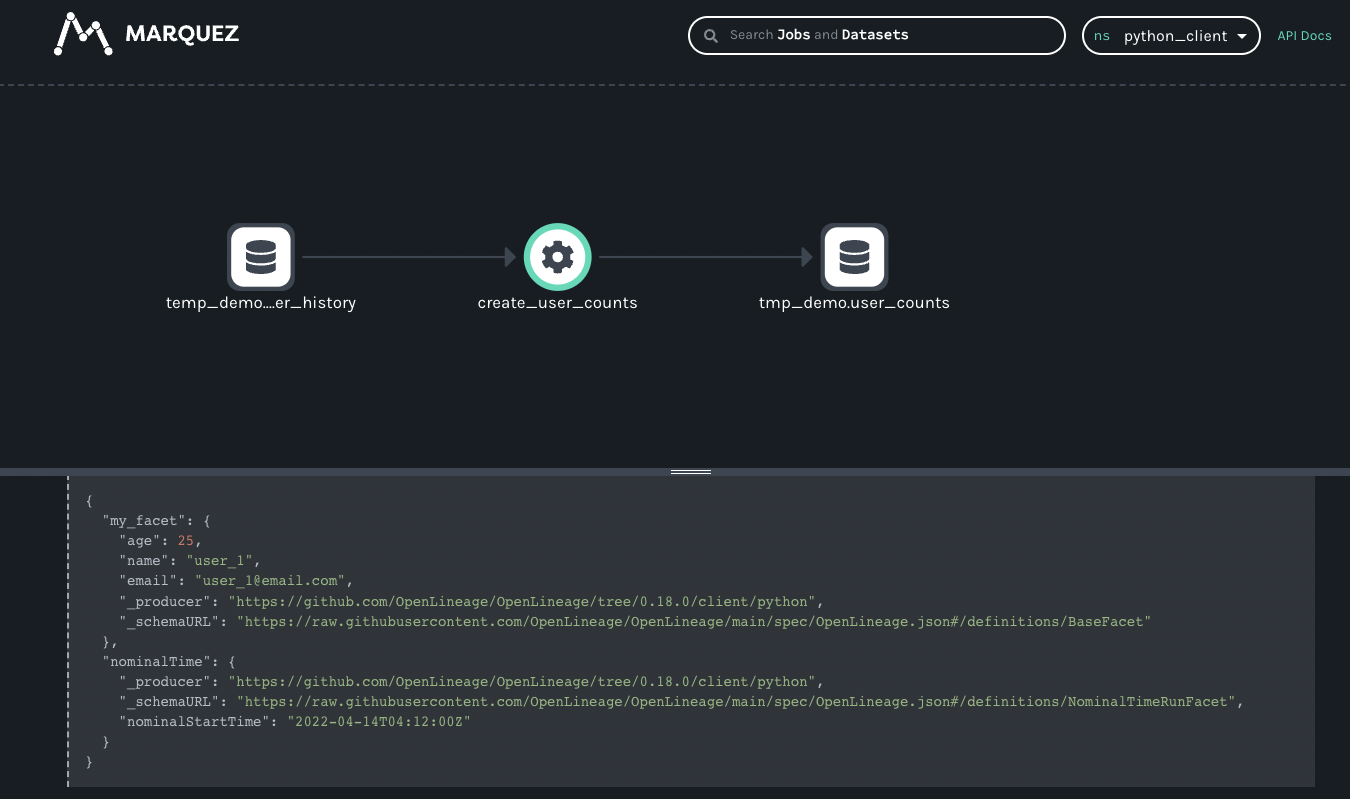
You might have noticed the schema URL is actually that of `BaseFacet`. By default, if the facet class did not specify its own schema URL, that value would be that of BaseFacet. From the view of OpenLineage specification, this is legal. However, if you have your own JSON spec defined, and has it publically accessible, you can specify it by overriding the `_get_schema` function as such:
@attr.defineclass MyFacet(BaseFacet): name: str age: str email: str _additional_skip_redact: List[str] = ['name', 'age', 'email'] def __init__(self, name, age, email): super().__init__() self.name = name self.age = age self.email = email @staticmethod def _get_schema() -> str: return "https://somewhere/schemas/myfacet.json#/definitions/MyFacet"
And the `_schemaURL` of the OpenLineage event would now reflect the change as such:
"run": { "facets": { "my_facet": { "_producer": "https://github.com/OpenLineage/OpenLineage/tree/0.18.0/client/python", "_schemaURL": "https://somewhere/schemas/myfacet.json#/definitions/MyFacet", "age": 25, "email": "user_1@email.com", "name": "user_1" },
* [Example of creating your first custom facet](https://openlineage.io/docs/1.38.0/spec/facets/custom-facets/#example-of-creating-your-first-custom-facet)
---
# Using OpenLineage with Spark | OpenLineage
[Skip to main content](https://openlineage.io/docs/1.39.0/guides/spark/#__docusaurus_skipToContent_fallback)
This is documentation for OpenLineage **1.39.0**, which is no longer actively maintained.
For up-to-date documentation, see the **[latest version](https://openlineage.io/docs/guides/spark)
** (1.45.0).
Version: 1.39.0
On this page
#### Adapted from a [blog post](https://openlineage.io/blog/openlineage-spark/)
by Michael Collado[](https://openlineage.io/docs/1.39.0/guides/spark/#adapted-from-a-blog-post-by-michael-collado "Direct link to adapted-from-a-blog-post-by-michael-collado")
caution
This guide was developed using an **earlier version** of this integration and may require modification for recent releases.
Adding OpenLineage to Spark is refreshingly uncomplicated, and this is thanks to Spark's SparkListener interface. OpenLineage integrates with Spark by implementing SparkListener and collecting information about jobs executed inside a Spark application. To activate the listener, add the following properties to your Spark configuration in your cluster's `spark-defaults.conf` file or, alternatively, add them to specific jobs on submission via the `spark-submit` command:
spark.jars.packages io.openlineage:openlineage-spark:1.45.0spark.extraListeners io.openlineage.spark.agent.OpenLineageSparkListener
Once activated, the listener needs to know where to report lineage events, as well as the namespace of your jobs. Add the following additional configuration lines to your `spark-defaults.conf` file or your Spark submission script:
spark.openlineage.transport.url {your.openlineage.host}spark.openlineage.transport.type {your.openlineage.transport.type}spark.openlineage.namespace {your.openlineage.namespace}
Running Spark with OpenLineage[](https://openlineage.io/docs/1.39.0/guides/spark/#running-spark-with-openlineage "Direct link to Running Spark with OpenLineage")
-------------------------------------------------------------------------------------------------------------------------------------------------------------------
### Prerequisites[](https://openlineage.io/docs/1.39.0/guides/spark/#prerequisites "Direct link to Prerequisites")
* Docker Desktop
* git
* Google Cloud Service account
* Google Cloud Service account JSON key file
Note: your Google Cloud account should have access to BigQuery and read/write access to your GCS bucket. Giving your key file an easy-to-remember name (bq-spark-demo.json) is recommended. Finally, if using macOS Monterey (macOS 12), port 5000 will have to be released by [disabling the AirPlay Receiver](https://developer.apple.com/forums/thread/682332)
.
### Instructions[](https://openlineage.io/docs/1.39.0/guides/spark/#instructions "Direct link to Instructions")
Clone the OpenLineage project, navigate to the spark directory, and create a directory for your Google Cloud Service credentials:
git clone https://github.com/OpenLineage/OpenLineagecd integration/sparkmkdir -p docker/notebooks/gcs
Copy your Google Cloud Service credentials file into that directory, then run:
docker-compose up
This launches a Jupyter notebook with Spark as well as a Marquez API endpoint already installed to report lineage. Once the notebook server is up and running, you should see something like the following in the logs:
notebook_1 | [I 21:43:39.014 NotebookApp] Jupyter Notebook 6.4.4 is running at:notebook_1 | [I 21:43:39.014 NotebookApp] http://082cb836f1ec:8888/?token=507af3cf9c22f627f6c5211d6861fe0804d9f7b19a93ca48notebook_1 | [I 21:43:39.014 NotebookApp] or http://127.0.0.1:8888/?token=507af3cf9c22f627f6c5211d6861fe0804d9f7b19a93ca48notebook_1 | [I 21:43:39.015 NotebookApp] Use Control-C to stop this server and shut down all kernels (twice to skip confirmation).
Copy the URL with 127.0.0.1 as the hostname from your own log (the token will be different from this one) and paste it into your browser window. You should have a blank Jupyter notebook environment ready to go.
![Jupyter notebook environment]()
Click on the notebooks directory, then click on the New button to create a new Python 3 notebook.

In the first cell in the window paste the below text. Update the GCP project and bucket names and the service account credentials file, then run the code:
from pyspark.sql import SparkSessionimport urllib.request# Download dependencies for BigQuery and GCSgc_jars = ['https://repo1.maven.org/maven2/com/google/cloud/bigdataoss/gcs-connector/hadoop3-2.1.1/gcs-connector-hadoop3-2.1.1-shaded.jar', 'https://repo1.maven.org/maven2/com/google/cloud/bigdataoss/bigquery-connector/hadoop3-1.2.0/bigquery-connector-hadoop3-1.2.0-shaded.jar', 'https://repo1.maven.org/maven2/com/google/cloud/spark/spark-bigquery-with-dependencies_2.12/0.22.2/spark-bigquery-with-dependencies_2.12-0.22.2.jar']files = [urllib.request.urlretrieve(url)[0] for url in gc_jars]# Set these to your own project and bucketproject_id = 'bq-openlineage-spark-demo'gcs_bucket = 'bq-openlineage-spark-demo-bucket'credentials_file = '/home/jovyan/notebooks/gcs/bq-spark-demo.json'spark = (SparkSession.builder.master('local').appName('openlineage_spark_test') .config('spark.jars', ",".join(files)) # Install and set up the OpenLineage listener .config('spark.jars.packages', 'io.openlineage:openlineage-spark:1.45.0') .config('spark.extraListeners', 'io.openlineage.spark.agent.OpenLineageSparkListener') .config('spark.openlineage.transport.url', 'http://marquez-api:5000') .config('spark.openlineage.transport.type', 'http') .config('spark.openlineage.namespace', 'spark_integration') # Configure the Google credentials and project id .config('spark.executorEnv.GCS_PROJECT_ID', project_id) .config('spark.executorEnv.GOOGLE_APPLICATION_CREDENTIALS', '/home/jovyan/notebooks/gcs/bq-spark-demo.json') .config('spark.hadoop.google.cloud.auth.service.account.enable', 'true') .config('spark.hadoop.google.cloud.auth.service.account.json.keyfile', credentials_file) .config('spark.hadoop.fs.gs.impl', 'com.google.cloud.hadoop.fs.gcs.GoogleHadoopFileSystem') .config('spark.hadoop.fs.AbstractFileSystem.gs.impl', 'com.google.cloud.hadoop.fs.gcs.GoogleHadoopFS') .config("spark.hadoop.fs.gs.project.id", project_id) .getOrCreate())
Most of this is boilerplate for installing the BigQuery and GCS libraries in the notebook environment. This also sets the configuration parameters to tell the libraries what GCP project to use and how to authenticate with Google. The parameters specific to OpenLineage are the four already mentioned: `spark.jars.packages`, `spark.extraListeners`, `spark.openlineage.host`, `spark.openlineage.namespace`. Here, the host has been configured to be the `marquez-api` container started by Docker.
With OpenLineage configured, it's time to get some data. The below code populates Spark DataFrames with data from two COVID-19 public data sets. Create a new cell in the notebook and paste the following:
from pyspark.sql.functions import expr, colmask_use = spark.read.format('bigquery') \ .option('parentProject', project_id) \ .option('table', 'bigquery-public-data:covid19_nyt.mask_use_by_county') \ .load() \ .select(expr("always + frequently").alias("frequent"), expr("never + rarely").alias("rare"), "county_fips_code") opendata = spark.read.format('bigquery') \ .option('parentProject', project_id) \ .option('table', 'bigquery-public-data.covid19_open_data.covid19_open_data') \ .load() \ .filter("country_name == 'United States of America'") \ .filter("date == '2021-10-31'") \ .select("location_key", expr('cumulative_deceased/(population/100000)').alias('deaths_per_100k'), expr('cumulative_persons_fully_vaccinated/(population - population_age_00_09)').alias('vaccination_rate'), col('subregion2_code').alias('county_fips_code'))joined = mask_use.join(opendata, 'county_fips_code')joined.write.mode('overwrite').parquet(f'gs://{gcs_bucket}/demodata/covid_deaths_and_mask_usage/')
Some background on the above: the `covid19_open_data` table is being filtered to include only U.S. data and data for Halloween 2021. The `deaths_per_100k` data point is being calculated using the existing `cumulative_deceased` and `population` columns and the `vaccination_rate` using the total population, subtracting the 0-9 year olds, since they were ineligible for vaccination at the time. For the `mask_use_by_county` data, "rarely" and "never" data are being combined into a single number, as are "frequently" and "always." The columns selected from the two datasets are then stored in GCS.
Now, add a cell to the notebook and paste this line:
spark.read.parquet(f'gs://{gcs_bucket}/demodata/covid_deaths_and_mask_usage/').count()
The notebook should print a warning and a stacktrace (probably a debug statement), then return a total of 3142 records.
Now that the pipeline is operational it is available for lineage collection.
The `docker-compose.yml` file that ships with the OpenLineage repo includes only the Jupyter notebook and the Marquez API. To explore the lineage visually, start up the Marquez web project. Without terminating the existing docker containers, run the following command in a new terminal:
docker run --network spark_default -p 3000:3000 -e MARQUEZ_HOST=marquez-api -e MARQUEZ_PORT=5000 -e WEB_PORT=3000 --link marquez-api:marquez-api marquezproject/marquez-web:0.19.1
Next, open a new browser tab and navigate to [http://localhost:3000](http://localhost:3000/)
, which should look like this:

Note: the `spark_integration` namespace is automatically chosen because there are no other namespaces available. Three jobs are listed on the jobs page of the UI. They all start with `openlineage_spark_test`, which is the appName passed to the SparkSession when the first cell of the notebook was built. Each query execution or RDD action is represented as a distinct job and the name of the action is appended to the application name to form the name of the job. Clicking on the `openlineage_spark_test.execute_insert_into_hadoop_fs_relation_command` node calls up the lineage graph for our notebook:

The graph shows that the `openlineage_spark_test.execute_insert_into_hadoop_fs_relation_command` job reads from two input datasets, `bigquery-public-data.covid19_nyt.mask_use_by_county` and `bigquery-public-data.covid19_open_data.covid19_open_data`, and writes to a third dataset, `/demodata/covid_deaths_and_mask_usage`. The namespace is missing from that third dataset, but the fully qualified name is `gs:///demodata/covid_deaths_and_mask_usage`.
The bottom bar shows some interesting data that was collected from the Spark job. Dragging the bar up expands the view to offer a closer look.

Two facets always collected from Spark jobs are the `spark_version` and the `spark.logicalPlan`. The first simply reports what version of Spark was executing, as well as the version of the openlineage-spark library. This is helpful for debugging job runs.
The second facet is the serialized optimized LogicalPlan Spark reports when the job runs. Spark’s query optimization can have dramatic effects on the execution time and efficiency of the query job. Tracking how query plans change over time can significantly aid in debugging slow queries or `OutOfMemory` errors in production.
Clicking on the first BigQuery dataset provides information about the data:

One can see the schema of the dataset as well as the datasource.
Similar information is available about the dataset written to in GCS:

As in the BigQuery dataset, one can see the output schema and the datasource — in this case, the `gs://` scheme and the name of the bucket written to.
In addition to the schema, one can also see a stats facet, reporting the number of output records and bytes as -1.
The VERSIONS tab on the bottom bar would display multiple versions if there were any (not the case here). Clicking on the version shows the same schema and statistics facets, but they are specific to the version selected.

In production, this dataset would have many versions, as each time a job runs a new version of the dataset is created. This permits the tracking of changes to the statistics and schema over time, aiding in debugging slow jobs or data quality issues and job failures.
The final job in the UI is a HashAggregate job. This represents the `count()` method called at the end to show the number of records in the dataset. Rather than a `count()`, this could easily be a `toPandas()` call or some other job that reads and processes that data -- perhaps one that stores output back into GCS or updates a Postgres database, publishes a new model, etc. Regardless of where the output gets stored, the OpenLineage integration allows one to see the entire lineage graph, unifying datasets in object stores, relational databases, and more traditional data warehouses.
### Conclusion[](https://openlineage.io/docs/1.39.0/guides/spark/#conclusion "Direct link to Conclusion")
The Spark integration from OpenLineage offers users insights into graphs of datasets stored in object stores like S3, GCS, and Azure Blob Storage, as well as BigQuery and relational databases like Postgres. Now with support for Spark 3.1, OpenLineage offers visibility into more environments, such as Databricks, EMR, and Dataproc clusters.
* [Running Spark with OpenLineage](https://openlineage.io/docs/1.39.0/guides/spark/#running-spark-with-openlineage)
* [Prerequisites](https://openlineage.io/docs/1.39.0/guides/spark/#prerequisites)
* [Instructions](https://openlineage.io/docs/1.39.0/guides/spark/#instructions)
* [Conclusion](https://openlineage.io/docs/1.39.0/guides/spark/#conclusion)
---
# Metrics Backends | OpenLineage
[Skip to main content](https://openlineage.io/docs/1.40.0/development/developing/java/adding_metrics/#__docusaurus_skipToContent_fallback)
This is documentation for OpenLineage **1.40.0**, which is no longer actively maintained.
For up-to-date documentation, see the **[latest version](https://openlineage.io/docs/)
** (1.45.0).
Version: 1.40.0
To integrate additional metrics backend into the OpenLineage client, implement the `MeterRegistryFactory` interface and ensure it is utilized by the `MicrometerProvider`'s `getMetricsBuilders` method.
The `MeterRegistryFactory` interface is designed to construct a `MeterRegistry` object from the OpenLineage configuration map. This interface allows the integration of either custom implementations or existing ones provided by Micrometer.
If your metrics backend requires external dependencies (e.g., `io.micrometer:micrometer-registry-otlp:latest`), add them to your project's build.gradle as compileOnly. This ensures they are available during compilation but optional at runtime.
Use `ReflectionUtils.hasClass` to check the existence of required classes on the classpath before using them. This prevents runtime failures due to missing dependencies.
if (ReflectionUtils.hasClass("io.micrometer.statsd.StatsdMeterRegistry")) { builders.add(new StatsDMeterRegistryFactory()); }
---
# Setup a development environment | OpenLineage
[Skip to main content](https://openlineage.io/docs/1.40.0/development/developing/python/setup/#__docusaurus_skipToContent_fallback)
This is documentation for OpenLineage **1.40.0**, which is no longer actively maintained.
For up-to-date documentation, see the **[latest version](https://openlineage.io/docs/)
** (1.45.0).
Version: 1.40.0
On this page
There are four Python OpenLineage packages that you can install locally when setting up a development environment:
[openlineage-python](https://pypi.org/project/openlineage-python/)
(client), [openlineage-sql](https://pypi.org/project/openlineage-sql/)
, [openlineage-integration-common](https://pypi.org/project/openlineage-integration-common/)
, and [openlineage-airflow](https://pypi.org/project/openlineage-airflow/)
.
The repository uses [UV](https://docs.astral.sh/uv/)
for Python dependency management with path-based dependencies, where each integration is a standalone project with isolated dependencies.
Prerequisites[](https://openlineage.io/docs/1.40.0/development/developing/python/setup/#prerequisites "Direct link to Prerequisites")
---------------------------------------------------------------------------------------------------------------------------------------
Install UV if you haven't already:
$ curl -LsSf https://astral.sh/uv/install.sh | sh
Quick Start with Makefile[](https://openlineage.io/docs/1.40.0/development/developing/python/setup/#quick-start-with-makefile "Direct link to Quick Start with Makefile")
---------------------------------------------------------------------------------------------------------------------------------------------------------------------------
The repository includes a Makefile to simplify the development environment setup:
# View all available commands$ make help# Setup all Python integrations at once$ make setup-all# Or setup specific integrations$ make setup-client # Python client$ make setup-common # Integration common library$ make setup-airflow # Airflow integration$ make setup-dbt # dbt integration# Run tests$ make test-all # Test all integrations$ make test-client # Test specific integration# Run linting and type checking$ make lint-all # Run all linting$ make fix-format # Auto-fix formatting issues# Check status of your setup$ make status# Clean all virtual environments$ make clean
Manual Setup[](https://openlineage.io/docs/1.40.0/development/developing/python/setup/#manual-setup "Direct link to Manual Setup")
------------------------------------------------------------------------------------------------------------------------------------
If you prefer to set up integrations manually:
# Python client$ cd client/python$ uv sync --extra dev --extra test# Integration common$ cd integration/common$ uv sync --extra dev# Airflow integration$ cd integration/airflow$ uv sync --extra dev --extra airflow# dbt integration$ cd integration/dbt$ uv sync --extra dev
How Path-Based Dependencies Work[](https://openlineage.io/docs/1.40.0/development/developing/python/setup/#how-path-based-dependencies-work "Direct link to How Path-Based Dependencies Work")
------------------------------------------------------------------------------------------------------------------------------------------------------------------------------------------------
The repository uses path-based dependencies instead of a UV workspace because each integration has potentially conflicting dependencies. Each integration is a standalone project with its own isolated virtual environment.
Each integration automatically installs its dependencies from local directories in editable mode:
* Airflow integration depends on `client`, `common`, and `sql` packages
* dbt integration depends on `common` package
* Common integration depends on `client` and `sql` packages
UV handles these path-based dependencies automatically, so changes in one package are immediately reflected in dependent packages without reinstallation.
* [Prerequisites](https://openlineage.io/docs/1.40.0/development/developing/python/setup/#prerequisites)
* [Quick Start with Makefile](https://openlineage.io/docs/1.40.0/development/developing/python/setup/#quick-start-with-makefile)
* [Manual Setup](https://openlineage.io/docs/1.40.0/development/developing/python/setup/#manual-setup)
* [How Path-Based Dependencies Work](https://openlineage.io/docs/1.40.0/development/developing/python/setup/#how-path-based-dependencies-work)
---
# Catalog Dataset Facet | OpenLineage
[Skip to main content](https://openlineage.io/docs/1.39.0/spec/facets/dataset-facets/catalog/#__docusaurus_skipToContent_fallback)
This is documentation for OpenLineage **1.39.0**, which is no longer actively maintained.
For up-to-date documentation, see the **[latest version](https://openlineage.io/docs/spec/facets/dataset-facets/catalog)
** (1.45.0).
Version: 1.39.0
The facet contains information about the catalog that the processing engine used when accessing this dataset.
Fields description:
* `framework`: The storage framework for which the catalog is configured (e.g., iceberg, delta, hive).
* `type`: Type of the catalog (e.g., jdbc, glue, polaris).
* `name`: Name of the catalog, as configured in the source system (e.g., my\_iceberg\_catalog).
* `metadataUri`: URI or connection string to the catalog, if applicable (e.g., jdbc:mysql://host:3306/iceberg\_database).
* `warehouseUri`: URI or connection string to the physical location of the data that the catalog describes (e.g., s3://bucket/path/to/iceberg/warehouse).
* `source`: Source system where the catalog is configured (e.g., spark, flink, hive).
`framework`, `type` and `name` are required fields
Example:
{ ... "inputs": { "facets": { "catalog": { "_producer": "https://some.producer.com/version/1.0", "_schemaURL": "https://github.com/OpenLineage/OpenLineage/blob/main/spec/facets/CatalogDatasetFacet.json", "framework": "iceberg", "type": "polaris", "name": "my_iceberg_catalog", "metadataUri": "http://host:1234/iceberg_database", "warehouseUri": "s3://bucket/path/to/iceberg/warehouse", "source": "spark" } } } ...}
The facet specification can be found [here](https://openlineage.io/spec/facets/1-0-0/CatalogDatasetFacet.json)
---
# Lifecycle State Change Facet | OpenLineage
[Skip to main content](https://openlineage.io/docs/1.39.0/spec/facets/dataset-facets/lifecycle_state_change/#__docusaurus_skipToContent_fallback)
This is documentation for OpenLineage **1.39.0**, which is no longer actively maintained.
For up-to-date documentation, see the **[latest version](https://openlineage.io/docs/spec/facets/dataset-facets/lifecycle_state_change)
** (1.45.0).
Version: 1.39.0
Example:
{ ... "outputs": { "facets": { "lifecycleStateChange": { "_producer": "https://some.producer.com/version/1.0", "_schemaURL": "https://openlineage.io/spec/facets/1-0-0/LifecycleStateChangeDatasetFacet.json", "lifecycleStateChange": "CREATE" } } } ...}
{ ... "outputs": { "facets": { "lifecycleStateChange": { "_producer": "https://some.producer.com/version/1.0", "_schemaURL": "https://openlineage.io/spec/facets/1-0-0/LifecycleStateChangeDatasetFacet.json", "lifecycleStateChange": "RENAME", "previousIdentifier": { "namespace": "example_namespace", "name": "example_table_1" } } } } ...}
The facet specification can be found [here](https://openlineage.io/spec/facets/1-0-0/LifecycleStateChangeDatasetFacet.json)
.
---
# Dataset Type Facet | OpenLineage
[Skip to main content](https://openlineage.io/docs/1.39.0/spec/facets/dataset-facets/type/#__docusaurus_skipToContent_fallback)
This is documentation for OpenLineage **1.39.0**, which is no longer actively maintained.
For up-to-date documentation, see the **[latest version](https://openlineage.io/docs/spec/facets/dataset-facets/type)
** (1.45.0).
Version: 1.39.0
The facet contains type of dataset within a database.
Fields description:
* `datasetType`: Dataset type, e.g. `TABLE`, `VIEW`, `TOPIC`, `MODEL`.
* `subType`: sub-type within `datasetType`, e.g. `MATERIALIZED`, `EXTERNAL`.
Example:
{ ... "inputs": { "facets": { "datasetType": { "_producer": "https://some.producer.com/version/1.0", "_schemaURL": "https://openlineage.io/spec/facets/1-0-0/DatasetTypeDatasetFacet.json", "datasetType": "VIEW", "subType": "MATERIALIZED" } } } ...}
The facet specification can be found [here](https://openlineage.io/spec/facets/1-0-0/DatasetTypeDatasetFacet.json)
.
---
# Version Facet | OpenLineage
[Skip to main content](https://openlineage.io/docs/1.39.0/spec/facets/dataset-facets/version_facet/#__docusaurus_skipToContent_fallback)
This is documentation for OpenLineage **1.39.0**, which is no longer actively maintained.
For up-to-date documentation, see the **[latest version](https://openlineage.io/docs/spec/facets/dataset-facets/version_facet)
** (1.45.0).
Version: 1.39.0
Example:
{ ... "inputs": { "facets": { "version": { "_producer": "https://some.producer.com/version/1.0", "_schemaURL": "https://openlineage.io/spec/facets/1-0-0/DatasetVersionDatasetFacet.json", "datasetVersion": "1" } } } ...}
The facet specification can be found [here](https://openlineage.io/spec/facets/1-0-0/DatasetVersionDatasetFacet.json)
.
---
# Job Documentation Facet | OpenLineage
[Skip to main content](https://openlineage.io/docs/1.39.0/spec/facets/job-facets/documentation/#__docusaurus_skipToContent_fallback)
This is documentation for OpenLineage **1.39.0**, which is no longer actively maintained.
For up-to-date documentation, see the **[latest version](https://openlineage.io/docs/spec/facets/job-facets/documentation)
** (1.45.0).
Version: 1.39.0
Contains the documentation or description of the job.
Example:
{ ... "job": { "facets": { "documentation": { "_producer": "https://some.producer.com/version/1.0", "_schemaURL": "https://github.com/OpenLineage/OpenLineage/blob/main/spec/facets/DocumentationJobFacet.json", "description": "This is the documentation of something.", "contentType": "text/markdown" } } } ...}
The facet specification can be found [here](https://openlineage.io/spec/facets/1-1-0/DocumentationJobFacet.json)
---
# Job type Job Facet | OpenLineage
[Skip to main content](https://openlineage.io/docs/1.39.0/spec/facets/job-facets/job-type/#__docusaurus_skipToContent_fallback)
This is documentation for OpenLineage **1.39.0**, which is no longer actively maintained.
For up-to-date documentation, see the **[latest version](https://openlineage.io/docs/spec/facets/job-facets/job-type)
** (1.45.0).
Version: 1.39.0
Facet to contain job properties like:
* `processingType` which can be `STREAMING` or `BATCH`,
* `integration` which can be `SPARK|DBT|AIRFLOW|FLINK`,
* `jobType` which can be `QUERY|COMMAND|DAG|TASK|JOB|MODEL`.
Example:
{ ... "job": { "facets": { "jobType": { "processingType": "BATCH", "integration": "SPARK", "jobType": "QUERY", "_producer": "https://github.com/OpenLineage/OpenLineage/blob/v1-0-0/client", "_schemaURL": "https://openlineage.io/spec/facets/2-0-2/JobTypeJobFacet.json" } } ...}
The examples for specific integrations:
* Integration: `SPARK`
* Processing type: `STREAM`|`BATCH`
* Job type: `JOB`|`COMMAND`
* Integration: `AIRFLOW`
* Processing type: `BATCH`
* Job type: `DAG`|`TASK`
* Integration: `DBT`
* ProcessingType: `BATCH`
* JobType: `PROJECT`|`MODEL`
* Integration: `FLINK`
* Processing type: `STREAMING`|`BATCH`
* Job type: `JOB`
---
# Ownership Job Facet | OpenLineage
[Skip to main content](https://openlineage.io/docs/1.39.0/spec/facets/job-facets/ownership/#__docusaurus_skipToContent_fallback)
This is documentation for OpenLineage **1.39.0**, which is no longer actively maintained.
For up-to-date documentation, see the **[latest version](https://openlineage.io/docs/spec/facets/job-facets/ownership)
** (1.45.0).
Version: 1.39.0
The facet that contains the information regarding users or group who owns this particular job.
Example:
{ ... "job": { "facets": { "ownership": { "_producer": "https://some.producer.com/version/1.0", "_schemaURL": "https://openlineage.io/spec/facets/1-0-0/OwnershipJobFacet.json", "owners": [ { "name": "maintainer_one", "type": "MAINTAINER" } ] } } } ...}
The facet specification can be found [here](https://openlineage.io/spec/facets/1-0-0/OwnershipJobFacet.json)
---
# Source Code Facet | OpenLineage
[Skip to main content](https://openlineage.io/docs/1.39.0/spec/facets/job-facets/source-code/#__docusaurus_skipToContent_fallback)
This is documentation for OpenLineage **1.39.0**, which is no longer actively maintained.
For up-to-date documentation, see the **[latest version](https://openlineage.io/docs/spec/facets/job-facets/source-code)
** (1.45.0).
Version: 1.39.0
The source code of a particular job (e.g. Python script)
Example:
{ ... "job": { "facets": { "sourceCode": { "_producer": "https://some.producer.com/version/1.0", "_schemaURL": "https://github.com/OpenLineage/OpenLineage/blob/main/spec/facets/SourceCodeJobFacet.json", "language": "python", "sourceCode": "print('hello, OpenLineage!')" } } } ...}
The facet specification can be found [here](https://openlineage.io/spec/facets/1-0-0/SourceCodeJobFacet.json)
---
# Developing With OpenLineage | OpenLineage
[Skip to main content](https://openlineage.io/docs/1.40.0/development/developing/#__docusaurus_skipToContent_fallback)
This is documentation for OpenLineage **1.40.0**, which is no longer actively maintained.
For up-to-date documentation, see the **[latest version](https://openlineage.io/docs/)
** (1.45.0).
Version: 1.40.0
On this page
As there are hundreds and possibly thousands databases, query engines and other tools you could use to process, create and move data, there's great chance that existing OpenLineage integrations won't cover your needs.
However, OpenLineage project also provides libraries you could use to write your own integration.
### Clients[](https://openlineage.io/docs/1.40.0/development/developing/#clients "Direct link to Clients")
For [Python](https://openlineage.io/docs/1.40.0/client/python)
and [Java](https://openlineage.io/docs/1.40.0/client/java/)
, we've created clients that you can use to properly create and emit OpenLineage events to HTTP, Kafka, and other consumers.
### API Documentation[](https://openlineage.io/docs/1.40.0/development/developing/#api-documentation "Direct link to API Documentation")
* [OpenAPI documentation](https://openlineage.io/apidocs/openapi/)
* [Java Doc](https://openlineage.io/apidocs/javadoc/)
### Common Library (Python)[](https://openlineage.io/docs/1.40.0/development/developing/#common-library-python "Direct link to Common Library (Python)")
Getting lineage from systems like BigQuery or Redshift isn't necessarily tied to orchestrator or processing engine you're using. For this reason, we've extracted that functionality from our Airflow library and [packaged it for separate use](https://pypi.org/project/openlineage-integration-common/)
.
### SQL parser[](https://openlineage.io/docs/1.40.0/development/developing/#sql-parser "Direct link to SQL parser")
We've created a SQL parser that allows you to extract lineage from SQL statements. The parser is implemented in Rust; however, it's also available as a [Java](https://mvnrepository.com/artifact/io.openlineage/openlineage-sql-java)
or [Python](https://pypi.org/project/openlineage-sql/)
library. You can take a look at its sourcecode on [GitHub](https://github.com/OpenLineage/OpenLineage/tree/main/integration/sql)
.
Contributing[](https://openlineage.io/docs/1.40.0/development/developing/#contributing "Direct link to Contributing")
-----------------------------------------------------------------------------------------------------------------------
Before making any changes, please read [CONTRIBUTING](https://github.com/OpenLineage/OpenLineage/blob/main/CONTRIBUTING.md)
first.
Thanks for your contributions to the project!
* [Clients](https://openlineage.io/docs/1.40.0/development/developing/#clients)
* [API Documentation](https://openlineage.io/docs/1.40.0/development/developing/#api-documentation)
* [Common Library (Python)](https://openlineage.io/docs/1.40.0/development/developing/#common-library-python)
* [SQL parser](https://openlineage.io/docs/1.40.0/development/developing/#sql-parser)
* [Contributing](https://openlineage.io/docs/1.40.0/development/developing/#contributing)
---
# Main Concepts | OpenLineage
[Skip to main content](https://openlineage.io/docs/1.39.0/integrations/spark/main_concept/#__docusaurus_skipToContent_fallback)
This is documentation for OpenLineage **1.39.0**, which is no longer actively maintained.
For up-to-date documentation, see the **[latest version](https://openlineage.io/docs/integrations/spark/main_concept)
** (1.45.0).
Version: 1.39.0
On this page
Spark jobs typically run on clusters of machines. A single machine hosts the "driver" application, which constructs a graph of jobs - e.g., reading data from a source, filtering, transforming, and joining records, and writing results to some sink- and manages execution of those jobs. Spark's fundamental abstraction is the Resilient Distributed Dataset (RDD), which encapsulates distributed reads and modifications of records. While RDDs can be used directly, it is far more common to work with Spark Datasets or Dataframes, which is an API that adds explicit schemas for better performance and the ability to interact with datasets using SQL. The Dataframe's declarative API enables Spark to optimize jobs by analyzing and manipulating an abstract query plan prior to execution.
Collecting Lineage in Spark[](https://openlineage.io/docs/1.39.0/integrations/spark/main_concept/#collecting-lineage-in-spark "Direct link to Collecting Lineage in Spark")
-----------------------------------------------------------------------------------------------------------------------------------------------------------------------------
Collecting lineage requires hooking into Spark's `ListenerBus` in the driver application and collecting and analyzing execution events as they happen. Both raw RDD and Dataframe jobs post events to the listener bus during execution. These events expose the structure of the job, including the optimized query plan, allowing the Spark integration to analyze the job for datasets consumed and produced, including attributes about the storage, such as location in GCS or S3, table names in a relational database or warehouse, such as Redshift or Bigquery, and schemas. In addition to dataset and job lineage, Spark SQL jobs also report logical plans, which can be compared across job runs to track important changes in query plans, which may affect the correctness or speed of a job.
A single Spark application may execute multiple jobs. The Spark OpenLineage integration maps one Spark job to a single OpenLineage Job. The application will be assigned a Run id at startup and each job that executes will report the application's Run id as its parent job run. Thus, an application that reads one or more source datasets, writes an intermediate dataset, then transforms that intermediate dataset and writes a final output dataset will report three jobs- the parent application job, the initial job that reads the sources and creates the intermediate dataset, and the final job that consumes the intermediate dataset and produces the final output. As an image: 
* [Collecting Lineage in Spark](https://openlineage.io/docs/1.39.0/integrations/spark/main_concept/#collecting-lineage-in-spark)
---
# Spark Integration Metrics | OpenLineage
[Skip to main content](https://openlineage.io/docs/1.39.0/integrations/spark/metrics/#__docusaurus_skipToContent_fallback)
This is documentation for OpenLineage **1.39.0**, which is no longer actively maintained.
For up-to-date documentation, see the **[latest version](https://openlineage.io/docs/integrations/spark/metrics)
** (1.45.0).
Version: 1.39.0
On this page
The OpenLineage integration with Spark not only utilizes the Java client's metrics but also introduces its own set of metrics specific to Spark operations. Below is a list of these metrics.
Metrics Overview[](https://openlineage.io/docs/1.39.0/integrations/spark/metrics/#metrics-overview "Direct link to Metrics Overview")
---------------------------------------------------------------------------------------------------------------------------------------
The following table provides the metrics added by the Spark integration, along with their definitions and types:
| Metric | Definition | Type |
| --- | --- | --- |
| `openlineage.spark.event.sql.start` | Number of SparkListenerSQLExecutionStart events received | Counter |
| `openlineage.spark.event.sql.end` | Number of SparkListenerSQLExecutionEnd events received | Counter |
| `openlineage.spark.event.job.start` | Number of SparkListenerJobStart events received | Counter |
| `openlineage.spark.event.job.end` | Number of SparkListenerJobEnd events received | Counter |
| `openlineage.spark.event.app.start` | Number of SparkListenerApplicationStart events received | Counter |
| `openlineage.spark.event.app.end` | Number of SparkListenerApplicationEnd events received | Counter |
| `openlineage.spark.event.app.start.memoryusage` | Percentage of used memory at the start of the application | Counter |
| `openlineage.spark.event.app.end.memoryusage` | Percentage of used memory at the end of the application | Counter |
| `openlineage.spark.unknownFacet.time` | Time spent building the UnknownEntryRunFacet | Timer |
| `openlineage.spark.dataset.input.execution.time` | Time spent constructing input datasets for execution | Timer |
| `openlineage.spark.facets.job.execution.time` | Time spent building job-specific facets | Timer |
| `openlineage.spark.facets.run.execution.time` | Time spent constructing run-specific facets | Timer |
* [Metrics Overview](https://openlineage.io/docs/1.39.0/integrations/spark/metrics/#metrics-overview)
---
# Setup a development environment | OpenLineage
[Skip to main content](https://openlineage.io/docs/1.40.0/development/developing/java/setup/#__docusaurus_skipToContent_fallback)
This is documentation for OpenLineage **1.40.0**, which is no longer actively maintained.
For up-to-date documentation, see the **[latest version](https://openlineage.io/docs/)
** (1.45.0).
Version: 1.40.0
On this page
There are multiple Java based modules in OpenLineage, two of which you'll often have to build in order to work with other modules (integrations):
* `openlineage-java` — SDK for Java programming language for generating and emitting OpenLineage events to OpenLineage backends.
* `openlineage-sql-java` — Java interface for OpenLineage SQL Parser written in Rust
This page covers the base setup. If a module requires anything additional, refer to their respective documentation (e.g. [openlineage-spark](https://openlineage.io/docs/development/developing/spark/setup)
)
JDK[](https://openlineage.io/docs/1.40.0/development/developing/java/setup/#jdk "Direct link to JDK")
-------------------------------------------------------------------------------------------------------
To work with Java modules in OpenLineage, JDK 17 is required.
You can verify your installation by running:
java --version && javac --version
Both tools should show version 17.X.X. If the commands are not found or are on a different version, install a correct version and make sure it is on your `PATH`. Tools like SDKMAN! can be used to simplify the installation process.
C Compiler[](https://openlineage.io/docs/1.40.0/development/developing/java/setup/#c-compiler "Direct link to C Compiler")
----------------------------------------------------------------------------------------------------------------------------
`openlineage-sql-java` module is almost always a dependency for integrations. The SQL parser it contains is written in Rust, and it requires a C Compiler for the compilation process. To verify you have CC installed run:
cc --version
* [JDK](https://openlineage.io/docs/1.40.0/development/developing/java/setup/#jdk)
* [C Compiler](https://openlineage.io/docs/1.40.0/development/developing/java/setup/#c-compiler)
---
# Java | OpenLineage
[Skip to main content](https://openlineage.io/docs/1.40.0/client/java/#__docusaurus_skipToContent_fallback)
This is documentation for OpenLineage **1.40.0**, which is no longer actively maintained.
For up-to-date documentation, see the **[latest version](https://openlineage.io/docs/client/java/)
** (1.45.0).
Version: 1.40.0
On this page
Overview[](https://openlineage.io/docs/1.40.0/client/java/#overview "Direct link to Overview")
------------------------------------------------------------------------------------------------
The OpenLineage Java is a SDK for Java programming language that users can use to generate and emit OpenLineage events to OpenLineage backends. The core data structures currently offered by the client are the `RunEvent`, `RunState`, `Run`, `Job`, `Dataset`, and `Transport` classes, along with various `Facets` that can come under run, job, and dataset.
There are various [transport classes](https://openlineage.io/docs/1.40.0/client/java/#transports)
that the library provides that carry the lineage events into various target endpoints (e.g. HTTP).
You can also use the Java client to create your own custom integrations.
Installation[](https://openlineage.io/docs/1.40.0/client/java/#installation "Direct link to Installation")
------------------------------------------------------------------------------------------------------------
Java client is provided as library that can either be imported into your Java project using Maven or Gradle.
Maven:
io.openlineage openlineage-java 1.45.0
or Gradle:
implementation("io.openlineage:openlineage-java:1.45.0")
For more information on the available versions of the `openlineage-java`, please refer to the [maven repository](https://search.maven.org/artifact/io.openlineage/openlineage-java)
.
* [Overview](https://openlineage.io/docs/1.40.0/client/java/#overview)
* [Installation](https://openlineage.io/docs/1.40.0/client/java/#installation)
---
# Job Hierarchy | OpenLineage
[Skip to main content](https://openlineage.io/docs/1.39.0/integrations/spark/job-hierarchy/#__docusaurus_skipToContent_fallback)
This is documentation for OpenLineage **1.39.0**, which is no longer actively maintained.
For up-to-date documentation, see the **[latest version](https://openlineage.io/docs/integrations/spark/job-hierarchy)
** (1.45.0).
Version: 1.39.0
info
Please get familiar with [OpenLineage Job Hierarchy concept](https://openlineage.io/docs/1.39.0/spec/job-hierarchy)
before reading this.
In contrast to some other systems, Spark's job hierarchy is more opaque. While you might schedule "Spark jobs" through code or notebooks, these represent an entirely different concept than what Spark sees internally. For Spark, the true job is an action, a single computation unit initiated by the driver. These actions materialize data only when you, the user, instruct them to write to a data sink or visualize it. This means what you perceive as a single job can, in reality, be multiple execution units within Spark. OpenLineage follows Spark execution model, and emits START/COMPLETE (and RUNNING) events for each action. However, those are not the only events we emit.
Recognizing the disconnect between your understanding and Spark's internal workings, OpenLineage introduces application-level events that mark the start and end of a Spark application. Each action-level run then points its [ParentRunFacet](https://openlineage.io/docs/1.39.0/spec/facets/run-facets/parent_run)
to the corresponding Spark application run, providing a complete picture of the lineage.
---
# Debugging with Debug Facet | OpenLineage
[Skip to main content](https://openlineage.io/docs/1.39.0/integrations/spark/debug_facet/#__docusaurus_skipToContent_fallback)
This is documentation for OpenLineage **1.39.0**, which is no longer actively maintained.
For up-to-date documentation, see the **[latest version](https://openlineage.io/docs/integrations/spark/debug_facet)
** (1.45.0).
Version: 1.39.0
On this page
Whenever OpenLineage event is properly emitted, but its content is not as expected, debug facet is the easiest way to start with and collect more insights about the problem.
info
As a name suggests, debug facet is not meant to be used in production by default. However, it definitely makes sense to enable it ad-hoc when needed, or allow smart debug facet feature to turn it on automatically when it detects that OpenLineage event is not emitted properly.
Debug Facet's content[](https://openlineage.io/docs/1.39.0/integrations/spark/debug_facet/#debug-facets-content "Direct link to Debug Facet's content")
---------------------------------------------------------------------------------------------------------------------------------------------------------
`DebugFacet` contains following information:
* Classpath information: Spark version, OpenLineage connector version, Scala version, jars added through Spark config as well additional information about classes on the classpath which seem highly relevant for debugging: is Iceberg on the classpath, is BigQuery connector on the classpath, is Delta on the classpath, etc.
* Information about the system like: Spark deployment mode, Java version, Java vendor, OS name, OS version, timezone.
* Metrics, which apart from being sent to Metric backend, can be filled within DebugFacet at the same time.
* Shortened information about the LogicalPlan which contains tree structure as well class names of the nodes.
* Memory information including Spark's driver memory configuration and memory usage (free and total memory).
* Logs: logs relating to OpenLineage Spark integration, which can be useful for debugging purposes.
Please refer to `io.openlineage.spark.agent.facets.DebugRunFacet` source code to get more up-to-date information about the fields.
### Debug facet configuration[](https://openlineage.io/docs/1.39.0/integrations/spark/debug_facet/#debug-facet-configuration "Direct link to Debug facet configuration")
`DebugFacet` is turned off by default. To enable it, set the following configuration has to be applied:
spark.openlineage.facets.debug.disabled=false
Additionally, following configuration entries are applicable:
* `spark.openlineage.debug.smart=true` - Enables smart debug facet feature, which automatically turns on debug facet when OpenLineage event is not emitted properly. Disabled by default. For smart debug, the debug facet will be emitted only on `COMPLETE` when criteria depending on `smartMode` are met.
* `spark.openlineage.debug.smartMode` - can be either `output-missing` to activate debug facet when outputs are missing or `any-missing` to activate when inputs or outputs are missing. Defaults to `any-missing`.
* `spark.openlineage.debug.metricsDisabled` - By default Spark integration metrics are included in the debug facet. This can be useful for debugging how much time has the integration spent on each dataset builder. The representation of the metrics with tags within a JSON document can result in increased payload size, so it can be disabled by setting this configuration to `true`.
* `spark.openlineage.debug.payloadSizeLimitInKilobytes=50` - Maximal size of the debug facet payload in kilobytes of JSON. If the payload exceeds this limit, it debug facet will contain only a single log message with the information about the exceeded size. Defaults to 100 kilobytes.
### Debug facet with fine-grained timeouts[](https://openlineage.io/docs/1.39.0/integrations/spark/debug_facet/#debug-facet-with-fine-grained-timeouts "Direct link to Debug facet with fine-grained timeouts")
OpenLineage allows circuit breakers which timeout lineage code execution when it takes too long. Additional configuration options allow incomplete OpenLineage events to be emitted with debug facet, when the circuit breaker is triggered:
spark.openlineage.timeout.buildDatasetsTimePercentage=60spark.openlineage.timeout.facetsBuildingTimePercentage=80
These options define the percentage of the total timeout time that can be spent on building datasets facets or all facets (job, run and datasets facets) respectively. The settings are applied only when circuit breaker with timeout is configured. `TimeoutCircuitBreaker` is the simplest to turn this on.
OpenLineage code flows through:
* job facets building,
* input datasets building,
* output datasets building,
* run facets building,
* event serialization and sending.
Given an example circuit breaker with a timeout of 30 seconds, and `buildDatasetsTimePercentage=60` and `facetsBuildingTimePercentage=80`, the following timeouts will be applied:
* Dataset generation should accomplish within 18 seconds (60% of 30 seconds). If this fails, there are still 12 seconds left for job and run facets building as well as event serialization and sending.
* All facets building should accomplish within 24 seconds (80% of 30 seconds). If this fails, there are still 6 seconds left for emitting event with facets already included.
* In case of timeout, `DebugRunFacet` is included with a log entry added mentioning that the event is incomplete due to the timeout.
When OpenLineage event is not emitted properly, debug facet can be emitted as a part of incomplete event. In this case, the debug facet will contain only the information about the classpath, system information and logs. The rest of the fields will be empty.
* [Debug Facet's content](https://openlineage.io/docs/1.39.0/integrations/spark/debug_facet/#debug-facets-content)
* [Debug facet configuration](https://openlineage.io/docs/1.39.0/integrations/spark/debug_facet/#debug-facet-configuration)
* [Debug facet with fine-grained timeouts](https://openlineage.io/docs/1.39.0/integrations/spark/debug_facet/#debug-facet-with-fine-grained-timeouts)
---
# Tags Dataset Facet | OpenLineage
[Skip to main content](https://openlineage.io/docs/1.39.0/spec/facets/dataset-facets/tag-facet/#__docusaurus_skipToContent_fallback)
This is documentation for OpenLineage **1.39.0**, which is no longer actively maintained.
For up-to-date documentation, see the **[latest version](https://openlineage.io/docs/spec/facets/dataset-facets/tag-facet)
** (1.45.0).
Version: 1.39.0
The facet contains the tags associated with the dataset.
Example:
{ ... "inputs": { "facets": { "_producer": "https://some.producer.com/version/1.0", "_schemaURL": "https://github.com/OpenLineage/OpenLineage/blob/main/spec/facets/TagsDatasetFacet.json", "tags": [{ "key": "environment", "value": "production", "source": "CONFIG" }, { "key": "classification", "value": "PII", "source": "CONFIG", "field": "tax_id" }] } } ...}
The facet specification can be found [here](https://openlineage.io/spec/facets/1-0-0/TagsDatasetFacet.json)
---
# Data Quality Metrics Facet | OpenLineage
[Skip to main content](https://openlineage.io/docs/1.39.0/spec/facets/dataset-facets/data_quality_metrics/#__docusaurus_skipToContent_fallback)
This is documentation for OpenLineage **1.39.0**, which is no longer actively maintained.
For up-to-date documentation, see the **[latest version](https://openlineage.io/docs/spec/facets/dataset-facets/data_quality_metrics)
** (1.45.0).
Version: 1.39.0
This facet allows platforms to display and monitor metrics related to the health of a given dataset.
Example:
{ ... "inputs": { "facets": { "dataQualityMetrics": { "_producer": "https://some.producer.com/version/1.0", "_schemaURL": "https://openlineage.io/spec/facets/1-0-0/DataQualityMetricsDatasetFacet.json", "rowCount": 123, "fileCount": 5, "bytes": 35602, "lastUpdated": "2025-05-30T08:42:00.001+10:00", "columnMetrics": { "column_one": { "nullCount": 132, "distincCount": 11, "sum": 500, "count": 234, "min": 111, "max": 3234, "quantiles": { "0.1": 12, "0.5": 22, "1": 123, "2": 11 } }, "column_two": { "nullCount": 132, "distinctCount": 11, "sum": 500, "count": 234, "min": 111, "max": 3234, "quantiles": { "0.1": 12, "0.5": 22, "1": 123, "2": 11 } }, "column_three": { "nullCount": 132, "distincCount": 11, "sum": 500, "count": 234, "min": 111, "max": 3234, "quantiles": { "0.1": 12, "0.5": 22, "1": 123, "2": 11 } } } } } } ...}
The facet specification can be found [here](https://openlineage.io/spec/facets/1-0-0/DataQualityMetricsDatasetFacet.json)
.
---
# Data Quality Assertions Facet | OpenLineage
[Skip to main content](https://openlineage.io/docs/1.39.0/spec/facets/dataset-facets/data_quality_assertions/#__docusaurus_skipToContent_fallback)
This is documentation for OpenLineage **1.39.0**, which is no longer actively maintained.
For up-to-date documentation, see the **[latest version](https://openlineage.io/docs/spec/facets/dataset-facets/data_quality_assertions)
** (1.45.0).
Version: 1.39.0
Example:
{ ... "inputs": { "facets": { "dataQualityAssertions": { "_producer": "https://some.producer.com/version/1.0", "_schemaURL": "https://openlineage.io/spec/facets/1-0-0/DataQualityAssertionsDatasetFacet.json", "assertions": [ { "assertion": "not_null", "success": true, "column": "user_name" }, { "assertion": "is_string", "success": true, "column": "user_name" } ] } } } ...}
The facet specification can be found [here](https://openlineage.io/spec/facets/1-0-0/DataQualityAssertionsDatasetFacet.json)
.
---
# Source Code Location Facet | OpenLineage
[Skip to main content](https://openlineage.io/docs/1.39.0/spec/facets/job-facets/source-code-location/#__docusaurus_skipToContent_fallback)
This is documentation for OpenLineage **1.39.0**, which is no longer actively maintained.
For up-to-date documentation, see the **[latest version](https://openlineage.io/docs/spec/facets/job-facets/source-code-location)
** (1.45.0).
Version: 1.39.0
The facet that indicates where the source code is located.
Example:
{ ... "job": { "facets": { "sourceCodeLocation": { "_producer": "https://some.producer.com/version/1.0", "_schemaURL": "https://github.com/OpenLineage/OpenLineage/blob/main/spec/facets/SourceCodeLocationJobFacet.json", "type": "git|svn", "url": "https://github.com/MarquezProject/marquez-airflow-quickstart/blob/693e35482bc2e526ced2b5f9f76ef83dec6ec691/dags/hello.py", "repoUrl": "git@github.com:{org}/{repo}.git or https://github.com/{org}/{repo}.git|svn:///", "path": "path/to/my/dags", "version": "git: the git sha | Svn: the revision number", "tag": "example", "branch": "main" } } } ...}
The facet specification can be found [here](https://openlineage.io/spec/facets/1-0-0/SourceCodeLocationJobFacet.json)
---
# SQL Job Facet | OpenLineage
[Skip to main content](https://openlineage.io/docs/1.39.0/spec/facets/job-facets/sql/#__docusaurus_skipToContent_fallback)
This is documentation for OpenLineage **1.39.0**, which is no longer actively maintained.
For up-to-date documentation, see the **[latest version](https://openlineage.io/docs/spec/facets/job-facets/sql)
** (1.45.0).
Version: 1.39.0
The SQL Job Facet contains a SQL query that was used in a particular job.
Example:
{ ... "job": { "facets": { "sql": { "_producer": "https://some.producer.com/version/1.0", "_schemaURL": "https://github.com/OpenLineage/OpenLineage/blob/main/spec/facets/SQLJobFacet.json", "query": "select id, name from schema.table where id = 1" } } } ...}
The facet specification can be found [here](https://openlineage.io/spec/facets/1-0-0/SQLJobFacet.json)
---
# Symlinks Facet | OpenLineage
[Skip to main content](https://openlineage.io/docs/1.39.0/spec/facets/dataset-facets/symlinks/#__docusaurus_skipToContent_fallback)
This is documentation for OpenLineage **1.39.0**, which is no longer actively maintained.
For up-to-date documentation, see the **[latest version](https://openlineage.io/docs/spec/facets/dataset-facets/symlinks)
** (1.45.0).
Version: 1.39.0
The symlinks facet is used to list alternative identifiers for a single dataset. A dataset might be referenced by its physical location (e.g., a file path) in one context and by a logical name (e.g., a database table name) in another. This facet allows OpenLineage to understand that these different identifiers refer to the same entity, creating a unified lineage graph.
Fields Description
* `identifiers`: An array containing one or more alternative identifiers for the dataset.
* `namespace`: The namespace of the alternative identifier (e.g., Glue Catalog).
* `name`: The name of the dataset within the given namespace (e.g., Glue Table).
* `type`: A string describing the type of the identifier.
`namespace`, `name` and `type` are required fields
Example:
{ ... "inputs": { "namespace": "s3://{bucket name}", "name": "{object key}", "facets": { "symlinks": { "_producer": "https://some.producer.com/version/1.0", "_schemaURL": "https://openlineage.io/spec/facets/1-0-1/SymlinksDatasetFacet.json", "identifiers": [ "namespace": "arn:aws:glue:{region}:{account id}", "name": "table/{database name}/{table name}", "type": "TABLE" ] } } } ...}
The facet specification can be found [here](https://openlineage.io/spec/facets/1-0-1/SymlinksDatasetFacet.json)
.
---
# Tags Job Facet | OpenLineage
[Skip to main content](https://openlineage.io/docs/1.39.0/spec/facets/job-facets/tag-facet/#__docusaurus_skipToContent_fallback)
This is documentation for OpenLineage **1.39.0**, which is no longer actively maintained.
For up-to-date documentation, see the **[latest version](https://openlineage.io/docs/spec/facets/job-facets/tag-facet)
** (1.45.0).
Version: 1.39.0
The facet contains the tags associated with the job.
Example:
{ ... "job": { "facets": { "_producer": "https://some.producer.com/version/1.0", "_schemaURL": "https://github.com/OpenLineage/OpenLineage/blob/main/spec/facets/TagsJobFacet.json", "tags": [{ "key": "environment", "value": "production", "source": "CONFIG" }, { "key": "team", "value": "data-engineering", "source": "CONFIG" }] } } ...}
The facet specification can be found [here](https://openlineage.io/spec/facets/1-0-0/TagsJobFacet.json)
---
# External Query Facet | OpenLineage
[Skip to main content](https://openlineage.io/docs/1.39.0/spec/facets/run-facets/external_query/#__docusaurus_skipToContent_fallback)
This is documentation for OpenLineage **1.39.0**, which is no longer actively maintained.
For up-to-date documentation, see the **[latest version](https://openlineage.io/docs/spec/facets/run-facets/external_query)
** (1.45.0).
Version: 1.39.0
The facet that describes the identification of the query that the run is related to which was executed by external systems. Even though the query itself is not contained, using this facet, the user should be able to access the query and its details.
Example:
{ ... "run": { "facets": { "externalQuery": { "_producer": "https://some.producer.com/version/1.0", "_schemaURL": "https://github.com/OpenLineage/OpenLineage/blob/main/spec/facets/ExternalQueryRunFacet.json", "externalQueryId": "my-project-1234:US.bquijob_123x456_123y123z123c", "source": "bigquery" } } } ...}
The facet specification can be found [here](https://openlineage.io/spec/facets/1-0-0/ExternalQueryRunFacet.json)
---
# Extraction Error Facet | OpenLineage
[Skip to main content](https://openlineage.io/docs/1.39.0/spec/facets/run-facets/extraction_error/#__docusaurus_skipToContent_fallback)
This is documentation for OpenLineage **1.39.0**, which is no longer actively maintained.
For up-to-date documentation, see the **[latest version](https://openlineage.io/docs/spec/facets/run-facets/extraction_error)
** (1.45.0).
Version: 1.39.0
The facet reflects internal processing errors of OpenLineage. For example, it allows to distinguish SQL job that was parsed and found no datasets processed, from the one which cannot be parsed.
Fields:
* `totalTasks`: The number of distinguishable tasks in a run that were processed by OpenLineage, whether successfully or not. Those could be, for example, distinct SQL statements.
* `failedTasks`: The number of distinguishable tasks in a run that were processed not successfully by OpenLineage. Those could be, for example, distinct SQL statements.
* `errors`: Array of error objects:
* `taskNumber`: Order of task (counted from 0).
* `task`: Text representation of task that failed. This can be, for example, SQL statement that parser could not interpret.
* `errorMessage`: Text representation of extraction error message.
* `stackTrace`: Stack trace of extraction error message
Example:
{ ... "run": { "facets": { "extractionError": { "_producer": "https://some.producer.com/version/1.0", "_schemaURL": "https://github.com/OpenLineage/OpenLineage/blob/main/spec/facets/ExtractionErrorRunFacet.json", "totalTasks": "2", "failedTasks": "1", "errors": [ { "taskNumber": 0, "task": "DROP POLICY IF EXISTS name ON table_name", "errorMessage": "Expected TABLE, VIEW, INDEX, ROLE, SCHEMA, FUNCTION, STAGE or SEQUENCE after DROP, found: POLICY at Line: 1, Column 6", "stackTrace": null }, ] } } } ...}
The facet specification can be found [here](https://openlineage.io/spec/facets/1-0-0/ExtractionErrorRunFacet.json)
---
# Environment Variables Run Facet | OpenLineage
[Skip to main content](https://openlineage.io/docs/1.39.0/spec/facets/run-facets/environment_variables/#__docusaurus_skipToContent_fallback)
This is documentation for OpenLineage **1.39.0**, which is no longer actively maintained.
For up-to-date documentation, see the **[latest version](https://openlineage.io/docs/spec/facets/run-facets/environment_variables)
** (1.45.0).
Version: 1.39.0
The Environment Variables Run Facet provides detailed information about the environment variables that were set during the execution of a job. This facet is useful for capturing the runtime environment configuration, which can be used for categorizing and filtering jobs based on their environment settings.
Fields:
* `environmentVariables`: The environment variables for the run, collected by OpenLineage. Array of objects, the order doesn't matter:
* `name`: The name of the environment variable.
* `value`: The value of the environment variable.
Example:
{ ... "run": { "facets": { "environmentVariables": { "_producer": "https://some.producer.com/version/1.0", "_schemaURL": "https://github.com/OpenLineage/OpenLineage/blob/main/spec/facets/EnvironmentVariablesRunFacet.json", "environmentVariables": [ { "name": "JAVA_HOME", "value": "/usr/lib/jvm/java-11-openjdk" }, { "name": "PATH", "value": "/usr/local/sbin:/usr/local/bin:/usr/sbin:/usr/bin:/sbin:/bin" } ] } } } ...}
The facet specification can be found [here](https://openlineage.io/spec/facets/1-0-0/EnvironmentVariablesRunFacet.json)
.
---
# Nominal Time Facet | OpenLineage
[Skip to main content](https://openlineage.io/docs/1.39.0/spec/facets/run-facets/nominal_time/#__docusaurus_skipToContent_fallback)
This is documentation for OpenLineage **1.39.0**, which is no longer actively maintained.
For up-to-date documentation, see the **[latest version](https://openlineage.io/docs/spec/facets/run-facets/nominal_time)
** (1.45.0).
Version: 1.39.0
The facet to describe the nominal start and end time of the run. The nominal usually means the time the job run was expected to run (like a scheduled time), and the actual time can be different.
Example:
{ ... "run": { "facets": { "nominalTime": { "_producer": "https://some.producer.com/version/1.0", "_schemaURL": "https://github.com/OpenLineage/OpenLineage/blob/main/spec/facets/SQLJobFacet.json", "nominalStartTime": "2020-12-17T03:00:00.000Z", "nominalEndTime": "2020-12-17T03:05:00.000Z" } } } ...}
The facet specification can be found [here](https://openlineage.io/spec/facets/1-0-0/NominalTimeRunFacet.json)
---
# Frequently Asked Questions | OpenLineage
[Skip to main content](https://openlineage.io/docs/1.40.0/faq/#__docusaurus_skipToContent_fallback)
This is documentation for OpenLineage **1.40.0**, which is no longer actively maintained.
For up-to-date documentation, see the **[latest version](https://openlineage.io/docs/faq)
** (1.45.0).
Version: 1.40.0
On this page
info
This page needs your contribution! Please contribute new questions (or answers) using the edit link at the bottom.
### Is OpenLineage a metadata server?[](https://openlineage.io/docs/1.40.0/faq/#is-openlineage-a-metadata-server "Direct link to Is OpenLineage a metadata server?")
No. OpenLineage is, at its core, a specification for lineage metadata. But it also contains a collection of integrations, examples, and tools.
If you are looking for a metadata server that can receive and analyze OpenLineage events, check out [Marquez](https://marquezproject.ai/)
.
### Is there room for another question on this page?[](https://openlineage.io/docs/1.40.0/faq/#is-there-room-for-another-question-on-this-page "Direct link to Is there room for another question on this page?")
You bet! There's always room. Submit an issue or pull request using the edit button at the bottom.
* [Is OpenLineage a metadata server?](https://openlineage.io/docs/1.40.0/faq/#is-openlineage-a-metadata-server)
* [Is there room for another question on this page?](https://openlineage.io/docs/1.40.0/faq/#is-there-room-for-another-question-on-this-page)
---
# Dataset Facets | OpenLineage
[Skip to main content](https://openlineage.io/docs/1.39.0/spec/facets/dataset-facets/#__docusaurus_skipToContent_fallback)
This is documentation for OpenLineage **1.39.0**, which is no longer actively maintained.
For up-to-date documentation, see the **[latest version](https://openlineage.io/docs/spec/facets/dataset-facets/)
** (1.45.0).
Version: 1.39.0
Dataset Facets are generally consisted of common facet that is used both in `inputs` and `outputs` of the OpenLineage event. There are facets that exist specifically for input or output datasets.
{ ... "inputs": [{ "namespace": "postgres://workshop-db:None", "name": "workshop.public.taxes-in", "facets": { # This is where the common dataset facets are located }, "inputFacets": { # This is where the input dataset facets are located } }], "outputs": [{ "namespace": "postgres://workshop-db:None", "name": "workshop.public.taxes-out", "facets": { # This is where the common dataset facets are located }, "outputFacets": { # This is where the output dataset facets are located } }], ...}
In the above Example, Notice that there is a distinction of facets that are common for both input and output dataset, and input or output specific datasets. As for the common datasets, they all reside under the `facets` property. However, input or output specific facets are located either in `inputFacets` or `outputFacets` property.
---
# Facets & Extensibility | OpenLineage
[Skip to main content](https://openlineage.io/docs/1.39.0/spec/facets/#__docusaurus_skipToContent_fallback)
This is documentation for OpenLineage **1.39.0**, which is no longer actively maintained.
For up-to-date documentation, see the **[latest version](https://openlineage.io/docs/spec/facets/)
** (1.45.0).
Version: 1.39.0
Facets provide context to the OpenLineage events. Generally, an OpenLineage event contains the type of the event, who created it, and when the event happened. In addition to the basic information related to the event, it provides `facets` for more details in four general categories:
* job: What kind of activity ran
* run: How it ran
* inputs: What was used during its run
* outputs: What was the outcome of the run
Here is an example of the four facets in action. Notice the element `facets` under each of the four categories of the OpenLineage event:
{ "eventType": "START", "eventTime": "2020-12-28T19:52:00.001+10:00", "run": { "runId": "d46e465b-d358-4d32-83d4-df660ff614dd", "facets": { "parent": { "job": { "name": "dbt-execution-parent-job", "namespace": "dbt-namespace" }, "run": { "runId": "f99310b4-3c3c-1a1a-2b2b-c1b95c24ff11" } } } }, "job": { "namespace": "workshop", "name": "process_taxes", "facets": { "sql": { "query": "insert into taxes_out select id, name, is_active from taxes_in" } } }, "inputs": [{ "namespace": "postgres://workshop-db:None", "name": "workshop.public.taxes-in", "facets": { "schema": { "fields": [ { "name": "id", "type": "int", "description": "Customer's identifier" }, { "name": "name", "type": "string", "description": "Customer's name" }, { "name": "is_active", "type": "boolean", "description": "Has customer completed activation process" } ] } } }], "outputs": [{ "namespace": "postgres://workshop-db:None", "name": "workshop.public.taxes-out", "facets": { "schema": { "fields": [ { "name": "id", "type": "int", "description": "Customer's identifier" }, { "name": "name", "type": "string", "description": "Customer's name" }, { "name": "is_active", "type": "boolean", "description": "Has customer completed activation process" } ] } } }], "producer": "https://github.com/OpenLineage/OpenLineage/blob/v1-0-0/client"}
For more information of what kind of facets are available as part of OpenLineage spec, please refer to the sub sections `Run Facets`, `Job Facets`, and `Dataset Facets` of this document.
---
# Job Facets | OpenLineage
[Skip to main content](https://openlineage.io/docs/1.39.0/spec/facets/job-facets/#__docusaurus_skipToContent_fallback)
This is documentation for OpenLineage **1.39.0**, which is no longer actively maintained.
For up-to-date documentation, see the **[latest version](https://openlineage.io/docs/spec/facets/job-facets/)
** (1.45.0).
Version: 1.39.0
Job Facets apply to a distinct instance of a job: an abstract `process` that consumes, executes, and produces datasets (defined as its inputs and outputs). It is identified by a `unique name` within a `namespace`. The _Job_ evolves over time and this change is captured during the job runs.
---
# Processing Engine Run Facet | OpenLineage
[Skip to main content](https://openlineage.io/docs/1.39.0/spec/facets/run-facets/processing_engine/#__docusaurus_skipToContent_fallback)
This is documentation for OpenLineage **1.39.0**, which is no longer actively maintained.
For up-to-date documentation, see the **[latest version](https://openlineage.io/docs/spec/facets/run-facets/processing_engine)
** (1.45.0).
Version: 1.39.0
The Processing Engine Run Facet provides detailed information about the processing engine that executed the job. This facet is commonly used to track and document the specific engine and its version, ensuring reproducibility and aiding in debugging processes.
| Property | Description | Type | Example | Required |
| --- | --- | --- | --- | --- |
| version | The version of the processing engine, such as Airflow or Spark. This helps in identifying the exact environment in which the job was run. | string | "2.5.0" | Yes |
| name | The name of the processing engine, for example, Airflow or Spark. This is useful for categorizing and filtering jobs based on the engine used. | string | "Airflow" | Yes |
| openlineageAdapterVersion | The version of the OpenLineage adapter package used, such as the OpenLineage Airflow integration package version. This can be helpful for troubleshooting and ensuring compatibility. | string | "0.19.0" | No |
Example use case: When a data pipeline job fails, the Processing Engine Run Facet can be used to quickly identify the version and type of processing engine that was used, making it easier to replicate the issue and find a solution.
The facet specification can be found [here](https://openlineage.io/spec/facets/1-1-1/ProcessingEngineRunFacet.json#/$defs/ProcessingEngineRunFacet)
.
---
# Tags Run Facet | OpenLineage
[Skip to main content](https://openlineage.io/docs/1.39.0/spec/facets/run-facets/tag-facet/#__docusaurus_skipToContent_fallback)
This is documentation for OpenLineage **1.39.0**, which is no longer actively maintained.
For up-to-date documentation, see the **[latest version](https://openlineage.io/docs/spec/facets/run-facets/tag-facet)
** (1.45.0).
Version: 1.39.0
The facet contains the tags associated with the run.
Example:
{ ... "job": { "facets": { "_producer": "https://some.producer.com/version/1.0", "_schemaURL": "https://github.com/OpenLineage/OpenLineage/blob/main/spec/facets/TagsJobFacet.json", "tags": [{ "key": "containerId", "value": "08047900167b20192704669334768182f825281777f540", "source": "RUNTIME" }, { "key": "clusterId", "value": "staging-cluster-01", "source": "RUNTIME" }] } } ...}
The facet specification can be found [here](https://openlineage.io/spec/facets/1-0-0/TagsRunFacet.json)
---
# Error Message Facet | OpenLineage
[Skip to main content](https://openlineage.io/docs/1.39.0/spec/facets/run-facets/error_message/#__docusaurus_skipToContent_fallback)
This is documentation for OpenLineage **1.39.0**, which is no longer actively maintained.
For up-to-date documentation, see the **[latest version](https://openlineage.io/docs/spec/facets/run-facets/error_message)
** (1.45.0).
Version: 1.39.0
The facet to contain information about the failures during the run of the job. A typical payload would be the message, stack trace, etc.
Example:
{ ... "run": { "facets": { "errorMessage": { "_producer": "https://some.producer.com/version/1.0", "_schemaURL": "https://github.com/OpenLineage/OpenLineage/blob/main/spec/facets/ErrorMessageRunFacet.json", "message": "org.apache.spark.sql.AnalysisException: Table or view not found: wrong_table_name; line 1 pos 14", "programmingLanguage": "JAVA", "stackTrace": "Exception in thread \"main\" java.lang.RuntimeException: A test exception\nat io.openlineage.SomeClass.method(SomeClass.java:13)\nat io.openlineage.SomeClass.anotherMethod(SomeClass.java:9)" } } } ...}
The facet specification can be found [here](https://openlineage.io/spec/facets/1-0-0/ErrorMessageRunFacet.json)
---
# Dataset Metrics | OpenLineage
[Skip to main content](https://openlineage.io/docs/1.39.0/integrations/spark/dataset_metrics/#__docusaurus_skipToContent_fallback)
This is documentation for OpenLineage **1.39.0**, which is no longer actively maintained.
For up-to-date documentation, see the **[latest version](https://openlineage.io/docs/integrations/spark/dataset_metrics)
** (1.45.0).
Version: 1.39.0
On this page
Input and output facets in OpenLineage specification describe datasets in the context of a given run. For example, an amount of rows read is not a dataset facet as it does not describe the dataset. For the convenience, OpenLineage events contain this information under `inputFacets` and `outputFacets` fields of input and output datasets respectively.
Standard Input / Output dataset statistics[](https://openlineage.io/docs/1.39.0/integrations/spark/dataset_metrics/#standard-input--output-dataset-statistics "Direct link to Standard Input / Output dataset statistics")
----------------------------------------------------------------------------------------------------------------------------------------------------------------------------------------------------------------------------
OpenLineage specification comes with:
* [InputStatisticsInputDatasetFacet](https://openlineage.io/docs/1.39.0/spec/facets/dataset-facets/input-dataset-facets/input_statistics)
* [OutputStatisticsOutputDatasetFacet](https://openlineage.io/docs/1.39.0/spec/facets/dataset-facets/output-dataset-facets/output_statistics)
which are collected by the Spark integration. Those facets basically contain:
* amount rows read/written,
* amount of bytes read/written,
* amount of files read/written.
As a limitation to this, a row count for input datasets is collected only for DataSourceV2 api datasets.
Iceberg specific metrics reports[](https://openlineage.io/docs/1.39.0/integrations/spark/dataset_metrics/#iceberg-specific-metrics-reports "Direct link to Iceberg specific metrics reports")
-----------------------------------------------------------------------------------------------------------------------------------------------------------------------------------------------
Even more extensive metrics are collected for Iceberg tables, as the library exposes [MetricReport API](https://iceberg.apache.org/docs/latest/metrics-reporting/?h=metrics)
. Two report types are currently supported:
* `ScanReport` - carries metrics being collected during scan planning against a given table. Amongst some general information about the involved table, such as the snapshot id or the table name, it includes metrics like:
* total scan planning duration
* number of data/delete files included in the result
* number of data/delete manifests scanned/skipped
* number of data/delete files scanned/skipped
* number of equality/positional delete files scanned
* `CommitReport` - carries metrics being collected after committing changes to a table (aka producing a snapshot). Amongst some general information about the involved table, such as the snapshot id or the table name, it includes metrics like:
* total duration
* number of attempts required for the commit to succeed
* number of added/removed data/delete files
* number of added/removed equality/positional delete files
* number of added/removed equality/positional deletes
At the bottom of the page, we list example facets generated by Spark integration.
This feature is delivered by implementing custom `OpenLineageMetricsReporter` class as Iceberg metrics reporter and injecting it automatically into Iceberg catalog. If any other custom reporter is present, `OpenLineageMetricsReporter` will overwrite it, but it will still report metrics to it.
In case of any issues, a spark config flag: `spark.openlineage.vendors.iceberg.metricsReporterDisabled=true` can be used to disable this feature.
"icebergScanReport": { "_producer":"https://github.com/OpenLineage/OpenLineage/tree/1.26.0-SNAPSHOT/integration/spark", "_schemaURL":"https://openlineage.io/spec/facets/1-0-0/IcebergScanReportInputDatasetFacet.json", "snapshotId":4115428054613373118, "filterDescription":"", "projectedFieldNames":[ "a", "b" ], "scanMetrics":{ "totalPlanningDuration":21, "resultDataFiles":1, "resultDeleteFiles":0, "totalDataManifests":1, "totalDeleteManifests":0, "scannedDataManifests":1, "skippedDataManifests":0, "totalFileSizeInBytes":676, "totalDeleteFileSizeInBytes":0, "skippedDataFiles":0, "skippedDeleteFiles":0, "scannedDeleteManifests":0, "skippedDeleteManifests":0, "indexedDeleteFiles":0, "equalityDeleteFiles":0, "positionalDeleteFiles":0 }, "metadata":{ "engine-version":"3.3.4", "iceberg-version":"Apache Iceberg 1.6.0 (commit 229d8f6fcd109e6c8943ea7cbb41dab746c6d0ed)", "app-id":"local-1733228790932", "engine-name":"spark" }}
"icebergCommitReport": { "snapshotId":3131594900391425696, "sequenceNumber":2, "operation":"append", "commitMetrics":{ "totalDuration":87, "attempts":1, "addedDataFiles":1, "totalDataFiles":2, "totalDeleteFiles":0, "addedRecords":1, "totalRecords":4, "addedFilesSizeInBytes":651, "totalFilesSizeInBytes":1343, "totalPositionalDeletes":0, "totalEqualityDeletes":0 }, "metadata":{ "engine-version":"3.3.4", "app-id":"local-1733228862465", "engine-name":"spark", "iceberg-version":"Apache Iceberg 1.6.0 (commit 229d8f6fcd109e6c8943ea7cbb41dab746c6d0ed)" }}
* [Standard Input / Output dataset statistics](https://openlineage.io/docs/1.39.0/integrations/spark/dataset_metrics/#standard-input--output-dataset-statistics)
* [Iceberg specific metrics reports](https://openlineage.io/docs/1.39.0/integrations/spark/dataset_metrics/#iceberg-specific-metrics-reports)
---
# Installation | OpenLineage
[Skip to main content](https://openlineage.io/docs/1.39.0/integrations/spark/installation/#__docusaurus_skipToContent_fallback)
This is documentation for OpenLineage **1.39.0**, which is no longer actively maintained.
For up-to-date documentation, see the **[latest version](https://openlineage.io/docs/integrations/spark/installation)
** (1.45.0).
Version: 1.39.0
On this page
To integrate OpenLineage Spark with your application, you can:
* [Bundle the package with your Apache Spark application project](https://openlineage.io/docs/1.39.0/integrations/spark/installation/#bundle-the-package-with-your-apache-spark-application-project)
.
* [Place the JAR in your `${SPARK_HOME}/jars` directory](https://openlineage.io/docs/1.39.0/integrations/spark/installation/#place-the-jar-in-your-spark_homejars-directory)
* [Use the `--jars` option with `spark-submit / spark-shell / pyspark`](https://openlineage.io/docs/1.39.0/integrations/spark/installation/#use-the---jars-option-with-spark-submit--spark-shell--pyspark)
* [Use the `--packages` option with `spark-submit / spark-shell / pyspark`](https://openlineage.io/docs/1.39.0/integrations/spark/installation/#use-the---packages-option-with-spark-submit--spark-shell--pyspark)
#### Bundle the package with your Apache Spark application project[](https://openlineage.io/docs/1.39.0/integrations/spark/installation/#bundle-the-package-with-your-apache-spark-application-project "Direct link to Bundle the package with your Apache Spark application project")
info
This approach does not demonstrate how to configure the `OpenLineageSparkListener`. Please refer to the [Configuration](https://openlineage.io/docs/1.39.0/integrations/spark/configuration/usage)
section.
For Maven, add the following to your `pom.xml`:
io.openlineage openlineage-spark_${SCALA_BINARY_VERSION} 1.45.0
For Gradle, add this to your `build.gradle`:
implementation("io.openlineage:openlineage-spark_${SCALA_BINARY_VERSION}:1.45.0")
#### Place the JAR in your `${SPARK_HOME}/jars` directory[](https://openlineage.io/docs/1.39.0/integrations/spark/installation/#place-the-jar-in-your-spark_homejars-directory "Direct link to place-the-jar-in-your-spark_homejars-directory")
info
This approach does not demonstrate how to configure the `OpenLineageSparkListener`. Please refer to the [Configuration](https://openlineage.io/docs/1.39.0/integrations/spark/installation/#configuration)
section.
1. Download the JAR and its checksum from Maven Central.
2. Verify the JAR's integrity using the checksum.
3. Upon successful verification, move the JAR to `${SPARK_HOME}/jars`.
This script automates the download and verification process:
#!/usr/bin/env bashif [ -z "$SPARK_HOME" ]; then echo "SPARK_HOME is not set. Please define it as your Spark installation directory." exit 1fiOPENLINEAGE_SPARK_VERSION='1.45.0'SCALA_BINARY_VERSION='2.13' # Example Scala versionARTIFACT_ID="openlineage-spark_${SCALA_BINARY_VERSION}"JAR_NAME="${ARTIFACT_ID}-${OPENLINEAGE_SPARK_VERSION}.jar"CHECKSUM_NAME="${JAR_NAME}.sha512"BASE_URL="https://repo1.maven.org/maven2/io/openlineage/${ARTIFACT_ID}/${OPENLINEAGE_SPARK_VERSION}"curl -O "${BASE_URL}/${JAR_NAME}"curl -O "${BASE_URL}/${CHECKSUM_NAME}"echo "$(cat ${CHECKSUM_NAME}) ${JAR_NAME}" | sha512sum -cif [ $? -eq 0 ]; then mv "${JAR_NAME}" "${SPARK_HOME}/jars"else echo "Checksum verification failed." exit 1fi
#### Use the `--jars` option with `spark-submit / spark-shell / pyspark`[](https://openlineage.io/docs/1.39.0/integrations/spark/installation/#use-the---jars-option-with-spark-submit--spark-shell--pyspark "Direct link to use-the---jars-option-with-spark-submit--spark-shell--pyspark")
info
This approach does not demonstrate how to configure the `OpenLineageSparkListener`. Please refer to the [Configuration](https://openlineage.io/docs/1.39.0/integrations/spark/installation/#configuration)
section.
1. Download the JAR and its checksum from Maven Central.
2. Verify the JAR's integrity using the checksum.
3. Upon successful verification, submit a Spark application with the JAR using the `--jars` option.
This script demonstrate this process:
#!/usr/bin/env bashOPENLINEAGE_SPARK_VERSION='1.45.0'SCALA_BINARY_VERSION='2.13' # Example Scala versionARTIFACT_ID="openlineage-spark_${SCALA_BINARY_VERSION}"JAR_NAME="${ARTIFACT_ID}-${OPENLINEAGE_SPARK_VERSION}.jar"CHECKSUM_NAME="${JAR_NAME}.sha512"BASE_URL="https://repo1.maven.org/maven2/io/openlineage/${ARTIFACT_ID}/${OPENLINEAGE_SPARK_VERSION}"curl -O "${BASE_URL}/${JAR_NAME}"curl -O "${BASE_URL}/${CHECKSUM_NAME}"echo "$(cat ${CHECKSUM_NAME}) ${JAR_NAME}" | sha512sum -cif [ $? -eq 0 ]; then spark-submit --jars "path/to/${JAR_NAME}" \ # ... other optionselse echo "Checksum verification failed." exit 1fi
#### Use the `--packages` option with `spark-submit / spark-shell / pyspark`[](https://openlineage.io/docs/1.39.0/integrations/spark/installation/#use-the---packages-option-with-spark-submit--spark-shell--pyspark "Direct link to use-the---packages-option-with-spark-submit--spark-shell--pyspark")
info
This approach does not demonstrate how to configure the `OpenLineageSparkListener`. Please refer to the [Configuration](https://openlineage.io/docs/1.39.0/integrations/spark/installation/#configuration)
section.
Spark allows you to add packages at runtime using the `--packages` option with `spark-submit`. This option automatically downloads the package from Maven Central (or other configured repositories) during runtime and adds it to the classpath of your Spark application.
OPENLINEAGE_SPARK_VERSION='1.45.0'SCALA_BINARY_VERSION='2.13' # Example Scala versionspark-submit --packages "io.openlineage:openlineage-spark_${SCALA_BINARY_VERSION}:1.45.0" \ # ... other options
warning
Version `1.8.0` and earlier only supported Scala 2.12 variants of Apache Spark. Scala version name was not included in the artifact identifier.
---
# Subset Definition Facets | OpenLineage
[Skip to main content](https://openlineage.io/docs/1.39.0/spec/facets/dataset-facets/subset/#__docusaurus_skipToContent_fallback)
This is documentation for OpenLineage **1.39.0**, which is no longer actively maintained.
For up-to-date documentation, see the **[latest version](https://openlineage.io/docs/spec/facets/dataset-facets/subset)
** (1.45.0).
Version: 1.39.0
On this page
This page demonstrates a list of facets that describe a subset of a dataset being read or written. They all extend `BaseSubsetDatasetFacet` and depending if it's an input or output dataset, they extend `InputSubsetInputDatasetFacet` or `OutputSubsetOutputDatasetFacet`.
`InputDatasetFacet` has a required `inputCondition` property, while `OutputDatasetFacet` has a required `outputCondition` property. Both conditions are of type `BaseSubsetCondition` and the implemented conditions are common for inputs and outputs.
Currently, the following subset conditions are available:
* `LocationSubsetCondition` for listing locations like object storage directories,
* `PartitionSubsetCondition` to describe partitioning alike subset definition,
* `CompareSubsetCondition` to describe logical conditions on dataset fields compared with literal values,
* `BinarySubsetCondition` to describe logical binary operations on the existing conditions.
LocationSubsetCondition[](https://openlineage.io/docs/1.39.0/spec/facets/dataset-facets/subset/#locationsubsetcondition "Direct link to LocationSubsetCondition")
-------------------------------------------------------------------------------------------------------------------------------------------------------------------
Useful approach to describe a job that reads certain directories from an object storage. Using this facet allows limiting the OpenLineage event payload as several similar input datasets can be reduced into a single dataset with a list of locations.
{ "subset": { "inputCondition": { "type": "location", "locations": ["s3://some/bucket/location1", "s3://some/bucket/location2", "s3://some/bucket/location3"] }, "_producer": "https://github.com/OpenLineage/OpenLineage/blob/v1-0-0/client", "_schemaURL": "https://openlineage.io/spec/facets/1-1-0/BaseSubsetDatasetFacet.json#/$defs/InputSubsetDatasetFacet" }}
PartitionSubsetCondition[](https://openlineage.io/docs/1.39.0/spec/facets/dataset-facets/subset/#partitionsubsetcondition "Direct link to PartitionSubsetCondition")
----------------------------------------------------------------------------------------------------------------------------------------------------------------------
Allows defining a subset by a list of partitions. Each partition is defined by its dimensions' values.
{ "subset": { "inputCondition": { "type": "partition", "partitions": [ { "identifier": "2024-10-15-PL", "dimensions": { "business_date": "2024-10-15", "country": "PL" } }, { "dimensions": { "business_date": "2024-10-15", "country": "DE" } } ] }, "_producer": "https://github.com/OpenLineage/OpenLineage/blob/v1-0-0/client", "_schemaURL": "https://openlineage.io/spec/facets/1-1-0/BaseSubsetDatasetFacet.json#/$defs/InputSubsetDatasetFacet" }}
`CompareSubsetCondition` and `BinarySubsetCondition`[](https://openlineage.io/docs/1.39.0/spec/facets/dataset-facets/subset/#comparesubsetcondition-and-binarysubsetcondition "Direct link to comparesubsetcondition-and-binarysubsetcondition")
--------------------------------------------------------------------------------------------------------------------------------------------------------------------------------------------------------------------------------------------------
The combination of `CompareSubsetCondition` and `BinarySubsetCondition` allows describing complex logical conditions which are common for SQL `WHERE` clauses.
For example the facet below describes a condition `first_name = 'John' AND last_name = 'Smith'`.
{ "subset": { "inputCondition": { "type": "binary", "left": { "type": "compare", "left": { "type": "field", "field": "first_name" }, "right": { "type": "literal", "value": "John" }, "comparison": "EQUAL" }, "right": { "type": "compare", "left": { "type": "field", "field": "last_name" }, "right": { "type": "literal", "value": "Smith" }, "comparison": "EQUAL" }, "operator": "AND" }, "_producer": "https://github.com/OpenLineage/OpenLineage/blob/v1-0-0/client", "_schemaURL": "https://openlineage.io/spec/facets/1-1-0/BaseSubsetDatasetFacet.json#/$defs/InputSubsetDatasetFacet" }}
* [LocationSubsetCondition](https://openlineage.io/docs/1.39.0/spec/facets/dataset-facets/subset/#locationsubsetcondition)
* [PartitionSubsetCondition](https://openlineage.io/docs/1.39.0/spec/facets/dataset-facets/subset/#partitionsubsetcondition)
* [`CompareSubsetCondition` and `BinarySubsetCondition`](https://openlineage.io/docs/1.39.0/spec/facets/dataset-facets/subset/#comparesubsetcondition-and-binarysubsetcondition)
---
# OpenLineage Proxy | OpenLineage
[Skip to main content](https://openlineage.io/docs/1.40.0/development/ol-proxy/#__docusaurus_skipToContent_fallback)
This is documentation for OpenLineage **1.40.0**, which is no longer actively maintained.
For up-to-date documentation, see the **[latest version](https://openlineage.io/docs/)
** (1.45.0).
Version: 1.40.0
On this page
OpenLineage Proxy is a simple Java server that can be used to monitor the JSON events that OpenLineage client emits, as well as tunnel the transmission to the OpenLineage backend such as [Marquez](https://marquezproject.ai/)
.
When you are unable to collect logs on the client side, but want to make sure the event that gets emitted are valid and correct, you can use OpenLineage Proxy to verify the messages.
Accessing the proxy[](https://openlineage.io/docs/1.40.0/development/ol-proxy/#accessing-the-proxy "Direct link to Accessing the proxy")
------------------------------------------------------------------------------------------------------------------------------------------
OpenLineage proxy can be obtained via github:
git clone https://github.com/OpenLineage/OpenLineage.gitcd OpenLineage/proxy/backend
Building the proxy[](https://openlineage.io/docs/1.40.0/development/ol-proxy/#building-the-proxy "Direct link to Building the proxy")
---------------------------------------------------------------------------------------------------------------------------------------
To build the proxy jar, run
$ ./gradlew build
The packaged jar file can be found under `./build/libs/`
Running the proxy[](https://openlineage.io/docs/1.40.0/development/ol-proxy/#running-the-proxy "Direct link to Running the proxy")
------------------------------------------------------------------------------------------------------------------------------------
OpenLineage Proxy requires configuration file named `proxy.yml`. There is an [example](https://github.com/OpenLineage/OpenLineage/blob/main/proxy/backend/proxy.example.yml)
that you can copy and name it as `proxy.yml`.
cp proxy.example.yml proxy.yml
By default, the OpenLineage proxy uses the following ports:
* TCP port 8080 is available for the HTTP API server.
* TCP port 8081 is available for the admin interface.
You can then run the proxy using gradlew:
$ ./gradlew runShadow
Monitoring OpenLineage events via Proxy[](https://openlineage.io/docs/1.40.0/development/ol-proxy/#monitoring-openlineage-events-via-proxy "Direct link to Monitoring OpenLineage events via Proxy")
------------------------------------------------------------------------------------------------------------------------------------------------------------------------------------------------------
When proxy is running, you can start sending your OpenLineage events just as the same way as you would be sending to any OpenLineage backend server. For example, in your URL for the OpenLineage backend, you can specify it as `http://localhost:8080/api/v1/lineage`.
Once the message is sent to the proxy, you will see the OpenLineage message content (JSON) to the console output of the proxy. You can also specify in the configuration to store the messages into the log file.
> You might have noticed that OpenLineage client (python, java) simply requires `http://localhost:8080` as the URL endpoint. This is possible because the client code adds the `/api/v1/lineage` internally before it makes the request. If you are not using OpenLineage client library to emit OpenLineage events, you must use the full URL in order for the proxy to receive the data correctly.
Forwarding the data[](https://openlineage.io/docs/1.40.0/development/ol-proxy/#forwarding-the-data "Direct link to Forwarding the data")
------------------------------------------------------------------------------------------------------------------------------------------
Not only the OpenLineage proxy is useful in receiving the monitoring the OpenLineage events, it can also be used to relay the events to other endpoints. Please see the [example](https://github.com/OpenLineage/OpenLineage/blob/main/proxy/backend/proxy.example.yml)
of how to set the proxy to relay the events via Kafka topic or HTTP endpoint.
Other ways to run OpenLineage Proxy[](https://openlineage.io/docs/1.40.0/development/ol-proxy/#other-ways-to-run-openlineage-proxy "Direct link to Other ways to run OpenLineage Proxy")
------------------------------------------------------------------------------------------------------------------------------------------------------------------------------------------
* You do not have to clone the git repo and build all the time. OpenLineage proxy is published and available in [Maven Repository](https://mvnrepository.com/artifact/io.openlineage/openlineage-proxy/)
.
* You can also run OpenLineage Proxy as a [docker container](https://github.com/OpenLineage/OpenLineage/blob/main/proxy/backend/Dockerfile)
.
* There is also a [helm chart for Kubernetes](https://github.com/OpenLineage/OpenLineage/tree/main/proxy/backend/chart)
available.
* [Accessing the proxy](https://openlineage.io/docs/1.40.0/development/ol-proxy/#accessing-the-proxy)
* [Building the proxy](https://openlineage.io/docs/1.40.0/development/ol-proxy/#building-the-proxy)
* [Running the proxy](https://openlineage.io/docs/1.40.0/development/ol-proxy/#running-the-proxy)
* [Monitoring OpenLineage events via Proxy](https://openlineage.io/docs/1.40.0/development/ol-proxy/#monitoring-openlineage-events-via-proxy)
* [Forwarding the data](https://openlineage.io/docs/1.40.0/development/ol-proxy/#forwarding-the-data)
* [Other ways to run OpenLineage Proxy](https://openlineage.io/docs/1.40.0/development/ol-proxy/#other-ways-to-run-openlineage-proxy)
---
# Run Facets | OpenLineage
[Skip to main content](https://openlineage.io/docs/1.39.0/spec/facets/run-facets/#__docusaurus_skipToContent_fallback)
This is documentation for OpenLineage **1.39.0**, which is no longer actively maintained.
For up-to-date documentation, see the **[latest version](https://openlineage.io/docs/spec/facets/run-facets/)
** (1.45.0).
Version: 1.39.0
Run Facets apply to a specific `instance` of a particular running _job_. Every run will have a uniquely identifiable `run ID` that is usually a [UUID](https://en.wikipedia.org/wiki/Universally_unique_identifier)
, that can later be tracked. It is recommended to use [UUIDv7](https://datatracker.ietf.org/doc/draft-ietf-uuidrev-rfc4122bis/)
version of the format.
---
# Schema Dataset Facet | OpenLineage
[Skip to main content](https://openlineage.io/docs/1.39.0/spec/facets/dataset-facets/schema/#__docusaurus_skipToContent_fallback)
This is documentation for OpenLineage **1.39.0**, which is no longer actively maintained.
For up-to-date documentation, see the **[latest version](https://openlineage.io/docs/spec/facets/dataset-facets/schema)
** (1.45.0).
Version: 1.39.0
The schema dataset facet contains the schema of a particular dataset. Besides a name, it provides an optional type and description of each field.
Nested fields are supported as well.
Example:
{ ... "inputs": { "facets": { "schema": { "_producer": "https://some.producer.com/version/1.0", "_schemaURL": "https://openlineage.io/spec/facets/1-1-1/SchemaDatasetFacet.json", "fields": [ { "name": "id", "type": "int", "description": "Customer's identifier" }, { "name": "name", "type": "string", "description": "Customer's name" }, { "name": "is_active", "type": "boolean", "description": "Has customer completed activation process" }, { "name": "phones", "type": "array", "description": "List of phone numbers", "fields": [ { "name": "_element", "type": "string", "description": "Phone number" } ] }, { "name": "address", "type": "struct", "description": "Customer address", "fields": [ { "name": "type", "type": "string", "description": "Address type, g.e. home, work, etc." }, { "name": "country", "type": "string", "description": "Country name" }, { "name": "zip", "type": "string", "description": "Zip code" }, { "name": "state", "type": "string", "description": "State name" }, { "name": "street", "type": "string", "description": "Street name" } ] }, { "name": "custom_properties", "type": "map", "fields": [ { "name": "key", "type": "string" }, { "name": "value", "type": "union", "fields": [ { "name": "_0", "type": "string" }, { "name": "_1", "type": "int64" } ] } ] } ] } } } ...}
The facet specification can be found [here](https://openlineage.io/spec/facets/1-1-1/SchemaDatasetFacet.json)
.
---
# Contributing | OpenLineage
[Skip to main content](https://openlineage.io/docs/1.40.0/integrations/openlineage_compatibility/compatibility_test/contributing/#__docusaurus_skipToContent_fallback)
This is documentation for OpenLineage **1.40.0**, which is no longer actively maintained.
For up-to-date documentation, see the **[latest version](https://openlineage.io/docs/integrations/openlineage_compatibility/compatibility_test/contributing/)
** (1.45.0).
Version: 1.40.0
On this page
How to contribute a new component or scenario to the OpenLineage Compatibility Tests.
Key Terms
* **Producer**: A system that generates OpenLineage events (e.g., Apache Spark, Apache Airflow, dbt)
* **Consumer**: A system that receives and processes OpenLineage events (e.g., Apache Atlas, DataHub, Marquez)
* **Scenario**: A specific test case that validates how a component handles OpenLineage events
To make a contribution to Compatibility Tests, submit a pull request to the [Compatibility Tests](https://github.com/OpenLineage/compatibility-tests/)
repository. Depending on the scope of your contribution, you can use one of the following guides:
Quick Navigation[](https://openlineage.io/docs/1.40.0/integrations/openlineage_compatibility/compatibility_test/contributing/#quick-navigation "Direct link to Quick Navigation")
-----------------------------------------------------------------------------------------------------------------------------------------------------------------------------------
### Adding Test Data[](https://openlineage.io/docs/1.40.0/integrations/openlineage_compatibility/compatibility_test/contributing/#adding-test-data "Direct link to Adding Test Data")
* **[New Input Events for Consumer Tests](https://openlineage.io/docs/1.40.0/integrations/openlineage_compatibility/compatibility_test/contributing/new_input_events)
** - The easiest contribution to make. Add new OpenLineage events for consumer testing.
### Adding Components[](https://openlineage.io/docs/1.40.0/integrations/openlineage_compatibility/compatibility_test/contributing/#adding-components "Direct link to Adding Components")
* **[New Producer](https://openlineage.io/docs/1.40.0/integrations/openlineage_compatibility/compatibility_test/contributing/new_producer)
** - Add a new OpenLineage producer (e.g., Spark, Flink, Airflow) to the test suite.
* **[New Consumer](https://openlineage.io/docs/1.40.0/integrations/openlineage_compatibility/compatibility_test/contributing/new_consumer)
** - Add a new OpenLineage consumer (e.g., Dataplex, Marquez) to the test suite.
### Adding Scenarios[](https://openlineage.io/docs/1.40.0/integrations/openlineage_compatibility/compatibility_test/contributing/#adding-scenarios "Direct link to Adding Scenarios")
* **[New Producer Scenario](https://openlineage.io/docs/1.40.0/integrations/openlineage_compatibility/compatibility_test/contributing/new_producer_scenario)
** - Add test scenarios for existing producers.
* **[New Consumer Scenario](https://openlineage.io/docs/1.40.0/integrations/openlineage_compatibility/compatibility_test/contributing/new_consumer_scenario)
** - Add test scenarios for existing consumers.
* [Quick Navigation](https://openlineage.io/docs/1.40.0/integrations/openlineage_compatibility/compatibility_test/contributing/#quick-navigation)
* [Adding Test Data](https://openlineage.io/docs/1.40.0/integrations/openlineage_compatibility/compatibility_test/contributing/#adding-test-data)
* [Adding Components](https://openlineage.io/docs/1.40.0/integrations/openlineage_compatibility/compatibility_test/contributing/#adding-components)
* [Adding Scenarios](https://openlineage.io/docs/1.40.0/integrations/openlineage_compatibility/compatibility_test/contributing/#adding-scenarios)
---
# Column-Level Lineage | OpenLineage
[Skip to main content](https://openlineage.io/docs/1.39.0/integrations/spark/spark_column_lineage/#__docusaurus_skipToContent_fallback)
This is documentation for OpenLineage **1.39.0**, which is no longer actively maintained.
For up-to-date documentation, see the **[latest version](https://openlineage.io/docs/integrations/spark/spark_column_lineage)
** (1.45.0).
Version: 1.39.0
On this page
info
Column-level lineage for Spark is turned on by default and requires no additional work to be done. The following documentation describes its internals.
info
Lineage contains information about what fields were used to create of influence the field but also how, see [Transformation Types](https://openlineage.io/docs/1.39.0/spec/facets/dataset-facets/column_lineage_facet#transformation-type)
Column-level lineage provides fine-grained information on datasets dependencies. Not only do we know the dependency exists, but we are also able to understand which input columns are used to produce output columns. This allows for answering questions like _Which root input columns are used to construct column x?_
Standard specification[](https://openlineage.io/docs/1.39.0/integrations/spark/spark_column_lineage/#standard-specification "Direct link to Standard specification")
----------------------------------------------------------------------------------------------------------------------------------------------------------------------
Collected information is sent in OpenLineage event within `columnLineage` dataset facet described [here](https://openlineage.io/docs/1.39.0/spec/facets/dataset-facets/column_lineage_facet)
.
Code architecture and its mechanics[](https://openlineage.io/docs/1.39.0/integrations/spark/spark_column_lineage/#code-architecture-and-its-mechanics "Direct link to Code architecture and its mechanics")
-------------------------------------------------------------------------------------------------------------------------------------------------------------------------------------------------------------
Column-level lineage has been implemented separately from the rest of builders and visitors extracting lineage information from Spark logical plans. As a result the codebase is stored in `io.openlineage.spark3.agent.lifecycle.plan.columnLineage` package within classes responsible only for this feature.
* Class `ColumnLevelLineageUtils.java` is an entry point to run the mechanism and is used within `OpenLineageRunEventBuilder`.
* Classes `ColumnLevelLineageUtilsNonV2CatalogTest` and `ColumnLevelLineageUtilsV2CatalogTest` contain real-life test cases which run Spark jobs and get an access to the last query plan executed. They evaluate column-level lineage based on the plan and expected output schema. Then, they verify if this meets the requirements. This allows testing column-level lineage behavior in real scenarios. The more tests and scenarios put here, the better.
* Class `ColumnLevelLineageBuilder` contains both the logic of building output facet (`ColumnLineageDatasetFacetFields`) and datastructures containing necessary information:
* schema - `SchemaDatasetFacet` contains information about output schema
* inputs - map pointing from `ExprId` to column name and `DatasetIdentifier` identifying the datasource
* outputs - map pointing from output field name to its `ExprId`
* exprDependencies - map pointing from `ExprId` to set of its `Dependency` objects containing `ExprId` and information about type of the dependency.
* datasetDependencies - list of `ExprId` representing pseudo-expressions representing operations like `filter`, `join` etc.
* externalExpressionMappings - map pointing from `ColumnMeta` object to `ExprId` used for dependencies extracted by `sql-parser`
* Class `ColumnLevelLineageBuilder` is used when traversing logical plans to store all the information required to produce column-level lineage. It allows storing input/output columns. It also stores dependencies between the expressions contained in query plan. Once inputs, outputs and dependencies are filled, build method is used to produce output facet (`ColumnLineageDatasetFacetFields`).
* `OutputFieldsCollector` class is used to traverse the plan to gather the `outputs`, even though the information about output dataset is already in `schema`, it's not coupled information about the outputs `ExprId`. The collector traverses the plan and matches the outputs existing there, inside `Aggregate` or `Project` objects, with the ones in `schema` by their name.
* `InputFieldsCollector` class is used to collect the inputs which can be extracted from `DataSourceV2Relation`, `DataSourceV2ScanRelation`, `HiveTableRelation` or `LogicalRelation`. Each input field has its `ExprId` within the plan. Each input is identified by `DatasetIdentifier`, which means it contains name and namespace, of a dataset and an input field.
* `ExpressionDependenciesCollector` traverses the plan to identify dependencies between different expressions using their `ExprId`. Dependencies map parent expressions to its dependencies with additional information about the transformation type. This is used evaluate which inputs influenced certain output and what kind of influence was it.
### Expression dependency collection process[](https://openlineage.io/docs/1.39.0/integrations/spark/spark_column_lineage/#expression-dependency-collection-process "Direct link to Expression dependency collection process")
For each node in `LogicalPlan` the `ExpressionDependencyCollector` attempts to extract the column lineage information based on its type. First it goes through `ColumnLineageVisitors` to check if any applies to current node, if so then it extracts dependencies from them. Next if the node is `LogicalRelation` and relation type is `JDBCRelation`, the sql-parser extracts lineage data from query string itself.
warning
Because Sql parser only parses the query string in `JDBCRelation` it does not collect information about input field types or transformation types. The only info collected is the name of the table/view and field, as it is mentioned in the query.
After that all that's left are following types of nodes: `Project`,`Aggregate`, `Join`, `Filter`, `Sort`. Each of them contains dependency expressions that can be added to one of the lists `expressions` or `datasetDependencies`.
When node is `Aggregate`, `Join`, `Filter` or `Sort` it contains dependencies that don't affect one single output but all the outputs, so they need to be treated differently than normal dependencies. For each of those nodes the new `ExprId` is created to represent "all outputs", all its dependencies will be of `INDIRECT` type.
For each of the `expressions` the collector tries to go through it and possible children expressions and add them to `exprDependencies` map with appropriate transformation type and `masking` flag. Most of the expressions represent `DIRECT` transformation, only exceptions are `If`, `CaseWhen` and `Coalesce` which contain condition expressions.
### Facet building process[](https://openlineage.io/docs/1.39.0/integrations/spark/spark_column_lineage/#facet-building-process "Direct link to Facet building process")
For each of the outputs `ColumnLevelLineageBuilder` goes through the `exprDependencies` to build the list final dependencies, then using `inputs` maps them to fields in datasets. During the process it also unravels the transformation type between the input and output. To unravel two dependencies implement following logic:
* if current type is `INDIRECT` the result takes the type and subtype from current
* if current type is `DIRECT` and other one is null, result is null
* if current type is `DIRECT` and other is `INDIRECT` the result takes type and subtype from other
* if both are `DIRECT` the result is type `DIRECT`, subtype is the first existing from the order `AGGREGATION`, `TRANSFORMATION`, `IDENTITY`
* if any of the transformations is masking, the result is masking
The inputs are also mapped for all dataset dependencies. The result is added to each output. Finally, the list of outputs with all their inputs is mapped to `ColumnLineageDatasetFacetFields` object.
* [Standard specification](https://openlineage.io/docs/1.39.0/integrations/spark/spark_column_lineage/#standard-specification)
* [Code architecture and its mechanics](https://openlineage.io/docs/1.39.0/integrations/spark/spark_column_lineage/#code-architecture-and-its-mechanics)
* [Expression dependency collection process](https://openlineage.io/docs/1.39.0/integrations/spark/spark_column_lineage/#expression-dependency-collection-process)
* [Facet building process](https://openlineage.io/docs/1.39.0/integrations/spark/spark_column_lineage/#facet-building-process)
---
# Testing | OpenLineage
[Skip to main content](https://openlineage.io/docs/1.39.0/integrations/spark/testing/#__docusaurus_skipToContent_fallback)
This is documentation for OpenLineage **1.39.0**, which is no longer actively maintained.
For up-to-date documentation, see the **[latest version](https://openlineage.io/docs/integrations/spark/testing)
** (1.45.0).
Version: 1.39.0
On this page
Configurable Integration Test[](https://openlineage.io/docs/1.39.0/integrations/spark/testing/#configurable-integration-test "Direct link to Configurable Integration Test")
------------------------------------------------------------------------------------------------------------------------------------------------------------------------------
Starting of version 1.17, OpenLineage Spark integration provides a command line tooling to help creating custom integration tests. `configurable-test.sh` script can be used to build `openlineage-spark` from the current directory, script arguments are used to pass Spark job. Then, emitted OpenLineage events are validated against JSON files with expected events' fields. Build process and integration test run itself is performed within Docker environment which makes the command
Java environment agnostic.
info
Quickstart: try running following command from OpenLineage project root directory:
./integration/spark/cli/configurable-test.sh --spark ./integration/spark/cli/spark-conf.yml --test ./integration/spark/cli/tests
This should run four integration tests `./integration/spark/cli/tests` and store their output into `./integration/spark/cli/runs`. Feel free to add extra test directories with custom tests.
What's happening when running `configurable-test.sh` command?
* At first, a docker container with Java 11 is created. It builds a docker image `openlineage-test:$OPENLINEAGE_VERSION`. During the build process, all the internal dependencies (like `openlineage-java`) are added to the image. It's because we don't want to build it in each run as it speeds up single command run. In case of subproject changes, a new image has to be built.
* Once the docker image is built, docker container is started and starts gradle `configurableIntegrationTest` task. Task depends on `shadowJar` to build `openlineage-spark` jar. The built jar should be also available on host machine.
* Gradle test task spawns additional Spark containers which run the Spark job and emit OpenLineage events to local file. A gradle test code has access to mounted event file location, fetches the events emitted and verifies them against expected JSON events. Matching is done through MockServer Json body matching with `ONLY_MATCHING_FIELDS` flag set, as it's happening within other integration tests.
* Test output is written into `./integration/spark/cli/runs` directories with subdirectories containing test definition and file with events that was emitted.
info
Please be aware that first run of the command will download several gigabytes of docker images being used as well as gradle dependencies required to build JAR from the source code. All of them are stored within Docker volumes, which makes consecutive runs a way faster.
### Command details[](https://openlineage.io/docs/1.39.0/integrations/spark/testing/#command-details "Direct link to Command details")
It is important to run command from the project root directory. This is the only way to let created Docker containers get mounted volumes containing spark integration code, java client code, sql integration code. Command has extra check to verify if work directory is correct.
Try running:
./integration/spark/cli/configurable-test.sh --help
to see all the options available within your version. These should include:
* `--spark` - to define spark environment configuration file,
* `--test` - location for the directory containing tests,
* `--clean` - flague marking docker image to be re-build from scratch.
### Spark configuration file[](https://openlineage.io/docs/1.39.0/integrations/spark/testing/#spark-configuration-file "Direct link to Spark configuration file")
This an example Spark environment configuration file:
appName: "CLI test application"sparkVersion: 3.3.4scalaBinaryVersion: 2.12enableHiveSupport: truepackages: - org.apache.iceberg:iceberg-spark-runtime-3.3_2.12:1.5.2sparkConf: spark.openlineage.debugFacet.disabled: false
* `sparkVersion` and `scalaBinaryVersion` are used to determine Spark and Scala version to be tested. Spark is run on docker from the images available in [https://quay.io/repository/openlineage/spark?tab=tags](https://quay.io/repository/openlineage/spark?tab=tags)
. A combination of Spark and Scala version provided within the config has to match images available.
* `appName` and `enableHiveSupport` parameters are used when starting Spark session.
* `sparkConf` can be used to pass any spark configuration entries. OpenLineage transport defined is file based with a specified file location and is set within the test being run. Those settings should not be overrider.
* `packages` lets define custom jar packages to be installed with `spark-submit` command.
As of version 1.18, Spark configuration can accept instead of `sparkVersion`, a configuration entries to determine Docker image to be run on:
appName: "CLI test application"docker: image: "apache/spark:3.3.3-scala2.12-java11-python3-ubuntu" sparkSubmit: /opt/spark/bin/spark-submit waitForLogMessage: ".*ShutdownHookManager: Shutdown hook called.*"scalaBinaryVersion: 2.12
where:
* `image` specifies docker image to be used to run Spark job,
* `sparkSubmit` is file location of `spark-submit` command,
* `waitForLogMessage` is regex for log entry determining a Spark job is finished.
### Tests definition directories[](https://openlineage.io/docs/1.39.0/integrations/spark/testing/#tests-definition-directories "Direct link to Tests definition directories")
* Specified test directory should contain one or more directories and each of the subdirectories contains separate test definition.
* Each test directory should contain a single `.sql` or `.py` pySpark code file containing a job definition. For `.sql` file each line of the file is decorated with `spark.sql()` and transformed into pySpark script. For pySpark scripts, a user should instantiate SparkSession with OpenLineage parameters configured properly. Please refer to existing tests for usage examples.
* Each test directory should contain on or more event definition file with `.json` extensions defining an expected content of any of the events emitted by the job run.
* [Configurable Integration Test](https://openlineage.io/docs/1.39.0/integrations/spark/testing/#configurable-integration-test)
* [Command details](https://openlineage.io/docs/1.39.0/integrations/spark/testing/#command-details)
* [Spark configuration file](https://openlineage.io/docs/1.39.0/integrations/spark/testing/#spark-configuration-file)
* [Tests definition directories](https://openlineage.io/docs/1.39.0/integrations/spark/testing/#tests-definition-directories)
---
# Configuration parameters | OpenLineage
[Skip to main content](https://openlineage.io/docs/1.40.0/integrations/hive/configuration/hive_conf/#__docusaurus_skipToContent_fallback)
This is documentation for OpenLineage **1.40.0**, which is no longer actively maintained.
For up-to-date documentation, see the **[latest version](https://openlineage.io/docs/integrations/hive/configuration/hive_conf)
** (1.45.0).
Version: 1.40.0
On this page
info
This list doesn't include information transport configuration parameters, see [Transport](https://openlineage.io/docs/1.40.0/integrations/hive/configuration/transport)
Additionally, any properties from OpenLineage client can be defined using `hive.openlineage` instead of `openlineage`
Configuration[](https://openlineage.io/docs/1.40.0/integrations/hive/configuration/hive_conf/#configuration "Direct link to Configuration")
---------------------------------------------------------------------------------------------------------------------------------------------
The following parameters can be specified:
| Parameter | Definition | Example |
| --- | --- | --- |
| hive.openlineage.transport.type | The transport type used for event emit, default type is `console` | http |
| hive.openlineage.namespace | The default namespace to be applied for any jobs | mynamespace |
| hive.openlineage.job.name | The default name to be applied for any jobs | myname |
* [Configuration](https://openlineage.io/docs/1.40.0/integrations/hive/configuration/hive_conf/#configuration)
---
# Parent Run Facet | OpenLineage
[Skip to main content](https://openlineage.io/docs/1.39.0/spec/facets/run-facets/parent_run/#__docusaurus_skipToContent_fallback)
This is documentation for OpenLineage **1.39.0**, which is no longer actively maintained.
For up-to-date documentation, see the **[latest version](https://openlineage.io/docs/spec/facets/run-facets/parent_run)
** (1.45.0).
Version: 1.39.0
Commonly, scheduler systems like Apache Airflow will trigger processes on remote systems, such as on Apache Spark or Apache Beam jobs. Those systems might have their own OpenLineage integration and report their own job runs and dataset inputs/outputs. The ParentRunFacet allows those downstream jobs to report which jobs spawned them to preserve job hierarchy. To do that, the scheduler system should have a way to pass its own job and run id to the child job.
In addition to the information about the direct job that spawned the current job, contained in job and run fields, the ParentRunFacet optionally contains information about the root job contained in the root field. The root job represents the initial operation that started the whole chain of parent-child jobs - for example, the Airflow DAG execution that eventually spawned Airflow tasks which then spawned Spark jobs.
Example:
{ ... "run": { "facets": { "parent": { "job": { "name": "the-execution-parent-job", "namespace": "the-namespace" }, "run": { "runId": "f99310b4-3c3c-1a1a-2b2b-c1b95c24ff11" }, "root": { "job": { "name": "the-top-level-job", "namespace": "another-namespace" }, "run": { "runId": "f1234567-4f4f-1a1a-2b2b-abcdef123456" } } } } } ...}
The facet specification can be found [here](https://openlineage.io/spec/facets/1-1-0/ParentRunFacet.json)
.
---
# Quickstart with Jupyter | OpenLineage
[Skip to main content](https://openlineage.io/docs/1.39.0/integrations/spark/quickstart/quickstart_local/#__docusaurus_skipToContent_fallback)
This is documentation for OpenLineage **1.39.0**, which is no longer actively maintained.
For up-to-date documentation, see the **[latest version](https://openlineage.io/docs/integrations/spark/quickstart/quickstart_local)
** (1.45.0).
Version: 1.39.0
Trying out the Spark integration is super easy if you already have Docker Desktop and git installed.
info
If you're on macOS Monterey (macOS 12) you'll have to release port 5000 before beginning by disabling the [AirPlay Receiver](https://developer.apple.com/forums/thread/682332)
.
Check out the OpenLineage project into your workspace with:
git clone https://github.com/OpenLineage/OpenLineage
From the spark integration directory ($OPENLINEAGE\_ROOT/integration/spark) execute
docker-compose up
This will start Marquez as an Openlineage client and Jupyter Spark notebook on localhost:8888. On startup, the notebook container logs will show a list of URLs including an access token, such as
notebook_1 | To access the notebook, open this file in a browser:notebook_1 | file:///home/jovyan/.local/share/jupyter/runtime/nbserver-9-open.htmlnotebook_1 | Or copy and paste one of these URLs:notebook_1 | http://abc12345d6e:8888/?token=XXXXXXnotebook_1 | or http://127.0.0.1:8888/?token=XXXXXX
Copy the URL with 127.0.0.1 as the hostname from your own log (the token will be different from mine) and paste it into your browser window. You should have a blank Jupyter notebook environment ready to go.
![image]()
Once your notebook environment is ready, click on the notebooks directory, then click on the New button to create a new Python 3 notebook.

In the first cell in the window paste the following text:
from pyspark.sql import SparkSessionspark = (SparkSession.builder.master('local') .appName('sample_spark') .config('spark.extraListeners', 'io.openlineage.spark.agent.OpenLineageSparkListener') .config('spark.jars.packages', 'io.openlineage:openlineage-spark:1.45.0') .config('spark.openlineage.transport.type', 'console') .getOrCreate())
Once the Spark context is started, we adjust logging level to `INFO` with:
spark.sparkContext.setLogLevel("INFO")
and create some Spark table with:
spark.createDataFrame([ {'a': 1, 'b': 2}, {'a': 3, 'b': 4}]).write.mode("overwrite").saveAsTable("temp")
The command should output OpenLineage event in a form of log:
22/08/01 06:15:49 INFO ConsoleTransport: {"eventType":"START","eventTime":"2022-08-01T06:15:49.671Z","run":{"runId":"204d9c56-6648-4d46-b6bd-f4623255d324","facets":{"spark_unknown":{"_producer":"https://github.com/OpenLineage/OpenLineage/tree/0.12.0-SNAPSHOT/integration/spark","_schemaURL":"https://openlineage.io/spec/1-0-2/OpenLineage.json#/$defs/RunFacet","inputs":[{"description":{"@class":"org.apache.spark.sql.execution.LogicalRDD","id":1,"streaming":false,"traceEnabled":false,"canonicalizedPlan":false},"inputAttributes":[],"outputAttributes":[{"name":"a","type":"long","metadata":{}},{"name":"b","type":"long","metadata":{}}]}]},"spark.logicalPlan":{"_producer":"https://github.com/OpenLineage/OpenLineage/tree/0.12.0-SNAPSHOT/integration/spark","_schemaURL":"https://openlineage.io/spec/1-0-2/OpenLineage.json#/$defs/RunFacet","plan":[{"class":"org.apache.spark.sql.execution.command.CreateDataSourceTableAsSelectCommand","num-children":1,"table":{"product-class":"org.apache.spark.sql.catalyst.catalog.CatalogTable","identifier":{"product-class":"org.apache.spark.sql.catalyst.TableIdentifier","table":"temp"},"tableType":{"product-class":"org.apache.spark.sql.catalyst.catalog.CatalogTableType","name":"MANAGED"},"storage":{"product-class":"org.apache.spark.sql.catalyst.catalog.CatalogStorageFormat","compressed":false,"properties":null},"schema":{"type":"struct","fields":[]},"provider":"parquet","partitionColumnNames":[],"owner":"","createTime":1659334549656,"lastAccessTime":-1,"createVersion":"","properties":null,"unsupportedFeatures":[],"tracksPartitionsInCatalog":false,"schemaPreservesCase":true,"ignoredProperties":null},"mode":null,"query":0,"outputColumnNames":"[a, b]"},{"class":"org.apache.spark.sql.execution.LogicalRDD","num-children":0,"output":[[{"class":"org.apache.spark.sql.catalyst.expressions.AttributeReference","num-children":0,"name":"a","dataType":"long","nullable":true,"metadata":{},"exprId":{"product-class":"org.apache.spark.sql.catalyst.expressions.ExprId","id":6,"jvmId":"6a1324ac-917e-4e22-a0b9-84a5f80694ad"},"qualifier":[]}],[{"class":"org.apache.spark.sql.catalyst.expressions.AttributeReference","num-children":0,"name":"b","dataType":"long","nullable":true,"metadata":{},"exprId":{"product-class":"org.apache.spark.sql.catalyst.expressions.ExprId","id":7,"jvmId":"6a1324ac-917e-4e22-a0b9-84a5f80694ad"},"qualifier":[]}]],"rdd":null,"outputPartitioning":{"product-class":"org.apache.spark.sql.catalyst.plans.physical.UnknownPartitioning","numPartitions":0},"outputOrdering":[],"isStreaming":false,"session":null}]},"spark_version":{"_producer":"https://github.com/OpenLineage/OpenLineage/tree/0.12.0-SNAPSHOT/integration/spark","_schemaURL":"https://openlineage.io/spec/1-0-2/OpenLineage.json#/$defs/RunFacet","spark-version":"3.1.2","openlineage-spark-version":"0.12.0-SNAPSHOT"}}},"job":{"namespace":"default","name":"sample_spark.execute_create_data_source_table_as_select_command","facets":{}},"inputs":[],"outputs":[{"namespace":"file","name":"/home/jovyan/notebooks/spark-warehouse/temp","facets":{"dataSource":{"_producer":"https://github.com/OpenLineage/OpenLineage/tree/0.12.0-SNAPSHOT/integration/spark","_schemaURL":"https://openlineage.io/spec/facets/1-0-0/DatasourceDatasetFacet.json#/$defs/DatasourceDatasetFacet","name":"file","uri":"file"},"schema":{"_producer":"https://github.com/OpenLineage/OpenLineage/tree/0.12.0-SNAPSHOT/integration/spark","_schemaURL":"https://openlineage.io/spec/facets/1-0-0/SchemaDatasetFacet.json#/$defs/SchemaDatasetFacet","fields":[{"name":"a","type":"long"},{"name":"b","type":"long"}]},"lifecycleStateChange":{"_producer":"https://github.com/OpenLineage/OpenLineage/tree/0.12.0-SNAPSHOT/integration/spark","_schemaURL":"https://openlineage.io/spec/facets/1-0-0/LifecycleStateChangeDatasetFacet.json#/$defs/LifecycleStateChangeDatasetFacet","lifecycleStateChange":"CREATE"}},"outputFacets":{}}],"producer":"https://github.com/OpenLineage/OpenLineage/tree/0.12.0-SNAPSHOT/integration/spark","schemaURL":"https://openlineage.io/spec/1-0-2/OpenLineage.json#/$defs/RunEvent"}
Generated JSON contains output dataset name and location `{"namespace":"file","name":"/home/jovyan/notebooks/spark-warehouse/temp"`, schema fields `[{"name":"a","type":"long"},{"name":"b","type":"long"}]`, etc.
More comprehensive demo, that integrates Spark events with Marquez backend can be found on our blog [Tracing Data Lineage with OpenLineage and Apache Spark](https://openlineage.io/blog/openlineage-spark/)
---
# Producers | OpenLineage
[Skip to main content](https://openlineage.io/docs/1.39.0/spec/producers/#__docusaurus_skipToContent_fallback)
This is documentation for OpenLineage **1.39.0**, which is no longer actively maintained.
For up-to-date documentation, see the **[latest version](https://openlineage.io/docs/spec/producers)
** (1.45.0).
Version: 1.39.0
info
This page could use some extra detail! You're welcome to contribute using the Edit link at the bottom.
The `_producer` value is included in an OpenLineage request as a way to know how the metadata was generated. It is a URI that links to a source code SHA or the location where a package can be found.
For example, this field is populated by many of the common integrations. For example, the dbt integration will set this value to `https://github.com/OpenLineage/OpenLineage/tree/1.45.0/integration/dbt` and the Python client will set it to `https://github.com/OpenLineage/OpenLineage/tree/1.45.0/client/python`.
---
# About These Guides | OpenLineage
[Skip to main content](https://openlineage.io/docs/1.40.0/guides/about/#__docusaurus_skipToContent_fallback)
This is documentation for OpenLineage **1.40.0**, which is no longer actively maintained.
For up-to-date documentation, see the **[latest version](https://openlineage.io/docs/guides/about)
** (1.45.0).
Version: 1.40.0
The following tutorials take you through the process of exploiting the lineage metadata provided by Marquez and OpenLineage to solve common data engineering problems and make new analytical and historical insights into your pipelines.
The first tutorial, "Using OpenLineage with Spark," provides an introduction to OpenLineage's integration with Apache Spark. You will learn how to use Marquez and the OpenLineage standard to produce lineage metadata about jobs and datasets created using Spark and BigQuery in a Jupyter notebook environment.
The second tutorial, "Using OpenLineage with Airflow," shows you how to use OpenLineage on Apache Airflow to produce data lineage on supported operators to emit lineage events to Marquez backend. The tutorial also introduces you to the OpenLineage proxy to monitor the event data being emitted.
The third tutorial, "Backfilling Airflow DAGs Using Marquez," shows you how to use Marquez's Airflow integration and the Marquez CLI to backfill failing runs with the help of lineage metadata. You will learn how data lineage can be used to automate the backfilling process.
The fourth tutorial, "Using Marquez with dbt," takes you through the process of setting up Marquez's dbt integration to harvest metadata produced by dbt. You will learn how to create a Marquez instance, install the integration, configure your dbt installation, and test the configuration using dbt.
---
# Job Hierarchy | OpenLineage
[Skip to main content](https://openlineage.io/docs/1.39.0/spec/job-hierarchy/#__docusaurus_skipToContent_fallback)
This is documentation for OpenLineage **1.39.0**, which is no longer actively maintained.
For up-to-date documentation, see the **[latest version](https://openlineage.io/docs/spec/job-hierarchy)
** (1.45.0).
Version: 1.39.0
On this page
info
This feature is available in OpenLineage versions >= 1.9.0.
In a complex environment, where there are thousands of processing jobs daily, there can be a lot of chaos. Understanding not only which jobs produced what dataset, but also answering questions like:
* why did the job ran?
* when it ran?
* who scheduled the job?
* why did the job ran after other one finished? can be often muddy.
Fortunately, OpenLineage gives us not only the ability to understand the dataset-to-dataset lineage, but also includes a description of the job hierarchy in its model.
The tool OpenLineage provides for that is the ParentRunFacet. For a given run, it describes what other run spawned it.
"parent": { "_producer": "https://github.com/OpenLineage/OpenLineage/tree/0.0.1/integration/dbt", "_schemaURL": "https://openlineage.io/spec/facets/1-0-0/ParentRunFacet.json", "run": { "runId": "f99310b4-3c3c-1a1a-2b2b-c1b95c24ff11" }, "job": { "namespace": "dbt", "name": "dbt-job-name" }}
Data processing systems often integrate built-in hierarchies. Schedulers, for instance, use large, schedulable units like Airflow DAGs, which in turn comprise smaller, executable units like Airflow Tasks. OpenLineage seamlessly reflects this natural organization by mirroring the job hierarchy within its model.
Complex Job Hierarchy[](https://openlineage.io/docs/1.39.0/spec/job-hierarchy/#complex-job-hierarchy "Direct link to Complex Job Hierarchy")
----------------------------------------------------------------------------------------------------------------------------------------------
The simple mechanism on which OpenLineage bases it's job hierarchy model also allows us to describe more complex environments. In this case, we have an Airflow DAG that has two tasks; one of which spawns a Spark job with two actions. The parent structure is shown in following diagram:

Following diagram shows order in which events from those jobs are coming:

* [Complex Job Hierarchy](https://openlineage.io/docs/1.39.0/spec/job-hierarchy/#complex-job-hierarchy)
---
# The Run Cycle | OpenLineage
[Skip to main content](https://openlineage.io/docs/1.39.0/spec/run-cycle/#__docusaurus_skipToContent_fallback)
This is documentation for OpenLineage **1.39.0**, which is no longer actively maintained.
For up-to-date documentation, see the **[latest version](https://openlineage.io/docs/spec/run-cycle)
** (1.45.0).
Version: 1.39.0
On this page
The OpenLineage [object model](https://openlineage.io/docs/1.39.0/spec/object-model)
is event-based and updates provide an OpenLineage backend with details about the activities of a Job.
The OpenLineage Run Cycle has several defined states that correspond to changes in the state of a pipeline task. When a task transitions between these - e.g. it is initiated, finishes, or fails - a Run State Update is sent that describes what happened.
Each Run State Update contains the run state (i.e., `START`) along with metadata about the Job, its current Run, and its input and output Datasets. It is common to add additional metadata throughout the lifecycle of the run as it becomes available.
Run States[](https://openlineage.io/docs/1.39.0/spec/run-cycle/#run-states "Direct link to Run States")
---------------------------------------------------------------------------------------------------------
There are six run states currently defined in the OpenLineage [spec](https://openlineage.io/apidocs/openapi/)
:
* `START` to indicate the beginning of a Job
* `RUNNING` to provide additional information about a running Job
* `COMPLETE` to signify that execution of the Job has concluded
* `ABORT` to signify that the Job has been stopped abnormally
* `FAIL` to signify that the Job has failed
* `OTHER` to send additional metadata outside standard run cycle
We assume events describing a single run are **accumulative** and `COMPLETE`, `ABORT` and `FAIL` are terminal events. Sending any of terminal events means no other events related to this run will be emitted.
Additionally, we allow `OTHER` to be sent anytime before the terminal states, also before `START`. The purpose of this is the agility to send additional metadata outside standard run cycle - e.g., on a run that hasn't yet started but is already awaiting the resources.
Typical Scenarios[](https://openlineage.io/docs/1.39.0/spec/run-cycle/#typical-scenarios "Direct link to Typical Scenarios")
------------------------------------------------------------------------------------------------------------------------------
A batch Job - e.g., an Airflow task or a dbt model - will typically be represented as a `START` event followed by a `COMPLETE` event. Occasionally, an `ABORT` or `FAIL` event will be sent when a job does not complete successfully.

A long-running Job - e.g., a microservice or a stream - will typically be represented by a `START` event followed by a series of `RUNNING` events that report changes in the run or emit performance metrics. Occasionally, a `COMPLETE`, `ABORT`, or `FAIL` event will occur, often followed by a `START` event as the job is reinitiated.

* [Run States](https://openlineage.io/docs/1.39.0/spec/run-cycle/#run-states)
* [Typical Scenarios](https://openlineage.io/docs/1.39.0/spec/run-cycle/#typical-scenarios)
---
# Test Suite Workflows | OpenLineage
[Skip to main content](https://openlineage.io/docs/1.40.0/integrations/openlineage_compatibility/compatibility_test/test_workflows/#__docusaurus_skipToContent_fallback)
This is documentation for OpenLineage **1.40.0**, which is no longer actively maintained.
For up-to-date documentation, see the **[latest version](https://openlineage.io/docs/integrations/openlineage_compatibility/compatibility_test/test_workflows)
** (1.45.0).
Version: 1.40.0
The test suite contains three workflows for different use cases. Most of the steps in the workflows are similar - each workflow:
* Checks which component tests should be run
* Runs the tests to produce test reports
* Collects the tests and checks for new failures
However, each workflow has a different purpose and scope. The table below compares the three workflow types:
* **New Release**: Triggered when new versions of OpenLineage or components are released
* **Spec Update**: Triggered when the OpenLineage specification is updated
* **Test Suite PR**: Triggered when changes are made to the test suite itself
| | **New Release** | **Spec Update** | **Test Suite PR** |
| --- | --- | --- | --- |
| **Goal** | Update compatibility data | Notify OpenLineage developers about potential backward compatibility issues | Check if changes in the PR are not causing new failures |
| **Trigger** | Periodic run with checks for new releases of components or OpenLineage | Periodic run with checks for updates of spec in OpenLineage main branch | PR to Test Suite repository |
| **Tested Components Scope** | Producers and Consumers | Producers and Consumer Input Events | Producers, Consumers and Consumer Input Events |
| **Component Selection** | Components with new releases or all components in case of new OpenLineage release | All Producers and Consumer Input Events | Producers, Consumers and Consumer Input Events |
| **OpenLineage Versions** | Release Versions | Latest snapshot version from main branch | Release Versions |
| **Additional Steps** | Notify about new failures, update test report, update compatibility information | Notify about new failures | \- |
---
# Extending | OpenLineage
[Skip to main content](https://openlineage.io/docs/1.39.0/integrations/spark/extending/#__docusaurus_skipToContent_fallback)
This is documentation for OpenLineage **1.39.0**, which is no longer actively maintained.
For up-to-date documentation, see the **[latest version](https://openlineage.io/docs/integrations/spark/extending)
** (1.45.0).
Version: 1.39.0
On this page
The Spark library is intended to support extension via custom implementations of a handful of interfaces. Nearly every extension interface extends or mimics Scala's `PartialFunction`. The `isDefinedAt(Object x)` method determines whether a given input is a valid input to the function. A default implementation of `isDefinedAt(Object x)` is provided, which checks the generic type arguments of the concrete class, if concrete type arguments are given, and determines if the input argument matches the generic type. For example, the following class is automatically defined for an input argument of type `MyDataset`.
class MyDatasetDetector extends QueryPlanVisitor {}
API[](https://openlineage.io/docs/1.39.0/integrations/spark/extending/#api "Direct link to API")
--------------------------------------------------------------------------------------------------
The following APIs are still evolving and may change over time based on user feedback.
### [`OpenLineageEventHandlerFactory`](https://github.com/OpenLineage/OpenLineage/blob/main/integration/spark/shared/src/main/java/io/openlineage/spark/api/OpenLineageEventHandlerFactory.java)
[](https://openlineage.io/docs/1.39.0/integrations/spark/extending/#openlineageeventhandlerfactory "Direct link to openlineageeventhandlerfactory")
This interface defines the main entrypoint to the extension codebase. Custom implementations are registered by following Java's [`ServiceLoader` conventions](https://docs.oracle.com/javase/8/docs/api/java/util/ServiceLoader.html)
. A file called `io.openlineage.spark.api.OpenLineageEventHandlerFactory` must exist in the application or jar's `META-INF/service` directory. Each line of that file must be the fully qualified class name of a concrete implementation of `OpenLineageEventHandlerFactory`. More than one implementation can be present in a single file. This might be useful to separate extensions that are targeted toward different environments - e.g., one factory may contain Azure-specific extensions, while another factory may contain GCP extensions.
The `OpenLineageEventHandlerFactory` interface makes heavy use of default methods. Implementations may override any or all of the following methods
/** * Return a collection of QueryPlanVisitors that can generate InputDatasets from a LogicalPlan node */Collection>> createInputDatasetQueryPlanVisitors(OpenLineageContext context);/** * Return a collection of QueryPlanVisitors that can generate OutputDatasets from a LogicalPlan node */Collection>> createOutputDatasetQueryPlanVisitors(OpenLineageContext context);/** * Return a collection of PartialFunctions that can generate InputDatasets from one of the * pre-defined Spark types accessible from SparkListenerEvents (see below) */Collection>> createInputDatasetBuilder(OpenLineageContext context);/** * Return a collection of PartialFunctions that can generate OutputDatasets from one of the * pre-defined Spark types accessible from SparkListenerEvents (see below) */Collection>> createOutputDatasetBuilder(OpenLineageContext context);/** * Return a collection of CustomFacetBuilders that can generate InputDatasetFacets from one of the * pre-defined Spark types accessible from SparkListenerEvents (see below) */Collection> createInputDatasetFacetBuilders(OpenLineageContext context);/** * Return a collection of CustomFacetBuilders that can generate OutputDatasetFacets from one of the * pre-defined Spark types accessible from SparkListenerEvents (see below) */Collection>createOutputDatasetFacetBuilders(OpenLineageContext context);/** * Return a collection of CustomFacetBuilders that can generate DatasetFacets from one of the * pre-defined Spark types accessible from SparkListenerEvents (see below) */Collection> createDatasetFacetBuilders(OpenLineageContext context);/** * Return a collection of CustomFacetBuilders that can generate RunFacets from one of the * pre-defined Spark types accessible from SparkListenerEvents (see below) */Collection> createRunFacetBuilders(OpenLineageContext context);/** * Return a collection of CustomFacetBuilders that can generate JobFacets from one of the * pre-defined Spark types accessible from SparkListenerEvents (see below) */Collection> createJobFacetBuilders(OpenLineageContext context);
See the [`OpenLineageEventHandlerFactory` javadocs](https://github.com/OpenLineage/OpenLineage/blob/main/integration/spark/shared/src/main/java/io/openlineage/spark/api/OpenLineageEventHandlerFactory.java)
for specifics on each method.
### [`QueryPlanVisitor`](https://github.com/OpenLineage/OpenLineage/blob/main/integration/spark/shared/src/main/java/io/openlineage/spark/api/QueryPlanVisitor.java)
[](https://openlineage.io/docs/1.39.0/integrations/spark/extending/#queryplanvisitor "Direct link to queryplanvisitor")
QueryPlanVisitors evaluate nodes of a Spark `LogicalPlan` and attempt to generate `InputDataset`s or `OutputDataset`s from the information found in the `LogicalPlan` nodes. This is the most common abstraction present in the OpenLineage Spark library, and many examples can be found in the `io.openlineage.spark.agent.lifecycle.plan` package - examples include the [`BigQueryNodeVisitor`](https://github.com/OpenLineage/OpenLineage/blob/main/integration/spark/shared/src/main/java/io/openlineage/spark/agent/lifecycle/plan/BigQueryNodeVisitor.java)
, the [`KafkaRelationVisitor`](https://github.com/OpenLineage/OpenLineage/blob/main/integration/spark/shared/src/main/java/io/openlineage/spark/agent/lifecycle/plan/KafkaRelationVisitor.java)
and the [`InsertIntoHiveTableVisitor`](https://github.com/OpenLineage/OpenLineage/blob/main/integration/spark/shared/src/main/java/io/openlineage/spark/agent/lifecycle/plan/InsertIntoHiveTableVisitor.java)
.
`QueryPlanVisitor`s implement Scala's `PartialFunction` interface and are tested against every node of a Spark query's optimized `LogicalPlan`. Each invocation will expect either an `InputDataset` or an `OutputDataset`. If a node can be either an `InputDataset` or an `OutputDataset`, the constructor should accept a `DatasetFactory` so that the correct dataset type is generated at runtime.
`QueryPlanVisitor`s can attach facets to the Datasets created, e.g., `SchemaDatasetFacet` and `DatasourceDatasetFacet` are typically attached to the dataset when it is created. Custom facets can also be attached, though `CustomFacetBuilder`s _may_ override facets attached directly to the dataset.
Spark job's naming logic appends output dataset's identifier as job suffix. In order to provide a job suffix, a `QueryPlanVisitor` needs to implement [`JobNameSuffixProvider`](https://github.com/OpenLineage/OpenLineage/blob/main/integration/spark/shared/src/main/java/io/openlineage/spark/api/JobNameSuffixProvider.java)
interface. Otherwise no suffix will be appended. Job suffix should contain human-readable name of the dataset so that consumers of OpenLineage events can correlate events with particular Spark actions within their code. The logic to extract dataset name should not depend on the existence of the dataset as in case of creating new dataset it may not exist at the moment of assigning job suffix. In most cases, the suffix should contain spark catalog, database and table separated by `.` which shall be extracted from LogicalPlan nodes properties.
### [`InputDatasetBuilder`](https://github.com/OpenLineage/OpenLineage/blob/main/integration/spark/shared/src/main/java/io/openlineage/spark/api/AbstractInputDatasetBuilder.java)
and [`OutputDatasetBuilder`](https://github.com/OpenLineage/OpenLineage/blob/main/integration/spark/shared/src/main/common/java/io/openlineage/spark/api/AbstractOutputDatasetBuilder.java)
[](https://openlineage.io/docs/1.39.0/integrations/spark/extending/#inputdatasetbuilder-and-outputdatasetbuilder "Direct link to inputdatasetbuilder-and-outputdatasetbuilder")
Similar to the `QueryPlanVisitor`s, `InputDatasetBuilder`s and `OutputDatasetBuilder`s are `PartialFunction`s defined for a specific input (see below for the list of Spark listener events and scheduler objects that can be passed to a builder) that can generate either an `InputDataset` or an `OutputDataset`. Though not strictly necessary, the abstract base classes [`AbstractInputDatasetBuilder`](https://github.com/OpenLineage/OpenLineage/blob/main/integration/spark/shared/src/main/java/io/openlineage/spark/api/AbstractInputDatasetBuilder.java)
and [`AbstractOutputDatasetBuilder`](https://github.com/OpenLineage/OpenLineage/blob/main/integration/spark/shared/src/main/java/io/openlineage/spark/api/AbstractOutputDatasetBuilder.java)
are available for builders to extend.
Spark job's naming logic appends output dataset's identifier as job suffix. In order to provide a job suffix, a `OutputDatasetBuilder` needs to implement [`JobNameSuffixProvider`](https://github.com/OpenLineage/OpenLineage/blob/main/integration/spark/shared/src/main/java/io/openlineage/spark/api/JobNameSuffixProvider.java)
interface. Otherwise no suffix will be appended. Job suffix should contain human-readable name of the dataset so that consumers of OpenLineage events can correlate events with particular Spark actions within their code. The logic to extract dataset name should not depend on the existence of the dataset as in case of creating new dataset it may not exist at the moment of assigning job suffix. In most cases, the suffix should contain spark catalog, database and table separated by `.` which shall be extracted from LogicalPlan nodes properties.
### [`CustomFacetBuilder`](https://github.com/OpenLineage/OpenLineage/blob/main/integration/spark/shared/src/main/java/io/openlineage/spark/api/CustomFacetBuilder.java)
[](https://openlineage.io/docs/1.39.0/integrations/spark/extending/#customfacetbuilder "Direct link to customfacetbuilder")
`CustomFacetBuilders` evaluate Spark event types and scheduler objects (see below) to construct custom facets. `CustomFacetBuilders` are used to create `InputDatsetFacet`s, `OutputDatsetFacet`s, `DatsetFacet`s, `RunFacet`s, and `JobFacet`s. A few examples can be found in the [`io.openlineage.spark.agent.facets.builder`](https://github.com/OpenLineage/OpenLineage/blob/main/integration/spark/shared/src/main/java/io/openlineage/spark/agent/facets/builder)
package, including the [`ErrorFacetBuilder`](https://github.com/OpenLineage/OpenLineage/blob/main/integration/spark/shared/src/main/java/io/openlineage/spark/agent/facets/builder/ErrorFacetBuilder.java)
and the [`LogicalPlanRunFacetBuilder`](https://github.com/OpenLineage/OpenLineage/blob/main/integration/spark/shared/src/main/java/io/openlineage/spark/agent/facets/builder/LogicalPlanRunFacetBuilder.java)
. `CustomFacetBuilder`s are not `PartialFunction` implementations, but do define the `isDefinedAt(Object)` method to determine whether a given input is valid for the function. They implement the `BiConsumer` interface, accepting the valid input argument, and a `BiConsumer` consumer, which accepts the name and value of any custom facet that should be attached to the OpenLineage run. There is no limit to the number of facets that can be reported by a given `CustomFacetBuilder`. Facet names that conflict will overwrite previously reported facets if they are reported for the same Spark event. Though not strictly necessary, the following abstract base classes are available for extension:
* [`AbstractJobFacetBuilder`](https://github.com/OpenLineage/OpenLineage/blob/main/integration/spark/shared/src/main/java/io/openlineage/spark/api/AbstractJobFacetBuilder.java)
* [`AbstractRunFacetBuilder`](https://github.com/OpenLineage/OpenLineage/blob/main/integration/spark/shared/src/main/java/io/openlineage/spark/api/AbstractRunFacetBuilder.java)
* [`AbstractInputDatasetFacetBuilder`](https://github.com/OpenLineage/OpenLineage/blob/main/integration/spark/shared/src/main/java/io/openlineage/spark/api/AbstractInputDatasetFacetBuilder.java)
* [`AbstractOutputDatasetFacetBuilder`](https://github.com/OpenLineage/OpenLineage/blob/main/integration/spark/shared/src/main/java/io/openlineage/spark/api/AbstractOutputDatasetFacetBuilder.java)
* [`AbstractDatasetFacetBuilder`](https://github.com/OpenLineage/OpenLineage/blob/main/integration/spark/shared/src/main/java/io/openlineage/spark/api/AbstractDatasetFacetBuilder.java)
Input/Output/Dataset facets returned are attached to _any_ Input/Output Dataset found for a given Spark event. Typically, a Spark job only has one `OutputDataset`, so any `OutputDatasetFacet` generated will be attached to that `OutputDataset`. However, Spark jobs often have multiple `InputDataset`s. Typically, an `InputDataset` is read within a single Spark `Stage`, and any metrics pertaining to that dataset may be present in the `StageInfo#taskMetrics()` for that `Stage`. Accumulators pertaining to a dataset should be reported in the task metrics for a stage so that the `CustomFacetBuilder` can match against the `StageInfo` and retrieve the task metrics for that stage when generating the `InputDatasetFacet`. Other facet information is often found by analyzing the `RDD` that reads the raw data for a dataset. `CustomFacetBuilder`s that generate these facets should be defined for the specific subclass of `RDD` that is used to read the target dataset - e.g., `HadoopRDD`, `BigQueryRDD`, or `JdbcRDD`.
### Function Argument Types[](https://openlineage.io/docs/1.39.0/integrations/spark/extending/#function-argument-types "Direct link to Function Argument Types")
`CustomFacetBuilder`s and dataset builders can be defined for the following set of Spark listener event types and scheduler types:
* `org.apache.spark.sql.execution.ui.SparkListenerSQLExecutionStart`
* `org.apache.spark.sql.execution.ui.SparkListenerSQLExecutionEnd`
* `org.apache.spark.scheduler.SparkListenerJobStart`
* `org.apache.spark.scheduler.SparkListenerJobEnd`
* `org.apache.spark.rdd.RDD`
* `org.apache.spark.scheduler.Stage`
* `org.apache.spark.scheduler.StageInfo`
* `org.apache.spark.scheduler.ActiveJob`
Note that `RDD`s are "unwrapped" prior to being evaluated by builders, so there's no need to, e.g., check a `MapPartitionsRDD`'s dependencies. The `RDD` for each `Stage` can be evaluated when a `org.apache.spark.scheduler.SparkListenerStageCompleted` event occurs. When a `org.apache.spark.scheduler.SparkListenerJobEnd` event is encountered, the last `Stage` for the `ActiveJob` can be evaluated.
Spark extensions' built-in lineage extraction[](https://openlineage.io/docs/1.39.0/integrations/spark/extending/#spark-extensions-built-in-lineage-extraction "Direct link to Spark extensions' built-in lineage extraction")
-------------------------------------------------------------------------------------------------------------------------------------------------------------------------------------------------------------------------------
Spark ecosystem comes with a plenty of pluggable extensions like iceberg, delta or spark-bigquery-connector to name a few. Extensions modify logical plan of the job and inject its own classes from which lineage shall be extracted. This is adding extra complexity, as it makes `openlineage-spark` codebase dependent on the extension packages. The complexity grows more when multiple versions of the same extension need to be supported.
### Spark DataSource V2 API Extensions[](https://openlineage.io/docs/1.39.0/integrations/spark/extending/#spark-datasource-v2-api-extensions "Direct link to Spark DataSource V2 API Extensions")
Some extensions rely on Spark DataSource V2 API and implement TableProvider, Table, ScanBuilder etc. that are used within Spark to create `DataSourceV2Relation` instances.
A logical plan node `DataSourceV2Relation` contains `Table` field with a properties map of type `Map`. `openlineage-spark` uses this map to extract dataset information for lineage event from `DataSourceV2Relation`. It is checking for the properties `openlineage.dataset.name` and `openlineage.dataset.namespace`. If they are present, it uses them to identify a dataset. Please be aware that namespace and name need to conform to [naming convention](https://github.com/OpenLineage/OpenLineage/blob/main/spec/Naming.md)
.
Properties can be also used to pass any dataset facet. For example:
openlineage.dataset.facets.customFacet={"property1": "value1", "property2": "value2"}
will enrich dataset with `customFacet`:
"inputs": [{ "name": "...", "namespace": "...", "facets": { "customFacet": { "property1": "value1", "property2": "value2", "_producer": "..." }, "schema": { }}]
The approach can be used for standard facets from OpenLineage spec as well. `schema` does not need to be passed through the properties as it is derived within `openlineage-spark` from `DataSourceV2Relation`. Custom facets are automatically filled with `_producer` field.
* [API](https://openlineage.io/docs/1.39.0/integrations/spark/extending/#api)
* [`OpenLineageEventHandlerFactory`](https://openlineage.io/docs/1.39.0/integrations/spark/extending/#openlineageeventhandlerfactory)
* [`QueryPlanVisitor`](https://openlineage.io/docs/1.39.0/integrations/spark/extending/#queryplanvisitor)
* [`InputDatasetBuilder` and `OutputDatasetBuilder`](https://openlineage.io/docs/1.39.0/integrations/spark/extending/#inputdatasetbuilder-and-outputdatasetbuilder)
* [`CustomFacetBuilder`](https://openlineage.io/docs/1.39.0/integrations/spark/extending/#customfacetbuilder)
* [Function Argument Types](https://openlineage.io/docs/1.39.0/integrations/spark/extending/#function-argument-types)
* [Spark extensions' built-in lineage extraction](https://openlineage.io/docs/1.39.0/integrations/spark/extending/#spark-extensions-built-in-lineage-extraction)
* [Spark DataSource V2 API Extensions](https://openlineage.io/docs/1.39.0/integrations/spark/extending/#spark-datasource-v2-api-extensions)
---
# Naming Conventions | OpenLineage
[Skip to main content](https://openlineage.io/docs/1.39.0/spec/naming/#__docusaurus_skipToContent_fallback)
This is documentation for OpenLineage **1.39.0**, which is no longer actively maintained.
For up-to-date documentation, see the **[latest version](https://openlineage.io/docs/spec/naming)
** (1.45.0).
Version: 1.39.0
On this page
Employing a unique naming strategy per resource ensures that the spec is followed uniformly regardless of metadata producer.
Jobs and Datasets have their own namespaces, job namespaces being derived from schedulers and dataset namespaces from datasources.
Dataset Naming[](https://openlineage.io/docs/1.39.0/spec/naming/#dataset-naming "Direct link to Dataset Naming")
------------------------------------------------------------------------------------------------------------------
A dataset, or `table`, is organized according to a producer, namespace, database and (optionally) schema.
| Data Store | Type | Namespace | Name |
| --- | --- | --- | --- |
| Athena | Warehouse | `awsathena://athena.{region_name}.amazonaws.com` | `{catalog}.{database}.{table}` |
| AWS Glue | Data catalog | `arn:aws:glue:{region}:{account id}` | `table/{database name}/{table name}` |
| Azure Cosmos DB | Warehouse | `azurecosmos://{host}/dbs/{database}` | `colls/{table}` |
| Azure Data Explorer | Warehouse | `azurekusto://{host}.kusto.windows.net` | `{database}/{table}` |
| Azure Synapse | Warehouse | `sqlserver://{host}:{port}` | `{schema}.{table}` |
| BigQuery | Warehouse | `bigquery` | `{project id}.{dataset name}.{table name}` |
| Cassandra | Warehouse | `cassandra://{host}:{port}` | `{keyspace}.{table}` |
| MySQL | Warehouse | `mysql://{host}:{port}` | `{database}.{table}` |
| CrateDB | Warehouse | `crate://{host}:{port}` | `{database}.{schema}.{table}` |
| DB2 | Warehouse | `db2://{host}:{port}` | `{database}.{schema}.{table}` |
| Hive | Warehouse | `hive://{host}:{port}` | `{database}.{table}` |
| MSSQL | Warehouse | `mssql://{host}:{port}` | `{database}.{schema}.{table}` |
| OceanBase | Warehouse | `oceanbase://{host}:{port}` | `{database}.{table}` |
| Oracle | Warehouse | `oracle://{host}:{port}` | `{serviceName}.{schema}.{table} or {sid}.{schema}.{table}` |
| Postgres | Warehouse | `postgres://{host}:{port}` | `{database}.{schema}.{table}` |
| Teradata | Warehouse | `teradata://{host}:{port}` | `{database}.{table}` |
| Redshift | Warehouse | `redshift://{cluster_identifier}.{region_name}:{port}` | `{database}.{schema}.{table}` |
| Snowflake | Warehouse | `snowflake://{organization name}-{account name}` | `{database}.{schema}.{table}` |
| Spanner | Warehouse | `spanner://{projectId}:{instanceId}` | `{database}.{schema}.{table}` |
| Trino | Warehouse | `trino://{host}:{port}` | `{catalog}.{schema}.{table}` |
| ABFSS (Azure Data Lake Gen2) | Data lake | `abfss://{container name}@{service name}.dfs.core.windows.net` | `{path}` |
| DBFS (Databricks File System) | Distributed file system | `dbfs://{workspace name}` | `{path}` |
| GCS | Blob storage | `gs://{bucket name}` | `{object key}` |
| HDFS | Distributed file system | `hdfs://{namenode host}:{namenode port}` | `{path}` |
| Kafka | Distributed event streaming platform | `kafka://{bootstrap server host}:{port}` | `{topic}` |
| Local file system | File system | `file` | `{path}` |
| Remote file system | File system | `file://{host}` | `{path}` |
| S3 | Blob Storage | `s3://{bucket name}` | `{object key}` |
| WASBS (Azure Blob Storage) | Blob Storage | `wasbs://{container name}@{service name}.dfs.core.windows.net` | `{object key}` |
| PubSub | Distributed event streaming platform | `pubsub` | `topic:{projectId}:{topicId}` or `subscription:{projectId}:{subscriptionId}` |
Job Naming[](https://openlineage.io/docs/1.39.0/spec/naming/#job-naming "Direct link to Job Naming")
------------------------------------------------------------------------------------------------------
A `Job` is a recurring data transformation with inputs and outputs. Each execution is captured as a `Run` with corresponding metadata. A `Run` event identifies the `Job` it instances by providing the job’s unique identifier. The `Job` identifier is composed of a `Namespace` and `Name`. The job namespace is usually set in OpenLineage client config. The job name is unique within its namespace.
| Job type | Name | Example |
| --- | --- | --- |
| Airflow task | `{dag_id}.{task_id}` | `orders_etl.count_orders` |
| Spark job | `{appName}.{command}.{table}` | `my_awesome_app.execute_insert_into_hive_table.mydb_mytable` |
| SQL | `{schema}.{table}` | `gx.validate_datasets` |
| Debezium | `{topic.prefix}.{taskId}` | `inventory.0` |
Run Naming[](https://openlineage.io/docs/1.39.0/spec/naming/#run-naming "Direct link to Run Naming")
------------------------------------------------------------------------------------------------------
Runs are named using client-generated UUIDs. The OpenLineage client is responsible for generating them and maintaining them throughout the duration of the runcycle.
from openlineage.client.run import Runfrom openlineage.client.uuid import generate_new_uuidrun = Run(str(generate_new_uuid()))
Why Naming Matters[](https://openlineage.io/docs/1.39.0/spec/naming/#why-naming-matters "Direct link to Why Naming Matters")
------------------------------------------------------------------------------------------------------------------------------
Naming enables focused insight into data flows, even when datasets and workflows are distributed across an organization. This focus enabled by naming is key to the production of useful lineage.

Additional Resources[](https://openlineage.io/docs/1.39.0/spec/naming/#additional-resources "Direct link to Additional Resources")
------------------------------------------------------------------------------------------------------------------------------------
* [The OpenLineage Naming Spec](https://github.com/OpenLineage/OpenLineage/blob/main/spec/Naming.md)
* [What's in a Namespace Blog Post](https://openlineage.io/blog/whats-in-a-namespace/)
* [Dataset Naming](https://openlineage.io/docs/1.39.0/spec/naming/#dataset-naming)
* [Job Naming](https://openlineage.io/docs/1.39.0/spec/naming/#job-naming)
* [Run Naming](https://openlineage.io/docs/1.39.0/spec/naming/#run-naming)
* [Why Naming Matters](https://openlineage.io/docs/1.39.0/spec/naming/#why-naming-matters)
* [Additional Resources](https://openlineage.io/docs/1.39.0/spec/naming/#additional-resources)
---
# Working with Schemas | OpenLineage
[Skip to main content](https://openlineage.io/docs/1.39.0/spec/schemas/#__docusaurus_skipToContent_fallback)
This is documentation for OpenLineage **1.39.0**, which is no longer actively maintained.
For up-to-date documentation, see the **[latest version](https://openlineage.io/docs/spec/schemas)
** (1.45.0).
Version: 1.39.0
On this page
OpenLineage is a rapidly growing open source project, and therefore, will face many new changes in its `SPEC`. The spec file is based on [JSON schema specification](https://json-schema.org/)
and defines how the OpenLineage's event message would be structured. More details on what are defined in its object model can be found [here](https://openlineage.io/docs/1.39.0/spec/object-model)
.
When you are working in the OpenLineage project and decided to introduce a new facet or make changes to existing facets, you have to know what needs to be done and also understand how the general build and test process works, so that the OpenLineage specs are well maintained and does not break anything.
The following guidelines may help you to correctly introduce new changes.
Create a new issue with label `spec`[](https://openlineage.io/docs/1.39.0/spec/schemas/#create-a-new-issue-with-label-spec "Direct link to create-a-new-issue-with-label-spec")
---------------------------------------------------------------------------------------------------------------------------------------------------------------------------------
Before you decide to make any changes, it is best advised that you first label your issue with `spec`. This will indicate the the issue is related to any changes in the current OpenLineage spec.
Make changes to the spec's version[](https://openlineage.io/docs/1.39.0/spec/schemas/#make-changes-to-the-specs-version "Direct link to Make changes to the spec's version")
------------------------------------------------------------------------------------------------------------------------------------------------------------------------------
[Versioning](https://github.com/OpenLineage/OpenLineage/blob/main/spec/Versioning.md)
occurs on a per-file basis. Any new spec files start at 1-0-0. Whenever there is a change to existing spec files (JSON), you need to bump up the version of the existing current spec, so that the changes can go through the code generation and gradle build. Consider the following spec file, where you will see the URL in `$id` that shows what is the current spec version the file currently is.
{ "$schema": "https://json-schema.org/draft/2020-12/schema", "$id": "https://openlineage.io/spec/facets/1-0-1/ColumnLineageDatasetFacet.json", "$defs": {
In this example, bumping up the version to the new value, should be changed from 1-0-1 to 1-0-2.
{ "$schema": "https://json-schema.org/draft/2020-12/schema", "$id": "https://openlineage.io/spec/facets/1-0-2/ColumnLineageDatasetFacet.json", "$defs": {
> If you do not bump the version to higher number, the code generation of Java client will fail.
Adding and Updating the Schema[](https://openlineage.io/docs/1.39.0/spec/schemas/#adding-and-updating-the-schema "Direct link to Adding and Updating the Schema")
-------------------------------------------------------------------------------------------------------------------------------------------------------------------
Both Python and Java clients automatically generate code to handle the schema, so there is generally little work to do for modifications and new facets. Core logic changes may require manual code in both the Java and Python clients. These changes are rare and require additional planning in the proposal to plan out the steps. These are the steps for adding a new facet, which covers the majority of schema changes.
> It is important to have prek installed by running `prek install` before committing to the repository. All commits should be signed off with -s `git commit -s -m "commit message"`
> The OpenLineage commutity is very helpful. Do not hesitate to reach out to [#dev-discuss](https://openlineage.slack.com/archives/C065PQ4TL8K)
> with questions.
Make your changes
1. Create the facet in `/spec/facets/` (Core spec changes go in `/spec/OpenLineage.json`)
2. Create an example JSON representation of the facet in `/spec/facets/tests/`
Configure Java clent
1. cd `/client/java`
2. `./gradlew clean publishToMavenLocal` (Publish code to the local Maven project.)
3. `./gradlew generateCode` (Generate the Java classes for new schema changes.)
4. `./gradlew test` (Ensure things are working)
Configure Python client
1. `cd client/python`
2. Update `/client/python/redact_fields.yml` to set any fields that need redaction. (Usually set redact\_fields: \[\])
3. `pip install -r pyproject.toml --extras test --extras msk-iam --extras kafka` (Install dependencies)
4. `pytest` (Ensure tests run. DeprecationWarnings are OK. If any errors occur, check on [#dev-discuss](https://openlineage.slack.com/archives/C065PQ4TL8K)
)
Commit your code to run Python code generation, various tests, and update website docs.
1. Optional `prek run` (See if your commit will work.)
2. `git commit -s -m "commit message"` (If anything goes wrong, verify your code.)
Add test cases (For spec changes that require manual client code.)[](https://openlineage.io/docs/1.39.0/spec/schemas/#add-test-cases-for-spec-changes-that-require-manual-client-code "Direct link to Add test cases (For spec changes that require manual client code.)")
----------------------------------------------------------------------------------------------------------------------------------------------------------------------------------------------------------------------------------------------------------------------------
Some spec changes require logic changes in the client. See [this PR](https://github.com/OpenLineage/OpenLineage/pull/3186/files#diff-0f689ced46667a2b465edd8311bc217da3ad752877a3515a092b3d46273cb190)
that automatically adds an environment variable facet to run events. These types of changes require additional tests. Simply adding or modifying facets do not require new tests. When changing core logic, make sure to add changes to the unit tests for [python](https://github.com/OpenLineage/OpenLineage/tree/main/client/python/tests)
and [java](https://github.com/OpenLineage/OpenLineage/tree/main/client/java/src/test/java/io/openlineage/client)
to make sure the unit test can be performed against your new SPEC changes. Refer to existing test codes to add yours in.
* [Create a new issue with label `spec`](https://openlineage.io/docs/1.39.0/spec/schemas/#create-a-new-issue-with-label-spec)
* [Make changes to the spec's version](https://openlineage.io/docs/1.39.0/spec/schemas/#make-changes-to-the-specs-version)
* [Adding and Updating the Schema](https://openlineage.io/docs/1.39.0/spec/schemas/#adding-and-updating-the-schema)
* [Add test cases (For spec changes that require manual client code.)](https://openlineage.io/docs/1.39.0/spec/schemas/#add-test-cases-for-spec-changes-that-require-manual-client-code)
---
# 3.3.2 | OpenLineage
[Skip to main content](https://openlineage.io/docs/1.40.0/integrations/openlineage_compatibility/spark_dataproc/3.3.2/#__docusaurus_skipToContent_fallback)
This is documentation for OpenLineage **1.40.0**, which is no longer actively maintained.
For up-to-date documentation, see the **[latest version](https://openlineage.io/docs/integrations/openlineage_compatibility/spark_dataproc/3.3.2)
** (1.45.0).
Version: 1.40.0
On this page
Facets[](https://openlineage.io/docs/1.40.0/integrations/openlineage_compatibility/spark_dataproc/3.3.2/#facets "Direct link to Facets")
------------------------------------------------------------------------------------------------------------------------------------------
| openlineage version | run\_event | jobType | parent | dataSource | processing\_engine | schema | columnLineage | gcp\_lineage | spark\_properties | catalog | environment-properties | gcp\_dataproc | outputStatistics | storage |
| --- | --- | --- | --- | --- | --- | --- | --- | --- | --- | --- | --- | --- | --- | --- |
| 1.29.0 | + | + | + | + | + | + | + | + | + | \- | \- | + | \- | \- |
| 1.30.0 | + | + | + | + | + | + | + | + | + | \- | \- | + | \- | \- |
| 1.31.0 | + | + | + | + | + | + | + | + | + | \- | \- | + | \- | \- |
| 1.32.0 | + | + | + | + | + | + | + | + | + | \- | \- | + | \- | \- |
| 1.33.0 | + | + | + | + | + | + | + | + | + | \- | \- | + | \- | \- |
| 1.34.0 | + | + | + | + | + | + | + | + | + | \- | \- | + | \- | \- |
| 1.35.0 | + | + | + | + | + | + | + | + | + | \- | \- | + | \- | \- |
| 1.36.0 | + | + | + | + | + | + | + | + | + | \- | \- | + | \- | \- |
| 1.37.0 | + | + | + | + | + | + | + | + | + | \- | \- | + | \- | \- |
| 1.40.1 | + | + | + | + | + | + | + | + | + | \- | \- | + | \- | \- |
| 1.41.0 | + | + | + | + | + | + | + | + | + | \- | \- | + | \- | \- |
| 1.42.0 | + | + | + | + | + | + | + | + | + | \- | \- | + | \- | \- |
| 1.42.1 | + | + | + | + | + | + | + | + | + | \- | \- | + | \- | \- |
| 1.43.0 | + | + | + | + | + | + | + | + | + | \- | \- | + | \- | \- |
| 1.44.0 | + | + | + | + | + | + | + | + | + | \- | \- | + | \- | \- |
| 1.45.0 | + | + | + | + | + | + | + | + | + | \- | \- | + | \- | \- |
Lineage Levels[](https://openlineage.io/docs/1.40.0/integrations/openlineage_compatibility/spark_dataproc/3.3.2/#lineage-levels "Direct link to Lineage Levels")
------------------------------------------------------------------------------------------------------------------------------------------------------------------
| Datasource | Dataset | Column | Transformation |
| --- | --- | --- | --- |
| Bigquery | + | + | + |
* [Facets](https://openlineage.io/docs/1.40.0/integrations/openlineage_compatibility/spark_dataproc/3.3.2/#facets)
* [Lineage Levels](https://openlineage.io/docs/1.40.0/integrations/openlineage_compatibility/spark_dataproc/3.3.2/#lineage-levels)
---
# 3.1.3 | OpenLineage
[Skip to main content](https://openlineage.io/docs/1.40.0/integrations/openlineage_compatibility/spark_dataproc/3.1.3/#__docusaurus_skipToContent_fallback)
This is documentation for OpenLineage **1.40.0**, which is no longer actively maintained.
For up-to-date documentation, see the **[latest version](https://openlineage.io/docs/integrations/openlineage_compatibility/spark_dataproc/3.1.3)
** (1.45.0).
Version: 1.40.0
On this page
Facets[](https://openlineage.io/docs/1.40.0/integrations/openlineage_compatibility/spark_dataproc/3.1.3/#facets "Direct link to Facets")
------------------------------------------------------------------------------------------------------------------------------------------
| openlineage version | run\_event | jobType | parent | dataSource | processing\_engine | schema | columnLineage | gcp\_lineage | spark\_properties | catalog | environment-properties | gcp\_dataproc | outputStatistics | storage |
| --- | --- | --- | --- | --- | --- | --- | --- | --- | --- | --- | --- | --- | --- | --- |
| 1.29.0 | + | + | + | + | + | + | + | + | + | \- | \- | + | \- | \- |
| 1.30.0 | + | + | + | + | + | + | + | + | + | \- | \- | + | \- | \- |
| 1.31.0 | + | + | + | + | + | + | + | + | + | \- | \- | + | \- | \- |
| 1.32.0 | + | + | + | + | + | + | + | + | + | \- | \- | + | \- | \- |
| 1.33.0 | + | + | + | + | + | + | + | + | + | \- | \- | + | \- | \- |
| 1.34.0 | + | + | + | + | + | + | + | + | + | \- | \- | + | \- | \- |
| 1.35.0 | + | + | + | + | + | + | + | + | + | \- | \- | + | \- | \- |
| 1.36.0 | + | + | + | + | + | + | + | + | + | \- | \- | + | \- | \- |
| 1.37.0 | + | + | + | + | + | + | + | + | + | \- | \- | + | \- | \- |
| 1.40.1 | + | + | + | + | + | + | + | + | + | \- | \- | + | \- | \- |
| 1.41.0 | + | + | + | + | + | + | + | + | + | \- | \- | + | \- | \- |
| 1.42.0 | + | + | + | + | + | + | + | + | + | \- | \- | + | \- | \- |
| 1.42.1 | + | + | + | + | + | + | + | + | + | \- | \- | + | \- | \- |
| 1.43.0 | + | + | + | + | + | + | + | + | + | \- | \- | + | \- | \- |
| 1.44.0 | + | + | + | + | + | + | + | + | + | \- | \- | + | \- | \- |
| 1.45.0 | + | + | + | + | + | + | + | + | + | \- | \- | + | \- | \- |
Lineage Levels[](https://openlineage.io/docs/1.40.0/integrations/openlineage_compatibility/spark_dataproc/3.1.3/#lineage-levels "Direct link to Lineage Levels")
------------------------------------------------------------------------------------------------------------------------------------------------------------------
| Datasource | Dataset | Column | Transformation |
| --- | --- | --- | --- |
| Bigquery | + | + | + |
* [Facets](https://openlineage.io/docs/1.40.0/integrations/openlineage_compatibility/spark_dataproc/3.1.3/#facets)
* [Lineage Levels](https://openlineage.io/docs/1.40.0/integrations/openlineage_compatibility/spark_dataproc/3.1.3/#lineage-levels)
---
# Apache Hive | OpenLineage
[Skip to main content](https://openlineage.io/docs/1.40.0/integrations/hive/#__docusaurus_skipToContent_fallback)
This is documentation for OpenLineage **1.40.0**, which is no longer actively maintained.
For up-to-date documentation, see the **[latest version](https://openlineage.io/docs/integrations/hive/)
** (1.45.0).
Version: 1.40.0
This project provides an [Apache Hive](https://hive.apache.org/)
integration for OpenLineage, enabling automated data lineage capture for your Hive workloads. The core of the integration is a Hive execution hook (`HiveOpenLineageHook`) that intercepts query execution.
The hook analyzes the Hive query plan generated by the SemanticAnalyzer. It traverses the plan's Abstract Syntax Tree (AST) to identify input and output datasets, as well as the transformations performed on the data. It leverages a custom parser (separate from Hive's parser) for more advanced column-level lineage analysis.
Based on the query plan analysis, the hook constructs OpenLineage events, capturing the data lineage information. Events include details about the job, datasets (inputs and outputs), and the relationships between them. The resulting OpenLineage event will be of type `COMPLETE` for successful queries and `FAIL` for failed queries.
---
# 1.8.0 | OpenLineage
[Skip to main content](https://openlineage.io/docs/1.40.0/integrations/openlineage_compatibility/dbt/1.8.0/#__docusaurus_skipToContent_fallback)
This is documentation for OpenLineage **1.40.0**, which is no longer actively maintained.
For up-to-date documentation, see the **[latest version](https://openlineage.io/docs/integrations/openlineage_compatibility/dbt/1.8.0)
** (1.45.0).
Version: 1.40.0
On this page
Facets[](https://openlineage.io/docs/1.40.0/integrations/openlineage_compatibility/dbt/1.8.0/#facets "Direct link to Facets")
-------------------------------------------------------------------------------------------------------------------------------
| openlineage version | dataSource | sql | schema | columnLineage | dbt\_node | dbt\_run | dbt\_version |
| --- | --- | --- | --- | --- | --- | --- | --- |
| 1.41.0 | + | + | + | + | + | + | + |
| 1.42.1 | + | + | + | + | + | + | + |
| 1.43.0 | + | + | + | + | + | + | + |
| 1.44.0 | + | + | + | + | + | + | + |
| 1.44.1 | + | + | + | + | + | + | + |
| 1.45.0 | + | + | + | + | + | + | + |
Lineage Levels[](https://openlineage.io/docs/1.40.0/integrations/openlineage_compatibility/dbt/1.8.0/#lineage-levels "Direct link to Lineage Levels")
-------------------------------------------------------------------------------------------------------------------------------------------------------
| Datasource | Dataset | Column | Transformation |
| --- | --- | --- | --- |
| Postgres | + | + | \- |
* [Facets](https://openlineage.io/docs/1.40.0/integrations/openlineage_compatibility/dbt/1.8.0/#facets)
* [Lineage Levels](https://openlineage.io/docs/1.40.0/integrations/openlineage_compatibility/dbt/1.8.0/#lineage-levels)
---
# 3.5.1 | OpenLineage
[Skip to main content](https://openlineage.io/docs/1.40.0/integrations/openlineage_compatibility/spark_dataproc/3.5.1/#__docusaurus_skipToContent_fallback)
This is documentation for OpenLineage **1.40.0**, which is no longer actively maintained.
For up-to-date documentation, see the **[latest version](https://openlineage.io/docs/integrations/openlineage_compatibility/spark_dataproc/3.5.1)
** (1.45.0).
Version: 1.40.0
On this page
Facets[](https://openlineage.io/docs/1.40.0/integrations/openlineage_compatibility/spark_dataproc/3.5.1/#facets "Direct link to Facets")
------------------------------------------------------------------------------------------------------------------------------------------
| openlineage version | run\_event | jobType | parent | dataSource | processing\_engine | schema | columnLineage | gcp\_lineage | spark\_properties | catalog | environment-properties | gcp\_dataproc | outputStatistics | storage |
| --- | --- | --- | --- | --- | --- | --- | --- | --- | --- | --- | --- | --- | --- | --- |
| 1.29.0 | + | + | + | + | + | + | + | + | + | \- | + | + | + | + |
| 1.30.0 | + | + | + | + | + | + | + | + | + | \- | + | + | + | + |
| 1.31.0 | + | + | + | + | + | + | + | + | + | \- | + | + | + | + |
| 1.32.0 | + | + | + | + | + | + | + | + | + | \- | + | + | + | + |
| 1.33.0 | + | + | + | + | + | + | + | + | + | \- | + | + | + | + |
| 1.34.0 | + | + | + | + | + | + | + | + | + | \- | + | + | + | + |
| 1.35.0 | + | + | + | + | + | + | + | + | + | \- | + | + | + | + |
| 1.36.0 | + | + | + | + | + | + | + | + | + | \- | + | + | + | + |
| 1.37.0 | + | + | + | + | + | + | + | + | + | \- | + | + | + | + |
| 1.38.0 | + | + | + | + | + | + | \- | + | + | \- | + | + | + | + |
| 1.39.0 | + | + | + | + | + | + | \- | + | + | \- | + | + | + | + |
| 1.40.1 | + | + | + | + | + | + | + | + | + | \- | + | + | + | + |
| 1.41.0 | + | + | + | + | + | + | + | + | + | + | + | + | + | + |
| 1.42.0 | + | + | + | + | + | + | + | + | + | + | + | + | + | + |
| 1.42.1 | + | + | + | + | + | + | + | + | + | + | + | + | + | + |
| 1.43.0 | + | + | + | + | + | + | + | + | + | + | + | + | + | + |
| 1.44.0 | + | + | + | + | + | + | + | + | + | + | + | + | + | + |
| 1.45.0 | + | + | + | + | + | + | + | + | + | + | + | + | + | + |
Lineage Levels[](https://openlineage.io/docs/1.40.0/integrations/openlineage_compatibility/spark_dataproc/3.5.1/#lineage-levels "Direct link to Lineage Levels")
------------------------------------------------------------------------------------------------------------------------------------------------------------------
| Datasource | Dataset | Column | Transformation |
| --- | --- | --- | --- |
| Spanner | + | + | + |
| Hive | + | + | + |
| Cloudsql | + | + | + |
| Bigtable | + | \- | \- |
| Bigquery | + | + | + |
* [Facets](https://openlineage.io/docs/1.40.0/integrations/openlineage_compatibility/spark_dataproc/3.5.1/#facets)
* [Lineage Levels](https://openlineage.io/docs/1.40.0/integrations/openlineage_compatibility/spark_dataproc/3.5.1/#lineage-levels)
---
# OpenLineage Compatibility | OpenLineage
[Skip to main content](https://openlineage.io/docs/1.40.0/integrations/openlineage_compatibility/#__docusaurus_skipToContent_fallback)
This is documentation for OpenLineage **1.40.0**, which is no longer actively maintained.
For up-to-date documentation, see the **[latest version](https://openlineage.io/docs/integrations/openlineage_compatibility/)
** (1.45.0).
Version: 1.40.0
---
# Preflight Check DAG | OpenLineage
[Skip to main content](https://openlineage.io/docs/1.39.0/integrations/airflow/preflight-check-dag/#__docusaurus_skipToContent_fallback)
This is documentation for OpenLineage **1.39.0**, which is no longer actively maintained.
For up-to-date documentation, see the **[latest version](https://openlineage.io/docs/)
** (1.45.0).
Version: 1.39.0
On this page
Purpose[](https://openlineage.io/docs/1.39.0/integrations/airflow/preflight-check-dag/#purpose "Direct link to Purpose")
--------------------------------------------------------------------------------------------------------------------------
The preflight check DAG is created to verify the setup of OpenLineage within an Airflow environment. It checks the Airflow version, the version of the installed OpenLineage package, and the configuration settings read by the OpenLineage listener. This validation is crucial because, after setting up OpenLineage with Airflow and configuring necessary environment variables, users need confirmation that the setup is correctly done to start receiving OL events.
Configuration Variables[](https://openlineage.io/docs/1.39.0/integrations/airflow/preflight-check-dag/#configuration-variables "Direct link to Configuration Variables")
--------------------------------------------------------------------------------------------------------------------------------------------------------------------------
The DAG introduces two configurable variables that users can set according to their requirements:
* `BYPASS_LATEST_VERSION_CHECK`: Set this to `True` to skip checking for the latest version of the OpenLineage package. This is useful when accessing the PyPI URL is not possible or if users prefer not to upgrade.
* `LINEAGE_BACKEND`: This variable specifies the backend used for OpenLineage events ingestion. By default, it is set to `MARQUEZ`. Users utilizing a custom backend for OpenLineage should implement custom checks within the `_verify_custom_backend` function.
Implementation[](https://openlineage.io/docs/1.39.0/integrations/airflow/preflight-check-dag/#implementation "Direct link to Implementation")
-----------------------------------------------------------------------------------------------------------------------------------------------
The DAG comprises several key functions, each designed to perform specific validations:
1. **Version Checks**: It validates the installed OpenLineage package against the latest available version on PyPI, considering the `BYPASS_LATEST_VERSION_CHECK` flag.
2. **Airflow Version Compatibility**: Ensures that the Airflow version is compatible with OpenLineage. OpenLineage requires Airflow version 2.1 or newer.
3. **Transport and Configuration Validation**: Checks if necessary transport settings and configurations are set for OpenLineage to communicate with the specified backend.
4. **Backend Connectivity**: Verifies the connection to the specified `LINEAGE_BACKEND` to ensure that OpenLineage can successfully send events.
5. **Listener Accessibility and OpenLineage Plugin Checks**: Ensures that the OpenLineage listener is accessible and that OpenLineage is not disabled (by [environment variable](https://airflow.apache.org/docs/apache-airflow-providers-openlineage/stable/guides/user.html#:~:text=OPENLINEAGE_DISABLED%20is%20an%20equivalent%20of%20AIRFLOW__OPENLINEAGE__DISABLED.)
or [config](https://airflow.apache.org/docs/apache-airflow-providers-openlineage/stable/guides/user.html#disable)
).
### DAG Tasks[](https://openlineage.io/docs/1.39.0/integrations/airflow/preflight-check-dag/#dag-tasks "Direct link to DAG Tasks")
The DAG defines three main tasks that sequentially execute the above validations:
1. `validate_ol_installation`: Confirms that the OpenLineage installation is correct and up-to-date.
2. `is_ol_accessible_and_enabled`: Checks if OpenLineage is accessible and enabled within Airflow.
3. `validate_connection`: Verifies the connection to the specified lineage backend.
### Setup and Execution[](https://openlineage.io/docs/1.39.0/integrations/airflow/preflight-check-dag/#setup-and-execution "Direct link to Setup and Execution")
To use this DAG:
1. Ensure that OpenLineage is installed within your Airflow environment.
2. Set the necessary environment variables for OpenLineage, such as the namespace and the URL or transport mechanism using [provider package docs](https://airflow.apache.org/docs/apache-airflow-providers-openlineage/stable/guides/user.html)
or [OL docs](https://openlineage.io/docs/integrations/airflow/usage)
.
3. Configure the `BYPASS_LATEST_VERSION_CHECK` and `LINEAGE_BACKEND` variables as needed.
4. Add the DAG file to your Airflow DAGs folder.
5. Trigger the DAG manually or just enable it and allow it to run once automatically based on its schedule (@once) to perform the preflight checks.
Preflight check DAG code[](https://openlineage.io/docs/1.39.0/integrations/airflow/preflight-check-dag/#preflight-check-dag-code "Direct link to Preflight check DAG code")
-----------------------------------------------------------------------------------------------------------------------------------------------------------------------------
from __future__ import annotationsimport loggingimport osimport attrfrom packaging.version import Versionfrom airflow import DAGfrom airflow.configuration import conffrom airflow import __version__ as airflow_versionfrom airflow.operators.python import PythonOperatorfrom airflow.utils.dates import days_ago# Set this to True to bypass the latest version check for OpenLineage package.# Version check will be skipped if unable to access PyPI URLBYPASS_LATEST_VERSION_CHECK = False# Update this to `CUSTOM` if using any other backend for OpenLineage events ingestion# When using custom transport - implement custom checks in _verify_custom_backend functionLINEAGE_BACKEND = "MARQUEZ"log = logging.getLogger(__name__)def _get_latest_package_version(library_name: str) -> Version | None: try: import requests response = requests.get(f"https://pypi.org/pypi/{library_name}/json") response.raise_for_status() version_string = response.json()["info"]["version"] return Version(version_string) except Exception as e: log.error(f"Failed to fetch latest version for `{library_name}` from PyPI: {e}") return Nonedef _get_installed_package_version(library_name) -> Version | None: try: from importlib.metadata import version return Version(version(library_name)) except Exception as e: raise ModuleNotFoundError(f"`{library_name}` is not installed") from edef _provider_can_be_used() -> bool: parsed_version = Version(airflow_version) if parsed_version < Version("2.5"): raise RuntimeError("OpenLineage is not supported in Airflow versions <2.5") elif parsed_version >= Version("2.7"): return True return Falsedef validate_ol_installation() -> None: library_name = "openlineage-airflow" if _provider_can_be_used(): library_name = "apache-airflow-providers-openlineage" library_version = _get_installed_package_version(library_name) if Version(airflow_version) >= Version("2.9.0") and library_version < Version("2.0.0"): raise ValueError( f"Airflow version `{airflow_version}` requires `{library_name}` version >=2.0.0. " f"Installed version: `{library_version}` " f"Please upgrade the package using `pip install --upgrade {library_name}`" ) elif Version(airflow_version) >= Version("2.8.0") and library_version < Version("1.11.0"): raise ValueError( f"Airflow version `{airflow_version}` requires `{library_name}` version >=1.11.0. " f"Installed version: `{library_version}` " f"Please upgrade the package using `pip install --upgrade {library_name}`" ) if BYPASS_LATEST_VERSION_CHECK: log.info(f"Bypassing the latest version check for `{library_name}`") return latest_version = _get_latest_package_version(library_name) if latest_version is None: log.warning(f"Failed to fetch the latest version for `{library_name}`. Skipping version check.") return if library_version < latest_version: raise ValueError( f"`{library_name}` is out of date. " f"Installed version: `{library_version}`, " f"Required version: `{latest_version}`" f"Please upgrade the package using `pip install --upgrade {library_name}` or set BYPASS_LATEST_VERSION_CHECK to True" ) else: library_version = _get_installed_package_version(library_name) if Version(airflow_version) < Version("1.11.0"): raise ValueError( f"Airflow version `{airflow_version}` is no longer supported as of October 2022. " f"Consider upgrading to a more recent version of Airflow. " f"If upgrading to Airflow >=2.7.0, use the OpenLineage Airflow Provider. " )def _is_transport_set() -> None: transport = conf.get("openlineage", "transport", fallback="") if transport: raise ValueError( "Transport value found: `%s`\n" "Please check the format at " "https://openlineage.io/docs/client/python/#built-in-transport-types", transport, ) log.info("Airflow OL transport is not set.") returndef _is_config_set(provider: bool = True) -> None: if provider: config_path = conf.get("openlineage", "config_path", fallback="") else: config_path = os.getenv("OPENLINEAGE_CONFIG", "") if config_path and not _check_openlineage_yml(config_path): raise ValueError( "Config file is empty or does not exist: `%s`", config_path, ) log.info("OL config is not set.") returndef _check_openlineage_yml(file_path) -> bool: file_path = os.path.expanduser(file_path) if os.path.exists(file_path): with open(file_path, "r") as file: content = file.read() if not content: raise ValueError(f"Empty file: `{file_path}`") raise ValueError( f"File found at `{file_path}` with the following content: `{content}`. " "Make sure there the configuration is correct." ) log.info("File not found: `%s`", file_path) return Falsedef _check_http_env_vars() -> None: from urllib.parse import urljoin final_url = urljoin(os.getenv("OPENLINEAGE_URL", ""), os.getenv("OPENLINEAGE_ENDPOINT")) if final_url: raise ValueError("OPENLINEAGE_URL and OPENLINEAGE_ENDPOINT are set to: %s", final_url) else: log.info( "OPENLINEAGE_URL and OPENLINEAGE_ENDPOINT are not set. " "Please set up OpenLineage using documentation at " "https://airflow.apache.org/docs/apache-airflow-providers-openlineage/stable/guides/user.html" ) transport_var = os.getenv("AIRFLOW__OPENLINEAGE__TRANSPORT", "") if transport_var: log.info("AIRFLOW__OPENLINEAGE__TRANSPORT is set to: %s", transport_var) else: log.info("AIRFLOW__OPENLINEAGE__TRANSPORT variable is not set.") returndef _debug_missing_transport(): if _provider_can_be_used(): _is_config_set(provider=True) _is_transport_set() _is_config_set(provider=False) _check_openlineage_yml("openlineage.yml") _check_openlineage_yml("~/.openlineage/openlineage.yml") _check_http_env_vars() raise ValueError("OpenLineage is missing configuration, please refer to the OL setup docs.")def _is_listener_accessible(): if _provider_can_be_used(): try: from airflow.providers.openlineage.plugins.openlineage import OpenLineageProviderPlugin as plugin except ImportError as e: raise ValueError("OpenLineage provider is not accessible") from e else: try: from openlineage.airflow.plugin import OpenLineagePlugin as plugin except ImportError as e: raise ValueError("OpenLineage is not accessible") from e if len(plugin.listeners) == 1: return True return Falsedef _is_ol_disabled(): if _provider_can_be_used(): try: # apache-airflow-providers-openlineage >= 1.7.0 from airflow.providers.openlineage.conf import is_disabled except ImportError: # apache-airflow-providers-openlineage < 1.7.0 from airflow.providers.openlineage.plugins.openlineage import _is_disabled as is_disabled else: from openlineage.airflow.plugin import _is_disabled as is_disabled if is_disabled(): if _provider_can_be_used() and conf.getboolean("openlineage", "disabled", fallback=False): raise ValueError("OpenLineage is disabled in airflow.cfg: openlineage.disabled") elif os.getenv("OPENLINEAGE_DISABLED", "false").lower() == "true": raise ValueError( "OpenLineage is disabled due to the environment variable OPENLINEAGE_DISABLED" ) raise ValueError( "OpenLineage is disabled because required config/env variables are not set. " "Please refer to " "https://airflow.apache.org/docs/apache-airflow-providers-openlineage/stable/guides/user.html" ) return Falsedef _get_transport(): if _provider_can_be_used(): from airflow.providers.openlineage.plugins.openlineage import OpenLineageProviderPlugin transport = OpenLineageProviderPlugin().listeners[0].adapter.get_or_create_openlineage_client().transport else: from openlineage.airflow.plugin import OpenLineagePlugin transport = ( OpenLineagePlugin.listeners[0].adapter.get_or_create_openlineage_client().transport ) return transportdef is_ol_accessible_and_enabled(): if not _is_listener_accessible(): _is_ol_disabled() try: transport = _get_transport() except Exception as e: raise ValueError("There was an error when trying to build transport.") from e if transport is None or transport.kind in ("noop", "console"): _debug_missing_transport()def validate_connection(): transport = _get_transport() config = attr.asdict(transport.config) verify_backend(LINEAGE_BACKEND, config)def verify_backend(backend_type: str, config: dict): backend_type = backend_type.lower() if backend_type == "marquez": return _verify_marquez_http_backend(config) elif backend_type == "atlan": return _verify_atlan_http_backend(config) elif backend_type == "custom": return _verify_custom_backend(config) raise ValueError(f"Unsupported backend type: {backend_type}")def _verify_marquez_http_backend(config): log.info("Checking Marquez setup") ol_url = config["url"] ol_endpoint = config["endpoint"] # "api/v1/lineage" marquez_prefix_path = ol_endpoint[: ol_endpoint.rfind("/") + 1] # "api/v1/" list_namespace_url = ol_url + "/" + marquez_prefix_path + "namespaces" import requests try: response = requests.get(list_namespace_url) response.raise_for_status() except Exception as e: raise ConnectionError(f"Failed to connect to Marquez at `{list_namespace_url}`") from e log.info("Airflow is able to access the URL")def _verify_atlan_http_backend(config): raise NotImplementedError("This feature is not implemented yet")def _verify_custom_backend(config): raise NotImplementedError("This feature is not implemented yet")with DAG( dag_id="openlineage_preflight_check_dag", start_date=days_ago(1), description="A DAG to check OpenLineage setup and configurations", schedule_interval="@once",) as dag: validate_ol_installation_task = PythonOperator( task_id="validate_ol_installation", python_callable=validate_ol_installation, ) is_ol_accessible_and_enabled_task = PythonOperator( task_id="is_ol_accessible_and_enabled", python_callable=is_ol_accessible_and_enabled, ) validate_connection_task = PythonOperator( task_id="validate_connection", python_callable=validate_connection, ) validate_ol_installation_task >> is_ol_accessible_and_enabled_task is_ol_accessible_and_enabled_task >> validate_connection_task
Conclusion[](https://openlineage.io/docs/1.39.0/integrations/airflow/preflight-check-dag/#conclusion "Direct link to Conclusion")
-----------------------------------------------------------------------------------------------------------------------------------
The OpenLineage Preflight Check DAG serves as a vital tool for ensuring that the OpenLineage setup within Airflow is correct and fully operational. By following the instructions and configurations documented here, users can confidently verify their setup and start utilizing OpenLineage for monitoring and managing data lineage within their Airflow workflows.
* [Purpose](https://openlineage.io/docs/1.39.0/integrations/airflow/preflight-check-dag/#purpose)
* [Configuration Variables](https://openlineage.io/docs/1.39.0/integrations/airflow/preflight-check-dag/#configuration-variables)
* [Implementation](https://openlineage.io/docs/1.39.0/integrations/airflow/preflight-check-dag/#implementation)
* [DAG Tasks](https://openlineage.io/docs/1.39.0/integrations/airflow/preflight-check-dag/#dag-tasks)
* [Setup and Execution](https://openlineage.io/docs/1.39.0/integrations/airflow/preflight-check-dag/#setup-and-execution)
* [Preflight check DAG code](https://openlineage.io/docs/1.39.0/integrations/airflow/preflight-check-dag/#preflight-check-dag-code)
* [Conclusion](https://openlineage.io/docs/1.39.0/integrations/airflow/preflight-check-dag/#conclusion)
---
# Preflight Check Class | OpenLineage
[Skip to main content](https://openlineage.io/docs/1.39.0/integrations/airflow/preflight-check-class/#__docusaurus_skipToContent_fallback)
This is documentation for OpenLineage **1.39.0**, which is no longer actively maintained.
For up-to-date documentation, see the **[latest version](https://openlineage.io/docs/)
** (1.45.0).
Version: 1.39.0
On this page
Purpose[](https://openlineage.io/docs/1.39.0/integrations/airflow/preflight-check-class/#purpose "Direct link to Purpose")
----------------------------------------------------------------------------------------------------------------------------
In some cases, you might want to validate your OpenLineage setup in Airflow without having to start Airflow services or trigger a pipeline. Or you might be looking for a way to validate OpenLineage within a task rather than use a DAG. In these cases, you can use this Python class instead of the [Preflight Check DAG](https://openlineage.io/docs/integrations/airflow/preflight-check-dag)
, which is the basis of this class.
Preflight Check Class Code[](https://openlineage.io/docs/1.39.0/integrations/airflow/preflight-check-class/#preflight-check-class-code "Direct link to Preflight Check Class Code")
-------------------------------------------------------------------------------------------------------------------------------------------------------------------------------------
import loggingimport osimport attrfrom packaging.version import Versionfrom airflow.configuration import conflog = logging.getLogger(__name__)BYPASS_LATEST_VERSION_CHECK: bool = FalseLINEAGE_BACKEND: str = "MARQUEZ"class CheckOpenLineage: """ The CheckOpenLineage class has been created to enable verifying of the setup of OpenLineage within an Apache Airflow environment. It checks the Airflow version, the version of the installed OpenLineage package, and the configuration settings read by the OpenLineage listener. This validation is crucial because, after setting up OpenLineage with Airflow and configuring necessary environment variables, a user needs confirmation that their OpenLineage consumer will start receiving OpenLineage events. This class is based on the Preflight Check DAG in the OpenLineage Docs: https://openlineage.io/docs/integrations/airflow/preflight-check-dag. """ def _get_latest_package_version(self, library_name: str) -> Version | None: """ Get the latest available version of the Apache Airflow OpenLineage Provider package from the PyPI.org API. """ try: import requests response = requests.get(f"https://pypi.org/pypi/{library_name}/json") response.raise_for_status() version_string = response.json()["info"]["version"] return Version(version_string) except Exception as e: log.error( f"Failed to fetch latest version for `{library_name}` from PyPI: {e}" ) return None def _get_installed_package_version(self, library_name) -> Version | None: """ Get the version of Apache Airflow OpenLineage Provider installed locally. """ try: from importlib.metadata import version version = Version(version(library_name)) log.info(f"Installed {library_name} version is {version}.") return version except Exception as e: raise ModuleNotFoundError( f"`{library_name}` is not installed" ) from e def _provider_can_be_used(self) -> [bool, str]: """ Get the version of the locally installed Apache Airflow instance to determine if the Apache Airflow OpenLineage Provider can be used. """ import subprocess app_name = "airflow" version_flag = "version" process = subprocess.run( [app_name, version_flag], capture_output=True, text=True, check=True ) version_output = process.stdout.strip() parsed_version = Version(version_output) if parsed_version < Version("2.5"): raise RuntimeError( "OpenLineage is not supported in Airflow versions <2.5" ) elif parsed_version >= Version("2.7"): log.info("OpenLineage Provider can be used.") return True, version_output return False, version_output def validate_ol_installation(self) -> None: """ Validate the OpenLineage installation by verifying the compatibility of the OpenLineage integration and the locally installed copy of Apache Airflow. """ library_name = "openlineage-airflow" provider_status = self._provider_can_be_used() if provider_status[0]: library_name = "apache-airflow-providers-openlineage" library_version = self._get_installed_package_version(library_name) if Version(provider_status[1]) >= Version("2.9.0") and library_version < Version("2.0.0"): raise ValueError( f"Airflow version `{provider_status[1]}` requires `{library_name}` version >=2.0.0. " f"Installed version: `{library_version}` " f"Please upgrade the package using `pip install --upgrade {library_name}`" ) elif Version(provider_status[1]) >= Version("2.8.0") and library_version < Version("1.11.0"): raise ValueError( f"Airflow version `{provider_status[1]}` requires `{library_name}` version >=1.11.0. " f"Installed version: `{library_version}` " f"Please upgrade the package using `pip install --upgrade {library_name}`" ) if BYPASS_LATEST_VERSION_CHECK: log.info(f"Bypassing the latest version check for `{library_name}`") return latest_version = self._get_latest_package_version(library_name) if latest_version is None: log.warning(f"Failed to fetch the latest version for `{library_name}`. Skipping version check.") return if library_version < latest_version: raise ValueError( f"`{library_name}` is out of date. " f"Installed version: `{library_version}`, " f"Required version: `{latest_version}`" f"Please upgrade the package using `pip install --upgrade {library_name}` or set BYPASS_LATEST_VERSION_CHECK to True" ) else: library_version = self._get_installed_package_version(library_name) if Version(provider_status[1]) < Version("1.11.0"): raise ValueError( f"Airflow version `{provider_status[1]}` is no longer supported as of October 2022. " f"Consider upgrading to a more recent version of Airflow. " f"If upgrading to Airflow >=2.7.0, use the OpenLineage Airflow Provider. " ) def _is_transport_set(self) -> None: """Check if an OpenLineage transport has been set.""" transport = conf.get("openlineage", "transport", fallback="") log.info(f"Transport: {transport}") if transport: raise ValueError( "Transport value found: `%s`\n" "Please check the format at " "https://openlineage.io/docs/client/python/#built-in-transport-types", transport, ) log.info("Airflow OpenLineage transport is not set.") return def _is_config_set(self, provider: bool = True) -> None: """Check if an OpenLineage config exists.""" if provider: config_path = conf.get("openlineage", "config_path", fallback="") else: config_path = os.getenv("OPENLINEAGE_CONFIG", "") log.info("OpenLineage config is not set.") return def _check_openlineage_yml(self, file_path: str) -> bool: file_path = os.path.expanduser(file_path) if os.path.exists(file_path): with open(file_path, "r") as file: content = file.read() if not content: raise ValueError(f"Empty file: `{file_path}`") raise ValueError( f"File found at `{file_path}` with the following content: `{content}`. " "Make sure there the configuration is correct." ) log.info("File not found: `%s`", file_path) return False def _check_http_env_vars(self) -> None: """ Check environment for OpenLineage URL and endpoint environment variables. """ from urllib.parse import urljoin final_url = urljoin(os.getenv("OPENLINEAGE_URL"), os.getenv("OPENLINEAGE_ENDPOINT")) if final_url: log.info("OPENLINEAGE_URL and OPENLINEAGE_ENDPOINT are set to: %s", final_url) else: raise ValueError( "OPENLINEAGE_URL and OPENLINEAGE_ENDPOINT are not set. " "Please set up OpenLineage using documentation at " "https://airflow.apache.org/docs/apache-airflow-providers-openlineage/stable/guides/user.html" ) transport_var = os.getenv("AIRFLOW__OPENLINEAGE__TRANSPORT", "") if transport_var: log.info("AIRFLOW__OPENLINEAGE__TRANSPORT is set to: %s", transport_var) else: log.info("AIRFLOW__OPENLINEAGE__TRANSPORT variable is not set.") return def _debug_missing_transport(self): """Debug a missing transport.""" if self._provider_can_be_used(): self._is_config_set(provider=True) self._is_transport_set() self._is_config_set(provider=False) self._check_openlineage_yml("openlineage.yml") self._check_openlineage_yml("~/.openlineage/openlineage.yml") self._check_http_env_vars() raise ValueError( "OpenLineage is missing configuration, please refer to the OL setup docs." ) def _is_listener_accessible(self): """Check if an OpenLineage listener is accessible.""" if self._provider_can_be_used(): try: from airflow.providers.openlineage.plugins.openlineage import OpenLineageProviderPlugin as plugin except ImportError as e: raise ValueError("OpenLineage provider is not accessible") from e else: try: from openlineage.airflow.plugin import OpenLineagePlugin as plugin except ImportError as e: raise ValueError("OpenLineage is not accessible") from e if len(plugin.listeners) == 1: return True return False def _is_ol_disabled(self): """ Confirm that OpenLineage is not disabled and inspect the configuration to suggest a fix. """ if self._provider_can_be_used(): try: # apache-airflow-providers-openlineage >= 1.7.0 from airflow.providers.openlineage.conf import is_disabled except ImportError: # apache-airflow-providers-openlineage < 1.7.0 from airflow.providers.openlineage.plugins.openlineage import _is_disabled as is_disabled else: from openlineage.airflow.plugin import _is_disabled as is_disabled if is_disabled(): if self._provider_can_be_used() and conf.getboolean("openlineage", "disabled", fallback=False): raise ValueError("OpenLineage is disabled in airflow.cfg: openlineage.disabled") elif os.getenv("OPENLINEAGE_DISABLED", "false").lower() == "true": raise ValueError( "OpenLineage is disabled due to the environment variable OPENLINEAGE_DISABLED" ) raise ValueError( "OpenLineage is disabled because required config/env variables are not set. " "Please refer to " "https://airflow.apache.org/docs/apache-airflow-providers-openlineage/stable/guides/user.html" ) log.info("OpenLineage is not disabled.") return False def _get_transport(self): """Get the configured transport from the OpenLineage plugin.""" if self._provider_can_be_used(): from airflow.providers.openlineage.plugins.openlineage import OpenLineageProviderPlugin transport = OpenLineageProviderPlugin().listeners[0].adapter.get_or_create_openlineage_client().transport else: from openlineage.airflow.plugin import OpenLineagePlugin transport = ( OpenLineagePlugin.listeners[0].adapter.get_or_create_openlineage_client().transport ) return transport def is_ol_accessible_and_enabled(self): """ Confirm that OpenLineage is accessible and enabled by attempting to build the transport. """ if not self._is_listener_accessible(): self._is_ol_disabled() try: transport = self._get_transport() except Exception as e: raise ValueError("There was an error when trying to build transport.") from e if transport is None or transport.kind in ("noop", "console"): self._debug_missing_transport() def validate_connection(self): """Validate the connection to the lineage backend.""" transport = self._get_transport() config = attr.asdict(transport.config) self._verify_backend(LINEAGE_BACKEND, config) def _verify_backend(self, backend_type: str, config: dict): """Verify the lineage backed.""" backend_type = backend_type.lower() if backend_type == "marquez": log.info("Backend type: Marquez") return elif backend_type == "atlan": log.info("Backend type: Atlan") return self._verify_atlan_http_backend(config) elif backend_type == "custom": log.info("Backend type: custom") return self._verify_custom_backend(config) raise ValueError(f"Unsupported backend type: {backend_type}") def _verify_atlan_http_backend(self, config): raise NotImplementedError("This feature is not implemented yet") def _verify_custom_backend(self, config): raise NotImplementedError("This feature is not implemented yet")
* [Purpose](https://openlineage.io/docs/1.39.0/integrations/airflow/preflight-check-class/#purpose)
* [Preflight Check Class Code](https://openlineage.io/docs/1.39.0/integrations/airflow/preflight-check-class/#preflight-check-class-code)
---
# Understanding and Using Facets | OpenLineage
[Skip to main content](https://openlineage.io/docs/1.40.0/guides/facets/#__docusaurus_skipToContent_fallback)
This is documentation for OpenLineage **1.40.0**, which is no longer actively maintained.
For up-to-date documentation, see the **[latest version](https://openlineage.io/docs/)
** (1.45.0).
Version: 1.40.0
On this page
#### Adapted from the OpenLineage [spec](https://github.com/OpenLineage/OpenLineage/blob/main/spec/OpenLineage.md)
.[](https://openlineage.io/docs/1.40.0/guides/facets/#adapted-from-the-openlineage-spec "Direct link to adapted-from-the-openlineage-spec")
Facets are pieces of metadata that can be attached to the core entities of the spec:
* Run
* Job
* Dataset (Inputs or Outputs)
A facet is an atomic piece of metadata identified by its name. This means that emitting a new facet with the same name for the same entity replaces the previous facet instance for that entity entirely. It is defined as a JSON object that can be either part of the spec or a custom facet defined in a different project.
Custom facets must use a distinct prefix named after the project defining them to avoid collision with standard facets defined in the [OpenLineage.json](https://github.com/OpenLineage/OpenLineage/blob/main/spec/OpenLineage.json)
spec. They have a `\_schemaURL` field pointing to the corresponding version of the facet schema (as a JSONPointer: [$ref URL location](https://swagger.io/docs/specification/using-ref/)
).
For example: [https://raw.githubusercontent.com/OpenLineage/OpenLineage/main/spec/OpenLineage.json#/definitions/MyCustomJobFacet](https://raw.githubusercontent.com/OpenLineage/OpenLineage/main/spec/OpenLineage.json#/definitions/MyCustomJobFacet)
The versioned URL must be an immutable pointer to the version of the facet schema. For example, it should include a tag of a git sha and not a branch name. This should also be a canonical URL. There should be only one URL used for a given version of a schema.
Custom facets can be promoted to the standard by including them in the spec.
#### Custom Facet Naming[](https://openlineage.io/docs/1.40.0/guides/facets/#custom-facet-naming "Direct link to Custom Facet Naming")
The naming of custom facets should follow the pattern `{prefix}{name}{entity}Facet` PascalCased.
The prefix must be a distinct identifier named after the project defining it to avoid collision with standard facets defined in the [OpenLineage.json](https://github.com/OpenLineage/OpenLineage/blob/main/spec/OpenLineage.json)
spec. The entity is the core entity for which the facet is attached.
When attached to the core entity, the key should follow the pattern `{prefix}_{name}`, where both prefix and name follow snakeCase pattern.
An example of a valid name is `BigQueryStatisticsJobFacet` and its key `bigQuery_statistics`.
### Standard Facets[](https://openlineage.io/docs/1.40.0/guides/facets/#standard-facets "Direct link to Standard Facets")
#### Run Facets[](https://openlineage.io/docs/1.40.0/guides/facets/#run-facets "Direct link to Run Facets")
* **nominalTime**: Captures the time this run is scheduled for. This is a typical usage for time based scheduled job. The job has a nominal schedule time that will be different from the actual time it is running at.
* **parent**: Captures the parent job and Run when the run was spawn from a parent run. For example in the case of Airflow, there's a run for the DAG that then spawns runs for individual tasks that would refer to the parent run as the DAG run. Similarly when a SparkOperator starts a Spark job, this creates a separate run that refers to the task run as its parent.
* **errorMessage**: Captures potential error message, programming language - and optionally stack trace - with which the run failed.
#### Job Facets[](https://openlineage.io/docs/1.40.0/guides/facets/#job-facets "Direct link to Job Facets")
* **sourceCodeLocation**: Captures the source code location and version (e.g., the git sha) of the job.
* **sourceCode**: Captures the language (e.g., Python) and actual source code of the job.
* **sql**: Capture the SQL query if this job is a SQL query.
* **ownership**: Captures the owners of the job.
#### Dataset Facets[](https://openlineage.io/docs/1.40.0/guides/facets/#dataset-facets "Direct link to Dataset Facets")
* **schema**: Captures the schema of the dataset.
* **dataSource**: Captures the database instance containing this dataset (e.g., Database schema, Object store bucket, etc.)
* **lifecycleStateChange**: Captures the lifecycle states of the dataset (e.g., alter, create, drop, overwrite, rename, truncate).
* **version**: Captures the dataset version when versioning is defined by database (e.g., Iceberg snapshot ID).
* [**columnLineage**](https://github.com/OpenLineage/OpenLineage/blob/main/spec/facets/ColumnLineageDatasetFacet.json)
: Captures the column-level lineage.
* **ownership**: Captures the owners of the dataset.
#### Input Dataset Facets[](https://openlineage.io/docs/1.40.0/guides/facets/#input-dataset-facets "Direct link to Input Dataset Facets")
* **dataQualityMetrics**: Captures dataset-level and column-level data quality metrics when scanning a dataset with a DataQuality library (row count, byte size, null count, distinct count, average, min, max, quantiles).
* **dataQualityAssertions**: Captures the result of running data tests on a dataset or its columns.
#### Output Dataset Facets[](https://openlineage.io/docs/1.40.0/guides/facets/#output-dataset-facets "Direct link to Output Dataset Facets")
* **outputStatistics**: Captures the size of the output written to a dataset (row count and byte size).
* [Standard Facets](https://openlineage.io/docs/1.40.0/guides/facets/#standard-facets)
---
# Column Level Lineage Dataset Facet | OpenLineage
[Skip to main content](https://openlineage.io/docs/1.39.0/spec/facets/dataset-facets/column_lineage_facet/#__docusaurus_skipToContent_fallback)
This is documentation for OpenLineage **1.39.0**, which is no longer actively maintained.
For up-to-date documentation, see the **[latest version](https://openlineage.io/docs/spec/facets/dataset-facets/column_lineage_facet)
** (1.45.0).
Version: 1.39.0
On this page
Column level lineage provides fine grained information on datasets' dependencies. Not only we know the dependency exist, but we are also able to understand which input columns are used to produce which output columns and in what way. This allows answering questions like _Which root input columns are used to construct column x?_
For example, a Job might executes the following query:
INSERT INTO top_delivery_times ( order_id, order_placed_on, order_delivered_on, order_delivery_time)SELECT order_id, order_placed_on, order_delivered_on, DATEDIFF(minute, order_placed_on, order_delivered_on) AS order_delivery_time,FROM delivery_7_daysORDER BY order_delivery_time DESCLIMIT 1;
This would establish the following relationships between the `delivery_7_days` and `top_delivery_times` tables:

An OpenLinage run state update that represent this query using column-level lineage facets might look like:
{ "eventType": "START", "eventTime": "2020-02-22T22:42:42.000Z", "run": ..., "job": ..., "inputs": [ { "namespace": "food_delivery", "name": "public.delivery_7_days" } ], "outputs": [ { "namespace": "food_delivery", "name": "public.top_delivery_times", "facets": { "columnLineage": { "_producer": "https://some.producer.com/version/1.0", "_schemaURL": "https://openlineage.io/spec/facets/1-2-0/ColumnLineageDatasetFacet.json", "fields": { "order_id": { "inputFields": [ { "namespace": "food_delivery", "name": "public.delivery_7_days", "field": "order_id", "transformations": [ { "type": "DIRECT", "subtype": "IDENTITY", "description": "", "masking": false } ] } ] }, "order_placed_on": { "inputFields": [ { "namespace": "food_delivery", "name": "public.delivery_7_days", "field": "order_placed_on", "transformations": [ { "type": "DIRECT", "subtype": "IDENTITY", "description": "", "masking": false } ] } ] }, "order_delivered_on": { "inputFields": [ { "namespace": "food_delivery", "name": "public.delivery_7_days", "field": "order_delivered_on", "transformations": [ { "type": "DIRECT", "subtype": "IDENTITY", "description": "", "masking": false } ] } ] }, "order_delivery_time": { "inputFields": [ { "namespace": "food_delivery", "name": "public.delivery_7_days", "field": "order_placed_on", "transformations": [ { "type": "DIRECT", "subtype": "TRANSFORMATION", "description": "", "masking": false } ] }, { "namespace": "food_delivery", "name": "public.delivery_7_days", "field": "order_delivered_on", "transformations": [ { "type": "DIRECT", "subtype": "TRANSFORMATION", "description": "", "masking": false } ] } ] } }, "dataset": [ { "namespace": "food_delivery", "name": "public.delivery_7_days", "field": "order_placed_on", "transformations": [ { "type": "INDIRECT", "subtype": "SORT", "description": "", "masking": false } ] }, { "namespace": "food_delivery", "name": "public.delivery_7_days", "field": "order_delivered_on", "transformations": [ { "type": "INDIRECT", "subtype": "SORT", "description": "", "masking": false } ], } ] } } } ], ...}
The facet specification can be found [here](https://openlineage.io/spec/facets/1-2-0/ColumnLineageDatasetFacet.json)
.
Transformation Type[](https://openlineage.io/docs/1.39.0/spec/facets/dataset-facets/column_lineage_facet/#transformation-type "Direct link to Transformation Type")
---------------------------------------------------------------------------------------------------------------------------------------------------------------------
To provide the best information about each field lineage, each `inputField` of an output can contain the `transformations` field. This field describes what is the nature of relation between the input and the output columns. Each transformation is described by 4 fields: `type`, `subtype`, `description` and `masking`.
#### Type[](https://openlineage.io/docs/1.39.0/spec/facets/dataset-facets/column_lineage_facet/#type "Direct link to Type")
Indicates how direct is the relationship e.g. in query
SELECT source AS result FROM TAB WHERE pred = true;
1. `DIRECT` - output column value was somehow derived from `inputField` value. In example `result` value is derived from `source`
2. `INDIRECT` - output column value is impacted by the value of `inputField` column, but it's not derived from it. In example no part `result` value is derived from `pred` but `pred` has impact on the values of `result` in the output dataset
#### Subtype[](https://openlineage.io/docs/1.39.0/spec/facets/dataset-facets/column_lineage_facet/#subtype "Direct link to Subtype")
Contains more specific information about the transformation
Direct:
* `IDENTITY` - output value is taken as is from the input
* `TRANSFORMATION` - output value is transformed source value from input row
* `AGGREGATION` - output value is aggregation of source values from multiple input rows
Indirect:
* `JOIN` - input used in join condition
* `GROUP_BY` - output is aggregated based on input (e.g. `GROUP BY` clause)
* `FILTER` - input used as a filtering condition (e.g. `WHERE` clause)
* `SORT` - output is sorted based on input field (e.g. `ORDER BY` clause)
* `WINDOW` - output is windowed based on input field
* `CONDITIONAL` - input value is used in `IF`, `CASE WHEN` or `COALESCE` statements
#### Masking[](https://openlineage.io/docs/1.39.0/spec/facets/dataset-facets/column_lineage_facet/#masking "Direct link to Masking")
Boolean value indicating if the input value was obfuscated during the transformation. The examples are: `hash` for `TRANSFORMATION` and `count` for `AGGREGATION`. List of available methods that are considered masking is dependent on the source system.
Legacy representation[](https://openlineage.io/docs/1.39.0/spec/facets/dataset-facets/column_lineage_facet/#legacy-representation "Direct link to Legacy representation")
---------------------------------------------------------------------------------------------------------------------------------------------------------------------------
For Spark, the result above is produced using config option `spark.openlineage.columnLineage.datasetLineageEnabled=True`. Default option value is `False` which moves all columns from `"dataset"` field to `"fields"`:
{ "columnLineage": { "_producer": "https://some.producer.com/version/1.0", "_schemaURL": "https://openlineage.io/spec/facets/1-2-0/ColumnLineageDatasetFacet.json", "fields": { "order_id": { "inputFields": [ { "namespace": "food_delivery", "name": "public.delivery_7_days", "field": "order_id", "transformations": [ { "type": "DIRECT", "subtype": "IDENTITY", "description": "", "masking": false }, ] }, { "namespace": "food_delivery", "name": "public.delivery_7_days", "field": "order_placed_on", "transformations": [ { "type": "INDIRECT", "subtype": "SORT", "description": "", "masking": false } ] }, { "namespace": "food_delivery", "name": "public.delivery_7_days", "field": "order_delivered_on", "transformations": [ { "type": "INDIRECT", "subtype": "SORT", "description": "", "masking": false } ], } ] }, "order_placed_on": { "inputFields": [ { "namespace": "food_delivery", "name": "public.delivery_7_days", "field": "order_placed_on", "transformations": [ { "type": "DIRECT", "subtype": "IDENTITY", "description": "", "masking": false } ] }, { "namespace": "food_delivery", "name": "public.delivery_7_days", "field": "order_placed_on", "transformations": [ { "type": "INDIRECT", "subtype": "SORT", "description": "", "masking": false } ] }, { "namespace": "food_delivery", "name": "public.delivery_7_days", "field": "order_delivered_on", "transformations": [ { "type": "INDIRECT", "subtype": "SORT", "description": "", "masking": false } ], } ] } // ... other fields }, "dataset": [] // empty }}
So each target dataset field depends on each source dataset field with `INDIRECT` column lineage, producing almost a cartesian product of all dataset fields. This is very inefficient.
It is recommended to use `spark.openlineage.columnLineage.datasetLineageEnabled=True`, as this produces more compact column lineage representation. Default value may be changed in future versions of OpenLineage.
* [Transformation Type](https://openlineage.io/docs/1.39.0/spec/facets/dataset-facets/column_lineage_facet/#transformation-type)
* [Legacy representation](https://openlineage.io/docs/1.39.0/spec/facets/dataset-facets/column_lineage_facet/#legacy-representation)
---
# OpenLineage for Spark Connectors | OpenLineage
[Skip to main content](https://openlineage.io/docs/1.40.0/guides/spark-connector/#__docusaurus_skipToContent_fallback)
This is documentation for OpenLineage **1.40.0**, which is no longer actively maintained.
For up-to-date documentation, see the **[latest version](https://openlineage.io/docs/guides/spark-connector)
** (1.45.0).
Version: 1.40.0
On this page
### What is OpenLineage[](https://openlineage.io/docs/1.40.0/guides/spark-connector/#what-is-openlineage "Direct link to What is OpenLineage")
OpenLineage is an open standard for lineage data collection. It tracks metadata about core objects - datasets, jobs and runs - that represent how data is moving through the data pipelines.
Besides describing standard events, OpenLineage project develops integration for popular open source data processing tools, like Apache Airflow, dbt, Apache Flink and Apache Spark, that allow users to automatically gather lineage metadata while the data jobs are running. How does Spark OpenLineage integration work? OpenLineage implements an instance of SparkListener interface, which allows it to listen to Spark events emitted during executions. Amongst those events are those that let us know that Spark Job has started or stopped running, like SparkListenerJobStart, SparkListenerJobEnd. When an OL listener receives that event, it can look up the LogicalPlan of a job, which represents a high level representation of a computation that Spark plans to do.
LogicalPlan has a tree-like structure. The leafs of the tree are sources of the data that describe where and how Spark is reading the input datasets. Then, data flows through intermediary nodes that describe some computation to be performed - like joins, or reshaping the data structure - like some projection. At the end, the root node describes where the data will end up. The peculiarity of that structure is that there is only one output node - if you write data to multiple output datasets, it’s represented as multiple jobs and LogicalPlan trees.
### What has OpenLineage to do with Spark connectors?[](https://openlineage.io/docs/1.40.0/guides/spark-connector/#what-has-openlineage-to-do-with-spark-connectors "Direct link to What has OpenLineage to do with Spark connectors?")
LogicalPlan is an abstract class. The particular operations, whether reading data, processing it or writing it are implemented as a subclass of it, with attributes and methods allowing OL listener to interpret that data. OL Spark integration has a concept of visitors that receive nodes of the LogicalPlan - visitor defines the conditions - like, whether that LogicalPlan node is a particular subclass, like SaveIntoDataSourceCommand, or it’s received in particular phase of a Spark Job’s lifetime - and how to process data given it wants to do it.
Spark Connectors, whether included by default in Spark or external to it, have few options on how to implement the necessary operations. This is a very simplified explanation.
First is to implement your own LogicalPlan nodes together with extending Spark Planner to make sure the right LogicalPlan is generated. This is the hardest route, and it’s how several internal Spark connectors work, including Hive.
Second is to implement the DataSourceV1 API. This includes implementing interfaces like RelationProvider, FileFormat. This allows users to read or write data using standard DataFrame APIs: val people: DataFrame = spark.read .format("csv") .load("people.csv")
Third is to implement the DataSourceV2 API. This includes implementing a custom Table interface that represents a dataset, with Traits that allow you to specify implementation of particular operations and optimizations (like predicate pushdown). This also allows users to read or write data using standard DataFrame APIs - Spark detects whether the connector uses V1 or V2 interface and uses correct code paths.
The point of using DataSource APIs for connectors is that they reuse several structures of Spark, including standard user APIs, and LogicalPlans generated for those connectors are implemented: the planner will check whether relevant format is available, and for example for reading from V2 interface will generate DataSourceV2Relation leaf node, that uses relevant Table implementation under the hood coming from particular connector jar.
To achieve full coverage of Spark operations, OL has to cover implementation of connectors whether they use V1 or V2 interface - it needs to understand the interface’s structure, what LogicalPlan nodes they use and implement support for it in a way that allows us to expose correct dataset naming from each connector - with possibly more metadata.
### What does OpenLineage want to do with Spark connectors?[](https://openlineage.io/docs/1.40.0/guides/spark-connector/#what-does-openlineage-want-to-do-with-spark-connectors "Direct link to What does OpenLineage want to do with Spark connectors?")
Right now, OL integration implements support for each connector in the OpenLineage repository. This means OL Spark integration doesn’t only have to understand what LogicalPlan Spark will generate for standard Spark constructs, but also the underlying implementations of DataSource interfaces - for example, OL has an IcebergHandler class that handles getting correct dataset names of Iceberg tables, using internal Iceberg connector classes.
This could be improved for a few reasons.
First, the connector can change in a way that breaks our interface and they don’t know anything about it. The OpenLineage team also most likely won’t know anything about it until it gets a bug report.
Second, even when OL receives a bug report, it has to handle the error in a backwards-compatible manner. Users can use different connector versions with different Spark versions on different Scala versions… The matrix of possible configurations vastly exceeds separate implementations for different versions, so the only solution that is realistically doable is using reflection to catch the change and try different code paths. This happens for the BigQuery connector.
To solve this problem, OL wants to migrate responsibility to exposing lineage metadata directly to connectors, and has created interfaces for Spark connectors to implement. Given implementation of those interfaces, OL Spark integration can just use the exposed data without need to understand the implementation. It allows connectors to test whether they expose correct lineage metadata, and migrate the internals without breaking any OL Spark integration code.
The interfaces provide a way to integrate OL support for a variety of ways in which Spark connectors are implemented. For example, if connector implements RelationProvider, OL interfaces allow you to extend it with class LineageRelationProvider, that tells the OL Spark integration that it can call getLineageDatasetIdentifier on it, without the need to use other, internal methods of the RelationProvider.
It requires the connector to depend on two maven packages: spark-extension-interfaces and spark-extension-entrypoint. The first one contains the necessary classes to implement support for OpenLineage, however, to maintain compatibility with other connectors (that might rely on a different version of the same jar) the relocation of the package is required. The second package, spark-extension-entrypoint acts like a “pointer” for the actual implementation in the connector, allowing OpenLineage-Spark integration use those relocated classes.
The detailed documentation for interfaces is [here](https://openlineage.io/docs/development/developing/spark/built_in_lineage/)
.
* [What is OpenLineage](https://openlineage.io/docs/1.40.0/guides/spark-connector/#what-is-openlineage)
* [What has OpenLineage to do with Spark connectors?](https://openlineage.io/docs/1.40.0/guides/spark-connector/#what-has-openlineage-to-do-with-spark-connectors)
* [What does OpenLineage want to do with Spark connectors?](https://openlineage.io/docs/1.40.0/guides/spark-connector/#what-does-openlineage-want-to-do-with-spark-connectors)
---
# Using Marquez with dbt | OpenLineage
[Skip to main content](https://openlineage.io/docs/1.40.0/guides/dbt/#__docusaurus_skipToContent_fallback)
This is documentation for OpenLineage **1.40.0**, which is no longer actively maintained.
For up-to-date documentation, see the **[latest version](https://openlineage.io/docs/guides/dbt)
** (1.45.0).
Version: 1.40.0
On this page
#### Adapted from a [blog post](https://openlineage.io/blog/dbt-with-marquez/)
by Ross Turk[](https://openlineage.io/docs/1.40.0/guides/dbt/#adapted-from-a-blog-post-by-ross-turk "Direct link to adapted-from-a-blog-post-by-ross-turk")
caution
This guide was developed using an **earlier version** of this integration and may require modification.
Each time it runs, dbt generates a trove of metadata about datasets and the work it performs with them. This tutorial covers the harvesting and effective use of this metadata. For data, the tutorial makes use of the Stackoverflow public data set in BigQuery. The end-product will be two tables of data about trends in Stackoverflow discussions of ELT.
### Prerequisites[](https://openlineage.io/docs/1.40.0/guides/dbt/#prerequisites "Direct link to Prerequisites")
* dbt
* Docker Desktop
* git
* Google Cloud Service account
* Google Cloud Service account JSON key file
Note: your Google Cloud account should have access to BigQuery and read/write access to your GCS bucket. Giving your key file an easy-to-remember name (bq-dbt-demo.json) is recommended. Finally, if using macOS Monterey (macOS 12), you will need to release port 5000 by [disabling the AirPlay Receiver](https://developer.apple.com/forums/thread/682332)
.
### Instructions[](https://openlineage.io/docs/1.40.0/guides/dbt/#instructions "Direct link to Instructions")
First, run through this excellent [dbt tutorial](https://docs.getdbt.com/tutorial/setting-up)
. It explains how to create a BigQuery project, provision a service account, download a JSON key, and set up a local dbt environment. The rest of this example assumes the existence of a BigQuery project where models can be run, as well as proper configuration of dbt to connect to the project.
Next, start a local Marquez instance to store lineage metadata. Make sure Docker is running, and then clone the Marquez repository:
git clone https://github.com/MarquezProject/marquez.git && cd marquez./docker/up.sh
Check to make sure Marquez is up by visiting [http://localhost:3000](http://localhost:3000/)
. The page should display an empty Marquez instance and a message saying there is no data. Also, it should be possible to see the server output from requests in the terminal window where Marquez is running. This window should remain open.
Now, in a new terminal window/pane, clone the following GitHub project, which contains some database models:
git clone https://github.com/rossturk/stackostudy.git && cd stackostudy
Now it is time to install dbt and its integration with OpenLineage. Doing this in a Python virtual environment is recommended. To create one and install necessary packages, run the following commands:
python -m venv virtualenvsource virtualenv/bin/activatepip install dbt dbt-openlineage
Keep in mind that dbt learns how to connect to a BigQuery project by looking for a matching profile in `~/.dbt/profiles.yml`. Create or edit this file so it contains a section with the project's BigQuery connection details. Also, point to the location of the JSON key for the service account. Consult [this section](https://docs.getdbt.com/tutorial/create-a-project-dbt-cli#connect-to-bigquery)
in the dbt documentation for more help with dbt profiles. At this point, profiles.yml should look something like this:
stackostudy: target: dev outputs: dev: type: bigquery method: service-account keyfile: /Users/rturk/.dbt/dbt-example.json project: dbt-example dataset: stackostudy threads: 1 timeout_seconds: 300 location: US priority: interactive
The `dbt debug` command checks to see that everything has been configured correctly. Running it now should produce output like the following:
% dbt debugRunning with dbt=0.20.1dbt version: 0.20.1python version: 3.8.12python path: /opt/homebrew/Cellar/dbt/0.20.1_1/libexec/bin/python3os info: macOS-11.5.2-arm64-arm-64bitUsing profiles.yml file at /Users/rturk/.dbt/profiles.ymlUsing dbt_project.yml file at /Users/rturk/projects/stackostudy/dbt_project.ymlConfiguration: profiles.yml file [OK found and valid] dbt_project.yml file [OK found and valid]Required dependencies: - git [OK found]Connection: method: service-account database: stacko-study schema: stackostudy location: US priority: interactive timeout_seconds: 300 maximum_bytes_billed: None Connection test: OK connection ok
### Important Details[](https://openlineage.io/docs/1.40.0/guides/dbt/#important-details "Direct link to Important Details")
Some important conventions should be followed when designing dbt models for use with OpenLineage. Following these conventions will help ensure that OpenLineage collects the most complete metadata possible.
First, any datasets existing outside the dbt project should be defined in a schema YAML file inside the `models/` directory:
version: 2sources: - name: stackoverflow database: bigquery-public-data schema: stackoverflow tables: - name: posts_questions - name: posts_answers - name: users - name: votes
This contains the name of the external dataset - in this case, bigquery-public-datasets - and lists the tables that are used by the models in this project. The name of the file does not matter, as long as it ends with .yml and is inside `models/`. Hardcoding dataset and table names into queries can result in incomplete data.
When writing queries, be sure to use the `{{ ref() }}` and `{{ source() }}` jinja functions when referring to data sources. The `{{ ref() }}` function can be used to refer to tables within the same model, and the `{{ source() }}` function refers to tables we have defined in schema.yml. That way, dbt will properly keep track of the relationships between datasets. For example, to select from both an external dataset and one in this model:
select * from {{ source('stackoverflow', 'posts_answers') }}where parent_id in (select id from {{ ref('filtered_questions') }} )
* [Prerequisites](https://openlineage.io/docs/1.40.0/guides/dbt/#prerequisites)
* [Instructions](https://openlineage.io/docs/1.40.0/guides/dbt/#instructions)
* [Important Details](https://openlineage.io/docs/1.40.0/guides/dbt/#important-details)
---
# Object Model | OpenLineage
[Skip to main content](https://openlineage.io/docs/1.39.0/spec/object-model/#__docusaurus_skipToContent_fallback)
This is documentation for OpenLineage **1.39.0**, which is no longer actively maintained.
For up-to-date documentation, see the **[latest version](https://openlineage.io/docs/spec/object-model)
** (1.45.0).
Version: 1.39.0
On this page
OpenLineage was designed to enable large-scale observation of datasets as they move through a complex pipeline.
Because of this, it integrates with various tools with the aim of emitting real-time lineage events as datasets are created and transformed. In addition to that, design lineage events can be emitted as transformations are created and altered. The object model is flexible, with abstract definitions for Dataset and Job that support a variety of underlying data architectures. OpenLineage cares how Datasets come into being, not just that relationships exist between them. Accordingly, its object model contains both Jobs _and_ Datasets.
Logically, an OpenLineage backend learns about Datasets primarily by receiving information about Jobs. Most Jobs have at least one input or output Dataset, and a lineage graph can be created by weaving together observations of many Jobs across multiple platforms.
OpenLineage defines multiple types of events to support both runtime and design lineage:
* **Job Run State Updates** (`RunEvent`): describes the execution of a job, emitted at runtime.
* **Job Metadata Updates (also known as static lineage)** (`JobEvent`): describes metadata about a job, such as its location in source code or declared inputs/outputs. Emitted at design-time and not associated with a `Run`.
* **Dataset Metadata Updates** (`DatasetEvent`): describes metadata changes related to a dataset, such as schema, ownership, or documentation. Emitted at design-time and not associated with a `Run`.
> ⚠️ Design lineage events (`DatasetEvent`, `JobEvent`) are **not** associated with a `Run` and represent **design-time metadata**.
Job Run State Update[](https://openlineage.io/docs/1.39.0/spec/object-model/#job-run-state-update "Direct link to Job Run State Update")
------------------------------------------------------------------------------------------------------------------------------------------
The `RunEvent` is prepared and sent when something important occurs within your pipeline, and each one can be thought of as a distinct observation. This commonly happens when a Job starts or finishes.
The run state itself refers to a stage within the [run cycle](https://openlineage.io/docs/1.39.0/spec/run-cycle)
of the current run. Usually, the first Run State for a Job would be `START` and the last would be `COMPLETE`. A run cycle is likely to have at least two Run State Updates, and perhaps more. Each one will also have timestamp of when this particular state change happened.

Each Run State Update can include detail about the Job, the Run, and the input and output Datasets involved in the run. Subsequent updates are additive: input Datasets, for example, can be specified along with `START`, along with `COMPLETE`, or both. This accommodates situations where information is only available at certain times.
Each of these three core entities can also be extended through the use of facets, some of which are documented in the relevant sections below.
Job Metadata Update[](https://openlineage.io/docs/1.39.0/spec/object-model/#job-metadata-update "Direct link to Job Metadata Update")
---------------------------------------------------------------------------------------------------------------------------------------
The `JobEvent` provides a way to describe a job's static properties such as source code location, declared inputs and outputs, and documentation. JobEvent is emitted when a job’s metadata is created or updated — typically by a compiler, CI pipeline, or metadata extraction tool.

Dataset Metadata Update[](https://openlineage.io/docs/1.39.0/spec/object-model/#dataset-metadata-update "Direct link to Dataset Metadata Update")
---------------------------------------------------------------------------------------------------------------------------------------------------
The `DatasetEvent` allows metadata to be attached to a dataset outside the context of a job or a job run. This enables use cases such as static schema extraction, documentation generation, or governance. DatasetEvent is emitted when a dataset’s metadata is updated or first defined.

Event Payload Structure[](https://openlineage.io/docs/1.39.0/spec/object-model/#event-payload-structure "Direct link to Event Payload Structure")
---------------------------------------------------------------------------------------------------------------------------------------------------
### Job[](https://openlineage.io/docs/1.39.0/spec/object-model/#job "Direct link to Job")
A Job is a process that consumes or produces Datasets.
This is abstract, and can map to different things in different operational contexts. For example, a job could be a task in a workflow orchestration system. It could also be a model, a query, or a checkpoint. Depending on the system under observation, a Job can represent a small or large amount of work.
A Job is the part of the object model that represents a discrete bit of defined work. If, for example, you have cron running a Python script that executes a `CREATE TABLE x AS SELECT * FROM y` query every day, the Python script is the Job.
Jobs are identified by a unique name within a `namespace`. They are expected to evolve over time and their changes can be captured through Run State Updates.
#### Job Facets[](https://openlineage.io/docs/1.39.0/spec/object-model/#job-facets "Direct link to Job Facets")
Facets that can be used to augment the metadata of a Job include:
* **sourceCodeLocation**: Captures the source code location and version (e.g., the git SHA) of the job.
* **sourceCode**: Captures the language (e.g. python) and complete source code of the job. Using this source code, users can gain useful information about what the job does.
For more details, please refer to the [Job Facets](https://openlineage.io/docs/1.39.0/spec/facets/job-facets)
.
### Run[](https://openlineage.io/docs/1.39.0/spec/object-model/#run "Direct link to Run")
A Run is an instance of a Job that represents one of its occurrences in time.
Each run will have a uniquely identifiable `runId` that is generated by the client as [UUID](https://en.wikipedia.org/wiki/Universally_unique_identifier)
. The client is responsible for maintaining the `runId` between different Run State Updates in the same Run. It is recommended to use [UUIDv7](https://datatracker.ietf.org/doc/draft-ietf-uuidrev-rfc4122bis/)
format.
Runs can be used to observe changes in Jobs between their instances. If, for example, you have cron running a Python script that repeats a query every day, this should result in a separate Run for each day.
#### Run Facets[](https://openlineage.io/docs/1.39.0/spec/object-model/#run-facets "Direct link to Run Facets")
Facets that can be used to augment the metadata of a Run include:
* **nominalTime**: Captures the time this run is scheduled for. This is typically used for scheduled jobs. The job has a nominally scheduled time that will be different from the actual time it ran.
* **parent**: Captures the parent Job and Run, for instances where this Run was spawned from a parent Run. For example in the case of [Airflow](https://airflow.apache.org/)
, there's a Run that represents the DAG itself that is the parent of the individual Runs that represent the tasks it spawns. Similarly when a SparkOperator starts a Spark job, this creates a separate run that refers to the task run as its parent.
* **errorMessage**: Captures potential error messages - and optionally stack traces - with which the run failed.
* **sql**: Captures the SQL query, if this job runs one.
For more details, please refer to the [Run Facets](https://openlineage.io/docs/1.39.0/spec/facets/run-facets)
.
### Dataset[](https://openlineage.io/docs/1.39.0/spec/object-model/#dataset "Direct link to Dataset")
A Dataset is an abstract representation of data. This can refer to a small amount or large amount of data, as long as it's discrete. For databases, this should be a table. For cloud storage, this is often an object in a bucket. This can represent a directory of a filesystem.
It has a unique name within a namespace derived from its physical location (i.e., db.host.database.schema.table). The combined namespace and name for a Dataset should be enough to uniquely identify it within a data ecosystem.
Typically, a _Dataset_ changes when a job writing to it completes. Similarly to the _Job_ and _Run_ distinction, metadata that is more static from Run to Run is captured in a DatasetFacet - for example, the schema that does not change every run). What changes every _Run_ is captured as an _InputFacet_ or an _OutputFacet_ - for example, a time partition indicating the subset of the data set that was read or written).
A Dataset is the part of the object model that represents a discrete collection of data. If, for example, you have cron running a Python script that executes a `CREATE TABLE x AS SELECT * FROM y` query every day, the `x` and `y` tables are Datasets.
### Dataset Facets[](https://openlineage.io/docs/1.39.0/spec/object-model/#dataset-facets "Direct link to Dataset Facets")
Facets that can be used to augment the metadata of a Dataset include:
* **schema**: Captures the schema of the dataset
* **dataSource**: Captures the database instance containing this Dataset (e.g., database schema, object store bucket)
* **lifecycleStateChange**: Captures the lifecycle states of the Dataset (e.g., alter, create, drop, overwrite, rename, truncate)
* **version**: Captures the dataset version when versioning is defined by the data store (e.g.. Iceberg snapshot ID)
Input Datasets have the following facets:
* **dataQualityMetrics**: Captures dataset-level and column-level data quality metrics (row count, byte size, null count, distinct count, average, min, max, quantiles)
* **dataQualityAssertions**: Captures the result of running data tests on dataset or its columns
Output Datasets have the following facets:
* **outputStatistics**: Captures the size of the output written to a dataset (e.g., row count and byte size)
For more details, please refer to the [Dataset Facets](https://openlineage.io/docs/1.39.0/spec/facets/dataset-facets)
.
* [Job Run State Update](https://openlineage.io/docs/1.39.0/spec/object-model/#job-run-state-update)
* [Job Metadata Update](https://openlineage.io/docs/1.39.0/spec/object-model/#job-metadata-update)
* [Dataset Metadata Update](https://openlineage.io/docs/1.39.0/spec/object-model/#dataset-metadata-update)
* [Event Payload Structure](https://openlineage.io/docs/1.39.0/spec/object-model/#event-payload-structure)
* [Job](https://openlineage.io/docs/1.39.0/spec/object-model/#job)
* [Run](https://openlineage.io/docs/1.39.0/spec/object-model/#run)
* [Dataset](https://openlineage.io/docs/1.39.0/spec/object-model/#dataset)
* [Dataset Facets](https://openlineage.io/docs/1.39.0/spec/object-model/#dataset-facets)
---
# OpenLineage Integrations | OpenLineage
[Skip to main content](https://openlineage.io/docs/1.40.0/integrations/about/#__docusaurus_skipToContent_fallback)
This is documentation for OpenLineage **1.40.0**, which is no longer actively maintained.
For up-to-date documentation, see the **[latest version](https://openlineage.io/docs/integrations/about)
** (1.45.0).
Version: 1.40.0
On this page
Capability Matrix[](https://openlineage.io/docs/1.40.0/integrations/about/#capability-matrix "Direct link to Capability Matrix")
----------------------------------------------------------------------------------------------------------------------------------
caution
This matrix is not yet complete.
The matrix below shows the relationship between an input facet and various mechanisms OpenLineage uses to gather metadata. Not all mechanisms collect data to fill in all facets, and some facets are specific to one integration.
✔️: The mechanism does implement this facet.
✖️: The mechanism does not implement this facet.
An empty column means it is not yet documented if the mechanism implements this facet.
| Mechanism | Integration | Metadata Gathered | InputDatasetFacet | OutputDatasetFacet | SqlJobFacet | SchemaDatasetFacet | DataSourceDatasetFacet | DataQualityMetricsInputDatasetFacet | DataQualityAssertionsDatasetFacet | SourceCodeJobFacet | ExternalQueryRunFacet | DocumentationDatasetFacet | SourceCodeLocationJobFacet | DocumentationJobFacet | ParentRunFacet |
| --- | --- | --- | --- | --- | --- | --- | --- | --- | --- | --- | --- | --- | --- | --- | --- |
| SnowflakeOperator\* | Airflow Extractor | Lineage
Job duration | ✔️ | ✔️ | ✔️ | ✔️ | ✔️ | ✖️ | ✖️ | | | | | | |
| BigQueryOperator\*\* | Airflow Extractor | Lineage
Schema details
Job duration | ✔️ | ✔️ | | ✔️ | | | | | | | | | |
| PostgresOperator\* | Airflow Extractor | Lineage
Job duration | ✔️ | ✔️ | ✔️ | ✔️ | ✔️ | | | | | | | | |
| SqlCheckOperators | Airflow Extractor | Lineage
Data quality assertions | ✔️ | ✖️ | ✔️ | ✔️ | ✔️ | ✔️ | ✔️ | | | | | | |
| dbt | dbt Project Files | Lineage
Row count
Byte count. | ✔️ | | | | | | | | | | | | |
| Great Expectations | Action | Data quality assertions | ✔️ | | | | | ✔️ | ✔️ | | | | | | |
| Spark | SparkListener | Schema
Row count
Column lineage | ✔️ | | | | | | | | | | | | |
| Snowflake\*\*\* | Access History | Lineage | | | | | | | | | | | | | |
\* Uses the Rest SQL parser
\*\* Uses the BigQuery API
\*\*\* Uses Snowflake query logs
Compatibility matrix[](https://openlineage.io/docs/1.40.0/integrations/about/#compatibility-matrix "Direct link to Compatibility matrix")
-------------------------------------------------------------------------------------------------------------------------------------------
This matrix shows which data sources are known to work with each integration, along with the minimum versions required in the target system or framework.
| Platform | Version | Data Sources |
| --- | --- | --- |
| Apache Airflow | 1.10+
2.0+ | PostgreSQL
MySQL
Snowflake
Amazon Athena
Amazon Redshift
Amazon SageMaker
Amazon S3 Copy and Transform
Google BigQuery
Google Cloud Storage
Great Expectations
SFTP
FTP |
| Apache Spark | 2.4+ | JDBC
HDFS
Google Cloud Storage
Google BigQuery
BigTable
Spanner
CloudSQL
Google BigQuery
Google BigQuery
Amazon S3
Azure Blob Storage
Azure Data Lake Gen2
Azure Synapse |
| dbt | 0.20+ | Snowflake
Google BigQuery |
Integration strategies[](https://openlineage.io/docs/1.40.0/integrations/about/#integration-strategies "Direct link to Integration strategies")
-------------------------------------------------------------------------------------------------------------------------------------------------
info
This section could use some more detail! You're welcome to contribute using the Edit link at the bottom.
### Integrating with pipelines[](https://openlineage.io/docs/1.40.0/integrations/about/#integrating-with-pipelines "Direct link to Integrating with pipelines")

### Integrating with data sources[](https://openlineage.io/docs/1.40.0/integrations/about/#integrating-with-data-sources "Direct link to Integrating with data sources")

* [Capability Matrix](https://openlineage.io/docs/1.40.0/integrations/about/#capability-matrix)
* [Compatibility matrix](https://openlineage.io/docs/1.40.0/integrations/about/#compatibility-matrix)
* [Integration strategies](https://openlineage.io/docs/1.40.0/integrations/about/#integration-strategies)
* [Integrating with pipelines](https://openlineage.io/docs/1.40.0/integrations/about/#integrating-with-pipelines)
* [Integrating with data sources](https://openlineage.io/docs/1.40.0/integrations/about/#integrating-with-data-sources)
---
# Configuration | OpenLineage
[Skip to main content](https://openlineage.io/docs/1.40.0/integrations/hive/configuration/#__docusaurus_skipToContent_fallback)
This is documentation for OpenLineage **1.40.0**, which is no longer actively maintained.
For up-to-date documentation, see the **[latest version](https://openlineage.io/docs/integrations/hive/configuration/)
** (1.45.0).
Version: 1.40.0
On this page
Configuring the OpenLineage Hive integration is straightforward. It uses built-in Hive configuration mechanisms. The most important part of the configuration is setting `hive.exec.post.hooks` and `hive.exec.failure.hooks` to `io.openlineage.hive.hooks.HiveOpenLineageHook` so that Hook can be invoked
Your options are:
1. [Setting the properties directly in SQL](https://openlineage.io/docs/1.40.0/integrations/hive/configuration/#setting-the-properties-directly-in-SQL)
.
2. [Using `--hiveconf` options with the CLI](https://openlineage.io/docs/1.40.0/integrations/hive/configuration/#using---hiveconf-options-with-the-cli)
.
3. [Adding properties to the `hive-site.xml` file](https://openlineage.io/docs/1.40.0/integrations/hive/configuration/#adding-properties-to-the-hive--site.xml-file)
.
#### Setting the properties directly in SQL[](https://openlineage.io/docs/1.40.0/integrations/hive/configuration/#setting-the-properties-directly-in-sql "Direct link to Setting the properties directly in SQL")
You can set properties in SQL session with
SET hive.exec.post.hooks=io.openlineage.hive.hooks.HiveOpenLineageHookSET hive.exec.failure.hooks=io.openlineage.hive.hooks.HiveOpenLineageHookSET hive.openlineage.namespace=mynamespace;SET hive.openlineage.job.name=myname;SET hive.openlineage.transport.type=console;SELECT ...
#### Using `--hiveconf` options with the CLI[](https://openlineage.io/docs/1.40.0/integrations/hive/configuration/#using---hiveconf-options-with-the-cli "Direct link to using---hiveconf-options-with-the-cli")
Executing hive query from CLI you can set configuration with `--hiveconf`
hive \ --hiveconf "hive.exec.post.hooks=io.openlineage.hive.hooks.HiveOpenLineageHook" \ --hiveconf "hive.exec.failure.hooks=io.openlineage.hive.hooks.HiveOpenLineageHook" \ --hiveconf "hive.openlineage.namespace=mynamespace" \ --hiveconf "hive.openlineage.job.name=myname" \ --hiveconf "hive.openlineage.transport.type=console" \ # ... other options
info
In case of using the Hive integration on [Google Cloud Dataproc](https://cloud.google.com/dataproc)
you can use gcloud `--properties`
gcloud dataproc jobs submit hive \ --cluster \ --region "" \ --properties "hive.openlineage.job.name=monthly_transaction_summary_job" \ --execute ""
#### Adding properties to the `hive-site.xml` file[](https://openlineage.io/docs/1.40.0/integrations/hive/configuration/#adding-properties-to-the-hive-sitexml-file "Direct link to adding-properties-to-the-hive-sitexml-file")
... hive.server2.session.hook io.openlineage.hive.hooks.HiveOpenLineageHook hive.exec.post.hooks io.openlineage.hive.hooks.HiveOpenLineageHook hive.exec.failure.hooks io.openlineage.hive.hooks.HiveOpenLineageHook hive.openlineage.namespace mynamespace hive.openlineage.job.name myname hive.openlineage.transport.type console ...
---
# Query types | OpenLineage
[Skip to main content](https://openlineage.io/docs/1.40.0/integrations/hive/query_types/#__docusaurus_skipToContent_fallback)
This is documentation for OpenLineage **1.40.0**, which is no longer actively maintained.
For up-to-date documentation, see the **[latest version](https://openlineage.io/docs/integrations/hive/query_types)
** (1.45.0).
Version: 1.40.0
This integration supports a wide range of Hive query types, including:
* `CREATE TABLE AS SELECT` (`CTAS`): Captures lineage from source tables to the newly created table. Includes operations like `SELECT`, `JOIN`, `WHERE` filters, and aggregations within the `CTAS` statement.
* `INSERT` (`OVERWRITE TABLE` | `INTO TABLE`): Captures lineage from source data to the destination table. Includes operations like `SELECT`, `JOIN`, `WHERE` filters, and aggregations within the `INSERT` statement.
* `SELECT` statements: Do not emit lineage events on their own (as they don't change data). However, intermediate transformations within a `SELECT` used in a `CTAS` or `INSERT` are analyzed for column-level lineage.
* Complex Queries: Supports complex queries involving Common Table Expressions (CTEs), joins, filters, aggregations, sorting, window functions, and more.
* Union statements: `UNION ALL` statements are supported capturing lineage from multiple input tables to a single destination.
---
# dbt | OpenLineage
[Skip to main content](https://openlineage.io/docs/1.40.0/integrations/dbt/#__docusaurus_skipToContent_fallback)
This is documentation for OpenLineage **1.40.0**, which is no longer actively maintained.
For up-to-date documentation, see the **[latest version](https://openlineage.io/docs/integrations/dbt)
** (1.45.0).
Version: 1.40.0
On this page
dbt (data build tool) is a powerful transformation engine. It operates on data already within a warehouse, making it easy for data engineers to build complex pipelines from the comfort of their laptops. While it doesn’t perform extraction and loading of data, it’s extremely powerful at transformations.
To learn more about dbt, visit the [documentation site](https://docs.getdbt.com/)
or run through the [getting started tutorial](https://docs.getdbt.com/tutorial/setting-up)
.
How does dbt work with OpenLineage?[](https://openlineage.io/docs/1.40.0/integrations/dbt/#how-does-dbt-work-with-openlineage "Direct link to How does dbt work with OpenLineage?")
-------------------------------------------------------------------------------------------------------------------------------------------------------------------------------------
Fortunately, dbt already collects a lot of the data required to create and emit OpenLineage events. When it runs, it creates a `target/manifest.json` file containing information about jobs and the datasets they affect, and a `target/run_results.json` file containing information about the run-cycle. These files can be used to trace lineage and job performance. In addition, by using the `create catalog` command, a user can instruct dbt to create a `target/catalog.json` file containing information about dataset schemas.
These files contain everything needed to trace lineage. However, the `target/manifest.json` and `target/run_results.json` files are only populated with comprehensive metadata after completion of a run-cycle.
This integration is implemented as a wrapper script, `dbt-ol`, that calls `dbt` and, after the run has completed, collects information from the three json files and calls the OpenLineage API accordingly. For most users, enabling OpenLineage metadata collection can be accomplished by simply substituting `dbt-ol` for `dbt` when performing a run.
Preparing a dbt project for OpenLineage[](https://openlineage.io/docs/1.40.0/integrations/dbt/#preparing-a-dbt-project-for-openlineage "Direct link to Preparing a dbt project for OpenLineage")
--------------------------------------------------------------------------------------------------------------------------------------------------------------------------------------------------
Right now, `openlineage-dbt` supports only these dbt adapters:
* `bigquery`
* `snowflake`
* `spark` (`thrift` and `odbc`, but not `local`)
* `redshift`
* `athena`
* `glue`
* `postgres`
* `clickhouse`
* `trino`
* `databricks`
* `sqlserver`
* `dremio`
* `duckdb`
First, we need to install the integration:
pip3 install openlineage-dbt
Next, we specify where we want dbt to send OpenLineage events by setting the `OPENLINEAGE_URL` environment variable. For example, to send OpenLineage events to a local instance of Marquez, use:
OPENLINEAGE_URL=http://localhost:5000
Finally, we can optionally specify a namespace where the lineage events will be stored. For example, to use the namespace "dev":
OPENLINEAGE_NAMESPACE=dev
You can also override the job name sent by dbt OpenLineage events by providing env variable
OPENLINEAGE_DBT_JOB_NAME=
or passing `--openlineage-dbt-job-name ` in the dbt command line.
More configuration parameters can be found in [Python client documentation](https://openlineage.io/docs/1.40.0/client/python#configuration)
Running dbt with OpenLineage[](https://openlineage.io/docs/1.40.0/integrations/dbt/#running-dbt-with-openlineage "Direct link to Running dbt with OpenLineage")
-----------------------------------------------------------------------------------------------------------------------------------------------------------------
To run your dbt project with OpenLineage collection, simply replace `dbt` with `dbt-ol`:
dbt-ol run
The `dbt-ol` wrapper supports all of the standard `dbt` subcommands, and is safe to use as a substitutuon (i.e., in an alias). Once the run has completed, you will see output containing the number of events sent via the OpenLineage API:
Completed successfullyDone. PASS=2 WARN=0 ERROR=0 SKIP=0 TOTAL=2Emitted 4 openlineage events
Where can I learn more?[](https://openlineage.io/docs/1.40.0/integrations/dbt/#where-can-i-learn-more "Direct link to Where can I learn more?")
-------------------------------------------------------------------------------------------------------------------------------------------------
* Watch [a short demonstration of the integration in action](https://youtu.be/7caHXLDKacg)
Feedback[](https://openlineage.io/docs/1.40.0/integrations/dbt/#feedback "Direct link to Feedback")
-----------------------------------------------------------------------------------------------------
What did you think of this guide? You can reach out to us on [slack](https://join.slack.com/t/openlineage/shared_invite/zt-3arpql6lg-Nt~hicnDsnDY_GK_LEX06w)
and leave us feedback!
* [How does dbt work with OpenLineage?](https://openlineage.io/docs/1.40.0/integrations/dbt/#how-does-dbt-work-with-openlineage)
* [Preparing a dbt project for OpenLineage](https://openlineage.io/docs/1.40.0/integrations/dbt/#preparing-a-dbt-project-for-openlineage)
* [Running dbt with OpenLineage](https://openlineage.io/docs/1.40.0/integrations/dbt/#running-dbt-with-openlineage)
* [Where can I learn more?](https://openlineage.io/docs/1.40.0/integrations/dbt/#where-can-i-learn-more)
* [Feedback](https://openlineage.io/docs/1.40.0/integrations/dbt/#feedback)
---
# Reusable actions and common scripts | OpenLineage
[Skip to main content](https://openlineage.io/docs/1.40.0/integrations/openlineage_compatibility/compatibility_test/reusable_actions_and_common_scripts/#__docusaurus_skipToContent_fallback)
This is documentation for OpenLineage **1.40.0**, which is no longer actively maintained.
For up-to-date documentation, see the **[latest version](https://openlineage.io/docs/integrations/openlineage_compatibility/compatibility_test/reusable_actions_and_common_scripts)
** (1.45.0).
Version: 1.40.0
On this page
Reusable actions[](https://openlineage.io/docs/1.40.0/integrations/openlineage_compatibility/compatibility_test/reusable_actions_and_common_scripts/#reusable-actions "Direct link to Reusable actions")
----------------------------------------------------------------------------------------------------------------------------------------------------------------------------------------------------------
### Run Event Validation[](https://openlineage.io/docs/1.40.0/integrations/openlineage_compatibility/compatibility_test/reusable_actions_and_common_scripts/#run-event-validation "Direct link to Run Event Validation")
The `run_event_validation` action is a custom GitHub action that handles validation logic for OpenLineage events. Because OpenLineage events have a standardized structure, we provide a generic action that validates events against OpenLineage specifications.
The action:
* Retrieves the OpenLineage specification for all releases defined in `release_tags`
* Runs syntax validation (checks if events conform to the OpenLineage JSON schema)
* Runs semantic validation (compares actual event content with expected values using [Event Comparison](https://openlineage.io/docs/1.40.0/integrations/openlineage_compatibility/compatibility_test/reusable_actions_and_common_scripts/#event-comparison)
)
* Creates a comprehensive report using [Report](https://openlineage.io/docs/1.40.0/integrations/openlineage_compatibility/compatibility_test/reusable_actions_and_common_scripts/#report)
**Inputs:**
| Name | Description | Required | Default |
| --- | --- | --- | --- |
| `release_tags` | List of the spec versions to check against | false | "" |
| `ol_release` | Release to run the validation with | false | "" |
| `component_release` | Release of the component producing events | false | "" |
| `target-path` | Path to save the report to | true | \- |
| `event-directory` | Directory containing the events to validate | true | \- |
| `producer-dir` | Directory with producer definitions | true | \- |
| `component` | Component name to use | true | \- |
**Outputs:**
| Name | Description |
| --- | --- |
| `report_path` | Path to generated report |
#### Structure[](https://openlineage.io/docs/1.40.0/integrations/openlineage_compatibility/compatibility_test/reusable_actions_and_common_scripts/#structure "Direct link to Structure")
The action requires a specific directory structure for validation to work properly:
**Event Directory Structure:**
* **Root event directory** - Top-level directory containing scenario subdirectories
* **Scenario subdirectories** - One directory per test scenario
* **Generated event files** - Actual OpenLineage events produced by the component being tested
* **File naming** - Events should be named descriptively (e.g., `job_start.json`, `job_complete.json`)
* **Format** - All files must be valid JSON containing OpenLineage events
**Producer Directory Structure:**
* **Producer root** - Main directory for the producer component
* **Scenarios directory** - Contains expected event definitions
* **Scenario subdirectories** - Mirror the structure of event directory
* **`config.json`** - Configuration file with test specifications and version constraints
* **`events/`** - Directory containing expected OpenLineage event templates
* **Expected event files** - Template events using Jinja functions for flexible validation
* **`maintainers.json`** - File listing scenario maintainers
* **`scenario.md`** - Documentation describing the test scenario
**Example Directory Layout:**
event-directory/├── scenario1/│ ├── job_start.json # Generated events│ └── job_complete.json└── scenario2/ ├── spark_read.json └── spark_write.jsonproducer-dir/├── scenarios/│ ├── scenario1/│ │ ├── config.json # Test configuration│ │ ├── events/│ │ │ ├── job_start.json # Expected event template│ │ │ └── job_complete.json│ │ ├── maintainers.json│ │ └── scenario.md│ └── scenario2/│ ├── config.json│ ├── events/│ │ ├── spark_read.json│ │ └── spark_write.json│ ├── maintainers.json│ └── scenario.md
**Validation Process:**
* **Discovery** - Action scans event directory for scenario subdirectories
* **Matching** - For each scenario, finds corresponding producer scenario definition
* **Configuration Loading** - Reads scenario config.json for version constraints and test specifications
* **Event Pairing** - Matches generated events with expected event templates by filename
* **Validation Execution** - Runs comparison between generated and expected events
* **Report Generation** - Compiles results into comprehensive compatibility report
### Get OpenLineage Artifacts[](https://openlineage.io/docs/1.40.0/integrations/openlineage_compatibility/compatibility_test/reusable_actions_and_common_scripts/#get-openlineage-artifacts "Direct link to Get OpenLineage Artifacts")
Action that downloads OpenLineage artifacts from either the latest OpenLineage builds or Maven repository. If `get-latest-snapshots` is true, the action attempts to get each non-skipped artifact from the latest build. If that fails, it falls back to getting the artifact from Maven Central using the version specified in `version`.
**Inputs:**
| Name | Description | Required | Default |
| --- | --- | --- | --- |
| `get-latest-snapshots` | First try to download artifacts from OpenLineage builds, rather than Maven repository | false | false |
| `version` | OpenLineage artifact version to use if `get-latest-snapshots` is false or artifact is unavailable in latest build artifacts | true | |
| `skip-spark` | Skip Spark integration download | false | false |
| `skip-java` | Skip Java client download | false | false |
| `skip-flink` | Skip Flink integration download | false | false |
| `skip-sql` | Skip SQL interface download | false | false |
| `skip-extensions` | Skip extensions download | false | false |
| `skip-gcp-lineage` | Skip GCP-lineage transport download | false | false |
| `skip-gcs` | Skip GCS transport download | false | false |
| `skip-s3` | Skip S3 transport download | false | false |
**Outputs:**
| Name | Description |
| --- | --- |
| `spark` | File path of the downloaded openlineage-spark jar |
| `java` | File path of the downloaded openlineage-java jar |
| `flink` | File path of the downloaded openlineage-flink jar |
| `sql` | File path of the downloaded openlineage-sql-java jar |
| `extensions` | File path of the downloaded openlineage-extensions jar |
| `gcp-lineage` | File path of the downloaded transports-gcp-lineage jar |
| `gcs` | File path of the downloaded transports-gcs jar |
| `s3` | File path of the downloaded transports-s3 jar |
Common scripts[](https://openlineage.io/docs/1.40.0/integrations/openlineage_compatibility/compatibility_test/reusable_actions_and_common_scripts/#common-scripts "Direct link to Common scripts")
----------------------------------------------------------------------------------------------------------------------------------------------------------------------------------------------------
### Event Comparison[](https://openlineage.io/docs/1.40.0/integrations/openlineage_compatibility/compatibility_test/reusable_actions_and_common_scripts/#event-comparison "Direct link to Event Comparison")
Events are compared using the `compare_events.py` script, which iterates through the expected JSON and for each defined field checks if there is a corresponding one in the result file. Helper Jinja functions are defined to improve test coverage.
Value functions are used in example events to substitute exact values:
* `any` - If the key has any value defined
* `is_datetime` - Field value is a parsable datetime
* `is_uuid` - Field value is a UUID
* `contains` - Field value contains the exact string
* `match` - Field value matches the given regex
* `not_match` - Field value doesn't match the given regex
* `one_of` - Field value is one of the given values
key functions
* `key_not_defined` - key is not defined
* `unordered_list` - for every element of expected array it checks if any of the elements in result array matches instead of comparing elements on the same indexes
#### Event structure[](https://openlineage.io/docs/1.40.0/integrations/openlineage_compatibility/compatibility_test/reusable_actions_and_common_scripts/#event-structure "Direct link to Event structure")
Example structure of expected json
**Structure of example json**
{ "eventTime": "{{ is_datetime(result) }}", "eventType": "{{ one_of(result, 'RUNNING', 'COMPLETE') }}", "run": { "runId": "{{ is_uuid(result) }}", "facets": { "{{ key_not_defined(result, 'parent') }}": {} } }, "job": { "namespace": "Example Namespace", "name": "Example Name" }, "outputs": [ { "namespace": "hdfs://dataproc-producer-test-m", "name": "/user/hive/warehouse/t2", "facets": { "columnLineage": { "fields": { "a": { "inputFields": [ { "namespace": "hdfs://dataproc-producer-test-m", "name": "/user/hive/warehouse/t1", "field": "a", "{{ unordered_list(result, transformations) }} ": [ { "type": "DIRECT", "subtype": "TRANSFORMATION" }, { "type": "INDIRECT", "subtype": "CONDITIONAL" } ] }, { "namespace": "hdfs://dataproc-producer-test-m", "name": "/user/hive/warehouse/t1", "field": "a" } ] } } } } } ]}
### Report[](https://openlineage.io/docs/1.40.0/integrations/openlineage_compatibility/compatibility_test/reusable_actions_and_common_scripts/#report "Direct link to Report")
The `scripts/report.py` provides a structured representation of test report using Python classes:
The classes provide an api to:
* add components, scenarios and tests to the report
* serialize/deserialize the report to json
* create summaries for both producer and consumer
* update the report with values from new report
* create new failures report by searching for sa asd asd asd asd as failures in new report but absent in old report
* [Reusable actions](https://openlineage.io/docs/1.40.0/integrations/openlineage_compatibility/compatibility_test/reusable_actions_and_common_scripts/#reusable-actions)
* [Run Event Validation](https://openlineage.io/docs/1.40.0/integrations/openlineage_compatibility/compatibility_test/reusable_actions_and_common_scripts/#run-event-validation)
* [Get OpenLineage Artifacts](https://openlineage.io/docs/1.40.0/integrations/openlineage_compatibility/compatibility_test/reusable_actions_and_common_scripts/#get-openlineage-artifacts)
* [Common scripts](https://openlineage.io/docs/1.40.0/integrations/openlineage_compatibility/compatibility_test/reusable_actions_and_common_scripts/#common-scripts)
* [Event Comparison](https://openlineage.io/docs/1.40.0/integrations/openlineage_compatibility/compatibility_test/reusable_actions_and_common_scripts/#event-comparison)
* [Report](https://openlineage.io/docs/1.40.0/integrations/openlineage_compatibility/compatibility_test/reusable_actions_and_common_scripts/#report)
---
# Great Expectations | OpenLineage
[Skip to main content](https://openlineage.io/docs/1.40.0/integrations/great-expectations/#__docusaurus_skipToContent_fallback)
This is documentation for OpenLineage **1.40.0**, which is no longer actively maintained.
For up-to-date documentation, see the **[latest version](https://openlineage.io/docs/integrations/great-expectations)
** (1.45.0).
Version: 1.40.0
On this page
Great Expectations is a robust data quality tool. It runs suites of checks, called expectations, over a defined dataset. This dataset can be a table in a database, or a Spark or Pandas dataframe. Expectations are run by checkpoints, which are configuration files that describe not just the expectations to use, but also any batching, runtime configurations, and, importantly, the action list of actions run after the expectation suite completes.
To learn more about Great Expectations, visit their [documentation site](https://docs.greatexpectations.io/docs/)
.
How does Great Expectations work with OpenLineage?[](https://openlineage.io/docs/1.40.0/integrations/great-expectations/#how-does-great-expectations-work-with-openlineage "Direct link to How does Great Expectations work with OpenLineage?")
-------------------------------------------------------------------------------------------------------------------------------------------------------------------------------------------------------------------------------------------------
Great Expectations integrates with OpenLineage through the action list in a checkpoint. An OpenLineage action can be specified, which is triggered when all expectations are run. Data from the checkpoint is sent to OpenLineage, which can then be viewed in Marquez or Datakin.
Preparing a Great Expectations project for OpenLineage[](https://openlineage.io/docs/1.40.0/integrations/great-expectations/#preparing-a-great-expectations-project-for-openlineage "Direct link to Preparing a Great Expectations project for OpenLineage")
--------------------------------------------------------------------------------------------------------------------------------------------------------------------------------------------------------------------------------------------------------------
First, we specify where we want Great Expectations to send OpenLineage events by setting the `OPENLINEAGE_URL` environment variable. For example, to send OpenLineage events to a local instance of Marquez, use:
OPENLINEAGE_URL=http://localhost:5000
If data is being sent to an endpoint with an API key, then that key must be supplied as well:
OPENLINEAGE_API_KEY=123456789
We can optionally specify a namespace where the lineage events will be stored. For example, to use the namespace "dev":
OPENLINEAGE_NAMESPACE=dev
With these environment variables set, we can add the OpenLineage action to the action list of the Great Expectations checkpoint. Note: this must be done for _each_ checkpoint. Note: when using the `GreatExpectationsOperator>=0.2.0` in Airflow, there is a boolean parameter, defaulting to `True`, that will automatically create this action list item when it detects the OpenLineage environment specified in the previous step.
In a python checkpoint, this looks like:
action_list = [ { "name": "store_validation_result", "action": {"class_name": "StoreValidationResultAction"}, }, { "name": "store_evaluation_params", "action": {"class_name": "StoreEvaluationParametersAction"}, }, { "name": "update_data_docs", "action": {"class_name": "UpdateDataDocsAction", "site_names": []}, }, { "name": "open_lineage", "action": { "class_name": "OpenLineageValidationAction", "module_name": "openlineage.common.provider.great_expectations", "openlineage_host": os.getenv("OPENLINEAGE_URL"), "openlineage_apiKey": os.getenv("OPENLINEAGE_API_KEY"), "openlineage_namespace": oss.getenv("OPENLINEAGE_NAMESPACE"), "job_name": "openlineage_job", }, }]
And in yaml:
name: openlineage action: class_name: OpenLineageValidationAction module_name: openlineage.common.provider.great_expectations openlineage_host: openlineage_apiKey: openlineage_namespace: # Replace with your job namespace; we recommend a meaningful namespace like `dev` or `prod`, etc. job_name: validate_my_dataset
Then run your Great Expectations checkpoint with the CLI or your integration of choice.
Feedback[](https://openlineage.io/docs/1.40.0/integrations/great-expectations/#feedback "Direct link to Feedback")
--------------------------------------------------------------------------------------------------------------------
What did you think of this guide? You can reach out to us on [slack](https://join.slack.com/t/openlineage/shared_invite/zt-3arpql6lg-Nt~hicnDsnDY_GK_LEX06w)
and leave us feedback!
* [How does Great Expectations work with OpenLineage?](https://openlineage.io/docs/1.40.0/integrations/great-expectations/#how-does-great-expectations-work-with-openlineage)
* [Preparing a Great Expectations project for OpenLineage](https://openlineage.io/docs/1.40.0/integrations/great-expectations/#preparing-a-great-expectations-project-for-openlineage)
* [Feedback](https://openlineage.io/docs/1.40.0/integrations/great-expectations/#feedback)
---
# Trino | OpenLineage
[Skip to main content](https://openlineage.io/docs/1.40.0/integrations/trino/#__docusaurus_skipToContent_fallback)
This is documentation for OpenLineage **1.40.0**, which is no longer actively maintained.
For up-to-date documentation, see the **[latest version](https://openlineage.io/docs/integrations/trino)
** (1.45.0).
Version: 1.40.0
On this page
info
This integration is known to work with Trino 450 and later.
Trino is a distributed SQL query engine targeted for big data analytical workloads. Trino queries are typically run on Trino `cluster`, where distributed set of Trino `workers` provides compute power and Trino `coordinator` is responsible for query submission. By a rich set of available connectors, you can use Trino to execute SQL queries with the same exact syntax [on different underlying systems](https://trino.io/docs/current/connector.html)
- such as RDBMs databases, hive metastore, s3 and others.
Trino enables running queries for fetching the data as well as creating new structures - such as tables, views or materialized views.
To learn more about Trino, visit their [documentation site](https://trino.io/docs/current/)
.
How does Trino work with OpenLineage?[](https://openlineage.io/docs/1.40.0/integrations/trino/#how-does-trino-work-with-openlineage "Direct link to How does Trino work with OpenLineage?")
---------------------------------------------------------------------------------------------------------------------------------------------------------------------------------------------
Collecting lineage in Trino requires configuring a `plugin`, which will use `EventListener` interface of Trino to extract lineage information from metadata available for this interface.
Trino OpenLineage Event Listener plugin will yield 2 events for each executed query - one for STARTED and one for SUCCEEDED/FAILED query. While first one already provides us with new job information, actual lineage information (inlets/outlets) will be available in the latter event.
This plugin supports both table and column level lineage.
Configuring Trino OpenLineage plugin[](https://openlineage.io/docs/1.40.0/integrations/trino/#configuring-trino-openlineage-plugin "Direct link to Configuring Trino OpenLineage plugin")
-------------------------------------------------------------------------------------------------------------------------------------------------------------------------------------------
1. Create configuration file named `openlineage-event-listener.properties`
event-listener.name=openlineageopenlineage-event-listener.transport.type=HTTPopenlineage-event-listener.transport.url=__OPENLINEAGE_URL__openlineage-event-listener.trino.uri=__TRINO_URI__
Make sure to set:
* `__OPENLINEAGE_URL__` - address where OpenLineage API is reachable so plugin can post lineage information.
* `__TRINO_URI__` - address (preferably DNS) of a Trino cluster. It will be used for rendering dataset namespace.
2. Extend properties file used to configure Trino **coordinator** with following line:
event-listener.config-files=etc/openlineage-event-listener.properties
Make sure that the path to `event-listener.config-files` is recognizable by Trino coordinator.
### Official documentation[](https://openlineage.io/docs/1.40.0/integrations/trino/#official-documentation "Direct link to Official documentation")
Current documentation on Trino OpenLineage Event Listener with full list of available configuration options [is maintained here](https://trino.io/docs/current/admin/event-listeners-openlineage.html)
.
Feedback[](https://openlineage.io/docs/1.40.0/integrations/trino/#feedback "Direct link to Feedback")
-------------------------------------------------------------------------------------------------------
What did you think of this guide? You can reach out to us on [slack](https://join.slack.com/t/openlineage/shared_invite/zt-3arpql6lg-Nt~hicnDsnDY_GK_LEX06w)
and leave us feedback!
* [How does Trino work with OpenLineage?](https://openlineage.io/docs/1.40.0/integrations/trino/#how-does-trino-work-with-openlineage)
* [Configuring Trino OpenLineage plugin](https://openlineage.io/docs/1.40.0/integrations/trino/#configuring-trino-openlineage-plugin)
* [Official documentation](https://openlineage.io/docs/1.40.0/integrations/trino/#official-documentation)
* [Feedback](https://openlineage.io/docs/1.40.0/integrations/trino/#feedback)
---
# Compatibility Tests | OpenLineage
[Skip to main content](https://openlineage.io/docs/1.40.0/integrations/openlineage_compatibility/compatibility_test/#__docusaurus_skipToContent_fallback)
This is documentation for OpenLineage **1.40.0**, which is no longer actively maintained.
For up-to-date documentation, see the **[latest version](https://openlineage.io/docs/integrations/openlineage_compatibility/compatibility_test/)
** (1.45.0).
Version: 1.40.0
On this page
Compatibility Tests[](https://openlineage.io/docs/1.40.0/integrations/openlineage_compatibility/compatibility_test/#compatibility-tests "Direct link to Compatibility Tests")
-------------------------------------------------------------------------------------------------------------------------------------------------------------------------------
The [Compatibility Tests](https://github.com/OpenLineage/compatibility-tests/)
are a comprehensive test suite created to improve visibility and standardize the validation of OpenLineage compatibility with different components.
It consists of a GitHub repository with GitHub Actions workflows that continuously check compatibility between different versions of OpenLineage and various versions of producers or consumers. The results are interpreted and visualized as compatibility tables, which are presented in the [OpenLineage Compatibility](https://openlineage.io/docs/1.40.0/integrations/openlineage_compatibility/)
documentation.
The checks are performed by running syntactic and semantic validations on producers and consumers:
* **For producers**: We define test scenarios that generate OpenLineage events, which we validate for compliance with expected structure (syntax) and values in event fields (semantics)
* **For consumers**: We send valid OpenLineage events and verify they can be ingested properly (syntax) and produce the desired change in consumer state (semantics)
Motivations[](https://openlineage.io/docs/1.40.0/integrations/openlineage_compatibility/compatibility_test/#motivations "Direct link to Motivations")
-------------------------------------------------------------------------------------------------------------------------------------------------------
The OpenLineage community lacks a formalized way of determining whether components are compliant with the standard. Community members had to look up support information on vendor sites or documentation, often finding inconsistent or outdated information.
Goals[](https://openlineage.io/docs/1.40.0/integrations/openlineage_compatibility/compatibility_test/#goals "Direct link to Goals")
-------------------------------------------------------------------------------------------------------------------------------------
There are three main groups in OpenLineage community, people who contribute to OpenLineage, people who contribute to components compatible with OpenLineage and people who use OpenLineage with said software. We wanted our test suite to provide information those people may want about OpenLineage.
For component contributors:
* continuously test if their components are compatible with multiple versions of OpenLineage on the level of:
* integration - are there any issues when component is run with OpenLineage integration (producers)
* syntax - do emitted events comply with OpenLineage standard (producer) or can be consumed without error (consumer)
* semantics - do emitted events reflect the logic correctly (producer) or are they mapped into consumer entities in correct way (consumer)
* provide a way to validate their events by themselves
For OpenLineage contributors:
* continuously test if new or updated facets are backwards compatible
* have an early warning for issues in new releases of components integrations
For OpenLineage users:
* generate up to date and easily accessible information about how well OpenLineage is supported by various components.
* have examples of OpenLineage events produced by different components
Assumptions[](https://openlineage.io/docs/1.40.0/integrations/openlineage_compatibility/compatibility_test/#assumptions "Direct link to Assumptions")
-------------------------------------------------------------------------------------------------------------------------------------------------------
While creating the test suite, we focused on its usefulness to the community in several key aspects:
1. **Simple representation**: Test results should be presented in a clear, understandable format
2. **Easy contributions**: Making contributions should be as straightforward as possible
* Each component with its test scenarios should have consistent structure and output
* Each component should be independent of other components
* Validation mechanisms should be generic and reusable
3. **Local execution**: Validation mechanisms should be runnable outside our workflows - the workflow should execute separately defined modules that can be run locally
4. **Comprehensive testing**: Tests should validate both syntactic and semantic compliance
5. **Documentation**: The test suite should be well documented
* Producer scenarios should contain descriptions of operations, datasets, and facets
* Consumer scenarios should describe expected state changes after consuming events
* Each consumer should provide mapping between OpenLineage event entities and its own data model
* [Compatibility Tests](https://openlineage.io/docs/1.40.0/integrations/openlineage_compatibility/compatibility_test/#compatibility-tests)
* [Motivations](https://openlineage.io/docs/1.40.0/integrations/openlineage_compatibility/compatibility_test/#motivations)
* [Goals](https://openlineage.io/docs/1.40.0/integrations/openlineage_compatibility/compatibility_test/#goals)
* [Assumptions](https://openlineage.io/docs/1.40.0/integrations/openlineage_compatibility/compatibility_test/#assumptions)
---
# Flink 2.x | OpenLineage
[Skip to main content](https://openlineage.io/docs/1.40.0/integrations/flink/flink2/#__docusaurus_skipToContent_fallback)
This is documentation for OpenLineage **1.40.0**, which is no longer actively maintained.
For up-to-date documentation, see the **[latest version](https://openlineage.io/docs/integrations/flink/flink2)
** (1.45.0).
Version: 1.40.0
On this page
Overview[](https://openlineage.io/docs/1.40.0/integrations/flink/flink2/#overview "Direct link to Overview")
--------------------------------------------------------------------------------------------------------------
With the release of Apache Flink 2.0, the OpenLineage integration has been updated to utilize the native API for lineage extraction, which was initially proposed in [FLIP-314](https://cwiki.apache.org/confluence/display/FLINK/FLIP-314%3A+Support+Customized+Job+Lineage+Listener)
. This new API allows for a more efficient and streamlined approach to lineage extraction, eliminating the need for modifications to the job code. The other advantage of this implementation is that it supports Flink SQL, which was not possible with the previous version.
At the same time, it is the Flink's connectors which contain implementation of sources and sinks, which are responsible for providing methods to extract lineage information. This poses a challenge for the OpenLineage integration, as it requires the connectors to implement the lineage interfaces. Currently, only the Kafka connector supports this functionality.
Usage[](https://openlineage.io/docs/1.40.0/integrations/flink/flink2/#usage "Direct link to Usage")
-----------------------------------------------------------------------------------------------------
To enable OpenLineage integration in Flink 2.x, a job status change listener has to be configured as described in [Flink docs](https://nightlies.apache.org/flink/flink-docs-master/docs/deployment/advanced/job_status_listener/#configuration)
.
This can be achieved by including `openlineage-flink` package on the classpath and providing extra config:
execution.job-status-changed-listeners = io.openlineage.flink.listener.OpenLineageJobStatusChangedListenerFactory
Please refer to [configuration section](https://openlineage.io/docs/1.40.0/integrations/flink/configuration)
for more details about the configuration options.
Implementation[](https://openlineage.io/docs/1.40.0/integrations/flink/flink2/#implementation "Direct link to Implementation")
--------------------------------------------------------------------------------------------------------------------------------
OpenLineage implements `io.openlineage.flink.listener.OpenLineageJobStatusChangedListener` which is a subclass of `org.apache.flink.core.execution.JobStatusChangedListener`. One of its subclasses is `org.apache.flink.streaming.runtime.execution.JobCreatedEvent` which contains a method that returns `LineageGraph` object. This object contains all the lineage information about the job.
Additionally, after a job is triggered, OpenLineage integration starts job tracker thread that periodically polls lineage metadata updates from Flink jobs API. Currently, it is used to collect information about the checkpoints processed.
Column Level Lineage[](https://openlineage.io/docs/1.40.0/integrations/flink/flink2/#column-level-lineage "Direct link to Column Level Lineage")
--------------------------------------------------------------------------------------------------------------------------------------------------
Unfortunately, lineage interfaces in Flink 2.x do not provide column level lineage information. In general, this may be difficult to extract for the transformations defined through the programming language. However, it is possible to extract column level lineage information for Flink SQL jobs.
Following [PR](https://github.com/apache/flink/pull/26089#issuecomment-2626542070)
contains a potential extension to Flink to make it available. Please refer to [this document for more information about the implementation](https://docs.google.com/document/d/1XmbHy6XqBrMoH9rkSyOG0wbwQZgf0epz-07lr_NfikI/edit?tab=t.0#heading=h.gw6ivvgpdre0)
.
* [Overview](https://openlineage.io/docs/1.40.0/integrations/flink/flink2/#overview)
* [Usage](https://openlineage.io/docs/1.40.0/integrations/flink/flink2/#usage)
* [Implementation](https://openlineage.io/docs/1.40.0/integrations/flink/flink2/#implementation)
* [Column Level Lineage](https://openlineage.io/docs/1.40.0/integrations/flink/flink2/#column-level-lineage)
---
# Dataset Type Facet | OpenLineage
[Skip to main content](https://openlineage.io/docs/1.40.0/spec/facets/dataset-facets/type/#__docusaurus_skipToContent_fallback)
This is documentation for OpenLineage **1.40.0**, which is no longer actively maintained.
For up-to-date documentation, see the **[latest version](https://openlineage.io/docs/spec/facets/dataset-facets/type)
** (1.45.0).
Version: 1.40.0
The facet contains type of dataset within a data source.
Fields description:
* `datasetType`: Dataset type, e.g. `TABLE`, `VIEW`, `FILE`, `TOPIC`, `STREAM`, `MODEL`, `JOB_OUTPUT`.
* `subType`: sub-type within `datasetType`, e.g. `MATERIALIZED`, `EXTERNAL`, `TEMPORARY`.
Example:
{ ... "inputs": { "facets": { "datasetType": { "_producer": "https://some.producer.com/version/1.0", "_schemaURL": "https://openlineage.io/spec/facets/1-0-0/DatasetTypeDatasetFacet.json", "datasetType": "VIEW", "subType": "MATERIALIZED" } } } ...}
Recommended values for specific edge cases:
* use `datasetType:= JOB_OUTPUT` and `subType:= TEMPORARY` to represent temporary (artificial) datasets when documenting job-to-job lineage. Consumers of the OpenLineage event can choose not to represent them (and draw the lineage directly to the next task instead).
The facet specification can be found [here](https://openlineage.io/spec/facets/1-0-0/DatasetTypeDatasetFacet.json)
.
---
# Version Facet | OpenLineage
[Skip to main content](https://openlineage.io/docs/1.40.0/spec/facets/dataset-facets/version_facet/#__docusaurus_skipToContent_fallback)
This is documentation for OpenLineage **1.40.0**, which is no longer actively maintained.
For up-to-date documentation, see the **[latest version](https://openlineage.io/docs/spec/facets/dataset-facets/version_facet)
** (1.45.0).
Version: 1.40.0
Example:
{ ... "inputs": { "facets": { "version": { "_producer": "https://some.producer.com/version/1.0", "_schemaURL": "https://openlineage.io/spec/facets/1-0-0/DatasetVersionDatasetFacet.json", "datasetVersion": "1" } } } ...}
The facet specification can be found [here](https://openlineage.io/spec/facets/1-0-0/DatasetVersionDatasetFacet.json)
.
---
# Job type Job Facet | OpenLineage
[Skip to main content](https://openlineage.io/docs/1.40.0/spec/facets/job-facets/job-type/#__docusaurus_skipToContent_fallback)
This is documentation for OpenLineage **1.40.0**, which is no longer actively maintained.
For up-to-date documentation, see the **[latest version](https://openlineage.io/docs/spec/facets/job-facets/job-type)
** (1.45.0).
Version: 1.40.0
Facet to contain job properties like:
* `processingType` which can be `STREAMING` or `BATCH`,
* `integration` which can be `SPARK|DBT|AIRFLOW|FLINK`,
* `jobType` which can be `QUERY|COMMAND|DAG|TASK|JOB|MODEL`.
Example:
{ ... "job": { "facets": { "jobType": { "processingType": "BATCH", "integration": "SPARK", "jobType": "QUERY", "_producer": "https://github.com/OpenLineage/OpenLineage/blob/v1-0-0/client", "_schemaURL": "https://openlineage.io/spec/facets/2-0-2/JobTypeJobFacet.json" } } ...}
The examples for specific integrations:
* Integration: `SPARK`
* Processing type: `STREAM`|`BATCH`
* Job type: `JOB`|`COMMAND`
* Integration: `AIRFLOW`
* Processing type: `BATCH`
* Job type: `DAG`|`TASK`
* Integration: `DBT`
* ProcessingType: `BATCH`
* JobType: `PROJECT`|`MODEL`
* Integration: `FLINK`
* Processing type: `STREAMING`|`BATCH`
* Job type: `JOB`
---
# Job Documentation Facet | OpenLineage
[Skip to main content](https://openlineage.io/docs/1.40.0/spec/facets/job-facets/documentation/#__docusaurus_skipToContent_fallback)
This is documentation for OpenLineage **1.40.0**, which is no longer actively maintained.
For up-to-date documentation, see the **[latest version](https://openlineage.io/docs/spec/facets/job-facets/documentation)
** (1.45.0).
Version: 1.40.0
Contains the documentation or description of the job.
Example:
{ ... "job": { "facets": { "documentation": { "_producer": "https://some.producer.com/version/1.0", "_schemaURL": "https://github.com/OpenLineage/OpenLineage/blob/main/spec/facets/DocumentationJobFacet.json", "description": "This is the documentation of something.", "contentType": "text/markdown" } } } ...}
The facet specification can be found [here](https://openlineage.io/spec/facets/1-1-0/DocumentationJobFacet.json)
---
# Ownership Job Facet | OpenLineage
[Skip to main content](https://openlineage.io/docs/1.40.0/spec/facets/job-facets/ownership/#__docusaurus_skipToContent_fallback)
This is documentation for OpenLineage **1.40.0**, which is no longer actively maintained.
For up-to-date documentation, see the **[latest version](https://openlineage.io/docs/spec/facets/job-facets/ownership)
** (1.45.0).
Version: 1.40.0
The facet that contains the information regarding users or group who owns this particular job.
Example:
{ ... "job": { "facets": { "ownership": { "_producer": "https://some.producer.com/version/1.0", "_schemaURL": "https://openlineage.io/spec/facets/1-0-0/OwnershipJobFacet.json", "owners": [ { "name": "maintainer_one", "type": "MAINTAINER" } ] } } } ...}
The facet specification can be found [here](https://openlineage.io/spec/facets/1-0-0/OwnershipJobFacet.json)
---
# Source Code Facet | OpenLineage
[Skip to main content](https://openlineage.io/docs/1.40.0/spec/facets/job-facets/source-code/#__docusaurus_skipToContent_fallback)
This is documentation for OpenLineage **1.40.0**, which is no longer actively maintained.
For up-to-date documentation, see the **[latest version](https://openlineage.io/docs/spec/facets/job-facets/source-code)
** (1.45.0).
Version: 1.40.0
The source code of a particular job (e.g. Python script)
Example:
{ ... "job": { "facets": { "sourceCode": { "_producer": "https://some.producer.com/version/1.0", "_schemaURL": "https://github.com/OpenLineage/OpenLineage/blob/main/spec/facets/SourceCodeJobFacet.json", "language": "python", "sourceCode": "print('hello, OpenLineage!')" } } } ...}
The facet specification can be found [here](https://openlineage.io/spec/facets/1-0-0/SourceCodeJobFacet.json)
---
# SQL Job Facet | OpenLineage
[Skip to main content](https://openlineage.io/docs/1.40.0/spec/facets/job-facets/sql/#__docusaurus_skipToContent_fallback)
This is documentation for OpenLineage **1.40.0**, which is no longer actively maintained.
For up-to-date documentation, see the **[latest version](https://openlineage.io/docs/spec/facets/job-facets/sql)
** (1.45.0).
Version: 1.40.0
The SQL Job Facet contains a SQL query that was used in a particular job.
Example:
{ ... "job": { "facets": { "sql": { "_producer": "https://some.producer.com/version/1.0", "_schemaURL": "https://github.com/OpenLineage/OpenLineage/blob/main/spec/facets/SQLJobFacet.json", "query": "select id, name from schema.table where id = 1" } } } ...}
The facet specification can be found [here](https://openlineage.io/spec/facets/1-0-0/SQLJobFacet.json)
---
# Source Code Location Facet | OpenLineage
[Skip to main content](https://openlineage.io/docs/1.40.0/spec/facets/job-facets/source-code-location/#__docusaurus_skipToContent_fallback)
This is documentation for OpenLineage **1.40.0**, which is no longer actively maintained.
For up-to-date documentation, see the **[latest version](https://openlineage.io/docs/spec/facets/job-facets/source-code-location)
** (1.45.0).
Version: 1.40.0
The facet that indicates where the source code is located.
Example:
{ ... "job": { "facets": { "sourceCodeLocation": { "_producer": "https://some.producer.com/version/1.0", "_schemaURL": "https://github.com/OpenLineage/OpenLineage/blob/main/spec/facets/SourceCodeLocationJobFacet.json", "type": "git|svn", "url": "https://github.com/MarquezProject/marquez-airflow-quickstart/blob/693e35482bc2e526ced2b5f9f76ef83dec6ec691/dags/hello.py", "repoUrl": "git@github.com:{org}/{repo}.git or https://github.com/{org}/{repo}.git|svn:///", "path": "path/to/my/dags", "version": "git: the git sha | Svn: the revision number", "tag": "example", "branch": "main" } } } ...}
The facet specification can be found [here](https://openlineage.io/spec/facets/1-0-0/SourceCodeLocationJobFacet.json)
---
# Tags Job Facet | OpenLineage
[Skip to main content](https://openlineage.io/docs/1.40.0/spec/facets/job-facets/tag-facet/#__docusaurus_skipToContent_fallback)
This is documentation for OpenLineage **1.40.0**, which is no longer actively maintained.
For up-to-date documentation, see the **[latest version](https://openlineage.io/docs/spec/facets/job-facets/tag-facet)
** (1.45.0).
Version: 1.40.0
The facet contains the tags associated with the job.
Example:
{ ... "job": { "facets": { "_producer": "https://some.producer.com/version/1.0", "_schemaURL": "https://github.com/OpenLineage/OpenLineage/blob/main/spec/facets/TagsJobFacet.json", "tags": [{ "key": "environment", "value": "production", "source": "CONFIG" }, { "key": "team", "value": "data-engineering", "source": "CONFIG" }] } } ...}
The facet specification can be found [here](https://openlineage.io/spec/facets/1-0-0/TagsJobFacet.json)
---
# Environment Variables Run Facet | OpenLineage
[Skip to main content](https://openlineage.io/docs/1.40.0/spec/facets/run-facets/environment_variables/#__docusaurus_skipToContent_fallback)
This is documentation for OpenLineage **1.40.0**, which is no longer actively maintained.
For up-to-date documentation, see the **[latest version](https://openlineage.io/docs/spec/facets/run-facets/environment_variables)
** (1.45.0).
Version: 1.40.0
The Environment Variables Run Facet provides detailed information about the environment variables that were set during the execution of a job. This facet is useful for capturing the runtime environment configuration, which can be used for categorizing and filtering jobs based on their environment settings.
Fields:
* `environmentVariables`: The environment variables for the run, collected by OpenLineage. Array of objects, the order doesn't matter:
* `name`: The name of the environment variable.
* `value`: The value of the environment variable.
Example:
{ ... "run": { "facets": { "environmentVariables": { "_producer": "https://some.producer.com/version/1.0", "_schemaURL": "https://github.com/OpenLineage/OpenLineage/blob/main/spec/facets/EnvironmentVariablesRunFacet.json", "environmentVariables": [ { "name": "JAVA_HOME", "value": "/usr/lib/jvm/java-11-openjdk" }, { "name": "PATH", "value": "/usr/local/sbin:/usr/local/bin:/usr/sbin:/usr/bin:/sbin:/bin" } ] } } } ...}
The facet specification can be found [here](https://openlineage.io/spec/facets/1-0-0/EnvironmentVariablesRunFacet.json)
.
---
# Ownership Dataset Facet | OpenLineage
[Skip to main content](https://openlineage.io/docs/1.40.0/spec/facets/dataset-facets/ownership/#__docusaurus_skipToContent_fallback)
This is documentation for OpenLineage **1.40.0**, which is no longer actively maintained.
For up-to-date documentation, see the **[latest version](https://openlineage.io/docs/spec/facets/dataset-facets/ownership)
** (1.45.0).
Version: 1.40.0
Example:
{ ... "inputs": { "facets": { "ownership": { "_producer": "https://some.producer.com/version/1.0", "_schemaURL": "https://openlineage.io/spec/facets/1-0-0/OwnershipDatasetFacet.json", "owners": [ { "name": "maintainer_one", "type": "MAINTAINER" } ] } } } ...}
The facet specification can be found [here](https://openlineage.io/spec/facets/1-0-0/OwnershipDatasetFacet.json)
.
---
# Dataset Documentation Facet | OpenLineage
[Skip to main content](https://openlineage.io/docs/1.40.0/spec/facets/dataset-facets/documentation/#__docusaurus_skipToContent_fallback)
This is documentation for OpenLineage **1.40.0**, which is no longer actively maintained.
For up-to-date documentation, see the **[latest version](https://openlineage.io/docs/spec/facets/dataset-facets/documentation)
** (1.45.0).
Version: 1.40.0
Contains the documentation or description of the dataset.
Example:
{ ... "job": { "facets": { "documentation": { "_producer": "https://some.producer.com/version/1.0", "_schemaURL": "https://github.com/OpenLineage/OpenLineage/blob/main/spec/facets/DocumentationDatasetFacet.json", "description": "This is the documentation of something.", "contentType": "text/markdown" } } } ...}
The facet specification can be found [here](https://openlineage.io/spec/facets/1-1-0/DocumentationDatasetFacet.json)
---
# About OpenLineage | OpenLineage
[Skip to main content](https://openlineage.io/docs/1.40.1/#__docusaurus_skipToContent_fallback)
This is documentation for OpenLineage **1.40.1**, which is no longer actively maintained.
For up-to-date documentation, see the **[latest version](https://openlineage.io/docs/)
** (1.45.0).
Version: 1.40.1
On this page
OpenLineage is an open framework for data lineage collection and analysis. At its core is an extensible specification that systems can use to interoperate with lineage metadata.
### Design[](https://openlineage.io/docs/1.40.1/#design "Direct link to Design")
OpenLineage is an _Open Standard_ for lineage metadata collection designed to record metadata for a _job_ in execution.
The standard defines a generic model of _dataset_, _job_, and _run_ entities uniquely identified using consistent naming strategies. The core model is highly extensible via facets. A **facet** is user-defined metadata and enables entity enrichment. We encourage you to familiarize yourself with the core model below:

### How OpenLineage Benefits the Ecosystem[](https://openlineage.io/docs/1.40.1/#how-openlineage-benefits-the-ecosystem "Direct link to How OpenLineage Benefits the Ecosystem")
Below, we illustrate the challenges of collecting lineage metadata from multiple sources, schedulers and/or data processing frameworks. We then outline the design benefits of defining an _Open Standard_ for lineage metadata collection.
#### BEFORE:[](https://openlineage.io/docs/1.40.1/#before "Direct link to BEFORE:")

* Each project has to instrument its own custom metadata collection integration, therefore duplicating efforts.
* Integrations are external and can break with new versions of the underlying scheduler and/or data processing framework, requiring projects to ensure _backwards_ compatibility.
#### WITH OPENLINEAGE:[](https://openlineage.io/docs/1.40.1/#with-openlineage "Direct link to WITH OPENLINEAGE:")

* Integration efforts are shared _across_ projects.
* Integrations can be _pushed_ to the underlying scheduler and/or data processing framework; no longer does one need to play catch up and ensure compatibility!
Scope[](https://openlineage.io/docs/1.40.1/#scope "Direct link to Scope")
---------------------------------------------------------------------------
OpenLineage defines the metadata for running jobs and their corresponding events. A configurable backend allows the user to choose what protocol to send the events to. 
Core model[](https://openlineage.io/docs/1.40.1/#core-model "Direct link to Core model")
------------------------------------------------------------------------------------------

A facet is an atomic piece of metadata attached to one of the core entities. See the spec for more details.
Spec[](https://openlineage.io/docs/1.40.1/#spec "Direct link to Spec")
------------------------------------------------------------------------
The [specification](https://github.com/OpenLineage/OpenLineage/blob/main/spec/OpenLineage.md)
is defined using OpenAPI and allows extension through custom facets.
Integrations[](https://openlineage.io/docs/1.40.1/#integrations "Direct link to Integrations")
------------------------------------------------------------------------------------------------
The OpenLineage repository contains integrations with several systems.
* [Apache Airflow](https://github.com/OpenLineage/OpenLineage/tree/main/integration/airflow)
* [Apache Flink](https://github.com/OpenLineage/OpenLineage/tree/main/integration/flink)
* [Apache Spark](https://github.com/OpenLineage/OpenLineage/tree/main/integration/spark)
* [dbt](https://github.com/OpenLineage/OpenLineage/tree/main/integration/dbt)
* [SQL](https://github.com/OpenLineage/OpenLineage/tree/main/integration/sql)
Related projects[](https://openlineage.io/docs/1.40.1/#related-projects "Direct link to Related projects")
------------------------------------------------------------------------------------------------------------
* [Marquez](https://marquezproject.ai/)
: Marquez is an [LF AI & DATA](https://lfaidata.foundation/)
project to collect, aggregate, and visualize a data ecosystem's metadata. It is the reference implementation of the OpenLineage API.
* [OpenLineage collection implementation](https://github.com/MarquezProject/marquez/blob/main/api/src/main/java/marquez/api/OpenLineageResource.java)
* [Egeria](https://egeria.odpi.org/)
: Egeria Open Metadata and Governance. A metadata bus.
* [Design](https://openlineage.io/docs/1.40.1/#design)
* [How OpenLineage Benefits the Ecosystem](https://openlineage.io/docs/1.40.1/#how-openlineage-benefits-the-ecosystem)
* [Scope](https://openlineage.io/docs/1.40.1/#scope)
* [Core model](https://openlineage.io/docs/1.40.1/#core-model)
* [Spec](https://openlineage.io/docs/1.40.1/#spec)
* [Integrations](https://openlineage.io/docs/1.40.1/#integrations)
* [Related projects](https://openlineage.io/docs/1.40.1/#related-projects)
---
# Exposing Lineage in Airflow Operators | OpenLineage
[Skip to main content](https://openlineage.io/docs/1.39.0/integrations/airflow/default-extractors/#__docusaurus_skipToContent_fallback)
This is documentation for OpenLineage **1.39.0**, which is no longer actively maintained.
For up-to-date documentation, see the **[latest version](https://openlineage.io/docs/)
** (1.45.0).
Version: 1.39.0
On this page
caution
This page is about Airflow's external integration that works mainly for Airflow versions <2.7. [If you're using Airflow 2.7+, look at native Airflow OpenLineage provider documentation.](https://airflow.apache.org/docs/apache-airflow-providers-openlineage/stable/index.html)
The ongoing development and enhancements will be focused on the `apache-airflow-providers-openlineage` package, while the `openlineage-airflow` will primarily be updated for bug fixes. See [all Airflow versions supported by this integration](https://openlineage.io/docs/1.39.0/integrations/airflow/older#supported-airflow-versions)
OpenLineage 0.17.0+ makes adding lineage to your data pipelines easy through support of direct modification of Airflow operators. This means that custom operators—built in-house or forked from another project—can provide you and your team with lineage data without requiring modification of the OpenLineage project. The data will still go to your lineage backend of choice, most commonly using the `OPENLINEAGE_URL` environment variable.
Lineage extraction works a bit differently under the hood starting with OpenLineage 0.17.0. While extractors in the OpenLineage project have a getter method for operator names that they’re associated with, the default extractor looks for two specific methods in the operator itself and calls them directly if found. This means that implementation now consists of just two methods in your operator.
Those methods are `get_openlineage_facets_on_start()` and `get_openlineage_facets_on_complete()`, called when the operator is first scheduled to run and when the operator has finished execution respectively. Either, or both, of the methods may be implemented by the operator.
In the rest of this doc, you will see how to write these methods within an operator class called `DfToGcsOperator`. This operator moves a Dataframe from an arbitrary source table using a supplied Python callable to a specified path in GCS. Thorough understanding of the `__init__()` and `execute()` methods of the operator is not required, but an abbreviated version of each method is given below for context. The final two methods in the class are `get_openlineage_facets_on_start()` and `get_openlineage_facets_on_complete()`, which we will be implementing piece-by-piece in the rest of the doc. They are provided here in their entirety for completeness.
from openlineage.airflow.extractors.base import OperatorLineagefrom openlineage.client.facet import ( DataSourceDatasetFacet, DocumentationJobFacet, OwnershipJobFacet, OwnershipJobFacetOwners, SchemaDatasetFacet, SchemaField,)from openlineage.client.run import Datasetclass DfToGcsOperator(): def __init__( self, task_id, python_callable, data_source, bucket=None, table=None, security_group, pipeline_phase, col_types=None, check_cols=True, **kwargs, ): """Initialize a DfToGcsOperator.""" super().__init__(task_id=task_id, **kwargs) self.python_callable = python_callable self.data_source = data_source self.table = table if table is not None else task_id self.bucket = bucket self.security_group = security_group self.pipeline_phase = pipeline_phase # col_types is a dict that stores expected column names and types, self.col_types = col_types self.check_cols = check_cols self.base_path = "/".join( [self.security_group, self.pipeline_phase, self.data_source, self.table] ) # Holds meta information about the dataframe, col names and col types, # that are used in the extractor. self.df_meta = None def execute(self, context): """ Run a DfToGcs task. The task will run the python_callable and save the resulting dataframe to GCS under the proper object path ////. """ ... df = get_python_callable_result(self.python_callable, context) if len(df) > 0: df.columns = [clean_column_name(c) for c in df.columns] if self.col_types and self.check_cols: check_cols = [c.lower().strip() for c in self.col_types.keys()] missing = [m for m in check_cols if m not in df.columns] assert ( len(missing) == 0 ), "Columns present in col_types but not in DataFrame: " + ",".join( missing ) # ----------- # # Save to GCS # # ----------- # # Note: this is an imported helper function. df_to_gcs(df, self.bucket, save_to_path) # ----------- # # Return Data # # ----------- # # Allow us to extract additional lineage information # about all of the fields available in the dataframe self.df_meta = extract_df_fields(df) else: print("Empty dataframe, no artifact saved to GCS.") def extract_df_fields(df): from openlineage.common.dataset import SchemaField """Extract a list of SchemaFields from a DataFrame.""" fields = [] for (col, dtype) in zip(df.columns, df.dtypes): fields.append(SchemaField(name=col, type=str(dtype))) return fields def get_openlineage_facets_on_start(self): """Add lineage to DfToGcsOperator on task start.""" if not self.bucket: ol_bucket = get_env_bucket() else: ol_bucket = self.bucket input_uri = "://".join([self.data_source, self.table]) input_source = DataSourceDatasetFacet( name=self.table, uri=input_uri, ) input_facet = { "datasource": input_source, "schema": SchemaDatasetFacet( fields=[ SchemaField(name=col_name, type=col_type) for col_name, col_type in self.col_types.items() ] ), } input = Dataset(namespace=self.data_source, name=self.table, facets=input_facet) output_namespace = "gs://" + ol_bucket output_name = self.base_path output_uri = "/".join( [ output_namespace, output_name, ] ) output_source = DataSourceDatasetFacet( name=output_name, uri=output_uri, ) output_facet = { "datasource": output_source, "schema": SchemaDatasetFacet( fields=[ SchemaField(name=col_name, type=col_type) for col_name, col_type in self.col_types.items() ] ), } output = Dataset( namespace=output_namespace, name=output_name, facets=output_facet, ) return OperatorLineage( inputs=[input], outputs=[output], run_facets={}, job_facets={ "documentation": DocumentationJobFacet( description=f""" Takes data from the data source {input_uri} and puts it in GCS at the path: {output_uri} """ ), "ownership": OwnershipJobFacet( owners=[OwnershipJobFacetOwners(name=self.owner, type=self.email)] ), } ) def get_openlineage_facets_on_complete(self, task_instance): """Add lineage to DfToGcsOperator on task completion.""" starting_facets = self.get_openlineage_facets_on_start() if task_instance.task.df_meta is not None: for i in starting_facets.inputs: i.facets["SchemaDatasetFacet"].fields = task_instance.task.df_meta else: starting_facets.run_facets = { "errorMessage": ErrorMessageRunFacet( message="Empty dataframe, no artifact saved to GCS.", programmingLanguage="python" ) } return starting_facets
Implementing lineage in an operator[](https://openlineage.io/docs/1.39.0/integrations/airflow/default-extractors/#implementing-lineage-in-an-operator "Direct link to Implementing lineage in an operator")
-------------------------------------------------------------------------------------------------------------------------------------------------------------------------------------------------------------
Not surprisingly, you will need an operator class to implement lineage collection in an operator. Here, we’ll use the `DfToGcsOperator`, a custom operator created by the Astronomer Data team to load arbitrary dataframes to our GCS bucket. We’ll implement both `get_openlineage_facets_on_start()` and `get_openlineage_facets_on_complete()` for our custom operator. The specific details of the implementation will vary from operator to operator, but there will always be five basic steps that these functions will share.
Both the methods return an `OperatorLineage` object, which itself is a collection of facets. Four of the five steps mentioned above are creating these facets where necessary, and the fifth is creating the `DataSourceDatasetFacet`. First, though, we’ll need to import some OpenLineage objects:
from openlineage.airflow.extractors.base import OperatorLineagefrom openlineage.client.facet import ( DataSourceDatasetFacet, SchemaDatasetFacet, SchemaField,)from openlineage.client.run import Dataset
Now, we’ll start building the facets for the `OperatorLineage` object in the `get_openlineage_facets_on_start()` method.
### 1\. `DataSourceDatasetFacet`[](https://openlineage.io/docs/1.39.0/integrations/airflow/default-extractors/#1-datasourcedatasetfacet "Direct link to 1-datasourcedatasetfacet")
The `DataSourceDatasestFacet` is a simple object, containing two fields, `name` and `uri`, which should be populated with the unique name of the data source and the URI. We’ll make two of these objects, an `input_source` to specify where the data came from and an `output_source` to specify where the data is going.
A quick note about the philosophy behind the `name` and `uri` in the OpenLineage spec: the `uri` is built from the `namespace` and the `name`, and each is expected to be unique with respect to its environment. This means a `namespace` should be globally unique in the OpenLineage universe, and the `name` unique within the `namespace`. The two are then concatenated to form the `uri`, so that `uri = namespace + name`. The full naming spec can be found [here](https://github.com/OpenLineage/OpenLineage/blob/main/spec/Naming.md)
.
In our case, the input `name` will be the table we are pulling data from, `self.table`, and the `namespace` will be our `self.data_source`.
input_source = DataSourceDatasetFacet( name=self.table, uri="://".join([self.data_source, self.table]),)
The output data source object’s `name` will always be the base path given to the operator, `self.base_path`. The `namespace` is always in GCS, so we use the OpenLineage spec’s `gs://` as the scheme and our bucket as the authority, giving us `gs://{ol_bucket}`. The `uri` is simply the concatenation of the two.
if not self.bucket: ol_bucket = get_env_bucket()else: ol_bucket = self.bucketoutput_namespace = "gs://" + ol_bucketoutput_name = self.base_pathoutput_uri = "/".join( [ output_namespace, output_name, ])output_source = DataSourceDatasetFacet( name=output_name, uri=output_uri,)
### 2\. Inputs[](https://openlineage.io/docs/1.39.0/integrations/airflow/default-extractors/#2-inputs "Direct link to 2. Inputs")
Next we’ll create the input dataset object. As we are moving data from a dataframe to GCS in this operator, we’ll make sure that we are capturing all the info in the dataframe being extracted in a `Dataset`. To create the `Dataset` object, we’ll need `namespace`, `name`, and `facets` objects. The first two are strings, and `facets` is a dictionary.
Our `namespace` will come from the operator, where we use `self.data_source` again. The `name` parameter for this facet will be the table, again coming from the operator’s parameter list. The `facets` will contain two entries, the first being our `DataSourceDatasetFacet` with the key "datasource" coming from the previous step and `input_source` being the value. The second has the key "schema", with the value being a `SchemaDatasetFacet`, which itself is a collection of `SchemaField` objects, one for each column, created via a list comprehension over the operator's `self.col_types` parameter.
The `inputs` parameter to `OperatorLineage` is a list of `Dataset` objects, so we’ll end up adding a single `Dataset` object to the list later. The creation of the `Dataset` object looks like the following:
input_facet = { "datasource": input_source, "schema": SchemaDatasetFacet( fields=[ SchemaField(name=col_name, type=col_type) for col_name, col_type in self.col_types.items() ] ),}input = Dataset(namespace=self.data_source, name=self.table, facets=input_facet)
### 3\. Outputs[](https://openlineage.io/docs/1.39.0/integrations/airflow/default-extractors/#3-outputs "Direct link to 3. Outputs")
Our output facet will closely resemble the input facet, except it will use the `output_source` we previously created, and will also have a different `namespace`. Our output facet object will be built as follows:
output_facet = { "datasource": output_source, "schema": SchemaDatasetFacet( fields=[ SchemaField(name=col_name, type=col_type) for col_name, col_type in self.col_types.items() ] ),}output = Dataset( namespace=output_namespace, name=output_name, facets=output_facet,)
### 4\. Job facets[](https://openlineage.io/docs/1.39.0/integrations/airflow/default-extractors/#4-job-facets "Direct link to 4. Job facets")
A Job in OpenLineage is a process definition that consumes and produces datasets. The Job evolves over time, and this change is captured when the Job runs. This means the facets we would want to capture in the Job level are independent of the state of the Job. Custom facets can be created to capture this Job data. For our operator, we went with pre-existing job facets, the `DocumentationJobFacet` and the `OwnershipJobFacet`:
job_facets = { "documentation": DocumentationJobFacet( description=f""" Takes data from the data source {input_uri} and puts it in GCS at the path: {output_uri} """ ), "ownership": OwnershipJobFacet( owners=[OwnershipJobFacetOwners(name=self.owner, type=self.email)] )}
### 5\. Run facets[](https://openlineage.io/docs/1.39.0/integrations/airflow/default-extractors/#5-run-facets "Direct link to 5. Run facets")
A Run is an instance of a Job execution. For example, when an Airflow Operator begins execution, the Run state of the OpenLineage Job transitions to Start, then to Running. When writing an emitter, this means a Run facet should contain information pertinent to the specific instance of the Job, something that could change every Run.
In this example, we will output an error message when there is an empty dataframe, using the existing `ErrorMessageRunFacet`.
starting_facets.run_facets = { "errorMessage": ErrorMessageRunFacet( message="Empty dataframe, no artifact saved to GCS.", programmingLanguage="python" )}
### 6\. On complete[](https://openlineage.io/docs/1.39.0/integrations/airflow/default-extractors/#6-on-complete "Direct link to 6. On complete")
Finally, we’ll implement the `get_openlineage_metadata_on_complete()` method. Most of our work has already been done for us, so we will start by calling `get_openlineage_metadata_on_start()` and then modifying the returned object slightly before returning it again. The two main additions here are replacing the original `SchemaDatasetFacet` fields and adding a potential error message to the `run_facets`.
For the `SchemaDatasetFacet` update, we replace the old fields facet with updated ones based on the now-filled-out `df_meta` dict, which is populated during the operator’s `execute()` method and is therefore unavailable to `get_openlineage_metadata_on_start()`. Because `df_meta` is already a list of `SchemaField` objects, we can set the property directly. Although we use a for loop here, the operator ensures only one dataframe will ever be extracted per execution, so the for loop will only ever run once and we therefore do not have to worry about multiple input dataframes updating.
The `run_facets` update is performed only if there is an error, which is a mutually exclusive event to updating the fields facets. We pass the same message to this facet that is printed in the `execute()` method when an empty dataframe is found. This error message does not halt operator execution, as it gets added _****after****_ execution, but it does create an alert in the Marquez UI.
def get_openlineage_facets_on_complete(self, task_instance): """Add lineage to DfToGcsOperator on task completion.""" starting_facets = self.get_openlineage_facets_on_start() if task_instance.task.df_meta is not None: for i in starting_facets.inputs: i.facets["SchemaDatasetFacet"].fields = task_instance.task.df_meta else: starting_facets.run_facets = { "errorMessage": ErrorMessageRunFacet( message="Empty dataframe, no artifact saved to GCS.", programmingLanguage="python" ) } return starting_facets
And with that final piece of the puzzle, we have a working implementation of lineage extraction from our custom operator!
### Custom Facets[](https://openlineage.io/docs/1.39.0/integrations/airflow/default-extractors/#custom-facets "Direct link to Custom Facets")
The OpenLineage spec might not contain all the facets you need to write your extractor, in which case you will have to make your own [custom facets](https://openlineage.io/docs/spec/facets/custom-facets)
. More on creating custom facets can be found [here](https://openlineage.io/blog/extending-with-facets/)
.
### Testing[](https://openlineage.io/docs/1.39.0/integrations/airflow/default-extractors/#testing "Direct link to Testing")
For information about testing your implementation, see the doc on [testing custom extractors](https://openlineage.io/docs/integrations/airflow/extractors/extractor-testing)
.
* [Implementing lineage in an operator](https://openlineage.io/docs/1.39.0/integrations/airflow/default-extractors/#implementing-lineage-in-an-operator)
* [1\. `DataSourceDatasetFacet`](https://openlineage.io/docs/1.39.0/integrations/airflow/default-extractors/#1-datasourcedatasetfacet)
* [2\. Inputs](https://openlineage.io/docs/1.39.0/integrations/airflow/default-extractors/#2-inputs)
* [3\. Outputs](https://openlineage.io/docs/1.39.0/integrations/airflow/default-extractors/#3-outputs)
* [4\. Job facets](https://openlineage.io/docs/1.39.0/integrations/airflow/default-extractors/#4-job-facets)
* [5\. Run facets](https://openlineage.io/docs/1.39.0/integrations/airflow/default-extractors/#5-run-facets)
* [6\. On complete](https://openlineage.io/docs/1.39.0/integrations/airflow/default-extractors/#6-on-complete)
* [Custom Facets](https://openlineage.io/docs/1.39.0/integrations/airflow/default-extractors/#custom-facets)
* [Testing](https://openlineage.io/docs/1.39.0/integrations/airflow/default-extractors/#testing)
---
# Apache Airflow | OpenLineage
[Skip to main content](https://openlineage.io/docs/1.40.0/integrations/airflow/#__docusaurus_skipToContent_fallback)
This is documentation for OpenLineage **1.40.0**, which is no longer actively maintained.
For up-to-date documentation, see the **[latest version](https://openlineage.io/docs/)
** (1.45.0).
Version: 1.40.0
On this page
caution
This page is about Airflow's external integration that works mainly for Airflow versions <2.7. [If you're using Airflow 2.7+, look at native Airflow OpenLineage provider documentation.](https://airflow.apache.org/docs/apache-airflow-providers-openlineage/stable/index.html)
The ongoing development and enhancements will be focused on the `apache-airflow-providers-openlineage` package, while the `openlineage-airflow` will primarily be updated for bug fixes. See [all Airflow versions supported by this integration](https://openlineage.io/docs/1.40.0/integrations/airflow/older#supported-airflow-versions)
**Airflow** is a widely-used workflow automation and scheduling platform that can be used to author and manage data pipelines. Airflow uses workflows made of directed acyclic graphs (DAGs) of tasks. To learn more about Airflow, check out the Airflow [documentation](https://airflow.apache.org/docs/apache-airflow/stable/index.html)
.
How does Airflow work with OpenLineage?[](https://openlineage.io/docs/1.40.0/integrations/airflow/#how-does-airflow-work-with-openlineage "Direct link to How does Airflow work with OpenLineage?")
-----------------------------------------------------------------------------------------------------------------------------------------------------------------------------------------------------
Understanding complex inter-DAG dependencies and providing up-to-date runtime visibility into DAG execution can be challenging. OpenLineage integrates with Airflow to collect DAG lineage metadata so that inter-DAG dependencies are easily maintained and viewable via a lineage graph, while also keeping a catalog of historical runs of DAGs.

The DAG metadata collected can answer questions like:
* Why has a DAG failed?
* Why has the DAG runtime increased after a code change?
* What are the upstream dependencies of a DAG?
How can I use this integration?[](https://openlineage.io/docs/1.40.0/integrations/airflow/#how-can-i-use-this-integration "Direct link to How can I use this integration?")
-----------------------------------------------------------------------------------------------------------------------------------------------------------------------------
To instrument your Airflow instance with OpenLineage, follow [these instructions](https://openlineage.io/docs/1.40.0/integrations/airflow/usage)
.
How to add lineage coverage for more operators?[](https://openlineage.io/docs/1.40.0/integrations/airflow/#how-to-add-lineage-coverage-for-more-operators "Direct link to How to add lineage coverage for more operators?")
-----------------------------------------------------------------------------------------------------------------------------------------------------------------------------------------------------------------------------
OpenLineage provides a set of `extractors` that extract lineage from operators.
If you want to add lineage coverage for your own custom operators, follow these [instructions to add lineage to operators](https://openlineage.io/docs/1.40.0/integrations/airflow/default-extractors)
.
If you want to add coverage for operators you can not modify, follow [instructions to add custom extractors](https://openlineage.io/docs/1.40.0/integrations/airflow/extractors/custom-extractors)
.
If you want to expose lineage as a one off in your workflow, [you can also manually annotate the tasks in your DAG](https://openlineage.io/docs/1.40.0/integrations/airflow/manual)
.
Where can I learn more?[](https://openlineage.io/docs/1.40.0/integrations/airflow/#where-can-i-learn-more "Direct link to Where can I learn more?")
-----------------------------------------------------------------------------------------------------------------------------------------------------
* Take a look at Marquez's Airflow [example](https://github.com/MarquezProject/marquez/tree/main/examples/airflow)
to learn how to enable OpenLineage metadata collection for Airflow DAGs and troubleshoot failing DAGs using Marquez.
* Watch [Data Lineage with OpenLineage and Airflow](https://www.youtube.com/watch?v=2s013GQy1Sw)
Feedback[](https://openlineage.io/docs/1.40.0/integrations/airflow/#feedback "Direct link to Feedback")
---------------------------------------------------------------------------------------------------------
You can reach out to us on [slack](https://join.slack.com/t/openlineage/shared_invite/zt-3arpql6lg-Nt~hicnDsnDY_GK_LEX06w)
and leave us feedback!
* [How does Airflow work with OpenLineage?](https://openlineage.io/docs/1.40.0/integrations/airflow/#how-does-airflow-work-with-openlineage)
* [How can I use this integration?](https://openlineage.io/docs/1.40.0/integrations/airflow/#how-can-i-use-this-integration)
* [How to add lineage coverage for more operators?](https://openlineage.io/docs/1.40.0/integrations/airflow/#how-to-add-lineage-coverage-for-more-operators)
* [Where can I learn more?](https://openlineage.io/docs/1.40.0/integrations/airflow/#where-can-i-learn-more)
* [Feedback](https://openlineage.io/docs/1.40.0/integrations/airflow/#feedback)
---
# About | OpenLineage
[Skip to main content](https://openlineage.io/docs/1.40.0/integrations/flink/about/#__docusaurus_skipToContent_fallback)
This is documentation for OpenLineage **1.40.0**, which is no longer actively maintained.
For up-to-date documentation, see the **[latest version](https://openlineage.io/docs/integrations/flink/about)
** (1.45.0).
Version: 1.40.0
On this page
**Apache Flink** is one of the most popular stream processing frameworks. Apache Flink jobs run on clusters, which are composed of two types of nodes: `TaskManagers` and `JobManagers`. While clusters typically consists of multiple `TaskManagers`, only reason to run multiple JobManagers is high availability. The jobs are _submitted_ to `JobManager` by `JobClient`, that compiles user application into dataflow graph which is understandable by `JobManager`. `JobManager` then coordinates job execution: it splits the parallel units of a job to `TaskManagers`, manages heartbeats, triggers checkpoints, reacts to failures and much more.
Apache Flink has multiple deployment modes - Session Mode, Application Mode and Per-Job mode. The most popular are Session Mode and Application Mode. Session Mode consists of a `JobManager` managing multiple jobs sharing single Flink cluster. In this mode, `JobClient` is executed on a machine that submits the job to the cluster.
Application Mode is used where cluster is utilized for a single job. In this mode, `JobClient`, where the main method runs, is executed on the `JobManager`.
Flink jobs read data from `Sources` and write data to `Sinks`. In contrast to systems like Apache Spark, Flink jobs can write data to multiple places - they can have multiple `Sinks`.
Lineage metadata for Flink 1.x and 2.x[](https://openlineage.io/docs/1.40.0/integrations/flink/about/#lineage-metadata-for-flink-1x-and-2x "Direct link to Lineage metadata for Flink 1.x and 2.x")
-----------------------------------------------------------------------------------------------------------------------------------------------------------------------------------------------------
While there is a single OpenLineage connector for Flink, it offers two distinct implementations for Flink versions 1.x and 2.x.
The Flink 1.x connector is built on the JobListener interface, which Flink uses to notify users about job submissions, successful completions, or failures. However, `JobListener` does not provide lineage metadata. Consequently, the OpenLineage integration depends on the Transformations from the job’s `ExecutionEnvironment`. To enable this functionality, modifications to the Flink job code are necessary to incorporate `ExecutionEnvironment` within the `OpenLineageFlinkJobListener` instance. Additionally, this implementation does not support Flink SQL.
Conversely, the Flink 2.0 connector leverages Flink's native interfaces to access lineage metadata, which were introduced by [FLIP-314](https://cwiki.apache.org/confluence/display/FLINK/FLIP-314%3A+Support+Customized+Job+Lineage+Listener)
. One of the advantages of this implementation is that it requires no changes to the job code and does support Flink SQL. Both implementations reside within the same package and share the same configuration options.
* [Lineage metadata for Flink 1.x and 2.x](https://openlineage.io/docs/1.40.0/integrations/flink/about/#lineage-metadata-for-flink-1x-and-2x)
---
# Configuration | OpenLineage
[Skip to main content](https://openlineage.io/docs/1.40.0/integrations/flink/configuration/#__docusaurus_skipToContent_fallback)
This is documentation for OpenLineage **1.40.0**, which is no longer actively maintained.
For up-to-date documentation, see the **[latest version](https://openlineage.io/docs/integrations/flink/configuration)
** (1.45.0).
Version: 1.40.0
On this page
info
Flink 1.x and 2.x integrations use common OpenLineage java client methods to extract configuration from.
Configuring OpenLineage connector[](https://openlineage.io/docs/1.40.0/integrations/flink/configuration/#configuring-openlineage-connector "Direct link to Configuring OpenLineage connector")
------------------------------------------------------------------------------------------------------------------------------------------------------------------------------------------------
Flink OpenLineage connector utilizes standard [Java client for Openlineage](https://openlineage.io/docs/1.40.0/client/java/configuration)
and allows all the configuration features present there to be used. The configuration can be passed with:
* `openlineage.yml` file with a environment property `OPENLINEAGE_CONFIG` being set and pointing to configuration file.
* Standard Flink configuration with the parameters defined below.
Please refer to [Java client for Openlineage](https://openlineage.io/docs/1.40.0/client/java/configuration)
for more details on configuration options.
Flink specific configuration[](https://openlineage.io/docs/1.40.0/integrations/flink/configuration/#flink-specific-configuration "Direct link to Flink specific configuration")
---------------------------------------------------------------------------------------------------------------------------------------------------------------------------------
| Parameter | Definition | Example |
| --- | --- | --- |
| openlineage.resolveTopicPattern | This option is used to control whether topic pattern resolution should be used for Kafka topics to extract lineage information, as this may require an extra Kafka client call. The option works only for Flink 2.x. | True (default) or False |
| openlineage.trackingIntervalInSeconds | Defines polling interval for a tracking thread to refresh lineage metadata from jobs API and emit it in a form of `RUNNING` OpenLineage events. | 60 (default) |
* [Configuring OpenLineage connector](https://openlineage.io/docs/1.40.0/integrations/flink/configuration/#configuring-openlineage-connector)
* [Flink specific configuration](https://openlineage.io/docs/1.40.0/integrations/flink/configuration/#flink-specific-configuration)
---
# Dataplex | OpenLineage
[Skip to main content](https://openlineage.io/docs/1.40.0/integrations/openlineage_compatibility/dataplex/#__docusaurus_skipToContent_fallback)
This is documentation for OpenLineage **1.40.0**, which is no longer actively maintained.
For up-to-date documentation, see the **[latest version](https://openlineage.io/docs/integrations/openlineage_compatibility/dataplex)
** (1.45.0).
Version: 1.40.0
On this page
Facets[](https://openlineage.io/docs/1.40.0/integrations/openlineage_compatibility/dataplex/#facets "Direct link to Facets")
------------------------------------------------------------------------------------------------------------------------------
| openlineage version | run\_event | processing\_engine |
| --- | --- | --- |
| 1.14.0 | + | + |
| 1.15.0 | + | \- |
| 1.23.0 | + | + |
Producer Inputs[](https://openlineage.io/docs/1.40.0/integrations/openlineage_compatibility/dataplex/#producer-inputs "Direct link to Producer Inputs")
---------------------------------------------------------------------------------------------------------------------------------------------------------
| Producer | Status |
| --- | --- |
| Airflow | + |
| Spark Dataproc | + |
* [Facets](https://openlineage.io/docs/1.40.0/integrations/openlineage_compatibility/dataplex/#facets)
* [Producer Inputs](https://openlineage.io/docs/1.40.0/integrations/openlineage_compatibility/dataplex/#producer-inputs)
---
# Producer Summary | OpenLineage
[Skip to main content](https://openlineage.io/docs/1.40.0/integrations/openlineage_compatibility/producer_summary/#__docusaurus_skipToContent_fallback)
This is documentation for OpenLineage **1.40.0**, which is no longer actively maintained.
For up-to-date documentation, see the **[latest version](https://openlineage.io/docs/integrations/openlineage_compatibility/producer_summary)
** (1.45.0).
Version: 1.40.0
\_
---
# Flink 1.x | OpenLineage
[Skip to main content](https://openlineage.io/docs/1.40.0/integrations/flink/flink1/#__docusaurus_skipToContent_fallback)
This is documentation for OpenLineage **1.40.0**, which is no longer actively maintained.
For up-to-date documentation, see the **[latest version](https://openlineage.io/docs/integrations/flink/flink1)
** (1.45.0).
Version: 1.40.0
On this page
Getting lineage from Flink[](https://openlineage.io/docs/1.40.0/integrations/flink/flink1/#getting-lineage-from-flink "Direct link to Getting lineage from Flink")
--------------------------------------------------------------------------------------------------------------------------------------------------------------------
warning
This is Flink 1.x integration docs. For Flink 2.x integration, please refer to [Flink 2.x integration](https://openlineage.io/docs/1.40.0/integrations/flink/flink2)
.
OpenLineage utilizes Flink's `JobListener` interface. This interface is used by Flink to notify user of job submission, successful finish of job, or job failure. Implementations of this interface are executed on `JobClient`.
When OpenLineage listener receives information that job was submitted, it extracts `Transformations` from job's `ExecutionEnvironment`. The `Transformations` represent logical operations in the dataflow graph; they are composed of both Flink's built-in operators, but also user-provided `Sources`, `Sinks` and functions. To get the lineage, OpenLineage integration processes dataflow graph. Currently, OpenLineage is interested only in information contained in `Sources` and `Sinks`, as they are the places where Flink interacts with external systems.
After job submission, OpenLineage integration starts actively listening to checkpoints - this gives insight into whether the job runs properly.
Limitations[](https://openlineage.io/docs/1.40.0/integrations/flink/flink1/#limitations "Direct link to Limitations")
-----------------------------------------------------------------------------------------------------------------------
Currently, OpenLineage's Flink integration is limited to getting information from jobs running in Application Mode.
Supported Sources and Sinks[](https://openlineage.io/docs/1.40.0/integrations/flink/flink1/#supported-sources-and-sinks "Direct link to Supported Sources and Sinks")
-----------------------------------------------------------------------------------------------------------------------------------------------------------------------
OpenLineage integration extracts lineage only from following `Sources` and `Sinks`:
| Sources | Sinks |
| --- | --- |
| KafkaSource | KafkaSink (1) |
| FlinkKafkaConsumer | FlinkKafkaProducer |
| IcebergFlinkSource | IcebergFlinkSink |
| JdbcSource | JdbcSink |
| CassandraSource | CassandraSink |
We expect this list to grow as we add support for more connectors.
(1) KafkaSink supports sinks that write to a single topic as well as multi topic sinks. The limitation for multi topic sink is that: topics need to have the same schema and implementation of `KafkaRecordSerializationSchema` must extend `KafkaTopicsDescriptor`. Methods `isFixedTopics` and `getFixedTopics` from `KafkaTopicsDescriptor` are used to extract multiple topics from a sink.
Usage[](https://openlineage.io/docs/1.40.0/integrations/flink/flink1/#usage "Direct link to Usage")
-----------------------------------------------------------------------------------------------------
In your job, you need to set up `OpenLineageFlinkJobListener`.
For example:
JobListener listener = OpenLineageFlinkJobListener.builder() .executionEnvironment(streamExecutionEnvironment) .build();streamExecutionEnvironment.registerJobListener(listener);
OpenLineage jar needs to be present on `JobManager`. It also requires running in `application mode` with setting `execution.attached: true`. If `execution.attached` is false, we don't receive proper information about job completion.
When the `JobListener` is configured, you need to point the OpenLineage integration where the events should end up. If you're using `Marquez`, simplest way to do that is to set up `OPENLINEAGE_URL` environment variable to `Marquez` URL. More advanced settings are [in the client documentation.](https://openlineage.io/docs/1.40.0/client/java/)
.
* [Getting lineage from Flink](https://openlineage.io/docs/1.40.0/integrations/flink/flink1/#getting-lineage-from-flink)
* [Limitations](https://openlineage.io/docs/1.40.0/integrations/flink/flink1/#limitations)
* [Supported Sources and Sinks](https://openlineage.io/docs/1.40.0/integrations/flink/flink1/#supported-sources-and-sinks)
* [Usage](https://openlineage.io/docs/1.40.0/integrations/flink/flink1/#usage)
---
# Datasource Facet | OpenLineage
[Skip to main content](https://openlineage.io/docs/1.40.0/spec/facets/dataset-facets/data_source/#__docusaurus_skipToContent_fallback)
This is documentation for OpenLineage **1.40.0**, which is no longer actively maintained.
For up-to-date documentation, see the **[latest version](https://openlineage.io/docs/spec/facets/dataset-facets/data_source)
** (1.45.0).
Version: 1.40.0
Example:
{ ... "inputs": { "facets": { "dataSource": { "_producer": "https://some.producer.com/version/1.0", "_schemaURL": "https://openlineage.io/spec/facets/1-0-0/DatasourceDatasetFacet.json", "name": "datasource_one", "url": "https://some.location.com/datsource/one" } } } ...}
The facet specification can be found [here](https://openlineage.io/spec/facets/1-0-0/DatasourceDatasetFacet.json)
.
---
# Storage Facet | OpenLineage
[Skip to main content](https://openlineage.io/docs/1.40.0/spec/facets/dataset-facets/storage/#__docusaurus_skipToContent_fallback)
This is documentation for OpenLineage **1.40.0**, which is no longer actively maintained.
For up-to-date documentation, see the **[latest version](https://openlineage.io/docs/spec/facets/dataset-facets/storage)
** (1.45.0).
Version: 1.40.0
Example:
{ ... "inputs": { "facets": { "storage": { "_producer": "https://some.producer.com/version/1.0", "_schemaURL": "https://openlineage.io/spec/facets/1-0-0/StorageDatasetFacet.json", "storageLayer": "iceberg", "fileFormat": "csv" } } } ...}
The facet specification can be found [here](https://openlineage.io/spec/facets/1-0-0/StorageDatasetFacet.json)
.
---
# Quickstart with AWS Glue | OpenLineage
[Skip to main content](https://openlineage.io/docs/1.40.0/integrations/spark/quickstart/quickstart_glue/#__docusaurus_skipToContent_fallback)
This is documentation for OpenLineage **1.40.0**, which is no longer actively maintained.
For up-to-date documentation, see the **[latest version](https://openlineage.io/docs/integrations/spark/quickstart/quickstart_glue)
** (1.45.0).
Version: 1.40.0
On this page
info
The `DynamicFrames` API is currently not supported. Use `DataFrames`, `DataSets` or `RDD` instead.
Enable OpenLineage[](https://openlineage.io/docs/1.40.0/integrations/spark/quickstart/quickstart_glue/#enable-openlineage "Direct link to Enable OpenLineage")
----------------------------------------------------------------------------------------------------------------------------------------------------------------
caution
The configuration must be specified in the **Job details** tab. AWS Glue may ignore the properties if they are specified in the application source code.
Follow these steps to enable OpenLineage on AWS Glue:
1. **Specify the OpenLineage JAR URL**
In the **Job details** tab, navigate to **Advanced properties** → **Libraries** → **Dependent Jars path**
* Use the URL directly from **[Maven Central openlineage-spark](https://mvnrepository.com/artifact/io.openlineage/openlineage-spark)
**
* Ensure you select the version for **Scala 2.12**, as Glue Spark is compiled with Scala 2.12 and version 2.13 won't be compatible.
* On the page for the specific OpenLineage version for Scala 2.12, copy the URL of the jar file from the Files row and use it in Glue.
* **Alternatively**, upload the jar to an **S3 bucket** and use its URL. The URL should use the `s3` scheme: `s3:///path/to/openlineage-spark_2.12-.jar`
2. **Add OpenLineage configuration in Job Parameters**
In the same **Job details** tab, add a new property under **Job parameters**:
* Use the format **`param1=value1 --conf param2=value2 ... --conf paramN=valueN`**.
* Make sure every parameter except the first has an extra **`--conf`** in front of it.
* Example: `spark.extraListeners=io.openlineage.spark.agent.OpenLineageSparkListener --conf spark.openlineage.transport.type=http --conf spark.openlineage.transport.url=http://example.com --conf spark.openlineage.transport.endpoint=/api/v1/lineage --conf spark.openlineage.transport.auth.type=api_key --conf spark.openlineage.transport.auth.apiKey=aaaaa-bbbbb-ccccc-ddddd`
3. **Set User Jars First Parameter**
Add the **`--user-jars-first`** parameter and set its value to **`true`**

Verification[](https://openlineage.io/docs/1.40.0/integrations/spark/quickstart/quickstart_glue/#verification "Direct link to Verification")
----------------------------------------------------------------------------------------------------------------------------------------------
To confirm that OpenLineage registration has been successful, check the logs for the following entry:
INFO SparkContext: Registered listener io.openlineage.spark.agent.OpenLineageSparkListener
If you see this log message, it indicates that OpenLineage has been correctly registered with your AWS Glue job.
* [Enable OpenLineage](https://openlineage.io/docs/1.40.0/integrations/spark/quickstart/quickstart_glue/#enable-openlineage)
* [Verification](https://openlineage.io/docs/1.40.0/integrations/spark/quickstart/quickstart_glue/#verification)
---
# Spark Config Parameters | OpenLineage
[Skip to main content](https://openlineage.io/docs/1.40.0/integrations/spark/configuration/spark_conf/#__docusaurus_skipToContent_fallback)
This is documentation for OpenLineage **1.40.0**, which is no longer actively maintained.
For up-to-date documentation, see the **[latest version](https://openlineage.io/docs/integrations/spark/configuration/spark_conf)
** (1.45.0).
Version: 1.40.0
The following parameters can be specified:
| Parameter | Definition | Example |
| --- | --- | --- |
| spark.openlineage.transport.type | The transport type used for event emit, default type is `console` | http |
| spark.openlineage.namespace | The default namespace to be applied for any jobs submitted | MyNamespace |
| spark.openlineage.parentJobNamespace | The job namespace to be used for the parent job facet | ParentJobNamespace |
| spark.openlineage.parentJobName | The job name to be used for the parent job facet | ParentJobName |
| spark.openlineage.parentRunId | The RunId of the parent job that initiated this Spark job | xxxx-xxxx-xxxx-xxxx |
| spark.openlineage.rootParentJobNamespace | The namespace of the root parent job | ParentJobNamespace |
| spark.openlineage.rootParentJobName | The name of the root parent job | ParentJobName |
| spark.openlineage.rootParentRunId | The RunId of the root parent job | xxxx-xxxx-xxxx-xxxx |
| spark.openlineage.appName | Custom value overwriting Spark app name in events | AppName |
| spark.openlineage.facets.disabled | **Deprecated: Use the property `spark.openlineage.facets.disabled` instead**. List of facets to filter out from the events, enclosed in `[]` (required from 0.21.x) and separated by `;`, default is `[]` | \[columnLineage;\] |
| spark.openlineage.facets..disabled | If set to true, it disables the specific facet. The default value is `false`. The name of the facet can be hierarchical. The facets disabled by default are `debug`, `spark.logicalPlan` and `spark_unknown`. You have to switch the flag to `false` to enable them. | true |
| spark.openlineage.facets.variables | List of environment variables (System.getenv() | \[columnLineage;\] |
| spark.openlineage.capturedProperties | comma separated list of properties to be captured in spark properties facet (default `spark.master`, `spark.app.name`) | "spark.example1,spark.example2" |
| spark.openlineage.dataset.removePath.pattern | Java regular expression that removes `?` named group from dataset path. Can be used to last path subdirectories from paths like `s3://my-whatever-path/year=2023/month=04` | `(.*)(?\/.*\/.*)` |
| spark.openlineage.jobName.appendDatasetName | Decides whether output dataset name should be appended to job name. By default `true`. | false |
| spark.openlineage.jobName.replaceDotWithUnderscore | Replaces dots in job name with underscore. Can be used to mimic legacy behaviour on Databricks platform. By default `false`. | false |
| spark.openlineage.job.owners. | Specifies ownership of the job. Multiple entries with different types are allowed. Config key name and value are used to create job ownership type and name (available since 1.13). | spark.openlineage.job.owners.team="Some Team" |
| spark.openlineage.job.tags | List of job-level tags. Tags are passed in a string, with key:value information separated by colon `:`, and tags being separated by semicolon `;` | "key:value;label;another:tag" |
| spark.openlineage.run.tags | List of run-level tags. Tags are passed in a string, with key:value information separated by colon `:`, and tags being separated by semicolon `;` | "key:value;label;another:tag" |
| spark.openlineage.columnLineage.datasetLineageEnabled | Makes the dataset dependencies to be included in their own property `dataset` in the column lineage pattern. If this flag is set to `false`, then the dataset dependencies are merged into `fields` property. The default value is `false`. **It is recommended to set it to `true`** | true |
| spark.openlineage.vendors.iceberg.metricsReporterDisabled | Disables metrics reporter for Iceberg which turns off mechanism to collect scan and commit reports. | false |
| spark.openlineage.filter.allowedSparkNodes | List of Spark plan nodes' names separated with `;` and enclosed within `[]`. Some Spark nodes are filtered by default to not trigger OpenLineage events. This setting allows to override default behaviour and remove filtering for specified nodes. Example usage: `[org.apache.spark.sql.catalyst.plans.logical.Aggregate]` will enable events for `Aggregate` nodes | empty list |
| spark.openlineage.filter.deniedSparkNodes | List of Spark plan nodes' names separated with `;` and enclosed within `[]`. Some Spark nodes are filtered by default to not trigger OpenLineage events. This setting allows to override default behaviour and add more nodes to filter. | empty list |
| spark.openlineage.timeout.buildDatasetsTimePercentage | If a timeout is set within a circuit breaker, this configures a percentage of the configured timeout that can be spent on building datasets. | empty list |
| spark.openlineage.timeout.facetsBuildingTimePercentage | If a timeout is set within a circuit breaker, this configures a percentage of the configured timeout that can be spent on building facets which includes job facets, run facets, and dataset facets. This timeout applies effectively on everything besides event serialization and transport. | empty list |
| spark.openlineage.disabled | Turns off OpenLineage integration, similarly to `OPENLINEAGE_DISABLED` environment property. Can be used when setting env property is not doable. This setting works only within Spark Conf to prevent OpenLineage from config parsing mechanism. | false |
---
# Consumer Summary | OpenLineage
[Skip to main content](https://openlineage.io/docs/1.40.0/integrations/openlineage_compatibility/consumer_summary/#__docusaurus_skipToContent_fallback)
This is documentation for OpenLineage **1.40.0**, which is no longer actively maintained.
For up-to-date documentation, see the **[latest version](https://openlineage.io/docs/integrations/openlineage_compatibility/consumer_summary)
** (1.45.0).
Version: 1.40.0
\_
---
# Developing With OpenLineage | OpenLineage
[Skip to main content](https://openlineage.io/docs/1.40.1/development/developing/#__docusaurus_skipToContent_fallback)
This is documentation for OpenLineage **1.40.1**, which is no longer actively maintained.
For up-to-date documentation, see the **[latest version](https://openlineage.io/docs/)
** (1.45.0).
Version: 1.40.1
On this page
As there are hundreds and possibly thousands databases, query engines and other tools you could use to process, create and move data, there's great chance that existing OpenLineage integrations won't cover your needs.
However, OpenLineage project also provides libraries you could use to write your own integration.
### Clients[](https://openlineage.io/docs/1.40.1/development/developing/#clients "Direct link to Clients")
For [Python](https://openlineage.io/docs/1.40.1/client/python)
and [Java](https://openlineage.io/docs/1.40.1/client/java/)
, we've created clients that you can use to properly create and emit OpenLineage events to HTTP, Kafka, and other consumers.
### API Documentation[](https://openlineage.io/docs/1.40.1/development/developing/#api-documentation "Direct link to API Documentation")
* [OpenAPI documentation](https://openlineage.io/apidocs/openapi/)
* [Java Doc](https://openlineage.io/apidocs/javadoc/)
### Common Library (Python)[](https://openlineage.io/docs/1.40.1/development/developing/#common-library-python "Direct link to Common Library (Python)")
Getting lineage from systems like BigQuery or Redshift isn't necessarily tied to orchestrator or processing engine you're using. For this reason, we've extracted that functionality from our Airflow library and [packaged it for separate use](https://pypi.org/project/openlineage-integration-common/)
.
### SQL parser[](https://openlineage.io/docs/1.40.1/development/developing/#sql-parser "Direct link to SQL parser")
We've created a SQL parser that allows you to extract lineage from SQL statements. The parser is implemented in Rust; however, it's also available as a [Java](https://mvnrepository.com/artifact/io.openlineage/openlineage-sql-java)
or [Python](https://pypi.org/project/openlineage-sql/)
library. You can take a look at its sourcecode on [GitHub](https://github.com/OpenLineage/OpenLineage/tree/main/integration/sql)
.
Contributing[](https://openlineage.io/docs/1.40.1/development/developing/#contributing "Direct link to Contributing")
-----------------------------------------------------------------------------------------------------------------------
Before making any changes, please read [CONTRIBUTING](https://github.com/OpenLineage/OpenLineage/blob/main/CONTRIBUTING.md)
first.
Thanks for your contributions to the project!
* [Clients](https://openlineage.io/docs/1.40.1/development/developing/#clients)
* [API Documentation](https://openlineage.io/docs/1.40.1/development/developing/#api-documentation)
* [Common Library (Python)](https://openlineage.io/docs/1.40.1/development/developing/#common-library-python)
* [SQL parser](https://openlineage.io/docs/1.40.1/development/developing/#sql-parser)
* [Contributing](https://openlineage.io/docs/1.40.1/development/developing/#contributing)
---
# Catalog Dataset Facet | OpenLineage
[Skip to main content](https://openlineage.io/docs/1.40.0/spec/facets/dataset-facets/catalog/#__docusaurus_skipToContent_fallback)
This is documentation for OpenLineage **1.40.0**, which is no longer actively maintained.
For up-to-date documentation, see the **[latest version](https://openlineage.io/docs/spec/facets/dataset-facets/catalog)
** (1.45.0).
Version: 1.40.0
The facet contains information about the catalog that the processing engine used when accessing this dataset.
Fields description:
* `framework`: The storage framework for which the catalog is configured (e.g., iceberg, delta, hive).
* `type`: Type of the catalog (e.g., jdbc, glue, polaris).
* `name`: Name of the catalog, as configured in the source system (e.g., my\_iceberg\_catalog).
* `metadataUri`: URI or connection string to the catalog, if applicable (e.g., jdbc:mysql://host:3306/iceberg\_database).
* `warehouseUri`: URI or connection string to the physical location of the data that the catalog describes (e.g., s3://bucket/path/to/iceberg/warehouse).
* `source`: Source system where the catalog is configured (e.g., spark, flink, hive).
`framework`, `type` and `name` are required fields
Example:
{ ... "inputs": { "facets": { "catalog": { "_producer": "https://some.producer.com/version/1.0", "_schemaURL": "https://github.com/OpenLineage/OpenLineage/blob/main/spec/facets/CatalogDatasetFacet.json", "framework": "iceberg", "type": "polaris", "name": "my_iceberg_catalog", "metadataUri": "http://host:1234/iceberg_database", "warehouseUri": "s3://bucket/path/to/iceberg/warehouse", "source": "spark" } } } ...}
The facet specification can be found [here](https://openlineage.io/spec/facets/1-0-0/CatalogDatasetFacet.json)
---
# Data Quality Assertions Facet | OpenLineage
[Skip to main content](https://openlineage.io/docs/1.40.0/spec/facets/dataset-facets/data_quality_assertions/#__docusaurus_skipToContent_fallback)
This is documentation for OpenLineage **1.40.0**, which is no longer actively maintained.
For up-to-date documentation, see the **[latest version](https://openlineage.io/docs/spec/facets/dataset-facets/data_quality_assertions)
** (1.45.0).
Version: 1.40.0
Example:
{ ... "inputs": { "facets": { "dataQualityAssertions": { "_producer": "https://some.producer.com/version/1.0", "_schemaURL": "https://openlineage.io/spec/facets/1-0-0/DataQualityAssertionsDatasetFacet.json", "assertions": [ { "assertion": "not_null", "success": true, "column": "user_name" }, { "assertion": "is_string", "success": true, "column": "user_name" } ] } } } ...}
The facet specification can be found [here](https://openlineage.io/spec/facets/1-0-0/DataQualityAssertionsDatasetFacet.json)
.
---
# Lifecycle State Change Facet | OpenLineage
[Skip to main content](https://openlineage.io/docs/1.40.0/spec/facets/dataset-facets/lifecycle_state_change/#__docusaurus_skipToContent_fallback)
This is documentation for OpenLineage **1.40.0**, which is no longer actively maintained.
For up-to-date documentation, see the **[latest version](https://openlineage.io/docs/spec/facets/dataset-facets/lifecycle_state_change)
** (1.45.0).
Version: 1.40.0
Example:
{ ... "outputs": { "facets": { "lifecycleStateChange": { "_producer": "https://some.producer.com/version/1.0", "_schemaURL": "https://openlineage.io/spec/facets/1-0-0/LifecycleStateChangeDatasetFacet.json", "lifecycleStateChange": "CREATE" } } } ...}
{ ... "outputs": { "facets": { "lifecycleStateChange": { "_producer": "https://some.producer.com/version/1.0", "_schemaURL": "https://openlineage.io/spec/facets/1-0-0/LifecycleStateChangeDatasetFacet.json", "lifecycleStateChange": "RENAME", "previousIdentifier": { "namespace": "example_namespace", "name": "example_table_1" } } } } ...}
The facet specification can be found [here](https://openlineage.io/spec/facets/1-0-0/LifecycleStateChangeDatasetFacet.json)
.
---
# Symlinks Facet | OpenLineage
[Skip to main content](https://openlineage.io/docs/1.40.0/spec/facets/dataset-facets/symlinks/#__docusaurus_skipToContent_fallback)
This is documentation for OpenLineage **1.40.0**, which is no longer actively maintained.
For up-to-date documentation, see the **[latest version](https://openlineage.io/docs/spec/facets/dataset-facets/symlinks)
** (1.45.0).
Version: 1.40.0
The symlinks facet is used to list alternative identifiers for a single dataset. A dataset might be referenced by its physical location (e.g., a file path) in one context and by a logical name (e.g., a database table name) in another. This facet allows OpenLineage to understand that these different identifiers refer to the same entity, creating a unified lineage graph.
Fields Description
* `identifiers`: An array containing one or more alternative identifiers for the dataset.
* `namespace`: The namespace of the alternative identifier (e.g., Glue Catalog).
* `name`: The name of the dataset within the given namespace (e.g., Glue Table).
* `type`: A string describing the type of the identifier.
`namespace`, `name` and `type` are required fields
Example:
{ ... "inputs": { "namespace": "s3://{bucket name}", "name": "{object key}", "facets": { "symlinks": { "_producer": "https://some.producer.com/version/1.0", "_schemaURL": "https://openlineage.io/spec/facets/1-0-1/SymlinksDatasetFacet.json", "identifiers": [ "namespace": "arn:aws:glue:{region}:{account id}", "name": "table/{database name}/{table name}", "type": "TABLE" ] } } } ...}
The facet specification can be found [here](https://openlineage.io/spec/facets/1-0-1/SymlinksDatasetFacet.json)
.
---
# Job Hierarchy | OpenLineage
[Skip to main content](https://openlineage.io/docs/1.40.0/integrations/airflow/job-hierarchy/#__docusaurus_skipToContent_fallback)
This is documentation for OpenLineage **1.40.0**, which is no longer actively maintained.
For up-to-date documentation, see the **[latest version](https://openlineage.io/docs/)
** (1.45.0).
Version: 1.40.0
On this page
caution
This page is about Airflow's external integration that works mainly for Airflow versions <2.7. [If you're using Airflow 2.7+, look at native Airflow OpenLineage provider documentation.](https://airflow.apache.org/docs/apache-airflow-providers-openlineage/stable/index.html)
The ongoing development and enhancements will be focused on the `apache-airflow-providers-openlineage` package, while the `openlineage-airflow` will primarily be updated for bug fixes. See [all Airflow versions supported by this integration](https://openlineage.io/docs/1.40.0/integrations/airflow/older#supported-airflow-versions)
Job Hierarchy[](https://openlineage.io/docs/1.40.0/integrations/airflow/job-hierarchy/#job-hierarchy "Direct link to Job Hierarchy")
--------------------------------------------------------------------------------------------------------------------------------------
Apache Airflow features an inherent job hierarchy: DAGs, large and independently schedulable units, comprise smaller, executable tasks.
OpenLineage reflects this structure in its Job Hierarchy model. Upon DAG scheduling, a START event is emitted. Subsequently, each task triggers START events at TaskInstance start and COMPLETE/FAILED events upon completion, following Airflow's task order. Finally, upon DAG termination, a completion event (COMPLETE or FAILED) is emitted. TaskInstance events' ParentRunFacet references the originating DAG run.
* [Job Hierarchy](https://openlineage.io/docs/1.40.0/integrations/airflow/job-hierarchy/#job-hierarchy)
---
# Supported Airflow Versions | OpenLineage
[Skip to main content](https://openlineage.io/docs/1.40.0/integrations/airflow/older/#__docusaurus_skipToContent_fallback)
This is documentation for OpenLineage **1.40.0**, which is no longer actively maintained.
For up-to-date documentation, see the **[latest version](https://openlineage.io/docs/)
** (1.45.0).
Version: 1.40.0
On this page
caution
This page is about Airflow's external integration that works mainly for Airflow versions <2.7. [If you're using Airflow 2.7+, look at native Airflow OpenLineage provider documentation.](https://airflow.apache.org/docs/apache-airflow-providers-openlineage/stable/index.html)
The ongoing development and enhancements will be focused on the `apache-airflow-providers-openlineage` package, while the `openlineage-airflow` will primarily be updated for bug fixes.
#### SUPPORTED AIRFLOW VERSIONS[](https://openlineage.io/docs/1.40.0/integrations/airflow/older/#supported-airflow-versions "Direct link to SUPPORTED AIRFLOW VERSIONS")
##### Airflow 2.7+[](https://openlineage.io/docs/1.40.0/integrations/airflow/older/#airflow-27 "Direct link to Airflow 2.7+")
This package **should not** be used starting with Airflow 2.7.0 and **can not** be used with Airflow 2.8+. It was designed as Airflow's external integration that works mainly for Airflow versions <2.7. For Airflow 2.7+ use the native Airflow OpenLineage provider [package](https://airflow.apache.org/docs/apache-airflow-providers-openlineage)
`apache-airflow-providers-openlineage`.
##### Airflow 2.3 - 2.6[](https://openlineage.io/docs/1.40.0/integrations/airflow/older/#airflow-23---26 "Direct link to Airflow 2.3 - 2.6")
> **_NOTE:_** The last version of openlineage-airflow to support Airflow versions 2.3-2.4 is **1.33.0**
The integration automatically registers itself starting from Airflow 2.3 if it's installed on the Airflow worker's Python. This means you don't have to do anything besides configuring where the events are sent, which is described in the [configuration](https://openlineage.io/docs/1.40.0/integrations/airflow/older/#configuration)
section.
##### Airflow 2.1 - 2.2[](https://openlineage.io/docs/1.40.0/integrations/airflow/older/#airflow-21---22 "Direct link to Airflow 2.1 - 2.2")
> **_NOTE:_** The last version of openlineage-airflow to support Airflow versions 2.1-2.2 is **1.14.0**
Integration for those versions has limitations: it does not support tracking failed jobs, and job starts are registered only when a job ends (a `LineageBackend`\-based approach collects all metadata for a task on each task's completion).
To make OpenLineage work, in addition to installing `openlineage-airflow` you need to set your `LineageBackend` in your [airflow.cfg](https://airflow.apache.org/docs/apache-airflow/stable/howto/set-config.html)
or via environmental variable `AIRFLOW__LINEAGE__BACKEND` to
openlineage.lineage_backend.OpenLineageBackend
The OpenLineageBackend does not take into account manually configured inlets and outlets.
##### Airflow <2.1[](https://openlineage.io/docs/1.40.0/integrations/airflow/older/#airflow-21 "Direct link to Airflow <2.1")
OpenLineage does not work with versions older than Airflow 2.1.
---
# Circuit Breaker | OpenLineage
[Skip to main content](https://openlineage.io/docs/1.40.0/integrations/spark/configuration/circuit_breaker/#__docusaurus_skipToContent_fallback)
This is documentation for OpenLineage **1.40.0**, which is no longer actively maintained.
For up-to-date documentation, see the **[latest version](https://openlineage.io/docs/integrations/spark/configuration/circuit_breaker)
** (1.45.0).
Version: 1.40.0
On this page
info
This feature is available in OpenLineage versions >= 1.9.0.
To prevent from over-instrumentation OpenLineage integration provides a circuit breaker mechanism that stops OpenLineage from creating, serializing and sending OpenLineage events.
### Timeout only Circuit Breaker[](https://openlineage.io/docs/1.40.0/integrations/spark/configuration/circuit_breaker/#timeout-only-circuit-breaker "Direct link to Timeout only Circuit Breaker")
Circuit breaker which closes after a given timeout. It is useful to control the time spent on OpenLineage. Please note that other circuit breakers support timeout as well, but this one is the simplest to fit the scenarios when only timeout is needed.
* Yaml Config
* Spark Config
* Flink Config
circuitBreaker: type: timeout timeoutInSeconds: 90
| Parameter | Definition | Example |
| --- | --- | --- |
| spark.openlineage.circuitBreaker.type | Circuit breaker type selected | timeout |
| spark.openlineage.circuitBreaker.timeoutInSeconds | Timeout for OpenLineage execution | 90 |
| Parameter | Definition | Example |
| --- | --- | --- |
| openlineage.circuitBreaker.type | Circuit breaker type selected | timeout |
| openlineage.circuitBreaker.timeoutInSeconds | Timeout for OpenLineage execution | 90 |
### Simple Memory Circuit Breaker[](https://openlineage.io/docs/1.40.0/integrations/spark/configuration/circuit_breaker/#simple-memory-circuit-breaker "Direct link to Simple Memory Circuit Breaker")
This circuit breaker provides a straightforward protective mechanism by monitoring a single metric: the amount of free memory in the JVM. It is a lightweight option ideal for preventing `OutOfMemoryError` conditions when memory usage is the primary concern.
**Triggering Logic**
The circuit starts in a **closed** (operational) state, allowing OpenLineage events to be collected. It will **open** (trip and temporarily disable OpenLineage) if the percentage of free JVM heap memory drops **below** the configured `memoryThreshold`, which is the only condition it checks.
* Yaml Config
* Spark Config
* Flink Config
circuitBreaker: type: simpleMemory memoryThreshold: 20 circuitCheckIntervalInMillis: 1000 timeoutInSeconds: 90
| Parameter | Definition | Example |
| --- | --- | --- |
| spark.openlineage.circuitBreaker.type | Must be set to `simpleMemory` to enable this circuit breaker. | simpleMemory |
| spark.openlineage.circuitBreaker.memoryThreshold | The minimum percentage of **free** heap memory required. If free memory drops below this value, the circuit will open. Default `20`. | 20 |
| spark.openlineage.circuitBreaker.circuitCheckIntervalInMillis | The frequency, in milliseconds, at which the free memory is checked. Default `1000`. | 1000 |
| spark.openlineage.circuitBreaker.timeoutInSeconds | (Optional) A timeout for any single OpenLineage operation. This applies independently of the memory check. (Since v1.13) | 90 |
| Parameter | Definition | Example |
| --- | --- | --- |
| openlineage.circuitBreaker.type | Must be set to `simpleMemory` to enable this circuit breaker. | simpleMemory |
| openlineage.circuitBreaker.memoryThreshold | The minimum percentage of **free** heap memory required. If free memory drops below this value, the circuit will open. Default `20`. | 20 |
| openlineage.circuitBreaker.circuitCheckIntervalInMillis | The frequency, in milliseconds, at which the free memory is checked. Default `1000`. | 1000 |
| openlineage.circuitBreaker.timeoutInSeconds | (Optional) A timeout for any single OpenLineage operation. This applies independently of the memory check. (Since v1.13) | 90 |
### Java Runtime Circuit Breaker[](https://openlineage.io/docs/1.40.0/integrations/spark/configuration/circuit_breaker/#java-runtime-circuit-breaker "Direct link to Java Runtime Circuit Breaker")
This circuit breaker provides a sophisticated health check by monitoring two key indicators of JVM health: free memory and garbage collection (GC) overhead. It is designed to disable OpenLineage only when the application is both low on memory and actively struggling to reclaim it.
**Triggering Logic**
The circuit starts in a closed (operational) state. It will open (trip and temporarily disable OpenLineage) only when both of the following conditions are met during a single check:
1. The percentage of free JVM heap memory drops **below** the configured `memoryThreshold`.
2. The percentage of CPU time spent on Garbage Collection since the last check rises **above** the configured `gcCpuThreshold`.
Because both conditions must be true, it allows the application to handle temporary dips in free memory as long as the GC process is not overwhelmed.
**Note on Initial State**: The GC overhead is calculated as a percentage of time between checks. On the very first check after the application starts, this metric is not yet available. Therefore, the circuit will remain **closed** (enabled) for the first event, which begins the monitoring cycle.
* Yaml Config
* Spark Config
* Flink Config
circuitBreaker: type: javaRuntime memoryThreshold: 20 gcCpuThreshold: 10 circuitCheckIntervalInMillis: 1000 timeoutInSeconds: 90
| Parameter | Definition | Example |
| --- | --- | --- |
| spark.openlineage.circuitBreaker.type | Must be set to `javaRuntime` to enable this specific circuit breaker. | javaRuntime |
| spark.openlineage.circuitBreaker.memoryThreshold | The minimum percentage of free heap memory required. The circuit may open if **free** memory drops below this value. Default `20`. | 20 |
| spark.openlineage.circuitBreaker.gcCpuThreshold | The maximum allowed percentage of CPU time spent on Garbage Collection. The circuit may open if GC time exceeds this value. Default `10`. | 10 |
| spark.openlineage.circuitBreaker.circuitCheckIntervalInMillis | The frequency, in milliseconds, at which the memory and GC thresholds are checked. Default `1000`. | 1000 |
| spark.openlineage.circuitBreaker.timeoutInSeconds | (Optional) A timeout for any single OpenLineage operation. If an emit action takes longer than this, it is terminated. (Since v1.13) | 90 |
| Parameter | Definition | Example |
| --- | --- | --- |
| openlineage.circuitBreaker.type | Must be set to `javaRuntime` to enable this specific circuit breaker. | javaRuntime |
| openlineage.circuitBreaker.memoryThreshold | The minimum percentage of free heap memory required. The circuit may open if **free** memory drops below this value. Default `20`. | 20 |
| openlineage.circuitBreaker.gcCpuThreshold | The maximum allowed percentage of CPU time spent on Garbage Collection. The circuit may open if GC time exceeds this value. Default `10`. | 10 |
| openlineage.circuitBreaker.circuitCheckIntervalInMillis | The frequency, in milliseconds, at which the memory and GC thresholds are checked. Default `1000`. | 1000 |
| openlineage.circuitBreaker.timeoutInSeconds | (Optional) A timeout for any single OpenLineage operation. If an emit action takes longer than this, it is terminated. (Since v1.13) | 90 |
### Custom Circuit Breaker[](https://openlineage.io/docs/1.40.0/integrations/spark/configuration/circuit_breaker/#custom-circuit-breaker "Direct link to Custom Circuit Breaker")
List of available circuit breakers can be extended with custom one loaded via ServiceLoader with own implementation of `io.openlineage.client.circuitBreaker.CircuitBreakerBuilder`.
### Task Queue based Async CircuitBreaker[](https://openlineage.io/docs/1.40.0/integrations/spark/configuration/circuit_breaker/#task-queue-based-async-circuitbreaker "Direct link to Task Queue based Async CircuitBreaker")
High-volume Spark applications can generate an excessive number of events, which can overwhelm the connector and negatively impact the application by choking the shared listener bus.
The `TaskQueueCircuitBreaker` is designed to mitigate this issue. It manages event processing by adding each task to a bounded queue and handling them asynchronously. To attempt to preserve event order, it waits a configurable amount of time for a task to complete. For critical situations, a `close()` method allows for abandoning all pending tasks to immediately unblock the listener bus.
* Yaml Config
* Spark Config
* Flink Config
circuitBreaker: type: asyncTaskQueue threadCount: 2 queueSize: 10 blockingTimeInSeconds: 1 shutdownTimeoutSeconds: 60
| Parameter | Definition | Example |
| --- | --- | --- |
| spark.openlineage.circuitBreaker.type | Must be set to `asyncTaskQueue` to enable this circuit breaker. | asyncTaskQueue |
| spark.openlineage.circuitBreaker.threadCount | The number of dedicated threads in the fixed-size pool used for processing events. Default `2`. | 2 |
| spark.openlineage.circuitBreaker.queueSize | The maximum number of events that can be held in the queue awaiting processing. New events are rejected if the queue is full. Default `10`. | 10 |
| spark.openlineage.circuitBreaker.blockingTimeInSeconds | Initial blocking time of async call, can be used to improve event ordering. Default `1`. | 1 |
| spark.openlineage.circuitBreaker.shutdownTimeoutSeconds | The maximum time the system will wait for the queue to drain during a graceful shutdown before abandoning any remaining tasks. Default `60`. | 60 |
| Parameter | Definition | Example |
| --- | --- | --- |
| openlineage.circuitBreaker.type | Must be set to `asyncTaskQueue` to enable this circuit breaker. | asyncTaskQueue |
| openlineage.circuitBreaker.threadCount | The number of dedicated threads in the fixed-size pool used for processing events. Default `2`. | 2 |
| openlineage.circuitBreaker.queueSize | The maximum number of events that can be held in the queue awaiting processing. New events are rejected if the queue is full. Default `10`. | 10 |
| openlineage.circuitBreaker.blockingTimeInSeconds | Initial blocking time of async call, can be used to improve event ordering. Default `1`. | 1 |
| openlineage.circuitBreaker.shutdownTimeoutSeconds | The maximum time the system will wait for the queue to drain during a graceful shutdown before abandoning any remaining tasks. Default `60`. | 60 |
* [Timeout only Circuit Breaker](https://openlineage.io/docs/1.40.0/integrations/spark/configuration/circuit_breaker/#timeout-only-circuit-breaker)
* [Simple Memory Circuit Breaker](https://openlineage.io/docs/1.40.0/integrations/spark/configuration/circuit_breaker/#simple-memory-circuit-breaker)
* [Java Runtime Circuit Breaker](https://openlineage.io/docs/1.40.0/integrations/spark/configuration/circuit_breaker/#java-runtime-circuit-breaker)
* [Custom Circuit Breaker](https://openlineage.io/docs/1.40.0/integrations/spark/configuration/circuit_breaker/#custom-circuit-breaker)
* [Task Queue based Async CircuitBreaker](https://openlineage.io/docs/1.40.0/integrations/spark/configuration/circuit_breaker/#task-queue-based-async-circuitbreaker)
---
# Scheduling from Airflow | OpenLineage
[Skip to main content](https://openlineage.io/docs/1.40.0/integrations/spark/configuration/airflow/#__docusaurus_skipToContent_fallback)
This is documentation for OpenLineage **1.40.0**, which is no longer actively maintained.
For up-to-date documentation, see the **[latest version](https://openlineage.io/docs/integrations/spark/configuration/airflow)
** (1.45.0).
Version: 1.40.0
On this page
The same parameters that are passed to `spark-submit` can also be supplied directly from **Airflow** and other schedulers, allowing for seamless configuration and execution of Spark jobs.
When using the [`OpenLineage Airflow`](https://airflow.apache.org/docs/apache-airflow-providers-openlineage/stable/index.html)
integration with operators that submit Spark jobs, the entire Spark OpenLineage integration can be configured directly within Airflow.
### Automatic Injection[](https://openlineage.io/docs/1.40.0/integrations/spark/configuration/airflow/#automatic-injection "Direct link to Automatic Injection")
There are several operators that are used to submit Spark jobs that in their newest versions have the ability to automatically inject the OpenLineage Spark integration into the Spark job.
There are two types of configuration that can be automatically injected: parent job info (see [Preserving Job Hierarchy](https://openlineage.io/docs/1.40.0/integrations/spark/configuration/airflow/#preserving-job-hierarchy)
) and transport info - that enables you to pass the same transport configuration from Airflow to the Spark job.
To enable configuring parent job info, Airflow configuration [spark\_inject\_parent\_job\_info](https://airflow.apache.org/docs/apache-airflow-providers-openlineage/stable/configurations-ref.html#spark-inject-parent-job-info)
must be set to true.
To enable configuring transport information, Airflow configuration [spark\_inject\_transport\_info](https://airflow.apache.org/docs/apache-airflow-providers-openlineage/stable/configurations-ref.html#spark-inject-transport-info)
must be set to true.
The following operators are supported:
* [`SparkSubmitOperator`](https://airflow.apache.org/docs/apache-airflow-providers-google/stable/operators/cloud/dataproc.html)
* [`SparkSubmitOperator`](https://airflow.apache.org/docs/apache-airflow-providers-google/stable/operators/cloud/dataproc.html)
* [`DataprocSubmitJobOperator`](https://airflow.apache.org/docs/apache-airflow-providers-google/stable/operators/cloud/dataproc.html)
* [`DataprocInstantiateInlineWorkflowTemplateOperator`](https://airflow.apache.org/docs/apache-airflow-providers-google/stable/operators/cloud/dataproc.html)
* [`DataprocCreateBatchOperator`](https://airflow.apache.org/docs/apache-airflow-providers-google/stable/operators/cloud/dataproc.html)
This list is non-exhaustive, please check the documentation of the operator you are using to see if it supports automatic injection.
### Preserving Job Hierarchy[](https://openlineage.io/docs/1.40.0/integrations/spark/configuration/airflow/#preserving-job-hierarchy "Direct link to Preserving Job Hierarchy")
To establish a correct job hierarchy in lineage tracking, the Spark application and lineage backend require identifiers of the parent job that triggered the Spark job. These identifiers allow the Spark integration to automatically add a `ParentRunFacet` to the application-level OpenLineage event, facilitating the linkage of the Spark job to its originating (Airflow) job in the lineage graph.
The following properties are necessary for the automatic creation of the `ParentRunFacet`:
* `spark.openlineage.parentJobNamespace`
* `spark.openlineage.parentJobName`
* `spark.openlineage.parentRunId`
Additionally, in version 1.31.0 and later, the following properties are also added to `ParentRunFacet` that allow easier connection of the root (top-level parent) job to the children jobs:
* `spark.openlineage.rootParentJobNamespace`
* `spark.openlineage.rootParentJobName`
* `spark.openlineage.rootParentRunId`
Refer to the [Spark Configuration](https://openlineage.io/docs/1.40.0/integrations/spark/configuration/spark_conf)
documentation for more information on these properties.
OpenLineage Airflow integration provides powerful [macros](https://airflow.apache.org/docs/apache-airflow-providers-openlineage/stable/macros.html)
that can be used to dynamically generate these identifiers.
### Example[](https://openlineage.io/docs/1.40.0/integrations/spark/configuration/airflow/#example "Direct link to Example")
Below is an example of a `DataprocSubmitJobOperator` that submits a PySpark application to Dataproc cluster:
t1 = DataprocSubmitJobOperator( task_id="task_id", project_id="project_id", region='eu-central2', job={ "reference": {"project_id": "project_id"}, "placement": {"cluster_name": "cluster_name"}, "pyspark_job": { "main_python_file_uri": "gs://bucket/your-prog.py", "properties": { "spark.extraListeners": "io.openlineage.spark.agent.OpenLineageSparkListener", "spark.jars.packages": "io.openlineage:openlineage-spark_${SCALA_BINARY_VERSION}:1.45.0", "spark.openlineage.transport.url": openlineage_url, "spark.openlineage.transport.auth.type": "api_key", "spark.openlineage.transport.auth.apiKey": api_key, "spark.openlineage.namespace": openlineage_spark_namespace, "spark.openlineage.parentJobNamespace": "{{ macros.OpenLineageProviderPlugin.lineage_job_namespace() }}", "spark.openlineage.parentJobName": "{{ macros.OpenLineageProviderPlugin.lineage_job_name(task_instance) }}", "spark.openlineage.parentRunId": "{{ macros.OpenLineageProviderPlugin.lineage_run_id(task_instance) }}", } }, }, dag=dag)
* [Automatic Injection](https://openlineage.io/docs/1.40.0/integrations/spark/configuration/airflow/#automatic-injection)
* [Preserving Job Hierarchy](https://openlineage.io/docs/1.40.0/integrations/spark/configuration/airflow/#preserving-job-hierarchy)
* [Example](https://openlineage.io/docs/1.40.0/integrations/spark/configuration/airflow/#example)
---
# Setup a development environment | OpenLineage
[Skip to main content](https://openlineage.io/docs/1.40.1/development/developing/java/setup/#__docusaurus_skipToContent_fallback)
This is documentation for OpenLineage **1.40.1**, which is no longer actively maintained.
For up-to-date documentation, see the **[latest version](https://openlineage.io/docs/)
** (1.45.0).
Version: 1.40.1
On this page
There are multiple Java based modules in OpenLineage, two of which you'll often have to build in order to work with other modules (integrations):
* `openlineage-java` — SDK for Java programming language for generating and emitting OpenLineage events to OpenLineage backends.
* `openlineage-sql-java` — Java interface for OpenLineage SQL Parser written in Rust
This page covers the base setup. If a module requires anything additional, refer to their respective documentation (e.g. [openlineage-spark](https://openlineage.io/docs/development/developing/spark/setup)
)
JDK[](https://openlineage.io/docs/1.40.1/development/developing/java/setup/#jdk "Direct link to JDK")
-------------------------------------------------------------------------------------------------------
To work with Java modules in OpenLineage, JDK 17 is required.
You can verify your installation by running:
java --version && javac --version
Both tools should show version 17.X.X. If the commands are not found or are on a different version, install a correct version and make sure it is on your `PATH`. Tools like SDKMAN! can be used to simplify the installation process.
C Compiler[](https://openlineage.io/docs/1.40.1/development/developing/java/setup/#c-compiler "Direct link to C Compiler")
----------------------------------------------------------------------------------------------------------------------------
`openlineage-sql-java` module is almost always a dependency for integrations. The SQL parser it contains is written in Rust, and it requires a C Compiler for the compilation process. To verify you have CC installed run:
cc --version
* [JDK](https://openlineage.io/docs/1.40.1/development/developing/java/setup/#jdk)
* [C Compiler](https://openlineage.io/docs/1.40.1/development/developing/java/setup/#c-compiler)
---
# Data Quality Metrics Facet | OpenLineage
[Skip to main content](https://openlineage.io/docs/1.40.0/spec/facets/dataset-facets/data_quality_metrics/#__docusaurus_skipToContent_fallback)
This is documentation for OpenLineage **1.40.0**, which is no longer actively maintained.
For up-to-date documentation, see the **[latest version](https://openlineage.io/docs/spec/facets/dataset-facets/data_quality_metrics)
** (1.45.0).
Version: 1.40.0
This facet allows platforms to display and monitor metrics related to the health of a given dataset.
Example:
{ ... "inputs": { "facets": { "dataQualityMetrics": { "_producer": "https://some.producer.com/version/1.0", "_schemaURL": "https://openlineage.io/spec/facets/1-0-0/DataQualityMetricsDatasetFacet.json", "rowCount": 123, "fileCount": 5, "bytes": 35602, "lastUpdated": "2025-05-30T08:42:00.001+10:00", "columnMetrics": { "column_one": { "nullCount": 132, "distincCount": 11, "sum": 500, "count": 234, "min": 111, "max": 3234, "quantiles": { "0.1": 12, "0.5": 22, "1": 123, "2": 11 } }, "column_two": { "nullCount": 132, "distinctCount": 11, "sum": 500, "count": 234, "min": 111, "max": 3234, "quantiles": { "0.1": 12, "0.5": 22, "1": 123, "2": 11 } }, "column_three": { "nullCount": 132, "distincCount": 11, "sum": 500, "count": 234, "min": 111, "max": 3234, "quantiles": { "0.1": 12, "0.5": 22, "1": 123, "2": 11 } } } } } } ...}
The facet specification can be found [here](https://openlineage.io/spec/facets/1-0-0/DataQualityMetricsDatasetFacet.json)
.
---
# Tags Dataset Facet | OpenLineage
[Skip to main content](https://openlineage.io/docs/1.40.0/spec/facets/dataset-facets/tag-facet/#__docusaurus_skipToContent_fallback)
This is documentation for OpenLineage **1.40.0**, which is no longer actively maintained.
For up-to-date documentation, see the **[latest version](https://openlineage.io/docs/spec/facets/dataset-facets/tag-facet)
** (1.45.0).
Version: 1.40.0
The facet contains the tags associated with the dataset.
Example:
{ ... "inputs": { "facets": { "_producer": "https://some.producer.com/version/1.0", "_schemaURL": "https://github.com/OpenLineage/OpenLineage/blob/main/spec/facets/TagsDatasetFacet.json", "tags": [{ "key": "environment", "value": "production", "source": "CONFIG" }, { "key": "classification", "value": "PII", "source": "CONFIG", "field": "tax_id" }] } } ...}
The facet specification can be found [here](https://openlineage.io/spec/facets/1-0-0/TagsDatasetFacet.json)
---
# Tags Run Facet | OpenLineage
[Skip to main content](https://openlineage.io/docs/1.40.0/spec/facets/run-facets/tag-facet/#__docusaurus_skipToContent_fallback)
This is documentation for OpenLineage **1.40.0**, which is no longer actively maintained.
For up-to-date documentation, see the **[latest version](https://openlineage.io/docs/spec/facets/run-facets/tag-facet)
** (1.45.0).
Version: 1.40.0
The facet contains the tags associated with the run.
Example:
{ ... "job": { "facets": { "_producer": "https://some.producer.com/version/1.0", "_schemaURL": "https://github.com/OpenLineage/OpenLineage/blob/main/spec/facets/TagsJobFacet.json", "tags": [{ "key": "containerId", "value": "08047900167b20192704669334768182f825281777f540", "source": "RUNTIME" }, { "key": "clusterId", "value": "staging-cluster-01", "source": "RUNTIME" }] } } ...}
The facet specification can be found [here](https://openlineage.io/spec/facets/1-0-0/TagsRunFacet.json)
---
# Extraction Error Facet | OpenLineage
[Skip to main content](https://openlineage.io/docs/1.40.0/spec/facets/run-facets/extraction_error/#__docusaurus_skipToContent_fallback)
This is documentation for OpenLineage **1.40.0**, which is no longer actively maintained.
For up-to-date documentation, see the **[latest version](https://openlineage.io/docs/spec/facets/run-facets/extraction_error)
** (1.45.0).
Version: 1.40.0
The facet reflects internal processing errors of OpenLineage. For example, it allows to distinguish SQL job that was parsed and found no datasets processed, from the one which cannot be parsed.
Fields:
* `totalTasks`: The number of distinguishable tasks in a run that were processed by OpenLineage, whether successfully or not. Those could be, for example, distinct SQL statements.
* `failedTasks`: The number of distinguishable tasks in a run that were processed not successfully by OpenLineage. Those could be, for example, distinct SQL statements.
* `errors`: Array of error objects:
* `taskNumber`: Order of task (counted from 0).
* `task`: Text representation of task that failed. This can be, for example, SQL statement that parser could not interpret.
* `errorMessage`: Text representation of extraction error message.
* `stackTrace`: Stack trace of extraction error message
Example:
{ ... "run": { "facets": { "extractionError": { "_producer": "https://some.producer.com/version/1.0", "_schemaURL": "https://github.com/OpenLineage/OpenLineage/blob/main/spec/facets/ExtractionErrorRunFacet.json", "totalTasks": "2", "failedTasks": "1", "errors": [ { "taskNumber": 0, "task": "DROP POLICY IF EXISTS name ON table_name", "errorMessage": "Expected TABLE, VIEW, INDEX, ROLE, SCHEMA, FUNCTION, STAGE or SEQUENCE after DROP, found: POLICY at Line: 1, Column 6", "stackTrace": null }, ] } } } ...}
The facet specification can be found [here](https://openlineage.io/spec/facets/1-0-0/ExtractionErrorRunFacet.json)
---
# Error Message Facet | OpenLineage
[Skip to main content](https://openlineage.io/docs/1.40.0/spec/facets/run-facets/error_message/#__docusaurus_skipToContent_fallback)
This is documentation for OpenLineage **1.40.0**, which is no longer actively maintained.
For up-to-date documentation, see the **[latest version](https://openlineage.io/docs/spec/facets/run-facets/error_message)
** (1.45.0).
Version: 1.40.0
The facet to contain information about the failures during the run of the job. A typical payload would be the message, stack trace, etc.
Example:
{ ... "run": { "facets": { "errorMessage": { "_producer": "https://some.producer.com/version/1.0", "_schemaURL": "https://github.com/OpenLineage/OpenLineage/blob/main/spec/facets/ErrorMessageRunFacet.json", "message": "org.apache.spark.sql.AnalysisException: Table or view not found: wrong_table_name; line 1 pos 14", "programmingLanguage": "JAVA", "stackTrace": "Exception in thread \"main\" java.lang.RuntimeException: A test exception\nat io.openlineage.SomeClass.method(SomeClass.java:13)\nat io.openlineage.SomeClass.anotherMethod(SomeClass.java:9)" } } } ...}
The facet specification can be found [here](https://openlineage.io/spec/facets/1-0-0/ErrorMessageRunFacet.json)
---
# Java | OpenLineage
[Skip to main content](https://openlineage.io/docs/1.40.1/client/java/#__docusaurus_skipToContent_fallback)
This is documentation for OpenLineage **1.40.1**, which is no longer actively maintained.
For up-to-date documentation, see the **[latest version](https://openlineage.io/docs/client/java/)
** (1.45.0).
Version: 1.40.1
On this page
Overview[](https://openlineage.io/docs/1.40.1/client/java/#overview "Direct link to Overview")
------------------------------------------------------------------------------------------------
The OpenLineage Java is a SDK for Java programming language that users can use to generate and emit OpenLineage events to OpenLineage backends. The core data structures currently offered by the client are the `RunEvent`, `RunState`, `Run`, `Job`, `Dataset`, and `Transport` classes, along with various `Facets` that can come under run, job, and dataset.
There are various [transport classes](https://openlineage.io/docs/1.40.1/client/java/#transports)
that the library provides that carry the lineage events into various target endpoints (e.g. HTTP).
You can also use the Java client to create your own custom integrations.
Installation[](https://openlineage.io/docs/1.40.1/client/java/#installation "Direct link to Installation")
------------------------------------------------------------------------------------------------------------
Java client is provided as library that can either be imported into your Java project using Maven or Gradle.
Maven:
io.openlineage openlineage-java 1.45.0
or Gradle:
implementation("io.openlineage:openlineage-java:1.45.0")
For more information on the available versions of the `openlineage-java`, please refer to the [maven repository](https://search.maven.org/artifact/io.openlineage/openlineage-java)
.
* [Overview](https://openlineage.io/docs/1.40.1/client/java/#overview)
* [Installation](https://openlineage.io/docs/1.40.1/client/java/#installation)
---
# Structure | OpenLineage
[Skip to main content](https://openlineage.io/docs/1.40.0/integrations/openlineage_compatibility/compatibility_test/structure/#__docusaurus_skipToContent_fallback)
This is documentation for OpenLineage **1.40.0**, which is no longer actively maintained.
For up-to-date documentation, see the **[latest version](https://openlineage.io/docs/integrations/openlineage_compatibility/compatibility_test/structure)
** (1.45.0).
Version: 1.40.0
On this page
Producer[](https://openlineage.io/docs/1.40.0/integrations/openlineage_compatibility/compatibility_test/structure/#producer "Direct link to Producer")
--------------------------------------------------------------------------------------------------------------------------------------------------------
Contains files and directories related to a specific producer. Each producer should contain:
* `runner` directory containing files necessary to run tests
* `scenarios` directory containing scenario directories
* `maintainers.json` file with the list of people to notify in case of component failures
* `versions.json` file with supported OpenLineage and component versions
producer catalog structure
producer└── example_producer ├── maintainers.json ├── versions.json ├── runner │ └── ... └── scenarios ├── ... └── example_scenario ├── config.json ├── events │ ├── ... │ └── expected_event_structure_1.json ├── maintainers.json ├── scenario.md └── test └── scenario_test_script
### Runner[](https://openlineage.io/docs/1.40.0/integrations/openlineage_compatibility/compatibility_test/structure/#runner "Direct link to Runner")
Contains any scripts or resources necessary to run the producer tests.
### Scenarios[](https://openlineage.io/docs/1.40.0/integrations/openlineage_compatibility/compatibility_test/structure/#scenarios "Direct link to Scenarios")
The scenarios directory contains one or more subdirectories, each containing files related to a particular test scenario:
* `config.json` file with the scenario configuration
* `scenario.md` file with description of the scenario
* `maintainers.json` file with the list of people responsible for the scenario
#### Config[](https://openlineage.io/docs/1.40.0/integrations/openlineage_compatibility/compatibility_test/structure/#config "Direct link to Config")
Each config file contains metadata for the tests in the scenario. There are three types of metadata:
1. **Scenario scope config**
* **Scenario version filters**: We may want to test many versions of the producer against many versions of OpenLineage, but not every test scenario needs to run for every version. These filters allow us to define minimum and maximum versions of OpenLineage or producer for which we want to run the scenario.
2. **Test scope configs**
* **name**: Name of the test
* **path**: Path to expected event this test will use
* **test version filters**: Define minimum and maximum versions of OpenLineage or producer. Semantic tests for filtered out tests will be skipped.
3. **Test tags**: They will be present in the report and reflected in compatibility tables
* **facets**: List of facets that the test checks
* **lineage level**: Indicates dataset lineage level
* `dataset` → No column level lineage available
* `column` → Column level lineage available
* `transformation` → Transformation info available
Example config
{ "component_versions": { "min": "0.0.1", "max": "9.99.9" }, "openlineage_versions": { "min": "0.0.1", "max": "9.99.9" }, "tests": [ { "name": "name", "path": "path/to/file.json", "component_versions": { "min": "0.0.1", "max": "9.99.9" }, "openlineage_versions": { "min": "0.0.1", "max": "9.99.9" }, "tags": { "facets": [ "list", "of", "supported", "facets" ], "lineage_level": { "bigquery": [ "dataset", "column", "transformation" ] } } } ]}
#### Events[](https://openlineage.io/docs/1.40.0/integrations/openlineage_compatibility/compatibility_test/structure/#events "Direct link to Events")
Directory contains expected events in the form of JSON files. More information on setting up the events for validation can be found in [Event validation](https://openlineage.io/docs/1.40.0/integrations/openlineage_compatibility/compatibility_test/reusable_actions_and_common_scripts#event-comparison)
.
Consumer[](https://openlineage.io/docs/1.40.0/integrations/openlineage_compatibility/compatibility_test/structure/#consumer "Direct link to Consumer")
--------------------------------------------------------------------------------------------------------------------------------------------------------
Consumer directory contains two subdirectories for:
* `consumers` - with list of consumers and their test scenarios
* `scenarios` - scenario input events that are used in test, the directory is in separate location from the consumer definitions so the events can be used by multiple consumers for testing
Each directory in `scenarios` has following content:
* `events` - directory containing openlineage events to use in consumer tests
* `maintainers.json` - file with the list of people responsible for the scenario events
* `scenario.md` - human-readable description of the scenario events (producer type, inputs, outputs, facets, executed operations)
Each directory represents a consumer and contains:
* `validator` - directory with the validation logic (unlike producers where produced Openlineage events can be validated by generic component)
* `mapping.json` - file with the mapping between Openlineage events and consumer API entities
* `maintainers.json` - file with the list of people responsible for the component
* `scenarios` - directory containing scenario directories with following structure:
* `config.json`\- file with the scenario configuration
* `scenario.md` - human-readable description of the scenario (expected change in consumer state)
* `maintainers.json` - file with the list of people responsible for the scenario
* `validation` - directory with expected state of consumer API to validate against
consumer catalog structure
consumer├── consumers│ └── │ ├── README.md│ ├── maintainers.json│ ├── mapping.json│ ├── run_dataplex_tests.sh│ ├── scenarios│ │ ├── ...│ │ └── │ │ └── api_state│ │ ├── config.json│ │ ├── maintainers.json│ │ ├── scenario.md│ │ └── validation│ │ ├── ...│ │ └── validation_file│ └── validator│ └── validator.py└── scenarios ├── ... └── ├── config.json ├── events │ ├── ... │ └── openlineage_event.json ├── maintainers.json └── scenario.md
### Validator[](https://openlineage.io/docs/1.40.0/integrations/openlineage_compatibility/compatibility_test/structure/#validator "Direct link to Validator")
Contains any scripts or resources necessary to run the consumer tests.
### Scenarios[](https://openlineage.io/docs/1.40.0/integrations/openlineage_compatibility/compatibility_test/structure/#scenarios-1 "Direct link to Scenarios")
The scenarios directory contains input events defined for use by any consumer to run tests. Each of the scenarios contains:
* directory with event files
* `maintainers.json` file with the list of people responsible for the scenario
* `scenario.md` file with the scenario description containing information about the events that would be useful for the consumer scenario creators to know (e.g., which producer created them, what they represent, etc.)
#### Config[](https://openlineage.io/docs/1.40.0/integrations/openlineage_compatibility/compatibility_test/structure/#config-1 "Direct link to Config")
**Example consumer scenario config**
{ "tests": [ { "name": "name", "path": "path/to/file.json", "entity": "entity", "tags": { "facets": [ "list", "of", "supported", "facets" ], "producer": "producer" } } ]}
Each config file contains metadata of the tests for the scenario, unlike producer scenarios, we can decide which scenario do we want to run on the level of defining said scenario for existing input events. So all configurations are on the scope of test.
1. Configs
1. name - name of the test
2. path - path to expected event this test will use
3. entity - hint which entities this test covers
2. Test tags - they will be present in the report and will be reflected in compatibility tables
1. facets - list of facets that the test checks
2. producer - name of the producer of the events
#### Validation[](https://openlineage.io/docs/1.40.0/integrations/openlineage_compatibility/compatibility_test/structure/#validation "Direct link to Validation")
Directory contains json files representing the expected consumer state after sending OpenLineage events. The events can be either exact expected state or use methods defined in [Event Comparison](https://openlineage.io/docs/1.40.0/integrations/openlineage_compatibility/compatibility_test/reusable_actions_and_common_scripts#event-comparison)
.
#### Mapping[](https://openlineage.io/docs/1.40.0/integrations/openlineage_compatibility/compatibility_test/structure/#mapping "Direct link to Mapping")
Mapping file contains the mapping between OpenLineage events and consumer API entities. It has two functions, first is documentation, for anyone to know how much information is extracted form OpenLineage events by this consumer. Second is defining basic expectations for tests i.e. if the tests claim support of particular facet then we can check which entities we should expect in this test.
If possible, the file should contain the list of mapped entities as well as list of facets that are not mapped.
**Example mapping structure**
{ "mapped": { "core": { "eventTime": "Consumer entity representing event time", "run.id": "Consumer entity ID", "job.name": "part of consumer entity name", "job.namespace": "part of consumer entity name", ... }, "ExampleFacet": { "field1": "Consumer entity field", "field2": "Consumer entity field" }, ... }, "knownUnmapped": { "ExampleUnmappedFacet": ["*"], ... }}
Helper Scripts[](https://openlineage.io/docs/1.40.0/integrations/openlineage_compatibility/compatibility_test/structure/#helper-scripts "Direct link to Helper Scripts")
--------------------------------------------------------------------------------------------------------------------------------------------------------------------------
Directory contains scripts used by the workflow, internal scripts used by actions and common classes used by producer and consumer tests.
Generated files[](https://openlineage.io/docs/1.40.0/integrations/openlineage_compatibility/compatibility_test/structure/#generated-files "Direct link to Generated files")
-----------------------------------------------------------------------------------------------------------------------------------------------------------------------------
Contains files that are automatically generated or updated by the workflows.
### Report[](https://openlineage.io/docs/1.40.0/integrations/openlineage_compatibility/compatibility_test/structure/#report "Direct link to Report")
`report.json` contains all the test results. It's main uses are:
1. checking for new failures - we want to send notifications about failures, but if the same failure happens on multiple runs, we don't want to repeat those notification. So each time the failures in tests are compared with failures that are already in the report. If failure is already in the report, we don't notify about it.
2. input for compatibility tables - the report file is used to generate compatibility tables as the most complete source of truth we have.
{ "name": "component name", "component_type": "[producer|consumer]", "component_version": "1.2.3", "openlineage_version": "1.2.3", "scenarios": [ { "name": "hive", "status": "[SUCCESS|FAILURE]", "tests": [ { "name": "test_name", "status": "[SUCCESS|FAILURE]", "validation_type": "[syntax|semantics]", "entity_type": "[openlineage|consumer_entity_type]", "details": [], "tags": {} } ] } ]}
### Releases and Spec versions[](https://openlineage.io/docs/1.40.0/integrations/openlineage_compatibility/compatibility_test/structure/#releases-and-spec-versions "Direct link to Releases and Spec versions")
To check for changes in spec or new releases we need to store information about latest versions we already checked. The `releases.json` stores information about which release of OpenLineage or Components we last checked for.
**Example release entries**
[ { "name": "openlineage", "latest_version": "1.2.3" // latest checked release }, { "name": "versioned component", "latest_version": "1.2.3" // latest checked release }, { "name": "non-versioned component", "latest_version": "" // no release meaning we check on each run of the workflow }]
The `spec_versions.json` stores information about which are the latest checked versions of spec and facets.
**Example spec version entries**
{ "OpenLineage": { "major": "1", "minor": "2", "patch": "3" }, "ExampleFacet": { "major": "1", "minor": "2", "patch": "3" }}
* [Producer](https://openlineage.io/docs/1.40.0/integrations/openlineage_compatibility/compatibility_test/structure/#producer)
* [Runner](https://openlineage.io/docs/1.40.0/integrations/openlineage_compatibility/compatibility_test/structure/#runner)
* [Scenarios](https://openlineage.io/docs/1.40.0/integrations/openlineage_compatibility/compatibility_test/structure/#scenarios)
* [Consumer](https://openlineage.io/docs/1.40.0/integrations/openlineage_compatibility/compatibility_test/structure/#consumer)
* [Validator](https://openlineage.io/docs/1.40.0/integrations/openlineage_compatibility/compatibility_test/structure/#validator)
* [Scenarios](https://openlineage.io/docs/1.40.0/integrations/openlineage_compatibility/compatibility_test/structure/#scenarios-1)
* [Helper Scripts](https://openlineage.io/docs/1.40.0/integrations/openlineage_compatibility/compatibility_test/structure/#helper-scripts)
* [Generated files](https://openlineage.io/docs/1.40.0/integrations/openlineage_compatibility/compatibility_test/structure/#generated-files)
* [Report](https://openlineage.io/docs/1.40.0/integrations/openlineage_compatibility/compatibility_test/structure/#report)
* [Releases and Spec versions](https://openlineage.io/docs/1.40.0/integrations/openlineage_compatibility/compatibility_test/structure/#releases-and-spec-versions)
---
# Metrics Backends | OpenLineage
[Skip to main content](https://openlineage.io/docs/1.40.1/development/developing/java/adding_metrics/#__docusaurus_skipToContent_fallback)
This is documentation for OpenLineage **1.40.1**, which is no longer actively maintained.
For up-to-date documentation, see the **[latest version](https://openlineage.io/docs/)
** (1.45.0).
Version: 1.40.1
To integrate additional metrics backend into the OpenLineage client, implement the `MeterRegistryFactory` interface and ensure it is utilized by the `MicrometerProvider`'s `getMetricsBuilders` method.
The `MeterRegistryFactory` interface is designed to construct a `MeterRegistry` object from the OpenLineage configuration map. This interface allows the integration of either custom implementations or existing ones provided by Micrometer.
If your metrics backend requires external dependencies (e.g., `io.micrometer:micrometer-registry-otlp:latest`), add them to your project's build.gradle as compileOnly. This ensures they are available during compilation but optional at runtime.
Use `ReflectionUtils.hasClass` to check the existence of required classes on the classpath before using them. This prevents runtime failures due to missing dependencies.
if (ReflectionUtils.hasClass("io.micrometer.statsd.StatsdMeterRegistry")) { builders.add(new StatsDMeterRegistryFactory()); }
---
# Setup a development environment | OpenLineage
[Skip to main content](https://openlineage.io/docs/1.40.1/development/developing/python/setup/#__docusaurus_skipToContent_fallback)
This is documentation for OpenLineage **1.40.1**, which is no longer actively maintained.
For up-to-date documentation, see the **[latest version](https://openlineage.io/docs/)
** (1.45.0).
Version: 1.40.1
On this page
There are four Python OpenLineage packages that you can install locally when setting up a development environment:
[openlineage-python](https://pypi.org/project/openlineage-python/)
(client), [openlineage-sql](https://pypi.org/project/openlineage-sql/)
, [openlineage-integration-common](https://pypi.org/project/openlineage-integration-common/)
, and [openlineage-airflow](https://pypi.org/project/openlineage-airflow/)
.
The repository uses [UV](https://docs.astral.sh/uv/)
for Python dependency management with path-based dependencies, where each integration is a standalone project with isolated dependencies.
Prerequisites[](https://openlineage.io/docs/1.40.1/development/developing/python/setup/#prerequisites "Direct link to Prerequisites")
---------------------------------------------------------------------------------------------------------------------------------------
Install UV if you haven't already:
$ curl -LsSf https://astral.sh/uv/install.sh | sh
Quick Start with Makefile[](https://openlineage.io/docs/1.40.1/development/developing/python/setup/#quick-start-with-makefile "Direct link to Quick Start with Makefile")
---------------------------------------------------------------------------------------------------------------------------------------------------------------------------
The repository includes a Makefile to simplify the development environment setup:
# View all available commands$ make help# Setup all Python integrations at once$ make setup-all# Or setup specific integrations$ make setup-client # Python client$ make setup-common # Integration common library$ make setup-airflow # Airflow integration$ make setup-dbt # dbt integration# Run tests$ make test-all # Test all integrations$ make test-client # Test specific integration# Run linting and type checking$ make lint-all # Run all linting$ make fix-format # Auto-fix formatting issues# Check status of your setup$ make status# Clean all virtual environments$ make clean
Manual Setup[](https://openlineage.io/docs/1.40.1/development/developing/python/setup/#manual-setup "Direct link to Manual Setup")
------------------------------------------------------------------------------------------------------------------------------------
If you prefer to set up integrations manually:
# Python client$ cd client/python$ uv sync --extra dev --extra test# Integration common$ cd integration/common$ uv sync --extra dev# Airflow integration$ cd integration/airflow$ uv sync --extra dev --extra airflow# dbt integration$ cd integration/dbt$ uv sync --extra dev
How Path-Based Dependencies Work[](https://openlineage.io/docs/1.40.1/development/developing/python/setup/#how-path-based-dependencies-work "Direct link to How Path-Based Dependencies Work")
------------------------------------------------------------------------------------------------------------------------------------------------------------------------------------------------
The repository uses path-based dependencies instead of a UV workspace because each integration has potentially conflicting dependencies. Each integration is a standalone project with its own isolated virtual environment.
Each integration automatically installs its dependencies from local directories in editable mode:
* Airflow integration depends on `client`, `common`, and `sql` packages
* dbt integration depends on `common` package
* Common integration depends on `client` and `sql` packages
UV handles these path-based dependencies automatically, so changes in one package are immediately reflected in dependent packages without reinstallation.
* [Prerequisites](https://openlineage.io/docs/1.40.1/development/developing/python/setup/#prerequisites)
* [Quick Start with Makefile](https://openlineage.io/docs/1.40.1/development/developing/python/setup/#quick-start-with-makefile)
* [Manual Setup](https://openlineage.io/docs/1.40.1/development/developing/python/setup/#manual-setup)
* [How Path-Based Dependencies Work](https://openlineage.io/docs/1.40.1/development/developing/python/setup/#how-path-based-dependencies-work)
---
# Transport | OpenLineage
[Skip to main content](https://openlineage.io/docs/1.39.0/integrations/hive/configuration/transport/#__docusaurus_skipToContent_fallback)
This is documentation for OpenLineage **1.39.0**, which is no longer actively maintained.
For up-to-date documentation, see the **[latest version](https://openlineage.io/docs/integrations/hive/configuration/transport)
** (1.45.0).
Version: 1.39.0
On this page
**Tip:** See current list of [all supported transports](https://github.com/OpenLineage/OpenLineage/tree/main/client/java/src/main/java/io/openlineage/client/transports)
.
### [HTTP](https://github.com/OpenLineage/OpenLineage/tree/main/client/java/src/main/java/io/openlineage/client/transports/HttpTransport.java)
[](https://openlineage.io/docs/1.39.0/integrations/hive/configuration/transport/#http "Direct link to http")
Allows sending events to HTTP endpoint, using [ApacheHTTPClient](https://hc.apache.org/index.html)
.
#### Configuration[](https://openlineage.io/docs/1.39.0/integrations/hive/configuration/transport/#configuration "Direct link to Configuration")
* `type` - string, must be `"http"`. Required.
* `url` - string, base url for HTTP requests. Required.
* `endpoint` - string specifying the endpoint to which events are sent, appended to `url`. Optional, default: `/api/v1/lineage`.
* `urlParams` - dictionary specifying query parameters send in HTTP requests. Optional.
* `timeoutInMillis` - integer specifying timeout (in milliseconds) value used while connecting to server. Optional, default: `5000`.
* `auth` - dictionary specifying authentication options. Optional, by default no authorization is used. If set, requires the `type` property.
* `type` - string specifying value for one of the out-of-the-box available authentication methods (`apiKey` or `jwt`), or the fully qualified class name of your TokenProvider. Required if `auth` is provided.
* Configuration options for `api_key` authentication:
* `apiKey` - string setting the Authentication HTTP header as the Bearer. Required if `type` is `api_key`.
* Configuration options for `jwt` authentication are documented in the [JWT Token Provider](https://openlineage.io/docs/1.39.0/integrations/hive/configuration/transport/#jwt-token-provider)
section.
* `headers` - dictionary specifying HTTP request headers. Optional.
* `compression` - string, name of algorithm used by HTTP client to compress request body. Optional, default value `null`, allowed values: `gzip`. Added in v1.13.0.
#### Behavior[](https://openlineage.io/docs/1.39.0/integrations/hive/configuration/transport/#behavior "Direct link to Behavior")
Events are serialized to JSON, and then are send as HTTP POST request with `Content-Type: application/json`.
#### Examples[](https://openlineage.io/docs/1.39.0/integrations/hive/configuration/transport/#examples "Direct link to Examples")
* Yaml Config
* Spark Config
* Flink Config
* Java Code
Anonymous connection:
transport: type: http url: http://localhost:5000
With authorization:
transport: type: http url: http://localhost:5000 auth: type: api_key api_key: f38d2189-c603-4b46-bdea-e573a3b5a7d5
Full example:
transport: type: http url: http://localhost:5000 endpoint: /api/v1/lineage urlParams: param0: value0 param1: value1 timeoutInMillis: 5000 auth: type: api_key api_key: f38d2189-c603-4b46-bdea-e573a3b5a7d5 headers: X-Some-Extra-Header: abc compression: gzip
Anonymous connection:
spark.openlineage.transport.type=httpspark.openlineage.transport.url=http://localhost:5000
With authorization:
spark.openlineage.transport.type=httpspark.openlineage.transport.url=http://localhost:5000spark.openlineage.transport.auth.type=api_keyspark.openlineage.transport.auth.apiKey=f38d2189-c603-4b46-bdea-e573a3b5a7d5
Full example:
spark.openlineage.transport.type=httpspark.openlineage.transport.url=http://localhost:5000spark.openlineage.transport.endpoint=/api/v1/lineagespark.openlineage.transport.urlParams.param0=value0spark.openlineage.transport.urlParams.param1=value1spark.openlineage.transport.timeoutInMillis=5000spark.openlineage.transport.auth.type=api_keyspark.openlineage.transport.auth.apiKey=f38d2189-c603-4b46-bdea-e573a3b5a7d5spark.openlineage.transport.headers.X-Some-Extra-Header=abcspark.openlineage.transport.compression=gzip
With SSL context:
spark.openlineage.transport.sslContext.storePassword=...spark.openlineage.transport.sslContext.keyPassword=...spark.openlineage.transport.sslContext.keyStoreType=...spark.openlineage.transport.sslContext.keyStorePath=...
where the config contains location of the keystore file, keystore password and its type. It should also contain key password.
URL parsing within Spark integration
You can supply http parameters using values in url, the parsed `spark.openlineage.*` properties are located in url as follows:
`{transport.url}/{transport.endpoint}/namespaces/{namespace}/jobs/{parentJobName}/runs/{parentRunId}?app_name={appName}&api_key={transport.apiKey}&timeout={transport.timeout}&xxx={transport.urlParams.xxx}`
example:
`http://localhost:5000/api/v1/namespaces/ns_name/jobs/job_name/runs/xxxxxxxx-xxxx-xxxx-xxxx-xxxxxxxxxxxx?app_name=app&api_key=abc&timeout=5000&xxx=xxx`
Anonymous connection:
spark.openlineage.transport.type=httpspark.openlineage.transport.url=http://localhost:5000
With authorization:
openlineage.transport.type=httpopenlineage.transport.url=http://localhost:5000openlineage.transport.auth.type=api_keyopenlineage.transport.auth.apiKey=f38d2189-c603-4b46-bdea-e573a3b5a7d5
Full example:
openlineage.transport.type=httpopenlineage.transport.url=http://localhost:5000openlineage.transport.endpoint=/api/v1/lineageopenlineage.transport.urlParams.param0=value0openlineage.transport.urlParams.param1=value1openlineage.transport.timeoutInMillis=5000openlineage.transport.auth.type=api_keyopenlineage.transport.auth.apiKey=f38d2189-c603-4b46-bdea-e573a3b5a7d5openlineage.transport.headers.X-Some-Extra-Header=abcopenlineage.transport.compression=gzip
With SSL context:
openlineage.transport.sslContext.storePassword=...openlineage.transport.sslContext.keyPassword=...openlineage.transport.sslContext.keyStoreType=...openlineage.transport.sslContext.keyStorePath=...
where the config contains location of the keystore file, keystore password and its type. It should also contain key password.
Anonymous connection:
import io.openlineage.client.OpenLineageClient;import io.openlineage.client.transports.HttpConfig;import io.openlineage.client.transports.HttpTransport;HttpConfig httpConfig = new HttpConfig();httpConfig.setUrl("http://localhost:5000");OpenLineageClient client = OpenLineageClient.builder() .transport( new HttpTransport(httpConfig)) .build();
With authorization:
import io.openlineage.client.OpenLineageClient;import io.openlineage.client.transports.ApiKeyTokenProvider;import io.openlineage.client.transports.HttpConfig;import io.openlineage.client.transports.HttpTransport;ApiKeyTokenProvider apiKeyTokenProvider = new ApiKeyTokenProvider();apiKeyTokenProvider.setApiKey("f38d2189-c603-4b46-bdea-e573a3b5a7d5");HttpConfig httpConfig = new HttpConfig();httpConfig.setUrl("http://localhost:5000");httpConfig.setAuth(apiKeyTokenProvider);OpenLineageClient client = OpenLineageClient.builder() .transport( new HttpTransport(httpConfig)) .build();
Full example:
import java.util.Map;import io.openlineage.client.OpenLineageClient;import io.openlineage.client.transports.ApiKeyTokenProvider;import io.openlineage.client.transports.HttpConfig;import io.openlineage.client.transports.HttpTransport;Map queryParams = Map.of( "param0", "value0", "param1", "value1");Map headers = Map.of( "X-Some-Extra-Header", "abc");ApiKeyTokenProvider apiKeyTokenProvider = new ApiKeyTokenProvider();apiKeyTokenProvider.setApiKey("f38d2189-c603-4b46-bdea-e573a3b5a7d5");HttpConfig httpConfig = new HttpConfig();httpConfig.setUrl("http://localhost:5000");httpConfig.setEndpoint("/api/v1/lineage");httpConfig.setUrlParams(queryParams);httpConfig.setAuth(apiKeyTokenProvider);httpConfig.setTimeoutInMillis(5000);httpConfig.setHeaders(headers);httpConfig.setCompression(HttpConfig.Compression.GZIP);OpenLineageClient client = OpenLineageClient.builder() .transport( new HttpTransport(httpConfig)) .build();
With SSL Context:
httpConfig.setSslContextConfig(new HttpSslContextConfig(keyStorePassword, keyPassword, keyStoreType, keyStoreFileName));
where the config contains location of the keystore file, keystore password and its type. It should also contain key password.
#### JWT Token Provider[](https://openlineage.io/docs/1.39.0/integrations/hive/configuration/transport/#jwt-token-provider "Direct link to JWT Token Provider")
The `JwtTokenProvider` is an authentication provider that exchanges an API key for a JWT token via a POST endpoint. This is useful for services that require OAuth-style authentication where you need to obtain a token before making API requests.
##### Configuration[](https://openlineage.io/docs/1.39.0/integrations/hive/configuration/transport/#configuration-1 "Direct link to Configuration")
When using JWT authentication with HTTP transport, configure the `auth` section as follows:
* `type` - string, must be `"jwt"`. Required.
* `apiKey` - string, the API key used to obtain the JWT token. Required.
* `tokenEndpoint` - string, the URL endpoint for token generation. Required.
* `tokenFields` - array of strings, JSON field names to search for the token in the response. The provider tries each field in order. Optional, default: `["token", "access_token"]`.
* `expiresInField` - string, JSON field name containing the token expiration time in seconds. Optional, default: `"expires_in"`.
* `grantType` - string, OAuth grant type parameter sent in the token request. Optional, default: `"urn:ietf:params:oauth:grant-type:jwt-bearer"`.
* `responseType` - string, OAuth response type parameter sent in the token request. Optional, default: `"token"`.
* `tokenRefreshBuffer` - integer, number of seconds before token expiry to trigger a refresh. Optional, default: `120`.
##### Behavior[](https://openlineage.io/docs/1.39.0/integrations/hive/configuration/transport/#behavior-1 "Direct link to Behavior")
* The provider sends a POST request with URL-encoded form data containing the API key and OAuth parameters.
* The response is expected to be JSON containing the JWT token and optionally an expiration time.
* Tokens are cached and automatically refreshed before expiration (default: 120 seconds before expiry, configurable via `tokenRefreshBuffer`).
* If no expiration is provided in the response, the provider attempts to extract it from the JWT payload's `exp` claim.
* The provider supports multiple JSON field names for the token, trying each in order until a match is found.
* Field matching is case-insensitive and handles both snake\_case and camelCase variations (e.g., `expires_in` matches `expiresIn`).
##### Examples[](https://openlineage.io/docs/1.39.0/integrations/hive/configuration/transport/#examples-1 "Direct link to Examples")
* Yaml Config
* Spark Config
* Flink Config
* Java Code
Standard OAuth configuration:
transport: type: http url: https://api.example.com auth: type: jwt apiKey: your-api-key tokenEndpoint: https://auth.example.com/token
With custom field names:
transport: type: http url: https://api.example.com auth: type: jwt apiKey: your-api-key tokenEndpoint: https://auth.example.com/token tokenFields: ["access_token", "token"] expiresInField: expires_in
IBM Cloud IAM configuration:
transport: type: http url: https://api.example.com auth: type: jwt apiKey: your-ibm-api-key tokenEndpoint: https://iam.cloud.ibm.com/identity/token grantType: urn:ibm:params:oauth:grant-type:apikey responseType: cloud_iam
Standard OAuth configuration:
spark.openlineage.transport.type=httpspark.openlineage.transport.url=https://api.example.comspark.openlineage.transport.auth.type=jwtspark.openlineage.transport.auth.apiKey=your-api-keyspark.openlineage.transport.auth.tokenEndpoint=https://auth.example.com/token
IBM Cloud IAM configuration:
spark.openlineage.transport.type=httpspark.openlineage.transport.url=https://api.example.comspark.openlineage.transport.auth.type=jwtspark.openlineage.transport.auth.apiKey=your-ibm-api-keyspark.openlineage.transport.auth.tokenEndpoint=https://iam.cloud.ibm.com/identity/tokenspark.openlineage.transport.auth.grantType=urn:ibm:params:oauth:grant-type:apikeyspark.openlineage.transport.auth.responseType=cloud_iam
Standard OAuth configuration:
openlineage.transport.type=httpopenlineage.transport.url=https://api.example.comopenlineage.transport.auth.type=jwtopenlineage.transport.auth.apiKey=your-api-keyopenlineage.transport.auth.tokenEndpoint=https://auth.example.com/token
IBM Cloud IAM configuration:
openlineage.transport.type=httpopenlineage.transport.url=https://api.example.comopenlineage.transport.auth.type=jwtopenlineage.transport.auth.apiKey=your-ibm-api-keyopenlineage.transport.auth.tokenEndpoint=https://iam.cloud.ibm.com/identity/tokenopenlineage.transport.auth.grantType=urn:ibm:params:oauth:grant-type:apikeyopenlineage.transport.auth.responseType=cloud_iam
Standard OAuth configuration:
import io.openlineage.client.OpenLineageClient;import io.openlineage.client.transports.HttpConfig;import io.openlineage.client.transports.HttpTransport;import io.openlineage.client.transports.JwtTokenProvider;JwtTokenProvider jwtTokenProvider = new JwtTokenProvider();jwtTokenProvider.setApiKey("your-api-key");jwtTokenProvider.setTokenEndpoint(URI.create("https://auth.example.com/token"));HttpConfig httpConfig = new HttpConfig();httpConfig.setUrl(URI.create("https://api.example.com"));httpConfig.setAuth(jwtTokenProvider);OpenLineageClient client = OpenLineageClient.builder() .transport(new HttpTransport(httpConfig)) .build();
IBM Cloud IAM configuration:
import io.openlineage.client.OpenLineageClient;import io.openlineage.client.transports.HttpConfig;import io.openlineage.client.transports.HttpTransport;import io.openlineage.client.transports.JwtTokenProvider;JwtTokenProvider jwtTokenProvider = new JwtTokenProvider();jwtTokenProvider.setApiKey("your-ibm-api-key");jwtTokenProvider.setTokenEndpoint(URI.create("https://iam.cloud.ibm.com/identity/token"));jwtTokenProvider.setGrantType("urn:ibm:params:oauth:grant-type:apikey");jwtTokenProvider.setResponseType("cloud_iam");HttpConfig httpConfig = new HttpConfig();httpConfig.setUrl(URI.create("https://api.example.com"));httpConfig.setAuth(jwtTokenProvider);OpenLineageClient client = OpenLineageClient.builder() .transport(new HttpTransport(httpConfig)) .build();
### [Kafka](https://github.com/OpenLineage/OpenLineage/tree/main/client/java/src/main/java/io/openlineage/client/transports/KafkaTransport.java)
[](https://openlineage.io/docs/1.39.0/integrations/hive/configuration/transport/#kafka "Direct link to kafka")
If a transport type is set to `kafka`, then the below parameters would be read and used when building KafkaProducer. This transport requires the artifact `org.apache.kafka:kafka-clients:3.1.0` (or compatible) on your classpath.
#### Configuration[](https://openlineage.io/docs/1.39.0/integrations/hive/configuration/transport/#configuration-2 "Direct link to Configuration")
* `type` - string, must be `"kafka"`. Required.
* `topicName` - string specifying the topic on what events will be sent. Required.
* `properties` - a dictionary containing a Kafka producer config as in [Kafka producer config](http://kafka.apache.org/0100/documentation.html#producerconfigs)
. Required.
* `localServerId` - **deprecated**, renamed to `messageKey` since v1.13.0.
* `messageKey` - string, key for all Kafka messages produced by transport. Optional, default value described below. Added in v1.13.0.
Default values for `messageKey` are:
* `run:{rootJob.namespace}/{rootJob.name}` - for RunEvent with parent facet containing link to `root` job
* `run:{parentJob.namespace}/{parentJob.name}` - for RunEvent with parent facet
* `run:{job.namespace}/{job.name}` - for RunEvent
* `job:{job.namespace}/{job.name}` - for JobEvent
* `dataset:{dataset.namespace}/{dataset.name}` - for DatasetEvent
#### Behavior[](https://openlineage.io/docs/1.39.0/integrations/hive/configuration/transport/#behavior-2 "Direct link to Behavior")
Events are serialized to JSON, and then dispatched to the Kafka topic.
#### Notes[](https://openlineage.io/docs/1.39.0/integrations/hive/configuration/transport/#notes "Direct link to Notes")
It is recommended to provide `messageKey` if Job hierarchy is used. It can be any string, but it should be the same for all jobs in hierarchy, like `Airflow task -> Spark application -> Spark task runs`.
#### Examples[](https://openlineage.io/docs/1.39.0/integrations/hive/configuration/transport/#examples-2 "Direct link to Examples")
* Yaml Config
* Spark Config
* Flink Config
* Java Code
transport: type: kafka topicName: openlineage.events properties: bootstrap.servers: localhost:9092,another.host:9092 acks: all retries: 3 key.serializer: org.apache.kafka.common.serialization.StringSerializer value.serializer: org.apache.kafka.common.serialization.StringSerializer messageKey: some-value
spark.openlineage.transport.type=kafkaspark.openlineage.transport.topicName=openlineage.eventsspark.openlineage.transport.properties.bootstrap.servers=localhost:9092,another.host:9092spark.openlineage.transport.properties.acks=allspark.openlineage.transport.properties.retries=3spark.openlineage.transport.properties.key.serializer=org.apache.kafka.common.serialization.StringSerializerspark.openlineage.transport.properties.value.serializer=org.apache.kafka.common.serialization.StringSerializerspark.openlineage.transport.messageKey=some-value
openlineage.transport.type=kafkaopenlineage.transport.topicName=openlineage.eventsopenlineage.transport.properties.bootstrap.servers=localhost:9092,another.host:9092openlineage.transport.properties.acks=allopenlineage.transport.properties.retries=3openlineage.transport.properties.key.serializer=org.apache.kafka.common.serialization.StringSerializeropenlineage.transport.properties.value.serializer=org.apache.kafka.common.serialization.StringSerializeropenlineage.transport.messageKey=some-value
import java.util.Properties;import io.openlineage.client.OpenLineageClient;import io.openlineage.client.transports.KafkaConfig;import io.openlineage.client.transports.KafkaTransport;Properties kafkaProperties = new Properties();kafkaProperties.setProperty("bootstrap.servers", "localhost:9092,another.host:9092");kafkaProperties.setProperty("acks", "all");kafkaProperties.setProperty("retries", "3");kafkaProperties.setProperty("key.serializer", "org.apache.kafka.common.serialization.StringSerializer");kafkaProperties.setProperty("value.serializer", "org.apache.kafka.common.serialization.StringSerializer");KafkaConfig kafkaConfig = new KafkaConfig();KafkaConfig.setTopicName("openlineage.events");KafkaConfig.setProperties(kafkaProperties);KafkaConfig.setMessageKey("some-key");OpenLineageClient client = OpenLineageClient.builder() .transport( new KafkaTransport(httpConfig)) .build();
_Notes_: It is recommended to provide `messageKey` if Job hierarchy is used. It can be any string, but it should be the same for all jobs in hierarchy, like `Airflow task -> Spark application`.
Default values are:
* `run:{rootJob.namespace}/{rootJob.name}` - for RunEvent with parent facet containing link to `root` job
* `run:{parentJob.namespace}/{parentJob.name}/{parentRun.id}` - for RunEvent with parent facet
* `run:{job.namespace}/{job.name}/{run.id}` - for RunEvent
* `job:{job.namespace}/{job.name}` - for JobEvent
* `dataset:{dataset.namespace}/{dataset.name}` - for DatasetEvent
### [Console](https://github.com/OpenLineage/OpenLineage/tree/main/client/java/src/main/java/io/openlineage/client/transports/ConsoleTransport.java)
[](https://openlineage.io/docs/1.39.0/integrations/hive/configuration/transport/#console "Direct link to console")
This straightforward transport emits OpenLineage events directly to the console through a logger. No additional configuration is required.
#### Behavior[](https://openlineage.io/docs/1.39.0/integrations/hive/configuration/transport/#behavior-3 "Direct link to Behavior")
Events are serialized to JSON. Then each event is logged with `INFO` level to logger with name `ConsoleTransport`.
#### Notes[](https://openlineage.io/docs/1.39.0/integrations/hive/configuration/transport/#notes-1 "Direct link to Notes")
Be cautious when using the `DEBUG` log level, as it might result in double-logging due to the `OpenLineageClient` also logging.
#### Configuration[](https://openlineage.io/docs/1.39.0/integrations/hive/configuration/transport/#configuration-3 "Direct link to Configuration")
* `type` - string, must be `"console"`. Required.
#### Examples[](https://openlineage.io/docs/1.39.0/integrations/hive/configuration/transport/#examples-3 "Direct link to Examples")
* Yaml Config
* Spark Config
* Flink Config
* Java Code
transport: type: console
spark.openlineage.transport.type=console
openlineage.transport.type=console
import java.util.Properties;import io.openlineage.client.OpenLineageClient;import io.openlineage.client.transports.ConsoleTransport;OpenLineageClient client = OpenLineageClient.builder() .transport( new ConsoleTransport()) .build();
### [File](https://github.com/OpenLineage/OpenLineage/tree/main/client/java/src/main/java/io/openlineage/client/transports/FileTransport.java)
[](https://openlineage.io/docs/1.39.0/integrations/hive/configuration/transport/#file "Direct link to file")
Designed mainly for integration testing, the `FileTransport` emits OpenLineage events to a given file.
#### Configuration[](https://openlineage.io/docs/1.39.0/integrations/hive/configuration/transport/#configuration-4 "Direct link to Configuration")
* `type` - string, must be `"file"`. Required.
* `location` - string specifying the path of the file. Required.
#### Behavior[](https://openlineage.io/docs/1.39.0/integrations/hive/configuration/transport/#behavior-4 "Direct link to Behavior")
* If the target file is absent, it's created.
* Events are serialized to JSON, and then appended to a file, separated by newlines.
* Intrinsic newline characters within the event JSON are eliminated to ensure one-line events.
#### Notes for Yarn/Kubernetes[](https://openlineage.io/docs/1.39.0/integrations/hive/configuration/transport/#notes-for-yarnkubernetes "Direct link to Notes for Yarn/Kubernetes")
This transport type is pretty useless on Spark/Flink applications deployed to Yarn or Kubernetes cluster:
* Each executor will write file to a local filesystem of Yarn container/K8s pod. So resulting file will be removed when such container/pod is destroyed.
* Kubernetes persistent volumes are not destroyed after pod removal. But all the executors will write to the same network disk in parallel, producing a broken file.
#### Examples[](https://openlineage.io/docs/1.39.0/integrations/hive/configuration/transport/#examples-4 "Direct link to Examples")
* Yaml Config
* Spark Config
* Flink Config
* Java Code
transport: type: file location: /path/to/your/file
spark.openlineage.transport.type=filespark.openlineage.transport.location=/path/to/your/filext
openlineage.transport.type=fileopenlineage.transport.location=/path/to/your/file
import java.util.Properties;import io.openlineage.client.OpenLineageClient;import io.openlineage.client.transports.FileConfig;import io.openlineage.client.transports.FileTransport;FileConfig fileConfig = new FileConfig("/path/to/your/file");OpenLineageClient client = OpenLineageClient.builder() .transport( new FileTransport(fileConfig)) .build();
### [Composite](https://github.com/OpenLineage/OpenLineage/tree/main/client/java/src/main/java/io/openlineage/client/transports/CompositeTransport.java)
[](https://openlineage.io/docs/1.39.0/integrations/hive/configuration/transport/#composite "Direct link to composite")
The `CompositeTransport` is designed to combine multiple transports, allowing event emission to several destinations. This is useful when events need to be sent to multiple targets, such as a logging system and an API endpoint. The events are delivered sequentially - one after another in a defined order.
#### Configuration[](https://openlineage.io/docs/1.39.0/integrations/hive/configuration/transport/#configuration-5 "Direct link to Configuration")
* `type` - string, must be "composite". Required.
* `transports` - a list or a map of transport configurations. Required.
* `continueOnFailure` - boolean flag, determines if the process should continue even when one of the transports fails. Default is `true`.
* `withThreadPool` - boolean flag, determines if a thread pool for parallel event emission should be kept between event emissions. Default is `true`.
#### Behavior[](https://openlineage.io/docs/1.39.0/integrations/hive/configuration/transport/#behavior-5 "Direct link to Behavior")
* The configured transports will be initialized and used in sequence (sorted by transport name) to emit OpenLineage events.
* If `continueOnFailure` is set to `false`, a failure in one transport will stop the event emission process, and an exception will be raised.
* If `continueOnFailure` is `true`, the failure will be logged, but the remaining transports will still attempt to send the event.
#### Notes for Multiple Transports[](https://openlineage.io/docs/1.39.0/integrations/hive/configuration/transport/#notes-for-multiple-transports "Direct link to Notes for Multiple Transports")
The composite transport can be used with any OpenLineage transport (e.g. `HttpTransport`, `KafkaTransport`, etc). Ideal for scenarios where OpenLineage events need to reach multiple destinations for redundancy or different types of processing.
The `transports` configuration can be provided in two formats:
1. A list of transport configurations, where each transport may optionally include a `name` field.
2. A map of transport configurations, where the key acts as the name for each transport. The map format is particularly useful for configurations set via environment variables or Java properties, providing a more convenient and flexible setup.
##### Why are transport names used?[](https://openlineage.io/docs/1.39.0/integrations/hive/configuration/transport/#why-are-transport-names-used "Direct link to Why are transport names used?")
Transport names are not required for basic functionality. Their primary purpose is to enable configuration of composite transports via environment variables, which is only supported when names are defined.
#### Examples[](https://openlineage.io/docs/1.39.0/integrations/hive/configuration/transport/#examples-5 "Direct link to Examples")
* Yaml Config (List)
* Yaml Config (Map)
* Spark Config
* Flink Config
* Java Code
transport: type: composite continueOnFailure: true transports: - type: http url: http://example.com/api name: my_http - type: kafka topicName: openlineage.events properties: bootstrap.servers: localhost:9092,another.host:9092 acks: all retries: 3 key.serializer: org.apache.kafka.common.serialization.StringSerializer value.serializer: org.apache.kafka.common.serialization.StringSerializer messageKey: some-value continueOnFailure: true
transport: type: composite continueOnFailure: true transports: my_http: type: http url: http://example.com/api name: my_http my_kafka: type: kafka topicName: openlineage.events properties: bootstrap.servers: localhost:9092,another.host:9092 acks: all retries: 3 key.serializer: org.apache.kafka.common.serialization.StringSerializer value.serializer: org.apache.kafka.common.serialization.StringSerializer messageKey: some-value continueOnFailure: true
spark.openlineage.transport.type=compositespark.openlineage.transport.continueOnFailure=truespark.openlineage.transport.transports.my_http.type=httpspark.openlineage.transport.transports.my_http.url=http://example.com/apispark.openlineage.transport.transports.my_kafka.type=kafkaspark.openlineage.transport.transports.my_kafka.topicName=openlineage.eventsspark.openlineage.transport.transports.my_kafka.properties.bootstrap.servers=localhost:9092,another.host:9092spark.openlineage.transport.transports.my_kafka.properties.acks=allspark.openlineage.transport.transports.my_kafka.properties.retries=3spark.openlineage.transport.transports.my_kafka.properties.key.serializer=org.apache.kafka.common.serialization.StringSerializerspark.openlineage.transport.transports.my_kafka.properties.value.serializer=org.apache.kafka.common.serialization.StringSerializer
openlineage.transport.type=compositeopenlineage.transport.continueOnFailure=trueopenlineage.transport.transports.my_http.type=httpopenlineage.transport.transports.my_http.url=http://example.com/apiopenlineage.transport.transports.my_kafka.type=kafkaopenlineage.transport.transports.my_kafka.topicName=openlineage.eventsopenlineage.transport.transports.my_kafka.properties.bootstrap.servers=localhost:9092,another.host:9092openlineage.transport.transports.my_kafka.properties.acks=allopenlineage.transport.transports.my_kafka.properties.retries=3openlineage.transport.transports.my_kafka.properties.key.serializer=org.apache.kafka.common.serialization.StringSerializeropenlineage.transport.transports.my_kafka.properties.value.serializer=org.apache.kafka.common.serialization.StringSerializer
import java.util.Arrays;import io.openlineage.client.OpenLineageClient;import io.openlineage.client.transports.CompositeConfig;import io.openlineage.client.transports.HttpConfig;import io.openlineage.client.transports.HttpTransport;import io.openlineage.client.transports.KafkaConfig;import io.openlineage.client.transports.KafkaTransport;HttpConfig httpConfig = new HttpConfig();httpConfig.setUrl("http://example.com/api");KafkaConfig kafkaConfig = new KafkaConfig();KafkaConfig.setTopicName("openlineage.events");KafkaConfig.setMessageKey("some-key");CompositeConfig compositeConfig = new CompositeConfig(Arrays.asList( new HttpTransport(httpConfig), new KafkaTransport(kafkaConfig)), true);OpenLineageClient client = OpenLineageClient.builder() .transport( new CompositeTransport(compositeConfig)) .build();
### [Transform](https://github.com/OpenLineage/OpenLineage/tree/main/client/java/src/main/java/io/openlineage/client/transports/transform/TransformTransport.java)
[](https://openlineage.io/docs/1.39.0/integrations/hive/configuration/transport/#transform "Direct link to transform")
The `TransformTransport` is designed to enable event manipulation before emitting the event. Together with `CompositeTransport`, it can be used to send different events into multiple backends.
#### Configuration[](https://openlineage.io/docs/1.39.0/integrations/hive/configuration/transport/#configuration-6 "Direct link to Configuration")
* `type` - string, must be "transform". Required.
* `transformerClass` - class name of the event transformer. Class has to implement `io.openlineage.client.transports.transform.EventTransformer` interface and provide public no-arg constructor. Class needs to be available on the classpath. Required.
* `transformerProperties` - Extra properties that can be passed into `transformerClass` based on the configuration. Optional.
* `transport` - Transport configuration to emit modified events. Required.
#### Behavior[](https://openlineage.io/docs/1.39.0/integrations/hive/configuration/transport/#behavior-6 "Direct link to Behavior")
* The configured `transformerClass` will be used to alter events before the emission.
* Modified events will be passed into the configured `transport` for further processing.
* In case of returning `null`, the event will be skipped.
#### `EventTransformer` interface[](https://openlineage.io/docs/1.39.0/integrations/hive/configuration/transport/#eventtransformer-interface "Direct link to eventtransformer-interface")
public class CustomEventTransformer implements EventTransformer { @Override public void initialize(Map properties) { ... } @Override public RunEvent transform(RunEvent event) { ... } @Override public DatasetEvent transform(DatasetEvent event) { .. } @Override public JobEvent transform(JobEvent event) { ... }}
#### Examples[](https://openlineage.io/docs/1.39.0/integrations/hive/configuration/transport/#examples-6 "Direct link to Examples")
* Yaml Config
* Spark Config
* Flink Config
* Java Code
transport: type: transform transformerClass: io.openlineage.CustomEventTransformer transformerProperties: key1: value1 key2: value2 transport: type: http url: http://example.com/api name: my_http
spark.openlineage.transport.type=transformspark.openlineage.transport.transformerClass=io.openlineage.CustomEventTransformerspark.openlineage.transport.transformerProperties.key1=value1spark.openlineage.transport.transformerProperties.key2=value2spark.openlineage.transport.transport.type=httpspark.openlineage.transport.transport.url=http://example.com/api
openlineage.transport.type=transformopenlineage.transport.transformerClass=io.openlineage.CustomEventTransformeropenlineage.transport.transformerProperties.key1=value1openlineage.transport.transformerProperties.key2=value2openlineage.transport.transport.type=httpopenlineage.transport.transport.url=http://example.com/api
import java.util.Arrays;import io.openlineage.client.OpenLineageClient;import io.openlineage.client.transports.TransformConfig;import io.openlineage.client.transports.HttpConfig;import io.openlineage.client.transports.HttpTransport;HttpConfig httpConfig = new HttpConfig();httpConfig.setUrl(URI.create("http://example.com/api"));TransformConfig transformConfig = new TransformConfig();transformConfig.setTransformerClass(CustomEventTransformer.class.getName());transformConfig.setTransport(httpConfig);OpenLineageClient client = OpenLineageClient .builder() .transport(new TransformTransport(transformConfig)) .build();
### [GcpLineage](https://github.com/OpenLineage/OpenLineage/blob/main/client/transports-dataplex/src/main/java/io/openlineage/client/transports/gcplineage/GcpLineageTransport.java)
[](https://openlineage.io/docs/1.39.0/integrations/hive/configuration/transport/#gcplineage "Direct link to gcplineage")
To use this transport in your project, you need to include `io.openlineage:transports-gcplineage` artifact in your build configuration. This is particularly important for environments like `Spark`, where this transport must be on the classpath for lineage events to be emitted correctly.
#### Configuration[](https://openlineage.io/docs/1.39.0/integrations/hive/configuration/transport/#configuration-7 "Direct link to Configuration")
* `type` - string, must be `"gcplineage"`. Required.
* `endpoint` - string, specifies the endpoint to which events are sent, default value is `datalineage.googleapis.com:443`. Optional.
* `projectId` - string, the project quota identifier. If not provided, it is determined based on user credentials. Optional.
* `location` - string, [Dataplex location](https://cloud.google.com/dataplex/docs/locations)
. Optional, default: `"us"`.
* `credentialsFile` - string, path to the [Service Account credentials JSON file](https://developers.google.com/workspace/guides/create-credentials#create_credentials_for_a_service_account)
. Optional, if not provided [Application Default Credentials](https://cloud.google.com/docs/authentication/application-default-credentials)
are used
* `mode` - enum that specifies the type of client used for publishing OpenLineage events to GCP Lineage service. Possible values: `sync` (synchronous) or `async` (asynchronous). Optional, default: `async`.
#### Behavior[](https://openlineage.io/docs/1.39.0/integrations/hive/configuration/transport/#behavior-7 "Direct link to Behavior")
* Events are serialized to JSON, included as part of a `gRPC` request, and then dispatched to the `GCP Lineage service` endpoint.
* Depending on the `mode` chosen, requests are sent using either a synchronous or asynchronous client.
#### Examples[](https://openlineage.io/docs/1.39.0/integrations/hive/configuration/transport/#examples-7 "Direct link to Examples")
* Yaml Config
* Spark Config
* Flink Config
* Java Code
transport: type: gcplineage projectId: your_gcp_project_id location: us mode: sync credentialsFile: path/to/credentials.json
spark.openlineage.transport.type=gcplineagespark.openlineage.transport.projectId=your_gcp_project_idspark.openlineage.transport.location=usspark.openlineage.transport.mode=syncspark.openlineage.transport.credentialsFile=path/to/credentials.json
openlineage.transport.type=gcplineageopenlineage.transport.projectId=your_gcp_project_idopenlineage.transport.location=usopenlineage.transport.mode=syncopenlineage.transport.credentialsFile=path/to/credentials.json
import io.openlineage.client.OpenLineageClient;import io.openlineage.client.transports.gcplineage.GcpLineageTransportConfig;import io.openlineage.client.transports.dataplex.GcpLineageTransport;GcpLineageTransportConfig gcplineageConfig = new GcpLineageTransportConfig();gcplineageConfig.setProjectId("your_gcp_project_id");gcplineageConfig.setLocation("your_gcp_location");gcplineageConfig.setMode(MODE.SYNC);gcplineageConfig.setCredentialsFile("path/to/credentials.json");OpenLineageClient client = OpenLineageClient.builder() .transport( new GcpLineageTransport(gcplineageConfig)) .build();
### [Google Cloud Storage](https://github.com/OpenLineage/OpenLineage/blob/main/client/java/transports-gcs/src/main/java/io/openlineage/client/transports/gcs/GcsTransport.java)
[](https://openlineage.io/docs/1.39.0/integrations/hive/configuration/transport/#google-cloud-storage "Direct link to google-cloud-storage")
To use this transport in your project, you need to include `io.openlineage:transports-gcs` artifact in your build configuration. This is particularly important for environments like `Spark`, where this transport must be on the classpath for lineage events to be emitted correctly.
#### Configuration[](https://openlineage.io/docs/1.39.0/integrations/hive/configuration/transport/#configuration-8 "Direct link to Configuration")
* `type` - string, must be `"gcs"`. Required.
* `projectId` - string, the project quota identifier. Required.
* `credentialsFile` - string, path to the [Service Account credentials JSON file](https://developers.google.com/workspace/guides/create-credentials#create_credentials_for_a_service_account)
. Optional, if not provided [Application Default Credentials](https://cloud.google.com/docs/authentication/application-default-credentials)
are used
* `bucketName` - string, the GCS bucket name. Required
* `fileNamePrefix` - string, prefix for the event file names. Optional.
#### Behavior[](https://openlineage.io/docs/1.39.0/integrations/hive/configuration/transport/#behavior-8 "Direct link to Behavior")
* Events are serialized to JSON and stored in the specified GCS bucket.
* Each event file is named based on its `eventTime`, converted to epoch milliseconds, with an optional prefix if configured.
* Two constructors are available: one accepting both `Storage` and `GcsTransportConfig` and another solely accepting `GcsTransportConfig`.
#### Examples[](https://openlineage.io/docs/1.39.0/integrations/hive/configuration/transport/#examples-8 "Direct link to Examples")
* Yaml Config
* Spark Config
* Flink Config
* Java Code
transport: type: gcs bucketName: my-gcs-bucket fileNamePrefix: /file/name/prefix/ credentialsFile: path/to/credentials.json
spark.openlineage.transport.type=gcsspark.openlineage.transport.bucketName=my-gcs-bucketspark.openlineage.transport.credentialsFile=path/to/credentials.jsonspark.openlineage.transport.credentialsFile=file/name/prefix/
openlineage.transport.type=gcsopenlineage.transport.bucketName=my-gcs-bucketopenlineage.transport.credentialsFile=path/to/credentials.jsonopenlineage.transport.credentialsFile=file/name/prefix/
import io.openlineage.client.OpenLineageClient;import io.openlineage.client.transports.gcs.GcsTransportConfig;import io.openlineage.client.transports.dataplex.GcsTransport;DataplexConfig gcsConfig = new GcsTransportConfig();gcsConfig.setBucketName("my-bucket-name");gcsConfig.setFileNamePrefix("/file/name/prefix/");gcsConfig.setCredentialsFile("path/to/credentials.json");OpenLineageClient client = OpenLineageClient.builder() .transport( new GcsTransport(dataplexConfig)) .build();
### [DataZone Transport](https://github.com/OpenLineage/OpenLineage/blob/main/client/java/transports-datazone/src/main/java/io/openlineage/client/transports/datazone/AmazonDataZoneTransport.java)
[](https://openlineage.io/docs/1.39.0/integrations/hive/configuration/transport/#datazone-transport "Direct link to datazone-transport")
To use this transport in your project, you need to include `io.openlineage:transports-datazone` artifact in your build configuration. This is particularly important for environments like `Spark`, where this transport must be on the classpath for lineage events to be emitted correctly.
#### Configuration[](https://openlineage.io/docs/1.39.0/integrations/hive/configuration/transport/#configuration-9 "Direct link to Configuration")
* `type` - string, must be `"amazon_datazone_api"`. Required.
* `domainId` - string, specifies the DataZone / SageMaker Unified Studio domain id. The lineage events will be then sent to the following domain. Required.
* `region` - string. When provided, the DataZone client will be configured to use this specific region. If endpointOverride is also provided, this value is not used. Optional, default: None (uses AWS SDK default region resolution).
* `endpointOverride` - string, overrides the default HTTP endpoint for Amazon DataZone client. Default value will be set by AWS SDK to [following endpoints](https://docs.aws.amazon.com/general/latest/gr/datazone.html#datazone_region)
based on the region. Optional, default: None
#### Behavior[](https://openlineage.io/docs/1.39.0/integrations/hive/configuration/transport/#behavior-9 "Direct link to Behavior")
* Events are serialized to JSON, and then dispatched to the `DataZone` / `SageMaker Unified Studio` endpoint.
#### Examples[](https://openlineage.io/docs/1.39.0/integrations/hive/configuration/transport/#examples-9 "Direct link to Examples")
* Yaml Config
* Spark Config
* Flink Config
* Java Code
transport: type: amazon_datazone_api domainId: dzd-domain-id
spark.openlineage.transport.type=amazon_datazone_apispark.openlineage.transport.domainId=dzd-domain-id
openlineage.transport.type=amazon_datazone_apiopenlineage.transport.domainId=dzd-domain-id
import io.openlineage.client.OpenLineageClient;import io.openlineage.client.transports.datazone.AmazonDataZoneTransportConfig;import io.openlineage.client.transports.datazone.AmazonDataZoneTransport;AmazonDataZoneTransportConfig datazoneConfig = new AmazonDataZoneTransportConfig();datazoneConfig.setDomainId("dzd-domain-id");OpenLineageClient client = OpenLineageClient.builder() .transport( new AmazonDataZoneTransport(datazoneConfig)) .build();
### [S3](https://github.com/OpenLineage/OpenLineage/blob/main/client/transports-s3/src/main/java/io/openlineage/client/transports/s3/S3Transport.java)
[](https://openlineage.io/docs/1.39.0/integrations/hive/configuration/transport/#s3 "Direct link to s3")
To use this transport in your project, you need to include the following dependency in your build configuration. This is particularly important for environments like `Spark`, where this transport must be on the classpath for lineage events to be emitted correctly.
#### Maven[](https://openlineage.io/docs/1.39.0/integrations/hive/configuration/transport/#maven "Direct link to Maven")
io.openlineage transports-s3 1.45.0
#### Configuration[](https://openlineage.io/docs/1.39.0/integrations/hive/configuration/transport/#configuration "Direct link to Configuration")
* `type` - string, must be `"s3"`. Required.
* `endpoint` - string, the endpoint for S3 compliant service like MinIO, Ceph, etc. Optional
* `bucketName` - string, the S3 bucket name. Required
* `fileNamePrefix` - string, prefix for the event file names. It is separated from the timestamp with underscore. It can include path and file name prefix. Optional.
##### Credentials[](https://openlineage.io/docs/1.39.0/integrations/hive/configuration/transport/#credentials "Direct link to Credentials")
To authenticate, the transport uses the [default credentials provider chain](https://docs.aws.amazon.com/sdk-for-java/latest/developer-guide/credentials-chain.html)
. The possible authentication methods include:
* Java system properties
* Environment variables
* Shared credentials config file (by default `~/.aws/config`)
* EC2 instance credentials (convenient in EMR and Glue)
* and other
Refer to the documentation for details.
#### Behavior[](https://openlineage.io/docs/1.39.0/integrations/hive/configuration/transport/#behavior "Direct link to Behavior")
* Events are serialized to JSON and stored in the specified S3 bucket.
* Each event file is named based on its `eventTime`, converted to epoch milliseconds, with an optional prefix if configured.
#### Examples[](https://openlineage.io/docs/1.39.0/integrations/hive/configuration/transport/#examples "Direct link to Examples")
* Yaml Config
* Spark Config
* Flink Config
* Java Code
transport: type: s3 endpoint: https://my-minio.example.com bucketName: events fileNamePrefix: my/service/events/event
spark.openlineage.transport.type=s3spark.openlineage.transport.endpoint=https://my-minio.example.comspark.openlineage.transport.bucketName=eventsspark.openlineage.transport.fileNamePrefix=my/service/events/event
openlineage.transport.type=s3openlineage.transport.endpoint=https://my-minio.example.comopenlineage.transport.bucketName=eventsopenlineage.transport.fileNamePrefix=my/service/events/event
import io.openlineage.client.OpenLineageClient;import io.openlineage.client.transports.s3.S3TransportConfig;import io.openlineage.client.transports.s3.S3Transport;S3TransportConfig s3Config = new S3TransportConfig();s3Config.setEndpoint("https://my-minio.example.com");s3Config.setBucketName("events");s3Config.setFileNamePrefix("my/service/events/event");OpenLineageClient client = OpenLineageClient.builder() .transport(new S3Transport(s3Config)) .build();
* [HTTP](https://openlineage.io/docs/1.39.0/integrations/hive/configuration/transport/#http)
* [Kafka](https://openlineage.io/docs/1.39.0/integrations/hive/configuration/transport/#kafka)
* [Console](https://openlineage.io/docs/1.39.0/integrations/hive/configuration/transport/#console)
* [File](https://openlineage.io/docs/1.39.0/integrations/hive/configuration/transport/#file)
* [Composite](https://openlineage.io/docs/1.39.0/integrations/hive/configuration/transport/#composite)
* [Transform](https://openlineage.io/docs/1.39.0/integrations/hive/configuration/transport/#transform)
* [GcpLineage](https://openlineage.io/docs/1.39.0/integrations/hive/configuration/transport/#gcplineage)
* [Google Cloud Storage](https://openlineage.io/docs/1.39.0/integrations/hive/configuration/transport/#google-cloud-storage)
* [DataZone Transport](https://openlineage.io/docs/1.39.0/integrations/hive/configuration/transport/#datazone-transport)
* [S3](https://openlineage.io/docs/1.39.0/integrations/hive/configuration/transport/#s3)
---
# Installation | OpenLineage
[Skip to main content](https://openlineage.io/docs/1.40.0/integrations/hive/installation/#__docusaurus_skipToContent_fallback)
This is documentation for OpenLineage **1.40.0**, which is no longer actively maintained.
For up-to-date documentation, see the **[latest version](https://openlineage.io/docs/integrations/hive/installation)
** (1.45.0).
Version: 1.40.0
On this page
info
This does not demonstrate how to configure the `HiveOpenLineageHook`. Please refer to the [Configuration](https://openlineage.io/docs/1.40.0/integrations/hive/configuration/)
section.
info
Currently we only support Hive 3
warning
In case of using the Hive integration on [Google Cloud Dataproc](https://cloud.google.com/dataproc)
see [Dataproc installation](https://openlineage.io/docs/1.40.0/integrations/hive/installation/#dataproc-installation)
To integrate OpenLineage Hive, you can:
* [Place the JAR in your hive lib directory](https://openlineage.io/docs/1.40.0/integrations/hive/installation/#place-the-jar-in-your-hive-lib-directory)
* [Add jar in your session](https://openlineage.io/docs/1.40.0/integrations/hive/installation/#add-jar-in-your-session)
#### Place the JAR in your hive lib directory[](https://openlineage.io/docs/1.40.0/integrations/hive/installation/#place-the-jar-in-your-hive-lib-directory "Direct link to Place the JAR in your hive lib directory")
1. Download the JAR and its checksum from Maven Central.
2. Verify the JAR's integrity using the checksum.
3. Upon successful verification, move the JAR to hive lib directory e.g. `/usr/lib/hadoop/lib`.
#### Add jar in your session[](https://openlineage.io/docs/1.40.0/integrations/hive/installation/#add-jar-in-your-session "Direct link to Add jar in your session")
1. Download the JAR and its checksum from Maven Central.
2. Verify the JAR's integrity using the checksum.
3. Upon successful verification put the jar on your cluster (your hdfs or local).
4. Inside the session execute
1. For jars on local fs - `add jar file:///path/to/my.jar`
2. For jars on hdfs - `add jar hdfs:///path/to/my.jar`
#### Dataproc installation[](https://openlineage.io/docs/1.40.0/integrations/hive/installation/#dataproc-installation "Direct link to Dataproc installation")
info
Dataproc has a support Hive Openlineage integration by default, to use that see [here](https://cloud.google.com/dataproc/docs/guides/hive-lineage#enable-hive-data-lineage)
In case you want to use non-default version of OpenLineage you need to add it during cluster creation to avoid potential classloading issues:
1. Download the JAR and its checksum from Maven Central.
2. Verify the JAR's integrity using the checksum.
3. Upon successful verification put the jar on GCS bucket
4. Put [initialization script](https://openlineage.io/docs/1.40.0/integrations/hive/installation/#initialization-script)
on GCS bucket
5. During cluster creation define initialization script and metadata
gcloud dataproc clusters create \ --zone \ --region \ --scopes cloud-platform \ --initialization-actions gs:///path/to/initialization_script.sh \ --metadata "jar-urls=gs:///path/to/openlineage-hive.jar" \ --properties "hive:hive.server2.session.hook=io.openlineage.hive.hooks.HiveOpenLineageHook" \ --properties "hive:hive.exec.post.hooks=io.openlineage.hive.hooks.HiveOpenLineageHook" \ --properties "hive:hive.exec.failure.hooks=io.openlineage.hive.hooks.HiveOpenLineageHook" \ --properties "hive:hive.conf.validation=false" \ --properties "hive:hive.openlineage.namespace=mynamespace" \ --properties "hive:hive.openlineage.transport.type=gcplineage" \ --properties "hive:hive.openlineage.transport.projectId=${PROJECT}" \ --properties "hive:hive.openlineage.transport.location=us"
#### Initialization script[](https://openlineage.io/docs/1.40.0/integrations/hive/installation/#initialization-script "Direct link to Initialization script")
Example initialization script
#!/bin/bashset -euxo pipefailreadonly VM_HADOOP_LIB_DIR=/usr/lib/hadoop/libreadonly VM_DATAPROC_VM_HADOOP_LIB_DIR_DIR=/usr/local/share/google/dataproc/libreadonly JAR_URLS=$(/usr/share/google/get_metadata_value attributes/jar-urls || true)if [[ -d ${VM_DATAPROC_VM_HADOOP_LIB_DIR_DIR} ]]; then vm_lib_dir=${VM_DATAPROC_VM_HADOOP_LIB_DIR_DIR}else vm_lib_dir=${VM_HADOOP_LIB_DIR}fiIFS=',' read -ra URLS <<< "$JAR_URLS"for url in "${URLS[@]}"; do gsutil cp -P "$url" "$vm_lib_dir/" if [ $? -eq 0 ]; then echo "Successfully copied $url to $vm_lib_dir/" else echo "Failed to copy $url to $vm_lib_dir/" fidone
---
# Custom Extractors | OpenLineage
[Skip to main content](https://openlineage.io/docs/1.40.0/integrations/airflow/extractors/custom-extractors/#__docusaurus_skipToContent_fallback)
This is documentation for OpenLineage **1.40.0**, which is no longer actively maintained.
For up-to-date documentation, see the **[latest version](https://openlineage.io/docs/)
** (1.45.0).
Version: 1.40.0
On this page
caution
This page is about Airflow's external integration that works mainly for Airflow versions <2.7. [If you're using Airflow 2.7+, look at native Airflow OpenLineage provider documentation.](https://airflow.apache.org/docs/apache-airflow-providers-openlineage/stable/index.html)
The ongoing development and enhancements will be focused on the `apache-airflow-providers-openlineage` package, while the `openlineage-airflow` will primarily be updated for bug fixes. See [all Airflow versions supported by this integration](https://openlineage.io/docs/1.40.0/integrations/airflow/older#supported-airflow-versions)
This integration works by detecting which Airflow operators your DAG is using, and extracting lineage data from them using corresponding extractors.
However, not all operators are covered. In particular, third party providers may not be. To handle this situation, OpenLineage allows you to provide custom extractors for any operators where there is not one built-in.
If you want to extract lineage from your own Operators, you may prefer directly implementing [lineage support as described here](https://openlineage.io/docs/1.40.0/integrations/airflow/default-extractors)
.
Interface[](https://openlineage.io/docs/1.40.0/integrations/airflow/extractors/custom-extractors/#interface "Direct link to Interface")
-----------------------------------------------------------------------------------------------------------------------------------------
Custom extractors have to derive from `BaseExtractor`.
Extractors have three methods to implement: `extract`, `extract_on_complete` and `get_operator_classnames`. The last one is a classmethod that is used to provide list of operators that your extractor can get lineage from.
For example:
@classmethoddef get_operator_classnames(cls) -> List[str]: return ['PostgresOperator']
If the name of the operator matches one of the names on the list, the extractor will be instantiated - with operator provided in the extractor's `self.operator` property - and both `extract` and `extract_on_complete` methods will be called. They are used to provide actual information data. The difference is that `extract` is called before operator's `execute` method, while `extract_on_complete` is called after. This can be used to extract any additional information that the operator sets on it's own properties. Good example is `SnowflakeOperator` that sets `query_ids` after execution.
Both methods return `TaskMetadata` structure:
@attr.defineclass TaskMetadata: name: str = attr.ib() # deprecated inputs: List[Dataset] = attr.field(factory=list) outputs: List[Dataset] = attr.field(factory=list) run_facets: Dict[str, BaseFacet] = attr.field(factory=dict) job_facets: Dict[str, BaseFacet] = attr.field(factory=dict)
Inputs and outputs are lists of plain [OpenLineage datasets](https://openlineage.io/docs/1.40.0/client/python)
`run_facets` and `job_facets` are dictionaries of optional [JobFacets](https://openlineage.io/docs/1.40.0/client/python)
and [RunFacets](https://openlineage.io/docs/1.40.0/client/python)
that would be attached to the job - for example, you might want to attach `SqlJobFacet` if your operator is executing SQL.
To learn more about facets in OpenLineage, please visit this [section](https://openlineage.io/docs/1.40.0/spec/facets)
.
Registering custom extractor[](https://openlineage.io/docs/1.40.0/integrations/airflow/extractors/custom-extractors/#registering-custom-extractor "Direct link to Registering custom extractor")
--------------------------------------------------------------------------------------------------------------------------------------------------------------------------------------------------
OpenLineage integration does not know that you've provided an extractor unless you'll register it.
The way to do that is to add them to `OPENLINEAGE_EXTRACTORS` environment variable.
OPENLINEAGE_EXTRACTORS=full.path.to.ExtractorClass
If you have multiple custom extractors, separate the paths with comma `(;)`
OPENLINEAGE_EXTRACTORS=full.path.to.ExtractorClass;full.path.to.AnotherExtractorClass
Optionally, you can separate them with whitespace. It's useful if you're providing them as part of some YAML file.
OPENLINEAGE_EXTRACTORS: >- full.path.to.FirstExtractor; full.path.to.SecondExtractor
Remember to make sure that the path is importable for scheduler and worker.
Adding extractor to OpenLineage Airflow integration package[](https://openlineage.io/docs/1.40.0/integrations/airflow/extractors/custom-extractors/#adding-extractor-to-openlineage-airflow-integration-package "Direct link to Adding extractor to OpenLineage Airflow integration package")
-----------------------------------------------------------------------------------------------------------------------------------------------------------------------------------------------------------------------------------------------------------------------------------------------
All Openlineage extractors are defined in [this path](https://github.com/OpenLineage/OpenLineage/blob/main/integration/airflow/openlineage/airflow/extractors)
. In order to add new extractor you should put your code in this directory. Additionally, you need to add the class to `_extractors` list in [extractors.py](https://github.com/OpenLineage/OpenLineage/blob/main/integration/airflow/openlineage/airflow/extractors/extractors.py)
, e.g.:
_extractors = list( filter( lambda t: t is not None, [ try_import_from_string( 'openlineage.airflow.extractors.postgres_extractor.PostgresExtractor' ), ... # other extractors are listed here+ try_import_from_string(+ 'openlineage.airflow.extractors.new_extractor.ExtractorClass'+ ), ] ))
Debugging issues[](https://openlineage.io/docs/1.40.0/integrations/airflow/extractors/custom-extractors/#debugging-issues "Direct link to Debugging issues")
--------------------------------------------------------------------------------------------------------------------------------------------------------------
There are two common problems associated with custom extractors. First, is wrong path provided to `OPENLINEAGE_EXTRACTORS`. The path needs to be exactly the same as one you'd use from your code. If the path is wrong or non-importable from worker, plugin will fail to load the extractors and proper OpenLineage events for that operator won't be emitted.
Second one, and maybe more insidious, are imports from Airflow. Due to the fact that OpenLineage code gets instantiated when Airflow worker itself starts, any import from Airflow can be unnoticeably cyclical. This causes OpenLineage extraction to fail.
To avoid this issue, import from Airflow only locally - in `extract` or `extract_on_complete` methods. If you need imports for type checking, guard them behind `typing.TYPE_CHECKING`.
You can also check [Development section](https://openlineage.io/docs/1.40.0/development/developing/)
to learn more about how to setup development environment and create tests.
* [Interface](https://openlineage.io/docs/1.40.0/integrations/airflow/extractors/custom-extractors/#interface)
* [Registering custom extractor](https://openlineage.io/docs/1.40.0/integrations/airflow/extractors/custom-extractors/#registering-custom-extractor)
* [Adding extractor to OpenLineage Airflow integration package](https://openlineage.io/docs/1.40.0/integrations/airflow/extractors/custom-extractors/#adding-extractor-to-openlineage-airflow-integration-package)
* [Debugging issues](https://openlineage.io/docs/1.40.0/integrations/airflow/extractors/custom-extractors/#debugging-issues)
---
# Apache Spark | OpenLineage
[Skip to main content](https://openlineage.io/docs/1.40.0/integrations/spark/#__docusaurus_skipToContent_fallback)
This is documentation for OpenLineage **1.40.0**, which is no longer actively maintained.
For up-to-date documentation, see the **[latest version](https://openlineage.io/docs/integrations/spark/)
** (1.45.0).
Version: 1.40.0
info
This integration is known to work with latest Spark versions as well as other Apache Spark 3.\*. Please refer [here](https://github.com/OpenLineage/OpenLineage/tree/main/integration#openlineage-integrations)
for up-to-date information on versions supported.
This integration employs the `SparkListener` interface through `OpenLineageSparkListener`, offering a comprehensive monitoring solution. It examines SparkContext-emitted events to extract metadata associated with jobs and datasets, utilizing the RDD and DataFrame dependency graphs. This method effectively gathers information from various data sources, including filesystem sources (e.g., S3 and GCS), JDBC backends, and data warehouses such as Redshift and Bigquery.
---
# Using the Airflow Integration | OpenLineage
[Skip to main content](https://openlineage.io/docs/1.40.0/integrations/airflow/usage/#__docusaurus_skipToContent_fallback)
This is documentation for OpenLineage **1.40.0**, which is no longer actively maintained.
For up-to-date documentation, see the **[latest version](https://openlineage.io/docs/)
** (1.45.0).
Version: 1.40.0
On this page
caution
This page is about Airflow's external integration that works mainly for Airflow versions <2.7. [If you're using Airflow 2.7+, look at native Airflow OpenLineage provider documentation.](https://airflow.apache.org/docs/apache-airflow-providers-openlineage/stable/index.html)
The ongoing development and enhancements will be focused on the `apache-airflow-providers-openlineage` package, while the `openlineage-airflow` will primarily be updated for bug fixes. See [all Airflow versions supported by this integration](https://openlineage.io/docs/1.40.0/integrations/airflow/older#supported-airflow-versions)
#### PREREQUISITES[](https://openlineage.io/docs/1.40.0/integrations/airflow/usage/#prerequisites "Direct link to PREREQUISITES")
* [Python 3.8](https://www.python.org/downloads)
* [Airflow >= 2.1,<2.8](https://pypi.org/project/apache-airflow)
To use the OpenLineage Airflow integration, you'll need a running [Airflow instance](https://airflow.apache.org/docs/apache-airflow/stable/start.html)
. You'll also need an OpenLineage-compatible [backend](https://github.com/OpenLineage/OpenLineage#scope)
.
#### INSTALLATION[](https://openlineage.io/docs/1.40.0/integrations/airflow/usage/#installation "Direct link to INSTALLATION")
Before installing check [supported Airflow versions](https://openlineage.io/docs/1.40.0/integrations/airflow/older#supported-airflow-versions)
.
To download and install the latest `openlineage-airflow` library run:
openlineage-airflow
You can also add `openlineage-airflow` to your `requirements.txt` for Airflow.
To install from source, run:
$ python3 setup.py install
#### CONFIGURATION[](https://openlineage.io/docs/1.40.0/integrations/airflow/usage/#configuration "Direct link to CONFIGURATION")
Next, specify where you want OpenLineage to send events.
We recommend configuring the client with an `openlineage.yml` file that tells the client how to connect to an OpenLineage backend.
[See how to do it.](https://openlineage.io/docs/1.40.0/client/python#configuration)
The simplest option, limited to HTTP client, is to use the environment variables. For example, to send OpenLineage events to a local instance of [Marquez](https://github.com/MarquezProject/marquez)
, use:
OPENLINEAGE_URL=http://localhost:5000OPENLINEAGE_ENDPOINT=api/v1/lineage # This is the default value when this variable is not set, it can be omitted in this exampleOPENLINEAGE_API_KEY=secret_token # This is only required if authentication headers are required, it can be omitted in this example
To set up an additional configuration, or to send events to targets other than an HTTP server (e.g., a Kafka topic), [configure a client.](https://openlineage.io/docs/1.40.0/client/python#configuration)
> **_NOTE:_** If you use a version of Airflow older than 2.3.0, [additional configuration is required](https://openlineage.io/docs/1.40.0/integrations/airflow/older#airflow-21---22)
> .
##### Environment Variables[](https://openlineage.io/docs/1.40.0/integrations/airflow/usage/#environment-variables "Direct link to Environment Variables")
The following environment variables are available specifically for the Airflow integration, in addition to [Python client variables](https://openlineage.io/docs/1.40.0/client/python#environment-variables)
.
| Name | Description | Example |
| --- | --- | --- |
| OPENLINEAGE\_AIRFLOW\_DISABLE\_SOURCE\_CODE | Set to `False` if you want source code of callables provided in PythonOperator or BashOperator `NOT` to be included in OpenLineage events. | False |
| OPENLINEAGE\_EXTRACTORS | The optional list of extractors class (as semi-colon separated string) in case you need to use custom extractors. | full.path.to.ExtractorClass;full.path.to.AnotherExtractorClass |
| OPENLINEAGE\_NAMESPACE | The optional namespace that the lineage data belongs to. If not specified, defaults to `default`. | my\_namespace |
| OPENLINEAGE\_AIRFLOW\_LOGGING | Logging level of OpenLineage client in Airflow (the OPENLINEAGE\_CLIENT\_LOGGING variable from python client has no effect here). | DEBUG |
For backwards compatibility, `openlineage-airflow` also supports configuration via `MARQUEZ_NAMESPACE`, `MARQUEZ_URL` and `MARQUEZ_API_KEY` variables, instead of standard `OPENLINEAGE_NAMESPACE`, `OPENLINEAGE_URL` and `OPENLINEAGE_API_KEY`. Variables with different prefix should not be mixed together.
#### USAGE[](https://openlineage.io/docs/1.40.0/integrations/airflow/usage/#usage "Direct link to USAGE")
When enabled, the integration will:
* On TaskInstance **start**, collect metadata for each task.
* Collect task input / output metadata (source, schema, etc.).
* Collect task run-level metadata (execution time, state, parameters, etc.)
* On TaskInstance **complete**, also mark the task as complete in Marquez.
---
# Manually Annotated Lineage | OpenLineage
[Skip to main content](https://openlineage.io/docs/1.40.0/integrations/airflow/manual/#__docusaurus_skipToContent_fallback)
This is documentation for OpenLineage **1.40.0**, which is no longer actively maintained.
For up-to-date documentation, see the **[latest version](https://openlineage.io/docs/)
** (1.45.0).
Version: 1.40.0
On this page
caution
This page is about Airflow's external integration that works mainly for Airflow versions <2.7. [If you're using Airflow 2.7+, look at native Airflow OpenLineage provider documentation.](https://airflow.apache.org/docs/apache-airflow-providers-openlineage/stable/index.html)
The ongoing development and enhancements will be focused on the `apache-airflow-providers-openlineage` package, while the `openlineage-airflow` will primarily be updated for bug fixes. See [all Airflow versions supported by this integration](https://openlineage.io/docs/1.40.0/integrations/airflow/older#supported-airflow-versions)
caution
This feature is only supported with Airflow versions greater than 2.1.0)
Airflow allows operators to track lineage by specifying the input and outputs of the operators via inlets and outlets. OpenLineage tries to find the input and output datasets of the Airflow job via provided extractors or custom extractors. As fallback, if it fails to find any input or output datasets, then OpenLineage defaults to inlets and outlets of Airflow jobs.
OpenLineage supports automated lineage extraction only for selective operators. For other operators and custom-defined ones, users need to write their own custom extractors (by implementing `extract` / `extract_on_complete` method) for Airflow operators that indicate the input and output dataset of the corresponding task. This can be circumvented by specifying the input and output datasets using operator's inlets and outlets. OpenLineage will default to use inlets and outlets as input/output datasets if it cannot find any successful extraction from the extractors.
While specifying the DAG, inlets and outlets can be provided as lists of Tables for every operator.
note
Airflow supports inlets and outlets to be either a Table, Column, File or User entity. However, currently OpenLineage only extracts lineage via Table entity\*
Example[](https://openlineage.io/docs/1.40.0/integrations/airflow/manual/#example "Direct link to Example")
-------------------------------------------------------------------------------------------------------------
An operator insider the Airflow DAG can be annotated with inlets and outlets like -
"""Example DAG demonstrating the usage of the extraction via Inlets and Outlets."""import pendulumimport datetimefrom airflow import DAGfrom airflow.operators.bash import BashOperatorfrom airflow.lineage.entities import Table, Filedef create_table(cluster, database, name): return Table( database=database, cluster=cluster, name=name, )t1 = create_table("c1", "d1", "t1")t2 = create_table("c1", "d1", "t2")t3 = create_table("c1", "d1", "t3")t4 = create_table("c1", "d1", "t4")f1 = File(url = "http://randomfile")with DAG( dag_id='example_operator', schedule_interval='0 0 * * *', start_date=pendulum.datetime(2021, 1, 1, tz="UTC"), dagrun_timeout=datetime.timedelta(minutes=60), params={"example_key": "example_value"},) as dag: task1 = BashOperator( task_id='task_1_with_inlet_outlet', bash_command='echo "{{ task_instance_key_str }}" && sleep 1', inlets=[t1, t2], outlets=[t3], ) task2 = BashOperator( task_id='task_2_with_inlet_outlet', bash_command='echo "{{ task_instance_key_str }}" && sleep 1', inlets=[t3, f1], outlets=[t4], ) task1 >> task2 if __name__ == "__main__": dag.cli()
* * *
The corresponding lineage graph will be -

(The image is shown with the **Marquez** UI (metadata collector of OpenLineage events). More info can be found [here](https://marquezproject.github.io/marquez/)
.
Also note that the _File_ entity is not captured by the lineage event currently.
* * *
Conversion from Airflow Table entity to Openlineage Dataset[](https://openlineage.io/docs/1.40.0/integrations/airflow/manual/#conversion-from-airflow-table-entity-to-openlineage-dataset "Direct link to Conversion from Airflow Table entity to Openlineage Dataset")
-------------------------------------------------------------------------------------------------------------------------------------------------------------------------------------------------------------------------------------------------------------------------
The naming convention followed here is:
1. `CLUSTER` of the table entity becomes the namespace of OpenLineage's Dataset
2. The name of the dataset is formed by `{{DATABASE}}.{{NAME}}` where `DATABASE` and `NAME` are attributes specified by Airflow's Table entity.
* [Example](https://openlineage.io/docs/1.40.0/integrations/airflow/manual/#example)
* [Conversion from Airflow Table entity to Openlineage Dataset](https://openlineage.io/docs/1.40.0/integrations/airflow/manual/#conversion-from-airflow-table-entity-to-openlineage-dataset)
---
# Schema Dataset Facet | OpenLineage
[Skip to main content](https://openlineage.io/docs/1.40.0/spec/facets/dataset-facets/schema/#__docusaurus_skipToContent_fallback)
This is documentation for OpenLineage **1.40.0**, which is no longer actively maintained.
For up-to-date documentation, see the **[latest version](https://openlineage.io/docs/spec/facets/dataset-facets/schema)
** (1.45.0).
Version: 1.40.0
The schema dataset facet contains the schema of a particular dataset. Besides a name, it provides an optional type and description of each field.
Nested fields are supported as well.
Example:
{ ... "inputs": { "facets": { "schema": { "_producer": "https://some.producer.com/version/1.0", "_schemaURL": "https://openlineage.io/spec/facets/1-1-1/SchemaDatasetFacet.json", "fields": [ { "name": "id", "type": "int", "description": "Customer's identifier" }, { "name": "name", "type": "string", "description": "Customer's name" }, { "name": "is_active", "type": "boolean", "description": "Has customer completed activation process" }, { "name": "phones", "type": "array", "description": "List of phone numbers", "fields": [ { "name": "_element", "type": "string", "description": "Phone number" } ] }, { "name": "address", "type": "struct", "description": "Customer address", "fields": [ { "name": "type", "type": "string", "description": "Address type, g.e. home, work, etc." }, { "name": "country", "type": "string", "description": "Country name" }, { "name": "zip", "type": "string", "description": "Zip code" }, { "name": "state", "type": "string", "description": "State name" }, { "name": "street", "type": "string", "description": "Street name" } ] }, { "name": "custom_properties", "type": "map", "fields": [ { "name": "key", "type": "string" }, { "name": "value", "type": "union", "fields": [ { "name": "_0", "type": "string" }, { "name": "_1", "type": "int64" } ] } ] } ] } } } ...}
The facet specification can be found [here](https://openlineage.io/spec/facets/1-1-1/SchemaDatasetFacet.json)
.
---
# External Query Facet | OpenLineage
[Skip to main content](https://openlineage.io/docs/1.40.0/spec/facets/run-facets/external_query/#__docusaurus_skipToContent_fallback)
This is documentation for OpenLineage **1.40.0**, which is no longer actively maintained.
For up-to-date documentation, see the **[latest version](https://openlineage.io/docs/spec/facets/run-facets/external_query)
** (1.45.0).
Version: 1.40.0
The facet that describes the identification of the query that the run is related to which was executed by external systems. Even though the query itself is not contained, using this facet, the user should be able to access the query and its details.
Example:
{ ... "run": { "facets": { "externalQuery": { "_producer": "https://some.producer.com/version/1.0", "_schemaURL": "https://github.com/OpenLineage/OpenLineage/blob/main/spec/facets/ExternalQueryRunFacet.json", "externalQueryId": "my-project-1234:US.bquijob_123x456_123y123z123c", "source": "bigquery" } } } ...}
The facet specification can be found [here](https://openlineage.io/spec/facets/1-0-0/ExternalQueryRunFacet.json)
---
# Nominal Time Facet | OpenLineage
[Skip to main content](https://openlineage.io/docs/1.40.0/spec/facets/run-facets/nominal_time/#__docusaurus_skipToContent_fallback)
This is documentation for OpenLineage **1.40.0**, which is no longer actively maintained.
For up-to-date documentation, see the **[latest version](https://openlineage.io/docs/spec/facets/run-facets/nominal_time)
** (1.45.0).
Version: 1.40.0
The facet to describe the nominal start and end time of the run. The nominal usually means the time the job run was expected to run (like a scheduled time), and the actual time can be different.
Example:
{ ... "run": { "facets": { "nominalTime": { "_producer": "https://some.producer.com/version/1.0", "_schemaURL": "https://github.com/OpenLineage/OpenLineage/blob/main/spec/facets/SQLJobFacet.json", "nominalStartTime": "2020-12-17T03:00:00.000Z", "nominalEndTime": "2020-12-17T03:05:00.000Z" } } } ...}
The facet specification can be found [here](https://openlineage.io/spec/facets/1-0-0/NominalTimeRunFacet.json)
---
# Parent Run Facet | OpenLineage
[Skip to main content](https://openlineage.io/docs/1.40.0/spec/facets/run-facets/parent_run/#__docusaurus_skipToContent_fallback)
This is documentation for OpenLineage **1.40.0**, which is no longer actively maintained.
For up-to-date documentation, see the **[latest version](https://openlineage.io/docs/spec/facets/run-facets/parent_run)
** (1.45.0).
Version: 1.40.0
Commonly, scheduler systems like Apache Airflow will trigger processes on remote systems, such as on Apache Spark or Apache Beam jobs. Those systems might have their own OpenLineage integration and report their own job runs and dataset inputs/outputs. The ParentRunFacet allows those downstream jobs to report which jobs spawned them to preserve job hierarchy. To do that, the scheduler system should have a way to pass its own job and run id to the child job.
In addition to the information about the direct job that spawned the current job, contained in job and run fields, the ParentRunFacet optionally contains information about the root job contained in the root field. The root job represents the initial operation that started the whole chain of parent-child jobs - for example, the Airflow DAG execution that eventually spawned Airflow tasks which then spawned Spark jobs.
Example:
{ ... "run": { "facets": { "parent": { "job": { "name": "the-execution-parent-job", "namespace": "the-namespace" }, "run": { "runId": "f99310b4-3c3c-1a1a-2b2b-c1b95c24ff11" }, "root": { "job": { "name": "the-top-level-job", "namespace": "another-namespace" }, "run": { "runId": "f1234567-4f4f-1a1a-2b2b-abcdef123456" } } } } } ...}
The facet specification can be found [here](https://openlineage.io/spec/facets/1-1-0/ParentRunFacet.json)
.
---
# Processing Engine Run Facet | OpenLineage
[Skip to main content](https://openlineage.io/docs/1.40.0/spec/facets/run-facets/processing_engine/#__docusaurus_skipToContent_fallback)
This is documentation for OpenLineage **1.40.0**, which is no longer actively maintained.
For up-to-date documentation, see the **[latest version](https://openlineage.io/docs/spec/facets/run-facets/processing_engine)
** (1.45.0).
Version: 1.40.0
The Processing Engine Run Facet provides detailed information about the processing engine that executed the job. This facet is commonly used to track and document the specific engine and its version, ensuring reproducibility and aiding in debugging processes.
| Property | Description | Type | Example | Required |
| --- | --- | --- | --- | --- |
| version | The version of the processing engine, such as Airflow or Spark. This helps in identifying the exact environment in which the job was run. | string | "2.5.0" | Yes |
| name | The name of the processing engine, for example, Airflow or Spark. This is useful for categorizing and filtering jobs based on the engine used. | string | "Airflow" | Yes |
| openlineageAdapterVersion | The version of the OpenLineage adapter package used, such as the OpenLineage Airflow integration package version. This can be helpful for troubleshooting and ensuring compatibility. | string | "0.19.0" | No |
Example use case: When a data pipeline job fails, the Processing Engine Run Facet can be used to quickly identify the version and type of processing engine that was used, making it easier to replicate the issue and find a solution.
The facet specification can be found [here](https://openlineage.io/spec/facets/1-1-1/ProcessingEngineRunFacet.json#/$defs/ProcessingEngineRunFacet)
.
---
# Frequently Asked Questions | OpenLineage
[Skip to main content](https://openlineage.io/docs/1.40.1/faq/#__docusaurus_skipToContent_fallback)
This is documentation for OpenLineage **1.40.1**, which is no longer actively maintained.
For up-to-date documentation, see the **[latest version](https://openlineage.io/docs/faq)
** (1.45.0).
Version: 1.40.1
On this page
info
This page needs your contribution! Please contribute new questions (or answers) using the edit link at the bottom.
### Is OpenLineage a metadata server?[](https://openlineage.io/docs/1.40.1/faq/#is-openlineage-a-metadata-server "Direct link to Is OpenLineage a metadata server?")
No. OpenLineage is, at its core, a specification for lineage metadata. But it also contains a collection of integrations, examples, and tools.
If you are looking for a metadata server that can receive and analyze OpenLineage events, check out [Marquez](https://marquezproject.ai/)
.
### Is there room for another question on this page?[](https://openlineage.io/docs/1.40.1/faq/#is-there-room-for-another-question-on-this-page "Direct link to Is there room for another question on this page?")
You bet! There's always room. Submit an issue or pull request using the edit button at the bottom.
* [Is OpenLineage a metadata server?](https://openlineage.io/docs/1.40.1/faq/#is-openlineage-a-metadata-server)
* [Is there room for another question on this page?](https://openlineage.io/docs/1.40.1/faq/#is-there-room-for-another-question-on-this-page)
---
# Usage | OpenLineage
[Skip to main content](https://openlineage.io/docs/1.40.0/integrations/spark/configuration/usage/#__docusaurus_skipToContent_fallback)
This is documentation for OpenLineage **1.40.0**, which is no longer actively maintained.
For up-to-date documentation, see the **[latest version](https://openlineage.io/docs/integrations/spark/configuration/usage)
** (1.45.0).
Version: 1.40.0
On this page
Configuring the OpenLineage Spark integration is straightforward. It uses built-in Spark configuration mechanisms. However, for **Databricks users**, special considerations are required to ensure compatibility and avoid breaking the Spark UI after a cluster shutdown.
Your options are:
1. [Setting the properties directly in your application](https://openlineage.io/docs/1.40.0/integrations/spark/configuration/usage/#setting-the-properties-directly-in-your-application)
.
2. [Using `--conf` options with the CLI](https://openlineage.io/docs/1.40.0/integrations/spark/configuration/usage/#using---conf-options-with-the-cli)
.
3. [Adding properties to the `spark-defaults.conf` file in the `${SPARK_HOME}/conf` directory](https://openlineage.io/docs/1.40.0/integrations/spark/configuration/usage/#adding-properties-to-the-spark-defaultsconf-file-in-the-spark_homeconf-directory)
.
#### Setting the properties directly in your application[](https://openlineage.io/docs/1.40.0/integrations/spark/configuration/usage/#setting-the-properties-directly-in-your-application "Direct link to Setting the properties directly in your application")
The below example demonstrates how to set the properties directly in your application when constructing a `SparkSession`.
warning
The setting `config("spark.extraListeners", "io.openlineage.spark.agent.OpenLineageSparkListener")` is **extremely important**. Without it, the OpenLineage Spark integration will not be invoked, rendering the integration ineffective.
note
Databricks For Databricks users, you must include `com.databricks.backend.daemon.driver.DBCEventLoggingListener` in addition to `io.openlineage.spark.agent.OpenLineageSparkListener` in the `spark.extraListeners` setting. Failure to do so will make the Spark UI inaccessible after a cluster shutdown.
* Scala
* Python
import org.apache.spark.sql.SparkSessionobject OpenLineageExample extends App { val spark = SparkSession.builder() .appName("OpenLineageExample") // This line is EXTREMELY important .config("spark.extraListeners", "io.openlineage.spark.agent.OpenLineageSparkListener") .config("spark.openlineage.transport.type", "http") .config("spark.openlineage.transport.url", "http://localhost:5000") .config("spark.openlineage.namespace", "spark_namespace") .config("spark.openlineage.parentJobNamespace", "airflow_namespace") .config("spark.openlineage.parentJobName", "airflow_dag.airflow_task") .config("spark.openlineage.parentRunId", "xxxx-xxxx-xxxx-xxxx") .getOrCreate() // ... your code spark.stop()}// For Databricksimport org.apache.spark.sql.SparkSessionobject OpenLineageExample extends App { val spark = SparkSession.builder() .appName("OpenLineageExample") // This line is EXTREMELY important .config("spark.extraListeners", "io.openlineage.spark.agent.OpenLineageSparkListener,com.databricks.backend.daemon.driver.DBCEventLoggingListener") .config("spark.openlineage.transport.type", "http") .config("spark.openlineage.transport.url", "http://localhost:5000") .config("spark.openlineage.namespace", "spark_namespace") .config("spark.openlineage.parentJobNamespace", "airflow_namespace") .config("spark.openlineage.parentJobName", "airflow_dag.airflow_task") .config("spark.openlineage.parentRunId", "xxxx-xxxx-xxxx-xxxx") .getOrCreate() // ... your code spark.stop()}
from pyspark.sql import SparkSessionspark = SparkSession.builder .appName("OpenLineageExample") .config("spark.extraListeners", "io.openlineage.spark.agent.OpenLineageSparkListener") .config("spark.openlineage.transport.type", "http") .config("spark.openlineage.transport.url", "http://localhost:5000") .config("spark.openlineage.namespace", "spark_namespace") .config("spark.openlineage.parentJobNamespace", "airflow_namespace") .config("spark.openlineage.parentJobName", "airflow_dag.airflow_task") .config("spark.openlineage.parentRunId", "xxxx-xxxx-xxxx-xxxx") .getOrCreate()# ... your codespark.stop()# For Databricksfrom pyspark.sql import SparkSessionspark = SparkSession.builder .appName("OpenLineageExample") .config("spark.extraListeners", "io.openlineage.spark.agent.OpenLineageSparkListener,com.databricks.backend.daemon.driver.DBCEventLoggingListener") .config("spark.openlineage.transport.type", "http") .config("spark.openlineage.transport.url", "http://localhost:5000") .config("spark.openlineage.namespace", "spark_namespace") .config("spark.openlineage.parentJobNamespace", "airflow_namespace") .config("spark.openlineage.parentJobName", "airflow_dag.airflow_task") .config("spark.openlineage.parentRunId", "xxxx-xxxx-xxxx-xxxx") .getOrCreate()# ... your codespark.stop()
#### Using `--conf` options with the CLI[](https://openlineage.io/docs/1.40.0/integrations/spark/configuration/usage/#using---conf-options-with-the-cli "Direct link to using---conf-options-with-the-cli")
The below example demonstrates how to use the `--conf` option with `spark-submit`.
note
Databricks Remember to include `com.databricks.backend.daemon.driver.DBCEventLoggingListener` along with the OpenLineage listener.
spark-submit \ --conf "spark.extraListeners=io.openlineage.spark.agent.OpenLineageSparkListener" \ --conf "spark.openlineage.transport.type=http" \ --conf "spark.openlineage.transport.url=http://localhost:5000" \ --conf "spark.openlineage.namespace=spark_namespace" \ --conf "spark.openlineage.parentJobNamespace=airflow_namespace" \ --conf "spark.openlineage.parentJobName=airflow_dag.airflow_task" \ --conf "spark.openlineage.parentRunId=xxxx-xxxx-xxxx-xxxx" \ # ... other options# For Databricksspark-submit \ --conf "spark.extraListeners=io.openlineage.spark.agent.OpenLineageSparkListener,com.databricks.backend.daemon.driver.DBCEventLoggingListener" \ --conf "spark.openlineage.transport.type=http" \ --conf "spark.openlineage.transport.url=http://localhost:5000" \ --conf "spark.openlineage.namespace=spark_namespace" \ --conf "spark.openlineage.parentJobNamespace=airflow_namespace" \ --conf "spark.openlineage.parentJobName=airflow_dag.airflow_task" \ --conf "spark.openlineage.parentRunId=xxxx-xxxx-xxxx-xxxx" \ # ... other options
#### Adding properties to the `spark-defaults.conf` file in the `${SPARK_HOME}/conf` directory[](https://openlineage.io/docs/1.40.0/integrations/spark/configuration/usage/#adding-properties-to-the-spark-defaultsconf-file-in-the-spark_homeconf-directory "Direct link to adding-properties-to-the-spark-defaultsconf-file-in-the-spark_homeconf-directory")
warning
You may need to create this file if it does not exist. If it does exist, **we strongly suggest that you back it up before making any changes**, particularly if you are not the only user of the Spark installation. A misconfiguration here can have devastating effects on the operation of your Spark installation, particularly in a shared environment.
The below example demonstrates how to add properties to the `spark-defaults.conf` file.
note
Databricks For Databricks users, include `com.databricks.backend.daemon.driver.DBCEventLoggingListener` in the `spark.extraListeners` property.
spark.extraListeners=io.openlineage.spark.agent.OpenLineageSparkListenerspark.openlineage.transport.type=httpspark.openlineage.transport.url=http://localhost:5000spark.openlineage.namespace=MyNamespace
For Databricks,
spark.extraListeners=io.openlineage.spark.agent.OpenLineageSparkListener,com.databricks.backend.daemon.driver.DBCEventLoggingListenerspark.openlineage.transport.type=httpspark.openlineage.transport.url=http://localhost:5000spark.openlineage.namespace=MyNamespace
info
The `spark.extraListeners` configuration parameter is **non-additive**. This means that if you set `spark.extraListeners` via the CLI or via `SparkSession#config`, it will **replace** the value in `spark-defaults.conf`. This is important to remember if you are using `spark-defaults.conf` to set a default value for `spark.extraListeners` and then want to override it for a specific job.
info
When it comes to configuration parameters like `spark.openlineage.namespace`, a default value can be supplied in the `spark-defaults.conf` file. This default value can be overridden by the application at runtime, via the previously detailed methods. However, it is **strongly** recommended that more dynamic or quickly changing parameters like `spark.openlineage.parentRunId` or `spark.openlineage.parentJobName` be set at runtime via the CLI or `SparkSession#config` methods.
---
# Using the OpenLineage Proxy with Airflow | OpenLineage
[Skip to main content](https://openlineage.io/docs/1.40.0/guides/airflow_proxy/#__docusaurus_skipToContent_fallback)
This is documentation for OpenLineage **1.40.0**, which is no longer actively maintained.
For up-to-date documentation, see the **[latest version](https://openlineage.io/docs/)
** (1.45.0).
Version: 1.40.0
On this page
This tutorial introduces you to using the [OpenLineage Proxy](https://github.com/OpenLineage/OpenLineage/tree/main/proxy)
with Airflow. OpenLineage has various integrations that will enable Airflow to emit OpenLineage events when using [Airflow Integrations](https://openlineage.io/docs/integrations/airflow/)
. In this tutorial, you will be running a local instance of Airflow using Docker Compose and learning how to enable and setup OpenLineage to emit data lineage events. The tutorial will use two backends to check the data lineage, 1) the Proxy, and 2) [Marquez](https://marquezproject.ai/)
.
Table of Contents[](https://openlineage.io/docs/1.40.0/guides/airflow_proxy/#table-of-contents "Direct link to Table of Contents")
------------------------------------------------------------------------------------------------------------------------------------
* Setting up a Local Airflow Environment using Docker Compose
* Setting up Marquez
* Running Everything
* Accessing the Airflow UI
* Running an Example DAG
Setting up a Local Airflow Environment using Docker Compose[](https://openlineage.io/docs/1.40.0/guides/airflow_proxy/#setting-up-a-local-airflow-environment-using-docker-compose "Direct link to Setting up a Local Airflow Environment using Docker Compose")
------------------------------------------------------------------------------------------------------------------------------------------------------------------------------------------------------------------------------------------------------------------
Airflow has a convenient way to set up and run a fully functional environment using [Docker Compose](https://docs.docker.com/compose/)
. The following are therefore required to be installed before we begin this tutorial.
### Prerequisites[](https://openlineage.io/docs/1.40.0/guides/airflow_proxy/#prerequisites "Direct link to Prerequisites")
* Docker 20.10.0+
* Docker Desktop
* Docker Compose
* Java 11
info
If you are using MacOS Monterey (MacOS 12), port 5000 will have to be released by [disabling the AirPlay Receiver](https://developer.apple.com/forums/thread/682332)
. Also, port 3000 will need to be free if access to the Marquez Web UI is desired.
Use the following [instructions](https://airflow.apache.org/docs/apache-airflow/stable/start/docker.html)
to set up and run Airflow using Docker Compose.
First, let's start out by creating a new directory that will contain all of our work.
mkdir ~/airflow-ol &&cd ~/airflow-ol
Then, let's download the Docker Compose file that we'll be running in it.
curl -LfO 'https://airflow.apache.org/docs/apache-airflow/2.3.3/docker-compose.yaml'
This will allow a new environment variable `OPENLINEAGE_URL` to be passed to the Docker containers, which is needed for OpenLineage to work.
Then, let's create the following directories that will be mounted and used by the Docker Compose that will start Airflow.
mkdir dags &&mkdir logs &&mkdir plugins
Also, create a file `.env` that will contain an environment variable that is going to be used by Airflow to install additional Python packages that are needed. In this tutorial, the `openlineage-airflow` package will be installed.
echo "_PIP_ADDITIONAL_REQUIREMENTS=openlineage-airflow" > .env
You also need to let OpenLineage know where to send lineage data.
echo "OPENLINEAGE_URL=http://host.docker.internal:4433" >> .env
The reason why we are setting the backend to `host.docker.internal` is that we are going to be running the OpenLineage Proxy outside Airflow's Docker environment on the host machine itself. Port 4433 is where the proxy will be listening for lineage data.
Setting up OpenLineage Proxy as Receiving End[](https://openlineage.io/docs/1.40.0/guides/airflow_proxy/#setting-up-openlineage-proxy-as-receiving-end "Direct link to Setting up OpenLineage Proxy as Receiving End")
------------------------------------------------------------------------------------------------------------------------------------------------------------------------------------------------------------------------
The OpenLineage Proxy is a simple tool that you can easily set up and run to receive OpenLineage data. The proxy does not do anything other than display what it receives. Optionally, it can also forward data to any OpenLineage-compatible backend via HTTP.
Let's download the proxy code from git and build it:
cd ~ &&git clone https://github.com/OpenLineage/OpenLineage.git &&cd OpenLineage/proxy/backend &&./gradlew build
Now, copy `proxy.dev.yml` and edit its content as the following, and save it as `proxy.yml`.
# Licensed under the Apache License, Version 2.0 (the "License");# you may not use this file except in compliance with the License.# You may obtain a copy of the License at## http://www.apache.org/licenses/LICENSE-2.0## Unless required by applicable law or agreed to in writing, software# distributed under the License is distributed on an "AS IS" BASIS,# WITHOUT WARRANTIES OR CONDITIONS OF ANY KIND, either express or implied.# See the License for the specific language governing permissions and# limitations under the License.server: applicationConnectors: - type: http port: ${OPENLINEAGE_PROXY_PORT:-4433} adminConnectors: - type: http port: ${OPENLINEAGE_PROXY_ADMIN_PORT:-4434}logging: level: ${LOG_LEVEL:-INFO} appenders: - type: consoleproxy: source: openLineageProxyBackend streams: - type: Console - type: Http url: http://localhost:5000/api/v1/lineage
Setting up Marquez[](https://openlineage.io/docs/1.40.0/guides/airflow_proxy/#setting-up-marquez "Direct link to Setting up Marquez")
---------------------------------------------------------------------------------------------------------------------------------------
The last piece of the setup is the Marquez backend. Using Marquez's [quickstart document](https://github.com/MarquezProject/marquez/blob/main/docs/quickstart.md)
, set up the Marquez environment.
cd ~ &&git clone https://github.com/MarquezProject/marquez.git
In marquez/docker-compose.dev.yml, change the ports for pghero to free up port 8080 for Airflow:
version: "3.7"services: api: build: . seed_marquez: build: . pghero: image: ankane/pghero container_name: pghero ports: - "8888:8888" environment: DATABASE_URL: postgres://postgres:password@db:5432
Running Everything[](https://openlineage.io/docs/1.40.0/guides/airflow_proxy/#running-everything "Direct link to Running Everything")
---------------------------------------------------------------------------------------------------------------------------------------
### Running Marquez[](https://openlineage.io/docs/1.40.0/guides/airflow_proxy/#running-marquez "Direct link to Running Marquez")
Start Docker Desktop, then:
cd ~/marquez &&./docker/up.sh
### Running OpenLineage proxy[](https://openlineage.io/docs/1.40.0/guides/airflow_proxy/#running-openlineage-proxy "Direct link to Running OpenLineage proxy")
cd ~/OpenLineage/proxy/backend &&./gradlew runShadow
### Running Airflow[](https://openlineage.io/docs/1.40.0/guides/airflow_proxy/#running-airflow "Direct link to Running Airflow")
cd ~/airflow-oldocker-compose up

At this point, Apache Airflow should be running and able to send lineage data to the OpenLineage Proxy, with the OpenLineage Proxy forwarding the data to Marquez. Consequently, we can both inspect data payloads and see lineage data in graph form.
Accessing the Airflow UI[](https://openlineage.io/docs/1.40.0/guides/airflow_proxy/#accessing-the-airflow-ui "Direct link to Accessing the Airflow UI")
---------------------------------------------------------------------------------------------------------------------------------------------------------
With everything up and running, we can now login to Airflow's UI by opening up a browser and accessing `http://localhost:8080`.
Initial ID and password to login would be `airflow/airflow`.
Running an Example DAG[](https://openlineage.io/docs/1.40.0/guides/airflow_proxy/#running-an-example-dag "Direct link to Running an Example DAG")
---------------------------------------------------------------------------------------------------------------------------------------------------
When you log into Airflow UI, you will notice that there are several example DAGs already populated when it started up. We can start running some of them to see the OpenLineage events they generate.
### Running Bash Operator[](https://openlineage.io/docs/1.40.0/guides/airflow_proxy/#running-bash-operator "Direct link to Running Bash Operator")
In the DAGs page, locate the `example_bash_operator`.

Clicke the ► button at the right, which will show up a popup. Select `Trigger DAG` to trigger and run the DAG manually.
You should see DAG running, and eventually completing.
### Check the OpenLineage events[](https://openlineage.io/docs/1.40.0/guides/airflow_proxy/#check-the-openlineage-events "Direct link to Check the OpenLineage events")
Once everything is finished, you should be able to see a number of JSON data payloads output in OpenLineage proxy's console.
INFO [2022-08-16 21:39:41,411] io.openlineage.proxy.api.models.ConsoleLineageStream: { "eventTime" : "2022-08-16T21:39:40.854926Z", "eventType" : "START", "inputs" : [ ], "job" : { "facets" : { }, "name" : "example_bash_operator.runme_2", "namespace" : "default" }, "outputs" : [ ], "producer" : "https://github.com/OpenLineage/OpenLineage/tree/0.12.0/integration/airflow", "run" : { "facets" : { "airflow_runArgs" : { "_producer" : "https://github.com/OpenLineage/OpenLineage/tree/0.12.0/integration/airflow", "_schemaURL" : "https://raw.githubusercontent.com/OpenLineage/OpenLineage/main/spec/OpenLineage.json#/definitions/BaseFacet", "externalTrigger" : true }, "airflow_version" : { "_producer" : "https://github.com/OpenLineage/OpenLineage/tree/0.12.0/integration/airflow", "_schemaURL" : "https://raw.githubusercontent.com/OpenLineage/OpenLineage/main/spec/OpenLineage.json#/definitions/BaseFacet", "airflowVersion" : "2.3.3", "openlineageAirflowVersion" : "0.12.0", "operator" : "airflow.operators.bash.BashOperator", "taskInfo" : "{'_BaseOperator__init_kwargs': {'task_id': 'runme_2', 'params': <***.models.param.ParamsDict object at 0xffff7467b610>, 'bash_command': 'echo \"example_bash_operator__runme_2__20220816\" && sleep 1'}, '_BaseOperator__from_mapped': False, 'task_id': 'runme_2', 'task_group': , 'owner': '***', 'email': None, 'email_on_retry': True, 'email_on_failure': True, 'execution_timeout': None, 'on_execute_callback': None, 'on_failure_callback': None, 'on_success_callback': None, 'on_retry_callback': None, '_pre_execute_hook': None, '_post_execute_hook': None, 'executor_config': {}, 'run_as_user': None, 'retries': 0, 'queue': 'default', 'pool': 'default_pool', 'pool_slots': 1, 'sla': None, 'trigger_rule': , 'depends_on_past': False, 'ignore_first_depends_on_past': True, 'wait_for_downstream': False, 'retry_delay': datetime.timedelta(seconds=300), 'retry_exponential_backoff': False, 'max_retry_delay': None, 'params': <***.models.param.ParamsDict object at 0xffff7467b4d0>, 'priority_weight': 1, 'weight_rule': , 'resources': None, 'max_active_tis_per_dag': None, 'do_xcom_push': True, 'doc_md': None, 'doc_json': None, 'doc_yaml': None, 'doc_rst': None, 'doc': None, 'upstream_task_ids': set(), 'downstream_task_ids': {'run_after_loop'}, 'start_date': DateTime(2021, 1, 1, 0, 0, 0, tzinfo=Timezone('UTC')), 'end_date': None, '_dag': , '_log': , 'inlets': [], 'outlets': [], '_inlets': [], '_outlets': [], '_BaseOperator__instantiated': True, 'bash_command': 'echo \"example_bash_operator__runme_2__20220816\" && sleep 1', 'env': None, 'output_encoding': 'utf-8', 'skip_exit_code': 99, 'cwd': None, 'append_env': False}" }, "nominalTime" : { "_producer" : "https://github.com/OpenLineage/OpenLineage/tree/0.12.0/integration/airflow", "_schemaURL" : "https://raw.githubusercontent.com/OpenLineage/OpenLineage/main/spec/OpenLineage.json#/definitions/NominalTimeRunFacet", "nominalStartTime" : "2022-08-16T21:39:38.005668Z" }, "parentRun" : { "_producer" : "https://github.com/OpenLineage/OpenLineage/tree/0.12.0/integration/airflow", "_schemaURL" : "https://raw.githubusercontent.com/OpenLineage/OpenLineage/main/spec/OpenLineage.json#/definitions/ParentRunFacet", "job" : { "name" : "example_bash_operator", "namespace" : "default" }, "run" : { "runId" : "39ad10d1-72d9-3fe9-b2a4-860c651b98b7" } } }, "runId" : "313b4e71-9cde-4c83-b641-dd6773bf114b" }}
### Check Marquez[](https://openlineage.io/docs/1.40.0/guides/airflow_proxy/#check-marquez "Direct link to Check Marquez")
You can also open up the browser and visit `http://localhost:3000` to access Marquez UI, and take a look at the OpenLineage events originating from Airflow.

### Running other DAGs[](https://openlineage.io/docs/1.40.0/guides/airflow_proxy/#running-other-dags "Direct link to Running other DAGs")
Due to the length of this tutorial, we are not going to be running additional example DAGs, but you can try running them and it would be interesting to see how each of them are going to be emitting OpenLineage events. Please try running other examples like `example_python_operator` which will also emit OpenLineage events.
Normally, DataLineage will be much more complete and useful if a DAG run involves certain `datasets` that either get used or created during the runtime of it. When you run those DAGs, you will be able to see the connection between different DAGs and Tasks touching the same dataset that will eventually turn into Data Lineage graph that may look something like this:

Currently, these are the Airflow operators that have extractors that can extract and emit OpenLineage events.
* PostgresOperator
* MySqlOperator
* BigQueryOperator
* SnowflakeOperator
* GreatExpectationsOperator
* PythonOperator
See additional [Apache Examples](https://github.com/MarquezProject/marquez/tree/main/examples/airflow)
for DAGs that you can run in Airflow for OpenLineage.
Troubleshooting[](https://openlineage.io/docs/1.40.0/guides/airflow_proxy/#troubleshooting "Direct link to Troubleshooting")
------------------------------------------------------------------------------------------------------------------------------
* You might not see any data going through the proxy or via Marquez. In that case, please check the task log of Airflow and see if you see the following message: `[2022-08-16, 21:23:19 UTC] {factory.py:122} ERROR - Did not find openlineage.yml and OPENLINEAGE_URL is not set`. In that case, it means that the environment variable `OPENLINEAGE_URL` was not set properly, thus OpenLineage was not able to emit any events. Please make sure to follow instructions in setting up the proper environment variable when setting up the Airflow via docker compose.
* Sometimes, Marquez would not respond and fail to receive any data via its API port 5000. You should be able to notice that if you start receiving response code 500 from Marquez or the Marquez UI hangs. In that case, simply stop and restart Marquez.
Conclusion[](https://openlineage.io/docs/1.40.0/guides/airflow_proxy/#conclusion "Direct link to Conclusion")
---------------------------------------------------------------------------------------------------------------
In this short tutorial, we have learned how to setup and run a simple Apache Airflow environment that can emit OpenLineage events during its DAG run. We have also monitored and received the lineage events using combination of OpenLineage proxy and Marquez. We hope this tutorial was helpful in understanding how Airflow could be setup with OpenLineage and how you can easily monitor its data and end result using proxy and Marquez.
* [Table of Contents](https://openlineage.io/docs/1.40.0/guides/airflow_proxy/#table-of-contents)
* [Setting up a Local Airflow Environment using Docker Compose](https://openlineage.io/docs/1.40.0/guides/airflow_proxy/#setting-up-a-local-airflow-environment-using-docker-compose)
* [Prerequisites](https://openlineage.io/docs/1.40.0/guides/airflow_proxy/#prerequisites)
* [Setting up OpenLineage Proxy as Receiving End](https://openlineage.io/docs/1.40.0/guides/airflow_proxy/#setting-up-openlineage-proxy-as-receiving-end)
* [Setting up Marquez](https://openlineage.io/docs/1.40.0/guides/airflow_proxy/#setting-up-marquez)
* [Running Everything](https://openlineage.io/docs/1.40.0/guides/airflow_proxy/#running-everything)
* [Running Marquez](https://openlineage.io/docs/1.40.0/guides/airflow_proxy/#running-marquez)
* [Running OpenLineage proxy](https://openlineage.io/docs/1.40.0/guides/airflow_proxy/#running-openlineage-proxy)
* [Running Airflow](https://openlineage.io/docs/1.40.0/guides/airflow_proxy/#running-airflow)
* [Accessing the Airflow UI](https://openlineage.io/docs/1.40.0/guides/airflow_proxy/#accessing-the-airflow-ui)
* [Running an Example DAG](https://openlineage.io/docs/1.40.0/guides/airflow_proxy/#running-an-example-dag)
* [Running Bash Operator](https://openlineage.io/docs/1.40.0/guides/airflow_proxy/#running-bash-operator)
* [Check the OpenLineage events](https://openlineage.io/docs/1.40.0/guides/airflow_proxy/#check-the-openlineage-events)
* [Check Marquez](https://openlineage.io/docs/1.40.0/guides/airflow_proxy/#check-marquez)
* [Running other DAGs](https://openlineage.io/docs/1.40.0/guides/airflow_proxy/#running-other-dags)
* [Troubleshooting](https://openlineage.io/docs/1.40.0/guides/airflow_proxy/#troubleshooting)
* [Conclusion](https://openlineage.io/docs/1.40.0/guides/airflow_proxy/#conclusion)
---
# Quickstart with Databricks | OpenLineage
[Skip to main content](https://openlineage.io/docs/1.40.0/integrations/spark/quickstart/quickstart_databricks/#__docusaurus_skipToContent_fallback)
This is documentation for OpenLineage **1.40.0**, which is no longer actively maintained.
For up-to-date documentation, see the **[latest version](https://openlineage.io/docs/integrations/spark/quickstart/quickstart_databricks)
** (1.45.0).
Version: 1.40.0
On this page
OpenLineage's [Spark Integration](https://github.com/OpenLineage/OpenLineage/blob/a2d39a7a6f02474b2dfd1484f3a6d2810a5ffe30/integration/spark/README.md)
can be installed on Databricks leveraging `init` scripts. Please note, Databricks on Google Cloud does not currently support the DBFS CLI, so the proposed solution will not work on Google Cloud until that feature is enabled.
* [Azure Databricks Init Scripts](https://docs.microsoft.com/en-us/azure/databricks/clusters/init-scripts)
* [GCP Databricks Init Scripts](https://docs.gcp.databricks.com/clusters/init-scripts.html)
* [AWS Databricks Init Scripts](https://docs.databricks.com/clusters/init-scripts.html)
Enable OpenLineage[](https://openlineage.io/docs/1.40.0/integrations/spark/quickstart/quickstart_databricks/#enable-openlineage "Direct link to Enable OpenLineage")
----------------------------------------------------------------------------------------------------------------------------------------------------------------------
Follow the steps below to enable OpenLineage on Databricks.
* Build the jar via Gradle or download the [latest release](https://mvnrepository.com/artifact/io.openlineage/openlineage-spark)
.
* Configure the Databricks CLI with your desired workspace:
* [Azure Databricks CLI](https://docs.microsoft.com/en-us/azure/databricks/dev-tools/cli/)
* [GCP Databricks CLI](https://docs.gcp.databricks.com/dev-tools/cli/index.html)
* [AWS Databricks CLI](https://docs.databricks.com/dev-tools/cli/index.html)
* Run [`upload-to-databricks.sh`](https://github.com/OpenLineage/OpenLineage/blob/main/integration/spark/databricks/upload-to-databricks.sh)
or [`upload-to-databricks.ps1`](https://github.com/OpenLineage/OpenLineage/blob/main/integration/spark/databricks/upload-to-databricks.ps1)
. This will:
* create a folder in DBFS to store the OpenLineage jar.
* copy the jar to the DBFS folder
* copy the `init` script to the DBFS folder
* Create an interactive or job cluster with the relevant Spark configs:
spark.openlineage.transport.type consolespark.extraListeners io.openlineage.spark.agent.OpenLineageSparkListenerspark.openlineage.version v1
* Create manually `open-lineage-init-script.sh` through **Workspace** section in Databricks UI. Paste the script content from [this file](https://github.com/OpenLineage/OpenLineage/blob/main/integration/spark/databricks/open-lineage-init-script.sh)
.
* Make the cluster init script to point to previously created file. For example, if you create `open-lineage-init-script.sh` within **Shared**, then init scripts should point to `/Shared/open-lineage-init-script.sh`. User's workspace may be used as well. Alternatively, init script can be located in S3. Please mind that **DBFS** located init script are no longer supported (starting September 2023).
info
Please note that the `init` script approach is currently obligatory to install OpenLineage on Databricks. The Openlineage integration relies on providing a custom extra listener class `io.openlineage.spark.agent.OpenLineageSparkListener` that has to be available on the classpath at the driver startup. Providing it with `spark.jars.packages` does not work on the Databricks platform as of August 2022.
Verify Initialization[](https://openlineage.io/docs/1.40.0/integrations/spark/quickstart/quickstart_databricks/#verify-initialization "Direct link to Verify Initialization")
-------------------------------------------------------------------------------------------------------------------------------------------------------------------------------
A successful initialization will emit logs in the `Log4j output` that look similar to the following:
YY/MM/DD HH:mm:ss INFO SparkContext: Registered listener io.openlineage.spark.agent.OpenLineageSparkListenerYY/MM/DD HH:mm:ss INFO OpenLineageContext: Init OpenLineageContext: Args: ArgumentParser(host=https://YOURHOST, version=v1, namespace=YOURNAMESPACE, jobName=default, parentRunId=null, apiKey=Optional.empty) URI: https://YOURHOST/api/v1/lineageYY/MM/DD HH:mm:ss INFO AsyncEventQueue: Process of event SparkListenerApplicationStart(Databricks Shell,Some(app-XXX-0000),YYYY,root,None,None,None) by listener OpenLineageSparkListener took Xs.
Create a Dataset[](https://openlineage.io/docs/1.40.0/integrations/spark/quickstart/quickstart_databricks/#create-a-dataset "Direct link to Create a Dataset")
----------------------------------------------------------------------------------------------------------------------------------------------------------------
Open a notebook and create an example dataset with:
spark.createDataFrame([ {'a': 1, 'b': 2}, {'a': 3, 'b': 4}]).write.mode("overwrite").saveAsTable("default.temp")
Observe OpenLineage Events[](https://openlineage.io/docs/1.40.0/integrations/spark/quickstart/quickstart_databricks/#observe-openlineage-events "Direct link to Observe OpenLineage Events")
----------------------------------------------------------------------------------------------------------------------------------------------------------------------------------------------
To troubleshoot or observe OpenLineage information in Databricks, see the `Log4j output` in the Cluster definition's `Driver Logs`.
The `Log4j output` should contain entries starting with a message `INFO ConsoleTransport` that contain generated OpenLineage events:
{"eventType":"COMPLETE","eventTime":"2022-08-01T08:36:21.633Z","run":{"runId":"64537bbd-00ac-498d-ad49-1c77e9c2aabd","facets":{"spark_unknown":{"_producer":"https://github.com/OpenLineage/OpenLineage/tree/0.12.0-SNAPSHOT/integration/spark","_schemaURL":"https://openlineage.io/spec/1-0-2/OpenLineage.json#/$defs/RunFacet","inputs":[{"description":{"@class":"org.apache.spark.sql.catalyst.analysis.ResolvedTableName","id":1,"traceEnabled":false,"streaming":false,"cacheId":{"id":2,"empty":true,"defined":false},"canonicalizedPlan":false,"defaultTreePatternBits":{"id":3}},"inputAttributes":[],"outputAttributes":[]},{"description":{"@class":"org.apache.spark.sql.execution.LogicalRDD","id":1,"streaming":false,"traceEnabled":false,"cacheId":{"id":2,"empty":true,"defined":false},"canonicalizedPlan":false,"defaultTreePatternBits":{"id":3}},"inputAttributes":[],"outputAttributes":[{"name":"a","type":"long","metadata":{}},{"name":"b","type":"long","metadata":{}}]}]},"spark.logicalPlan":{"_producer":"https://github.com/OpenLineage/OpenLineage/tree/0.12.0-SNAPSHOT/integration/spark","_schemaURL":"https://openlineage.io/spec/1-0-2/OpenLineage.json#/$defs/RunFacet","plan":[{"class":"org.apache.spark.sql.catalyst.plans.logical.ReplaceTableAsSelect","num-children":2,"name":0,"partitioning":[],"query":1,"tableSpec":null,"writeOptions":null,"orCreate":true},{"class":"org.apache.spark.sql.catalyst.analysis.ResolvedTableName","num-children":0,"catalog":null,"ident":null},{"class":"org.apache.spark.sql.execution.LogicalRDD","num-children":0,"output":[[{"class":"org.apache.spark.sql.catalyst.expressions.AttributeReference","num-children":0,"name":"a","dataType":"long","nullable":true,"metadata":{},"exprId":{"product-class":"org.apache.spark.sql.catalyst.expressions.ExprId","id":18,"jvmId":"481bebf6-f861-400e-bb00-ea105ed8afef"},"qualifier":[]}],[{"class":"org.apache.spark.sql.catalyst.expressions.AttributeReference","num-children":0,"name":"b","dataType":"long","nullable":true,"metadata":{},"exprId":{"product-class":"org.apache.spark.sql.catalyst.expressions.ExprId","id":19,"jvmId":"481bebf6-f861-400e-bb00-ea105ed8afef"},"qualifier":[]}]],"rdd":null,"outputPartitioning":{"product-class":"org.apache.spark.sql.catalyst.plans.physical.UnknownPartitioning","numPartitions":0},"outputOrdering":[],"isStreaming":false,"session":null}]},"spark_version":{"_producer":"https://github.com/OpenLineage/OpenLineage/tree/0.12.0-SNAPSHOT/integration/spark","_schemaURL":"https://openlineage.io/spec/1-0-2/OpenLineage.json#/$defs/RunFacet","spark-version":"3.2.1","openlineage-spark-version":"0.12.0-SNAPSHOT"}}},"job":{"namespace":"default","name":"databricks_shell.atomic_replace_table_as_select","facets":{}},"inputs":[],"outputs":[{"namespace":"dbfs","name":"/user/hive/warehouse/temp","facets":{"dataSource":{"_producer":"https://github.com/OpenLineage/OpenLineage/tree/0.12.0-SNAPSHOT/integration/spark","_schemaURL":"https://openlineage.io/spec/facets/1-0-0/DatasourceDatasetFacet.json#/$defs/DatasourceDatasetFacet","name":"dbfs","uri":"dbfs"},"schema":{"_producer":"https://github.com/OpenLineage/OpenLineage/tree/0.12.0-SNAPSHOT/integration/spark","_schemaURL":"https://openlineage.io/spec/facets/1-0-0/SchemaDatasetFacet.json#/$defs/SchemaDatasetFacet","fields":[{"name":"a","type":"long"},{"name":"b","type":"long"}]},"storage":{"_producer":"https://github.com/OpenLineage/OpenLineage/tree/0.12.0-SNAPSHOT/integration/spark","_schemaURL":"https://openlineage.io/spec/facets/1-0-0/StorageDatasetFacet.json#/$defs/StorageDatasetFacet","storageLayer":"delta","fileFormat":"parquet"},"lifecycleStateChange":{"_producer":"https://github.com/OpenLineage/OpenLineage/tree/0.12.0-SNAPSHOT/integration/spark","_schemaURL":"https://openlineage.io/spec/facets/1-0-0/LifecycleStateChangeDatasetFacet.json#/$defs/LifecycleStateChangeDatasetFacet","lifecycleStateChange":"OVERWRITE"}},"outputFacets":{}}],"producer":"https://github.com/OpenLineage/OpenLineage/tree/0.12.0-SNAPSHOT/integration/spark","schemaURL":"https://openlineage.io/spec/1-0-2/OpenLineage.json#/$defs/RunEvent"}
The generated JSON contains the output dataset name and location `{"namespace":"dbfs","name":"/user/hive/warehouse/temp""` metadata, schema fields `[{"name":"a","type":"long"},{"name":"b","type":"long"}]`, and more.
* [Enable OpenLineage](https://openlineage.io/docs/1.40.0/integrations/spark/quickstart/quickstart_databricks/#enable-openlineage)
* [Verify Initialization](https://openlineage.io/docs/1.40.0/integrations/spark/quickstart/quickstart_databricks/#verify-initialization)
* [Create a Dataset](https://openlineage.io/docs/1.40.0/integrations/spark/quickstart/quickstart_databricks/#create-a-dataset)
* [Observe OpenLineage Events](https://openlineage.io/docs/1.40.0/integrations/spark/quickstart/quickstart_databricks/#observe-openlineage-events)
---
# Getting Started with Apache Airflow® and OpenLineage+Marquez | OpenLineage
[Skip to main content](https://openlineage.io/docs/1.40.0/guides/airflow-quickstart/#__docusaurus_skipToContent_fallback)
This is documentation for OpenLineage **1.40.0**, which is no longer actively maintained.
For up-to-date documentation, see the **[latest version](https://openlineage.io/docs/guides/airflow-quickstart)
** (1.45.0).
Version: 1.40.0
On this page
In this tutorial, you'll configure Apache Airflow® to send OpenLineage events to [Marquez](https://marquezproject.ai/)
and explore a realistic troubleshooting scenario.
### Table of Contents[](https://openlineage.io/docs/1.40.0/guides/airflow-quickstart/#table-of-contents "Direct link to Table of Contents")
1. [Prerequisites](https://openlineage.io/docs/1.40.0/guides/airflow-quickstart/#prerequisites)
2. [Get and start Marquez](https://openlineage.io/docs/1.40.0/guides/airflow-quickstart/#get-marquez)
3. [Configure Apache Airflow to send OpenLineage events to Marquez](https://openlineage.io/docs/1.40.0/guides/airflow-quickstart/#configure-airflow)
4. [Write Airflow DAGs](https://openlineage.io/docs/1.40.0/guides/airflow-quickstart/#write-airflow-dags)
5. [View Collected Lineage in Marquez](https://openlineage.io/docs/1.40.0/guides/airflow-quickstart/#view-collected-metadata)
6. [Troubleshoot a Failing DAG with Marquez](https://openlineage.io/docs/1.40.0/guides/airflow-quickstart/#troubleshoot-a-failing-dag-with-marquez)
7. [Next Steps](https://openlineage.io/docs/1.40.0/guides/airflow-quickstart/#next-steps)
8. [Feedback?](https://openlineage.io/docs/1.40.0/guides/airflow-quickstart/#feedback)
Prerequisites[](https://openlineage.io/docs/1.40.0/guides/airflow-quickstart/#prerequisites "Direct link to Prerequisites")
-----------------------------------------------------------------------------------------------------------------------------
Before you begin, make sure you have installed:
* [Docker 17.05+](https://docs.docker.com/install)
* [Apache Airflow 2.7+](https://airflow.apache.org/docs/apache-airflow/stable/start.html)
running locally.
tip
For an easy path to installing and running Airflow locally for development purposes, see: [Quick Start](https://airflow.apache.org/docs/apache-airflow/2.10.3/start.html)
.
Get and start Marquez[](https://openlineage.io/docs/1.40.0/guides/airflow-quickstart/#get-marquez "Direct link to Get and start Marquez")
-------------------------------------------------------------------------------------------------------------------------------------------
1. Create a directory for Marquez. Then, check out the Marquez source code by running:
* MacOS/Linux
* Windows
$ git clone https://github.com/MarquezProject/marquez && cd marquez
$ git config --global core.autocrlf false$ git clone https://github.com/MarquezProject/marquez && cd marquez
2. Both Airflow and Marquez require port 5432 for their metastores, but the Marquez services are easier to configure. You can also assign the database service to a new port on the fly. To start Marquez using port 2345 for the database, run:
* MacOS/Linux
* Windows
$ ./docker/up.sh --db-port 2345
Verify that Postgres and Bash are in your `PATH`, then run:
$ sh ./docker/up.sh --db-port 2345
3. To view the Marquez UI and verify it's running, open [http://localhost:3000](http://localhost:3000/)
. The UI allows you to:
* view cross-platform dependencies, meaning you can see the jobs across the tools in your ecosystem that produce or consume a critical table.
* view run-level metadata of current and previous job runs, enabling you to see the latest status of a job and the update history of a dataset.
* get a high-level view of resource usage, allowing you to see trends in your operations.
Configure Airflow to send OpenLineage events to Marquez[](https://openlineage.io/docs/1.40.0/guides/airflow-quickstart/#configure-airflow "Direct link to Configure Airflow to send OpenLineage events to Marquez")
---------------------------------------------------------------------------------------------------------------------------------------------------------------------------------------------------------------------
1. To configure Airflow to emit OpenLineage events to Marquez, you need to modify your local Airflow environment and add a dependency. First, define an OpenLineage transport. One way you can do this is by using an environment variable. To use `http` and send events to the Marquez API running locally on port `5000`, run:
* MacOS/Linux
* Windows
$ export AIRFLOW__OPENLINEAGE__TRANSPORT='{"type": "http", "url": "http://localhost:5000", "endpoint": "api/v1/lineage"}'
$ set AIRFLOW__OPENLINEAGE__TRANSPORT='{"type": "http", "url": "http://localhost:5000", "endpoint": "api/v1/lineage"}'
2. You also need to define a namespace for Airflow jobs. It can be any string. Run:
* MacOS/Linux
* Windows
$ export AIRFLOW__OPENLINEAGE__NAMESPACE='my-team-airflow-instance'
$ set AIRFLOW__OPENLINEAGE__NAMESPACE='my-team-airflow-instance'
3. To add the required Airflow OpenLineage Provider package to your Airflow environment, run:
* MacOS/Linux
* Windows
$ pip install apache-airflow-providers-openlineage
$ pip install apache-airflow-providers-openlineage
4. To complete this tutorial, you also need to enable local Postgres operations in Airflow. To do this, run:
* MacOS/Linux
* Windows
$ pip install apache-airflow-providers-postgres
$ pip install apache-airflow-providers-postgres
5. Create a database in your local Postgres instance and create an Airflow Postgres connection using the default ID (`postgres_default`). For help with the former, see: [Postgres Documentation](https://www.postgresql.org/docs/)
. For help with the latter, see: [Managing Connections](https://airflow.apache.org/docs/apache-airflow/stable/howto/connection.html#managing-connections)
.
Write Airflow DAGs[](https://openlineage.io/docs/1.40.0/guides/airflow-quickstart/#write-airflow-dags "Direct link to Write Airflow DAGs")
--------------------------------------------------------------------------------------------------------------------------------------------
In this step, you will create two new Airflow DAGs that perform simple tasks and add them to your existing Airflow instance. The `counter` DAG adds 1 to a column every minute, while the `sum` DAG calculates a sum every five minutes. This will result in a simple pipeline containing two jobs and two datasets.
1. In `dags/`, create a file named `counter.py` and add the following code:
import pendulumfrom airflow.decorators import dag, taskfrom airflow.providers.postgres.operators.postgres import PostgresOperatorfrom airflow.utils.dates import days_ago@dag( schedule='*/1 * * * *', start_date=days_ago(1), catchup=False, is_paused_upon_creation=False, max_active_runs=1, description='DAG that generates a new count value equal to 1.')def counter(): query1 = PostgresOperator( task_id='if_not_exists', postgres_conn_id='postgres_default', sql=''' CREATE TABLE IF NOT EXISTS counts (value INTEGER); ''', ) query2 = PostgresOperator( task_id='inc', postgres_conn_id='postgres_default', sql=''' INSERT INTO "counts" (value) VALUES (1); ''', ) query1 >> query2counter()
2. In `dags/`, create a file named `sum.py` and add the following code:
import pendulumfrom airflow.decorators import dag, taskfrom airflow.providers.postgres.operators.postgres import PostgresOperatorfrom airflow.utils.dates import days_ago@dag( start_date=days_ago(1), schedule='*/5 * * * *', catchup=False, is_paused_upon_creation=False, max_active_runs=1, description='DAG that sums the total of generated count values.')def sum(): query1 = PostgresOperator( task_id='if_not_exists', postgres_conn_id='postgres_default', sql=''' CREATE TABLE IF NOT EXISTS sums ( value INTEGER );''' ) query2 = PostgresOperator( task_id='total', postgres_conn_id='postgres_default', sql=''' INSERT INTO sums (value) SELECT SUM(value) FROM counts; ''' ) query1 >> query2sum()
3. Restart Airflow to apply the changes. Then, unpause both DAGs.
View Collected Lineage in Marquez[](https://openlineage.io/docs/1.40.0/guides/airflow-quickstart/#view-collected-lineage-in-marquez "Direct link to View Collected Lineage in Marquez")
-----------------------------------------------------------------------------------------------------------------------------------------------------------------------------------------
1. To view lineage collected by Marquez from Airflow, browse to the Marquez UI by visiting [http://localhost:3000](http://localhost:3000/)
. Then, use the _search_ bar in the upper left to search for the `counter.inc` job. To view lineage metadata for `counter.inc`, click on the job from the drop-down list:

2. Look at the lineage graph for `counter.inc`, where you should see `.public.counts` as an output dataset and `sum.total` as a downstream job:

Troubleshoot a Failing DAG with Marquez[](https://openlineage.io/docs/1.40.0/guides/airflow-quickstart/#troubleshoot-a-failing-dag-with-marquez "Direct link to Troubleshoot a Failing DAG with Marquez")
-----------------------------------------------------------------------------------------------------------------------------------------------------------------------------------------------------------
1. In this step, you'll simulate a pipeline outage due to a cross-DAG dependency change and see how the enhanced lineage from OpenLineage+Marquez makes breaking schema changes easy to troubleshoot.
Say `Team A` owns the DAG `counter`. `Team A` updates `counter` to rename the `values` column in the `counts` table to `value_1_to_10` without properly communicating the schema change to the team that owns `sum`.
Apply the following changes to `counter` to simulate the breaking change:
query1 = PostgresOperator(- task_id='if_not_exists',+ task_id='alter_name_of_column', postgres_conn_id='example_db', sql='''- CREATE TABLE IF NOT EXISTS counts (- value INTEGER- );''',+ ALTER TABLE "counts" RENAME COLUMN "value" TO "value_1_to_10";+ ''')
query2 = PostgresOperator( task_id='inc', postgres_conn_id='example_db', sql='''- INSERT INTO counts (value)+ INSERT INTO counts (value_1_to_10) VALUES (1) ''',)
Like the owner of `sum`, `Team B`, would do, note the failed runs in the DataOps view in Marquez:

`Team B` can only guess what might have caused the DAG failure as no recent changes have been made to the DAG. So, the team decides to check Marquez.
2. In Marquez, navigate to the Datasets view and select your Postgres instance from the namespace dropdown menu in the top-right corner. Then, click on the `.public.counts` dataset and inspect the graph. You'll find the schema on the node:

3. Imagine you don't recognize the column and want to know what it was originally and when it changed. Clicking on the node will open the detail drawer. There, using the version history, find the run in which the schema changed:

4. In Airflow, fix the downstream DAG that broke by updating the task that calculates the count total to use the new column name:
query2 = PostgresOperator( task_id='total', postgres_conn_id='example_db', sql='''- INSERT INTO sums (value)- SELECT SUM(value) FROM counts;+ SELECT SUM(value_1_to_10) FROM counts; ''')
5. Rerun the DAG. In Marquez, verify the fix by looking at the recent run history in the DataOps view:

Next Steps[](https://openlineage.io/docs/1.40.0/guides/airflow-quickstart/#next-steps "Direct link to Next Steps")
--------------------------------------------------------------------------------------------------------------------
* Review the Marquez [HTTP API](https://marquezproject.github.io/marquez/openapi.html)
used to collect Airflow DAG metadata and learn how to build your own integrations using OpenLineage.
* Take a look at the [`openlineage-spark`](https://openlineage.io/docs/integrations/spark/)
integration that can be used with Airflow.
Feedback?[](https://openlineage.io/docs/1.40.0/guides/airflow-quickstart/#feedback "Direct link to Feedback?")
----------------------------------------------------------------------------------------------------------------
What did you think of this guide? Let us know in the [OpenLineage Slack](https://join.slack.com/t/openlineage/shared_invite/zt-3arpql6lg-Nt~hicnDsnDY_GK_LEX06w)
or the [Marquez Slack](https://join.slack.com/t/marquezproject/shared_invite/zt-2iylxasbq-GG_zXNcJdNrhC9uUMr3B7A)
. You can also propose changes directly by [opening a pull request](https://github.com/MarquezProject/marquez/blob/main/CONTRIBUTING.md#submitting-a-pull-request)
.
* [Table of Contents](https://openlineage.io/docs/1.40.0/guides/airflow-quickstart/#table-of-contents)
* [Prerequisites](https://openlineage.io/docs/1.40.0/guides/airflow-quickstart/#prerequisites)
* [Get and start Marquez](https://openlineage.io/docs/1.40.0/guides/airflow-quickstart/#get-marquez)
* [Configure Airflow to send OpenLineage events to Marquez](https://openlineage.io/docs/1.40.0/guides/airflow-quickstart/#configure-airflow)
* [Write Airflow DAGs](https://openlineage.io/docs/1.40.0/guides/airflow-quickstart/#write-airflow-dags)
* [View Collected Lineage in Marquez](https://openlineage.io/docs/1.40.0/guides/airflow-quickstart/#view-collected-lineage-in-marquez)
* [Troubleshoot a Failing DAG with Marquez](https://openlineage.io/docs/1.40.0/guides/airflow-quickstart/#troubleshoot-a-failing-dag-with-marquez)
* [Next Steps](https://openlineage.io/docs/1.40.0/guides/airflow-quickstart/#next-steps)
* [Feedback?](https://openlineage.io/docs/1.40.0/guides/airflow-quickstart/#feedback)
---
# Backfilling Airflow DAGs Using Marquez | OpenLineage
[Skip to main content](https://openlineage.io/docs/1.40.0/guides/airflow-backfill-dags/#__docusaurus_skipToContent_fallback)
This is documentation for OpenLineage **1.40.0**, which is no longer actively maintained.
For up-to-date documentation, see the **[latest version](https://openlineage.io/docs/guides/airflow-backfill-dags)
** (1.45.0).
Version: 1.40.0
On this page
#### Adapted from a [blog post](https://openlineage.io/blog/backfilling-airflow-dags-using-marquez/)
by Willy Lulciuc[](https://openlineage.io/docs/1.40.0/guides/airflow-backfill-dags/#adapted-from-a-blog-post-by-willy-lulciuc "Direct link to adapted-from-a-blog-post-by-willy-lulciuc")
This tutorial covers the use of lineage metadata in Airflow to backfill DAGs. Thanks to data lineage, backfilling does not have to be a tedious chore.
Airflow supports backfilling DAG runs for a historical time window with a given start and end date. If a DAG (`example.etl_orders_7_days`) started failing on 2021-06-06, for example, you might want to reprocess the daily table partitions for that week (assuming all partitions have been backfilled upstream). This is possible using the [Airflow CLI](https://openlineage.io/blog/backfilling-airflow-dags-using-marquez/)
. In order to run the backfill for `example.etl_orders_7_days` using Airflow, create an Airflow instance and execute the following backfill command in a terminal window:
# Backfill weekly food orders$ airflow dags backfill \ --start-date 2021-06-06 \ --end-date 2021-06-06 \ example.etl_orders_7_days
Unfortunately, backfills are rarely so straightforward. Some questions remain:
* How quickly can data quality issues be identified and explored?
* What alerting rules should be in place to notify downstream DAGs of possible upstream processing issues or failures?
* What effects (if any) would upstream DAGs have on downstream DAGs if dataset consumption were delayed?
Managing lineage metadata with Marquez clears up much of the ambiguity that has surrounded backfilling. The key is to maintain inter-DAG dependencies and catalog historical runs of DAGs.
Exploring Lineage Metadata using Marquez[](https://openlineage.io/docs/1.40.0/guides/airflow-backfill-dags/#exploring-lineage-metadata-using-marquez "Direct link to Exploring Lineage Metadata using Marquez")
-----------------------------------------------------------------------------------------------------------------------------------------------------------------------------------------------------------------
### Prerequisites[](https://openlineage.io/docs/1.40.0/guides/airflow-backfill-dags/#prerequisites "Direct link to Prerequisites")
* Sample data (for the dataset used here, follow the instructions in the [Write Sample Lineage Metadata to Marquez](https://marquezproject.github.io/marquez/quickstart.html#write-sample-lineage-metadata-to-marquez)
section of Marquez's [quickstart](https://marquezproject.github.io/marquez/quickstart.html)
guide)
* Docker 17.05+
* Docker Desktop
* Docker Compose
* jq
info
If you are using macOS Monterey (macOS 12), port 5000 will have to be released by [disabling the AirPlay Receiver](https://developer.apple.com/forums/thread/682332)
. Also, port 3000 will need to be free if access to the Marquez web UI is desired.
### Query the Lineage Graph[](https://openlineage.io/docs/1.40.0/guides/airflow-backfill-dags/#query-the-lineage-graph "Direct link to Query the Lineage Graph")
After running the seed command in the quickstart guide, check to make sure Marquez is up by visiting [http://localhost:3000](http://localhost:3000/)
. The page should display an empty Marquez instance and a message saying there is no data. Also, it should be possible to see the server output from requests in the terminal window where Marquez is running. This window should remain open. As you progress through the tutorial, feel free to experiment with the web UI. Use truncated strings (e.g., "example.etl\_orders\_7\_days" instead of "job:food\_delivery:example.etl\_orders\_7\_days") to find the datasets referenced below.
In Marquez, each dataset and job has its own globally unique node ID that can be used to query the lineage graph. The LineageAPI returns a set of nodes consisting of edges. An edge is directed and has a defined origin and destination. A lineage graph may contain the following node types: `dataset::`, `job::`.
Start by querying the lineage graph of the seed data via the CLI. The `etl_orders_7_days` DAG has the node ID `job:food_delivery:example.etl_orders_7_days`. To see the graph, run the following in a new terminal window:
$ curl -X GET "http://localhost:5000/api/v1-beta/lineage?nodeId=job:food_delivery:example.etl_orders_7_days"
Notice in the returned lineage graph that the DAG input datasets are `public.categories`, `public.orders`, and `public.menus`, while `public.orders_7_days` is the output dataset. The response should look something like this:
{ "graph": [{ "id": "job:food_delivery:example.etl_orders_7_days", "type": "JOB", "data": { "type": "BATCH", "id": { "namespace": "food_delivery", "name": "example.etl_orders_7_days" }, "name": "example.etl_orders_7_days", "createdAt": "2021-06-06T14:50:13.931946Z", "updatedAt": "2021-06-06T14:57:54.037399Z", "namespace": "food_delivery", "inputs": [ {"namespace": "food_delivery", "name": "public.categories"}, {"namespace": "food_delivery", "name": "public.menu_items"}, {"namespace": "food_delivery", "name": "public.orders"}, {"namespace": "food_delivery", "name": "public.menus"} ], "outputs": [ {"namespace": "food_delivery", "name": "public.orders_7_days"} ], "location": "https://github.com/example/jobs/blob/2294bc15eb49071f38425dc927e48655530a2f2e/etl_orders_7_days.py", "context": { "sql": "INSERT INTO orders_7_days (order_id, placed_on, discount_id, menu_id, restaurant_id, menu_item_id, category_id)\n SELECT o.id AS order_id, o.placed_on, o.discount_id, m.id AS menu_id, m.restaurant_id, mi.id AS menu_item_id, c.id AS category_id\n FROM orders AS o\n INNER JOIN menu_items AS mi\n ON menu_items.id = o.menu_item_id\n INNER JOIN categories AS c\n ON c.id = mi.category_id\n INNER JOIN menu AS m\n ON m.id = c.menu_id\n WHERE o.placed_on >= NOW() - interval '7 days';" }, "description": "Loads newly placed orders weekly.", "latestRun": { "id": "5c7f0dc4-d3c1-4f16-9ac3-dc86c5da37cc", "createdAt": "2021-06-06T14:50:36.853459Z", "updatedAt": "2021-06-06T14:57:54.037399Z", "nominalStartTime": "2021-06-06T14:54:00Z", "nominalEndTime": "2021-06-06T14:57:00Z", "state": "FAILED", "startedAt": "2021-06-06T14:54:14.037399Z", "endedAt": "2021-06-06T14:57:54.037399Z", "durationMs": 220000, "args": {}, "location": "https://github.com/example/jobs/blob/2294bc15eb49071f38425dc927e48655530a2f2e/etl_orders_7_days.py", "context": { "sql": "INSERT INTO orders_7_days (order_id, placed_on, discount_id, menu_id, restaurant_id, menu_item_id, category_id)\n SELECT o.id AS order_id, o.placed_on, o.discount_id, m.id AS menu_id, m.restaurant_id, mi.id AS menu_item_id, c.id AS category_id\n FROM orders AS o\n INNER JOIN menu_items AS mi\n ON menu_items.id = o.menu_item_id\n INNER JOIN categories AS c\n ON c.id = mi.category_id\n INNER JOIN menu AS m\n ON m.id = c.menu_id\n WHERE o.placed_on >= NOW() - interval '7 days';" }, "facets": {} } }, "inEdges": [ {"origin": "dataset:food_delivery:public.categories", "destination": "job:food_delivery:example.etl_orders_7_days"}, "destination": "job:food_delivery:example.etl_orders_7_days"}, {"origin": "dataset:food_delivery:public.orders", "destination": "job:food_delivery:example.etl_orders_7_days"}, {"origin": "dataset:food_delivery:public.menus", "destination": "job:food_delivery:example.etl_orders_7_days"} ], "outEdges": [ {"origin": "job:food_delivery:example.etl_orders_7_days", "destination": "dataset:food_delivery:public.orders_7_days"} ] } }, ...]}
To see a visualization of the graph, search the web UI with `public.delivery_7_days`.
### Backfill a DAG Run[](https://openlineage.io/docs/1.40.0/guides/airflow-backfill-dags/#backfill-a-dag-run "Direct link to Backfill a DAG Run")
![Backfill]()
Figure 1: Backfilled daily table partitions
To run a backfill for `example.etl_orders_7_days` using the DAG lineage metadata stored in Marquez, query the lineage graph for the upstream DAG where an error originated. In this case, the `example.etl_orders` DAG upstream of `example.etl_orders_7_days` failed to write some of the daily table partitions needed for the weekly food order trends report. To fix the weekly trends report, backfill the missing daily table partitions `public.orders_2021_06_04`, `public.orders_2021_06_05`, and `public.orders_2021_06_06` using the Airflow CLI:
# Backfill daily food orders$ airflow dags backfill \ --start-date 2021-06-04 \ --end-date 2021-06-06 \ example.etl_orders

Figure 2: Airflow inter-DAG dependencies
Then, using the script `backfill.sh` defined below, we can easily backfill all DAGs downstream of `example.etl_orders`:
(Note: Make sure you have jq installed before running `backfill.sh`.)
#!/bin/bash## Backfill DAGs automatically using lineage metadata stored in Marquez.## Usage: $ ./backfill.sh set -e# Backfills DAGs downstream of the given node ID, recursively.backfill_downstream_of() { node_id="${1}" # Get out edges for node ID out_edges=($(echo $lineage_graph \ | jq -r --arg NODE_ID "${node_id}" '.graph[] | select(.id==$NODE_ID) | .outEdges[].destination')) for out_edge in "${out_edges[@]}"; do # Run backfill if out edge is a job node (i.e. => ) if [[ "${out_edge}" = job:* ]]; then dag_id="${out_edge##*:}" echo "backfilling ${dag_id}..." airflow backfill --start_date "${start_date}" --end_date "${start_date}" "${dag_id}" fi # Follow out edges downstream, recursively backfill_downstream_of "${out_edge}" done}start_date="${1}"end_date="${2}"dag_id="${3}"# (1) Build job node ID (format: 'job::')node_id="job:food_delivery:${dag_id}"# (2) Get lineage graphlineage_graph=$(curl -s -X GET "http://localhost:5000/api/v1-beta/lineage?nodeId=${node_id}")# (3) Run backfillbackfill_downstream_of "${node_id}"
When run, the script should output all backfilled DAGs to the console:
$ ./backfill.sh 2021-06-06 2021-06-06 example.etl_ordersbackfilling example.etl_orders_7_days...backfilling example.etl_delivery_7_days...backfilling example.delivery_times_7_days...
### Conclusion[](https://openlineage.io/docs/1.40.0/guides/airflow-backfill-dags/#conclusion "Direct link to Conclusion")
The lineage metadata provided by Marquez can make the task of backfilling much easier. But lineage metadata can also help avoid the need to backfill altogether. Since Marquez collects DAG run metadata that can be viewed using the Runs API, building automated processes to check DAG run states and notify teams of upstream data quality issues is just one possible preventive measure.
Explore Marquez's opinionated Metadata API and define your own automated process(es) for analyzing lineage metadata! Also, join our Slack channel or reach out to us on Twitter if you have questions.
* [Exploring Lineage Metadata using Marquez](https://openlineage.io/docs/1.40.0/guides/airflow-backfill-dags/#exploring-lineage-metadata-using-marquez)
* [Prerequisites](https://openlineage.io/docs/1.40.0/guides/airflow-backfill-dags/#prerequisites)
* [Query the Lineage Graph](https://openlineage.io/docs/1.40.0/guides/airflow-backfill-dags/#query-the-lineage-graph)
* [Backfill a DAG Run](https://openlineage.io/docs/1.40.0/guides/airflow-backfill-dags/#backfill-a-dag-run)
* [Conclusion](https://openlineage.io/docs/1.40.0/guides/airflow-backfill-dags/#conclusion)
---
# OpenLineage Proxy | OpenLineage
[Skip to main content](https://openlineage.io/docs/1.40.1/development/ol-proxy/#__docusaurus_skipToContent_fallback)
This is documentation for OpenLineage **1.40.1**, which is no longer actively maintained.
For up-to-date documentation, see the **[latest version](https://openlineage.io/docs/)
** (1.45.0).
Version: 1.40.1
On this page
OpenLineage Proxy is a simple Java server that can be used to monitor the JSON events that OpenLineage client emits, as well as tunnel the transmission to the OpenLineage backend such as [Marquez](https://marquezproject.ai/)
.
When you are unable to collect logs on the client side, but want to make sure the event that gets emitted are valid and correct, you can use OpenLineage Proxy to verify the messages.
Accessing the proxy[](https://openlineage.io/docs/1.40.1/development/ol-proxy/#accessing-the-proxy "Direct link to Accessing the proxy")
------------------------------------------------------------------------------------------------------------------------------------------
OpenLineage proxy can be obtained via github:
git clone https://github.com/OpenLineage/OpenLineage.gitcd OpenLineage/proxy/backend
Building the proxy[](https://openlineage.io/docs/1.40.1/development/ol-proxy/#building-the-proxy "Direct link to Building the proxy")
---------------------------------------------------------------------------------------------------------------------------------------
To build the proxy jar, run
$ ./gradlew build
The packaged jar file can be found under `./build/libs/`
Running the proxy[](https://openlineage.io/docs/1.40.1/development/ol-proxy/#running-the-proxy "Direct link to Running the proxy")
------------------------------------------------------------------------------------------------------------------------------------
OpenLineage Proxy requires configuration file named `proxy.yml`. There is an [example](https://github.com/OpenLineage/OpenLineage/blob/main/proxy/backend/proxy.example.yml)
that you can copy and name it as `proxy.yml`.
cp proxy.example.yml proxy.yml
By default, the OpenLineage proxy uses the following ports:
* TCP port 8080 is available for the HTTP API server.
* TCP port 8081 is available for the admin interface.
You can then run the proxy using gradlew:
$ ./gradlew runShadow
Monitoring OpenLineage events via Proxy[](https://openlineage.io/docs/1.40.1/development/ol-proxy/#monitoring-openlineage-events-via-proxy "Direct link to Monitoring OpenLineage events via Proxy")
------------------------------------------------------------------------------------------------------------------------------------------------------------------------------------------------------
When proxy is running, you can start sending your OpenLineage events just as the same way as you would be sending to any OpenLineage backend server. For example, in your URL for the OpenLineage backend, you can specify it as `http://localhost:8080/api/v1/lineage`.
Once the message is sent to the proxy, you will see the OpenLineage message content (JSON) to the console output of the proxy. You can also specify in the configuration to store the messages into the log file.
> You might have noticed that OpenLineage client (python, java) simply requires `http://localhost:8080` as the URL endpoint. This is possible because the client code adds the `/api/v1/lineage` internally before it makes the request. If you are not using OpenLineage client library to emit OpenLineage events, you must use the full URL in order for the proxy to receive the data correctly.
Forwarding the data[](https://openlineage.io/docs/1.40.1/development/ol-proxy/#forwarding-the-data "Direct link to Forwarding the data")
------------------------------------------------------------------------------------------------------------------------------------------
Not only the OpenLineage proxy is useful in receiving the monitoring the OpenLineage events, it can also be used to relay the events to other endpoints. Please see the [example](https://github.com/OpenLineage/OpenLineage/blob/main/proxy/backend/proxy.example.yml)
of how to set the proxy to relay the events via Kafka topic or HTTP endpoint.
Other ways to run OpenLineage Proxy[](https://openlineage.io/docs/1.40.1/development/ol-proxy/#other-ways-to-run-openlineage-proxy "Direct link to Other ways to run OpenLineage Proxy")
------------------------------------------------------------------------------------------------------------------------------------------------------------------------------------------
* You do not have to clone the git repo and build all the time. OpenLineage proxy is published and available in [Maven Repository](https://mvnrepository.com/artifact/io.openlineage/openlineage-proxy/)
.
* You can also run OpenLineage Proxy as a [docker container](https://github.com/OpenLineage/OpenLineage/blob/main/proxy/backend/Dockerfile)
.
* There is also a [helm chart for Kubernetes](https://github.com/OpenLineage/OpenLineage/tree/main/proxy/backend/chart)
available.
* [Accessing the proxy](https://openlineage.io/docs/1.40.1/development/ol-proxy/#accessing-the-proxy)
* [Building the proxy](https://openlineage.io/docs/1.40.1/development/ol-proxy/#building-the-proxy)
* [Running the proxy](https://openlineage.io/docs/1.40.1/development/ol-proxy/#running-the-proxy)
* [Monitoring OpenLineage events via Proxy](https://openlineage.io/docs/1.40.1/development/ol-proxy/#monitoring-openlineage-events-via-proxy)
* [Forwarding the data](https://openlineage.io/docs/1.40.1/development/ol-proxy/#forwarding-the-data)
* [Other ways to run OpenLineage Proxy](https://openlineage.io/docs/1.40.1/development/ol-proxy/#other-ways-to-run-openlineage-proxy)
---
# Subset Definition Facets | OpenLineage
[Skip to main content](https://openlineage.io/docs/1.40.0/spec/facets/dataset-facets/subset/#__docusaurus_skipToContent_fallback)
This is documentation for OpenLineage **1.40.0**, which is no longer actively maintained.
For up-to-date documentation, see the **[latest version](https://openlineage.io/docs/spec/facets/dataset-facets/subset)
** (1.45.0).
Version: 1.40.0
On this page
This page demonstrates a list of facets that describe a subset of a dataset being read or written. They all extend `BaseSubsetDatasetFacet` and depending if it's an input or output dataset, they extend `InputSubsetInputDatasetFacet` or `OutputSubsetOutputDatasetFacet`.
`InputDatasetFacet` has a required `inputCondition` property, while `OutputDatasetFacet` has a required `outputCondition` property. Both conditions are of type `BaseSubsetCondition` and the implemented conditions are common for inputs and outputs.
Currently, the following subset conditions are available:
* `LocationSubsetCondition` for listing locations like object storage directories,
* `PartitionSubsetCondition` to describe partitioning alike subset definition,
* `CompareSubsetCondition` to describe logical conditions on dataset fields compared with literal values,
* `BinarySubsetCondition` to describe logical binary operations on the existing conditions.
LocationSubsetCondition[](https://openlineage.io/docs/1.40.0/spec/facets/dataset-facets/subset/#locationsubsetcondition "Direct link to LocationSubsetCondition")
-------------------------------------------------------------------------------------------------------------------------------------------------------------------
Useful approach to describe a job that reads certain directories from an object storage. Using this facet allows limiting the OpenLineage event payload as several similar input datasets can be reduced into a single dataset with a list of locations.
{ "subset": { "inputCondition": { "type": "location", "locations": ["s3://some/bucket/location1", "s3://some/bucket/location2", "s3://some/bucket/location3"] }, "_producer": "https://github.com/OpenLineage/OpenLineage/blob/v1-0-0/client", "_schemaURL": "https://openlineage.io/spec/facets/1-1-0/BaseSubsetDatasetFacet.json#/$defs/InputSubsetDatasetFacet" }}
PartitionSubsetCondition[](https://openlineage.io/docs/1.40.0/spec/facets/dataset-facets/subset/#partitionsubsetcondition "Direct link to PartitionSubsetCondition")
----------------------------------------------------------------------------------------------------------------------------------------------------------------------
Allows defining a subset by a list of partitions. Each partition is defined by its dimensions' values.
{ "subset": { "inputCondition": { "type": "partition", "partitions": [ { "identifier": "2024-10-15-PL", "dimensions": { "business_date": "2024-10-15", "country": "PL" } }, { "dimensions": { "business_date": "2024-10-15", "country": "DE" } } ] }, "_producer": "https://github.com/OpenLineage/OpenLineage/blob/v1-0-0/client", "_schemaURL": "https://openlineage.io/spec/facets/1-1-0/BaseSubsetDatasetFacet.json#/$defs/InputSubsetDatasetFacet" }}
`CompareSubsetCondition` and `BinarySubsetCondition`[](https://openlineage.io/docs/1.40.0/spec/facets/dataset-facets/subset/#comparesubsetcondition-and-binarysubsetcondition "Direct link to comparesubsetcondition-and-binarysubsetcondition")
--------------------------------------------------------------------------------------------------------------------------------------------------------------------------------------------------------------------------------------------------
The combination of `CompareSubsetCondition` and `BinarySubsetCondition` allows describing complex logical conditions which are common for SQL `WHERE` clauses.
For example the facet below describes a condition `first_name = 'John' AND last_name = 'Smith'`.
{ "subset": { "inputCondition": { "type": "binary", "left": { "type": "compare", "left": { "type": "field", "field": "first_name" }, "right": { "type": "literal", "value": "John" }, "comparison": "EQUAL" }, "right": { "type": "compare", "left": { "type": "field", "field": "last_name" }, "right": { "type": "literal", "value": "Smith" }, "comparison": "EQUAL" }, "operator": "AND" }, "_producer": "https://github.com/OpenLineage/OpenLineage/blob/v1-0-0/client", "_schemaURL": "https://openlineage.io/spec/facets/1-1-0/BaseSubsetDatasetFacet.json#/$defs/InputSubsetDatasetFacet" }}
* [LocationSubsetCondition](https://openlineage.io/docs/1.40.0/spec/facets/dataset-facets/subset/#locationsubsetcondition)
* [PartitionSubsetCondition](https://openlineage.io/docs/1.40.0/spec/facets/dataset-facets/subset/#partitionsubsetcondition)
* [`CompareSubsetCondition` and `BinarySubsetCondition`](https://openlineage.io/docs/1.40.0/spec/facets/dataset-facets/subset/#comparesubsetcondition-and-binarysubsetcondition)
---
# Job Facets | OpenLineage
[Skip to main content](https://openlineage.io/docs/1.40.0/spec/facets/job-facets/#__docusaurus_skipToContent_fallback)
This is documentation for OpenLineage **1.40.0**, which is no longer actively maintained.
For up-to-date documentation, see the **[latest version](https://openlineage.io/docs/spec/facets/job-facets/)
** (1.45.0).
Version: 1.40.0
Job Facets apply to a distinct instance of a job: an abstract `process` that consumes, executes, and produces datasets (defined as its inputs and outputs). It is identified by a `unique name` within a `namespace`. The _Job_ evolves over time and this change is captured during the job runs.
---
# Contributing | OpenLineage
[Skip to main content](https://openlineage.io/docs/1.40.1/integrations/openlineage_compatibility/compatibility_test/contributing/#__docusaurus_skipToContent_fallback)
This is documentation for OpenLineage **1.40.1**, which is no longer actively maintained.
For up-to-date documentation, see the **[latest version](https://openlineage.io/docs/integrations/openlineage_compatibility/compatibility_test/contributing/)
** (1.45.0).
Version: 1.40.1
On this page
How to contribute a new component or scenario to the OpenLineage Compatibility Tests.
Key Terms
* **Producer**: A system that generates OpenLineage events (e.g., Apache Spark, Apache Airflow, dbt)
* **Consumer**: A system that receives and processes OpenLineage events (e.g., Apache Atlas, DataHub, Marquez)
* **Scenario**: A specific test case that validates how a component handles OpenLineage events
To make a contribution to Compatibility Tests, submit a pull request to the [Compatibility Tests](https://github.com/OpenLineage/compatibility-tests/)
repository. Depending on the scope of your contribution, you can use one of the following guides:
Quick Navigation[](https://openlineage.io/docs/1.40.1/integrations/openlineage_compatibility/compatibility_test/contributing/#quick-navigation "Direct link to Quick Navigation")
-----------------------------------------------------------------------------------------------------------------------------------------------------------------------------------
### Adding Test Data[](https://openlineage.io/docs/1.40.1/integrations/openlineage_compatibility/compatibility_test/contributing/#adding-test-data "Direct link to Adding Test Data")
* **[New Input Events for Consumer Tests](https://openlineage.io/docs/1.40.1/integrations/openlineage_compatibility/compatibility_test/contributing/new_input_events)
** - The easiest contribution to make. Add new OpenLineage events for consumer testing.
### Adding Components[](https://openlineage.io/docs/1.40.1/integrations/openlineage_compatibility/compatibility_test/contributing/#adding-components "Direct link to Adding Components")
* **[New Producer](https://openlineage.io/docs/1.40.1/integrations/openlineage_compatibility/compatibility_test/contributing/new_producer)
** - Add a new OpenLineage producer (e.g., Spark, Flink, Airflow) to the test suite.
* **[New Consumer](https://openlineage.io/docs/1.40.1/integrations/openlineage_compatibility/compatibility_test/contributing/new_consumer)
** - Add a new OpenLineage consumer (e.g., Dataplex, Marquez) to the test suite.
### Adding Scenarios[](https://openlineage.io/docs/1.40.1/integrations/openlineage_compatibility/compatibility_test/contributing/#adding-scenarios "Direct link to Adding Scenarios")
* **[New Producer Scenario](https://openlineage.io/docs/1.40.1/integrations/openlineage_compatibility/compatibility_test/contributing/new_producer_scenario)
** - Add test scenarios for existing producers.
* **[New Consumer Scenario](https://openlineage.io/docs/1.40.1/integrations/openlineage_compatibility/compatibility_test/contributing/new_consumer_scenario)
** - Add test scenarios for existing consumers.
* [Quick Navigation](https://openlineage.io/docs/1.40.1/integrations/openlineage_compatibility/compatibility_test/contributing/#quick-navigation)
* [Adding Test Data](https://openlineage.io/docs/1.40.1/integrations/openlineage_compatibility/compatibility_test/contributing/#adding-test-data)
* [Adding Components](https://openlineage.io/docs/1.40.1/integrations/openlineage_compatibility/compatibility_test/contributing/#adding-components)
* [Adding Scenarios](https://openlineage.io/docs/1.40.1/integrations/openlineage_compatibility/compatibility_test/contributing/#adding-scenarios)
---
# Testing Custom Extractors | OpenLineage
[Skip to main content](https://openlineage.io/docs/1.40.0/integrations/airflow/extractors/extractor-testing/#__docusaurus_skipToContent_fallback)
This is documentation for OpenLineage **1.40.0**, which is no longer actively maintained.
For up-to-date documentation, see the **[latest version](https://openlineage.io/docs/)
** (1.45.0).
Version: 1.40.0
On this page
caution
This page is about Airflow's external integration that works mainly for Airflow versions <2.7. [If you're using Airflow 2.7+, look at native Airflow OpenLineage provider documentation.](https://airflow.apache.org/docs/apache-airflow-providers-openlineage/stable/index.html)
The ongoing development and enhancements will be focused on the `apache-airflow-providers-openlineage` package, while the `openlineage-airflow` will primarily be updated for bug fixes. See [all Airflow versions supported by this integration](https://openlineage.io/docs/1.40.0/integrations/airflow/older#supported-airflow-versions)
OpenLineage comes with a variety of extractors for Airflow operators out of the box, but not every operator is covered. And if you are using a custom operator you or your team wrote, you'll certainly need to write a custom extractor. This guide will walk you through how to set up testing in a local dev environment, the most important data structures to write tests for, unit testing private functions, and some notes on troubleshooting.
We assume prior knowledge of writing custom extractors. For details on multiple ways to write extractors, check out the Astronomer blog on [extractors](https://www.astronomer.io/blog/3-ways-to-extract-data-lineage-from-airflow/#using-custom-extractors-for-airflow-operators)
. This post builds on [Pursuing Lineage from Airflow using Custom Extractors](https://openlineage.io/blog/extractors/)
, and it is recommended to read that post first. To learn more about how Operators and Extractors work together under the hood, check out this [guide](https://openlineage.io/blog/operators-and-extractors-technical-deep-dive/)
.
Testing set-up[](https://openlineage.io/docs/1.40.0/integrations/airflow/extractors/extractor-testing/#testing-set-up "Direct link to Testing set-up")
--------------------------------------------------------------------------------------------------------------------------------------------------------
We’ll use the same extractor that we built in the blog post, the `RedshiftDataExtractor`. When testing an extractor, we want to verify a few different sets of assumptions. The first set of assumptions are about the `TaskMetadata` object being created, specifically verifying that the object is being built with the correct input and output datasets and relevant facets. This is done in OpenLineage via pytest, with appropriate mocking and patching for connections and objects. In the OpenLineage repository, extractor unit tests are found in under `[integration/airflow/tests](https://github.com/OpenLineage/OpenLineage/tree/main/integration/airflow/tests)`. For custom extractors, these tests should go under a `tests` directory at the top level of your project hierarchy.

An Astro project directory structure, with extractors in an `extractors`/ folder under `include/`, and tests under a top-level `tests/` folder.
### Testing the TaskMetadata object[](https://openlineage.io/docs/1.40.0/integrations/airflow/extractors/extractor-testing/#testing-the-taskmetadata-object "Direct link to Testing the TaskMetadata object")
For the `RedshiftDataExtractor`, this core extract test is actually run on `extract_on_complete()`, as the `extract()` method is empty. We’ll walk through a test function to see how we can ensure the output dataset is being built as expected (full test code [here](https://github.com/OpenLineage/OpenLineage/blob/main/integration/airflow/tests/extractors/test_redshift_data_extractor.py)
)
# First, we add patching to mock our connection to Redshift.@mock.patch( "airflow.providers.amazon.aws.operators.redshift_data.RedshiftDataOperator.hook", new_callable=PropertyMock,)@mock.patch("botocore.client")def test_extract_e2e(self, mock_client, mock_hook): # Mock the descriptions we can expect from a real call. mock_client.describe_statement.return_value = self.read_file_json( "tests/extractors/redshift_statement_details.json" ) mock_client.describe_table.return_value = self.read_file_json( "tests/extractors/redshift_table_details.json" ) # Finish setting mock objects' expected values. job_id = "test_id" mock_client.execute_statement.return_value = {"Id": job_id} mock_hook.return_value.conn = mock_client # Set the extractor and ensure that the extract() method is not returning anything, as expected. extractor = RedshiftDataExtractor(self.task) task_meta_extract = extractor.extract() assert task_meta_extract is None # Run an instance of RedshiftDataOperator with the predefined test values. self.ti.run() # Run extract_on_complete() with the task instance object. task_meta = extractor.extract_on_complete(self.ti) # Assert that the correct job_id was used in the client call. mock_client.describe_statement.assert_called_with(Id=job_id) # Assert there is a list of output datasets. assert task_meta.outputs # Assert there is only dataset in the list. assert len(task_meta.outputs) == 1 # Assert the output dataset name is the same as the table created by the operator query. assert task_meta.outputs[0].name == "dev.public.fruit" # Assert the output dataset has a parsed schema. assert task_meta.outputs[0].facets["schema"].fields is not None # Assert the datasource is the correct Redshift URI. assert ( task_meta.outputs[0].facets["dataSource"].name == f"redshift://{CLUSTER_IDENTIFIER}.{REGION_NAME}:5439" ) # Assert the uri is None (as it already exists in dataSource). assert task_meta.outputs[0].facets["dataSource"].uri is None # Assert the schema fields match the number of fields of the table created by the operator query. assert len(task_meta.outputs[0].facets["schema"].fields) == 3 # Assert the output statistics match the results of the operator query. assert ( OutputStatisticsOutputDatasetFacet( rowCount=1, size=11, ) == task_meta.outputs[0].facets['stats'] )
Most of the assertions above are straightforward, yet all are important in ensuring that no unexpected behavior occurs when building the metadata object. Testing each facet is important, as data or graphs in the UI can render incorrectly if the facets are wrong. For example, if the `task_meta.outputs[0].facets["dataSource"].name` is created incorrectly in the extractor, then the operator’s task will not show up in the lineage graph, creating a gap in pipeline observability.
### Testing private functions[](https://openlineage.io/docs/1.40.0/integrations/airflow/extractors/extractor-testing/#testing-private-functions "Direct link to Testing private functions")
Private functions with any complexity beyond returning a string should be unit tested as well. An example of this is the `_get_xcom_redshift_job_id()` private function in the `RedshiftDataExtractor`. The unit test is shown below:
@mock.patch("airflow.models.TaskInstance.xcom_pull")def test_get_xcom_redshift_job_id(self, mock_xcom_pull): self.extractor._get_xcom_redshift_job_id(self.ti) mock_xcom_pull.assert_called_once_with(task_ids=self.ti.task_id)
Unit tests do not have to be particularly complex, and in this instance the single assertion is enough to cover the expected behavior that the function was called only once.
### Troubleshooting[](https://openlineage.io/docs/1.40.0/integrations/airflow/extractors/extractor-testing/#troubleshooting "Direct link to Troubleshooting")
Even with unit tests, an extractor may still not be operating as expected. The easiest way to tell if data isn’t coming through correctly is if the UI elements are not showing up correctly in the Lineage tab.
When testing code locally, Marquez can be used to inspect the data being emitted—or _**not**_ being emitted. Using Marquez will allow you to figure out if the error is being caused by the extractor or the API. If data is being emitted from the extractor as expected but isn’t making it to the UI, then the extractor is fine and an issue should be opened up in OpenLineage. However, if data is not being emitted properly, it is likely that more unit tests are needed to cover extractor behavior. Marquez can help you pinpoint which facets are not being formed properly so you know where to add test coverage.
* [Testing set-up](https://openlineage.io/docs/1.40.0/integrations/airflow/extractors/extractor-testing/#testing-set-up)
* [Testing the TaskMetadata object](https://openlineage.io/docs/1.40.0/integrations/airflow/extractors/extractor-testing/#testing-the-taskmetadata-object)
* [Testing private functions](https://openlineage.io/docs/1.40.0/integrations/airflow/extractors/extractor-testing/#testing-private-functions)
* [Troubleshooting](https://openlineage.io/docs/1.40.0/integrations/airflow/extractors/extractor-testing/#troubleshooting)
---
# Run Facets | OpenLineage
[Skip to main content](https://openlineage.io/docs/1.40.0/spec/facets/run-facets/#__docusaurus_skipToContent_fallback)
This is documentation for OpenLineage **1.40.0**, which is no longer actively maintained.
For up-to-date documentation, see the **[latest version](https://openlineage.io/docs/spec/facets/run-facets/)
** (1.45.0).
Version: 1.40.0
Run Facets apply to a specific `instance` of a particular running _job_. Every run will have a uniquely identifiable `run ID` that is usually a [UUID](https://en.wikipedia.org/wiki/Universally_unique_identifier)
, that can later be tracked. It is recommended to use [UUIDv7](https://datatracker.ietf.org/doc/draft-ietf-uuidrev-rfc4122bis/)
version of the format.
---
# Dataset Facets | OpenLineage
[Skip to main content](https://openlineage.io/docs/1.40.0/spec/facets/dataset-facets/#__docusaurus_skipToContent_fallback)
This is documentation for OpenLineage **1.40.0**, which is no longer actively maintained.
For up-to-date documentation, see the **[latest version](https://openlineage.io/docs/spec/facets/dataset-facets/)
** (1.45.0).
Version: 1.40.0
Dataset Facets are generally consisted of common facet that is used both in `inputs` and `outputs` of the OpenLineage event. There are facets that exist specifically for input or output datasets.
{ ... "inputs": [{ "namespace": "postgres://workshop-db:None", "name": "workshop.public.taxes-in", "facets": { # This is where the common dataset facets are located }, "inputFacets": { # This is where the input dataset facets are located } }], "outputs": [{ "namespace": "postgres://workshop-db:None", "name": "workshop.public.taxes-out", "facets": { # This is where the common dataset facets are located }, "outputFacets": { # This is where the output dataset facets are located } }], ...}
In the above Example, Notice that there is a distinction of facets that are common for both input and output dataset, and input or output specific datasets. As for the common datasets, they all reside under the `facets` property. However, input or output specific facets are located either in `inputFacets` or `outputFacets` property.
---
# Facets & Extensibility | OpenLineage
[Skip to main content](https://openlineage.io/docs/1.40.0/spec/facets/#__docusaurus_skipToContent_fallback)
This is documentation for OpenLineage **1.40.0**, which is no longer actively maintained.
For up-to-date documentation, see the **[latest version](https://openlineage.io/docs/spec/facets/)
** (1.45.0).
Version: 1.40.0
Facets provide context to the OpenLineage events. Generally, an OpenLineage event contains the type of the event, who created it, and when the event happened. In addition to the basic information related to the event, it provides `facets` for more details in four general categories:
* job: What kind of activity ran
* run: How it ran
* inputs: What was used during its run
* outputs: What was the outcome of the run
Here is an example of the four facets in action. Notice the element `facets` under each of the four categories of the OpenLineage event:
{ "eventType": "START", "eventTime": "2020-12-28T19:52:00.001+10:00", "run": { "runId": "d46e465b-d358-4d32-83d4-df660ff614dd", "facets": { "parent": { "job": { "name": "dbt-execution-parent-job", "namespace": "dbt-namespace" }, "run": { "runId": "f99310b4-3c3c-1a1a-2b2b-c1b95c24ff11" } } } }, "job": { "namespace": "workshop", "name": "process_taxes", "facets": { "sql": { "query": "insert into taxes_out select id, name, is_active from taxes_in" } } }, "inputs": [{ "namespace": "postgres://workshop-db:None", "name": "workshop.public.taxes-in", "facets": { "schema": { "fields": [ { "name": "id", "type": "int", "description": "Customer's identifier" }, { "name": "name", "type": "string", "description": "Customer's name" }, { "name": "is_active", "type": "boolean", "description": "Has customer completed activation process" } ] } } }], "outputs": [{ "namespace": "postgres://workshop-db:None", "name": "workshop.public.taxes-out", "facets": { "schema": { "fields": [ { "name": "id", "type": "int", "description": "Customer's identifier" }, { "name": "name", "type": "string", "description": "Customer's name" }, { "name": "is_active", "type": "boolean", "description": "Has customer completed activation process" } ] } } }], "producer": "https://github.com/OpenLineage/OpenLineage/blob/v1-0-0/client"}
For more information of what kind of facets are available as part of OpenLineage spec, please refer to the sub sections `Run Facets`, `Job Facets`, and `Dataset Facets` of this document.
---
# Main Concepts | OpenLineage
[Skip to main content](https://openlineage.io/docs/1.40.0/integrations/spark/main_concept/#__docusaurus_skipToContent_fallback)
This is documentation for OpenLineage **1.40.0**, which is no longer actively maintained.
For up-to-date documentation, see the **[latest version](https://openlineage.io/docs/integrations/spark/main_concept)
** (1.45.0).
Version: 1.40.0
On this page
Spark jobs typically run on clusters of machines. A single machine hosts the "driver" application, which constructs a graph of jobs - e.g., reading data from a source, filtering, transforming, and joining records, and writing results to some sink- and manages execution of those jobs. Spark's fundamental abstraction is the Resilient Distributed Dataset (RDD), which encapsulates distributed reads and modifications of records. While RDDs can be used directly, it is far more common to work with Spark Datasets or Dataframes, which is an API that adds explicit schemas for better performance and the ability to interact with datasets using SQL. The Dataframe's declarative API enables Spark to optimize jobs by analyzing and manipulating an abstract query plan prior to execution.
Collecting Lineage in Spark[](https://openlineage.io/docs/1.40.0/integrations/spark/main_concept/#collecting-lineage-in-spark "Direct link to Collecting Lineage in Spark")
-----------------------------------------------------------------------------------------------------------------------------------------------------------------------------
Collecting lineage requires hooking into Spark's `ListenerBus` in the driver application and collecting and analyzing execution events as they happen. Both raw RDD and Dataframe jobs post events to the listener bus during execution. These events expose the structure of the job, including the optimized query plan, allowing the Spark integration to analyze the job for datasets consumed and produced, including attributes about the storage, such as location in GCS or S3, table names in a relational database or warehouse, such as Redshift or Bigquery, and schemas. In addition to dataset and job lineage, Spark SQL jobs also report logical plans, which can be compared across job runs to track important changes in query plans, which may affect the correctness or speed of a job.
A single Spark application may execute multiple jobs. The Spark OpenLineage integration maps one Spark job to a single OpenLineage Job. The application will be assigned a Run id at startup and each job that executes will report the application's Run id as its parent job run. Thus, an application that reads one or more source datasets, writes an intermediate dataset, then transforms that intermediate dataset and writes a final output dataset will report three jobs- the parent application job, the initial job that reads the sources and creates the intermediate dataset, and the final job that consumes the intermediate dataset and produces the final output. As an image: 
* [Collecting Lineage in Spark](https://openlineage.io/docs/1.40.0/integrations/spark/main_concept/#collecting-lineage-in-spark)
---
# Usage Example | OpenLineage
[Skip to main content](https://openlineage.io/docs/1.40.0/client/java/usage/#__docusaurus_skipToContent_fallback)
This is documentation for OpenLineage **1.40.0**, which is no longer actively maintained.
For up-to-date documentation, see the **[latest version](https://openlineage.io/docs/client/java/usage)
** (1.45.0).
Version: 1.40.0
On this page
// Use openlineage.ymlOpenLineageClient client = Clients.newClient();// Define a simple OpenLineage START or COMPLETE eventOpenLineage.RunEvent startOrCompleteRun = ...// Emit OpenLineage eventclient.emit(startOrCompleteRun);
### 1\. Simple OpenLineage Client Test for Console Transport[](https://openlineage.io/docs/1.40.0/client/java/usage/#1-simple-openlineage-client-test-for-console-transport "Direct link to 1. Simple OpenLineage Client Test for Console Transport")
First, let's explore how we can create OpenLineage client instance, but not using any actual transport to emit the data yet, except only to our `Console.` This would be a good exercise to run tests and check the data payloads.
OpenLineageClient client = OpenLineageClient.builder() .transport(new ConsoleTransport()).build();
Also, we will then get a sample payload to produce a `RunEvent`:
// create one start event for testing RunEvent event = buildEvent(EventType.START);
Lastly, we will emit this event using the client that we instantiated:
// emit the event client.emit(event);
Here is the full source code of the test client application:
package ol.test;import io.openlineage.client.OpenLineage;import io.openlineage.client.OpenLineageClient;import io.openlineage.client.OpenLineage.RunEvent;import io.openlineage.client.OpenLineage.InputDataset;import io.openlineage.client.OpenLineage.Job;import io.openlineage.client.OpenLineage.JobFacets;import io.openlineage.client.OpenLineage.OutputDataset;import io.openlineage.client.OpenLineage.Run;import io.openlineage.client.OpenLineage.RunFacets;import io.openlineage.client.OpenLineage.RunEvent.EventType;import io.openlineage.client.transports.ConsoleTransport;import io.openlineage.client.utils.UUIDUtils;import java.net.URI;import java.time.ZoneId;import java.time.ZonedDateTime;import java.util.Arrays;import java.util.List;import java.util.UUID;/** * My first openlinage client code */public class OpenLineageClientTest{ public static void main( String[] args ) { try { OpenLineageClient client = OpenLineageClient.builder() .transport(new ConsoleTransport()).build(); // create one start event for testing RunEvent event = buildEvent(EventType.START); // emit the event client.emit(event); } catch (Exception e) { e.printStackTrace(); } } // sample code to build event public static RunEvent buildEvent(EventType eventType) { ZonedDateTime now = ZonedDateTime.now(ZoneId.of("UTC")); URI producer = URI.create("producer"); OpenLineage ol = new OpenLineage(producer); UUID runId = UUIDUtils.generateNewUUID(); // run facets RunFacets runFacets = ol.newRunFacetsBuilder() .nominalTime( ol.newNominalTimeRunFacetBuilder() .nominalStartTime(now) .nominalEndTime(now) .build()) .build(); // a run is composed of run id, and run facets Run run = ol.newRunBuilder().runId(runId).facets(runFacets).build(); // job facets JobFacets jobFacets = ol.newJobFacetsBuilder().build(); // job String name = "jobName"; String namespace = "namespace"; Job job = ol.newJobBuilder().namespace(namespace).name(name).facets(jobFacets).build(); // input dataset List inputs = Arrays.asList( ol.newInputDatasetBuilder() .namespace("ins") .name("input") .facets( ol.newDatasetFacetsBuilder() .version(ol.newDatasetVersionDatasetFacet("input-version")) .build()) .inputFacets( ol.newInputDatasetInputFacetsBuilder() .dataQualityMetrics( ol.newDataQualityMetricsInputDatasetFacetBuilder() .rowCount(10L) .bytes(20L) .columnMetrics( ol.newDataQualityMetricsInputDatasetFacetColumnMetricsBuilder() .put( "mycol", ol.newDataQualityMetricsInputDatasetFacetColumnMetricsAdditionalBuilder() .count(10D) .distinctCount(10L) .max(30D) .min(5D) .nullCount(1L) .sum(3000D) .quantiles( ol.newDataQualityMetricsInputDatasetFacetColumnMetricsAdditionalQuantilesBuilder() .put("25", 52D) .build()) .build()) .build()) .build()) .build()) .build()); // output dataset List outputs = Arrays.asList( ol.newOutputDatasetBuilder() .namespace("ons") .name("output") .facets( ol.newDatasetFacetsBuilder() .version(ol.newDatasetVersionDatasetFacet("output-version")) .build()) .outputFacets( ol.newOutputDatasetOutputFacetsBuilder() .outputStatistics(ol.newOutputStatisticsOutputDatasetFacet(10L, 20L)) .build()) .build()); // run state update which encapsulates all - with START event in this case RunEvent runStateUpdate = ol.newRunEventBuilder() .eventType(OpenLineage.RunEvent.EventType.START) .eventTime(now) .run(run) .job(job) .inputs(inputs) .outputs(outputs) .build(); return runStateUpdate; }}
The result of running this will result in the following output from your Java application:
[main] INFO io.openlineage.client.transports.ConsoleTransport - {"eventType":"START","eventTime":"2022-08-05T15:11:24.858414Z","run":{"runId":"bb46bbc4-fb1a-495a-ad3b-8d837f566749","facets":{"nominalTime":{"_producer":"producer","_schemaURL":"https://openlineage.io/spec/facets/1-0-0/NominalTimeRunFacet.json#/$defs/NominalTimeRunFacet","nominalStartTime":"2022-08-05T15:11:24.858414Z","nominalEndTime":"2022-08-05T15:11:24.858414Z"}}},"job":{"namespace":"namespace","name":"jobName","facets":{}},"inputs":[{"namespace":"ins","name":"input","facets":{"version":{"_producer":"producer","_schemaURL":"https://openlineage.io/spec/facets/1-0-0/DatasetVersionDatasetFacet.json#/$defs/DatasetVersionDatasetFacet","datasetVersion":"input-version"}},"inputFacets":{"dataQualityMetrics":{"_producer":"producer","_schemaURL":"https://openlineage.io/spec/facets/1-0-0/DataQualityMetricsInputDatasetFacet.json#/$defs/DataQualityMetricsInputDatasetFacet","rowCount":10,"bytes":20,"columnMetrics":{"mycol":{"nullCount":1,"distinctCount":10,"sum":3000.0,"count":10.0,"min":5.0,"max":30.0,"quantiles":{"25":52.0}}}}}}],"outputs":[{"namespace":"ons","name":"output","facets":{"version":{"_producer":"producer","_schemaURL":"https://openlineage.io/spec/facets/1-0-0/DatasetVersionDatasetFacet.json#/$defs/DatasetVersionDatasetFacet","datasetVersion":"output-version"}},"outputFacets":{"outputStatistics":{"_producer":"producer","_schemaURL":"https://openlineage.io/spec/facets/1-0-0/OutputStatisticsOutputDatasetFacet.json#/$defs/OutputStatisticsOutputDatasetFacet","rowCount":10,"size":20}}}],"producer":"producer","schemaURL":"https://openlineage.io/spec/1-0-2/OpenLineage.json#/$defs/RunEvent"}
### 2\. Simple OpenLineage Client Test for Http Transport[](https://openlineage.io/docs/1.40.0/client/java/usage/#2-simple-openlineage-client-test-for-http-transport "Direct link to 2. Simple OpenLineage Client Test for Http Transport")
Now, using the same code base, we will change how the client application works by switching the Console transport into `Http Transport` as shown below. This code will now be able to send the OpenLineage events into a compatible backends such as [Marquez](https://marquezproject.ai/)
.
Before making this change and running it, make sure you have an instance of Marquez running on your local environment. Setting up and running Marquez can be found [here](https://marquezproject.github.io/marquez/quickstart.html)
.
OpenLineageClient client = OpenLineageClient.builder() .transport( HttpTransport.builder() .uri("http://localhost:5000") .build()) .build();
If we ran the same application, you will now see the event data not emitted in the output console, but rather via the HTTP transport to the marquez backend that was running.

Notice that the Status of this job run will be in `RUNNING` state, as it will be in that state until it receives an `end` event that will close off its gaps. That is how the OpenLineage events would work.
Now, let's change the previous example to have lineage event doing a complete cycle of `START` -> `COMPLETE`:
package ol.test;import io.openlineage.client.OpenLineage;import io.openlineage.client.OpenLineageClient;import io.openlineage.client.OpenLineage.RunEvent;import io.openlineage.client.OpenLineage.InputDataset;import io.openlineage.client.OpenLineage.Job;import io.openlineage.client.OpenLineage.JobFacets;import io.openlineage.client.OpenLineage.OutputDataset;import io.openlineage.client.OpenLineage.Run;import io.openlineage.client.OpenLineage.RunFacets;import io.openlineage.client.OpenLineage.RunEvent.EventType;import io.openlineage.client.transports.HttpTransport;import io.openlineage.client.utils.UUIDUtils;import java.net.URI;import java.time.ZoneId;import java.time.ZonedDateTime;import java.util.Arrays;import java.util.List;import java.util.UUID;/** * My first openlinage client code */public class OpenLineageClientTest{ public static void main( String[] args ) { try { OpenLineageClient client = OpenLineageClient.builder() .transport( HttpTransport.builder() .uri("http://localhost:5000") .build()) .build(); // create one start event for testing RunEvent event = buildEvent(EventType.START, null); // emit the event client.emit(event); // another event to COMPLETE the run event = buildEvent(EventType.COMPLETE, event.getRun().getRunId()); // emit the second COMPLETE event client.emit(event); } catch (Exception e) { e.printStackTrace(); } } // sample code to build event public static RunEvent buildEvent(EventType eventType, UUID runId) { ZonedDateTime now = ZonedDateTime.now(ZoneId.of("UTC")); URI producer = URI.create("producer"); OpenLineage ol = new OpenLineage(producer); if (runId == null) { runId = UUIDUtils.generateNewUUID(); } // run facets RunFacets runFacets = ol.newRunFacetsBuilder() .nominalTime( ol.newNominalTimeRunFacetBuilder() .nominalStartTime(now) .nominalEndTime(now) .build()) .build(); // a run is composed of run id, and run facets Run run = ol.newRunBuilder().runId(runId).facets(runFacets).build(); // job facets JobFacets jobFacets = ol.newJobFacetsBuilder().build(); // job String name = "jobName"; String namespace = "namespace"; Job job = ol.newJobBuilder().namespace(namespace).name(name).facets(jobFacets).build(); // input dataset List inputs = Arrays.asList( ol.newInputDatasetBuilder() .namespace("ins") .name("input") .facets( ol.newDatasetFacetsBuilder() .version(ol.newDatasetVersionDatasetFacet("input-version")) .build()) .inputFacets( ol.newInputDatasetInputFacetsBuilder() .dataQualityMetrics( ol.newDataQualityMetricsInputDatasetFacetBuilder() .rowCount(10L) .bytes(20L) .columnMetrics( ol.newDataQualityMetricsInputDatasetFacetColumnMetricsBuilder() .put( "mycol", ol.newDataQualityMetricsInputDatasetFacetColumnMetricsAdditionalBuilder() .count(10D) .distinctCount(10L) .max(30D) .min(5D) .nullCount(1L) .sum(3000D) .quantiles( ol.newDataQualityMetricsInputDatasetFacetColumnMetricsAdditionalQuantilesBuilder() .put("25", 52D) .build()) .build()) .build()) .build()) .build()) .build()); // output dataset List outputs = Arrays.asList( ol.newOutputDatasetBuilder() .namespace("ons") .name("output") .facets( ol.newDatasetFacetsBuilder() .version(ol.newDatasetVersionDatasetFacet("output-version")) .build()) .outputFacets( ol.newOutputDatasetOutputFacetsBuilder() .outputStatistics(ol.newOutputStatisticsOutputDatasetFacet(10L, 20L)) .build()) .build()); // run state update which encapsulates all - with START event in this case RunEvent runStateUpdate = ol.newRunEventBuilder() .eventType(eventType) .eventTime(now) .run(run) .job(job) .inputs(inputs) .outputs(outputs) .build(); return runStateUpdate; }}
Now, when you run this application, the Marquez would have an output that would looke like this:

* [1\. Simple OpenLineage Client Test for Console Transport](https://openlineage.io/docs/1.40.0/client/java/usage/#1-simple-openlineage-client-test-for-console-transport)
* [2\. Simple OpenLineage Client Test for Http Transport](https://openlineage.io/docs/1.40.0/client/java/usage/#2-simple-openlineage-client-test-for-http-transport)
---
# Configuration parameters | OpenLineage
[Skip to main content](https://openlineage.io/docs/1.40.1/integrations/hive/configuration/hive_conf/#__docusaurus_skipToContent_fallback)
This is documentation for OpenLineage **1.40.1**, which is no longer actively maintained.
For up-to-date documentation, see the **[latest version](https://openlineage.io/docs/integrations/hive/configuration/hive_conf)
** (1.45.0).
Version: 1.40.1
On this page
info
This list doesn't include information transport configuration parameters, see [Transport](https://openlineage.io/docs/1.40.1/integrations/hive/configuration/transport)
Additionally, any properties from OpenLineage client can be defined using `hive.openlineage` instead of `openlineage`
Configuration[](https://openlineage.io/docs/1.40.1/integrations/hive/configuration/hive_conf/#configuration "Direct link to Configuration")
---------------------------------------------------------------------------------------------------------------------------------------------
The following parameters can be specified:
| Parameter | Definition | Example |
| --- | --- | --- |
| hive.openlineage.transport.type | The transport type used for event emit, default type is `console` | http |
| hive.openlineage.namespace | The default namespace to be applied for any jobs | mynamespace |
| hive.openlineage.job.name | The default name to be applied for any jobs | myname |
* [Configuration](https://openlineage.io/docs/1.40.1/integrations/hive/configuration/hive_conf/#configuration)
---
# Using OpenLineage with Spark | OpenLineage
[Skip to main content](https://openlineage.io/docs/1.40.0/guides/spark/#__docusaurus_skipToContent_fallback)
This is documentation for OpenLineage **1.40.0**, which is no longer actively maintained.
For up-to-date documentation, see the **[latest version](https://openlineage.io/docs/guides/spark)
** (1.45.0).
Version: 1.40.0
On this page
#### Adapted from a [blog post](https://openlineage.io/blog/openlineage-spark/)
by Michael Collado[](https://openlineage.io/docs/1.40.0/guides/spark/#adapted-from-a-blog-post-by-michael-collado "Direct link to adapted-from-a-blog-post-by-michael-collado")
caution
This guide was developed using an **earlier version** of this integration and may require modification for recent releases.
Adding OpenLineage to Spark is refreshingly uncomplicated, and this is thanks to Spark's SparkListener interface. OpenLineage integrates with Spark by implementing SparkListener and collecting information about jobs executed inside a Spark application. To activate the listener, add the following properties to your Spark configuration in your cluster's `spark-defaults.conf` file or, alternatively, add them to specific jobs on submission via the `spark-submit` command:
spark.jars.packages io.openlineage:openlineage-spark:1.45.0spark.extraListeners io.openlineage.spark.agent.OpenLineageSparkListener
Once activated, the listener needs to know where to report lineage events, as well as the namespace of your jobs. Add the following additional configuration lines to your `spark-defaults.conf` file or your Spark submission script:
spark.openlineage.transport.url {your.openlineage.host}spark.openlineage.transport.type {your.openlineage.transport.type}spark.openlineage.namespace {your.openlineage.namespace}
Running Spark with OpenLineage[](https://openlineage.io/docs/1.40.0/guides/spark/#running-spark-with-openlineage "Direct link to Running Spark with OpenLineage")
-------------------------------------------------------------------------------------------------------------------------------------------------------------------
### Prerequisites[](https://openlineage.io/docs/1.40.0/guides/spark/#prerequisites "Direct link to Prerequisites")
* Docker Desktop
* git
* Google Cloud Service account
* Google Cloud Service account JSON key file
Note: your Google Cloud account should have access to BigQuery and read/write access to your GCS bucket. Giving your key file an easy-to-remember name (bq-spark-demo.json) is recommended. Finally, if using macOS Monterey (macOS 12), port 5000 will have to be released by [disabling the AirPlay Receiver](https://developer.apple.com/forums/thread/682332)
.
### Instructions[](https://openlineage.io/docs/1.40.0/guides/spark/#instructions "Direct link to Instructions")
Clone the OpenLineage project, navigate to the spark directory, and create a directory for your Google Cloud Service credentials:
git clone https://github.com/OpenLineage/OpenLineagecd integration/sparkmkdir -p docker/notebooks/gcs
Copy your Google Cloud Service credentials file into that directory, then run:
docker-compose up
This launches a Jupyter notebook with Spark as well as a Marquez API endpoint already installed to report lineage. Once the notebook server is up and running, you should see something like the following in the logs:
notebook_1 | [I 21:43:39.014 NotebookApp] Jupyter Notebook 6.4.4 is running at:notebook_1 | [I 21:43:39.014 NotebookApp] http://082cb836f1ec:8888/?token=507af3cf9c22f627f6c5211d6861fe0804d9f7b19a93ca48notebook_1 | [I 21:43:39.014 NotebookApp] or http://127.0.0.1:8888/?token=507af3cf9c22f627f6c5211d6861fe0804d9f7b19a93ca48notebook_1 | [I 21:43:39.015 NotebookApp] Use Control-C to stop this server and shut down all kernels (twice to skip confirmation).
Copy the URL with 127.0.0.1 as the hostname from your own log (the token will be different from this one) and paste it into your browser window. You should have a blank Jupyter notebook environment ready to go.
![Jupyter notebook environment]()
Click on the notebooks directory, then click on the New button to create a new Python 3 notebook.

In the first cell in the window paste the below text. Update the GCP project and bucket names and the service account credentials file, then run the code:
from pyspark.sql import SparkSessionimport urllib.request# Download dependencies for BigQuery and GCSgc_jars = ['https://repo1.maven.org/maven2/com/google/cloud/bigdataoss/gcs-connector/hadoop3-2.1.1/gcs-connector-hadoop3-2.1.1-shaded.jar', 'https://repo1.maven.org/maven2/com/google/cloud/bigdataoss/bigquery-connector/hadoop3-1.2.0/bigquery-connector-hadoop3-1.2.0-shaded.jar', 'https://repo1.maven.org/maven2/com/google/cloud/spark/spark-bigquery-with-dependencies_2.12/0.22.2/spark-bigquery-with-dependencies_2.12-0.22.2.jar']files = [urllib.request.urlretrieve(url)[0] for url in gc_jars]# Set these to your own project and bucketproject_id = 'bq-openlineage-spark-demo'gcs_bucket = 'bq-openlineage-spark-demo-bucket'credentials_file = '/home/jovyan/notebooks/gcs/bq-spark-demo.json'spark = (SparkSession.builder.master('local').appName('openlineage_spark_test') .config('spark.jars', ",".join(files)) # Install and set up the OpenLineage listener .config('spark.jars.packages', 'io.openlineage:openlineage-spark:1.45.0') .config('spark.extraListeners', 'io.openlineage.spark.agent.OpenLineageSparkListener') .config('spark.openlineage.transport.url', 'http://marquez-api:5000') .config('spark.openlineage.transport.type', 'http') .config('spark.openlineage.namespace', 'spark_integration') # Configure the Google credentials and project id .config('spark.executorEnv.GCS_PROJECT_ID', project_id) .config('spark.executorEnv.GOOGLE_APPLICATION_CREDENTIALS', '/home/jovyan/notebooks/gcs/bq-spark-demo.json') .config('spark.hadoop.google.cloud.auth.service.account.enable', 'true') .config('spark.hadoop.google.cloud.auth.service.account.json.keyfile', credentials_file) .config('spark.hadoop.fs.gs.impl', 'com.google.cloud.hadoop.fs.gcs.GoogleHadoopFileSystem') .config('spark.hadoop.fs.AbstractFileSystem.gs.impl', 'com.google.cloud.hadoop.fs.gcs.GoogleHadoopFS') .config("spark.hadoop.fs.gs.project.id", project_id) .getOrCreate())
Most of this is boilerplate for installing the BigQuery and GCS libraries in the notebook environment. This also sets the configuration parameters to tell the libraries what GCP project to use and how to authenticate with Google. The parameters specific to OpenLineage are the four already mentioned: `spark.jars.packages`, `spark.extraListeners`, `spark.openlineage.host`, `spark.openlineage.namespace`. Here, the host has been configured to be the `marquez-api` container started by Docker.
With OpenLineage configured, it's time to get some data. The below code populates Spark DataFrames with data from two COVID-19 public data sets. Create a new cell in the notebook and paste the following:
from pyspark.sql.functions import expr, colmask_use = spark.read.format('bigquery') \ .option('parentProject', project_id) \ .option('table', 'bigquery-public-data:covid19_nyt.mask_use_by_county') \ .load() \ .select(expr("always + frequently").alias("frequent"), expr("never + rarely").alias("rare"), "county_fips_code") opendata = spark.read.format('bigquery') \ .option('parentProject', project_id) \ .option('table', 'bigquery-public-data.covid19_open_data.covid19_open_data') \ .load() \ .filter("country_name == 'United States of America'") \ .filter("date == '2021-10-31'") \ .select("location_key", expr('cumulative_deceased/(population/100000)').alias('deaths_per_100k'), expr('cumulative_persons_fully_vaccinated/(population - population_age_00_09)').alias('vaccination_rate'), col('subregion2_code').alias('county_fips_code'))joined = mask_use.join(opendata, 'county_fips_code')joined.write.mode('overwrite').parquet(f'gs://{gcs_bucket}/demodata/covid_deaths_and_mask_usage/')
Some background on the above: the `covid19_open_data` table is being filtered to include only U.S. data and data for Halloween 2021. The `deaths_per_100k` data point is being calculated using the existing `cumulative_deceased` and `population` columns and the `vaccination_rate` using the total population, subtracting the 0-9 year olds, since they were ineligible for vaccination at the time. For the `mask_use_by_county` data, "rarely" and "never" data are being combined into a single number, as are "frequently" and "always." The columns selected from the two datasets are then stored in GCS.
Now, add a cell to the notebook and paste this line:
spark.read.parquet(f'gs://{gcs_bucket}/demodata/covid_deaths_and_mask_usage/').count()
The notebook should print a warning and a stacktrace (probably a debug statement), then return a total of 3142 records.
Now that the pipeline is operational it is available for lineage collection.
The `docker-compose.yml` file that ships with the OpenLineage repo includes only the Jupyter notebook and the Marquez API. To explore the lineage visually, start up the Marquez web project. Without terminating the existing docker containers, run the following command in a new terminal:
docker run --network spark_default -p 3000:3000 -e MARQUEZ_HOST=marquez-api -e MARQUEZ_PORT=5000 -e WEB_PORT=3000 --link marquez-api:marquez-api marquezproject/marquez-web:0.19.1
Next, open a new browser tab and navigate to [http://localhost:3000](http://localhost:3000/)
, which should look like this:

Note: the `spark_integration` namespace is automatically chosen because there are no other namespaces available. Three jobs are listed on the jobs page of the UI. They all start with `openlineage_spark_test`, which is the appName passed to the SparkSession when the first cell of the notebook was built. Each query execution or RDD action is represented as a distinct job and the name of the action is appended to the application name to form the name of the job. Clicking on the `openlineage_spark_test.execute_insert_into_hadoop_fs_relation_command` node calls up the lineage graph for our notebook:

The graph shows that the `openlineage_spark_test.execute_insert_into_hadoop_fs_relation_command` job reads from two input datasets, `bigquery-public-data.covid19_nyt.mask_use_by_county` and `bigquery-public-data.covid19_open_data.covid19_open_data`, and writes to a third dataset, `/demodata/covid_deaths_and_mask_usage`. The namespace is missing from that third dataset, but the fully qualified name is `gs:///demodata/covid_deaths_and_mask_usage`.
The bottom bar shows some interesting data that was collected from the Spark job. Dragging the bar up expands the view to offer a closer look.

Two facets always collected from Spark jobs are the `spark_version` and the `spark.logicalPlan`. The first simply reports what version of Spark was executing, as well as the version of the openlineage-spark library. This is helpful for debugging job runs.
The second facet is the serialized optimized LogicalPlan Spark reports when the job runs. Spark’s query optimization can have dramatic effects on the execution time and efficiency of the query job. Tracking how query plans change over time can significantly aid in debugging slow queries or `OutOfMemory` errors in production.
Clicking on the first BigQuery dataset provides information about the data:

One can see the schema of the dataset as well as the datasource.
Similar information is available about the dataset written to in GCS:

As in the BigQuery dataset, one can see the output schema and the datasource — in this case, the `gs://` scheme and the name of the bucket written to.
In addition to the schema, one can also see a stats facet, reporting the number of output records and bytes as -1.
The VERSIONS tab on the bottom bar would display multiple versions if there were any (not the case here). Clicking on the version shows the same schema and statistics facets, but they are specific to the version selected.

In production, this dataset would have many versions, as each time a job runs a new version of the dataset is created. This permits the tracking of changes to the statistics and schema over time, aiding in debugging slow jobs or data quality issues and job failures.
The final job in the UI is a HashAggregate job. This represents the `count()` method called at the end to show the number of records in the dataset. Rather than a `count()`, this could easily be a `toPandas()` call or some other job that reads and processes that data -- perhaps one that stores output back into GCS or updates a Postgres database, publishes a new model, etc. Regardless of where the output gets stored, the OpenLineage integration allows one to see the entire lineage graph, unifying datasets in object stores, relational databases, and more traditional data warehouses.
### Conclusion[](https://openlineage.io/docs/1.40.0/guides/spark/#conclusion "Direct link to Conclusion")
The Spark integration from OpenLineage offers users insights into graphs of datasets stored in object stores like S3, GCS, and Azure Blob Storage, as well as BigQuery and relational databases like Postgres. Now with support for Spark 3.1, OpenLineage offers visibility into more environments, such as Databricks, EMR, and Dataproc clusters.
* [Running Spark with OpenLineage](https://openlineage.io/docs/1.40.0/guides/spark/#running-spark-with-openlineage)
* [Prerequisites](https://openlineage.io/docs/1.40.0/guides/spark/#prerequisites)
* [Instructions](https://openlineage.io/docs/1.40.0/guides/spark/#instructions)
* [Conclusion](https://openlineage.io/docs/1.40.0/guides/spark/#conclusion)
---
# Producers | OpenLineage
[Skip to main content](https://openlineage.io/docs/1.40.0/spec/producers/#__docusaurus_skipToContent_fallback)
This is documentation for OpenLineage **1.40.0**, which is no longer actively maintained.
For up-to-date documentation, see the **[latest version](https://openlineage.io/docs/spec/producers)
** (1.45.0).
Version: 1.40.0
info
This page could use some extra detail! You're welcome to contribute using the Edit link at the bottom.
The `_producer` value is included in an OpenLineage request as a way to know how the metadata was generated. It is a URI that links to a source code SHA or the location where a package can be found.
For example, this field is populated by many of the common integrations. For example, the dbt integration will set this value to `https://github.com/OpenLineage/OpenLineage/tree/1.45.0/integration/dbt` and the Python client will set it to `https://github.com/OpenLineage/OpenLineage/tree/1.45.0/client/python`.
---
# Job Hierarchy | OpenLineage
[Skip to main content](https://openlineage.io/docs/1.40.0/integrations/spark/job-hierarchy/#__docusaurus_skipToContent_fallback)
This is documentation for OpenLineage **1.40.0**, which is no longer actively maintained.
For up-to-date documentation, see the **[latest version](https://openlineage.io/docs/integrations/spark/job-hierarchy)
** (1.45.0).
Version: 1.40.0
info
Please get familiar with [OpenLineage Job Hierarchy concept](https://openlineage.io/docs/1.40.0/spec/job-hierarchy)
before reading this.
In contrast to some other systems, Spark's job hierarchy is more opaque. While you might schedule "Spark jobs" through code or notebooks, these represent an entirely different concept than what Spark sees internally. For Spark, the true job is an action, a single computation unit initiated by the driver. These actions materialize data only when you, the user, instruct them to write to a data sink or visualize it. This means what you perceive as a single job can, in reality, be multiple execution units within Spark. OpenLineage follows Spark execution model, and emits START/COMPLETE (and RUNNING) events for each action. However, those are not the only events we emit.
Recognizing the disconnect between your understanding and Spark's internal workings, OpenLineage introduces application-level events that mark the start and end of a Spark application. Each action-level run then points its [ParentRunFacet](https://openlineage.io/docs/1.40.0/spec/facets/run-facets/parent_run)
to the corresponding Spark application run, providing a complete picture of the lineage.
---
# Apache Hive | OpenLineage
[Skip to main content](https://openlineage.io/docs/1.40.1/integrations/hive/#__docusaurus_skipToContent_fallback)
This is documentation for OpenLineage **1.40.1**, which is no longer actively maintained.
For up-to-date documentation, see the **[latest version](https://openlineage.io/docs/integrations/hive/)
** (1.45.0).
Version: 1.40.1
This project provides an [Apache Hive](https://hive.apache.org/)
integration for OpenLineage, enabling automated data lineage capture for your Hive workloads. The core of the integration is a Hive execution hook (`HiveOpenLineageHook`) that intercepts query execution.
The hook analyzes the Hive query plan generated by the SemanticAnalyzer. It traverses the plan's Abstract Syntax Tree (AST) to identify input and output datasets, as well as the transformations performed on the data. It leverages a custom parser (separate from Hive's parser) for more advanced column-level lineage analysis.
Based on the query plan analysis, the hook constructs OpenLineage events, capturing the data lineage information. Events include details about the job, datasets (inputs and outputs), and the relationships between them. The resulting OpenLineage event will be of type `COMPLETE` for successful queries and `FAIL` for failed queries.
---
# Job Dependencies Facet | OpenLineage
[Skip to main content](https://openlineage.io/docs/1.40.0/spec/facets/run-facets/job_dependencies/#__docusaurus_skipToContent_fallback)
This is documentation for OpenLineage **1.40.0**, which is no longer actively maintained.
For up-to-date documentation, see the **[latest version](https://openlineage.io/docs/spec/facets/run-facets/job_dependencies)
** (1.45.0).
Version: 1.40.0
Modern data workflows often involve jobs that depend on the completion of other jobs before they can run. While tools like Apache Airflow track these dependencies internally, understanding them across systems is essential for full lineage visibility.
The `JobDependenciesRunFacet` captures execution dependencies (control flow relationships) between job runs, allowing OpenLineage to represent how execution order flows through a pipeline. It records which job runs must finish before the current run begins, and which job runs are waiting on this one to complete. The facet can also specify:
* whether the upstream job needs to finish before the downstream job can be run
* whether the upstream job needs to succeed/fail in order for the downstream job to be run
* whether all upstream job dependencies must be met before the downstream job starts, or only one.
By tracking these dependencies across systems, OpenLineage can reconstruct cross-platform execution chains and provide clearer understanding of workflow orchestration and execution behavior.
Job execution dependencies documented using this facet should be interpreted as control flow relationships, they do not imply whether there is a data lineage relationship between the jobs (e.g. whether upstream job transforms data and passes them over to the downstream job). To represent job-to-job data lineage relationships follow [this example](https://openlineage.io/docs/development/examples#job-to-job-lineage---etl-job-with-several-tasks)
.
Example:
{ ..."run": { "facets": { "jobDependencies": { "upstream": [ { "type": "IMPLICIT_DEPENDENCY", "sequence_trigger_rule": "FINISH_TO_START", "status_trigger_rule": "EXECUTE_ON_SUCCESS", "job": { "name": "data-extract", "namespace": "pipeline.ingest" } }, { "type": "IMPLICIT_DEPENDENCY", "sequence_trigger_rule": "FINISH_TO_START", "status_trigger_rule": "EXECUTE_ON_SUCCESS", "job": { "name": "user-profile-transform", "namespace": "pipeline.transform" }, "run": { "runId": "6e9c2bb0-97d9-4d4f-9c0c-0579f072e013" } }, { "type": "IMPLICIT_DEPENDENCY", "sequence_trigger_rule": "FINISH_TO_START", "status_trigger_rule": "EXECUTE_EVERY_TIME", "job": { "name": "orders-cleanup", "namespace": "pipeline.preprocessing" }, "run": { "runId": "bfc2d9b6-891a-4eee-8ef4-a45891b7c9fd" } } ], "downstream": [ { "type": "DIRECT_INVOCATION", "sequence_trigger_rule": "FINISH_TO_START", "status_trigger_rule": "EXECUTE_ON_SUCCESS", "job": { "name": "analytics-warehouse-load", "namespace": "pipeline.load" }, "run": { "runId": "a2ac0b8b-459c-44d0-b7d2-db6109ef5768" } }, { "type": "DIRECT_INVOCATION", "sequence_trigger_rule": "FINISH_TO_START", "status_trigger_rule": "EXECUTE_ON_SUCCESS", "job": { "name": "dashboard-refresh", "namespace": "pipeline.analytics" }, "run": { "runId": "7070ca59-60e0-4dbe-a1f5-4ee0c3a3195c" } }, { "type": "DIRECT_INVOCATION", "sequence_trigger_rule": "FINISH_TO_START", "status_trigger_rule": "EXECUTE_EVERY_TIME", "job": { "name": "email-send", "namespace": "pipeline.notifications" } } ], "trigger_rule": "NONE_FAILED_MIN_ONE_SUCCESS" } }} ...}
The facet specification can be found [here](https://openlineage.io/spec/facets/1-0-0/JobDependenciesRunFacet.json)
.
---
# Job Hierarchy | OpenLineage
[Skip to main content](https://openlineage.io/docs/1.40.0/spec/job-hierarchy/#__docusaurus_skipToContent_fallback)
This is documentation for OpenLineage **1.40.0**, which is no longer actively maintained.
For up-to-date documentation, see the **[latest version](https://openlineage.io/docs/spec/job-hierarchy)
** (1.45.0).
Version: 1.40.0
On this page
info
This feature is available in OpenLineage versions >= 1.9.0.
In a complex environment, where there are thousands of processing jobs daily, there can be a lot of chaos. Understanding not only which jobs produced what dataset, but also answering questions like:
* why did the job ran?
* when it ran?
* who scheduled the job?
* why did the job ran after other one finished? can be often muddy.
Fortunately, OpenLineage gives us not only the ability to understand the dataset-to-dataset lineage, but also includes a description of the job hierarchy in its model.
The tool OpenLineage provides for that is the ParentRunFacet. For a given run, it describes what other run spawned it.
"parent": { "_producer": "https://github.com/OpenLineage/OpenLineage/tree/0.0.1/integration/dbt", "_schemaURL": "https://openlineage.io/spec/facets/1-0-0/ParentRunFacet.json", "run": { "runId": "f99310b4-3c3c-1a1a-2b2b-c1b95c24ff11" }, "job": { "namespace": "dbt", "name": "dbt-job-name" }}
Data processing systems often integrate built-in hierarchies. Schedulers, for instance, use large, schedulable units like Airflow DAGs, which in turn comprise smaller, executable units like Airflow Tasks. OpenLineage seamlessly reflects this natural organization by mirroring the job hierarchy within its model.
Complex Job Hierarchy[](https://openlineage.io/docs/1.40.0/spec/job-hierarchy/#complex-job-hierarchy "Direct link to Complex Job Hierarchy")
----------------------------------------------------------------------------------------------------------------------------------------------
The simple mechanism on which OpenLineage bases it's job hierarchy model also allows us to describe more complex environments. In this case, we have an Airflow DAG that has two tasks; one of which spawns a Spark job with two actions. The parent structure is shown in following diagram:

Following diagram shows order in which events from those jobs are coming:

* [Complex Job Hierarchy](https://openlineage.io/docs/1.40.0/spec/job-hierarchy/#complex-job-hierarchy)
---
# The Run Cycle | OpenLineage
[Skip to main content](https://openlineage.io/docs/1.40.0/spec/run-cycle/#__docusaurus_skipToContent_fallback)
This is documentation for OpenLineage **1.40.0**, which is no longer actively maintained.
For up-to-date documentation, see the **[latest version](https://openlineage.io/docs/spec/run-cycle)
** (1.45.0).
Version: 1.40.0
On this page
The OpenLineage [object model](https://openlineage.io/docs/1.40.0/spec/object-model)
is event-based and updates provide an OpenLineage backend with details about the activities of a Job.
The OpenLineage Run Cycle has several defined states that correspond to changes in the state of a pipeline task. When a task transitions between these - e.g. it is initiated, finishes, or fails - a Run State Update is sent that describes what happened.
Each Run State Update contains the run state (i.e., `START`) along with metadata about the Job, its current Run, and its input and output Datasets. It is common to add additional metadata throughout the lifecycle of the run as it becomes available.
Run States[](https://openlineage.io/docs/1.40.0/spec/run-cycle/#run-states "Direct link to Run States")
---------------------------------------------------------------------------------------------------------
There are six run states currently defined in the OpenLineage [spec](https://openlineage.io/apidocs/openapi/)
:
* `START` to indicate the beginning of a Job
* `RUNNING` to provide additional information about a running Job
* `COMPLETE` to signify that execution of the Job has concluded
* `ABORT` to signify that the Job has been stopped abnormally
* `FAIL` to signify that the Job has failed
* `OTHER` to send additional metadata outside standard run cycle
We assume events describing a single run are **accumulative** and `COMPLETE`, `ABORT` and `FAIL` are terminal events. Sending any of terminal events means no other events related to this run will be emitted.
Additionally, we allow `OTHER` to be sent anytime before the terminal states, also before `START`. The purpose of this is the agility to send additional metadata outside standard run cycle - e.g., on a run that hasn't yet started but is already awaiting the resources.
Typical Scenarios[](https://openlineage.io/docs/1.40.0/spec/run-cycle/#typical-scenarios "Direct link to Typical Scenarios")
------------------------------------------------------------------------------------------------------------------------------
A batch Job - e.g., an Airflow task or a dbt model - will typically be represented as a `START` event followed by a `COMPLETE` event. Occasionally, an `ABORT` or `FAIL` event will be sent when a job does not complete successfully.

A long-running Job - e.g., a microservice or a stream - will typically be represented by a `START` event followed by a series of `RUNNING` events that report changes in the run or emit performance metrics. Occasionally, a `COMPLETE`, `ABORT`, or `FAIL` event will occur, often followed by a `START` event as the job is reinitiated.

* [Run States](https://openlineage.io/docs/1.40.0/spec/run-cycle/#run-states)
* [Typical Scenarios](https://openlineage.io/docs/1.40.0/spec/run-cycle/#typical-scenarios)
---
# Debugging with Debug Facet | OpenLineage
[Skip to main content](https://openlineage.io/docs/1.40.0/integrations/spark/debug_facet/#__docusaurus_skipToContent_fallback)
This is documentation for OpenLineage **1.40.0**, which is no longer actively maintained.
For up-to-date documentation, see the **[latest version](https://openlineage.io/docs/integrations/spark/debug_facet)
** (1.45.0).
Version: 1.40.0
On this page
Whenever OpenLineage event is properly emitted, but its content is not as expected, debug facet is the easiest way to start with and collect more insights about the problem.
info
As a name suggests, debug facet is not meant to be used in production by default. However, it definitely makes sense to enable it ad-hoc when needed, or allow smart debug facet feature to turn it on automatically when it detects that OpenLineage event is not emitted properly.
Debug Facet's content[](https://openlineage.io/docs/1.40.0/integrations/spark/debug_facet/#debug-facets-content "Direct link to Debug Facet's content")
---------------------------------------------------------------------------------------------------------------------------------------------------------
`DebugFacet` contains following information:
* Classpath information: Spark version, OpenLineage connector version, Scala version, jars added through Spark config as well additional information about classes on the classpath which seem highly relevant for debugging: is Iceberg on the classpath, is BigQuery connector on the classpath, is Delta on the classpath, etc.
* Information about the system like: Spark deployment mode, Java version, Java vendor, OS name, OS version, timezone.
* Metrics, which apart from being sent to Metric backend, can be filled within DebugFacet at the same time.
* Shortened information about the LogicalPlan which contains tree structure as well class names of the nodes.
* Memory information including Spark's driver memory configuration and memory usage (free and total memory).
* Logs: logs relating to OpenLineage Spark integration, which can be useful for debugging purposes.
Please refer to `io.openlineage.spark.agent.facets.DebugRunFacet` source code to get more up-to-date information about the fields.
### Debug facet configuration[](https://openlineage.io/docs/1.40.0/integrations/spark/debug_facet/#debug-facet-configuration "Direct link to Debug facet configuration")
`DebugFacet` is turned off by default. To enable it, set the following configuration has to be applied:
spark.openlineage.facets.debug.disabled=false
Additionally, following configuration entries are applicable:
* `spark.openlineage.debug.smart=true` - Enables smart debug facet feature, which automatically turns on debug facet when OpenLineage event is not emitted properly. Disabled by default. For smart debug, the debug facet will be emitted only on `COMPLETE` when criteria depending on `smartMode` are met.
* `spark.openlineage.debug.smartMode` - can be either `output-missing` to activate debug facet when outputs are missing or `any-missing` to activate when inputs or outputs are missing. Defaults to `any-missing`.
* `spark.openlineage.debug.metricsDisabled` - By default Spark integration metrics are included in the debug facet. This can be useful for debugging how much time has the integration spent on each dataset builder. The representation of the metrics with tags within a JSON document can result in increased payload size, so it can be disabled by setting this configuration to `true`.
* `spark.openlineage.debug.payloadSizeLimitInKilobytes=50` - Maximal size of the debug facet payload in kilobytes of JSON. If the payload exceeds this limit, it debug facet will contain only a single log message with the information about the exceeded size. Defaults to 100 kilobytes.
### Debug facet with fine-grained timeouts[](https://openlineage.io/docs/1.40.0/integrations/spark/debug_facet/#debug-facet-with-fine-grained-timeouts "Direct link to Debug facet with fine-grained timeouts")
OpenLineage allows circuit breakers which timeout lineage code execution when it takes too long. Additional configuration options allow incomplete OpenLineage events to be emitted with debug facet, when the circuit breaker is triggered:
spark.openlineage.timeout.buildDatasetsTimePercentage=60spark.openlineage.timeout.facetsBuildingTimePercentage=80
These options define the percentage of the total timeout time that can be spent on building datasets facets or all facets (job, run and datasets facets) respectively. The settings are applied only when circuit breaker with timeout is configured. `TimeoutCircuitBreaker` is the simplest to turn this on.
OpenLineage code flows through:
* job facets building,
* input datasets building,
* output datasets building,
* run facets building,
* event serialization and sending.
Given an example circuit breaker with a timeout of 30 seconds, and `buildDatasetsTimePercentage=60` and `facetsBuildingTimePercentage=80`, the following timeouts will be applied:
* Dataset generation should accomplish within 18 seconds (60% of 30 seconds). If this fails, there are still 12 seconds left for job and run facets building as well as event serialization and sending.
* All facets building should accomplish within 24 seconds (80% of 30 seconds). If this fails, there are still 6 seconds left for emitting event with facets already included.
* In case of timeout, `DebugRunFacet` is included with a log entry added mentioning that the event is incomplete due to the timeout.
When OpenLineage event is not emitted properly, debug facet can be emitted as a part of incomplete event. In this case, the debug facet will contain only the information about the classpath, system information and logs. The rest of the fields will be empty.
* [Debug Facet's content](https://openlineage.io/docs/1.40.0/integrations/spark/debug_facet/#debug-facets-content)
* [Debug facet configuration](https://openlineage.io/docs/1.40.0/integrations/spark/debug_facet/#debug-facet-configuration)
* [Debug facet with fine-grained timeouts](https://openlineage.io/docs/1.40.0/integrations/spark/debug_facet/#debug-facet-with-fine-grained-timeouts)
---
# Spark Integration Metrics | OpenLineage
[Skip to main content](https://openlineage.io/docs/1.40.0/integrations/spark/metrics/#__docusaurus_skipToContent_fallback)
This is documentation for OpenLineage **1.40.0**, which is no longer actively maintained.
For up-to-date documentation, see the **[latest version](https://openlineage.io/docs/integrations/spark/metrics)
** (1.45.0).
Version: 1.40.0
On this page
The OpenLineage integration with Spark not only utilizes the Java client's metrics but also introduces its own set of metrics specific to Spark operations. Below is a list of these metrics.
Metrics Overview[](https://openlineage.io/docs/1.40.0/integrations/spark/metrics/#metrics-overview "Direct link to Metrics Overview")
---------------------------------------------------------------------------------------------------------------------------------------
The following table provides the metrics added by the Spark integration, along with their definitions and types:
| Metric | Definition | Type |
| --- | --- | --- |
| `openlineage.spark.event.sql.start` | Number of SparkListenerSQLExecutionStart events received | Counter |
| `openlineage.spark.event.sql.end` | Number of SparkListenerSQLExecutionEnd events received | Counter |
| `openlineage.spark.event.job.start` | Number of SparkListenerJobStart events received | Counter |
| `openlineage.spark.event.job.end` | Number of SparkListenerJobEnd events received | Counter |
| `openlineage.spark.event.app.start` | Number of SparkListenerApplicationStart events received | Counter |
| `openlineage.spark.event.app.end` | Number of SparkListenerApplicationEnd events received | Counter |
| `openlineage.spark.event.app.start.memoryusage` | Percentage of used memory at the start of the application | Counter |
| `openlineage.spark.event.app.end.memoryusage` | Percentage of used memory at the end of the application | Counter |
| `openlineage.spark.unknownFacet.time` | Time spent building the UnknownEntryRunFacet | Timer |
| `openlineage.spark.dataset.input.execution.time` | Time spent constructing input datasets for execution | Timer |
| `openlineage.spark.facets.job.execution.time` | Time spent building job-specific facets | Timer |
| `openlineage.spark.facets.run.execution.time` | Time spent constructing run-specific facets | Timer |
* [Metrics Overview](https://openlineage.io/docs/1.40.0/integrations/spark/metrics/#metrics-overview)
---
# Test Suite Workflows | OpenLineage
[Skip to main content](https://openlineage.io/docs/1.40.1/integrations/openlineage_compatibility/compatibility_test/test_workflows/#__docusaurus_skipToContent_fallback)
This is documentation for OpenLineage **1.40.1**, which is no longer actively maintained.
For up-to-date documentation, see the **[latest version](https://openlineage.io/docs/integrations/openlineage_compatibility/compatibility_test/test_workflows)
** (1.45.0).
Version: 1.40.1
The test suite contains three workflows for different use cases. Most of the steps in the workflows are similar - each workflow:
* Checks which component tests should be run
* Runs the tests to produce test reports
* Collects the tests and checks for new failures
However, each workflow has a different purpose and scope. The table below compares the three workflow types:
* **New Release**: Triggered when new versions of OpenLineage or components are released
* **Spec Update**: Triggered when the OpenLineage specification is updated
* **Test Suite PR**: Triggered when changes are made to the test suite itself
| | **New Release** | **Spec Update** | **Test Suite PR** |
| --- | --- | --- | --- |
| **Goal** | Update compatibility data | Notify OpenLineage developers about potential backward compatibility issues | Check if changes in the PR are not causing new failures |
| **Trigger** | Periodic run with checks for new releases of components or OpenLineage | Periodic run with checks for updates of spec in OpenLineage main branch | PR to Test Suite repository |
| **Tested Components Scope** | Producers and Consumers | Producers and Consumer Input Events | Producers, Consumers and Consumer Input Events |
| **Component Selection** | Components with new releases or all components in case of new OpenLineage release | All Producers and Consumer Input Events | Producers, Consumers and Consumer Input Events |
| **OpenLineage Versions** | Release Versions | Latest snapshot version from main branch | Release Versions |
| **Additional Steps** | Notify about new failures, update test report, update compatibility information | Notify about new failures | \- |
---
# About These Guides | OpenLineage
[Skip to main content](https://openlineage.io/docs/1.40.1/guides/about/#__docusaurus_skipToContent_fallback)
This is documentation for OpenLineage **1.40.1**, which is no longer actively maintained.
For up-to-date documentation, see the **[latest version](https://openlineage.io/docs/guides/about)
** (1.45.0).
Version: 1.40.1
The following tutorials take you through the process of exploiting the lineage metadata provided by Marquez and OpenLineage to solve common data engineering problems and make new analytical and historical insights into your pipelines.
The first tutorial, "Using OpenLineage with Spark," provides an introduction to OpenLineage's integration with Apache Spark. You will learn how to use Marquez and the OpenLineage standard to produce lineage metadata about jobs and datasets created using Spark and BigQuery in a Jupyter notebook environment.
The second tutorial, "Using OpenLineage with Airflow," shows you how to use OpenLineage on Apache Airflow to produce data lineage on supported operators to emit lineage events to Marquez backend. The tutorial also introduces you to the OpenLineage proxy to monitor the event data being emitted.
The third tutorial, "Backfilling Airflow DAGs Using Marquez," shows you how to use Marquez's Airflow integration and the Marquez CLI to backfill failing runs with the help of lineage metadata. You will learn how data lineage can be used to automate the backfilling process.
The fourth tutorial, "Using Marquez with dbt," takes you through the process of setting up Marquez's dbt integration to harvest metadata produced by dbt. You will learn how to create a Marquez instance, install the integration, configure your dbt installation, and test the configuration using dbt.
---
# Installation | OpenLineage
[Skip to main content](https://openlineage.io/docs/1.40.0/integrations/spark/installation/#__docusaurus_skipToContent_fallback)
This is documentation for OpenLineage **1.40.0**, which is no longer actively maintained.
For up-to-date documentation, see the **[latest version](https://openlineage.io/docs/integrations/spark/installation)
** (1.45.0).
Version: 1.40.0
On this page
To integrate OpenLineage Spark with your application, you can:
* [Bundle the package with your Apache Spark application project](https://openlineage.io/docs/1.40.0/integrations/spark/installation/#bundle-the-package-with-your-apache-spark-application-project)
.
* [Place the JAR in your `${SPARK_HOME}/jars` directory](https://openlineage.io/docs/1.40.0/integrations/spark/installation/#place-the-jar-in-your-spark_homejars-directory)
* [Use the `--jars` option with `spark-submit / spark-shell / pyspark`](https://openlineage.io/docs/1.40.0/integrations/spark/installation/#use-the---jars-option-with-spark-submit--spark-shell--pyspark)
* [Use the `--packages` option with `spark-submit / spark-shell / pyspark`](https://openlineage.io/docs/1.40.0/integrations/spark/installation/#use-the---packages-option-with-spark-submit--spark-shell--pyspark)
#### Bundle the package with your Apache Spark application project[](https://openlineage.io/docs/1.40.0/integrations/spark/installation/#bundle-the-package-with-your-apache-spark-application-project "Direct link to Bundle the package with your Apache Spark application project")
info
This approach does not demonstrate how to configure the `OpenLineageSparkListener`. Please refer to the [Configuration](https://openlineage.io/docs/1.40.0/integrations/spark/configuration/usage)
section.
For Maven, add the following to your `pom.xml`:
io.openlineage openlineage-spark_${SCALA_BINARY_VERSION} 1.45.0
For Gradle, add this to your `build.gradle`:
implementation("io.openlineage:openlineage-spark_${SCALA_BINARY_VERSION}:1.45.0")
#### Place the JAR in your `${SPARK_HOME}/jars` directory[](https://openlineage.io/docs/1.40.0/integrations/spark/installation/#place-the-jar-in-your-spark_homejars-directory "Direct link to place-the-jar-in-your-spark_homejars-directory")
info
This approach does not demonstrate how to configure the `OpenLineageSparkListener`. Please refer to the [Configuration](https://openlineage.io/docs/1.40.0/integrations/spark/installation/#configuration)
section.
1. Download the JAR and its checksum from Maven Central.
2. Verify the JAR's integrity using the checksum.
3. Upon successful verification, move the JAR to `${SPARK_HOME}/jars`.
This script automates the download and verification process:
#!/usr/bin/env bashif [ -z "$SPARK_HOME" ]; then echo "SPARK_HOME is not set. Please define it as your Spark installation directory." exit 1fiOPENLINEAGE_SPARK_VERSION='1.45.0'SCALA_BINARY_VERSION='2.13' # Example Scala versionARTIFACT_ID="openlineage-spark_${SCALA_BINARY_VERSION}"JAR_NAME="${ARTIFACT_ID}-${OPENLINEAGE_SPARK_VERSION}.jar"CHECKSUM_NAME="${JAR_NAME}.sha512"BASE_URL="https://repo1.maven.org/maven2/io/openlineage/${ARTIFACT_ID}/${OPENLINEAGE_SPARK_VERSION}"curl -O "${BASE_URL}/${JAR_NAME}"curl -O "${BASE_URL}/${CHECKSUM_NAME}"echo "$(cat ${CHECKSUM_NAME}) ${JAR_NAME}" | sha512sum -cif [ $? -eq 0 ]; then mv "${JAR_NAME}" "${SPARK_HOME}/jars"else echo "Checksum verification failed." exit 1fi
#### Use the `--jars` option with `spark-submit / spark-shell / pyspark`[](https://openlineage.io/docs/1.40.0/integrations/spark/installation/#use-the---jars-option-with-spark-submit--spark-shell--pyspark "Direct link to use-the---jars-option-with-spark-submit--spark-shell--pyspark")
info
This approach does not demonstrate how to configure the `OpenLineageSparkListener`. Please refer to the [Configuration](https://openlineage.io/docs/1.40.0/integrations/spark/installation/#configuration)
section.
1. Download the JAR and its checksum from Maven Central.
2. Verify the JAR's integrity using the checksum.
3. Upon successful verification, submit a Spark application with the JAR using the `--jars` option.
This script demonstrate this process:
#!/usr/bin/env bashOPENLINEAGE_SPARK_VERSION='1.45.0'SCALA_BINARY_VERSION='2.13' # Example Scala versionARTIFACT_ID="openlineage-spark_${SCALA_BINARY_VERSION}"JAR_NAME="${ARTIFACT_ID}-${OPENLINEAGE_SPARK_VERSION}.jar"CHECKSUM_NAME="${JAR_NAME}.sha512"BASE_URL="https://repo1.maven.org/maven2/io/openlineage/${ARTIFACT_ID}/${OPENLINEAGE_SPARK_VERSION}"curl -O "${BASE_URL}/${JAR_NAME}"curl -O "${BASE_URL}/${CHECKSUM_NAME}"echo "$(cat ${CHECKSUM_NAME}) ${JAR_NAME}" | sha512sum -cif [ $? -eq 0 ]; then spark-submit --jars "path/to/${JAR_NAME}" \ # ... other optionselse echo "Checksum verification failed." exit 1fi
#### Use the `--packages` option with `spark-submit / spark-shell / pyspark`[](https://openlineage.io/docs/1.40.0/integrations/spark/installation/#use-the---packages-option-with-spark-submit--spark-shell--pyspark "Direct link to use-the---packages-option-with-spark-submit--spark-shell--pyspark")
info
This approach does not demonstrate how to configure the `OpenLineageSparkListener`. Please refer to the [Configuration](https://openlineage.io/docs/1.40.0/integrations/spark/installation/#configuration)
section.
Spark allows you to add packages at runtime using the `--packages` option with `spark-submit`. This option automatically downloads the package from Maven Central (or other configured repositories) during runtime and adds it to the classpath of your Spark application.
OPENLINEAGE_SPARK_VERSION='1.45.0'SCALA_BINARY_VERSION='2.13' # Example Scala versionspark-submit --packages "io.openlineage:openlineage-spark_${SCALA_BINARY_VERSION}:1.45.0" \ # ... other options
warning
Version `1.8.0` and earlier only supported Scala 2.12 variants of Apache Spark. Scala version name was not included in the artifact identifier.
---
# Dataset Metrics | OpenLineage
[Skip to main content](https://openlineage.io/docs/1.40.0/integrations/spark/dataset_metrics/#__docusaurus_skipToContent_fallback)
This is documentation for OpenLineage **1.40.0**, which is no longer actively maintained.
For up-to-date documentation, see the **[latest version](https://openlineage.io/docs/integrations/spark/dataset_metrics)
** (1.45.0).
Version: 1.40.0
On this page
Input and output facets in OpenLineage specification describe datasets in the context of a given run. For example, an amount of rows read is not a dataset facet as it does not describe the dataset. For the convenience, OpenLineage events contain this information under `inputFacets` and `outputFacets` fields of input and output datasets respectively.
Standard Input / Output dataset statistics[](https://openlineage.io/docs/1.40.0/integrations/spark/dataset_metrics/#standard-input--output-dataset-statistics "Direct link to Standard Input / Output dataset statistics")
----------------------------------------------------------------------------------------------------------------------------------------------------------------------------------------------------------------------------
OpenLineage specification comes with:
* [InputStatisticsInputDatasetFacet](https://openlineage.io/docs/1.40.0/spec/facets/dataset-facets/input-dataset-facets/input_statistics)
* [OutputStatisticsOutputDatasetFacet](https://openlineage.io/docs/1.40.0/spec/facets/dataset-facets/output-dataset-facets/output_statistics)
which are collected by the Spark integration. Those facets basically contain:
* amount rows read/written,
* amount of bytes read/written,
* amount of files read/written.
As a limitation to this, a row count for input datasets is collected only for DataSourceV2 api datasets.
Iceberg specific metrics reports[](https://openlineage.io/docs/1.40.0/integrations/spark/dataset_metrics/#iceberg-specific-metrics-reports "Direct link to Iceberg specific metrics reports")
-----------------------------------------------------------------------------------------------------------------------------------------------------------------------------------------------
Even more extensive metrics are collected for Iceberg tables, as the library exposes [MetricReport API](https://iceberg.apache.org/docs/latest/metrics-reporting/?h=metrics)
. Two report types are currently supported:
* `ScanReport` - carries metrics being collected during scan planning against a given table. Amongst some general information about the involved table, such as the snapshot id or the table name, it includes metrics like:
* total scan planning duration
* number of data/delete files included in the result
* number of data/delete manifests scanned/skipped
* number of data/delete files scanned/skipped
* number of equality/positional delete files scanned
* `CommitReport` - carries metrics being collected after committing changes to a table (aka producing a snapshot). Amongst some general information about the involved table, such as the snapshot id or the table name, it includes metrics like:
* total duration
* number of attempts required for the commit to succeed
* number of added/removed data/delete files
* number of added/removed equality/positional delete files
* number of added/removed equality/positional deletes
At the bottom of the page, we list example facets generated by Spark integration.
This feature is delivered by implementing custom `OpenLineageMetricsReporter` class as Iceberg metrics reporter and injecting it automatically into Iceberg catalog. If any other custom reporter is present, `OpenLineageMetricsReporter` will overwrite it, but it will still report metrics to it.
In case of any issues, a spark config flag: `spark.openlineage.vendors.iceberg.metricsReporterDisabled=true` can be used to disable this feature.
"icebergScanReport": { "_producer":"https://github.com/OpenLineage/OpenLineage/tree/1.26.0-SNAPSHOT/integration/spark", "_schemaURL":"https://openlineage.io/spec/facets/1-0-0/IcebergScanReportInputDatasetFacet.json", "snapshotId":4115428054613373118, "filterDescription":"", "projectedFieldNames":[ "a", "b" ], "scanMetrics":{ "totalPlanningDuration":21, "resultDataFiles":1, "resultDeleteFiles":0, "totalDataManifests":1, "totalDeleteManifests":0, "scannedDataManifests":1, "skippedDataManifests":0, "totalFileSizeInBytes":676, "totalDeleteFileSizeInBytes":0, "skippedDataFiles":0, "skippedDeleteFiles":0, "scannedDeleteManifests":0, "skippedDeleteManifests":0, "indexedDeleteFiles":0, "equalityDeleteFiles":0, "positionalDeleteFiles":0 }, "metadata":{ "engine-version":"3.3.4", "iceberg-version":"Apache Iceberg 1.6.0 (commit 229d8f6fcd109e6c8943ea7cbb41dab746c6d0ed)", "app-id":"local-1733228790932", "engine-name":"spark" }}
"icebergCommitReport": { "snapshotId":3131594900391425696, "sequenceNumber":2, "operation":"append", "commitMetrics":{ "totalDuration":87, "attempts":1, "addedDataFiles":1, "totalDataFiles":2, "totalDeleteFiles":0, "addedRecords":1, "totalRecords":4, "addedFilesSizeInBytes":651, "totalFilesSizeInBytes":1343, "totalPositionalDeletes":0, "totalEqualityDeletes":0 }, "metadata":{ "engine-version":"3.3.4", "app-id":"local-1733228862465", "engine-name":"spark", "iceberg-version":"Apache Iceberg 1.6.0 (commit 229d8f6fcd109e6c8943ea7cbb41dab746c6d0ed)" }}
* [Standard Input / Output dataset statistics](https://openlineage.io/docs/1.40.0/integrations/spark/dataset_metrics/#standard-input--output-dataset-statistics)
* [Iceberg specific metrics reports](https://openlineage.io/docs/1.40.0/integrations/spark/dataset_metrics/#iceberg-specific-metrics-reports)
---
# Working with Schemas | OpenLineage
[Skip to main content](https://openlineage.io/docs/1.40.0/spec/schemas/#__docusaurus_skipToContent_fallback)
This is documentation for OpenLineage **1.40.0**, which is no longer actively maintained.
For up-to-date documentation, see the **[latest version](https://openlineage.io/docs/spec/schemas)
** (1.45.0).
Version: 1.40.0
On this page
OpenLineage is a rapidly growing open source project, and therefore, will face many new changes in its `SPEC`. The spec file is based on [JSON schema specification](https://json-schema.org/)
and defines how the OpenLineage's event message would be structured. More details on what are defined in its object model can be found [here](https://openlineage.io/docs/1.40.0/spec/object-model)
.
When you are working in the OpenLineage project and decided to introduce a new facet or make changes to existing facets, you have to know what needs to be done and also understand how the general build and test process works, so that the OpenLineage specs are well maintained and does not break anything.
The following guidelines may help you to correctly introduce new changes.
Create a new issue with label `spec`[](https://openlineage.io/docs/1.40.0/spec/schemas/#create-a-new-issue-with-label-spec "Direct link to create-a-new-issue-with-label-spec")
---------------------------------------------------------------------------------------------------------------------------------------------------------------------------------
Before you decide to make any changes, it is best advised that you first label your issue with `spec`. This will indicate the the issue is related to any changes in the current OpenLineage spec.
Make changes to the spec's version[](https://openlineage.io/docs/1.40.0/spec/schemas/#make-changes-to-the-specs-version "Direct link to Make changes to the spec's version")
------------------------------------------------------------------------------------------------------------------------------------------------------------------------------
[Versioning](https://github.com/OpenLineage/OpenLineage/blob/main/spec/Versioning.md)
occurs on a per-file basis. Any new spec files start at 1-0-0. Whenever there is a change to existing spec files (JSON), you need to bump up the version of the existing current spec, so that the changes can go through the code generation and gradle build. Consider the following spec file, where you will see the URL in `$id` that shows what is the current spec version the file currently is.
{ "$schema": "https://json-schema.org/draft/2020-12/schema", "$id": "https://openlineage.io/spec/facets/1-0-1/ColumnLineageDatasetFacet.json", "$defs": {
In this example, bumping up the version to the new value, should be changed from 1-0-1 to 1-0-2.
{ "$schema": "https://json-schema.org/draft/2020-12/schema", "$id": "https://openlineage.io/spec/facets/1-0-2/ColumnLineageDatasetFacet.json", "$defs": {
> If you do not bump the version to higher number, the code generation of Java client will fail.
Adding and Updating the Schema[](https://openlineage.io/docs/1.40.0/spec/schemas/#adding-and-updating-the-schema "Direct link to Adding and Updating the Schema")
-------------------------------------------------------------------------------------------------------------------------------------------------------------------
Both Python and Java clients automatically generate code to handle the schema, so there is generally little work to do for modifications and new facets. Core logic changes may require manual code in both the Java and Python clients. These changes are rare and require additional planning in the proposal to plan out the steps. These are the steps for adding a new facet, which covers the majority of schema changes.
> It is important to have prek installed by running `prek install` before committing to the repository. All commits should be signed off with -s `git commit -s -m "commit message"`
> The OpenLineage commutity is very helpful. Do not hesitate to reach out to [#dev-discuss](https://openlineage.slack.com/archives/C065PQ4TL8K)
> with questions.
Make your changes
1. Create the facet in `/spec/facets/` (Core spec changes go in `/spec/OpenLineage.json`)
2. Create an example JSON representation of the facet in `/spec/facets/tests/`
Configure Java clent
1. cd `/client/java`
2. `./gradlew clean publishToMavenLocal` (Publish code to the local Maven project.)
3. `./gradlew generateCode` (Generate the Java classes for new schema changes.)
4. `./gradlew test` (Ensure things are working)
Configure Python client
1. `cd client/python`
2. Update `/client/python/redact_fields.yml` to set any fields that need redaction. (Usually set redact\_fields: \[\])
3. `pip install -r pyproject.toml --extras test --extras msk-iam --extras kafka` (Install dependencies)
4. `pytest` (Ensure tests run. DeprecationWarnings are OK. If any errors occur, check on [#dev-discuss](https://openlineage.slack.com/archives/C065PQ4TL8K)
)
Commit your code to run Python code generation, various tests, and update website docs.
1. Optional `prek run` (See if your commit will work.)
2. `git commit -s -m "commit message"` (If anything goes wrong, verify your code.)
Add test cases (For spec changes that require manual client code.)[](https://openlineage.io/docs/1.40.0/spec/schemas/#add-test-cases-for-spec-changes-that-require-manual-client-code "Direct link to Add test cases (For spec changes that require manual client code.)")
----------------------------------------------------------------------------------------------------------------------------------------------------------------------------------------------------------------------------------------------------------------------------
Some spec changes require logic changes in the client. See [this PR](https://github.com/OpenLineage/OpenLineage/pull/3186/files#diff-0f689ced46667a2b465edd8311bc217da3ad752877a3515a092b3d46273cb190)
that automatically adds an environment variable facet to run events. These types of changes require additional tests. Simply adding or modifying facets do not require new tests. When changing core logic, make sure to add changes to the unit tests for [python](https://github.com/OpenLineage/OpenLineage/tree/main/client/python/tests)
and [java](https://github.com/OpenLineage/OpenLineage/tree/main/client/java/src/test/java/io/openlineage/client)
to make sure the unit test can be performed against your new SPEC changes. Refer to existing test codes to add yours in.
* [Create a new issue with label `spec`](https://openlineage.io/docs/1.40.0/spec/schemas/#create-a-new-issue-with-label-spec)
* [Make changes to the spec's version](https://openlineage.io/docs/1.40.0/spec/schemas/#make-changes-to-the-specs-version)
* [Adding and Updating the Schema](https://openlineage.io/docs/1.40.0/spec/schemas/#adding-and-updating-the-schema)
* [Add test cases (For spec changes that require manual client code.)](https://openlineage.io/docs/1.40.0/spec/schemas/#add-test-cases-for-spec-changes-that-require-manual-client-code)
---
# 3.3.2 | OpenLineage
[Skip to main content](https://openlineage.io/docs/1.40.1/integrations/openlineage_compatibility/spark_dataproc/3.3.2/#__docusaurus_skipToContent_fallback)
This is documentation for OpenLineage **1.40.1**, which is no longer actively maintained.
For up-to-date documentation, see the **[latest version](https://openlineage.io/docs/integrations/openlineage_compatibility/spark_dataproc/3.3.2)
** (1.45.0).
Version: 1.40.1
On this page
Facets[](https://openlineage.io/docs/1.40.1/integrations/openlineage_compatibility/spark_dataproc/3.3.2/#facets "Direct link to Facets")
------------------------------------------------------------------------------------------------------------------------------------------
| openlineage version | run\_event | jobType | parent | dataSource | processing\_engine | schema | columnLineage | gcp\_lineage | spark\_properties | catalog | environment-properties | gcp\_dataproc | outputStatistics | storage |
| --- | --- | --- | --- | --- | --- | --- | --- | --- | --- | --- | --- | --- | --- | --- |
| 1.29.0 | + | + | + | + | + | + | + | + | + | \- | \- | + | \- | \- |
| 1.30.0 | + | + | + | + | + | + | + | + | + | \- | \- | + | \- | \- |
| 1.31.0 | + | + | + | + | + | + | + | + | + | \- | \- | + | \- | \- |
| 1.32.0 | + | + | + | + | + | + | + | + | + | \- | \- | + | \- | \- |
| 1.33.0 | + | + | + | + | + | + | + | + | + | \- | \- | + | \- | \- |
| 1.34.0 | + | + | + | + | + | + | + | + | + | \- | \- | + | \- | \- |
| 1.35.0 | + | + | + | + | + | + | + | + | + | \- | \- | + | \- | \- |
| 1.36.0 | + | + | + | + | + | + | + | + | + | \- | \- | + | \- | \- |
| 1.37.0 | + | + | + | + | + | + | + | + | + | \- | \- | + | \- | \- |
| 1.40.1 | + | + | + | + | + | + | + | + | + | \- | \- | + | \- | \- |
| 1.41.0 | + | + | + | + | + | + | + | + | + | \- | \- | + | \- | \- |
| 1.42.0 | + | + | + | + | + | + | + | + | + | \- | \- | + | \- | \- |
| 1.42.1 | + | + | + | + | + | + | + | + | + | \- | \- | + | \- | \- |
| 1.43.0 | + | + | + | + | + | + | + | + | + | \- | \- | + | \- | \- |
| 1.44.0 | + | + | + | + | + | + | + | + | + | \- | \- | + | \- | \- |
| 1.45.0 | + | + | + | + | + | + | + | + | + | \- | \- | + | \- | \- |
Lineage Levels[](https://openlineage.io/docs/1.40.1/integrations/openlineage_compatibility/spark_dataproc/3.3.2/#lineage-levels "Direct link to Lineage Levels")
------------------------------------------------------------------------------------------------------------------------------------------------------------------
| Datasource | Dataset | Column | Transformation |
| --- | --- | --- | --- |
| Bigquery | + | + | + |
* [Facets](https://openlineage.io/docs/1.40.1/integrations/openlineage_compatibility/spark_dataproc/3.3.2/#facets)
* [Lineage Levels](https://openlineage.io/docs/1.40.1/integrations/openlineage_compatibility/spark_dataproc/3.3.2/#lineage-levels)
---
# Naming Conventions | OpenLineage
[Skip to main content](https://openlineage.io/docs/1.40.0/spec/naming/#__docusaurus_skipToContent_fallback)
This is documentation for OpenLineage **1.40.0**, which is no longer actively maintained.
For up-to-date documentation, see the **[latest version](https://openlineage.io/docs/spec/naming)
** (1.45.0).
Version: 1.40.0
On this page
Employing a unique naming strategy per resource ensures that the spec is followed uniformly regardless of metadata producer.
Jobs and Datasets have their own namespaces, job namespaces being derived from schedulers and dataset namespaces from datasources.
Dataset Naming[](https://openlineage.io/docs/1.40.0/spec/naming/#dataset-naming "Direct link to Dataset Naming")
------------------------------------------------------------------------------------------------------------------
A dataset, or `table`, is organized according to a producer, namespace, database and (optionally) schema.
| Data Store | Type | Namespace | Name |
| --- | --- | --- | --- |
| Athena | Warehouse | `awsathena://athena.{region_name}.amazonaws.com` | `{catalog}.{database}.{table}` |
| AWS Glue | Data catalog | `arn:aws:glue:{region}:{account id}` | `table/{database name}/{table name}` |
| Azure Cosmos DB | Warehouse | `azurecosmos://{host}/dbs/{database}` | `colls/{table}` |
| Azure Data Explorer | Warehouse | `azurekusto://{host}.kusto.windows.net` | `{database}/{table}` |
| Azure Synapse | Warehouse | `sqlserver://{host}:{port}` | `{schema}.{table}` |
| BigQuery | Warehouse | `bigquery` | `{project id}.{dataset name}.{table name}` |
| Cassandra | Warehouse | `cassandra://{host}:{port}` | `{keyspace}.{table}` |
| MySQL | Warehouse | `mysql://{host}:{port}` | `{database}.{table}` |
| CrateDB | Warehouse | `crate://{host}:{port}` | `{database}.{schema}.{table}` |
| DB2 | Warehouse | `db2://{host}:{port}` | `{database}.{schema}.{table}` |
| Hive | Warehouse | `hive://{host}:{port}` | `{database}.{table}` |
| MSSQL | Warehouse | `mssql://{host}:{port}` | `{database}.{schema}.{table}` |
| OceanBase | Warehouse | `oceanbase://{host}:{port}` | `{database}.{table}` |
| Oracle | Warehouse | `oracle://{host}:{port}` | `{serviceName}.{schema}.{table} or {sid}.{schema}.{table}` |
| Postgres | Warehouse | `postgres://{host}:{port}` | `{database}.{schema}.{table}` |
| Teradata | Warehouse | `teradata://{host}:{port}` | `{database}.{table}` |
| Redshift | Warehouse | `redshift://{cluster_identifier}.{region_name}:{port}` | `{database}.{schema}.{table}` |
| Snowflake | Warehouse | `snowflake://{organization name}-{account name}` or `snowflake://{account-locator}(.{compliance})(.{cloud_region_id})(.{cloud})` | `{database}.{schema}.{table}` |
| Spanner | Warehouse | `spanner://{projectId}:{instanceId}` | `{database}.{schema}.{table}` |
| Trino | Warehouse | `trino://{host}:{port}` | `{catalog}.{schema}.{table}` |
| ABFSS (Azure Data Lake Gen2) | Data lake | `abfss://{container name}@{service name}.dfs.core.windows.net` | `{path}` |
| DBFS (Databricks File System) | Distributed file system | `dbfs://{workspace name}` | `{path}` |
| GCS | Blob storage | `gs://{bucket name}` | `{object key}` |
| HDFS | Distributed file system | `hdfs://{namenode host}:{namenode port}` | `{path}` |
| Kafka | Distributed event streaming platform | `kafka://{bootstrap server host}:{port}` | `{topic}` |
| Local file system | File system | `file` | `{path}` |
| Remote file system | File system | `file://{host}` | `{path}` |
| S3 | Blob Storage | `s3://{bucket name}` | `{object key}` |
| WASBS (Azure Blob Storage) | Blob Storage | `wasbs://{container name}@{service name}.dfs.core.windows.net` | `{object key}` |
| PubSub | Distributed event streaming platform | `pubsub` | `topic:{projectId}:{topicId}` or `subscription:{projectId}:{subscriptionId}` |
| In memory | In-memory (temporary datasets) with no persistance backend | `inmemory://` | `{temporary dataset name or ID}` |
Snowflake is a special case where we don't have a single standardized namespace, due to it's account identifier model. When possible, instead of using legacy account locator format, you should migrate to the orgname-accountname one. Using the legacy Snowflake account locator format (that will create `snowflake://{locator}.{region}.{cloud}` dataset IDs) is supported, but it forces dataset IDs that won’t match IDs created with the orgname-account\_name format. If you switch formats later, existing lineage nodes won’t connect to new ones.
Job Naming[](https://openlineage.io/docs/1.40.0/spec/naming/#job-naming "Direct link to Job Naming")
------------------------------------------------------------------------------------------------------
A `Job` is a recurring data transformation with inputs and outputs. Each execution is captured as a `Run` with corresponding metadata. A `Run` event identifies the `Job` it instances by providing the job’s unique identifier. The `Job` identifier is composed of a `Namespace` and `Name`. The job namespace is usually set in OpenLineage client config. The job name is unique within its namespace.
| Job type | Name | Example |
| --- | --- | --- |
| Airflow task | `{dag_id}.{task_id}` | `orders_etl.count_orders` |
| Spark job | `{appName}.{command}.{table}` | `my_awesome_app.execute_insert_into_hive_table.mydb_mytable` |
| SQL | `{schema}.{table}` | `gx.validate_datasets` |
| Debezium | `{topic.prefix}.{taskId}` | `inventory.0` |
Run Naming[](https://openlineage.io/docs/1.40.0/spec/naming/#run-naming "Direct link to Run Naming")
------------------------------------------------------------------------------------------------------
Runs are named using client-generated UUIDs. The OpenLineage client is responsible for generating them and maintaining them throughout the duration of the runcycle.
from openlineage.client.run import Runfrom openlineage.client.uuid import generate_new_uuidrun = Run(str(generate_new_uuid()))
Why Naming Matters[](https://openlineage.io/docs/1.40.0/spec/naming/#why-naming-matters "Direct link to Why Naming Matters")
------------------------------------------------------------------------------------------------------------------------------
Naming enables focused insight into data flows, even when datasets and workflows are distributed across an organization. This focus enabled by naming is key to the production of useful lineage.

Additional Resources[](https://openlineage.io/docs/1.40.0/spec/naming/#additional-resources "Direct link to Additional Resources")
------------------------------------------------------------------------------------------------------------------------------------
* [The OpenLineage Naming Spec](https://github.com/OpenLineage/OpenLineage/blob/main/spec/Naming.md)
* [What's in a Namespace Blog Post](https://openlineage.io/blog/whats-in-a-namespace/)
* [Dataset Naming](https://openlineage.io/docs/1.40.0/spec/naming/#dataset-naming)
* [Job Naming](https://openlineage.io/docs/1.40.0/spec/naming/#job-naming)
* [Run Naming](https://openlineage.io/docs/1.40.0/spec/naming/#run-naming)
* [Why Naming Matters](https://openlineage.io/docs/1.40.0/spec/naming/#why-naming-matters)
* [Additional Resources](https://openlineage.io/docs/1.40.0/spec/naming/#additional-resources)
---
# Testing | OpenLineage
[Skip to main content](https://openlineage.io/docs/1.40.0/integrations/spark/testing/#__docusaurus_skipToContent_fallback)
This is documentation for OpenLineage **1.40.0**, which is no longer actively maintained.
For up-to-date documentation, see the **[latest version](https://openlineage.io/docs/integrations/spark/testing)
** (1.45.0).
Version: 1.40.0
On this page
Configurable Integration Test[](https://openlineage.io/docs/1.40.0/integrations/spark/testing/#configurable-integration-test "Direct link to Configurable Integration Test")
------------------------------------------------------------------------------------------------------------------------------------------------------------------------------
Starting of version 1.17, OpenLineage Spark integration provides a command line tooling to help creating custom integration tests. `configurable-test.sh` script can be used to build `openlineage-spark` from the current directory, script arguments are used to pass Spark job. Then, emitted OpenLineage events are validated against JSON files with expected events' fields. Build process and integration test run itself is performed within Docker environment which makes the command
Java environment agnostic.
info
Quickstart: try running following command from OpenLineage project root directory:
./integration/spark/cli/configurable-test.sh --spark ./integration/spark/cli/spark-conf.yml --test ./integration/spark/cli/tests
This should run four integration tests `./integration/spark/cli/tests` and store their output into `./integration/spark/cli/runs`. Feel free to add extra test directories with custom tests.
What's happening when running `configurable-test.sh` command?
* At first, a docker container with Java 11 is created. It builds a docker image `openlineage-test:$OPENLINEAGE_VERSION`. During the build process, all the internal dependencies (like `openlineage-java`) are added to the image. It's because we don't want to build it in each run as it speeds up single command run. In case of subproject changes, a new image has to be built.
* Once the docker image is built, docker container is started and starts gradle `configurableIntegrationTest` task. Task depends on `shadowJar` to build `openlineage-spark` jar. The built jar should be also available on host machine.
* Gradle test task spawns additional Spark containers which run the Spark job and emit OpenLineage events to local file. A gradle test code has access to mounted event file location, fetches the events emitted and verifies them against expected JSON events. Matching is done through MockServer Json body matching with `ONLY_MATCHING_FIELDS` flag set, as it's happening within other integration tests.
* Test output is written into `./integration/spark/cli/runs` directories with subdirectories containing test definition and file with events that was emitted.
info
Please be aware that first run of the command will download several gigabytes of docker images being used as well as gradle dependencies required to build JAR from the source code. All of them are stored within Docker volumes, which makes consecutive runs a way faster.
### Command details[](https://openlineage.io/docs/1.40.0/integrations/spark/testing/#command-details "Direct link to Command details")
It is important to run command from the project root directory. This is the only way to let created Docker containers get mounted volumes containing spark integration code, java client code, sql integration code. Command has extra check to verify if work directory is correct.
Try running:
./integration/spark/cli/configurable-test.sh --help
to see all the options available within your version. These should include:
* `--spark` - to define spark environment configuration file,
* `--test` - location for the directory containing tests,
* `--clean` - flague marking docker image to be re-build from scratch.
### Spark configuration file[](https://openlineage.io/docs/1.40.0/integrations/spark/testing/#spark-configuration-file "Direct link to Spark configuration file")
This an example Spark environment configuration file:
appName: "CLI test application"sparkVersion: 3.3.4scalaBinaryVersion: 2.12enableHiveSupport: truepackages: - org.apache.iceberg:iceberg-spark-runtime-3.3_2.12:1.5.2sparkConf: spark.openlineage.debugFacet.disabled: false
* `sparkVersion` and `scalaBinaryVersion` are used to determine Spark and Scala version to be tested. Spark is run on docker from the images available in [https://quay.io/repository/openlineage/spark?tab=tags](https://quay.io/repository/openlineage/spark?tab=tags)
. A combination of Spark and Scala version provided within the config has to match images available.
* `appName` and `enableHiveSupport` parameters are used when starting Spark session.
* `sparkConf` can be used to pass any spark configuration entries. OpenLineage transport defined is file based with a specified file location and is set within the test being run. Those settings should not be overrider.
* `packages` lets define custom jar packages to be installed with `spark-submit` command.
As of version 1.18, Spark configuration can accept instead of `sparkVersion`, a configuration entries to determine Docker image to be run on:
appName: "CLI test application"docker: image: "apache/spark:3.3.3-scala2.12-java11-python3-ubuntu" sparkSubmit: /opt/spark/bin/spark-submit waitForLogMessage: ".*ShutdownHookManager: Shutdown hook called.*"scalaBinaryVersion: 2.12
where:
* `image` specifies docker image to be used to run Spark job,
* `sparkSubmit` is file location of `spark-submit` command,
* `waitForLogMessage` is regex for log entry determining a Spark job is finished.
### Tests definition directories[](https://openlineage.io/docs/1.40.0/integrations/spark/testing/#tests-definition-directories "Direct link to Tests definition directories")
* Specified test directory should contain one or more directories and each of the subdirectories contains separate test definition.
* Each test directory should contain a single `.sql` or `.py` pySpark code file containing a job definition. For `.sql` file each line of the file is decorated with `spark.sql()` and transformed into pySpark script. For pySpark scripts, a user should instantiate SparkSession with OpenLineage parameters configured properly. Please refer to existing tests for usage examples.
* Each test directory should contain on or more event definition file with `.json` extensions defining an expected content of any of the events emitted by the job run.
* [Configurable Integration Test](https://openlineage.io/docs/1.40.0/integrations/spark/testing/#configurable-integration-test)
* [Command details](https://openlineage.io/docs/1.40.0/integrations/spark/testing/#command-details)
* [Spark configuration file](https://openlineage.io/docs/1.40.0/integrations/spark/testing/#spark-configuration-file)
* [Tests definition directories](https://openlineage.io/docs/1.40.0/integrations/spark/testing/#tests-definition-directories)
---
# Understanding and Using Facets | OpenLineage
[Skip to main content](https://openlineage.io/docs/1.40.1/guides/facets/#__docusaurus_skipToContent_fallback)
This is documentation for OpenLineage **1.40.1**, which is no longer actively maintained.
For up-to-date documentation, see the **[latest version](https://openlineage.io/docs/)
** (1.45.0).
Version: 1.40.1
On this page
#### Adapted from the OpenLineage [spec](https://github.com/OpenLineage/OpenLineage/blob/main/spec/OpenLineage.md)
.[](https://openlineage.io/docs/1.40.1/guides/facets/#adapted-from-the-openlineage-spec "Direct link to adapted-from-the-openlineage-spec")
Facets are pieces of metadata that can be attached to the core entities of the spec:
* Run
* Job
* Dataset (Inputs or Outputs)
A facet is an atomic piece of metadata identified by its name. This means that emitting a new facet with the same name for the same entity replaces the previous facet instance for that entity entirely. It is defined as a JSON object that can be either part of the spec or a custom facet defined in a different project.
Custom facets must use a distinct prefix named after the project defining them to avoid collision with standard facets defined in the [OpenLineage.json](https://github.com/OpenLineage/OpenLineage/blob/main/spec/OpenLineage.json)
spec. They have a `\_schemaURL` field pointing to the corresponding version of the facet schema (as a JSONPointer: [$ref URL location](https://swagger.io/docs/specification/using-ref/)
).
For example: [https://raw.githubusercontent.com/OpenLineage/OpenLineage/main/spec/OpenLineage.json#/definitions/MyCustomJobFacet](https://raw.githubusercontent.com/OpenLineage/OpenLineage/main/spec/OpenLineage.json#/definitions/MyCustomJobFacet)
The versioned URL must be an immutable pointer to the version of the facet schema. For example, it should include a tag of a git sha and not a branch name. This should also be a canonical URL. There should be only one URL used for a given version of a schema.
Custom facets can be promoted to the standard by including them in the spec.
#### Custom Facet Naming[](https://openlineage.io/docs/1.40.1/guides/facets/#custom-facet-naming "Direct link to Custom Facet Naming")
The naming of custom facets should follow the pattern `{prefix}{name}{entity}Facet` PascalCased.
The prefix must be a distinct identifier named after the project defining it to avoid collision with standard facets defined in the [OpenLineage.json](https://github.com/OpenLineage/OpenLineage/blob/main/spec/OpenLineage.json)
spec. The entity is the core entity for which the facet is attached.
When attached to the core entity, the key should follow the pattern `{prefix}_{name}`, where both prefix and name follow snakeCase pattern.
An example of a valid name is `BigQueryStatisticsJobFacet` and its key `bigQuery_statistics`.
### Standard Facets[](https://openlineage.io/docs/1.40.1/guides/facets/#standard-facets "Direct link to Standard Facets")
#### Run Facets[](https://openlineage.io/docs/1.40.1/guides/facets/#run-facets "Direct link to Run Facets")
* **nominalTime**: Captures the time this run is scheduled for. This is a typical usage for time based scheduled job. The job has a nominal schedule time that will be different from the actual time it is running at.
* **parent**: Captures the parent job and Run when the run was spawn from a parent run. For example in the case of Airflow, there's a run for the DAG that then spawns runs for individual tasks that would refer to the parent run as the DAG run. Similarly when a SparkOperator starts a Spark job, this creates a separate run that refers to the task run as its parent.
* **errorMessage**: Captures potential error message, programming language - and optionally stack trace - with which the run failed.
#### Job Facets[](https://openlineage.io/docs/1.40.1/guides/facets/#job-facets "Direct link to Job Facets")
* **sourceCodeLocation**: Captures the source code location and version (e.g., the git sha) of the job.
* **sourceCode**: Captures the language (e.g., Python) and actual source code of the job.
* **sql**: Capture the SQL query if this job is a SQL query.
* **ownership**: Captures the owners of the job.
#### Dataset Facets[](https://openlineage.io/docs/1.40.1/guides/facets/#dataset-facets "Direct link to Dataset Facets")
* **schema**: Captures the schema of the dataset.
* **dataSource**: Captures the database instance containing this dataset (e.g., Database schema, Object store bucket, etc.)
* **lifecycleStateChange**: Captures the lifecycle states of the dataset (e.g., alter, create, drop, overwrite, rename, truncate).
* **version**: Captures the dataset version when versioning is defined by database (e.g., Iceberg snapshot ID).
* [**columnLineage**](https://github.com/OpenLineage/OpenLineage/blob/main/spec/facets/ColumnLineageDatasetFacet.json)
: Captures the column-level lineage.
* **ownership**: Captures the owners of the dataset.
#### Input Dataset Facets[](https://openlineage.io/docs/1.40.1/guides/facets/#input-dataset-facets "Direct link to Input Dataset Facets")
* **dataQualityMetrics**: Captures dataset-level and column-level data quality metrics when scanning a dataset with a DataQuality library (row count, byte size, null count, distinct count, average, min, max, quantiles).
* **dataQualityAssertions**: Captures the result of running data tests on a dataset or its columns.
#### Output Dataset Facets[](https://openlineage.io/docs/1.40.1/guides/facets/#output-dataset-facets "Direct link to Output Dataset Facets")
* **outputStatistics**: Captures the size of the output written to a dataset (row count and byte size).
* [Standard Facets](https://openlineage.io/docs/1.40.1/guides/facets/#standard-facets)
---
# 1.8.0 | OpenLineage
[Skip to main content](https://openlineage.io/docs/1.40.1/integrations/openlineage_compatibility/dbt/1.8.0/#__docusaurus_skipToContent_fallback)
This is documentation for OpenLineage **1.40.1**, which is no longer actively maintained.
For up-to-date documentation, see the **[latest version](https://openlineage.io/docs/integrations/openlineage_compatibility/dbt/1.8.0)
** (1.45.0).
Version: 1.40.1
On this page
Facets[](https://openlineage.io/docs/1.40.1/integrations/openlineage_compatibility/dbt/1.8.0/#facets "Direct link to Facets")
-------------------------------------------------------------------------------------------------------------------------------
| openlineage version | dataSource | sql | schema | columnLineage | dbt\_node | dbt\_run | dbt\_version |
| --- | --- | --- | --- | --- | --- | --- | --- |
| 1.41.0 | + | + | + | + | + | + | + |
| 1.42.1 | + | + | + | + | + | + | + |
| 1.43.0 | + | + | + | + | + | + | + |
| 1.44.0 | + | + | + | + | + | + | + |
| 1.44.1 | + | + | + | + | + | + | + |
| 1.45.0 | + | + | + | + | + | + | + |
Lineage Levels[](https://openlineage.io/docs/1.40.1/integrations/openlineage_compatibility/dbt/1.8.0/#lineage-levels "Direct link to Lineage Levels")
-------------------------------------------------------------------------------------------------------------------------------------------------------
| Datasource | Dataset | Column | Transformation |
| --- | --- | --- | --- |
| Postgres | + | + | \- |
* [Facets](https://openlineage.io/docs/1.40.1/integrations/openlineage_compatibility/dbt/1.8.0/#facets)
* [Lineage Levels](https://openlineage.io/docs/1.40.1/integrations/openlineage_compatibility/dbt/1.8.0/#lineage-levels)
---
# 3.5.1 | OpenLineage
[Skip to main content](https://openlineage.io/docs/1.40.1/integrations/openlineage_compatibility/spark_dataproc/3.5.1/#__docusaurus_skipToContent_fallback)
This is documentation for OpenLineage **1.40.1**, which is no longer actively maintained.
For up-to-date documentation, see the **[latest version](https://openlineage.io/docs/integrations/openlineage_compatibility/spark_dataproc/3.5.1)
** (1.45.0).
Version: 1.40.1
On this page
Facets[](https://openlineage.io/docs/1.40.1/integrations/openlineage_compatibility/spark_dataproc/3.5.1/#facets "Direct link to Facets")
------------------------------------------------------------------------------------------------------------------------------------------
| openlineage version | run\_event | jobType | parent | dataSource | processing\_engine | schema | columnLineage | gcp\_lineage | spark\_properties | catalog | environment-properties | gcp\_dataproc | outputStatistics | storage |
| --- | --- | --- | --- | --- | --- | --- | --- | --- | --- | --- | --- | --- | --- | --- |
| 1.29.0 | + | + | + | + | + | + | + | + | + | \- | + | + | + | + |
| 1.30.0 | + | + | + | + | + | + | + | + | + | \- | + | + | + | + |
| 1.31.0 | + | + | + | + | + | + | + | + | + | \- | + | + | + | + |
| 1.32.0 | + | + | + | + | + | + | + | + | + | \- | + | + | + | + |
| 1.33.0 | + | + | + | + | + | + | + | + | + | \- | + | + | + | + |
| 1.34.0 | + | + | + | + | + | + | + | + | + | \- | + | + | + | + |
| 1.35.0 | + | + | + | + | + | + | + | + | + | \- | + | + | + | + |
| 1.36.0 | + | + | + | + | + | + | + | + | + | \- | + | + | + | + |
| 1.37.0 | + | + | + | + | + | + | + | + | + | \- | + | + | + | + |
| 1.38.0 | + | + | + | + | + | + | \- | + | + | \- | + | + | + | + |
| 1.39.0 | + | + | + | + | + | + | \- | + | + | \- | + | + | + | + |
| 1.40.1 | + | + | + | + | + | + | + | + | + | \- | + | + | + | + |
| 1.41.0 | + | + | + | + | + | + | + | + | + | + | + | + | + | + |
| 1.42.0 | + | + | + | + | + | + | + | + | + | + | + | + | + | + |
| 1.42.1 | + | + | + | + | + | + | + | + | + | + | + | + | + | + |
| 1.43.0 | + | + | + | + | + | + | + | + | + | + | + | + | + | + |
| 1.44.0 | + | + | + | + | + | + | + | + | + | + | + | + | + | + |
| 1.45.0 | + | + | + | + | + | + | + | + | + | + | + | + | + | + |
Lineage Levels[](https://openlineage.io/docs/1.40.1/integrations/openlineage_compatibility/spark_dataproc/3.5.1/#lineage-levels "Direct link to Lineage Levels")
------------------------------------------------------------------------------------------------------------------------------------------------------------------
| Datasource | Dataset | Column | Transformation |
| --- | --- | --- | --- |
| Spanner | + | + | + |
| Hive | + | + | + |
| Cloudsql | + | + | + |
| Bigtable | + | \- | \- |
| Bigquery | + | + | + |
* [Facets](https://openlineage.io/docs/1.40.1/integrations/openlineage_compatibility/spark_dataproc/3.5.1/#facets)
* [Lineage Levels](https://openlineage.io/docs/1.40.1/integrations/openlineage_compatibility/spark_dataproc/3.5.1/#lineage-levels)
---
# 3.1.3 | OpenLineage
[Skip to main content](https://openlineage.io/docs/1.40.1/integrations/openlineage_compatibility/spark_dataproc/3.1.3/#__docusaurus_skipToContent_fallback)
This is documentation for OpenLineage **1.40.1**, which is no longer actively maintained.
For up-to-date documentation, see the **[latest version](https://openlineage.io/docs/integrations/openlineage_compatibility/spark_dataproc/3.1.3)
** (1.45.0).
Version: 1.40.1
On this page
Facets[](https://openlineage.io/docs/1.40.1/integrations/openlineage_compatibility/spark_dataproc/3.1.3/#facets "Direct link to Facets")
------------------------------------------------------------------------------------------------------------------------------------------
| openlineage version | run\_event | jobType | parent | dataSource | processing\_engine | schema | columnLineage | gcp\_lineage | spark\_properties | catalog | environment-properties | gcp\_dataproc | outputStatistics | storage |
| --- | --- | --- | --- | --- | --- | --- | --- | --- | --- | --- | --- | --- | --- | --- |
| 1.29.0 | + | + | + | + | + | + | + | + | + | \- | \- | + | \- | \- |
| 1.30.0 | + | + | + | + | + | + | + | + | + | \- | \- | + | \- | \- |
| 1.31.0 | + | + | + | + | + | + | + | + | + | \- | \- | + | \- | \- |
| 1.32.0 | + | + | + | + | + | + | + | + | + | \- | \- | + | \- | \- |
| 1.33.0 | + | + | + | + | + | + | + | + | + | \- | \- | + | \- | \- |
| 1.34.0 | + | + | + | + | + | + | + | + | + | \- | \- | + | \- | \- |
| 1.35.0 | + | + | + | + | + | + | + | + | + | \- | \- | + | \- | \- |
| 1.36.0 | + | + | + | + | + | + | + | + | + | \- | \- | + | \- | \- |
| 1.37.0 | + | + | + | + | + | + | + | + | + | \- | \- | + | \- | \- |
| 1.40.1 | + | + | + | + | + | + | + | + | + | \- | \- | + | \- | \- |
| 1.41.0 | + | + | + | + | + | + | + | + | + | \- | \- | + | \- | \- |
| 1.42.0 | + | + | + | + | + | + | + | + | + | \- | \- | + | \- | \- |
| 1.42.1 | + | + | + | + | + | + | + | + | + | \- | \- | + | \- | \- |
| 1.43.0 | + | + | + | + | + | + | + | + | + | \- | \- | + | \- | \- |
| 1.44.0 | + | + | + | + | + | + | + | + | + | \- | \- | + | \- | \- |
| 1.45.0 | + | + | + | + | + | + | + | + | + | \- | \- | + | \- | \- |
Lineage Levels[](https://openlineage.io/docs/1.40.1/integrations/openlineage_compatibility/spark_dataproc/3.1.3/#lineage-levels "Direct link to Lineage Levels")
------------------------------------------------------------------------------------------------------------------------------------------------------------------
| Datasource | Dataset | Column | Transformation |
| --- | --- | --- | --- |
| Bigquery | + | + | + |
* [Facets](https://openlineage.io/docs/1.40.1/integrations/openlineage_compatibility/spark_dataproc/3.1.3/#facets)
* [Lineage Levels](https://openlineage.io/docs/1.40.1/integrations/openlineage_compatibility/spark_dataproc/3.1.3/#lineage-levels)
---
# OpenLineage Compatibility | OpenLineage
[Skip to main content](https://openlineage.io/docs/1.40.1/integrations/openlineage_compatibility/#__docusaurus_skipToContent_fallback)
This is documentation for OpenLineage **1.40.1**, which is no longer actively maintained.
For up-to-date documentation, see the **[latest version](https://openlineage.io/docs/integrations/openlineage_compatibility/)
** (1.45.0).
Version: 1.40.1
---
# OpenLineage for Spark Connectors | OpenLineage
[Skip to main content](https://openlineage.io/docs/1.40.1/guides/spark-connector/#__docusaurus_skipToContent_fallback)
This is documentation for OpenLineage **1.40.1**, which is no longer actively maintained.
For up-to-date documentation, see the **[latest version](https://openlineage.io/docs/guides/spark-connector)
** (1.45.0).
Version: 1.40.1
On this page
### What is OpenLineage[](https://openlineage.io/docs/1.40.1/guides/spark-connector/#what-is-openlineage "Direct link to What is OpenLineage")
OpenLineage is an open standard for lineage data collection. It tracks metadata about core objects - datasets, jobs and runs - that represent how data is moving through the data pipelines.
Besides describing standard events, OpenLineage project develops integration for popular open source data processing tools, like Apache Airflow, dbt, Apache Flink and Apache Spark, that allow users to automatically gather lineage metadata while the data jobs are running. How does Spark OpenLineage integration work? OpenLineage implements an instance of SparkListener interface, which allows it to listen to Spark events emitted during executions. Amongst those events are those that let us know that Spark Job has started or stopped running, like SparkListenerJobStart, SparkListenerJobEnd. When an OL listener receives that event, it can look up the LogicalPlan of a job, which represents a high level representation of a computation that Spark plans to do.
LogicalPlan has a tree-like structure. The leafs of the tree are sources of the data that describe where and how Spark is reading the input datasets. Then, data flows through intermediary nodes that describe some computation to be performed - like joins, or reshaping the data structure - like some projection. At the end, the root node describes where the data will end up. The peculiarity of that structure is that there is only one output node - if you write data to multiple output datasets, it’s represented as multiple jobs and LogicalPlan trees.
### What has OpenLineage to do with Spark connectors?[](https://openlineage.io/docs/1.40.1/guides/spark-connector/#what-has-openlineage-to-do-with-spark-connectors "Direct link to What has OpenLineage to do with Spark connectors?")
LogicalPlan is an abstract class. The particular operations, whether reading data, processing it or writing it are implemented as a subclass of it, with attributes and methods allowing OL listener to interpret that data. OL Spark integration has a concept of visitors that receive nodes of the LogicalPlan - visitor defines the conditions - like, whether that LogicalPlan node is a particular subclass, like SaveIntoDataSourceCommand, or it’s received in particular phase of a Spark Job’s lifetime - and how to process data given it wants to do it.
Spark Connectors, whether included by default in Spark or external to it, have few options on how to implement the necessary operations. This is a very simplified explanation.
First is to implement your own LogicalPlan nodes together with extending Spark Planner to make sure the right LogicalPlan is generated. This is the hardest route, and it’s how several internal Spark connectors work, including Hive.
Second is to implement the DataSourceV1 API. This includes implementing interfaces like RelationProvider, FileFormat. This allows users to read or write data using standard DataFrame APIs: val people: DataFrame = spark.read .format("csv") .load("people.csv")
Third is to implement the DataSourceV2 API. This includes implementing a custom Table interface that represents a dataset, with Traits that allow you to specify implementation of particular operations and optimizations (like predicate pushdown). This also allows users to read or write data using standard DataFrame APIs - Spark detects whether the connector uses V1 or V2 interface and uses correct code paths.
The point of using DataSource APIs for connectors is that they reuse several structures of Spark, including standard user APIs, and LogicalPlans generated for those connectors are implemented: the planner will check whether relevant format is available, and for example for reading from V2 interface will generate DataSourceV2Relation leaf node, that uses relevant Table implementation under the hood coming from particular connector jar.
To achieve full coverage of Spark operations, OL has to cover implementation of connectors whether they use V1 or V2 interface - it needs to understand the interface’s structure, what LogicalPlan nodes they use and implement support for it in a way that allows us to expose correct dataset naming from each connector - with possibly more metadata.
### What does OpenLineage want to do with Spark connectors?[](https://openlineage.io/docs/1.40.1/guides/spark-connector/#what-does-openlineage-want-to-do-with-spark-connectors "Direct link to What does OpenLineage want to do with Spark connectors?")
Right now, OL integration implements support for each connector in the OpenLineage repository. This means OL Spark integration doesn’t only have to understand what LogicalPlan Spark will generate for standard Spark constructs, but also the underlying implementations of DataSource interfaces - for example, OL has an IcebergHandler class that handles getting correct dataset names of Iceberg tables, using internal Iceberg connector classes.
This could be improved for a few reasons.
First, the connector can change in a way that breaks our interface and they don’t know anything about it. The OpenLineage team also most likely won’t know anything about it until it gets a bug report.
Second, even when OL receives a bug report, it has to handle the error in a backwards-compatible manner. Users can use different connector versions with different Spark versions on different Scala versions… The matrix of possible configurations vastly exceeds separate implementations for different versions, so the only solution that is realistically doable is using reflection to catch the change and try different code paths. This happens for the BigQuery connector.
To solve this problem, OL wants to migrate responsibility to exposing lineage metadata directly to connectors, and has created interfaces for Spark connectors to implement. Given implementation of those interfaces, OL Spark integration can just use the exposed data without need to understand the implementation. It allows connectors to test whether they expose correct lineage metadata, and migrate the internals without breaking any OL Spark integration code.
The interfaces provide a way to integrate OL support for a variety of ways in which Spark connectors are implemented. For example, if connector implements RelationProvider, OL interfaces allow you to extend it with class LineageRelationProvider, that tells the OL Spark integration that it can call getLineageDatasetIdentifier on it, without the need to use other, internal methods of the RelationProvider.
It requires the connector to depend on two maven packages: spark-extension-interfaces and spark-extension-entrypoint. The first one contains the necessary classes to implement support for OpenLineage, however, to maintain compatibility with other connectors (that might rely on a different version of the same jar) the relocation of the package is required. The second package, spark-extension-entrypoint acts like a “pointer” for the actual implementation in the connector, allowing OpenLineage-Spark integration use those relocated classes.
The detailed documentation for interfaces is [here](https://openlineage.io/docs/development/developing/spark/built_in_lineage/)
.
* [What is OpenLineage](https://openlineage.io/docs/1.40.1/guides/spark-connector/#what-is-openlineage)
* [What has OpenLineage to do with Spark connectors?](https://openlineage.io/docs/1.40.1/guides/spark-connector/#what-has-openlineage-to-do-with-spark-connectors)
* [What does OpenLineage want to do with Spark connectors?](https://openlineage.io/docs/1.40.1/guides/spark-connector/#what-does-openlineage-want-to-do-with-spark-connectors)
---
# Metrics Backends | OpenLineage
[Skip to main content](https://openlineage.io/docs/1.41.0/development/developing/java/adding_metrics/#__docusaurus_skipToContent_fallback)
This is documentation for OpenLineage **1.41.0**, which is no longer actively maintained.
For up-to-date documentation, see the **[latest version](https://openlineage.io/docs/)
** (1.45.0).
Version: 1.41.0
To integrate additional metrics backend into the OpenLineage client, implement the `MeterRegistryFactory` interface and ensure it is utilized by the `MicrometerProvider`'s `getMetricsBuilders` method.
The `MeterRegistryFactory` interface is designed to construct a `MeterRegistry` object from the OpenLineage configuration map. This interface allows the integration of either custom implementations or existing ones provided by Micrometer.
If your metrics backend requires external dependencies (e.g., `io.micrometer:micrometer-registry-otlp:latest`), add them to your project's build.gradle as compileOnly. This ensures they are available during compilation but optional at runtime.
Use `ReflectionUtils.hasClass` to check the existence of required classes on the classpath before using them. This prevents runtime failures due to missing dependencies.
if (ReflectionUtils.hasClass("io.micrometer.statsd.StatsdMeterRegistry")) { builders.add(new StatsDMeterRegistryFactory()); }
---
# Setup a development environment | OpenLineage
[Skip to main content](https://openlineage.io/docs/1.41.0/development/developing/python/setup/#__docusaurus_skipToContent_fallback)
This is documentation for OpenLineage **1.41.0**, which is no longer actively maintained.
For up-to-date documentation, see the **[latest version](https://openlineage.io/docs/)
** (1.45.0).
Version: 1.41.0
On this page
There are four Python OpenLineage packages that you can install locally when setting up a development environment:
[openlineage-python](https://pypi.org/project/openlineage-python/)
(client), [openlineage-sql](https://pypi.org/project/openlineage-sql/)
, [openlineage-integration-common](https://pypi.org/project/openlineage-integration-common/)
, and [openlineage-airflow](https://pypi.org/project/openlineage-airflow/)
.
The repository uses [UV](https://docs.astral.sh/uv/)
for Python dependency management with path-based dependencies, where each integration is a standalone project with isolated dependencies.
Prerequisites[](https://openlineage.io/docs/1.41.0/development/developing/python/setup/#prerequisites "Direct link to Prerequisites")
---------------------------------------------------------------------------------------------------------------------------------------
Install UV if you haven't already:
$ curl -LsSf https://astral.sh/uv/install.sh | sh
Quick Start with Makefile[](https://openlineage.io/docs/1.41.0/development/developing/python/setup/#quick-start-with-makefile "Direct link to Quick Start with Makefile")
---------------------------------------------------------------------------------------------------------------------------------------------------------------------------
The repository includes a Makefile to simplify the development environment setup:
# View all available commands$ make help# Setup all Python integrations at once$ make setup-all# Or setup specific integrations$ make setup-client # Python client$ make setup-common # Integration common library$ make setup-airflow # Airflow integration$ make setup-dbt # dbt integration# Run tests$ make test-all # Test all integrations$ make test-client # Test specific integration# Run linting and type checking$ make lint-all # Run all linting$ make fix-format # Auto-fix formatting issues# Check status of your setup$ make status# Clean all virtual environments$ make clean
Manual Setup[](https://openlineage.io/docs/1.41.0/development/developing/python/setup/#manual-setup "Direct link to Manual Setup")
------------------------------------------------------------------------------------------------------------------------------------
If you prefer to set up integrations manually:
# Python client$ cd client/python$ uv sync --extra dev --extra test# Integration common$ cd integration/common$ uv sync --extra dev# Airflow integration$ cd integration/airflow$ uv sync --extra dev --extra airflow# dbt integration$ cd integration/dbt$ uv sync --extra dev
How Path-Based Dependencies Work[](https://openlineage.io/docs/1.41.0/development/developing/python/setup/#how-path-based-dependencies-work "Direct link to How Path-Based Dependencies Work")
------------------------------------------------------------------------------------------------------------------------------------------------------------------------------------------------
The repository uses path-based dependencies instead of a UV workspace because each integration has potentially conflicting dependencies. Each integration is a standalone project with its own isolated virtual environment.
Each integration automatically installs its dependencies from local directories in editable mode:
* Airflow integration depends on `client`, `common`, and `sql` packages
* dbt integration depends on `common` package
* Common integration depends on `client` and `sql` packages
UV handles these path-based dependencies automatically, so changes in one package are immediately reflected in dependent packages without reinstallation.
* [Prerequisites](https://openlineage.io/docs/1.41.0/development/developing/python/setup/#prerequisites)
* [Quick Start with Makefile](https://openlineage.io/docs/1.41.0/development/developing/python/setup/#quick-start-with-makefile)
* [Manual Setup](https://openlineage.io/docs/1.41.0/development/developing/python/setup/#manual-setup)
* [How Path-Based Dependencies Work](https://openlineage.io/docs/1.41.0/development/developing/python/setup/#how-path-based-dependencies-work)
---