# Table of Contents
- [Orderly Home Page - Orderly](#orderly-home-page-orderly)
- [Supported Chains - Orderly](#supported-chains-orderly)
- [What is Orderly? - Orderly](#what-is-orderly-orderly)
- [Overview - Orderly](#overview-orderly)
- [Smart Contract Addresses - Orderly](#smart-contract-addresses-orderly)
- [Smart Contract Overview - Orderly](#smart-contract-overview-orderly)
- [Websocket API - Orderly](#websocket-api-orderly)
- [Release Notes - Orderly](#release-notes-orderly)
- [Building on Orderly - Orderly](#building-on-orderly-orderly)
- [List of SDKs - Orderly](#list-of-sdks-orderly)
- [Introduction overview - Orderly](#introduction-overview-orderly)
- [Omnichain - Orderly](#omnichain-orderly)
- [Builder Onboarding - Orderly](#builder-onboarding-orderly)
- [Product Roadmap - Orderly](#product-roadmap-orderly)
- [Overview of $ORDER - Orderly](#overview-of-order-orderly)
- [Trade on Orderly - Orderly](#trade-on-orderly-orderly)
- [esORDER - Orderly](#esorder-orderly)
- [Distribution and Emission Schedule - Orderly](#distribution-and-emission-schedule-orderly)
- [$ORDER Related Smart Contract Addresses - Orderly](#-order-related-smart-contract-addresses-orderly)
- [Affiliate & Referral Program (Legacy) - Orderly](#affiliate-referral-program-legacy-orderly)
- [Builder Guidelines - Orderly](#builder-guidelines-orderly)
- [Supported Markets - Orderly](#supported-markets-orderly)
- [Orderly Orderbook Design - Orderly](#orderly-orderbook-design-orderly)
- [Permissionless Listing - Orderly](#permissionless-listing-orderly)
- [Builders - Orderly](#builders-orderly)
- [FAQ - Orderly](#faq-orderly)
- [PING/PONG - Orderly](#ping-pong-orderly)
- [Orderly DEX's Affiliate Program (Builder's Quick Guide) - Orderly](#orderly-dex-s-affiliate-program-builder-s-quick-guide-orderly)
- [Overview - Orderly](#overview-orderly)
- [Security - Orderly](#security-orderly)
- [Multi-Collateral - Orderly](#multi-collateral-orderly)
- [Integration Checklist - Orderly](#integration-checklist-orderly)
- [Release Classification - Orderly](#release-classification-orderly)
- [Supplemental Terms for Community Strategy Vault - Orderly](#supplemental-terms-for-community-strategy-vault-orderly)
- [README - Orderly](#readme-orderly)
- [Partner Support - Orderly](#partner-support-orderly)
- [Stuck/delayed withdrawals - Orderly](#stuck-delayed-withdrawals-orderly)
- [Migrate to SDK v2 - Orderly](#migrate-to-sdk-v2-orderly)
- [Supplemental Terms for DEXes - Orderly](#supplemental-terms-for-dexes-orderly)
- [TS SDK - Orderly](#ts-sdk-orderly)
- [FAQ - Orderly](#faq-orderly)
- [Overview - Orderly](#overview-orderly)
- [Liquidation issues - Orderly](#liquidation-issues-orderly)
- [Affiliate Onboarding Guide - Orderly](#affiliate-onboarding-guide-orderly)
- [Error Response - Orderly](#error-response-orderly)
- [Delegate signer - Orderly](#delegate-signer-orderly)
- [Theming - Orderly](#theming-orderly)
- [Orderly Distributor Program - Orderly](#orderly-distributor-program-orderly)
- [User Flow Walkthrough - Orderly](#user-flow-walkthrough-orderly)
- [Setup - Orderly](#setup-orderly)
- [Orderly DEX's Affiliate Program (Affiliate's Quick Guide) - Orderly](#orderly-dex-s-affiliate-program-affiliate-s-quick-guide-orderly)
- [Delisting Standards - Orderly](#delisting-standards-orderly)
- [Error Codes - Orderly](#error-codes-orderly)
- [Integration FAQs - Orderly](#integration-faqs-orderly)
- [Custom Fee Structure - Orderly](#custom-fee-structure-orderly)
- [API Authentication - Orderly](#api-authentication-orderly)
- [Terms of Service - Orderly](#terms-of-service-orderly)
- [Liquidity Provider - Orderly](#liquidity-provider-orderly)
- [Isolated Margin - Orderly](#isolated-margin-orderly)
- [Create referral code - Orderly](#create-referral-code-orderly)
- [Transaction/order issues - Orderly](#transaction-order-issues-orderly)
- [Stuck/delayed deposits - Orderly](#stuck-delayed-deposits-orderly)
- [Modules - Orderly](#modules-orderly)
- [Wallet connect - Orderly](#wallet-connect-orderly)
- [Settle PnL - Orderly](#settle-pnl-orderly)
- [Orders/position not closing at expected prices - Orderly](#orders-position-not-closing-at-expected-prices-orderly)
- [Overview - Orderly](#overview-orderly)
- [Authentication - Orderly](#authentication-orderly)
- [Getting started - Orderly](#getting-started-orderly)
- [Introduction - Orderly](#introduction-orderly)
- [Update user fee rate - Orderly](#update-user-fee-rate-orderly)
- [Privacy Policy - Orderly](#privacy-policy-orderly)
- [Mechanics - Orderly](#mechanics-orderly)
- [Internal Transfer - Orderly](#internal-transfer-orderly)
- [Delegate Signer - Orderly](#delegate-signer-orderly)
- [Order Management - Orderly](#order-management-orderly)
- [Algo Order Sample Requests - Orderly](#algo-order-sample-requests-orderly)
- [Get kline history - Orderly](#get-kline-history-orderly)
- [Wallet Authentication - Orderly](#wallet-authentication-orderly)
- [Accounts - Orderly](#accounts-orderly)
- [Deposit/Withdrawal - Orderly](#deposit-withdrawal-orderly)
- [Overview - Orderly](#overview-orderly)
- [Trading fees - Orderly](#trading-fees-orderly)
- [Staking Information - Orderly](#staking-information-orderly)
- [Staking - Orderly](#staking-orderly)
- [Insurance Fund & ADL - Orderly](#insurance-fund-adl-orderly)
- [Isolated Margin - Orderly](#isolated-margin-orderly)
- [Glossary - Orderly](#glossary-orderly)
- [Get available symbols - Orderly](#get-available-symbols-orderly)
- [Get account information - Orderly](#get-account-information-orderly)
- [Get system maintenance status - Orderly](#get-system-maintenance-status-orderly)
- [Get Strategy Vault Liquidator History - Orderly](#get-strategy-vault-liquidator-history-orderly)
- [Get Liquidity Provider Info - Orderly](#get-liquidity-provider-info-orderly)
- [Add delegate signer Orderly key - Orderly](#add-delegate-signer-orderly-key-orderly)
- [useOrderEntry - Orderly](#useorderentry-orderly)
- [Check if wallet is registered - Orderly](#check-if-wallet-is-registered-orderly)
- [Orderly network core - Orderly](#orderly-network-core-orderly)
- [Orderly network core.utils - Orderly](#orderly-network-core-utils-orderly)
- [Delegate signer settle PnL - Orderly](#delegate-signer-settle-pnl-orderly)
- [Check if account exists - Orderly](#check-if-account-exists-orderly)
- [Delegate signer withdraw request - Orderly](#delegate-signer-withdraw-request-orderly)
- [Get withdrawal nonce - Orderly](#get-withdrawal-nonce-orderly)
- [Get registration nonce - Orderly](#get-registration-nonce-orderly)
- [Get settle PnL nonce - Orderly](#get-settle-pnl-nonce-orderly)
- [Orderly network core.OrderlyKeyStore - Orderly](#orderly-network-core-orderlykeystore-orderly)
- [Low-level API - Orderly](#low-level-api-orderly)
- [Orderly network core.ConfigStore - Orderly](#orderly-network-core-configstore-orderly)
- [Get Strategy Vault Info - Orderly](#get-strategy-vault-info-orderly)
- [useReferralRebateSummary - Orderly](#usereferralrebatesummary-orderly)
- [useTPSL - Orderly](#usetpsl-orderly)
- [Update leverage setting - Orderly](#update-leverage-setting-orderly)
- [Liquidations - Orderly](#liquidations-orderly)
- [Configure auto-cancel during maintenance - Orderly](#configure-auto-cancel-during-maintenance-orderly)
- [Request orderbook - Orderly](#request-orderbook-orderly)
- [Get leverage setting - Orderly](#get-leverage-setting-orderly)
- [Create order - Orderly](#create-order-orderly)
- [Add Orderly key - Orderly](#add-orderly-key-orderly)
- [Update margin mode - Orderly](#update-margin-mode-orderly)
- [Update default builder fee - Orderly](#update-default-builder-fee-orderly)
- [Add or reduce position margin - Orderly](#add-or-reduce-position-margin-orderly)
- [Get builder list - Orderly](#get-builder-list-orderly)
- [Check referral code - Orderly](#check-referral-code-orderly)
- [Reset user fee rate - Orderly](#reset-user-fee-rate-orderly)
- [Get builder volume - Orderly](#get-builder-volume-orderly)
- [Verify referral code - Orderly](#verify-referral-code-orderly)
- [Get one position info - Orderly](#get-one-position-info-orderly)
- [Get user fee rates - Orderly](#get-user-fee-rates-orderly)
- [Bind referral code - Orderly](#bind-referral-code-orderly)
- [useLocalStorage - Orderly](#uselocalstorage-orderly)
- [useEventEmitter - Orderly](#useeventemitter-orderly)
- [Create withdraw request - Orderly](#create-withdraw-request-orderly)
- [useMediaQuery - Orderly](#usemediaquery-orderly)
- [Account - Orderly](#account-orderly)
- [useConfig - Orderly](#useconfig-orderly)
- [Get referral code info - Orderly](#get-referral-code-info-orderly)
- [useLeverage - Orderly](#useleverage-orderly)
- [useWalletConnector - Orderly](#usewalletconnector-orderly)
- [Edit referral code - Orderly](#edit-referral-code-orderly)
- [useSettleSubscription - Orderly](#usesettlesubscription-orderly)
- [useWS - Orderly](#usews-orderly)
- [Get market info for all symbols - Orderly](#get-market-info-for-all-symbols-orderly)
- [useMarkPricesStream - Orderly](#usemarkpricesstream-orderly)
- [useFundingRate - Orderly](#usefundingrate-orderly)
- [useRefereeRebateSummary - Orderly](#userefereerebatesummary-orderly)
- [useMarginRatio - Orderly](#usemarginratio-orderly)
- [Get asset history - Orderly](#get-asset-history-orderly)
- [useQuery - Orderly](#usequery-orderly)
- [Get transfer nonce - Orderly](#get-transfer-nonce-orderly)
---
# Orderly Home Page - Orderly
[Skip to main content](https://orderly.network/docs/home#content-area)
[Orderly home page](https://orderly.network/docs)
latest
Search...
⌘K
Search...
Navigation
Home
Orderly Home Page
[Home](https://orderly.network/docs/home)
[Introduction](https://orderly.network/docs/introduction/getting-started/what-is-orderly)
[Build on Omnichain](https://orderly.network/docs/build-on-omnichain/building-on-omnichain)
[SDKs](https://orderly.network/docs/sdks/overview)
[Strategy vault](https://orderly.network/docs/introduction/orderly-omniVault/overview)
[Troubleshooting](https://orderly.network/docs/troubleshooting/introduction)
[Release notes](https://orderly.network/docs/release-notes/omnichain)
Everything you need to build on Orderly
=======================================
Platform architecture, API references, and SDK guides for builders at every stage — from first integration to production operations.
Understand the system
Learn what Orderly is, how the system is structured, and what the integration path looks like.
What is Orderly?
----------------
Understand the product model, shared liquidity layer, and who Orderly is built for.
Building on Omnichain
---------------------
See how Orderly’s system layers connect and where your integration plugs in.
Integration Checklist
---------------------
Follow the step-by-step path from tech stack selection through development to go-live.
Live Builders
-------------
Browse the builders already live on Orderly and the platforms they’ve shipped.
Implement core flows
Jump directly into the integration work most teams need first: auth, accounts, funding, real-time data, and SDK selection.
API Authentication
------------------
Generate signatures correctly, manage Orderly keys, and send authenticated requests.
Accounts
--------
Register user accounts, map wallets to builders, and understand account lifecycle steps.
Deposit and Withdrawal
----------------------
Implement deposits and withdrawals across supported chains with the right contract calls and API requests.
Websocket API
-------------
Stream real-time market data, order updates, and account events over persistent connections.
SDK Overview
------------
Choose between React components, hooks, core utilities, or lower-level programmatic access.
Expand your market offering
Add builder-controlled market expansion once your core trading integration is already in place.
Permissionless Listing
----------------------
Learn how qualified builders can bring additional perpetual markets live under an isolated-risk model, and what users need to understand before trading them.
Explore vault products
Understand how strategy-based yield products work in the Orderly ecosystem.
Strategy Vault
--------------
Learn how OmniVault works and where strategy-based yield products fit into the broader Orderly ecosystem.
Operate and troubleshoot
Use these pages when something is broken, behavior looks off, or you need production support context fast.
Troubleshooting
---------------
Start with the common diagnostic path for account, transaction, and trading issues.
Error Codes
-----------
Look up API and platform error codes to quickly identify what went wrong.
Partner Support
---------------
Access developer support, marketing resources, grants, and partnership programs for your integration.
Example DEX
-----------
Inspect a concrete integration example when you need implementation patterns, not just docs.
Quick links: [Release Notes](https://orderly.network/docs/release-notes/omnichain)
· [Contract Overview](https://orderly.network/docs/build-on-omnichain/overview)
· [Addresses](https://orderly.network/docs/build-on-omnichain/addresses)
· [Websocket API](https://orderly.network/docs/build-on-omnichain/websocket-api/introduction)
· [SDK Release Notes](https://orderly.network/docs/sdks/release-notes)
· [Supported Chains](https://orderly.network/docs/introduction/trade-on-orderly/supported-chains)
⌘I
---
# Supported Chains - Orderly
[Skip to main content](https://orderly.network/docs/introduction/trade-on-orderly/supported-chains#content-area)
[Orderly home page](https://orderly.network/docs)
latest
Search...
⌘K
Search...
Navigation
Markets & trading
Supported Chains
[Home](https://orderly.network/docs/home)
[Introduction](https://orderly.network/docs/introduction/getting-started/what-is-orderly)
[Build on Omnichain](https://orderly.network/docs/build-on-omnichain/building-on-omnichain)
[SDKs](https://orderly.network/docs/sdks/overview)
[Strategy vault](https://orderly.network/docs/introduction/orderly-omniVault/overview)
[Troubleshooting](https://orderly.network/docs/troubleshooting/introduction)
[Release notes](https://orderly.network/docs/release-notes/omnichain)
On this page
* [EVM Chains](https://orderly.network/docs/introduction/trade-on-orderly/supported-chains#evm-chains)
* [Non-EVM Chains](https://orderly.network/docs/introduction/trade-on-orderly/supported-chains#non-evm-chains)
###
[](https://orderly.network/docs/introduction/trade-on-orderly/supported-chains#evm-chains)
EVM Chains
All contract addresses and details [here](https://orderly.network/docs/build-on-omnichain/addresses)
* Arbitrum
* Optimism
* Base
* Mantle
* Ethereum
* SEI
* Avalanche
* Morph
* Sonic
* Story
* Mode
* Plume
* Abstract
* BNB Smart Chain
* Monad
###
[](https://orderly.network/docs/introduction/trade-on-orderly/supported-chains#non-evm-chains)
Non-EVM Chains
* Solana
All contract addresses and details [here](https://orderly.network/docs/build-on-omnichain/addresses#solana)
[Permissionless Listing](https://orderly.network/docs/introduction/trade-on-orderly/permissionless-listing)
[Multi-Collateral](https://orderly.network/docs/introduction/trade-on-orderly/multi-collateral)
⌘I
---
# What is Orderly? - Orderly
[Skip to main content](https://orderly.network/docs/introduction/getting-started/what-is-orderly#content-area)
[Orderly home page](https://orderly.network/docs)
latest
Search...
⌘K
Search...
Navigation
Getting started
What is Orderly?
[Home](https://orderly.network/docs/home)
[Introduction](https://orderly.network/docs/introduction/getting-started/what-is-orderly)
[Build on Omnichain](https://orderly.network/docs/build-on-omnichain/building-on-omnichain)
[SDKs](https://orderly.network/docs/sdks/overview)
[Strategy vault](https://orderly.network/docs/introduction/orderly-omniVault/overview)
[Troubleshooting](https://orderly.network/docs/troubleshooting/introduction)
[Release notes](https://orderly.network/docs/release-notes/omnichain)
On this page
* [Who Orderly Is For](https://orderly.network/docs/introduction/getting-started/what-is-orderly#who-orderly-is-for)
* [Why Teams Build On Orderly](https://orderly.network/docs/introduction/getting-started/what-is-orderly#why-teams-build-on-orderly)
* [What Orderly Provides](https://orderly.network/docs/introduction/getting-started/what-is-orderly#what-orderly-provides)
* [How To Build On Orderly](https://orderly.network/docs/introduction/getting-started/what-is-orderly#how-to-build-on-orderly)
* [Where To Go Next](https://orderly.network/docs/introduction/getting-started/what-is-orderly#where-to-go-next)
 Orderly is a headless omnichain trading infrastructure. Instead of building matching engines or settlement stacks, developers use Orderly’s APIs and SDKs to launch branded trading experiences on top of shared liquidity. The core model: You own the frontend and user relationship; Orderly provides the trading backend.
[](https://orderly.network/docs/introduction/getting-started/what-is-orderly#who-orderly-is-for)
Who Orderly Is For
-----------------------------------------------------------------------------------------------------------------------
* **DEX builders and trading apps:** Launch a branded perps experience on top of shared liquidity instead of operating a standalone venue.
* **Wallets, custodians, and partner platforms:** Add trading functionality to an existing product without building the backend trading stack yourself.
* **Trading teams and API integrators:** Connect programmatically to trading, account, and market-data interfaces while using the same infrastructure as partner frontends.
[](https://orderly.network/docs/introduction/getting-started/what-is-orderly#why-teams-build-on-orderly)
Why Teams Build On Orderly
---------------------------------------------------------------------------------------------------------------------------------------
* **Shared liquidity from day one:** Builders connect to a common orderbook instead of trying to bootstrap isolated liquidity market by market.
* **CEX-like performance with on-chain settlement:** Orderly combines low-latency trading infrastructure with documented deposit, withdrawal, and settlement rails.
* **Flexible integration paths:** Teams can build with APIs, SDKs, UI components, or Orderly One depending on how much control they need.
* **Builder-owned product experience:** Builders control the user-facing product, fee strategy, and go-to-market approach.
[](https://orderly.network/docs/introduction/getting-started/what-is-orderly#what-orderly-provides)
What Orderly Provides
-----------------------------------------------------------------------------------------------------------------------------
Orderly’s primary product is omnichain trading infrastructure for perpetual futures. In practical terms, that includes:
* shared liquidity and orderbook access
* account, order, and market data APIs
* smart contract rails for deposit, withdrawal, and settlement
* builder-facing controls for fees, referrals, and operational workflows
[](https://orderly.network/docs/introduction/getting-started/what-is-orderly#how-to-build-on-orderly)
How To Build On Orderly
---------------------------------------------------------------------------------------------------------------------------------
Different teams need different levels of control. Builders can choose between:
* **Direct API access:** Build your own backend and frontend against Orderly’s REST and WebSocket interfaces.
* **SDKs and connectors:** Use the [React SDK](https://orderly.network/docs/sdks/react/overview)
, [Hooks SDK](https://orderly.network/docs/sdks/hooks/overview)
, or [Python connector](https://github.com/OrderlyNetwork/orderly-evm-connector-python)
to accelerate implementation.
* **Orderly One:** Launch with a lower-code path when you want a faster route to market. See [Builder Guidelines](https://orderly.network/docs/introduction/orderly-one/builder-guidelines)
for the code of conduct and branding standards.
Orderly also has adjacent product areas, such as [Strategy Vault](https://orderly.network/docs/introduction/orderly-omniVault/overview)
, but those sit alongside the core builder integration path rather than replacing it.
[](https://orderly.network/docs/introduction/getting-started/what-is-orderly#where-to-go-next)
Where To Go Next
-------------------------------------------------------------------------------------------------------------------
Use this page to understand the product model. Then pick the next page based on what you need:
* **Need the system view?** Go to [Building on Orderly](https://orderly.network/docs/build-on-omnichain/building-on-omnichain)
for the architecture and integration surface area.
* **Ready to set up your builder identity?** Go to [Builder Onboarding](https://orderly.network/docs/introduction/getting-started/builder-onboarding)
.
* **Ready to start implementation?** Follow the [Integration Checklist](https://orderly.network/docs/build-on-omnichain/integration-checklist)
.
* **Need support during setup?** Use [Partner Support](https://orderly.network/docs/build-on-omnichain/partner-support)
and [Integration FAQs](https://orderly.network/docs/build-on-omnichain/integration-faqs)
.
[Product Roadmap](https://orderly.network/docs/introduction/getting-started/roadmap)
⌘I
---
# Overview - Orderly
[Skip to main content](https://orderly.network/docs/introduction/orderly-omniVault/overview#content-area)
[Orderly home page](https://orderly.network/docs)
latest
Search...
⌘K
Search...
Navigation
Overview & FAQ
Overview
[Home](https://orderly.network/docs/home)
[Introduction](https://orderly.network/docs/introduction/getting-started/what-is-orderly)
[Build on Omnichain](https://orderly.network/docs/build-on-omnichain/building-on-omnichain)
[SDKs](https://orderly.network/docs/sdks/overview)
[Strategy vault](https://orderly.network/docs/introduction/orderly-omniVault/overview)
[Troubleshooting](https://orderly.network/docs/troubleshooting/introduction)
[Release notes](https://orderly.network/docs/release-notes/omnichain)
On this page
* [Security](https://orderly.network/docs/introduction/orderly-omniVault/overview#security)
* [OmniVault Smart Contract Addresses](https://orderly.network/docs/introduction/orderly-omniVault/overview#omnivault-smart-contract-addresses)
Orderly OmniVault is Orderly’s flagship strategy vault. It is an omnichain and permissionless strategy vault carefully designed to leverage the participation of protocol stakeholders to amplify liquidity and enhance on-chain trading experience across tradable markets within the Orderly ecosystem, creating new yield-earning opportunities for our stakeholders. As part of the initiative, Orderly is collaborating with industry-leading market makers (our trusted partners) as **Strategy Providers (SP)**, starting with Kronos Research.[1](https://orderly.network/docs/introduction/orderly-omniVault/overview#ref1)
We leverage their extensive expertise to execute efficient market-making strategies through the utilization & management of the OmniVault assets. Users can conveniently deposit USDC into the Orderly OmniVault from any of the supported blockchain networks and become protocol liquidity providers, granting them a proportional share of OmniVault’s PnL. This enables them to earn attractive passive yields generated by professional market-marking strategies.[2](https://orderly.network/docs/introduction/orderly-omniVault/overview#ref2)
Orderly OmniVault opens up profit opportunities previously inaccessible to retail users.
[](https://orderly.network/docs/introduction/orderly-omniVault/overview#security)
Security
----------------------------------------------------------------------------------------------
Orderly has completed two independent audits on our strategy vault smart contracts to ensure the highest security level of asset security for users. Audit reports are publicly available on our [GitHub](https://github.com/OrderlyNetwork/Audits)
. Users should carefully assess their risk tolerance and the vault’s risk profile before depositing. It’s important to note that every strategy vault carries its own risks.
[](https://orderly.network/docs/introduction/orderly-omniVault/overview#omnivault-smart-contract-addresses)
OmniVault Smart Contract Addresses
--------------------------------------------------------------------------------------------------------------------------------------------------
0x70fe7d65ac7c1a1732f64d2e6fc0e33622d0c991
1. [Arbitrum](https://arbiscan.io/address/0x70fe7d65ac7c1a1732f64d2e6fc0e33622d0c991)
2. [Base](https://basescan.org/address/0x70fe7d65ac7c1a1732f64d2e6fc0e33622d0c991)
3. [Optimism](https://optimistic.etherscan.io/address/0x70fe7d65ac7c1a1732f64d2e6fc0e33622d0c991)
4. [Sei](https://seitrace.com/address/0x70Fe7d65Ac7c1a1732f64d2E6fC0E33622D0C991)
* * *
1 Strategy Providers are independent third parties and operate at arm’s length from Orderly. While we work with reputable firms, Orderly does not guarantee their performance or assume liability for their actions. 2 All yields are subject to market risks and may fluctuate. Past performance is not indicative of future results, and returns are not guaranteed.
[Mechanics](https://orderly.network/docs/introduction/orderly-omniVault/mechanics)
⌘I
---
# Smart Contract Addresses - Orderly
[Skip to main content](https://orderly.network/docs/build-on-omnichain/addresses#content-area)
[Orderly home page](https://orderly.network/docs)
latest
Search...
⌘K
Search...
Navigation
Builder quickstart
Smart Contract Addresses
[Home](https://orderly.network/docs/home)
[Introduction](https://orderly.network/docs/introduction/getting-started/what-is-orderly)
[Build on Omnichain](https://orderly.network/docs/build-on-omnichain/building-on-omnichain)
[SDKs](https://orderly.network/docs/sdks/overview)
[Strategy vault](https://orderly.network/docs/introduction/orderly-omniVault/overview)
[Troubleshooting](https://orderly.network/docs/troubleshooting/introduction)
[Release notes](https://orderly.network/docs/release-notes/omnichain)
On this page
* [Arbitrum](https://orderly.network/docs/build-on-omnichain/addresses#arbitrum)
* [Optimism](https://orderly.network/docs/build-on-omnichain/addresses#optimism)
* [Base](https://orderly.network/docs/build-on-omnichain/addresses#base)
* [Mantle](https://orderly.network/docs/build-on-omnichain/addresses#mantle)
* [Ethereum](https://orderly.network/docs/build-on-omnichain/addresses#ethereum)
* [SEI](https://orderly.network/docs/build-on-omnichain/addresses#sei)
* [Avalanche](https://orderly.network/docs/build-on-omnichain/addresses#avalanche)
* [Morph](https://orderly.network/docs/build-on-omnichain/addresses#morph)
* [Sonic](https://orderly.network/docs/build-on-omnichain/addresses#sonic)
* [Monad](https://orderly.network/docs/build-on-omnichain/addresses#monad)
* [Bera](https://orderly.network/docs/build-on-omnichain/addresses#bera)
* [Story](https://orderly.network/docs/build-on-omnichain/addresses#story)
* [Mode](https://orderly.network/docs/build-on-omnichain/addresses#mode)
* [Plume](https://orderly.network/docs/build-on-omnichain/addresses#plume)
* [Abstract](https://orderly.network/docs/build-on-omnichain/addresses#abstract)
* [BNB Smart Chain](https://orderly.network/docs/build-on-omnichain/addresses#bnb-smart-chain)
* [Solana](https://orderly.network/docs/build-on-omnichain/addresses#solana)
* [](https://orderly.network/docs/build-on-omnichain/addresses#)
* [Orderly L2 (chainID: 291)](https://orderly.network/docs/build-on-omnichain/addresses#orderly-l2-chainid-291)
Please note, ARB-Goerli & OP-Goerli support is deprecated as of Jan 16, 2024. We have now migrated to Sepolia testnet.
[](https://orderly.network/docs/build-on-omnichain/addresses#arbitrum)
Arbitrum
-----------------------------------------------------------------------------------
| Contract Name | Mainnet Address (Arbitrum One) | Testnet Address (Sepolia) |
| --- | --- | --- |
| USDC | 0xaf88d065e77c8cC2239327C5EDb3A432268e5831 | 0x75faf114eafb1BDbe2F0316DF893fd58CE46AA4d |
| USDT | 0xFd086bC7CD5C481DCC9C85ebE478A1C0b69FCbb9 | 0xEf54C221Fc94517877F0F40eCd71E0A3866D66C2 |
| Vault | 0x816f722424B49Cf1275cc86DA9840Fbd5a6167e9 | 0x0EaC556c0C2321BA25b9DC01e4e3c95aD5CDCd2f |
| VaultProxyAdmin | 0xA2eA0a58b083c492AdC91A687FAc8B53AdB7c0Fd | 0xa3BB1F1Aa238AF13528965f069fD0a4F1595d8e9 |
| VaultCrossChainManager | 0xa0a07a78c7d31E6f8698F48Fc9219f9a3030f38C | 0xc8E38C1Fd1422f49DB592BAe619080EA5Deb50e0 |
| CrossChainRelay | 0x173B47eDBeCa665125edc24C509bfE545CDA60a9 | 0x25eB1e506608ab7eb8f91802e1dae6963848ED25 |
[](https://orderly.network/docs/build-on-omnichain/addresses#optimism)
Optimism
-----------------------------------------------------------------------------------
| Contract Name | Mainnet Address | Testnet Address (Sepolia) |
| --- | --- | --- |
| USDC | 0x0b2c639c533813f4aa9d7837caf62653d097ff85 | 0x5fd84259d66Cd46123540766Be93DFE6D43130D7 |
| Vault | 0x816f722424b49cf1275cc86da9840fbd5a6167e9 | 0xEfF2896077B6ff95379EfA89Ff903598190805EC |
| VaultProxyAdmin | 0xA2eA0a58b083c492AdC91A687FAc8B53AdB7c0Fd | 0xEfD0cbED3f520cb59c6Cf8cE428a44978C18F8Fb |
| VaultCrossChainManager | 0xa0a07a78c7d31E6f8698F48Fc9219f9a3030f38C | 0x6C14bf583C142B66EC59F8fc725B255e3a94BAA3 |
| CrossChainRelay | 0x173B47eDBeCa665125edc24C509bfE545CDA60a9 | 0x09a766D6bcA1Fd8FdB6c09b76084719cF94d041b |
[](https://orderly.network/docs/build-on-omnichain/addresses#base)
Base
---------------------------------------------------------------------------
| Contract Name | Mainnet Address | Testnet Address (Sepolia) |
| --- | --- | --- |
| USDC | 0x833589fCD6eDb6E08f4c7C32D4f71b54bdA02913 | 0x036CbD53842c5426634e7929541eC2318f3dCF7e |
| Vault | 0x816f722424b49cf1275cc86da9840fbd5a6167e9 | 0xdc7348975aE9334DbdcB944DDa9163Ba8406a0ec |
| VaultProxyAdmin | 0xA2eA0a58b083c492AdC91A687FAc8B53AdB7c0Fd | 0xe014a38501cF2B8139dED0b60Ed4FbD02C113b59 |
| VaultCrossChainManager | 0xa0a07a78c7d31E6f8698F48Fc9219f9a3030f38C | 0xc8E38C1Fd1422f49DB592BAe619080EA5Deb50e0 |
| CrossChainRelay | 0x173B47eDBeCa665125edc24C509bfE545CDA60a9 | 0x25eB1e506608ab7eb8f91802e1dae6963848ED25 |
[](https://orderly.network/docs/build-on-omnichain/addresses#mantle)
Mantle
-------------------------------------------------------------------------------
| Contract Name | Mainnet Address | Testnet Address (Sepolia) |
| --- | --- | --- |
| USDC.e | 0x09bc4e0d864854c6afb6eb9a9cdf58ac190d0df9 | 0xAcab8129E2cE587fD203FD770ec9ECAFA2C88080 |
| Vault | 0x816f722424b49cf1275cc86da9840fbd5a6167e9 | 0xfb0E5f3D16758984E668A3d76f0963710E775503 |
| VaultProxyAdmin | 0xa2ea0a58b083c492adc91a687fac8b53adb7c0fd | 0xdc7348975aE9334DbdcB944DDa9163Ba8406a0ec |
| VaultCrossChainManager | 0xa0a07a78c7d31E6f8698F48Fc9219f9a3030f38C | 0xC0031c46DB3A30245400cf3095FdFbac064063DD |
| CrossChainRelay | 0x173B47eDBeCa665125edc24C509bfE545CDA60a9 | 0x92DD844c209Cb519Ab85C5D8b5f0e3F254A8Cdb1 |
[](https://orderly.network/docs/build-on-omnichain/addresses#ethereum)
Ethereum
-----------------------------------------------------------------------------------
| Contract Name | Mainnet Address | Testnet Address (Sepolia) |
| --- | --- | --- |
| USDC | 0xa0b86991c6218b36c1d19d4a2e9eb0ce3606eb48 | 0x1c7D4B196Cb0C7B01d743Fbc6116a902379C7238 |
| USDT | 0xdAC17F958D2ee523a2206206994597C13D831ec7 | 0x01a6810727db185bbf7f30ec158c3ac8b8112627 |
| YUSD | 0x4274cd7277c7bb0806bd5fe84b9adae466a8da0a | |
| WBTC | 0x2260fac5e5542a773aa44fbcfedf7c193bc2c599 | |
| USD1 | 0x8d0d000ee44948fc98c9b98a4fa4921476f08b0d | |
| Vault | 0x816f722424b49cf1275cc86da9840fbd5a6167e9 | 0x0EaC556c0C2321BA25b9DC01e4e3c95aD5CDCd2f |
| VaultProxyAdmin | 0xa2ea0a58b083c492adc91a687fac8b53adb7c0fd | 0xa3BB1F1Aa238AF13528965f069fD0a4F1595d8e9 |
| VaultCrossChainManager | 0xa0a07a78c7d31E6f8698F48Fc9219f9a3030f38C | 0xE3a4d50b99758b5A07762B12a61F3832A63AE143 |
| CrossChainRelay | 0x173B47eDBeCa665125edc24C509bfE545CDA60a9 | 0xfD89A24390BfEBbA227c0e8BcD4447d0c3A84FC2 |
[](https://orderly.network/docs/build-on-omnichain/addresses#sei)
SEI
-------------------------------------------------------------------------
| Contract Name | Mainnet Address | Testnet Address |
| --- | --- | --- |
| USDC | 0xe15fC38F6D8c56aF07bbCBe3BAf5708A2Bf42392 | |
| Vault | 0x816f722424B49Cf1275cc86DA9840Fbd5a6167e9 | |
| VaultProxyAdmin | 0xA2eA0a58b083c492AdC91A687FAc8B53AdB7c0Fd | |
| VaultCrossChainManager | 0xa0a07a78c7d31E6f8698F48Fc9219f9a3030f38C | |
| CrossChainRelay | 0x173B47eDBeCa665125edc24C509bfE545CDA60a9 | |
[](https://orderly.network/docs/build-on-omnichain/addresses#avalanche)
Avalanche
-------------------------------------------------------------------------------------
| Contract Name | Mainnet Address | Testnet Address (Fuji) |
| --- | --- | --- |
| USDC | 0xB97EF9Ef8734C71904D8002F8b6Bc66Dd9c48a6E | 0x5425890298aed601595a70ab815c96711a31bc65 |
| Vault | 0x816f722424b49cf1275cc86da9840fbd5a6167e9 | 0xAB6c8F6245B67421302AAe30AcEB10E00c30F463 |
| VaultProxyAdmin | 0xA2eA0a58b083c492AdC91A687FAc8B53AdB7c0Fd | 0xB483f9D0bD47371B54087983214887c3Be103b92 |
| VaultCrossChainManager | 0xa0a07a78c7d31E6f8698F48Fc9219f9a3030f38C | 0x7246365Db2faeC60b8EF702Ba2c8Bbd5330E06F6 |
| CrossChainRelay | 0x173B47eDBeCa665125edc24C509bfE545CDA60a9 | 0x9fA5512075be0FAa7f207aE42E02F34DE91E8256 |
[](https://orderly.network/docs/build-on-omnichain/addresses#morph)
Morph
-----------------------------------------------------------------------------
| Contract Name | Mainnet Address | Testnet Address (Holesky) |
| --- | --- | --- |
| USDC | 0xe34c91815d7fc18A9e2148bcD4241d0a5848b693 | 0x6dD7917d2558b88d7A4CB75ccBC05b83EE73eC0e |
| Vault | 0x816f722424B49Cf1275cc86DA9840Fbd5a6167e9 | 0x11d60125F6F601eb1ebEAdE3DD3e8784E0884638 |
| VaultProxyAdmin | 0xA2eA0a58b083c492AdC91A687FAc8B53AdB7c0Fd | 0xd5a526780DB88BD96e45a2897023EF91D1c67564 |
| VaultCrossChainManager | 0xa0a07a78c7d31E6f8698F48Fc9219f9a3030f38C | 0x17233845f1CD96ef160E4D89Ef41c46264882F3C |
| CrossChainRelay | 0x173B47eDBeCa665125edc24C509bfE545CDA60a9 | 0x1E1fF5737Db00aaCD7822F389d8b310b4c41863C |
[](https://orderly.network/docs/build-on-omnichain/addresses#sonic)
Sonic
-----------------------------------------------------------------------------
| Contract Name | Mainnet Address | Testnet Address |
| --- | --- | --- |
| USDC | 0x29219dd400f2Bf60E5a23d13Be72B486D4038894 | 0x37f3E3CB84deA21d10cC8915889d3f3bFa6a1c24 |
| Vault | 0x816f722424B49Cf1275cc86DA9840Fbd5a6167e9 | 0x7514E0ef065F154a7768F85c44a06EeB207c06e4 |
| VaultProxyAdmin | 0xA2eA0a58b083c492AdC91A687FAc8B53AdB7c0Fd | 0x17D2FE3B2c7f1905A81E1aedD2edfA5FDe94A801 |
| VaultCrossChainManager | 0xa0a07a78c7d31E6f8698F48Fc9219f9a3030f38C | 0x858113629af263CC960eC0Bd9934dE9aB2E7A704 |
| CrossChainRelay | 0x173B47eDBeCa665125edc24C509bfE545CDA60a9 | 0xDf29Fd7DFc51e428Aa22e820AF1D2B90aE22A0E9 |
[](https://orderly.network/docs/build-on-omnichain/addresses#monad)
Monad
-----------------------------------------------------------------------------
| Contract Name | Mainnet Address | Testnet Address |
| --- | --- | --- |
| USDC | 0x754704Bc059F8C67012fEd69BC8A327a5aafb603 | 0x77F77926C6596c78f285D230Cd0dC8dC3540e3a6 |
| Vault | 0x816f722424B49Cf1275cc86DA9840Fbd5a6167e9 | 0x9442e24203e999db4aE87E35Dc0c8F3C610c29A0 |
| VaultProxyAdmin | 0xA2eA0a58b083c492AdC91A687FAc8B53AdB7c0Fd | 0x1b13c1dF66a17c8bcc4A6bB2Ed1e45313b0Eeb35 |
| VaultCrossChainManager | 0xA02e7DA50c7df5Fd22927B24Fa63B59ec8b22062 | 0xE99715DCD2044511cf7679d28cc1F9c39e5b75f8 |
| CrossChainRelay | 0x461C12FBa639303Da045255dd32eEa7E38AC69b0 | 0xf0A705f6aA750b4a7100F1ff4b154c761FC454c1 |
[](https://orderly.network/docs/build-on-omnichain/addresses#bera)
Bera
---------------------------------------------------------------------------
| Contract Name | Mainnet Address | Testnet Address |
| --- | --- | --- |
| USDC | 0x549943e04f40284185054145c6e4e9568c1d3241 | |
| Vault | 0x816f722424B49Cf1275cc86DA9840Fbd5a6167e9 | |
| VaultProxyAdmin | 0xa2ea0a58b083c492adc91a687fac8b53adb7c0fd | |
| VaultCrossChainManager | 0xa0a07a78c7d31E6f8698F48Fc9219f9a3030f38C | |
| CrossChainRelay | 0x173b47edbeca665125edc24c509bfe545cda60a9 | |
[](https://orderly.network/docs/build-on-omnichain/addresses#story)
Story
-----------------------------------------------------------------------------
| Contract Name | Mainnet Address | Testnet Address |
| --- | --- | --- |
| USDC | 0xF1815bd50389c46847f0Bda824eC8da914045D14 | |
| Vault | 0x816f722424B49Cf1275cc86DA9840Fbd5a6167e9 | |
| VaultProxyAdmin | 0xA2eA0a58b083c492AdC91A687FAc8B53AdB7c0Fd | |
| VaultCrossChainManager | 0xa0a07a78c7d31E6f8698F48Fc9219f9a3030f38C | |
| CrossChainRelay | 0x173b47edbeca665125edc24c509bfe545cda60a9 | |
[](https://orderly.network/docs/build-on-omnichain/addresses#mode)
Mode
---------------------------------------------------------------------------
| Contract Name | Mainnet Address | Testnet Address |
| --- | --- | --- |
| USDC | 0xd988097fb8612cc24eeC14542bC03424c656005f | |
| Vault | 0x816f722424B49Cf1275cc86DA9840Fbd5a6167e9 | |
| VaultProxyAdmin | 0xA2eA0a58b083c492AdC91A687FAc8B53AdB7c0Fd | |
| VaultCrossChainManager | 0xa0a07a78c7d31E6f8698F48Fc9219f9a3030f38C | |
| CrossChainRelay | 0x173b47edbeca665125edc24c509bfe545cda60a9 | |
[](https://orderly.network/docs/build-on-omnichain/addresses#plume)
Plume
-----------------------------------------------------------------------------
| Contract Name | Mainnet Address | Testnet Address |
| --- | --- | --- |
| USDC | 0x78adD880A697070c1e765Ac44D65323a0DcCE913 | |
| Vault | 0x816f722424B49Cf1275cc86DA9840Fbd5a6167e9 | |
| VaultProxyAdmin | 0xA2eA0a58b083c492AdC91A687FAc8B53AdB7c0Fd | |
| VaultCrossChainManager | 0xa0a07a78c7d31E6f8698F48Fc9219f9a3030f38C | |
| CrossChainRelay | 0x173B47eDBeCa665125edc24C509bfE545CDA60a9 | |
[](https://orderly.network/docs/build-on-omnichain/addresses#abstract)
Abstract
-----------------------------------------------------------------------------------
| Contract Name | Mainnet Address | Testnet Address |
| --- | --- | --- |
| USDC | 0x84A71ccD554Cc1b02749b35d22F684CC8ec987e1 | 0xa0BB43E2eA7fcE91F07e628d72fD6333e80F47D2 |
| Vault | 0xE80F2396A266e898FBbD251b89CFE65B3e41fD18 | 0x2c65ea2eE7265df755d7258291202690c27C6d2d |
| VaultProxyAdmin | 0x80393Db20493CD0a6B9fB2e62892A1691db7435D | 0xa61F6d749bf80257E116705a7763aD0d105028fE |
| VaultCrossChainManager | 0xa0a07a78c7d31E6f8698F48Fc9219f9a3030f38C | 0x30207b453a2cA665A2Cea2B53c98d4Ed3aFeA80F |
| CrossChainRelay | 0x173b47edbeca665125edc24c509bfe545cda60a9 | 0x1cAC12A4c449D47B455D2c64C3bea1429Ffc658f |
[](https://orderly.network/docs/build-on-omnichain/addresses#bnb-smart-chain)
BNB Smart Chain
-------------------------------------------------------------------------------------------------
| Contract Name | Mainnet Address | Testnet Address |
| --- | --- | --- |
| USDC | 0x8AC76a51cc950d9822D68b83fE1Ad97B32Cd580d | 0x31873b5804bABE258d6ea008f55e08DD00b7d51E |
| USDT | 0x55d398326f99059fF775485246999027B3197955 | 0xE8709025f99dd1B8533FB9b78Ca879Ee4ec7E70a |
| YUSD | 0xAB3dBcD9B096C3fF76275038bf58eAC10D22C61f | |
| USD1 | 0x8d0d000ee44948fc98c9b98a4fa4921476f08b0d | |
| Vault | 0x816f722424B49Cf1275cc86DA9840Fbd5a6167e9 | 0xaf2036D5143219fa00dDd90e7A2dbF3E36dba050 |
| VaultProxyAdmin | 0xA2eA0a58b083c492AdC91A687FAc8B53AdB7c0Fd | 0x53D61a2bBb737985d68809ab85eA59aD29882D99 |
| VaultCrossChainManager | 0x6Fb848801aCa77E724A8AB22D0006cb317e69492 | 0x8677718760f058A20fA04613d6Bf10aB306616C5 |
| CrossChainRelay | 0x461C12FBa639303Da045255dd32eEa7E38AC69b0 | 0x60d918c08cfD9Eeb11b3300e0566189FcB8Df09C |
[](https://orderly.network/docs/build-on-omnichain/addresses#solana)
Solana
-------------------------------------------------------------------------------
| Contract Name | Mainnet Address | Devnet Address (Arctic) |
| --- | --- | --- |
| USDC Mint | EPjFWdd5AufqSSqeM2qN1xzybapC8G4wEGGkZwyTDt1v | 4zMMC9srt5Ri5X14GAgXhaHii3GnPAEERYPJgZJDncDU |
| USDT | Es9vMFrzaCERmJfrF4H2FYD4KCoNkY11McCe8BenwNYB | |
| SolConnector(PeerAddress) | 0xCecAe061aa078e13b5e70D5F9eCee90a3F2B6AeA | 0x5Bf771A65d057e778C5f0Ed52A0003316f94322D |
| Solana-Vault | ErBmAD61mGFKvrFNaTJuxoPwqrS8GgtwtqJTJVjFWx9Q | 9shwxWDUNhtwkHocsUAmrNAQfBH2DHh4njdAEdHZZkF2 |
| Vault Authority | 2AoLiH5kVBG2ot1qKoh4ro8F95KQb7HEBbJmkxrwYBec | CT9AgCVpWQCuPyVMriYKxTdrkH5DFmn2oiYhGKcNwPCm |
| OAPP Config | 4ffJMy1qwt9bD9r9Ty1VsdYECaDR88sP6JD1EFM7T1Np | 5YsvfmqrMY9KWskY1e1uU2haJJZZHK7UAw8V6qpDsYm5 |
| Nonce | ENvNRNpE9dRZ8oj88SCCtgFcCpthdHwneb8D7kpZNoPB | H26FHztWj6ACQPVbMzA1MAhaq7mv6uXNoQRK9qwiZwT3 |
| Peer | CGvDvUb3CRp7HVtN8UZL89nZUzYqJMwmHTMZgh1Lf4z6 | 5cX2eHYKTJLSJknNxFP1o79VKkB85qGVcR1Jys78pn9T |
| Vault USDC Account | 77puyQ4K4ov82qzBuda4q9iMh2Ux49YnnBNWqxQkcrXE | HL4NkDbY9FgQySWJwpK92W8iXq1b5wovLvL7K3roedCj |
| Lookup Table | 8iq7xCQt3bLdRRn4A46d5GuaXYinBoiAhbe2sUmZVzwg | BbGKfxuPwDmu58BjPpd7PMG69TqnZjSpKaLDMgf9E9Dr |
[](https://orderly.network/docs/build-on-omnichain/addresses#)
-------------------------------------------------------------------
[](https://orderly.network/docs/build-on-omnichain/addresses#orderly-l2-chainid-291)
Orderly L2 (chainID: 291)
------------------------------------------------------------------------------------------------------------------
Explorer: [explorer.orderly.network](https://explorer.orderly.network/)
| Contract Name | Mainnet Address | Testnet Address |
| --- | --- | --- |
| Ledger (verifying contract for EIP-712 withdraw msg) | 0x6F7a338F2aA472838dEFD3283eB360d4Dff5D203 | 0x1826B75e2ef249173FC735149AE4B8e9ea10abff |
| LedgerProxyAdmin | 0xA2eA0a58b083c492AdC91A687FAc8B53AdB7c0Fd | 0x24ea35cCD9d8c7aA5D35BDdc140A5f97D89289F8 |
| OperatorManager | 0x7CC5B6433eb33164c88F6512f56C566CFC3420BF | 0x1A46be28AB241F5A64F82ddFc384911520E3d557 |
| VaultManager | 0x14a6342A8C1Ef9856898F510FcCE377e46668F33 | 0x873c120b42C80D528389d85cEA9d4dC0197974aD |
| LedgerCrossChainManager | 0xa0a07a78c7d31E6f8698F48Fc9219f9a3030f38C | 0xb592011550a7E2a85c69EdF1788F460075b958fc |
| LedgerCrossChainRelay | 0x173B47eDBeCa665125edc24C509bfE545CDA60a9 | 0xa1a9C94bb24B09739Af80E6EfaB7ca0F576182bc |
A list of chainIDs can be found on [ChainList](https://chainlist.org/)
.
Latest contract ABI files can be found on our [GitHub](https://github.com/OrderlyNetwork/contract-evm-abi)
. All of our contracts are verified, so you can also see the ABI on their respective explorers.
[Smart Contract Overview](https://orderly.network/docs/build-on-omnichain/overview)
[Integration Checklist](https://orderly.network/docs/build-on-omnichain/integration-checklist)
⌘I
---
# Smart Contract Overview - Orderly
[Skip to main content](https://orderly.network/docs/build-on-omnichain/overview#content-area)
[Orderly home page](https://orderly.network/docs)
latest
Search...
⌘K
Search...
Navigation
Builder quickstart
Smart Contract Overview
[Home](https://orderly.network/docs/home)
[Introduction](https://orderly.network/docs/introduction/getting-started/what-is-orderly)
[Build on Omnichain](https://orderly.network/docs/build-on-omnichain/building-on-omnichain)
[SDKs](https://orderly.network/docs/sdks/overview)
[Strategy vault](https://orderly.network/docs/introduction/orderly-omniVault/overview)
[Troubleshooting](https://orderly.network/docs/troubleshooting/introduction)
[Release notes](https://orderly.network/docs/release-notes/omnichain)
On this page
* [General Overview](https://orderly.network/docs/build-on-omnichain/overview#general-overview)
* [Deposit Flow](https://orderly.network/docs/build-on-omnichain/overview#deposit-flow)
* [Settle PnL Flow](https://orderly.network/docs/build-on-omnichain/overview#settle-pnl-flow)
* [Trade Flow](https://orderly.network/docs/build-on-omnichain/overview#trade-flow)
* [Withdrawal Flow](https://orderly.network/docs/build-on-omnichain/overview#withdrawal-flow)
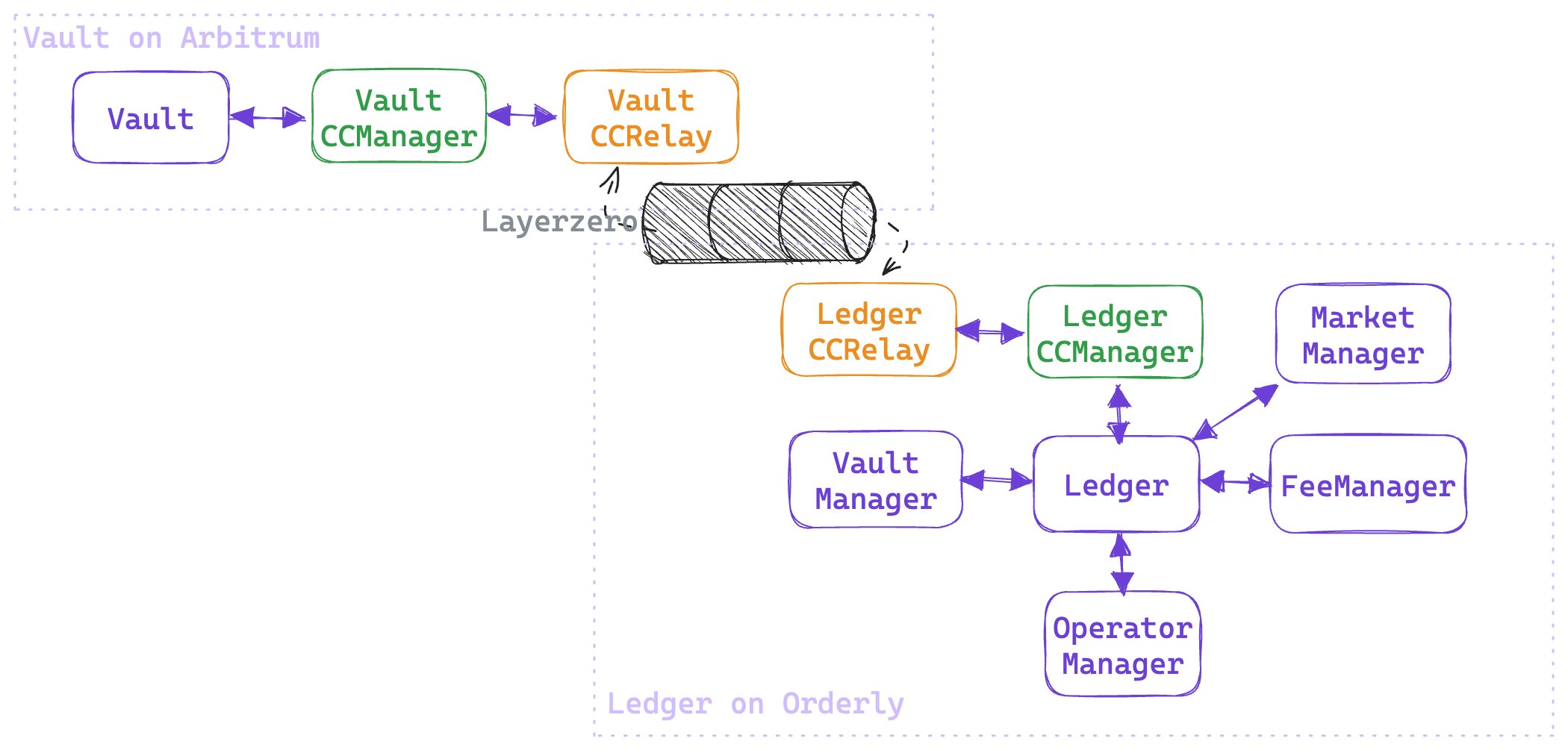
[](https://orderly.network/docs/build-on-omnichain/overview#general-overview)
General Overview
--------------------------------------------------------------------------------------------------
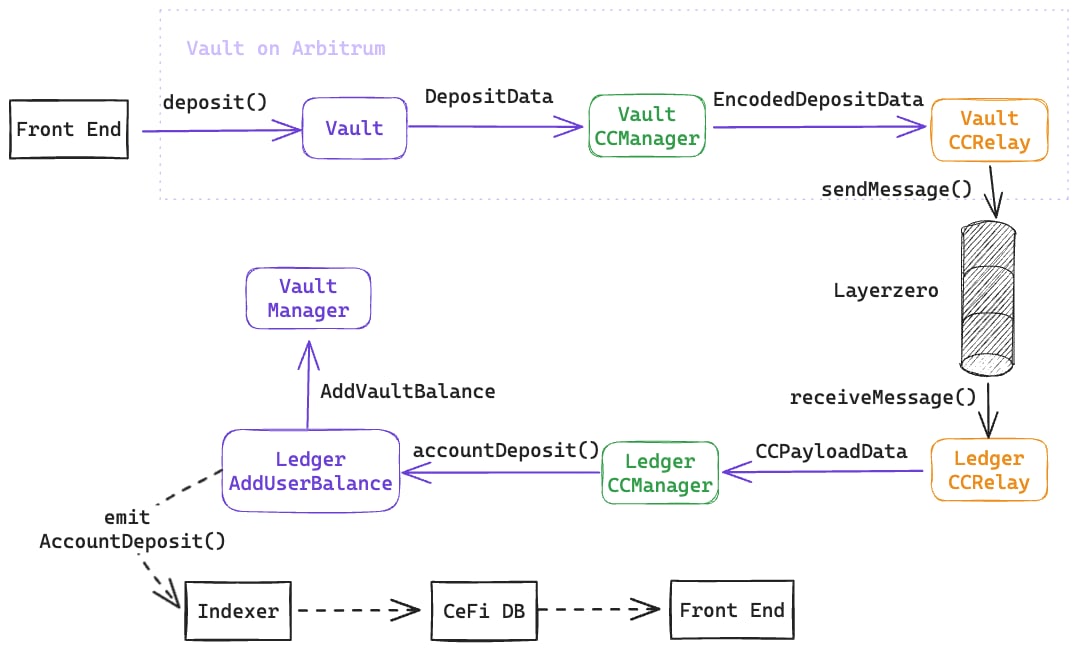
[](https://orderly.network/docs/build-on-omnichain/overview#deposit-flow)
Deposit Flow
------------------------------------------------------------------------------------------
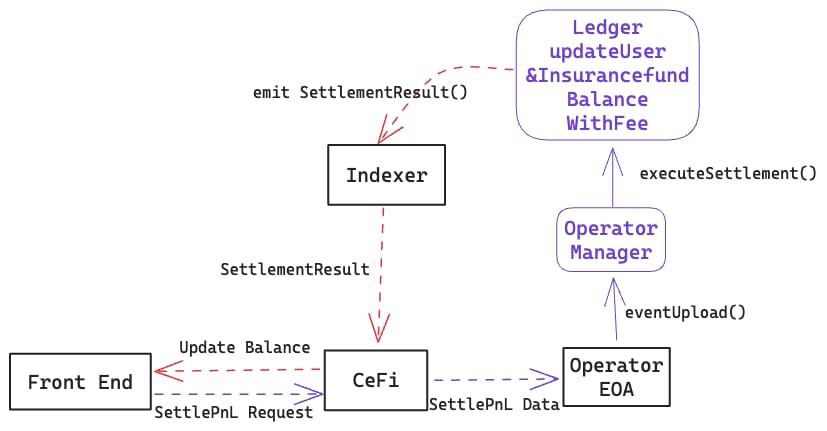
[](https://orderly.network/docs/build-on-omnichain/overview#settle-pnl-flow)
Settle PnL Flow
------------------------------------------------------------------------------------------------
[](https://orderly.network/docs/build-on-omnichain/overview#trade-flow)
Trade Flow
--------------------------------------------------------------------------------------
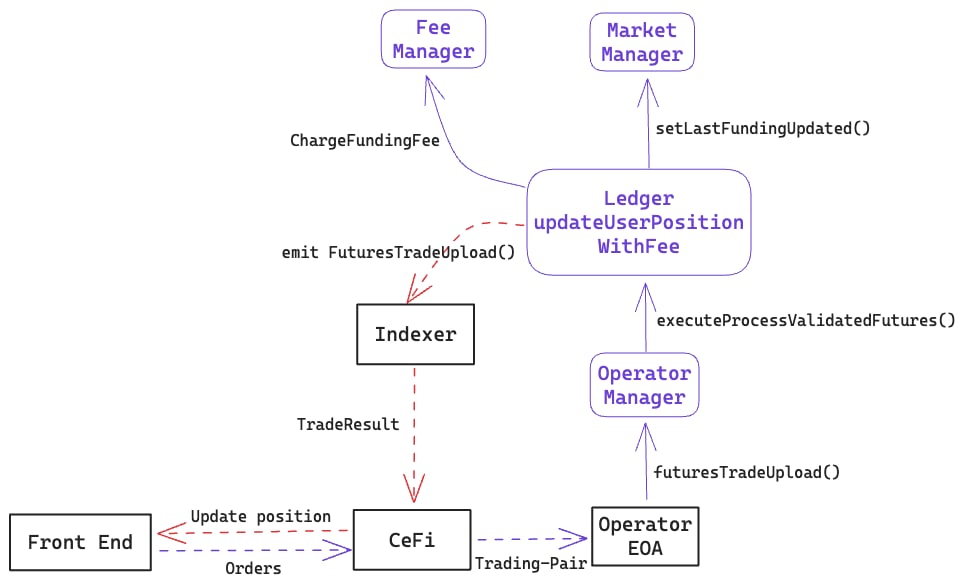
[](https://orderly.network/docs/build-on-omnichain/overview#withdrawal-flow)
Withdrawal Flow
------------------------------------------------------------------------------------------------
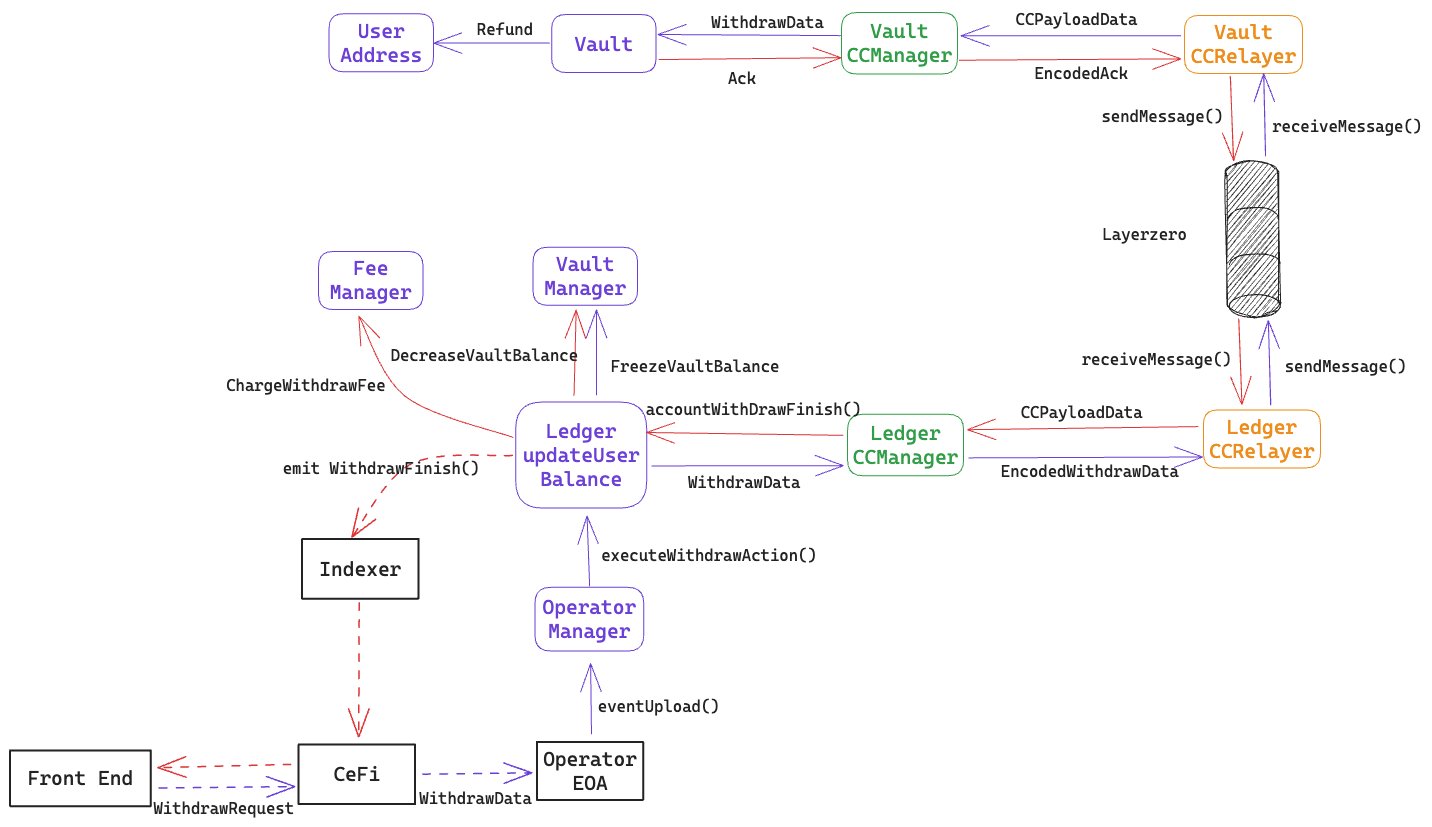
[Building on Orderly](https://orderly.network/docs/build-on-omnichain/building-on-omnichain)
[Smart Contract Addresses](https://orderly.network/docs/build-on-omnichain/addresses)
⌘I
---
# Websocket API - Orderly
[Skip to main content](https://orderly.network/docs/build-on-omnichain/websocket-api/introduction#content-area)
[Orderly home page](https://orderly.network/docs)
latest
Search...
⌘K
Search...
Navigation
Websocket API
Websocket API
[Home](https://orderly.network/docs/home)
[Introduction](https://orderly.network/docs/introduction/getting-started/what-is-orderly)
[Build on Omnichain](https://orderly.network/docs/build-on-omnichain/building-on-omnichain)
[SDKs](https://orderly.network/docs/sdks/overview)
[Strategy vault](https://orderly.network/docs/introduction/orderly-omniVault/overview)
[Troubleshooting](https://orderly.network/docs/troubleshooting/introduction)
[Release notes](https://orderly.network/docs/release-notes/omnichain)
On this page
* [Market Data Base Endpoints:](https://orderly.network/docs/build-on-omnichain/websocket-api/introduction#market-data-base-endpoints)
* [Private User Data Stream Base Endpoints:](https://orderly.network/docs/build-on-omnichain/websocket-api/introduction#private-user-data-stream-base-endpoints)
[](https://orderly.network/docs/build-on-omnichain/websocket-api/introduction#market-data-base-endpoints)
Market Data Base Endpoints:
-----------------------------------------------------------------------------------------------------------------------------------------
Mainnet: `wss://ws-evm.orderly.org/ws/stream/{account_id}` Testnet: `wss://testnet-ws-evm.orderly.org/ws/stream/{account_id}` `{account_id}` is your account id. Users can subscribe/unsubscribe to topics such as: `orderbook`, `trade`, `ticker`, `kline_1m`. See individual topic pages for the full list of available topics.
[](https://orderly.network/docs/build-on-omnichain/websocket-api/introduction#private-user-data-stream-base-endpoints)
Private User Data Stream Base Endpoints:
-------------------------------------------------------------------------------------------------------------------------------------------------------------------
Mainnet: `wss://ws-private-evm.orderly.org/v2/ws/private/stream/{account_id}` Testnet: `wss://testnet-ws-private-evm.orderly.org/v2/ws/private/stream/{account_id}` `{account_id}` is your account id Users need to be authenticated before subscribing to any topic. They would be disconnected if authentication fails. For more information, refer to the [Authentication](https://orderly.network/docs/build-on-omnichain/websocket-api/authentication)
section. Users can subscribe/unsubscribe to topics such as: `account`, `balance`, `position`, `executionreport`. See individual topic pages for the full list of available topics.
[Get kline history](https://orderly.network/docs/build-on-omnichain/restful-api/public/get-kline-history)
[PING/PONG](https://orderly.network/docs/build-on-omnichain/websocket-api/ping-pong)
⌘I
---
# Release Notes - Orderly
[Skip to main content](https://orderly.network/docs/sdks/release-notes#content-area)
[Orderly home page](https://orderly.network/docs)
latest
Search...
⌘K
Search...
Navigation
Software development kits
Release Notes
[Home](https://orderly.network/docs/home)
[Introduction](https://orderly.network/docs/introduction/getting-started/what-is-orderly)
[Build on Omnichain](https://orderly.network/docs/build-on-omnichain/building-on-omnichain)
[SDKs](https://orderly.network/docs/sdks/overview)
[Strategy vault](https://orderly.network/docs/introduction/orderly-omniVault/overview)
[Troubleshooting](https://orderly.network/docs/troubleshooting/introduction)
[Release notes](https://orderly.network/docs/release-notes/omnichain)
This page links to the full SDK release notes.
* For detailed release-by-release notes, see the [TS SDK release notes](https://orderly.network/docs/release-notes/sdk)
.
* For package setup and migration guidance, see [Overview](https://orderly.network/docs/sdks/overview)
and [Migrate](https://orderly.network/docs/sdks/migrate)
.
[List of SDKs](https://orderly.network/docs/sdks/overview)
[Migrate to SDK v2](https://orderly.network/docs/sdks/migrate)
⌘I
---
# Building on Orderly - Orderly
[Skip to main content](https://orderly.network/docs/build-on-omnichain/building-on-omnichain#content-area)
[Orderly home page](https://orderly.network/docs)
latest
Search...
⌘K
Search...
Navigation
Builder quickstart
Building on Orderly
[Home](https://orderly.network/docs/home)
[Introduction](https://orderly.network/docs/introduction/getting-started/what-is-orderly)
[Build on Omnichain](https://orderly.network/docs/build-on-omnichain/building-on-omnichain)
[SDKs](https://orderly.network/docs/sdks/overview)
[Strategy vault](https://orderly.network/docs/introduction/orderly-omniVault/overview)
[Troubleshooting](https://orderly.network/docs/troubleshooting/introduction)
[Release notes](https://orderly.network/docs/release-notes/omnichain)
On this page
* [What builders get](https://orderly.network/docs/build-on-omnichain/building-on-omnichain#what-builders-get)
* [High-level architecture](https://orderly.network/docs/build-on-omnichain/building-on-omnichain#high-level-architecture)
* [Start here](https://orderly.network/docs/build-on-omnichain/building-on-omnichain#start-here)
Orderly gives builders the trading infrastructure, liquidity access, and integration tooling needed to launch their own derivatives application without building the full stack from scratch. Builders can create a perp DEX on top of Orderly’s shared-liquidity orderbook, while users interact from supported chains without switching to a separate trading chain in the product experience.
[](https://orderly.network/docs/build-on-omnichain/building-on-omnichain#what-builders-get)
What builders get
-----------------------------------------------------------------------------------------------------------------
* **Shared liquidity:** Access the same liquidity layer used across the Orderly ecosystem.
* **Orderbook infrastructure:** Build on top of Orderly’s matching and order management services instead of operating your own engine.
* **Omnichain user flows:** Support registration, deposits, withdrawals, and trading from supported chains.
* **Flexible integration paths:** Choose between SDKs, UI components, Python tooling, or direct API access.
* **Self-custody model:** Users keep control of their wallets while interacting with your application.
[](https://orderly.network/docs/build-on-omnichain/building-on-omnichain#high-level-architecture)
High-level architecture
-----------------------------------------------------------------------------------------------------------------------------
Orderly’s omnichain system is organized into three layers: 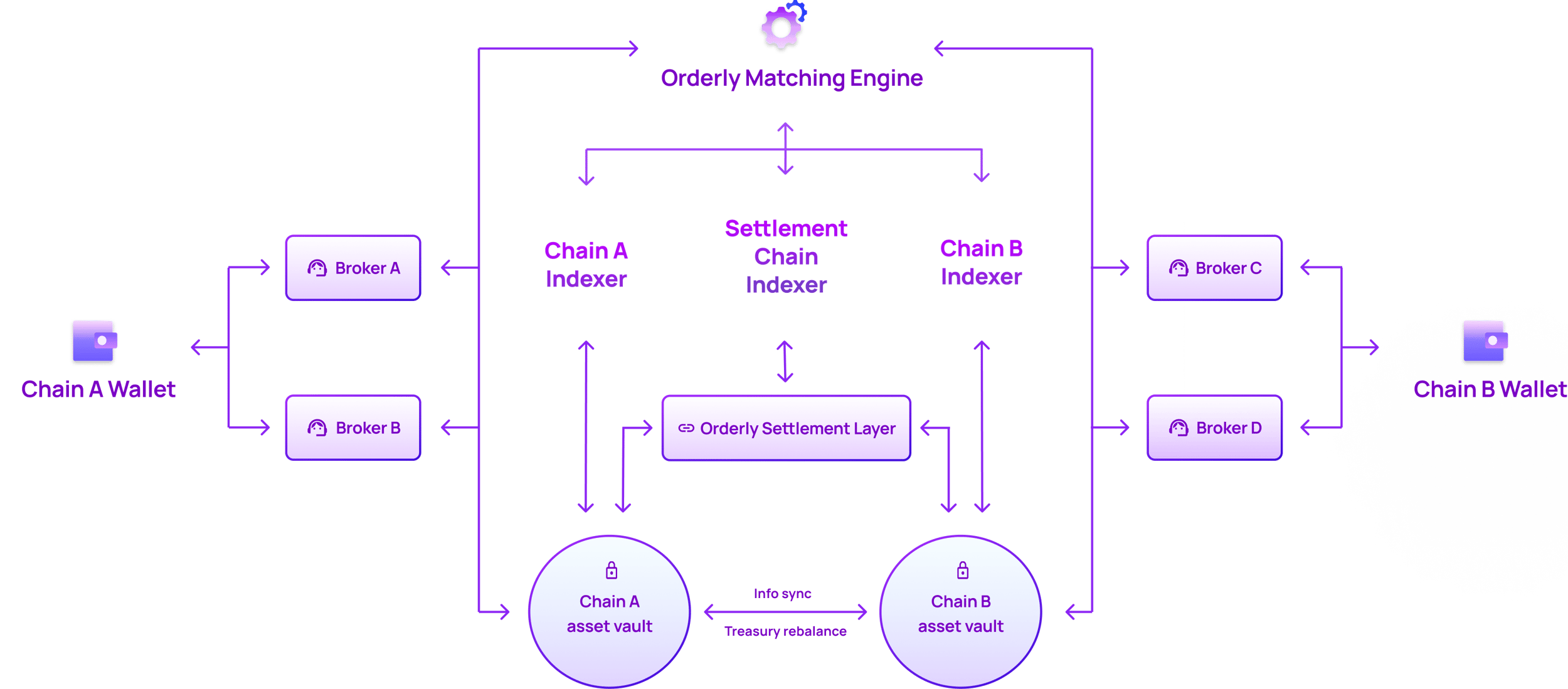 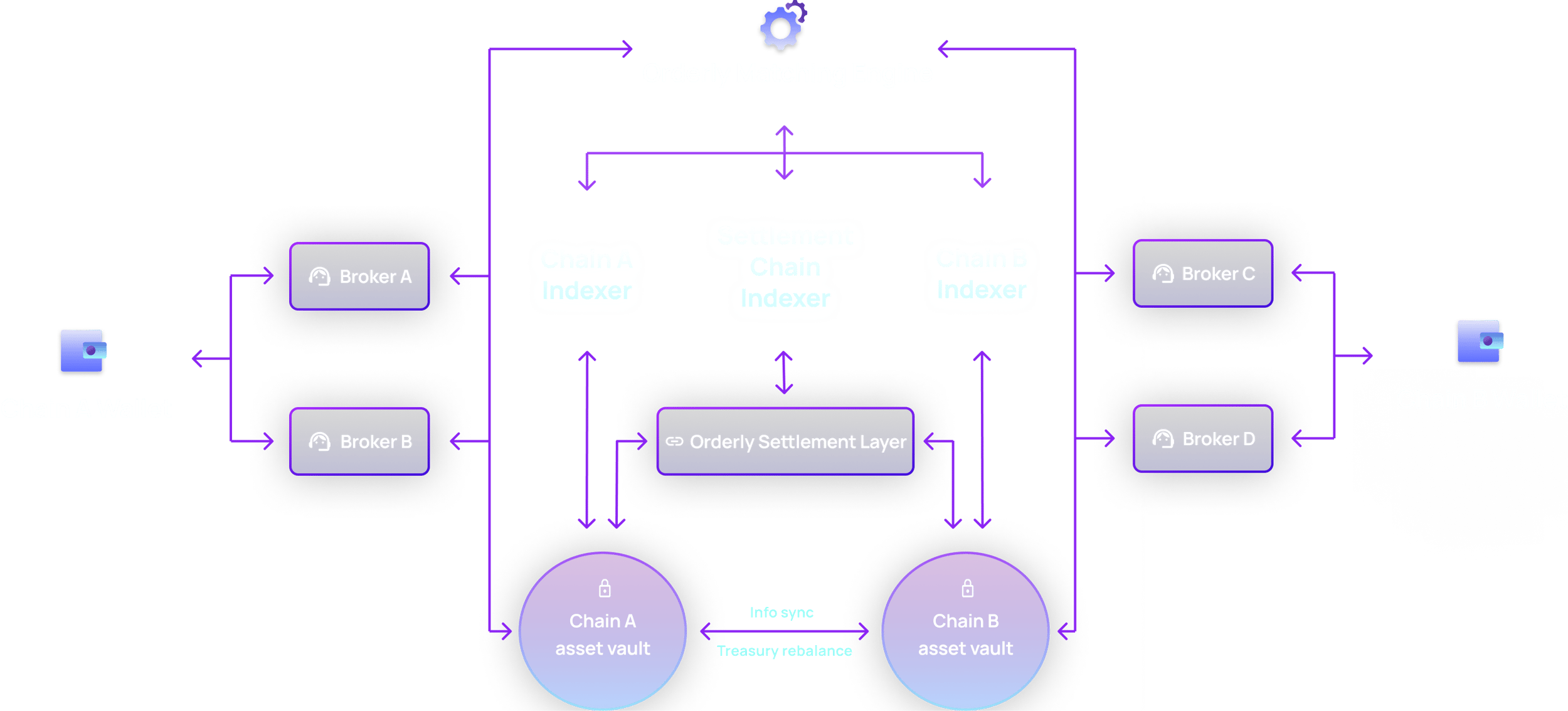
1. **Asset Layer:** Lives on each supported chain and handles user-facing actions such as account registration, deposits, and withdrawals.
2. **Settlement Layer:** Lives on a single chain and acts as the transaction ledger behind the scenes.
3. **Engine Layer:** Runs the orderbook and related trading services used for order management and execution.
[](https://orderly.network/docs/build-on-omnichain/building-on-omnichain#start-here)
Start here
---------------------------------------------------------------------------------------------------
Use these pages as your builder onboarding path:
* **Plan the integration:** Start with the [Integration Checklist](https://orderly.network/docs/build-on-omnichain/integration-checklist)
for the overall build and launch sequence.
* **Understand the system:** Review the [Smart Contract Overview](https://orderly.network/docs/build-on-omnichain/overview)
and [Smart Contract Addresses](https://orderly.network/docs/build-on-omnichain/addresses)
.
* **Implement core user flows:** Follow [Accounts](https://orderly.network/docs/build-on-omnichain/user-flows/accounts)
, [Wallet Authentication](https://orderly.network/docs/build-on-omnichain/user-flows/wallet-authentication)
, [Withdrawal & Deposit](https://orderly.network/docs/build-on-omnichain/user-flows/withdrawal-deposit)
, and [Order Management](https://orderly.network/docs/build-on-omnichain/user-flows/order-management)
.
* **Cover trading operations:** Add [Settle PnL](https://orderly.network/docs/build-on-omnichain/user-flows/settle-pnl)
, [Custom Fees](https://orderly.network/docs/build-on-omnichain/user-flows/custom-fees)
, and real-time integrations from the [WebSocket API docs](https://orderly.network/docs/build-on-omnichain/websocket-api/introduction)
.
* **Integrate against the APIs:** Use the [API introduction](https://orderly.network/docs/build-on-omnichain/introduction)
and [API authentication guide](https://orderly.network/docs/build-on-omnichain/api-authentication)
.
* **Handle onboarding questions:** Use [Integration FAQs](https://orderly.network/docs/build-on-omnichain/integration-faqs)
and [Partner Support](https://orderly.network/docs/build-on-omnichain/partner-support)
for builder-facing support guidance.
Start with [Builder Onboarding](https://orderly.network/docs/introduction/getting-started/builder-onboarding)
. If you are using Orderly One, continue from [https://dex.orderly.network/](https://dex.orderly.network/)
. For implementation questions, join our [Discord](https://discord.gg/OrderlyNetwork)
.
[Smart Contract Overview](https://orderly.network/docs/build-on-omnichain/overview)
⌘I
---
# List of SDKs - Orderly
[Skip to main content](https://orderly.network/docs/sdks/overview#content-area)
[Orderly home page](https://orderly.network/docs)
latest
Search...
⌘K
Search...
Navigation
Software development kits
List of SDKs
[Home](https://orderly.network/docs/home)
[Introduction](https://orderly.network/docs/introduction/getting-started/what-is-orderly)
[Build on Omnichain](https://orderly.network/docs/build-on-omnichain/building-on-omnichain)
[SDKs](https://orderly.network/docs/sdks/overview)
[Strategy vault](https://orderly.network/docs/introduction/orderly-omniVault/overview)
[Troubleshooting](https://orderly.network/docs/troubleshooting/introduction)
[Release notes](https://orderly.network/docs/release-notes/omnichain)
On this page
* [EVM](https://orderly.network/docs/sdks/overview#evm)
[](https://orderly.network/docs/sdks/overview#evm)
EVM
----------------------------------------------------------
React Components SDK
--------------------
The components library gives you high level components, that can be used as building blocks to develop your DEX.
React Hooks SDK
---------------
The hooks library provides a series of React hooks for React developers to ensure a seamless integration experience.
Core SDK
--------
The core library is the foundational SDK used by hooks SDK with some helper functions for Orderly Key management, signatures, etc.
Perp SDK
--------
A library of calculation formulas related to Orderly futures trading. This library is designed to be purely functional, with no context dependencies.
[Release Notes](https://orderly.network/docs/sdks/release-notes)
⌘I
---
# Introduction overview - Orderly
[Skip to main content](https://orderly.network/docs/troubleshooting/introduction#content-area)
[Orderly home page](https://orderly.network/docs)
latest
Search...
⌘K
Search...
Navigation
Introduction
Introduction overview
[Home](https://orderly.network/docs/home)
[Introduction](https://orderly.network/docs/introduction/getting-started/what-is-orderly)
[Build on Omnichain](https://orderly.network/docs/build-on-omnichain/building-on-omnichain)
[SDKs](https://orderly.network/docs/sdks/overview)
[Strategy vault](https://orderly.network/docs/introduction/orderly-omniVault/overview)
[Troubleshooting](https://orderly.network/docs/troubleshooting/introduction)
[Release notes](https://orderly.network/docs/release-notes/omnichain)
For any integration-related questions, please first refer to the [Integration FAQs](https://orderly.network/docs/build-on-omnichain/integration-faqs)
page. A list of common issues and diagnostic steps can be found in this section. A customer support dashboard for retrieving user account state and history can be found on the [Orderly Dashboard](https://orderly-dashboard.orderly.network/)
. If you are still having issues, please submit a ticket on our [Discord server](https://discord.gg/orderlynetwork)
.
[Transaction/order issues](https://orderly.network/docs/troubleshooting/user-issues/transaction-failures)
⌘I
---
# Omnichain - Orderly
[Skip to main content](https://orderly.network/docs/release-notes/omnichain#content-area)
[Orderly home page](https://orderly.network/docs)
latest
Search...
⌘K
Search...
Navigation
Updates by area
Omnichain
[Home](https://orderly.network/docs/home)
[Introduction](https://orderly.network/docs/introduction/getting-started/what-is-orderly)
[Build on Omnichain](https://orderly.network/docs/build-on-omnichain/building-on-omnichain)
[SDKs](https://orderly.network/docs/sdks/overview)
[Strategy vault](https://orderly.network/docs/introduction/orderly-omniVault/overview)
[Troubleshooting](https://orderly.network/docs/troubleshooting/introduction)
[Release notes](https://orderly.network/docs/release-notes/omnichain)
On this page
* [March 10th, 2026 - Major Update](https://orderly.network/docs/release-notes/omnichain#march-10th-2026-major-update)
* [January 27th, 2026 - Major Update](https://orderly.network/docs/release-notes/omnichain#january-27th-2026-major-update)
* [December 23rd, 2025 - Major Update](https://orderly.network/docs/release-notes/omnichain#december-23rd-2025-major-update)
* [November 19th, 2025 - Major Update](https://orderly.network/docs/release-notes/omnichain#november-19th-2025-major-update)
* [October 14th, 2025 - Major Update](https://orderly.network/docs/release-notes/omnichain#october-14th-2025-major-update)
* [September 13th, 2025 - Major Update](https://orderly.network/docs/release-notes/omnichain#september-13th-2025-major-update)
* [August 12th, 2025 - Major Update](https://orderly.network/docs/release-notes/omnichain#august-12th-2025-major-update)
* [July 10th, 2025 - Major Update](https://orderly.network/docs/release-notes/omnichain#july-10th-2025-major-update)
* [June 3rd, 2025 - Major Update](https://orderly.network/docs/release-notes/omnichain#june-3rd-2025-major-update)
* [April 29th, 2025 - Major Update](https://orderly.network/docs/release-notes/omnichain#april-29th-2025-major-update)
* [April 1st, 2025 - Documentation Update](https://orderly.network/docs/release-notes/omnichain#april-1st-2025-documentation-update)
* [February 25th, 2025 - Major Update](https://orderly.network/docs/release-notes/omnichain#february-25th-2025-major-update)
* [January 21th, 2025 - Major Update](https://orderly.network/docs/release-notes/omnichain#january-21th-2025-major-update)
* [December 24th, 2024 - Major Update](https://orderly.network/docs/release-notes/omnichain#december-24th-2024-major-update)
* [November 26th, 2024 - Major Update](https://orderly.network/docs/release-notes/omnichain#november-26th-2024-major-update)
* [October 29th, 2024 - Major Update](https://orderly.network/docs/release-notes/omnichain#october-29th-2024-major-update)
* [September 24th, 2024 - Major Update](https://orderly.network/docs/release-notes/omnichain#september-24th-2024-major-update)
* [August 27th, 2024 - Major Update](https://orderly.network/docs/release-notes/omnichain#august-27th-2024-major-update)
* [July 30th, 2024 - Minor Update](https://orderly.network/docs/release-notes/omnichain#july-30th-2024-minor-update)
* [June 25th, 2024 - Minor Update](https://orderly.network/docs/release-notes/omnichain#june-25th-2024-minor-update)
* [May 28th, 2024 - Minor Update](https://orderly.network/docs/release-notes/omnichain#may-28th-2024-minor-update)
* [April 16, 2024 - Minor Update](https://orderly.network/docs/release-notes/omnichain#april-16-2024-minor-update)
* [March 12, 2024 - Minor Update](https://orderly.network/docs/release-notes/omnichain#march-12-2024-minor-update)
* [February 5, 2024 - Major Update](https://orderly.network/docs/release-notes/omnichain#february-5-2024-major-update)
* [January 4, 2024 - Major Update](https://orderly.network/docs/release-notes/omnichain#january-4-2024-major-update)
* [October 13, 2023 - Major Update](https://orderly.network/docs/release-notes/omnichain#october-13-2023-major-update)
* [September 21, 2023 - Minor Update](https://orderly.network/docs/release-notes/omnichain#september-21-2023-minor-update)
* [August 10, 2023 - Minor Update](https://orderly.network/docs/release-notes/omnichain#august-10-2023-minor-update)
[](https://orderly.network/docs/release-notes/omnichain#march-10th-2026-major-update)
March 10th, 2026 - Major Update
-------------------------------------------------------------------------------------------------------------------------
**Testnet: March 6, 2026 14:00pm (UTC +8)****Mainnet: March 10, 2026 14:00pm (UTC +8)**
**New Features**
* Isolated margin support
[](https://orderly.network/docs/release-notes/omnichain#january-27th-2026-major-update)
January 27th, 2026 - Major Update
-----------------------------------------------------------------------------------------------------------------------------
**Testnet: January 23, 2026 14:00pm (UTC +8)****Mainnet: January 27, 2026 14:00pm (UTC +8)**
**New Features**
* Multilevel referral program
**Platform Enhancements**
* USD1 collateral listing
* SOL withdrawal to Ceffu support
* Cross-chain deposit disable/re-enable functionality
* Point system documentation
* System robustness improvements including database optimizations and rebalance enhancements
* Performance improvements and bug fixes
[](https://orderly.network/docs/release-notes/omnichain#december-23rd-2025-major-update)
December 23rd, 2025 - Major Update
-------------------------------------------------------------------------------------------------------------------------------
**Testnet: December 19, 2025 14:00pm (UTC +8)****Mainnet: December 23, 2025 14:00pm (UTC +8)**
**New Features**
* Vanguard referral program
* Gold/Silver price feed integration
**Platform Enhancements**
* Zero downtime deployment
* RWA base fee updates
* System robustness improvements including trading checksum and reconciliation enhancements
* WebSocket execution report symbol filtering
* Batch update leverage functionality
* Performance improvements and bug fixes
[](https://orderly.network/docs/release-notes/omnichain#november-19th-2025-major-update)
November 19th, 2025 - Major Update
-------------------------------------------------------------------------------------------------------------------------------
**Testnet: November 18, 2025 14:00pm (UTC +8)****Mainnet: November 20, 2025 14:00pm (UTC +8)**
**New Features**
* Permissioned Vaults support
* Staking Revamp with buyback mechanism
* YUSD collateral support on BNB Chain
**Platform Enhancements**
* Vault rebalance API enhancements
* Trading bug fixes including funding rate and engine improvements
* System robustness improvements and settlement risk considerations
* RWA volume API support
* SDK API enhancements including chain info filtering and TradingView kline historical data
* Performance improvements and bug fixes
[](https://orderly.network/docs/release-notes/omnichain#october-14th-2025-major-update)
October 14th, 2025 - Major Update
-----------------------------------------------------------------------------------------------------------------------------
**Testnet: October 16, 2025 2:00pm (UTC +8)****Mainnet: October 17, 2025 2:00am (UTC +8)**
**New Features**
* RWA (Real World Assets) Trading
* OmniVault SEI network support
* CCTP v2 upgrade
**Platform Enhancements**
* Minimum trading fees configuration at builder level
* Position history updates for bankrupt cases
* Enhanced liquidation message notifications
* Tokenomics API updates for total and circulating supply
* Strategy Vault enhancements including new endpoints and status logic
* Trading enhancements and system improvements
* Security enhancements and documentation updates
[](https://orderly.network/docs/release-notes/omnichain#september-13th-2025-major-update)
September 13th, 2025 - Major Update
---------------------------------------------------------------------------------------------------------------------------------
**Testnet: September 10, 2025 2:00pm (UTC +8)****Mainnet: September 13, 2025 5:00am (UTC +8)**
**New Features**
* Multi-collateral support on Solana Chain
* Custom leverage per symbol
* Internal transfer enhancements with wallet signature
* ADL enhancements for insurance fund protection
**Platform Enhancements**
* Security enhancements including withdrawal checks and monitoring
* Referral code sub-accounts volume support
* Custom builder tier
* Enhanced liquidation info and multi-collateral improvements
* Solana dex account deposit/withdraw for Strategy Vault
* Campaign enhancements and builder whitelist withdrawal
* Documentation updates and bug fixes
[](https://orderly.network/docs/release-notes/omnichain#august-12th-2025-major-update)
August 12th, 2025 - Major Update
---------------------------------------------------------------------------------------------------------------------------
**Testnet: August 8, 2025 3:00pm (UTC +8)****Mainnet: August 12, 2025 5:00am (UTC +8)**
**New Features**
* Ceffu (OmniVault) integration
* OmniVault SP sub-accounts support
* DEX account deposit/withdraw for Strategy Vault
* Trading blacklist functionality
**Platform Enhancements**
* User fee rate API updates
* Valor claim history endpoint
* Trading system enhancements and bug fixes
[](https://orderly.network/docs/release-notes/omnichain#july-10th-2025-major-update)
July 10th, 2025 - Major Update
-----------------------------------------------------------------------------------------------------------------------
**Testnet: July 2, 2025 18:00pm (UTC +8)****Mainnet: July 10, 2025 14:00pm (UTC +8)**
**New Features**
* Multi-Collateral support
* Sub-accounts aggregate API
* Campaign signup API
**Platform Enhancements**
* Performance improvements and bug fixes
[](https://orderly.network/docs/release-notes/omnichain#june-3rd-2025-major-update)
June 3rd, 2025 - Major Update
---------------------------------------------------------------------------------------------------------------------
**Testnet: May 30, 2025 14:00pm (UTC +8)****Mainnet: June 3, 2025 14:00pm (UTC +8)**
**New Features**
* Sub-accounts support
* Added Abstract and Plume mainnet support
* TP/SL with limit order type
**Platform Enhancements**
* Strategy Vault upgrades including new endpoints and status handling
* Auto-generated referral codes can now be edited
* Fixed next funding time calculation
* Performance improvements and bug fixes
[](https://orderly.network/docs/release-notes/omnichain#april-29th-2025-major-update)
April 29th, 2025 - Major Update
-------------------------------------------------------------------------------------------------------------------------
**Testnet: April 25, 2025 14:00pm (UTC +8)****Mainnet: April 29, 2025 14:00pm (UTC +8)**
**Ecosystem Expansion**
* Added Solana staking and trading rewards functionality
* Implemented global max OI cap per market pair for improved risk management
* Released public builder leaderboard for increased transparency
**Platform Enhancements**
* Strategy Vault optimizations:
* Improved APY formula and calculation
* Added 30-day APY metric to vault info
* Enhanced TVL and PnL data accuracy
* Added minimum withdrawal amount functionality
* Implemented PnL maximum drawdown tracking
* Updated Builder Daily API with additional metrics
* Enhanced Reduce Only (RO) order logic for improved reliability
* Added support for automatic generated referral codes
* Improved announcement API with support for types and update times
* Added realized PnL tracking to builder daily reporting
* Enhanced referral API with sorting capabilities
[](https://orderly.network/docs/release-notes/omnichain#april-1st-2025-documentation-update)
April 1st, 2025 - Documentation Update
---------------------------------------------------------------------------------------------------------------------------------------
**Testnet: March 28, 2025 14:00pm (UTC +8)****Mainnet: April 1, 2025 14:00pm (UTC +8)**
**Updates**
* Market maker reward leaderboard
* Added filtering capability for Builder Admin to view non-default users
[](https://orderly.network/docs/release-notes/omnichain#february-25th-2025-major-update)
February 25th, 2025 - Major Update
-------------------------------------------------------------------------------------------------------------------------------
**Testnet: February 21, 2025 14:00pm (UTC +8)****Mainnet: February 25, 2025 14:00pm (UTC +8)**
**New Network Support**
* Added support for Monad testnet
* Added Ledger support for Solana network
**System Enhancements**
* Updated API domain
* Implemented chain-specific trading volume attribution
* Updated tiered base fee structure for builders
* Upgraded to Pyth Lazer for price feeds
[](https://orderly.network/docs/release-notes/omnichain#january-21th-2025-major-update)
January 21th, 2025 - Major Update
-----------------------------------------------------------------------------------------------------------------------------
**Testnet: January 17, 2025 14:00pm (UTC +8)****Mainnet: January 21, 2025 14:00pm (UTC +8)**
**Updates**
* `GET /v1/referral/rebate_summary` add a new field traded\_referral to track referral trades during the specified date
* `GET v1/public/market_making_rewards/leaderboard` support all markets, and add est\_score in the response, est\_score = final Q score
* Roadmap page
* update MM Reward Multiplier
* minor improvements and fixes
[](https://orderly.network/docs/release-notes/omnichain#december-24th-2024-major-update)
December 24th, 2024 - Major Update
-------------------------------------------------------------------------------------------------------------------------------
**Testnet: December 20, 2024 14:00pm (UTC +8)****Mainnet: December 24, 2024 14:00pm (UTC +8)**
**Updates**
* Morph support
* Story supported
* $ORDER OFT and Staking on Avalanche
* Price source from Hyperliquid
* new query parameters for liquidation API
* minor improvements and fixes
[](https://orderly.network/docs/release-notes/omnichain#november-26th-2024-major-update)
November 26th, 2024 - Major Update
-------------------------------------------------------------------------------------------------------------------------------
**Testnet: November 22, 2024 14:00pm (UTC +8)****Mainnet: November 26, 2024 14:00pm (UTC +8)**
**Updates**
* Avalanche support
* Solana Mainnet supported
* Reward Switch to esORDER
* Pyth Integration
* add pending treasury info to Valor pool info API
* minor improvements and fixes
[](https://orderly.network/docs/release-notes/omnichain#october-29th-2024-major-update)
October 29th, 2024 - Major Update
-----------------------------------------------------------------------------------------------------------------------------
**Testnet: October 25, 2024 14:00pm (UTC +8)****Mainnet: October 29, 2024 14:00pm (UTC +8)**
**Updates**
* Solana testnet support
* minor improvements and fixes
[](https://orderly.network/docs/release-notes/omnichain#september-24th-2024-major-update)
September 24th, 2024 - Major Update
---------------------------------------------------------------------------------------------------------------------------------
**Testnet: September 20, 2024 14:00pm (UTC +8)****Mainnet: September 24, 2024 14:00pm (UTC +8)**
**Updates**
* Funding rate history comparison API
* Position History API
* Fund transfer between accounts
* unsettled PnL now considered in withdrawal checks
[](https://orderly.network/docs/release-notes/omnichain#august-27th-2024-major-update)
August 27th, 2024 - Major Update
---------------------------------------------------------------------------------------------------------------------------
**Testnet: August 23, 2024 14:00pm (UTC +8)****Mainnet: August 27, 2024 14:00pm (UTC +8)**
**Updates**
* The $ORDER token has been released. Please check the [$ORDER token overview](https://orderly.network/docs/introduction/tokenomics/overview-of-order)
* Trading rewards APIs
* Market making rewards APIs
* Staking & VALOR APIs
* Minor bugfixes and improvements
[](https://orderly.network/docs/release-notes/omnichain#july-30th-2024-minor-update)
July 30th, 2024 - Minor Update
-----------------------------------------------------------------------------------------------------------------------
**Testnet: July 26, 2024 14:00pm (UTC +8)****Mainnet: July 30, 2024 14:00pm (UTC +8)**
**Updates**
* New endpoint /v1/public/futures\_market to get market volume filtered by builder
* New endpoint /v1/public/balance/stats to get TVL (total balance & unsettled PnL) by builder
* New endpoint /v1/public/campaign/check to verify that given address meets certain constraints in specific campaign
* Minor bugfixes and improvements
[](https://orderly.network/docs/release-notes/omnichain#june-25th-2024-minor-update)
June 25th, 2024 - Minor Update
-----------------------------------------------------------------------------------------------------------------------
**Testnet: June 21, 2024 14:00pm (UTC +8)****Mainnet: June 25, 2024 14:00pm (UTC +8)**
**Updates**
* Adding optional `level` parameter to /v1/order POST body, which allows to use the price of bid0 to bid4 or ask0 to ask4
* Adding optional `post_only_adjust` parameter to /v1/order POST body. Default value is false. If it is set to true, then it will adjust price to 1 tick close to current best price. Only supported for `POST_ONLY` type orders
* New endpoint /v1/get\_broker to fetch all builders where given address has been registered
* Performance improvements
[](https://orderly.network/docs/release-notes/omnichain#may-28th-2024-minor-update)
May 28th, 2024 - Minor Update
---------------------------------------------------------------------------------------------------------------------
**Testnet: May 24, 2024 14:00pm (UTC +8)****Mainnet: May 28, 2024 14:00pm (UTC +8)**
**Expanding to Mantle**The multichain expansion is progressing, and we are excited to announce our launch on Mantle, along with the introduction of support for USDC.e on the Mantle network.
**Updates**
* New WebSocket topic for maintenance status
* Adding optional “order\_tag” param to /v1/public/campaign/user API
* Adding optional sorting params to /v1/volume/broker/daily endpoint
* Remove fee in the response in referral APIs
* Add sort parameter to GET referee endpoint
* Performance improvements
[](https://orderly.network/docs/release-notes/omnichain#april-16-2024-minor-update)
April 16, 2024 - Minor Update
---------------------------------------------------------------------------------------------------------------------
**New bracket order support**We’re pleased to introduce bracket orders to Orderly, a feature designed to enhance your trading strategy by automatically setting stop loss and take profit orders alongside your primary trade. This functionality allows you to better manage risk and lock in profits without constant market monitoring.
**Traders can now see realized PnL**All order APIs now return realized PnL per position for orders closing or reducing open positions.
**Updated endpoints**Two new websocket topics `{broker_id}${symbol}@ticker` and `{broker_id}$tickers` to query each builder’s volume per market.Two new endpoints for verifying and checking referral codes.
[](https://orderly.network/docs/release-notes/omnichain#march-12-2024-minor-update)
March 12, 2024 - Minor Update
---------------------------------------------------------------------------------------------------------------------
**Builders are now chain specific**Given Orderly’s growth of supported chains, we understand some projects choose to only focus on certain chains, thus builders can now choose which chain they want to operate on.Supported builders for each chain can be retrieved through `GET /v1/public/chain_info`
**Automating rebates for trades with order tags**We’ve heard your feedback! The rebates for trades with specific order\_tag can now be automated by using our refferal system. Create a refferal code and use that refferal code in order\_tag when submitting orders.
**Introducing max slippage for market orders**We are excited to announce a new feature to our trading platform: the Max Slippage Setting for Market Orders. This functionality allows traders to set a maximum slippage for their market orders, giving unprecedented control over order execution relative to the market’s mid-price.For buy market orders, this means your order will be fully or partially filled at price levels greater than the order book’s mid-price adjusted by your specified slippage. Conversely, sell market orders will be executed at price levels less than the mid-price, also adjusted by your chosen slippage. This ensures that your orders are executed within your comfort zone of market price movement, enhancing predictability and control over your trading outcomes.For example, if the mid-price for MATIC is $1 and you place a buy market order with a 0.02% slippage, only portions of the order that meet the slippage criteria will be executed, with any remaining quantity being canceled. This precision ensures that you achieve the best possible price, according to your specified tolerance for slippage.
**Updated endpoints**Orders with an order\_tag can now be retrieved via `GET /v1/orders` & `GET /v1/algo/orders` APIs with the new order\_tag parameter.Enhancements to `GET /v1/referral/info` API, adding the following data in response:
* **For referrers:**
* 1d\_referrer\_rebate
* 7d\_referrer\_rebate
* 30d\_referrer\_rebate
* total\_referrer\_rebate
* **For referees:**
* 1d\_referee\_rebate
* 7d\_referee\_rebate
* 30d\_referee\_rebate
* total\_referee\_rebate
Adding volume and fees of all referrees for the refferal code in response for `GET /v1/referral/rebate_summary`Adding maker and taker volume breakdown in `GET /v1/volume/broker/daily` APIBuilders can now retrieve total fees collected under the criteria (given broker\_id, aggregate logic, order\_tag filter, and etc.) + builder rebate via`GET /v1/volume/broker/daily` APINew query parameters in `GET /v1/referral/admin_info` API:
* New query parameter user\_address, to filter all codes of the matching user\_address only (should only match 1 account since the broker\_id has to match the builder admin one)
* New query parameter account\_id, to filter all codes of the matching account\_id only
* **NOTE:** Only user\_address or account\_id can be provided
Ability to change the referral code’s rebate split via `POST /v1/referral/edit_split`Additional response fields in `GET /v1/referral/admin_info` API:
* total\_referrer\_rebate = Lifetime total referrer rebate on this code
* total\_referee\_rebate = Lifetime total referee rebate on this code
Additional responses in `GET /v1/public/campaign/ranking` and `GET /v1/public/campaign/user` APIs:
* total\_deposit\_amount
* total\_withdrawal\_amount
* start\_account\_value
* end\_account\_value (which is current\_account\_value)
Increased update frequency of `GET /v1/volume/broker/daily` API to hourly from dailyAdded address in the response for `GET /v1/volume/broker/daily`
[](https://orderly.network/docs/release-notes/omnichain#february-5-2024-major-update)
February 5, 2024 - Major Update
-------------------------------------------------------------------------------------------------------------------------
**Introducing the new referral system**We’ve heard your feedback and delivered! The long-awaited Orderly Referral System is finally here, marking a significant milestone in enhancing our platform. Tailored to enrich our community, this system introduces an exciting way for our existing users to connect with new users, strengthening our network through shared rewards.At the core of this initiative is a straightforward yet rewarding referral mechanism. Users can easily generate a personalized referral code and share it with potential new members.All endpoints for the referral system can be found under the [“Referral Program”](https://orderly.network/docs/build-on-omnichain/restful-api/private/create-referral-code)
section.To learn more about how the Orderly Referral System works, refer to [this article](https://orderly.network/docs/introduction/be-a-broker/affiliate-referral-program)
.
**Introducing the new fee structure**We’re thrilled to unveil the latest enhancement to our services: the Custom Trading Fee System. This innovative feature introduces a suite of flexible fee-setting options, allowing builders to tailor fee structures to their unique user bases more effectively than ever before. By departing from the limitations of Orderly’s standard fees, builders now have the freedom to set fees that align perfectly with their strategies and customer profiles.We believe that this new feature will significantly enhance the developer experience on our platform, offering both improved user satisfaction and a competitive edge in the dynamic trading landscape.All fee rate settig endpoints are under the [“Fee Setting”](https://orderly.network/docs/build-on-omnichain/restful-api/private/update-user-fee-rate)
section.The fee tiers are now deprecated from `/v1/public/fee_futures/program`, `/v1/broker/user_info` and `account` websocket.New volume-based fee rate setting tool can be found on our [GitHub](https://github.com/OrderlyNetwork/orderly-evm-broker-fee-admin)
.To learn more about how the new fee structure works, refer to [this article](https://orderly.network/docs/build-on-omnichain/user-flows/custom-fees)
.
**Adding New Order Types: Take Profit/Stop Loss**Traders can now use more order types: stop loss/take profit and positional stop loss/take.Features include:**1\. Three Trigger Price Options:** Initially available with the Mark Price, with future expansions to include Last Price and Index Price.**2\. Auto-Cancellation of TP/SL Orders:** Take Profit (TP) and Stop Loss (SL) orders will be automatically canceled if the position is closed, ensuring more precise trade management.**3\. Two Types of TP/SL Management:****\- Full/Entire Position TP/SL:** Apply TP/SL to the entire position with a limit of one maximum TP/SL per position.**\- Partial Position TP/SL:** Offers the flexibility to define the amount of the position to be closed, with a maximum of 10 partial TP and 10 partial SL orders on each side.This update empowers traders to implement more dynamic and sophisticated trading strategies with enhanced risk management features. As always, we are committed to improving and expanding the capabilities of the Orderly to meet the evolving needs of our users.All “algo order” endpoints are ammended to add the new order types.
**Introducing Smart Contract trading support**We are excited to announce the launch of the “Delegate Signer” feature in the Orderly, a new feature enabling Smart Contracts to trade.It allows Smart Contracts to assign an Externally Owned Account (EOA) to sign trades on their behalf using the EIP-712 signature. This solves the issue of Smart Contracts’ inability to sign for trades, broadening trading capabilities on the Orderly platform.New EIP712 signature types for Delegate Signer functions can be found [here](https://orderly.network/docs/build-on-omnichain/user-flows/wallet-authentication)
.New Delegate Signer function on-chain. Docs can be found [here](https://orderly.network/docs/build-on-omnichain/user-flows/wallet-authentication)
.New Delegate Signer APIs under [“Delegate Signer”](https://orderly.network/docs/build-on-omnichain/restful-api/public/delegate-signer)
section.Full write-up of how Delegate Signer functionality works can be found in [this article](https://orderly.network/docs/build-on-omnichain/user-flows/delegate-signer)
.
[](https://orderly.network/docs/release-notes/omnichain#january-4-2024-major-update)
January 4, 2024 - Major Update
-----------------------------------------------------------------------------------------------------------------------
**Introducing the new order types**Added create algo order(GET /v1/algo/order), edit algo order(PUT /v1/algo/order), cancel algo order(DELETE /v1/algo/order) and get algo order APIs(GET /v1/algo/order).Only STOP orders are supported for now.
**Changes to deposit withdrawal flow**Deposits and Withdrawals now require a fee to cover cross-chain message cost to/from Orderly Ledger contract.Added withdraw\_fee to each tokens in get token info(GET /v1/public/token) APIAdded allowCrossChainWithdrawal parameter to create withdraw request(POST /v1/withdraw\_request) APIAdded PENDING\_REBALANCE status for withdrawal request(POST /v1/withdraw\_request) in REST and WSS
**Introducing new endpoints to retrive user data**Added get account details (GET /v1/public/account) APIAdded get user statistics (GET /v1/client/statistics/daily) APIAdded get user fee tier(GET /v1/broker/user\_info) API
**Introducing new liquidation model**Added liquidation\_tier parameter for each symbolAdded symbols array and high/low risk perps in claim liquidated positions(POST /v1/liquidation) API
[](https://orderly.network/docs/release-notes/omnichain#october-13-2023-major-update)
October 13, 2023 - Major Update
-------------------------------------------------------------------------------------------------------------------------
**Updates to APIs**Added get vault chain info APIAdded tag parameter for adding Orderly KeyChanged symbol in get user info API from e.g BTC to PERP\_BTC\_USDC
[](https://orderly.network/docs/release-notes/omnichain#september-21-2023-minor-update)
September 21, 2023 - Minor Update
-----------------------------------------------------------------------------------------------------------------------------
**Updates to APIs**Added Claim from insurance fund endpointAdded max\_notional parameter to Get Insurance Fund Info and Get Account Information endpoints’ responseAdded futures\_tier parameter to Get Account Information endpoint
[](https://orderly.network/docs/release-notes/omnichain#august-10-2023-minor-update)
August 10, 2023 - Minor Update
-----------------------------------------------------------------------------------------------------------------------
**Updates to APIs**Added Get PnL Settlement History APIAdded Liquidations on Account Websocket APIAdded reduce-only type of orderAdded limit\_price parameter to Claim Liquidated Positions APIUpdated /insurancefund endpoint to /insurance\_fundUpdated symbol parameter of Get Liquidated Positions of Account API to not required
[TS SDK](https://orderly.network/docs/release-notes/sdk)
⌘I
---
# Builder Onboarding - Orderly
[Skip to main content](https://orderly.network/docs/introduction/getting-started/builder-onboarding#content-area)
[Orderly home page](https://orderly.network/docs)
latest
Search...
⌘K
Search...
Navigation
Getting started
Builder Onboarding
[Home](https://orderly.network/docs/home)
[Introduction](https://orderly.network/docs/introduction/getting-started/what-is-orderly)
[Build on Omnichain](https://orderly.network/docs/build-on-omnichain/building-on-omnichain)
[SDKs](https://orderly.network/docs/sdks/overview)
[Strategy vault](https://orderly.network/docs/introduction/orderly-omniVault/overview)
[Troubleshooting](https://orderly.network/docs/troubleshooting/introduction)
[Release notes](https://orderly.network/docs/release-notes/omnichain)
On this page
* [Builder Onboarding](https://orderly.network/docs/introduction/getting-started/builder-onboarding#builder-onboarding)
* [What this page covers](https://orderly.network/docs/introduction/getting-started/builder-onboarding#what-this-page-covers)
* [Step 1: Choose your launch path](https://orderly.network/docs/introduction/getting-started/builder-onboarding#step-1-choose-your-launch-path)
* [Option A: Orderly One](https://orderly.network/docs/introduction/getting-started/builder-onboarding#option-a-orderly-one)
* [Option B: Custom SDK/API integration](https://orderly.network/docs/introduction/getting-started/builder-onboarding#option-b-custom-sdk%2Fapi-integration)
* [Step 2: Contact Orderly and align onboarding](https://orderly.network/docs/introduction/getting-started/builder-onboarding#step-2-contact-orderly-and-align-onboarding)
* [Step 3: Prepare your builder profile](https://orderly.network/docs/introduction/getting-started/builder-onboarding#step-3-prepare-your-builder-profile)
* [Step 4: Review the fee model and builder tiering](https://orderly.network/docs/introduction/getting-started/builder-onboarding#step-4-review-the-fee-model-and-builder-tiering)
* [Step 5: Register your admin account](https://orderly.network/docs/introduction/getting-started/builder-onboarding#step-5-register-your-admin-account)
* [For Orderly One builders](https://orderly.network/docs/introduction/getting-started/builder-onboarding#for-orderly-one-builders)
* [For custom SDK/API builders](https://orderly.network/docs/introduction/getting-started/builder-onboarding#for-custom-sdk%2Fapi-builders)
* [Step 6: Confirm readiness and move into implementation](https://orderly.network/docs/introduction/getting-started/builder-onboarding#step-6-confirm-readiness-and-move-into-implementation)
* [Estimated timeline](https://orderly.network/docs/introduction/getting-started/builder-onboarding#estimated-timeline)
* [FAQs](https://orderly.network/docs/introduction/getting-started/builder-onboarding#faqs)
* [Do I need builder onboarding if I am only trading through an existing integration?](https://orderly.network/docs/introduction/getting-started/builder-onboarding#do-i-need-builder-onboarding-if-i-am-only-trading-through-an-existing-integration)
* [Where do I manage my builder settings after setup?](https://orderly.network/docs/introduction/getting-started/builder-onboarding#where-do-i-manage-my-builder-settings-after-setup)
* [Where do I find the current builder fee tiers?](https://orderly.network/docs/introduction/getting-started/builder-onboarding#where-do-i-find-the-current-builder-fee-tiers)
* [How do I know when my builder profile is ready?](https://orderly.network/docs/introduction/getting-started/builder-onboarding#how-do-i-know-when-my-builder-profile-is-ready)
* [What should I do after onboarding is complete?](https://orderly.network/docs/introduction/getting-started/builder-onboarding#what-should-i-do-after-onboarding-is-complete)
[](https://orderly.network/docs/introduction/getting-started/builder-onboarding#builder-onboarding)
Builder Onboarding
==========================================================================================================================
Use this page when your team is planning to launch its own trading frontend on Orderly and onboard its own users. This page covers builder setup and launch readiness. Once your builder identity is in place, move to the technical docs to implement the product itself. If you are an API trader using an existing builder, you do not need the full builder onboarding flow. Start from the [Integration FAQs](https://orderly.network/docs/build-on-omnichain/integration-faqs)
instead.
[](https://orderly.network/docs/introduction/getting-started/builder-onboarding#what-this-page-covers)
What this page covers
--------------------------------------------------------------------------------------------------------------------------------
This guide helps you:
* choose the right launch path
* set up your builder profile
* understand how builder fees and tiers work
* register your admin account
* hand off cleanly into implementation and launch preparation
[](https://orderly.network/docs/introduction/getting-started/builder-onboarding#step-1-choose-your-launch-path)
Step 1: Choose your launch path
---------------------------------------------------------------------------------------------------------------------------------------------------
There are two primary ways to launch on Orderly. Pick the path that matches your product scope and engineering needs.
###
[](https://orderly.network/docs/introduction/getting-started/builder-onboarding#option-a-orderly-one)
Option A: Orderly One
Orderly One is the faster path to market if you want a lower-code route and a branded trading experience with less custom frontend work.
* **Best for:** teams that want to launch quickly with a more packaged setup
* **Next step:** continue from the [Orderly One portal](https://dex.orderly.network/dex)
###
[](https://orderly.network/docs/introduction/getting-started/builder-onboarding#option-b-custom-sdk/api-integration)
Option B: Custom SDK/API integration
Custom integration is the better fit when you want full control over product design, frontend behavior, and integration logic.
* **Best for:** wallets, existing exchanges, and teams building a more customized trading journey
* **Next step:** continue through the builder setup steps on this page, then move into the [Integration Checklist](https://orderly.network/docs/build-on-omnichain/integration-checklist)
[](https://orderly.network/docs/introduction/getting-started/builder-onboarding#step-2-contact-orderly-and-align-onboarding)
Step 2: Contact Orderly and align onboarding
-----------------------------------------------------------------------------------------------------------------------------------------------------------------------------
Start by reaching out through an official Orderly channel so the team can align with you on onboarding, launch scope, and any commercial or operational requirements.
* [Discord](https://discord.com/invite/orderlynetwork)
* [Telegram](https://t.me/Orderly_Discussions)
* [Orderly website](https://orderly.network/)
This step is where you confirm the launch path, builder profile setup, and the practical sequence for getting to go-live.
[](https://orderly.network/docs/introduction/getting-started/builder-onboarding#step-3-prepare-your-builder-profile)
Step 3: Prepare your builder profile
-------------------------------------------------------------------------------------------------------------------------------------------------------------
To initialize your setup, you should be ready to provide the core information Orderly needs to create your builder profile:
* **Builder ID**
* **Builder name**
* **Initial fee configuration**
* **Launch path** (Orderly One or custom integration)
Once this information is confirmed, Orderly can provision your builder profile, assign the appropriate permissions, and help you move toward admin registration.
[](https://orderly.network/docs/introduction/getting-started/builder-onboarding#step-4-review-the-fee-model-and-builder-tiering)
Step 4: Review the fee model and builder tiering
-------------------------------------------------------------------------------------------------------------------------------------------------------------------------------------
Before launch, make sure your team understands how builder monetization works:
* Builders define the user-facing fee charged on their own frontend.
* Orderly charges a separate base fee underneath.
* The gap between those two numbers is the builder’s margin.
Base fees depend on your tier in the [Builder Staking Programme](https://orderly.network/docs/introduction/trade-on-orderly/trading-basics/trading-fees#builder-staking-programme)
, so this page does not repeat the fee tables. Use the canonical [Trading fees](https://orderly.network/docs/introduction/trade-on-orderly/trading-basics/trading-fees)
page when you need the current tiers, requirements, and fee rates.
[](https://orderly.network/docs/introduction/getting-started/builder-onboarding#step-5-register-your-admin-account)
Step 5: Register your admin account
-----------------------------------------------------------------------------------------------------------------------------------------------------------
Once your builder profile is ready, register the admin account that will manage builder-level settings and fee configuration.
###
[](https://orderly.network/docs/introduction/getting-started/builder-onboarding#for-orderly-one-builders)
For Orderly One builders
1. Complete the setup or graduation flow in the [Orderly One portal](https://dex.orderly.network/dex)
.
2. Secure any Orderly keys issued during setup.
3. Complete the wallet-linking steps required by the onboarding process.
###
[](https://orderly.network/docs/introduction/getting-started/builder-onboarding#for-custom-sdk/api-builders)
For custom SDK/API builders
1. Visit the [builder registration tool](https://github-dev.orderly.network/broker-registration/)
.
2. Connect your wallet and complete the registration flow.
3. Secure any Orderly keys issued during setup.
4. Complete the wallet-linking steps required to finish admin setup.
After the linkage is complete, you can access the [Orderly admin portal](https://admin.orderly.network/)
.
[](https://orderly.network/docs/introduction/getting-started/builder-onboarding#step-6-confirm-readiness-and-move-into-implementation)
Step 6: Confirm readiness and move into implementation
-------------------------------------------------------------------------------------------------------------------------------------------------------------------------------------------------
At this point, your team should have:
* a builder profile
* an admin account
* a clear fee and tiering model
* alignment with Orderly on launch readiness
From there, continue with the technical build and launch path:
* [Integration Checklist](https://orderly.network/docs/build-on-omnichain/integration-checklist)
for the recommended implementation sequence
* [Building on Orderly](https://orderly.network/docs/build-on-omnichain/building-on-omnichain)
for the architecture and integration surface area
* [Partner Support](https://orderly.network/docs/build-on-omnichain/partner-support)
for support channels and launch coordination
[](https://orderly.network/docs/introduction/getting-started/builder-onboarding#estimated-timeline)
Estimated timeline
--------------------------------------------------------------------------------------------------------------------------
| Stage | Estimated time |
| --- | --- |
| Choose launch path and provide builder information | Immediate |
| Builder profile creation | 1-2 business days |
| Admin registration and final linkage | 2-3 business days |
**Total onboarding time:** ~3-5 business days
[](https://orderly.network/docs/introduction/getting-started/builder-onboarding#faqs)
FAQs
----------------------------------------------------------------------------------------------
###
[](https://orderly.network/docs/introduction/getting-started/builder-onboarding#do-i-need-builder-onboarding-if-i-am-only-trading-through-an-existing-integration)
Do I need builder onboarding if I am only trading through an existing integration?
No. If you are using an existing builder rather than launching your own frontend, start from the [Integration FAQs](https://orderly.network/docs/build-on-omnichain/integration-faqs)
.
###
[](https://orderly.network/docs/introduction/getting-started/builder-onboarding#where-do-i-manage-my-builder-settings-after-setup)
Where do I manage my builder settings after setup?
Use the [Orderly admin portal](https://admin.orderly.network/)
after your admin account has been linked and activated.
###
[](https://orderly.network/docs/introduction/getting-started/builder-onboarding#where-do-i-find-the-current-builder-fee-tiers)
Where do I find the current builder fee tiers?
Use the [Trading fees](https://orderly.network/docs/introduction/trade-on-orderly/trading-basics/trading-fees)
page for the current builder fee model and the [Builder Staking Programme](https://orderly.network/docs/introduction/trade-on-orderly/trading-basics/trading-fees#builder-staking-programme)
tiers.
###
[](https://orderly.network/docs/introduction/getting-started/builder-onboarding#how-do-i-know-when-my-builder-profile-is-ready)
How do I know when my builder profile is ready?
Orderly will notify your team as the builder profile and admin setup are completed during onboarding.
###
[](https://orderly.network/docs/introduction/getting-started/builder-onboarding#what-should-i-do-after-onboarding-is-complete)
What should I do after onboarding is complete?
Move directly into the [Integration Checklist](https://orderly.network/docs/build-on-omnichain/integration-checklist)
so the builder setup work turns into an actual implementation plan.
[Product Roadmap](https://orderly.network/docs/introduction/getting-started/roadmap)
[Overview of $ORDER](https://orderly.network/docs/introduction/tokenomics/overview-of-order)
⌘I
---
# Product Roadmap - Orderly
[Skip to main content](https://orderly.network/docs/introduction/getting-started/roadmap#content-area)
[Orderly home page](https://orderly.network/docs)
latest
Search...
⌘K
Search...
Navigation
Getting started
Product Roadmap
[Home](https://orderly.network/docs/home)
[Introduction](https://orderly.network/docs/introduction/getting-started/what-is-orderly)
[Build on Omnichain](https://orderly.network/docs/build-on-omnichain/building-on-omnichain)
[SDKs](https://orderly.network/docs/sdks/overview)
[Strategy vault](https://orderly.network/docs/introduction/orderly-omniVault/overview)
[Troubleshooting](https://orderly.network/docs/troubleshooting/introduction)
[Release notes](https://orderly.network/docs/release-notes/omnichain)
On this page
* [2026 H1 focus](https://orderly.network/docs/introduction/getting-started/roadmap#2026-h1-focus)
* [Growth](https://orderly.network/docs/introduction/getting-started/roadmap#growth)
* [Trading capabilities](https://orderly.network/docs/introduction/getting-started/roadmap#trading-capabilities)
* [Platform & developer](https://orderly.network/docs/introduction/getting-started/roadmap#platform-%26-developer)
* [Vault upgrades](https://orderly.network/docs/introduction/getting-started/roadmap#vault-upgrades)
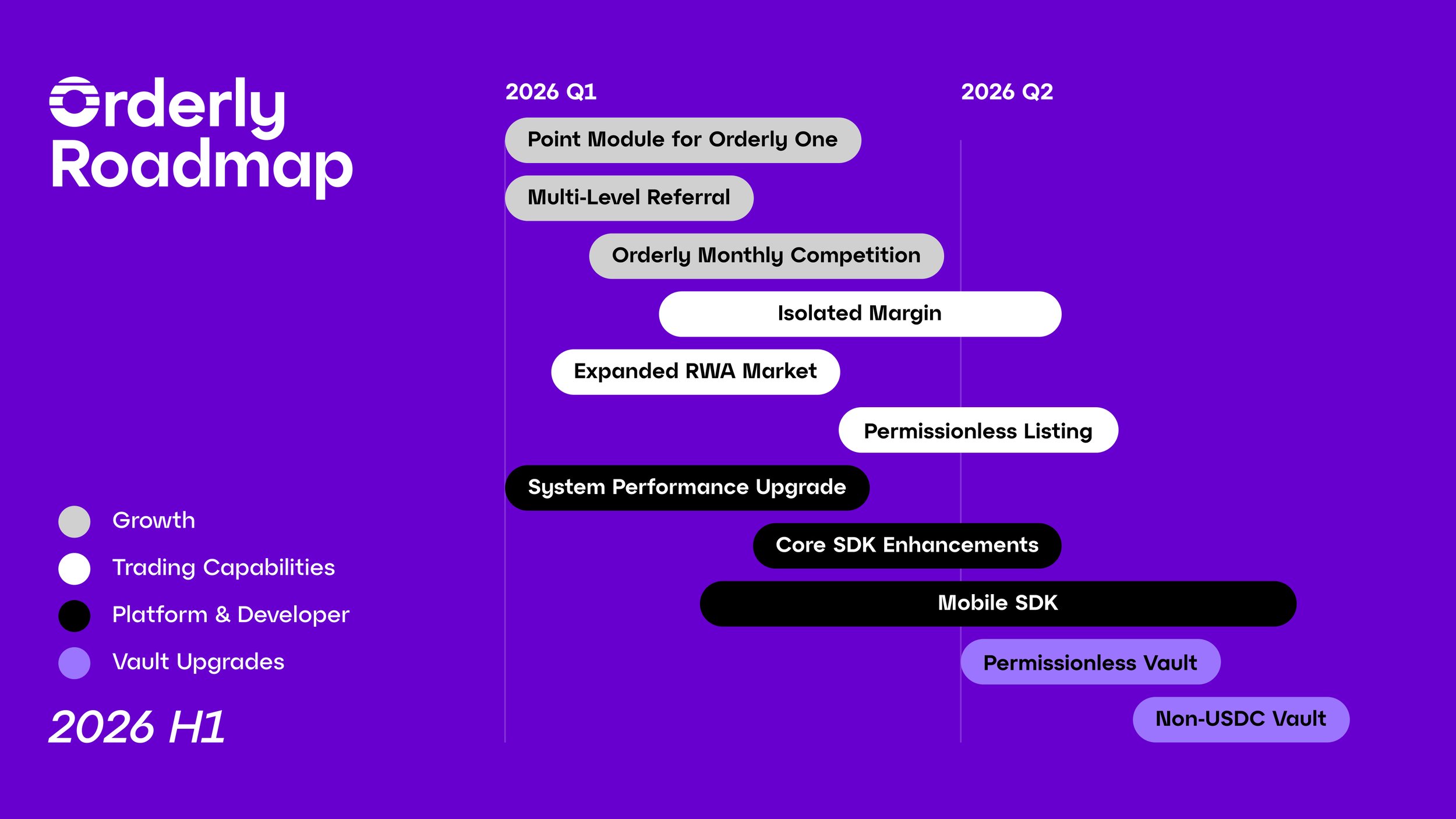
[](https://orderly.network/docs/introduction/getting-started/roadmap#2026-h1-focus)
2026 H1 focus
-----------------------------------------------------------------------------------------------------
The 2026 H1 roadmap targets four tracks — growth, trading capabilities, platform and developer tooling, and vault upgrades — each designed to increase volume, attract builders, and deepen liquidity across the Orderly ecosystem.
###
[](https://orderly.network/docs/introduction/getting-started/roadmap#growth)
Growth
* **Point Module for Orderly One:** A unified points system that connects campaigns, quests, and on-chain activity into a single incentive layer. This gives builders a turnkey engagement framework and drives measurable user retention, reducing the cost and effort of sustaining growth programs across the ecosystem.
* **Multi-Level Referral:** Extends the referral model to multiple tiers, enabling communities and builders to create deeper acquisition funnels. This turns each active user into a distribution channel, producing compounding organic growth instead of one-off marketing spend.
* **Orderly Monthly Competition:** A recurring monthly competition cadence that keeps active traders engaged and attracts new participants on a predictable schedule. Regular events drive consistent volume spikes and give builders a reliable calendar to plan promotions around.
* **Expanded RWA Market:** Broadens Orderly’s tradable asset universe with real-world-asset-linked perpetuals. Unique instruments differentiate Orderly from competitors, open up a new trader demographic, and give builders exclusive markets unavailable on other venues.
###
[](https://orderly.network/docs/introduction/getting-started/roadmap#trading-capabilities)
Trading capabilities
* **Isolated Margin:** Lets traders margin each position independently, capping downside to a single trade instead of the entire account. This attracts professional and high-frequency traders who require granular risk control — directly increasing per-user volume and overall platform utilization.
* **Permissionless Listing:** Removes manual gatekeeping from the market listing process, enabling anyone to propose and spin up new trading pairs. This accelerates market breadth at near-zero operational cost and positions Orderly as the fastest venue to list emerging tokens.
###
[](https://orderly.network/docs/introduction/getting-started/roadmap#platform-&-developer)
Platform & developer
* **System Performance Upgrade:** Reduces latency and increases throughput across the matching engine and settlement layer. Better execution quality under load is the single biggest factor for retaining high-volume integrators and attracting institutional flow.
* **Core SDK Enhancements:** Cleaner APIs, richer primitives, and streamlined integration paths that cut builder onboarding time. Less custom glue code means faster go-to-market for new front-ends, directly growing the number of active builders shipping on Orderly.
* **Mobile SDK:** Purpose-built SDK for iOS and Android covering wallet connection, account management, and order flow. This unlocks the mobile DeFi segment — a largely underserved market — for every builder in the Orderly ecosystem.
###
[](https://orderly.network/docs/introduction/getting-started/roadmap#vault-upgrades)
Vault upgrades
* **Permissionless Vault:** Opens vault creation to any strategist without manual approval, enabling a wider range of yield strategies to deploy on Orderly. More vaults drive more TVL and deeper liquidity, creating a self-reinforcing flywheel between vault depositors and the trading layer.
* **Non-USDC Vault:** Supports vault deposits in assets beyond USDC — such as ETH, BTC, or LSTs — removing a key friction point for holders who prefer not to convert. This expands the addressable depositor base and increases total capital flowing into Orderly’s liquidity layer.
[What is Orderly?](https://orderly.network/docs/introduction/getting-started/what-is-orderly)
[Builder Onboarding](https://orderly.network/docs/introduction/getting-started/builder-onboarding)
⌘I
---
# Overview of $ORDER - Orderly
[Skip to main content](https://orderly.network/docs/introduction/tokenomics/overview-of-order#content-area)
[Orderly home page](https://orderly.network/docs)
latest
Search...
⌘K
Search...
Navigation
$ORDER tokenomics
Overview of $ORDER
[Home](https://orderly.network/docs/home)
[Introduction](https://orderly.network/docs/introduction/getting-started/what-is-orderly)
[Build on Omnichain](https://orderly.network/docs/build-on-omnichain/building-on-omnichain)
[SDKs](https://orderly.network/docs/sdks/overview)
[Strategy vault](https://orderly.network/docs/introduction/orderly-omniVault/overview)
[Troubleshooting](https://orderly.network/docs/troubleshooting/introduction)
[Release notes](https://orderly.network/docs/release-notes/omnichain)
On this page
* [Ecosystem participants](https://orderly.network/docs/introduction/tokenomics/overview-of-order#ecosystem-participants)
* [Token utility](https://orderly.network/docs/introduction/tokenomics/overview-of-order#token-utility)
$ORDER is the native token of Orderly Network. It aligns incentives across the ecosystem — rewarding participants who provide liquidity, trade actively, build products, and govern the protocol.
[](https://orderly.network/docs/introduction/tokenomics/overview-of-order#ecosystem-participants)
Ecosystem participants
----------------------------------------------------------------------------------------------------------------------------
| Role | What they do |
| --- | --- |
| **Market makers** | Provide liquidity by placing buy and sell orders in the orderbook. They earn trading profits and liquidity provision rewards paid in $ORDER. |
| **Traders** | Buy and sell assets on Orderly, contributing to volume and price discovery. |
| **$ORDER holders** | Stake tokens to earn a share of protocol revenue and participate in governance decisions. |
| **Builders** | Develop front-end DEXs and other applications on Orderly’s infrastructure. They may receive builder grants based on trading volume, active users, and other metrics. |
[](https://orderly.network/docs/introduction/tokenomics/overview-of-order#token-utility)
Token utility
----------------------------------------------------------------------------------------------------------
1. **Governance** — Staked $ORDER grants voting rights over protocol decisions as governance is formalized.
2. **Earn VALOR** — VALOR measures your staking position (amount and duration) and entitles you to a share of the protocol treasury.
3. **Trading reward boost** — Staking $ORDER increases your share of trading rewards.
4. **Market making reward boost** — Staking $ORDER increases your share of market making rewards.
5. **Future utilities** — Additional uses will be introduced with upcoming Orderly products and third-party integrations.
[Builder Onboarding](https://orderly.network/docs/introduction/getting-started/builder-onboarding)
[Distribution and Emission Schedule](https://orderly.network/docs/introduction/tokenomics/distribution-and-emission-schedule)
⌘I
---
# Trade on Orderly - Orderly
[Skip to main content](https://orderly.network/docs/introduction/trade-on-orderly/trade-on-orderly#content-area)
[Orderly home page](https://orderly.network/docs)
latest
Search...
⌘K
Search...
Navigation
Markets & trading
Trade on Orderly
[Home](https://orderly.network/docs/home)
[Introduction](https://orderly.network/docs/introduction/getting-started/what-is-orderly)
[Build on Omnichain](https://orderly.network/docs/build-on-omnichain/building-on-omnichain)
[SDKs](https://orderly.network/docs/sdks/overview)
[Strategy vault](https://orderly.network/docs/introduction/orderly-omniVault/overview)
[Troubleshooting](https://orderly.network/docs/troubleshooting/introduction)
[Release notes](https://orderly.network/docs/release-notes/omnichain)
On this page
* [Why trade on Orderly?](https://orderly.network/docs/introduction/trade-on-orderly/trade-on-orderly#why-trade-on-orderly)
* [Two ways to trade](https://orderly.network/docs/introduction/trade-on-orderly/trade-on-orderly#two-ways-to-trade)
* [What can you trade?](https://orderly.network/docs/introduction/trade-on-orderly/trade-on-orderly#what-can-you-trade)
* [Learn more](https://orderly.network/docs/introduction/trade-on-orderly/trade-on-orderly#learn-more)
Orderly Network is a decentralized trading infrastructure that powers perpetual futures trading across multiple blockchains. All liquidity is shared in a single orderbook, so no matter which front-end you use or which chain you connect from, you access the same deep liquidity pool.
[](https://orderly.network/docs/introduction/trade-on-orderly/trade-on-orderly#why-trade-on-orderly)
Why trade on Orderly?
------------------------------------------------------------------------------------------------------------------------------
| Feature | Description |
| --- | --- |
| **Shared liquidity** | One unified orderbook across all integrated DEXs — no fragmented liquidity. |
| **Omnichain access** | Deposit and trade from 15+ supported chains including Arbitrum, Base, Ethereum, Solana, and more. |
| **CEX-grade performance** | Central limit order book (CLOB) with off-chain matching and on-chain settlement. |
| **Multi-collateral** | Trade using USDC, USDT, ETH, SOL, BNB, WBTC, and other supported collateral types. |
| **Self-custody** | Your funds remain on-chain — no centralized custody risk. |
[](https://orderly.network/docs/introduction/trade-on-orderly/trade-on-orderly#two-ways-to-trade)
Two ways to trade
-----------------------------------------------------------------------------------------------------------------------
Trade on a DEX
--------------
Choose from numerous front-ends built on Orderly. Each DEX offers its own UI and features while sharing the same liquidity.
Trade via API
-------------
For programmatic traders — connect directly to Orderly’s API for automated strategies and advanced execution.
[](https://orderly.network/docs/introduction/trade-on-orderly/trade-on-orderly#what-can-you-trade)
What can you trade?
--------------------------------------------------------------------------------------------------------------------------
Orderly supports **100+ perpetual futures markets** including major crypto assets (BTC, ETH, SOL) and real-world assets (S&P 500, NASDAQ 100, Gold, equities). All contracts are denominated and settled in USDC.
View all supported markets
--------------------------
[](https://orderly.network/docs/introduction/trade-on-orderly/trade-on-orderly#learn-more)
Learn more
---------------------------------------------------------------------------------------------------------
Orderbook Design
----------------
How Orderly’s CLOB combines CEX-level speed with on-chain settlement.
Accounts
--------
How accounts work across different front-ends.
Order Types
-----------
Market, limit, stop-loss, and other supported order types.
Trading Fees
------------
Fee structure for traders and the Builder Staking programme.
Supported Chains
----------------
All EVM and non-EVM chains you can trade from.
Multi-Collateral
----------------
Collateral types, weights, LTV, and auto-conversion rules.
[$ORDER Related Smart Contract Addresses](https://orderly.network/docs/introduction/tokenomics/addresses)
[Orderly Orderbook Design](https://orderly.network/docs/introduction/trade-on-orderly/trading-basics/orderbook-design)
⌘I
---
# esORDER - Orderly
[Skip to main content](https://orderly.network/docs/introduction/tokenomics/esorder#content-area)
[Orderly home page](https://orderly.network/docs)
latest
Search...
⌘K
Search...
Navigation
$ORDER tokenomics
esORDER
[Home](https://orderly.network/docs/home)
[Introduction](https://orderly.network/docs/introduction/getting-started/what-is-orderly)
[Build on Omnichain](https://orderly.network/docs/build-on-omnichain/building-on-omnichain)
[SDKs](https://orderly.network/docs/sdks/overview)
[Strategy vault](https://orderly.network/docs/introduction/orderly-omniVault/overview)
[Troubleshooting](https://orderly.network/docs/troubleshooting/introduction)
[Release notes](https://orderly.network/docs/release-notes/omnichain)
On this page
* [Redemption (vesting)](https://orderly.network/docs/introduction/tokenomics/esorder#redemption-vesting)
* [Burn mechanics](https://orderly.network/docs/introduction/tokenomics/esorder#burn-mechanics)
* [Why escrowed tokens?](https://orderly.network/docs/introduction/tokenomics/esorder#why-escrowed-tokens)
esORDER is the escrowed form of $ORDER. Starting from epoch 7, trading rewards and market making rewards are paid in esORDER instead of liquid $ORDER. When you receive esORDER, you can either:
* **Stake it** — esORDER staking provides the same benefits as staking $ORDER (VALOR accrual, reward boosts).
* **Vest it** — Convert esORDER back to liquid $ORDER over a vesting period.
[](https://orderly.network/docs/introduction/tokenomics/esorder#redemption-vesting)
Redemption (vesting)
------------------------------------------------------------------------------------------------------------
Converting esORDER to $ORDER requires a vesting period. The conversion ratio increases linearly with the vesting duration:
| Option | Duration | Conversion rate |
| --- | --- | --- |
| Minimum vesting | 15 days | 50% |
| Maximum vesting | 90 days | 100% |
The remaining 50% unlocks linearly between day 15 and day 90. You can claim once at any point during this window.
[](https://orderly.network/docs/introduction/tokenomics/esorder#burn-mechanics)
Burn mechanics
--------------------------------------------------------------------------------------------------
When you redeem esORDER before the full 90-day vesting period, the unredeemed portion is permanently burned. **Example:** Bob receives 100 esORDER and redeems after the minimum 15-day vesting. He receives 50 $ORDER — the other 50 $ORDER is burned and removed from circulation.
[](https://orderly.network/docs/introduction/tokenomics/esorder#why-escrowed-tokens)
Why escrowed tokens?
-------------------------------------------------------------------------------------------------------------
* **Reduces sell pressure** — Rewards vest over time rather than being immediately liquid, unlike typical farming tokens.
* **Compounding loop** — esORDER can be staked to earn additional rewards, incentivizing users to keep tokens staked rather than vesting immediately.
[Staking Information](https://orderly.network/docs/introduction/tokenomics/order-staking/staking-information)
[$ORDER Related Smart Contract Addresses](https://orderly.network/docs/introduction/tokenomics/addresses)
⌘I
---
# Distribution and Emission Schedule - Orderly
[Skip to main content](https://orderly.network/docs/introduction/tokenomics/distribution-and-emission-schedule#content-area)
[Orderly home page](https://orderly.network/docs)
latest
Search...
⌘K
Search...
Navigation
$ORDER tokenomics
Distribution and Emission Schedule
[Home](https://orderly.network/docs/home)
[Introduction](https://orderly.network/docs/introduction/getting-started/what-is-orderly)
[Build on Omnichain](https://orderly.network/docs/build-on-omnichain/building-on-omnichain)
[SDKs](https://orderly.network/docs/sdks/overview)
[Strategy vault](https://orderly.network/docs/introduction/orderly-omniVault/overview)
[Troubleshooting](https://orderly.network/docs/troubleshooting/introduction)
[Release notes](https://orderly.network/docs/release-notes/omnichain)
On this page
* [Token allocation](https://orderly.network/docs/introduction/tokenomics/distribution-and-emission-schedule#token-allocation)
* [Emission schedule](https://orderly.network/docs/introduction/tokenomics/distribution-and-emission-schedule#emission-schedule)
* [Community (55%)](https://orderly.network/docs/introduction/tokenomics/distribution-and-emission-schedule#community-55%25)
* [Epochs](https://orderly.network/docs/introduction/tokenomics/distribution-and-emission-schedule#epochs)
* [Retroactive Airdrop — 13.3% (133,000,000 $ORDER)](https://orderly.network/docs/introduction/tokenomics/distribution-and-emission-schedule#retroactive-airdrop-%E2%80%94-13-3%25-133000000-%24order)
* [Ecosystem Incentives — 25% (250,000,000 $ORDER)](https://orderly.network/docs/introduction/tokenomics/distribution-and-emission-schedule#ecosystem-incentives-%E2%80%94-25%25-250000000-%24order)
* [Builder Rewards — 8.35% (83,500,000 $ORDER)](https://orderly.network/docs/introduction/tokenomics/distribution-and-emission-schedule#builder-rewards-%E2%80%94-8-35%25-83500000-%24order)
* [Future Product Launches — 8.35% (83,500,000 $ORDER)](https://orderly.network/docs/introduction/tokenomics/distribution-and-emission-schedule#future-product-launches-%E2%80%94-8-35%25-83500000-%24order)
* [Strategic Investors (15% — 150,000,000 $ORDER)](https://orderly.network/docs/introduction/tokenomics/distribution-and-emission-schedule#strategic-investors-15%25-%E2%80%94-150000000-%24order)
* [Team & Advisors (20% — 200,000,000 $ORDER)](https://orderly.network/docs/introduction/tokenomics/distribution-and-emission-schedule#team-%26-advisors-20%25-%E2%80%94-200000000-%24order)
* [Foundation (10% — 100,000,000 $ORDER)](https://orderly.network/docs/introduction/tokenomics/distribution-and-emission-schedule#foundation-10%25-%E2%80%94-100000000-%24order)
* **Ticker:** $ORDER
* **Maximum supply:** 1,000,000,000
* **Token format:** ERC-20 on Ethereum; Omnichain Fungible Token (OFT) on other chains via [LayerZero’s OFT Standard](https://docs.layerzero.network/v2/developers/evm/oft/quickstart)
* **Token addresses:**
* [Ethereum](https://etherscan.io/address/0xABD4C63d2616A5201454168269031355f4764337)
(ERC-20): `0xABD4C63d2616A5201454168269031355f4764337`
* Other EVM chains (OFT) — [BNB Smart Chain](https://bscscan.com/token/0x4e200fe2f3efb977d5fd9c430a41531fb04d97b8)
, [Arbitrum](https://arbiscan.io/address/0x4E200fE2f3eFb977d5fd9c430A41531FB04d97B8)
, [Optimism](https://optimistic.etherscan.io/address/0x4E200fE2f3eFb977d5fd9c430A41531FB04d97B8)
, [Polygon PoS](https://polygonscan.com/address/0x4E200fE2f3eFb977d5fd9c430A41531FB04d97B8)
, [Base](https://basescan.org/address/0x4E200fE2f3eFb977d5fd9c430A41531FB04d97B8)
, [Avalanche](https://snowtrace.io/address/0x4E200fE2f3eFb977d5fd9c430A41531FB04d97B8)
: `0x4E200fE2f3eFb977d5fd9c430A41531FB04d97B8`
* [Solana](https://explorer.solana.com/address/ABt79MkRXUsoHuV2CVQT32YMXQhTparKFjmidQxgiQ6E)
(OFT): `ABt79MkRXUsoHuV2CVQT32YMXQhTparKFjmidQxgiQ6E`
[](https://orderly.network/docs/introduction/tokenomics/distribution-and-emission-schedule#token-allocation)
Token allocation
---------------------------------------------------------------------------------------------------------------------------------
| Category | % | Description |
| --- | --- | --- |
| Community | 55% | Long-term incentives: Retroactive Airdrop (13.3%), Ecosystem Incentives (25%), Builder Rewards (8.35%), Future Product Launches (8.35%) |
| Strategic Investors | 15% | Early backers and strategic investors |
| Team & Advisors | 20% | Founding team, contributors, future hires, and advisors |
| Foundation | 10% | Ecosystem grants, $ORDER liquidity on CEX and DEX |
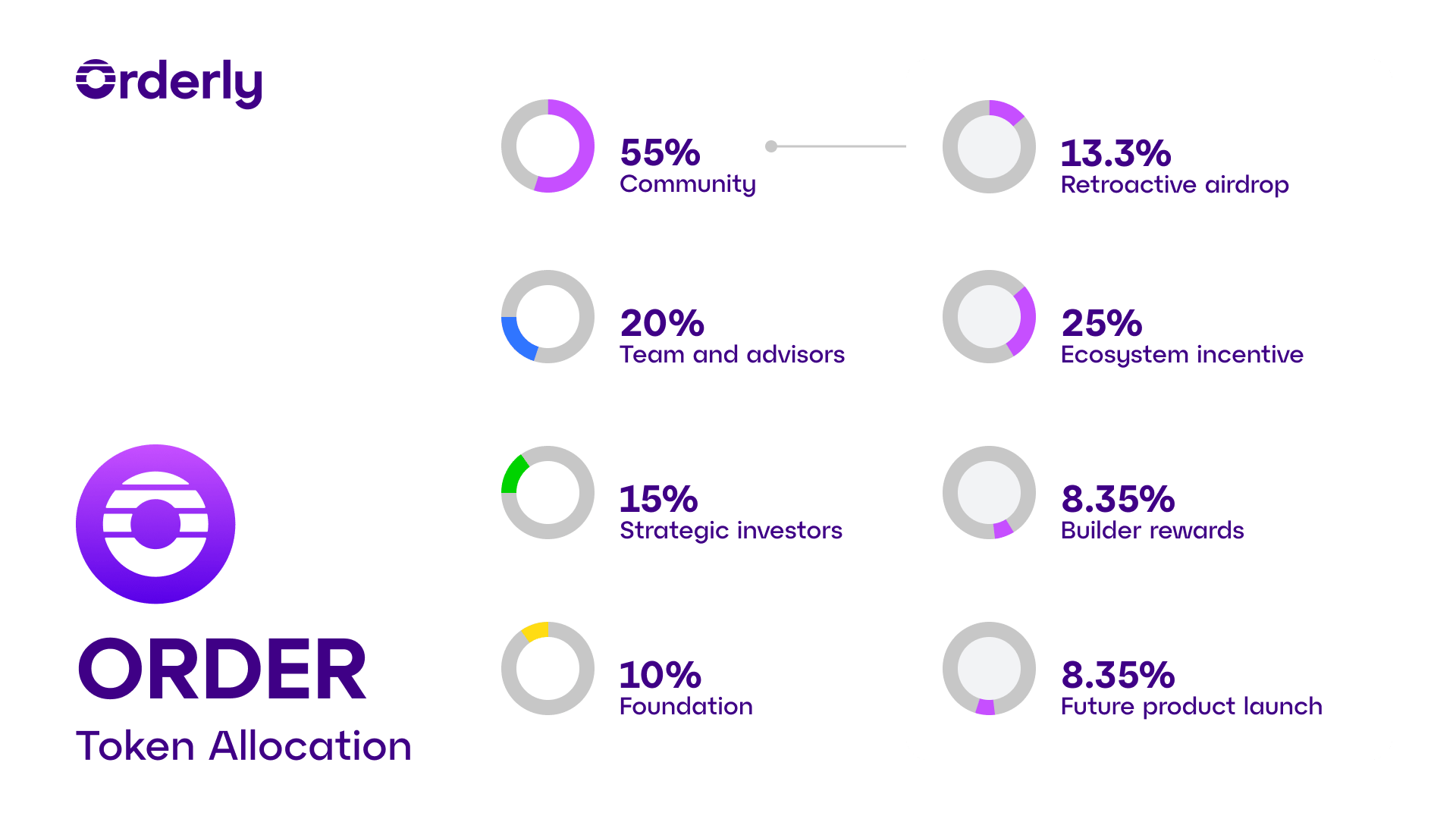 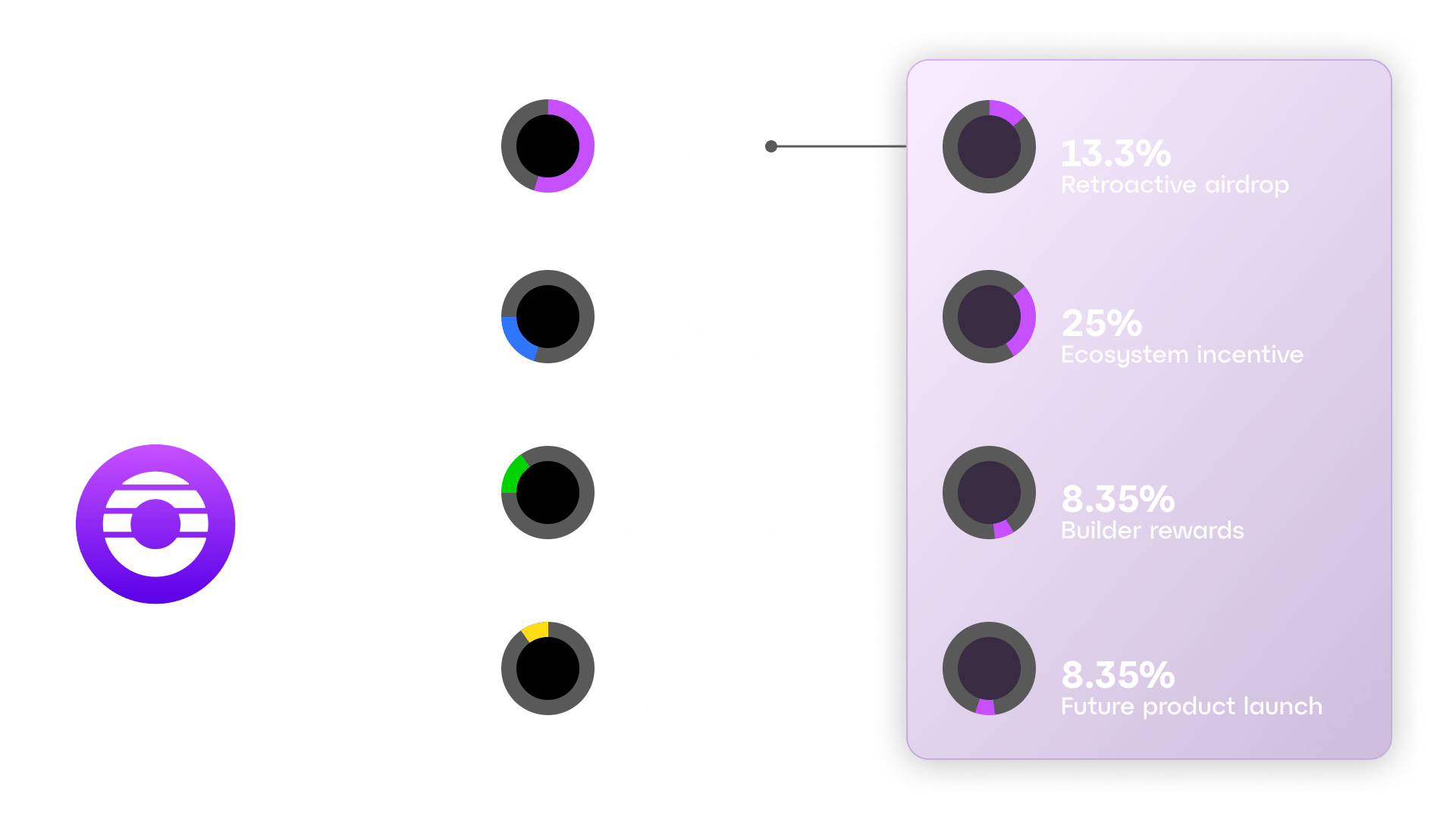
[](https://orderly.network/docs/introduction/tokenomics/distribution-and-emission-schedule#emission-schedule)
Emission schedule
-----------------------------------------------------------------------------------------------------------------------------------
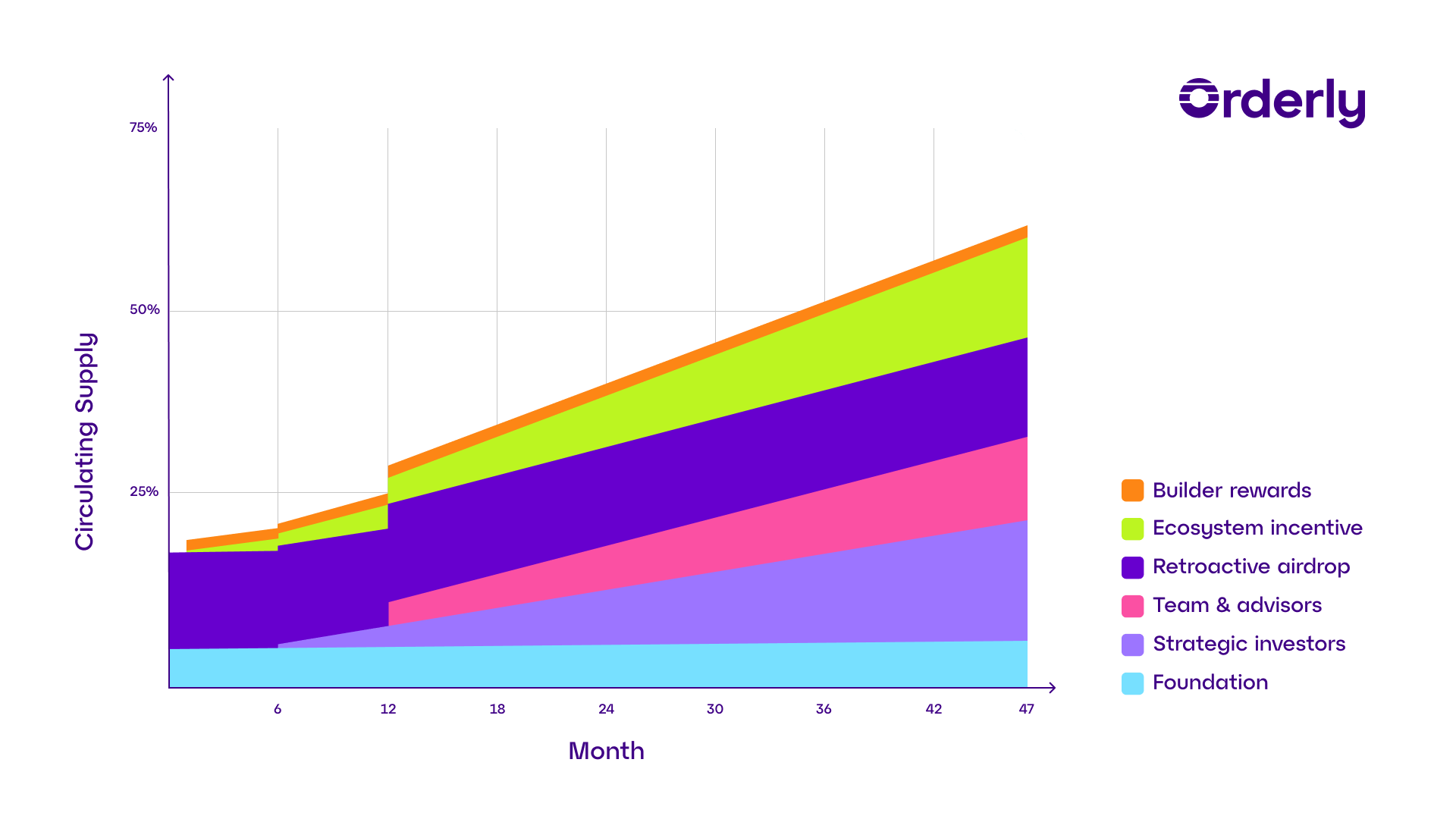 
[](https://orderly.network/docs/introduction/tokenomics/distribution-and-emission-schedule#community-55%)
Community (55%)
-----------------------------------------------------------------------------------------------------------------------------
###
[](https://orderly.network/docs/introduction/tokenomics/distribution-and-emission-schedule#epochs)
Epochs
Trading rewards and market making rewards unlock based on epochs. One epoch = 14 days. These rewards are intended to unlock over 200 epochs (~7 years), subject to future governance changes.
###
[](https://orderly.network/docs/introduction/tokenomics/distribution-and-emission-schedule#retroactive-airdrop-%E2%80%94-13-3%-133000000-$order)
Retroactive Airdrop — 13.3% (133,000,000 $ORDER)
Unlocked at TGE as retroactive rewards to early supporters.
###
[](https://orderly.network/docs/introduction/tokenomics/distribution-and-emission-schedule#ecosystem-incentives-%E2%80%94-25%-250000000-$order)
Ecosystem Incentives — 25% (250,000,000 $ORDER)
Distributed based on measurable contributions: trading volume, user engagement, and ecosystem growth impact.
###
[](https://orderly.network/docs/introduction/tokenomics/distribution-and-emission-schedule#builder-rewards-%E2%80%94-8-35%-83500000-$order)
Builder Rewards — 8.35% (83,500,000 $ORDER)
Grants for builders based on trading volume, daily active users, new users, and other criteria. Some grants were committed to early builders before TGE; the program remains open to new builders.
###
[](https://orderly.network/docs/introduction/tokenomics/distribution-and-emission-schedule#future-product-launches-%E2%80%94-8-35%-83500000-$order)
Future Product Launches — 8.35% (83,500,000 $ORDER)
Locked until usage is formally established and communicated.
[](https://orderly.network/docs/introduction/tokenomics/distribution-and-emission-schedule#strategic-investors-15%-%E2%80%94-150000000-$order)
Strategic Investors (15% — 150,000,000 $ORDER)
-------------------------------------------------------------------------------------------------------------------------------------------------------------------------------------------------
Locked for the first 6 months after TGE, followed by 3.5-year linear vesting. No cliff or sudden unlock when linear vesting starts.
[](https://orderly.network/docs/introduction/tokenomics/distribution-and-emission-schedule#team-&-advisors-20%-%E2%80%94-200000000-$order)
Team & Advisors (20% — 200,000,000 $ORDER)
-----------------------------------------------------------------------------------------------------------------------------------------------------------------------------------------
1-year cliff (25% unlocks), followed by 3-year linear vesting. No team tokens unlock before the 1-year cliff.
[](https://orderly.network/docs/introduction/tokenomics/distribution-and-emission-schedule#foundation-10%-%E2%80%94-100000000-$order)
Foundation (10% — 100,000,000 $ORDER)
-------------------------------------------------------------------------------------------------------------------------------------------------------------------------------
Designated for $ORDER liquidity on CEX and DEX, ecosystem grants, partnerships, and related initiatives.
* 38,500,000 $ORDER available post-TGE for liquidity.
* 12,575,000 $ORDER earmarked for pre-arranged marketing partnerships over 2 years.
* Remaining tokens held in Foundation reserve with full transparency on usage.
* The Foundation’s goal is to ultimately transfer full control to the DAO.
[Overview of $ORDER](https://orderly.network/docs/introduction/tokenomics/overview-of-order)
[Staking](https://orderly.network/docs/introduction/tokenomics/order-staking/staking)
⌘I
---
# $ORDER Related Smart Contract Addresses - Orderly
[Skip to main content](https://orderly.network/docs/introduction/tokenomics/addresses#content-area)
[Orderly home page](https://orderly.network/docs)
latest
Search...
⌘K
Search...
Navigation
$ORDER tokenomics
$ORDER Related Smart Contract Addresses
[Home](https://orderly.network/docs/home)
[Introduction](https://orderly.network/docs/introduction/getting-started/what-is-orderly)
[Build on Omnichain](https://orderly.network/docs/build-on-omnichain/building-on-omnichain)
[SDKs](https://orderly.network/docs/sdks/overview)
[Strategy vault](https://orderly.network/docs/introduction/orderly-omniVault/overview)
[Troubleshooting](https://orderly.network/docs/troubleshooting/introduction)
[Release notes](https://orderly.network/docs/release-notes/omnichain)
On this page
* [$ORDER Token Contract](https://orderly.network/docs/introduction/tokenomics/addresses#%24order-token-contract)
* [Multisigs](https://orderly.network/docs/introduction/tokenomics/addresses#multisigs)
* [Orderly Community](https://orderly.network/docs/introduction/tokenomics/addresses#orderly-community)
* [Orderly Foundation](https://orderly.network/docs/introduction/tokenomics/addresses#orderly-foundation)
* [Team & Advisors](https://orderly.network/docs/introduction/tokenomics/addresses#team-%26-advisors)
* [Strategic Investors](https://orderly.network/docs/introduction/tokenomics/addresses#strategic-investors)
* [OFT](https://orderly.network/docs/introduction/tokenomics/addresses#oft)
* [$ORDER OFT Adapter](https://orderly.network/docs/introduction/tokenomics/addresses#%24order-oft-adapter)
* [$ORDER OFT](https://orderly.network/docs/introduction/tokenomics/addresses#%24order-oft)
* [Applications & Cross-Chain Messaging](https://orderly.network/docs/introduction/tokenomics/addresses#applications-%26-cross-chain-messaging)
* [Airdrop MDL1](https://orderly.network/docs/introduction/tokenomics/addresses#airdrop-mdl1)
* [Team/Investor $ORDER Vesting](https://orderly.network/docs/introduction/tokenomics/addresses#team%2Finvestor-%24order-vesting)
* [Omnichain Ledger](https://orderly.network/docs/introduction/tokenomics/addresses#omnichain-ledger)
* [Proxy Contract](https://orderly.network/docs/introduction/tokenomics/addresses#proxy-contract)
* [OCC Manager](https://orderly.network/docs/introduction/tokenomics/addresses#occ-manager)
[](https://orderly.network/docs/introduction/tokenomics/addresses#$order-token-contract)
$ORDER Token Contract
------------------------------------------------------------------------------------------------------------------
**Network:** Ethereum (ERC-20) **Address:** [`0xABD4C63d2616A5201454168269031355f4764337`](https://etherscan.io/address/0xABD4C63d2616A5201454168269031355f4764337)
* * *
[](https://orderly.network/docs/introduction/tokenomics/addresses#multisigs)
Multisigs
------------------------------------------------------------------------------------------
Gnosis Safe multisigs that hold $ORDER tokens for the four main tokenomics categories.
###
[](https://orderly.network/docs/introduction/tokenomics/addresses#orderly-community)
Orderly Community
Long-term incentives to key ecosystem stakeholders. **Network:** Ethereum | **Address:** [`0xdFA71010ec923945DcE4457d0E53Bb270f87c51b`](https://etherscan.io/address/0xdFA71010ec923945DcE4457d0E53Bb270f87c51b)
**Network:** EVM | **Address:** [`0xB154de8a6D6377b028612d4d7942cA8771c4B839`](https://debank.com/profile/0xb154de8a6d6377b028612d4d7942ca8771c4b839)
###
[](https://orderly.network/docs/introduction/tokenomics/addresses#orderly-foundation)
Orderly Foundation
Ecosystem grants, marketing, partnerships, and $ORDER liquidity on CEX and DEX. **Network:** Ethereum | **Address:** [`0xfdA8033E5959dCcaB3dc4127Bb8B83c63E0B7E8F`](https://etherscan.io/address/0xfdA8033E5959dCcaB3dc4127Bb8B83c63E0B7E8F)
###
[](https://orderly.network/docs/introduction/tokenomics/addresses#team-&-advisors)
Team & Advisors
Founding team, contributors, future hires, and advisors. **Network:** Ethereum | **Address:** [`0xCa8c848d66835d0c33F67330ac5347503f99B2b7`](https://etherscan.io/address/0xCa8c848d66835d0c33F67330ac5347503f99B2b7)
###
[](https://orderly.network/docs/introduction/tokenomics/addresses#strategic-investors)
Strategic Investors
Early backers and strategic investors. **Network:** Ethereum | **Address:** [`0x3D17dA0eE5D1ae813723b54848E54076DFa56B49`](https://etherscan.io/address/0x3D17dA0eE5D1ae813723b54848E54076DFa56B49)
* * *
[](https://orderly.network/docs/introduction/tokenomics/addresses#oft)
OFT
------------------------------------------------------------------------------
$ORDER Omnichain Fungible Token (OFT) contracts for cross-chain transfers.
###
[](https://orderly.network/docs/introduction/tokenomics/addresses#$order-oft-adapter)
$ORDER OFT Adapter
Converts native $ORDER (ERC-20) on Ethereum into the OFT version at a 1:1 ratio, enabling transfers to and from other supported chains. **Network:** Ethereum | **Address:** [`0x17435cC940e03aA52c349738c72C7Aa44FfA6525`](https://etherscan.io/address/0x17435cC940e03aA52c349738c72C7Aa44FfA6525)
###
[](https://orderly.network/docs/introduction/tokenomics/addresses#$order-oft)
$ORDER OFT
Cross-chain $ORDER token that maintains a 1:1 ratio with the native ERC-20 on Ethereum. **EVM chains** — Address: `0x4E200fE2f3eFb977d5fd9c430A41531FB04d97B8`
* [Orderly](https://explorer.orderly.network/address/0x4E200fE2f3eFb977d5fd9c430A41531FB04d97B8)
| [BNB Smart Chain](https://bscscan.com/token/0x4e200fe2f3efb977d5fd9c430a41531fb04d97b8)
| [Arbitrum](https://arbiscan.io/address/0x4E200fE2f3eFb977d5fd9c430A41531FB04d97B8)
| [Optimism](https://optimistic.etherscan.io/address/0x4E200fE2f3eFb977d5fd9c430A41531FB04d97B8)
| [Polygon](https://polygonscan.com/address/0x4E200fE2f3eFb977d5fd9c430A41531FB04d97B8)
| [Base](https://basescan.org/address/0x4E200fE2f3eFb977d5fd9c430A41531FB04d97B8)
| [Avalanche](https://snowtrace.io/address/0x4E200fE2f3eFb977d5fd9c430A41531FB04d97B8)
**Abstract** — Address: [`0x9a4c8cd493cf0bf8e14bda5890e3f03a1cded719`](https://abscan.org/address/0x9a4c8cd493cf0bf8e14bda5890e3f03a1cded719#readProxyContract)
**Solana** — Address: [`ABt79MkRXUsoHuV2CVQT32YMXQhTparKFjmidQxgiQ6E`](https://explorer.solana.com/address/ABt79MkRXUsoHuV2CVQT32YMXQhTparKFjmidQxgiQ6E)
* * *
[](https://orderly.network/docs/introduction/tokenomics/addresses#applications-&-cross-chain-messaging)
Applications & Cross-Chain Messaging
------------------------------------------------------------------------------------------------------------------------------------------------
Contracts that manage $ORDER distribution, vesting, and cross-chain messaging.
###
[](https://orderly.network/docs/introduction/tokenomics/addresses#airdrop-mdl1)
Airdrop MDL1
Handles the claiming process for the TGE $ORDER airdrop. **Network:** Ethereum | **Address:** [`0x94FdC38C4A8e34248F8Dd19CB3336E0295227023`](https://etherscan.io/address/0x94FdC38C4A8e34248F8Dd19CB3336E0295227023)
###
[](https://orderly.network/docs/introduction/tokenomics/addresses#team/investor-$order-vesting)
Team/Investor $ORDER Vesting
Manages $ORDER vesting for the founding team, contributors, and strategic investors. **Network:** Ethereum | **Address:** [`0x6d00268a47d48474f999c18210c6877491ae6fb3`](https://etherscan.io/address/0x6d00268a47d48474f999c18210c6877491ae6fb3)
###
[](https://orderly.network/docs/introduction/tokenomics/addresses#omnichain-ledger)
Omnichain Ledger
Manages staking, vesting, and reward operations — including claiming rewards, staking/unstaking, $ORDER withdrawals, esORDER vesting, and VALOR redemption. **Network:** Orderly | **Address:** [`0x7819704B69a38fD63Cc768134b8410dc08B987D0`](https://explorer.orderly.network/address/0x7819704B69a38fD63Cc768134b8410dc08B987D0)
###
[](https://orderly.network/docs/introduction/tokenomics/addresses#proxy-contract)
Proxy Contract
Intermediary contract that lets users interact with the Omnichain Ledger from different EVM chains without directly interfacing with cross-chain messaging protocols. **Address:** `0xC8A8Ce0Ab010E499ca57477AC031358febCbbF17`
* [Ethereum](https://etherscan.io/address/0xC8A8Ce0Ab010E499ca57477AC031358febCbbF17)
| [Arbitrum](https://arbiscan.io/address/0xC8A8Ce0Ab010E499ca57477AC031358febCbbF17)
| [Optimism](https://optimistic.etherscan.io/address/0xC8A8Ce0Ab010E499ca57477AC031358febCbbF17)
| [Polygon](https://polygonscan.com/address/0xC8A8Ce0Ab010E499ca57477AC031358febCbbF17)
| [Base](https://basescan.org/address/0xC8A8Ce0Ab010E499ca57477AC031358febCbbF17)
| [Avalanche](https://snowtrace.io/address/0xC8A8Ce0Ab010E499ca57477AC031358febCbbF17)
###
[](https://orderly.network/docs/introduction/tokenomics/addresses#occ-manager)
OCC Manager
Receives user messages from different chains, constructs cross-chain messages, and relays them through the appropriate messaging services. **Network:** Orderly | **Address:** [`0x68835941c7C300bFEF44D1D68b83798791901eB8`](https://explorer.orderly.network/address/0x68835941c7C300bFEF44D1D68b83798791901eB8)
[esORDER](https://orderly.network/docs/introduction/tokenomics/esorder)
[Trade on Orderly](https://orderly.network/docs/introduction/trade-on-orderly/trade-on-orderly)
⌘I
---
# Affiliate & Referral Program (Legacy) - Orderly
[Skip to main content](https://orderly.network/docs/introduction/be-a-broker/affiliate-referral-program#content-area)
[Orderly home page](https://orderly.network/docs)
latest
Search...
⌘K
Search...
Navigation
Affiliate program
Affiliate & Referral Program (Legacy)
[Home](https://orderly.network/docs/home)
[Introduction](https://orderly.network/docs/introduction/getting-started/what-is-orderly)
[Build on Omnichain](https://orderly.network/docs/build-on-omnichain/building-on-omnichain)
[SDKs](https://orderly.network/docs/sdks/overview)
[Strategy vault](https://orderly.network/docs/introduction/orderly-omniVault/overview)
[Troubleshooting](https://orderly.network/docs/troubleshooting/introduction)
[Release notes](https://orderly.network/docs/release-notes/omnichain)
On this page
* [Overview](https://orderly.network/docs/introduction/be-a-broker/affiliate-referral-program#overview)
* [How It Works](https://orderly.network/docs/introduction/be-a-broker/affiliate-referral-program#how-it-works)
* [1\. The Binding Process](https://orderly.network/docs/introduction/be-a-broker/affiliate-referral-program#1-the-binding-process)
* [2\. The Reward Split](https://orderly.network/docs/introduction/be-a-broker/affiliate-referral-program#2-the-reward-split)
* [Example Calculation](https://orderly.network/docs/introduction/be-a-broker/affiliate-referral-program#example-calculation)
* [Configuration for Builders](https://orderly.network/docs/introduction/be-a-broker/affiliate-referral-program#configuration-for-builders)
* [Setup Fields](https://orderly.network/docs/introduction/be-a-broker/affiliate-referral-program#setup-fields)
* [Distribution](https://orderly.network/docs/introduction/be-a-broker/affiliate-referral-program#distribution)
* [Auto referral system](https://orderly.network/docs/introduction/be-a-broker/affiliate-referral-program#auto-referral-system)
[](https://orderly.network/docs/introduction/be-a-broker/affiliate-referral-program#overview)
Overview
----------------------------------------------------------------------------------------------------------
The referral system is a crucial component of the Orderly ecosystem, designed to incentivize user growth and engagement through a structured rewards program. A builder can choose to share part of its builder fees to incentivize a distributor, affiliate, or referrer for bringing in new traders. The ecosystem consists of three key participants:
1. **The Builder (DEX):** The DEX built on Orderly. Builders determine the fee structures and maximum rebate limits.
2. **The Referrer (Affiliate):** A user (e.g., a KOL, influencer, or community leader) who invites others to trade. They can modify the fee split between themselves and the trader, but not the maximum rebate limit.
3. **The Referee (Trader):** The new user who signs up using a referral code.
[](https://orderly.network/docs/introduction/be-a-broker/affiliate-referral-program#how-it-works)
How It Works
------------------------------------------------------------------------------------------------------------------
###
[](https://orderly.network/docs/introduction/be-a-broker/affiliate-referral-program#1-the-binding-process)
1\. The Binding Process
The binding is established when a new user (Referee) connects to a Builder and enters a referral code. Their account is permanently bound to the Referrer. A bound referral code cannot be removed or modified after binding. 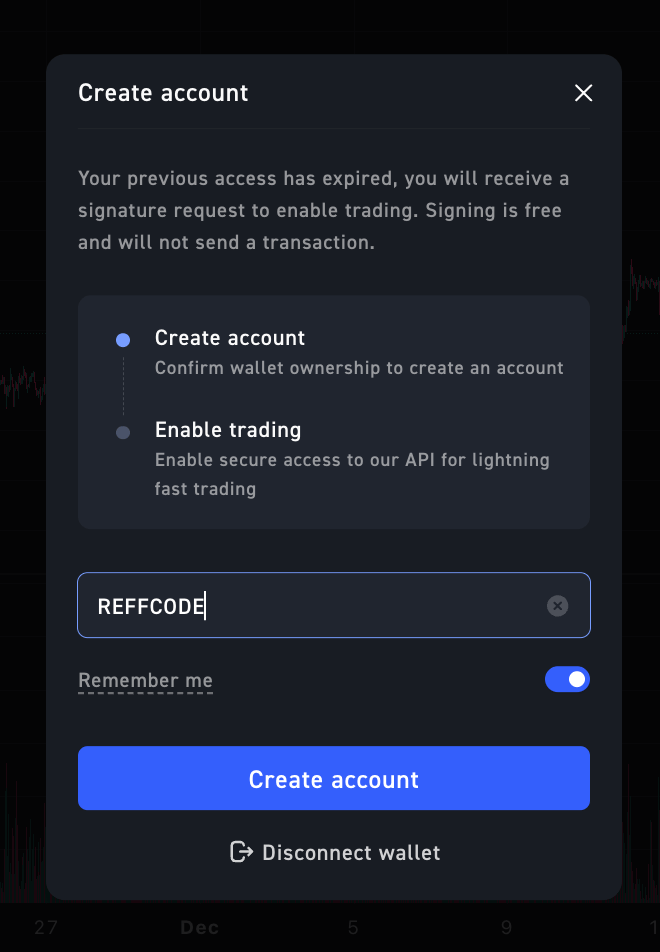
###
[](https://orderly.network/docs/introduction/be-a-broker/affiliate-referral-program#2-the-reward-split)
2\. The Reward Split
When a Referee executes a trade, the trading fee is split automatically. Orderly Network retains a base protocol fee, and the remaining **Builder Fee** is distributed among the Builder, Referrer, and Referee based on the configured rebate settings.
* **Referrer Rebate:** Commission earned by the affiliate for inviting the user.
* **Referee Rebate:** A discount returned to the trader, incentivizing them to use the referral code.
* **Builder Revenue:** The remaining portion of the fee retained by the platform.
[](https://orderly.network/docs/introduction/be-a-broker/affiliate-referral-program#example-calculation)
Example Calculation
--------------------------------------------------------------------------------------------------------------------------------
The following example demonstrates how fees flow between parties. **Scenario:**
* **Orderly Base Fee:** 3 bps Taker fee and 0 bps Maker fee.
* **Builder Fee Structure:** 6 bps (0.06%) Taker Fee and 3 (0.03%) bps Maker Fee.
* **Builder Net Profit for each trade (regardless of maker or taker):** 3 bps.
**Referral Configuration:** The Builder generates a code for a KOL with an **80% Max Rebate**, split **50:50** between the Referrer and Referee.
| Party | Share of Net Profit | Calculation |
| --- | --- | --- |
| **Total Net Profit** | **100%** | **3 bps** |
| **Referee (Trader)** | 40% | Receives 40% of the 3 bps profit as a discount. |
| **Referrer (Affiliate)** | 40% | Receives 40% of the 3 bps profit as commission. |
| **Builder** | 20% | Retains the remaining 20% of the 3 bps profit. |
**In Dollar Terms:** If a user generates **$10 USDC** in _Net Builder Fees_:
1. **$4.00** is returned to the Trader (Referee).
2. **$4.00** is credited to the Affiliate (Referrer).
3. **$2.00** is retained by the Builder.
[](https://orderly.network/docs/introduction/be-a-broker/affiliate-referral-program#configuration-for-builders)
Configuration for Builders
----------------------------------------------------------------------------------------------------------------------------------------------
Builders manage referral codes and rebate rates via the Orderly Admin Console. **Admin console:** [https://admin.orderly.network/referral](https://admin.orderly.network/referral)
Click ""+ create code” button. 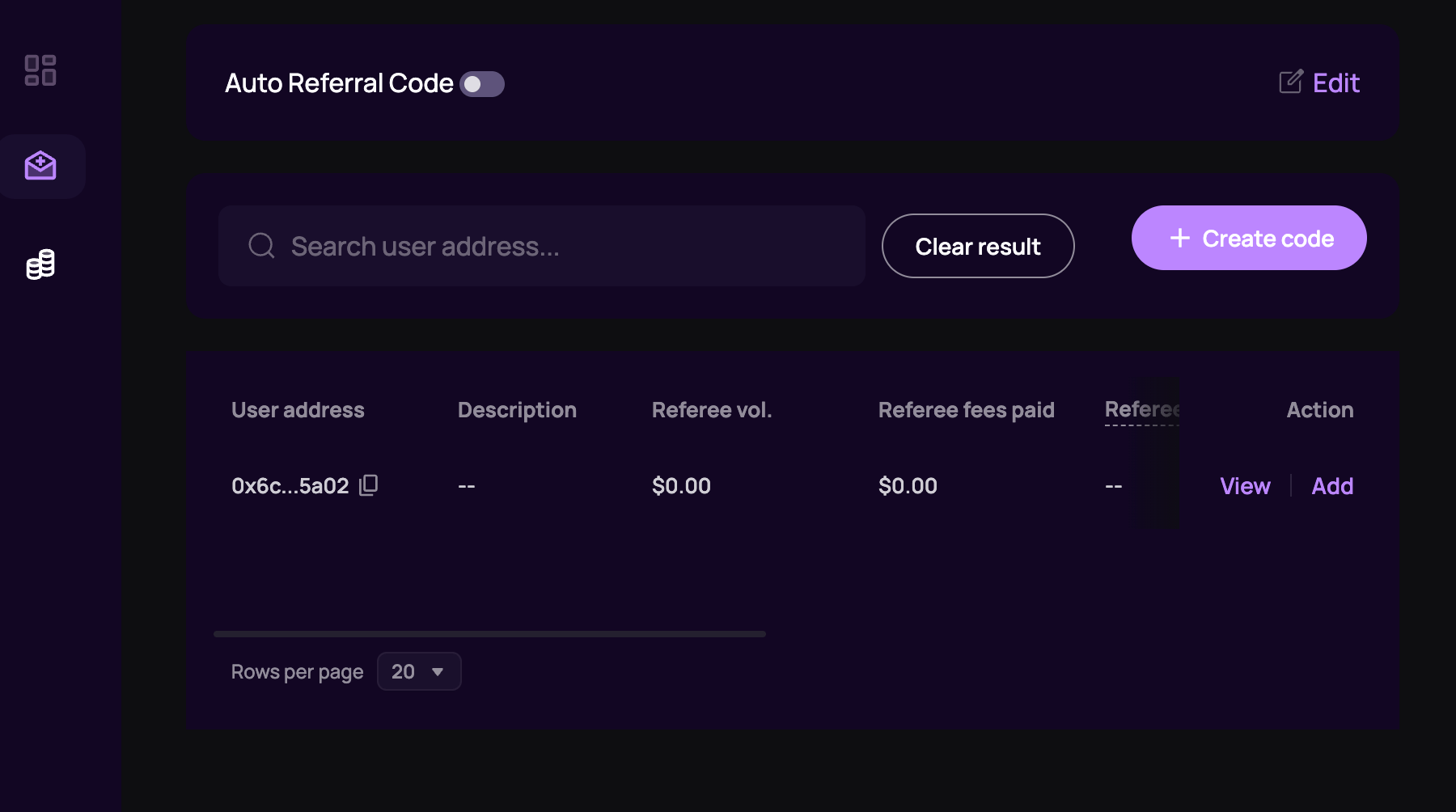
###
[](https://orderly.network/docs/introduction/be-a-broker/affiliate-referral-program#setup-fields)
Setup Fields
A popup window will appear for Builders to create a referral code for an address. 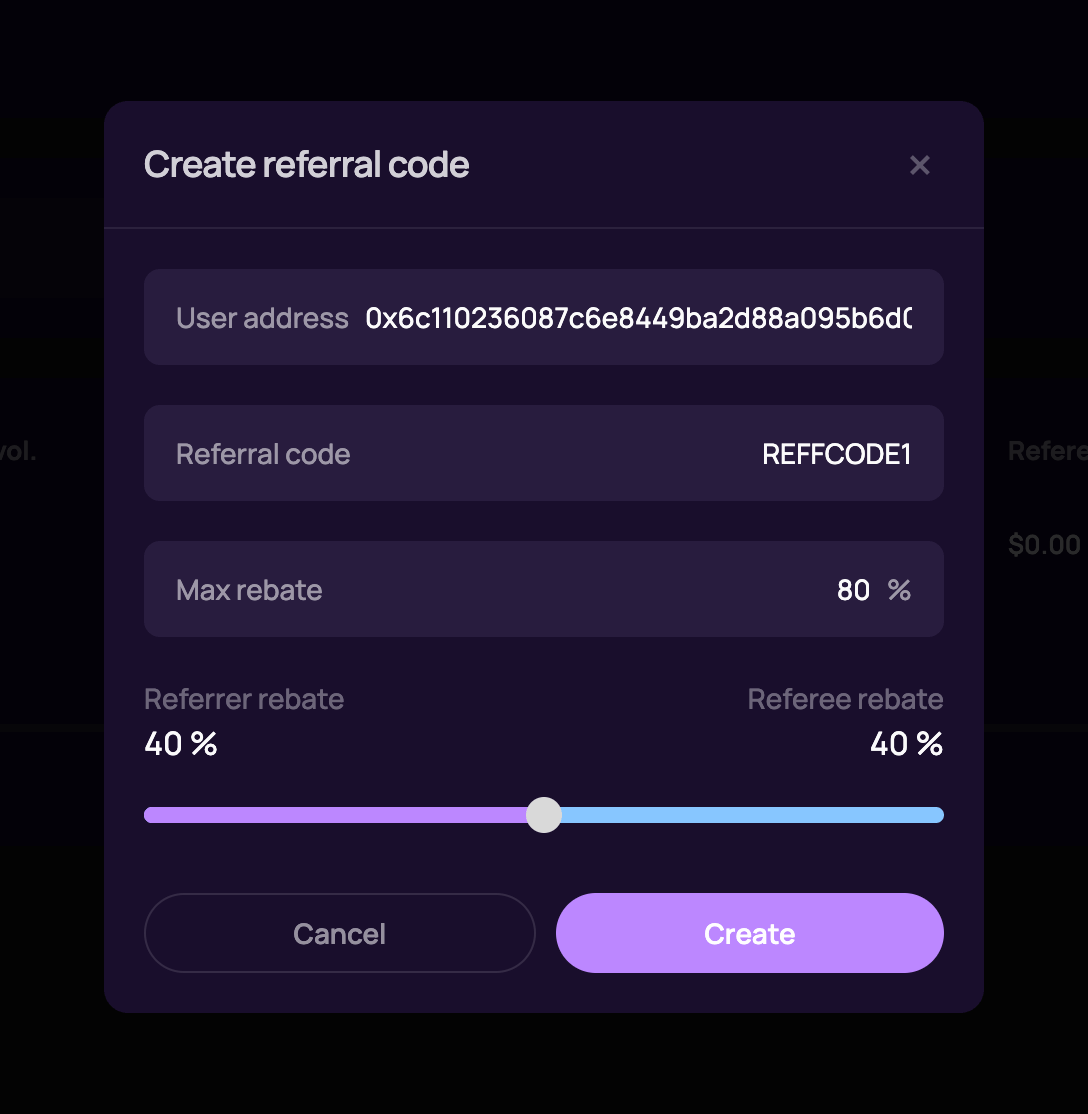
1. **User Address:** The wallet address of the Affiliate (Referrer) who will own this code.
2. **Referral Code:** The unique string traders will enter (e.g., `REFFCODE1`).
3. **Max Rebate:** The total percentage of the Builder’s Net Profit allocated for rebates (e.g., 80%).
4. **Split Slider:** Determines how the rebate is divided:
* **Referrer Rebate:** The percentage of the rebate the Affiliate keeps.
* **Referee Rebate:** The percentage of the rebate returned to the Trader.
[](https://orderly.network/docs/introduction/be-a-broker/affiliate-referral-program#distribution)
Distribution
------------------------------------------------------------------------------------------------------------------
Rewards are calculated automatically by the Orderly protocol.
* **Frequency:** Rewards are typically distributed **daily**.
* **Currency:** Payouts are settled in **USDC**.
[](https://orderly.network/docs/introduction/be-a-broker/affiliate-referral-program#auto-referral-system)
Auto referral system
----------------------------------------------------------------------------------------------------------------------------------
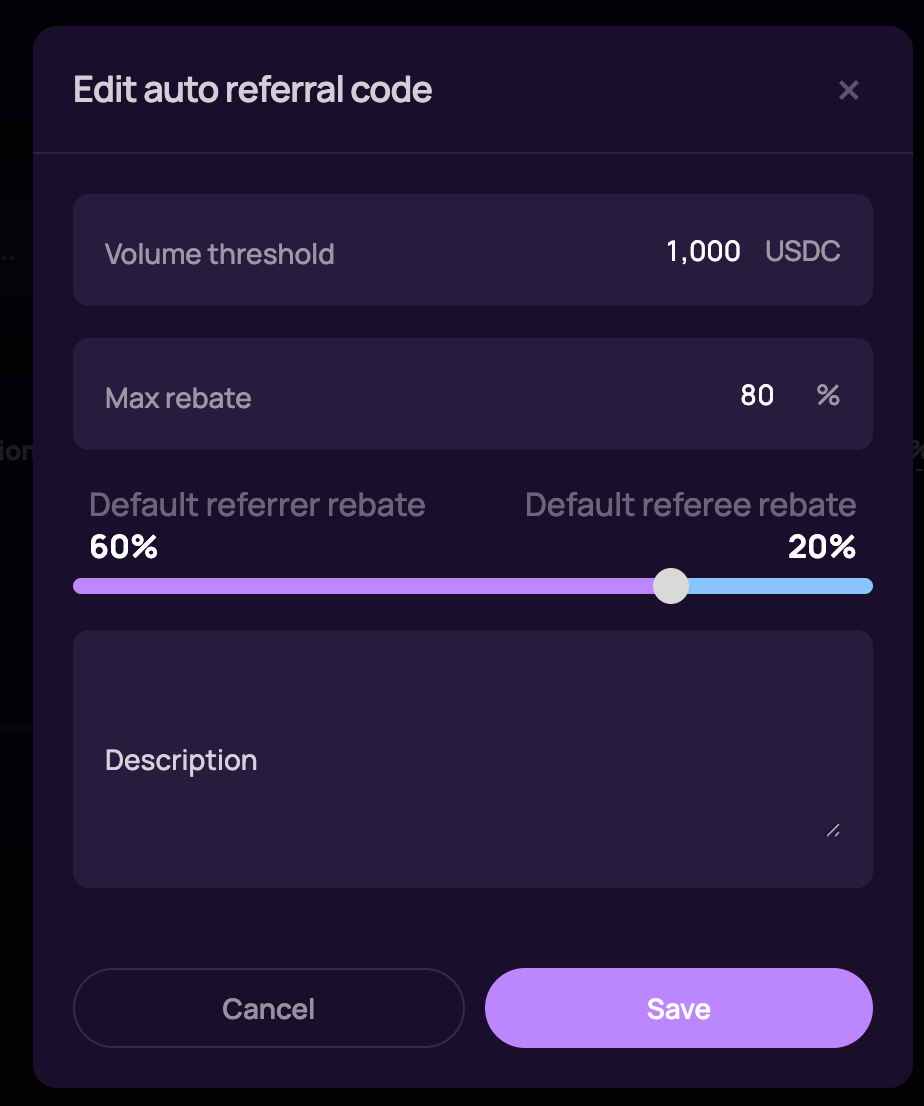 Similar to the affiliate system, the auto-referral system grants traders a referral code once they reach a specific trading volume. This means that instead of manual entry, traders are automatically assigned a code based on their trading activity.
[Orderly DEX's Affiliate Program (Builder's Quick Guide)](https://orderly.network/docs/introduction/be-a-broker/orderly-dex-affiliate-program-brokers-quick-guide)
[Builder Guidelines](https://orderly.network/docs/introduction/orderly-one/builder-guidelines)
⌘I
---
# Builder Guidelines - Orderly
[Skip to main content](https://orderly.network/docs/introduction/orderly-one/builder-guidelines#content-area)
[Orderly home page](https://orderly.network/docs)
latest
Search...
⌘K
Search...
Navigation
Builder programs
Builder Guidelines
[Home](https://orderly.network/docs/home)
[Introduction](https://orderly.network/docs/introduction/getting-started/what-is-orderly)
[Build on Omnichain](https://orderly.network/docs/build-on-omnichain/building-on-omnichain)
[SDKs](https://orderly.network/docs/sdks/overview)
[Strategy vault](https://orderly.network/docs/introduction/orderly-omniVault/overview)
[Troubleshooting](https://orderly.network/docs/troubleshooting/introduction)
[Release notes](https://orderly.network/docs/release-notes/omnichain)
On this page
* [Why These Guidelines Exist](https://orderly.network/docs/introduction/orderly-one/builder-guidelines#why-these-guidelines-exist)
* [What Orderly One Is (and Isn’t)](https://orderly.network/docs/introduction/orderly-one/builder-guidelines#what-orderly-one-is-and-isn%E2%80%99t)
* [Independent by Design](https://orderly.network/docs/introduction/orderly-one/builder-guidelines#independent-by-design)
* [Names and Brands That Build Trust](https://orderly.network/docs/introduction/orderly-one/builder-guidelines#names-and-brands-that-build-trust)
* [Talk Straight, Build Credibility](https://orderly.network/docs/introduction/orderly-one/builder-guidelines#talk-straight-build-credibility)
* [Build for the Long Game](https://orderly.network/docs/introduction/orderly-one/builder-guidelines#build-for-the-long-game)
* [Be Compliant](https://orderly.network/docs/introduction/orderly-one/builder-guidelines#be-compliant)
* [How We Shine a Spotlight](https://orderly.network/docs/introduction/orderly-one/builder-guidelines#how-we-shine-a-spotlight)
* [When We May Step In](https://orderly.network/docs/introduction/orderly-one/builder-guidelines#when-we-may-step-in)
* [Examples: Do’s and Don’ts](https://orderly.network/docs/introduction/orderly-one/builder-guidelines#examples-do%E2%80%99s-and-don%E2%80%99ts)
* [Moving Forward Together](https://orderly.network/docs/introduction/orderly-one/builder-guidelines#moving-forward-together)
Orderly One is built to empower developers to launch independent DEXes with speed and creativity. Every DEX built on our infrastructure reflects not only your project but also the wider ecosystem. These Builder Guidelines sit alongside the Orderly One Terms of Use and are meant as a practical code of conduct for builders, outlining how projects should present themselves and how Orderly may respond if the standards are not met. These Builder Guidelines may be updated from time to time, and the latest version shall apply once updated.
[](https://orderly.network/docs/introduction/orderly-one/builder-guidelines#why-these-guidelines-exist)
**Why These Guidelines Exist**
------------------------------------------------------------------------------------------------------------------------------------------
The Builder Guidelines exist to:
1. Protect the reputation and integrity of the Orderly brand.
2. Safeguard the ecosystem from harmful, misleading, or unlawful behaviour.
3. Give builders clarity about expectations from Day 1.
Orderly One celebrates creativity and independence, but with independence comes responsibility. Projects that are offensive, defamatory, misleading, unlawful, or reputationally damaging may not be promoted through Orderly channels and, in serious cases, may lose access to Orderly One services altogether. By following these Guidelines, you help ensure the ecosystem remains trusted, respected, and welcoming to both users and builders.
[](https://orderly.network/docs/introduction/orderly-one/builder-guidelines#what-orderly-one-is-and-isn%E2%80%99t)
**What Orderly One Is (and Isn’t)**
----------------------------------------------------------------------------------------------------------------------------------------------------------
Orderly One is a no-code SDK that lets developers launch decentralized exchanges (DEXes) quickly and efficiently. By integrating the SDK, you gain access to Orderly’s backend liquidity, order-matching engine, and cross-chain connectivity. Orderly One is a toolkit, not a managed service. You control your front-end, branding, and user experience. DEXes created with Orderly One are independently developed and operated by builders, not by Orderly Network.
[](https://orderly.network/docs/introduction/orderly-one/builder-guidelines#independent-by-design)
**Independent by Design**
--------------------------------------------------------------------------------------------------------------------------------
1. Do not present your DEX as an “official Orderly product.”
2. You may say your project is “built with Orderly One” or “powered by Orderly liquidity.”
3. Make it clear that users interact with your DEX at their own risk, and that Orderly is not responsible for your operations, marketing, or outcomes.
[](https://orderly.network/docs/introduction/orderly-one/builder-guidelines#names-and-brands-that-build-trust)
**Names and Brands That Build Trust**
--------------------------------------------------------------------------------------------------------------------------------------------------------
1. Avoid offensive, defamatory, discriminatory, or otherwise inappropriate names or imagery.
2. Avoid names that are misleading, confusing, or deliberately controversial.
3. Do not copy or impersonate Orderly, other projects, companies, or individuals. It is important to respect the intellectual property rights of others.
4. Choose branding that reflects originality, professionalism, and respect for the community.
[](https://orderly.network/docs/introduction/orderly-one/builder-guidelines#talk-straight-build-credibility)
**Talk Straight, Build Credibility**
-----------------------------------------------------------------------------------------------------------------------------------------------------
1. Be transparent about your product, fees, risks, and governance.
2. Do not make exaggerated or misleading claims such as “guaranteed returns” or “risk-free profits.”
3. Keep your messaging consistent across your website, documentation, and community channels.
[](https://orderly.network/docs/introduction/orderly-one/builder-guidelines#build-for-the-long-game)
**Build for the Long Game**
------------------------------------------------------------------------------------------------------------------------------------
1. Treat your users with fairness and respect.
2. Avoid pump-and-dump schemes, scams, or misleading gimmicks.
3. Do not adopt imagery, memes, or tactics that could be defamatory, abusive, or damaging to the ecosystem’s reputation.
[](https://orderly.network/docs/introduction/orderly-one/builder-guidelines#be-compliant)
**Be Compliant**
--------------------------------------------------------------------------------------------------------------
1. You are fully and solely responsible for ensuring your DEX complies with all applicable laws and regulations.
2. Do carefully consider the users you allow on your platform. Accepting users from certain countries may attract licensing requirements, while accepting users from sanctioned countries may result in your DEX enabling sanctioned activity.
3. While it is tempting to name your DEX after a famous person, brand or event, this may breach intellectual property laws.
4. While we have mentioned a few examples of legal considerations you should factor in for your DEX, this is by no means exhaustive, and these issues vary from DEX to DEX. You should seek legal advice if you are unsure of the legal considerations for your DEX. Orderly is not responsible for your DEX nor any such legal risks.
[](https://orderly.network/docs/introduction/orderly-one/builder-guidelines#how-we-shine-a-spotlight)
**How We Shine a Spotlight**
--------------------------------------------------------------------------------------------------------------------------------------
1. Orderly may choose to showcase projects on its channels, but this is always at our discretion.
2. Projects that show professionalism, transparency, and alignment with ecosystem values are more likely to be featured.
3. Projects that create reputational, legal, or regulatory risk will not be promoted.
[](https://orderly.network/docs/introduction/orderly-one/builder-guidelines#when-we-may-step-in)
**When We May Step In**
----------------------------------------------------------------------------------------------------------------------------
1. Access to Orderly One SDK, liquidity, and connectivity is provided at Orderly’s discretion.
2. Access may be suspended or withdrawn if a project engages in offensive, defamatory, misleading, or high-risk behaviour.
3. Access may also be suspended if a project creates reputational, legal, or regulatory risk.
4. These decisions are made to protect the integrity of the ecosystem and community.
[](https://orderly.network/docs/introduction/orderly-one/builder-guidelines#examples-do%E2%80%99s-and-don%E2%80%99ts)
**Examples: Do’s and Don’ts**
-------------------------------------------------------------------------------------------------------------------------------------------------------
✓ Launch a DEX with a fun, clear, and professional name.
✓ Communicate transparently about fees, risks, and governance.
✓ Use branding that is original and consistent.
✓ Build a community presence that is constructive and engaged. ✗ Launch with an offensive, misleading, or copied name.
✗ Over-promise returns or imply official Orderly endorsement.
✗ Use branding that imitates others or confuses users.
✗ Engage in pump-and-dump style marketing that damages trust.
[](https://orderly.network/docs/introduction/orderly-one/builder-guidelines#moving-forward-together)
**Moving Forward Together**
------------------------------------------------------------------------------------------------------------------------------------
Orderly One gives builders the tools to innovate, experiment, and scale. These Guidelines exist to protect both Orderly and the ecosystem by ensuring that projects built on our infrastructure maintain integrity while leaving room for creativity. By building responsibly, and with personality, you strengthen your project and contribute to a community based on trust, transparency, and innovation.
[Affiliate & Referral Program (Legacy)](https://orderly.network/docs/introduction/be-a-broker/affiliate-referral-program)
[Supplemental Terms for DEXes](https://orderly.network/docs/introduction/orderly-one/supplemental-terms-for-dexes)
⌘I
---
# Supported Markets - Orderly
[Skip to main content](https://orderly.network/docs/introduction/trade-on-orderly/supported-markets#content-area)
[Orderly home page](https://orderly.network/docs)
latest
Search...
⌘K
Search...
Navigation
Markets & trading
Supported Markets
[Home](https://orderly.network/docs/home)
[Introduction](https://orderly.network/docs/introduction/getting-started/what-is-orderly)
[Build on Omnichain](https://orderly.network/docs/build-on-omnichain/building-on-omnichain)
[SDKs](https://orderly.network/docs/sdks/overview)
[Strategy vault](https://orderly.network/docs/introduction/orderly-omniVault/overview)
[Troubleshooting](https://orderly.network/docs/troubleshooting/introduction)
[Release notes](https://orderly.network/docs/release-notes/omnichain)
On this page
* [Orderly](https://orderly.network/docs/introduction/trade-on-orderly/supported-markets#orderly)
* [Perpetual Futures](https://orderly.network/docs/introduction/trade-on-orderly/supported-markets#perpetual-futures)
* [RWA](https://orderly.network/docs/introduction/trade-on-orderly/supported-markets#rwa)
* [Perpetual Futures](https://orderly.network/docs/introduction/trade-on-orderly/supported-markets#perpetual-futures-2)
Front-end applications can choose which of the supported markets they want to list on their platform
[](https://orderly.network/docs/introduction/trade-on-orderly/supported-markets#orderly)
Orderly
----------------------------------------------------------------------------------------------------
###
[](https://orderly.network/docs/introduction/trade-on-orderly/supported-markets#perpetual-futures)
Perpetual Futures
All Perpetual Futures contracts are denominated and settled in USDC
| Token Name | Token Ticker | Token Symbol |
| --- | --- | --- |
| Bitcoin | BTC | PERP\_BTC\_USDC |
| Ethereum | ETH | PERP\_ETH\_USDC |
| Celestia | TIA | PERP\_TIA\_USDC |
| Solana | SOL | PERP\_SOL\_USDC |
| Woo | WOO | PERP\_WOO\_USDC |
| Arbitrum | ARB | PERP\_ARB\_USDC |
| Optimism | OP | PERP\_OP\_USDC |
| Injective | INJ | PERP\_INJ\_USDC |
| Chainlink | LINK | PERP\_LINK\_USDC |
| Sui | SUI | PERP\_SUI\_USDC |
| Avalanche | AVAX | PERP\_AVAX\_USDC |
| Jupiter | JUP | PERP\_JUP\_USDC |
| Worldcoin | WLD | PERP\_WLD\_USDC |
| Sei | SEI | PERP\_SEI\_USDC |
| Dymension | DYM | PERP\_DYM\_USDC |
| Dogecoin | DOGE | PERP\_DOGE\_USDC |
| Ether.fi | ETHFI | PERP\_ETHFI\_USDC |
| Ethena | ENA | PERP\_ENA\_USDC |
| dogwifhat | WIF | PERP\_WIF\_USDC |
| 1000PEPE | 1000PEPE | PERP\_1000PEPE\_USDC |
| Merlin Chain | MERL | PERP\_MERL\_USDC |
| Ondo | ONDO | PERP\_ONDO\_USDC |
| Arweave | AR | PERP\_AR\_USDC |
| 1000BONK | 1000BONK | PERP\_1000BONK\_USDC |
| Toncoin | TON | PERP\_TON\_USDC |
| Stargate Finance | STG | PERP\_STG\_USDC |
| LayerZero | ZRO | PERP\_ZRO\_USDC |
| Aave | AAVE | PERP\_AAVE\_USDC |
| Tron | TRX | PERP\_TRX\_USDC |
| Curve DAO | CRV | PERP\_CRV\_USDC |
| Lido DAO | LDO | PERP\_LDO\_USDC |
| Orderly Network | ORDER | PERP\_ORDER\_USDC |
| Polygon | POL | PERP\_POL\_USDC |
| Bittensor | TAO | PERP\_TAO\_USDC |
| Shiba Inu | SHIB | PERP\_1000SHIB\_USDC |
| Goatseus Maximus | GOAT | PERP\_GOAT\_USDC |
| Mog Coin | MOG | PERP\_1000000MOG\_USDC |
| SPX6900 | SPX | PERP\_SPX\_USDC |
| Pendle | PENDLE | PERP\_PENDLE\_USDC |
| aixbt by Virtuals | AIXBT | PERP\_AIXBT\_USDC |
| Pudgy Penguins | PENGU | PERP\_PENGU\_USDC |
| Fartcoin | FARTCOIN | PERP\_FARTCOIN\_USDC |
| Horizen | ZEN | PERP\_ZEN\_USDC |
| Bio Protocol | BIO | PERP\_BIO\_USDC |
| Raydium | RAY | PERP\_RAY\_USDC |
| Cardano | ADA | PERP\_ADA\_USDC |
| Sonic (prev. FTM) | S | PERP\_S\_USDC |
| OFFICIAL TRUMP | TRUMP | PERP\_TRUMP\_USDC |
| Artificial Superintelligence Alliance | FET | PERP\_FET\_USDC |
| Berachain | BERA | PERP\_BERA\_USDC |
| UXLINK | UXLINK | PERP\_UXLINK\_USDC |
| Story | IP | PERP\_IP\_USDC |
| PancakeSwap | CAKE | PERP\_CAKE\_USDC |
| Litecoin | LTC | PERP\_LTC\_USDC |
| Hedera | HBAR | PERP\_HBAR\_USDC |
| PAX Gold | PAXG | PERP\_PAXG\_USDC |
| Artificial Superintelligence Alliance | FET | PERP\_FET\_USDC |
| Useless Coin | USELESS | PERP\_USELESS\_USDC |
| Mantle | MNT | PERP\_MNT\_USDC |
| Humanity | H | PERP\_H\_USDC |
| Cronos | CRO | PERP\_CRO\_USDC |
| League of Kingdoms | XLM | PERP\_XLM\_USDC |
| Pump.fun | PUMP | PERP\_PUMP\_USDC |
| OKX | OKB | PERP\_OKB\_USDC |
| Uniswap | UNI | PERP\_UNI\_USDC |
| Polkadot | DOT | PERP\_DOT\_USDC |
| Bitcoin Cash | BCH | PERP\_BCH\_USDC |
| World Liberty Finance | WLFI | PERP\_WLFI\_USDC |
| Linea | LINEA | PERP\_LINEA\_USDC |
| MYX Finance | MYX | PERP\_MYX\_USDC |
| Sky | SKY | PERP\_SKY\_USDC |
| Zora | ZORA | PERP\_ZORA\_USDC |
| STBL | STBL | PERP\_STBL\_USDC |
| Aster | ASTER | PERP\_ASTER\_USDC |
| Plasma | XPL | PERP\_XPL\_USDC |
| Zcash | ZEC | PERP\_ZEC\_USDC |
| Synthetix | SNX | PERP\_SNX\_USDC |
| Dash | DASH | PERP\_DASH\_USDC |
| Monero | XMR | PERP\_XMR\_USDC |
| Morpho | MORPHO | PERP\_MORPHO\_USDC |
| Internet Computer | ICP | PERP\_ICP\_USDC |
| Filecoin | FIL | PERP\_FIL\_USDC |
| Monad | MON | PERP\_MON\_USDC |
| Lighter | LIT | PERP\_LIT\_USDC |
| Axie Infinity | AXS | PERP\_AXS\_USDC |
| Solana Mobile Seeker | SKR | PERP\_SKR\_USDC |
| Moonbirds | BIRB | PERP\_BIRB\_USDC |
| Sentient | SENT | PERP\_SENT\_USDC |
| Zama | ZAMA | PERP\_ZAMA\_USDC |
[](https://orderly.network/docs/introduction/trade-on-orderly/supported-markets#rwa)
RWA
--------------------------------------------------------------------------------------------
###
[](https://orderly.network/docs/introduction/trade-on-orderly/supported-markets#perpetual-futures-2)
Perpetual Futures
All Perpetual Futures contracts are denominated and settled in USDC
| RWA Name | RWA Ticker | RWA Symbol |
| --- | --- | --- |
| Standard & Poor’s 500 | SPX500 | PERP\_SPX500\_USDC |
| NASDAQ 100 Index | NAS100 | PERP\_NAS100\_USDC |
| Gold | XAU | PERP\_XAU\_USDC |
| Silver | XAG | PERP\_XAG\_USDC |
| Alphabet Inc | GOOGL | PERP\_GOOGL\_USDC |
| Tesla | TSLA | PERP\_TSLA\_USDC |
| NVIDIA | NVDA | PERP\_NVDA\_USDC |
[Insurance Fund & ADL](https://orderly.network/docs/introduction/trade-on-orderly/perpetual-futures/insurance-fund-and-adl)
[Permissionless Listing](https://orderly.network/docs/introduction/trade-on-orderly/permissionless-listing)
⌘I
---
# Orderly Orderbook Design - Orderly
[Skip to main content](https://orderly.network/docs/introduction/trade-on-orderly/trading-basics/orderbook-design#content-area)
[Orderly home page](https://orderly.network/docs)
latest
Search...
⌘K
Search...
Navigation
Markets & trading
Orderly Orderbook Design
[Home](https://orderly.network/docs/home)
[Introduction](https://orderly.network/docs/introduction/getting-started/what-is-orderly)
[Build on Omnichain](https://orderly.network/docs/build-on-omnichain/building-on-omnichain)
[SDKs](https://orderly.network/docs/sdks/overview)
[Strategy vault](https://orderly.network/docs/introduction/orderly-omniVault/overview)
[Troubleshooting](https://orderly.network/docs/troubleshooting/introduction)
[Release notes](https://orderly.network/docs/release-notes/omnichain)
On this page
* [Orderbook design](https://orderly.network/docs/introduction/trade-on-orderly/trading-basics/orderbook-design#orderbook-design)
* [Omnichain approach](https://orderly.network/docs/introduction/trade-on-orderly/trading-basics/orderbook-design#omnichain-approach)
* [MEV protection](https://orderly.network/docs/introduction/trade-on-orderly/trading-basics/orderbook-design#mev-protection)
Orderly is an omnichain decentralized orderbook protocol. It provides the matching engine, liquidity, and infrastructure for builders (DEXes) to offer perpetual futures trading without building it themselves.
[](https://orderly.network/docs/introduction/trade-on-orderly/trading-basics/orderbook-design#orderbook-design)
Orderbook design
------------------------------------------------------------------------------------------------------------------------------------
Orderly uses a **central limit order book (CLOB)** — the same type of system used by major centralized exchanges. The key difference: Orderly settles everything on-chain, combining CEX-level performance with decentralized transparency.
* **Transparency:** All orders are recorded on the blockchain and publicly verifiable.
* **Security:** On-chain settlement means data is immutable and tamper-proof.
* **Speed:** A high-performance off-chain matching engine provides low-latency execution.
* **Self-custody:** Users retain full control of their funds at all times.
[](https://orderly.network/docs/introduction/trade-on-orderly/trading-basics/orderbook-design#omnichain-approach)
Omnichain approach
----------------------------------------------------------------------------------------------------------------------------------------
Unlike most DEXes that run separate order books per chain, Orderly brings all orders from all supported chains into a **single shared order book**. This unifies liquidity across chains. The system has three layers: **Asset Layer (Asset Vaults)** — on each supported chain
* Where your funds reside. You interact with this layer when registering, depositing, and withdrawing.
**Settlement Layer (Orderly L2)** — on a single chain
* A transaction ledger that stores all transaction and user data on-chain. Users do not interact with it directly.
**Engine Layer (Orderbook)** — order-related services
* Where trade execution happens. Includes the matching engine, risk engine, and other services. You interact with this layer when managing orders.
After orders are matched, they settle on the Orderly L2 (built with OP Stack), which periodically settles to Ethereum. Cross-layer communication (deposits, withdrawals, balance updates) is powered by LayerZero.
[](https://orderly.network/docs/introduction/trade-on-orderly/trading-basics/orderbook-design#mev-protection)
MEV protection
--------------------------------------------------------------------------------------------------------------------------------
MEV (maximal extractable value) is when someone profits by front-running or reordering transactions before they are confirmed on-chain. Orderly mitigates this through:
* **Fast matching:** The sequencer matches orders with minimal latency, leaving little window for front-running.
* **Deep liquidity:** A deep order book makes price manipulation significantly harder.
* **Off-chain matching:** Orders are matched off-chain in a neutral environment — there is no on-chain transaction to front-run.
[Trade on Orderly](https://orderly.network/docs/introduction/trade-on-orderly/trade-on-orderly)
[Glossary](https://orderly.network/docs/introduction/trade-on-orderly/trading-basics/glossary)
⌘I
---
# Permissionless Listing - Orderly
[Skip to main content](https://orderly.network/docs/introduction/trade-on-orderly/permissionless-listing#content-area)
[Orderly home page](https://orderly.network/docs)
latest
Search...
⌘K
Search...
Navigation
Markets & trading
Permissionless Listing
[Home](https://orderly.network/docs/home)
[Introduction](https://orderly.network/docs/introduction/getting-started/what-is-orderly)
[Build on Omnichain](https://orderly.network/docs/build-on-omnichain/building-on-omnichain)
[SDKs](https://orderly.network/docs/sdks/overview)
[Strategy vault](https://orderly.network/docs/introduction/orderly-omniVault/overview)
[Troubleshooting](https://orderly.network/docs/troubleshooting/introduction)
[Release notes](https://orderly.network/docs/release-notes/omnichain)
On this page
* [Standard Listing vs. Permissionless Listing](https://orderly.network/docs/introduction/trade-on-orderly/permissionless-listing#standard-listing-vs-permissionless-listing)
* [How Permissionless Listing Works](https://orderly.network/docs/introduction/trade-on-orderly/permissionless-listing#how-permissionless-listing-works)
* [Per-Builder risk isolation](https://orderly.network/docs/introduction/trade-on-orderly/permissionless-listing#per-builder-risk-isolation)
* [Per-Builder symbols](https://orderly.network/docs/introduction/trade-on-orderly/permissionless-listing#per-builder-symbols)
* [Controlled launch sequence](https://orderly.network/docs/introduction/trade-on-orderly/permissionless-listing#controlled-launch-sequence)
* [Price sources](https://orderly.network/docs/introduction/trade-on-orderly/permissionless-listing#price-sources)
* [Real-time monitoring](https://orderly.network/docs/introduction/trade-on-orderly/permissionless-listing#real-time-monitoring)
* [Who Can List](https://orderly.network/docs/introduction/trade-on-orderly/permissionless-listing#who-can-list)
* [How Community Listed Markets Differ for Traders](https://orderly.network/docs/introduction/trade-on-orderly/permissionless-listing#how-community-listed-markets-differ-for-traders)
* [What this means in practice](https://orderly.network/docs/introduction/trade-on-orderly/permissionless-listing#what-this-means-in-practice)
* [What’s Next](https://orderly.network/docs/introduction/trade-on-orderly/permissionless-listing#what%E2%80%99s-next)
* [Related Pages](https://orderly.network/docs/introduction/trade-on-orderly/permissionless-listing#related-pages)
On most perpetual exchanges, listing a new market is a platform decision — the team evaluates the asset, sets up the infrastructure, and takes on the risk. This works for high-demand assets, but it also means the platform becomes the bottleneck: every new market competes for the same listing queue, the same shared Insurance Fund, and the same risk budget. Permissionless Listing removes that bottleneck. Qualified Builders can list new perpetual markets themselves, on their own timeline, without waiting for Orderly to evaluate and approve each one. In return, the Builder takes direct responsibility for the market they introduce — funding the Insurance Fund, supporting liquidity, and managing risk for that market independently.
[](https://orderly.network/docs/introduction/trade-on-orderly/permissionless-listing#standard-listing-vs-permissionless-listing)
Standard Listing vs. Permissionless Listing
--------------------------------------------------------------------------------------------------------------------------------------------------------------------------------
There are two ways to list markets on Orderly. While the standard model is built for platform-wide stability, Permissionless Listing is built for Builder-level autonomy.
| Feature | Standard Listing | Permissionless Listing |
| --- | --- | --- |
| **Who manages it** | Orderly | Individual Builder |
| **Insurance Fund** | Shared across the platform | Dedicated per Builder |
| **Listing Process** | Evaluated & approved by Orderly | Instant & self-managed |
| **Risk Parameters** | Standardized & conservative | Customizable by Builder |
Standard listing is well-suited for established assets. But for long-tail assets or markets that a specific Builder’s user base demands, Permissionless Listing provides a faster, more flexible path.
[](https://orderly.network/docs/introduction/trade-on-orderly/permissionless-listing#how-permissionless-listing-works)
How Permissionless Listing Works
-----------------------------------------------------------------------------------------------------------------------------------------------------------
Permissionless Listing decouples the risk of new markets from the rest of the platform. The key design principle: **a Builder’s market should only be able to affect that Builder’s own risk exposure.**
###
[](https://orderly.network/docs/introduction/trade-on-orderly/permissionless-listing#per-builder-risk-isolation)
Per-Builder risk isolation
Each Builder that lists a market must set up and manage their own accounts:
* **Insurance Fund (IF) account** — A dedicated sub-account that covers liquidation losses for all of the Builder’s listed markets. The minimum required balance is **$50,000 per active symbol** (e.g., 3 active markets = $150,000 minimum). If the IF drops too low, the system will automatically restrict trading or trigger delisting.
* **Market Maker (MM) accounts** — Optional sub-accounts for market-making. Builders can bind one or more MM accounts to their listed symbols to provide liquidity.
The IF is completely separate from Orderly’s platform IF and from any other Builder’s IF. If a liquidation loss occurs, it draws only from that Builder’s IF. If the IF is fully depleted, auto-deleveraging (ADL) is scoped to that specific market only. No other markets or users on the platform are affected. This is why all permissionlessly listed markets are **Isolated Margin only**. If these markets allowed Cross Margin, a sudden crash on a long-tail token could cascade into a user’s BTC or ETH positions. Isolated Margin ensures that each position’s risk is self-contained — the worst case for a trader is losing the margin allocated to that specific position.
###
[](https://orderly.network/docs/introduction/trade-on-orderly/permissionless-listing#per-builder-symbols)
Per-Builder symbols
Multiple Builders can list the same underlying asset independently. If Orderly already has a standard `PERP_BTC_USDC` market and Builder A lists their own BTC perpetual, these are completely separate markets — separate order books, separate liquidity, separate Insurance Funds, separate risk parameters. Builder B can also list BTC. None of these interfere with each other. On the trading page, each market is displayed with the symbol and the Builder’s name (e.g., `BTC woofi`) to clearly show who is operating it.
###
[](https://orderly.network/docs/introduction/trade-on-orderly/permissionless-listing#controlled-launch-sequence)
Controlled launch sequence
New markets don’t go straight to full trading. They follow a phased launch:
1. **POST\_ONLY** — The market is live but only accepts limit orders. This gives Market Makers time to build liquidity on both sides of the order book before real trading begins.
2. **ACTIVE** — Once ±2% order book depth reaches $100,000 on both bid and ask sides and holds for 10 minutes, the market automatically opens for full trading including market orders.
If conditions deteriorate after launch — insufficient depth, Insurance Fund running low, funding rate anomalies — the system can automatically force the market into **REDUCE\_ONLY** mode (only position-closing allowed) or initiate delisting entirely. These circuit breakers apply per-market, not platform-wide.
###
[](https://orderly.network/docs/introduction/trade-on-orderly/permissionless-listing#price-sources)
Price sources
Index prices are aggregated from a combination of CEX price feeds and on-chain oracles. Builders select which sources to use when configuring a market; at least one valid source is required, and two or more are recommended to reduce single-point-of-failure risk. Currently supported oracle sources are **Pyth** and **Stork**. If all configured sources become unavailable, the market is automatically placed into reduce-only mode.
###
[](https://orderly.network/docs/introduction/trade-on-orderly/permissionless-listing#real-time-monitoring)
Real-time monitoring
Builders receive **real-time Telegram notifications** throughout the market lifecycle — from launch status updates to risk alerts when IF balance, order book depth, or funding rate thresholds are breached.
[](https://orderly.network/docs/introduction/trade-on-orderly/permissionless-listing#who-can-list)
Who Can List
-------------------------------------------------------------------------------------------------------------------
Permissionless Listing is available to Builders in the **Diamond Tier** of the [Builder Staking Program](https://orderly.network/docs/introduction/trade-on-orderly/trading-basics/trading-fees#builder-staking-programme)
. Each Builder can have up to **5 active markets** by default (adjustable by Orderly). Builders configure price sources, trading parameters, and Insurance Fund setup through the Builder dashboard.
[](https://orderly.network/docs/introduction/trade-on-orderly/permissionless-listing#how-community-listed-markets-differ-for-traders)
How Community Listed Markets Differ for Traders
-----------------------------------------------------------------------------------------------------------------------------------------------------------------------------------------
Permissionlessly listed markets appear on the frontend as **“Community Listed”**. They work like standard Orderly perpetuals in most ways — same matching engine, same order types, same settlement — but with several important differences:
| | Standard Orderly markets | Community Listed markets |
| --- | --- | --- |
| **Who operates it** | Orderly | Individual Builder |
| **Insurance Fund** | Shared platform IF, managed by Orderly | Dedicated per-Builder IF, funded by the Builder |
| **Margin mode** | Cross Margin and Isolated Margin | **Isolated Margin only** |
| **What happens if IF is depleted** | Platform backstop | ADL applied only to positions in that market |
| **Liquidity** | Platform-coordinated | Depends entirely on the Builder’s market-making |
| **Risk controls** | Platform-wide standards | Market-specific, can be restricted independently |
###
[](https://orderly.network/docs/introduction/trade-on-orderly/permissionless-listing#what-this-means-in-practice)
What this means in practice
* **Your other positions are safe.** A liquidation on a Community Listed position cannot touch your margin on other markets. Your BTC cross-margin position is unaffected even if a Community Listed token crashes.
* **Liquidity varies.** Community Listed markets depend on the Builder’s own market-making setup, which means spreads and depth can vary significantly compared to standard markets.
* **Markets can be restricted or delisted.** If a Community Listed market’s liquidity, funding rate, or Insurance Fund health deteriorates beyond thresholds, the system will automatically restrict or delist it. This protects traders from continuing to trade in unhealthy conditions.
* **A risk disclosure is shown before your first trade.** The first time you trade a Community Listed market, a disclosure explains the differences so you can make an informed decision.
[](https://orderly.network/docs/introduction/trade-on-orderly/permissionless-listing#what%E2%80%99s-next)
What’s Next
-------------------------------------------------------------------------------------------------------------------------
Permissionless Listing is the first step toward a fully open market infrastructure. Planned future expansions include:
* **Custom oracle support** — Allow Builders to integrate their own oracle sources beyond the current supported set.
* **RWA market support** — Extend Permissionless Listing to real-world asset (RWA) perpetual markets.
* **Permissionless Vault** — Enable community-driven vault strategies built around permissionlessly listed markets.
* **Public MM Program** — Open market-making participation beyond Builder-managed MM accounts, allowing broader liquidity provision for Community Listed markets.
[](https://orderly.network/docs/introduction/trade-on-orderly/permissionless-listing#related-pages)
Related Pages
---------------------------------------------------------------------------------------------------------------------
* [Builders](https://orderly.network/docs/introduction/trade-on-orderly/builders)
* [Isolated Margin](https://orderly.network/docs/introduction/trade-on-orderly/perpetual-futures/isolated-margin)
* [Supported Markets](https://orderly.network/docs/introduction/trade-on-orderly/supported-markets)
* [Trading Fees](https://orderly.network/docs/introduction/trade-on-orderly/trading-basics/trading-fees)
[Supported Markets](https://orderly.network/docs/introduction/trade-on-orderly/supported-markets)
[Supported Chains](https://orderly.network/docs/introduction/trade-on-orderly/supported-chains)
⌘I
---
# Builders - Orderly
[Skip to main content](https://orderly.network/docs/introduction/trade-on-orderly/builders#content-area)
[Orderly home page](https://orderly.network/docs)
latest
Search...
⌘K
Search...
Navigation
Markets & trading
Builders
[Home](https://orderly.network/docs/home)
[Introduction](https://orderly.network/docs/introduction/getting-started/what-is-orderly)
[Build on Omnichain](https://orderly.network/docs/build-on-omnichain/building-on-omnichain)
[SDKs](https://orderly.network/docs/sdks/overview)
[Strategy vault](https://orderly.network/docs/introduction/orderly-omniVault/overview)
[Troubleshooting](https://orderly.network/docs/troubleshooting/introduction)
[Release notes](https://orderly.network/docs/release-notes/omnichain)
On this page
* [Featured Builders](https://orderly.network/docs/introduction/trade-on-orderly/builders#featured-builders)
* [Start building on Orderly](https://orderly.network/docs/introduction/trade-on-orderly/builders#start-building-on-orderly)
* [Why become a Builder?](https://orderly.network/docs/introduction/trade-on-orderly/builders#why-become-a-builder)
[](https://orderly.network/docs/introduction/trade-on-orderly/builders#featured-builders)
Featured Builders
===============================================================================================================
Explore the ecosystem of high-performance DEXs and trading platforms powered by Orderly Network.
GOLD[](https://pro.woofi.com/)

GOLD[](https://perps.raydium.io/)

GOLD[](https://app.aark.digital/)

GOLD[](https://perps.saros.xyz/)

GOLD[](https://trade.what.exchange/)

GOLD[](https://dex.kyrr.io/)

GOLD[](https://coin98.com/)

GOLD[](https://bbx.com/)

GOLD[](https://perpsdao.xyz/)

GOLD[](https://app.vooi.io/)

* * *
[](https://orderly.network/docs/introduction/trade-on-orderly/builders#start-building-on-orderly)
Start building on Orderly
===============================================================================================================================
Ready to launch your own trading platform? Join the ecosystem and leverage Orderly’s omnichain infrastructure to scale your business.
###
[](https://orderly.network/docs/introduction/trade-on-orderly/builders#why-become-a-builder)
Why become a Builder?
* **Immediate liquidity:** Tap into a shared orderbook without the need for bootstrapping.
* **Revenue autonomy:** Define your own fee structure and keep **100% of the margin** above base fees.
* **Builder Staking Program benefits:** Stake $ORDER or grow your volume to lower your base fees and unlock dedicated support.
**[Become a Builder today →](https://orderly.network/docs/introduction/getting-started/builder-onboarding)
**
* * *
[Multi-Collateral](https://orderly.network/docs/introduction/trade-on-orderly/multi-collateral)
[Orderly DEX's Affiliate Program (Affiliate's Quick Guide)](https://orderly.network/docs/introduction/be-a-broker/orderly-dex-affiliate-program-affiliates-quick-guide)
⌘I
---
# FAQ - Orderly
[Skip to main content](https://orderly.network/docs/introduction/faqs#content-area)
[Orderly home page](https://orderly.network/docs)
latest
Search...
⌘K
Search...
Navigation
Security, legal & FAQ
FAQ
[Home](https://orderly.network/docs/home)
[Introduction](https://orderly.network/docs/introduction/getting-started/what-is-orderly)
[Build on Omnichain](https://orderly.network/docs/build-on-omnichain/building-on-omnichain)
[SDKs](https://orderly.network/docs/sdks/overview)
[Strategy vault](https://orderly.network/docs/introduction/orderly-omniVault/overview)
[Troubleshooting](https://orderly.network/docs/troubleshooting/introduction)
[Release notes](https://orderly.network/docs/release-notes/omnichain)
What is Orderly?
Orderly is a combination of an orderbook-based trading infrastructure and a robust liquidity layer offering perpetual futures orderbooks. Unlike traditional platforms, Orderly doesn’t have a front end; instead, it operates at the core of the ecosystem, providing essential services to projects built on top of it.Our DEX white-label solution is carefully crafted to save builders time and capital while granting access to our bootstrapped liquidity. Picture having the best features of CEXs while keeping settlements on-chain and maintaining full self-custody.With Orderly, anyone can create a trading application thanks to our seamless plug-and-play experience leveraging our liquidity and composability.Looking ahead, our grand vision is to create an omnichain protocol, connecting traders from both EVM and non-EVM chains within the same orderbook.
How do I get started?
[](https://orderly.network/docs/introduction/faqs#for-traders)
For traders:
-------------------------------------------------------------------------------
Traders can start using any interface built on Orderly listed on [this](https://orderly.network/docs/introduction/trade-on-orderly/builders)
page
[](https://orderly.network/docs/introduction/faqs#for-developers-and-api-traders)
For Developers and API traders:
---------------------------------------------------------------------------------------------------------------------
EVM Quick Start
---------------
What can I do on Orderly?
Developers can build a full suite of products:**Builders:** Create your own Perps DEX on EVM. Benefit from our professional trading infrastructure and deep liquidity.**Perps Aggregators:** Unlock the power of shared orderbook and liquidity. Access to all of Orderly’s Perps ecosystem liquidity directly by creating a front-end.**Wallets & Custodians:** Connect to Orderly and offer your users the best Swap rates for major assets. Build your own Swap widget powered by Orderly and open up our ecosystem to all your users.**Trading Desks & Sophisticated Traders:** Use our API and enjoy a CEX-level trading experience thanks to our low-latency orderbook.**Games/dApps:** Enhance your in-app experience and token utility with our in-game Swaps using the built-in widget. Keep your users engaged in your app and avoid redirecting them to third parties.**Trading Bots:** Connect to our orderbook and offer the industry’s best Perps rates. Enjoy SL/limit orders, gasless transactions, and fully customizable fees.**Hedging:** Safeguard your positions on other exchanges by using our orderbook for effective hedging strategies.
Traders can explore an ecosystem of front-ends built on Orderly. A comprehensive list can be found [here](https://orderly.network/docs/introduction/trade-on-orderly/builders)
.
How are trading fees calculated/charged?
Fees are deducted from the converted token for spot trades (e.g., converting USDC to ETH incurs fees in ETH) and added to the cost position for perps (denominated in USDC).Each builder sets their own fee rates.
Can I list my token on Orderly?
Yes. If you want to list your token on Orderly, start here: [https://orderly.network/listing/](https://orderly.network/listing/)
.
What are the different order types?
**MARKET:** It matches until the full size is executed. If the size is too large (larger than the whole book) or the matching price exceeds the price limit (refer to `price_range`), then the remaining quantity will be canceled. **IOC (Immediate or Cancel):** It matches as much as possible at the order\_price. If not fully executed, then the remaining quantity will be canceled. **FOK (Fill or Kill):** If the order can be fully executed at the order\_price, then the order gets fully executed otherwise would be canceled without any execution. **POST ONLY:** If the order executes with any maker trades at the time of placement, then it will be canceled without any execution. **REDUCE ONLY:** Executes buy or sell orders which only reduce a current position
How do you ensure no fake orders are settled on-chain?
All orders coming into the Orderly off-chain matching engine are signed by users’ private trading keys and are settled on-chain with those signatures. Public keys are stored on the contract, and the signatures are verified to validate orders.The above model ensures that even if the operator is compromised, no fake orders are executed and all user funds are safe.
Are there code examples or tutorials for how to build on Orderly?
Yes! This documentation includes code examples throughout and you can find full tutorials/sdk with code examples here:[EVM SDK](https://orderly.network/docs/sdks/overview)
[Orderly Distributor Program](https://orderly.network/docs/introduction/orderly-one/vanguard-distributor-program)
[Delisting Standards](https://orderly.network/docs/introduction/delisting-standards)
⌘I
---
# PING/PONG - Orderly
[Skip to main content](https://orderly.network/docs/build-on-omnichain/websocket-api/ping-pong#content-area)
[Orderly home page](https://orderly.network/docs)
latest
Search...
⌘K
Search...
Navigation
Websocket API
PING/PONG
[Home](https://orderly.network/docs/home)
[Introduction](https://orderly.network/docs/introduction/getting-started/what-is-orderly)
[Build on Omnichain](https://orderly.network/docs/build-on-omnichain/building-on-omnichain)
[SDKs](https://orderly.network/docs/sdks/overview)
[Strategy vault](https://orderly.network/docs/introduction/orderly-omniVault/overview)
[Troubleshooting](https://orderly.network/docs/troubleshooting/introduction)
[Release notes](https://orderly.network/docs/release-notes/omnichain)
{
"event":"ping"
}
Response
{
"event":"pong",
"ts":1614667590000
}
The server will send a ping command to the client every 10 seconds. If the pong from client is not received within 10 seconds for 10 consecutive times, it will actively disconnect the client. The client can also send ping every 10s to keep alive.
| Name | Type | Required | Description |
| --- | --- | --- | --- |
| event | string | Y | ping/pong |
{
"event":"ping"
}
Response
{
"event":"pong",
"ts":1614667590000
}
[Introduction](https://orderly.network/docs/build-on-omnichain/websocket-api/introduction)
[Authentication](https://orderly.network/docs/build-on-omnichain/websocket-api/authentication)
⌘I
---
# Orderly DEX's Affiliate Program (Builder's Quick Guide) - Orderly
[Skip to main content](https://orderly.network/docs/introduction/be-a-broker/orderly-dex-affiliate-program-brokers-quick-guide#content-area)
[Orderly home page](https://orderly.network/docs)
latest
Search...
⌘K
Search...
Navigation
Affiliate program
Orderly DEX's Affiliate Program (Builder's Quick Guide)
[Home](https://orderly.network/docs/home)
[Introduction](https://orderly.network/docs/introduction/getting-started/what-is-orderly)
[Build on Omnichain](https://orderly.network/docs/build-on-omnichain/building-on-omnichain)
[SDKs](https://orderly.network/docs/sdks/overview)
[Strategy vault](https://orderly.network/docs/introduction/orderly-omniVault/overview)
[Troubleshooting](https://orderly.network/docs/troubleshooting/introduction)
[Release notes](https://orderly.network/docs/release-notes/omnichain)
On this page
* [1\. Overview](https://orderly.network/docs/introduction/be-a-broker/orderly-dex-affiliate-program-brokers-quick-guide#1-overview)
* [2\. Prerequisites](https://orderly.network/docs/introduction/be-a-broker/orderly-dex-affiliate-program-brokers-quick-guide#2-prerequisites)
* [3\. New vs. legacy affiliate programs](https://orderly.network/docs/introduction/be-a-broker/orderly-dex-affiliate-program-brokers-quick-guide#3-new-vs-legacy-affiliate-programs)
* [4\. Coexistence of legacy affiliate program](https://orderly.network/docs/introduction/be-a-broker/orderly-dex-affiliate-program-brokers-quick-guide#4-coexistence-of-legacy-affiliate-program)
* [5\. Referral commission structure](https://orderly.network/docs/introduction/be-a-broker/orderly-dex-affiliate-program-brokers-quick-guide#5-referral-commission-structure)
* [5.1 Builder’s margin](https://orderly.network/docs/introduction/be-a-broker/orderly-dex-affiliate-program-brokers-quick-guide#5-1-builder%E2%80%99s-margin)
* [5.2 Affiliate commission](https://orderly.network/docs/introduction/be-a-broker/orderly-dex-affiliate-program-brokers-quick-guide#5-2-affiliate-commission)
* [Example: 3-Level Referral Network](https://orderly.network/docs/introduction/be-a-broker/orderly-dex-affiliate-program-brokers-quick-guide#example-3-level-referral-network)
* [5.3 affiliate commission rate adjustments](https://orderly.network/docs/introduction/be-a-broker/orderly-dex-affiliate-program-brokers-quick-guide#5-3-affiliate-commission-rate-adjustments)
* [5.4.1 Default affiliate commission rate](https://orderly.network/docs/introduction/be-a-broker/orderly-dex-affiliate-program-brokers-quick-guide#5-4-1-default-affiliate-commission-rate)
* [5.4.2 Custom affiliate commission rate](https://orderly.network/docs/introduction/be-a-broker/orderly-dex-affiliate-program-brokers-quick-guide#5-4-2-custom-affiliate-commission-rate)
[](https://orderly.network/docs/introduction/be-a-broker/orderly-dex-affiliate-program-brokers-quick-guide#1-overview)
1\. Overview
---------------------------------------------------------------------------------------------------------------------------------------
Orderly adds a brand new affiliate programme that allows DEXs and their affiliates to configure the percentage of referral commission share to foster the growth of their trading platform. The core model is a funneled and multilevel referral system:
* Builders work with their direct affiliates to grow their trading platform, with attractive referral commissions for the direct affiliates to build their own multilevel referral networks.
* Affiliates higher up the hierarchy have the flexibility to set higher commission sharing ratios. This allows affiliates to distribute a portion of their commissions to referees, based on their commission sharing ratio, thus creating a multilevel chain of referrals.
[](https://orderly.network/docs/introduction/be-a-broker/orderly-dex-affiliate-program-brokers-quick-guide#2-prerequisites)
2\. Prerequisites
-------------------------------------------------------------------------------------------------------------------------------------------------
Only DEXs with a **valid builder ID** can enable the affiliate program. This applies to all DEXs built with SDK, API, and Orderly One. For Orderly One DEXs specifically, they must first graduate to obtain a builder ID before they are eligible to enable the affiliate program.
[](https://orderly.network/docs/introduction/be-a-broker/orderly-dex-affiliate-program-brokers-quick-guide#3-new-vs-legacy-affiliate-programs)
3\. New vs. legacy affiliate programs
----------------------------------------------------------------------------------------------------------------------------------------------------------------------------------------
The key differences between the legacy and new affiliate programs are summarized below:
| Details | Legacy | New |
| --- | --- | --- |
| **Referral network** | **Single-level**, only direct referrals | **Multilevel** (up to 15 levels), direct and indirect referrals |
| **Referral commission** | Affiliates earn commissions from **direct referees only** | Affiliates earn commissions from both **direct and indirect referees** down the referral chain, with additional 10% bonus from direct referees |
| **L1L\_1L1 affiliate’s commission rate** | Up to 100%, decided by builder | Up to 90%, decided by builder |
| **Referral code creation** | Created primarily by the builder or qualified affiliates upon meeting the applicable trading volume requirements. | Qualified affiliates can create codes after meeting the required trading volume (where applicable). Affiliates may only create one unique referral code. |
[](https://orderly.network/docs/introduction/be-a-broker/orderly-dex-affiliate-program-brokers-quick-guide#4-coexistence-of-legacy-affiliate-program)
4\. Coexistence of legacy affiliate program
-----------------------------------------------------------------------------------------------------------------------------------------------------------------------------------------------------
This new affiliate program is a multilevel referral system which supersedes the legacy affiliate program. Existing builders who have enabled the legacy affiliate program could choose to keep the legacy system or upgrade to the new one.
1. **For new builders or existing builders who did not enable the legacy affiliate program:**
* The new system will take place when the builders enable the affiliate program.
* The legacy system is not available.
2. **For existing builders who enabled the legacy affiliate program, they can either:**
* Keep the legacy affiliate program; or
* Upgrade to the new affiliate program which incorporates a multilevel referral structure. Please note that the upgrade is irreversible. All legacy referral codes remain valid and functional after the upgrade, but no legacy referral codes can be further created.
[](https://orderly.network/docs/introduction/be-a-broker/orderly-dex-affiliate-program-brokers-quick-guide#5-referral-commission-structure)
5\. Referral commission structure
---------------------------------------------------------------------------------------------------------------------------------------------------------------------------------
Builders have the flexibility to determine the referral commission rate allocated to L1L\_1L1 affiliates. These L1L\_1L1 affiliates are the initial referrers who establish a multilevel network and do not report to any referrer above them.
###
[](https://orderly.network/docs/introduction/be-a-broker/orderly-dex-affiliate-program-brokers-quick-guide#5-1-builder%E2%80%99s-margin)
5.1 Builder’s margin
Affiliates receive their referral commissions from the builder fees shared by builders. This commission is paid out for every trade executed on the DEX. (Fee)Builder\=(Trading fee)N−(Base fee)Builder\\text{(Fee)}\_\\text{Builder} = \\text{(Trading fee)}\_N - \\text{(Base fee)}\_\\text{Builder}(Fee)Builder\=(Trading fee)N−(Base fee)Builder The builder’s margin from each trade within the multilevel referral network is determined after allocating a referral commission rate X1X\_1X1 to the L1L\_1L1 affiliates. (Margin)Builder\=(Fee)Builder×(0.9−X1)\=\[(Trading fee)N−(Base fee)Builder\]×(0.9−X1)\\text{(Margin)}\_\\text{Builder} = \\text{(Fee)}\_\\text{Builder} \\times (0.9 - X\_1) = \\big\[\\text{(Trading fee)}\_N - \\text{(Base fee)}\_\\text{Builder}\\big\] \\times (0.9 - X\_1)(Margin)Builder\=(Fee)Builder×(0.9−X1)\=\[(Trading fee)N−(Base fee)Builder\]×(0.9−X1) where (Base fee)Builder\\text{(Base fee)}\_\\text{Builder}(Base fee)Builder depends on the builder fee tier.
###
[](https://orderly.network/docs/introduction/be-a-broker/orderly-dex-affiliate-program-brokers-quick-guide#5-2-affiliate-commission)
5.2 Affiliate commission
L1L\_1L1 affiliates may distribute a portion of their commission to their direct referees (L2L\_2L2). This process can be extended further, as L2L\_2L2 affiliates can further sub-divide their allocation to their direct referees (L3L\_3L3), establishing a multilevel structure. This multilevel referral network can extend up to a total of 15 levels. For every trade executed by a user (LN)(L\_N)(LN) on the DEX, the affiliates within the multilevel referral network can earn the following commission:
| Role | Affiliate commission rate | Affiliate commission |
| --- | --- | --- |
| **L1L\_1L1 affiliate** | (X1−X2)(X\_1 - X\_2)(X1−X2) where X2∈\[0,X1\]X\_2 \\in \[0, X\_1\]X2∈\[0,X1\] | (X1−X2)×FeeBuilder(X\_1 - X\_2) \\times \\text{Fee}\_\\text{Builder}(X1−X2)×FeeBuilder |
| **L2L\_2L2 affiliate** | (X2−X3)(X\_2 - X\_3)(X2−X3) where X3∈\[0,X2\]X\_3 \\in \[0, X\_2\]X3∈\[0,X2\] | (X2−X3)×FeeBuilder(X\_2 - X\_3) \\times \\text{Fee}\_\\text{Builder}(X2−X3)×FeeBuilder |
| **L3L\_3L3 affiliate** | (X3−X4)(X\_3 - X\_4)(X3−X4) where X4∈\[0,X3\]X\_4 \\in \[0, X\_3\]X4∈\[0,X3\] | (X3−X4)×FeeBuilder(X\_3 - X\_4) \\times \\text{Fee}\_\\text{Builder}(X3−X4)×FeeBuilder |
| **…** | … | … |
| **LN−1L\_{N-1}LN−1 user (direct referrer)** | XN−1+10%X\_{N-1} + 10\\%XN−1+10% | \[XN−1+10%\]×FeeBuilder\[X\_{N-1} + 10\\%\] \\times \\text{Fee}\_\\text{Builder}\[XN−1+10%\]×FeeBuilder — Direct referrer earns full rate plus 10% bonus |
> Note: Direct referrers earn a 10% bonus referral commission rate from trades executed by their direct referees.
####
[](https://orderly.network/docs/introduction/be-a-broker/orderly-dex-affiliate-program-brokers-quick-guide#example-3-level-referral-network)
Example: 3-Level Referral Network
Consider a trade where Builder revenue for a given trade = $100, with the following commission rates:
* X1\=40%X\_1 = 40\\%X1\=40% (L1L\_1L1 affiliate rate set by builder)
* X2\=25%X\_2 = 25\\%X2\=25% (L2L\_2L2 rate set by L1L\_1L1)
* X3\=15%X\_3 = 15\\%X3\=15% (L3L\_3L3 rate set by L2L\_2L2)
**Commission distribution for $100 Builder revenue:**
| Role | Calculation | Commission |
| --- | --- | --- |
| L1L\_1L1 affiliate | (40%−25%)×100(40\\% - 25\\%) \\times 100(40%−25%)×100 | **$15** |
| L2L\_2L2 affiliate | (25%−15%)×100(25\\% - 15\\%) \\times 100(25%−15%)×100 | **$10** |
| L3L\_3L3 affiliate (direct referrer) | (15%+10%)×100(15\\% + 10\\%) \\times 100(15%+10%)×100 | **$25** |
| **Total distributed** | | **$50** |
In this example, when L4L\_4L4 (the trader) executes a trade, L3L\_3L3 earns their full 15%15\\%15% rate plus the 10%10\\%10% bonus, totaling 25.The25\. The 25.TheL\_4$ trader does not earn commission from their own trade.
###
[](https://orderly.network/docs/introduction/be-a-broker/orderly-dex-affiliate-program-brokers-quick-guide#5-3-affiliate-commission-rate-adjustments)
5.3 L1L\_1L1 affiliate commission rate adjustments
Admin console: [https://admin.orderly.network/referral](https://admin.orderly.network/referral)
####
[](https://orderly.network/docs/introduction/be-a-broker/orderly-dex-affiliate-program-brokers-quick-guide#5-4-1-default-affiliate-commission-rate)
5.4.1 Default affiliate commission rate
Builders can configure a default L1L\_1L1 commission rate that serves as the default for users claiming referral codes as L1L\_1L1 affiliates. The builders can customize the commission rate of these L1L\_1L1 affiliates, subject to the following rules:
* If no referral codes have been claimed, the builder can freely adjust the default commission rate up or down.
* Once referral codes are claimed, the builder may only increase the default commission rate, applying changes to all direct referees on that rate. This restriction protects existing referrals and prevents unfavourable downstream changes.
####
[](https://orderly.network/docs/introduction/be-a-broker/orderly-dex-affiliate-program-brokers-quick-guide#5-4-2-custom-affiliate-commission-rate)
5.4.2 Custom affiliate commission rate
Builders may customize a higher affiliate commission rate to overwrite the default rate for any L1L\_1L1 affiliates, but cannot decrease it.
[Orderly DEX's Affiliate Program (Affiliate's Quick Guide)](https://orderly.network/docs/introduction/be-a-broker/orderly-dex-affiliate-program-affiliates-quick-guide)
[Affiliate & Referral Program (Legacy)](https://orderly.network/docs/introduction/be-a-broker/affiliate-referral-program)
⌘I
---
# Overview - Orderly
[Skip to main content](https://orderly.network/docs/sdks/react/overview#content-area)
[Orderly home page](https://orderly.network/docs)
latest
Search...
⌘K
Search...
Navigation
\[evm\] react components SDK
Overview
[Home](https://orderly.network/docs/home)
[Introduction](https://orderly.network/docs/introduction/getting-started/what-is-orderly)
[Build on Omnichain](https://orderly.network/docs/build-on-omnichain/building-on-omnichain)
[SDKs](https://orderly.network/docs/sdks/overview)
[Strategy vault](https://orderly.network/docs/introduction/orderly-omniVault/overview)
[Troubleshooting](https://orderly.network/docs/troubleshooting/introduction)
[Release notes](https://orderly.network/docs/release-notes/omnichain)
On this page
* [Storybook](https://orderly.network/docs/sdks/react/overview#storybook)
* [Features](https://orderly.network/docs/sdks/react/overview#features)
* [Architecture](https://orderly.network/docs/sdks/react/overview#architecture)
* [Compatibility](https://orderly.network/docs/sdks/react/overview#compatibility)
 The Orderly Components SDK provides a set of components needed to build a DEX UI, allowing you to quickly build a DEX on top of Orderly. It is designed modularly and consists of various npm packages. Based on your needs you have to install the respective packages:
| Name | Description |
| --- | --- |
| `@orderly.network/ui` | Base UI component library. |
| `@orderly.network/ui-scaffold` | Page layout components (e.g., headers, footers, sidebars). |
| `@orderly.network/react-app` | Providers for any React app built with Orderly components. |
| `@orderly.network/trading` | Trading page components. |
| `@orderly.network/portfolio` | Personal portfolio dashboard components. |
| `@orderly.network/trading-rewards` | |
| `@orderly.network/affiliate` | |
| `@orderly.network/markets` | |
| `@orderly.network/ui-connector` | |
| `@orderly.network/ui-chain-selector` | |
| `@orderly.network/ui-order-entry` | |
| `@orderly.network/ui-orders` | |
| `@orderly.network/ui-positions` | |
| `@orderly.network/ui-tpsl` | |
| `@orderly.network/ui-transfer` | |
| `@orderly.network/ui-share` | |
| `@orderly.network/ui-leverage` | |
| `@orderly.network/wallet-connector` | |
| `@orderly.network/default-evm-adapter` | |
| `@orderly.network/default-solana-adapter` | |
| `@orderly.network/web3-provider-ethers` | |
[](https://orderly.network/docs/sdks/react/overview#storybook)
Storybook
----------------------------------------------------------------------------
You can check out our [Storybook](https://storybook.orderly.network/)
, which has all components included.
[](https://orderly.network/docs/sdks/react/overview#features)
Features
--------------------------------------------------------------------------
* Provides feature-complete React components, allowing you to build a DEX with little to no code
* Full compatibility on different viewports
* Modular design and layered, allowing you to customize according to your needs
* i18n support
* Customizable themes
[](https://orderly.network/docs/sdks/react/overview#architecture)
Architecture
----------------------------------------------------------------------------------
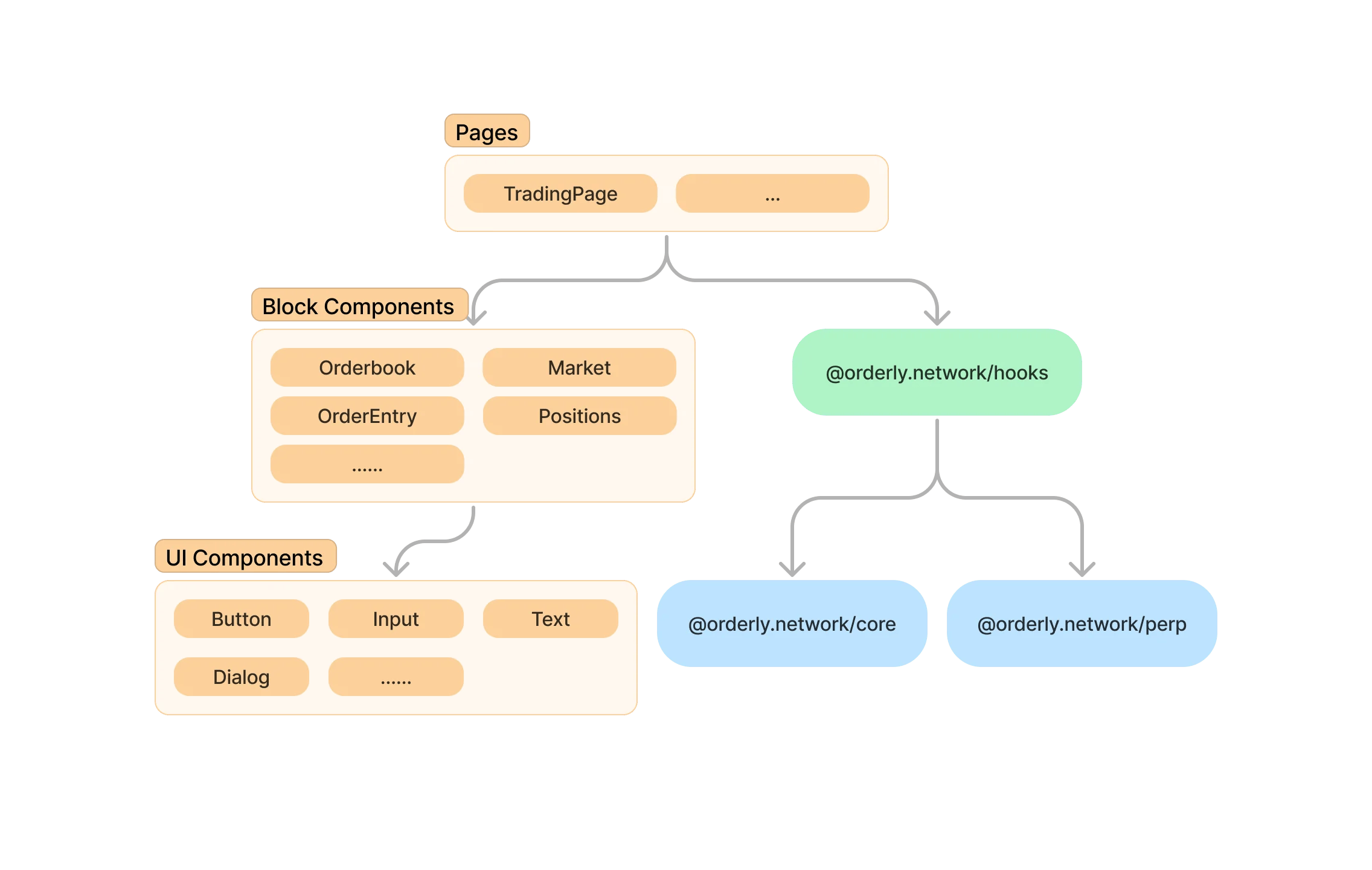 `@orderly.network/react` has three layers, all of which can be used individually.
* UI components: Provides basic UI components, such as buttons, input forms
* Block components: Provides DEX related components, such as symbol chooser, orderbook, trade history components
* Page: Provides fully functional pages, such as the trading page
[](https://orderly.network/docs/sdks/react/overview#compatibility)
Compatibility
------------------------------------------------------------------------------------
* Compatible with all modern browsers and IE11 or above
[Migrate to SDK v2](https://orderly.network/docs/sdks/migrate)
[Getting started](https://orderly.network/docs/sdks/react/getting_started)
⌘I
---
# Security - Orderly
[Skip to main content](https://orderly.network/docs/introduction/security#content-area)
[Orderly home page](https://orderly.network/docs)
latest
Search...
⌘K
Search...
Navigation
Security, legal & FAQ
Security
[Home](https://orderly.network/docs/home)
[Introduction](https://orderly.network/docs/introduction/getting-started/what-is-orderly)
[Build on Omnichain](https://orderly.network/docs/build-on-omnichain/building-on-omnichain)
[SDKs](https://orderly.network/docs/sdks/overview)
[Strategy vault](https://orderly.network/docs/introduction/orderly-omniVault/overview)
[Troubleshooting](https://orderly.network/docs/troubleshooting/introduction)
[Release notes](https://orderly.network/docs/release-notes/omnichain)
On this page
* [Audits](https://orderly.network/docs/introduction/security#audits)
* [Governance](https://orderly.network/docs/introduction/security#governance)
[](https://orderly.network/docs/introduction/security#audits)
Audits
------------------------------------------------------------------------
Orderly has been audited by multiple security firms, including [Halborn](https://www.halborn.com/)
, [Zellic](https://www.zellic.io/)
, [Guardian Audits](https://guardianaudits.com/)
, and several independent consultants. All audit reports can be found on our [GitHub](https://github.com/OrderlyNetwork/Audits)
Trusted and incubated by WOO Network
[](https://orderly.network/docs/introduction/security#governance)
Governance
--------------------------------------------------------------------------------
Updates to the protocol are governed and approved by a multi-sig approver mechanism with signers who have the deepest interest in the success of Orderly
[Delisting Standards](https://orderly.network/docs/introduction/delisting-standards)
[Terms of Service](https://orderly.network/docs/introduction/terms-of-service)
⌘I
---
# Multi-Collateral - Orderly
[Skip to main content](https://orderly.network/docs/introduction/trade-on-orderly/multi-collateral#content-area)
[Orderly home page](https://orderly.network/docs)
latest
Search...
⌘K
Search...
Navigation
Markets & trading
Multi-Collateral
[Home](https://orderly.network/docs/home)
[Introduction](https://orderly.network/docs/introduction/getting-started/what-is-orderly)
[Build on Omnichain](https://orderly.network/docs/build-on-omnichain/building-on-omnichain)
[SDKs](https://orderly.network/docs/sdks/overview)
[Strategy vault](https://orderly.network/docs/introduction/orderly-omniVault/overview)
[Troubleshooting](https://orderly.network/docs/troubleshooting/introduction)
[Release notes](https://orderly.network/docs/release-notes/omnichain)
On this page
* [Collaterals](https://orderly.network/docs/introduction/trade-on-orderly/multi-collateral#collaterals)
* [Max Deposits (Global)](https://orderly.network/docs/introduction/trade-on-orderly/multi-collateral#max-deposits-global)
* [Max Deposits (User)](https://orderly.network/docs/introduction/trade-on-orderly/multi-collateral#max-deposits-user)
* [What is Loan-to-value (LTV)?](https://orderly.network/docs/introduction/trade-on-orderly/multi-collateral#what-is-loan-to-value-ltv-)
* [How to calculate LTV](https://orderly.network/docs/introduction/trade-on-orderly/multi-collateral#how-to-calculate-ltv)
* [Collateral Ratio](https://orderly.network/docs/introduction/trade-on-orderly/multi-collateral#collateral-ratio)
* [What is Collateral Ratio?](https://orderly.network/docs/introduction/trade-on-orderly/multi-collateral#what-is-collateral-ratio)
* [How to Calculate Weight?](https://orderly.network/docs/introduction/trade-on-orderly/multi-collateral#how-to-calculate-weight)
* [Weight & Discount Collateral Factor](https://orderly.network/docs/introduction/trade-on-orderly/multi-collateral#weight-%26-discount-collateral-factor)
* [Collateral Value](https://orderly.network/docs/introduction/trade-on-orderly/multi-collateral#collateral-value)
* [Total Collateral Value](https://orderly.network/docs/introduction/trade-on-orderly/multi-collateral#total-collateral-value)
* [Free Collateral](https://orderly.network/docs/introduction/trade-on-orderly/multi-collateral#free-collateral)
* [Total Account Value](https://orderly.network/docs/introduction/trade-on-orderly/multi-collateral#total-account-value)
* [Auto Conversion (Haircuts)](https://orderly.network/docs/introduction/trade-on-orderly/multi-collateral#auto-conversion-haircuts)
* [Manual Conversion](https://orderly.network/docs/introduction/trade-on-orderly/multi-collateral#manual-conversion)
* [Minimum Swap Collateral Required](https://orderly.network/docs/introduction/trade-on-orderly/multi-collateral#minimum-swap-collateral-required)
* [Maximum Swap Collateral Threshold](https://orderly.network/docs/introduction/trade-on-orderly/multi-collateral#maximum-swap-collateral-threshold)
[](https://orderly.network/docs/introduction/trade-on-orderly/multi-collateral#collaterals)
Collaterals
-----------------------------------------------------------------------------------------------------------
###
[](https://orderly.network/docs/introduction/trade-on-orderly/multi-collateral#max-deposits-global)
Max Deposits (Global)
These values represent the maximum amount of each collateral type (USDT or ETH) that can be deposited across all users on a global scale for the specified blockchain network (Arbitrum, Ethereum, or Base).
| Collateral | Chain | Max Collateral (global) |
| --- | --- | --- |
| USDT | Arbitrum | 2,000,000 |
| ETH | Arbitrum | 1,000 |
| USDT | Ethereum | 3,000,000 |
| ETH | Ethereum | 500 |
| ETH | Base | 500 |
| USDT | BSC | 4,000,000 |
| YUSD | Ethereum | 500,000 |
| YUSD | BSC | 500,000 |
| SOL | SOL | 40,000 |
| USDT | SOL | 1,500,000 |
| BNB | BSC | 10,000 |
| WBTC | Ethereum | 80 |
| USD1 | Ethereum | 1,000,000 |
| USD1 | BSC | 1,000,000 |
###
[](https://orderly.network/docs/introduction/trade-on-orderly/multi-collateral#max-deposits-user)
Max Deposits (User)
| Collateral | Max Collateral |
| --- | --- |
| USDT | 500,000 |
| ETH | 100 |
| SOL | 2,000 |
| BNB | 500 |
| YUSD | 50,000 |
| WBTC | 5 |
| USD1 | 500,000 |
[](https://orderly.network/docs/introduction/trade-on-orderly/multi-collateral#what-is-loan-to-value-ltv-)
What is Loan-to-value (LTV)?
-------------------------------------------------------------------------------------------------------------------------------------------
Loan-to-Value (LTV) is a key risk metric that measures the ratio of your negative USDC value, which includes your negative balance (`USDC_balance`) and unrealized PnL (`upnl`), to your collateral’s value. On Orderly, LTV replaces traditional credit scores to determine your borrowing power in our asset-backed lending system. A lower LTV signifies a safer loan. By maintaining a healthy LTV, you can maximize the loan you can access while enhancing the safety of your position against market volatility. This empowers you to borrow with confidence. Your collateral is held securely by Orderly until the loan is repaid, providing a clear and powerful way for you to leverage your holdings. 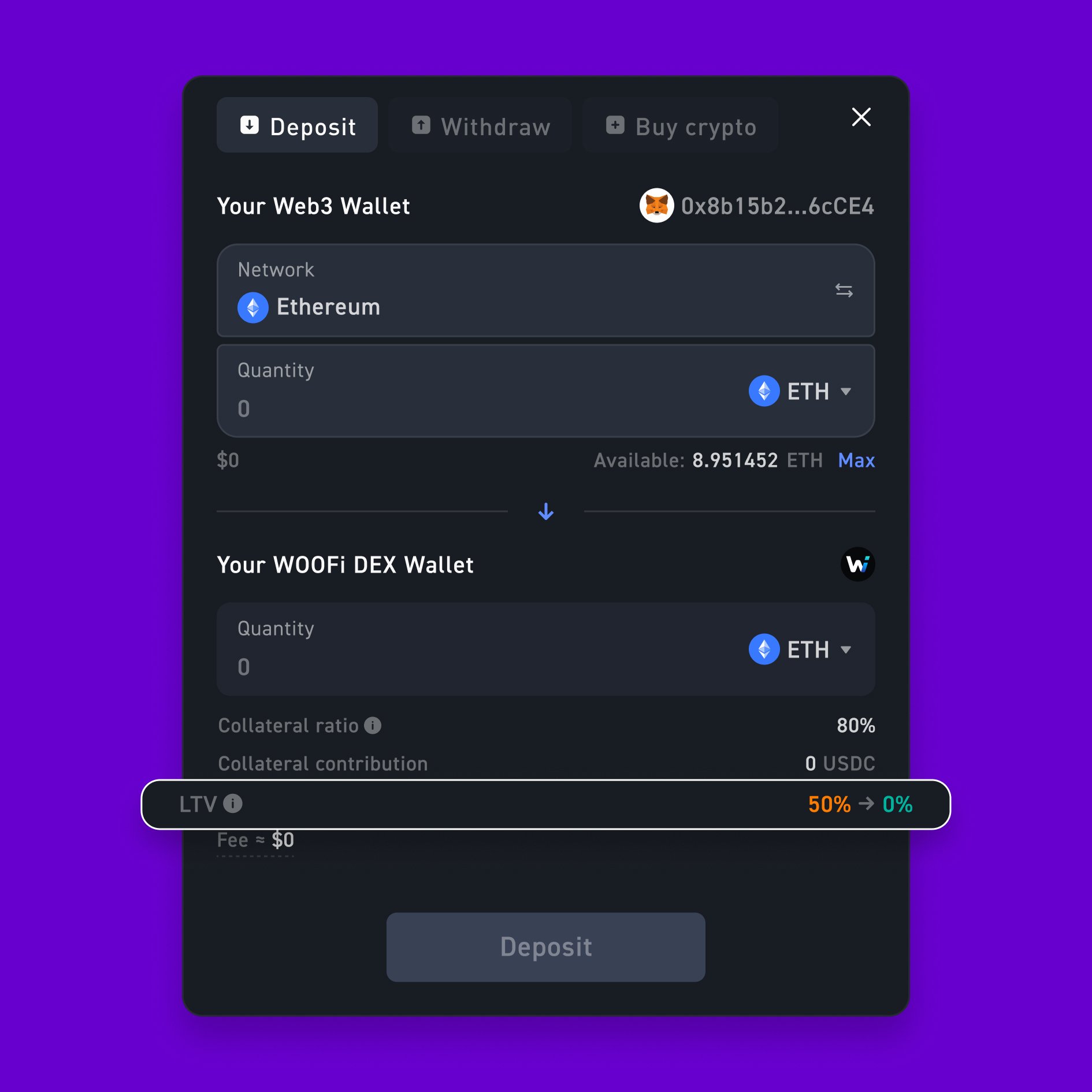
###
[](https://orderly.network/docs/introduction/trade-on-orderly/multi-collateral#how-to-calculate-ltv)
How to calculate LTV
LTV = ( abs(min(USDC Balance, 0)) + abs(min(upnl, 0)) ) / [ sum( max(Collateral Quantity, 0) × Index Price × Weight ) + max(upnl, 0) ]
| Term | Definition |
| --- | --- |
| USDC Balance | The total absolute USDC balance that has been borrowed |
| min(upnl, 0) | Unrealized losses from cross-margin positions |
| Collateral Quantity | The quantity of a specific asset you hold as collateral |
| Index Price | The current market price of the collateral |
| Weight | The collateral weight (refer to Collateral Ratio section) |
| max(upnl, 0) | Unrealized profits from cross-margin positions |
The acceptable range of LTV ratio remains below 95%. Auto conversion of collateral will be triggered if the LTV ratio reaches 95% and above.
* * *
[](https://orderly.network/docs/introduction/trade-on-orderly/multi-collateral#collateral-ratio)
Collateral Ratio
---------------------------------------------------------------------------------------------------------------------
###
[](https://orderly.network/docs/introduction/trade-on-orderly/multi-collateral#what-is-collateral-ratio)
What is Collateral Ratio?
The Collateral Ratio on Orderly is the value at which we recognize your asset deposited as collateral, expressed as a percentage. A higher ratio provides a greater safety buffer against market fluctuations and lowers the risk of liquidation. Orderly calculates this by assigning asset-specific “weights,” where more volatile assets contribute less to the ratio than stable assets. The Collateral Ratio serves as the primary indicator of an account’s financial health on the platform. 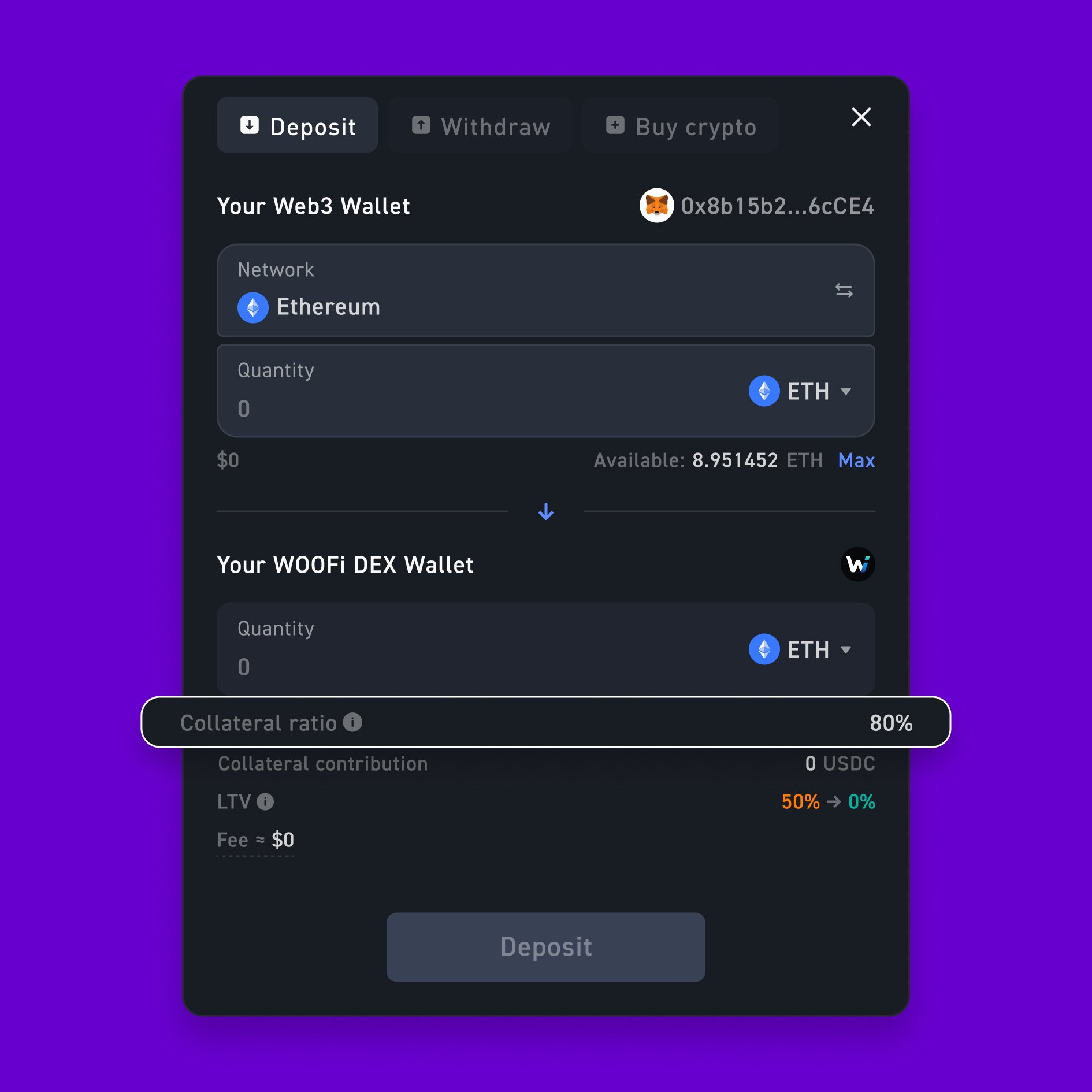
###
[](https://orderly.network/docs/introduction/trade-on-orderly/multi-collateral#how-to-calculate-weight)
How to Calculate Weight?
Weight = min (Base Weight, K / (1 + DCF * abs(Collateral Quantity * Index Price )^(4/5)))
where:
* `DCF_i` = Discount Collateral Factor
* `K` = 1.2
| Term | Definition |
| --- | --- |
| Base Weight | The standard or default collateral weight for a specific asset |
| K | A constant system parameter set at 1.2 unless otherwise stated |
| DCF | Discount collateral factor determining weight sensitivity to position size |
| Collateral Quantity | Quantity of the collateral deposited |
| Index Price | Current market price of the collateral |
| ^(⅘) | Smoothes impact of large position size |
###
[](https://orderly.network/docs/introduction/trade-on-orderly/multi-collateral#weight-&-discount-collateral-factor)
Weight & Discount Collateral Factor
Weight and DCF will be determined based on the table below:
| Collateral | base\_weight | DCF\_i |
| --- | --- | --- |
| USDT | 1 | 0.0000015 |
| ETH | 0.8 | 0.000007 |
| YUSD | 0.9 | 0.0000045 |
| SOL | 0.8 | 0.000007 |
| BNB | 0.8 | 0.000007 |
| WBTC | 0.8 | 0.000007 |
| USD1 | 0.98 | 0.0000045 |
* * *
[](https://orderly.network/docs/introduction/trade-on-orderly/multi-collateral#collateral-value)
Collateral Value
---------------------------------------------------------------------------------------------------------------------
Collateral Value = min(Collateral Quantity , Collateral Cap) * Weight * Index Price
###
[](https://orderly.network/docs/introduction/trade-on-orderly/multi-collateral#total-collateral-value)
Total Collateral Value
Total Collateral Value = sum(Collateral Value) + upnl
###
[](https://orderly.network/docs/introduction/trade-on-orderly/multi-collateral#free-collateral)
Free Collateral
Free Collateral = Total Collateral Value - Total Initial Margin With Orders
###
[](https://orderly.network/docs/introduction/trade-on-orderly/multi-collateral#total-account-value)
Total Account Value
Total Account Value = sum(Collateral Quantity * Index Price) + upnl
* * *
[](https://orderly.network/docs/introduction/trade-on-orderly/multi-collateral#auto-conversion-haircuts)
Auto Conversion (Haircuts)
---------------------------------------------------------------------------------------------------------------------------------------
If your Loan-to-Value (LTV) ratio reaches the 95% threshold or a negative USDC value equivalent to -11,000, the system will automatically convert a necessary portion of your collateral into USDC. This action immediately reduces your LTV to a safer level, helping to preserve your account. This is a protective measure to manage risk. As always, remember that the lower your LTV ratio, the more secure your position is from this type of automated deleveraging. The fee for auto conversion of each collateral will follow the table below:
| Collateral | Auto Conversion Fee (Haircuts) |
| --- | --- |
| USDT | 0.025% |
| ETH | 3.5% |
| YUSD | 0.035% |
| SOL | 3.5% |
| BNB | 3.5% |
| WBTC | 3.5% |
| USD1 | 0.035% |
* * *
[](https://orderly.network/docs/introduction/trade-on-orderly/multi-collateral#manual-conversion)
Manual Conversion
-----------------------------------------------------------------------------------------------------------------------
We recommend monitoring your LTV ratio to ensure it stays below the 95% and/or -11,000 USDC threshold. We permit manual conversion of collateral to assist with this maintenance via on-chain swaps. Each collateral’s minimum and maximum swap amount can be found in the table below: 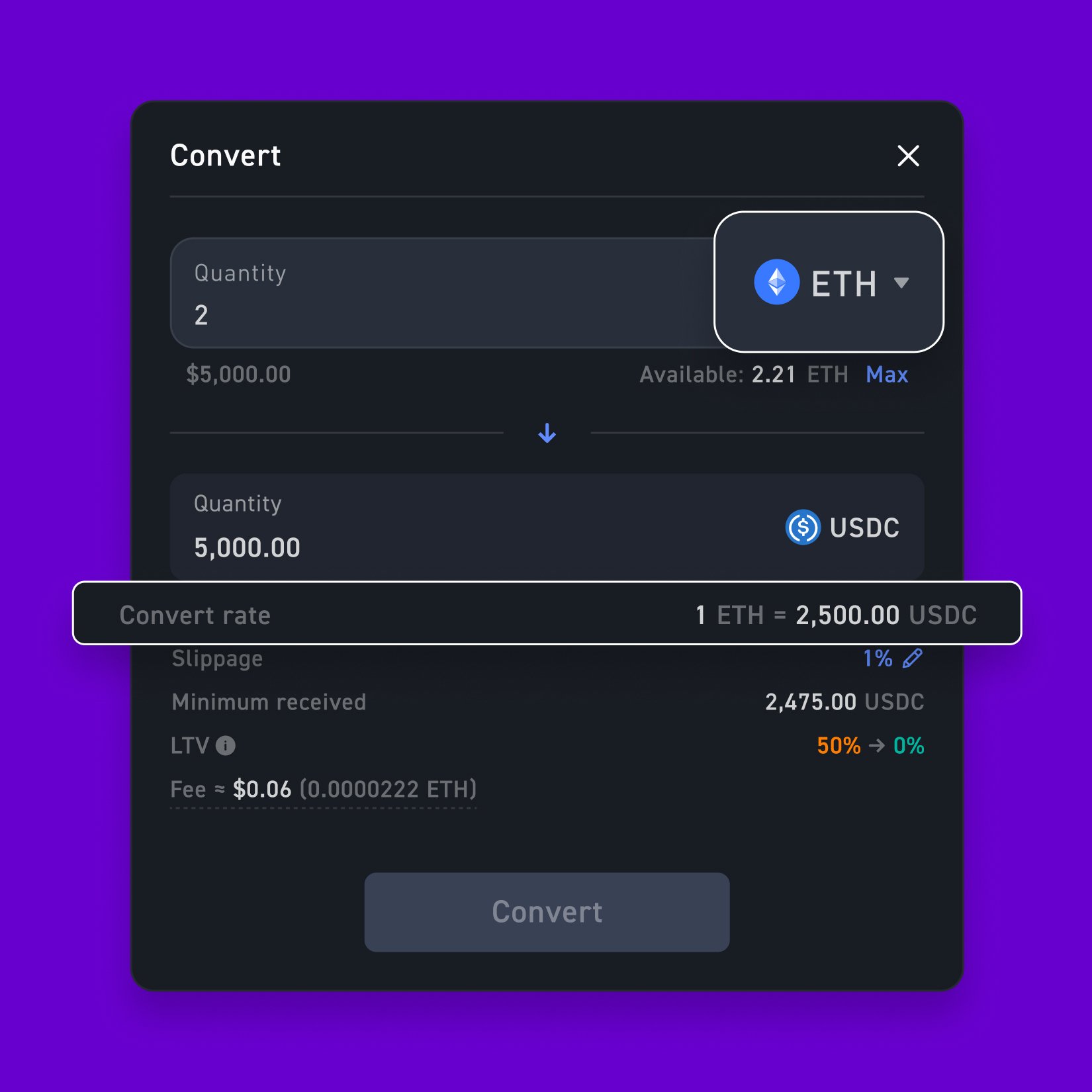
###
[](https://orderly.network/docs/introduction/trade-on-orderly/multi-collateral#minimum-swap-collateral-required)
Minimum Swap Collateral Required
| Collateral | Arbitrum & Base | Ethereum | Solana | BSC |
| --- | --- | --- | --- | --- |
| USDT | 50 | 500 | 50 | 50 |
| ETH | 0.02 | 0.2 | — | — |
| YUSD | — | 500 | — | 50 |
| SOL | — | — | 2 | — |
| BNB | — | — | — | 0.5 |
| WBTC | — | 0.005 | — | — |
| USD1 | — | 500 | — | 500 |
###
[](https://orderly.network/docs/introduction/trade-on-orderly/multi-collateral#maximum-swap-collateral-threshold)
Maximum Swap Collateral Threshold
| Collateral | Arbitrum & Base | Ethereum | Solana | BSC |
| --- | --- | --- | --- | --- |
| USDT | 500,000 | 1,000,000 | 500,000 | 500,000 |
| ETH | 100 | 500 | — | — |
| YUSD | — | 50,000 | — | 50,000 |
| SOL | — | — | 500 | — |
| BNB | — | — | — | 500 |
| WBTC | — | 5 | — | — |
| USD1 | — | 10,000 | — | 10,000 |
[Supported Chains](https://orderly.network/docs/introduction/trade-on-orderly/supported-chains)
[Builders](https://orderly.network/docs/introduction/trade-on-orderly/builders)
⌘I
---
# Integration Checklist - Orderly
[Skip to main content](https://orderly.network/docs/build-on-omnichain/integration-checklist#content-area)
[Orderly home page](https://orderly.network/docs)
latest
Search...
⌘K
Search...
Navigation
Builder quickstart
Integration Checklist
[Home](https://orderly.network/docs/home)
[Introduction](https://orderly.network/docs/introduction/getting-started/what-is-orderly)
[Build on Omnichain](https://orderly.network/docs/build-on-omnichain/building-on-omnichain)
[SDKs](https://orderly.network/docs/sdks/overview)
[Strategy vault](https://orderly.network/docs/introduction/orderly-omniVault/overview)
[Troubleshooting](https://orderly.network/docs/troubleshooting/introduction)
[Release notes](https://orderly.network/docs/release-notes/omnichain)
On this page
* [Phase 1: Planning & Setup](https://orderly.network/docs/build-on-omnichain/integration-checklist#phase-1-planning-%26-setup)
* [Phase 2: Core Implementation](https://orderly.network/docs/build-on-omnichain/integration-checklist#phase-2-core-implementation)
* [Phase 3: Advanced Features & Optimization](https://orderly.network/docs/build-on-omnichain/integration-checklist#phase-3-advanced-features-%26-optimization)
* [Phase 4: Testing & Launch Preparation](https://orderly.network/docs/build-on-omnichain/integration-checklist#phase-4-testing-%26-launch-preparation)
Use this checklist to plan, implement, and launch a builder integration on Orderly. The goal is to cover the required user flows first, then add the operational pieces needed for a stable launch.
[](https://orderly.network/docs/build-on-omnichain/integration-checklist#phase-1-planning-&-setup)
Phase 1: Planning & Setup
--------------------------------------------------------------------------------------------------------------------------------
Before writing code, align the product scope and technical setup with the Orderly team.
* **Choose an integration path:** Pick the stack that matches your product and team.
* [React Hooks](https://orderly.network/docs/sdks/hooks/overview)
* [React UI components](https://orderly.network/docs/sdks/react/overview)
* [Python connector](https://github.com/OrderlyNetwork/orderly-evm-connector-python)
* Direct API access through the [EVM API docs](https://orderly.network/docs/build-on-omnichain/introduction)
* **Set up builder identity:** Start from [Builder Onboarding](https://orderly.network/docs/introduction/getting-started/builder-onboarding)
. If you are using Orderly One, go to [https://dex.orderly.network/](https://dex.orderly.network/)
to create your builder ID and continue onboarding.
* **Review system design:** Read the [Building on Orderly](https://orderly.network/docs/build-on-omnichain/building-on-omnichain)
, [Smart Contract Overview](https://orderly.network/docs/build-on-omnichain/overview)
, and [Smart Contract Addresses](https://orderly.network/docs/build-on-omnichain/addresses)
pages.
* **Define launch scope:** Confirm your core user flows, testnet plan, support process, and go-to-market milestones before development starts.
[](https://orderly.network/docs/build-on-omnichain/integration-checklist#phase-2-core-implementation)
Phase 2: Core Implementation
--------------------------------------------------------------------------------------------------------------------------------------
Implement the flows that every trading integration needs.
* **[Account registration](https://orderly.network/docs/build-on-omnichain/user-flows/accounts)
:** Let users create and activate their Orderly account.
* **[Wallet authentication and Orderly Keys](https://orderly.network/docs/build-on-omnichain/user-flows/wallet-authentication)
:** Set up authentication for signed API access and trading actions.
* **[Deposit and withdrawal](https://orderly.network/docs/build-on-omnichain/user-flows/withdrawal-deposit)
:** Support funding and withdrawal flows from supported chains.
* **[Order management](https://orderly.network/docs/build-on-omnichain/user-flows/order-management)
:** Implement order placement, cancellation, and order state handling.
* **Market and symbol data:** Integrate market metadata, prices, orderbook data, and trade updates from the [WebSocket API](https://orderly.network/docs/build-on-omnichain/websocket-api/introduction)
and relevant REST endpoints such as [available symbols](https://orderly.network/docs/build-on-omnichain/restful-api/public/get-available-symbols)
.
**Reduce-Only Orders:** Use the `reduce-only` flag for orders intended to close or reduce a position. This helps avoid cases where a closing order could otherwise increase Initial Margin Requirements (IMR) and fail because the account does not have enough margin.
[](https://orderly.network/docs/build-on-omnichain/integration-checklist#phase-3-advanced-features-&-optimization)
Phase 3: Advanced Features & Optimization
----------------------------------------------------------------------------------------------------------------------------------------------------------------
Add the pieces that make the integration operationally complete.
* **[Settle PnL](https://orderly.network/docs/build-on-omnichain/user-flows/settle-pnl)
:** Handle realized PnL settlement as part of the account lifecycle.
* **[Custom fees](https://orderly.network/docs/build-on-omnichain/user-flows/custom-fees)
:** Configure default builder fees and any user-level fee logic you need.
* **User data surfaces:** Display balances, positions, trade history, and account data using endpoints such as [Get account information](https://orderly.network/docs/build-on-omnichain/restful-api/private/get-account-information)
.
* **Regulatory controls:** Implement the geo-blocking and compliance checks required for your product and jurisdiction.
[](https://orderly.network/docs/build-on-omnichain/integration-checklist#phase-4-testing-&-launch-preparation)
Phase 4: Testing & Launch Preparation
--------------------------------------------------------------------------------------------------------------------------------------------------------
Verify the integration end to end before going live.
* **Validate on testnet:** Run through registration, authentication, deposits, withdrawals, trading, and settlement on testnet before launch.
* **Prepare for maintenance:** Use the [system maintenance status endpoint](https://orderly.network/docs/build-on-omnichain/restful-api/public/get-system-maintenance-status)
, ask the Orderly team for builder Telegram channel access, and make sure your UI handles maintenance windows clearly, including any order actions that remain available.
* **Review support and launch readiness:** Make sure your team has clear ownership for user support, incident communication, and launch coordination with Orderly.
During system maintenance, market data and user positions will be unavailable. Open positions remain open and can still be liquidated if market conditions change after trading resumes.
[Smart Contract Addresses](https://orderly.network/docs/build-on-omnichain/addresses)
[Partner Support](https://orderly.network/docs/build-on-omnichain/partner-support)
⌘I
---
# Release Classification - Orderly
[Skip to main content](https://orderly.network/docs/release-notes/classification#content-area)
[Orderly home page](https://orderly.network/docs)
latest
Search...
⌘K
Search...
Navigation
Classification
Release Classification
[Home](https://orderly.network/docs/home)
[Introduction](https://orderly.network/docs/introduction/getting-started/what-is-orderly)
[Build on Omnichain](https://orderly.network/docs/build-on-omnichain/building-on-omnichain)
[SDKs](https://orderly.network/docs/sdks/overview)
[Strategy vault](https://orderly.network/docs/introduction/orderly-omniVault/overview)
[Troubleshooting](https://orderly.network/docs/troubleshooting/introduction)
[Release notes](https://orderly.network/docs/release-notes/omnichain)
On this page
* [Patch Release (Low Severity)](https://orderly.network/docs/release-notes/classification#patch-release-low-severity)
* [Minor Release (Moderate Severity)](https://orderly.network/docs/release-notes/classification#minor-release-moderate-severity)
* [Major Release (High Severity)](https://orderly.network/docs/release-notes/classification#major-release-high-severity)
* [Critical Release (Urgent Severity)](https://orderly.network/docs/release-notes/classification#critical-release-urgent-severity)
[](https://orderly.network/docs/release-notes/classification#patch-release-low-severity)
Patch Release (Low Severity)
-------------------------------------------------------------------------------------------------------------------------
**Definition:** Minor updates, typically involving bug fixes and small enhancements that do not impact the existing functionality significantly. **Characteristics:** No new major features. No breaking changes. Does not require user intervention.
[](https://orderly.network/docs/release-notes/classification#minor-release-moderate-severity)
Minor Release (Moderate Severity)
-----------------------------------------------------------------------------------------------------------------------------------
**Definition:** Introduces new features or significant improvements to existing features, but does not fundamentally change the product. **Characteristics:** May include new features, enhancements, and performance improvements. Backward compatible; no breaking changes to existing APIs or core functionality.
[](https://orderly.network/docs/release-notes/classification#major-release-high-severity)
Major Release (High Severity)
---------------------------------------------------------------------------------------------------------------------------
Definition: Major changes that might include new features, substantial revisions, or updates that significantly modify the product’s functionality. **Characteristics:** Introduction of significant new features or major changes to existing ones. Possible backward incompatibilities or changes requiring user adaptation.
[](https://orderly.network/docs/release-notes/classification#critical-release-urgent-severity)
Critical Release (Urgent Severity)
-------------------------------------------------------------------------------------------------------------------------------------
Definition: Emergency releases to fix critical bugs or security vulnerabilities. These releases are often unplanned but necessary for the smooth functioning and security of the product. **Characteristics:** Addresses critical bugs or security issues. Requires immediate deployment to prevent potential data loss, security breaches, or significant system downtime.
[TS SDK](https://orderly.network/docs/release-notes/sdk)
⌘I
---
# Supplemental Terms for Community Strategy Vault - Orderly
[Skip to main content](https://orderly.network/docs/strategy-vault/vault/public/supplemental-terms#content-area)
[Orderly home page](https://orderly.network/docs)
latest
Search...
⌘K
Search...
Navigation
Vault API
Supplemental Terms for Community Strategy Vault
[Home](https://orderly.network/docs/home)
[Introduction](https://orderly.network/docs/introduction/getting-started/what-is-orderly)
[Build on Omnichain](https://orderly.network/docs/build-on-omnichain/building-on-omnichain)
[SDKs](https://orderly.network/docs/sdks/overview)
[Strategy vault](https://orderly.network/docs/introduction/orderly-omniVault/overview)
[Troubleshooting](https://orderly.network/docs/troubleshooting/introduction)
[Release notes](https://orderly.network/docs/release-notes/omnichain)
On this page
* [1\. NATURE OF THE SERVICE](https://orderly.network/docs/strategy-vault/vault/public/supplemental-terms#1-nature-of-the-service)
* [2\. HOW THE COMMUNITY STRATEGY VAULT WORKS](https://orderly.network/docs/strategy-vault/vault/public/supplemental-terms#2-how-the-community-strategy-vault-works)
* [3\. INDEPENDENT STRATEGY PROVIDERS](https://orderly.network/docs/strategy-vault/vault/public/supplemental-terms#3-independent-strategy-providers)
* [4\. NO INVESTMENT PRODUCTS OR ADVICE](https://orderly.network/docs/strategy-vault/vault/public/supplemental-terms#4-no-investment-products-or-advice)
* [5\. RISKS](https://orderly.network/docs/strategy-vault/vault/public/supplemental-terms#5-risks)
* [6\. USER RESPONSIBILITIES](https://orderly.network/docs/strategy-vault/vault/public/supplemental-terms#6-user-responsibilities)
These Supplemental Terms apply to your use of the Community Strategy Vaults, a self-custody smart contract interface provided by Orderly. These Supplemental Terms form part of the Orderly Network Ltd. General Terms of Service (the “Terms”), and are Supplemental Terms as defined in the Terms. In the event of conflict between these Supplemental Terms and the Terms, these Supplemental Terms shall prevail with respect to your use of the Community Strategy Vaults. Capitalised terms not otherwise defined in these Supplemental Terms shall have the meanings given to them in the Terms. By accessing or using the Community Strategy Vaults, you agree to these Supplemental Terms and the Terms. These Supplemental Terms may be amended by Orderly Network Ltd. at any time. Updates will be effective upon posting, in the manner set out in the Terms.
[](https://orderly.network/docs/strategy-vault/vault/public/supplemental-terms#1-nature-of-the-service)
1\. NATURE OF THE SERVICE
-------------------------------------------------------------------------------------------------------------------------------------
**1.1** The Community Strategy Vault is a technology interface. It enables users to get exposure to strategies created by independent third parties (each, a “Strategy Provider”) through a loan of assets to such vault according to a self-custody smart contract. **1.2** Assets loaned remain under the user’s control and ownership at all times. Orderly does not: (a) pool user assets, (b) custodise assets, (c) direct or manage strategies, (d) act as your agent, fiduciary, investment manager or adviser, or (e) guarantee outcomes. **1.3** Orderly’s role is limited to infrastructure. Any interaction between a user and a Strategy Provider is independent of Orderly. Users can view available Strategy Providers and strategies directly and must make their own choices.
[](https://orderly.network/docs/strategy-vault/vault/public/supplemental-terms#2-how-the-community-strategy-vault-works)
2\. HOW THE COMMUNITY STRATEGY VAULT WORKS
-----------------------------------------------------------------------------------------------------------------------------------------------------------------------
**2.1** When you loan assets into the Community Strategy Vault, they are held in a self-custody smart contract. You remain the owner of those assets at all times. **2.2** You may choose a Strategy Provider from those displayed in the interface. Once selected, the interest rate on your loan is linked to the performance of the strategies run by that Strategy Provider. For the avoidance of doubt, the interest rate may be negative or positive. In the worst case scenario, the interest rate may be negative with the absolute number of that interest amount equal or greater than the loaned amount itself, resulting in a total loss of the loaned amount. **2.3** Strategies are executed directly by the Strategy Provider through their designated trading account(s) over the loaned assets, which may operate on Orderly’s DEX or other approved venues. **2.4** Profits or losses from a strategy are reflected in the vault balance. Orderly does not guarantee profits, mitigate losses, or step in if a Strategy Provider underperforms or defaults on obligations. In the worst-case scenario, you may lose your full loaned amount. **2.5** You may, from time to time, apply for your loan to be partially or fully repaid. Such repayments are processed by smart contract logic. Assets are returned to you within the timeline set out in the smart contract.
[](https://orderly.network/docs/strategy-vault/vault/public/supplemental-terms#3-independent-strategy-providers)
3\. INDEPENDENT STRATEGY PROVIDERS
-------------------------------------------------------------------------------------------------------------------------------------------------------
**3.1** Strategy Providers are solely responsible for the creation, management, and execution of their strategies. **3.2** Orderly does not monitor, supervise, vet, endorse, or guarantee any Strategy Provider or their performance. **3.3** Any fees, including performance fees, are determined and managed by the relevant Strategy Provider.
[](https://orderly.network/docs/strategy-vault/vault/public/supplemental-terms#4-no-investment-products-or-advice)
4\. NO INVESTMENT PRODUCTS OR ADVICE
-----------------------------------------------------------------------------------------------------------------------------------------------------------
**4.1** The Community Strategy Vault is a technology service only. It provides infrastructure for users to apply strategies developed by independent third parties (“Strategy Providers”) to assets in the relevant vault. It is not, and should not be construed as, a deposit, investment contract, security, collective investment scheme, pooled fund, portfolio management service, or any other regulated financial product. Orderly makes no representations and disclaims all liability on whether Strategy Providers are performing a licensed activity and/or breaching any applicable laws and regulations. Strategy Providers are responsible for obtaining independent advice on their legal and regulatory obligations when performing this role and Orderly does not monitor or control them. **4.2** Orderly Network Ltd. does not pool assets, take custody, intermediate transactions between users and Strategy Providers, or exercise discretion over strategies. Orderly does not act as your agent, broker, fiduciary, investment manager, or adviser. **4.3** Nothing in connection with the Community Strategy Vault constitutes financial, investment, tax, accounting, or legal advice. Any information made available (including strategy performance data, analytics, or reporting tools) is provided solely for informational purposes and should not be relied upon as advice of any kind. **4.4** You are solely responsible for: (a) assessing whether use of the Community Strategy Vault or any strategy is suitable for you in light of your financial objectives, experience, and risk tolerance; (b) ensuring that your participation is lawful in your jurisdiction; and (c) complying with all applicable laws, regulations, and tax obligations.
[](https://orderly.network/docs/strategy-vault/vault/public/supplemental-terms#5-risks)
5\. RISKS
-----------------------------------------------------------------------------------------------------
**5.1** Use of the Community Strategy Vault involves substantial risks of which Orderly is not liable for, including but not limited to:
* market volatility and adverse price movements,
* failure, underperformance, or mismanagement of trading strategies,
* misconduct, negligence, or default by Strategy Providers,
* liquidity, leverage, or margin risks,
* smart contract bugs, coding errors, or vulnerabilities,
* malicious attacks, hacks, exploits, phishing, or unauthorized access,
* failures, downtime, or delays by third-party service providers, custodians, wallets, or trading venues,
* reliance on external infrastructure (e.g. bridges, APIs, blockchains, custodians),
* operational failures, network outages, or software malfunctions,
* insolvency or failure of third-party service providers,
* changes in laws, regulations, enforcement priorities, or government action that may restrict or prohibit the Community Strategy Vault or particular strategies,
* adverse or uncertain tax treatment and reporting obligations,
* force majeure events beyond Orderly’s control, including cyberattacks, natural disasters, or geopolitical events.
**5.2** You acknowledge and accept that you may lose part or all of your assets, and that all risk is borne solely by you. Orderly will not reimburse, insure, or otherwise cover any losses. **5.3** Orderly makes no warranty or representation that the Community Strategy Vault or any strategy will be available, uninterrupted, secure, or error-free. Orderly expressly disclaims all liability for any outcomes of strategies.
[](https://orderly.network/docs/strategy-vault/vault/public/supplemental-terms#6-user-responsibilities)
6\. USER RESPONSIBILITIES
-------------------------------------------------------------------------------------------------------------------------------------
By using the Community Strategy Vault, you represent and warrant that:
* you accept the risk of total loss of your assets,
* you are solely responsible for compliance with all applicable laws, including tax and reporting obligations and are further responsible for determining if there are any legal or regulatory risks to making a loan to the Community Strategy Vault and accepting them before making such a loan,
* you will not rely on Orderly for investment, financial, or legal advice, and
* you indemnify and hold harmless Orderly Network Ltd. and its affiliates from any claims, damages, or liabilities related to your use of the Community Strategy Vault or reliance on any Strategy Provider strategy.
[Get Strategy Vault Liquidator History](https://orderly.network/docs/strategy-vault/vault/public/vault-liquidator-history)
[Get Liquidity Provider Info](https://orderly.network/docs/strategy-vault/liquidity-provider/public/lp-info)
⌘I
---
# README - Orderly
[Skip to main content](https://orderly.network/docs/sdks/tech-doc/README#content-area)
[Orderly home page](https://orderly.network/docs)
latest
Search...
⌘K
Search...
Navigation
[Home](https://orderly.network/docs/home)
[Introduction](https://orderly.network/docs/introduction/getting-started/what-is-orderly)
[Build on Omnichain](https://orderly.network/docs/build-on-omnichain/building-on-omnichain)
[SDKs](https://orderly.network/docs/sdks/overview)
[Strategy vault](https://orderly.network/docs/introduction/orderly-omniVault/overview)
[Troubleshooting](https://orderly.network/docs/troubleshooting/introduction)
[Release notes](https://orderly.network/docs/release-notes/omnichain)
On this page
* [Orderly EVM SDKs](https://orderly.network/docs/sdks/tech-doc/README#orderly-evm-sdks)
Orderly SDKs / [Modules](https://orderly.network/docs/sdks/tech-doc/modules)
[](https://orderly.network/docs/sdks/tech-doc/README#orderly-evm-sdks)
Orderly EVM SDKs
===========================================================================================
[](https://www.npmjs.com/package/@orderly.network/hooks)
[](https://www.npmjs.com/package/@orderly.network/core)
[](https://www.npmjs.com/package/@orderly.network/perp)
[](https://www.npmjs.com/package/@orderly.network/types)
[](https://www.npmjs.com/package/@orderly.network/react) Monorepo for all Orderly Network EVM SDKs. Please check out our [documentation](https://sdk.orderly.network/)
.
[Overview](https://orderly.network/docs/sdks/perp/overview)
[Modules](https://orderly.network/docs/sdks/tech-doc/modules)
⌘I
---
# Partner Support - Orderly
[Skip to main content](https://orderly.network/docs/build-on-omnichain/partner-support#content-area)
[Orderly home page](https://orderly.network/docs)
latest
Search...
⌘K
Search...
Navigation
Partner onboarding & support
Partner Support
[Home](https://orderly.network/docs/home)
[Introduction](https://orderly.network/docs/introduction/getting-started/what-is-orderly)
[Build on Omnichain](https://orderly.network/docs/build-on-omnichain/building-on-omnichain)
[SDKs](https://orderly.network/docs/sdks/overview)
[Strategy vault](https://orderly.network/docs/introduction/orderly-omniVault/overview)
[Troubleshooting](https://orderly.network/docs/troubleshooting/introduction)
[Release notes](https://orderly.network/docs/release-notes/omnichain)
On this page
* [During onboarding](https://orderly.network/docs/build-on-omnichain/partner-support#during-onboarding)
* [Support channels](https://orderly.network/docs/build-on-omnichain/partner-support#support-channels)
* [Builder resources](https://orderly.network/docs/build-on-omnichain/partner-support#builder-resources)
* [After launch](https://orderly.network/docs/build-on-omnichain/partner-support#after-launch)
Use this page as the support map for builder onboarding, implementation, and launch preparation.
[](https://orderly.network/docs/build-on-omnichain/partner-support#during-onboarding)
During onboarding
-----------------------------------------------------------------------------------------------------------
* **Builder setup:** Start from [Builder Onboarding](https://orderly.network/docs/introduction/getting-started/builder-onboarding)
. If you are using Orderly One, complete the graduation flow on the [Orderly One portal](https://dex.orderly.network/dex)
to create your builder ID and continue onboarding.
* **Architecture and scope review:** Align your integration plan, core user flows, and launch scope with the Orderly team before development begins.
* **Launch coordination:** Use onboarding discussions to align on launch readiness, milestones, and any rollout dependencies.
[](https://orderly.network/docs/build-on-omnichain/partner-support#support-channels)
Support channels
---------------------------------------------------------------------------------------------------------
* **Discord:** Join the [Orderly Discord](https://discord.gg/OrderlyNetwork)
for direct community and team communication.
* **Builder Telegram channel:** Ask the Orderly team for builder Telegram channel access so you can receive maintenance notifications and operational updates.
[](https://orderly.network/docs/build-on-omnichain/partner-support#builder-resources)
Builder resources
-----------------------------------------------------------------------------------------------------------
* **[Integration Checklist](https://orderly.network/docs/build-on-omnichain/integration-checklist)
:** The recommended implementation and launch sequence.
* **[Building on Orderly](https://orderly.network/docs/build-on-omnichain/building-on-omnichain)
:** Entry page for architecture and builder navigation.
* **[Smart Contract Overview](https://orderly.network/docs/build-on-omnichain/overview)
:** Visual contract interaction flows.
* **[Smart Contract Addresses](https://orderly.network/docs/build-on-omnichain/addresses)
:** Mainnet and testnet contract addresses.
* **[SDK overview](https://orderly.network/docs/sdks/overview)
:** Starting point for Hooks, UI components, and SDK-based integrations.
* **[API fundamentals](https://orderly.network/docs/build-on-omnichain/introduction)
:** Authentication, reference docs, and API behavior.
* **[Contract ABIs](https://github.com/OrderlyNetwork/contract-evm-abi)
:** Latest ABI files for Orderly smart contracts.
[](https://orderly.network/docs/build-on-omnichain/partner-support#after-launch)
After launch
-------------------------------------------------------------------------------------------------
* **Maintenance handling:** Monitor the [system maintenance status endpoint](https://orderly.network/docs/build-on-omnichain/restful-api/public/get-system-maintenance-status)
and prepare your app to communicate maintenance windows clearly.
* **User communication:** Make sure your users can understand when trading data is unavailable and what actions remain available during maintenance.
* **Support escalation:** Keep a clear internal process for technical issues and coordinate with Orderly support when the issue depends on platform behavior.
[Integration Checklist](https://orderly.network/docs/build-on-omnichain/integration-checklist)
[Affiliate Onboarding Guide](https://orderly.network/docs/build-on-omnichain/affiliate-onboarding)
⌘I
---
# Stuck/delayed withdrawals - Orderly
[Skip to main content](https://orderly.network/docs/troubleshooting/user-issues/withdrawal-issues#content-area)
[Orderly home page](https://orderly.network/docs)
latest
Search...
⌘K
Search...
Navigation
User issues
Stuck/delayed withdrawals
[Home](https://orderly.network/docs/home)
[Introduction](https://orderly.network/docs/introduction/getting-started/what-is-orderly)
[Build on Omnichain](https://orderly.network/docs/build-on-omnichain/building-on-omnichain)
[SDKs](https://orderly.network/docs/sdks/overview)
[Strategy vault](https://orderly.network/docs/introduction/orderly-omniVault/overview)
[Troubleshooting](https://orderly.network/docs/troubleshooting/introduction)
[Release notes](https://orderly.network/docs/release-notes/omnichain)
Withdrawals to some chains take longer (Polygon for example) because it takes longer to get to transaction finality. Withdrawals are not instant and may take a few minutes.
If users are having issues with withdrawals please do the following:
1
[](https://orderly.network/docs/troubleshooting/user-issues/withdrawal-issues#)
First Step
Check our [Dune dashboard](https://dune.com/orderly_network/orderly-support-dashboard)
and check if withdrawal went through to any chain. Sometimes users request withdrawal to the wrong chain.
Make sure to refresh the dashboard before checking.
2
[](https://orderly.network/docs/troubleshooting/user-issues/withdrawal-issues#)
Second Step
If that wasn’t successful, please go to [LayerZero explorer](https://layerzeroscan.com/)
and select “Source: Orderly” to check for any cross-chain message delays.A list of messages appears with Orderly as the source chain for any withdrawals we have received and processed.
* If a message is in-flight and was created 10+ min ago, the withdrawal is being delayed because of LayerZero cross-chain messaging.
3
[](https://orderly.network/docs/troubleshooting/user-issues/withdrawal-issues#)
Third Step
If the above steps weren’t successful, please send a message to Orderly with
* User’s address
* Withdrawal amount
* Approximate time the withdrawal was requested
[Transaction/order issues](https://orderly.network/docs/troubleshooting/user-issues/transaction-failures)
[Stuck/delayed deposits](https://orderly.network/docs/troubleshooting/user-issues/deposit-issues)
⌘I
---
# Migrate to SDK v2 - Orderly
[Skip to main content](https://orderly.network/docs/sdks/migrate#content-area)
[Orderly home page](https://orderly.network/docs)
latest
Search...
⌘K
Search...
Navigation
Software development kits
Migrate to SDK v2
[Home](https://orderly.network/docs/home)
[Introduction](https://orderly.network/docs/introduction/getting-started/what-is-orderly)
[Build on Omnichain](https://orderly.network/docs/build-on-omnichain/building-on-omnichain)
[SDKs](https://orderly.network/docs/sdks/overview)
[Strategy vault](https://orderly.network/docs/introduction/orderly-omniVault/overview)
[Troubleshooting](https://orderly.network/docs/troubleshooting/introduction)
[Release notes](https://orderly.network/docs/release-notes/omnichain)
On this page
* [Major Enhancements](https://orderly.network/docs/sdks/migrate#major-enhancements)
* [Package Structure Changes](https://orderly.network/docs/sdks/migrate#package-structure-changes)
* [Deprecated Packages:](https://orderly.network/docs/sdks/migrate#deprecated-packages)
* [New Packages](https://orderly.network/docs/sdks/migrate#new-packages)
* [Major breaking changes](https://orderly.network/docs/sdks/migrate#major-breaking-changes)
* [Hooks SDK Modifications (@orderly.network/hooks)](https://orderly.network/docs/sdks/migrate#hooks-sdk-modifications-%40orderly-network%2Fhooks)
* [OrderlyConfigProvider](https://orderly.network/docs/sdks/migrate#orderlyconfigprovider)
* [useAccount](https://orderly.network/docs/sdks/migrate#useaccount)
* [useOrderEntry](https://orderly.network/docs/sdks/migrate#useorderentry)
* [useMarginRatio](https://orderly.network/docs/sdks/migrate#usemarginratio)
* [Components SDK Modifications (prior @orderly.network/react)](https://orderly.network/docs/sdks/migrate#components-sdk-modifications-prior-%40orderly-network%2Freact)
* [@orderly.network/react(Deprecation)](https://orderly.network/docs/sdks/migrate#%40orderly-network%2Freact%EF%BC%88deprecation%EF%BC%89)
* [OrderlyAppProvider updates:](https://orderly.network/docs/sdks/migrate#orderlyappprovider-updates)
* [Wallet Connection](https://orderly.network/docs/sdks/migrate#wallet-connection)
* [Styling](https://orderly.network/docs/sdks/migrate#styling)
* [Referral](https://orderly.network/docs/sdks/migrate#referral)
* [FAQ](https://orderly.network/docs/sdks/migrate#faq)
* [export ‘SWRConfig’ (reexported as ‘SWRConfig’) was not found in ‘swr’ (possible exports: unstable\_serialize)](https://orderly.network/docs/sdks/migrate#export-%E2%80%98swrconfig%E2%80%99-reexported-as-%E2%80%98swrconfig%E2%80%99-was-not-found-in-%E2%80%98swr%E2%80%99-possible-exports-unstable_serialize)
* [Attempted import error: ‘startWith’ is not exported from ‘rxjs’ (imported as ‘startWith’).](https://orderly.network/docs/sdks/migrate#attempted-import-error-%E2%80%98startwith%E2%80%99-is-not-exported-from-%E2%80%98rxjs%E2%80%99-imported-as-%E2%80%98startwith%E2%80%99)
* [Error: Dynamic require of “react” is not supported](https://orderly.network/docs/sdks/migrate#error-dynamic-require-of-%E2%80%9Creact%E2%80%9D-is-not-supported)
[](https://orderly.network/docs/sdks/migrate#major-enhancements)
Major Enhancements
---------------------------------------------------------------------------------------
1. Hook and Component Library Refactoring: Improved performance and enhanced component customization capabilities.
2. New UI/UX: Updated design for a better user experience.
3. Solana Support: Added support for the Solana chain.
4. New Bracket Order
5. Extended React Hooks: Added new hooks (refer to documentation for the complete list):
1. portfolio
1. useAssetsHistory
2. useDistributionHistory
3. useFundingFeeHistory
4. useStatisticsDaily
2. Trading Rewards:
1. useAccountRewardsHistory
2. useWalletRewardsHistory
6. New Page Components: Added more out-of-the-box components, the SDK now includes the following built-in page components:
1. Trading (New)
2. Portfolio
3. Referral
4. Markets
5. Trading Rewards
7. Base UI component library: A new base component library, @orderly.network/ui, has been created to facilitate builders in developing custom components that maintain a consistent style with the components provided by the SDK.
8. Independent Widgets: Separated additional widgets for standalone use, with each page widget’s components available for export:
1. Positions Widget
2. Orders Widget
3. Order Entry Widget
9. Enhanced Customization Options:
10. Theming:
1. Custom themes with support for CSS variables (since 1.0.0).
2. Override component styles via element class modifications.
3. Customize default component behaviors via theme configuration.
11. Custom Components:
1. Ability to create fully custom components.
[](https://orderly.network/docs/sdks/migrate#package-structure-changes)
Package Structure Changes
-----------------------------------------------------------------------------------------------------
###
[](https://orderly.network/docs/sdks/migrate#deprecated-packages)
Deprecated Packages:
| Name | Replacement | Description |
| --- | --- | --- |
| `@orderly.network/react` | `@orderly.network/ui-scaffold`, `@orderly.network/trading` | Deprecated and split into multiple packages. |
| `@orderly.network/web3-onboard` | `@orderly.network/wallet-connector` | Supports Solana/EVM wallets. |
| `@orderly.network/referral` | `@orderly.network/affiliate` | Replacement package. |
###
[](https://orderly.network/docs/sdks/migrate#new-packages)
New Packages
| Name | Description |
| --- | --- |
| `@orderly.network/ui` | Base UI component library. |
| `@orderly.network/ui-scaffold` | Page layout components (e.g., headers, footers, sidebars). |
| `@orderly.network/react-app` | Providers for any React app built with Orderly components. |
| `@orderly.network/trading` | Trading page components. |
| `@orderly.network/portfolio` | Personal portfolio dashboard components. |
| `@orderly.network/trading-rewards` | |
| `@orderly.network/affiliate` | |
| `@orderly.network/markets` | |
| `@orderly.network/ui-connector` | |
| `@orderly.network/ui-chain-selector` | |
| `@orderly.network/ui-order-entry` | |
| `@orderly.network/ui-orders` | |
| `@orderly.network/ui-positions` | |
| `@orderly.network/ui-tpsl` | |
| `@orderly.network/ui-transfer` | |
| `@orderly.network/ui-share` | |
| `@orderly.network/ui-leverage` | |
| `@orderly.network/wallet-connector` | |
| `@orderly.network/default-evm-adapter` | |
| `@orderly.network/default-solana-adapter` | |
| `@orderly.network/web3-provider-ethers` | |
[](https://orderly.network/docs/sdks/migrate#major-breaking-changes)
Major breaking changes
-----------------------------------------------------------------------------------------------
###
[](https://orderly.network/docs/sdks/migrate#hooks-sdk-modifications-@orderly-network/hooks)
Hooks SDK Modifications (@orderly.network/hooks)
You can find a full example using the Components SDK in [this Github repository](https://github.com/OrderlyNetwork/example-dex)
.
####
[](https://orderly.network/docs/sdks/migrate#orderlyconfigprovider)
OrderlyConfigProvider
Added walletAdapters configuration property, supporting EVM and Solana by default. If your Solana wallet connection is not ready, manually configure this property to exclude Solana support:
import { DefaultEVMWalletAdapter } from "@orderly.network/default-evm-adapter";
import { EthersProvider } from "@orderly.network/web3-provider-ethers";
/**
* To support only EVM, you need to manually set the `walletAdapters` property in `OrderlyProvider` to override the SDK's default configuration.
* Note: Make sure to include the following dependencies: `@orderly.network/default-evm-adapter` and `@orderly.network/web3-provider-ethers`.
*/
{children}
;
If you are using the UI components directly from the Orderly SDK, you can ignore this change, as the SDK’s wallet connection components will support both EVM and Solana by default. However, if you want to support only EVM or Solana, refer to the following configuration:
import { DefaultEVMAdapterWalletAdapter } from "@orderly.network/default-evm-adapter";
import { EthersProvider } from "@orderly.network/web3-provider-ethers";
import { OrderlyAppProvider } from "@orderly.network/react-app";
{children}
;
The getWalletAdapter property has been removed.
####
[](https://orderly.network/docs/sdks/migrate#useaccount)
useAccount
Updated to support multiple chain namespaces (EVM, Solana):
const { account } = useAccount();
account.setAddress(currentWallet.accounts[0].address, {
provider: currentWallet.provider,
chain: {
id: currentChainId, // current chain id
namespace: "SOL" // namespace can be 'EVM' or 'SOL'
},
wallet: {
name: currentWallet.label // metamask or some other name of wallet
}
});
####
[](https://orderly.network/docs/sdks/migrate#useorderentry)
useOrderEntry
v2 refactors the input parameters and return types. If you still wish to use the useOrderEntry from v1, you can import it as follows:
import { useOrderEntry_deprecated } from "@orderly.network/hooks";
`useOrderEntry_deprecated` will be removed in future versions. It is recommended to transition to the new version of useOrderEntry as soon as possible.
Go check out the full updated example of the new [`userOrderEntry`](https://orderly.network/docs/sdks/hooks/orders/use-order-entry)
hook or look at the [example dex](https://github.com/OrderlyNetwork/example-dex/blob/ca3214216de541c139e95a38cf3d3044999a6859/app/components/CreateOrder.tsx)
.
####
[](https://orderly.network/docs/sdks/migrate#usemarginratio)
useMarginRatio
The return type has been updated:
* **old**: `currentLeverage: number;`
* **new**: `currentLeverage: number | null;`
export type MarginRatioReturn = {
marginRatio: number;
// NEW: `number` to `number | null`
currentLeverage: number | null;
mmr: number | null;
};
###
[](https://orderly.network/docs/sdks/migrate#components-sdk-modifications-prior-@orderly-network/react)
Components SDK Modifications (prior @orderly.network/react)
If you are only integrating the SDK using hooks, you can ignore the following changes. However, if you are using the widgets provided by the SDK, please adjust your implementation accordingly. You can find a full example using the Components SDK in [this Github repository](https://github.com/OrderlyNetwork/orderly-js-sdk-nextjs-template)
.
####
[](https://orderly.network/docs/sdks/migrate#@orderly-network/react%EF%BC%88deprecation%EF%BC%89)
`@orderly.network/react`(Deprecation)
* The package `@orderly.network/react` has been deprecated and split into:
* `@orderly.network/ui-scaffold`: For page layout components.
* `@orderly.network/trading`: For trading page components.
* `@orderly.network/ui-scaffold` provides layout functionalities, including top navigation menus, bottom status bars, and left-side navigation. If you want to customize the top navigation component, note that the v1 Layout component attributes are no longer supported. Configuration should be migrated to the Scaffold component.
* The `@orderly.network/ui-scaffold` package not only includes the default Scaffold component but also exports subcomponents like ChainMenuWidget, AccountMenuWidget, etc. These can be freely combined to suit your needs. Refer to the `@orderly.network/ui-scaffold` documentation for details.
* The SDK only provides page components; you are responsible for organizing the routing. It is recommended to use a React router library that supports nested routes to reuse layout components, minimize page reloads, and improve user experience. If you are using Next.js, refer to the Next.js template.
####
[](https://orderly.network/docs/sdks/migrate#orderlyappprovider-updates)
OrderlyAppProvider updates:
* onChainChanged:
//v 1
onChainChanged?: (chainId: number, isTestnet: boolean) => void;
// v2
// The second parameter has changed from a boolean to an object
onChainChanged?: (
chainId: number,
state: { isTestnet: boolean; isWalletConnected: boolean }
) => void;
* Removed Properties:
* shareOptions , referral have been removed: Configure this within the TradingPage component of `@orderly.network/trading`.
* topBar, topBarProps, footerStatusBarProps, accountMenuItems, onClickAccountMenuItem have been removed. Migrate these configurations to the Scaffold component in `@orderly.network/ui-scaffold`.
####
[](https://orderly.network/docs/sdks/migrate#wallet-connection)
Wallet Connection
Replace `@orderly.network/web3-onboard` with `@orderly.network/wallet-connector`. Ensure to update the corresponding component parameters.
####
[](https://orderly.network/docs/sdks/migrate#styling)
Styling
Replace `styles.css` import from `@orderly.network/react` with `@orderly.network/ui/dist/styles.css` Theme Updates:
"--oui-font-family": '"Manrope", sans-serif',
/* colors */
"--oui-color-primary": "51 95 252",
"--oui-color-primary-light": "96 140 255",
"--oui-color-primary-darken": "152 62 214",
"--oui-color-primary-contrast": "255 255 255",
"--oui-color-link": "182 79 255",
"--oui-color-link-light": "208 140 255",
"--oui-color-secondary": "255 255 255",
"--oui-color-tertiary": "218 218 218",
"--oui-color-quaternary": "218 218 218",
"--oui-color-danger": "255 68 124",
"--oui-color-danger-light": "255 68 124",
"--oui-color-danger-darken": "217 45 107",
"--oui-color-danger-contrast": "255 255 255",
"--oui-color-success": "0 180 158",
"--oui-color-success-light": "15 203 180",
"--oui-color-success-darken": "0 134 118",
"--oui-color-success-contrast": "255 255 255",
"--oui-color-warning": "210 95 0",
"--oui-color-warning-light": "255 207 115",
"--oui-color-warning-darken": "117 88 33",
"--oui-color-warning-contrast": "255 255 255",
"--oui-color-fill": "36 32 47",
"--oui-color-fill-active": "40 46 58",
"--oui-color-base-1": "83 94 123",
"--oui-color-base-2": "74 83 105",
"--oui-color-base-3": "57 65 85",
"--oui-color-base-4": "51 57 72",
"--oui-color-base-5": "40 46 58",
"--oui-color-base-6": "32 37 47",
"--oui-color-base-7": "27 32 40",
"--oui-color-base-8": "24 28 35",
"--oui-color-base-9": "19 21 25",
"--oui-color-base-10": "7 8 10",
"--oui-color-base-foreground": "255 255 255",
"--oui-color-line": "255 255 255",
"--oui-color-trading-loss": "255 68 124",
"--oui-color-trading-loss-contrast": "255 255 255",
"--oui-color-trading-profit": "0 180 158",
"--oui-color-trading-profit-contrast": "255 255 255",
/* gradients */
"--oui-gradient-primary-start": "96 140 255",
"--oui-gradient-primary-end": "24 40 195",
"--oui-gradient-secondary-start": "189 107 237",
"--oui-gradient-secondary-end": "45 0 97",
"--oui-gradient-success-start": "0 180 158",
"--oui-gradient-success-end": "0 90 79",
"--oui-gradient-danger-start": "255 68 124",
"--oui-gradient-danger-end": "121 20 56",
"--oui-gradient-warning-start": "255 182 93",
"--oui-gradient-warning-end": "121 46 0",
"--oui-gradient-neutral-start": "38 41 46",
"--oui-gradient-neutral-end": "27 29 34",
"--oui-gradient-brand-start": "38 254 255",
"--oui-gradient-brand-end": "89 176 254",
/* Spacing */
"--oui-spacing-xs": "20rem",
"--oui-spacing-sm": "22.5rem",
"--oui-spacing-md": "26.25rem",
"--oui-spacing-lg": "30rem",
"--oui-spacing-xl": "33.75rem"
####
[](https://orderly.network/docs/sdks/migrate#referral)
Referral
`@orderly.network/referral` has been replaced by `@orderly.network/affiliate`:
import { Dashboard, ReferralProvider } from "@orderly.network/affiliate";
// ...
;
[](https://orderly.network/docs/sdks/migrate#faq)
FAQ
---------------------------------------------------------
###
[](https://orderly.network/docs/sdks/migrate#export-%E2%80%98swrconfig%E2%80%99-reexported-as-%E2%80%98swrconfig%E2%80%99-was-not-found-in-%E2%80%98swr%E2%80%99-possible-exports-unstable_serialize)
export ‘SWRConfig’ (reexported as ‘SWRConfig’) was not found in ‘swr’ (possible exports: unstable\_serialize)
when use Next.js,you need to add use client directive at the top of the file
###
[](https://orderly.network/docs/sdks/migrate#attempted-import-error-%E2%80%98startwith%E2%80%99-is-not-exported-from-%E2%80%98rxjs%E2%80%99-imported-as-%E2%80%98startwith%E2%80%99)
Attempted import error: ‘startWith’ is not exported from ‘rxjs’ (imported as ‘startWith’).
./node\_modules/@web3-onboard/core/dist/Index-6c094240.js This issue is caused by a version conflict between the rxjs version used by @web3-onboard/core and other libraries. In [rxjs@7.x](mailto:rxjs@7.x)
, startWith is exported from ‘rxjs/operators’ rather than being directly imported from ‘rxjs’. To resolve this issue, ensure the required version of rxjs for @web3-onboard/core is installed (i.e., ^7.5.5). Since @orderly.network/wallet-connector already includes this version of rxjs, updating @orderly.network/wallet-connector will resolve the conflict.
###
[](https://orderly.network/docs/sdks/migrate#error-dynamic-require-of-%E2%80%9Creact%E2%80%9D-is-not-supported)
Error: Dynamic require of “react” is not supported
The issue with the import statement might be due to the following reasons:
* The imported package is not added to the dependencies in your package.json file.
* The import statement is pointing to a local directory (e.g., ../../dist) instead of the actual package name.
[Release Notes](https://orderly.network/docs/sdks/release-notes)
[Overview](https://orderly.network/docs/sdks/react/overview)
⌘I
---
# Supplemental Terms for DEXes - Orderly
[Skip to main content](https://orderly.network/docs/introduction/orderly-one/supplemental-terms-for-dexes#content-area)
[Orderly home page](https://orderly.network/docs)
latest
Search...
⌘K
Search...
Navigation
Builder programs
Supplemental Terms for DEXes
[Home](https://orderly.network/docs/home)
[Introduction](https://orderly.network/docs/introduction/getting-started/what-is-orderly)
[Build on Omnichain](https://orderly.network/docs/build-on-omnichain/building-on-omnichain)
[SDKs](https://orderly.network/docs/sdks/overview)
[Strategy vault](https://orderly.network/docs/introduction/orderly-omniVault/overview)
[Troubleshooting](https://orderly.network/docs/troubleshooting/introduction)
[Release notes](https://orderly.network/docs/release-notes/omnichain)
On this page
* [1\. Independent Operation of Front-End DEXes](https://orderly.network/docs/introduction/orderly-one/supplemental-terms-for-dexes#1-independent-operation-of-front-end-dexes)
* [2\. Operator Responsibilities](https://orderly.network/docs/introduction/orderly-one/supplemental-terms-for-dexes#2-operator-responsibilities)
* [3\. Prohibited Conduct](https://orderly.network/docs/introduction/orderly-one/supplemental-terms-for-dexes#3-prohibited-conduct)
* [4\. Security and Hack Risk](https://orderly.network/docs/introduction/orderly-one/supplemental-terms-for-dexes#4-security-and-hack-risk)
* [5\. Suspension and Termination](https://orderly.network/docs/introduction/orderly-one/supplemental-terms-for-dexes#5-suspension-and-termination)
* [6\. Indemnity](https://orderly.network/docs/introduction/orderly-one/supplemental-terms-for-dexes#6-indemnity)
Last updated: 1 October 2025 These Supplemental Terms govern your (“**your**”, “**Developer’s**” or “**Operator’s**”) use of the services and infrastructure (“**DEX Service**”) provided by Orderly for the purpose of building, deploying, or operating decentralized exchange front-ends or related applications that connect to Orderly’s infrastructure for omnichain liquidity and order-matching (each, a **“Front-End DEX”**). These Supplemental Terms form part of, and are incorporated into, the General Terms of Service (the “**Terms**”), and are Supplemental Terms as defined in the Terms. In the event of conflict between these Supplemental Terms and the Terms, these Supplemental Terms shall prevail with respect to the DEX Service. Capitalised terms not otherwise defined in these Supplemental Terms shall have the meanings given to them in the Terms. By accessing, downloading, integrating, or using Orderly’s SDKs, infrastructure, or liquidity services for the operation of a Front-End DEX or otherwise using the DEX Service, you agree to be bound by both these Supplemental Terms and the Terms. These Supplemental Terms may be amended by Orderly Network Ltd. at any time. Updates will be effective upon posting, in the manner set out in the Terms.
[](https://orderly.network/docs/introduction/orderly-one/supplemental-terms-for-dexes#1-independent-operation-of-front-end-dexes)
**1\. Independent Operation of Front-End DEXes**
--------------------------------------------------------------------------------------------------------------------------------------------------------------------------------------
1.1 Each Front-End DEX is to be independently developed and operated by the developer or operator. Orderly Network Ltd. does not own, control, monitor, sponsor, or endorse any Front-End DEX, and simply acts as a software solution for the Front-End DEX. 1.2 Operators are solely responsible for the operation, compliance, marketing, user relationships, and legal obligations of their Front-End DEX. Operators understand and agree that operating a Front-End DEX comes with a substantial number of potential legal and regulatory considerations, including without limitation:
* licensing requirements;
* KYC/AML requirements on its users, including requirements to prevent any money laundering activity on the Front-End DEX;
* Sanctions restrictions imposed by the United Nations or a major country like the United States on certain users of the Front-End DEX;
* Consumer protection laws and requirements imposed on the Front-End DEX to the benefit of its users;
* Data privacy regulations, to the extent the Front-End DEX receives any;
* Financial transaction laws, such as those prohibiting insider trading, market manipulation trading, trade reporting or filing obligations and others; and/or
* Intellectual property rights in respect of any protected intellectual property being used by the Front-End DEX.
Orderly disclaims all responsibility for any of these risks given it is merely a decentralised software and technological solution with no control over the Front-End DEXes. It is up to the Operators to assess and manage these risks in a compliant manner. Orderly strongly advises Operators to seek independent professional advice for these risks. 1.3 Users of a Front-End DEX interact and trade on the Front-End DEX at their own risk. Orderly Network Ltd. is not a party to those relationships and disclaims any liability arising from them.
[](https://orderly.network/docs/introduction/orderly-one/supplemental-terms-for-dexes#2-operator-responsibilities)
**2\. Operator Responsibilities**
--------------------------------------------------------------------------------------------------------------------------------------------------------
2.1 Operators must not represent their Front-End DEX as an official Orderly product. Operators may only state that their DEX is “built with Orderly infrastructure” or “powered by Orderly liquidity”. Operators must seek Orderly’s prior approval before using the “Orderly” name or logo in any other manner. 2.2 Operators are responsible for ensuring that their Front-End DEX does not infringe intellectual property rights, violate laws or regulations, or use offensive, defamatory, or misleading branding. 2.3 Operators are solely responsible for ensuring that their Front-End DEX does not provide access to users located in restricted or sanctioned jurisdictions, including the United States, Cuba, Iran, North Korea, Syria, or any jurisdiction subject to comprehensive sanctions by the United States, United Nations, United Kingdom or European Union. Orderly Network Ltd. does not control, monitor, or approve the users of Front-End DEXes and disclaims all liability arising from access by restricted or sanctioned users. 2.4 Operators are responsible for compliance with all applicable laws, including financial services, consumer protection, and data protection requirements in the jurisdictions where they operate. 2.5 Operators acknowledge that Orderly Network Ltd. reserves the right, in its sole discretion, to restrict or terminate access to the DEX Service at any point in time, including without limitation, where Orderly determines a Front-End DEX:
* creates reputational, regulatory, or compliance risk to it or Orderly;
* facilitates or fails to prevent access by restricted or sanctioned users;
* infringes the rights of third parties, including intellectual property rights; or
* otherwise engages in activity that Orderly determines to be offensive, unlawful, or contrary to its ecosystem standards.
[](https://orderly.network/docs/introduction/orderly-one/supplemental-terms-for-dexes#3-prohibited-conduct)
**3\. Prohibited Conduct**
------------------------------------------------------------------------------------------------------------------------------------------
Operators must not: 3.1 Use Orderly services to promote or facilitate unlawful, fraudulent, abusive, or misleading activity; 3.2 Operate a Front-End DEX with offensive, defamatory, or abusive names, content, or imagery; 3.3 Mislead users by promising guaranteed returns, risk-free profits, or regulatory endorsements without a legal basis; or 3.4 Engage in conduct that may damage Orderly Network Ltd.’s reputation, expose Orderly to regulatory or legal risk, or undermine community trust.
[](https://orderly.network/docs/introduction/orderly-one/supplemental-terms-for-dexes#4-security-and-hack-risk)
**4\. Security and Hack Risk**
--------------------------------------------------------------------------------------------------------------------------------------------------
4.1 Operators acknowledge that blockchain networks, smart contracts, and decentralized infrastructure may be vulnerable to hacks, exploits, and malicious activity. 4.2 Orderly Network Ltd. does not guarantee security or uninterrupted availability of its services and disclaims liability for losses resulting from such events no matter how they arise. 4.3 Operators must implement appropriate safeguards in their own Front-End DEXes to protect themselves and their users.
[](https://orderly.network/docs/introduction/orderly-one/supplemental-terms-for-dexes#5-suspension-and-termination)
**5\. Suspension and Termination**
----------------------------------------------------------------------------------------------------------------------------------------------------------
5.1 Access to Orderly’s services, SDKs, liquidity, or infrastructure is a privilege provided at the discretion of Orderly Network Ltd. 5.2 Orderly Network Ltd. may suspend or terminate a Front-End DEX’s access, with or without notice, at any time in its sole and absolute discretion, including without limitation if:
* the Front-End DEX exposes Orderly to reputational, regulatory, compliance, or legal risk;
* the Front-End DEX allows access by users in prohibited or sanctioned jurisdictions;
* the Front-End DEX infringes third-party rights, including intellectual property rights;
* the Front-End DEX otherwise breaches these Supplemental Terms or the Terms.
5.3 Suspension or termination may include delisting, removal from ecosystem promotion, or disconnection from Orderly infrastructure.
[](https://orderly.network/docs/introduction/orderly-one/supplemental-terms-for-dexes#6-indemnity)
**6\. Indemnity**
------------------------------------------------------------------------------------------------------------------------
Notwithstanding any other condition in the Terms, the Operators agree to indemnify and hold harmless Orderly Network Ltd. and its affiliates, officers, employees, and agents from any claims, damages, losses, or liabilities (including reasonable legal fees) arising out of or related to:
* the Operator’s operation of a Front-End DEX;
* any breach of these Supplemental Terms or the Terms;
* infringement of third-party rights, including intellectual property;
* violation of applicable laws or regulations.
[Builder Guidelines](https://orderly.network/docs/introduction/orderly-one/builder-guidelines)
[Orderly Distributor Program](https://orderly.network/docs/introduction/orderly-one/vanguard-distributor-program)
⌘I
---
# TS SDK - Orderly
[Skip to main content](https://orderly.network/docs/release-notes/sdk#content-area)
[Orderly home page](https://orderly.network/docs)
latest
Search...
⌘K
Search...
Navigation
Updates by area
TS SDK
[Home](https://orderly.network/docs/home)
[Introduction](https://orderly.network/docs/introduction/getting-started/what-is-orderly)
[Build on Omnichain](https://orderly.network/docs/build-on-omnichain/building-on-omnichain)
[SDKs](https://orderly.network/docs/sdks/overview)
[Strategy vault](https://orderly.network/docs/introduction/orderly-omniVault/overview)
[Troubleshooting](https://orderly.network/docs/troubleshooting/introduction)
[Release notes](https://orderly.network/docs/release-notes/omnichain)
On this page
* [March 31, 2026 - v2.12.0](https://orderly.network/docs/release-notes/sdk#march-31-2026-v2-12-0)
* [March 24, 2026 - v2.11.2](https://orderly.network/docs/release-notes/sdk#march-24-2026-v2-11-2)
* [March 17, 2026 - v2.11.0](https://orderly.network/docs/release-notes/sdk#march-17-2026-v2-11-0)
* [March 16, 2026 - v2.10.2](https://orderly.network/docs/release-notes/sdk#march-16-2026-v2-10-2)
* [March 13, 2026 - v2.10.0](https://orderly.network/docs/release-notes/sdk#march-13-2026-v2-10-0)
* [February 13, 2026 - v2.9.0](https://orderly.network/docs/release-notes/sdk#february-13-2026-v2-9-0)
* [February 10, 2026 - v2.8.14](https://orderly.network/docs/release-notes/sdk#february-10-2026-v2-8-14)
* [January 30, 2026 - v2.8.13](https://orderly.network/docs/release-notes/sdk#january-30-2026-v2-8-13)
* [January 16, 2026 - v2.8.12](https://orderly.network/docs/release-notes/sdk#january-16-2026-v2-8-12)
* [January 14, 2026 - v2.8.11](https://orderly.network/docs/release-notes/sdk#january-14-2026-v2-8-11)
* [December 19, 2025 - v2.8.10](https://orderly.network/docs/release-notes/sdk#december-19-2025-v2-8-10)
* [December 19, 2025 - v2.8.9](https://orderly.network/docs/release-notes/sdk#december-19-2025-v2-8-9)
* [December 9, 2025 - v2.8.8](https://orderly.network/docs/release-notes/sdk#december-9-2025-v2-8-8)
* [December 2, 2025 - v2.8.6](https://orderly.network/docs/release-notes/sdk#december-2-2025-v2-8-6)
* [November 25, 2025 - v2.8.4](https://orderly.network/docs/release-notes/sdk#november-25-2025-v2-8-4)
* [November 12, 2025 - v2.8.2](https://orderly.network/docs/release-notes/sdk#november-12-2025-v2-8-2)
* [October 21, 2025 - v2.8.1](https://orderly.network/docs/release-notes/sdk#october-21-2025-v2-8-1)
* [October 15, 2025 - v2.8.0](https://orderly.network/docs/release-notes/sdk#october-15-2025-v2-8-0)
* [September 30, 2025 - v2.7.4](https://orderly.network/docs/release-notes/sdk#september-30-2025-v2-7-4)
* [September 24, 2025 - v2.7.3](https://orderly.network/docs/release-notes/sdk#september-24-2025-v2-7-3)
* [September 22, 2025 - v2.7.2](https://orderly.network/docs/release-notes/sdk#september-22-2025-v2-7-2)
* [September 19, 2025 - v2.7.1](https://orderly.network/docs/release-notes/sdk#september-19-2025-v2-7-1)
* [September 16, 2025 - v2.7.0](https://orderly.network/docs/release-notes/sdk#september-16-2025-v2-7-0)
* [September 9, 2025 - v2.6.3](https://orderly.network/docs/release-notes/sdk#september-9-2025-v2-6-3)
* [September 2, 2025 - v2.6.2](https://orderly.network/docs/release-notes/sdk#september-2-2025-v2-6-2)
* [August 26, 2025 - v2.6.1](https://orderly.network/docs/release-notes/sdk#august-26-2025-v2-6-1)
* [August 19, 2025 - v2.6.0](https://orderly.network/docs/release-notes/sdk#august-19-2025-v2-6-0)
* [July 29, 2025 - v2.5.3](https://orderly.network/docs/release-notes/sdk#july-29-2025-v2-5-3)
* [July 22, 2025 - v2.5.2](https://orderly.network/docs/release-notes/sdk#july-22-2025-v2-5-2)
* [July 16, 2025 - v2.5.1](https://orderly.network/docs/release-notes/sdk#july-16-2025-v2-5-1)
* [July 7, 2025 - v2.4.1](https://orderly.network/docs/release-notes/sdk#july-7-2025-v2-4-1)
* [July 4, 2025 - v2.3.2](https://orderly.network/docs/release-notes/sdk#july-4-2025-v2-3-2)
* [June 20, 2025 - v2.3.0](https://orderly.network/docs/release-notes/sdk#june-20-2025-v2-3-0)
* [May 30, 2025 - v2.2.0](https://orderly.network/docs/release-notes/sdk#may-30-2025-v2-2-0)
* [May 26, 2025 - v2.1.3](https://orderly.network/docs/release-notes/sdk#may-26-2025-v2-1-3)
* [May 19, 2025 - v2.1.2](https://orderly.network/docs/release-notes/sdk#may-19-2025-v2-1-2)
* [April 24, 2025 - v2.1.1](https://orderly.network/docs/release-notes/sdk#april-24-2025-v2-1-1)
* [April 10, 2025 - v2.1.0](https://orderly.network/docs/release-notes/sdk#april-10-2025-v2-1-0)
* [February 27, 2025 - v2.0.5](https://orderly.network/docs/release-notes/sdk#february-27-2025-v2-0-5)
* [February 14, 2025 - v2.0.4](https://orderly.network/docs/release-notes/sdk#february-14-2025-v2-0-4)
* [February 8, 2025 - v2.0.3](https://orderly.network/docs/release-notes/sdk#february-8-2025-v2-0-3)
* [January 17, 2025 - v2.0.2](https://orderly.network/docs/release-notes/sdk#january-17-2025-v2-0-2)
* [May 19, 2024 - v1.5.4](https://orderly.network/docs/release-notes/sdk#may-19-2024-v1-5-4)
* [May 17, 2024 - v1.5.3](https://orderly.network/docs/release-notes/sdk#may-17-2024-v1-5-3)
* [May 16, 2024 - v1.5.2](https://orderly.network/docs/release-notes/sdk#may-16-2024-v1-5-2)
* [May 15, 2024 - v1.5.1](https://orderly.network/docs/release-notes/sdk#may-15-2024-v1-5-1)
* [April 29, 2024 - v1.4.3](https://orderly.network/docs/release-notes/sdk#april-29-2024-v1-4-3)
* [April 26, 2024 - v1.4.0](https://orderly.network/docs/release-notes/sdk#april-26-2024-v1-4-0)
* [April 21, 2024 - v1.3.2](https://orderly.network/docs/release-notes/sdk#april-21-2024-v1-3-2)
* [Dashboard page:](https://orderly.network/docs/release-notes/sdk#dashboard-page)
* [Affiliate page:](https://orderly.network/docs/release-notes/sdk#affiliate-page)
* [Trader page:](https://orderly.network/docs/release-notes/sdk#trader-page)
* [April 2, 2024 - v1.2.0](https://orderly.network/docs/release-notes/sdk#april-2-2024-v1-2-0)
* [March 19, 2024 - v1.1.9](https://orderly.network/docs/release-notes/sdk#march-19-2024-v1-1-9)
* [March 20, 2024 - v1.1.8](https://orderly.network/docs/release-notes/sdk#march-20-2024-v1-1-8)
* [March 19, 2024 - v1.1.7](https://orderly.network/docs/release-notes/sdk#march-19-2024-v1-1-7)
* [March 19, 2024 - v1.1.6](https://orderly.network/docs/release-notes/sdk#march-19-2024-v1-1-6)
* [March 5, 2024 - Patch Update](https://orderly.network/docs/release-notes/sdk#march-5-2024-patch-update)
* [February 22, 2024 - Minor Update](https://orderly.network/docs/release-notes/sdk#february-22-2024-minor-update)
* [February 7, 2024 - Major Update](https://orderly.network/docs/release-notes/sdk#february-7-2024-major-update)
[](https://orderly.network/docs/release-notes/sdk#march-31-2026-v2-12-0)
March 31, 2026 - v2.12.0
-----------------------------------------------------------------------------------------------------
**Features & Improvements**
* **Exclusive Receiver Address** — Builders can now configure a dedicated deposit address for their users. Funds sent to this address are automatically credited as deposits — no gas fees or wallet connection required
* **Permissionless Listed Symbols Support** — The SDK now fully supports permissionlessly listed symbols, with proper UI rendering and trading support aligned with the platform-wide rollout
* **ISO / Cross Margin Labels on Orders & Positions** — Position lines on the TradingView chart (positions, TP/SL, liquidation, etc.) now display cross/isolated margin mode labels along with leverage, making it easy for users to distinguish between different positions at a glance
* **Asset Categories on UI** — Builders can now configure custom asset categories for their UI. No categories are set by default — builders choose which categories to display for their users
* **Liquidation Price Line Toggle on TradingView** — Users can now show or hide the liquidation price line directly on the TradingView chart, reducing chart clutter for those who don’t need it
**Fixes**
* Fixed filled orders not being sorted correctly, ensuring order history displays in the expected chronological order
[](https://orderly.network/docs/release-notes/sdk#march-24-2026-v2-11-2)
March 24, 2026 - v2.11.2
-----------------------------------------------------------------------------------------------------
**Features & Improvements**
* Updated trading page market layout — Refreshed the markets section on the trading page for improved readability
* Simplified market data display — Removed Mark / Index price columns from the markets view to reduce clutter
* Referral commission label update — Renamed “Referral active users” to “New traders” in the Commission table for clarity
**Fixes**
* Fixed API key copy button on the portfolio page not working correctly
* Fixed duplicate Solana address creation when using Privy wallet integration
[](https://orderly.network/docs/release-notes/sdk#march-17-2026-v2-11-0)
March 17, 2026 - v2.11.0
-----------------------------------------------------------------------------------------------------
**Features & Improvements**
* Isolated Margin — Added isolated margin mode, allowing traders to allocate specific margin to individual positions for better risk management
[](https://orderly.network/docs/release-notes/sdk#march-16-2026-v2-10-2)
March 16, 2026 - v2.10.2
-----------------------------------------------------------------------------------------------------
**Features & Improvements**
* Bulk close by profitability — Close all profitable or losing positions at once with new bulk close options
* Sound notifications — Added configurable sound notification options for trading events
* RWA & Crypto market sections — Markets page now separates RWA and Crypto into two configurable sections
* Markets page update — Refreshed markets layout and data display
* TP/SL line details — Position quantity and PnL amount now displayed directly on TP/SL lines in the TradingView chart
* Liquidation price line — Liquidation price is now visible as a line on the TradingView chart
* Portfolio volume charts — Added Daily Volume and Cumulative Volume charts to Portfolio Performance
* Multiple theme support — Enabled configuration and selection of multiple themes
**Fixes**
* Fixed PnL chart showing empty bars caused by precision mismatch in daily statistics
* Fixed mark price display issue
[](https://orderly.network/docs/release-notes/sdk#march-13-2026-v2-10-0)
March 13, 2026 - v2.10.0
-----------------------------------------------------------------------------------------------------
**Features & Improvements**
* Introduced Deposit Zap-in for a streamlined deposit experience.
* Added an Open Interest column to the symbol table.
* Added tooltips to last price and order book middle price.
* Zap-In Deposit now supports dynamic chain configuration via API.
* Added funding rate timeframe display
**Fixes**
* Show error toast if Metamask wallet does not have a Solana address.
[](https://orderly.network/docs/release-notes/sdk#february-13-2026-v2-9-0)
February 13, 2026 - v2.9.0
---------------------------------------------------------------------------------------------------------
**Features**
* Introduce the new affiliate program (multilevel structure)
* Add tooltip to clarify specific withdrawal limitations
[](https://orderly.network/docs/release-notes/sdk#february-10-2026-v2-8-14)
February 10, 2026 - v2.8.14
-----------------------------------------------------------------------------------------------------------
**Features**
* Added in left hand mode for mWeb
* Hide announcements if their symbol list does not exist
**Fixes**
* Fixed a minor leverage setting error
[](https://orderly.network/docs/release-notes/sdk#january-30-2026-v2-8-13)
January 30, 2026 - v2.8.13
---------------------------------------------------------------------------------------------------------
**Features**
* Add a new RWA tab to the Market page
* Add in tooltips for “hidden order”, “Post Only”, “IOC”, “FOK” in order entry component
* Optimize API requests, remove redundant API request.
**Fixes**
* Fix deposit button display logic on mWeb
* Fix network switching issues with Privy login
[](https://orderly.network/docs/release-notes/sdk#january-16-2026-v2-8-12)
January 16, 2026 - v2.8.12
---------------------------------------------------------------------------------------------------------
**Fixes**
* Fixed a bug where Vault page tab couldn’t be opened under certain scenarios.
[](https://orderly.network/docs/release-notes/sdk#january-14-2026-v2-8-11)
January 14, 2026 - v2.8.11
---------------------------------------------------------------------------------------------------------
**Features**
* Implemented a feature in the order book to show the buy vs sell order ratio, allowing users to quickly see which side has more orders.
* Added clear explanations about liquidation fees in both the order entry form and position list.
* Support for a new message type: “Community Vote” for announcements.
**Fixes**
* Fixed a bug with clearing leverage input.
[](https://orderly.network/docs/release-notes/sdk#december-19-2025-v2-8-10)
December 19, 2025 - v2.8.10
-----------------------------------------------------------------------------------------------------------
**Features**
* Display est.pnl in reverse position modal.
* MWeb – Show “Deposit” CTA when available balance is zero.
* Liq. price display optimization for overflowing text.
* Update position liquidation price calculation.
**Fixes**
* Fixed issue where Solana wallet disconnects on page refresh.
[](https://orderly.network/docs/release-notes/sdk#december-19-2025-v2-8-9)
December 19, 2025 - v2.8.9
---------------------------------------------------------------------------------------------------------
**Features**
* Users can now search by address or account ID to locate an account when withdrawing to Orderly accounts (Internal transfer).
* Support for withdrawals to external Web3 wallets has been added. (Note: Builders must submit an application to enable this feature.)
* Enhanced the Reverse Position feature to handle additional edge cases (outside allowed range) and provide clearer user guidance.
**Fixes**
* Fixed an issue where the main account could not properly manage or edit sub-account positions.
* Fixed a PnL calculation error on the Portfolio page.
[](https://orderly.network/docs/release-notes/sdk#december-9-2025-v2-8-8)
December 9, 2025 - v2.8.8
-------------------------------------------------------------------------------------------------------
**Features**
* Added Convert and Transfer tabs in Portfolio history.
**Fixes**
* Fixed TradingView symbol inconsistency issues.
* Fixed behavior when Reduce-Only is enabled: TP/SL toggle should remain visible instead of hidden.
* Fixed an issue where withdraw token options were not displayed.
[](https://orderly.network/docs/release-notes/sdk#december-2-2025-v2-8-6)
December 2, 2025 - v2.8.6
-------------------------------------------------------------------------------------------------------
**Features**
* One-click reverse position: allows users to instantly close their current open position and open an opposite position of the same size with a single action.
* Optimize deposit / withdraw UX (friendly message for limits).
* Prevent users from setting a stop loss (SL) too close to liquidation price.
* Update the vaults APY display.
[](https://orderly.network/docs/release-notes/sdk#november-25-2025-v2-8-4)
November 25, 2025 - v2.8.4
---------------------------------------------------------------------------------------------------------
**Features**
* Kline optimization – expanded historical data.
* Close/Cancel all or specific-symbol positions and pending orders.
* Added deposit button next to available balance.
* Removed deprecated account-level leverage display.
**Fixes**
* Fixed announcement read-state updates.
* Fixed vault balance check for withdrawals.
* Fixed PnL / notional display styling in position list.
[](https://orderly.network/docs/release-notes/sdk#november-12-2025-v2-8-2)
November 12, 2025 - v2.8.2
---------------------------------------------------------------------------------------------------------
**Features**
* Deposit UX enhancement: prioritize tokens with existing balances.
* Friendly message for insufficient gas.
* Display hints for yield-bearing collateral (e.g., YUSD).
* Announcement UI enhancements.
* One-click close all positions.
* Display annualized funding rate.
* Wallet connect: prioritize wallet options based on selected network.
**Fixes**
* Fix PnL calculation: should exclude transfer-ins.
* Fix mark price and 24h change figure flickering issue.
* Fix SL calculation (positive/negative sign conversion issue).
[](https://orderly.network/docs/release-notes/sdk#october-21-2025-v2-8-1)
October 21, 2025 - v2.8.1
-------------------------------------------------------------------------------------------------------
**Features**
* Optimized error messages for withdrawals.
* Added quick options in the Limit Close modal.
* Enhanced TP/SL form UI.
**Fixes**
* Fixed mweb styling issues.
* Fixed estimated value calculation in Convert.
* Fixed ROI calculation in shared PnL cards.
[](https://orderly.network/docs/release-notes/sdk#october-15-2025-v2-8-0)
October 15, 2025 - v2.8.0
-------------------------------------------------------------------------------------------------------
**Features**
* Support RWA markets.
* Support ordering by initial margin.
* Remember bar settings for next order when user sets order quantity using the bar.
**Fixes**
* Withdrawing to another account no longer requires limiting it by the vault balance.
[](https://orderly.network/docs/release-notes/sdk#september-30-2025-v2-7-4)
September 30, 2025 - v2.7.4
-----------------------------------------------------------------------------------------------------------
**Features**
* Added Asset section to the trading page.
* Moved sound notification settings to the Settings page (builders can still choose to display the toggle in the order entry panel).
* Updated leverage scale display for improved clarity.
* Added more user-friendly deposit error messages.
**Bug Fixes**
* Resolved issue with announcement content rolling.
[](https://orderly.network/docs/release-notes/sdk#september-24-2025-v2-7-3)
September 24, 2025 - v2.7.3
-----------------------------------------------------------------------------------------------------------
**Features**
* Enable Vaults SDK support for Solana accounts.
* Display message for minimum withdrawal amount.
* Remove max account leverage setting (migrated to symbol-level leverage).
[](https://orderly.network/docs/release-notes/sdk#september-22-2025-v2-7-2)
September 22, 2025 - v2.7.2
-----------------------------------------------------------------------------------------------------------
**Features**
* Sorting preferences for Positions and Position History are now remembered.
* Enhanced transaction notifications — click to dismiss.
* Drag to adjust order entry layout.
* Update decimal places and rounding rules in Markets UI.
**Bug Fixes**
* Fixed black screen issue caused by cache.
* Fix wallet switching issues.
* Fixed unresponsive WalletConnect click.
[](https://orderly.network/docs/release-notes/sdk#september-19-2025-v2-7-1)
September 19, 2025 - v2.7.1
-----------------------------------------------------------------------------------------------------------
**Bug Fixes**
* Fixed ROI / PnL calculation.
[](https://orderly.network/docs/release-notes/sdk#september-16-2025-v2-7-0)
September 16, 2025 - v2.7.0
-----------------------------------------------------------------------------------------------------------
**New Features**
* Support adjust leverage by symbol to provide better flexibility.
**Enhancements**
* Make dragging to adjust TP/SL on chart smoother.
* Announcement UI enhancement.
* Advanced market UI options (Left / Top / Bottom / Hide).
**Bug Fixes**
* Fixed MWeb order time display issue.
[](https://orderly.network/docs/release-notes/sdk#september-9-2025-v2-6-3)
September 9, 2025 - v2.6.3
---------------------------------------------------------------------------------------------------------
**New Features**
* **Trailing stop orders**: A new order type that activates once the market reaches the set trigger price. After activation, it tracks the extreme price and triggers when the market retraces by the specified trailing amount.
* **Enhanced liquidation info**: Displays more detailed account status data at the time of liquidation.
* **Chart indicators on mWeb**: Users can now add indicators (e.g., volume) to charts on mobile web.
* **Order API improvements**: Passes order\_tag to distinguish orders from different routes.
* **Orderbook preferences**: Remembers the user’s preferred orderbook granularity per token.
**Bug Fixes**
* Fixed orderbook average price calculation.
* Fixed orderbook display flickering issues.
[](https://orderly.network/docs/release-notes/sdk#september-2-2025-v2-6-2)
September 2, 2025 - v2.6.2
---------------------------------------------------------------------------------------------------------
**New Features**
* Edit TP/SL on pending orders.
* Added PnL information to mWeb portfolio.
* Vaults page available on mWeb.
* Added 0.5 step size to ETH aggregation.
**Bug Fixes**
* Fixed issue with TP/SL edit validation triggering too early
* Fixed issue with undefined symbol in Order Book quotes
* Fixed issue with editing scaled order
* Fixed issue with orderbook avg price calculation
[](https://orderly.network/docs/release-notes/sdk#august-26-2025-v2-6-1)
August 26, 2025 - v2.6.1
-----------------------------------------------------------------------------------------------------
**New Features**
* Setting TP/SL directly from the TradingView chart.
* Configuration option to toggle sound alerts on/off.
**UI Enhancements**
* Minimize mode: market bar can collapse to its smallest size.
**Bug Fixes**
* Fixed missing data in portfolio PnL chart.
[](https://orderly.network/docs/release-notes/sdk#august-19-2025-v2-6-0)
August 19, 2025 - v2.6.0
-----------------------------------------------------------------------------------------------------
**New Features**
* TP/SL with Limit Orders:
* Users can now set Partial TP/SL or Full Position TP/SL.
* Users can choose to execute TP/SL with either a market order or a limit order.
* **Note:** Full Position TP/SL only supports Market Orders, while Partial TP/SL supports both Market and Limit Orders.
* Leaderboard campaigns: Added support for one-click “Join.”
* Order Fill Notifications: Added sound alerts when orders are filled (configurable from settings).
**UI/UX Enhancements**
* Scaled order: Updated “Upper / Lower Price” to “Start / End Price” for better clarity.
* Transactions: Display estimated time for pending transactions.
* Deposit & Approval: Smoother experience for repeated approvals and deposits.
[](https://orderly.network/docs/release-notes/sdk#july-29-2025-v2-5-3)
July 29, 2025 - v2.5.3
-------------------------------------------------------------------------------------------------
**New Features**
* Config option for custom perp symbol list
* Improved close position UI
* MWeb market close: added quantity selector
* Real-time validation for price/quantity
* Show leverage next to each position
* Guide user to use PWA
* Quick mid-price button for limit orders
* ROI added to PnL card (Position history)
* Auto-match collateral with deposit asset
* Show fee in MWeb order history
**Bug Fixes**
* Fixed issue placing orders with “max qty”
* Fixed withdrawal issue with max available
* Corrected abstract wallet address display
* Fixed wallet connectivity issues
* RPC retry mechanism for improved reliability
* Fixed WebSocket connection issues
[](https://orderly.network/docs/release-notes/sdk#july-22-2025-v2-5-2)
July 22, 2025 - v2.5.2
-------------------------------------------------------------------------------------------------
**New Features**
* Full-Screen Mode: Expand the trading chart for a maximized viewing experience.
* Configurable Slippage & Fee Display: Builders can now choose whether to display slippage and fees.
* Enhanced Header Navigation: Introduced a “More” menu for greater flexibility in customizing the navigation bar.
**Bug Fixes**
* Auto-clear validation errors on order type change.
* Fixed incorrect sorting in the funding rate comparison section.
[](https://orderly.network/docs/release-notes/sdk#july-16-2025-v2-5-1)
July 16, 2025 - v2.5.1
-------------------------------------------------------------------------------------------------
**New Features**
* Multi-Collateral Support: Users can now deposit multiple assets as collateral for trading([about multi-collateral](https://orderly.network/docs/introduction/trade-on-orderly/multi-collateral)
).
* Market UI Enhancements: Added sorting by symbol and volume across all market-related components.
* Order Book Precision Control: Builders can now configure the default number of decimals displayed on the order book per symbol.
* Customizable Header Navigation: Builders can now configure custom header navigation items to better tailor the interface to their needs.
[](https://orderly.network/docs/release-notes/sdk#july-7-2025-v2-4-1)
July 7, 2025 - v2.4.1
-----------------------------------------------------------------------------------------------
**New Features**
* Scaled Order: Traders can now place a series of limit orders across a defined price range for scaled entries or exits. Supports quick distribution setup with flat, ascending, descending, or custom skew.
* Configurable Sidebar (mweb): Added support for a customizable sidebar to enable quick access to frequently used pages.
**UI/UX Enhancements**
* Added user guidance when the favorites list is empty.
* Leverage UI is now displayed at the top by default for improved visibility.
* Improved error messaging when users exceed the maximum close size limit.
* Updated trading volume color to enhance visual clarity.
**Builder features**
* Added a configuration option to enable social login methods (Privy Wallet).
**Bug Fixes**
* Resolved issues related to Solana wallet connection and network switching.
[](https://orderly.network/docs/release-notes/sdk#july-4-2025-v2-3-2)
July 4, 2025 - v2.3.2
-----------------------------------------------------------------------------------------------
**New Features**
* Internal Transfers via Account ID: Enables users to perform internal transfers by withdrawing directly to another Orderly account using the `account_id`.
**UI/UX Enhancements**
* Removed decimal places from the Total (USDC) column in the order book for improved readability.
* Updated default order size decimal settings for better clarity:
* BTC: 1 decimal place
* ETH: 0.1 decimal place
* Funding Comparison: Added Open Interest display.
* Language Selector added to the MWeb navigation bar.
* One-Click Network Switch from Wallet Prompt: Users can now switch networks directly from the wallet prompt message when required.
**Bug Fixes**
* Fixed an issue where users were unable to edit their referral code on mweb.
[](https://orderly.network/docs/release-notes/sdk#june-20-2025-v2-3-0)
June 20, 2025 - v2.3.0
-------------------------------------------------------------------------------------------------
**New Features**
* Users can now create sub-accounts to manage trading strategies or asset allocations separately.
* The fee rate is now displayed directly in the Trading Panel.
* Users can view estimated slippage and configure a maximum slippage threshold in the Trading Panel.
* Adjusted affiliate UI to support automated configuration, improving user onboarding.
* Display funding rate spread in the markets page to highlight arbitrage opportunities.
* Redesigned the leaderboard to support campaign-based views and display campaign-specific data.
* Markets page is now available on mobile.
* Users can set the default orderbook view (e.g., Total BTC, Total USDC, Quantity BTC) on mobile.
**UI/UX Enhancements**
* Improved default volume color in TradingView charts for better clarity.
* Refined layout for a cleaner, more readable trading chart.
**Bug Fixes**
* Fixed Solana wallet connect issue after repeated login/logout.
* Fixed max account leverage not reflecting user settings.
* Corrected estimated liquidation price for low-price coins.
* Updated decimal precision for contract interactions.
[](https://orderly.network/docs/release-notes/sdk#may-30-2025-v2-2-0)
May 30, 2025 - v2.2.0
-----------------------------------------------------------------------------------------------
**New features**
* Introduced a new Portfolio page in the mobile UI. Added a navigation bar for seamless page switching.
* Integrated Abstract and Abstract Global Wallet.
* Increased maximum account leverage to 100x, and updated the leverage UI accordingly.
**UI/UX Enhancements**
* Improved the symbol search algorithm to prioritize prefix matches, enabling faster and more accurate results.
**Bug Fixes**
* Fixed an issue on mobile where pull-to-refresh on the leaderboard failed to load new data and caused UI misalignment when not logged in.
[](https://orderly.network/docs/release-notes/sdk#may-26-2025-v2-1-3)
May 26, 2025 - v2.1.3
-----------------------------------------------------------------------------------------------
**UI/UX Enhancements**
* Added sorting functionality to the Funding Rate Comparison section, allowing users to rank markets by rate values.
* Replacing “Buy/Sell” with “Long/Short” for improved clarity and alignment with common trading language.
* Sorting preference is now preserved when collapsing and expanding the market tab.
**Bug Fixes**
* Resolved an issue where error messages were not being displayed properly.
[](https://orderly.network/docs/release-notes/sdk#may-19-2025-v2-1-2)
May 19, 2025 - v2.1.2
-----------------------------------------------------------------------------------------------
**New default supported languages**
* Русский (ru) — Russian
* Bahasa Indonesia (id) — Indonesian
* Türkçe (tr) — Turkish
* Italiano (it) — Italian
* Português (pt) — Portuguese
* Українська (uk) — Ukrainian
* Polski (pl) — Polish
* Nederlands (nl) — Dutch
**UI/UX Enhancements**
* Clicking on the order book now sets the price and automatically switches the order type to Limit
* Order input is preserved after submission
* Integrated Announcement API with support for type and updated time
* Redesigned language selection modal for improved usability
* Added toggle to switch display between Coin and USDC in the order book
* Referral code input now auto-capitalizes to prevent lowercase input issues
**Bug Fixes**
* Take-Profit offset (%) now updates with market price changes
* Fixed portfolio page UI alignment (content now aligned to the top)
[](https://orderly.network/docs/release-notes/sdk#april-24-2025-v2-1-1)
April 24, 2025 - v2.1.1
---------------------------------------------------------------------------------------------------
**New default supported languages**
* 日本語 (ja) — Japanese
* Español (es) — Spanish
* 한국어 (ko) — Korean
* Tiếng Việt (vi) — Vietnamese
* Deutsch (de) — German
* Français (fr) — French
**UI Enhancements**
* Improved wallet connect modal styling
* Enhanced announcement UI:
* Added full text display option
* Implemented rolling display for announcements
* Auto-dismiss announcements on user interaction
* Added time filter shortcuts for order history
* Increased maximum trading chart height
* Displayed user data in first row of leaderboard
* Removed swap/trade toggle from SDK for streamlined interface
[](https://orderly.network/docs/release-notes/sdk#april-10-2025-v2-1-0)
April 10, 2025 - v2.1.0
---------------------------------------------------------------------------------------------------
**Wallet & Authentication Overhaul**
* Redesigned wallet connect modal UI with dual wallet connection support (EVM / Solana)
* Added email and social login capabilities through Privy integration
* Implemented embedded wallet creation functionality for both EVM and Solana
* Flexible configuration options for builders to customize supported wallet types
**Trading Leaderboard & Internationalization**
* Comprehensive trading leaderboard showing past, ongoing, and upcoming campaigns
* Real-time trading volume rankings for competitive user engagement
* Full i18n support with English and Chinese languages included by default
* Customizable localization tools for builders to add and manage translations
* New announcement UI for platform-wide notifications
**Bug Fixes**
* Fixed hostname display in link device modal to use current hostname
[](https://orderly.network/docs/release-notes/sdk#february-27-2025-v2-0-5)
February 27, 2025 - v2.0.5
---------------------------------------------------------------------------------------------------------
**Network Enhancements**
* Added Monad testnet support
* Improved Solana RPC stability using Orderly backend proxy
**UI Improvements and Bug Fixes**
* Added navigation bar for tablet-sized displays (768-1024px)
* Enhanced platform figures with Orderly logo integration
* Fixed critical trading issues:
* Corrected estimated liquidation price calculations
* Resolved position closing and direction switching errors
* Fixed position data handling for edge cases
* Corrected network display issues in mobile web
[](https://orderly.network/docs/release-notes/sdk#february-14-2025-v2-0-4)
February 14, 2025 - v2.0.4
---------------------------------------------------------------------------------------------------------
**Builder Configuration Improvements**
* Added ability for builders to set default network
* Enhanced network menu UI with dynamic testnet tab visibility
* Removed story testnet environment
**UI/UX Enhancements**
* Improved fee display with negative values and color-coding for Liquidator and Insurance Fund fees
* Added order timestamps to portfolio “all” orders tab
* Enhanced PnL sharing functionality in position history
* Fixed critical issues with PnL display, TVL calculations, and estimated liquidation price
[](https://orderly.network/docs/release-notes/sdk#february-8-2025-v2-0-3)
February 8, 2025 - v2.0.3
-------------------------------------------------------------------------------------------------------
**Ledger Support for Solana**Added support for Ledger hardware wallet message signing on Solana network, enhancing security options for Solana users.
**UI/UX Improvements**
* Enhanced market tabs interface for better navigation
* Improved chain icon loading states
* Better QR code device linking with higher camera resolution and 30-day expiry
* Clearer messaging for TP/SL orders, specifying Mark price as trigger price and Market order execution
* Various bug fixes and performance improvements
[](https://orderly.network/docs/release-notes/sdk#january-17-2025-v2-0-2)
January 17, 2025 - v2.0.2
-------------------------------------------------------------------------------------------------------
**QR Code Device Linking**Introducing QR code functionality to seamlessly link desktop and mobile devices, enhancing cross-device user experience.
**Platform Enhancements**
* Added builder controls for country and IP restrictions
* Enhanced network menu UI for better usability
* Improved TP/SL order messaging with clear mark price trigger explanations
* Added symbol search functionality to funding rate page
* Fixed regional number formatting to handle decimal separators consistently
[](https://orderly.network/docs/release-notes/sdk#may-19-2024-v1-5-4)
May 19, 2024 - v1.5.4
-----------------------------------------------------------------------------------------------
**Updates to @orderly.network/hook v1.5.4**Adding component IDs to component SDK for more customization options.
[](https://orderly.network/docs/release-notes/sdk#may-17-2024-v1-5-3)
May 17, 2024 - v1.5.3
-----------------------------------------------------------------------------------------------
**Updates to @orderly.network/hook v1.5.3**Bug fixes.
[](https://orderly.network/docs/release-notes/sdk#may-16-2024-v1-5-2)
May 16, 2024 - v1.5.2
-----------------------------------------------------------------------------------------------
**Updates to @orderly.network/hook v1.5.2**Bug fixes.
[](https://orderly.network/docs/release-notes/sdk#may-15-2024-v1-5-1)
May 15, 2024 - v1.5.1
-----------------------------------------------------------------------------------------------
**Updates to @orderly.network/hook v1.5.1**Bug fixes
**Updates to @orderly.network/hook v1.5.1**
* The SDK now supports the use order/position line features, even when using the free Advanced TradingView version.
TradingView v27^ is required to integrate hoooks v1.5.0^
[](https://orderly.network/docs/release-notes/sdk#april-29-2024-v1-4-3)
April 29, 2024 - v1.4.3
---------------------------------------------------------------------------------------------------
**Updates to @orderly.network/hook v1.4.3**Fixes for some production bugs related to TP/SL, referral and PnL card sharing.Referral hooks are now a part of the hooks package.
[](https://orderly.network/docs/release-notes/sdk#april-26-2024-v1-4-0)
April 26, 2024 - v1.4.0
---------------------------------------------------------------------------------------------------
**Updates to @orderly.network/hook v1.4.0**Long awaited TP/SL orders are here. Introducing a new set of hooks for take profit and stop loss orders. Detailed documentation [here](https://orderly.network/docs/sdks/hooks/orders/use-tp-sl)
[](https://orderly.network/docs/release-notes/sdk#april-21-2024-v1-3-2)
April 21, 2024 - v1.3.2
---------------------------------------------------------------------------------------------------
**Updates to @orderly.network/hook v1.3.2**Pricing display issue with long-tail assets and performance improvements
**New referral module @orderly.network/referral v0.1.2****New hooks:**
* useComission
* useDaily
* useRefereeHistory
* useRefereeInfo
**Three new referral program page components**
###
[](https://orderly.network/docs/release-notes/sdk#dashboard-page)
Dashboard page:
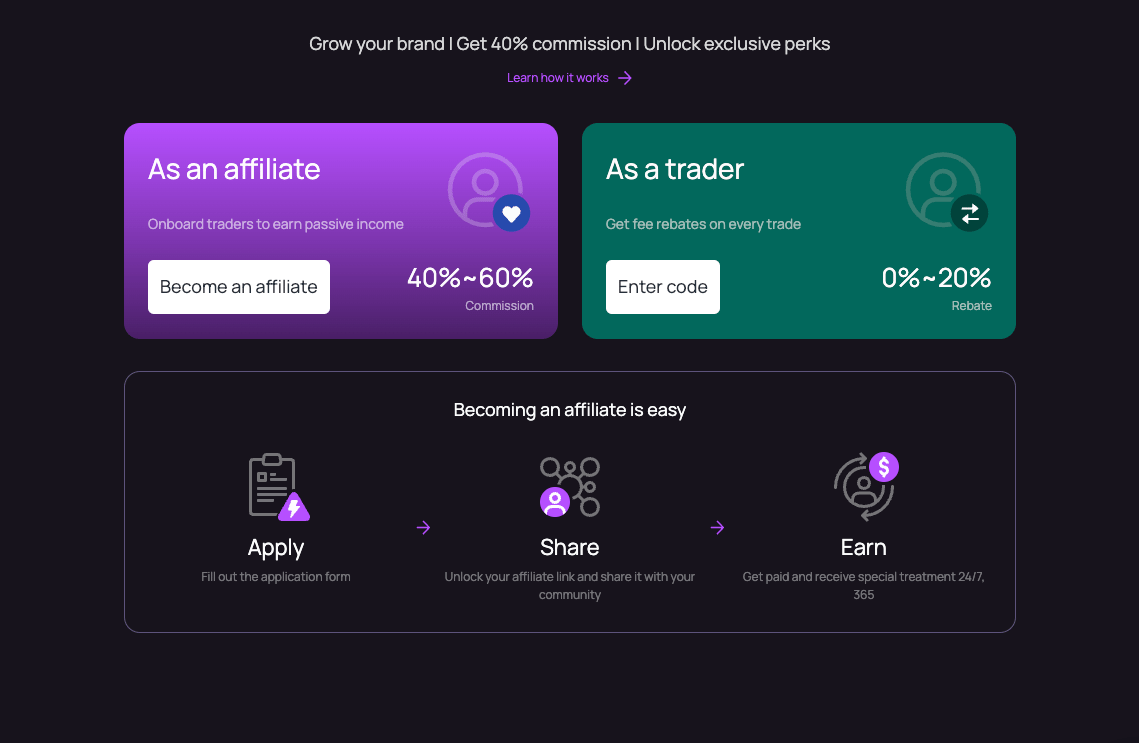
###
[](https://orderly.network/docs/release-notes/sdk#affiliate-page)
Affiliate page:
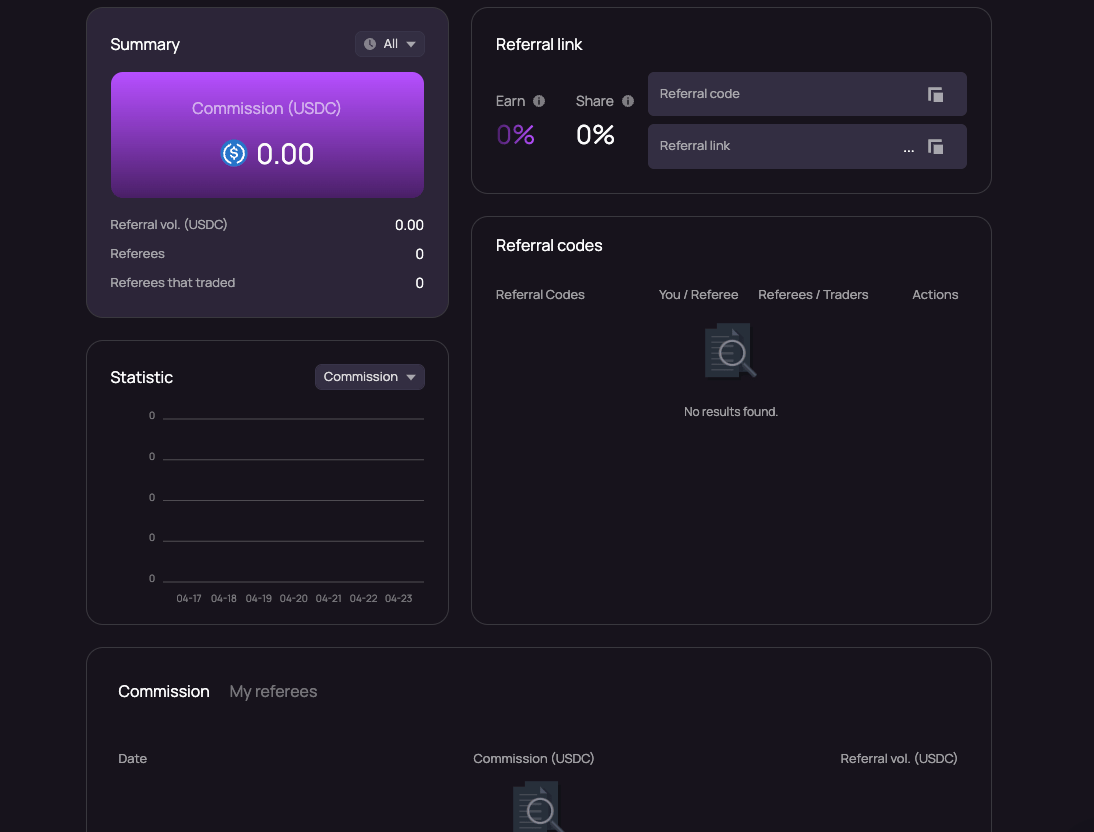
###
[](https://orderly.network/docs/release-notes/sdk#trader-page)
Trader page:
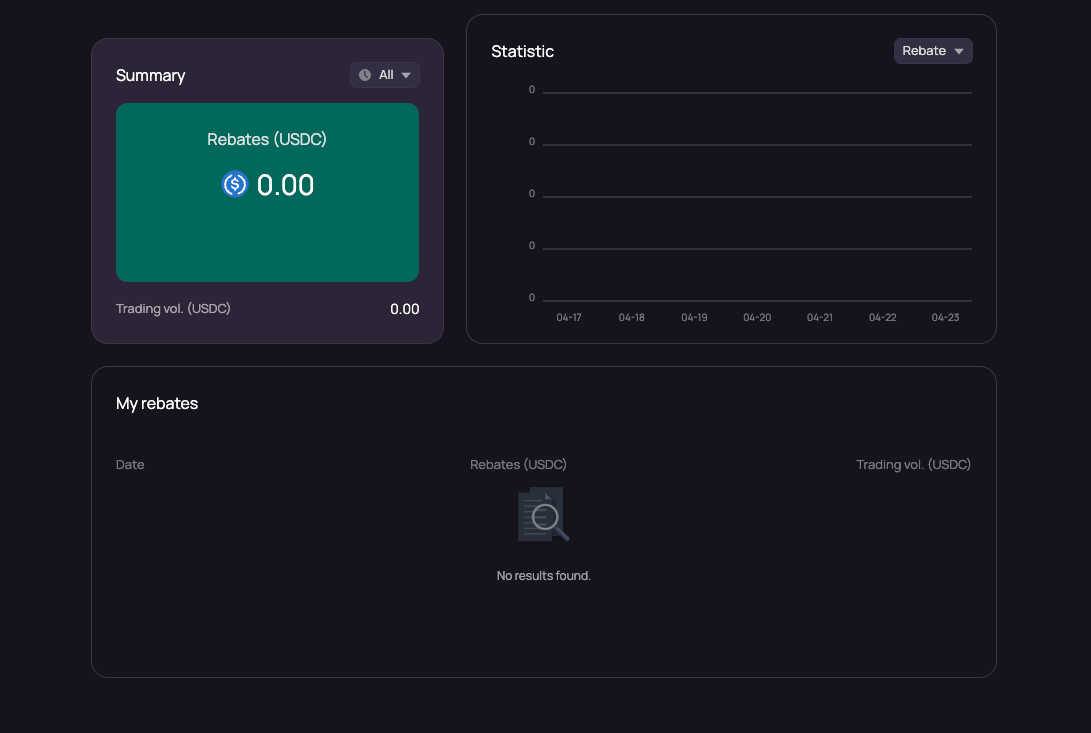
[](https://orderly.network/docs/release-notes/sdk#april-2-2024-v1-2-0)
April 2, 2024 - v1.2.0
-------------------------------------------------------------------------------------------------
**Updates to @orderly.network/hook v1.2.0****The following issues are fixed:**
* Orderbook price getting stuck with drastic price changes.
* Incorrect decimals when calling API during order placement.
* `null` error when setting limit price outside of price range when closing a position.
* Frontend validation produces inaccurate numbers when editing stop-limit orders.
* Decimal digits for qty, price, and trigger price are incorrect in the edit order popup.
* Incorrect decimal digits for estimated liquidation price in order entry.
* Updates to PnL card with design enhancements.
[](https://orderly.network/docs/release-notes/sdk#march-19-2024-v1-1-9)
March 19, 2024 - v1.1.9
---------------------------------------------------------------------------------------------------
**Updates to @orderly.network/hook v1.1.9****The following issues are fixed:**
* Updated logic for pending orders.
* Minor dependency issues.
[](https://orderly.network/docs/release-notes/sdk#march-20-2024-v1-1-8)
March 20, 2024 - v1.1.8
---------------------------------------------------------------------------------------------------
**Updates to @orderly.network/hook v1.1.7**
* Minor internal issues fixed.
[](https://orderly.network/docs/release-notes/sdk#march-19-2024-v1-1-7)
March 19, 2024 - v1.1.7
---------------------------------------------------------------------------------------------------
**Updates to @orderly.network/hook v1.1.7****The following issues are fixed:**
* Dependency issues at runtime.
[](https://orderly.network/docs/release-notes/sdk#march-19-2024-v1-1-6)
March 19, 2024 - v1.1.6
---------------------------------------------------------------------------------------------------
**Updates to @orderly.network/hook v1.1.6****Fixes:**
* fixed wrong calculations of estLiqPrice and estLeverage.
* Enhanced Position and Order list update frequency.
* Minor UI issue fixes.
**New:**
* PnL card sharing: a PnL card can be generated based on user’s positions.
() => {
const { ref, copy, download, toDataURL, toBlob} = usePoster({
// backgroundColor: "#0b8c70",
// fontFamily: "Manrope",
backgroundImg: "/path/image.png",
color: "rgba(255, 255, 255, 0.98)",
profitColor: "rgb(0,181,159)",
lossColor: "rgb(255,103,194)",
brandColor: "rgb(0,181,159)",
data: {
message: "I am the best trader.",
domain: "broker.com",
updateTime: "2022-JAN-01 23:23",
position: {
symbol: "BTC-PERP",
currency: "USDC",
side: "LONG",
leverage: 20,
pnl: -1032.23,
ROI: -10.25,
informations: [\
{ title: "Open Price", value: "59,129.12313" },\
{ title: "Opened at", value: "Jan-01 23:23" },\
{ title: "Mark price", value: "59,129.12313" },\
{ title: "Quantity", value: "2" },\
],
},
},
layout: {},
});
return ;
};
Either default layout can be used or one can be provided via `layout` parameter. Sample code:
export const DefaultLayoutConfig: PosterLayoutConfig = {
domain: {
fontSize: 13,
// color: undefined,
position: {
left: 20,
bottom: 17,
},
},
message: {
fontSize: 20,
color: "white",
textBaseline: "top",
position: {
left: 20,
top: 16,
},
},
position: {
fontSize: 20,
color: "rgba(255,255,255,0.98)",
position: {
left: 20,
top: 70,
},
},
unrealizedPnl: {
fontSize: 36,
color: "rgba(255,255,255,0.5)",
secondaryColor: "rgba(255,255,255,0.5)",
position: {
left: 20,
top: 110,
},
},
informations: {
fontSize: 12,
color: "rgba(255, 255, 255, 0.8)",
labelColor: "rgba(255,255,255,0.36)",
position: {
left: 20,
top: 150,
},
},
updateTime: {
fontSize: 10,
color: "rgba(255,255,255,0.5)",
textAlign: "end",
position: {
right: 15,
bottom: 17,
},
},
};
[](https://orderly.network/docs/release-notes/sdk#march-5-2024-patch-update)
March 5, 2024 - Patch Update
-------------------------------------------------------------------------------------------------------------
**Updates to @orderly.network/hook v1.1.4**
* removed LZ scan library, no @axios dependency required.
* fixed token approval issues.
* update to `useOrderbookStream` hook to add `padding` param to not return anything if the orderbook depth is not enough.
const [data] = useOrderBookStream('[symbol]', undefined, {level:10, padding:false}
//if 'padding' is true, the hook will return NaN to
//fill the data to specified level if not enough depth
* fixed WS connection issues.
[](https://orderly.network/docs/release-notes/sdk#february-22-2024-minor-update)
February 22, 2024 - Minor Update
---------------------------------------------------------------------------------------------------------------------
**Updates to @orderly.network/hook v1.1.3****Fixes:**
* The issue of incorrect Liq. price when reading margin data, now we will pass null when it’s loading.
* The issue of Orderbook display.
* The issue of fetching incorrect symbol for mark price / symbol infos when switching symbols.
* Numerous UI issues in the desktop SDK.
**Optimizations:**
* Reduced the number of API calls made during open/cancel order operations to avoid triggering rate limits.
* Improved the order entry experience.
**New Features:**
* Added stop order functionality in the desktop and mobile web UI.
* Added order/position lines in the desktop web kline.
[](https://orderly.network/docs/release-notes/sdk#february-7-2024-major-update)
February 7, 2024 - Major Update
-------------------------------------------------------------------------------------------------------------------
**Updates to @orderly.network/hook v1.1.2**We are excited to announce the release of version 1.1.2 of the @orderly.network/hook SDK. This update introduces significant changes and new features designed to enhance your development experience and the capabilities of your applications. Below is an overview of the key updates:`useOrderEntry` Hook Enhancements:
* **Parameter Adjustments:** Now accepts an object of type `OrderEntity` with mandatory fields: `order_type`, `side`, and `symbol`.
* **New Return Values:** Includes `estLiqPrice` (Estimated Liquidation Price), `estLeverage` (Leverage change post-position opening), `formattedOrder` (Formatted order data), and `metaState` (Validation results and form status).
* **New `submit()` Function:** A parameter-free function to create orders via API, aiming to replace `onSubmit` in future releases.
`useWithdraw` Hook Update:
* **New `availableWithdraw` Field:** Indicates the direct withdrawal amount available without needing to settle PnL, calculated based on the unsettledPnL and freeCollateral.
`useDeposit` Hook Improvements:
* **New Return Fields:** `depositFee`, `setQuantity(quantity: number)`, and `quantity` for enhanced deposit management.
* **Simplified `deposit()` Function:** No parameters required for operation.
**Testnet Transition:** Switch from Arbitrum Goerli to Arbitrum Sepolia.**Stop Limit/Stop Market Support:**
* Two new order types: `STOP_MARKET` and `STOP_LIMIT`
* Introduction of Algo orders (stop loss) with two new methods: `updateAlgoOrder(orderId: string, order: OrderEntity)` and `cancelAlgoOrder(orderId: string, symbol?: string)`.
* Additional return parameters to include Algo order related properties.
[Omnichain](https://orderly.network/docs/release-notes/omnichain)
[Release Classification](https://orderly.network/docs/release-notes/classification)
⌘I
---
# FAQ - Orderly
[Skip to main content](https://orderly.network/docs/introduction/orderly-omniVault/faq#content-area)
[Orderly home page](https://orderly.network/docs)
latest
Search...
⌘K
Search...
Navigation
Overview & FAQ
FAQ
[Home](https://orderly.network/docs/home)
[Introduction](https://orderly.network/docs/introduction/getting-started/what-is-orderly)
[Build on Omnichain](https://orderly.network/docs/build-on-omnichain/building-on-omnichain)
[SDKs](https://orderly.network/docs/sdks/overview)
[Strategy vault](https://orderly.network/docs/introduction/orderly-omniVault/overview)
[Troubleshooting](https://orderly.network/docs/troubleshooting/introduction)
[Release notes](https://orderly.network/docs/release-notes/omnichain)
Are there fees charged for using Orderly OmniVault?
No fees are charged during the initial launch period of the Orderly OmniVault.
Can I lose money as an LP with Orderly OmniVault?
Yes, there is a possibility of loss. Interacting with any DeFi application involves risks. As an LP, you hold shares in the vault and will proportionally share in both the PnL gains and losses, together with other users. Orderly does not guarantee any minimum returns or protection from losses.
Why is my deposit/withdrawal request stuck in the "pending/requested" status?
A “pending” or “requested” status means Orderly OmniVault has received your request and is awaiting processing in the next vault period. Please refer to the “Vault Period” section on the OmniVault Mechanics page for a detailed explanation.
Can I expect the actual returns to match the APY displayed on the Orderly OmniVault app?
The APY displayed serves as an estimate of annualized returns based on past OmniVault performance and is not a guarantee or indicator of future outcomes.
Can I transfer or trade my shares?
No. Share is not tokenised, meaning they are neither tradable nor transferrable. Shares simply represent your percentage ownership of Orderly OmniVault assets.
Has the Strategy Provider deposited USDC into Orderly OmniVault?
Yes, they have. The Strategy Provider is required to deposit USDC into the OmniVault, which remains locked up throughout their engagement. This ensures they have “skin in the game” and maintains alignment of interests with LPs.
[Liquidity Provider](https://orderly.network/docs/introduction/orderly-omniVault/liquidity-provider)
[Get Strategy Vault Info](https://orderly.network/docs/strategy-vault/vault/public/vault-info)
⌘I
---
# Overview - Orderly
[Skip to main content](https://orderly.network/docs/sdks/core/overview#content-area)
[Orderly home page](https://orderly.network/docs)
latest
Search...
⌘K
Search...
Navigation
\[evm\] core SDK
Overview
[Home](https://orderly.network/docs/home)
[Introduction](https://orderly.network/docs/introduction/getting-started/what-is-orderly)
[Build on Omnichain](https://orderly.network/docs/build-on-omnichain/building-on-omnichain)
[SDKs](https://orderly.network/docs/sdks/overview)
[Strategy vault](https://orderly.network/docs/introduction/orderly-omniVault/overview)
[Troubleshooting](https://orderly.network/docs/troubleshooting/introduction)
[Release notes](https://orderly.network/docs/release-notes/omnichain)
* * *
`@orderly.network/core` The core library is the foundational SDK used by hooks SDK and has the following functionalities:
* Helpers for registration, Orderly Key generation and settle pnl
* Key stores that are mainly used from hooks
* Some helper fnuctions
* Account object
* KeyPair classes to sign messages
Technical overview is [here](https://orderly.network/docs/sdks/tech-doc/modules/orderly_network_core)
and [here](https://orderly.network/docs/sdks/tech-doc/modules/orderly_network_core.utils)
[useReferralRebateSummary](https://orderly.network/docs/sdks/hooks/referral/use-referral-rebate-summary)
[Overview](https://orderly.network/docs/sdks/perp/overview)
⌘I
---
# Liquidation issues - Orderly
[Skip to main content](https://orderly.network/docs/troubleshooting/user-issues/liquidation-issues#content-area)
[Orderly home page](https://orderly.network/docs)
latest
Search...
⌘K
Search...
Navigation
User issues
Liquidation issues
[Home](https://orderly.network/docs/home)
[Introduction](https://orderly.network/docs/introduction/getting-started/what-is-orderly)
[Build on Omnichain](https://orderly.network/docs/build-on-omnichain/building-on-omnichain)
[SDKs](https://orderly.network/docs/sdks/overview)
[Strategy vault](https://orderly.network/docs/introduction/orderly-omniVault/overview)
[Troubleshooting](https://orderly.network/docs/troubleshooting/introduction)
[Release notes](https://orderly.network/docs/release-notes/omnichain)
Please refer to our [Liquidations page](https://orderly.network/docs/introduction/trade-on-orderly/perpetual-futures/liquidations)
for detailed information about how liquidations work. **Common Issue Description:** Positions are liquidated unexpectedly, often reported during high volatility. **Troubleshooting Steps:**
* Review margin requirements and ensure they are met before trading.
* Check for any rapid price movements that might trigger liquidation.
* Verify the liquidation price and compare it with market data to confirm accuracy.
[Stuck/delayed deposits](https://orderly.network/docs/troubleshooting/user-issues/deposit-issues)
[Orders/position not closing at expected prices](https://orderly.network/docs/troubleshooting/user-issues/wrong-execution-price)
⌘I
---
# Affiliate Onboarding Guide - Orderly
[Skip to main content](https://orderly.network/docs/build-on-omnichain/affiliate-onboarding#content-area)
[Orderly home page](https://orderly.network/docs)
latest
Search...
⌘K
Search...
Navigation
Partner onboarding & support
Affiliate Onboarding Guide
[Home](https://orderly.network/docs/home)
[Introduction](https://orderly.network/docs/introduction/getting-started/what-is-orderly)
[Build on Omnichain](https://orderly.network/docs/build-on-omnichain/building-on-omnichain)
[SDKs](https://orderly.network/docs/sdks/overview)
[Strategy vault](https://orderly.network/docs/introduction/orderly-omniVault/overview)
[Troubleshooting](https://orderly.network/docs/troubleshooting/introduction)
[Release notes](https://orderly.network/docs/release-notes/omnichain)
On this page
* [Website Domain Requirements](https://orderly.network/docs/build-on-omnichain/affiliate-onboarding#website-domain-requirements)
* [Example Implementations](https://orderly.network/docs/build-on-omnichain/affiliate-onboarding#example-implementations)
* [TradingView License](https://orderly.network/docs/build-on-omnichain/affiliate-onboarding#tradingview-license)
* [Builder Details Required](https://orderly.network/docs/build-on-omnichain/affiliate-onboarding#builder-details-required)
* [Design Requirements](https://orderly.network/docs/build-on-omnichain/affiliate-onboarding#design-requirements)
* [Deployment](https://orderly.network/docs/build-on-omnichain/affiliate-onboarding#deployment)
[](https://orderly.network/docs/build-on-omnichain/affiliate-onboarding#website-domain-requirements)
Website Domain Requirements
------------------------------------------------------------------------------------------------------------------------------------
We require two subdomains - one for mainnet and one for testnet. Here are some examples:
###
[](https://orderly.network/docs/build-on-omnichain/affiliate-onboarding#example-implementations)
Example Implementations
* What Exchange
* Mainnet: `https://trade.what.exchange/`
* Testnet: `https://staging.what.exchange/`
* WooFi Pro
* Mainnet: `https://pro.woofi.com/`
* Testnet: `https://testnet-pro.woofi.com/`
[](https://orderly.network/docs/build-on-omnichain/affiliate-onboarding#tradingview-license)
TradingView License
--------------------------------------------------------------------------------------------------------------------
Our platform uses TradingView for price charts, which requires a commercial license. You can obtain one at: [TradingView Advanced Charts](https://www.tradingview.com/advanced-charts/)
When applying for the license, we can help with the following application details:
* **Website URL**: Use your purchased domain
* **Github Profile**: You will have to create a personal Github account, so that they can give you access to their library. Even though you will not need this access, because we already took care of it, it is required for the application process.
* **Company Profile**: “Crypto Exchange”
* **Own Data Feed**: Yes
* **Reason for Request**: Mention that this is for a perpetual futures decentralized exchange
Please reach out to us if you need any assistance with the application process.
[](https://orderly.network/docs/build-on-omnichain/affiliate-onboarding#builder-details-required)
Builder Details Required
------------------------------------------------------------------------------------------------------------------------------
1. **Builder Name**: xxxx
2. **Builder ID**: xxxx
3. **Admin Wallet Address**: xxxx
* This address will be used for the login admin tool
* For EVM addresses: Register at [Builder Registration Portal](https://orderlynetwork.github.io/broker-registration/)
* For SOL addresses: Please contact our team
4. **Builder Fee Settings** (adjustable later)
* Default Taker Fee: 0.06%
* Default Maker Fee: 0.03%
* Note: Orderly charges a 0.03% taker fee and no maker fee. You earn the difference (e.g., 0.06% - 0.03% = 0.03% taker fee). [Learn more about our fee structure](https://orderly.network/docs/build-on-omnichain/user-flows/custom-fees)
.
[](https://orderly.network/docs/build-on-omnichain/affiliate-onboarding#design-requirements)
Design Requirements
--------------------------------------------------------------------------------------------------------------------
1. **Logo Files**
* Primary Logo: Wide version (preferably SVG, alternatively PNG/WebP)
* Secondary Logo: Square version (preferably SVG, alternatively PNG/WebP)
* Favicon: ICO or PNG format for browser tab icon
2. **CSS Customization**
1. Use our [Theme Builder](https://storybook.orderly.network/?path=/story/package-trading-tradingpage--page&globals=theme:custom)
to experiment with colors, fonts, and styles
2. Customize colors with live preview
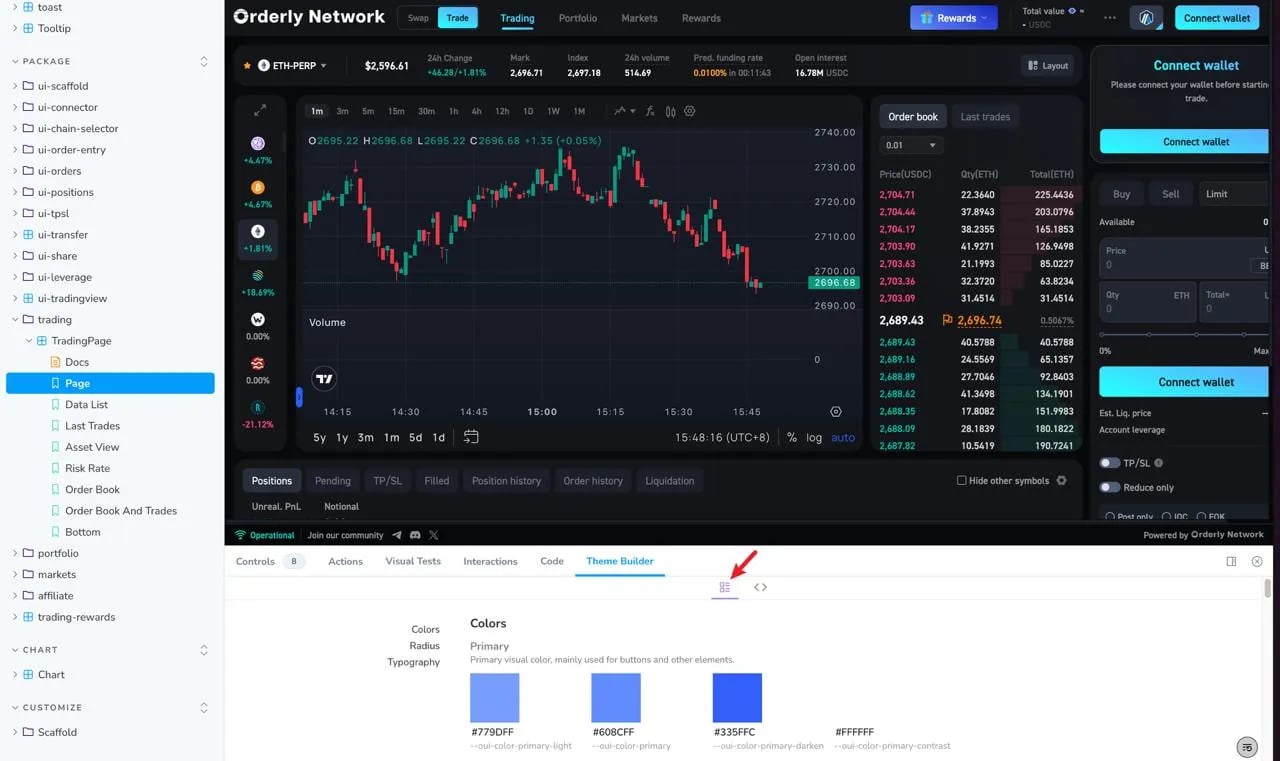
3. Copy the generated CSS code and provide it to our team
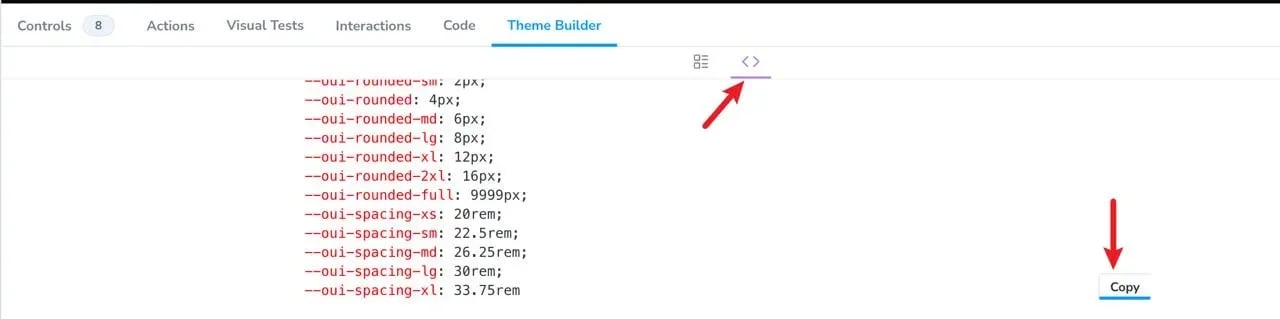
We can alternatively do the CSS changes ourselves.
3. **PNL Share Posters**
* We provide [default background templates](https://github.com/OrderlyNetwork/broker-template/tree/main/public/pnl)
for PNL sharing functionality
* Please review these and let us know if you’d like to customize them for your platform
* You can provide your own poster designs that match your brand identity
[](https://orderly.network/docs/build-on-omnichain/affiliate-onboarding#deployment)
Deployment
--------------------------------------------------------------------------------------------------
We will handle the deployment process for you through Vercel. Our team will:
1. Set up a test deployment for your review
2. Make any necessary adjustments based on your feedback
3. Deploy to production once everything is approved
This ensures a smooth transition from development to production while maintaining the highest quality standards.
[Partner Support](https://orderly.network/docs/build-on-omnichain/partner-support)
[Integration FAQs](https://orderly.network/docs/build-on-omnichain/integration-faqs)
⌘I
---
# Error Response - Orderly
[Skip to main content](https://orderly.network/docs/build-on-omnichain/websocket-api/error-response#content-area)
[Orderly home page](https://orderly.network/docs)
latest
Search...
⌘K
Search...
Navigation
Websocket API
Error Response
[Home](https://orderly.network/docs/home)
[Introduction](https://orderly.network/docs/introduction/getting-started/what-is-orderly)
[Build on Omnichain](https://orderly.network/docs/build-on-omnichain/building-on-omnichain)
[SDKs](https://orderly.network/docs/sdks/overview)
[Strategy vault](https://orderly.network/docs/introduction/orderly-omniVault/overview)
[Troubleshooting](https://orderly.network/docs/troubleshooting/introduction)
[Release notes](https://orderly.network/docs/release-notes/omnichain)
On this page
* [Common error messages](https://orderly.network/docs/build-on-omnichain/websocket-api/error-response#common-error-messages)
Error responses follow the same format as successful responses, with `success` set to `false` and an `errorMsg` field explaining the issue. You can use the `id` field to map the error response with the corresponding request.
{
"id": "clientID7",
"event": "subscribe",
"success": false,
"ts": 1614141150601,
"errorMsg": "invalid symbol PERP_BTC_USDC"
}
[](https://orderly.network/docs/build-on-omnichain/websocket-api/error-response#common-error-messages)
Common error messages
--------------------------------------------------------------------------------------------------------------------------------
| Error message | Description |
| --- | --- |
| `invalid symbol ` | The requested symbol does not exist |
| `invalid topic ` | The requested topic is not supported |
| `auth failed` | Authentication failed due to invalid credentials |
| `missing required parameter ` | A required parameter is missing |
[Authentication](https://orderly.network/docs/build-on-omnichain/websocket-api/authentication)
[Request orderbook](https://orderly.network/docs/build-on-omnichain/websocket-api/public/request-orderbook)
⌘I
---
# Delegate signer - Orderly
[Skip to main content](https://orderly.network/docs/build-on-omnichain/restful-api/public/delegate-signer#content-area)
[Orderly home page](https://orderly.network/docs)
latest
Search...
⌘K
Search...
Navigation
Delegate signer
Delegate signer
[Home](https://orderly.network/docs/home)
[Introduction](https://orderly.network/docs/introduction/getting-started/what-is-orderly)
[Build on Omnichain](https://orderly.network/docs/build-on-omnichain/building-on-omnichain)
[SDKs](https://orderly.network/docs/sdks/overview)
[Strategy vault](https://orderly.network/docs/introduction/orderly-omniVault/overview)
[Troubleshooting](https://orderly.network/docs/troubleshooting/introduction)
[Release notes](https://orderly.network/docs/release-notes/omnichain)
Delegate signer
cURL
curl --request POST \
--url https://api.orderly.org/v1/delegate_signer \
--header 'Content-Type: application/json' \
--data '
{
"message": {
"delegateContract": "0xaddress",
"brokerId": "woofi_pro",
"chainId": 421613,
"timestamp": 1704879369551,
"registrationNonce": 161111791392,
"txHash": "0xtxhash"
},
"signature": "0x8668447f28534dc1b76566e41f5fcdeb6b131355b9cf428f3fae5c134e9a0fc55642a2771860484651e61043e8ac67a1a6e54031a4c66de44acd77c9d9b281e81b",
"userAddress": "0xDd3287043493E0a08d2B348397554096728B459c"
}
'
200
{
"success": true,
"timestamp": 1702989203989,
"data": {
"user_id": 100338,
"account_id": "0xd890c9b8b86fba7312b919e32bbabd619228b32d59f6d0f68fdf4451a684a654",
"valid_signer": "0xc6c4c5c41efa74ebc63c675dcf7034e8382f3a42"
}
}
POST
https://api.orderly.orghttps://testnet-api.orderly.org
/
v1
/
delegate\_signer
Try it
Delegate signer
cURL
curl --request POST \
--url https://api.orderly.org/v1/delegate_signer \
--header 'Content-Type: application/json' \
--data '
{
"message": {
"delegateContract": "0xaddress",
"brokerId": "woofi_pro",
"chainId": 421613,
"timestamp": 1704879369551,
"registrationNonce": 161111791392,
"txHash": "0xtxhash"
},
"signature": "0x8668447f28534dc1b76566e41f5fcdeb6b131355b9cf428f3fae5c134e9a0fc55642a2771860484651e61043e8ac67a1a6e54031a4c66de44acd77c9d9b281e81b",
"userAddress": "0xDd3287043493E0a08d2B348397554096728B459c"
}
'
200
{
"success": true,
"timestamp": 1702989203989,
"data": {
"user_id": 100338,
"account_id": "0xd890c9b8b86fba7312b919e32bbabd619228b32d59f6d0f68fdf4451a684a654",
"valid_signer": "0xc6c4c5c41efa74ebc63c675dcf7034e8382f3a42"
}
}
#### Body
application/json
[](https://orderly.network/docs/build-on-omnichain/restful-api/public/delegate-signer#body-message)
message
object
required
Show child attributes
[](https://orderly.network/docs/build-on-omnichain/restful-api/public/delegate-signer#body-signature)
signature
string
required
Signature generated by signing the message object.
Example:
`"0x8668447f28534dc1b76566e41f5fcdeb6b131355b9cf428f3fae5c134e9a0fc55642a2771860484651e61043e8ac67a1a6e54031a4c66de44acd77c9d9b281e81b"`
[](https://orderly.network/docs/build-on-omnichain/restful-api/public/delegate-signer#body-user-address)
userAddress
string
required
Address of the wallet that signed the message object.
Example:
`"0xDd3287043493E0a08d2B348397554096728B459c"`
#### Response
200 - application/json
OK
[](https://orderly.network/docs/build-on-omnichain/restful-api/public/delegate-signer#response-success)
success
boolean
required
Indicates whether the request was successful.
Example:
`true`
[](https://orderly.network/docs/build-on-omnichain/restful-api/public/delegate-signer#response-timestamp)
timestamp
integer
Server timestamp in milliseconds.
Example:
`1702989203989`
[](https://orderly.network/docs/build-on-omnichain/restful-api/public/delegate-signer#response-data)
data
object
Show child attributes
[Configure auto-cancel during maintenance](https://orderly.network/docs/build-on-omnichain/restful-api/private/configure-auto-cancel-during-maintenance)
[Add delegate signer Orderly key](https://orderly.network/docs/build-on-omnichain/restful-api/public/add-delegate-signer-orderly-key)
⌘I
---
# Theming - Orderly
[Skip to main content](https://orderly.network/docs/sdks/react/theming#content-area)
[Orderly home page](https://orderly.network/docs)
latest
Search...
⌘K
Search...
Navigation
\[evm\] react components SDK
Theming
[Home](https://orderly.network/docs/home)
[Introduction](https://orderly.network/docs/introduction/getting-started/what-is-orderly)
[Build on Omnichain](https://orderly.network/docs/build-on-omnichain/building-on-omnichain)
[SDKs](https://orderly.network/docs/sdks/overview)
[Strategy vault](https://orderly.network/docs/introduction/orderly-omniVault/overview)
[Troubleshooting](https://orderly.network/docs/troubleshooting/introduction)
[Release notes](https://orderly.network/docs/release-notes/omnichain)
On this page
* [Default theme](https://orderly.network/docs/sdks/react/theming#default-theme)
* [Colors](https://orderly.network/docs/sdks/react/theming#colors)
* [Typography](https://orderly.network/docs/sdks/react/theming#typography)
* [Rounded](https://orderly.network/docs/sdks/react/theming#rounded)
* [Customized theme](https://orderly.network/docs/sdks/react/theming#customized-theme)
* [CSS Variables](https://orderly.network/docs/sdks/react/theming#css-variables)
* [Style override](https://orderly.network/docs/sdks/react/theming#style-override)
* [class](https://orderly.network/docs/sdks/react/theming#class)
* [id](https://orderly.network/docs/sdks/react/theming#id)
* [appIcons](https://orderly.network/docs/sdks/react/theming#appicons)
* [main](https://orderly.network/docs/sdks/react/theming#main)
* [img](https://orderly.network/docs/sdks/react/theming#img)
* [component](https://orderly.network/docs/sdks/react/theming#component)
* [className](https://orderly.network/docs/sdks/react/theming#classname)
* [secondary](https://orderly.network/docs/sdks/react/theming#secondary)
* [img](https://orderly.network/docs/sdks/react/theming#img-2)
* [component](https://orderly.network/docs/sdks/react/theming#component-2)
* [className](https://orderly.network/docs/sdks/react/theming#classname-2)
The Orderly SDK has a default theme, but you can also customize the theme yourself.
[](https://orderly.network/docs/sdks/react/theming#default-theme)
Default theme
-----------------------------------------------------------------------------------
###
[](https://orderly.network/docs/sdks/react/theming#colors)
Colors
The Components SDK uses the following colors:
* Besides `base`, each color theme contains 3 colors:
* `default`: The default shade of the color
* `light`: A lighter shade than default
* `darken`: A darker shade than default
* `contrastText`: Text color, intended to contrast with default
* `base-contrast` defines color of texts. The library uses transparency to differentiate the importance of texts.
###
[](https://orderly.network/docs/sdks/react/theming#typography)
Typography
The Components SDK uses Manrope as the default font.
###
[](https://orderly.network/docs/sdks/react/theming#rounded)
Rounded
| name | size |
| --- | --- |
| default | 6px |
| sm | 4px |
| lg | 8px |
| full | 9999px |
[](https://orderly.network/docs/sdks/react/theming#customized-theme)
Customized theme
-----------------------------------------------------------------------------------------
###
[](https://orderly.network/docs/sdks/react/theming#css-variables)
CSS Variables
You can change the color of elements through creating a `theme.css` under the project. Simply add the following into the file, and import it for it to take effect:
theme.css
:root {
/**
It is often used for the color of main elements, such as background color
*/
--oui-color-base-100: 93 83 123;
--oui-color-base-200: 81 72 107;
--oui-color-base-300: 68 61 89;
--oui-color-base-400: 57 52 74;
--oui-color-base-500: 51 46 66;
--oui-color-base-600: 43 38 56;
--oui-color-base-700: 36 32 47;
--oui-color-base-800: 29 26 38;
--oui-color-base-900: 22 20 28;
/**
primary color, used for buttons, border etc
*/
--oui-color-primary: 182 79 255;
--oui-color-primary-light: 208 140 255;
--oui-color-primary-darken: 152 62 214;
/**
link color
*/
--oui-color-link: 182 79 255;
--oui-color-secondary: 255 255 255;
--oui-color-tertiary: 218 218 218;
--oui-color-quaternary: 218 218 218;
/**
error color or destructive action elements
*/
--oui-color-danger: 232 88 175;
--oui-color-danger-light: 255 103 191;
--oui-color-danger-darken: 199 68 146;
/**
success color or constructive action elements
*/
*/
--oui-color-success: 3 152 134;
--oui-color-success-light: 0 181 159;
--oui-color-success-darken: 0 119 105;
/**
warning color
*/
--oui-color-warning: 255 207 115;
--oui-color-warning-light: 229 199 0;
--oui-color-warning-darken: 229 199 0;
--oui-color-background: 27 32 40;
--oui-color-background-contrast: 255 255 255;
--oui-color-fill: 36 32 47;
--oui-color-fill-light: 40 46 58;
--oui-color-popover: 43 38 56;
--oui-color-popover-foreground: 255 255 255;
--oui-color-base-foreground: 255 255 255;
--oui-color-trading-loss: 255 103 194;
--oui-color-trading-loss-contrast: 40 46 58;
--oui-color-trading-profit: 0 181 159;
--oui-color-trading-profit-contrast: 40 46 58;
/* rounded */
--oui-rounded: 6px;
--oui-rounded-sm: 4px;
--oui-rounded-lg: 8px;
--oui-rounded-full: 9999px;
--oui-button-shadow: none;
--oui-font-size-base: 16px;
--oui-color-divider: 42 46 52;
--oui-font-family: 'Manrope', sans-serif;
}
CSS variables must be defined without color space function. See the [Tailwind CSS documentation](https://tailwindcss.com/docs/text-color#changing-the-opacity)
for more information.
Don’t include the color space function or opacity modifiers won’t work
/* Using modern `rgb` */
--oui-color-primary: rgb(182 79 255);
--oui-color-primary-light: rgb(208 140 255);
--oui-color-primary-darken: rgb(152 62 214);
Define your CSS variables as channels with no color space function
--oui-color-primary: 182 79 255;
--oui-color-primary-light: 208 140 255;
--oui-color-primary-darken: 152 62 214;
**You can use the [Theme tool](https://sdk.orderly.network/theme)
that we provide to quickly create your own theme!**
###
[](https://orderly.network/docs/sdks/react/theming#style-override)
Style override
The Components SDK provides the following two ways to override the style of components:
####
[](https://orderly.network/docs/sdks/react/theming#class)
class
To override the style of a certain class. For example, if we want to modify the style of a `button` component, we can achieve this by selecting the element using the `class` selector. For instance, to change the color of the `button` component:
/*
general buttons
*/
.oui-button {
background-color: #000;
color: #fff;
}
/*
primary buttons
*/
.oui-button-primary {
background-color: #000;
color: #fff;
}
If you want to change the `disabled` status of the `button` component:
.oui-button-disabled {
background-color: rgba(0, 0, 0, 0.3);
color: #999;
}
####
[](https://orderly.network/docs/sdks/react/theming#id)
id
If you want to modify the style of a specific component, you can use the id selector to define the component’s style. For example, if you want to modify the style of the “Create Order” button:
#orderly-order-entry-confirm-button {
background-color: #000;
color: #fff;
}
**Supported `id`s are as below:**
| id | module | description |
| --- | --- | --- |
| orderly-deposit-confirm-button | deposit | Deposit confirm button |
| orderly-withdraw-confirm-button | withdraw | Withdraw confirm button |
| orderly-assets-margin-deposit-button | assets | Deposit button |
| orderly-assets-margin-withdraw-button | assets | Withdraw button |
| orderly-order-entry-confirm-button | order | Order entry - confirm button |
| orderly-position-cell-limit-close-button | positions | Position - limit close button |
| orderly-position-cell-mark-close-button | positions | Position - market close button |
| orderly-pending-cell-edit-button | pending orders | Edit pending order button |
| orderly-pending-cell-cancel-button | pending orders | Cancel pending order button |
| orderly-bottom-nav-bar-connect-button | bottom-nav-bar | bottom bar connect wallet button |
[](https://orderly.network/docs/sdks/react/theming#appicons)
appIcons
-------------------------------------------------------------------------
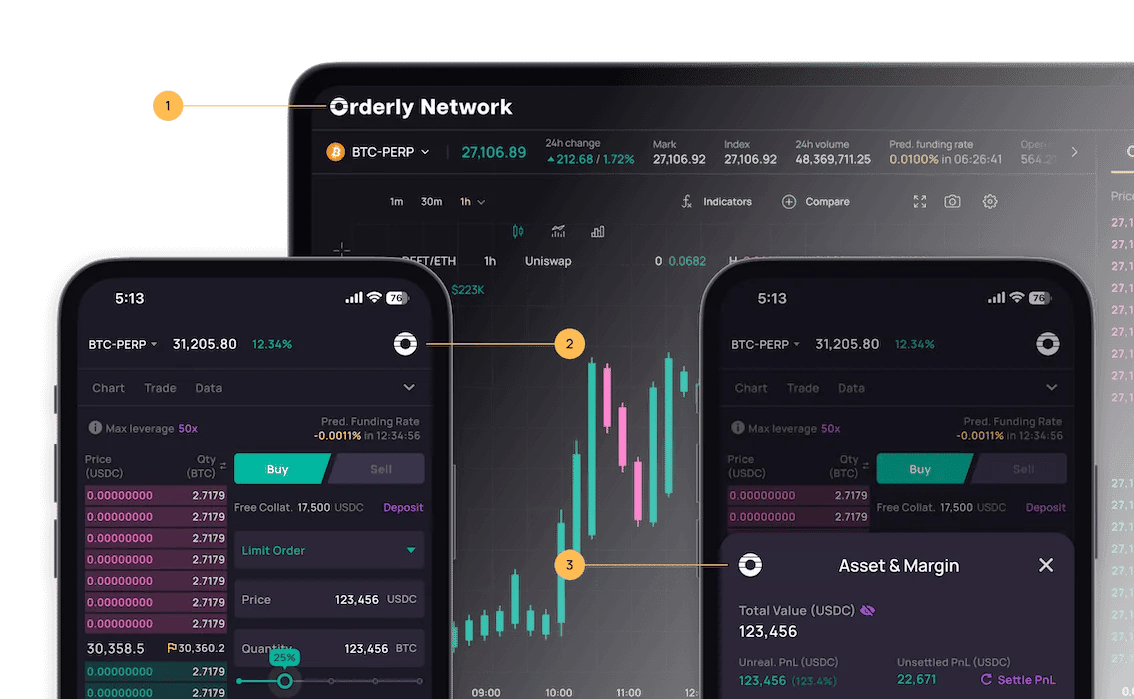 You can add your logo to the indicated position in the diagram above using the following method:
import { TradingPage, OrderlyAppProvider } from "@orderly.network/react";
export default function Trading() {
return (
"
},
secondary: {
img: ""
}
}}
>
{/* Page Component */}
);
}
###
[](https://orderly.network/docs/sdks/react/theming#main)
main
The logo for the desktop version, it will be displayed in the top left corner of the page.
####
[](https://orderly.network/docs/sdks/react/theming#img)
img
* Type: `string`
* Required: false
####
[](https://orderly.network/docs/sdks/react/theming#component)
component
* Type: `ReactNode`
* Required: false
####
[](https://orderly.network/docs/sdks/react/theming#classname)
className
* Type: `string`
* Required: false
###
[](https://orderly.network/docs/sdks/react/theming#secondary)
secondary
The logo for the mobile web version, it will be displayed in the top right corner of the page and in the top left corner of the bottomSheet component.
####
[](https://orderly.network/docs/sdks/react/theming#img-2)
img
* Type: `string`
* Required: false
####
[](https://orderly.network/docs/sdks/react/theming#component-2)
component
* Type: `ReactNode`
* Required: false
####
[](https://orderly.network/docs/sdks/react/theming#classname-2)
className
* Type: `string`
* Required: false
[Getting started](https://orderly.network/docs/sdks/react/getting_started)
[Wallet connect](https://orderly.network/docs/sdks/react/wallet)
⌘I
---
# Orderly Distributor Program - Orderly
[Skip to main content](https://orderly.network/docs/introduction/orderly-one/vanguard-distributor-program#content-area)
[Orderly home page](https://orderly.network/docs)
latest
Search...
⌘K
Search...
Navigation
Builder programs
Orderly Distributor Program
[Home](https://orderly.network/docs/home)
[Introduction](https://orderly.network/docs/introduction/getting-started/what-is-orderly)
[Build on Omnichain](https://orderly.network/docs/build-on-omnichain/building-on-omnichain)
[SDKs](https://orderly.network/docs/sdks/overview)
[Strategy vault](https://orderly.network/docs/introduction/orderly-omniVault/overview)
[Troubleshooting](https://orderly.network/docs/troubleshooting/introduction)
[Release notes](https://orderly.network/docs/release-notes/omnichain)
On this page
* [TL;DR](https://orderly.network/docs/introduction/orderly-one/vanguard-distributor-program#tldr)
* [1\. Participant Profile](https://orderly.network/docs/introduction/orderly-one/vanguard-distributor-program#1-participant-profile)
* [2\. Onboarding & Binding Rules](https://orderly.network/docs/introduction/orderly-one/vanguard-distributor-program#2-onboarding-%26-binding-rules)
* [The 3-Step Setup](https://orderly.network/docs/introduction/orderly-one/vanguard-distributor-program#the-3-step-setup)
* [Binding Rules (Guardrails)](https://orderly.network/docs/introduction/orderly-one/vanguard-distributor-program#binding-rules-guardrails)
* [3\. Orderly Tiering Programme](https://orderly.network/docs/introduction/orderly-one/vanguard-distributor-program#3-orderly-tiering-programme)
* [Tiers & Privileges](https://orderly.network/docs/introduction/orderly-one/vanguard-distributor-program#tiers-%26-privileges)
* [The Volume Formula](https://orderly.network/docs/introduction/orderly-one/vanguard-distributor-program#the-volume-formula)
* [4\. Revenue Share Mechanics](https://orderly.network/docs/introduction/orderly-one/vanguard-distributor-program#4-revenue-share-mechanics)
* [The Core Equation](https://orderly.network/docs/introduction/orderly-one/vanguard-distributor-program#the-core-equation)
* [5\. Settlement & Distribution](https://orderly.network/docs/introduction/orderly-one/vanguard-distributor-program#5-settlement-%26-distribution)
[](https://orderly.network/docs/introduction/orderly-one/vanguard-distributor-program#tldr)
TL;DR
-----------------------------------------------------------------------------------------------------
The Orderly Distributor Program is the core growth engine for the Orderly One ecosystem. It incentivizes **Distributors** to onboard new Builders (DEXs) through a tiered revenue-sharing model.
* **Participant Role:** Anyone (EOA) or Builder Owners can participate as a Distributor.
* **Profit Mechanism:** Revenue is generated via the “Fee Spread” between the Distributor’s tier and their Invitee’s tier.
* **Scale Advantage:** Distributors level up using the aggregate volume of their entire invitee network plus their own volume.
[](https://orderly.network/docs/introduction/orderly-one/vanguard-distributor-program#1-participant-profile)
1\. Participant Profile
----------------------------------------------------------------------------------------------------------------------------------------
| Feature | Distributor (EOA / Builder Owner) |
| --- | --- |
| **Role** | General users, Affiliates, or DEX Owners |
| **Revenue Stream** | Referral share (Spread between tiers) |
| **Revenue Settlement** | Trading account (EOA) or Builder admin account |
[](https://orderly.network/docs/introduction/orderly-one/vanguard-distributor-program#2-onboarding-&-binding-rules)
2\. Onboarding & Binding Rules
------------------------------------------------------------------------------------------------------------------------------------------------------
###
[](https://orderly.network/docs/introduction/orderly-one/vanguard-distributor-program#the-3-step-setup)
The 3-Step Setup
Access the portal at [dex.orderly.network/distributor/](https://dex.orderly.network/distributor/)
to begin:
1. **Connect:** Link an EOA wallet via Ethereum, Arbitrum One, or Base.
2. **Activate:** Complete key creation to initialize the Distributor profile.
3. **Share:** Use unique distributor codes or URLs to bind invitees.
###
[](https://orderly.network/docs/introduction/orderly-one/vanguard-distributor-program#binding-rules-guardrails)
Binding Rules (Guardrails)
* **Unidirectional:** An invitee can only be bound to a single distributor.
* **Non-Reciprocal:** Cross-referral (e.g., A invites B, B invites A) is strictly prohibited.
* **Timing:** Binding must be established **at or before** the invitee’s DEX graduation.
* **Immutability:** Once established, the binding relationship cannot be modified.
* **Account Type Lock:** An EOA account registered as a Distributor cannot be converted into a Builder Admin account later.
[](https://orderly.network/docs/introduction/orderly-one/vanguard-distributor-program#3-orderly-tiering-programme)
3\. Orderly Tiering Programme
----------------------------------------------------------------------------------------------------------------------------------------------------
A distributor’s tier is determined by their **30-day Aggregate Volume** and **$ORDER Staking**.
###
[](https://orderly.network/docs/introduction/orderly-one/vanguard-distributor-program#tiers-&-privileges)
Tiers & Privileges
| Tier | 30d Aggregate Volume | $ORDER Staked | Base Taker Fee | Tier Assignment Privilege |
| --- | --- | --- | --- | --- |
| **Public** | ≥ $0 | ≥ 0 | 3.00 bps | \- |
| **Silver** | ≥ $30M | ≥ 100K | 2.75 bps | \- |
| **Gold** | ≥ $90M | ≥ 250K | 2.50 bps | Can assign Silver / Public |
| **Platinum** | ≥ $1B | ≥ 2M | 2.00 bps | Can assign Gold & below |
| **Diamond** | ≥ $10B | ≥ 7M | 1.00 bps | Can assign Platinum & below |
###
[](https://orderly.network/docs/introduction/orderly-one/vanguard-distributor-program#the-volume-formula)
The Volume Formula
30d Aggregate Vol.\=Distributor Personal Vol.+∑(All Graduated Invitees’ Vol.)\\text{30d Aggregate Vol.} = \\text{Distributor Personal Vol.} + \\sum (\\text{All Graduated Invitees' Vol.})30d Aggregate Vol.\=Distributor Personal Vol.+∑(All Graduated Invitees’ Vol.) Reference: [Orderly Builder Programme](https://orderly.network/docs/introduction/trade-on-orderly/trading-basics/trading-fees#builder-staking-programme)
.
[](https://orderly.network/docs/introduction/orderly-one/vanguard-distributor-program#4-revenue-share-mechanics)
4\. Revenue Share Mechanics
------------------------------------------------------------------------------------------------------------------------------------------------
###
[](https://orderly.network/docs/introduction/orderly-one/vanguard-distributor-program#the-core-equation)
The Core Equation
Distributors earn the “spread” between the invitee’s base fee and their own. **Distributor Margin:** Margin\=max(0.1 bps,Invitee Base Fee−Distributor Base Fee)Margin = \\max(0.1 \\text{ bps}, \\text{Invitee Base Fee} - \\text{Distributor Base Fee})Margin\=max(0.1 bps,Invitee Base Fee−Distributor Base Fee) _(A guaranteed 0.1 bps minimum margin applies to Taker orders even if tiers are identical)._
[](https://orderly.network/docs/introduction/orderly-one/vanguard-distributor-program#5-settlement-&-distribution)
5\. Settlement & Distribution
----------------------------------------------------------------------------------------------------------------------------------------------------
* **Frequency:** Daily settlement at **00:00 UTC**.
* **Automatic Distribution:**
* **Builder Owners:** Revenue is credited to the **Builder Admin Account**
* **General EOA:** Revenue is credited to the **Distributor**
[Supplemental Terms for DEXes](https://orderly.network/docs/introduction/orderly-one/supplemental-terms-for-dexes)
[FAQ](https://orderly.network/docs/introduction/faqs)
⌘I
---
# User Flow Walkthrough - Orderly
[Skip to main content](https://orderly.network/docs/build-on-omnichain/user-flow-walkthrough#content-area)
[Orderly home page](https://orderly.network/docs)
latest
Search...
⌘K
Search...
Navigation
Core integration flows
User Flow Walkthrough
[Home](https://orderly.network/docs/home)
[Introduction](https://orderly.network/docs/introduction/getting-started/what-is-orderly)
[Build on Omnichain](https://orderly.network/docs/build-on-omnichain/building-on-omnichain)
[SDKs](https://orderly.network/docs/sdks/overview)
[Strategy vault](https://orderly.network/docs/introduction/orderly-omniVault/overview)
[Troubleshooting](https://orderly.network/docs/troubleshooting/introduction)
[Release notes](https://orderly.network/docs/release-notes/omnichain)
On this page
* [Accounts / Access Keys](https://orderly.network/docs/build-on-omnichain/user-flow-walkthrough#accounts-%2F-access-keys)
* [Account Structure](https://orderly.network/docs/build-on-omnichain/user-flow-walkthrough#account-structure)
* [Account ID](https://orderly.network/docs/build-on-omnichain/user-flow-walkthrough#account-id)
* [Authorization](https://orderly.network/docs/build-on-omnichain/user-flow-walkthrough#authorization)
* [Access Key (Orderly Key)](https://orderly.network/docs/build-on-omnichain/user-flow-walkthrough#access-key-orderly-key)
* [Account Registration](https://orderly.network/docs/build-on-omnichain/user-flow-walkthrough#account-registration)
* [Add Access Key](https://orderly.network/docs/build-on-omnichain/user-flow-walkthrough#add-access-key)
* [Deposits / Withdrawals](https://orderly.network/docs/build-on-omnichain/user-flow-walkthrough#deposits-%2F-withdrawals)
* [Deposit](https://orderly.network/docs/build-on-omnichain/user-flow-walkthrough#deposit)
* [Withdrawal](https://orderly.network/docs/build-on-omnichain/user-flow-walkthrough#withdrawal)
* [Settle PnL](https://orderly.network/docs/build-on-omnichain/user-flow-walkthrough#settle-pnl)
[](https://orderly.network/docs/build-on-omnichain/user-flow-walkthrough#accounts-/-access-keys)
Accounts / Access Keys
---------------------------------------------------------------------------------------------------------------------------
###
[](https://orderly.network/docs/build-on-omnichain/user-flow-walkthrough#account-structure)
Account Structure
A wallet owner can register an account on Orderly for each supported builder. Each wallet owner can thus have multiple accounts (not interlinked with each other) registered with Orderly.
###
[](https://orderly.network/docs/build-on-omnichain/user-flow-walkthrough#account-id)
Account ID
Each account is identified by an account ID, calculated as follows:
1. Convert the wallet address to bytes
2. Convert the keccak256 hash of the `brokerId` string to bytes
3. Concatenate the results of (1) and (2)
4. Take the keccak256 hash of (3) and convert back to a hex string
###
[](https://orderly.network/docs/build-on-omnichain/user-flow-walkthrough#authorization)
Authorization
Orderly uses the EIP-712 standard to authenticate wallets and accounts for critical actions, such as:
* Account creation
* Access key (Orderly Key) addition
* Withdrawal requests
For these actions, wallet owners must sign specific messages from their wallet and pass the signature through the REST APIs. The following sections describe the steps needed to complete each action. Depositing into Orderly is a direct on-chain transaction that also requires signing from the wallet owner. For other actions, such as calling trading-related RESTful APIs, only the Orderly Key is required.
###
[](https://orderly.network/docs/build-on-omnichain/user-flow-walkthrough#access-key-orderly-key)
Access Key (Orderly Key)
Orderly uses the ed25519 elliptic curve standard for access keys. Users can generate access keys using any public ed25519 library and then add them to any account through a REST API. Access keys can have different scopes:
* **read** — access all private read-only APIs
* **trading** — in addition to read access, access all order APIs (create order, batch create order, edit order, cancel order, cancel order by client\_order\_id, cancel orders in bulk, batch cancel orders, batch cancel orders by client\_order\_id)
Access keys also have expirations for security reasons. The maximum allowed expiration is 365 days.
###
[](https://orderly.network/docs/build-on-omnichain/user-flow-walkthrough#account-registration)
Account Registration
To register an account on Orderly:
1. Choose a valid chain/builder to register the account on
2. Check if the wallet is already registered via [this](https://orderly.network/docs/build-on-omnichain/restful-api/public/check-if-wallet-is-registered)
API or if the account already exists via [this](https://orderly.network/docs/build-on-omnichain/restful-api/public/check-if-account-exists)
API
3. Get a nonce from the [Get registration nonce](https://orderly.network/docs/build-on-omnichain/restful-api/public/get-registration-nonce)
API
4. Sign a message from the wallet using the EIP-712 standard in the following format and obtain the signature:
{
"brokerId": "woofi_dex",
"chainId": 80001,
"timestamp": 1685973017064,
"registrationNonce": "194528949540"
}
where:
| Name | Type | Required | Description |
| --- | --- | --- | --- |
| brokerId | string | Y | Builder ID |
| chainId | int | Y | Chain ID of registering chain (within those supported by the Network) |
| timestamp | timestamp | Y | Timestamp in UNIX milliseconds |
| registrationNonce | string | Y | Valid nonce from [Get registration nonce](https://orderly.network/docs/build-on-omnichain/restful-api/public/get-registration-nonce) |
###
[](https://orderly.network/docs/build-on-omnichain/user-flow-walkthrough#add-access-key)
Add Access Key
To add a new access key on Orderly:
1. Generate an ed25519 key pair
2. Sign a message from the wallet using the EIP-712 standard in the following format and obtain the signature:
{
"brokerId": "woofi_dex",
"orderlyKey": "ed25519:HqN9uKJioHjAJZbadgQRGzq2e7huKg6foCyNY43hWbCk",
"scope": "trading",
"timestamp": 1685973094398,
"expiration": 1686081094398
}
where:
| Name | Type | Required | Description |
| --- | --- | --- | --- |
| brokerId | string | Y | Builder ID |
| chainId | int | Y | Chain ID of registering chain (within those supported by the Network) |
| orderlyKey | string | Y | ed25519 public key |
| scope | string | Y | Valid scopes are `read`, `trading`; multiple scopes can be sent, comma separated |
| timestamp | timestamp | Y | Timestamp in UNIX milliseconds |
| expiration | timestamp | Y | Expiration time of the key in UNIX milliseconds. Maximum allowed expiration is 365 days from add |
3. Send all the necessary information via the [Add Orderly Key](https://orderly.network/docs/build-on-omnichain/restful-api/public/add-orderly-key)
API
Users can also check the validity of a particular Orderly access key via the Get Orderly Key API.
[](https://orderly.network/docs/build-on-omnichain/user-flow-walkthrough#deposits-/-withdrawals)
Deposits / Withdrawals
---------------------------------------------------------------------------------------------------------------------------
###
[](https://orderly.network/docs/build-on-omnichain/user-flow-walkthrough#deposit)
Deposit
Token deposits can be made on any supported chain. To create a deposit request:
1. Approve spending of the token by the smart contract
2. Call the deposit function of the smart contract with the following structured data:
| Name | Type | Required | Description |
| --- | --- | --- | --- |
| accountId | bytes | Y | The account ID of the user in bytes |
| brokerHash | bytes | Y | The keccak256 hash of the builder ID (e.g. “woofi\_dex”) |
| tokenHash | bytes | Y | The keccak256 hash of the token string (e.g. “USDC”) |
| tokenAmount | int | Y | Amount of tokens to be deposited |
Note that deposits will take some time to reflect depending on the origin chain, to allow for finalization of the cross-chain transaction. Once the deposit is credited, the balance will update and the transaction can be seen on the Get asset history API.
###
[](https://orderly.network/docs/build-on-omnichain/user-flow-walkthrough#withdrawal)
Withdrawal
To withdraw tokens from Orderly:
1. Choose a valid chain to withdraw your funds to
2. Check if the chain has sufficient liquidity
3. Get a withdrawal nonce
4. Sign an EIP-712 message in the following format:
{
"brokerId": "woofi_dex",
"chainId": 80001,
"receiver": "0x036Cb579025d3535a0ADcD929D05481a3189714b",
"token": "USDC",
"amount": "1000000",
"withdrawNonce": 1,
"timestamp": 1685973017064
}
where:
| Name | Type | Required | Description |
| --- | --- | --- | --- |
| brokerId | string | Y | Builder ID |
| chainId | int | Y | Chain ID of withdrawing chain (within those supported by the Network) |
| receiver | string | Y | Address of the receiver, which should be equal to the address of the account |
| token | string | Y | The string representation of the token being withdrawn (e.g. “USDC”) |
| amount | string | Y | Amount of tokens to be withdrawn |
| withdrawNonce | int | Y | Valid withdrawal nonce from [Get withdrawal nonce](https://orderly.network/docs/build-on-omnichain/restful-api/private/get-withdrawal-nonce) |
| timestamp | timestamp | Y | Current timestamp in UNIX milliseconds |
5. Call the request to withdraw API to complete the withdrawal request
###
[](https://orderly.network/docs/build-on-omnichain/user-flow-walkthrough#settle-pnl)
Settle PnL
Any realized and unrealized PnL accrued from open or closed positions needs to be “settled” into the USDC balance of the account. PnL settlement can happen anytime for any account if other users trigger a settlement. Any user can also trigger PnL settlement of their own account by following these steps:
1. Get a Settle PnL nonce
2. Sign an EIP-712 message in the following format:
{
"brokerId": "woofi_dex",
"chainId": 80001,
"settleNonce": 1,
"timestamp": 1685973017064
}
where:
| Name | Type | Required | Description |
| --- | --- | --- | --- |
| brokerId | string | Y | Builder ID |
| chainId | int | Y | Chain ID of registering chain (within those supported by the Network) |
| settleNonce | int | Y | Valid settlement nonce from [Get Settle PnL nonce](https://orderly.network/docs/build-on-omnichain/restful-api/private/get-settle-pnl-nonce) |
| timestamp | timestamp | Y | Current timestamp in UNIX milliseconds |
3. Call the Settle PnL API to complete the request
[Internal Transfer](https://orderly.network/docs/build-on-omnichain/user-flows/internal-transfer)
[Introduction](https://orderly.network/docs/build-on-omnichain/introduction)
⌘I
---
# Setup - Orderly
[Skip to main content](https://orderly.network/docs/sdks/hooks/setup#content-area)
[Orderly home page](https://orderly.network/docs)
latest
Search...
⌘K
Search...
Navigation
\[evm\] react hooks SDK
Setup
[Home](https://orderly.network/docs/home)
[Introduction](https://orderly.network/docs/introduction/getting-started/what-is-orderly)
[Build on Omnichain](https://orderly.network/docs/build-on-omnichain/building-on-omnichain)
[SDKs](https://orderly.network/docs/sdks/overview)
[Strategy vault](https://orderly.network/docs/introduction/orderly-omniVault/overview)
[Troubleshooting](https://orderly.network/docs/troubleshooting/introduction)
[Release notes](https://orderly.network/docs/release-notes/omnichain)
On this page
* [Environments](https://orderly.network/docs/sdks/hooks/setup#environments)
* [Wallet Integration with Orderly Provider](https://orderly.network/docs/sdks/hooks/setup#wallet-integration-with-orderly-provider)
You can use `@orderly.network/hooks` in two simple steps!
1
[](https://orderly.network/docs/sdks/hooks/setup#)
Installation
Inside your React project directory, run the following to install the SDK. You will also very likely need our Types SDK:
npm install @orderly.network/types @orderly.network/hooks
2
[](https://orderly.network/docs/sdks/hooks/setup#)
Add OrderlyConfigProvider
Add the `OrderlyConfigProvider` component to your project, wrapping the root components.
* Default
* Custom
We recommend that you use the default config in the newly created project and provide your own `brokerId`. Start from [Builder Onboarding](https://orderly.network/docs/introduction/getting-started/builder-onboarding)
to set up your builder identity. If you are using Orderly One, continue from [https://dex.orderly.network/](https://dex.orderly.network/)
.
import type { FC, PropsWithChildren } from "react";
import { OrderlyConfigProvider } from "@orderly.network/hooks";
const brokerId = "";
export const App: FC = ({ children }) => {
return (
{children}
);
};
If you are using an existing project and have already implemented the Orderly Key creation process, or have to modify the creation process for your own use cases, you can use your own `configStore` or `keyStore` via their respective property within `OrderlyConfigProvider`.
import type { FC, PropsWithChildren } from "react";
import { OrderlyConfigProvider } from "@orderly.network/hooks";
import type { ConfigStore, OrderlyKeyStore } from "@orderly.network/core";
const myConfigStore: ConfigStore = new ;
const myKeyStore: OrderlyKeyStore = new ;
export const App: FC = ({ children }) => {
const brokerId = "";
return (
);
};
The respective interfaces the need to be implemented are:
* [ConfigStore](https://orderly.network/docs/sdks/tech-doc/interfaces/orderly_network_core.ConfigStore)
* [OrderlyKeyStore](https://orderly.network/docs/sdks/tech-doc/interfaces/orderly_network_core.OrderlyKeyStore)
3
[](https://orderly.network/docs/sdks/hooks/setup#)
Setup complete!
You can now use all the provided hooks within `@orderly.network/hooks`!
import { useAccount } from "@orderly.network/hooks";
export const UserInfo = () => {
const { account, state } = useAccount();
return (
Address: {state.address}
);
};
[](https://orderly.network/docs/sdks/hooks/setup#environments)
Environments
-------------------------------------------------------------------------------
The `networkId` property within `OrderlyConfigProvider` can be set to `mainnet` or `testnet`. The default is `mainnet`. It is not possible to change the network during runtime. If you want to do so anyway, you need to reload the page.
import type { FC, PropsWithChildren } from "react";
import { OrderlyConfigProvider } from "@orderly.network/hooks";
const brokerId = "";
export const App: FC = ({ children }) => {
return (
{children}
);
};
[](https://orderly.network/docs/sdks/hooks/setup#wallet-integration-with-orderly-provider)
Wallet Integration with Orderly Provider
---------------------------------------------------------------------------------------------------------------------------------------
The Orderly Provider enables seamless integration with different blockchain wallets. It supports both EVM-compatible chains and Solana through dedicated wallet adapters. Here’s how to set up the provider with both ecosystems:
import type { FC, PropsWithChildren } from "react";
import { OrderlyConfigProvider } from "@orderly.network/hooks";
import { DefaultEVMWalletAdapter } from "@orderly.network/default-evm-adapter";
import { DefaultSolanaWalletAdapter } from "@orderly.network/default-solana-adapter";
import { EthersProvider } from "@orderly.network/web3-provider-ethers";
const brokerId = "";
export const App: FC = ({ children }) => {
return (
{children}
);
};
[Overview](https://orderly.network/docs/sdks/hooks/overview)
[Low-level API](https://orderly.network/docs/sdks/hooks/api/api)
⌘I
---
# Orderly DEX's Affiliate Program (Affiliate's Quick Guide) - Orderly
[Skip to main content](https://orderly.network/docs/introduction/be-a-broker/orderly-dex-affiliate-program-affiliates-quick-guide#content-area)
[Orderly home page](https://orderly.network/docs)
latest
Search...
⌘K
Search...
Navigation
Affiliate program
Orderly DEX's Affiliate Program (Affiliate's Quick Guide)
[Home](https://orderly.network/docs/home)
[Introduction](https://orderly.network/docs/introduction/getting-started/what-is-orderly)
[Build on Omnichain](https://orderly.network/docs/build-on-omnichain/building-on-omnichain)
[SDKs](https://orderly.network/docs/sdks/overview)
[Strategy vault](https://orderly.network/docs/introduction/orderly-omniVault/overview)
[Troubleshooting](https://orderly.network/docs/troubleshooting/introduction)
[Release notes](https://orderly.network/docs/release-notes/omnichain)
On this page
* [1\. Overview](https://orderly.network/docs/introduction/be-a-broker/orderly-dex-affiliate-program-affiliates-quick-guide#1-overview)
* [2\. Prerequisites](https://orderly.network/docs/introduction/be-a-broker/orderly-dex-affiliate-program-affiliates-quick-guide#2-prerequisites)
* [3\. New vs. legacy affiliate programs](https://orderly.network/docs/introduction/be-a-broker/orderly-dex-affiliate-program-affiliates-quick-guide#3-new-vs-legacy-affiliate-programs)
* [4\. Coexistence of legacy affiliate program](https://orderly.network/docs/introduction/be-a-broker/orderly-dex-affiliate-program-affiliates-quick-guide#4-coexistence-of-legacy-affiliate-program)
* [5\. Referral commission structure](https://orderly.network/docs/introduction/be-a-broker/orderly-dex-affiliate-program-affiliates-quick-guide#5-referral-commission-structure)
* [5.1 Affiliate commission](https://orderly.network/docs/introduction/be-a-broker/orderly-dex-affiliate-program-affiliates-quick-guide#5-1-affiliate-commission)
* [Example: 3-Level Referral Network](https://orderly.network/docs/introduction/be-a-broker/orderly-dex-affiliate-program-affiliates-quick-guide#example-3-level-referral-network)
* [5.2 Referee’s commission rate adjustments](https://orderly.network/docs/introduction/be-a-broker/orderly-dex-affiliate-program-affiliates-quick-guide#5-2-referee%E2%80%99s-commission-rate-adjustments)
* [5.2.1 Default referee’s commission rate](https://orderly.network/docs/introduction/be-a-broker/orderly-dex-affiliate-program-affiliates-quick-guide#5-2-1-default-referee%E2%80%99s-commission-rate)
* [5.2.2 Custom referee’s commission rate](https://orderly.network/docs/introduction/be-a-broker/orderly-dex-affiliate-program-affiliates-quick-guide#5-2-2-custom-referee%E2%80%99s-commission-rate)
[](https://orderly.network/docs/introduction/be-a-broker/orderly-dex-affiliate-program-affiliates-quick-guide#1-overview)
1\. Overview
------------------------------------------------------------------------------------------------------------------------------------------
Orderly adds a brand new affiliate programme that allows DEXs and their affiliates to configure the percentage of referral commission share to foster the growth of their trading platform. The core model is a funneled and multilevel referral system:
* Builders work with their direct affiliates to grow their trading platform, with attractive referral commissions for the direct affiliates to build their own multilevel referral networks.
* Affiliates higher up the hierarchy have the flexibility to set higher commission sharing ratios. This allows affiliates to distribute a portion of their commissions to referees, based on their commission sharing ratio, thus creating a multilevel chain of referrals.
[](https://orderly.network/docs/introduction/be-a-broker/orderly-dex-affiliate-program-affiliates-quick-guide#2-prerequisites)
2\. Prerequisites
----------------------------------------------------------------------------------------------------------------------------------------------------
Any users can participate as affiliates, provided that the DEX activates the new affiliate program. In some cases, a trading volume requirement may be necessary. If a volume prerequisite is set, users must meet it to qualify as an affiliate and begin building their referral network. Since the required volume may vary between DEXs, users should confirm the specific prerequisites directly with the DEX they wish to join.
[](https://orderly.network/docs/introduction/be-a-broker/orderly-dex-affiliate-program-affiliates-quick-guide#3-new-vs-legacy-affiliate-programs)
3\. New vs. legacy affiliate programs
-------------------------------------------------------------------------------------------------------------------------------------------------------------------------------------------
The key differences between the legacy and new affiliate programs are summarized below:
| Details | Legacy | New |
| --- | --- | --- |
| **Referral network** | **Single-level**, only direct referrals | **Multilevel** (up to 15 levels), direct and indirect referrals |
| **Referral commission** | Affiliates earn commissions from **direct referees only** | Affiliates earn commissions from both **direct and indirect referees** down the referral chain, with additional 10% bonus from direct referees |
| **L1L\_1L1 affiliate’s commission rate** | Up to 100%, decided by builder | Up to 90%, decided by builder |
| **Referral code creation** | Created primarily by the builder or qualified affiliates upon meeting the applicable trading volume requirements. | Qualified affiliates can create codes after meeting the required trading volume (where applicable). Affiliates may only create one unique referral code. |
[](https://orderly.network/docs/introduction/be-a-broker/orderly-dex-affiliate-program-affiliates-quick-guide#4-coexistence-of-legacy-affiliate-program)
4\. Coexistence of legacy affiliate program
--------------------------------------------------------------------------------------------------------------------------------------------------------------------------------------------------------
This new affiliate program is a multilevel referral system which supersedes the legacy affiliate program. DEXs who have enabled the legacy affiliate program could choose to keep the legacy system or upgrade to the new one. If you are already an existing affiliate, please check with your respective DEX directly for details regarding the activation of the new program. Once activated by the DEX, you will be able to generate a new referral code under this system. Please note that all existing legacy referral codes will remain active, and you will continue to earn commission from them.
[](https://orderly.network/docs/introduction/be-a-broker/orderly-dex-affiliate-program-affiliates-quick-guide#5-referral-commission-structure)
5\. Referral commission structure
------------------------------------------------------------------------------------------------------------------------------------------------------------------------------------
DEXs have the flexibility to determine the referral commission rate allocated to L1L\_1L1 affiliates. These L1L\_1L1 affiliates are the initial referrers who establish a multilevel network and do not report to any referrer above them.
###
[](https://orderly.network/docs/introduction/be-a-broker/orderly-dex-affiliate-program-affiliates-quick-guide#5-1-affiliate-commission)
5.1 Affiliate commission
Affiliates receive their referral commissions from the builder fees shared by DEXs. This commission is paid out for every trade executed on the DEX. (Fee)Builder\=(Trading fee)N−(Base fee)Builder\\text{(Fee)}\_\\text{Builder} = \\text{(Trading fee)}\_N - \\text{(Base fee)}\_\\text{Builder}(Fee)Builder\=(Trading fee)N−(Base fee)Builder where (Base fee)Builder\\text{(Base fee)}\_\\text{Builder}(Base fee)Builder depends on the builder fee tier of the DEX. L1L\_1L1 affiliates may distribute a portion of their commission to their direct referees (L2L\_2L2). This process can be extended further, as L2L\_2L2 affiliates can further sub-divide their allocation to their direct referees (L3L\_3L3), establishing a multilevel structure. This multilevel referral network can extend up to a total of 15 levels. For every trade executed by a user (LN)(L\_N)(LN) on the DEX, the affiliates within the multilevel referral network can earn the following commission:
| Role | Affiliate commission rate | Affiliate commission |
| --- | --- | --- |
| **L1L\_1L1 affiliate** | (X1−X2)(X\_1 - X\_2)(X1−X2) where X2∈\[0,X1\]X\_2 \\in \[0, X\_1\]X2∈\[0,X1\] | (X1−X2)×FeeBuilder(X\_1 - X\_2) \\times \\text{Fee}\_\\text{Builder}(X1−X2)×FeeBuilder |
| **L2L\_2L2 affiliate** | (X2−X3)(X\_2 - X\_3)(X2−X3) where X3∈\[0,X2\]X\_3 \\in \[0, X\_2\]X3∈\[0,X2\] | (X2−X3)×FeeBuilder(X\_2 - X\_3) \\times \\text{Fee}\_\\text{Builder}(X2−X3)×FeeBuilder |
| **L3L\_3L3 affiliate** | (X3−X4)(X\_3 - X\_4)(X3−X4) where X4∈\[0,X3\]X\_4 \\in \[0, X\_3\]X4∈\[0,X3\] | (X3−X4)×FeeBuilder(X\_3 - X\_4) \\times \\text{Fee}\_\\text{Builder}(X3−X4)×FeeBuilder |
| **…** | … | … |
| **LN−1L\_{N-1}LN−1 user (direct referrer)** | XN−1+10%X\_{N-1} + 10\\%XN−1+10% | \[XN−1+10%\]×FeeBuilder\[X\_{N-1} + 10\\%\] \\times \\text{Fee}\_\\text{Builder}\[XN−1+10%\]×FeeBuilder — Direct referrer earns full rate plus 10% bonus |
> Note: Direct referrers earn a 10% bonus referral commission rate from trades executed by their direct referees.
####
[](https://orderly.network/docs/introduction/be-a-broker/orderly-dex-affiliate-program-affiliates-quick-guide#example-3-level-referral-network)
Example: 3-Level Referral Network
Consider a trade where Builder revenue for a given trade = $100, with the following commission rates:
* X1\=40%X\_1 = 40\\%X1\=40% (L1L\_1L1 affiliate rate set by builder)
* X2\=25%X\_2 = 25\\%X2\=25% (L2L\_2L2 rate set by L1L\_1L1)
* X3\=15%X\_3 = 15\\%X3\=15% (L3L\_3L3 rate set by L2L\_2L2)
**Commission distribution for $100 Builder revenue:**
| Role | Calculation | Commission |
| --- | --- | --- |
| L1L\_1L1 affiliate | (40%−25%)×100(40\\% - 25\\%) \\times 100(40%−25%)×100 | **$15** |
| L2L\_2L2 affiliate | (25%−15%)×100(25\\% - 15\\%) \\times 100(25%−15%)×100 | **$10** |
| L3L\_3L3 affiliate (direct referrer) | (15%+10%)×100(15\\% + 10\\%) \\times 100(15%+10%)×100 | **$25** |
| **Total distributed** | | **$50** |
In this example, when L4L\_4L4 (the trader) executes a trade, L3L\_3L3 earns their full 15%15\\%15% rate plus the 10%10\\%10% bonus, totaling 25.The25\. The 25.TheL\_4$ trader does not earn commission from their own trade.
###
[](https://orderly.network/docs/introduction/be-a-broker/orderly-dex-affiliate-program-affiliates-quick-guide#5-2-referee%E2%80%99s-commission-rate-adjustments)
5.2 Referee’s commission rate adjustments
####
[](https://orderly.network/docs/introduction/be-a-broker/orderly-dex-affiliate-program-affiliates-quick-guide#5-2-1-default-referee%E2%80%99s-commission-rate)
5.2.1 Default referee’s commission rate
Each referral code has a default commission rate for referees who use it to create an account on the DEX. The affiliate owning the code can update this rate, subject to the following rules:
* If the code has no referees, the affiliate can freely adjust the default commission rate up or down.
* If the code has direct referees, the affiliate may only increase the default commission rate, applying changes to all direct referees on that rate. This restriction protects existing referrals and prevents unfavourable downstream changes.
####
[](https://orderly.network/docs/introduction/be-a-broker/orderly-dex-affiliate-program-affiliates-quick-guide#5-2-2-custom-referee%E2%80%99s-commission-rate)
5.2.2 Custom referee’s commission rate
Affiliates may customize a higher commission rate to overwrite the default rate for any direct referees, but cannot decrease it.
[Builders](https://orderly.network/docs/introduction/trade-on-orderly/builders)
[Orderly DEX's Affiliate Program (Builder's Quick Guide)](https://orderly.network/docs/introduction/be-a-broker/orderly-dex-affiliate-program-brokers-quick-guide)
⌘I
---
# Delisting Standards - Orderly
[Skip to main content](https://orderly.network/docs/introduction/delisting-standards#content-area)
[Orderly home page](https://orderly.network/docs)
latest
Search...
⌘K
Search...
Navigation
Security, legal & FAQ
Delisting Standards
[Home](https://orderly.network/docs/home)
[Introduction](https://orderly.network/docs/introduction/getting-started/what-is-orderly)
[Build on Omnichain](https://orderly.network/docs/build-on-omnichain/building-on-omnichain)
[SDKs](https://orderly.network/docs/sdks/overview)
[Strategy vault](https://orderly.network/docs/introduction/orderly-omniVault/overview)
[Troubleshooting](https://orderly.network/docs/troubleshooting/introduction)
[Release notes](https://orderly.network/docs/release-notes/omnichain)
On this page
* [Direct Delisting Threshold](https://orderly.network/docs/introduction/delisting-standards#direct-delisting-threshold)
* [Evaluation Metrics](https://orderly.network/docs/introduction/delisting-standards#evaluation-metrics)
* [Additional Reference Metrics](https://orderly.network/docs/introduction/delisting-standards#additional-reference-metrics)
* [Evaluation Notes](https://orderly.network/docs/introduction/delisting-standards#evaluation-notes)
When deciding on delisting, Orderly comprehensively considers the following four aspects. Additionally, projects that fail to meet the absolute minimum threshold outlined below will be subject to direct delisting, irrespective of their performance in other metrics.
###
[](https://orderly.network/docs/introduction/delisting-standards#direct-delisting-threshold)
Direct Delisting Threshold
Trading Volume Floor: Any project whose monthly trading volume consistently falls below the absolute threshold of $20 million will be directly delisted. This threshold serves as a fundamental indicator of a project’s minimum viable market presence and liquidity.
###
[](https://orderly.network/docs/introduction/delisting-standards#evaluation-metrics)
Evaluation Metrics
The following four aspects are used for comprehensive evaluation and scoring: **1\. Trading Volume** Orderly sets a benchmark value for the monthly trading volume of a project. This benchmark is one of the important indicators for evaluating a project’s market activity and user engagement. If a project’s monthly trading volume meets or exceeds this benchmark, it receives a full score. If the monthly trading volume falls below this standard, the score is adjusted proportionally to reflect the project’s market appeal and user transaction frequency. In a highly competitive market, monthly trading volume provides an intuitive and real-time reflection, helping us gain deeper insights into the project’s sustainability. **2\. Number of Trading Users** Based on the set benchmark for the monthly number of trading users, Orderly believes this metric directly reflects the project’s active community and user engagement. If the number of users meets or exceeds this benchmark, it receives a full score. If the number falls below this standard, the score is adjusted proportionally. This metric is crucial as it not only reflects users’ trust in the project but also hints at the project’s competitiveness and prospects in the market. Additionally, active user participation may lead to higher brand recognition and network effects, which are vital for the platform’s long-term development. **3\. FTT (Number of New Users)** Orderly sets a monthly FTT benchmark value, representing the circulation and demand intensity of the project’s token in the market. If the monthly FTT meets or exceeds this benchmark, it receives a full score. If it falls below this standard, the score is calculated proportionally based on the actual value. The level of FTT reflects users’ recognition of the project and their motivation to participate, making it an undeniably important metric. By monitoring changes in FTT, Orderly can better assess the project’s potential value and its significance within the ecosystem. **4\. CMC/Coingecko Ranking** Orderly scores projects based on their ranking on CMC or Coingecko. This ranking can be seen as a general market recognition of the project’s value. Specifically, projects within certain ranking ranges receive different scores. Projects with superior rankings receive higher scores. Additionally, Orderly may apply manual score adjustments in special cases. For example, early-stage projects promoted under specific business strategies or ecosystems may receive additional points. This approach allows us to identify and incorporate promising early-stage opportunities into our ecosystem.
###
[](https://orderly.network/docs/introduction/delisting-standards#additional-reference-metrics)
Additional Reference Metrics
Open Interest (OI): This is an important reference metric reflecting the total number of outstanding contracts in the market at a specific point in time. High OI typically indicates strong interest and market participation in the contract, enabling Orderly to gauge market sentiment and investor activity. Target Market Demand: Analyzing the specific demands of the project’s target market helps Orderly assess its future growth potential and competitive landscape. Project Development Dynamics: Regularly tracking the project’s technical improvements, community activities, partnerships, and other developments provides valuable information for the overall evaluation.
###
[](https://orderly.network/docs/introduction/delisting-standards#evaluation-notes)
Evaluation Notes
The specific numerical values and scoring calculation methods for each evaluation criterion have been hidden to protect Orderly’s strategies and competitive advantages. Please note that the above criteria may be adjusted based on market changes and business needs to maintain the timeliness and accuracy of the evaluation.
[FAQ](https://orderly.network/docs/introduction/faqs)
[Security](https://orderly.network/docs/introduction/security)
⌘I
---
# Error Codes - Orderly
[Skip to main content](https://orderly.network/docs/build-on-omnichain/error-codes#content-area)
[Orderly home page](https://orderly.network/docs)
latest
Search...
⌘K
Search...
Navigation
API fundamentals
Error Codes
[Home](https://orderly.network/docs/home)
[Introduction](https://orderly.network/docs/introduction/getting-started/what-is-orderly)
[Build on Omnichain](https://orderly.network/docs/build-on-omnichain/building-on-omnichain)
[SDKs](https://orderly.network/docs/sdks/overview)
[Strategy vault](https://orderly.network/docs/introduction/orderly-omniVault/overview)
[Troubleshooting](https://orderly.network/docs/troubleshooting/introduction)
[Release notes](https://orderly.network/docs/release-notes/omnichain)
| Error Code | Status Code | Description |
| --- | --- | --- |
| \-1000 | 500 | An unknown error occurred while processing the request. |
| \-1000 | 500 | The data does not exist. |
| \-1001 | 401 | The API key or secret is in wrong format. |
| \-1002 | 401 | API key or secret is invalid. The key may have insufficient permissions, or is expired/revoked. |
| \-1003 | 429 | Rate limit exceeded. |
| \-1004 | 400 | An unknown parameter was sent. |
| \-1005 | 400 | Some parameters are in wrong format. |
| \-1005 | 400 | `ratio_qty_request` should be in range 0-1. |
| \-1005 | 400 | `extra_liquidation_ratio` should be in range 0-1. |
| \-1005 | 400 | If `extra_liquidation_ratio` > 0, `ratio_qty_request` must be 1. |
| \-1006 | 400 | The data is not found on the server. For example, attempting to cancel a `CANCELLED` order will raise this error. |
| \-1007 | 409 | The data already exists or the request is duplicated. |
| \-1008 | 400 | The settlement quantity is higher than the allowed amount. |
| \-1009 | 400 | Cannot request withdrawal settlement — deposit other arrears first. |
| \-1011 | 400 | Cannot place/cancel orders due to an internal network error. Please try again in a few seconds. |
| \-1012 | 400 | The order request was rejected by an internal module. The account may be in liquidation or experiencing other internal errors. Please try again in a few seconds. |
| \-1012 | 400 | Another liquidation is in process. |
| \-1101 | 400 | Risk exposure is too high. This may be caused by a large order size or low leverage. Check current exposure via the client info endpoint. |
| \-1101 | 400 | Insufficient margin after the operation. |
| \-1102 | 400 | The order value (price × size) is too small. |
| \-1103 | 400 | Order price is below the minimum allowed price (`quote_min`). |
| \-1103 | 400 | Order price exceeds the maximum allowed price (`quote_max`). |
| \-1103 | 400 | Order price does not match the tick size. |
| \-1104 | 400 | Order quantity is below the minimum allowed amount (`base_min`). |
| \-1104 | 400 | Order quantity exceeds the maximum allowed amount (`base_max`). |
| \-1104 | 400 | Order quantity does not match the step size. |
| \-1104 | 400 | Visible quantity does not match the step size. |
| \-1105 | 400 | Price is X% too high or X% too low from the mid price. |
| \-1201 | 400 | Total notional < 10000; least request ratio should be 1. |
| \-1201 | 400 | Least request ratio should be the specified value. |
| \-1202 | 400 | No liquidation needed — user margin is sufficient. |
| \-1202 | 400 | Cannot find the given `liquidationId`. |
[API Authentication](https://orderly.network/docs/build-on-omnichain/api-authentication)
[Get builder volume](https://orderly.network/docs/build-on-omnichain/restful-api/public/get-builder-volume)
⌘I
---
# Integration FAQs - Orderly
[Skip to main content](https://orderly.network/docs/build-on-omnichain/integration-faqs#content-area)
[Orderly home page](https://orderly.network/docs)
latest
Search...
⌘K
Search...
Navigation
Partner onboarding & support
Integration FAQs
[Home](https://orderly.network/docs/home)
[Introduction](https://orderly.network/docs/introduction/getting-started/what-is-orderly)
[Build on Omnichain](https://orderly.network/docs/build-on-omnichain/building-on-omnichain)
[SDKs](https://orderly.network/docs/sdks/overview)
[Strategy vault](https://orderly.network/docs/introduction/orderly-omniVault/overview)
[Troubleshooting](https://orderly.network/docs/troubleshooting/introduction)
[Release notes](https://orderly.network/docs/release-notes/omnichain)
What is Orderly Network?
Orderly is an omnichain trading infrastructure that provides orderbook-based trading services and shared liquidity for builders. It lets developers build their own trading application while keeping user settlement on-chain and user custody in the wallet.
How do I start integrating?
Start with the [Integration Checklist](https://orderly.network/docs/build-on-omnichain/integration-checklist)
, then choose the integration path that fits your stack: [React Hooks](https://orderly.network/docs/sdks/hooks/overview)
, [React UI components](https://orderly.network/docs/sdks/react/overview)
, the [Python connector](https://github.com/OrderlyNetwork/orderly-evm-connector-python)
, or direct integration through the [API docs](https://orderly.network/docs/build-on-omnichain/introduction)
.
Do I need a Builder ID?
Not everyone does. If you are an API trader using an existing builder, you can select from the available builders through the [builder list endpoint](https://orderly.network/docs/build-on-omnichain/restful-api/public/get-builder-list)
. If you are launching your own front end and onboarding your own users, start from [Builder Onboarding](https://orderly.network/docs/introduction/getting-started/builder-onboarding)
. If you are using Orderly One, continue from [https://dex.orderly.network/](https://dex.orderly.network/)
.
How are fees managed?
Builders can configure their own fees on top of Orderly’s base fee model. Builders can define a default fee rate and, if needed, apply custom fee logic for specific users. See [Custom Fees](https://orderly.network/docs/build-on-omnichain/user-flows/custom-fees)
for the builder flow and related endpoints.
What is the Builder Admin Wallet?
The builder admin wallet is the wallet associated with your builder setup. It is used for builder-level actions such as fee management and other admin-authenticated endpoints described in the API docs.
Can I access user data?
Most user data is only accessible by the account holder using the user’s Trading Key. Builders can retrieve builder-scoped data for their own users through dedicated builder endpoints, but not unrestricted data for all users on the system.
How do I handle system maintenance?
Monitor the [system maintenance status endpoint](https://orderly.network/docs/build-on-omnichain/restful-api/public/get-system-maintenance-status)
and stay in the builder Telegram channel for announcements. Ask the Orderly team for channel access during onboarding. During maintenance, market data and user trading surfaces may be unavailable, so your UI should clearly communicate the maintenance state and only expose order actions that remain available.
Where do I get help during integration?
Start with [Builder Onboarding](https://orderly.network/docs/introduction/getting-started/builder-onboarding)
for builder setup. If you are using Orderly One, continue from [https://dex.orderly.network/](https://dex.orderly.network/)
. For implementation questions, join the [Orderly Discord](https://discord.gg/OrderlyNetwork)
. For a practical overview of support resources, see [Partner Support](https://orderly.network/docs/build-on-omnichain/partner-support)
.
[Affiliate Onboarding Guide](https://orderly.network/docs/build-on-omnichain/affiliate-onboarding)
[Accounts](https://orderly.network/docs/build-on-omnichain/user-flows/accounts)
⌘I
---
# Custom Fee Structure - Orderly
[Skip to main content](https://orderly.network/docs/build-on-omnichain/user-flows/custom-fees#content-area)
[Orderly home page](https://orderly.network/docs)
latest
Search...
⌘K
Search...
Navigation
Core integration flows
Custom Fee Structure
[Home](https://orderly.network/docs/home)
[Introduction](https://orderly.network/docs/introduction/getting-started/what-is-orderly)
[Build on Omnichain](https://orderly.network/docs/build-on-omnichain/building-on-omnichain)
[SDKs](https://orderly.network/docs/sdks/overview)
[Strategy vault](https://orderly.network/docs/introduction/orderly-omniVault/overview)
[Troubleshooting](https://orderly.network/docs/troubleshooting/introduction)
[Release notes](https://orderly.network/docs/release-notes/omnichain)
On this page
* [Overview of Fee Structure](https://orderly.network/docs/build-on-omnichain/user-flows/custom-fees#overview-of-fee-structure)
* [User Flow for Builders](https://orderly.network/docs/build-on-omnichain/user-flows/custom-fees#user-flow-for-builders)
* [Builder Rebate Distribution](https://orderly.network/docs/build-on-omnichain/user-flows/custom-fees#builder-rebate-distribution)
* [FAQs](https://orderly.network/docs/build-on-omnichain/user-flows/custom-fees#faqs)
The Custom Trading Fee System allows builders to tailor fee structures for their users beyond Orderly’s standard fees, giving builders the flexibility to set fees that align with their strategies and customer profiles.
[](https://orderly.network/docs/build-on-omnichain/user-flows/custom-fees#overview-of-fee-structure)
Overview of Fee Structure
----------------------------------------------------------------------------------------------------------------------------------
| | Base Fee | Custom Fee |
| --- | --- | --- |
| **Who receives** | Orderly (100%) | Builder (100%) |
| **Taker** | 3 bps | Set by builder |
| **Maker** | 0 bps | Set by builder |
The base fee is subject to change according to the [builder staking programme](https://orderly.network/docs/introduction/trade-on-orderly/trading-basics/trading-fees#builder-staking-programme)
.
[](https://orderly.network/docs/build-on-omnichain/user-flows/custom-fees#user-flow-for-builders)
User Flow for Builders
----------------------------------------------------------------------------------------------------------------------------
1
[](https://orderly.network/docs/build-on-omnichain/user-flows/custom-fees#)
Determine fee tiers
Decide on the logic for fee tiers based on specific criteria (e.g. volume, staked tokens), or set all users under the same fee rate.
2
[](https://orderly.network/docs/build-on-omnichain/user-flows/custom-fees#)
Calculate fee rates
Assign users to fee rates based on the chosen criteria.Orderly provides a [fee tier assignment tool](https://github.com/OrderlyNetwork/orderly-evm-broker-fee-admin)
for volume-based tiers.
The fee rate is the total charged to the user (Orderly base fee + custom fee). It cannot be less than the Orderly base fee.
3
[](https://orderly.network/docs/build-on-omnichain/user-flows/custom-fees#)
Set the default fee rate
Set the `default` fee rate through [POST `/v1/broker/fee_rate/default`](https://orderly.network/docs/build-on-omnichain/restful-api/private/update-default-builder-fee)
.
4
[](https://orderly.network/docs/build-on-omnichain/user-flows/custom-fees#)
Set per-user fees
Send updated fee assignments to Orderly:
* **Users keeping their current rate (including default):** no update needed
* **Users reset to default:** send through [POST `/v1/broker/fee_rate/set_default`](https://orderly.network/docs/build-on-omnichain/restful-api/private/reset-user-fee-rate)
* **Users assigned a new rate:** send through [POST `/v1/broker/fee_rate/set`](https://orderly.network/docs/build-on-omnichain/restful-api/private/update-user-fee-rate)
— batch by `maker_fee`/`taker_fee` combination
All users are assigned the default fee rate unless overridden by the builder.
5
[](https://orderly.network/docs/build-on-omnichain/user-flows/custom-fees#)
Retrieve fee rates
* User fee rate: [GET `/v1/broker/user_info`](https://orderly.network/docs/build-on-omnichain/restful-api/private/get-user-fee-rates)
* Default fee rate: [GET `/v1/broker/fee_rate/default`](https://orderly.network/docs/build-on-omnichain/restful-api/private/get-default-builder-fee)
###
[](https://orderly.network/docs/build-on-omnichain/user-flows/custom-fees#builder-rebate-distribution)
Builder Rebate Distribution
Builders receive daily rebates in their fee wallet, calculated after deducting any referral rebates.
[](https://orderly.network/docs/build-on-omnichain/user-flows/custom-fees#faqs)
FAQs
----------------------------------------------------------------------------------------
Will there be limitations on how often fee rates can be changed?
There are no inherent limitations besides API rate limits, but we recommend prudent management to maintain consistency and trust with end users.
How to set fees for users?
Builders can develop a custom tiered structure based on different parameters like volume, staked tokens, etc.
Can I get help determining and setting fees?
Orderly provides a [fee tier assignment tool](https://github.com/OrderlyNetwork/orderly-evm-broker-fee-admin)
to help builders assign users to volume-based tiers.
How does the rebate work for builders?
Builders keep all fees above the Orderly base fee (3 bps taker, 0 bps maker).
How are fee rebates distributed?
Builder fee rebates are distributed daily to the builder’s Orderly account registered with the wallet provided during the builder ID setup.
What are the fee wallet requirements?
Currently EOA only, with multisig support upcoming.
[Isolated Margin](https://orderly.network/docs/build-on-omnichain/user-flows/isolated-margin)
[Delegate Signer](https://orderly.network/docs/build-on-omnichain/user-flows/delegate-signer)
⌘I
---
# API Authentication - Orderly
[Skip to main content](https://orderly.network/docs/build-on-omnichain/api-authentication#content-area)
[Orderly home page](https://orderly.network/docs)
latest
Search...
⌘K
Search...
Navigation
API fundamentals
API Authentication
[Home](https://orderly.network/docs/home)
[Introduction](https://orderly.network/docs/introduction/getting-started/what-is-orderly)
[Build on Omnichain](https://orderly.network/docs/build-on-omnichain/building-on-omnichain)
[SDKs](https://orderly.network/docs/sdks/overview)
[Strategy vault](https://orderly.network/docs/introduction/orderly-omniVault/overview)
[Troubleshooting](https://orderly.network/docs/troubleshooting/introduction)
[Release notes](https://orderly.network/docs/release-notes/omnichain)
On this page
* [Generate Request Signature](https://orderly.network/docs/build-on-omnichain/api-authentication#generate-request-signature)
* [Minimal Example](https://orderly.network/docs/build-on-omnichain/api-authentication#minimal-example)
* [Full Example](https://orderly.network/docs/build-on-omnichain/api-authentication#full-example)
* [Security](https://orderly.network/docs/build-on-omnichain/api-authentication#security)
* [Request Timestamp](https://orderly.network/docs/build-on-omnichain/api-authentication#request-timestamp)
* [Signature Verification](https://orderly.network/docs/build-on-omnichain/api-authentication#signature-verification)
* [Orderly Key Validity](https://orderly.network/docs/build-on-omnichain/api-authentication#orderly-key-validity)
[](https://orderly.network/docs/build-on-omnichain/api-authentication#generate-request-signature)
Generate Request Signature
--------------------------------------------------------------------------------------------------------------------------------
Orderly uses the [`ed25519` elliptic curve standard](https://ed25519.cr.yp.to/)
for request authentication via signature verification.
1
[](https://orderly.network/docs/build-on-omnichain/api-authentication#)
Orderly Account ID
Register your account and obtain your account ID. The registration steps are provided [here](https://orderly.network/docs/build-on-omnichain/user-flows/accounts)
. Add your account ID to the request header as `orderly-account-id`.
2
[](https://orderly.network/docs/build-on-omnichain/api-authentication#)
Orderly Key
Add your Orderly public key to the request header as `orderly-key`. To generate and add a new Orderly Key, see [the documentation](https://orderly.network/docs/build-on-omnichain/user-flows/wallet-authentication#orderly-key)
. You can also obtain Orderly keys from frontend builders like [WOOFi Pro](https://pro.woofi.com/)
.
3
[](https://orderly.network/docs/build-on-omnichain/api-authentication#)
Timestamp
Take the current timestamp in milliseconds and add it as `orderly-timestamp` to the request header.
4
[](https://orderly.network/docs/build-on-omnichain/api-authentication#)
Normalize request content
Normalize the message to a string by concatenating the following:
1. Current timestamp in milliseconds, e.g. `1649920583000`
2. HTTP method in uppercase, e.g. `POST`
3. Request path **including** query parameters (without base URL), e.g. `/v1/orders?symbol=PERP_BTC_USDC`
4. (Optional) If the request has a body, JSON stringify it and append
Example result:
1649920583000POST/v1/order{"symbol": "PERP_ETH_USDC", "order_type": "LIMIT", "order_price": 1521.03, "order_quantity": 2.11, "side": "BUY"}
5
[](https://orderly.network/docs/build-on-omnichain/api-authentication#)
Generate signature
Sign the normalized content using the `ed25519` algorithm, encode the signature in base64 url-safe format, and add the result to the request header as `orderly-signature`.
6
[](https://orderly.network/docs/build-on-omnichain/api-authentication#)
Content type
Set the `Content-Type` header:
* `GET` and `DELETE`: `application/x-www-form-urlencoded`
* `POST` and `PUT`: `application/json`
7
[](https://orderly.network/docs/build-on-omnichain/api-authentication#)
Send the request
The final request should have the following headers:
| Header | Description |
| --- | --- |
| `Content-Type` | Request content type |
| `orderly-account-id` | Your Orderly account ID |
| `orderly-key` | Your Orderly public key |
| `orderly-signature` | ed25519 signature (base64url) |
| `orderly-timestamp` | Request timestamp (ms) |
The Orderly Key should be used without the `ed25519:` prefix when used in code samples below.
###
[](https://orderly.network/docs/build-on-omnichain/api-authentication#minimal-example)
Minimal Example
This is a concise, single-file TypeScript example that demonstrates how to sign and send a request to the Orderly API using the `@noble/ed25519` library.
import { signAsync, getPublicKeyAsync } from '@noble/ed25519';
import bs58 from 'bs58';
async function main() {
const orderlyAccountId = 'YOUR_ACCOUNT_ID';
const orderlySecret = 'YOUR_ORDERLY_SECRET'; // base58 encoded
const baseUrl = 'https://testnet-api.orderly.org';
const url = new URL(`${baseUrl}/v1/order`);
const method = 'POST';
const body = JSON.stringify({
symbol: 'PERP_ETH_USDC',
order_type: 'MARKET',
order_quantity: 0.01,
side: 'BUY'
});
const timestamp = Date.now();
const privateKey = bs58.decode(orderlySecret);
const message = `${timestamp}${method}${url.pathname}${url.search}${body}`;
const signature = await signAsync(new TextEncoder().encode(message), privateKey);
const response = await fetch(url, {
method,
body,
headers: {
'Content-Type': 'application/json',
'orderly-account-id': orderlyAccountId,
'orderly-key': `ed25519:${bs58.encode(await getPublicKeyAsync(privateKey))}`,
'orderly-timestamp': String(timestamp),
'orderly-signature': Buffer.from(signature).toString('base64url'),
},
});
const data = await response.json();
console.log(data);
}
main();
###
[](https://orderly.network/docs/build-on-omnichain/api-authentication#full-example)
Full Example
* Java
* Python
* TypeScript
* Shell
AuthenticationExample.java
Signer.java
import io.github.cdimascio.dotenv.Dotenv;
import net.i2p.crypto.eddsa.EdDSAPrivateKey;
import net.i2p.crypto.eddsa.spec.EdDSANamedCurveTable;
import net.i2p.crypto.eddsa.spec.EdDSAParameterSpec;
import net.i2p.crypto.eddsa.spec.EdDSAPrivateKeySpec;
import okhttp3.OkHttpClient;
import okhttp3.Request;
import okhttp3.Response;
import org.bitcoinj.base.Base58;
import org.json.JSONObject;
public class AuthenticationExample {
public static void main(String[] args) throws Exception {
String baseUrl = "https://testnet-api.orderly.org";
String orderlyAccountId = "";
Dotenv dotenv = Dotenv.load();
OkHttpClient client = new OkHttpClient();
String key = dotenv.get("ORDERLY_SECRET");
EdDSAParameterSpec spec = EdDSANamedCurveTable.getByName(EdDSANamedCurveTable.ED_25519);
EdDSAPrivateKeySpec encoded = new EdDSAPrivateKeySpec(Base58.decode(key), spec);
EdDSAPrivateKey orderlyKey = new EdDSAPrivateKey(encoded);
Signer signer = new Signer(baseUrl, orderlyAccountId, orderlyKey);
JSONObject json = new JSONObject();
json.put("symbol", "PERP_ETH_USDC");
json.put("order_type", "MARKET");
json.put("order_quantity", 0.01);
json.put("side", "BUY");
Request req = signer.createSignedRequest("/v1/order", "POST", json);
String res;
try (Response response = client.newCall(req).execute()) {
res = response.body().string();
}
JSONObject obj = new JSONObject(res);
}
}
authentication\_example.py
signer.py
import json
import os
from base58 import b58decode
from requests import Request, Session
from cryptography.hazmat.primitives.asymmetric.ed25519 import Ed25519PrivateKey
from signer import Signer
base_url = "https://testnet-api.orderly.org"
orderly_account_id = ""
key = b58decode(os.environ.get("ORDERLY_SECRET"))
orderly_key = Ed25519PrivateKey.from_private_bytes(key)
session = Session()
signer = Signer(orderly_account_id, orderly_key)
req = signer.sign_request(
Request(
"POST",
"%s/v1/order" % base_url,
json={
"symbol": "PERP_ETH_USDC",
"order_type": "MARKET",
"order_quantity": 0.01,
"side": "BUY",
},
)
)
res = session.send(req)
response = json.loads(res.text)
authenticationExample.ts
signer.ts
import bs58 from 'bs58';
import { config } from 'dotenv';
import { webcrypto } from 'node:crypto';
import { signAndSendRequest } from "./signer";
// this is only necessary in Node.js to make `@noble/ed25519` dependency work
if (!globalThis.crypto) globalThis.crypto = webcrypto as any;
config();
async function main() {
const baseUrl = 'https://testnet-api.orderly.org';
const orderlyAccountId = '';
const orderlyKey = bs58.decode(process.env.ORDERLY_SECRET!);
const res = await signAndSendRequest(orderlyAccountId, orderlyKey, `${baseUrl}/v1/order`, {
method: 'POST',
body: JSON.stringify({
symbol: 'PERP_ETH_USDC',
order_type: 'MARKET',
order_quantity: 0.01,
side: 'BUY'
})
});
const response = await res.json();
console.log(response);
}
main();
cURL
curl --request POST \
--url https://api.orderly.org/v1/order \
--header 'Content-Type: application/json' \
--header 'orderly-account-id: ' \
--header 'orderly-key: ed25519:8tm7dnKYkSc3FzgPuJaw1wztr79eeZpN35nHW5pL5XhX' \
--header 'orderly-signature: dG4bkKiqG0dUYLzViRZkvbI6Sy239JxAdNMIBxFZ4w030Jofr0ORV06GHtvXZkaZaWUXE+XAU3fnzKN/5fDeBQ==' \
--header 'orderly-timestamp: 1649920583000' \
--data '{
"symbol": "",
"order_type": "",
"side": "",
"reduce_only": false
}'
[](https://orderly.network/docs/build-on-omnichain/api-authentication#security)
Security
--------------------------------------------------------------------------------------------
Orderly validates every request through three checks. A request must pass all three to be accepted.
###
[](https://orderly.network/docs/build-on-omnichain/api-authentication#request-timestamp)
Request Timestamp
The request is rejected if the `orderly-timestamp` header differs from the API server time by more than 300 seconds.
###
[](https://orderly.network/docs/build-on-omnichain/api-authentication#signature-verification)
Signature Verification
The `orderly-signature` header must be a valid ed25519 signature generated from the normalized request content and signed with your Orderly secret key.
###
[](https://orderly.network/docs/build-on-omnichain/api-authentication#orderly-key-validity)
Orderly Key Validity
The `orderly-key` header must reference a key that has been added to the network, is associated with the account, and has not expired.
[Introduction](https://orderly.network/docs/build-on-omnichain/introduction)
[Error Codes](https://orderly.network/docs/build-on-omnichain/error-codes)
⌘I
---
# Terms of Service - Orderly
[Skip to main content](https://orderly.network/docs/introduction/terms-of-service#content-area)
[Orderly home page](https://orderly.network/docs)
latest
Search...
⌘K
Search...
Navigation
Security, legal & FAQ
Terms of Service
[Home](https://orderly.network/docs/home)
[Introduction](https://orderly.network/docs/introduction/getting-started/what-is-orderly)
[Build on Omnichain](https://orderly.network/docs/build-on-omnichain/building-on-omnichain)
[SDKs](https://orderly.network/docs/sdks/overview)
[Strategy vault](https://orderly.network/docs/introduction/orderly-omniVault/overview)
[Troubleshooting](https://orderly.network/docs/troubleshooting/introduction)
[Release notes](https://orderly.network/docs/release-notes/omnichain)
Latest update: 1 October 2025 These Orderly Network Ltd. Terms of Use (the “Terms”) apply to your access to and use of the websites, platform, software, technologies, features, and other online products and services (collectively, the “Orderly Services” or “Services”) provided or made available by Orderly Network Ltd. or any of its affiliates or related companies (“Company”, “Orderly”, “us” or “we”) unless stated otherwise. You agree that you have read, understood, and accepted these Terms as well as our policies disclosed and updated from time to time, and you acknowledge and agree that you will be bound by such terms and policies. These Terms apply to all services provided by Orderly Network Ltd. From time to time, certain services may be subject to additional or supplemental terms (“Supplemental Terms”). Any such Supplemental Terms form part of these Terms, and in the event of conflict, the Supplemental Terms will prevail with respect to the relevant service. **1\. AGREEMENT TO TERMS** These Terms, including, for the avoidance of doubt, any applicable Supplemental Terms, form a binding contract between you, an individual user or site visitor, whether personally or on behalf of an entity (“user,” “you,” “your”) and Orderly Network Ltd. ( “Orderly,” “we,” “us” or “our”) concerning use of Orderly’s services (the “Service”), including the [https://orderly.network](https://orderly.network/)
website as well as any other media form, media channel, or mobile website related, linked, or otherwise connected thereto (collectively, the “Site”). BY ACCESSING OR USING THE SERVICE, YOU AGREE THAT YOU HAVE READ, UNDERSTOOD, AND AGREE TO BE BOUND BY THE TERMS. IF YOU DO NOT AGREE, PLEASE DO NOT USE THE SERVICE OR SITE. Supplemental Terms and/or other documents expressly intended to be legally binding on you that may be posted on the Site from time to time are hereby expressly incorporated herein by reference. We may amend any portion of these Terms at any time by posting the revised version of these Terms with an updated revision date. The changes will become effective, and shall be deemed accepted by you, the first time you use our services after the initial posting of the revised agreement and shall apply on a going-forward basis with respect to transactions initiated after the posting date. In the event that you do not agree with any such modification, your sole and exclusive remedy is to terminate your use of the Site. You agree that we shall not be liable to you or any third party as a result of any losses suffered by any modification or amendment of these Terms. It is your responsibility to periodically review the Terms to stay informed of updates. The information provided on the Site is not intended for distribution to or use by any person or entity in any jurisdiction or country where such distribution or use would be contrary to law or regulation or which would subject us to any registration requirement within such jurisdiction or country. Accordingly, those persons who choose to access the Site from such locations do so on their own initiative and are solely responsible for compliance with applicable laws. PLEASE NOTE: THE “DISPUTE RESOLUTION” SECTION OF THESE TERMS CONTAINS AN ARBITRATION CLAUSE THAT REQUIRES DISPUTES TO BE ARBITRATED ON AN INDIVIDUAL BASIS, AND PROHIBITS CLASS ACTION CLAIMS. IT AFFECTS HOW DISPUTES BETWEEN YOU AND ORDERLY ARE RESOLVED. BY ACCEPTING THIS TERMS, YOU AGREE TO BE BOUND BY THIS ARBITRATION PROVISION. PLEASE READ IT CAREFULLY. **2\. PRIVACY POLICY** The collection, process and/or use of any personal data is governed by our Privacy Policy at [https://orderly.network/docs/introduction/privacy-policy](https://orderly.network/docs/introduction/privacy-policy)
**3\. TERMINATION OR SUSPENSION OF SERVICES** Each Service may only be used by you in compliance with the Terms. You may not modify, alter, reproduce, or distribute any Service. You may not directly rent, lease, lend, sell, or redistribute any Service. You may not copy, decompile, reverse engineer, disassemble, attempt to derive the source code of, modify, or create derivative works of any portion of any Service, any updates, or any part thereof (except as and only to the extent any foregoing restriction is prohibited by applicable law), nor attempt to disable or circumvent any security or other technological measure designed to protect any Service or any content available through any Service. If you breach the Terms, then you may be subject to prosecution and damages, as well as liability for infringement of intellectual property rights, and denial of access to all Services. WITHOUT LIMITING ANY OTHER PROVISION OF THESE TERMS, WE RESERVE THE RIGHT TO, IN OUR SOLE DISCRETION AND WITHOUT NOTICE OR LIABILITY, DENY ACCESS TO AND USE OF ANY SERVICE (INCLUDING BLOCKING CERTAIN IP ADDRESSES), TO ANY PERSON FOR ANY REASON OR FOR NO REASON, INCLUDING WITHOUT LIMITATION FOR BREACH OF ANY REPRESENTATION, WARRANTY, OR COVENANT CONTAINED IN THESE TERMS OR OF ANY APPLICABLE LAW OR REGULATION. WE MAY TERMINATE YOUR USE OR PARTICIPATION IN THE SITE AT ANY TIME, WITHOUT WARNING, IN OUR SOLE DISCRETION. If we terminate or suspend your access to the Site for any reason, you are prohibited from attempting to access the Site under your name, a fake or borrowed name, or the name of any third party, even if you may be acting on behalf of the third party, or through a different IP address or through a VPN. In addition to terminating or suspending your access, we reserve the right to take appropriate legal action, including without limitation pursuing civil, criminal, and injunctive redress. **4\. PROHIBITED LOCATIONS** Orderly does not offer its Services to any “United States person” as defined under Regulation S of the United States Securities Act of 1933, as amended) (“US Person”). By using our Services, you represent and warrant that you are not, or are acting on behalf of a US Person. You shall also not access our Services via any U.S. IP address or from a location within the U.S. Orderly does not offer its Services to anyone who is a “Restricted Person.” Restricted Persons are those who are, or are acting directly or indirectly on behalf of (a) the subject of economic or trade sanctions administered or enforced by any governmental authority or otherwise designated on any list of prohibited or restricted parties (including but not limited to the list maintained by the United Nations Security Council, the U.S. Government, the European Union or its Member States, or other applicable government authority) or (b) a citizen, resident, or organized in a jurisdiction or territory that is the subject of comprehensive country-wide, territory-wide, or regional economic sanctions by the United States (including, without limitation, Cuba, Democratic People’s Republic of Korea, Iran). For clarity, if you are a Restricted Person, you are prohibited from using any Service. You may not use VPNs, proxy servers, or other technical measures to disguise your location or otherwise circumvent these geographic or sanctions restrictions. Further, as an Integrator of Orderly’s Services, you shall not offer or attempt to offer our Services to any US Person or any Restricted Person. **5\. PROHIBITED ACTIVITIES** You may not access or use the Services for any purpose(s) other than that for which we make the Service available. The Services may not be used in connection with any commercial endeavors except those that are specifically endorsed or approved by us. As a user of the Services, you agree not to:
* Engage in, or attempt to engage in any activities that violate any law, rule, or regulation applicable to you or Orderly;
* Engage in, or attempt to engage in, any of the following categories of prohibited activity in relation to your access and use of our perpetual contract service, either directly or through any other third party interface:
* Initiate any attacks that violate your cloud service, data-center or other applicable third party service provider’s rules or policies;
* Unless expressly requested by the Company as part of a security or similar challenge, disrupt or initiate any attacks against users of the Orderly Services or the Site;
* Disrupt, compromise, or otherwise damage data or property owned by other parties;
* Impersonate any person or entity or misrepresent your affiliation with any person or entity;
* Access any accounts or data other than your own (or those for which you have explicit permission from their owners);
* Interfere with, or attempt to interfere with, the access of any user, host or network, including, without limitation, sending a virus, overloading, flooding, spamming, creating, encouraging or implementing Sibyl attacks;
* Sell or resell Orderly Services;
* Unless as expressly requested by the Company as part of a security or similar challenge, exploit or attempt to exploit vulnerabilities in smart contracts, protocols, or the Services, including but not limited to hacks, exploits, or the deployment of malicious code;
* Participate in the Site from a jurisdiction other than the jurisdiction of your residence;
* Encourage or enable any other individual or entity to do any of the foregoing or otherwise violate the Terms.
**6\. SITE MANAGEMENT** We reserve the right, but not the obligation, to: (1) monitor the Site for violations of these Terms; (2) take appropriate legal action against anyone who, in our sole discretion, violates the law or these Terms, including without limitation, reporting such user to law enforcement authorities; (3) in our sole discretion and without limitation, notice, or liability, to remove from the Site or otherwise disable all files and content that are excessive in size or are in any way burdensome to our systems; and (4) otherwise manage the Site in a manner designed to protect our rights and property and to facilitate the proper functioning of the Site. **7\. UPDATES** There may be information on the Site that contains typographical errors, inaccuracies, or omissions, including descriptions, pricing, availability, and various other information. We reserve the right to correct any errors, inaccuracies, or omissions and to change or update the information on the Site at any time without prior notice, and in the event of any dispute in the interpretation of any information on the Site, including without limitation these Terms, Orderly’s interpretation shall prevail. Orderly does not warrant that the content will be uninterrupted or error free or free of computer viruses, contaminants or other harmful items. **8\. DISCLAIMER** THE SITE AND SERVICES ARE PROVIDED ON AN “AS-IS” AND “AS-AVAILABLE” BASIS. TO THE MAXIMUM EXTENT PERMITTED BY LAW, ORDERLY WILL NOT BE LIABLE FOR ANY DAMAGES OF ANY KIND ARISING FROM THE USE OF THE SITE OR SERVICE, INCLUDING, BUT NOT LIMITED TO INDIRECT, INCIDENTAL, PUNITIVE, EXEMPLARY, SPECIAL OR CONSEQUENTIAL DAMAGES, EVEN IF WE HAVE BEEN ADVISED OF THE POSSIBILITY OF SUCH DAMAGES. YOU AGREE THAT YOUR USE OF THE SITE AND SERVICE WILL BE AT YOUR SOLE RISK. ORDERLY IS NOT RESPONSIBLE FOR ANY DAMAGES OR LOSSES THAT RESULT FROM YOUR USE OF THE SERVICE, INCLUDING, BUT NOT LIMITED TO, YOUR USE OR INABILITY TO USE THE SERVICE; ANY CHANGES TO OR INACCESSIBILITY OR TERMINATION OF THE SERVICE; ANY DELAY, FAILURE, UNAUTHORIZED ACCESS TO, OR ALTERATION OF ANY TRANSMISSION OR DATA; ANY TRANSACTION OR AGREEMENT ENTERED INTO THROUGH THE SERVICE; ANY ACTIVITIES OR COMMUNICATIONS OF THIRD PARTIES; OR ANY DATA OR MATERIAL FROM A THIRD PERSON ACCESSED ON OR THROUGH THE SERVICES. WE MAKE NO WARRANTIES OR REPRESENTATIONS ABOUT THE ACCURACY OR COMPLETENESS OF THE SITE’S CONTENT OR THE CONTENT OF ANY WEBSITES LINKED TO THE SITE AND WE WILL ASSUME NO LIABILITY OR RESPONSIBILITY FOR ANY (1) ERRORS, MISTAKES, OR INACCURACIES OF CONTENT AND MATERIALS, (2) PERSONAL INJURY OR PROPERTY DAMAGE, OF ANY NATURE WHATSOEVER, RESULTING FROM YOUR ACCESS TO AND USE OF THE SITE OR SERVICE, (3) ANY UNAUTHORIZED ACCESS TO OR USE OF OUR SECURE SERVERS AND/OR ANY AND ALL PERSONAL INFORMATION AND/OR FINANCIAL INFORMATION STORED THEREIN, (4) ANY INTERRUPTION OR CESSATION OF TRANSMISSION TO OR FROM THE SITE, (5) ANY BUGS, VIRUSES, TROJAN HORSES, OR THE LIKE WHICH MAY BE TRANSMITTED TO OR THROUGH THE SITE BY ANY THIRD PARTY, AND/OR (6) ANY ERRORS OR OMISSIONS IN ANY CONTENT AND MATERIALS OR FOR ANY LOSS OR DAMAGE OF ANY KIND INCURRED AS A RESULT OF THE USE OF ANY CONTENT POSTED, TRANSMITTED, OR OTHERWISE MADE AVAILABLE VIA THE SITE. THE USE OF OUR MAINNET OR TECHNOLOGY BY PARTICIPANTS ARE SUBJECT TO THEIR OWN REGULATION RISK, AND PARTICIPANTS SHOULD OBTAIN ANY NECESSARY LICENSES OR PERMITS FOR SUCH USE, IF APPLICABLE. WE HEREBY EXPRESSLY DISCLAIM ANY LIABILITY FOR ANY DAMAGE OR LOSSES ARISING FROM SUCH REGULATION RISK, INCLUDING BUT NOT LIMITED TO INVESTIGATION, WARNINGS, PENALTIES, FINES, OR OTHER LEGAL ACTIONS. PARTICIPANT AGREES TO INDEMNIFY AND HOLD US HARMLESS AGAINST ANY SUCH LIABILITY, AND ACKNOWLEDGE THAT THEY ASSUME FULL RESPONSIBILITY FOR COMPLYING WITH ALL APPLICABLE LAWS, RULES, AND REGULATIONS GOVERNING THEIR USE OF OUR MAINNET OR TECHNOLOGY. IF YOU ARE DISSATISFIED WITH THE SERVICE, YOU AGREE THAT YOUR SOLE AND EXCLUSIVE REMEDY SHALL BE FOR YOU TO DISCONTINUE YOUR USE OF THE SERVICE. SOME JURISDICTIONS DO NOT ALLOW THE EXCLUSION OR LIMITATION OF INCIDENTAL OR CONSEQUENTIAL DAMAGES, SO THE ABOVE LIMITATION AND EXCLUSIONS MAY NOT APPLY TO YOU. ORDERLY DOES NOT PROVIDE CUSTODY OF DIGITAL ASSETS AND HAS NO ABILITY TO REVERSE, CANCEL, OR RECOVER TRANSACTIONS ONCE INITIATED. YOU ARE SOLELY RESPONSIBLE FOR SAFEGUARDING YOUR PRIVATE KEYS, WALLETS, AND ACCESS CREDENTIALS. NOTHING IN THE SERVICES CONSTITUTES INVESTMENT, LEGAL, TAX, OR OTHER PROFESSIONAL ADVICE. ORDERLY DOES NOT ACT AS YOUR BROKER, AGENT, FIDUCIARY, OR ADVISER. YOU ARE SOLELY RESPONSIBLE FOR ALL INVESTMENT AND TRADING DECISIONS YOU MAKE WHEN USING THE SERVICES. TO THE MAXIMUM EXTENT PERMITTED BY APPLICABLE LAW, ORDERLY NETWORK LTD.‘S AGGREGATE LIABILITY FOR ALL CLAIMS UNDER THESE TERMS SHALL BE ZERO. TO THE EXTENT THIS LIMITATION IS UNENFORCEABLE UNDER APPLICABLE LAWS FOR WHATEVER REASON, THE LIMITATION SHALL INSTEAD BE THE MINIMUM ALLOWED UNDER APPLICABLE LAWS. ORDERLY MAY LINK TO PRODUCTS AND SERVICES OFFERED BY THIRD PARTIES THROUGH THE SERVICE. THESE THIRD-PARTY PRODUCTS AND SERVICES ARE NOT OFFERED BY ORDERLY AND ORDERLY IS NOT RESPONSIBLE FOR ANY DAMAGES OR LOSSES THAT YOU MIGHT INCUR AS A RESULT OF YOUR USE OR PURCHASE OF THESE PRODUCTS AND SERVICES. **9\. INDEMNIFICATION** You hereby agree to defend, indemnify, and hold Orderly harmless from and against any loss, damage, liability, claim, or demand, including reasonable attorneys’ fees and expenses, made by any third party due to or arising out of: (1) use of any Service; (2) breach of these Terms; (3) any breach of your representations and warranties set forth in these Terms; (4) your violation of the rights of a third party, including but not limited to intellectual property rights; (5) any overt harmful act toward any other user of any Service with whom you connected via such Service; or (6) any breach of, or failure to comply with, applicable law. Notwithstanding the foregoing, we reserve the right, at your expense, to assume the exclusive defense and control of any matter for which you are required to indemnify us, and you agree to cooperate, at your expense, with our defense of such claims. We will use reasonable efforts to notify you of any such claim, action, or proceeding which is subject to this indemnification upon becoming aware of it. **10\. MODIFYING AND TERMINATING OUR SERVICE** We reserve the right and sole discretion to terminate all or portions of our Services at any time at our sole and absolute discretion, including without limitation immediately upon your breach of these Terms, including but not limited to breach of Section 5 (Prohibited Locations)) and Section 6 (Prohibited Activities)), without further notice. We are not responsible for any loss or harm related to your inability to access or use our Service. Notwithstanding the foregoing and except provided otherwise, we reserve the right to modify our Services or to terminate or stop providing all or portions of our Services at any time. We are not responsible for any loss or harm related to your inability to access or use our Services. **11\. USER DATA** In order to comply with our legal obligations under applicable rules and regulations, we may conduct AML/CFT procedures, anti-fraud procedures, identity verification and authentication checks where applicable. To see further use of information, please refer to our Privacy Policy. Although we perform regular routine backups of data, you are solely responsible for all data that you transmit or that relates to any activity you have undertaken using the Site. You agree that we shall have no liability to you for any loss or corruption of any such data, and you hereby waive any right of action against us arising from any such loss or corruption of such data. **12\. GOVERNING LAW; FORUM; DISPUTE RESOLUTION** These Terms shall be governed by and construed in accordance with the laws of the Republic of Panama, without regard to its conflict of law principles. Any dispute, controversy, or claim arising out of or in connection with these Terms, or the breach, termination, interpretation, performance, or invalidity thereof, brought by you against us shall be finally settled by arbitration in accordance with the Rules of Arbitration of the Panama Conciliation and Arbitration Center (Centro de Conciliación y Arbitraje de Panamá), by one arbitrator appointed in accordance with said Rules. The seat of arbitration shall be Panama City, Panama, and the language of the arbitration shall be English. Notwithstanding the foregoing, we reserve the right to initiate legal proceedings against you before any court of competent jurisdiction for the purpose of (i) enforcing its rights under these Terms, (ii) seeking injunctive or equitable relief, or (iii) pursuing claims in jurisdictions where arbitration may not be available or effective, and you hereby consent to the jurisdiction of such courts and waive any objection based on venue or forum non conveniens. You agree that any claims shall be brought against us on an individual basis only and not as a plaintiff or class member in a purported class, collective or representative action. You further agree to waive any right for such claims to be brought, heard, or arbitrated as a class, collective, representative, or private attorney general action, to the extent permissible by applicable law. Combining or consolidating individual arbitrations into a single arbitration is not permitted without our consent. Any claims or causes of action between you and us must be filed within 6 months after such claim or cause of action accrues, and if not so filed will be forever barred to the fullest extent permitted by law. For purposes of this section, a claim or cause of action accrues when the event giving rise to the claim occurs, or when the claimant knew or should have known of the event, whichever is earlier. **13\. FORCE MAJEURE** Orderly Network Ltd. shall have no liability for any failure or delay resulting from any abnormal or unforeseeable circumstances outside our reasonable control, the consequences of which would have been unavoidable despite all efforts to the contrary, including without limitation governmental action or acts of terrorism, earthquake, fire, typhoons, floods, wars, hacker attacks, computer virus invasions, protocol-level exploits, smart contract vulnerabilities, or other failures inherent to decentralized technologies, regulatory changes which render this Agreement unlawful, or other acts of God, labor conditions, delays or failures caused by problems with another system or network, mechanical breakdown or data-processing failures or where we are bound by other legal obligations. **14\. MISCELLANEOUS** These Terms and any policies or operating rules posted by us on the Site or in respect to the Service constitute the entire agreement and understanding between you and us. Our failure to exercise or enforce any right or provision of these Terms shall not operate as a waiver of such right or provision. These Terms operate to the fullest extent permissible by law. We may assign any or all of our rights and obligations to others at any time. We shall not be responsible or liable for any loss, damage, delay, or failure to act caused by any cause beyond our reasonable control. If any provision or part of a provision of these Terms is determined to be unlawful, void, or unenforceable, that provision or part of the provision is deemed severable from these Terms and does not affect the validity and enforceability of any remaining provisions. There is no joint venture, partnership, employment or agency relationship created between you and us as a result of these Terms or use of the Service. You agree that these Terms will not be construed against us by virtue of having drafted them. You hereby waive any and all defenses you may have based on the electronic form of these Terms and lack of signing by the parties hereto to execute these Terms.
[Security](https://orderly.network/docs/introduction/security)
[Privacy Policy](https://orderly.network/docs/introduction/privacy-policy)
⌘I
---
# Liquidity Provider - Orderly
[Skip to main content](https://orderly.network/docs/introduction/orderly-omniVault/liquidity-provider#content-area)
[Orderly home page](https://orderly.network/docs)
latest
Search...
⌘K
Search...
Navigation
Overview & FAQ
Liquidity Provider
[Home](https://orderly.network/docs/home)
[Introduction](https://orderly.network/docs/introduction/getting-started/what-is-orderly)
[Build on Omnichain](https://orderly.network/docs/build-on-omnichain/building-on-omnichain)
[SDKs](https://orderly.network/docs/sdks/overview)
[Strategy vault](https://orderly.network/docs/introduction/orderly-omniVault/overview)
[Troubleshooting](https://orderly.network/docs/troubleshooting/introduction)
[Release notes](https://orderly.network/docs/release-notes/omnichain)
On this page
* [Deposits](https://orderly.network/docs/introduction/orderly-omniVault/liquidity-provider#deposits)
* [Withdrawal](https://orderly.network/docs/introduction/orderly-omniVault/liquidity-provider#withdrawal)
* [Claim Your Withdrawal](https://orderly.network/docs/introduction/orderly-omniVault/liquidity-provider#claim-your-withdrawal)
* [How-to Guide](https://orderly.network/docs/introduction/orderly-omniVault/liquidity-provider#how-to-guide)
LPs can make deposits or submit a withdrawal request anytime via the [Orderly OmniVault App](https://app.orderly.network/vaults)
. Transactions will be processed in the subsequent vault period. Please note it may take a few minutes for your transaction to reflect across the app’s data, as every transaction undergoes a cross-chain messaging via the LayerZero protocol to Orderly chain.[1](https://orderly.network/docs/introduction/orderly-omniVault/liquidity-provider#ref21) If your on-chain transaction (deposit or withdrawal request) has a success status, it is assured that Orderly OmniVault has received your transaction request.
[](https://orderly.network/docs/introduction/orderly-omniVault/liquidity-provider#deposits)
Deposits
--------------------------------------------------------------------------------------------------------
LPs have the flexibility to deposit USDC from any supported network. On the deposit section on the app, after inputting the amount of USDC, you will see an estimated number of shares you will receive based on the current share price. However, the actual number of shares issued may vary from the estimate, as the share price at the time of your deposit request may differ from the final vault period settlement share price. Every deposit transaction is subject to:
* Minimum Deposit Amount: 10 USDC
* Deposit Lock-up Duration: 2 days
* The lock-up duration begins at the start of the vault period during which your deposit is processed, not at the exact time you made the deposit.
* Once the lock-up period ends, the shares will be available for withdrawal.
[](https://orderly.network/docs/introduction/orderly-omniVault/liquidity-provider#withdrawal)
Withdrawal
------------------------------------------------------------------------------------------------------------
LPs can submit withdrawal requests from any supported network. The amount of USDC claimable on each network is determined by the blockchain network on which the withdrawal requests are submitted to. In the withdrawal section of the app, after inputting the number of shares to withdraw, you will see an estimated USDC amount based on the current share price. However, the actual claimable amount may differ from this estimate, as the final settlement share price may vary from the current estimate. The withdrawal gate is a safety mechanism designed to protect the interests of all LPs and maintain vault stability. It limits the percentage (10%) of total vault assets that can be redeemed in a single vault period. If total withdrawal requests exceed this threshold, the excess requests will be queued and processed in subsequent vault periods. Every withdrawal request transaction is subject to:
* Minimum Withdrawal Amount: 10 USDC
[](https://orderly.network/docs/introduction/orderly-omniVault/liquidity-provider#claim-your-withdrawal)
Claim Your Withdrawal
----------------------------------------------------------------------------------------------------------------------------------
Once the withdrawal requests have been assigned to a vault period, Orderly OmniVault will begin the redemption process. LPs can typically claim their redeemed USDC approximately 15 to 30 minutes after the end of that vault period. Delays may occasionally occur due to factors such as network conditions or unforeseen delays, particularly during peak periods. When your withdrawal request status is marked as “Claimable” in the app, you may proceed to claim your USDC on the respective blockchain network.
[](https://orderly.network/docs/introduction/orderly-omniVault/liquidity-provider#how-to-guide)
How-to Guide
----------------------------------------------------------------------------------------------------------------
Refer to our [how-to-guide](https://orderly.network/blog/omnivaulthow)
blog for the clip on how to perform deposit/withdrawal request/claim with Orderly OmniVault!
* * *
1 Orderly does not control the LayerZero protocol and is not responsible for delays, message failures, or other issues related to cross-chain messaging.
[Mechanics](https://orderly.network/docs/introduction/orderly-omniVault/mechanics)
[FAQ](https://orderly.network/docs/introduction/orderly-omniVault/faq)
⌘I
---
# Isolated Margin - Orderly
[Skip to main content](https://orderly.network/docs/build-on-omnichain/user-flows/isolated-margin#content-area)
[Orderly home page](https://orderly.network/docs)
latest
Search...
⌘K
Search...
Navigation
Core integration flows
Isolated Margin
[Home](https://orderly.network/docs/home)
[Introduction](https://orderly.network/docs/introduction/getting-started/what-is-orderly)
[Build on Omnichain](https://orderly.network/docs/build-on-omnichain/building-on-omnichain)
[SDKs](https://orderly.network/docs/sdks/overview)
[Strategy vault](https://orderly.network/docs/introduction/orderly-omniVault/overview)
[Troubleshooting](https://orderly.network/docs/troubleshooting/introduction)
[Release notes](https://orderly.network/docs/release-notes/omnichain)
On this page
* [Overview](https://orderly.network/docs/build-on-omnichain/user-flows/isolated-margin#overview)
* [Step 1: Set Leverage for Isolated Mode](https://orderly.network/docs/build-on-omnichain/user-flows/isolated-margin#step-1-set-leverage-for-isolated-mode)
* [Batch Leverage Updates](https://orderly.network/docs/build-on-omnichain/user-flows/isolated-margin#batch-leverage-updates)
* [Step 2: Place an Order](https://orderly.network/docs/build-on-omnichain/user-flows/isolated-margin#step-2-place-an-order)
* [Step 3: Adjust Position Margin](https://orderly.network/docs/build-on-omnichain/user-flows/isolated-margin#step-3-adjust-position-margin)
* [Step 4: Monitor Position](https://orderly.network/docs/build-on-omnichain/user-flows/isolated-margin#step-4-monitor-position)
* [WebSocket Updates](https://orderly.network/docs/build-on-omnichain/user-flows/isolated-margin#websocket-updates)
* [Account Balance](https://orderly.network/docs/build-on-omnichain/user-flows/isolated-margin#account-balance)
* [Liquidation Behavior](https://orderly.network/docs/build-on-omnichain/user-flows/isolated-margin#liquidation-behavior)
* [Related Pages](https://orderly.network/docs/build-on-omnichain/user-flows/isolated-margin#related-pages)
[](https://orderly.network/docs/build-on-omnichain/user-flows/isolated-margin#overview)
Overview
----------------------------------------------------------------------------------------------------
This guide walks through the full lifecycle of using Isolated Margin via the API. Both Cross and Isolated margin modes are supported simultaneously — you can hold a Cross position and an Isolated position on the same symbol at the same time. Simply specify `margin_mode` when placing an order. For a conceptual overview, see [Isolated Margin basics](https://orderly.network/docs/introduction/trade-on-orderly/perpetual-futures/isolated-margin)
.
[](https://orderly.network/docs/build-on-omnichain/user-flows/isolated-margin#step-1-set-leverage-for-isolated-mode)
Step 1: Set Leverage for Isolated Mode
---------------------------------------------------------------------------------------------------------------------------------------------------------------
Each symbol maintains independent leverage settings per margin mode. Set the leverage for the Isolated mode specifically. **API:** [POST `/v1/client/leverages`](https://orderly.network/docs/build-on-omnichain/restful-api/private/update-leverage-setting)
**Request body (single symbol):**
{
"symbol": "PERP_ETH_USDC",
"leverage": 10,
"margin_mode": "ISOLATED"
}
You can also query the current leverage: **API:** [GET `/v1/client/leverage`](https://orderly.network/docs/build-on-omnichain/restful-api/private/get-leverage-setting)
with query params `symbol=PERP_ETH_USDC&margin_mode=ISOLATED`
The leverage you set in Isolated mode determines how much margin is allocated from your available balance when opening a position. Higher leverage = less margin allocated = tighter liquidation price.
###
[](https://orderly.network/docs/build-on-omnichain/user-flows/isolated-margin#batch-leverage-updates)
Batch Leverage Updates
When using [POST `/v1/client/leverages`](https://orderly.network/docs/build-on-omnichain/restful-api/private/update-leverage-setting)
without a `symbol` parameter, the behavior differs by mode:
| Mode | Behavior |
| --- | --- |
| **Cross** | All cross-margin symbols update atomically — all succeed or none do |
| **Isolated** | Only applies to symbols with no active isolated positions or pending orders; eligible symbols always update |
[](https://orderly.network/docs/build-on-omnichain/user-flows/isolated-margin#step-2-place-an-order)
Step 2: Place an Order
-------------------------------------------------------------------------------------------------------------------------------
Place an order specifying the `margin_mode` parameter. **API:** [POST `/v1/order`](https://orderly.network/docs/build-on-omnichain/restful-api/private/create-order)
**Request body:**
{
"symbol": "PERP_ETH_USDC",
"order_type": "LIMIT",
"side": "BUY",
"order_price": 2500,
"order_quantity": 1,
"margin_mode": "ISOLATED"
}
If `margin_mode` is omitted, the symbol’s default margin mode is used. You can change the default display mode via [POST `/v1/client/margin_mode`](https://orderly.network/docs/build-on-omnichain/restful-api/private/update-margin-mode)
— this is primarily for frontend display purposes and does not restrict which mode you can trade in.
[](https://orderly.network/docs/build-on-omnichain/user-flows/isolated-margin#step-3-adjust-position-margin)
Step 3: Adjust Position Margin
-----------------------------------------------------------------------------------------------------------------------------------------------
After opening an Isolated position, you can add or reduce the margin allocated to it. **API:** [POST `/v1/position_margin`](https://orderly.network/docs/build-on-omnichain/restful-api/private/add-or-reduce-position-margin)
**Add margin** (lowers liquidation price, reduces risk):
{
"symbol": "PERP_ETH_USDC",
"amount": "100",
"type": "ADD"
}
**Reduce margin** (raises liquidation price, frees up balance):
{
"symbol": "PERP_ETH_USDC",
"amount": "50",
"type": "REDUCE"
}
| Type | Effect |
| --- | --- |
| `ADD` | Transfers margin from available balance to the isolated position |
| `REDUCE` | Transfers margin from the isolated position back to available balance |
[](https://orderly.network/docs/build-on-omnichain/user-flows/isolated-margin#step-4-monitor-position)
Step 4: Monitor Position
-----------------------------------------------------------------------------------------------------------------------------------
Query the position with the `margin_mode` parameter to get isolated-specific data. **API:** [GET `/v1/position/{symbol}`](https://orderly.network/docs/build-on-omnichain/restful-api/private/get-one-position-info)
with query param `margin_mode=ISOLATED` Key fields in the response:
| Field | Description |
| --- | --- |
| `margin` | Amount of margin allocated to this isolated position |
| `margin_mode` | `ISOLATED` |
| `leverage` | Current leverage for this position |
| `est_liq_price` | Estimated liquidation price |
| `position_qty` | Position size |
| `unsettled_pnl` | Current unsettled PnL |
| `imr` | Initial margin ratio |
| `mmr` | Maintenance margin ratio |
###
[](https://orderly.network/docs/build-on-omnichain/user-flows/isolated-margin#websocket-updates)
WebSocket Updates
Subscribe to the private `position` topic to receive real-time updates for position changes including margin, PnL, and liquidation price. See [WebSocket API](https://orderly.network/docs/build-on-omnichain/websocket-api/private/account)
for details.
###
[](https://orderly.network/docs/build-on-omnichain/user-flows/isolated-margin#account-balance)
Account Balance
The [GET `/v1/client/aggregate/holding`](https://orderly.network/docs/build-on-omnichain/restful-api/private/get-aggregate-holding)
endpoint includes two isolated-margin-specific fields:
| Field | Description |
| --- | --- |
| `isolated_margin` | Total margin currently allocated to all isolated positions |
| `isolated_order_frozen` | Margin frozen in pending isolated orders |
[](https://orderly.network/docs/build-on-omnichain/user-flows/isolated-margin#liquidation-behavior)
Liquidation Behavior
----------------------------------------------------------------------------------------------------------------------------
When an Isolated position is liquidated:
* Only the margin assigned to that position is lost
* Other positions (Cross or Isolated) and your account balance are **unaffected**
* The position is handled independently by the liquidation engine
For full details, see [Liquidations](https://orderly.network/docs/introduction/trade-on-orderly/perpetual-futures/liquidations)
.
[](https://orderly.network/docs/build-on-omnichain/user-flows/isolated-margin#related-pages)
Related Pages
--------------------------------------------------------------------------------------------------------------
* [Isolated Margin basics](https://orderly.network/docs/introduction/trade-on-orderly/perpetual-futures/isolated-margin)
— conceptual overview and comparison with Cross Margin
* [Margin, Leverage & PnL](https://orderly.network/docs/introduction/trade-on-orderly/perpetual-futures/margin-leverage-and-pnl)
— margin ratios, leverage tiers, and PnL calculations
* [Order Management](https://orderly.network/docs/build-on-omnichain/user-flows/order-management)
— order lifecycle and API reference
* [Liquidations](https://orderly.network/docs/introduction/trade-on-orderly/perpetual-futures/liquidations)
— liquidation process and tiers
[Order Management](https://orderly.network/docs/build-on-omnichain/user-flows/order-management)
[Custom Fee Structure](https://orderly.network/docs/build-on-omnichain/user-flows/custom-fees)
⌘I
---
# Create referral code - Orderly
[Skip to main content](https://orderly.network/docs/build-on-omnichain/restful-api/private/create-referral-code#content-area)
[Orderly home page](https://orderly.network/docs)
latest
Search...
⌘K
Search...
Navigation
Referral code management (legacy)
Create referral code
[Home](https://orderly.network/docs/home)
[Introduction](https://orderly.network/docs/introduction/getting-started/what-is-orderly)
[Build on Omnichain](https://orderly.network/docs/build-on-omnichain/building-on-omnichain)
[SDKs](https://orderly.network/docs/sdks/overview)
[Strategy vault](https://orderly.network/docs/introduction/orderly-omniVault/overview)
[Troubleshooting](https://orderly.network/docs/troubleshooting/introduction)
[Release notes](https://orderly.network/docs/release-notes/omnichain)
Create referral code
cURL
curl --request POST \
--url https://api.orderly.org/v1/referral/create \
--header 'Content-Type: application/json' \
--header 'orderly-account-id: ' \
--header 'orderly-key: ' \
--header 'orderly-signature: ' \
--header 'orderly-timestamp: ' \
--data '
{
"account_id": "",
"referral_code": "",
"max_rebate_rate": 123,
"referrer_rebate_rate": 123,
"referee_rebate_rate": 123
}
'
200
{
"success": true,
"timestamp": 1702989203989
}
POST
https://api.orderly.orghttps://testnet-api.orderly.org
/
v1
/
referral
/
create
Try it
Create referral code
cURL
curl --request POST \
--url https://api.orderly.org/v1/referral/create \
--header 'Content-Type: application/json' \
--header 'orderly-account-id: ' \
--header 'orderly-key: ' \
--header 'orderly-signature: ' \
--header 'orderly-timestamp: ' \
--data '
{
"account_id": "",
"referral_code": "",
"max_rebate_rate": 123,
"referrer_rebate_rate": 123,
"referee_rebate_rate": 123
}
'
200
{
"success": true,
"timestamp": 1702989203989
}
#### Headers
[](https://orderly.network/docs/build-on-omnichain/restful-api/private/create-referral-code#parameter-orderly-timestamp)
orderly-timestamp
string
required
Timestamp of the signed request in milliseconds.
[](https://orderly.network/docs/build-on-omnichain/restful-api/private/create-referral-code#parameter-orderly-account-id)
orderly-account-id
string
required
Account ID of the authenticated account.
[](https://orderly.network/docs/build-on-omnichain/restful-api/private/create-referral-code#parameter-orderly-key)
orderly-key
string
required
Public orderly key used to sign the request.
[](https://orderly.network/docs/build-on-omnichain/restful-api/private/create-referral-code#parameter-orderly-signature)
orderly-signature
string
required
Signature of the request payload generated with the orderly key.
#### Body
application/json
[](https://orderly.network/docs/build-on-omnichain/restful-api/private/create-referral-code#body-account-id)
account\_id
string
required
the account id of the referrer
[](https://orderly.network/docs/build-on-omnichain/restful-api/private/create-referral-code#body-referral-code)
referral\_code
string
required
the referral code that admin wants to create
[](https://orderly.network/docs/build-on-omnichain/restful-api/private/create-referral-code#body-max-rebate-rate)
max\_rebate\_rate
number
required
the referral code’s rebate rate (max 1)
[](https://orderly.network/docs/build-on-omnichain/restful-api/private/create-referral-code#body-referrer-rebate-rate)
referrer\_rebate\_rate
number
required
rebate rate of referrer
[](https://orderly.network/docs/build-on-omnichain/restful-api/private/create-referral-code#body-referee-rebate-rate)
referee\_rebate\_rate
number
required
rebate rate of referee
#### Response
200 - application/json
OK
[](https://orderly.network/docs/build-on-omnichain/restful-api/private/create-referral-code#response-success)
success
boolean
required
Indicates whether the request was successful.
Example:
`true`
[](https://orderly.network/docs/build-on-omnichain/restful-api/private/create-referral-code#response-timestamp)
timestamp
integer
Server timestamp in milliseconds.
Example:
`1702989203989`
[Edit referral code](https://orderly.network/docs/build-on-omnichain/restful-api/private/edit-referral-code)
[Get referral code info](https://orderly.network/docs/build-on-omnichain/restful-api/private/get-referral-code-info)
⌘I
---
# Transaction/order issues - Orderly
[Skip to main content](https://orderly.network/docs/troubleshooting/user-issues/transaction-failures#content-area)
[Orderly home page](https://orderly.network/docs)
latest
Search...
⌘K
Search...
Navigation
User issues
Transaction/order issues
[Home](https://orderly.network/docs/home)
[Introduction](https://orderly.network/docs/introduction/getting-started/what-is-orderly)
[Build on Omnichain](https://orderly.network/docs/build-on-omnichain/building-on-omnichain)
[SDKs](https://orderly.network/docs/sdks/overview)
[Strategy vault](https://orderly.network/docs/introduction/orderly-omniVault/overview)
[Troubleshooting](https://orderly.network/docs/troubleshooting/introduction)
[Release notes](https://orderly.network/docs/release-notes/omnichain)
Use this page when a user reports a failed deposit, withdrawal, registration, or order request and the failure reason is still unclear.
1
[](https://orderly.network/docs/troubleshooting/user-issues/transaction-failures#)
Confirm what failed
Collect the wallet address, builder ID, chain, market symbol, timestamp, and any transaction hash, order ID, or API error message.
Distinguish between an on-chain transaction failure and an Orderly API or order placement failure before continuing.
2
[](https://orderly.network/docs/troubleshooting/user-issues/transaction-failures#)
Check the relevant flow and prerequisites
For wallet and account setup issues, verify that the user followed the [Accounts](https://orderly.network/docs/build-on-omnichain/user-flows/accounts)
and [Wallet Authentication](https://orderly.network/docs/build-on-omnichain/user-flows/wallet-authentication)
guides.For trading requests, confirm that the user submitted the correct payload and review the [API error codes](https://orderly.network/docs/build-on-omnichain/error-codes)
.
3
[](https://orderly.network/docs/troubleshooting/user-issues/transaction-failures#)
Check chain-specific transaction status
If the failure is on-chain, confirm the user is interacting with a supported deployment from the [address list](https://orderly.network/docs/build-on-omnichain/addresses)
, then inspect the transaction in the relevant explorer for revert reasons, gas issues, or confirmation delays.
4
[](https://orderly.network/docs/troubleshooting/user-issues/transaction-failures#)
Escalate with complete context
If the failure is still unresolved, send the collected details, the failing request payload, and any explorer or API response evidence to Orderly support so the issue can be reproduced quickly.
[Introduction overview](https://orderly.network/docs/troubleshooting/introduction)
[Stuck/delayed withdrawals](https://orderly.network/docs/troubleshooting/user-issues/withdrawal-issues)
⌘I
---
# Stuck/delayed deposits - Orderly
[Skip to main content](https://orderly.network/docs/troubleshooting/user-issues/deposit-issues#content-area)
[Orderly home page](https://orderly.network/docs)
latest
Search...
⌘K
Search...
Navigation
User issues
Stuck/delayed deposits
[Home](https://orderly.network/docs/home)
[Introduction](https://orderly.network/docs/introduction/getting-started/what-is-orderly)
[Build on Omnichain](https://orderly.network/docs/build-on-omnichain/building-on-omnichain)
[SDKs](https://orderly.network/docs/sdks/overview)
[Strategy vault](https://orderly.network/docs/introduction/orderly-omniVault/overview)
[Troubleshooting](https://orderly.network/docs/troubleshooting/introduction)
[Release notes](https://orderly.network/docs/release-notes/omnichain)
Deposits do not reflect immediately in user’s account. If users are having issues with deposits please do the following:
1
[](https://orderly.network/docs/troubleshooting/user-issues/deposit-issues#)
First Step
Check our [Dune dashboard](https://dune.com/orderly_network/orderly-support-dashboard)
and check if deposit went through to any builder. Sometimes users deposit on one builder and expect the deposit to be reflected on another builder’s site.If the deposit is seen on the Dune dashboard, the funds are in the user’s account and most likely a front-end issue if the balance is not displaying.
Make sure to refresh the dashboard before checking.
Deposits times vary based on chain. Polygon deposit requires 500 block confirmations which takes about 20 minutes.
2
[](https://orderly.network/docs/troubleshooting/user-issues/deposit-issues#)
Second Step
If that wasn’t successful, please search the user’s wallet address on [LayerZero explorer](https://layerzeroscan.com/)
.A message appears with Orderly as the destination chain for any deposits we have received.
* If a message is in-flight, the deposit is processing.
* If a message is delivered, the deposit was processed.
* If no message appears, Orderly has not received or processed the deposit. Please proceed to next step.
**Example of a processed deposit on LZ scan**
3
[](https://orderly.network/docs/troubleshooting/user-issues/deposit-issues#)
Third Step
If that wasn’t successful, please send a message to Orderly with
* User’s address
* Deposit amount
* Approximate time of deposit.
[Stuck/delayed withdrawals](https://orderly.network/docs/troubleshooting/user-issues/withdrawal-issues)
[Liquidation issues](https://orderly.network/docs/troubleshooting/user-issues/liquidation-issues)
⌘I
---
# Modules - Orderly
[Skip to main content](https://orderly.network/docs/sdks/tech-doc/modules#content-area)
[Orderly home page](https://orderly.network/docs)
latest
Search...
⌘K
Search...
Navigation
[Home](https://orderly.network/docs/home)
[Introduction](https://orderly.network/docs/introduction/getting-started/what-is-orderly)
[Build on Omnichain](https://orderly.network/docs/build-on-omnichain/building-on-omnichain)
[SDKs](https://orderly.network/docs/sdks/overview)
[Strategy vault](https://orderly.network/docs/introduction/orderly-omniVault/overview)
[Troubleshooting](https://orderly.network/docs/troubleshooting/introduction)
[Release notes](https://orderly.network/docs/release-notes/omnichain)
On this page
* [Orderly SDKs](https://orderly.network/docs/sdks/tech-doc/modules#orderly-sdks)
[Orderly SDKs](https://orderly.network/docs/sdks/tech-doc/README)
/ Modules
[](https://orderly.network/docs/sdks/tech-doc/modules#orderly-sdks)
Orderly SDKs
====================================================================================
[README](https://orderly.network/docs/sdks/tech-doc/README)
[Orderly network core.EventEmitter](https://orderly.network/docs/sdks/tech-doc/modules/orderly_network_core.EventEmitter)
⌘I
---
# Wallet connect - Orderly
[Skip to main content](https://orderly.network/docs/sdks/react/wallet#content-area)
[Orderly home page](https://orderly.network/docs)
latest
Search...
⌘K
Search...
Navigation
\[evm\] react components SDK
Wallet connect
[Home](https://orderly.network/docs/home)
[Introduction](https://orderly.network/docs/introduction/getting-started/what-is-orderly)
[Build on Omnichain](https://orderly.network/docs/build-on-omnichain/building-on-omnichain)
[SDKs](https://orderly.network/docs/sdks/overview)
[Strategy vault](https://orderly.network/docs/introduction/orderly-omniVault/overview)
[Troubleshooting](https://orderly.network/docs/troubleshooting/introduction)
[Release notes](https://orderly.network/docs/release-notes/omnichain)
On this page
* [Using the wallet connection component provided by Orderly](https://orderly.network/docs/sdks/react/wallet#using-the-wallet-connection-component-provided-by-orderly)
* [Install Wallet Connector Dependencies](https://orderly.network/docs/sdks/react/wallet#install-wallet-connector-dependencies)
* [Add the WalletConnectorProvider Component](https://orderly.network/docs/sdks/react/wallet#add-the-walletconnectorprovider-component)
* [Wallet Connector Privy](https://orderly.network/docs/sdks/react/wallet#wallet-connector-privy)
* [Configuration options](https://orderly.network/docs/sdks/react/wallet#configuration-options)
* [Behavior based on customChains:](https://orderly.network/docs/sdks/react/wallet#behavior-based-on-customchains)
* [Example](https://orderly.network/docs/sdks/react/wallet#example)
* [Custom wallet connection provider](https://orderly.network/docs/sdks/react/wallet#custom-wallet-connection-provider)
* [Interface & Context](https://orderly.network/docs/sdks/react/wallet#interface-%26-context)
* [Implementation](https://orderly.network/docs/sdks/react/wallet#implementation)
`@orderly.network/react-app` is an application layer of the Orderly API. It is mainly responsible for rendering the UI, handling user interaction events, and completing trading actions. Therefore, it does not include built-in wallet connection functionality. In places where wallet connection needs to be handled, `@orderly.network/react-app` utilizes React’s context mechanism to obtain information about the currently connected wallet or call wallet connection functions provided by the context. To facilitate this, `@orderly.network/react-app` defines a context named `WalletConnectorContext`. Any component that implements the `WalletConnectorContext.Provider` defined in `WalletConnectorContextState` can serve as the wallet connection component for the app. Please refer to [this link](https://orderly.network/docs/sdks/react/wallet#custom-wallet-connection-provider)
for more details.
[](https://orderly.network/docs/sdks/react/wallet#using-the-wallet-connection-component-provided-by-orderly)
Using the wallet connection component provided by Orderly
--------------------------------------------------------------------------------------------------------------------------------------------------------------------------
Orderly SDK provides a built-in wallet connection component supporting both EVM and Solana. Here’s how to integrate it:
###
[](https://orderly.network/docs/sdks/react/wallet#install-wallet-connector-dependencies)
Install Wallet Connector Dependencies
npm install @orderly.network/wallet-connector
###
[](https://orderly.network/docs/sdks/react/wallet#add-the-walletconnectorprovider-component)
Add the WalletConnectorProvider Component
Wrap your application with the `WalletConnectorProvider` for wallet connection functionality:
import { WalletConnectorProvider } from "@orderly.network/wallet-connector";
import { WalletAdapterNetwork } from "@solana/wallet-adapter-base";
const App: FC<{ children: ReactNode }> = (props) => {
return (
{props.children}
);
};
* * *
[](https://orderly.network/docs/sdks/react/wallet#wallet-connector-privy)
Wallet Connector Privy
----------------------------------------------------------------------------------------------------
The Privy wallet connector consists of three parts:
* **Privy**: Provides social login, featuring an injected wallet, EVM wallets, and Solana wallets.
* **Wagmi**: Offers connectivity for EVM wallets, such as MetaMask and WalletConnect.
* **Solana**: Provides connectivity for Solana wallets, such as Phantom and Ledger.
###
[](https://orderly.network/docs/sdks/react/wallet#configuration-options)
Configuration options
* `network` (**required**) - e.g., `mainnet` or `testnet`. This determines the network used by wallets like Solana and Abstract.
* `customChains` (**optional**) - Builders can define which chains to display.
* `termsOfUse` (**optional**) - URL for Terms of Use; if not provided, terms section won’t be shown.
interface WalletConnectorPrivyProps{
network: Network;
customChains?: Chains;
termsOfUse?: string;
privyConfig?: InitPrivy;
wagmiConfig?: InitWagmi;
solanaConfig?: InitSolana;
}
* If `privyConfig` is not configured, the Privy connector will be disabled.
* If `wagmiConfig` is not configured, the Wagmi connector will be disabled.
* If `solanaConfig` is not configured, the Solana connector will be disabled.
* If `abstractConfig` is not configured, the Abstract Global Wallet connector will be disabled.
* At least one of `privyConfig`, `wagmiConfig`, or `solanaConfig` must be provided.
###
[](https://orderly.network/docs/sdks/react/wallet#behavior-based-on-customchains)
Behavior based on `customChains`:
* If only Solana chains are included, Privy will show only the Solana injected wallet and disable the Wagmi connector.
* If only EVM chains are included, Privy will show only the EVM injected wallet and disable the Solana connector.
###
[](https://orderly.network/docs/sdks/react/wallet#example)
Example
import WalletConnectorPrivyProvider from "@orderly.network/wallet-connector-privy";
{
console.log("-- error", error, adapter);
},
}}
abstractConfig={{}}
>
{props.children}
* * *
[](https://orderly.network/docs/sdks/react/wallet#custom-wallet-connection-provider)
Custom wallet connection provider
--------------------------------------------------------------------------------------------------------------------------
You can also customize wallet connections by implementing all the properties defined in `WalletConnectorContextState`. Define the component in the following format:
import { PropsWithChildren } from "react";
import { WalletConnectorContext } from "@orderly.network/hooks";
export const WalletConnector = ({ children }: PropsWithChildren) => {
return (
{children}
);
};
After defining the component, you also need to add this component to the parent of [`OrderlyAppProvider`](https://orderly.network/docs/sdks/react/getting_started#add-a-global-configuration-provider)
.
###
[](https://orderly.network/docs/sdks/react/wallet#interface-&-context)
Interface & Context
export type ConnectedChain = {
id: string;
};
export interface WalletConnectorContextState {
connect: () => Promise;
disconnect: (options: any) => Promise;
connecting: boolean;
setChain: (options: any) => Promise;
chains: any[];
switchChain: (options: { chainId: string }) => Promise;
wallet: any;
connectedChain: ConnectedChain | null;
settingChain: boolean;
}
export const WalletConnectorContext = createContext(
{} as WalletConnectorContextState
);
export const useWalletConnector = () => {
return useContext(WalletConnectorContext);
};
###
[](https://orderly.network/docs/sdks/react/wallet#implementation)
Implementation
The following example demonstrates a wallet connection component implemented using `web3modal`. You can use this example as a reference to implement your own wallet connection component.
import { WalletConnectorContext, WalletState } from "@orderly.network/hooks";
import { ChainNamespace } from "@orderly.network/types";
import { createWeb3Modal, defaultWagmiConfig, useWeb3Modal } from "@web3modal/wagmi/react";
import { FC, PropsWithChildren, useEffect, useState } from "react";
import { useAccount as useWagmiAccount } from "wagmi";
import { arbitrum, mainnet } from "wagmi/chains";
// 1. Get projectId at https://cloud.reown.com/
const projectId = "YOUR_PROJECT_ID";
// 2. Create wagmiConfig
const metadata = {
name: "Web3Modal",
description: "Web3Modal Example",
url: "https://web3modal.com",
icons: ["https://avatars.githubusercontent.com/u/37784886"]
};
const chains = [mainnet, arbitrum];
export const wagmiConfig = defaultWagmiConfig({ chains, projectId, metadata });
// 3. Create modal
createWeb3Modal({ wagmiConfig, projectId });
export const OrderlyProvider: FC = ({ children }) => {
const [wallet, setWallet] = useState({
chains: chains.map((chain) => ({
namespace: ChainNamespace.evm,
id: chain.id
})),
accounts: [],
icon: "",
label: "",
provider: null
});
const { open } = useWeb3Modal();
const { address, isConnecting, chain, connector, status } = useWagmiAccount();
useEffect(() => {
const run = async () => {
if (!connector) return;
setWallet({
...wallet,
accounts: await connector.getAccounts().then((addresses) =>
addresses.map((addr) => ({
address: addr
}))
),
provider: await connector.getProvider(),
label: (await connector.getClient?.().then((client) => client.name)) ?? ""
});
};
run();
}, [address, wallet, setWallet, connector]);
return (
{
return open().then(() => []);
},
disconnect: async () => {
connector?.disconnect();
return [];
},
setChain: async ({ chainId }) => {
return connector?.switchChain?.({ chainId: Number(chainId) });
},
chains,
connectedChain: chain ? { id: chain.id, namespace: ChainNamespace.evm } : null,
namespace: ChainNamespace.evm,
connecting: isConnecting,
settingChain: status === "reconnecting",
wallet
}}
>
{children}
);
};
[Theming](https://orderly.network/docs/sdks/react/theming)
[Next.js](https://orderly.network/docs/sdks/react/next)
⌘I
---
# Settle PnL - Orderly
[Skip to main content](https://orderly.network/docs/build-on-omnichain/user-flows/settle-pnl#content-area)
[Orderly home page](https://orderly.network/docs)
latest
Search...
⌘K
Search...
Navigation
Core integration flows
Settle PnL
[Home](https://orderly.network/docs/home)
[Introduction](https://orderly.network/docs/introduction/getting-started/what-is-orderly)
[Build on Omnichain](https://orderly.network/docs/build-on-omnichain/building-on-omnichain)
[SDKs](https://orderly.network/docs/sdks/overview)
[Strategy vault](https://orderly.network/docs/introduction/orderly-omniVault/overview)
[Troubleshooting](https://orderly.network/docs/troubleshooting/introduction)
[Release notes](https://orderly.network/docs/release-notes/omnichain)
On this page
* [Example](https://orderly.network/docs/build-on-omnichain/user-flows/settle-pnl#example)
Any realized and unrealized PnL accrued from open or closed positions needs to be “settled” into the USDC balance of the account. PnL settlement can be triggered at any time — either by other users or by the account owner. To trigger PnL settlement for your own account:
1
[](https://orderly.network/docs/build-on-omnichain/user-flows/settle-pnl#)
Get a Settle PnL nonce
Get a nonce from [Get Settle PnL Nonce](https://orderly.network/docs/build-on-omnichain/restful-api/private/get-settle-pnl-nonce)
.
2
[](https://orderly.network/docs/build-on-omnichain/user-flows/settle-pnl#)
Obtain signature from EIP-712
Sign an EIP-712 message in the following format:
{
"brokerId": "woofi_dex",
"chainId": 80001,
"settleNonce": 1,
"timestamp": 1685973017064
}
where:
| **Name** | **Type** | **Required** | **Description** |
| --- | --- | --- | --- |
| brokerId | string | Y | Builder ID |
| chainId | int | Y | Chain ID of the connected chain where the message was signed |
| settleNonce | int | Y | Valid settlement nonce from [Get Settle PnL Nonce](https://orderly.network/docs/build-on-omnichain/restful-api/private/get-settle-pnl-nonce) |
| timestamp | timestamp | Y | Current timestamp in UNIX milliseconds |
3
[](https://orderly.network/docs/build-on-omnichain/user-flows/settle-pnl#)
Request PnL settlement
Submit the request through [Request PnL Settlement API](https://orderly.network/docs/build-on-omnichain/restful-api/private/request-pnl-settlement)
.
###
[](https://orderly.network/docs/build-on-omnichain/user-flows/settle-pnl#example)
Example
The example code is very similar to the [Orderly Key registration](https://orderly.network/docs/build-on-omnichain/user-flows/wallet-authentication#full-example)
, except it uses the EIP-712 [on-chain domain](https://orderly.network/docs/build-on-omnichain/user-flows/wallet-authentication#on-chain-domain)
and the signed message is different.
[Deposit/Withdrawal](https://orderly.network/docs/build-on-omnichain/user-flows/withdrawal-deposit)
[Order Management](https://orderly.network/docs/build-on-omnichain/user-flows/order-management)
⌘I
---
# Orders/position not closing at expected prices - Orderly
[Skip to main content](https://orderly.network/docs/troubleshooting/user-issues/wrong-execution-price#content-area)
[Orderly home page](https://orderly.network/docs)
latest
Search...
⌘K
Search...
Navigation
User issues
Orders/position not closing at expected prices
[Home](https://orderly.network/docs/home)
[Introduction](https://orderly.network/docs/introduction/getting-started/what-is-orderly)
[Build on Omnichain](https://orderly.network/docs/build-on-omnichain/building-on-omnichain)
[SDKs](https://orderly.network/docs/sdks/overview)
[Strategy vault](https://orderly.network/docs/introduction/orderly-omniVault/overview)
[Troubleshooting](https://orderly.network/docs/troubleshooting/introduction)
[Release notes](https://orderly.network/docs/release-notes/omnichain)
**Issue Description:** Users find that their trading positions do not close at the set limit prices, affecting expected gains or losses. **Troubleshooting Steps:**
* Confirm that the order was placed correctly and at the intended price.
* Check for any slippage due to market volatility or liquidity issues.
* Review the trading history to verify the order execution details.
1
[](https://orderly.network/docs/troubleshooting/user-issues/wrong-execution-price#)
First Step
Confirm that the order was placed correctly and at the intended price.
* If it is a limit order, check if a proper limit price was provided by the user and execution price is:
1. greater than or equal to limit price for shorts.
2. lower than or equal to limit price for longs
* If it is a market order, check if slippage was provided during order placement, otherwise the price execution is not guaranteed. Execution price will have higher slippage on market orders especially during periods of high volatility.
2
[](https://orderly.network/docs/troubleshooting/user-issues/wrong-execution-price#)
Second Step
If the execution does not match the above, please get in touch.
[Liquidation issues](https://orderly.network/docs/troubleshooting/user-issues/liquidation-issues)
⌘I
---
# Overview - Orderly
[Skip to main content](https://orderly.network/docs/sdks/perp/overview#content-area)
[Orderly home page](https://orderly.network/docs)
latest
Search...
⌘K
Search...
Navigation
\[evm\] perp SDK
Overview
[Home](https://orderly.network/docs/home)
[Introduction](https://orderly.network/docs/introduction/getting-started/what-is-orderly)
[Build on Omnichain](https://orderly.network/docs/build-on-omnichain/building-on-omnichain)
[SDKs](https://orderly.network/docs/sdks/overview)
[Strategy vault](https://orderly.network/docs/introduction/orderly-omniVault/overview)
[Troubleshooting](https://orderly.network/docs/troubleshooting/introduction)
[Release notes](https://orderly.network/docs/release-notes/omnichain)
On this page
* [Install](https://orderly.network/docs/sdks/perp/overview#install)
* [Usage](https://orderly.network/docs/sdks/perp/overview#usage)
* [Function list](https://orderly.network/docs/sdks/perp/overview#function-list)
* [account](https://orderly.network/docs/sdks/perp/overview#account)
* [positions](https://orderly.network/docs/sdks/perp/overview#positions)
`@orderly.network/perp` A library of calculation formulas related to Orderly futures trading. This library is designed to be purely functional, with no context dependencies. Simply call the appropriate functions directly for seamless integration.
[](https://orderly.network/docs/sdks/perp/overview#install)
Install
-----------------------------------------------------------------------
npm install @orderly.network/perp
[](https://orderly.network/docs/sdks/perp/overview#usage)
Usage
-------------------------------------------------------------------
import { maxQty, liqPrice } from "@orderly.network/perp";
import { OrderSide } from "@orderly.network/types";
// calculation of the maximum allowable position size for an account
const myMaxQty = () => {
const qty = maxQty("PERP_ETH_USDC", OrderSide.BUY);
console.log(qty); //
};
// calculation of the liquidation price of a position
const myLiqPrice = () => {
const price = liqPrice(
25986.2, //markPrice
1981.66, // total collateral
0.2, // positions size
0.05 //MMR
);
console.log(myLiqPrice);
};
If you are a React developer, we recommend utilizing our React Hooks library:[`@orderly.network/hooks`](https://orderly.network/docs/sdks/hooks/overview)
. It encapsulates all the calculation formulas, and the hook internally manages the required data for computations.
[](https://orderly.network/docs/sdks/perp/overview#function-list)
Function list
-----------------------------------------------------------------------------------
###
[](https://orderly.network/docs/sdks/perp/overview#account)
account
* `IMR` - Calculate the IMR of the account.
* `availableBalance` - Calculate the available balance of the account.
* `currentLeverage` - Calculate the current leverage of the account.
* `freeCollateral` - Calculate the available collateral of the account.
* `maxQty` - Calculate the maximum quantity the account can open.
* `totalCollateral` - Calculate the total collateral of the account.
* `totalInitialMarginWithOrders` - Calculate the total initial margin of the account with orders.
* `totalMarginRatio` - Calculate the total margin ratio of the account.
* `totalUnrealizedROI` - Calculate the total unrealized return on investment of the account.
* `totalValue` - Calculate the total value of the account.
###
[](https://orderly.network/docs/sdks/perp/overview#positions)
positions
* `MMR` - Calculate the MMR of the position.
* `liqPrice` - Calculate the liquidation price of the position.
* `maintenanceMargin` - Calculate the maintenance margin of the position.
* `totalNotional` - Calculate the total notional value of the position.
* `unrealizedPnL` - Calculate the unrealized profit and loss of an individual position.
* `unrealizedPnLROI` - Calculate the unrealized return on investment of an individual position.
* `totalUnrealizedPnL` - Calculate the total unrealized profit and loss of the positions.
* `unsettlementPnL` - Calculate the unsettlement profit and loss of an individual position.
* `totalUnsettlementPnL` - Calculate the total unsettlement profit and loss of the positions.
[Overview](https://orderly.network/docs/sdks/core/overview)
[README](https://orderly.network/docs/sdks/tech-doc/README)
⌘I
---
# Authentication - Orderly
[Skip to main content](https://orderly.network/docs/build-on-omnichain/websocket-api/authentication#content-area)
[Orderly home page](https://orderly.network/docs)
latest
Search...
⌘K
Search...
Navigation
Websocket API
Authentication
[Home](https://orderly.network/docs/home)
[Introduction](https://orderly.network/docs/introduction/getting-started/what-is-orderly)
[Build on Omnichain](https://orderly.network/docs/build-on-omnichain/building-on-omnichain)
[SDKs](https://orderly.network/docs/sdks/overview)
[Strategy vault](https://orderly.network/docs/introduction/orderly-omniVault/overview)
[Troubleshooting](https://orderly.network/docs/troubleshooting/introduction)
[Release notes](https://orderly.network/docs/release-notes/omnichain)
{
"id":"123r",
"event":"auth",
"params":{
"orderly_key":"ed25519:CUS69ZJOXwSV38xo...",
"sign":"4180da84117fc9753b...",
"timestamp":1621910107900
}
}
{
"id":"123r",
"event":"auth",
"success":true,
"ts":1621910107315
}
Refer to [API authentication](https://orderly.network/docs/build-on-omnichain/api-authentication)
for more details about how to sign the request with `orderly-key` and `orderly-secret`. The **request method, request path,** and **request body** are all blank. The message to sign is therefore just the **timestamp**. You can authenticate when creating the WebSocket connection by appending the authentication parameters to the subscription URL as query parameters. This eliminates the need to send a separate auth request. For example, `wss://ws-private-evm.orderly.org/v2/ws/private/stream/0xd7379678a303b57d7d43eb23c64dd7528ac8cb4efe983a3aedcfe9b4aa4cb984?orderly_key=xxxxxxxx×tamp=xxxxx&sign=xxxxx` will authenticate the user when creating the connection, no need to send auth request again.
| Name | Type | Required | Description |
| --- | --- | --- | --- |
| orderly\_key | string | Y | Orderly Key |
| sign | string | Y | signature |
| timestamp | timestamp | Y | timestamp |
{
"id":"123r",
"event":"auth",
"params":{
"orderly_key":"ed25519:CUS69ZJOXwSV38xo...",
"sign":"4180da84117fc9753b...",
"timestamp":1621910107900
}
}
{
"id":"123r",
"event":"auth",
"success":true,
"ts":1621910107315
}
[PING/PONG](https://orderly.network/docs/build-on-omnichain/websocket-api/ping-pong)
[Error Response](https://orderly.network/docs/build-on-omnichain/websocket-api/error-response)
⌘I
---
# Getting started - Orderly
[Skip to main content](https://orderly.network/docs/sdks/react/getting_started#content-area)
[Orderly home page](https://orderly.network/docs)
latest
Search...
⌘K
Search...
Navigation
\[evm\] react components SDK
Getting started
[Home](https://orderly.network/docs/home)
[Introduction](https://orderly.network/docs/introduction/getting-started/what-is-orderly)
[Build on Omnichain](https://orderly.network/docs/build-on-omnichain/building-on-omnichain)
[SDKs](https://orderly.network/docs/sdks/overview)
[Strategy vault](https://orderly.network/docs/introduction/orderly-omniVault/overview)
[Troubleshooting](https://orderly.network/docs/troubleshooting/introduction)
[Release notes](https://orderly.network/docs/release-notes/omnichain)
On this page
* [Add Basic Dependencies](https://orderly.network/docs/sdks/react/getting_started#add-basic-dependencies)
* [Install the Base Component Libraries](https://orderly.network/docs/sdks/react/getting_started#install-the-base-component-libraries)
* [Add Styles to Your Project](https://orderly.network/docs/sdks/react/getting_started#add-styles-to-your-project)
* [Add a Global Configuration Provider](https://orderly.network/docs/sdks/react/getting_started#add-a-global-configuration-provider)
* [Add Wallet Connection](https://orderly.network/docs/sdks/react/getting_started#add-wallet-connection)
* [Install Wallet Connector Dependencies](https://orderly.network/docs/sdks/react/getting_started#install-wallet-connector-dependencies)
* [Add the WalletConnectorProvider Component](https://orderly.network/docs/sdks/react/getting_started#add-the-walletconnectorprovider-component)
* [Add Pages](https://orderly.network/docs/sdks/react/getting_started#add-pages)
* [Page Layout](https://orderly.network/docs/sdks/react/getting_started#page-layout)
* [Add the Scaffold component to your application:](https://orderly.network/docs/sdks/react/getting_started#add-the-scaffold-component-to-your-application)
* [Page Components](https://orderly.network/docs/sdks/react/getting_started#page-components)
Follow the steps below to integrate the Orderly SDK into your project:
[](https://orderly.network/docs/sdks/react/getting_started#add-basic-dependencies)
Add Basic Dependencies
-------------------------------------------------------------------------------------------------------------
###
[](https://orderly.network/docs/sdks/react/getting_started#install-the-base-component-libraries)
Install the Base Component Libraries
npm install @orderly.network/ui @orderly.network/react-app
###
[](https://orderly.network/docs/sdks/react/getting_started#add-styles-to-your-project)
Add Styles to Your Project
Reference the style file by adding the following code to your project:
import "@orderly.network/ui/dist/styles.css";
###
[](https://orderly.network/docs/sdks/react/getting_started#add-a-global-configuration-provider)
Add a Global Configuration Provider
Wrap your application with the `OrderlyAppProvider` component to set global configurations:
import React, { FC, ReactNode } from "react";
import { OrderlyAppProvider } from "@orderly.network/react-app";
const App: FC<{ children: ReactNode }> = (props) => {
return (
{props.children}
);
};
###
[](https://orderly.network/docs/sdks/react/getting_started#add-wallet-connection)
Add Wallet Connection
Orderly SDK provides a built-in wallet connection component supporting both EVM and Solana. Here’s how to integrate it:
####
[](https://orderly.network/docs/sdks/react/getting_started#install-wallet-connector-dependencies)
Install Wallet Connector Dependencies
npm install @orderly.network/wallet-connector
####
[](https://orderly.network/docs/sdks/react/getting_started#add-the-walletconnectorprovider-component)
Add the WalletConnectorProvider Component
Wrap your application with the `WalletConnectorProvider` for wallet connection functionality:
import { WalletConnectorProvider } from "@orderly.network/wallet-connector";
import { WalletAdapterNetwork } from "@solana/wallet-adapter-base";
const App: FC<{ children: ReactNode }> = (props) => {
return (
{props.children}
);
};
Alternatively, you can integrate third-party wallet libraries by implementing the `WalletConnectorContextState` interface from `@orderly.network/hooks`.
[](https://orderly.network/docs/sdks/react/getting_started#add-pages)
Add Pages
-----------------------------------------------------------------------------------
###
[](https://orderly.network/docs/sdks/react/getting_started#page-layout)
Page Layout
If you want to use the SDK’s built-in top navigation, side navigation, and other layout features, install the layout library:
npm install @orderly.network/ui-scaffold
###
[](https://orderly.network/docs/sdks/react/getting_started#add-the-scaffold-component-to-your-application)
Add the Scaffold component to your application:
import Scaffold from "@orderly.network/ui-scaffold";
{/* page component */}
{children}
;
For certain page components, the SDK also provides ready-made layout components. For example, you can directly import the layout for `@orderly.network/portfolio`.
###
[](https://orderly.network/docs/sdks/react/getting_started#page-components)
Page Components
The SDK includes the following page components: Trading - `@orderly.network/trading` Portfolio - `@orderly.network/portfolio` Referral - `@orderly.network/referral` Markets - `@orderly.network/markets` Trading Rewards - `@orderly.network/trading-rewards` Affiliate - `@orderly.network/affiliate` You can integrate these with your preferred React routing framework. Here are examples for popular frameworks:
* [Next.js](https://github.com/OrderlyNetwork/orderly-js-sdk-nextjs-template)
* [CRA](https://github.com/OrderlyNetwork/orderly-js-sdk-cra-template)
For detailed usage, refer to the [Orderly Storybook](https://storybook.orderly.network/)
.
[Overview](https://orderly.network/docs/sdks/react/overview)
[Theming](https://orderly.network/docs/sdks/react/theming)
⌘I
---
# Introduction - Orderly
[Skip to main content](https://orderly.network/docs/build-on-omnichain/introduction#content-area)
[Orderly home page](https://orderly.network/docs)
latest
Search...
⌘K
Search...
Navigation
API fundamentals
Introduction
[Home](https://orderly.network/docs/home)
[Introduction](https://orderly.network/docs/introduction/getting-started/what-is-orderly)
[Build on Omnichain](https://orderly.network/docs/build-on-omnichain/building-on-omnichain)
[SDKs](https://orderly.network/docs/sdks/overview)
[Strategy vault](https://orderly.network/docs/introduction/orderly-omniVault/overview)
[Troubleshooting](https://orderly.network/docs/troubleshooting/introduction)
[Release notes](https://orderly.network/docs/release-notes/omnichain)
On this page
* [Base Endpoints](https://orderly.network/docs/build-on-omnichain/introduction#base-endpoints)
* [REST Request Conventions](https://orderly.network/docs/build-on-omnichain/introduction#rest-request-conventions)
* [Authorization](https://orderly.network/docs/build-on-omnichain/introduction#authorization)
* [Symbol Format](https://orderly.network/docs/build-on-omnichain/introduction#symbol-format)
* [Rate Limit](https://orderly.network/docs/build-on-omnichain/introduction#rate-limit)
* [Error Message](https://orderly.network/docs/build-on-omnichain/introduction#error-message)
Orderly provides two interfaces for client communication:
* [**RESTful API**](https://orderly.network/docs/build-on-omnichain/introduction#restful-api)
: For actions such as creating/canceling orders, fetching balances, and managing accounts.
* [**WebSocket API**](https://orderly.network/docs/build-on-omnichain/introduction#websocket-api)
: For real-time orderbook data feeds and order update feeds.
[](https://orderly.network/docs/build-on-omnichain/introduction#base-endpoints)
Base Endpoints
--------------------------------------------------------------------------------------------------
| Environment | URL |
| --- | --- |
| **Mainnet** | `https://api.orderly.org/` |
| **Testnet** | `https://testnet-api.orderly.org` |
[](https://orderly.network/docs/build-on-omnichain/introduction#rest-request-conventions)
REST Request Conventions
----------------------------------------------------------------------------------------------------------------------
* `GET` and `DELETE`: parameters must be sent as a **query string**.
* `POST` and `PUT`: parameters must be sent in the **request body** with content type `application/json`.
* Parameters may be sent in any order.
[](https://orderly.network/docs/build-on-omnichain/introduction#authorization)
Authorization
------------------------------------------------------------------------------------------------
All private endpoints require signing via cryptographically secure keys (Orderly Key). Set the corresponding headers in your request — see [API Authentication](https://orderly.network/docs/build-on-omnichain/api-authentication)
for details.
[](https://orderly.network/docs/build-on-omnichain/introduction#symbol-format)
Symbol Format
------------------------------------------------------------------------------------------------
Orderly uses the format `PERP__USDC` for symbol names, e.g. `PERP_ETH_USDC`.
[](https://orderly.network/docs/build-on-omnichain/introduction#rate-limit)
Rate Limit
------------------------------------------------------------------------------------------
Rate limits are counted per Orderly Key. If your application exceeds the rate limit for an endpoint, the server will return HTTP `429`. Wait until the next time window before retrying.
[](https://orderly.network/docs/build-on-omnichain/introduction#error-message)
Error Message
------------------------------------------------------------------------------------------------
Errors consist of three parts: an error code, a detail message, and a success flag.
{
"success": false,
"code": -1005,
"message": "order_price must be a positive number"
}
All APIs return this format on failure. The `message` field contains the specific error detail. See [Error Codes](https://orderly.network/docs/build-on-omnichain/error-codes)
for the full list.
[User Flow Walkthrough](https://orderly.network/docs/build-on-omnichain/user-flow-walkthrough)
[API Authentication](https://orderly.network/docs/build-on-omnichain/api-authentication)
⌘I
---
# Update user fee rate - Orderly
[Skip to main content](https://orderly.network/docs/build-on-omnichain/restful-api/private/update-user-fee-rate#content-area)
[Orderly home page](https://orderly.network/docs)
latest
Search...
⌘K
Search...
Navigation
Fee settings
Update user fee rate
[Home](https://orderly.network/docs/home)
[Introduction](https://orderly.network/docs/introduction/getting-started/what-is-orderly)
[Build on Omnichain](https://orderly.network/docs/build-on-omnichain/building-on-omnichain)
[SDKs](https://orderly.network/docs/sdks/overview)
[Strategy vault](https://orderly.network/docs/introduction/orderly-omniVault/overview)
[Troubleshooting](https://orderly.network/docs/troubleshooting/introduction)
[Release notes](https://orderly.network/docs/release-notes/omnichain)
Update user fee rate
cURL
curl --request POST \
--url https://api.orderly.org/v1/broker/fee_rate/set \
--header 'Content-Type: application/json' \
--header 'orderly-account-id: ' \
--header 'orderly-key: ' \
--header 'orderly-signature: ' \
--header 'orderly-timestamp: ' \
--data '
{
"maker_fee_rate": 123,
"taker_fee_rate": 123,
"account_ids": [\
""\
],
"rwa_taker_fee_rate": 123,
"rwa_maker_fee_rate": 123
}
'
200
{
"success": true,
"timestamp": 1702989203989
}
POST
https://api.orderly.orghttps://testnet-api.orderly.org
/
v1
/
broker
/
fee\_rate
/
set
Try it
Update user fee rate
cURL
curl --request POST \
--url https://api.orderly.org/v1/broker/fee_rate/set \
--header 'Content-Type: application/json' \
--header 'orderly-account-id: ' \
--header 'orderly-key: ' \
--header 'orderly-signature: ' \
--header 'orderly-timestamp: ' \
--data '
{
"maker_fee_rate": 123,
"taker_fee_rate": 123,
"account_ids": [\
""\
],
"rwa_taker_fee_rate": 123,
"rwa_maker_fee_rate": 123
}
'
200
{
"success": true,
"timestamp": 1702989203989
}
#### Headers
[](https://orderly.network/docs/build-on-omnichain/restful-api/private/update-user-fee-rate#parameter-orderly-timestamp)
orderly-timestamp
string
required
Timestamp of the signed request in milliseconds.
[](https://orderly.network/docs/build-on-omnichain/restful-api/private/update-user-fee-rate#parameter-orderly-account-id)
orderly-account-id
string
required
Account ID of the authenticated account.
[](https://orderly.network/docs/build-on-omnichain/restful-api/private/update-user-fee-rate#parameter-orderly-key)
orderly-key
string
required
Public orderly key used to sign the request.
[](https://orderly.network/docs/build-on-omnichain/restful-api/private/update-user-fee-rate#parameter-orderly-signature)
orderly-signature
string
required
Signature of the request payload generated with the orderly key.
#### Body
application/json
[](https://orderly.network/docs/build-on-omnichain/restful-api/private/update-user-fee-rate#body-maker-fee-rate)
maker\_fee\_rate
number
required
Maker fee charged to users by default (0.0001 = 0.01%)
[](https://orderly.network/docs/build-on-omnichain/restful-api/private/update-user-fee-rate#body-taker-fee-rate)
taker\_fee\_rate
number
required
Taker fee charged to users by default (0.0001 = 0.01%)
[](https://orderly.network/docs/build-on-omnichain/restful-api/private/update-user-fee-rate#body-account-ids)
account\_ids
string\[\]
required
List of account\_ids for which the fees need to be changed
[](https://orderly.network/docs/build-on-omnichain/restful-api/private/update-user-fee-rate#body-rwa-taker-fee-rate)
rwa\_taker\_fee\_rate
number
[](https://orderly.network/docs/build-on-omnichain/restful-api/private/update-user-fee-rate#body-rwa-maker-fee-rate)
rwa\_maker\_fee\_rate
number
#### Response
200 - application/json
OK
[](https://orderly.network/docs/build-on-omnichain/restful-api/private/update-user-fee-rate#response-success)
success
boolean
required
Indicates whether the request was successful.
Example:
`true`
[](https://orderly.network/docs/build-on-omnichain/restful-api/private/update-user-fee-rate#response-timestamp)
timestamp
integer
Server timestamp in milliseconds.
Example:
`1702989203989`
[Create multilevel referral code on affiliate's behalf](https://orderly.network/docs/build-on-omnichain/restful-api/private/create-multilevel-referral-code-on-affiliates-behalf)
[Reset user fee rate](https://orderly.network/docs/build-on-omnichain/restful-api/private/reset-user-fee-rate)
⌘I
---
# Privacy Policy - Orderly
[Skip to main content](https://orderly.network/docs/introduction/privacy-policy#content-area)
[Orderly home page](https://orderly.network/docs)
latest
Search...
⌘K
Search...
Navigation
Security, legal & FAQ
Privacy Policy
[Home](https://orderly.network/docs/home)
[Introduction](https://orderly.network/docs/introduction/getting-started/what-is-orderly)
[Build on Omnichain](https://orderly.network/docs/build-on-omnichain/building-on-omnichain)
[SDKs](https://orderly.network/docs/sdks/overview)
[Strategy vault](https://orderly.network/docs/introduction/orderly-omniVault/overview)
[Troubleshooting](https://orderly.network/docs/troubleshooting/introduction)
[Release notes](https://orderly.network/docs/release-notes/omnichain)
On this page
* [COLLECTION OF INFORMATION](https://orderly.network/docs/introduction/privacy-policy#collection-of-information)
* [USE OF INFORMATION](https://orderly.network/docs/introduction/privacy-policy#use-of-information)
* [SHARING OF INFORMATION](https://orderly.network/docs/introduction/privacy-policy#sharing-of-information)
* [ANALYTICS](https://orderly.network/docs/introduction/privacy-policy#analytics)
* [TRANSFER OF INFORMATION TO THE OTHER COUNTRIES](https://orderly.network/docs/introduction/privacy-policy#transfer-of-information-to-the-other-countries)
* [ADDITIONAL DISCLOSURES FOR INDIVIDUALS IN EUROPE](https://orderly.network/docs/introduction/privacy-policy#additional-disclosures-for-individuals-in-europe)
Last modified: August, 2025 This Privacy Policy (the “Policy”) explains how Orderly Network Ltd. (“Orderly”, the “Company”, “we”, “us” or “our”) collects, uses, and shares data in connection with the your access to and use of the websites, platform, software, technologies, features, and other online products and services (collectively, the “Services”) provided or made available by Orderly. Your use of the Services is subject to this Policy as well as our Terms of Use as posted and updated on our website. Unless provided or mutually agreed otherwise, these Policy and Terms constitute a binding obligation between you and the Company. If you wish to understand more about our Terms of Use, please visit our website for further information. The Company may update the Terms at any time, in its sole discretion. If you continue the use of our Services after the Company updates the Terms, you are agreeing to be bound by the updated Terms. We encourage you to review this Privacy Policy regularly to stay informed about our information practices and the choices available to you.
###
[](https://orderly.network/docs/introduction/privacy-policy#collection-of-information)
COLLECTION OF INFORMATION
**Information You Provide to Us** The categories of personal information we collect depend on how you interact with Orderly and its Services. Orderly collects information that you provide us, information we obtain automatically when you use our Services or participate in our marketing campaign, and information from third-party sources and other organizations. The types of personal information we may collect from you include, but not limited to, name, cryptocurrency wallet address and social media information (e.g: Twitter handle, Discord name), and any other information you choose to provide. **Information We Collect Automatically When You Interact with Us** Orderly may collect certain information automatically when you use our Services. Examples of this information include but not limited to, cookie identifiers, internet protocol (IP) address, trading volume, mobile carrier, MAC address, user settings, mobile ad identifiers, Internet service provider, browser or device information, location information and metadata about information you provide to Orderly. We may also automatically collect information pertaining to your use of our Services. Examples of this information may be related to your pages visited, links clicked, content interacted with, duration and frequency of your activities and other information about your use of our Services. **Information We Collect from Other Sources** We obtain information from third-party sources. For example, we may collect information about you from identity verification services, data analytics providers, mailing list providers (if applicable) and public blockchains. Additionally, our Services may allow you to provide information about your family or friends through our referral service, which allows you to forward or share certain information with Orderly. Please share information only for people that you know. **Public Blockchains** We obtain information from public blockchains. Such information includes but is not limited to on-chain account information and transaction information. This information is used to improve Orderly Network and our services and products.
###
[](https://orderly.network/docs/introduction/privacy-policy#use-of-information)
USE OF INFORMATION
We use the information we collect to:
* Provide, maintain, and improve our products and services;
* Process transactions and send you related information in relation to our products and services, including but not limited to, confirmations, receipts, invoices, customer experience surveys, and recall notices;
* Personalize and improve your experience on our Services;
* Send you technical notices, security alerts, and support and administrative messages;
* Respond to your comments and questions and provide customer service;
* Communicate with you about products, services, and events offered by Orderly and others and provide news, marketing campaign and relevant information that we think will interest you;
* Monitor and analyze trends, usage, and activities in connection with our Services;
* Facilitate contests, campaigns, and promotions and process and deliver entries and rewards;
* Detect, investigate, and prevent security incidents and other malicious, deceptive, fraudulent, witches or illegal activities and protect the rights and properties (including intellectual properties) of Orderly and others;
* Debug to identify and repair errors in our Services;
* Tailor and provide you with content and advertisements;
* Comply with our legal and financial obligations; and
* Carry out any other purpose described to you at the time the information was collected.
Any communications we send to you will either be related to your account or will be related to our Services or products. In the event we send any communication to you which is not related specifically to your account, we will provide you with an “unsubscribe” mechanism through which you may opt out of receiving other similar messages in the future. In order to comply with legal obligations under applicable rules and regulations, we may conduct AML/CFT procedure, anti-fraud procedure, identity verification and authentication checks where applicable.
###
[](https://orderly.network/docs/introduction/privacy-policy#sharing-of-information)
SHARING OF INFORMATION
We share personal information in the following circumstances or as otherwise described in this policy:
* We share personal information with our affiliates, vendors, service providers, and consultants that need access to personal information in order to perform services for us, including but not limited to, companies that assist us with web hosting, shipping and delivery, payment processing, fraud prevention, customer service, audit, and marketing and advertising.
* We may disclose personal information if we believe that disclosure is in accordance with, or required by, any applicable law or legal process, including lawful requests by public authorities to meet national security or law enforcement requirements.
* We may share personal information if we believe that your actions are inconsistent with our agreements or policies, if we believe that you have violated the law, or if we believe it is necessary to protect the rights, property, and safety of Orderly, our partners, the public, or others.
* We share personal information with our lawyers and other professional advisors where necessary to obtain advice or otherwise protect and manage our business interests.
* We may share personal information in connection with, or during negotiations concerning, any merger, sale of company assets, financing, or acquisition of all or a portion of our business by another company.
* Business changes. We may transfer or share data to another entity in the event of a merger, acquisition, bankruptcy, dissolution, reorganization, asset or stock sale, or other business transaction.
* We also share aggregated or de-identified information that cannot reasonably be used to identify you.
###
[](https://orderly.network/docs/introduction/privacy-policy#analytics)
ANALYTICS
We allow others to provide analytics services on our behalf across the web and in mobile apps. These entities may use cookies, web beacons, device identifiers, and other technologies to collect information about your use of our Services and other Services and applications, IP address, web browser, mobile network information, pages viewed, time spent on pages or in mobile apps, links clicked, and conversion information. This information may be used by Orderly and others to, among other things, analyze and track data, determine the popularity of certain content, and better understand your online activity. SECURITY OF YOUR INFORMATION Orderly takes steps designed to treat your information securely and in accordance with this Privacy Policy. However, there is no guarantee behind the security of any information you provide us. As such, Orderly does not accept liability for any unauthorized disclosure. If we learn of any authorized disclosure of your information, Orderly may attempt to notify you electronically or by mail by posting a notice on our Services.
###
[](https://orderly.network/docs/introduction/privacy-policy#transfer-of-information-to-the-other-countries)
TRANSFER OF INFORMATION TO THE OTHER COUNTRIES
Orderly operates and engages service providers in various jurisdictions. Therefore, we and our service providers may transfer your personal information to, or store or access it in, jurisdictions that may not provide levels of data protection that are equivalent to those of your home jurisdiction.
###
[](https://orderly.network/docs/introduction/privacy-policy#additional-disclosures-for-individuals-in-europe)
ADDITIONAL DISCLOSURES FOR INDIVIDUALS IN EUROPE
If you are located in the European Economic Area (“EEA”), the United Kingdom, or Switzerland, you have certain rights and protections under the law regarding the processing of your personal data, and this section applies to you. We process your data on one or more of the following legal bases in accordance with applicable rules and regulations, including the General Data Protection Regulation (GDPR) in the EU. **We process personal data for the purposes described in the section titled “USE OF INFORMATION” above. Our bases for processing your data include: (i) you have given consent to the process to us or our Service provides for one or more specific purposes; (ii) processing is necessary for the performance of a contract or our Services with you; (iii) processing is necessary for compliance with a legal obligation; and/or (iv) processing is necessary for the purposes of the legitimate interested pursued by us or a third party, and your interests and fundamental rights and freedoms do not override those interests.** **Your rights under the General Data Protection Regulations (“GDPR”) include the right to (i) request access and obtain a copy of your personal data, (ii) request rectification or erasure of your personal data, (iii) object to or restrict the processing of your personal data; and (iv) request portability of your personal data. Additionally, you may withdraw your consent to our collection at any time. Nevertheless, we cannot edit or delete information that is stored on a particular blockchain. Information such as your transaction data, blockchain wallet address, and assets held by your address that may be related to the data we collect is beyond our control.** **Please note that we may retain information as necessary to fulfill the purpose for which it was collected and may continue to do so even after a data subject request in accordance with our legitimate interests, including to comply with our legal obligations, resolve disputes, prevent fraud, and enforce our agreements.** **Data Retention** We store other personal data for as long as necessary to carry out the purposes for which we originally collected it and for other legitimate business purposes, including to meet our legal, regulatory, or other compliance obligations. **Age Requirement** We do not target our websites, mobile apps, API, or any of the Services for children. We do not intentionally collect information from children. If we become aware that we have inadvertently received personal data from a user under the age of 18 (or any lower age pursuant to applicable law), we will delete such information from our records.
[Terms of Service](https://orderly.network/docs/introduction/terms-of-service)
⌘I
---
# Mechanics - Orderly
[Skip to main content](https://orderly.network/docs/introduction/orderly-omniVault/mechanics#content-area)
[Orderly home page](https://orderly.network/docs)
latest
Search...
⌘K
Search...
Navigation
Overview & FAQ
Mechanics
[Home](https://orderly.network/docs/home)
[Introduction](https://orderly.network/docs/introduction/getting-started/what-is-orderly)
[Build on Omnichain](https://orderly.network/docs/build-on-omnichain/building-on-omnichain)
[SDKs](https://orderly.network/docs/sdks/overview)
[Strategy vault](https://orderly.network/docs/introduction/orderly-omniVault/overview)
[Troubleshooting](https://orderly.network/docs/troubleshooting/introduction)
[Release notes](https://orderly.network/docs/release-notes/omnichain)
On this page
* [Shares](https://orderly.network/docs/introduction/orderly-omniVault/mechanics#shares)
* [Vault Period](https://orderly.network/docs/introduction/orderly-omniVault/mechanics#vault-period)
* [Omnichain Capability](https://orderly.network/docs/introduction/orderly-omniVault/mechanics#omnichain-capability)
* [OmniVault Yields & Strategies](https://orderly.network/docs/introduction/orderly-omniVault/mechanics#omnivault-yields-%26-strategies)
* [APY Calculation](https://orderly.network/docs/introduction/orderly-omniVault/mechanics#apy-calculation)
Orderly OmniVault deploys strategies with vault assets to generate yields. The PnL gain/loss are proportionally split across all its Liquidity Providers (LPs), according to the number of shares each LP owns. The lifecycle of Orderly OmniVault is summarised as follows:
1. Users deposit USDC into the OmniVault
2. Strategy Providers (SPs) execute strategies with vault assets
3. Users submit withdrawal requests to redeem shares
4. Users claim their redeemed USDC once redemption is processed
Refer below to learn more about the key concepts of Orderly OmniVault:
[](https://orderly.network/docs/introduction/orderly-omniVault/mechanics#shares)
Shares
-------------------------------------------------------------------------------------------
Shares are used to track the portion of Orderly OmniVault asset ownership of a LP. Each LP’s shareholding is traceable both on-chain and off-chain. Shares[1](https://orderly.network/docs/introduction/orderly-omniVault/mechanics#ref11)
are non-tokenized, meaning they are neither tradable nor transferrable. Share price is calculated as:
* Share price = Vault Net Asset Value / Total Number of Issued Shares
For deposits, new shares are calculated as:
* Number of Shares = LP Deposits (in USDC) / Share Price
For withdrawals, claimable amounts are calculated as:
* Claimable Amount (in USDC) = LP Withdrawal Shares \* Share Price
[](https://orderly.network/docs/introduction/orderly-omniVault/mechanics#vault-period)
Vault Period
-------------------------------------------------------------------------------------------------------
Orderly OmniVault uses the concept of a vault period, which batches and processes all deposits & withdrawal requests at a common vault period settlement share price to ensure fairness, stability, and eliminates front-running risks. It’s important to note that the number of shares or claimable USDC may differ from initial estimates at the time of deposit or withdrawal requests.[2](https://orderly.network/docs/introduction/orderly-omniVault/mechanics#ref12) Each Vault Period lasts for 3 hours and runs consecutively:
* Vault Period Start time (UTC): 0200H, 0500H, 0800H, 1100H, 1400H, 1700H, 2000H, 2300H
Example:
| Vault Period | User Activities |
| --- | --- |
| 8am-11am | LP 1 perform a 50,000 USDC deposit at 9am
\- transaction status: pending
LP 2 perform a 2,000 shares withdrawal requests at 10am
\- transaction status: requested
Both transactions will be assigned and processed in the next vault period at 11am |
| 11am-2pm | Using the settlement of share price at 11am, assuming $1.25
\- LP 1 will receive 40,000 shares (50,000 USDC / $1.25) for his 50k USDC deposit
\- LP 2 will be able to claim 2,500 USDC (2000 \* $1.25) for his 2,000 shares withdrawal request at the end of this vault period |
[](https://orderly.network/docs/introduction/orderly-omniVault/mechanics#omnichain-capability)
Omnichain Capability
-----------------------------------------------------------------------------------------------------------------------
Orderly OmniVault is omnichain-enabled that allows LP to deposit USDC into the vault from any supported network while interacting with a single unified strategy vault. This differentiates Orderly OmniVault from typical strategy vaults that either support a single blockchain network or manage each supported network separately.[3](https://orderly.network/docs/introduction/orderly-omniVault/mechanics#ref13) Orderly OmniVault support blockchain networks:
1. Arbitrum
2. Base
3. Optimism
Like the user experience for staking $ORDER, OmniVault offers omnichain flexibility-users can deposit USDC from chain A (e.g. Optimism) and withdraw+claim USDC on chain B (e.g. Base)
[](https://orderly.network/docs/introduction/orderly-omniVault/mechanics#omnivault-yields-&-strategies)
OmniVault Yields & Strategies
-----------------------------------------------------------------------------------------------------------------------------------------
Orderly OmniVault assets are managed by SP to:
1. Execute market making strategies primarily on Orderly’s order book
2. Act as the primary liquidator for selected symbols, taking on liquidated positions.[4](https://orderly.network/docs/introduction/orderly-omniVault/mechanics#ref14)
It is important to note that Orderly OmniVault does not replace the Orderly insurance fund, and not all symbol liquidated positions will be handled on by Orderly OmniVault. Risk management mechanisms are in place to limit the vault’s exposure to liquidated positions. Additionally, the Orderly protocol will allocate a portion of its net protocol revenue (up to 40%) and a portion of insurance fund liquidation fees proceeds to Orderly OmniVault. The percentage sharing will be periodically adjusted based on market conditions and OmniVault’s TVL. All returns (PnL gains/losses and protocol fees distributions) are compounded in Orderly OmniVault and distributed to all LPs proportionally.
[](https://orderly.network/docs/introduction/orderly-omniVault/mechanics#apy-calculation)
APY Calculation
-------------------------------------------------------------------------------------------------------------
APY is calculated using a daily time-weighted rate of return (TWRR) approach across a 30 days rolling window, compounded and annualized. It serves as an estimate of annualized returns based on past OmniVault performance and is not a guarantee or indicator of future results.
APY may initially fluctuate significantly due to the limited historical data at launch.
* * *
1 Shares represent a record of vault participation and do not constitute securities, debt instruments, or any legal ownership in Orderly or its affiliates. 2 Orderly is not responsible for any slippage, pricing discrepancies, or timing mismatch between user-submitted requests and vault period settlements. 3 Omnichain functionality relies on third-party bridging protocols and may be subject to latency, errors, or cross-chain risks beyond Orderly’s control. 4 Liquidation strategies involve inherent risks, including volatility, market reversals, or imperfect pricing execution, which may negatively impact vault performance.
[Overview](https://orderly.network/docs/introduction/orderly-omniVault/overview)
[Liquidity Provider](https://orderly.network/docs/introduction/orderly-omniVault/liquidity-provider)
⌘I
---
# Internal Transfer - Orderly
[Skip to main content](https://orderly.network/docs/build-on-omnichain/user-flows/internal-transfer#content-area)
[Orderly home page](https://orderly.network/docs)
latest
Search...
⌘K
Search...
Navigation
Core integration flows
Internal Transfer
[Home](https://orderly.network/docs/home)
[Introduction](https://orderly.network/docs/introduction/getting-started/what-is-orderly)
[Build on Omnichain](https://orderly.network/docs/build-on-omnichain/building-on-omnichain)
[SDKs](https://orderly.network/docs/sdks/overview)
[Strategy vault](https://orderly.network/docs/introduction/orderly-omniVault/overview)
[Troubleshooting](https://orderly.network/docs/troubleshooting/introduction)
[Release notes](https://orderly.network/docs/release-notes/omnichain)
On this page
* [Internal Transfer With Wallet Signature](https://orderly.network/docs/build-on-omnichain/user-flows/internal-transfer#internal-transfer-with-wallet-signature)
* [Full example](https://orderly.network/docs/build-on-omnichain/user-flows/internal-transfer#full-example)
[](https://orderly.network/docs/build-on-omnichain/user-flows/internal-transfer#internal-transfer-with-wallet-signature)
Internal Transfer With Wallet Signature
--------------------------------------------------------------------------------------------------------------------------------------------------------------------
The Internal Transfer with Wallet Signature API allows users to transfer assets between Orderly accounts. This API requires a wallet EIP-712 signature to verify the ownership and authorization of the transfer. To create an internal transfer request:
1
[](https://orderly.network/docs/build-on-omnichain/user-flows/internal-transfer#)
Obtain a transfer nonce
Get a valid transfer nonce from the [Get Transfer Nonce API](https://orderly.network/docs/build-on-omnichain/restful-api/private/get-transfer-nonce)
.
This API requires Orderly authentication headers:
* `orderly-timestamp`: Current timestamp in milliseconds
* `orderly-account-id`: Your Orderly Account ID
* `orderly-key`: Your Orderly Key
* `orderly-signature`: Ed25519 signature of the request message
The signature is generated by signing `{timestamp}{http_method}{url_path}{payload}` using your Orderly Secret. For production use, it’s recommended to use the Orderly SDK which handles authentication automatically.
Example code
TypeScript
Python
interface Client {
_sign_request(method: string, path: string, payload?: any): Promise;
}
async function get_transfer_nonce(client: Client): Promise {
try {
const response = await client._sign_request("GET", "/v1/transfer_nonce");
if (response.data && response.data.transfer_nonce) {
return response.data.transfer_nonce;
} else if (response.transfer_nonce) {
return response.transfer_nonce;
}
return null;
} catch (error) {
return null;
}
}
// Response Example
{
"success": true,
"timestamp": 1702989203989,
"data": {
"transfer_nonce": 1
}
}
2
[](https://orderly.network/docs/build-on-omnichain/user-flows/internal-transfer#)
Obtain a signature from EIP-712
Sign an EIP-712 message of [message type](https://orderly.network/docs/build-on-omnichain/user-flows/wallet-authentication#message-types)
`InternalTransfer`:
"InternalTransfer": [\
{ "name": "receiver", "type": "bytes32" },\
{ "name": "token", "type": "string" },\
{ "name": "amount", "type": "uint256" },\
{ "name": "transferNonce", "type": "uint64" }\
]
where:
| **Name** | **Type** | **Required** | **Description** |
| --- | --- | --- | --- |
| receiver | bytes32 | Y | The Orderly Account ID of the receiver (must be converted to bytes32 format for EIP-712 signing) |
| token | string | Y | The token symbol (e.g., “USDC”) |
| amount | uint256 | Y | The amount to transfer (raw value with decimals, e.g., 1000000 for 1 USDC) |
| transferNonce | uint64 | Y | The nonce obtained from Step 1 |
The EIP-712 signature uses the [on-chain domain](https://orderly.network/docs/build-on-omnichain/user-flows/wallet-authentication#on-chain-domain)
. The `verifyingContract` should be the Ledger contract address, which can be found [here](https://orderly.network/docs/build-on-omnichain/addresses)
.
Example code
TypeScript
Python
import { ethers } from "ethers";
const chainId = 42161; // Arbitrum One
const ledgerContractAddress = "0x..."; // Get from addresses page
// Define Domain
const domain = {
name: "Orderly",
version: "1",
chainId: chainId,
verifyingContract: ledgerContractAddress
};
// Define Types
const types = {
InternalTransfer: [\
{ name: "receiver", type: "bytes32" },\
{ name: "token", type: "string" },\
{ name: "amount", type: "uint256" },\
{ name: "transferNonce", type: "uint64" }\
]
};
// Define Message Data
// Note: ethers.js signTypedData automatically converts hex strings to bytes32
const receiverAccountId = "0x9ff99a5d6cb71a3ef897b0fff5f5801af6dc5f72d8f1608e61409b8fc965bd68";
const message = {
receiver: receiverAccountId, // ethers.js automatically handles hex string to bytes32 conversion
token: "USDC",
amount: 1000000n, // 1 USDC (assuming 6 decimals)
transferNonce: 1 // From API
};
// Sign
const wallet = new ethers.Wallet(process.env.PRIVATE_KEY!);
const signature = await wallet.signTypedData(domain, types, message);
3
[](https://orderly.network/docs/build-on-omnichain/user-flows/internal-transfer#)
Make an internal transfer request
Call the [Create Internal Transfer With Wallet Signature API](https://orderly.network/docs/build-on-omnichain/restful-api/private/create-internal-transfer-with-wallet-signature)
.The request body must include the generated signature and the message parameters used to create it:
Note that in the API request, `receiver` is a string (hex format with 0x prefix), while in the EIP-712 signature it must be bytes32. The `userAddress` must be an EVM address format (0x-prefixed hex string) for EVM chains, or a Solana address for SOL chains.
{
"message": {
"receiver": "0x9ff99a5d6cb71a3ef897b0fff5f5801af6dc5f72d8f1608e61409b8fc965bd68",
"token": "USDC",
"amount": "1000000",
"transferNonce": "2",
"chainId": "421614",
"chainType": "EVM"
},
"signature": "0xa9f5ef503a95af0bb0211858e8b6a83a3d23d7a84b8db3c2aa3327deb34b084577758cc6d8cbc9a047d60436c62d0591ee6693f34487bea785247608516360991b",
"userAddress": "0xb6309c90b5ecc2f8a87987294af03951e80bfef0",
"verifyingContract": "0x8794E7260517B1766fc7b55cAfcd56e6bf08600e"
}
where:
| **Parameter** | **Type** | **Required** | **Description** |
| --- | --- | --- | --- |
| message.receiver | string | Y | The Orderly Account ID of the receiver |
| message.token | string | Y | Token symbol |
| message.amount | string | Y | Transfer amount |
| message.transferNonce | string | Y | Must match the nonce used in the signature |
| message.chainId | string | Y | Chain ID |
| message.chainType | string | Y | Chain type: `EVM` or `SOL` |
| signature | string | Y | The EIP-712 signature string |
| userAddress | string | Y | The wallet address of the sender (must match the signer) |
| verifyingContract | string | Y | The contract address used in the EIP-712 domain |
Ensure the `userAddress` matches the wallet address associated with the Orderly Account ID making the request. The standard Orderly authentication headers (Orderly Key signature) are also required for this API call.
###
[](https://orderly.network/docs/build-on-omnichain/user-flows/internal-transfer#full-example)
Full example
TypeScript
Python
import { ethers } from 'ethers';
const ACCOUNT_ID = "0x...";
const ENV = 'mainnet';
const ORDERLY_KEY = "ed25519:xxx";
const ORDERLY_SECRET = "ed25519:xxx";
const WALLET_SECRET = "70xxxf9";
const USER_ADDRESS = "0x...";
const CHAIN_ID = ENV === 'mainnet' ? 42161 : 421614;
const LEDGER_CONTRACT_ADDRESS = ENV === 'mainnet'
? "0x6F7a338F2aA472838dEFD3283eB360d4Dff5D203"
: "0x8794E7260517B1766fc7b55cAfcd56e6bf08600e";
const RECEIVER_ACCOUNT_ID = "0x...";
const TRANSFER_AMOUNT = 1000000;
const ORDERLY_TESTNET = ENV === 'testnet';
interface Client {
_sign_request(method: string, path: string, payload?: any): Promise;
}
async function get_transfer_nonce(client: Client): Promise {
try {
const response = await client._sign_request("GET", "/v1/transfer_nonce");
if (response.data && response.data.transfer_nonce) {
return response.data.transfer_nonce;
} else if (response.transfer_nonce) {
return response.transfer_nonce;
}
return null;
} catch (error) {
return null;
}
}
function sign_internal_transfer_message(
receiver_account_id: string,
token: string,
amount: number,
transfer_nonce: number,
chain_id: number,
ledger_contract_address: string,
private_key: string
): string {
const receiver_hex = receiver_account_id.startsWith('0x')
? receiver_account_id.slice(2)
: receiver_account_id;
const receiver_bytes32 = ethers.zeroPadValue('0x' + receiver_hex, 32);
const domain = {
name: "Orderly",
version: "1",
chainId: chain_id,
verifyingContract: ledger_contract_address,
};
const types = {
EIP712Domain: [\
{ name: "name", type: "string" },\
{ name: "version", type: "string" },\
{ name: "chainId", type: "uint256" },\
{ name: "verifyingContract", type: "address" },\
],
InternalTransfer: [\
{ name: "receiver", type: "bytes32" },\
{ name: "token", type: "string" },\
{ name: "amount", type: "uint256" },\
{ name: "transferNonce", type: "uint64" },\
],
};
const message = {
receiver: receiver_bytes32,
token: token,
amount: amount,
transferNonce: transfer_nonce,
};
const wallet = new ethers.Wallet(private_key);
const signature = wallet.signTypedDataSync(domain, types, message);
return signature;
}
async function create_internal_transfer_v2(
client: Client,
receiver_account_id: string,
token: string,
amount: string,
transfer_nonce: number,
chain_id: number,
chain_type: string,
signature: string,
user_address: string,
verifying_contract: string
): Promise {
const payload = {
message: {
receiver: receiver_account_id,
token: token,
amount: amount,
transferNonce: String(transfer_nonce),
chainId: String(chain_id),
chainType: chain_type,
},
signature: signature,
userAddress: user_address,
verifyingContract: verifying_contract,
};
try {
return await client._sign_request("POST", "/v2/internal_transfer", payload);
} catch (error) {
return null;
}
}
async function test_internal_transfer_v2(): Promise {
try {
const { Rest: Client } = await import('orderly-evm-connector');
const client = new Client({
orderly_key: ORDERLY_KEY,
orderly_secret: ORDERLY_SECRET,
orderly_account_id: ACCOUNT_ID,
wallet_secret: WALLET_SECRET,
orderly_testnet: ORDERLY_TESTNET,
debug: true
});
const transfer_nonce = await get_transfer_nonce(client);
if (!transfer_nonce) {
return null;
}
const signature = sign_internal_transfer_message(
RECEIVER_ACCOUNT_ID,
"USDC",
TRANSFER_AMOUNT,
transfer_nonce,
CHAIN_ID,
LEDGER_CONTRACT_ADDRESS,
WALLET_SECRET
);
if (!signature) {
return null;
}
return await create_internal_transfer_v2(
client,
RECEIVER_ACCOUNT_ID,
"USDC",
String(TRANSFER_AMOUNT),
transfer_nonce,
CHAIN_ID,
"EVM",
signature,
USER_ADDRESS,
LEDGER_CONTRACT_ADDRESS
);
} catch (error) {
return null;
}
}
test_internal_transfer_v2();
[Algo Order Sample Requests](https://orderly.network/docs/build-on-omnichain/user-flows/algo-order-samples)
[User Flow Walkthrough](https://orderly.network/docs/build-on-omnichain/user-flow-walkthrough)
⌘I
---
# Delegate Signer - Orderly
[Skip to main content](https://orderly.network/docs/build-on-omnichain/user-flows/delegate-signer#content-area)
[Orderly home page](https://orderly.network/docs)
latest
Search...
⌘K
Search...
Navigation
Core integration flows
Delegate Signer
[Home](https://orderly.network/docs/home)
[Introduction](https://orderly.network/docs/introduction/getting-started/what-is-orderly)
[Build on Omnichain](https://orderly.network/docs/build-on-omnichain/building-on-omnichain)
[SDKs](https://orderly.network/docs/sdks/overview)
[Strategy vault](https://orderly.network/docs/introduction/orderly-omniVault/overview)
[Troubleshooting](https://orderly.network/docs/troubleshooting/introduction)
[Release notes](https://orderly.network/docs/release-notes/omnichain)
On this page
* [Smart Contract Trading](https://orderly.network/docs/build-on-omnichain/user-flows/delegate-signer#smart-contract-trading)
* [Limitations](https://orderly.network/docs/build-on-omnichain/user-flows/delegate-signer#limitations)
* [Implementation](https://orderly.network/docs/build-on-omnichain/user-flows/delegate-signer#implementation)
* [Example](https://orderly.network/docs/build-on-omnichain/user-flows/delegate-signer#example)
[](https://orderly.network/docs/build-on-omnichain/user-flows/delegate-signer#smart-contract-trading)
Smart Contract Trading
--------------------------------------------------------------------------------------------------------------------------------
The Delegate Signer feature is currently only available on EVM chains. Solana programs have a different architecture and do not require this pattern.
On EVM chains, there is a distinction between Externally Owned Accounts (EOAs) and Smart Contract accounts. An EOA cannot have code deployed to it, and a Smart Contract account cannot have a private key that is owned by a user. Since Orderly uses [EIP-712 off-chain signatures](https://orderly.network/docs/build-on-omnichain/user-flows/wallet-authentication)
for trading, which are sent to our backend services, a Smart Contract account cannot trade using this method. To allow Smart Contracts to trade on our platform, we introduce the “Delegate Signer” feature, which allows delegation of trading for a Smart Contract account to be executed by an EOA. Delegate Signer allows Smart Contracts to assign an EOA to sign on behalf of them for actions requiring the EIP-712 signature. Smart Contracts assign a Delegate Signer through Orderly’s [Vault Smart Contract](https://orderly.network/docs/build-on-omnichain/addresses)
function called `delegateSigner` prior to interacting with Orderly.
###
[](https://orderly.network/docs/build-on-omnichain/user-flows/delegate-signer#limitations)
Limitations
* There can only be **one EOA** per Smart Contract account. If a new Delegate Signer is announced, the old one will be deleted.
* Smart Contract accounts are **single-chain** — they can only deposit/withdraw from the chain where the Delegate Signer call was made.
* A Smart Contract account will always need an EOA to withdraw funds.
###
[](https://orderly.network/docs/build-on-omnichain/user-flows/delegate-signer#implementation)
Implementation
1
[](https://orderly.network/docs/build-on-omnichain/user-flows/delegate-signer#)
Create delegate signer link
Your Smart Contract needs to call the `delegateSigner` function on the Orderly Vault contract. The interface is described below:
function delegateSigner(VaultTypes.VaultDelegate calldata data) external;
library VaultTypes {
struct VaultDelegate {
bytes32 brokerHash;
address delegateSigner;
}
}
EVM contract ABI files can be found on our [GitHub](https://github.com/OrderlyNetwork/contract-evm-abi)
. All contracts are verified, so you can also see the ABI on their respective explorers.
An example Smart Contract is deployed on [Arbitrum Sepolia](https://sepolia.arbiscan.io/address/0xa4394b62261061c629800c6d86d153a9f38f0cbb#code)
, however it implements an insecure `execAction` function, which allows arbitrary code execution.A minimal implementation of a Smart Contract will look like this:
DelegateContract.sol
IVault.sol
pragma solidity ^0.8.18;
import "./IVault.sol";
contract DelegateContract {
function delegate(address vault, VaultTypes.VaultDelegate calldata data) public {
IVault(vault).delegateSigner(data);
}
// ...
// implement any other functions your SC might need
}
After calling the function on your Smart Contract for the linking, you need to remember this transaction hash.
2
[](https://orderly.network/docs/build-on-omnichain/user-flows/delegate-signer#)
Accept the link from the Delegate Signer EOA
Confirm the link by signing the [EIP-712](https://orderly.network/docs/build-on-omnichain/user-flows/wallet-authentication#message-types)
with your Delegate Signer’s wallet and send the information via [`delegate_signer` API](https://orderly.network/docs/build-on-omnichain/restful-api/public/delegate-signer)
. You will also need to send the transaction hash from previous step.This step will optionally create the account for the Smart Contract, if it does not yet exist. If it already exists it will just update the linked EOA account.
3
[](https://orderly.network/docs/build-on-omnichain/user-flows/delegate-signer#)
Add Orderly Key
Add Delegate Orderly Key via [REST API](https://orderly.network/docs/build-on-omnichain/user-flows/wallet-authentication#orderly-key)
.
4
[](https://orderly.network/docs/build-on-omnichain/user-flows/delegate-signer#)
Deploy funds
You can either implement a function in your Smart Contract to call the `deposit` function of the Vault contract or you can call the `depositTo` function from any address and deposit into your Smart Contract’s account wallet. For the latter you will also require the `account_id` from the registration step.
5
[](https://orderly.network/docs/build-on-omnichain/user-flows/delegate-signer#)
Start Trading
Start trading via regular trading APIs authenticated with above Orderly Key.
6
[](https://orderly.network/docs/build-on-omnichain/user-flows/delegate-signer#)
Settle PnL/Withdraw
[Settle PnL](https://orderly.network/docs/build-on-omnichain/restful-api/private/delegate-signer-settle-pnl)
and [withdraw](https://orderly.network/docs/build-on-omnichain/restful-api/private/delegate-signer-withdraw-request)
via special Delegate Signer endpoints. Sign [EIP-712](https://orderly.network/docs/build-on-omnichain/user-flows/wallet-authentication)
domains with Delegate Signer wallet.
###
[](https://orderly.network/docs/build-on-omnichain/user-flows/delegate-signer#example)
Example
A full example can be found on [this Github repository](https://github.com/OrderlyNetwork/broker-registration)
. The website is deployed [here](https://orderlynetwork.github.io/broker-registration/)
.
[Custom Fee Structure](https://orderly.network/docs/build-on-omnichain/user-flows/custom-fees)
[Algo Order Sample Requests](https://orderly.network/docs/build-on-omnichain/user-flows/algo-order-samples)
⌘I
---
# Order Management - Orderly
[Skip to main content](https://orderly.network/docs/build-on-omnichain/user-flows/order-management#content-area)
[Orderly home page](https://orderly.network/docs)
latest
Search...
⌘K
Search...
Navigation
Core integration flows
Order Management
[Home](https://orderly.network/docs/home)
[Introduction](https://orderly.network/docs/introduction/getting-started/what-is-orderly)
[Build on Omnichain](https://orderly.network/docs/build-on-omnichain/building-on-omnichain)
[SDKs](https://orderly.network/docs/sdks/overview)
[Strategy vault](https://orderly.network/docs/introduction/orderly-omniVault/overview)
[Troubleshooting](https://orderly.network/docs/troubleshooting/introduction)
[Release notes](https://orderly.network/docs/release-notes/omnichain)
On this page
* [Order Lifecycle](https://orderly.network/docs/build-on-omnichain/user-flows/order-management#order-lifecycle)
* [API Reference](https://orderly.network/docs/build-on-omnichain/user-flows/order-management#api-reference)
[](https://orderly.network/docs/build-on-omnichain/user-flows/order-management#order-lifecycle)
Order Lifecycle
-------------------------------------------------------------------------------------------------------------------
When a user places an order, it flows through Orderly’s layered architecture:
1. The **Broker Front-end Layer** forwards the request with the user’s Trading Key
2. The **Messaging Layer** verifies the Trading Key
3. The **Engine Layer** matches the order against the order book
4. On execution, trade data is uploaded to the **Settlement Layer**
5. The user receives order and execution updates
[](https://orderly.network/docs/build-on-omnichain/user-flows/order-management#api-reference)
API Reference
---------------------------------------------------------------------------------------------------------------
Orders are managed through the following APIs:
* **Create order:** [POST `/v1/order`](https://orderly.network/docs/build-on-omnichain/restful-api/private/create-order)
* **Batch create orders:** [POST `/v1/batch-order`](https://orderly.network/docs/build-on-omnichain/restful-api/private/batch-create-order)
* **Edit order:** [PUT `/v1/order`](https://orderly.network/docs/build-on-omnichain/restful-api/private/edit-order)
* **Cancel order:** [DELETE `/v1/order`](https://orderly.network/docs/build-on-omnichain/restful-api/private/cancel-order)
* **Cancel all orders:** [DELETE `/v1/orders`](https://orderly.network/docs/build-on-omnichain/restful-api/private/cancel-all-pending-orders)
* **Get order:** [GET `/v1/order/{oid}`](https://orderly.network/docs/build-on-omnichain/restful-api/private/get-order-by-order_id)
* **Get orders:** [GET `/v1/orders`](https://orderly.network/docs/build-on-omnichain/restful-api/private/get-orders)
For algo orders (STOP, TP/SL, BRACKET), see [Algo Order Samples](https://orderly.network/docs/build-on-omnichain/user-flows/algo-order-samples)
.
[Settle PnL](https://orderly.network/docs/build-on-omnichain/user-flows/settle-pnl)
[Isolated Margin](https://orderly.network/docs/build-on-omnichain/user-flows/isolated-margin)
⌘I
---
# Algo Order Sample Requests - Orderly
[Skip to main content](https://orderly.network/docs/build-on-omnichain/user-flows/algo-order-samples#content-area)
[Orderly home page](https://orderly.network/docs)
latest
Search...
⌘K
Search...
Navigation
Core integration flows
Algo Order Sample Requests
[Home](https://orderly.network/docs/home)
[Introduction](https://orderly.network/docs/introduction/getting-started/what-is-orderly)
[Build on Omnichain](https://orderly.network/docs/build-on-omnichain/building-on-omnichain)
[SDKs](https://orderly.network/docs/sdks/overview)
[Strategy vault](https://orderly.network/docs/introduction/orderly-omniVault/overview)
[Troubleshooting](https://orderly.network/docs/troubleshooting/introduction)
[Release notes](https://orderly.network/docs/release-notes/omnichain)
On this page
* [STOP](https://orderly.network/docs/build-on-omnichain/user-flows/algo-order-samples#stop)
* [TP\_SL](https://orderly.network/docs/build-on-omnichain/user-flows/algo-order-samples#tp_sl)
* [Market TP/SL](https://orderly.network/docs/build-on-omnichain/user-flows/algo-order-samples#market-tp%2Fsl)
* [Limit TP/SL](https://orderly.network/docs/build-on-omnichain/user-flows/algo-order-samples#limit-tp%2Fsl)
* [POSITIONAL\_TP\_SL](https://orderly.network/docs/build-on-omnichain/user-flows/algo-order-samples#positional_tp_sl)
* [BRACKET](https://orderly.network/docs/build-on-omnichain/user-flows/algo-order-samples#bracket)
* [BRACKET + POSITIONAL\_TP\_SL](https://orderly.network/docs/build-on-omnichain/user-flows/algo-order-samples#bracket-%2B-positional_tp_sl)
* [BRACKET + TP\_SL](https://orderly.network/docs/build-on-omnichain/user-flows/algo-order-samples#bracket-%2B-tp_sl)
[](https://orderly.network/docs/build-on-omnichain/user-flows/algo-order-samples#stop)
STOP
-----------------------------------------------------------------------------------------------
A `STOP` order is triggered when the `trigger_price` is reached, creating a new order of the specified `type`.
{
"symbol": "PERP_NEAR_USDC",
"algo_type": "STOP",
"quantity": "5.5",
"side": "BUY",
"type": "LIMIT",
"trigger_price_type": "MARK_PRICE",
"trigger_price": "4.203",
"price": "3.5"
}
[](https://orderly.network/docs/build-on-omnichain/user-flows/algo-order-samples#tp_sl)
TP\_SL
--------------------------------------------------------------------------------------------------
For each `TP_SL` order placed, three algo orders are created in the Orderly system. **Rules:**
* To edit a `TP_SL` order, send the edit request on the `root_algo_order` and pass both `root_algo_order` and `child_orders` as parameters. You may pass only one `child_order` for editing. If editing `quantity`, both `child_orders` must be passed with identical `quantity`.
* Maximum 10 untriggered `TP_SL` orders per user.
* Maximum 1 untriggered `POSITIONAL_TP_SL` order per user.
###
[](https://orderly.network/docs/build-on-omnichain/user-flows/algo-order-samples#market-tp/sl)
Market TP/SL
{
"symbol": "PERP_NEAR_USDC",
"algo_type": "TP_SL",
"quantity": "5.5",
"trigger_price_type": "MARK_PRICE",
"order_tag": "test_tag",
"child_orders": [\
{\
"symbol": "PERP_NEAR_USDC",\
"algo_type": "TAKE_PROFIT",\
"side": "SELL",\
"type": "MARKET",\
"trigger_price": 3.365,\
"reduce_only": true\
},\
{\
"symbol": "PERP_NEAR_USDC",\
"algo_type": "STOP_LOSS",\
"side": "SELL",\
"type": "MARKET",\
"trigger_price": 3.36,\
"reduce_only": true\
}\
]
}
###
[](https://orderly.network/docs/build-on-omnichain/user-flows/algo-order-samples#limit-tp/sl)
Limit TP/SL
`TP_SL` orders also support triggering Limit orders:
{
"symbol": "PERP_NEAR_USDC",
"algo_type": "TP_SL",
"quantity": 6,
"trigger_price_type": "MARK_PRICE",
"child_orders": [\
{\
"symbol": "PERP_NEAR_USDC",\
"algo_type": "TAKE_PROFIT",\
"side": "SELL",\
"type": "LIMIT",\
"price": 2.4,\
"trigger_price": 2.3,\
"reduce_only": true\
},\
{\
"symbol": "PERP_NEAR_USDC",\
"algo_type": "STOP_LOSS",\
"side": "SELL",\
"type": "LIMIT",\
"price": 2.1,\
"trigger_price": 1.9,\
"reduce_only": true\
}\
]
}
[](https://orderly.network/docs/build-on-omnichain/user-flows/algo-order-samples#positional_tp_sl)
POSITIONAL\_TP\_SL
-------------------------------------------------------------------------------------------------------------------------
{
"symbol": "PERP_NEAR_USDC",
"algo_type": "POSITIONAL_TP_SL",
"trigger_price_type": "MARK_PRICE",
"child_orders": [\
{\
"symbol": "PERP_NEAR_USDC",\
"algo_type": "TAKE_PROFIT",\
"side": "SELL",\
"type": "CLOSE_POSITION",\
"trigger_price_type": "MARK_PRICE",\
"trigger_price": 4.05,\
"reduce_only": true\
},\
{\
"symbol": "PERP_NEAR_USDC",\
"algo_type": "STOP_LOSS",\
"side": "SELL",\
"type": "CLOSE_POSITION",\
"trigger_price_type": "MARK_PRICE",\
"trigger_price": 3.95,\
"reduce_only": true\
}\
]
}
[](https://orderly.network/docs/build-on-omnichain/user-flows/algo-order-samples#bracket)
BRACKET
-----------------------------------------------------------------------------------------------------
A `BRACKET` order tracks a regular order and automatically closes its position with a `TP_SL` or `POSITIONAL_TP_SL` order.
| Term | Description |
| --- | --- |
| `leg_1` | The `BRACKET` order and its triggered regular order |
| `leg_2` | The `POSITIONAL_TP_SL` or `TP_SL` order and their triggered child orders |
**Quantity behavior:**
* `BRACKET` + `TP_SL`: The `TP_SL` quantity is determined by the `executed_quantity` of `leg_1`.
* `BRACKET` + `POSITIONAL_TP_SL`: The `POSITIONAL_TP_SL` quantity is determined by the user’s position at the time of triggering.
For `BRACKET` + `POSITIONAL_TP_SL`:
* When `leg_2`’s `POSITIONAL_TP_SL` is triggered, any previously active `POSITIONAL_TP_SL` orders will be canceled.
* If a triggered `POSITIONAL_TP_SL` order already exists, `leg_2` will be canceled instead — ensuring only one active `POSITIONAL_TP_SL` order at a time.
* When any regular order in `leg_1` is executed, `leg_1` and `leg_2` are decoupled, and `leg_2` becomes an independent `POSITIONAL_TP_SL` order.
###
[](https://orderly.network/docs/build-on-omnichain/user-flows/algo-order-samples#bracket-+-positional_tp_sl)
BRACKET + POSITIONAL\_TP\_SL
{
"symbol": "PERP_ETH_USDC",
"algo_type": "BRACKET",
"quantity": "0.0032",
"side": "BUY",
"type": "LIMIT",
"price": "3415.9",
"child_orders": [\
{\
"symbol": "PERP_ETH_USDC",\
"algo_type": "POSITIONAL_TP_SL",\
"child_orders": [\
{\
"symbol": "PERP_ETH_USDC",\
"algo_type": "TAKE_PROFIT",\
"side": "SELL",\
"type": "CLOSE_POSITION",\
"trigger_price": "3518.4",\
"reduce_only": true\
},\
{\
"symbol": "PERP_ETH_USDC",\
"algo_type": "STOP_LOSS",\
"side": "SELL",\
"type": "CLOSE_POSITION",\
"trigger_price": "3313.4",\
"reduce_only": true\
}\
]\
}\
]
}
###
[](https://orderly.network/docs/build-on-omnichain/user-flows/algo-order-samples#bracket-+-tp_sl)
BRACKET + TP\_SL
{
"symbol": "PERP_NEAR_USDC",
"algo_type": "BRACKET",
"quantity": "4",
"side": "BUY",
"type": "LIMIT",
"price": 2.03,
"child_orders": [\
{\
"symbol": "PERP_NEAR_USDC",\
"algo_type": "TP_SL",\
"child_orders": [\
{\
"symbol": "PERP_NEAR_USDC",\
"algo_type": "TAKE_PROFIT",\
"side": "SELL",\
"type": "LIMIT",\
"price": 2.06,\
"trigger_price": 2.05,\
"reduce_only": true\
},\
{\
"symbol": "PERP_NEAR_USDC",\
"algo_type": "STOP_LOSS",\
"side": "SELL",\
"type": "LIMIT",\
"price": 2.02,\
"trigger_price": 2.02,\
"reduce_only": true\
}\
]\
}\
]
}
[Delegate Signer](https://orderly.network/docs/build-on-omnichain/user-flows/delegate-signer)
[Internal Transfer](https://orderly.network/docs/build-on-omnichain/user-flows/internal-transfer)
⌘I
---
# Get kline history - Orderly
[Skip to main content](https://orderly.network/docs/build-on-omnichain/restful-api/public/get-kline-history#content-area)
[Orderly home page](https://orderly.network/docs)
latest
Search...
⌘K
Search...
Navigation
Market info
Get kline history
[Home](https://orderly.network/docs/home)
[Introduction](https://orderly.network/docs/introduction/getting-started/what-is-orderly)
[Build on Omnichain](https://orderly.network/docs/build-on-omnichain/building-on-omnichain)
[SDKs](https://orderly.network/docs/sdks/overview)
[Strategy vault](https://orderly.network/docs/introduction/orderly-omniVault/overview)
[Troubleshooting](https://orderly.network/docs/troubleshooting/introduction)
[Release notes](https://orderly.network/docs/release-notes/omnichain)
Get kline history
cURL
curl --request GET \
--url https://api.orderly.org/v1/tv/kline_history \
--header 'orderly-account-id: ' \
--header 'orderly-key: ' \
--header 'orderly-signature: ' \
--header 'orderly-timestamp: '
200
{
"s": "ok",
"o": [\
2.105,\
2.155,\
2.105,\
2.0285,\
1.8,\
2.55,\
2.55\
],
"c": [\
2.1,\
2.155,\
2.057,\
1.86,\
1.8,\
2.55,\
2.48\
],
"h": [\
2.155,\
2.155,\
2.105,\
2.0285,\
1.8,\
2.55,\
3.175\
],
"l": [\
2.1,\
2.155,\
2.02,\
1.85,\
1.8,\
2.55,\
2.48\
],
"v": [\
22,\
0,\
2,\
3000,\
26,\
0,\
2\
],
"a": [\
46.2,\
0,\
4.114,\
5635,\
46.8,\
0,\
6.1\
],
"t": [\
1761955200,\
1762041600,\
1762128000,\
1762214400,\
1762300800,\
1762646400,\
1762732800\
]
}
GET
https://api.orderly.orghttps://testnet-api.orderly.org
/
v1
/
tv
/
kline\_history
Try it
Get kline history
cURL
curl --request GET \
--url https://api.orderly.org/v1/tv/kline_history \
--header 'orderly-account-id: ' \
--header 'orderly-key: ' \
--header 'orderly-signature: ' \
--header 'orderly-timestamp: '
200
{
"s": "ok",
"o": [\
2.105,\
2.155,\
2.105,\
2.0285,\
1.8,\
2.55,\
2.55\
],
"c": [\
2.1,\
2.155,\
2.057,\
1.86,\
1.8,\
2.55,\
2.48\
],
"h": [\
2.155,\
2.155,\
2.105,\
2.0285,\
1.8,\
2.55,\
3.175\
],
"l": [\
2.1,\
2.155,\
2.02,\
1.85,\
1.8,\
2.55,\
2.48\
],
"v": [\
22,\
0,\
2,\
3000,\
26,\
0,\
2\
],
"a": [\
46.2,\
0,\
4.114,\
5635,\
46.8,\
0,\
6.1\
],
"t": [\
1761955200,\
1762041600,\
1762128000,\
1762214400,\
1762300800,\
1762646400,\
1762732800\
]
}
#### Headers
[](https://orderly.network/docs/build-on-omnichain/restful-api/public/get-kline-history#parameter-orderly-timestamp)
orderly-timestamp
string
required
Timestamp of the signed request in milliseconds.
[](https://orderly.network/docs/build-on-omnichain/restful-api/public/get-kline-history#parameter-orderly-account-id)
orderly-account-id
string
required
Account ID of the authenticated account.
[](https://orderly.network/docs/build-on-omnichain/restful-api/public/get-kline-history#parameter-orderly-key)
orderly-key
string
required
Public orderly key used to sign the request.
[](https://orderly.network/docs/build-on-omnichain/restful-api/public/get-kline-history#parameter-orderly-signature)
orderly-signature
string
required
Signature of the request payload generated with the orderly key.
#### Query Parameters
[](https://orderly.network/docs/build-on-omnichain/restful-api/public/get-kline-history#parameter-symbol)
symbol
string
required
Symbol name
[](https://orderly.network/docs/build-on-omnichain/restful-api/public/get-kline-history#parameter-resolution)
resolution
string
required
`1m/5m/15m/30m/1h/4h/12h/1d/1w/1mon`
[](https://orderly.network/docs/build-on-omnichain/restful-api/public/get-kline-history#parameter-from)
from
string
If the range from from to to contains 1200 klines, only 1000 klines will be returned, starting from to and moving backward (due to the limit).
[](https://orderly.network/docs/build-on-omnichain/restful-api/public/get-kline-history#parameter-to)
to
string
If the range from from to to contains only 500 klines, then all 500 will be returned, starting from to and moving backward.
[](https://orderly.network/docs/build-on-omnichain/restful-api/public/get-kline-history#parameter-limit)
limit
number
Numbers of klines you want to query. Maximum of 1000 klines allowed.
#### Response
200 - application/json
OK
[](https://orderly.network/docs/build-on-omnichain/restful-api/public/get-kline-history#responses)
s
string
required
Example:
`"ok"`
[](https://orderly.network/docs/build-on-omnichain/restful-api/public/get-kline-history#response-o)
o
number\[\]
required
Example:
[ 2.105, 2.155, 2.105, 2.0285, 1.8, 2.55, 2.55]
[](https://orderly.network/docs/build-on-omnichain/restful-api/public/get-kline-history#response-c)
c
number\[\]
required
Example:
[2.1, 2.155, 2.057, 1.86, 1.8, 2.55, 2.48]
[](https://orderly.network/docs/build-on-omnichain/restful-api/public/get-kline-history#response-h)
h
number\[\]
required
Example:
[ 2.155, 2.155, 2.105, 2.0285, 1.8, 2.55, 3.175]
[](https://orderly.network/docs/build-on-omnichain/restful-api/public/get-kline-history#response-l)
l
number\[\]
required
Example:
[2.1, 2.155, 2.02, 1.85, 1.8, 2.55, 2.48]
[](https://orderly.network/docs/build-on-omnichain/restful-api/public/get-kline-history#response-v)
v
number\[\]
required
Example:
[22, 0, 2, 3000, 26, 0, 2]
[](https://orderly.network/docs/build-on-omnichain/restful-api/public/get-kline-history#response-a)
a
number\[\]
required
Example:
[46.2, 0, 4.114, 5635, 46.8, 0, 6.1]
[](https://orderly.network/docs/build-on-omnichain/restful-api/public/get-kline-history#responset)
t
integer\[\]
required
Example:
[ 1761955200, 1762041600, 1762128000, 1762214400, 1762300800, 1762646400, 1762732800]
[Get kline](https://orderly.network/docs/build-on-omnichain/restful-api/private/get-kline)
[Introduction](https://orderly.network/docs/build-on-omnichain/websocket-api/introduction)
⌘I
---
# Wallet Authentication - Orderly
[Skip to main content](https://orderly.network/docs/build-on-omnichain/user-flows/wallet-authentication#content-area)
[Orderly home page](https://orderly.network/docs)
latest
Search...
⌘K
Search...
Navigation
Core integration flows
Wallet Authentication
[Home](https://orderly.network/docs/home)
[Introduction](https://orderly.network/docs/introduction/getting-started/what-is-orderly)
[Build on Omnichain](https://orderly.network/docs/build-on-omnichain/building-on-omnichain)
[SDKs](https://orderly.network/docs/sdks/overview)
[Strategy vault](https://orderly.network/docs/introduction/orderly-omniVault/overview)
[Troubleshooting](https://orderly.network/docs/troubleshooting/introduction)
[Release notes](https://orderly.network/docs/release-notes/omnichain)
On this page
* [EIP-712](https://orderly.network/docs/build-on-omnichain/user-flows/wallet-authentication#eip-712)
* [Domain](https://orderly.network/docs/build-on-omnichain/user-flows/wallet-authentication#domain)
* [Off-chain Domain](https://orderly.network/docs/build-on-omnichain/user-flows/wallet-authentication#off-chain-domain)
* [On-chain Domain](https://orderly.network/docs/build-on-omnichain/user-flows/wallet-authentication#on-chain-domain)
* [Message Types](https://orderly.network/docs/build-on-omnichain/user-flows/wallet-authentication#message-types)
* [Orderly Key](https://orderly.network/docs/build-on-omnichain/user-flows/wallet-authentication#orderly-key)
* [Full example](https://orderly.network/docs/build-on-omnichain/user-flows/wallet-authentication#full-example)
[](https://orderly.network/docs/build-on-omnichain/user-flows/wallet-authentication#eip-712)
EIP-712
--------------------------------------------------------------------------------------------------------
Orderly relies on the [EIP-712](https://eips.ethereum.org/EIPS/eip-712)
standard to authenticate wallets and accounts for critical actions, such as:
* Account creation
* Orderly Key addition
* Withdrawal requests
For these actions, wallet owners will need to sign specific messages from their wallet and pass the signature through the REST APIs to complete the action. The following sections describe the steps needed to complete these actions. For other actions, such as calling trading-related RESTful APIs, a successful Orderly Key generation is required in order to use it via [API authentication](https://orderly.network/docs/build-on-omnichain/api-authentication)
.
###
[](https://orderly.network/docs/build-on-omnichain/user-flows/wallet-authentication#domain)
Domain
Orderly utilizes the following EIP-712 domain and types for the registration, access key, withdrawal and settle PnL processes. Note that `chainId` will be the id of the chain connected, which must be supported by Orderly.
####
[](https://orderly.network/docs/build-on-omnichain/user-flows/wallet-authentication#off-chain-domain)
Off-chain Domain
The `Registration` and `AddOrderlyKey` types are entirely processed off-chain, which is why the `verifyingContract` is set to `0xCcCCccccCCCCcCCCCCCcCcCccCcCCCcCcccccccC`.
{
"name": "Orderly",
"version": "1",
"chainId": chainId,
"verifyingContract": "0xCcCCccccCCCCcCCCCCCcCcCccCcCCCcCcccccccC",
}
####
[](https://orderly.network/docs/build-on-omnichain/user-flows/wallet-authentication#on-chain-domain)
On-chain Domain
Any other type uses the on-chain domain. The address for the Ledger contract on the Orderly L2 chain can be looked up [here](https://orderly.network/docs/build-on-omnichain/addresses)
.
{
"name": "Orderly",
"version": "1",
"chainId": chainId,
"verifyingContract": ledgerContractAddress,
}
###
[](https://orderly.network/docs/build-on-omnichain/user-flows/wallet-authentication#message-types)
Message Types
The message types are required for the EIP-712 algorithm to do a proper signing. Here is a list of all message types as JSON:
{
"EIP712Domain": [\
{ "name": "name", "type": "string" },\
{ "name": "version", "type": "string" },\
{ "name": "chainId", "type": "uint256" },\
{ "name": "verifyingContract", "type": "address" },\
],
"Registration": [\
{ "name": "brokerId", "type": "string" },\
{ "name": "chainId", "type": "uint256" },\
{ "name": "timestamp", "type": "uint64" },\
{ "name": "registrationNonce", "type": "uint256" },\
],
"AddOrderlyKey": [\
{ "name": "brokerId", "type": "string" },\
{ "name": "chainId", "type": "uint256" },\
{ "name": "orderlyKey", "type": "string" },\
{ "name": "scope", "type": "string" },\
{ "name": "timestamp", "type": "uint64" },\
{ "name": "expiration", "type": "uint64" },\
],
"Withdraw": [\
{ "name": "brokerId", "type": "string" },\
{ "name": "chainId", "type": "uint256" },\
{ "name": "receiver", "type": "address" },\
{ "name": "token", "type": "string" },\
{ "name": "amount", "type": "uint256" },\
{ "name": "withdrawNonce", "type": "uint64" },\
{ "name": "timestamp", "type": "uint64" },\
],
"SettlePnl": [\
{ "name": "brokerId", "type": "string" },\
{ "name": "chainId", "type": "uint256" },\
{ "name": "settleNonce", "type": "uint64" },\
{ "name": "timestamp", "type": "uint64" },\
],
"DelegateSigner": [\
{ "name": "delegateContract", "type": "address" },\
{ "name": "brokerId", "type": "string" },\
{ "name": "chainId", "type": "uint256" },\
{ "name": "timestamp", "type": "uint64" },\
{ "name": "registrationNonce", "type": "uint256" },\
{ "name": "txHash", "type": "bytes32" },\
],
"DelegateAddOrderlyKey": [\
{ "name": "delegateContract", "type": "address" },\
{ "name": "brokerId", "type": "string" },\
{ "name": "chainId", "type": "uint256" },\
{ "name": "orderlyKey", "type": "string" },\
{ "name": "scope", "type": "string" },\
{ "name": "timestamp", "type": "uint64" },\
{ "name": "expiration", "type": "uint64" },\
],
"DelegateWithdraw": [\
{ "name": "delegateContract", "type": "address" },\
{ "name": "brokerId", "type": "string" },\
{ "name": "chainId", "type": "uint256" },\
{ "name": "receiver", "type": "address" },\
{ "name": "token", "type": "string" },\
{ "name": "amount", "type": "uint256" },\
{ "name": "withdrawNonce", "type": "uint64" },\
{ "name": "timestamp", "type": "uint64" },\
],
"DelegateSettlePnl": [\
{ "name": "delegateContract", "type": "address" },\
{ "name": "brokerId", "type": "string" },\
{ "name": "chainId", "type": "uint256" },\
{ "name": "settleNonce", "type": "uint64" },\
{ "name": "timestamp", "type": "uint64" },\
],
}
[](https://orderly.network/docs/build-on-omnichain/user-flows/wallet-authentication#orderly-key)
Orderly Key
----------------------------------------------------------------------------------------------------------------
Orderly uses the `ed25519` elliptic curve standard for Orderly keys. Users can generate Orderly keys using any public `ed25519` libraries and then be added to any account through the REST API. An Orderly Key is necessary to perform [API authentication](https://orderly.network/docs/build-on-omnichain/api-authentication)
. Orderly keys can have different scopes. A `read` scope can access all private read-only APIs, and a `trading` scope can, in addition, access all order APIs (create order, batch create order, edit order, cancel order, cancel order by client\_order\_id, cancel orders in bulk, batch cancel orders, batch cancel orders by client\_order\_id). Orderly keys also have expirations for security reasons. The maximum allowed expiration of an Orderly Key is 365 days. To add a new Orderly Key:
1
[](https://orderly.network/docs/build-on-omnichain/user-flows/wallet-authentication#)
Generate an ed25519 key-pair
Any public ed25519 library can be used (such as [this one](https://www.npmjs.com/package/@noble/ed25519)
).
2
[](https://orderly.network/docs/build-on-omnichain/user-flows/wallet-authentication#)
Obtain signature from EIP-712
Sign a message from the wallet in the following format using the EIP-712 standard and obtain the signature
{
"brokerId": "woofi_dex",
"chainId": 80001,
"orderlyKey": "ed25519:HqN9uKJioHjAJZbadgQRGzq2e7huKg6foCyNY43hWbCk",
"scope": "trading",
"timestamp": 1685973094398,
"expiration": 1686081094398
}
where:
| **Name** | **Type** | **Required** | **Description** |
| --- | --- | --- | --- |
| brokerId | string | Y | Builder ID, the valid list can be found \[here\] |
| chainId | int | Y | Chain ID of registering chain (within those that are supported by the Network) |
| orderlyKey | string | Y | ed25519 public key |
| scope | string | Y | valid scopes are `read`, `trading` and `asset`. Multiple scopes can be sent, comma separated |
| timestamp | timestamp | Y | timestamp in UNIX milliseconds |
| expiration | timestamp | Y | Expiration time of the key in UNIX milliseconds. Maximum allowed expiration is 365 days from add |
3
[](https://orderly.network/docs/build-on-omnichain/user-flows/wallet-authentication#)
Add Orderly Key
Send all the necessary information via [Add Orderly Key API](https://orderly.network/docs/build-on-omnichain/restful-api/public/add-orderly-key)
.
###
[](https://orderly.network/docs/build-on-omnichain/user-flows/wallet-authentication#full-example)
Full example
Java
Python
TypeScript
import java.security.*;
import java.time.Instant;
import org.apache.commons.codec.binary.Hex;
import org.json.JSONObject;
import org.web3j.crypto.*;
import org.web3j.utils.Numeric;
import io.github.cdimascio.dotenv.Dotenv;
import net.i2p.crypto.eddsa.EdDSAPrivateKey;
import net.i2p.crypto.eddsa.KeyPairGenerator;
import okhttp3.MediaType;
import okhttp3.OkHttpClient;
import okhttp3.Request;
import okhttp3.RequestBody;
import okhttp3.Response;
public class OrderlyKeyExample {
public static JSONObject MESSAGE_TYPES = new JSONObject("""
{
"EIP712Domain": [\
{"name": "name", "type": "string"},\
{"name": "version", "type": "string"},\
{"name": "chainId", "type": "uint256"},\
{"name": "verifyingContract", "type": "address"},\
],
"AddOrderlyKey": [\
{"name": "brokerId", "type": "string"},\
{"name": "chainId", "type": "uint256"},\
{"name": "orderlyKey", "type": "string"},\
{"name": "scope", "type": "string"},\
{"name": "timestamp", "type": "uint64"},\
{"name": "expiration", "type": "uint64"},\
],
}""");
public static JSONObject OFF_CHAIN_DOMAIN = new JSONObject("""
{
"name": "Orderly",
"version": "1",
"chainId": 421614,
"verifyingContract": "0xCcCCccccCCCCcCCCCCCcCcCccCcCCCcCcccccccC",
}""");
public static void main(String[] args) throws Exception {
String baseUrl = "https://testnet-api.orderly.org";
String brokerId = "woofi_dex";
int chainId = 421614;
Dotenv dotenv = Dotenv.load();
String pk = dotenv.get("PRIVATE_KEY");
Credentials credentials = Credentials.create(ECKeyPair.create(Hex.decodeHex(pk)));
OkHttpClient client = new OkHttpClient();
KeyPairGenerator keyGen = new KeyPairGenerator();
KeyPair keyPair = keyGen.generateKeyPair();
String orderlyKey = Util.encodePublicKey((EdDSAPrivateKey) keyPair.getPrivate());
JSONObject addKeyMessage = new JSONObject();
long timestamp = Instant.now().toEpochMilli();
addKeyMessage.put("brokerId", brokerId);
addKeyMessage.put("chainId", chainId);
addKeyMessage.put("scope", "read,trading");
addKeyMessage.put("orderlyKey", orderlyKey);
addKeyMessage.put("timestamp", timestamp);
addKeyMessage.put("expiration", timestamp + 1_000 * 60 * 60 * 24 * 365); // 1 year
JSONObject jsonObject = new JSONObject();
jsonObject.put("types", RegisterExample.MESSAGE_TYPES);
jsonObject.put("primaryType", "AddOrderlyKey");
jsonObject.put("domain", RegisterExample.OFF_CHAIN_DOMAIN);
jsonObject.put("message", addKeyMessage);
Sign.SignatureData signature = Sign.signTypedData(jsonObject.toString(), credentials.getEcKeyPair());
JSONObject jsonBody = new JSONObject();
jsonBody.put("message", addKeyMessage);
jsonBody.put("signature", Util.signatureToHashString(signature));
jsonBody.put("userAddress", credentials.getAddress());
RequestBody body = RequestBody.create(jsonBody.toString(), MediaType.get("application/json"));
Request addKeyReq = new Request.Builder()
.url(baseUrl + "/v1/orderly_key")
.post(body)
.build();
String addKeyRes;
try (Response response = client.newCall(addKeyReq).execute()) {
addKeyRes = response.body().string();
}
System.out.println("orderly_key response: " + addKeyRes);
}
public static String signatureToHashString(Sign.SignatureData signature) {
byte[] retval = new byte[65];
System.arraycopy(signature.getR(), 0, retval, 0, 32);
System.arraycopy(signature.getS(), 0, retval, 32, 32);
System.arraycopy(signature.getV(), 0, retval, 64, 1);
return Numeric.toHexString(retval);
}
}
[Accounts](https://orderly.network/docs/build-on-omnichain/user-flows/accounts)
[Deposit/Withdrawal](https://orderly.network/docs/build-on-omnichain/user-flows/withdrawal-deposit)
⌘I
---
# Accounts - Orderly
[Skip to main content](https://orderly.network/docs/build-on-omnichain/user-flows/accounts#content-area)
[Orderly home page](https://orderly.network/docs)
latest
Search...
⌘K
Search...
Navigation
Core integration flows
Accounts
[Home](https://orderly.network/docs/home)
[Introduction](https://orderly.network/docs/introduction/getting-started/what-is-orderly)
[Build on Omnichain](https://orderly.network/docs/build-on-omnichain/building-on-omnichain)
[SDKs](https://orderly.network/docs/sdks/overview)
[Strategy vault](https://orderly.network/docs/introduction/orderly-omniVault/overview)
[Troubleshooting](https://orderly.network/docs/troubleshooting/introduction)
[Release notes](https://orderly.network/docs/release-notes/omnichain)
On this page
* [Account Structure](https://orderly.network/docs/build-on-omnichain/user-flows/accounts#account-structure)
* [Account ID](https://orderly.network/docs/build-on-omnichain/user-flows/accounts#account-id)
* [Account Registration](https://orderly.network/docs/build-on-omnichain/user-flows/accounts#account-registration)
* [Full example](https://orderly.network/docs/build-on-omnichain/user-flows/accounts#full-example)
[](https://orderly.network/docs/build-on-omnichain/user-flows/accounts#account-structure)
Account Structure
---------------------------------------------------------------------------------------------------------------
A wallet owner can register an account on Orderly for each builder that is supported. Each wallet owner could thus have multiple accounts (that are not interlinked with each other) registered with Orderly.
###
[](https://orderly.network/docs/build-on-omnichain/user-flows/accounts#account-id)
Account ID
Each account is identified by an account id, which can be calculated by
1
[](https://orderly.network/docs/build-on-omnichain/user-flows/accounts#)
Converting the wallet address to bytes
2
[](https://orderly.network/docs/build-on-omnichain/user-flows/accounts#)
Converting the keccak256 hash of the \`brokerId\` string to bytes
3
[](https://orderly.network/docs/build-on-omnichain/user-flows/accounts#)
ABI encoding (1) and (2)
4
[](https://orderly.network/docs/build-on-omnichain/user-flows/accounts#)
Converting back to Hex String, the keccak256 hash of the result of (3)
TypeScript
export function getAccountId(userAddress, brokerId) {
const abicoder = AbiCoder.defaultAbiCoder();
return keccak256(
abicoder.encode(
['address', 'bytes32'],
[userAddress, solidityPackedKeccak256(['string'], [brokerId])]
)
);
}
[](https://orderly.network/docs/build-on-omnichain/user-flows/accounts#account-registration)
Account Registration
---------------------------------------------------------------------------------------------------------------------
To register an account on Orderly:
1
[](https://orderly.network/docs/build-on-omnichain/user-flows/accounts#)
Choose a valid chain/builder to register the account on
List of chains can be found [here](https://orderly.network/docs/build-on-omnichain/addresses)
and supported builders through [Get list of builders API](https://orderly.network/docs/build-on-omnichain/restful-api/public/get-builder-list)
.
2
[](https://orderly.network/docs/build-on-omnichain/user-flows/accounts#)
Check if the wallet is already registered or account exists
Check if the wallet is already registered via [this](https://orderly.network/docs/build-on-omnichain/restful-api/public/check-if-wallet-is-registered)
API or if account already exists via [this](https://orderly.network/docs/build-on-omnichain/restful-api/public/check-if-account-exists)
API.
3
[](https://orderly.network/docs/build-on-omnichain/user-flows/accounts#)
Obtain a registration nonce
Get a nonce from [Get Registration Nonce API](https://orderly.network/docs/build-on-omnichain/restful-api/public/get-registration-nonce)
.Example code
Java
Python
TypeScript
String baseUrl = "https://testnet-api.orderly.org";
OkHttpClient client = new OkHttpClient();
Request nonceReq = new Request.Builder()
.url(baseUrl + "/v1/registration_nonce")
.build();
String nonceRes;
try (Response response = client.newCall(nonceReq).execute()) {
nonceRes = response.body().string();
}
JSONObject nonceObj = new JSONObject(nonceRes);
String registrationNonce = nonceObj.getJSONObject("data").getString("registration_nonce");
4
[](https://orderly.network/docs/build-on-omnichain/user-flows/accounts#)
Obtain a signature from EIP-712
Sign a message from the wallet in the following format using the EIP-712 standard and obtain the signature.
{
"brokerId": "woofi_dex",
"chainId": 80001,
"timestamp": 1685973017064,
"registrationNonce": "194528949540"
}
where:
| **Name** | **Type** | **Required** | **Description** |
| --- | --- | --- | --- |
| brokerId | string | Y | Builder ID |
| chainId | int | Y | Chain ID of registering chain (within those that are supported by the Network) |
| timestamp | timestamp | Y | timestamp in UNIX milliseconds |
| registrationNonce | string | Y | Valid nonce from Get [Registration Nonce](https://orderly.network/docs/build-on-omnichain/restful-api/public/get-registration-nonce) |
Example code
Java
Python
TypeScript
JSONObject MESSAGE_TYPES = new JSONObject("""
{
"EIP712Domain": [\
{"name": "name", "type": "string"},\
{"name": "version", "type": "string"},\
{"name": "chainId", "type": "uint256"},\
{"name": "verifyingContract", "type": "address"},\
],
"Registration": [\
{"name": "brokerId", "type": "string"},\
{"name": "chainId", "type": "uint256"},\
{"name": "timestamp", "type": "uint64"},\
{"name": "registrationNonce", "type": "uint256"},\
],
}""");
JSONObject OFF_CHAIN_DOMAIN = new JSONObject("""
{
"name": "Orderly",
"version": "1",
"chainId": 421614,
"verifyingContract": "0xCcCCccccCCCCcCCCCCCcCcCccCcCCCcCcccccccC",
}""");
String brokerId = "woofi_dex";
int chainId = 421614;
Dotenv dotenv = Dotenv.load();
String pk = dotenv.get("PRIVATE_KEY");
Credentials credentials = Credentials.create(ECKeyPair.create(Hex.decodeHex(pk)));
JSONObject registerMessage = new JSONObject();
registerMessage.put("brokerId", brokerId);
registerMessage.put("chainId", chainId);
registerMessage.put("timestamp", Instant.now().toEpochMilli());
registerMessage.put("registrationNonce", registrationNonce);
JSONObject jsonObject = new JSONObject();
jsonObject.put("types", RegisterExample.MESSAGE_TYPES);
jsonObject.put("primaryType", "Registration");
jsonObject.put("domain", RegisterExample.OFF_CHAIN_DOMAIN);
jsonObject.put("message", registerMessage);
Sign.SignatureData signature = Sign.signTypedData(jsonObject.toString(), credentials.getEcKeyPair());
5
[](https://orderly.network/docs/build-on-omnichain/user-flows/accounts#)
Register account
Send all the necessary information via [Register account API](https://orderly.network/docs/build-on-omnichain/restful-api/public/register-account)
.Example code
Java
Python
TypeScript
String baseUrl = "https://testnet-api.orderly.org";
JSONObject jsonBody = new JSONObject();
jsonBody.put("message", registerMessage);
jsonBody.put("signature", RegisterExample.signatureToHashString(signature));
jsonBody.put("userAddress", credentials.getAddress());
RequestBody body = RequestBody.create(jsonBody.toString(), MediaType.get("application/json"));
Request registerReq = new Request.Builder()
.url(baseUrl + "/v1/register_account")
.post(body)
.build();
String registerRes;
try (Response response = client.newCall(registerReq).execute()) {
registerRes = response.body().string();
}
JSONObject registerObj = new JSONObject(registerRes);
String orderlyAccountId = registerObj.getJSONObject("data").getString("account_id");
System.out.println("orderlyAccountId: " + orderlyAccountId);
// ...
public static String signatureToHashString(Sign.SignatureData signature) {
byte[] retval = new byte[65];
System.arraycopy(signature.getR(), 0, retval, 0, 32);
System.arraycopy(signature.getS(), 0, retval, 32, 32);
System.arraycopy(signature.getV(), 0, retval, 64, 1);
return Numeric.toHexString(retval);
}
###
[](https://orderly.network/docs/build-on-omnichain/user-flows/accounts#full-example)
Full example
Java
Python
TypeScript
import java.time.Instant;
import org.apache.commons.codec.binary.Hex;
import org.json.JSONObject;
import org.web3j.crypto.*;
import io.github.cdimascio.dotenv.Dotenv;
import okhttp3.MediaType;
import okhttp3.OkHttpClient;
import okhttp3.Request;
import okhttp3.RequestBody;
import okhttp3.Response;
public class RegisterExample {
public static JSONObject MESSAGE_TYPES = new JSONObject("""
{
"EIP712Domain": [\
{"name": "name", "type": "string"},\
{"name": "version", "type": "string"},\
{"name": "chainId", "type": "uint256"},\
{"name": "verifyingContract", "type": "address"},\
],
"Registration": [\
{"name": "brokerId", "type": "string"},\
{"name": "chainId", "type": "uint256"},\
{"name": "timestamp", "type": "uint64"},\
{"name": "registrationNonce", "type": "uint256"},\
],
}""");
public static JSONObject OFF_CHAIN_DOMAIN = new JSONObject("""
{
"name": "Orderly",
"version": "1",
"chainId": 421614,
"verifyingContract": "0xCcCCccccCCCCcCCCCCCcCcCccCcCCCcCcccccccC",
}""");
public static void main(String[] args) throws Exception {
String baseUrl = "https://testnet-api.orderly.org";
String brokerId = "woofi_dex";
int chainId = 421614;
Dotenv dotenv = Dotenv.load();
String pk = dotenv.get("PRIVATE_KEY");
Credentials credentials = Credentials.create(ECKeyPair.create(Hex.decodeHex(pk)));
OkHttpClient client = new OkHttpClient();
Request nonceReq = new Request.Builder()
.url(baseUrl + "/v1/registration_nonce")
.build();
String nonceRes;
try (Response response = client.newCall(nonceReq).execute()) {
nonceRes = response.body().string();
}
JSONObject nonceObj = new JSONObject(nonceRes);
String registrationNonce = nonceObj.getJSONObject("data").getString("registration_nonce");
JSONObject registerMessage = new JSONObject();
registerMessage.put("brokerId", brokerId);
registerMessage.put("chainId", chainId);
registerMessage.put("timestamp", Instant.now().toEpochMilli());
registerMessage.put("registrationNonce", registrationNonce);
JSONObject jsonObject = new JSONObject();
jsonObject.put("types", RegisterExample.MESSAGE_TYPES);
jsonObject.put("primaryType", "Registration");
jsonObject.put("domain", RegisterExample.OFF_CHAIN_DOMAIN);
jsonObject.put("message", registerMessage);
Sign.SignatureData signature = Sign.signTypedData(jsonObject.toString(), credentials.getEcKeyPair());
JSONObject jsonBody = new JSONObject();
jsonBody.put("message", registerMessage);
jsonBody.put("signature", RegisterExample.signatureToHashString(signature));
jsonBody.put("userAddress", credentials.getAddress());
RequestBody body = RequestBody.create(jsonBody.toString(), MediaType.get("application/json"));
Request registerReq = new Request.Builder()
.url(baseUrl + "/v1/register_account")
.post(body)
.build();
String registerRes;
try (Response response = client.newCall(registerReq).execute()) {
registerRes = response.body().string();
}
JSONObject registerObj = new JSONObject(registerRes);
String orderlyAccountId = registerObj.getJSONObject("data").getString("account_id");
System.out.println("orderlyAccountId: " + orderlyAccountId);
}
public static String signatureToHashString(Sign.SignatureData signature) {
byte[] retval = new byte[65];
System.arraycopy(signature.getR(), 0, retval, 0, 32);
System.arraycopy(signature.getS(), 0, retval, 32, 32);
System.arraycopy(signature.getV(), 0, retval, 64, 1);
return Numeric.toHexString(retval);
}
}
[Integration FAQs](https://orderly.network/docs/build-on-omnichain/integration-faqs)
[Wallet Authentication](https://orderly.network/docs/build-on-omnichain/user-flows/wallet-authentication)
⌘I
---
# Deposit/Withdrawal - Orderly
[Skip to main content](https://orderly.network/docs/build-on-omnichain/user-flows/withdrawal-deposit#content-area)
[Orderly home page](https://orderly.network/docs)
latest
Search...
⌘K
Search...
Navigation
Core integration flows
Deposit/Withdrawal
[Home](https://orderly.network/docs/home)
[Introduction](https://orderly.network/docs/introduction/getting-started/what-is-orderly)
[Build on Omnichain](https://orderly.network/docs/build-on-omnichain/building-on-omnichain)
[SDKs](https://orderly.network/docs/sdks/overview)
[Strategy vault](https://orderly.network/docs/introduction/orderly-omniVault/overview)
[Troubleshooting](https://orderly.network/docs/troubleshooting/introduction)
[Release notes](https://orderly.network/docs/release-notes/omnichain)
On this page
* [Deposit](https://orderly.network/docs/build-on-omnichain/user-flows/withdrawal-deposit#deposit)
* [Full example](https://orderly.network/docs/build-on-omnichain/user-flows/withdrawal-deposit#full-example)
* [Withdrawal](https://orderly.network/docs/build-on-omnichain/user-flows/withdrawal-deposit#withdrawal)
* [Example](https://orderly.network/docs/build-on-omnichain/user-flows/withdrawal-deposit#example)
[](https://orderly.network/docs/build-on-omnichain/user-flows/withdrawal-deposit#deposit)
Deposit
-----------------------------------------------------------------------------------------------------
Token deposits can be made on any supported chains (list [here](https://orderly.network/docs/introduction/trade-on-orderly/supported-chains)
) To create a deposit request:
1
[](https://orderly.network/docs/build-on-omnichain/user-flows/withdrawal-deposit#)
Approve spending of the token by the Vault smart contract
Get Vault & USDC deposit address from [here](https://orderly.network/docs/build-on-omnichain/addresses#arbitrum)
. All our smart contracts are verified, so you can get Vault & USDC ABI files via explorer, e.g. on Arbitrum Sepolia you can copy Vault ABI from [here](https://sepolia.arbiscan.io/address/0x0c554ddb6a9010ed1fd7e50d92559a06655da482)
.Example code
Java
Python
TypeScript
String usdcAddress = "0x75faf114eafb1BDbe2F0316DF893fd58CE46AA4d";
String vaultAddress = "0x0EaC556c0C2321BA25b9DC01e4e3c95aD5CDCd2f";
Dotenv dotenv = Dotenv.load();
String pk = dotenv.get("PRIVATE_KEY");
Credentials credentials = Credentials.create(ECKeyPair.create(Hex.decodeHex(pk)));
Web3j web3j = Web3j.build(new HttpService("https://arbitrum-sepolia.publicnode.com"));
DefaultGasProvider gasProvider = new DefaultGasProvider();
NativeUSDC USDC = new NativeUSDC(usdcAddress, web3j, credentials, gasProvider);
BigInteger depositAmount = new BigInteger("10000000");
// approve USDC ERC-20 to be transferred to Vault contract
USDC.approve(vaultAddress, depositAmount).send();
2
[](https://orderly.network/docs/build-on-omnichain/user-flows/withdrawal-deposit#)
Determine necessary deposit fee in WEI
Example code
Java
Python
TypeScript
String brokerId = "woofi_pro";
String tokenId = "USDC";
String orderlyAccountId = "0x...";
Vault vault = new Vault(vaultAddress, web3j, credentials, gasProvider);
Keccak.Digest256 brokerHash = new Keccak.Digest256();
byte[] brokerIdBytes = brokerId.getBytes("UTF-8");
brokerHash.update(brokerIdBytes, 0, brokerIdBytes.length);
Keccak.Digest256 tokenHash = new Keccak.Digest256();
byte[] usdcBytes = tokenId.getBytes("UTF-8");
tokenHash.update(usdcBytes, 0, usdcBytes.length);
Vault.VaultDepositFE depositInput = new Vault.VaultDepositFE(
Hex.decodeHex(orderlyAccountId.substring(2)),
brokerHash.digest(),
tokenHash.digest(),
depositAmount);
// get wei deposit fee for `deposit` call
BigInteger depositFee = vault.getDepositFee(credentials.getAddress(), depositInput).send();
3
[](https://orderly.network/docs/build-on-omnichain/user-flows/withdrawal-deposit#)
Call the \`deposit\` function of the smart contract
Contains the following structured data:
struct DepositData {
bytes32 accountId;
bytes32 brokerHash;
bytes32 tokenHash;
uint128 tokenAmount;
}
where:
| **Name** | **Type** | **Required** | **Description** |
| --- | --- | --- | --- |
| accountId | bytes | Y | The account id of the user in bytes. |
| brokerHash | bytes | Y | The keccak256 hash of the builder id (eg “woofi\_dex”) |
| tokenHash | bytes | Y | The keccak256 hash of the token string (eg “USDC”) |
| tokenAmount | int | Y | Amount of tokens to be deposited |
Example code
Java
Python
TypeScript
// deposit USDC into Vault contract
vault.deposit(
depositInput,
depositFee).send();
Deposits will take some time to reflect depending on the origin chain, to allow for finalizing of the cross-chain transaction involved in the deposit. Once the deposit is credited, the balance will update and the transaction can be seen on the [Get asset history API](https://orderly.network/docs/build-on-omnichain/restful-api/private/get-asset-history)
.
###
[](https://orderly.network/docs/build-on-omnichain/user-flows/withdrawal-deposit#full-example)
Full example
Code generation via ABI file
* Java
* TypeScript
* install [Web3j CLI](https://docs.web3j.io/4.8.7/command_line_tools/)
* `web3j generate solidity -a <./path/to/Vault.json> -o <./out-path/to/Vault.java> -p `
* install [Typechain](https://github.com/dethcrypto/TypeChain)
* `typechain --target=ethers-v6 <./path/to/Vault.json> --out-dir `
Java
Python
TypeScript
import java.math.BigInteger;
import org.apache.commons.codec.binary.Hex;
import org.bouncycastle.jcajce.provider.digest.Keccak;
import org.web3j.crypto.Credentials;
import org.web3j.crypto.ECKeyPair;
import org.web3j.protocol.Web3j;
import org.web3j.protocol.http.HttpService;
import org.web3j.tx.gas.DefaultGasProvider;
import io.github.cdimascio.dotenv.Dotenv;
public class DepositExample {
public static void main(String[] args) throws Exception {
String brokerId = "woofi_pro";
String tokenId = "USDC";
String orderlyAccountId = "0x...";
String usdcAddress = "0x75faf114eafb1BDbe2F0316DF893fd58CE46AA4d";
String vaultAddress = "0x0EaC556c0C2321BA25b9DC01e4e3c95aD5CDCd2f";
Dotenv dotenv = Dotenv.load();
String pk = dotenv.get("PRIVATE_KEY");
Credentials credentials = Credentials.create(ECKeyPair.create(Hex.decodeHex(pk)));
Web3j web3j = Web3j.build(new HttpService("https://arbitrum-sepolia.publicnode.com"));
DefaultGasProvider gasProvider = new DefaultGasProvider();
NativeUSDC USDC = new NativeUSDC(usdcAddress, web3j, credentials, gasProvider);
BigInteger depositAmount = new BigInteger("10000000");
// approve USDC ERC-20 to be transferred to Vault contract
USDC.approve(vaultAddress, depositAmount).send();
Vault vault = new Vault(vaultAddress, web3j, credentials, gasProvider);
Keccak.Digest256 brokerHash = new Keccak.Digest256();
byte[] brokerIdBytes = brokerId.getBytes("UTF-8");
brokerHash.update(brokerIdBytes, 0, brokerIdBytes.length);
Keccak.Digest256 tokenHash = new Keccak.Digest256();
byte[] usdcBytes = tokenId.getBytes("UTF-8");
tokenHash.update(usdcBytes, 0, usdcBytes.length);
Vault.VaultDepositFE depositInput = new Vault.VaultDepositFE(
Hex.decodeHex(orderlyAccountId.substring(2)),
brokerHash.digest(),
tokenHash.digest(),
depositAmount);
// get wei deposit fee for `deposit` call
BigInteger depositFee = vault.getDepositFee(credentials.getAddress(), depositInput).send();
// deposit USDC into Vault contract
vault.deposit(
depositInput,
depositFee).send();
}
}
[](https://orderly.network/docs/build-on-omnichain/user-flows/withdrawal-deposit#withdrawal)
Withdrawal
-----------------------------------------------------------------------------------------------------------
To withdraw tokens from Orderly:
1
[](https://orderly.network/docs/build-on-omnichain/user-flows/withdrawal-deposit#)
Choose a valid chain to withdraw your funds to
A list of supported chains can be found on our [Smart Contract Addresses page](https://orderly.network/docs/build-on-omnichain/addresses)
.
2
[](https://orderly.network/docs/build-on-omnichain/user-flows/withdrawal-deposit#)
Check if the chain has sufficient liquidity
Since Orderly is an omnichain trading infrastructure, the liquidity of withdrawn assets might need to move across chains. If there is not enough liquidity of the withdrawn asset on the target chain, then an additional cross-chain transaction fee will be deducted from the user’s account.
3
[](https://orderly.network/docs/build-on-omnichain/user-flows/withdrawal-deposit#)
Obtain a withdrawal nonce
Get a nonce from [Get Withdrawal Nonce API](https://orderly.network/docs/build-on-omnichain/restful-api/private/get-withdrawal-nonce)
.
4
[](https://orderly.network/docs/build-on-omnichain/user-flows/withdrawal-deposit#)
Obtain a signature from EIP-712
Sign an EIP-712 message of [message type](https://orderly.network/docs/build-on-omnichain/user-flows/wallet-authentication#message-types)
`Withdraw`:
"Withdraw": [\
{"name": "brokerId", "type": "string"},\
{"name": "chainId", "type": "uint256"},\
{"name": "receiver", "type": "address"},\
{"name": "token", "type": "string"},\
{"name": "amount", "type": "uint256"},\
{"name": "withdrawNonce", "type": "uint64"},\
{"name": "timestamp", "type": "uint64"},\
]
Example:
{
"brokerId": "woofi_pro",
"chainId": 80001,
"receiver": "0x036Cb579025d3535a0ADcD929D05481a3189714b",
"token": "USDC",
"amount": "1000000",
"withdrawNonce": 1,
"timestamp": 1685973017064
}
where:
| **Name** | **Type** | **Required** | **Description** |
| --- | --- | --- | --- |
| brokerId | string | Y | Builder ID, the valid list can be found \[here\] |
| chainId | int | Y | Chain ID of the chain that the funds should be withdrawn to (within those that are supported by the Network) |
| receiver | string | Y | Address of the receiver, which should be equal to the address of the account. |
| token | string | Y | The string representation of the token that is being withdrawn (eg “USDC”) |
| amount | string | Y | Amount of tokens to be withdrawn |
| withdrawNonce | int | Y | Valid withdrawal nonce from [Get Withdrawal Nonce API](https://orderly.network/docs/build-on-omnichain/restful-api/private/get-withdrawal-nonce) |
| timestamp | timestamp | Y | current timestamp in UNIX milliseconds |
5
[](https://orderly.network/docs/build-on-omnichain/user-flows/withdrawal-deposit#)
Make a withdraw request
Call the [Create withdraw request API](https://orderly.network/docs/build-on-omnichain/restful-api/private/create-withdraw-request)
.
###
[](https://orderly.network/docs/build-on-omnichain/user-flows/withdrawal-deposit#example)
Example
The example code is very similar to the [Orderly Key registration](https://orderly.network/docs/build-on-omnichain/user-flows/wallet-authentication#full-example)
, except it uses the EIP-712 [on-chain domain](https://orderly.network/docs/build-on-omnichain/user-flows/wallet-authentication#on-chain-domain)
and the signed message is different.
[Wallet Authentication](https://orderly.network/docs/build-on-omnichain/user-flows/wallet-authentication)
[Settle PnL](https://orderly.network/docs/build-on-omnichain/user-flows/settle-pnl)
⌘I
---
# Overview - Orderly
[Skip to main content](https://orderly.network/docs/sdks/hooks/overview#content-area)
[Orderly home page](https://orderly.network/docs)
latest
Search...
⌘K
Search...
Navigation
\[evm\] react hooks SDK
Overview
[Home](https://orderly.network/docs/home)
[Introduction](https://orderly.network/docs/introduction/getting-started/what-is-orderly)
[Build on Omnichain](https://orderly.network/docs/build-on-omnichain/building-on-omnichain)
[SDKs](https://orderly.network/docs/sdks/overview)
[Strategy vault](https://orderly.network/docs/introduction/orderly-omniVault/overview)
[Troubleshooting](https://orderly.network/docs/troubleshooting/introduction)
[Release notes](https://orderly.network/docs/release-notes/omnichain)
On this page
* [Coding standards](https://orderly.network/docs/sdks/hooks/overview#coding-standards)
* [List of hooks](https://orderly.network/docs/sdks/hooks/overview#list-of-hooks)
* [REST & WS API](https://orderly.network/docs/sdks/hooks/overview#rest-%26-ws-api)
* [Utility](https://orderly.network/docs/sdks/hooks/overview#utility)
* [Account](https://orderly.network/docs/sdks/hooks/overview#account)
* [Assets](https://orderly.network/docs/sdks/hooks/overview#assets)
* [Markets](https://orderly.network/docs/sdks/hooks/overview#markets)
* [Orders](https://orderly.network/docs/sdks/hooks/overview#orders)
* [Positions](https://orderly.network/docs/sdks/hooks/overview#positions)
* [Funding](https://orderly.network/docs/sdks/hooks/overview#funding)
* [Referral](https://orderly.network/docs/sdks/hooks/overview#referral)
`@orderly.network/hooks` The hooks libraries provides a series of React hooks for React developers to ensure a seamless integration experience. This library is a package built on top of `@orderly.network/core` and `@orderly.network/perp`.
[](https://orderly.network/docs/sdks/hooks/overview#coding-standards)
Coding standards
------------------------------------------------------------------------------------------
* If the hook returns an array, then the first element will be the actual data, and the second element will be an object containing some supporting functions.
* All hooks ending with `stream` will update in real-time, via relevant Websocket subscriptions.
* All hooks ending with `subscription` subscribe to relevant Websocket API and allow to pass in a function.
* All hooks ending with `query` is a wrapper of an API request.
[](https://orderly.network/docs/sdks/hooks/overview#list-of-hooks)
List of hooks
------------------------------------------------------------------------------------
###
[](https://orderly.network/docs/sdks/hooks/overview#rest-&-ws-api)
REST & WS API
The REST API hooks can be used to facilitate interacting with Orderly REST & Websocket APIs.
* [useQuery](https://orderly.network/docs/sdks/hooks/api/use-query)
- `GET` Public API
* [usePrivateQuery](https://orderly.network/docs/sdks/hooks/api/use-private-query)
- `GET` Private API
* [usePrivateInfiniteQuery](https://orderly.network/docs/sdks/hooks/api/use-private-infinite-query)
- A version of `usePrivateQuery` that supports infinite scrolling
* [useLazyQuery](https://orderly.network/docs/sdks/hooks/api/use-lazy-query)
* [useMutation](https://orderly.network/docs/sdks/hooks/api/use-mutation)
- `POST` APIs
* [useWS](https://orderly.network/docs/sdks/hooks/api/use-ws)
- WebSocket client
* [useWsStatus](https://orderly.network/docs/sdks/hooks/api/use-ws-status)
- WebSocket client status
* `useSWR` - Reexport from [this npm package](https://www.npmjs.com/package/swr)
###
[](https://orderly.network/docs/sdks/hooks/overview#utility)
Utility
These utility hooks provide ways to help handle UI states and some state management logic.
* [useConfig](https://orderly.network/docs/sdks/hooks/util/use-config)
- An instance of the `ConfigStore`
* [useEventEmitter](https://orderly.network/docs/sdks/hooks/util/use-event-emitter)
- An instance of the `EventEmitter`
* [useLocalStorage](https://orderly.network/docs/sdks/hooks/util/use-local-storage)
- Management (CRUD) of localStorage
* [useSessionStorage](https://orderly.network/docs/sdks/hooks/util/use-session-storage)
- Management (CRUD) of sessionStorage
* [useMediaQuery](https://orderly.network/docs/sdks/hooks/util/use-media-query)
- Evaluates a media query to a boolean
* `useConstant` - Reexport from [this npm package](https://www.npmjs.com/package/use-constant)
* `useDebounce` - Reexport from [this npm package](https://www.npmjs.com/package/use-debounce)
###
[](https://orderly.network/docs/sdks/hooks/overview#account)
Account
* [useAccount](https://orderly.network/docs/sdks/hooks/account/use-account)
: Retrieves the current account info and status. With this hook you can also create an account and create an `orderlyKey`
* [useAccountInfo](https://orderly.network/docs/sdks/hooks/account/use-account-info)
- Fetches account information
* [useAccountInstance](https://orderly.network/docs/sdks/hooks/account/use-account-instance)
- Returns `Account` singleton
* [useWalletConnector](https://orderly.network/docs/sdks/hooks/account/use-wallet-connector)
- Handles wallet connection
* [useWalletSubscription](https://orderly.network/docs/sdks/hooks/account/use-wallet-subscription)
- Subscribe to wallet transactionsvia WebSocket
* [useLeverage](https://orderly.network/docs/sdks/hooks/account/use-leverage)
- Retrieves the current account leverage
* [useMarginRatio](https://orderly.network/docs/sdks/hooks/account/use-margin-ratio)
- Margin information
* [useSettleSubscription](https://orderly.network/docs/sdks/hooks/account/use-settle-subscription)
- Subscribe to PnL settlement via WebSocket
* [useDaily](https://orderly.network/docs/sdks/hooks/account/use-daily)
- Retrieving daily user volume
###
[](https://orderly.network/docs/sdks/hooks/overview#assets)
Assets
* [useCollateral](https://orderly.network/docs/sdks/hooks/assets/use-collateral)
- retrieves information about a user’s collateral
* [useMaxQty](https://orderly.network/docs/sdks/hooks/assets/use-max-qty)
- retrieves the maximum quantity a user can place based on the symbol, side, leverage etc.
* [useChain](https://orderly.network/docs/sdks/hooks/assets/use-chain)
- Chain information
* [useChains](https://orderly.network/docs/sdks/hooks/assets/use-chains)
- Retrieves the list of supported chains
* [useDeposit](https://orderly.network/docs/sdks/hooks/assets/use-deposit)
- retrieves a Withdraw tokens from Orderly smart contract balance helper
* [useHoldingStream](https://orderly.network/docs/sdks/hooks/assets/use-holding-stream)
- Retrieves user’s assets
###
[](https://orderly.network/docs/sdks/hooks/overview#markets)
Markets
* [useOrderbookStream](https://orderly.network/docs/sdks/hooks/market-data/use-orderbook-stream)
- Orderbook stream
* [useIndexPrice](https://orderly.network/docs/sdks/hooks/market-data/use-index-price)
- Get the index price of a single symbol
* [useMarkPrice](https://orderly.network/docs/sdks/hooks/market-data/use-mark-price)
- Get the mark price of a single symbol
* [useMarkPricesStream](https://orderly.network/docs/sdks/hooks/market-data/use-mark-prices-stream)
- Get the mark price of all symbols
* [useMarketTradeStream](https://orderly.network/docs/sdks/hooks/market-data/use-market-trade-stream)
- Get the market trades history of a symbol
* [useMarkets](https://orderly.network/docs/sdks/hooks/market-data/use-markets)
- Retrieve all listed symbols and its market data
* [useMarketsStream](https://orderly.network/docs/sdks/hooks/market-data/use-markets-stream)
- Retrieve all listed symbols and its market data
* [useTickerStream](https://orderly.network/docs/sdks/hooks/market-data/use-ticker-stream)
- Get the symbol market data stream
* [useSymbolsInfo](https://orderly.network/docs/sdks/hooks/market-data/use-symbols-info)
- Get the symbol market data stream
* [useSymbolPriceRange](https://orderly.network/docs/sdks/hooks/market-data/use-symbol-price-range)
- Get the price range for the specified symbol with an optional price
###
[](https://orderly.network/docs/sdks/hooks/overview#orders)
Orders
* [useOrderEntry](https://orderly.network/docs/sdks/hooks/orders/use-order-entry)
- Order placement
* [useOrderStream](https://orderly.network/docs/sdks/hooks/orders/use-order-stream)
- Retrieving, editing and cancelling orders
###
[](https://orderly.network/docs/sdks/hooks/overview#positions)
Positions
* [usePositionStream](https://orderly.network/docs/sdks/hooks/positions/use-position-stream)
- Position management
* [usePoster](https://orderly.network/docs/sdks/hooks/positions/use-poster)
- Generates a poster image based on position information
###
[](https://orderly.network/docs/sdks/hooks/overview#funding)
Funding
* [useFundingRate](https://orderly.network/docs/sdks/hooks/funding/use-funding-rate)
- Funding rate information
###
[](https://orderly.network/docs/sdks/hooks/overview#referral)
Referral
* [useCheckReferralCode](https://orderly.network/docs/sdks/hooks/referral/use-check-referral-code)
- Check if referral code exists
* [useGetReferralCode](https://orderly.network/docs/sdks/hooks/referral/use-get-referral-code)
- Obtain referral code via `account_id`
* [useDaily](https://orderly.network/docs/sdks/hooks/referral/use-daily)
- Returns `perp_volume` based on start and end time
* [useRefereeInfo](https://orderly.network/docs/sdks/hooks/referral/use-referee-info)
- Retrieve referee info
* [useRefereeRebateSummary](https://orderly.network/docs/sdks/hooks/referral/use-referee-rebate-summary)
- Provide statistics on referee rebates per date
* [useReferralInfo](https://orderly.network/docs/sdks/hooks/referral/use-referral-info)
- Retrieve referral info
* [useReferralRebateSummary](https://orderly.network/docs/sdks/hooks/referral/use-referral-rebate-summary)
- Provide statistics on referral rebates per date
[Scaffold](https://orderly.network/docs/sdks/react/components/scaffold)
[Setup](https://orderly.network/docs/sdks/hooks/setup)
⌘I
---
# Trading fees - Orderly
[Skip to main content](https://orderly.network/docs/introduction/trade-on-orderly/trading-basics/trading-fees#content-area)
[Orderly home page](https://orderly.network/docs)
latest
Search...
⌘K
Search...
Navigation
Trading basics
Trading fees
[Home](https://orderly.network/docs/home)
[Introduction](https://orderly.network/docs/introduction/getting-started/what-is-orderly)
[Build on Omnichain](https://orderly.network/docs/build-on-omnichain/building-on-omnichain)
[SDKs](https://orderly.network/docs/sdks/overview)
[Strategy vault](https://orderly.network/docs/introduction/orderly-omniVault/overview)
[Troubleshooting](https://orderly.network/docs/troubleshooting/introduction)
[Release notes](https://orderly.network/docs/release-notes/omnichain)
On this page
* [Overview](https://orderly.network/docs/introduction/trade-on-orderly/trading-basics/trading-fees#overview)
* [The dual-layer example](https://orderly.network/docs/introduction/trade-on-orderly/trading-basics/trading-fees#the-dual-layer-example)
* [Fee types](https://orderly.network/docs/introduction/trade-on-orderly/trading-basics/trading-fees#fee-types)
* [How fees work for Traders](https://orderly.network/docs/introduction/trade-on-orderly/trading-basics/trading-fees#how-fees-work-for-traders)
* [How fees work for Builders](https://orderly.network/docs/introduction/trade-on-orderly/trading-basics/trading-fees#how-fees-work-for-builders)
* [Builder Staking programme](https://orderly.network/docs/introduction/trade-on-orderly/trading-basics/trading-fees#builder-staking-programme)
[](https://orderly.network/docs/introduction/trade-on-orderly/trading-basics/trading-fees#overview)
Overview
================================================================================================================
Trading fees are the costs you pay when you buy, sell, or trade on an exchange. On Orderly, fees are measured in **basis points (1 bps = 0.01%)** of your trade’s total value. Orderly Network uses a two-layer fee structure:
1. **Base fees:** The cost the **Builder** (the DEX) pays to Orderly Network.
2. **User fees:** The fee the **Trader** pays to the Builder.
###
[](https://orderly.network/docs/introduction/trade-on-orderly/trading-basics/trading-fees#the-dual-layer-example)
The dual-layer example
Here’s how the two layers work together in practice:
* **Orderly base taker fee:** 3 bps (0.03%)
* **Builder custom fee:** 5 bps (0.05%)
* **Result:** The **Trader pays 5 bps**. Orderly retains **3 bps**, and the **Builder keeps 2 bps** as profit.
###
[](https://orderly.network/docs/introduction/trade-on-orderly/trading-basics/trading-fees#fee-types)
Fee types
**Maker fees:** Charged when your order adds liquidity to the order book — for example, a limit order that doesn’t fill right away. Currently, the **Orderly base maker fee is 0.00 bps** across all tiers. **Taker fees:** Charged when your order removes liquidity by filling immediately — for example, a market order. **Liquidation fees:** If your position gets liquidated, a liquidation fee is applied. See the [liquidation fee](https://orderly.network/)
docs for details.
Perpetual futures trading fees are charged after every trade in USDC and are **factored into the position’s average entry price**.
[](https://orderly.network/docs/introduction/trade-on-orderly/trading-basics/trading-fees#how-fees-work-for-traders)
How fees work for Traders
==================================================================================================================================================
As a Trader, you pay a single fee per trade that’s set by the Builder (the DEX you’re using).
* **Total fee paid:** You see one transparent fee per trade. This fee typically includes Orderly’s base fee plus the Builder’s margin.
* **How it’s charged:** Fees are automatically deducted from your USDC balance when your trade executes.
* **Maker vs Taker:** Whether you pay the maker or taker rate depends on how your order is filled. If your order sits in the book and waits, you’re a **Maker**. If it fills immediately, you’re a **Taker**.
[](https://orderly.network/docs/introduction/trade-on-orderly/trading-basics/trading-fees#how-fees-work-for-builders)
How fees work for Builders
====================================================================================================================================================
Orderly gives Builders full control over their pricing. You set your own trading fees while tapping into Orderly’s shared liquidity.
* **Set your own fees:** You decide what to charge your users. The only rule: your fee must be at least as high as Orderly’s **base fee**.
* **Keep the difference:** You retain **100% of the margin** between what you charge users and what Orderly charges you.
* **Base fee tiers:** The base fee Orderly charges you depends on your tier in the Builder Staking programme.
###
[](https://orderly.network/docs/introduction/trade-on-orderly/trading-basics/trading-fees#builder-staking-programme)
Builder Staking programme
Builders can get lower base fees and better support by hitting monthly volume targets **or** staking $ORDER tokens. **If you qualify for different tiers through both volume and staking, you automatically get the higher tier (lower fee).**
* Overview
* Public
* Silver
* Gold
* Platinum
* Diamond

**Requirements:** No volume or staking requirement.
| Fee type | Rate (bps) |
| --- | --- |
| Crypto base taker fee | 3.00 |
| RWA base taker fee | 5.00 |
| Orderly base maker fee | 0.00 |
**Marketing benefits:** None**Product & support:** SDK access & docs
**Requirements:** ≥ $30M monthly aggregate volume **or** stake 100K $ORDER
| Fee type | Rate (bps) |
| --- | --- |
| Crypto base taker fee | 2.75 |
| RWA base taker fee | 4.75 |
| Orderly base maker fee | 0.00 |
**Marketing benefits:**
* Launch RT/QT from Orderly
**Product & support:**
* All Public benefits
* Telegram support group
**Requirements:** ≥ $90M monthly aggregate volume **or** stake 250K $ORDER
| Fee type | Rate (bps) |
| --- | --- |
| Crypto base taker fee | 2.50 |
| RWA base taker fee | 4.50 |
| Orderly base maker fee | 0.00 |
**Marketing benefits:**
* All Silver benefits
* Co-marketing & social support
* Partner intros
**Product & support:**
* All Silver benefits
* **Referral privilege:** Can **sponsor referred Builders to receive Silver-tier pricing** (subject to requirements).
* 24/7 tech support with SLAs
**Requirements:** ≥ $1B monthly aggregate volume **or** stake 2M $ORDER
| Fee type | Rate (bps) |
| --- | --- |
| Crypto base taker fee | 2.00 |
| RWA base taker fee | 4.00 |
| Orderly base maker fee | 0.00 |
**Marketing benefits:**
* All Gold benefits
* Joint campaigns
* “Platinum Builder” badge on website
**Product & support:**
* All Gold benefits
* **Referral privilege:** Can **sponsor referred Builders to receive Silver or Gold-tier pricing** (subject to requirements).
* Dedicated account manager
* Product beta access
**Requirements:** ≥ $10B monthly aggregate volume **or** stake 7M $ORDER
| Fee type | Rate (bps) |
| --- | --- |
| Crypto base taker fee | 1.00 |
| RWA base taker fee | 3.00 |
| Orderly base maker fee | 0.00 |
**Marketing benefits:**
* All Platinum benefits
* Flagship partner program
* PR & paid media
**Product & support:**
* All Platinum benefits
* **Referral privilege:** Can **sponsor referred Builders to receive Silver, Gold, or Platinum-tier pricing** (subject to requirements).
* Dedicated support team and product advisory board seat
Monthly (30-day) aggregate trading volume includes all activity from the Builder and their direct Builder referrals. Daily snapshots determine tier eligibility.
**RWA fees:** These apply specifically to real-world asset markets (e.g., tokenized treasuries) listed on Orderly.
[Order Types](https://orderly.network/docs/introduction/trade-on-orderly/trading-basics/order-types)
[Formulas and Definitions](https://orderly.network/docs/introduction/trade-on-orderly/perpetual-futures/formulas-definitions)
⌘I
---
# Staking Information - Orderly
[Skip to main content](https://orderly.network/docs/introduction/tokenomics/order-staking/staking-information#content-area)
[Orderly home page](https://orderly.network/docs)
latest
Search...
⌘K
Search...
Navigation
$ORDER staking
Staking Information
[Home](https://orderly.network/docs/home)
[Introduction](https://orderly.network/docs/introduction/getting-started/what-is-orderly)
[Build on Omnichain](https://orderly.network/docs/build-on-omnichain/building-on-omnichain)
[SDKs](https://orderly.network/docs/sdks/overview)
[Strategy vault](https://orderly.network/docs/introduction/orderly-omniVault/overview)
[Troubleshooting](https://orderly.network/docs/troubleshooting/introduction)
[Release notes](https://orderly.network/docs/release-notes/omnichain)
On this page
* [Important note on staking yields](https://orderly.network/docs/introduction/tokenomics/order-staking/staking-information#important-note-on-staking-yields)
* [How VALOR works](https://orderly.network/docs/introduction/tokenomics/order-staking/staking-information#how-valor-works)
* [Example](https://orderly.network/docs/introduction/tokenomics/order-staking/staking-information#example)
* [Why long-term staking pays more](https://orderly.network/docs/introduction/tokenomics/order-staking/staking-information#why-long-term-staking-pays-more)
Staking $ORDER earns you VALOR, which represents your share of the Orderly protocol treasury. Rather than paying stakers with inflationary token emissions, Orderly distributes real yield funded by 30% of protocol net revenue (primarily trading fees).
[](https://orderly.network/docs/introduction/tokenomics/order-staking/staking-information#important-note-on-staking-yields)
Important note on staking yields
----------------------------------------------------------------------------------------------------------------------------------------------------------------
VALOR represents your share of future protocol revenues. The system rewards long-term holders and penalizes short-term behavior:
* Staking $ORDER gives you daily VALOR emissions and strengthens your share over time.
* Constantly burning VALOR or resetting your position results in far lower APR than holding and compounding.
* You can unstake at any time without burning VALOR — you simply stop receiving new emissions.
* Your existing VALOR stays intact (only exposed to dilution), which is better than burning your share and starting from zero.
[](https://orderly.network/docs/introduction/tokenomics/order-staking/staking-information#how-valor-works)
How VALOR works
------------------------------------------------------------------------------------------------------------------------------
VALOR is the only way to claim a share of the protocol treasury. The only way to earn VALOR is to stake $ORDER or esORDER. Key parameters:
* **Hard cap:** 1 billion VALOR
* **Emission:** 100% linearly emitted to stakers over 200 epochs (5M VALOR per epoch)
* **Non-transferable:** VALOR is a measure of staking position, not a tradable token
* **Deflationary:** VALOR is permanently burned when redeemed for treasury assets
Your treasury share is calculated as: TreasurySharestaker\=AvailableValorBalancestakerValorCirculatingSupply×TotalProtocolTreasuryValueTreasuryShare\_{staker} = \\frac{AvailableValorBalance\_{staker}}{ValorCirculatingSupply} \\times TotalProtocolTreasuryValueTreasurySharestaker\=ValorCirculatingSupplyAvailableValorBalancestaker×TotalProtocolTreasuryValue Where: _VALOR circulating supply = Total VALOR emitted to date − VALOR burned from redemption_
[](https://orderly.network/docs/introduction/tokenomics/order-staking/staking-information#example)
Example
--------------------------------------------------------------------------------------------------------------
Alice and Bob each hold 1% of total staked $ORDER from day one, so they each own 1% of circulating VALOR. **End of epoch X:**
* Circulating VALOR: 16M | Treasury: $500,000
* Alice’s share: $5,000 | Bob’s share: $5,000
**Bob redeems 60,000 VALOR:**
* Bob receives $1,875 from the treasury
* Treasury drops to $498,125
* Bob’s VALOR: 100,000 | Alice’s VALOR: 160,000
**End of epoch X+1** (after $250,000 new revenue added):
* Circulating VALOR: 20.94M | Treasury: $748,125
* Both earn 50,000 new VALOR from staking
* Bob’s VALOR: 150,000 → share: $5,359
* Alice’s VALOR: 210,000 → share: $7,503
**Result:** Bob earned $7,234 total ($5,359 + $1,875 redeemed). Alice earned $7,503 — **$269 more** — simply by not redeeming early.
[](https://orderly.network/docs/introduction/tokenomics/order-staking/staking-information#why-long-term-staking-pays-more)
Why long-term staking pays more
--------------------------------------------------------------------------------------------------------------------------------------------------------------
* VALOR is scarce and deflationary. Each redemption burns VALOR and increases the remaining holders’ share.
* Unstaking stops your VALOR emissions while other stakers continue earning, diluting your share.
* Holding VALOR longer means you benefit from future treasury growth. Redeeming early realizes past gains but forfeits future upside.
* As Orderly grows and trading volume increases, more revenue flows into the treasury each epoch.
Staking is not allowed for locked team tokens or investor tokens.
[Staking](https://orderly.network/docs/introduction/tokenomics/order-staking/staking)
[esORDER](https://orderly.network/docs/introduction/tokenomics/esorder)
⌘I
---
# Staking - Orderly
[Skip to main content](https://orderly.network/docs/introduction/tokenomics/order-staking/staking#content-area)
[Orderly home page](https://orderly.network/docs)
latest
Search...
⌘K
Search...
Navigation
$ORDER staking
Staking
[Home](https://orderly.network/docs/home)
[Introduction](https://orderly.network/docs/introduction/getting-started/what-is-orderly)
[Build on Omnichain](https://orderly.network/docs/build-on-omnichain/building-on-omnichain)
[SDKs](https://orderly.network/docs/sdks/overview)
[Strategy vault](https://orderly.network/docs/introduction/orderly-omniVault/overview)
[Troubleshooting](https://orderly.network/docs/troubleshooting/introduction)
[Release notes](https://orderly.network/docs/release-notes/omnichain)
On this page
* [Staking interface](https://orderly.network/docs/introduction/tokenomics/order-staking/staking#staking-interface)
* [Stake $ORDER](https://orderly.network/docs/introduction/tokenomics/order-staking/staking#stake-%24order)
* [Unstake $ORDER](https://orderly.network/docs/introduction/tokenomics/order-staking/staking#unstake-%24order)
* [VALOR](https://orderly.network/docs/introduction/tokenomics/order-staking/staking#valor)
* [New system (effective 4 November 2025)](https://orderly.network/docs/introduction/tokenomics/order-staking/staking#new-system-effective-4-november-2025)
* [Legacy system](https://orderly.network/docs/introduction/tokenomics/order-staking/staking#legacy-system)
* [Redeem VALOR](https://orderly.network/docs/introduction/tokenomics/order-staking/staking#redeem-valor)
* [Claim $USDC (legacy system)](https://orderly.network/docs/introduction/tokenomics/order-staking/staking#claim-%24usdc-legacy-system)
* [Claim esORDER (new system)](https://orderly.network/docs/introduction/tokenomics/order-staking/staking#claim-esorder-new-system)
* [FAQ](https://orderly.network/docs/introduction/tokenomics/order-staking/staking#faq)
Stake $ORDER or esORDER to earn VALOR and claim a share of the protocol treasury. Staking is omnichain — you can stake, unstake, vest, and claim rewards from any supported blockchain network.
[](https://orderly.network/docs/introduction/tokenomics/order-staking/staking#staking-interface)
Staking interface
----------------------------------------------------------------------------------------------------------------------
Access the [Orderly App](https://app.orderly.network/staking)
and connect your wallet to view your staking portfolio. 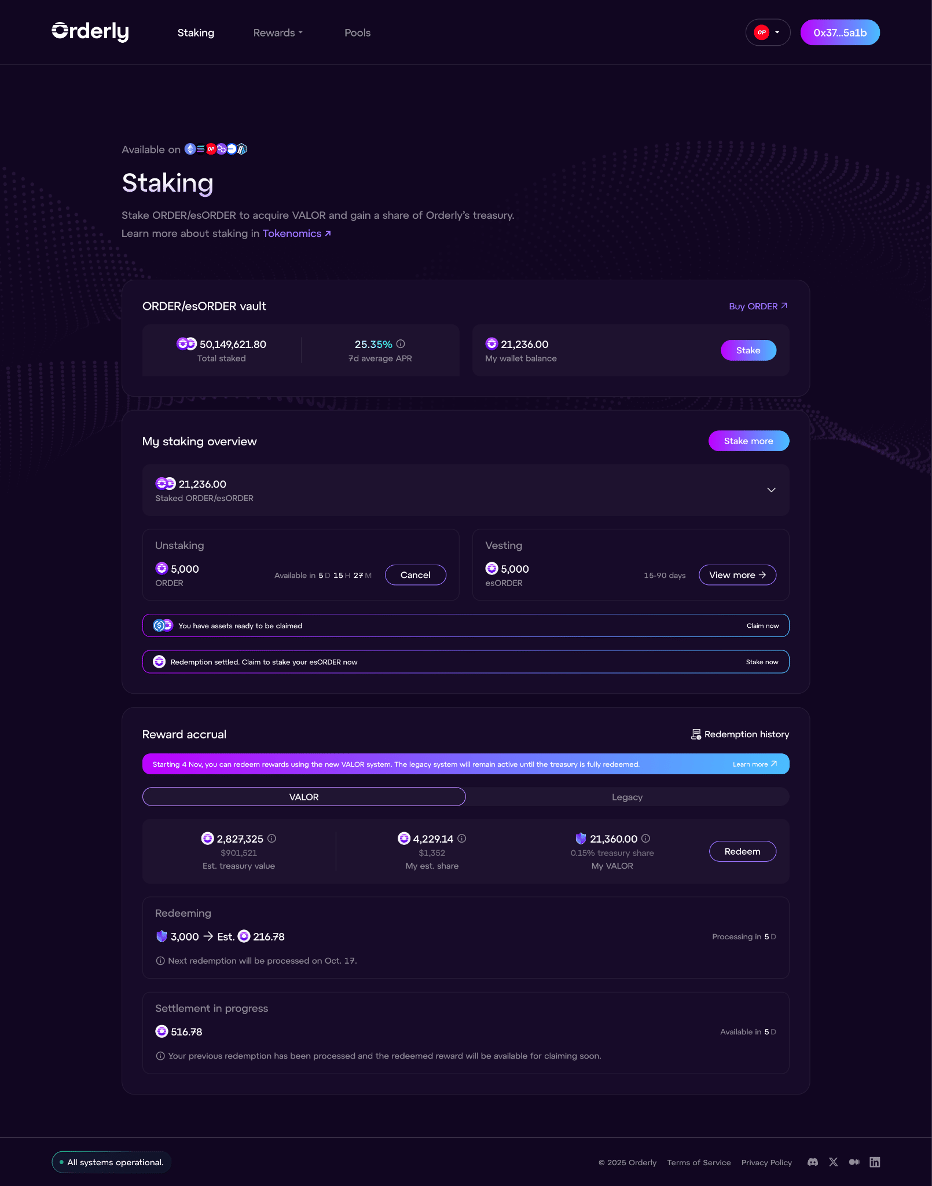  From the staking page you can:
* Stake and unstake $ORDER
* Vest esORDER for $ORDER
* Redeem VALOR and claim $USDC rewards (legacy system)
* Redeem VALOR and claim esORDER rewards (new system, effective 4 November 2025)
All staking information is chain-agnostic — consistent across all networks for a given EVM address. Only your $ORDER wallet balance is network-specific.
[](https://orderly.network/docs/introduction/tokenomics/order-staking/staking#stake-$order)
Stake $ORDER
------------------------------------------------------------------------------------------------------------
1. Connect your wallet and view your $ORDER balance.
2. Click **Stake** and enter the amount.
3. After the on-chain transaction succeeds, your staked balance increases and VALOR accrual begins immediately.
[](https://orderly.network/docs/introduction/tokenomics/order-staking/staking#unstake-$order)
Unstake $ORDER
----------------------------------------------------------------------------------------------------------------
1. Click **Unstake** and enter the amount. A 7-day unstaking period begins.
2. During unstaking, the tokens do not accrue VALOR, but previously accrued VALOR is unaffected.
3. Only one active unstaking request is allowed at a time. A new request merges with the existing one and resets the 7-day timer. For example: 1,000 $ORDER unstaking with 5 days left + a new 500 $ORDER request = 1,500 $ORDER available in 7 days from the second request.
4. You can **cancel** unstaking at any point during the 7-day period, which restakes the full amount.
5. After 7 days, claim your unstaked $ORDER on whichever network you are connected to:
* Ethereum: receive $ORDER (ERC-20)
* Other networks: receive $ORDER (OFT)
[](https://orderly.network/docs/introduction/tokenomics/order-staking/staking#valor)
VALOR
----------------------------------------------------------------------------------------------
VALOR is a non-transferable metric (not a token) that measures your staking position based on amount and duration. It can only be earned by staking $ORDER or esORDER.
###
[](https://orderly.network/docs/introduction/tokenomics/order-staking/staking#new-system-effective-4-november-2025)
New system (effective 4 November 2025)
* The new treasury pool receives 30% of Orderly’s net fees daily, settled via an ORDER buyback at the end of each epoch.
* Approximately 4.13 VALOR is distributed equally every second, proportional to each user’s staked share.
* VALOR can be redeemed for esORDER.
###
[](https://orderly.network/docs/introduction/tokenomics/order-staking/staking#legacy-system)
Legacy system
* The legacy treasury pool no longer receives new revenues.
* VALOR accrued in the legacy system remains valid and can be used to claim $USDC until the pool is fully redeemed.
* Legacy VALOR allocations were replicated 1:1 into the new system.
[](https://orderly.network/docs/introduction/tokenomics/order-staking/staking#redeem-valor)
Redeem VALOR
------------------------------------------------------------------------------------------------------------
In the **Reward accrual** section, redeem VALOR for esORDER (new system) or $USDC (legacy system). **VALOR price:**
* New system: _(Treasury pool value)_ ÷ _(Total circulating VALOR)_
* Legacy system: _(Treasury pool value)_ ÷ _(Total circulating VALOR)_ — this ratio is fixed since no new revenue enters the legacy pool.
**Redemption process:**
* You can redeem any amount of VALOR at any time (partial or full).
* All redemptions within an epoch are processed at the same VALOR price at the end of the batch (14-day epoch).
* Once submitted, a redemption cannot be revoked.
* Multiple redemption requests can be submitted across different networks.
* Redeemed VALOR is permanently burned, reducing supply.
* Redemptions in one system do not affect the other system.
When redeeming VALOR, note which network you are connected to — your rewards will be claimable on that network. This cannot be changed after the transaction is executed.
[](https://orderly.network/docs/introduction/tokenomics/order-staking/staking#claim-$usdc-legacy-system)
Claim $USDC (legacy system)
----------------------------------------------------------------------------------------------------------------------------------------
After a batch concludes, there is a 2-day waiting period before $USDC becomes claimable. Once settled, you can claim at any time on the network you specified during redemption.
[](https://orderly.network/docs/introduction/tokenomics/order-staking/staking#claim-esorder-new-system)
Claim esORDER (new system)
--------------------------------------------------------------------------------------------------------------------------------------
After a batch concludes, there is a 7-day waiting period before esORDER becomes claimable. Once claimed, esORDER is automatically staked and begins accruing VALOR immediately.
[](https://orderly.network/docs/introduction/tokenomics/order-staking/staking#faq)
FAQ
------------------------------------------------------------------------------------------
**How is staking APR calculated?** It is the protocol’s trailing 7-day average daily returns, annualized. Past performance does not guarantee future returns. Daily returns = 30% of protocol daily net revenue ÷ USD equivalent of total staked $ORDER and esORDER. **Do I earn back missed VALOR if I cancel unstaking?** No. VALOR accrues every second while staked. You do not retroactively earn VALOR for the unstaking period. However, upon cancellation, VALOR accrual resumes immediately. **Why can I stake and claim from different chains?** Orderly’s omnichain architecture lets you stake on one chain and claim on another. This is optional — you can complete the full flow on a single chain if you prefer. **What is OFT?** The Omnichain Fungible Token (OFT) standard by LayerZero allows tokens to transfer across blockchains without wrapping or middlechains. It enables Orderly users to receive rewards and interact with the protocol from any supported network.
[Distribution and Emission Schedule](https://orderly.network/docs/introduction/tokenomics/distribution-and-emission-schedule)
[Staking Information](https://orderly.network/docs/introduction/tokenomics/order-staking/staking-information)
⌘I
---
# Insurance Fund & ADL - Orderly
[Skip to main content](https://orderly.network/docs/introduction/trade-on-orderly/perpetual-futures/insurance-fund-and-adl#content-area)
[Orderly home page](https://orderly.network/docs)
latest
Search...
⌘K
Search...
Navigation
Perpetual futures basics
Insurance Fund & ADL
[Home](https://orderly.network/docs/home)
[Introduction](https://orderly.network/docs/introduction/getting-started/what-is-orderly)
[Build on Omnichain](https://orderly.network/docs/build-on-omnichain/building-on-omnichain)
[SDKs](https://orderly.network/docs/sdks/overview)
[Strategy vault](https://orderly.network/docs/introduction/orderly-omniVault/overview)
[Troubleshooting](https://orderly.network/docs/troubleshooting/introduction)
[Release notes](https://orderly.network/docs/release-notes/omnichain)
On this page
* [What does “bankrupt” mean here?](https://orderly.network/docs/introduction/trade-on-orderly/perpetual-futures/insurance-fund-and-adl#what-does-%E2%80%9Cbankrupt%E2%80%9D-mean-here)
* [How the Insurance Fund grows](https://orderly.network/docs/introduction/trade-on-orderly/perpetual-futures/insurance-fund-and-adl#how-the-insurance-fund-grows)
* [What happens to positions that can’t be liquidated normally?](https://orderly.network/docs/introduction/trade-on-orderly/perpetual-futures/insurance-fund-and-adl#what-happens-to-positions-that-can%E2%80%99t-be-liquidated-normally)
* [Key parameters](https://orderly.network/docs/introduction/trade-on-orderly/perpetual-futures/insurance-fund-and-adl#key-parameters)
* [ADL (Auto-Deleveraging)](https://orderly.network/docs/introduction/trade-on-orderly/perpetual-futures/insurance-fund-and-adl#adl-auto-deleveraging)
Every trading platform needs a safety net. On Orderly, the Insurance Fund is that safety net. It steps in when a trader’s account goes underwater (meaning their losses exceed their collateral), making sure those bad debts don’t spill over and hurt everyone else on the platform. This page explains how the Insurance Fund works, how it grows, and what happens in the rare case that even the Insurance Fund runs low.
[](https://orderly.network/docs/introduction/trade-on-orderly/perpetual-futures/insurance-fund-and-adl#what-does-%E2%80%9Cbankrupt%E2%80%9D-mean-here)
What does “bankrupt” mean here?
------------------------------------------------------------------------------------------------------------------------------------------------------------------------------------------
An account is bankrupt if it has a negative total collateral value. In plain terms, the trader owes more than they have. When this happens, the Orderly Insurance Fund takes over all of that account’s positions and debt. This protects other users from absorbing those losses.
[](https://orderly.network/docs/introduction/trade-on-orderly/perpetual-futures/insurance-fund-and-adl#how-the-insurance-fund-grows)
How the Insurance Fund grows
---------------------------------------------------------------------------------------------------------------------------------------------------------------------
The Insurance Fund earns money over time by collecting a portion of liquidation fees. Whenever a trader gets liquidated and still has enough margin to cover the fees, part of those fees flow into the Insurance Fund. Think of it like a shared savings account that slowly fills up during normal market conditions. During extreme market swings, however, liquidators might not be able to close positions fast enough. Some traders may go bankrupt, and the Insurance Fund covers those losses by drawing from its reserves.
[](https://orderly.network/docs/introduction/trade-on-orderly/perpetual-futures/insurance-fund-and-adl#what-happens-to-positions-that-can%E2%80%99t-be-liquidated-normally)
What happens to positions that can’t be liquidated normally?
--------------------------------------------------------------------------------------------------------------------------------------------------------------------------------------------------------------------------------------------
Sometimes a trader’s remaining margin is so low that it cannot even cover the minimum fee a liquidator would need. In that case:
1. All of the trader’s positions and remaining USDC balance are transferred to the Insurance Fund.
2. Liquidators can then request to claim those positions from the Insurance Fund at a discount (slightly less than the normal liquidator fee).
This gives liquidators an incentive to step in and clean up these positions, even in tough market conditions.
[](https://orderly.network/docs/introduction/trade-on-orderly/perpetual-futures/insurance-fund-and-adl#key-parameters)
Key parameters
-----------------------------------------------------------------------------------------------------------------------------------------
The Insurance Fund operates as a special account with its own margin rules, separate from regular trader accounts. Two important parameters control it:
* `min_insurance_fund_margin_ratio`: This is the maintenance margin ratio for the Insurance Fund. If the fund’s margin ratio drops to this level, it signals trouble.
* `min_margin_ratio_solvency`: This is the absolute floor — the lowest margin ratio the Insurance Fund can reach before it is considered insolvent.
[](https://orderly.network/docs/introduction/trade-on-orderly/perpetual-futures/insurance-fund-and-adl#adl-auto-deleveraging)
ADL (Auto-Deleveraging)
---------------------------------------------------------------------------------------------------------------------------------------------------------
ADL is the last resort. It only kicks in when all other safety mechanisms have failed. Specifically, ADL is triggered when all three of these conditions are true:
1. Liquidators don’t take over liquidated positions
2. No liquidators claim those positions on the Insurance Fund for some time, and
3. The Insurance Fund Margin Ratio falls below the `min_insurance_fund_margin_ratio`,
When ADL activates, Orderly selects the traders who have both the most profit and the most leverage. Their positions are then used to offset the Insurance Fund’s positions in each perpetual market, one by one. In practice, this means a highly profitable, highly leveraged trader could have part of their position automatically closed to keep the system solvent. This is extremely rare, but it is important to understand that it exists as a final safeguard.
[Liquidations](https://orderly.network/docs/introduction/trade-on-orderly/perpetual-futures/liquidations)
[Supported Markets](https://orderly.network/docs/introduction/trade-on-orderly/supported-markets)
⌘I
---
# Isolated Margin - Orderly
[Skip to main content](https://orderly.network/docs/introduction/trade-on-orderly/perpetual-futures/isolated-margin#content-area)
[Orderly home page](https://orderly.network/docs)
latest
Search...
⌘K
Search...
Navigation
Perpetual futures basics
Isolated Margin
[Home](https://orderly.network/docs/home)
[Introduction](https://orderly.network/docs/introduction/getting-started/what-is-orderly)
[Build on Omnichain](https://orderly.network/docs/build-on-omnichain/building-on-omnichain)
[SDKs](https://orderly.network/docs/sdks/overview)
[Strategy vault](https://orderly.network/docs/introduction/orderly-omniVault/overview)
[Troubleshooting](https://orderly.network/docs/troubleshooting/introduction)
[Release notes](https://orderly.network/docs/release-notes/omnichain)
On this page
* [Cross Margin vs. Isolated Margin](https://orderly.network/docs/introduction/trade-on-orderly/perpetual-futures/isolated-margin#cross-margin-vs-isolated-margin)
* [How Isolated Margin Works](https://orderly.network/docs/introduction/trade-on-orderly/perpetual-futures/isolated-margin#how-isolated-margin-works)
* [Both modes work simultaneously](https://orderly.network/docs/introduction/trade-on-orderly/perpetual-futures/isolated-margin#both-modes-work-simultaneously)
* [Independent leverage](https://orderly.network/docs/introduction/trade-on-orderly/perpetual-futures/isolated-margin#independent-leverage)
* [Dual positions on the same symbol](https://orderly.network/docs/introduction/trade-on-orderly/perpetual-futures/isolated-margin#dual-positions-on-the-same-symbol)
* [Risk isolation](https://orderly.network/docs/introduction/trade-on-orderly/perpetual-futures/isolated-margin#risk-isolation)
* [When to Use Isolated Margin](https://orderly.network/docs/introduction/trade-on-orderly/perpetual-futures/isolated-margin#when-to-use-isolated-margin)
* [Margin Mode Availability](https://orderly.network/docs/introduction/trade-on-orderly/perpetual-futures/isolated-margin#margin-mode-availability)
* [Related Pages](https://orderly.network/docs/introduction/trade-on-orderly/perpetual-futures/isolated-margin#related-pages)
Orderly supports two margin modes for perpetual futures: **Cross Margin** and **Isolated Margin**. Cross Margin is the default and shares your entire account balance across all positions. Isolated Margin lets you allocate a fixed amount of margin to a single position, capping your maximum loss to that amount. This page explains how Isolated Margin works, how it differs from Cross Margin, and when to use each mode.
[](https://orderly.network/docs/introduction/trade-on-orderly/perpetual-futures/isolated-margin#cross-margin-vs-isolated-margin)
Cross Margin vs. Isolated Margin
---------------------------------------------------------------------------------------------------------------------------------------------------------------------
| | Cross Margin | Isolated Margin |
| --- | --- | --- |
| **Margin pool** | All positions share the account’s available balance | Each position has its own dedicated margin |
| **Risk scope** | A loss on one position reduces margin available to all others | Losses are capped at the margin assigned to that position |
| **Liquidation impact** | Can trigger account-wide liquidation | Only the single isolated position is liquidated |
| **Profit offset** | Profitable positions automatically offset losing ones | No offset between positions |
In short, Cross Margin is more capital-efficient because your collateral backs everything at once. Isolated Margin gives you tighter control over how much you can lose on any single trade.
[](https://orderly.network/docs/introduction/trade-on-orderly/perpetual-futures/isolated-margin#how-isolated-margin-works)
How Isolated Margin Works
--------------------------------------------------------------------------------------------------------------------------------------------------------
###
[](https://orderly.network/docs/introduction/trade-on-orderly/perpetual-futures/isolated-margin#both-modes-work-simultaneously)
Both modes work simultaneously
For the standard Orderly market set, Cross Margin and Isolated Margin are not mutually exclusive — both modes are supported at the same time. You specify the margin mode when placing each order, so you can use Cross Margin for some trades and Isolated Margin for others on those markets, without needing to switch modes. Some market types, such as permissionlessly listed isolated markets, are available in Isolated Margin only.
###
[](https://orderly.network/docs/introduction/trade-on-orderly/perpetual-futures/isolated-margin#independent-leverage)
Independent leverage
Each symbol can have different leverage settings under each margin mode. For example:
* BTC-PERP Cross: 10x
* BTC-PERP Isolated: 20x
* ETH-PERP Isolated: 5x
The leverage you set in Isolated mode determines how much margin is required for that position. Higher leverage means less margin allocated (and a tighter liquidation price).
###
[](https://orderly.network/docs/introduction/trade-on-orderly/perpetual-futures/isolated-margin#dual-positions-on-the-same-symbol)
Dual positions on the same symbol
You can hold both a Cross position and an Isolated position on the same symbol at the same time. For example, you could open a Cross long and an Isolated short on ETH-PERP simultaneously. Each position has its own margin calculation and liquidation price — they are completely independent.
###
[](https://orderly.network/docs/introduction/trade-on-orderly/perpetual-futures/isolated-margin#risk-isolation)
Risk isolation
If an Isolated position is liquidated, only the margin assigned to that position is lost. Your other positions and your account balance remain untouched. This is the core benefit of Isolated Margin: your worst-case loss on any single trade is known upfront.
[](https://orderly.network/docs/introduction/trade-on-orderly/perpetual-futures/isolated-margin#when-to-use-isolated-margin)
When to Use Isolated Margin
------------------------------------------------------------------------------------------------------------------------------------------------------------
| Scenario | Why Isolated Margin helps |
| --- | --- |
| High-leverage speculation | Cap your maximum loss without putting your core positions at risk |
| Multi-strategy trading | Run different strategies on different pairs with no risk bleed-through |
| Experimental trades | Test a thesis on a volatile asset without exposing your whole account |
| Defined-risk setups | Know exactly how much you can lose before you enter the trade |
[](https://orderly.network/docs/introduction/trade-on-orderly/perpetual-futures/isolated-margin#margin-mode-availability)
Margin Mode Availability
------------------------------------------------------------------------------------------------------------------------------------------------------
For markets that support both modes, traders can choose either Cross Margin or Isolated Margin when placing orders. Permissionlessly listed isolated markets are the exception and should be treated as Isolated Margin only.
[](https://orderly.network/docs/introduction/trade-on-orderly/perpetual-futures/isolated-margin#related-pages)
Related Pages
--------------------------------------------------------------------------------------------------------------------------------
* [Margin, Leverage & PnL](https://orderly.network/docs/introduction/trade-on-orderly/perpetual-futures/margin-leverage-and-pnl)
— how margin ratios, leverage tiers, and PnL work
* [Liquidations](https://orderly.network/docs/introduction/trade-on-orderly/perpetual-futures/liquidations)
— how the liquidation process is triggered and handled
[Margin, Leverage & PnL](https://orderly.network/docs/introduction/trade-on-orderly/perpetual-futures/margin-leverage-and-pnl)
[Mark Price, Index Price, and Last Price](https://orderly.network/docs/introduction/trade-on-orderly/perpetual-futures/mark-price-index-price-and-last-price)
⌘I
---
# Glossary - Orderly
[Skip to main content](https://orderly.network/docs/introduction/trade-on-orderly/trading-basics/glossary#content-area)
[Orderly home page](https://orderly.network/docs)
latest
Search...
⌘K
Search...
Navigation
Trading basics
Glossary
[Home](https://orderly.network/docs/home)
[Introduction](https://orderly.network/docs/introduction/getting-started/what-is-orderly)
[Build on Omnichain](https://orderly.network/docs/build-on-omnichain/building-on-omnichain)
[SDKs](https://orderly.network/docs/sdks/overview)
[Strategy vault](https://orderly.network/docs/introduction/orderly-omniVault/overview)
[Troubleshooting](https://orderly.network/docs/troubleshooting/introduction)
[Release notes](https://orderly.network/docs/release-notes/omnichain)
**Order Book:** A live list of all open buy and sell orders for an asset, sorted by price. It shows you what other traders are willing to pay or accept. **Liquidity:** How much of an asset is available to trade. Higher liquidity means you can buy or sell more easily without moving the price. **Spread:** The gap between the highest buy price (bid) and the lowest sell price (ask). A smaller spread usually means a more liquid market. **Basis Point (BP):** A tiny unit of measurement: 1 basis point = 0.01%. Used to express fees and rate changes precisely. **Taker Fee:** The fee you pay when your order fills immediately, removing liquidity from the order book (e.g., a market order). **Maker Fee:** The fee you pay when your order adds liquidity to the order book by waiting to be filled (e.g., a limit order that doesn’t match right away). **Unsettled PnL:** Profit or loss from a perp position that hasn’t been settled yet. Settlement transfers USDC between winning and losing positions. **Maintenance Margin:** The minimum collateral you must keep in your account to avoid liquidation. If your margin drops below this level, your position gets liquidated. **Initial Margin:** The collateral required to open a new position. The exact amount depends on the market and the leverage you choose. **Funding Fee:** A periodic payment between long and short traders that keeps perp prices close to the actual market price of the underlying asset. Learn more [here](https://orderly.network/docs/introduction/trade-on-orderly/perpetual-futures/funding-rate)
. **Cost Position:** Your average entry price plus any fees you’ve paid (trading fees, funding fees). This is what’s used to calculate your unrealized PnL. **Mark Price:** A fair-value estimate for a perp contract, calculated from prices across multiple spot exchanges. It’s designed to be stable and resistant to manipulation, and it’s the price used to determine liquidations. Learn more [here](https://orderly.network/docs/introduction/trade-on-orderly/perpetual-futures/mark-price-index-price-and-last-price#mark-price)
. **Index Price:** The volume-weighted average price of an asset across major spot exchanges. Learn more [here](https://orderly.network/docs/introduction/trade-on-orderly/perpetual-futures/mark-price-index-price-and-last-price#index-price)
. **Last Price:** Simply the most recent price at which a trade was executed. **Open Interest:** The total number of outstanding perp contracts that haven’t been closed. It’s a measure of how active a market is, denominated in USDC. **Liquidation:** When your collateral falls too low to support your position, the system forcibly closes it to prevent further losses. **Auto De-leveraging (ADL):** A safety mechanism that kicks in when normal liquidation can’t fully close a position. It automatically reduces opposing positions to keep the system solvent. Learn more [here](https://orderly.network/docs/introduction/trade-on-orderly/perpetual-futures/insurance-fund-and-adl#adl)
. **Insurance Fund:** A reserve pool that covers losses when a liquidated position can’t be fully absorbed by liquidators. It’s funded by liquidation fees and by Orderly. Learn more [here](https://orderly.network/docs/introduction/trade-on-orderly/perpetual-futures/insurance-fund-and-adl)
.
[Orderly Orderbook Design](https://orderly.network/docs/introduction/trade-on-orderly/trading-basics/orderbook-design)
[Perpetual Futures Trading](https://orderly.network/docs/introduction/trade-on-orderly/trading-basics/perpetual-futures)
⌘I
---
# Get available symbols - Orderly
[Skip to main content](https://orderly.network/docs/build-on-omnichain/restful-api/public/get-available-symbols#content-area)
[Orderly home page](https://orderly.network/docs)
latest
Search...
⌘K
Search...
Navigation
Market info
Get available symbols
[Home](https://orderly.network/docs/home)
[Introduction](https://orderly.network/docs/introduction/getting-started/what-is-orderly)
[Build on Omnichain](https://orderly.network/docs/build-on-omnichain/building-on-omnichain)
[SDKs](https://orderly.network/docs/sdks/overview)
[Strategy vault](https://orderly.network/docs/introduction/orderly-omniVault/overview)
[Troubleshooting](https://orderly.network/docs/troubleshooting/introduction)
[Release notes](https://orderly.network/docs/release-notes/omnichain)
Get available symbols
cURL
curl --request GET \
--url https://api.orderly.org/v1/public/info
200
{
"success": true,
"data": {
"rows": [\
{\
"symbol": "PERP_BTC_USDC",\
"quote_min": 0,\
"quote_max": 100000,\
"quote_tick": 0.1,\
"base_min": 0.00001,\
"base_max": 20,\
"base_tick": 0.00001,\
"min_notional": 1,\
"price_range": 0.02,\
"price_scope": 0.4,\
"std_liquidation_fee": 0.03,\
"liquidator_fee": 0.015,\
"claim_insurance_fund_discount": 0.0075,\
"funding_period": 8,\
"cap_funding": 0.000375,\
"floor_funding": -0.000375,\
"interest_rate": 0.0001,\
"created_time": 1684140107326,\
"updated_time": 1685345968053,\
"base_mmr": 0.05,\
"base_imr": 0.1,\
"cap_ir": 0.0003,\
"floor_ir": -0.0003,\
"imr_factor": 0.025,\
"liquidation_tier": 1,\
"global_max_oi_cap": 11111\
}\
]
},
"timestamp": 1702989203989
}
GET
https://api.orderly.orghttps://testnet-api.orderly.org
/
v1
/
public
/
info
Try it
Get available symbols
cURL
curl --request GET \
--url https://api.orderly.org/v1/public/info
200
{
"success": true,
"data": {
"rows": [\
{\
"symbol": "PERP_BTC_USDC",\
"quote_min": 0,\
"quote_max": 100000,\
"quote_tick": 0.1,\
"base_min": 0.00001,\
"base_max": 20,\
"base_tick": 0.00001,\
"min_notional": 1,\
"price_range": 0.02,\
"price_scope": 0.4,\
"std_liquidation_fee": 0.03,\
"liquidator_fee": 0.015,\
"claim_insurance_fund_discount": 0.0075,\
"funding_period": 8,\
"cap_funding": 0.000375,\
"floor_funding": -0.000375,\
"interest_rate": 0.0001,\
"created_time": 1684140107326,\
"updated_time": 1685345968053,\
"base_mmr": 0.05,\
"base_imr": 0.1,\
"cap_ir": 0.0003,\
"floor_ir": -0.0003,\
"imr_factor": 0.025,\
"liquidation_tier": 1,\
"global_max_oi_cap": 11111\
}\
]
},
"timestamp": 1702989203989
}
#### Response
200 - application/json
OK
[](https://orderly.network/docs/build-on-omnichain/restful-api/public/get-available-symbols#response-success)
success
boolean
required
Indicates whether the request was successful.
Example:
`true`
[](https://orderly.network/docs/build-on-omnichain/restful-api/public/get-available-symbols#response-data)
data
object
required
Show child attributes
[](https://orderly.network/docs/build-on-omnichain/restful-api/public/get-available-symbols#response-timestamp)
timestamp
integer
Server timestamp in milliseconds.
Example:
`1702989203989`
[Get order rules per symbol](https://orderly.network/docs/build-on-omnichain/restful-api/public/get-order-rules-per-symbol)
[Get market trades](https://orderly.network/docs/build-on-omnichain/restful-api/public/get-market-trades)
⌘I
---
# Get account information - Orderly
[Skip to main content](https://orderly.network/docs/build-on-omnichain/restful-api/private/get-account-information#content-area)
[Orderly home page](https://orderly.network/docs)
latest
Search...
⌘K
Search...
Navigation
Account/user info
Get account information
[Home](https://orderly.network/docs/home)
[Introduction](https://orderly.network/docs/introduction/getting-started/what-is-orderly)
[Build on Omnichain](https://orderly.network/docs/build-on-omnichain/building-on-omnichain)
[SDKs](https://orderly.network/docs/sdks/overview)
[Strategy vault](https://orderly.network/docs/introduction/orderly-omniVault/overview)
[Troubleshooting](https://orderly.network/docs/troubleshooting/introduction)
[Release notes](https://orderly.network/docs/release-notes/omnichain)
Get account information
cURL
curl --request GET \
--url https://api.orderly.org/v1/client/info \
--header 'orderly-account-id: ' \
--header 'orderly-key: ' \
--header 'orderly-signature: ' \
--header 'orderly-timestamp: '
200
{
"success": true,
"data": {
"account_id": "",
"email": "test@test.com",
"account_mode": "FUTURES",
"max_leverage": 20,
"taker_fee_rate": 0,
"maker_fee_rate": 0,
"futures_taker_fee_rate": 0,
"futures_maker_fee_rate": 0,
"maintenance_cancel_orders": true,
"imr_factor": {
"PERP_BTC_USDC": 9.1e-8,
"PERP_ETH_USDC": 0.0000012345
},
"rwa_taker_fee_rate": 0,
"rwa_maker_fee_rate": 0,
"max_notional": {
"PERP_BTC_USDC": 10000000,
"PERP_ETH_USDC": 2000000
}
},
"timestamp": 1702989203989
}
GET
https://api.orderly.orghttps://testnet-api.orderly.org
/
v1
/
client
/
info
Try it
Get account information
cURL
curl --request GET \
--url https://api.orderly.org/v1/client/info \
--header 'orderly-account-id: ' \
--header 'orderly-key: ' \
--header 'orderly-signature: ' \
--header 'orderly-timestamp: '
200
{
"success": true,
"data": {
"account_id": "",
"email": "test@test.com",
"account_mode": "FUTURES",
"max_leverage": 20,
"taker_fee_rate": 0,
"maker_fee_rate": 0,
"futures_taker_fee_rate": 0,
"futures_maker_fee_rate": 0,
"maintenance_cancel_orders": true,
"imr_factor": {
"PERP_BTC_USDC": 9.1e-8,
"PERP_ETH_USDC": 0.0000012345
},
"rwa_taker_fee_rate": 0,
"rwa_maker_fee_rate": 0,
"max_notional": {
"PERP_BTC_USDC": 10000000,
"PERP_ETH_USDC": 2000000
}
},
"timestamp": 1702989203989
}
#### Headers
[](https://orderly.network/docs/build-on-omnichain/restful-api/private/get-account-information#parameter-orderly-timestamp)
orderly-timestamp
string
required
Timestamp of the signed request in milliseconds.
[](https://orderly.network/docs/build-on-omnichain/restful-api/private/get-account-information#parameter-orderly-account-id)
orderly-account-id
string
required
Account ID of the authenticated account.
[](https://orderly.network/docs/build-on-omnichain/restful-api/private/get-account-information#parameter-orderly-key)
orderly-key
string
required
Public orderly key used to sign the request.
[](https://orderly.network/docs/build-on-omnichain/restful-api/private/get-account-information#parameter-orderly-signature)
orderly-signature
string
required
Signature of the request payload generated with the orderly key.
#### Response
200 - application/json
OK
[](https://orderly.network/docs/build-on-omnichain/restful-api/private/get-account-information#response-success)
success
boolean
required
Indicates whether the request was successful.
Example:
`true`
[](https://orderly.network/docs/build-on-omnichain/restful-api/private/get-account-information#response-data)
data
object
required
Show child attributes
[](https://orderly.network/docs/build-on-omnichain/restful-api/private/get-account-information#response-timestamp)
timestamp
integer
Server timestamp in milliseconds.
Example:
`1702989203989`
[Get account overview info](https://orderly.network/docs/build-on-omnichain/restful-api/private/get-account-overview-info)
[Get user daily statistics](https://orderly.network/docs/build-on-omnichain/restful-api/private/get-user-daily-statistics)
⌘I
---
# Get system maintenance status - Orderly
[Skip to main content](https://orderly.network/docs/build-on-omnichain/restful-api/public/get-system-maintenance-status#content-area)
[Orderly home page](https://orderly.network/docs)
latest
Search...
⌘K
Search...
Navigation
System info
Get system maintenance status
[Home](https://orderly.network/docs/home)
[Introduction](https://orderly.network/docs/introduction/getting-started/what-is-orderly)
[Build on Omnichain](https://orderly.network/docs/build-on-omnichain/building-on-omnichain)
[SDKs](https://orderly.network/docs/sdks/overview)
[Strategy vault](https://orderly.network/docs/introduction/orderly-omniVault/overview)
[Troubleshooting](https://orderly.network/docs/troubleshooting/introduction)
[Release notes](https://orderly.network/docs/release-notes/omnichain)
Get system maintenance status
cURL
curl --request GET \
--url https://api.orderly.org/v1/public/system_info
200
{
"success": true,
"data": {
"status": 0,
"msg": "",
"scheduled_maintenance": {
"startTime": 1618822380000,
"endTime": 1618822440000
}
},
"timestamp": 1702989203989
}
GET
https://api.orderly.orghttps://testnet-api.orderly.org
/
v1
/
public
/
system\_info
Try it
Get system maintenance status
cURL
curl --request GET \
--url https://api.orderly.org/v1/public/system_info
200
{
"success": true,
"data": {
"status": 0,
"msg": "",
"scheduled_maintenance": {
"startTime": 1618822380000,
"endTime": 1618822440000
}
},
"timestamp": 1702989203989
}
#### Response
200 - application/json
OK
[](https://orderly.network/docs/build-on-omnichain/restful-api/public/get-system-maintenance-status#response-success)
success
boolean
required
Indicates whether the request was successful.
Example:
`true`
[](https://orderly.network/docs/build-on-omnichain/restful-api/public/get-system-maintenance-status#response-data)
data
object
required
Show child attributes
[](https://orderly.network/docs/build-on-omnichain/restful-api/public/get-system-maintenance-status#response-timestamp)
timestamp
integer
Server timestamp in milliseconds.
Example:
`1702989203989`
[Get TVL by builder](https://orderly.network/docs/build-on-omnichain/restful-api/public/get-tvl-by-builder)
[Get vault balance](https://orderly.network/docs/build-on-omnichain/restful-api/public/get-vault-balance)
⌘I
---
# Get Strategy Vault Liquidator History - Orderly
[Skip to main content](https://orderly.network/docs/strategy-vault/vault/public/vault-liquidator-history#content-area)
[Orderly home page](https://orderly.network/docs)
latest
Search...
⌘K
Search...
Navigation
Order management
Get Strategy Vault Liquidator History
[Home](https://orderly.network/docs/home)
[Introduction](https://orderly.network/docs/introduction/getting-started/what-is-orderly)
[Build on Omnichain](https://orderly.network/docs/build-on-omnichain/building-on-omnichain)
[SDKs](https://orderly.network/docs/sdks/overview)
[Strategy vault](https://orderly.network/docs/introduction/orderly-omniVault/overview)
[Troubleshooting](https://orderly.network/docs/troubleshooting/introduction)
[Release notes](https://orderly.network/docs/release-notes/omnichain)
Get Strategy Vault Liquidator History
cURL
curl --request GET \
--url https://api-sv.orderly.org/v1/public/strategy_vault/vault/liquidator_history
200
{
"success": true,
"timestamp": 1702989203989,
"data": {
"meta": {
"total": 9,
"records_per_page": 25,
"current_page": 1
},
"rows": [\
{\
"liquidation_id": 1728,\
"timestamp": 1685154032762,\
"type": "liquidated",\
"assigned": 1,\
"positions_by_perp": [\
{\
"abs_liquidator_fee": 1.152279,\
"cost_position_transfer": 65.84448,\
"liquidator_fee": 0.0175,\
"position_qty": 41.6,\
"symbol": "PERP_NEAR_USDC",\
"transfer_price": 1.5828\
}\
]\
}\
]
}
}
GET
https://api-sv.orderly.orghttps://testnet-api-sv.orderly.org
/
v1
/
public
/
strategy\_vault
/
vault
/
liquidator\_history
Try it
Get Strategy Vault Liquidator History
cURL
curl --request GET \
--url https://api-sv.orderly.org/v1/public/strategy_vault/vault/liquidator_history
200
{
"success": true,
"timestamp": 1702989203989,
"data": {
"meta": {
"total": 9,
"records_per_page": 25,
"current_page": 1
},
"rows": [\
{\
"liquidation_id": 1728,\
"timestamp": 1685154032762,\
"type": "liquidated",\
"assigned": 1,\
"positions_by_perp": [\
{\
"abs_liquidator_fee": 1.152279,\
"cost_position_transfer": 65.84448,\
"liquidator_fee": 0.0175,\
"position_qty": 41.6,\
"symbol": "PERP_NEAR_USDC",\
"transfer_price": 1.5828\
}\
]\
}\
]
}
}
#### Query Parameters
[](https://orderly.network/docs/strategy-vault/vault/public/vault-liquidator-history#parameter-vault-id)
vault\_id
string
required
[](https://orderly.network/docs/strategy-vault/vault/public/vault-liquidator-history#parameter-symbol)
symbol
string
only 1 at a time
[](https://orderly.network/docs/strategy-vault/vault/public/vault-liquidator-history#parameter-page)
page
number
the page you wish to query start from 1
[](https://orderly.network/docs/strategy-vault/vault/public/vault-liquidator-history#parameter-size)
size
number
the page size you wish to query (max: 500)
#### Response
200 - application/json
Success
[](https://orderly.network/docs/strategy-vault/vault/public/vault-liquidator-history#response-success)
success
boolean
Example:
`true`
[](https://orderly.network/docs/strategy-vault/vault/public/vault-liquidator-history#response-timestamp)
timestamp
number
Example:
`1702989203989`
[](https://orderly.network/docs/strategy-vault/vault/public/vault-liquidator-history#response-data)
data
object
Show child attributes
[Get Strategy Vault Trade History](https://orderly.network/docs/strategy-vault/vault/public/vault-trade-history)
[Supplemental Terms for Community Strategy Vault](https://orderly.network/docs/strategy-vault/vault/public/supplemental-terms)
⌘I
---
# Get Liquidity Provider Info - Orderly
[Skip to main content](https://orderly.network/docs/strategy-vault/liquidity-provider/public/lp-info#content-area)
[Orderly home page](https://orderly.network/docs)
latest
Search...
⌘K
Search...
Navigation
Liquidity provider details
Get Liquidity Provider Info
[Home](https://orderly.network/docs/home)
[Introduction](https://orderly.network/docs/introduction/getting-started/what-is-orderly)
[Build on Omnichain](https://orderly.network/docs/build-on-omnichain/building-on-omnichain)
[SDKs](https://orderly.network/docs/sdks/overview)
[Strategy vault](https://orderly.network/docs/introduction/orderly-omniVault/overview)
[Troubleshooting](https://orderly.network/docs/troubleshooting/introduction)
[Release notes](https://orderly.network/docs/release-notes/omnichain)
Get Liquidity Provider Info
cURL
curl --request GET \
--url https://api-sv.orderly.org/v1/public/strategy_vault/lp/info
200
{
"success": true,
"timestamp": 1702989203989,
"data": {
"rows": [\
{\
"vault_id": "",\
"lp_nav": 56789,\
"lp_tvl": 63701.21,\
"total_main_shares": 12700,\
"available_main_shares": 12458.05,\
"potential_pnl": 2567.73,\
"total_performance_fees": 1.24\
}\
]
}
}
GET
https://api-sv.orderly.orghttps://testnet-api-sv.orderly.org
/
v1
/
public
/
strategy\_vault
/
lp
/
info
Try it
Get Liquidity Provider Info
cURL
curl --request GET \
--url https://api-sv.orderly.org/v1/public/strategy_vault/lp/info
200
{
"success": true,
"timestamp": 1702989203989,
"data": {
"rows": [\
{\
"vault_id": "",\
"lp_nav": 56789,\
"lp_tvl": 63701.21,\
"total_main_shares": 12700,\
"available_main_shares": 12458.05,\
"potential_pnl": 2567.73,\
"total_performance_fees": 1.24\
}\
]
}
}
#### Query Parameters
[](https://orderly.network/docs/strategy-vault/liquidity-provider/public/lp-info#parameter-wallet-address)
wallet\_address
string
required
[](https://orderly.network/docs/strategy-vault/liquidity-provider/public/lp-info#parameter-vault-id)
vault\_id
string
return all if empty
#### Response
200 - application/json
Success
[](https://orderly.network/docs/strategy-vault/liquidity-provider/public/lp-info#response-success)
success
boolean
Example:
`true`
[](https://orderly.network/docs/strategy-vault/liquidity-provider/public/lp-info#response-timestamp)
timestamp
number
Example:
`1702989203989`
[](https://orderly.network/docs/strategy-vault/liquidity-provider/public/lp-info#response-data)
data
object
Show child attributes
[Supplemental Terms for Community Strategy Vault](https://orderly.network/docs/strategy-vault/vault/public/supplemental-terms)
[Get Liquidity Provider Performance](https://orderly.network/docs/strategy-vault/liquidity-provider/public/lp-performance)
⌘I
---
# Add delegate signer Orderly key - Orderly
[Skip to main content](https://orderly.network/docs/build-on-omnichain/restful-api/public/add-delegate-signer-orderly-key#content-area)
[Orderly home page](https://orderly.network/docs)
latest
Search...
⌘K
Search...
Navigation
Delegate signer
Add delegate signer Orderly key
[Home](https://orderly.network/docs/home)
[Introduction](https://orderly.network/docs/introduction/getting-started/what-is-orderly)
[Build on Omnichain](https://orderly.network/docs/build-on-omnichain/building-on-omnichain)
[SDKs](https://orderly.network/docs/sdks/overview)
[Strategy vault](https://orderly.network/docs/introduction/orderly-omniVault/overview)
[Troubleshooting](https://orderly.network/docs/troubleshooting/introduction)
[Release notes](https://orderly.network/docs/release-notes/omnichain)
Add delegate signer Orderly key
cURL
curl --request POST \
--url https://api.orderly.org/v1/delegate_orderly_key \
--header 'Content-Type: application/json' \
--data '
{
"message": {
"delegateContract": "",
"brokerId": "",
"chainId": 123,
"orderlyKey": "",
"scope": "",
"timestamp": 123,
"expiration": 123
},
"signature": "",
"userAddress": ""
}
'
200
{
"success": true,
"data": {
"orderly_key": "ed25519:FRXntsPJBCy6dzKv9WPw4eYSw3rKU9Npz3T6UmvvJc9Z",
"id": 123
},
"timestamp": 1702989203989
}
POST
https://api.orderly.orghttps://testnet-api.orderly.org
/
v1
/
delegate\_orderly\_key
Try it
Add delegate signer Orderly key
cURL
curl --request POST \
--url https://api.orderly.org/v1/delegate_orderly_key \
--header 'Content-Type: application/json' \
--data '
{
"message": {
"delegateContract": "",
"brokerId": "",
"chainId": 123,
"orderlyKey": "",
"scope": "",
"timestamp": 123,
"expiration": 123
},
"signature": "",
"userAddress": ""
}
'
200
{
"success": true,
"data": {
"orderly_key": "ed25519:FRXntsPJBCy6dzKv9WPw4eYSw3rKU9Npz3T6UmvvJc9Z",
"id": 123
},
"timestamp": 1702989203989
}
#### Body
application/json
[](https://orderly.network/docs/build-on-omnichain/restful-api/public/add-delegate-signer-orderly-key#body-message)
message
object
required
Message object containing the message that is signed by the wallet owner
Show child attributes
[](https://orderly.network/docs/build-on-omnichain/restful-api/public/add-delegate-signer-orderly-key#body-signature)
signature
string
required
Signature generated by signing the message object.
[](https://orderly.network/docs/build-on-omnichain/restful-api/public/add-delegate-signer-orderly-key#body-user-address)
userAddress
string
required
Address of the wallet that signed the message object.
#### Response
200 - application/json
OK
[](https://orderly.network/docs/build-on-omnichain/restful-api/public/add-delegate-signer-orderly-key#response-success)
success
boolean
required
Indicates whether the request was successful.
Example:
`true`
[](https://orderly.network/docs/build-on-omnichain/restful-api/public/add-delegate-signer-orderly-key#response-data)
data
object
required
Show child attributes
[](https://orderly.network/docs/build-on-omnichain/restful-api/public/add-delegate-signer-orderly-key#response-timestamp)
timestamp
integer
Server timestamp in milliseconds.
Example:
`1702989203989`
[Delegate signer](https://orderly.network/docs/build-on-omnichain/restful-api/public/delegate-signer)
[Delegate signer settle PnL](https://orderly.network/docs/build-on-omnichain/restful-api/private/delegate-signer-settle-pnl)
⌘I
---
# useOrderEntry - Orderly
[Skip to main content](https://orderly.network/docs/sdks/hooks/orders/use-order-entry#content-area)
[Orderly home page](https://orderly.network/docs)
latest
Search...
⌘K
Search...
Navigation
Orders
useOrderEntry
[Home](https://orderly.network/docs/home)
[Introduction](https://orderly.network/docs/introduction/getting-started/what-is-orderly)
[Build on Omnichain](https://orderly.network/docs/build-on-omnichain/building-on-omnichain)
[SDKs](https://orderly.network/docs/sdks/overview)
[Strategy vault](https://orderly.network/docs/introduction/orderly-omniVault/overview)
[Troubleshooting](https://orderly.network/docs/troubleshooting/introduction)
[Release notes](https://orderly.network/docs/release-notes/omnichain)
On this page
* [Real-time data](https://orderly.network/docs/sdks/hooks/orders/use-order-entry#real-time-data)
* [Updating values](https://orderly.network/docs/sdks/hooks/orders/use-order-entry#updating-values)
* [Order validations](https://orderly.network/docs/sdks/hooks/orders/use-order-entry#order-validations)
* [Placing orders](https://orderly.network/docs/sdks/hooks/orders/use-order-entry#placing-orders)
The `useOrderEntry` hook provides a variety of supporting functions according to input parameters and the prevailing market data.
const useOrderEntry: (
symbol: string,
options: {
/** initial order state, default is buy limit order */
initialOrder?: Omit, "symbol">;
}
) => OrderEntryReturn;
type OrderEntryReturn = {
submit: (options?: { resetOnSuccess?: boolean }) => Promise;
reset: () => void;
resetErrors: () => void;
resetMetaState: () => void;
formattedOrder: Partial;
maxQty: number;
/**
* The estimated liquidation price.
*/
estLiqPrice: number | null;
/**
* The estimated leverage after order creation.
*/
estLeverage: number | null;
helper: {
/**
* Function to validate the order.
* @returns {Promise} The validation result.
*/
validate: () => Promise;
};
freeCollateral: number;
/**
* set a single value to the order data;
* @param key
* @param value
* @returns
*/
setValue: (
key: keyof FullOrderState,
value: any,
options?: {
shouldUpdateLastChangedField?: boolean;
}
) => void;
setValues: (values: Partial) => void;
symbolInfo: API.SymbolExt;
/**
* Meta state including validation and submission status.
*/
metaState: {
dirty: {
[K in keyof OrderlyOrder]?: boolean;
};
submitted: boolean;
validated: boolean;
errors: VerifyResult | null;
};
/**
* Indicates if a mutation (order creation) is in progress.
*/
isMutating: boolean;
markPrice: number | undefined;
};
###
[](https://orderly.network/docs/sdks/hooks/orders/use-order-entry#real-time-data)
Real-time data
`useOrderEntry` provides some real-time data that the UI will use when creating orders based on the latest market data.
* `maxQty`: The maximum quantity that the user can trade based on the free collateral.
* `freeCollateral`: The amount collateral available for trading, factoring in open positions and pending orders.
* `markPrice`: The mark price of the symbol.
* `estLiqPrice`: The estimated liquidation price, if a position is created from given order paramters.
* `estLeverage`: The estimated leverage, if a position is created from given order paramters.
###
[](https://orderly.network/docs/sdks/hooks/orders/use-order-entry#updating-values)
Updating values
For updating values two functions are provided: `setValue` and `setValues`. `useOrderEntry` is built on the concepts of `react-hook-form`. If you have been using it in conjunction with `react-hook-form` with the SDK v1, then you might want to entirely remove it now.
// ...
const { setValue } = useOrderEntry(symbol, {
initialOrder: {
side: OrderSide.BUY,
order_type: OrderType.MARKET,
price: undefined,
order_quantity: undefined
}
});
// ...
return (
<>
{/* ... */}
{
setValue("price", event.target.value);
}}
/>
{
setValue("order_quantity", event.target.value);
}}
/>
{/* ... */}
);
###
[](https://orderly.network/docs/sdks/hooks/orders/use-order-entry#order-validations)
Order validations
Order inputs will be validated automatically and any error will be returned in the `metaState.errors` field.
CreateOrder.tsx
formHelper.tsx
import { renderFormError } from "./formHelper.tsx";
// ...
const {
setValue,
metaState: { errors, dirty, submitted }
} = useOrderEntry(symbol, {
initialOrder: {
side: OrderSide.BUY,
order_type: OrderType.MARKET,
trigger_price: undefined,
price: undefined,
order_quantity: undefined
}
});
const hasError = useCallback(
(
key: keyof OrderlyOrder
):
| {
message: string;
}
| undefined => {
if (!dirty[key] && !submitted) {
return;
}
return errors?.[key];
},
[errors, dirty, submitted]
);
// ...
return (
<>
{/* ... */}
{
setValue("order_quantity", event.target.value);
}}
/>
{renderFormError(hasError("order_quantity"))}
{/* ... */}
);
###
[](https://orderly.network/docs/sdks/hooks/orders/use-order-entry#placing-orders)
Placing orders
You can place orders by calling the `submit` function.
// ...
const { submit, reset } = useOrderEntry(symbol, {
initialOrder: {
side: OrderSide.BUY,
order_type: OrderType.MARKET,
price: undefined,
order_quantity: undefined
}
});
// ...
return (
<>
{/* ... */}
{/* ... */}
);
[Orders](https://orderly.network/docs/sdks/hooks/orders/orders)
[useOrderStream](https://orderly.network/docs/sdks/hooks/orders/use-order-stream)
⌘I
---
# Check if wallet is registered - Orderly
[Skip to main content](https://orderly.network/docs/build-on-omnichain/restful-api/public/check-if-wallet-is-registered#content-area)
[Orderly home page](https://orderly.network/docs)
latest
Search...
⌘K
Search...
Navigation
Registration
Check if wallet is registered
[Home](https://orderly.network/docs/home)
[Introduction](https://orderly.network/docs/introduction/getting-started/what-is-orderly)
[Build on Omnichain](https://orderly.network/docs/build-on-omnichain/building-on-omnichain)
[SDKs](https://orderly.network/docs/sdks/overview)
[Strategy vault](https://orderly.network/docs/introduction/orderly-omniVault/overview)
[Troubleshooting](https://orderly.network/docs/troubleshooting/introduction)
[Release notes](https://orderly.network/docs/release-notes/omnichain)
Check if wallet is registered
cURL
curl --request GET \
--url https://api.orderly.org/v1/get_account
200
{
"success": true,
"data": {
"user_id": 24,
"account_id": "0xb129e074a17dfba8d652ae1eca21c7d6bb6904f1aa693f4886d50db170933a46"
},
"timestamp": 1702989203989
}
GET
https://api.orderly.orghttps://testnet-api.orderly.org
/
v1
/
get\_account
Try it
Check if wallet is registered
cURL
curl --request GET \
--url https://api.orderly.org/v1/get_account
200
{
"success": true,
"data": {
"user_id": 24,
"account_id": "0xb129e074a17dfba8d652ae1eca21c7d6bb6904f1aa693f4886d50db170933a46"
},
"timestamp": 1702989203989
}
#### Query Parameters
[](https://orderly.network/docs/build-on-omnichain/restful-api/public/check-if-wallet-is-registered#parameter-address)
address
string
required
The address of the user wallet
[](https://orderly.network/docs/build-on-omnichain/restful-api/public/check-if-wallet-is-registered#parameter-broker-id)
broker\_id
string
required
Builder ID to check for the wallet address.
[](https://orderly.network/docs/build-on-omnichain/restful-api/public/check-if-wallet-is-registered#parameter-chain-type)
chain\_type
string
`EVM` or `SOL`
#### Response
200 - application/json
OK
[](https://orderly.network/docs/build-on-omnichain/restful-api/public/check-if-wallet-is-registered#response-success)
success
boolean
required
Indicates whether the request was successful.
Example:
`true`
[](https://orderly.network/docs/build-on-omnichain/restful-api/public/check-if-wallet-is-registered#response-data)
data
object
required
Show child attributes
[](https://orderly.network/docs/build-on-omnichain/restful-api/public/check-if-wallet-is-registered#response-timestamp)
timestamp
integer
Server timestamp in milliseconds.
Example:
`1702989203989`
[Check if account exists](https://orderly.network/docs/build-on-omnichain/restful-api/public/check-if-account-exists)
[Check if address is registered](https://orderly.network/docs/build-on-omnichain/restful-api/public/check-if-address-is-registered)
⌘I
---
# Orderly network core - Orderly
[Skip to main content](https://orderly.network/docs/sdks/tech-doc/modules/orderly_network_core#content-area)
[Orderly home page](https://orderly.network/docs)
latest
Search...
⌘K
Search...
Navigation
[Home](https://orderly.network/docs/home)
[Introduction](https://orderly.network/docs/introduction/getting-started/what-is-orderly)
[Build on Omnichain](https://orderly.network/docs/build-on-omnichain/building-on-omnichain)
[SDKs](https://orderly.network/docs/sdks/overview)
[Strategy vault](https://orderly.network/docs/introduction/orderly-omniVault/overview)
[Troubleshooting](https://orderly.network/docs/troubleshooting/introduction)
[Release notes](https://orderly.network/docs/release-notes/omnichain)
On this page
* [Module: @orderly.network/core](https://orderly.network/docs/sdks/tech-doc/modules/orderly_network_core#module-%40orderly-network%2Fcore)
* [Table of contents](https://orderly.network/docs/sdks/tech-doc/modules/orderly_network_core#table-of-contents)
* [Namespaces](https://orderly.network/docs/sdks/tech-doc/modules/orderly_network_core#namespaces)
* [Classes](https://orderly.network/docs/sdks/tech-doc/modules/orderly_network_core#classes)
* [Interfaces](https://orderly.network/docs/sdks/tech-doc/modules/orderly_network_core#interfaces)
* [Type Aliases](https://orderly.network/docs/sdks/tech-doc/modules/orderly_network_core#type-aliases)
* [Functions](https://orderly.network/docs/sdks/tech-doc/modules/orderly_network_core#functions)
* [Type Aliases](https://orderly.network/docs/sdks/tech-doc/modules/orderly_network_core#type-aliases-2)
* [ConfigKey](https://orderly.network/docs/sdks/tech-doc/modules/orderly_network_core#configkey)
* [Defined in](https://orderly.network/docs/sdks/tech-doc/modules/orderly_network_core#defined-in)
* [MessageFactor](https://orderly.network/docs/sdks/tech-doc/modules/orderly_network_core#messagefactor)
* [Type declaration](https://orderly.network/docs/sdks/tech-doc/modules/orderly_network_core#type-declaration)
* [Defined in](https://orderly.network/docs/sdks/tech-doc/modules/orderly_network_core#defined-in-2)
* [SignedMessagePayload](https://orderly.network/docs/sdks/tech-doc/modules/orderly_network_core#signedmessagepayload)
* [Type declaration](https://orderly.network/docs/sdks/tech-doc/modules/orderly_network_core#type-declaration-2)
* [Defined in](https://orderly.network/docs/sdks/tech-doc/modules/orderly_network_core#defined-in-3)
* [WalletAdapterOptions](https://orderly.network/docs/sdks/tech-doc/modules/orderly_network_core#walletadapteroptions)
* [Type declaration](https://orderly.network/docs/sdks/tech-doc/modules/orderly_network_core#type-declaration-3)
* [Defined in](https://orderly.network/docs/sdks/tech-doc/modules/orderly_network_core#defined-in-4)
* [getWalletAdapterFunc](https://orderly.network/docs/sdks/tech-doc/modules/orderly_network_core#getwalletadapterfunc)
* [Type declaration](https://orderly.network/docs/sdks/tech-doc/modules/orderly_network_core#type-declaration-4)
* [Defined in](https://orderly.network/docs/sdks/tech-doc/modules/orderly_network_core#defined-in-5)
* [Functions](https://orderly.network/docs/sdks/tech-doc/modules/orderly_network_core#functions-2)
* [generateAddOrderlyKeyMessage](https://orderly.network/docs/sdks/tech-doc/modules/orderly_network_core#generateaddorderlykeymessage)
* [Parameters](https://orderly.network/docs/sdks/tech-doc/modules/orderly_network_core#parameters)
* [Returns](https://orderly.network/docs/sdks/tech-doc/modules/orderly_network_core#returns)
* [Defined in](https://orderly.network/docs/sdks/tech-doc/modules/orderly_network_core#defined-in-6)
* [generateRegisterAccountMessage](https://orderly.network/docs/sdks/tech-doc/modules/orderly_network_core#generateregisteraccountmessage)
* [Parameters](https://orderly.network/docs/sdks/tech-doc/modules/orderly_network_core#parameters-2)
* [Returns](https://orderly.network/docs/sdks/tech-doc/modules/orderly_network_core#returns-2)
* [Defined in](https://orderly.network/docs/sdks/tech-doc/modules/orderly_network_core#defined-in-7)
* [generateSettleMessage](https://orderly.network/docs/sdks/tech-doc/modules/orderly_network_core#generatesettlemessage)
* [Parameters](https://orderly.network/docs/sdks/tech-doc/modules/orderly_network_core#parameters-3)
* [Returns](https://orderly.network/docs/sdks/tech-doc/modules/orderly_network_core#returns-3)
* [Defined in](https://orderly.network/docs/sdks/tech-doc/modules/orderly_network_core#defined-in-8)
* [getDefaultSigner](https://orderly.network/docs/sdks/tech-doc/modules/orderly_network_core#getdefaultsigner)
* [Returns](https://orderly.network/docs/sdks/tech-doc/modules/orderly_network_core#returns-4)
* [Defined in](https://orderly.network/docs/sdks/tech-doc/modules/orderly_network_core#defined-in-9)
* [getMockSigner](https://orderly.network/docs/sdks/tech-doc/modules/orderly_network_core#getmocksigner)
* [Parameters](https://orderly.network/docs/sdks/tech-doc/modules/orderly_network_core#parameters-4)
* [Returns](https://orderly.network/docs/sdks/tech-doc/modules/orderly_network_core#returns-5)
* [Defined in](https://orderly.network/docs/sdks/tech-doc/modules/orderly_network_core#defined-in-10)
[Orderly SDKs](https://orderly.network/docs/sdks/tech-doc/README)
/ [Modules](https://orderly.network/docs/sdks/tech-doc/modules)
/ @orderly.network/core
[](https://orderly.network/docs/sdks/tech-doc/modules/orderly_network_core#module-@orderly-network/core)
Module: @orderly.network/core
==========================================================================================================================================
[](https://orderly.network/docs/sdks/tech-doc/modules/orderly_network_core#table-of-contents)
Table of contents
-------------------------------------------------------------------------------------------------------------------
###
[](https://orderly.network/docs/sdks/tech-doc/modules/orderly_network_core#namespaces)
Namespaces
* [EventEmitter](https://orderly.network/docs/sdks/tech-doc/modules/orderly_network_core.EventEmitter)
* [utils](https://orderly.network/docs/sdks/tech-doc/modules/orderly_network_core.utils)
###
[](https://orderly.network/docs/sdks/tech-doc/modules/orderly_network_core#classes)
Classes
* [Account](https://orderly.network/docs/sdks/tech-doc/classes/orderly_network_core.Account)
* [BaseKeyStore](https://orderly.network/docs/sdks/tech-doc/classes/orderly_network_core.BaseKeyStore)
* [BaseOrderlyKeyPair](https://orderly.network/docs/sdks/tech-doc/classes/orderly_network_core.BaseOrderlyKeyPair)
* [BaseSigner](https://orderly.network/docs/sdks/tech-doc/classes/orderly_network_core.BaseSigner)
* [DefaultConfigStore](https://orderly.network/docs/sdks/tech-doc/classes/orderly_network_core.DefaultConfigStore)
* [EtherAdapter](https://orderly.network/docs/sdks/tech-doc/classes/orderly_network_core.EtherAdapter)
* [EventEmitter](https://orderly.network/docs/sdks/tech-doc/classes/orderly_network_core.EventEmitter-1)
* [LocalStorageStore](https://orderly.network/docs/sdks/tech-doc/classes/orderly_network_core.LocalStorageStore)
* [MockKeyStore](https://orderly.network/docs/sdks/tech-doc/classes/orderly_network_core.MockKeyStore)
* [SimpleDI](https://orderly.network/docs/sdks/tech-doc/classes/orderly_network_core.SimpleDI)
###
[](https://orderly.network/docs/sdks/tech-doc/modules/orderly_network_core#interfaces)
Interfaces
* [AccountState](https://orderly.network/docs/sdks/tech-doc/interfaces/orderly_network_core.AccountState)
* [ConfigStore](https://orderly.network/docs/sdks/tech-doc/interfaces/orderly_network_core.ConfigStore)
* [IContract](https://orderly.network/docs/sdks/tech-doc/interfaces/orderly_network_core.IContract)
* [OrderlyKeyPair](https://orderly.network/docs/sdks/tech-doc/interfaces/orderly_network_core.OrderlyKeyPair)
* [OrderlyKeyStore](https://orderly.network/docs/sdks/tech-doc/interfaces/orderly_network_core.OrderlyKeyStore)
* [Signer](https://orderly.network/docs/sdks/tech-doc/interfaces/orderly_network_core.Signer)
* [WalletAdapter](https://orderly.network/docs/sdks/tech-doc/interfaces/orderly_network_core.WalletAdapter)
###
[](https://orderly.network/docs/sdks/tech-doc/modules/orderly_network_core#type-aliases)
Type Aliases
* [ConfigKey](https://orderly.network/docs/sdks/tech-doc/modules/orderly_network_core#configkey)
* [MessageFactor](https://orderly.network/docs/sdks/tech-doc/modules/orderly_network_core#messagefactor)
* [SignedMessagePayload](https://orderly.network/docs/sdks/tech-doc/modules/orderly_network_core#signedmessagepayload)
* [WalletAdapterOptions](https://orderly.network/docs/sdks/tech-doc/modules/orderly_network_core#walletadapteroptions)
* [getWalletAdapterFunc](https://orderly.network/docs/sdks/tech-doc/modules/orderly_network_core#getwalletadapterfunc)
###
[](https://orderly.network/docs/sdks/tech-doc/modules/orderly_network_core#functions)
Functions
* [generateAddOrderlyKeyMessage](https://orderly.network/docs/sdks/tech-doc/modules/orderly_network_core#generateaddorderlykeymessage)
* [generateRegisterAccountMessage](https://orderly.network/docs/sdks/tech-doc/modules/orderly_network_core#generateregisteraccountmessage)
* [generateSettleMessage](https://orderly.network/docs/sdks/tech-doc/modules/orderly_network_core#generatesettlemessage)
* [getDefaultSigner](https://orderly.network/docs/sdks/tech-doc/modules/orderly_network_core#getdefaultsigner)
* [getMockSigner](https://orderly.network/docs/sdks/tech-doc/modules/orderly_network_core#getmocksigner)
[](https://orderly.network/docs/sdks/tech-doc/modules/orderly_network_core#type-aliases-2)
Type Aliases
-----------------------------------------------------------------------------------------------------------
###
[](https://orderly.network/docs/sdks/tech-doc/modules/orderly_network_core#configkey)
ConfigKey
Ƭ **ConfigKey**: `"apiBaseUrl"` | `"klineDataUrl"` | `"privateWsUrl"` | `"publicWsUrl"` | `"operatorUrl"` | `"domain"` | `"brokerId"` | `"networkId"` | `"env"` | `"PROD_URL"` | `"markets"`
####
[](https://orderly.network/docs/sdks/tech-doc/modules/orderly_network_core#defined-in)
Defined in
[packages/core/src/configStore/configStore.ts:1](https://github.com/OrderlyNetwork/js-sdk/blob/ba995f2/packages/core/src/configStore/configStore.ts#L1)
* * *
###
[](https://orderly.network/docs/sdks/tech-doc/modules/orderly_network_core#messagefactor)
MessageFactor
Ƭ **MessageFactor**: `Object`
####
[](https://orderly.network/docs/sdks/tech-doc/modules/orderly_network_core#type-declaration)
Type declaration
| Name | Type |
| --- | --- |
| `data?` | `any` |
| `method` | `"GET"` \| `"POST"` \| `"PUT"` \| `"DELETE"` |
| `url` | `string` |
####
[](https://orderly.network/docs/sdks/tech-doc/modules/orderly_network_core#defined-in-2)
Defined in
[packages/core/src/signer.ts:7](https://github.com/OrderlyNetwork/js-sdk/blob/ba995f2/packages/core/src/signer.ts#L7)
* * *
###
[](https://orderly.network/docs/sdks/tech-doc/modules/orderly_network_core#signedmessagepayload)
SignedMessagePayload
Ƭ **SignedMessagePayload**: `Object`
####
[](https://orderly.network/docs/sdks/tech-doc/modules/orderly_network_core#type-declaration-2)
Type declaration
| Name | Type |
| --- | --- |
| `orderly-account-id?` | `string` |
| `orderly-key` | `string` |
| `orderly-signature` | `string` |
| `orderly-timestamp` | `string` |
####
[](https://orderly.network/docs/sdks/tech-doc/modules/orderly_network_core#defined-in-3)
Defined in
[packages/core/src/signer.ts:15](https://github.com/OrderlyNetwork/js-sdk/blob/ba995f2/packages/core/src/signer.ts#L15)
* * *
###
[](https://orderly.network/docs/sdks/tech-doc/modules/orderly_network_core#walletadapteroptions)
WalletAdapterOptions
Ƭ **WalletAdapterOptions**: `Object`
####
[](https://orderly.network/docs/sdks/tech-doc/modules/orderly_network_core#type-declaration-3)
Type declaration
| Name | Type |
| --- | --- |
| `address` | `string` |
| `chain` | { `id`: `number` } |
| `chain.id` | `number` |
| `provider` | `any` |
####
[](https://orderly.network/docs/sdks/tech-doc/modules/orderly_network_core#defined-in-4)
Defined in
[packages/core/src/wallet/adapter.ts:75](https://github.com/OrderlyNetwork/js-sdk/blob/ba995f2/packages/core/src/wallet/adapter.ts#L75)
* * *
###
[](https://orderly.network/docs/sdks/tech-doc/modules/orderly_network_core#getwalletadapterfunc)
getWalletAdapterFunc
Ƭ **getWalletAdapterFunc**: (`options`: [`WalletAdapterOptions`](https://orderly.network/docs/sdks/tech-doc/modules/orderly_network_core#walletadapteroptions)
) => [`WalletAdapter`](https://orderly.network/docs/sdks/tech-doc/interfaces/orderly_network_core.WalletAdapter)
####
[](https://orderly.network/docs/sdks/tech-doc/modules/orderly_network_core#type-declaration-4)
Type declaration
▸ (`options`): [`WalletAdapter`](https://orderly.network/docs/sdks/tech-doc/interfaces/orderly_network_core.WalletAdapter)
##### Parameters
| Name | Type |
| --- | --- |
| `options` | [`WalletAdapterOptions`](https://orderly.network/docs/sdks/tech-doc/modules/orderly_network_core#walletadapteroptions) |
##### Returns
[`WalletAdapter`](https://orderly.network/docs/sdks/tech-doc/interfaces/orderly_network_core.WalletAdapter)
####
[](https://orderly.network/docs/sdks/tech-doc/modules/orderly_network_core#defined-in-5)
Defined in
[packages/core/src/wallet/adapter.ts:81](https://github.com/OrderlyNetwork/js-sdk/blob/ba995f2/packages/core/src/wallet/adapter.ts#L81)
[](https://orderly.network/docs/sdks/tech-doc/modules/orderly_network_core#functions-2)
Functions
-----------------------------------------------------------------------------------------------------
###
[](https://orderly.network/docs/sdks/tech-doc/modules/orderly_network_core#generateaddorderlykeymessage)
generateAddOrderlyKeyMessage
▸ **generateAddOrderlyKeyMessage**(`inputs`): readonly \[{ `brokerId`: `string` ; `chainId`: `number` ; `expiration`: `number` ; `orderlyKey`: `string` = publicKey; `scope`: `string` = “read,trading”; `timestamp`: `number` }, { `domain`: { `chainId`: `number` ; `name`: `string` = “Orderly”; `verifyingContract`: `string` ; `version`: `string` = “1” } ; `message`: { `brokerId`: `string` ; `chainId`: `number` ; `expiration`: `number` ; `orderlyKey`: `string` = publicKey; `scope`: `string` = “read,trading”; `timestamp`: `number` } ; `primaryType`: `"Registration"` | `"EIP712Domain"` | `"Withdraw"` | `"AddOrderlyKey"` | `"SettlePnl"` ; `types`: { `EIP712Domain`: readonly \[{ `name`: `"name"` = “name”; `type`: `"string"` = “string” }, { `name`: `"version"` = “version”; `type`: `"string"` = “string” }, { `name`: `"chainId"` = “chainId”; `type`: `"uint256"` = “uint256” }, { `name`: `"verifyingContract"` = “verifyingContract”; `type`: `"address"` = “address” }\] = definedTypes.EIP712Domain } = typeDefinition }\] generate `addOrderlyKey` data and to be signed message structure
####
[](https://orderly.network/docs/sdks/tech-doc/modules/orderly_network_core#parameters)
Parameters
| Name | Type |
| --- | --- |
| `inputs` | `Object` |
| `inputs.brokerId` | `string` |
| `inputs.chainId` | `number` |
| `inputs.expiration?` | `number` |
| `inputs.primaryType` | `"Registration"` \| `"EIP712Domain"` \| `"Withdraw"` \| `"AddOrderlyKey"` \| `"SettlePnl"` |
| `inputs.publicKey` | `string` |
| `inputs.timestamp?` | `number` |
####
[](https://orderly.network/docs/sdks/tech-doc/modules/orderly_network_core#returns)
Returns
readonly \[{ `brokerId`: `string` ; `chainId`: `number` ; `expiration`: `number` ; `orderlyKey`: `string` = publicKey; `scope`: `string` = “read,trading”; `timestamp`: `number` }, { `domain`: { `chainId`: `number` ; `name`: `string` = “Orderly”; `verifyingContract`: `string` ; `version`: `string` = “1” } ; `message`: { `brokerId`: `string` ; `chainId`: `number` ; `expiration`: `number` ; `orderlyKey`: `string` = publicKey; `scope`: `string` = “read,trading”; `timestamp`: `number` } ; `primaryType`: `"Registration"` | `"EIP712Domain"` | `"Withdraw"` | `"AddOrderlyKey"` | `"SettlePnl"` ; `types`: { `EIP712Domain`: readonly \[{ `name`: `"name"` = “name”; `type`: `"string"` = “string” }, { `name`: `"version"` = “version”; `type`: `"string"` = “string” }, { `name`: `"chainId"` = “chainId”; `type`: `"uint256"` = “uint256” }, { `name`: `"verifyingContract"` = “verifyingContract”; `type`: `"address"` = “address” }\] = definedTypes.EIP712Domain } = typeDefinition }\]
####
[](https://orderly.network/docs/sdks/tech-doc/modules/orderly_network_core#defined-in-6)
Defined in
[packages/core/src/helper.ts:82](https://github.com/OrderlyNetwork/js-sdk/blob/ba995f2/packages/core/src/helper.ts#L82)
* * *
###
[](https://orderly.network/docs/sdks/tech-doc/modules/orderly_network_core#generateregisteraccountmessage)
generateRegisterAccountMessage
▸ **generateRegisterAccountMessage**(`inputs`): readonly \[{ `brokerId`: `string` ; `chainId`: `number` ; `registrationNonce`: `number` ; `timestamp`: `number` }, { `domain`: { `chainId`: `number` ; `name`: `string` = “Orderly”; `verifyingContract`: `string` ; `version`: `string` = “1” } ; `message`: { `brokerId`: `string` ; `chainId`: `number` ; `registrationNonce`: `number` ; `timestamp`: `number` } ; `primaryType`: `string` ; `types`: { `EIP712Domain`: readonly \[{ `name`: `"name"` = “name”; `type`: `"string"` = “string” }, { `name`: `"version"` = “version”; `type`: `"string"` = “string” }, { `name`: `"chainId"` = “chainId”; `type`: `"uint256"` = “uint256” }, { `name`: `"verifyingContract"` = “verifyingContract”; `type`: `"address"` = “address” }\] = definedTypes.EIP712Domain; `Registration`: readonly \[{ `name`: `"brokerId"` = “brokerId”; `type`: `"string"` = “string” }, { `name`: `"chainId"` = “chainId”; `type`: `"uint256"` = “uint256” }, { `name`: `"timestamp"` = “timestamp”; `type`: `"uint64"` = “uint64” }, { `name`: `"registrationNonce"` = “registrationNonce”; `type`: `"uint256"` = “uint256” }\] } = typeDefinition }\] generate `registerAccount` data and to be signed message structure
####
[](https://orderly.network/docs/sdks/tech-doc/modules/orderly_network_core#parameters-2)
Parameters
| Name | Type |
| --- | --- |
| `inputs` | `Object` |
| `inputs.brokerId` | `string` |
| `inputs.chainId` | `number` |
| `inputs.registrationNonce` | `number` |
| `inputs.timestamp?` | `number` |
####
[](https://orderly.network/docs/sdks/tech-doc/modules/orderly_network_core#returns-2)
Returns
readonly \[{ `brokerId`: `string` ; `chainId`: `number` ; `registrationNonce`: `number` ; `timestamp`: `number` }, { `domain`: { `chainId`: `number` ; `name`: `string` = “Orderly”; `verifyingContract`: `string` ; `version`: `string` = “1” } ; `message`: { `brokerId`: `string` ; `chainId`: `number` ; `registrationNonce`: `number` ; `timestamp`: `number` } ; `primaryType`: `string` ; `types`: { `EIP712Domain`: readonly \[{ `name`: `"name"` = “name”; `type`: `"string"` = “string” }, { `name`: `"version"` = “version”; `type`: `"string"` = “string” }, { `name`: `"chainId"` = “chainId”; `type`: `"uint256"` = “uint256” }, { `name`: `"verifyingContract"` = “verifyingContract”; `type`: `"address"` = “address” }\] = definedTypes.EIP712Domain; `Registration`: readonly \[{ `name`: `"brokerId"` = “brokerId”; `type`: `"string"` = “string” }, { `name`: `"chainId"` = “chainId”; `type`: `"uint256"` = “uint256” }, { `name`: `"timestamp"` = “timestamp”; `type`: `"uint64"` = “uint64” }, { `name`: `"registrationNonce"` = “registrationNonce”; `type`: `"uint256"` = “uint256” }\] } = typeDefinition }\]
####
[](https://orderly.network/docs/sdks/tech-doc/modules/orderly_network_core#defined-in-7)
Defined in
[packages/core/src/helper.ts:43](https://github.com/OrderlyNetwork/js-sdk/blob/ba995f2/packages/core/src/helper.ts#L43)
* * *
###
[](https://orderly.network/docs/sdks/tech-doc/modules/orderly_network_core#generatesettlemessage)
generateSettleMessage
▸ **generateSettleMessage**(`inputs`): readonly \[{ `brokerId`: `string` ; `chainId`: `number` = chainId; `settleNonce`: `string` = settlePnlNonce; `timestamp`: `number` = timestamp }, { `domain`: [`SignatureDomain`](https://orderly.network/docs/sdks/tech-doc/modules/orderly_network_core.utils#signaturedomain)\
; `message`: { `brokerId`: `string` ; `chainId`: `number` = chainId; `settleNonce`: `string` = settlePnlNonce; `timestamp`: `number` = timestamp } ; `primaryType`: `string` ; `types`: { `EIP712Domain`: readonly \[{ `name`: `"name"` = “name”; `type`: `"string"` = “string” }, { `name`: `"version"` = “version”; `type`: `"string"` = “string” }, { `name`: `"chainId"` = “chainId”; `type`: `"uint256"` = “uint256” }, { `name`: `"verifyingContract"` = “verifyingContract”; `type`: `"address"` = “address” }\] = definedTypes.EIP712Domain; `SettlePnl`: readonly \[{ `name`: `"brokerId"` = “brokerId”; `type`: `"string"` = “string” }, { `name`: `"chainId"` = “chainId”; `type`: `"uint256"` = “uint256” }, { `name`: `"settleNonce"` = “settleNonce”; `type`: `"uint64"` = “uint64” }, { `name`: `"timestamp"` = “timestamp”; `type`: `"uint64"` = “uint64” }\] } = typeDefinition }\] generate `settle` data and to be signed message structure
####
[](https://orderly.network/docs/sdks/tech-doc/modules/orderly_network_core#parameters-3)
Parameters
| Name | Type |
| --- | --- |
| `inputs` | `Object` |
| `inputs.brokerId` | `string` |
| `inputs.chainId` | `number` |
| `inputs.domain` | [`SignatureDomain`](https://orderly.network/docs/sdks/tech-doc/modules/orderly_network_core.utils#signaturedomain) |
| `inputs.settlePnlNonce` | `string` |
####
[](https://orderly.network/docs/sdks/tech-doc/modules/orderly_network_core#returns-3)
Returns
readonly \[{ `brokerId`: `string` ; `chainId`: `number` = chainId; `settleNonce`: `string` = settlePnlNonce; `timestamp`: `number` = timestamp }, { `domain`: [`SignatureDomain`](https://orderly.network/docs/sdks/tech-doc/modules/orderly_network_core.utils#signaturedomain)\
; `message`: { `brokerId`: `string` ; `chainId`: `number` = chainId; `settleNonce`: `string` = settlePnlNonce; `timestamp`: `number` = timestamp } ; `primaryType`: `string` ; `types`: { `EIP712Domain`: readonly \[{ `name`: `"name"` = “name”; `type`: `"string"` = “string” }, { `name`: `"version"` = “version”; `type`: `"string"` = “string” }, { `name`: `"chainId"` = “chainId”; `type`: `"uint256"` = “uint256” }, { `name`: `"verifyingContract"` = “verifyingContract”; `type`: `"address"` = “address” }\] = definedTypes.EIP712Domain; `SettlePnl`: readonly \[{ `name`: `"brokerId"` = “brokerId”; `type`: `"string"` = “string” }, { `name`: `"chainId"` = “chainId”; `type`: `"uint256"` = “uint256” }, { `name`: `"settleNonce"` = “settleNonce”; `type`: `"uint64"` = “uint64” }, { `name`: `"timestamp"` = “timestamp”; `type`: `"uint64"` = “uint64” }\] } = typeDefinition }\]
####
[](https://orderly.network/docs/sdks/tech-doc/modules/orderly_network_core#defined-in-8)
Defined in
[packages/core/src/helper.ts:127](https://github.com/OrderlyNetwork/js-sdk/blob/ba995f2/packages/core/src/helper.ts#L127)
* * *
###
[](https://orderly.network/docs/sdks/tech-doc/modules/orderly_network_core#getdefaultsigner)
getDefaultSigner
▸ **getDefaultSigner**(): [`BaseSigner`](https://orderly.network/docs/sdks/tech-doc/classes/orderly_network_core.BaseSigner)
####
[](https://orderly.network/docs/sdks/tech-doc/modules/orderly_network_core#returns-4)
Returns
[`BaseSigner`](https://orderly.network/docs/sdks/tech-doc/classes/orderly_network_core.BaseSigner)
####
[](https://orderly.network/docs/sdks/tech-doc/modules/orderly_network_core#defined-in-9)
Defined in
[packages/core/src/helper.ts:15](https://github.com/OrderlyNetwork/js-sdk/blob/ba995f2/packages/core/src/helper.ts#L15)
* * *
###
[](https://orderly.network/docs/sdks/tech-doc/modules/orderly_network_core#getmocksigner)
getMockSigner
▸ **getMockSigner**(`secretKey?`): [`BaseSigner`](https://orderly.network/docs/sdks/tech-doc/classes/orderly_network_core.BaseSigner)
####
[](https://orderly.network/docs/sdks/tech-doc/modules/orderly_network_core#parameters-4)
Parameters
| Name | Type |
| --- | --- |
| `secretKey?` | `string` |
####
[](https://orderly.network/docs/sdks/tech-doc/modules/orderly_network_core#returns-5)
Returns
[`BaseSigner`](https://orderly.network/docs/sdks/tech-doc/classes/orderly_network_core.BaseSigner)
####
[](https://orderly.network/docs/sdks/tech-doc/modules/orderly_network_core#defined-in-10)
Defined in
[packages/core/src/helper.ts:6](https://github.com/OrderlyNetwork/js-sdk/blob/ba995f2/packages/core/src/helper.ts#L6)
[Orderly network core.EventEmitter](https://orderly.network/docs/sdks/tech-doc/modules/orderly_network_core.EventEmitter)
[Orderly network core.utils](https://orderly.network/docs/sdks/tech-doc/modules/orderly_network_core.utils)
⌘I
---
# Orderly network core.utils - Orderly
[Skip to main content](https://orderly.network/docs/sdks/tech-doc/modules/orderly_network_core.utils#content-area)
[Orderly home page](https://orderly.network/docs)
latest
Search...
⌘K
Search...
Navigation
[Home](https://orderly.network/docs/home)
[Introduction](https://orderly.network/docs/introduction/getting-started/what-is-orderly)
[Build on Omnichain](https://orderly.network/docs/build-on-omnichain/building-on-omnichain)
[SDKs](https://orderly.network/docs/sdks/overview)
[Strategy vault](https://orderly.network/docs/introduction/orderly-omniVault/overview)
[Troubleshooting](https://orderly.network/docs/troubleshooting/introduction)
[Release notes](https://orderly.network/docs/release-notes/omnichain)
On this page
* [Namespace: utils](https://orderly.network/docs/sdks/tech-doc/modules/orderly_network_core.utils#namespace-utils)
* [Table of contents](https://orderly.network/docs/sdks/tech-doc/modules/orderly_network_core.utils#table-of-contents)
* [Type Aliases](https://orderly.network/docs/sdks/tech-doc/modules/orderly_network_core.utils#type-aliases)
* [Functions](https://orderly.network/docs/sdks/tech-doc/modules/orderly_network_core.utils#functions)
* [Type Aliases](https://orderly.network/docs/sdks/tech-doc/modules/orderly_network_core.utils#type-aliases-2)
* [SignatureDomain](https://orderly.network/docs/sdks/tech-doc/modules/orderly_network_core.utils#signaturedomain)
* [Type declaration](https://orderly.network/docs/sdks/tech-doc/modules/orderly_network_core.utils#type-declaration)
* [Defined in](https://orderly.network/docs/sdks/tech-doc/modules/orderly_network_core.utils#defined-in)
* [Functions](https://orderly.network/docs/sdks/tech-doc/modules/orderly_network_core.utils#functions-2)
* [base64url](https://orderly.network/docs/sdks/tech-doc/modules/orderly_network_core.utils#base64url)
* [Parameters](https://orderly.network/docs/sdks/tech-doc/modules/orderly_network_core.utils#parameters)
* [Returns](https://orderly.network/docs/sdks/tech-doc/modules/orderly_network_core.utils#returns)
* [Defined in](https://orderly.network/docs/sdks/tech-doc/modules/orderly_network_core.utils#defined-in-2)
* [calculateStringHash](https://orderly.network/docs/sdks/tech-doc/modules/orderly_network_core.utils#calculatestringhash)
* [Parameters](https://orderly.network/docs/sdks/tech-doc/modules/orderly_network_core.utils#parameters-2)
* [Returns](https://orderly.network/docs/sdks/tech-doc/modules/orderly_network_core.utils#returns-2)
* [Defined in](https://orderly.network/docs/sdks/tech-doc/modules/orderly_network_core.utils#defined-in-3)
* [formatByUnits](https://orderly.network/docs/sdks/tech-doc/modules/orderly_network_core.utils#formatbyunits)
* [Parameters](https://orderly.network/docs/sdks/tech-doc/modules/orderly_network_core.utils#parameters-3)
* [Returns](https://orderly.network/docs/sdks/tech-doc/modules/orderly_network_core.utils#returns-3)
* [Defined in](https://orderly.network/docs/sdks/tech-doc/modules/orderly_network_core.utils#defined-in-4)
* [getGlobalObject](https://orderly.network/docs/sdks/tech-doc/modules/orderly_network_core.utils#getglobalobject)
* [Returns](https://orderly.network/docs/sdks/tech-doc/modules/orderly_network_core.utils#returns-4)
* [Defined in](https://orderly.network/docs/sdks/tech-doc/modules/orderly_network_core.utils#defined-in-5)
* [getTimestamp](https://orderly.network/docs/sdks/tech-doc/modules/orderly_network_core.utils#gettimestamp)
* [Returns](https://orderly.network/docs/sdks/tech-doc/modules/orderly_network_core.utils#returns-5)
* [Defined in](https://orderly.network/docs/sdks/tech-doc/modules/orderly_network_core.utils#defined-in-6)
* [isHex](https://orderly.network/docs/sdks/tech-doc/modules/orderly_network_core.utils#ishex)
* [Parameters](https://orderly.network/docs/sdks/tech-doc/modules/orderly_network_core.utils#parameters-4)
* [Returns](https://orderly.network/docs/sdks/tech-doc/modules/orderly_network_core.utils#returns-6)
* [Defined in](https://orderly.network/docs/sdks/tech-doc/modules/orderly_network_core.utils#defined-in-7)
* [isHexString](https://orderly.network/docs/sdks/tech-doc/modules/orderly_network_core.utils#ishexstring)
* [Parameters](https://orderly.network/docs/sdks/tech-doc/modules/orderly_network_core.utils#parameters-5)
* [Returns](https://orderly.network/docs/sdks/tech-doc/modules/orderly_network_core.utils#returns-7)
* [Defined in](https://orderly.network/docs/sdks/tech-doc/modules/orderly_network_core.utils#defined-in-8)
* [parseAccountId](https://orderly.network/docs/sdks/tech-doc/modules/orderly_network_core.utils#parseaccountid)
* [Parameters](https://orderly.network/docs/sdks/tech-doc/modules/orderly_network_core.utils#parameters-6)
* [Returns](https://orderly.network/docs/sdks/tech-doc/modules/orderly_network_core.utils#returns-8)
* [Defined in](https://orderly.network/docs/sdks/tech-doc/modules/orderly_network_core.utils#defined-in-9)
* [parseBrokerHash](https://orderly.network/docs/sdks/tech-doc/modules/orderly_network_core.utils#parsebrokerhash)
* [Parameters](https://orderly.network/docs/sdks/tech-doc/modules/orderly_network_core.utils#parameters-7)
* [Returns](https://orderly.network/docs/sdks/tech-doc/modules/orderly_network_core.utils#returns-9)
* [Defined in](https://orderly.network/docs/sdks/tech-doc/modules/orderly_network_core.utils#defined-in-10)
* [parseTokenHash](https://orderly.network/docs/sdks/tech-doc/modules/orderly_network_core.utils#parsetokenhash)
* [Parameters](https://orderly.network/docs/sdks/tech-doc/modules/orderly_network_core.utils#parameters-8)
* [Returns](https://orderly.network/docs/sdks/tech-doc/modules/orderly_network_core.utils#returns-10)
* [Defined in](https://orderly.network/docs/sdks/tech-doc/modules/orderly_network_core.utils#defined-in-11)
* [parseUnits](https://orderly.network/docs/sdks/tech-doc/modules/orderly_network_core.utils#parseunits)
* [Parameters](https://orderly.network/docs/sdks/tech-doc/modules/orderly_network_core.utils#parameters-9)
* [Returns](https://orderly.network/docs/sdks/tech-doc/modules/orderly_network_core.utils#returns-11)
* [Defined in](https://orderly.network/docs/sdks/tech-doc/modules/orderly_network_core.utils#defined-in-12)
[Orderly SDKs](https://orderly.network/docs/sdks/tech-doc/README)
/ [Modules](https://orderly.network/docs/sdks/tech-doc/modules)
/ [@orderly.network/core](https://orderly.network/docs/sdks/tech-doc/modules/orderly_network_core)
/ utils
[](https://orderly.network/docs/sdks/tech-doc/modules/orderly_network_core.utils#namespace-utils)
Namespace: utils
======================================================================================================================
[@orderly.network/core](https://orderly.network/docs/sdks/tech-doc/modules/orderly_network_core)
.utils
[](https://orderly.network/docs/sdks/tech-doc/modules/orderly_network_core.utils#table-of-contents)
Table of contents
-------------------------------------------------------------------------------------------------------------------------
###
[](https://orderly.network/docs/sdks/tech-doc/modules/orderly_network_core.utils#type-aliases)
Type Aliases
* [SignatureDomain](https://orderly.network/docs/sdks/tech-doc/modules/orderly_network_core.utils#signaturedomain)
###
[](https://orderly.network/docs/sdks/tech-doc/modules/orderly_network_core.utils#functions)
Functions
* [base64url](https://orderly.network/docs/sdks/tech-doc/modules/orderly_network_core.utils#base64url)
* [calculateStringHash](https://orderly.network/docs/sdks/tech-doc/modules/orderly_network_core.utils#calculatestringhash)
* [formatByUnits](https://orderly.network/docs/sdks/tech-doc/modules/orderly_network_core.utils#formatbyunits)
* [getGlobalObject](https://orderly.network/docs/sdks/tech-doc/modules/orderly_network_core.utils#getglobalobject)
* [getTimestamp](https://orderly.network/docs/sdks/tech-doc/modules/orderly_network_core.utils#gettimestamp)
* [isHex](https://orderly.network/docs/sdks/tech-doc/modules/orderly_network_core.utils#ishex)
* [isHexString](https://orderly.network/docs/sdks/tech-doc/modules/orderly_network_core.utils#ishexstring)
* [parseAccountId](https://orderly.network/docs/sdks/tech-doc/modules/orderly_network_core.utils#parseaccountid)
* [parseBrokerHash](https://orderly.network/docs/sdks/tech-doc/modules/orderly_network_core.utils#parsebrokerhash)
* [parseTokenHash](https://orderly.network/docs/sdks/tech-doc/modules/orderly_network_core.utils#parsetokenhash)
* [parseUnits](https://orderly.network/docs/sdks/tech-doc/modules/orderly_network_core.utils#parseunits)
[](https://orderly.network/docs/sdks/tech-doc/modules/orderly_network_core.utils#type-aliases-2)
Type Aliases
-----------------------------------------------------------------------------------------------------------------
###
[](https://orderly.network/docs/sdks/tech-doc/modules/orderly_network_core.utils#signaturedomain)
SignatureDomain
Ƭ **SignatureDomain**: `Object`
####
[](https://orderly.network/docs/sdks/tech-doc/modules/orderly_network_core.utils#type-declaration)
Type declaration
| Name | Type |
| --- | --- |
| `chainId` | `number` |
| `name` | `string` |
| `verifyingContract` | `string` |
| `version` | `string` |
####
[](https://orderly.network/docs/sdks/tech-doc/modules/orderly_network_core.utils#defined-in)
Defined in
[packages/core/src/utils.ts:12](https://github.com/OrderlyNetwork/js-sdk/blob/ba995f2/packages/core/src/utils.ts#L12)
[](https://orderly.network/docs/sdks/tech-doc/modules/orderly_network_core.utils#functions-2)
Functions
-----------------------------------------------------------------------------------------------------------
###
[](https://orderly.network/docs/sdks/tech-doc/modules/orderly_network_core.utils#base64url)
base64url
▸ **base64url**(`aStr`): `string`
####
[](https://orderly.network/docs/sdks/tech-doc/modules/orderly_network_core.utils#parameters)
Parameters
| Name | Type |
| --- | --- |
| `aStr` | `string` |
####
[](https://orderly.network/docs/sdks/tech-doc/modules/orderly_network_core.utils#returns)
Returns
`string`
####
[](https://orderly.network/docs/sdks/tech-doc/modules/orderly_network_core.utils#defined-in-2)
Defined in
[packages/core/src/utils.ts:19](https://github.com/OrderlyNetwork/js-sdk/blob/ba995f2/packages/core/src/utils.ts#L19)
* * *
###
[](https://orderly.network/docs/sdks/tech-doc/modules/orderly_network_core.utils#calculatestringhash)
calculateStringHash
▸ **calculateStringHash**(`input`): `string`
####
[](https://orderly.network/docs/sdks/tech-doc/modules/orderly_network_core.utils#parameters-2)
Parameters
| Name | Type |
| --- | --- |
| `input` | `string` |
####
[](https://orderly.network/docs/sdks/tech-doc/modules/orderly_network_core.utils#returns-2)
Returns
`string`
####
[](https://orderly.network/docs/sdks/tech-doc/modules/orderly_network_core.utils#defined-in-3)
Defined in
[packages/core/src/utils.ts:41](https://github.com/OrderlyNetwork/js-sdk/blob/ba995f2/packages/core/src/utils.ts#L41)
* * *
###
[](https://orderly.network/docs/sdks/tech-doc/modules/orderly_network_core.utils#formatbyunits)
formatByUnits
▸ **formatByUnits**(`amount`, `unit?`): `string`
####
[](https://orderly.network/docs/sdks/tech-doc/modules/orderly_network_core.utils#parameters-3)
Parameters
| Name | Type | Default value |
| --- | --- | --- |
| `amount` | `string` | `undefined` |
| `unit` | `number` \| `"ether"` \| `"gwei"` | `"ether"` |
####
[](https://orderly.network/docs/sdks/tech-doc/modules/orderly_network_core.utils#returns-3)
Returns
`string`
####
[](https://orderly.network/docs/sdks/tech-doc/modules/orderly_network_core.utils#defined-in-4)
Defined in
[packages/core/src/utils.ts:49](https://github.com/OrderlyNetwork/js-sdk/blob/ba995f2/packages/core/src/utils.ts#L49)
* * *
###
[](https://orderly.network/docs/sdks/tech-doc/modules/orderly_network_core.utils#getglobalobject)
getGlobalObject
▸ **getGlobalObject**(): typeof `globalThis`
####
[](https://orderly.network/docs/sdks/tech-doc/modules/orderly_network_core.utils#returns-4)
Returns
typeof `globalThis`
####
[](https://orderly.network/docs/sdks/tech-doc/modules/orderly_network_core.utils#defined-in-5)
Defined in
[packages/core/src/utils.ts:65](https://github.com/OrderlyNetwork/js-sdk/blob/ba995f2/packages/core/src/utils.ts#L65)
* * *
###
[](https://orderly.network/docs/sdks/tech-doc/modules/orderly_network_core.utils#gettimestamp)
getTimestamp
▸ **getTimestamp**(): `number`
####
[](https://orderly.network/docs/sdks/tech-doc/modules/orderly_network_core.utils#returns-5)
Returns
`number`
####
[](https://orderly.network/docs/sdks/tech-doc/modules/orderly_network_core.utils#defined-in-6)
Defined in
[packages/core/src/utils.ts:86](https://github.com/OrderlyNetwork/js-sdk/blob/ba995f2/packages/core/src/utils.ts#L86)
* * *
###
[](https://orderly.network/docs/sdks/tech-doc/modules/orderly_network_core.utils#ishex)
isHex
▸ **isHex**(`value`): `boolean`
####
[](https://orderly.network/docs/sdks/tech-doc/modules/orderly_network_core.utils#parameters-4)
Parameters
| Name | Type |
| --- | --- |
| `value` | `string` |
####
[](https://orderly.network/docs/sdks/tech-doc/modules/orderly_network_core.utils#returns-6)
Returns
`boolean`
####
[](https://orderly.network/docs/sdks/tech-doc/modules/orderly_network_core.utils#defined-in-7)
Defined in
[packages/core/src/utils.ts:56](https://github.com/OrderlyNetwork/js-sdk/blob/ba995f2/packages/core/src/utils.ts#L56)
* * *
###
[](https://orderly.network/docs/sdks/tech-doc/modules/orderly_network_core.utils#ishexstring)
isHexString
▸ **isHexString**(`value`): `boolean`
####
[](https://orderly.network/docs/sdks/tech-doc/modules/orderly_network_core.utils#parameters-5)
Parameters
| Name | Type |
| --- | --- |
| `value` | `string` |
####
[](https://orderly.network/docs/sdks/tech-doc/modules/orderly_network_core.utils#returns-7)
Returns
`boolean`
####
[](https://orderly.network/docs/sdks/tech-doc/modules/orderly_network_core.utils#defined-in-8)
Defined in
[packages/core/src/utils.ts:61](https://github.com/OrderlyNetwork/js-sdk/blob/ba995f2/packages/core/src/utils.ts#L61)
* * *
###
[](https://orderly.network/docs/sdks/tech-doc/modules/orderly_network_core.utils#parseaccountid)
parseAccountId
▸ **parseAccountId**(`userAddress`, `brokerId`): `string`
####
[](https://orderly.network/docs/sdks/tech-doc/modules/orderly_network_core.utils#parameters-6)
Parameters
| Name | Type |
| --- | --- |
| `userAddress` | `string` |
| `brokerId` | `string` |
####
[](https://orderly.network/docs/sdks/tech-doc/modules/orderly_network_core.utils#returns-8)
Returns
`string`
####
[](https://orderly.network/docs/sdks/tech-doc/modules/orderly_network_core.utils#defined-in-9)
Defined in
[packages/core/src/utils.ts:27](https://github.com/OrderlyNetwork/js-sdk/blob/ba995f2/packages/core/src/utils.ts#L27)
* * *
###
[](https://orderly.network/docs/sdks/tech-doc/modules/orderly_network_core.utils#parsebrokerhash)
parseBrokerHash
▸ **parseBrokerHash**(`brokerId`): `string`
####
[](https://orderly.network/docs/sdks/tech-doc/modules/orderly_network_core.utils#parameters-7)
Parameters
| Name | Type |
| --- | --- |
| `brokerId` | `string` |
####
[](https://orderly.network/docs/sdks/tech-doc/modules/orderly_network_core.utils#returns-9)
Returns
`string`
####
[](https://orderly.network/docs/sdks/tech-doc/modules/orderly_network_core.utils#defined-in-10)
Defined in
[packages/core/src/utils.ts:23](https://github.com/OrderlyNetwork/js-sdk/blob/ba995f2/packages/core/src/utils.ts#L23)
* * *
###
[](https://orderly.network/docs/sdks/tech-doc/modules/orderly_network_core.utils#parsetokenhash)
parseTokenHash
▸ **parseTokenHash**(`tokenSymbol`): `string`
####
[](https://orderly.network/docs/sdks/tech-doc/modules/orderly_network_core.utils#parameters-8)
Parameters
| Name | Type |
| --- | --- |
| `tokenSymbol` | `string` |
####
[](https://orderly.network/docs/sdks/tech-doc/modules/orderly_network_core.utils#returns-10)
Returns
`string`
####
[](https://orderly.network/docs/sdks/tech-doc/modules/orderly_network_core.utils#defined-in-11)
Defined in
[packages/core/src/utils.ts:37](https://github.com/OrderlyNetwork/js-sdk/blob/ba995f2/packages/core/src/utils.ts#L37)
* * *
###
[](https://orderly.network/docs/sdks/tech-doc/modules/orderly_network_core.utils#parseunits)
parseUnits
▸ **parseUnits**(`value`, `unit?`): `bigint` Converts the //decimal string// %%value%% to a BigInt, assuming %%unit%% decimal places. The %%unit%% may the number of decimal places or the name of a unit (e.g. `"gwei"` for 9 decimal places).
####
[](https://orderly.network/docs/sdks/tech-doc/modules/orderly_network_core.utils#parameters-9)
Parameters
| Name | Type |
| --- | --- |
| `value` | `string` |
| `unit?` | `string` \| `Numeric` |
####
[](https://orderly.network/docs/sdks/tech-doc/modules/orderly_network_core.utils#returns-11)
Returns
`bigint`
####
[](https://orderly.network/docs/sdks/tech-doc/modules/orderly_network_core.utils#defined-in-12)
Defined in
node\_modules/.pnpm/ethers@6.12.1/node\_modules/ethers/lib.commonjs/utils/units.d.ts:14
[Orderly network core](https://orderly.network/docs/sdks/tech-doc/modules/orderly_network_core)
[Orderly network hooks.RefferalAPI](https://orderly.network/docs/sdks/tech-doc/modules/orderly_network_hooks.RefferalAPI)
⌘I
---
# Delegate signer settle PnL - Orderly
[Skip to main content](https://orderly.network/docs/build-on-omnichain/restful-api/private/delegate-signer-settle-pnl#content-area)
[Orderly home page](https://orderly.network/docs)
latest
Search...
⌘K
Search...
Navigation
Delegate signer
Delegate signer settle PnL
[Home](https://orderly.network/docs/home)
[Introduction](https://orderly.network/docs/introduction/getting-started/what-is-orderly)
[Build on Omnichain](https://orderly.network/docs/build-on-omnichain/building-on-omnichain)
[SDKs](https://orderly.network/docs/sdks/overview)
[Strategy vault](https://orderly.network/docs/introduction/orderly-omniVault/overview)
[Troubleshooting](https://orderly.network/docs/troubleshooting/introduction)
[Release notes](https://orderly.network/docs/release-notes/omnichain)
Delegate signer settle PnL
cURL
curl --request POST \
--url https://api.orderly.org/v1/delegate_settle_pnl \
--header 'Content-Type: application/json' \
--header 'orderly-account-id: ' \
--header 'orderly-key: ' \
--header 'orderly-signature: ' \
--header 'orderly-timestamp: ' \
--data '
{
"signature": "",
"userAddress": "",
"verifyingContract": "",
"message": {
"delegateContract": "",
"brokerId": "",
"chainId": 123,
"settleNonce": 123,
"timestamp": 123
}
}
'
200
{
"success": true,
"data": {
"settle_pnl_id": 1
},
"timestamp": 1702989203989
}
POST
https://api.orderly.orghttps://testnet-api.orderly.org
/
v1
/
delegate\_settle\_pnl
Try it
Delegate signer settle PnL
cURL
curl --request POST \
--url https://api.orderly.org/v1/delegate_settle_pnl \
--header 'Content-Type: application/json' \
--header 'orderly-account-id: ' \
--header 'orderly-key: ' \
--header 'orderly-signature: ' \
--header 'orderly-timestamp: ' \
--data '
{
"signature": "",
"userAddress": "",
"verifyingContract": "",
"message": {
"delegateContract": "",
"brokerId": "",
"chainId": 123,
"settleNonce": 123,
"timestamp": 123
}
}
'
200
{
"success": true,
"data": {
"settle_pnl_id": 1
},
"timestamp": 1702989203989
}
#### Headers
[](https://orderly.network/docs/build-on-omnichain/restful-api/private/delegate-signer-settle-pnl#parameter-orderly-timestamp)
orderly-timestamp
string
required
Timestamp of the signed request in milliseconds.
[](https://orderly.network/docs/build-on-omnichain/restful-api/private/delegate-signer-settle-pnl#parameter-orderly-account-id)
orderly-account-id
string
required
Account ID of the authenticated account.
[](https://orderly.network/docs/build-on-omnichain/restful-api/private/delegate-signer-settle-pnl#parameter-orderly-key)
orderly-key
string
required
Public orderly key used to sign the request.
[](https://orderly.network/docs/build-on-omnichain/restful-api/private/delegate-signer-settle-pnl#parameter-orderly-signature)
orderly-signature
string
required
Signature of the request payload generated with the orderly key.
#### Body
application/json
[](https://orderly.network/docs/build-on-omnichain/restful-api/private/delegate-signer-settle-pnl#body-signature)
signature
string
required
Signature generated by signing the message object.
[](https://orderly.network/docs/build-on-omnichain/restful-api/private/delegate-signer-settle-pnl#body-user-address)
userAddress
string
required
Address of the wallet that signed the message object.
[](https://orderly.network/docs/build-on-omnichain/restful-api/private/delegate-signer-settle-pnl#body-verifying-contract)
verifyingContract
string
required
Contract address used to verify the wallet signature.
[](https://orderly.network/docs/build-on-omnichain/restful-api/private/delegate-signer-settle-pnl#body-message)
message
object
required
Message object signed by the wallet owner.
Show child attributes
#### Response
200 - application/json
OK
[](https://orderly.network/docs/build-on-omnichain/restful-api/private/delegate-signer-settle-pnl#response-success)
success
boolean
required
Indicates whether the request was successful.
Example:
`true`
[](https://orderly.network/docs/build-on-omnichain/restful-api/private/delegate-signer-settle-pnl#response-data)
data
object
required
Show child attributes
[](https://orderly.network/docs/build-on-omnichain/restful-api/private/delegate-signer-settle-pnl#response-timestamp)
timestamp
integer
Server timestamp in milliseconds.
Example:
`1702989203989`
[Add delegate signer Orderly key](https://orderly.network/docs/build-on-omnichain/restful-api/public/add-delegate-signer-orderly-key)
[Delegate signer withdraw request](https://orderly.network/docs/build-on-omnichain/restful-api/private/delegate-signer-withdraw-request)
⌘I
---
# Check if account exists - Orderly
[Skip to main content](https://orderly.network/docs/build-on-omnichain/restful-api/public/check-if-account-exists#content-area)
[Orderly home page](https://orderly.network/docs)
latest
Search...
⌘K
Search...
Navigation
Registration
Check if account exists
[Home](https://orderly.network/docs/home)
[Introduction](https://orderly.network/docs/introduction/getting-started/what-is-orderly)
[Build on Omnichain](https://orderly.network/docs/build-on-omnichain/building-on-omnichain)
[SDKs](https://orderly.network/docs/sdks/overview)
[Strategy vault](https://orderly.network/docs/introduction/orderly-omniVault/overview)
[Troubleshooting](https://orderly.network/docs/troubleshooting/introduction)
[Release notes](https://orderly.network/docs/release-notes/omnichain)
Check if account exists
cURL
curl --request GET \
--url https://api.orderly.org/v1/public/account
200
{
"success": true,
"data": {
"address": "0xfcc17f2b240380d56f0615e8f654e4ae3cee8957",
"broker_id": "woofi_pro"
},
"timestamp": 1702989203989
}
GET
https://api.orderly.orghttps://testnet-api.orderly.org
/
v1
/
public
/
account
Try it
Check if account exists
cURL
curl --request GET \
--url https://api.orderly.org/v1/public/account
200
{
"success": true,
"data": {
"address": "0xfcc17f2b240380d56f0615e8f654e4ae3cee8957",
"broker_id": "woofi_pro"
},
"timestamp": 1702989203989
}
#### Query Parameters
[](https://orderly.network/docs/build-on-omnichain/restful-api/public/check-if-account-exists#parameter-account-id)
account\_id
string
#### Response
200 - application/json
OK
[](https://orderly.network/docs/build-on-omnichain/restful-api/public/check-if-account-exists#response-success)
success
boolean
required
Indicates whether the request was successful.
Example:
`true`
[](https://orderly.network/docs/build-on-omnichain/restful-api/public/check-if-account-exists#response-data)
data
object
required
Show child attributes
[](https://orderly.network/docs/build-on-omnichain/restful-api/public/check-if-account-exists#response-timestamp)
timestamp
integer
Server timestamp in milliseconds.
Example:
`1702989203989`
[Get faucet usdc(testnet only)](https://orderly.network/docs/build-on-omnichain/restful-api/public/get-faucet-usdctestnet-only)
[Check if wallet is registered](https://orderly.network/docs/build-on-omnichain/restful-api/public/check-if-wallet-is-registered)
⌘I
---
# Delegate signer withdraw request - Orderly
[Skip to main content](https://orderly.network/docs/build-on-omnichain/restful-api/private/delegate-signer-withdraw-request#content-area)
[Orderly home page](https://orderly.network/docs)
latest
Search...
⌘K
Search...
Navigation
Delegate signer
Delegate signer withdraw request
[Home](https://orderly.network/docs/home)
[Introduction](https://orderly.network/docs/introduction/getting-started/what-is-orderly)
[Build on Omnichain](https://orderly.network/docs/build-on-omnichain/building-on-omnichain)
[SDKs](https://orderly.network/docs/sdks/overview)
[Strategy vault](https://orderly.network/docs/introduction/orderly-omniVault/overview)
[Troubleshooting](https://orderly.network/docs/troubleshooting/introduction)
[Release notes](https://orderly.network/docs/release-notes/omnichain)
Delegate signer withdraw request
cURL
curl --request POST \
--url https://api.orderly.org/v1/delegate_withdraw_request \
--header 'Content-Type: application/json' \
--header 'orderly-account-id: ' \
--header 'orderly-key: ' \
--header 'orderly-signature: ' \
--header 'orderly-timestamp: ' \
--data '
{
"signature": "",
"userAddress": "",
"verifyingContract": "",
"message": {
"delegateContract": "",
"brokerId": "",
"chainId": 123,
"receiver": "",
"token": "",
"amount": "",
"withdrawNonce": "",
"timestamp": ""
}
}
'
200
{
"success": true,
"data": {
"withdraw_id": 123
},
"timestamp": 1702989203989
}
POST
https://api.orderly.orghttps://testnet-api.orderly.org
/
v1
/
delegate\_withdraw\_request
Try it
Delegate signer withdraw request
cURL
curl --request POST \
--url https://api.orderly.org/v1/delegate_withdraw_request \
--header 'Content-Type: application/json' \
--header 'orderly-account-id: ' \
--header 'orderly-key: ' \
--header 'orderly-signature: ' \
--header 'orderly-timestamp: ' \
--data '
{
"signature": "",
"userAddress": "",
"verifyingContract": "",
"message": {
"delegateContract": "",
"brokerId": "",
"chainId": 123,
"receiver": "",
"token": "",
"amount": "",
"withdrawNonce": "",
"timestamp": ""
}
}
'
200
{
"success": true,
"data": {
"withdraw_id": 123
},
"timestamp": 1702989203989
}
#### Headers
[](https://orderly.network/docs/build-on-omnichain/restful-api/private/delegate-signer-withdraw-request#parameter-orderly-timestamp)
orderly-timestamp
string
required
Timestamp of the signed request in milliseconds.
[](https://orderly.network/docs/build-on-omnichain/restful-api/private/delegate-signer-withdraw-request#parameter-orderly-account-id)
orderly-account-id
string
required
Account ID of the authenticated account.
[](https://orderly.network/docs/build-on-omnichain/restful-api/private/delegate-signer-withdraw-request#parameter-orderly-key)
orderly-key
string
required
Public orderly key used to sign the request.
[](https://orderly.network/docs/build-on-omnichain/restful-api/private/delegate-signer-withdraw-request#parameter-orderly-signature)
orderly-signature
string
required
Signature of the request payload generated with the orderly key.
#### Body
application/json
[](https://orderly.network/docs/build-on-omnichain/restful-api/private/delegate-signer-withdraw-request#body-signature)
signature
string
required
The signature generated by signing the message object via EIP-712
[](https://orderly.network/docs/build-on-omnichain/restful-api/private/delegate-signer-withdraw-request#body-user-address)
userAddress
string
required
The address of the wallet signing the message object via EIP-712
[](https://orderly.network/docs/build-on-omnichain/restful-api/private/delegate-signer-withdraw-request#body-verifying-contract)
verifyingContract
string
required
Contract address used to verify the wallet signature.
[](https://orderly.network/docs/build-on-omnichain/restful-api/private/delegate-signer-withdraw-request#body-message)
message
object
required
Message object signed by the wallet owner.
Show child attributes
#### Response
200 - application/json
OK
[](https://orderly.network/docs/build-on-omnichain/restful-api/private/delegate-signer-withdraw-request#response-success)
success
boolean
required
Indicates whether the request was successful.
Example:
`true`
[](https://orderly.network/docs/build-on-omnichain/restful-api/private/delegate-signer-withdraw-request#response-data)
data
object
required
Show child attributes
[](https://orderly.network/docs/build-on-omnichain/restful-api/private/delegate-signer-withdraw-request#response-timestamp)
timestamp
integer
Server timestamp in milliseconds.
Example:
`1702989203989`
[Delegate signer settle PnL](https://orderly.network/docs/build-on-omnichain/restful-api/private/delegate-signer-settle-pnl)
[Add sub account](https://orderly.network/docs/build-on-omnichain/restful-api/private/add-sub-account)
⌘I
---
# Get withdrawal nonce - Orderly
[Skip to main content](https://orderly.network/docs/build-on-omnichain/restful-api/private/get-withdrawal-nonce#content-area)
[Orderly home page](https://orderly.network/docs)
latest
Search...
⌘K
Search...
Navigation
Assets/withdraw/settle PnL
Get withdrawal nonce
[Home](https://orderly.network/docs/home)
[Introduction](https://orderly.network/docs/introduction/getting-started/what-is-orderly)
[Build on Omnichain](https://orderly.network/docs/build-on-omnichain/building-on-omnichain)
[SDKs](https://orderly.network/docs/sdks/overview)
[Strategy vault](https://orderly.network/docs/introduction/orderly-omniVault/overview)
[Troubleshooting](https://orderly.network/docs/troubleshooting/introduction)
[Release notes](https://orderly.network/docs/release-notes/omnichain)
Get withdrawal nonce
cURL
curl --request GET \
--url https://api.orderly.org/v1/withdraw_nonce \
--header 'orderly-account-id: ' \
--header 'orderly-key: ' \
--header 'orderly-signature: ' \
--header 'orderly-timestamp: '
200
{
"success": true,
"data": {
"withdraw_nonce": 1
},
"timestamp": 1702989203989
}
GET
https://api.orderly.orghttps://testnet-api.orderly.org
/
v1
/
withdraw\_nonce
Try it
Get withdrawal nonce
cURL
curl --request GET \
--url https://api.orderly.org/v1/withdraw_nonce \
--header 'orderly-account-id: ' \
--header 'orderly-key: ' \
--header 'orderly-signature: ' \
--header 'orderly-timestamp: '
200
{
"success": true,
"data": {
"withdraw_nonce": 1
},
"timestamp": 1702989203989
}
#### Headers
[](https://orderly.network/docs/build-on-omnichain/restful-api/private/get-withdrawal-nonce#parameter-orderly-timestamp)
orderly-timestamp
string
required
Timestamp of the signed request in milliseconds.
[](https://orderly.network/docs/build-on-omnichain/restful-api/private/get-withdrawal-nonce#parameter-orderly-account-id)
orderly-account-id
string
required
Account ID of the authenticated account.
[](https://orderly.network/docs/build-on-omnichain/restful-api/private/get-withdrawal-nonce#parameter-orderly-key)
orderly-key
string
required
Public orderly key used to sign the request.
[](https://orderly.network/docs/build-on-omnichain/restful-api/private/get-withdrawal-nonce#parameter-orderly-signature)
orderly-signature
string
required
Signature of the request payload generated with the orderly key.
#### Response
200 - application/json
OK
[](https://orderly.network/docs/build-on-omnichain/restful-api/private/get-withdrawal-nonce#response-success)
success
boolean
required
Indicates whether the request was successful.
Example:
`true`
[](https://orderly.network/docs/build-on-omnichain/restful-api/private/get-withdrawal-nonce#response-data)
data
object
required
Show child attributes
[](https://orderly.network/docs/build-on-omnichain/restful-api/private/get-withdrawal-nonce#response-timestamp)
timestamp
integer
Server timestamp in milliseconds.
Example:
`1702989203989`
[Get current holding](https://orderly.network/docs/build-on-omnichain/restful-api/private/get-current-holding)
[Create withdraw request](https://orderly.network/docs/build-on-omnichain/restful-api/private/create-withdraw-request)
⌘I
---
# Get registration nonce - Orderly
[Skip to main content](https://orderly.network/docs/build-on-omnichain/restful-api/public/get-registration-nonce#content-area)
[Orderly home page](https://orderly.network/docs)
latest
Search...
⌘K
Search...
Navigation
Registration
Get registration nonce
[Home](https://orderly.network/docs/home)
[Introduction](https://orderly.network/docs/introduction/getting-started/what-is-orderly)
[Build on Omnichain](https://orderly.network/docs/build-on-omnichain/building-on-omnichain)
[SDKs](https://orderly.network/docs/sdks/overview)
[Strategy vault](https://orderly.network/docs/introduction/orderly-omniVault/overview)
[Troubleshooting](https://orderly.network/docs/troubleshooting/introduction)
[Release notes](https://orderly.network/docs/release-notes/omnichain)
Get registration nonce
cURL
curl --request GET \
--url https://api.orderly.org/v1/registration_nonce
200
{
"success": true,
"data": {
"registration_nonce": "194528949540"
},
"timestamp": 1702989203989
}
GET
https://api.orderly.orghttps://testnet-api.orderly.org
/
v1
/
registration\_nonce
Try it
Get registration nonce
cURL
curl --request GET \
--url https://api.orderly.org/v1/registration_nonce
200
{
"success": true,
"data": {
"registration_nonce": "194528949540"
},
"timestamp": 1702989203989
}
#### Response
200 - application/json
OK
[](https://orderly.network/docs/build-on-omnichain/restful-api/public/get-registration-nonce#response-success)
success
boolean
required
Indicates whether the request was successful.
Example:
`true`
[](https://orderly.network/docs/build-on-omnichain/restful-api/public/get-registration-nonce#response-data)
data
object
required
Show child attributes
[](https://orderly.network/docs/build-on-omnichain/restful-api/public/get-registration-nonce#response-timestamp)
timestamp
integer
Server timestamp in milliseconds.
Example:
`1702989203989`
[Check if address is registered](https://orderly.network/docs/build-on-omnichain/restful-api/public/check-if-address-is-registered)
[Register Account](https://orderly.network/docs/build-on-omnichain/restful-api/public/register-account)
⌘I
---
# Get settle PnL nonce - Orderly
[Skip to main content](https://orderly.network/docs/build-on-omnichain/restful-api/private/get-settle-pnl-nonce#content-area)
[Orderly home page](https://orderly.network/docs)
latest
Search...
⌘K
Search...
Navigation
Assets/withdraw/settle PnL
Get settle PnL nonce
[Home](https://orderly.network/docs/home)
[Introduction](https://orderly.network/docs/introduction/getting-started/what-is-orderly)
[Build on Omnichain](https://orderly.network/docs/build-on-omnichain/building-on-omnichain)
[SDKs](https://orderly.network/docs/sdks/overview)
[Strategy vault](https://orderly.network/docs/introduction/orderly-omniVault/overview)
[Troubleshooting](https://orderly.network/docs/troubleshooting/introduction)
[Release notes](https://orderly.network/docs/release-notes/omnichain)
Get settle PnL nonce
cURL
curl --request GET \
--url https://api.orderly.org/v1/settle_nonce \
--header 'orderly-account-id: ' \
--header 'orderly-key: ' \
--header 'orderly-signature: ' \
--header 'orderly-timestamp: '
200
{
"success": true,
"data": {
"settle_nonce": 1
},
"timestamp": 1702989203989
}
GET
https://api.orderly.orghttps://testnet-api.orderly.org
/
v1
/
settle\_nonce
Try it
Get settle PnL nonce
cURL
curl --request GET \
--url https://api.orderly.org/v1/settle_nonce \
--header 'orderly-account-id: ' \
--header 'orderly-key: ' \
--header 'orderly-signature: ' \
--header 'orderly-timestamp: '
200
{
"success": true,
"data": {
"settle_nonce": 1
},
"timestamp": 1702989203989
}
#### Headers
[](https://orderly.network/docs/build-on-omnichain/restful-api/private/get-settle-pnl-nonce#parameter-orderly-timestamp)
orderly-timestamp
string
required
Timestamp of the signed request in milliseconds.
[](https://orderly.network/docs/build-on-omnichain/restful-api/private/get-settle-pnl-nonce#parameter-orderly-account-id)
orderly-account-id
string
required
Account ID of the authenticated account.
[](https://orderly.network/docs/build-on-omnichain/restful-api/private/get-settle-pnl-nonce#parameter-orderly-key)
orderly-key
string
required
Public orderly key used to sign the request.
[](https://orderly.network/docs/build-on-omnichain/restful-api/private/get-settle-pnl-nonce#parameter-orderly-signature)
orderly-signature
string
required
Signature of the request payload generated with the orderly key.
#### Response
200 - application/json
OK
[](https://orderly.network/docs/build-on-omnichain/restful-api/private/get-settle-pnl-nonce#response-success)
success
boolean
required
Indicates whether the request was successful.
Example:
`true`
[](https://orderly.network/docs/build-on-omnichain/restful-api/private/get-settle-pnl-nonce#response-data)
data
object
required
Show child attributes
[](https://orderly.network/docs/build-on-omnichain/restful-api/private/get-settle-pnl-nonce#response-timestamp)
timestamp
integer
Server timestamp in milliseconds.
Example:
`1702989203989`
[Create withdraw request](https://orderly.network/docs/build-on-omnichain/restful-api/private/create-withdraw-request)
[Request PnL settlement](https://orderly.network/docs/build-on-omnichain/restful-api/private/request-pnl-settlement)
⌘I
---
# Orderly network core.OrderlyKeyStore - Orderly
[Skip to main content](https://orderly.network/docs/sdks/tech-doc/interfaces/orderly_network_core.OrderlyKeyStore#content-area)
[Orderly home page](https://orderly.network/docs)
latest
Search...
⌘K
Search...
Navigation
[Home](https://orderly.network/docs/home)
[Introduction](https://orderly.network/docs/introduction/getting-started/what-is-orderly)
[Build on Omnichain](https://orderly.network/docs/build-on-omnichain/building-on-omnichain)
[SDKs](https://orderly.network/docs/sdks/overview)
[Strategy vault](https://orderly.network/docs/introduction/orderly-omniVault/overview)
[Troubleshooting](https://orderly.network/docs/troubleshooting/introduction)
[Release notes](https://orderly.network/docs/release-notes/omnichain)
On this page
* [Interface: OrderlyKeyStore](https://orderly.network/docs/sdks/tech-doc/interfaces/orderly_network_core.OrderlyKeyStore#interface-orderlykeystore)
* [Implemented by](https://orderly.network/docs/sdks/tech-doc/interfaces/orderly_network_core.OrderlyKeyStore#implemented-by)
* [Table of contents](https://orderly.network/docs/sdks/tech-doc/interfaces/orderly_network_core.OrderlyKeyStore#table-of-contents)
* [Properties](https://orderly.network/docs/sdks/tech-doc/interfaces/orderly_network_core.OrderlyKeyStore#properties)
* [Properties](https://orderly.network/docs/sdks/tech-doc/interfaces/orderly_network_core.OrderlyKeyStore#properties-2)
* [cleanAllKey](https://orderly.network/docs/sdks/tech-doc/interfaces/orderly_network_core.OrderlyKeyStore#cleanallkey)
* [Type declaration](https://orderly.network/docs/sdks/tech-doc/interfaces/orderly_network_core.OrderlyKeyStore#type-declaration)
* [Defined in](https://orderly.network/docs/sdks/tech-doc/interfaces/orderly_network_core.OrderlyKeyStore#defined-in)
* [cleanKey](https://orderly.network/docs/sdks/tech-doc/interfaces/orderly_network_core.OrderlyKeyStore#cleankey)
* [Type declaration](https://orderly.network/docs/sdks/tech-doc/interfaces/orderly_network_core.OrderlyKeyStore#type-declaration-2)
* [Defined in](https://orderly.network/docs/sdks/tech-doc/interfaces/orderly_network_core.OrderlyKeyStore#defined-in-2)
* [generateKey](https://orderly.network/docs/sdks/tech-doc/interfaces/orderly_network_core.OrderlyKeyStore#generatekey)
* [Type declaration](https://orderly.network/docs/sdks/tech-doc/interfaces/orderly_network_core.OrderlyKeyStore#type-declaration-3)
* [Defined in](https://orderly.network/docs/sdks/tech-doc/interfaces/orderly_network_core.OrderlyKeyStore#defined-in-3)
* [getAccountId](https://orderly.network/docs/sdks/tech-doc/interfaces/orderly_network_core.OrderlyKeyStore#getaccountid)
* [Type declaration](https://orderly.network/docs/sdks/tech-doc/interfaces/orderly_network_core.OrderlyKeyStore#type-declaration-4)
* [Defined in](https://orderly.network/docs/sdks/tech-doc/interfaces/orderly_network_core.OrderlyKeyStore#defined-in-4)
* [getAddress](https://orderly.network/docs/sdks/tech-doc/interfaces/orderly_network_core.OrderlyKeyStore#getaddress)
* [Type declaration](https://orderly.network/docs/sdks/tech-doc/interfaces/orderly_network_core.OrderlyKeyStore#type-declaration-5)
* [Defined in](https://orderly.network/docs/sdks/tech-doc/interfaces/orderly_network_core.OrderlyKeyStore#defined-in-5)
* [getOrderlyKey](https://orderly.network/docs/sdks/tech-doc/interfaces/orderly_network_core.OrderlyKeyStore#getorderlykey)
* [Type declaration](https://orderly.network/docs/sdks/tech-doc/interfaces/orderly_network_core.OrderlyKeyStore#type-declaration-6)
* [Defined in](https://orderly.network/docs/sdks/tech-doc/interfaces/orderly_network_core.OrderlyKeyStore#defined-in-6)
* [setAccountId](https://orderly.network/docs/sdks/tech-doc/interfaces/orderly_network_core.OrderlyKeyStore#setaccountid)
* [Type declaration](https://orderly.network/docs/sdks/tech-doc/interfaces/orderly_network_core.OrderlyKeyStore#type-declaration-7)
* [Defined in](https://orderly.network/docs/sdks/tech-doc/interfaces/orderly_network_core.OrderlyKeyStore#defined-in-7)
* [setAddress](https://orderly.network/docs/sdks/tech-doc/interfaces/orderly_network_core.OrderlyKeyStore#setaddress)
* [Type declaration](https://orderly.network/docs/sdks/tech-doc/interfaces/orderly_network_core.OrderlyKeyStore#type-declaration-8)
* [Defined in](https://orderly.network/docs/sdks/tech-doc/interfaces/orderly_network_core.OrderlyKeyStore#defined-in-8)
* [setKey](https://orderly.network/docs/sdks/tech-doc/interfaces/orderly_network_core.OrderlyKeyStore#setkey)
* [Type declaration](https://orderly.network/docs/sdks/tech-doc/interfaces/orderly_network_core.OrderlyKeyStore#type-declaration-9)
* [Defined in](https://orderly.network/docs/sdks/tech-doc/interfaces/orderly_network_core.OrderlyKeyStore#defined-in-9)
[Orderly SDKs](https://orderly.network/docs/sdks/tech-doc/README)
/ [Modules](https://orderly.network/docs/sdks/tech-doc/modules)
/ [@orderly.network/core](https://orderly.network/docs/sdks/tech-doc/modules/orderly_network_core)
/ OrderlyKeyStore
[](https://orderly.network/docs/sdks/tech-doc/interfaces/orderly_network_core.OrderlyKeyStore#interface-orderlykeystore)
Interface: OrderlyKeyStore
=======================================================================================================================================================
[@orderly.network/core](https://orderly.network/docs/sdks/tech-doc/modules/orderly_network_core)
.OrderlyKeyStore
[](https://orderly.network/docs/sdks/tech-doc/interfaces/orderly_network_core.OrderlyKeyStore#implemented-by)
Implemented by
--------------------------------------------------------------------------------------------------------------------------------
* [`BaseKeyStore`](https://orderly.network/docs/sdks/tech-doc/classes/orderly_network_core.BaseKeyStore)
* [`BaseKeyStore`](https://orderly.network/docs/sdks/tech-doc/classes/orderly_network_core.BaseKeyStore)
* [`MockKeyStore`](https://orderly.network/docs/sdks/tech-doc/classes/orderly_network_core.MockKeyStore)
* [`MockKeyStore`](https://orderly.network/docs/sdks/tech-doc/classes/orderly_network_core.MockKeyStore)
[](https://orderly.network/docs/sdks/tech-doc/interfaces/orderly_network_core.OrderlyKeyStore#table-of-contents)
Table of contents
--------------------------------------------------------------------------------------------------------------------------------------
###
[](https://orderly.network/docs/sdks/tech-doc/interfaces/orderly_network_core.OrderlyKeyStore#properties)
Properties
* [cleanAllKey](https://orderly.network/docs/sdks/tech-doc/interfaces/orderly_network_core.OrderlyKeyStore#cleanallkey)
* [cleanKey](https://orderly.network/docs/sdks/tech-doc/interfaces/orderly_network_core.OrderlyKeyStore#cleankey)
* [generateKey](https://orderly.network/docs/sdks/tech-doc/interfaces/orderly_network_core.OrderlyKeyStore#generatekey)
* [getAccountId](https://orderly.network/docs/sdks/tech-doc/interfaces/orderly_network_core.OrderlyKeyStore#getaccountid)
* [getAddress](https://orderly.network/docs/sdks/tech-doc/interfaces/orderly_network_core.OrderlyKeyStore#getaddress)
* [getOrderlyKey](https://orderly.network/docs/sdks/tech-doc/interfaces/orderly_network_core.OrderlyKeyStore#getorderlykey)
* [setAccountId](https://orderly.network/docs/sdks/tech-doc/interfaces/orderly_network_core.OrderlyKeyStore#setaccountid)
* [setAddress](https://orderly.network/docs/sdks/tech-doc/interfaces/orderly_network_core.OrderlyKeyStore#setaddress)
* [setKey](https://orderly.network/docs/sdks/tech-doc/interfaces/orderly_network_core.OrderlyKeyStore#setkey)
[](https://orderly.network/docs/sdks/tech-doc/interfaces/orderly_network_core.OrderlyKeyStore#properties-2)
Properties
--------------------------------------------------------------------------------------------------------------------------
###
[](https://orderly.network/docs/sdks/tech-doc/interfaces/orderly_network_core.OrderlyKeyStore#cleanallkey)
cleanAllKey
• **cleanAllKey**: (`address`: `string`) => `void`
####
[](https://orderly.network/docs/sdks/tech-doc/interfaces/orderly_network_core.OrderlyKeyStore#type-declaration)
Type declaration
▸ (`address`): `void`
##### Parameters
| Name | Type |
| --- | --- |
| `address` | `string` |
##### Returns
`void`
####
[](https://orderly.network/docs/sdks/tech-doc/interfaces/orderly_network_core.OrderlyKeyStore#defined-in)
Defined in
[packages/core/src/keyStore.ts:11](https://github.com/OrderlyNetwork/js-sdk/blob/ba995f2/packages/core/src/keyStore.ts#L11)
* * *
###
[](https://orderly.network/docs/sdks/tech-doc/interfaces/orderly_network_core.OrderlyKeyStore#cleankey)
cleanKey
• **cleanKey**: (`address`: `string`, `key`: `string`) => `void`
####
[](https://orderly.network/docs/sdks/tech-doc/interfaces/orderly_network_core.OrderlyKeyStore#type-declaration-2)
Type declaration
▸ (`address`, `key`): `void`
##### Parameters
| Name | Type |
| --- | --- |
| `address` | `string` |
| `key` | `string` |
##### Returns
`void`
####
[](https://orderly.network/docs/sdks/tech-doc/interfaces/orderly_network_core.OrderlyKeyStore#defined-in-2)
Defined in
[packages/core/src/keyStore.ts:10](https://github.com/OrderlyNetwork/js-sdk/blob/ba995f2/packages/core/src/keyStore.ts#L10)
* * *
###
[](https://orderly.network/docs/sdks/tech-doc/interfaces/orderly_network_core.OrderlyKeyStore#generatekey)
generateKey
• **generateKey**: () => [`OrderlyKeyPair`](https://orderly.network/docs/sdks/tech-doc/interfaces/orderly_network_core.OrderlyKeyPair)
####
[](https://orderly.network/docs/sdks/tech-doc/interfaces/orderly_network_core.OrderlyKeyStore#type-declaration-3)
Type declaration
▸ (): [`OrderlyKeyPair`](https://orderly.network/docs/sdks/tech-doc/interfaces/orderly_network_core.OrderlyKeyPair)
##### Returns
[`OrderlyKeyPair`](https://orderly.network/docs/sdks/tech-doc/interfaces/orderly_network_core.OrderlyKeyPair)
####
[](https://orderly.network/docs/sdks/tech-doc/interfaces/orderly_network_core.OrderlyKeyStore#defined-in-3)
Defined in
[packages/core/src/keyStore.ts:9](https://github.com/OrderlyNetwork/js-sdk/blob/ba995f2/packages/core/src/keyStore.ts#L9)
* * *
###
[](https://orderly.network/docs/sdks/tech-doc/interfaces/orderly_network_core.OrderlyKeyStore#getaccountid)
getAccountId
• **getAccountId**: (`address`: `string`) => `undefined` | `null` | `string`
####
[](https://orderly.network/docs/sdks/tech-doc/interfaces/orderly_network_core.OrderlyKeyStore#type-declaration-4)
Type declaration
▸ (`address`): `undefined` | `null` | `string`
##### Parameters
| Name | Type |
| --- | --- |
| `address` | `string` |
##### Returns
`undefined` | `null` | `string`
####
[](https://orderly.network/docs/sdks/tech-doc/interfaces/orderly_network_core.OrderlyKeyStore#defined-in-4)
Defined in
[packages/core/src/keyStore.ts:5](https://github.com/OrderlyNetwork/js-sdk/blob/ba995f2/packages/core/src/keyStore.ts#L5)
* * *
###
[](https://orderly.network/docs/sdks/tech-doc/interfaces/orderly_network_core.OrderlyKeyStore#getaddress)
getAddress
• **getAddress**: () => `undefined` | `null` | `string`
####
[](https://orderly.network/docs/sdks/tech-doc/interfaces/orderly_network_core.OrderlyKeyStore#type-declaration-5)
Type declaration
▸ (): `undefined` | `null` | `string`
##### Returns
`undefined` | `null` | `string`
####
[](https://orderly.network/docs/sdks/tech-doc/interfaces/orderly_network_core.OrderlyKeyStore#defined-in-5)
Defined in
[packages/core/src/keyStore.ts:7](https://github.com/OrderlyNetwork/js-sdk/blob/ba995f2/packages/core/src/keyStore.ts#L7)
* * *
###
[](https://orderly.network/docs/sdks/tech-doc/interfaces/orderly_network_core.OrderlyKeyStore#getorderlykey)
getOrderlyKey
• **getOrderlyKey**: (`address?`: `string`) => `null` | [`OrderlyKeyPair`](https://orderly.network/docs/sdks/tech-doc/interfaces/orderly_network_core.OrderlyKeyPair)
####
[](https://orderly.network/docs/sdks/tech-doc/interfaces/orderly_network_core.OrderlyKeyStore#type-declaration-6)
Type declaration
▸ (`address?`): `null` | [`OrderlyKeyPair`](https://orderly.network/docs/sdks/tech-doc/interfaces/orderly_network_core.OrderlyKeyPair)
##### Parameters
| Name | Type |
| --- | --- |
| `address?` | `string` |
##### Returns
`null` | [`OrderlyKeyPair`](https://orderly.network/docs/sdks/tech-doc/interfaces/orderly_network_core.OrderlyKeyPair)
####
[](https://orderly.network/docs/sdks/tech-doc/interfaces/orderly_network_core.OrderlyKeyStore#defined-in-6)
Defined in
[packages/core/src/keyStore.ts:4](https://github.com/OrderlyNetwork/js-sdk/blob/ba995f2/packages/core/src/keyStore.ts#L4)
* * *
###
[](https://orderly.network/docs/sdks/tech-doc/interfaces/orderly_network_core.OrderlyKeyStore#setaccountid)
setAccountId
• **setAccountId**: (`address`: `string`, `accountId`: `string`) => `void`
####
[](https://orderly.network/docs/sdks/tech-doc/interfaces/orderly_network_core.OrderlyKeyStore#type-declaration-7)
Type declaration
▸ (`address`, `accountId`): `void`
##### Parameters
| Name | Type |
| --- | --- |
| `address` | `string` |
| `accountId` | `string` |
##### Returns
`void`
####
[](https://orderly.network/docs/sdks/tech-doc/interfaces/orderly_network_core.OrderlyKeyStore#defined-in-7)
Defined in
[packages/core/src/keyStore.ts:6](https://github.com/OrderlyNetwork/js-sdk/blob/ba995f2/packages/core/src/keyStore.ts#L6)
* * *
###
[](https://orderly.network/docs/sdks/tech-doc/interfaces/orderly_network_core.OrderlyKeyStore#setaddress)
setAddress
• **setAddress**: (`address`: `string`) => `void`
####
[](https://orderly.network/docs/sdks/tech-doc/interfaces/orderly_network_core.OrderlyKeyStore#type-declaration-8)
Type declaration
▸ (`address`): `void`
##### Parameters
| Name | Type |
| --- | --- |
| `address` | `string` |
##### Returns
`void`
####
[](https://orderly.network/docs/sdks/tech-doc/interfaces/orderly_network_core.OrderlyKeyStore#defined-in-8)
Defined in
[packages/core/src/keyStore.ts:8](https://github.com/OrderlyNetwork/js-sdk/blob/ba995f2/packages/core/src/keyStore.ts#L8)
* * *
###
[](https://orderly.network/docs/sdks/tech-doc/interfaces/orderly_network_core.OrderlyKeyStore#setkey)
setKey
• **setKey**: (`orderlyKey`: `string`, `secretKey`: [`OrderlyKeyPair`](https://orderly.network/docs/sdks/tech-doc/interfaces/orderly_network_core.OrderlyKeyPair)
) => `void`
####
[](https://orderly.network/docs/sdks/tech-doc/interfaces/orderly_network_core.OrderlyKeyStore#type-declaration-9)
Type declaration
▸ (`orderlyKey`, `secretKey`): `void`
##### Parameters
| Name | Type |
| --- | --- |
| `orderlyKey` | `string` |
| `secretKey` | [`OrderlyKeyPair`](https://orderly.network/docs/sdks/tech-doc/interfaces/orderly_network_core.OrderlyKeyPair) |
##### Returns
`void`
####
[](https://orderly.network/docs/sdks/tech-doc/interfaces/orderly_network_core.OrderlyKeyStore#defined-in-9)
Defined in
[packages/core/src/keyStore.ts:12](https://github.com/OrderlyNetwork/js-sdk/blob/ba995f2/packages/core/src/keyStore.ts#L12)
[Orderly network core.OrderlyKeyPair](https://orderly.network/docs/sdks/tech-doc/interfaces/orderly_network_core.OrderlyKeyPair)
[Orderly network core.Signer](https://orderly.network/docs/sdks/tech-doc/interfaces/orderly_network_core.Signer)
⌘I
---
# Low-level API - Orderly
[Skip to main content](https://orderly.network/docs/sdks/hooks/api/api#content-area)
[Orderly home page](https://orderly.network/docs)
latest
Search...
⌘K
Search...
Navigation
API requests
Low-level API
[Home](https://orderly.network/docs/home)
[Introduction](https://orderly.network/docs/introduction/getting-started/what-is-orderly)
[Build on Omnichain](https://orderly.network/docs/build-on-omnichain/building-on-omnichain)
[SDKs](https://orderly.network/docs/sdks/overview)
[Strategy vault](https://orderly.network/docs/introduction/orderly-omniVault/overview)
[Troubleshooting](https://orderly.network/docs/troubleshooting/introduction)
[Release notes](https://orderly.network/docs/release-notes/omnichain)
On this page
* [RESTful API](https://orderly.network/docs/sdks/hooks/api/api#restful-api)
* [Private APIs](https://orderly.network/docs/sdks/hooks/api/api#private-apis)
* [WebSocket](https://orderly.network/docs/sdks/hooks/api/api#websocket)
Orderly provides both public and private APIs. Public APIs can be fetched directly. Private APIs require [authentication](https://orderly.network/docs/build-on-omnichain/api-authentication)
and these can be performed using hooks from `@orderly.network/hooks`.
**Reminder:** Most often you might not have to use the following hooks, as `@orderly.network/hooks` likely implements higher level hooks on top of the request module. For example, you can use `usePositionStream` for position management, and `useOrderEntry` for order placement. You may consider to use these hooks if you want to build out more advanced usage of Orderly, or if the provided hooks are not suitable for your use case.
[](https://orderly.network/docs/sdks/hooks/api/api#restful-api)
RESTful API
-------------------------------------------------------------------------------
`@orderly.network/hooks` provides the following hooks for builders to access Orderly’s RESTful APIs:
* [useQuery](https://orderly.network/docs/sdks/hooks/api/use-query)
- `GET` Public API
* [usePrivateQuery](https://orderly.network/docs/sdks/hooks/api/use-private-query)
- `GET` Private API
* [usePrivateInfiniteQuery](https://orderly.network/docs/sdks/hooks/api/use-private-infinite-query)
- A version of `usePrivateQuery` that supports infinite scrolling
* [useLazyQuery](https://orderly.network/docs/sdks/hooks/api/use-lazy-query)
* [useMutation](https://orderly.network/docs/sdks/hooks/api/use-mutation)
- `POST` APIs
* [useWS](https://orderly.network/docs/sdks/hooks/api/use-ws)
- WebSocket client
The above hooks are based on [SWR](https://swr.vercel.app/)
and have the following properties:
* Request responses are cached. Cached data are used in priority according to the config, and is used as a global status management.
* Removes any duplicate requests. When request parameters are the same, it will automatically cancel the duplicate request
* When the window is focused or when the connection is recovered, automatically retries requests.
* Automatically retries any failed network requests.
* For more information, please check the [official swr documentation](https://swr.vercel.app/)
.
###
[](https://orderly.network/docs/sdks/hooks/api/api#private-apis)
Private APIs
Use `usePrivateQuery`, `usePrivateInfiniteQuery` or `useMutation` to access any private API. These are slightly different from `useQuery`:
* They have a built-in account status check. Developers do not have to check the current login status of the user. If the user has not logged in, the request will not be sent until the user status has changed to a logged in status.
* They will automatically sign all requests using the `OrderlyKey` according to Orderly’s standards.
[](https://orderly.network/docs/sdks/hooks/api/api#websocket)
WebSocket
---------------------------------------------------------------------------
`@orderly.network/hooks` provides a `useWS` hook for accessing Orderly’s Websocket API. `useWS` returns the `WS` instance of `@orderly.network/net`. Builders can use `WS` to subscribe, cancel, or to send messages through the Websocket. For all available topics of the Websocket, please check the [Websocket API documentation](https://orderly.network/docs/build-on-omnichain/websocket-api/introduction)
.
[Setup](https://orderly.network/docs/sdks/hooks/setup)
[useQuery](https://orderly.network/docs/sdks/hooks/api/use-query)
⌘I
---
# Orderly network core.ConfigStore - Orderly
[Skip to main content](https://orderly.network/docs/sdks/tech-doc/interfaces/orderly_network_core.ConfigStore#content-area)
[Orderly home page](https://orderly.network/docs)
latest
Search...
⌘K
Search...
Navigation
[Home](https://orderly.network/docs/home)
[Introduction](https://orderly.network/docs/introduction/getting-started/what-is-orderly)
[Build on Omnichain](https://orderly.network/docs/build-on-omnichain/building-on-omnichain)
[SDKs](https://orderly.network/docs/sdks/overview)
[Strategy vault](https://orderly.network/docs/introduction/orderly-omniVault/overview)
[Troubleshooting](https://orderly.network/docs/troubleshooting/introduction)
[Release notes](https://orderly.network/docs/release-notes/omnichain)
On this page
* [Interface: ConfigStore](https://orderly.network/docs/sdks/tech-doc/interfaces/orderly_network_core.ConfigStore#interface-configstore)
* [Implemented by](https://orderly.network/docs/sdks/tech-doc/interfaces/orderly_network_core.ConfigStore#implemented-by)
* [Table of contents](https://orderly.network/docs/sdks/tech-doc/interfaces/orderly_network_core.ConfigStore#table-of-contents)
* [Methods](https://orderly.network/docs/sdks/tech-doc/interfaces/orderly_network_core.ConfigStore#methods)
* [Methods](https://orderly.network/docs/sdks/tech-doc/interfaces/orderly_network_core.ConfigStore#methods-2)
* [clear](https://orderly.network/docs/sdks/tech-doc/interfaces/orderly_network_core.ConfigStore#clear)
* [Returns](https://orderly.network/docs/sdks/tech-doc/interfaces/orderly_network_core.ConfigStore#returns)
* [Defined in](https://orderly.network/docs/sdks/tech-doc/interfaces/orderly_network_core.ConfigStore#defined-in)
* [get](https://orderly.network/docs/sdks/tech-doc/interfaces/orderly_network_core.ConfigStore#get)
* [Type parameters](https://orderly.network/docs/sdks/tech-doc/interfaces/orderly_network_core.ConfigStore#type-parameters)
* [Parameters](https://orderly.network/docs/sdks/tech-doc/interfaces/orderly_network_core.ConfigStore#parameters)
* [Returns](https://orderly.network/docs/sdks/tech-doc/interfaces/orderly_network_core.ConfigStore#returns-2)
* [Defined in](https://orderly.network/docs/sdks/tech-doc/interfaces/orderly_network_core.ConfigStore#defined-in-2)
* [getOr](https://orderly.network/docs/sdks/tech-doc/interfaces/orderly_network_core.ConfigStore#getor)
* [Type parameters](https://orderly.network/docs/sdks/tech-doc/interfaces/orderly_network_core.ConfigStore#type-parameters-2)
* [Parameters](https://orderly.network/docs/sdks/tech-doc/interfaces/orderly_network_core.ConfigStore#parameters-2)
* [Returns](https://orderly.network/docs/sdks/tech-doc/interfaces/orderly_network_core.ConfigStore#returns-3)
* [Defined in](https://orderly.network/docs/sdks/tech-doc/interfaces/orderly_network_core.ConfigStore#defined-in-3)
* [set](https://orderly.network/docs/sdks/tech-doc/interfaces/orderly_network_core.ConfigStore#set)
* [Type parameters](https://orderly.network/docs/sdks/tech-doc/interfaces/orderly_network_core.ConfigStore#type-parameters-3)
* [Parameters](https://orderly.network/docs/sdks/tech-doc/interfaces/orderly_network_core.ConfigStore#parameters-3)
* [Returns](https://orderly.network/docs/sdks/tech-doc/interfaces/orderly_network_core.ConfigStore#returns-4)
* [Defined in](https://orderly.network/docs/sdks/tech-doc/interfaces/orderly_network_core.ConfigStore#defined-in-4)
[Orderly SDKs](https://orderly.network/docs/sdks/tech-doc/README)
/ [Modules](https://orderly.network/docs/sdks/tech-doc/modules)
/ [@orderly.network/core](https://orderly.network/docs/sdks/tech-doc/modules/orderly_network_core)
/ ConfigStore
[](https://orderly.network/docs/sdks/tech-doc/interfaces/orderly_network_core.ConfigStore#interface-configstore)
Interface: ConfigStore
===========================================================================================================================================
[@orderly.network/core](https://orderly.network/docs/sdks/tech-doc/modules/orderly_network_core)
.ConfigStore
[](https://orderly.network/docs/sdks/tech-doc/interfaces/orderly_network_core.ConfigStore#implemented-by)
Implemented by
----------------------------------------------------------------------------------------------------------------------------
* [`DefaultConfigStore`](https://orderly.network/docs/sdks/tech-doc/classes/orderly_network_core.DefaultConfigStore)
* [`DefaultConfigStore`](https://orderly.network/docs/sdks/tech-doc/classes/orderly_network_core.DefaultConfigStore)
[](https://orderly.network/docs/sdks/tech-doc/interfaces/orderly_network_core.ConfigStore#table-of-contents)
Table of contents
----------------------------------------------------------------------------------------------------------------------------------
###
[](https://orderly.network/docs/sdks/tech-doc/interfaces/orderly_network_core.ConfigStore#methods)
Methods
* [clear](https://orderly.network/docs/sdks/tech-doc/interfaces/orderly_network_core.ConfigStore#clear)
* [get](https://orderly.network/docs/sdks/tech-doc/interfaces/orderly_network_core.ConfigStore#get)
* [getOr](https://orderly.network/docs/sdks/tech-doc/interfaces/orderly_network_core.ConfigStore#getor)
* [set](https://orderly.network/docs/sdks/tech-doc/interfaces/orderly_network_core.ConfigStore#set)
[](https://orderly.network/docs/sdks/tech-doc/interfaces/orderly_network_core.ConfigStore#methods-2)
Methods
----------------------------------------------------------------------------------------------------------------
###
[](https://orderly.network/docs/sdks/tech-doc/interfaces/orderly_network_core.ConfigStore#clear)
clear
▸ **clear**(): `void`
####
[](https://orderly.network/docs/sdks/tech-doc/interfaces/orderly_network_core.ConfigStore#returns)
Returns
`void`
####
[](https://orderly.network/docs/sdks/tech-doc/interfaces/orderly_network_core.ConfigStore#defined-in)
Defined in
[packages/core/src/configStore/configStore.ts:18](https://github.com/OrderlyNetwork/js-sdk/blob/ba995f2/packages/core/src/configStore/configStore.ts#L18)
* * *
###
[](https://orderly.network/docs/sdks/tech-doc/interfaces/orderly_network_core.ConfigStore#get)
get
▸ **get**<`T`\>(`key`): `T`
####
[](https://orderly.network/docs/sdks/tech-doc/interfaces/orderly_network_core.ConfigStore#type-parameters)
Type parameters
| Name | Type |
| --- | --- |
| `T` | `string` |
####
[](https://orderly.network/docs/sdks/tech-doc/interfaces/orderly_network_core.ConfigStore#parameters)
Parameters
| Name | Type |
| --- | --- |
| `key` | [`ConfigKey`](https://orderly.network/docs/sdks/tech-doc/modules/orderly_network_core#configkey) |
####
[](https://orderly.network/docs/sdks/tech-doc/interfaces/orderly_network_core.ConfigStore#returns-2)
Returns
`T`
####
[](https://orderly.network/docs/sdks/tech-doc/interfaces/orderly_network_core.ConfigStore#defined-in-2)
Defined in
[packages/core/src/configStore/configStore.ts:15](https://github.com/OrderlyNetwork/js-sdk/blob/ba995f2/packages/core/src/configStore/configStore.ts#L15)
* * *
###
[](https://orderly.network/docs/sdks/tech-doc/interfaces/orderly_network_core.ConfigStore#getor)
getOr
▸ **getOr**<`T`\>(`key`, `defaultValue`): `T`
####
[](https://orderly.network/docs/sdks/tech-doc/interfaces/orderly_network_core.ConfigStore#type-parameters-2)
Type parameters
| Name | Type |
| --- | --- |
| `T` | `string` |
####
[](https://orderly.network/docs/sdks/tech-doc/interfaces/orderly_network_core.ConfigStore#parameters-2)
Parameters
| Name | Type |
| --- | --- |
| `key` | [`ConfigKey`](https://orderly.network/docs/sdks/tech-doc/modules/orderly_network_core#configkey) |
| `defaultValue` | `T` |
####
[](https://orderly.network/docs/sdks/tech-doc/interfaces/orderly_network_core.ConfigStore#returns-3)
Returns
`T`
####
[](https://orderly.network/docs/sdks/tech-doc/interfaces/orderly_network_core.ConfigStore#defined-in-3)
Defined in
[packages/core/src/configStore/configStore.ts:16](https://github.com/OrderlyNetwork/js-sdk/blob/ba995f2/packages/core/src/configStore/configStore.ts#L16)
* * *
###
[](https://orderly.network/docs/sdks/tech-doc/interfaces/orderly_network_core.ConfigStore#set)
set
▸ **set**<`T`\>(`key`, `value`): `void`
####
[](https://orderly.network/docs/sdks/tech-doc/interfaces/orderly_network_core.ConfigStore#type-parameters-3)
Type parameters
| Name |
| --- |
| `T` |
####
[](https://orderly.network/docs/sdks/tech-doc/interfaces/orderly_network_core.ConfigStore#parameters-3)
Parameters
| Name | Type |
| --- | --- |
| `key` | [`ConfigKey`](https://orderly.network/docs/sdks/tech-doc/modules/orderly_network_core#configkey) |
| `value` | `T` |
####
[](https://orderly.network/docs/sdks/tech-doc/interfaces/orderly_network_core.ConfigStore#returns-4)
Returns
`void`
####
[](https://orderly.network/docs/sdks/tech-doc/interfaces/orderly_network_core.ConfigStore#defined-in-4)
Defined in
[packages/core/src/configStore/configStore.ts:17](https://github.com/OrderlyNetwork/js-sdk/blob/ba995f2/packages/core/src/configStore/configStore.ts#L17)
[Orderly network core.AccountState](https://orderly.network/docs/sdks/tech-doc/interfaces/orderly_network_core.AccountState)
[Orderly network core.EventEmitter.EventEmitterStatic](https://orderly.network/docs/sdks/tech-doc/interfaces/orderly_network_core.EventEmitter.EventEmitterStatic)
⌘I
---
# Get Strategy Vault Info - Orderly
[Skip to main content](https://orderly.network/docs/strategy-vault/vault/public/vault-info#content-area)
[Orderly home page](https://orderly.network/docs)
latest
Search...
⌘K
Search...
Navigation
Vault details
Get Strategy Vault Info
[Home](https://orderly.network/docs/home)
[Introduction](https://orderly.network/docs/introduction/getting-started/what-is-orderly)
[Build on Omnichain](https://orderly.network/docs/build-on-omnichain/building-on-omnichain)
[SDKs](https://orderly.network/docs/sdks/overview)
[Strategy vault](https://orderly.network/docs/introduction/orderly-omniVault/overview)
[Troubleshooting](https://orderly.network/docs/troubleshooting/introduction)
[Release notes](https://orderly.network/docs/release-notes/omnichain)
Get Strategy Vault Info
cURL
curl --request GET \
--url https://api-sv.orderly.org/v1/public/strategy_vault/vault/info
200
{
"success": true,
"timestamp": 1702989203989,
"data": {
"rows": [\
{\
"vault_id": "",\
"vault_address": "",\
"vault_type": "protocol",\
"vault_name": "Orderly OmniVault",\
"description": "Earn passive yields effortlessly, no trading expertise required. Deposit...",\
"sp_address": "xxxxxxx",\
"sp_name": "yyyy",\
"asset": "USDC",\
"vault_age": 180,\
"status": "live",\
"vault_start_time": 1702989203989,\
"performance_fee_rate": 0.3,\
"supported_chains": [\
{\
"chain_id": "1",\
"chain_name": "Ethereum"\
},\
{\
"chain_id": "42161",\
"chain_name": "Arbitrum"\
},\
{\
"chain_id": "8453",\
"chain_name": "Base"\
},\
{\
"chain_id": "10",\
"chain_name": "Optimism"\
},\
{\
"chain_id": "137",\
"chain_name": "Polygon"\
}\
],\
"tvl": 123456789,\
"valid_hpr": 30,\
"30d_apy": 0.24,\
"recovery_30d_apy": 0,\
"vault_lifetime_net_pnl": 123456,\
"lp_counts": 1204,\
"total_main_shares": 123456789,\
"lifetime_apy": 0.21,\
"lock_duration": 48,\
"min_deposit_amount": 10,\
"min_withdrawal_amount": 10,\
"gate_threshold_pct": 0.1,\
"gate_triggered": false,\
"broker_id": "orderly"\
}\
]
}
}
GET
https://api-sv.orderly.orghttps://testnet-api-sv.orderly.org
/
v1
/
public
/
strategy\_vault
/
vault
/
info
Try it
Get Strategy Vault Info
cURL
curl --request GET \
--url https://api-sv.orderly.org/v1/public/strategy_vault/vault/info
200
{
"success": true,
"timestamp": 1702989203989,
"data": {
"rows": [\
{\
"vault_id": "",\
"vault_address": "",\
"vault_type": "protocol",\
"vault_name": "Orderly OmniVault",\
"description": "Earn passive yields effortlessly, no trading expertise required. Deposit...",\
"sp_address": "xxxxxxx",\
"sp_name": "yyyy",\
"asset": "USDC",\
"vault_age": 180,\
"status": "live",\
"vault_start_time": 1702989203989,\
"performance_fee_rate": 0.3,\
"supported_chains": [\
{\
"chain_id": "1",\
"chain_name": "Ethereum"\
},\
{\
"chain_id": "42161",\
"chain_name": "Arbitrum"\
},\
{\
"chain_id": "8453",\
"chain_name": "Base"\
},\
{\
"chain_id": "10",\
"chain_name": "Optimism"\
},\
{\
"chain_id": "137",\
"chain_name": "Polygon"\
}\
],\
"tvl": 123456789,\
"valid_hpr": 30,\
"30d_apy": 0.24,\
"recovery_30d_apy": 0,\
"vault_lifetime_net_pnl": 123456,\
"lp_counts": 1204,\
"total_main_shares": 123456789,\
"lifetime_apy": 0.21,\
"lock_duration": 48,\
"min_deposit_amount": 10,\
"min_withdrawal_amount": 10,\
"gate_threshold_pct": 0.1,\
"gate_triggered": false,\
"broker_id": "orderly"\
}\
]
}
}
#### Query Parameters
[](https://orderly.network/docs/strategy-vault/vault/public/vault-info#parameter-vault-id)
vault\_id
string
return all if empty
[](https://orderly.network/docs/strategy-vault/vault/public/vault-info#parameter-status)
status
string
return all if no filter
[](https://orderly.network/docs/strategy-vault/vault/public/vault-info#parameter-broker-ids)
broker\_ids
string
can filter multiple broker\_id per query.
#### Response
200 - application/json
Success
[](https://orderly.network/docs/strategy-vault/vault/public/vault-info#response-success)
success
boolean
Example:
`true`
[](https://orderly.network/docs/strategy-vault/vault/public/vault-info#response-timestamp)
timestamp
number
Example:
`1702989203989`
[](https://orderly.network/docs/strategy-vault/vault/public/vault-info#response-data)
data
object
Show child attributes
[FAQ](https://orderly.network/docs/introduction/orderly-omniVault/faq)
[Get Overall Statistics of all Strategy Vaults](https://orderly.network/docs/strategy-vault/vault/public/vault-overall-statistics)
⌘I
---
# useReferralRebateSummary - Orderly
[Skip to main content](https://orderly.network/docs/sdks/hooks/referral/use-referral-rebate-summary#content-area)
[Orderly home page](https://orderly.network/docs)
latest
Search...
⌘K
Search...
Navigation
Referral
useReferralRebateSummary
[Home](https://orderly.network/docs/home)
[Introduction](https://orderly.network/docs/introduction/getting-started/what-is-orderly)
[Build on Omnichain](https://orderly.network/docs/build-on-omnichain/building-on-omnichain)
[SDKs](https://orderly.network/docs/sdks/overview)
[Strategy vault](https://orderly.network/docs/introduction/orderly-omniVault/overview)
[Troubleshooting](https://orderly.network/docs/troubleshooting/introduction)
[Release notes](https://orderly.network/docs/release-notes/omnichain)
Provide statistics on referral rebates per date, based on start and end date.
* [Tech docs](https://orderly.network/docs/sdks/tech-doc/modules/orderly_network_hooks#usereferralrebatesummary)
const [data, { refresh, isLoading, loadMore }] = useReferralRebateSummary({
startDate,
endDate
});
[useReferralInfo](https://orderly.network/docs/sdks/hooks/referral/use-referral-info)
[Overview](https://orderly.network/docs/sdks/core/overview)
⌘I
---
# useTPSL - Orderly
[Skip to main content](https://orderly.network/docs/sdks/hooks/orders/use-tp-sl#content-area)
[Orderly home page](https://orderly.network/docs)
latest
Search...
⌘K
Search...
Navigation
Orders
useTPSL
[Home](https://orderly.network/docs/home)
[Introduction](https://orderly.network/docs/introduction/getting-started/what-is-orderly)
[Build on Omnichain](https://orderly.network/docs/build-on-omnichain/building-on-omnichain)
[SDKs](https://orderly.network/docs/sdks/overview)
[Strategy vault](https://orderly.network/docs/introduction/orderly-omniVault/overview)
[Troubleshooting](https://orderly.network/docs/troubleshooting/introduction)
[Release notes](https://orderly.network/docs/release-notes/omnichain)
On this page
* [Create TP/SL Orders](https://orderly.network/docs/sdks/hooks/orders/use-tp-sl#create-tp%2Fsl-orders)
* [Update TP/SL Order](https://orderly.network/docs/sdks/hooks/orders/use-tp-sl#update-tp%2Fsl-order)
* [Method One](https://orderly.network/docs/sdks/hooks/orders/use-tp-sl#method-one)
* [Method Two](https://orderly.network/docs/sdks/hooks/orders/use-tp-sl#method-two)
* [Cancel TP/SL Order](https://orderly.network/docs/sdks/hooks/orders/use-tp-sl#cancel-tp%2Fsl-order)
* [Cancel all Algo orders, including POSITIONAL\_TP\_SL and TP\_SL orders;](https://orderly.network/docs/sdks/hooks/orders/use-tp-sl#cancel-all-algo-orders-including-positional-tp-sl-and-tp-sl-orders)
* [Cancel TP or SL order](https://orderly.network/docs/sdks/hooks/orders/use-tp-sl#cancel-tp-or-sl-order)
* [Filtering TP/SL Orders](https://orderly.network/docs/sdks/hooks/orders/use-tp-sl#filtering-tp%2Fsl-orders)
[](https://orderly.network/docs/sdks/hooks/orders/use-tp-sl#create-tp/sl-orders)
Create TP/SL Orders
--------------------------------------------------------------------------------------------------------
const [\
/**\
* Formatted TP/SL order data ready for UI display\
* The order includes the following data:\
* [tp/sl]_pnl: Estimated takeProfit profit\
* [tp/sl]_offset: takeProfit \
* [tp/sl]_offset_percentage\
* quantity\
* ...\
*/\
ComputedAlgoOrder,\
{\
/**\
* Update the take profit and stop loss order, this will merge the new data with the old one\
* key values can be: quantity|tp_trigger_price|sl_trigger_price|tp_pnl|sl_pnl|tp_offset|sl_offset|tp_offset_percentage|sl_offset_percentage\
* \
* If you want to set the trigger price, you can use one of the following methods:\
* 1. Directly set triggerPrice:\
* setValue('tp_trigger_price',60000)\
* 2. Set PnL, automatically calculate trigger_price:\
* setValue('tp_pnl',100)\
* 3. Set price offset, automatically calculate trigger_price:\
* setValue('tp_offset', 100)\
* 4. Set price offset percentage, automatically calculate trigger_price\
* setValue('tp_offset_percentage',10)\
* \
* Using any of the above methods to set the trigger price will calculate the corresponding pnl/offset/offset_percentage, which will be returned in the order object\
* \
* When setting stop loss order, replace `tp` with `sl`\
*/\
setValue: (key: string, value: number | string) => void;\
setValues: (values: Partial) => void;\
\
/**\
* Submit the TP/SL order\
*/\
submit: () => Promise;\
/**\
* Order data validation result\
*/\
errors: ValidateError | null;\
/**\
* You can manually call this method to validate the Order data. If validation passes, the order data will be returned, otherwise an error will be thrown\
*/\
validate: () => Promise<\
AlgoOrderEntity<\
AlgoOrderRootType.POSITIONAL_TP_SL | AlgoOrderRootType.TP_SL\
>\
>;\
}\
] = useTPSLOrder(
/**
* Position of a specific trading pair currently held by the user, must include "symbol" | "average_open_price" | "position_qty" fields;
*/
position: Partial &
Pick,
options?: {
/**
* Default order data, required if modifying TP/SL order
*/
defaultOrder?: API.AlgoOrder;
}
)
[](https://orderly.network/docs/sdks/hooks/orders/use-tp-sl#update-tp/sl-order)
Update TP/SL Order
------------------------------------------------------------------------------------------------------
###
[](https://orderly.network/docs/sdks/hooks/orders/use-tp-sl#method-one)
Method One
const [ComputedAlgoOrder,{submit}] = useTPSLOrder(position,{
defaultOrder,// Must pass in order data
})
###
[](https://orderly.network/docs/sdks/hooks/orders/use-tp-sl#method-two)
Method Two
Using `useOrderStream` hook
const [_, {updateTPSLOrder}] = useOrderStream();
updateTPSLOrder(orderId, childOrders);
[](https://orderly.network/docs/sdks/hooks/orders/use-tp-sl#cancel-tp/sl-order)
Cancel TP/SL Order
------------------------------------------------------------------------------------------------------
\*\* Using useOrderStream \*\*
###
[](https://orderly.network/docs/sdks/hooks/orders/use-tp-sl#cancel-all-algo-orders-including-positional-tp-sl-and-tp-sl-orders)
Cancel all Algo orders, including POSITIONAL\_TP\_SL and TP\_SL orders;
const [_, {cancelAllTPSLOrders}] = useOrderStream()
###
[](https://orderly.network/docs/sdks/hooks/orders/use-tp-sl#cancel-tp-or-sl-order)
Cancel TP or SL order
const [_, {cancelTPSLChildOrder}] = useOrderStream();
cancelTPSLChildOrder(childOrderId, rootAlgoOrderId);
[](https://orderly.network/docs/sdks/hooks/orders/use-tp-sl#filtering-tp/sl-orders)
Filtering TP/SL Orders
--------------------------------------------------------------------------------------------------------------
const [orders] = useOrderStream({
includes:[AlgoOrderRootType.TP_SL, AlgoOrderRootType.POSITIONAL_TP_SL], // Show only TP/SL orders
//excludes:[AlgoOrderRootType.TP_SL, AlgoOrderRootType.POSITIONAL_TP_SL],// Do not show TP/SL orders
})
[useOrderStream](https://orderly.network/docs/sdks/hooks/orders/use-order-stream)
[usePositionStream](https://orderly.network/docs/sdks/hooks/positions/use-position-stream)
⌘I
---
# Update leverage setting - Orderly
[Skip to main content](https://orderly.network/docs/build-on-omnichain/restful-api/private/update-leverage-setting#content-area)
[Orderly home page](https://orderly.network/docs)
latest
Search...
⌘K
Search...
Navigation
Account config
Update leverage setting
[Home](https://orderly.network/docs/home)
[Introduction](https://orderly.network/docs/introduction/getting-started/what-is-orderly)
[Build on Omnichain](https://orderly.network/docs/build-on-omnichain/building-on-omnichain)
[SDKs](https://orderly.network/docs/sdks/overview)
[Strategy vault](https://orderly.network/docs/introduction/orderly-omniVault/overview)
[Troubleshooting](https://orderly.network/docs/troubleshooting/introduction)
[Release notes](https://orderly.network/docs/release-notes/omnichain)
Update leverage setting
cURL
curl --request POST \
--url https://api.orderly.org/v1/client/leverages \
--header 'Content-Type: application/json' \
--header 'orderly-account-id: ' \
--header 'orderly-key: ' \
--header 'orderly-signature: ' \
--header 'orderly-timestamp: ' \
--data '
{
"leverage": 123,
"symbol": "PERP_BTC_USDC",
"margin_mode": "CROSS"
}
'
200
{
"success": true,
"timestamp": 1702989203989,
"data": {
"symbol": "PERP_BTC_USDC",
"margin_mode": "ISOLATED",
"leverage": 19
}
}
POST
https://api.orderly.orghttps://testnet-api.orderly.org
/
v1
/
client
/
leverages
Try it
Update leverage setting
cURL
curl --request POST \
--url https://api.orderly.org/v1/client/leverages \
--header 'Content-Type: application/json' \
--header 'orderly-account-id: ' \
--header 'orderly-key: ' \
--header 'orderly-signature: ' \
--header 'orderly-timestamp: ' \
--data '
{
"leverage": 123,
"symbol": "PERP_BTC_USDC",
"margin_mode": "CROSS"
}
'
200
{
"success": true,
"timestamp": 1702989203989,
"data": {
"symbol": "PERP_BTC_USDC",
"margin_mode": "ISOLATED",
"leverage": 19
}
}
#### Headers
[](https://orderly.network/docs/build-on-omnichain/restful-api/private/update-leverage-setting#parameter-orderly-timestamp)
orderly-timestamp
string
required
Timestamp of the signed request in milliseconds.
[](https://orderly.network/docs/build-on-omnichain/restful-api/private/update-leverage-setting#parameter-orderly-account-id)
orderly-account-id
string
required
Account ID of the authenticated account.
[](https://orderly.network/docs/build-on-omnichain/restful-api/private/update-leverage-setting#parameter-orderly-key)
orderly-key
string
required
Public orderly key used to sign the request.
[](https://orderly.network/docs/build-on-omnichain/restful-api/private/update-leverage-setting#parameter-orderly-signature)
orderly-signature
string
required
Signature of the request payload generated with the orderly key.
#### Body
application/json
[](https://orderly.network/docs/build-on-omnichain/restful-api/private/update-leverage-setting#body-leverage)
leverage
integer
required
Integer between 1 to 100
[](https://orderly.network/docs/build-on-omnichain/restful-api/private/update-leverage-setting#body-symbol)
symbol
string
Example:
`"PERP_BTC_USDC"`
[](https://orderly.network/docs/build-on-omnichain/restful-api/private/update-leverage-setting#body-margin-mode)
margin\_mode
enum
Default: `CROSS`. Margin mode for the leverage update.
Available options:
`CROSS`,
`ISOLATED`
#### Response
200 - application/json
OK
[](https://orderly.network/docs/build-on-omnichain/restful-api/private/update-leverage-setting#response-success)
success
boolean
required
Indicates whether the request was successful.
Example:
`true`
[](https://orderly.network/docs/build-on-omnichain/restful-api/private/update-leverage-setting#response-timestamp)
timestamp
integer
Server timestamp in milliseconds.
Example:
`1702989203989`
[](https://orderly.network/docs/build-on-omnichain/restful-api/private/update-leverage-setting#response-data)
data
object
Show child attributes
[Get all leverage settings](https://orderly.network/docs/build-on-omnichain/restful-api/private/get-all-leverage-settings)
[Get margin modes](https://orderly.network/docs/build-on-omnichain/restful-api/private/get-margin-modes)
⌘I
---
# Liquidations - Orderly
[Skip to main content](https://orderly.network/docs/introduction/trade-on-orderly/perpetual-futures/liquidations#content-area)
[Orderly home page](https://orderly.network/docs)
latest
Search...
⌘K
Search...
Navigation
Perpetual futures basics
Liquidations
[Home](https://orderly.network/docs/home)
[Introduction](https://orderly.network/docs/introduction/getting-started/what-is-orderly)
[Build on Omnichain](https://orderly.network/docs/build-on-omnichain/building-on-omnichain)
[SDKs](https://orderly.network/docs/sdks/overview)
[Strategy vault](https://orderly.network/docs/introduction/orderly-omniVault/overview)
[Troubleshooting](https://orderly.network/docs/troubleshooting/introduction)
[Release notes](https://orderly.network/docs/release-notes/omnichain)
On this page
* [When does liquidation happen?](https://orderly.network/docs/introduction/trade-on-orderly/perpetual-futures/liquidations#when-does-liquidation-happen)
* [How Orderly’s decentralized liquidations work](https://orderly.network/docs/introduction/trade-on-orderly/perpetual-futures/liquidations#how-orderly%E2%80%99s-decentralized-liquidations-work)
* [What triggers a liquidation?](https://orderly.network/docs/introduction/trade-on-orderly/perpetual-futures/liquidations#what-triggers-a-liquidation)
* [Liquidation Decision Flow](https://orderly.network/docs/introduction/trade-on-orderly/perpetual-futures/liquidations#liquidation-decision-flow)
* [Liquidation Tiers](https://orderly.network/docs/introduction/trade-on-orderly/perpetual-futures/liquidations#liquidation-tiers)
* [How much gets liquidated?](https://orderly.network/docs/introduction/trade-on-orderly/perpetual-futures/liquidations#how-much-gets-liquidated)
* [Liquidation fees](https://orderly.network/docs/introduction/trade-on-orderly/perpetual-futures/liquidations#liquidation-fees)
* [Full vs. partial liquidator takeover](https://orderly.network/docs/introduction/trade-on-orderly/perpetual-futures/liquidations#full-vs-partial-liquidator-takeover)
Liquidation is the process of closing out a trader’s positions when their account no longer has enough margin to support them. Think of it as a safety valve: it prevents one trader’s losses from growing so large that they affect other users on the platform. This page explains when liquidation happens, how it works on Orderly, and what fees are involved.
[](https://orderly.network/docs/introduction/trade-on-orderly/perpetual-futures/liquidations#when-does-liquidation-happen)
When does liquidation happen?
------------------------------------------------------------------------------------------------------------------------------------------------------------
An account is subject to liquidation if its Account Margin Ratio falls below its Maintenance Margin Ratio. In simple terms, if the value backing your positions shrinks too much relative to the size of those positions, the system steps in. Orderly uses the [Mark Price](https://orderly.network/docs/introduction/trade-on-orderly/perpetual-futures/mark-price-index-price-and-last-price#mark-price)
to evaluate positions, not the last traded price. Because the Mark Price is derived from multiple reputable spot exchanges (see [Index Price](https://orderly.network/docs/introduction/trade-on-orderly/perpetual-futures/mark-price-index-price-and-last-price#index-price)
) and the funding rate, it is more stable than the [Last Price](https://orderly.network/docs/introduction/trade-on-orderly/perpetual-futures/mark-price-index-price-and-last-price#last-price)
. This makes it much harder for bad actors to manipulate the market price just to trigger liquidations. When an account enters liquidation, two things happen immediately:
1. All open orders on the account are cancelled.
2. The account’s USDC balance is frozen.
[](https://orderly.network/docs/introduction/trade-on-orderly/perpetual-futures/liquidations#how-orderly%E2%80%99s-decentralized-liquidations-work)
How Orderly’s decentralized liquidations work
-----------------------------------------------------------------------------------------------------------------------------------------------------------------------------------------------------
On most centralized exchanges (CEXes), liquidations work by force-selling positions directly into the order book. This often causes a chain reaction: the forced selling pushes the price down further, which triggers more liquidations, which pushes the price down even more. This cascading effect hurts traders and creates opportunities for market manipulation. Orderly does things differently. Instead of dumping positions onto the order book, Orderly transfers them to **liquidators** at a discount. Anyone with an Orderly account can act as a liquidator, as long as they have enough margin to take over the positions. This approach is fully decentralized and avoids the cascading liquidation problem. Further details on how to claim liquidating positions can be found in the API docs.
[](https://orderly.network/docs/introduction/trade-on-orderly/perpetual-futures/liquidations#what-triggers-a-liquidation)
What triggers a liquidation?
----------------------------------------------------------------------------------------------------------------------------------------------------------
[](https://orderly.network/docs/introduction/trade-on-orderly/perpetual-futures/liquidations#liquidation-decision-flow)
Liquidation Decision Flow
-----------------------------------------------------------------------------------------------------------------------------------------------------
The liquidation process follows a strict hierarchy of steps to ensure system stability.
1
[](https://orderly.network/docs/introduction/trade-on-orderly/perpetual-futures/liquidations#)
Detection
Orderly’s risk engine detects that the **Account Margin Ratio (AMR)** has fallen below the **Maintenance Margin Ratio (MMR)** required for the account.
2
[](https://orderly.network/docs/introduction/trade-on-orderly/perpetual-futures/liquidations#)
Freeze & Cancel
* All open orders for the account are cancelled immediately.
* All account actions (withdrawals, transfers) are frozen.
3
[](https://orderly.network/docs/introduction/trade-on-orderly/perpetual-futures/liquidations#)
Liquidation Calculation
The system determines how many positions need to be transferred to bring the AMR back to the **Initial Margin Ratio (IMR)**. It groups positions into **Low Tier (BTC/ETH)** or **High Tier (others)** for liquidators to claim.
4
[](https://orderly.network/docs/introduction/trade-on-orderly/perpetual-futures/liquidations#)
Transfer & Settlement
Liquidators claim the positions at a discount. If the liquidated account still has a positive balance, the fees are split between the liquidator and the **Insurance Fund**.
5
[](https://orderly.network/docs/introduction/trade-on-orderly/perpetual-futures/liquidations#)
Insurance Fund Coverage (If Bankrupt)
If the account’s total value is less than zero (bankrupt), or insufficient to pay the liquidator:
* The liquidator is still paid the **Liquidator Fee** from the Insurance Fund.
* The Insurance Fund absorbs the remaining debt and takes over any un-liquidated positions.
[](https://orderly.network/docs/introduction/trade-on-orderly/perpetual-futures/liquidations#liquidation-tiers)
Liquidation Tiers
-------------------------------------------------------------------------------------------------------------------------------------
Not all trading pairs carry the same risk. Orderly groups them into two tiers, which affects how liquidators can claim positions:
* **Low Tier Risk:** Liquidators must claim a proportional share of all low-tier positions. They cannot cherry-pick just one symbol.
* **High Tier Risk:** Liquidators can claim a single symbol at a time.
| Tier | Perp Markets |
| --- | --- |
| Low | BTC ; ETH |
| High | Others |
[](https://orderly.network/docs/introduction/trade-on-orderly/perpetual-futures/liquidations#how-much-gets-liquidated)
How much gets liquidated?
----------------------------------------------------------------------------------------------------------------------------------------------------
The system calculates how much of a position needs to be liquidated for both low-tier and each high-tier symbol. The goal is to liquidate just enough so that the Account Margin Ratio comes back up to the Initial Margin Ratio. In other words, the system tries to do the minimum necessary rather than wiping out the whole account. If the account has multiple positions in the low-tier group, each position is partially liquidated in proportion to its size (volume-weighted).
[](https://orderly.network/docs/introduction/trade-on-orderly/perpetual-futures/liquidations#liquidation-fees)
Liquidation fees
-----------------------------------------------------------------------------------------------------------------------------------
When an account is liquidated, a fee is charged. This fee is split between the Orderly **Insurance Fund** and the **liquidator** who takes over the positions. The fee rates depend on which market the position is in:
| Perp Market | Liquidation Fee | Liquidator Fee |
| --- | --- | --- |
| BTC | 0.60% | 0.30% |
| ETH | 0.60% | 0.30% |
| SOL | 0.60% | 0.30% |
| Others | 1.20% | 0.60% |
Here is how the total fees are calculated: **Low Tier Liquidation** (multiple symbols liquidated together):
User Liquidation Fee = Sum[Liquidation Fee(Symbol i) * Abs(Notional i)]
Liquidator Fee = Sum[Liquidator Fee(Asset i) * Abs(Notional i)]
**High Tier Liquidation** (one symbol at a time):
User Liquidation Fee = Liquidation Fee(Symbol i) * Abs(Notional i)
Liquidator Fee = Sum[Liquidator Fee(Asset i) * Abs(Notional i)]
How the fee is split depends on how much margin the liquidated account has left:
* **Plenty of margin remaining:** If the Account Margin Ratio is higher than the User Liquidation Fee, the fee is split evenly — the Insurance Fund and the liquidator each receive `0.5 * User Liquidation Fee`.
* **Low margin remaining:** If the Account Margin Ratio is between the User Liquidation Fee and the Liquidator Fee, the liquidator still gets `0.5 * User Liquidation Fee`, and whatever is left goes to the Insurance Fund.
* **Almost no margin remaining:** If the remaining margin cannot even cover the Liquidator Fee, the account’s entire balance and positions are transferred to the Insurance Fund. Liquidators can still claim those positions later (see [Insurance Fund & ADL](https://orderly.network/docs/introduction/trade-on-orderly/perpetual-futures/insurance-fund-and-adl)
).
[](https://orderly.network/docs/introduction/trade-on-orderly/perpetual-futures/liquidations#full-vs-partial-liquidator-takeover)
Full vs. partial liquidator takeover
--------------------------------------------------------------------------------------------------------------------------------------------------------------------------
Liquidators do not always have to take over the entire position. Whether they can take a partial amount depends on the size of the position:
* **Below the threshold:** For low-tier liquidations under 10,000 USDC notional, the liquidator must take over all positions. For high-tier liquidations under 5,000 USDC notional, the liquidator must claim the entire position for that symbol.
* **Above the threshold:** The liquidator can choose to take over just a percentage of the positions, as long as the notional they take exceeds the threshold.
Before any transfer happens, Orderly checks that the liquidator actually has enough margin to absorb the positions, using the same margin checks that apply to new order placements.
[Funding Rate](https://orderly.network/docs/introduction/trade-on-orderly/perpetual-futures/funding-rate)
[Insurance Fund & ADL](https://orderly.network/docs/introduction/trade-on-orderly/perpetual-futures/insurance-fund-and-adl)
⌘I
---
# Configure auto-cancel during maintenance - Orderly
[Skip to main content](https://orderly.network/docs/build-on-omnichain/restful-api/private/configure-auto-cancel-during-maintenance#content-area)
[Orderly home page](https://orderly.network/docs)
latest
Search...
⌘K
Search...
Navigation
Account config
Configure auto-cancel during maintenance
[Home](https://orderly.network/docs/home)
[Introduction](https://orderly.network/docs/introduction/getting-started/what-is-orderly)
[Build on Omnichain](https://orderly.network/docs/build-on-omnichain/building-on-omnichain)
[SDKs](https://orderly.network/docs/sdks/overview)
[Strategy vault](https://orderly.network/docs/introduction/orderly-omniVault/overview)
[Troubleshooting](https://orderly.network/docs/troubleshooting/introduction)
[Release notes](https://orderly.network/docs/release-notes/omnichain)
Configure auto-cancel during maintenance
cURL
curl --request POST \
--url https://api.orderly.org/v1/client/maintenance_config \
--header 'Content-Type: application/json' \
--header 'orderly-account-id: ' \
--header 'orderly-key: ' \
--header 'orderly-signature: ' \
--header 'orderly-timestamp: ' \
--data '
{
"maintenance_cancel_order_flag": true
}
'
200
{
"success": true,
"data": {
"success_alter": "Success! Your change has been saved!"
},
"timestamp": 1702989203989
}
POST
https://api.orderly.orghttps://testnet-api.orderly.org
/
v1
/
client
/
maintenance\_config
Try it
Configure auto-cancel during maintenance
cURL
curl --request POST \
--url https://api.orderly.org/v1/client/maintenance_config \
--header 'Content-Type: application/json' \
--header 'orderly-account-id: ' \
--header 'orderly-key: ' \
--header 'orderly-signature: ' \
--header 'orderly-timestamp: ' \
--data '
{
"maintenance_cancel_order_flag": true
}
'
200
{
"success": true,
"data": {
"success_alter": "Success! Your change has been saved!"
},
"timestamp": 1702989203989
}
#### Headers
[](https://orderly.network/docs/build-on-omnichain/restful-api/private/configure-auto-cancel-during-maintenance#parameter-orderly-timestamp)
orderly-timestamp
string
required
Timestamp of the signed request in milliseconds.
[](https://orderly.network/docs/build-on-omnichain/restful-api/private/configure-auto-cancel-during-maintenance#parameter-orderly-account-id)
orderly-account-id
string
required
Account ID of the authenticated account.
[](https://orderly.network/docs/build-on-omnichain/restful-api/private/configure-auto-cancel-during-maintenance#parameter-orderly-key)
orderly-key
string
required
Public orderly key used to sign the request.
[](https://orderly.network/docs/build-on-omnichain/restful-api/private/configure-auto-cancel-during-maintenance#parameter-orderly-signature)
orderly-signature
string
required
Signature of the request payload generated with the orderly key.
#### Body
application/json
[](https://orderly.network/docs/build-on-omnichain/restful-api/private/configure-auto-cancel-during-maintenance#body-maintenance-cancel-order-flag)
maintenance\_cancel\_order\_flag
boolean
required
if true, system will cancel all of user's pending orders during maintenance.
#### Response
200 - application/json
OK
[](https://orderly.network/docs/build-on-omnichain/restful-api/private/configure-auto-cancel-during-maintenance#response-success)
success
boolean
required
Indicates whether the request was successful.
Example:
`true`
[](https://orderly.network/docs/build-on-omnichain/restful-api/private/configure-auto-cancel-during-maintenance#response-data)
data
object
required
Show child attributes
[](https://orderly.network/docs/build-on-omnichain/restful-api/private/configure-auto-cancel-during-maintenance#response-timestamp)
timestamp
integer
Server timestamp in milliseconds.
Example:
`1702989203989`
[Get leverage configuration](https://orderly.network/docs/build-on-omnichain/restful-api/public/get-leverage-configuration)
[Delegate signer](https://orderly.network/docs/build-on-omnichain/restful-api/public/delegate-signer)
⌘I
---
# Request orderbook - Orderly
[Skip to main content](https://orderly.network/docs/build-on-omnichain/websocket-api/public/request-orderbook#content-area)
[Orderly home page](https://orderly.network/docs)
latest
Search...
⌘K
Search...
Navigation
Public market data
Request orderbook
[Home](https://orderly.network/docs/home)
[Introduction](https://orderly.network/docs/introduction/getting-started/what-is-orderly)
[Build on Omnichain](https://orderly.network/docs/build-on-omnichain/building-on-omnichain)
[SDKs](https://orderly.network/docs/sdks/overview)
[Strategy vault](https://orderly.network/docs/introduction/orderly-omniVault/overview)
[Troubleshooting](https://orderly.network/docs/troubleshooting/introduction)
[Release notes](https://orderly.network/docs/release-notes/omnichain)
Response
{
"id": "clientID1",
"event": "request",
"params": {
"type": "orderbook",
"symbol": "PERP_NEAR_USDC"
}
}
Subscribed Message
{
"id":"123r",
"event":"request",
"success":true,
"ts":1618880432419,
"data":{
"symbol":"PERP_NEAR_USDC",
"ts":1618880432380,
"asks":[\
[\
15,\
0.443951\
],\
[\
15.02,\
0.002566\
],\
...\
],
"bids":[\
[\
14.99,\
2.887466\
],\
[\
14.76,\
2.034711\
],\
...\
]
}
}
[](https://orderly.network/docs/build-on-omnichain/websocket-api/public/request-orderbook#request-orderbook)
Request orderbook
----------------------------------------------------------------------------------------------------------------------------------
{
"id": "clientID2",
"topic": "PERP_NEAR_USDC@orderbookupdate",
"event": "subscribe"
}
**Parameters**
| Name | Type | Required | Description |
| --- | --- | --- | --- |
| id | string | Y | id generated by client |
| event | string | Y | request |
| params.type | string | Y | orderbook |
| params.symbol | string | Y | `{symbol}` |
Response
{
"id": "clientID1",
"event": "request",
"params": {
"type": "orderbook",
"symbol": "PERP_NEAR_USDC"
}
}
Subscribed Message
{
"id":"123r",
"event":"request",
"success":true,
"ts":1618880432419,
"data":{
"symbol":"PERP_NEAR_USDC",
"ts":1618880432380,
"asks":[\
[\
15,\
0.443951\
],\
[\
15.02,\
0.002566\
],\
...\
],
"bids":[\
[\
14.99,\
2.887466\
],\
[\
14.76,\
2.034711\
],\
...\
]
}
}
[Error Response](https://orderly.network/docs/build-on-omnichain/websocket-api/error-response)
[Orderbook](https://orderly.network/docs/build-on-omnichain/websocket-api/public/orderbook)
⌘I
---
# Get leverage setting - Orderly
[Skip to main content](https://orderly.network/docs/build-on-omnichain/restful-api/private/get-leverage-setting#content-area)
[Orderly home page](https://orderly.network/docs)
latest
Search...
⌘K
Search...
Navigation
Account config
Get leverage setting
[Home](https://orderly.network/docs/home)
[Introduction](https://orderly.network/docs/introduction/getting-started/what-is-orderly)
[Build on Omnichain](https://orderly.network/docs/build-on-omnichain/building-on-omnichain)
[SDKs](https://orderly.network/docs/sdks/overview)
[Strategy vault](https://orderly.network/docs/introduction/orderly-omniVault/overview)
[Troubleshooting](https://orderly.network/docs/troubleshooting/introduction)
[Release notes](https://orderly.network/docs/release-notes/omnichain)
Get leverage setting
cURL
curl --request GET \
--url https://api.orderly.org/v1/client/leverage \
--header 'orderly-account-id: ' \
--header 'orderly-key: ' \
--header 'orderly-signature: ' \
--header 'orderly-timestamp: '
200
{
"success": true,
"timestamp": 1702989203989,
"data": {
"symbol": "PERP_BTC_USDC",
"margin_mode": "ISOLATED",
"leverage": 19
}
}
GET
https://api.orderly.orghttps://testnet-api.orderly.org
/
v1
/
client
/
leverage
Try it
Get leverage setting
cURL
curl --request GET \
--url https://api.orderly.org/v1/client/leverage \
--header 'orderly-account-id: ' \
--header 'orderly-key: ' \
--header 'orderly-signature: ' \
--header 'orderly-timestamp: '
200
{
"success": true,
"timestamp": 1702989203989,
"data": {
"symbol": "PERP_BTC_USDC",
"margin_mode": "ISOLATED",
"leverage": 19
}
}
#### Headers
[](https://orderly.network/docs/build-on-omnichain/restful-api/private/get-leverage-setting#parameter-orderly-timestamp)
orderly-timestamp
string
required
Timestamp of the signed request in milliseconds.
[](https://orderly.network/docs/build-on-omnichain/restful-api/private/get-leverage-setting#parameter-orderly-account-id)
orderly-account-id
string
required
Account ID of the authenticated account.
[](https://orderly.network/docs/build-on-omnichain/restful-api/private/get-leverage-setting#parameter-orderly-key)
orderly-key
string
required
Public orderly key used to sign the request.
[](https://orderly.network/docs/build-on-omnichain/restful-api/private/get-leverage-setting#parameter-orderly-signature)
orderly-signature
string
required
Signature of the request payload generated with the orderly key.
#### Query Parameters
[](https://orderly.network/docs/build-on-omnichain/restful-api/private/get-leverage-setting#parameter-symbol)
symbol
string
required
[](https://orderly.network/docs/build-on-omnichain/restful-api/private/get-leverage-setting#parameter-margin-mode)
margin\_mode
enum
Default: `CROSS`. Supported values: `CROSS`/`ISOLATED`
Available options:
`CROSS`,
`ISOLATED`
#### Response
200 - application/json
OK
[](https://orderly.network/docs/build-on-omnichain/restful-api/private/get-leverage-setting#response-success)
success
boolean
required
Indicates whether the request was successful.
Example:
`true`
[](https://orderly.network/docs/build-on-omnichain/restful-api/private/get-leverage-setting#response-timestamp)
timestamp
integer
Server timestamp in milliseconds.
Example:
`1702989203989`
[](https://orderly.network/docs/build-on-omnichain/restful-api/private/get-leverage-setting#response-data)
data
object
Show child attributes
[Set read status of all notifications](https://orderly.network/docs/build-on-omnichain/restful-api/private/set-read-status-of-all-notifications)
[Get all leverage settings](https://orderly.network/docs/build-on-omnichain/restful-api/private/get-all-leverage-settings)
⌘I
---
# Create order - Orderly
[Skip to main content](https://orderly.network/docs/build-on-omnichain/restful-api/private/create-order#content-area)
[Orderly home page](https://orderly.network/docs)
latest
Search...
⌘K
Search...
Navigation
Order management
Create order
[Home](https://orderly.network/docs/home)
[Introduction](https://orderly.network/docs/introduction/getting-started/what-is-orderly)
[Build on Omnichain](https://orderly.network/docs/build-on-omnichain/building-on-omnichain)
[SDKs](https://orderly.network/docs/sdks/overview)
[Strategy vault](https://orderly.network/docs/introduction/orderly-omniVault/overview)
[Troubleshooting](https://orderly.network/docs/troubleshooting/introduction)
[Release notes](https://orderly.network/docs/release-notes/omnichain)
Create order
cURL
curl --request POST \
--url https://api.orderly.org/v1/order \
--header 'Content-Type: application/json' \
--header 'orderly-account-id: ' \
--header 'orderly-key: ' \
--header 'orderly-signature: ' \
--header 'orderly-timestamp: ' \
--data '
{
"symbol": "PERP_ETH_USDC",
"order_type": "",
"side": "",
"client_order_id": "",
"order_price": 123,
"order_quantity": 123,
"order_amount": 123,
"visible_quantity": 123,
"reduce_only": true,
"slippage": 123,
"order_tag": "",
"level": 123,
"post_only_adjust": true,
"margin_mode": "CROSS"
}
'
200
{
"success": true,
"data": {
"order_id": 13,
"client_order_id": "testclientid",
"order_type": "LIMIT",
"order_price": 100.12,
"order_quantity": 0.987654,
"error_message": "none"
},
"timestamp": 1702989203989
}
POST
https://api.orderly.orghttps://testnet-api.orderly.org
/
v1
/
order
Try it
Create order
cURL
curl --request POST \
--url https://api.orderly.org/v1/order \
--header 'Content-Type: application/json' \
--header 'orderly-account-id: ' \
--header 'orderly-key: ' \
--header 'orderly-signature: ' \
--header 'orderly-timestamp: ' \
--data '
{
"symbol": "PERP_ETH_USDC",
"order_type": "",
"side": "",
"client_order_id": "",
"order_price": 123,
"order_quantity": 123,
"order_amount": 123,
"visible_quantity": 123,
"reduce_only": true,
"slippage": 123,
"order_tag": "",
"level": 123,
"post_only_adjust": true,
"margin_mode": "CROSS"
}
'
200
{
"success": true,
"data": {
"order_id": 13,
"client_order_id": "testclientid",
"order_type": "LIMIT",
"order_price": 100.12,
"order_quantity": 0.987654,
"error_message": "none"
},
"timestamp": 1702989203989
}
#### Headers
[](https://orderly.network/docs/build-on-omnichain/restful-api/private/create-order#parameter-orderly-timestamp)
orderly-timestamp
string
required
Timestamp of the signed request in milliseconds.
[](https://orderly.network/docs/build-on-omnichain/restful-api/private/create-order#parameter-orderly-account-id)
orderly-account-id
string
required
Account ID of the authenticated account.
[](https://orderly.network/docs/build-on-omnichain/restful-api/private/create-order#parameter-orderly-key)
orderly-key
string
required
Public orderly key used to sign the request.
[](https://orderly.network/docs/build-on-omnichain/restful-api/private/create-order#parameter-orderly-signature)
orderly-signature
string
required
Signature of the request payload generated with the orderly key.
[](https://orderly.network/docs/build-on-omnichain/restful-api/private/create-order#parameter-x-recv-window)
x-recv-window
number
Use this parameter to control the timeout threshold for placing order, unit in miliseconds
#### Body
application/json
[](https://orderly.network/docs/build-on-omnichain/restful-api/private/create-order#body-symbol)
symbol
string
required
Example:
`"PERP_ETH_USDC"`
[](https://orderly.network/docs/build-on-omnichain/restful-api/private/create-order#body-order-type)
order\_type
string
required
`LIMIT`/`MARKET`/`IOC`/`FOK`/`POST_ONLY`/`ASK`/`BID`
[](https://orderly.network/docs/build-on-omnichain/restful-api/private/create-order#body-side)
side
string
required
`SELL`/`BUY`
[](https://orderly.network/docs/build-on-omnichain/restful-api/private/create-order#body-client-order-id)
client\_order\_id
string
36 length, accepts hyphen but cannot be the first character, default: null
[](https://orderly.network/docs/build-on-omnichain/restful-api/private/create-order#body-order-price)
order\_price
number
If order\_type is MARKET/ASK/BID, then is not required, otherwise this parameter is required.
[](https://orderly.network/docs/build-on-omnichain/restful-api/private/create-order#body-order-quantity)
order\_quantity
number
[](https://orderly.network/docs/build-on-omnichain/restful-api/private/create-order#body-order-amount)
order\_amount
number
For MARKET/ASK/BID order, the order size in terms of quote currency
[](https://orderly.network/docs/build-on-omnichain/restful-api/private/create-order#body-visible-quantity)
visible\_quantity
number
The order quantity shown on orderbook. (default: equal to order\_quantity) Visible quantity is not supported for post-only orders.
[](https://orderly.network/docs/build-on-omnichain/restful-api/private/create-order#body-reduce-only)
reduce\_only
boolean
Default false
[](https://orderly.network/docs/build-on-omnichain/restful-api/private/create-order#body-slippage)
slippage
number
`MARKET` orders beyond this slippage will not be executed
[](https://orderly.network/docs/build-on-omnichain/restful-api/private/create-order#body-order-tag)
order\_tag
string
[](https://orderly.network/docs/build-on-omnichain/restful-api/private/create-order#body-level)
level
number
Integer value from `0` to `4`. This parameter controls wether to present the price of bid0 to bid4 or ask0 to ask4. Only allowed when `order_type` is `BID` or `ASK`.
[](https://orderly.network/docs/build-on-omnichain/restful-api/private/create-order#body-post-only-adjust)
post\_only\_adjust
boolean
If set to true, then price will be adjusted to 1 tick close to current best price. Only supported for `POST_ONLY` type orders
[](https://orderly.network/docs/build-on-omnichain/restful-api/private/create-order#body-margin-mode)
margin\_mode
enum
Margin mode for the order. Default: the symbol's current default margin mode.
Available options:
`CROSS`,
`ISOLATED`
#### Response
200 - application/json
OK
[](https://orderly.network/docs/build-on-omnichain/restful-api/private/create-order#response-success)
success
boolean
required
Indicates whether the request was successful.
Example:
`true`
[](https://orderly.network/docs/build-on-omnichain/restful-api/private/create-order#response-data)
data
object
required
Show child attributes
[](https://orderly.network/docs/build-on-omnichain/restful-api/private/create-order#response-timestamp)
timestamp
integer
Server timestamp in milliseconds.
Example:
`1702989203989`
[Settle sub account PnL](https://orderly.network/docs/build-on-omnichain/restful-api/private/settle-sub-account-pnl)
[Batch create order](https://orderly.network/docs/build-on-omnichain/restful-api/private/batch-create-order)
⌘I
---
# Add Orderly key - Orderly
[Skip to main content](https://orderly.network/docs/build-on-omnichain/restful-api/public/add-orderly-key#content-area)
[Orderly home page](https://orderly.network/docs)
latest
Search...
⌘K
Search...
Navigation
Key management
Add Orderly key
[Home](https://orderly.network/docs/home)
[Introduction](https://orderly.network/docs/introduction/getting-started/what-is-orderly)
[Build on Omnichain](https://orderly.network/docs/build-on-omnichain/building-on-omnichain)
[SDKs](https://orderly.network/docs/sdks/overview)
[Strategy vault](https://orderly.network/docs/introduction/orderly-omniVault/overview)
[Troubleshooting](https://orderly.network/docs/troubleshooting/introduction)
[Release notes](https://orderly.network/docs/release-notes/omnichain)
Add Orderly key
cURL
curl --request POST \
--url https://api.orderly.org/v1/orderly_key \
--header 'Content-Type: application/json' \
--data '
{
"message": {
"brokerId": "",
"chainId": 123,
"orderlyKey": "",
"scope": "",
"timestamp": 123,
"expiration": 123,
"chainType": "",
"tag": "",
"subAccountId": ""
},
"signature": "",
"userAddress": ""
}
'
200
{
"success": true,
"data": {
"orderly_key": "ed25519:FRXntsPJBCy6dzKv9WPw4eYSw3rKU9Npz3T6UmvvJc9Z",
"id": 123
},
"timestamp": 1702989203989
}
POST
https://api.orderly.orghttps://testnet-api.orderly.org
/
v1
/
orderly\_key
Try it
Add Orderly key
cURL
curl --request POST \
--url https://api.orderly.org/v1/orderly_key \
--header 'Content-Type: application/json' \
--data '
{
"message": {
"brokerId": "",
"chainId": 123,
"orderlyKey": "",
"scope": "",
"timestamp": 123,
"expiration": 123,
"chainType": "",
"tag": "",
"subAccountId": ""
},
"signature": "",
"userAddress": ""
}
'
200
{
"success": true,
"data": {
"orderly_key": "ed25519:FRXntsPJBCy6dzKv9WPw4eYSw3rKU9Npz3T6UmvvJc9Z",
"id": 123
},
"timestamp": 1702989203989
}
#### Body
application/json
[](https://orderly.network/docs/build-on-omnichain/restful-api/public/add-orderly-key#body-message)
message
object
required
Message object containing the message that is signed by the wallet owner
Show child attributes
[](https://orderly.network/docs/build-on-omnichain/restful-api/public/add-orderly-key#body-signature)
signature
string
required
The signature generated by signing the message object via EIP-712
[](https://orderly.network/docs/build-on-omnichain/restful-api/public/add-orderly-key#body-user-address)
userAddress
string
required
The address of the wallet signing the message object via EIP-712
#### Response
200 - application/json
OK
[](https://orderly.network/docs/build-on-omnichain/restful-api/public/add-orderly-key#response-success)
success
boolean
required
Indicates whether the request was successful.
Example:
`true`
[](https://orderly.network/docs/build-on-omnichain/restful-api/public/add-orderly-key#response-data)
data
object
required
Show child attributes
[](https://orderly.network/docs/build-on-omnichain/restful-api/public/add-orderly-key#response-timestamp)
timestamp
integer
Server timestamp in milliseconds.
Example:
`1702989203989`
[Get Orderly key](https://orderly.network/docs/build-on-omnichain/restful-api/public/get-orderly-key)
[Remove Orderly key](https://orderly.network/docs/build-on-omnichain/restful-api/private/remove-orderly-key)
⌘I
---
# Update margin mode - Orderly
[Skip to main content](https://orderly.network/docs/build-on-omnichain/restful-api/private/update-margin-mode#content-area)
[Orderly home page](https://orderly.network/docs)
latest
Search...
⌘K
Search...
Navigation
Account config
Update margin mode
[Home](https://orderly.network/docs/home)
[Introduction](https://orderly.network/docs/introduction/getting-started/what-is-orderly)
[Build on Omnichain](https://orderly.network/docs/build-on-omnichain/building-on-omnichain)
[SDKs](https://orderly.network/docs/sdks/overview)
[Strategy vault](https://orderly.network/docs/introduction/orderly-omniVault/overview)
[Troubleshooting](https://orderly.network/docs/troubleshooting/introduction)
[Release notes](https://orderly.network/docs/release-notes/omnichain)
Update margin mode
cURL
curl --request POST \
--url https://api.orderly.org/v1/client/margin_mode \
--header 'Content-Type: application/json' \
--header 'orderly-account-id: ' \
--header 'orderly-key: ' \
--header 'orderly-signature: ' \
--header 'orderly-timestamp: ' \
--data '
{
"symbol": "PERP_BTC_USDC",
"default_margin_mode": "ISOLATED"
}
'
200
{
"success": true,
"timestamp": 1702989203989
}
POST
https://api.orderly.orghttps://testnet-api.orderly.org
/
v1
/
client
/
margin\_mode
Try it
Update margin mode
cURL
curl --request POST \
--url https://api.orderly.org/v1/client/margin_mode \
--header 'Content-Type: application/json' \
--header 'orderly-account-id: ' \
--header 'orderly-key: ' \
--header 'orderly-signature: ' \
--header 'orderly-timestamp: ' \
--data '
{
"symbol": "PERP_BTC_USDC",
"default_margin_mode": "ISOLATED"
}
'
200
{
"success": true,
"timestamp": 1702989203989
}
#### Headers
[](https://orderly.network/docs/build-on-omnichain/restful-api/private/update-margin-mode#parameter-orderly-timestamp)
orderly-timestamp
string
required
Timestamp of the signed request in milliseconds.
[](https://orderly.network/docs/build-on-omnichain/restful-api/private/update-margin-mode#parameter-orderly-account-id)
orderly-account-id
string
required
Account ID of the authenticated account.
[](https://orderly.network/docs/build-on-omnichain/restful-api/private/update-margin-mode#parameter-orderly-key)
orderly-key
string
required
Public orderly key used to sign the request.
[](https://orderly.network/docs/build-on-omnichain/restful-api/private/update-margin-mode#parameter-orderly-signature)
orderly-signature
string
required
Signature of the request payload generated with the orderly key.
#### Body
application/json
[](https://orderly.network/docs/build-on-omnichain/restful-api/private/update-margin-mode#body-symbol)
symbol
string
required
Symbol to update margin mode for
Example:
`"PERP_BTC_USDC"`
[](https://orderly.network/docs/build-on-omnichain/restful-api/private/update-margin-mode#body-default-margin-mode)
default\_margin\_mode
enum
required
Target margin mode
Available options:
`CROSS`,
`ISOLATED`
Example:
`"ISOLATED"`
#### Response
200 - application/json
OK
[](https://orderly.network/docs/build-on-omnichain/restful-api/private/update-margin-mode#response-success)
success
boolean
required
Indicates whether the request was successful.
Example:
`true`
[](https://orderly.network/docs/build-on-omnichain/restful-api/private/update-margin-mode#response-timestamp)
timestamp
integer
Server timestamp in milliseconds.
Example:
`1702989203989`
[Get margin modes](https://orderly.network/docs/build-on-omnichain/restful-api/private/get-margin-modes)
[Add or reduce position margin](https://orderly.network/docs/build-on-omnichain/restful-api/private/add-or-reduce-position-margin)
⌘I
---
# Update default builder fee - Orderly
[Skip to main content](https://orderly.network/docs/build-on-omnichain/restful-api/private/update-default-builder-fee#content-area)
[Orderly home page](https://orderly.network/docs)
latest
Search...
⌘K
Search...
Navigation
Fee settings
Update default builder fee
[Home](https://orderly.network/docs/home)
[Introduction](https://orderly.network/docs/introduction/getting-started/what-is-orderly)
[Build on Omnichain](https://orderly.network/docs/build-on-omnichain/building-on-omnichain)
[SDKs](https://orderly.network/docs/sdks/overview)
[Strategy vault](https://orderly.network/docs/introduction/orderly-omniVault/overview)
[Troubleshooting](https://orderly.network/docs/troubleshooting/introduction)
[Release notes](https://orderly.network/docs/release-notes/omnichain)
Update default builder fee
cURL
curl --request POST \
--url https://api.orderly.org/v1/broker/fee_rate/default \
--header 'Content-Type: application/json' \
--header 'orderly-account-id: ' \
--header 'orderly-key: ' \
--header 'orderly-signature: ' \
--header 'orderly-timestamp: ' \
--data '
{
"maker_fee_rate": 123,
"taker_fee_rate": 123,
"rwa_taker_fee_rate": 123,
"rwa_maker_fee_rate": 123
}
'
200
{
"success": true,
"timestamp": 1702989203989
}
POST
https://api.orderly.orghttps://testnet-api.orderly.org
/
v1
/
broker
/
fee\_rate
/
default
Try it
Update default builder fee
cURL
curl --request POST \
--url https://api.orderly.org/v1/broker/fee_rate/default \
--header 'Content-Type: application/json' \
--header 'orderly-account-id: ' \
--header 'orderly-key: ' \
--header 'orderly-signature: ' \
--header 'orderly-timestamp: ' \
--data '
{
"maker_fee_rate": 123,
"taker_fee_rate": 123,
"rwa_taker_fee_rate": 123,
"rwa_maker_fee_rate": 123
}
'
200
{
"success": true,
"timestamp": 1702989203989
}
#### Headers
[](https://orderly.network/docs/build-on-omnichain/restful-api/private/update-default-builder-fee#parameter-orderly-timestamp)
orderly-timestamp
string
required
Timestamp of the signed request in milliseconds.
[](https://orderly.network/docs/build-on-omnichain/restful-api/private/update-default-builder-fee#parameter-orderly-account-id)
orderly-account-id
string
required
Account ID of the authenticated account.
[](https://orderly.network/docs/build-on-omnichain/restful-api/private/update-default-builder-fee#parameter-orderly-key)
orderly-key
string
required
Public orderly key used to sign the request.
[](https://orderly.network/docs/build-on-omnichain/restful-api/private/update-default-builder-fee#parameter-orderly-signature)
orderly-signature
string
required
Signature of the request payload generated with the orderly key.
#### Body
application/json
[](https://orderly.network/docs/build-on-omnichain/restful-api/private/update-default-builder-fee#body-maker-fee-rate)
maker\_fee\_rate
number
required
Maker fee charged to users by default (0.0001 = 0.01%)
[](https://orderly.network/docs/build-on-omnichain/restful-api/private/update-default-builder-fee#body-taker-fee-rate)
taker\_fee\_rate
number
required
Taker fee charged to users by default (0.0001 = 0.01%)
[](https://orderly.network/docs/build-on-omnichain/restful-api/private/update-default-builder-fee#body-rwa-taker-fee-rate)
rwa\_taker\_fee\_rate
number
[](https://orderly.network/docs/build-on-omnichain/restful-api/private/update-default-builder-fee#body-rwa-maker-fee-rate)
rwa\_maker\_fee\_rate
number
#### Response
200 - application/json
OK
[](https://orderly.network/docs/build-on-omnichain/restful-api/private/update-default-builder-fee#response-success)
success
boolean
required
Indicates whether the request was successful.
Example:
`true`
[](https://orderly.network/docs/build-on-omnichain/restful-api/private/update-default-builder-fee#response-timestamp)
timestamp
integer
Server timestamp in milliseconds.
Example:
`1702989203989`
[Get default builder fee](https://orderly.network/docs/build-on-omnichain/restful-api/private/get-default-builder-fee)
[Get user fee rates](https://orderly.network/docs/build-on-omnichain/restful-api/private/get-user-fee-rates)
⌘I
---
# Add or reduce position margin - Orderly
[Skip to main content](https://orderly.network/docs/build-on-omnichain/restful-api/private/add-or-reduce-position-margin#content-area)
[Orderly home page](https://orderly.network/docs)
latest
Search...
⌘K
Search...
Navigation
Account config
Add or reduce position margin
[Home](https://orderly.network/docs/home)
[Introduction](https://orderly.network/docs/introduction/getting-started/what-is-orderly)
[Build on Omnichain](https://orderly.network/docs/build-on-omnichain/building-on-omnichain)
[SDKs](https://orderly.network/docs/sdks/overview)
[Strategy vault](https://orderly.network/docs/introduction/orderly-omniVault/overview)
[Troubleshooting](https://orderly.network/docs/troubleshooting/introduction)
[Release notes](https://orderly.network/docs/release-notes/omnichain)
Add or reduce position margin
cURL
curl --request POST \
--url https://api.orderly.org/v1/position_margin \
--header 'Content-Type: application/json' \
--header 'orderly-account-id: ' \
--header 'orderly-key: ' \
--header 'orderly-signature: ' \
--header 'orderly-timestamp: ' \
--data '
{
"symbol": "PERP_ETH_USDC",
"amount": "3",
"type": "ADD"
}
'
200
{
"success": true,
"timestamp": 1702989203989
}
POST
https://api.orderly.orghttps://testnet-api.orderly.org
/
v1
/
position\_margin
Try it
Add or reduce position margin
cURL
curl --request POST \
--url https://api.orderly.org/v1/position_margin \
--header 'Content-Type: application/json' \
--header 'orderly-account-id: ' \
--header 'orderly-key: ' \
--header 'orderly-signature: ' \
--header 'orderly-timestamp: ' \
--data '
{
"symbol": "PERP_ETH_USDC",
"amount": "3",
"type": "ADD"
}
'
200
{
"success": true,
"timestamp": 1702989203989
}
#### Headers
[](https://orderly.network/docs/build-on-omnichain/restful-api/private/add-or-reduce-position-margin#parameter-orderly-timestamp)
orderly-timestamp
string
required
Timestamp of the signed request in milliseconds.
[](https://orderly.network/docs/build-on-omnichain/restful-api/private/add-or-reduce-position-margin#parameter-orderly-account-id)
orderly-account-id
string
required
Account ID of the authenticated account.
[](https://orderly.network/docs/build-on-omnichain/restful-api/private/add-or-reduce-position-margin#parameter-orderly-key)
orderly-key
string
required
Public orderly key used to sign the request.
[](https://orderly.network/docs/build-on-omnichain/restful-api/private/add-or-reduce-position-margin#parameter-orderly-signature)
orderly-signature
string
required
Signature of the request payload generated with the orderly key.
#### Body
application/json
[](https://orderly.network/docs/build-on-omnichain/restful-api/private/add-or-reduce-position-margin#body-symbol)
symbol
string
required
Symbol of the isolated position
Example:
`"PERP_ETH_USDC"`
[](https://orderly.network/docs/build-on-omnichain/restful-api/private/add-or-reduce-position-margin#body-amount)
amount
string
required
Amount of margin to add or reduce
Example:
`"3"`
[](https://orderly.network/docs/build-on-omnichain/restful-api/private/add-or-reduce-position-margin#body-type)
type
enum
required
Operation type
Available options:
`ADD`,
`REDUCE`
Example:
`"ADD"`
#### Response
200 - application/json
OK
[](https://orderly.network/docs/build-on-omnichain/restful-api/private/add-or-reduce-position-margin#response-success)
success
boolean
required
Indicates whether the request was successful.
Example:
`true`
[](https://orderly.network/docs/build-on-omnichain/restful-api/private/add-or-reduce-position-margin#response-timestamp)
timestamp
integer
Server timestamp in milliseconds.
Example:
`1702989203989`
[Update margin mode](https://orderly.network/docs/build-on-omnichain/restful-api/private/update-margin-mode)
[Get max leverage setting](https://orderly.network/docs/build-on-omnichain/restful-api/public/get-max-leverage-setting)
⌘I
---
# Get builder list - Orderly
[Skip to main content](https://orderly.network/docs/build-on-omnichain/restful-api/public/get-builder-list#content-area)
[Orderly home page](https://orderly.network/docs)
latest
Search...
⌘K
Search...
Navigation
Builder info
Get builder list
[Home](https://orderly.network/docs/home)
[Introduction](https://orderly.network/docs/introduction/getting-started/what-is-orderly)
[Build on Omnichain](https://orderly.network/docs/build-on-omnichain/building-on-omnichain)
[SDKs](https://orderly.network/docs/sdks/overview)
[Strategy vault](https://orderly.network/docs/introduction/orderly-omniVault/overview)
[Troubleshooting](https://orderly.network/docs/troubleshooting/introduction)
[Release notes](https://orderly.network/docs/release-notes/omnichain)
Get builder list
cURL
curl --request GET \
--url https://api.orderly.org/v1/public/broker/name
200
{
"success": true,
"data": {
"rows": [\
{\
"broker_id": "woofi_pro",\
"broker_name": "WOOFi Pro"\
}\
]
},
"timestamp": 1702989203989
}
GET
https://api.orderly.orghttps://testnet-api.orderly.org
/
v1
/
public
/
broker
/
name
Try it
Get builder list
cURL
curl --request GET \
--url https://api.orderly.org/v1/public/broker/name
200
{
"success": true,
"data": {
"rows": [\
{\
"broker_id": "woofi_pro",\
"broker_name": "WOOFi Pro"\
}\
]
},
"timestamp": 1702989203989
}
#### Query Parameters
[](https://orderly.network/docs/build-on-omnichain/restful-api/public/get-builder-list#parameter-broker-id)
broker\_id
string
Filter results to a specific broker ID.
#### Response
200 - application/json
Success
[](https://orderly.network/docs/build-on-omnichain/restful-api/public/get-builder-list#response-success)
success
boolean
required
Indicates whether the request was successful.
Example:
`true`
[](https://orderly.network/docs/build-on-omnichain/restful-api/public/get-builder-list#response-data)
data
object
required
Show child attributes
[](https://orderly.network/docs/build-on-omnichain/restful-api/public/get-builder-list#response-timestamp)
timestamp
integer
Server timestamp in milliseconds.
Example:
`1702989203989`
[Get builder volume](https://orderly.network/docs/build-on-omnichain/restful-api/public/get-builder-volume)
[Get builder stats](https://orderly.network/docs/build-on-omnichain/restful-api/public/get-builder-stats)
⌘I
---
# Check referral code - Orderly
[Skip to main content](https://orderly.network/docs/build-on-omnichain/restful-api/public/check-referral-code#content-area)
[Orderly home page](https://orderly.network/docs)
latest
Search...
⌘K
Search...
Navigation
Referral code management (legacy)
Check referral code
[Home](https://orderly.network/docs/home)
[Introduction](https://orderly.network/docs/introduction/getting-started/what-is-orderly)
[Build on Omnichain](https://orderly.network/docs/build-on-omnichain/building-on-omnichain)
[SDKs](https://orderly.network/docs/sdks/overview)
[Strategy vault](https://orderly.network/docs/introduction/orderly-omniVault/overview)
[Troubleshooting](https://orderly.network/docs/troubleshooting/introduction)
[Release notes](https://orderly.network/docs/release-notes/omnichain)
Check referral code
cURL
curl --request GET \
--url https://api.orderly.org/v1/public/referral/check_ref_code
200
{
"success": true,
"data": {
"referral_code": "code"
},
"timestamp": 1702989203989
}
GET
https://api.orderly.orghttps://testnet-api.orderly.org
/
v1
/
public
/
referral
/
check\_ref\_code
Try it
Check referral code
cURL
curl --request GET \
--url https://api.orderly.org/v1/public/referral/check_ref_code
200
{
"success": true,
"data": {
"referral_code": "code"
},
"timestamp": 1702989203989
}
#### Query Parameters
[](https://orderly.network/docs/build-on-omnichain/restful-api/public/check-referral-code#parameter-account-id)
account\_id
string
required
#### Response
200 - application/json
OK
[](https://orderly.network/docs/build-on-omnichain/restful-api/public/check-referral-code#response-success)
success
boolean
required
Indicates whether the request was successful.
Example:
`true`
[](https://orderly.network/docs/build-on-omnichain/restful-api/public/check-referral-code#response-data)
data
object
required
Show child attributes
[](https://orderly.network/docs/build-on-omnichain/restful-api/public/check-referral-code#response-timestamp)
timestamp
integer
Server timestamp in milliseconds.
Example:
`1702989203989`
[Sign up campaign](https://orderly.network/docs/build-on-omnichain/restful-api/private/sign-up-campaign)
[Verify referral code](https://orderly.network/docs/build-on-omnichain/restful-api/public/verify-referral-code)
⌘I
---
# Reset user fee rate - Orderly
[Skip to main content](https://orderly.network/docs/build-on-omnichain/restful-api/private/reset-user-fee-rate#content-area)
[Orderly home page](https://orderly.network/docs)
latest
Search...
⌘K
Search...
Navigation
Fee settings
Reset user fee rate
[Home](https://orderly.network/docs/home)
[Introduction](https://orderly.network/docs/introduction/getting-started/what-is-orderly)
[Build on Omnichain](https://orderly.network/docs/build-on-omnichain/building-on-omnichain)
[SDKs](https://orderly.network/docs/sdks/overview)
[Strategy vault](https://orderly.network/docs/introduction/orderly-omniVault/overview)
[Troubleshooting](https://orderly.network/docs/troubleshooting/introduction)
[Release notes](https://orderly.network/docs/release-notes/omnichain)
Reset user fee rate
cURL
curl --request POST \
--url https://api.orderly.org/v1/broker/fee_rate/set_default \
--header 'Content-Type: application/json' \
--header 'orderly-account-id: ' \
--header 'orderly-key: ' \
--header 'orderly-signature: ' \
--header 'orderly-timestamp: ' \
--data '
{
"account_ids": [\
""\
]
}
'
200
{
"success": true,
"timestamp": 1702989203989
}
POST
https://api.orderly.orghttps://testnet-api.orderly.org
/
v1
/
broker
/
fee\_rate
/
set\_default
Try it
Reset user fee rate
cURL
curl --request POST \
--url https://api.orderly.org/v1/broker/fee_rate/set_default \
--header 'Content-Type: application/json' \
--header 'orderly-account-id: ' \
--header 'orderly-key: