# Table of Contents
- [Introduction — The most advanced AI retrieval system. Containerized, Retrieval-Augmented Generation (RAG) with a RESTful API.](#introduction-the-most-advanced-ai-retrieval-system-containerized-retrieval-augmented-generation-rag-with-a-restful-api-)
- [Overview — The most advanced AI retrieval system. Containerized, Retrieval-Augmented Generation (RAG) with a RESTful API.](#overview-the-most-advanced-ai-retrieval-system-containerized-retrieval-augmented-generation-rag-with-a-restful-api-)
- [R2R API & SDKs — The most advanced AI retrieval system. Containerized, Retrieval-Augmented Generation (RAG) with a RESTful API.](#r2r-api-sdks-the-most-advanced-ai-retrieval-system-containerized-retrieval-augmented-generation-rag-with-a-restful-api-)
- [Ingestion — The most advanced AI retrieval system. Containerized, Retrieval-Augmented Generation (RAG) with a RESTful API.](#ingestion-the-most-advanced-ai-retrieval-system-containerized-retrieval-augmented-generation-rag-with-a-restful-api-)
- [System — The most advanced AI retrieval system. Containerized, Retrieval-Augmented Generation (RAG) with a RESTful API.](#system-the-most-advanced-ai-retrieval-system-containerized-retrieval-augmented-generation-rag-with-a-restful-api-)
- [R2R Installation — The most advanced AI retrieval system. Containerized, Retrieval-Augmented Generation (RAG) with a RESTful API.](#r2r-installation-the-most-advanced-ai-retrieval-system-containerized-retrieval-augmented-generation-rag-with-a-restful-api-)
- [What's New — The most advanced AI retrieval system. Containerized, Retrieval-Augmented Generation (RAG) with a RESTful API.](#what-s-new-the-most-advanced-ai-retrieval-system-containerized-retrieval-augmented-generation-rag-with-a-restful-api-)
- [What is R2R? — The most advanced AI retrieval system. Containerized, Retrieval-Augmented Generation (RAG) with a RESTful API.](#what-is-r2r-the-most-advanced-ai-retrieval-system-containerized-retrieval-augmented-generation-rag-with-a-restful-api-)
- [Conversations — The most advanced AI retrieval system. Containerized, Retrieval-Augmented Generation (RAG) with a RESTful API.](#conversations-the-most-advanced-ai-retrieval-system-containerized-retrieval-augmented-generation-rag-with-a-restful-api-)
- [Documents — The most advanced AI retrieval system. Containerized, Retrieval-Augmented Generation (RAG) with a RESTful API.](#documents-the-most-advanced-ai-retrieval-system-containerized-retrieval-augmented-generation-rag-with-a-restful-api-)
- [Quickstart — The most advanced AI retrieval system. Containerized, Retrieval-Augmented Generation (RAG) with a RESTful API.](#quickstart-the-most-advanced-ai-retrieval-system-containerized-retrieval-augmented-generation-rag-with-a-restful-api-)
- [Collections — The most advanced AI retrieval system. Containerized, Retrieval-Augmented Generation (RAG) with a RESTful API.](#collections-the-most-advanced-ai-retrieval-system-containerized-retrieval-augmented-generation-rag-with-a-restful-api-)
- [Users — The most advanced AI retrieval system. Containerized, Retrieval-Augmented Generation (RAG) with a RESTful API.](#users-the-most-advanced-ai-retrieval-system-containerized-retrieval-augmented-generation-rag-with-a-restful-api-)
- [Knowledge Graphs in R2R — The most advanced AI retrieval system. Containerized, Retrieval-Augmented Generation (RAG) with a RESTful API.](#knowledge-graphs-in-r2r-the-most-advanced-ai-retrieval-system-containerized-retrieval-augmented-generation-rag-with-a-restful-api-)
- [Search and RAG — The most advanced AI retrieval system. Containerized, Retrieval-Augmented Generation (RAG) with a RESTful API.](#search-and-rag-the-most-advanced-ai-retrieval-system-containerized-retrieval-augmented-generation-rag-with-a-restful-api-)
- [Prompts — The most advanced AI retrieval system. Containerized, Retrieval-Augmented Generation (RAG) with a RESTful API.](#prompts-the-most-advanced-ai-retrieval-system-containerized-retrieval-augmented-generation-rag-with-a-restful-api-)
- [Walkthrough — The most advanced AI retrieval system. Containerized, Retrieval-Augmented Generation (RAG) with a RESTful API.](#walkthrough-the-most-advanced-ai-retrieval-system-containerized-retrieval-augmented-generation-rag-with-a-restful-api-)
- [Agent — The most advanced AI retrieval system. Containerized, Retrieval-Augmented Generation (RAG) with a RESTful API.](#agent-the-most-advanced-ai-retrieval-system-containerized-retrieval-augmented-generation-rag-with-a-restful-api-)
- [Contextual Enrichment — The most advanced AI retrieval system. Containerized, Retrieval-Augmented Generation (RAG) with a RESTful API.](#contextual-enrichment-the-most-advanced-ai-retrieval-system-containerized-retrieval-augmented-generation-rag-with-a-restful-api-)
- [Hybrid Search — The most advanced AI retrieval system. Containerized, Retrieval-Augmented Generation (RAG) with a RESTful API.](#hybrid-search-the-most-advanced-ai-retrieval-system-containerized-retrieval-augmented-generation-rag-with-a-restful-api-)
- [More about RAG — The most advanced AI retrieval system. Containerized, Retrieval-Augmented Generation (RAG) with a RESTful API.](#more-about-rag-the-most-advanced-ai-retrieval-system-containerized-retrieval-augmented-generation-rag-with-a-restful-api-)
- [Advanced RAG — The most advanced AI retrieval system. Containerized, Retrieval-Augmented Generation (RAG) with a RESTful API.](#advanced-rag-the-most-advanced-ai-retrieval-system-containerized-retrieval-augmented-generation-rag-with-a-restful-api-)
- [Deduplication — The most advanced AI retrieval system. Containerized, Retrieval-Augmented Generation (RAG) with a RESTful API.](#deduplication-the-most-advanced-ai-retrieval-system-containerized-retrieval-augmented-generation-rag-with-a-restful-api-)
- [Data Ingestion — The most advanced AI retrieval system. Containerized, Retrieval-Augmented Generation (RAG) with a RESTful API.](#data-ingestion-the-most-advanced-ai-retrieval-system-containerized-retrieval-augmented-generation-rag-with-a-restful-api-)
- [404: This page could not be found](#404-this-page-could-not-be-found)
- [404: This page could not be found](#404-this-page-could-not-be-found)
- [Documents — The most advanced AI retrieval system. Containerized, Retrieval-Augmented Generation (RAG) with a RESTful API.](#documents-the-most-advanced-ai-retrieval-system-containerized-retrieval-augmented-generation-rag-with-a-restful-api-)
- [Knowledge Graphs — The most advanced AI retrieval system. Containerized, Retrieval-Augmented Generation (RAG) with a RESTful API.](#knowledge-graphs-the-most-advanced-ai-retrieval-system-containerized-retrieval-augmented-generation-rag-with-a-restful-api-)
- [404: This page could not be found](#404-this-page-could-not-be-found)
- [Orchestration — The most advanced AI retrieval system. Containerized, Retrieval-Augmented Generation (RAG) with a RESTful API.](#orchestration-the-most-advanced-ai-retrieval-system-containerized-retrieval-augmented-generation-rag-with-a-restful-api-)
- [404: This page could not be found](#404-this-page-could-not-be-found)
- [LLMs — The most advanced AI retrieval system. Containerized, Retrieval-Augmented Generation (RAG) with a RESTful API.](#llms-the-most-advanced-ai-retrieval-system-containerized-retrieval-augmented-generation-rag-with-a-restful-api-)
- [Auth & Users — The most advanced AI retrieval system. Containerized, Retrieval-Augmented Generation (RAG) with a RESTful API.](#auth-users-the-most-advanced-ai-retrieval-system-containerized-retrieval-augmented-generation-rag-with-a-restful-api-)
- [Local LLMs — The most advanced AI retrieval system. Containerized, Retrieval-Augmented Generation (RAG) with a RESTful API.](#local-llms-the-most-advanced-ai-retrieval-system-containerized-retrieval-augmented-generation-rag-with-a-restful-api-)
- [404: This page could not be found](#404-this-page-could-not-be-found)
- [Maintenance & Scaling — The most advanced AI retrieval system. Containerized, Retrieval-Augmented Generation (RAG) with a RESTful API.](#maintenance-scaling-the-most-advanced-ai-retrieval-system-containerized-retrieval-augmented-generation-rag-with-a-restful-api-)
- [Overview — The most advanced AI retrieval system. Containerized, Retrieval-Augmented Generation (RAG) with a RESTful API.](#overview-the-most-advanced-ai-retrieval-system-containerized-retrieval-augmented-generation-rag-with-a-restful-api-)
- [Quickstart — The most advanced AI retrieval system. Containerized, Retrieval-Augmented Generation (RAG) with a RESTful API.](#quickstart-the-most-advanced-ai-retrieval-system-containerized-retrieval-augmented-generation-rag-with-a-restful-api-)
- [Postgres — The most advanced AI retrieval system. Containerized, Retrieval-Augmented Generation (RAG) with a RESTful API.](#postgres-the-most-advanced-ai-retrieval-system-containerized-retrieval-augmented-generation-rag-with-a-restful-api-)
- [Embedding — The most advanced AI retrieval system. Containerized, Retrieval-Augmented Generation (RAG) with a RESTful API.](#embedding-the-most-advanced-ai-retrieval-system-containerized-retrieval-augmented-generation-rag-with-a-restful-api-)
- [404: This page could not be found](#404-this-page-could-not-be-found)
- [404: This page could not be found](#404-this-page-could-not-be-found)
- [Web Development — The most advanced AI retrieval system. Containerized, Retrieval-Augmented Generation (RAG) with a RESTful API.](#web-development-the-most-advanced-ai-retrieval-system-containerized-retrieval-augmented-generation-rag-with-a-restful-api-)
- [Create a new document — The most advanced AI retrieval system. Containerized, Retrieval-Augmented Generation (RAG) with a RESTful API.](#create-a-new-document-the-most-advanced-ai-retrieval-system-containerized-retrieval-augmented-generation-rag-with-a-restful-api-)
- [Collections — The most advanced AI retrieval system. Containerized, Retrieval-Augmented Generation (RAG) with a RESTful API.](#collections-the-most-advanced-ai-retrieval-system-containerized-retrieval-augmented-generation-rag-with-a-restful-api-)
- [Retrieval Configuration — The most advanced AI retrieval system. Containerized, Retrieval-Augmented Generation (RAG) with a RESTful API.](#retrieval-configuration-the-most-advanced-ai-retrieval-system-containerized-retrieval-augmented-generation-rag-with-a-restful-api-)
- [404: This page could not be found](#404-this-page-could-not-be-found)
- [Local LLMs — The most advanced AI retrieval system. Containerized, Retrieval-Augmented Generation (RAG) with a RESTful API.](#local-llms-the-most-advanced-ai-retrieval-system-containerized-retrieval-augmented-generation-rag-with-a-restful-api-)
- [Prompts — The most advanced AI retrieval system. Containerized, Retrieval-Augmented Generation (RAG) with a RESTful API.](#prompts-the-most-advanced-ai-retrieval-system-containerized-retrieval-augmented-generation-rag-with-a-restful-api-)
- [Deploying R2R — The most advanced AI retrieval system. Containerized, Retrieval-Augmented Generation (RAG) with a RESTful API.](#deploying-r2r-the-most-advanced-ai-retrieval-system-containerized-retrieval-augmented-generation-rag-with-a-restful-api-)
- [RAG — The most advanced AI retrieval system. Containerized, Retrieval-Augmented Generation (RAG) with a RESTful API.](#rag-the-most-advanced-ai-retrieval-system-containerized-retrieval-augmented-generation-rag-with-a-restful-api-)
- [404: This page could not be found](#404-this-page-could-not-be-found)
- [Graphs — The most advanced AI retrieval system. Containerized, Retrieval-Augmented Generation (RAG) with a RESTful API.](#graphs-the-most-advanced-ai-retrieval-system-containerized-retrieval-augmented-generation-rag-with-a-restful-api-)
- [R2R Local System Installation — The most advanced AI retrieval system. Containerized, Retrieval-Augmented Generation (RAG) with a RESTful API.](#r2r-local-system-installation-the-most-advanced-ai-retrieval-system-containerized-retrieval-augmented-generation-rag-with-a-restful-api-)
- [Docker — The most advanced AI retrieval system. Containerized, Retrieval-Augmented Generation (RAG) with a RESTful API.](#docker-the-most-advanced-ai-retrieval-system-containerized-retrieval-augmented-generation-rag-with-a-restful-api-)
- [Analytics & Observability — The most advanced AI retrieval system. Containerized, Retrieval-Augmented Generation (RAG) with a RESTful API.](#analytics-observability-the-most-advanced-ai-retrieval-system-containerized-retrieval-augmented-generation-rag-with-a-restful-api-)
- [Application — The most advanced AI retrieval system. Containerized, Retrieval-Augmented Generation (RAG) with a RESTful API.](#application-the-most-advanced-ai-retrieval-system-containerized-retrieval-augmented-generation-rag-with-a-restful-api-)
---
# Introduction — The most advanced AI retrieval system. Containerized, Retrieval-Augmented Generation (RAG) with a RESTful API.

R2R is the most advanced AI retrieval system. It is an all-in-one solution for Retrieval-Augmented Generation (RAG) with production-ready features, including multimodal content ingestion, hybrid search functionality, configurable GraphRAG, and user and document management.
Cloud Documentation
===================
Getting Started
---------------
* [Quickstart](/documentation/quickstart)
: A quick introduction to R2R’s core features
* [API & SDKs](/api-and-sdks/introduction)
: API reference and Python/JS SDKs for interacting with R2R
Self-Hosted Documentation
=========================
Key Features
------------
* [**📁 Multimodal Ingestion**](/self-hosting/configuration/ingestion)
: Parse `.txt`, `.pdf`, `.json`, `.png`, `.mp3`, and more.
* [**🔍 Hybrid Search**](/cookbooks/hybrid-search)
: Combine semantic and keyword search with reciprocal rank fusion for enhanced relevancy.
* [**🔗 Knowledge Graphs**](/cookbooks/graphs)
: Automatically extract entities and relationships and build knowledge graphs.
* [**📊 GraphRAG**](/cookbooks/graphrag)
: Cluster and summarize communities with over your created graphs for even richer insights.
* [**🗂️ User Management**](/self-hosting/configuration/auth)
: Efficiently manage documents and user roles within R2R.
* [**🧩 Configuration**](/self-hosting/configuration/overview)
: Setup your application using intuitive configuration files.
* [**🖥️ Dashboard**](/cookbooks/application)
: An open-source React+Next.js admin dashboard to interact with R2R via GUI.
Cookbooks
---------
* Advanced RAG Pipelines
* [RAG Agent](/cookbooks/agent)
: R2R’s powerful RAG agent
* [Hybrid Search](/cookbooks/hybrid-search)
: Introduction to hybrid search
* [Advanced RAG](/cookbooks/advanced-rag)
: Advanced RAG features
* Orchestration
* [Orchestration](/cookbooks/orchestration)
: R2R event orchestration
* Auth & Admin Features
* [Web Development](/cookbooks/web-dev)
: Building webapps using R2R
* [User Auth](/cookbooks/user-auth)
: Authenticating users
* [Collections](/self-hosting/collections)
: Document collections
* [Web Application](/cookbooks/application)
: Connecting with the R2R Application
Community
---------
[Join our Discord server](https://discord.gg/p6KqD2kjtB)
to get support and connect with both the R2R team and other developers in the community. Whether you’re encountering issues, looking for advice on best practices, or just want to share your experiences, we’re here to help.
About
-----
* [SciPhi Website](https://sciphi.ai/)
: Explore a managed AI solution powered by R2R.
* [Contact Us](/cdn-cgi/l/email-protection#d0b6bfa5beb4b5a2a390a3b3b9a0b8b9feb1b9)
: Get in touch with our team to discuss your specific needs.
[Built with](https://buildwithfern.com/?utm_campaign=buildWith&utm_medium=docs&utm_source=r2r-docs.sciphi.ai)
---
# Overview — The most advanced AI retrieval system. Containerized, Retrieval-Augmented Generation (RAG) with a RESTful API.
R2R is the most advanced AI retrieval system. And with R2R, getting your AI application started is simple.
R2R offers powerful features for your applications, including:
* **Cutting Edge Search**: Advanced RAG techniques like [hybrid search](/documentation/hybrid-search)
, [knowledge graphs](/documentation/graphs)
, [advanced RAG](/documentation/advanced-rag)
, and [agentic RAG](/documentation/agent)
.
* **Flexibility**: Runtime configuration makes it easy to adjust and tune R2R to fit your needs.
* **Auth & Collection**: Production must-haves like user [auth](/documentation/user-auth)
and [collections](/documentation/collections)
.
[Cloud\
\
Get started using R2R through SciPhi Cloud, free of charge. **Perfect for fast serverless deployment**.](/documentation/quickstart)
[Self Hosted\
\
Host your own full-featured R2R system. Ideal **for on premise use cases**.](/self-hosting/installation/overview)
Choose the system that best aligns with your requirements and proceed with the documentation.
[Built with](https://buildwithfern.com/?utm_campaign=buildWith&utm_medium=docs&utm_source=r2r-docs.sciphi.ai)
---
# R2R API & SDKs — The most advanced AI retrieval system. Containerized, Retrieval-Augmented Generation (RAG) with a RESTful API.
Welcome to the R2R API & SDK Reference
--------------------------------------
R2R (RAG to Riches) is a powerful library that offers both methods and a REST API for document ingestion, Retrieval-Augmented Generation (RAG), evaluation, and additional features like observability, analytics, and document management. This API documentation will guide you through the various endpoints and functionalities R2R provides.
This API documentation is designed to help developers integrate R2R’s capabilities into their applications efficiently. Whether you’re building a search engine, a question-answering system, or a document management solution, the R2R API has you covered.
Key Features
------------
R2R API offers a wide range of features, including:
* Document Ingestion and Management
* AI-Powered Search (Vector, Hybrid, and Knowledge Graph)
* Retrieval-Augmented Generation (RAG)
* User Auth & Management
* Observability and Analytics
[R2R GitHub Repository\
\
View the R2R source code and contribute](https://github.com/SciPhi-AI/R2R)
Getting Started
---------------
To get started with the R2R API, you’ll need to:
1. Install R2R in your environment
2. Run the server with `r2r serve`, or customize your FastAPI for production settings.
For detailed installation and setup instructions, please refer to our [Installation Guide](/self-hosting/installation/overview)
.
[Built with](https://buildwithfern.com/?utm_campaign=buildWith&utm_medium=docs&utm_source=r2r-docs.sciphi.ai)
---
# Ingestion — The most advanced AI retrieval system. Containerized, Retrieval-Augmented Generation (RAG) with a RESTful API.
Introduction
------------
R2R provides a powerful and flexible ingestion pipeline to process and manage various types of documents. It supports a wide range of file formats—text, documents, PDFs, images, audio, and even video—and transforms them into searchable, analyzable content. The ingestion process includes parsing, chunking, embedding, and optionally extracting entities and relationships for knowledge graph construction.
This cookbook will guide you through:
* Ingesting files, raw text, or pre-processed chunks
* Choosing an ingestion mode (`fast`, `hi-res`, or `custom`)
* Updating and deleting documents and chunks
For more on configuring ingestion, see the [Ingestion Configuration Overview](/self-hosting/configuration/ingestion)
.
Ingestion Modes
---------------
R2R offers three primary ingestion modes to tailor the process to your requirements:
* **`fast`**:
A speed-oriented ingestion mode that prioritizes rapid processing with minimal enrichment. Summaries and some advanced parsing are skipped, making this ideal for quickly processing large volumes of documents.
* **`hi-res`**:
A comprehensive, high-quality ingestion mode that may leverage multimodal foundation models (visual language models) for parsing complex documents and PDFs, even integrating image-based content.
* On a **lite** deployment, R2R uses its built-in (`r2r`) parser.
* On a **full** deployment, it can use `unstructured_local` or `unstructured_api` for more robust parsing and advanced features.
Choose `hi-res` mode if you need the highest quality extraction, including image-to-text analysis and richer semantic segmentation.
* **`custom`**:
For advanced users who require fine-grained control. In `custom` mode, you provide a full `ingestion_config` dict or object to specify every detail: parser options, chunking strategy, character limits, and more.
**Example Usage:**
` | | | | --- | --- | | 1 | file_path = 'path/to/file.txt' | | 2 | metadata = {'key1': 'value1'} | | 3 | | | 4 | # hi-res mode for thorough extraction | | 5 | ingest_response = client.documents.create( | | 6 | file_path=file_path, | | 7 | metadata=metadata, | | 8 | ingestion_mode="hi-res" | | 9 | ) | | 10 | | | 11 | # fast mode for quick processing | | 12 | ingest_response = client.documents.create( | | 13 | file_path=file_path, | | 14 | ingestion_mode="fast" | | 15 | ) | | 16 | | | 17 | # custom mode for full control | | 18 | ingest_response = client.documents.create( | | 19 | file_path=file_path, | | 20 | ingestion_mode="custom", | | 21 | ingestion_config={ | | 22 | "provider": "unstructured_local", | | 23 | "strategy": "auto", | | 24 | "chunking_strategy": "by_title", | | 25 | "new_after_n_chars": 256, | | 26 | "max_characters": 512, | | 27 | "combine_under_n_chars": 64, | | 28 | "overlap": 100, | | 29 | } | | 30 | ) | `
Ingesting Documents
-------------------
A `Document` represents ingested content in R2R. When you ingest a file, text, or chunks:
1. The file (or text) is parsed into text.
2. Text is chunked into manageable units.
3. Embeddings are generated for semantic search.
4. Content is stored for retrieval and optionally linked to the knowledge graph.
In a **full** R2R installation, ingestion is asynchronous. You can monitor ingestion status and confirm when documents are ready:
` | | | | --- | --- | | $ | r2r documents list | | > | | | > | # Example response | | > | { | | > | 'id': '9fbe403b-c11c-5aae-8ade-ef22980c3ad1', | | > | 'title': 'file.txt', | | > | 'user_id': '2acb499e-8428-543b-bd85-0d9098718220', | | > | 'type': 'txt', | | > | 'created_at': '2024-09-05T18:20:47.921933Z', | | > | 'updated_at': '2024-09-05T18:20:47.921938Z', | | > | 'ingestion_status': 'success', | | > | 'restructuring_status': 'pending', | | > | 'version': 'v0', | | > | 'summary': 'The document contains a ....', # AI generated summary | | > | 'collection_ids': [], | | > | 'metadata': {'version': 'v0'} | | > | } | `
An `ingestion_status` of `"success"` confirms the document is fully ingested. You can also check the R2R dashboard at [http://localhost:7273](http://localhost:7273/)
for ingestion progress and status.
For more details on creating documents, [refer to the Create Document API](/api-and-sdks/documents/create-document)
.
Ingesting Pre-Processed Chunks
------------------------------
If you have pre-processed chunks from your own pipeline, you can directly ingest them. This is especially useful if you’ve already divided content into logical segments.
` | | | | --- | --- | | 1 | chunks = ["This is my first parsed chunk", "This is my second parsed chunk"] | | 2 | ingest_response = client.documents.create( | | 3 | chunks=chunks, | | 4 | ingestion_mode="fast" # use fast for a quick chunk ingestion | | 5 | ) | | 6 | print(ingest_response) | | 7 | # {'results': [{'message': 'Document created and ingested successfully.', 'document_id': '7a0dad00-b041-544e-8028-bc9631a0a527'}]} | `
For more on ingesting chunks, [see the Create Chunks API](/api-and-sdks/chunks/create-chunks)
.
Deleting Documents and Chunks
-----------------------------
To remove documents or chunks, call their respective `delete` methods:
` | | | | --- | --- | | 1 | # Delete a document | | 2 | delete_response = client.documents.delete(document_id) | | 3 | | | 4 | # Delete a chunk | | 5 | delete_response = client.chunks.delete(chunk_id) | `
You can also delete documents by specifying filters using the [`by-filter`](/api-and-sdks/documents/delete-document-by-filter)
route.
Additional Configuration & Concepts
-----------------------------------
* **Light vs. Full Deployments:**
* Light (default) uses R2R’s built-in parser and supports synchronous ingestion.
* Full deployments orchestrate ingestion tasks asynchronously and integrate with more complex providers like `unstructured_local`.
* **Provider Configuration:**
Settings in `r2r.toml` or at runtime (`ingestion_config`) can adjust parsing and chunking strategies:
* `fast` and `hi-res` modes are influenced by strategies like `"auto"` or `"hi_res"` in the unstructured provider.
* `custom` mode allows you to override chunk size, overlap, excluded parsers, and more at runtime.
For detailed configuration options, see:
* [Data Ingestion Configuration](/self-hosting/configuration/ingestion)
Conclusion
----------
R2R’s ingestion pipeline is flexible and efficient, allowing you to tailor ingestion to your needs:
* Use `fast` for quick processing.
* Use `hi-res` for high-quality, multimodal analysis.
* Use `custom` for advanced, granular control.
You can easily ingest documents or pre-processed chunks, update their content, and delete them when no longer needed. Combined with powerful retrieval and knowledge graph capabilities, R2R enables seamless integration of advanced document management into your applications.
[Built with](https://buildwithfern.com/?utm_campaign=buildWith&utm_medium=docs&utm_source=r2r-docs.sciphi.ai)
---
# System — The most advanced AI retrieval system. Containerized, Retrieval-Augmented Generation (RAG) with a RESTful API.
System Diagram
--------------
System Overview
---------------
R2R is built on a modular, service-oriented architecture designed for scalability and flexibility:
1. **API Layer**: A RESTful API cluster handles incoming requests, routing them to appropriate services.
2. **Core Services**: Specialized services for authentication, retrieval, ingestion, graph building, and app management.
3. **Orchestration**: Manages complex workflows and long-running tasks using a message queue system.
4. **Storage**: Utilizes Postgres with `pgvector` and full-text search for vector storage and search, and graph search.
5. **Providers**: Pluggable components for parsing, embedding, authenticating, and retrieval-augmented generation.
6. **R2R Application**: A React+Next.js app providing a user interface for interacting with the R2R system.
This architecture enables R2R to handle everything from simple RAG applications to complex, production-grade systems with advanced features like hybrid search and GraphRAG.
Ready to get started? Check out our [Docker installation guide](/documentation/installation/full/docker)
and [Quickstart tutorial](/documentation/quickstart)
to begin your R2R journey.
[Built with](https://buildwithfern.com/?utm_campaign=buildWith&utm_medium=docs&utm_source=r2r-docs.sciphi.ai)
---
# R2R Installation — The most advanced AI retrieval system. Containerized, Retrieval-Augmented Generation (RAG) with a RESTful API.
R2R Installation
================
Welcome to the R2R self-hosting installation guide. For those interested in a managed cloud solution, [refer to the quickstart here](/documentation/quickstart)
.
R2R offers powerful features for your RAG applications, including:
* **Flexibility**: Run with cloud-based LLMs or entirely on your local machine
* **State-of-the-Art Tech**: Advanced RAG techniques like [hybrid search](/cookbooks/hybrid-search)
, [graphs](/cookbooks/graphs)
, [advanced RAG](/cookbooks/advanced-rag)
, and [agentic RAG](/cookbooks/agent)
.
* **Auth & Orchestration**: Production must-haves like [auth](/cookbooks/user-auth)
and [orchestration](/cookbooks/orchestration)
.
Choose Your System
------------------
[R2R Light\
\
A lightweight version of R2R, **perfect for quick prototyping and simpler applications**. Some advanced features, like orchestration may not be available.](/self-hosting/installation/light/local-system)
[R2R\
\
The full-featured R2R system, ideal **for advanced use cases and production deployments**. Includes all components and capabilities, such as **Hatchet** for orchestration and **Unstructured** for parsing.](/self-hosting/installation/full/docker)
Choose the system that best aligns with your requirements and proceed with the installation guide.
[Built with](https://buildwithfern.com/?utm_campaign=buildWith&utm_medium=docs&utm_source=r2r-docs.sciphi.ai)
---
# What's New — The most advanced AI retrieval system. Containerized, Retrieval-Augmented Generation (RAG) with a RESTful API.
Version 0.3.20 — Sep. 6, 2024
-----------------------------
### New Features
* [R2R Light](https://r2r-docs.sciphi.ai/documentation/installation/light/local-system)
installation added
* Removed Neo4j and implemented GraphRAG inside of Postgres
* Improved efficiency and configurability of knowledge graph construction process
### Bug Fixes
* Minor bug fixes around config logic and other.
[Built with](https://buildwithfern.com/?utm_campaign=buildWith&utm_medium=docs&utm_source=r2r-docs.sciphi.ai)
---
# What is R2R? — The most advanced AI retrieval system. Containerized, Retrieval-Augmented Generation (RAG) with a RESTful API.
**On this page**
1. What does R2R do?
2. What can R2R do for my applications?
3. What can R2R do for my developers?
4. What can R2R do for my business?
5. Getting started
Companies like OpenAI, Anthropic, and Google have shown the incredible potential of AI for understanding and generating human language. But building reliable AI applications that can work with your organization’s specific knowledge and documents requires significant expertise and infrastructure. Your company isn’t an AI infrastructure company: **it doesn’t make sense for you to build a complete AI retrieval ([RAG](/introduction/rag)
) system from scratch.**
R2R (RAG to Riches) provides the infrastructure and tools to help you implement **efficient, scalable, and reliable AI-powered document understanding** in your applications.
What does R2R do?
-----------------
R2R consists of three main components: **document processing**, **AI-powered search and generation**, and **analytics**. The document processing and search capabilities make it easier for your developers to create intelligent applications that can understand and work with your organization’s knowledge. The analytics tools enable your teams to monitor performance, understand usage patterns, and continuously improve the system.
What can R2R do for my applications?
------------------------------------
R2R provides your applications with production-ready RAG capabilities:
* Fast and accurate document search using both semantic and keyword matching
* Intelligent document processing that works with PDFs, images, audio, and more
* Automatic relationship extraction to build knowledge graphs
* Built-in user management and access controls
* Simple integration through REST APIs and SDKs
What can R2R do for my developers?
----------------------------------
R2R provides a complete toolkit that simplifies building AI-powered applications:
* [**Ready-to-use Docker deployment**](/self-hosting/installation/overview)
for quick setup and testing
* [**Python and JavaScript SDKs**](/api-and-sdks/introduction)
for easy integration
* **RESTful API** for language-agnostic access
* [**Flexible configuration**](/self-hosting/configuration/overview)
through intuitive config files
* **Comprehensive documentation** and examples
* [**Local deployment option**](/self-hosting/local-rag)
for working with sensitive data
What can R2R do for my business?
--------------------------------
R2R provides the infrastructure to build AI applications that can:
* **Make your documents searchable** with state of the art AI
* **Answer questions** using your organization’s knowledge
* **Process and understand** documents at scale
* **Secure sensitive information** through built-in access controls
* **Monitor usage and performance** through analytics
* **Scale efficiently** as your needs grow
Getting Started
---------------
The fastest way to start with R2R is through Docker:
` | | | | --- | --- | | $ | pip install r2r | | > | r2r serve --docker | `
This gives you a complete RAG system running at [http://localhost:7272](http://localhost:7272/)
with:
* Document processing pipeline
* Vector search capabilities
* GraphRAG features
* User management
* Analytics dashboard
Visit our [Quickstart Guide](/documentation/quickstart)
to begin building with R2R.
[Built with](https://buildwithfern.com/?utm_campaign=buildWith&utm_medium=docs&utm_source=r2r-docs.sciphi.ai)
---
# Conversations — The most advanced AI retrieval system. Containerized, Retrieval-Augmented Generation (RAG) with a RESTful API.
R2R Conversations enable multi-turn interactions between users and the system, storing messages and preserving context across interactions. They serve as containers for chat sessions, agent interactions, and collaborative discussions.
Refer to the [conversations API and SDK reference](/api-and-sdks/conversations/conversations)
for detailed examples for interacting with conversations.
Core Concepts
-------------
Conversations in R2R maintain context through three key mechanisms:
1. **Message Threading** - Messages are stored in chronological order with optional parent-child relationships, enabling threaded discussions and branching conversations.
2. **Context Preservation** - The system preserves conversation context across messages, allowing for coherent multi-turn interactions and advanced retrieval capabilities.
3. **User Association** - Each conversation is owned by a specific user and can be shared with other users, enabling both private and collaborative chat sessions.
Message Management
------------------
### Creating Messages
Messages represent individual turns in a conversation. Each message includes:
* Content (the actual message text)
* Role (user, assistant, or system)
* Optional parent message reference
* Metadata for additional context
Messages can be added to conversations at any time, and the system maintains their chronological order while preserving threading relationships.
### Updating Messages
The system allows for message editing while maintaining conversation integrity:
* Content can be updated
* Metadata can be modified or enriched
* Threading relationships remain intact
* Edit history is preserved in metadata
Conversation Features
---------------------
### Organization
Conversations can be organized and managed through:
* Custom naming and descriptions
* Filtering and search capabilities
* Metadata tags and annotations
* Chronological or threaded views
### Access Control
R2R implements straightforward access controls for conversations:
* Private conversations visible only to their owner
* Shared conversations accessible to specified users
* Superuser access for system management
Integration with Agents
-----------------------
Conversations integrate deeply with R2R’s [Agent](/documentation/agent)
system for advanced AI interactions and automated processing.
When used with agents, conversations enable:
* Persistent context for AI interactions
* Multi-turn query processing
* Knowledge graph integration
* Automated content analysis
Superuser Features
------------------
Superusers have access to additional conversation management capabilities:
* Bulk export of conversations
* Usage analytics and reporting
* System-wide conversation search
* Advanced filtering and organization
Data Management
---------------
The system provides tools for effective conversation management:
1. **Retrieval** - Fetch conversations by ID, filter by date, or search content
2. **Updates** - Modify conversation properties and message content
3. **Deletion** - Remove conversations while preserving system integrity
4. **Export** - Download conversation data in standard formats
Conclusion
----------
R2R Conversations provide a robust foundation for managing multi-turn interactions. Through careful message threading, context preservation, and integration with other R2R systems, conversations enable sophisticated chat applications, agent interactions, and collaborative discussions.
[Built with](https://buildwithfern.com/?utm_campaign=buildWith&utm_medium=docs&utm_source=r2r-docs.sciphi.ai)
---
# Documents — The most advanced AI retrieval system. Containerized, Retrieval-Augmented Generation (RAG) with a RESTful API.
R2R provides a powerful and flexible ingestion pipeline to process and manage various types of documents. It supports a wide range of file formats—text, documents, PDFs, images, audio, and even video—and transforms them into searchable, analyzable content.
The ingestion process includes parsing, chunking, embedding, and optionally extracting entities and relationships for knowledge graph construction.
This documentation will guide you through:
* Ingesting files, raw text, or pre-processed chunks
* Choosing an ingestion mode (`fast`, `hi-res`, or `custom`)
* Updating and deleting documents and chunks
Refer to the [documents API and SDK reference](/api-and-sdks/documents/documents)
for detailed examples for interacting with documents.
Ingesting Documents
-------------------
A `Document` represents ingested content in R2R. When you ingest a file, text, or chunks:
1. The file (or text) is parsed into text.
2. Text is chunked into manageable units.
3. Embeddings are generated for semantic search.
4. Content is stored for retrieval and optionally linked to the knowledge graph.
Ingestion inside R2R is asynchronous. You can monitor ingestion status and confirm when documents are ready:
` | | | | --- | --- | | $ | r2r documents list | `
` | | | --- | | { | | 'id': '9fbe403b-c11c-5aae-8ade-ef22980c3ad1', | | 'title': 'file.txt', | | 'user_id': '2acb499e-8428-543b-bd85-0d9098718220', | | 'type': 'txt', | | 'created_at': '2024-09-05T18:20:47.921933Z', | | 'updated_at': '2024-09-05T18:20:47.921938Z', | | 'ingestion_status': 'success', | | 'restructuring_status': 'pending', | | 'version': 'v0', | | 'summary': 'The document contains a ....', # AI generated summary | | 'collection_ids': [], | | 'metadata': {'version': 'v0'} | | } | | ... | `
An `ingestion_status` of `"success"` confirms the document is fully ingested. You can also check your R2R dashboard for ingestion progress and status.
For more details on creating documents, [refer to the create document API](/api-and-sdks/documents/create-document)
.
Ingestion Modes
---------------
R2R offers three modes of ingestion to allow for maximal customization:
Unprocessed files
-----------------
###### fast
###### hi-res
###### custom
A speed-oriented ingestion mode that prioritizes rapid processing with minimal enrichment. Summaries and some advanced parsing are skipped, making this ideal for quickly processing large volumes of documents.
` | | | | --- | --- | | 1 | file_path = 'path/to/file.txt' | | 2 | | | 3 | # export R2R_API_KEY='sk-....' | | 4 | | | 5 | ingest_response = client.documents.create( | | 6 | file_path=file_path, | | 7 | ingestion_mode="fast" # fast mode for quick processing | | 8 | ) | `
Raw text
--------
If you have pre-processed chunks from your own pipeline, you can directly ingest them. This is especially useful if you’ve already divided content into logical segments.
` | | | | --- | --- | | 1 | raw_text = "This is my first document." | | 2 | ingest_response = client.documents.create( | | 3 | raw_text=raw_text, | | 4 | ) | `
Pre-Processed Chunks
--------------------
If you have pre-processed chunks from your own pipeline, you can directly ingest them. This is especially useful if you’ve already divided content into logical segments.
` | | | | --- | --- | | 1 | chunks = ["This is my first parsed chunk", "This is my second parsed chunk"] | | 2 | ingest_response = client.documents.create( | | 3 | chunks=chunks, | | 4 | ) | | 5 | print(ingest_response) | | 6 | # {'results': [{'message': 'Document created and ingested successfully.', 'document_id': '7a0dad00-b041-544e-8028-bc9631a0a527'}]} | `
Deleting Documents and Chunks
-----------------------------
To remove documents or chunks, call their respective `delete` methods:
` | | | | --- | --- | | 1 | # Delete a document | | 2 | delete_response = client.documents.delete(document_id) | | 3 | | | 4 | # Delete a chunk | | 5 | delete_response = client.chunks.delete(chunk_id) | `
You can also delete documents by specifying filters using the [`by-filter`](/api-and-sdks/documents/delete-document-by-filter)
route.
Conclusion
----------
R2R’s ingestion pipeline is flexible and efficient, allowing you to tailor ingestion to your needs:
* Use `fast` for quick processing.
* Use `hi-res` for high-quality, multimodal analysis.
* Use `custom` for advanced, granular control.
You can easily ingest documents or pre-processed chunks, update their content, and delete them when no longer needed. Combined with powerful retrieval and knowledge graph capabilities, R2R enables seamless integration of advanced document management into your applications.
[Built with](https://buildwithfern.com/?utm_campaign=buildWith&utm_medium=docs&utm_source=r2r-docs.sciphi.ai)
---
# Quickstart — The most advanced AI retrieval system. Containerized, Retrieval-Augmented Generation (RAG) with a RESTful API.
Getting started with R2R is easy.
[1](/documentation/quickstart#create-an-account)
### Create an Account
Create an account with [SciPhi Cloud](https://app.sciphi.ai/)
. It’s free!
For those interested in deploying R2R locally, please [refer here](/self-hosting/installation/overview)
.
[2](/documentation/quickstart#install-the-sdk-or-cli)
### Install the SDK or CLI
R2R offers a CLI, as well as a Python and JavaScript SDK to interact with.
###### Python and CLI
###### JavaScript
` | | | | --- | --- | | $ | pip install r2r | `
[3](/documentation/quickstart#environment)
### Environment
After signing into [SciPhi Cloud](https://app.sciphi.ai/)
, navigate to the homepage and click `Create New Key` (_for the self-hosted quickstart, [refer here](/documentation/self-hosting/quickstart)
_):
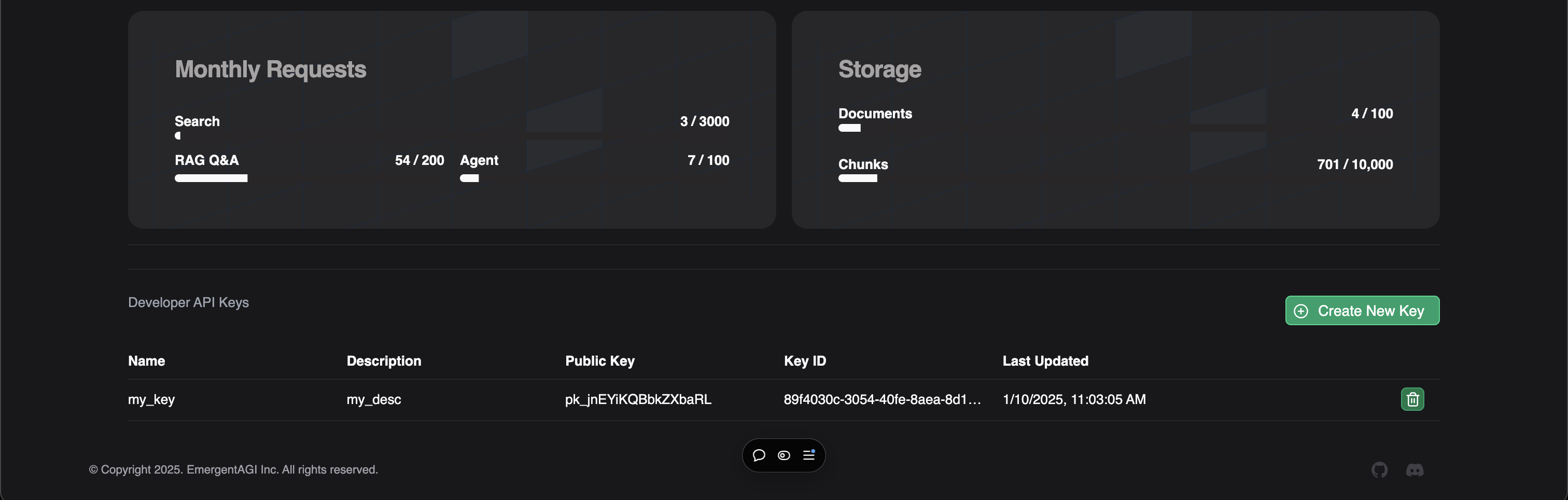
Next, store your R2R API key in your local CLI, or set the local environment variable `R2R_API_KEY`. Be sure to include the entire API key \``pk_..`**.**`sk_...`\`.
###### CLI
###### Python
###### JavaScript
`` | | | | --- | --- | | $ | r2r set-api-key pk....sk_..... ### for authenticated deployments, e.g. SciPhi Cloud | | > | # or do `export R2R_API_KEY=pk....sk_....` | ``
[4](/documentation/quickstart#ingesting-files)
### Ingesting files
When you ingest files into R2R, the server accepts the task, processes and chunks the file, and generates a summary of the document.
###### CLI
###### Python
###### JavaScript
` | | | | --- | --- | | $ | r2r documents create --file-path= | `
Example output:
` [{'message': 'Ingestion task queued successfully.', 'task_id': '2b16bb55-4f47-4e66-a6bd-da9e215b9793', 'document_id': '9fbe403b-c11c-5aae-8ade-ef22980c3ad1'}] `
[5](/documentation/quickstart#executing-a-search)
### Executing a search
Perform a search query:
###### CLI
###### Python
###### JavaScript
` | | | | --- | --- | | $ | r2r retrieval search --query="Who was aristotle?" | `
The search query will use basic similarity search to find the most relevant documents. You can use advanced search methods like [hybrid search](/documentation/hybrid-search)
or [graph search](/documentation/graphs)
depending on your use case.
Example output:
` | | | --- | | {'results': | | {'chunk_search_results': [ | | { | | 'fragment_id': '34c32587-e2c9-529f-b0a7-884e9a3c3b2e', | | 'extraction_id': '8edf5123-0a5c-568c-bf97-654b6adaf8dc', | | 'document_id': '9fbe403b-c11c-5aae-8ade-ef22980c3ad1', | | 'user_id': '2acb499e-8428-543b-bd85-0d9098718220', | | 'collection_ids': [], | | 'score': 0.780314067545999, | | 'text': 'Aristotle[A] (Greek: Ἀριστοτέλης Aristotélēs, | | pronounced [aristotélɛːs]; 384–322 BC) was an Ancient | | Greek philosopher and polymath. His writings cover a | | broad range of subjects spanning the natural sciences, | | philosophy, linguistics, economics, politics, | | psychology, and the arts… | | 'metadata': { | | 'title': 'aristotle.txt', | | 'version': 'v0', | | 'chunk_order': 0, | | ... | `\
\
[6](/documentation/quickstart#rag)\
\
### RAG\
\
Generate a RAG response:\
\
###### CLI\
\
###### Python\
\
###### JavaScript\
\
` | | | | --- | --- | | $ | r2r retrieval search --query="who was aristotle?" | `\
\
Example output:\
\
` | | | --- | | Search Results: | | {'chunk_search_results': ... } | | Completion: | | {'results': [ | | { | | 'id': 'chatcmpl-9eXL6sKWlUkP3f6QBnXvEiKkWKBK4', | | 'choices': [ | | { | | 'finish_reason': 'stop', | | 'index': 0, | | 'logprobs': None, | | 'message': { | | 'content': "Aristotle (384–322 BC) was an Ancient Greek | | philosopher and polymath whose writings | | covered a broad range of subjects including | | the natural sciences… | `\
\
Additional Features\
-------------------\
\
R2R offers the additional features below to enhance your document management and user experience.\
\
### Graphs\
\
R2R provides powerful entity and relationshipo extraction capabilities that enhance document understanding and retrieval. These can leveraged to construct knowledge graphs inside R2R. The system can automatically identify entities, build relationships between them, and create enriched knowledge graphs from your document collection.\
\
[Knowledge Graphs\
\
Automatically extract entities and relationships from documents to form knowledge graphs.](/documentation/graphs)\
\
### Users and Collections\
\
R2R provides a complete set of user authentication and management features, allowing you to implement secure and feature-rich authentication systems or integrate with your preferred authentication provider. Further, collections exist to enable efficient access control and organization of users and documents.\
\
[User Auth Cookbook\
\
Learn how to implement user registration, login, email verification, and more using R2R’s built-in authentication capabilities.](/documentation/user-auth)\
[Collections Cookbook\
\
Discover how to create, manage, and utilize collections in R2R for granular access control and document organization.](/documentation/collections)\
\
Next Steps\
----------\
\
Now that you have a basic understanding of R2R’s core features, you can explore more advanced topics:\
\
* Dive into [document ingestion](/documentation/documents)\
and [the document reference](/api-and-sdks/documents/documents)\
.\
* Learn about [search and RAG](/documentation/hybrid-search)\
and the [retrieval reference](/api-and-sdks/retrieval/retrieval)\
.\
* Try advanced techniques like [knowledge-graphs](/documentation/graphs)\
and refer to the [graph reference](/api-and-sdks/graphs/graphs)\
.\
* Learn about [user authentication](/documentation/user-auth)\
to secure your application permissions and [the users API reference](/api-and-sdks/users/users)\
.\
* Organize your documents using [collections](/api-and-sdks/collections/collections)\
for granular access control.\
\
[Built with](https://buildwithfern.com/?utm_campaign=buildWith&utm_medium=docs&utm_source=r2r-docs.sciphi.ai)
---
# Collections — The most advanced AI retrieval system. Containerized, Retrieval-Augmented Generation (RAG) with a RESTful API.
R2R provides a powerful and flexible collection system to organize documents and manage access permissions. Collections serve as containers that help you group related content, control access among users, and build knowledge graphs across document sets.
Refer to the [collections API and SDK reference](/api-and-sdks/collections/collections)
for detailed examples for interacting with collections.
Overview
--------
Collections in R2R serve three core purposes:
1. Group documents into logical categories for better organization and discovery
2. Control access permissions at a collection level rather than per document
3. Enable knowledge extraction and insights across related document sets
Each user receives a default collection upon joining R2R, and can create additional collections as needed to organize different types of content.
Collection Management
---------------------
When you create a collection in R2R, you become its owner and gain full control over its configuration and contents. Collections can contain any number of documents, and a single document can belong to multiple collections simultaneously.
The system maintains a complete audit trail of collection changes, tracking modifications to:
* Collection metadata (name, description, settings)
* Document additions and removals
* User access grants and revocations
* Knowledge graph extractions and updates
When deleting a collection, R2R preserves all documents while removing only the collection structure and associated permissions. This ensures no content is accidentally lost during collection management.
Permission Model
----------------
R2R implements a straightforward permission model for collections:
* **Collection Owners** have full control, including deletion rights and user management
* **Collection Members** can access and interact with documents based on granted permissions
* **Non-Members** have no access to the collection or its contents
The permission model ensures documents remain secure while making sharing straightforward. When you add a document to a collection, it automatically inherits the collection’s permission settings.
Document Management
-------------------
The collection system provides comprehensive tools for organizing and managing documents. You can view collection contents, filter documents by various criteria, and perform batch operations across document sets.
Key document management features include:
* Adding documents during or after initial ingestion
* Removing documents without affecting the original content
* Filtering and searching within collection contents
* Exporting document lists and collection metadata
Knowledge Graph Integration
---------------------------
Collections in R2R integrate deeply with the knowledge graph system. When enabled, R2R processes documents within collections to:
1. Extract entities and relationships from document content
2. Build semantic connections between related documents
3. Generate collection-level insights and summaries
4. Enable semantic search across collection contents
Enterprise Features
-------------------
The following features are restricted to:
* Self-hosted instances
* Enterprise tier cloud accounts
Contact our sales team for pricing and availability.
Enterprise deployments gain access to advanced collection capabilities including:
* Hierarchical collections for complex organizational structures
* Collection templates for standardized content organization
* Automated permission sync with external systems
* Advanced analytics and reporting
* Custom metadata fields
* Comprehensive audit logging
Conclusion
----------
Collections form the foundation of document organization and access control in R2R. Through their flexible design and powerful features, they enable teams to create organized, secure, and collaborative document management systems. Whether managing a small team’s documents or implementing enterprise-wide content organization, collections provide the tools needed for effective document management.
[Built with](https://buildwithfern.com/?utm_campaign=buildWith&utm_medium=docs&utm_source=r2r-docs.sciphi.ai)
---
# Users — The most advanced AI retrieval system. Containerized, Retrieval-Augmented Generation (RAG) with a RESTful API.
User management features are currently restricted to:
* Self-hosted instances
* Enterprise tier cloud accounts
Contact our sales team for Enterprise pricing and features.
R2R provides a comprehensive user management and authentication system that enables secure access control, user administration, and profile management. This system serves as the foundation for document ownership, collection permissions, and collaboration features throughout R2R.
Refer to the [users API and SDK reference](/api-and-sdks/users/users)
for detailed examples for interacting with users.
Core Concepts
-------------
R2R’s user system is built around three fundamental principles. First, it ensures secure authentication through multiple methods including email/password and API keys. Second, it provides flexible authorization with role-based access control. Third, it maintains detailed user profiles that integrate with R2R’s document and collection systems.
Authentication
--------------
Users can authenticate with R2R through several secure methods. Traditional email and password authentication provides standard access, while API keys enable programmatic integration. The system supports session management with refresh tokens for extended access and automatic session expiration for security.
When email verification is enabled, new users must verify their email address before gaining full system access. This verification process helps prevent unauthorized accounts and ensures reliable communication channels for important system notifications.
User Management
---------------
### Profile Information
Each user in R2R has a comprehensive profile that includes:
1. Core Identity
* Email address (unique identifier)
* Display name
* Optional biography and profile picture
2. System Status
* Account creation date
* Active/inactive status
* Verification status
* Last activity timestamp
### Role-Based Access
R2R implements a straightforward but powerful role system:
Regular users can manage their own content, including:
* Creating and managing documents
* Participating in collections they’re granted access to
* Managing their profile and authentication methods
Superusers have additional system-wide capabilities:
* Managing other user accounts
* Accessing system settings and configurations
* Viewing usage analytics and audit logs
* Overriding standard permission limits
API Access
----------
R2R provides flexible API access through dedicated API keys. Users can:
* Generate multiple API keys for different applications
* Name and track individual keys
* Monitor key usage and last-access times
* Rotate or revoke keys as needed
The system maintains a clear audit trail of API key creation, usage, and deletion to help users manage their programmatic access securely.
Security Features
-----------------
### Account Protection
R2R implements multiple security measures to protect user accounts:
* Strong password requirements
* Secure password reset flows
* Session management and forced logout capabilities
* Activity monitoring and suspicious behavior detection
### Email Security
The email system handles several security-critical functions:
* Account verification for new users
* Secure password reset workflows
* Important security notifications
* System alerts and updates
Document Management
-------------------
Users automatically become owners of documents they create, granting them full control over those resources. Through collections, users can:
* Share documents with other users
* Set document permissions
* Track document usage and access
* Manage document lifecycles
Enterprise Features
-------------------
The following features require an Enterprise license or self-hosted installation. Contact our sales team for details.
Enterprise deployments gain access to advanced user management features including:
* Single Sign-On (SSO) integration
* Advanced user analytics and reporting
* Custom user fields and metadata
* Bulk user management tools
* Enhanced security policies and controls
Conclusion
----------
The R2R user system provides a secure and flexible foundation for document management and collaboration. Through careful design and robust security measures, it enables both simple user management and complex enterprise scenarios while maintaining strong security standards.
[Built with](https://buildwithfern.com/?utm_campaign=buildWith&utm_medium=docs&utm_source=r2r-docs.sciphi.ai)
---
# Knowledge Graphs in R2R — The most advanced AI retrieval system. Containerized, Retrieval-Augmented Generation (RAG) with a RESTful API.
R2R’s knowledge graph system automatically extracts entities and relationships from documents, organizing them into rich semantic networks for improved search, analysis and knowledge discovery. The system integrates tightly with collections to enable flexible organization and access control.
For an end-to-end example of building a graph, check out our [graph cookbook](/cookbooks/graphs)
Refer to the [graphs API and SDK reference](/api-and-sdks/graphs/graphs)
for detailed examples for interacting with graphs.
Core Concepts
-------------
Graphs in R2R operate at two levels:
1. **Document Level**: Individual documents undergo entity and relationship extraction using advanced language models. This captures key concepts, people, organizations, and connections within each document.
2. **Collection Level**: Collections act as containers for documents and maintain unified graphs. Collection graphs combine and deduplicate entities across documents while preserving source information.
Building Graphs
---------------
### Element Extraction
When you extract the entities and relationships from a document, R2R:
1. Analyzes document content using language models to identify entities
2. Extracts relationships between entities
3. Generates rich metadata and descriptions
4. Creates embeddings for semantic search
These are then used to populate a graph.
For example, after extraction from a research paper:
` | | | | --- | --- | | 1 | # View extracted entities | | 2 | entities = client.documents.list_entities(document_id) | | 3 | print(entities) | | 4 | # -> [ | | 5 | # {"name": "DEEP_LEARNING", | | 6 | # "description": "A subset of machine learning using neural networks", | | 7 | # "category": "CONCEPT"}, | | 8 | # {"name": "TRANSFORMERS", | | 9 | # "description": "Neural network architecture using self-attention", | | 10 | # "category": "CONCEPT"} | | 11 | # ] | | 12 | | | 13 | # View relationships between entities | | 14 | relationships = client.documents.list_relationships(document_id) | | 15 | print(relationships) | | 16 | # -> [ | | 17 | # {"subject": "DEEP_LEARNING", | | 18 | # "predicate": "IS_SUBSET_OF", | | 19 | # "object": "MACHINE_LEARNING"} | | 20 | # ] | `
### Collection Graphs
Collections maintain unified knowledge graphs that combine entities and relationships across documents. The system:
1. Deduplicates entities and relationships
2. Preserves document source information
3. Updates automatically as documents are added
4. Enables graph-wide analysis
Knowledge Graph Communities
---------------------------
R2R automatically analyzes graph structure to identify logical groupings of related entities called communities. This enables:
1. Higher-level understanding of themes across many documents
2. Discovery of hidden connections
3. Improved knowledge navigation
4. Semantic topic clustering
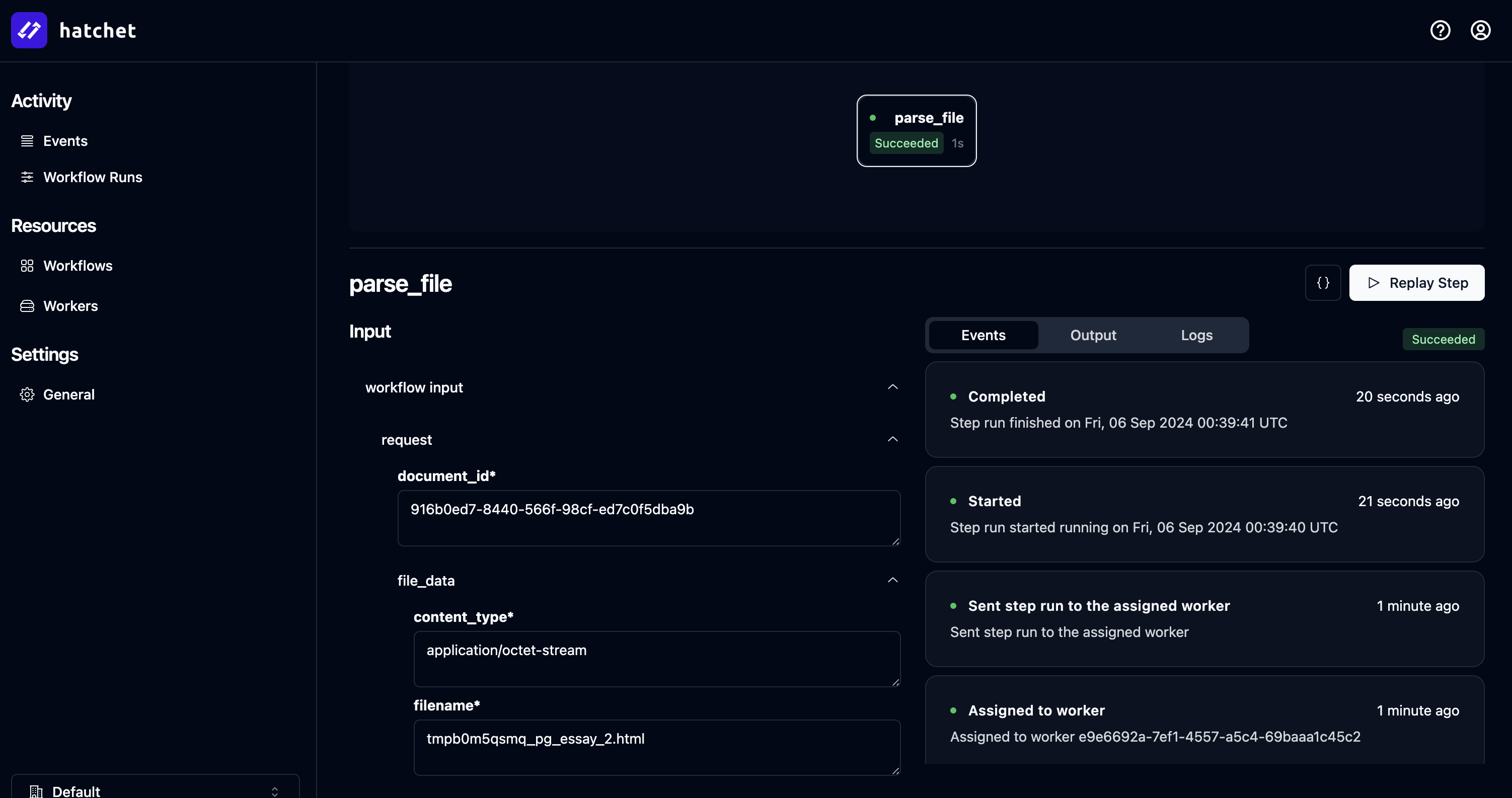
Analyzing knowledge graph communities in Hatchet
Using Knowledge Graphs
----------------------
### Enhanced Search
Knowledge graphs automatically improve search by:
1. Providing rich entity and relationship context
2. Enabling semantic similarity matching
3. Supporting concept-based navigation
4. Surfacing related content through graph connections
` | | | | --- | --- | | 1 | # Search with knowledge graph context | | 2 | results = client.retrieval.search( | | 3 | "What is deep learning?", | | 4 | search_settings={ | | 5 | "graph_settings": {"enabled": True} | | 6 | } | | 7 | ) | `
### RAG Integration
Knowledge graphs enhance RAG responses by providing:
* Structured entity information
* Relationship context
* Community-level insights
* Cross-document connections
` | | | | --- | --- | | 1 | # RAG with knowledge graph context | | 2 | response = client.retrieval.rag( | | 3 | "Explain deep learning's relationship to ML", | | 4 | graph_settings={"enabled": True} | | 5 | ) | `
Enterprise Features
-------------------
The following features are restricted to:
* Self-hosted instances
* Enterprise tier cloud accounts
Contact our sales team for pricing and availability.
Advanced knowledge graph capabilities include:
* Custom entity extraction rules
* Manual graph curation tools
* Graph export and import
* Advanced graph analytics
* Custom visualization tools
Conclusion
----------
R2R’s knowledge graphs provide powerful document analysis and knowledge discovery capabilities through automatic entity extraction and graph construction. Deep integration with collections enables flexible organization, while community detection uncovers hidden patterns and relationships in your content.
[Built with](https://buildwithfern.com/?utm_campaign=buildWith&utm_medium=docs&utm_source=r2r-docs.sciphi.ai)
---
# Search and RAG — The most advanced AI retrieval system. Containerized, Retrieval-Augmented Generation (RAG) with a RESTful API.
R2R provides powerful search and retrieval capabilities through vector search, full-text search, and Retrieval-Augmented Generation (RAG). The system supports multiple search modes and extensive runtime configuration to help you find and contextualize information effectively.
Refer to the [retrieval API and SDK reference](/api-and-sdks/retrieval/retrieval)
for detailed retrieval examples.
Search Capabilities
-------------------
R2R offers three search modes:
1. **Basic Mode**: Simple semantic search using vector embeddings. Ideal for finding contextually similar content.
2. **Advanced Mode**: Combines semantic and full-text search for comprehensive results. Automatically balances between exact matches and semantic similarity.
3. **Custom Mode**: Complete control over search configuration including weights, limits, and search types.
### Basic Search Example
` | | | | --- | --- | | 1 | from r2r import R2RClient | | 2 | | | 3 | client = R2RClient() | | 4 | | | 5 | # Simple semantic search | | 6 | results = client.retrieval.search( | | 7 | query="What are the effects of climate change?", | | 8 | search_mode="basic" | | 9 | ) | `
### Advanced Search Example
` | | | | --- | --- | | 1 | # Hybrid search with filters | | 2 | results = client.retrieval.search( | | 3 | query="What are the effects of climate change?", | | 4 | search_mode="advanced", | | 5 | search_settings={ | | 6 | "filters": { | | 7 | "document_type": {"$eq": "research_paper"}, | | 8 | "year": {"$gt": 2020} | | 9 | }, | | 10 | "limit": 10 | | 11 | } | | 12 | ) | `
RAG Integration
---------------
R2R’s RAG system enhances search results by using them as context for AI-generated responses. You can configure both the search behavior and generation parameters at runtime.
### Basic RAG Example
` | | | | --- | --- | | 1 | # Simple RAG query | | 2 | response = client.retrieval.rag( | | 3 | query="Summarize recent climate change effects", | | 4 | search_settings={ | | 5 | "limit": 5, | | 6 | "filters": {"year": {"$gt": 2020}} | | 7 | } | | 8 | ) | `
### Advanced RAG Configuration
` | | | | --- | --- | | 1 | # RAG with custom settings | | 2 | response = client.retrieval.rag( | | 3 | query="Summarize recent climate change effects", | | 4 | search_settings={ | | 5 | "limit": 5, | | 6 | "use_hybrid_search": True, | | 7 | "filters": {"year": {"$gt": 2020}}, | | 8 | "chunk_settings": {"limit": 10}, | | 9 | "graph_settings": {"enabled": True} | | 10 | }, | | 11 | rag_generation_config={ | | 12 | "model": "anthropic/claude-3-opus-20240229", | | 13 | "temperature": 0.7, | | 14 | "max_tokens": 500 | | 15 | } | | 16 | ) | `
### Custom Prompting
You can override default prompts to customize how RAG generates responses:
` | | | | --- | --- | | 1 | response = client.retrieval.rag( | | 2 | query="Summarize recent climate change effects", | | 3 | search_settings={"limit": 5}, | | 4 | task_prompt_override=( | | 5 | "Based on the provided documents, create a detailed summary that:" | | 6 | "\n1. Highlights key findings" | | 7 | "\n2. Notes research methodologies" | | 8 | "\n3. Identifies gaps in current understanding" | | 9 | "\n\nQuery: {query}" | | 10 | "\n\nDocuments: {documents}" | | 11 | ) | | 12 | ) | `
Conclusion
----------
R2R’s search and RAG capabilities provide flexible tools for finding and contextualizing information. Whether you need simple semantic search or complex hybrid retrieval with custom RAG generation, the system can be configured to meet your specific needs.
[Built with](https://buildwithfern.com/?utm_campaign=buildWith&utm_medium=docs&utm_source=r2r-docs.sciphi.ai)
---
# Prompts — The most advanced AI retrieval system. Containerized, Retrieval-Augmented Generation (RAG) with a RESTful API.
Prompt management features are currently restricted to:
* Self-hosted instances
* Enterprise tier cloud accounts
Contact our sales team for Enterprise pricing and features.
R2R provides a powerful prompt management system that enables you to create, store, and reuse prompt templates across your application. The system supports variable substitution, input validation, and efficient caching for high-performance applications.
Refer to the [prompts API and SDK reference](/api-and-sdks/prompts/prompts)
for detailed examples for interacting with prompts.
Core Concepts
-------------
The prompt system operates using three main components:
1. **Templates** - Reusable prompt patterns with variable placeholders
2. **Input Types** - Type definitions for template variables ensuring proper usage
3. **Caching** - Performance optimization for frequently used prompts
Template Management
-------------------
### Creating Templates
Templates are prompt patterns that can include variable placeholders. Each template includes:
* A unique name for identification
* The template text with variable placeholders
* Input type definitions specifying expected variable types
For example, a simple greeting template:
` | | | | --- | --- | | 1 | template = "Hello {name}, welcome to {company}!" | | 2 | input_types = { | | 3 | "name": "string", | | 4 | "company": "string" | | 5 | } | `
### Input Validation
R2R automatically validates inputs against defined types before rendering templates. This ensures:
* Required variables are provided
* Values match their expected types
* Invalid or missing variables are caught early
### Template Inheritance
Templates can build on each other through:
1. Base templates for common patterns
2. Specialized templates that extend base templates
3. Override capabilities for customization
Using Prompts
-------------
### Basic Usage
Templates can be used directly with input values:
` | | | | --- | --- | | 1 | greeting = prompts.get( | | 2 | name="welcome_template", | | 3 | inputs={ | | 4 | "name": "John", | | 5 | "company": "Acme Inc" | | 6 | } | | 7 | ) | | 8 | # -> "Hello John, welcome to Acme Inc!" | `
### System Prompts
Special system prompts can be defined for consistent AI interactions across your application. These provide:
1. Base context for AI models
2. Standard instruction sets
3. Common constraints or rules
### Task Prompts
Task-specific prompts build on system prompts to:
1. Define specific operations or questions
2. Include relevant context
3. Guide model responses
Performance Optimization
------------------------
The prompt system includes built-in performance features:
1. **Template Caching** - Frequently used templates are cached in memory
2. **Render Caching** - Common prompt/input combinations are cached
3. **Smart Invalidation** - Cache updates when templates change
Conclusion
----------
R2R’s prompt management system provides a robust foundation for working with AI models. Through templates, input validation, and performance optimization, it enables consistent and efficient prompt usage across your application.
[Built with](https://buildwithfern.com/?utm_campaign=buildWith&utm_medium=docs&utm_source=r2r-docs.sciphi.ai)
---
# Walkthrough — The most advanced AI retrieval system. Containerized, Retrieval-Augmented Generation (RAG) with a RESTful API.
This guide shows how to use R2R to:
1. Ingest files into R2R
2. Search over ingested files
3. Use your data as input to RAG (Retrieval-Augmented Generation)
4. Extract entities and relationships from your data to create a graph.
5. Perform basic user auth
6. Observe and analyze an R2R deployment
Introduction
------------
R2R is an engine for building user-facing Retrieval-Augmented Generation (RAG) applications. At its core, R2R provides this service through an architecture of providers, services, and an integrated RESTful API. This cookbook provides a detailed walkthrough of how to interact with R2R. [Refer here](/introduction/system)
for a deeper dive on the R2R system architecture.
Hello R2R
---------
R2R gives developers configurable vector search and RAG right out of the box, as well as direct method calls instead of the client-server architecture seen throughout the docs:
core/examples/hello\_r2r.py
` | | | | --- | --- | | 1 | from r2r import R2RClient | | 2 | | | 3 | client = R2RClient() | | 4 | | | 5 | with open("test.txt", "w") as file: | | 6 | file.write("John is a person that works at Google.") | | 7 | | | 8 | client.documents.create(file_path="test.txt") | | 9 | | | 10 | # Call RAG directly | | 11 | rag_response = client.retrieval.rag( | | 12 | query="Who is john", | | 13 | rag_generation_config={"model": "openai/gpt-4o-mini", "temperature": 0.0}, | | 14 | ) | | 15 | results = rag_response["results"] | | 16 | | | 17 | print(f"Search Results:\n{results['search_results']}") | | 18 | # {'chunk_search_results': [{'chunk_id': 'b9f40dbd-2c8e-5c0a-8454-027ac45cb0ed', 'document_id': '7c319fbe-ca61-5770-bae2-c3d0eaa8f45c', 'user_id': '2acb499e-8428-543b-bd85-0d9098718220', 'collection_ids': ['122fdf6a-e116-546b-a8f6-e4cb2e2c0a09'], 'score': 0.6847735847465275, 'text': 'John is a person that works at Google.', 'metadata': {'version': 'v0', 'chunk_order': 0, 'document_type': 'txt', 'associated_query': 'Who is john'}}], 'kg_search_results': []} | | 19 | | | 20 | print(f"Completion:\n{results['completion']}") | | 21 | # {'id': 'chatcmpl-AV1Sc9DORfHvq7yrmukxfJPDV5dCB', 'choices': [{'finish_reason': 'stop', 'index': 0, 'logprobs': None, 'message': {'content': 'John is a person that works at Google [1].', 'refusal': None, 'role': 'assistant', 'audio': None, 'function_call': None, 'tool_calls': None}}], 'created': 1731957146, 'model': 'gpt-4o-mini', 'object': 'chat.completion', 'service_tier': None, 'system_fingerprint': 'fp_04751d0b65', 'usage': {'completion_tokens': 11, 'prompt_tokens': 145, 'total_tokens': 156, 'completion_tokens_details': None, 'prompt_tokens_details': None}} | `
Document Ingestion and Management
---------------------------------
R2R efficiently handles diverse document types using Postgres with pgvector, combining relational data management with vector search capabilities. This approach enables seamless ingestion, storage, and retrieval of multimodal data, while supporting flexible document management and user permissions.
Key features include:
* Unique [`Document`](/api-and-sdks/documents/documents)
, with corresponding `id`, created for each ingested file or context, which contains the downstream [`Chunks`](/api-and-sdks/chunks/chunks)
and [`Entities` & `Relationships`](/api-and-sdks/graphs/graphs)
.
* [`User`](/api-and-sdks/users/users)
and [`Collection`](/api-and-sdks/collections/collections)
objects for comprehensive document permissions.
* [`Graph`](/api-and-sdks/graphs/graphs)
, construction and maintenance.
* Flexible document deletion and update mechanisms at global document and chunk levels.
Note, all document related commands are gated to documents the user has uploaded or has access to through shared collections, with the exception of superusers.
###### Create Documents
R2R offers a powerful data ingestion process that handles various file types including `html`, `pdf`, `png`, `mp3`, and `txt`.
The ingestion process parses, chunks, embeds, and stores documents efficiently. A durable orchestration workflow coordinates the entire process.
###### CLI
###### Python
###### JavaScript
` | | | | --- | --- | | $ | # r2r set-api-base https://api.cloud.sciphi.ai ### for self-hosted deployment | | > | # r2r set-api-key sk_..... ### for authenticated deployments, e.g. SciPhi Cloud | | > | r2r documents create-samples | `
This command initiates the ingestion process, producing output similar to:
` | | | | --- | --- | | $ | [{'message': 'Ingestion task queued successfully.', 'task_id': '6e27dfca-606d-422d-b73f-2d9e138661b4', 'document_id': '28a7266e-6cee-5dd2-b7fa-e4fc8f2b49c6'}, {'message': 'Ingestion task queued successfully.', 'task_id': 'd37deef1-af08-4576-bd79-6d2a7fb6ec33', 'document_id': '2c91b66f-e960-5ff5-a482-6dd0a523d6a1'}, {'message': 'Ingestion task queued successfully.', 'task_id': '4c1240f0-0692-4b67-8d2b-1428f71ea9bc', 'document_id': '638f0ed6-e0dc-5f86-9282-1f7f5243d9fa'}, {'message': 'Ingestion task queued successfully.', 'task_id': '369abcea-79a2-480c-9ade-bbc89f5c500e', 'document_id': 'f25fd516-5cac-5c09-b120-0fc841270c7e'}, {'message': 'Ingestion task queued successfully.', 'task_id': '7c99c168-97ee-4253-8a6f-694437f3e5cb', 'document_id': '77f67c65-6406-5076-8176-3844f3ef3688'}, {'message': 'Ingestion task queued successfully.', 'task_id': '9a6f94b0-8fbc-4507-9435-53e0973aaad0', 'document_id': '9fbe403b-c11c-5aae-8ade-ef22980c3ad1'}, {'message': 'Ingestion task queued successfully.', 'task_id': '61d0e2e0-45ec-43db-9837-ff4da5166ee9', 'document_id': '0032a7a7-cb2a-5d08-bfc1-93d3b760deb4'}, {'message': 'Ingestion task queued successfully.', 'task_id': '1479390e-c295-47b0-a570-370b05b86c8b', 'document_id': 'f55616fb-7d48-53d5-89c2-15d7b8e3834c'}, {'message': 'Ingestion task queued successfully.', 'task_id': '92f73a07-2286-4c42-ac02-d3eba0f252e0', 'document_id': '916b0ed7-8440-566f-98cf-ed7c0f5dba9b'}] | `
Key features of the ingestion process:
1. Unique `document_id` generation for each file
2. Metadata association, including `user_id` and `collection_ids` for document management
3. Efficient parsing, chunking, and embedding of diverse file types
###### Retrieving Documents
R2R allows retrieval of high-level document information stored in a relational table within the Postgres database. To fetch this information:
###### CLI
###### Python
###### Curl
` | | | | --- | --- | | $ | r2r documents list | `
This command returns document metadata, including:
` | | | | --- | --- | | $ | [ | | > | { | | > | 'id': '9fbe403b-c11c-5aae-8ade-ef22980c3ad1', | | > | 'title': 'aristotle.txt', | | > | 'user_id': '2acb499e-8428-543b-bd85-0d9098718220', | | > | 'type': 'txt', | | > | 'created_at': '2024-09-06T03:32:02.991742Z', | | > | 'updated_at': '2024-09-06T03:32:02.991744Z', | | > | 'ingestion_status': 'success', | | > | 'restructuring_status': 'pending', | | > | 'version': 'v0', | | > | 'collection_ids': ['122fdf6a-e116-546b-a8f6-e4cb2e2c0a09'], | | > | 'metadata': {'title': 'aristotle.txt', 'version': 'v0'} | | > | } | | > | ... | | > | ] | `
This overview provides quick access to document versions, sizes, and associated metadata, facilitating efficient document management.
###### Retrieving Document Chunks
R2R enables retrieval of specific document chunks and associated metadata. To fetch chunks for a particular document by id:
###### CLI
###### Python
###### JavaScript
###### Curl
` | | | | --- | --- | | $ | r2r documents list-chunks 9fbe403b-c11c-5aae-8ade-ef22980c3ad1 | `
This command returns detailed chunk information:
` | | | | --- | --- | | $ | [ | | > | { | | > | 'text': 'Aristotle[A] (Greek: Ἀριστοτέλης Aristotélēs, pronounced [aristotélɛːs]; 384–322 BC) was an Ancient Greek philosopher and polymath. His writings cover a broad range of subjects spanning the natural sciences, philosophy, linguistics, economics, politics, psychology, and the arts. As the founder of the Peripatetic school of philosophy in the Lyceum in Athens, he began the wider Aristotelian tradition that followed, which set the groundwork for the development of modern science.', | | > | 'title': 'aristotle.txt', | | > | 'user_id': '2acb499e-8428-543b-bd85-0d9098718220', | | > | 'version': 'v0', | | > | 'chunk_order': 0, | | > | 'document_id': '9fbe403b-c11c-5aae-8ade-ef22980c3ad1', | | > | 'extraction_id': 'aeba6400-1bd0-5ee9-8925-04732d675434', | | > | 'fragment_id': 'f48bcdad-4155-52a4-8c9d-8ba06e996ba3', | | > | }, | | > | ... | | > | ] | `
These features allow for granular access to document content.
###### Deleting Documents
R2R supports flexible document deletion through a method that can run arbitrary deletion filters. To delete a document by its ID:
###### CLI
###### Python
###### JavaScript
###### Curl
` | | | | --- | --- | | $ | r2r documents delete 9fbe403b-c11c-5aae-8ade-ef22980c3ad1 | `
This command produces output similar to:
` | | | | --- | --- | | $ | {"results": {"success": True}} | `
Key features of the deletion process:
1. Deletion by document ID,
2. Cascading deletion of associated chunks and metadata
3. Deletion by filter, e.g. by text match, user id match, or other with `documents/by-filter`.
This flexible deletion mechanism ensures precise control over document management within the R2R system.
For more advanced document management techniques and user authentication details, refer to [the user documentation](/documentation/user-auth)
.
AI Powered Search
-----------------
R2R offers powerful and highly configurable search capabilities, including vector search, hybrid search, and knowledge graph-enhanced search. These features allow for more accurate and contextually relevant information retrieval.
### Vector Search
Vector search parameters inside of R2R can be fine-tuned at runtime for optimal results. Here’s how to perform a basic vector search:
###### CLI
###### Python
###### JavaScript
###### Curl
` | | | | --- | --- | | 1 | r2r retrieval search --query="What was Uber's profit in 2020?" | `
###### Expected Output
` | | | | --- | --- | | 1 | { 'results': | | 2 | {'chunk_search_results': | | 3 | [ | | 4 | { | | 5 | 'fragment_id': 'ab6d0830-6101-51ea-921e-364984bfd177', | | 6 | 'extraction_id': '429976dd-4350-5033-b06d-8ffb67d7e8c8', | | 7 | 'document_id': '26e0b128-3043-5674-af22-a6f7b0e54769', | | 8 | 'user_id': '2acb499e-8428-543b-bd85-0d9098718220', | | 9 | 'collection_ids': [], | | 10 | 'score': 0.285747126074015, | | 11 | 'text': 'Net\n loss attributable to Uber Technologies, Inc. was $496 million, a 93% improvement year-over-year, driven by a $1.6 billion pre-tax gain on the sale of ourATG\n Business to Aurora, a $1.6 billion pre-tax net benefit relating to Ubers equity investments, as well as reductions in our fixed cost structure and increasedvariable cost effi\nciencies. Net loss attributable to Uber Technologies, Inc. also included $1.2 billion of stock-based compensation expense.Adjusted', | | 12 | 'metadata': {'title': 'uber_2021.pdf', 'version': 'v0', 'chunk_order': 5, 'associatedQuery': "What was Uber's profit in 2020?"} | | 13 | }, | | 14 | ... | | 15 | ] | | 16 | } | | 17 | } | `
Key configurable parameters for vector search can be inferred from the [retrieval API reference](/api-and-sdks/retrieval/retrieval)
.
### Hybrid Search
R2R supports hybrid search, which combines traditional keyword-based search with vector search for improved results. Here’s how to perform a hybrid search:
###### CLI
###### Python
###### JavaScript
###### Curl
` | | | | --- | --- | | 1 | r2r retrieval search --query="What was Uber's profit in 2020?" --use-hybrid-search=True | `
Retrieval-Augmented Generation (RAG)
------------------------------------
R2R is built around a comprehensive Retrieval-Augmented Generation (RAG) engine, allowing you to generate contextually relevant responses based on your ingested documents. The RAG process combines all the search functionality shown above with Large Language Models to produce more accurate and informative answers.
###### Basic RAG
To generate a response using RAG, use the following command:
###### CLI
###### Python
###### JavaScript
###### Curl
` | | | | --- | --- | | $ | r2r retrieval rag --query="What was Uber's profit in 2020?" | `
**Example Output:**
` | | | | --- | --- | | $ | {'results': [ | | > | ChatCompletion( | | > | id='chatcmpl-9RCB5xUbDuI1f0vPw3RUO7BWQImBN', | | > | choices=[ | | > | Choice( | | > | finish_reason='stop', | | > | index=0, | | > | logprobs=None, | | > | message=ChatCompletionMessage( | | > | content="Uber's profit in 2020 was a net loss of $6,768 million [10].", | | > | role='assistant', | | > | function_call=None, | | > | tool_calls=None) | | > | ) | | > | ], | | > | created=1716268695, | | > | model='gpt-4o-mini', | | > | object='chat.completion', | | > | system_fingerprint=None, | | > | usage=CompletionUsage(completion_tokens=20, prompt_tokens=1470, total_tokens=1490) | | > | ) | | > | ]} | `
This command performs a search on the ingested documents and uses the retrieved information to generate a response.
###### RAG w/ Hybrid Search
R2R also supports hybrid search in RAG, combining the power of vector search and keyword-based search. To use hybrid search in RAG, simply add the `use_hybrid_search` flag to your search settings input:
###### CLI
###### Python
###### JavaScript
###### Curl
` | | | | --- | --- | | $ | r2r retrieval rag --query="Who is Jon Snow?" --use-hybrid-search=True | `
**Example Output:**
` | | | | --- | --- | | $ | {'results': [ | | > | ChatCompletion( | | > | id='chatcmpl-9cbRra4MNQGEQb3BDiFujvDXIehud', | | > | choices=[ | | > | Choice( | | > | finish_reason='stop', | | > | index=0, | | > | logprobs=None, | | > | message=ChatCompletionMessage( | | > | content="Jon Snow is mentioned in the context as one of Samwell (Sam) Tarly's closest companions at the Wall [5], [6].", | | > | role='assistant', | | > | function_call=None, | | > | tool_calls=None) | | > | ) | | > | ], | | > | created=1718987443, | | > | model='openai/gpt-4o-2024-05-13', | | > | object='chat.completion', | | > | system_fingerprint=None, | | > | usage=CompletionUsage(completion_tokens=20, prompt_tokens=1192, total_tokens=1221) | | > | ) | | > | ]} | `
This example demonstrates how hybrid search can enhance the RAG process by combining semantic understanding with keyword matching, potentially providing more accurate and comprehensive results.
###### Streaming RAG
R2R also supports streaming RAG responses, which can be useful for real-time applications. To use streaming RAG:
###### CLI
###### Python
###### JavaScript
` | | | | --- | --- | | $ | r2r retrieval rag --query="who was aristotle" --use-hybrid-search=True --stream | `
**Example Output:**
` | | | | --- | --- | | $ | ["{\"id\":\"808c47c5-ebef-504a-a230-aa9ddcfbd87 .... | | > | Aristotle was an Ancient Greek philosopher and polymath born in 384 BC in Stagira, Chalcidice [1], [4]. He was a student of Plato and later became the tutor of Alexander the Great [2]. Aristotle founded the Peripatetic school of philosophy in the Lyceum in Athens and made significant contributions across a broad range of subjects, including natural sciences, philosophy, linguistics, economics, politics, psychology, and the arts [4]. His work laid the groundwork for the development of modern science [4]. Aristotle's influence extended well beyond his time, impacting medieval Islamic and Christian scholars, and his contributions to logic, ethics, and biology were particularly notable [8], [9], [10].``` | `\
\
Streaming allows the response to be generated and sent in real-time, chunk by chunk.\
\
###### Customizing RAG\
\
R2R offers extensive customization options for its Retrieval-Augmented Generation (RAG) functionality:\
\
1. **Search Settings**: Customize vector and knowledge graph search parameters using `VectorSearchSettings` and `KGSearchSettings`.\
\
2. **Generation Config**: Fine-tune the language model’s behavior with `GenerationConfig`, including:\
\
* Temperature, top\_p, top\_k for controlling randomness\
* Max tokens, model selection, and streaming options\
* Advanced settings like beam search and sampling strategies\
3. **Multiple LLM Support**: Easily switch between different language models and providers:\
\
* OpenAI models (default)\
* Anthropic’s Claude models\
* Local models via Ollama\
* Any provider supported by LiteLLM\
\
Example of customizing the model:\
\
###### CLI\
\
###### Python\
\
###### JavaScript\
\
###### Curl\
\
` | | | | --- | --- | | $ | r2r retrieval rag --query="who was aristotle?" --rag-model="anthropic/claude-3-haiku-20240307" --stream --use-hybrid-search=True | `\
\
This flexibility allows you to optimize RAG performance for your specific use case and leverage the strengths of various LLM providers.\
\
Behind the scenes, R2R’s RetrievalService handles RAG requests, combining the power of vector search, optional knowledge graph integration, and language model generation. The flexible architecture allows for easy customization and extension of the RAG pipeline to meet diverse requirements.\
\
Graphs in R2R\
-------------\
\
R2R implements a Git-like model for knowledge graphs, where each collection has a corresponding graph that can diverge and be independently managed. This approach allows for flexible knowledge management while maintaining data consistency.\
\
### Graph-Collection Relationship\
\
* Each collection has an associated graph that acts similar to a Git branch\
* Graphs can diverge from their underlying collections through independent updates\
* The `pull` operation syncs the graph with its collection, similar to a Git pull\
* This model enables experimental graph modifications without affecting the base collection\
\
### Knowledge Graph Workflow\
\
###### Extract Document Knowledge\
\
Extract entities and relationships from the previously ingested document:\
\
###### CLI\
\
###### Python\
\
###### JavaScript\
\
###### Curl\
\
`` | | | | --- | --- | | $ | # default document id for default user and sample document | | > | document_id=9fbe403b-c11c-5aae-8ade-ef22980c3ad1 | | > | | | > | r2r documents extract $document_id | | > | | | > | # wait for extraction to complete, you can poll `r2r documents list` and track `extraction_status` | | > | r2r documents list-entities $document_id | | > | r2r documents list-relationships $document_id | ``\
\
This step processes the document to identify entities and their relationships.\
\
###### Initialize and Populate Graph\
\
Sync the graph with the collection and view extracted knowledge:\
\
###### CLI\
\
###### Python\
\
###### JavaScript\
\
###### Curl\
\
` | | | | --- | --- | | $ | # default collection id for default user | | > | collection_id=122fdf6a-e116-546b-a8f6-e4cb2e2c0a09 | | > | | | > | # Sync graph with collection | | > | r2r graphs pull $collection_id | | > | | | > | # View extracted knowledge | | > | r2r graphs list-entities $collection_id | | > | r2r graphs list-relationships $collection_id | `\
\
###### Build Graph Communities\
\
Build and list graph communities:\
\
###### CLI\
\
###### Python\
\
###### JavaScript\
\
###### Curl\
\
` | | | | --- | --- | | $ | # Build graph communities | | > | r2r graphs build $collection_id --settings '{}' | | > | | | > | # List communities | | > | r2r graphs list-communities $collection_id | `\
\
###### Knowledge Graph Search\
\
Perform knowledge graph-enhanced search (enabled by default):\
\
###### CLI\
\
###### Python\
\
###### JavaScript\
\
###### Curl\
\
` | | | | --- | --- | | $ | r2r retrieval search --query="who was aristotle?" --graph-search-enabled=True | `\
\
###### Cleanup\
\
Reset the graph to a clean state:\
\
###### CLI\
\
###### Python\
\
###### JavaScript\
\
###### Curl\
\
` | | | | --- | --- | | $ | r2r graphs reset $collection_id | `\
\
### Best Practices\
\
1. **Graph Synchronization**\
\
* Always `pull` before attempting to list or work with entities\
* Keep track of which documents have been added to the graph\
2. **Community Management**\
\
* Build communities after significant changes to the graph\
* Use community information to enhance search results\
3. **Version Control**\
\
* Treat graphs like Git branches - experiment freely\
* Use `reset` to start fresh if needed\
* Maintain documentation of graph modifications\
\
This Git-like model provides a flexible framework for knowledge management while maintaining data consistency and enabling experimental modifications.\
\
User Management\
---------------\
\
R2R provides robust user auth and management capabilities. This section briefly covers user authentication features and how they relate to document management.\
\
###### User Registration\
\
To register a new user:\
\
###### Python\
\
###### Curl\
\
###### JavaScript\
\
` | | | | --- | --- | | 1 | from r2r import R2RClient | | 2 | | | 3 | client = R2RClient() | | 4 | register_response = client.users.register("[[email protected]](/cdn-cgi/l/email-protection) ", "password123") | | 5 | print(f"Registration response: {register_response}") | `\
\
Example output:\
\
` | | | | --- | --- | | $ | { | | > | 'results': { | | > | 'email': '[[email protected]](/cdn-cgi/l/email-protection) ', | | > | 'id': '60af344f-7bd2-43c9-98fd-da53fe5e6d05', | | > | 'is_superuser': False, | | > | 'is_active': True, | | > | 'is_verified': False, | | > | 'verification_code_expiry': None, | | > | 'name': None, | | > | 'bio': None, | | > | 'profile_picture': None, | | > | 'created_at': '2024-07-16T21:50:57.017675Z', 'updated_at': '2024-07-16T21:50:57.017675Z' | | > | } | | > | } | `\
\
###### Email Verification\
\
After registration, users need to verify their email:\
\
###### Python\
\
###### Curl\
\
###### JavaScript\
\
` | | | | --- | --- | | 1 | verify_response = client.users.verify_email("123456") # Verification code sent to email | | 2 | print(f"Email verification response: {verify_response}") | `\
\
###### User Login\
\
To log in and obtain access tokens:\
\
###### Python\
\
###### Curl\
\
###### JavaScript\
\
` | | | | --- | --- | | 1 | login_response = client.users.login("[[email protected]](/cdn-cgi/l/email-protection) ", "password123") | | 2 | print(f"Login response: {login_response}") | `\
\
` | | | | --- | --- | | $ | # Note, verification is False in default settings | | > | Registration response: { | | > | 'results': { | | > | 'access_token': { | | > | 'token': 'eyJhbGciOiJIUzI1NiIsInR5cCI6IkpXVCJ9.eyJzdWIiOiJ0ZXN0cXFAZXhhbXBsZS5jb20iLCJleHAiOjE3MjExOTU3NDQuNzQ1MTM0LCJ0b2tlbl90eXBlIjoiYWNjZXNzIn0.-HrQlguPW4EmPupOYyn5793luaDb-YhEpEsIyQ2CbLs', | | > | 'token_type': 'access' | | > | }, | | > | 'refresh_token': { | | > | 'token': 'eyJhbGciOiJIUzI1NiIsInR5cCI6IkpXVCJ9.eyJzdWIiOiJ0ZXN0cXFAZXhhbXBsZS5jb20iLCJleHAiOjE3MjE3NzE3NDQsInRva2VuX3R5cGUiOiJyZWZyZXNoIn0.auuux_0Gg6_b5gTlUOQVCcdPuZl0eM-NFlC1OHdBqiE', | | > | 'token_type': 'refresh' | | > | } | | > | } | | > | } | `\
\
###### User-Specific Search\
\
Once authenticated, search results are automatically filtered to include only documents associated with the current user:\
\
###### Python\
\
###### Curl\
\
###### JavaScript\
\
` | | | | --- | --- | | 1 | # requires client.users.login(...) | | 2 | search_response = client.retrieval.search(query="Who was Aristotle")["results"] | | 3 | print(f"Search results: {search_response}") | `\
\
` | | | | --- | --- | | $ | # search results are empty for a new user | | > | Search results: {'chunk_search_results': [], 'kg_search_results': []} | `\
\
###### Refresh Access Token\
\
To refresh an expired access token:\
\
###### Python\
\
###### Curl\
\
###### JavaScript\
\
` | | | | --- | --- | | 1 | # requires client.users.login(...) | | 2 | refresh_response = client.users.refresh_access_token()["results"] | | 3 | print(f"Token refresh response: {refresh_response}") | `\
\
` | | | | --- | --- | | $ | Token refresh response: | | > | { | | > | 'access_token': { | | > | 'token': 'eyJhbGciOiJIUzI1NiIsInR5cCI6IkpXVCJ9.eyJzdWIiOiJ0ZXN0cXFAZXhhbXBsZS5jb20iLCJleHAiOjE3MjExOTU5NTYuODEzNDg0LCJ0b2tlbl90eXBlIjoiYWNjZXNzIn0.-CJy_cH7DRH5FKpZZauAFPP4mncnSa1j8NnaM7utGHo', | | > | 'token_type': 'access' | | > | }, | | > | 'refresh_token': { | | > | 'token': 'eyJhbGciOiJIUzI1NiIsInR5cCI6IkpXVCJ9.eyJzdWIiOiJ0ZXN0cXFAZXhhbXBsZS5jb20iLCJleHAiOjE3MjE3NzE5NTYsInRva2VuX3R5cGUiOiJyZWZyZXNoIn0.uGsgTYaUd3Mn5h24uE4ydCWhOr2vFNA9ziRAAaYgnfk', | | > | 'token_type': 'refresh' | | > | } | | > | } | `\
\
###### User Logout\
\
To log out and invalidate the current access token:\
\
###### Python\
\
###### Curl\
\
###### JavaScript\
\
` | | | | --- | --- | | 1 | # requires client.users.login(...) | | 2 | logout_response = client.users.logout() | | 3 | print(f"Logout response: {logout_response}") | `\
\
` | | | | --- | --- | | $ | { | | > | 'results': {'message': 'Logged out successfully'} | | > | } | `\
\
These authentication features ensure that users can only access and manage their own documents. When performing operations like search, RAG, or document management, the results are automatically filtered based on the authenticated user’s permissions.\
\
Remember to replace `YOUR_ACCESS_TOKEN` and `YOUR_REFRESH_TOKEN` with actual tokens obtained during the login process.\
\
Observability and Analytics\
---------------------------\
\
R2R provides robust observability and analytics features, allowing superusers to monitor system performance, track usage patterns, and gain insights into the RAG application’s behavior. These advanced features are crucial for maintaining and optimizing your R2R deployment.\
\
Observability and analytics features are restricted to superusers only. By default, R2R is configured to treat unauthenticated users as superusers for quick testing and development. In a production environment, you should disable this setting and properly manage superuser access.\
\
###### Users Overview\
\
R2R offers high level user observability for superusers\
\
###### CLI\
\
###### Python\
\
###### JavaScript\
\
###### Curl\
\
` | | | | --- | --- | | $ | r2r users list | `\
\
This command returns detailed log user information, here’s some example output:\
\
` | | | | --- | --- | | $ | {'results': [{'user_id': '2acb499e-8428-543b-bd85-0d9098718220', 'num_files': 9, 'total_size_in_bytes': 4027056, 'document_ids': ['9fbe403b-c11c-5aae-8ade-ef22980c3ad1', 'e0fc8bbc-95be-5a98-891f-c17a43fa2c3d', 'cafdf784-a1dc-5103-8098-5b0a97db1707', 'b21a46a4-2906-5550-9529-087697da2944', '9fbe403b-c11c-5aae-8ade-ef22980c3ad1', 'f17eac52-a22e-5c75-af8f-0b25b82d43f8', '022fdff4-f87d-5b0c-82e4-95d53bcc4e60', 'c5b31b3a-06d2-553e-ac3e-47c56139b484', 'e0c2de57-171d-5385-8081-b546a2c63ce3']}, ...]}} | `\
\
This summary returns information for each user about their number of files ingested, the total size of user ingested files, and the corresponding document ids.\
\
###### Logging\
\
R2R automatically logs various events and metrics during its operation. You can access these logs using the `logs` command:\
\
###### CLI\
\
###### Python\
\
###### JavaScript\
\
###### Curl\
\
` | | | | --- | --- | | $ | r2r system logs | `\
\
This command returns detailed log entries for various operations, including search and RAG requests. Here’s an example of a log entry:\
\
` | | | | --- | --- | | 1 | { | | 2 | 'run_id': UUID('27f124ad-6f70-4641-89ab-f346dc9d1c2f'), | | 3 | 'run_type': 'rag', | | 4 | 'entries': [ | | 5 | {'key': 'search_results', 'value': '["{\\"id\\":\\"7ed3a01c-88dc-5a58-a68b-6e5d9f292df2\\",...}"]'}, | | 6 | {'key': 'search_query', 'value': 'Who is aristotle?'}, | | 7 | {'key': 'rag_generation_latency', 'value': '3.79'}, | | 8 | {'key': 'llm_response', 'value': 'Aristotle (Greek: Ἀριστοτέλης Aristotélēs; 384–322 BC) was...'} | | 9 | ] | | 10 | } | `\
\
These logs provide detailed information about each operation, including search results, queries, latencies, and LLM responses.\
\
These observability and analytics features provide valuable insights into your R2R application’s performance and usage, enabling data-driven optimization and decision-making.\
\
Next Steps\
----------\
\
Now that you have a basic understanding of R2R’s core features, you can explore more advanced topics:\
\
* Dive into [document ingestion](/documentation/documents)\
and [the document reference](/api-and-sdks/documents/documents)\
.\
* Learn about [search and RAG](/documentation/hybrid-search)\
and the [retrieval reference](/api-and-sdks/retrieval/retrieval)\
.\
* Try advanced techniques like [knowledge-graphs](/documentation/graphs)\
and refer to the [graph reference](/api-and-sdks/graphs/graphs)\
.\
* Learn about [user authentication](/documentation/user-auth)\
to secure your application permissions and [the users API reference](/api-and-sdks/users/users)\
.\
* Organize your documents using [collections](/api-and-sdks/collections/collections)\
for granular access control.\
\
[Built with](https://buildwithfern.com/?utm_campaign=buildWith&utm_medium=docs&utm_source=r2r-docs.sciphi.ai)
---
# Agent — The most advanced AI retrieval system. Containerized, Retrieval-Augmented Generation (RAG) with a RESTful API.
R2R’s **Agent** system orchestrates Retrieval-Augmented Generation (RAG) to provide intelligent, multi-step reasoning over your data. By pairing large language models with R2R’s search capabilities, the agent can query your documents (and optionally the web), process queries in context, and return rich, cited answers.
* * *
Key Features
------------
* **Conversation Integration**: Context is tracked through [Conversations](/documentation/conversations)
, allowing follow-up questions
* **Hybrid Retrieval**: Combines vector search, full-text search, and (optionally) knowledge graph retrieval
* **Streaming Responses**: Optionally stream token-by-token outputs
* **Tool Usage**: Potential for extended functionality, including local and web search
> **Note**: The agent system is in active development. Future updates will introduce more tools, deeper conversation threading, and enhanced orchestration.
* * *
Basic Usage
-----------
Here’s a simple agent query:
` | | | | --- | --- | | 1 | from r2r import R2RClient | | 2 | | | 3 | client = R2RClient() | | 4 | | | 5 | # Single-turn agent call | | 6 | response = client.retrieval.agent( | | 7 | message={"role": "user", "content": "Who was Aristotle?"}, | | 8 | search_settings={"limit": 5}, | | 9 | ) | | 10 | print(response) | | 11 | # -> { "completion": "...", "search_results": {...}, "conversation_id": "..."} | `
### Follow-Up with Conversations
To maintain context, store the `conversation_id` and pass it on:
` | | | | --- | --- | | 1 | conversation_id = response["results"]["conversation_id"] | | 2 | | | 3 | follow_up = client.retrieval.agent( | | 4 | message={"role": "user", "content": "What were his contributions to logic?"}, | | 5 | conversation_id=conversation_id | | 6 | ) | `
> **Tip**: Use the [Conversations API](/documentation/conversations)
> directly to manage messages, e.g., listing all user queries or archiving complete sessions.
* * *
Streaming Responses
-------------------
Enable `stream` in `rag_generation_config` for real-time token-by-token output:
` | | | | --- | --- | | 1 | streaming_reply = client.retrieval.agent( | | 2 | message={"role": "user", "content": "Explain quantum mechanics simply."}, | | 3 | rag_generation_config={ | | 4 | "stream": True, | | 5 | "temperature": 0.7, | | 6 | "max_tokens": 300 | | 7 | } | | 8 | ) | | 9 | | | 10 | print("Agent response:") | | 11 | for chunk in streaming_reply: | | 12 | print(chunk, end="", flush=True) | `
* * *
Advanced RAG Search
-------------------
Customize the underlying retrieval with `search_settings`. For example, to require semantic search and filter by `document_id`:
` | | | | --- | --- | | 1 | response = client.retrieval.agent( | | 2 | message={"role": "user", "content": "Summarize document ABC"}, | | 3 | search_settings={ | | 4 | "use_semantic_search": True, | | 5 | "filters": {"document_id": {"$eq": "3e157b3a-8469-51db-..."}}, | | 6 | "limit": 10, | | 7 | }, | | 8 | rag_generation_config={ | | 9 | "temperature": 0.2, | | 10 | "max_tokens": 200 | | 11 | } | | 12 | ) | `
* * *
Multiple Tools (Beta)
---------------------
You can enable external search tools in the `r2r.toml` under `[agent]`:
` | | | | --- | --- | | 1 | [agent] | | 2 | tool_names = ["local_search", "web_search"] # requires appropriate setup | `
When enabled, the agent can:
1. Search your local ingestion store (default)
2. Perform web searches for broader context (requires valid `Serper` or other API keys)
* * *
Integrations and Observability
------------------------------
* **Document Management**: Your agent interacts with R2R documents ingested via [Documents API](/documentation/documents)
.
* **Conversations**: Manage context and user interactions via [Conversations](/documentation/conversations)
.
* **Logs & Analytics**: Monitor agent usage through R2R’s logging and analytics.
* * *
Best Practices
--------------
1. **Keep `conversation_id`**: Passing it ensures the agent sees prior messages.
2. **Tune `search_settings`**: Fine-tune filters and semantic/hybrid search options.
3. **Use `generation_config`**: Adjust `model`, `temperature`, and `max_tokens` to match your desired style.
4. **Streaming**: Stream large responses for better UX.
5. **Memory & Cleanup**: Clear or delete old conversations if context is no longer needed.
* * *
Troubleshooting
---------------
* **Empty or irrelevant responses**: Review `search_settings` filters, increase `limit`, or check your document ingestion.
* **Conversation confusion**: Ensure the correct `conversation_id` is passed.
* **Timeouts**: For very large documents or models, consider increasing your server’s timeouts or using streaming output.
* * *
Conclusion
----------
R2R’s Agent feature transforms your document collections into an interactive knowledge base. With conversation context, advanced search integration, and streaming outputs, you can build robust, user-friendly AI applications. To dive deeper, explore:
Harness the agent for research, enterprise Q&A, or any scenario where context-driven, intelligent responses are needed.
[Built with](https://buildwithfern.com/?utm_campaign=buildWith&utm_medium=docs&utm_source=r2r-docs.sciphi.ai)
---
# Contextual Enrichment — The most advanced AI retrieval system. Containerized, Retrieval-Augmented Generation (RAG) with a RESTful API.
Contextual enrichment is currently restricted to:
* Self-hosted instances
* Enterprise tier cloud accounts
Contact our sales team for Enterprise pricing and features.
When processing documents into chunks, individual segments can sometimes lack necessary context from surrounding content. Chunk enrichment addresses this by incorporating contextual information from neighboring chunks to create more meaningful and comprehensive text segments.
Overview
--------
Chunk enrichment is the process of enhancing individual document chunks by considering their surrounding context.
### How Enrichment Works
The enrichment process runs after initial document chunking and:
* Retrieves a configurable number of preceding and succeeding chunks
* Sends the chunks, along with document summary if available, to an LLM
* Generates an enriched version that maintains the original meaning while incorporating relevant context
* Creates new embeddings for the enriched chunks
* Replaces the original chunks in the vector database
### Example Enrichment
Consider this example from a technical document about spacecraft:
###### Chunk Enrichment Example
| Stage | Content |
| --- | --- |
| Original Chunk | ”The heat shield underwent significant stress during this phase, reaching temperatures of 1500°C.” |
| Preceding Chunk | ”As the spacecraft began its descent through the Martian atmosphere, the entry sequence was initiated.” |
| Succeeding Chunk | ”These extreme temperatures were within expected parameters, thanks to the carbon-based ablative material.” |
| Enriched Result | ”During the spacecraft’s descent through the Martian atmosphere, the heat shield underwent significant stress during the entry phase, reaching temperatures of 1500°C. These temperatures were successfully managed by the shield’s design.” |
The enriched version incorporates crucial context about the Martian descent while maintaining the core information about temperature and stress levels. This improved chunk will likely perform better in searches related to Mars missions, atmospheric entry, or heat shield performance.
### Configuration Settings
Chunk enrichment can be enabled through a custom configuration file. To learn more about managing your R2R configuration settings, read our [self hosting documentation](/self-hosting/configuration/overview)
.
my\_r2r.toml
` | | | | --- | --- | | 1 | [ingestion] | | 2 | [ingestion.chunk_enrichment_settings] | | 3 | enable_chunk_enrichment = true | | 4 | n_chunks = 2 # number of preceding/succeeding chunks to use | | 5 | generation_config = { model = "openai/gpt-4-mini" } | `
Chunk enrichment can modify the original text content. While this generally improves search quality, it’s crucial to note that this process mutates the underlying chunks.
### Enrichment Process Details
The enrichment process handles chunks in batches for efficiency:
1. **Context Collection**: Gathers preceding and succeeding chunks based on `n_chunks` setting
2. **LLM Enhancement**: Processes chunks through the configured LLM to incorporate context
3. **Fallback Handling**: Maintains original chunk text if enrichment fails
4. **Batch Processing**: Processes chunks in groups of 128 for optimal performance
5. **Vector Updates**: Replaces original chunks with enriched versions in the vector database
[Built with](https://buildwithfern.com/?utm_campaign=buildWith&utm_medium=docs&utm_source=r2r-docs.sciphi.ai)
---
# Hybrid Search — The most advanced AI retrieval system. Containerized, Retrieval-Augmented Generation (RAG) with a RESTful API.
Introduction
------------
R2R’s hybrid search blends keyword-based full-text search with semantic vector search, delivering results that are both contextually relevant and precise. By unifying these approaches, hybrid search excels at handling complex queries where both exact terms and overall meaning matter.
How R2R Hybrid Search Works
---------------------------
[1](/documentation/hybrid-search#full-text-search)
### Full-Text Search
Leverages Postgres’s `ts_rank_cd` and `websearch_to_tsquery` to find documents containing your keywords.
[2](/documentation/hybrid-search#semantic-search)
### Semantic Search
Uses vector embeddings to locate documents contextually related to your query, even if they don’t share exact keywords.
[3](/documentation/hybrid-search#reciprocal-rank-fusion-rrf)
### Reciprocal Rank Fusion (RRF)
Merges results from both full-text and semantic searches using a formula like:
COALESCE(1.0rrf\_k+full\_text.rank\_ix,0.0)⋅full\_text\_weight+COALESCE(1.0rrf\_k+semantic.rank\_ix,0.0)⋅semantic\_weight\\text{COALESCE}\\left(\\frac{1.0}{\\text{rrf\\\_k} + \\text{full\\\_text.rank\\\_ix}}, 0.0\\right) \\cdot \\text{full\\\_text\\\_weight} + \\text{COALESCE}\\left(\\frac{1.0}{\\text{rrf\\\_k} + \\text{semantic.rank\\\_ix}}, 0.0\\right) \\cdot \\text{semantic\\\_weight}COALESCE(rrf\_k+full\_text.rank\_ix1.0,0.0)⋅full\_text\_weight+COALESCE(rrf\_k+semantic.rank\_ix1.0,0.0)⋅semantic\_weight
This ensures that documents relevant both semantically and by keyword ranking float to the top.
[4](/documentation/hybrid-search#result-ranking)
### Result Ranking
Orders the final set of results based on the combined RRF score, providing balanced, meaningful search outcomes.
Key Features
------------
###### Full-Text Search
###### Semantic Search
###### Hybrid Integration
* Uses Postgres indexing and querying for quick, exact term matches.
* Great for retrieving documents where specific terminology is critical.
Understanding Search Modes
--------------------------
R2R supports multiple search modes that can simplify or customize the configuration for you:
* **`basic`**: Primarily semantic search. Suitable for straightforward scenarios where semantic understanding is key, but you don’t need the additional context of keyword matching.
* **`advanced`**: Combines semantic and full-text search by default, effectively enabling hybrid search with well-tuned default parameters. Ideal if you want the benefits of hybrid search without manual configuration.
* **`custom`**: Allows you full control over the search settings, including toggling semantic and full-text search independently. Choose this if you want to fine-tune weights, limits, and other search behaviors.
When using `advanced` mode, R2R automatically configures hybrid search for you. For `custom` mode, you can directly set `use_hybrid_search=True` or enable both `use_semantic_search` and `use_fulltext_search` to achieve a hybrid search setup.
Configuration
-------------
**Choosing a Search Mode:**
* `basic`: Semantic-only.
` | | | | --- | --- | | 1 | search_mode = "basic" | | 2 | # Semantic search only, no full-text matching | `
* `advanced`: Hybrid by default.
` | | | | --- | --- | | 1 | search_mode = "advanced" | | 2 | # Hybrid search is automatically enabled with well-tuned defaults | `
* `custom`: Manually configure hybrid search.
` | | | | --- | --- | | 1 | search_mode = "custom" | | 2 | # Enable both semantic and full-text search and set weights as needed: | | 3 | search_settings = { | | 4 | "use_semantic_search": True, | | 5 | "use_fulltext_search": True, | | 6 | "use_hybrid_search": True, | | 7 | "hybrid_settings": { | | 8 | "full_text_weight": 1.0, | | 9 | "semantic_weight": 5.0, | | 10 | "full_text_limit": 200, | | 11 | "rrf_k": 50 | | 12 | } | | 13 | } | `
For more details on runtime configuration and combining `search_mode` with custom `search_settings`, [refer to the Search API documentation](/api-and-sdks/retrieval/search-app)
.
Best Practices
--------------
1. **Optimize Database and Embeddings**:
Ensure Postgres indexing and vector store configurations are optimal for performance.
2. **Adjust Weights and Limits**:
Tweak `full_text_weight`, `semantic_weight`, and `rrf_k` values when using `custom` mode. If you’re using `advanced` mode, the defaults are already tuned for general use cases.
3. **Regular Updates**:
Keep embeddings and indexes up-to-date to maintain search quality.
4. **Choose Appropriate Embeddings**:
Select an embedding model that fits your content domain for the best semantic results.
Conclusion
----------
R2R’s hybrid search delivers robust, context-aware retrieval by merging semantic and keyword-driven approaches. Whether you pick `basic` mode for simplicity, `advanced` mode for out-of-the-box hybrid search, or `custom` mode for granular control, R2R ensures you can tailor the search experience to your unique needs.
[Built with](https://buildwithfern.com/?utm_campaign=buildWith&utm_medium=docs&utm_source=r2r-docs.sciphi.ai)
---
# More about RAG — The most advanced AI retrieval system. Containerized, Retrieval-Augmented Generation (RAG) with a RESTful API.
**On this page**
1. Before you begin
2. What is RAG?
3. Set up RAG with R2R
4. Configure RAG settings
5. How RAG works in R2R
RAG (Retrieval-Augmented Generation) combines the power of large language models with precise information retrieval from your own documents. When users ask questions, RAG first retrieves relevant information from your document collection, then uses this context to generate accurate, contextual responses. This ensures AI responses are both relevant and grounded in your specific knowledge base.
**Before you begin**
RAG in R2R has the following requirements:
* A running R2R instance (local or deployed)
* Access to an LLM provider (OpenAI, Anthropic, or local models)
* Documents ingested into your R2R system
* Basic configuration for document processing and embedding generation
What is RAG?
------------
RAG operates in three main steps:
1. **Retrieval**: Finding relevant information from your documents
2. **Augmentation**: Adding this information as context for the AI
3. **Generation**: Creating responses using both the context and the AI’s knowledge
Benefits over traditional LLM applications:
* More accurate responses based on your specific documents
* Reduced hallucination by grounding answers in real content
* Ability to work with proprietary or recent information
* Better control over AI outputs
Set up RAG with R2R
-------------------
To start using RAG in R2R:
1. Install and start R2R:
` | | | | --- | --- | | $ | pip install r2r | | > | r2r serve --docker | `
2. Ingest your documents:
` | | | | --- | --- | | $ | r2r documents create --file-paths /path/to/your/documents | `
3. Test basic RAG functionality:
` | | | | --- | --- | | $ | r2r retrieval rag --query="your question here" | `
Configure RAG settings
----------------------
R2R offers several ways to customize RAG behavior:
1. **Retrieval Settings**:
` | | | | --- | --- | | 1 | # Using hybrid search (combines semantic and keyword search) | | 2 | client.retrieval.rag( | | 3 | query="your question", | | 4 | vector_search_settings={"use_hybrid_search": True} | | 5 | ) | | 6 | | | 7 | # Adjusting number of retrieved chunks | | 8 | client.retrieval.rag( | | 9 | query="your question", | | 10 | vector_search_settings={"limit": 30} | | 11 | ) | `
2. **Generation Settings**:
` | | | | --- | --- | | 1 | # Adjusting response style | | 2 | client.retrieval.rag( | | 3 | query="your question", | | 4 | rag_generation_config={ | | 5 | "temperature": 0.7, | | 6 | "model": "openai/gpt-4" | | 7 | } | | 8 | ) | `
How RAG works in R2R
--------------------
R2R’s RAG implementation uses a sophisticated pipeline:
**Document Processing**
* Documents are split into semantic chunks
* Each chunk is embedded using AI models
* Chunks are stored with metadata and relationships
**Retrieval Process**
* Queries are processed using hybrid search
* Both semantic similarity and keyword matching are considered
* Results are ranked by relevance scores
**Response Generation**
* Retrieved chunks are formatted as context
* The LLM generates responses using this context
* Citations and references can be included
**Advanced Features**
* GraphRAG for relationship-aware responses
* Multi-step RAG for complex queries
* Agent-based RAG for interactive conversations
Best Practices
--------------
1. **Document Processing**
* Use appropriate chunk sizes (256-1024 tokens)
* Maintain document metadata
* Consider document relationships
2. **Query Optimization**
* Use hybrid search for better retrieval
* Adjust relevance thresholds
* Monitor and analyze search performance
3. **Response Generation**
* Balance temperature for creativity vs accuracy
* Use system prompts for consistent formatting
* Implement error handling and fallbacks
For more detailed information, visit our [RAG Configuration Guide](/self-hosting/configuration/retrieval/rag)
or try our [Quickstart](/documentation/quickstart)
.
[Built with](https://buildwithfern.com/?utm_campaign=buildWith&utm_medium=docs&utm_source=r2r-docs.sciphi.ai)
---
# Advanced RAG — The most advanced AI retrieval system. Containerized, Retrieval-Augmented Generation (RAG) with a RESTful API.
R2R supports advanced Retrieval-Augmented Generation (RAG) techniques that can be easily configured at runtime. This flexibility allows you to experiment with different state of the art strategies and optimize your RAG pipeline for specific use cases. **This cookbook will cover toggling between vanilla RAG, [HyDE](https://arxiv.org/abs/2212.10496)
and [RAG-Fusion](https://arxiv.org/abs/2402.03367)
.**.
Advanced RAG techniques are still a beta feature in R2R. They are not currently supported in agentic workflows and there may be limitations in observability and analytics when implementing them.
Are we missing an important RAG technique? If so, then please let us know at [\[email protected\]](/cdn-cgi/l/email-protection#385e574d565c5d4a4b784b5b51485051165951)
.
Supported Advanced RAG Techniques
---------------------------------
R2R currently supports two advanced RAG techniques:
1. **HyDE (Hypothetical Document Embeddings)**: Enhances retrieval by generating and embedding hypothetical documents based on the query.
2. **RAG-Fusion**: Improves retrieval quality by combining results from multiple search iterations.
Using Advanced RAG Techniques
-----------------------------
You can specify which advanced RAG technique to use by setting the `search_strategy` parameter in your vector search settings. Below is a comprehensive overview of techniques supported by R2R.
### HyDE
#### What is HyDE?
HyDE is an innovative approach that supercharges dense retrieval, especially in zero-shot scenarios. Here’s how it works:
1. **Query Expansion**: HyDE uses a Language Model to generate hypothetical answers or documents based on the user’s query.
2. **Enhanced Embedding**: These hypothetical documents are embedded, creating a richer semantic search space.
3. **Similarity Search**: The embeddings are used to find the most relevant actual documents in your database.
4. **Informed Generation**: The retrieved documents and original query are used to generate the final response.
#### Implementation Diagram
The diagram which follows below illustrates the HyDE flow which fits neatly into the schema of our diagram above (note, the GraphRAG workflow is omitted for brevity):
#### Using HyDE in R2R
###### Python
###### CLI
` | | | | --- | --- | | 1 | from r2r import R2RClient | | 2 | | | 3 | client = R2RClient() | | 4 | | | 5 | hyde_response = client.retrieval.rag( | | 6 | "What are the main themes in Shakespeare's plays?", | | 7 | search_settings={ | | 8 | "search_strategy": "hyde", | | 9 | "limit": 10 | | 10 | } | | 11 | ) | | 12 | | | 13 | print('hyde_response = ', hyde_response) | `
Sample Output
` | | | | --- | --- | | $ | 'results': { | | > | 'completion': ... | | > | 'search_results': { | | > | 'chunk_search_results': [ | | > | { | | > | ... | | > | 'score': 0.7715058326721191, | | > | 'text': '## Paragraph from the Chapter\n\nThe Fundamental Theorem of Calculus states that if a function is continuous on a closed interval [a, b], then the function has an antiderivative in the interval [a, b]. This theorem is a cornerstone of calculus and has far-reaching consequences in various fields, including physics, engineering, and economics. The theorem can be proved through the use of Riemann sums and the limit process, which provides a rigorous foundation for understanding the relationship between integration and differentiation. The theorem highlights the deep connection between these two branches of mathematics, offering a unified framework for analyzing functions and their derivatives.' | | > | 'metadata': { | | > | 'associated_query': 'The fundamental theorem of calculus states that if a function is continuous on the interval [a, b] and F is an antiderivative of f on [a, b], then the integral of f from a to b is equal to F(b) - F(a). This theorem links the concept of differentiation with that of integration, providing a way to evaluate definite integrals without directly computing the limit of a sum.', | | > | ... | | > | } | | > | }, | | > | ], | | > | ... | | > | } | | > | } | `
### RAG-Fusion
#### What is RAG-Fusion?
RAG-Fusion is an advanced technique that combines Retrieval-Augmented Generation (RAG) with Reciprocal Rank Fusion (RRF) to improve the quality and relevance of retrieved information. Here’s how it works:
1. **Query Expansion**: The original query is used to generate multiple related queries, providing different perspectives on the user’s question.
2. **Multiple Retrievals**: Each generated query is used to retrieve relevant documents from the database.
3. **Reciprocal Rank Fusion**: The retrieved documents are re-ranked using the RRF algorithm, which combines the rankings from multiple retrieval attempts.
4. **Enhanced RAG**: The re-ranked documents, along with the original and generated queries, are used to generate the final response.
This approach helps to capture a broader context and potentially more relevant information compared to traditional RAG.
#### Implementation Diagram
Here’s a diagram illustrating the RAG-Fusion workflow (again, we omit the GraphRAG pipeline for brevity):
#### Using RAG-Fusion in R2R
###### Python
###### CLI
` | | | | --- | --- | | 1 | from r2r import R2RClient | | 2 | | | 3 | client = R2RClient() | | 4 | | | 5 | rag_fusion_response = client.retrieval.rag( | | 6 | "Explain the theory of relativity", | | 7 | search_settings={ | | 8 | "search_strategy": "rag_fusion", | | 9 | "limit": 20 | | 10 | } | | 11 | ) | | 12 | | | 13 | print('rag_fusion_response = ', rag_fusion_response) | `
Sample Output
` | | | | --- | --- | | $ | 'results': { | | > | 'completion': ... | | > | 'search_results': { | | > | 'chunk_search_results': [ | | > | { | | > | ... | | > | 'score': 0.04767399003253049, | | > | 'text': '18. The theory of relativity, proposed by Albert Einstein in 1905, is a fundamental theory in modern physics that describes the relationships between space, time, and matter. The theory is based on two postulates, which are the principle of relativity and the invariant speed of light. The principle of relativity states that all inertial reference frames are equivalent, while the invariant speed of light refers to the constant speed of light in vacuum, independent of the motion of the emitting body.\n\n19. Through the use of space-time diagrams, we can graphically represent events and their relationships in space and time. By plotting events on a Minkowski diagram, which is a four-dimensional representation of space and time, we can visualize time dilation and length contraction, two key effects of the theory of relativity. The hyperbola of light in the Minkowski diagram illustrates the invariant speed of light, providing a clear depiction of the geometry of space and time.', | | > | 'metadata': { | | > | 'associated_queries': ['What is the theory of relativity?', "What are the key principles of Einstein's theory of relativity?", 'How does the theory of relativity impact our understanding of space and time?'], | | > | ... | | > | } | | > | }, | | > | ], | | > | ... | | > | } | | > | } | `
### Combining with Other Settings
You can readily combine these advanced techniques with other search and RAG settings:
` | | | | --- | --- | | 1 | custom_rag_response = client.retrieval.rag( | | 2 | "Describe the impact of climate change on biodiversity", | | 3 | search_settings={ | | 4 | "search_strategy": "hyde", | | 5 | "limit": 15, | | 6 | "use_hybrid_search": True | | 7 | }, | | 8 | rag_generation_config={ | | 9 | "model": "anthropic/claude-3-opus-20240229", | | 10 | "temperature": 0.7 | | 11 | } | | 12 | ) | `
Conclusion
----------
By leveraging these advanced RAG techniques and customizing their underlying prompts, you can significantly enhance the quality and relevance of your retrieval and generation processes. Experiment with different strategies, settings, and prompt variations to find the optimal configuration for your specific use case. The flexibility of R2R allows you to iteratively improve your system’s performance and adapt to changing requirements.
[Built with](https://buildwithfern.com/?utm_campaign=buildWith&utm_medium=docs&utm_source=r2r-docs.sciphi.ai)
---
# Deduplication — The most advanced AI retrieval system. Containerized, Retrieval-Augmented Generation (RAG) with a RESTful API.
In many cases, the chunks that go into a document contain duplicate elements. This can create significant noise within a graph, and produce less-than-optimal search results. One way to reconcile this is through entity deduplication, which condenses duplicate elements into a single, high quality element.
Overview
--------
Entity deduplication is the process of identifying and merging duplicate entities within a knowledge graph. R2R currently supports document-level deduplication, with graph-level deduplication planned for future releases.
### Document-Level Deduplication
Document-level deduplication focuses on consolidating duplicate entities within a single document. This process:
1. Identifies duplicate entities using configurable matching techniques
2. Merges matched entities into a single high-quality entity
3. Regenerates entity descriptions and embeddings using LLM
4. Updates related relationships to point to the merged entity
Following the process of creating a graph outlined in our [graph cookbook](/cookbooks/graphs)
, we can ingest a document. This process produces a number of entities and relationships, however, we see many duplicates!
When extracting elements from _The Gift of the Magi_ by O. Henry, we find that there 129 total entities, however only 20 of the entities are unique.
###### Extracted Entities Before Deduplication
| Entity Name | Count |
| --- | --- |
| Magi | 15 |
| Della | 15 |
| Jim | 15 |
| Platinum Fob Chain | 15 |
| Combs | 15 |
| O. Henry | 11 |
| The Gift of the Magi | 10 |
| Christmas | 8 |
| Watch | 8 |
| Christmas Eve | 7 |
| Christ Child | 1 |
| Gold Watch | 1 |
| Mr. James Dillingham Young | 1 |
| Shabby Little Couch | 1 |
| New York City | 1 |
| Flat | 1 |
| Furnished Flat | 1 |
| Dillingham Young | 1 |
| Hair | 1 |
| 1.87 Dollars | 1 |
###### Python
` | | | | --- | --- | | 1 | from r2r import R2RClient | | 2 | | | 3 | # Set up the client | | 4 | client = R2RClient("http://localhost:7272") | | 5 | | | 6 | client.documents.deduplicate("20e29a97-c53c-506d-b89c-1f5346befc58") | `
After running the deduplication process, we are left with 20 entities. Those that were duplicates have been merged, and their description has been updated to ensure that no description context is lost through the merging process.
### Deduplication Techniques
R2R supports (or plans to support) several deduplication techniques, each with its own advantages:
| Technique | Description | Status | Best For |
| --- | --- | --- | --- |
| Exact Name Matching | Identifies duplicates based on exact string matches of entity names | Available | Clear duplicates with identical names |
| N-Character Block Matching | Matches entities based on character block similarity, allowing for minor variations | Planned | Names with slight variations or typos |
| Semantic Similarity | Uses embedding similarity to identify conceptually similar entities | Planned | Entities with different names but same meaning |
| Fuzzy Name Matching | Employs Levenshtein distance to catch minor spelling variations | Planned | Handling typos and minor name variations |
### Merging Strategy
When duplicates are identified, R2R employs a sophisticated merging strategy:
1. **Name Retention**: Keeps the most common form of the entity name
2. **Description Consolidation**: Combines descriptions from all duplicates and uses LLM to generate a comprehensive, non-redundant description
3. **Category Resolution**: Preserves the most specific category if categories differ
4. **Metadata Merging**: Combines metadata from all duplicates, resolving conflicts through configurable rules
5. **Relationship Redirection**: Updates all relationships to point to the merged entity
Future Developments
-------------------
### Runtime Configurable Techniques
Runtime configurable deduplication techniques will allow for more advanced strategies. This includes n-character block matching, semantic similarity matching, and fuzzy name matching.
### Graph-Level Deduplication
A major feature planned for R2R’s deduplication capabilities is graph-level deduplication. This will:
* Identify and merge duplicates across multiple documents within a graph
* Maintain provenance information for merged entities
* Provide configurable merging rules at the graph level
* Support cross-document relationship consolidation
Entity deduplication is a critical step in maintaining graph quality. While automatic deduplication is powerful, it’s recommended to review results, especially in domains where entity disambiguation is crucial.
[Built with](https://buildwithfern.com/?utm_campaign=buildWith&utm_medium=docs&utm_source=r2r-docs.sciphi.ai)
---
# Data Ingestion — The most advanced AI retrieval system. Containerized, Retrieval-Augmented Generation (RAG) with a RESTful API.
Introduction
------------
R2R’s ingestion pipeline transforms raw documents into structured, searchable content. It supports a wide range of file types (TXT, JSON, HTML, PDF, DOCX, PPTX, XLSX, CSV, Markdown, images, audio, and video) and can run in different modes and configurations to suit your performance and quality requirements.
The pipeline seamlessly integrates with R2R’s vector databases and knowledge graphs, enabling advanced retrieval, analysis, and entity/relationship extraction at scale.
### Deployment Options
R2R ingestion works in two main deployment modes:
* **Light**:
Uses R2R’s built-in parsing for synchronous ingestion. This mode is simple, fast, and supports all file types locally. It’s ideal for lower-volume scenarios or quick testing.
* **Full**:
Employs workflow orchestration to run asynchronous ingestion tasks at higher throughput. It can leverage external providers like `unstructured_local` or `unstructured_api` for more advanced parsing capabilities and hybrid (text + image) analysis.
### Ingestion Modes
When creating or updating documents, you can select an ingestion mode based on your needs:
* **`fast`**: Prioritizes speed by skipping certain enrichment steps like summarization.
* **`hi-res`**: Aims for high-quality extraction, potentially leveraging visual language models for PDFs and images. Recommended for complex or multimodal documents.
* **`custom`**: Offers full control via `ingestion_config`, allowing you to tailor parsing, chunking, and enrichment parameters.
Core Concepts
-------------
### Document Processing Pipeline
Ingestion in R2R covers the entire lifecycle of a document’s preparation for retrieval:
1. **Parsing**: Converts source files into text.
2. **Chunking**: Breaks text into semantic segments.
3. **Embedding**: Transforms segments into vector representations for semantic search.
4. **Storing**: Persists chunks and embeddings for retrieval.
5. **Knowledge Graph Integration**: Optionally extracts entities and relationships for graph-based analysis.
Each ingested document is associated with user permissions and metadata, enabling comprehensive access control and management.
Ingestion Architecture
----------------------
The ingestion pipeline is modular and extensible:
This structure allows you to customize components (e.g., choose a different parser or embedding model) without disrupting the entire system.
### Multimodal Support
For documents that contain images, complex layouts, or mixed media (like PDFs), using `hi-res` mode can unlock visual language model (VLM) capabilities. On a **full** deployment, `hi-res` mode may incorporate `unstructured_local` or `unstructured_api` to handle these advanced parsing scenarios.
Configuration
-------------
### Key Configuration Areas
Ingestion behavior is primarily managed through your `r2r.toml` configuration file:
`` | | | | --- | --- | | 1 | [ingestion] | | 2 | provider = "r2r" # or `unstructured_local` \| `unstructured_api` | | 3 | chunking_strategy = "recursive" | | 4 | chunk_size = 1024 | | 5 | chunk_overlap = 512 | ``
* **Provider**: Determines which parsing engine is used (`r2r` built-in or `unstructured_*` providers).
* **Chunking Strategy & Parameters**: Control how text is segmented into chunks.
* **Other Settings**: Adjust file parsing logic, excluded parsers, and integration with embeddings or knowledge graphs.
### Configuration Impact
Your ingestion settings influence:
1. **[Postgres Configuration](/self-hosting/configuration/postgres)
**:
Ensures that vector and metadata storage are optimized for semantic retrieval.
2. **[Embedding Configuration](/self-hosting/configuration/embedding)
**:
Defines the vector models and parameters used to embed document chunks and queries.
3. **Ingestion Settings Themselves**:
Affect parsing complexity, chunk sizes, and the extent of enrichment during ingestion.
Document Management
-------------------
### Document Ingestion
R2R supports multiple ingestion methods:
* **File Ingestion**: Provide a file path and optional metadata:
`` | | | | --- | --- | | 1 | ingest_response = client.documents.create( | | 2 | file_path="path/to/file.txt", | | 3 | metadata={"key1": "value1"}, | | 4 | ingestion_mode="fast", # choose fast, hi-res, or custom | | 5 | # ingestion_config = {...} # `custom` setting allows for full specification | | 6 | ) | ``
* **Direct Chunk Ingestion**: Supply pre-processed text segments:
` | | | | --- | --- | | 1 | chunks = ["Pre-chunked content", "other pre-chunked content", ...] | | 2 | ingest_response = client.chunks.create(chunks=chunks) | `
### Document Updates
Update existing documents to reflect new content or corrected data:
` | | | | --- | --- | | 1 | update_response = client.documents.update( | | 2 | file_path="path/to/updated_file.txt", | | 3 | id=document_id, | | 4 | metadata=[{"status": "reviewed"}] | | 5 | ) | `
By updating documents, you maintain version history and ensure that retrieval remains accurate as documents evolve.
Next Steps
----------
* Review [Embedding Configuration](/self-hosting/configuration/embedding)
to optimize semantic search.
* Check out other configuration guides for integrating retrieval and knowledge graph capabilities.
[Built with](https://buildwithfern.com/?utm_campaign=buildWith&utm_medium=docs&utm_source=r2r-docs.sciphi.ai)
---
# 404: This page could not be found
404
===
This page could not be found.
-----------------------------
---
# 404: This page could not be found
404
===
This page could not be found.
-----------------------------
---
# Documents — The most advanced AI retrieval system. Containerized, Retrieval-Augmented Generation (RAG) with a RESTful API.
A `Document` in R2R represents a piece of content that has been ingested into the system, resulting in downstream `Chunks`, `Entities`, and more. Documents are the fundamental unit of content management and can be:
* Text files, PDFs, images, audio files, and other supported formats
* Broken down into chunks for efficient retrieval
* Processed to extract entities and relationships for knowledge graph creation
* Associated with metadata and collections
* Tracked for ingestion and knowledge graph extraction status
Available Endpoints
-------------------
| Method | Endpoint | Description |
| --- | --- | --- |
| POST | `/documents` | Ingest a new document from a file or text content. Supports multipart/form-data. |
| POST | `/documents/{id}` | Update an existing document with new content or metadata. |
| GET | `/documents` | List documents with pagination. Can filter by IDs. |
| GET | `/documents/{id}` | Get details of a specific document. |
| GET | `/documents/{id}/chunks` | Retrieve the chunks generated from a document. |
| GET | `/documents/{id}/download` | Download the original document file. |
| DELETE | `/documents/{id}` | Delete a specific document. |
| DELETE | `/documents/by-filter` | Delete multiple documents using filters. |
| GET | `/documents/{id}/collections` | List collections containing a document (superuser only). |
| POST | `/documents/{id}/extract` | Extract entities and relationships from a document for knowledge graph creation. |
| GET | `/documents/{id}/entities` | Retrieve entities extracted from the document. |
| GET | `/documents/{id}/relationships` | List relationships between entities found in the document. |
[Built with](https://buildwithfern.com/?utm_campaign=buildWith&utm_medium=docs&utm_source=r2r-docs.sciphi.ai)
---
# Knowledge Graphs — The most advanced AI retrieval system. Containerized, Retrieval-Augmented Generation (RAG) with a RESTful API.
Overview
--------
R2R allows you to build and analyze knowledge graphs from your documents through a collection-based architecture. The system extracts entities and relationships from documents, enabling richer search capabilities that understand connections between information.
The process works in several key stages:
* Documents are first ingested and entities/relationships are extracted
* Collections serve as containers for documents and their corresponding graphs
* Extracted information is pulled into the collection’s graph
* Communities can be built to identify higher-level concepts
* The resulting graph enhances search with relationship-aware queries
Collections in R2R are flexible containers that support multiple documents and provide features for access control and graph management. A document can belong to multiple collections, allowing for different organizational schemes and sharing patterns.
The resulting knowledge graphs improve search accuracy by understanding relationships between concepts rather than just performing traditional document search.
[1](/cookbooks/graphs#ingestion-and-extraction)
### Ingestion and Extraction
Before we can extract entities and relationships from a document, we must ingest a file. After we’ve successfully ingested a file, we can `extract` the entities and relationships from document.
In the following script, we fetch _The Gift of the Magi_ by O. Henry and ingest it our R2R server. We then begin the extraction process, which may take a few minutes to run.
###### Python
` | | | | --- | --- | | 1 | import requests | | 2 | from r2r import R2RClient | | 3 | import tempfile | | 4 | import os | | 5 | | | 6 | # Set up the client | | 7 | client = R2RClient("http://localhost:7272") | | 8 | | | 9 | # Fetch the text file | | 10 | url = "https://www.gutenberg.org/cache/epub/7256/pg7256.txt" | | 11 | response = requests.get(url) | | 12 | | | 13 | # Create a temporary file | | 14 | temp_dir = tempfile.gettempdir() | | 15 | temp_file_path = os.path.join(temp_dir, "gift_of_the_magi.txt") | | 16 | with open(temp_file_path, 'w') as temp_file: | | 17 | temp_file.write(response.text) | | 18 | | | 19 | # Ingest the file | | 20 | ingest_response = client.documents.create(file_path=temp_file_path) | | 21 | document_id = ingest_response["results"]["document_id"] | | 22 | | | 23 | # Extract entities and relationships | | 24 | extract_response = client.documents.extract(document_id) | | 25 | | | 26 | # View extracted knowledge | | 27 | entities = client.documents.list_entities(document_id) | | 28 | relationships = client.documents.list_relationships(document_id) | | 29 | | | 30 | # Clean up the temporary file | | 31 | os.unlink(temp_file_path) | `
As this script runs, we see indications of successful ingestion and extraction.
###### Ingestion
###### Entities
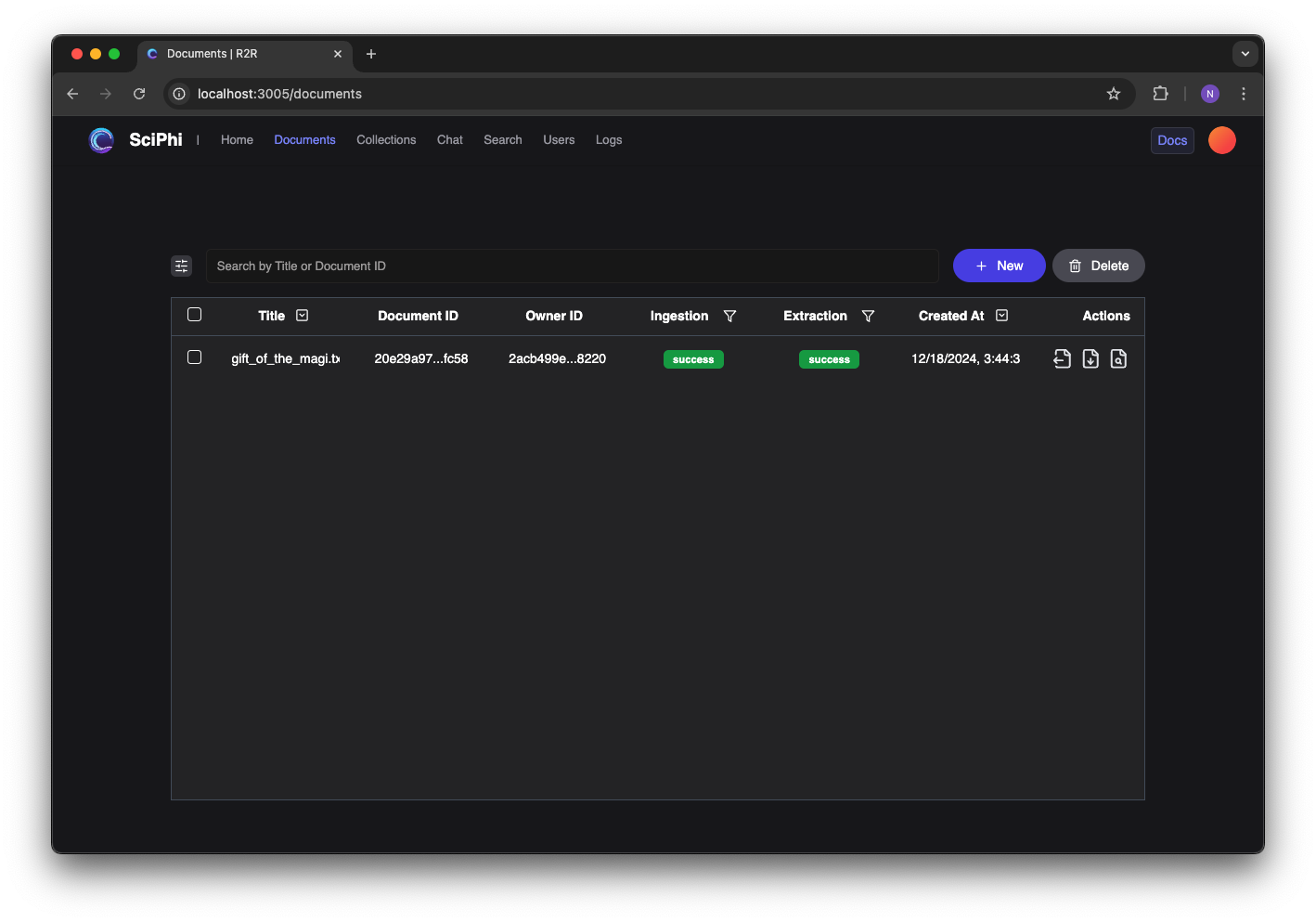
Both ingestion and extraction were successful, as seen in the R2R Dashboard
[2](/cookbooks/graphs#deduplication)
### Deduplication
If you would like to deduplicate the extracted entities, you can run the following method. To learn more about deduplication, view our [deduplication documentation here](/documentation/deduplication)
.
###### Python
` | | | | --- | --- | | 1 | from r2r import R2RClient | | 2 | | | 3 | # Set up the client | | 4 | client = R2RClient("http://localhost:7272") | | 5 | | | 6 | client.documents.deduplicate("20e29a97-c53c-506d-b89c-1f5346befc58") | `
While the exact number of extracted entities and relationships will differ across models, this particular document produces approximately 120 entities, with only 20 distinct entities.
[3](/cookbooks/graphs#managing-collections)
### Managing Collections
Graphs are built within a collection, allowing for us to add many documents to a graph, and to share our graphs with other users. When we ingested the file above, it was added into our default collection.
Each collection has a description which is used in the graph creation process. This can be set by the user, or generated using an LLM.
###### Python
` | | | | --- | --- | | 1 | from r2r import R2RClient | | 2 | | | 3 | # Set up the client | | 4 | client = R2RClient("http://localhost:7272") | | 5 | | | 6 | # Update the description of the default collection | | 7 | collection_id = "122fdf6a-e116-546b-a8f6-e4cb2e2c0a09" | | 8 | update_result = client.collections.update( | | 9 | id=collection_id, | | 10 | generate_description=True, # LLM generated | | 11 | ) | `
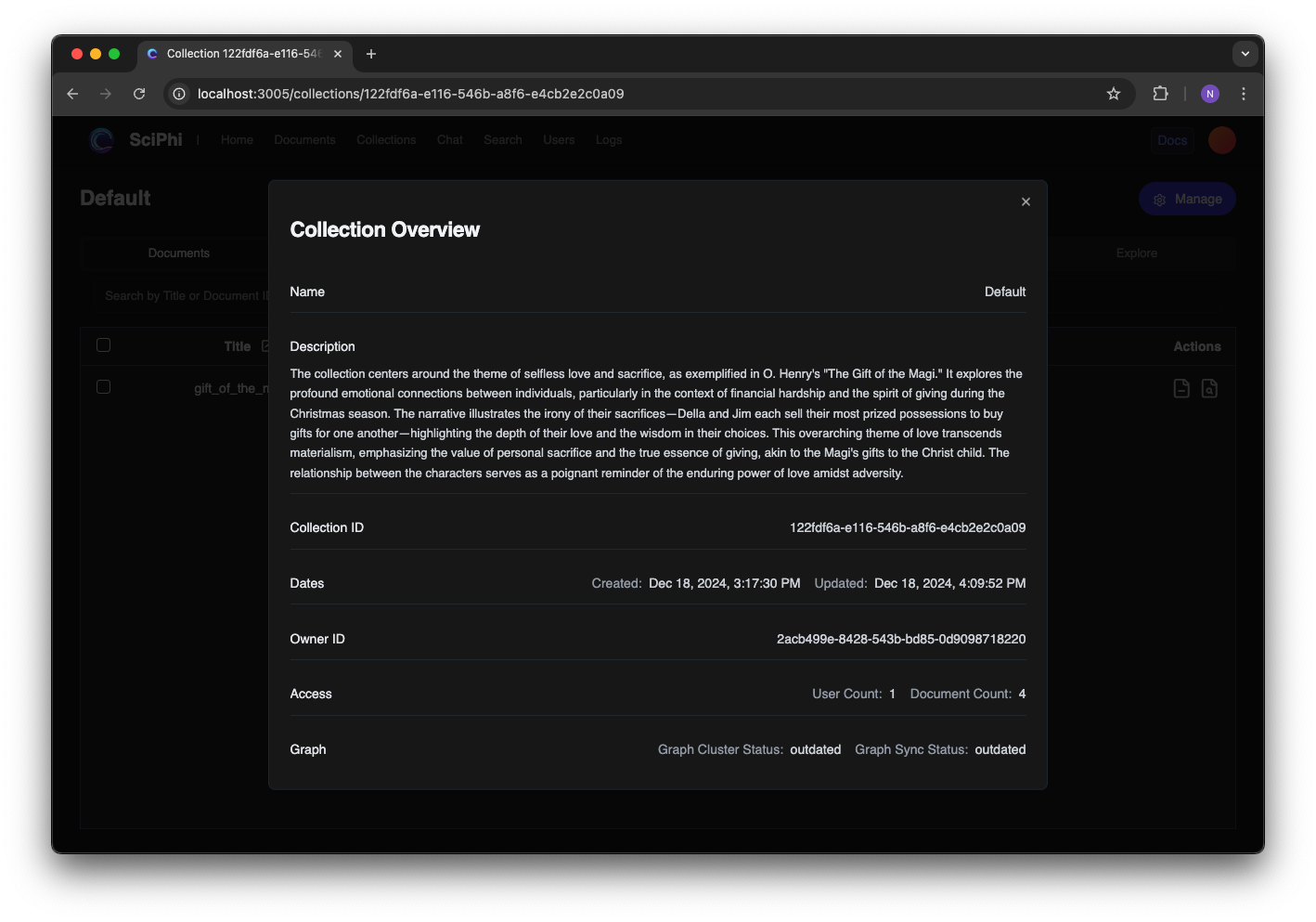
The LLM generated description for our collection
[4](/cookbooks/graphs#pulling-extractions-into-the-graph)
### Pulling Extractions into the Graph
Our graph will not contain the extractions from our documents until we `pull` them into the graph. This gives developers more granular control over the creation and management of graphs.
Recall that we already extracted the entities and relationships for the graph; this means that we can `pull` a document into many graphs without having to rerun the extraction process.
###### Python
` | | | | --- | --- | | 1 | from r2r import R2RClient | | 2 | | | 3 | # Set up the client | | 4 | client = R2RClient("http://localhost:7272") | | 5 | | | 6 | # Pull the extractions from all docments into the default collection | | 7 | collection_id = "122fdf6a-e116-546b-a8f6-e4cb2e2c0a09" | | 8 | client.graphs.pull( | | 9 | collection_id=collection_id | | 10 | ) | `
As soon as we `pull` the extractions into the graph, we can begin using the graph in our searches. We can confirm that the entities and relationships were pulled into the collection, as well.
###### Entities
###### Entity Visualization
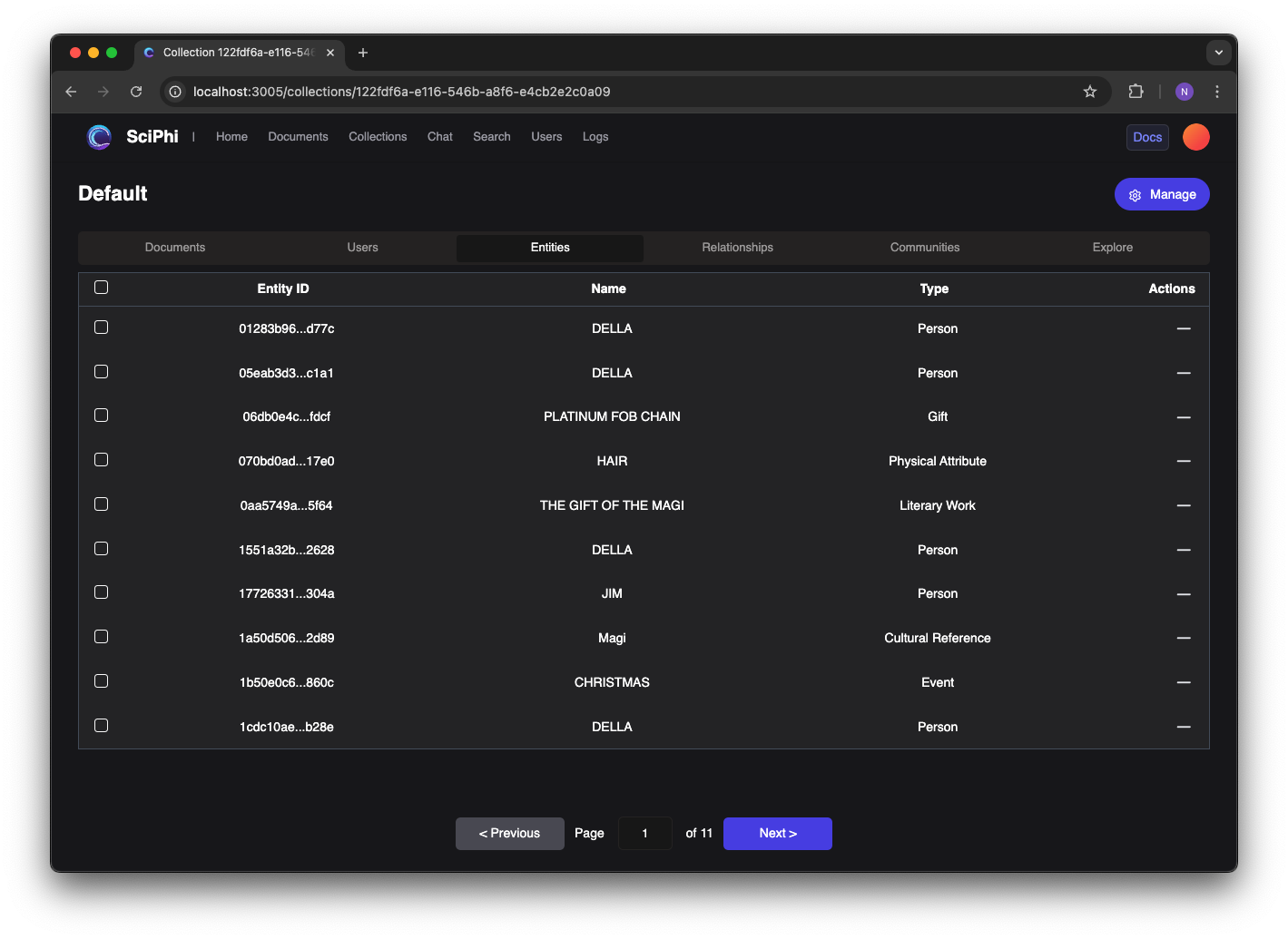
Entities are \`pulled\` in from the document to the collection
[5](/cookbooks/graphs#building-communities)
### Building Communities
To further enhance our graph we can build communities, which clusters over the entities and relationships inside our graph. This allows us to capture higher-level concepts that exist within our data.
###### Python
` | | | | --- | --- | | 1 | from r2r import R2RClient | | 2 | | | 3 | # Set up the client | | 4 | client = R2RClient("http://localhost:7272") | | 5 | | | 6 | # Build the communities for the default collection | | 7 | collection_id = "122fdf6a-e116-546b-a8f6-e4cb2e2c0a09" | | 8 | client.graphs.build( | | 9 | collection_id=collection_id | | 10 | ) | `
We can see that the resulting communities capture overall themes and concepts within the story.
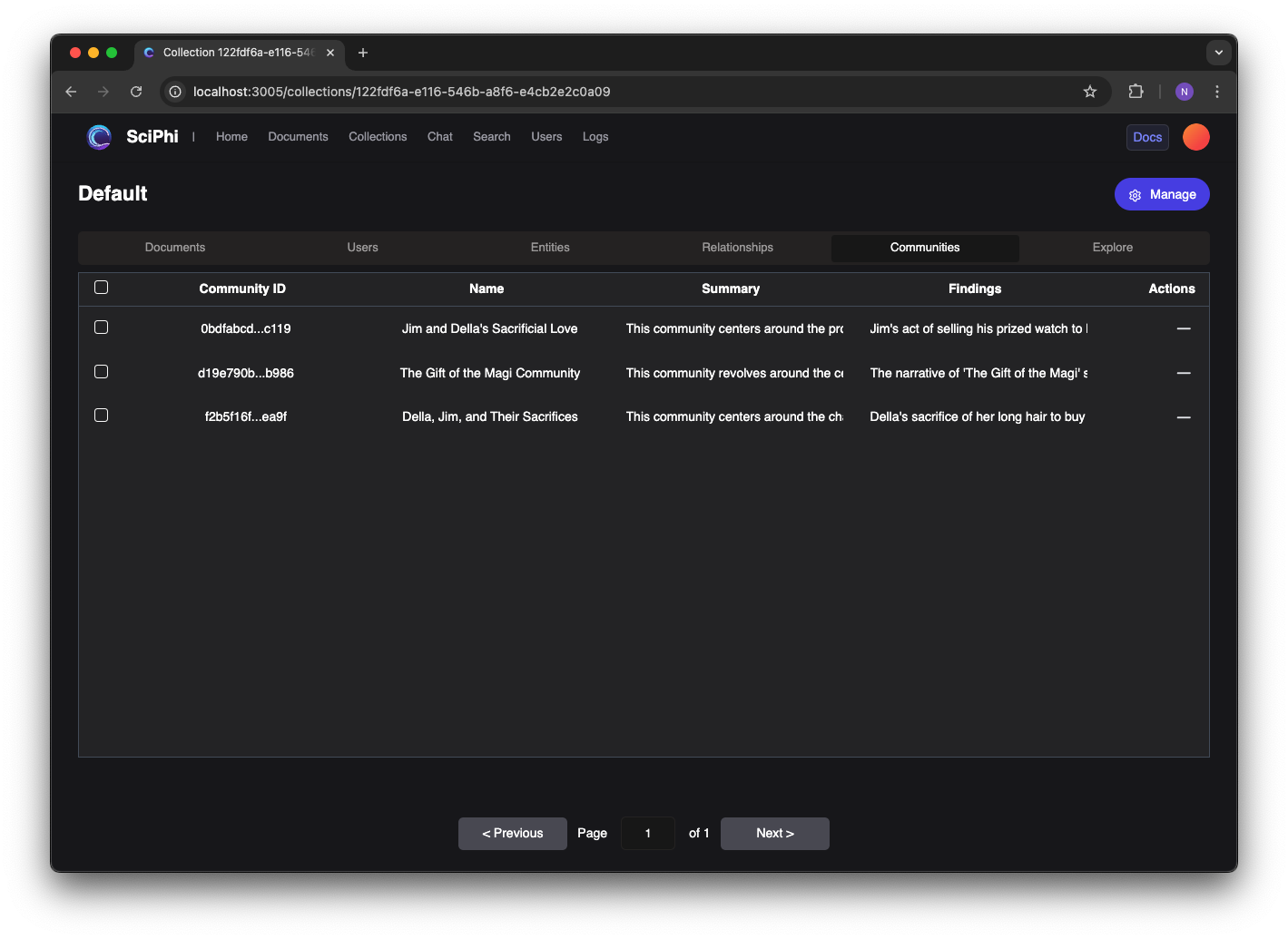
The resulting communities, generated from the clustering process
[6](/cookbooks/graphs#graph-search)
### Graph Search
Now that we have built our graph we can query over it. Good questions for graphs might require deep understanding of relationships and ideas that span across multiple documents.
###### Python
` | | | | --- | --- | | 1 | from r2r import R2RClient | | 2 | | | 3 | # Set up the client | | 4 | client = R2RClient("http://localhost:7272") | | 5 | | | 6 | results = client.retrieval.search(""" | | 7 | What items did Della and Jim each originally own, | | 8 | what did they do with those items, and what did they | | 9 | ultimately give each other? | | 10 | """, | | 11 | search_settings={ | | 12 | "graph_settings": {"enabled": True}, | | 13 | } | | 14 | ) | `
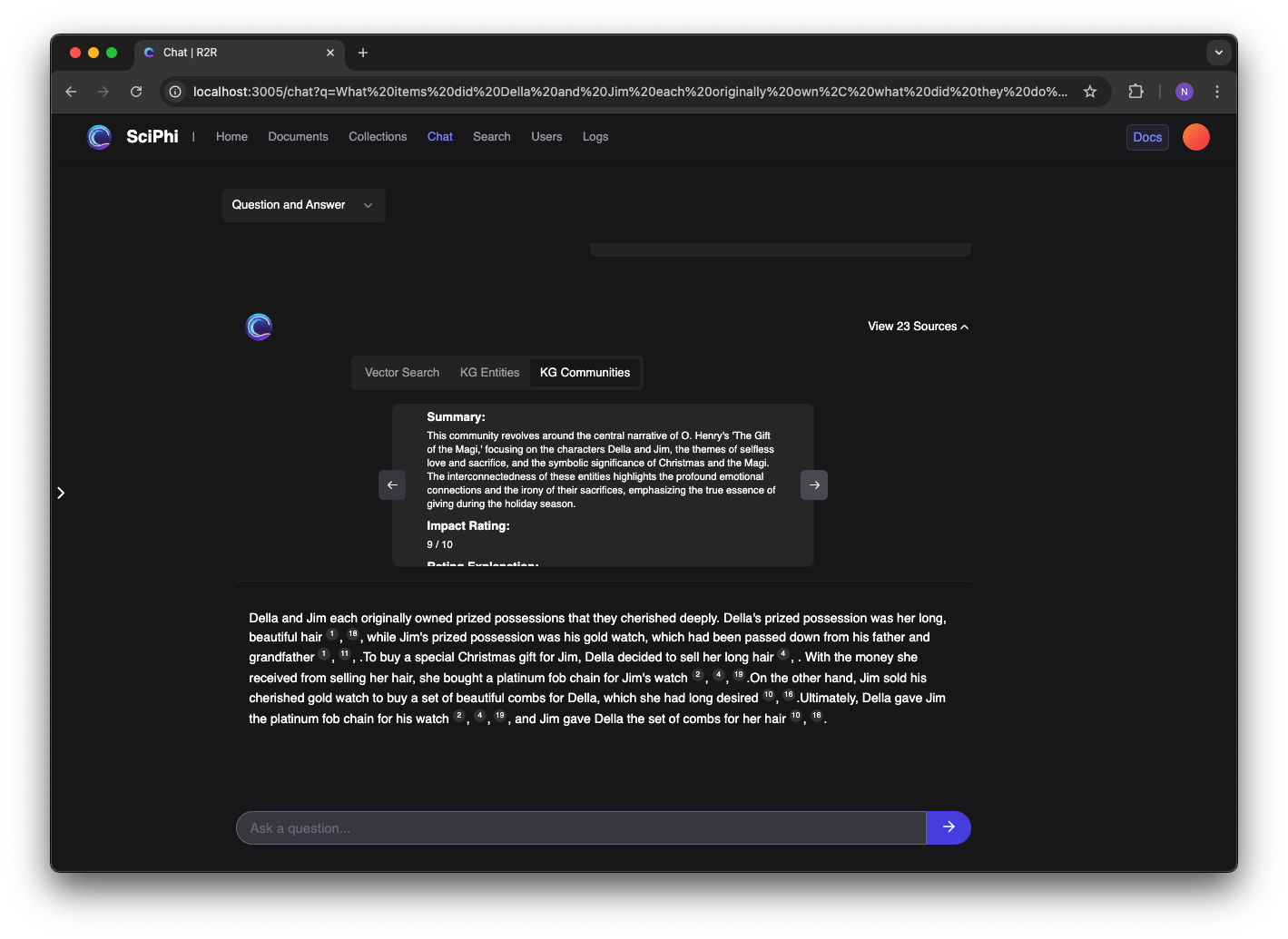
Performing a multi-hop query over the graph
[Built with](https://buildwithfern.com/?utm_campaign=buildWith&utm_medium=docs&utm_source=r2r-docs.sciphi.ai)
---
# 404: This page could not be found
404
===
This page could not be found.
-----------------------------
---
# Orchestration — The most advanced AI retrieval system. Containerized, Retrieval-Augmented Generation (RAG) with a RESTful API.
User management features are currently restricted to:
* Self-hosted instances
* Enterprise tier cloud accounts
Contact our sales team for Enterprise pricing and features.
R2R uses [Hatchet](https://docs.hatchet.run/home)
for orchestrating complex workflows, particularly for ingestion and knowledge graph construction processes.
Hatchet is a distributed, fault-tolerant task queue that solves scaling problems like concurrency, fairness, and rate limiting. It allows R2R to distribute functions between workers with minimal configuration.
### Key Concepts
1. **Workflows**: Sets of functions executed in response to external triggers.
2. **Workers**: Long-running processes that execute workflow functions.
3. **Managed Queue**: Low-latency queue for handling real-time tasks.
Orchestration in R2R
--------------------
### Benefits of orchestration
1. **Scalability**: Efficiently handles large-scale tasks.
2. **Fault Tolerance**: Built-in retry mechanisms and error handling.
3. **Flexibility**: Easy to add or modify workflows as R2R’s capabilities expand.
### Workflows in R2R
1. **IngestFilesWorkflow**: Handles file ingestion, parsing, chunking, and embedding.
2. **UpdateFilesWorkflow**: Manages the process of updating existing files.
3. **KgExtractAndStoreWorkflow**: Extracts and stores knowledge graph information.
4. **CreateGraphWorkflow**: Orchestrates the creation of knowledge graphs.
5. **EnrichGraphWorkflow**: Handles graph enrichment processes like node creation and clustering.
Orchestration GUI
-----------------
By default, the R2R Docker ships with with Hatchet’s front-end application on port 7274. This can be accessed by navigating to `http://localhost:7274`.
You may login with the following credentials:
**Email:** [\[email protected\]](/cdn-cgi/l/email-protection#afcecbc2c6c1efcad7cec2dfc3ca81ccc0c2)
**Password:** Admin123!!
### Login
Logging into hatchet at http://localhost:7274
### Running Tasks
The panel below shows the state of the Hatchet workflow panel at `http://localhost:7274/workflow-runs` immediately after calling `r2r documents create-samples`:
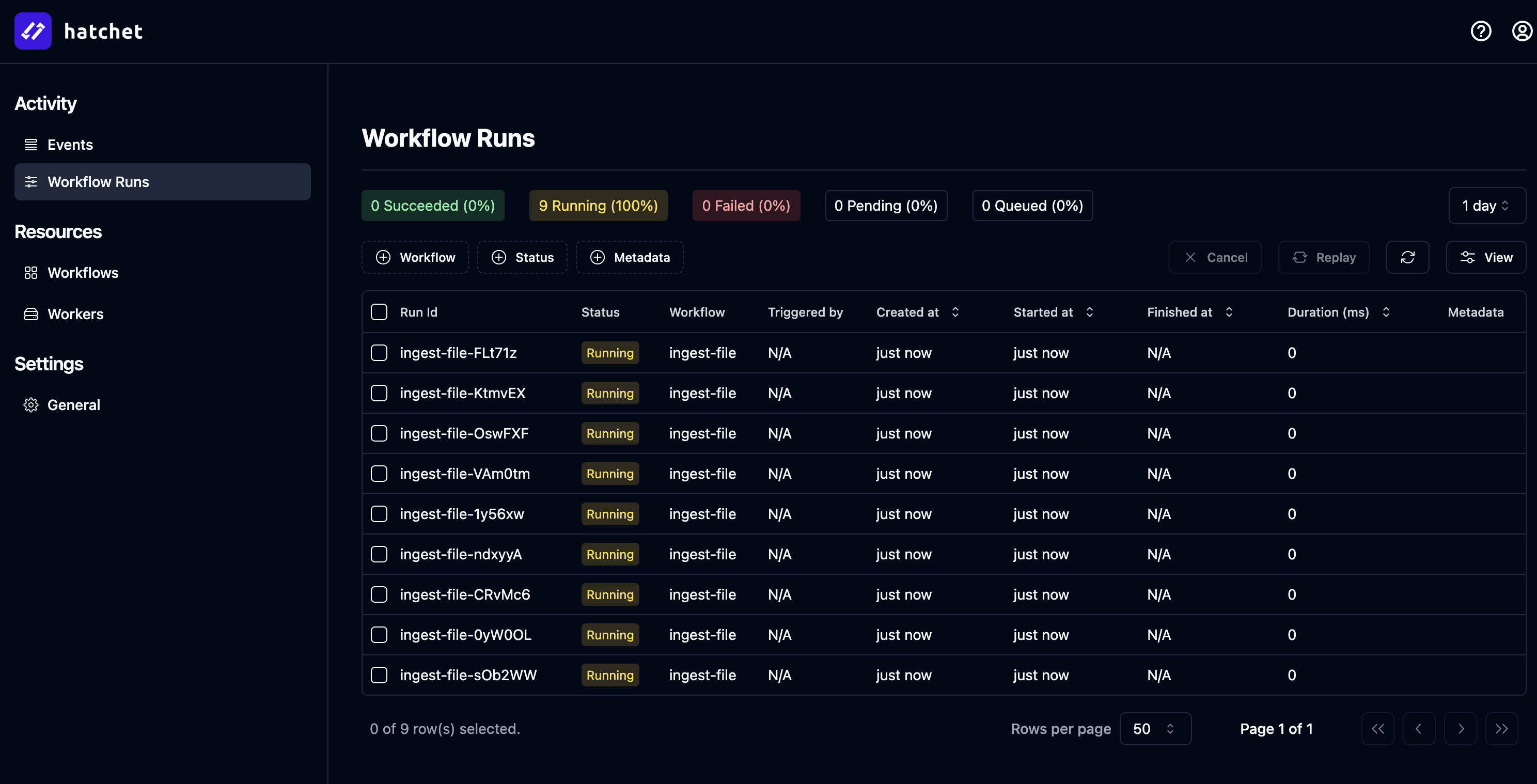
Running workflows at http://localhost:7274/workflow-runs
### Inspecting a workflow
You can inspect a workflow within Hatchet and can even attempt to retry the job from directly in the GUI in the case of failure:

Inspecting a workflow at http://localhost:7274/workflow-runs/274081a8-acfb-4686-84c9-9fd73bc5c7f1?tenant=707d0855-80ab-4e1f-a156-f1c4546cbf52
### Long running tasks
Hatchet supports long running tasks, which is very useful during knowledge graph construction:
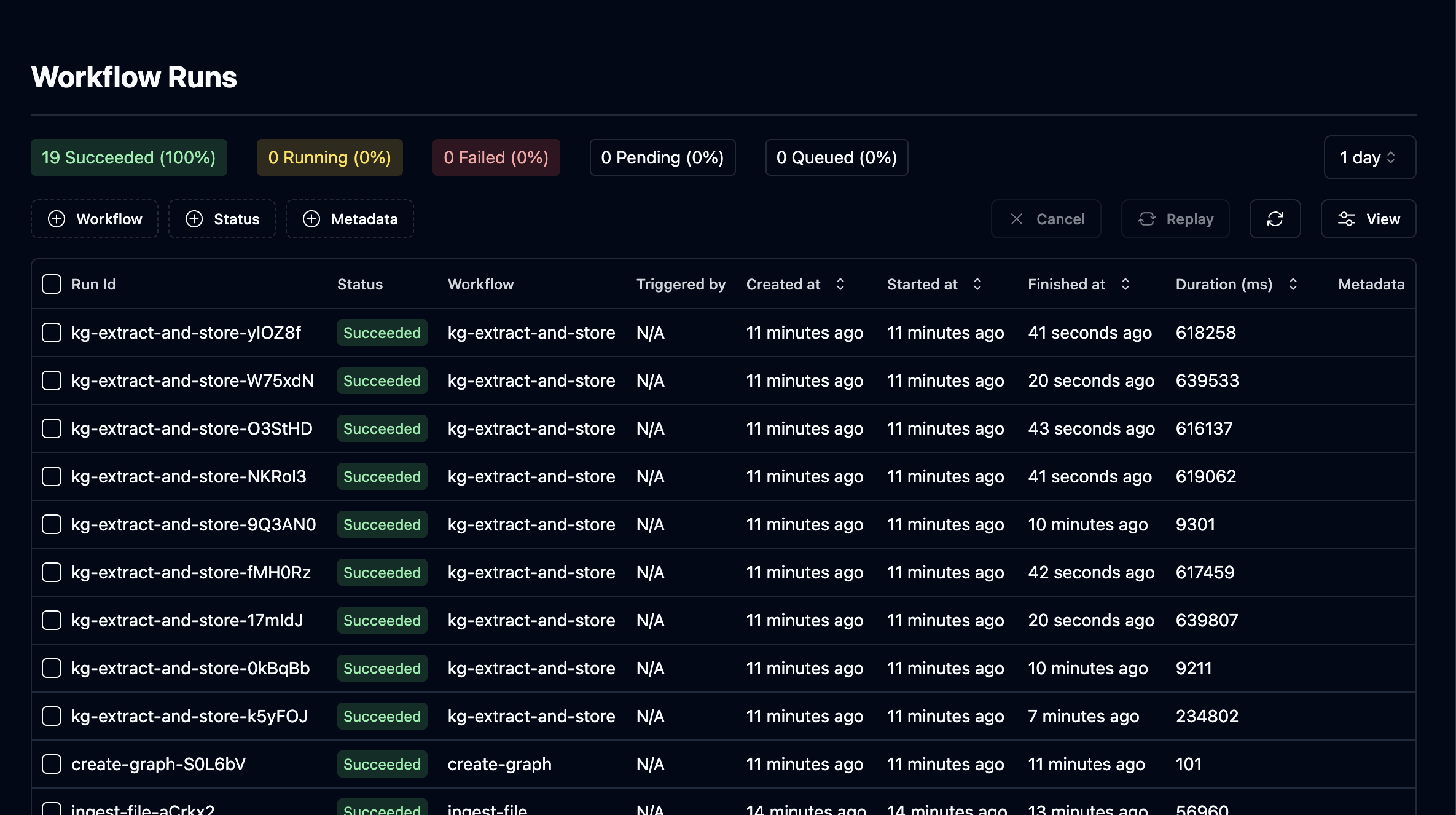
Worker timeout is set to 60m to support long running tasks like graph construction.
Coming Soon
-----------
In the coming day(s) / week(s) we will further highlight the available feature set and best practices for orchestrating your ingestion workflows inside R2R.
[Built with](https://buildwithfern.com/?utm_campaign=buildWith&utm_medium=docs&utm_source=r2r-docs.sciphi.ai)
---
# 404: This page could not be found
404
===
This page could not be found.
-----------------------------
---
# LLMs — The most advanced AI retrieval system. Containerized, Retrieval-Augmented Generation (RAG) with a RESTful API.
Language Model System
---------------------
R2R uses Large Language Models (LLMs) as the core reasoning engine for RAG operations, providing sophisticated text generation and analysis capabilities.
R2R uses LiteLLM as to route LLM requests because of their provider flexibility. Read more about [LiteLLM here](https://docs.litellm.ai/)
.
LLM Configuration
-----------------
The LLM system can be customized through the `completion` section in your `r2r.toml` file:
r2r.toml
` | | | | --- | --- | | 1 | [completion] | | 2 | provider = "litellm" # defaults to "litellm" | | 3 | concurrent_request_limit = 16 # defaults to 256 | | 4 | | | 5 | [completion.generation_config] | | 6 | model = "openai/gpt-4o" # defaults to "openai/gpt-4o" | | 7 | temperature = 0.1 # defaults to 0.1 | | 8 | top_p = 1 # defaults to 1 | | 9 | max_tokens_to_sample = 1_024 # defaults to 1_024 | | 10 | stream = false # defaults to false | | 11 | add_generation_kwargs = {} # defaults to {} | `
Relevant environment variables to the above configuration would be `OPENAI_API_KEY`, `ANTHROPIC_API_KEY`, `AZURE_API_KEY`, etc. depending on your chosen provider.
Advanced LLM Features in R2R
----------------------------
R2R leverages several advanced LLM features to provide robust text generation:
### Concurrent Request Management
The system implements sophisticated request handling with rate limiting and concurrency control:
` | | | | --- | --- | | 1 | class CompletionProvider: | | 2 | async def aget_completion( | | 3 | self, | | 4 | messages: list[dict], | | 5 | generation_config: GenerationConfig, | | 6 | **kwargs, | | 7 | ) -> LLMChatCompletion: | | 8 | task = { | | 9 | "messages": messages, | | 10 | "generation_config": generation_config, | | 11 | "kwargs": kwargs, | | 12 | } | | 13 | response = await self._execute_with_backoff_async(task) | | 14 | return LLMChatCompletion(**response.dict()) | `
1. **Rate Limiting**: Prevents API throttling through intelligent request scheduling
2. **Concurrent Processing**: Manages multiple LLM requests efficiently
3. **Error Handling**: Implements retry logic with exponential backoff
Performance Considerations
--------------------------
When configuring LLMs in R2R, consider these optimization strategies:
1. **Concurrency Management**:
* Adjust `concurrent_request_limit` based on provider limits
* Monitor API usage and adjust accordingly
* Consider implementing request caching for repeated queries
2. **Model Selection**:
* Balance model capabilities with latency requirements
* Consider cost per token for different providers
* Evaluate context window requirements
3. **Resource Management**:
* Monitor token usage with large responses
* Implement appropriate error handling and retry strategies
* Consider implementing fallback models for critical systems
#### Serving select LLM providers
Select from the toggleable providers below.
###### OpenAI
###### Azure
###### Anthropic
###### Vertex AI
###### AWS Bedrock
###### Groq
###### Ollama
###### Cohere
###### Anyscale
`` | | | | --- | --- | | 1 | export OPENAI_API_KEY=your_openai_key | | 2 | # .. set other environment variables | | 3 | | | 4 | # Set your `my_r2r.toml` as shown: | | 5 | # [completion] | | 6 | # provider = "litellm" | | 7 | # [completion.generation_config] | | 8 | # model = "openai/gpt-4o-mini" | | 9 | # r2r serve --config-path=my_r2r.toml | | 10 | r2r serve | ``
Supported models include:
* openai/gpt-4o
* openai/gpt-4-turbo
* openai/gpt-4
* openai/gpt-4o-mini
For a complete list of supported OpenAI models and detailed usage instructions, please refer to the [LiteLLM OpenAI documentation](https://docs.litellm.ai/docs/providers/openai)
.
### Runtime Configuration of LLM Provider
R2R supports runtime configuration of the LLM provider, allowing you to dynamically change the model or provider for each request. This flexibility enables you to use different models or providers based on specific requirements or use cases.
### Combining Search and Generation
When performing a RAG query, you can dynamically set the LLM generation settings:
` | | | | --- | --- | | 1 | response = client.rag( | | 2 | "What are the latest advancements in quantum computing?", | | 3 | rag_generation_config={ | | 4 | "stream": False, | | 5 | "model": "openai/gpt-4o-mini", | | 6 | "temperature": 0.7, | | 7 | "max_tokens": 150 | | 8 | } | | 9 | ) | `
For more detailed information on configuring other search and RAG settings, please refer to the [RAG Configuration documentation](/self-hosting/configuration/retrieval/rag)
.
[Built with](https://buildwithfern.com/?utm_campaign=buildWith&utm_medium=docs&utm_source=r2r-docs.sciphi.ai)
---
# Auth & Users — The most advanced AI retrieval system. Containerized, Retrieval-Augmented Generation (RAG) with a RESTful API.
Authentication Configuration
----------------------------
R2R provides a flexible authentication system that supports both server-side configuration and runtime customization. The authentication system manages user registration, login, session management, and access control.
Server Configuration
--------------------
The authentication settings can be configured in your `r2r.toml` file under the `auth` section:
` | | | | --- | --- | | 1 | [auth] | | 2 | provider = "r2r" # currently only "r2r" \| "supabase" are supported | | 3 | require_authentication = false # set to true to enforce authentication | | 4 | require_email_verification = false # set to true to require email verification | | 5 | default_admin_email = "[[email protected]](/cdn-cgi/l/email-protection) " | | 6 | default_admin_password = "change_me_immediately" | | 7 | access_token_lifetime_in_minutes = 3600 # 60 hours | | 8 | refresh_token_lifetime_in_days = 7 # 7 days | | 9 | secret_key = "your-secret-key" # Used for JWT token signing | `
### Environment Variables
You can also configure authentication using environment variables:
` | | | | --- | --- | | $ | export R2R_SECRET_KEY=your-secret-key | | > | export R2R_ACCESS_LIFE_IN_MINUTES=3600 | | > | export R2R_REFRESH_LIFE_IN_MINUTES=10080 # 7 days in minutes | `
Key Features
------------
### 1\. User Management
* User registration with optional email verification
* Password hashing and security
* Linking of ingested documents to user
* Assignment of document collections to / from user
* User roles (superuser/admin and regular users)
### 2\. Token Management
* JWT-based authentication
* Access and refresh token system
* Configurable token lifetimes
* Token blacklisting for logout
### 3\. Security Features
* Password reset functionality
* Email verification (optional)
* Token expiration and refresh
* Password change capabilities
API Methods
-----------
The authentication system provides several key endpoints:
1. **Registration**:
` | | | | --- | --- | | 1 | from r2r import R2RClient | | 2 | | | 3 | client = R2RClient() | | 4 | response = await client.users.register( | | 5 | email="[[email protected]](/cdn-cgi/l/email-protection) ", | | 6 | password="secure_password" | | 7 | ) | `
2. **Login**:
` | | | | --- | --- | | 1 | await client.users.login( | | 2 | email="[[email protected]](/cdn-cgi/l/email-protection) ", | | 3 | password="secure_password" | | 4 | ) | | 5 | # caches access_token and refresh_token | `
3. **Token Refresh**:
` | | | | --- | --- | | 1 | await client.users.refresh_access_token(refresh_token) | `
4. **Logout**:
` | | | | --- | --- | | 1 | await client.users.logout() | `
Refer directly to the [Users API Reference](/api-and-sdks/users)
for more details.
Email Configuration
-------------------
If email verification is enabled, you’ll need to configure an email provider:
` | | | | --- | --- | | 1 | [email] | | 2 | provider = "smtp" # or other supported email providers | | 3 | smtp_host = "smtp.example.com" | | 4 | smtp_port = 587 | | 5 | smtp_username = "your_username" | | 6 | smtp_password = "your_password" | | 7 | from_email = "[[email protected]](/cdn-cgi/l/email-protection) " | `
Cryptography Configuration
--------------------------
R2R is designed to support arbitrary crypotgraphy providers through the `r2r.toml`:
` | | | | --- | --- | | 1 | [crypto] | | 2 | provider = "bcrypt" # currently only "bcrypt" supported | `
Protected Endpoints
-------------------
When authentication is enabled (`require_authentication = true`), all secure R2R endpoints require a valid access token. The user’s access token will automatically be included in API calls after login:
` | | | | --- | --- | | 1 | client = R2RClient( | | 2 | base_url="http://localhost:7272", | | 3 | auth_token=access_token | | 4 | ) | | 5 | client.users.login(...) | | 6 | | | 7 | # All subsequent calls will include the token | | 8 | response = client.retrieval.rag("What is authentication?") | `
Error Handling
--------------
The authentication system provides detailed error messages for common scenarios:
* Invalid credentials
* Expired tokens
* Unauthorized access
* Email verification required
* Invalid reset tokens
Example error handling:
` | | | | --- | --- | | 1 | from r2r import R2RException | | 2 | | | 3 | try: | | 4 | await client.users.login(email="[[email protected]](/cdn-cgi/l/email-protection) ", password="wrong_password") | | 5 | except R2RException as e: | | 6 | if e.status_code == 401: | | 7 | print("Invalid credentials") | | 8 | elif e.status_code == 400: | | 9 | print("Email not verified") | `
[Built with](https://buildwithfern.com/?utm_campaign=buildWith&utm_medium=docs&utm_source=r2r-docs.sciphi.ai)
---
# Local LLMs — The most advanced AI retrieval system. Containerized, Retrieval-Augmented Generation (RAG) with a RESTful API.
Overview
--------
There are many amazing LLMs and embedding models that can be run locally. R2R fully supports using these models, giving you full control over your data and infrastructure.
Running models locally can be ideal for sensitive data handling, reducing API costs, or situations where internet connectivity is limited. While cloud-based LLMs often provide cutting-edge performance, local models offer a compelling balance of capability, privacy, and cost-effectiveness for many use cases.
Local LLM features are currently restricted to:
* Self-hosted instances
* Enterprise tier cloud accounts
Contact our sales team for Enterprise pricing and features.
[1](/cookbooks/local-llms#serving-local-models)
### Serving Local Models
For this cookbook, we’ll serve our local models via Ollama. [You may follow the instructions on their official website to install.](https://ollama.com/)
You can also follow along using LM Studio. To get started with LM Studio, see our [Local LLM documentation](/self-hosting/local-rag)
.
R2R supports [LiteLLM](https://github.com/BerriAI/litellm)
for routing embedding and completion requests. This allows for OpenAI-compatible endpoints to be called and seamlessly routed to, if you are serving local models another way.
We must first download the models that we wish to run and start our ollama server. The following command will ‘pull’ the models and begin the Ollama server via `http://localhost:11434`.
###### Bash
` | | | | --- | --- | | 1 | ollama pull llama3.1 | | 2 | ollama pull mxbai-embed-large | `
Ollama has a default context window size of 2048 tokens. Many of the prompts and processes that R2R uses requires larger window sizes.
It is recommended to set the context size to a minimum of 16k tokens. The following guideline is generally useful to determine what your system can handle:
* 8GB RAM/VRAM: ~4K-8K context
* 16GB RAM/VRAM: ~16K-32K context
* 24GB+ RAM/VRAM: 32K+ context
To change the default context window you must first create a Modelfile for Ollama, where you can set `num_ctx`:
` | | | | --- | --- | | 1 | echo 'FROM llama3.1 | | 2 | PARAMETER num_ctx 16000' > Modelfile | `
Then you must create a manifest for that model:
` | | | | --- | --- | | 1 | ollama create llama3.1 -f Modelfile | `
###### Bash
Then, we can start the Ollama server:
` | | | | --- | --- | | 1 | ollama serve | `
[2](/cookbooks/local-llms#configuring-r2r)
### Configuring R2R
Now that our models have been loaded and our Ollama server is ready, we can launch our R2R server.
The standard distribution of R2R includes a configuration file for running `llama3.1` and `mxbai-embed-large`. If you wish to utilize other models, you must create a custom config file and pass this to your server.
###### local\_llm.toml
` | | | | --- | --- | | 1 | [agent] | | 2 | system_instruction_name = "rag_agent" | | 3 | tool_names = ["local_search"] | | 4 | | | 5 | [agent.generation_config] | | 6 | model = "ollama/llama3.1" | | 7 | | | 8 | [completion] | | 9 | provider = "litellm" | | 10 | concurrent_request_limit = 1 | | 11 | | | 12 | [completion.generation_config] | | 13 | model = "ollama/llama3.1" | | 14 | temperature = 0.1 | | 15 | top_p = 1 | | 16 | max_tokens_to_sample = 1_024 | | 17 | stream = false | | 18 | add_generation_kwargs = { } | | 19 | | | 20 | [embedding] | | 21 | provider = "ollama" | | 22 | base_model = "mxbai-embed-large" | | 23 | base_dimension = 1_024 | | 24 | batch_size = 128 | | 25 | add_title_as_prefix = true | | 26 | concurrent_request_limit = 2 | | 27 | | | 28 | [database] | | 29 | provider = "postgres" | | 30 | | | 31 | [database.graph_creation_settings] | | 32 | graph_entity_description_prompt = "graphrag_entity_description" | | 33 | entity_types = [] # if empty, all entities are extracted | | 34 | relation_types = [] # if empty, all relations are extracted | | 35 | fragment_merge_count = 4 # number of fragments to merge into a single extraction | | 36 | max_knowledge_relationships = 100 | | 37 | max_description_input_length = 65536 | | 38 | generation_config = { model = "ollama/llama3.1" } # and other params, model used for relationshipt extraction | | 39 | | | 40 | [database.graph_enrichment_settings] | | 41 | community_reports_prompt = "graphrag_community_reports" | | 42 | max_summary_input_length = 65536 | | 43 | generation_config = { model = "ollama/llama3.1" } # and other params, model used for node description and graph clustering | | 44 | leiden_params = {} | | 45 | | | 46 | [database.graph_search_settings] | | 47 | generation_config = { model = "ollama/llama3.1" } | | 48 | | | 49 | | | 50 | [orchestration] | | 51 | provider = "simple" | | 52 | | | 53 | | | 54 | [ingestion] | | 55 | vision_img_model = "ollama/llama3.2-vision" | | 56 | vision_pdf_model = "ollama/llama3.2-vision" | | 57 | chunks_for_document_summary = 16 | | 58 | document_summary_model = "ollama/llama3.1" | | 59 | | | 60 | [ingestion.extra_parsers] | | 61 | pdf = "zerox" | `
We launch R2R by specifying this configuration file:
` | | | | --- | --- | | 1 | r2r serve --docker --config-name=local_llm | `
Since we’re serving with Docker, once R2R successfully launches the R2R dashboard opens for us. We can upload a document and see requests hit our Ollama server.
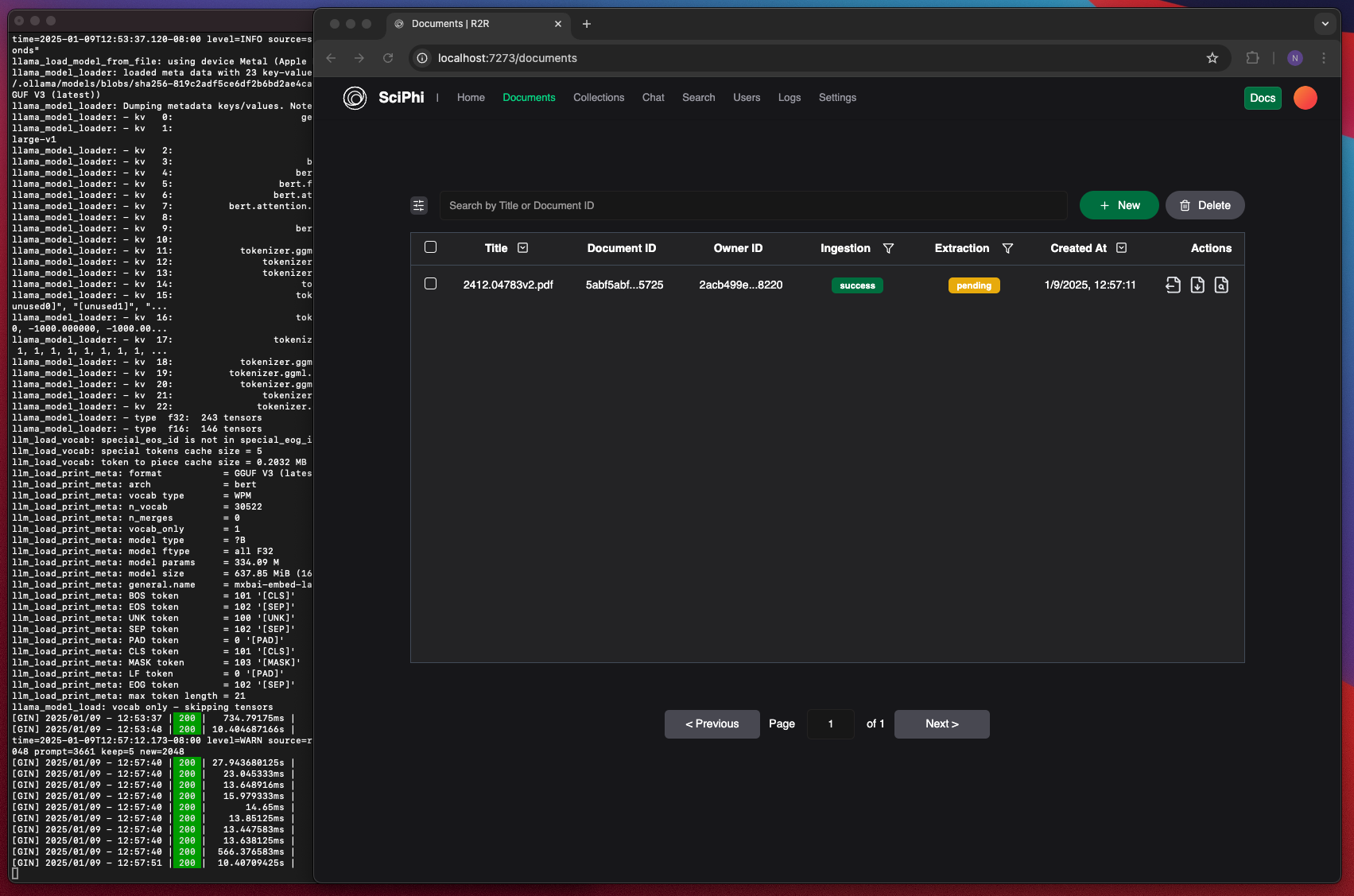
The R2R Dashboard and Ollama server showing successful ingestion
[3](/cookbooks/local-llms#retrieval-and-search)
### Retrieval and Search
Now that we have ingested our file, we can perform RAG and chunk search over it. Here, we see that we are able to get relevant results and correct answers—all without needing to make a request out to an external provider!
###### Local RAG
###### Local Search
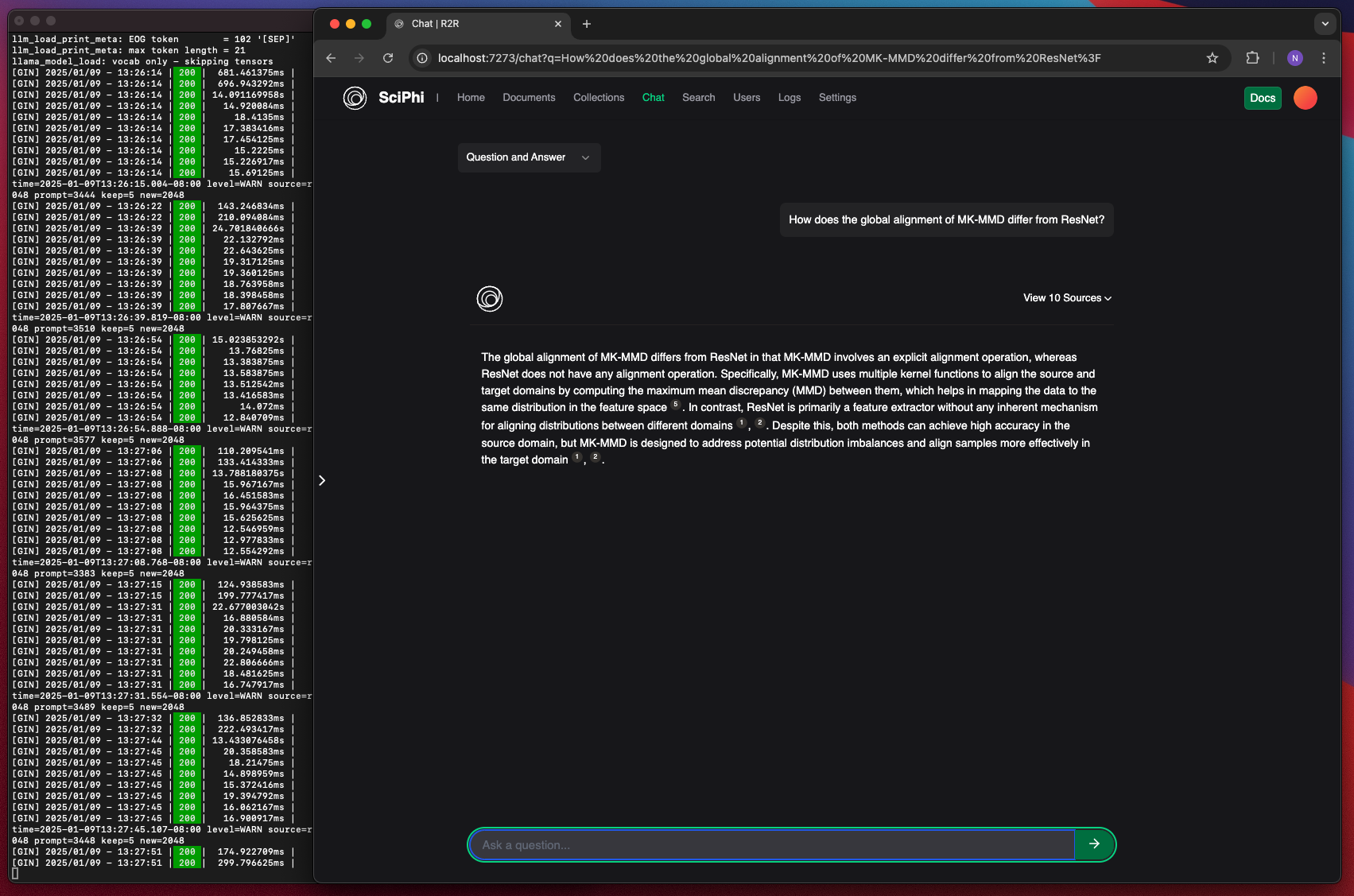
A RAG search done using a local LLM
[4](/cookbooks/local-llms#extracting-entities-and-relationships)
### Extracting Entities and Relationships
If we’d like to build a graph for our document, we must first extract the entities and relationships that it contains. Through the dashboard we can select the ‘Document Extraction’ action in the documents table. This will start the extraction process in the background, which uses named entity recognition to find entities and relationships.
Note that this process can take quite a bit of time, depending on the size of your document and the hardware running your model. Once the process is complete, we will see that the `extraction` status has turned green.
###### Successful Extraction
###### Extracted Entities
###### Extracted Relationships
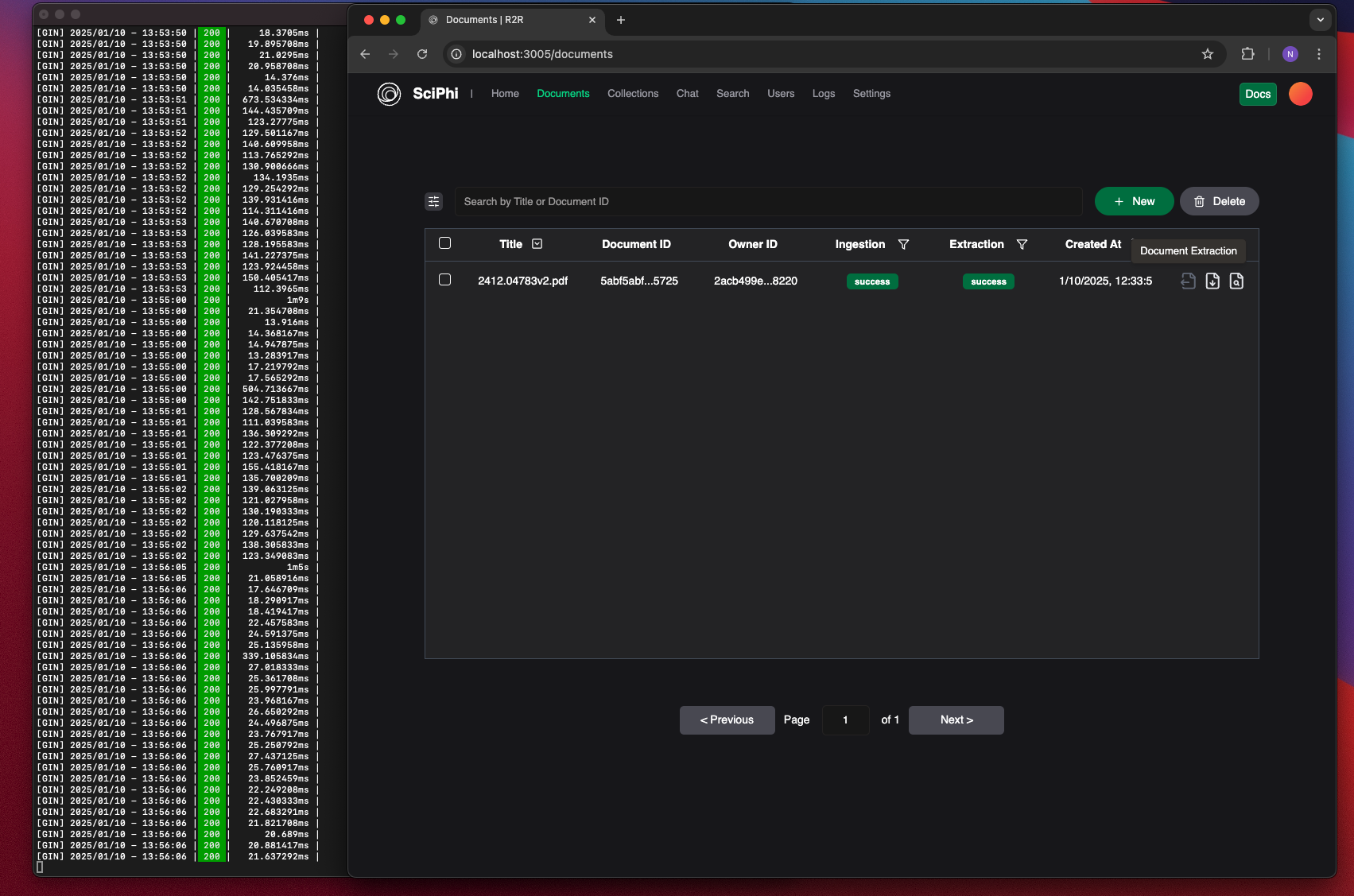
A successful extraction shown on the documents table
[5](/cookbooks/local-llms#graph-rag)
### Graph RAG
Now we must `pull` the document extractions into the graph. This is done at the collection level, and creates a copy of our extractions for searching over and creating communities with.
Then, we can conduct search, RAG, or agent queries that utilize the graph.
###### Graph RAG
###### Pulling Extractions into Graph
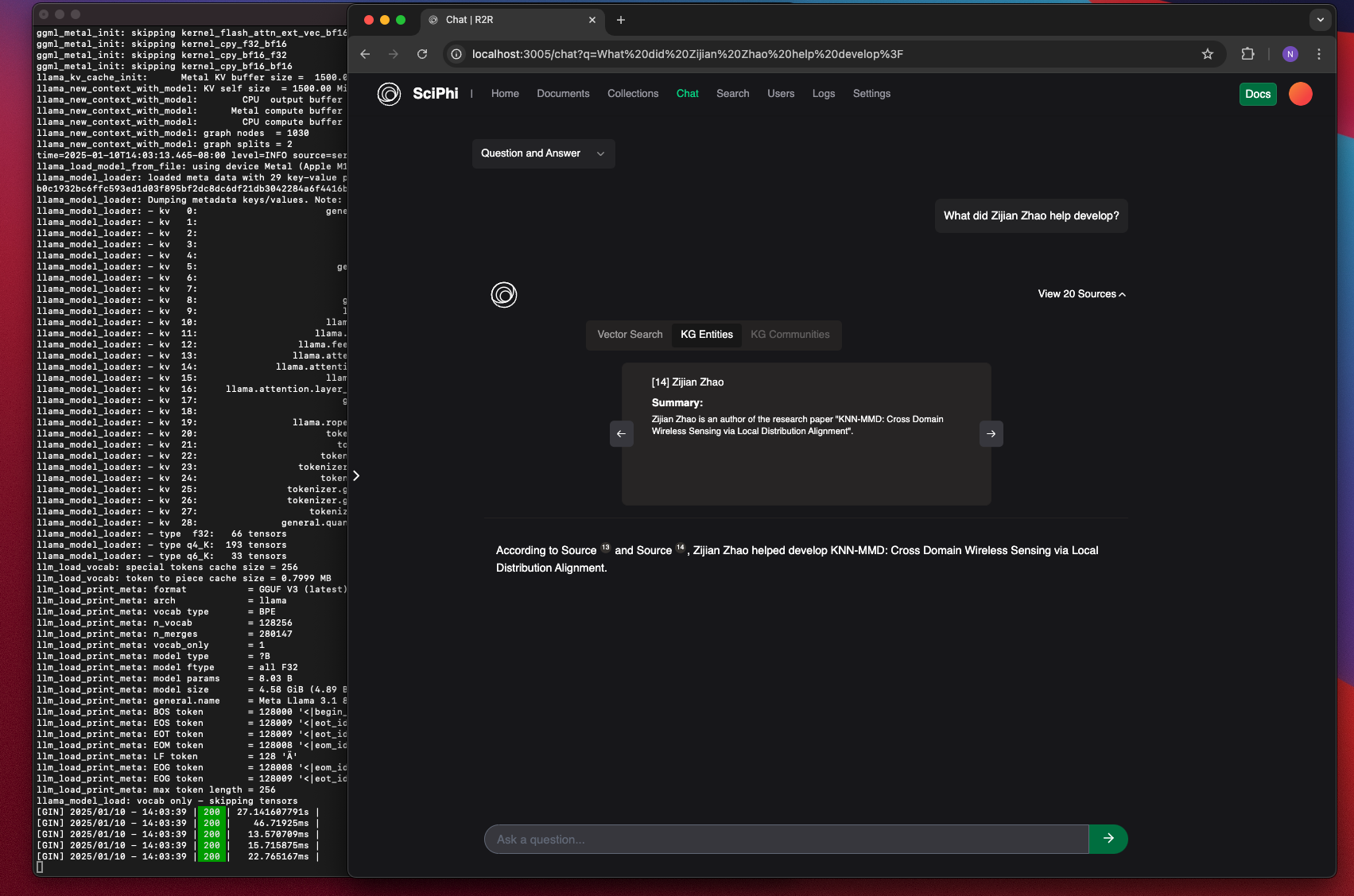
A RAG search that includes entities and relationships from the graph
[6](/cookbooks/local-llms#building-communities)
### Building communities
We can go one step further and create communities over the entities and relationships in the graph. By clustering over the closely related extractions, we can further develop the understanding of how these entities and relationships interact. This can be particularly helpful in sets of documents where we see overarching or recuring themes.
We trigger the extraction procedure, which produces a number of communities. Now, when we run queries over our graph we can utilize the communities to provide context that better encompasses overall concepts and ideas throughout our documents.
###### RAG with Communities
###### Generated Communities
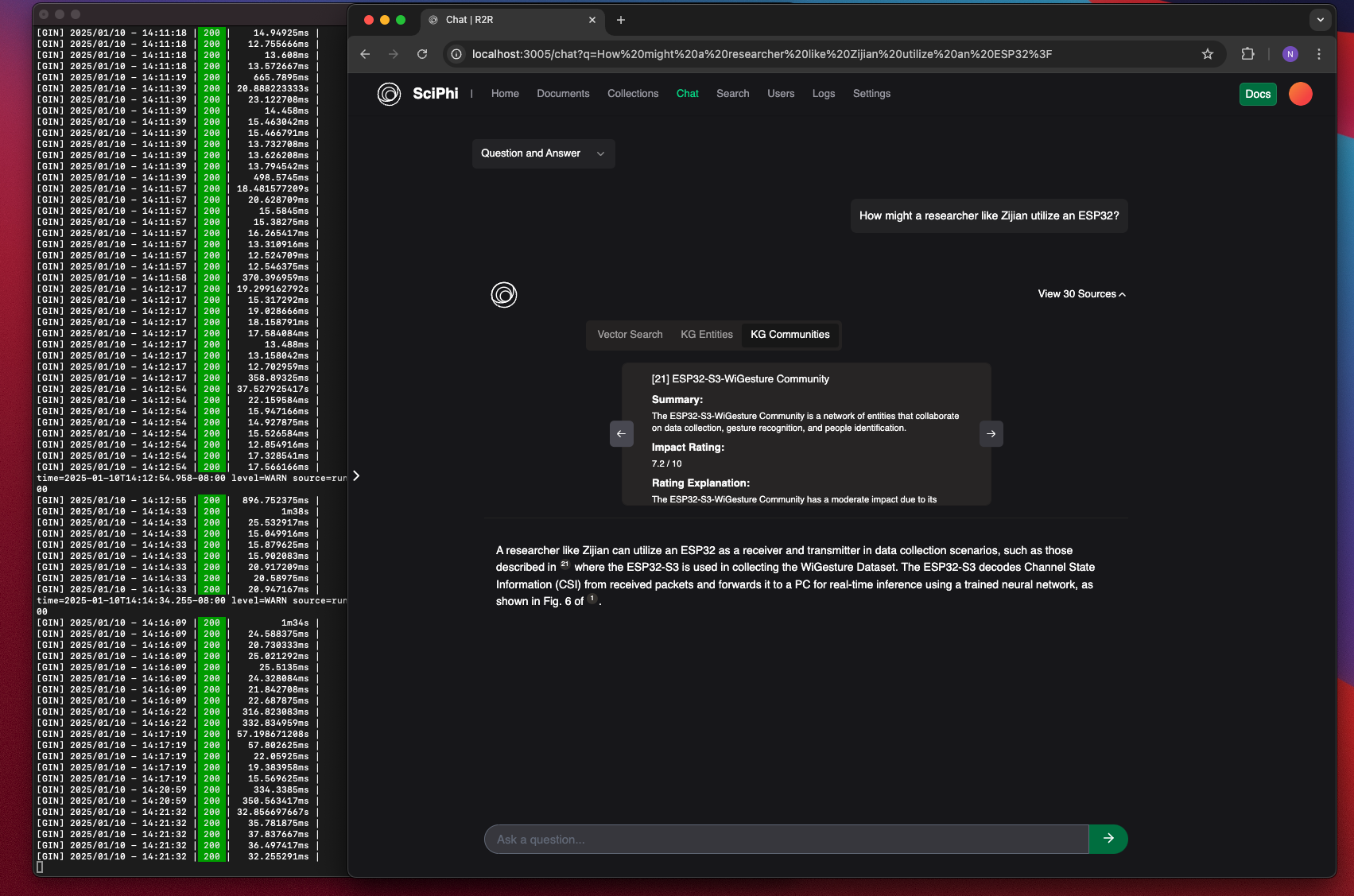
A RAG query that utilizes communities
[Built with](https://buildwithfern.com/?utm_campaign=buildWith&utm_medium=docs&utm_source=r2r-docs.sciphi.ai)
---
# 404: This page could not be found
404
===
This page could not be found.
-----------------------------
---
# Maintenance & Scaling — The most advanced AI retrieval system. Containerized, Retrieval-Augmented Generation (RAG) with a RESTful API.
User management features are currently restricted to:
* Self-hosted instances
* Enterprise tier cloud accounts
Contact our sales team for Enterprise pricing and features.
This guide covers essential maintenance tasks for R2R deployments, with a focus on vector index management and system updates. Understanding when and how to build vector indices, as well as keeping your R2R installation current, is crucial for maintaining optimal performance at scale.
Vector Indices
--------------
### Do You Need Vector Indices?
Vector indices are **not necessary for all deployments**, especially in multi-user applications where each user typically queries their own subset of documents. Consider that:
* In multi-user applications, queries are usually filtered by user\_id, drastically reducing the actual number of vectors being searched
* A system with 1 million total vectors but 1000 users might only search through 1000 vectors per query
* Performance impact of not having indices is minimal when searching small per-user document sets
Only consider implementing vector indices when:
* Individual users are searching across hundreds of thousands of documents
* Query latency becomes a bottleneck even with user-specific filtering
* You need to support cross-user search functionality at scale
For development environments or smaller deployments, the overhead of maintaining vector indices often outweighs their benefits.
### Vector Index Management
R2R supports multiple indexing methods, with HNSW (Hierarchical Navigable Small World) being recommended for most use cases:
` | | | | --- | --- | | 1 | # Create vector index | | 2 | from r2r import R2RClient | | 3 | client = R2RClient() | | 4 | | | 5 | create_response = client.indices.create( | | 6 | { | | 7 | "table_name": "vectors", | | 8 | "index_method": "hnsw", | | 9 | "index_measure": "cosine_distance", | | 10 | "index_arguments": { | | 11 | "m": 16, # Number of connections per element | | 12 | "ef_construction": 64 # Size of dynamic candidate list | | 13 | }, | | 14 | } | | 15 | ) | | 16 | # List existing indices | | 17 | indices = client.indices.list() | | 18 | | | 19 | # Delete an index | | 20 | delete_response = client.indices.delete( | | 21 | index_name="ix_vector_cosine_ops_hnsw__20241021211541", | | 22 | table_name="vectors", | | 23 | ) | | 24 | print('delete_response = ', delete_response) | `
#### Important Considerations
1. **Pre-warming Requirement**
* New indices start “cold” and require warming for optimal performance
* Initial queries will be slower until the index is loaded into memory
* Consider implementing explicit pre-warming in production
* Warming must be repeated after system restarts
2. **Resource Usage**
* Index creation is CPU and memory intensive
* Memory usage scales with both dataset size and `m` parameter
* Consider creating indices during off-peak hours
3. **Performance Tuning**
* HNSW Parameters:
* `m`: 16-64 (higher = better quality, more memory)
* `ef_construction`: 64-100 (higher = better quality, longer build time)
* Distance Measures:
* `cosine_distance`: Best for normalized vectors (most common)
* `l2_distance`: Better for absolute distances
* `max_inner_product`: Optimized for dot product similarity
System Updates and Maintenance
------------------------------
### Version Management
Check your current R2R version:
` | | | | --- | --- | | $ | r2r version | `
### Update Process
1. **Prepare for Update**
` | | | | --- | --- | | $ | # Check current versions | | > | r2r version | | > | r2r db current | | > | | | > | # Generate system report (optional) | | > | r2r generate-report | `
2. **Stop Running Services**
` | | | | --- | --- | | $ | r2r docker-down | `
3. **Update R2R**
` | | | | --- | --- | | $ | r2r update | `
4. **Update Database**
` | | | | --- | --- | | $ | r2r db upgrade | `
5. **Restart Services**
` | | | | --- | --- | | $ | r2r serve --docker [additional options] | `
### Database Migration Management
R2R uses database migrations to manage schema changes. Always check and update your database schema after updates:
` | | | | --- | --- | | $ | # Check current migration | | > | r2r db current | | > | | | > | # Apply migrations | | > | r2r db upgrade | `
### Managing Multiple Environments
Use different project names and schemas for different environments:
` | | | | --- | --- | | $ | # Development | | > | export R2R_PROJECT_NAME=r2r_dev | | > | r2r serve --docker --project-name r2r-dev | | > | | | > | # Staging | | > | export R2R_PROJECT_NAME=r2r_staging | | > | r2r serve --docker --project-name r2r-staging | | > | | | > | # Production | | > | export R2R_PROJECT_NAME=r2r_prod | | > | r2r serve --docker --project-name r2r-prod | `
Troubleshooting
---------------
If issues occur:
1. Generate a system report:
` | | | | --- | --- | | $ | r2r generate-report | `
2. Check container health:
` | | | | --- | --- | | $ | r2r docker-down | | > | r2r serve --docker | `
3. Review database state:
` | | | | --- | --- | | $ | r2r db current | | > | r2r db history | `
4. Roll back if needed:
` | | | | --- | --- | | $ | r2r db downgrade --revision | `
Scaling Strategies
------------------
### Horizontal Scaling
For applications serving many users:
1. **Load Balancing**
* Deploy multiple R2R instances behind a load balancer
* Each instance can handle a subset of users
* Particularly effective since most queries are user-specific
2. **Sharding**
* Consider sharding by user\_id for large multi-user deployments
* Each shard handles a subset of users
* Maintains performance even with millions of total documents
### Vertical Scaling
For applications requiring large single-user searches:
1. **Cloud Provider Solutions**
* AWS RDS supports up to 1 billion vectors per instance
* Scale up compute and memory resources as needed
* Example instance types:
* `db.r6g.16xlarge`: Suitable for up to 100M vectors
* `db.r6g.metal`: Can handle 1B+ vectors
2. **Memory Optimization**
` | | | | --- | --- | | 1 | # Optimize for large vector collections | | 2 | client.indices.create( | | 3 | table_name="vectors", | | 4 | index_method="hnsw", | | 5 | index_arguments={ | | 6 | "m": 32, # Increased for better performance | | 7 | "ef_construction": 80 # Balanced for large collections | | 8 | } | | 9 | ) | `
### Multi-User Considerations
1. **Filtering Optimization**
` | | | | --- | --- | | 1 | # Efficient per-user search | | 2 | response = client.retrieval.search( | | 3 | "query", | | 4 | search_settings={ | | 5 | "filters": { | | 6 | "user_id": {"$eq": "current_user_id"} | | 7 | } | | 8 | } | | 9 | ) | `
2. **Collection Management**
* Group related documents into collections
* Enable efficient access control
* Optimize search scope
3. **Resource Allocation**
* Monitor per-user resource usage
* Implement usage quotas if needed
* Consider dedicated instances for power users
### Performance Monitoring
Monitor these metrics to inform scaling decisions:
1. **Query Performance**
* Average query latency per user
* Number of vectors searched per query
* Cache hit rates
2. **System Resources**
* Memory usage per instance
* CPU utilization
* Storage growth rate
3. **User Patterns**
* Number of active users
* Query patterns and peak usage times
* Document count per user
[Built with](https://buildwithfern.com/?utm_campaign=buildWith&utm_medium=docs&utm_source=r2r-docs.sciphi.ai)
---
# Overview — The most advanced AI retrieval system. Containerized, Retrieval-Augmented Generation (RAG) with a RESTful API.
R2R offers a flexible configuration system that allows you to customize your Retrieval-Augmented Generation (RAG) system. This guide introduces the key concepts and methods for configuring R2R.
Configuration Levels
--------------------
R2R supports two main levels of configuration:
1. **Server-side Configuration**: Define default configuration for your R2R deployment.
2. **Runtime Settings**: Dynamically override configuration settings when making API calls.
Server-side Configuration
-------------------------
The default settings for the [`R2R light` installation](/self-hosting/installation/light/local-system)
are specified in the [`r2r.toml`](https://github.com/SciPhi-AI/R2R/blob/main/py/r2r.toml)
file.
To create your own custom configuration:
1. Create a new file named `my_r2r.toml` in your project directory.
2. Add only the settings you wish to customize. For example:
my\_r2r.toml
`` | | | | --- | --- | | 1 | [embedding] | | 2 | provider = "litellm" | | 3 | base_model = "text-embedding-3-small" # defaults to `text-embedding-3-large` | | 4 | base_dimension = 512 # defaults to `3072` | | 5 | | | 6 | [completion] | | 7 | [completion.generation_config] | | 8 | model = "anthropic/claude-3-opus-20240229" # defaults to `openai/gpt-4o` | ``
3. Launch R2R with the CLI using your custom configuration:
` | | | | --- | --- | | $ | r2r serve --config-path=my_r2r.toml | `
R2R will use your specified settings, falling back to the defaults defined in the `r2r.toml` for any unspecified options. When doing the [`R2R full` installation](/self-hosting/installation/full/docker)
the R2R CLI uses the [`full.toml`](https://github.com/SciPhi-AI/R2R/blob/main/py/core/configs/full.toml)
to configure the relevant provider settings.
Runtime Settings
----------------
When calling endpoints, like `retrieval/search` or `retrieval/rag`, you can override server-side configurations on-the-fly. This allows for dynamic control over search settings, model selection, prompt customization, and more.
For example, using the Python SDK:
`` | | | | --- | --- | | 1 | client = R2RClient("http://localhost:7272") | | 2 | | | 3 | response = client.retrieval.rag( | | 4 | "Who was Aristotle?", | | 5 | rag_generation_config={ | | 6 | "model": "anthropic/claude-3-haiku-20240307", # overrides `claude-3-opus` specified above | | 7 | "temperature": 0.7 | | 8 | }, | | 9 | search_settings={ | | 10 | "limit": 100, # number of search results to return | | 11 | "use_hybrid_search": True # enable semantic + full-text search | | 12 | } | | 13 | ) | ``
[Refer here](/self-hosting/configuration/retrieval/overview)
to learn more about configuring and dynamically setting your retrieval system.
[Built with](https://buildwithfern.com/?utm_campaign=buildWith&utm_medium=docs&utm_source=r2r-docs.sciphi.ai)
---
# Quickstart — The most advanced AI retrieval system. Containerized, Retrieval-Augmented Generation (RAG) with a RESTful API.
This basic quickstart shows how to:
1. Ingest files into your R2R system
2. Search over ingested files
3. Request or stream a RAG (Retrieval-Augmented Generation) response
4. Use the RAG Agent for more complex, interactive queries
Be sure to complete the [installation instructions](/self-hosting/installation/overview)
before continuing with this guide. If you prefer to dive straight into the API details, click below:
[API & SDKs](/api-and-sdks/introduction)
Getting started
---------------
Start by checking that you have correctly deployed your R2R instance locally:
` | | | | --- | --- | | $ | curl http://localhost:7272/v3/health | | > | # {"results":{"response":"ok"}} | `
SciPhi offers managed enterprise solutions for R2R. If you’re interested in a fully managed, scalable deployment of R2R for your organization, please contact their team at [\[email protected\]](/cdn-cgi/l/email-protection#20464f554e44455253605343495048490e4149)
for more information on enterprise offerings.
Ingesting file(s) and directories
---------------------------------
The remainder of this quickstart will proceed with CLI commands, but all of these commands are easily reproduced inside of the Javascript or Python SDK.
Ingest your selected files or directories:
`` | | | | --- | --- | | $ | r2r set-api-base http://localhost:7272 # or `export R2R_API_BASE=http://localhost:7272` | | > | r2r documents create --file-paths /path/to/your_file_1 /path/to/your_dir_1 ... | ``
**For testing**: Use the sample file(s) included inside the R2R project:
` | | | | --- | --- | | $ | r2r documents create-sample | | > | # or r2r documents create-samples for multi-ingestion | `
Example output:
` [{'message': 'Ingestion task queued successfully.', 'task_id': '2b16bb55-4f47-4e66-a6bd-da9e215b9793', 'document_id': '9fbe403b-c11c-5aae-8ade-ef22980c3ad1'}] `
When no document ID(s) are provided to the ingest\_files endpoint, a unique document ID is automatically generated for each ingested document from the input filepath and user id.
After successful ingestion, the documents overview endpoint will return output like so:
` | | | | --- | --- | | $ | r2r documents list | `
Example output:
` | | | --- | | { | | 'id': '9fbe403b-c11c-5aae-8ade-ef22980c3ad1', | | 'title': 'aristotle.txt', | | 'user_id': '2acb499e-8428-543b-bd85-0d9098718220', | | ... | | 'ingestion_status': 'parsing', | | ... | | } | | ... within 10s ... | | { | | 'id': '9fbe403b-c11c-5aae-8ade-ef22980c3ad1', | | 'created_at': '2024-12-02T22:55:38.701770Z' | | ... | | 'summary': "The document contains an overview of Aristotle, an Ancient Greek philosopher and polymath who lived from 384 to 322 BC. It highlights his extensive contributions across various fields, including natural sciences, philosophy, and the arts, and notes his role as the founder of the Peripatetic school in Athens. The document discusses his early life, education under Plato, and his later work tutoring Alexander the Great. It emphasizes the lasting impact of Aristotle's teachings on medieval scholarship, logic, and ethics, as well as his influence on Judeo-Islamic and Christian thought throughout history. Despite only a fraction of his works surviving, his ideas continue to be relevant in contemporary philosophical discussions." | | 'ingestion_status': 'success', | | 'extraction_status': 'pending', | | ... | | } | `
Ingestion is complete when all documents are in a `success` or `failed` state.
Executing a search
------------------
Perform a search query:
` | | | | --- | --- | | $ | r2r retrieval search --query="who was aristotle?" | `
The search query will use basic similarity search to find the most relevant documents. You can use advanced search methods like [hybrid search](/cookbooks/hybrid-search)
or [graph search](/cookbooks/graphs)
depending on your use case.
Example output:
` | | | --- | | {'results': | | {'chunk_search_results': [ | | { | | 'fragment_id': '34c32587-e2c9-529f-b0a7-884e9a3c3b2e', | | 'extraction_id': '8edf5123-0a5c-568c-bf97-654b6adaf8dc', | | 'document_id': '9fbe403b-c11c-5aae-8ade-ef22980c3ad1', | | 'user_id': '2acb499e-8428-543b-bd85-0d9098718220', | | 'collection_ids': [], | | 'score': 0.780314067545999, | | 'text': 'Aristotle[A] (Greek: Ἀριστοτέλης Aristotélēs, pronounced [aristotélɛːs]; 384–322 BC) was an Ancient Greek philosopher and polymath. His writings cover a broad range of subjects spanning the natural sciences, philosophy, linguistics, economics, politics, psychology, and the arts. As the founder of the Peripatetic school of philosophy in the Lyceum in Athens, he began the wider Aristotelian tradition that followed, which set the groundwork for the development of modern science.', | | 'metadata': { | | 'title': 'aristotle.txt', | | 'version': 'v0', | | 'chunk_order': 0, | | ... | `\
\
RAG Response\
------------\
\
Generate a RAG response:\
\
` | | | | --- | --- | | $ | r2r retrieval rag --query="who was aristotle?" --use-hybrid-search=True | `\
\
Example output:\
\
` | | | --- | | Search Results: | | {'chunk_search_results': ... } | | Completion: | | {'results': [ | | { | | 'id': 'chatcmpl-9eXL6sKWlUkP3f6QBnXvEiKkWKBK4', | | 'choices': [ | | { | | 'finish_reason': 'stop', | | 'index': 0, | | 'logprobs': None, | | 'message': { | | 'content': "Aristotle (384–322 BC) was an Ancient Greek philosopher and polymath whose writings covered a broad range of subjects including the natural sciences, | | ... | `\
\
Stream a RAG Response\
---------------------\
\
Stream a RAG response:\
\
` | | | | --- | --- | | $ | r2r retrieval rag --query="who was aristotle?" --stream --use-hybrid-search=True | `\
\
Example output (streamed):\
\
` | | | --- | | "{\"fragment_id\":\"34c32587-e2c9-52.....}" | | Aristotle (384–322 BC) was an Ancient Greek philosopher ... | `\
\
Using the R2R RAG Agent\
-----------------------\
\
The RAG agent inside R2R provides a more interactive and intelligent way to query your knowledge base. It can formulate its own questions, search for information, and provide informed responses based on the retrieved context.\
\
### Basic RAG Agent Usage\
\
Here’s how to use the RAG Agent for a simple query:\
\
` | | | | --- | --- | | 1 | # Use the RAG assistant via the agent endpoint | | 2 | first_reply = client.retrieval.agent( | | 3 | message={"role": "user", "content": "Who was aristotle?"}, | | 4 | search_settings={"limit": 5, "filters": {}}, | | 5 | ) | | 6 | print(first_reply) | | 7 | # {'results': {'messages': [ | | 8 | # {'role': 'function', 'content': 'Vector Search Results:\nSource [1]:\nAristotle[A] (Greek: Ἀριστοτέλης Aristotélēs, pronounced [aristotélɛːs]; 384–322 BC) was an Ancient Greek philosopher and polymath. His writings cover a broad range of subjects spanning the natural sciences, philosophy, linguistics, economics, politics, psychology, and the arts. As the founder of the Peripatetic school of philosophy in the Lyceum in Athens, he began the wider Aristotelian tradition that followed, which set the groundwork for the development of modern science.\nSource [2]:\nAristotle was revered among medieval Muslim scholars as "The First Teacher", and among medieval Christians like Thomas Aquinas as simply "The Philosopher", while the poet Dante called him "the master of those who know". His works contain the earliest known formal study of logic, and were studied by medieval scholars such as Peter Abelard and Jean Buridan. Aristotle\'s influence on logic continued well into the 19th century. In addition, his ethics, although always influential, gained renewed interest with the modern advent of virtue ethics.\nSource [3]:\nLittle is known about Aristotle\'s life. He was born in the city of Stagira in northern Greece during the Classical period. His father, Nicomachus, died when Aristotle was a child, and he was brought up by a guardian. At 17 or 18, he joined Plato\'s Academy in Athens and remained there until the age of 37 (c.\u2009347 BC). Shortly after Plato died, Aristotle left Athens and, at the request of Philip II of Macedon, tutored his son Alexander the Great beginning in 343 BC. He established a library in the Lyceum, which helped him to produce many of his hundreds of books on papyrus scrolls.\n\nThough Aristotle wrote many elegant treatises and dialogues for publication, only around a third of his original output has survived, none of it intended for publication. Aristotle provided a complex synthesis of the various philosophies existing prior to him. His teachings and methods of inquiry have had a significant impact across the world, and remain a subject of contemporary philosophical discussion.\nSource [4]:\nThough Aristotle wrote many elegant treatises and dialogues for publication, only around a third of his original output has survived, none of it intended for publication. Aristotle provided a complex synthesis of the various philosophies existing prior to him. His teachings and methods of inquiry have had a significant impact across the world, and remain a subject of contemporary philosophical discussion.\n\nAristotle\'s views profoundly shaped medieval scholarship. The influence of his physical science extended from late antiquity and the Early Middle Ages into the Renaissance, and was not replaced systematically until the Enlightenment and theories such as classical mechanics were developed. He influenced Judeo-Islamic philosophies during the Middle Ages, as well as Christian theology, especially the Neoplatonism of the Early Church and the scholastic tradition of the Catholic Church.\nKG Search Results:\nSource [5]:\nName: ARISTOTLE\nDescription: Aristotle was an Ancient Greek philosopher and polymath, founder of the Peripatetic school of philosophy in Athens, and a significant figure in the development of modern science.\nMetadata:\n- associated_query: Who was Aristotle?\nSource [6]:\nName: THOMAS AQUINAS\nDescription: Thomas Aquinas was a medieval philosopher who revered Aristotle as "The Philosopher."\nMetadata:\n- associated_query: Who was Aristotle?\nSource [7]:\nName: PLATO\nDescription: Plato was a philosopher and the founder of the Academy in Athens, where Aristotle studied.\nMetadata:\n- associated_query: Who was Aristotle?\nSource [8]:\nName: LYCEUM\nDescription: The Lyceum was the school founded by Aristotle in Athens, where he taught and established a library.\nMetadata:\n- associated_query: Who was Aristotle?\nSource [9]:\nName: STAGIRA\nDescription: Stagira is the city in northern Greece where Aristotle was born.\nMetadata:\n- associated_query: Who was Aristotle?\nSource [10]:\nRelationship: ARISTOTLE - Pioneer - LOGIC\nMetadata:\n- associated_query: Who was Aristotle?\nSource [11]:\nRelationship: THOMAS AQUINAS - Revered Figure - ARISTOTLE\nMetadata:\n- associated_query: Who was Aristotle?\nSource [12]:\nRelationship: ARISTOTLE - Birthplace - STAGIRA\nMetadata:\n- associated_query: Who was Aristotle?\nSource [13]:\nRelationship: ARISTOTLE - Student-Teacher - PLATO\nMetadata:\n- associated_query: Who was Aristotle?\nSource [14]:\nRelationship: DANTE - Revered Figure - ARISTOTLE\nMetadata:\n- associated_query: Who was Aristotle?\nSource [15]:\nName: Aristotle and His Legacy\nSummary: This community centers around Aristotle, a foundational figure in Western philosophy, and his profound influence on various intellectual traditions, including virtue ethics, logic, and medieval scholarship. Key figures such as Dante and Thomas Aquinas revered Aristotle, highlighting his enduring impact on philosophy and education.\nMetadata:\n- associated_query: Who was Aristotle?\nSource [16]:\nName: Aristotle, Plato, and the Lyceum\nSummary: This community comprises key historical figures Aristotle and Plato, along with the educational institution Lyceum, which was founded by Aristotle. Their relationships highlight a foundational network in Western philosophy and education, emphasizing the influence of Plato on Aristotle\'s teachings and the establishment of the Lyceum.\nMetadata:\n- associated_query: Who was Aristotle?\nSource [17]:\nName: Aristotle, Philip II of Macedon, and Alexander the Great\nSummary: This community comprises key historical figures including Aristotle, Philip II of Macedon, and Alexander the Great, who are interconnected through a significant tutor-student relationship. Aristotle\'s role as the tutor of Alexander, at the behest of Philip II, highlights the profound influence of education on leadership and governance in ancient history.\nMetadata:\n- associated_query: Who was Aristotle?', 'name': 'search', 'function_call': None, 'tool_calls': None}, | | 9 | # {'role': 'assistant', 'content': 'Aristotle (384–322 BC) was an Ancient Greek philosopher and polymath whose work has had a profound and lasting impact on various fields of knowledge. Here are some key points about him:\n\n1. **Philosophical Contributions**: Aristotle\'s writings cover a broad range of subjects, including natural sciences, philosophy, linguistics, economics, politics, psychology, and the arts. He is known for founding the Peripatetic school of philosophy in the Lyceum in Athens, which laid the groundwork for the development of modern science [1].\n\n2. **Influence and Legacy**: Aristotle was highly revered among medieval Muslim scholars as "The First Teacher" and among medieval Christians like Thomas Aquinas as "The Philosopher." His works contain the earliest known formal study of logic, which continued to influence scholars well into the 19th century. His ethical theories have also gained renewed interest with the modern advent of virtue ethics [2].\n\n3. **Life and Education**: Born in Stagira, northern Greece, Aristotle joined Plato\'s Academy in Athens at the age of 17 or 18 and remained there until he was 37. After Plato\'s death, Aristotle left Athens and tutored Alexander the Great at the request of Philip II of Macedon. He later established a library in the Lyceum, which helped him produce many of his works [3].\n\n4. **Surviving Works**: Although Aristotle wrote many treatises and dialogues, only about a third of his original output has survived. His teachings provided a complex synthesis of various philosophies existing before him and have had a significant impact on subsequent intellectual traditions [4].\n\n5. **Impact on Medieval Scholarship**: Aristotle\'s views shaped medieval scholarship, influencing Judeo-Islamic philosophies and Christian theology, particularly the scholastic tradition of the Catholic Church. His influence extended from late antiquity through the Renaissance until the Enlightenment [4].\n\nAristotle\'s contributions to philosophy and science have made him one of the most influential figures in Western intellectual history.', 'name': None, 'function_call': None, 'tool_calls': None}], 'conversation_id': 'b9ec67cf-29ff-4bf4-8ac8-6dea1b19391b'} | | 10 | # ] | | 11 | # } | | 12 | conversation_id = first_reply["results"]["conversation_id"] | | 13 | | | 14 | second_reply = client.retrieval.agent( | | 15 | message={"role": "user", "content": "What were his contributions to philosophy?"}, | | 16 | search_settings={"limit": 5, "filters": {}}, | | 17 | conversation_id=conversation_id, | | 18 | ) | | 19 | print(second_reply) | | 20 | # { | | 21 | # 'results': {'messages': [ | | 22 | # {'role': 'function', 'content': 'Vector Search Results:\nSource [1]:\nAristotle was revered among medieval Muslim scholars as "The First Teacher", and among medieval Christians like Thomas Aquinas as simply "The Philosopher", while the poet Dante called him "the master of those who know". His works contain the earliest known formal study of logic, and were studied by medieval scholars such as Peter Abelard and Jean Buridan. Aristotle\'s influence on logic continued well into the 19th century. In addition, his ethics, although always influential, gained renewed interest with the modern advent of virtue ethics.\nSource [2]:\nAristotle[A] (Greek: Ἀριστοτέλης Aristotélēs, pronounced [aristotélɛːs]; 384–322 BC) was an Ancient Greek philosopher and polymath. His writings cover a broad range of subjects spanning the natural sciences, philosophy, linguistics, economics, politics, psychology, and the arts. As the founder of the Peripatetic school of philosophy in the Lyceum in Athens, he began the wider Aristotelian tradition that followed, which set the groundwork for the development of modern science.\nSource [3]:\nThough Aristotle wrote many elegant treatises and dialogues for publication, only around a third of his original output has survived, none of it intended for publication. Aristotle provided a complex synthesis of the various philosophies existing prior to him. His teachings and methods of inquiry have had a significant impact across the world, and remain a subject of contemporary philosophical discussion.\n\nAristotle\'s views profoundly shaped medieval scholarship. The influence of his physical science extended from late antiquity and the Early Middle Ages into the Renaissance, and was not replaced systematically until the Enlightenment and theories such as classical mechanics were developed. He influenced Judeo-Islamic philosophies during the Middle Ages, as well as Christian theology, especially the Neoplatonism of the Early Church and the scholastic tradition of the Catholic Church.\nSource [4]:\nLittle is known about Aristotle\'s life. He was born in the city of Stagira in northern Greece during the Classical period. His father, Nicomachus, died when Aristotle was a child, and he was brought up by a guardian. At 17 or 18, he joined Plato\'s Academy in Athens and remained there until the age of 37 (c.\u2009347 BC). Shortly after Plato died, Aristotle left Athens and, at the request of Philip II of Macedon, tutored his son Alexander the Great beginning in 343 BC. He established a library in the Lyceum, which helped him to produce many of his hundreds of books on papyrus scrolls.\n\nThough Aristotle wrote many elegant treatises and dialogues for publication, only around a third of his original output has survived, none of it intended for publication. Aristotle provided a complex synthesis of the various philosophies existing prior to him. His teachings and methods of inquiry have had a significant impact across the world, and remain a subject of contemporary philosophical discussion.\nKG Search Results:\nSource [5]:\nName: ARISTOTLE\nDescription: Aristotle was an Ancient Greek philosopher and polymath, founder of the Peripatetic school of philosophy in Athens, and a significant figure in the development of modern science.\nMetadata:\n- associated_query: Aristotle\'s contributions to philosophy\nSource [6]:\nName: THOMAS AQUINAS\nDescription: Thomas Aquinas was a medieval philosopher who revered Aristotle as "The Philosopher."\nMetadata:\n- associated_query: Aristotle\'s contributions to philosophy\nSource [7]:\nName: PLATO\nDescription: Plato was a philosopher and the founder of the Academy in Athens, where Aristotle studied.\nMetadata:\n- associated_query: Aristotle\'s contributions to philosophy\nSource [8]:\nName: ATHENS\nDescription: Athens is the city in Greece where Aristotle studied at Plato\'s Academy and later founded the Lyceum.\nMetadata:\n- associated_query: Aristotle\'s contributions to philosophy\nSource [9]:\nName: LYCEUM\nDescription: The Lyceum was the school founded by Aristotle in Athens, where he taught and established a library.\nMetadata:\n- associated_query: Aristotle\'s contributions to philosophy\nSource [10]:\nRelationship: ARISTOTLE - Influence - VIRTUE ETHICS\nMetadata:\n- associated_query: Aristotle\'s contributions to philosophy\nSource [11]:\nRelationship: ARISTOTLE - Influence - MEDIEVAL SCHOLARSHIP\nMetadata:\n- associated_query: Aristotle\'s contributions to philosophy\nSource [12]:\nRelationship: ARISTOTLE - Pioneer - LOGIC\nMetadata:\n- associated_query: Aristotle\'s contributions to philosophy\nSource [13]:\nRelationship: THOMAS AQUINAS - Revered Figure - ARISTOTLE\nMetadata:\n- associated_query: Aristotle\'s contributions to philosophy\nSource [14]:\nRelationship: ARISTOTLE - Associated With - ATHENS\nMetadata:\n- associated_query: Aristotle\'s contributions to philosophy\nSource [15]:\nName: Aristotle and His Legacy\nSummary: This community centers around Aristotle, a foundational figure in Western philosophy, and his profound influence on various intellectual traditions, including virtue ethics, logic, and medieval scholarship. Key figures such as Dante and Thomas Aquinas revered Aristotle, highlighting his enduring impact on philosophy and education.\nMetadata:\n- associated_query: Aristotle\'s contributions to philosophy\nSource [16]:\nName: Aristotle, Plato, and the Lyceum\nSummary: This community comprises key historical figures Aristotle and Plato, along with the educational institution Lyceum, which was founded by Aristotle. Their relationships highlight a foundational network in Western philosophy and education, emphasizing the influence of Plato on Aristotle\'s teachings and the establishment of the Lyceum.\nMetadata:\n- associated_query: Aristotle\'s contributions to philosophy\nSource [17]:\nName: Aristotle, Philip II of Macedon, and Alexander the Great\nSummary: This community comprises key historical figures including Aristotle, Philip II of Macedon, and Alexander the Great, who are interconnected through a significant tutor-student relationship. Aristotle\'s role as the tutor of Alexander, at the behest of Philip II, highlights the profound influence of education on leadership and governance in ancient history.\nMetadata:\n- associated_query: Aristotle\'s contributions to philosophy', 'name': 'search', 'function_call': None, 'tool_calls': None}, | | 23 | # {'role': 'assistant', 'content': 'Aristotle made numerous significant contributions to philosophy, many of which have had a lasting impact on various fields of study. Here are some of his key contributions:\n\n1. **Logic**: Aristotle is often credited with founding the field of formal logic. His work in this area, particularly the "Organon," laid the groundwork for the study of logic for centuries. His syllogistic method was the dominant form of logic until the 19th century [1][12].\n\n2. **Metaphysics**: In his work "Metaphysics," Aristotle explored the nature of reality, substance, and existence. He introduced concepts such as potentiality and actuality, which have been fundamental to subsequent metaphysical thought [1][3].\n\n3. **Ethics**: Aristotle\'s "Nicomachean Ethics" is one of the most influential works in moral philosophy. He introduced the concept of virtue ethics, which emphasizes the development of good character traits (virtues) as the basis for ethical behavior. This approach contrasts with other ethical theories that focus on rules or consequences [1][10].\n\n4. **Political Philosophy**: In "Politics," Aristotle examined various forms of government and their functions. He argued for a mixed government system and emphasized the importance of the middle class in achieving political stability. His ideas have influenced political theory throughout history [1][2].\n\n5. **Natural Sciences**: Aristotle made significant contributions to the natural sciences, including biology, zoology, and physics. His observations and classifications of living organisms were used as a reference for many centuries. Although some of his scientific theories were later disproven, his empirical approach laid the groundwork for future scientific inquiry [2][3].\n\n6. **Epistemology**: Aristotle\'s theory of knowledge emphasized empirical observation and logical reasoning. He believed that knowledge is derived from sensory experience and that the mind can abstract universal principles from particular instances [1][3].\n\n7. **Rhetoric and Poetics**: Aristotle\'s works "Rhetoric" and "Poetics" have been foundational texts in the study of communication and literary theory. In "Rhetoric," he analyzed the art of persuasion, while in "Poetics," he examined the principles of dramatic and literary composition [2][3].\n\nAristotle\'s comprehensive approach to philosophy and his method of systematic inquiry have made him one of the most influential figures in Western intellectual history. His ideas continue to be studied and debated in contemporary philosophical discussions.', 'name': None, 'function_call': None, 'tool_calls': None}], 'conversation_id': 'f737345d-3fca-4cce-b896-f61f229c410d'} | | 24 | # ] | | 25 | # } | `\
\
Additional Features\
-------------------\
\
R2R offers the additional features below to enhance your document management and user experience.\
\
### Graphs\
\
R2R provides powerful entity and relationshipo extraction capabilities that enhance document understanding and retrieval. These can leveraged to construct knowledge graphs inside R2R. The system can automatically identify entities, build relationships between them, and create enriched knowledge graphs from your document collection.\
\
[Knowledge Graphs\
\
Automatically extract entities and relationships from documents to form knowledge graphs.](/cookbooks/graphs)\
[GraphRAG\
\
Explore advanced techniques for utilizing graph-based retrieval in R2R.](/cookbooks/graphrag)\
\
### User Authentication\
\
R2R provides a complete set of user authentication and management features, allowing you to implement secure and feature-rich authentication systems or integrate with your preferred authentication provider.\
\
[User Auth Cookbook\
\
Learn how to implement user registration, login, email verification, and more using R2R’s built-in authentication capabilities.](/cookbooks/user-auth)\
[Auth Providers\
\
Explore the available authentication provider options in R2R and how to integrate with your preferred provider.](/self-hosting/configuration/auth-and-users)\
\
### Collections\
\
Collections in R2R enable efficient access control and organization of users and documents. With collections, you can manage permissions and access at a group level.\
\
[Collections Cookbook\
\
Discover how to create, manage, and utilize collections in R2R for granular access control and document organization.](/self-hosting/collections)\
[Collection Permissions\
\
Learn about best practices for implementing collection permissions and customizing access control in your R2R application.](/self-hosting/collections#security-considerations)\
\
Next Steps\
----------\
\
Now that you have a basic understanding of R2R’s core features, you can explore more advanced topics:\
\
* Dive into [document ingestion](/self-hosting/configuration/ingestion)\
customization options and [the document reference](/api-and-sdks/documents/documents)\
.\
* Learn about [search and RAG](/self-hosting/configuration/retrieval/overview)\
customization and [retrieval reference](/api-and-sdks/retrieval/retrieval)\
.\
* Try advanced techniques like [knowledge-graph construction](/cookbooks/graphs)\
and [HyDE](/cookbooks/advanced-rag)\
.\
* Implement [user authentication](/self-hosting/configuration/auth)\
to secure your application permissions and [serve users](/api-and-sdks/users/users)\
.\
* Organize your documents using [collections](/api-and-sdks/collections/collections)\
for granular access control.\
\
[Built with](https://buildwithfern.com/?utm_campaign=buildWith&utm_medium=docs&utm_source=r2r-docs.sciphi.ai)
---
# Postgres — The most advanced AI retrieval system. Containerized, Retrieval-Augmented Generation (RAG) with a RESTful API.
Postgres Database
-----------------
R2R uses Postgres as the sole provider for relational and vector search queries. This means that Postgres is involved in handling authentication, document management, and search across R2R. For robust search capabilities, R2R leverages the `pgvector` extension and `ts_rank` to implement [customizable hybrid search](/cookbooks/hybrid-search)
.
R2R chooses Postgres as its core technology for several reasons:
* **Versatility**: Postgres is a robust, advanced database that can handle both relational data and vector embeddings.
* **Simplicity**: By using Postgres for both traditional data and vector search, R2R eliminates the need for complex syncing between separate databases.
* **Familiarity**: Many developers are already comfortable with Postgres, making it easier to integrate R2R into existing workflows.
* **Extensibility**: Postgres’s rich ecosystem of extensions allows R2R to leverage advanced features and optimizations.
Read more about [Postgres here](https://www.postgresql.org/)
.
Postgres Configuration
----------------------
To customize the database settings, you can modify the `database` section in your `r2r.toml` file and set corresponding environment variables or provide the settings directly in the configuration file.
1. Edit the `database` section in your `r2r.toml` file:
r2r.toml
`` | | | | --- | --- | | 1 | [database] | | 2 | provider = "postgres" # currently only `postgres` is supported | | 3 | | | 4 | # optional parameters which are typically set in the environment instead: | | 5 | user = "your_postgres_user" | | 6 | password = "your_postgres_password" | | 7 | host = "your_postgres_host" | | 8 | port = "your_postgres_port" | | 9 | db_name = "your_database_name" | | 10 | your_project_name = "your_project_name" | ``
2. Alternatively, you can set the following environment variables:
` | | | | --- | --- | | $ | export R2R_POSTGRES_USER=your_postgres_user | | > | export R2R_POSTGRES_PASSWORD=your_postgres_password | | > | export R2R_POSTGRES_HOST=your_postgres_host | | > | export R2R_POSTGRES_PORT=your_postgres_port | | > | export R2R_POSTGRES_DBNAME=your_database_name | | > | export R2R_PROJECT_NAME=your_project_name | `
Advanced Postgres Features in R2R
---------------------------------
R2R leverages several advanced Postgres features to provide powerful search and retrieval capabilities:
### pgvector Extension
R2R uses the `pgvector` extension to enable efficient vector similarity search. This is crucial for semantic search operations. The `collection.py` file defines a custom `Vector` type that interfaces with `pgvector`:
` | | | | --- | --- | | 1 | class Vector(UserDefinedType): | | 2 | # ... (implementation details) | | 3 | | | 4 | class comparator_factory(UserDefinedType.Comparator): | | 5 | def l2_distance(self, other): | | 6 | return self.op("<->", return_type=Float)(other) | | 7 | | | 8 | def max_inner_product(self, other): | | 9 | return self.op("<#>", return_type=Float)(other) | | 10 | | | 11 | def cosine_distance(self, other): | | 12 | return self.op("<=>", return_type=Float)(other) | `
This allows R2R to perform efficient vector similarity searches using different distance measures.
### Hybrid Search
R2R implements a sophisticated hybrid search which combines full-text search and vector similarity search. This approach provides more accurate and contextually relevant results. Key components of the hybrid search include:
1. **Full-Text Search**: Utilizes Postgres’s built-in full-text search capabilities with `ts_rank` and `websearch_to_tsquery`.
2. **Semantic Search**: Performs vector similarity search using `pgvector`.
3. **Reciprocal Rank Fusion (RRF)**: Merges results from full-text and semantic searches.
In addition, R2R offers robust logical filters on metadata which include operations like `eq`, `neq`, `gt`, `gte`, `lt`, `lte`, `like`, `ilike`, `in`, and `nin`. Refer to the [retrieval API documentation](/api-and-sdks/retrieval/retrieval)
for all available inputs.
### Indexing
#### Vector similarity search
R2R supports two primary indexing methods for vector similarity search through pgvector: **HNSW** (Hierarchical Navigable Small World) and **IVF-Flat** (Inverted File with Flat Storage).
HNSW offers faster search times and better recall but requires more memory and slower build times, making it ideal for production environments where query speed is critical. IVF-Flat provides a balanced approach with faster index construction and lower memory usage, suitable for scenarios requiring a trade-off between build speed and query performance.
Both methods support cosine, L2, and inner product distance measures. See the [index API Reference](/api-and-sdks/indices/indices)
for detailed configuration options and management endpoints.
#### Full-text search
R2R uses GIN (Generalized Inverted Index) indexing to optimize full-text searches:
` | | | | --- | --- | | 1 | Index(f"idx_{name}_fts", "fts", postgresql_using="gin"), | `
This indexing strategy allows for efficient full-text search.
### JSON Support
R2R leverages Postgres’s JSONB type for flexible metadata storage:
` | | | | --- | --- | | 1 | Column( | | 2 | "metadata", | | 3 | postgresql.JSONB, | | 4 | server_default=text("'{}'::jsonb"), | | 5 | nullable=False, | | 6 | ) | `
This allows for efficient storage and querying of structured metadata alongside vector embeddings.
Performance Considerations
--------------------------
When setting up Postgres for R2R, consider the following performance optimizations:
1. **Indexing**: Ensure proper indexing for both full-text and vector searches. R2R automatically creates necessary indexes, but you may need to optimize them based on your specific usage patterns.
2. **Hardware**: For large-scale deployments, consider using dedicated Postgres instances with sufficient CPU and RAM to handle vector operations efficiently.
3. **Vacuuming**: Regular vacuuming helps maintain database performance, especially for tables with frequent updates or deletions.
4. **Partitioning**: For very large datasets, consider table partitioning to improve query performance.
By leveraging these advanced Postgres features and optimizations, R2R provides a powerful and flexible foundation for building sophisticated retrieval and search systems.
[Built with](https://buildwithfern.com/?utm_campaign=buildWith&utm_medium=docs&utm_source=r2r-docs.sciphi.ai)
---
# Embedding — The most advanced AI retrieval system. Containerized, Retrieval-Augmented Generation (RAG) with a RESTful API.
Embedding System
----------------
R2R uses embeddings as the foundation for semantic search and similarity matching capabilities. The embedding system is responsible for converting text into high-dimensional vectors that capture semantic meaning, enabling powerful search and retrieval operations.
R2R uses LiteLLM as to route embeddings requests because of their provider flexibility. Read more about [LiteLLM here](https://docs.litellm.ai/)
.
Embedding Configuration
-----------------------
The embedding system can be customized through the `embedding` section in your `r2r.toml` file, along with corresponding environment variables for sensitive information:
r2r.toml
` | | | | --- | --- | | 1 | [embedding] | | 2 | provider = "litellm" # defaults to "litellm" | | 3 | base_model = "openai/text-embedding-3-small" # defaults to "openai/text-embedding-3-large" | | 4 | base_dimension = 512 # defaults to 3072 | | 5 | batch_size = 512 # defaults to 128 | | 6 | rerank_model = "BAAI/bge-reranker-v2-m3" # defaults to None | | 7 | concurrent_request_limit = 256 # defaults to 256 | `
Relevant environment variables to the above configuration would be `OPENAI_API_KEY`, `OPENAI_API_BASE`, `HUGGINGFACE_API_KEY`, and `HUGGINGFACE_API_BASE`.
Advanced Embedding Features in R2R
----------------------------------
R2R leverages several advanced embedding features to provide robust text processing and retrieval capabilities:
### Batched Processing
R2R implements intelligent batching for embedding operations to optimize throughput and, in some cases, cost:
` | | | | --- | --- | | 1 | class EmbeddingProvider: | | 2 | async def embed_texts(self, texts: List[str]) -> List[List[float]]: | | 3 | batches = [texts[i:i + self.batch_size] for i in range(0, len(texts), self.batch_size)] | | 4 | embeddings = [] | | 5 | for batch in batches: | | 6 | batch_embeddings = await self._process_batch(batch) | | 7 | embeddings.extend(batch_embeddings) | | 8 | return embeddings | `
### Concurrent Request Management
The system implements sophisticated request handling with rate limiting and concurrency control:
1. **Rate Limiting**: Prevents API throttling through intelligent request scheduling
2. **Concurrent Processing**: Manages multiple embedding requests efficiently
3. **Error Handling**: Implements retry logic with exponential backoff
Performance Considerations
--------------------------
When configuring embeddings in R2R, consider these optimization strategies:
1. **Batch Size Optimization**:
* Larger batch sizes improve throughput but increase latency
* Consider provider-specific rate limits when setting batch size
* Balance memory usage with processing speed
2. **Concurrent Requests**:
* Adjust `concurrent_request_limit` based on provider capabilities
* Monitor API usage and adjust limits accordingly
* Consider implementing local caching for frequently embedded texts
3. **Model Selection**:
* Balance embedding dimension size with accuracy requirements
* Consider cost per token for different providers
* Evaluate multilingual requirements when choosing models
4. **Resource Management**:
* Monitor memory usage with large batch sizes
* Implement appropriate error handling and retry strategies
* Consider implementing local model fallbacks for critical systems
### Supported LiteLLM Providers
Select from the toggleable providers below.
###### OpenAI
###### Azure
###### Anthropic
###### Cohere
###### Ollama
###### HuggingFace
###### Bedrock
###### Vertex AI
###### Voyage AI
Example configuration:
example r2r.toml
` | | | | --- | --- | | 1 | provider = "litellm" | | 2 | base_model = "openai/text-embedding-3-small" | | 3 | base_dimension = 512 | `
` | | | | --- | --- | | $ | export OPENAI_API_KEY=your_openai_key | | > | # .. set other environment variables | | > | | | > | r2r serve --config-path=r2r.toml | `
Supported models include:
* openai/text-embedding-3-small
* openai/text-embedding-3-large
* openai/text-embedding-ada-002
[Built with](https://buildwithfern.com/?utm_campaign=buildWith&utm_medium=docs&utm_source=r2r-docs.sciphi.ai)
---
# 404: This page could not be found
404
===
This page could not be found.
-----------------------------
---
# 404: This page could not be found
404
===
This page could not be found.
-----------------------------
---
# Web Development — The most advanced AI retrieval system. Containerized, Retrieval-Augmented Generation (RAG) with a RESTful API.
Web developers can easily integrate R2R into their projects using the [R2R JavaScript client](https://www.npmjs.com/package/r2r-js)
. For more extensive reference and examples of how to use the r2r-js library, we encourage you to look at the [R2R Application](https://github.com/SciPhi-AI/R2R-Application)
and its source code.
Hello R2R—JavaScript
--------------------
R2R gives developers configurable vector search and RAG right out of the box, as well as direct method calls instead of the client-server architecture seen throughout the docs:
r2r-js/examples/hello\_r2r.js
`` | | | | --- | --- | | 1 | const { r2rClient } = require("r2r-js"); | | 2 | | | 3 | const client = new r2rClient("http://localhost:7272"); | | 4 | | | 5 | async function main() { | | 6 | const files = [ | | 7 | { path: "examples/data/raskolnikov.txt", name: "raskolnikov.txt" }, | | 8 | ]; | | 9 | | | 10 | const EMAIL = "[[email protected]](/cdn-cgi/l/email-protection) "; | | 11 | const PASSWORD = "change_me_immediately"; | | 12 | console.log("Logging in..."); | | 13 | await client.users.login(EMAIL, PASSWORD); | | 14 | | | 15 | console.log("Ingesting file..."); | | 16 | const documentResult = await client.documents.create({ | | 17 | file: { path: "examples/data/raskolnikov.txt", name: "raskolnikov.txt" }, | | 18 | metadata: { title: "raskolnikov.txt" }, | | 19 | }); | | 20 | | | 21 | console.log("Document result:", JSON.stringify(documentResult, null, 2)); | | 22 | | | 23 | console.log("Performing RAG..."); | | 24 | const ragResponse = await client.rag({ | | 25 | query: "What does the file talk about?", | | 26 | rag_generation_config: { | | 27 | model: "openai/gpt-4o", | | 28 | temperature: 0.0, | | 29 | stream: false, | | 30 | }, | | 31 | }); | | 32 | | | 33 | console.log("Search Results:"); | | 34 | ragResponse.results.search_results.chunk_search_results.forEach( | | 35 | (result, index) => { | | 36 | console.log(`\nResult ${index + 1}:`); | | 37 | console.log(`Text: ${result.metadata.text.substring(0, 100)}...`); | | 38 | console.log(`Score: ${result.score}`); | | 39 | }, | | 40 | ); | | 41 | | | 42 | console.log("\nCompletion:"); | | 43 | console.log(ragResponse.results.completion.choices[0].message.content); | | 44 | } | | 45 | | | 46 | main(); | ``
r2r-js Client
-------------
### Installing
To get started, install the R2R JavaScript client with [npm](https://www.npmjs.com/package/r2r-js)
:
###### npm
` | | | | --- | --- | | $ | npm install r2r-js | `
### Creating the Client
First, we create the R2R client and specify the base URL where the R2R server is running:
` | | | | --- | --- | | 1 | const { r2rClient } = require("r2r-js"); | | 2 | | | 3 | // http://localhost:7272 or the address that you are running the R2R server | | 4 | const client = new r2rClient("http://localhost:7272"); | `
### Log into the server
Sign into the server to authenticate the session. We’ll use the default superuser credentials:
` | | | | --- | --- | | 1 | const EMAIL = "[[email protected]](/cdn-cgi/l/email-protection) "; | | 2 | const PASSWORD = "change_me_immediately"; | | 3 | console.log("Logging in..."); | | 4 | await client.users.login(EMAIL, PASSWORD); | `
### Ingesting Files
Specify the files that we’ll ingest:
` | | | | --- | --- | | 1 | const file = { path: "examples/data/raskolnikov.txt", name: "raskolnikov.txt" } | | 2 | ]; | | 3 | console.log("Ingesting file..."); | | 4 | const ingestResult = await client.documents.create( | | 5 | file: { path: "examples/data/raskolnikov.txt", name: "raskolnikov.txt" }, | | 6 | metadata: { title: "raskolnikov.txt" }, | | 7 | ) | | 8 | console.log("Ingest result:", JSON.stringify(ingestResult, null, 2)); | | 9 | ... | | 10 | /* Ingest result: { | | 11 | "results": { | | 12 | "processed_documents": [ | | 13 | "Document 'raskolnikov.txt' processed successfully." | | 14 | ], | | 15 | "failed_documents": [], | | 16 | "skipped_documents": [] | | 17 | } | | 18 | } */ | `
This command processes the ingested, splits them into chunks, embeds the chunks, and stores them into your specified Postgres database. Relational data is also stored to allow for downstream document management, which you can read about in the [quickstart](/documentation/quickstart)
.
### Performing RAG
We’ll make a RAG request,
`` | | | | --- | --- | | 1 | console.log("Performing RAG..."); | | 2 | const ragResponse = await client.rag({ | | 3 | query: "What does the file talk about?", | | 4 | rag_generation_config: { | | 5 | model: "openai/gpt-4o", | | 6 | temperature: 0.0, | | 7 | stream: false, | | 8 | }, | | 9 | }); | | 10 | | | 11 | console.log("Search Results:"); | | 12 | ragResponse.results.search_results.chunk_search_results.forEach( | | 13 | (result, index) => { | | 14 | console.log(`\nResult ${index + 1}:`); | | 15 | console.log(`Text: ${result.metadata.text.substring(0, 100)}...`); | | 16 | console.log(`Score: ${result.score}`); | | 17 | }, | | 18 | ); | | 19 | | | 20 | console.log("\nCompletion:"); | | 21 | console.log(ragResponse.results.completion.choices[0].message.content); | | 22 | ... | | 23 | /* Performing RAG... | | 24 | Search Results: | | 25 | | | 26 | Result 1: | | 27 | Text: praeterire culinam eius, cuius ianua semper aperta erat, cogebatur. Et quoties praeteribat, | | 28 | iuvenis ... | | 29 | Score: 0.08281802143835804 | | 30 | | | 31 | Result 2: | | 32 | Text: In vespera praecipue calida ineunte Iulio iuvenis e cenaculo in quo hospitabatur in | | 33 | S. loco exiit et... | | 34 | Score: 0.052743945852283036 | | 35 | | | 36 | Completion: | | 37 | The file discusses the experiences and emotions of a young man who is staying in a small room in a tall house. | | 38 | He is burdened by debt and feels anxious and ashamed whenever he passes by the kitchen of his landlady, whose | | 39 | door is always open [1]. On a particularly warm evening in early July, he leaves his room and walks slowly towards | | 40 | a bridge, trying to avoid encountering his landlady on the stairs. His room, which is more like a closet than a | | 41 | proper room, is located under the roof of the five-story house, while the landlady lives on the floor below and | | 42 | provides him with meals and services [2]. | | 43 | */ | ``
Connecting to a Web App
-----------------------
R2R can be easily integrated into web applications. We’ll create a simple Next.js app that uses R2R for query answering. [We’ve created a template repository with this code.](https://github.com/SciPhi-AI/r2r-webdev-template)
Alternatively, you can add the code below to your own Next.js project.
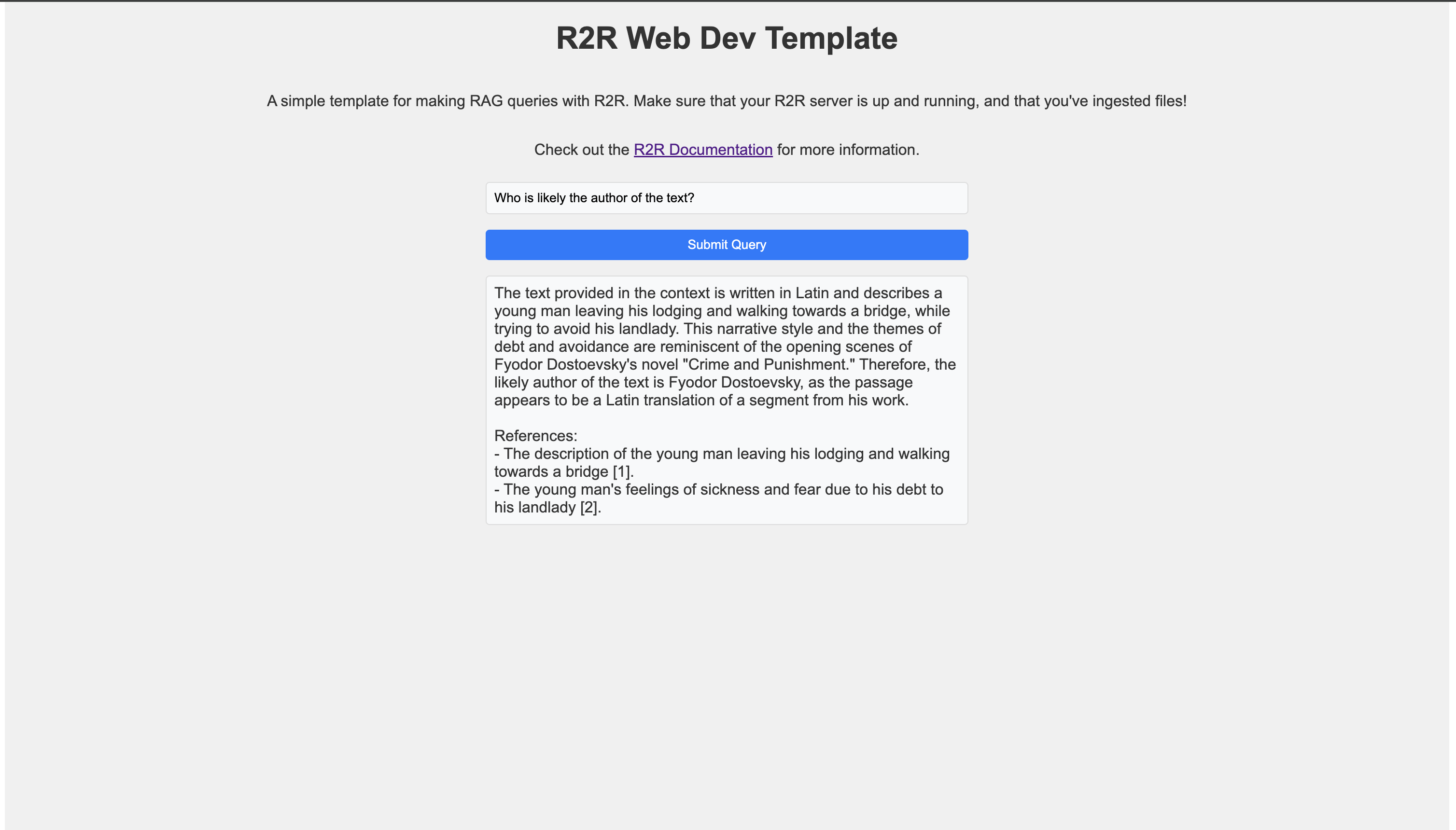
### Setting up an API Route
First, we’ll create an API route to handle R2R queries. Create a file named `r2r-query.ts` in the `pages/api` directory:
###### r2r-query.ts
`` | | | | --- | --- | | 1 | import { NextApiRequest, NextApiResponse } from 'next'; | | 2 | import { r2rClient } from 'r2r-js'; | | 3 | | | 4 | const client = new r2rClient("http://localhost:7272"); | | 5 | | | 6 | export default async function handler(req: NextApiRequest, res: NextApiResponse) { | | 7 | if (req.method === 'POST') { | | 8 | const { query } = req.body; | | 9 | | | 10 | try { | | 11 | // Login with each request. In a production app, you'd want to manage sessions. | | 12 | await client.users.login("[[email protected]](/cdn-cgi/l/email-protection) ", "change_me_immediately"); | | 13 | | | 14 | const response = await client.rag({ | | 15 | query: query, | | 16 | rag_generation_config: { | | 17 | model: "openai/gpt-4o", | | 18 | temperature: 0.0, | | 19 | stream: false, | | 20 | } | | 21 | }); | | 22 | | | 23 | res.status(200).json({ result: response.results.completion.choices[0].message.content }); | | 24 | } catch (error) { | | 25 | res.status(500).json({ error: error instanceof Error ? error.message : 'An error occurred' }); | | 26 | } | | 27 | } else { | | 28 | res.setHeader('Allow', ['POST']); | | 29 | res.status(405).end(`Method ${req.method} Not Allowed`); | | 30 | } | | 31 | } | ``
This API route creates an R2R client, logs in, and processes the incoming query using the RAG method.
### Frontend: React Component
Next, create a React component to interact with the API. Here’s an example `index.tsx` file:
###### index.tsx
`` | | | | --- | --- | | 1 | import React, { useState } from 'react'; | | 2 | import styles from '@/styles/R2RWebDevTemplate.module.css'; | | 3 | | | 4 | const R2RQueryApp: React.FC = () => { | | 5 | const [query, setQuery] = useState(''); | | 6 | const [result, setResult] = useState(''); | | 7 | const [isLoading, setIsLoading] = useState(false); | | 8 | | | 9 | const performQuery = async () => { | | 10 | setIsLoading(true); | | 11 | setResult(''); | | 12 | | | 13 | try { | | 14 | const response = await fetch('/api/r2r-query', { | | 15 | method: 'POST', | | 16 | headers: { | | 17 | 'Content-Type': 'application/json', | | 18 | }, | | 19 | body: JSON.stringify({ query }), | | 20 | }); | | 21 | | | 22 | if (!response.ok) { | | 23 | throw new Error('Network response was not ok'); | | 24 | } | | 25 | | | 26 | const data = await response.json(); | | 27 | setResult(data.result); | | 28 | } catch (error) { | | 29 | setResult(`Error: ${error instanceof Error ? error.message : String(error)}`); | | 30 | } finally { | | 31 | setIsLoading(false); | | 32 | } | | 33 | }; | | 34 | | | 35 | return ( | | 36 |
| | 37 |
R2R Web Dev Template
| | 38 |
A simple template for making RAG queries with R2R. | | 39 | Make sure that your R2R server is up and running, and that you've ingested files! | | 40 |
| | 41 |
| | 42 | Check out the R2R Documentation for more information. | | 43 |
| | 64 | ); | | 65 | }; | | 66 | | | 67 | export default R2RQueryApp; | ``
This component creates a simple interface with an input field for the query and a button to submit it. When the button is clicked, it sends a request to the API route we created earlier and displays the result.
### Template Repository
For a complete working example, you can check out our template repository. This repository contains a simple Next.js app with R2R integration, providing a starting point for your own R2R-powered web applications.
For more advanced examples, check out the [source code for the R2R Dashboard.](https://github.com/SciPhi-AI/R2R-Application)
[R2R Web App Template Repository](https://github.com/SciPhi-AI/r2r-webdev-template)
To use this template:
1. Clone the repository
2. Install dependencies with `pnpm install`
3. Make sure your R2R server is running
4. Start the development server with `pnpm dev`
This template provides a foundation for building more complex applications with R2R, demonstrating how to integrate R2R’s powerful RAG capabilities into a web interface.
[Built with](https://buildwithfern.com/?utm_campaign=buildWith&utm_medium=docs&utm_source=r2r-docs.sciphi.ai)
---
# Create a new document — The most advanced AI retrieval system. Containerized, Retrieval-Augmented Generation (RAG) with a RESTful API.
Creates a new Document object from an input file, text content, or chunks. The chosen `ingestion_mode` determines how the ingestion process is configured:
**Ingestion Modes:**
* `hi-res`: Comprehensive parsing and enrichment, including summaries and possibly more thorough parsing.
* `fast`: Speed-focused ingestion that skips certain enrichment steps like summaries.
* `custom`: Provide a full `ingestion_config` to customize the entire ingestion process.
Either a file or text content must be provided, but not both. Documents are shared through `Collections` which allow for tightly specified cross-user interactions.
The ingestion process runs asynchronously and its progress can be tracked using the returned task\_id.
### Request
This endpoint expects a multipart form.
filestringOptional
The file to ingest. Exactly one of file, raw\_text, or chunks must be provided.
raw\_textstringOptional
Raw text content to ingest. Exactly one of file, raw\_text, or chunks must be provided.
chunksstringOptional
Pre-processed text chunks to ingest. Exactly one of file, raw\_text, or chunks must be provided.
idstringOptional
The ID of the document. If not provided, a new ID will be generated.
collection\_idsstringOptional
Collection IDs to associate with the document. If none are provided, the document will be assigned to the user’s default collection.
metadatastringOptional
Metadata to associate with the document, such as title, description, or custom fields.
ingestion\_modeenumOptional
Ingestion modes:
* `hi-res`: Thorough ingestion with full summaries and enrichment.
* `fast`: Quick ingestion with minimal enrichment and no summaries.
* `custom`: Full control via `ingestion_config`.
If `filters` or `limit` (in `ingestion_config`) are provided alongside `hi-res` or `fast`, they will override the default settings for that mode.
Allowed values: hi-resfastcustom
ingestion\_configstringOptional
An optional dictionary to override the default chunking configuration for the ingestion process. If not provided, the system will use the default server-side chunking configuration.
run\_with\_orchestrationbooleanOptional
Whether or not ingestion runs with orchestration, default is `True`. When set to `False`, the ingestion process will run synchronous and directly return the result.
### Response
Successful Response
resultsobject
Show 3 properties
### Errors
422
Unprocessable Entity
[Built with](https://buildwithfern.com/?utm_campaign=buildWith&utm_medium=docs&utm_source=r2r-docs.sciphi.ai)
---
# Collections — The most advanced AI retrieval system. Containerized, Retrieval-Augmented Generation (RAG) with a RESTful API.
Introduction
------------
A collection in R2R is a logical grouping of users and documents that allows for efficient access control and organization. Collections enable you to manage permissions and access to documents at a group level, rather than individually.
R2R provides robust document collection management, allowing developers to implement efficient access control and organization of users and documents. This cookbook will guide you through the collection capabilities in R2R.
For user authentication, please refer to the [User Auth Cookbook](/cookbooks/user-auth)
.
Collection permissioning in R2R is still under development and as a result the is likely to API continue evolving in future releases.
_A diagram showing user and collection management across r2r_
Basic Usage
-----------
Collections currently follow a flat hierarchy wherein superusers are responsible for management operations. This functionality will expand as development on R2R continues.
### Collection CRUD operations
Let’s start by creating a new collection:
` | | | | --- | --- | | 1 | from r2r import R2RClient | | 2 | | | 3 | client = R2RClient("http://localhost:7272") # Replace with your R2R deployment URL | | 4 | | | 5 | # Assuming you're logged in as an admin or a user with appropriate permissions | | 6 | # For testing, the default R2R implementation will grant superuser privileges to anon api calls | | 7 | collection_result = client.collections.create("Marketing Team", "Collection for marketing department") | | 8 | | | 9 | print(f"Collection creation result: {collection_result}") | | 10 | # {'results': {'collection_id': '123e4567-e89b-12d3-a456-426614174000', 'name': 'Marketing Team', 'description': 'Collection for marketing department', 'created_at': '2024-07-16T22:53:47.524794Z', 'updated_at': '2024-07-16T22:53:47.524794Z'}} | `
To retrieve details about a specific collection:
` | | | | --- | --- | | 1 | collection_id = '123e4567-e89b-12d3-a456-426614174000' # Use the collection_id from the creation result | | 2 | collection_details = client.collections.retrieve(collection_id) | | 3 | | | 4 | print(f"Collection details: {collection_details}") | | 5 | # {'results': {'collection_id': '123e4567-e89b-12d3-a456-426614174000', 'name': 'Marketing Team', 'description': 'Collection for marketing department', 'created_at': '2024-07-16T22:53:47.524794Z', 'updated_at': '2024-07-16T22:53:47.524794Z'}} | `
You can update a collection’s name or description:
` | | | | --- | --- | | 1 | update_result = client.collections.update( | | 2 | collection_id, | | 3 | name="Updated Marketing Team", | | 4 | description="New description for marketing team" | | 5 | ) | | 6 | | | 7 | print(f"Collection update result: {update_result}") | | 8 | # {'results': {'collection_id': '123e4567-e89b-12d3-a456-426614174000', 'name': 'Updated Marketing Team', 'description': 'New description for marketing team', 'created_at': '2024-07-16T22:53:47.524794Z', 'updated_at': '2024-07-16T23:15:30.123456Z'}} | `
Lastly, you can delete a collection
### Listing Collections
` | | | | --- | --- | | 1 | client.collections.delete(collection_id) | `
To get a list of all collections:
` | | | | --- | --- | | 1 | collections_list = client.collections.list() | | 2 | | | 3 | print(f"Collections list: {collections_list}") | | 4 | # {'results': [{'collection_id': '123e4567-e89b-12d3-a456-426614174000', 'name': 'Updated Marketing Team', 'description': 'New description for marketing team', 'created_at': '2024-07-16T22:53:47.524794Z', 'updated_at': '2024-07-16T23:15:30.123456Z'}, ...]} | `
User Management in Collections
------------------------------
### Adding a User to a Collection
To add a user to a collection, you need both the user’s ID and the collections’s ID:
` | | | | --- | --- | | 1 | user_id = '456e789f-g01h-34i5-j678-901234567890' # This should be a valid user ID | | 2 | collection_id = '123e4567-e89b-12d3-a456-426614174000' # this should be a collection I own | | 3 | add_user_result = client.collections.add_user(user_id, collection_id) | | 4 | | | 5 | print(f"Add user to collection result: {add_user_result}") | | 6 | # {'results': {'message': 'User successfully added to the collection'}} | `
### Removing a User from a Collections
Similarly, to remove a user from a collection:
` | | | | --- | --- | | 1 | remove_user_result = client.collections.remove_user(user_id, collection_id) | | 2 | | | 3 | print(f"Remove user from collection result: {remove_user_result}") | | 4 | # {'results': None} | `
### Listing Users in a Collection
To get a list of all users in a specific collection:
` | | | | --- | --- | | 1 | users_in_collection = client.collections.list_users(collection_id) | | 2 | | | 3 | print(f"Users in collection: {users_in_collection}") | | 4 | # {'results': [{'user_id': '456e789f-g01h-34i5-j678-901234567890', 'email': '[[email protected]](/cdn-cgi/l/email-protection) ', 'name': 'John Doe', ...}, ...]} | `
### Getting Collections for a User
To get all collections that a user is a member of:
` | | | | --- | --- | | 1 | user.list_collections = client.user.list_collections(user_id) | | 2 | | | 3 | print(f"User's collections: {user.list_collections}") | | 4 | # {'results': [{'collection_id': '123e4567-e89b-12d3-a456-426614174000', 'name': 'Updated Marketing Team', ...}, ...]} | `
Document Management in Collections
----------------------------------
### Assigning a Document to a Collection
To assign a document to a collection:
` | | | | --- | --- | | 1 | document_id = '789g012j-k34l-56m7-n890-123456789012' # This should be a valid document ID | | 2 | assign_doc_result = client.collections.add_document(collection_id, document_id) | | 3 | | | 4 | print(f"Assign document to collection result: {assign_doc_result}") | | 5 | # {'results': {'message': 'Document successfully assigned to the collection'}} | `
### Removing a Document from a Collection
To remove a document from a collection:
` | | | | --- | --- | | 1 | remove_doc_result = client.collections.remove_document(collection_id, document_id) | | 2 | | | 3 | print(f"Remove document from collection result: {remove_doc_result}") | | 4 | # {'results': {'message': 'Document successfully removed from the collection'}} | `
### Listing Documents in a Collection
To get a list of all documents in a specific collection:
` | | | | --- | --- | | 1 | docs_in_collection = client.collections.list_documents(collection_id) | | 2 | | | 3 | print(f"Documents in collection: {docs_in_collection}") | | 4 | # {'results': [{'document_id': '789g012j-k34l-56m7-n890-123456789012', 'title': 'Marketing Strategy 2024', ...}, ...]} | `
### Getting Collections for a Document
To get all collections that a document is assigned to:
` | | | | --- | --- | | 1 | documents.list_collections = client.documents.list_collections(document_id) | | 2 | | | 3 | print(f"Document's collections: {documents.list_collections}") | | 4 | # {'results': [{'collection_id': '123e4567-e89b-12d3-a456-426614174000', 'name': 'Updated Marketing Team', ...}, ...]} | `
Advanced Collection Management
------------------------------
### Generating Synthetic Descriptions
To have an LLM generate a description for a collection, you can run:
` | | | | --- | --- | | 1 | update_result = client.collections.update( | | 2 | collection_id, | | 3 | generate_description=True | | 4 | ) | | 5 | | | 6 | print(f"Collection update result: {update_result}") | | 7 | # {'results': {'collection_id': '123e4567-e89b-12d3-a456-426614174000', 'name': 'Updated Marketing Team', 'description': 'A rich description generated over the summaries of the documents in the collection', 'created_at': '2024-07-16T22:53:47.524794Z', 'updated_at': '2024-07-16T23:15:30.123456Z'}} | `
This is particularly helpful when building graphs as the summary provides high-quality context in the prompt, resulting in better descriptions.
### Collection Overview
To get an overview of collection, including user and document counts:
` | | | | --- | --- | | 1 | collections.list = client.collections.list() | | 2 | | | 3 | print(f"Collections overview: {collections.list}") | | 4 | # {'results': [{'collection_id': '123e4567-e89b-12d3-a456-426614174000', 'name': 'Updated Marketing Team', 'description': 'New description for marketing team', 'user_count': 5, 'document_count': 10, ...}, ...]} | `
### Deleting a Collection
To delete a collection:
` | | | | --- | --- | | 1 | delete_result = client.delete_collection(collection_id) | | 2 | | | 3 | print(f"Delete collection result: {delete_result}") | | 4 | # {'results': {'message': 'Collection successfully deleted'}} | `
Pagination and Filtering
------------------------
Many of the collection-related methods support pagination and filtering. Here are some examples:
` | | | | --- | --- | | 1 | # List collections with pagination | | 2 | paginated_collection = client.collections.list(offset=10, limit=20) | | 3 | | | 4 | # Get users in a collection with pagination | | 5 | paginated_users = client.collections.list_users(collection_id, offset=5, limit=10) | | 6 | | | 7 | # Get documents in a collection with pagination | | 8 | paginated_docs = client.collections.list_documents(collection_id, offset=0, limit=50) | | 9 | | | 10 | # Get collections overview with specific collection IDs | | 11 | specific_collections.list = client.collections.list(collection_ids=['id1', 'id2', 'id3']) | `
Security Considerations
-----------------------
When implementing collection permissions, consider the following security best practices:
1. **Least Privilege Principle**: Assign the minimum necessary permissions to users and collections.
2. **Regular Audits**: Periodically review collection memberships and document assignments.
3. **Access Control**: Ensure that only authorized users (e.g., admins) can perform collection management operations.
4. **Logging and Monitoring**: Implement comprehensive logging for all collection-related actions.
Customizing Collection Permissions
----------------------------------
While R2R’s current collection system follows a flat hierarchy, you can build more complex permission structures on top of it:
1. **Custom Roles**: Implement application-level roles within collections (e.g., collection admin, editor, viewer).
2. **Hierarchical Collections**: Create a hierarchy by establishing parent-child relationships between collections in your application logic.
3. **Permission Inheritance**: Implement rules for permission inheritance based on collection memberships.
Troubleshooting
---------------
Here are some common issues and their solutions:
1. **Unable to Create/Modify Collections**: Ensure the user has superuser privileges.
2. **User Not Seeing Collection Content**: Verify that the user is correctly added to the collection and that documents are properly assigned.
3. **Performance Issues with Large Collections**: Use pagination when retrieving users or documents in large collections.
Conclusion
----------
R2R’s collection permissioning system provides a foundation for implementing sophisticated access control in your applications. As the feature set evolves, more advanced capabilities will become available. Stay tuned to the R2R documentation for updates and new features related to collection permissions.
For user authentication and individual user management, refer to the [User Auth Cookbook](/cookbooks/user-auth)
. For more advanced use cases or custom implementations, consult the R2R documentation or reach out to the community for support.
[Built with](https://buildwithfern.com/?utm_campaign=buildWith&utm_medium=docs&utm_source=r2r-docs.sciphi.ai)
---
# Retrieval Configuration — The most advanced AI retrieval system. Containerized, Retrieval-Augmented Generation (RAG) with a RESTful API.
Introduction
------------
Search in R2R combines vector-based semantic search and knowledge graph querying to provide powerful information retrieval capabilities. The system leverages both semantic similarity and relationship-based context to deliver accurate and contextually relevant results.
R2R’s search capabilities are built on [Postgres](/self-hosting/configuration/postgres)
, which provides:
* Vector similarity search through the `pgvector` extension
* Full-text search using `ts_rank` and `websearch_to_tsquery`
* Efficient indexing with HNSW and IVF-Flat methods
* Flexible metadata filtering using JSONB
* Feature-complete user and document management
This integrated approach ensures high performance and reliability while simplifying the overall architecture.
Server-Side Configuration
-------------------------
The base configuration for search capabilities is defined in your `r2r.toml` file:
` | | | | --- | --- | | 1 | [database] | | 2 | provider = "postgres" | | 3 | batch_size = 256 | | 4 | | | 5 | [embedding] | | 6 | provider = "litellm" | | 7 | base_model = "openai/text-embedding-3-small" | | 8 | base_dimension = 512 | | 9 | batch_size = 128 | | 10 | concurrent_request_limit = 256 | | 11 | rerank_model = "huggingface/BAAI/bge-reranker-v2-m3" # default is None | | 12 | rerank_url = "https://huggingface.co/..." # use a valid API url | `
These settings directly impact how R2R performs search operations, as embeddings are used during semantic search. When a reranking model is specified, it becomes the default model used at runtime. See the [embedding configuration](/configuration/embedding)
for detailed parameter information.
Vector Search Configuration
---------------------------
Vector search can be configured both through server-side settings and runtime parameters:
` | | | | --- | --- | | 1 | chunk_settings = { | | 2 | "use_semantic_search": True, | | 3 | "filters": {"document_type": {"$eq": "article"}}, | | 4 | "limit": 20, | | 5 | "use_hybrid_search": True, | | 6 | "selected_collection_ids": ["c3291abf-8a4e-5d9d-80fd-232ef6fd8526"] | | 7 | } | `
For hybrid search, additional weights can be specified:
` | | | | --- | --- | | 1 | hybrid_settings = { | | 2 | "full_text_weight": 1.0, | | 3 | "semantic_weight": 5.0 | | 4 | } | `
See the [Search API Reference](/api-and-sdks/reference/search)
for complete parameter details.
Knowledge Graph Search Configuration
------------------------------------
Knowledge graph search provides relationship-aware search capabilities:
` | | | | --- | --- | | 1 | graph_settings = { | | 2 | "enabled": True, | | 3 | "entity_types": ["Person", "Organization"], | | 4 | "relationships": ["worksFor", "foundedBy"] | | 5 | } | `
See the [Knowledge Graph API Reference](/api-and-sdks/reference/knowledge-graph)
for complete parameter details.
Pipeline Architecture
---------------------
Usage Examples
--------------
### Basic Search
` | | | | --- | --- | | 1 | from r2r import R2RClient | | 2 | | | 3 | client = R2RClient() | | 4 | | | 5 | response = client.retrieval.search( | | 6 | "query", | | 7 | search_settings={ | | 8 | "chunk_settings": chunk_settings, | | 9 | "graph_settings": graph_settings | | 10 | } | | 11 | ) | `
### Advanced Filtering
` | | | | --- | --- | | 1 | filters = { | | 2 | "$and": [ | | 3 | {"publication_date": {"$gte": "2023-01-01"}}, | | 4 | {"author": {"$in": ["John Doe", "Jane Smith"]}} | | 5 | ] | | 6 | } | | 7 | | | 8 | search_settings["filters"] = filters | | 9 | | | 10 | response = client.retrieval.search("query", search_settings=search_settings) | `
[Built with](https://buildwithfern.com/?utm_campaign=buildWith&utm_medium=docs&utm_source=r2r-docs.sciphi.ai)
---
# 404: This page could not be found
404
===
This page could not be found.
-----------------------------
---
# Local LLMs — The most advanced AI retrieval system. Containerized, Retrieval-Augmented Generation (RAG) with a RESTful API.
Introduction
------------
R2R natively supports RAG with local LLMs through [LM Studio](https://github.com/lmstudio-ai)
and [Ollama](https://github.com/ollama)
.
[Follow along with our Local LLM cookbook for a full walkthrough on how to use R2R with local LLMs!](/cookbooks/local-llms)
###### Ollama
###### LM Studio
To get started with Ollama, you must follow the instructions on their [official website](https://ollama.com/)
.
To run R2R with default Ollama settings, which utilize `llama3.1` and `mxbai-embed-large`, execute `r2r serve --docker --config-name=ollama`.
Preparing Local LLMs
--------------------
Ollama has a default context window size of 2048 tokens. Many of the prompts and processes that R2R uses requires larger window sizes.
It is recommended to set the context size to a minimum of 16k tokens. The following guideline is generally useful to determine what your system can handle:
* 8GB RAM/VRAM: ~4K-8K context
* 16GB RAM/VRAM: ~16K-32K context
* 24GB+ RAM/VRAM: 32K+ context
To change the default you must first create a modelfile for Ollama, where you can set `num_ctx`:
` | | | | --- | --- | | 1 | echo 'FROM llama3.1 | | 2 | PARAMETER num_ctx 16000' > Modelfile | `
Then you must create a manifest for that model:
` | | | | --- | --- | | 1 | ollama create llama3.1 -f Modelfile | `
Next, make sure that you have all the necessary LLMs installed:
` | | | | --- | --- | | $ | # in a separate terminal | | > | ollama pull llama3.1 | | > | ollama pull mxbai-embed-large | | > | ollama serve | `
These commands will need to be replaced with models specific to your configuration when deploying R2R with a customized configuration.
Configuration
-------------
R2R uses a TOML configuration file for managing settings, which you can [read about here](/self-hosting/configuration/overview)
. For local setup, we’ll use the default `local_llm` configuration. This can be customized to your needs by setting up a standalone project.
###### Local Configuration Details
The `local_llm` configuration file (`core/configs/local_llm.toml`) includes:
` | | | | --- | --- | | 1 | [completion] | | 2 | provider = "litellm" | | 3 | concurrent_request_limit = 1 | | 4 | | | 5 | [completion.generation_config] | | 6 | model = "ollama/llama3.1" | | 7 | temperature = 0.1 | | 8 | top_p = 1 | | 9 | max_tokens_to_sample = 1_024 | | 10 | stream = false | | 11 | add_generation_kwargs = { } | | 12 | | | 13 | [database] | | 14 | provider = "postgres" | | 15 | | | 16 | [embedding] | | 17 | provider = "ollama" | | 18 | base_model = "mxbai-embed-large" | | 19 | base_dimension = 1_024 | | 20 | batch_size = 32 | | 21 | add_title_as_prefix = true | | 22 | concurrent_request_limit = 32 | | 23 | | | 24 | [ingestion] | | 25 | excluded_parsers = [ "mp4" ] | `
For more information on how to configure R2R, [visit here](/self-hosting/configuration/overview)
.
We are still working on adding local multimodal RAG features. Your feedback would be appreciated.
The ingestion and graph creation process has been tested across different language models. When selecting a model, consider the tradeoff between performance and model size—larger models often generate more detailed graphs with more elements, while smaller models may be more efficient but produce simpler graphs.
| Model | Entities | Relationships |
| --- | --- | --- |
| llama3.1:8B | 76 | 60 |
| llama3.2:3B | 29 | 29 |
Summary
-------
The above steps are all you need to get RAG up and running with local LLMs in R2R. For detailed setup and basic functionality, refer back to the [R2R Quickstart](/documentation/quickstart)
. For more advanced usage and customization options, refer to the [basic configuration](/self-hosting/configuration/overview)
or join the [R2R Discord community](https://discord.gg/p6KqD2kjtB)
.
[Built with](https://buildwithfern.com/?utm_campaign=buildWith&utm_medium=docs&utm_source=r2r-docs.sciphi.ai)
---
# Prompts — The most advanced AI retrieval system. Containerized, Retrieval-Augmented Generation (RAG) with a RESTful API.
Prompt Management in R2R
------------------------
R2R provides a flexible system for managing prompts, allowing you to create, update, retrieve, and delete prompts dynamically. This system is crucial for customizing the behavior of language models and ensuring consistent interactions across your application.
Default Prompts
---------------
R2R comes with a set of default prompts that are loaded from YAML files located in the [`py/core/providers/database/prompts`](https://github.com/SciPhi-AI/R2R/tree/main/py/core/providers/database/prompts)
directory. These default prompts provide a starting point for various tasks within the R2R system.
For example, the default RAG (Retrieval-Augmented Generation) prompt is defined as follows:
` | | | | --- | --- | | 1 | default_rag: | | 2 | template: > | | 3 | ## Task: | | 4 | | | 5 | Answer the query given immediately below given the context which follows later. Use line item references to like [1], [2], ... refer to specifically numbered items in the provided context. Pay close attention to the title of each given source to ensure it is consistent with the query. | | 6 | | | 7 | | | 8 | ### Query: | | 9 | | | 10 | {query} | | 11 | | | 12 | | | 13 | ### Context: | | 14 | | | 15 | {context} | | 16 | | | 17 | | | 18 | ### Query: | | 19 | | | 20 | {query} | | 21 | | | 22 | | | 23 | REMINDER - Use line item references to like [1], [2], ... refer to specifically numbered items in the provided context. | | 24 | | | 25 | ## Response: | | 26 | input_types: | | 27 | query: str | | 28 | context: str | `
### Default Prompt Usage
This table can fall out of date, refer to the [prompts directory](https://github.com/SciPhi-AI/R2R/tree/main/py/core/providers/database/prompts)
in the R2R repository as a source of truth.
| Prompt File | Purpose |
| --- | --- |
| [`default_rag.yaml`](https://github.com/SciPhi-AI/R2R/blob/main/py/core/providers/database/prompts/default_rag.yaml) | Default prompt for Retrieval-Augmented Generation (RAG) tasks. It instructs the model to answer queries based on provided context, using line item references. |
| [`graphrag_community_reports.yaml`](https://github.com/SciPhi-AI/R2R/blob/main/py/core/providers/database/prompts/graphrag_community_reports.yaml) | Used in GraphRAG to generate reports about communities or clusters in the knowledge graph. |
| [`graphrag_entity_description.yaml.yaml`](https://github.com/SciPhi-AI/R2R/blob/main/py/core/providers/database/prompts/graphrag_entity_description.yaml) | System prompt for the “map” phase in GraphRAG, used to process individual nodes or edges. |
| [`graphrag_map_system.yaml`](https://github.com/SciPhi-AI/R2R/blob/main/py/core/providers/database/prompts/graphrag_map_system.yaml) | System prompt for the “map” phase in GraphRAG, used to process individual nodes or edges. |
| [`graphrag_reduce_system.yaml`](https://github.com/SciPhi-AI/R2R/blob/main/py/core/providers/database/prompts/graphrag_reduce_system.yaml) | System prompt for the “reduce” phase in GraphRAG, used to combine or summarize information from multiple sources. |
| [`graphrag_triples_extraction_few_shot.yaml`](https://github.com/SciPhi-AI/R2R/blob/main/py/core/providers/database/prompts/graphrag_triples_extraction_few_shot.yaml) | Few-shot prompt for extracting subject-predicate-object triplets in GraphRAG, with examples. |
| [`hyde.yaml`](https://github.com/SciPhi-AI/R2R/blob/main/py/core/providers/database/prompts/hyde.yaml) | Related to Hypothetical Document Embeddings (HyDE) for improving retrieval performance. |
| [`rag_agent.yaml`](https://github.com/SciPhi-AI/R2R/blob/main/py/core/providers/database/prompts/rag_agent.yaml) | Defines the behavior and instructions for the RAG agent, which coordinates the retrieval and generation process. |
| [`rag_context.yaml`](https://github.com/SciPhi-AI/R2R/blob/main/py/core/providers/database/prompts/rag_context.yaml) | Used to process or format the context retrieved for RAG tasks. |
| [`rag_fusion.yaml`](https://github.com/SciPhi-AI/R2R/blob/main/py/core/providers/database/prompts/rag_fusion.yaml) | Used in RAG fusion techniques, possibly for combining information from multiple retrieved passages. |
| [`system.yaml`](https://github.com/SciPhi-AI/R2R/blob/main/py/core/providers/database/prompts/system.yaml) | Contains general system-level prompts or instructions for the R2R system. |
You can find the full list of default prompts and their contents in the [prompts directory](https://github.com/SciPhi-AI/R2R/tree/main/py/core/providers/database/prompts)
.
Prompt Provider
---------------
R2R uses a postgres class to manage prompts. This allows for storage, retrieval, and manipulation of prompts, leveraging both a Postgres database and YAML files for flexibility and persistence.
Key features of prompts inside R2R:
1. **Database Storage**: Prompts are stored in a Postgres table, allowing for efficient querying and updates.
2. **YAML File Support**: Prompts can be loaded from YAML files, providing an easy way to version control and distribute default prompts.
3. **In-Memory Cache**: Prompts are kept in memory for fast access during runtime.
Prompt Structure
----------------
Each prompt in R2R consists of:
* **Name**: A unique identifier for the prompt.
* **Template**: The actual text of the prompt, which may include placeholders for dynamic content.
* **Input Types**: A dictionary specifying the expected types for any dynamic inputs to the prompt.
Managing Prompts
----------------
R2R provides several endpoints and SDK methods for managing prompts:
### Adding a Prompt
To add a new prompt:
` | | | | --- | --- | | 1 | from r2r import R2RClient | | 2 | | | 3 | client = R2RClient() | | 4 | | | 5 | response = client.prompts.add_prompt( | | 6 | name="my_new_prompt", | | 7 | template="Hello, {name}! Welcome to {service}.", | | 8 | input_types={"name": "str", "service": "str"} | | 9 | ) | `
### Updating a Prompt
To update an existing prompt:
` | | | | --- | --- | | 1 | response = client.prompts.update_prompt( | | 2 | name="my_existing_prompt", | | 3 | template="Updated template: {variable}", | | 4 | input_types={"variable": "str"} | | 5 | ) | `
### Retrieving a Prompt
To get a specific prompt:
` | | | | --- | --- | | 1 | response = client.prompts.get_prompt( | | 2 | prompt_name="my_prompt", | | 3 | inputs={"variable": "example"}, | | 4 | prompt_override="Optional override text" | | 5 | ) | `
Refer directly to the [Prompt API Reference](/api-and-sdks/prompts)
for more details.
Security Considerations
-----------------------
Access to prompt management functions is restricted to superusers to prevent unauthorized modifications to system prompts. Ensure that only trusted administrators have superuser access to your R2R deployment.
Conclusion
----------
R2R’s prompt management system provides a powerful and flexible way to control the behavior of language models in your application. By leveraging this system effectively, you can create more dynamic, context-aware, and maintainable AI-powered features.
[Built with](https://buildwithfern.com/?utm_campaign=buildWith&utm_medium=docs&utm_source=r2r-docs.sciphi.ai)
---
# Deploying R2R — The most advanced AI retrieval system. Containerized, Retrieval-Augmented Generation (RAG) with a RESTful API.
Deploying R2R
=============
R2R (RAG to Riches) is designed to be flexible and scalable, allowing deployment in various environments. This guide provides an overview of deployment options and resource recommendations to help you get started with R2R in a production setting.
Deployment Options
------------------
1. **Local Docker or Local Build**: Ideal for development and testing. [Start here](/self-hosting/installation/overview)
.
2. **Single Cloud Instance**: Recommended for most small to medium-sized organizations.
3. **Container Orchestration** (Docker Swarm): Suitable for larger organizations or those requiring more granular resource control
Resource Recommendations
------------------------
When running R2R, we recommend:
* At least 4 vCPU cores
* 8+GB of RAM (16GB preferred)
* 50gb + 4x raw data size (_size of data to be ingested after converting to TXT_) of disk space
Deployment Guides
-----------------
For detailed, step-by-step instructions on deploying R2R in various environments, please refer to our specific deployment guides:
* [Local Deployment](/self-hosting/installation/overview)
* [Azure Deployment](/self-hosting/deployment/azure)
* [SciPhi Cloud](/self-hosting/deployment/sciphi/)
Choose the guide that best fits your infrastructure and scaling needs. Each guide provides specific instructions for setting up R2R in that environment, including necessary configurations and best practices.
By following these deployment recommendations and configuration guides, you’ll be well on your way to leveraging R2R’s powerful RAG capabilities in your production environment.
[Built with](https://buildwithfern.com/?utm_campaign=buildWith&utm_medium=docs&utm_source=r2r-docs.sciphi.ai)
---
# RAG — The most advanced AI retrieval system. Containerized, Retrieval-Augmented Generation (RAG) with a RESTful API.
RAG Customization
-----------------
RAG (Retrieval-Augmented Generation) in R2R can be extensively customized to suit various use cases. The main components for customization are:
1. **Generation Configuration**: Control the language model’s behavior.
2. **Search Settings**: Fine-tune the retrieval process.
3. **Task Prompt Override**: Customize the system prompt for specific tasks.
### LLM Provider Configuration
Refer to the LLM configuration [page here](/self-hosting/configuration/llm)
.
### Retrieval Configuration
Refer to the retrieval configuration [page here](/self-hosting/configuration/retrieval/overview)
.
### Combining LLM and Retrieval Configuration for RAG
The `rag_generation_config` parameter allows you to customize the language model’s behavior. Default settings are set on the server-side using the `r2r.toml`, as described in in previous configuraiton guides. These settings can be overridden at runtime as shown below:
` | | | | --- | --- | | 1 | # Configure graphRAG search | | 2 | graph_settings = { | | 3 | "enabled": True, | | 4 | "generation_config": { | | 5 | "model": "gpt-4", | | 6 | "temperature": 0.1 | | 7 | }, | | 8 | "entity_types": ["Person", "Organization"], | | 9 | "relationships": ["worksFor", "foundedBy"], | | 10 | "max_community_description_length": 65536, | | 11 | "max_llm_queries_for_global_search": 250, | | 12 | "local_limits": {"__Entity__": 20, "__Relationship__": 20, "__Community__": 20} | | 13 | } | | 14 | | | 15 | # Configure LLM generation | | 16 | rag_generation_config = { | | 17 | "model": "anthropic/claude-3-opus-20240229", | | 18 | "temperature": 0.7, | | 19 | "top_p": 0.95, | | 20 | "max_tokens_to_sample": 1500, | | 21 | "stream": True, | | 22 | "functions": None, # For function calling, if supported | | 23 | "tools": None, # For tool use, if supported | | 24 | "add_generation_kwargs": {}, # Additional provider-specific parameters | | 25 | "api_base": None # Custom API endpoint, if needed | | 26 | } | `
When performing a RAG query you can combine these vector search, knowledge graph search, and generation settings at runtime:
` | | | | --- | --- | | 1 | from r2r import R2RClient | | 2 | | | 3 | client = R2RClient() | | 4 | | | 5 | response = client.retrieval.rag( | | 6 | "What are the latest advancements in quantum computing?", | | 7 | rag_generation_config=rag_generation_config, | | 8 | search_settings={ | | 9 | "use_semantic_search": True, | | 10 | "limit": 20, | | 11 | "use_hybrid_search": True, | | 12 | "graph_settings": graph_settings | | 13 | } | | 14 | ) | `
R2R defaults to the specified server-side settings when no runtime overrides are specified.
### RAG Prompt Override
For specialized tasks, you can override the default RAG task prompt at runtime:
` | | | | --- | --- | | 1 | task_prompt_override = """You are an AI assistant specializing in quantum computing. | | 2 | Your task is to provide a concise summary of the latest advancements in the field, | | 3 | focusing on practical applications and breakthroughs from the past year.""" | | 4 | | | 5 | response = client.retrieval.rag( | | 6 | "What are the latest advancements in quantum computing?", | | 7 | rag_generation_config=rag_generation_config, | | 8 | task_prompt_override=task_prompt_override | | 9 | ) | `
This prompt can also be set statically on as part of the server configuration process.
Agent-based Interaction
-----------------------
R2R supports multi-turn conversations and complex query processing through its agent endpoint:
` | | | | --- | --- | | 1 | messages = [ | | 2 | {"role": "system", "content": "You are a helpful AI assistant."}, | | 3 | {"role": "user", "content": "What are the key differences between quantum and classical computing?"} | | 4 | ] | | 5 | | | 6 | response = client.retrieval.agent( | | 7 | messages=messages, | | 8 | vector_search_settings=vector_search_settings, | | 9 | graph_settings=graph_settings, | | 10 | rag_generation_config=rag_generation_config, | | 11 | ) | `
The agent can break down complex queries into sub-tasks, leveraging both retrieval and generation capabilities to provide comprehensive responses. The settings specified in the example above will propagate to the agent and it’s tools.
By leveraging these configuration options, you can fine-tune R2R’s retrieval and generation process to best suit your specific use case and requirements.
[Built with](https://buildwithfern.com/?utm_campaign=buildWith&utm_medium=docs&utm_source=r2r-docs.sciphi.ai)
---
# 404: This page could not be found
404
===
This page could not be found.
-----------------------------
---
# Graphs — The most advanced AI retrieval system. Containerized, Retrieval-Augmented Generation (RAG) with a RESTful API.
R2R supports robust knowledge graph functionality to enhance document understanding and retrieval.
By default, R2R creates graphs by first extracting the entities and relationships associated with a given document. Next collections can be formed out of your ingested documents. For each collection, a corresponding graph can be built over the input documents.
You can find out more about this with the [knowledge graph cookbook](/cookbooks/knowledge-graphs)
and the [GraphRAG cookbook](/cookbooks/graphrag)
. To configure the knowledge graph settings for your project, edit the `database` section in your `r2r.toml` file:
r2r.toml
` | | | | --- | --- | | 1 | [database] | | 2 | provider = "postgres" | | 3 | batch_size = 256 | | 4 | | | 5 | [database.graph_creation_settings] | | 6 | entity_types = [] # if empty, all entities are extracted | | 7 | relation_types = [] # if empty, all relations are extracted | | 8 | generation_config = { model = "openai/gpt-4o-mini" } | | 9 | max_knowledge_triples = 100 # max number of triples to extract for each document chunk | | 10 | fragment_merge_count = 4 # number of fragments to merge into a single extraction | | 11 | | | 12 | [database.graph_enrichment_settings] | | 13 | max_description_input_length = 65536 # increase if you want more comprehensive descriptions | | 14 | max_summary_input_length = 65536 | | 15 | generation_config = { model = "openai/gpt-4o-mini" } # and other generation params below | | 16 | leiden_params = {} | | 17 | | | 18 | [database.graph_settings] | | 19 | generation_config = { model = "openai/gpt-4o-mini" } | `
Let’s break down the knowledge graph configuration options:
* `provider`: Specifies the knowledge graph provider. Currently, “postgres” is supported.
* `batch_size`: Determines the number of entities or relationships to process in a single batch during import operations.
* `kg_triples_extraction_prompt`: Specifies the prompt template to use for extracting knowledge graph information from text.
* `graph_creation_settings`: Configuration for the model used in knowledge graph creation.
* `max_knowledge_triples`: The maximum number of knowledge triples to extract for each document chunk.
* `fragment_merge_count`: The number of fragments to merge into a single extraction.
* `generation_config`: Configuration for the model used in knowledge graph creation.
* `graph_enrichment_settings`: Similar configuration for the model used in knowledge graph enrichment.
* `generation_config`: Configuration for the model used in knowledge graph enrichment.
* `leiden_params`: Parameters for the Leiden algorithm.
* `graph_settings`: Similar configuration for the model used in knowledge graph search operations.
Setting configuration values in the `r2r.toml` will override environment variables by default.
### Knowledge Graph Operations
1. **Entity Management**: Add, update, and retrieve entities in the knowledge graph.
2. **Relationship Management**: Create and query relationships between entities.
3. **Batch Import**: Efficiently import large amounts of data using batched operations.
4. **Vector Search**: Perform similarity searches on entity embeddings.
5. **Community Detection**: Identify and manage communities within the graph.
### Customization
You can customize the knowledge graph extraction and search processes by modifying the `kg_triples_extraction_prompt` and adjusting the model configurations in `kg_extraction_settings` and `graph_settings`. Moreover, you can customize the LLM models used in various parts of the knowledge graph creation process. All of these options can be selected at runtime, with the only exception being the specified database provider. For more details, refer to the knowledge graph settings in the [search API](/api-and-sdks/endpoint/search)
.
By leveraging the knowledge graph capabilities, you can enhance R2R’s understanding of document relationships and improve the quality of search and retrieval operations.
Next Steps
----------
For more detailed information on configuring specific components of the ingestion pipeline, please refer to the following pages:
* [Ingestion Configuration](/self-hosting/configuration/ingestion/overview)
* [Retrieval Configuration](/self-hosting/configuration/retrieval/overview)
[Built with](https://buildwithfern.com/?utm_campaign=buildWith&utm_medium=docs&utm_source=r2r-docs.sciphi.ai)
---
# R2R Local System Installation — The most advanced AI retrieval system. Containerized, Retrieval-Augmented Generation (RAG) with a RESTful API.
R2R Local System Installation
=============================
This guide will walk you through installing and running R2R on your local system without using Docker. This method allows for more customization and control over the R2R source code.
Prerequisites
-------------
Before starting, ensure you have the following installed and/or available in the cloud:
* Python 3.12 or higher
* pip (Python package manager)
* Git
* Postgres + pgvector
Install the R2R CLI and extra dependencies
------------------------------------------
First, install the R2R CLI with the additional `light` dependencies:
` | | | | --- | --- | | $ | pip install 'r2r[core,ingestion-bundle]' | `
The `core` and `ingestion-bundle` dependencies, combined with a Postgres database, provide the necessary components to deploy a user-facing R2R application into production.
If you need advanced features like orchestration or parsing with `Unstructured.io` then refer to the [full installation](/self-hosting/installation/full/docker)
.
Environment Setup
-----------------
R2R requires connections to various services. Set up the following environment variables based on your needs:
###### Cloud LLM Providers
Refer to the [documentation here](/self-hosting/configuration/llm)
for detailed information on LLM configuration inside R2R.
` | | | | --- | --- | | $ | # Set cloud LLM settings | | > | export OPENAI_API_KEY=sk-... | | > | # export ANTHROPIC_API_KEY=... | | > | # ... | `
Note, cloud providers are optional as R2R can be run entirely locally. For more information on local installation, [refer here](/self-hosting/local-rag)
.
###### Postgres+pgvector
With R2R you can connect to your own instance of Postgres+pgvector or a remote cloud instance. [Refer here](/self-hosting/configuration/postgres)
for detailed documentation on configuring Postgres inside R2R.
` | | | | --- | --- | | $ | # Set Postgres+pgvector settings | | > | export R2R_POSTGRES_USER=$YOUR_POSTGRES_USER | | > | export R2R_POSTGRES_PASSWORD=$YOUR_POSTGRES_PASSWORD | | > | export R2R_POSTGRES_HOST=$YOUR_POSTGRES_HOST | | > | export R2R_POSTGRES_PORT=$YOUR_POSTGRES_PORT | | > | export R2R_POSTGRES_DBNAME=$YOUR_POSTGRES_DBNAME | | > | export R2R_PROJECT_NAME=$YOUR_PROJECT_NAME # see note below | `
The `R2R_PROJECT_NAME` environment variable defines the tables within your Postgres database where the selected R2R project resides. If the required tables for R2R do not exist then they will be created by R2R during initialization.
If you are unfamiliar with Postgres then [Supabase’s free cloud offering](https://supabase.com/docs)
is a good place to start.
Running R2R
-----------
After installing the CLI and setting up your environment, you can start R2R using the following command:
` | | | | --- | --- | | $ | r2r serve | `
For local LLM usage:
` | | | | --- | --- | | $ | r2r serve --config-name=local_llm | `
Python Development Mode
-----------------------
For those looking to develop R2R locally:
1. Install Poetry: Follow instructions on the [official Poetry website](https://python-poetry.org/docs/#installation)
.
2. Clone and install dependencies:
` | | | | --- | --- | | $ | git clone [[email protected]](/cdn-cgi/l/email-protection) :SciPhi-AI/R2R.git | | > | cd R2R/py | | > | poetry install -E "core ingestion-bundle" | `
3. Setup environment: Follow the steps listed in the Environment Setup section above. Additionally, you may introduce a local .env file to make development easier, and you can customize your local `r2r.toml` to suit your specific needs.
4. Start your server:
` | | | | --- | --- | | $ | poetry run r2r serve | `
Next Steps
----------
After successfully installing R2R:
1. **Verify Installation**: Ensure all components are running correctly by accessing the R2R API at [http://localhost:7272/v3/health](http://localhost:7272/v3/health)
.
2. **Quick Start**: Follow our [R2R Quickstart Guide](/self-hosting/quickstart)
to set up your first RAG application.
3. **In-Depth Tutorial**: For a more comprehensive understanding, work through our [R2R Walkthrough](/cookbooks/walkthrough)
.
4. **Customize Your Setup**: Configure R2R components with the [Configuration Guide](/self-hosting/configuration/overview)
.
If you encounter any issues during installation or setup, please use our [Discord community](https://discord.gg/p6KqD2kjtB)
or [GitHub repository](https://github.com/SciPhi-AI/R2R)
to seek assistance.
[Built with](https://buildwithfern.com/?utm_campaign=buildWith&utm_medium=docs&utm_source=r2r-docs.sciphi.ai)
---
# Docker — The most advanced AI retrieval system. Containerized, Retrieval-Augmented Generation (RAG) with a RESTful API.
This installation guide is for Full R2R. For solo developers or teams prototyping, we recommend starting with [R2R Light](/self-hosting/installation/light/local-system)
.
This guide will walk you through installing and running R2R using Docker, which is the quickest and easiest way to get started.
Prerequisites
-------------
* Docker installed on your system. If you haven’t installed Docker yet, please refer to the [official Docker installation guide](https://docs.docker.com/engine/install/)
.
Install the R2R CLI & Python SDK
--------------------------------
First, install the R2R CLI and Python SDK:
` | | | | --- | --- | | $ | pip install r2r | `
We are actively developing a distinct CLI binary for R2R for easier installation. Please reach out if you have any specific needs or feature requests.
Start R2R with Docker
---------------------
The full R2R installation does not use the default [`r2r.toml`](https://github.com/SciPhi-AI/R2R/blob/main/py/r2r.toml)
, instead it provides overrides through a pre-built custom configuration, [`full.toml`](https://github.com/SciPhi-AI/R2R/blob/main/py/core/configs/full.toml)
.
###### Cloud LLM RAG
To start R2R with OpenAI as the default LLM inference and embedding provider:
` | | | | --- | --- | | $ | # Set cloud LLM settings | | > | export OPENAI_API_KEY=sk-... | | > | | | > | r2r serve --docker --full | `
[Refer here](/self-hosting/configuration/llm)
for more information on how to configure various LLM providers.
###### Local LLMs
To start R2R with your local computer as the default LLM inference provider:
` | | | | --- | --- | | $ | r2r serve --docker --full --config-name=full_local_llm | `
Then, in a separate terminal you will need to run Ollama to provide completions:
` | | | | --- | --- | | $ | ollama pull llama3.1 | | > | ollama pull mxbai-embed-large | | > | ollama serve | `
The code above assumes that Ollama has already been installed. If you have not yet done so, then refer to the official Ollama webpage [for installation instructions](https://ollama.com/download)
. For more information on local installation, [refer here](/self-hosting/local-rag)
.
###### Custom Configuration
R2R offers flexibility in selecting and configuring LLMs, allowing you to optimize your RAG pipeline for various use cases. Execute the command below run deploy R2R with your own custom configuration:
` | | | | --- | --- | | $ | r2r serve --config-path=/abs/path/to/my_r2r.toml | `
Learn in detail how to [configure your deployment here](/self-hosting/configuration/overview)
.
The above command will automatically pull the necessary Docker images and start all the required containers, including `R2R`, `Hatchet`, and `Postgres+pgvector`. The required additional services come bundled into the full R2R Docker Compose by default.
The end result is a live server at [http://localhost:7272](http://localhost:7272/)
serving the [R2R API](/api-and-sdks/introduction)
.
In addition to launching a RESTful API, the R2R Docker also launches a applications at `localhost:7273` and `localhost:7274`, which you can [read more about here](/cookbooks/application)
.
### Stopping R2R
Safely stop your system by running `r2r docker-down` to avoid potential shutdown complications.
Next Steps
----------
After successfully installing R2R:
1. **Verify Installation**: Ensure all components are running correctly by accessing the R2R API at [http://localhost:7272/v3/health](http://localhost:7272/v3/health)
.
2. **Quick Start**: Follow our [R2R Quickstart Guide](/self-hosting/quickstart)
to set up your first RAG application.
3. **In-Depth Tutorial**: For a more comprehensive understanding, work through our [R2R Walkthrough](/cookbooks/walkthrough)
.
4. **Customize Your Setup**: [Configuration](/self-hosting/configuration/overview)
your R2R system.
If you encounter any issues during installation or setup, please use our [Discord community](https://discord.gg/p6KqD2kjtB)
or [GitHub repository](https://github.com/SciPhi-AI/R2R)
to seek assistance.
[Built with](https://buildwithfern.com/?utm_campaign=buildWith&utm_medium=docs&utm_source=r2r-docs.sciphi.ai)
---
# Analytics & Observability — The most advanced AI retrieval system. Containerized, Retrieval-Augmented Generation (RAG) with a RESTful API.
Introduction
------------
This guide demonstrates how to leverage R2R’s powerful analytics and logging features. These capabilities allow you to monitor system performance, track usage patterns, and gain valuable insights into your RAG application’s behavior.
The features described in this cookbook are typically restricted to superusers. Ensure you have the necessary permissions before attempting to access these features.
For more information on user roles and permissions, including how to set up and manage superuser accounts, please refer to our [User Auth Cookbook](/cookbooks/user-auth)
.
Setup
-----
Before diving into the authentication features, ensure you have R2R installed and configured as described in the [installation guide](/self-hosting/installation/overview)
. For this guide, we’ll use the default configuration. Further, `r2r serve` must be called to serve R2R in either your local environment or local Docker engine.
Basic Usage
-----------
### Logging
R2R automatically logs various events and metrics during its operation.
To fetch our logs using the client-server architecture, use the following:
###### CLI
###### Python
###### JavaScript
###### Curl
` | | | | --- | --- | | $ | r2r logs | `
Expected Output:
` | | | | --- | --- | | 1 | [ | | 2 | { | | 3 | 'run_id': UUID('27f124ad-6f70-4641-89ab-f346dc9d1c2f'), | | 4 | 'run_type': 'rag', | | 5 | 'entries': [ | | 6 | {'key': 'search_query', 'value': 'Who is Aristotle?'}, | | 7 | {'key': 'search_latency', 'value': '0.39'}, | | 8 | {'key': 'search_results', 'value': '["{\\"id\\":\\"7ed3a01c-88dc-5a58-a68b-6e5d9f292df2\\",...}"]'}, | | 9 | {'key': 'rag_generation_latency', 'value': '3.79'}, | | 10 | {'key': 'llm_response', 'value': 'Aristotle (Greek: Ἀριστοτέλης Aristotélēs; 384–322 BC) was...'} | | 11 | ] | | 12 | }, | | 13 | # More log entries... | | 14 | ] | `
These logs provide detailed information about each operation, including search results, queries, latencies, and LLM responses.
To fetch the logs directly from an instantiated R2R object:
` | | | | --- | --- | | 1 | app = R2R() | | 2 | | | 3 | # Perform some searches / RAG completions | | 4 | # ... | | 5 | | | 6 | # Get the latest logs | | 7 | logs = app.logs() | | 8 | print(logs) | `
### Analytics
R2R offers an analytics feature that allows you to aggregate and analyze log data:
The relevant command
###### CLI
###### Python
###### JavaScript
###### Curl
` | | | | --- | --- | | $ | r2r analytics --filters '{"search_latencies": "search_latency"}' --analysis-types '{"search_latencies": ["basic_statistics", "search_latency"]}' | `
Expected Output:
` | | | | --- | --- | | 1 | { | | 2 | 'results': { | | 3 | 'filtered_logs': { | | 4 | 'search_latencies': [ | | 5 | { | | 6 | 'timestamp': '2024-06-20 21:29:06', | | 7 | 'log_id': UUID('0f28063c-8b87-4934-90dc-4cd84dda5f5c'), | | 8 | 'key': 'search_latency', | | 9 | 'value': '0.66', | | 10 | 'rn': 3 | | 11 | }, | | 12 | ... | | 13 | ] | | 14 | }, | | 15 | 'search_latencies': { | | 16 | 'Mean': 0.734, | | 17 | 'Median': 0.523, | | 18 | 'Mode': 0.495, | | 19 | 'Standard Deviation': 0.213, | | 20 | 'Variance': 0.0453 | | 21 | } | | 22 | } | | 23 | } | `
To fetch the analytics directly from an instantiated R2R object:
` | | | | --- | --- | | 1 | from r2r import FilterCriteria, AnalysisTypes | | 2 | | | 3 | filter_criteria = FilterCriteria(filters={"search_latencies": "search_latency"}) | | 4 | analysis_types = AnalysisTypes(analysis_types={"search_latencies": ["basic_statistics", "search_latency"]}) | | 5 | | | 6 | analytics_results = app.analytics(filter_criteria, analysis_types) | | 7 | print(analytics_results) | `
The boilerplate analytics implementation allows you to:
1. Filter logs based on specific criteria
2. Perform statistical analysis on various metrics (e.g., search latencies)
3. Track performance trends over time
4. Identify potential bottlenecks or areas for optimization
Experimental Features
---------------------
Advanced analytics features are still in an experimental state - please reach out to the R2R team if you are interested in configuring / using these additional features.
### Custom Analytics
R2R’s analytics system is flexible and allows for custom analysis. You can specify different filters and analysis types to focus on specific aspects of your application’s performance.
` | | | | --- | --- | | 1 | # Analyze RAG latencies | | 2 | rag_filter = FilterCriteria(filters={"rag_latencies": "rag_generation_latency", "rag_eval": "rag_eval_metric"}) | | 3 | rag_analysis = AnalysisTypes(analysis_types={"rag_latencies": ["basic_statistics", "rag_generation_latency"]}) | | 4 | rag_analytics = app.analytics(rag_filter, rag_analysis) | | 5 | | | 6 | # Track usage patterns by user | | 7 | user_filter = FilterCriteria(filters={"user_patterns": "user_id"}) | | 8 | user_analysis = AnalysisTypes(analysis_types={"user_patterns": ["bar_chart", "user_id"]}) | | 9 | user_analytics = app.analytics(user_filter, user_analysis) | | 10 | | | 11 | # Monitor error rates | | 12 | error_filter = FilterCriteria(filters={"error_rates": "error"}) | | 13 | error_analysis = AnalysisTypes(analysis_types={"error_rates": ["basic_statistics", "error"]}) | | 14 | error_analytics = app.analytics(error_filter, error_analysis) | `
### Preloading Data for Analysis
To get meaningful analytics, you need a substantial amount of data. Here’s a script to preload your database with random searches:
` | | | | --- | --- | | 1 | import random | | 2 | from r2r import R2R, GenerationConfig | | 3 | | | 4 | app = R2R() | | 5 | | | 6 | # List of sample queries | | 7 | queries = [ | | 8 | "What is artificial intelligence?", | | 9 | "Explain machine learning.", | | 10 | "How does natural language processing work?", | | 11 | "What are neural networks?", | | 12 | "Describe deep learning.", | | 13 | # Add more queries as needed | | 14 | ] | | 15 | | | 16 | # Perform random searches | | 17 | for _ in range(1000): | | 18 | query = random.choice(queries) | | 19 | app.rag(query, GenerationConfig(model="openai/gpt-4o-mini")) | | 20 | | | 21 | print("Preloading complete. You can now run analytics on this data.") | `
After running this script, you’ll have a rich dataset to analyze using the analytics features described above.
### User-Level Analytics
To get analytics for a specific user:
` | | | | --- | --- | | 1 | user_id = "your_user_id_here" | | 2 | | | 3 | user_filter = FilterCriteria(filters={"user_analytics": "user_id"}) | | 4 | user_analysis = AnalysisTypes(analysis_types={ | | 5 | "user_analytics": ["basic_statistics", "user_id"], | | 6 | "user_search_latencies": ["basic_statistics", "search_latency"] | | 7 | }) | | 8 | | | 9 | user_analytics = app.analytics(user_filter, user_analysis) | | 10 | print(f"Analytics for user {user_id}:") | | 11 | print(user_analytics) | `
This will give you insights into the behavior and performance of specific users in your system.
Summary
-------
R2R’s logging and analytics features provide powerful tools for understanding and optimizing your RAG application. By leveraging these capabilities, you can:
* Monitor system performance in real-time
* Analyze trends in search and RAG operations
* Identify potential bottlenecks or areas for improvement
* Track user behavior and usage patterns
* Make data-driven decisions to enhance your application’s performance and user experience
For detailed setup and basic functionality, refer back to the [R2R Quickstart](/self-hosting/quickstart)
. For more advanced usage and customization options, join the [R2R Discord community](https://discord.gg/p6KqD2kjtB)
.
[Built with](https://buildwithfern.com/?utm_campaign=buildWith&utm_medium=docs&utm_source=r2r-docs.sciphi.ai)
---
# Application — The most advanced AI retrieval system. Containerized, Retrieval-Augmented Generation (RAG) with a RESTful API.
R2R offers an [open-source React+Next.js application](https://github.com/SciPhi-AI/R2R-Application)
designed to give developers an administrative portal for their R2R deployment, and users an application to communicate with out of the box.
Setup
-----
### Install PNPM
PNPM is a fast, disk space-efficient package manager. To install PNPM, visit the [official PNPM installation page](https://pnpm.io/installation)
or follow these instructions:
###### PNPM Installation
For Unix-based systems (Linux, macOS):
` | | | | --- | --- | | $ | curl -fsSL https://get.pnpm.io/install.sh \| sh - | `
For Windows:
` | | | | --- | --- | | 1 | iwr https://get.pnpm.io/install.ps1 -useb \| iex | `
After installation, you may need to add PNPM to your system’s PATH.
### Installing and Running the R2R Dashboard
If you’re running R2R with the Docker, you already have the R2R application running! Just navigate to [http://localhost:7273](http://localhost:7273/)
.
If you’re running R2R outside of Docker, run the following commands to install the R2R Dashboard.
1. Clone the project repository and navigate to the project directory:
` | | | | --- | --- | | $ | git clone [[email protected]](/cdn-cgi/l/email-protection) :SciPhi-AI/R2R-Application.git | | > | cd R2R-Application | `
2. Install the project dependencies:
` | | | | --- | --- | | $ | pnpm install | `
3. Build and start the application for production:
` | | | | --- | --- | | $ | pnpm build | | > | pnpm start | `
The dashboard will be available at [http://localhost:3000](http://localhost:3000/)
.
Features
--------
### Login
To interact with R2R with the dashboard, you must first login. If it’s your first time logging in, log in with the default credentials shown.
By default, an R2R instance is hosted on port 7272. The login page will include this URL by default, but be sure to update the URL if your R2R instance is deployed elsewhere. For information about deploying a local R2R application server, see the [quickstart](/self-hosting/quickstart)
.
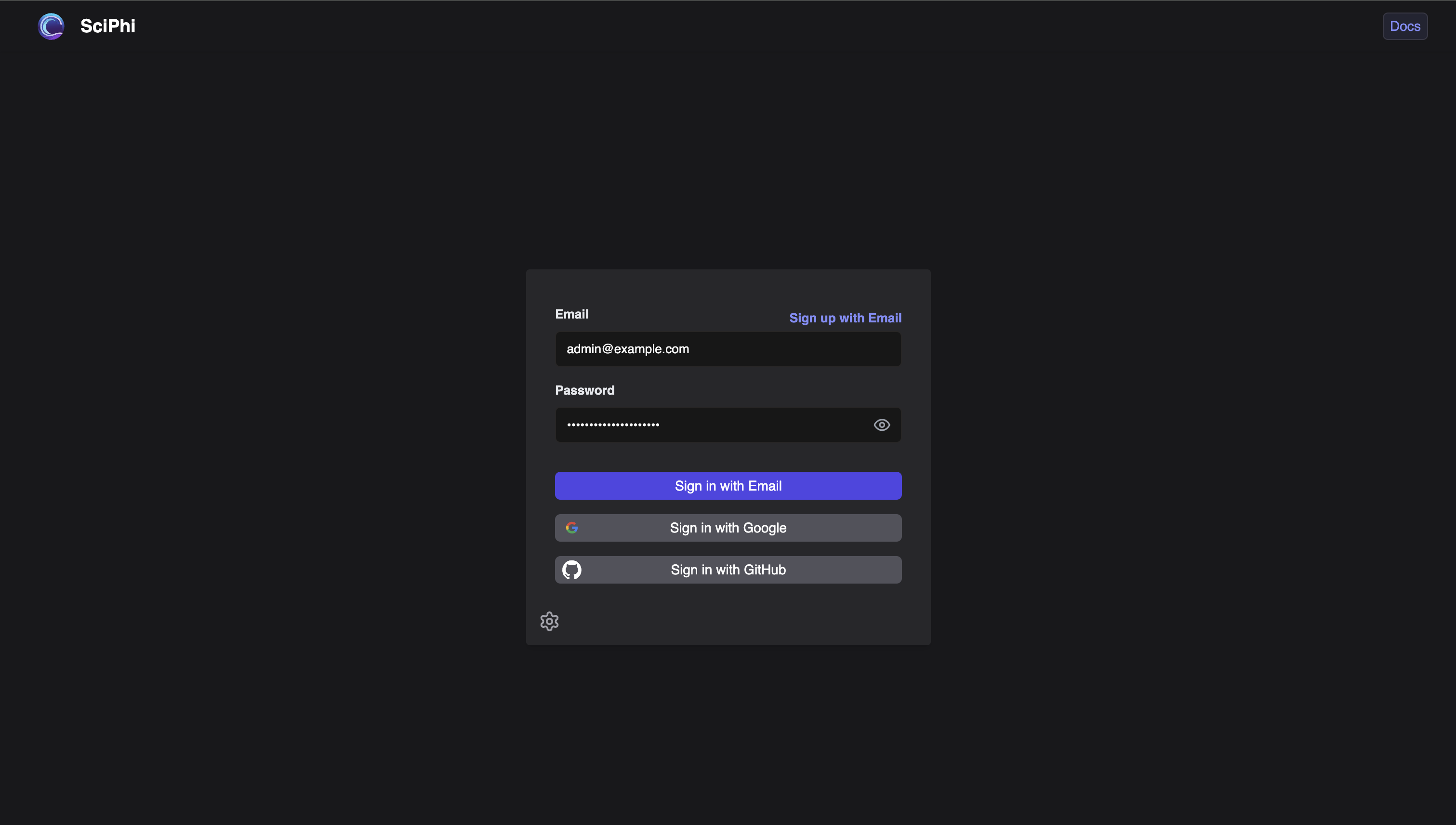
### Documents
The documents page provides an overview of uploaded documents and their metadata. You can upload new documents and update, download, or delete existing ones. Additionally, you can view information about each document, including the documents’ chunks and previews of PDFs.
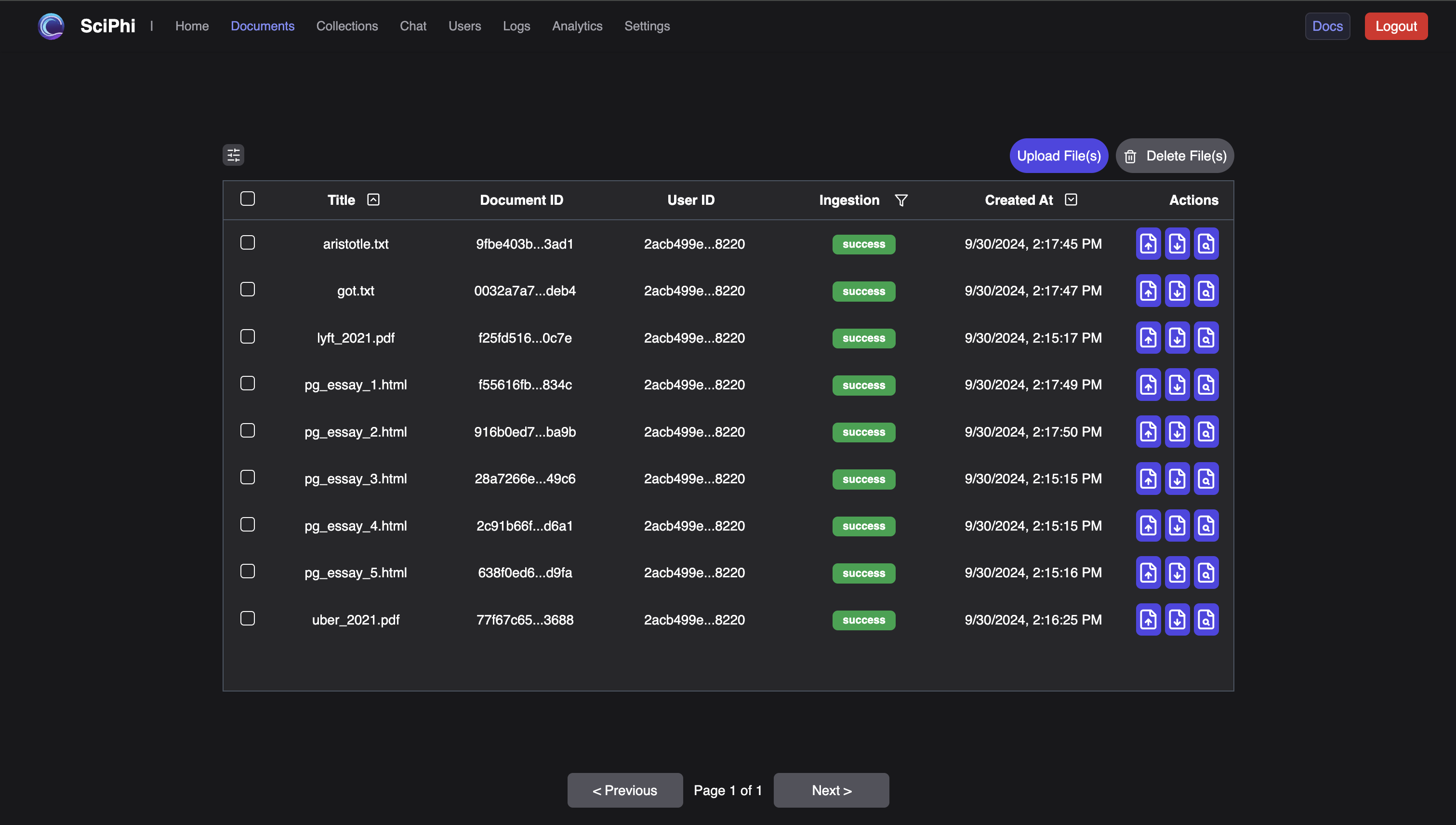
### Collections
Collections allow users to create and share sets of documents. The collections page provides a place to manage your existing collections or create new collections.
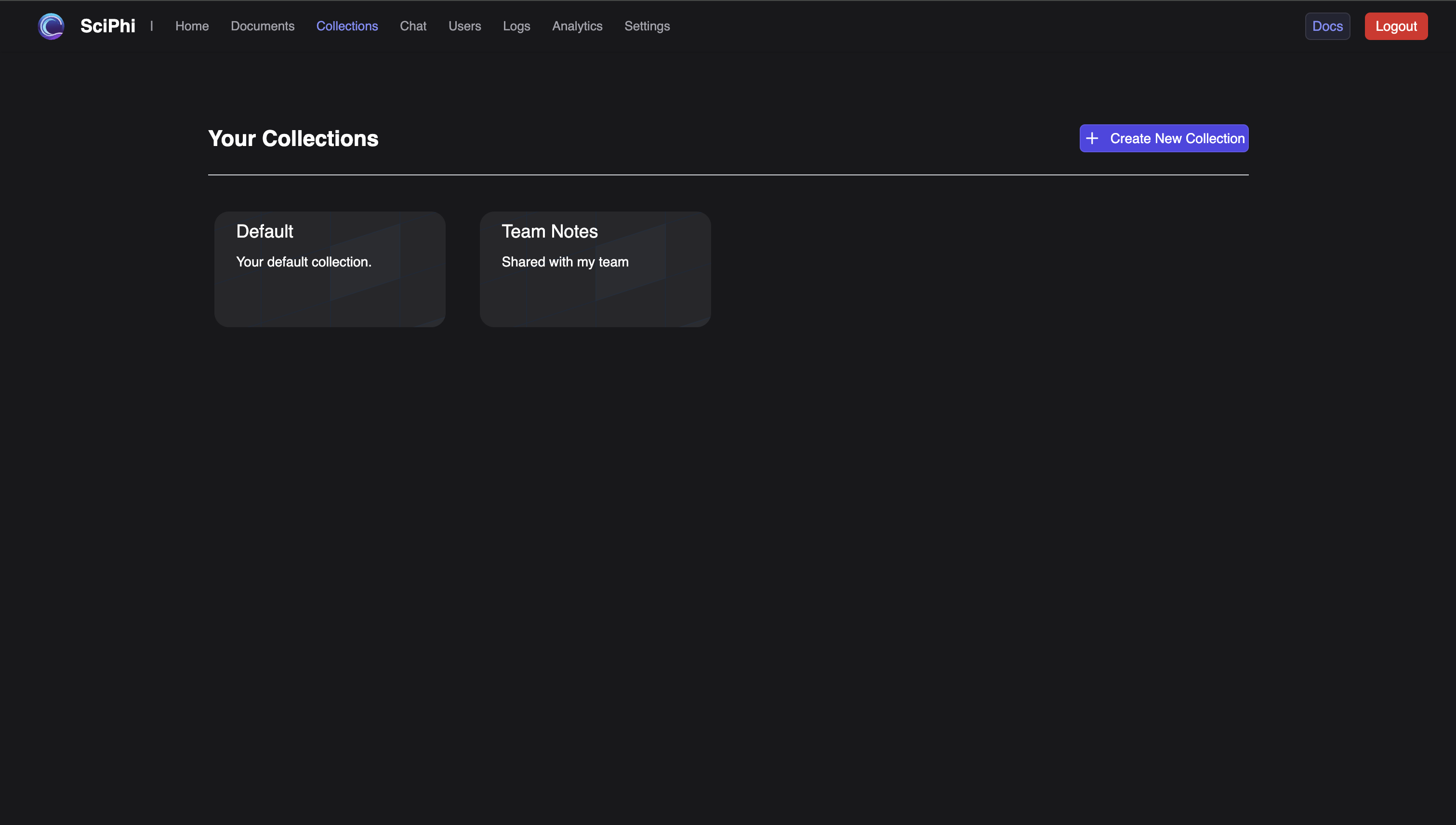
### Chat
In the chat page, you can stream RAG responses with different models and configurable settings. You can interact with both the RAG Agent and RAG endpoints here.
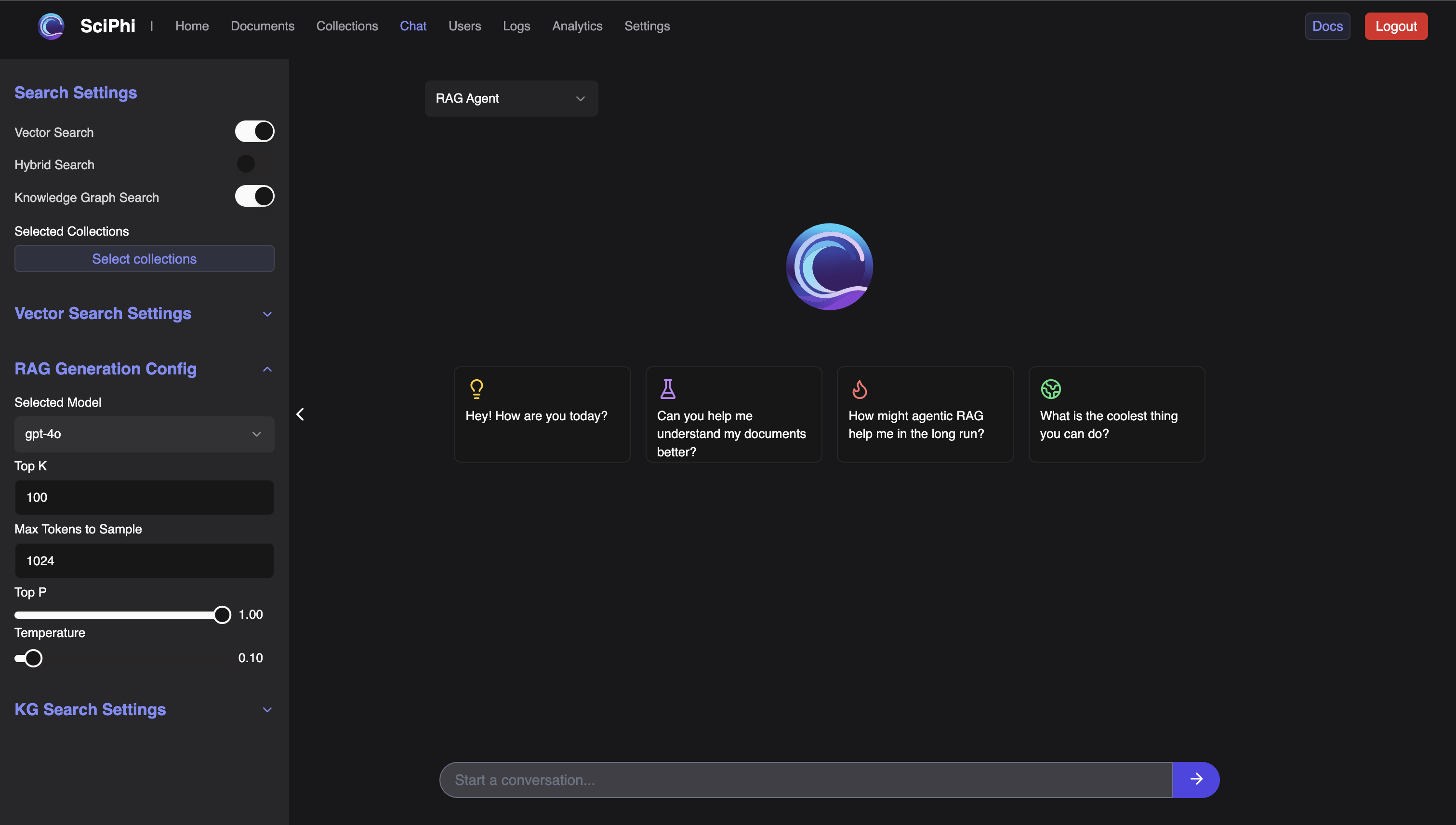
### Users
Manage your users and gain insight into their interactions.
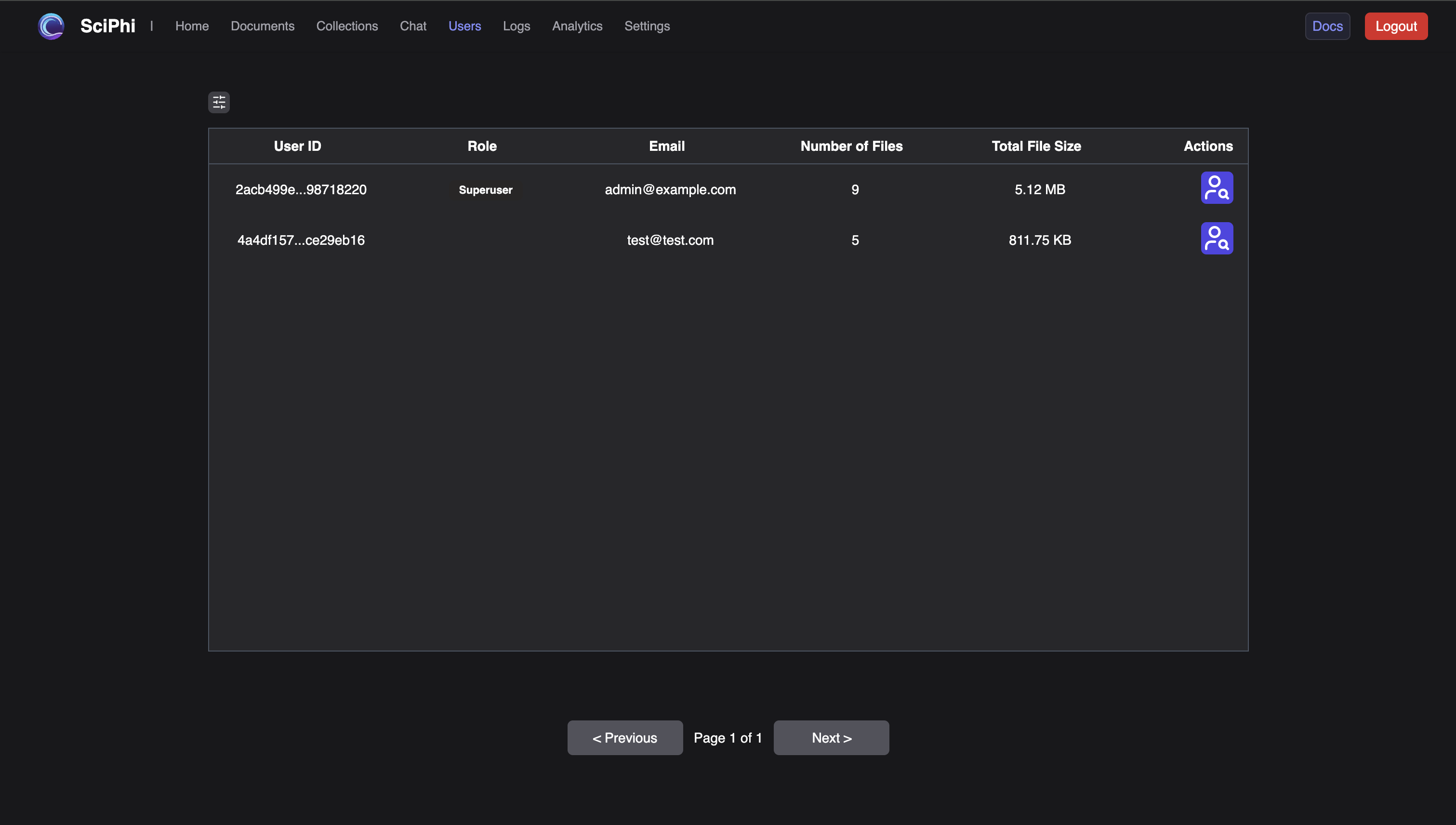
### Logs
The Logs page enables tracking of user queries, search results, and LLM responses.
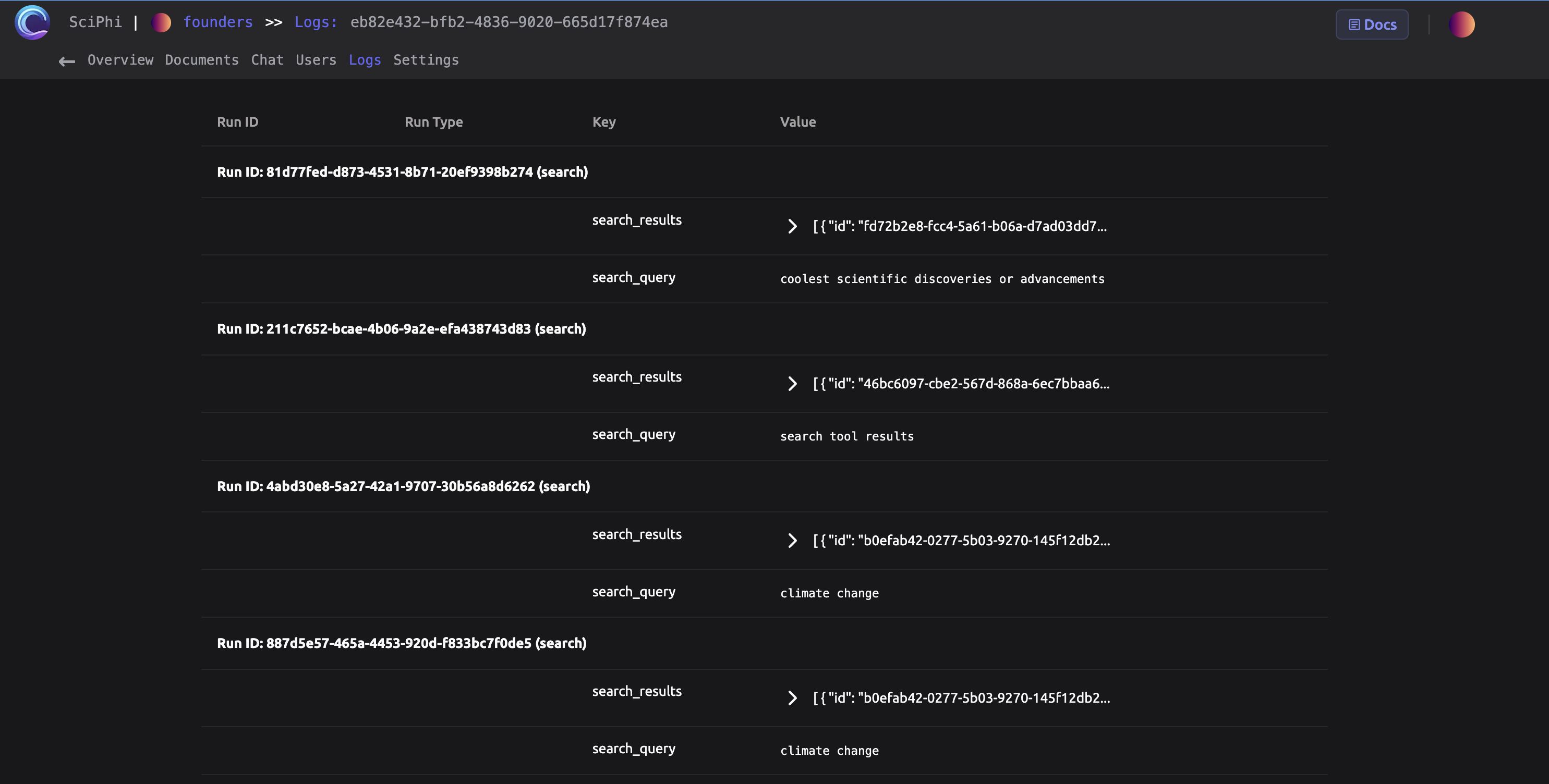
### Settings
The settings page allows you to view the configuration of and edit the prompts associated with your R2R deployment.
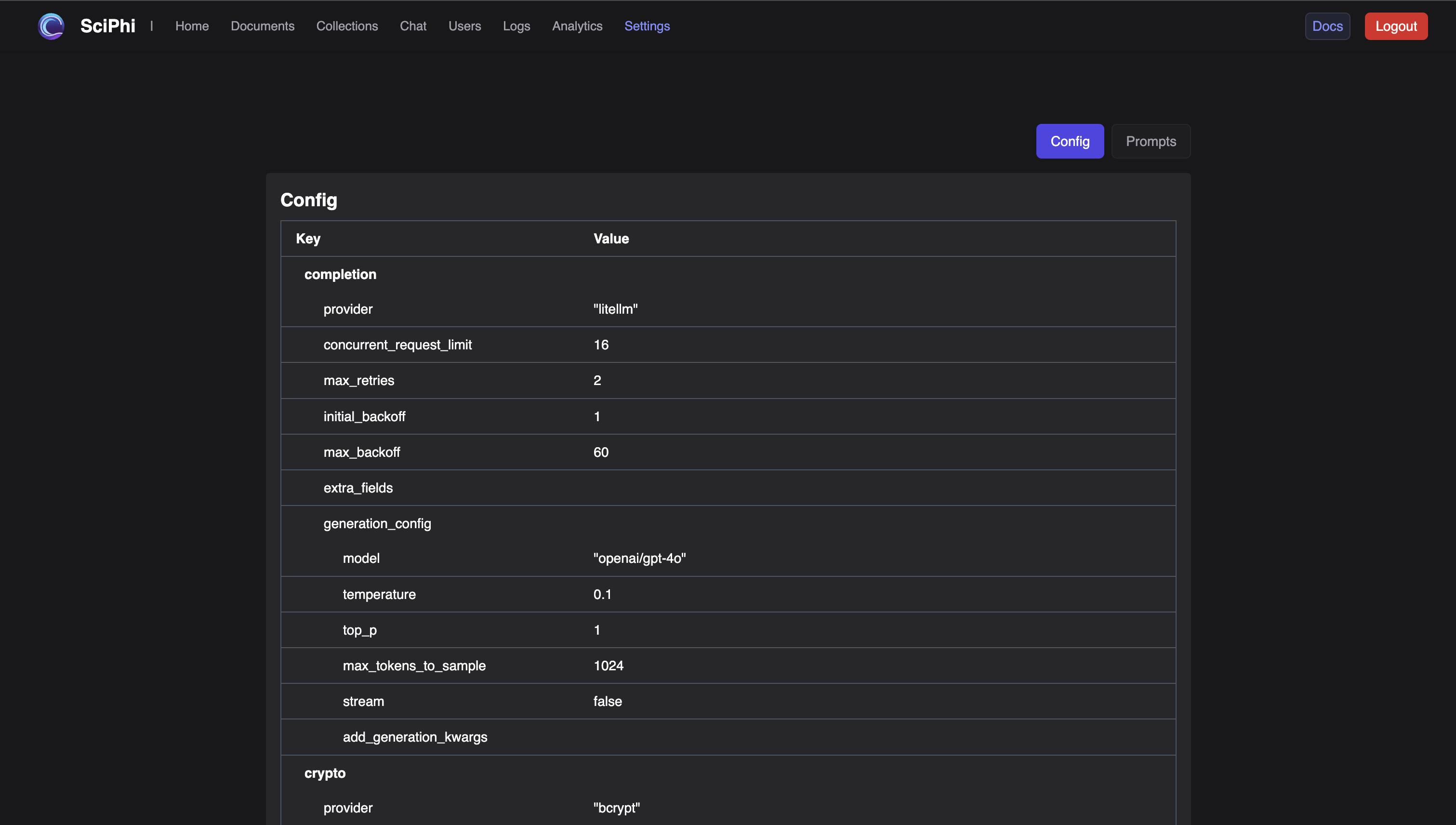
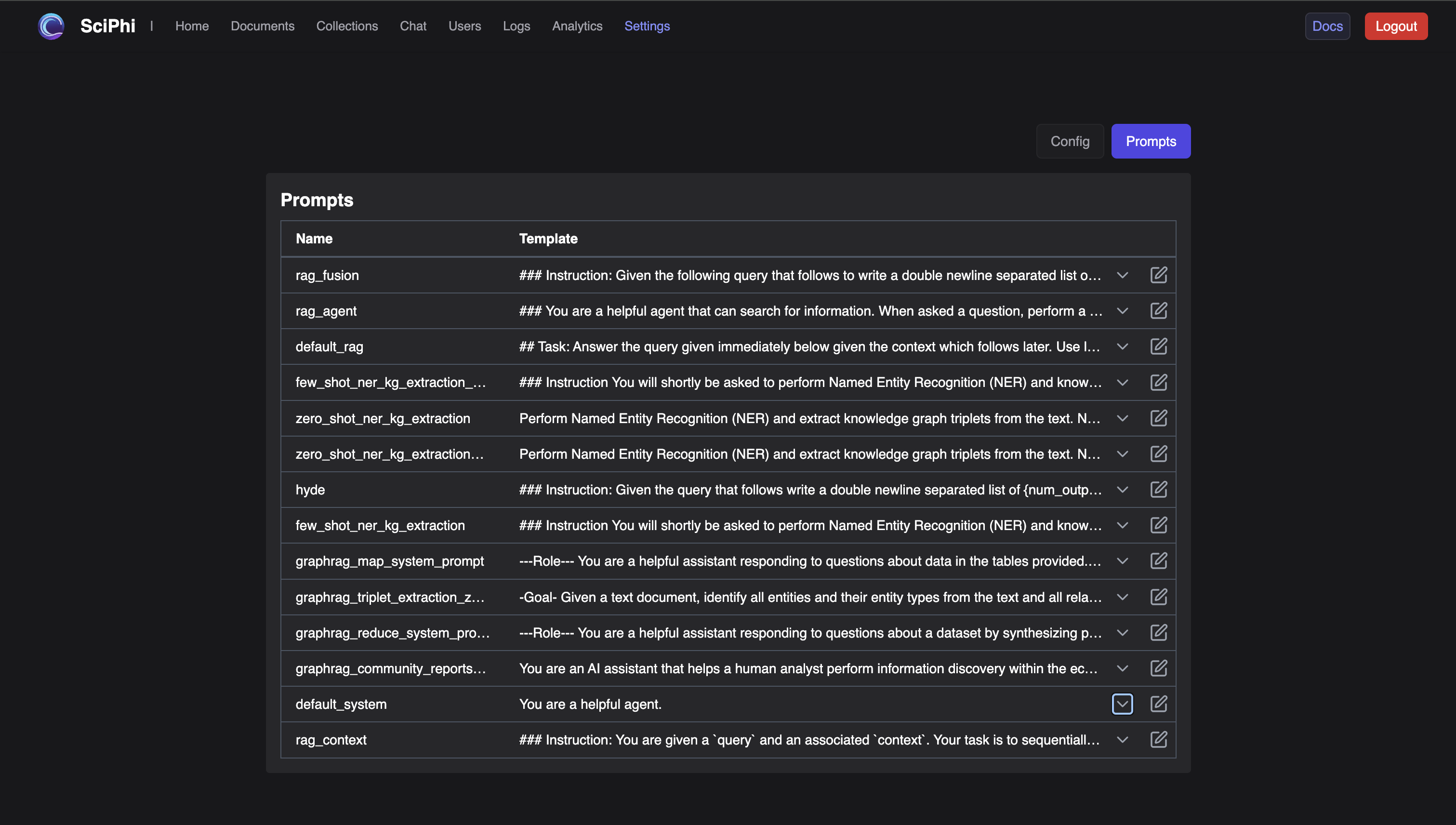
Development
-----------
To develop the R2R dashboard:
1. Start the development server:
` | | | | --- | --- | | $ | pnpm dev | `
2. Run pre-commit checks (optional but recommended):
` | | | | --- | --- | | $ | pnpm format | | > | pnpm lint | `
[Built with](https://buildwithfern.com/?utm_campaign=buildWith&utm_medium=docs&utm_source=r2r-docs.sciphi.ai)
---