# Table of Contents
- [SurrealDB](#surrealdb)
- [Java | SDKs | Integration](#java-sdks-integration)
- [Java | SDKs | Installation](#java-sdks-installation)
- [Fastembed | Embeddings](#fastembed-embeddings)
- [SurrealKV | Introduction](#surrealkv-introduction)
- [Java | SDK | Concepts](#java-sdk-concepts)
- [SurrealDB Labs](#surrealdb-labs)
- [Java | SDK | Create a new connection](#java-sdk-create-a-new-connection)
- [Working with SurrealDB over HTTP via Postman | Tutorials](#working-with-surrealdb-over-http-via-postman-tutorials)
- [SurrealDB Labs](#surrealdb-labs)
- [Integrate Auth0 as an Authentication Provider | Tutorials](#integrate-auth0-as-an-authentication-provider-tutorials)
- [Integrate AWS Cognito as an Authentication Provider | Tutorials](#integrate-aws-cognito-as-an-authentication-provider-tutorials)
- [Golang | SDK | Quick start](#golang-sdk-quick-start)
- [Surrealist | Settings and Customisation](#surrealist-settings-and-customisation)
- [Install | Data migration](#install-data-migration)
- [Neo4J | Data migration](#neo4j-data-migration)
- [Configure an Instance](#configure-an-instance)
- [Get Started with Surreal Cloud](#get-started-with-surreal-cloud)
- [Connect to Instance | Surreal Cloud](#connect-to-instance-surreal-cloud)
- [JSON lines | Data migration](#json-lines-data-migration)
- [MongoDB | Data migration](#mongodb-data-migration)
- [Surrealist | Getting Started](#surrealist-getting-started)
- [n8n | Data Management](#n8n-data-management)
- [Surrealist | Exploring database records](#surrealist-exploring-database-records)
- [Configure network access](#configure-network-access)
- [Surrealist | Sending queries to the database](#surrealist-sending-queries-to-the-database)
- [Dependency Injection | .NET | SDK | Concepts](#dependency-injection-net-sdk-concepts)
- [.NET | SDK | Quick start](#-net-sdk-quick-start)
- [.NET | SDK | Concepts](#-net-sdk-concepts)
- [Data Manipulation | .NET | SDK | Concepts](#data-manipulation-net-sdk-concepts)
- [PHP | SDKs | Integration | SurrealDB Docs](#php-sdks-integration-surrealdb-docs)
- [Run SurrealQL queries | .NET | SDK | Concepts](#run-surrealql-queries-net-sdk-concepts)
- [Set parameters | .NET | SDK | Concepts](#set-parameters-net-sdk-concepts)
- [.NET | SDK | Methods | Version](#-net-sdk-methods-version)
- [.NET | SDK | Methods | Patch](#-net-sdk-methods-patch)
- [Arguments | Embedded scripting functions | SurrealQL](#arguments-embedded-scripting-functions-surrealql)
- [Sequence functions | SurrealQL](#sequence-functions-surrealql)
- [Value functions | SurrealQL](#value-functions-surrealql)
- [Built-in functions | Embedded scripting functions | SurrealQL](#built-in-functions-embedded-scripting-functions-surrealql)
- [Function context | Embedded scripting functions | SurrealQL](#function-context-embedded-scripting-functions-surrealql)
- [IF ELSE statement | SurrealQL](#if-else-statement-surrealql)
- [Parameters | SurrealQL](#parameters-surrealql)
- [Machine learning functions | SurrealQL](#machine-learning-functions-surrealql)
- [FOR statement | SurrealQL](#for-statement-surrealql)
- [Sleep function | SurrealQL](#sleep-function-surrealql)
- [Type conversion | Embedded scripting functions | SurrealQL](#type-conversion-embedded-scripting-functions-surrealql)
- [Machine Learning functions | SurrealQL](#machine-learning-functions-surrealql)
- [Comments | SurrealQL](#comments-surrealql)
- [Vector functions | SurrealQL](#vector-functions-surrealql)
- [SurrealQL functions | Embedded scripting functions | SurrealQL](#surrealql-functions-embedded-scripting-functions-surrealql)
- [DEFINE SCOPE statement | SurrealQL](#define-scope-statement-surrealql)
- [DEFINE NAMESPACE statement | SurrealQL](#define-namespace-statement-surrealql)
- [INSERT statement | SurrealQL](#insert-statement-surrealql)
- [DELETE statement | SurrealQL](#delete-statement-surrealql)
- [DEFINE SEQUENCE statement | SurrealQL](#define-sequence-statement-surrealql)
- [Session functions | SurrealQL](#session-functions-surrealql)
- [USE statement | SurrealQL](#use-statement-surrealql)
- [DEFINE PARAM statement | SurrealQL](#define-param-statement-surrealql)
- [RETURN statement | SurrealQL](#return-statement-surrealql)
- [INFO statement | SurrealQL](#info-statement-surrealql)
- [WITH clause | SurrealQL](#with-clause-surrealql)
- [BREAK statement | SurrealQL](#break-statement-surrealql)
- [CANCEL statement | SurrealQL](#cancel-statement-surrealql)
- [Geo functions | SurrealQL](#geo-functions-surrealql)
- [FETCH clause | SurrealQL](#fetch-clause-surrealql)
- [Clauses | SurrealQL](#clauses-surrealql)
- [Statements | SurrealQL](#statements-surrealql)
- [ORDER BY clause | SurrealQL](#order-by-clause-surrealql)
- [COMMIT statement | SurrealQL](#commit-statement-surrealql)
- [BEGIN statement | SurrealQL](#begin-statement-surrealql)
- [LIVE SELECT statement | SurrealQL](#live-select-statement-surrealql)
- [GROUP BY clause | SurrealQL](#group-by-clause-surrealql)
- [DEFINE TABLE statement | SurrealQL](#define-table-statement-surrealql)
- [Transactions | SurrealQL](#transactions-surrealql)
- [LIMIT clause | SurrealQL](#limit-clause-surrealql)
- [OMIT clause | SurrealQL](#omit-clause-surrealql)
- [EXPLAIN clause | SurrealQL](#explain-clause-surrealql)
- [Record links | SurrealQL](#record-links-surrealql)
- [Datetimes | SurrealQL](#datetimes-surrealql)
- [Sets | SurrealQL](#sets-surrealql)
- [Booleans | SurrealQL](#booleans-surrealql)
- [Ranges | SurrealQL](#ranges-surrealql)
- [Regex | SurrealQL](#regex-surrealql)
- [None and Null | SurrealQL](#none-and-null-surrealql)
- [DEFINE BUCKET statement | SurrealQL](#define-bucket-statement-surrealql)
- [Numbers | SurrealQL](#numbers-surrealql)
- [DEFINE FUNCTION statement | SurrealQL](#define-function-statement-surrealql)
- [SPLIT clause | SurrealQL](#split-clause-surrealql)
- [FROM clause | SurrealQL](#from-clause-surrealql)
- [DEFINE EVENT statement | SurrealQL](#define-event-statement-surrealql)
- [Strings | SurrealQL](#strings-surrealql)
- [LET statement | SurrealQL](#let-statement-surrealql)
- [DEFINE TOKEN statement | SurrealQL](#define-token-statement-surrealql)
- [UPDATE statement | SurrealQL](#update-statement-surrealql)
- [Files | SurrealQL](#files-surrealql)
- [Futures | SurrealQL](#futures-surrealql)
- [Literals | SurrealQL](#literals-surrealql)
- [Values | SurrealQL](#values-surrealql)
- [Data types | SurrealQL](#data-types-surrealql)
- [ACCESS statement | SurrealQL](#access-statement-surrealql)
- [Demo data | SurrealQL](#demo-data-surrealql)
- [Casting | SurrealQL](#casting-surrealql)
- [DEFINE API statement | SurrealQL](#define-api-statement-surrealql)
- [DEFINE CONFIG statement | SurrealQL](#define-config-statement-surrealql)
- [Record IDs | SurrealQL](#record-ids-surrealql)
---
# SurrealDB
[](https://surrealdb.com/)
[](https://surrealdb.com/docs/surrealdb)
Search the docs
Enter a search query
[Sign in](https://app.surrealdb.com/signin)
Search the docs
Enter a search query
[Overview](https://surrealdb.com/docs/surrealdb)
Introduction
[Introduction](https://surrealdb.com/docs/surrealdb/introduction)
[Getting started](https://surrealdb.com/docs/surrealdb/introduction/start)
[Concepts](https://surrealdb.com/docs/surrealdb/introduction/concepts)
[Namespace](https://surrealdb.com/docs/surrealdb/introduction/concepts/namespace)
[Database](https://surrealdb.com/docs/surrealdb/introduction/concepts/database)
[Architecture](https://surrealdb.com/docs/surrealdb/introduction/architecture)
Data Models
[Introduction](https://surrealdb.com/docs/surrealdb/models)
[Document](https://surrealdb.com/docs/surrealdb/models/document)
[Graph](https://surrealdb.com/docs/surrealdb/models/graph)
[Vector](https://surrealdb.com/docs/surrealdb/models/vector)
[Full Text Search](https://surrealdb.com/docs/surrealdb/models/full-text-search)
[Time Series](https://surrealdb.com/docs/surrealdb/models/time-series)
[Geospatial](https://surrealdb.com/docs/surrealdb/models/geospatial)
Installation
[Introduction](https://surrealdb.com/docs/surrealdb/installation)
[Install on macOS](https://surrealdb.com/docs/surrealdb/installation/macos)
[Install on Linux](https://surrealdb.com/docs/surrealdb/installation/linux)
[Install on Windows](https://surrealdb.com/docs/surrealdb/installation/windows)
[Install the Nightly](https://surrealdb.com/docs/surrealdb/installation/nightly)
[Running](https://surrealdb.com/docs/surrealdb/installation/running)
[Run with Docker](https://surrealdb.com/docs/surrealdb/installation/running/docker)
[Run a disk based server](https://surrealdb.com/docs/surrealdb/installation/running/file)
[Run an in memory server](https://surrealdb.com/docs/surrealdb/installation/running/memory)
[Run a multi node server](https://surrealdb.com/docs/surrealdb/installation/running/tikv)
[Upgrading](https://surrealdb.com/docs/surrealdb/installation/upgrading)
[Upgrading from 1.x to 2.x](https://surrealdb.com/docs/surrealdb/installation/upgrading/migrating-data-to-2x)
Querying
[Introduction](https://surrealdb.com/docs/surrealdb/querying)
[Querying via SDKs](https://surrealdb.com/docs/surrealdb/querying/sdks)
[GraphQL](https://surrealdb.com/docs/surrealdb/querying/graphql)
[GraphQL via Surrealist](https://surrealdb.com/docs/surrealdb/querying/graphql/surrealist)
[GraphQL via HTTP](https://surrealdb.com/docs/surrealdb/querying/graphql/http)
[SurrealQL](https://surrealdb.com/docs/surrealdb/querying/surrealql)
[SurrealQL via Surrealist](https://surrealdb.com/docs/surrealdb/querying/surrealql/surrealist)
[SurrealQL via HTTP](https://surrealdb.com/docs/surrealdb/querying/surrealql/http)
[SurrealQL via CLI](https://surrealdb.com/docs/surrealdb/querying/surrealql/cli)
Security
[Introduction](https://surrealdb.com/docs/surrealdb/security)
[Summary](https://surrealdb.com/docs/surrealdb/security/summary)
[Authentication](https://surrealdb.com/docs/surrealdb/security/authentication)
[Capabilities](https://surrealdb.com/docs/surrealdb/security/capabilities)
[Troubleshooting](https://surrealdb.com/docs/surrealdb/security/troubleshooting)
Deployment
[Introduction](https://surrealdb.com/docs/surrealdb/deployment)
[Deploy on Surreal Cloud](https://surrealdb.com/docs/surrealdb/deployment/surreal-cloud)
[Deploy on Kubernetes](https://surrealdb.com/docs/surrealdb/deployment/kubernetes)
[Deploy on Amazon EKS](https://surrealdb.com/docs/surrealdb/deployment/amazon)
[Deploy on Google GKE](https://surrealdb.com/docs/surrealdb/deployment/google)
[Deploy on Azure AKS](https://surrealdb.com/docs/surrealdb/deployment/azure)
Embedding
[Introduction](https://surrealdb.com/docs/surrealdb/embedding)
[Embedding SurrealDB in Rust](https://surrealdb.com/docs/surrealdb/embedding/rust)
[Embedding SurrealDB in JavaScript](https://surrealdb.com/docs/surrealdb/embedding/javascript)
[Embedding SurrealDB in Python](https://surrealdb.com/docs/surrealdb/embedding/python)
[Embedding SurrealDB in .NET](https://surrealdb.com/docs/surrealdb/embedding/dotnet)
Integration
[Introduction](https://surrealdb.com/docs/surrealdb/integration)
[SDKs](https://surrealdb.com/docs/surrealdb/integration/sdks)
[HTTP & Rest](https://surrealdb.com/docs/surrealdb/integration/http)
[RPC Protocol](https://surrealdb.com/docs/surrealdb/integration/rpc)
[CBOR Protocol](https://surrealdb.com/docs/surrealdb/integration/cbor)
CLI tool
[Introduction](https://surrealdb.com/docs/surrealdb/cli)
[Start command](https://surrealdb.com/docs/surrealdb/cli/start)
[SQL command](https://surrealdb.com/docs/surrealdb/cli/sql)
[Help command](https://surrealdb.com/docs/surrealdb/cli/help)
[Export command](https://surrealdb.com/docs/surrealdb/cli/export)
[Fix command](https://surrealdb.com/docs/surrealdb/cli/fix)
[Import command](https://surrealdb.com/docs/surrealdb/cli/import)
[Isready command](https://surrealdb.com/docs/surrealdb/cli/isready)
[ML commands](https://surrealdb.com/docs/surrealdb/cli/ml)
[Import command](https://surrealdb.com/docs/surrealdb/cli/ml/import)
[Export command](https://surrealdb.com/docs/surrealdb/cli/ml/export)
[Upgrade command](https://surrealdb.com/docs/surrealdb/cli/upgrade)
[Validate command](https://surrealdb.com/docs/surrealdb/cli/validate)
[Version command](https://surrealdb.com/docs/surrealdb/cli/version)
[Environment variables](https://surrealdb.com/docs/surrealdb/cli/env)
Reference Guides
[Introduction](https://surrealdb.com/docs/surrealdb/reference-guide)
[Full Text Search](https://surrealdb.com/docs/surrealdb/reference-guide/full-text-search)
[Graph Relations](https://surrealdb.com/docs/surrealdb/reference-guide/graph-relations)
[Observability](https://surrealdb.com/docs/surrealdb/reference-guide/observability)
[Security Best Practices](https://surrealdb.com/docs/surrealdb/reference-guide/security-best-practices)
[Vector Search](https://surrealdb.com/docs/surrealdb/reference-guide/vector-search)
[Performance Best Practices](https://surrealdb.com/docs/surrealdb/reference-guide/performance-best-practices)
[Sample Industry Schemas](https://surrealdb.com/docs/surrealdb/reference-guide/sample-industry-schemas)
[Schema Best Practices](https://surrealdb.com/docs/surrealdb/reference-guide/schema-creation-best-practices)
FAQs
[Introduction](https://surrealdb.com/docs/surrealdb/faqs)
[Known Issues](https://surrealdb.com/docs/surrealdb/faqs/known-issues)
[surrealdb/surrealdb](https://github.com/surrealdb/surrealdb)
[](https://surrealdb.com/docs/surrealdb)
[Overview](https://surrealdb.com/docs/surrealdb)

SurrealDB is a native, open-source, [multi-model database](https://surrealdb.com/features/multi-model-database)
that lets you store and manage data across relational, document, graph, time-series, vector & search, and geospatial models—all in one place.
Powered by a flexible, SQL-like query language called [SurrealQL](https://surrealdb.com/docs/surrealql)
, you can write queries using familiar syntax while leveraging the capabilities of a modern, unified database. Built to be [distributed and scalable](https://surrealdb.com/docs/surrealdb/introduction/architecture)
, SurrealDB makes it easy to grow with your application.
You can also interact with SurrealDB through additional query methods like [GraphQL](https://surrealdb.com/docs/surrealdb/querying/graphql)
, [HTTP](https://surrealdb.com/docs/surrealdb/integration/http)
, and [RPC](https://surrealdb.com/docs/surrealdb/integration/rpc)
, or integrate directly using a range of [SDKs](https://surrealdb.com/docs/surrealdb/integration/sdks)
in your native development environment.
[Get started with SurrealDB](https://surrealdb.com/docs/surrealdb/introduction/start)
[Installation guide](https://surrealdb.com/docs/surrealdb/installation)
Topics[](https://surrealdb.com/docs/surrealdb#topics)
======================================================
[#### \
\
Surreal Cloud Managed Cloud Hosting\
\
Effortlessly deploy, manage, and scale your SurrealDB instances in the cloud.](https://surrealdb.com/docs/cloud)
[#### \
\
Surrealist Management Interface\
\
The official dashboard to query and manage your SurrealDB databases.](https://surrealdb.com/docs/surrealist)
[#### \
\
SurrealQL Query Language\
\
Discover SurrealQL, a powerful and intuitive SQL-like language built for SurrealDB.](https://surrealdb.com/docs/surrealql)
Data Models[](https://surrealdb.com/docs/surrealdb#data-models)
================================================================
[#### \
\
Document\
\
Document database that is designed to make building and scaling realtime apps dramatically quicker and easier.](https://surrealdb.com/docs/surrealdb/models/document)
[#### \
\
Graph\
\
Graph database that is designed to make building and scaling realtime apps dramatically quicker and easier.](https://surrealdb.com/docs/surrealdb/models/graph)
[#### \
\
Vector\
\
Vector database that is designed to make building and scaling realtime apps dramatically quicker and easier.](https://surrealdb.com/docs/surrealdb/models/vector)
[#### \
\
Full-Text Search\
\
Full-Text Search database that is designed to make building and scaling realtime apps dramatically quicker and easier.](https://surrealdb.com/docs/surrealdb/models/full-text-search)
[#### \
\
Time Series\
\
Time Series database that is designed to make building and scaling realtime apps dramatically quicker and easier.](https://surrealdb.com/docs/surrealdb/models/time-series)
[#### \
\
Geospatial\
\
Geospatial database that is designed to make building and scaling realtime apps dramatically quicker and easier.](https://surrealdb.com/docs/surrealdb/models/geospatial)
Integrations[](https://surrealdb.com/docs/surrealdb#integrations)
==================================================================
[#### \
\
Data Management\
\
SurrealDB integrates with Airbyte, Fivetran, and more to help you manage your data.](https://surrealdb.com/docs/integrations/data-management)
[#### \
\
Embeddings\
\
SurrealDB provides a number of different embeddings features that can be used to manage your data.](https://surrealdb.com/docs/integrations/embeddings)
[#### \
\
Frameworks\
\
SurrealDB integrates with a number of different frameworks to help you build your applications.](https://surrealdb.com/docs/integrations/frameworks)
Authentication[](https://surrealdb.com/docs/surrealdb#authentication)
======================================================================
[#### \
\
System Access\
\
System access is used to authenticate and authorize users to access the SurrealDB server.](https://surrealdb.com/docs/surrealdb/security/authentication)
[#### \
\
Record Access\
\
Record access is used to authenticate and authorize users to access the SurrealDB database.](https://surrealdb.com/docs/surrealql/statements/define/access/record)
[#### \
\
Token Accesss\
\
Token access is used to authenticate and authorize users to access the SurrealDB database.](https://surrealdb.com/docs/surrealql/statements/define/access/jwt)
Education[](https://surrealdb.com/docs/surrealdb#education)
============================================================
[#### \
\
SurrealDB University\
\
Watch videos, live streams, and expert talks to quickly learn key SurrealDB concepts and insights.](https://surrealdb.com/learn)
[#### \
\
Aeon's Surreal Renaissance\
\
Learn SurrealDB through an engaging, story-driven experience that feels like watching a movie.](https://surrealdb.com/learn/book)
[#### \
\
Surreal Sidekick\
\
Surreal Sidekick is your go to AI assistant for all things SurrealDB related.](https://app.surrealdb.com/chat)
SDKs[](https://surrealdb.com/docs/surrealdb#sdks)
==================================================
[#### \
\
Rust\
\
Connect to SurrealDB in Rust applications.\
\
HTTP & WebSocket\
\
In-memory and on-disk](https://surrealdb.com/docs/sdk/rust)
[#### \
\
JavaScript\
\
Connect to SurrealDB from JavaScript environments.\
\
HTTP & WebSocket](https://surrealdb.com/docs/sdk/javascript)
[#### \
\
Node.js\
\
Node.js adapter for the JavaScript SDK.\
\
HTTP & WebSocket\
\
In-memory and on-disk](https://surrealdb.com/docs/sdk/javascript/engines/node)
[#### \
\
WASM\
\
WebAssembly adapter for the JavaScript SDK.\
\
In-memory and IndexedDB](https://surrealdb.com/docs/sdk/javascript/engines/wasm)
[#### \
\
Java\
\
Connect to SurrealDB in Java applications.\
\
HTTP & WebSocket\
\
In-memory and on-disk](https://surrealdb.com/docs/sdk/java)
[#### \
\
Golang\
\
Connect to SurrealDB in Go applications.\
\
HTTP & WebSocket\
\
In-memory and on-disk](https://surrealdb.com/docs/sdk/golang)
[#### \
\
Python\
\
Connect to SurrealDB in Python applications.\
\
HTTP & WebSocket\
\
In-memory and on-disk](https://surrealdb.com/docs/sdk/python)
[#### \
\
.NET\
\
Connect to SurrealDB in .NET applications.\
\
HTTP & WebSocket\
\
In-memory and on-disk](https://surrealdb.com/docs/sdk/dotnet)
[#### \
\
PHP\
\
Connect to SurrealDB in PHP applications.\
\
HTTP & WebSocket](https://surrealdb.com/docs/sdk/php)
Resources[](https://surrealdb.com/docs/surrealdb#resources)
============================================================
[\
\
Dive into the full range of tools, libraries, and integrations built around SurrealDB. SurrealDB Labs brings together first- and third-party resources to help you build, manage, and extend your SurrealDB applications with ease.\
\
Explore SurrealDB Labs](https://surrealdb.com/docs/labs)
[Edit this page on GitHub](https://github.com/surrealdb/docs.surrealdb.com/edit/main/src/content/doc-surrealdb/index.mdx)
Copy page as Markdown
[Introduction](https://surrealdb.com/docs/surrealdb/introduction)
Last updated: Loading...
### Was this page helpful?
#### What did you like?
AccurateEasy to understandSolved my problemHelped me decide to use the productOther
SubmitCancel
#### What went wrong?
Hard to understandIncorrect informationMissing the informationOther
SubmitCancel
[Edit](https://github.com/surrealdb/docs.surrealdb.com/edit/main/src/content/doc-surrealdb/index.mdx)
[Issue](https://github.com/surrealdb/docs.surrealdb.com/issues/new)
---
# Java | SDKs | Integration
[](https://surrealdb.com/)
[](https://surrealdb.com/docs/surrealdb)
Search the docs
Enter a search query
[Sign in](https://app.surrealdb.com/signin)
Search the docs
Enter a search query
[Overview](https://surrealdb.com/docs/sdk/java)
[Installation](https://surrealdb.com/docs/sdk/java/installation)
[Quick start](https://surrealdb.com/docs/sdk/java/start)
[Data types](https://surrealdb.com/docs/sdk/java/data-types)
[API Documentation](https://surrealdb.com/docs/sdk/java/api-documentation)
Concepts
[Introduction](https://surrealdb.com/docs/sdk/java/core)
[Create a new connection](https://surrealdb.com/docs/sdk/java/core/create-a-new-connection)
[Handle authentication](https://surrealdb.com/docs/sdk/java/core/handling-authentication)
[surrealdb/surrealdb.java](https://github.com/surrealdb/surrealdb.java)
[](https://surrealdb.com/docs/sdk/java)
[Overview](https://surrealdb.com/docs/sdk/java)

Java SDK[](https://surrealdb.com/docs/sdk/java#java-sdk)
=========================================================
The SurrealDB SDK for Java is the primary SDK for interacting with SurrealDB from client or server-side applications, systems, and APIs. You can use the Java SDK to interact with your SurrealDB database instances, or to run SurrealDB as an embedded database within your Java application, with functionality for executing queries, managing data, running database functions, and authenticating to the database. When connecting to remote database instances, connections automatically reconnect when terminated.
> Important
>
> The SDK requires Java JDK version `8` or greater, and is available as a [Maven package](https://mvnrepository.com/artifact/com.surrealdb/surrealdb)
> .
> Note
>
> The SDK works seamlessly with SurrealDB versions `v2.0.0` to `v2.3.7`, ensuring compatibility with the latest version.
> Warning
>
> This API is not yet fully stabilized and may be subject to change until the SDK reaches `1.0.0`.
To contribute to the SDK code, submit an Issue or Pull Request in the [surrealdb.java](https://github.com/surrealdb/surrealdb.java)
repository. To contribute to this documentation, submit an Issue or Pull Request in the [docs.surrealdb.com](https://github.com/surrealdb/docs.surrealdb.com)
repository.
Example projects[](https://surrealdb.com/docs/sdk/java#example-projects)
-------------------------------------------------------------------------
You can find example repositories that demonstrate how to integrate SurrealDB in a number of different environments:
[#### \
\
Java Starter\
\
A simple starter project demonstrating the power of the SurrealDB Java SDK](https://github.com/surrealdb/examples/tree/main/java-starter)
Sources[](https://surrealdb.com/docs/sdk/java#sources)
-------------------------------------------------------
* [GitHub repository](https://github.com/surrealdb/surrealdb.java)
* [JavaDoc](https://surrealdb.github.io/surrealdb.java/javadoc/)
* [Maven package](https://mvnrepository.com/artifact/com.surrealdb/surrealdb)
[Edit this page on GitHub](https://github.com/surrealdb/docs.surrealdb.com/edit/main/src/content/doc-sdk-java/index.mdx)
Copy page as Markdown
[Installation](https://surrealdb.com/docs/sdk/java/installation)
### On this page
* [Java SDK](https://surrealdb.com/docs/sdk/java#java-sdk)
* [Example projects](https://surrealdb.com/docs/sdk/java#example-projects)
* [Sources](https://surrealdb.com/docs/sdk/java#sources)
Last updated: Loading...
### Was this page helpful?
#### What did you like?
AccurateEasy to understandSolved my problemHelped me decide to use the productOther
SubmitCancel
#### What went wrong?
Hard to understandIncorrect informationMissing the informationOther
SubmitCancel
[Edit](https://github.com/surrealdb/docs.surrealdb.com/edit/main/src/content/doc-sdk-java/index.mdx)
[Issue](https://github.com/surrealdb/docs.surrealdb.com/issues/new)
---
# Java | SDKs | Installation
[](https://surrealdb.com/)
[](https://surrealdb.com/docs/surrealdb)
Search the docs
Enter a search query
[Sign in](https://app.surrealdb.com/signin)
Search the docs
Enter a search query
[Overview](https://surrealdb.com/docs/sdk/java)
[Installation](https://surrealdb.com/docs/sdk/java/installation)
[Quick start](https://surrealdb.com/docs/sdk/java/start)
[Data types](https://surrealdb.com/docs/sdk/java/data-types)
[API Documentation](https://surrealdb.com/docs/sdk/java/api-documentation)
Concepts
[Introduction](https://surrealdb.com/docs/sdk/java/core)
[Create a new connection](https://surrealdb.com/docs/sdk/java/core/create-a-new-connection)
[Handle authentication](https://surrealdb.com/docs/sdk/java/core/handling-authentication)
[surrealdb/surrealdb.java](https://github.com/surrealdb/surrealdb.java)
[](https://surrealdb.com/docs/sdk/java)
[Installation](https://surrealdb.com/docs/sdk/java/installation)
Installation[](https://surrealdb.com/docs/sdk/java/installation#installation)
==============================================================================
In this section, you will learn how to install the Java SDK in your project.
### Install the SDK[](https://surrealdb.com/docs/sdk/java/installation#install-the-sdk)
First, install the [SurrealDB SDK](https://mvnrepository.com/artifact/com.surrealdb/surrealdb)
from the Maven Central repository using [Gradle](https://gradle.org/)
or [Maven](https://maven.apache.org/)
.
* [Gradle (Groovy)](https://surrealdb.com/docs/sdk/java/installation#tab-panel-33)
* [Gradle (Kotlin)](https://surrealdb.com/docs/sdk/java/installation#tab-panel-34)
* [Maven](https://surrealdb.com/docs/sdk/java/installation#tab-panel-35)
ext {
surrealdbVersion = "0.2.1"
}
dependencies {
implementation "com.surrealdb:surrealdb:${surrealdbVersion}"
}
val surrealdbVersion by extra("0.2.1")
dependencies {
implementation("com.surrealdb:surrealdb:${surrealdbVersion}")
}
com.surrealdbsurrealdb0.2.1
### Import the SDK to your project[](https://surrealdb.com/docs/sdk/java/installation#import-the-sdk-to-your-project)
After installing, you can access the SDK by importing from the `com.surrealdb` package.
import com.surrealdb.Surreal;
...
Surreal surreal = new Surreal();
In the Quick Start guide, you will learn how to create a new connection and authenticate users using the SDK.
Next Steps[](https://surrealdb.com/docs/sdk/java/installation#next-steps)
--------------------------------------------------------------------------
After installing the SDK, check out the quick start guide to build your a simple application with the SDK. You can also learn more about carrying out common tasks with the SDK in the following sections:
* [Quick Start](https://surrealdb.com/docs/sdk/java/start)
* [Creating a new connection](https://surrealdb.com/docs/sdk/java/core/create-a-new-connection)
* [Authenticating users](https://surrealdb.com/docs/sdk/java/core/handling-authentication)
[Edit this page on GitHub](https://github.com/surrealdb/docs.surrealdb.com/edit/main/src/content/doc-sdk-java/installation.mdx)
Copy page as Markdown
[Overview](https://surrealdb.com/docs/sdk/java)
[Quick start](https://surrealdb.com/docs/sdk/java/start)
### On this page
* [Install the SDK](https://surrealdb.com/docs/sdk/java/installation#install-the-sdk)
* [Import the SDK to your project](https://surrealdb.com/docs/sdk/java/installation#import-the-sdk-to-your-project)
* [Next Steps](https://surrealdb.com/docs/sdk/java/installation#next-steps)
Last updated: Loading...
### Was this page helpful?
#### What did you like?
AccurateEasy to understandSolved my problemHelped me decide to use the productOther
SubmitCancel
#### What went wrong?
Hard to understandIncorrect informationMissing the informationOther
SubmitCancel
[Edit](https://github.com/surrealdb/docs.surrealdb.com/edit/main/src/content/doc-sdk-java/installation.mdx)
[Issue](https://github.com/surrealdb/docs.surrealdb.com/issues/new)
---
# Fastembed | Embeddings
[](https://surrealdb.com/)
[](https://surrealdb.com/docs/surrealdb)
Search the docs
Enter a search query
[Sign in](https://app.surrealdb.com/signin)
Search the docs
Enter a search query
[Overview](https://surrealdb.com/docs/integrations)
Data Management
[Introduction](https://surrealdb.com/docs/integrations/data-management)
[Airbyte](https://surrealdb.com/docs/integrations/data-management/airbyte)
[Fivetran](https://surrealdb.com/docs/integrations/data-management/fivetran)
[n8n](https://surrealdb.com/docs/integrations/data-management/n8n)
[Surreal Sync](https://surrealdb.com/docs/integrations/data-management/surreal-sync)
[Installing the migration tool](https://surrealdb.com/docs/integrations/data-management/surreal-sync/install)
[Migrate from JSON lines](https://surrealdb.com/docs/integrations/data-management/surreal-sync/json-lines)
[Migrate from MongoDB](https://surrealdb.com/docs/integrations/data-management/surreal-sync/mongodb)
[Migrate from Neo4J](https://surrealdb.com/docs/integrations/data-management/surreal-sync/neo4j)
[Unstructured](https://surrealdb.com/docs/integrations/data-management/unstructured)
Embeddings
[Introduction](https://surrealdb.com/docs/integrations/embeddings)
[Quick start with Python](https://surrealdb.com/docs/integrations/embeddings/python)
[Quick start with Rust](https://surrealdb.com/docs/integrations/embeddings/rust)
[Mistral](https://surrealdb.com/docs/integrations/embeddings/mistral)
[Fastembed](https://surrealdb.com/docs/integrations/embeddings/fastembed)
[OpenAI](https://surrealdb.com/docs/integrations/embeddings/openai)
Frameworks
[Introduction](https://surrealdb.com/docs/integrations/frameworks)
[Agno](https://surrealdb.com/docs/integrations/frameworks/agno)
[Camel](https://surrealdb.com/docs/integrations/frameworks/camel)
[CrewAI](https://surrealdb.com/docs/integrations/frameworks/crewai)
[Dagster](https://surrealdb.com/docs/integrations/frameworks/dagster)
[DeepEval](https://surrealdb.com/docs/integrations/frameworks/deepeval)
[Dynamiq](https://surrealdb.com/docs/integrations/frameworks/dynamiq)
[Feast](https://surrealdb.com/docs/integrations/frameworks/feast)
[Google Agent](https://surrealdb.com/docs/integrations/frameworks/googleagent)
[Langchain](https://surrealdb.com/docs/integrations/frameworks/langchain)
[Llama Index](https://surrealdb.com/docs/integrations/frameworks/llama-index)
[Smolagents](https://surrealdb.com/docs/integrations/frameworks/smolagents)
[surrealdb/surrealdb](https://github.com/surrealdb/surrealdb)
[](https://surrealdb.com/docs/integrations)
[Embeddings](https://surrealdb.com/docs/integrations/embeddings)
[Fastembed](https://surrealdb.com/docs/integrations/embeddings/fastembed)
Fastembed[](https://surrealdb.com/docs/integrations/embeddings/fastembed#fastembed)
====================================================================================
Fastembed is a library that allows you to generate vector embeddings locally, without needing an API key or calling into an external service.
Fastembed uses the included ONNX runtime to run its embedding models, downloading the model once every time it is used for the first time.
Fastembed libraries are available for the following languages:
* [Python](https://github.com/qdrant/fastembed)
* [Rust](https://crates.io/crates/fastembed)
* [Go](https://github.com/Anush008/fastembed-go)
* [JavaScript](https://github.com/Anush008/fastembed-js)
Overview of available models[](https://surrealdb.com/docs/integrations/embeddings/fastembed#overview-of-available-models)
--------------------------------------------------------------------------------------------------------------------------
The following is an overview of most of the models available for Fastembed. General use cases are:
* Prototyping, development speed, cost savings: models with small vector embedding sizes tend to take up a relatively small amount of disk size as well (generally a few hundred MB) and can be quickly downloaded and run locally.
* Small or edge devices: devices with no internet access can still take advantage of vector embeddings.
* Particular use cases: some models are specialized for certain use cases such as images, certain languages, and contexts.
### MiniLM Series[](https://surrealdb.com/docs/integrations/embeddings/fastembed#minilm-series)
Fast general-purpose embeddings. Choose L6 for speed, L12 for quality. Ideal for semantic search, clustering, and similarity tasks.
A “quantized” model means that it is optimised for faster inference and lower memory usage, often with minimal quality loss.
| Model name | Embedding size | Description |
| --- | --- | --- |
| AllMiniLML6V2 | 384 | Sentence Transformer model, MiniLM-L6-v2 |
| AllMiniLML6V2Q | 384 | Quantized Sentence Transformer model, MiniLM-L6-v2 |
| AllMiniLML12V2 | 384 | Sentence Transformer model, MiniLM-L12-v2 |
| AllMiniLML12V2Q | 384 | Quantized Sentence Transformer model, MiniLM-L12-v2 |
### BGE Series[](https://surrealdb.com/docs/integrations/embeddings/fastembed#bge-series)
Used for dense retrieval and semantic similarity. BGESmallENV15 is optimized for speed and tends to be the default choice for many applications.
| Model name | Embedding size | Description |
| --- | --- | --- |
| BGEBaseENV15 | 768 | v1.5 release of the base English model |
| BGEBaseENV15Q | 768 | Quantized v1.5 release of the base English model |
| BGELargeENV15 | 1024 | v1.5 release of the large English model |
| BGELargeENV15Q | 1024 | Quantized v1.5 release of the large English model |
| BGESmallENV15 | 384 | v1.5 release of the fast and default English model |
| BGESmallENV15Q | 384 | Quantized v1.5 release of the fast and default English model |
### Nomic Embed Text[](https://surrealdb.com/docs/integrations/embeddings/fastembed#nomic-embed-text)
Used for large context window embeddings.
Optimized for long-context English text (8K tokens). v1.5 improves quality over v1.
| Model name | Embedding size | Description |
| --- | --- | --- |
| NomicEmbedTextV1 | 768 | 8192 context length english model |
| NomicEmbedTextV15 | 768 | v1.5 release of the 8192 context length english model |
| NomicEmbedTextV15Q | 768 | Quantized v1.5 release of the 8192 context length english model |
### Paraphrase Models[](https://surrealdb.com/docs/integrations/embeddings/fastembed#paraphrase-models)
Used for paraphrase detection and multilingual similarity. Ideal for sentence equivalence and semantic matching tasks.
| Model name | Embedding size | Description |
| --- | --- | --- |
| ParaphraseMLMiniLML12V2 | 384 | Multi-lingual model |
| ParaphraseMLMiniLML12V2Q | 384 | Quantized Multi-lingual model |
| ParaphraseMLMpnetBaseV2 | 768 | Sentence-transformers model for tasks like clustering or semantic search, based on the MPNet architecture. |
### Chinese BGE Models[](https://surrealdb.com/docs/integrations/embeddings/fastembed#chinese-bge-models)
| Model name | Embedding size | Description |
| --- | --- | --- |
| BGESmallZHV15 | 512 | v1.5 release of the small Chinese model |
| BGELargeZHV15 | 1024 | v1.5 release of the large Chinese model |
### ModernBert and Multilingual E5[](https://surrealdb.com/docs/integrations/embeddings/fastembed#modernbert-and-multilingual-e5)
Used for context-rich multilingual embeddings. Great for cross-language retrieval and nuanced contextual understanding.
| Model name | Embedding size | Description |
| --- | --- | --- |
| ModernBertEmbedLarge | 1024 | Large model of ModernBert Text Embeddings |
| MultilingualE5Small | 384 | Small model of multilingual E5 Text Embeddings |
| MultilingualE5Base | 768 | Base model of multilingual E5 Text Embeddings |
| MultilingualE5Large | 1024 | Large model of multilingual E5 Text Embeddings |
### Mxbai and GTE[](https://surrealdb.com/docs/integrations/embeddings/fastembed#mxbai-and-gte)
Used for high-quality English/multilingual embeddings.
| Model name | Embedding size | Description |
| --- | --- | --- |
| MxbaiEmbedLargeV1 | 1024 | Large English embedding model from MixedBreed.ai |
| MxbaiEmbedLargeV1Q | 1024 | Quantized Large English embedding model from MixedBreed.ai |
| GTEBaseENV15 | 768 | Base multilingual embedding model from Alibaba |
| GTEBaseENV15Q | 768 | Quantized base multilingual embedding model from Alibaba |
| GTELargeENV15 | 1024 | Large multilingual embedding model from Alibaba |
| GTELargeENV15Q | 1024 | Quantized large multilingual embedding model from Alibaba |
### CLIP and Code Models[](https://surrealdb.com/docs/integrations/embeddings/fastembed#clip-and-code-models)
Use CLIP for image-text matching, Jina for code search and retrieval. JinaEmbeddingsV2BaseCode is optimised for embedding code snippets.
| Model name | Embedding size | Description |
| --- | --- | --- |
| ClipVitB32 | 512 | CLIP text encoder based on ViT-B/32 |
| JinaEmbeddingsV2BaseCode | 768 | Jina embeddings v2 base code |
Language-specific example[](https://surrealdb.com/docs/integrations/embeddings/fastembed#language-specific-example)
--------------------------------------------------------------------------------------------------------------------
The following example in Rust demonstrates how SurrealDB can be used to store the embeddings from the default language model for a number of phrases, after which it can be prompted to return the three closest results to a certain prompt.
First add a few crates to Cargo.toml with the following command:
cargo add anyhow fastembed serde tokio surrealdb --features surrealdb/kv-mem
Then use the following code.
use anyhow::Error;
use fastembed::{EmbeddingModel, InitOptions, TextEmbedding};
use serde::Serialize;
use surrealdb::{
Surreal, Value,
engine::any::{Any, connect},
};
const SCHEMA: &str = "DEFINE TABLE document;
DEFINE FIELD text ON document TYPE string;
DEFINE FIELD embedding ON document TYPE array;
// Uncomment this to use HNSW index, ensure that number after DIMENSION matches size of embedding
// DEFINE INDEX hnsw_embed ON document FIELDS embedding HNSW DIMENSION 384 DIST COSINE";
const INSERT_QUERY: &str = "INSERT INTO document $docs";
const VECTOR_QUERY: &str = "SELECT
text,
vector::distance::knn() AS distance
FROM document
WHERE embedding <|3,COSINE|> $embeds
ORDER BY distance";
#[derive(Serialize)]
struct DocumentInput {
text: String,
embedding: Vec,
}
async fn store_docs(
input: Vec<&str>,
db: &Surreal,
model: &mut TextEmbedding,
) -> Result<(), Error> {
let docs = model
.embed(input.clone(), None)?
.into_iter()
.zip(input.into_iter())
.map(|(embedding, text)| DocumentInput {
text: text.to_string(),
embedding,
})
.collect::>();
db.query(INSERT_QUERY).bind(("docs", docs)).await?;
Ok(())
}
async fn test_embed(
input: &str,
db: &Surreal,
model: &mut TextEmbedding,
) -> Result<(), Error> {
let Some(embeds) = model.embed(vec![input], None)?.into_iter().next() else {
return Err(anyhow::anyhow!("Nothing found at index 0"));
};
let val = db
.query(VECTOR_QUERY)
.bind(("embeds", embeds.clone()))
.await?
.take::(0)?;
println!("{val}\n");
Ok(())
}
#[tokio::main]
async fn main() -> Result<(), Error> {
// Default model
let mut model = TextEmbedding::try_new(InitOptions::new(EmbeddingModel::BGESmallENV15))?;
let db = connect("memory").await?;
db.use_ns("ns").use_db("db").await?;
db.query(SCHEMA).await?;
let input = vec![\
// Cities\
"Calgary is a city in the Canadian province of Alberta.",\
"Ljubljana is the capital and largest city of Slovenia.",\
// Historical / mythological figures\
"Xenophon of Athens was a Greek military leader, philosopher, and historian.",\
"King Arthur was a mythical king in the mythology of Great Britain.",\
// Planets\
"Venus is the second planet from the Sun.",\
"Ceres is a dwarf planet in the middle main asteroid belt between the orbits of Mars and Jupiter.",\
// Languages\
"Manx is a Gaelic language of the insular Celtic branch of the Celtic language family",\
"Interlingue, originally Occidental, is an international auxiliary language created in 1922.",\
// Sea animals\
"Octopuses have a complex nervous system and are among the most intelligent and behaviourally diverse invertebrates.",\
"Clams have no central nervous system at all and are near to plants in intelligence.",\
];
store_docs(input, &db, &mut model).await?;
println!("Edmonton is closest to:");
test_embed("Edmonton", &db, &mut model).await?;
println!("Merlin is closest to:");
test_embed("Merlin", &db, &mut model).await?;
println!("Earth is closest to:");
test_embed("Earth", &db, &mut model).await?;
println!("Irish is closest to:");
test_embed("Irish language", &db, &mut model).await?;
println!("Squid are closest to:");
test_embed("Squid", &db, &mut model).await?;
Ok(())
}
Output of the example with the default model:
Edmonton is closest to:
[\
{ distance: 0.2596421358215669f, text: 'Calgary is a city in the Canadian province of Alberta.' },\
{ distance: 0.5010449624435647f, text: 'Ljubljana is the capital and largest city of Slovenia.' },\
{ distance: 0.5242241576926254f, text: 'Interlingue, originally Occidental, is an international auxiliary language created in 1922.' }\
]
Merlin is closest to:
[\
{ distance: 0.3653307924860497f, text: 'King Arthur was a mythical king in the mythology of Great Britain.' },\
{ distance: 0.4515194174120666f, text: 'Manx is a Gaelic language of the insular Celtic branch of the Celtic language family' },\
{ distance: 0.5317039966149415f, text: 'Calgary is a city in the Canadian province of Alberta.' }\
]
Earth is closest to:
[\
{ distance: 0.3380429615054925f, text: 'Venus is the second planet from the Sun.' },\
{ distance: 0.3764237673020161f, text: 'Ceres is a dwarf planet in the middle main asteroid belt between the orbits of Mars and Jupiter.' },\
{ distance: 0.444087039462282f, text: 'Calgary is a city in the Canadian province of Alberta.' }\
]
Irish is closest to:
[\
{ distance: 0.27517683002655635f, text: 'Manx is a Gaelic language of the insular Celtic branch of the Celtic language family' },\
{ distance: 0.34080671701374754f, text: 'Interlingue, originally Occidental, is an international auxiliary language created in 1922.' },\
{ distance: 0.5113325799682362f, text: 'King Arthur was a mythical king in the mythology of Great Britain.' }\
]
Squid are closest to:
[\
{ distance: 0.3439891425642231f, text: 'Octopuses have a complex nervous system and are among the most intelligent and behaviourally diverse invertebrates.' },\
{ distance: 0.4707156750207915f, text: 'Manx is a Gaelic language of the insular Celtic branch of the Celtic language family' },\
{ distance: 0.517311424260043f, text: 'Clams have no central nervous system at all and are near to plants in intelligence.' }\
]
[Edit this page on GitHub](https://github.com/surrealdb/docs.surrealdb.com/edit/main/src/content/doc-integrations/Embeddings/fastembed.mdx)
Copy page as Markdown
[Mistral](https://surrealdb.com/docs/integrations/embeddings/mistral)
[OpenAI](https://surrealdb.com/docs/integrations/embeddings/openai)
### On this page
* [Overview of available models](https://surrealdb.com/docs/integrations/embeddings/fastembed#overview-of-available-models)
* [MiniLM Series](https://surrealdb.com/docs/integrations/embeddings/fastembed#minilm-series)
* [BGE Series](https://surrealdb.com/docs/integrations/embeddings/fastembed#bge-series)
* [Nomic Embed Text](https://surrealdb.com/docs/integrations/embeddings/fastembed#nomic-embed-text)
* [Paraphrase Models](https://surrealdb.com/docs/integrations/embeddings/fastembed#paraphrase-models)
* [Chinese BGE Models](https://surrealdb.com/docs/integrations/embeddings/fastembed#chinese-bge-models)
* [ModernBert and Multilingual E5](https://surrealdb.com/docs/integrations/embeddings/fastembed#modernbert-and-multilingual-e5)
* [Mxbai and GTE](https://surrealdb.com/docs/integrations/embeddings/fastembed#mxbai-and-gte)
* [CLIP and Code Models](https://surrealdb.com/docs/integrations/embeddings/fastembed#clip-and-code-models)
* [Language-specific example](https://surrealdb.com/docs/integrations/embeddings/fastembed#language-specific-example)
Last updated: Loading...
### Was this page helpful?
#### What did you like?
AccurateEasy to understandSolved my problemHelped me decide to use the productOther
SubmitCancel
#### What went wrong?
Hard to understandIncorrect informationMissing the informationOther
SubmitCancel
[Edit](https://github.com/surrealdb/docs.surrealdb.com/edit/main/src/content/doc-integrations/Embeddings/fastembed.mdx)
[Issue](https://github.com/surrealdb/docs.surrealdb.com/issues/new)
---
# SurrealKV | Introduction
[](https://surrealdb.com/)
[](https://surrealdb.com/docs/surrealdb)
Search the docs
Enter a search query
[Sign in](https://app.surrealdb.com/signin)
Search the docs
Enter a search query
[Introduction](https://surrealdb.com/docs/surrealkv)
[Performance characteristics](https://surrealdb.com/docs/surrealkv/performance)
[surrealdb/surrealkv](https://github.com/surrealdb/surrealkv)
[](https://surrealdb.com/docs/surrealkv)
[Introduction](https://surrealdb.com/docs/surrealkv)

SurrealKV[](https://surrealdb.com/docs/surrealkv#surrealkv)
============================================================
SurrealKV is an embedded ACID-compliant key-value storage engine with built-in versioning, that allows for historical or temporal querying. It is built entirely in Rust - like the rest of SurrealDB.
Since SurrealKV supports historical/temporal querying, you can user the [VERSION](https://surrealdb.com/docs/surrealql/statements/select#the-version-clause)
clause when selecting or creating data to access historical data. Learn more in the SurrealQL documentation.
> Important
>
> Although included in SurrealDB `2.0`, the storage engine itself is considered beta, and may require additional development and testing before it is ready for production use.
Key Features[](https://surrealdb.com/docs/surrealkv#key-features)
------------------------------------------------------------------
SurrealKV offers several key features that makes it a powerful and versatile database storage engine:
* **Embedded Database**: SurrealKV is available for embedded environments.
* **Built-in Versioning**: Start SurrealKV [in versioned mode](https://surrealdb.com/docs/surrealdb/cli/start#surrealkv-beta)
to track and access historical versions of your data.
* **Compaction**: Efficient storage management through compaction.
* **Durability Guaranteed**: Persistent storage with protection against system failures.
When do I use SurrealKV?[](https://surrealdb.com/docs/surrealkv#when-do-i-use-surrealkv)
-----------------------------------------------------------------------------------------
While SurrealKV is particularly well-suited for certain use cases, it can differ in terms of performance and limitations from RocksDB. The next article will list the benefits and limitations of SurrealKV.
[Edit this page on GitHub](https://github.com/surrealdb/docs.surrealdb.com/edit/main/src/content/doc-surrealkv/index.mdx)
Copy page as Markdown
[Performance characteristics](https://surrealdb.com/docs/surrealkv/performance)
Last updated: Loading...
### Was this page helpful?
#### What did you like?
AccurateEasy to understandSolved my problemHelped me decide to use the productOther
SubmitCancel
#### What went wrong?
Hard to understandIncorrect informationMissing the informationOther
SubmitCancel
[Edit](https://github.com/surrealdb/docs.surrealdb.com/edit/main/src/content/doc-surrealkv/index.mdx)
[Issue](https://github.com/surrealdb/docs.surrealdb.com/issues/new)
---
# Java | SDK | Concepts
[](https://surrealdb.com/)
[](https://surrealdb.com/docs/surrealdb)
Search the docs
Enter a search query
[Sign in](https://app.surrealdb.com/signin)
Search the docs
Enter a search query
[Overview](https://surrealdb.com/docs/sdk/java)
[Installation](https://surrealdb.com/docs/sdk/java/installation)
[Quick start](https://surrealdb.com/docs/sdk/java/start)
[Data types](https://surrealdb.com/docs/sdk/java/data-types)
[API Documentation](https://surrealdb.com/docs/sdk/java/api-documentation)
Concepts
[Introduction](https://surrealdb.com/docs/sdk/java/core)
[Create a new connection](https://surrealdb.com/docs/sdk/java/core/create-a-new-connection)
[Handle authentication](https://surrealdb.com/docs/sdk/java/core/handling-authentication)
[surrealdb/surrealdb.java](https://github.com/surrealdb/surrealdb.java)
[](https://surrealdb.com/docs/sdk/java)
[SDK Concepts](https://surrealdb.com/docs/sdk/java/core)
Concepts[](https://surrealdb.com/docs/sdk/java/core#concepts)
==============================================================
In this section, we will go over the core concepts of the SurrealDB SDK for Java. You will learn how to connect to a SurrealDB instance, manage authentication, and interact with the database.
* [Create a new Connection](https://surrealdb.com/docs/sdk/java/core/create-a-new-connection)
* [Handle authentication](https://surrealdb.com/docs/sdk/java/core/handling-authentication)
[Edit this page on GitHub](https://github.com/surrealdb/docs.surrealdb.com/edit/main/src/content/doc-sdk-java/core/index.mdx)
Copy page as Markdown
[API Documentation](https://surrealdb.com/docs/sdk/java/api-documentation)
[Create a new connection](https://surrealdb.com/docs/sdk/java/core/create-a-new-connection)
### On this page
* [Concepts](https://surrealdb.com/docs/sdk/java/core#concepts)
Last updated: Loading...
### Was this page helpful?
#### What did you like?
AccurateEasy to understandSolved my problemHelped me decide to use the productOther
SubmitCancel
#### What went wrong?
Hard to understandIncorrect informationMissing the informationOther
SubmitCancel
[Edit](https://github.com/surrealdb/docs.surrealdb.com/edit/main/src/content/doc-sdk-java/core/index.mdx)
[Issue](https://github.com/surrealdb/docs.surrealdb.com/issues/new)
---
# SurrealDB Labs
[](https://surrealdb.com/)
[](https://surrealdb.com/docs/surrealdb)
Search the docs
Enter a search query
[Sign in](https://app.surrealdb.com/signin)

Dive into the full range of tools, libraries, and integrations built around SurrealDB. This page brings together first- and third-party resources—including client SDKs, videos, development tools, learning materials, and more—to help you build, manage, and extend your SurrealDB applications with ease. Whether you're getting started or scaling up, find everything you need to support your journey with SurrealDB.
[\
\
Tutorials\
\
### Aeon's Surreal Renaissance - Official book for in-depth learning through storytelling.\
\
Examples\
\
Beginner\
\
\
\
#### SurrealDB\
\
Official](https://surrealdb.com/learn/book "Aeon's Surreal Renaissance - Official book for in-depth learning through storytelling.")
[\
\
Libraries\
\
### allographer\
\
\
\
#### Itsumura H.\
\
Software Engineer](https://github.com/itsumura-h/nim-allographer "allographer")
[\
\
Libraries\
\
### .NET Aspire Integration\
\
\
\
#### David Bottiau\
\
Software Engineer](https://www.nuget.org/packages/CommunityToolkit.Aspire.Hosting.SurrealDb ".NET Aspire Integration")
[\
\
Libraries\
\
### AspNetCore.HealthChecks.SurrealDb\
\
\
\
#### David Bottiau\
\
Software Engineer](https://www.nuget.org/packages/AspNetCore.HealthChecks.SurrealDb "AspNetCore.HealthChecks.SurrealDb")
[\
\
Libraries\
\
### awaited-surrealdb\
\
\
\
#### Micha de Vries\
\
Software Engineer](https://github.com/theopensource-company/awaited-surrealdb "awaited-surrealdb")
[\
\
Videos\
\
### Beyond Surreal? A closer look at NewSQL Relational Data - Beyond Fireship.\
\
Beginner\
\
Examples\
\
\
\
#### Fireship\
\
Content Creator - Software Engineer](https://www.youtube.com/watch?v=LCAIkx1p1k0 "Beyond Surreal? A closer look at NewSQL Relational Data - Beyond Fireship.")
[\
\
Demos\
\
### Blink - Build a Notion clone with SurrealDB and WebAssembly engine\
\
Beginner\
\
Examples\
\
\
\
#### Micha de Vries\
\
Software Engineer](https://github.com/kearfy/blink "Blink - Build a Notion clone with SurrealDB and WebAssembly engine")
[\
\
Tutorials\
\
### Build a realtime presence web application using SurrealDB Live Queries\
\
Beginner\
\
\
\
#### David Bottiau\
\
Software Engineer](https://surrealdb.com/docs/tutorials/build-a-realtime-presence-web-application-using-surrealdb-live-queries "Build a realtime presence web application using SurrealDB Live Queries")
[\
\
Tutorials\
\
### Build an AI RAG Agent\
\
AI\
\
Examples\
\
\
\
#### Karim Lalani\
\
Software Engineer](https://github.com/colinmcnamara/austin_langchain/blob/main/labs/LangChain_104/104-langgraph-rag-agent.ipynb "Build an AI RAG Agent")
[\
\
Tutorials\
\
### CLI phone book in Python using SurrealDB as database.\
\
Data Management\
\
Examples\
\
\
\
#### Gabor Szabo\
\
Software Engineer](https://code-maven.com/surrealdb-python-cli-phonebook "CLI phone book in Python using SurrealDB as database.")
[\
\
Tutorials\
\
### Connect to SurrealDB via Ngrok tunnel\
\
Examples\
\
\
\
#### SurrealDB\
\
Official](https://surrealdb.com/docs/tutorials/connect-to-surrealdb-via-ngrok-tunnel "Connect to SurrealDB via Ngrok tunnel")
[\
\
Tutorials\
\
### Define a Schema in SurrealDB\
\
Beginner\
\
\
\
#### SurrealDB\
\
Official](https://surrealdb.com/docs/tutorials/define-a-schema "Define a Schema in SurrealDB")
[\
\
Deployment Tools\
\
### Dokku Surrealdb\
\
\
\
#### Diptesh Choudhuri\
\
Software Engineer](https://github.com/IgnisDa/dokku-surrealdb "Dokku Surrealdb")
[\
\
Videos\
\
### Getting started with SurrealDB! Future of cloud databases (maybe)?\
\
Beginner\
\
\
\
#### Chris Hay\
\
Content Creator](https://www.youtube.com/watch?v=D41jb4DDIdA "Getting started with SurrealDB! Future of cloud databases (maybe)?")
[\
\
Tutorials\
\
### Getting started with SurrealDB using Python and Docker.\
\
Beginner\
\
\
\
#### Gabor Szabo\
\
Software Engineer](https://code-maven.com/surrealdb-getting-started "Getting started with SurrealDB using Python and Docker.")
[\
\
Tutorials\
\
### Getting started with SurrealDB.\
\
Beginner\
\
\
\
#### SurrealDB\
\
Official](https://surrealdb.com/blog/getting-started-with-surrealdb "Getting started with SurrealDB.")
[\
\
Deployment Tools\
\
### GKE using Terraform\
\
Data Management\
\
\
\
#### Dylan Vanmali\
\
Software Engineer](https://github.com/dvanmali/terraform-google-surrealdb "GKE using Terraform")
[\
\
Tutorials\
\
### Hosting Surreal DB in Rust in Less Than 3 Minutes.\
\
Beginner\
\
\
\
#### Gui Bibeau\
\
Software Engineer](https://www.youtube.com/watch?v=VoRoeL1tal4 "Hosting Surreal DB in Rust in Less Than 3 Minutes.")
[\
\
Tutorials\
\
### How to Use SurrealDb with the Fresh Framework and Deno.\
\
Examples\
\
\
\
#### Rajdeep Singh\
\
Software Engineer](https://www.freecodecamp.org/news/how-to-use-surrealdb-with-fresh-framework/ "How to Use SurrealDb with the Fresh Framework and Deno.")
[\
\
Tutorials\
\
### Improve database management with SurrealDB.\
\
Data Management\
\
\
\
#### Alexander Nnakwue\
\
Software Engineer](https://blog.logrocket.com/improve-database-management-surrealdb/ "Improve database management with SurrealDB.")
[\
\
Tutorials\
\
### Integrate Auth0 as an Authentication Provider\
\
Security\
\
Examples\
\
\
\
#### SurrealDB\
\
Official](https://surrealdb.com/docs/tutorials/integrate-auth0-as-authentication-provider "Integrate Auth0 as an Authentication Provider")
[\
\
Tutorials\
\
### Integrate AWS Cognito as an Authentication Provider\
\
Security\
\
Examples\
\
\
\
#### SurrealDB\
\
Official](https://surrealdb.com/docs/tutorials/integrate-aws-cognito-as-authentication-provider "Integrate AWS Cognito as an Authentication Provider")
[\
\
Demos\
\
### IoT telemetry example\
\
Examples\
\
\
\
#### Martin Schaer\
\
Solutions Engineer](https://github.com/surrealdb/example-iot-telemetry "IoT telemetry example")
[\
\
Demos\
\
### Kards Social - FOSS social media app.\
\
Examples\
\
\
\
#### Micha de Vries\
\
Software Engineer](https://github.com/theopensource-company/kards-social "Kards Social - FOSS social media app.")
[\
\
Libraries\
\
### kysely-surrealdb\
\
\
\
#### Igal Klebanov\
\
Software Engineer](https://github.com/igalklebanov/kysely-surrealdb "kysely-surrealdb")
[\
\
Integrations\
\
### LangChain integration\
\
AI\
\
Examples\
\
\
\
#### SurrealDB\
\
Official](https://surrealdb.com/docs/integrations/frameworks/langchain "LangChain integration")
[\
\
Videos\
\
### Livestream series documenting learning SurrealDB.\
\
\
\
#### Xkonti\
\
Content Creator](https://www.youtube.com/playlist?list=PL5AVzKSngnt_xPGNuYdrbB7NZtJbQ046a "Livestream series documenting learning SurrealDB.")
[\
\
Demos\
\
### Make a GenAI chatbot using GraphRAG with SurrealDB + LangChain\
\
AI\
\
Examples\
\
\
\
#### SurrealDB\
\
Official](https://surrealdb.com/blog/make-a-genai-chatbot-using-graphrag-with-surrealdb-langchain "Make a GenAI chatbot using GraphRAG with SurrealDB + LangChain")
[\
\
Demos\
\
### Make a medical chatbot in Rust using GraphRAG with SurrealDB + LangChain\
\
AI\
\
Examples\
\
\
\
#### SurrealDB\
\
Official](https://surrealdb.com/blog/make-a-medical-chatbot-using-graphrag-with-surrealdb-langchain "Make a medical chatbot in Rust using GraphRAG with SurrealDB + LangChain")
[\
\
Demos\
\
### Minimal LangChain chatbot example with vector and graph\
\
AI\
\
Examples\
\
\
\
#### SurrealDB\
\
Official](https://surrealdb.com/blog/minimal-langchain-chatbot-example-with-vector-and-graph "Minimal LangChain chatbot example with vector and graph")
[\
\
Demos\
\
### Nextjs + surrealdb demo - Basic blog that serves as a demo / template for your nextjs + surrealdb project.\
\
Examples\
\
Beginner\
\
\
\
#### Micha de Vries\
\
Software Engineer](https://github.com/kearfy/demo-nextjs-surrealdb "Nextjs + surrealdb demo - Basic blog that serves as a demo / template for your nextjs + surrealdb project.")
[\
\
Demos\
\
### Playrbase - Event & player management system.\
\
Examples\
\
\
\
#### Micha de Vries\
\
Software Engineer](https://github.com/theopensource-company/playrbase "Playrbase - Event & player management system.")
[\
\
Deployment Tools\
\
### Pterodactyl Egg\
\
\
\
#### Stefan\
\
Freelance Developer](https://github.com/Stefanuk12/Pterodactyl/blob/master/eggs/misc/egg-surrealdb.json "Pterodactyl Egg")
[\
\
Libraries\
\
### PySurrealDB\
\
\
\
#### Mike Aurelion\
\
Software Engineer](https://github.com/aurelion314/pysurrealdb "PySurrealDB")
[\
\
Libraries\
\
### ra-surrealdb\
\
\
\
#### Moïse Valvassori\
\
Software Engineer](https://github.com/djedi23/ra-surrealdb "ra-surrealdb")
[\
\
Videos\
\
### Rust Powered Database SurrealDB (It's Pretty Ambitious) - Code to the Moon.\
\
\
\
#### Code to the Moon\
\
Content Creator](https://www.youtube.com/watch?v=DPQbuW9dQ7w "Rust Powered Database SurrealDB (It's Pretty Ambitious) - Code to the Moon.")
[\
\
Demos\
\
### Semantic search in Rust with SurrealDB and Mistral AI\
\
AI\
\
Examples\
\
\
\
#### SurrealDB\
\
Official](https://surrealdb.com/blog/semantic-search-in-rust-with-surrealdb-and-mistral-ai "Semantic search in Rust with SurrealDB and Mistral AI")
[\
\
Demos\
\
### Semantic search in Rust with SurrealDB and OpenAI\
\
AI\
\
Examples\
\
\
\
#### SurrealDB\
\
Official](https://surrealdb.com/blog/semantic-search-with-surrealdb-and-openai "Semantic search in Rust with SurrealDB and OpenAI")
[\
\
Tutorials\
\
### Simple API with Gin/Gonic and SurrealDB (GO).\
\
\
\
#### Atharva Deshpande\
\
Software Engineer](https://atoo.hashnode.dev/simple-api-with-gingonic-and-surrealdb "Simple API with Gin/Gonic and SurrealDB (GO).")
[\
\
Libraries\
\
### Sirqle\
\
\
\
#### Tudor Andrei Dumitrascu\
\
Lead AI Developer](https://github.com/PythiaSocialTech/sirqle "Sirqle")
[\
\
Templates\
\
### Starter Kit for SurrealDB + Tauri + Next.js.\
\
Examples\
\
Beginner\
\
\
\
#### Reymon\
\
Software Engineer](https://github.com/reymom/surrealdb-starter-taurikit "Starter Kit for SurrealDB + Tauri + Next.js.")
[\
\
Development Tools\
\
### Surreal-4o Fine-tuned Model Datasets for SurrealQL Queries - Project to create structured datasets for OpenAI.\
\
AI\
\
\
\
#### Sebastian Fritsch\
\
Fullstack Developer](https://github.com/sFritsch09/surreal-4o "Surreal-4o Fine-tuned Model Datasets for SurrealQL Queries - Project to create structured datasets for OpenAI.")
[\
\
Development Tools\
\
### surreal-codegen\
\
\
\
#### Albert Marashi\
\
Software Engineer](https://github.com/siteforge-io/surreal-codegen "surreal-codegen")
[\
\
Libraries\
\
### surreal-id\
\
\
\
#### Liam Woodleigh-Hardinge\
\
Lead Engineer](https://github.com/liamwh/surreal-id "surreal-id")
[\
\
Libraries\
\
### surreal-ts\
\
\
\
#### horvbalint\
\
Software Engineer](https://github.com/horvbalint/surreal-ts "surreal-ts")
[\
\
SDKs\
\
### surrealdb\
\
\
\
#### SurrealDB\
\
Official](https://github.com/surrealdb/surrealdb/tree/main/crates/sdk "surrealdb")
[\
\
Development Tools\
\
### SurrealDB Admin\
\
\
\
#### Sachin Bhutani\
\
Software Engineer](https://github.com/sachinbhutani/surrealdb-admin "SurrealDB Admin")
[\
\
Demos\
\
### SurrealDB AI Docs Retrieval - Project to showcase: How to build a GPT-Based question-answering system on top of SurrealDB Docs.\
\
Examples\
\
AI\
\
\
\
#### Kyryl Truskovskyi\
\
Machine Learning Engineer](https://github.com/truskovskiyk/surrealdb-docs-retrieval "SurrealDB AI Docs Retrieval - Project to showcase: How to build a GPT-Based question-answering system on top of SurrealDB Docs.")
[\
\
Demos\
\
### SurrealDB as a Vector Store for LangChain - A Jupyter notebook demonstrating how to use SurrealDB as a Vector Store.\
\
Embedding\
\
Examples\
\
\
\
#### Karim Lalani\
\
Software Engineer](https://github.com/lalanikarim/notebooks/blob/main/SurrealDB-Langchain.ipynb "SurrealDB as a Vector Store for LangChain - A Jupyter notebook demonstrating how to use SurrealDB as a Vector Store.")
[\
\
SDKs\
\
### surrealdb.c\
\
\
\
#### SurrealDB\
\
Official](https://github.com/surrealdb/surrealdb.c "surrealdb.c")
[\
\
Development Tools\
\
### surrealdb-client-generator\
\
\
\
#### Sebastian Wessel\
\
Software Engineer](https://github.com/sebastianwessel/surrealdb-client-generator "surrealdb-client-generator")
[\
\
SDKs\
\
### surrealdb-cloudflare\
\
\
\
#### Micha de Vries\
\
Software Engineer](https://github.com/theopensource-company/surrealdb-cloudflare "surrealdb-cloudflare")
[\
\
SDKs\
\
### surrealdb.cr\
\
\
\
#### Muhammed Yaşar\
\
Backend Crafter](https://github.com/yorci/surrealdb.cr "surrealdb.cr")
[\
\
SDKs\
\
### surrealdb-erlang\
\
\
\
#### Meppu\
\
Software Engineer](https://github.com/meppu/surreal "surrealdb-erlang")
[\
\
Development Tools\
\
### SurrealDB Explorer\
\
\
\
#### Sam Parton\
\
Software Engineer](https://github.com/iDevelopThings/SurrealDB-Explorer "SurrealDB Explorer")
[\
\
Libraries\
\
### surrealdb-extras\
\
\
\
#### Frederik Uni\
\
Software Engineer](https://docs.rs/surrealdb-extras/latest/surrealdb_extras/ "surrealdb-extras")
[\
\
Templates\
\
### SurrealDB + FastAPI-NextJS Starter.\
\
Examples\
\
Beginner\
\
\
\
#### Mardav Chirag and Richard Orido\
\
Software Engineers](https://github.com/richie-omondi/fastapi-nextjs-surrealdb-starterkit "SurrealDB + FastAPI-NextJS Starter.")
[\
\
Templates\
\
### SurrealDB + Flask Starter.\
\
Examples\
\
Beginner\
\
\
\
#### Syed Zubeen\
\
Software Engineer](https://github.com/syedzubeen/surrealdb_flask_starter_app "SurrealDB + Flask Starter.")
[\
\
SDKs\
\
### surrealdb-flutter\
\
\
\
#### Duhan Balci\
\
Software Engineer](https://github.com/duhanbalci/surrealdb_flutter "surrealdb-flutter")
[\
\
Tutorials\
\
### SurrealDB Fundamentals Course - Official course to efficiently learn SurrealDB in 3 hours.\
\
Beginner\
\
\
\
#### SurrealDB\
\
Official](https://surrealdb.com/learn/fundamentals "SurrealDB Fundamentals Course - Official course to efficiently learn SurrealDB in 3 hours.")
[\
\
CI/CD\
\
### SurrealDB GitHub Action\
\
\
\
#### SurrealDB\
\
Official](https://github.com/marketplace/actions/surrealdb-in-github-action "SurrealDB GitHub Action")
[\
\
Templates\
\
### SurrealDB + Go Driver Starter.\
\
Examples\
\
Beginner\
\
\
\
#### Salman Shah\
\
Software Engineer](https://github.com/sbshah97/surrealdb-go-starter-project "SurrealDB + Go Driver Starter.")
[\
\
SDKs\
\
### surrealdb.go\
\
\
\
#### SurrealDB\
\
Official](https://github.com/surrealdb/surrealdb.go "surrealdb.go")
[\
\
Integrations\
\
### SurrealDB Grafana datasource\
\
Data Management\
\
\
\
#### Grafana Labs\
\
Observability](https://github.com/grafana/surrealdb-datasource "SurrealDB Grafana datasource")
[\
\
Videos\
\
### SurrealDB in 100 seconds.\
\
Beginner\
\
\
\
#### Fireship\
\
Content Creator](https://www.youtube.com/watch?v=C7WFwgDRStM "SurrealDB in 100 seconds.")
[\
\
SDKs\
\
### surrealdb.java\
\
\
\
#### SurrealDB\
\
Official](https://github.com/surrealdb/surrealdb.java "surrealdb.java")
[\
\
SDKs\
\
### surrealdb.js\
\
\
\
#### SurrealDB\
\
Official](https://github.com/surrealdb/surrealdb.js "surrealdb.js")
[\
\
Templates\
\
### SurrealDB + Koa starter rest api.\
\
Examples\
\
Beginner\
\
\
\
#### Jerempy\
\
Software Engineer](https://github.com/jerempy/surrealdb-starter-koa "SurrealDB + Koa starter rest api.")
[\
\
Integrations\
\
### SurrealDB MCP Server\
\
AI\
\
\
\
#### David Whatley\
\
Software Engineer](https://github.com/nsxdavid/surrealdb-mcp-server "SurrealDB MCP Server")
[\
\
CI/CD\
\
### surrealdb-migrations Action\
\
Data Management\
\
\
\
#### David Bottiau\
\
Software Engineer](https://github.com/marketplace/actions/surrealdb-migrations "surrealdb-migrations Action")
[\
\
Libraries\
\
### surrealdb-migrations\
\
Data Management\
\
\
\
#### David Bottiau\
\
Software Engineer](https://github.com/Odonno/surrealdb-migrations "surrealdb-migrations")
[\
\
SDKs\
\
### surrealdb.net\
\
\
\
#### SurrealDB\
\
Official](https://github.com/surrealdb/surrealdb.net "surrealdb.net")
[\
\
SDKs\
\
### surrealdb.node\
\
\
\
#### SurrealDB\
\
Official](https://github.com/surrealdb/surrealdb.node "surrealdb.node")
[\
\
Templates\
\
### SurrealDB + Nuxt 3 Starter.\
\
Examples\
\
Beginner\
\
\
\
#### Dylan Vanmali\
\
Software Engineer](https://github.com/dvanmali/surrealdb-nuxt-starter "SurrealDB + Nuxt 3 Starter.")
[\
\
SDKs\
\
### surrealdb.php\
\
\
\
#### SurrealDB\
\
Official](https://github.com/surrealdb/surrealdb.php "surrealdb.php")
[\
\
Demos\
\
### SurrealDB Presence Demo - Demo project on how to create a realtime presence web application using SurrealDB Live Queries.\
\
Examples\
\
\
\
#### David Bottiau\
\
Software Engineer](https://github.com/Odonno/surrealdb-presence-demo "SurrealDB Presence Demo - Demo project on how to create a realtime presence web application using SurrealDB Live Queries.")
[\
\
SDKs\
\
### surrealdb.py\
\
\
\
#### SurrealDB\
\
Official](https://github.com/surrealdb/surrealdb.py "surrealdb.py")
[\
\
Templates\
\
### SurrealDB + React-Nodejs starter.\
\
Examples\
\
Beginner\
\
\
\
#### Sai Kiran\
\
Software Engineer](https://github.com/MSaiKiran9/react.nodejs_starter "SurrealDB + React-Nodejs starter.")
[\
\
Templates\
\
### SurrealDB + Rocket.\
\
Examples\
\
Beginner\
\
\
\
#### David Zabala\
\
Software Engineer](https://github.com/davidzr/surrealdb-rocket-starter "SurrealDB + Rocket.")
[\
\
Tutorials\
\
### SurrealDB - Rust Embedded Database - Quick Tutorial.\
\
Data Management\
\
Beginner\
\
\
\
#### Jeremy Chone\
\
Software Engineer](https://www.youtube.com/watch?v=iOyvum0D3LM "SurrealDB - Rust Embedded Database - Quick Tutorial.")
[\
\
Development Tools\
\
### SurrealDB Sandbox - An offline browser-based playground for experimenting with SurrealDB.\
\
\
\
#### Mark Connelly\
\
Software Engineer](https://github.com/plasmatech8/surrealdb-sandbox "SurrealDB Sandbox - An offline browser-based playground for experimenting with SurrealDB.")
[\
\
Templates\
\
### SurrealDB + SolidStart Starter.\
\
Examples\
\
Beginner\
\
\
\
#### Sam Zanca\
\
Software Engineer](https://github.com/metruzanca/surreal-solid-template "SurrealDB + SolidStart Starter.")
[\
\
SDKs\
\
### surrealdb-spring-client\
\
\
\
#### Mukund Mundhra\
\
Software Engineer](https://github.com/Mukund2900/surrealdb-spring-client "surrealdb-spring-client")
[\
\
Templates\
\
### SurrealDB + SpringBoot.\
\
Examples\
\
Beginner\
\
\
\
#### Priyadarshan Singh\
\
Software Engineer](https://github.com/PDROJACK/surrealdb-springboot-starter "SurrealDB + SpringBoot.")
[\
\
Templates\
\
### SurrealDB + Streamlit Starter.\
\
Examples\
\
\
\
#### Lucifer Akirami\
\
Software Engineer](https://github.com/LuciAkirami/surrealdb-streamlit-starter-kit "SurrealDB + Streamlit Starter.")
[\
\
Docker Images\
\
### surrealdb/surrealdb\
\
\
\
#### SurrealDB\
\
Official](https://hub.docker.com/r/surrealdb/surrealdb "surrealdb/surrealdb")
[\
\
Templates\
\
### SurrealDB + SvelteKit Auth Example.\
\
Examples\
\
Security\
\
\
\
#### Albert Marashi\
\
Software Engineer](https://github.com/AlbertMarashi/surrealdb-svelte-auth-template "SurrealDB + SvelteKit Auth Example.")
[\
\
Templates\
\
### SurrealDB + SvelteKit Starter.\
\
Examples\
\
Beginner\
\
\
\
#### Jitesh Doshi\
\
Software Engineer](https://github.com/spinspire/surrealdb-sveltekit-starter "SurrealDB + SvelteKit Starter.")
[\
\
Templates\
\
### SurrealDB + SvelteKit.\
\
Examples\
\
Beginner\
\
\
\
#### Oskar Gmerek\
\
Software Engineer](https://github.com/oskar-gmerek/surreal-sveltekit "SurrealDB + SvelteKit.")
[\
\
Videos\
\
### SurrealDB. The Kitchen Sink Document Store that might dethrone Firebase.\
\
\
\
#### Ray Villalobos\
\
Content Creator](https://www.youtube.com/watch?v=tWpj8Bc_jBQ "SurrealDB. The Kitchen Sink Document Store that might dethrone Firebase.")
[\
\
Libraries\
\
### surrealdb-valibot\
\
\
\
#### Levy van der Valk\
\
Web Developer](https://github.com/ShadowWolf308/surrealdb-valibot "surrealdb-valibot")
[\
\
Integrations\
\
### SurrealDB Vector Store for LangChain\
\
Embedding\
\
\
\
#### LangChain\
\
Open Source Project](https://python.langchain.com/docs/integrations/vectorstores/surrealdb "SurrealDB Vector Store for LangChain")
[\
\
Templates\
\
### SurrealDB + Vue Blog Starter.\
\
Examples\
\
\
\
#### Fadel SrWither\
\
Software Engineer](https://github.com/SrWither/surrealdb-vuejs "SurrealDB + Vue Blog Starter.")
[\
\
Templates\
\
### SurrealDB + Vue Starter.\
\
Examples\
\
Beginner\
\
\
\
#### Dharani Inkollu\
\
Software Engineer](https://github.com/inkollusireeshaadharani/vue-starter-kit "SurrealDB + Vue Starter.")
[\
\
SDKs\
\
### surrealdb.wasm\
\
\
\
#### SurrealDB\
\
Official](https://github.com/surrealdb/surrealdb.wasm "surrealdb.wasm")
[\
\
Demos\
\
### SurrealDB x OpenAI - Example of RAG using SurrealDB and OpenAI.\
\
AI\
\
Examples\
\
\
\
#### Cellan Hall\
\
MLOps Engineer](https://github.com/Ce11an/surrealdb-openai "SurrealDB x OpenAI - Example of RAG using SurrealDB and OpenAI.")
[\
\
Libraries\
\
### surrealdb-zod\
\
\
\
#### Levy van der Valk\
\
Web Developer](https://github.com/ShadowWolf308/surrealdb-zod "surrealdb-zod")
[\
\
Development Tools\
\
### SurrealDB\
\
\
\
#### SurrealDB\
\
Official](https://github.com/surrealdb/surrealdb "SurrealDB")
[\
\
SDKs\
\
### SurrealDB\_DSL\
\
\
\
#### Mnbjhu\
\
Software Engineer](https://github.com/mnbjhu/SurrealDB_DSL "SurrealDB_DSL")
[\
\
Libraries\
\
### surrealdb\_extra\
\
\
\
#### Jakin010\
\
Software Engineer](https://github.com/jakin010/surrealdb_extra "surrealdb_extra")
[\
\
Libraries\
\
### surrealdb\_migration\_engine\
\
Data Management\
\
\
\
#### Henry\
\
Software Engineer](https://github.com/mcmah309/surrealdb_migration_engine "surrealdb_migration_engine")
[\
\
Libraries\
\
### surrealdb\_query\_builder\
\
\
\
#### Ayush Chothe\
\
Software Engineer](https://github.com/AyushChothe/surrealdb_query_builder "surrealdb_query_builder")
[\
\
Libraries\
\
### Surrealised\
\
\
\
#### Harry Carpenter\
\
Software Engineer](https://github.com/ozone-team/surrealised "Surrealised")
[\
\
Libraries\
\
### surrealist\
\
\
\
#### Kotolex\
\
Software Engineer](https://github.com/kotolex/surrealist "surrealist")
[\
\
Development Tools\
\
### Surrealist\
\
Beginner\
\
\
\
#### SurrealDB\
\
Official](https://app.surrealdb.com/ "Surrealist")
[\
\
Development Tools\
\
### SurrealML vs PyTorch vs ONNX - Benchmarking the performance of SurrealML against PyTorch and ONNX - Vladimir Rotariu.\
\
AI\
\
\
\
#### Vladimir Rotariu\
\
AI & Backend engineer](https://github.com/vladimirrotariu/surrealml-vs-onnx-vs-pytorch/tree/main "SurrealML vs PyTorch vs ONNX - Benchmarking the performance of SurrealML against PyTorch and ONNX - Vladimir Rotariu.")
[\
\
Development Tools\
\
### SurrealReact\
\
\
\
#### Rouan van der Ende\
\
Software Engineer](https://github.com/rvdende/surrealreact "SurrealReact")
[\
\
Tutorials\
\
### A Tour of SurrealDB - A course to learn the ins and outs of SurrealDB in 30 minutes.\
\
Beginner\
\
\
\
#### SurrealDB\
\
Official](https://surrealdb.com/learn/tour "A Tour of SurrealDB - A course to learn the ins and outs of SurrealDB in 30 minutes.")
[\
\
Libraries\
\
### type-surrealdb\
\
\
\
#### Bilux\
\
Software Engineer](https://github.com/ibilux/type-surrealdb "type-surrealdb")
[\
\
Tutorials\
\
### Unlocking SurrealDB: Building a Real-World Multi-Tenant RBAC System Made Easy (4 Part Series).\
\
Security\
\
\
\
#### Sebastian Wessel\
\
Software Engineer](https://dev.to/sebastian_wessel/series/24535 "Unlocking SurrealDB: Building a Real-World Multi-Tenant RBAC System Made Easy (4 Part Series).")
[\
\
Tutorials\
\
### Use SurrealDB in GitHub Actions\
\
Examples\
\
\
\
#### SurrealDB\
\
Official](https://surrealdb.com/docs/tutorials/using-github-actions "Use SurrealDB in GitHub Actions")
[\
\
Integrations\
\
### Use SurrealDB with LangChain\
\
AI\
\
Embedding\
\
\
\
#### SurrealDB\
\
Official](https://github.com/surrealdb/langchain-surrealdb "Use SurrealDB with LangChain")
[\
\
Videos\
\
### Using SurrealDB to prove football statistics.\
\
\
\
#### Joseph McCarthy\
\
Content Creator](https://www.youtube.com/watch?v=6J1SPMXzOh4&t=5s "Using SurrealDB to prove football statistics.")
[\
\
Tutorials\
\
### Working with SurrealDB over HTTP via Postman\
\
\
\
#### SurrealDB\
\
Official](https://surrealdb.com/docs/tutorials/working-with-surrealdb-over-http-via-postman "Working with SurrealDB over HTTP via Postman")
---
# Java | SDK | Create a new connection
[](https://surrealdb.com/)
[](https://surrealdb.com/docs/surrealdb)
Search the docs
Enter a search query
[Sign in](https://app.surrealdb.com/signin)
Search the docs
Enter a search query
[Overview](https://surrealdb.com/docs/sdk/java)
[Installation](https://surrealdb.com/docs/sdk/java/installation)
[Quick start](https://surrealdb.com/docs/sdk/java/start)
[Data types](https://surrealdb.com/docs/sdk/java/data-types)
[API Documentation](https://surrealdb.com/docs/sdk/java/api-documentation)
Concepts
[Introduction](https://surrealdb.com/docs/sdk/java/core)
[Create a new connection](https://surrealdb.com/docs/sdk/java/core/create-a-new-connection)
[Handle authentication](https://surrealdb.com/docs/sdk/java/core/handling-authentication)
[surrealdb/surrealdb.java](https://github.com/surrealdb/surrealdb.java)
[](https://surrealdb.com/docs/sdk/java)
[SDK Concepts](https://surrealdb.com/docs/sdk/java/core)
[Create a new connection](https://surrealdb.com/docs/sdk/java/core/create-a-new-connection)
Create a new connection[](https://surrealdb.com/docs/sdk/java/core/create-a-new-connection#create-a-new-connection)
====================================================================================================================
The first step towards interacting with SurrealDB is to create a new connection to a database instance. This involves initializing a new instance of the `Surreal` class and connecting it to a database endpoint. You can then switch to a specific namespace and database, and pass required authentication credentials.
This guide will walk you through the process of creating a new connection to a SurrealDB instance using the Java SDK.
Related Methods[](https://surrealdb.com/docs/sdk/java/core/create-a-new-connection#related-methods)
----------------------------------------------------------------------------------------------------
| Method | Description |
| --- | --- |
| [`driver.connect(String url)`](https://surrealdb.github.io/surrealdb.java/javadoc/com/surrealdb/Surreal.html#connect(java.lang.String)) | Connects to a local, remote, or embedded database endpoint |
| [`driver.close()`](https://surrealdb.github.io/surrealdb.java/javadoc/com/surrealdb/Surreal.html#close()) | Closes the persistent connection to the database |
| [`driver.useNs(String namespace)`](https://surrealdb.github.io/surrealdb.java/javadoc/com/surrealdb/Surreal.html#useNs(java.lang.String)) | Switch to a specific namespace |
| [`driver.useDb(String database)`](https://surrealdb.github.io/surrealdb.java/javadoc/com/surrealdb/Surreal.html#useDb(java.lang.String)) | Switch to a specific database |
Opening a connection[](https://surrealdb.com/docs/sdk/java/core/create-a-new-connection#opening-a-connection)
--------------------------------------------------------------------------------------------------------------
The `.connect()` method accepts a `String` pointing to the desired local or remote instance. Since the Java SDK supports running embedded databases, you can also specify an embedded endpoint such as `memory://` and `surrealkv://`.
### Supported protocols[](https://surrealdb.com/docs/sdk/java/core/create-a-new-connection#supported-protocols)
This is the complete list of supported connection protocols
* `http://` - Plain HTTP
* `https://` - Secure HTTP
* `ws://` - Plain WebSocket
* `wss://` - Secure WebSocket
* `memory://` - In-memory database
* `surrealkv://` - Disk-based database
* `surrealkv+versioned://` - Disk-based database (with temporal data)
Selecting a namespace and database[](https://surrealdb.com/docs/sdk/java/core/create-a-new-connection#selecting-a-namespace-and-database)
------------------------------------------------------------------------------------------------------------------------------------------
Depending on the complexity of your use case, you can switch to a specific namespace and database using the `.useNs()` and `.useDb()` methods. This is particularly useful if you want to switch to a different setup after connecting. You can also stay in the same namespace but switch to a different database.
### Example usage[](https://surrealdb.com/docs/sdk/java/core/create-a-new-connection#example-usage)
driver.useNs("surrealdb").useDb("docs");
Closing the connection[](https://surrealdb.com/docs/sdk/java/core/create-a-new-connection#closing-the-connection)
------------------------------------------------------------------------------------------------------------------
The `.close()` method closes the persistent connection to the database. You should always call this method when you are done with the connection to free up resources. You can use a try-with-resources block to ensure that the connection is closed automatically when the block is exited.
// Close the connection manually
driver.close();
// Using try-with-resources
try (Surreal driver = new Surreal()) {
// ...
}
Example[](https://surrealdb.com/docs/sdk/java/core/create-a-new-connection#example)
------------------------------------------------------------------------------------
Here is an example of the `.connect()`, `.useNs()`, `.useDb()`, and `.close()` methods in action.
Example.javapackage com.surrealdb.example;
import com.surrealdb.Surreal;
public class Example {
public static void main(String[] args) {
try (final Surreal driver = new Surreal()) {
// Connect to an in-memory database
driver.connect("memory");
// Select a namespace and database
driver.useNs("surrealdb").useDb("docs");
}
}
}
[Edit this page on GitHub](https://github.com/surrealdb/docs.surrealdb.com/edit/main/src/content/doc-sdk-java/core/create-a-new-connection.mdx)
Copy page as Markdown
[Concepts](https://surrealdb.com/docs/sdk/java/core)
[Handle authentication](https://surrealdb.com/docs/sdk/java/core/handling-authentication)
### On this page
* [Related Methods](https://surrealdb.com/docs/sdk/java/core/create-a-new-connection#related-methods)
* [Opening a connection](https://surrealdb.com/docs/sdk/java/core/create-a-new-connection#opening-a-connection)
* [Supported protocols](https://surrealdb.com/docs/sdk/java/core/create-a-new-connection#supported-protocols)
* [Selecting a namespace and database](https://surrealdb.com/docs/sdk/java/core/create-a-new-connection#selecting-a-namespace-and-database)
* [Example usage](https://surrealdb.com/docs/sdk/java/core/create-a-new-connection#example-usage)
* [Closing the connection](https://surrealdb.com/docs/sdk/java/core/create-a-new-connection#closing-the-connection)
* [Example](https://surrealdb.com/docs/sdk/java/core/create-a-new-connection#example)
Last updated: Loading...
### Was this page helpful?
#### What did you like?
AccurateEasy to understandSolved my problemHelped me decide to use the productOther
SubmitCancel
#### What went wrong?
Hard to understandIncorrect informationMissing the informationOther
SubmitCancel
[Edit](https://github.com/surrealdb/docs.surrealdb.com/edit/main/src/content/doc-sdk-java/core/create-a-new-connection.mdx)
[Issue](https://github.com/surrealdb/docs.surrealdb.com/issues/new)
---
# Working with SurrealDB over HTTP via Postman | Tutorials
[](https://surrealdb.com/)
[](https://surrealdb.com/docs/surrealdb)
Search the docs
Enter a search query
[Sign in](https://app.surrealdb.com/signin)
Search the docs
Enter a search query
[Tutorials](https://surrealdb.com/docs/tutorials)
[Integrate Auth0 as an Authentication Provider](https://surrealdb.com/docs/tutorials/integrate-auth0-as-authentication-provider)
[Integrate AWS Cognito as an Authentication Provider](https://surrealdb.com/docs/tutorials/integrate-aws-cognito-as-authentication-provider)
[Use SurrealDB in GitHub Actions](https://surrealdb.com/docs/tutorials/using-github-actions)
[Connect to SurrealDB via Ngrok tunnel](https://surrealdb.com/docs/tutorials/connect-to-surrealdb-via-ngrok-tunnel)
[Working with SurrealDB over HTTP via Postman](https://surrealdb.com/docs/tutorials/working-with-surrealdb-over-http-via-postman)
[Define a Schema in SurrealDB](https://surrealdb.com/docs/tutorials/define-a-schema)
[Build a realtime presence web application](https://surrealdb.com/docs/tutorials/build-a-realtime-presence-web-application-using-surrealdb-live-queries)
[surrealdb/examples](https://github.com/surrealdb/examples)
[](https://surrealdb.com/docs/tutorials)
[Working with SurrealDB over HTTP via Postman](https://surrealdb.com/docs/tutorials/working-with-surrealdb-over-http-via-postman)
Working with SurrealDB over HTTP via Postman[](https://surrealdb.com/docs/tutorials/working-with-surrealdb-over-http-via-postman#working-with-surrealdb-over-http-via-postman)
===============================================================================================================================================================================
SurrealDB provides a RESTful HTTP API for interacting with the database.
In this tutorial, you will learn how to query SurrealDB endpoints via the [Postman collection](https://postman.com/surrealdb/workspace/surrealdb/collection/19100500-3da237f3-588b-4252-8882-6d487c11116a)
. SurrealDB supports requests via HTTP & Rest with which you can handle different queries from creating simple tables to having Graph relationships between complex tables.
Check out the [HTTP & Rest integration documentation](https://surrealdb.com/docs/surrealdb/integration/http)
for a detailed list of all the endpoints supported.
Prerequisites[](https://surrealdb.com/docs/tutorials/working-with-surrealdb-over-http-via-postman#prerequisites)
-----------------------------------------------------------------------------------------------------------------
This tutorial assumes that you have the following:
* A Postman account to fork the [SurrealDB collection](https://postman.com/surrealdb/workspace/surrealdb/collection/19100500-3da237f3-588b-4252-8882-6d487c11116a)
* SurrealDB installed - If you do not, see the [installation guide](https://surrealdb.com/docs/surrealdb/installation)
specific to your machine.
Getting Started.[](https://surrealdb.com/docs/tutorials/working-with-surrealdb-over-http-via-postman#getting-started)
----------------------------------------------------------------------------------------------------------------------
Before forking the Collection from Postman, ensure that you have your SurrealDB instance running locally because by default the collection endpoint is set to [`localhost:8000`](http://localhost:8000/)
or [`http://127.0.0.1:8000`](http://127.0.0.1:8000/)
To do so run the [Start command](https://surrealdb.com/docs/surrealdb/cli/start)
in your terminal:
surreal start --user root --pass secret
The above command starts SurrealDB with [authentication](https://surrealdb.com/docs/surrealdb/cli/start#authentication)
and specifies that the user and password are `root`. Note that this is just for demonstration purposes. You can replace `root` in both instances with any other value.
After running locally, head over to Postman and create a fork for your workspace. You should see all the endpoints listed. You can also [check the endpoints in the documentation](https://surrealdb.com/docs/surrealdb/integration/http)
.
Using the `INFO` Statement[](https://surrealdb.com/docs/tutorials/working-with-surrealdb-over-http-via-postman#using-the-info-statement)
-----------------------------------------------------------------------------------------------------------------------------------------
You can get information about your workspace by using the INFO statement. However, you need the right permissions in order to see the output. See the documentation for the [INFO statement](https://surrealdb.com/docs/surrealql/statements/info)
.
It is also important to note that the `namespace` and `database` values for the Postman collection are set to `test` by default.
You can see the JSON output using the [INFO statement](https://surrealdb.com/docs/surrealql/statements/info)
in the body of the request.
INFO FOR ROOT / DB / NS
Below is the output of querying for the info of the current namespace.
INFO FOR NS
[\
{\
"result": {\
"accesses": {},\
"databases": {\
"test": "DEFINE DATABASE test"\
},\
"users": {}\
},\
"status": "OK",\
"time": "190.166µs"\
}\
]
Defining a Record User[](https://surrealdb.com/docs/tutorials/working-with-surrealdb-over-http-via-postman#defining-a-record-user)
-----------------------------------------------------------------------------------------------------------------------------------
To define a [record user](https://surrealdb.com/docs/surrealdb/security/authentication#record-users)
, first navigate to the `POST /sql` endpoint and in the header of the request add the following fields:
Accept:application/json
NS:{{namespace}}
DB:{{database}}
You can also [define](https://surrealdb.com/docs/surrealql/statements/define/user)
a [system user](https://surrealdb.com/docs/surrealdb/security/authentication#system-users)
with other credentials such as Root or Database user. For this tutorial, we will be using only [record users](https://surrealdb.com/docs/surrealdb/security/authentication#record-users)
.
> Note
>
> The Namespace and Database fields are set to the value `test` by default. You can change this in the collection settings.
In the request body, [define the record access method](https://surrealdb.com/docs/surrealql/statements/define/access/record)
`human` with a session of 24 hours:
DEFINE ACCESS human ON DATABASE TYPE RECORD
SIGNUP ( CREATE user SET email = $email, pass = crypto::argon2::generate($pass) )
SIGNIN ( SELECT * FROM user WHERE email = $email AND crypto::argon2::compare(pass, $pass) )
DURATION FOR SESSION 24h
;
The code above allows a user to sign up as a record user with their email and password. Then hash the password with the [`crypto::argon2::generate`](https://surrealdb.com/docs/surrealql/functions/database/crypto#cryptoargon2generate)
function
The sign in logic gets all the users where the emails match and uses the [`crypto::argon2::compare`](https://surrealdb.com/docs/surrealql/functions/database/crypto#cryptoargon2compare)
function to check the hash value to the unhashed.
Now when you get the info of the Database using `INFO for DB` you can see the access method `human` in the following output:
[\
{\
"result": null,\
"status": "OK",\
"time": "102.458µs"\
},\
{\
"result": {\
"accesses": {\
"human": "DEFINE ACCESS human ON DATABASE TYPE RECORD SIGNUP (CREATE user SET email = $email, pass = crypto::argon2::generate($pass)) SIGNIN (SELECT * FROM user WHERE email = $email AND crypto::argon2::compare(pass, $pass)) DURATION FOR TOKEN 1h, FOR SESSION 1d"\
},\
"analyzers": {},\
"functions": {},\
"models": {},\
"params": {},\
"tables": {},\
"users": {}\
},\
"status": "OK",\
"time": "78.084µs"\
}\
]
Signing Up a New Scope user[](https://surrealdb.com/docs/tutorials/working-with-surrealdb-over-http-via-postman#signing-up-a-new-scope-user)
---------------------------------------------------------------------------------------------------------------------------------------------
After defining the `signup` and `signin` logic head over to the `POST /signup` endpoint to signup and in the header of the request add the following fields:
Accept:application/json
namespace:test
database:test
access:human
In the body of the request add the following information:
{
"ns": "test",
"db": "test",
"ac": "human",
"email": "test@surreal.com",
"pass":"1234567886"
}
The result will be a JSON object:
{
"code": 200,
"details": "Authentication succeeded",
"token": "eyJ0eXAiOiJKV1QiLCJhbGciOiJIUzUxMiJ9.eyJpYXQiOjE3MDcxNDY2NTgsIm5iZiI6MTcwNzE0NjY1OCwiZXhwIjoxNzA3MjMzMDU4LCJpc3MiOiJTdXJyZWFsREIiLCJOUyI6InRlc3QiLCJEQiI6InRlc3QiLCJBQyI6Imh1bWFuIiwiSUQiOiJ1c2VyOnc2ZzBsNmh5eHpjZzlubTY2dGVjIn0.8Gud51cocThB8DMKD1zovtGiVgf5L1dAS6-pjWb6Lm6a7-4Spp7xXjD7JrHHdtJVNX1O0d8GdjZwRGTsP_NM9A"
}
Signing in a record user[](https://surrealdb.com/docs/tutorials/working-with-surrealdb-over-http-via-postman#signing-in-a-record-user)
---------------------------------------------------------------------------------------------------------------------------------------
Now that we have defined a User we can now log in. To do so, head to the `POST /signin` and using the same credentials. In the body of the request, add the same information you used to sign up:
{
"ns": "test",
"db": "test",
"ac": "human",
"email": "test3@surreal.com",
"pass":"1234567886"
}
This should return a similar JSON object indicating successful authentication and providing a new token.
{
"code": 200,
"details": "Authentication succeeded",
"token": "eyJ0eXAiOiJKV1QiLCJhbGciOiJIUzUxMiJ9.eyJpYXQiOjE3MDcxNDY2NTgsIm5iZiI6MTcwNzE0NjY1OCwiZXhwIjoxNzA3MjMzMDU4LCJpc3MiOiJTdXJyZWFsREIiLCJOUyI6InRlc3QiLCJEQiI6InRlc3QiLCJBQyI6Imh1bWFuIiwiSUQiOiJ1c2VyOnc2ZzBsNmh5eHpjZzlubTY2dGVjIn0.8Gud51cocThB8DMKD1zovtGiVgf5L1dAS6-pjWb6Lm6a7-4Spp7xXjD7JrHHdtJVNX1O0d8GdjZwRGTsP_NM9A"
}
Using Table Endpoints[](https://surrealdb.com/docs/tutorials/working-with-surrealdb-over-http-via-postman#using-table-endpoints)
---------------------------------------------------------------------------------------------------------------------------------
The Postman collection has a couple of endpoints for `POST` `GET` `PUT` `PATCH` `DEL` operations. For example, If you want to add a new entry to the table `Person` (Which is the default table in the collection) go to the [`POST /key/:table`](https://surrealdb.com/docs/surrealdb/integration/http#post-table)
endpoint then in a body of the request and add the table content in the body of the request. E.g:
{
age: 32,
name: 'John'
}
You should get a response as seen below, notice that there is a [record ID](https://surrealdb.com/docs/surrealql/datamodel/ids)
, with this record ID you can now use any of the [`/key/:table/:id`](https://surrealdb.com/docs/surrealdb/integration/http#get-record)
endpoints for `POST` `GET` `PUT` `PATCH` `DEL` operations.
[\
{\
"result": [\
{\
"age": 32,\
"id": "person:p1cdf6cx89gnfboq5wye",\
"name": "John"\
}\
],\
"status": "OK",\
"time": "105.667µs"\
}\
]
Conclusion[](https://surrealdb.com/docs/tutorials/working-with-surrealdb-over-http-via-postman#conclusion)
-----------------------------------------------------------------------------------------------------------
In this tutorial, we’ve walked through how to set up and use SurrealDB over HTTP using Postman. We’ve covered how to define a new record access method, sign up a new user, and sign in with a user. These steps are crucial for managing user authentication in your applications using SurrealDB.
The Postman collection is still in active development for more information on using surrealDB via the HTTP endpoints. [Check out our documentation on HTTP and rest endpoints](https://surrealdb.com/docs/surrealdb/integration/http)
[Edit this page on GitHub](https://github.com/surrealdb/docs.surrealdb.com/edit/main/src/content/doc-tutorials/working-with-surrealdb-over-http-via-postman.mdx)
Copy page as Markdown
[Connect to SurrealDB via Ngrok tunnel](https://surrealdb.com/docs/tutorials/connect-to-surrealdb-via-ngrok-tunnel)
[Define a Schema in SurrealDB](https://surrealdb.com/docs/tutorials/define-a-schema)
### On this page
* [Prerequisites](https://surrealdb.com/docs/tutorials/working-with-surrealdb-over-http-via-postman#prerequisites)
* [Getting Started.](https://surrealdb.com/docs/tutorials/working-with-surrealdb-over-http-via-postman#getting-started)
* [Using the INFO Statement](https://surrealdb.com/docs/tutorials/working-with-surrealdb-over-http-via-postman#using-the-info-statement)
* [Defining a Record User](https://surrealdb.com/docs/tutorials/working-with-surrealdb-over-http-via-postman#defining-a-record-user)
* [Signing Up a New Scope user](https://surrealdb.com/docs/tutorials/working-with-surrealdb-over-http-via-postman#signing-up-a-new-scope-user)
* [Signing in a record user](https://surrealdb.com/docs/tutorials/working-with-surrealdb-over-http-via-postman#signing-in-a-record-user)
* [Using Table Endpoints](https://surrealdb.com/docs/tutorials/working-with-surrealdb-over-http-via-postman#using-table-endpoints)
* [Conclusion](https://surrealdb.com/docs/tutorials/working-with-surrealdb-over-http-via-postman#conclusion)
Last updated: Loading...
### Was this page helpful?
#### What did you like?
AccurateEasy to understandSolved my problemHelped me decide to use the productOther
SubmitCancel
#### What went wrong?
Hard to understandIncorrect informationMissing the informationOther
SubmitCancel
[Edit](https://github.com/surrealdb/docs.surrealdb.com/edit/main/src/content/doc-tutorials/working-with-surrealdb-over-http-via-postman.mdx)
[Issue](https://github.com/surrealdb/docs.surrealdb.com/issues/new)
---
# SurrealDB Labs
[](https://surrealdb.com/)
[](https://surrealdb.com/docs/surrealdb)
Search the docs
Enter a search query
[Sign in](https://app.surrealdb.com/signin)

Dive into the full range of tools, libraries, and integrations built around SurrealDB. This page brings together first- and third-party resources—including client SDKs, videos, development tools, learning materials, and more—to help you build, manage, and extend your SurrealDB applications with ease. Whether you're getting started or scaling up, find everything you need to support your journey with SurrealDB.
[\
\
Tutorials\
\
### Aeon's Surreal Renaissance - Official book for in-depth learning through storytelling.\
\
Examples\
\
Beginner\
\
\
\
#### SurrealDB\
\
Official](https://surrealdb.com/learn/book "Aeon's Surreal Renaissance - Official book for in-depth learning through storytelling.")
[\
\
Libraries\
\
### allographer\
\
\
\
#### Itsumura H.\
\
Software Engineer](https://github.com/itsumura-h/nim-allographer "allographer")
[\
\
Libraries\
\
### .NET Aspire Integration\
\
\
\
#### David Bottiau\
\
Software Engineer](https://www.nuget.org/packages/CommunityToolkit.Aspire.Hosting.SurrealDb ".NET Aspire Integration")
[\
\
Libraries\
\
### AspNetCore.HealthChecks.SurrealDb\
\
\
\
#### David Bottiau\
\
Software Engineer](https://www.nuget.org/packages/AspNetCore.HealthChecks.SurrealDb "AspNetCore.HealthChecks.SurrealDb")
[\
\
Libraries\
\
### awaited-surrealdb\
\
\
\
#### Micha de Vries\
\
Software Engineer](https://github.com/theopensource-company/awaited-surrealdb "awaited-surrealdb")
[\
\
Videos\
\
### Beyond Surreal? A closer look at NewSQL Relational Data - Beyond Fireship.\
\
Beginner\
\
Examples\
\
\
\
#### Fireship\
\
Content Creator - Software Engineer](https://www.youtube.com/watch?v=LCAIkx1p1k0 "Beyond Surreal? A closer look at NewSQL Relational Data - Beyond Fireship.")
[\
\
Demos\
\
### Blink - Build a Notion clone with SurrealDB and WebAssembly engine\
\
Beginner\
\
Examples\
\
\
\
#### Micha de Vries\
\
Software Engineer](https://github.com/kearfy/blink "Blink - Build a Notion clone with SurrealDB and WebAssembly engine")
[\
\
Tutorials\
\
### Build a realtime presence web application using SurrealDB Live Queries\
\
Beginner\
\
\
\
#### David Bottiau\
\
Software Engineer](https://surrealdb.com/docs/tutorials/build-a-realtime-presence-web-application-using-surrealdb-live-queries "Build a realtime presence web application using SurrealDB Live Queries")
[\
\
Tutorials\
\
### Build an AI RAG Agent\
\
AI\
\
Examples\
\
\
\
#### Karim Lalani\
\
Software Engineer](https://github.com/colinmcnamara/austin_langchain/blob/main/labs/LangChain_104/104-langgraph-rag-agent.ipynb "Build an AI RAG Agent")
[\
\
Tutorials\
\
### CLI phone book in Python using SurrealDB as database.\
\
Data Management\
\
Examples\
\
\
\
#### Gabor Szabo\
\
Software Engineer](https://code-maven.com/surrealdb-python-cli-phonebook "CLI phone book in Python using SurrealDB as database.")
[\
\
Tutorials\
\
### Connect to SurrealDB via Ngrok tunnel\
\
Examples\
\
\
\
#### SurrealDB\
\
Official](https://surrealdb.com/docs/tutorials/connect-to-surrealdb-via-ngrok-tunnel "Connect to SurrealDB via Ngrok tunnel")
[\
\
Tutorials\
\
### Define a Schema in SurrealDB\
\
Beginner\
\
\
\
#### SurrealDB\
\
Official](https://surrealdb.com/docs/tutorials/define-a-schema "Define a Schema in SurrealDB")
[\
\
Deployment Tools\
\
### Dokku Surrealdb\
\
\
\
#### Diptesh Choudhuri\
\
Software Engineer](https://github.com/IgnisDa/dokku-surrealdb "Dokku Surrealdb")
[\
\
Videos\
\
### Getting started with SurrealDB! Future of cloud databases (maybe)?\
\
Beginner\
\
\
\
#### Chris Hay\
\
Content Creator](https://www.youtube.com/watch?v=D41jb4DDIdA "Getting started with SurrealDB! Future of cloud databases (maybe)?")
[\
\
Tutorials\
\
### Getting started with SurrealDB using Python and Docker.\
\
Beginner\
\
\
\
#### Gabor Szabo\
\
Software Engineer](https://code-maven.com/surrealdb-getting-started "Getting started with SurrealDB using Python and Docker.")
[\
\
Tutorials\
\
### Getting started with SurrealDB.\
\
Beginner\
\
\
\
#### SurrealDB\
\
Official](https://surrealdb.com/blog/getting-started-with-surrealdb "Getting started with SurrealDB.")
[\
\
Deployment Tools\
\
### GKE using Terraform\
\
Data Management\
\
\
\
#### Dylan Vanmali\
\
Software Engineer](https://github.com/dvanmali/terraform-google-surrealdb "GKE using Terraform")
[\
\
Tutorials\
\
### Hosting Surreal DB in Rust in Less Than 3 Minutes.\
\
Beginner\
\
\
\
#### Gui Bibeau\
\
Software Engineer](https://www.youtube.com/watch?v=VoRoeL1tal4 "Hosting Surreal DB in Rust in Less Than 3 Minutes.")
[\
\
Tutorials\
\
### How to Use SurrealDb with the Fresh Framework and Deno.\
\
Examples\
\
\
\
#### Rajdeep Singh\
\
Software Engineer](https://www.freecodecamp.org/news/how-to-use-surrealdb-with-fresh-framework/ "How to Use SurrealDb with the Fresh Framework and Deno.")
[\
\
Tutorials\
\
### Improve database management with SurrealDB.\
\
Data Management\
\
\
\
#### Alexander Nnakwue\
\
Software Engineer](https://blog.logrocket.com/improve-database-management-surrealdb/ "Improve database management with SurrealDB.")
[\
\
Tutorials\
\
### Integrate Auth0 as an Authentication Provider\
\
Security\
\
Examples\
\
\
\
#### SurrealDB\
\
Official](https://surrealdb.com/docs/tutorials/integrate-auth0-as-authentication-provider "Integrate Auth0 as an Authentication Provider")
[\
\
Tutorials\
\
### Integrate AWS Cognito as an Authentication Provider\
\
Security\
\
Examples\
\
\
\
#### SurrealDB\
\
Official](https://surrealdb.com/docs/tutorials/integrate-aws-cognito-as-authentication-provider "Integrate AWS Cognito as an Authentication Provider")
[\
\
Demos\
\
### IoT telemetry example\
\
Examples\
\
\
\
#### Martin Schaer\
\
Solutions Engineer](https://github.com/surrealdb/example-iot-telemetry "IoT telemetry example")
[\
\
Demos\
\
### Kards Social - FOSS social media app.\
\
Examples\
\
\
\
#### Micha de Vries\
\
Software Engineer](https://github.com/theopensource-company/kards-social "Kards Social - FOSS social media app.")
[\
\
Libraries\
\
### kysely-surrealdb\
\
\
\
#### Igal Klebanov\
\
Software Engineer](https://github.com/igalklebanov/kysely-surrealdb "kysely-surrealdb")
[\
\
Integrations\
\
### LangChain integration\
\
AI\
\
Examples\
\
\
\
#### SurrealDB\
\
Official](https://surrealdb.com/docs/integrations/frameworks/langchain "LangChain integration")
[\
\
Videos\
\
### Livestream series documenting learning SurrealDB.\
\
\
\
#### Xkonti\
\
Content Creator](https://www.youtube.com/playlist?list=PL5AVzKSngnt_xPGNuYdrbB7NZtJbQ046a "Livestream series documenting learning SurrealDB.")
[\
\
Demos\
\
### Make a GenAI chatbot using GraphRAG with SurrealDB + LangChain\
\
AI\
\
Examples\
\
\
\
#### SurrealDB\
\
Official](https://surrealdb.com/blog/make-a-genai-chatbot-using-graphrag-with-surrealdb-langchain "Make a GenAI chatbot using GraphRAG with SurrealDB + LangChain")
[\
\
Demos\
\
### Make a medical chatbot in Rust using GraphRAG with SurrealDB + LangChain\
\
AI\
\
Examples\
\
\
\
#### SurrealDB\
\
Official](https://surrealdb.com/blog/make-a-medical-chatbot-using-graphrag-with-surrealdb-langchain "Make a medical chatbot in Rust using GraphRAG with SurrealDB + LangChain")
[\
\
Demos\
\
### Minimal LangChain chatbot example with vector and graph\
\
AI\
\
Examples\
\
\
\
#### SurrealDB\
\
Official](https://surrealdb.com/blog/minimal-langchain-chatbot-example-with-vector-and-graph "Minimal LangChain chatbot example with vector and graph")
[\
\
Demos\
\
### Nextjs + surrealdb demo - Basic blog that serves as a demo / template for your nextjs + surrealdb project.\
\
Examples\
\
Beginner\
\
\
\
#### Micha de Vries\
\
Software Engineer](https://github.com/kearfy/demo-nextjs-surrealdb "Nextjs + surrealdb demo - Basic blog that serves as a demo / template for your nextjs + surrealdb project.")
[\
\
Demos\
\
### Playrbase - Event & player management system.\
\
Examples\
\
\
\
#### Micha de Vries\
\
Software Engineer](https://github.com/theopensource-company/playrbase "Playrbase - Event & player management system.")
[\
\
Deployment Tools\
\
### Pterodactyl Egg\
\
\
\
#### Stefan\
\
Freelance Developer](https://github.com/Stefanuk12/Pterodactyl/blob/master/eggs/misc/egg-surrealdb.json "Pterodactyl Egg")
[\
\
Libraries\
\
### PySurrealDB\
\
\
\
#### Mike Aurelion\
\
Software Engineer](https://github.com/aurelion314/pysurrealdb "PySurrealDB")
[\
\
Libraries\
\
### ra-surrealdb\
\
\
\
#### Moïse Valvassori\
\
Software Engineer](https://github.com/djedi23/ra-surrealdb "ra-surrealdb")
[\
\
Videos\
\
### Rust Powered Database SurrealDB (It's Pretty Ambitious) - Code to the Moon.\
\
\
\
#### Code to the Moon\
\
Content Creator](https://www.youtube.com/watch?v=DPQbuW9dQ7w "Rust Powered Database SurrealDB (It's Pretty Ambitious) - Code to the Moon.")
[\
\
Demos\
\
### Semantic search in Rust with SurrealDB and Mistral AI\
\
AI\
\
Examples\
\
\
\
#### SurrealDB\
\
Official](https://surrealdb.com/blog/semantic-search-in-rust-with-surrealdb-and-mistral-ai "Semantic search in Rust with SurrealDB and Mistral AI")
[\
\
Demos\
\
### Semantic search in Rust with SurrealDB and OpenAI\
\
AI\
\
Examples\
\
\
\
#### SurrealDB\
\
Official](https://surrealdb.com/blog/semantic-search-with-surrealdb-and-openai "Semantic search in Rust with SurrealDB and OpenAI")
[\
\
Tutorials\
\
### Simple API with Gin/Gonic and SurrealDB (GO).\
\
\
\
#### Atharva Deshpande\
\
Software Engineer](https://atoo.hashnode.dev/simple-api-with-gingonic-and-surrealdb "Simple API with Gin/Gonic and SurrealDB (GO).")
[\
\
Libraries\
\
### Sirqle\
\
\
\
#### Tudor Andrei Dumitrascu\
\
Lead AI Developer](https://github.com/PythiaSocialTech/sirqle "Sirqle")
[\
\
Templates\
\
### Starter Kit for SurrealDB + Tauri + Next.js.\
\
Examples\
\
Beginner\
\
\
\
#### Reymon\
\
Software Engineer](https://github.com/reymom/surrealdb-starter-taurikit "Starter Kit for SurrealDB + Tauri + Next.js.")
[\
\
Development Tools\
\
### Surreal-4o Fine-tuned Model Datasets for SurrealQL Queries - Project to create structured datasets for OpenAI.\
\
AI\
\
\
\
#### Sebastian Fritsch\
\
Fullstack Developer](https://github.com/sFritsch09/surreal-4o "Surreal-4o Fine-tuned Model Datasets for SurrealQL Queries - Project to create structured datasets for OpenAI.")
[\
\
Development Tools\
\
### surreal-codegen\
\
\
\
#### Albert Marashi\
\
Software Engineer](https://github.com/siteforge-io/surreal-codegen "surreal-codegen")
[\
\
Libraries\
\
### surreal-id\
\
\
\
#### Liam Woodleigh-Hardinge\
\
Lead Engineer](https://github.com/liamwh/surreal-id "surreal-id")
[\
\
Libraries\
\
### surreal-ts\
\
\
\
#### horvbalint\
\
Software Engineer](https://github.com/horvbalint/surreal-ts "surreal-ts")
[\
\
SDKs\
\
### surrealdb\
\
\
\
#### SurrealDB\
\
Official](https://github.com/surrealdb/surrealdb/tree/main/crates/sdk "surrealdb")
[\
\
Development Tools\
\
### SurrealDB Admin\
\
\
\
#### Sachin Bhutani\
\
Software Engineer](https://github.com/sachinbhutani/surrealdb-admin "SurrealDB Admin")
[\
\
Demos\
\
### SurrealDB AI Docs Retrieval - Project to showcase: How to build a GPT-Based question-answering system on top of SurrealDB Docs.\
\
Examples\
\
AI\
\
\
\
#### Kyryl Truskovskyi\
\
Machine Learning Engineer](https://github.com/truskovskiyk/surrealdb-docs-retrieval "SurrealDB AI Docs Retrieval - Project to showcase: How to build a GPT-Based question-answering system on top of SurrealDB Docs.")
[\
\
Demos\
\
### SurrealDB as a Vector Store for LangChain - A Jupyter notebook demonstrating how to use SurrealDB as a Vector Store.\
\
Embedding\
\
Examples\
\
\
\
#### Karim Lalani\
\
Software Engineer](https://github.com/lalanikarim/notebooks/blob/main/SurrealDB-Langchain.ipynb "SurrealDB as a Vector Store for LangChain - A Jupyter notebook demonstrating how to use SurrealDB as a Vector Store.")
[\
\
SDKs\
\
### surrealdb.c\
\
\
\
#### SurrealDB\
\
Official](https://github.com/surrealdb/surrealdb.c "surrealdb.c")
[\
\
Development Tools\
\
### surrealdb-client-generator\
\
\
\
#### Sebastian Wessel\
\
Software Engineer](https://github.com/sebastianwessel/surrealdb-client-generator "surrealdb-client-generator")
[\
\
SDKs\
\
### surrealdb-cloudflare\
\
\
\
#### Micha de Vries\
\
Software Engineer](https://github.com/theopensource-company/surrealdb-cloudflare "surrealdb-cloudflare")
[\
\
SDKs\
\
### surrealdb.cr\
\
\
\
#### Muhammed Yaşar\
\
Backend Crafter](https://github.com/yorci/surrealdb.cr "surrealdb.cr")
[\
\
SDKs\
\
### surrealdb-erlang\
\
\
\
#### Meppu\
\
Software Engineer](https://github.com/meppu/surreal "surrealdb-erlang")
[\
\
Development Tools\
\
### SurrealDB Explorer\
\
\
\
#### Sam Parton\
\
Software Engineer](https://github.com/iDevelopThings/SurrealDB-Explorer "SurrealDB Explorer")
[\
\
Libraries\
\
### surrealdb-extras\
\
\
\
#### Frederik Uni\
\
Software Engineer](https://docs.rs/surrealdb-extras/latest/surrealdb_extras/ "surrealdb-extras")
[\
\
Templates\
\
### SurrealDB + FastAPI-NextJS Starter.\
\
Examples\
\
Beginner\
\
\
\
#### Mardav Chirag and Richard Orido\
\
Software Engineers](https://github.com/richie-omondi/fastapi-nextjs-surrealdb-starterkit "SurrealDB + FastAPI-NextJS Starter.")
[\
\
Templates\
\
### SurrealDB + Flask Starter.\
\
Examples\
\
Beginner\
\
\
\
#### Syed Zubeen\
\
Software Engineer](https://github.com/syedzubeen/surrealdb_flask_starter_app "SurrealDB + Flask Starter.")
[\
\
SDKs\
\
### surrealdb-flutter\
\
\
\
#### Duhan Balci\
\
Software Engineer](https://github.com/duhanbalci/surrealdb_flutter "surrealdb-flutter")
[\
\
Tutorials\
\
### SurrealDB Fundamentals Course - Official course to efficiently learn SurrealDB in 3 hours.\
\
Beginner\
\
\
\
#### SurrealDB\
\
Official](https://surrealdb.com/learn/fundamentals "SurrealDB Fundamentals Course - Official course to efficiently learn SurrealDB in 3 hours.")
[\
\
CI/CD\
\
### SurrealDB GitHub Action\
\
\
\
#### SurrealDB\
\
Official](https://github.com/marketplace/actions/surrealdb-in-github-action "SurrealDB GitHub Action")
[\
\
Templates\
\
### SurrealDB + Go Driver Starter.\
\
Examples\
\
Beginner\
\
\
\
#### Salman Shah\
\
Software Engineer](https://github.com/sbshah97/surrealdb-go-starter-project "SurrealDB + Go Driver Starter.")
[\
\
SDKs\
\
### surrealdb.go\
\
\
\
#### SurrealDB\
\
Official](https://github.com/surrealdb/surrealdb.go "surrealdb.go")
[\
\
Integrations\
\
### SurrealDB Grafana datasource\
\
Data Management\
\
\
\
#### Grafana Labs\
\
Observability](https://github.com/grafana/surrealdb-datasource "SurrealDB Grafana datasource")
[\
\
Videos\
\
### SurrealDB in 100 seconds.\
\
Beginner\
\
\
\
#### Fireship\
\
Content Creator](https://www.youtube.com/watch?v=C7WFwgDRStM "SurrealDB in 100 seconds.")
[\
\
SDKs\
\
### surrealdb.java\
\
\
\
#### SurrealDB\
\
Official](https://github.com/surrealdb/surrealdb.java "surrealdb.java")
[\
\
SDKs\
\
### surrealdb.js\
\
\
\
#### SurrealDB\
\
Official](https://github.com/surrealdb/surrealdb.js "surrealdb.js")
[\
\
Templates\
\
### SurrealDB + Koa starter rest api.\
\
Examples\
\
Beginner\
\
\
\
#### Jerempy\
\
Software Engineer](https://github.com/jerempy/surrealdb-starter-koa "SurrealDB + Koa starter rest api.")
[\
\
Integrations\
\
### SurrealDB MCP Server\
\
AI\
\
\
\
#### David Whatley\
\
Software Engineer](https://github.com/nsxdavid/surrealdb-mcp-server "SurrealDB MCP Server")
[\
\
CI/CD\
\
### surrealdb-migrations Action\
\
Data Management\
\
\
\
#### David Bottiau\
\
Software Engineer](https://github.com/marketplace/actions/surrealdb-migrations "surrealdb-migrations Action")
[\
\
Libraries\
\
### surrealdb-migrations\
\
Data Management\
\
\
\
#### David Bottiau\
\
Software Engineer](https://github.com/Odonno/surrealdb-migrations "surrealdb-migrations")
[\
\
SDKs\
\
### surrealdb.net\
\
\
\
#### SurrealDB\
\
Official](https://github.com/surrealdb/surrealdb.net "surrealdb.net")
[\
\
SDKs\
\
### surrealdb.node\
\
\
\
#### SurrealDB\
\
Official](https://github.com/surrealdb/surrealdb.node "surrealdb.node")
[\
\
Templates\
\
### SurrealDB + Nuxt 3 Starter.\
\
Examples\
\
Beginner\
\
\
\
#### Dylan Vanmali\
\
Software Engineer](https://github.com/dvanmali/surrealdb-nuxt-starter "SurrealDB + Nuxt 3 Starter.")
[\
\
SDKs\
\
### surrealdb.php\
\
\
\
#### SurrealDB\
\
Official](https://github.com/surrealdb/surrealdb.php "surrealdb.php")
[\
\
Demos\
\
### SurrealDB Presence Demo - Demo project on how to create a realtime presence web application using SurrealDB Live Queries.\
\
Examples\
\
\
\
#### David Bottiau\
\
Software Engineer](https://github.com/Odonno/surrealdb-presence-demo "SurrealDB Presence Demo - Demo project on how to create a realtime presence web application using SurrealDB Live Queries.")
[\
\
SDKs\
\
### surrealdb.py\
\
\
\
#### SurrealDB\
\
Official](https://github.com/surrealdb/surrealdb.py "surrealdb.py")
[\
\
Templates\
\
### SurrealDB + React-Nodejs starter.\
\
Examples\
\
Beginner\
\
\
\
#### Sai Kiran\
\
Software Engineer](https://github.com/MSaiKiran9/react.nodejs_starter "SurrealDB + React-Nodejs starter.")
[\
\
Templates\
\
### SurrealDB + Rocket.\
\
Examples\
\
Beginner\
\
\
\
#### David Zabala\
\
Software Engineer](https://github.com/davidzr/surrealdb-rocket-starter "SurrealDB + Rocket.")
[\
\
Tutorials\
\
### SurrealDB - Rust Embedded Database - Quick Tutorial.\
\
Data Management\
\
Beginner\
\
\
\
#### Jeremy Chone\
\
Software Engineer](https://www.youtube.com/watch?v=iOyvum0D3LM "SurrealDB - Rust Embedded Database - Quick Tutorial.")
[\
\
Development Tools\
\
### SurrealDB Sandbox - An offline browser-based playground for experimenting with SurrealDB.\
\
\
\
#### Mark Connelly\
\
Software Engineer](https://github.com/plasmatech8/surrealdb-sandbox "SurrealDB Sandbox - An offline browser-based playground for experimenting with SurrealDB.")
[\
\
Templates\
\
### SurrealDB + SolidStart Starter.\
\
Examples\
\
Beginner\
\
\
\
#### Sam Zanca\
\
Software Engineer](https://github.com/metruzanca/surreal-solid-template "SurrealDB + SolidStart Starter.")
[\
\
SDKs\
\
### surrealdb-spring-client\
\
\
\
#### Mukund Mundhra\
\
Software Engineer](https://github.com/Mukund2900/surrealdb-spring-client "surrealdb-spring-client")
[\
\
Templates\
\
### SurrealDB + SpringBoot.\
\
Examples\
\
Beginner\
\
\
\
#### Priyadarshan Singh\
\
Software Engineer](https://github.com/PDROJACK/surrealdb-springboot-starter "SurrealDB + SpringBoot.")
[\
\
Templates\
\
### SurrealDB + Streamlit Starter.\
\
Examples\
\
\
\
#### Lucifer Akirami\
\
Software Engineer](https://github.com/LuciAkirami/surrealdb-streamlit-starter-kit "SurrealDB + Streamlit Starter.")
[\
\
Docker Images\
\
### surrealdb/surrealdb\
\
\
\
#### SurrealDB\
\
Official](https://hub.docker.com/r/surrealdb/surrealdb "surrealdb/surrealdb")
[\
\
Templates\
\
### SurrealDB + SvelteKit Auth Example.\
\
Examples\
\
Security\
\
\
\
#### Albert Marashi\
\
Software Engineer](https://github.com/AlbertMarashi/surrealdb-svelte-auth-template "SurrealDB + SvelteKit Auth Example.")
[\
\
Templates\
\
### SurrealDB + SvelteKit Starter.\
\
Examples\
\
Beginner\
\
\
\
#### Jitesh Doshi\
\
Software Engineer](https://github.com/spinspire/surrealdb-sveltekit-starter "SurrealDB + SvelteKit Starter.")
[\
\
Templates\
\
### SurrealDB + SvelteKit.\
\
Examples\
\
Beginner\
\
\
\
#### Oskar Gmerek\
\
Software Engineer](https://github.com/oskar-gmerek/surreal-sveltekit "SurrealDB + SvelteKit.")
[\
\
Videos\
\
### SurrealDB. The Kitchen Sink Document Store that might dethrone Firebase.\
\
\
\
#### Ray Villalobos\
\
Content Creator](https://www.youtube.com/watch?v=tWpj8Bc_jBQ "SurrealDB. The Kitchen Sink Document Store that might dethrone Firebase.")
[\
\
Libraries\
\
### surrealdb-valibot\
\
\
\
#### Levy van der Valk\
\
Web Developer](https://github.com/ShadowWolf308/surrealdb-valibot "surrealdb-valibot")
[\
\
Integrations\
\
### SurrealDB Vector Store for LangChain\
\
Embedding\
\
\
\
#### LangChain\
\
Open Source Project](https://python.langchain.com/docs/integrations/vectorstores/surrealdb "SurrealDB Vector Store for LangChain")
[\
\
Templates\
\
### SurrealDB + Vue Blog Starter.\
\
Examples\
\
\
\
#### Fadel SrWither\
\
Software Engineer](https://github.com/SrWither/surrealdb-vuejs "SurrealDB + Vue Blog Starter.")
[\
\
Templates\
\
### SurrealDB + Vue Starter.\
\
Examples\
\
Beginner\
\
\
\
#### Dharani Inkollu\
\
Software Engineer](https://github.com/inkollusireeshaadharani/vue-starter-kit "SurrealDB + Vue Starter.")
[\
\
SDKs\
\
### surrealdb.wasm\
\
\
\
#### SurrealDB\
\
Official](https://github.com/surrealdb/surrealdb.wasm "surrealdb.wasm")
[\
\
Demos\
\
### SurrealDB x OpenAI - Example of RAG using SurrealDB and OpenAI.\
\
AI\
\
Examples\
\
\
\
#### Cellan Hall\
\
MLOps Engineer](https://github.com/Ce11an/surrealdb-openai "SurrealDB x OpenAI - Example of RAG using SurrealDB and OpenAI.")
[\
\
Libraries\
\
### surrealdb-zod\
\
\
\
#### Levy van der Valk\
\
Web Developer](https://github.com/ShadowWolf308/surrealdb-zod "surrealdb-zod")
[\
\
Development Tools\
\
### SurrealDB\
\
\
\
#### SurrealDB\
\
Official](https://github.com/surrealdb/surrealdb "SurrealDB")
[\
\
SDKs\
\
### SurrealDB\_DSL\
\
\
\
#### Mnbjhu\
\
Software Engineer](https://github.com/mnbjhu/SurrealDB_DSL "SurrealDB_DSL")
[\
\
Libraries\
\
### surrealdb\_extra\
\
\
\
#### Jakin010\
\
Software Engineer](https://github.com/jakin010/surrealdb_extra "surrealdb_extra")
[\
\
Libraries\
\
### surrealdb\_migration\_engine\
\
Data Management\
\
\
\
#### Henry\
\
Software Engineer](https://github.com/mcmah309/surrealdb_migration_engine "surrealdb_migration_engine")
[\
\
Libraries\
\
### surrealdb\_query\_builder\
\
\
\
#### Ayush Chothe\
\
Software Engineer](https://github.com/AyushChothe/surrealdb_query_builder "surrealdb_query_builder")
[\
\
Libraries\
\
### Surrealised\
\
\
\
#### Harry Carpenter\
\
Software Engineer](https://github.com/ozone-team/surrealised "Surrealised")
[\
\
Libraries\
\
### surrealist\
\
\
\
#### Kotolex\
\
Software Engineer](https://github.com/kotolex/surrealist "surrealist")
[\
\
Development Tools\
\
### Surrealist\
\
Beginner\
\
\
\
#### SurrealDB\
\
Official](https://app.surrealdb.com/ "Surrealist")
[\
\
Development Tools\
\
### SurrealML vs PyTorch vs ONNX - Benchmarking the performance of SurrealML against PyTorch and ONNX - Vladimir Rotariu.\
\
AI\
\
\
\
#### Vladimir Rotariu\
\
AI & Backend engineer](https://github.com/vladimirrotariu/surrealml-vs-onnx-vs-pytorch/tree/main "SurrealML vs PyTorch vs ONNX - Benchmarking the performance of SurrealML against PyTorch and ONNX - Vladimir Rotariu.")
[\
\
Development Tools\
\
### SurrealReact\
\
\
\
#### Rouan van der Ende\
\
Software Engineer](https://github.com/rvdende/surrealreact "SurrealReact")
[\
\
Tutorials\
\
### A Tour of SurrealDB - A course to learn the ins and outs of SurrealDB in 30 minutes.\
\
Beginner\
\
\
\
#### SurrealDB\
\
Official](https://surrealdb.com/learn/tour "A Tour of SurrealDB - A course to learn the ins and outs of SurrealDB in 30 minutes.")
[\
\
Libraries\
\
### type-surrealdb\
\
\
\
#### Bilux\
\
Software Engineer](https://github.com/ibilux/type-surrealdb "type-surrealdb")
[\
\
Tutorials\
\
### Unlocking SurrealDB: Building a Real-World Multi-Tenant RBAC System Made Easy (4 Part Series).\
\
Security\
\
\
\
#### Sebastian Wessel\
\
Software Engineer](https://dev.to/sebastian_wessel/series/24535 "Unlocking SurrealDB: Building a Real-World Multi-Tenant RBAC System Made Easy (4 Part Series).")
[\
\
Tutorials\
\
### Use SurrealDB in GitHub Actions\
\
Examples\
\
\
\
#### SurrealDB\
\
Official](https://surrealdb.com/docs/tutorials/using-github-actions "Use SurrealDB in GitHub Actions")
[\
\
Integrations\
\
### Use SurrealDB with LangChain\
\
AI\
\
Embedding\
\
\
\
#### SurrealDB\
\
Official](https://github.com/surrealdb/langchain-surrealdb "Use SurrealDB with LangChain")
[\
\
Videos\
\
### Using SurrealDB to prove football statistics.\
\
\
\
#### Joseph McCarthy\
\
Content Creator](https://www.youtube.com/watch?v=6J1SPMXzOh4&t=5s "Using SurrealDB to prove football statistics.")
[\
\
Tutorials\
\
### Working with SurrealDB over HTTP via Postman\
\
\
\
#### SurrealDB\
\
Official](https://surrealdb.com/docs/tutorials/working-with-surrealdb-over-http-via-postman "Working with SurrealDB over HTTP via Postman")
---
# Integrate Auth0 as an Authentication Provider | Tutorials
[](https://surrealdb.com/)
[](https://surrealdb.com/docs/surrealdb)
Search the docs
Enter a search query
[Sign in](https://app.surrealdb.com/signin)
Search the docs
Enter a search query
[Tutorials](https://surrealdb.com/docs/tutorials)
[Integrate Auth0 as an Authentication Provider](https://surrealdb.com/docs/tutorials/integrate-auth0-as-authentication-provider)
[Integrate AWS Cognito as an Authentication Provider](https://surrealdb.com/docs/tutorials/integrate-aws-cognito-as-authentication-provider)
[Use SurrealDB in GitHub Actions](https://surrealdb.com/docs/tutorials/using-github-actions)
[Connect to SurrealDB via Ngrok tunnel](https://surrealdb.com/docs/tutorials/connect-to-surrealdb-via-ngrok-tunnel)
[Working with SurrealDB over HTTP via Postman](https://surrealdb.com/docs/tutorials/working-with-surrealdb-over-http-via-postman)
[Define a Schema in SurrealDB](https://surrealdb.com/docs/tutorials/define-a-schema)
[Build a realtime presence web application](https://surrealdb.com/docs/tutorials/build-a-realtime-presence-web-application-using-surrealdb-live-queries)
[surrealdb/examples](https://github.com/surrealdb/examples)
[](https://surrealdb.com/docs/tutorials)
[Integrate Auth0 as an Authentication Provider](https://surrealdb.com/docs/tutorials/integrate-auth0-as-authentication-provider)
Integrate Auth0 as an Authentication Provider[](https://surrealdb.com/docs/tutorials/integrate-auth0-as-authentication-provider#integrate-auth0-as-an-authentication-provider)
===============================================================================================================================================================================
This guide will cover using [Auth0](https://auth0.com/)
as the authentication provider for single-page web applications using SurrealDB as the only backend.
Depending on the version of SurrealDB that you are on: `v1.x` or `v2.x`, you may have different options available with respect to using [Scope](https://surrealdb.com/docs/surrealql/statements/define/scope)
and [Token](https://surrealdb.com/docs/surrealql/statements/define/token)
or [DEFINE ACCESS](https://surrealdb.com/docs/surrealql/statements/define/access)
methods to you for integrating Auth0 as an authentication provider.
In this guide you will learn how to:
* Configure Auth0 to issue tokens that can be used with SurrealDB.
* Configure SurrealDB to accept tokens issued by Auth0.
* Define user-level authorization using SurrealDB [record users](https://surrealdb.com/docs/surrealdb/security/authentication#record-users)
or [scopes](https://surrealdb.com/docs/surrealql/statements/define/scope)
if you are on `v1.x`.
* Authenticate users with Auth0 in a single-page application.
* Retrieve and update information from SurrealDB using the authenticated user.
This guide will cover the most general case, in which SurrealDB is the only backend for your application. You can still follow this guide even if you have additional backends, but in that case you may have other options available to request and validate tokens issued by Auth0. Likewise, even if your application is not strictly a Single-Page Application (SPA), you may still follow and benefit from this guide.
Prerequities[](https://surrealdb.com/docs/tutorials/integrate-auth0-as-authentication-provider#prerequities)
-------------------------------------------------------------------------------------------------------------
This guide assumes the following:
* You have a [fresh instance of SurrealDB running.](https://surrealdb.com/docs/surrealdb/introduction/start)
* You can [use a local Docker container](https://surrealdb.com/docs/surrealdb/installation/running/docker)
without volumes for the purposes of this guide.
docker run --rm --pull always -p 8000:8000 surrealdb/surrealdb:latest \
start --user root --pass secret
To run the SurrealQL statements mentioned in this guide, you will also need an interactive shell.
surreal sql -u root -p root --pretty
You will also need to [create an Auth0 account](https://auth0.com/signup)
, which can be on the free plan.
Configuring Auth0[](https://surrealdb.com/docs/tutorials/integrate-auth0-as-authentication-provider#configuring-auth0)
-----------------------------------------------------------------------------------------------------------------------
### Creating a simple SPA, an Auth0 application and an Auth0 API[](https://surrealdb.com/docs/tutorials/integrate-auth0-as-authentication-provider#creating-a-simple-spa-an-auth0-application-and-an-auth0-api)
First of all, you will need to complete the regular setup for creating a Single-Page Application and an API resource within Auth0. You can do this by following the official Auth0 [documentation](https://auth0.com/docs/quickstart/spa)
for your SPA.
If you are using plain JavaScript, follow [the vanilla guide](https://auth0.com/docs/quickstart/spa/vanillajs/01-login)
to create an application in Auth0 and [the API guide](https://auth0.com/docs/quickstart/spa/vanillajs/02-calling-an-api)
to create an API in Auth0.
> Note
>
> You will not need to create an actual backend API (e.g. using backend languages like NodeJS or Go) as the documentation suggests when using SurrealDB. A simple file server (e.g. `python3 -m http.server 8080`, for local testing or any static web server for production) that can serve the static content of your website will suffice. However, creating an API resource in Auth0 is necessary, as it will generate an “audience” string which will be required for Auth0 to add claims to its access tokens.
At the end of those tutorials, you should have both an application and an API created in your Auth0 account and a simple client-side web application that authenticates with Auth0 using those two resources. This website will capture the access token issued by Auth0, which is the token that we are using with SurrealDB. If you were not able to create a working website, you can also use this [minimal example created by SurrealDB](https://github.com/surrealdb/examples/tree/main/auth0)
.
When completing the actions above, make sure to keep the following information handy:
* Auth0 Client ID, generated when creating the application.
* Auth0 Domain, generated when creating the application.
* Auth0 Audience, generated when creating the API.
### Creating a custom Auth0 action to add claims for SurrealDB[](https://surrealdb.com/docs/tutorials/integrate-auth0-as-authentication-provider#creating-a-custom-auth0-action-to-add-claims-for-surrealdb)
Now, Auth0 is ready to perform authentication and issue tokens for your application. However, SurrealDB expects these tokens to contain some specific claims. Auth0 allows adding custom claims through its “actions” and “flows” features. Since Auth0 [requires claims for an API audience to be namespaced](https://auth0.com/docs/troubleshoot/product-lifecycle/past-migrations/custom-claims-migration#restricted-token-audience)
, these claims will need to have the `https://surrealdb.com/` prefix.
To add custom claims, you must [create an Auth0 action](https://auth0.com/docs/customize/actions/write-your-first-action#create-an-action)
with the “Login / Post Login” trigger.
For this example, you can use the following code:
* [Using DEFINE ACCESS](https://surrealdb.com/docs/tutorials/integrate-auth0-as-authentication-provider#tab-panel-270)
* [Using Scope and Token](https://surrealdb.com/docs/tutorials/integrate-auth0-as-authentication-provider#tab-panel-271)
exports.onExecutePostLogin = async (event, api) => {
if (event.authorization) {
// The claims in this block are expected by SurrealDB.
// These values should match your SurrealDB installation.
api.accessToken.setCustomClaim(`https://surrealdb.com/ns`, "test");
api.accessToken.setCustomClaim(`https://surrealdb.com/db`, "test");
// This value corresponds to the name of the JWT access method
// which will be created in SurrealDB during the next section.
api.accessToken.setCustomClaim(`https://surrealdb.com/ac`, "auth0");
// In this block, we will add additional claims which are not required by SurrealDB.
// These claims can be used from SurrealQL to implement application logic.
// In this example, we will add the data that we will store for each user.
// We will also use some of this data to perform authorization.
api.accessToken.setCustomClaim(`https://surrealdb.com/email`, event.user.email);
api.accessToken.setCustomClaim(`https://surrealdb.com/email_verified`, event.user.email_verified);
api.accessToken.setCustomClaim(`https://surrealdb.com/name`, event.user.name);
api.accessToken.setCustomClaim(`https://surrealdb.com/nickname`, event.user.nickname);
api.accessToken.setCustomClaim(`https://surrealdb.com/picture`, event.user.picture);
}
};
exports.onExecutePostLogin = async (event, api) => {
if (event.authorization) {
// The claims in this block are expected by SurrealDB.
// These values should match your SurrealDB installation.
api.accessToken.setCustomClaim(`https://surrealdb.com/ns`, "test");
api.accessToken.setCustomClaim(`https://surrealdb.com/db`, "test");
// These values correspond to the names of the SCOPE and TOKEN resources
// which will be created in SurrealDB during the next section.
api.accessToken.setCustomClaim(`https://surrealdb.com/sc`, "user");
api.accessToken.setCustomClaim(`https://surrealdb.com/tk`, "auth0");
// In this block, we will add additional claims which are not required by SurrealDB.
// These claims can be used from SurrealQL to implement application logic.
// In this example, we will add the data that we will store for each user.
// We will also use some of this data to perform authorization.
api.accessToken.setCustomClaim(`https://surrealdb.com/email`, event.user.email);
api.accessToken.setCustomClaim(`https://surrealdb.com/email_verified`, event.user.email_verified);
api.accessToken.setCustomClaim(`https://surrealdb.com/name`, event.user.name);
api.accessToken.setCustomClaim(`https://surrealdb.com/nickname`, event.user.nickname);
api.accessToken.setCustomClaim(`https://surrealdb.com/picture`, event.user.picture);
}
};
This action should be saved and added to the “Login” flow in the “Actions > Flows” section.
Configuring SurrealDB[](https://surrealdb.com/docs/tutorials/integrate-auth0-as-authentication-provider#configuring-surrealdb)
-------------------------------------------------------------------------------------------------------------------------------
* [Using DEFINE ACCESS](https://surrealdb.com/docs/tutorials/integrate-auth0-as-authentication-provider#tab-panel-274)
* [Using Scope and Token](https://surrealdb.com/docs/tutorials/integrate-auth0-as-authentication-provider#tab-panel-275)
#### Defining permissions and fields in SurrealDB[](https://surrealdb.com/docs/tutorials/integrate-auth0-as-authentication-provider#defining-permissions-and-fields-in-surrealdb)
For this simple example, we will create a single table named “user”, where any user that authenticates through Auth0 using your application will be granted complete permissions over their data. For this to work as intended, we will need to ensure that the email address is unique between users and that users are granted permissions to access their own record as long as they authenticated with the access method that we will define.
DEFINE TABLE user SCHEMAFULL
-- Authorized users can select, update, delete and create user records.
-- Records that do not match the permissions will not be modified nor returned.
PERMISSIONS FOR select, update, delete, create
WHERE
-- The access method must match the method that we will define.
$access = "auth0"
-- The record identifier must match that of the authenticated user.
AND id = $auth
;
-- In this example, we will use the email as the primary identifier for a user.
DEFINE INDEX email ON user FIELDS email UNIQUE;
DEFINE FIELD email ON user TYPE string ASSERT string::is::email($value);
-- We define some other information present in the token that we want to store.
DEFINE FIELD name ON user TYPE string;
DEFINE FIELD nickname ON user TYPE string;
DEFINE FIELD picture ON user TYPE string;
#### Defining a token verification method in SurrealDB[](https://surrealdb.com/docs/tutorials/integrate-auth0-as-authentication-provider#defining-a-token-verification-method-in-surrealdb)
Next, we should configure SurrealDB so that it can verify tokens sent to it through the [HTTP REST API](https://surrealdb.com/docs/surrealdb/integration/http)
via the “Authorization” header or through any of the [SDKs](https://surrealdb.com/docs/surrealdb/integration/sdks)
via the “Authenticate” methods.
To do that, we will leverage the JWKS support in SurrealDB in order to define a token verification mechanism pointing to a JWKS object served by Auth0. This JWKS object can be found in a [dedicated endpoint for your Auth0 domain](https://auth0.com/docs/secure/tokens/json-web-tokens/locate-json-web-key-sets)
. Pointing to a JWKS file ensures that token verification will work seamlessly even after [rotating the signing keys](https://auth0.com/docs/get-started/tenant-settings/signing-keys/rotate-signing-keys)
and that tokens signed with revoked keys will no longer be accepted by SurrealDB. To understand how revocation is handled by SurrealDB, read the [JSON Web Key Set documentation](https://surrealdb.com/docs/surrealql/statements/define/access/jwt#json-web-key-set-jwks)
under `DEFINE ACCESS ... TYPE JWT`.
We will also use the [`AUTHENTICATE`](https://surrealdb.com/docs/surrealql/statements/define/access/record#with-authenticate-clause)
clause in order to check that any necessary token claims have the expected values before returning the user matching the email address provided by Auth0. This is required because Auth0 has no knowledge of the record identifiers that are used in SurrealDB, so we need to use an identifier that can actually be provided by Auth0 in order to retrieve the corresponding record user.
The following queries will create the required resources to authenticate a token for a record user:
-- Specify the namespace and database that will be used.
-- These values should match the custom claims that we configured before.
USE NS test DB test;
-- Define the public key to verify tokens issued by Auth0 for our application.
-- The name of the token should match the custom claim that we configured before.
DEFINE ACCESS auth0 ON DATABASE TYPE RECORD
-- We verify the token using the public keys hosted by Auth0.
WITH JWT URL "https:///.well-known/jwks.json"
-- We check the token claims and map the email address to a record user.
AUTHENTICATE {
IF (
-- The JWT specification allows the audience claim to be an array or a string.
-- In this example, we ensure that it is provided as an array by Auth0.
$token.aud.is_array()
-- The audience claim must contain the audience of you application.
-- This is the value that you defined when creating the API in Auth0.
AND $token.aud CONTAINS ""
-- The audience claim must contain your Auth0 user information endpoint.
-- It contains the domain generated when when creating the application in Auth0.
AND $token.aud CONTAINS "https:///userinfo"
-- The email address in the token must be verified as belonging to the user.
AND $token['https://surrealdb.com/email_verified'] = true
) {
-- We return the only user that matches the email address claim found in the token.
RETURN SELECT * FROM user WHERE email = $token['https://surrealdb.com/email']
}
}
;
In the example above, replace the placeholder with the domain value defined for your Auth0 application.
It is important to not that [validating the audience of the token is a requirement of Auth0](https://auth0.com/docs/secure/tokens/access-tokens/validate-access-tokens)
, other providers may require validating additional claims (e.g. `iss`, `sub`) to ensure that the token is being used as intended. With Auth0, you can also make use of [OpenID Connect scopes](https://auth0.com/docs/get-started/apis/scopes/openid-connect-scopes)
, which can be accessed through the `scopes` claim via `$token.scopes` and contain the OIDC scopes requested by the application and granted by the user, which we will not do for this example.
> Important
>
> In order to allow SurrealDB to establish a connection with Auth0 to download the JWKS object, you will require running it with the network [capability](https://surrealdb.com/docs/surrealdb/security/capabilities)
> . For the strongest security, provide your specific Auth0 domain when starting SurrealDB with `—allow-net`. For example: `—allow-net example.eu.auth0.com`.
#### Defining a token verification method in SurrealDB[](https://surrealdb.com/docs/tutorials/integrate-auth0-as-authentication-provider#defining-a-token-verification-method-in-surrealdb-1)
Next, we should configure SurrealDB so that it can verify tokens sent to it through the [HTTP REST API](https://surrealdb.com/docs/surrealdb/integration/http)
via the “Authorization” header or through any of the [SDKs](https://surrealdb.com/docs/surrealdb/integration/sdks)
via the “Authenticate” methods.
To do that, we will leverage the JWKS support in SurrealDB in order to define a token verification mechanism pointing to a JWKS object served by Auth0. This JWKS object can be found in a [dedicated endpoint for your Auth0 domain](https://auth0.com/docs/secure/tokens/json-web-tokens/locate-json-web-key-sets)
.
Pointing to a JWKS file ensures that token verification will work seamlessly even after [rotating the signing keys](https://auth0.com/docs/get-started/tenant-settings/signing-keys/rotate-signing-keys)
and that tokens signed with revoked keys will no longer be accepted by SurrealDB.
To understand how revocation is handled by SurrealDB, read the [JSON Web Key Set documentation](https://surrealdb.com/docs/surrealql/statements/define/token#json-web-key-set-jwks)
under `DEFINE TOKEN`.
The following queries will create the required resources to authenticate a token for a scope:
-- Specify the namespace and database that will be used.
-- These values should match the custom claims that we configured before.
USE NS test DB test;
-- Define the scope where the token will be used.
-- The name of the scope should match the custom claim that we configured before.
DEFINE SCOPE user;
-- Define the public key to verify tokens issued by Auth0 for our application.
-- The name of the token should match the custom claim that we configured before.
DEFINE TOKEN auth0 ON SCOPE user TYPE JWKS VALUE "https:///.well-known/jwks.json";
In the example above, replace the placeholder with the domain value defined for your Auth0 application.
> Important
>
> In order to allow SurrealDB to establish a connection with Auth0 to download the JWKS object, you will require running it with the network [capability](https://surrealdb.com/docs/surrealdb/security/capabilities)
> . For the strongest security, provide your specific Auth0 domain when starting SurrealDB with `—allow-net`. For example: `—allow-net example.eu.auth0.com`.
#### Defining authorization criteria in SurrealDB[](https://surrealdb.com/docs/tutorials/integrate-auth0-as-authentication-provider#defining-authorization-criteria-in-surrealdb)
For this simple example, we will create a single table named “user”, where any user that authenticates through Auth0 using your application with a verified email address will be able to register, view and update their data. For this to work as intended, we will need to verify some information in the token claims.
DEFINE TABLE user SCHEMAFULL
-- Authorized users can select, update, delete and create user records.
-- Records that do not match the permissions will not be modified nor returned.
PERMISSIONS FOR select, update, delete, create
WHERE
-- The token scope must match the scope that we defined.
-- The name of the scope should match the scope that we defined before.
$scope = "user"
-- The audience claim must contain the audience of you application.
-- This is the value that you defined when creating the API in Auth0.
AND $token.aud CONTAINS ""
-- The audience claim must contain your Auth0 user information endpoint.
-- It contains the domain generated when when creating the application in Auth0.
AND $token.aud CONTAINS "https:///userinfo"
-- The email claim must match the email of the user being queried.
AND email = $token['https://surrealdb.com/email']
-- The email must be verified as belonging to the user.
AND $token['https://surrealdb.com/email_verified'] = true
;
-- In this example, we will use the email as the primary identifier for a user.
DEFINE INDEX email ON user FIELDS email UNIQUE;
DEFINE FIELD email ON user TYPE string ASSERT string::is::email($value);
-- We define some other information present in the token that we want to store.
DEFINE FIELD name ON user TYPE string;
DEFINE FIELD nickname ON user TYPE string;
DEFINE FIELD picture ON user TYPE string;
It is important to know that [validating the audience of the token is a requirement of Auth0](https://auth0.com/docs/secure/tokens/access-tokens/validate-access-tokens)
, other providers may require validating additional claims (e.g. iss, sub) to ensure that the token is being used as intended. With Auth0, you can also make use of [OpenID Connect scopes](https://auth0.com/docs/get-started/apis/scopes/openid-connect-scopes)
, which can be accessed through the `scopes` claim via `$token.scopes` and contain the OIDC scopes requested by the application and granted by the user, which we will not do for this example.
It is also important to note that the `$auth` variable accessible from SurrealQL will not contain any values in this case, as it requires the `id` claim to be added to the JWT, containing the value of the identifier of a SurrealDB record. For the current example, the `$auth` variable will not be necessary.
Configuring the Application[](https://surrealdb.com/docs/tutorials/integrate-auth0-as-authentication-provider#configuring-the-application)
-------------------------------------------------------------------------------------------------------------------------------------------
Now that we have everything ready for Auth0 to generate tokens and for SurrealDB to receive and verify them, we will modify our simple web application to use the token issued by Auth0 to register a new user or to update its information if the user already exists.
Because of the diversity of SDKs that both SurrealDB and Auth0 support, it is difficult to provide examples that will work for everyone. In this guide, we will provide code examples for the most unspecific use case of using the [SurrealDB HTTP REST API](https://surrealdb.com/docs/surrealdb/integration/http)
and [Auth0 SPA JS](https://github.com/auth0/auth0-spa-js)
.
This code will run entirely on the client and can be added to the static website that you created while following the Auth0 quick start documentation linked at the beginning of this guide.
With the aforementioned interfaces, we can use the following functions to authenticate users:
// Returns users in that the token is authorized to select.
// Should return only the user matching the email in the token.
const getUser = async () => {
// We fetch an access token from Auth0 with the ID token.
const auth0Token = await auth0Client.getTokenSilently();
const response = await fetch(surrealDbConfig.endpoint + "/key/user", {
method: "GET",
headers: {
"Accept": "application/json",
"Authorization": "Bearer " + auth0Token
}
});
return response.json();
};
// Creates a user matching the information in the token.
// If the user already exists, updates the existing user with the new data.
const createUpdateUser = async () => {
// We collect the user data from the Auth0 ID token.
const auth0User = await auth0Client.getUser();
// We fetch an access token from Auth0 with the ID token.
const auth0Token = await auth0Client.getTokenSilently();
// We define the general query to create or update a user.
// We leave the method to be defined later.
let query = {
body: JSON.stringify({
email: auth0User.email,
name: auth0User.name,
nickname: auth0User.nickname,
picture: auth0User.picture
}),
headers: {
"Accept": "application/json",
"Authorization": "Bearer " + auth0Token
}
};
// We get the user that the token is authorized to access.
const surrealDbUser = await getUser();
if (surrealDbUser[0].result.length == 0) {
// If a user for the token does not exist, we create the record.
console.log("Token user does not exist in database. Creating record.");
query.method = "POST";
} else {
// If a user for the token already exists, we update the record.
console.log("Token user already exists in database. Updating record.");
query.method = "PUT";
}
// We perform the query and return the created/updated record.
let response = await fetch(surrealDbConfig.endpoint + "/key/user", query);
return response.json();
};
If you want to see how this code would fit inside the web application that you built, you can view this [minimal example created by SurrealDB](https://github.com/surrealdb/examples/tree/main/auth0)
.
To learn about other potential uses for the SurrealDB token functionality, you can read the \[`DEFINE ACCESS ... TYPE JWT`\] documentation page\](/docs/surrealql/statements/define/access/jwt).
Annex[](https://surrealdb.com/docs/tutorials/integrate-auth0-as-authentication-provider#annex)
-----------------------------------------------------------------------------------------------
In this section, we will provide a few examples of how to configure the application to work with Auth0.
Example Single Page Application[](https://surrealdb.com/docs/tutorials/integrate-auth0-as-authentication-provider#example-single-page-application)
---------------------------------------------------------------------------------------------------------------------------------------------------
You can view and download a minimal example of an SPA using Auth0 and SurrealDB [in this repository](https://github.com/surrealdb/examples/tree/main/auth0)
.
Alternative: Using HMAC[](https://surrealdb.com/docs/tutorials/integrate-auth0-as-authentication-provider#alternative-using-hmac)
----------------------------------------------------------------------------------------------------------------------------------
Using public key cryptography algorithms for signing tokens prevents you from having to store any secrets at all in SurrealDB. However, some SurrealDB administrators may prefer to use HMAC algorithms, which use the same secret to both sign and verify the signature of the JWT. This secret will be stored in SurrealDB when provided as value for the `DEFINE ACCESS` statement and its access should be restricted, as it can be used to issue arbitrary tokens which will be trusted by SurrealDB. However, **we do not recommend this method** over using public cryptography, as the later significantly reduces the burden of creating strong secrets, keeping them secret and managing their lifecycle.
According to the OAuth 2.0 specification (part of OpenID Connect), only confidential (as opposed to public) applications should be allowed to use HMAC algorithms, as it requires being able to keep the secret secure. For this reason, Auth0 will not allow using HMAC algorithms with applications of the SPA (Single-Page Application) type, as they generally would have to store the secret in the client, which is publicly accessible. However, because of the particular case of SurrealDB, the secret will not need to be exposed to the client and will instead be stored in SurrealDB.
Auth0 can support scenarios like these through the option to [disable OIDC-conformant authentication](https://auth0.com/docs/authenticate/login/oidc-conformant-authentication)
. Once disabled, Auth0 will allow selecting HMAC algorithms for SPA. Keep in mind that other options may become available in Auth0 after this change which, if modified without proper care, may compromise the security of your application.
If the choice of using HMAC is made, the rest of the guide can be followed as is, with the exception of specifying the proper HMAC algorithm and placing the secret as the value when defining a token. In Auth0, the secret used to sign using HMAC algorithm corresponds to the [Auth0 Client Secret](https://auth0.com/docs/secure/application-credentials#client-secret-authentication)
string. The example below shows how a token using the HS256 algorithm can be defined:
* [Using DEFINE ACCESS](https://surrealdb.com/docs/tutorials/integrate-auth0-as-authentication-provider#tab-panel-272)
* [Using Scope and Token](https://surrealdb.com/docs/tutorials/integrate-auth0-as-authentication-provider#tab-panel-273)
-- Define the secret to verify tokens issued by Auth0 for our application.
-- The name of the access method should match the custom claim that we configured before.
DEFINE ACCESS auth0 ON DATABASE TYPE RECORD
WITH JWT ALGORITHM HS256 KEY ""
;
-- Define the secret to verify tokens issued by Auth0 for our application.
-- The name of the token should match the custom claim that we configured before.
DEFINE TOKEN auth0 ON SCOPE user TYPE HS256 VALUE "";
[Edit this page on GitHub](https://github.com/surrealdb/docs.surrealdb.com/edit/main/src/content/doc-tutorials/integrate-auth0-as-authentication-provider.mdx)
Copy page as Markdown
[Tutorials](https://surrealdb.com/docs/tutorials)
[Integrate AWS Cognito as an Authentication Provider](https://surrealdb.com/docs/tutorials/integrate-aws-cognito-as-authentication-provider)
### On this page
* [Prerequities](https://surrealdb.com/docs/tutorials/integrate-auth0-as-authentication-provider#prerequities)
* [Configuring Auth0](https://surrealdb.com/docs/tutorials/integrate-auth0-as-authentication-provider#configuring-auth0)
* [Creating a simple SPA, an Auth0 application and an Auth0 API](https://surrealdb.com/docs/tutorials/integrate-auth0-as-authentication-provider#creating-a-simple-spa-an-auth0-application-and-an-auth0-api)
* [Creating a custom Auth0 action to add claims for SurrealDB](https://surrealdb.com/docs/tutorials/integrate-auth0-as-authentication-provider#creating-a-custom-auth0-action-to-add-claims-for-surrealdb)
* [Configuring SurrealDB](https://surrealdb.com/docs/tutorials/integrate-auth0-as-authentication-provider#configuring-surrealdb)
* [Configuring the Application](https://surrealdb.com/docs/tutorials/integrate-auth0-as-authentication-provider#configuring-the-application)
* [Annex](https://surrealdb.com/docs/tutorials/integrate-auth0-as-authentication-provider#annex)
* [Example Single Page Application](https://surrealdb.com/docs/tutorials/integrate-auth0-as-authentication-provider#example-single-page-application)
* [Alternative: Using HMAC](https://surrealdb.com/docs/tutorials/integrate-auth0-as-authentication-provider#alternative-using-hmac)
Last updated: Loading...
### Was this page helpful?
#### What did you like?
AccurateEasy to understandSolved my problemHelped me decide to use the productOther
SubmitCancel
#### What went wrong?
Hard to understandIncorrect informationMissing the informationOther
SubmitCancel
[Edit](https://github.com/surrealdb/docs.surrealdb.com/edit/main/src/content/doc-tutorials/integrate-auth0-as-authentication-provider.mdx)
[Issue](https://github.com/surrealdb/docs.surrealdb.com/issues/new)
---
# Integrate AWS Cognito as an Authentication Provider | Tutorials
[](https://surrealdb.com/)
[](https://surrealdb.com/docs/surrealdb)
Search the docs
Enter a search query
[Sign in](https://app.surrealdb.com/signin)
Search the docs
Enter a search query
[Tutorials](https://surrealdb.com/docs/tutorials)
[Integrate Auth0 as an Authentication Provider](https://surrealdb.com/docs/tutorials/integrate-auth0-as-authentication-provider)
[Integrate AWS Cognito as an Authentication Provider](https://surrealdb.com/docs/tutorials/integrate-aws-cognito-as-authentication-provider)
[Use SurrealDB in GitHub Actions](https://surrealdb.com/docs/tutorials/using-github-actions)
[Connect to SurrealDB via Ngrok tunnel](https://surrealdb.com/docs/tutorials/connect-to-surrealdb-via-ngrok-tunnel)
[Working with SurrealDB over HTTP via Postman](https://surrealdb.com/docs/tutorials/working-with-surrealdb-over-http-via-postman)
[Define a Schema in SurrealDB](https://surrealdb.com/docs/tutorials/define-a-schema)
[Build a realtime presence web application](https://surrealdb.com/docs/tutorials/build-a-realtime-presence-web-application-using-surrealdb-live-queries)
[surrealdb/examples](https://github.com/surrealdb/examples)
[](https://surrealdb.com/docs/tutorials)
[Integrate AWS Cognito as an Authentication Provider](https://surrealdb.com/docs/tutorials/integrate-aws-cognito-as-authentication-provider)
Integrate AWS Cognito as an Authentication Provider[](https://surrealdb.com/docs/tutorials/integrate-aws-cognito-as-authentication-provider#integrate-aws-cognito-as-an-authentication-provider)
=================================================================================================================================================================================================
This guide will cover using [AWS Cognito](https://aws.amazon.com/cognito/)
as the authentication provider for client-side web applications using SurrealDB as the only backend.
Depending on the version of SurrealDB that you are on: `v1.x` or `v2.x`, you may have different options available with respect to using [Scope](https://surrealdb.com/docs/surrealql/statements/define/scope)
and [Token](https://surrealdb.com/docs/surrealql/statements/define/token)
or [DEFINE ACCESS](https://surrealdb.com/docs/surrealql/statements/define/access)
methods to you for integrating Auth0 as an authentication provider.
In this guide you will learn how to:
* Configure AWS Cognito to issue tokens that can be used with SurrealDB.
* Configure SurrealDB to accept tokens issued by AWS Cognito.
* Define user-level authorization using SurrealDB [record users](https://surrealdb.com/docs/surrealdb/security/authentication#record-users)
.
* Authenticate users with AWS Cognito in a client-side web application.
* Retrieve and update information from SurrealDB using the authenticated user.
This guide will cover the most general case, in which SurrealDB is the only backend for your application. You can still follow this guide even if you have additional backends, but in that case you may have other options available to request and validate tokens issued by AWS Cognito.
Prerequities[](https://surrealdb.com/docs/tutorials/integrate-aws-cognito-as-authentication-provider#prerequities)
-------------------------------------------------------------------------------------------------------------------
This guide assumes the following:
* You have a [fresh instance of SurrealDB running](https://surrealdb.com/docs/surrealdb/introduction/start)
with version `1.2.0` or later.
* You can [use a local Docker container](https://surrealdb.com/docs/surrealdb/installation/running/docker)
without volumes for the purposes of this guide.
docker run --rm --pull always -p 8000:8000 surrealdb/surrealdb:latest \
start --user root --pass secret
To run the SurrealQL statements mentioned in this guide, you will also need an interactive shell.
surreal sql -u root -p root --pretty
You will also need to [have an Amazon Web Services account](https://aws.amazon.com/resources/create-account/)
. By following this guide you will be subject to **at least** the [AWS Cognito](https://aws.amazon.com/cognito/pricing/)
and [AWS Lambda](https://aws.amazon.com/lambda/pricing/)
pricing plans. Although the resources used in this guide should be well within the free tier for both, we cannot guarantee that this will be the case in your particular situation.
Configuring AWS Cognito[](https://surrealdb.com/docs/tutorials/integrate-aws-cognito-as-authentication-provider#configuring-aws-cognito)
-----------------------------------------------------------------------------------------------------------------------------------------
In this section, we will create a user pool and a client that will be used to authenticate users with AWS Cognito.
### Creating a User Pool and a Client[](https://surrealdb.com/docs/tutorials/integrate-aws-cognito-as-authentication-provider#creating-a-user-pool-and-a-client)
Cognito offers [user pools](https://docs.aws.amazon.com/cognito/latest/developerguide/cognito-user-identity-pools.html)
as a user directory for mobile and web applications. This directory can hold users defined directly within Cognito, but can also integrate with third-party identity providers like Google and Facebook. Additionally, it provides the ability to handle user registrations directly in the [Cognito Hosted UI](https://docs.aws.amazon.com/cognito/latest/developerguide/cognito-user-pools-app-integration.html)
, which can also take care of requiring specific information, verifying user email addresses and phone numbers or even enforcing multi-factor authentication. Within a user pool, [creating a client](https://docs.aws.amazon.com/cognito/latest/developerguide/user-pool-settings-client-apps.html#cognito-user-pools-app-idp-settings-console-create)
establishes a method (in our case a client-side web application) to authenticate with the user pool.
You will need to [create a user pool](https://docs.aws.amazon.com/cognito/latest/developerguide/cognito-user-pool-as-user-directory.html)
that meets your requirements. In order to be able to follow along with this guide, the following configuration options are strongly recommended:
* In the “Configure sign-in experience” step:
* Select at least “Email” in “Cognito user pool sign-in options”.
* In the “Configure sign-up experience” step:
* Select at least “email” in “Required attributes”.
* Select “Allow Cognito to automatically send messages to verify and confirm”.
* In the “Configure message delivery” step:
* Select “Send email with Cognito” in “Email”.
* In the “Integrate your app” step:
* Select “Use the Cognito Hosted UI” in “Hosted authentication pages”.
* Select “Use a Cognito domain” in “Domain” and set a name for it.
* Select “Public client” in “Initial app client”.
* Select “Don’t generate a client secret” in “Initial app client”.
* Under “Allowed callback URLs” in “Initial app client”, set the URL of your web application.
* Under “Advanced app client settings” in “Initial app client”, ensure “Authorization code grant” is selected.
* Under “Attribute read and write permissions” in “Initial app client”, ensure “email” is selected for “Read”.
* Under “Attribute read and write permissions” in “Initial app client”, ensure “email\_verified” is selected for “Read”.
> Important
>
> These suggested configuration options may not provide the strongest security or match your specific requirements, but will ensure that you are able to follow with this guide to understand the simplest example of an integration between SurrealDB and AWS Cognito, which you should later update to meet your requirements. Changes in these options may require changes in the other steps outlined in this guide. Other configuration options can be left with their default values or may be changed to fit your requirements.
Once you user pool has been created, open it in the AWS Console and take note of the following values:
* “User pool ID” from the “User pool overview” section in the main user pool view.
* “Cognito domain” from the “Configuration for all app clients” section under the “App integration” tab.
* “Client ID” from the only client in the “App client list” under the “App integration” tab.
### Creating a Pre-Token Generation Lambda[](https://surrealdb.com/docs/tutorials/integrate-aws-cognito-as-authentication-provider#creating-a-pre-token-generation-lambda)
Cognito is now ready to perform authentication and issue tokens for your application. However, SurrealDB expects these tokens to contain some specific claims. Cognito allows modifying token claims through [pre-token generation lambda](https://docs.aws.amazon.com/cognito/latest/developerguide/user-pool-lambda-pre-token-generation.html#cognito-user-pools-lambda-trigger-syntax-pre-token-generation)
triggers. Specifically, we will be [adding custom claims](https://docs.aws.amazon.com/cognito/latest/developerguide/user-pool-lambda-pre-token-generation.html#aws-lambda-triggers-pre-token-generation-example-2)
to the token.
To create the trigger, just [create an AWS Lambda function](https://docs.aws.amazon.com/lambda/latest/dg/getting-started.html#getting-started-create-function)
with the following code:
* [Using DEFINE ACCESS](https://surrealdb.com/docs/tutorials/integrate-aws-cognito-as-authentication-provider#tab-panel-276)
* [Using Scope and Token](https://surrealdb.com/docs/tutorials/integrate-aws-cognito-as-authentication-provider#tab-panel-277)
const handler = async (event) => {
event.response = {
claimsOverrideDetails: {
claimsToAddOrOverride: {
ac: "cognito", // The access method that has been defined using DEFINE ACCESS.
ns: "test", // The namespace selected when calling DEFINE ACCESS.
db: "test", // The database selected when calling DEFINE ACCESS.
},
},
};
return event;
};
export { handler };
const handler = async (event) => {
event.response = {
claimsOverrideDetails: {
claimsToAddOrOverride: {
tk: "cognito", // The name of the token given when defining it with DEFINE TOKEN.
sc: "user", // The scope that the token has been defined for with DEFINE TOKEN.
ns: "test", // The namespace selected when calling DEFINE TOKEN.
db: "test", // The database selected when calling DEFINE TOKEN.
},
},
};
return event;
};
export { handler };
Note that, in order to use the suggested code, the function must be configured as “Node.js 20.x” or equivalent.
After the Lambda trigger has been created, we will need to [associate it with our client integration](https://docs.aws.amazon.com/cognito/latest/developerguide/cognito-user-identity-pools-working-with-aws-lambda-triggers.html)
. Visit your user pool in Cognito and, under the “User pool properties” tab, in the “Lambda triggers” section, click on “Add Lambda trigger”. For this guide, the trigger type will be “Authentication”, specifically a “Pre token generation trigger”. Select the function that you created.
### Creating a Test User[](https://surrealdb.com/docs/tutorials/integrate-aws-cognito-as-authentication-provider#creating-a-test-user)
Depending on how you configured your user pool, users will be able to register by different means. To ensure this guide can be followed easily, we will create a test user that to authenticate in our web application. Open your user pool and click on the “Create user” button under the “Users” section in the main user pool view. Provide an email address for that user and check “Mark email address as verified” to avoid having to do so manaually. Set a password that matches the requirements that you configured.
Configuring SurrealDB[](https://surrealdb.com/docs/tutorials/integrate-aws-cognito-as-authentication-provider#configuring-surrealdb)
-------------------------------------------------------------------------------------------------------------------------------------
* [Using DEFINE ACCESS](https://surrealdb.com/docs/tutorials/integrate-aws-cognito-as-authentication-provider#tab-panel-278)
* [Using Scope and Token](https://surrealdb.com/docs/tutorials/integrate-aws-cognito-as-authentication-provider#tab-panel-279)
#### Defining permissions and fields in SurrealDB[](https://surrealdb.com/docs/tutorials/integrate-aws-cognito-as-authentication-provider#defining-permissions-and-fields-in-surrealdb)
For this simple example, we will create a single table named “user”, where any user that authenticates through AWS Cognito using your application will be granted complete permissions over their data. For this to work as intended, we will need to ensure that the email address is unique between users and that users are granted permissions to access their own record as long as they authenticated with the access method that we will define.
DEFINE TABLE user SCHEMAFULL
-- Authorized users can select, update, delete and create user records.
-- Records that do not match the permissions will not be modified nor returned.
PERMISSIONS FOR select, update, delete, create
WHERE
-- The access method must match the method that we will define.
$access = "cognito"
-- The record identifier must match that of the authenticated user.
AND id = $auth
;
-- In this example, we will use the email as the primary identifier for a user.
DEFINE INDEX email ON user FIELDS email UNIQUE;
DEFINE FIELD email ON user TYPE string ASSERT string::is::email($value);
-- We define some other information present in the token that we want to store.
DEFINE FIELD cognito_username ON user TYPE string;
#### Defining a token verification method in SurrealDB[](https://surrealdb.com/docs/tutorials/integrate-aws-cognito-as-authentication-provider#defining-a-token-verification-method-in-surrealdb)
Next, we should configure SurrealDB so that it can verify tokens sent to it through the [HTTP REST API](https://surrealdb.com/docs/surrealdb/integration/http)
via the “Authorization” header or through any of the [SDKs](https://surrealdb.com/docs/surrealdb/integration/sdks)
via the “Authenticate” methods.
To do that, we will leverage the [JWKS support in SurrealDB](https://surrealdb.com/docs/surrealql/statements/define/token#json-web-key-set-jwks)
in order to define a token verification mechanism pointing to a JWKS object served by AWS for your Cognito user pool. This JWKS object can be found in an endpoint [build from your AWS region and user pool](https://docs.aws.amazon.com/cognito/latest/developerguide/amazon-cognito-user-pools-using-tokens-verifying-a-jwt.html)
in the format `https://cognito-idp..amazonaws.com//.well-known/jwks.json`. Pointing to a remote JWKS object ensures that token verification will work seamlessly even in the case that AWS rotates their encryption keys and that tokens signed with revoked keys will no longer be accepted by SurrealDB. To understand how revocation is handled by SurrealDB, read the [JSON Web Key Set documentation](https://surrealdb.com/docs/surrealql/statements/define/token#json-web-key-set-jwks)
under `DEFINE ACCESS ... TYPE JWT`.
We will also use the [`AUTHENTICATE`](https://surrealdb.com/docs/surrealql/statements/define/access/record#with-authenticate-clause)
clause in order to check that any necessary token claims have the expected values before returning the user matching the email address provided by AWS Cognito. This is required because AWS Cognito has no knowledge of the record identifiers that are used in SurrealDB, so we need to use an identifier that can actually be provided by AWS Cognito in order to retrieve the corresponding record user.
The following queries will create the required resources to authenticate a token for a record using JWKS:
-- Specify the namespace and database that will be used.
-- These values should match the custom claims that we configured before.
USE NS test DB test;
-- Define the public key to verify tokens issued by your AWS Cognito user pool.
-- The name of the access method should match the custom claim that we configured before.
DEFINE ACCESS cognito ON DATABASE TYPE RECORD
-- We verify the token using the public keys hosted by AWS.
WITH JWT URL "https://cognito-idp..amazonaws.com//.well-known/jwks.json"
-- We check the token claims and map the email address to a record user.
AUTHENTICATE {
IF (
-- The issuer claim must match the URL of your AWS Cognito user pool.
$token.iss = "https://cognito-idp..amazonaws.com/"
-- The audience claim must match you AWS Cognito Client ID.
AND $token.aud = ""
-- The email address in the token must be verified as belonging to the user.
AND $token.email_verified = true
) {
-- We return the only user that matches the email address claim found in the token.
RETURN SELECT * FROM user WHERE email = $token.email
}
}
;
In the example above, replace the placeholders with values applicable to your Cognito user pool.
It is important to know that [validating the issuer and audience of the token is a requirement of AWS Cognito](https://docs.aws.amazon.com/cognito/latest/developerguide/amazon-cognito-user-pools-using-tokens-verifying-a-jwt.html)
, other providers may require validating additional claims to ensure that the token is being used as intended.
In order to allow SurrealDB to establish a connection with AWS Cognito to download the JWKS object, you will require running it with the network [capability](https://surrealdb.com/docs/surrealdb/security/capabilities)
.
For the strongest security, provide your specific Cognito user pool domain when starting SurrealDB with `--allow-net`. For example: `--allow-net cognito-idp.eu-west-1.amazonaws.com`.
#### Defining a token verification method in SurrealDB[](https://surrealdb.com/docs/tutorials/integrate-aws-cognito-as-authentication-provider#defining-a-token-verification-method-in-surrealdb-1)
Next, we should configure SurrealDB so that it can verify tokens sent to it through the [HTTP REST API](https://surrealdb.com/docs/surrealdb/integration/http)
via the “Authorization” header or through any of the [SDKs](https://surrealdb.com/docs/surrealdb/integration/sdks)
via the “Authenticate” methods.
To do that, we will leverage the [JWKS support in SurrealDB](https://surrealdb.com/docs/surrealql/statements/define/token#json-web-key-set-jwks)
in order to define a token verification mechanism pointing to a JWKS object served by AWS for your Cognito user pool. This JWKS object can be found in an endpoint [build from your AWS region and user pool](https://docs.aws.amazon.com/cognito/latest/developerguide/amazon-cognito-user-pools-using-tokens-verifying-a-jwt.html)
in the format `https://cognito-idp..amazonaws.com//.well-known/jwks.json`.
Pointing to a remote JWKS object ensures that token verification will work seamlessly even in the case that AWS rotates their encryption keys and that tokens signed with revoked keys will no longer be accepted by SurrealDB.
To understand how revocation is handled by SurrealDB, read the [JSON Web Key Set documentation](https://surrealdb.com/docs/surrealql/statements/define/token#json-web-key-set-jwks)
under `DEFINE TOKEN`.
The following queries will create the required resources to authenticate a token for a scope using JWKS:
-- Specify the namespace and database that will be used.
-- These values should match the custom claims that we configured before.
USE NS test DB test;
-- Define the scope where the token will be used.
-- The name of the scope should match the custom claim that we configured before.
DEFINE SCOPE user;
-- Define the public key to verify tokens issued by your AWS Cognito user pool.
-- The name of the token should match the custom claim that we configured before.
DEFINE TOKEN cognito ON SCOPE user TYPE JWKS
VALUE "https://cognito-idp..amazonaws.com//.well-known/jwks.json";
;
In the example above, replace the placeholders with values applicable to your Cognito user pool.
In order to allow SurrealDB to establish a connection with AWS Cognito to download the JWKS object, you will require running it with the network [capability](https://surrealdb.com/docs/surrealdb/security/capabilities)
.
For the strongest security, provide your specific Cognito user pool domain when starting SurrealDB with `--allow-net`. For example: `--allow-net cognito-idp.eu-west-1.amazonaws.com`.
#### Defining authorization criteria in SurrealDB[](https://surrealdb.com/docs/tutorials/integrate-aws-cognito-as-authentication-provider#defining-authorization-criteria-in-surrealdb)
For this example, we will create a single table named `user`, where any user that authenticates through AWS Cognito using your application with a verified email address will be able to register, view and update their data. For this to work as intended, we will need to verify some information in the token claims.
DEFINE TABLE user SCHEMAFULL
-- Authorized users can select, update, delete and create user records.
-- Records that do not match the permissions will not be modified nor returned.
PERMISSIONS FOR select, update, delete, create
WHERE
-- The token scope must match the scope that we defined.
-- The name of the scope should match the scope that we defined before.
$scope = "user"
-- The issuer claim must match the URL of your AWS Cognito user pool.
AND $token.iss = "https://cognito-idp..amazonaws.com/"
-- The audience claim must match you AWS Cognito Client ID.
AND $token.aud = ""
-- The email claim must match the email of the user being queried.
AND email = $token.email
-- The email must be verified as belonging to the user.
AND $token.email_verified = true
;
-- In this example, we will use the email as the primary identifier for a user.
DEFINE INDEX email ON user FIELDS email UNIQUE;
DEFINE FIELD email ON user TYPE string ASSERT string::is::email($value);
-- We define some other information present in the token that we want to store.
DEFINE FIELD cognito_username ON user TYPE string;
It is important to know that [validating the issuer and audience of the token is a requirement of AWS Cognito](https://docs.aws.amazon.com/cognito/latest/developerguide/amazon-cognito-user-pools-using-tokens-verifying-a-jwt.html)
, other providers may require validating additional claims to ensure that the token is being used as intended.
It is also important to note that the `$auth` variable accessible from SurrealQL will not contain any values in this case, as it requires the `id` claim to be added to the JWT, containing the value of the identifier of a SurrealDB record. For the current example, the `$auth` variable will not be necessary.
Creating a Simple Web Application[](https://surrealdb.com/docs/tutorials/integrate-aws-cognito-as-authentication-provider#creating-a-simple-web-application)
-------------------------------------------------------------------------------------------------------------------------------------------------------------
For this guide, we will create a simple client-side web application that will direct the user to log in using the Cognito Hosted UI, redirect the user back your our application with a query parameter containing an authorization code and exchange that code to Cognito for the user identity token which we will use to authenticate with SurrealDB. The application will create or update a SurrealDB user using data from the token claims. This user will later be able visit our web application and retrieve their information from SurrealDB.
> Note
>
> As most other authentication providers using OpenID Connect (OIDC), AWS Cognito issues both identity and access tokens. In this example, we will be using the identity token as it can include custom claims (which are required by SurrealDB) by default. It is important to note that identity tokens should only be used to assert identity claims as opposed to access claims. In this case, we trust the identity token to provide information about the indentity of the user. If we wanted the token to contain authorization claims (e.g. OAuth scopes) we should instead rely on the access token. Customizing access token claims has been [recently supported by AWS](https://aws.amazon.com/about-aws/whats-new/2023/12/amazon-cognito-user-pools-customize-access-tokens/)
> and requires enabling [advanced security features](https://docs.aws.amazon.com/cognito/latest/developerguide/cognito-user-pool-settings-advanced-security.html#cognito-user-pool-settings-advanced-security.title)
> . This guide makes the deliberate decision of using the identity token to simplify the process.
We have developed an [example application](https://github.com/surrealdb/examples/tree/main/aws-cognito)
that uses plain JavaScript to authenticate with Cognito using basic HTTP requests against the [login endpoint](https://docs.aws.amazon.com/cognito/latest/developerguide/login-endpoint.html)
of the Cognito Hosted UI and the Cognito [token endpoint](https://docs.aws.amazon.com/cognito/latest/developerguide/token-endpoint.html)
. For the purposes of following this guide, we recommend using our example code. However, keep in mind that this code aims to be as simple as possible and is not suitable for production applications. Alternatively, you can develop this application yourself using the [Cognito SDK](https://docs.aws.amazon.com/cognito/latest/developerguide/service_code_examples_cognito-identity-provider.html)
or the new [Amplify SDK](https://docs.aws.amazon.com/cognito/latest/developerguide/cognito-integrate-apps.html#cognito-integrate-apps-amplify)
.
When using our example code, you will only need to update the `config.json` file with the values that you saved after creating your user pool and run the web application using the `start.sh` script or any equivalent web server. Once in the web application, clicking the “Log in” button should take you to the Cognito Hosted UI to log in with your test user, after which you should be redirected back to your web application. For this to work, the URL of your web application (without a trailing slash) should be present in the “Allowed callback URLs” list that you defined when configuring the user pool client. After redirection, the web application will show some information about the authenticated user and attempt to create it in SurrealDB via the configured endpoint. After the user is created, subsequent logins will retrieve its information from SurrealDB and display it in the web application. If that is not the case, use the developer console of your browser together with the SurrealDB logs (running with `--log trace` during the debugging for maximum verbosity) to understand why.
Once the example web application is working, you can inspect the simple code under `app.js` to understand how.
Annex[](https://surrealdb.com/docs/tutorials/integrate-aws-cognito-as-authentication-provider#annex)
-----------------------------------------------------------------------------------------------------
In this section, we will provide a few examples of how to configure the application to work with AWS Cognito.
Example Single Page Application[](https://surrealdb.com/docs/tutorials/integrate-aws-cognito-as-authentication-provider#example-single-page-application)
---------------------------------------------------------------------------------------------------------------------------------------------------------
You can view and download a minimal example of an web application using AWS Cognito and SurrealDB [in the AWS cognito example project](https://github.com/surrealdb/examples/tree/main/aws-cognito)
.
[Edit this page on GitHub](https://github.com/surrealdb/docs.surrealdb.com/edit/main/src/content/doc-tutorials/integrate-aws-cognito-as-authentication-provider.mdx)
Copy page as Markdown
[Integrate Auth0 as an Authentication Provider](https://surrealdb.com/docs/tutorials/integrate-auth0-as-authentication-provider)
[Use SurrealDB in GitHub Actions](https://surrealdb.com/docs/tutorials/using-github-actions)
### On this page
* [Prerequities](https://surrealdb.com/docs/tutorials/integrate-aws-cognito-as-authentication-provider#prerequities)
* [Configuring AWS Cognito](https://surrealdb.com/docs/tutorials/integrate-aws-cognito-as-authentication-provider#configuring-aws-cognito)
* [Creating a User Pool and a Client](https://surrealdb.com/docs/tutorials/integrate-aws-cognito-as-authentication-provider#creating-a-user-pool-and-a-client)
* [Creating a Pre-Token Generation Lambda](https://surrealdb.com/docs/tutorials/integrate-aws-cognito-as-authentication-provider#creating-a-pre-token-generation-lambda)
* [Creating a Test User](https://surrealdb.com/docs/tutorials/integrate-aws-cognito-as-authentication-provider#creating-a-test-user)
* [Configuring SurrealDB](https://surrealdb.com/docs/tutorials/integrate-aws-cognito-as-authentication-provider#configuring-surrealdb)
* [Creating a Simple Web Application](https://surrealdb.com/docs/tutorials/integrate-aws-cognito-as-authentication-provider#creating-a-simple-web-application)
* [Annex](https://surrealdb.com/docs/tutorials/integrate-aws-cognito-as-authentication-provider#annex)
* [Example Single Page Application](https://surrealdb.com/docs/tutorials/integrate-aws-cognito-as-authentication-provider#example-single-page-application)
Last updated: Loading...
### Was this page helpful?
#### What did you like?
AccurateEasy to understandSolved my problemHelped me decide to use the productOther
SubmitCancel
#### What went wrong?
Hard to understandIncorrect informationMissing the informationOther
SubmitCancel
[Edit](https://github.com/surrealdb/docs.surrealdb.com/edit/main/src/content/doc-tutorials/integrate-aws-cognito-as-authentication-provider.mdx)
[Issue](https://github.com/surrealdb/docs.surrealdb.com/issues/new)
---
# Golang | SDK | Quick start
[](https://surrealdb.com/)
[](https://surrealdb.com/docs/surrealdb)
Search the docs
Enter a search query
[Sign in](https://app.surrealdb.com/signin)
Search the docs
Enter a search query
[Overview](https://surrealdb.com/docs/sdk/golang)
[Installation](https://surrealdb.com/docs/sdk/golang/installation)
[Quick start](https://surrealdb.com/docs/sdk/golang/start)
[Data Types](https://surrealdb.com/docs/sdk/golang/data-types)
[Connection Engines](https://surrealdb.com/docs/sdk/golang/connection-engines)
Methods
[Introduction](https://surrealdb.com/docs/sdk/golang/methods)
[Authenticate](https://surrealdb.com/docs/sdk/golang/methods/authenticate)
[Create](https://surrealdb.com/docs/sdk/golang/methods/create)
[Delete](https://surrealdb.com/docs/sdk/golang/methods/delete)
[Info](https://surrealdb.com/docs/sdk/golang/methods/info)
[InsertRelation](https://surrealdb.com/docs/sdk/golang/methods/insert-relation)
[Insert](https://surrealdb.com/docs/sdk/golang/methods/insert)
[Invalidate](https://surrealdb.com/docs/sdk/golang/methods/invalidate)
[Kill](https://surrealdb.com/docs/sdk/golang/methods/kill)
[LiveNotification](https://surrealdb.com/docs/sdk/golang/methods/live-notification)
[LiveQuery](https://surrealdb.com/docs/sdk/golang/methods/live)
[Merge](https://surrealdb.com/docs/sdk/golang/methods/merge)
[Patch](https://surrealdb.com/docs/sdk/golang/methods/patch)
[Query](https://surrealdb.com/docs/sdk/golang/methods/query)
[QueryRaw](https://surrealdb.com/docs/sdk/golang/methods/raw-query)
[Relate](https://surrealdb.com/docs/sdk/golang/methods/relate)
[Select](https://surrealdb.com/docs/sdk/golang/methods/select)
[SignIn](https://surrealdb.com/docs/sdk/golang/methods/signin)
[SignUp](https://surrealdb.com/docs/sdk/golang/methods/signup)
[Unset](https://surrealdb.com/docs/sdk/golang/methods/unset)
[Update](https://surrealdb.com/docs/sdk/golang/methods/update)
[Upsert](https://surrealdb.com/docs/sdk/golang/methods/upsert)
[Version](https://surrealdb.com/docs/sdk/golang/methods/version)
[New](https://surrealdb.com/docs/sdk/golang/methods/new)
[Use](https://surrealdb.com/docs/sdk/golang/methods/use)
[Let](https://surrealdb.com/docs/sdk/golang/methods/let)
Core
[Introduction](https://surrealdb.com/docs/sdk/golang/core)
[Handle authentication](https://surrealdb.com/docs/sdk/golang/core/handling-authentication)
[surrealdb/surrealdb.go](https://github.com/surrealdb/surrealdb.go)
[](https://surrealdb.com/docs/sdk/golang)
[Quick start](https://surrealdb.com/docs/sdk/golang/start)
Quick start[](https://surrealdb.com/docs/sdk/golang/start#quick-start)
=======================================================================
Now that you have a more comprehensive understanding of the SurrealDB SDK for Golang, let’s create a simple project to get you started.
This guide will walk you through connecting and authenticating to a SurrealDB server, set the namespace and database, and make several data manipulation requests.
Prerequisites[](https://surrealdb.com/docs/sdk/golang/start#prerequisites)
---------------------------------------------------------------------------
This guide assumes the following:
* You have a basic understanding of the Go ecosystem and the Go language.
* You have an install version of SurrealDB `>1.4.2` installed on your machine.
Setup your project[](https://surrealdb.com/docs/sdk/golang/start#setup-your-project)
-------------------------------------------------------------------------------------
Create a new `main.go` file and add the following code to try out some basic operations using the SurrealDB SDK.
package main
import (
"encoding/json"
"fmt"
surrealdb "github.com/surrealdb/surrealdb.go"
"github.com/surrealdb/surrealdb.go/pkg/models"
)
type Person struct {
ID *models.RecordID `json:"id,omitempty"`
Name string `json:"name"`
Surname string `json:"surname"`
Location models.GeometryPoint `json:"location"`
}
func main() {
// Connect to SurrealDB
db, err := surrealdb.New("ws://localhost:8000")
if err != nil {
panic(err)
}
// Set the namespace and database
if err = db.Use("testNS", "testDB"); err != nil {
panic(err)
}
// Sign in to authentication `db`
authData := &surrealdb.Auth{
Username: "root", // use your setup username
Password: "secret", // use your setup password
}
token, err := db.SignIn(authData)
if err != nil {
panic(err)
}
// Check token validity. This is not necessary if you called `SignIn` before. This authenticates the `db` instance too if sign in was
// not previously called
if err := db.Authenticate(token); err != nil {
panic(err)
}
// And we can later on invalidate the token if desired
defer func(token string) {
if err := db.Invalidate(); err != nil {
panic(err)
}
}(token)
// Create an entry
person1, err := surrealdb.Create[Person](db, models.Table("persons"), map[interface{}]interface{}{
"Name": "John",
"Surname": "Doe",
"Location": models.NewGeometryPoint(-0.11, 22.00),
})
if err != nil {
panic(err)
}
fmt.Printf("Created person with a map: %+v\n", person1)
// Or use structs
person2, err := surrealdb.Create[Person](db, models.Table("persons"), Person{
Name: "John",
Surname: "Doe",
Location: models.NewGeometryPoint(-0.11, 22.00),
})
if err != nil {
panic(err)
}
fmt.Printf("Created person with a struct: %+v\n", person2)
// Get entry by Record ID
person, err := surrealdb.Select[Person, models.RecordID](db, *person1.ID)
if err != nil {
panic(err)
}
fmt.Printf("Selected a person by record id: %+v\n", person)
// Or retrieve the entire table
persons, err := surrealdb.Select[[]Person, models.Table](db, models.Table("persons"))
if err != nil {
panic(err)
}
fmt.Printf("Selected all in persons table: %+v\n", persons)
// Delete an entry by ID
if _, err = surrealdb.Delete[Person](db, *person2.ID); err != nil {
panic(err)
}
// Delete all entries
if _, err = surrealdb.Delete[[]Person](db, models.Table("persons")); err != nil {
panic(err)
}
// Confirm empty table
persons, err = surrealdb.Select[[]Person](db, models.Table("persons"))
if err != nil {
panic(err)
}
fmt.Printf("No Selected person: %+v\n", persons)
}
### Run the example[](https://surrealdb.com/docs/sdk/golang/start#run-the-example)
* Run `go mod init github.com//` to initialise a go.mod file
* Run `go mod tidy` to download the `surrealdb.go` dependency
* Run `go run main.go` to run the example.
Next steps[](https://surrealdb.com/docs/sdk/golang/start#next-steps)
---------------------------------------------------------------------
Now that you have learned the basics of the Golang SDK for SurrealDB, you can learn more about the SDK and its methods [in the methods section](https://surrealdb.com/docs/sdk/golang/methods)
and [data types section](https://surrealdb.com/docs/sdk/golang/data-types)
.
[Edit this page on GitHub](https://github.com/surrealdb/docs.surrealdb.com/edit/main/src/content/doc-sdk-golang/start.mdx)
Copy page as Markdown
[Installation](https://surrealdb.com/docs/sdk/golang/installation)
[Data Types](https://surrealdb.com/docs/sdk/golang/data-types)
### On this page
* [Prerequisites](https://surrealdb.com/docs/sdk/golang/start#prerequisites)
* [Setup your project](https://surrealdb.com/docs/sdk/golang/start#setup-your-project)
* [Run the example](https://surrealdb.com/docs/sdk/golang/start#run-the-example)
* [Next steps](https://surrealdb.com/docs/sdk/golang/start#next-steps)
Last updated: Loading...
### Was this page helpful?
#### What did you like?
AccurateEasy to understandSolved my problemHelped me decide to use the productOther
SubmitCancel
#### What went wrong?
Hard to understandIncorrect informationMissing the informationOther
SubmitCancel
[Edit](https://github.com/surrealdb/docs.surrealdb.com/edit/main/src/content/doc-sdk-golang/start.mdx)
[Issue](https://github.com/surrealdb/docs.surrealdb.com/issues/new)
---
# Surrealist | Settings and Customisation
[](https://surrealdb.com/)
[](https://surrealdb.com/docs/surrealdb)
Search the docs
Enter a search query
[Sign in](https://app.surrealdb.com/signin)
Search the docs
Enter a search query
[Introduction](https://surrealdb.com/docs/surrealist)
[Installation](https://surrealdb.com/docs/surrealist/installation)
[Getting Started](https://surrealdb.com/docs/surrealist/getting-started)
Concepts
[Introduction](https://surrealdb.com/docs/surrealist/concepts)
[Sending queries to the database](https://surrealdb.com/docs/surrealist/concepts/sending-queries)
[Exploring database records](https://surrealdb.com/docs/surrealist/concepts/explore-database-records)
[Designing the database schema](https://surrealdb.com/docs/surrealist/concepts/designing-the-database-schema)
[Manage database access](https://surrealdb.com/docs/surrealist/concepts/manage-database-access)
[Sending queries with GraphQL](https://surrealdb.com/docs/surrealist/concepts/sending-queries-with-graphql)
[Local database serving](https://surrealdb.com/docs/surrealist/concepts/local-database-serving)
[Writing stored procedures](https://surrealdb.com/docs/surrealist/concepts/writing-stored-procedures)
[Specialized API docs](https://surrealdb.com/docs/surrealist/concepts/specialized-api-docs)
[Deploying your database](https://surrealdb.com/docs/surrealist/concepts/surreal-cloud)
Advanced Topics
[Introduction](https://surrealdb.com/docs/surrealist/advanced-topics)
[Search and Shortcuts](https://surrealdb.com/docs/surrealist/advanced-topics/search-and-shortcuts)
[Embedding Surrealist](https://surrealdb.com/docs/surrealist/advanced-topics/embedding-surrealist)
[Connection Templates](https://surrealdb.com/docs/surrealist/advanced-topics/connection-templates)
[Settings and Customisation](https://surrealdb.com/docs/surrealist/advanced-topics/settings-and-customisation)
[SurrealQL Editors](https://surrealdb.com/docs/surrealist/advanced-topics/surrealql-editors)
[URL Intents](https://surrealdb.com/docs/surrealist/advanced-topics/intents)
FAQs
[Introduction](https://surrealdb.com/docs/surrealist/faqs)
[FAQs](https://surrealdb.com/docs/surrealist/faqs/info)
[Known Issues](https://surrealdb.com/docs/surrealist/faqs/known-issues)
[Troubleshooting](https://surrealdb.com/docs/surrealist/troubleshooting)
[surrealdb/surrealist](https://github.com/surrealdb/surrealist)
[](https://surrealdb.com/docs/surrealist)
[Advanced topics](https://surrealdb.com/docs/surrealist/advanced-topics)
[Settings and Customisation](https://surrealdb.com/docs/surrealist/advanced-topics/settings-and-customisation)
Settings and customisation[](https://surrealdb.com/docs/surrealist/advanced-topics/settings-and-customisation#settings-and-customisation)
==========================================================================================================================================
In the bottom left of the interface you can find a settings button (⚙) to open the settings dialog. These settings allow you to further customise the behaviour and appearance of Surrealist, such as switching between light and dark mode, increasing or decreasing the editor font sizes, and configure default values for new connections.
Behaviour[](https://surrealdb.com/docs/surrealist/advanced-topics/settings-and-customisation#behaviour)
--------------------------------------------------------------------------------------------------------
In this section you can configure the behaviour of the interface, such as connection and editor related settings.
Appearance[](https://surrealdb.com/docs/surrealist/advanced-topics/settings-and-customisation#appearance)
----------------------------------------------------------------------------------------------------------
The appearance section allows you to scale the fonts in the editor and also select your default query output view and set the behaviour for your Query and designer views.
Templates[](https://surrealdb.com/docs/surrealist/advanced-topics/settings-and-customisation#templates)
--------------------------------------------------------------------------------------------------------
You can configure [connection templates](https://surrealdb.com/docs/surrealist/advanced-topics/connection-templates)
to reuse connection details when creating new connections. This is especially useful when you find yourself connecting to similar databases frequently.
Database Serving[](https://surrealdb.com/docs/surrealist/advanced-topics/settings-and-customisation#database-serving)
----------------------------------------------------------------------------------------------------------------------
This section allows you to alter the behaviour of the database serving functionality found in Surrealist Desktop, such as altering the port and specifying the path to the database executable.
Feature flags[](https://surrealdb.com/docs/surrealist/advanced-topics/settings-and-customisation#feature-flags)
----------------------------------------------------------------------------------------------------------------
Feature flags allow you to enable or disable stable and experimental features in Surrealist to suit your needs best.
Some of these features need to be stable and may not work as expected or be removed in future versions. To access the feature flags, press `Ctrl + K` or `Cmd + K` on your keyboard to open the command palette, then type in “Manage Feature Flags” and hit enter. You’ll be taken to the feature flags settings.
After enabling a feature flag, you can access it by clicking on the settings button in the bottom left of the interface and selecting the feature flags tab. Here, you can enable or disable features. Here is a list of the current feature flags:
| Options | Description |
| --- | --- |
| `feature_flags` | Toggle feature flags. |
| `models_view` | Toggle the view for SurrealML models. |
| `apidocs_view` | Toggle the view for API documentation. |
| `themes` | Toggle between light and dark mode. |
| `newsfeed` | Toggle the newsfeed view. |
| `database_version_check` | Toggle the database version check in the Surrealist CLI |
| `highlight_tool` | Toggle the highlight tool. |
| `surreal_compat` | Toggle SurrealDB version between `1.x` and `2.x`. |
| `changelog` | Toggle the changelog view to see the latest changes, read all or unread all. |
[Edit this page on GitHub](https://github.com/surrealdb/docs.surrealdb.com/edit/main/src/content/doc-surrealist/advanced-topics/settings-and-customisation.mdx)
Copy page as Markdown
[Connection Templates](https://surrealdb.com/docs/surrealist/advanced-topics/connection-templates)
[SurrealQL Editors](https://surrealdb.com/docs/surrealist/advanced-topics/surrealql-editors)
### On this page
* [Settings and customisation](https://surrealdb.com/docs/surrealist/advanced-topics/settings-and-customisation#settings-and-customisation)
* [Behaviour](https://surrealdb.com/docs/surrealist/advanced-topics/settings-and-customisation#behaviour)
* [Appearance](https://surrealdb.com/docs/surrealist/advanced-topics/settings-and-customisation#appearance)
* [Templates](https://surrealdb.com/docs/surrealist/advanced-topics/settings-and-customisation#templates)
* [Database Serving](https://surrealdb.com/docs/surrealist/advanced-topics/settings-and-customisation#database-serving)
* [Feature flags](https://surrealdb.com/docs/surrealist/advanced-topics/settings-and-customisation#feature-flags)
Last updated: Loading...
### Was this page helpful?
#### What did you like?
AccurateEasy to understandSolved my problemHelped me decide to use the productOther
SubmitCancel
#### What went wrong?
Hard to understandIncorrect informationMissing the informationOther
SubmitCancel
[Edit](https://github.com/surrealdb/docs.surrealdb.com/edit/main/src/content/doc-surrealist/advanced-topics/settings-and-customisation.mdx)
[Issue](https://github.com/surrealdb/docs.surrealdb.com/issues/new)
---
# Install | Data migration
[](https://surrealdb.com/)
[](https://surrealdb.com/docs/surrealdb)
Search the docs
Enter a search query
[Sign in](https://app.surrealdb.com/signin)
Search the docs
Enter a search query
[Overview](https://surrealdb.com/docs/integrations)
Data Management
[Introduction](https://surrealdb.com/docs/integrations/data-management)
[Airbyte](https://surrealdb.com/docs/integrations/data-management/airbyte)
[Fivetran](https://surrealdb.com/docs/integrations/data-management/fivetran)
[n8n](https://surrealdb.com/docs/integrations/data-management/n8n)
[Surreal Sync](https://surrealdb.com/docs/integrations/data-management/surreal-sync)
[Installing the migration tool](https://surrealdb.com/docs/integrations/data-management/surreal-sync/install)
[Migrate from JSON lines](https://surrealdb.com/docs/integrations/data-management/surreal-sync/json-lines)
[Migrate from MongoDB](https://surrealdb.com/docs/integrations/data-management/surreal-sync/mongodb)
[Migrate from Neo4J](https://surrealdb.com/docs/integrations/data-management/surreal-sync/neo4j)
[Unstructured](https://surrealdb.com/docs/integrations/data-management/unstructured)
Embeddings
[Introduction](https://surrealdb.com/docs/integrations/embeddings)
[Quick start with Python](https://surrealdb.com/docs/integrations/embeddings/python)
[Quick start with Rust](https://surrealdb.com/docs/integrations/embeddings/rust)
[Mistral](https://surrealdb.com/docs/integrations/embeddings/mistral)
[Fastembed](https://surrealdb.com/docs/integrations/embeddings/fastembed)
[OpenAI](https://surrealdb.com/docs/integrations/embeddings/openai)
Frameworks
[Introduction](https://surrealdb.com/docs/integrations/frameworks)
[Agno](https://surrealdb.com/docs/integrations/frameworks/agno)
[Camel](https://surrealdb.com/docs/integrations/frameworks/camel)
[CrewAI](https://surrealdb.com/docs/integrations/frameworks/crewai)
[Dagster](https://surrealdb.com/docs/integrations/frameworks/dagster)
[DeepEval](https://surrealdb.com/docs/integrations/frameworks/deepeval)
[Dynamiq](https://surrealdb.com/docs/integrations/frameworks/dynamiq)
[Feast](https://surrealdb.com/docs/integrations/frameworks/feast)
[Google Agent](https://surrealdb.com/docs/integrations/frameworks/googleagent)
[Langchain](https://surrealdb.com/docs/integrations/frameworks/langchain)
[Llama Index](https://surrealdb.com/docs/integrations/frameworks/llama-index)
[Smolagents](https://surrealdb.com/docs/integrations/frameworks/smolagents)
[surrealdb/surrealdb](https://github.com/surrealdb/surrealdb)
[](https://surrealdb.com/docs/integrations)
[Data Management](https://surrealdb.com/docs/integrations/data-management)
[Surreal Sync](https://surrealdb.com/docs/integrations/data-management/surreal-sync)
[Installing the migration tool](https://surrealdb.com/docs/integrations/data-management/surreal-sync/install)
Install[](https://surrealdb.com/docs/integrations/data-management/surreal-sync/install#install)
================================================================================================
The Surreal Sync data migration tool can be installed using the following commands.
# Linux (x86_64)
curl -L https://github.com/surrealdb/surreal-sync/releases/latest/download/surreal-sync-x86_64-unknown-linux-gnu.tar.gz | tar xz
sudo mv surreal-sync /usr/local/bin/
# macOS (Apple Silicon)
curl -L https://github.com/surrealdb/surreal-sync/releases/latest/download/surreal-sync-aarch64-apple-darwin.tar.gz | tar xz
sudo mv surreal-sync /usr/local/bin/
# Linux (ARM64)
curl -L https://github.com/surrealdb/surreal-sync/releases/latest/download/surreal-sync-aarch64-unknown-linux-gnu.tar.gz | tar xz
sudo mv surreal-sync /usr/local/bin/
For more ways to install or build from source, see the project’s [readme page](https://github.com/surrealdb/surreal-sync?tab=readme-ov-file#install-pre-built-binaries)
.
[Edit this page on GitHub](https://github.com/surrealdb/docs.surrealdb.com/edit/main/src/content/doc-integrations/data-management/surreal-sync/install.mdx)
Copy page as Markdown
[Surreal Sync](https://surrealdb.com/docs/integrations/data-management/surreal-sync)
[Migrate from JSON lines](https://surrealdb.com/docs/integrations/data-management/surreal-sync/json-lines)
### On this page
* [Install](https://surrealdb.com/docs/integrations/data-management/surreal-sync/install#install)
Last updated: Loading...
### Was this page helpful?
#### What did you like?
AccurateEasy to understandSolved my problemHelped me decide to use the productOther
SubmitCancel
#### What went wrong?
Hard to understandIncorrect informationMissing the informationOther
SubmitCancel
[Edit](https://github.com/surrealdb/docs.surrealdb.com/edit/main/src/content/doc-integrations/data-management/surreal-sync/install.mdx)
[Issue](https://github.com/surrealdb/docs.surrealdb.com/issues/new)
---
# Neo4J | Data migration
[](https://surrealdb.com/)
[](https://surrealdb.com/docs/surrealdb)
Search the docs
Enter a search query
[Sign in](https://app.surrealdb.com/signin)
Search the docs
Enter a search query
[Overview](https://surrealdb.com/docs/integrations)
Data Management
[Introduction](https://surrealdb.com/docs/integrations/data-management)
[Airbyte](https://surrealdb.com/docs/integrations/data-management/airbyte)
[Fivetran](https://surrealdb.com/docs/integrations/data-management/fivetran)
[n8n](https://surrealdb.com/docs/integrations/data-management/n8n)
[Surreal Sync](https://surrealdb.com/docs/integrations/data-management/surreal-sync)
[Installing the migration tool](https://surrealdb.com/docs/integrations/data-management/surreal-sync/install)
[Migrate from JSON lines](https://surrealdb.com/docs/integrations/data-management/surreal-sync/json-lines)
[Migrate from MongoDB](https://surrealdb.com/docs/integrations/data-management/surreal-sync/mongodb)
[Migrate from Neo4J](https://surrealdb.com/docs/integrations/data-management/surreal-sync/neo4j)
[Unstructured](https://surrealdb.com/docs/integrations/data-management/unstructured)
Embeddings
[Introduction](https://surrealdb.com/docs/integrations/embeddings)
[Quick start with Python](https://surrealdb.com/docs/integrations/embeddings/python)
[Quick start with Rust](https://surrealdb.com/docs/integrations/embeddings/rust)
[Mistral](https://surrealdb.com/docs/integrations/embeddings/mistral)
[Fastembed](https://surrealdb.com/docs/integrations/embeddings/fastembed)
[OpenAI](https://surrealdb.com/docs/integrations/embeddings/openai)
Frameworks
[Introduction](https://surrealdb.com/docs/integrations/frameworks)
[Agno](https://surrealdb.com/docs/integrations/frameworks/agno)
[Camel](https://surrealdb.com/docs/integrations/frameworks/camel)
[CrewAI](https://surrealdb.com/docs/integrations/frameworks/crewai)
[Dagster](https://surrealdb.com/docs/integrations/frameworks/dagster)
[DeepEval](https://surrealdb.com/docs/integrations/frameworks/deepeval)
[Dynamiq](https://surrealdb.com/docs/integrations/frameworks/dynamiq)
[Feast](https://surrealdb.com/docs/integrations/frameworks/feast)
[Google Agent](https://surrealdb.com/docs/integrations/frameworks/googleagent)
[Langchain](https://surrealdb.com/docs/integrations/frameworks/langchain)
[Llama Index](https://surrealdb.com/docs/integrations/frameworks/llama-index)
[Smolagents](https://surrealdb.com/docs/integrations/frameworks/smolagents)
[surrealdb/surrealdb](https://github.com/surrealdb/surrealdb)
[](https://surrealdb.com/docs/integrations)
[Data Management](https://surrealdb.com/docs/integrations/data-management)
[Surreal Sync](https://surrealdb.com/docs/integrations/data-management/surreal-sync)
[Migrate from Neo4J](https://surrealdb.com/docs/integrations/data-management/surreal-sync/neo4j)
Neo4J[](https://surrealdb.com/docs/integrations/data-management/surreal-sync/neo4j#neo4j)
==========================================================================================
Supported data types[](https://surrealdb.com/docs/integrations/data-management/surreal-sync/neo4j#supported-data-types)
------------------------------------------------------------------------------------------------------------------------
Neo4J data types are either fully supported via direct conversion, or partially supported via an object that maintains the information in the original type. For more on these data types, see [the project repository](https://github.com/surrealdb/surreal-sync/blob/main/docs/neo4j-data-types.md)
.
Import example[](https://surrealdb.com/docs/integrations/data-management/surreal-sync/neo4j#import-example)
------------------------------------------------------------------------------------------------------------
Log in to Neo4J, start server with user `neo4j` and password `password`, then run the following queries:
Sample Neo4J dataCREATE (a:Person {name: 'Alice', age: 29})
CREATE (b:Person {name: 'Bob', age: 35})
CREATE (c:Person {name: 'Charlie', age: 40})
CREATE (a)-[:FRIENDS_WITH]->(b)
CREATE (b)-[:FRIENDS_WITH]->(c)
Next, start a surrealdb server with the command `surreal start --user root --pass root`.
Then run the following command to import the data to SurrealDB:
surreal-sync sync
neo4j \
--source-uri "bolt://localhost:7687" \
--source-username "neo4j" \
--source-password "password" \
--to-namespace "test" \
--to-database "test"
Log in to SurrealDB under namespace `test` and database `test`, use `SELECT *, friends_with->person AS friends FROM person` statement to see imported data:
Result[\
{\
age: 29,\
friends: NONE,\
id: person:0,\
labels: [\
'Person'\
],\
name: 'Alice',\
neo4j_id: 0\
},\
{\
age: 35,\
friends: NONE,\
id: person:1,\
labels: [\
'Person'\
],\
name: 'Bob',\
neo4j_id: 1\
},\
{\
age: 40,\
friends: NONE,\
id: person:2,\
labels: [\
'Person'\
],\
name: 'Charlie',\
neo4j_id: 2\
}\
]
After migration[](https://surrealdb.com/docs/integrations/data-management/surreal-sync/neo4j#after-migration)
--------------------------------------------------------------------------------------------------------------
After a migration is done, you may want to add a schema. As SurrealDB is schemaless by default, tables will be declared with the `DEFINE TABLE TYPE ANY SCHEMALESS PERMISSIONS NONE`. For example, if [this sample movie database](https://github.com/neo4j-graph-examples/movies/blob/main/scripts/movies.cypher)
is imported, the Surrealist Designer view will simply show nine table names with no specified relation.
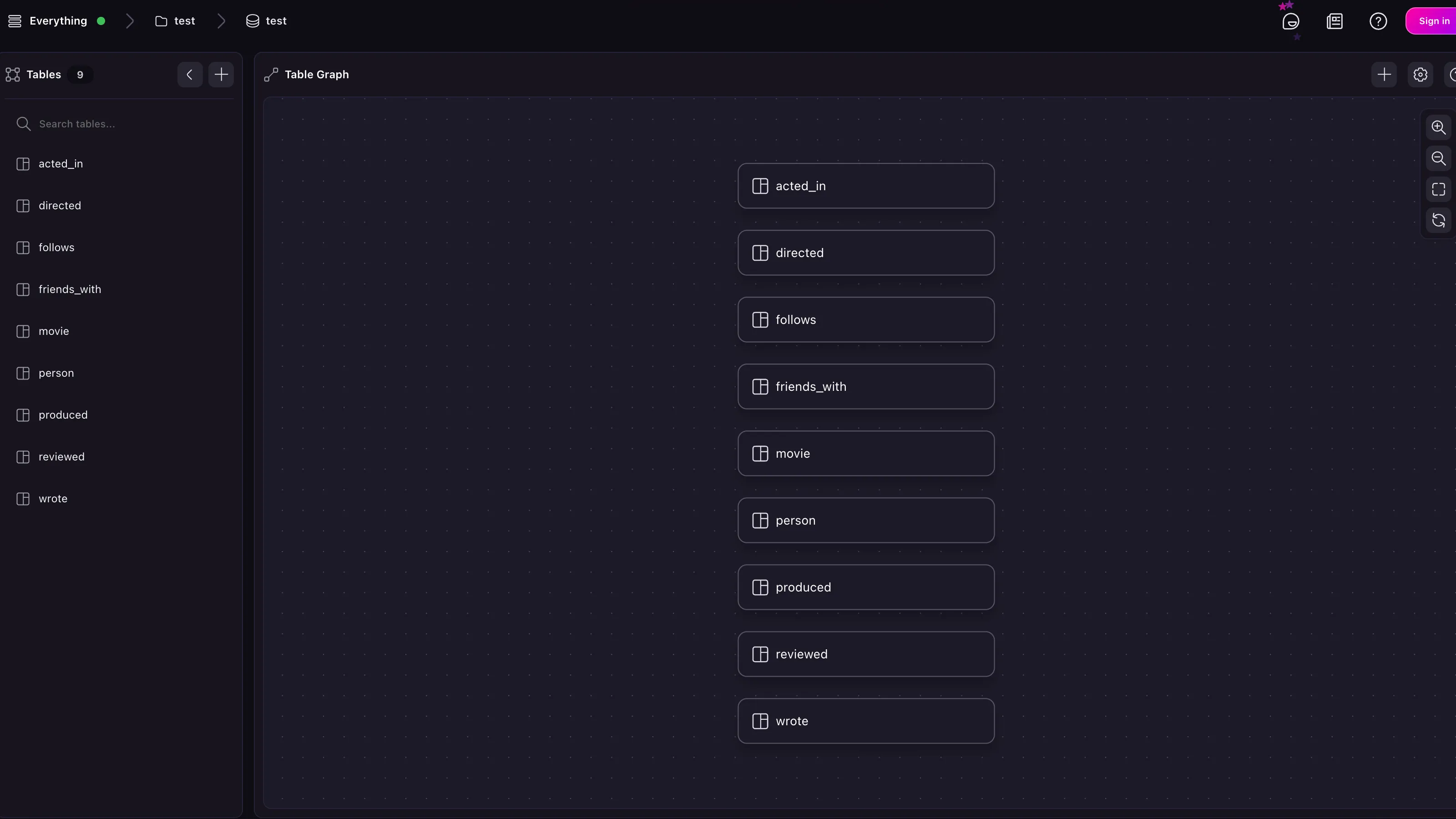
Note that the graph relations have already been set up; they just have not been strictly defined in the schema.
SELECT
name,
->wrote->movie.title AS wrote
FROM person
ORDER BY name;
-- Output
[\
{\
name: 'Aaron Sorkin',\
wrote: [\
'A Few Good Men'\
]\
},\
{\
name: 'Al Pacino',\
wrote: []\
},\
{\
name: 'Alice',\
wrote: []\
},\
// and so on\
]
To begin setting a schema, you can use this sort of query to see exactly which relations exist.
-- Get every type and destination of links from `person`, flatten into
-- a single array, remove duplicates
(SELECT VALUE ->?.{
val: id.tb() + '->' + out.tb()
} FROM person).flatten().map(|$v| $v.val).distinct();
[\
'friends_with->person',\
'acted_in->movie',\
'directed->movie',\
'produced->movie',\
'wrote->movie',\
'follows->person',\
'reviewed->movie'\
]
This information can now be used to overwrite the existing loose definitions into concrete `RELATION` tables with a specified `in` and `out`.
DEFINE TABLE OVERWRITE friends_with TYPE RELATION IN person OUT person;
DEFINE TABLE OVERWRITE follows TYPE RELATION IN person OUT person;
DEFINE TABLE OVERWRITE acted_in TYPE RELATION IN person OUT movie;
DEFINE TABLE OVERWRITE directed TYPE RELATION IN person OUT movie;
DEFINE TABLE OVERWRITE wrote TYPE RELATION IN person OUT movie;
DEFINE TABLE OVERWRITE follows TYPE RELATION IN person OUT person;
DEFINE TABLE OVERWRITE reviewed TYPE RELATION IN person OUT movie;
DEFINE TABLE OVERWRITE produced TYPE RELATION IN person OUT movie;
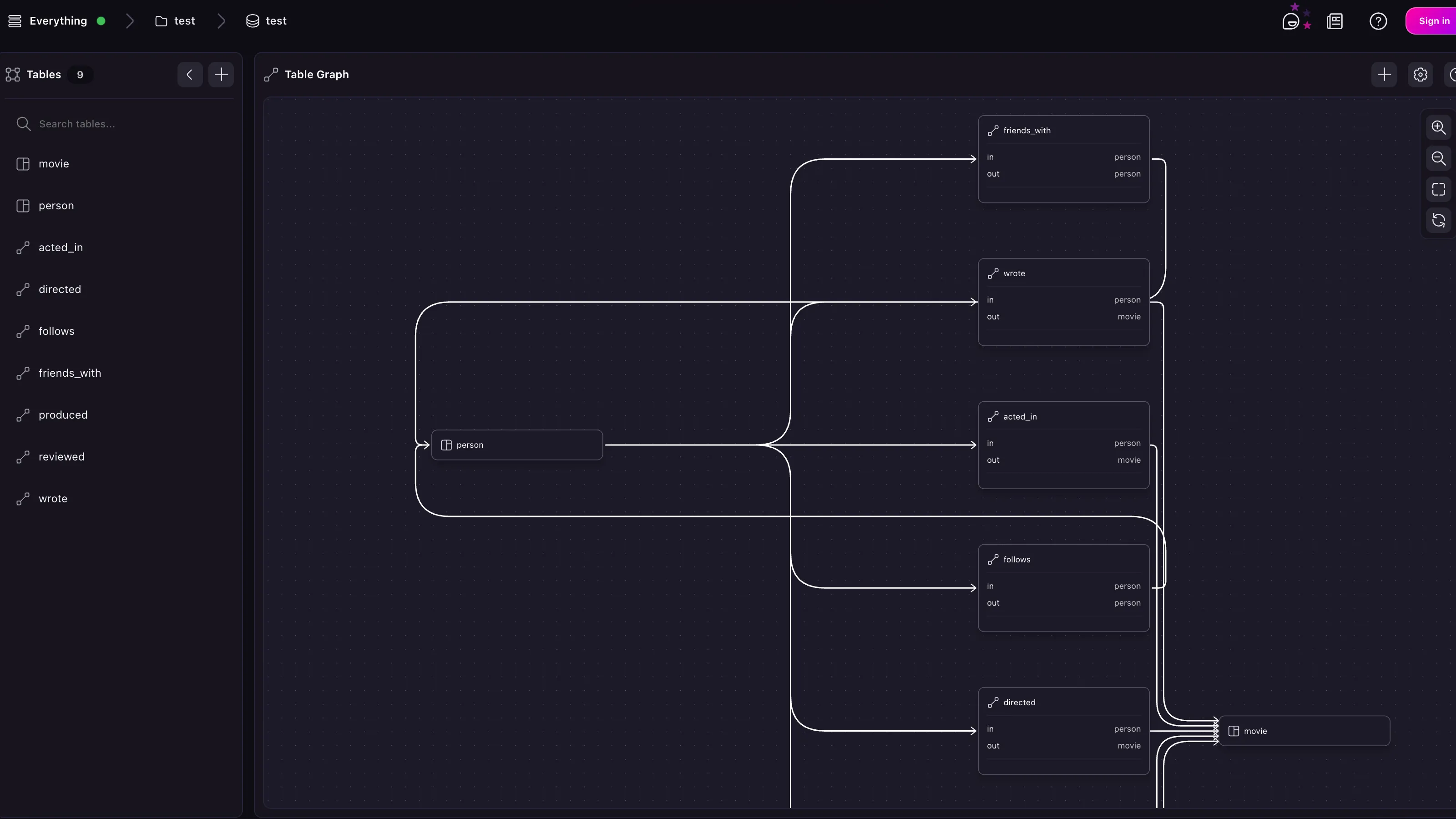
[Edit this page on GitHub](https://github.com/surrealdb/docs.surrealdb.com/edit/main/src/content/doc-integrations/data-management/surreal-sync/neo4j.mdx)
Copy page as Markdown
[Migrate from MongoDB](https://surrealdb.com/docs/integrations/data-management/surreal-sync/mongodb)
[Unstructured](https://surrealdb.com/docs/integrations/data-management/unstructured)
### On this page
* [Neo4J](https://surrealdb.com/docs/integrations/data-management/surreal-sync/neo4j#neo4j)
* [Supported data types](https://surrealdb.com/docs/integrations/data-management/surreal-sync/neo4j#supported-data-types)
* [Import example](https://surrealdb.com/docs/integrations/data-management/surreal-sync/neo4j#import-example)
* [After migration](https://surrealdb.com/docs/integrations/data-management/surreal-sync/neo4j#after-migration)
Last updated: Loading...
### Was this page helpful?
#### What did you like?
AccurateEasy to understandSolved my problemHelped me decide to use the productOther
SubmitCancel
#### What went wrong?
Hard to understandIncorrect informationMissing the informationOther
SubmitCancel
[Edit](https://github.com/surrealdb/docs.surrealdb.com/edit/main/src/content/doc-integrations/data-management/surreal-sync/neo4j.mdx)
[Issue](https://github.com/surrealdb/docs.surrealdb.com/issues/new)
---
# Configure an Instance
[](https://surrealdb.com/)
[](https://surrealdb.com/docs/surrealdb)
Search the docs
Enter a search query
[Sign in](https://app.surrealdb.com/signin)
Search the docs
Enter a search query
[What is Surreal Cloud?](https://surrealdb.com/docs/cloud)
[Surreal Cloud Architecture](https://surrealdb.com/docs/cloud/architecture)
Get started
[Introduction](https://surrealdb.com/docs/cloud/getting-started)
[Create an Account](https://surrealdb.com/docs/cloud/getting-started/create-an-account)
[Create an Instance](https://surrealdb.com/docs/cloud/getting-started/create-an-instance)
[Create an Organisation](https://surrealdb.com/docs/cloud/getting-started/create-an-organisation)
Connect to an Instance
[Introduction](https://surrealdb.com/docs/cloud/connect)
[Querying in Surrealist](https://surrealdb.com/docs/cloud/connect/surrealist)
[Connect via CLI](https://surrealdb.com/docs/cloud/connect/cli)
[Connect via SDK](https://surrealdb.com/docs/cloud/connect/sdk)
[Connect via HTTP using cURL](https://surrealdb.com/docs/cloud/connect/http)
Advanced topics
[Introduction](https://surrealdb.com/docs/cloud/advanced-topics)
[Backup and restore](https://surrealdb.com/docs/cloud/advanced-topics/data-export-and-backup)
[Configure an Instance](https://surrealdb.com/docs/cloud/advanced-topics/configure-an-instance)
[Manage Organisation permissions](https://surrealdb.com/docs/cloud/advanced-topics/manage-organisation-permissions)
[Migrating data](https://surrealdb.com/docs/cloud/advanced-topics/migrating-data)
[Monitoring](https://surrealdb.com/docs/cloud/advanced-topics/monitoring)
[Logs](https://surrealdb.com/docs/cloud/advanced-topics/monitoring/logs)
[Metrics](https://surrealdb.com/docs/cloud/advanced-topics/monitoring/metrics)
[Configure network access](https://surrealdb.com/docs/cloud/advanced-topics/network-access)
[Search and shortcuts](https://surrealdb.com/docs/cloud/advanced-topics/search-and-shortcuts)
[SurrealQL editors](https://surrealdb.com/docs/cloud/advanced-topics/surrealql-editors)
Billing and support
[Introduction](https://surrealdb.com/docs/cloud/billing-and-support)
[Billing](https://surrealdb.com/docs/cloud/billing-and-support/billing)
[Support](https://surrealdb.com/docs/cloud/billing-and-support/support)
[FAQs](https://surrealdb.com/docs/cloud/faqs)
[Forum](https://surrealdb.com/community)
[](https://surrealdb.com/docs/cloud)
[Advanced topics](https://surrealdb.com/docs/cloud/advanced-topics)
[Configure an Instance](https://surrealdb.com/docs/cloud/advanced-topics/configure-an-instance)
Configure an Instance[](https://surrealdb.com/docs/cloud/advanced-topics/configure-an-instance#configure-an-instance)
======================================================================================================================
After you have created an Instance, you can configure it to your needs. This includes changing the Instance type, compute nodes, and capabilities. To do this, click on the **Configure Instance** button on the Instance card; this will open up a configuration drawer.
Instance Configuration[](https://surrealdb.com/docs/cloud/advanced-topics/configure-an-instance#instance-configuration)
------------------------------------------------------------------------------------------------------------------------
In the Instance configuration drawer, you can change the following settings:
* **Capabilities**: the capabilities of the Instance, this controls the functionality available to users such as scripting, guest access, enabled endpoints for RPC and HTTP endpoints. You can also opt into beta features and restrict access to specific resources.
* **Version**: the version of SurrealDB that will be used for the Instance. If you a new version is available, you will be prompted to upgrade and also see the release notes.
### Instance capabilities[](https://surrealdb.com/docs/cloud/advanced-topics/configure-an-instance#instance-capabilities)
The capabilities you choose will determine the features available to your Instance. This includes scripting, guest access, enabled endpoints for RPC and HTTP and more. For RPC methods, HTTP endpoints and preview features, you can leave pick one of the following options:
* **Allow all by default**: All endpoints are allowed by default and you can then select which endpoints to deny.
* **Deny all by default**: All endpoints are denied by default and you can then select which endpoints to allow.
On the other hand network access and functions provide a more granular control over the endpoints.
> Important
>
> Learn more about configuring [network access](https://surrealdb.com/docs/cloud/advanced-topics/network-access)
> in the advanced topics section.
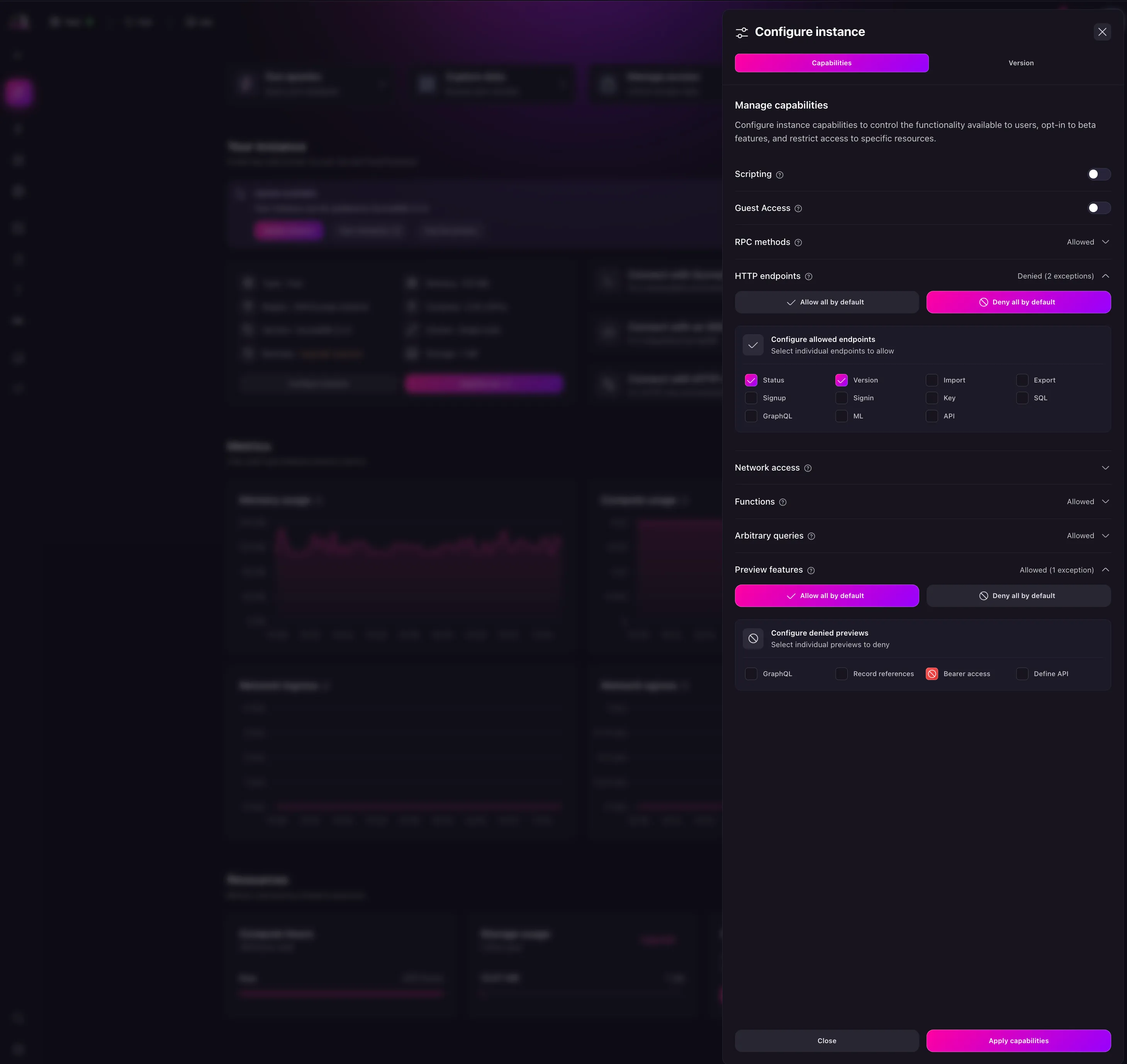
Upgrade Instance[](https://surrealdb.com/docs/cloud/advanced-topics/configure-an-instance#upgrade-instance)
------------------------------------------------------------------------------------------------------------
To upgrade an Instance, you can click the **Upgrade now** button on the Instance card. This will open a modal to select the tier you want to upgrade to as shown below. Depending on the tier you choose, and the resources you have allocated, you will be billed accordingly. When you click this button, you will have the following options:
* **Instance type**: the type of the Instance.
* **Storage capacity**: the size of the storage disk
### Instance type[](https://surrealdb.com/docs/cloud/advanced-topics/configure-an-instance#instance-type)
While the Instance type you choose will determine the compute and memory available to your Instance. Before you hit the limit of your current plan, you can upgrade your plan to a higher tier using this option.
First, select the **Instance type** option which will open a modal to select the tier you want to upgrade to as shown below. Depending on the tier you choose, and the resources you have allocated, you will be billed accordingly.
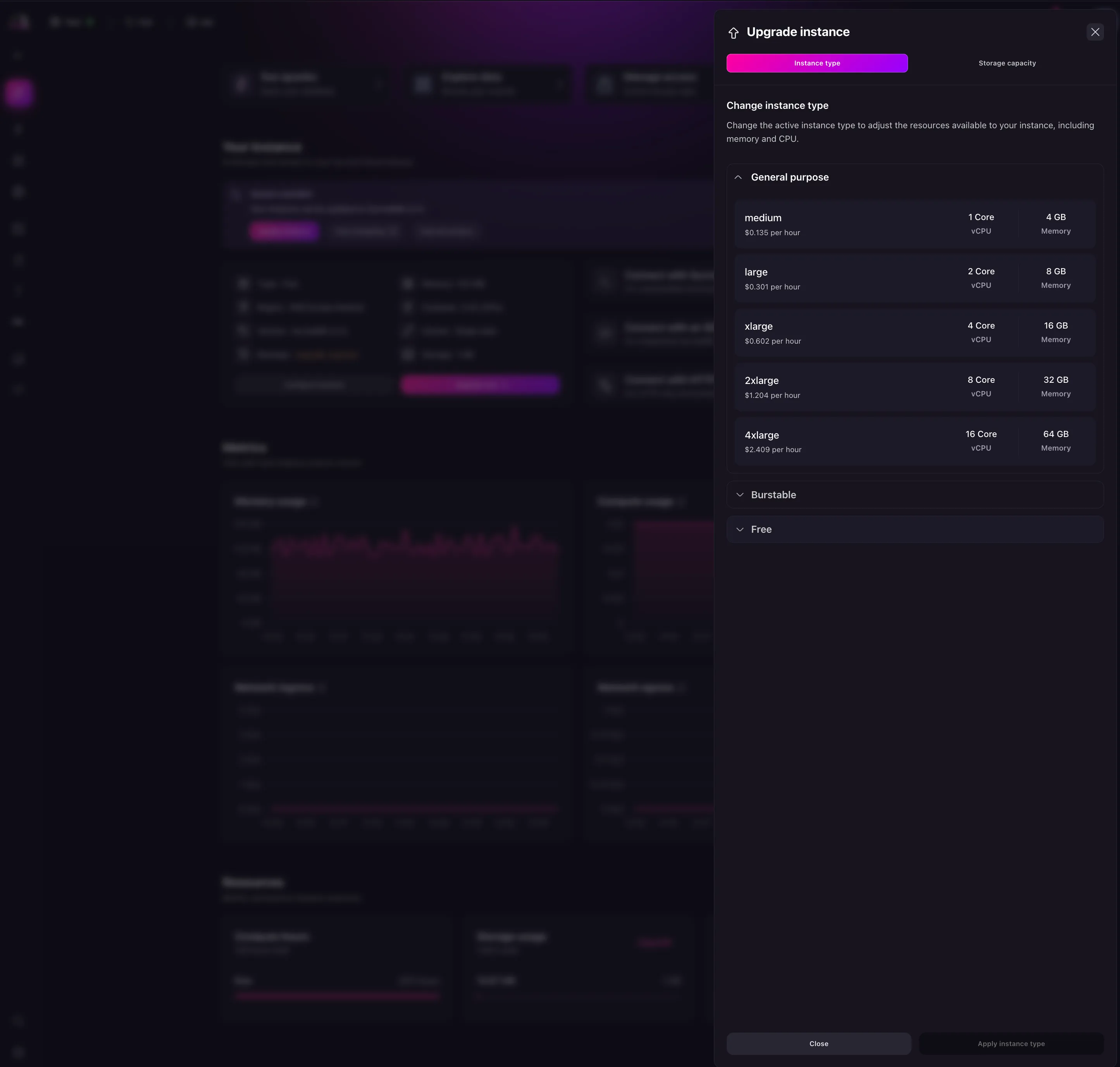
### Storage capacity[](https://surrealdb.com/docs/cloud/advanced-topics/configure-an-instance#storage-capacity)
The storage capacity is the amount of storage available to your Instance. This is used to store the database files and can be increased at any time. For paid plans, you can increase the storage capacity up to the maximum limit of your plan.
> Important
>
> Storage expansion is unavailable for free instances. Upgrade your instance to unlock the ability to increase your storage capacity.
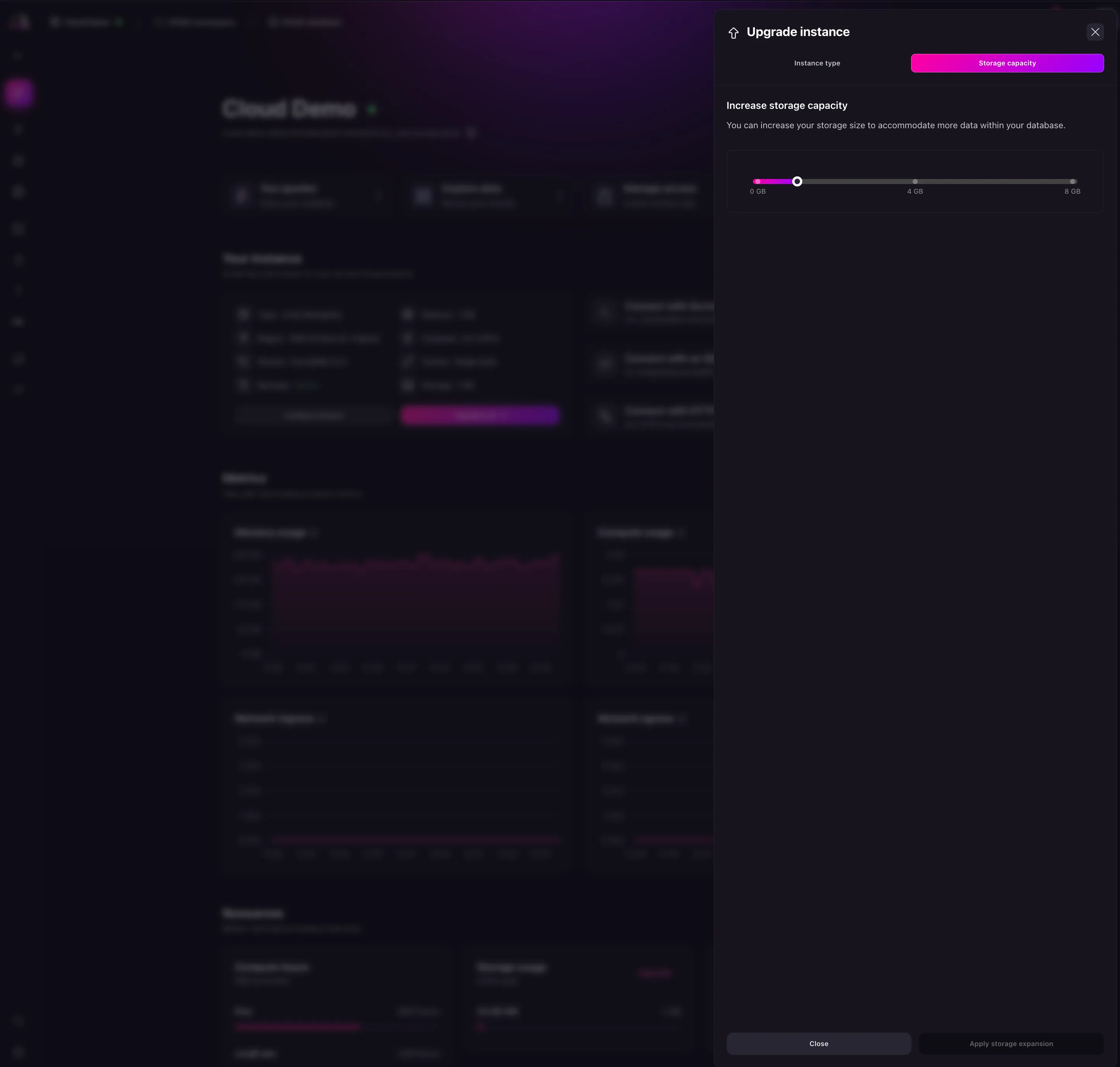
Pause or Delete an Instance[](https://surrealdb.com/docs/cloud/advanced-topics/configure-an-instance#pause-or-delete-an-instance)
----------------------------------------------------------------------------------------------------------------------------------
From the overview page, you can delete an Instance by clicking the option button on the Instance card and selecting **Delete**. This will bring up a confirmation modal. Once confirmed, the Instance will be deleted.
To pause an Instance, click the option button on the Instance card and select **Pause**. This will bring up a confirmation modal. Once confirmed, the Instance will be paused.
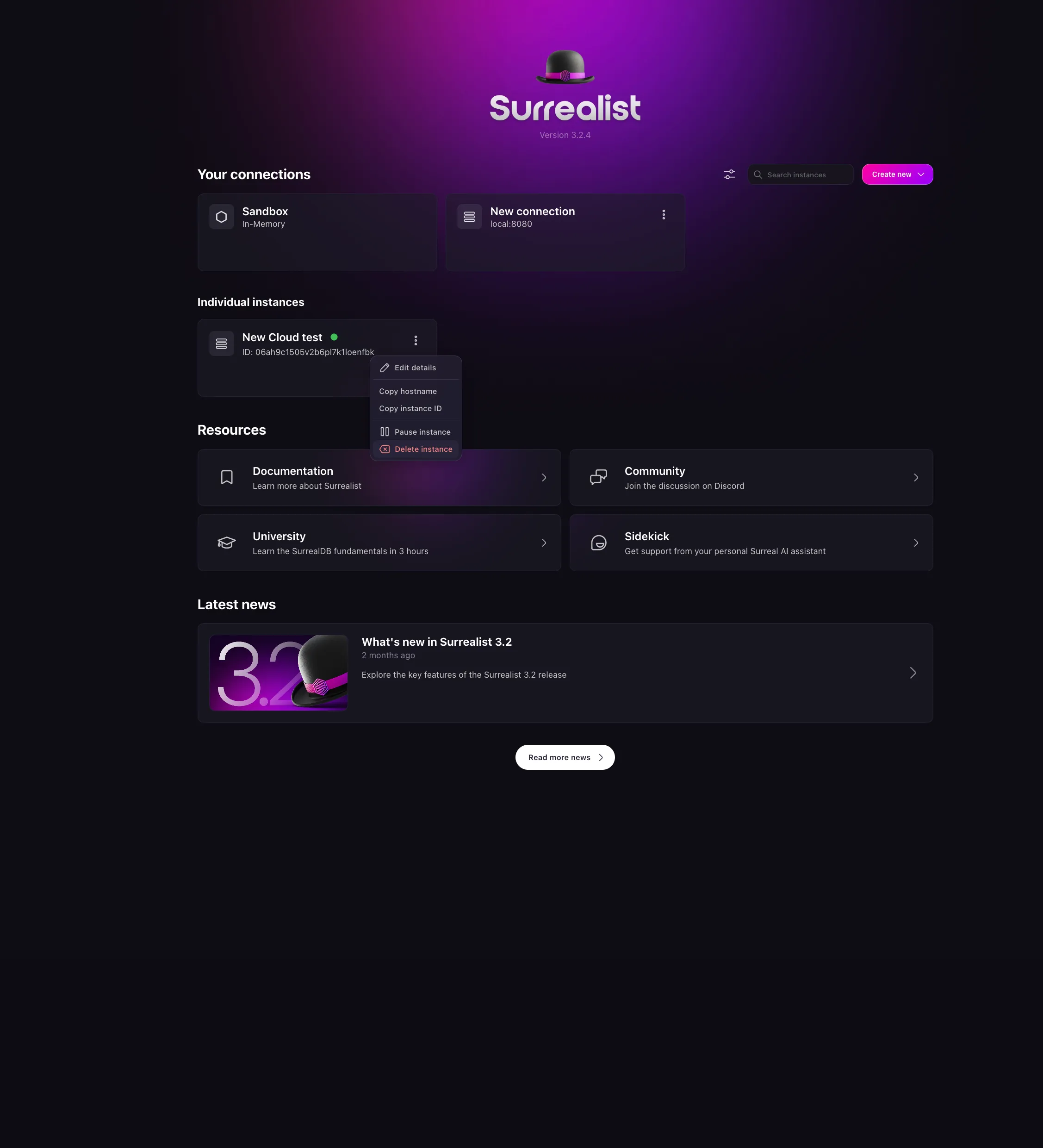
[Edit this page on GitHub](https://github.com/surrealdb/docs.surrealdb.com/edit/main/src/content/doc-cloud/advanced-topics/configure-an-instance.mdx)
Copy page as Markdown
[Backup and restore](https://surrealdb.com/docs/cloud/advanced-topics/data-export-and-backup)
[Manage Organisation permissions](https://surrealdb.com/docs/cloud/advanced-topics/manage-organisation-permissions)
### On this page
* [Instance Configuration](https://surrealdb.com/docs/cloud/advanced-topics/configure-an-instance#instance-configuration)
* [Instance capabilities](https://surrealdb.com/docs/cloud/advanced-topics/configure-an-instance#instance-capabilities)
* [Upgrade Instance](https://surrealdb.com/docs/cloud/advanced-topics/configure-an-instance#upgrade-instance)
* [Instance type](https://surrealdb.com/docs/cloud/advanced-topics/configure-an-instance#instance-type)
* [Storage capacity](https://surrealdb.com/docs/cloud/advanced-topics/configure-an-instance#storage-capacity)
* [Pause or Delete an Instance](https://surrealdb.com/docs/cloud/advanced-topics/configure-an-instance#pause-or-delete-an-instance)
Last updated: Loading...
### Was this page helpful?
#### What did you like?
AccurateEasy to understandSolved my problemHelped me decide to use the productOther
SubmitCancel
#### What went wrong?
Hard to understandIncorrect informationMissing the informationOther
SubmitCancel
[Edit](https://github.com/surrealdb/docs.surrealdb.com/edit/main/src/content/doc-cloud/advanced-topics/configure-an-instance.mdx)
[Issue](https://github.com/surrealdb/docs.surrealdb.com/issues/new)
---
# Get Started with Surreal Cloud
[](https://surrealdb.com/)
[](https://surrealdb.com/docs/surrealdb)
Search the docs
Enter a search query
[Sign in](https://app.surrealdb.com/signin)
Search the docs
Enter a search query
[What is Surreal Cloud?](https://surrealdb.com/docs/cloud)
[Surreal Cloud Architecture](https://surrealdb.com/docs/cloud/architecture)
Get started
[Introduction](https://surrealdb.com/docs/cloud/getting-started)
[Create an Account](https://surrealdb.com/docs/cloud/getting-started/create-an-account)
[Create an Instance](https://surrealdb.com/docs/cloud/getting-started/create-an-instance)
[Create an Organisation](https://surrealdb.com/docs/cloud/getting-started/create-an-organisation)
Connect to an Instance
[Introduction](https://surrealdb.com/docs/cloud/connect)
[Querying in Surrealist](https://surrealdb.com/docs/cloud/connect/surrealist)
[Connect via CLI](https://surrealdb.com/docs/cloud/connect/cli)
[Connect via SDK](https://surrealdb.com/docs/cloud/connect/sdk)
[Connect via HTTP using cURL](https://surrealdb.com/docs/cloud/connect/http)
Advanced topics
[Introduction](https://surrealdb.com/docs/cloud/advanced-topics)
[Backup and restore](https://surrealdb.com/docs/cloud/advanced-topics/data-export-and-backup)
[Configure an Instance](https://surrealdb.com/docs/cloud/advanced-topics/configure-an-instance)
[Manage Organisation permissions](https://surrealdb.com/docs/cloud/advanced-topics/manage-organisation-permissions)
[Migrating data](https://surrealdb.com/docs/cloud/advanced-topics/migrating-data)
[Monitoring](https://surrealdb.com/docs/cloud/advanced-topics/monitoring)
[Logs](https://surrealdb.com/docs/cloud/advanced-topics/monitoring/logs)
[Metrics](https://surrealdb.com/docs/cloud/advanced-topics/monitoring/metrics)
[Configure network access](https://surrealdb.com/docs/cloud/advanced-topics/network-access)
[Search and shortcuts](https://surrealdb.com/docs/cloud/advanced-topics/search-and-shortcuts)
[SurrealQL editors](https://surrealdb.com/docs/cloud/advanced-topics/surrealql-editors)
Billing and support
[Introduction](https://surrealdb.com/docs/cloud/billing-and-support)
[Billing](https://surrealdb.com/docs/cloud/billing-and-support/billing)
[Support](https://surrealdb.com/docs/cloud/billing-and-support/support)
[FAQs](https://surrealdb.com/docs/cloud/faqs)
[Forum](https://surrealdb.com/community)
[](https://surrealdb.com/docs/cloud)
[Get Started](https://surrealdb.com/docs/cloud/getting-started)
Get started with Surreal Cloud[](https://surrealdb.com/docs/cloud/getting-started#get-started-with-surreal-cloud)
==================================================================================================================
Surreal Cloud provides services to help you build, manage, and deploy your database. Whether you are a beginner getting started with Surreal Cloud or an experienced user looking for specific information, this document provides a comprehensive understanding of Surreal Cloud.
To get started with Surreal Cloud, you need to sign up for an account and create an instance. Once you have created a project, you can start building your database, managing your data, and deploying your application.
Surreal Cloud offers several options for connecting to your created database instance, [including Surrealist](https://surrealdb.com/docs/cloud/connect/surrealist)
, [a command-line interface](https://surrealdb.com/docs/cloud/connect/cli)
, and [any of the supported SDKs](https://surrealdb.com/docs/cloud/connect/sdk)
.
[Sign up for Surreal Cloud](https://app.surrealdb.com/cloud)
Next Steps[](https://surrealdb.com/docs/cloud/getting-started#next-steps)
--------------------------------------------------------------------------
* [Create a Surreal Cloud account](https://surrealdb.com/docs/cloud/getting-started/create-an-account)
* [Create a Surreal Cloud Instance](https://surrealdb.com/docs/cloud/getting-started/create-an-instance)
* [Connect to your Instance](https://surrealdb.com/docs/cloud/connect)
* [Getting Started with Surreal Cloud](https://youtu.be/upm1lwaHmwU?si=8Xcmz-wFt6OMDc6R)
[Edit this page on GitHub](https://github.com/surrealdb/docs.surrealdb.com/edit/main/src/content/doc-cloud/getting-started/index.mdx)
Copy page as Markdown
[Surreal Cloud Architecture](https://surrealdb.com/docs/cloud/architecture)
[Create an Account](https://surrealdb.com/docs/cloud/getting-started/create-an-account)
### On this page
* [Get started with Surreal Cloud](https://surrealdb.com/docs/cloud/getting-started#get-started-with-surreal-cloud)
* [Next Steps](https://surrealdb.com/docs/cloud/getting-started#next-steps)
Last updated: Loading...
### Was this page helpful?
#### What did you like?
AccurateEasy to understandSolved my problemHelped me decide to use the productOther
SubmitCancel
#### What went wrong?
Hard to understandIncorrect informationMissing the informationOther
SubmitCancel
[Edit](https://github.com/surrealdb/docs.surrealdb.com/edit/main/src/content/doc-cloud/getting-started/index.mdx)
[Issue](https://github.com/surrealdb/docs.surrealdb.com/issues/new)
---
# Connect to Instance | Surreal Cloud
[](https://surrealdb.com/)
[](https://surrealdb.com/docs/surrealdb)
Search the docs
Enter a search query
[Sign in](https://app.surrealdb.com/signin)
Search the docs
Enter a search query
[What is Surreal Cloud?](https://surrealdb.com/docs/cloud)
[Surreal Cloud Architecture](https://surrealdb.com/docs/cloud/architecture)
Get started
[Introduction](https://surrealdb.com/docs/cloud/getting-started)
[Create an Account](https://surrealdb.com/docs/cloud/getting-started/create-an-account)
[Create an Instance](https://surrealdb.com/docs/cloud/getting-started/create-an-instance)
[Create an Organisation](https://surrealdb.com/docs/cloud/getting-started/create-an-organisation)
Connect to an Instance
[Introduction](https://surrealdb.com/docs/cloud/connect)
[Querying in Surrealist](https://surrealdb.com/docs/cloud/connect/surrealist)
[Connect via CLI](https://surrealdb.com/docs/cloud/connect/cli)
[Connect via SDK](https://surrealdb.com/docs/cloud/connect/sdk)
[Connect via HTTP using cURL](https://surrealdb.com/docs/cloud/connect/http)
Advanced topics
[Introduction](https://surrealdb.com/docs/cloud/advanced-topics)
[Backup and restore](https://surrealdb.com/docs/cloud/advanced-topics/data-export-and-backup)
[Configure an Instance](https://surrealdb.com/docs/cloud/advanced-topics/configure-an-instance)
[Manage Organisation permissions](https://surrealdb.com/docs/cloud/advanced-topics/manage-organisation-permissions)
[Migrating data](https://surrealdb.com/docs/cloud/advanced-topics/migrating-data)
[Monitoring](https://surrealdb.com/docs/cloud/advanced-topics/monitoring)
[Logs](https://surrealdb.com/docs/cloud/advanced-topics/monitoring/logs)
[Metrics](https://surrealdb.com/docs/cloud/advanced-topics/monitoring/metrics)
[Configure network access](https://surrealdb.com/docs/cloud/advanced-topics/network-access)
[Search and shortcuts](https://surrealdb.com/docs/cloud/advanced-topics/search-and-shortcuts)
[SurrealQL editors](https://surrealdb.com/docs/cloud/advanced-topics/surrealql-editors)
Billing and support
[Introduction](https://surrealdb.com/docs/cloud/billing-and-support)
[Billing](https://surrealdb.com/docs/cloud/billing-and-support/billing)
[Support](https://surrealdb.com/docs/cloud/billing-and-support/support)
[FAQs](https://surrealdb.com/docs/cloud/faqs)
[Forum](https://surrealdb.com/community)
[](https://surrealdb.com/docs/cloud)
[Connect to Instance](https://surrealdb.com/docs/cloud/connect)
Connect to your Surreal Cloud Instance[](https://surrealdb.com/docs/cloud/connect#connect-to-your-surreal-cloud-instance)
==========================================================================================================================
You can connect to your Surreal Cloud instances in three main ways. In this section you will explore the following connection options:
* [querying in Surrealist](https://surrealdb.com/docs/cloud/connect/surrealist)
: Surrealist is a query builder and IDE for SurrealDB. It allows you to connect to your Surreal Cloud Instance and run queries in a graphical interface.
* [connect via CLI](https://surrealdb.com/docs/cloud/connect/cli)
: using the command-line interface for SurrealDB, you can connect to your Surreal Cloud Instance and run queries in a command-line interface.
* [connect via SDK](https://surrealdb.com/docs/cloud/connect/sdk)
: Surreal Cloud supports a variety of SDKs for connecting to your Instance. You can use the SDKs to connect to your Instance and run queries in your preferred programming language.
* [connect via HTTP](https://surrealdb.com/docs/cloud/connect/http)
: Surreal Cloud supports a REST API for connecting to your Instance. You can use the API to connect to your Instance and run queries using CURL or any HTTP client.
Before you begin[](https://surrealdb.com/docs/cloud/connect#before-you-begin)
------------------------------------------------------------------------------
To connect to an Instance, you must have the following:
* [a Surreal Cloud account](https://surrealdb.com/docs/cloud/getting-started/create-an-account)
.
* [an Instance to connect to](https://surrealdb.com/docs/cloud/getting-started/create-an-instance)
.
Next steps[](https://surrealdb.com/docs/cloud/connect#next-steps)
------------------------------------------------------------------
Explore the connection options for Surreal Cloud instances in detail.
[Edit this page on GitHub](https://github.com/surrealdb/docs.surrealdb.com/edit/main/src/content/doc-cloud/connect/index.mdx)
Copy page as Markdown
[Create an Organisation](https://surrealdb.com/docs/cloud/getting-started/create-an-organisation)
[Querying in Surrealist](https://surrealdb.com/docs/cloud/connect/surrealist)
### On this page
* [Connect to your Surreal Cloud Instance](https://surrealdb.com/docs/cloud/connect#connect-to-your-surreal-cloud-instance)
* [Before you begin](https://surrealdb.com/docs/cloud/connect#before-you-begin)
* [Next steps](https://surrealdb.com/docs/cloud/connect#next-steps)
Last updated: Loading...
### Was this page helpful?
#### What did you like?
AccurateEasy to understandSolved my problemHelped me decide to use the productOther
SubmitCancel
#### What went wrong?
Hard to understandIncorrect informationMissing the informationOther
SubmitCancel
[Edit](https://github.com/surrealdb/docs.surrealdb.com/edit/main/src/content/doc-cloud/connect/index.mdx)
[Issue](https://github.com/surrealdb/docs.surrealdb.com/issues/new)
---
# JSON lines | Data migration
[](https://surrealdb.com/)
[](https://surrealdb.com/docs/surrealdb)
Search the docs
Enter a search query
[Sign in](https://app.surrealdb.com/signin)
Search the docs
Enter a search query
[Overview](https://surrealdb.com/docs/integrations)
Data Management
[Introduction](https://surrealdb.com/docs/integrations/data-management)
[Airbyte](https://surrealdb.com/docs/integrations/data-management/airbyte)
[Fivetran](https://surrealdb.com/docs/integrations/data-management/fivetran)
[n8n](https://surrealdb.com/docs/integrations/data-management/n8n)
[Surreal Sync](https://surrealdb.com/docs/integrations/data-management/surreal-sync)
[Installing the migration tool](https://surrealdb.com/docs/integrations/data-management/surreal-sync/install)
[Migrate from JSON lines](https://surrealdb.com/docs/integrations/data-management/surreal-sync/json-lines)
[Migrate from MongoDB](https://surrealdb.com/docs/integrations/data-management/surreal-sync/mongodb)
[Migrate from Neo4J](https://surrealdb.com/docs/integrations/data-management/surreal-sync/neo4j)
[Unstructured](https://surrealdb.com/docs/integrations/data-management/unstructured)
Embeddings
[Introduction](https://surrealdb.com/docs/integrations/embeddings)
[Quick start with Python](https://surrealdb.com/docs/integrations/embeddings/python)
[Quick start with Rust](https://surrealdb.com/docs/integrations/embeddings/rust)
[Mistral](https://surrealdb.com/docs/integrations/embeddings/mistral)
[Fastembed](https://surrealdb.com/docs/integrations/embeddings/fastembed)
[OpenAI](https://surrealdb.com/docs/integrations/embeddings/openai)
Frameworks
[Introduction](https://surrealdb.com/docs/integrations/frameworks)
[Agno](https://surrealdb.com/docs/integrations/frameworks/agno)
[Camel](https://surrealdb.com/docs/integrations/frameworks/camel)
[CrewAI](https://surrealdb.com/docs/integrations/frameworks/crewai)
[Dagster](https://surrealdb.com/docs/integrations/frameworks/dagster)
[DeepEval](https://surrealdb.com/docs/integrations/frameworks/deepeval)
[Dynamiq](https://surrealdb.com/docs/integrations/frameworks/dynamiq)
[Feast](https://surrealdb.com/docs/integrations/frameworks/feast)
[Google Agent](https://surrealdb.com/docs/integrations/frameworks/googleagent)
[Langchain](https://surrealdb.com/docs/integrations/frameworks/langchain)
[Llama Index](https://surrealdb.com/docs/integrations/frameworks/llama-index)
[Smolagents](https://surrealdb.com/docs/integrations/frameworks/smolagents)
[surrealdb/surrealdb](https://github.com/surrealdb/surrealdb)
[](https://surrealdb.com/docs/integrations)
[Data Management](https://surrealdb.com/docs/integrations/data-management)
[Surreal Sync](https://surrealdb.com/docs/integrations/data-management/surreal-sync)
[Migrate from JSON lines](https://surrealdb.com/docs/integrations/data-management/surreal-sync/json-lines)
JSONL Source Usage Guide[](https://surrealdb.com/docs/integrations/data-management/surreal-sync/json-lines#jsonl-source-usage-guide)
=====================================================================================================================================
This page is a slimmed down version of [its counterpart](https://github.com/surrealdb/surreal-sync/blob/main/docs/jsonl.md)
at the README documentation for the surreal-sync tool.
Overview[](https://surrealdb.com/docs/integrations/data-management/surreal-sync/json-lines#overview)
-----------------------------------------------------------------------------------------------------
The JSONL source in surreal-sync allows you to import JSON Lines (JSONL) files into SurrealDB. Each JSONL file becomes a table in SurrealDB, and each line in the file becomes a document in that table.
JSONL source is particularly useful for:
* Importing data from APIs that export in JSON (`jq` can be used to convert JSON to JSONL)
* Migrating from document-based systems like Notion
* Bulk loading structured JSON data, like configuration files or logs (even SurrealDB terminal output [when set to JSON mode](https://surrealdb.com/blog/two-new-ways-to-keep-an-eye-on-your-surrealdb-database#saving-logging-output-as-a-file)
)
* Converting references between documents into SurrealDB’s record links (RecordIds)
Basic Usage[](https://surrealdb.com/docs/integrations/data-management/surreal-sync/json-lines#basic-usage)
-----------------------------------------------------------------------------------------------------------
surreal-sync sync jsonl \
--source-uri /path/to/jsonl/directory \
--to-namespace myns \
--to-database mydb
Prerequisites[](https://surrealdb.com/docs/integrations/data-management/surreal-sync/json-lines#prerequisites)
---------------------------------------------------------------------------------------------------------------
Before using JSONL source, ensure you have:
1. SurrealDB running locally or accessible via network
2. surreal-sync built and available in your PATH
To start SurrealDB locally:
surreal start --user root --pass root
Example: Importing Notion-like Data[](https://surrealdb.com/docs/integrations/data-management/surreal-sync/json-lines#example-importing-notion-like-data)
----------------------------------------------------------------------------------------------------------------------------------------------------------
Let’s walk through an example using sample Notion-like data with pages, blocks, and databases.
### Sample JSONL Files[](https://surrealdb.com/docs/integrations/data-management/surreal-sync/json-lines#sample-jsonl-files)
Create a directory with the following JSONL files.
Note: each one of these has an `id` field, which is required in SurrealDB. To set another field as the id field, pass in the flag `--id-field "field_name"`.
**databases.jsonl**:
{"id": "db1", "name": "Documentation", "description": "Main documentation database", "created_at": "2023-12-01T10:00:00Z", "properties": {"status": "active", "version": 1.0}}
{"id": "db2", "name": "API Docs", "description": "API reference documentation", "created_at": "2023-12-15T10:00:00Z", "properties": {"status": "beta", "version": 0.5}}
**pages.jsonl**:
{"id": "page1", "title": "Getting Started", "content": "Welcome to our documentation", "parent": {"type": "database_id", "database_id": "db1"}, "created_at": "2024-01-01T10:00:00Z"}
{"id": "page2", "title": "Advanced Topics", "content": "Deep dive into advanced features", "parent": {"type": "page_id", "page_id": "page1"}, "created_at": "2024-01-02T10:00:00Z"}
{"id": "page3", "title": "API Reference", "content": "Complete API documentation", "parent": {"type": "database_id", "database_id": "db2"}, "created_at": "2024-01-03T10:00:00Z"}
**blocks.jsonl**:
{"id": "block1", "type": "paragraph", "text": "This is a paragraph block", "parent": {"type": "page_id", "page_id": "page1"}, "order": 1}
{"id": "block2", "type": "heading", "text": "Introduction", "level": 1, "parent": {"type": "page_id", "page_id": "page1"}, "order": 2}
{"id": "block3", "type": "code", "text": "console.log('Hello World');", "language": "javascript", "parent": {"type": "page_id", "page_id": "page2"}, "order": 1}
{"id": "block4", "type": "list", "items": ["Item 1", "Item 2", "Item 3"], "parent": {"type": "block_id", "block_id": "block2"}, "order": 3}
### Running the Import[](https://surrealdb.com/docs/integrations/data-management/surreal-sync/json-lines#running-the-import)
Use the following command to import the data with conversion rules for parent references:
surreal-sync sync jsonl \
--source-uri /workspace/tests/test_data/jsonl \
--to-namespace notion \
--to-database docs \
--surreal-endpoint http://surrealdb:8000 \
--surreal-username root \
--surreal-password root \
--rule 'type="database_id",database_id databases:database_id' \
--rule 'type="page_id",page_id pages:page_id' \
--rule 'type="block_id",block_id blocks:block_id'
> Note
>
> Replace `http://surrealdb:8000` with `http://localhost:8000` if running SurrealDB locally on your machine.
If successful, the command will complete without output. You can verify the import worked by checking the database as shown in the next section.
### Understanding Conversion Rules[](https://surrealdb.com/docs/integrations/data-management/surreal-sync/json-lines#understanding-conversion-rules)
The `--rule` flag defines how to convert JSON objects into SurrealDB record links. The format is:
--rule 'type="TYPE_VALUE",ID_FIELD TARGET_TABLE:ID_FIELD'
For example:
* `type="page_id",page_id pages:page_id` means:
* When a JSON object has `"type": "page_id"`
* Take the value from the `page_id` field
* Convert it to a record link like `pages:page1` if the `page_id` is `page1`.
Custom ID Fields[](https://surrealdb.com/docs/integrations/data-management/surreal-sync/json-lines#custom-id-fields)
---------------------------------------------------------------------------------------------------------------------
By default, surreal-sync looks for an `id` field in each JSON object. You can specify a different field name:
surreal-sync sync jsonl \
--source-uri /path/to/jsonl \
--to-namespace myns \
--to-database mydb \
--id-field "item_id"
Example JSONL with custom ID field:
{"item_id": "prod1", "name": "Widget", "price": 19.99}
{"item_id": "prod2", "name": "Gadget", "price": 29.99}
Advanced Options[](https://surrealdb.com/docs/integrations/data-management/surreal-sync/json-lines#advanced-options)
---------------------------------------------------------------------------------------------------------------------
### Batch Size[](https://surrealdb.com/docs/integrations/data-management/surreal-sync/json-lines#batch-size)
Control how many records are processed at once:
--batch-size 500
### Dry Run[](https://surrealdb.com/docs/integrations/data-management/surreal-sync/json-lines#dry-run)
Test the import without actually writing data:
--dry-run
### Environment Variables[](https://surrealdb.com/docs/integrations/data-management/surreal-sync/json-lines#environment-variables)
You can also use environment variables for configuration:
export SURREAL_ENDPOINT=http://localhost:8000
export SURREAL_USERNAME=root
export SURREAL_PASSWORD=root
export SOURCE_URI=/path/to/jsonl
surreal-sync sync jsonl \
--to-namespace myns \
--to-database mydb
Tips and Best Practices[](https://surrealdb.com/docs/integrations/data-management/surreal-sync/json-lines#tips-and-best-practices)
-----------------------------------------------------------------------------------------------------------------------------------
1. **File Naming**: Name your JSONL files exactly as you want your SurrealDB tables to be named.
2. **ID Values**: Ensure all documents have unique ID values within each file.
3. **Data Types**: JSONL source preserves JSON data types:
* Numbers remain as integers or floats
* Strings remain as strings
* Arrays and objects are preserved
* Booleans remain as booleans
* Null values are preserved
4. **References**: Use conversion rules to maintain relationships between documents across different tables.
5. **Performance**: For large datasets, adjust the batch size based on your system’s memory and SurrealDB’s capacity.
Troubleshooting[](https://surrealdb.com/docs/integrations/data-management/surreal-sync/json-lines#troubleshooting)
-------------------------------------------------------------------------------------------------------------------
1. **Missing ID Field**: If you see “Missing ID field” errors, ensure your JSON objects have the ID field (default: “id”) or specify the correct field with `--id-field`.
2. **Invalid Rule Format**: Conversion rules must follow the exact format. Check for proper quoting and spacing.
3. **File Not Found**: Ensure the source URI points to a directory containing `.jsonl` files, not individual files.
4. **Connection Issues**: Verify SurrealDB is running and accessible at the specified endpoint.
[Edit this page on GitHub](https://github.com/surrealdb/docs.surrealdb.com/edit/main/src/content/doc-integrations/data-management/surreal-sync/json-lines.mdx)
Copy page as Markdown
[Installing the migration tool](https://surrealdb.com/docs/integrations/data-management/surreal-sync/install)
[Migrate from MongoDB](https://surrealdb.com/docs/integrations/data-management/surreal-sync/mongodb)
### On this page
* [JSONL Source Usage Guide](https://surrealdb.com/docs/integrations/data-management/surreal-sync/json-lines#jsonl-source-usage-guide)
* [Overview](https://surrealdb.com/docs/integrations/data-management/surreal-sync/json-lines#overview)
* [Basic Usage](https://surrealdb.com/docs/integrations/data-management/surreal-sync/json-lines#basic-usage)
* [Prerequisites](https://surrealdb.com/docs/integrations/data-management/surreal-sync/json-lines#prerequisites)
* [Example: Importing Notion-like Data](https://surrealdb.com/docs/integrations/data-management/surreal-sync/json-lines#example-importing-notion-like-data)
* [Sample JSONL Files](https://surrealdb.com/docs/integrations/data-management/surreal-sync/json-lines#sample-jsonl-files)
* [Running the Import](https://surrealdb.com/docs/integrations/data-management/surreal-sync/json-lines#running-the-import)
* [Understanding Conversion Rules](https://surrealdb.com/docs/integrations/data-management/surreal-sync/json-lines#understanding-conversion-rules)
* [Custom ID Fields](https://surrealdb.com/docs/integrations/data-management/surreal-sync/json-lines#custom-id-fields)
* [Advanced Options](https://surrealdb.com/docs/integrations/data-management/surreal-sync/json-lines#advanced-options)
* [Batch Size](https://surrealdb.com/docs/integrations/data-management/surreal-sync/json-lines#batch-size)
* [Dry Run](https://surrealdb.com/docs/integrations/data-management/surreal-sync/json-lines#dry-run)
* [Environment Variables](https://surrealdb.com/docs/integrations/data-management/surreal-sync/json-lines#environment-variables)
* [Tips and Best Practices](https://surrealdb.com/docs/integrations/data-management/surreal-sync/json-lines#tips-and-best-practices)
* [Troubleshooting](https://surrealdb.com/docs/integrations/data-management/surreal-sync/json-lines#troubleshooting)
Last updated: Loading...
### Was this page helpful?
#### What did you like?
AccurateEasy to understandSolved my problemHelped me decide to use the productOther
SubmitCancel
#### What went wrong?
Hard to understandIncorrect informationMissing the informationOther
SubmitCancel
[Edit](https://github.com/surrealdb/docs.surrealdb.com/edit/main/src/content/doc-integrations/data-management/surreal-sync/json-lines.mdx)
[Issue](https://github.com/surrealdb/docs.surrealdb.com/issues/new)
---
# MongoDB | Data migration
[](https://surrealdb.com/)
[](https://surrealdb.com/docs/surrealdb)
Search the docs
Enter a search query
[Sign in](https://app.surrealdb.com/signin)
Search the docs
Enter a search query
[Overview](https://surrealdb.com/docs/integrations)
Data Management
[Introduction](https://surrealdb.com/docs/integrations/data-management)
[Airbyte](https://surrealdb.com/docs/integrations/data-management/airbyte)
[Fivetran](https://surrealdb.com/docs/integrations/data-management/fivetran)
[n8n](https://surrealdb.com/docs/integrations/data-management/n8n)
[Surreal Sync](https://surrealdb.com/docs/integrations/data-management/surreal-sync)
[Installing the migration tool](https://surrealdb.com/docs/integrations/data-management/surreal-sync/install)
[Migrate from JSON lines](https://surrealdb.com/docs/integrations/data-management/surreal-sync/json-lines)
[Migrate from MongoDB](https://surrealdb.com/docs/integrations/data-management/surreal-sync/mongodb)
[Migrate from Neo4J](https://surrealdb.com/docs/integrations/data-management/surreal-sync/neo4j)
[Unstructured](https://surrealdb.com/docs/integrations/data-management/unstructured)
Embeddings
[Introduction](https://surrealdb.com/docs/integrations/embeddings)
[Quick start with Python](https://surrealdb.com/docs/integrations/embeddings/python)
[Quick start with Rust](https://surrealdb.com/docs/integrations/embeddings/rust)
[Mistral](https://surrealdb.com/docs/integrations/embeddings/mistral)
[Fastembed](https://surrealdb.com/docs/integrations/embeddings/fastembed)
[OpenAI](https://surrealdb.com/docs/integrations/embeddings/openai)
Frameworks
[Introduction](https://surrealdb.com/docs/integrations/frameworks)
[Agno](https://surrealdb.com/docs/integrations/frameworks/agno)
[Camel](https://surrealdb.com/docs/integrations/frameworks/camel)
[CrewAI](https://surrealdb.com/docs/integrations/frameworks/crewai)
[Dagster](https://surrealdb.com/docs/integrations/frameworks/dagster)
[DeepEval](https://surrealdb.com/docs/integrations/frameworks/deepeval)
[Dynamiq](https://surrealdb.com/docs/integrations/frameworks/dynamiq)
[Feast](https://surrealdb.com/docs/integrations/frameworks/feast)
[Google Agent](https://surrealdb.com/docs/integrations/frameworks/googleagent)
[Langchain](https://surrealdb.com/docs/integrations/frameworks/langchain)
[Llama Index](https://surrealdb.com/docs/integrations/frameworks/llama-index)
[Smolagents](https://surrealdb.com/docs/integrations/frameworks/smolagents)
[surrealdb/surrealdb](https://github.com/surrealdb/surrealdb)
[](https://surrealdb.com/docs/integrations)
[Data Management](https://surrealdb.com/docs/integrations/data-management)
[Surreal Sync](https://surrealdb.com/docs/integrations/data-management/surreal-sync)
[Migrate from MongoDB](https://surrealdb.com/docs/integrations/data-management/surreal-sync/mongodb)
MongoDB[](https://surrealdb.com/docs/integrations/data-management/surreal-sync/mongodb#mongodb)
================================================================================================
Supported data types[](https://surrealdb.com/docs/integrations/data-management/surreal-sync/mongodb#supported-data-types)
--------------------------------------------------------------------------------------------------------------------------
MongoDB data types are either fully supported via direct conversion, or partially supported via an object that maintains the information in the original type. For more on these data types, see [the project repository](https://github.com/surrealdb/surreal-sync/blob/main/docs/neo4j-data-types.md)
.
Import example[](https://surrealdb.com/docs/integrations/data-management/surreal-sync/mongodb#import-example)
--------------------------------------------------------------------------------------------------------------
Create file users.json containing data to be stored in MongoDB:
[\
{\
"_id": { "$oid": "64a7a21fc25e3d2c7a3b55f1" },\
"name": "Alice Johnson",\
"email": "alice@example.com",\
"age": 29,\
"roles": ["admin", "editor"]\
},\
{\
"_id": { "$oid": "64a7a21fc25e3d2c7a3b55f2" },\
"name": "Bob Smith",\
"email": "bob@example.com",\
"age": 35,\
"roles": ["user"]\
}\
]
Next, import the data to MongoDB via the following command.
mongoimport --db testdb --collection users --file users.json --jsonArray
With the data imported, start the server at the path of your current directory.
mongod --dbpath /your/current/directory
With the MongoDB server running, start a SurrealDB server with `surreal start --user root --pass root`.
The `surreal-sync` command can then be used to import the data from the running MongoDB instance.
surreal-sync sync mongo-db \
--source-database "testdb" \
--to-namespace "production" \
--to-database "migrated_data" \
--source-uri "mongodb://localhost:27017"
To confirm the data, log in to the SurrealDB database under namespace `production` and database `migrated_data`, and use the query `SELECT * FROM users` to see the data.
Result[\
{\
age: 29,\
email: 'alice@example.com',\
id: users:64a7a21fc25e3d2c7a3b55f1,\
name: 'Alice Johnson',\
roles: [\
'admin',\
'editor'\
]\
},\
{\
age: 35,\
email: 'bob@example.com',\
id: users:64a7a21fc25e3d2c7a3b55f2,\
name: 'Bob Smith',\
roles: [\
'user'\
]\
}\
]
[Edit this page on GitHub](https://github.com/surrealdb/docs.surrealdb.com/edit/main/src/content/doc-integrations/data-management/surreal-sync/mongodb.mdx)
Copy page as Markdown
[Migrate from JSON lines](https://surrealdb.com/docs/integrations/data-management/surreal-sync/json-lines)
[Migrate from Neo4J](https://surrealdb.com/docs/integrations/data-management/surreal-sync/neo4j)
### On this page
* [MongoDB](https://surrealdb.com/docs/integrations/data-management/surreal-sync/mongodb#mongodb)
* [Supported data types](https://surrealdb.com/docs/integrations/data-management/surreal-sync/mongodb#supported-data-types)
* [Import example](https://surrealdb.com/docs/integrations/data-management/surreal-sync/mongodb#import-example)
Last updated: Loading...
### Was this page helpful?
#### What did you like?
AccurateEasy to understandSolved my problemHelped me decide to use the productOther
SubmitCancel
#### What went wrong?
Hard to understandIncorrect informationMissing the informationOther
SubmitCancel
[Edit](https://github.com/surrealdb/docs.surrealdb.com/edit/main/src/content/doc-integrations/data-management/surreal-sync/mongodb.mdx)
[Issue](https://github.com/surrealdb/docs.surrealdb.com/issues/new)
---
# Surrealist | Getting Started
[](https://surrealdb.com/)
[](https://surrealdb.com/docs/surrealdb)
Search the docs
Enter a search query
[Sign in](https://app.surrealdb.com/signin)
Search the docs
Enter a search query
[Introduction](https://surrealdb.com/docs/surrealist)
[Installation](https://surrealdb.com/docs/surrealist/installation)
[Getting Started](https://surrealdb.com/docs/surrealist/getting-started)
Concepts
[Introduction](https://surrealdb.com/docs/surrealist/concepts)
[Sending queries to the database](https://surrealdb.com/docs/surrealist/concepts/sending-queries)
[Exploring database records](https://surrealdb.com/docs/surrealist/concepts/explore-database-records)
[Designing the database schema](https://surrealdb.com/docs/surrealist/concepts/designing-the-database-schema)
[Manage database access](https://surrealdb.com/docs/surrealist/concepts/manage-database-access)
[Sending queries with GraphQL](https://surrealdb.com/docs/surrealist/concepts/sending-queries-with-graphql)
[Local database serving](https://surrealdb.com/docs/surrealist/concepts/local-database-serving)
[Writing stored procedures](https://surrealdb.com/docs/surrealist/concepts/writing-stored-procedures)
[Specialized API docs](https://surrealdb.com/docs/surrealist/concepts/specialized-api-docs)
[Deploying your database](https://surrealdb.com/docs/surrealist/concepts/surreal-cloud)
Advanced Topics
[Introduction](https://surrealdb.com/docs/surrealist/advanced-topics)
[Search and Shortcuts](https://surrealdb.com/docs/surrealist/advanced-topics/search-and-shortcuts)
[Embedding Surrealist](https://surrealdb.com/docs/surrealist/advanced-topics/embedding-surrealist)
[Connection Templates](https://surrealdb.com/docs/surrealist/advanced-topics/connection-templates)
[Settings and Customisation](https://surrealdb.com/docs/surrealist/advanced-topics/settings-and-customisation)
[SurrealQL Editors](https://surrealdb.com/docs/surrealist/advanced-topics/surrealql-editors)
[URL Intents](https://surrealdb.com/docs/surrealist/advanced-topics/intents)
FAQs
[Introduction](https://surrealdb.com/docs/surrealist/faqs)
[FAQs](https://surrealdb.com/docs/surrealist/faqs/info)
[Known Issues](https://surrealdb.com/docs/surrealist/faqs/known-issues)
[Troubleshooting](https://surrealdb.com/docs/surrealist/troubleshooting)
[surrealdb/surrealist](https://github.com/surrealdb/surrealist)
[](https://surrealdb.com/docs/surrealist)
[Getting Started](https://surrealdb.com/docs/surrealist/getting-started)
Getting Started[](https://surrealdb.com/docs/surrealist/getting-started#getting-started)
=========================================================================================
This page will guide you through the process of setting up and using Surrealist. At this point we assume you have already installed Surrealist on your system. If you have not done so yet, please refer to the [installation guide](https://surrealdb.com/docs/surrealist/installation)
.
Start screen[](https://surrealdb.com/docs/surrealist/getting-started#start-screen)
-----------------------------------------------------------------------------------
When launching Surrealist for the first time you will be greeted by the start screen. This screen allows you to easy jump into a sandbox environment or create a new connection to your SurrealDB instance.
If you are new to SurrealDB or looking to experiment with SurrealQL, we recommend starting with the sandbox environment. This environment allows you to test and experiment without installing the SurrealDB database or storing data persistently.
If you are looking to connect to a local or remote hosted SurrealDB instance, you can create a new connection by clicking the **Create new** button. This will open the connection dialog, then select the **Connection** option where you can enter your database details.
Alternatively, you can select the **Cloud instance** option where you can create a new connection to a Surreal Cloud instance. Learn more about Surreal Cloud in the [Surreal Cloud documentation](https://surrealdb.com/docs/cloud)
.

Connections[](https://surrealdb.com/docs/surrealist/getting-started#connections)
---------------------------------------------------------------------------------
In order to interact with a SurrealDB database you must first create a connection. Connections store the details required to connect to a database, such as the endpoint, namespace, database, and authentication details. When you select an active connection in Surrealist, you will connect to the database and be able to interact with it using the available interface views.
After opening a connection, you can switch to another connection at any time by pressing the connection name in the top left of the interface. This will open the connection list allowing you to switch to another connection, or create a new one.
Within the connection list you will also find a special connection called Sandbox, which is always available and allows you to test and experiment without storing data persistently. This connection is useful for learning SurrealQL, testing queries, and more. As the Sandbox connection runs inside a single thread within the browser’s WebAssembly engine, it should not be used to estimate or evaluate performance.
Creating a connection[](https://surrealdb.com/docs/surrealist/getting-started#creating-a-connection)
-----------------------------------------------------------------------------------------------------
When creating a new connection you will be prompted with a dialog to enter your database details. These details are required to connect to your SurrealDB instance.
* **Protocol dropdown**: The protocol determines how Surrealist connects to the database. If you are unsure, select `HTTP`.
* **Endpoint**: The address of your database. This can be localhost, an ip address, or a domain name.
* **Authentication method**: The auth method determines how you want to authenticate with your database.
> Important
>
> In the new Surrealist redesign, the namespace and database fields are now configured per connection before you can [send queries to the database](https://surrealdb.com/docs/surrealist/concepts/sending-queries)
> .
Depending on the selected authentication method, you will be prompted to enter additional details such as a username and password, or a token.

After filling in all fields, press **Create** to continue. If the connection was established successfully, you should see a green indicator next to the session name in the top left of the interface.
If the connection failed and you see a red indicator, make sure all your details are correct and update your connection accordingly. You can edit connection details again by expanding the connection list, and choosing **Edit** on your connection.
Using the Sandbox[](https://surrealdb.com/docs/surrealist/getting-started#using-the-sandbox)
---------------------------------------------------------------------------------------------
As mentioned earlier, the sandbox environment is a special connection that allows you to test and learn SurrealQL. When active, the toolbar will provide some additional buttons useful for working with the sandbox environment.
* **Reset sandbox**: This button will clear any records and schema you have configured in the sandbox. Use this button to start fresh or clear your sandbox environment.
* **Load demo dataset**: This button will load an official demo dataset into the sandbox environment. This dataset contains a set of records and relations that you can explore and query.
Creating a Surreal Cloud Connection[](https://surrealdb.com/docs/surrealist/getting-started#creating-a-surreal-cloud-connection)
---------------------------------------------------------------------------------------------------------------------------------
A Surreal Cloud connection allows you to connect to a SurrealDB Instance. This connection type is useful for working with production databases, and for using SurrealDB’s cloud-native features. To make a Surreal Cloud connection, you will need to create a Surreal Cloud account. Learn more about Surreal Cloud in the [Surreal Cloud documentation](https://surrealdb.com/docs/cloud)
.
Navigation[](https://surrealdb.com/docs/surrealist/getting-started#navigation)
-------------------------------------------------------------------------------
On the left side of the interface you will find the navigation sidebar. This sidebar allows you to switch between different views in Surrealist. Each view is focused on a specific workflow for working with the database. If you are just getting started, we recommend one of the following:
* Choose the **Query** view if you want to start writing your SurrealQL queries and execute them.
* Choose the **Explorer** view if you want to explore existing records and the relations between them.
Additional views are available for managing your schema, writing stored procedures (functions), exploring API documentation, and more.
In addition to the different views, you can also find a button to open [Surrealist Search](https://surrealdb.com/docs/surrealist/advanced-topics/search-and-shortcuts)
, and a button to open the [settings](https://surrealdb.com/docs/surrealist/advanced-topics/settings-and-customisation)
. Within the settings dialog you can also find an option to change the appearance of the navigation sidebar.
Video guide[](https://surrealdb.com/docs/surrealist/getting-started#video-guide)
---------------------------------------------------------------------------------
After reading this guide, you can watch the following video which covers some features of Surrealist that can help you get started. This includes organising connections and connection groups, [recordID](https://surrealdb.com/docs/surrealql/datamodel/ids)
inspector, [editor shortcuts](https://surrealdb.com/docs/surrealist/advanced-topics/search-and-shortcuts)
, surrealist search and useful settings.
[Edit this page on GitHub](https://github.com/surrealdb/docs.surrealdb.com/edit/main/src/content/doc-surrealist/getting-started.mdx)
Copy page as Markdown
[Installation](https://surrealdb.com/docs/surrealist/installation)
[Concepts](https://surrealdb.com/docs/surrealist/concepts)
### On this page
* [Start screen](https://surrealdb.com/docs/surrealist/getting-started#start-screen)
* [Connections](https://surrealdb.com/docs/surrealist/getting-started#connections)
* [Creating a connection](https://surrealdb.com/docs/surrealist/getting-started#creating-a-connection)
* [Using the Sandbox](https://surrealdb.com/docs/surrealist/getting-started#using-the-sandbox)
* [Creating a Surreal Cloud Connection](https://surrealdb.com/docs/surrealist/getting-started#creating-a-surreal-cloud-connection)
* [Navigation](https://surrealdb.com/docs/surrealist/getting-started#navigation)
* [Video guide](https://surrealdb.com/docs/surrealist/getting-started#video-guide)
Last updated: Loading...
### Was this page helpful?
#### What did you like?
AccurateEasy to understandSolved my problemHelped me decide to use the productOther
SubmitCancel
#### What went wrong?
Hard to understandIncorrect informationMissing the informationOther
SubmitCancel
[Edit](https://github.com/surrealdb/docs.surrealdb.com/edit/main/src/content/doc-surrealist/getting-started.mdx)
[Issue](https://github.com/surrealdb/docs.surrealdb.com/issues/new)
---
# n8n | Data Management
[](https://surrealdb.com/)
[](https://surrealdb.com/docs/surrealdb)
Search the docs
Enter a search query
[Sign in](https://app.surrealdb.com/signin)
Search the docs
Enter a search query
[Overview](https://surrealdb.com/docs/integrations)
Data Management
[Introduction](https://surrealdb.com/docs/integrations/data-management)
[Airbyte](https://surrealdb.com/docs/integrations/data-management/airbyte)
[Fivetran](https://surrealdb.com/docs/integrations/data-management/fivetran)
[n8n](https://surrealdb.com/docs/integrations/data-management/n8n)
[Surreal Sync](https://surrealdb.com/docs/integrations/data-management/surreal-sync)
[Installing the migration tool](https://surrealdb.com/docs/integrations/data-management/surreal-sync/install)
[Migrate from JSON lines](https://surrealdb.com/docs/integrations/data-management/surreal-sync/json-lines)
[Migrate from MongoDB](https://surrealdb.com/docs/integrations/data-management/surreal-sync/mongodb)
[Migrate from Neo4J](https://surrealdb.com/docs/integrations/data-management/surreal-sync/neo4j)
[Unstructured](https://surrealdb.com/docs/integrations/data-management/unstructured)
Embeddings
[Introduction](https://surrealdb.com/docs/integrations/embeddings)
[Quick start with Python](https://surrealdb.com/docs/integrations/embeddings/python)
[Quick start with Rust](https://surrealdb.com/docs/integrations/embeddings/rust)
[Mistral](https://surrealdb.com/docs/integrations/embeddings/mistral)
[Fastembed](https://surrealdb.com/docs/integrations/embeddings/fastembed)
[OpenAI](https://surrealdb.com/docs/integrations/embeddings/openai)
Frameworks
[Introduction](https://surrealdb.com/docs/integrations/frameworks)
[Agno](https://surrealdb.com/docs/integrations/frameworks/agno)
[Camel](https://surrealdb.com/docs/integrations/frameworks/camel)
[CrewAI](https://surrealdb.com/docs/integrations/frameworks/crewai)
[Dagster](https://surrealdb.com/docs/integrations/frameworks/dagster)
[DeepEval](https://surrealdb.com/docs/integrations/frameworks/deepeval)
[Dynamiq](https://surrealdb.com/docs/integrations/frameworks/dynamiq)
[Feast](https://surrealdb.com/docs/integrations/frameworks/feast)
[Google Agent](https://surrealdb.com/docs/integrations/frameworks/googleagent)
[Langchain](https://surrealdb.com/docs/integrations/frameworks/langchain)
[Llama Index](https://surrealdb.com/docs/integrations/frameworks/llama-index)
[Smolagents](https://surrealdb.com/docs/integrations/frameworks/smolagents)
[surrealdb/surrealdb](https://github.com/surrealdb/surrealdb)
[](https://surrealdb.com/docs/integrations)
[Data Management](https://surrealdb.com/docs/integrations/data-management)
[n8n](https://surrealdb.com/docs/integrations/data-management/n8n)
n8n[](https://surrealdb.com/docs/integrations/data-management/n8n#n8n)
=======================================================================
This guide shows how to integrate SurrealDB with [n8n](https://n8n.io/)
, a [fair-code licensed](https://docs.n8n.io/reference/license/)
workflow automation platform.
The official n8n node for SurrealDB. It provides both action and tool nodes to interact with a SurrealDB database, allowing you to create, read, update, and delete records, as well as execute custom SurrealQL queries. It is available in the [n8n Community Nodes](https://docs.n8n.io/integrations/community-nodes/)
repository.
> Important
>
> As with all community nodes, this node works only with self-hosted n8n instances, not with n8n Cloud. This node has been tested with SurrealDB `v2.x`
Features[](https://surrealdb.com/docs/integrations/data-management/n8n#features)
---------------------------------------------------------------------------------
* **Dual Node Types**: Functions as both an action node and a tool node for AI workflows
* **Complete CRUD Operations**: Create, read, update, and delete SurrealDB records
* **Custom Queries**: Execute any SurrealQL query with full parameter support
* **Enhanced Query Builder**: Visual interface for building `SELECT` queries with `WHERE`, `ORDER BY`, `GROUP BY`, and other clauses
* **Table Operations**: List fields and explore table structure
* **Relationship Support**: Query and manage record relationships
* **Native Data Format**: Works with SurrealDB’s native data formats
* **Connection Pooling**: Configurable connection pooling for improved performance and resource management
* **Enhanced Error Handling**: Comprehensive error classification, automatic retry logic, and connection recovery
* **Intelligent Recovery**: Different error handling strategies for different operation types
* **Detailed Error Reporting**: Rich error context with categorization and severity levels
* **Pool Monitoring**: Built-in pool statistics and performance monitoring
Prerequisites[](https://surrealdb.com/docs/integrations/data-management/n8n#prerequisites)
-------------------------------------------------------------------------------------------
1. You need a self-hosted n8n instance (`v0.214.0` or later recommended).
2. You need access to a SurrealDB instance (`2.0.0` or later recommended).
Installation Steps[](https://surrealdb.com/docs/integrations/data-management/n8n#installation-steps)
-----------------------------------------------------------------------------------------------------
1. Open your n8n instance
2. Go to **Settings** > **Community Nodes**
3. Click **Install**
4. Enter `n8n-nodes-surrealdb` and click **Install**
5. Restart your n8n instance if prompted
> Note
>
> To use this node as a tool in AI workflows, you must set the environment variable `N8N_COMMUNITY_PACKAGES_ALLOW_TOOL_USAGE=true`.
Configuration[](https://surrealdb.com/docs/integrations/data-management/n8n#configuration)
-------------------------------------------------------------------------------------------
In order to use SurrealDB in n8n, you need to configure the SurrealDB node.
### Credentials[](https://surrealdb.com/docs/integrations/data-management/n8n#credentials)
To use the SurrealDB node, you need to create credentials with the following properties:
| Property | Description |
| --- | --- |
| **Connection String** | The connection string to your SurrealDB instance (must start with `http://` or `https://`). WebSocket connections (`ws://` or `wss://`) are not supported. |
| **Authentication** | Choose the authentication scope: |
| **Root** | Full access to all namespaces and databases |
| **Namespace** | Access limited to a specific namespace |
| **Database** | Access limited to a specific database within a namespace |
| **Username** | Username for authentication |
| **Password** | Password for authentication |
| **Namespace** | Target namespace (required for Namespace and Database authentication) |
| **Database** | Target database (required for Database authentication) |
The authentication type you choose affects how namespace and database information is handled. Depending on the authentication type, you will need to provide different information. See the table below for more details.
| Authentication Type | Access Scope | Required Fields | Optional Fields | Override Capability |
| --- | --- | --- | --- | --- |
| **Root Authentication** | All namespaces and databases | None | Namespace, Database | Can override namespace/database at node level |
| **Namespace Authentication** | All databases within a specific namespace | Namespace | Database | Can override database at node level |
| **Database Authentication** | Specific database within a specific namespace | Namespace, Database | None | Can override both at node level for specific operations |
### Node-Level Namespace and Database Overrides[](https://surrealdb.com/docs/integrations/data-management/n8n#node-level-namespace-and-database-overrides)
For most operations, you can override the namespace and database settings from your credentials:
1. In the node configuration, expand the **Options** section
2. Enter values in the **Namespace** and/or **Database** fields
3. These values will take precedence over the credential settings for that specific operation
4. You will be required to provide a namespace when using Namespace authentication
5. You will be required to provide both a namespace and database when using Database authentication
Operations[](https://surrealdb.com/docs/integrations/data-management/n8n#operations)
-------------------------------------------------------------------------------------
The SurrealDB node provides a comprehensive set of operations organized by resource type. For anything not covered, you can use the **Execute Query** operation.
| Category | Operation | Description |
| --- | --- | --- |
| **Record Operations** | **Create Record** | Create a single record in a table |
| **Get Record** | Retrieve a specific record by ID |
| **Update Record** | Update a specific record by ID |
| **Upsert Record** | Create or update a record (insert if not exists, update if exists) |
| **Delete Record** | Delete a specific record by ID |
| **Table Operations** | **Get All Records** | Retrieve all records from a table |
| **Create Many** | Create multiple records in a table |
| **Get Many** | Retrieve multiple records by IDs |
| **Update All Records** | Update all records in a table |
| **Delete All Records** | Delete all records from a table |
| **Merge All Records** | Merge the same data into all records in a table |
| **Create Table** | Define a new table with optional schema |
| **Delete Table** | Remove a table from the database |
| **Get Table** | Retrieve information about a table |
| **Field Operations** | **List Fields** | List all fields defined on a table |
| **Create Field** | Create a new field on a table |
| **Delete Field** | Delete a field from a table |
| **Index Operations** | **Create Index** | Create a new index on a table |
| **Delete Index** | Delete an index from a table |
| **Relationship Operations** | **Create Relationship** | Create a relationship between two records |
| **Delete Relationship** | Delete a relationship between records |
| **Query Relationships** | Query relationships between records |
| **Query Operations** | **Execute Query** | Execute a raw SurrealQL query with parameters |
| **Build Select Query** | Build SELECT queries using a visual interface with WHERE, ORDER BY, GROUP BY, and other clauses |
| **System Operations** | **Health Check** | Check if the database instance is responsive |
| **Version** | Get the version of the SurrealDB instance |
| **Get Pool Statistics** | Monitor connection pool performance and statistics |
Understanding SurrealDB and n8n Integration[](https://surrealdb.com/docs/integrations/data-management/n8n#understanding-surrealdb-and-n8n-integration)
-------------------------------------------------------------------------------------------------------------------------------------------------------
### Connection Protocol[](https://surrealdb.com/docs/integrations/data-management/n8n#connection-protocol)
> Important
>
> Due to n8n’s architecture, this node only supports HTTP/HTTPS connections to SurrealDB. WebSocket connections (WS/WSS) are not supported.
Your connection string must start with `http://` or `https://` (not `ws://` or `wss://`). This means that when configuring your SurrealDB instance, ensure it’s accessible via `HTTP/HTTPS`.
If you’re using SurrealDB Cloud or another instance that only offers WebSocket connections, you’ll need to set up a [self-hosted SurrealDB instance](https://surrealdb.com/pricing)
with HTTP enabled. This limitation is due to how n8n handles connections and executes node operations. You can read more about this in the [n8n documentation](https://docs.n8n.io/integrations/community-nodes/n8n-nodes-surrealdb/connection-protocol/)
.
This node uses the HTTP/HTTPS protocol exclusively, which means that each operation creates a new connection to SurrealDB, the connection is closed after the operation completes, and no persistent connection is maintained between operations.
### Connection Pooling[](https://surrealdb.com/docs/integrations/data-management/n8n#connection-pooling)
The SurrealDB node includes comprehensive connection pooling to improve performance and resource management. Connection pooling allows the node to reuse database connections across multiple operations, reducing connection overhead and improving response times.
#### Pool Configuration Options[](https://surrealdb.com/docs/integrations/data-management/n8n#pool-configuration-options)
You can configure the connection pool through the “Connection Pooling” options in any node operation:
* **Max Connections** (default: 10): Maximum number of connections in the pool
* **Min Connections** (default: 2): Minimum number of connections to keep in the pool
* **Acquire Timeout** (default: 30000ms): Maximum time to wait for a connection from the pool
* **Health Check Interval** (default: 60000ms): Interval between health checks for pool connections
* **Max Idle Time** (default: 300000ms): Maximum time a connection can remain idle before being closed
* **Retry Attempts** (default: 3): Number of retry attempts for failed connection acquisitions
* **Retry Delay** (default: 1000ms): Delay between retry attempts
#### Pool Monitoring[](https://surrealdb.com/docs/integrations/data-management/n8n#pool-monitoring)
Use the **System > Get Pool Statistics** operation to monitor pool performance:
{
"poolStatistics": {
"totalConnections": 5,
"activeConnections": 2,
"idleConnections": 3,
"waitingRequests": 0,
"totalRequests": 150,
"failedRequests": 2,
"averageResponseTime": 45,
"successRate": 99
},
"performance": {
"averageResponseTimeMs": 45,
"requestsPerSecond": 2,
"errorRate": 1
},
"poolHealth": {
"utilizationRate": 40,
"availableConnections": 3,
"waitingRequests": 0
}
}
### SurrealDB Result Handling[](https://surrealdb.com/docs/integrations/data-management/n8n#surrealdb-result-handling)
SurrealDB operations often return empty results rather than errors when no matching data is found. This behavior differs from many other databases and can be important to understand when building workflows:
* **Empty Results vs. Errors**: A query for a non-existent record returns an empty result, not an error
* **Always Output Data**: The “Always Output Data” option is particularly useful with SurrealDB to ensure your workflow continues even when no results are found
### Working with SurrealDB Data Types[](https://surrealdb.com/docs/integrations/data-management/n8n#working-with-surrealdb-data-types)
SurrealDB supports rich data types that map well to n8n’s JSON handling:
* **Records and IDs**: SurrealDB record IDs use the format `table:id`
* **Relationships**: Relationships are first-class citizens in SurrealDB
* **Arrays and Objects**: Nested data structures are fully supported
Error Handling[](https://surrealdb.com/docs/integrations/data-management/n8n#error-handling)
---------------------------------------------------------------------------------------------
The SurrealDB node includes a comprehensive error handling and recovery system that automatically manages common database issues:
### Automatic Error Classification[](https://surrealdb.com/docs/integrations/data-management/n8n#automatic-error-classification)
The system automatically categorizes errors into different types:
| Error Type | Description |
| --- | --- |
| **Connection Errors** | Network issues, timeouts, connection refused |
| **Authentication Errors** | Invalid credentials, unauthorized access |
| **Query Errors** | Syntax errors, malformed queries |
| **Validation Errors** | Invalid data, missing required fields |
| **System Errors** | Database server issues, internal errors |
### Intelligent Retry Logic[](https://surrealdb.com/docs/integrations/data-management/n8n#intelligent-retry-logic)
* **Exponential Backoff**: Automatic retry with increasing delays
* **Operation-Specific Retries**: Different retry strategies for read vs write operations
* **Configurable Limits**: Adjustable retry counts and delays
* **Smart Error Filtering**: Only retry on recoverable errors
### Connection Recovery[](https://surrealdb.com/docs/integrations/data-management/n8n#connection-recovery)
* **Automatic Reconnection**: Reconnects to SurrealDB on connection failures
* **Re-authentication**: Automatically re-authenticates after reconnection
* **Connection Validation**: Verifies connection health before retrying operations
### Enhanced Error Reporting[](https://surrealdb.com/docs/integrations/data-management/n8n#enhanced-error-reporting)
When `Continue on Fail` is enabled, errors include detailed information:
{
"error": {
"message": "Connection timeout",
"category": "TIMEOUT_ERROR",
"severity": "MEDIUM",
"retryable": true,
"context": {
"operation": "executeQuery",
"itemIndex": 0,
"timestamp": "2024-01-15T10:30:00Z",
"recoveryStrategy": "CONNECTION_RECOVERY"
}
}
}
### Error Handling Strategies[](https://surrealdb.com/docs/integrations/data-management/n8n#error-handling-strategies)
Different operation types use different error handling strategies:
* **Read Operations**: Faster retries, continue on low/medium errors
* **Write Operations**: More retries, stop on medium+ errors
* **Critical Operations**: Minimal retries, stop on any error
* **Bulk Operations**: Moderate retries, handle rate limiting
For detailed information about the error handling system, see [Error Handling Documentation](https://github.com/surrealdb/n8n-nodes-surrealdb/blob/main/docs/ERROR_HANDLING.md)
.
Resources[](https://surrealdb.com/docs/integrations/data-management/n8n#resources)
-----------------------------------------------------------------------------------
* [n8n Community Nodes Documentation](https://docs.n8n.io/integrations/community-nodes/)
* [SurrealDB Documentation](https://surrealdb.com/docs)
* [SurrealQL Reference](https://surrealdb.com/docs/surrealql)
[Edit this page on GitHub](https://github.com/surrealdb/docs.surrealdb.com/edit/main/src/content/doc-integrations/data-management/n8n.mdx)
Copy page as Markdown
[Fivetran](https://surrealdb.com/docs/integrations/data-management/fivetran)
[Surreal Sync](https://surrealdb.com/docs/integrations/data-management/surreal-sync)
### On this page
* [Features](https://surrealdb.com/docs/integrations/data-management/n8n#features)
* [Prerequisites](https://surrealdb.com/docs/integrations/data-management/n8n#prerequisites)
* [Installation Steps](https://surrealdb.com/docs/integrations/data-management/n8n#installation-steps)
* [Configuration](https://surrealdb.com/docs/integrations/data-management/n8n#configuration)
* [Credentials](https://surrealdb.com/docs/integrations/data-management/n8n#credentials)
* [Node-Level Namespace and Database Overrides](https://surrealdb.com/docs/integrations/data-management/n8n#node-level-namespace-and-database-overrides)
* [Operations](https://surrealdb.com/docs/integrations/data-management/n8n#operations)
* [Understanding SurrealDB and n8n Integration](https://surrealdb.com/docs/integrations/data-management/n8n#understanding-surrealdb-and-n8n-integration)
* [Connection Protocol](https://surrealdb.com/docs/integrations/data-management/n8n#connection-protocol)
* [Connection Pooling](https://surrealdb.com/docs/integrations/data-management/n8n#connection-pooling)
* [SurrealDB Result Handling](https://surrealdb.com/docs/integrations/data-management/n8n#surrealdb-result-handling)
* [Working with SurrealDB Data Types](https://surrealdb.com/docs/integrations/data-management/n8n#working-with-surrealdb-data-types)
* [Error Handling](https://surrealdb.com/docs/integrations/data-management/n8n#error-handling)
* [Automatic Error Classification](https://surrealdb.com/docs/integrations/data-management/n8n#automatic-error-classification)
* [Intelligent Retry Logic](https://surrealdb.com/docs/integrations/data-management/n8n#intelligent-retry-logic)
* [Connection Recovery](https://surrealdb.com/docs/integrations/data-management/n8n#connection-recovery)
* [Enhanced Error Reporting](https://surrealdb.com/docs/integrations/data-management/n8n#enhanced-error-reporting)
* [Error Handling Strategies](https://surrealdb.com/docs/integrations/data-management/n8n#error-handling-strategies)
* [Resources](https://surrealdb.com/docs/integrations/data-management/n8n#resources)
Last updated: Loading...
### Was this page helpful?
#### What did you like?
AccurateEasy to understandSolved my problemHelped me decide to use the productOther
SubmitCancel
#### What went wrong?
Hard to understandIncorrect informationMissing the informationOther
SubmitCancel
[Edit](https://github.com/surrealdb/docs.surrealdb.com/edit/main/src/content/doc-integrations/data-management/n8n.mdx)
[Issue](https://github.com/surrealdb/docs.surrealdb.com/issues/new)
---
# Surrealist | Exploring database records
[](https://surrealdb.com/)
[](https://surrealdb.com/docs/surrealdb)
Search the docs
Enter a search query
[Sign in](https://app.surrealdb.com/signin)
Search the docs
Enter a search query
[Introduction](https://surrealdb.com/docs/surrealist)
[Installation](https://surrealdb.com/docs/surrealist/installation)
[Getting Started](https://surrealdb.com/docs/surrealist/getting-started)
Concepts
[Introduction](https://surrealdb.com/docs/surrealist/concepts)
[Sending queries to the database](https://surrealdb.com/docs/surrealist/concepts/sending-queries)
[Exploring database records](https://surrealdb.com/docs/surrealist/concepts/explore-database-records)
[Designing the database schema](https://surrealdb.com/docs/surrealist/concepts/designing-the-database-schema)
[Manage database access](https://surrealdb.com/docs/surrealist/concepts/manage-database-access)
[Sending queries with GraphQL](https://surrealdb.com/docs/surrealist/concepts/sending-queries-with-graphql)
[Local database serving](https://surrealdb.com/docs/surrealist/concepts/local-database-serving)
[Writing stored procedures](https://surrealdb.com/docs/surrealist/concepts/writing-stored-procedures)
[Specialized API docs](https://surrealdb.com/docs/surrealist/concepts/specialized-api-docs)
[Deploying your database](https://surrealdb.com/docs/surrealist/concepts/surreal-cloud)
Advanced Topics
[Introduction](https://surrealdb.com/docs/surrealist/advanced-topics)
[Search and Shortcuts](https://surrealdb.com/docs/surrealist/advanced-topics/search-and-shortcuts)
[Embedding Surrealist](https://surrealdb.com/docs/surrealist/advanced-topics/embedding-surrealist)
[Connection Templates](https://surrealdb.com/docs/surrealist/advanced-topics/connection-templates)
[Settings and Customisation](https://surrealdb.com/docs/surrealist/advanced-topics/settings-and-customisation)
[SurrealQL Editors](https://surrealdb.com/docs/surrealist/advanced-topics/surrealql-editors)
[URL Intents](https://surrealdb.com/docs/surrealist/advanced-topics/intents)
FAQs
[Introduction](https://surrealdb.com/docs/surrealist/faqs)
[FAQs](https://surrealdb.com/docs/surrealist/faqs/info)
[Known Issues](https://surrealdb.com/docs/surrealist/faqs/known-issues)
[Troubleshooting](https://surrealdb.com/docs/surrealist/troubleshooting)
[surrealdb/surrealist](https://github.com/surrealdb/surrealist)
[](https://surrealdb.com/docs/surrealist)
[Concepts](https://surrealdb.com/docs/surrealist/concepts)
[Exploring database records](https://surrealdb.com/docs/surrealist/concepts/explore-database-records)
Exploring database records[](https://surrealdb.com/docs/surrealist/concepts/explore-database-records#exploring-database-records)
=================================================================================================================================
The second view you can find in Surrealist is the Explorer view, which lists out tables and allows you to browse through all records. This view is especially useful when you want to effortlessly explore your data, compare records, or edit their contents.

### Tables panel[](https://surrealdb.com/docs/surrealist/concepts/explore-database-records#tables-panel)
As the name implies, the tables panel will list out all tables in the database. The icon to the left indicates if a table is a normal table or an edge table. The + button in the top right of this panel allows you to quickly define new tables without switching to the Designer view.
> Note
>
> In the [Designer view](https://surrealdb.com/docs/surrealist/concepts/designing-the-database-schema)
> section we will explain more in-depth about what constitutes tables as normal or edge tables.
### Record explorer panel[](https://surrealdb.com/docs/surrealist/concepts/explore-database-records#record-explorer-panel)
After selecting a table in the tables panel, the records in this table are listed out here, grouped into navigable pages. You can press any record to open it in the inspector panel where you can view and edit record contents and view its relationships.
Pressing the ▼ button in the top right of this panel expands an input in which you can enter a [WHERE](https://surrealdb.com/docs/surrealql/statements/select#filter-queries-using-the-where-clause)
clause to filter down the displayed records on certain conditions.
Additionally, the + button can be used to manually create new records in the current table.
### Inspector panel[](https://surrealdb.com/docs/surrealist/concepts/explore-database-records#inspector-panel)
The inspector panel, although available globally, is mostly used in the Explorer view to view and edit the contents of a record. You can also use the inspector to view and follow the relationships of a record, as well as delete records.
Import Files[](https://surrealdb.com/docs/surrealist/concepts/explore-database-records#import-files)
-----------------------------------------------------------------------------------------------------
Surrealist allows you to import files into your database in the Explorer view. This can be useful for importing data from other sources, or for importing data from one database to another.
### Importing a CSV file[](https://surrealdb.com/docs/surrealist/concepts/explore-database-records#importing-a-csv-file)
To import CSV data into SurrealDB using Surrealist, navigate to the `Import database` button at the bottom of the Explorer view. This will open your default file explorer, where you can select the CSV file you want to import.
Once you have selected the file, you will be prompted to enter a table name. This is the name of the table that will be created in your database.
Surrealist will automatically convert the rows from your CSV file into records in the new table. The importer also handles SurrealQL compatible data like objects, arrays, and dates.

Here’s a more detailed breakdown:
1. Locate the Importer: Open Surrealist and navigate to the Explorer view, then find the “Import database” option.
2. Select CSV File: Browse and select the CSV file you want to import.
3. Specify Table Name: Enter the name you want to give the new table that will be created from the CSV data.
4. Automatic Conversion: Surrealist will automatically convert the rows from your CSV file into records in the new table.
* If your table includes relationships, Surrealist will automatically create the necessary edges if you toggle the insert as a relationship option.
5. SurrealQL Compatibility: The importer is also designed to handle data types that are compatible with SurrealQL, such as objects, arrays, and dates.
6. Additional Features: Surrealist also supports exporting data in SurrealQL format and importing SurrealQL files, as well as models from various machine learning libraries.
[Edit this page on GitHub](https://github.com/surrealdb/docs.surrealdb.com/edit/main/src/content/doc-surrealist/concepts/explore-database-records.mdx)
Copy page as Markdown
[Sending queries to the database](https://surrealdb.com/docs/surrealist/concepts/sending-queries)
[Designing the database schema](https://surrealdb.com/docs/surrealist/concepts/designing-the-database-schema)
### On this page
* [Tables panel](https://surrealdb.com/docs/surrealist/concepts/explore-database-records#tables-panel)
* [Record explorer panel](https://surrealdb.com/docs/surrealist/concepts/explore-database-records#record-explorer-panel)
* [Inspector panel](https://surrealdb.com/docs/surrealist/concepts/explore-database-records#inspector-panel)
* [Import Files](https://surrealdb.com/docs/surrealist/concepts/explore-database-records#import-files)
* [Importing a CSV file](https://surrealdb.com/docs/surrealist/concepts/explore-database-records#importing-a-csv-file)
Last updated: Loading...
### Was this page helpful?
#### What did you like?
AccurateEasy to understandSolved my problemHelped me decide to use the productOther
SubmitCancel
#### What went wrong?
Hard to understandIncorrect informationMissing the informationOther
SubmitCancel
[Edit](https://github.com/surrealdb/docs.surrealdb.com/edit/main/src/content/doc-surrealist/concepts/explore-database-records.mdx)
[Issue](https://github.com/surrealdb/docs.surrealdb.com/issues/new)
---
# Configure network access
[](https://surrealdb.com/)
[](https://surrealdb.com/docs/surrealdb)
Search the docs
Enter a search query
[Sign in](https://app.surrealdb.com/signin)
Search the docs
Enter a search query
[What is Surreal Cloud?](https://surrealdb.com/docs/cloud)
[Surreal Cloud Architecture](https://surrealdb.com/docs/cloud/architecture)
Get started
[Introduction](https://surrealdb.com/docs/cloud/getting-started)
[Create an Account](https://surrealdb.com/docs/cloud/getting-started/create-an-account)
[Create an Instance](https://surrealdb.com/docs/cloud/getting-started/create-an-instance)
[Create an Organisation](https://surrealdb.com/docs/cloud/getting-started/create-an-organisation)
Connect to an Instance
[Introduction](https://surrealdb.com/docs/cloud/connect)
[Querying in Surrealist](https://surrealdb.com/docs/cloud/connect/surrealist)
[Connect via CLI](https://surrealdb.com/docs/cloud/connect/cli)
[Connect via SDK](https://surrealdb.com/docs/cloud/connect/sdk)
[Connect via HTTP using cURL](https://surrealdb.com/docs/cloud/connect/http)
Advanced topics
[Introduction](https://surrealdb.com/docs/cloud/advanced-topics)
[Backup and restore](https://surrealdb.com/docs/cloud/advanced-topics/data-export-and-backup)
[Configure an Instance](https://surrealdb.com/docs/cloud/advanced-topics/configure-an-instance)
[Manage Organisation permissions](https://surrealdb.com/docs/cloud/advanced-topics/manage-organisation-permissions)
[Migrating data](https://surrealdb.com/docs/cloud/advanced-topics/migrating-data)
[Monitoring](https://surrealdb.com/docs/cloud/advanced-topics/monitoring)
[Logs](https://surrealdb.com/docs/cloud/advanced-topics/monitoring/logs)
[Metrics](https://surrealdb.com/docs/cloud/advanced-topics/monitoring/metrics)
[Configure network access](https://surrealdb.com/docs/cloud/advanced-topics/network-access)
[Search and shortcuts](https://surrealdb.com/docs/cloud/advanced-topics/search-and-shortcuts)
[SurrealQL editors](https://surrealdb.com/docs/cloud/advanced-topics/surrealql-editors)
Billing and support
[Introduction](https://surrealdb.com/docs/cloud/billing-and-support)
[Billing](https://surrealdb.com/docs/cloud/billing-and-support/billing)
[Support](https://surrealdb.com/docs/cloud/billing-and-support/support)
[FAQs](https://surrealdb.com/docs/cloud/faqs)
[Forum](https://surrealdb.com/community)
[](https://surrealdb.com/docs/cloud)
[Advanced topics](https://surrealdb.com/docs/cloud/advanced-topics)
[Configure network access](https://surrealdb.com/docs/cloud/advanced-topics/network-access)
Network access[](https://surrealdb.com/docs/cloud/advanced-topics/network-access#network-access)
-------------------------------------------------------------------------------------------------
Network access is a type of [Instance capability](https://surrealdb.com/docs/cloud/advanced-topics/configure-an-instance#instance-capabilities)
that allows you to control and manage how your Surreal Cloud Instance connects to external services and networks through [HTTP functions and requests](https://surrealdb.com/docs/surrealql/functions/database/http)
. This capability enables you to make HTTP calls to external APIs and services directly from your database queries while maintaining control over which endpoints can be accessed.
With this feature, you can define precise rules that determine which network destinations your database can access. This helps protect your data, prevent unauthorized connections, and ensure compliance with your organization’s security policies.
In Surreal Cloud, network access lets you:
* Allow or deny outbound connections to specific domains, IP addresses, or ranges.
* Create custom policies that fit your infrastructure and security needs.
By leveraging network access, you gain full control over your database’s connectivity, reducing the risk of accidental data leaks or malicious activity.
> Note
>
> Supported versions: `>=2.1.8, <2.2.0` or `>=2.2.6, <2.3.0` or `>=2.3.6`. If you are using a different version, you can still use network access, but you will need to manually upgrade to access the network access rules.
Using network access in Surreal Cloud[](https://surrealdb.com/docs/cloud/advanced-topics/network-access#using-network-access-in-surreal-cloud)
-----------------------------------------------------------------------------------------------------------------------------------------------
In your Surreal Cloud dashboard, you can easily configure and preview network access rules.
### Configure network access in Surreal Cloud[](https://surrealdb.com/docs/cloud/advanced-topics/network-access#configure-network-access-in-surreal-cloud)
To allow outgoing HTTP requests from your instance, you’ll need to enable network access capability and configure allowed network patterns. Here’s how to do it:
1. Open the Network Access Section:In the Surreal Cloud dashboard, click on the **configure instance** button to open the instance configuration drawer. Here, you’ll find the **network access** option (set to Deny by default) to specify allowed and denied network patterns.
2. Set Allowed and Denied Patterns:
* Enter the domains, IP addresses, you wish to allow in the **Allowed by default** field.
* Add any domains or IPs you want to block in the **Denied by default** field.
3. Click on **Apply capabilities** to save your changes. This will change your instance configuration.
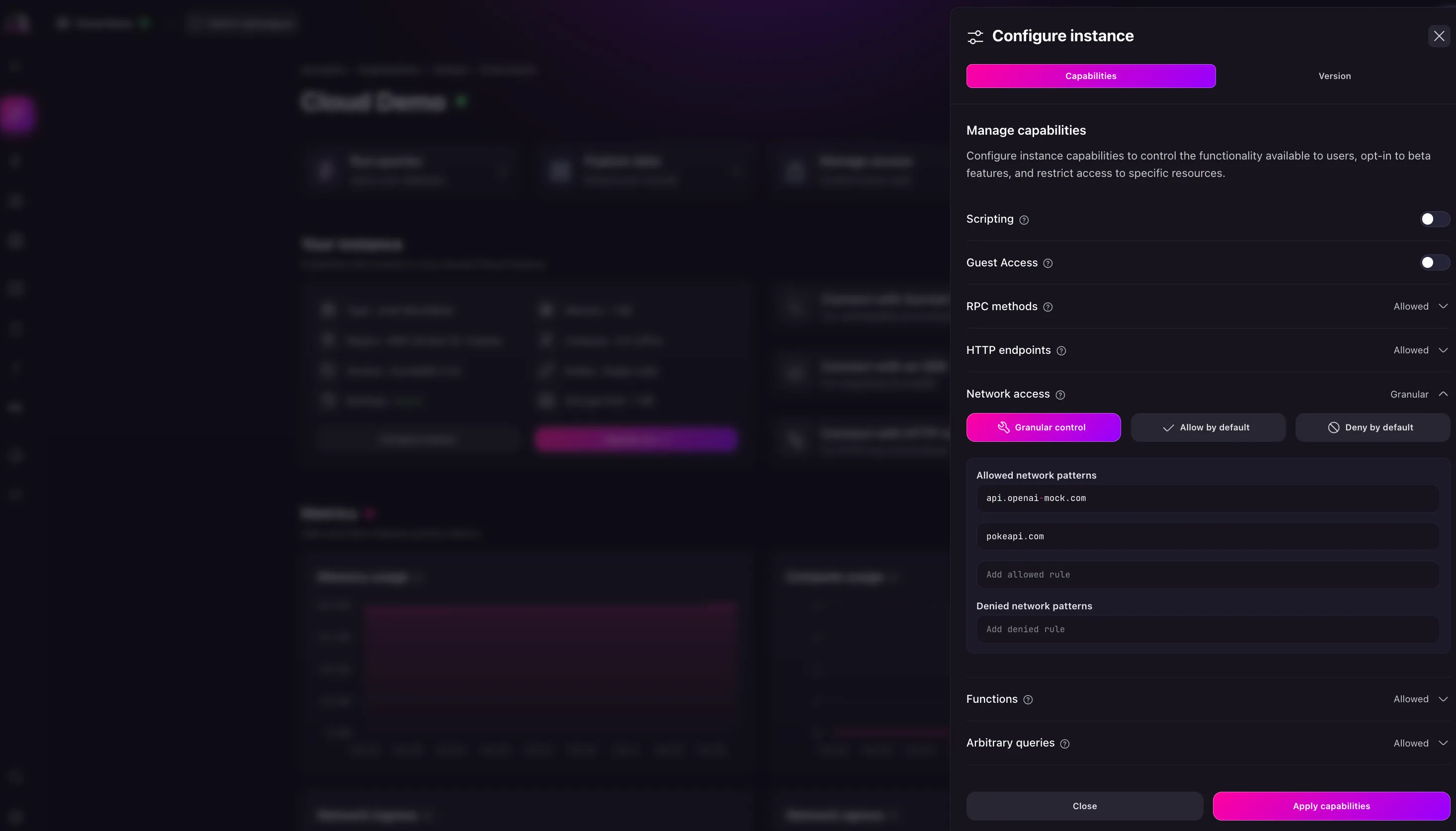
Additional resources[](https://surrealdb.com/docs/cloud/advanced-topics/network-access#additional-resources)
-------------------------------------------------------------------------------------------------------------
Learn more about network access in the video tutorial below:
[Edit this page on GitHub](https://github.com/surrealdb/docs.surrealdb.com/edit/main/src/content/doc-cloud/advanced-topics/network-access.mdx)
Copy page as Markdown
[Metrics](https://surrealdb.com/docs/cloud/advanced-topics/monitoring/metrics)
[Search and shortcuts](https://surrealdb.com/docs/cloud/advanced-topics/search-and-shortcuts)
### On this page
* [Network access](https://surrealdb.com/docs/cloud/advanced-topics/network-access#network-access)
* [Using network access in Surreal Cloud](https://surrealdb.com/docs/cloud/advanced-topics/network-access#using-network-access-in-surreal-cloud)
* [Configure network access in Surreal Cloud](https://surrealdb.com/docs/cloud/advanced-topics/network-access#configure-network-access-in-surreal-cloud)
* [Additional resources](https://surrealdb.com/docs/cloud/advanced-topics/network-access#additional-resources)
Last updated: Loading...
### Was this page helpful?
#### What did you like?
AccurateEasy to understandSolved my problemHelped me decide to use the productOther
SubmitCancel
#### What went wrong?
Hard to understandIncorrect informationMissing the informationOther
SubmitCancel
[Edit](https://github.com/surrealdb/docs.surrealdb.com/edit/main/src/content/doc-cloud/advanced-topics/network-access.mdx)
[Issue](https://github.com/surrealdb/docs.surrealdb.com/issues/new)
---
# Surrealist | Sending queries to the database
[](https://surrealdb.com/)
[](https://surrealdb.com/docs/surrealdb)
Search the docs
Enter a search query
[Sign in](https://app.surrealdb.com/signin)
Search the docs
Enter a search query
[Introduction](https://surrealdb.com/docs/surrealist)
[Installation](https://surrealdb.com/docs/surrealist/installation)
[Getting Started](https://surrealdb.com/docs/surrealist/getting-started)
Concepts
[Introduction](https://surrealdb.com/docs/surrealist/concepts)
[Sending queries to the database](https://surrealdb.com/docs/surrealist/concepts/sending-queries)
[Exploring database records](https://surrealdb.com/docs/surrealist/concepts/explore-database-records)
[Designing the database schema](https://surrealdb.com/docs/surrealist/concepts/designing-the-database-schema)
[Manage database access](https://surrealdb.com/docs/surrealist/concepts/manage-database-access)
[Sending queries with GraphQL](https://surrealdb.com/docs/surrealist/concepts/sending-queries-with-graphql)
[Local database serving](https://surrealdb.com/docs/surrealist/concepts/local-database-serving)
[Writing stored procedures](https://surrealdb.com/docs/surrealist/concepts/writing-stored-procedures)
[Specialized API docs](https://surrealdb.com/docs/surrealist/concepts/specialized-api-docs)
[Deploying your database](https://surrealdb.com/docs/surrealist/concepts/surreal-cloud)
Advanced Topics
[Introduction](https://surrealdb.com/docs/surrealist/advanced-topics)
[Search and Shortcuts](https://surrealdb.com/docs/surrealist/advanced-topics/search-and-shortcuts)
[Embedding Surrealist](https://surrealdb.com/docs/surrealist/advanced-topics/embedding-surrealist)
[Connection Templates](https://surrealdb.com/docs/surrealist/advanced-topics/connection-templates)
[Settings and Customisation](https://surrealdb.com/docs/surrealist/advanced-topics/settings-and-customisation)
[SurrealQL Editors](https://surrealdb.com/docs/surrealist/advanced-topics/surrealql-editors)
[URL Intents](https://surrealdb.com/docs/surrealist/advanced-topics/intents)
FAQs
[Introduction](https://surrealdb.com/docs/surrealist/faqs)
[FAQs](https://surrealdb.com/docs/surrealist/faqs/info)
[Known Issues](https://surrealdb.com/docs/surrealist/faqs/known-issues)
[Troubleshooting](https://surrealdb.com/docs/surrealist/troubleshooting)
[surrealdb/surrealist](https://github.com/surrealdb/surrealist)
[](https://surrealdb.com/docs/surrealist)
[Concepts](https://surrealdb.com/docs/surrealist/concepts)
[Sending queries to the database](https://surrealdb.com/docs/surrealist/concepts/sending-queries)
Sending queries to the database[](https://surrealdb.com/docs/surrealist/concepts/sending-queries#sending-queries-to-the-database)
==================================================================================================================================
The first view you encounter when starting Surrealist is the Query view. At its core the Query view allows you to execute SurrealQL queries and view their responses, however additional features include configuring variables to use within your queries, saving queries for later use, and viewing incoming live select messages.

> Note
>
> The example above shows writing a query to a sandbox connection where no credentials are required. When connecting to a Surreal Cloud instance or a local connection, you will need to enter your namespace and database credentials in the connection dialog before you can send queries.
Queries panel[](https://surrealdb.com/docs/surrealist/concepts/sending-queries#queries-panel)
----------------------------------------------------------------------------------------------
The panel on the left of the Query view lists out your active query tabs. Each tab has its own query editor, so you can work with multiple queries at once and keep your workspace organised. You can double-click a tab to rename it, and right-click a tab to reveal additional actions.
Additionally, near the bottom of the queries panel, you can find buttons to open the query history and view your saved queries.
Query history[](https://surrealdb.com/docs/surrealist/concepts/sending-queries#query-history)
----------------------------------------------------------------------------------------------
The query history drawer will show a list of recently executed queries for the current connection. Right click any query and choose “Open in new tab” or “Open in current tab” to bring it back into your query editor.
Saved Queries[](https://surrealdb.com/docs/surrealist/concepts/sending-queries#saved-queries)
----------------------------------------------------------------------------------------------
The saved queries drawer lists out any queries you have saved, which you can do by pressing the saved query button underneath the query editor. This is useful for queries you intend on executing frequently or would like to use in multiple connections.
### Saving a new query[](https://surrealdb.com/docs/surrealist/concepts/sending-queries#saving-a-new-query)
To save a query, press the save query button at the top right the query editor. You will be prompted to enter a name for the query, after which it will be saved and listed in the saved queries panel.
Variables panel[](https://surrealdb.com/docs/surrealist/concepts/sending-queries#variables-panel)
--------------------------------------------------------------------------------------------------
You can reveal the variables panel by pressing “Show variables”. Any variables you define in here are made available to your query. Use the convenient “Infer from query” button to analyse your query for variables and automatically define them.
### Results panel[](https://surrealdb.com/docs/surrealist/concepts/sending-queries#results-panel)
After executing a query the result of the query will be displayed in the results panel underneath the query editor. This panel lets you visualise the response in multiple ways, so pick the most convenient one for your use case.
* **Combined mode**: will list all query responses in a single list. This is especially useful for requests with only a handful of statements or when you would like to view all responses at a glance.
* **Individual mode**: will display each response separately and provide navigation buttons to switch between them. This is mostly useful when you are sending many queries at once or would like to focus on each response individually.
* **Graph mode**: will display the response as a graph if they are compatible with the response i.e is a list of records with relations. This is useful for visualising the relationships between records.
* **Table mode**: presents your responses in an interactive table similar to the Explorer view. You can press any record id to view and edit the record in the inspector panel.
* **Live mode**: will display incoming messages received by any [LIVE SELECT](https://surrealdb.com/docs/surrealql/statements/live)
queries sent in your request. You can also terminate active live queries here as well.
[Edit this page on GitHub](https://github.com/surrealdb/docs.surrealdb.com/edit/main/src/content/doc-surrealist/concepts/sending-queries.mdx)
Copy page as Markdown
[Concepts](https://surrealdb.com/docs/surrealist/concepts)
[Exploring database records](https://surrealdb.com/docs/surrealist/concepts/explore-database-records)
### On this page
* [Queries panel](https://surrealdb.com/docs/surrealist/concepts/sending-queries#queries-panel)
* [Query history](https://surrealdb.com/docs/surrealist/concepts/sending-queries#query-history)
* [Saved Queries](https://surrealdb.com/docs/surrealist/concepts/sending-queries#saved-queries)
* [Saving a new query](https://surrealdb.com/docs/surrealist/concepts/sending-queries#saving-a-new-query)
* [Variables panel](https://surrealdb.com/docs/surrealist/concepts/sending-queries#variables-panel)
* [Results panel](https://surrealdb.com/docs/surrealist/concepts/sending-queries#results-panel)
Last updated: Loading...
### Was this page helpful?
#### What did you like?
AccurateEasy to understandSolved my problemHelped me decide to use the productOther
SubmitCancel
#### What went wrong?
Hard to understandIncorrect informationMissing the informationOther
SubmitCancel
[Edit](https://github.com/surrealdb/docs.surrealdb.com/edit/main/src/content/doc-surrealist/concepts/sending-queries.mdx)
[Issue](https://github.com/surrealdb/docs.surrealdb.com/issues/new)
---
# Dependency Injection | .NET | SDK | Concepts
[](https://surrealdb.com/)
[](https://surrealdb.com/docs/surrealdb)
Search the docs
Enter a search query
[Sign in](https://app.surrealdb.com/signin)
Search the docs
Enter a search query
[Overview](https://surrealdb.com/docs/sdk/dotnet)
[Installation](https://surrealdb.com/docs/sdk/dotnet/installation)
[Quick start](https://surrealdb.com/docs/sdk/dotnet/start)
[Data Types](https://surrealdb.com/docs/sdk/dotnet/data-types)
Methods
[Introduction](https://surrealdb.com/docs/sdk/dotnet/methods)
[Authenticate](https://surrealdb.com/docs/sdk/dotnet/methods/authenticate)
[Connect](https://surrealdb.com/docs/sdk/dotnet/methods/connect)
[Create](https://surrealdb.com/docs/sdk/dotnet/methods/create)
[Delete](https://surrealdb.com/docs/sdk/dotnet/methods/delete)
[Export](https://surrealdb.com/docs/sdk/dotnet/methods/export)
[Health](https://surrealdb.com/docs/sdk/dotnet/methods/health)
[Import](https://surrealdb.com/docs/sdk/dotnet/methods/import)
[Info](https://surrealdb.com/docs/sdk/dotnet/methods/info)
[InsertRelation](https://surrealdb.com/docs/sdk/dotnet/methods/insert-relation)
[Insert](https://surrealdb.com/docs/sdk/dotnet/methods/insert)
[Invalidate](https://surrealdb.com/docs/sdk/dotnet/methods/invalidate)
[Kill](https://surrealdb.com/docs/sdk/dotnet/methods/kill)
[ListenLive](https://surrealdb.com/docs/sdk/dotnet/methods/listen_live)
[LiveQuery](https://surrealdb.com/docs/sdk/dotnet/methods/live-query)
[LiveRawQuery](https://surrealdb.com/docs/sdk/dotnet/methods/live-raw-query)
[LiveTable](https://surrealdb.com/docs/sdk/dotnet/methods/live-table)
[Merge](https://surrealdb.com/docs/sdk/dotnet/methods/merge)
[Patch](https://surrealdb.com/docs/sdk/dotnet/methods/patch)
[Query](https://surrealdb.com/docs/sdk/dotnet/methods/query)
[RawQuery](https://surrealdb.com/docs/sdk/dotnet/methods/raw-query)
[Relate](https://surrealdb.com/docs/sdk/dotnet/methods/relate)
[Run](https://surrealdb.com/docs/sdk/dotnet/methods/run)
[Select](https://surrealdb.com/docs/sdk/dotnet/methods/select)
[Set](https://surrealdb.com/docs/sdk/dotnet/methods/set)
[SignIn](https://surrealdb.com/docs/sdk/dotnet/methods/signin)
[SignUp](https://surrealdb.com/docs/sdk/dotnet/methods/signup)
[Unset](https://surrealdb.com/docs/sdk/dotnet/methods/unset)
[Update](https://surrealdb.com/docs/sdk/dotnet/methods/update)
[Upsert](https://surrealdb.com/docs/sdk/dotnet/methods/upsert)
[Use](https://surrealdb.com/docs/sdk/dotnet/methods/use)
[Version](https://surrealdb.com/docs/sdk/dotnet/methods/version)
Concepts
[Introduction](https://surrealdb.com/docs/sdk/dotnet/core)
[Create a new connection](https://surrealdb.com/docs/sdk/dotnet/core/create-a-new-connection)
[Handle authentication](https://surrealdb.com/docs/sdk/dotnet/core/authentication)
[Set parameters](https://surrealdb.com/docs/sdk/dotnet/core/parameters)
[Data Manipulation](https://surrealdb.com/docs/sdk/dotnet/core/data-manipulation)
[Realtime data streaming](https://surrealdb.com/docs/sdk/dotnet/core/streaming)
[Run SurrealQL queries](https://surrealdb.com/docs/sdk/dotnet/core/writing-surrealql)
[Connection Strings](https://surrealdb.com/docs/sdk/dotnet/core/connection-strings)
[Dependency Injection](https://surrealdb.com/docs/sdk/dotnet/core/dependency-injection)
[surrealdb/surrealdb.net](https://github.com/surrealdb/surrealdb.net)
[](https://surrealdb.com/docs/sdk/dotnet)
[SDK Concepts](https://surrealdb.com/docs/sdk/dotnet/core)
[Dependency Injection](https://surrealdb.com/docs/sdk/dotnet/core/dependency-injection)
Dependency Injection[](https://surrealdb.com/docs/sdk/dotnet/core/dependency-injection#dependency-injection)
=============================================================================================================
The .NET SDK also support Dependency Injection to ease the use of the `SurrealDbClient` in your application.
Create a new project[](https://surrealdb.com/docs/sdk/dotnet/core/dependency-injection#create-a-new-project)
-------------------------------------------------------------------------------------------------------------
Let’s start by creating a new ASP.NET Core web app.
dotnet new webapp -o SurrealDbWeatherApi
cd SurrealDbWeatherApi
dotnet add package SurrealDb.Net
Define a Connection String[](https://surrealdb.com/docs/sdk/dotnet/core/dependency-injection#define-a-connection-string)
-------------------------------------------------------------------------------------------------------------------------
Open `appsettings.Development.json` and replace everything in there with the following code. We have added a new Connection String called `SurrealDB` with the default configuration.
{
"AllowedHosts": "*",
"Logging": {
"LogLevel": {
"Default": "Information",
"Microsoft.AspNetCore": "Warning"
}
},
"ConnectionStrings": {
"SurrealDB": "Server=http://127.0.0.1:8000;Namespace=test;Database=test;Username=root;Password=root"
}
}
Register services[](https://surrealdb.com/docs/sdk/dotnet/core/dependency-injection#register-services)
-------------------------------------------------------------------------------------------------------
Open `Program.cs` and replace everything in there with the following code. This code is using the `AddSurreal()` extension method to inject services automatically. Notice that all we have to do is one line of code to configure the SurrealDB client with the previously set Connection String.
> Note
>
> By default, this function will register both `ISurrealDbClient` and `SurrealDbClient` using the `Singleton` service lifetime.
var builder = WebApplication.CreateBuilder(args);
var services = builder.Services;
var configuration = builder.Configuration;
services.AddControllers();
services.AddEndpointsApiExplorer();
services.AddSwaggerGen();
services.AddSurreal(configuration.GetConnectionString("SurrealDB"));
var app = builder.Build();
if (app.Environment.IsDevelopment())
{
app.UseSwagger();
app.UseSwaggerUI();
}
app.UseHttpsRedirection();
app.UseAuthorization();
app.MapControllers();
app.Run();
> Note
>
> In this example, we use a [Connection String](https://surrealdb.com/docs/sdk/dotnet/core/connection-strings)
> to configure services. This is the most convenient way to initialize the `SurrealDbClient` in your application. You can always choose to construct a Connection String manually via a `SurrealDbOptionsBuilder` and pass it to the `AddSurreal()` method.
Consume the SurrealDB client[](https://surrealdb.com/docs/sdk/dotnet/core/dependency-injection#consume-the-surrealdb-client)
-----------------------------------------------------------------------------------------------------------------------------
Open `WeatherForecastController.cs` and replace everything in there with the following code. Finally, we can inject the `ISurrealDbClient` inside our Controller.
using Microsoft.AspNetCore.Mvc;
namespace SurrealDbWeatherApi.Controllers;
[ApiController]
[Route("[controller]")]
public class WeatherForecastController : ControllerBase
{
private const string Table = "weatherForecast";
private readonly ISurrealDbClient _surrealDbClient;
public WeatherForecastController(ISurrealDbClient surrealDbClient)
{
_surrealDbClient = surrealDbClient;
}
[HttpGet]
[Route("/")]
public Task> GetAll(CancellationToken cancellationToken)
{
return _surrealDbClient.Select(Table, cancellationToken);
}
[HttpPost]
[Route("/")]
public Task Create(CreateWeatherForecast data, CancellationToken cancellationToken)
{
var weatherForecast = new WeatherForecast
{
Date = data.Date,
Country = data.Country,
TemperatureC = data.TemperatureC,
Summary = data.Summary
};
return _surrealDbClient.Create(Table, weatherForecast, cancellationToken);
}
// ...
// Other methods omitted for brevity
}
public class CreateWeatherForecast
{
public DateTime Date { get; set; }
public string? Country { get; set; }
public int TemperatureC { get; set; }
public string? Summary { get; set; }
}
Then make sure your SurrealDB server is running on `127.0.0.1:8000` and run your app from the command line with:
dotnet run
[Edit this page on GitHub](https://github.com/surrealdb/docs.surrealdb.com/edit/main/src/content/doc-sdk-dotnet/core/dependency-injection.mdx)
Copy page as Markdown
[Connection Strings](https://surrealdb.com/docs/sdk/dotnet/core/connection-strings)
[Overview](https://surrealdb.com/docs/sdk/dotnet)
### On this page
* [Create a new project](https://surrealdb.com/docs/sdk/dotnet/core/dependency-injection#create-a-new-project)
* [Define a Connection String](https://surrealdb.com/docs/sdk/dotnet/core/dependency-injection#define-a-connection-string)
* [Register services](https://surrealdb.com/docs/sdk/dotnet/core/dependency-injection#register-services)
* [Consume the SurrealDB client](https://surrealdb.com/docs/sdk/dotnet/core/dependency-injection#consume-the-surrealdb-client)
Last updated: Loading...
### Was this page helpful?
#### What did you like?
AccurateEasy to understandSolved my problemHelped me decide to use the productOther
SubmitCancel
#### What went wrong?
Hard to understandIncorrect informationMissing the informationOther
SubmitCancel
[Edit](https://github.com/surrealdb/docs.surrealdb.com/edit/main/src/content/doc-sdk-dotnet/core/dependency-injection.mdx)
[Issue](https://github.com/surrealdb/docs.surrealdb.com/issues/new)
---
# .NET | SDK | Quick start
[](https://surrealdb.com/)
[](https://surrealdb.com/docs/surrealdb)
Search the docs
Enter a search query
[Sign in](https://app.surrealdb.com/signin)
Search the docs
Enter a search query
[Overview](https://surrealdb.com/docs/sdk/dotnet)
[Installation](https://surrealdb.com/docs/sdk/dotnet/installation)
[Quick start](https://surrealdb.com/docs/sdk/dotnet/start)
[Data Types](https://surrealdb.com/docs/sdk/dotnet/data-types)
Methods
[Introduction](https://surrealdb.com/docs/sdk/dotnet/methods)
[Authenticate](https://surrealdb.com/docs/sdk/dotnet/methods/authenticate)
[Connect](https://surrealdb.com/docs/sdk/dotnet/methods/connect)
[Create](https://surrealdb.com/docs/sdk/dotnet/methods/create)
[Delete](https://surrealdb.com/docs/sdk/dotnet/methods/delete)
[Export](https://surrealdb.com/docs/sdk/dotnet/methods/export)
[Health](https://surrealdb.com/docs/sdk/dotnet/methods/health)
[Import](https://surrealdb.com/docs/sdk/dotnet/methods/import)
[Info](https://surrealdb.com/docs/sdk/dotnet/methods/info)
[InsertRelation](https://surrealdb.com/docs/sdk/dotnet/methods/insert-relation)
[Insert](https://surrealdb.com/docs/sdk/dotnet/methods/insert)
[Invalidate](https://surrealdb.com/docs/sdk/dotnet/methods/invalidate)
[Kill](https://surrealdb.com/docs/sdk/dotnet/methods/kill)
[ListenLive](https://surrealdb.com/docs/sdk/dotnet/methods/listen_live)
[LiveQuery](https://surrealdb.com/docs/sdk/dotnet/methods/live-query)
[LiveRawQuery](https://surrealdb.com/docs/sdk/dotnet/methods/live-raw-query)
[LiveTable](https://surrealdb.com/docs/sdk/dotnet/methods/live-table)
[Merge](https://surrealdb.com/docs/sdk/dotnet/methods/merge)
[Patch](https://surrealdb.com/docs/sdk/dotnet/methods/patch)
[Query](https://surrealdb.com/docs/sdk/dotnet/methods/query)
[RawQuery](https://surrealdb.com/docs/sdk/dotnet/methods/raw-query)
[Relate](https://surrealdb.com/docs/sdk/dotnet/methods/relate)
[Run](https://surrealdb.com/docs/sdk/dotnet/methods/run)
[Select](https://surrealdb.com/docs/sdk/dotnet/methods/select)
[Set](https://surrealdb.com/docs/sdk/dotnet/methods/set)
[SignIn](https://surrealdb.com/docs/sdk/dotnet/methods/signin)
[SignUp](https://surrealdb.com/docs/sdk/dotnet/methods/signup)
[Unset](https://surrealdb.com/docs/sdk/dotnet/methods/unset)
[Update](https://surrealdb.com/docs/sdk/dotnet/methods/update)
[Upsert](https://surrealdb.com/docs/sdk/dotnet/methods/upsert)
[Use](https://surrealdb.com/docs/sdk/dotnet/methods/use)
[Version](https://surrealdb.com/docs/sdk/dotnet/methods/version)
Concepts
[Introduction](https://surrealdb.com/docs/sdk/dotnet/core)
[Create a new connection](https://surrealdb.com/docs/sdk/dotnet/core/create-a-new-connection)
[Handle authentication](https://surrealdb.com/docs/sdk/dotnet/core/authentication)
[Set parameters](https://surrealdb.com/docs/sdk/dotnet/core/parameters)
[Data Manipulation](https://surrealdb.com/docs/sdk/dotnet/core/data-manipulation)
[Realtime data streaming](https://surrealdb.com/docs/sdk/dotnet/core/streaming)
[Run SurrealQL queries](https://surrealdb.com/docs/sdk/dotnet/core/writing-surrealql)
[Connection Strings](https://surrealdb.com/docs/sdk/dotnet/core/connection-strings)
[Dependency Injection](https://surrealdb.com/docs/sdk/dotnet/core/dependency-injection)
[surrealdb/surrealdb.net](https://github.com/surrealdb/surrealdb.net)
[](https://surrealdb.com/docs/sdk/dotnet)
[Quick start](https://surrealdb.com/docs/sdk/dotnet/start)
Quick start[](https://surrealdb.com/docs/sdk/dotnet/start#quick-start)
=======================================================================
Now that you have a more comprehensive understanding of the SurrealDB SDK for .NET, let’s create a simple project to get you started. This guide will walk you through creating a simple console application that uses the SurrealDB SDK for .NET to interact with a SurrealDB instance.
> Important
>
> If you want to see the final project for this guide, you can find it [here](https://github.com/surrealdb/surrealdb.net/tree/main/SurrealDb.Examples.Console)
> and follow the instructions in the `README.md` file to get the project running.
Prerequisites[](https://surrealdb.com/docs/sdk/dotnet/start#prerequisites)
---------------------------------------------------------------------------
This guide assumes the following:
* You have a basic understanding of the .NET ecosystem and the C# language.
* You have an install version of SurrealDB `>1.4.2` installed on your machine.
Setup your project[](https://surrealdb.com/docs/sdk/dotnet/start#setup-your-project)
-------------------------------------------------------------------------------------
Let’s start by creating a new console app.
# Create a new console app
dotnet new console -o SurrealDbExample
# Navigate into the generated directory
cd SurrealDbExample
# Add the SurrealDB SDK to your project via the dotnet CLI
dotnet add package SurrealDb.Net
Open `Program.cs` and replace everything in there with the following code to try out some basic operations using the SurrealDB SDK.
using SurrealDb.Net;
using SurrealDb.Net.Models;
using SurrealDb.Net.Models.Auth;
using System.Text.Json;
const string TABLE = "person";
using var db = new SurrealDbClient("ws://127.0.0.1:8000/rpc");
await db.SignIn(new RootAuth { Username = "root", Password = "secret" });
await db.Use("test", "test");
var person = new Person
{
Title = "Founder & CEO",
Name = new() { FirstName = "Tobie", LastName = "Morgan Hitchcock" },
Marketing = true
};
var created = await db.Create(TABLE, person);
Console.WriteLine(ToJsonString(created));
var updated = await db.Merge(
new() { Id = (TABLE, "jaime"), Marketing = true }
);
Console.WriteLine(ToJsonString(updated));
var people = await db.Select(TABLE);
Console.WriteLine(ToJsonString(people));
var queryResponse = await db.Query(
$"SELECT Marketing, count() AS Count FROM type::table({TABLE}) GROUP BY Marketing"
);
var groups = queryResponse.GetValue>(0);
Console.WriteLine(ToJsonString(groups));
static string ToJsonString(object? o)
{
return JsonSerializer.Serialize(o, new JsonSerializerOptions { WriteIndented = true, });
}
public class Person : Record
{
public string? Title { get; set; }
public Name? Name { get; set; }
public bool Marketing { get; set; }
}
public class Name
{
public string? FirstName { get; set; }
public string? LastName { get; set; }
}
public class ResponsibilityMerge : Record
{
public bool Marketing { get; set; }
}
public class Group
{
public bool Marketing { get; set; }
public int Count { get; set; }
}
Then make sure your SurrealDB server is running on `127.0.0.1:8000` and run your app from the command line with:
dotnet run
Next steps[](https://surrealdb.com/docs/sdk/dotnet/start#next-steps)
---------------------------------------------------------------------
Now that you have learned the basics of the .NET SDK for SurrealDB, you can learn more about the SDK and its methods [in the methods section](https://surrealdb.com/docs/sdk/dotnet/methods)
and [data types section](https://surrealdb.com/docs/sdk/dotnet/data-types)
.
[Edit this page on GitHub](https://github.com/surrealdb/docs.surrealdb.com/edit/main/src/content/doc-sdk-dotnet/start.mdx)
Copy page as Markdown
[Installation](https://surrealdb.com/docs/sdk/dotnet/installation)
[Data Types](https://surrealdb.com/docs/sdk/dotnet/data-types)
### On this page
* [Prerequisites](https://surrealdb.com/docs/sdk/dotnet/start#prerequisites)
* [Setup your project](https://surrealdb.com/docs/sdk/dotnet/start#setup-your-project)
* [Next steps](https://surrealdb.com/docs/sdk/dotnet/start#next-steps)
Last updated: Loading...
### Was this page helpful?
#### What did you like?
AccurateEasy to understandSolved my problemHelped me decide to use the productOther
SubmitCancel
#### What went wrong?
Hard to understandIncorrect informationMissing the informationOther
SubmitCancel
[Edit](https://github.com/surrealdb/docs.surrealdb.com/edit/main/src/content/doc-sdk-dotnet/start.mdx)
[Issue](https://github.com/surrealdb/docs.surrealdb.com/issues/new)
---
# .NET | SDK | Concepts
[](https://surrealdb.com/)
[](https://surrealdb.com/docs/surrealdb)
Search the docs
Enter a search query
[Sign in](https://app.surrealdb.com/signin)
Search the docs
Enter a search query
[Overview](https://surrealdb.com/docs/sdk/dotnet)
[Installation](https://surrealdb.com/docs/sdk/dotnet/installation)
[Quick start](https://surrealdb.com/docs/sdk/dotnet/start)
[Data Types](https://surrealdb.com/docs/sdk/dotnet/data-types)
Methods
[Introduction](https://surrealdb.com/docs/sdk/dotnet/methods)
[Authenticate](https://surrealdb.com/docs/sdk/dotnet/methods/authenticate)
[Connect](https://surrealdb.com/docs/sdk/dotnet/methods/connect)
[Create](https://surrealdb.com/docs/sdk/dotnet/methods/create)
[Delete](https://surrealdb.com/docs/sdk/dotnet/methods/delete)
[Export](https://surrealdb.com/docs/sdk/dotnet/methods/export)
[Health](https://surrealdb.com/docs/sdk/dotnet/methods/health)
[Import](https://surrealdb.com/docs/sdk/dotnet/methods/import)
[Info](https://surrealdb.com/docs/sdk/dotnet/methods/info)
[InsertRelation](https://surrealdb.com/docs/sdk/dotnet/methods/insert-relation)
[Insert](https://surrealdb.com/docs/sdk/dotnet/methods/insert)
[Invalidate](https://surrealdb.com/docs/sdk/dotnet/methods/invalidate)
[Kill](https://surrealdb.com/docs/sdk/dotnet/methods/kill)
[ListenLive](https://surrealdb.com/docs/sdk/dotnet/methods/listen_live)
[LiveQuery](https://surrealdb.com/docs/sdk/dotnet/methods/live-query)
[LiveRawQuery](https://surrealdb.com/docs/sdk/dotnet/methods/live-raw-query)
[LiveTable](https://surrealdb.com/docs/sdk/dotnet/methods/live-table)
[Merge](https://surrealdb.com/docs/sdk/dotnet/methods/merge)
[Patch](https://surrealdb.com/docs/sdk/dotnet/methods/patch)
[Query](https://surrealdb.com/docs/sdk/dotnet/methods/query)
[RawQuery](https://surrealdb.com/docs/sdk/dotnet/methods/raw-query)
[Relate](https://surrealdb.com/docs/sdk/dotnet/methods/relate)
[Run](https://surrealdb.com/docs/sdk/dotnet/methods/run)
[Select](https://surrealdb.com/docs/sdk/dotnet/methods/select)
[Set](https://surrealdb.com/docs/sdk/dotnet/methods/set)
[SignIn](https://surrealdb.com/docs/sdk/dotnet/methods/signin)
[SignUp](https://surrealdb.com/docs/sdk/dotnet/methods/signup)
[Unset](https://surrealdb.com/docs/sdk/dotnet/methods/unset)
[Update](https://surrealdb.com/docs/sdk/dotnet/methods/update)
[Upsert](https://surrealdb.com/docs/sdk/dotnet/methods/upsert)
[Use](https://surrealdb.com/docs/sdk/dotnet/methods/use)
[Version](https://surrealdb.com/docs/sdk/dotnet/methods/version)
Concepts
[Introduction](https://surrealdb.com/docs/sdk/dotnet/core)
[Create a new connection](https://surrealdb.com/docs/sdk/dotnet/core/create-a-new-connection)
[Handle authentication](https://surrealdb.com/docs/sdk/dotnet/core/authentication)
[Set parameters](https://surrealdb.com/docs/sdk/dotnet/core/parameters)
[Data Manipulation](https://surrealdb.com/docs/sdk/dotnet/core/data-manipulation)
[Realtime data streaming](https://surrealdb.com/docs/sdk/dotnet/core/streaming)
[Run SurrealQL queries](https://surrealdb.com/docs/sdk/dotnet/core/writing-surrealql)
[Connection Strings](https://surrealdb.com/docs/sdk/dotnet/core/connection-strings)
[Dependency Injection](https://surrealdb.com/docs/sdk/dotnet/core/dependency-injection)
[surrealdb/surrealdb.net](https://github.com/surrealdb/surrealdb.net)
[](https://surrealdb.com/docs/sdk/dotnet)
[SDK Concepts](https://surrealdb.com/docs/sdk/dotnet/core)
Concepts[](https://surrealdb.com/docs/sdk/dotnet/core#concepts)
================================================================
In this section, we will go over the core concepts of the SurrealDB SDK for .NET. You will learn how to connect to a SurrealDB instance, manage authentication, and interact with the database.
* [Create a new Connection](https://surrealdb.com/docs/sdk/dotnet/core/create-a-new-connection)
* [Handle authentication](https://surrealdb.com/docs/sdk/dotnet/core/authentication)
* [Set parameters](https://surrealdb.com/docs/sdk/dotnet/core/parameters)
* [Data manipulation](https://surrealdb.com/docs/sdk/dotnet/core/data-manipulation)
* [Realtime Streaming](https://surrealdb.com/docs/sdk/dotnet/core/streaming)
* [Run SurrealQL queries](https://surrealdb.com/docs/sdk/dotnet/core/writing-surrealql)
* [Connection Strings](https://surrealdb.com/docs/sdk/dotnet/core/connection-strings)
* [Dependency Injection](https://surrealdb.com/docs/sdk/dotnet/core/dependency-injection)
[Edit this page on GitHub](https://github.com/surrealdb/docs.surrealdb.com/edit/main/src/content/doc-sdk-dotnet/core/index.mdx)
Copy page as Markdown
[Version](https://surrealdb.com/docs/sdk/dotnet/methods/version)
[Create a new connection](https://surrealdb.com/docs/sdk/dotnet/core/create-a-new-connection)
### On this page
* [Concepts](https://surrealdb.com/docs/sdk/dotnet/core#concepts)
Last updated: Loading...
### Was this page helpful?
#### What did you like?
AccurateEasy to understandSolved my problemHelped me decide to use the productOther
SubmitCancel
#### What went wrong?
Hard to understandIncorrect informationMissing the informationOther
SubmitCancel
[Edit](https://github.com/surrealdb/docs.surrealdb.com/edit/main/src/content/doc-sdk-dotnet/core/index.mdx)
[Issue](https://github.com/surrealdb/docs.surrealdb.com/issues/new)
---
# Data Manipulation | .NET | SDK | Concepts
[](https://surrealdb.com/)
[](https://surrealdb.com/docs/surrealdb)
Search the docs
Enter a search query
[Sign in](https://app.surrealdb.com/signin)
Search the docs
Enter a search query
[Overview](https://surrealdb.com/docs/sdk/dotnet)
[Installation](https://surrealdb.com/docs/sdk/dotnet/installation)
[Quick start](https://surrealdb.com/docs/sdk/dotnet/start)
[Data Types](https://surrealdb.com/docs/sdk/dotnet/data-types)
Methods
[Introduction](https://surrealdb.com/docs/sdk/dotnet/methods)
[Authenticate](https://surrealdb.com/docs/sdk/dotnet/methods/authenticate)
[Connect](https://surrealdb.com/docs/sdk/dotnet/methods/connect)
[Create](https://surrealdb.com/docs/sdk/dotnet/methods/create)
[Delete](https://surrealdb.com/docs/sdk/dotnet/methods/delete)
[Export](https://surrealdb.com/docs/sdk/dotnet/methods/export)
[Health](https://surrealdb.com/docs/sdk/dotnet/methods/health)
[Import](https://surrealdb.com/docs/sdk/dotnet/methods/import)
[Info](https://surrealdb.com/docs/sdk/dotnet/methods/info)
[InsertRelation](https://surrealdb.com/docs/sdk/dotnet/methods/insert-relation)
[Insert](https://surrealdb.com/docs/sdk/dotnet/methods/insert)
[Invalidate](https://surrealdb.com/docs/sdk/dotnet/methods/invalidate)
[Kill](https://surrealdb.com/docs/sdk/dotnet/methods/kill)
[ListenLive](https://surrealdb.com/docs/sdk/dotnet/methods/listen_live)
[LiveQuery](https://surrealdb.com/docs/sdk/dotnet/methods/live-query)
[LiveRawQuery](https://surrealdb.com/docs/sdk/dotnet/methods/live-raw-query)
[LiveTable](https://surrealdb.com/docs/sdk/dotnet/methods/live-table)
[Merge](https://surrealdb.com/docs/sdk/dotnet/methods/merge)
[Patch](https://surrealdb.com/docs/sdk/dotnet/methods/patch)
[Query](https://surrealdb.com/docs/sdk/dotnet/methods/query)
[RawQuery](https://surrealdb.com/docs/sdk/dotnet/methods/raw-query)
[Relate](https://surrealdb.com/docs/sdk/dotnet/methods/relate)
[Run](https://surrealdb.com/docs/sdk/dotnet/methods/run)
[Select](https://surrealdb.com/docs/sdk/dotnet/methods/select)
[Set](https://surrealdb.com/docs/sdk/dotnet/methods/set)
[SignIn](https://surrealdb.com/docs/sdk/dotnet/methods/signin)
[SignUp](https://surrealdb.com/docs/sdk/dotnet/methods/signup)
[Unset](https://surrealdb.com/docs/sdk/dotnet/methods/unset)
[Update](https://surrealdb.com/docs/sdk/dotnet/methods/update)
[Upsert](https://surrealdb.com/docs/sdk/dotnet/methods/upsert)
[Use](https://surrealdb.com/docs/sdk/dotnet/methods/use)
[Version](https://surrealdb.com/docs/sdk/dotnet/methods/version)
Concepts
[Introduction](https://surrealdb.com/docs/sdk/dotnet/core)
[Create a new connection](https://surrealdb.com/docs/sdk/dotnet/core/create-a-new-connection)
[Handle authentication](https://surrealdb.com/docs/sdk/dotnet/core/authentication)
[Set parameters](https://surrealdb.com/docs/sdk/dotnet/core/parameters)
[Data Manipulation](https://surrealdb.com/docs/sdk/dotnet/core/data-manipulation)
[Realtime data streaming](https://surrealdb.com/docs/sdk/dotnet/core/streaming)
[Run SurrealQL queries](https://surrealdb.com/docs/sdk/dotnet/core/writing-surrealql)
[Connection Strings](https://surrealdb.com/docs/sdk/dotnet/core/connection-strings)
[Dependency Injection](https://surrealdb.com/docs/sdk/dotnet/core/dependency-injection)
[surrealdb/surrealdb.net](https://github.com/surrealdb/surrealdb.net)
[](https://surrealdb.com/docs/sdk/dotnet)
[SDK Concepts](https://surrealdb.com/docs/sdk/dotnet/core)
[Data Manipulation](https://surrealdb.com/docs/sdk/dotnet/core/data-manipulation)
Data Manipulation[](https://surrealdb.com/docs/sdk/dotnet/core/data-manipulation#data-manipulation)
====================================================================================================
SurrealDB supports a number of methods for interacting with the database and performing CRUD operations.
| Method | Description |
| --- | --- |
| [`db.Select()`](https://surrealdb.com/docs/sdk/dotnet/core/data-manipulation#select) | Selects all records in a table, or a specific record, from the database |
| [`db.Create()`](https://surrealdb.com/docs/sdk/dotnet/core/data-manipulation#create) | Creates a record in the database |
| [`db.Insert()`](https://surrealdb.com/docs/sdk/dotnet/core/data-manipulation#insert) | Inserts one or multiple records in the database |
| [`db.InsertRelation()`](https://surrealdb.com/docs/sdk/dotnet/core/data-manipulation#insert_relation) | Inserts one or multiple relations in the database |
| [`db.Update()`](https://surrealdb.com/docs/sdk/dotnet/core/data-manipulation#update) | Updates all records in a table, or a specific record, in the database |
| [`db.Upsert()`](https://surrealdb.com/docs/sdk/dotnet/core/data-manipulation#upsert) | Creates or updates a set of records in a table, or a specific record, in the database |
| [`db.Merge()`](https://surrealdb.com/docs/sdk/dotnet/core/data-manipulation#merge) | Modifies all records in a table, or a specific record, in the database |
| [`db.Patch()`](https://surrealdb.com/docs/sdk/dotnet/core/data-manipulation#patch) | Applies JSON Patch changes to all records, or a specific record, in the database |
| [`db.Delete()`](https://surrealdb.com/docs/sdk/dotnet/core/data-manipulation#delete) | Deletes all records in a table, or a specific record, from the database |
`.Select()`[](https://surrealdb.com/docs/sdk/dotnet/core/data-manipulation#select)
--------------------------------------------------------------------------------------
Selects all records in a table, or a specific record, from the database.
Method Syntaxawait db.Select(resource)
### Arguments[](https://surrealdb.com/docs/sdk/dotnet/core/data-manipulation#arguments)
| Arguments | | Description | |
| --- | --- |
| `thing` required | | The table name or a [`RecordId`](https://surrealdb.com/docs/sdk/dotnet/data-types#recordid) to select. | |
| `cancellationToken` optional | | The cancellationToken enables graceful cancellation of asynchronous operations. | |
### Example usage[](https://surrealdb.com/docs/sdk/dotnet/core/data-manipulation#example-usage)
// Select all records from a table
var people = await db.Select("person");
// Select a specific record from a table
var person = await db.Select(("person", "h5wxrf2ewk8xjxosxtyc"));
var person = await db.Select(new StringRecordId("person:h5wxrf2ewk8xjxosxtyc"));
// Select a specific record from a table, given a non-string id
var person = await db.Select(("person", new Guid("8424486b-85b3-4448-ac8d-5d51083391c7")));
`.Create()`[](https://surrealdb.com/docs/sdk/dotnet/core/data-manipulation#create)
--------------------------------------------------------------------------------------
Creates a record in the database.
Method Syntaxawait db.Create(resource, data)
### Arguments[](https://surrealdb.com/docs/sdk/dotnet/core/data-manipulation#arguments-1)
| Arguments | | Description | |
| --- | --- |
| `thing` required | | The table name or a [`RecordId`](https://surrealdb.com/docs/sdk/dotnet/data-types#recordid) to create. | |
| `data` optional | | The document / record data to insert. | |
| `cancellationToken` optional | | The cancellationToken enables graceful cancellation of asynchronous operations. | |
### Example usage[](https://surrealdb.com/docs/sdk/dotnet/core/data-manipulation#example-usage-1)
// Create a record with a random ID
var person = await db.Create("person");
// Create a record with a random ID & specific fields
var person = await db.Create("person", new Person { Name = "Tobie" });
// Create a record with a specific ID
var personToCreate = new Person
{
Id = ("person", "tobie"),
Name = "Tobie",
Settings = new Settings
{
Active = true,
Marketing = true,
},
};
var result = await db.Create(personToCreate);
`.Insert()`[](https://surrealdb.com/docs/sdk/dotnet/core/data-manipulation#insert)
--------------------------------------------------------------------------------------
Inserts one or multiple records in the database.
Method Syntaxawait db.Insert(table, data)
### Arguments[](https://surrealdb.com/docs/sdk/dotnet/core/data-manipulation#arguments-2)
| Arguments | | Description | |
| --- | --- |
| `table` optional | | Optionally pass along a table to insert into. | |
| `data` optional | | Either a single document/record or an array of documents/records to insert | |
| `cancellationToken` optional | | The cancellationToken enables graceful cancellation of asynchronous operations. | |
### Example usage[](https://surrealdb.com/docs/sdk/dotnet/core/data-manipulation#example-usage-2)
var posts = new List
{
new Post
{
Id = ("post", "First"),
Title = "An article",
Content = "This is the first article"
},
new Post
{
Id = ("post", "Second"),
Title = "An article",
Content = "This is the second article"
}
};
await db.Insert("post", posts);
`.InsertRelation()`[](https://surrealdb.com/docs/sdk/dotnet/core/data-manipulation#insert_relation)
-------------------------------------------------------------------------------------------------------
Inserts one or multiple relations in the database.
Method Syntaxawait db.InsertRelation(table, data)
### Arguments[](https://surrealdb.com/docs/sdk/dotnet/core/data-manipulation#arguments-3)
| Arguments | | Description | |
| --- | --- |
| `table` optional | | Optionally pass along a table to insert into. | |
| `data` optional | | Either a single document/record or an array of documents/records to insert | |
| `cancellationToken` optional | | The cancellationToken enables graceful cancellation of asynchronous operations. | |
### Example usage[](https://surrealdb.com/docs/sdk/dotnet/core/data-manipulation#example-usage-3)
await db.InsertRelation(
new WroteRelation
{
In = ("user", "u1"),
Out = ("post", "p1"),
CreatedAt = now,
NumberOfPages = 144
}
);
`.Update()`[](https://surrealdb.com/docs/sdk/dotnet/core/data-manipulation#update)
--------------------------------------------------------------------------------------
Updates all records in a table, or a specific record, in the database.
Method Syntaxawait db.Update(thing, data)
> Note
>
> This function replaces the current document / record data with the specified data.
### Arguments[](https://surrealdb.com/docs/sdk/dotnet/core/data-manipulation#arguments-4)
| Arguments | | Description | |
| --- | --- |
| `thing` required | | The table name or the specific [`RecordId`](https://surrealdb.com/docs/sdk/dotnet/data-types#recordid) to update. | |
| `data` optional | | The document / record data to update. | |
| `cancellationToken` optional | | The cancellationToken enables graceful cancellation of asynchronous operations. | |
### Example usage[](https://surrealdb.com/docs/sdk/dotnet/core/data-manipulation#example-usage-4)
var post = new Post
{
Id = ("post", "another"),
Title = "A new article",
Content = "This is a new article created using the .NET SDK"
};
// Updates a single record
await db.Update(post);
var data = new Person
{
Name = "Tobie",
Settings = new Settings
{
Active = true,
Marketing = true,
},
};
// Updates all records inside the "person" table
await db.Update("person", data);
`.Upsert()`[](https://surrealdb.com/docs/sdk/dotnet/core/data-manipulation#upsert)
--------------------------------------------------------------------------------------
Creates or updates a specific record.
Method Syntaxawait db.Upsert(data)
> Note
>
> This function creates a new document / record or replaces the current one with the specified data.
### Arguments[](https://surrealdb.com/docs/sdk/dotnet/core/data-manipulation#arguments-5)
| Arguments | | Description | |
| --- | --- |
| `data` required | | The document / record data to insert. | |
| `cancellationToken` optional | | The cancellationToken enables graceful cancellation of asynchronous operations. | |
### Example usage[](https://surrealdb.com/docs/sdk/dotnet/core/data-manipulation#example-usage-5)
var person = new Person
{
Id = ("person", "tobie"), // Id is mandatory to apply create or update
Name = "Tobie",
Settings = new Settings
{
Active = true,
Marketing = true,
},
};
// Create a new record when it doesn't exist
var created = await db.Upsert(person);
// Update an existing record when it does exist
var updated = await db.Upsert(person);
`.Merge()`[](https://surrealdb.com/docs/sdk/dotnet/core/data-manipulation#merge)
------------------------------------------------------------------------------------
Modifies all records in a table, or a specific record.
Method Syntaxawait db.Merge(resource, data)
> Note
>
> This function merges the current document / record data with the specified data.
### Arguments[](https://surrealdb.com/docs/sdk/dotnet/core/data-manipulation#arguments-6)
| Arguments | | Description | |
| --- | --- |
| `thing` required | | The table name or the specific [`RecordId`](https://surrealdb.com/docs/sdk/dotnet/data-types#recordid) to merge. | |
| `data` optional | | The data with which to modify the records. | |
| `cancellationToken` optional | | The cancellationToken enables graceful cancellation of asynchronous operations. | |
### Example usage[](https://surrealdb.com/docs/sdk/dotnet/core/data-manipulation#example-usage-6)
Merging data within a single record// Only changes the fields specified in the merge object
var merge = new PersonMerge
{
Id = ("person", "tobie"),
Settings = new Settings
{
Active = true,
Marketing = false,
},
};
var result = await db.Merge(merge);
// Only changes the fields specified in the Dictionary
var data = new Dictionary
{
{ "tags", new List { "developer", "engineer" } }
};
var result = await db.Merge(("person", "tobie"), data);
Merging data for every record in a table// Only changes the fields specified in the merge object
var merge = new PersonMerge
{
Settings = new Settings
{
Active = true,
Marketing = false,
},
};
var result = await db.Merge("person", merge);
// Only changes the fields specified in the Dictionary
var data = new Dictionary
{
{ "tags", new List { "developer", "engineer" } }
};
var result = await db.Merge("person", data);
`.Patch()`[](https://surrealdb.com/docs/sdk/dotnet/core/data-manipulation#patch)
------------------------------------------------------------------------------------
Applies JSON Patch changes to all records, or a specific record, in the database.
Method Syntaxawait db.Patch(resource, data)
> Note
>
> This function patches document / record data with the specified [JSON Patch](https://jsonpatch.com/)
> data.
### Arguments[](https://surrealdb.com/docs/sdk/dotnet/core/data-manipulation#arguments-7)
| Arguments | | Description | |
| --- | --- |
| `thing` required | | The table name or the specific [`RecordId`](https://surrealdb.com/docs/sdk/dotnet/data-types#recordid) to patch. | |
| `data` optional | | The JSON Patch data with which to patch the records. | |
| `cancellationToken` optional | | The cancellationToken enables graceful cancellation of asynchronous operations. | |
### Example usage[](https://surrealdb.com/docs/sdk/dotnet/core/data-manipulation#example-usage-7)
// Update a record with a specific ID
var result = await db.Patch(("person", "tobie"), patches);
// Update all records in a table
var result = await db.Patch("person", patches);
`.Delete()`[](https://surrealdb.com/docs/sdk/dotnet/core/data-manipulation#delete)
-----------------------------------------------------------------------------------
Deletes all records in a table, or a specific record, from the database.
Method Syntaxawait db.Delete(resource)
### Arguments[](https://surrealdb.com/docs/sdk/dotnet/core/data-manipulation#arguments-8)
| Arguments | | Description | |
| --- | --- |
| `thing` required | | The table name or a [`RecordId`](https://surrealdb.com/docs/sdk/dotnet/data-types#recordid) to delete. | |
| `cancellationToken` optional | | The cancellationToken enables graceful cancellation of asynchronous operations. | |
### Example usage[](https://surrealdb.com/docs/sdk/dotnet/core/data-manipulation#example-usage-8)
// Delete all records from a table
await db.Delete("person");
// Delete a specific record from a table
await db.Delete(("person", "h5wxrf2ewk8xjxosxtyc"));
[Edit this page on GitHub](https://github.com/surrealdb/docs.surrealdb.com/edit/main/src/content/doc-sdk-dotnet/core/data-manipulation.mdx)
Copy page as Markdown
[Set parameters](https://surrealdb.com/docs/sdk/dotnet/core/parameters)
[Realtime data streaming](https://surrealdb.com/docs/sdk/dotnet/core/streaming)
### On this page
* [.Select()](https://surrealdb.com/docs/sdk/dotnet/core/data-manipulation#select)
* [Arguments](https://surrealdb.com/docs/sdk/dotnet/core/data-manipulation#arguments)
* [Example usage](https://surrealdb.com/docs/sdk/dotnet/core/data-manipulation#example-usage)
* [.Create()](https://surrealdb.com/docs/sdk/dotnet/core/data-manipulation#create)
* [Arguments](https://surrealdb.com/docs/sdk/dotnet/core/data-manipulation#arguments-1)
* [Example usage](https://surrealdb.com/docs/sdk/dotnet/core/data-manipulation#example-usage-1)
* [.Insert()](https://surrealdb.com/docs/sdk/dotnet/core/data-manipulation#insert)
* [Arguments](https://surrealdb.com/docs/sdk/dotnet/core/data-manipulation#arguments-2)
* [Example usage](https://surrealdb.com/docs/sdk/dotnet/core/data-manipulation#example-usage-2)
* [.InsertRelation()](https://surrealdb.com/docs/sdk/dotnet/core/data-manipulation#insert_relation)
* [Arguments](https://surrealdb.com/docs/sdk/dotnet/core/data-manipulation#arguments-3)
* [Example usage](https://surrealdb.com/docs/sdk/dotnet/core/data-manipulation#example-usage-3)
* [.Update()](https://surrealdb.com/docs/sdk/dotnet/core/data-manipulation#update)
* [Arguments](https://surrealdb.com/docs/sdk/dotnet/core/data-manipulation#arguments-4)
* [Example usage](https://surrealdb.com/docs/sdk/dotnet/core/data-manipulation#example-usage-4)
* [.Upsert()](https://surrealdb.com/docs/sdk/dotnet/core/data-manipulation#upsert)
* [Arguments](https://surrealdb.com/docs/sdk/dotnet/core/data-manipulation#arguments-5)
* [Example usage](https://surrealdb.com/docs/sdk/dotnet/core/data-manipulation#example-usage-5)
* [.Merge()](https://surrealdb.com/docs/sdk/dotnet/core/data-manipulation#merge)
* [Arguments](https://surrealdb.com/docs/sdk/dotnet/core/data-manipulation#arguments-6)
* [Example usage](https://surrealdb.com/docs/sdk/dotnet/core/data-manipulation#example-usage-6)
* [.Patch()](https://surrealdb.com/docs/sdk/dotnet/core/data-manipulation#patch)
* [Arguments](https://surrealdb.com/docs/sdk/dotnet/core/data-manipulation#arguments-7)
* [Example usage](https://surrealdb.com/docs/sdk/dotnet/core/data-manipulation#example-usage-7)
* [.Delete()](https://surrealdb.com/docs/sdk/dotnet/core/data-manipulation#delete)
* [Arguments](https://surrealdb.com/docs/sdk/dotnet/core/data-manipulation#arguments-8)
* [Example usage](https://surrealdb.com/docs/sdk/dotnet/core/data-manipulation#example-usage-8)
Last updated: Loading...
### Was this page helpful?
#### What did you like?
AccurateEasy to understandSolved my problemHelped me decide to use the productOther
SubmitCancel
#### What went wrong?
Hard to understandIncorrect informationMissing the informationOther
SubmitCancel
[Edit](https://github.com/surrealdb/docs.surrealdb.com/edit/main/src/content/doc-sdk-dotnet/core/data-manipulation.mdx)
[Issue](https://github.com/surrealdb/docs.surrealdb.com/issues/new)
---
# PHP | SDKs | Integration | SurrealDB Docs
[](https://surrealdb.com/)
[](https://surrealdb.com/docs/surrealdb)
Search the docs
Enter a search query
[Sign in](https://app.surrealdb.com/signin)
Search the docs
Enter a search query
[Overview](https://surrealdb.com/docs/sdk/php)
[Data Types](https://surrealdb.com/docs/sdk/php/data-types)
[Getting Started](https://surrealdb.com/docs/sdk/php/setup)
Methods
[Introduction](https://surrealdb.com/docs/sdk/php/methods)
[authenticate](https://surrealdb.com/docs/sdk/php/methods/authenticate)
[close](https://surrealdb.com/docs/sdk/php/methods/close)
[connect](https://surrealdb.com/docs/sdk/php/methods/connect)
[create](https://surrealdb.com/docs/sdk/php/methods/create)
[delete](https://surrealdb.com/docs/sdk/php/methods/delete)
[export](https://surrealdb.com/docs/sdk/php/methods/export)
[health](https://surrealdb.com/docs/sdk/php/methods/health)
[import](https://surrealdb.com/docs/sdk/php/methods/import)
[info](https://surrealdb.com/docs/sdk/php/methods/info)
[insert](https://surrealdb.com/docs/sdk/php/methods/insert)
[insertRelation](https://surrealdb.com/docs/sdk/php/methods/insertrelation)
[invalidate](https://surrealdb.com/docs/sdk/php/methods/invalidate)
[let](https://surrealdb.com/docs/sdk/php/methods/let)
[merge](https://surrealdb.com/docs/sdk/php/methods/merge)
[patch](https://surrealdb.com/docs/sdk/php/methods/patch)
[query](https://surrealdb.com/docs/sdk/php/methods/query)
[queryRaw](https://surrealdb.com/docs/sdk/php/methods/queryraw)
[run](https://surrealdb.com/docs/sdk/php/methods/run)
[select](https://surrealdb.com/docs/sdk/php/methods/select)
[signin](https://surrealdb.com/docs/sdk/php/methods/signin)
[signup](https://surrealdb.com/docs/sdk/php/methods/signup)
[status](https://surrealdb.com/docs/sdk/php/methods/status)
[unset](https://surrealdb.com/docs/sdk/php/methods/unset)
[update](https://surrealdb.com/docs/sdk/php/methods/update)
[upsert](https://surrealdb.com/docs/sdk/php/methods/upsert)
[use](https://surrealdb.com/docs/sdk/php/methods/use)
[version](https://surrealdb.com/docs/sdk/php/methods/version)
Language Starter
[Introduction](https://surrealdb.com/docs/sdk/php/core)
[Initialization](https://surrealdb.com/docs/sdk/php/core/initialization)
[Authentication](https://surrealdb.com/docs/sdk/php/core/authentication)
[Data Querying](https://surrealdb.com/docs/sdk/php/core/data-querying)
[surrealdb/surrealdb.php](https://github.com/surrealdb/surrealdb.php)
[](https://surrealdb.com/docs/sdk/php)
[Getting Started](https://surrealdb.com/docs/sdk/php/setup)
Getting Started[](https://surrealdb.com/docs/sdk/php/setup#getting-started)
============================================================================
Before you can use this SDK in PHP, you need to install the SDK via the [Composer package](https://getcomposer.org/download/)
manager. This guide will walk you through the process of installing the SDK into your project.
### Install the SDK[](https://surrealdb.com/docs/sdk/php/setup#install-the-sdk)
Within your Compose project, run the following command to install the SDK:
composer require surrealdb/surrealdb.php
### Using the SDK[](https://surrealdb.com/docs/sdk/php/setup#using-the-sdk)
Once you have installed the SDK, make sure to include the [Composer autoloader](https://getcomposer.org/doc/01-basic-usage.md#autoloading)
in your PHP script:
require __DIR__ . '/vendor/autoload.php';
You can now use the SDK in your PHP script by importing it:
use Surreal\Surreal;
Now that you have the SDK installed and imported, you can start using the SDK to interact with SurrealDB.
Check out the [initialization guide](https://surrealdb.com/docs/sdk/php/core/initialization)
to learn more.
[Edit this page on GitHub](https://github.com/surrealdb/docs.surrealdb.com/edit/main/src/content/doc-sdk-php/setup.mdx)
Copy page as Markdown
[Data Types](https://surrealdb.com/docs/sdk/php/data-types)
[Methods](https://surrealdb.com/docs/sdk/php/methods)
### On this page
* [Install the SDK](https://surrealdb.com/docs/sdk/php/setup#install-the-sdk)
* [Using the SDK](https://surrealdb.com/docs/sdk/php/setup#using-the-sdk)
Last updated: Loading...
### Was this page helpful?
#### What did you like?
AccurateEasy to understandSolved my problemHelped me decide to use the productOther
SubmitCancel
#### What went wrong?
Hard to understandIncorrect informationMissing the informationOther
SubmitCancel
[Edit](https://github.com/surrealdb/docs.surrealdb.com/edit/main/src/content/doc-sdk-php/setup.mdx)
[Issue](https://github.com/surrealdb/docs.surrealdb.com/issues/new)
---
# Run SurrealQL queries | .NET | SDK | Concepts
[](https://surrealdb.com/)
[](https://surrealdb.com/docs/surrealdb)
Search the docs
Enter a search query
[Sign in](https://app.surrealdb.com/signin)
Search the docs
Enter a search query
[Overview](https://surrealdb.com/docs/sdk/dotnet)
[Installation](https://surrealdb.com/docs/sdk/dotnet/installation)
[Quick start](https://surrealdb.com/docs/sdk/dotnet/start)
[Data Types](https://surrealdb.com/docs/sdk/dotnet/data-types)
Methods
[Introduction](https://surrealdb.com/docs/sdk/dotnet/methods)
[Authenticate](https://surrealdb.com/docs/sdk/dotnet/methods/authenticate)
[Connect](https://surrealdb.com/docs/sdk/dotnet/methods/connect)
[Create](https://surrealdb.com/docs/sdk/dotnet/methods/create)
[Delete](https://surrealdb.com/docs/sdk/dotnet/methods/delete)
[Export](https://surrealdb.com/docs/sdk/dotnet/methods/export)
[Health](https://surrealdb.com/docs/sdk/dotnet/methods/health)
[Import](https://surrealdb.com/docs/sdk/dotnet/methods/import)
[Info](https://surrealdb.com/docs/sdk/dotnet/methods/info)
[InsertRelation](https://surrealdb.com/docs/sdk/dotnet/methods/insert-relation)
[Insert](https://surrealdb.com/docs/sdk/dotnet/methods/insert)
[Invalidate](https://surrealdb.com/docs/sdk/dotnet/methods/invalidate)
[Kill](https://surrealdb.com/docs/sdk/dotnet/methods/kill)
[ListenLive](https://surrealdb.com/docs/sdk/dotnet/methods/listen_live)
[LiveQuery](https://surrealdb.com/docs/sdk/dotnet/methods/live-query)
[LiveRawQuery](https://surrealdb.com/docs/sdk/dotnet/methods/live-raw-query)
[LiveTable](https://surrealdb.com/docs/sdk/dotnet/methods/live-table)
[Merge](https://surrealdb.com/docs/sdk/dotnet/methods/merge)
[Patch](https://surrealdb.com/docs/sdk/dotnet/methods/patch)
[Query](https://surrealdb.com/docs/sdk/dotnet/methods/query)
[RawQuery](https://surrealdb.com/docs/sdk/dotnet/methods/raw-query)
[Relate](https://surrealdb.com/docs/sdk/dotnet/methods/relate)
[Run](https://surrealdb.com/docs/sdk/dotnet/methods/run)
[Select](https://surrealdb.com/docs/sdk/dotnet/methods/select)
[Set](https://surrealdb.com/docs/sdk/dotnet/methods/set)
[SignIn](https://surrealdb.com/docs/sdk/dotnet/methods/signin)
[SignUp](https://surrealdb.com/docs/sdk/dotnet/methods/signup)
[Unset](https://surrealdb.com/docs/sdk/dotnet/methods/unset)
[Update](https://surrealdb.com/docs/sdk/dotnet/methods/update)
[Upsert](https://surrealdb.com/docs/sdk/dotnet/methods/upsert)
[Use](https://surrealdb.com/docs/sdk/dotnet/methods/use)
[Version](https://surrealdb.com/docs/sdk/dotnet/methods/version)
Concepts
[Introduction](https://surrealdb.com/docs/sdk/dotnet/core)
[Create a new connection](https://surrealdb.com/docs/sdk/dotnet/core/create-a-new-connection)
[Handle authentication](https://surrealdb.com/docs/sdk/dotnet/core/authentication)
[Set parameters](https://surrealdb.com/docs/sdk/dotnet/core/parameters)
[Data Manipulation](https://surrealdb.com/docs/sdk/dotnet/core/data-manipulation)
[Realtime data streaming](https://surrealdb.com/docs/sdk/dotnet/core/streaming)
[Run SurrealQL queries](https://surrealdb.com/docs/sdk/dotnet/core/writing-surrealql)
[Connection Strings](https://surrealdb.com/docs/sdk/dotnet/core/connection-strings)
[Dependency Injection](https://surrealdb.com/docs/sdk/dotnet/core/dependency-injection)
[surrealdb/surrealdb.net](https://github.com/surrealdb/surrealdb.net)
[](https://surrealdb.com/docs/sdk/dotnet)
[SDK Concepts](https://surrealdb.com/docs/sdk/dotnet/core)
[Run SurrealQL queries](https://surrealdb.com/docs/sdk/dotnet/core/writing-surrealql)
Run SurrealQL queries[](https://surrealdb.com/docs/sdk/dotnet/core/writing-surrealql#run-surrealql-queries)
============================================================================================================
The methods below are used to interact with the database and perform CRUD operations. You can also use the `query` method to run [SurrealQL statements](https://surrealdb.com/docs/surrealql/statements)
against the database.
| Method | Description |
| --- | --- |
| [`db.Query()`](https://surrealdb.com/docs/sdk/dotnet/core/writing-surrealql#query) | Runs a set of SurrealQL statements against the database |
| [`db.RawQuery()`](https://surrealdb.com/docs/sdk/dotnet/core/writing-surrealql#raw_query) | Runs a set of SurrealQL statements against the database, based on a raw SurrealQL query |
`.Query()`[](https://surrealdb.com/docs/sdk/dotnet/core/writing-surrealql#query)
---------------------------------------------------------------------------------
Runs a set of SurrealQL statements against the database.
Method Syntaxawait db.Query(sql)
### Arguments[](https://surrealdb.com/docs/sdk/dotnet/core/writing-surrealql#arguments)
| Arguments | | Description | |
| --- | --- |
| `sql` required | | Specifies the SurrealQL statements. | |
| `cancellationToken` optional | | The cancellationToken enables graceful cancellation of asynchronous operations. | |
### Example usage[](https://surrealdb.com/docs/sdk/dotnet/core/writing-surrealql#example-usage)
// Execute query with params
const string table = "person";
var result = await db.Query($"CREATE person; SELECT * FROM type::table({table});");
// Get the first result from the first query
var created = result.GetValue(0);
// Get all of the results from the second query
var people = result.GetValue>(1);
`.RawQuery()`[](https://surrealdb.com/docs/sdk/dotnet/core/writing-surrealql#raw_query)
----------------------------------------------------------------------------------------
Runs a set of SurrealQL statements against the database, based on a raw SurrealQL query.
Method Syntaxawait db.RawQuery(sql, params)
### Arguments[](https://surrealdb.com/docs/sdk/dotnet/core/writing-surrealql#arguments-1)
| Arguments | | Description | |
| --- | --- |
| `sql` required | | Specifies the SurrealQL statements. | |
| `params` optional | | Assigns variables which can be used in the query. | |
| `cancellationToken` optional | | The cancellationToken enables graceful cancellation of asynchronous operations. | |
### Example usage[](https://surrealdb.com/docs/sdk/dotnet/core/writing-surrealql#example-usage-1)
// Assign the variable on the connection
var @params = new Dictionary { { "table", "person" } };
var result = await db.RawQuery("CREATE person; SELECT * FROM type::table($table);", @params);
// Get the first result from the first query
var created = result.GetValue(0);
// Get all of the results from the second query
var people = result.GetValue>(1);
[Edit this page on GitHub](https://github.com/surrealdb/docs.surrealdb.com/edit/main/src/content/doc-sdk-dotnet/core/writing-surrealql.mdx)
Copy page as Markdown
[Realtime data streaming](https://surrealdb.com/docs/sdk/dotnet/core/streaming)
[Connection Strings](https://surrealdb.com/docs/sdk/dotnet/core/connection-strings)
### On this page
* [.Query()](https://surrealdb.com/docs/sdk/dotnet/core/writing-surrealql#query)
* [Arguments](https://surrealdb.com/docs/sdk/dotnet/core/writing-surrealql#arguments)
* [Example usage](https://surrealdb.com/docs/sdk/dotnet/core/writing-surrealql#example-usage)
* [.RawQuery()](https://surrealdb.com/docs/sdk/dotnet/core/writing-surrealql#raw_query)
* [Arguments](https://surrealdb.com/docs/sdk/dotnet/core/writing-surrealql#arguments-1)
* [Example usage](https://surrealdb.com/docs/sdk/dotnet/core/writing-surrealql#example-usage-1)
Last updated: Loading...
### Was this page helpful?
#### What did you like?
AccurateEasy to understandSolved my problemHelped me decide to use the productOther
SubmitCancel
#### What went wrong?
Hard to understandIncorrect informationMissing the informationOther
SubmitCancel
[Edit](https://github.com/surrealdb/docs.surrealdb.com/edit/main/src/content/doc-sdk-dotnet/core/writing-surrealql.mdx)
[Issue](https://github.com/surrealdb/docs.surrealdb.com/issues/new)
---
# Set parameters | .NET | SDK | Concepts
[](https://surrealdb.com/)
[](https://surrealdb.com/docs/surrealdb)
Search the docs
Enter a search query
[Sign in](https://app.surrealdb.com/signin)
Search the docs
Enter a search query
[Overview](https://surrealdb.com/docs/sdk/dotnet)
[Installation](https://surrealdb.com/docs/sdk/dotnet/installation)
[Quick start](https://surrealdb.com/docs/sdk/dotnet/start)
[Data Types](https://surrealdb.com/docs/sdk/dotnet/data-types)
Methods
[Introduction](https://surrealdb.com/docs/sdk/dotnet/methods)
[Authenticate](https://surrealdb.com/docs/sdk/dotnet/methods/authenticate)
[Connect](https://surrealdb.com/docs/sdk/dotnet/methods/connect)
[Create](https://surrealdb.com/docs/sdk/dotnet/methods/create)
[Delete](https://surrealdb.com/docs/sdk/dotnet/methods/delete)
[Export](https://surrealdb.com/docs/sdk/dotnet/methods/export)
[Health](https://surrealdb.com/docs/sdk/dotnet/methods/health)
[Import](https://surrealdb.com/docs/sdk/dotnet/methods/import)
[Info](https://surrealdb.com/docs/sdk/dotnet/methods/info)
[InsertRelation](https://surrealdb.com/docs/sdk/dotnet/methods/insert-relation)
[Insert](https://surrealdb.com/docs/sdk/dotnet/methods/insert)
[Invalidate](https://surrealdb.com/docs/sdk/dotnet/methods/invalidate)
[Kill](https://surrealdb.com/docs/sdk/dotnet/methods/kill)
[ListenLive](https://surrealdb.com/docs/sdk/dotnet/methods/listen_live)
[LiveQuery](https://surrealdb.com/docs/sdk/dotnet/methods/live-query)
[LiveRawQuery](https://surrealdb.com/docs/sdk/dotnet/methods/live-raw-query)
[LiveTable](https://surrealdb.com/docs/sdk/dotnet/methods/live-table)
[Merge](https://surrealdb.com/docs/sdk/dotnet/methods/merge)
[Patch](https://surrealdb.com/docs/sdk/dotnet/methods/patch)
[Query](https://surrealdb.com/docs/sdk/dotnet/methods/query)
[RawQuery](https://surrealdb.com/docs/sdk/dotnet/methods/raw-query)
[Relate](https://surrealdb.com/docs/sdk/dotnet/methods/relate)
[Run](https://surrealdb.com/docs/sdk/dotnet/methods/run)
[Select](https://surrealdb.com/docs/sdk/dotnet/methods/select)
[Set](https://surrealdb.com/docs/sdk/dotnet/methods/set)
[SignIn](https://surrealdb.com/docs/sdk/dotnet/methods/signin)
[SignUp](https://surrealdb.com/docs/sdk/dotnet/methods/signup)
[Unset](https://surrealdb.com/docs/sdk/dotnet/methods/unset)
[Update](https://surrealdb.com/docs/sdk/dotnet/methods/update)
[Upsert](https://surrealdb.com/docs/sdk/dotnet/methods/upsert)
[Use](https://surrealdb.com/docs/sdk/dotnet/methods/use)
[Version](https://surrealdb.com/docs/sdk/dotnet/methods/version)
Concepts
[Introduction](https://surrealdb.com/docs/sdk/dotnet/core)
[Create a new connection](https://surrealdb.com/docs/sdk/dotnet/core/create-a-new-connection)
[Handle authentication](https://surrealdb.com/docs/sdk/dotnet/core/authentication)
[Set parameters](https://surrealdb.com/docs/sdk/dotnet/core/parameters)
[Data Manipulation](https://surrealdb.com/docs/sdk/dotnet/core/data-manipulation)
[Realtime data streaming](https://surrealdb.com/docs/sdk/dotnet/core/streaming)
[Run SurrealQL queries](https://surrealdb.com/docs/sdk/dotnet/core/writing-surrealql)
[Connection Strings](https://surrealdb.com/docs/sdk/dotnet/core/connection-strings)
[Dependency Injection](https://surrealdb.com/docs/sdk/dotnet/core/dependency-injection)
[surrealdb/surrealdb.net](https://github.com/surrealdb/surrealdb.net)
[](https://surrealdb.com/docs/sdk/dotnet)
[SDK Concepts](https://surrealdb.com/docs/sdk/dotnet/core)
[Set parameters](https://surrealdb.com/docs/sdk/dotnet/core/parameters)
Set parameters[](https://surrealdb.com/docs/sdk/dotnet/core/parameters#set-parameters)
=======================================================================================
Within your application, you can define parameters that can be used to store and retrieve data from SurrealDB. Parameters are used to store data in a structured format, and can be used to store data in a key-value pair format.
> Important
>
> Parameters allow you to define global (database-wide) parameters that are available to every client.
| Method | Description |
| --- | --- |
| [`db.Set(key, value)`](https://surrealdb.com/docs/sdk/dotnet/core/parameters#set) | Assigns a value as a parameter for this connection |
| [`db.Unset(key)`](https://surrealdb.com/docs/sdk/dotnet/core/parameters#unset) | Removes a parameter for this connection |
`.Set()`[](https://surrealdb.com/docs/sdk/dotnet/core/parameters#set)
----------------------------------------------------------------------
Assigns a value as a parameter for this connection.
Method Syntaxawait db.Set(key, val)
### Arguments[](https://surrealdb.com/docs/sdk/dotnet/core/parameters#arguments)
| Arguments | | Description | |
| --- | --- |
| `key` required | | Specifies the name of the variable. | |
| `value` required | | Assigns the value to the variable name. | |
| `cancellationToken` optional | | The cancellationToken enables graceful cancellation of asynchronous operations. | |
### Example usage[](https://surrealdb.com/docs/sdk/dotnet/core/parameters#example-usage)
// Assign the variable on the connection
await db.Set("name", new Name { FirstName = "Tobie", LastName = "Morgan Hitchcock" });
// Use the variable in a subsequent query
await db.Query($"CREATE person SET name = $name");
// Use the variable in a subsequent query
await db.Query($"SELECT * FROM person WHERE name.first_name = $name.first_name");
`.Unset()`[](https://surrealdb.com/docs/sdk/dotnet/core/parameters#unset)
--------------------------------------------------------------------------
Removes a parameter for this connection.
Method Syntaxawait db.Unset(key)
### Arguments[](https://surrealdb.com/docs/sdk/dotnet/core/parameters#arguments-1)
| Arguments | | Description | |
| --- | --- |
| `key` required | | Specifies the SurrealQL statements. | |
| `cancellationToken` optional | | The cancellationToken enables graceful cancellation of asynchronous operations. | |
### Example usage[](https://surrealdb.com/docs/sdk/dotnet/core/parameters#example-usage-1)
await db.Unset("name");
[Edit this page on GitHub](https://github.com/surrealdb/docs.surrealdb.com/edit/main/src/content/doc-sdk-dotnet/core/parameters.mdx)
Copy page as Markdown
[Handle authentication](https://surrealdb.com/docs/sdk/dotnet/core/authentication)
[Data Manipulation](https://surrealdb.com/docs/sdk/dotnet/core/data-manipulation)
### On this page
* [.Set()](https://surrealdb.com/docs/sdk/dotnet/core/parameters#set)
* [Arguments](https://surrealdb.com/docs/sdk/dotnet/core/parameters#arguments)
* [Example usage](https://surrealdb.com/docs/sdk/dotnet/core/parameters#example-usage)
* [.Unset()](https://surrealdb.com/docs/sdk/dotnet/core/parameters#unset)
* [Arguments](https://surrealdb.com/docs/sdk/dotnet/core/parameters#arguments-1)
* [Example usage](https://surrealdb.com/docs/sdk/dotnet/core/parameters#example-usage-1)
Last updated: Loading...
### Was this page helpful?
#### What did you like?
AccurateEasy to understandSolved my problemHelped me decide to use the productOther
SubmitCancel
#### What went wrong?
Hard to understandIncorrect informationMissing the informationOther
SubmitCancel
[Edit](https://github.com/surrealdb/docs.surrealdb.com/edit/main/src/content/doc-sdk-dotnet/core/parameters.mdx)
[Issue](https://github.com/surrealdb/docs.surrealdb.com/issues/new)
---
# .NET | SDK | Methods | Version
[](https://surrealdb.com/)
[](https://surrealdb.com/docs/surrealdb)
Search the docs
Enter a search query
[Sign in](https://app.surrealdb.com/signin)
Search the docs
Enter a search query
[Overview](https://surrealdb.com/docs/sdk/dotnet)
[Installation](https://surrealdb.com/docs/sdk/dotnet/installation)
[Quick start](https://surrealdb.com/docs/sdk/dotnet/start)
[Data Types](https://surrealdb.com/docs/sdk/dotnet/data-types)
Methods
[Introduction](https://surrealdb.com/docs/sdk/dotnet/methods)
[Authenticate](https://surrealdb.com/docs/sdk/dotnet/methods/authenticate)
[Connect](https://surrealdb.com/docs/sdk/dotnet/methods/connect)
[Create](https://surrealdb.com/docs/sdk/dotnet/methods/create)
[Delete](https://surrealdb.com/docs/sdk/dotnet/methods/delete)
[Export](https://surrealdb.com/docs/sdk/dotnet/methods/export)
[Health](https://surrealdb.com/docs/sdk/dotnet/methods/health)
[Import](https://surrealdb.com/docs/sdk/dotnet/methods/import)
[Info](https://surrealdb.com/docs/sdk/dotnet/methods/info)
[InsertRelation](https://surrealdb.com/docs/sdk/dotnet/methods/insert-relation)
[Insert](https://surrealdb.com/docs/sdk/dotnet/methods/insert)
[Invalidate](https://surrealdb.com/docs/sdk/dotnet/methods/invalidate)
[Kill](https://surrealdb.com/docs/sdk/dotnet/methods/kill)
[ListenLive](https://surrealdb.com/docs/sdk/dotnet/methods/listen_live)
[LiveQuery](https://surrealdb.com/docs/sdk/dotnet/methods/live-query)
[LiveRawQuery](https://surrealdb.com/docs/sdk/dotnet/methods/live-raw-query)
[LiveTable](https://surrealdb.com/docs/sdk/dotnet/methods/live-table)
[Merge](https://surrealdb.com/docs/sdk/dotnet/methods/merge)
[Patch](https://surrealdb.com/docs/sdk/dotnet/methods/patch)
[Query](https://surrealdb.com/docs/sdk/dotnet/methods/query)
[RawQuery](https://surrealdb.com/docs/sdk/dotnet/methods/raw-query)
[Relate](https://surrealdb.com/docs/sdk/dotnet/methods/relate)
[Run](https://surrealdb.com/docs/sdk/dotnet/methods/run)
[Select](https://surrealdb.com/docs/sdk/dotnet/methods/select)
[Set](https://surrealdb.com/docs/sdk/dotnet/methods/set)
[SignIn](https://surrealdb.com/docs/sdk/dotnet/methods/signin)
[SignUp](https://surrealdb.com/docs/sdk/dotnet/methods/signup)
[Unset](https://surrealdb.com/docs/sdk/dotnet/methods/unset)
[Update](https://surrealdb.com/docs/sdk/dotnet/methods/update)
[Upsert](https://surrealdb.com/docs/sdk/dotnet/methods/upsert)
[Use](https://surrealdb.com/docs/sdk/dotnet/methods/use)
[Version](https://surrealdb.com/docs/sdk/dotnet/methods/version)
Concepts
[Introduction](https://surrealdb.com/docs/sdk/dotnet/core)
[Create a new connection](https://surrealdb.com/docs/sdk/dotnet/core/create-a-new-connection)
[Handle authentication](https://surrealdb.com/docs/sdk/dotnet/core/authentication)
[Set parameters](https://surrealdb.com/docs/sdk/dotnet/core/parameters)
[Data Manipulation](https://surrealdb.com/docs/sdk/dotnet/core/data-manipulation)
[Realtime data streaming](https://surrealdb.com/docs/sdk/dotnet/core/streaming)
[Run SurrealQL queries](https://surrealdb.com/docs/sdk/dotnet/core/writing-surrealql)
[Connection Strings](https://surrealdb.com/docs/sdk/dotnet/core/connection-strings)
[Dependency Injection](https://surrealdb.com/docs/sdk/dotnet/core/dependency-injection)
[surrealdb/surrealdb.net](https://github.com/surrealdb/surrealdb.net)
[](https://surrealdb.com/docs/sdk/dotnet)
[SDK methods](https://surrealdb.com/docs/sdk/dotnet/methods)
[Version](https://surrealdb.com/docs/sdk/dotnet/methods/version)
`.Version()`[](https://surrealdb.com/docs/sdk/dotnet/methods/version#version)
==============================================================================
Retrieves the version of the SurrealDB instance.
Method Syntaxawait db.Version()
### Arguments[](https://surrealdb.com/docs/sdk/dotnet/methods/version#arguments)
| Arguments | | Description | |
| --- | --- |
| `cancellationToken` optional | | The cancellationToken enables graceful cancellation of asynchronous operations. | |
### Example usage[](https://surrealdb.com/docs/sdk/dotnet/methods/version#example-usage)
string version = await db.Version(); // Will return "surrealdb-1.1.1"
[Edit this page on GitHub](https://github.com/surrealdb/docs.surrealdb.com/edit/main/src/content/doc-sdk-dotnet/methods/version.mdx)
Copy page as Markdown
[Use](https://surrealdb.com/docs/sdk/dotnet/methods/use)
[Concepts](https://surrealdb.com/docs/sdk/dotnet/core)
### On this page
* [.Version()](https://surrealdb.com/docs/sdk/dotnet/methods/version#version)
* [Arguments](https://surrealdb.com/docs/sdk/dotnet/methods/version#arguments)
* [Example usage](https://surrealdb.com/docs/sdk/dotnet/methods/version#example-usage)
Last updated: Loading...
### Was this page helpful?
#### What did you like?
AccurateEasy to understandSolved my problemHelped me decide to use the productOther
SubmitCancel
#### What went wrong?
Hard to understandIncorrect informationMissing the informationOther
SubmitCancel
[Edit](https://github.com/surrealdb/docs.surrealdb.com/edit/main/src/content/doc-sdk-dotnet/methods/version.mdx)
[Issue](https://github.com/surrealdb/docs.surrealdb.com/issues/new)
---
# .NET | SDK | Methods | Patch
[](https://surrealdb.com/)
[](https://surrealdb.com/docs/surrealdb)
Search the docs
Enter a search query
[Sign in](https://app.surrealdb.com/signin)
Search the docs
Enter a search query
[Overview](https://surrealdb.com/docs/sdk/dotnet)
[Installation](https://surrealdb.com/docs/sdk/dotnet/installation)
[Quick start](https://surrealdb.com/docs/sdk/dotnet/start)
[Data Types](https://surrealdb.com/docs/sdk/dotnet/data-types)
Methods
[Introduction](https://surrealdb.com/docs/sdk/dotnet/methods)
[Authenticate](https://surrealdb.com/docs/sdk/dotnet/methods/authenticate)
[Connect](https://surrealdb.com/docs/sdk/dotnet/methods/connect)
[Create](https://surrealdb.com/docs/sdk/dotnet/methods/create)
[Delete](https://surrealdb.com/docs/sdk/dotnet/methods/delete)
[Export](https://surrealdb.com/docs/sdk/dotnet/methods/export)
[Health](https://surrealdb.com/docs/sdk/dotnet/methods/health)
[Import](https://surrealdb.com/docs/sdk/dotnet/methods/import)
[Info](https://surrealdb.com/docs/sdk/dotnet/methods/info)
[InsertRelation](https://surrealdb.com/docs/sdk/dotnet/methods/insert-relation)
[Insert](https://surrealdb.com/docs/sdk/dotnet/methods/insert)
[Invalidate](https://surrealdb.com/docs/sdk/dotnet/methods/invalidate)
[Kill](https://surrealdb.com/docs/sdk/dotnet/methods/kill)
[ListenLive](https://surrealdb.com/docs/sdk/dotnet/methods/listen_live)
[LiveQuery](https://surrealdb.com/docs/sdk/dotnet/methods/live-query)
[LiveRawQuery](https://surrealdb.com/docs/sdk/dotnet/methods/live-raw-query)
[LiveTable](https://surrealdb.com/docs/sdk/dotnet/methods/live-table)
[Merge](https://surrealdb.com/docs/sdk/dotnet/methods/merge)
[Patch](https://surrealdb.com/docs/sdk/dotnet/methods/patch)
[Query](https://surrealdb.com/docs/sdk/dotnet/methods/query)
[RawQuery](https://surrealdb.com/docs/sdk/dotnet/methods/raw-query)
[Relate](https://surrealdb.com/docs/sdk/dotnet/methods/relate)
[Run](https://surrealdb.com/docs/sdk/dotnet/methods/run)
[Select](https://surrealdb.com/docs/sdk/dotnet/methods/select)
[Set](https://surrealdb.com/docs/sdk/dotnet/methods/set)
[SignIn](https://surrealdb.com/docs/sdk/dotnet/methods/signin)
[SignUp](https://surrealdb.com/docs/sdk/dotnet/methods/signup)
[Unset](https://surrealdb.com/docs/sdk/dotnet/methods/unset)
[Update](https://surrealdb.com/docs/sdk/dotnet/methods/update)
[Upsert](https://surrealdb.com/docs/sdk/dotnet/methods/upsert)
[Use](https://surrealdb.com/docs/sdk/dotnet/methods/use)
[Version](https://surrealdb.com/docs/sdk/dotnet/methods/version)
Concepts
[Introduction](https://surrealdb.com/docs/sdk/dotnet/core)
[Create a new connection](https://surrealdb.com/docs/sdk/dotnet/core/create-a-new-connection)
[Handle authentication](https://surrealdb.com/docs/sdk/dotnet/core/authentication)
[Set parameters](https://surrealdb.com/docs/sdk/dotnet/core/parameters)
[Data Manipulation](https://surrealdb.com/docs/sdk/dotnet/core/data-manipulation)
[Realtime data streaming](https://surrealdb.com/docs/sdk/dotnet/core/streaming)
[Run SurrealQL queries](https://surrealdb.com/docs/sdk/dotnet/core/writing-surrealql)
[Connection Strings](https://surrealdb.com/docs/sdk/dotnet/core/connection-strings)
[Dependency Injection](https://surrealdb.com/docs/sdk/dotnet/core/dependency-injection)
[surrealdb/surrealdb.net](https://github.com/surrealdb/surrealdb.net)
[](https://surrealdb.com/docs/sdk/dotnet)
[SDK methods](https://surrealdb.com/docs/sdk/dotnet/methods)
[Patch](https://surrealdb.com/docs/sdk/dotnet/methods/patch)
`.Patch()`[](https://surrealdb.com/docs/sdk/dotnet/methods/patch#patch)
===========================================================================
Applies JSON Patch changes to all records, or a specific record, in the database.
Method Syntaxawait db.Patch(resource, data)
> Note
>
> This function patches document / record data with the specified [JSON Patch](https://jsonpatch.com/)
> data.
### Arguments[](https://surrealdb.com/docs/sdk/dotnet/methods/patch#arguments)
| Arguments | | Description | |
| --- | --- |
| `thing` required | | The table name or the specific [`RecordId`](https://surrealdb.com/docs/sdk/dotnet/data-types#recordid) to patch. | |
| `data` optional | | The JSON Patch data with which to patch the records. | |
| `cancellationToken` optional | | The cancellationToken enables graceful cancellation of asynchronous operations. | |
### Example usage[](https://surrealdb.com/docs/sdk/dotnet/methods/patch#example-usage)
// Update a record with a specific ID
var result = await db.Patch(("person", "tobie"), patches);
// Update all records in a table
var result = await db.Patch("person", patches);
[Edit this page on GitHub](https://github.com/surrealdb/docs.surrealdb.com/edit/main/src/content/doc-sdk-dotnet/methods/patch.mdx)
Copy page as Markdown
[Merge](https://surrealdb.com/docs/sdk/dotnet/methods/merge)
[Query](https://surrealdb.com/docs/sdk/dotnet/methods/query)
### On this page
* [.Patch()](https://surrealdb.com/docs/sdk/dotnet/methods/patch#patch)
* [Arguments](https://surrealdb.com/docs/sdk/dotnet/methods/patch#arguments)
* [Example usage](https://surrealdb.com/docs/sdk/dotnet/methods/patch#example-usage)
Last updated: Loading...
### Was this page helpful?
#### What did you like?
AccurateEasy to understandSolved my problemHelped me decide to use the productOther
SubmitCancel
#### What went wrong?
Hard to understandIncorrect informationMissing the informationOther
SubmitCancel
[Edit](https://github.com/surrealdb/docs.surrealdb.com/edit/main/src/content/doc-sdk-dotnet/methods/patch.mdx)
[Issue](https://github.com/surrealdb/docs.surrealdb.com/issues/new)
---
# Arguments | Embedded scripting functions | SurrealQL
[](https://surrealdb.com/)
[](https://surrealdb.com/docs/surrealdb)
Search the docs
Enter a search query
[Sign in](https://app.surrealdb.com/signin)
Search the docs
Enter a search query
[Overview](https://surrealdb.com/docs/surrealql)
[Demo data](https://surrealdb.com/docs/surrealql/demo)
[Operators](https://surrealdb.com/docs/surrealql/operators)
Data types
[Introduction](https://surrealdb.com/docs/surrealql/datamodel)
[Arrays](https://surrealdb.com/docs/surrealql/datamodel/arrays)
[Booleans](https://surrealdb.com/docs/surrealql/datamodel/booleans)
[Bytes](https://surrealdb.com/docs/surrealql/datamodel/bytes)
[Casting](https://surrealdb.com/docs/surrealql/datamodel/casting)
[Closures](https://surrealdb.com/docs/surrealql/datamodel/closures)
[Datetimes](https://surrealdb.com/docs/surrealql/datamodel/datetimes)
[Files](https://surrealdb.com/docs/surrealql/datamodel/files)
[Formatters](https://surrealdb.com/docs/surrealql/datamodel/formatters)
[Futures](https://surrealdb.com/docs/surrealql/datamodel/futures)
[Geometries](https://surrealdb.com/docs/surrealql/datamodel/geometries)
[Idioms](https://surrealdb.com/docs/surrealql/datamodel/idioms)
[Literals](https://surrealdb.com/docs/surrealql/datamodel/literals)
[None and Null](https://surrealdb.com/docs/surrealql/datamodel/none-and-null)
[Numbers](https://surrealdb.com/docs/surrealql/datamodel/numbers)
[Objects](https://surrealdb.com/docs/surrealql/datamodel/objects)
[Ranges](https://surrealdb.com/docs/surrealql/datamodel/ranges)
[Record IDs](https://surrealdb.com/docs/surrealql/datamodel/ids)
[Record links](https://surrealdb.com/docs/surrealql/datamodel/records)
[Record references](https://surrealdb.com/docs/surrealql/datamodel/references)
[Regex](https://surrealdb.com/docs/surrealql/datamodel/regex)
[Sets](https://surrealdb.com/docs/surrealql/datamodel/sets)
[Strings](https://surrealdb.com/docs/surrealql/datamodel/strings)
[UUIDs](https://surrealdb.com/docs/surrealql/datamodel/uuid)
[Values](https://surrealdb.com/docs/surrealql/datamodel/values)
Clauses
[Introduction](https://surrealdb.com/docs/surrealql/clauses)
[EXPLAIN](https://surrealdb.com/docs/surrealql/clauses/explain)
[FETCH](https://surrealdb.com/docs/surrealql/clauses/fetch)
[FROM](https://surrealdb.com/docs/surrealql/clauses/from)
[GROUP BY](https://surrealdb.com/docs/surrealql/clauses/group-by)
[LIMIT](https://surrealdb.com/docs/surrealql/clauses/limit)
[OMIT](https://surrealdb.com/docs/surrealql/clauses/omit)
[ORDER BY](https://surrealdb.com/docs/surrealql/clauses/order-by)
[SPLIT](https://surrealdb.com/docs/surrealql/clauses/split)
[WHERE](https://surrealdb.com/docs/surrealql/clauses/where)
[WITH](https://surrealdb.com/docs/surrealql/clauses/with)
Statements
[Introduction](https://surrealdb.com/docs/surrealql/statements)
[ACCESS](https://surrealdb.com/docs/surrealql/statements/access)
[ALTER](https://surrealdb.com/docs/surrealql/statements/alter)
[BEGIN](https://surrealdb.com/docs/surrealql/statements/begin)
[BREAK](https://surrealdb.com/docs/surrealql/statements/break)
[CANCEL](https://surrealdb.com/docs/surrealql/statements/cancel)
[COMMIT](https://surrealdb.com/docs/surrealql/statements/commit)
[CONTINUE](https://surrealdb.com/docs/surrealql/statements/continue)
[CREATE](https://surrealdb.com/docs/surrealql/statements/create)
[DEFINE](https://surrealdb.com/docs/surrealql/statements/define)
[DEFINE ACCESS](https://surrealdb.com/docs/surrealql/statements/define/access)
[BEARER](https://surrealdb.com/docs/surrealql/statements/define/access/bearer)
[JWT](https://surrealdb.com/docs/surrealql/statements/define/access/jwt)
[RECORD](https://surrealdb.com/docs/surrealql/statements/define/access/record)
[DEFINE ANALYZER](https://surrealdb.com/docs/surrealql/statements/define/analyzer)
[DEFINE API](https://surrealdb.com/docs/surrealql/statements/define/api)
[DEFINE BUCKET](https://surrealdb.com/docs/surrealql/statements/define/bucket)
[DEFINE CONFIG](https://surrealdb.com/docs/surrealql/statements/define/config)
[DEFINE DATABASE](https://surrealdb.com/docs/surrealql/statements/define/database)
[DEFINE EVENT](https://surrealdb.com/docs/surrealql/statements/define/event)
[DEFINE FIELD](https://surrealdb.com/docs/surrealql/statements/define/field)
[DEFINE FUNCTION](https://surrealdb.com/docs/surrealql/statements/define/function)
[DEFINE INDEX](https://surrealdb.com/docs/surrealql/statements/define/indexes)
[DEFINE NAMESPACE](https://surrealdb.com/docs/surrealql/statements/define/namespace)
[DEFINE PARAM](https://surrealdb.com/docs/surrealql/statements/define/param)
[DEFINE SCOPE](https://surrealdb.com/docs/surrealql/statements/define/scope)
[DEFINE SEQUENCE](https://surrealdb.com/docs/surrealql/statements/define/sequence)
[DEFINE TABLE](https://surrealdb.com/docs/surrealql/statements/define/table)
[DEFINE TOKEN](https://surrealdb.com/docs/surrealql/statements/define/token)
[DEFINE USER](https://surrealdb.com/docs/surrealql/statements/define/user)
[DELETE](https://surrealdb.com/docs/surrealql/statements/delete)
[FOR](https://surrealdb.com/docs/surrealql/statements/for)
[IF ELSE](https://surrealdb.com/docs/surrealql/statements/ifelse)
[INFO](https://surrealdb.com/docs/surrealql/statements/info)
[INSERT](https://surrealdb.com/docs/surrealql/statements/insert)
[KILL](https://surrealdb.com/docs/surrealql/statements/kill)
[LET](https://surrealdb.com/docs/surrealql/statements/let)
[LIVE](https://surrealdb.com/docs/surrealql/statements/live)
[REBUILD](https://surrealdb.com/docs/surrealql/statements/rebuild)
[RELATE](https://surrealdb.com/docs/surrealql/statements/relate)
[REMOVE](https://surrealdb.com/docs/surrealql/statements/remove)
[RETURN](https://surrealdb.com/docs/surrealql/statements/return)
[SELECT](https://surrealdb.com/docs/surrealql/statements/select)
[SHOW](https://surrealdb.com/docs/surrealql/statements/show)
[SLEEP](https://surrealdb.com/docs/surrealql/statements/sleep)
[THROW](https://surrealdb.com/docs/surrealql/statements/throw)
[UPDATE](https://surrealdb.com/docs/surrealql/statements/update)
[UPSERT](https://surrealdb.com/docs/surrealql/statements/upsert)
[USE](https://surrealdb.com/docs/surrealql/statements/use)
Functions
[Introduction](https://surrealdb.com/docs/surrealql/functions)
[Database Functions](https://surrealdb.com/docs/surrealql/functions/database)
[API functions](https://surrealdb.com/docs/surrealql/functions/database/api)
[Array functions](https://surrealdb.com/docs/surrealql/functions/database/array)
[Bytes functions](https://surrealdb.com/docs/surrealql/functions/database/bytes)
[Count function](https://surrealdb.com/docs/surrealql/functions/database/count)
[Crypto functions](https://surrealdb.com/docs/surrealql/functions/database/crypto)
[Duration functions](https://surrealdb.com/docs/surrealql/functions/database/duration)
[Encoding functions](https://surrealdb.com/docs/surrealql/functions/database/encoding)
[File functions](https://surrealdb.com/docs/surrealql/functions/database/file)
[Geo functions](https://surrealdb.com/docs/surrealql/functions/database/geo)
[HTTP functions](https://surrealdb.com/docs/surrealql/functions/database/http)
[Math functions](https://surrealdb.com/docs/surrealql/functions/database/math)
[Meta functions](https://surrealdb.com/docs/surrealql/functions/database/meta)
[Not function](https://surrealdb.com/docs/surrealql/functions/database/not)
[Object functions](https://surrealdb.com/docs/surrealql/functions/database/object)
[Parse functions](https://surrealdb.com/docs/surrealql/functions/database/parse)
[Rand functions](https://surrealdb.com/docs/surrealql/functions/database/rand)
[Record functions](https://surrealdb.com/docs/surrealql/functions/database/record)
[Search functions](https://surrealdb.com/docs/surrealql/functions/database/search)
[Sequence functions](https://surrealdb.com/docs/surrealql/functions/database/sequence)
[Session functions](https://surrealdb.com/docs/surrealql/functions/database/session)
[Sleep function](https://surrealdb.com/docs/surrealql/functions/database/sleep)
[String functions](https://surrealdb.com/docs/surrealql/functions/database/string)
[Time functions](https://surrealdb.com/docs/surrealql/functions/database/time)
[Type functions](https://surrealdb.com/docs/surrealql/functions/database/type)
[Value functions](https://surrealdb.com/docs/surrealql/functions/database/value)
[Vector functions](https://surrealdb.com/docs/surrealql/functions/database/vector)
[JavaScript functions](https://surrealdb.com/docs/surrealql/functions/script)
[Arguments](https://surrealdb.com/docs/surrealql/functions/script/arguments)
[Built-in functions](https://surrealdb.com/docs/surrealql/functions/script/built-in-functions)
[Function context](https://surrealdb.com/docs/surrealql/functions/script/context)
[Type conversion](https://surrealdb.com/docs/surrealql/functions/script/type-conversion)
[SurrealQL functions](https://surrealdb.com/docs/surrealql/functions/script/surrealql-functions)
[SurrealML Functions](https://surrealdb.com/docs/surrealql/functions/ml)
[Machine learning functions](https://surrealdb.com/docs/surrealql/functions/ml/functions)
[Parameters](https://surrealdb.com/docs/surrealql/parameters)
[Transactions](https://surrealdb.com/docs/surrealql/transactions)
[Comments](https://surrealdb.com/docs/surrealql/comments)
[surrealdb/surrealdb](https://github.com/surrealdb/surrealdb)
[](https://surrealdb.com/docs/surrealql)
[Functions](https://surrealdb.com/docs/surrealql/functions)
[Scripting functions](https://surrealdb.com/docs/surrealql/functions/script)
[Arguments](https://surrealdb.com/docs/surrealql/functions/script/arguments)
Arguments[](https://surrealdb.com/docs/surrealql/functions/script/arguments#arguments)
=======================================================================================
Additional arguments can be passed in to the function from SurrealDB, and these are accessible as an array using the `arguments` object within the JavaScript function.
-- Create a new parameter
LET $val = "SurrealDB";
-- Create a new parameter
LET $words = ["awesome", "advanced", "cool"];
-- Pass the parameter values into the function
CREATE article SET summary = function($val, $words) {
const [val, words] = arguments;
return `${val} is ${words.join(', ')}`;
};
[Edit this page on GitHub](https://github.com/surrealdb/docs.surrealdb.com/edit/main/src/content/doc-surrealql/functions/script/arguments.mdx)
Copy page as Markdown
[JavaScript functions](https://surrealdb.com/docs/surrealql/functions/script)
[Built-in functions](https://surrealdb.com/docs/surrealql/functions/script/built-in-functions)
Last updated: Loading...
### Was this page helpful?
#### What did you like?
AccurateEasy to understandSolved my problemHelped me decide to use the productOther
SubmitCancel
#### What went wrong?
Hard to understandIncorrect informationMissing the informationOther
SubmitCancel
[Edit](https://github.com/surrealdb/docs.surrealdb.com/edit/main/src/content/doc-surrealql/functions/script/arguments.mdx)
[Issue](https://github.com/surrealdb/docs.surrealdb.com/issues/new)
---
# Sequence functions | SurrealQL
[](https://surrealdb.com/)
[](https://surrealdb.com/docs/surrealdb)
Search the docs
Enter a search query
[Sign in](https://app.surrealdb.com/signin)
Search the docs
Enter a search query
[Overview](https://surrealdb.com/docs/surrealql)
[Demo data](https://surrealdb.com/docs/surrealql/demo)
[Operators](https://surrealdb.com/docs/surrealql/operators)
Data types
[Introduction](https://surrealdb.com/docs/surrealql/datamodel)
[Arrays](https://surrealdb.com/docs/surrealql/datamodel/arrays)
[Booleans](https://surrealdb.com/docs/surrealql/datamodel/booleans)
[Bytes](https://surrealdb.com/docs/surrealql/datamodel/bytes)
[Casting](https://surrealdb.com/docs/surrealql/datamodel/casting)
[Closures](https://surrealdb.com/docs/surrealql/datamodel/closures)
[Datetimes](https://surrealdb.com/docs/surrealql/datamodel/datetimes)
[Files](https://surrealdb.com/docs/surrealql/datamodel/files)
[Formatters](https://surrealdb.com/docs/surrealql/datamodel/formatters)
[Futures](https://surrealdb.com/docs/surrealql/datamodel/futures)
[Geometries](https://surrealdb.com/docs/surrealql/datamodel/geometries)
[Idioms](https://surrealdb.com/docs/surrealql/datamodel/idioms)
[Literals](https://surrealdb.com/docs/surrealql/datamodel/literals)
[None and Null](https://surrealdb.com/docs/surrealql/datamodel/none-and-null)
[Numbers](https://surrealdb.com/docs/surrealql/datamodel/numbers)
[Objects](https://surrealdb.com/docs/surrealql/datamodel/objects)
[Ranges](https://surrealdb.com/docs/surrealql/datamodel/ranges)
[Record IDs](https://surrealdb.com/docs/surrealql/datamodel/ids)
[Record links](https://surrealdb.com/docs/surrealql/datamodel/records)
[Record references](https://surrealdb.com/docs/surrealql/datamodel/references)
[Regex](https://surrealdb.com/docs/surrealql/datamodel/regex)
[Sets](https://surrealdb.com/docs/surrealql/datamodel/sets)
[Strings](https://surrealdb.com/docs/surrealql/datamodel/strings)
[UUIDs](https://surrealdb.com/docs/surrealql/datamodel/uuid)
[Values](https://surrealdb.com/docs/surrealql/datamodel/values)
Clauses
[Introduction](https://surrealdb.com/docs/surrealql/clauses)
[EXPLAIN](https://surrealdb.com/docs/surrealql/clauses/explain)
[FETCH](https://surrealdb.com/docs/surrealql/clauses/fetch)
[FROM](https://surrealdb.com/docs/surrealql/clauses/from)
[GROUP BY](https://surrealdb.com/docs/surrealql/clauses/group-by)
[LIMIT](https://surrealdb.com/docs/surrealql/clauses/limit)
[OMIT](https://surrealdb.com/docs/surrealql/clauses/omit)
[ORDER BY](https://surrealdb.com/docs/surrealql/clauses/order-by)
[SPLIT](https://surrealdb.com/docs/surrealql/clauses/split)
[WHERE](https://surrealdb.com/docs/surrealql/clauses/where)
[WITH](https://surrealdb.com/docs/surrealql/clauses/with)
Statements
[Introduction](https://surrealdb.com/docs/surrealql/statements)
[ACCESS](https://surrealdb.com/docs/surrealql/statements/access)
[ALTER](https://surrealdb.com/docs/surrealql/statements/alter)
[BEGIN](https://surrealdb.com/docs/surrealql/statements/begin)
[BREAK](https://surrealdb.com/docs/surrealql/statements/break)
[CANCEL](https://surrealdb.com/docs/surrealql/statements/cancel)
[COMMIT](https://surrealdb.com/docs/surrealql/statements/commit)
[CONTINUE](https://surrealdb.com/docs/surrealql/statements/continue)
[CREATE](https://surrealdb.com/docs/surrealql/statements/create)
[DEFINE](https://surrealdb.com/docs/surrealql/statements/define)
[DEFINE ACCESS](https://surrealdb.com/docs/surrealql/statements/define/access)
[BEARER](https://surrealdb.com/docs/surrealql/statements/define/access/bearer)
[JWT](https://surrealdb.com/docs/surrealql/statements/define/access/jwt)
[RECORD](https://surrealdb.com/docs/surrealql/statements/define/access/record)
[DEFINE ANALYZER](https://surrealdb.com/docs/surrealql/statements/define/analyzer)
[DEFINE API](https://surrealdb.com/docs/surrealql/statements/define/api)
[DEFINE BUCKET](https://surrealdb.com/docs/surrealql/statements/define/bucket)
[DEFINE CONFIG](https://surrealdb.com/docs/surrealql/statements/define/config)
[DEFINE DATABASE](https://surrealdb.com/docs/surrealql/statements/define/database)
[DEFINE EVENT](https://surrealdb.com/docs/surrealql/statements/define/event)
[DEFINE FIELD](https://surrealdb.com/docs/surrealql/statements/define/field)
[DEFINE FUNCTION](https://surrealdb.com/docs/surrealql/statements/define/function)
[DEFINE INDEX](https://surrealdb.com/docs/surrealql/statements/define/indexes)
[DEFINE NAMESPACE](https://surrealdb.com/docs/surrealql/statements/define/namespace)
[DEFINE PARAM](https://surrealdb.com/docs/surrealql/statements/define/param)
[DEFINE SCOPE](https://surrealdb.com/docs/surrealql/statements/define/scope)
[DEFINE SEQUENCE](https://surrealdb.com/docs/surrealql/statements/define/sequence)
[DEFINE TABLE](https://surrealdb.com/docs/surrealql/statements/define/table)
[DEFINE TOKEN](https://surrealdb.com/docs/surrealql/statements/define/token)
[DEFINE USER](https://surrealdb.com/docs/surrealql/statements/define/user)
[DELETE](https://surrealdb.com/docs/surrealql/statements/delete)
[FOR](https://surrealdb.com/docs/surrealql/statements/for)
[IF ELSE](https://surrealdb.com/docs/surrealql/statements/ifelse)
[INFO](https://surrealdb.com/docs/surrealql/statements/info)
[INSERT](https://surrealdb.com/docs/surrealql/statements/insert)
[KILL](https://surrealdb.com/docs/surrealql/statements/kill)
[LET](https://surrealdb.com/docs/surrealql/statements/let)
[LIVE](https://surrealdb.com/docs/surrealql/statements/live)
[REBUILD](https://surrealdb.com/docs/surrealql/statements/rebuild)
[RELATE](https://surrealdb.com/docs/surrealql/statements/relate)
[REMOVE](https://surrealdb.com/docs/surrealql/statements/remove)
[RETURN](https://surrealdb.com/docs/surrealql/statements/return)
[SELECT](https://surrealdb.com/docs/surrealql/statements/select)
[SHOW](https://surrealdb.com/docs/surrealql/statements/show)
[SLEEP](https://surrealdb.com/docs/surrealql/statements/sleep)
[THROW](https://surrealdb.com/docs/surrealql/statements/throw)
[UPDATE](https://surrealdb.com/docs/surrealql/statements/update)
[UPSERT](https://surrealdb.com/docs/surrealql/statements/upsert)
[USE](https://surrealdb.com/docs/surrealql/statements/use)
Functions
[Introduction](https://surrealdb.com/docs/surrealql/functions)
[Database Functions](https://surrealdb.com/docs/surrealql/functions/database)
[API functions](https://surrealdb.com/docs/surrealql/functions/database/api)
[Array functions](https://surrealdb.com/docs/surrealql/functions/database/array)
[Bytes functions](https://surrealdb.com/docs/surrealql/functions/database/bytes)
[Count function](https://surrealdb.com/docs/surrealql/functions/database/count)
[Crypto functions](https://surrealdb.com/docs/surrealql/functions/database/crypto)
[Duration functions](https://surrealdb.com/docs/surrealql/functions/database/duration)
[Encoding functions](https://surrealdb.com/docs/surrealql/functions/database/encoding)
[File functions](https://surrealdb.com/docs/surrealql/functions/database/file)
[Geo functions](https://surrealdb.com/docs/surrealql/functions/database/geo)
[HTTP functions](https://surrealdb.com/docs/surrealql/functions/database/http)
[Math functions](https://surrealdb.com/docs/surrealql/functions/database/math)
[Meta functions](https://surrealdb.com/docs/surrealql/functions/database/meta)
[Not function](https://surrealdb.com/docs/surrealql/functions/database/not)
[Object functions](https://surrealdb.com/docs/surrealql/functions/database/object)
[Parse functions](https://surrealdb.com/docs/surrealql/functions/database/parse)
[Rand functions](https://surrealdb.com/docs/surrealql/functions/database/rand)
[Record functions](https://surrealdb.com/docs/surrealql/functions/database/record)
[Search functions](https://surrealdb.com/docs/surrealql/functions/database/search)
[Sequence functions](https://surrealdb.com/docs/surrealql/functions/database/sequence)
[Session functions](https://surrealdb.com/docs/surrealql/functions/database/session)
[Sleep function](https://surrealdb.com/docs/surrealql/functions/database/sleep)
[String functions](https://surrealdb.com/docs/surrealql/functions/database/string)
[Time functions](https://surrealdb.com/docs/surrealql/functions/database/time)
[Type functions](https://surrealdb.com/docs/surrealql/functions/database/type)
[Value functions](https://surrealdb.com/docs/surrealql/functions/database/value)
[Vector functions](https://surrealdb.com/docs/surrealql/functions/database/vector)
[JavaScript functions](https://surrealdb.com/docs/surrealql/functions/script)
[Arguments](https://surrealdb.com/docs/surrealql/functions/script/arguments)
[Built-in functions](https://surrealdb.com/docs/surrealql/functions/script/built-in-functions)
[Function context](https://surrealdb.com/docs/surrealql/functions/script/context)
[Type conversion](https://surrealdb.com/docs/surrealql/functions/script/type-conversion)
[SurrealQL functions](https://surrealdb.com/docs/surrealql/functions/script/surrealql-functions)
[SurrealML Functions](https://surrealdb.com/docs/surrealql/functions/ml)
[Machine learning functions](https://surrealdb.com/docs/surrealql/functions/ml/functions)
[Parameters](https://surrealdb.com/docs/surrealql/parameters)
[Transactions](https://surrealdb.com/docs/surrealql/transactions)
[Comments](https://surrealdb.com/docs/surrealql/comments)
[surrealdb/surrealdb](https://github.com/surrealdb/surrealdb)
[](https://surrealdb.com/docs/surrealql)
[Functions](https://surrealdb.com/docs/surrealql/functions)
[Database Functions](https://surrealdb.com/docs/surrealql/functions/database)
[Sequence functions](https://surrealdb.com/docs/surrealql/functions/database/sequence)
Sequence functions[](https://surrealdb.com/docs/surrealql/functions/database/sequence#sequence-functions)
==========================================================================================================
Available since: v3.0.0-alpha.2
These functions can be used to work with [sequences](https://surrealdb.com/docs/surrealql/statements/define/sequence)
.
| Function | Description |
| --- | --- |
| [`sequence::next()`](https://surrealdb.com/docs/surrealql/functions/database/sequence#sequencenext) | Returns the next value in a sequence. |
`sequence::next`[](https://surrealdb.com/docs/surrealql/functions/database/sequence#sequencenext)
--------------------------------------------------------------------------------------------------
The `sequence::next` function returns the next value in a sequence.
API DEFINITIONsequence::next(sequence_name) -> int
DEFINE SEQUENCE mySeq2 BATCH 1000 START 100 TIMEOUT 5s;
sequence::nextval('mySeq2');
-- 100
[Edit this page on GitHub](https://github.com/surrealdb/docs.surrealdb.com/edit/main/src/content/doc-surrealql/functions/database/sequence.mdx)
Copy page as Markdown
[Search functions](https://surrealdb.com/docs/surrealql/functions/database/search)
[Session functions](https://surrealdb.com/docs/surrealql/functions/database/session)
### On this page
* [sequence::next](https://surrealdb.com/docs/surrealql/functions/database/sequence#sequencenext)
Last updated: Loading...
### Was this page helpful?
#### What did you like?
AccurateEasy to understandSolved my problemHelped me decide to use the productOther
SubmitCancel
#### What went wrong?
Hard to understandIncorrect informationMissing the informationOther
SubmitCancel
[Edit](https://github.com/surrealdb/docs.surrealdb.com/edit/main/src/content/doc-surrealql/functions/database/sequence.mdx)
[Issue](https://github.com/surrealdb/docs.surrealdb.com/issues/new)
---
# Value functions | SurrealQL
[](https://surrealdb.com/)
[](https://surrealdb.com/docs/surrealdb)
Search the docs
Enter a search query
[Sign in](https://app.surrealdb.com/signin)
Search the docs
Enter a search query
[Overview](https://surrealdb.com/docs/surrealql)
[Demo data](https://surrealdb.com/docs/surrealql/demo)
[Operators](https://surrealdb.com/docs/surrealql/operators)
Data types
[Introduction](https://surrealdb.com/docs/surrealql/datamodel)
[Arrays](https://surrealdb.com/docs/surrealql/datamodel/arrays)
[Booleans](https://surrealdb.com/docs/surrealql/datamodel/booleans)
[Bytes](https://surrealdb.com/docs/surrealql/datamodel/bytes)
[Casting](https://surrealdb.com/docs/surrealql/datamodel/casting)
[Closures](https://surrealdb.com/docs/surrealql/datamodel/closures)
[Datetimes](https://surrealdb.com/docs/surrealql/datamodel/datetimes)
[Files](https://surrealdb.com/docs/surrealql/datamodel/files)
[Formatters](https://surrealdb.com/docs/surrealql/datamodel/formatters)
[Futures](https://surrealdb.com/docs/surrealql/datamodel/futures)
[Geometries](https://surrealdb.com/docs/surrealql/datamodel/geometries)
[Idioms](https://surrealdb.com/docs/surrealql/datamodel/idioms)
[Literals](https://surrealdb.com/docs/surrealql/datamodel/literals)
[None and Null](https://surrealdb.com/docs/surrealql/datamodel/none-and-null)
[Numbers](https://surrealdb.com/docs/surrealql/datamodel/numbers)
[Objects](https://surrealdb.com/docs/surrealql/datamodel/objects)
[Ranges](https://surrealdb.com/docs/surrealql/datamodel/ranges)
[Record IDs](https://surrealdb.com/docs/surrealql/datamodel/ids)
[Record links](https://surrealdb.com/docs/surrealql/datamodel/records)
[Record references](https://surrealdb.com/docs/surrealql/datamodel/references)
[Regex](https://surrealdb.com/docs/surrealql/datamodel/regex)
[Sets](https://surrealdb.com/docs/surrealql/datamodel/sets)
[Strings](https://surrealdb.com/docs/surrealql/datamodel/strings)
[UUIDs](https://surrealdb.com/docs/surrealql/datamodel/uuid)
[Values](https://surrealdb.com/docs/surrealql/datamodel/values)
Clauses
[Introduction](https://surrealdb.com/docs/surrealql/clauses)
[EXPLAIN](https://surrealdb.com/docs/surrealql/clauses/explain)
[FETCH](https://surrealdb.com/docs/surrealql/clauses/fetch)
[FROM](https://surrealdb.com/docs/surrealql/clauses/from)
[GROUP BY](https://surrealdb.com/docs/surrealql/clauses/group-by)
[LIMIT](https://surrealdb.com/docs/surrealql/clauses/limit)
[OMIT](https://surrealdb.com/docs/surrealql/clauses/omit)
[ORDER BY](https://surrealdb.com/docs/surrealql/clauses/order-by)
[SPLIT](https://surrealdb.com/docs/surrealql/clauses/split)
[WHERE](https://surrealdb.com/docs/surrealql/clauses/where)
[WITH](https://surrealdb.com/docs/surrealql/clauses/with)
Statements
[Introduction](https://surrealdb.com/docs/surrealql/statements)
[ACCESS](https://surrealdb.com/docs/surrealql/statements/access)
[ALTER](https://surrealdb.com/docs/surrealql/statements/alter)
[BEGIN](https://surrealdb.com/docs/surrealql/statements/begin)
[BREAK](https://surrealdb.com/docs/surrealql/statements/break)
[CANCEL](https://surrealdb.com/docs/surrealql/statements/cancel)
[COMMIT](https://surrealdb.com/docs/surrealql/statements/commit)
[CONTINUE](https://surrealdb.com/docs/surrealql/statements/continue)
[CREATE](https://surrealdb.com/docs/surrealql/statements/create)
[DEFINE](https://surrealdb.com/docs/surrealql/statements/define)
[DEFINE ACCESS](https://surrealdb.com/docs/surrealql/statements/define/access)
[BEARER](https://surrealdb.com/docs/surrealql/statements/define/access/bearer)
[JWT](https://surrealdb.com/docs/surrealql/statements/define/access/jwt)
[RECORD](https://surrealdb.com/docs/surrealql/statements/define/access/record)
[DEFINE ANALYZER](https://surrealdb.com/docs/surrealql/statements/define/analyzer)
[DEFINE API](https://surrealdb.com/docs/surrealql/statements/define/api)
[DEFINE BUCKET](https://surrealdb.com/docs/surrealql/statements/define/bucket)
[DEFINE CONFIG](https://surrealdb.com/docs/surrealql/statements/define/config)
[DEFINE DATABASE](https://surrealdb.com/docs/surrealql/statements/define/database)
[DEFINE EVENT](https://surrealdb.com/docs/surrealql/statements/define/event)
[DEFINE FIELD](https://surrealdb.com/docs/surrealql/statements/define/field)
[DEFINE FUNCTION](https://surrealdb.com/docs/surrealql/statements/define/function)
[DEFINE INDEX](https://surrealdb.com/docs/surrealql/statements/define/indexes)
[DEFINE NAMESPACE](https://surrealdb.com/docs/surrealql/statements/define/namespace)
[DEFINE PARAM](https://surrealdb.com/docs/surrealql/statements/define/param)
[DEFINE SCOPE](https://surrealdb.com/docs/surrealql/statements/define/scope)
[DEFINE SEQUENCE](https://surrealdb.com/docs/surrealql/statements/define/sequence)
[DEFINE TABLE](https://surrealdb.com/docs/surrealql/statements/define/table)
[DEFINE TOKEN](https://surrealdb.com/docs/surrealql/statements/define/token)
[DEFINE USER](https://surrealdb.com/docs/surrealql/statements/define/user)
[DELETE](https://surrealdb.com/docs/surrealql/statements/delete)
[FOR](https://surrealdb.com/docs/surrealql/statements/for)
[IF ELSE](https://surrealdb.com/docs/surrealql/statements/ifelse)
[INFO](https://surrealdb.com/docs/surrealql/statements/info)
[INSERT](https://surrealdb.com/docs/surrealql/statements/insert)
[KILL](https://surrealdb.com/docs/surrealql/statements/kill)
[LET](https://surrealdb.com/docs/surrealql/statements/let)
[LIVE](https://surrealdb.com/docs/surrealql/statements/live)
[REBUILD](https://surrealdb.com/docs/surrealql/statements/rebuild)
[RELATE](https://surrealdb.com/docs/surrealql/statements/relate)
[REMOVE](https://surrealdb.com/docs/surrealql/statements/remove)
[RETURN](https://surrealdb.com/docs/surrealql/statements/return)
[SELECT](https://surrealdb.com/docs/surrealql/statements/select)
[SHOW](https://surrealdb.com/docs/surrealql/statements/show)
[SLEEP](https://surrealdb.com/docs/surrealql/statements/sleep)
[THROW](https://surrealdb.com/docs/surrealql/statements/throw)
[UPDATE](https://surrealdb.com/docs/surrealql/statements/update)
[UPSERT](https://surrealdb.com/docs/surrealql/statements/upsert)
[USE](https://surrealdb.com/docs/surrealql/statements/use)
Functions
[Introduction](https://surrealdb.com/docs/surrealql/functions)
[Database Functions](https://surrealdb.com/docs/surrealql/functions/database)
[API functions](https://surrealdb.com/docs/surrealql/functions/database/api)
[Array functions](https://surrealdb.com/docs/surrealql/functions/database/array)
[Bytes functions](https://surrealdb.com/docs/surrealql/functions/database/bytes)
[Count function](https://surrealdb.com/docs/surrealql/functions/database/count)
[Crypto functions](https://surrealdb.com/docs/surrealql/functions/database/crypto)
[Duration functions](https://surrealdb.com/docs/surrealql/functions/database/duration)
[Encoding functions](https://surrealdb.com/docs/surrealql/functions/database/encoding)
[File functions](https://surrealdb.com/docs/surrealql/functions/database/file)
[Geo functions](https://surrealdb.com/docs/surrealql/functions/database/geo)
[HTTP functions](https://surrealdb.com/docs/surrealql/functions/database/http)
[Math functions](https://surrealdb.com/docs/surrealql/functions/database/math)
[Meta functions](https://surrealdb.com/docs/surrealql/functions/database/meta)
[Not function](https://surrealdb.com/docs/surrealql/functions/database/not)
[Object functions](https://surrealdb.com/docs/surrealql/functions/database/object)
[Parse functions](https://surrealdb.com/docs/surrealql/functions/database/parse)
[Rand functions](https://surrealdb.com/docs/surrealql/functions/database/rand)
[Record functions](https://surrealdb.com/docs/surrealql/functions/database/record)
[Search functions](https://surrealdb.com/docs/surrealql/functions/database/search)
[Sequence functions](https://surrealdb.com/docs/surrealql/functions/database/sequence)
[Session functions](https://surrealdb.com/docs/surrealql/functions/database/session)
[Sleep function](https://surrealdb.com/docs/surrealql/functions/database/sleep)
[String functions](https://surrealdb.com/docs/surrealql/functions/database/string)
[Time functions](https://surrealdb.com/docs/surrealql/functions/database/time)
[Type functions](https://surrealdb.com/docs/surrealql/functions/database/type)
[Value functions](https://surrealdb.com/docs/surrealql/functions/database/value)
[Vector functions](https://surrealdb.com/docs/surrealql/functions/database/vector)
[JavaScript functions](https://surrealdb.com/docs/surrealql/functions/script)
[Arguments](https://surrealdb.com/docs/surrealql/functions/script/arguments)
[Built-in functions](https://surrealdb.com/docs/surrealql/functions/script/built-in-functions)
[Function context](https://surrealdb.com/docs/surrealql/functions/script/context)
[Type conversion](https://surrealdb.com/docs/surrealql/functions/script/type-conversion)
[SurrealQL functions](https://surrealdb.com/docs/surrealql/functions/script/surrealql-functions)
[SurrealML Functions](https://surrealdb.com/docs/surrealql/functions/ml)
[Machine learning functions](https://surrealdb.com/docs/surrealql/functions/ml/functions)
[Parameters](https://surrealdb.com/docs/surrealql/parameters)
[Transactions](https://surrealdb.com/docs/surrealql/transactions)
[Comments](https://surrealdb.com/docs/surrealql/comments)
[surrealdb/surrealdb](https://github.com/surrealdb/surrealdb)
[](https://surrealdb.com/docs/surrealql)
[Functions](https://surrealdb.com/docs/surrealql/functions)
[Database Functions](https://surrealdb.com/docs/surrealql/functions/database)
[Value functions](https://surrealdb.com/docs/surrealql/functions/database/value)
Value functions[](https://surrealdb.com/docs/surrealql/functions/database/value#value-functions)
=================================================================================================
This module contains several miscellaneous functions that can be used with values of any type.
| Function | Description |
| --- | --- |
| [`.chain()`](https://surrealdb.com/docs/surrealql/functions/database/value#chain) | Allows an anonymous function to be called on a value |
| [`value::diff()`](https://surrealdb.com/docs/surrealql/functions/database/value#valuediff) | Returns the operation required for one value to equal another |
| [`value::patch()`](https://surrealdb.com/docs/surrealql/functions/database/value#valuepatch) | Applies JSON Patch operations to a value |
`.chain()`[](https://surrealdb.com/docs/surrealql/functions/database/value#chain)
----------------------------------------------------------------------------------
Available since: v2.0.0
The `.chain()` method takes the output of an expression upon which the user can call an [anonymous function](https://surrealdb.com/docs/surrealql/datamodel/closures)
(closure).
API DEFINITIONvalue.chain(|$val_name| @closure_body) -> value;
Any value can be followed with the `.chain()` syntax, after which an anonymous function (closure) can be written to perform an operation on it.
'SurrealDB'.chain(|$n| $n + ' 2.0');
-- 'SurrealDB 2.0'
The function is only called using the `.` operator (method syntax) and, as the name implies, works well within a chain of methods.
{ company: 'SurrealDB', latest_version: '2.0' }
.chain(|$name| $name)
.replace('SurrealDB', 'SURREALDB!!!!!');
Response"{ company: 'SURREALDB!!!!!', latest_version: '2.0' }"
For a similar function that allows using a closure on each item in an array instead of a value as a whole, see [array::map](https://surrealdb.com/docs/surrealql/functions/database/array#arraymap)
.
`value::diff`[](https://surrealdb.com/docs/surrealql/functions/database/value#valuediff)
-----------------------------------------------------------------------------------------
Available since: v2.0.0
The `value::diff` function returns an object that shows the [JSON Patch](https://jsonpatch.com/)
operation(s) required for the first value to equal the second one.
API DEFINITIONvalue::diff(value, value) -> array