# Table of Contents
- [Documentation – WordPress.org](#documentation-wordpress-org)
- [Blog Tool, Publishing Platform, and CMS – WordPress.org](#blog-tool-publishing-platform-and-cms-wordpress-org)
- [Media blocks – Documentation – WordPress.org](#media-blocks-documentation-wordpress-org)
- [Installation – Documentation – WordPress.org](#installation-documentation-wordpress-org)
- [FAQs – Documentation – WordPress.org](#faqs-documentation-wordpress-org)
- [Security – Documentation – WordPress.org](#security-documentation-wordpress-org)
- [Maintenance – Documentation – WordPress.org](#maintenance-documentation-wordpress-org)
- [About WordPress – Documentation](#about-wordpress-documentation)
- [WordPress 3.6 Beta 3 – WordPress News](#wordpress-3-6-beta-3-wordpress-news)
- [Where to start – Documentation – WordPress.org](#where-to-start-documentation-wordpress-org)
- [WordPress 4.2 Beta 3 – WordPress News](#wordpress-4-2-beta-3-wordpress-news)
- [WordPress 4.3 Beta 3 – WordPress News](#wordpress-4-3-beta-3-wordpress-news)
- [3.8 RC2 – WordPress News](#3-8-rc2-wordpress-news)
- [WordPress Now on HackerOne – WordPress News](#wordpress-now-on-hackerone-wordpress-news)
- [WordPress 4.7.4 Maintenance Release – WordPress News](#wordpress-4-7-4-maintenance-release-wordpress-news)
- [WordPress 4.7.2 Security Release – WordPress News](#wordpress-4-7-2-security-release-wordpress-news)
- [WordPress 4.4 Release Candidate – WordPress News](#wordpress-4-4-release-candidate-wordpress-news)
- [WordPress 4.5 Beta 2 – WordPress News](#wordpress-4-5-beta-2-wordpress-news)
- [WordPress 4.4 “Clifford” – WordPress News](#wordpress-4-4-clifford-wordpress-news)
- [WordPress 4.8 Beta 1 – WordPress News](#wordpress-4-8-beta-1-wordpress-news)
- [WordPress 4.7.5 Security and Maintenance Release – WordPress News](#wordpress-4-7-5-security-and-maintenance-release-wordpress-news)
- [WordPress 4.1 Beta 1 – WordPress News](#wordpress-4-1-beta-1-wordpress-news)
- [Download – WordPress.org](#download-wordpress-org)
- [WordPress 4.0.1 Security Release – WordPress News](#wordpress-4-0-1-security-release-wordpress-news)
- [WordPress 3.9.1 Maintenance Release – WordPress News](#wordpress-3-9-1-maintenance-release-wordpress-news)
- [WordPress 4.2 Beta 4 – WordPress News](#wordpress-4-2-beta-4-wordpress-news)
- [WordPress 4.3 Beta 4 – WordPress News](#wordpress-4-3-beta-4-wordpress-news)
- [WordPress 4.5 Beta 3 – WordPress News](#wordpress-4-5-beta-3-wordpress-news)
- [WordPress 4.3.1 Security and Maintenance Release – WordPress News](#wordpress-4-3-1-security-and-maintenance-release-wordpress-news)
- [WordPress 4.7 Beta 2 – WordPress News](#wordpress-4-7-beta-2-wordpress-news)
- [WordPress 4.6 Beta 2 – WordPress News](#wordpress-4-6-beta-2-wordpress-news)
- [Technical guides – Documentation – WordPress.org](#technical-guides-documentation-wordpress-org)
- [Media – Documentation – WordPress.org](#media-documentation-wordpress-org)
- [WordPress 4.6 Beta 1 – WordPress News](#wordpress-4-6-beta-1-wordpress-news)
- [WordPress 4.7.1 Security and Maintenance Release – WordPress News](#wordpress-4-7-1-security-and-maintenance-release-wordpress-news)
- [WordPress 4.2 Release Candidate – WordPress News](#wordpress-4-2-release-candidate-wordpress-news)
- [WordPress 4.7 Beta 1 – WordPress News](#wordpress-4-7-beta-1-wordpress-news)
- [WordPress 4.3 Release Candidate – WordPress News](#wordpress-4-3-release-candidate-wordpress-news)
- [WordPress 4.6 “Pepper” – WordPress News](#wordpress-4-6-pepper-wordpress-news)
- [WordPress 4.2.3 Security and Maintenance Release – WordPress News](#wordpress-4-2-3-security-and-maintenance-release-wordpress-news)
- [WordPress 4.4.1 Security and Maintenance Release – WordPress News](#wordpress-4-4-1-security-and-maintenance-release-wordpress-news)
- [WordCamps Update – WordPress News](#wordcamps-update-wordpress-news)
- [WordPress 3.9 Release Candidate 2 – WordPress News](#wordpress-3-9-release-candidate-2-wordpress-news)
- [WordPress 4.0 Beta 2 – WordPress News](#wordpress-4-0-beta-2-wordpress-news)
- [WordPress 4.2.4 Security and Maintenance Release – WordPress News](#wordpress-4-2-4-security-and-maintenance-release-wordpress-news)
- [WordPress 4.1.2 Security Release – WordPress News](#wordpress-4-1-2-security-release-wordpress-news)
- [WordPress 4.2.2 Security and Maintenance Release – WordPress News](#wordpress-4-2-2-security-and-maintenance-release-wordpress-news)
- [WordPress 3.9 Release Candidate – WordPress News](#wordpress-3-9-release-candidate-wordpress-news)
- [Appearance – Documentation – WordPress.org](#appearance-documentation-wordpress-org)
- [Improvements to WordPress.org – WordPress News](#improvements-to-wordpress-org-wordpress-news)
- [WordPress 4.0 Beta 4 – WordPress News](#wordpress-4-0-beta-4-wordpress-news)
- [Design blocks – Documentation – WordPress.org](#design-blocks-documentation-wordpress-org)
- [WordPress 4.6 Beta 3 – WordPress News](#wordpress-4-6-beta-3-wordpress-news)
- [WordPress 4.7 Beta 3 – WordPress News](#wordpress-4-7-beta-3-wordpress-news)
- [WordPress 4.5 Beta 4 – WordPress News](#wordpress-4-5-beta-4-wordpress-news)
- [WordPress 4.0 Release Candidate – WordPress News](#wordpress-4-0-release-candidate-wordpress-news)
- [WordPress 4.1.1 Maintenance Release – WordPress News](#wordpress-4-1-1-maintenance-release-wordpress-news)
- [WordPress 4.2.1 Security Release – WordPress News](#wordpress-4-2-1-security-release-wordpress-news)
- [WordPress 4.1 Release Candidate – WordPress News](#wordpress-4-1-release-candidate-wordpress-news)
- [WordPress 4.1 “Dinah” – WordPress News](#wordpress-4-1-dinah-wordpress-news)
- [Contributor Weekend: One-Hour Video – WordPress News](#contributor-weekend-one-hour-video-wordpress-news)
- [WordPress 4.4.2 Security and Maintenance Release – WordPress News](#wordpress-4-4-2-security-and-maintenance-release-wordpress-news)
- [WordPress 4.6 Beta 4 – WordPress News](#wordpress-4-6-beta-4-wordpress-news)
- [WordPress 4.5 Release Candidate – WordPress News](#wordpress-4-5-release-candidate-wordpress-news)
- [Text blocks – Documentation – WordPress.org](#text-blocks-documentation-wordpress-org)
- [WordPress 4.8 Beta 2 – WordPress News](#wordpress-4-8-beta-2-wordpress-news)
- [WordPress 4.5 RC2 – WordPress News](#wordpress-4-5-rc2-wordpress-news)
- [WordPress 4.4 Beta 2 – WordPress News](#wordpress-4-4-beta-2-wordpress-news)
- [WordPress 4.1 Release Candidate 3 – WordPress News](#wordpress-4-1-release-candidate-3-wordpress-news)
- [WordPress 4.2 Beta 2 – WordPress News](#wordpress-4-2-beta-2-wordpress-news)
- [Watch WordCamp San Francisco Livestream – WordPress News](#watch-wordcamp-san-francisco-livestream-wordpress-news)
- [WordPress 3.8.3 Maintenance Release – WordPress News](#wordpress-3-8-3-maintenance-release-wordpress-news)
- [Privacy – WordPress.org](#privacy-wordpress-org)
- [WordPress 4.2 Beta 1 – WordPress News](#wordpress-4-2-beta-1-wordpress-news)
- [Experiment: WordCamp Incubator – WordPress News](#experiment-wordcamp-incubator-wordpress-news)
- [WordPress 4.3 Beta 1 – WordPress News](#wordpress-4-3-beta-1-wordpress-news)
- [WordPress 4.3 “Billie” – WordPress News](#wordpress-4-3-billie-wordpress-news)
- [WordPress 4.5.2 Security Release – WordPress News](#wordpress-4-5-2-security-release-wordpress-news)
- [WordPress 4.2 “Powell” – WordPress News](#wordpress-4-2-powell-wordpress-news)
- [Contributor Weekend: Global WordPress Translation Day – WordPress News](#contributor-weekend-global-wordpress-translation-day-wordpress-news)
- [WordPress 4.5.3 Maintenance and Security Release – WordPress News](#wordpress-4-5-3-maintenance-and-security-release-wordpress-news)
- [WordPress 4.5.1 Maintenance Release – WordPress News](#wordpress-4-5-1-maintenance-release-wordpress-news)
- [WordPress 4.6 Release Candidate – WordPress News](#wordpress-4-6-release-candidate-wordpress-news)
- [WordPress 4.6 RC2 – WordPress News](#wordpress-4-6-rc2-wordpress-news)
- [WordPress 4.4 Beta 3 – WordPress News](#wordpress-4-4-beta-3-wordpress-news)
- [Contributor Weekend: Support Forums – WordPress News](#contributor-weekend-support-forums-wordpress-news)
- [Join Us Again for Global WordPress Translation Day – WordPress News](#join-us-again-for-global-wordpress-translation-day-wordpress-news)
- [Moving Toward SSL – WordPress News](#moving-toward-ssl-wordpress-news)
- [WordPress 4.6.1 Security and Maintenance Release – WordPress News](#wordpress-4-6-1-security-and-maintenance-release-wordpress-news)
- [WordPress 4.3 Beta 2 – WordPress News](#wordpress-4-3-beta-2-wordpress-news)
- [WordPress 4.7.3 Security and Maintenance Release – WordPress News](#wordpress-4-7-3-security-and-maintenance-release-wordpress-news)
- [WordPress 4.4 Beta 4 – WordPress News](#wordpress-4-4-beta-4-wordpress-news)
- [The new Gutenberg editing experience – WordPress.org](#the-new-gutenberg-editing-experience-wordpress-org)
- [WordPress overview – Documentation](#wordpress-overview-documentation)
- [WordPress 4.4 Beta 1 – WordPress News](#wordpress-4-4-beta-1-wordpress-news)
- [Widget blocks – Documentation – WordPress.org](#widget-blocks-documentation-wordpress-org)
- [Support guides – Documentation – WordPress.org](#support-guides-documentation-wordpress-org)
- [Default themes – Documentation – WordPress.org](#default-themes-documentation-wordpress-org)
- [Publishing – Documentation – WordPress.org](#publishing-documentation-wordpress-org)
- [Embed blocks – Documentation – WordPress.org](#embed-blocks-documentation-wordpress-org)
- [Theme blocks – Documentation – WordPress.org](#theme-blocks-documentation-wordpress-org)
- [Dashboard – Documentation – WordPress.org](#dashboard-documentation-wordpress-org)
- [Customization – Documentation – WordPress.org](#customization-documentation-wordpress-org)
- [All Posts – WordPress News](#all-posts-wordpress-news)
- [Awards – WordPress News](#awards-wordpress-news)
- [Community – WordPress News](#community-wordpress-news)
- [Design – WordPress News](#design-wordpress-news)
- [Development – WordPress News](#development-wordpress-news)
- [Documentation – WordPress News](#documentation-wordpress-news)
- [Events – WordPress News](#events-wordpress-news)
- [General – WordPress News](#general-wordpress-news)
- [Features – WordPress News](#features-wordpress-news)
- [Interviews – WordPress News](#interviews-wordpress-news)
- [Performance – WordPress News](#performance-wordpress-news)
- [Meta – WordPress News](#meta-wordpress-news)
- [Episode – WordPress News](#episode-wordpress-news)
- [Security – WordPress News](#security-wordpress-news)
- [Store – WordPress News](#store-wordpress-news)
- [Testing – WordPress News](#testing-wordpress-news)
- [Month in WordPress – WordPress News](#month-in-wordpress-wordpress-news)
- [Updates – WordPress News](#updates-wordpress-news)
- [WordCamp – WordPress News](#wordcamp-wordpress-news)
- [Health Check & Troubleshooting – WordPress plugin | WordPress.org](#health-check-troubleshooting-wordpress-plugin-wordpress-org)
- [Releases – WordPress News](#releases-wordpress-news)
- [Alpha/Beta/RC | WordPress.org](#alpha-beta-rc-wordpress-org)
- [Share to Mastodon](#share-to-mastodon)
- [Share to Mastodon](#share-to-mastodon)
- [Share to Mastodon](#share-to-mastodon)
- [Share to Mastodon](#share-to-mastodon)
- [Sticky Posts (Classic Editor) – Documentation – WordPress.org](#sticky-posts-classic-editor-documentation-wordpress-org)
- [Share to Mastodon](#share-to-mastodon)
- [Share to Mastodon](#share-to-mastodon)
- [Share to Mastodon](#share-to-mastodon)
- [Share to Mastodon](#share-to-mastodon)
- [Share to Mastodon](#share-to-mastodon)
- [Share to Mastodon](#share-to-mastodon)
- [Share to Mastodon](#share-to-mastodon)
- [Share to Mastodon](#share-to-mastodon)
- [Share to Mastodon](#share-to-mastodon)
- [Posts Categories screen – Documentation – WordPress.org](#posts-categories-screen-documentation-wordpress-org)
- [Share to Mastodon](#share-to-mastodon)
- [Border & Shadow Settings overview – Documentation – WordPress.org](#border-shadow-settings-overview-documentation-wordpress-org)
- [Taxonomies – Documentation – WordPress.org](#taxonomies-documentation-wordpress-org)
- [Post Author Name block – Documentation – WordPress.org](#post-author-name-block-documentation-wordpress-org)
- [Share to Mastodon](#share-to-mastodon)
- [Share to Mastodon](#share-to-mastodon)
- [Share to Mastodon](#share-to-mastodon)
- [Share to Mastodon](#share-to-mastodon)
- [Share to Mastodon](#share-to-mastodon)
- [Share to Mastodon](#share-to-mastodon)
- [Share to Mastodon](#share-to-mastodon)
- [Posts screen – Documentation – WordPress.org](#posts-screen-documentation-wordpress-org)
- [Pocket Casts embed – Documentation – WordPress.org](#pocket-casts-embed-documentation-wordpress-org)
- [Trackbacks and Pingbacks – Documentation – WordPress.org](#trackbacks-and-pingbacks-documentation-wordpress-org)
- [Pages Add New screen – Documentation – WordPress.org](#pages-add-new-screen-documentation-wordpress-org)
- [Share to Mastodon](#share-to-mastodon)
- [Share to Mastodon](#share-to-mastodon)
- [Share to Mastodon](#share-to-mastodon)
- [Posts Tags screen – Documentation – WordPress.org](#posts-tags-screen-documentation-wordpress-org)
- [Share to Mastodon](#share-to-mastodon)
- [Share to Mastodon](#share-to-mastodon)
- [Share to Mastodon](#share-to-mastodon)
- [Share to Mastodon](#share-to-mastodon)
- [Share to Mastodon](#share-to-mastodon)
- [Share to Mastodon](#share-to-mastodon)
- [Share to Mastodon](#share-to-mastodon)
- [Share to Mastodon](#share-to-mastodon)
- [Share to Mastodon](#share-to-mastodon)
- [Pinterest embed – Documentation – WordPress.org](#pinterest-embed-documentation-wordpress-org)
- [Reset your password – Documentation – WordPress.org](#reset-your-password-documentation-wordpress-org)
- [Embed block – Documentation – WordPress.org](#embed-block-documentation-wordpress-org)
- [Share to Mastodon](#share-to-mastodon)
- [Share to Mastodon](#share-to-mastodon)
- [How WordPress processes Post Content – Documentation](#how-wordpress-processes-post-content-documentation)
- [Twenty Twelve – Documentation – WordPress.org](#twenty-twelve-documentation-wordpress-org)
- [Reddit embed – Documentation – WordPress.org](#reddit-embed-documentation-wordpress-org)
- [Share to Mastodon](#share-to-mastodon)
- [Share to Mastodon](#share-to-mastodon)
- [Share to Mastodon](#share-to-mastodon)
- [Share to Mastodon](#share-to-mastodon)
- [Share to Mastodon](#share-to-mastodon)
- [ReverbNation embed – Documentation – WordPress.org](#reverbnation-embed-documentation-wordpress-org)
- [Understand comment spam – Documentation – WordPress.org](#understand-comment-spam-documentation-wordpress-org)
- [Share to Mastodon](#share-to-mastodon)
- [Share to Mastodon](#share-to-mastodon)
- [Share to Mastodon](#share-to-mastodon)
- [Share to Mastodon](#share-to-mastodon)
- [Screencast embed – Documentation – WordPress.org](#screencast-embed-documentation-wordpress-org)
- [What are Emoji? – Documentation – WordPress.org](#what-are-emoji-documentation-wordpress-org)
- [Share to Mastodon](#share-to-mastodon)
- [Share to Mastodon](#share-to-mastodon)
- [Share to Mastodon](#share-to-mastodon)
- [Share to Mastodon](#share-to-mastodon)
- [Share to Mastodon](#share-to-mastodon)
- [Post Featured Image block – Documentation – WordPress.org](#post-featured-image-block-documentation-wordpress-org)
- [Slideshare embed – Documentation – WordPress.org](#slideshare-embed-documentation-wordpress-org)
- [What is an excerpt? (Block Editor) – Documentation – WordPress.org](#what-is-an-excerpt-block-editor-documentation-wordpress-org)
- [What are smilies? – Documentation – WordPress.org](#what-are-smilies-documentation-wordpress-org)
- [Share to Mastodon](#share-to-mastodon)
- [Scribd embed – Documentation – WordPress.org](#scribd-embed-documentation-wordpress-org)
- [Post Modified Date block – Documentation – WordPress.org](#post-modified-date-block-documentation-wordpress-org)
- [Post Status – Documentation – WordPress.org](#post-status-documentation-wordpress-org)
- [Use character entities – Documentation – WordPress.org](#use-character-entities-documentation-wordpress-org)
- [What is an excerpt? (Classic Editor) – Documentation – WordPress.org](#what-is-an-excerpt-classic-editor-documentation-wordpress-org)
- [Post Comments Form block – Documentation – WordPress.org](#post-comments-form-block-documentation-wordpress-org)
- [Twenty Eleven – Documentation – WordPress.org](#twenty-eleven-documentation-wordpress-org)
- [Twenty Twelve changelog – Documentation – WordPress.org](#twenty-twelve-changelog-documentation-wordpress-org)
- [Share to Mastodon](#share-to-mastodon)
- [SmugMug embed – Documentation – WordPress.org](#smugmug-embed-documentation-wordpress-org)
- [Post Template block – Documentation – WordPress.org](#post-template-block-documentation-wordpress-org)
- [Twenty Eleven changelog – Documentation – WordPress.org](#twenty-eleven-changelog-documentation-wordpress-org)
- [Posts List block – Documentation – WordPress.org](#posts-list-block-documentation-wordpress-org)
- [Share to Mastodon](#share-to-mastodon)
- [Share to Mastodon](#share-to-mastodon)
- [Share to Mastodon](#share-to-mastodon)
- [Post Tags block – Documentation – WordPress.org](#post-tags-block-documentation-wordpress-org)
- [Share to Mastodon](#share-to-mastodon)
- [Post Title block – Documentation – WordPress.org](#post-title-block-documentation-wordpress-org)
- [Customize permalinks – Documentation – WordPress.org](#customize-permalinks-documentation-wordpress-org)
- [Share to Mastodon](#share-to-mastodon)
- [Post Navigation Link block – Documentation – WordPress.org](#post-navigation-link-block-documentation-wordpress-org)
- [Share to Mastodon](#share-to-mastodon)
- [Share to Mastodon](#share-to-mastodon)
- [Share to Mastodon](#share-to-mastodon)
- [Share to Mastodon](#share-to-mastodon)
- [Share to Mastodon](#share-to-mastodon)
- [Share to Mastodon](#share-to-mastodon)
- [Share to Mastodon](#share-to-mastodon)
- [Share to Mastodon](#share-to-mastodon)
- [Share to Mastodon](#share-to-mastodon)
- [Share to Mastodon](#share-to-mastodon)
- [Share to Mastodon](#share-to-mastodon)
- [Share to Mastodon](#share-to-mastodon)
- [Share to Mastodon](#share-to-mastodon)
- [Share to Mastodon](#share-to-mastodon)
- [Share to Mastodon](#share-to-mastodon)
- [Share to Mastodon](#share-to-mastodon)
- [Share to Mastodon](#share-to-mastodon)
- [Share to Mastodon](#share-to-mastodon)
- [Share to Mastodon](#share-to-mastodon)
- [Share to Mastodon](#share-to-mastodon)
- [Share to Mastodon](#share-to-mastodon)
- [Share to Mastodon](#share-to-mastodon)
- [Share to Mastodon](#share-to-mastodon)
- [Share to Mastodon](#share-to-mastodon)
- [Share to Mastodon](#share-to-mastodon)
- [Share to Mastodon](#share-to-mastodon)
- [Share to Mastodon](#share-to-mastodon)
- [Share to Mastodon](#share-to-mastodon)
- [Share to Mastodon](#share-to-mastodon)
- [Share to Mastodon](#share-to-mastodon)
- [Share to Mastodon](#share-to-mastodon)
- [Share to Mastodon](#share-to-mastodon)
- [Share to Mastodon](#share-to-mastodon)
- [Share to Mastodon](#share-to-mastodon)
- [Share to Mastodon](#share-to-mastodon)
- [Share to Mastodon](#share-to-mastodon)
- [Share to Mastodon](#share-to-mastodon)
- [Share to Mastodon](#share-to-mastodon)
- [Share to Mastodon](#share-to-mastodon)
- [Share to Mastodon](#share-to-mastodon)
- [Share to Mastodon](#share-to-mastodon)
- [Share to Mastodon](#share-to-mastodon)
- [Share to Mastodon](#share-to-mastodon)
- [Share to Mastodon](#share-to-mastodon)
- [Share to Mastodon](#share-to-mastodon)
- [Share to Mastodon](#share-to-mastodon)
- [Share to Mastodon](#share-to-mastodon)
- [Share to Mastodon](#share-to-mastodon)
- [Share to Mastodon](#share-to-mastodon)
- [Share to Mastodon](#share-to-mastodon)
- [Share to Mastodon](#share-to-mastodon)
- [Share to Mastodon](#share-to-mastodon)
- [Share to Mastodon](#share-to-mastodon)
- [Share to Mastodon](#share-to-mastodon)
- [Share to Mastodon](#share-to-mastodon)
- [Share to Mastodon](#share-to-mastodon)
- [Share to Mastodon](#share-to-mastodon)
- [Share to Mastodon](#share-to-mastodon)
- [Share to Mastodon](#share-to-mastodon)
- [Share to Mastodon](#share-to-mastodon)
- [Share to Mastodon](#share-to-mastodon)
- [Share to Mastodon](#share-to-mastodon)
- [Share to Mastodon](#share-to-mastodon)
- [Share to Mastodon](#share-to-mastodon)
- [Share to Mastodon](#share-to-mastodon)
- [Share to Mastodon](#share-to-mastodon)
- [Custom HTML – Documentation – WordPress.org](#custom-html-documentation-wordpress-org)
- [Preformatted block – Documentation – WordPress.org](#preformatted-block-documentation-wordpress-org)
- [Crowdsignal embed – Documentation – WordPress.org](#crowdsignal-embed-documentation-wordpress-org)
- [Inserting images into posts and pages (Block Editor) – Documentation – WordPress.org](#inserting-images-into-posts-and-pages-block-editor-documentation-wordpress-org)
- [WordPress Briefing - A WordPress Podcast](#wordpress-briefing-a-wordpress-podcast)
- [Typography Settings overview – Documentation – WordPress.org](#typography-settings-overview-documentation-wordpress-org)
- [Embeds – Documentation – WordPress.org](#embeds-documentation-wordpress-org)
- [Use Images – Documentation – WordPress.org](#use-images-documentation-wordpress-org)
- [Share to Mastodon](#share-to-mastodon)
- [Media Library screen – Documentation – WordPress.org](#media-library-screen-documentation-wordpress-org)
- [Media Add New screen – Documentation – WordPress.org](#media-add-new-screen-documentation-wordpress-org)
- [Version 3.4 – Documentation – WordPress.org](#version-3-4-documentation-wordpress-org)
- [License – WordPress.org](#license-wordpress-org)
- [Version 6.4 – Documentation – WordPress.org](#version-6-4-documentation-wordpress-org)
- [Forum Guidelines – WordPress.org Forums](#forum-guidelines-wordpress-org-forums)
- [Version 6.3 – Documentation – WordPress.org](#version-6-3-documentation-wordpress-org)
- [Developer Information | WordPress.org](#developer-information-wordpress-org)
- [Adam's Profile | WordPress.org](#adam-s-profile-wordpress-org)
- [Version 1.0.2 – Documentation – WordPress.org](#version-1-0-2-documentation-wordpress-org)
- [Please use Fixing WordPress sub-forum if you have problems after installation | WordPress.org](#please-use-fixing-wordpress-sub-forum-if-you-have-problems-after-installation-wordpress-org)
- [Share to Mastodon](#share-to-mastodon)
- [Share to Mastodon](#share-to-mastodon)
- [Share to Mastodon](#share-to-mastodon)
- [Share to Mastodon](#share-to-mastodon)
- [Change “Continue reading” | WordPress.org](#change-continue-reading-wordpress-org)
- [Twenty Twelve Preview | WordPress Theme | WordPress.org](#twenty-twelve-preview-wordpress-theme-wordpress-org)
- [Twenty Seventeen Preview | WordPress Theme | WordPress.org](#twenty-seventeen-preview-wordpress-theme-wordpress-org)
- [Twenty Ten Preview | WordPress Theme | WordPress.org](#twenty-ten-preview-wordpress-theme-wordpress-org)
- [felr's Profile | WordPress.org](#felr-s-profile-wordpress-org)
- [baylors's Profile | WordPress.org](#baylors-s-profile-wordpress-org)
- [Add Thumbnail to Post Excerpts | WordPress.org](#add-thumbnail-to-post-excerpts-wordpress-org)
- [First Image in Content Wanted | WordPress.org](#first-image-in-content-wanted-wordpress-org)
- [mitchjoe's Profile | WordPress.org](#mitchjoe-s-profile-wordpress-org)
- [How to remove margin between Content and Footer? | WordPress.org](#how-to-remove-margin-between-content-and-footer-wordpress-org)
- [WordPress 4.9.2 Security and Maintenance Release – WordPress News](#wordpress-4-9-2-security-and-maintenance-release-wordpress-news)
- [RITHESH S's Profile | WordPress.org](#rithesh-s-s-profile-wordpress-org)
- [dzelma's Profile | WordPress.org](#dzelma-s-profile-wordpress-org)
- [WordPress 4.9.5 Security and Maintenance Release – WordPress News](#wordpress-4-9-5-security-and-maintenance-release-wordpress-news)
- [Change overall background color | WordPress.org](#change-overall-background-color-wordpress-org)
- [[Twenty Twenty-One] Recent Activity | WordPress.org](#-twenty-twenty-one-recent-activity-wordpress-org)
- [datamorphoz's Profile | WordPress.org](#datamorphoz-s-profile-wordpress-org)
- [Error establishing a database connection when I try to install wordpress | WordPress.org](#error-establishing-a-database-connection-when-i-try-to-install-wordpress-wordpress-org)
- [Daily blog | WordPress.org](#daily-blog-wordpress-org)
- [Director Theme Preview | WordPress Theme | WordPress.org](#director-theme-preview-wordpress-theme-wordpress-org)
- [GridHub Preview | WordPress Theme | WordPress.org](#gridhub-preview-wordpress-theme-wordpress-org)
- [Unknown](#unknown)
- [Default Preview | WordPress Theme | WordPress.org](#default-preview-wordpress-theme-wordpress-org)
- [acharles's Topics | WordPress.org](#acharles-s-topics-wordpress-org)
- [[Fit To Width - CSS-only responsive text] Support | WordPress.org](#-fit-to-width-css-only-responsive-text-support-wordpress-org)
- [Dilip Modhavadiya's Topics | WordPress.org](#dilip-modhavadiya-s-topics-wordpress-org)
- [eljunior8's Topics | WordPress.org](#eljunior8-s-topics-wordpress-org)
- [henrytt's Topics | WordPress.org](#henrytt-s-topics-wordpress-org)
- [anjalikulkarni28's Topics | WordPress.org](#anjalikulkarni28-s-topics-wordpress-org)
- [Jay's Topics | WordPress.org](#jay-s-topics-wordpress-org)
- [Topics eljunior8 Has Replied To | WordPress.org](#topics-eljunior8-has-replied-to-wordpress-org)
- [eljunior8's Profile | WordPress.org](#eljunior8-s-profile-wordpress-org)
- [Topics Dilip Modhavadiya Has Replied To | WordPress.org](#topics-dilip-modhavadiya-has-replied-to-wordpress-org)
- [henrytt's Profile | WordPress.org](#henrytt-s-profile-wordpress-org)
- [anjalikulkarni28's Profile | WordPress.org](#anjalikulkarni28-s-profile-wordpress-org)
- [Themes and Templates | WordPress.org](#themes-and-templates-wordpress-org)
- [Jay's Profile | WordPress.org](#jay-s-profile-wordpress-org)
- [Dilip Modhavadiya's Profile | WordPress.org](#dilip-modhavadiya-s-profile-wordpress-org)
- [Template editing | WordPress.org](#template-editing-wordpress-org)
- [WhirledPress's Profile | WordPress.org](#whirledpress-s-profile-wordpress-org)
- [[Trovium Edge] Support | WordPress.org](#-trovium-edge-support-wordpress-org)
- [[Trovium Edge] Reviews | WordPress.org](#-trovium-edge-reviews-wordpress-org)
- [VinhPhu's Profile | WordPress.org](#vinhphu-s-profile-wordpress-org)
- [orthopaediewanner's Profile | WordPress.org](#orthopaediewanner-s-profile-wordpress-org)
- [PeterMac32's Profile | WordPress.org](#petermac32-s-profile-wordpress-org)
- [iceteabottle's Profile | WordPress.org](#iceteabottle-s-profile-wordpress-org)
- [tazzanderson's Favorites | WordPress.org](#tazzanderson-s-favorites-wordpress-org)
- [cathybeer's Profile | WordPress.org](#cathybeer-s-profile-wordpress-org)
- [Jasmin.com's Profile | WordPress.org](#jasmin-com-s-profile-wordpress-org)
- [Great Pluggin - [Smash Balloon Social Photo Feed – Easy Social Feeds Plugin] Review | WordPress.org](#great-pluggin-smash-balloon-social-photo-feed-easy-social-feeds-plugin-review-wordpress-org)
- [acharles's Favorites | WordPress.org](#acharles-s-favorites-wordpress-org)
- [ecv80's Profile | WordPress.org](#ecv80-s-profile-wordpress-org)
- [Fit To Width – CSS-only responsive text (advanced view) – WordPress plugin | WordPress.org](#fit-to-width-css-only-responsive-text-advanced-view-wordpress-plugin-wordpress-org)
- [Theme: Twenty Eleven; displaying the sidebar on smaller screens | WordPress.org](#theme-twenty-eleven-displaying-the-sidebar-on-smaller-screens-wordpress-org)
- [Dilip Modhavadiya's Favorites | WordPress.org](#dilip-modhavadiya-s-favorites-wordpress-org)
- [Why is New Page misbehaving, missing Page Attributes | WordPress.org](#why-is-new-page-misbehaving-missing-page-attributes-wordpress-org)
- [henrytt's Favorites | WordPress.org](#henrytt-s-favorites-wordpress-org)
- [eljunior8's Favorites | WordPress.org](#eljunior8-s-favorites-wordpress-org)
- [WhirledPress's Favorites | WordPress.org](#whirledpress-s-favorites-wordpress-org)
- [anjalikulkarni28's Favorites | WordPress.org](#anjalikulkarni28-s-favorites-wordpress-org)
- [Jay's Favorites | WordPress.org](#jay-s-favorites-wordpress-org)
- [VinhPhu's Favorites | WordPress.org](#vinhphu-s-favorites-wordpress-org)
- [Mine Educn | WordPress Theme | WordPress.org](#mine-educn-wordpress-theme-wordpress-org)
- [iceteabottle's Favorites | WordPress.org](#iceteabottle-s-favorites-wordpress-org)
- [PeterMac32's Favorites | WordPress.org](#petermac32-s-favorites-wordpress-org)
- [orthopaediewanner's Favorites | WordPress.org](#orthopaediewanner-s-favorites-wordpress-org)
- [viah666's Favorites | WordPress.org](#viah666-s-favorites-wordpress-org)
- [tecnogeek's Favorites | WordPress.org](#tecnogeek-s-favorites-wordpress-org)
- [harrisentlou's Favorites | WordPress.org](#harrisentlou-s-favorites-wordpress-org)
- [Сергей Иеффе's Favorites | WordPress.org](#-s-favorites-wordpress-org)
- [palliso13's Favorites | WordPress.org](#palliso13-s-favorites-wordpress-org)
- [badrobot's Favorites | WordPress.org](#badrobot-s-favorites-wordpress-org)
- [Feauture rich in the free plan; great support. - [WordPress Slider Block Gutenslider] Review | WordPress.org](#feauture-rich-in-the-free-plan-great-support-wordpress-slider-block-gutenslider-review-wordpress-org)
- [cathybeer's Favorites | WordPress.org](#cathybeer-s-favorites-wordpress-org)
- [Joy's Favorites | WordPress.org](#joy-s-favorites-wordpress-org)
- [thelmachido a11n's Favorites | WordPress.org](#thelmachido-a11n-s-favorites-wordpress-org)
- [[Fit To Width - CSS-only responsive text] Reviews | WordPress.org](#-fit-to-width-css-only-responsive-text-reviews-wordpress-org)
- [richardevcom's Favorites | WordPress.org](#richardevcom-s-favorites-wordpress-org)
- [ecv80's Favorites | WordPress.org](#ecv80-s-favorites-wordpress-org)
- [Jasmin.com's Favorites | WordPress.org](#jasmin-com-s-favorites-wordpress-org)
- [Topics anjalikulkarni28 Has Replied To | WordPress.org](#topics-anjalikulkarni28-has-replied-to-wordpress-org)
- [Support, support, support - [Twenty Twenty-One] Review | WordPress.org](#support-support-support-twenty-twenty-one-review-wordpress-org)
- [Topics henrytt Has Replied To | WordPress.org](#topics-henrytt-has-replied-to-wordpress-org)
- [E-commerce | WordPress.org](#e-commerce-wordpress-org)
- [badrobot's Profile | WordPress.org](#badrobot-s-profile-wordpress-org)
- [Topics VinhPhu Has Replied To | WordPress.org](#topics-vinhphu-has-replied-to-wordpress-org)
- [Topics orthopaediewanner Has Replied To | WordPress.org](#topics-orthopaediewanner-has-replied-to-wordpress-org)
- [Topics PeterMac32 Has Replied To | WordPress.org](#topics-petermac32-has-replied-to-wordpress-org)
- [t-p's Profile | WordPress.org](#t-p-s-profile-wordpress-org)
- [Topics WhirledPress Has Replied To | WordPress.org](#topics-whirledpress-has-replied-to-wordpress-org)
- [Easy to use! - [Popup Builder - Create highly converting, mobile friendly marketing popups.] Review | WordPress.org](#easy-to-use-popup-builder-create-highly-converting-mobile-friendly-marketing-popups-review-wordpress-org)
- [Topics Jay Has Replied To | WordPress.org](#topics-jay-has-replied-to-wordpress-org)
- [How to get menu bar? | WordPress.org](#how-to-get-menu-bar-wordpress-org)
- [Topics viah666 Has Replied To | WordPress.org](#topics-viah666-has-replied-to-wordpress-org)
- [Topics harrisentlou Has Replied To | WordPress.org](#topics-harrisentlou-has-replied-to-wordpress-org)
- [Free version 5* Support 5* Misses Mailerlite integration :( - [Forminator Forms – Contact Form, Payment Form & Custom Form Builder] Review | WordPress.org](#free-version-5-support-5-misses-mailerlite-integration-forminator-forms-contact-form-payment-form-custom-form-builder-review-wordpress-org)
- [Topics iceteabottle Has Replied To | WordPress.org](#topics-iceteabottle-has-replied-to-wordpress-org)
- [Topics Сергей Иеффе Has Replied To | WordPress.org](#topics-has-replied-to-wordpress-org)
- [Topics tecnogeek Has Replied To | WordPress.org](#topics-tecnogeek-has-replied-to-wordpress-org)
- [tazzanderson's Profile | WordPress.org](#tazzanderson-s-profile-wordpress-org)
- [Topics Jasmin.com Has Replied To | WordPress.org](#topics-jasmin-com-has-replied-to-wordpress-org)
- [Topics palliso13 Has Replied To | WordPress.org](#topics-palliso13-has-replied-to-wordpress-org)
- [Topics ecv80 Has Replied To | WordPress.org](#topics-ecv80-has-replied-to-wordpress-org)
- [Topics badrobot Has Replied To | WordPress.org](#topics-badrobot-has-replied-to-wordpress-org)
- [Topics cathybeer Has Replied To | WordPress.org](#topics-cathybeer-has-replied-to-wordpress-org)
- [Block editor styles | WordPress.org](#block-editor-styles-wordpress-org)
- [Topics richardevcom Has Replied To | WordPress.org](#topics-richardevcom-has-replied-to-wordpress-org)
- [jimmyreina's Favorites | WordPress.org](#jimmyreina-s-favorites-wordpress-org)
- [asgardalaska's Favorites | WordPress.org](#asgardalaska-s-favorites-wordpress-org)
- [richardevcom's Profile | WordPress.org](#richardevcom-s-profile-wordpress-org)
- [markhdavid's Favorites | WordPress.org](#markhdavid-s-favorites-wordpress-org)
- [elviiso's Profile | WordPress.org](#elviiso-s-profile-wordpress-org)
- [thelmachido a11n's Profile | WordPress.org](#thelmachido-a11n-s-profile-wordpress-org)
- [Joy's Profile | WordPress.org](#joy-s-profile-wordpress-org)
- [Topics thelmachido a11n Has Replied To | WordPress.org](#topics-thelmachido-a11n-has-replied-to-wordpress-org)
- [Topic Tag: wonderfull | WordPress.org](#topic-tag-wonderfull-wordpress-org)
- [acharles's Profile | WordPress.org](#acharles-s-profile-wordpress-org)
- [Plugins categorized as typography | WordPress.org](#plugins-categorized-as-typography-wordpress-org)
- [Laura - WPMU DEV Support's Profile | WordPress.org](#laura-wpmu-dev-support-s-profile-wordpress-org)
- [Topics Joy Has Replied To | WordPress.org](#topics-joy-has-replied-to-wordpress-org)
- [viah666's Profile | WordPress.org](#viah666-s-profile-wordpress-org)
- [harrisentlou's Profile | WordPress.org](#harrisentlou-s-profile-wordpress-org)
- [tecnogeek's Profile | WordPress.org](#tecnogeek-s-profile-wordpress-org)
- [palliso13's Profile | WordPress.org](#palliso13-s-profile-wordpress-org)
- [Сергей Иеффе's Profile | WordPress.org](#-s-profile-wordpress-org)
- [VinhPhu's Topics | WordPress.org](#vinhphu-s-topics-wordpress-org)
- [orthopaediewanner's Topics | WordPress.org](#orthopaediewanner-s-topics-wordpress-org)
- [alienative's Profile | WordPress.org](#alienative-s-profile-wordpress-org)
- [blakenn's Profile | WordPress.org](#blakenn-s-profile-wordpress-org)
- [PeterMac32's Topics | WordPress.org](#petermac32-s-topics-wordpress-org)
- [WhirledPress's Topics | WordPress.org](#whirledpress-s-topics-wordpress-org)
- [lty0417's Reviews Written | WordPress.org](#lty0417-s-reviews-written-wordpress-org)
- [harrisentlou's Topics | WordPress.org](#harrisentlou-s-topics-wordpress-org)
- [Akanksha's Topics | WordPress.org](#akanksha-s-topics-wordpress-org)
- [viah666's Topics | WordPress.org](#viah666-s-topics-wordpress-org)
- [me1298's Topics | WordPress.org](#me1298-s-topics-wordpress-org)
- [iceteabottle's Topics | WordPress.org](#iceteabottle-s-topics-wordpress-org)
- [WordPress Themes by Effe Themes | WordPress.org](#wordpress-themes-by-effe-themes-wordpress-org)
- [tecnogeek's Topics | WordPress.org](#tecnogeek-s-topics-wordpress-org)
- [Сергей Иеффе's Topics | WordPress.org](#-s-topics-wordpress-org)
- [cathybeer's Topics | WordPress.org](#cathybeer-s-topics-wordpress-org)
- [tazzanderson's Replies | WordPress.org](#tazzanderson-s-replies-wordpress-org)
- [ecv80's Topics | WordPress.org](#ecv80-s-topics-wordpress-org)
- [palliso13's Topics | WordPress.org](#palliso13-s-topics-wordpress-org)
- [thelmachido a11n's Topics | WordPress.org](#thelmachido-a11n-s-topics-wordpress-org)
- [Jasmin.com's Topics | WordPress.org](#jasmin-com-s-topics-wordpress-org)
- [pwilsonofc's Reviews Written | WordPress.org](#pwilsonofc-s-reviews-written-wordpress-org)
- [richardevcom's Topics | WordPress.org](#richardevcom-s-topics-wordpress-org)
- [Topics mattmcfarlane123 Has Replied To | WordPress.org](#topics-mattmcfarlane123-has-replied-to-wordpress-org)
- [soundvillage's Topics | WordPress.org](#soundvillage-s-topics-wordpress-org)
- [jimmyreina's Reviews Written | WordPress.org](#jimmyreina-s-reviews-written-wordpress-org)
- [asgardalaska's Reviews Written | WordPress.org](#asgardalaska-s-reviews-written-wordpress-org)
- [alexdavid009's Profile | WordPress.org](#alexdavid009-s-profile-wordpress-org)
- [nero1's Profile | WordPress.org](#nero1-s-profile-wordpress-org)
- [markhdavid's Reviews Written | WordPress.org](#markhdavid-s-reviews-written-wordpress-org)
- [Mel Choyce-Dwan's Profile | WordPress.org](#mel-choyce-dwan-s-profile-wordpress-org)
- [Akanksha's Replies | WordPress.org](#akanksha-s-replies-wordpress-org)
---
# Documentation – WordPress.org
[Skip to content](https://wordpress.org/documentation/#wp--skip-link--target)
[WordPress.org](https://wordpress.org/)
[Documentation](https://wordpress.org/documentation)
Documentation
=============
Search
[WordPress overview](https://wordpress.org/documentation/overview/)
--------------------------------------------------------------------
Learn about WordPress and its community.
[### Where to start?\
\
Are you new to WordPress? Learn how to get started now.](https://wordpress.org/documentation/category/where-to-start/)
[### FAQs\
\
A list of common WordPress questions from the community.](https://wordpress.org/documentation/category/faqs/)
[### About WordPress\
\
Learn more about the WordPress project and its history.](https://wordpress.org/documentation/category/about-wp/)
[Technical guides](https://wordpress.org/documentation/technical-guides/)
--------------------------------------------------------------------------
Learn how to install WordPress and keep it secure and healthy.
[### Installation\
\
Need a hand installing WordPress? This section will help you.](https://wordpress.org/documentation/category/installation/)
[### Maintenance\
\
Keep your site updated and ready with the articles in this section.](https://wordpress.org/documentation/category/maintenance/)
[### Security\
\
Everything you need to know to protect your site, from password best practices to privacy.](https://wordpress.org/documentation/category/security/)
[Support guides](https://wordpress.org/documentation/support-guides/)
----------------------------------------------------------------------
Get to know how to publish with WordPress.
[### Dashboard\
\
Get to know the control center of your site.](https://wordpress.org/documentation/category/dashboard/)
[### Publishing\
\
Learn how to create and publish your content.](https://wordpress.org/documentation/category/publishing/)
[### Media\
\
Learn how to manage your media files.](https://wordpress.org/documentation/category/media/)
[Customization](https://wordpress.org/documentation/customization/)
--------------------------------------------------------------------
Get the look and feel you want on your site.
[### Appearance\
\
Learn how to give the look and feel you want to your site.](https://wordpress.org/documentation/category/appearance/)
[### Default themes\
\
Get information on the default themes that ship with WordPress.](https://wordpress.org/documentation/category/default-themes/)
[### Media Blocks\
\
Learn about the Audio, Cover, File, Gallery, Image, Media & Text, and the Video blocks.](https://wordpress.org/documentation/category/media-blocks/)
[### Text Blocks\
\
Learn about the basic text blocks that make up the main content of your website.](https://wordpress.org/documentation/category/text-blocks/)
[### Design Blocks\
\
Learn about the various layout blocks, including Group, Row, Stack, Buttons, Columns, and more.](https://wordpress.org/documentation/category/design-blocks/)
[### Embed Blocks\
\
Learn about all the included embed blocks, and how to configure them.](https://wordpress.org/documentation/category/embed-blocks/)
[### Widget Blocks\
\
Learn about Archives, Calendar, and the other blocks that are available to use as widgets.](https://wordpress.org/documentation/category/widget-blocks/)
[### Theme Blocks\
\
Learn about how to apply theme-specific blocks for your block themes and custom templates.](https://wordpress.org/documentation/category/theme-blocks/)
Get more help
-------------
[Support forums](https://wordpress.org/support/forums/)
Ask questions in the support forums.
[Developers](https://developer.wordpress.org/)
Check out the developer documentation.
[Content suggestions](https://github.com/WordPress/Documentation-Issue-Tracker/issues)
Report an error or change in the documentation issue tracker.
[Get involved](https://make.wordpress.org/docs/)
Learn about the Documentation Team and how to contribute.

---
# Blog Tool, Publishing Platform, and CMS – WordPress.org
[Skip to content](https://wordpress.org/#wp--skip-link--target)
Meet WordPress
==============
The open source publishing platform of choice for millions of websites worldwide—from creators and small businesses to enterprises.


**Design**
----------
Create any website with flexible design tools and the power of [blocks](https://wordpress.org/blocks/)
. Start with a blank canvas or choose a [theme](https://wordpress.org/themes/)
. Customize every detail—no code needed.

**Build**
---------
See how your site will look in real time, even as you add, edit, and rearrange content—with intuitive editing and integrated features to manage it all.
[Try the Block Editor](https://wordpress.org/gutenberg/)

**Extend**
----------
Make your site do whatever you need it to. Add a store, analytics, newsletter, social media integration; you’re in control with an extensive library of [plugins](https://wordpress.org/plugins/)
.
See what's new
--------------
And let the newly structured Style Book help you get the best view. Easier to use in Block themes, it’s also a great way to see what you’re building in certain Classic themes. Do It all faster with improvements under the hood, and more securely than ever with stronger password hashing.
[Discover WordPress 6.8](https://wordpress.org/download/releases/6-8/)

One platform, a universe of possibilities
-----------------------------------------
Discover a collection of website examples from around the world, curated to spotlight gorgeous design, technical innovation, and the limitless power of WordPress.






[Explore the Showcase](https://wordpress.org/showcase/)


Meet the WordPress community
----------------------------
Behind the technology is a diverse collective of people collaborating and gathering from around the world. We hold regular events with opportunities to learn more about WordPress and the latest tech trends, connect with fellow industry experts, and foster your professional growth.
We’re united by the spirit of open source, and the freedom to build, transform, and share without barriers. Everyone is welcome.
[Find an event near you](https://events.wordpress.org/)

**Build for yourself, not by yourself**
---------------------------------------
Whether you’re an entrepreneur, professional developer, or first-time blogger, there’s a library of resources and learning tools ready for you. Plus, you have the whole WordPress community in your corner.
[Learn how to use WordPress](https://learn.wordpress.org/)
[Test WordPress out in your browser](https://wordpress.org/playground/)
[Search documentation](https://wordpress.org/documentation/)
[Dig into the code](https://developer.wordpress.org/)
Latest WordPress news
---------------------
[More news](https://wordpress.org/news/)
* [WordPress 6.9 Release Candidate 2](https://wordpress.org/news/2025/11/wordpress-6-9-release-candidate-2/)
[Development](https://wordpress.org/news/category/development/)
· November 18, 2025
* [WordPress 6.9 Release Candidate 1](https://wordpress.org/news/2025/11/wordpress-6-9-release-candidate-1/)
[Development](https://wordpress.org/news/category/development/)
· November 11, 2025
* [WordPress 6.9 Beta 3](https://wordpress.org/news/2025/11/wordpress-6-9-beta-3/)
[Development](https://wordpress.org/news/category/development/)
· November 4, 2025
[Get started](https://wordpress.org/download/)
-----------------------------------------------
Find everything you need to get started, download the platform, find hosting, and more—whether it’s your first site or your ninety-first site.

---
# Media blocks – Documentation – WordPress.org
[WordPress.org](https://wordpress.org/)
[Documentation](https://wordpress.org/documentation)
Media blocks
Audio block
[Home](https://wordpress.org/documentation)
[Customization](https://wordpress.org/documentation/customization/)
Media blocks
Search documentation
Media blocks
============
* [Audio block](https://wordpress.org/documentation/article/audio-block/)
* [Cover block](https://wordpress.org/documentation/article/cover-block/)
* [File block](https://wordpress.org/documentation/article/file-block/)
* [Gallery block](https://wordpress.org/documentation/article/gallery-block/)
* [Image block](https://wordpress.org/documentation/article/image-block/)
* [Media & Text block](https://wordpress.org/documentation/article/media-text-block/)
* [Video block](https://wordpress.org/documentation/article/video-block/)
Get more help
-------------
[Support forums](https://wordpress.org/support/forums/)
Ask questions in the support forums.
[Developers](https://developer.wordpress.org/)
Check out the developer documentation.
[Content suggestions](https://github.com/WordPress/Documentation-Issue-Tracker/issues)
Report an error or change in the documentation issue tracker.
[Get involved](https://make.wordpress.org/docs/)
Learn about the Documentation Team and how to contribute.
---
# Installation – Documentation – WordPress.org
[WordPress.org](https://wordpress.org/)
[Documentation](https://wordpress.org/documentation)
Installation
Hosting WordPress
[Home](https://wordpress.org/documentation)
[Technical guides](https://wordpress.org/documentation/technical-guides/)
Installation
Search documentation
Installation
============
* [Hosting WordPress](https://wordpress.org/documentation/article/hosting-wordpress/)
* [Search Engine Optimization](https://wordpress.org/documentation/article/search-engine-optimization/)
* [Troubleshoot login issues](https://wordpress.org/documentation/article/troubleshoot-login-issues/)
* [Use automated installation](https://wordpress.org/documentation/article/use-automated-installation/)
Get more help
-------------
[Support forums](https://wordpress.org/support/forums/)
Ask questions in the support forums.
[Developers](https://developer.wordpress.org/)
Check out the developer documentation.
[Content suggestions](https://github.com/WordPress/Documentation-Issue-Tracker/issues)
Report an error or change in the documentation issue tracker.
[Get involved](https://make.wordpress.org/docs/)
Learn about the Documentation Team and how to contribute.
---
# FAQs – Documentation – WordPress.org
[WordPress.org](https://wordpress.org/)
[Documentation](https://wordpress.org/documentation)
FAQs
FAQ I make changes and nothing happens
[Home](https://wordpress.org/documentation)
[WordPress overview](https://wordpress.org/documentation/overview/)
FAQs
Search documentation
FAQs
====
* [FAQ I make changes and nothing happens](https://wordpress.org/documentation/article/faq-i-make-changes-and-nothing-happens/)
* [FAQ Installation](https://wordpress.org/documentation/article/faq-installation/)
* [FAQ My site was hacked](https://wordpress.org/documentation/article/faq-my-site-was-hacked/)
* [FAQ Troubleshooting](https://wordpress.org/documentation/article/faq-troubleshooting/)
* [FAQ Work with WordPress](https://wordpress.org/documentation/article/faq-work-with-wordpress/)
Get more help
-------------
[Support forums](https://wordpress.org/support/forums/)
Ask questions in the support forums.
[Developers](https://developer.wordpress.org/)
Check out the developer documentation.
[Content suggestions](https://github.com/WordPress/Documentation-Issue-Tracker/issues)
Report an error or change in the documentation issue tracker.
[Get involved](https://make.wordpress.org/docs/)
Learn about the Documentation Team and how to contribute.
---
# Security – Documentation – WordPress.org
[WordPress.org](https://wordpress.org/)
[Documentation](https://wordpress.org/documentation)
Security
Password Best Practices
[Home](https://wordpress.org/documentation)
[Technical guides](https://wordpress.org/documentation/technical-guides/)
Security
Search documentation
Security
========
* [Password Best Practices](https://wordpress.org/documentation/article/password-best-practices/)
* [Why should I use HTTPS](https://wordpress.org/documentation/article/why-should-i-use-https/)
* [WordPress Privacy](https://wordpress.org/documentation/article/wordpress-privacy/)
Get more help
-------------
[Support forums](https://wordpress.org/support/forums/)
Ask questions in the support forums.
[Developers](https://developer.wordpress.org/)
Check out the developer documentation.
[Content suggestions](https://github.com/WordPress/Documentation-Issue-Tracker/issues)
Report an error or change in the documentation issue tracker.
[Get involved](https://make.wordpress.org/docs/)
Learn about the Documentation Team and how to contribute.
---
# Maintenance – Documentation – WordPress.org
[WordPress.org](https://wordpress.org/)
[Documentation](https://wordpress.org/documentation)
Maintenance
Administer your Blog
[Home](https://wordpress.org/documentation)
[Technical guides](https://wordpress.org/documentation/technical-guides/)
Maintenance
Search documentation
Maintenance
===========
* [Administer your Blog](https://wordpress.org/documentation/article/administer-your-blog/)
* [Plugin and themes auto-updates](https://wordpress.org/documentation/article/plugins-themes-auto-updates/)
* [Recovery Mode](https://wordpress.org/documentation/article/recovery-mode/)
* [Updating WordPress](https://wordpress.org/documentation/article/updating-wordpress/)
* [WordPress Housekeeping](https://wordpress.org/documentation/article/wordpress-housekeeping/)
* [WordPress site maintenance](https://wordpress.org/documentation/article/wordpress-site-maintenance/)
Get more help
-------------
[Support forums](https://wordpress.org/support/forums/)
Ask questions in the support forums.
[Developers](https://developer.wordpress.org/)
Check out the developer documentation.
[Content suggestions](https://github.com/WordPress/Documentation-Issue-Tracker/issues)
Report an error or change in the documentation issue tracker.
[Get involved](https://make.wordpress.org/docs/)
Learn about the Documentation Team and how to contribute.
---
# About WordPress – Documentation
[WordPress.org](https://wordpress.org/)
[Documentation](https://wordpress.org/documentation)
About WordPress
Become a WordPress contributor
[Home](https://wordpress.org/documentation)
[WordPress overview](https://wordpress.org/documentation/overview/)
About WordPress
Search documentation
About WordPress
===============
* [Become a WordPress contributor](https://wordpress.org/documentation/article/become-a-wordpress-contributor/)
* [Learn about WordPress origins and version history](https://wordpress.org/documentation/article/learn-about-wordpress-and-version-history/)
* [Supported Versions](https://wordpress.org/documentation/article/supported-versions/)
* [What’s the difference between WordPress.org and WordPress.com?](https://wordpress.org/documentation/article/difference-between-wordpress-org-and-wordpress-com/)
* [WordPress Versions](https://wordpress.org/documentation/article/wordpress-versions/)
Get more help
-------------
[Support forums](https://wordpress.org/support/forums/)
Ask questions in the support forums.
[Developers](https://developer.wordpress.org/)
Check out the developer documentation.
[Content suggestions](https://github.com/WordPress/Documentation-Issue-Tracker/issues)
Report an error or change in the documentation issue tracker.
[Get involved](https://make.wordpress.org/docs/)
Learn about the Documentation Team and how to contribute.
---
# WordPress 3.6 Beta 3 – WordPress News
[WordPress.org](https://wordpress.org/)
[News](https://wordpress.org/news)
WordPress 3.6 Beta 3
All posts
Search results
* * *
WordPress 3.6 Beta 3 is now available!
This is software still in development and **we _really_ don’t recommend that you run it on a production site** — set up a test site just to play with the new version. To test WordPress 3.6, try the [WordPress Beta Tester](https://wordpress.org/extend/plugins/wordpress-beta-tester/)
plugin (you’ll want “bleeding edge nightlies”). Or you can [download the beta here](https://wordpress.org/wordpress-3.6-beta3.zip)
(zip).
Beta 3 contains about a hundred changes, including improvements to the image Post Format flow (yay, drag-and-drop image upload!), a more polished revision comparison screen, and a more quote-like quote format for Twenty Thirteen.
As a bonus, we now have oEmbed support for the popular music-streaming services [Rdio](http://www.rdio.com/)
and [Spotify](http://www.spotify.com/)
(the latter of which kindly created an oEmbed endpoint a mere 24 hours after we lamented their lack of one). Here’s an album that’s been getting a lot of play as I’ve been working on WordPress 3.6:
http://www.rdio.com/artist/Atoms\_For\_Peace/album/AMOK/
Plugin developers, theme developers, and WordPress hosts should be testing beta 3 extensively. The more you test the beta, the more stable our release candidates and our final release will be.
As always, if you think you’ve found a bug, you can post to the [Alpha/Beta area](https://wordpress.org/support/forum/alphabeta)
in the support forums. Or, if you’re comfortable writing a reproducible bug report, [file one on the WordPress Trac](https://core.trac.wordpress.org/)
. There, you can also find [a list of known bugs](https://core.trac.wordpress.org/report/5)
and [everything we’ve fixed](https://core.trac.wordpress.org/query?status=closed&group=component&milestone=3.6)
so far.
We’re looking forward to your feedback. If you find a bug, please report it, and if you’re a developer, try to help us fix it. We’ve already had more than 150 contributors to version 3.6 — it’s not too late to join in!
Share this:
* [Click to share on Threads (Opens in new window)Threads](https://wordpress.org/news/2013/05/wordpress-3-6-beta-3/?share=threads&nb=1)
* [Click to share on Mastodon (Opens in new window)Mastodon](https://wordpress.org/news/2013/05/wordpress-3-6-beta-3/?share=mastodon&nb=1)
* [Click to share on Bluesky (Opens in new window)Bluesky](https://wordpress.org/news/2013/05/wordpress-3-6-beta-3/?share=bluesky&nb=1)
* [Click to share on X (Opens in new window)X](https://wordpress.org/news/2013/05/wordpress-3-6-beta-3/?share=x&nb=1)
* [Click to share on Facebook (Opens in new window)Facebook](https://wordpress.org/news/2013/05/wordpress-3-6-beta-3/?share=facebook&nb=1)
* [Click to share on LinkedIn (Opens in new window)LinkedIn](https://wordpress.org/news/2013/05/wordpress-3-6-beta-3/?share=linkedin&nb=1)
* * *
Get the Latest Updates
----------------------
### Subscribe to WordPress News
Email Address
Subscribe
Join 20.1K other subscribers
### WP Briefing — The WordPress Podcast
Learn about where WordPress is going and how you can get involved.
* [Apple Podcasts](https://podcasts.apple.com/us/podcast/wp-briefing/id1551691710)
* [Pocket Casts](https://pca.st/uqvvmt8t)
* [RSS](https://wordpress.org/news/feed/podcast)
* [Spotify](https://open.spotify.com/show/6BxgmE9Qg2TZA8EKZLJ4zS)
* [Stitcher](https://www.stitcher.com/show/wp-briefing)
[Listen to all episodes](https://wordpress.org/news/podcast/)
---
# Where to start – Documentation – WordPress.org
[WordPress.org](https://wordpress.org/)
[Documentation](https://wordpress.org/documentation)
Where to start
First steps with WordPress (Block Editor)
[Home](https://wordpress.org/documentation)
[WordPress overview](https://wordpress.org/documentation/overview/)
Where to start
Search documentation
Where to start
==============
* [First steps with WordPress (Block Editor)](https://wordpress.org/documentation/article/first-steps-with-wordpress-block-editor/)
* [First steps with WordPress (Classic Editor)](https://wordpress.org/documentation/article/first-steps-with-wordpress-classic/)
* [Get started with WordPress](https://wordpress.org/documentation/article/get-started-with-wordpress/)
* [Introduction to Blogging](https://wordpress.org/documentation/article/introduction-to-blogging/)
* [Where to find WordPress help](https://wordpress.org/documentation/article/where-to-find-wordpress-help/)
* [WordPress Glossary](https://wordpress.org/documentation/article/wordpress-glossary/)
* [WordPress Semantics](https://wordpress.org/documentation/article/wordpress-semantics/)
Get more help
-------------
[Support forums](https://wordpress.org/support/forums/)
Ask questions in the support forums.
[Developers](https://developer.wordpress.org/)
Check out the developer documentation.
[Content suggestions](https://github.com/WordPress/Documentation-Issue-Tracker/issues)
Report an error or change in the documentation issue tracker.
[Get involved](https://make.wordpress.org/docs/)
Learn about the Documentation Team and how to contribute.
---
# WordPress 4.2 Beta 3 – WordPress News
[WordPress.org](https://wordpress.org/)
[News](https://wordpress.org/news)
WordPress 4.2 Beta 3
All posts
Search results
* * *
WordPress 4.2 Beta 3 is now available!
**This software is still in development,** so we don’t recommend you run it on a production site. Consider setting up a test site just to play with the new version. To test WordPress 4.2, try the [WordPress Beta Tester](https://wordpress.org/plugins/wordpress-beta-tester/)
plugin (you’ll want “bleeding edge nightlies”). Or you can [download the beta here](https://wordpress.org/wordpress-4.2-beta3.zip)
(zip).
For more information about what’s new in version 4.2, check out the [Beta 1](https://wordpress.org/news/2015/03/wordpress-4-2-beta-1/)
and [Beta 2](https://wordpress.org/news/2015/03/wordpress-4-2-beta-2/)
blog posts. Some of the changes in Beta 3 include:
* Removed **Shiny Installs** functionality due to concerns about the activation workflow. Please test the remaining “Shiny Updates” functionality from both the Plugins > Add New and Plugins screens to ensure in-line updating still works as well as before.
* Fixed an issue with the **Comments Quick Edit** layout breaking on smaller screens. Please test on your mobile devices.
* Improved **accessibility of login screen errors**. Screen reader users: please let us know if you encounter any issues.
* Refined the **emoji compatibility** script to only load on the front- and back-end if the browser requires it. If you’re using a legacy web browser, please test.
* Fixed several issues in **Press This** with inserted images being improperly linked to locations other than the source site. Go ahead, “press” a site with images on the page and tell us if the image links aren’t working as you’d expect.
* Standardized the **time display format** in a variety of admin screens, switching to 24-hour notation where a.m. or p.m. are not specified. Please let us know if you notice you notice anything amiss!
* **Various other bug fixes**. We’ve made [more than 65 changes](https://core.trac.wordpress.org/log?action=stop_on_copy&mode=stop_on_copy&rev=31901&stop_rev=31835&limit=100)
in the last week.
If you think you’ve found a bug, you can post to the [Alpha/Beta area](https://wordpress.org/support/forum/alphabeta)
in the support forums. Or, if you’re comfortable writing a bug report, [file one on the WordPress Trac](https://core.trac.wordpress.org/)
. There, you can also find [a list of known bugs](https://core.trac.wordpress.org/tickets/major)
and [everything we’ve fixed](https://core.trac.wordpress.org/query?status=closed&group=component&milestone=4.2)
.
_Emoji loader_
_“Shiny Updates” still stand firm_
_Beta 3, please test!_
Share this:
* [Click to share on Threads (Opens in new window)Threads](https://wordpress.org/news/2015/03/wordpress-4-2-beta-3/?share=threads&nb=1)
* [Click to share on Mastodon (Opens in new window)Mastodon](https://wordpress.org/news/2015/03/wordpress-4-2-beta-3/?share=mastodon&nb=1)
* [Click to share on Bluesky (Opens in new window)Bluesky](https://wordpress.org/news/2015/03/wordpress-4-2-beta-3/?share=bluesky&nb=1)
* [Click to share on X (Opens in new window)X](https://wordpress.org/news/2015/03/wordpress-4-2-beta-3/?share=x&nb=1)
* [Click to share on Facebook (Opens in new window)Facebook](https://wordpress.org/news/2015/03/wordpress-4-2-beta-3/?share=facebook&nb=1)
* [Click to share on LinkedIn (Opens in new window)LinkedIn](https://wordpress.org/news/2015/03/wordpress-4-2-beta-3/?share=linkedin&nb=1)
* * *
Get the Latest Updates
----------------------
### Subscribe to WordPress News
Email Address
Subscribe
Join 20.1K other subscribers
### WP Briefing — The WordPress Podcast
Learn about where WordPress is going and how you can get involved.
* [Apple Podcasts](https://podcasts.apple.com/us/podcast/wp-briefing/id1551691710)
* [Pocket Casts](https://pca.st/uqvvmt8t)
* [RSS](https://wordpress.org/news/feed/podcast)
* [Spotify](https://open.spotify.com/show/6BxgmE9Qg2TZA8EKZLJ4zS)
* [Stitcher](https://www.stitcher.com/show/wp-briefing)
[Listen to all episodes](https://wordpress.org/news/podcast/)
---
# WordPress 4.3 Beta 3 – WordPress News
[WordPress.org](https://wordpress.org/)
[News](https://wordpress.org/news)
WordPress 4.3 Beta 3
All posts
Search results
* * *
WordPress 4.3 Beta 3 is now available!
**This software is still in development,** so we don’t recommend you run it on a production site. Consider setting up a test site just to play with the new version. To test WordPress 4.3, try the [WordPress Beta Tester](https://wordpress.org/plugins/wordpress-beta-tester/)
plugin (you’ll want “bleeding edge nightlies”). Or you can [download the beta here](https://wordpress.org/wordpress-4.3-beta3.zip)
(zip).
For more information about what’s new in version 4.3, check out the [Beta 1](https://wordpress.org/news/2015/07/wordpress-4-3-beta-1/)
and [Beta 2](https://wordpress.org/news/2015/07/wordpress-4-3-beta-2/)
blog posts. Some of the changes in Beta 3 include:
* Performance improvements for **Menus in the Customizer**, as well as bug fixes and visual enhancements.
* Added **Site Icon** to the Customizer. The feature is now complete and requires lots of testing. Please help us ensure the site icon feature works well in both Settings and the Customizer.
* The improvements to **Passwords** have been added to the installation flow. When installing and setting up WordPress, a strong password will be suggested to site administrators. Please test and let us know if you encounter issues.
* Improved **accessibility of comments and media list tables**. If you use a screen reader, please let us know if you encounter any issues.
* Lots and lots of code documentation improvements.
* **Various other bug fixes**. We’ve made [more than 140 changes](https://core.trac.wordpress.org/log?action=stop_on_copy&mode=stop_on_copy&rev=33286&stop_rev=33141&limit=150)
in the last week.
If you think you’ve found a bug, you can post to the [Alpha/Beta area](https://wordpress.org/support/forum/alphabeta)
in the support forums. Or, if you’re comfortable writing a bug report, [file one on the WordPress Trac](https://core.trac.wordpress.org/)
. There, you can also find [a list of known bugs](https://core.trac.wordpress.org/tickets/major)
and [everything we’ve fixed](https://core.trac.wordpress.org/query?status=closed&group=component&milestone=4.3)
.
_Want to test new things?_
_Wonder how four three shapes up?_
_Answer: beta three_
Share this:
* [Click to share on Threads (Opens in new window)Threads](https://wordpress.org/news/2015/07/wordpress-4-3-beta-3/?share=threads&nb=1)
* [Click to share on Mastodon (Opens in new window)Mastodon](https://wordpress.org/news/2015/07/wordpress-4-3-beta-3/?share=mastodon&nb=1)
* [Click to share on Bluesky (Opens in new window)Bluesky](https://wordpress.org/news/2015/07/wordpress-4-3-beta-3/?share=bluesky&nb=1)
* [Click to share on X (Opens in new window)X](https://wordpress.org/news/2015/07/wordpress-4-3-beta-3/?share=x&nb=1)
* [Click to share on Facebook (Opens in new window)Facebook](https://wordpress.org/news/2015/07/wordpress-4-3-beta-3/?share=facebook&nb=1)
* [Click to share on LinkedIn (Opens in new window)LinkedIn](https://wordpress.org/news/2015/07/wordpress-4-3-beta-3/?share=linkedin&nb=1)
* * *
Get the Latest Updates
----------------------
### Subscribe to WordPress News
Email Address
Subscribe
Join 20.1K other subscribers
### WP Briefing — The WordPress Podcast
Learn about where WordPress is going and how you can get involved.
* [Apple Podcasts](https://podcasts.apple.com/us/podcast/wp-briefing/id1551691710)
* [Pocket Casts](https://pca.st/uqvvmt8t)
* [RSS](https://wordpress.org/news/feed/podcast)
* [Spotify](https://open.spotify.com/show/6BxgmE9Qg2TZA8EKZLJ4zS)
* [Stitcher](https://www.stitcher.com/show/wp-briefing)
[Listen to all episodes](https://wordpress.org/news/podcast/)
---
# 3.8 RC2 – WordPress News
[WordPress.org](https://wordpress.org/)
[News](https://wordpress.org/news)
3.8 RC2
All posts
Search results
* * *
Release candidate 2 of WordPress 3.8 is [now available for download](https://wordpress.org/wordpress-3.8-RC2.zip)
. This is the last pre-release, and we expect it to be effectively identical to what’s officially released to the public on Thursday.
This means if you are a plugin or theme developer, start your engines! (If they’re not going already.) Lots of admin code has changed so it’s especially important to see if your plugin works well within the new admin design and layout, and update [the “Tested up to:” part of your plugin readme.txt](https://wordpress.org/plugins/about/readme.txt)
.
If there is something in your plugin that you’re unable to fix, or if you think you’ve found a bug, join us [in #wordpress-dev in IRC](https://codex.wordpress.org/IRC)
, especially if you’re able to join during the dev chat on Wednesday, or post in the [alpha/beta forum](https://wordpress.org/support/forum/alphabeta)
. The developers and designers who worked on this release are happy to help anyone update their code before the 3.8 release.
Happy hacking, everybody!
Share this:
* [Click to share on Threads (Opens in new window)Threads](https://wordpress.org/news/2013/12/3-8-rc2/?share=threads&nb=1)
* [Click to share on Mastodon (Opens in new window)Mastodon](https://wordpress.org/news/2013/12/3-8-rc2/?share=mastodon&nb=1)
* [Click to share on Bluesky (Opens in new window)Bluesky](https://wordpress.org/news/2013/12/3-8-rc2/?share=bluesky&nb=1)
* [Click to share on X (Opens in new window)X](https://wordpress.org/news/2013/12/3-8-rc2/?share=x&nb=1)
* [Click to share on Facebook (Opens in new window)Facebook](https://wordpress.org/news/2013/12/3-8-rc2/?share=facebook&nb=1)
* [Click to share on LinkedIn (Opens in new window)LinkedIn](https://wordpress.org/news/2013/12/3-8-rc2/?share=linkedin&nb=1)
* * *
Get the Latest Updates
----------------------
### Subscribe to WordPress News
Email Address
Subscribe
Join 20.1K other subscribers
### WP Briefing — The WordPress Podcast
Learn about where WordPress is going and how you can get involved.
* [Apple Podcasts](https://podcasts.apple.com/us/podcast/wp-briefing/id1551691710)
* [Pocket Casts](https://pca.st/uqvvmt8t)
* [RSS](https://wordpress.org/news/feed/podcast)
* [Spotify](https://open.spotify.com/show/6BxgmE9Qg2TZA8EKZLJ4zS)
* [Stitcher](https://www.stitcher.com/show/wp-briefing)
[Listen to all episodes](https://wordpress.org/news/podcast/)
---
# WordPress Now on HackerOne – WordPress News
[WordPress.org](https://wordpress.org/)
[News](https://wordpress.org/news)
WordPress Now on HackerOne
All posts
Search results
* * *
WordPress has grown a lot over the last thirteen years – it now powers more than 28% of the top ten million sites on the web. During this growth, each team has worked hard to continually improve their tools and processes. Today, the WordPress Security Team is happy to announce that [WordPress is now officially on HackerOne](https://hackerone.com/wordpress)
!
[HackerOne](https://www.hackerone.com/about)
is a platform for security researchers to securely and responsibly report vulnerabilities to our team. It provides tools that improve the quality and consistency of communication with reporters, and will reduce the time spent on responding to commonly reported issues. This frees our team to spend more time working on improving the security of WordPress.
The security team has been working on this project for quite some time. Nikolay Bachiyski started the team working on it just over a year ago. We ran it as a private program while we worked out our procedures and processes, and are excited to finally make it public.
With the announcement of the WordPress HackerOne program we are also introducing bug bounties. Bug bounties let us reward reporters for disclosing issues to us and helping us secure our products and infrastructure. We’ve already awarded more than $3,700 in bounties to seven different reporters! We are thankful to Automattic for paying the bounties on behalf of the WordPress project.
The program and bounties cover all our projects including WordPress, BuddyPress, bbPress, GlotPress, and WP-CLI as well as all of our sites including WordPress.org, bbPress.org, WordCamp.org, BuddyPress.org, and GlotPress.org.
Share this:
* [Click to share on Threads (Opens in new window)Threads](https://wordpress.org/news/2017/05/wordpress-now-on-hackerone/?share=threads&nb=1)
* [Click to share on Mastodon (Opens in new window)Mastodon](https://wordpress.org/news/2017/05/wordpress-now-on-hackerone/?share=mastodon&nb=1)
* [Click to share on Bluesky (Opens in new window)Bluesky](https://wordpress.org/news/2017/05/wordpress-now-on-hackerone/?share=bluesky&nb=1)
* [Click to share on X (Opens in new window)X](https://wordpress.org/news/2017/05/wordpress-now-on-hackerone/?share=x&nb=1)
* [Click to share on Facebook (Opens in new window)Facebook](https://wordpress.org/news/2017/05/wordpress-now-on-hackerone/?share=facebook&nb=1)
* [Click to share on LinkedIn (Opens in new window)LinkedIn](https://wordpress.org/news/2017/05/wordpress-now-on-hackerone/?share=linkedin&nb=1)
* * *
Get the Latest Updates
----------------------
### Subscribe to WordPress News
Email Address
Subscribe
Join 20.1K other subscribers
### WP Briefing — The WordPress Podcast
Learn about where WordPress is going and how you can get involved.
* [Apple Podcasts](https://podcasts.apple.com/us/podcast/wp-briefing/id1551691710)
* [Pocket Casts](https://pca.st/uqvvmt8t)
* [RSS](https://wordpress.org/news/feed/podcast)
* [Spotify](https://open.spotify.com/show/6BxgmE9Qg2TZA8EKZLJ4zS)
* [Stitcher](https://www.stitcher.com/show/wp-briefing)
[Listen to all episodes](https://wordpress.org/news/podcast/)
---
# WordPress 4.7.4 Maintenance Release – WordPress News
[WordPress.org](https://wordpress.org/)
[News](https://wordpress.org/news)
WordPress 4.7.4 Maintenance Release
All posts
Search results
* * *
After almost sixty million downloads of WordPress 4.7, we are pleased to announce the immediate availability of WordPress 4.7.4, a maintenance release.
This release contains 47 maintenance fixes and enhancements, chief among them an incompatibility between the upcoming Chrome version and the visual editor, inconsistencies in media handling, and further improvements to the REST API. For a full list of changes, consult the [release notes](https://codex.wordpress.org/Version_4.7.4)
and the [list of changes](https://core.trac.wordpress.org/log/branches/4.7?rev=40487&stop_rev=40224)
.
[Download WordPress 4.7.4](https://wordpress.org/download/)
or visit **Dashboard → Updates** and simply click “Update Now.” Sites that support automatic background updates are already beginning to update to WordPress 4.7.4.
Thanks to everyone who contributed to 4.7.4:
[Aaron Jorbin](https://profiles.wordpress.org/jorbin/)
, [Adam Silverstein](https://profiles.wordpress.org/adamsilverstein/)
, [Andrea Fercia](https://profiles.wordpress.org/afercia/)
, [Andrew Ozz](https://profiles.wordpress.org/azaozz/)
, [aussieguy123](https://profiles.wordpress.org/aussieguy123/)
, [Blobfolio](https://profiles.wordpress.org/blobfolio/)
, [boldwater](https://profiles.wordpress.org/boldwater/)
, [Boone Gorges](https://profiles.wordpress.org/boonebgorges/)
, [Boro Sitnikovski](https://profiles.wordpress.org/bor0/)
, [chesio](https://profiles.wordpress.org/chesio/)
, [Curdin Krummenacher](https://profiles.wordpress.org/curdin/)
, [Daniel Bachhuber](https://profiles.wordpress.org/danielbachhuber/)
, [Darren Ethier (nerrad)](https://profiles.wordpress.org/nerrad/)
, [David A. Kennedy](https://profiles.wordpress.org/davidakennedy/)
, [davidbenton](https://profiles.wordpress.org/davidbenton/)
, [David Herrera](https://profiles.wordpress.org/dlh/)
, [Dion Hulse](https://profiles.wordpress.org/dd32/)
, [Dominik Schilling (ocean90)](https://profiles.wordpress.org/ocean90/)
, [eclev91](https://profiles.wordpress.org/eclev91/)
, [Ella Van Dorpe](https://profiles.wordpress.org/iseulde/)
, [Gustave F. Gerhardt](https://profiles.wordpress.org/ghosttoast/)
, [ig\_communitysites](https://profiles.wordpress.org/ig_communitysites/)
, [James Nylen](https://profiles.wordpress.org/jnylen0/)
, [Joe Dolson](https://profiles.wordpress.org/joedolson/)
, [John Blackbourn](https://profiles.wordpress.org/johnbillion/)
, [karinedo](https://profiles.wordpress.org/karinedo/)
, [lukasbesch](https://profiles.wordpress.org/lukasbesch/)
, [maguiar](https://profiles.wordpress.org/maguiar/)
, [MatheusGimenez](https://profiles.wordpress.org/matheusgimenez/)
, [Matthew Boynes](https://profiles.wordpress.org/mboynes/)
, [Matt Wiebe](https://profiles.wordpress.org/mattwiebe/)
, [Mayur Keshwani](https://profiles.wordpress.org/mayurk/)
, [Mel Choyce](https://profiles.wordpress.org/melchoyce/)
, [Nick Halsey](https://profiles.wordpress.org/celloexpressions/)
, [Pascal Birchler](https://profiles.wordpress.org/swissspidy/)
, [Peter Wilson](https://profiles.wordpress.org/peterwilsoncc/)
, [Piotr Delawski](https://profiles.wordpress.org/delawski/)
, [Pratik Shrestha](https://profiles.wordpress.org/pratikshrestha/)
, [programmin](https://profiles.wordpress.org/programmin/)
, [Rachel Baker](https://profiles.wordpress.org/rachelbaker/)
, [sagarkbhatt](https://profiles.wordpress.org/sagarkbhatt/)
, [Sagar Prajapati](https://profiles.wordpress.org/sagarprajapati/)
, [sboisvert](https://profiles.wordpress.org/sboisvert/)
, [Scott Taylor](https://profiles.wordpress.org/wonderboymusic/)
, [Sergey Biryukov](https://profiles.wordpress.org/sergeybiryukov/)
, [Stephen Edgar](https://profiles.wordpress.org/netweb/)
, [Sybre Waaijer](https://profiles.wordpress.org/cybr/)
, [Timmy Crawford](https://profiles.wordpress.org/timmydcrawford/)
, [vortfu](https://profiles.wordpress.org/vortfu/)
, and [Weston Ruter](https://profiles.wordpress.org/westonruter/)
.
Share this:
* [Click to share on Threads (Opens in new window)Threads](https://wordpress.org/news/2017/04/wordpress-4-7-4/?share=threads&nb=1)
* [Click to share on Mastodon (Opens in new window)Mastodon](https://wordpress.org/news/2017/04/wordpress-4-7-4/?share=mastodon&nb=1)
* [Click to share on Bluesky (Opens in new window)Bluesky](https://wordpress.org/news/2017/04/wordpress-4-7-4/?share=bluesky&nb=1)
* [Click to share on X (Opens in new window)X](https://wordpress.org/news/2017/04/wordpress-4-7-4/?share=x&nb=1)
* [Click to share on Facebook (Opens in new window)Facebook](https://wordpress.org/news/2017/04/wordpress-4-7-4/?share=facebook&nb=1)
* [Click to share on LinkedIn (Opens in new window)LinkedIn](https://wordpress.org/news/2017/04/wordpress-4-7-4/?share=linkedin&nb=1)
* * *
Get the Latest Updates
----------------------
### Subscribe to WordPress News
Email Address
Subscribe
Join 20.1K other subscribers
### WP Briefing — The WordPress Podcast
Learn about where WordPress is going and how you can get involved.
* [Apple Podcasts](https://podcasts.apple.com/us/podcast/wp-briefing/id1551691710)
* [Pocket Casts](https://pca.st/uqvvmt8t)
* [RSS](https://wordpress.org/news/feed/podcast)
* [Spotify](https://open.spotify.com/show/6BxgmE9Qg2TZA8EKZLJ4zS)
* [Stitcher](https://www.stitcher.com/show/wp-briefing)
[Listen to all episodes](https://wordpress.org/news/podcast/)
---
# WordPress 4.7.2 Security Release – WordPress News
[WordPress.org](https://wordpress.org/)
[News](https://wordpress.org/news)
WordPress 4.7.2 Security Release
All posts
Search results
* * *
WordPress 4.7.2 is now available. This is a **security release** for all previous versions and we strongly encourage you to update your sites immediately.
WordPress versions 4.7.1 and earlier are affected by three security issues:
1. The user interface for assigning taxonomy terms in Press This is shown to users who do not have permissions to use it. Reported by David Herrera of [Alley Interactive](https://www.alleyinteractive.com/)
.
2. `WP_Query` is vulnerable to a SQL injection (SQLi) when passing unsafe data. WordPress core is not directly vulnerable to this issue, but we’ve added hardening to prevent plugins and themes from accidentally causing a vulnerability. Reported by [Mo Jangda](https://github.com/mjangda)
(batmoo).
3. A cross-site scripting (XSS) vulnerability was discovered in the posts list table. Reported by [Ian Dunn](https://iandunn.name/)
of the WordPress Security Team.
4. An unauthenticated privilege escalation vulnerability was discovered in a REST API endpoint. Reported by [Marc-Alexandre Montpas](https://twitter.com/MarcS0h)
of Sucuri Security. \*
Thank you to the reporters of these issues for practicing [responsible disclosure](https://make.wordpress.org/core/handbook/testing/reporting-security-vulnerabilities/)
.
[Download WordPress 4.7.2](https://wordpress.org/download/)
or venture over to Dashboard → Updates and simply click “Update Now.” Sites that support automatic background updates are already beginning to update to WordPress 4.7.2.
Thanks to everyone who contributed to 4.7.2.
\* Update: An additional serious vulnerability was fixed in this release and public disclosure was delayed. For more information on this vulnerability, additional mitigation steps taken, and an explanation for why disclosure was delayed, please read [Disclosure of Additional Security Fix in WordPress 4.7.2](https://make.wordpress.org/core/2017/02/01/disclosure-of-additional-security-fix-in-wordpress-4-7-2/)
.
Share this:
* [Click to share on Threads (Opens in new window)Threads](https://wordpress.org/news/2017/01/wordpress-4-7-2-security-release/?share=threads&nb=1)
* [Click to share on Mastodon (Opens in new window)Mastodon](https://wordpress.org/news/2017/01/wordpress-4-7-2-security-release/?share=mastodon&nb=1)
* [Click to share on Bluesky (Opens in new window)Bluesky](https://wordpress.org/news/2017/01/wordpress-4-7-2-security-release/?share=bluesky&nb=1)
* [Click to share on X (Opens in new window)X](https://wordpress.org/news/2017/01/wordpress-4-7-2-security-release/?share=x&nb=1)
* [Click to share on Facebook (Opens in new window)Facebook](https://wordpress.org/news/2017/01/wordpress-4-7-2-security-release/?share=facebook&nb=1)
* [Click to share on LinkedIn (Opens in new window)LinkedIn](https://wordpress.org/news/2017/01/wordpress-4-7-2-security-release/?share=linkedin&nb=1)
* * *
Get the Latest Updates
----------------------
### Subscribe to WordPress News
Email Address
Subscribe
Join 20.1K other subscribers
### WP Briefing — The WordPress Podcast
Learn about where WordPress is going and how you can get involved.
* [Apple Podcasts](https://podcasts.apple.com/us/podcast/wp-briefing/id1551691710)
* [Pocket Casts](https://pca.st/uqvvmt8t)
* [RSS](https://wordpress.org/news/feed/podcast)
* [Spotify](https://open.spotify.com/show/6BxgmE9Qg2TZA8EKZLJ4zS)
* [Stitcher](https://www.stitcher.com/show/wp-briefing)
[Listen to all episodes](https://wordpress.org/news/podcast/)
---
# WordPress 4.4 Release Candidate – WordPress News
[WordPress.org](https://wordpress.org/)
[News](https://wordpress.org/news)
WordPress 4.4 Release Candidate
All posts
Search results
* * *
The release candidate for WordPress 4.4 is now available.
RC means we think we’re done, but with millions of users and thousands of plugins and themes, it’s possible we’ve missed something. We hope to ship WordPress 4.4 on **Tuesday, December 8**, but we need your help to get there.
If you haven’t tested 4.4 yet, now is the time!
**Think you’ve found a bug?** Please post to the [Alpha/Beta support forum](https://wordpress.org/support/forum/alphabeta/)
. If any known issues come up, you’ll be able to [find them here](https://core.trac.wordpress.org/report/5)
.
To test WordPress 4.4 RC1, you can use the [WordPress Beta Tester](https://wordpress.org/plugins/wordpress-beta-tester/)
plugin or you can [download the release candidate here](https://wordpress.org/wordpress-4.4-RC1.zip)
(zip).
For more information about what’s new in version 4.4, check out the [Beta](https://wordpress.org/news/2015/10/wordpress-4-4-beta-1/)
blog post.
**Developers**, please test your plugins and themes against WordPress 4.4 and update your plugin’s _Tested up to_ version in the readme to 4.4 before next week. If you find compatibility problems, we never want to break things, so please be sure to post to the support forums so we can figure those out before the final release.
Be sure to [follow along the core development blog](https://make.wordpress.org/core/)
, where we’ll continue to post [notes for developers](https://make.wordpress.org/core/tag/dev-notes+4-4/)
for 4.4.
_Tickets are all closed_
_Help test the latest changes_
_New WordPress for All_
Share this:
* [Click to share on Threads (Opens in new window)Threads](https://wordpress.org/news/2015/11/wordpress-4-4-release-candidate/?share=threads&nb=1)
* [Click to share on Mastodon (Opens in new window)Mastodon](https://wordpress.org/news/2015/11/wordpress-4-4-release-candidate/?share=mastodon&nb=1)
* [Click to share on Bluesky (Opens in new window)Bluesky](https://wordpress.org/news/2015/11/wordpress-4-4-release-candidate/?share=bluesky&nb=1)
* [Click to share on X (Opens in new window)X](https://wordpress.org/news/2015/11/wordpress-4-4-release-candidate/?share=x&nb=1)
* [Click to share on Facebook (Opens in new window)Facebook](https://wordpress.org/news/2015/11/wordpress-4-4-release-candidate/?share=facebook&nb=1)
* [Click to share on LinkedIn (Opens in new window)LinkedIn](https://wordpress.org/news/2015/11/wordpress-4-4-release-candidate/?share=linkedin&nb=1)
* * *
Get the Latest Updates
----------------------
### Subscribe to WordPress News
Email Address
Subscribe
Join 20.1K other subscribers
### WP Briefing — The WordPress Podcast
Learn about where WordPress is going and how you can get involved.
* [Apple Podcasts](https://podcasts.apple.com/us/podcast/wp-briefing/id1551691710)
* [Pocket Casts](https://pca.st/uqvvmt8t)
* [RSS](https://wordpress.org/news/feed/podcast)
* [Spotify](https://open.spotify.com/show/6BxgmE9Qg2TZA8EKZLJ4zS)
* [Stitcher](https://www.stitcher.com/show/wp-briefing)
[Listen to all episodes](https://wordpress.org/news/podcast/)
---
# WordPress 4.5 Beta 2 – WordPress News
[WordPress.org](https://wordpress.org/)
[News](https://wordpress.org/news)
WordPress 4.5 Beta 2
All posts
Search results
* * *
WordPress 4.5 Beta 2 is now available!
This software is still in development**,** so we don’t recommend you run it on a production site. Consider setting up a test site just to play with the new version. To test WordPress 4.5, try the [WordPress Beta Tester](https://wordpress.org/plugins/wordpress-beta-tester/)
plugin (you’ll want “bleeding edge nightlies”). Or you can [download the beta here](https://wordpress.org/wordpress-4.5-beta2.zip)
(zip).
For more information on what’s new in 4.5, check out the [Beta 1 blog post](https://wordpress.org/news/2016/02/wordpress-4-5-beta-1/)
. Some of the fixes in Beta 2 include:
* Added [Horizontal Rule (HR) editing shortcut](https://core.trac.wordpress.org/ticket/33300)
and [dismissible “Paste as Text” notice](https://core.trac.wordpress.org/ticket/28612)
in **TinyMCE**.
* **Selective Refresh** support is [enabled for core themes titles and taglines](https://core.trac.wordpress.org/changeset/36797)
, which allows shift-click to focus on controls and PHP filters to apply in the preview.
* Resolved a fatal error on **image upload** when ImageMagick could not complete stripping meta during resize ([#33642](https://core.trac.wordpress.org/ticket/33642)
).
* **Various bug fixes**. We’ve made [just over 100 changes](https://core.trac.wordpress.org/log/?action=stop_on_copy&mode=stop_on_copy&rev=36813&stop_rev=36701&limit=200&verbose=on)
in the last week.
**If you think you’ve found a bug**, you can post to the [Alpha/Beta area](https://wordpress.org/support/forum/alphabeta)
in the support forums. We’d love to hear from you! If you’re comfortable writing a reproducible bug report, [file one on the WordPress Trac](https://make.wordpress.org/core/reports/)
. There, you can also find [a list of known bugs.](https://core.trac.wordpress.org/tickets/major)
Happy testing!
_It’s peer pressure time_
_Testing: all cool kids do it_
_Help find ALL the bugs!_
Share this:
* [Click to share on Threads (Opens in new window)Threads](https://wordpress.org/news/2016/03/wordpress-4-5-beta-2/?share=threads&nb=1)
* [Click to share on Mastodon (Opens in new window)Mastodon](https://wordpress.org/news/2016/03/wordpress-4-5-beta-2/?share=mastodon&nb=1)
* [Click to share on Bluesky (Opens in new window)Bluesky](https://wordpress.org/news/2016/03/wordpress-4-5-beta-2/?share=bluesky&nb=1)
* [Click to share on X (Opens in new window)X](https://wordpress.org/news/2016/03/wordpress-4-5-beta-2/?share=x&nb=1)
* [Click to share on Facebook (Opens in new window)Facebook](https://wordpress.org/news/2016/03/wordpress-4-5-beta-2/?share=facebook&nb=1)
* [Click to share on LinkedIn (Opens in new window)LinkedIn](https://wordpress.org/news/2016/03/wordpress-4-5-beta-2/?share=linkedin&nb=1)
* * *
Get the Latest Updates
----------------------
### Subscribe to WordPress News
Email Address
Subscribe
Join 20.1K other subscribers
### WP Briefing — The WordPress Podcast
Learn about where WordPress is going and how you can get involved.
* [Apple Podcasts](https://podcasts.apple.com/us/podcast/wp-briefing/id1551691710)
* [Pocket Casts](https://pca.st/uqvvmt8t)
* [RSS](https://wordpress.org/news/feed/podcast)
* [Spotify](https://open.spotify.com/show/6BxgmE9Qg2TZA8EKZLJ4zS)
* [Stitcher](https://www.stitcher.com/show/wp-briefing)
[Listen to all episodes](https://wordpress.org/news/podcast/)
---
# WordPress 4.4 “Clifford” – WordPress News
[WordPress.org](https://wordpress.org/)
[News](https://wordpress.org/news)
WordPress 4.4 “Clifford”
All posts
Search results
* * *
Version 4.4 of WordPress, named “Clifford” in honor of jazz trumpeter Clifford Brown, is available for download or update in your WordPress dashboard. New features in 4.4 make your site more connected and responsive. Clifford also introduces a new default theme, Twenty Sixteen.
* * *
Introducing Twenty Sixteen
--------------------------

Our newest default theme, Twenty Sixteen, is a modern take on a classic blog design.
Twenty Sixteen was built to look great on any device. A fluid grid design, flexible header, fun color schemes, and more, will all make your content shine.
* * *
Responsive Images
-----------------

WordPress now takes a smarter approach to displaying appropriate image sizes on any device, ensuring a perfect fit every time. You don’t need to do anything to your theme, it just works.
* * *
Embed Everything
----------------
> [New Embeds Feature in WordPress 4.4](https://make.wordpress.org/core/2015/10/28/new-embeds-feature-in-wordpress-4-4/)
Now you can embed your posts on other WordPress sites. Simply drop a post URL into the editor and see an instant embed preview, complete with the title, excerpt, and featured image if you’ve set one. We’ll even include your site icon and links for comments and sharing.
In addition to post embeds, WordPress 4.4 also adds support for five new oEmbed providers: Cloudup, Reddit Comments, ReverbNation, Speaker Deck, and VideoPress.
* * *
Under the Hood
--------------

### REST API infrastructure
Infrastructure for the REST API has been integrated into core, marking a new era in developing with WordPress. The REST API gives developers an easy way to build and extend RESTful APIs on top of WordPress.
Infrastructure is the first part of a multi-stage rollout for the REST API. Inclusion of core endpoints is targeted for an upcoming release. To get a sneak peek of the core endpoints, and for more information on extending the REST API, check out the official [WordPress REST API](https://wordpress.org/plugins/rest-api/)
plugin.
### Term meta
Terms now support metadata, just like posts. See [`add_term_meta()`](https://developer.wordpress.org/reference/functions/add_term_meta)
, [`get_term_meta()`](https://developer.wordpress.org/reference/functions/get_term_meta)
, and [`update_term_meta()`](https://developer.wordpress.org/reference/functions/update_term_meta)
for more information.
### Comment query improvements
Comment queries now have cache handling to improve performance. New arguments in `WP_Comment_Query` make crafting robust comment queries simpler.
### Term, comment, and network objects
New `WP_Term`, `WP_Comment`, and `WP_Network` objects make interacting with terms, comments, and networks more predictable and intuitive in code.
* * *
The Team
--------
[](https://profiles.wordpress.org/wonderboymusic/)
This release was led by [Scott Taylor](http://scotty-t.com/)
, with the help of these fine individuals. There are 471 contributors with props in this release (by far the most ever!). Pull up some Clifford Brown on your music service of choice, and check out some of their profiles:
[….](https://profiles.wordpress.org/michielhab/)
· [@mercime](https://profiles.wordpress.org/mercime/)
· [A5hleyRich](https://profiles.wordpress.org/a5hleyrich/)
· [Aaron D. Campbell](https://profiles.wordpress.org/aaroncampbell/)
· [Aaron Jorbin](https://profiles.wordpress.org/jorbin/)
· [Aaron Rutley](https://profiles.wordpress.org/aaronrutley/)
· [Adam Harley (Kawauso)](https://profiles.wordpress.org/kawauso/)
· [Adam Silverstein](https://profiles.wordpress.org/adamsilverstein/)
· [adamholisky](https://profiles.wordpress.org/adamholisky/)
· [aduth](https://profiles.wordpress.org/aduth/)
· [Ahmad Awais](https://profiles.wordpress.org/mrahmadawais/)
· [ak](https://profiles.wordpress.org/apkoponen/)
· [AlbertoCT](https://profiles.wordpress.org/albertoct/)
· [Alda Vigdis](https://profiles.wordpress.org/stebbiv/)
· [Alex Kirk](https://profiles.wordpress.org/akirk/)
· [Alex Mills](https://profiles.wordpress.org/viper007bond/)
· [Alexander Gounder](https://profiles.wordpress.org/gounder/)
· [Alireza](https://profiles.wordpress.org/alireza1375/)
· [Amanda Giles](https://profiles.wordpress.org/shedonist/)
· [amereservant](https://profiles.wordpress.org/amereservant/)
· [Amy Hendrix (sabreuse)](https://profiles.wordpress.org/sabreuse/)
· [Andrea Fercia](https://profiles.wordpress.org/afercia/)
· [Andrei Surdu](https://profiles.wordpress.org/_smartik_/)
· [Andrew Nacin](https://profiles.wordpress.org/nacin/)
· [Andrew Norcross](https://profiles.wordpress.org/norcross/)
· [Andrew Ozz](https://profiles.wordpress.org/azaozz/)
· [Andy Fragen](https://profiles.wordpress.org/afragen/)
· [Angelo Mandato](https://profiles.wordpress.org/amandato/)
· [Anh Tran](https://profiles.wordpress.org/rilwis/)
· [Ankit Gade](https://profiles.wordpress.org/ankitgadertcampcom/)
· [Ankit K Gupta](https://profiles.wordpress.org/ankit-k-gupta/)
· [Anthony Burchell](https://profiles.wordpress.org/antpb/)
· [apokalyptik](https://profiles.wordpress.org/apokalyptik/)
· [atomicjack](https://profiles.wordpress.org/atomicjack/)
· [Atsushi Ando](https://profiles.wordpress.org/next-season/)
· [Austin Ginder](https://profiles.wordpress.org/austinginder/)
· [Austin Matzko](https://profiles.wordpress.org/filosofo/)
· [Barry Ceelen](https://profiles.wordpress.org/barryceelen/)
· [Barry Kooij](https://profiles.wordpress.org/barrykooij/)
· [bcworkz](https://profiles.wordpress.org/bcworkz/)
· [BdN3504](https://profiles.wordpress.org/bdn3504/)
· [Bego Mario Garde](https://profiles.wordpress.org/pixolin/)
· [Ben May](https://profiles.wordpress.org/benjmay/)
· [Benjamin Pick](https://profiles.wordpress.org/benjaminpick/)
· [berengerzyla](https://profiles.wordpress.org/berengerzyla/)
· [Bernhard Riedl](https://profiles.wordpress.org/neoxx/)
· [bigdawggi](https://profiles.wordpress.org/bigdawggi/)
· [bilalcoder](https://profiles.wordpress.org/bilalcoder/)
· [BinaryKitten](https://profiles.wordpress.org/binarykitten/)
· [Birgir Erlendsson (birgire)](https://profiles.wordpress.org/birgire/)
· [Bjørn Johansen](https://profiles.wordpress.org/bjornjohansen/)
· [bobbingwide](https://profiles.wordpress.org/bobbingwide/)
· [bonger](https://profiles.wordpress.org/gitlost/)
· [Boone B. Gorges](https://profiles.wordpress.org/boonebgorges/)
· [Brad Parbs](https://profiles.wordpress.org/bradparbs/)
· [Brad Touesnard](https://profiles.wordpress.org/bradt/)
· [Brady Vercher](https://profiles.wordpress.org/bradyvercher/)
· [Brainstorm Force](https://profiles.wordpress.org/brainstormforce/)
· [Brandon Kraft](https://profiles.wordpress.org/kraftbj/)
· [bravokeyl](https://profiles.wordpress.org/bravokeyl/)
· [brentvr](https://profiles.wordpress.org/brentvr/)
· [brettz95](https://profiles.wordpress.org/brettz95/)
· [Bruno Kos](https://profiles.wordpress.org/mckilem/)
· [Cam](https://profiles.wordpress.org/crazycoolcam/)
· [Cami Kaos](https://profiles.wordpress.org/camikaos/)
· [carolinegeven](https://profiles.wordpress.org/carolinegeven/)
· [Casey Bisson](https://profiles.wordpress.org/misterbisson/)
· [ch1902](https://profiles.wordpress.org/ch1902/)
· [Chandra M](https://profiles.wordpress.org/nhuja/)
· [Chandra Patel](https://profiles.wordpress.org/chandrapatel/)
· [Chase Wiseman](https://profiles.wordpress.org/chasewiseman/)
· [Chiara Dossena](https://profiles.wordpress.org/chiara_09/)
· [Chip Bennett](https://profiles.wordpress.org/chipbennett/)
· [Chirag Swadia](https://profiles.wordpress.org/chiragswadia/)
· [Chris Christoff](https://profiles.wordpress.org/chriscct7/)
· [Chris Coyier](https://profiles.wordpress.org/chriscoyier/)
· [Chris Kindred](https://profiles.wordpress.org/chrismkindred/)
· [Chris Klosowski](https://profiles.wordpress.org/cklosows/)
· [Chrisdc1](https://profiles.wordpress.org/chrisdc1/)
· [christianoliff](https://profiles.wordpress.org/lovememore/)
· [Christoph Herr](https://profiles.wordpress.org/christophherr/)
· [Christopher Finke](https://profiles.wordpress.org/cfinke/)
· [cjhaas](https://profiles.wordpress.org/chrisvendiadvertisingcom/)
· [codeelite](https://profiles.wordpress.org/codeelite/)
· [Coen Jacobs](https://profiles.wordpress.org/coenjacobs/)
· [Compute](https://profiles.wordpress.org/compute/)
· [Courtney Ivey](https://profiles.wordpress.org/couturefreak/)
· [Craig Ralston](https://profiles.wordpress.org/craig-ralston/)
· [Curtiss Grymala](https://profiles.wordpress.org/cgrymala/)
· [Cătălin Dogaru](https://profiles.wordpress.org/cdog/)
· [Daisuke Takahashi](https://profiles.wordpress.org/extendwings/)
· [Daniel Bachhuber](https://profiles.wordpress.org/danielbachhuber/)
· [Daniel Jalkut (Red Sweater)](https://profiles.wordpress.org/redsweater/)
· [Daniel Koskinen](https://profiles.wordpress.org/daniel-koskinen/)
· [Daniele Scasciafratte](https://profiles.wordpress.org/mte90/)
· [daniellandau](https://profiles.wordpress.org/daniellandau/)
· [daniloercoli](https://profiles.wordpress.org/daniloercoli/)
· [Danny de Haan](https://profiles.wordpress.org/dannydehaan/)
· [Danny van Kooten](https://profiles.wordpress.org/dvankooten/)
· [Darren Ethier (nerrad)](https://profiles.wordpress.org/nerrad/)
· [Daryl L. L. Houston (dllh)](https://profiles.wordpress.org/dllh/)
· [Daryll Doyle](https://profiles.wordpress.org/enshrined/)
· [Datta Parad](https://profiles.wordpress.org/dattaparad/)
· [Dave Martin (lessbloat)](https://profiles.wordpress.org/lessbloat/)
· [Dave McHale](https://profiles.wordpress.org/dmchale/)
· [David A. Kennedy](https://profiles.wordpress.org/davidakennedy/)
· [David Anderson / Team Updraft](https://profiles.wordpress.org/davidanderson/)
· [David Biňovec](https://profiles.wordpress.org/davidbinda/)
· [David Herrera](https://profiles.wordpress.org/dlh/)
· [David Shanske](https://profiles.wordpress.org/dshanske/)
· [dboulet](https://profiles.wordpress.org/dboulet/)
· [DeBAAT](https://profiles.wordpress.org/debaat/)
· [Denis de Bernardy](https://profiles.wordpress.org/denis-de-bernardy/)
· [Dennis Ploetner](https://profiles.wordpress.org/realloc/)
· [Derek Herman](https://profiles.wordpress.org/valendesigns/)
· [Devin Price](https://profiles.wordpress.org/downstairsdev/)
· [Dezzy](https://profiles.wordpress.org/dezzy/)
· [Dion Hulse](https://profiles.wordpress.org/dd32/)
· [Dipali Dhole](https://profiles.wordpress.org/dipalidhole27gmailcom/)
· [Dipesh Kakadiya](https://profiles.wordpress.org/dipeshkakadiya/)
· [dmenard](https://profiles.wordpress.org/dmenard/)
· [Dominik Bruderer](https://profiles.wordpress.org/dbru/)
· [Dominik Schilling](https://profiles.wordpress.org/ocean90/)
· [Dossy Shiobara](https://profiles.wordpress.org/dossy/)
· [Dreb Bitanghol](https://profiles.wordpress.org/drebbitsweb/)
· [Drew Jaynes](https://profiles.wordpress.org/drewapicture/)
· [Dustin Bolton](https://profiles.wordpress.org/dustinbolton/)
· [Dutch van Andel](https://profiles.wordpress.org/veraxus/)
· [Dzikri Aziz](https://profiles.wordpress.org/kucrut/)
· [edirect24](https://profiles.wordpress.org/edirect24/)
· [Eduardo Reveles](https://profiles.wordpress.org/oso96_2000/)
· [Eduardo Zulian](https://profiles.wordpress.org/eduardozulian/)
· [Edward Caissie](https://profiles.wordpress.org/cais/)
· [Egill R. Erlendsson](https://profiles.wordpress.org/egill/)
· [egower](https://profiles.wordpress.org/egower/)
· [Ehsaan](https://profiles.wordpress.org/iehsanir/)
· [Ehtisham Siddiqui](https://profiles.wordpress.org/ehtis/)
· [Ella Iseulde Van Dorpe](https://profiles.wordpress.org/iseulde/)
· [Ellie Strejlau](https://profiles.wordpress.org/ellieroepken/)
· [Elliott Stocks](https://profiles.wordpress.org/elliott-stocks/)
· [elusiveunit](https://profiles.wordpress.org/elusiveunit/)
· [Em Shreve](https://profiles.wordpress.org/jshreve/)
· [Eric Andrew Lewis](https://profiles.wordpress.org/ericlewis/)
· [Eric Binnion](https://profiles.wordpress.org/ebinnion/)
· [Eric Daams](https://profiles.wordpress.org/ericdaams/)
· [Eric Mann](https://profiles.wordpress.org/ericmann/)
· [ericjuden](https://profiles.wordpress.org/ericjuden/)
· [Evan Herman](https://profiles.wordpress.org/eherman24/)
· [F4rkie](https://profiles.wordpress.org/f4rkie/)
· [Felix Arntz](https://profiles.wordpress.org/flixos90/)
· [Firdaus Zahari](https://profiles.wordpress.org/fsylum/)
· [firebird75](https://profiles.wordpress.org/firebird75/)
· [fonglh](https://profiles.wordpress.org/fonglh/)
· [francoisb](https://profiles.wordpress.org/francoisb/)
· [Frankie Jarrett](https://profiles.wordpress.org/fjarrett/)
· [Fredrik Forsmo](https://profiles.wordpress.org/frozzare/)
· [Gaelan Lloyd](https://profiles.wordpress.org/gaelan/)
· [Gagan Deep Singh](https://profiles.wordpress.org/gagan0123/)
· [Garth Mortensen](https://profiles.wordpress.org/voldemortensen/)
· [Gary Cao](https://profiles.wordpress.org/garyc40/)
· [Gary Jones](https://profiles.wordpress.org/garyj/)
· [Gary Pendergast](https://profiles.wordpress.org/pento/)
· [garza](https://profiles.wordpress.org/garza/)
· [Gautam Gupta](https://profiles.wordpress.org/gautamgupta/)
· [gblsm](https://profiles.wordpress.org/gblsm/)
· [geminorum](https://profiles.wordpress.org/geminorum/)
· [Gerhard Potgieter](https://profiles.wordpress.org/kloon/)
· [geza.miklo](https://profiles.wordpress.org/gezamiklo/)
· [Gijs Jorissen](https://profiles.wordpress.org/gizburdt/)
· [Giuseppe Mamone](https://profiles.wordpress.org/garusky/)
· [Giustino Borzacchiello](https://profiles.wordpress.org/jubstuff/)
· [gnaka08](https://profiles.wordpress.org/gnaka08/)
· [Grégory Viguier](https://profiles.wordpress.org/greglone/)
· [gradyetc](https://profiles.wordpress.org/gradyetc/)
· [Greg Rickaby](https://profiles.wordpress.org/gregrickaby/)
· [Gregory Karpinsky (@tivnet)](https://profiles.wordpress.org/tivnet/)
· [Gustavo Bordoni](https://profiles.wordpress.org/bordoni/)
· [Gustavo Bordoni](https://profiles.wordpress.org/webord/)
· [gwinh.lopez](https://profiles.wordpress.org/gwinhlopez/)
· [hakre](https://profiles.wordpress.org/hakre/)
· [hauvong](https://profiles.wordpress.org/hauvong/)
· [Helen Hou-Sandí](https://profiles.wordpress.org/helen/)
· [Henrik Björklund](https://profiles.wordpress.org/akibjorklund/)
· [Hinaloe](https://profiles.wordpress.org/hnle/)
· [Hrishikesh Vaipurkar](https://profiles.wordpress.org/hrishiv90/)
· [Hugh Lashbrooke](https://profiles.wordpress.org/hlashbrooke/)
· [Hugo Baeta](https://profiles.wordpress.org/hugobaeta/)
· [Iain Poulson](https://profiles.wordpress.org/polevaultweb/)
· [Ian Dunn](https://profiles.wordpress.org/iandunn/)
· [Ian Stewart](https://profiles.wordpress.org/iandstewart/)
· [icetee](https://profiles.wordpress.org/icetee/)
· [Ignacio Cruz Moreno](https://profiles.wordpress.org/igmoweb/)
· [Ihor Vorotnov](https://profiles.wordpress.org/headonfire/)
· [ippetkov](https://profiles.wordpress.org/ippetkov/)
· [Ivan Kristianto](https://profiles.wordpress.org/ivankristianto/)
· [J B](https://profiles.wordpress.org/johnpbloch/)
· [J.D. Grimes](https://profiles.wordpress.org/jdgrimes/)
· [J.Sugiyama](https://profiles.wordpress.org/athsear/)
· [jadpm](https://profiles.wordpress.org/jadpm/)
· [jakub.tyrcha](https://profiles.wordpress.org/jakubtyrcha/)
· [James Huff](https://profiles.wordpress.org/macmanx/)
· [James Nylen](https://profiles.wordpress.org/jnylen0/)
· [janhenckens](https://profiles.wordpress.org/janhenckens/)
· [Japh](https://profiles.wordpress.org/japh/)
· [Jasper de Groot](https://profiles.wordpress.org/jaspermdegroot/)
· [jazbek](https://profiles.wordpress.org/jazbek/)
· [Jeff Farthing](https://profiles.wordpress.org/jfarthing84/)
· [Jeff Matson](https://profiles.wordpress.org/jeffmatson/)
· [Jeff Stieler](https://profiles.wordpress.org/jeffstieler/)
· [Jeffrey de Wit](https://profiles.wordpress.org/cheffheid/)
· [Jeffrey Schutzman](https://profiles.wordpress.org/jeffpyebrookcom/)
· [jeichorn](https://profiles.wordpress.org/jeichorn/)
· [Jennifer M. Dodd](https://profiles.wordpress.org/jmdodd/)
· [Jeremy Felt](https://profiles.wordpress.org/jeremyfelt/)
· [Jeremy Pry](https://profiles.wordpress.org/jpry/)
· [Jeroen Schmit](https://profiles.wordpress.org/slimndap/)
· [Jesin A](https://profiles.wordpress.org/jesin/)
· [Jesper van Engelen](https://profiles.wordpress.org/engelen/)
· [jim912](https://profiles.wordpress.org/jim912/)
· [jliman](https://profiles.wordpress.org/jliman/)
· [jmayhak](https://profiles.wordpress.org/jmayhak/)
· [Jobst Schmalenbach](https://profiles.wordpress.org/jobst/)
· [Joe Dolson](https://profiles.wordpress.org/joedolson/)
· [Joe Hoyle](https://profiles.wordpress.org/joehoyle/)
· [Joe McGill](https://profiles.wordpress.org/joemcgill/)
· [joehills](https://profiles.wordpress.org/joehills/)
· [John Blackbourn](https://profiles.wordpress.org/johnbillion/)
· [John Croucher](https://profiles.wordpress.org/jcroucher/)
· [John James Jacoby](https://profiles.wordpress.org/johnjamesjacoby/)
· [John Parris](https://profiles.wordpress.org/mindctrl/)
· [Jon Cave](https://profiles.wordpress.org/duck_/)
· [Jonathan Bardo](https://profiles.wordpress.org/jonathanbardo/)
· [Jonathan Desrosiers](https://profiles.wordpress.org/desrosj/)
· [Jonny Harris](https://profiles.wordpress.org/spacedmonkey/)
· [Joost de Valk](https://profiles.wordpress.org/joostdevalk/)
· [Jorge Bernal](https://profiles.wordpress.org/koke/)
· [Josh Betz](https://profiles.wordpress.org/betzster/)
· [Josh Eaton](https://profiles.wordpress.org/jjeaton/)
· [Josh Pollock](https://profiles.wordpress.org/shelob9/)
· [jpr](https://profiles.wordpress.org/jpr/)
· [Juhi Saxena](https://profiles.wordpress.org/juhise/)
· [Juliette Reinders Folmer](https://profiles.wordpress.org/jrf/)
· [Julio Potier](https://profiles.wordpress.org/juliobox/)
· [justdaiv](https://profiles.wordpress.org/justdaiv/)
· [Justin Sainton](https://profiles.wordpress.org/justinsainton/)
· [Justin Sternberg](https://profiles.wordpress.org/jtsternberg/)
· [Justin Tadlock](https://profiles.wordpress.org/greenshady/)
· [K. Adam White](https://profiles.wordpress.org/kadamwhite/)
· [Kailey (trepmal)](https://profiles.wordpress.org/trepmal/)
· [KalenJohnson](https://profiles.wordpress.org/kalenjohnson/)
· [Karine Do](https://profiles.wordpress.org/karinedo/)
· [Kazuto Takeshita](https://profiles.wordpress.org/mt8biz/)
· [Kelly Choyce-Dwan](https://profiles.wordpress.org/ryelle/)
· [Kevin Behrens](https://profiles.wordpress.org/kevinb/)
· [Kevin Langley Jr.](https://profiles.wordpress.org/kevinlangleyjr/)
· [kevinatelement](https://profiles.wordpress.org/kevinatelement/)
· [Kira Song](https://profiles.wordpress.org/kirasong/)
· [kitchin](https://profiles.wordpress.org/kitchin/)
· [Kite](https://profiles.wordpress.org/ixkaito/)
· [Konstantin Kovshenin](https://profiles.wordpress.org/kovshenin/)
· [Konstantin Obenland](https://profiles.wordpress.org/obenland/)
· [KrissieV](https://profiles.wordpress.org/krissiev/)
· [Krzysiek Dróżdż](https://profiles.wordpress.org/drozdz/)
· [Kurt Payne](https://profiles.wordpress.org/kurtpayne/)
· [laceous](https://profiles.wordpress.org/laceous/)
· [Lance Cleveland](https://profiles.wordpress.org/charlestonsw/)
· [Lance Willett](https://profiles.wordpress.org/lancewillett/)
· [Laurens Offereins](https://profiles.wordpress.org/offereins/)
· [lcherpit](https://profiles.wordpress.org/lcherpit/)
· [ldinclaux](https://profiles.wordpress.org/ldinclaux/)
· [Lee Willis](https://profiles.wordpress.org/leewillis77/)
· [leemon](https://profiles.wordpress.org/leemon/)
· [linuxologos](https://profiles.wordpress.org/linuxologos/)
· [Lucas Karpiuk](https://profiles.wordpress.org/karpstrucking/)
· [Lucas Karpiuk](https://profiles.wordpress.org/spmlucas/)
· [lucatume](https://profiles.wordpress.org/lucatume/)
· [luciole135](https://profiles.wordpress.org/luciole135/)
· [Lucy Tomas](https://profiles.wordpress.org/lucymtc/)
· [Luke Carbis](https://profiles.wordpress.org/lukecarbis/)
· [madalin.ungureanu](https://profiles.wordpress.org/madalinungureanu/)
· [Mako](https://profiles.wordpress.org/mako09/)
· [manolis09](https://profiles.wordpress.org/manolis09/)
· [Marcin Pietrzak](https://profiles.wordpress.org/iworks/)
· [Marin Atanasov](https://profiles.wordpress.org/tyxla/)
· [Mario Peshev](https://profiles.wordpress.org/nofearinc/)
· [Marius L. J.](https://profiles.wordpress.org/clorith/)
· [Mark Jaquith](https://profiles.wordpress.org/markjaquith/)
· [Marko Heijnen](https://profiles.wordpress.org/markoheijnen/)
· [Markus Echterhoff](https://profiles.wordpress.org/mechter/)
· [Mat Marquis](https://profiles.wordpress.org/wilto/)
· [Matheus Martins](https://profiles.wordpress.org/matheusfd/)
· [Mathieu Viet](https://profiles.wordpress.org/imath/)
· [Matt Bagwell](https://profiles.wordpress.org/mattbagwell/)
· [Matt Cromwell](https://profiles.wordpress.org/webdevmattcrom/)
· [Matt Gibbs](https://profiles.wordpress.org/mgibbs189/)
· [Matt Martz](https://profiles.wordpress.org/sivel/)
· [Matt Mullenweg](https://profiles.wordpress.org/matt/)
· [Matthew Boynes](https://profiles.wordpress.org/mboynes/)
· [Matthew Haines-Young](https://profiles.wordpress.org/mattheu/)
· [Matthias Pfefferle](https://profiles.wordpress.org/pfefferle/)
· [maweder](https://profiles.wordpress.org/maweder/)
· [mazurstas](https://profiles.wordpress.org/mazurstas/)
· [mbrandys](https://profiles.wordpress.org/mbrandys/)
· [Mehul Kaklotar](https://profiles.wordpress.org/mehulkaklotar/)
· [Meitar](https://profiles.wordpress.org/meitar/)
· [Mel Choyce-Dwan](https://profiles.wordpress.org/melchoyce/)
· [meloniq](https://profiles.wordpress.org/meloniq/)
· [micahmills](https://profiles.wordpress.org/micahmills/)
· [micahwave](https://profiles.wordpress.org/micahwave/)
· [Michael Adams (mdawaffe)](https://profiles.wordpress.org/mdawaffe/)
· [Michael Arestad](https://profiles.wordpress.org/michael-arestad/)
· [Michael Cain](https://profiles.wordpress.org/cainm/)
· [Michael McGinnis](https://profiles.wordpress.org/mdmcginn/)
· [Mickey Kay](https://profiles.wordpress.org/mcguive7/)
· [Mike Glendinning](https://profiles.wordpress.org/mdgl/)
· [Mike Hansen](https://profiles.wordpress.org/mikehansenme/)
· [Mike Jolley](https://profiles.wordpress.org/mikejolley/)
· [Mike Jordan](https://profiles.wordpress.org/thaicloud/)
· [Mike Schinkel](https://profiles.wordpress.org/mikeschinkel/)
· [Milan Dinić](https://profiles.wordpress.org/dimadin/)
· [mismith227](https://profiles.wordpress.org/mismith227/)
· [misterunknown](https://profiles.wordpress.org/misterunknown/)
· [mitcho (Michael Yoshitaka Erlewine)](https://profiles.wordpress.org/mitchoyoshitaka/)
· [Monika](https://profiles.wordpress.org/monika/)
· [Morgan Estes](https://profiles.wordpress.org/morganestes/)
· [Morten Rand-Hendriksen](https://profiles.wordpress.org/mor10/)
· [Mr Papa](https://profiles.wordpress.org/usermrpapa/)
· [mrmist](https://profiles.wordpress.org/mrmist/)
· [mulvane](https://profiles.wordpress.org/mulvane/)
· [Nícholas André](https://profiles.wordpress.org/nicholas_io/)
· [neoscrib](https://profiles.wordpress.org/neoscrib/)
· [Niall Kennedy](https://profiles.wordpress.org/niallkennedy/)
· [Nick Ciske](https://profiles.wordpress.org/nickciske/)
· [Nick Halsey](https://profiles.wordpress.org/celloexpressions/)
· [NickDuncan](https://profiles.wordpress.org/nickduncan/)
· [Nicolas Juen](https://profiles.wordpress.org/rahe/)
· [Nikhil Chavan](https://profiles.wordpress.org/nikschavan/)
· [Niklas](https://profiles.wordpress.org/niklasbr/)
· [Nikola Nikolov](https://profiles.wordpress.org/nikolovtmw/)
· [Nikolay Bachiyski](https://profiles.wordpress.org/nbachiyski/)
· [OriginalEXE](https://profiles.wordpress.org/originalexe/)
· [Paresh Radadiya](https://profiles.wordpress.org/pareshradadiya-1/)
· [Pascal Birchler](https://profiles.wordpress.org/swissspidy/)
· [Pat O’Brien](https://profiles.wordpress.org/obrienlabs/)
· [Paul Bearne](https://profiles.wordpress.org/pbearne/)
· [Paul de Wouters](https://profiles.wordpress.org/pauldewouters/)
· [Paul Ryan](https://profiles.wordpress.org/figureone/)
· [Paul Wilde](https://profiles.wordpress.org/paulwilde/)
· [pavelevap](https://profiles.wordpress.org/pavelevap/)
· [Payton Swick](https://profiles.wordpress.org/sirbrillig/)
· [Peter Wilson](https://profiles.wordpress.org/peterwilsoncc/)
· [Petter Walbø Johnsgård](https://profiles.wordpress.org/walbo/)
· [Petya Raykovska](https://profiles.wordpress.org/petya/)
· [Philip Arthur Moore](https://profiles.wordpress.org/philiparthurmoore/)
· [PhilipLakin](https://profiles.wordpress.org/philiplakin/)
· [Philipp Cordes](https://profiles.wordpress.org/corphi/)
· [Piotr Delawski](https://profiles.wordpress.org/delawski/)
· [Piotr Soluch](https://profiles.wordpress.org/psoluch/)
· [Pippin Williamson](https://profiles.wordpress.org/mordauk/)
· [Prasad Nevase](https://profiles.wordpress.org/prasad-nevase/)
· [Prasath Nadarajah](https://profiles.wordpress.org/nprasath002/)
· [Pratik Chaskar](https://profiles.wordpress.org/pratikchaskar/)
· [presscustomizr](https://profiles.wordpress.org/nikeo/)
· [Prpl](https://profiles.wordpress.org/grvrulz/)
· [rabmalin](https://profiles.wordpress.org/rabmalin/)
· [Rachel Baker](https://profiles.wordpress.org/rachelbaker/)
· [rajnikmit](https://profiles.wordpress.org/rajnikmit/)
· [Rakesh Lawaju (Racase)](https://profiles.wordpress.org/racase/)
· [ramay](https://profiles.wordpress.org/ramay/)
· [Rami Yushuvaev](https://profiles.wordpress.org/ramiy/)
· [Raul Illana](https://profiles.wordpress.org/raulillana/)
· [renoirb](https://profiles.wordpress.org/renoirb/)
· [rhubbardreverb](https://profiles.wordpress.org/rhubbardreverb/)
· [Rhys Wynne](https://profiles.wordpress.org/rhyswynne/)
· [Rian Rietveld](https://profiles.wordpress.org/rianrietveld/)
· [Rich Tape](https://profiles.wordpress.org/iamfriendly/)
· [Robert Chapin](https://profiles.wordpress.org/miqrogroove/)
· [Rodrigo Primo](https://profiles.wordpress.org/rodrigosprimo/)
· [Roger Chen](https://profiles.wordpress.org/rogerhub/)
· [Rommel Castro](https://profiles.wordpress.org/rommelxcastro/)
· [RomSocial](https://profiles.wordpress.org/romsocial/)
· [Ron Rennick](https://profiles.wordpress.org/wpmuguru/)
· [Ronald Huereca](https://profiles.wordpress.org/ronalfy/)
· [Russell Heimlich](https://profiles.wordpress.org/kingkool68/)
· [Ruud Laan](https://profiles.wordpress.org/ruudjoyo/)
· [Ryan Kienstra](https://profiles.wordpress.org/ryankienstra/)
· [Ryan Markel](https://profiles.wordpress.org/markel/)
· [Ryan McCue](https://profiles.wordpress.org/rmccue/)
· [Ryan Welcher](https://profiles.wordpress.org/welcher/)
· [s1de7](https://profiles.wordpress.org/side777/)
· [Safirul Alredha](https://profiles.wordpress.org/zeo/)
· [Sal Ferrarello](https://profiles.wordpress.org/salcode/)
· [salvoaranzulla](https://profiles.wordpress.org/salvoaranzulla/)
· [Sam Brodie](https://profiles.wordpress.org/sammybeats/)
· [sam2kb](https://profiles.wordpress.org/sam2kb/)
· [Samir Shah](https://profiles.wordpress.org/solarissmoke/)
· [Samuel Sidler](https://profiles.wordpress.org/samuelsidler/)
· [Samuel Wood (Otto)](https://profiles.wordpress.org/otto42/)
· [Sanket Parmar](https://profiles.wordpress.org/sanketparmar/)
· [Sara Rosso](https://profiles.wordpress.org/rosso99/)
· [Scott Arciszewski](https://profiles.wordpress.org/sarciszewski/)
· [Scott Grant](https://profiles.wordpress.org/sgrant/)
· [Scott Kingsley Clark](https://profiles.wordpress.org/sc0ttkclark/)
· [Scott Reilly](https://profiles.wordpress.org/coffee2code/)
· [scottbrownconsulting](https://profiles.wordpress.org/scottbrownconsulting/)
· [scribu](https://profiles.wordpress.org/scribu/)
· [Sean Davis](https://profiles.wordpress.org/sdavis2702/)
· [Sean Hayes](https://profiles.wordpress.org/seanchayes/)
· [Sebastian Pisula](https://profiles.wordpress.org/sebastianpisula/)
· [Sergey Biryukov](https://profiles.wordpress.org/sergeybiryukov/)
· [serpent7776](https://profiles.wordpress.org/serpent7776/)
· [several27](https://profiles.wordpress.org/several27/)
· [shimakyohsuke](https://profiles.wordpress.org/shimakyohsuke/)
· [ShinichiN](https://profiles.wordpress.org/shinichin/)
· [Simon Prosser](https://profiles.wordpress.org/pross/)
· [Simon Wheatley](https://profiles.wordpress.org/simonwheatley/)
· [Siobhan](https://profiles.wordpress.org/siobhan/)
· [sirzooro](https://profiles.wordpress.org/sirzooro/)
· [sjmur](https://profiles.wordpress.org/sjmur/)
· [smerriman](https://profiles.wordpress.org/smerriman/)
· [Stéphane Boisvert](https://profiles.wordpress.org/sboisvert/)
· [Stanislav Khromov](https://profiles.wordpress.org/khromov/)
· [Stanko Metodiev](https://profiles.wordpress.org/metodiew/)
· [Stefan Froehlich](https://profiles.wordpress.org/miglosh/)
· [Stephanie Leary](https://profiles.wordpress.org/sillybean/)
· [Stephen Edgar](https://profiles.wordpress.org/netweb/)
· [Stephen Harris](https://profiles.wordpress.org/stephenharris/)
· [Steve Grunwell](https://profiles.wordpress.org/stevegrunwell/)
· [Steve Henty](https://profiles.wordpress.org/stevehenty/)
· [SteveHoneyNZ](https://profiles.wordpress.org/stevehoneynz/)
· [Steven Word](https://profiles.wordpress.org/stevenkword/)
· [Sudar Muthu](https://profiles.wordpress.org/sudar/)
· [Sumit Singh](https://profiles.wordpress.org/5um17/)
· [summerblue](https://profiles.wordpress.org/summerblue/)
· [Sunny Ratilal](https://profiles.wordpress.org/sunnyratilal/)
· [Takashi Irie](https://profiles.wordpress.org/iamtakashi/)
· [Takayuki Miyauchi](https://profiles.wordpress.org/miyauchi/)
· [Tammie Lister](https://profiles.wordpress.org/karmatosed/)
· [Tanner Moushey](https://profiles.wordpress.org/tanner-m/)
· [tbcorr](https://profiles.wordpress.org/tbcorr/)
· [Tellyworth](https://profiles.wordpress.org/tellyworth/)
· [Terry Chay](https://profiles.wordpress.org/tychay/)
· [tharsheblows](https://profiles.wordpress.org/tharsheblows/)
· [theMikeD](https://profiles.wordpress.org/themiked/)
· [theode](https://profiles.wordpress.org/theode/)
· [Thomas Kräftner](https://profiles.wordpress.org/kraftner/)
· [thomaswm](https://profiles.wordpress.org/thomaswm/)
· [Thorsten Frommen](https://profiles.wordpress.org/tfrommen/)
· [Thorsten Ott](https://profiles.wordpress.org/tott/)
· [tigertech](https://profiles.wordpress.org/tigertech/)
· [Till Krüss](https://profiles.wordpress.org/tillkruess/)
· [Tim Evko](https://profiles.wordpress.org/tevko/)
· [tmatsuur](https://profiles.wordpress.org/tmatsuur/)
· [tmeister](https://profiles.wordpress.org/tmeister/)
· [Tobias Bäthge](https://profiles.wordpress.org/tobiasbg/)
· [Tom Willmot](https://profiles.wordpress.org/willmot/)
· [TomHarrigan](https://profiles.wordpress.org/tomharrigan/)
· [tommarshall](https://profiles.wordpress.org/tommarshall/)
· [tomsommer](https://profiles.wordpress.org/tomsommer/)
· [Toni Viemerö](https://profiles.wordpress.org/skithund/)
· [Toro\_Unit (Hiroshi Urabe)](https://profiles.wordpress.org/toro_unit/)
· [Tracy Levesque](https://profiles.wordpress.org/liljimmi/)
· [Travis Smith](https://profiles.wordpress.org/wpsmith/)
· [trenzterra](https://profiles.wordpress.org/trenzterra/)
· [Tryon Eggleston](https://profiles.wordpress.org/tryon/)
· [tszming](https://profiles.wordpress.org/tszming/)
· [Ty Carlson](https://profiles.wordpress.org/tywayne/)
· [Tyler Carter](https://profiles.wordpress.org/chacha102/)
· [Tynan Beatty](https://profiles.wordpress.org/junsuijin/)
· [Ulrich](https://profiles.wordpress.org/grapplerulrich/)
· [Ulrich Sossou](https://profiles.wordpress.org/sorich87/)
· [Umesh Kumar](https://profiles.wordpress.org/umeshsingla/)
· [Umesh Nevase](https://profiles.wordpress.org/umeshnevase/)
· [Utkarsh](https://profiles.wordpress.org/utkarshpatel/)
· [vilkatis](https://profiles.wordpress.org/vilkatis/)
· [Walter Ebert](https://profiles.wordpress.org/walterebert/)
· [walterbarcelos](https://profiles.wordpress.org/walterbarcelos/)
· [webaware](https://profiles.wordpress.org/webaware/)
· [WEN Solutions](https://profiles.wordpress.org/wen-solutions/)
· [WEN Themes](https://profiles.wordpress.org/wenthemes/)
· [Weston Ruter](https://profiles.wordpress.org/westonruter/)
· [wmertens](https://profiles.wordpress.org/wmertens/)
· [Wojtek Szkutnik](https://profiles.wordpress.org/wojtekszkutnik/)
· [wp-architect](https://profiles.wordpress.org/wp-architect/)
· [wpdev101](https://profiles.wordpress.org/wpdev101/)
· [wpseek](https://profiles.wordpress.org/alphawolf/)
· [wturrell](https://profiles.wordpress.org/wturrell/)
· [Yam B Chhetri](https://profiles.wordpress.org/yamchhetri/)
· [Yoav Farhi](https://profiles.wordpress.org/yoavf/)
· [Zach Wills](https://profiles.wordpress.org/oxymoron/)
· [Zack Rothauser](https://profiles.wordpress.org/zrothauser/)
· [Zack Tollman](https://profiles.wordpress.org/tollmanz/)
Special thanks go to [Siobhan McKeown](http://siobhanmckeown.com/)
for producing the release video with [Sara Rosso](http://www.sararosso.com/newsletter/)
, and [Cami Kaos](http://camikaos.com/)
for the voice-over.
Finally, thanks to all of the contributors who provided subtitles for the release video, which at last count had been translated into 23 languages!
If you want to follow along or help out, check out [Make WordPress](https://make.wordpress.org/)
and our [core development blog](https://make.wordpress.org/core/)
. Thanks for choosing WordPress. See you soon for version 4.5!
Share this:
* [Click to share on Threads (Opens in new window)Threads](https://wordpress.org/news/2015/12/clifford/?share=threads&nb=1)
* [Click to share on Mastodon (Opens in new window)Mastodon](https://wordpress.org/news/2015/12/clifford/?share=mastodon&nb=1)
* [Click to share on Bluesky (Opens in new window)Bluesky](https://wordpress.org/news/2015/12/clifford/?share=bluesky&nb=1)
* [Click to share on X (Opens in new window)X](https://wordpress.org/news/2015/12/clifford/?share=x&nb=1)
* [Click to share on Facebook (Opens in new window)Facebook](https://wordpress.org/news/2015/12/clifford/?share=facebook&nb=1)
* [Click to share on LinkedIn (Opens in new window)LinkedIn](https://wordpress.org/news/2015/12/clifford/?share=linkedin&nb=1)
* * *
Get the Latest Updates
----------------------
### Subscribe to WordPress News
Email Address
Subscribe
Join 20.1K other subscribers
### WP Briefing — The WordPress Podcast
Learn about where WordPress is going and how you can get involved.
* [Apple Podcasts](https://podcasts.apple.com/us/podcast/wp-briefing/id1551691710)
* [Pocket Casts](https://pca.st/uqvvmt8t)
* [RSS](https://wordpress.org/news/feed/podcast)
* [Spotify](https://open.spotify.com/show/6BxgmE9Qg2TZA8EKZLJ4zS)
* [Stitcher](https://www.stitcher.com/show/wp-briefing)
[Listen to all episodes](https://wordpress.org/news/podcast/)
---
# WordPress 4.8 Beta 1 – WordPress News
[WordPress.org](https://wordpress.org/)
[News](https://wordpress.org/news)
WordPress 4.8 Beta 1
All posts
Search results
* * *
We’re planning a smaller WP release early next month, bringing in three major enhancements:
* An improved visual editor experience, with a new TinyMCE that allows you to navigate more intuitively in and out of inline elements like links. (Try it out to see, it’s hard to describe.)
* A revamp of the dashboard news widget to bring in nearby and upcoming events including meetups and WordCamps.
* Several new media widgets covering images, audio, and video, and an enhancement to the text widget to support visual editing.
The first beta of 4.8 is now available for testing. You can use the [beta tester plugin](https://wordpress.org/plugins/wordpress-beta-tester/)
(or just run trunk) to try the latest and greatest, and each of these areas could use a ton of testing. Our goals are to make editing posts with links more intuitive, make widgets easier for new users and more convenient for existing ones, and get many more people aware of and attending our community events.
_Four point eight is here
Small changes with a big punch
Big ones come later_
Share this:
* [Click to share on Threads (Opens in new window)Threads](https://wordpress.org/news/2017/05/wordpress-4-8-beta-1/?share=threads&nb=1)
* [Click to share on Mastodon (Opens in new window)Mastodon](https://wordpress.org/news/2017/05/wordpress-4-8-beta-1/?share=mastodon&nb=1)
* [Click to share on Bluesky (Opens in new window)Bluesky](https://wordpress.org/news/2017/05/wordpress-4-8-beta-1/?share=bluesky&nb=1)
* [Click to share on X (Opens in new window)X](https://wordpress.org/news/2017/05/wordpress-4-8-beta-1/?share=x&nb=1)
* [Click to share on Facebook (Opens in new window)Facebook](https://wordpress.org/news/2017/05/wordpress-4-8-beta-1/?share=facebook&nb=1)
* [Click to share on LinkedIn (Opens in new window)LinkedIn](https://wordpress.org/news/2017/05/wordpress-4-8-beta-1/?share=linkedin&nb=1)
* * *
Get the Latest Updates
----------------------
### Subscribe to WordPress News
Email Address
Subscribe
Join 20.1K other subscribers
### WP Briefing — The WordPress Podcast
Learn about where WordPress is going and how you can get involved.
* [Apple Podcasts](https://podcasts.apple.com/us/podcast/wp-briefing/id1551691710)
* [Pocket Casts](https://pca.st/uqvvmt8t)
* [RSS](https://wordpress.org/news/feed/podcast)
* [Spotify](https://open.spotify.com/show/6BxgmE9Qg2TZA8EKZLJ4zS)
* [Stitcher](https://www.stitcher.com/show/wp-briefing)
[Listen to all episodes](https://wordpress.org/news/podcast/)
---
# WordPress 4.7.5 Security and Maintenance Release – WordPress News
[WordPress.org](https://wordpress.org/)
[News](https://wordpress.org/news)
WordPress 4.7.5 Security and Maintenance Release
All posts
Search results
* * *
WordPress 4.7.5 is now available. This is a **security release** for all previous versions and we strongly encourage you to update your sites immediately.
WordPress versions 4.7.4 and earlier are affected by six security issues:
1. Insufficient redirect validation in the HTTP class. Reported by [Ronni Skansing](https://dk.linkedin.com/in/ronni-skansing-36143b65)
.
2. Improper handling of post meta data values in the XML-RPC API. Reported by [Sam Thomas](https://hackerone.com/jazzy2fives)
.
3. Lack of capability checks for post meta data in the XML-RPC API. Reported by [Ben Bidner](https://profiles.wordpress.org/vortfu/)
of the WordPress Security Team.
4. A Cross Site Request Forgery (CSRF) vulnerability was discovered in the filesystem credentials dialog. Reported by [Yorick Koster](https://twitter.com/yorickkoster)
.
5. A cross-site scripting (XSS) vulnerability was discovered when attempting to upload very large files. Reported by [Ronni Skansing](https://dk.linkedin.com/in/ronni-skansing-36143b65)
.
6. A cross-site scripting (XSS) vulnerability was discovered related to the Customizer. Reported by [Weston Ruter](https://profiles.wordpress.org/westonruter/)
of the WordPress Security Team.
Thank you to the reporters of these issues for practicing [responsible disclosure](https://make.wordpress.org/core/handbook/testing/reporting-security-vulnerabilities/)
.
In addition to the security issues above, WordPress 4.7.5 contains 3 maintenance fixes to the 4.7 release series. For more information, see the [release notes](https://codex.wordpress.org/Version_4.7.5)
or consult the [list of changes](https://core.trac.wordpress.org/query?status=closed&milestone=4.7.5&group=component&col=id&col=summary&col=component&col=status&col=owner&col=type&col=priority&col=keywords&order=priority)
.
[Download WordPress 4.7.5](https://wordpress.org/download/)
or venture over to Dashboard → Updates and simply click “Update Now.” Sites that support automatic background updates are already beginning to update to WordPress 4.7.5.
Thanks to everyone who contributed to 4.7.5.
Share this:
* [Click to share on Threads (Opens in new window)Threads](https://wordpress.org/news/2017/05/wordpress-4-7-5/?share=threads&nb=1)
* [Click to share on Mastodon (Opens in new window)Mastodon](https://wordpress.org/news/2017/05/wordpress-4-7-5/?share=mastodon&nb=1)
* [Click to share on Bluesky (Opens in new window)Bluesky](https://wordpress.org/news/2017/05/wordpress-4-7-5/?share=bluesky&nb=1)
* [Click to share on X (Opens in new window)X](https://wordpress.org/news/2017/05/wordpress-4-7-5/?share=x&nb=1)
* [Click to share on Facebook (Opens in new window)Facebook](https://wordpress.org/news/2017/05/wordpress-4-7-5/?share=facebook&nb=1)
* [Click to share on LinkedIn (Opens in new window)LinkedIn](https://wordpress.org/news/2017/05/wordpress-4-7-5/?share=linkedin&nb=1)
* * *
Get the Latest Updates
----------------------
### Subscribe to WordPress News
Email Address
Subscribe
Join 20.1K other subscribers
### WP Briefing — The WordPress Podcast
Learn about where WordPress is going and how you can get involved.
* [Apple Podcasts](https://podcasts.apple.com/us/podcast/wp-briefing/id1551691710)
* [Pocket Casts](https://pca.st/uqvvmt8t)
* [RSS](https://wordpress.org/news/feed/podcast)
* [Spotify](https://open.spotify.com/show/6BxgmE9Qg2TZA8EKZLJ4zS)
* [Stitcher](https://www.stitcher.com/show/wp-briefing)
[Listen to all episodes](https://wordpress.org/news/podcast/)
---
# WordPress 4.1 Beta 1 – WordPress News
[WordPress.org](https://wordpress.org/)
[News](https://wordpress.org/news)
WordPress 4.1 Beta 1
All posts
Search results
* * *
Welcome, everyone, to WordPress 4.1 Beta 1!
**This software is still in development,** so we don’t recommend you run it on a production site. Consider setting up a test site just to play with the new version. To test WordPress 4.1, try the [WordPress Beta Tester](https://wordpress.org/plugins/wordpress-beta-tester/)
plugin (you’ll want “bleeding edge nightlies”). Or you can [download the beta here](https://wordpress.org/wordpress-4.1-beta1.zip)
(zip).
WordPress 4.1 is due for release next month, so we need your help with testing. Here are some highlights of what to test:
* Our beautiful new default theme, [Twenty Fifteen](https://make.wordpress.org/core/2014/09/09/twenty-fifteen/)
. It’s a clean, mobile-first, blog-focused theme designed through simplicity.
* A new [distraction-free writing mode for the editor](https://make.wordpress.org/core/2014/11/11/focus-v2-demo-video/)
. It’s enabled by default for beta, and we’d love feedback on it.
* The ability to automatically install new language packs right from the General Settings screen (available as long as your site’s filesystem is writable).
* A new inline formatting toolbar for images embedded into posts.
There have been a lot of changes for developers to test as well:
* [Improvements to meta, date, comment, and taxonomy queries](https://make.wordpress.org/core/2014/10/20/update-on-query-improvements-in-4-1/)
, including complex (nested, multiple relation) queries; and querying comment types ([#12668](https://core.trac.wordpress.org/ticket/12668)
).
* A single term shared across multiple taxonomies is now split into two when updated. For more, [see this post](https://make.wordpress.org/core/2014/11/12/an-update-on-the-taxonomy-roadmap/)
, [#5809](https://core.trac.wordpress.org/ticket/5809)
, and [#30335](https://core.trac.wordpress.org/ticket/30335)
.
* A new and better way for [themes to handle title tags](https://make.wordpress.org/core/2014/10/29/title-tags-in-4-1/)
.
* Several [improvements to the Customizer API](https://make.wordpress.org/core/2014/10/27/toward-a-complete-javascript-api-for-the-customizer/)
, including contextual panels and sections, and JavaScript templates for controls.
If you want a more in-depth view of what changes have made it into 4.1, [check out the weekly review posts](https://make.wordpress.org/core/tag/week-in-core/)
on the main development blog.
**If you think you’ve found a bug**, you can post to the [Alpha/Beta area](https://wordpress.org/support/forum/alphabeta)
in the support forums. We’d love to hear from you! If you’re comfortable writing a reproducible bug report, [file one on the WordPress Trac](https://make.wordpress.org/core/reports/)
. There, you can also find [a list of known bugs](https://core.trac.wordpress.org/tickets/major)
and [everything we’ve fixed](https://core.trac.wordpress.org/query?status=closed&group=component&milestone=4.1)
so far.
Happy testing!
_Twenty Fifteen theme_
_The beautiful face which hides_
_Many improvements_
Share this:
* [Click to share on Threads (Opens in new window)Threads](https://wordpress.org/news/2014/11/wordpress-4-1-beta-1/?share=threads&nb=1)
* [Click to share on Mastodon (Opens in new window)Mastodon](https://wordpress.org/news/2014/11/wordpress-4-1-beta-1/?share=mastodon&nb=1)
* [Click to share on Bluesky (Opens in new window)Bluesky](https://wordpress.org/news/2014/11/wordpress-4-1-beta-1/?share=bluesky&nb=1)
* [Click to share on X (Opens in new window)X](https://wordpress.org/news/2014/11/wordpress-4-1-beta-1/?share=x&nb=1)
* [Click to share on Facebook (Opens in new window)Facebook](https://wordpress.org/news/2014/11/wordpress-4-1-beta-1/?share=facebook&nb=1)
* [Click to share on LinkedIn (Opens in new window)LinkedIn](https://wordpress.org/news/2014/11/wordpress-4-1-beta-1/?share=linkedin&nb=1)
* * *
Get the Latest Updates
----------------------
### Subscribe to WordPress News
Email Address
Subscribe
Join 20.1K other subscribers
### WP Briefing — The WordPress Podcast
Learn about where WordPress is going and how you can get involved.
* [Apple Podcasts](https://podcasts.apple.com/us/podcast/wp-briefing/id1551691710)
* [Pocket Casts](https://pca.st/uqvvmt8t)
* [RSS](https://wordpress.org/news/feed/podcast)
* [Spotify](https://open.spotify.com/show/6BxgmE9Qg2TZA8EKZLJ4zS)
* [Stitcher](https://www.stitcher.com/show/wp-briefing)
[Listen to all episodes](https://wordpress.org/news/podcast/)
---
# Download – WordPress.org
Get WordPress
=============
Everything you need to set up your site just the way you want it.
Download and install it yourself
--------------------------------
For anyone comfortable getting their own hosting and domain.
[Download WordPress 6.8.3](https://wordpress.org/latest.zip)
Howdy!
------
Thanks for downloading WordPress
You're an important part of the global community that has used, built, and transformed the platform into what it is today. Find out more ways you can contribute and make an impact on the future of the web.
[Get involved in WordPress ↗︎](https://make.wordpress.org/)
[Join a local WordPress meetup ↗︎](https://www.meetup.com/pro/wordpress/)
[Attend a WordCamp ↗︎](https://central.wordcamp.org/)
[Support WordPress and open source education ↗︎](https://wordpressfoundation.org/donate/)
[Installation guide](https://developer.wordpress.org/advanced-administration/before-install/howto-install/)
Recommend PHP 8.3 or greater and MySQL version 8.0 or MariaDB version 10.6 or greater.
Set up with a hosting provider
------------------------------
For anyone looking for the simplest way to start.
[See all recommended hosts](https://wordpress.org/hosting/)
Still not sure? Explore the WordPress Playground, a live demo environment right from your browser. [Try WordPress ↗](https://wordpress.org/playground/)
* Simple
* Intuitive
* Extendable
* Free
* Open
Powerful right out of the box
-----------------------------
WordPress combines simplicity for users and publishers with under-the-hood complexity for developers. Discover the features that come standard with WordPress, and extend what the platform can do with the thousands of plugins available.
[See all WordPress features ↗](https://wordpress.org/about/features/)
You've got WordPress. What's next?
----------------------------------
If you need help getting started, these resources can help you find your way.
* [WordPress courses ↗](https://learn.wordpress.org/course/getting-started-with-wordpress-get-setup/)
* [Developer resources ↗](https://developer.wordpress.org/)
* [WordPress support ↗](https://wordpress.org/support/)
* [User forums ↗](https://wordpress.org/support/forum/installation/)
Inspiration strikes anywhere
----------------------------
Create and update content on the go with the WordPress app.
[](https://itunes.apple.com/app/apple-store/id335703880?pt=299112&ct=wordpress.org&mt=8)
[](http://play.google.com/store/apps/details?id=org.wordpress.android)
---
# WordPress 4.0.1 Security Release – WordPress News
[WordPress.org](https://wordpress.org/)
[News](https://wordpress.org/news)
WordPress 4.0.1 Security Release
All posts
Search results
* * *
WordPress 4.0.1 is now available. This is a **critical security release** for all previous versions and we strongly encourage you to update your sites immediately.
Sites that support automatic background updates will be updated to WordPress 4.0.1 within the next few hours. If you are still on WordPress 3.9.2, 3.8.4, or 3.7.4, you will be updated to 3.9.3, 3.8.5, or 3.7.5 to keep everything secure. (We don’t support older versions, so please update to 4.0.1 for the latest and greatest.)
WordPress versions 3.9.2 and earlier are affected by a critical cross-site scripting vulnerability, which could enable anonymous users to compromise a site. This was reported by [Jouko Pynnonen](http://klikki.fi/)
. This issue does not affect version 4.0, but version 4.0.1 does address these eight security issues:
* Three cross-site scripting issues that a contributor or author could use to compromise a site. Discovered by [Jon Cave](http://joncave.co.uk/)
, [Robert Chapin](http://www.miqrogroove.com/)
, and [John Blackbourn](https://johnblackbourn.com/)
of the WordPress security team.
* A cross-site request forgery that could be used to trick a user into changing their password.
* An issue that could lead to a denial of service when passwords are checked. Reported by [Javier Nieto Arevalo](http://www.behindthefirewalls.com/)
and [Andres Rojas Guerrero](http://www.devconsole.info/)
.
* Additional protections for server-side request forgery attacks when WordPress makes HTTP requests. Reported by Ben Bidner (vortfu).
* An extremely unlikely hash collision could allow a user’s account to be compromised, that also required that they haven’t logged in since 2008 (I wish I were kidding). Reported by [David Anderson](http://david.dw-perspective.org.uk/)
.
* WordPress now invalidates the links in a password reset email if the user remembers their password, logs in, and changes their email address. Reported separately by [Momen Bassel](https://twitter.com/MomenBassel)
, [Tanoy Bose](http://c0dehouse.blogspot.in/)
, and [Bojan Slavković of ManageWP](https://managewp.com/)
.
Version 4.0.1 also fixes 23 bugs with 4.0, and we’ve made two hardening changes, including better validation of EXIF data we are extracting from uploaded photos. Reported by [Chris Andrè Dale](http://www.securesolutions.no/)
.
We appreciated the [responsible disclosure](https://codex.wordpress.org/FAQ_Security)
of these issues directly to our security team. For more information, see the [release notes](https://codex.wordpress.org/Version_4.0.1)
or consult the [list of changes](https://core.trac.wordpress.org/log/branches/4.0?rev=30475&stop_rev=29710)
.
[Download WordPress 4.0.1](https://wordpress.org/download/)
or venture over to **Dashboard → Updates** and simply click “Update Now”.
_Already testing WordPress 4.1? The second beta is now available ([zip](https://wordpress.org/wordpress-4.1-beta2.zip)
) and it contains these security fixes. For more on 4.1, see [the beta 1 announcement post](https://wordpress.org/news/2014/11/wordpress-4-1-beta-1/)
._
Share this:
* [Click to share on Threads (Opens in new window)Threads](https://wordpress.org/news/2014/11/wordpress-4-0-1/?share=threads&nb=1)
* [Click to share on Mastodon (Opens in new window)Mastodon](https://wordpress.org/news/2014/11/wordpress-4-0-1/?share=mastodon&nb=1)
* [Click to share on Bluesky (Opens in new window)Bluesky](https://wordpress.org/news/2014/11/wordpress-4-0-1/?share=bluesky&nb=1)
* [Click to share on X (Opens in new window)X](https://wordpress.org/news/2014/11/wordpress-4-0-1/?share=x&nb=1)
* [Click to share on Facebook (Opens in new window)Facebook](https://wordpress.org/news/2014/11/wordpress-4-0-1/?share=facebook&nb=1)
* [Click to share on LinkedIn (Opens in new window)LinkedIn](https://wordpress.org/news/2014/11/wordpress-4-0-1/?share=linkedin&nb=1)
* * *
Get the Latest Updates
----------------------
### Subscribe to WordPress News
Email Address
Subscribe
Join 20.1K other subscribers
### WP Briefing — The WordPress Podcast
Learn about where WordPress is going and how you can get involved.
* [Apple Podcasts](https://podcasts.apple.com/us/podcast/wp-briefing/id1551691710)
* [Pocket Casts](https://pca.st/uqvvmt8t)
* [RSS](https://wordpress.org/news/feed/podcast)
* [Spotify](https://open.spotify.com/show/6BxgmE9Qg2TZA8EKZLJ4zS)
* [Stitcher](https://www.stitcher.com/show/wp-briefing)
[Listen to all episodes](https://wordpress.org/news/podcast/)
---
# WordPress 3.9.1 Maintenance Release – WordPress News
[WordPress.org](https://wordpress.org/)
[News](https://wordpress.org/news)
WordPress 3.9.1 Maintenance Release
All posts
Search results
* * *
After three weeks and more than 9 million downloads of [WordPress 3.9](https://wordpress.org/news/2014/04/smith/ "WordPress 3.9 “Smith”")
, we’re pleased to announce that WordPress 3.9.1 is now available.
This maintenance release fixes 34 bugs in 3.9, including numerous fixes for multisite networks, customizing widgets while previewing themes, and the updated visual editor. We’ve also made some improvements to the new audio/video playlists feature and made some adjustments to improve performance. For a full list of changes, consult the [list of tickets](https://core.trac.wordpress.org/query?milestone=3.9.1)
and the [changelog](https://core.trac.wordpress.org/log/branches/3.9?rev=28353&stop_rev=28154)
.
If you are one of the millions already running WordPress 3.9, we’ve started rolling out automatic background updates for 3.9.1. For sites [that support them](https://wordpress.org/plugins/background-update-tester/)
, of course.
[Download WordPress 3.9.1](https://wordpress.org/download/)
or venture over to **Dashboard → Updates** and simply click “Update Now.”
Thanks to all of these fine individuals for contributing to 3.9.1: [Aaron Jorbin](https://profiles.wordpress.org/jorbin/)
, [Andrew Nacin](https://profiles.wordpress.org/nacin/)
, [Andrew Ozz](https://profiles.wordpress.org/azaozz/)
, [Brian Richards](https://profiles.wordpress.org/rzen/)
, [Chris Blower](https://profiles.wordpress.org/ehg/)
, [Corey McKrill](https://profiles.wordpress.org/jupiterwise/)
, [Daniel Bachhuber](https://profiles.wordpress.org/danielbachhuber/)
, [Dominik Schilling](https://profiles.wordpress.org/ocean90/)
, [feedmeastraycat](https://profiles.wordpress.org/feedmeastraycat/)
, [Gregory Cornelius](https://profiles.wordpress.org/gcorne/)
, [Helen Hou-Sandi](https://profiles.wordpress.org/helen/)
, [imath](https://profiles.wordpress.org/imath/)
, [Janneke Van Dorpe](https://profiles.wordpress.org/avryl/)
, [Jeremy Felt](https://profiles.wordpress.org/jeremyfelt/)
, [John Blackbourn](https://profiles.wordpress.org/johnbillion/)
, [Konstantin Obenland](https://profiles.wordpress.org/obenland/)
, [Lance Willett](https://profiles.wordpress.org/lancewillett/)
, [m\_i\_n](https://profiles.wordpress.org/m_i_n/)
, [Marius Jensen](https://profiles.wordpress.org/clorith/)
, [Mark Jaquith](https://profiles.wordpress.org/markjaquith/)
, [Milan Dinić](https://profiles.wordpress.org/dimadin/)
, [Nick Halsey](https://profiles.wordpress.org/celloexpressions/)
, [pavelevap](https://profiles.wordpress.org/pavelevap/)
, [Scott Taylor](https://profiles.wordpress.org/wonderboymusic/)
, [Sergey Biryukov](https://profiles.wordpress.org/SergeyBiryukov/)
, and [Weston Ruter](https://profiles.wordpress.org/westonruter/)
.
Share this:
* [Click to share on Threads (Opens in new window)Threads](https://wordpress.org/news/2014/05/wordpress-3-9-1/?share=threads&nb=1)
* [Click to share on Mastodon (Opens in new window)Mastodon](https://wordpress.org/news/2014/05/wordpress-3-9-1/?share=mastodon&nb=1)
* [Click to share on Bluesky (Opens in new window)Bluesky](https://wordpress.org/news/2014/05/wordpress-3-9-1/?share=bluesky&nb=1)
* [Click to share on X (Opens in new window)X](https://wordpress.org/news/2014/05/wordpress-3-9-1/?share=x&nb=1)
* [Click to share on Facebook (Opens in new window)Facebook](https://wordpress.org/news/2014/05/wordpress-3-9-1/?share=facebook&nb=1)
* [Click to share on LinkedIn (Opens in new window)LinkedIn](https://wordpress.org/news/2014/05/wordpress-3-9-1/?share=linkedin&nb=1)
* * *
Get the Latest Updates
----------------------
### Subscribe to WordPress News
Email Address
Subscribe
Join 20.1K other subscribers
### WP Briefing — The WordPress Podcast
Learn about where WordPress is going and how you can get involved.
* [Apple Podcasts](https://podcasts.apple.com/us/podcast/wp-briefing/id1551691710)
* [Pocket Casts](https://pca.st/uqvvmt8t)
* [RSS](https://wordpress.org/news/feed/podcast)
* [Spotify](https://open.spotify.com/show/6BxgmE9Qg2TZA8EKZLJ4zS)
* [Stitcher](https://www.stitcher.com/show/wp-briefing)
[Listen to all episodes](https://wordpress.org/news/podcast/)
---
# WordPress 4.2 Beta 4 – WordPress News
[WordPress.org](https://wordpress.org/)
[News](https://wordpress.org/news)
WordPress 4.2 Beta 4
All posts
Search results
* * *
WordPress 4.2 Beta 4 is now available!
**This software is still in development,** so we don’t recommend you run it on a production site. Consider setting up a test site just to play with the new version. To test WordPress 4.2, try the [WordPress Beta Tester](https://wordpress.org/plugins/wordpress-beta-tester/)
plugin (you’ll want “bleeding edge nightlies”). Or you can [download the beta here](https://wordpress.org/wordpress-4.2-beta4.zip)
(zip).
For more information about what’s new in version 4.2, check out the [Beta 1](https://wordpress.org/news/2015/03/wordpress-4-2-beta-1/)
, [Beta 2](https://wordpress.org/news/2015/03/wordpress-4-2-beta-2/)
, and [Beta 3](https://wordpress.org/news/2015/03/wordpress-4-2-beta-3/)
blog posts. Some of the changes in Beta 4 include:
* Incrementally improved the experience when **accessing the Customizer on mobile**. Please test on your mobile devices and let us know if anything seems wonky.
* Added the ability to make **admin notices dismissible**. Plugin and theme authors: adding `.notice` and `.is-dismissible` as adjacent classes to your notice containers should automatically make them dismissible. Please test.
* Fixed some reported issues with **backward-compatibility issues** caused by the modularization of core JS files.
* Removed the **ability to swipe the admin menu open and closed** on touch devices due to reports of some issues with built-in history navigation on certain platforms.
* Improved **accessibility of the WordPress admin** by adding landmark roles. Screen reader users: please test in any core admin screens.
* **Various bug fixes**. We’ve made [more than 90 changes](https://core.trac.wordpress.org/log?action=stop_on_copy&mode=stop_on_copy&rev=31996&stop_rev=31902&limit=100)
in the last week.
If you think you’ve found a bug, you can post to the [Alpha/Beta area](https://wordpress.org/support/forum/alphabeta)
in the support forums. Or, if you’re comfortable writing a bug report, [file one on the WordPress Trac](https://core.trac.wordpress.org/)
. There, you can also find [a list of known bugs](https://core.trac.wordpress.org/tickets/major)
and [everything we’ve fixed](https://core.trac.wordpress.org/query?status=closed&group=component&milestone=4.2)
.
_Dismiss notices_
_Customizer on mobile_
_RC nearly here_
Share this:
* [Click to share on Threads (Opens in new window)Threads](https://wordpress.org/news/2015/04/wordpress-4-2-beta-4/?share=threads&nb=1)
* [Click to share on Mastodon (Opens in new window)Mastodon](https://wordpress.org/news/2015/04/wordpress-4-2-beta-4/?share=mastodon&nb=1)
* [Click to share on Bluesky (Opens in new window)Bluesky](https://wordpress.org/news/2015/04/wordpress-4-2-beta-4/?share=bluesky&nb=1)
* [Click to share on X (Opens in new window)X](https://wordpress.org/news/2015/04/wordpress-4-2-beta-4/?share=x&nb=1)
* [Click to share on Facebook (Opens in new window)Facebook](https://wordpress.org/news/2015/04/wordpress-4-2-beta-4/?share=facebook&nb=1)
* [Click to share on LinkedIn (Opens in new window)LinkedIn](https://wordpress.org/news/2015/04/wordpress-4-2-beta-4/?share=linkedin&nb=1)
* * *
Get the Latest Updates
----------------------
### Subscribe to WordPress News
Email Address
Subscribe
Join 20.1K other subscribers
### WP Briefing — The WordPress Podcast
Learn about where WordPress is going and how you can get involved.
* [Apple Podcasts](https://podcasts.apple.com/us/podcast/wp-briefing/id1551691710)
* [Pocket Casts](https://pca.st/uqvvmt8t)
* [RSS](https://wordpress.org/news/feed/podcast)
* [Spotify](https://open.spotify.com/show/6BxgmE9Qg2TZA8EKZLJ4zS)
* [Stitcher](https://www.stitcher.com/show/wp-briefing)
[Listen to all episodes](https://wordpress.org/news/podcast/)
---
# WordPress 4.3 Beta 4 – WordPress News
[WordPress.org](https://wordpress.org/)
[News](https://wordpress.org/news)
WordPress 4.3 Beta 4
All posts
Search results
* * *
WordPress 4.3 Beta 4 is now available!
**This software is still in development,** so we don’t recommend you run it on a production site. Consider setting up a test site just to play with the new version. To test WordPress 4.3, try the [WordPress Beta Tester](https://wordpress.org/plugins/wordpress-beta-tester/)
plugin (you’ll want “bleeding edge nightlies”). Or you can [download the beta here](https://wordpress.org/wordpress-4.3-beta4.zip)
(zip).
For more information about what’s new in version 4.3, check out the [Beta 1](https://wordpress.org/news/2015/07/wordpress-4-3-beta-1/)
, [Beta 2](https://wordpress.org/news/2015/07/wordpress-4-3-beta-2/)
, and [Beta 3](https://wordpress.org/news/2015/07/wordpress-4-3-beta-3/)
blog posts. Some of the changes in Beta 4 include:
* Fixed several bugs and broken flows in the **publish box** in the edit screen.
* Addressed a number of edge cases for word count in the **editor**.
* **Site icons** can now be previewed within the customizer. The feature has been removed from general settings.
* **Various bug fixes**. We’ve made [more than 60 changes](https://core.trac.wordpress.org/log/trunk?action=stop_on_copy&mode=stop_on_copy&rev=33369&stop_rev=33289)
in the last week.
If you think you’ve found a bug, you can post to the [Alpha/Beta area](https://wordpress.org/support/forum/alphabeta)
in the support forums. Or, if you’re comfortable writing a bug report, [file one on the WordPress Trac](https://core.trac.wordpress.org/)
. There, you can also find [a list of known bugs](https://core.trac.wordpress.org/tickets/major)
and [everything we’ve fixed](https://core.trac.wordpress.org/query?status=closed&group=component&milestone=4.3)
.
_Few Tickets Remain_
_Edge Cases Disappearing_
_You Must Test Today_
Share this:
* [Click to share on Threads (Opens in new window)Threads](https://wordpress.org/news/2015/07/wordpress-4-3-beta-4/?share=threads&nb=1)
* [Click to share on Mastodon (Opens in new window)Mastodon](https://wordpress.org/news/2015/07/wordpress-4-3-beta-4/?share=mastodon&nb=1)
* [Click to share on Bluesky (Opens in new window)Bluesky](https://wordpress.org/news/2015/07/wordpress-4-3-beta-4/?share=bluesky&nb=1)
* [Click to share on X (Opens in new window)X](https://wordpress.org/news/2015/07/wordpress-4-3-beta-4/?share=x&nb=1)
* [Click to share on Facebook (Opens in new window)Facebook](https://wordpress.org/news/2015/07/wordpress-4-3-beta-4/?share=facebook&nb=1)
* [Click to share on LinkedIn (Opens in new window)LinkedIn](https://wordpress.org/news/2015/07/wordpress-4-3-beta-4/?share=linkedin&nb=1)
* * *
Get the Latest Updates
----------------------
### Subscribe to WordPress News
Email Address
Subscribe
Join 20.1K other subscribers
### WP Briefing — The WordPress Podcast
Learn about where WordPress is going and how you can get involved.
* [Apple Podcasts](https://podcasts.apple.com/us/podcast/wp-briefing/id1551691710)
* [Pocket Casts](https://pca.st/uqvvmt8t)
* [RSS](https://wordpress.org/news/feed/podcast)
* [Spotify](https://open.spotify.com/show/6BxgmE9Qg2TZA8EKZLJ4zS)
* [Stitcher](https://www.stitcher.com/show/wp-briefing)
[Listen to all episodes](https://wordpress.org/news/podcast/)
---
# WordPress 4.5 Beta 3 – WordPress News
[WordPress.org](https://wordpress.org/)
[News](https://wordpress.org/news)
WordPress 4.5 Beta 3
All posts
Search results
* * *
WordPress 4.5 Beta 3 is now available!
This software is still in development**,** so we don’t recommend you run it on a production site. Consider setting up a test site just to play with the new version. To test WordPress 4.5, try the [WordPress Beta Tester](https://wordpress.org/plugins/wordpress-beta-tester/)
plugin (you’ll want “bleeding edge nightlies”). Or you can [download the beta here](https://wordpress.org/wordpress-4.5-beta3.zip)
(zip).
For more information on what’s new in 4.5, check out the [Beta 1](https://wordpress.org/news/2016/02/wordpress-4-5-beta-1/)
and [Beta 2](https://wordpress.org/news/2016/03/wordpress-4-5-beta-2/)
blog posts, along with [in-depth field guides on make/core](https://make.wordpress.org/core/tag/4-5+dev-notes/)
. Some of the fixes in Beta 3 include:
* Many **Theme Logo Support** ([#33755](https://core.trac.wordpress.org/ticket/33755)
) fixes, including support for bundled Twenty Fifteen ([#35944](https://core.trac.wordpress.org/ticket/35944)
).
* Add **Responsive Preview** to theme install previewer ([#36017](https://core.trac.wordpress.org/ticket/36017)
).
* Support **Imagick in HHVM** ([#35973](https://core.trac.wordpress.org/ticket/35973)
).
* **Whitelist IPTC, XMP, and EXIF profiles** from `strip_meta()` to maintain authorship, copyright, license, and image orientation ([#28634](https://core.trac.wordpress.org/ticket/28634)
).
* Support **Windows shares/DFS roots** in `wp_normalize_path()` ([#35996](https://core.trac.wordpress.org/ticket/35996)
).
* New installs default to **generating secret keys and salts locally** instead of relying on the WordPress.org API. Please test installing WP in situations where it can’t connect to the internet (like on a 🛳, ✈️, or 🛰) ([#35290](https://core.trac.wordpress.org/ticket/35290)
).
* OPTIONS requests to REST API should **return Allow header** ([#35975](https://core.trac.wordpress.org/ticket/35975)
).
* Upgrade twemoji.js to version 2 ([#36059](https://core.trac.wordpress.org/ticket/36059)
) and add extra IE11 compatibility ([#35977](https://core.trac.wordpress.org/ticket/35977)
) for **Emoji**.
* **Various bug fixes**. We’ve made [more than 100 changes](https://core.trac.wordpress.org/log/?action=stop_on_copy&mode=stop_on_copy&rev=36931&stop_rev=36814&limit=200&verbose=on)
during the last week.
**If you think you’ve found a bug**, you can post to the [Alpha/Beta area](https://wordpress.org/support/forum/alphabeta)
in the support forums. We’d love to hear from you! If you’re comfortable writing a reproducible bug report, [file one on the WordPress Trac](https://make.wordpress.org/core/reports/)
. There, you can also find [a list of known bugs.](https://core.trac.wordpress.org/tickets/major)
Happy testing!
_Beta one, two, three
so many bugs have been fixed
Closer now; four, five._
Share this:
* [Click to share on Threads (Opens in new window)Threads](https://wordpress.org/news/2016/03/wordpress-4-5-beta-3/?share=threads&nb=1)
* [Click to share on Mastodon (Opens in new window)Mastodon](https://wordpress.org/news/2016/03/wordpress-4-5-beta-3/?share=mastodon&nb=1)
* [Click to share on Bluesky (Opens in new window)Bluesky](https://wordpress.org/news/2016/03/wordpress-4-5-beta-3/?share=bluesky&nb=1)
* [Click to share on X (Opens in new window)X](https://wordpress.org/news/2016/03/wordpress-4-5-beta-3/?share=x&nb=1)
* [Click to share on Facebook (Opens in new window)Facebook](https://wordpress.org/news/2016/03/wordpress-4-5-beta-3/?share=facebook&nb=1)
* [Click to share on LinkedIn (Opens in new window)LinkedIn](https://wordpress.org/news/2016/03/wordpress-4-5-beta-3/?share=linkedin&nb=1)
* * *
Get the Latest Updates
----------------------
### Subscribe to WordPress News
Email Address
Subscribe
Join 20.1K other subscribers
### WP Briefing — The WordPress Podcast
Learn about where WordPress is going and how you can get involved.
* [Apple Podcasts](https://podcasts.apple.com/us/podcast/wp-briefing/id1551691710)
* [Pocket Casts](https://pca.st/uqvvmt8t)
* [RSS](https://wordpress.org/news/feed/podcast)
* [Spotify](https://open.spotify.com/show/6BxgmE9Qg2TZA8EKZLJ4zS)
* [Stitcher](https://www.stitcher.com/show/wp-briefing)
[Listen to all episodes](https://wordpress.org/news/podcast/)
---
# WordPress 4.3.1 Security and Maintenance Release – WordPress News
[WordPress.org](https://wordpress.org/)
[News](https://wordpress.org/news)
WordPress 4.3.1 Security and Maintenance Release
All posts
Search results
* * *
WordPress 4.3.1 is now available. This is a **security release** for all previous versions and we strongly encourage you to update your sites immediately.
This release addresses three issues, including two cross-site scripting vulnerabilities and a potential privilege escalation.
* WordPress versions 4.3 and earlier are vulnerable to a cross-site scripting vulnerability when processing shortcode tags (CVE-2015-5714). Reported by Shahar Tal and Netanel Rubin of [Check Point](http://checkpoint.com/)
.
* A separate cross-site scripting vulnerability was found in the user list table. Reported by Ben Bidner of the WordPress security team.
* Finally, in certain cases, users without proper permissions could publish private posts and make them sticky (CVE-2015-5715). Reported by Shahar Tal and Netanel Rubin of [Check Point](http://checkpoint.com/)
.
Our thanks to those who have practiced [responsible disclosure](https://make.wordpress.org/core/handbook/testing/reporting-security-vulnerabilities/)
of security issues.
WordPress 4.3.1 also fixes twenty-six bugs. For more information, see the [release notes](https://codex.wordpress.org/Version_4.3.1)
or consult the [list of changes](https://core.trac.wordpress.org/log/branches/4.3/?rev=34199&stop_rev=33647)
.
[Download WordPress 4.3.1](https://wordpress.org/download/)
or venture over to Dashboard → Updates and simply click “Update Now.” Sites that support automatic background updates are already beginning to update to WordPress 4.3.1.
Thanks to everyone who contributed to 4.3.1:
[Adam Silverstein](https://profiles.wordpress.org/adamsilverstein/)
, [Andrea Fercia](https://profiles.wordpress.org/afercia/)
, [Andrew Ozz](https://profiles.wordpress.org/azaozz/)
, [Boone Gorges](https://profiles.wordpress.org/boonebgorges/)
, [Brandon Kraft](https://profiles.wordpress.org/kraftbj/)
, [chriscct7](https://profiles.wordpress.org/chriscct7/)
, [Daisuke Takahashi](https://profiles.wordpress.org/extendwings/)
, [Dion Hulse](https://profiles.wordpress.org/dd32/)
, [Dominik Schilling](https://profiles.wordpress.org/ocean90/)
, [Drew Jaynes](https://profiles.wordpress.org/DrewAPicture/)
, [dustinbolton](https://profiles.wordpress.org/dustinbolton/)
, [Gary Pendergast](https://profiles.wordpress.org/pento/)
, [hauvong](https://profiles.wordpress.org/hauvong/)
, [James Huff](https://profiles.wordpress.org/macmanx/)
, [Jeremy Felt](https://profiles.wordpress.org/jeremyfelt/)
, [jobst](https://profiles.wordpress.org/jobst/)
, [Marin Atanasov](https://profiles.wordpress.org/tyxla/)
, [Nick Halsey](https://profiles.wordpress.org/celloexpressions/)
, [nikeo](https://profiles.wordpress.org/nikeo/)
, [Nikolay Bachiyski](https://profiles.wordpress.org/nbachiyski/)
, [Pascal Birchler](https://profiles.wordpress.org/swissspidy/)
, [Paul Ryan](https://profiles.wordpress.org/figureone/)
, [Peter Wilson](https://profiles.wordpress.org/peterwilsoncc/)
, [Robert Chapin](https://profiles.wordpress.org/miqrogroove/)
, [Samuel Wood](https://profiles.wordpress.org/otto42/)
, [Scott Taylor](https://profiles.wordpress.org/wonderboymusic/)
, [Sergey Biryukov](https://profiles.wordpress.org/SergeyBiryukov/)
, [tmatsuur](https://profiles.wordpress.org/tmatsuur/)
, [Tracy Levesque](https://profiles.wordpress.org/liljimmi/)
, [Umesh Nevase](https://profiles.wordpress.org/umeshnevase/)
, [vortfu](https://profiles.wordpress.org/vortfu/)
, [welcher](https://profiles.wordpress.org/welcher/)
, [Weston Ruter](https://profiles.wordpress.org/westonruter/)
Share this:
* [Click to share on Threads (Opens in new window)Threads](https://wordpress.org/news/2015/09/wordpress-4-3-1/?share=threads&nb=1)
* [Click to share on Mastodon (Opens in new window)Mastodon](https://wordpress.org/news/2015/09/wordpress-4-3-1/?share=mastodon&nb=1)
* [Click to share on Bluesky (Opens in new window)Bluesky](https://wordpress.org/news/2015/09/wordpress-4-3-1/?share=bluesky&nb=1)
* [Click to share on X (Opens in new window)X](https://wordpress.org/news/2015/09/wordpress-4-3-1/?share=x&nb=1)
* [Click to share on Facebook (Opens in new window)Facebook](https://wordpress.org/news/2015/09/wordpress-4-3-1/?share=facebook&nb=1)
* [Click to share on LinkedIn (Opens in new window)LinkedIn](https://wordpress.org/news/2015/09/wordpress-4-3-1/?share=linkedin&nb=1)
* * *
Get the Latest Updates
----------------------
### Subscribe to WordPress News
Email Address
Subscribe
Join 20.1K other subscribers
### WP Briefing — The WordPress Podcast
Learn about where WordPress is going and how you can get involved.
* [Apple Podcasts](https://podcasts.apple.com/us/podcast/wp-briefing/id1551691710)
* [Pocket Casts](https://pca.st/uqvvmt8t)
* [RSS](https://wordpress.org/news/feed/podcast)
* [Spotify](https://open.spotify.com/show/6BxgmE9Qg2TZA8EKZLJ4zS)
* [Stitcher](https://www.stitcher.com/show/wp-briefing)
[Listen to all episodes](https://wordpress.org/news/podcast/)
---
# WordPress 4.7 Beta 2 – WordPress News
[WordPress.org](https://wordpress.org/)
[News](https://wordpress.org/news)
WordPress 4.7 Beta 2
All posts
Search results
* * *
WordPress 4.7 Beta 2 is now available!
**This software is still in development,** so we don’t recommend you run it on a production site. Consider setting up a test site just to play with the new version. To test WordPress 4.7, try the [WordPress Beta Tester](https://wordpress.org/plugins/wordpress-beta-tester/)
plugin (you’ll want “bleeding edge nightlies”). Or you can [download the beta here](https://wordpress.org/wordpress-4.7-beta2.zip)
(zip).
Notable changes since WordPress 4.7 Beta 1:
* **Twenty Seventeen:** The theme wasn’t being installed on upgrades – sorry about that! Now you should see it if you’re upgrading an existing site. There are also plenty of fixes, especially for the header and small screen views.
* **Edit shortcuts:** These are always visible while editing (hide them on bigger screens by collapsing the controls) and should now work properly in Firefox. ([#27403](https://core.trac.wordpress.org/ticket/27403)
and [#38532](https://core.trac.wordpress.org/ticket/38532)
)
* **REST API endpoints:** There have been a number of changes over the past week; your attention is requested on the following:
* The `DELETE` response format has changed and may need to be accounted for. ([#38494](https://core.trac.wordpress.org/ticket/38494)
)
* Enabled querying by multiple post statuses. ([#38420](https://core.trac.wordpress.org/ticket/38420)
)
* Return an error when JSON decoding fails. ([#38547](https://core.trac.wordpress.org/ticket/38547)
)
* **More developer notes**
* [Fine grained capabilities for taxonomy terms](https://make.wordpress.org/core/2016/10/28/fine-grained-capabilities-for-taxonomy-terms-in-4-7/)
* [`WP_Taxonomy`](https://make.wordpress.org/core/2016/10/29/wp_taxonomy-in-4-7/)
* [`wp_list_sort()` and `WP_List_Util`](https://make.wordpress.org/core/2016/11/02/wp_list_sort-and-wp_list_util-in-4-7/)
* [Post type templates](https://make.wordpress.org/core/2016/11/03/post-type-templates-in-4-7/)
* [New post type labels](https://make.wordpress.org/core/2016/11/03/new-post-type-labels-in-4-7/)
* [Attributes for resource hints](https://make.wordpress.org/core/2016/11/03/attributes-for-resource-hints-in-4-7/)
* **Various bug fixes:** We’ve made [almost 150 changes](https://core.trac.wordpress.org/log/trunk/src?action=stop_on_copy&mode=stop_on_copy&rev=39142&stop_rev=38995&limit=200&verbose=on&sfp_email=&sfph_mail=)
in the last week.
For more of what’s new in version 4.7, [check out the Beta 1 blog post](https://wordpress.org/news/2016/10/wordpress-4-7-beta-1/)
.
If you want a more in-depth view of what major changes have made it into 4.7, [check out posts tagged with 4.7 on the main development blog](https://make.wordpress.org/core/tag/4-7/)
, or look at a [list of everything](https://core.trac.wordpress.org/query?status=closed&resolution=fixed&milestone=4.7&group=component&order=priority)
that’s changed. There will be more developer notes to come, so keep an eye out for those as well.
Do you speak a language other than English? [Help us translate WordPress into more than 100 languages!](https://translate.wordpress.org/projects/wp/dev)
**If you think you’ve found a bug**, you can post to the [Alpha/Beta area](https://wordpress.org/support/forum/alphabeta)
in the support forums. We’d love to hear from you! If you’re comfortable writing a reproducible bug report, [file one on WordPress Trac](https://make.wordpress.org/core/reports/)
, where you can also find [a list of known bugs](https://core.trac.wordpress.org/tickets/major)
.
Happy testing!
_Ya es la hora_
_Time for another beta_
请您帮下忙!
Share this:
* [Click to share on Threads (Opens in new window)Threads](https://wordpress.org/news/2016/11/wordpress-4-7-beta-2/?share=threads&nb=1)
* [Click to share on Mastodon (Opens in new window)Mastodon](https://wordpress.org/news/2016/11/wordpress-4-7-beta-2/?share=mastodon&nb=1)
* [Click to share on Bluesky (Opens in new window)Bluesky](https://wordpress.org/news/2016/11/wordpress-4-7-beta-2/?share=bluesky&nb=1)
* [Click to share on X (Opens in new window)X](https://wordpress.org/news/2016/11/wordpress-4-7-beta-2/?share=x&nb=1)
* [Click to share on Facebook (Opens in new window)Facebook](https://wordpress.org/news/2016/11/wordpress-4-7-beta-2/?share=facebook&nb=1)
* [Click to share on LinkedIn (Opens in new window)LinkedIn](https://wordpress.org/news/2016/11/wordpress-4-7-beta-2/?share=linkedin&nb=1)
* * *
Get the Latest Updates
----------------------
### Subscribe to WordPress News
Email Address
Subscribe
Join 20.1K other subscribers
### WP Briefing — The WordPress Podcast
Learn about where WordPress is going and how you can get involved.
* [Apple Podcasts](https://podcasts.apple.com/us/podcast/wp-briefing/id1551691710)
* [Pocket Casts](https://pca.st/uqvvmt8t)
* [RSS](https://wordpress.org/news/feed/podcast)
* [Spotify](https://open.spotify.com/show/6BxgmE9Qg2TZA8EKZLJ4zS)
* [Stitcher](https://www.stitcher.com/show/wp-briefing)
[Listen to all episodes](https://wordpress.org/news/podcast/)
---
# WordPress 4.6 Beta 2 – WordPress News
[WordPress.org](https://wordpress.org/)
[News](https://wordpress.org/news)
WordPress 4.6 Beta 2
All posts
Search results
* * *
WordPress 4.6 Beta 2 is now available!
**This software is still in development,** so we don’t recommend you run it on a production site. Consider setting up a test site just to play with the new version. To test WordPress 4.6, try the [WordPress Beta Tester](https://wordpress.org/plugins/wordpress-beta-tester/)
plugin (you’ll want “bleeding edge nightlies”). Or you can [download the beta here](https://wordpress.org/wordpress-4.6-beta2.zip)
(zip).
Notable changes since WordPress 4.6 Beta 1:
* **Meta:** The fallback authentication for the previous registration method has been restored. Also, retrieving registered metadata now works and non-core object types are no longer forcibly blocked. See [#35658](https://core.trac.wordpress.org/ticket/35658)
.
* **REST API:** The order of setting sanitization and validation has been reversed; validation now occurs prior to sanitization. Previously, the sanitization callback ran before the validation callback. See [#37192](https://core.trac.wordpress.org/ticket/37192)
.
* **Customize:** The order of setting sanitization and validation has been reversed; validation now occurs prior to sanitization. See [#37247](https://core.trac.wordpress.org/ticket/37247)
.
* **HTTP API:** `WP_Http::request()` returns an array again. See [#37097](https://core.trac.wordpress.org/ticket/37097)
.
* **Various bug fixes**. We’ve made [just over 50 changes](https://core.trac.wordpress.org/log/trunk/src?action=stop_on_copy&mode=stop_on_copy&rev=37992&stop_rev=37925&limit=200&verbose=on)
in the last week.
For more of what’s new in version 4.6, [check out the Beta 1 blog post](https://wordpress.org/news/2016/06/wordpress-4-6-beta-1/)
.
Do you speak a language other than English? [Help us translate WordPress into more than 100 languages!](https://translate.wordpress.org/projects/wp/dev)
If you think you’ve found a bug, you can post to the [Alpha/Beta area](https://wordpress.org/support/forum/alphabeta)
in the support forums. Or, if you’re comfortable writing a bug report, [file one on the WordPress Trac](https://core.trac.wordpress.org/)
. There, you can also find [a list of known bugs](https://core.trac.wordpress.org/tickets/major)
and [everything we’ve fixed](https://core.trac.wordpress.org/query?status=closed&group=component&milestone=4.6)
.
Happy testing!
_Teenage Beta 2_
_Thirteen years of pressing words_
_Rejoice with testing!_
Share this:
* [Click to share on Threads (Opens in new window)Threads](https://wordpress.org/news/2016/07/wordpress-4-6-beta-2/?share=threads&nb=1)
* [Click to share on Mastodon (Opens in new window)Mastodon](https://wordpress.org/news/2016/07/wordpress-4-6-beta-2/?share=mastodon&nb=1)
* [Click to share on Bluesky (Opens in new window)Bluesky](https://wordpress.org/news/2016/07/wordpress-4-6-beta-2/?share=bluesky&nb=1)
* [Click to share on X (Opens in new window)X](https://wordpress.org/news/2016/07/wordpress-4-6-beta-2/?share=x&nb=1)
* [Click to share on Facebook (Opens in new window)Facebook](https://wordpress.org/news/2016/07/wordpress-4-6-beta-2/?share=facebook&nb=1)
* [Click to share on LinkedIn (Opens in new window)LinkedIn](https://wordpress.org/news/2016/07/wordpress-4-6-beta-2/?share=linkedin&nb=1)
* * *
Get the Latest Updates
----------------------
### Subscribe to WordPress News
Email Address
Subscribe
Join 20.1K other subscribers
### WP Briefing — The WordPress Podcast
Learn about where WordPress is going and how you can get involved.
* [Apple Podcasts](https://podcasts.apple.com/us/podcast/wp-briefing/id1551691710)
* [Pocket Casts](https://pca.st/uqvvmt8t)
* [RSS](https://wordpress.org/news/feed/podcast)
* [Spotify](https://open.spotify.com/show/6BxgmE9Qg2TZA8EKZLJ4zS)
* [Stitcher](https://www.stitcher.com/show/wp-briefing)
[Listen to all episodes](https://wordpress.org/news/podcast/)
---
# Technical guides – Documentation – WordPress.org
[WordPress.org](https://wordpress.org/)
[Documentation](https://wordpress.org/documentation)
Search documentation
Technical guides
================
Learn how to install WordPress and keep it secure and healthy.
Installation
------------
* [Hosting WordPress](https://wordpress.org/documentation/article/hosting-wordpress/)
* [Search Engine Optimization](https://wordpress.org/documentation/article/search-engine-optimization/)
* [Troubleshoot login issues](https://wordpress.org/documentation/article/troubleshoot-login-issues/)
* [Use automated installation](https://wordpress.org/documentation/article/use-automated-installation/)
[Show all articles in Installation](https://wordpress.org/documentation/category/installation/)
Maintenance
-----------
* [Administer your Blog](https://wordpress.org/documentation/article/administer-your-blog/)
* [Plugin and themes auto-updates](https://wordpress.org/documentation/article/plugins-themes-auto-updates/)
* [Recovery Mode](https://wordpress.org/documentation/article/recovery-mode/)
* [Updating WordPress](https://wordpress.org/documentation/article/updating-wordpress/)
* [WordPress Housekeeping](https://wordpress.org/documentation/article/wordpress-housekeeping/)
* [WordPress site maintenance](https://wordpress.org/documentation/article/wordpress-site-maintenance/)
[Show all articles in Maintenance](https://wordpress.org/documentation/category/maintenance/)
Security
--------
* [Password Best Practices](https://wordpress.org/documentation/article/password-best-practices/)
* [Why should I use HTTPS](https://wordpress.org/documentation/article/why-should-i-use-https/)
* [WordPress Privacy](https://wordpress.org/documentation/article/wordpress-privacy/)
[Show all articles in Security](https://wordpress.org/documentation/category/security/)
Get more help
-------------
[Support forums](https://wordpress.org/support/forums/)
Ask questions in the support forums.
[Developers](https://developer.wordpress.org/)
Check out the developer documentation.
[Content suggestions](https://github.com/WordPress/Documentation-Issue-Tracker/issues)
Report an error or change in the documentation issue tracker.
[Get involved](https://make.wordpress.org/docs/)
Learn about the Documentation Team and how to contribute.
---
# Media – Documentation – WordPress.org
[WordPress.org](https://wordpress.org/)
[Documentation](https://wordpress.org/documentation)
Media
Audio Shortcode
[Home](https://wordpress.org/documentation)
[Support guides](https://wordpress.org/documentation/support-guides/)
Media
Search documentation
Media
=====
* [Audio Shortcode](https://wordpress.org/documentation/article/audio-shortcode/)
* [Edit Media](https://wordpress.org/documentation/article/edit-media/)
* [Image size and quality](https://wordpress.org/documentation/article/image-size-and-quality/)
* [Inserting images into posts and pages (Block Editor)](https://wordpress.org/documentation/article/inserting-images-into-posts-and-pages-block-editor/)
* [Inserting images into posts and pages (Classic Editor)](https://wordpress.org/documentation/article/inserting-images-into-posts-and-pages-classic/)
* [The WordPress Gallery (Block Editor)](https://wordpress.org/documentation/article/the-wordpress-gallery-block-editor/)
* [The WordPress Gallery (Classic Editor)](https://wordpress.org/documentation/article/the-wordpress-gallery-classic-editor/)
* [Use image and file attachments](https://wordpress.org/documentation/article/use-image-and-file-attachments/)
* [Use Images](https://wordpress.org/documentation/article/use-images/)
Get more help
-------------
[Support forums](https://wordpress.org/support/forums/)
Ask questions in the support forums.
[Developers](https://developer.wordpress.org/)
Check out the developer documentation.
[Content suggestions](https://github.com/WordPress/Documentation-Issue-Tracker/issues)
Report an error or change in the documentation issue tracker.
[Get involved](https://make.wordpress.org/docs/)
Learn about the Documentation Team and how to contribute.
---
# WordPress 4.6 Beta 1 – WordPress News
[WordPress.org](https://wordpress.org/)
[News](https://wordpress.org/news)
WordPress 4.6 Beta 1
All posts
Search results
* * *
WordPress 4.6 Beta 1 is now available!
**This software is still in development,** so we don’t recommend you run it on a production site. Consider setting up a test site just to play with the new version. To test WordPress 4.6, try the [WordPress Beta Tester](https://wordpress.org/plugins/wordpress-beta-tester/)
plugin (you’ll want “bleeding edge nightlies”). Or you can [download the beta here](https://wordpress.org/wordpress-4.6-beta1.zip)
(zip).
WordPress 4.6 is slated for release on [August 16](https://make.wordpress.org/core/version-4-6-project-schedule/)
, but to get there, we need your help testing what we have been working on, including:
* **Shiny Updates v2** ([\[37714\]](https://core.trac.wordpress.org/changeset/37714)
) – [Shiny Updates](https://make.wordpress.org/core/features/shiny-updates/)
replaces progress updates with a simpler and more straight forward experience when installing, updating, and deleting plugins and themes.
* **Native Fonts in the Admin** ([#36753](https://core.trac.wordpress.org/ticket/36753)
) – Experience faster load times, especially when working offline, a removal of a third-party dependency, and a more [native-feeling experience](https://make.wordpress.org/core/features/font-natively/)
as the lines between the mobile web and native applications continue to blur.
* **Editor Improvements** – A more reliable recovery mode ([#37025](https://core.trac.wordpress.org/ticket/37025)
) and detection of broken URLs while you type them ([#36638](https://core.trac.wordpress.org/ticket/36638)
).
There have been changes for developers to explore as well:
* **Resource Hints** ([#34292](https://core.trac.wordpress.org/ticket/34292)
) – Allow browsers to prefetch specific pages, render them in the background, perform DNS lookups, or to begin the connection handshake (DNS, TCP, TLS) in the background.
* New `WP_Site_Query` ([#35791](https://core.trac.wordpress.org/ticket/35791)
) and `WP_Network_Query` ([#32504](https://core.trac.wordpress.org/ticket/32504)
) classes to query sites and networks with lazy loading for details.
* **Requests** ([#33055](https://core.trac.wordpress.org/ticket/33055)
) – A new PHP library for HTTP requests that supports parallel requests and more.
* `WP_Term_Query` ([#35381](https://core.trac.wordpress.org/ticket/35381)
) is modeled on existing query classes and provides a more consistent structure for generating term queries.
* **Language Packs** ([#34114](https://core.trac.wordpress.org/ticket/34114)
, [#34213](https://core.trac.wordpress.org/ticket/34213)
) – Translations managed through [translate.wordpress.org](https://translate.wordpress.org/)
now have a higher priority and are loaded just-in-time.
* `WP_Post_Type` ([#36217](https://core.trac.wordpress.org/ticket/36217)
) provides easier access to post type objects and their underlying properties.
* The **Widgets API** ([#28216](https://core.trac.wordpress.org/ticket/28216)
) was enhanced to support registering pre-instantiated widgets.
* Index definitions are now normalized by `dbDelta()` ([\[37583\]](https://core.trac.wordpress.org/changeset/37583)
).
* **Comments** can now be stored in a persistent object cache ([#36906](https://core.trac.wordpress.org/ticket/36906)
).
* **External Libraries** were updated to the latest versions – Masonry to 3.3.2 and imagesLoaded to 3.2.0 ([#32802](https://core.trac.wordpress.org/ticket/32802)
), MediaElement.js to 2.21.2 ([#36759](https://core.trac.wordpress.org/ticket/36759)
), and TinyMCE to 4.3.13 ([#37225](https://core.trac.wordpress.org/ticket/37225)
).
* **REST API** responses now include an auto-discovery header ([#35580](https://core.trac.wordpress.org/ticket/35580)
) and a refreshed nonce when responding to an authenticated response ([#35662](https://core.trac.wordpress.org/ticket/35662)
).
* Expanded **Meta Registration API** via `register_meta()` ([#35658](https://core.trac.wordpress.org/ticket/35658)
).
* **Customizer** – Improved API for [setting validation](https://make.wordpress.org/core/2016/05/04/improving-setting-validation-in-the-customizer/)
([#34893](https://core.trac.wordpress.org/ticket/34893)
, [#36944](https://core.trac.wordpress.org/ticket/36944)
).
If you want a more in-depth view of what major changes have made it into 4.6, [check out posts tagged with 4.6 on the main development blog](https://make.wordpress.org/core/tag/4-6/)
, or look at a [list of everything](https://core.trac.wordpress.org/query?status=closed&resolution=fixed&milestone=4.6&group=component&order=priority)
that’s changed.
**If you think you’ve found a bug**, you can post to the [Alpha/Beta area](https://wordpress.org/support/forum/alphabeta)
in the support forums. We’d love to hear from you! If you’re comfortable writing a reproducible bug report, [file one on the WordPress Trac](https://make.wordpress.org/core/reports/)
. There, you can also find [a list of known bugs.](https://core.trac.wordpress.org/tickets/major)
Happy testing!
_More Shiny Updates_
_In 4.6 Beta 1._
_And Font Natively._
Share this:
* [Click to share on Threads (Opens in new window)Threads](https://wordpress.org/news/2016/06/wordpress-4-6-beta-1/?share=threads&nb=1)
* [Click to share on Mastodon (Opens in new window)Mastodon](https://wordpress.org/news/2016/06/wordpress-4-6-beta-1/?share=mastodon&nb=1)
* [Click to share on Bluesky (Opens in new window)Bluesky](https://wordpress.org/news/2016/06/wordpress-4-6-beta-1/?share=bluesky&nb=1)
* [Click to share on X (Opens in new window)X](https://wordpress.org/news/2016/06/wordpress-4-6-beta-1/?share=x&nb=1)
* [Click to share on Facebook (Opens in new window)Facebook](https://wordpress.org/news/2016/06/wordpress-4-6-beta-1/?share=facebook&nb=1)
* [Click to share on LinkedIn (Opens in new window)LinkedIn](https://wordpress.org/news/2016/06/wordpress-4-6-beta-1/?share=linkedin&nb=1)
* * *
Get the Latest Updates
----------------------
### Subscribe to WordPress News
Email Address
Subscribe
Join 20.1K other subscribers
### WP Briefing — The WordPress Podcast
Learn about where WordPress is going and how you can get involved.
* [Apple Podcasts](https://podcasts.apple.com/us/podcast/wp-briefing/id1551691710)
* [Pocket Casts](https://pca.st/uqvvmt8t)
* [RSS](https://wordpress.org/news/feed/podcast)
* [Spotify](https://open.spotify.com/show/6BxgmE9Qg2TZA8EKZLJ4zS)
* [Stitcher](https://www.stitcher.com/show/wp-briefing)
[Listen to all episodes](https://wordpress.org/news/podcast/)
---
# WordPress 4.7.1 Security and Maintenance Release – WordPress News
[WordPress.org](https://wordpress.org/)
[News](https://wordpress.org/news)
WordPress 4.7.1 Security and Maintenance Release
All posts
Search results
* * *
WordPress 4.7 has been [downloaded over 10 million times](https://wordpress.org/download/counter/)
since its release on December 6, 2016 and we are pleased to announce the immediate availability of WordPress 4.7.1. This is a **security release** for all previous versions and we strongly encourage you to update your sites immediately.
WordPress versions 4.7 and earlier are affected by eight security issues:
1. Remote code execution (RCE) in PHPMailer – _No specific issue appears to affect WordPress_ or any of the major plugins we investigated but, out of an abundance of caution, we updated PHPMailer in this release. This issue was fixed in PHPMailer thanks to [Dawid Golunski](https://legalhackers.com/)
and [Paul Buonopane](https://twitter.com/Zenexer)
.
2. The REST API exposed user data for all users who had authored a post of a public post type. WordPress 4.7.1 limits this to only post types which have specified that they should be shown within the REST API. Reported by [Krogsgard](https://poststatus.com/)
and [Chris Jean](https://ithemes.com/)
.
3. Cross-site scripting (XSS) via the plugin name or version header on `update-core.php`. Reported by [Dominik Schilling](https://dominikschilling.de/)
of the WordPress Security Team.
4. Cross-site request forgery (CSRF) bypass via uploading a Flash file. Reported by [Abdullah Hussam](https://twitter.com/Abdulahhusam)
.
5. Cross-site scripting (XSS) via theme name fallback. Reported by [Mehmet Ince](https://pentest.blog/)
.
6. Post via email checks `mail.example.com` if default settings aren’t changed. Reported by John Blackbourn of the WordPress Security Team.
7. A cross-site request forgery (CSRF) was discovered in the accessibility mode of widget editing. Reported by [Ronnie Skansing](https://dk.linkedin.com/in/ronni-skansing-36143b65)
.
8. Weak cryptographic security for multisite activation key. Reported by [Jack](https://itsjack.cc/)
.
Thank you to the reporters for practicing [responsible disclosure](https://make.wordpress.org/core/handbook/testing/reporting-security-vulnerabilities/)
.
In addition to the security issues above, WordPress 4.7.1 fixes 62 bugs from 4.7. For more information, see the [release notes](https://codex.wordpress.org/Version_4.7.1)
or consult the [list of changes](https://core.trac.wordpress.org/query?milestone=4.7.1)
.
[Download WordPress 4.7.1](https://wordpress.org/download/)
or venture over to Dashboard → Updates and simply click “Update Now.” Sites that support automatic background updates are already beginning to update to WordPress 4.7.1.
Thanks to everyone who contributed to 4.7.1: [Aaron D. Campbell](https://profiles.wordpress.org/aaroncampbell/)
, [Aaron Jorbin](https://profiles.wordpress.org/jorbin/)
, [Adam Silverstein](https://profiles.wordpress.org/adamsilverstein/)
, [Andrea Fercia](https://profiles.wordpress.org/afercia/)
, [Andrew Ozz](https://profiles.wordpress.org/azaozz/)
, [bonger](https://profiles.wordpress.org/gitlost/)
, [Boone Gorges](https://profiles.wordpress.org/boonebgorges/)
, [Chandra Patel](https://profiles.wordpress.org/chandrapatel/)
, [Christian Chung](https://profiles.wordpress.org/christian1012/)
, [David Herrera](https://profiles.wordpress.org/dlh/)
, [David Shanske](https://profiles.wordpress.org/dshanske/)
, [Dion Hulse](https://profiles.wordpress.org/dd32/)
, [Dominik Schilling (ocean90)](https://profiles.wordpress.org/ocean90/)
, [DreamOn11](https://profiles.wordpress.org/dreamon11/)
, [Edwin Cromley](https://profiles.wordpress.org/chopinbach/)
, [Ella van Dorpe](https://profiles.wordpress.org/iseulde/)
, [Gary Pendergast](https://profiles.wordpress.org/pento/)
, [Hristo Pandjarov](https://profiles.wordpress.org/hristo-sg/)
, [James Nylen](https://profiles.wordpress.org/jnylen0/)
, [Jeff Bowen](https://profiles.wordpress.org/jblz/)
, [Jeremy Felt](https://profiles.wordpress.org/jeremyfelt/)
, [Jeremy Pry](https://profiles.wordpress.org/jpry/)
, [Joe Hoyle](https://profiles.wordpress.org/joehoyle/)
, [Joe McGill](https://profiles.wordpress.org/joemcgill/)
, [John Blackbourn](https://profiles.wordpress.org/johnbillion/)
, [Keanan Koppenhaver](https://profiles.wordpress.org/kkoppenhaver/)
, [Konstantin Obenland](https://profiles.wordpress.org/obenland/)
, [laurelfulford](https://profiles.wordpress.org/laurelfulford/)
, [Marin Atanasov](https://profiles.wordpress.org/tyxla/)
, [mattyrob](https://profiles.wordpress.org/mattyrob/)
, [monikarao](https://profiles.wordpress.org/monikarao/)
, [Nate Reist](https://profiles.wordpress.org/natereist/)
, [Nick Halsey](https://profiles.wordpress.org/celloexpressions/)
, [Nikhil Chavan](https://profiles.wordpress.org/nikschavan/)
, [nullvariable](https://profiles.wordpress.org/nullvariable/)
, [Payton Swick](https://profiles.wordpress.org/sirbrillig/)
, [Peter Wilson](https://profiles.wordpress.org/peterwilsoncc/)
, [Presskopp](https://profiles.wordpress.org/presskopp/)
, [Rachel Baker](https://profiles.wordpress.org/rachelbaker/)
, [Ryan McCue](https://profiles.wordpress.org/rmccue/)
, [Sanket Parmar](https://profiles.wordpress.org/sanketparmar/)
, [Sebastian Pisula](https://profiles.wordpress.org/sebastianpisula/)
, [sfpt](https://profiles.wordpress.org/sfpt/)
, [shazahm1](https://profiles.wordpress.org/shazahm1hotmailcom/)
, [Stanimir Stoyanov](https://profiles.wordpress.org/sstoqnov/)
, [Steven Word](https://profiles.wordpress.org/stevenkword/)
, [szaqal21](https://profiles.wordpress.org/szaqal21/)
, [timph](https://profiles.wordpress.org/timph/)
, [voldemortensen](https://profiles.wordpress.org/voldemortensen/)
, [vortfu](https://profiles.wordpress.org/vortfu/)
, and [Weston Ruter](https://profiles.wordpress.org/westonruter/)
.
Share this:
* [Click to share on Threads (Opens in new window)Threads](https://wordpress.org/news/2017/01/wordpress-4-7-1-security-and-maintenance-release/?share=threads&nb=1)
* [Click to share on Mastodon (Opens in new window)Mastodon](https://wordpress.org/news/2017/01/wordpress-4-7-1-security-and-maintenance-release/?share=mastodon&nb=1)
* [Click to share on Bluesky (Opens in new window)Bluesky](https://wordpress.org/news/2017/01/wordpress-4-7-1-security-and-maintenance-release/?share=bluesky&nb=1)
* [Click to share on X (Opens in new window)X](https://wordpress.org/news/2017/01/wordpress-4-7-1-security-and-maintenance-release/?share=x&nb=1)
* [Click to share on Facebook (Opens in new window)Facebook](https://wordpress.org/news/2017/01/wordpress-4-7-1-security-and-maintenance-release/?share=facebook&nb=1)
* [Click to share on LinkedIn (Opens in new window)LinkedIn](https://wordpress.org/news/2017/01/wordpress-4-7-1-security-and-maintenance-release/?share=linkedin&nb=1)
* * *
Get the Latest Updates
----------------------
### Subscribe to WordPress News
Email Address
Subscribe
Join 20.1K other subscribers
### WP Briefing — The WordPress Podcast
Learn about where WordPress is going and how you can get involved.
* [Apple Podcasts](https://podcasts.apple.com/us/podcast/wp-briefing/id1551691710)
* [Pocket Casts](https://pca.st/uqvvmt8t)
* [RSS](https://wordpress.org/news/feed/podcast)
* [Spotify](https://open.spotify.com/show/6BxgmE9Qg2TZA8EKZLJ4zS)
* [Stitcher](https://www.stitcher.com/show/wp-briefing)
[Listen to all episodes](https://wordpress.org/news/podcast/)
---
# WordPress 4.2 Release Candidate – WordPress News
[WordPress.org](https://wordpress.org/)
[News](https://wordpress.org/news)
WordPress 4.2 Release Candidate
All posts
Search results
* * *
The release candidate for WordPress 4.2 is now available.
We’ve made more than [140 changes](https://core.trac.wordpress.org/log?action=stop_on_copy&mode=stop_on_copy&rev=32136&stop_rev=31996&limit=100)
since releasing Beta 4 a week and a half ago. RC means we think we’re done, but with millions of users and thousands of plugins and themes, it’s possible we’ve missed something. We hope to ship WordPress 4.2 on **Wednesday, April 22**, but we need your help to get there.
If you haven’t tested 4.2 yet, now is the time! (Please though, not on your live site unless you’re adventurous.)
**Think you’ve found a bug?** Please post to the [Alpha/Beta support forum](https://wordpress.org/support/forum/alphabeta/)
. If any known issues come up, you’ll be able to [find them here](https://core.trac.wordpress.org/report/5)
.
To test WordPress 4.2 RC1, you can use the [WordPress Beta Tester](https://wordpress.org/plugins/wordpress-beta-tester/)
plugin or you can [download the release candidate here](https://wordpress.org/wordpress-4.2-RC1.zip)
(zip).
For more information about what’s new in version 4.2, check out the [Beta 1](https://wordpress.org/news/2015/03/wordpress-4-2-beta-1/)
, [Beta 2](https://wordpress.org/news/2015/03/wordpress-4-2-beta-2/)
, [Beta 3](https://wordpress.org/news/2015/03/wordpress-4-2-beta-3/)
, and [Beta 4](https://wordpress.org/news/2015/04/wordpress-4-2-beta-4/)
blog posts.
**Developers**, please test your plugins and themes against WordPress 4.2 and update your plugin’s _Tested up to_ version in the readme to 4.2 before next week. If you find compatibility problems, we never want to break things, so please be sure to post to the support forums so we can figure those out before the final release.
Be sure to [follow along the core development blog](https://make.wordpress.org/core/)
, where we’ll continue to post [notes for developers](https://make.wordpress.org/core/tag/4-2-dev-notes/)
for 4.2.
_Im-Press-ive saving_
_Achievement unlocked: RC_
_Release here we come_
Share this:
* [Click to share on Threads (Opens in new window)Threads](https://wordpress.org/news/2015/04/wordpress-4-2-release-candidate/?share=threads&nb=1)
* [Click to share on Mastodon (Opens in new window)Mastodon](https://wordpress.org/news/2015/04/wordpress-4-2-release-candidate/?share=mastodon&nb=1)
* [Click to share on Bluesky (Opens in new window)Bluesky](https://wordpress.org/news/2015/04/wordpress-4-2-release-candidate/?share=bluesky&nb=1)
* [Click to share on X (Opens in new window)X](https://wordpress.org/news/2015/04/wordpress-4-2-release-candidate/?share=x&nb=1)
* [Click to share on Facebook (Opens in new window)Facebook](https://wordpress.org/news/2015/04/wordpress-4-2-release-candidate/?share=facebook&nb=1)
* [Click to share on LinkedIn (Opens in new window)LinkedIn](https://wordpress.org/news/2015/04/wordpress-4-2-release-candidate/?share=linkedin&nb=1)
* * *
Get the Latest Updates
----------------------
### Subscribe to WordPress News
Email Address
Subscribe
Join 20.1K other subscribers
### WP Briefing — The WordPress Podcast
Learn about where WordPress is going and how you can get involved.
* [Apple Podcasts](https://podcasts.apple.com/us/podcast/wp-briefing/id1551691710)
* [Pocket Casts](https://pca.st/uqvvmt8t)
* [RSS](https://wordpress.org/news/feed/podcast)
* [Spotify](https://open.spotify.com/show/6BxgmE9Qg2TZA8EKZLJ4zS)
* [Stitcher](https://www.stitcher.com/show/wp-briefing)
[Listen to all episodes](https://wordpress.org/news/podcast/)
---
# WordPress 4.7 Beta 1 – WordPress News
[WordPress.org](https://wordpress.org/)
[News](https://wordpress.org/news)
WordPress 4.7 Beta 1
All posts
Search results
* * *
WordPress 4.7 Beta 1 is now available!
**This software is still in development,** so we don’t recommend you run it on a production site. Consider setting up a test site just to play with the new version. To test WordPress 4.7, try the [WordPress Beta Tester](https://wordpress.org/plugins/wordpress-beta-tester/)
plugin (you’ll want “bleeding edge nightlies”). Or you can [download the beta here](https://wordpress.org/wordpress-4.7-beta1.zip)
(zip).
WordPress 4.7 is slated for release on [December 6](https://make.wordpress.org/core/4-7/)
, but we need your help to get there. We’ve been working on a lot of things, many of them to make getting your site set up the way you want it much easier. Here are some of the bigger items to test and help us find as many bugs as possible in the coming weeks:
* [**Twenty Seventeen**](http://2017.wordpress.net/)
– A brand new default theme brings your site to life with immersive featured images, video headers, and subtle animations. With a focus on business sites, it features multiple sections on the front page as well as widgets, navigation and social menus, a logo, and more. Personalize its asymmetrical grid with a custom color scheme and showcase your multimedia content with post formats. Our default theme for 2017 works great in many languages, for any abilities, and on any device.
* **Video Headers** – Sometimes a big atmospheric video as a moving header image is just what you need to showcase your wares; go ahead and try it out with Twenty Seventeen. Need some video inspiration? Try searching for sites with video headers available for download and use.
* **Set up your site in one flow** – From finding and installing themes right inside the customizer, to automatically staged theme-specific starter content, to clickable shortcuts that jump directly to editing an item from the preview pane, to adding pages while you’re building a nav menu or setting a static front page: getting a new site spun up and ready to share with a friend or a coworker is faster and easier than it’s ever been. Note: starter content appears when live previewing brand new sites and is currently only available in Twenty Seventeen. We’ll be expanding this to other bundled themes very soon, and perhaps to sites with existing content in future releases of WordPress.
* **Custom CSS with live previews** – Ever needed to hide or tweak the look of something in your theme or from a plugin? Now you can do it with CSS and live preview the results while customizing your site. CSS can be a powerful tool; you may find that you won’t need the theme editor or child themes anymore.
* **User admin languages** – Just because your site is in one language doesn’t mean that everybody helping manage it prefers that language for their admin. To try this out, you’ll need to have more than one language installed, which will make a user language option available in your profile.
* **PDF thumbnail previews** – Uploading PDFs will now generate thumbnail images so you can more easily distinguish between all your documents.
As always, there have been exciting changes for developers to explore as well, such as:
* **REST API content endpoints** – If you only test one thing as a developer, please test these. This phase is particularly helpful for people building plugins, themes, and in-admin interfaces. Can you build the things you need? Are these ready for release, and is the world ready for them? ([#38373](https://core.trac.wordpress.org/ticket/38373)
)
* **`WP_Hook`** – The code that lies beneath actions and filters has been overhauled. You likely aren’t affected, but if you’ve done things to the `$wp_filter` global or experienced funky recursion bugs in the past, [please take a moment to read the dev note](https://make.wordpress.org/core/2016/09/08/wp_hook-next-generation-actions-and-filters/)
and test your code.
* [**Custom bulk actions**](https://make.wordpress.org/core/2016/10/04/custom-bulk-actions/)
– List tables, now with more than bulk edit and delete.
* Expanded [**Settings Registration API**](https://make.wordpress.org/core/2016/10/26/registering-your-settings-in-wordpress-4-7/)
via `register_setting()`.
* For theme developers: **Post type templates** ([#18375](https://core.trac.wordpress.org/ticket/18375)
)
* **[More goodies for theme developers!](https://make.wordpress.org/core/2016/09/09/new-functions-hooks-and-behaviour-for-theme-developers-in-wordpress-4-7/)
**
* **Locale switching** ([#26511](https://core.trac.wordpress.org/ticket/26511)
)
* [**Comment allowed checks**](https://make.wordpress.org/core/2016/10/11/comment-allowed-checks-in-wordpress-4-7/)
have the potential for a back-compat break.
If you want a more in-depth view of what major changes have made it into 4.7, [check out posts tagged with 4.7 on the main development blog](https://make.wordpress.org/core/tag/4-7/)
, or look at a [list of everything](https://core.trac.wordpress.org/query?status=closed&resolution=fixed&milestone=4.7&group=component&order=priority)
that’s changed. There will be more developer notes to come, so keep an eye out for those as well.
**If you think you’ve found a bug**, you can post to the [Alpha/Beta area](https://wordpress.org/support/forum/alphabeta)
in the support forums. We’d love to hear from you! If you’re comfortable writing a reproducible bug report, [file one on WordPress Trac](https://make.wordpress.org/core/reports/)
, where you can also find [a list of known bugs](https://core.trac.wordpress.org/tickets/major)
.
Happy testing, and please enjoy this extended haiku break, courtesy of [Rami Abraham](https://profiles.wordpress.org/ramiabraham/)
_._
_Exquisite endpoints_
_Extol epic exabytes_
_Enabling earthlings_
_Careful interfaces_
_Considerately conjured_
_Customizer chic_
_Ring in the new year_
_With elegance and balance_
_Twenty Seventeen_
_Hooks hook healthily_
_17817_
_Sane iterations_
_Admin in your tongue
One site, many languages
We all speak WordPress_
Share this:
* [Click to share on Threads (Opens in new window)Threads](https://wordpress.org/news/2016/10/wordpress-4-7-beta-1/?share=threads&nb=1)
* [Click to share on Mastodon (Opens in new window)Mastodon](https://wordpress.org/news/2016/10/wordpress-4-7-beta-1/?share=mastodon&nb=1)
* [Click to share on Bluesky (Opens in new window)Bluesky](https://wordpress.org/news/2016/10/wordpress-4-7-beta-1/?share=bluesky&nb=1)
* [Click to share on X (Opens in new window)X](https://wordpress.org/news/2016/10/wordpress-4-7-beta-1/?share=x&nb=1)
* [Click to share on Facebook (Opens in new window)Facebook](https://wordpress.org/news/2016/10/wordpress-4-7-beta-1/?share=facebook&nb=1)
* [Click to share on LinkedIn (Opens in new window)LinkedIn](https://wordpress.org/news/2016/10/wordpress-4-7-beta-1/?share=linkedin&nb=1)
* * *
Get the Latest Updates
----------------------
### Subscribe to WordPress News
Email Address
Subscribe
Join 20.1K other subscribers
### WP Briefing — The WordPress Podcast
Learn about where WordPress is going and how you can get involved.
* [Apple Podcasts](https://podcasts.apple.com/us/podcast/wp-briefing/id1551691710)
* [Pocket Casts](https://pca.st/uqvvmt8t)
* [RSS](https://wordpress.org/news/feed/podcast)
* [Spotify](https://open.spotify.com/show/6BxgmE9Qg2TZA8EKZLJ4zS)
* [Stitcher](https://www.stitcher.com/show/wp-briefing)
[Listen to all episodes](https://wordpress.org/news/podcast/)
---
# WordPress 4.3 Release Candidate – WordPress News
[WordPress.org](https://wordpress.org/)
[News](https://wordpress.org/news)
WordPress 4.3 Release Candidate
All posts
Search results
* * *
The release candidate for WordPress 4.3 is now available.
We’ve made more than [100 changes](https://core.trac.wordpress.org/log/trunk?action=stop_on_copy&mode=stop_on_copy&rev=33512&stop_rev=33372&limit=120)
since releasing Beta 4 a week ago. RC means we think we’re done, but with millions of users and thousands of plugins and themes, it’s possible we’ve missed something. We hope to ship WordPress 4.3 on **Tuesday, August 18**, but we need your help to get there.
If you haven’t tested 4.3 yet, now is the time!
**Think you’ve found a bug?** Please post to the [Alpha/Beta support forum](https://wordpress.org/support/forum/alphabeta/)
. If any known issues come up, you’ll be able to [find them here](https://core.trac.wordpress.org/report/5)
.
To test WordPress 4.3 RC1, you can use the [WordPress Beta Tester](https://wordpress.org/plugins/wordpress-beta-tester/)
plugin or you can [download the release candidate here](https://wordpress.org/wordpress-4.3-RC1.zip)
(zip).
For more information about what’s new in version 4.3, check out the [Beta 1](https://wordpress.org/news/2015/07/wordpress-4-3-beta-1/)
, [Beta 2](https://wordpress.org/news/2015/07/wordpress-4-3-beta-2/)
, [Beta 3](https://wordpress.org/news/2015/07/wordpress-4-3-beta-3/)
, and [Beta 4](https://wordpress.org/news/2015/07/wordpress-4-3-beta-4/)
blog posts.
**Developers**, please test your plugins and themes against WordPress 4.3 and update your plugin’s _Tested up to_ version in the readme to 4.3 before next week. If you find compatibility problems, we never want to break things, so please be sure to post to the support forums so we can figure those out before the final release.
Be sure to [follow along the core development blog](https://make.wordpress.org/core/)
, where we’ll continue to post [notes for developers](https://make.wordpress.org/core/tag/dev-notes+4-3/)
for 4.3.
_Drei Monate Arbeit_
_Endlich das Ziel vor Augen_
_Bald hab ich Urlaub!_
Share this:
* [Click to share on Threads (Opens in new window)Threads](https://wordpress.org/news/2015/07/wordpress-4-3-release-candidate/?share=threads&nb=1)
* [Click to share on Mastodon (Opens in new window)Mastodon](https://wordpress.org/news/2015/07/wordpress-4-3-release-candidate/?share=mastodon&nb=1)
* [Click to share on Bluesky (Opens in new window)Bluesky](https://wordpress.org/news/2015/07/wordpress-4-3-release-candidate/?share=bluesky&nb=1)
* [Click to share on X (Opens in new window)X](https://wordpress.org/news/2015/07/wordpress-4-3-release-candidate/?share=x&nb=1)
* [Click to share on Facebook (Opens in new window)Facebook](https://wordpress.org/news/2015/07/wordpress-4-3-release-candidate/?share=facebook&nb=1)
* [Click to share on LinkedIn (Opens in new window)LinkedIn](https://wordpress.org/news/2015/07/wordpress-4-3-release-candidate/?share=linkedin&nb=1)
* * *
Get the Latest Updates
----------------------
### Subscribe to WordPress News
Email Address
Subscribe
Join 20.1K other subscribers
### WP Briefing — The WordPress Podcast
Learn about where WordPress is going and how you can get involved.
* [Apple Podcasts](https://podcasts.apple.com/us/podcast/wp-briefing/id1551691710)
* [Pocket Casts](https://pca.st/uqvvmt8t)
* [RSS](https://wordpress.org/news/feed/podcast)
* [Spotify](https://open.spotify.com/show/6BxgmE9Qg2TZA8EKZLJ4zS)
* [Stitcher](https://www.stitcher.com/show/wp-briefing)
[Listen to all episodes](https://wordpress.org/news/podcast/)
---
# WordPress 4.6 “Pepper” – WordPress News
[WordPress.org](https://wordpress.org/)
[News](https://wordpress.org/news)
WordPress 4.6 “Pepper”
All posts
Search results
* * *
Version 4.6 of WordPress, named “Pepper” in honor of jazz baritone saxophonist Park Frederick “Pepper” Adams III, is available for download or update in your WordPress dashboard. New features in 4.6 help you to focus on the important things while feeling more at home.
* * *
Streamlined Updates
-------------------

Don’t lose your place: stay on the same page while you update, install, and delete your plugins and themes.
* * *
Native Fonts
------------

The WordPress dashboard now takes advantage of the fonts you already have, making it load faster and letting you feel more at home on whatever device you use.
* * *
Editor Improvements
-------------------
### Inline Link Checker

Ever accidentally made a link to https://wordpress.org/example.org? Now WordPress automatically checks to make sure you didn’t.
### Content Recovery

As you type, WordPress saves your content to the browser. Recovering saved content is even easier with WordPress 4.6.
* * *
Under The Hood
--------------
### Resource Hints
[Resource hints help browsers](https://make.wordpress.org/core/2016/07/06/resource-hints-in-4-6/)
decide which resources to fetch and preprocess. WordPress 4.6 adds them automatically for your styles and scripts making your site even faster.
### Robust Requests
The HTTP API now leverages the Requests library, improving HTTP standard support and adding case-insensitive headers, parallel HTTP requests, and support for Internationalized Domain Names.
### `WP_Term_Query` and `WP_Post_Type`
A new `[WP_Term_Query](https://developer.wordpress.org/reference/classes/wp_term_query) ` class adds flexibility to query term information while a new `[WP_Post_Type](https://developer.wordpress.org/reference/classes/wp_post_type) ` object makes interacting with post types more predictable.
### Meta Registration API
The Meta Registration API [has been expanded](https://make.wordpress.org/core/2016/07/08/enhancing-register_meta-in-4-6/)
to support types, descriptions, and REST API visibility.
### Translations On Demand
WordPress will install and use the newest language packs for your plugins and themes as soon as they’re available from [WordPress.org’s community of translators](https://translate.wordpress.org/)
.
### JavaScript Library Updates
Masonry 3.3.2, imagesLoaded 3.2.0, MediaElement.js 2.22.0, TinyMCE 4.4.1, and Backbone.js 1.3.3 are bundled.
### Customizer APIs for Setting Validation and Notifications
Settings now have an [API for enforcing validation constraints](https://make.wordpress.org/core/2016/07/05/customizer-apis-in-4-6-for-setting-validation-and-notifications/)
. Likewise, customizer controls now support notifications, which are used to display validation errors instead of failing silently.
### Multisite, now faster than ever
Cached and comprehensive site queries improve your network admin experience. The addition of `[WP_Site_Query](https://developer.wordpress.org/reference/classes/wp_site_query) ` and `[WP_Network_Query](https://developer.wordpress.org/reference/classes/wp_network_query) ` help craft advanced queries with less effort.
* * *
The Crew
--------
This release was led by [Dominik Schilling](https://dominikschilling.de/)
, backed up by [Garth Mortensen](https://www.garthmortensen.com/)
as Release Deputy, and with the help of these fine individuals. There are 272 contributors with props in this release. Pull up some Pepper Adams on your music service of choice, and check out some of their profiles:
[A5hleyRich](https://profiles.wordpress.org/a5hleyrich/)
· [Aaron Jorbin](https://profiles.wordpress.org/jorbin/)
· [achbed](https://profiles.wordpress.org/achbed/)
· [Adam Silverstein](https://profiles.wordpress.org/adamsilverstein/)
· [Adriano Ferreira](https://profiles.wordpress.org/adrianosilvaferreira/)
· [afineman](https://profiles.wordpress.org/afineman/)
· [Ahmad Awais](https://profiles.wordpress.org/mrahmadawais/)
· [Alain Schlesser](https://profiles.wordpress.org/schlessera/)
· [Alex Concha](https://profiles.wordpress.org/xknown/)
· [Alex Dimitrov](https://profiles.wordpress.org/xavortm/)
· [Alex King](https://profiles.wordpress.org/alexkingorg/)
· [Alex Mills](https://profiles.wordpress.org/viper007bond/)
· [Alexis Soucie](https://profiles.wordpress.org/adamsoucie/)
· [alexvandervegt](https://profiles.wordpress.org/alexvandervegt/)
· [Alice Brosey](https://profiles.wordpress.org/ambrosey/)
· [Ana Aires](https://profiles.wordpress.org/aaires/)
· [Andrea Fercia](https://profiles.wordpress.org/afercia/)
· [Andrea Gandino](https://profiles.wordpress.org/andg/)
· [Andrew Nacin](https://profiles.wordpress.org/nacin/)
· [Andrew Ozz](https://profiles.wordpress.org/azaozz/)
· [Andrew Rockwell](https://profiles.wordpress.org/rockwell15/)
· [Andrija Vučinić](https://profiles.wordpress.org/aidvu/)
· [Andy Fragen](https://profiles.wordpress.org/afragen/)
· [Andy Meerwaldt](https://profiles.wordpress.org/andizer/)
· [Andy Skelton](https://profiles.wordpress.org/andy/)
· [Anil Basnet](https://profiles.wordpress.org/anilbasnet/)
· [Ankit K Gupta](https://profiles.wordpress.org/ankit-k-gupta/)
· [anneschmidt](https://profiles.wordpress.org/anneschmidt/)
· [Arunas Liuiza](https://profiles.wordpress.org/ideag/)
· [Barry](https://profiles.wordpress.org/barry/)
· [Barry Ceelen](https://profiles.wordpress.org/barryceelen/)
· [Bernhard Kau](https://profiles.wordpress.org/kau-boy/)
· [Birgir Erlendsson (birgire)](https://profiles.wordpress.org/birgire/)
· [bobbingwide](https://profiles.wordpress.org/bobbingwide/)
· [bonger](https://profiles.wordpress.org/gitlost/)
· [Boone B. Gorges](https://profiles.wordpress.org/boonebgorges/)
· [Brad Touesnard](https://profiles.wordpress.org/bradt/)
· [Brandon Kraft](https://profiles.wordpress.org/kraftbj/)
· [brianvan](https://profiles.wordpress.org/brianvan/)
· [Bruno Borges](https://profiles.wordpress.org/borgesbruno/)
· [Bryan Petty](https://profiles.wordpress.org/bpetty/)
· [Bryan Purcell](https://profiles.wordpress.org/purcebr/)
· [Chandra Patel](https://profiles.wordpress.org/chandrapatel/)
· [Chaos Engine](https://profiles.wordpress.org/chaos-engine/)
· [Chouby](https://profiles.wordpress.org/chouby/)
· [Chris Mok](https://profiles.wordpress.org/chris_dev/)
· [Chris Olbekson](https://profiles.wordpress.org/c3mdigital/)
· [chriscct7](https://profiles.wordpress.org/chriscct7/)
· [Christoph Herr](https://profiles.wordpress.org/christophherr/)
· [Christopher Finke](https://profiles.wordpress.org/cfinke/)
· [Cliff Seal](https://profiles.wordpress.org/cliffseal/)
· [clubduece](https://profiles.wordpress.org/clubduece/)
· [cmillerdev](https://profiles.wordpress.org/cmillerdev/)
· [Craig Ralston](https://profiles.wordpress.org/craig-ralston/)
· [crstauf](https://profiles.wordpress.org/crstauf/)
· [dabnpits](https://profiles.wordpress.org/dabnpits/)
· [Dan](https://profiles.wordpress.org/geekysoft/)
· [Daniel Bachhuber](https://profiles.wordpress.org/danielbachhuber/)
· [Daniel Hüsken](https://profiles.wordpress.org/danielhuesken/)
· [Daniel Kanchev](https://profiles.wordpress.org/danielkanchev/)
· [Daniele Scasciafratte](https://profiles.wordpress.org/mte90/)
· [dashaluna](https://profiles.wordpress.org/dashaluna/)
· [Dave Warfel](https://profiles.wordpress.org/davewarfel/)
· [David A. Kennedy](https://profiles.wordpress.org/davidakennedy/)
· [David Anderson / Team Updraft](https://profiles.wordpress.org/davidanderson/)
· [David Brumbaugh](https://profiles.wordpress.org/dbrumbaugh10up/)
· [David Cavins](https://profiles.wordpress.org/dcavins/)
· [David Herrera](https://profiles.wordpress.org/dlh/)
· [David Mosterd](https://profiles.wordpress.org/davidmosterd/)
· [David Shanske](https://profiles.wordpress.org/dshanske/)
· [Dennis Ploetner](https://profiles.wordpress.org/realloc/)
· [Derek Herman](https://profiles.wordpress.org/valendesigns/)
· [Devin Price](https://profiles.wordpress.org/downstairsdev/)
· [Dion Hulse](https://profiles.wordpress.org/dd32/)
· [Doug Wollison](https://profiles.wordpress.org/dougwollison/)
· [Drew Jaynes](https://profiles.wordpress.org/drewapicture/)
· [Earle Davies](https://profiles.wordpress.org/elrae/)
· [EFAREM](https://profiles.wordpress.org/efarem/)
· [Ella Iseulde Van Dorpe](https://profiles.wordpress.org/iseulde/)
· [Eric Andrew Lewis](https://profiles.wordpress.org/ericlewis/)
· [Erick Hitter](https://profiles.wordpress.org/ethitter/)
· [Fabien Quatravaux](https://profiles.wordpress.org/fab1en/)
· [Faison](https://profiles.wordpress.org/faison/)
· [Felix Arntz](https://profiles.wordpress.org/flixos90/)
· [flyingdr](https://profiles.wordpress.org/flyingdr/)
· [FolioVision](https://profiles.wordpress.org/foliovision/)
· [francescobagnoli](https://profiles.wordpress.org/francescobagnoli/)
· [Frank Bueltge](https://profiles.wordpress.org/bueltge/)
· [Fredrik Forsmo](https://profiles.wordpress.org/frozzare/)
· [Gabriel Koen](https://profiles.wordpress.org/mintindeed/)
· [Gabriel Maldonado](https://profiles.wordpress.org/gma992/)
· [Gary Pendergast](https://profiles.wordpress.org/pento/)
· [gblsm](https://profiles.wordpress.org/gblsm/)
· [geminorum](https://profiles.wordpress.org/geminorum/)
· [George Stephanis](https://profiles.wordpress.org/georgestephanis/)
· [Hardeep Asrani](https://profiles.wordpress.org/hardeepasrani/)
· [Helen Hou-Sandí](https://profiles.wordpress.org/helen/)
· [Henrik Björklund](https://profiles.wordpress.org/akibjorklund/)
· [Henry Wright](https://profiles.wordpress.org/henrywright/)
· [Hugo Baeta](https://profiles.wordpress.org/hugobaeta/)
· [Iain Poulson](https://profiles.wordpress.org/polevaultweb/)
· [Ian Dunn](https://profiles.wordpress.org/iandunn/)
· [Ignacio Cruz Moreno](https://profiles.wordpress.org/igmoweb/)
· [Inderpreet Singh](https://profiles.wordpress.org/inderpreet99/)
· [Ionut Stanciu](https://profiles.wordpress.org/ionutst/)
· [Ipstenu (Mika Epstein)](https://profiles.wordpress.org/ipstenu/)
· [J.D. Grimes](https://profiles.wordpress.org/jdgrimes/)
· [James Huff](https://profiles.wordpress.org/macmanx/)
· [James Nylen](https://profiles.wordpress.org/jnylen0/)
· [Janne Ala-Aijala](https://profiles.wordpress.org/underdude/)
· [Jasper de Groot](https://profiles.wordpress.org/jaspermdegroot/)
· [javorszky](https://profiles.wordpress.org/javorszky/)
· [Jean-Paul Davoutian](https://profiles.wordpress.org/jpdavoutian/)
· [Jeff Farthing](https://profiles.wordpress.org/jfarthing84/)
· [Jeffrey de Wit](https://profiles.wordpress.org/cheffheid/)
· [Jeremy Felt](https://profiles.wordpress.org/jeremyfelt/)
· [Jeremy Green](https://profiles.wordpress.org/endocreative/)
· [Jeremy Herve](https://profiles.wordpress.org/jeherve/)
· [Jeremy Ward](https://profiles.wordpress.org/jmichaelward/)
· [jerrysarcastic](https://profiles.wordpress.org/jerrysarcastic/)
· [Jesin A](https://profiles.wordpress.org/jesin/)
· [Jip Moors](https://profiles.wordpress.org/jipmoors/)
· [Joe Dolson](https://profiles.wordpress.org/joedolson/)
· [Joe Hoyle](https://profiles.wordpress.org/joehoyle/)
· [Joe McGill](https://profiles.wordpress.org/joemcgill/)
· [Joel Williams](https://profiles.wordpress.org/joelwills/)
· [Johan Falk](https://profiles.wordpress.org/j-falk/)
· [John](https://profiles.wordpress.org/coderste/)
· [John Blackbourn](https://profiles.wordpress.org/johnbillion/)
· [John James Jacoby](https://profiles.wordpress.org/johnjamesjacoby/)
· [John P. Green](https://profiles.wordpress.org/johnpgreen/)
· [John\_Schlick](https://profiles.wordpress.org/john_schlick/)
· [Jon (Kenshino)](https://profiles.wordpress.org/kenshino/)
· [Jonathan Brinley](https://profiles.wordpress.org/jbrinley/)
· [Jonathan Wold](https://profiles.wordpress.org/sirjonathan/)
· [Jonny Harris](https://profiles.wordpress.org/spacedmonkey/)
· [Joost de Valk](https://profiles.wordpress.org/joostdevalk/)
· [Joseph Scott](https://profiles.wordpress.org/josephscott/)
· [Josh Pollock](https://profiles.wordpress.org/shelob9/)
· [Joshua Goodwin](https://profiles.wordpress.org/joshuagoodwin/)
· [jsternberg](https://profiles.wordpress.org/jsternberg/)
· [Juan Aldasoro](https://profiles.wordpress.org/juanfra/)
· [Juhi Saxena](https://profiles.wordpress.org/juhise/)
· [julesaus](https://profiles.wordpress.org/julesaus/)
· [Juliette Reinders Folmer](https://profiles.wordpress.org/jrf/)
· [Justin Sainton](https://profiles.wordpress.org/justinsainton/)
· [Kazuto Takeshita](https://profiles.wordpress.org/mt8biz/)
· [Kelly Choyce-Dwan](https://profiles.wordpress.org/ryelle/)
· [Kevin Hagerty](https://profiles.wordpress.org/khag7/)
· [Kira Song](https://profiles.wordpress.org/kirasong/)
· [Kite](https://profiles.wordpress.org/ixkaito/)
· [kjbenk](https://profiles.wordpress.org/kjbenk/)
· [Konstantin Kovshenin](https://profiles.wordpress.org/kovshenin/)
· [Konstantin Obenland](https://profiles.wordpress.org/obenland/)
· [Kurt Payne](https://profiles.wordpress.org/kurtpayne/)
· [latz](https://profiles.wordpress.org/latz/)
· [Laurens Offereins](https://profiles.wordpress.org/offereins/)
· [Luke Cavanagh](https://profiles.wordpress.org/lukecavanagh/)
· [Marcel Pol](https://profiles.wordpress.org/mpol/)
· [Marius L. J.](https://profiles.wordpress.org/clorith/)
· [Mark Jaquith](https://profiles.wordpress.org/markjaquith/)
· [Mark Uraine](https://profiles.wordpress.org/mapk/)
· [martin.krcho](https://profiles.wordpress.org/martinkrcho/)
· [Mathieu Viet](https://profiles.wordpress.org/imath/)
· [Matt Miklic](https://profiles.wordpress.org/mattmiklic/)
· [Matt Mullenweg](https://profiles.wordpress.org/matt/)
· [Matt Robinson](https://profiles.wordpress.org/mattyrob/)
· [Matthew Batchelder](https://profiles.wordpress.org/borkweb/)
· [Mayeenul Islam](https://profiles.wordpress.org/wzislam/)
· [mdwheele](https://profiles.wordpress.org/mdwheele/)
· [medariox](https://profiles.wordpress.org/medariox/)
· [Mehul Kaklotar](https://profiles.wordpress.org/mehulkaklotar/)
· [Meitar](https://profiles.wordpress.org/meitar/)
· [Mel Choyce](https://profiles.wordpress.org/melchoyce/)
· [Michael Arestad](https://profiles.wordpress.org/michael-arestad/)
· [Michael Arestad](https://profiles.wordpress.org/michaelarestad/)
· [Michael Beil](https://profiles.wordpress.org/michaelbeil/)
· [Michael Moore](https://profiles.wordpress.org/stuporglue/)
· [Michael Wiginton](https://profiles.wordpress.org/roseapplemedia/)
· [Miina Sikk](https://profiles.wordpress.org/stubgo/)
· [Mike Bijon](https://profiles.wordpress.org/mbijon/)
· [Mike Hansen](https://profiles.wordpress.org/mikehansenme/)
· [Milan Dinić](https://profiles.wordpress.org/dimadin/)
· [Morgan Estes](https://profiles.wordpress.org/morganestes/)
· [Mustafa Uysal](https://profiles.wordpress.org/m_uysl/)
· [Nícholas André](https://profiles.wordpress.org/nicholas_io/)
· [Nextendweb](https://profiles.wordpress.org/nextendweb/)
· [Niall Kennedy](https://profiles.wordpress.org/niallkennedy/)
· [Nick Halsey](https://profiles.wordpress.org/celloexpressions/)
· [Nikhil Chavan](https://profiles.wordpress.org/nikschavan/)
· [Ninos](https://profiles.wordpress.org/ninos-ego/)
· [Noah](https://profiles.wordpress.org/alleynoah/)
· [noahsilverstein](https://profiles.wordpress.org/noahsilverstein/)
· [odyssey](https://profiles.wordpress.org/odysseygate/)
· [ojrask](https://profiles.wordpress.org/ojrask/)
· [Olar Marius](https://profiles.wordpress.org/olarmarius/)
· [ovann86](https://profiles.wordpress.org/ovann86/)
· [pansotdev](https://profiles.wordpress.org/pansotdev/)
· [Pascal Birchler](https://profiles.wordpress.org/swissspidy/)
· [Paul Bearne](https://profiles.wordpress.org/pbearne/)
· [Paul Vincent Beigang](https://profiles.wordpress.org/bassgang/)
· [Paul Wilde](https://profiles.wordpress.org/paulwilde/)
· [pavelevap](https://profiles.wordpress.org/pavelevap/)
· [pcarvalho](https://profiles.wordpress.org/pcarvalho/)
· [Peter Westwood](https://profiles.wordpress.org/westi/)
· [Peter Wilson](https://profiles.wordpress.org/peterwilsoncc/)
· [PeterRKnight](https://profiles.wordpress.org/peterrknight/)
· [Petter Walbø Johnsgård](https://profiles.wordpress.org/walbo/)
· [Petya Raykovska](https://profiles.wordpress.org/petya/)
· [Pieter Daalder](https://profiles.wordpress.org/wizzard_/)
· [Pollett](https://profiles.wordpress.org/pollett/)
· [postpostmodern](https://profiles.wordpress.org/postpostmodern/)
· [Presskopp](https://profiles.wordpress.org/presskopp/)
· [prettyboymp](https://profiles.wordpress.org/prettyboymp/)
· [r-a-y](https://profiles.wordpress.org/r-a-y/)
· [rabmalin](https://profiles.wordpress.org/rabmalin/)
· [Rachel Baker](https://profiles.wordpress.org/rachelbaker/)
· [Rafael Angeline](https://profiles.wordpress.org/rafaelangeline/)
· [raffaella isidori](https://profiles.wordpress.org/zetaraffix/)
· [Rahul Prajapati](https://profiles.wordpress.org/rahulsprajapati/)
· [Rami Yushuvaev](https://profiles.wordpress.org/ramiy/)
· [Rian Rietveld](https://profiles.wordpress.org/rianrietveld/)
· [Rich Tape](https://profiles.wordpress.org/iamfriendly/)
· [Robert D Payne](https://profiles.wordpress.org/rpayne7264/)
· [Robin Cornett](https://profiles.wordpress.org/littlerchicken/)
· [Rodrigo Primo](https://profiles.wordpress.org/rodrigosprimo/)
· [Ronald Huereca](https://profiles.wordpress.org/ronalfy/)
· [Ruud Laan](https://profiles.wordpress.org/ruudjoyo/)
· [Ryan McCue](https://profiles.wordpress.org/rmccue/)
· [Ryan Welcher](https://profiles.wordpress.org/welcher/)
· [Sören Wünsch](https://profiles.wordpress.org/soean/)
· [Samantha Miller](https://profiles.wordpress.org/samantha-miller/)
· [Samir Shah](https://profiles.wordpress.org/solarissmoke/)
· [Sara Rosso](https://profiles.wordpress.org/rosso99/)
· [Scott Basgaard](https://profiles.wordpress.org/scottbasgaard/)
· [Scott Kingsley Clark](https://profiles.wordpress.org/sc0ttkclark/)
· [Scott Reilly](https://profiles.wordpress.org/coffee2code/)
· [Scott Taylor](https://profiles.wordpress.org/wonderboymusic/)
· [screamingdev](https://profiles.wordpress.org/screamingdev/)
· [Sebastian Pisula](https://profiles.wordpress.org/sebastianpisula/)
· [semil](https://profiles.wordpress.org/semil/)
· [Sergey Biryukov](https://profiles.wordpress.org/sergeybiryukov/)
· [shahpranaf](https://profiles.wordpress.org/shahpranaf/)
· [Sidati](https://profiles.wordpress.org/sidati/)
· [Silvan Hagen](https://profiles.wordpress.org/neverything/)
· [Simon](https://profiles.wordpress.org/simonvik/)
· [smerriman](https://profiles.wordpress.org/smerriman/)
· [southp](https://profiles.wordpress.org/southp/)
· [Stanko Metodiev](https://profiles.wordpress.org/metodiew/)
· [Stephane Daury (stephdau)](https://profiles.wordpress.org/stephdau/)
· [Stephen Edgar](https://profiles.wordpress.org/netweb/)
· [Stephen Harris](https://profiles.wordpress.org/stephenharris/)
· [Steven Word](https://profiles.wordpress.org/stevenkword/)
· [Sudar Muthu](https://profiles.wordpress.org/sudar/)
· [Swapnil V. Patil](https://profiles.wordpress.org/patilswapnilv/)
· [Taco Verdonschot](https://profiles.wordpress.org/tacoverdo/)
· [Takashi Irie](https://profiles.wordpress.org/iamtakashi/)
· [Tammie Lister](https://profiles.wordpress.org/karmatosed/)
· [Taylor Lovett](https://profiles.wordpress.org/tlovett1/)
· [theMikeD](https://profiles.wordpress.org/themiked/)
· [Thiago Loureiro](https://profiles.wordpress.org/tloureiro/)
· [thomaswm](https://profiles.wordpress.org/thomaswm/)
· [Thorsten Frommen](https://profiles.wordpress.org/tfrommen/)
· [Tim Nguyen](https://profiles.wordpress.org/nmt90/)
· [Timothy Jacobs](https://profiles.wordpress.org/timothyblynjacobs/)
· [Travis Northcutt](https://profiles.wordpress.org/travisnorthcutt/)
· [Ulrich](https://profiles.wordpress.org/grapplerulrich/)
· [Unyson](https://profiles.wordpress.org/unyson/)
· [Viktor Szépe](https://profiles.wordpress.org/szepeviktor/)
· [Viljami Kuosmanen](https://profiles.wordpress.org/zuige/)
· [Vishal Kakadiya](https://profiles.wordpress.org/vishalkakadiya/)
· [vortfu](https://profiles.wordpress.org/vortfu/)
· [Vova Feldman](https://profiles.wordpress.org/svovaf/)
· [websupporter](https://profiles.wordpress.org/websupporter/)
· [Weston Ruter](https://profiles.wordpress.org/westonruter/)
· [wp\_smith](https://profiles.wordpress.org/wp_smith/)
· [wpfo](https://profiles.wordpress.org/wpfo/)
· [Xavi Ivars](https://profiles.wordpress.org/xavivars/)
· [Yoav Farhi](https://profiles.wordpress.org/yoavf/)
· [Zack Tollman](https://profiles.wordpress.org/tollmanz/)
· [zakb8](https://profiles.wordpress.org/zakb8/)
Special thanks go to [Jerry Bates](https://jerrysarcastic.com/)
for producing the release video and [Hugo Baeta](http://hugobaeta.com/)
for providing marketing graphics.
Finally, thanks to all the community translators who worked on WordPress 4.6. Their efforts make it possible to use WordPress 4.6 in 52 languages. The WordPress 4.6 release video has been captioned into 43 languages.
If you want to follow along or help out, check out [Make WordPress](https://make.wordpress.org/)
and our [core development blog](https://make.wordpress.org/core/)
. Thanks for choosing WordPress. See you soon for version 4.7!
Share this:
* [Click to share on Threads (Opens in new window)Threads](https://wordpress.org/news/2016/08/pepper/?share=threads&nb=1)
* [Click to share on Mastodon (Opens in new window)Mastodon](https://wordpress.org/news/2016/08/pepper/?share=mastodon&nb=1)
* [Click to share on Bluesky (Opens in new window)Bluesky](https://wordpress.org/news/2016/08/pepper/?share=bluesky&nb=1)
* [Click to share on X (Opens in new window)X](https://wordpress.org/news/2016/08/pepper/?share=x&nb=1)
* [Click to share on Facebook (Opens in new window)Facebook](https://wordpress.org/news/2016/08/pepper/?share=facebook&nb=1)
* [Click to share on LinkedIn (Opens in new window)LinkedIn](https://wordpress.org/news/2016/08/pepper/?share=linkedin&nb=1)
* * *
Get the Latest Updates
----------------------
### Subscribe to WordPress News
Email Address
Subscribe
Join 20.1K other subscribers
### WP Briefing — The WordPress Podcast
Learn about where WordPress is going and how you can get involved.
* [Apple Podcasts](https://podcasts.apple.com/us/podcast/wp-briefing/id1551691710)
* [Pocket Casts](https://pca.st/uqvvmt8t)
* [RSS](https://wordpress.org/news/feed/podcast)
* [Spotify](https://open.spotify.com/show/6BxgmE9Qg2TZA8EKZLJ4zS)
* [Stitcher](https://www.stitcher.com/show/wp-briefing)
[Listen to all episodes](https://wordpress.org/news/podcast/)
---
# WordPress 4.2.3 Security and Maintenance Release – WordPress News
[WordPress.org](https://wordpress.org/)
[News](https://wordpress.org/news)
WordPress 4.2.3 Security and Maintenance Release
All posts
Search results
* * *
WordPress 4.2.3 is now available. This is a **security release** for all previous versions and we strongly encourage you to update your sites immediately.
WordPress versions 4.2.2 and earlier are affected by a cross-site scripting vulnerability, which could allow users with the Contributor or Author role to compromise a site. This was initially reported by [Jon Cave](https://profiles.wordpress.org/duck_/)
and fixed by [Robert Chapin](http://www.miqrogroove.com/)
, both of the WordPress security team, and later reported by [Jouko Pynnönen](http://klikki.fi/)
.
We also fixed an issue where it was possible for a user with Subscriber permissions to create a draft through Quick Draft. Reported by Netanel Rubin from [Check Point Software Technologies](https://www.checkpoint.com/)
.
Our thanks to those who have practiced [responsible disclosure](https://make.wordpress.org/core/handbook/reporting-security-vulnerabilities/)
of security issues.
WordPress 4.2.3 also contains fixes for 20 bugs from 4.2. For more information, see the [release notes](https://codex.wordpress.org/Version_4.2.3)
or consult the [list of changes](https://core.trac.wordpress.org/log/branches/4.2?rev=33382&stop_rev=32430)
.
[Download WordPress 4.2.3](https://wordpress.org/download/)
or venture over to Dashboard → Updates and simply click “Update Now.” Sites that support automatic background updates are already beginning to update to WordPress 4.2.3.
Thanks to everyone who contributed to 4.2.3:
[Aaron Jorbin](https://profiles.wordpress.org/jorbin/)
, [Andrew Nacin](https://profiles.wordpress.org/nacin/)
, [Andrew Ozz](https://profiles.wordpress.org/azaozz/)
, [Boone Gorges](https://profiles.wordpress.org/boonebgorges/)
, [Chris Christoff](https://profiles.wordpress.org/chriscct7/)
, [Dion Hulse](https://profiles.wordpress.org/dd32/)
, [Dominik Schilling](https://profiles.wordpress.org/ocean90/)
, [Ella Iseulde Van Dorpe](https://profiles.wordpress.org/iseulde/)
, [Gabriel Pérez](https://profiles.wordpress.org/gabrielperezs/)
, [Gary Pendergast](https://profiles.wordpress.org/pento/)
, [Mike Adams](https://profiles.wordpress.org/mdawaffe/)
, [Robert Chapin](https://profiles.wordpress.org/miqrogroove/)
, [Nikolay Bachiyski](https://profiles.wordpress.org/nbachiyski/)
, [Ross Wintle](https://profiles.wordpress.org/magicroundabout/)
, and [Scott Taylor](https://profiles.wordpress.org/wonderboymusic/)
.
Share this:
* [Click to share on Threads (Opens in new window)Threads](https://wordpress.org/news/2015/07/wordpress-4-2-3/?share=threads&nb=1)
* [Click to share on Mastodon (Opens in new window)Mastodon](https://wordpress.org/news/2015/07/wordpress-4-2-3/?share=mastodon&nb=1)
* [Click to share on Bluesky (Opens in new window)Bluesky](https://wordpress.org/news/2015/07/wordpress-4-2-3/?share=bluesky&nb=1)
* [Click to share on X (Opens in new window)X](https://wordpress.org/news/2015/07/wordpress-4-2-3/?share=x&nb=1)
* [Click to share on Facebook (Opens in new window)Facebook](https://wordpress.org/news/2015/07/wordpress-4-2-3/?share=facebook&nb=1)
* [Click to share on LinkedIn (Opens in new window)LinkedIn](https://wordpress.org/news/2015/07/wordpress-4-2-3/?share=linkedin&nb=1)
* * *
Get the Latest Updates
----------------------
### Subscribe to WordPress News
Email Address
Subscribe
Join 20.1K other subscribers
### WP Briefing — The WordPress Podcast
Learn about where WordPress is going and how you can get involved.
* [Apple Podcasts](https://podcasts.apple.com/us/podcast/wp-briefing/id1551691710)
* [Pocket Casts](https://pca.st/uqvvmt8t)
* [RSS](https://wordpress.org/news/feed/podcast)
* [Spotify](https://open.spotify.com/show/6BxgmE9Qg2TZA8EKZLJ4zS)
* [Stitcher](https://www.stitcher.com/show/wp-briefing)
[Listen to all episodes](https://wordpress.org/news/podcast/)
---
# WordPress 4.4.1 Security and Maintenance Release – WordPress News
[WordPress.org](https://wordpress.org/)
[News](https://wordpress.org/news)
WordPress 4.4.1 Security and Maintenance Release
All posts
Search results
* * *
WordPress 4.4.1 is now available. This is a **security release** for all previous versions and we strongly encourage you to update your sites immediately.
WordPress versions 4.4 and earlier are affected by a cross-site scripting vulnerability that could allow a site to be compromised. This was [reported](https://make.wordpress.org/core/handbook/reporting-security-vulnerabilities/)
by [Crtc4L](https://hackerone.com/crtc4l)
.
There were also several non-security bug fixes:
* Emoji support has been updated to include all of the latest emoji characters, including the new diverse emoji! 👍🏿👌🏽👏🏼
* Some sites with older versions of OpenSSL installed were unable to communicate with other services provided through some plugins.
* If a post URL was ever re-used, the site could redirect to the wrong post.
WordPress 4.4.1 fixes 52 bugs from 4.4. For more information, see the [release notes](https://codex.wordpress.org/Version_4.4.1)
or consult the [list of changes](https://core.trac.wordpress.org/query?milestone=4.4.1)
.
[Download WordPress 4.4.1](https://wordpress.org/download/)
or venture over to Dashboard → Updates and simply click “Update Now.” Sites that support automatic background updates are already beginning to update to WordPress 4.4.1.
Thanks to everyone who contributed to 4.4.1:
[Aaron D. Campbell](https://profiles.wordpress.org/aaroncampbell/)
, [Aaron Jorbin](https://profiles.wordpress.org/jorbin/)
, [Andrea Fercia](https://profiles.wordpress.org/afercia/)
, [Andrew Nacin](https://profiles.wordpress.org/nacin/)
, [Andrew Ozz](https://profiles.wordpress.org/azaozz/)
, [Boone Gorges](https://profiles.wordpress.org/boonebgorges/)
, [Compute](https://profiles.wordpress.org/Compute/)
, [Daniel Jalkut (Red Sweater)](https://profiles.wordpress.org/redsweater/)
, [Danny van Kooten](https://profiles.wordpress.org/DvanKooten/)
, [Dion Hulse](https://profiles.wordpress.org/dd32/)
, [Dominik Schilling (ocean90)](https://profiles.wordpress.org/ocean90/)
, [Dossy Shiobara](https://profiles.wordpress.org/dossy/)
, [Evan Herman](https://profiles.wordpress.org/eherman24/)
, [Gary Pendergast](https://profiles.wordpress.org/pento/)
, [gblsm](https://profiles.wordpress.org/gblsm/)
, [Hinaloe](https://profiles.wordpress.org/hnle/)
, [Ignacio Cruz Moreno](https://profiles.wordpress.org/igmoweb/)
, [jadpm](https://profiles.wordpress.org/jadpm/)
, [Jeff Pye Brook](https://profiles.wordpress.org/jeffpyebrookcom/)
, [Joe McGill](https://profiles.wordpress.org/joemcgill/)
, [John Blackbourn](https://profiles.wordpress.org/johnbillion/)
, [jpr](https://profiles.wordpress.org/JPr/)
, [Konstantin Obenland](https://profiles.wordpress.org/obenland/)
, [KrissieV](https://profiles.wordpress.org/KrissieV/)
, [Marin Atanasov](https://profiles.wordpress.org/tyxla/)
, [Matthew Ell](https://profiles.wordpress.org/wp-architect/)
, [Meitar](https://profiles.wordpress.org/meitar/)
, [Pascal Birchler](https://profiles.wordpress.org/swissspidy/)
, [Peter Wilson](https://profiles.wordpress.org/peterwilsoncc/)
, [Roger Chen](https://profiles.wordpress.org/rogerhub/)
, [Ryan McCue](https://profiles.wordpress.org/rmccue/)
, [Sal Ferrarello](https://profiles.wordpress.org/salcode/)
, [Scott Taylor](https://profiles.wordpress.org/wonderboymusic/)
, [scottbrownconsulting](https://profiles.wordpress.org/scottbrownconsulting/)
, [Sergey Biryukov](https://profiles.wordpress.org/SergeyBiryukov/)
, [Shinichi Nishikawa](https://profiles.wordpress.org/ShinichiN/)
, [smerriman](https://profiles.wordpress.org/smerriman/)
, [Stephen Edgar](https://profiles.wordpress.org/netweb/)
, [Stephen Harris](https://profiles.wordpress.org/stephenharris/)
, [tharsheblows](https://profiles.wordpress.org/tharsheblows/)
, [voldemortensen](https://profiles.wordpress.org/voldemortensen/)
, and [webaware](https://profiles.wordpress.org/webaware/)
.
Share this:
* [Click to share on Threads (Opens in new window)Threads](https://wordpress.org/news/2016/01/wordpress-4-4-1-security-and-maintenance-release/?share=threads&nb=1)
* [Click to share on Mastodon (Opens in new window)Mastodon](https://wordpress.org/news/2016/01/wordpress-4-4-1-security-and-maintenance-release/?share=mastodon&nb=1)
* [Click to share on Bluesky (Opens in new window)Bluesky](https://wordpress.org/news/2016/01/wordpress-4-4-1-security-and-maintenance-release/?share=bluesky&nb=1)
* [Click to share on X (Opens in new window)X](https://wordpress.org/news/2016/01/wordpress-4-4-1-security-and-maintenance-release/?share=x&nb=1)
* [Click to share on Facebook (Opens in new window)Facebook](https://wordpress.org/news/2016/01/wordpress-4-4-1-security-and-maintenance-release/?share=facebook&nb=1)
* [Click to share on LinkedIn (Opens in new window)LinkedIn](https://wordpress.org/news/2016/01/wordpress-4-4-1-security-and-maintenance-release/?share=linkedin&nb=1)
* * *
Get the Latest Updates
----------------------
### Subscribe to WordPress News
Email Address
Subscribe
Join 20.1K other subscribers
### WP Briefing — The WordPress Podcast
Learn about where WordPress is going and how you can get involved.
* [Apple Podcasts](https://podcasts.apple.com/us/podcast/wp-briefing/id1551691710)
* [Pocket Casts](https://pca.st/uqvvmt8t)
* [RSS](https://wordpress.org/news/feed/podcast)
* [Spotify](https://open.spotify.com/show/6BxgmE9Qg2TZA8EKZLJ4zS)
* [Stitcher](https://www.stitcher.com/show/wp-briefing)
[Listen to all episodes](https://wordpress.org/news/podcast/)
---
# WordCamps Update – WordPress News
[WordPress.org](https://wordpress.org/)
[News](https://wordpress.org/news)
WordCamps Update
All posts
Search results
* * *
Last week saw the halfway point for 2015, yay! This seems like a good time to update you on WordCamp happenings in the first half of this year.
There have been [39 WordCamps in 2015](https://central.wordcamp.org/schedule/past-wordcamps/)
so far, with events organized in 17 different countries and on 5 continents. More than 14,000 people have registered for WordCamp tickets so far this year, isn’t that amazing?
[WordCamp Europe](https://europe.wordcamp.org/2015/)
was held in Seville, Spain just a few weeks ago, with close to 1,000 registered participants and over 500 live stream participants. You can watch [Matt Mullenweg’s keynote Q&A](http://wordpress.tv/2015/07/04/matt-mullenweg-keynote-qanda-wordcamp-europe-2015/)
session from WordCamp Europe right now on WordPress.tv.
WordPress.tv has published 537 videos so far in 2015 from WordCamps around the world. Some of the more popular 2015 WordCamp talks on WordPress.tv include [Tammie Lister: Theme, Don’t Be My Everything](http://wordpress.tv/2015/03/13/tammie-lister-theme-dont-be-my-everything/)
from WordCamp Maui, [Jenny Munn: SEO for 2015 – What’s In, What’s Out and How to Be In It to Win It (For Good)](http://wordpress.tv/2015/04/17/jenny-munn-seo-for-2015-whats-in-whats-out-and-how-to-be-in-it-to-win-it-for-good/)
from WordCamp Atlanta, [Fabrice Ducarme: Les Constructeurs de Page pour WordPress](http://wordpress.tv/2015/02/27/fabrice-ducarme-les-constructeurs-de-page-pour-wordpress/)
from WordCamp Paris, [Ben Furfie: How to Value Price Websites](http://wordpress.tv/2015/06/02/ben-furfie-how-to-value-price-websites/)
from WordCamp London, and [Morten Rand-Hendriksen: Building Themes From Scratch Using Underscores (\_S)](http://wordpress.tv/2015/06/09/morten-rand-hendriksen-building-themes-from-scratch-using-underscores-_s/)
from WordCamp Seattle. Check them out!
### Lots of great WordCamps are still to come
[WordCamp US](http://ma.tt/2015/06/wordcamp-us-survey/)
is currently in pre-planning, in the process of deciding on a host city. The following cities have proposed themselves as a great place to host the first WordCamp US: Chattanooga, Chicago, Detroit, Orlando, Philadelphia, and Phoenix. It’s possible the first WordCamp US will be held in 2016 so we can organize the best first WordCamp US imaginable.
At this time, there are 28 [WordCamps](https://central.wordcamp.org/schedule/)
, in 9 different countries, that have announced their dates for the rest of 2015. Twelve of these have tickets on sale:
* [WordCamp Columbus](https://columbus.wordcamp.org/2015/)
, Columbus, Ohio: July 17-18
* [WordCamp Scranton](https://scranton.wordcamp.org/2015/)
, Scranton, Pennsylvania: July 18
* [WordCamp Boston](https://boston.wordcamp.org/2015/)
, Boston, Massachussetts: July 18-19
* [WordCamp Milwaukee](https://milwaukee.wordcamp.org/2015/)
, Milwaukee, Wisconsin: July 24-26
* [WordCamp Asheville](https://asheville.wordcamp.org/2015/)
, Asheville, North Carolina: July 24-26
* [WordCamp Kansai](https://kansai.wordcamp.org/2015/)
, Kansai, Japan: July 25-26
* [WordCamp Fayetteville](https://fayetteville.wordcamp.org/2015/)
, Fayetteville, Arkansas: July 31-August 2
* [BuddyCamp Brighton](https://brighton.buddycamp.org/2015/)
,
Brighton, UK: August 8
* [WordCamp Vancouver, BC,](https://vancouver.wordcamp.org/2015/)
Vancouver, BC, Canada: August 15-16
* [WordCamp Russia](https://russia.wordcamp.org/2015/)
, Moscow, Russia: August 15
* [WordCamp Norrköping](https://norrkoping.wordcamp.org/2015/)
, Norrköping, Sweden: August 28-29
* [WordCamp Croatia](https://croatia.wordcamp.org/2015/)
, Rijeka, Croatia: September 5-6
* [WordCamp Krakow,](https://krakow.wordcamp.org/2015/)
Krakow, Poland: September 12-13
* [WordCamp NYC](https://nyc.wordcamp.org/2015/)
, New York City, New York: October 30-November 1
The other 16 events don’t have tickets on sale yet, but they’ve set their dates! Subscribe to the sites to find out when registration opens:
* [WordCamp Pune](https://pune.wordcamp.org/2015/)
, Pune, India: September 6
* [WordCamp Cape Town](https://capetown.wordcamp.org/2015/)
, Cape Town, South Africa: September 10-11
* [WordCamp Baltimore](https://baltimore.wordcamp.org/2015/)
, Baltimore, Maryland: September 12
* [WordCamp Salt Lake City](https://slc.wordcamp.org/2015/)
, Salt Lake City, Utah: September 12
* [WordCamp Lithuania](https://lithuania.wordcamp.org/2015/)
, Vilnius, Lithuania: September 19
* [WordCamp Vegas](https://vegas.wordcamp.org/2015)
, Las Vegas, Nevada: September 19-20
* [WordCamp Switzerland](https://switzerland.wordcamp.org/2015/)
, Zurich, Switzerland: September 19-20
* [WordCamp Tampa](https://tampa.wordcamp.org/2015/)
, Tampa, Florida: September 25-27
* [WordCamp Rhode Island](https://rhodeisland.wordcamp.org/2015/)
,
Providence, Rhode Island: September 25-26
* [WordCamp Los Angeles](https://la.wordcamp.org/2015/)
, Los Angeles, California: September 26-27
* [WordCamp Denmark,](https://denmark.wordcamp.org/2015/)
Copenhagen, Denmark: October 3-4
* [WordCamp Toronto](https://toronto.wordcamp.org/2015)
, Toronto, Ontario, Canada: October 3-4
* [WordCamp Hampton Roads,](https://hamptonroads.wordcamp.org/2015/)
Virginia Beach, VA, USA: October 17
* [WordCamp Ann Arbor](https://annarbor.wordcamp.org/2015)
, Ann Arbor, Michigan: October 24
* [WordCamp Portland](https://portland.wordcamp.org/2015/)
,
Portland, OR: October 24-25
On top of all those exciting community events, there are 26 WordCamps in pre-planning as they look for the right event space. If you have a great idea for a free or cheap WordCamp venue in any of the below locations, get in touch with the organizers through the WordCamp sites:
* [WordCamp DFW](https://dfw.wordcamp.org/2015/)
:
Dallas/Fort Worth, Texas
* [WordCamp Rio](https://riodejaneiro.wordcamp.org/2015/)
: Rio de Janeiro, Brazil
* [WordCamp Saratoga](https://saratoga.wordcamp.org/2015/)
:
Saratoga Springs, New York
* [WordCamp Sofia](https://sofia.wordcamp.org/2015)
:
Sofia, Bulgaria
* [WordCamp Austin](https://austin.wordcamp.org/2015/)
:
Austin, TX
* [WordCamp Ottawa](https://ottawa.wordcamp.org/2015/)
:
Ottawa, Canada
* [WordCamp Charleston](https://charleston.wordcamp.org/2015/)
:
Charleston, South Carolina
* [WordCamp Chicago](https://chicago.wordcamp.org/2015/)
:
Chicago, Illinois
* [WordCamp Albuquerque](https://albuquerque.wordcamp.org/2015/)
:
Albuquerque, New Mexico
* [WordCamp Prague](https://prague.wordcamp.org/2015/)
:
Prague, Czech Republic
* [WordCamp Seoul:](https://seoul.wordcamp.org/2014/)
Seoul, South Korea
* [WordCamp Louisville](https://louisville.wordcamp.org/2014/)
: Louisville, Kentucky
* [WordCamp Omaha](https://omaha.wordcamp.org/2015/)
:
Omaha, Nebraska
* [WordCamp Grand Rapids](https://grandrapids.wordcamp.org/2015/)
:
Grand Rapids, Michigan
* [WordCamp East Troy](https://easttroy.wordcamp.org/2015/)
:
East Troy, Wisconsin
* [WordCamp Mallorca](https://palmademallorca.wordcamp.org/2015)
: Palma de Mallorca, Spain
* [WordCamp Edinburgh](https://edinburgh.wordcamp.org/2015/)
:
Edinburgh, United Kingdom
* [WordCamp Orlando](https://orlando.wordcamp.org/2015/)
:
Orlando, Florida
* [WordCamp Mexico City](https://mexico.wordcamp.org/2015/)
:
Mexico City, Mexico
* [WordCamp Netherlands](https://netherlands.wordcamp.org/2015/)
:
Utrecht, Netherlands
* [WordCamp Phoenix](https://phoenix.wordcamp.org/2016/)
:
Phoenix, Arizona
* [WordCamp São Paulo](https://saopaulo.wordcamp.org/2015/)
:
São Paulo, Brazil
* [WordCamp Manchester](https://manchester.wordcamp.org/2015/)
:
Manchester, United Kingdom
* [WordCamp Tokyo](https://tokyo.wordcamp.org/2015/)
:
Tokyo, Japan
* [WordCamp Lima](https://lima.wordcamp.org/2015/)
:
Lima, Peru
* [WordCamp Seattle: Beginner](https://seattle.wordcamp.org/2015-beginner/)
: Seattle, WA
Don’t see your city on the list, but yearning for a local WordCamp? WordCamps are organized by local volunteers from the WordPress community, and we have a whole team of people to support new organizers setting up a first-time WordCamp. If you want to bring WordCamp to town, check out how you can [become a WordCamp organizer](https://central.wordcamp.org/become-an-organizer/)
!
Share this:
* [Click to share on Threads (Opens in new window)Threads](https://wordpress.org/news/2015/07/wordcamps-update/?share=threads&nb=1)
* [Click to share on Mastodon (Opens in new window)Mastodon](https://wordpress.org/news/2015/07/wordcamps-update/?share=mastodon&nb=1)
* [Click to share on Bluesky (Opens in new window)Bluesky](https://wordpress.org/news/2015/07/wordcamps-update/?share=bluesky&nb=1)
* [Click to share on X (Opens in new window)X](https://wordpress.org/news/2015/07/wordcamps-update/?share=x&nb=1)
* [Click to share on Facebook (Opens in new window)Facebook](https://wordpress.org/news/2015/07/wordcamps-update/?share=facebook&nb=1)
* [Click to share on LinkedIn (Opens in new window)LinkedIn](https://wordpress.org/news/2015/07/wordcamps-update/?share=linkedin&nb=1)
* * *
Get the Latest Updates
----------------------
### Subscribe to WordPress News
Email Address
Subscribe
Join 20.1K other subscribers
### WP Briefing — The WordPress Podcast
Learn about where WordPress is going and how you can get involved.
* [Apple Podcasts](https://podcasts.apple.com/us/podcast/wp-briefing/id1551691710)
* [Pocket Casts](https://pca.st/uqvvmt8t)
* [RSS](https://wordpress.org/news/feed/podcast)
* [Spotify](https://open.spotify.com/show/6BxgmE9Qg2TZA8EKZLJ4zS)
* [Stitcher](https://www.stitcher.com/show/wp-briefing)
[Listen to all episodes](https://wordpress.org/news/podcast/)
---
# WordPress 3.9 Release Candidate 2 – WordPress News
[WordPress.org](https://wordpress.org/)
[News](https://wordpress.org/news)
WordPress 3.9 Release Candidate 2
All posts
Search results
* * *
The second release candidate for WordPress 3.9 is now available for testing.
If you haven’t tested 3.9 yet, you’re running out of time! We made about five dozen changes since the [first release candidate](https://wordpress.org/news/2014/04/wordpress-3-9-release-candidate/ "WordPress 3.9 Release Candidate")
, and those changes are all helpfully summarized [in our weekly post](https://make.wordpress.org/core/?p=10237)
on the development blog. Probably the biggest fixes are to live widget previews and the new theme browser, along with some extra TinyMCE compatibility and some RTL fixes.
**Plugin authors:** Could you test your plugins against 3.9, and if they’re compatible, make sure they are marked as tested up to 3.9? It only takes a few minutes and this really helps make launch easier. Be sure to follow along the core development blog; we’ve been posting [notes for developers for 3.9](https://make.wordpress.org/core/tag/3-9-dev-notes/)
. (For example: [HTML5](https://make.wordpress.org/core/2014/04/15/html5-galleries-captions-in-wordpress-3-9/)
, [symlinks](https://make.wordpress.org/core/2014/04/14/symlinked-plugins-in-wordpress-3-9/)
, [MySQL](https://make.wordpress.org/core/2014/04/07/mysql-in-wordpress-3-9/)
, [Plupload](https://make.wordpress.org/core/2014/04/11/plupload-2-x-in-wordpress-3-9/)
.)
To test WordPress 3.9 RC2, try the [WordPress Beta Tester](https://wordpress.org/extend/plugins/wordpress-beta-tester/)
plugin (you’ll want “bleeding edge nightlies”). Or you can [download the release candidate here](https://wordpress.org/wordpress-3.9-RC2.zip)
(zip). If you’d like to learn more about what’s new in WordPress 3.9, visit the nearly complete About screen in your dashboard ( ** → About** in the toolbar) and also check out [the Beta 1 post](https://wordpress.org/news/2014/03/wordpress-3-9-beta-1/ "WordPress 3.9 Beta 1")
.
_This is for testing,_
_so not recommended for
production sites—yet._
Share this:
* [Click to share on Threads (Opens in new window)Threads](https://wordpress.org/news/2014/04/wordpress-3-9-release-candidate-2/?share=threads&nb=1)
* [Click to share on Mastodon (Opens in new window)Mastodon](https://wordpress.org/news/2014/04/wordpress-3-9-release-candidate-2/?share=mastodon&nb=1)
* [Click to share on Bluesky (Opens in new window)Bluesky](https://wordpress.org/news/2014/04/wordpress-3-9-release-candidate-2/?share=bluesky&nb=1)
* [Click to share on X (Opens in new window)X](https://wordpress.org/news/2014/04/wordpress-3-9-release-candidate-2/?share=x&nb=1)
* [Click to share on Facebook (Opens in new window)Facebook](https://wordpress.org/news/2014/04/wordpress-3-9-release-candidate-2/?share=facebook&nb=1)
* [Click to share on LinkedIn (Opens in new window)LinkedIn](https://wordpress.org/news/2014/04/wordpress-3-9-release-candidate-2/?share=linkedin&nb=1)
* * *
Get the Latest Updates
----------------------
### Subscribe to WordPress News
Email Address
Subscribe
Join 20.1K other subscribers
### WP Briefing — The WordPress Podcast
Learn about where WordPress is going and how you can get involved.
* [Apple Podcasts](https://podcasts.apple.com/us/podcast/wp-briefing/id1551691710)
* [Pocket Casts](https://pca.st/uqvvmt8t)
* [RSS](https://wordpress.org/news/feed/podcast)
* [Spotify](https://open.spotify.com/show/6BxgmE9Qg2TZA8EKZLJ4zS)
* [Stitcher](https://www.stitcher.com/show/wp-briefing)
[Listen to all episodes](https://wordpress.org/news/podcast/)
---
# WordPress 4.0 Beta 2 – WordPress News
[WordPress.org](https://wordpress.org/)
[News](https://wordpress.org/news)
WordPress 4.0 Beta 2
All posts
Search results
* * *
WordPress 4.0 Beta 2 is now available for download and testing. This is software still in development, so we don’t recommend that you run it on a production site. To get the beta, try the [WordPress Beta Tester](https://wordpress.org/extend/plugins/wordpress-beta-tester/)
plugin (you’ll want “bleeding edge nightlies”). Or you can [download the beta here](https://wordpress.org/wordpress-4.0-beta2.zip)
(zip).
For more of what’s new in version 4.0, [check out the Beta 1 blog post](https://wordpress.org/news/2014/07/wordpress-4-0-beta-1/)
. Some of the changes in Beta 2 include:
* Further refinements for the the plugin installation and media library experiences.
* Updated TinyMCE, which now includes better indentation for lists and the restoration of the color picker.
* Cookies are now tied to a session internally, so if you have trouble logging in, [#20276](https://core.trac.wordpress.org/ticket/20276)
may be the culprit.
* Various bug fixes (there were [nearly 170 changes](https://core.trac.wordpress.org/log?rev=29228&stop_rev=29060&limit=200)
since last week).
If you think you’ve found a bug, you can post to the [Alpha/Beta area](https://wordpress.org/support/forum/alphabeta)
in the support forums. Or, if you’re comfortable writing a bug report, [file one on the WordPress Trac](https://core.trac.wordpress.org/)
. There, you can also find [a list of known bugs](https://core.trac.wordpress.org/tickets/major)
and [everything we’ve fixed](https://core.trac.wordpress.org/query?status=closed&group=component&milestone=4.0)
.
Share this:
* [Click to share on Threads (Opens in new window)Threads](https://wordpress.org/news/2014/07/wordpress-4-0-beta-2/?share=threads&nb=1)
* [Click to share on Mastodon (Opens in new window)Mastodon](https://wordpress.org/news/2014/07/wordpress-4-0-beta-2/?share=mastodon&nb=1)
* [Click to share on Bluesky (Opens in new window)Bluesky](https://wordpress.org/news/2014/07/wordpress-4-0-beta-2/?share=bluesky&nb=1)
* [Click to share on X (Opens in new window)X](https://wordpress.org/news/2014/07/wordpress-4-0-beta-2/?share=x&nb=1)
* [Click to share on Facebook (Opens in new window)Facebook](https://wordpress.org/news/2014/07/wordpress-4-0-beta-2/?share=facebook&nb=1)
* [Click to share on LinkedIn (Opens in new window)LinkedIn](https://wordpress.org/news/2014/07/wordpress-4-0-beta-2/?share=linkedin&nb=1)
* * *
Get the Latest Updates
----------------------
### Subscribe to WordPress News
Email Address
Subscribe
Join 20.1K other subscribers
### WP Briefing — The WordPress Podcast
Learn about where WordPress is going and how you can get involved.
* [Apple Podcasts](https://podcasts.apple.com/us/podcast/wp-briefing/id1551691710)
* [Pocket Casts](https://pca.st/uqvvmt8t)
* [RSS](https://wordpress.org/news/feed/podcast)
* [Spotify](https://open.spotify.com/show/6BxgmE9Qg2TZA8EKZLJ4zS)
* [Stitcher](https://www.stitcher.com/show/wp-briefing)
[Listen to all episodes](https://wordpress.org/news/podcast/)
---
# WordPress 4.2.4 Security and Maintenance Release – WordPress News
[WordPress.org](https://wordpress.org/)
[News](https://wordpress.org/news)
WordPress 4.2.4 Security and Maintenance Release
All posts
Search results
* * *
WordPress 4.2.4 is now available. This is a **security release** for all previous versions and we strongly encourage you to update your sites immediately.
This release addresses six issues, including three cross-site scripting vulnerabilities and a potential SQL injection that could be used to compromise a site, which were discovered by [Marc-Alexandre Montpas](https://sucuri.net/)
of Sucuri, [Helen Hou-Sandí](http://helenhousandi.com/)
of the WordPress security team, [Netanel Rubin](http://www.checkpoint.com/)
of Check Point, and [Ivan Grigorov](https://hackerone.com/reactors08)
. It also includes a fix for a potential timing side-channel attack, discovered by [Johannes Schmitt](http://www.scrutinizer-ci.com/)
of Scrutinizer, and prevents an attacker from locking a post from being edited, discovered by [Mohamed A. Baset](https://www.linkedin.com/in/symbiansymoh)
.
Our thanks to those who have practiced [responsible disclosure](https://make.wordpress.org/core/handbook/testing/reporting-security-vulnerabilities/)
of security issues.
WordPress 4.2.4 also fixes four bugs. For more information, see the [release notes](https://codex.wordpress.org/Version_4.2.4)
or consult the [list of changes](https://core.trac.wordpress.org/log/branches/4.2?rev=33573&stop_rev=33396)
.
[Download WordPress 4.2.4](https://wordpress.org/download/)
or venture over to Dashboard → Updates and simply click “Update Now.” Sites that support automatic background updates are already beginning to update to WordPress 4.2.4.
_Already testing WordPress 4.3? The second release candidate is now available ([zip](https://wordpress.org/wordpress-4.3-RC2.zip)
) and it contains these fixes. For more on 4.3, see [the RC 1 announcement post](https://wordpress.org/news/2015/07/wordpress-4-3-release-candidate/)
._
Share this:
* [Click to share on Threads (Opens in new window)Threads](https://wordpress.org/news/2015/08/wordpress-4-2-4-security-and-maintenance-release/?share=threads&nb=1)
* [Click to share on Mastodon (Opens in new window)Mastodon](https://wordpress.org/news/2015/08/wordpress-4-2-4-security-and-maintenance-release/?share=mastodon&nb=1)
* [Click to share on Bluesky (Opens in new window)Bluesky](https://wordpress.org/news/2015/08/wordpress-4-2-4-security-and-maintenance-release/?share=bluesky&nb=1)
* [Click to share on X (Opens in new window)X](https://wordpress.org/news/2015/08/wordpress-4-2-4-security-and-maintenance-release/?share=x&nb=1)
* [Click to share on Facebook (Opens in new window)Facebook](https://wordpress.org/news/2015/08/wordpress-4-2-4-security-and-maintenance-release/?share=facebook&nb=1)
* [Click to share on LinkedIn (Opens in new window)LinkedIn](https://wordpress.org/news/2015/08/wordpress-4-2-4-security-and-maintenance-release/?share=linkedin&nb=1)
* * *
Get the Latest Updates
----------------------
### Subscribe to WordPress News
Email Address
Subscribe
Join 20.1K other subscribers
### WP Briefing — The WordPress Podcast
Learn about where WordPress is going and how you can get involved.
* [Apple Podcasts](https://podcasts.apple.com/us/podcast/wp-briefing/id1551691710)
* [Pocket Casts](https://pca.st/uqvvmt8t)
* [RSS](https://wordpress.org/news/feed/podcast)
* [Spotify](https://open.spotify.com/show/6BxgmE9Qg2TZA8EKZLJ4zS)
* [Stitcher](https://www.stitcher.com/show/wp-briefing)
[Listen to all episodes](https://wordpress.org/news/podcast/)
---
# WordPress 4.1.2 Security Release – WordPress News
[WordPress.org](https://wordpress.org/)
[News](https://wordpress.org/news)
WordPress 4.1.2 Security Release
All posts
Search results
* * *
WordPress 4.1.2 is now available. This is a **critical security release** for all previous versions and we strongly encourage you to update your sites immediately.
WordPress versions 4.1.1 and earlier are affected by a critical cross-site scripting vulnerability, which could enable anonymous users to compromise a site. This was reported by [Cedric Van Bockhaven](https://cedricvb.be/)
and fixed by [Gary Pendergast](http://pento.net/)
, [Mike Adams](http://blogwaffe.com/)
, and [Andrew Nacin](http://nacin.com/)
of the WordPress security team.
We also fixed three other security issues:
* In WordPress 4.1 and higher, files with invalid or unsafe names could be uploaded. Discovered by [Michael Kapfer and Sebastian Kraemer of HSASec](http://hsasec.de/)
.
* In WordPress 3.9 and higher, a very limited cross-site scripting vulnerability could be used as part of a social engineering attack. Discovered by [Jakub Zoczek](http://zoczus.blogspot.com/)
.
* Some plugins were vulnerable to an SQL injection vulnerability. Discovered by Ben Bidner of the WordPress security team.
We also made four hardening changes, discovered by [J.D. Grimes](http://codesymphony.co/)
, Divyesh Prajapati, [Allan Collins](http://www.allancollins.net/)
, [Marc-Alexandre Montpas](https://sucuri.net/)
and [Jeff Bowen](https://profiles.wordpress.org/jblz/)
.
We appreciated the [responsible disclosure](https://make.wordpress.org/core/handbook/reporting-security-vulnerabilities/)
of these issues directly to our security team. For more information, see the [release notes](https://codex.wordpress.org/Version_4.1.2)
or consult the [list of changes](https://core.trac.wordpress.org/log/branches/4.1?rev=32234&stop_rev=32144)
.
[Download WordPress 4.1.2](https://wordpress.org/download/)
or venture over to **Dashboard → Updates** and simply click “Update Now.” Sites that support automatic background updates are already beginning to update to WordPress 4.1.2.
Thanks to everyone who contributed to 4.1.2: [Allan Collins](https://profiles.wordpress.org/collinsinternet/)
, [Alex Concha](https://profiles.wordpress.org/xknown/)
, [Andrew Nacin](https://profiles.wordpress.org/nacin/)
, [Andrew Ozz](https://profiles.wordpress.org/azaozz/)
, [Ben Bidner](https://profiles.wordpress.org/vortfu/)
, [Boone Gorges](https://profiles.wordpress.org/boonbgorges/)
, [Dion Hulse](https://profiles.wordpress.org/dd32/)
, [Dominik Schilling](https://profiles.wordpress.org/ocean90/)
, [Drew Jaynes](https://profiles.wordpress.org/DrewAPicture/)
, [Gary Pendergast](https://profiles.wordpress.org/pento/)
, [Helen Hou-Sandí](https://profiles.wordpress.org/helen/)
, [John Blackbourn](https://profiles.wordpress.org/johnbillion/)
, and [Mike Adams](https://profiles.wordpress.org/mdawaffe/)
.
A number of plugins also released security fixes yesterday. Keep everything updated to stay secure. If you’re a plugin author, please read [this post](https://make.wordpress.org/plugins/2015/04/20/fixing-add_query_arg-and-remove_query_arg-usage/)
to confirm that your plugin is not affected by the same issue. Thank you to all of the plugin authors who worked closely with our security team to ensure a coordinated response.
_Already testing WordPress 4.2? The third release candidate is now available ([zip](https://wordpress.org/wordpress-4.2-RC3.zip)
) and it contains these fixes. For more on 4.2, see [the RC 1 announcement post](https://wordpress.org/news/2015/04/wordpress-4-2-release-candidate/)
._
Share this:
* [Click to share on Threads (Opens in new window)Threads](https://wordpress.org/news/2015/04/wordpress-4-1-2/?share=threads&nb=1)
* [Click to share on Mastodon (Opens in new window)Mastodon](https://wordpress.org/news/2015/04/wordpress-4-1-2/?share=mastodon&nb=1)
* [Click to share on Bluesky (Opens in new window)Bluesky](https://wordpress.org/news/2015/04/wordpress-4-1-2/?share=bluesky&nb=1)
* [Click to share on X (Opens in new window)X](https://wordpress.org/news/2015/04/wordpress-4-1-2/?share=x&nb=1)
* [Click to share on Facebook (Opens in new window)Facebook](https://wordpress.org/news/2015/04/wordpress-4-1-2/?share=facebook&nb=1)
* [Click to share on LinkedIn (Opens in new window)LinkedIn](https://wordpress.org/news/2015/04/wordpress-4-1-2/?share=linkedin&nb=1)
* * *
Get the Latest Updates
----------------------
### Subscribe to WordPress News
Email Address
Subscribe
Join 20.1K other subscribers
### WP Briefing — The WordPress Podcast
Learn about where WordPress is going and how you can get involved.
* [Apple Podcasts](https://podcasts.apple.com/us/podcast/wp-briefing/id1551691710)
* [Pocket Casts](https://pca.st/uqvvmt8t)
* [RSS](https://wordpress.org/news/feed/podcast)
* [Spotify](https://open.spotify.com/show/6BxgmE9Qg2TZA8EKZLJ4zS)
* [Stitcher](https://www.stitcher.com/show/wp-briefing)
[Listen to all episodes](https://wordpress.org/news/podcast/)
---
# WordPress 4.2.2 Security and Maintenance Release – WordPress News
[WordPress.org](https://wordpress.org/)
[News](https://wordpress.org/news)
WordPress 4.2.2 Security and Maintenance Release
All posts
Search results
* * *
WordPress 4.2.2 is now available. This is a **critical security release** for all previous versions and we strongly encourage you to update your sites immediately.
Version 4.2.2 addresses two security issues:
* The Genericons icon font package, which is used in a number of popular themes and plugins, contained an HTML file vulnerable to a cross-site scripting attack. All affected themes and plugins hosted on [WordPress.org](https://wordpress.org/)
(including the Twenty Fifteen default theme) have been updated today by the WordPress security team to address this issue by removing this nonessential file. To help protect other Genericons usage, WordPress 4.2.2 proactively scans the wp-content directory for this HTML file and removes it. Reported by Robert Abela of [Netsparker](http://netsparker.com/)
.
* WordPress versions 4.2 and earlier are affected by a [critical cross-site scripting vulnerability](https://wordpress.org/news/2015/04/wordpress-4-2-1/)
, which could enable anonymous users to compromise a site. WordPress 4.2.2 includes a comprehensive fix for this issue. Reported separately by Rice Adu and Tong Shi from Baidu\[X-team\].
The release also includes hardening for a potential cross-site scripting vulnerability when using the visual editor. This issue was reported by Mahadev Subedi.
Our thanks to those who have practiced [responsible disclosure](https://make.wordpress.org/core/handbook/reporting-security-vulnerabilities/)
of security issues.
WordPress 4.2.2 also contains fixes for 13 bugs from 4.2. For more information, see the [release notes](https://codex.wordpress.org/Version_4.2.2)
or consult the [list of changes](https://core.trac.wordpress.org/log/branches/4.2?rev=32418&stop_rev=32324)
.
[Download WordPress 4.2.2](https://wordpress.org/download/)
or venture over to Dashboard → Updates and simply click “Update Now.” Sites that support automatic background updates are already beginning to update to WordPress 4.2.2.
Thanks to everyone who contributed to 4.2.2:
[Aaron Jorbin](https://profiles.wordpress.org/jorbin/)
, [Andrew Ozz](https://profiles.wordpress.org/azaozz/)
, [Andrew Nacin](https://profiles.wordpress.org/nacin/)
, [Boone Gorges](https://profiles.wordpress.org/boonebgorges/)
, [Dion Hulse](https://profiles.wordpress.org/dd32/)
, [Ella Iseulde Van Dorpe](https://profiles.wordpress.org/iseulde/)
, [Gary Pendergast](https://profiles.wordpress.org/pento/)
, [Hinaloe](https://profiles.wordpress.org/hnle/)
, [Jeremy Felt](https://profiles.wordpress.org/jeremyfelt/)
, [John James Jacoby](https://profiles.wordpress.org/johnjamesjacoby/)
, [Konstantin Kovshenin](https://profiles.wordpress.org/kovshenin/)
, [Mike Adams](https://profiles.wordpress.org/mdawaffe/)
, [Nikolay Bachiyski](https://profiles.wordpress.org/nbachiyski/)
, [taka2](https://profiles.wordpress.org/taka2/)
, and [willstedt](https://profiles.wordpress.org/willstedt/)
.
Share this:
* [Click to share on Threads (Opens in new window)Threads](https://wordpress.org/news/2015/05/wordpress-4-2-2/?share=threads&nb=1)
* [Click to share on Mastodon (Opens in new window)Mastodon](https://wordpress.org/news/2015/05/wordpress-4-2-2/?share=mastodon&nb=1)
* [Click to share on Bluesky (Opens in new window)Bluesky](https://wordpress.org/news/2015/05/wordpress-4-2-2/?share=bluesky&nb=1)
* [Click to share on X (Opens in new window)X](https://wordpress.org/news/2015/05/wordpress-4-2-2/?share=x&nb=1)
* [Click to share on Facebook (Opens in new window)Facebook](https://wordpress.org/news/2015/05/wordpress-4-2-2/?share=facebook&nb=1)
* [Click to share on LinkedIn (Opens in new window)LinkedIn](https://wordpress.org/news/2015/05/wordpress-4-2-2/?share=linkedin&nb=1)
* * *
Get the Latest Updates
----------------------
### Subscribe to WordPress News
Email Address
Subscribe
Join 20.1K other subscribers
### WP Briefing — The WordPress Podcast
Learn about where WordPress is going and how you can get involved.
* [Apple Podcasts](https://podcasts.apple.com/us/podcast/wp-briefing/id1551691710)
* [Pocket Casts](https://pca.st/uqvvmt8t)
* [RSS](https://wordpress.org/news/feed/podcast)
* [Spotify](https://open.spotify.com/show/6BxgmE9Qg2TZA8EKZLJ4zS)
* [Stitcher](https://www.stitcher.com/show/wp-briefing)
[Listen to all episodes](https://wordpress.org/news/podcast/)
---
# WordPress 3.9 Release Candidate – WordPress News
[WordPress.org](https://wordpress.org/)
[News](https://wordpress.org/news)
WordPress 3.9 Release Candidate
All posts
Search results
* * *
[As teased earlier](https://wordpress.org/news/2014/04/wordpress-3-8-2/)
, the first release candidate for WordPress 3.9 is now available for testing!
We hope to ship WordPress 3.9 _next week_, but we need your help to get there. If you haven’t tested 3.9 yet, there’s no time like the present. (Please, not on a production site, unless you’re adventurous.)
To test WordPress 3.9 RC1, try the [WordPress Beta Tester](https://wordpress.org/extend/plugins/wordpress-beta-tester/)
plugin (you’ll want “bleeding edge nightlies”). Or you can [download the release candidate here](https://wordpress.org/wordpress-3.9-RC1.zip)
(zip). If you’d like to learn more about what’s new in WordPress 3.9, visit the work-in-progress About screen in your dashboard ( ** → About** in the toolbar) and check out [the Beta 1 post](https://wordpress.org/news/2014/03/wordpress-3-9-beta-1/ "WordPress 3.9 Beta 1")
.
**Think you’ve found a bug?** Please post to the [Alpha/Beta area in the support forums](https://wordpress.org/support/forum/alphabeta/)
. If any known issues come up, you’ll be able to [find them here](https://core.trac.wordpress.org/report/5)
.
**If you’re a plugin author**, there are two important changes in particular to be aware of:
* TinyMCE received a major update, to version 4.0. Any editor plugins written for TinyMCE 3.x might require some updates. (If things broke, we’d like to hear about them so we can make adjustments.) For more, see TinyMCE’s [migration guide](http://www.tinymce.com/wiki.php/Tutorial:Migration_guide_from_3.x)
and [API documentation](http://www.tinymce.com/wiki.php/api4:index)
, and the notes on the [core development blog](https://make.wordpress.org/core/2014/01/18/tinymce-4-0-is-in-core/)
.
* WordPress 3.9 now uses the MySQLi Improved extension for sites running PHP 5.5. Any plugins that made direct calls to `mysql_*` functions will experience some problems on these sites. For more information, see the notes on the [core development blog](https://make.wordpress.org/core/2014/04/07/mysql-in-wordpress-3-9/)
.
Be sure to follow along the core development blog, where we will be continuing to post [notes for developers for 3.9](https://make.wordpress.org/core/tag/3-9-dev-notes/)
. (For example, read [this](https://make.wordpress.org/core/2014/03/27/masonry-in-wordpress-3-9/)
if you are using Masonry in your theme.) And please, please update your plugin’s _Tested up to_ version in the readme to 3.9 before April 16.
_Release candidate
This haiku’s the easy one
3.9 is near_
Share this:
* [Click to share on Threads (Opens in new window)Threads](https://wordpress.org/news/2014/04/wordpress-3-9-release-candidate/?share=threads&nb=1)
* [Click to share on Mastodon (Opens in new window)Mastodon](https://wordpress.org/news/2014/04/wordpress-3-9-release-candidate/?share=mastodon&nb=1)
* [Click to share on Bluesky (Opens in new window)Bluesky](https://wordpress.org/news/2014/04/wordpress-3-9-release-candidate/?share=bluesky&nb=1)
* [Click to share on X (Opens in new window)X](https://wordpress.org/news/2014/04/wordpress-3-9-release-candidate/?share=x&nb=1)
* [Click to share on Facebook (Opens in new window)Facebook](https://wordpress.org/news/2014/04/wordpress-3-9-release-candidate/?share=facebook&nb=1)
* [Click to share on LinkedIn (Opens in new window)LinkedIn](https://wordpress.org/news/2014/04/wordpress-3-9-release-candidate/?share=linkedin&nb=1)
* * *
Get the Latest Updates
----------------------
### Subscribe to WordPress News
Email Address
Subscribe
Join 20.1K other subscribers
### WP Briefing — The WordPress Podcast
Learn about where WordPress is going and how you can get involved.
* [Apple Podcasts](https://podcasts.apple.com/us/podcast/wp-briefing/id1551691710)
* [Pocket Casts](https://pca.st/uqvvmt8t)
* [RSS](https://wordpress.org/news/feed/podcast)
* [Spotify](https://open.spotify.com/show/6BxgmE9Qg2TZA8EKZLJ4zS)
* [Stitcher](https://www.stitcher.com/show/wp-briefing)
[Listen to all episodes](https://wordpress.org/news/podcast/)
---
# Appearance – Documentation – WordPress.org
[WordPress.org](https://wordpress.org/)
[Documentation](https://wordpress.org/documentation)
Appearance
Additional guide to using the Site Editor
[Home](https://wordpress.org/documentation)
[Customization](https://wordpress.org/documentation/customization/)
Appearance
Search documentation
Appearance
==========
* [Additional guide to using the Site Editor](https://wordpress.org/documentation/article/additional-guide-to-using-the-site-editor/)
* [Assign custom fields](https://wordpress.org/documentation/article/assign-custom-fields/)
* [Block themes](https://wordpress.org/documentation/article/block-themes/)
* [Comparing Patterns, Template Parts, and Synced Patterns (Reusable Blocks)](https://wordpress.org/documentation/article/comparing-patterns-template-parts-and-reusable-blocks/)
* [Create a Favicon](https://wordpress.org/documentation/article/create-a-favicon/)
* [Introduction to Plugins](https://wordpress.org/documentation/article/introduction-to-plugins/)
* [Layout Settings overview](https://wordpress.org/documentation/article/layout-settings-overview/)
* [Manage Plugins](https://wordpress.org/documentation/article/manage-plugins/)
* [Position Settings overview](https://wordpress.org/documentation/article/position-settings-overview/)
* [Site Editor](https://wordpress.org/documentation/article/site-editor/)
* [Styles overview](https://wordpress.org/documentation/article/styles-overview/)
* [The Font Library](https://wordpress.org/documentation/article/the-font-library/)
* [Use Gravatars](https://wordpress.org/documentation/article/use-gravatars/)
* [Work with themes](https://wordpress.org/documentation/article/work-with-themes/)
Get more help
-------------
[Support forums](https://wordpress.org/support/forums/)
Ask questions in the support forums.
[Developers](https://developer.wordpress.org/)
Check out the developer documentation.
[Content suggestions](https://github.com/WordPress/Documentation-Issue-Tracker/issues)
Report an error or change in the documentation issue tracker.
[Get involved](https://make.wordpress.org/docs/)
Learn about the Documentation Team and how to contribute.
---
# Improvements to WordPress.org – WordPress News
[WordPress.org](https://wordpress.org/)
[News](https://wordpress.org/news)
Improvements to WordPress.org
All posts
Search results
* * *
If you visit WordPress.org regularly you might have noticed some changes around the place. If you don’t, now’s the time to check them out! We’ve been working hard to improve the site to make it more useful to everyone, both developers and users, and we hope you like what we’ve done.
New Theme and Plugin Directories
--------------------------------
Since WordPress 3.8, you’ve been enjoying improved theme management in your WordPress admin, and in WordPress 4.0 plugin management was refined. We’ve brought these experiences from your admin and re-created them right here on WordPress.org.
### Theme Directory
The [Theme Directory](https://wordpress.org/themes/)
has a better browsing experience, with handy tabs where you can view featured, popular, and the latest themes. As with the theme experience in your admin, you can use the feature filter to browse for just the right theme for your WordPress website.

Click on a theme to get more information about it, including shiny screenshots, ratings, and statistics.

Konstantin Obenland [posted a good overview](https://make.wordpress.org/meta/2015/03/10/new-theme-directory/)
of everything involved with the theme directory overhaul and followed up with [a post on improved statistics](https://make.wordpress.org/meta/2015/03/31/theme-directory-stats/)
.
### Plugin Directory
The [Plugin Directory](https://wordpress.org/plugins/)
has a brand new theme that mirrors the experience in your WordPress admin, with a more visual experience, and better search and statistics.

As well as a facelift, there are some great new features for you to play around with:
* Favorites – when you’re logged in to you WordPress.org account, this page gives you direct access to the plugins that you have favorited.
* Beta Testing – try out plugins where developers are experimenting with new features for WordPress.
* Search by plugin author – you can search for a plugin author using their username.
* Better statistics – listings now display the number of active installs so you can see how many people are actually using a plugin.
An [overview of the new theme](https://make.wordpress.org/meta/2015/03/04/new-plugin-directory-theme/)
was posted by Scott Reilly.
Better Statistics
-----------------
We’ve made huge improvements to [our statistics](https://wordpress.org/about/stats/)
. This gives us more useful information about the WordPress versions people are using, their PHP version, and their MySQL version.
Already these new statistics have provided us with useful insights into WordPress usage.
* More than 43% of all sites are running the latest version of WordPress. Previously, we thought only 10% of sites were up-to-date. By excluding sites that are no longer online we were able to improve these statistics.
* We were able to clear up the data around WordPress 3.0, bringing it more in line with expectations. This anomaly was a by-product of spammers.
* Only 15.9% of sites are using PHP 5.2, which is better than we thought.
Over the coming months we’ll be able to use these statistics to bring you new tools and improvements, and to make more informed decisions across the board. Read [Andrew Nacin’s post about these changes](https://make.wordpress.org/meta/2015/03/01/major-update-to-our-version-stats-for-php-mysql-and-wordpress/)
for more background.
Thanks!
-------
Thanks to everyone who contributed to the theme directory redesign, the plugin directory refresh, and improved statistics: [Alin Marcu](https://profiles.wordpress.org/deconf/)
, [Damon Cook](https://profiles.wordpress.org/colorful-tones/)
, [Dion Hulse](https://profiles.wordpress.org/dd32/)
, [Dominik Schilling](https://profiles.wordpress.org/ocean90/)
, [Jan Cavan Boulas](https://profiles.wordpress.org/mj12982/)
, [Konstantin Obenland](https://profiles.wordpress.org/obenland/)
, [Kyle Maurer](https://profiles.wordpress.org/BrashRebel/)
, [Matías Ventura](https://profiles.wordpress.org/matveb/)
, [Mel Choyce](https://profiles.wordpress.org/melchoyce/)
, [Natalie MacLees](https://profiles.wordpress.org/nataliemac/)
, [Paul de Wouters](https://profiles.wordpress.org/pauldewouters/)
, [Samuel Sidler](https://profiles.wordpress.org/samuelsidler/)
, [Samuel Wood (Otto)](https://profiles.wordpress.org/Otto42/)
, [Scott Reilly](https://profiles.wordpress.org/coffee2code/)
, [Siobhan McKeown](https://profiles.wordpress.org/siobhan/)
.
If you want to help out or follow along with future WordPress.org projects, check out [Make WordPress](https://make.wordpress.org/)
and our [meta development blog](https://make.wordpress.org/meta/)
.
Share this:
* [Click to share on Threads (Opens in new window)Threads](https://wordpress.org/news/2015/04/improvements-to-wordpress-org/?share=threads&nb=1)
* [Click to share on Mastodon (Opens in new window)Mastodon](https://wordpress.org/news/2015/04/improvements-to-wordpress-org/?share=mastodon&nb=1)
* [Click to share on Bluesky (Opens in new window)Bluesky](https://wordpress.org/news/2015/04/improvements-to-wordpress-org/?share=bluesky&nb=1)
* [Click to share on X (Opens in new window)X](https://wordpress.org/news/2015/04/improvements-to-wordpress-org/?share=x&nb=1)
* [Click to share on Facebook (Opens in new window)Facebook](https://wordpress.org/news/2015/04/improvements-to-wordpress-org/?share=facebook&nb=1)
* [Click to share on LinkedIn (Opens in new window)LinkedIn](https://wordpress.org/news/2015/04/improvements-to-wordpress-org/?share=linkedin&nb=1)
* * *
Get the Latest Updates
----------------------
### Subscribe to WordPress News
Email Address
Subscribe
Join 20.1K other subscribers
### WP Briefing — The WordPress Podcast
Learn about where WordPress is going and how you can get involved.
* [Apple Podcasts](https://podcasts.apple.com/us/podcast/wp-briefing/id1551691710)
* [Pocket Casts](https://pca.st/uqvvmt8t)
* [RSS](https://wordpress.org/news/feed/podcast)
* [Spotify](https://open.spotify.com/show/6BxgmE9Qg2TZA8EKZLJ4zS)
* [Stitcher](https://www.stitcher.com/show/wp-briefing)
[Listen to all episodes](https://wordpress.org/news/podcast/)
---
# WordPress 4.0 Beta 4 – WordPress News
[WordPress.org](https://wordpress.org/)
[News](https://wordpress.org/news)
WordPress 4.0 Beta 4
All posts
Search results
* * *
The fourth and likely final beta for WordPress 4.0 is now available. We’ve made [more than 250 changes](https://core.trac.wordpress.org/log?rev=29496&stop_rev=29229&limit=300)
in the past month, including:
* Further improvements to the editor scrolling experience, especially when it comes to the second column of boxes.
* Better handling of small screens in the media library modals.
* A separate bulk selection mode for the media library grid view.
* Improvements to the installation language selector.
* Visual tweaks to plugin details and customizer panels.
**We need your help**. We’re still aiming for a release this month, which means the next week will be critical for identifying and squashing bugs. If you’re just joining us, please see [the Beta 1 announcement post](https://wordpress.org/news/2014/07/wordpress-4-0-beta-1/)
for what to look out for.
**If you think you’ve found a bug**, you can post to the [Alpha/Beta area](https://wordpress.org/support/forum/alphabeta)
in the support forums, where friendly moderators are standing by. **Plugin developers****,** if you haven’t tested WordPress 4.0 yet, now is the time — and be sure to update the “tested up to” version for your plugins so they’re listed as compatible with 4.0.
**This software is still in development,** so we don’t recommend you run it on a production site. Consider setting up a test site just to play with the new version. To test WordPress 4.0, try the [WordPress Beta Tester](https://wordpress.org/extend/plugins/wordpress-beta-tester/)
plugin (you’ll want “bleeding edge nightlies”). Or you can [download the beta here](https://wordpress.org/wordpress-4.0-beta4.zip)
(zip).
_We are working hard_
_To finish up 4.0
__Will you help us too?_
Share this:
* [Click to share on Threads (Opens in new window)Threads](https://wordpress.org/news/2014/08/wordpress-4-0-beta-4/?share=threads&nb=1)
* [Click to share on Mastodon (Opens in new window)Mastodon](https://wordpress.org/news/2014/08/wordpress-4-0-beta-4/?share=mastodon&nb=1)
* [Click to share on Bluesky (Opens in new window)Bluesky](https://wordpress.org/news/2014/08/wordpress-4-0-beta-4/?share=bluesky&nb=1)
* [Click to share on X (Opens in new window)X](https://wordpress.org/news/2014/08/wordpress-4-0-beta-4/?share=x&nb=1)
* [Click to share on Facebook (Opens in new window)Facebook](https://wordpress.org/news/2014/08/wordpress-4-0-beta-4/?share=facebook&nb=1)
* [Click to share on LinkedIn (Opens in new window)LinkedIn](https://wordpress.org/news/2014/08/wordpress-4-0-beta-4/?share=linkedin&nb=1)
* * *
Get the Latest Updates
----------------------
### Subscribe to WordPress News
Email Address
Subscribe
Join 20.1K other subscribers
### WP Briefing — The WordPress Podcast
Learn about where WordPress is going and how you can get involved.
* [Apple Podcasts](https://podcasts.apple.com/us/podcast/wp-briefing/id1551691710)
* [Pocket Casts](https://pca.st/uqvvmt8t)
* [RSS](https://wordpress.org/news/feed/podcast)
* [Spotify](https://open.spotify.com/show/6BxgmE9Qg2TZA8EKZLJ4zS)
* [Stitcher](https://www.stitcher.com/show/wp-briefing)
[Listen to all episodes](https://wordpress.org/news/podcast/)
---
# Design blocks – Documentation – WordPress.org
[WordPress.org](https://wordpress.org/)
[Documentation](https://wordpress.org/documentation)
Design blocks
(Deprecated)Button Block
[Home](https://wordpress.org/documentation)
[Customization](https://wordpress.org/documentation/customization/)
Design blocks
Search documentation
Design blocks
=============
* [(Deprecated)Button Block](https://wordpress.org/documentation/article/button-block/)
* [Buttons block](https://wordpress.org/documentation/article/buttons-block/)
* [Columns block](https://wordpress.org/documentation/article/columns-block/)
* [Grid block](https://wordpress.org/documentation/article/grid-block/)
* [Group block](https://wordpress.org/documentation/article/group-block/)
* [More block](https://wordpress.org/documentation/article/more-block/)
* [Page Break block](https://wordpress.org/documentation/article/page-break-block/)
* [Page Jumps](https://wordpress.org/documentation/article/page-jumps/)
* [Row block](https://wordpress.org/documentation/article/row-block/)
* [Separator block](https://wordpress.org/documentation/article/separator-block/)
* [Spacer block](https://wordpress.org/documentation/article/spacer-block/)
* [Stack block](https://wordpress.org/documentation/article/stack-block/)
* [Synced Patterns (Reusable blocks)](https://wordpress.org/documentation/article/reusable-blocks/)
Get more help
-------------
[Support forums](https://wordpress.org/support/forums/)
Ask questions in the support forums.
[Developers](https://developer.wordpress.org/)
Check out the developer documentation.
[Content suggestions](https://github.com/WordPress/Documentation-Issue-Tracker/issues)
Report an error or change in the documentation issue tracker.
[Get involved](https://make.wordpress.org/docs/)
Learn about the Documentation Team and how to contribute.
---
# WordPress 4.6 Beta 3 – WordPress News
[WordPress.org](https://wordpress.org/)
[News](https://wordpress.org/news)
WordPress 4.6 Beta 3
All posts
Search results
* * *
WordPress 4.6 Beta 3 is now available!
**This software is still in development,** so we don’t recommend you run it on a production site. Consider setting up a test site just to play with the new version. To test WordPress 4.6, try the [WordPress Beta Tester](https://wordpress.org/plugins/wordpress-beta-tester/)
plugin (you’ll want “bleeding edge nightlies”). Or you can [download the beta here](https://wordpress.org/wordpress-4.6-beta3.zip)
(zip).
For more information on what’s new in 4.6, check out the [Beta 1](https://wordpress.org/news/2016/06/wordpress-4-6-beta-1/)
and [Beta 2](https://wordpress.org/news/2016/07/wordpress-4-6-beta-2/)
blog posts, along with [in-depth field guides on make/core](https://make.wordpress.org/core/tag/4-6+dev-notes/)
. Some of the fixes in Beta 3 include:
* **Revisions:** Autosaves can now be restored when revisions are disabled ([#36262](https://core.trac.wordpress.org/ticket/36262)
).
* An improved **handling of PHP’s memory limit** which doesn’t lower the limit anymore ([#](https://core.trac.wordpress.org/ticket/32075)
[32075](https://core.trac.wordpress.org/ticket/32075 "defect (bug): Only set WP_MAX_MEMORY_LIMIT by default when its greater than memory_limit (closed: fixed)")
).
* **TinyMCE** has been updated to 4.4.0 ([#](https://core.trac.wordpress.org/ticket/32075)
[37327](https://core.trac.wordpress.org/ticket/37327 "defect (bug): TinyMCE 4.4.0 (closed: fixed)")
).
* **HTTP API:** Proxy settings weren’t honored by the new HTTP library. This has been fixed ([#37107](https://core.trac.wordpress.org/ticket/37107)
).
* Improved handling of **UTF-8 address headers for emails** ([#21659](https://core.trac.wordpress.org/ticket/21659)
).
* **Various bug fixes**. We’ve made [more than 65 changes](https://core.trac.wordpress.org/log/trunk/src?action=stop_on_copy&mode=stop_on_copy&rev=38059&stop_rev=37992&limit=200&verbose=on)
during the last week.
Do you speak a language other than English? [Help us translate WordPress into more than 100 languages!](https://translate.wordpress.org/projects/wp/dev)
If you think you’ve found a bug, you can post to the [Alpha/Beta area](https://wordpress.org/support/forum/alphabeta)
in the support forums. Or, if you’re comfortable writing a bug report, [file one on the WordPress Trac](https://core.trac.wordpress.org/)
. There, you can also find [a list of known bugs](https://core.trac.wordpress.org/tickets/major)
and [everything we’ve fixed](https://core.trac.wordpress.org/query?status=closed&group=component&milestone=4.6)
.
Happy testing!
_Beta 3 is here,_
_The more testing, the better._
_Gotta catch ‘em all!_
Share this:
* [Click to share on Threads (Opens in new window)Threads](https://wordpress.org/news/2016/07/wordpress-4-6-beta-3/?share=threads&nb=1)
* [Click to share on Mastodon (Opens in new window)Mastodon](https://wordpress.org/news/2016/07/wordpress-4-6-beta-3/?share=mastodon&nb=1)
* [Click to share on Bluesky (Opens in new window)Bluesky](https://wordpress.org/news/2016/07/wordpress-4-6-beta-3/?share=bluesky&nb=1)
* [Click to share on X (Opens in new window)X](https://wordpress.org/news/2016/07/wordpress-4-6-beta-3/?share=x&nb=1)
* [Click to share on Facebook (Opens in new window)Facebook](https://wordpress.org/news/2016/07/wordpress-4-6-beta-3/?share=facebook&nb=1)
* [Click to share on LinkedIn (Opens in new window)LinkedIn](https://wordpress.org/news/2016/07/wordpress-4-6-beta-3/?share=linkedin&nb=1)
* * *
Get the Latest Updates
----------------------
### Subscribe to WordPress News
Email Address
Subscribe
Join 20.1K other subscribers
### WP Briefing — The WordPress Podcast
Learn about where WordPress is going and how you can get involved.
* [Apple Podcasts](https://podcasts.apple.com/us/podcast/wp-briefing/id1551691710)
* [Pocket Casts](https://pca.st/uqvvmt8t)
* [RSS](https://wordpress.org/news/feed/podcast)
* [Spotify](https://open.spotify.com/show/6BxgmE9Qg2TZA8EKZLJ4zS)
* [Stitcher](https://www.stitcher.com/show/wp-briefing)
[Listen to all episodes](https://wordpress.org/news/podcast/)
---
# WordPress 4.7 Beta 3 – WordPress News
[WordPress.org](https://wordpress.org/)
[News](https://wordpress.org/news)
WordPress 4.7 Beta 3
All posts
Search results
* * *
WordPress 4.7 Beta 3 is now available!
**This software is still in development,** so we don’t recommend you run it on a production site. Consider setting up a test site just to play with the new version. To test WordPress 4.7, try the [WordPress Beta Tester](https://wordpress.org/plugins/wordpress-beta-tester/)
plugin (you’ll want “bleeding edge nightlies”). Or you can [download the beta here](https://wordpress.org/wordpress-4.7-beta3.zip)
(zip).
For more information on what’s new in 4.7, check out the [Beta 1](https://wordpress.org/news/2016/10/wordpress-4-7-beta-1/)
and [Beta 2](https://wordpress.org/news/2016/11/wordpress-4-7-beta-2/)
blog posts, along with [in-depth field guides on make/core](https://make.wordpress.org/core/tag/4-7+dev-notes/)
. Some of the changes in Beta 3 include:
* **REST API:** The `unfiltered_html` capability is now respected and `rest_base` has been added to response objects of `wp/v2/taxonomies` and `wp/v2/types`, while `get_allowed_query_vars()` and the `rest_get_post` filter have been removed.
* **Roles/Capabilities:** Added meta-caps for comment, term, and user meta, which are currently only used in the REST API.
* **I18N:** Added the ability to change user’s locale back to site’s locale. ([#38632](https://core.trac.wordpress.org/ticket/38632)
)
* **Custom CSS:** Renamed the `unfiltered_css` meta capability to `edit_css` and added revisions support to the `custom_css` post type.
* **Edit shortcuts:** Theme authors should take a look at [the developer guide to the customizer preview’s visible edit shortcuts](https://make.wordpress.org/core/2016/11/10/visible-edit-shortcuts-in-the-customizer-preview/)
and update their themes to take advantage of them if not already implementing selective refresh.
* **Various bug fixes:** We’ve made [over 50 changes](https://core.trac.wordpress.org/log/trunk/src?action=stop_on_copy&mode=stop_on_copy&rev=39200&stop_rev=39143&limit=200&verbose=on&sfp_email=&sfph_mail=)
in the last week.
Do you speak a language other than English? [Help us translate WordPress into more than 100 languages!](https://translate.wordpress.org/projects/wp/dev)
**If you think you’ve found a bug**, you can post to the [Alpha/Beta area](https://wordpress.org/support/forum/alphabeta)
in the support forums. We’d love to hear from you! If you’re comfortable writing a reproducible bug report, [file one on WordPress Trac](https://make.wordpress.org/core/reports/)
, where you can also find [a list of known bugs](https://core.trac.wordpress.org/tickets/major)
.
_Building the future_
_A global community_
_Stronger together_
Share this:
* [Click to share on Threads (Opens in new window)Threads](https://wordpress.org/news/2016/11/wordpress-4-7-beta-3/?share=threads&nb=1)
* [Click to share on Mastodon (Opens in new window)Mastodon](https://wordpress.org/news/2016/11/wordpress-4-7-beta-3/?share=mastodon&nb=1)
* [Click to share on Bluesky (Opens in new window)Bluesky](https://wordpress.org/news/2016/11/wordpress-4-7-beta-3/?share=bluesky&nb=1)
* [Click to share on X (Opens in new window)X](https://wordpress.org/news/2016/11/wordpress-4-7-beta-3/?share=x&nb=1)
* [Click to share on Facebook (Opens in new window)Facebook](https://wordpress.org/news/2016/11/wordpress-4-7-beta-3/?share=facebook&nb=1)
* [Click to share on LinkedIn (Opens in new window)LinkedIn](https://wordpress.org/news/2016/11/wordpress-4-7-beta-3/?share=linkedin&nb=1)
* * *
Get the Latest Updates
----------------------
### Subscribe to WordPress News
Email Address
Subscribe
Join 20.1K other subscribers
### WP Briefing — The WordPress Podcast
Learn about where WordPress is going and how you can get involved.
* [Apple Podcasts](https://podcasts.apple.com/us/podcast/wp-briefing/id1551691710)
* [Pocket Casts](https://pca.st/uqvvmt8t)
* [RSS](https://wordpress.org/news/feed/podcast)
* [Spotify](https://open.spotify.com/show/6BxgmE9Qg2TZA8EKZLJ4zS)
* [Stitcher](https://www.stitcher.com/show/wp-briefing)
[Listen to all episodes](https://wordpress.org/news/podcast/)
---
# WordPress 4.5 Beta 4 – WordPress News
[WordPress.org](https://wordpress.org/)
[News](https://wordpress.org/news)
WordPress 4.5 Beta 4
All posts
Search results
* * *
WordPress 4.5 Beta 4 is now available!
This software is still in development, so we don’t recommend you run it on a production site. Consider setting up a test site just to play with the new version. To test WordPress 4.5, try the [WordPress Beta Tester](https://wordpress.org/plugins/wordpress-beta-tester/)
plugin (you’ll want “bleeding edge nightlies”). Or you can [download the beta here](https://wordpress.org/wordpress-4.5-beta4.zip)
(zip).
For more information on what’s new in 4.5, check out the [Beta 1](https://wordpress.org/news/2016/02/wordpress-4-5-beta-1/)
, [Beta 2](https://wordpress.org/news/2016/03/wordpress-4-5-beta-2/)
, and [Beta 3](https://wordpress.org/news/2016/03/wordpress-4-5-beta-3/)
blog posts, along with [in-depth field guides on make/core](https://make.wordpress.org/core/tag/4-5+dev-notes/)
. This is the final [planned beta](https://make.wordpress.org/core/version-4-5-project-schedule/)
of WordPress 4.5, with a release candidate scheduled for next week.
Some of the changes in Beta 4 include:
* Add support for oEmbed **moments and timelines from Twitter** ([#36197](https://core.trac.wordpress.org/ticket/36197)
).
* More changes to better support **HHVM with Imagick**. Please test with HHVM setups and resizing/rotating images ([#35973](https://core.trac.wordpress.org/ticket/35973)
).
* Tightened up the **Inline Link** feature ([#33301](https://core.trac.wordpress.org/ticket/33301)
, [#30468](https://core.trac.wordpress.org/ticket/30468)
).
* Support `
` **editor shortcut** with 3 or more dashes (`---`); no spaces. To give more time to study the best shortcuts for users, text patterns for bold and italic have been removed and won’t ship with for 4.5 ([#33300](https://core.trac.wordpress.org/ticket/33300)
).
* Fixes for **SSL with Responsive Images**. Please test with SSL, especially on sites with mixed http/https setups ([#34945](https://core.trac.wordpress.org/ticket/34945)
).
* Allow rewrite rules to work in nested **WordPress installations on IIS** ([#35558](https://core.trac.wordpress.org/ticket/35558)
).
* **Various bug fixes**. We’ve made [almost 100 changes](https://core.trac.wordpress.org/log/?action=stop_on_copy&mode=stop_on_copy&rev=37025&stop_rev=36932&limit=200&verbose=on)
during the last week.
**If you think you’ve found a bug**, you can post to the [Alpha/Beta area](https://wordpress.org/support/forum/alphabeta)
in the support forums. We’d love to hear from you! If you’re comfortable writing a reproducible bug report, [file one on the WordPress Trac](https://make.wordpress.org/core/reports/)
. There, you can also find [a list of known bugs.](https://core.trac.wordpress.org/tickets/major)
Happy testing!
_Llegamos al fin_
_del tiempo pa’ beta_
_¡Pruébalo Ahora!_
Share this:
* [Click to share on Threads (Opens in new window)Threads](https://wordpress.org/news/2016/03/wordpress-4-5-beta-4/?share=threads&nb=1)
* [Click to share on Mastodon (Opens in new window)Mastodon](https://wordpress.org/news/2016/03/wordpress-4-5-beta-4/?share=mastodon&nb=1)
* [Click to share on Bluesky (Opens in new window)Bluesky](https://wordpress.org/news/2016/03/wordpress-4-5-beta-4/?share=bluesky&nb=1)
* [Click to share on X (Opens in new window)X](https://wordpress.org/news/2016/03/wordpress-4-5-beta-4/?share=x&nb=1)
* [Click to share on Facebook (Opens in new window)Facebook](https://wordpress.org/news/2016/03/wordpress-4-5-beta-4/?share=facebook&nb=1)
* [Click to share on LinkedIn (Opens in new window)LinkedIn](https://wordpress.org/news/2016/03/wordpress-4-5-beta-4/?share=linkedin&nb=1)
* * *
Get the Latest Updates
----------------------
### Subscribe to WordPress News
Email Address
Subscribe
Join 20.1K other subscribers
### WP Briefing — The WordPress Podcast
Learn about where WordPress is going and how you can get involved.
* [Apple Podcasts](https://podcasts.apple.com/us/podcast/wp-briefing/id1551691710)
* [Pocket Casts](https://pca.st/uqvvmt8t)
* [RSS](https://wordpress.org/news/feed/podcast)
* [Spotify](https://open.spotify.com/show/6BxgmE9Qg2TZA8EKZLJ4zS)
* [Stitcher](https://www.stitcher.com/show/wp-briefing)
[Listen to all episodes](https://wordpress.org/news/podcast/)
---
# WordPress 4.0 Release Candidate – WordPress News
[WordPress.org](https://wordpress.org/)
[News](https://wordpress.org/news)
WordPress 4.0 Release Candidate
All posts
Search results
* * *
The first release candidate for WordPress 4.0 is now available!
In RC 1, we’ve made refinements to what we’ve been working on for this release. Check out the [Beta 1 announcement post](https://wordpress.org/news/2014/07/wordpress-4-0-beta-1/)
for more details on those features. We hope to ship WordPress 4.0 _next week_, but we need your help to get there. If you haven’t tested 4.0 yet, there’s no time like the present. (Please, not on a production site, unless you’re adventurous.)
**Think you’ve found a bug?** Please post to the [Alpha/Beta area in the support forums](https://wordpress.org/support/forum/alphabeta/)
. If any known issues come up, you’ll be able to [find them here](https://core.trac.wordpress.org/report/5)
.
To test WordPress 4.0 RC1, try the [WordPress Beta Tester](https://wordpress.org/extend/plugins/wordpress-beta-tester/)
plugin (you’ll want “bleeding edge nightlies”). Or you can [download the release candidate here](https://wordpress.org/wordpress-4.0-RC1.zip)
(zip). If you’d like to learn more about what’s new in WordPress 4.0, visit the awesome About screen in your dashboard ( ** → About** in the toolbar).
**Developers,** please test your plugins and themes against WordPress 4.0 and update your plugin’s _Tested up to_ version in the readme to 4.0 before next week. If you find compatibility problems, please be sure to post any issues to the support forums so we can figure those out before the final release. You also may want to [give your plugin an icon](https://make.wordpress.org/core/2014/08/21/introducing-plugin-icons-in-the-plugin-installer/)
, which we launched last week and will appear in the dashboard along with banners.
_It is almost time_
_For the 4.0 release_
_And its awesomeness_
Share this:
* [Click to share on Threads (Opens in new window)Threads](https://wordpress.org/news/2014/08/wordpress-4-0-release-candidate/?share=threads&nb=1)
* [Click to share on Mastodon (Opens in new window)Mastodon](https://wordpress.org/news/2014/08/wordpress-4-0-release-candidate/?share=mastodon&nb=1)
* [Click to share on Bluesky (Opens in new window)Bluesky](https://wordpress.org/news/2014/08/wordpress-4-0-release-candidate/?share=bluesky&nb=1)
* [Click to share on X (Opens in new window)X](https://wordpress.org/news/2014/08/wordpress-4-0-release-candidate/?share=x&nb=1)
* [Click to share on Facebook (Opens in new window)Facebook](https://wordpress.org/news/2014/08/wordpress-4-0-release-candidate/?share=facebook&nb=1)
* [Click to share on LinkedIn (Opens in new window)LinkedIn](https://wordpress.org/news/2014/08/wordpress-4-0-release-candidate/?share=linkedin&nb=1)
* * *
Get the Latest Updates
----------------------
### Subscribe to WordPress News
Email Address
Subscribe
Join 20.1K other subscribers
### WP Briefing — The WordPress Podcast
Learn about where WordPress is going and how you can get involved.
* [Apple Podcasts](https://podcasts.apple.com/us/podcast/wp-briefing/id1551691710)
* [Pocket Casts](https://pca.st/uqvvmt8t)
* [RSS](https://wordpress.org/news/feed/podcast)
* [Spotify](https://open.spotify.com/show/6BxgmE9Qg2TZA8EKZLJ4zS)
* [Stitcher](https://www.stitcher.com/show/wp-briefing)
[Listen to all episodes](https://wordpress.org/news/podcast/)
---
# WordPress 4.1.1 Maintenance Release – WordPress News
[WordPress.org](https://wordpress.org/)
[News](https://wordpress.org/news)
WordPress 4.1.1 Maintenance Release
All posts
Search results
* * *
WordPress 4.1.1 is now available. This maintenance release fixes 21 bugs in version 4.1.
Some of you may have been waiting to update to the latest version until now, but there just wasn’t much to address. WordPress 4.1 was a smooth-sailing release and has seen more than 14 million downloads in the last two months.
For a full list of changes, consult the [list of tickets](https://core.trac.wordpress.org/query?milestone=4.1.1&group=severity&order=component)
and the [changelog](https://core.trac.wordpress.org/log/branches/4.1?stop_rev=30974&rev=31474)
. We fixed one annoying issue where a tag and a category with the same name could get muddled and prevent each other from being updated.
If you are one of the millions already running WordPress 4.1 and your site, we’ve started rolling out automatic background updates for 4.1.1 for sites [that support them](https://wordpress.org/plugins/background-update-tester/)
. Otherwise, [download WordPress 4.1.1](https://wordpress.org/download/)
or visit **Dashboard → Updates** and simply click “Update Now.”
Thanks to everyone who contributed to 4.1.1: [Andrea Fercia](https://profiles.wordpress.org/afercia/)
, [Boone Gorges](https://profiles.wordpress.org/boonebgorges/)
, [ChriCo](https://profiles.wordpress.org/chrico/)
, [Dion Hulse](https://profiles.wordpress.org/dd32/)
, [David Herrera](https://profiles.wordpress.org/dlh/)
, [Drew Jaynes](https://profiles.wordpress.org/drewapicture/)
, [Takuro Hishikawa](https://profiles.wordpress.org/hissy/)
, [Thorsten Frommen](https://profiles.wordpress.org/ipm-frommen/)
, [Iseulde](https://profiles.wordpress.org/iseulde/)
, [John Blackbourn](https://profiles.wordpress.org/johnbillion/)
, [Aaron Jorbin](https://profiles.wordpress.org/jorbin/)
, [mattyrob](https://profiles.wordpress.org/mattyrob/)
, [Konstantin Obenland](https://profiles.wordpress.org/obenland/)
, [Dominik Schilling](https://profiles.wordpress.org/ocean90/)
, [Sergey Biryukov](https://profiles.wordpress.org/sergeybiryukov/)
, [sippis](https://profiles.wordpress.org/sippis/)
, [tmatsuur](https://profiles.wordpress.org/tmatsuur/)
, [Marin Atanasov](https://profiles.wordpress.org/tyxla/)
, [Derek Herman](https://profiles.wordpress.org/valendesigns/)
, and [Weston Ruter](https://profiles.wordpress.org/westonruter/)
.
It is with both great honor and sadness we also recognize Kim Parsell as a contributor to this release and a [truly beloved member of the community](https://make.wordpress.org/docs/2015/01/05/rip-kim-parsell/)
until her untimely passing in December. The project is working to establish a conference travel [scholarship](https://make.wordpress.org/community/2015/01/15/remembering-kim-parsell/)
in her memory. We miss you, Kim.
Share this:
* [Click to share on Threads (Opens in new window)Threads](https://wordpress.org/news/2015/02/wordpress-4-1-1/?share=threads&nb=1)
* [Click to share on Mastodon (Opens in new window)Mastodon](https://wordpress.org/news/2015/02/wordpress-4-1-1/?share=mastodon&nb=1)
* [Click to share on Bluesky (Opens in new window)Bluesky](https://wordpress.org/news/2015/02/wordpress-4-1-1/?share=bluesky&nb=1)
* [Click to share on X (Opens in new window)X](https://wordpress.org/news/2015/02/wordpress-4-1-1/?share=x&nb=1)
* [Click to share on Facebook (Opens in new window)Facebook](https://wordpress.org/news/2015/02/wordpress-4-1-1/?share=facebook&nb=1)
* [Click to share on LinkedIn (Opens in new window)LinkedIn](https://wordpress.org/news/2015/02/wordpress-4-1-1/?share=linkedin&nb=1)
* * *
Get the Latest Updates
----------------------
### Subscribe to WordPress News
Email Address
Subscribe
Join 20.1K other subscribers
### WP Briefing — The WordPress Podcast
Learn about where WordPress is going and how you can get involved.
* [Apple Podcasts](https://podcasts.apple.com/us/podcast/wp-briefing/id1551691710)
* [Pocket Casts](https://pca.st/uqvvmt8t)
* [RSS](https://wordpress.org/news/feed/podcast)
* [Spotify](https://open.spotify.com/show/6BxgmE9Qg2TZA8EKZLJ4zS)
* [Stitcher](https://www.stitcher.com/show/wp-briefing)
[Listen to all episodes](https://wordpress.org/news/podcast/)
---
# WordPress 4.2.1 Security Release – WordPress News
[WordPress.org](https://wordpress.org/)
[News](https://wordpress.org/news)
WordPress 4.2.1 Security Release
All posts
Search results
* * *
WordPress 4.2.1 is now available. This is a **critical security release** for all previous versions and we strongly encourage you to update your sites immediately.
A few hours ago, the WordPress team was made aware of a cross-site scripting vulnerability, which could enable commenters to compromise a site. The vulnerability was discovered by [Jouko Pynnönen](http://klikki.fi/)
.
WordPress 4.2.1 has begun to roll out as an automatic background update, for sites that [support](https://wordpress.org/plugins/background-update-tester/)
those.
For more information, see the [release notes](https://codex.wordpress.org/Version_4.2.1)
or consult the [list of changes](https://core.trac.wordpress.org/log/branches/4.2?rev=32311&stop_rev=32300)
.
[Download WordPress 4.2.1](https://wordpress.org/download/)
or venture over to **Dashboard → Updates** and simply click “Update Now”.
Share this:
* [Click to share on Threads (Opens in new window)Threads](https://wordpress.org/news/2015/04/wordpress-4-2-1/?share=threads&nb=1)
* [Click to share on Mastodon (Opens in new window)Mastodon](https://wordpress.org/news/2015/04/wordpress-4-2-1/?share=mastodon&nb=1)
* [Click to share on Bluesky (Opens in new window)Bluesky](https://wordpress.org/news/2015/04/wordpress-4-2-1/?share=bluesky&nb=1)
* [Click to share on X (Opens in new window)X](https://wordpress.org/news/2015/04/wordpress-4-2-1/?share=x&nb=1)
* [Click to share on Facebook (Opens in new window)Facebook](https://wordpress.org/news/2015/04/wordpress-4-2-1/?share=facebook&nb=1)
* [Click to share on LinkedIn (Opens in new window)LinkedIn](https://wordpress.org/news/2015/04/wordpress-4-2-1/?share=linkedin&nb=1)
* * *
Get the Latest Updates
----------------------
### Subscribe to WordPress News
Email Address
Subscribe
Join 20.1K other subscribers
### WP Briefing — The WordPress Podcast
Learn about where WordPress is going and how you can get involved.
* [Apple Podcasts](https://podcasts.apple.com/us/podcast/wp-briefing/id1551691710)
* [Pocket Casts](https://pca.st/uqvvmt8t)
* [RSS](https://wordpress.org/news/feed/podcast)
* [Spotify](https://open.spotify.com/show/6BxgmE9Qg2TZA8EKZLJ4zS)
* [Stitcher](https://www.stitcher.com/show/wp-briefing)
[Listen to all episodes](https://wordpress.org/news/podcast/)
---
# WordPress 4.1 Release Candidate – WordPress News
[WordPress.org](https://wordpress.org/)
[News](https://wordpress.org/news)
WordPress 4.1 Release Candidate
All posts
Search results
* * *
The release candidate for WordPress 4.1 is now available.
We’ve made a lot of refinements over the last few weeks. RC means we think we’re done, but with millions of users and thousands of plugins and themes, it’s possible we’ve missed something. We hope to ship WordPress 4.1 on Tuesday, December 16, but we need your help to get there. If you haven’t tested 4.1 yet, now is the time! (Please though, not on your live site unless you’re adventurous.)
**Think you’ve found a bug?** Please post to the [Alpha/Beta support forum](https://wordpress.org/support/forum/alphabeta/)
. If any known issues come up, you’ll be able to [find them here](https://core.trac.wordpress.org/report/5)
.
To test WordPress 4.1 RC1, you can use the [WordPress Beta Tester](https://wordpress.org/plugins/wordpress-beta-tester/)
plugin or you can [download the release candidate here](https://wordpress.org/wordpress-4.1-RC1.zip)
(zip). If you’d like to learn more about what’s new in WordPress 4.1, visit the About screen in your dashboard ( ** → About** in the toolbar) or check out the [beta announcement](https://wordpress.org/news/2014/11/wordpress-4-1-beta-1/)
.
**Developers**, please test your plugins and themes against WordPress 4.1 and update your plugin’s _Tested up to_ version in the readme to 4.1 before next week. If you find compatibility problems, we never want to break things, so please be sure to post to the support forums so we can figure those out before the final release.
Be sure to [follow along the core development blog](https://make.wordpress.org/core/)
, where we’ll continue to post [notes for developers](https://make.wordpress.org/core/tag/4-1-dev-notes/)
for 4.1. (For example: if you’ve written a child theme for Twenty Fifteen, some of the new pagination functions have been renamed for clarity.)
_Testing four point one_
_Why are we up at this hour?_
_Code is poetry_
Share this:
* [Click to share on Threads (Opens in new window)Threads](https://wordpress.org/news/2014/12/wordpress-4-1-release-candidate/?share=threads&nb=1)
* [Click to share on Mastodon (Opens in new window)Mastodon](https://wordpress.org/news/2014/12/wordpress-4-1-release-candidate/?share=mastodon&nb=1)
* [Click to share on Bluesky (Opens in new window)Bluesky](https://wordpress.org/news/2014/12/wordpress-4-1-release-candidate/?share=bluesky&nb=1)
* [Click to share on X (Opens in new window)X](https://wordpress.org/news/2014/12/wordpress-4-1-release-candidate/?share=x&nb=1)
* [Click to share on Facebook (Opens in new window)Facebook](https://wordpress.org/news/2014/12/wordpress-4-1-release-candidate/?share=facebook&nb=1)
* [Click to share on LinkedIn (Opens in new window)LinkedIn](https://wordpress.org/news/2014/12/wordpress-4-1-release-candidate/?share=linkedin&nb=1)
* * *
Get the Latest Updates
----------------------
### Subscribe to WordPress News
Email Address
Subscribe
Join 20.1K other subscribers
### WP Briefing — The WordPress Podcast
Learn about where WordPress is going and how you can get involved.
* [Apple Podcasts](https://podcasts.apple.com/us/podcast/wp-briefing/id1551691710)
* [Pocket Casts](https://pca.st/uqvvmt8t)
* [RSS](https://wordpress.org/news/feed/podcast)
* [Spotify](https://open.spotify.com/show/6BxgmE9Qg2TZA8EKZLJ4zS)
* [Stitcher](https://www.stitcher.com/show/wp-briefing)
[Listen to all episodes](https://wordpress.org/news/podcast/)
---
# WordPress 4.1 “Dinah” – WordPress News
[WordPress.org](https://wordpress.org/)
[News](https://wordpress.org/news)
WordPress 4.1 “Dinah”
All posts
Search results
* * *
Version 4.1 of WordPress, named “Dinah” in honor of jazz singer [Dinah Washington](http://wikipedia.org/wiki/Dinah_Washington)
, is available for download or update in your WordPress dashboard. New features in WordPress 4.1 help you focus on your writing, and the new default theme lets you show it off in style.
* * *
Introducing Twenty Fifteen
--------------------------

### Our newest default theme, Twenty Fifteen, is a blog-focused theme designed for clarity.
Twenty Fifteen has flawless language support, with help from [Google’s Noto font family](https://www.google.com/get/noto/)
.
The straightforward typography is readable on any screen size.
Your content always takes center stage, whether viewed on a phone, tablet, laptop, or desktop computer.
* * *
Distraction-free writing
------------------------

### _Just write._
Sometimes, you just need to concentrate on putting your thoughts into words. Try turning on **distraction-free writing mode**. When you start typing, all the distractions will fade away, letting you focus solely on your writing. All your editing tools instantly return when you need them.
* * *
The Finer Points
----------------
##### ****Choose a language
Right now, WordPress 4.1 is already translated into over forty languages, with more always in progress. You can switch to any translation on the General Settings screen.
##### ****Log out everywhere
If you’ve ever worried you forgot to sign out from a shared computer, you can now go to your profile and log out everywhere.
##### ****Vine embeds
Embedding videos from Vine is as simple as pasting a URL onto its own line in a post. See the [full list](https://codex.wordpress.org/Embeds)
of supported embeds.
##### ****Plugin recommendations
The plugin installer suggests plugins for you to try. Recommendations are based on the plugins you and other users have installed.
* * *
Under the Hood
--------------
##### Complex Queries
Metadata, date, and term queries now support advanced conditional logic, like nested clauses and multiple operators — `A AND ( B OR C )`.
##### Customizer API
The customizer now supports conditionally showing panels and sections based on the page being previewed.
##### `` tags in themes
`add_theme_support( 'title-tag' )` tells WordPress to handle the complexities of document titles.
##### Developer Reference
Continued improvements to inline code documentation have made the [developer reference](https://developer.wordpress.org/reference/)
more complete than ever.
* * *
The Choir
---------
This release was led by [John Blackbourn](https://profiles.wordpress.org/johnbillion/)
, with the help of these awesome folks. Check out some of their profiles while listening to Dinah Washington on the music service of your choice:
[Aaron D. Campbell](https://profiles.wordpress.org/aaroncampbell/)
· [Aaron Jorbin](https://profiles.wordpress.org/jorbin/)
· [Adam Silverstein](https://profiles.wordpress.org/adamsilverstein/)
· [akumria](https://profiles.wordpress.org/akumria/)
· [Alex Concha](https://profiles.wordpress.org/xknown/)
· [Alex Mills](https://profiles.wordpress.org/viper007bond/)
· [Alex Shiels](https://profiles.wordpress.org/tellyworth/)
· [Allan Collins](https://profiles.wordpress.org/collinsinternet/)
· [Amaury Balmer](https://profiles.wordpress.org/momo360modena/)
· [Amruta Bhosale](https://profiles.wordpress.org/amruta123b/)
· [Andrea Fercia](https://profiles.wordpress.org/afercia/)
· [Andrea Gandino](https://profiles.wordpress.org/andg/)
· [Andrew Munro](https://profiles.wordpress.org/sumobi/)
· [Andrew Nacin](https://profiles.wordpress.org/nacin/)
· [Andrew Ozz](https://profiles.wordpress.org/azaozz/)
· [Andrew Ryno](https://profiles.wordpress.org/andrewryno/)
· [Andrey “Rarst” Savchenko](https://profiles.wordpress.org/rarst/)
· [Ankit Gade](https://profiles.wordpress.org/ankitgadertcampcom/)
· [Ankit K Gupta](https://profiles.wordpress.org/ankit-k-gupta/)
· [Anthony Burchell](https://profiles.wordpress.org/antpb/)
· [arippberger](https://profiles.wordpress.org/arippberger/)
· [Arunas Liuiza](https://profiles.wordpress.org/ideag/)
· [Austin Matzko](https://profiles.wordpress.org/filosofo/)
· [Bainternet](https://profiles.wordpress.org/bainternet/)
· [Barry Kooij](https://profiles.wordpress.org/barrykooij/)
· [Ben Dunkle](https://profiles.wordpress.org/empireoflight/)
· [Ben May](https://profiles.wordpress.org/benjmay/)
· [Bernhard Riedl](https://profiles.wordpress.org/neoxx/)
· [Birgir Erlendsson (birgire)](https://profiles.wordpress.org/birgire/)
· [bobbingwide](https://profiles.wordpress.org/bobbingwide/)
· [Boone B. Gorges](https://profiles.wordpress.org/boonebgorges/)
· [Brady Vercher](https://profiles.wordpress.org/bradyvercher/)
· [Bram Duvigneau](https://profiles.wordpress.org/bramd/)
· [Brandon Kraft](https://profiles.wordpress.org/kraftbj/)
· [Brett Wysocki](https://profiles.wordpress.org/socki03/)
· [Brian DiChiara](https://profiles.wordpress.org/briandichiara/)
· [Brian Richards](https://profiles.wordpress.org/rzen/)
· [Brian Watson](https://profiles.wordpress.org/bswatson/)
· [Camden Segal](https://profiles.wordpress.org/camdensegal/)
· [Captain Theme](https://profiles.wordpress.org/captaintheme/)
· [Carlos Zuniga](https://profiles.wordpress.org/hiwhatsup/)
· [Caspie](https://profiles.wordpress.org/caspie/)
· [ccprice](https://profiles.wordpress.org/ccprice/)
· [Charles Fulton](https://profiles.wordpress.org/mackensen/)
· [ChriCo](https://profiles.wordpress.org/chrico/)
· [Chris A. a11n](https://profiles.wordpress.org/aprea/)
· [Chris Jean](https://profiles.wordpress.org/chrisbliss18/)
· [Chris Lloyd](https://profiles.wordpress.org/chrisl27/)
· [Chris Marslender](https://profiles.wordpress.org/cmmarslender/)
· [Chris Reynolds](https://profiles.wordpress.org/jazzs3quence/)
· [chriscct7](https://profiles.wordpress.org/chriscct7/)
· [Christian Foellmann](https://profiles.wordpress.org/cfoellmann/)
· [Christopher Finke](https://profiles.wordpress.org/cfinke/)
· [Corey Snow](https://profiles.wordpress.org/cyclometh/)
· [curtjen](https://profiles.wordpress.org/curtjen/)
· [Damon Cook](https://profiles.wordpress.org/colorful-tones/)
· [Dan Cameron](https://profiles.wordpress.org/dancameron/)
· [Daniel Bachhuber](https://profiles.wordpress.org/danielbachhuber/)
· [Daniel Convissor](https://profiles.wordpress.org/convissor/)
· [Darren Ethier (nerrad)](https://profiles.wordpress.org/nerrad/)
· [Daryl Koopersmith](https://profiles.wordpress.org/koop/)
· [Dave McHale](https://profiles.wordpress.org/dmchale/)
· [David A. Kennedy](https://profiles.wordpress.org/davidakennedy/)
· [David Cavins](https://profiles.wordpress.org/dcavins/)
· [David Herrera](https://profiles.wordpress.org/dlh/)
· [david wolfpaw](https://profiles.wordpress.org/davidjlaietta/)
· [David Wood](https://profiles.wordpress.org/technical_mastermind/)
· [DavidTheMachine](https://profiles.wordpress.org/davidthemachine/)
· [Dennis Ploetner](https://profiles.wordpress.org/realloc/)
· [Derek Herman](https://profiles.wordpress.org/valendesigns/)
· [DH-Shredder](https://profiles.wordpress.org/dh-shredder/)
· [Dion Hulse](https://profiles.wordpress.org/dd32/)
· [Dirk Weise](https://profiles.wordpress.org/wedi/)
· [Dominik Schilling](https://profiles.wordpress.org/ocean90/)
· [Dominik Schwind](https://profiles.wordpress.org/dominikschwind-1/)
· [Drew Jaynes](https://profiles.wordpress.org/drewapicture/)
· [Dustin Bolton](https://profiles.wordpress.org/dustinbolton/)
· [Dustin Filippini](https://profiles.wordpress.org/dustyf/)
· [Dustin Hartzler](https://profiles.wordpress.org/dustinhartzler/)
· [Elio Rivero](https://profiles.wordpress.org/eliorivero/)
· [Eric Andrew Lewis](https://profiles.wordpress.org/ericlewis/)
· [Eric Binnion](https://profiles.wordpress.org/ebinnion/)
· [Eric Holmes](https://profiles.wordpress.org/ew_holmes/)
· [Fabien Quatravaux](https://profiles.wordpress.org/fab1en/)
· [Florian Ziegler](https://profiles.wordpress.org/florianziegler/)
· [Gabe Shackle](https://profiles.wordpress.org/hereswhatidid/)
· [Garth Mortensen](https://profiles.wordpress.org/voldemortensen/)
· [Gary Cao](https://profiles.wordpress.org/garyc40/)
· [Gary Pendergast](https://profiles.wordpress.org/pento/)
· [Gennady Kovshenin](https://profiles.wordpress.org/soulseekah/)
· [George Olaru](https://profiles.wordpress.org/babbardel/)
· [George Stephanis](https://profiles.wordpress.org/georgestephanis/)
· [Greg Rickaby](https://profiles.wordpress.org/gregrickaby/)
· [Gregory Cornelius](https://profiles.wordpress.org/gcorne/)
· [Gregory Karpinsky (@tivnet)](https://profiles.wordpress.org/tivnet/)
· [Gustavo Bordoni](https://profiles.wordpress.org/bordoni/)
· [hardy101](https://profiles.wordpress.org/hardy101/)
· [hauvong](https://profiles.wordpress.org/hauvong/)
· [Helen Hou-Sandí](https://profiles.wordpress.org/helen/)
· [heshiming](https://profiles.wordpress.org/heshiming/)
· [honeysilvas](https://profiles.wordpress.org/honeysilvas/)
· [hugodelgado](https://profiles.wordpress.org/hugodelgado/)
· [Ian Stewart](https://profiles.wordpress.org/iandstewart/)
· [ianmjones](https://profiles.wordpress.org/ianmjones/)
· [Ignacio Cruz Moreno](https://profiles.wordpress.org/igmoweb/)
· [Ipstenu (Mika Epstein)](https://profiles.wordpress.org/ipstenu/)
· [iseulde](https://profiles.wordpress.org/iseulde/)
· [Ivan Kristianto](https://profiles.wordpress.org/ivankristianto/)
· [J.D. Grimes](https://profiles.wordpress.org/jdgrimes/)
· [jaimieolmstead](https://profiles.wordpress.org/jaimieolmstead/)
· [jakub.tyrcha](https://profiles.wordpress.org/jakubtyrcha/)
· [janhenckens](https://profiles.wordpress.org/janhenckens/)
· [Janneke Van Dorpe](https://profiles.wordpress.org/avryl/)
· [Japh](https://profiles.wordpress.org/japh/)
· [Jared Wenerd](https://profiles.wordpress.org/jwenerd/)
· [jarednova](https://profiles.wordpress.org/jarednova/)
· [jeanyoungkim](https://profiles.wordpress.org/jeanyoungkim/)
· [Jeff Farthing](https://profiles.wordpress.org/jfarthing84/)
· [Jeff Stieler](https://profiles.wordpress.org/jeffstieler/)
· [Jeremy Felt](https://profiles.wordpress.org/jeremyfelt/)
· [Jeremy Herve](https://profiles.wordpress.org/jeherve/)
· [Jesin A](https://profiles.wordpress.org/jesin/)
· [Jesper Johansen (jayjdk)](https://profiles.wordpress.org/jayjdk/)
· [Jesper van Engelen](https://profiles.wordpress.org/engelen/)
· [Jesse Pollak](https://profiles.wordpress.org/jessepollak/)
· [Jip Moors](https://profiles.wordpress.org/jipmoors/)
· [Joe Dolson](https://profiles.wordpress.org/joedolson/)
· [Joe McGill](https://profiles.wordpress.org/joemcgill/)
· [John Eckman](https://profiles.wordpress.org/johneckman/)
· [John James Jacoby](https://profiles.wordpress.org/johnjamesjacoby/)
· [johnrom](https://profiles.wordpress.org/johnrom/)
· [Jon Brown](https://profiles.wordpress.org/jb510/)
· [Jon Cave](https://profiles.wordpress.org/duck_/)
· [Jonathan Brinley](https://profiles.wordpress.org/jbrinley/)
· [Jonathan Desrosiers](https://profiles.wordpress.org/desrosj/)
· [Joost de Valk](https://profiles.wordpress.org/joostdevalk/)
· [Jordi Cabot](https://profiles.wordpress.org/softmodeling/)
· [Joshua Abenazer](https://profiles.wordpress.org/joshuaabenazer/)
· [JOTAKI, Taisuke](https://profiles.wordpress.org/tai/)
· [Julien Liabeuf](https://profiles.wordpress.org/julien731/)
· [Juliette Reinders Folmer](https://profiles.wordpress.org/jrf/)
· [Justin Sainton](https://profiles.wordpress.org/justinsainton/)
· [Justin Sternberg](https://profiles.wordpress.org/jtsternberg/)
· [K. Adam White](https://profiles.wordpress.org/kadamwhite/)
· [Kailey (trepmal)](https://profiles.wordpress.org/trepmal/)
· [kamelkev](https://profiles.wordpress.org/kamelkev/)
· [keesiemeijer](https://profiles.wordpress.org/keesiemeijer/)
· [Kelly Choyce-Dwan](https://profiles.wordpress.org/ryelle/)
· [Kevin Langley Jr.](https://profiles.wordpress.org/kevinlangleyjr/)
· [Kiko Doran](https://profiles.wordpress.org/kdoran/)
· [Kim Parsell](https://profiles.wordpress.org/kpdesign/)
· [Kirk Wight](https://profiles.wordpress.org/kwight/)
· [kitchin](https://profiles.wordpress.org/kitchin/)
· [Kite](https://profiles.wordpress.org/ixkaito/)
· [Knut Sparhell](https://profiles.wordpress.org/knutsp/)
· [Konstantin Kovshenin](https://profiles.wordpress.org/kovshenin/)
· [Konstantin Obenland](https://profiles.wordpress.org/obenland/)
· [Kostas Vrouvas](https://profiles.wordpress.org/kosvrouvas/)
· [kristastevens](https://profiles.wordpress.org/kristastevens/)
· [Kurt Payne](https://profiles.wordpress.org/kurtpayne/)
· [Lance Willett](https://profiles.wordpress.org/lancewillett/)
· [latz](https://profiles.wordpress.org/latz/)
· [Laurens Offereins](https://profiles.wordpress.org/offereins/)
· [linuxologos](https://profiles.wordpress.org/linuxologos/)
· [loushou](https://profiles.wordpress.org/loushou/)
· [Lucas Karpiuk](https://profiles.wordpress.org/karpstrucking/)
· [Manoz69](https://profiles.wordpress.org/manoz69/)
· [mantismamita](https://profiles.wordpress.org/mantismamita/)
· [Marco Schmoecker](https://profiles.wordpress.org/marcosf/)
· [Marin Atanasov](https://profiles.wordpress.org/tyxla/)
· [Mario Peshev](https://profiles.wordpress.org/nofearinc/)
· [Marius L. J.](https://profiles.wordpress.org/clorith/)
· [Mark Hudnall](https://profiles.wordpress.org/landakram/)
· [Mark Jaquith](https://profiles.wordpress.org/markjaquith/)
· [Marko Heijnen](https://profiles.wordpress.org/markoheijnen/)
· [marsjaninzmarsa](https://profiles.wordpress.org/marsjaninzmarsa/)
· [Mathieu Viet](https://profiles.wordpress.org/imath/)
· [Matias Ventura](https://profiles.wordpress.org/matveb/)
· [Matt Keys](https://profiles.wordpress.org/mattkeys/)
· [Matt Mullenweg](https://profiles.wordpress.org/matt/)
· [Matt Robinson](https://profiles.wordpress.org/mattyrob/)
· [Matt Wiebe](https://profiles.wordpress.org/mattwiebe/)
· [Matthew Boynes](https://profiles.wordpress.org/mboynes/)
· [Matthew Haines-Young](https://profiles.wordpress.org/mattheu/)
· [Maura Teal](https://profiles.wordpress.org/mlteal/)
· [Mel Choyce-Dwan](https://profiles.wordpress.org/melchoyce/)
· [Mert YazıcıoÄŸlu](https://profiles.wordpress.org/merty/)
· [Michael Adams (mdawaffe)](https://profiles.wordpress.org/mdawaffe/)
· [Michael Arestad](https://profiles.wordpress.org/michael-arestad/)
· [Michael Beckwith](https://profiles.wordpress.org/tw2113/)
· [Michael Cain](https://profiles.wordpress.org/cainm/)
· [Michael Nelson](https://profiles.wordpress.org/mnelson4/)
· [Michael Pick](https://profiles.wordpress.org/smashcut/)
· [michalzuber](https://profiles.wordpress.org/michalzuber/)
· [Michelle Langston](https://profiles.wordpress.org/chellycat/)
· [Miguel Fonseca](https://profiles.wordpress.org/mcsf/)
· [Mike Hansen](https://profiles.wordpress.org/mikehansenme/)
· [Mike Jolley](https://profiles.wordpress.org/mikejolley/)
· [Mikey Arce](https://profiles.wordpress.org/mikeyarce/)
· [Mitch Canter](https://profiles.wordpress.org/studionashvegas/)
· [Morgan Estes](https://profiles.wordpress.org/morganestes/)
· [Morten Rand-Hendriksen](https://profiles.wordpress.org/mor10/)
· [mvd7793](https://profiles.wordpress.org/mvd7793/)
· [Nashwan D](https://profiles.wordpress.org/alex-ye/)
· [Niall Kennedy](https://profiles.wordpress.org/niallkennedy/)
· [Nick Halsey](https://profiles.wordpress.org/celloexpressions/)
· [Nikhil Vimal](https://profiles.wordpress.org/nikv/)
· [Nikola Nikolov](https://profiles.wordpress.org/nikolovtmw/)
· [Nikolay Bachiyski](https://profiles.wordpress.org/nbachiyski/)
· [nobleclem](https://profiles.wordpress.org/nobleclem/)
· [noplanman](https://profiles.wordpress.org/noplanman/)
· [Nowell VanHoesen](https://profiles.wordpress.org/nvwd/)
· [OriginalEXE](https://profiles.wordpress.org/originalexe/)
· [p\_enrique](https://profiles.wordpress.org/p_enrique/)
· [Paul de Wouters](https://profiles.wordpress.org/pauldewouters/)
· [Paul Schreiber](https://profiles.wordpress.org/paulschreiber/)
· [Paul van Zyl](https://profiles.wordpress.org/pushplaybang/)
· [Paul Wilde](https://profiles.wordpress.org/paulwilde/)
· [pavelevap](https://profiles.wordpress.org/pavelevap/)
· [Peter Chester](https://profiles.wordpress.org/peterchester/)
· [Peter J. Herrel](https://profiles.wordpress.org/donutz/)
· [Peter Westwood](https://profiles.wordpress.org/westi/)
· [Peter Wilson](https://profiles.wordpress.org/peterwilsoncc/)
· [Phil Johnston](https://profiles.wordpress.org/johnstonphilip/)
· [Philip Arthur Moore](https://profiles.wordpress.org/philiparthurmoore/)
· [Philipp Cordes](https://profiles.wordpress.org/corphi/)
· [phpmypython](https://profiles.wordpress.org/phpmypython/)
· [Pippin Williamson](https://profiles.wordpress.org/mordauk/)
· [Prasath Nadarajah](https://profiles.wordpress.org/nprasath002/)
· [psycleuk](https://profiles.wordpress.org/psycleuk/)
· [Ptah.ai](https://profiles.wordpress.org/ptahdunbar/)
· [quietnic](https://profiles.wordpress.org/quietnic/)
· [Rachel Baker](https://profiles.wordpress.org/rachelbaker/)
· [Rami Yushuvaev](https://profiles.wordpress.org/ramiy/)
· [ramiabraham](https://profiles.wordpress.org/ramiabraham/)
· [Reuben](https://profiles.wordpress.org/greuben/)
· [Rian Rietveld](https://profiles.wordpress.org/rianrietveld/)
· [Richard Archambault](https://profiles.wordpress.org/richardmtl/)
· [Ricky Lee Whittemore](https://profiles.wordpress.org/rickalee/)
· [Robert Chapin](https://profiles.wordpress.org/miqrogroove/)
· [Rodrigo Primo](https://profiles.wordpress.org/rodrigosprimo/)
· [Ryan Boren](https://profiles.wordpress.org/ryan/)
· [Ryan Kienstra](https://profiles.wordpress.org/ryankienstra/)
· [Ryan McCue](https://profiles.wordpress.org/rmccue/)
· [Sakin Shrestha](https://profiles.wordpress.org/sakinshrestha/)
· [Sam Hotchkiss](https://profiles.wordpress.org/samhotchkiss/)
· [Samir Shah](https://profiles.wordpress.org/solarissmoke/)
· [Samuel Wood (Otto)](https://profiles.wordpress.org/otto42/)
· [Scott Kingsley Clark](https://profiles.wordpress.org/sc0ttkclark/)
· [Scott Reilly](https://profiles.wordpress.org/coffee2code/)
· [Scott Taylor](https://profiles.wordpress.org/wonderboymusic/)
· [Senff – a11n](https://profiles.wordpress.org/senff/)
· [Sergey Biryukov](https://profiles.wordpress.org/sergeybiryukov/)
· [Shawn Hooper](https://profiles.wordpress.org/shooper/)
· [Simon Pollard](https://profiles.wordpress.org/simonp303/)
· [Simon Wheatley](https://profiles.wordpress.org/simonwheatley/)
· [skaeser](https://profiles.wordpress.org/skaeser/)
· [Slobodan Manic](https://profiles.wordpress.org/slobodanmanic/)
· [Stephane Daury](https://profiles.wordpress.org/stephdau/)
· [Stephen Edgar](https://profiles.wordpress.org/netweb/)
· [Stephen Harris](https://profiles.wordpress.org/stephenharris/)
· [Steve Grunwell](https://profiles.wordpress.org/stevegrunwell/)
· [Sumit Singh](https://profiles.wordpress.org/5um17/)
· [Taco Verdonschot](https://profiles.wordpress.org/tacoverdo/)
· [Takashi Irie](https://profiles.wordpress.org/iamtakashi/)
· [Takayuki Miyauchi](https://profiles.wordpress.org/miyauchi/)
· [Takuro Hishikawa](https://profiles.wordpress.org/hissy/)
· [Tammie Lister](https://profiles.wordpress.org/karmatosed/)
· [Tareq Hasan](https://profiles.wordpress.org/tareq1988/)
· [Taylor Lovett](https://profiles.wordpress.org/tlovett1/)
· [Thomas Kräftner](https://profiles.wordpress.org/kraftner/)
· [Thorsten Frommen](https://profiles.wordpress.org/ipm-frommen/)
· [Till Krüss](https://profiles.wordpress.org/tillkruess/)
· [Timi Wahalahti](https://profiles.wordpress.org/sippis/)
· [tmatsuur](https://profiles.wordpress.org/tmatsuur/)
· [Tobias Bäthge](https://profiles.wordpress.org/tobiasbg/)
· [Tobias Schutter](https://profiles.wordpress.org/tschutter/)
· [Toby](https://profiles.wordpress.org/tmtrademark/)
· [Tom J Nowell](https://profiles.wordpress.org/tjnowell/)
· [Tomas Mackevicius](https://profiles.wordpress.org/tomasm/)
· [TomHarrigan](https://profiles.wordpress.org/tomharrigan/)
· [Topher](https://profiles.wordpress.org/topher1kenobe/)
· [Torsten Landsiedel](https://profiles.wordpress.org/zodiac1978/)
· [Tracy Levesque](https://profiles.wordpress.org/liljimmi/)
· [transom](https://profiles.wordpress.org/transom/)
· [Travis Smith](https://profiles.wordpress.org/wpsmith/)
· [Ty Carlson](https://profiles.wordpress.org/tywayne/)
· [Udit Desai](https://profiles.wordpress.org/desaiuditd/)
· [Umesh Kumar](https://profiles.wordpress.org/umeshsingla/)
· [Vinod Dalvi](https://profiles.wordpress.org/vinod-dalvi/)
· [vlajos](https://profiles.wordpress.org/vlajos/)
· [vortfu](https://profiles.wordpress.org/vortfu/)
· [Weston Ruter](https://profiles.wordpress.org/westonruter/)
· [willstedt](https://profiles.wordpress.org/willstedt/)
· [Yoav Farhi](https://profiles.wordpress.org/yoavf/)
· [Yuta Sekine](https://profiles.wordpress.org/nobinobi/)
· [Zack Rothauser](https://profiles.wordpress.org/zrothauser/)
· [Zack Tollman](https://profiles.wordpress.org/tollmanz/)
There were 283 contributors to this release, again a new high.
If you want to help out or follow along, check out [Make WordPress](https://make.wordpress.org/)
and our [core development blog](https://make.wordpress.org/core/)
.
Thanks for choosing WordPress. Happy holidays and see you next year for version 4.2!
Share this:
* [Click to share on Threads (Opens in new window)Threads](https://wordpress.org/news/2014/12/dinah/?share=threads&nb=1)
* [Click to share on Mastodon (Opens in new window)Mastodon](https://wordpress.org/news/2014/12/dinah/?share=mastodon&nb=1)
* [Click to share on Bluesky (Opens in new window)Bluesky](https://wordpress.org/news/2014/12/dinah/?share=bluesky&nb=1)
* [Click to share on X (Opens in new window)X](https://wordpress.org/news/2014/12/dinah/?share=x&nb=1)
* [Click to share on Facebook (Opens in new window)Facebook](https://wordpress.org/news/2014/12/dinah/?share=facebook&nb=1)
* [Click to share on LinkedIn (Opens in new window)LinkedIn](https://wordpress.org/news/2014/12/dinah/?share=linkedin&nb=1)
* * *
Get the Latest Updates
----------------------
### Subscribe to WordPress News
Email Address
Subscribe
Join 20.1K other subscribers
### WP Briefing — The WordPress Podcast
Learn about where WordPress is going and how you can get involved.
* [Apple Podcasts](https://podcasts.apple.com/us/podcast/wp-briefing/id1551691710)
* [Pocket Casts](https://pca.st/uqvvmt8t)
* [RSS](https://wordpress.org/news/feed/podcast)
* [Spotify](https://open.spotify.com/show/6BxgmE9Qg2TZA8EKZLJ4zS)
* [Stitcher](https://www.stitcher.com/show/wp-briefing)
[Listen to all episodes](https://wordpress.org/news/podcast/)
---
# Contributor Weekend: One-Hour Video – WordPress News
[WordPress.org](https://wordpress.org/)
[News](https://wordpress.org/news)
Contributor Weekend: One-Hour Video
All posts
Search results
* * *
It’s time for our second global contributor weekend, and this time we’re focusing on the [video team](https://make.wordpress.org/tv)
. For this month’s challenge, in honor of it being our second month, you have two options for how you can participate! The challenge for this month overall is to work with at least one hour worth of WordCamp video, which you can do by either creating subtitles or editing the video file in preparation for upload to [WordPress.tv](http://wordpress.tv/)
.
One of the great things about contributing to the video team is that you get to learn so much, since all the work basically involves watching WordCamp presentation videos. Subtitling is a doubly important need, as it is needed to make all those WordCamp videos accessible to people who are deaf or hard of hearing and can’t listen to the audio track, as well as making it possible for the videos to be consumed (in some cases after subtitle translation) by people who speak different languages.
The challenge will last from Saturday, February 27, 2016 through Sunday, February 28, 2016, and the results will be reviewed afterward by members of the video team. If you enjoy the challenge, the video team would be very excited to welcome you into their ranks! Interested? [Here’s how to participate](https://wp.me/P6onIa-28D)
.
### What About Last Month?
In January, the inaugural contributor weekend was focused on the support forums. That challenge had 73 participants, including 10 people who provided 20 or more correct answers to open support threads, thereby winning the challenge. Congratulations to Harris Anastasiadis, Ahmad Awais, Takis Bouyouris, Phil Erb, Eric Gunawan, Jackie McBride, Diana Nichols, Kostas Nicolacopoulos, Juhi Saxena, and Sarah Semark! To them and to everyone else who participated, thank you **so much** for your efforts. Every answer helps, and over the course of this contributor weekend, these amazing volunteers responded to **800 support threads**. The support forums queue of requests with no replies went from 28 pages to 7 pages — that was an incredible success, of which every participant was a part!
So head on over to see how to [get involved with the one-hour video challenge](https://wp.me/P6onIa-28D)
this weekend, and help us make next month’s post just as impressive! 🙂
Share this:
* [Click to share on Threads (Opens in new window)Threads](https://wordpress.org/news/2016/02/contributor-weekend-one-hour-video/?share=threads&nb=1)
* [Click to share on Mastodon (Opens in new window)Mastodon](https://wordpress.org/news/2016/02/contributor-weekend-one-hour-video/?share=mastodon&nb=1)
* [Click to share on Bluesky (Opens in new window)Bluesky](https://wordpress.org/news/2016/02/contributor-weekend-one-hour-video/?share=bluesky&nb=1)
* [Click to share on X (Opens in new window)X](https://wordpress.org/news/2016/02/contributor-weekend-one-hour-video/?share=x&nb=1)
* [Click to share on Facebook (Opens in new window)Facebook](https://wordpress.org/news/2016/02/contributor-weekend-one-hour-video/?share=facebook&nb=1)
* [Click to share on LinkedIn (Opens in new window)LinkedIn](https://wordpress.org/news/2016/02/contributor-weekend-one-hour-video/?share=linkedin&nb=1)
* * *
Get the Latest Updates
----------------------
### Subscribe to WordPress News
Email Address
Subscribe
Join 20.1K other subscribers
### WP Briefing — The WordPress Podcast
Learn about where WordPress is going and how you can get involved.
* [Apple Podcasts](https://podcasts.apple.com/us/podcast/wp-briefing/id1551691710)
* [Pocket Casts](https://pca.st/uqvvmt8t)
* [RSS](https://wordpress.org/news/feed/podcast)
* [Spotify](https://open.spotify.com/show/6BxgmE9Qg2TZA8EKZLJ4zS)
* [Stitcher](https://www.stitcher.com/show/wp-briefing)
[Listen to all episodes](https://wordpress.org/news/podcast/)
---
# WordPress 4.4.2 Security and Maintenance Release – WordPress News
[WordPress.org](https://wordpress.org/)
[News](https://wordpress.org/news)
WordPress 4.4.2 Security and Maintenance Release
All posts
Search results
* * *
WordPress 4.4.2 is now available. This is a **security release** for all previous versions and we strongly encourage you to update your sites immediately.
WordPress versions 4.4.1 and earlier are affected by two security issues: a possible SSRF for certain local URIs, reported by [Ronni Skansing](https://www.linkedin.com/in/ronni-skansing-36143b65)
; and an open redirection attack, reported by [Shailesh Suthar](https://twitter.com/shailesh4594)
.
Thank you to both reporters for practicing [responsible disclosure](https://make.wordpress.org/core/handbook/testing/reporting-security-vulnerabilities/)
.
In addition to the security issues above, WordPress 4.4.2 fixes 17 bugs from 4.4 and 4.4.1. For more information, see the [release notes](https://codex.wordpress.org/Version_4.4.2)
or consult the [list of changes](https://core.trac.wordpress.org/query?milestone=4.4.2)
.
[Download WordPress 4.4.2](https://wordpress.org/download/)
or venture over to Dashboard → Updates and simply click “Update Now.” Sites that support automatic background updates are already beginning to update to WordPress 4.4.2.
Thanks to everyone who contributed to 4.4.2:
[Andrea Fercia](https://profiles.wordpress.org/afercia/)
, [berengerzyla](https://profiles.wordpress.org/berengerzyla/)
, [Boone Gorges](https://profiles.wordpress.org/boonebgorges/)
, [Chandra Patel](https://profiles.wordpress.org/chandrapatel/)
, [Chris Christoff](https://profiles.wordpress.org/chriscct7/)
, [Dion Hulse](https://profiles.wordpress.org/dd32/)
, [Dominik Schilling](https://profiles.wordpress.org/ocean90/)
, [firebird75](https://profiles.wordpress.org/firebird75/)
, [Ivan Kristianto](https://profiles.wordpress.org/ivankristianto/)
, [Jennifer M. Dodd](https://profiles.wordpress.org/jmdodd/)
, [salvoaranzulla](https://profiles.wordpress.org/salvoaranzulla/)
Share this:
* [Click to share on Threads (Opens in new window)Threads](https://wordpress.org/news/2016/02/wordpress-4-4-2-security-and-maintenance-release/?share=threads&nb=1)
* [Click to share on Mastodon (Opens in new window)Mastodon](https://wordpress.org/news/2016/02/wordpress-4-4-2-security-and-maintenance-release/?share=mastodon&nb=1)
* [Click to share on Bluesky (Opens in new window)Bluesky](https://wordpress.org/news/2016/02/wordpress-4-4-2-security-and-maintenance-release/?share=bluesky&nb=1)
* [Click to share on X (Opens in new window)X](https://wordpress.org/news/2016/02/wordpress-4-4-2-security-and-maintenance-release/?share=x&nb=1)
* [Click to share on Facebook (Opens in new window)Facebook](https://wordpress.org/news/2016/02/wordpress-4-4-2-security-and-maintenance-release/?share=facebook&nb=1)
* [Click to share on LinkedIn (Opens in new window)LinkedIn](https://wordpress.org/news/2016/02/wordpress-4-4-2-security-and-maintenance-release/?share=linkedin&nb=1)
* * *
Get the Latest Updates
----------------------
### Subscribe to WordPress News
Email Address
Subscribe
Join 20.1K other subscribers
### WP Briefing — The WordPress Podcast
Learn about where WordPress is going and how you can get involved.
* [Apple Podcasts](https://podcasts.apple.com/us/podcast/wp-briefing/id1551691710)
* [Pocket Casts](https://pca.st/uqvvmt8t)
* [RSS](https://wordpress.org/news/feed/podcast)
* [Spotify](https://open.spotify.com/show/6BxgmE9Qg2TZA8EKZLJ4zS)
* [Stitcher](https://www.stitcher.com/show/wp-briefing)
[Listen to all episodes](https://wordpress.org/news/podcast/)
---
# WordPress 4.6 Beta 4 – WordPress News
[WordPress.org](https://wordpress.org/)
[News](https://wordpress.org/news)
WordPress 4.6 Beta 4
All posts
Search results
* * *
WordPress 4.6 Beta 4 is now available!
**This software is still in development,** so we don’t recommend you run it on a production site. Consider setting up a test site just to play with the new version. To test WordPress 4.6, try the [WordPress Beta Tester](https://wordpress.org/plugins/wordpress-beta-tester/)
plugin (you’ll want “bleeding edge nightlies”). Or you can [download the beta here](https://wordpress.org/wordpress-4.6-beta4.zip)
(zip).
For more information on what’s new in 4.6, check out the [Beta 1](https://wordpress.org/news/2016/06/wordpress-4-6-beta-1/)
, [Beta 2](https://wordpress.org/news/2016/07/wordpress-4-6-beta-2/)
, and [Beta 3](https://wordpress.org/news/2016/07/wordpress-4-6-beta-3/)
blog posts, along with [in-depth field guides](https://make.wordpress.org/core/tag/4-6+dev-notes/)
. This is the final [planned beta](https://make.wordpress.org/core/version-4-6-project-schedule/)
of WordPress 4.6, with a release candidate scheduled for next week.
Some of the fixes in Beta 4 include:
* **Media**: `alt` attributes are now always added to images inserted from URLs ([#36735](https://core.trac.wordpress.org/ticket/36735)
).
* Object subtype handling has been removed from `register_meta()`. Details about this change are explained in [a post for developers](https://make.wordpress.org/core/2016/07/20/additional-register_meta-changes-in-4-6/)
.
* **Resource hints** are now limited to enqueued assets ([#37385](https://core.trac.wordpress.org/ticket/37385)
).
* A regression with query alterations introduced by the new `WP_Term_Query` has been fixed ([#37378](https://core.trac.wordpress.org/ticket/37378)
).
* The Ajax searches for **installed and new plugins** have been enhanced to fix several accessibility issues and to improve compatibility with older browsers. ([#37233](https://core.trac.wordpress.org/ticket/37233)
, [#37373](https://core.trac.wordpress.org/ticket/37373)
)
* The media player **MediaElement.js** has been updated to 2.22.0 to fix YouTube video embeds ([#37363](https://core.trac.wordpress.org/ticket/37363)
).
* The **Import screen** was overhauled, improving accessibility and making it much easier to install and run an importer ([#35191](https://core.trac.wordpress.org/ticket/35191)
).
* **Emoji support** has been updated to include all of the latest Unicode 9 emoji characters ([#37361](https://core.trac.wordpress.org/ticket/37361)
). 🤠🥕🥓🕺🏽🤝🏿
* **Various bug fixes**. We’ve made [more than 60 changes](https://core.trac.wordpress.org/log/trunk/src?action=stop_on_copy&mode=stop_on_copy&rev=38123&stop_rev=38060&limit=200&verbose=on)
during the last week.
Do you speak a language other than English? [Help us translate WordPress into more than 100 languages!](https://translate.wordpress.org/projects/wp/dev)
If you think you’ve found a bug, you can post to the [Alpha/Beta area](https://wordpress.org/support/forum/alphabeta)
in the support forums. Or, if you’re comfortable writing a bug report, [file one on the WordPress Trac](https://core.trac.wordpress.org/)
. There, you can also find [a list of known bugs](https://core.trac.wordpress.org/tickets/major)
and [everything we’ve fixed](https://core.trac.wordpress.org/query?status=closed&group=component&milestone=4.6)
.
Happy testing!
_This is Beta 4,_
_The last before RC 1._
_Please test all the things._
Share this:
* [Click to share on Threads (Opens in new window)Threads](https://wordpress.org/news/2016/07/wordpress-4-6-beta-4/?share=threads&nb=1)
* [Click to share on Mastodon (Opens in new window)Mastodon](https://wordpress.org/news/2016/07/wordpress-4-6-beta-4/?share=mastodon&nb=1)
* [Click to share on Bluesky (Opens in new window)Bluesky](https://wordpress.org/news/2016/07/wordpress-4-6-beta-4/?share=bluesky&nb=1)
* [Click to share on X (Opens in new window)X](https://wordpress.org/news/2016/07/wordpress-4-6-beta-4/?share=x&nb=1)
* [Click to share on Facebook (Opens in new window)Facebook](https://wordpress.org/news/2016/07/wordpress-4-6-beta-4/?share=facebook&nb=1)
* [Click to share on LinkedIn (Opens in new window)LinkedIn](https://wordpress.org/news/2016/07/wordpress-4-6-beta-4/?share=linkedin&nb=1)
* * *
Get the Latest Updates
----------------------
### Subscribe to WordPress News
Email Address
Subscribe
Join 20.1K other subscribers
### WP Briefing — The WordPress Podcast
Learn about where WordPress is going and how you can get involved.
* [Apple Podcasts](https://podcasts.apple.com/us/podcast/wp-briefing/id1551691710)
* [Pocket Casts](https://pca.st/uqvvmt8t)
* [RSS](https://wordpress.org/news/feed/podcast)
* [Spotify](https://open.spotify.com/show/6BxgmE9Qg2TZA8EKZLJ4zS)
* [Stitcher](https://www.stitcher.com/show/wp-briefing)
[Listen to all episodes](https://wordpress.org/news/podcast/)
---
# WordPress 4.5 Release Candidate – WordPress News
[WordPress.org](https://wordpress.org/)
[News](https://wordpress.org/news)
WordPress 4.5 Release Candidate
All posts
Search results
* * *
The release candidate for WordPress 4.5 is now available.
We’ve made [49 changes](https://core.trac.wordpress.org/log/trunk?action=stop_on_copy&mode=stop_on_copy&rev=37077&stop_rev=37026&limit=120&verbose=on)
since releasing Beta 4 a week ago. RC means we think we’re done, but with millions of users and thousands of plugins and themes, it’s possible we’ve missed something. We hope to ship WordPress 4.5 on **Tuesday, April 12**, but we need your help to get there.
If you haven’t tested 4.5 yet, now is the time!
**Think you’ve found a bug?** Please post to the [Alpha/Beta support forum](https://wordpress.org/support/forum/alphabeta/)
. If any known issues come up, you’ll be able to [find them here](https://core.trac.wordpress.org/report/5)
.
To test WordPress 4.5, you can use the [WordPress Beta Tester](https://wordpress.org/plugins/wordpress-beta-tester/)
plugin or you can [download the release candidate here](https://wordpress.org/wordpress-4.5-RC1.zip)
(zip).
For more information about what’s new in version 4.5, check out the [Beta 1](https://wordpress.org/news/2016/02/wordpress-4-5-beta-1/)
, [Beta 2](https://wordpress.org/news/2016/03/wordpress-4-5-beta-2/)
, [Beta 3](https://wordpress.org/news/2016/03/wordpress-4-5-beta-3/)
, and [Beta 4](https://wordpress.org/news/2016/03/wordpress-4-5-beta-4/)
blog posts.
**Developers**, please test your plugins and themes against WordPress 4.5 and update your plugin’s _Tested up to_ version in the readme to 4.5 before next week. If you find compatibility problems, we never want to break things, so please be sure to post to the support forums so we can figure those out before the final release.
Be sure to [follow along the core development blog](https://make.wordpress.org/core/)
, where we’ll continue to post [notes for developers](https://make.wordpress.org/core/tag/dev-notes+4-5/)
for 4.5.
_Free as in Freedom_
_It is WordPress 4.5_
_Also free as in beer_
Share this:
* [Click to share on Threads (Opens in new window)Threads](https://wordpress.org/news/2016/03/wordpress-4-5-release-candidate/?share=threads&nb=1)
* [Click to share on Mastodon (Opens in new window)Mastodon](https://wordpress.org/news/2016/03/wordpress-4-5-release-candidate/?share=mastodon&nb=1)
* [Click to share on Bluesky (Opens in new window)Bluesky](https://wordpress.org/news/2016/03/wordpress-4-5-release-candidate/?share=bluesky&nb=1)
* [Click to share on X (Opens in new window)X](https://wordpress.org/news/2016/03/wordpress-4-5-release-candidate/?share=x&nb=1)
* [Click to share on Facebook (Opens in new window)Facebook](https://wordpress.org/news/2016/03/wordpress-4-5-release-candidate/?share=facebook&nb=1)
* [Click to share on LinkedIn (Opens in new window)LinkedIn](https://wordpress.org/news/2016/03/wordpress-4-5-release-candidate/?share=linkedin&nb=1)
* * *
Get the Latest Updates
----------------------
### Subscribe to WordPress News
Email Address
Subscribe
Join 20.1K other subscribers
### WP Briefing — The WordPress Podcast
Learn about where WordPress is going and how you can get involved.
* [Apple Podcasts](https://podcasts.apple.com/us/podcast/wp-briefing/id1551691710)
* [Pocket Casts](https://pca.st/uqvvmt8t)
* [RSS](https://wordpress.org/news/feed/podcast)
* [Spotify](https://open.spotify.com/show/6BxgmE9Qg2TZA8EKZLJ4zS)
* [Stitcher](https://www.stitcher.com/show/wp-briefing)
[Listen to all episodes](https://wordpress.org/news/podcast/)
---
# Text blocks – Documentation – WordPress.org
[WordPress.org](https://wordpress.org/)
[Documentation](https://wordpress.org/documentation)
Text blocks
Classic Block
[Home](https://wordpress.org/documentation)
[Customization](https://wordpress.org/documentation/customization/)
Text blocks
Search documentation
Text blocks
===========
* [Classic Block](https://wordpress.org/documentation/article/classic-block/)
* [Code Block](https://wordpress.org/documentation/article/code-block/)
* [Details block](https://wordpress.org/documentation/article/details-block/)
* [Footnotes block](https://wordpress.org/documentation/article/footnotes-block/)
* [Heading block](https://wordpress.org/documentation/article/heading-block/)
* [List block](https://wordpress.org/documentation/article/list-block/)
* [Paragraph block](https://wordpress.org/documentation/article/paragraph-block/)
* [Preformatted block](https://wordpress.org/documentation/article/preformatted-block/)
* [Pullquote block](https://wordpress.org/documentation/article/pullquote-block/)
* [Quote block](https://wordpress.org/documentation/article/quote-block/)
* [Table block](https://wordpress.org/documentation/article/table-block/)
* [Verse block](https://wordpress.org/documentation/article/verse-block/)
Get more help
-------------
[Support forums](https://wordpress.org/support/forums/)
Ask questions in the support forums.
[Developers](https://developer.wordpress.org/)
Check out the developer documentation.
[Content suggestions](https://github.com/WordPress/Documentation-Issue-Tracker/issues)
Report an error or change in the documentation issue tracker.
[Get involved](https://make.wordpress.org/docs/)
Learn about the Documentation Team and how to contribute.
---
# WordPress 4.8 Beta 2 – WordPress News
[WordPress.org](https://wordpress.org/)
[News](https://wordpress.org/news)
WordPress 4.8 Beta 2
All posts
Search results
* * *
WordPress 4.8 Beta 2 is now available!
**This software is still in development,** so we don’t recommend you run it on a production site. Consider setting up a test site just to play with the new version. To test WordPress 4.8, try the [WordPress Beta Tester](https://wordpress.org/plugins/wordpress-beta-tester/)
plugin (you’ll want “bleeding edge nightlies”). Or you can [download the beta here](https://wordpress.org/wordpress-4.8-beta2.zip)
(zip).
For more information on what’s new in 4.8, check out the [Beta 1](https://wordpress.org/news/2017/05/wordpress-4-8-beta-1/)
blog post. Since then, we’ve made [over 50 changes](https://core.trac.wordpress.org/log/trunk/?action=stop_on_copy&mode=stop_on_copy&rev=40819&stop_rev=40664&limit=100&sfp_email=&sfph_mail=)
in Beta 2.
Do you speak a language other than English? [Help us translate WordPress into more than 100 languages!](https://translate.wordpress.org/projects/wp/dev)
**If you think you’ve found a bug**, you can post to the [Alpha/Beta area](https://wordpress.org/support/forum/alphabeta)
in the support forums. We’d love to hear from you! If you’re comfortable writing a reproducible bug report, [file one on WordPress Trac](https://make.wordpress.org/core/reports/)
, where you can also find [a list of known bugs](https://core.trac.wordpress.org/tickets/major)
.
_WordPress four point eight
One step closer to release
Please test Beta 2!_
Share this:
* [Click to share on Threads (Opens in new window)Threads](https://wordpress.org/news/2017/05/wordpress-4-8-beta-2/?share=threads&nb=1)
* [Click to share on Mastodon (Opens in new window)Mastodon](https://wordpress.org/news/2017/05/wordpress-4-8-beta-2/?share=mastodon&nb=1)
* [Click to share on Bluesky (Opens in new window)Bluesky](https://wordpress.org/news/2017/05/wordpress-4-8-beta-2/?share=bluesky&nb=1)
* [Click to share on X (Opens in new window)X](https://wordpress.org/news/2017/05/wordpress-4-8-beta-2/?share=x&nb=1)
* [Click to share on Facebook (Opens in new window)Facebook](https://wordpress.org/news/2017/05/wordpress-4-8-beta-2/?share=facebook&nb=1)
* [Click to share on LinkedIn (Opens in new window)LinkedIn](https://wordpress.org/news/2017/05/wordpress-4-8-beta-2/?share=linkedin&nb=1)
* * *
Get the Latest Updates
----------------------
### Subscribe to WordPress News
Email Address
Subscribe
Join 20.1K other subscribers
### WP Briefing — The WordPress Podcast
Learn about where WordPress is going and how you can get involved.
* [Apple Podcasts](https://podcasts.apple.com/us/podcast/wp-briefing/id1551691710)
* [Pocket Casts](https://pca.st/uqvvmt8t)
* [RSS](https://wordpress.org/news/feed/podcast)
* [Spotify](https://open.spotify.com/show/6BxgmE9Qg2TZA8EKZLJ4zS)
* [Stitcher](https://www.stitcher.com/show/wp-briefing)
[Listen to all episodes](https://wordpress.org/news/podcast/)
---
# WordPress 4.5 RC2 – WordPress News
[WordPress.org](https://wordpress.org/)
[News](https://wordpress.org/news)
WordPress 4.5 RC2
All posts
Search results
* * *
The second release candidate for WordPress 4.5 is now available.
We’ve made [91 changes](https://core.trac.wordpress.org/log/trunk?action=stop_on_copy&mode=stop_on_copy&rev=37171&stop_rev=37078&limit=120&verbose=on)
since the first release candidate. RC means we think we’re done, but with millions of users and thousands of plugins and themes, it’s possible we’ve missed something. We hope to ship WordPress 4.5 on **Tuesday, April 12**, but we need your help to get there.
If you haven’t tested 4.5 yet, now is the time!
**Think you’ve found a bug?** Please post to the [Alpha/Beta support forum](https://wordpress.org/support/forum/alphabeta/)
. If any known issues come up, you’ll be able to [find them here](https://core.trac.wordpress.org/report/5)
.
To test WordPress 4.5, you can use the [WordPress Beta Tester](https://wordpress.org/plugins/wordpress-beta-tester/)
plugin or you can [download the release candidate here](https://wordpress.org/wordpress-4.5-RC2.zip)
(zip).
For more information about what’s new in version 4.5, check out the [Beta 1](https://wordpress.org/news/2016/02/wordpress-4-5-beta-1/)
, [Beta 2](https://wordpress.org/news/2016/03/wordpress-4-5-beta-2/)
, [Beta 3](https://wordpress.org/news/2016/03/wordpress-4-5-beta-3/)
, and [Beta 4](https://wordpress.org/news/2016/03/wordpress-4-5-beta-4/)
blog posts.
**Developers**, please test your plugins and themes against WordPress 4.5 and update your plugin’s _Tested up to_ version in the readme to 4.5. If you find compatibility problems, we never want to break things, so please be sure to post to the support forums so we can figure those out before the final release.
**Polyglots**, strings are now hard frozen, including the About Page, so you are clear to translate!
A few changes of note since the first release candidate:
* Normalized non-slashing of data in the REST API infrastructure. If you use the REST API infrastructure, [check out the post on this change](https://make.wordpress.org/core/2016/04/06/rest-api-slashed-data-in-wordpress-4-4-and-4-5/)
.
* Customizer settings for widget instances get registered a bit later to give a chance for the widget instances themselves to be registered first. See [#36431](https://core.trac.wordpress.org/ticket/36431)
for details.
* Fixed various cropping issues in the Custom Logo feature and Twenty Fifteen / Twenty Sixteen themes.
Be sure to [follow along the core development blog](https://make.wordpress.org/core/)
, where you can find the [Field Guide for 4.5](https://make.wordpress.org/core/2016/03/30/wordpress-4-5-field-guide/)
.
_It’s great fun to test_
_Enjoyment in another_
_Release Candidate_
Share this:
* [Click to share on Threads (Opens in new window)Threads](https://wordpress.org/news/2016/04/wordpress-4-5-rc2/?share=threads&nb=1)
* [Click to share on Mastodon (Opens in new window)Mastodon](https://wordpress.org/news/2016/04/wordpress-4-5-rc2/?share=mastodon&nb=1)
* [Click to share on Bluesky (Opens in new window)Bluesky](https://wordpress.org/news/2016/04/wordpress-4-5-rc2/?share=bluesky&nb=1)
* [Click to share on X (Opens in new window)X](https://wordpress.org/news/2016/04/wordpress-4-5-rc2/?share=x&nb=1)
* [Click to share on Facebook (Opens in new window)Facebook](https://wordpress.org/news/2016/04/wordpress-4-5-rc2/?share=facebook&nb=1)
* [Click to share on LinkedIn (Opens in new window)LinkedIn](https://wordpress.org/news/2016/04/wordpress-4-5-rc2/?share=linkedin&nb=1)
* * *
Get the Latest Updates
----------------------
### Subscribe to WordPress News
Email Address
Subscribe
Join 20.1K other subscribers
### WP Briefing — The WordPress Podcast
Learn about where WordPress is going and how you can get involved.
* [Apple Podcasts](https://podcasts.apple.com/us/podcast/wp-briefing/id1551691710)
* [Pocket Casts](https://pca.st/uqvvmt8t)
* [RSS](https://wordpress.org/news/feed/podcast)
* [Spotify](https://open.spotify.com/show/6BxgmE9Qg2TZA8EKZLJ4zS)
* [Stitcher](https://www.stitcher.com/show/wp-briefing)
[Listen to all episodes](https://wordpress.org/news/podcast/)
---
# WordPress 4.4 Beta 2 – WordPress News
[WordPress.org](https://wordpress.org/)
[News](https://wordpress.org/news)
WordPress 4.4 Beta 2
All posts
Search results
* * *
WordPress 4.4 Beta 2 is now available for download and testing. This is software still in development, so we don’t recommend that you run it on a production site. To get the beta, try the [WordPress Beta Tester](https://wordpress.org/extend/plugins/wordpress-beta-tester/)
plugin (you’ll want “bleeding edge nightlies”). Or you can [download the beta here](https://wordpress.org/wordpress-4.4-beta2.zip)
(zip).
For more of what’s new in version 4.4, [check out the Beta 1 blog post](https://wordpress.org/news/2015/10/wordpress-4-4-beta-1/)
.
If you think you’ve found a bug, you can post to the [Alpha/Beta area](https://wordpress.org/support/forum/alphabeta)
in the support forums. Or, if you’re comfortable writing a bug report, [file one on the WordPress Trac](https://core.trac.wordpress.org/)
. There, you can also find [a list of known bugs](https://core.trac.wordpress.org/tickets/major)
and [everything we’ve fixed](https://core.trac.wordpress.org/query?status=closed&group=component&milestone=4.4)
.
_Four-four beta two
Another week of progress
REST API lives!_
Share this:
* [Click to share on Threads (Opens in new window)Threads](https://wordpress.org/news/2015/10/wordpress-4-4-beta-2/?share=threads&nb=1)
* [Click to share on Mastodon (Opens in new window)Mastodon](https://wordpress.org/news/2015/10/wordpress-4-4-beta-2/?share=mastodon&nb=1)
* [Click to share on Bluesky (Opens in new window)Bluesky](https://wordpress.org/news/2015/10/wordpress-4-4-beta-2/?share=bluesky&nb=1)
* [Click to share on X (Opens in new window)X](https://wordpress.org/news/2015/10/wordpress-4-4-beta-2/?share=x&nb=1)
* [Click to share on Facebook (Opens in new window)Facebook](https://wordpress.org/news/2015/10/wordpress-4-4-beta-2/?share=facebook&nb=1)
* [Click to share on LinkedIn (Opens in new window)LinkedIn](https://wordpress.org/news/2015/10/wordpress-4-4-beta-2/?share=linkedin&nb=1)
* * *
Get the Latest Updates
----------------------
### Subscribe to WordPress News
Email Address
Subscribe
Join 20.1K other subscribers
### WP Briefing — The WordPress Podcast
Learn about where WordPress is going and how you can get involved.
* [Apple Podcasts](https://podcasts.apple.com/us/podcast/wp-briefing/id1551691710)
* [Pocket Casts](https://pca.st/uqvvmt8t)
* [RSS](https://wordpress.org/news/feed/podcast)
* [Spotify](https://open.spotify.com/show/6BxgmE9Qg2TZA8EKZLJ4zS)
* [Stitcher](https://www.stitcher.com/show/wp-briefing)
[Listen to all episodes](https://wordpress.org/news/podcast/)
---
# WordPress 4.1 Release Candidate 3 – WordPress News
[WordPress.org](https://wordpress.org/)
[News](https://wordpress.org/news)
WordPress 4.1 Release Candidate 3
All posts
Search results
* * *
The next release candidate for WordPress 4.1 is now available for testing.
[Seventy changes](https://core.trac.wordpress.org/log/trunk?rev=30961&stop_rev=30827)
have gone in since the [first release candidate](https://wordpress.org/news/2014/12/wordpress-4-1-release-candidate/)
. With no known issues left, we plan to release 4.1 tomorrow, December 18.
To test, try the [WordPress Beta Tester](https://wordpress.org/plugins/wordpress-beta-tester/)
plugin (you’ll want “bleeding edge nightlies”). Or you can [download the release candidate here](https://wordpress.org/wordpress-4.1-RC3.zip)
(zip). If you’d like to learn more about what’s new in WordPress 4.1, visit the updated About screen in your dashboard ( ** → About** in the toolbar) and also check out [the Beta 1 post](https://wordpress.org/news/2014/11/wordpress-4-1-beta-1/)
.
**Plugin authors:** Remember to test your plugins against 4.1, and if they’re compatible, make sure they are marked as tested up to 4.1. Be sure to follow along the core development blog; we’ve been posting [notes for developers for 4.1](https://make.wordpress.org/core/tag/4-1-dev-notes/)
as always.
Share this:
* [Click to share on Threads (Opens in new window)Threads](https://wordpress.org/news/2014/12/wordpress-4-1-release-candidate-3/?share=threads&nb=1)
* [Click to share on Mastodon (Opens in new window)Mastodon](https://wordpress.org/news/2014/12/wordpress-4-1-release-candidate-3/?share=mastodon&nb=1)
* [Click to share on Bluesky (Opens in new window)Bluesky](https://wordpress.org/news/2014/12/wordpress-4-1-release-candidate-3/?share=bluesky&nb=1)
* [Click to share on X (Opens in new window)X](https://wordpress.org/news/2014/12/wordpress-4-1-release-candidate-3/?share=x&nb=1)
* [Click to share on Facebook (Opens in new window)Facebook](https://wordpress.org/news/2014/12/wordpress-4-1-release-candidate-3/?share=facebook&nb=1)
* [Click to share on LinkedIn (Opens in new window)LinkedIn](https://wordpress.org/news/2014/12/wordpress-4-1-release-candidate-3/?share=linkedin&nb=1)
* * *
Get the Latest Updates
----------------------
### Subscribe to WordPress News
Email Address
Subscribe
Join 20.1K other subscribers
### WP Briefing — The WordPress Podcast
Learn about where WordPress is going and how you can get involved.
* [Apple Podcasts](https://podcasts.apple.com/us/podcast/wp-briefing/id1551691710)
* [Pocket Casts](https://pca.st/uqvvmt8t)
* [RSS](https://wordpress.org/news/feed/podcast)
* [Spotify](https://open.spotify.com/show/6BxgmE9Qg2TZA8EKZLJ4zS)
* [Stitcher](https://www.stitcher.com/show/wp-briefing)
[Listen to all episodes](https://wordpress.org/news/podcast/)
---
# WordPress 4.2 Beta 2 – WordPress News
[WordPress.org](https://wordpress.org/)
[News](https://wordpress.org/news)
WordPress 4.2 Beta 2
All posts
Search results
* * *
WordPress 4.2 Beta 2 is now available!
**This software is still in development,** so we don’t recommend you run it on a production site. Consider setting up a test site just to play with the new version. To test WordPress 4.2, try the [WordPress Beta Tester](https://wordpress.org/plugins/wordpress-beta-tester/)
plugin (you’ll want “bleeding edge nightlies”). Or you can [download the beta here](https://wordpress.org/wordpress-4.2-beta2.zip)
(zip).
For more information about what’s new in version 4.2, [check out the Beta 1 blog post](https://wordpress.org/news/2015/03/wordpress-4-2-beta-1/)
. Some of the changes in Beta 2 include:
* Added support for entering FTP and SSH credentials when **updating plugins in-place**. FTP and SSH users, please test!
* **Improved cross-browser support for emoji** throughout WordPress. If you’re using an older web browser, please tell us if you have problems using emoji.
* Further **refined Press This authoring** with auto-embedded media and better content scanning. We’d love to know how auto-embeds work for you.
* Added a constructor and improved method consistency in `WP_Comment_Query`. Developers: if you’re extending `WP_Comment_Query`, please let us know if you run into any issues.
* **Various bug fixes**. We’ve made [more than 70 changes](https://core.trac.wordpress.org/log?action=stop_on_copy&mode=stop_on_copy&rev=31834&stop_rev=31763&limit=100)
in the last week.
If you think you’ve found a bug, you can post to the [Alpha/Beta area](https://wordpress.org/support/forum/alphabeta)
in the support forums. Or, if you’re comfortable writing a bug report, [file one on the WordPress Trac](https://core.trac.wordpress.org/)
. There, you can also find [a list of known bugs](https://core.trac.wordpress.org/tickets/major)
and [everything we’ve fixed](https://core.trac.wordpress.org/query?status=closed&group=component&milestone=4.2)
.
_Test some emoji_
_FTP and SSH_
_Let’s “Press” some embeds!_
Share this:
* [Click to share on Threads (Opens in new window)Threads](https://wordpress.org/news/2015/03/wordpress-4-2-beta-2/?share=threads&nb=1)
* [Click to share on Mastodon (Opens in new window)Mastodon](https://wordpress.org/news/2015/03/wordpress-4-2-beta-2/?share=mastodon&nb=1)
* [Click to share on Bluesky (Opens in new window)Bluesky](https://wordpress.org/news/2015/03/wordpress-4-2-beta-2/?share=bluesky&nb=1)
* [Click to share on X (Opens in new window)X](https://wordpress.org/news/2015/03/wordpress-4-2-beta-2/?share=x&nb=1)
* [Click to share on Facebook (Opens in new window)Facebook](https://wordpress.org/news/2015/03/wordpress-4-2-beta-2/?share=facebook&nb=1)
* [Click to share on LinkedIn (Opens in new window)LinkedIn](https://wordpress.org/news/2015/03/wordpress-4-2-beta-2/?share=linkedin&nb=1)
* * *
Get the Latest Updates
----------------------
### Subscribe to WordPress News
Email Address
Subscribe
Join 20.1K other subscribers
### WP Briefing — The WordPress Podcast
Learn about where WordPress is going and how you can get involved.
* [Apple Podcasts](https://podcasts.apple.com/us/podcast/wp-briefing/id1551691710)
* [Pocket Casts](https://pca.st/uqvvmt8t)
* [RSS](https://wordpress.org/news/feed/podcast)
* [Spotify](https://open.spotify.com/show/6BxgmE9Qg2TZA8EKZLJ4zS)
* [Stitcher](https://www.stitcher.com/show/wp-briefing)
[Listen to all episodes](https://wordpress.org/news/podcast/)
---
# Watch WordCamp San Francisco Livestream – WordPress News
[WordPress.org](https://wordpress.org/)
[News](https://wordpress.org/news)
Watch WordCamp San Francisco Livestream
All posts
Search results
* * *
[WordCamp San Francisco](http://2014.sf.wordcamp.org/ "2014 edition")
is the official annual WordPress conference, gathering the community every year [since 2006](http://2006.sf.wordcamp.org/ "An old website for a WordPress long time ago")
. This is the time when Matt Mullenweg addresses the community in his annual [State of the Word](http://wordpress.tv/?s=state+of+the+word)
presentation – a recap of the year in WordPress and giving us a glimpse into its future.
This year the speaker lineup is stellar. There will be talks by three of the lead WordPress developers: [Andrew Nacin](http://2014.sf.wordcamp.org/speakers/#wcorg-speaker-andrew-nacin)
, [Helen Hou-Sandí](http://2014.sf.wordcamp.org/speakers/#wcorg-speaker-helen-hou-sandi)
, and [Mark Jaquith](http://2014.sf.wordcamp.org/speakers/#wcorg-speaker-mark-jaquith)
. We’re also looking forward to speakers like [Jenny Lawson](http://2014.sf.wordcamp.org/speakers/#wcorg-speaker-jenny-lawson)
, also known as The Bloggess, and [Chris Lema](http://2014.sf.wordcamp.org/speaker/chris-lema/)
. If you’re at all interested in the web, you will appreciate the appearance of [Jeff Veen](http://2014.sf.wordcamp.org/speakers/#wcorg-speaker-jeff-veen)
– one of the creators of Google Analytics and co-founder of Typekit.
Even though San Francisco is far far away for most of you, you can still be part of the fun and watch all presentations in real-time via livestream:
[Get a livestream ticket and watch all talks from WordCamp San Francisco live](http://2014.sf.wordcamp.org/tickets/)
If you hurry, you can get one of the special livestream tickets, including a WordCamp San Francisco 2104 t-shirt. You can find all the technical details and start times [at the WordCamp San Francisco website](http://2014.sf.wordcamp.org/live-stream/)
.
Share this:
* [Click to share on Threads (Opens in new window)Threads](https://wordpress.org/news/2014/10/wcsf-livestream/?share=threads&nb=1)
* [Click to share on Mastodon (Opens in new window)Mastodon](https://wordpress.org/news/2014/10/wcsf-livestream/?share=mastodon&nb=1)
* [Click to share on Bluesky (Opens in new window)Bluesky](https://wordpress.org/news/2014/10/wcsf-livestream/?share=bluesky&nb=1)
* [Click to share on X (Opens in new window)X](https://wordpress.org/news/2014/10/wcsf-livestream/?share=x&nb=1)
* [Click to share on Facebook (Opens in new window)Facebook](https://wordpress.org/news/2014/10/wcsf-livestream/?share=facebook&nb=1)
* [Click to share on LinkedIn (Opens in new window)LinkedIn](https://wordpress.org/news/2014/10/wcsf-livestream/?share=linkedin&nb=1)
* * *
Get the Latest Updates
----------------------
### Subscribe to WordPress News
Email Address
Subscribe
Join 20.1K other subscribers
### WP Briefing — The WordPress Podcast
Learn about where WordPress is going and how you can get involved.
* [Apple Podcasts](https://podcasts.apple.com/us/podcast/wp-briefing/id1551691710)
* [Pocket Casts](https://pca.st/uqvvmt8t)
* [RSS](https://wordpress.org/news/feed/podcast)
* [Spotify](https://open.spotify.com/show/6BxgmE9Qg2TZA8EKZLJ4zS)
* [Stitcher](https://www.stitcher.com/show/wp-briefing)
[Listen to all episodes](https://wordpress.org/news/podcast/)
---
# WordPress 3.8.3 Maintenance Release – WordPress News
[WordPress.org](https://wordpress.org/)
[News](https://wordpress.org/news)
WordPress 3.8.3 Maintenance Release
All posts
Search results
* * *
WordPress 3.8.3 is now available to fix a small but unfortunate bug in the [WordPress 3.8.2 security release](https://wordpress.org/news/2014/04/wordpress-3-8-2/ "WordPress 3.8.2 Security Release")
.
The “Quick Draft” tool on the dashboard screen was broken in the 3.8.2 update. If you tried to use it, your draft would disappear and it wouldn’t save. While we doubt anyone was writing a novella using this tool, _any_ loss of content is unacceptable to us.
We recognize how much trust you place in us to safeguard your content, and we take this responsibility very seriously. We’re sorry we let you down.
We’ve all lost words we’ve written before, like an email thanks to a cat on the keyboard or a term paper to a blue screen of death. Over the last few WordPress releases, we’ve made a number of improvements to features like autosaves and revisions. With revisions, an old edit can always be restored. We’re trying our hardest to save your content somewhere even if your power goes out or your browser crashes. We even monitor your internet connection and prevent you from hitting that “Publish” button at the exact moment the coffee shop Wi-Fi has a hiccup.
It’s _possible_ that the quick draft you lost last week is still in the database, and just hidden from view. As an added complication, these “discarded drafts” normally get deleted after seven days, and it’s already been six days since the release. If we were able to rescue your draft, you’ll see it on the “All Posts” screen after you update to 3.8.3. (We’ll also be pushing 3.8.3 out as a background update, so you may just see a draft appear.)
So, if you tried to jot down a quick idea last week, I hope WordPress has recovered it for you. Maybe it’ll turn into that novella.
[Download WordPress 3.8.3](https://wordpress.org/download/)
or click “Update Now” on Dashboard → Updates.
_This affected version 3.7.2 as well, so we’re pushing a 3.7.3 to these installs, but we’d encourage you to update to the latest and greatest._
* * *
_Now for some good news:
WordPress 3.9 is near.
Expect it this week_
Share this:
* [Click to share on Threads (Opens in new window)Threads](https://wordpress.org/news/2014/04/wordpress-3-8-3/?share=threads&nb=1)
* [Click to share on Mastodon (Opens in new window)Mastodon](https://wordpress.org/news/2014/04/wordpress-3-8-3/?share=mastodon&nb=1)
* [Click to share on Bluesky (Opens in new window)Bluesky](https://wordpress.org/news/2014/04/wordpress-3-8-3/?share=bluesky&nb=1)
* [Click to share on X (Opens in new window)X](https://wordpress.org/news/2014/04/wordpress-3-8-3/?share=x&nb=1)
* [Click to share on Facebook (Opens in new window)Facebook](https://wordpress.org/news/2014/04/wordpress-3-8-3/?share=facebook&nb=1)
* [Click to share on LinkedIn (Opens in new window)LinkedIn](https://wordpress.org/news/2014/04/wordpress-3-8-3/?share=linkedin&nb=1)
* * *
Get the Latest Updates
----------------------
### Subscribe to WordPress News
Email Address
Subscribe
Join 20.1K other subscribers
### WP Briefing — The WordPress Podcast
Learn about where WordPress is going and how you can get involved.
* [Apple Podcasts](https://podcasts.apple.com/us/podcast/wp-briefing/id1551691710)
* [Pocket Casts](https://pca.st/uqvvmt8t)
* [RSS](https://wordpress.org/news/feed/podcast)
* [Spotify](https://open.spotify.com/show/6BxgmE9Qg2TZA8EKZLJ4zS)
* [Stitcher](https://www.stitcher.com/show/wp-briefing)
[Listen to all episodes](https://wordpress.org/news/podcast/)
---
# Privacy – WordPress.org
[WordPress.org](https://wordpress.org/)
[About](https://wordpress.org/about/)
Privacy
Privacy policy
==============
WordPress.org websites (collectively “WordPress.org” in this document) refer to sites hosted on the WordPress.org, WordPress.net, WordCamp.org, BuddyPress.org, bbPress.org, and other related domains and subdomains thereof. This privacy policy describes how WordPress.org uses and protects any information that you give us. We are committed to ensuring that your privacy is protected. If you provide us with personal information through WordPress.org, you can be assured that it will only be used in accordance with this privacy statement.
Website visitors
----------------
Like most website operators, WordPress.org collects non-personally-identifying information of the sort that web browsers and servers typically make available, such as the browser type, language preference, referring site, and the date and time of each visitor request. WordPress.org’s purpose in collecting non-personally identifying information is to better understand how WordPress.org’s visitors use its website. From time to time, WordPress.org may release non-personally-identifying information in the aggregate, e.g., by publishing a report on trends in the usage of its website.
WordPress.org also collects potentially personally-identifying information like Internet Protocol (IP) addresses. WordPress.org does not use IP addresses to identify its visitors, however, and does not disclose such information, other than under the same circumstances that it uses and discloses personally-identifying information, as described below.
Gathering of personally-identifying information
-----------------------------------------------
Certain visitors to WordPress.org choose to interact with WordPress.org in ways that require WordPress.org to gather personally-identifying information. The amount and type of information that WordPress.org gathers depends on the nature of the interaction. For example, we ask visitors who use our forums to provide a username and email address.
In each case, WordPress.org collects such information only insofar as is necessary or appropriate to fulfill the purpose of the visitor’s interaction with WordPress.org. WordPress.org does not disclose personally-identifying information other than as described below. And visitors can always refuse to supply personally-identifying information, with the caveat that it may prevent them from engaging in certain website-related activities, like purchasing a WordCamp ticket.
All of the information that is collected on WordPress.org will be handled in accordance with GDPR legislation.
Protection of certain personally-identifying information
--------------------------------------------------------
WordPress.org discloses potentially personally-identifying and personally-identifying information only to those of project administrators, employees, contractors, and affiliated organizations that (i) need to know that information in order to process it on WordPress.org’s behalf or to provide services available through WordPress.org, and (ii) that have agreed not to disclose it to others. Some of those employees, contractors and affiliated organizations may be located outside of your home country; by using WordPress.org, you consent to the transfer of such information to them.
WordPress.org will not rent or sell potentially personally-identifying and personally-identifying information to anyone. Other than to project administrators, employees, contractors, and affiliated organizations, as described above, WordPress.org discloses potentially personally-identifying and personally-identifying information only when required to do so by law, if you give permission to have your information shared, or when WordPress.org believes in good faith that disclosure is reasonably necessary to protect the property or rights of WordPress.org, third parties, or the public at large.
If you are a registered user of a WordPress.org website and have supplied your email address, WordPress.org may occasionally send you an email to tell you about new features, solicit your feedback, or just keep you up to date with what’s going on with WordPress.org and our products. We primarily use our blog to communicate this type of information, so we expect to keep this type of email to a minimum.
If you send us a request (for example via a support email or via one of our feedback mechanisms), we reserve the right to publish it in order to help us clarify or respond to your request or to help us support other users. WordPress.org takes all measures reasonably necessary to protect against the unauthorized access, use, alteration, or destruction of potentially personally-identifying and personally-identifying information.
Use of personal information
---------------------------
We will not use the information you provide when you register for an account, attend our events, receive newsletters, use certain other services, or participate in the WordPress open source project in any other way.
We will not sell or lease your personal information to third parties unless we have your permission or are required by law to do so.
We would like to send you email marketing communication which may be of interest to you from time to time. If you have consented to marketing, you may opt out later.
You have a right at any time to stop us from contacting you for marketing purposes. If you no longer wish to be contacted for marketing purposes, please click on the unsubscribe link at the bottom of the email.
Legal grounds for processing personal information
-------------------------------------------------
We rely on one or more of the following processing conditions:
* our legitimate interests in the effective delivery of information and services to you;
* explicit consent that you have given;
* legal obligations.
Access to data
--------------
You have the right to request a copy of the information we hold about you. If you would like a copy of some or all your personal information, please follow the instructions at the end of this section.
All WordCamp attendee-provided data can be viewed and changed by the attendee via the Access Token URL that is emailed to confirm a successful ticket purchase.
WordPress.org user accounts can be edited by following these steps:
1. Visit [https://login.wordpress.org/](https://login.wordpress.org/)
, and enter your username and password.
2. You will be redirected to https://profiles.wordpress.org/your\_username.
3. Click the “Edit” link next to your username.
If you would like to request access to your account data, please follow these steps:
1. Visit [https://wordpress.org/about/privacy/data-export-request/](https://wordpress.org/about/privacy/data-export-request/)
.
2. Enter your email address.
3. Click “Accept Declaration and Request Export”.
Note: If you have a WP.org account, it’s recommended you log in before submitting to associate your account with the request.
Retention of personal information
---------------------------------
We will retain your personal information on our systems only for as long as we need to, for the success of the WordPress open source project and the programs that support WordPress.org. We keep contact information (such as mailing list information) until a user unsubscribes or requests that we delete that information from our live systems. If you choose to unsubscribe from a mailing list, we may keep certain limited information about you so that we may honor your request.
WordPress.org will not delete personal data from logs or records necessary to the operation, development, or archives of the WordPress open source project.
WordPress.org shall maintain WordCamp attendee data for 3 years to better track and foster community growth, and then automatically delete non-essential data collected via registration. Attendee names and email addresses will be retained indefinitely, to preserve our ability to respond to code of conduct reports.
On WordCamp.org sites, banking/financial data collected as part of a reimbursement request is deleted from WordCamp.org 7 days after the request is marked paid. The reason for the 7-day retention period is to prevent organizers having to re-enter their banking details if a wire fails or if a payment was marked “Paid” in error. Invoices and receipts related to WordCamp expenses are retained for 7 years after the close of the calendar year’s audit, by instruction of our financial consultants (auditors & bookkeepers).
When deletion is requested or otherwise required, we will anonymise the data of data subjects and/or remove their information from publicly accessible sites if the deletion of data would break essential systems or damage the logs or records necessary to the operation, development, or archival records of the WordPress open source project.
If you would like to request deletion of your account and associated data, please follow these steps:
1. Visit [https://wordpress.org/about/privacy/data-erasure-request/](https://wordpress.org/about/privacy/data-erasure-request/)
.
2. Enter your email address.
3. Click “Accept Declaration and Request Permanent Account Deletion”.
Note: If you have a WP.org account, it’s recommended you log in before submitting to associate your account with the request.
Rights in relation to your information
--------------------------------------
You may have certain rights under data protection law in relation to the personal information we hold about you. In particular, you may have a right to:
* request a copy of personal information we hold about you;
* ask that we update the personal information we hold about you, or independently correct such personal information that you think is incorrect or incomplete;
* ask that we delete personal information that we hold about you from live systems, or restrict the way in which we use such personal information (for information on deletion from archives, see the “Retention of personal information” section);
* object to our processing of your personal information; and/or
* withdraw your consent to our processing of your personal information (to the extent such processing is based on consent and consent is the only permissible basis for processing).
If you would like to exercise these rights or understand if these rights apply to you, please follow the instructions at the end of this Privacy statement.
Third party links
-----------------
Our website may contain links to other websites provided by third parties not under our control. When following a link and providing information to a 3rd-party website, please be aware that we are not responsible for the data provided to that third party. This privacy policy only applies to the websites listed at the beginning of this document, so when you visit other websites, even when you click on a link posted on WordPress.org, you should read their own privacy policies.
Aggregated statistics
---------------------
WordPress.org may collect statistics about the behavior of visitors to its websites. For instance, WordPress.org may reveal how many times a particular version of WordPress was downloaded or report on which plugins are the most popular, based on data gathered by `api.wordpress.org`, a web service used by WordPress installations to check for new versions of WordPress and plugins. However, WordPress.org does not disclose personally-identifying information other than as described in this policy.
Cookies
-------
Additionally, information about how you use our website is collected automatically using “cookies”. Cookies are text files placed on your computer to collect standard internet log information and visitor behaviour information. This information is used to track visitor use of the website and to compile statistical reports on website activity.
Please see [our cookie policy](https://wordpress.org/about/privacy/cookies/)
for more information about what cookies are collected on WordPress.org.
Privacy policy changes
----------------------
Although most changes are likely to be minor, WordPress.org may change its Privacy Policy from time to time, and at WordPress.org’s sole discretion. WordPress.org encourages visitors to frequently check this page for any changes to its Privacy Policy. Your continued use of this site after any change in this Privacy Policy will constitute your acceptance of such change.
Contact
-------
Please note we cannot provide help or information about other websites, including those which may run on WordPress open source software but are hosted by third parties.
We suggest contacting the site owner or author directly. To find more information about the site’s host or domain registrar, you can use these tools:
* [https://lookup.icann.org](https://href.li/?https://lookup.icann.org)
* [https://www.whoishostingthis.com/](https://href.li/?https://www.whoishostingthis.com/)
Please contact us if you have any questions about our privacy policy or information we hold about you by emailing [dpo@wordpress.org](mailto:dpo@wordpress.org?subject=Privacy%20Policy)
.
[](https://creativecommons.org/licenses/by-sa/4.0/)
---
# WordPress 4.2 Beta 1 – WordPress News
[WordPress.org](https://wordpress.org/)
[News](https://wordpress.org/news)
WordPress 4.2 Beta 1
All posts
Search results
* * *
WordPress 4.2 Beta 1 is now available!
**This software is still in development,** so we don’t recommend you run it on a production site. Consider setting up a test site just to play with the new version. To test WordPress 4.2, try the [WordPress Beta Tester](https://wordpress.org/plugins/wordpress-beta-tester/)
plugin (you’ll want “bleeding edge nightlies”). Or you can [download the beta here](https://wordpress.org/wordpress-4.2-beta1.zip)
(zip).
4.2 is due out next month, but to get there, we need your help testing what we’ve been working on:
* **Press This** has been completely revamped to make sharing content from around the web easier than ever. The new workflow is mobile friendly, and we’d love for you to try it out on all of your devices. Navigate to the Tools screen in your WordPress backend to get started ([#31373](https://core.trac.wordpress.org/ticket/31373)
).
* **Browsing and switching installed themes** has been added to the Customizer to make switching faster and more convenient. We’re especially interested to know if this helps streamline the process of setting up your site ([#31303](https://core.trac.wordpress.org/ticket/31303)
).
* The workflow for **updating and installing plugins** just got more intuitive with the ability to install or update in-place from the Plugins screens. Try it out and let us know what you think! ([#29820](https://core.trac.wordpress.org/ticket/29820)
)
* If you felt like **emoji** were starkly missing from your content toolbox, worry no more. We’ve added emoji support nearly everywhere, even post slugs 👍 ([#31242](https://core.trac.wordpress.org/ticket/31242)
).
**Developers**: There have been a lot of changes for you to test as well, including:
* **Taxonomy Roadmap:** Terms shared across multiple taxonomies will [now be split](https://make.wordpress.org/core/2015/02/16/taxonomy-term-splitting-in-4-2-a-developer-guide/)
into separate terms when one of them is updated. Please let us know if you hit any snags ([#5809](https://core.trac.wordpress.org/ticket/5809/)
).
* New `wp.a11y.speak()` functionality helps your JavaScript talk to screen readers to better inform impaired users what’s happening on-screen. Try it out in your plugin or theme and let us know if you notice any adverse affects ([#31368](https://core.trac.wordpress.org/ticket/31368/)
).
* Named clause support has been added to `WP_Query`, `WP_Comment_Query`, and `WP_User_Query`, allowing specific `meta_query` clauses to be used with `orderby`. If you have any complex queries, please test them ([#31045](https://core.trac.wordpress.org/ticket/31045/)
, [#31265](https://core.trac.wordpress.org/ticket/31265/)
).
If you want a more in-depth view of what changes have made it into 4.2, [check out the weekly review posts](https://make.wordpress.org/core/tag/week-in-core/)
on the main development blog.
**If you think you’ve found a bug**, you can post to the [Alpha/Beta area](https://wordpress.org/support/forum/alphabeta)
in the support forums. We’d love to hear from you! If you’re comfortable writing a reproducible bug report, [file one on the WordPress Trac](https://make.wordpress.org/core/reports/)
. There, you can also find [a list of known bugs](https://core.trac.wordpress.org/tickets/major)
and [everything we’ve fixed](https://core.trac.wordpress.org/query?status=closed&group=component&milestone=4.2)
so far.
Happy testing!
_Press This: switch a theme_
_Save time installing plugins_
_Testing makes us_ 😃
Share this:
* [Click to share on Threads (Opens in new window)Threads](https://wordpress.org/news/2015/03/wordpress-4-2-beta-1/?share=threads&nb=1)
* [Click to share on Mastodon (Opens in new window)Mastodon](https://wordpress.org/news/2015/03/wordpress-4-2-beta-1/?share=mastodon&nb=1)
* [Click to share on Bluesky (Opens in new window)Bluesky](https://wordpress.org/news/2015/03/wordpress-4-2-beta-1/?share=bluesky&nb=1)
* [Click to share on X (Opens in new window)X](https://wordpress.org/news/2015/03/wordpress-4-2-beta-1/?share=x&nb=1)
* [Click to share on Facebook (Opens in new window)Facebook](https://wordpress.org/news/2015/03/wordpress-4-2-beta-1/?share=facebook&nb=1)
* [Click to share on LinkedIn (Opens in new window)LinkedIn](https://wordpress.org/news/2015/03/wordpress-4-2-beta-1/?share=linkedin&nb=1)
* * *
Get the Latest Updates
----------------------
### Subscribe to WordPress News
Email Address
Subscribe
Join 20.1K other subscribers
### WP Briefing — The WordPress Podcast
Learn about where WordPress is going and how you can get involved.
* [Apple Podcasts](https://podcasts.apple.com/us/podcast/wp-briefing/id1551691710)
* [Pocket Casts](https://pca.st/uqvvmt8t)
* [RSS](https://wordpress.org/news/feed/podcast)
* [Spotify](https://open.spotify.com/show/6BxgmE9Qg2TZA8EKZLJ4zS)
* [Stitcher](https://www.stitcher.com/show/wp-briefing)
[Listen to all episodes](https://wordpress.org/news/podcast/)
---
# Experiment: WordCamp Incubator – WordPress News
[WordPress.org](https://wordpress.org/)
[News](https://wordpress.org/news)
Experiment: WordCamp Incubator
All posts
Search results
* * *
[WordCamps](http://wordcamp.org/)
are locally-organized WordPress conferences that happen all over the world (and are so fun). Sometimes people don’t realize that WordCamps are organized by local volunteers rather than a central organization, and they contact us asking, “Can you bring WordCamp to my city?” When this happens, we always suggest they start with a meetup group, and think about organizing a WordCamp themselves after their group has been active for a few months. We emphasize that WordCamps are locally-organized events, not something that the central [community team](https://make.wordpress.org/community)
plans from afar.
This has been successful in many areas — there are currently 241 meetup groups on our meetup.com chapter program! In some regions, though, enthusiastic volunteers have had more of a challenge getting things started. Because of this, we’re going to try an experiment this year called the WordCamp Incubator.
The intention of the incubator program is to help spread WordPress to underserved areas through providing more significant organizing support for a first event. In practical terms, this experiment means we’ll be choosing three cities in 2016 where there is not an active WordPress community — but where it seems like there is a lot of potential and where there are some people excited to become organizers — and will help to organize their first WordCamp. These WordCamps will be small, one-day, one-track events geared toward the goal of generating interest and getting people involved in creating an ongoing local community.\*
So, where should we do these three events? If you have always wanted a WordCamp in your city but haven’t been able to get a meetup group going, this is a great opportunity. We will be taking applications for the next week, then will get in touch with everyone who applied to discuss the possibilities. We will announce the cities chosen by the end of March.
To apply, [fill in the application](http://wordpressdotorg.polldaddy.com/s/wordcamp-incubator-application)
by February 26, 2016. You don’t need to have any specific information handy, it’s just a form to let us know you’re interested. You can apply to nominate your city even if you don’t want to be the main organizer, but for this experiment we will need local liaisons and volunteers, so please only nominate cities where you live or work so that we have at least one local connection to begin.
Thanks, and good luck!
_**\*** For the record, that describes the ideal first WordCamp even if you have an active meetup — there’s no need to wait until your group is big enough to support a large multi-day event, and small events are a lot of fun because everyone has a chance to be involved and get to know most of the other attendees._
Share this:
* [Click to share on Threads (Opens in new window)Threads](https://wordpress.org/news/2016/02/experiment-wordcamp-incubator/?share=threads&nb=1)
* [Click to share on Mastodon (Opens in new window)Mastodon](https://wordpress.org/news/2016/02/experiment-wordcamp-incubator/?share=mastodon&nb=1)
* [Click to share on Bluesky (Opens in new window)Bluesky](https://wordpress.org/news/2016/02/experiment-wordcamp-incubator/?share=bluesky&nb=1)
* [Click to share on X (Opens in new window)X](https://wordpress.org/news/2016/02/experiment-wordcamp-incubator/?share=x&nb=1)
* [Click to share on Facebook (Opens in new window)Facebook](https://wordpress.org/news/2016/02/experiment-wordcamp-incubator/?share=facebook&nb=1)
* [Click to share on LinkedIn (Opens in new window)LinkedIn](https://wordpress.org/news/2016/02/experiment-wordcamp-incubator/?share=linkedin&nb=1)
* * *
Get the Latest Updates
----------------------
### Subscribe to WordPress News
Email Address
Subscribe
Join 20.1K other subscribers
### WP Briefing — The WordPress Podcast
Learn about where WordPress is going and how you can get involved.
* [Apple Podcasts](https://podcasts.apple.com/us/podcast/wp-briefing/id1551691710)
* [Pocket Casts](https://pca.st/uqvvmt8t)
* [RSS](https://wordpress.org/news/feed/podcast)
* [Spotify](https://open.spotify.com/show/6BxgmE9Qg2TZA8EKZLJ4zS)
* [Stitcher](https://www.stitcher.com/show/wp-briefing)
[Listen to all episodes](https://wordpress.org/news/podcast/)
---
# WordPress 4.3 Beta 1 – WordPress News
[WordPress.org](https://wordpress.org/)
[News](https://wordpress.org/news)
WordPress 4.3 Beta 1
All posts
Search results
* * *
WordPress 4.3 Beta 1 is now available!
**This software is still in development,** so we don’t recommend you run it on a production site. Consider setting up a test site just to play with the new version. To test WordPress 4.3, try the [WordPress Beta Tester](https://wordpress.org/plugins/wordpress-beta-tester/)
plugin (you’ll want “bleeding edge nightlies”). Or you can [download the beta here](https://wordpress.org/wordpress-4.3-beta1.zip)
(zip).
4.3 is due out next month, but to get there, we need your help testing what we’ve been working on:
* **Menus** can now be managed with the **Customizer**, which allows you to live preview changes you’re making without changing your site for visitors until you’re ready. We’re especially interested to know if this helps streamline the process of setting up your site ([#32576](https://core.trac.wordpress.org/ticket/32576)
).
* Take control of another piece of your site with the **Site Icon** feature. You can now manage your site’s favicon and app icon from the admin area ([#16434](https://core.trac.wordpress.org/ticket/16434)
).
* We put a lot of work into **Better Passwords** throughout WordPress. Now, WordPress will limit the life time of password resets, no longer send passwords via email, and generate and suggest secure passwords for you. Try it out and let us know what you think! ([#32589](https://core.trac.wordpress.org/ticket/32589)
)
* We’ve also added **Editor Improvements**. Certain text patterns are automatically transformed as you type, including `*` and `-` transforming into unordered lists, `1.` and `1)` for ordered lists, `>` for blockquotes and two to six number signs (`#`) for headings ([#31441](https://core.trac.wordpress.org/ticket/31441)
).
* We’ve improved the **list view** across the admin dashboard. Now, when you view your posts and pages **on small screen devices**, columns are not truncated and can be toggled into view ([#32395](https://core.trac.wordpress.org/ticket/32395)
).
**Developers**: There have been a few of changes for you to test as well, including:
* **Taxonomy Roadmap:** Terms shared across multiple taxonomies will [now be split](https://make.wordpress.org/core/2015/06/09/eliminating-shared-taxonomy-terms-in-wordpress-4-3/)
into separate terms on update to 4.3. Please let us know if you hit any snags ([#30261](https://core.trac.wordpress.org/ticket/30261)
).
* Added `singular.php` to the template hierarchy as a fallback for `single.php` and `page.php`. ([#22314](https://core.trac.wordpress.org/ticket/22314)
).
* The old Distraction Free Writing code was removed ([#30949](https://core.trac.wordpress.org/ticket/30949)
).
* List tables now can (and often should) have a primary column defined. We’re working on a fallback for existing custom list tables but right now they likely have some breakage in the aforementioned responsive view ([#25408](https://core.trac.wordpress.org/ticket/25408)
).
If you want a more in-depth view of what changes have made it into 4.3, [check out all 4.3-tagged posts](https://make.wordpress.org/core/tag/4-3/)
on the main development blog.
**If you think you’ve found a bug**, you can post to the [Alpha/Beta area](https://wordpress.org/support/forum/alphabeta)
in the support forums. We’d love to hear from you! If you’re comfortable writing a reproducible bug report, [file one on the WordPress Trac](https://make.wordpress.org/core/reports/)
. There, you can also find [a list of known bugs](https://core.trac.wordpress.org/tickets/major)
and [everything we’ve fixed](https://core.trac.wordpress.org/query?status=closed&group=component&milestone=4.3)
so far.
Happy testing!
_Site icons for all_
_Live preview menu changes_
_Four three beta now_
Share this:
* [Click to share on Threads (Opens in new window)Threads](https://wordpress.org/news/2015/07/wordpress-4-3-beta-1/?share=threads&nb=1)
* [Click to share on Mastodon (Opens in new window)Mastodon](https://wordpress.org/news/2015/07/wordpress-4-3-beta-1/?share=mastodon&nb=1)
* [Click to share on Bluesky (Opens in new window)Bluesky](https://wordpress.org/news/2015/07/wordpress-4-3-beta-1/?share=bluesky&nb=1)
* [Click to share on X (Opens in new window)X](https://wordpress.org/news/2015/07/wordpress-4-3-beta-1/?share=x&nb=1)
* [Click to share on Facebook (Opens in new window)Facebook](https://wordpress.org/news/2015/07/wordpress-4-3-beta-1/?share=facebook&nb=1)
* [Click to share on LinkedIn (Opens in new window)LinkedIn](https://wordpress.org/news/2015/07/wordpress-4-3-beta-1/?share=linkedin&nb=1)
* * *
Get the Latest Updates
----------------------
### Subscribe to WordPress News
Email Address
Subscribe
Join 20.1K other subscribers
### WP Briefing — The WordPress Podcast
Learn about where WordPress is going and how you can get involved.
* [Apple Podcasts](https://podcasts.apple.com/us/podcast/wp-briefing/id1551691710)
* [Pocket Casts](https://pca.st/uqvvmt8t)
* [RSS](https://wordpress.org/news/feed/podcast)
* [Spotify](https://open.spotify.com/show/6BxgmE9Qg2TZA8EKZLJ4zS)
* [Stitcher](https://www.stitcher.com/show/wp-briefing)
[Listen to all episodes](https://wordpress.org/news/podcast/)
---
# WordPress 4.3 “Billie” – WordPress News
[WordPress.org](https://wordpress.org/)
[News](https://wordpress.org/news)
WordPress 4.3 “Billie”
All posts
Search results
* * *
Version 4.3 of WordPress, named “Billie” in honor of jazz singer [Billie Holiday](https://en.wikipedia.org/wiki/Billie_Holiday)
, is available for [download](https://wordpress.org/download/)
or update in your WordPress dashboard. New features in 4.3 make it even easier to format your content and customize your site.
* * *
Menus in the Customizer
-----------------------

Create your menu, update it, and assign it, all while live-previewing in the customizer. The streamlined customizer design provides a mobile-friendly and accessible interface. With every release, it becomes easier and faster to make your site just the way you want it.
* * *
Formatting Shortcuts
--------------------
[//s.w.org/images/core/4.3/formatting.mp4](https://s.w.org/images/core/4.3/formatting.mp4)
Your writing flow just got faster with new formatting shortcuts in WordPress 4.3. Use asterisks to create lists and number signs to make a heading. No more breaking your flow; your text looks great with a `*` and a `#`.
* * *
Site Icons
----------

Site icons represent your site in browser tabs, bookmark menus, and on the home screen of mobile devices. Add your unique site icon in the customizer; it will even stay in place when you switch themes. Make your whole site reflect your brand.
* * *
Better Passwords
----------------

Keep your site more secure with WordPress’ improved approach to passwords. Instead of receiving passwords via email, you’ll get a password reset link. When you add new users to your site or edit a user profile, WordPress will automatically generate a secure password.
* * *
Other improvements
------------------
* **A smoother admin experience** – Refinements to the list view across the admin make your WordPress more accessible and easier to work with on any device.
* **Comments turned off on pages** – All new pages that you create will have comments turned off. Keep discussions to your blog, right where they’re supposed to happen.
* **Customize your site quickly** – Wherever you are on the front-end, you can click the customize link in the toolbar to swiftly make changes to your site.
* * *
The Team
--------
[](https://profiles.wordpress.org/obenland/)
This release was led by [Konstantin Obenland](http://konstantin.obenland.it/)
, with the help of these fine individuals. There are 246 contributors with props in this release. Pull up some Billie Holiday on your music service of choice, and check out some of their profiles:
[@mercime](https://profiles.wordpress.org/mercime/)
· [Aaron D. Campbell](https://profiles.wordpress.org/aaroncampbell/)
· [Aaron Jorbin](https://profiles.wordpress.org/jorbin/)
· [Adam Heckler](https://profiles.wordpress.org/adamkheckler/)
· [Adam Silverstein](https://profiles.wordpress.org/adamsilverstein/)
· [Alex Kirk](https://profiles.wordpress.org/akirk/)
· [Alex Mills](https://profiles.wordpress.org/viper007bond/)
· [Alin Marcu](https://profiles.wordpress.org/deconf/)
· [andfinally](https://profiles.wordpress.org/andfinally/)
· [Andrea Fercia](https://profiles.wordpress.org/afercia/)
· [Andrea Gandino](https://profiles.wordpress.org/andg/)
· [Andrew Nacin](https://profiles.wordpress.org/nacin/)
· [Andrew Ozz](https://profiles.wordpress.org/azaozz/)
· [Andy Fragen](https://profiles.wordpress.org/afragen/)
· [Ankit K Gupta](https://profiles.wordpress.org/ankit-k-gupta/)
· [Anthony Burchell](https://profiles.wordpress.org/antpb/)
· [anubisthejackle](https://profiles.wordpress.org/anubisthejackle/)
· [Aram Zucker-Scharff](https://profiles.wordpress.org/aramzs/)
· [Arjun S Kumar](https://profiles.wordpress.org/arjunskumar/)
· [avnarun](https://profiles.wordpress.org/avnarun/)
· [Ben Cole](https://profiles.wordpress.org/bcole808/)
· [Ben Dunkle](https://profiles.wordpress.org/empireoflight/)
· [Ben Dwyer](https://profiles.wordpress.org/scruffian/)
· [BinaryKitten](https://profiles.wordpress.org/binarykitten/)
· [Birgir Erlendsson (birgire)](https://profiles.wordpress.org/birgire/)
· [Bjørn Johansen](https://profiles.wordpress.org/bjornjohansen/)
· [Boone B. Gorges](https://profiles.wordpress.org/boonebgorges/)
· [Brad Touesnard](https://profiles.wordpress.org/bradt/)
· [brad2dabone](https://profiles.wordpress.org/brad2dabone/)
· [Bram Duvigneau](https://profiles.wordpress.org/bramd/)
· [Brandon Kraft](https://profiles.wordpress.org/kraftbj/)
· [Brian Krogsgard](https://profiles.wordpress.org/krogsgard/)
· [Brian Layman](https://profiles.wordpress.org/brianlayman/)
· [Caleb Burks](https://profiles.wordpress.org/icaleb/)
· [CalEvans](https://profiles.wordpress.org/calevans/)
· [CantonBolo](https://profiles.wordpress.org/bolo1988/)
· [Chase Wiseman](https://profiles.wordpress.org/chasewiseman/)
· [Chip Bennett](https://profiles.wordpress.org/chipbennett/)
· [Chouby](https://profiles.wordpress.org/chouby/)
· [Chris Olbekson](https://profiles.wordpress.org/c3mdigital/)
· [chriscct7](https://profiles.wordpress.org/chriscct7/)
· [Clement Biron](https://profiles.wordpress.org/posykrat/)
· [Craig Ralston](https://profiles.wordpress.org/craig-ralston/)
· [Daisuke Takahashi](https://profiles.wordpress.org/extendwings/)
· [Daniel Bachhuber](https://profiles.wordpress.org/danielbachhuber/)
· [Daniel Jalkut (Red Sweater)](https://profiles.wordpress.org/redsweater/)
· [Daniele Scasciafratte](https://profiles.wordpress.org/mte90/)
· [daniluk4000](https://profiles.wordpress.org/daniluk4000/)
· [Dave McHale](https://profiles.wordpress.org/dmchale/)
· [DaveAl](https://profiles.wordpress.org/daveal/)
· [David A. Kennedy](https://profiles.wordpress.org/davidakennedy/)
· [David Herrera](https://profiles.wordpress.org/dlh/)
· [daxelrod](https://profiles.wordpress.org/daxelrod/)
· [Denis de Bernardy](https://profiles.wordpress.org/denis-de-bernardy/)
· [Dennis Ploetner](https://profiles.wordpress.org/realloc/)
· [Dennis Snell](https://profiles.wordpress.org/dmsnell/)
· [Derek Herman](https://profiles.wordpress.org/valendesigns/)
· [DH-Shredder](https://profiles.wordpress.org/dh-shredder/)
· [Dion Hulse](https://profiles.wordpress.org/dd32/)
· [Dipesh Kakadiya](https://profiles.wordpress.org/dipeshkakadiya/)
· [Dominik Schilling](https://profiles.wordpress.org/ocean90/)
· [Drew Jaynes](https://profiles.wordpress.org/drewapicture/)
· [Dustin Bolton](https://profiles.wordpress.org/dustinbolton/)
· [Dutch van Andel](https://profiles.wordpress.org/veraxus/)
· [Dzikri Aziz](https://profiles.wordpress.org/kucrut/)
· [eclev91](https://profiles.wordpress.org/eclev91/)
· [eligijus](https://profiles.wordpress.org/eligijus/)
· [Elio Rivero](https://profiles.wordpress.org/eliorivero/)
· [Ella Iseulde Van Dorpe](https://profiles.wordpress.org/iseulde/)
· [Eric Andrew Lewis](https://profiles.wordpress.org/ericlewis/)
· [Eric Binnion](https://profiles.wordpress.org/ebinnion/)
· [Eric Mann](https://profiles.wordpress.org/ericmann/)
· [Fabien Quatravaux](https://profiles.wordpress.org/fab1en/)
· [Felix Arntz](https://profiles.wordpress.org/flixos90/)
· [francoeurdavid](https://profiles.wordpress.org/francoeurdavid/)
· [gabrielperezs](https://profiles.wordpress.org/gabrielperezs/)
· [Garth Mortensen](https://profiles.wordpress.org/voldemortensen/)
· [Gary Jones](https://profiles.wordpress.org/garyj/)
· [Gary Pendergast](https://profiles.wordpress.org/pento/)
· [George Stephanis](https://profiles.wordpress.org/georgestephanis/)
· [Glenn Mulleners](https://profiles.wordpress.org/glennm/)
· [gtuk](https://profiles.wordpress.org/gtuk/)
· [hailin](https://profiles.wordpress.org/hailin/)
· [hauvong](https://profiles.wordpress.org/hauvong/)
· [Helen Hou-Sandí](https://profiles.wordpress.org/helen/)
· [Henrik Akselsen](https://profiles.wordpress.org/henrikakselsen/)
· [Henrik Björklund](https://profiles.wordpress.org/akibjorklund/)
· [Hinaloe](https://profiles.wordpress.org/hnle/)
· [Hrishikesh Vaipurkar](https://profiles.wordpress.org/hrishiv90/)
· [Hugo Baeta](https://profiles.wordpress.org/hugobaeta/)
· [Iain Poulson](https://profiles.wordpress.org/polevaultweb/)
· [Ipstenu (Mika Epstein)](https://profiles.wordpress.org/ipstenu/)
· [isaacchapman](https://profiles.wordpress.org/isaacchapman/)
· [izem](https://profiles.wordpress.org/izem/)
· [J.D. Grimes](https://profiles.wordpress.org/jdgrimes/)
· [Jack Lenox](https://profiles.wordpress.org/jacklenox/)
· [jadpm](https://profiles.wordpress.org/jadpm/)
· [James Golovich](https://profiles.wordpress.org/jamesgol/)
· [James Huff](https://profiles.wordpress.org/macmanx/)
· [jancbeck](https://profiles.wordpress.org/jancbeck/)
· [Jeff Farthing](https://profiles.wordpress.org/jfarthing84/)
· [Jeremy Felt](https://profiles.wordpress.org/jeremyfelt/)
· [Jeremy Pry](https://profiles.wordpress.org/jpry/)
· [Jeremy Ward](https://profiles.wordpress.org/jmichaelward/)
· [Jesin A](https://profiles.wordpress.org/jesin/)
· [Jip Moors](https://profiles.wordpress.org/jipmoors/)
· [jjberry](https://profiles.wordpress.org/eltobiano/)
· [Jobst Schmalenbach](https://profiles.wordpress.org/jobst/)
· [Joe Dolson](https://profiles.wordpress.org/joedolson/)
· [Joe Hoyle](https://profiles.wordpress.org/joehoyle/)
· [Joe McGill](https://profiles.wordpress.org/joemcgill/)
· [Joey Kudish](https://profiles.wordpress.org/jkudish/)
· [John Blackbourn](https://profiles.wordpress.org/johnbillion/)
· [John James Jacoby](https://profiles.wordpress.org/johnjamesjacoby/)
· [John Leschinski](https://profiles.wordpress.org/picard102/)
· [Joost de Valk](https://profiles.wordpress.org/joostdevalk/)
· [Josh Davis](https://profiles.wordpress.org/maxxsnake/)
· [Jpyper](https://profiles.wordpress.org/jpyper/)
· [Juliette Reinders Folmer](https://profiles.wordpress.org/jrf/)
· [Julio Potier](https://profiles.wordpress.org/juliobox/)
· [Justin Sternberg](https://profiles.wordpress.org/jtsternberg/)
· [Kai Jacobsen](https://profiles.wordpress.org/ungestaltbar/)
· [Karin Christen](https://profiles.wordpress.org/karinchristen/)
· [Kelly Choyce-Dwan](https://profiles.wordpress.org/ryelle/)
· [Kevin Koehler](https://profiles.wordpress.org/kevkoeh/)
· [kitchin](https://profiles.wordpress.org/kitchin/)
· [Kite](https://profiles.wordpress.org/ixkaito/)
· [Konstantin Kovshenin](https://profiles.wordpress.org/kovshenin/)
· [Lance Willett](https://profiles.wordpress.org/lancewillett/)
· [Lee Willis](https://profiles.wordpress.org/leewillis77/)
· [Leo Gopal](https://profiles.wordpress.org/leogopal/)
· [loushou](https://profiles.wordpress.org/loushou/)
· [Lucas Karpiuk](https://profiles.wordpress.org/karpstrucking/)
· [Lumaraf](https://profiles.wordpress.org/lumaraf/)
· [Marin Atanasov](https://profiles.wordpress.org/tyxla/)
· [Mario Peshev](https://profiles.wordpress.org/nofearinc/)
· [Marius L. J.](https://profiles.wordpress.org/clorith/)
· [Mark Jaquith](https://profiles.wordpress.org/markjaquith/)
· [Marko Heijnen](https://profiles.wordpress.org/markoheijnen/)
· [marsjaninzmarsa](https://profiles.wordpress.org/marsjaninzmarsa/)
· [martinsachse](https://profiles.wordpress.org/martinsachse/)
· [Mathieu Viet](https://profiles.wordpress.org/imath/)
· [Matt Mullenweg](https://profiles.wordpress.org/matt/)
· [Matt Robinson](https://profiles.wordpress.org/mattyrob/)
· [Matt Wiebe](https://profiles.wordpress.org/mattwiebe/)
· [Mel Choyce-Dwan](https://profiles.wordpress.org/melchoyce/)
· [Michael](https://profiles.wordpress.org/nikonratm/)
· [Michael Adams (mdawaffe)](https://profiles.wordpress.org/mdawaffe/)
· [Michael Arestad](https://profiles.wordpress.org/michael-arestad/)
· [Michael Nelson](https://profiles.wordpress.org/mnelson4/)
· [michaelryanmcneill](https://profiles.wordpress.org/michaelryanmcneill/)
· [Mickey Kay](https://profiles.wordpress.org/mcguive7/)
· [mihai](https://profiles.wordpress.org/mihai/)
· [Mike Hansen](https://profiles.wordpress.org/mikehansenme/)
· [Milan Dinić](https://profiles.wordpress.org/dimadin/)
· [Morgan Estes](https://profiles.wordpress.org/morganestes/)
· [mrutz](https://profiles.wordpress.org/mrutz/)
· [Nícholas André](https://profiles.wordpress.org/nicholas_io/)
· [Nabil](https://profiles.wordpress.org/nabil_kadimi/)
· [Naoko Takano](https://profiles.wordpress.org/nao/)
· [Nazmul Hossain Nihal](https://profiles.wordpress.org/nazmulhossainnihal/)
· [Nick Halsey](https://profiles.wordpress.org/celloexpressions/)
· [Nick Momrik](https://profiles.wordpress.org/nickmomrik/)
· [Nikolay Bachiyski](https://profiles.wordpress.org/nbachiyski/)
· [Onni Hakala](https://profiles.wordpress.org/onnimonni/)
· [Ozh](https://profiles.wordpress.org/ozh/)
· [Paresh Radadiya](https://profiles.wordpress.org/pareshradadiya-1/)
· [Pascal Birchler](https://profiles.wordpress.org/swissspidy/)
· [Paul Ryan](https://profiles.wordpress.org/figureone/)
· [Paul Wilde](https://profiles.wordpress.org/paulwilde/)
· [Paul Wong-Gibbs](https://profiles.wordpress.org/djpaul/)
· [pavelevap](https://profiles.wordpress.org/pavelevap/)
· [Pete Nelson](https://profiles.wordpress.org/gungeekatx/)
· [Peter Wilson](https://profiles.wordpress.org/peterwilsoncc/)
· [PeterRKnight](https://profiles.wordpress.org/peterrknight/)
· [Philip Arthur Moore](https://profiles.wordpress.org/philiparthurmoore/)
· [Pippin Williamson](https://profiles.wordpress.org/mordauk/)
· [pragunbhutani](https://profiles.wordpress.org/pragunbhutani/)
· [presscustomizr](https://profiles.wordpress.org/nikeo/)
· [rabmalin](https://profiles.wordpress.org/rabmalin/)
· [Rachel Baker](https://profiles.wordpress.org/rachelbaker/)
· [Rami Yushuvaev](https://profiles.wordpress.org/ramiy/)
· [rarylson](https://profiles.wordpress.org/rarylson/)
· [Rastislav Lamos](https://profiles.wordpress.org/lamosty/)
· [Rauchg](https://profiles.wordpress.org/rauchg/)
· [Ravinder Kumar](https://profiles.wordpress.org/ravinderk/)
· [RC Lations](https://profiles.wordpress.org/rclations/)
· [Reuben](https://profiles.wordpress.org/greuben/)
· [Rian Rietveld](https://profiles.wordpress.org/rianrietveld/)
· [Ritesh Patel](https://profiles.wordpress.org/ritteshpatel/)
· [Robert Chapin](https://profiles.wordpress.org/miqrogroove/)
· [Robert Dall](https://profiles.wordpress.org/rdall/)
· [Rodrigo Primo](https://profiles.wordpress.org/rodrigosprimo/)
· [Rommel Castro](https://profiles.wordpress.org/rommelxcastro/)
· [Ross Wintle](https://profiles.wordpress.org/magicroundabout/)
· [Rouven Hurling](https://profiles.wordpress.org/rhurling/)
· [Ryan Boren](https://profiles.wordpress.org/ryan/)
· [Ryan Marks](https://profiles.wordpress.org/rmarks/)
· [Ryan McCue](https://profiles.wordpress.org/rmccue/)
· [Ryan Neudorf](https://profiles.wordpress.org/ohryan/)
· [Ryan Welcher](https://profiles.wordpress.org/welcher/)
· [Sagar Jadhav](https://profiles.wordpress.org/sagarjadhav/)
· [Sal Ferrarello](https://profiles.wordpress.org/salcode/)
· [Samir Shah](https://profiles.wordpress.org/solarissmoke/)
· [santagada](https://profiles.wordpress.org/santagada/)
· [Scott Kingsley Clark](https://profiles.wordpress.org/sc0ttkclark/)
· [Scott Reilly](https://profiles.wordpress.org/coffee2code/)
· [Scott Taylor](https://profiles.wordpress.org/wonderboymusic/)
· [scribu](https://profiles.wordpress.org/scribu/)
· [Sean Hayes](https://profiles.wordpress.org/seanchayes/)
· [Sebastian Tiede](https://profiles.wordpress.org/sebastiantiede/)
· [Sergey Biryukov](https://profiles.wordpress.org/sergeybiryukov/)
· [Shawn Hooper](https://profiles.wordpress.org/shooper/)
· [Sheri Bigelow](https://profiles.wordpress.org/designsimply/)
· [Simon Wheatley](https://profiles.wordpress.org/simonwheatley/)
· [Siobhan](https://profiles.wordpress.org/siobhan/)
· [Stanko Metodiev](https://profiles.wordpress.org/metodiew/)
· [Stephane Daury (stephdau)](https://profiles.wordpress.org/stephdau/)
· [Stephen Edgar](https://profiles.wordpress.org/netweb/)
· [Steve Grunwell](https://profiles.wordpress.org/stevegrunwell/)
· [Steven Word](https://profiles.wordpress.org/stevenkword/)
· [stuartshields](https://profiles.wordpress.org/stuartshields/)
· [Sudar Muthu](https://profiles.wordpress.org/sudar/)
· [Sunny Ratilal](https://profiles.wordpress.org/sunnyratilal/)
· [taka2](https://profiles.wordpress.org/taka2/)
· [Tellyworth](https://profiles.wordpress.org/tellyworth/)
· [tharsheblows](https://profiles.wordpress.org/tharsheblows/)
· [Thomas L’Excellent](https://profiles.wordpress.org/tlexcellent/)
· [Thor Brink](https://profiles.wordpress.org/thorbrink/)
· [Tim Smith](https://profiles.wordpress.org/creativeinfusion/)
· [tmatsuur](https://profiles.wordpress.org/tmatsuur/)
· [Tobias Bäthge](https://profiles.wordpress.org/tobiasbg/)
· [Tomas Mackevicius](https://profiles.wordpress.org/tomasm/)
· [TomHarrigan](https://profiles.wordpress.org/tomharrigan/)
· [Toro\_Unit (Hiroshi Urabe)](https://profiles.wordpress.org/toro_unit/)
· [Toru Miki](https://profiles.wordpress.org/toru/)
· [Tracy Levesque](https://profiles.wordpress.org/liljimmi/)
· [Tryon Eggleston](https://profiles.wordpress.org/tryon/)
· [Ty Carlson](https://profiles.wordpress.org/tywayne/)
· [Udit Desai](https://profiles.wordpress.org/desaiuditd/)
· [Umesh Nevase](https://profiles.wordpress.org/umeshnevase/)
· [vivekbhusal](https://profiles.wordpress.org/vivekbhusal/)
· [vortfu](https://profiles.wordpress.org/vortfu/)
· [Weston Ruter](https://profiles.wordpress.org/westonruter/)
· [Will Earnhardt](https://profiles.wordpress.org/earnjam/)
· [Will Norris](https://profiles.wordpress.org/willnorris/)
· [willgladstone](https://profiles.wordpress.org/willgladstone/)
· [willstedt](https://profiles.wordpress.org/willstedt/)
· [Yoav Farhi](https://profiles.wordpress.org/yoavf/)
· [Yuri Salame](https://profiles.wordpress.org/ysalame/)
· [Zach Wills](https://profiles.wordpress.org/oxymoron/)
· [Zack Katz](https://profiles.wordpress.org/katzwebdesign/)
· [Zack Tollman](https://profiles.wordpress.org/tollmanz/)
Special thanks go to [Siobhan McKeown](http://siobhanmckeown.com/)
for producing the release video, [Hugo Baeta](http://hugobaeta.com/)
for the design, and [Jack Lenox](http://jacklenox.com/)
for the voice-over.
Finally, thanks to all of the contributors who provided subtitles for the release video, which at last count had been translated into 30 languages!
If you want to follow along or help out, check out [Make WordPress](https://make.wordpress.org/)
and our [core development blog](https://make.wordpress.org/core/)
. Thanks for choosing WordPress. See you soon for version 4.4!
Share this:
* [Click to share on Threads (Opens in new window)Threads](https://wordpress.org/news/2015/08/billie/?share=threads&nb=1)
* [Click to share on Mastodon (Opens in new window)Mastodon](https://wordpress.org/news/2015/08/billie/?share=mastodon&nb=1)
* [Click to share on Bluesky (Opens in new window)Bluesky](https://wordpress.org/news/2015/08/billie/?share=bluesky&nb=1)
* [Click to share on X (Opens in new window)X](https://wordpress.org/news/2015/08/billie/?share=x&nb=1)
* [Click to share on Facebook (Opens in new window)Facebook](https://wordpress.org/news/2015/08/billie/?share=facebook&nb=1)
* [Click to share on LinkedIn (Opens in new window)LinkedIn](https://wordpress.org/news/2015/08/billie/?share=linkedin&nb=1)
* * *
Get the Latest Updates
----------------------
### Subscribe to WordPress News
Email Address
Subscribe
Join 20.1K other subscribers
### WP Briefing — The WordPress Podcast
Learn about where WordPress is going and how you can get involved.
* [Apple Podcasts](https://podcasts.apple.com/us/podcast/wp-briefing/id1551691710)
* [Pocket Casts](https://pca.st/uqvvmt8t)
* [RSS](https://wordpress.org/news/feed/podcast)
* [Spotify](https://open.spotify.com/show/6BxgmE9Qg2TZA8EKZLJ4zS)
* [Stitcher](https://www.stitcher.com/show/wp-briefing)
[Listen to all episodes](https://wordpress.org/news/podcast/)
---
# WordPress 4.5.2 Security Release – WordPress News
[WordPress.org](https://wordpress.org/)
[News](https://wordpress.org/news)
WordPress 4.5.2 Security Release
All posts
Search results
* * *
WordPress 4.5.2 is now available. This is a **security release** for all previous versions and we strongly encourage you to update your sites immediately.
WordPress versions 4.5.1 and earlier are affected by a SOME vulnerability through Plupload, the third-party library WordPress uses for uploading files. WordPress versions 4.2 through 4.5.1 are vulnerable to reflected XSS using specially crafted URIs through MediaElement.js, the third-party library used for media players. MediaElement.js and Plupload have also released updates fixing these issues.
Both issues were analyzed and reported by Mario Heiderich, Masato Kinugawa, and Filedescriptor from [Cure53](https://cure53.de/)
. Thanks to the team for practicing [responsible disclosure](https://make.wordpress.org/core/handbook/testing/reporting-security-vulnerabilities/)
, and to the Plupload and MediaElement.js teams for working closely with us to coördinate and fix these issues.
[Download WordPress 4.5.2](https://wordpress.org/download/)
or venture over to Dashboard → Updates and simply click “Update Now.” Sites that support automatic background updates are already beginning to update to WordPress 4.5.2.
Additionally, there are multiple widely publicized vulnerabilities in the ImageMagick image processing library, which is used by a number of hosts and is supported in WordPress. For our current response to these issues, see [this post on the core development blog](https://make.wordpress.org/core/2016/05/06/imagemagick-vulnerability-information/)
.
Share this:
* [Click to share on Threads (Opens in new window)Threads](https://wordpress.org/news/2016/05/wordpress-4-5-2/?share=threads&nb=1)
* [Click to share on Mastodon (Opens in new window)Mastodon](https://wordpress.org/news/2016/05/wordpress-4-5-2/?share=mastodon&nb=1)
* [Click to share on Bluesky (Opens in new window)Bluesky](https://wordpress.org/news/2016/05/wordpress-4-5-2/?share=bluesky&nb=1)
* [Click to share on X (Opens in new window)X](https://wordpress.org/news/2016/05/wordpress-4-5-2/?share=x&nb=1)
* [Click to share on Facebook (Opens in new window)Facebook](https://wordpress.org/news/2016/05/wordpress-4-5-2/?share=facebook&nb=1)
* [Click to share on LinkedIn (Opens in new window)LinkedIn](https://wordpress.org/news/2016/05/wordpress-4-5-2/?share=linkedin&nb=1)
* * *
Get the Latest Updates
----------------------
### Subscribe to WordPress News
Email Address
Subscribe
Join 20.1K other subscribers
### WP Briefing — The WordPress Podcast
Learn about where WordPress is going and how you can get involved.
* [Apple Podcasts](https://podcasts.apple.com/us/podcast/wp-briefing/id1551691710)
* [Pocket Casts](https://pca.st/uqvvmt8t)
* [RSS](https://wordpress.org/news/feed/podcast)
* [Spotify](https://open.spotify.com/show/6BxgmE9Qg2TZA8EKZLJ4zS)
* [Stitcher](https://www.stitcher.com/show/wp-briefing)
[Listen to all episodes](https://wordpress.org/news/podcast/)
---
# WordPress 4.2 “Powell” – WordPress News
[WordPress.org](https://wordpress.org/)
[News](https://wordpress.org/news)
WordPress 4.2 “Powell”
All posts
Search results
* * *
Version 4.2 of WordPress, named “Powell” in honor of jazz pianist [Bud Powell](https://en.wikipedia.org/wiki/Bud_Powell)
, is available for [download](https://wordpress.org/download/)
or update in your WordPress dashboard. New features in 4.2 help you communicate and share, globally.
* * *
An easier way to share content
------------------------------
Clip it, edit it, publish it. Get familiar with the new and improved Press This. From the Tools menu, add Press This to your browser bookmark bar or your mobile device home screen. Once installed you can share your content with lightning speed. Sharing your favorite videos, images, and content has never been this fast or this easy.
* * *
Extended character support
--------------------------
Writing in WordPress, whatever your language, just got better. WordPress 4.2 supports a host of new characters out-of-the-box, including native Chinese, Japanese, and Korean characters, musical and mathematical symbols, and hieroglyphs.
Don’t use any of those characters? You can still have fun — emoji are now available in WordPress! Get creative and decorate your content with 💙, 🐸, 🐒, 🍕, and all the many other [emoji](https://codex.wordpress.org/Emoji)
.
* * *

### Switch themes in the Customizer
Browse and preview your installed themes from the Customizer. Make sure the theme looks great with your content, before it debuts on your site.

### Even more embeds
Paste links from Tumblr.com and Kickstarter and watch them magically appear right in the editor. With every release, your publishing and editing experience get closer together.

### Streamlined plugin updates
Goodbye boring loading screen, hello smooth and simple plugin updates. Click _Update Now_ and watch the magic happen.
* * *
Under the Hood
--------------
##### utf8mb4 support
Database character encoding has changed from utf8 to utf8mb4, which adds support for a whole range of new 4-byte characters.
##### JavaScript accessibility
You can now send audible notifications to screen readers in JavaScript with `wp.a11y.speak()`. Pass it a string, and an update will be sent to a dedicated ARIA live notifications area.
##### Shared term splitting
Terms shared across multiple taxonomies will be split when one of them is updated. Find out more in the [Plugin Developer Handbook](https://developer.wordpress.org/plugins/taxonomy/working-with-split-terms-in-wp-4-2/)
.
##### Complex query ordering
`WP_Query`, `WP_Comment_Query`, and `WP_User_Query` now support complex ordering with named meta query clauses.
* * *
The Team
--------
[](https://profiles.wordpress.org/drewapicture/)
This release was led by [Drew Jaynes](http://werdswords.com/)
, with the help of these fine individuals. There are 283 contributors with props in this release, a new high. Pull up some Bud Powell on your music service of choice, and check out some of their profiles:
[@mercime](https://profiles.wordpress.org/mercime/)
· [A5hleyRich](https://profiles.wordpress.org/a5hleyrich/)
· [Aaron D. Campbell](https://profiles.wordpress.org/aaroncampbell/)
· [Aaron Jorbin](https://profiles.wordpress.org/jorbin/)
· [Abhishek Kumar](https://profiles.wordpress.org/abhishekfdd/)
· [Adam Silverstein](https://profiles.wordpress.org/adamsilverstein/)
· [Ahmad Awais](https://profiles.wordpress.org/mrahmadawais/)
· [Alex King](https://profiles.wordpress.org/alexkingorg/)
· [Alex Mills](https://profiles.wordpress.org/viper007bond/)
· [Alin Marcu](https://profiles.wordpress.org/deconf/)
· [Allan Collins](https://profiles.wordpress.org/collinsinternet/)
· [Andrea Fercia](https://profiles.wordpress.org/afercia/)
· [Andrew Bauer](https://profiles.wordpress.org/awbauer/)
· [Andrew Nacin](https://profiles.wordpress.org/nacin/)
· [Andrew Norcross](https://profiles.wordpress.org/norcross/)
· [Andrew Ozz](https://profiles.wordpress.org/azaozz/)
· [Ankit Gade](https://profiles.wordpress.org/ankitgadertcampcom/)
· [Ankit K Gupta](https://profiles.wordpress.org/ankit-k-gupta/)
· [Anton Timmermans](https://profiles.wordpress.org/atimmer/)
· [Aram Zucker-Scharff](https://profiles.wordpress.org/aramzs/)
· [ArminBraun](https://profiles.wordpress.org/arminbraun/)
· [Ashish Kumar (Ashfame)](https://profiles.wordpress.org/ashfame/)
· [Austin Matzko](https://profiles.wordpress.org/filosofo/)
· [avryl](https://profiles.wordpress.org/avryl/)
· [Barry Kooij](https://profiles.wordpress.org/barrykooij/)
· [Beau Lebens](https://profiles.wordpress.org/beaulebens/)
· [Ben Doherty (Oomph, Inc)](https://profiles.wordpress.org/bendoh/)
· [Billy S](https://profiles.wordpress.org/bananastalktome/)
· [Boone B. Gorges](https://profiles.wordpress.org/boonebgorges/)
· [Brandon Kraft](https://profiles.wordpress.org/kraftbj/)
· [Brian Krogsgard](https://profiles.wordpress.org/krogsgard/)
· [Brian Watson](https://profiles.wordpress.org/bswatson/)
· [CalEvans](https://profiles.wordpress.org/calevans/)
· [carolinegeven](https://profiles.wordpress.org/carolinegeven/)
· [Casey Driscoll](https://profiles.wordpress.org/caseypatrickdriscoll/)
· [Caspie](https://profiles.wordpress.org/caspie/)
· [Chip Bennett](https://profiles.wordpress.org/chipbennett/)
· [chipx86](https://profiles.wordpress.org/chipx86/)
· [ChriCo](https://profiles.wordpress.org/chrico/)
· [Chris Baldelomar](https://profiles.wordpress.org/cbaldelomar/)
· [Chris Olbekson](https://profiles.wordpress.org/c3mdigital/)
· [chriscct7](https://profiles.wordpress.org/chriscct7/)
· [Christian Foellmann](https://profiles.wordpress.org/cfoellmann/)
· [Christopher Finke](https://profiles.wordpress.org/cfinke/)
· [Clifton Griffin](https://profiles.wordpress.org/clifgriffin/)
· [Code Master](https://profiles.wordpress.org/codix/)
· [Courtney Ivey](https://profiles.wordpress.org/couturefreak/)
· [Craig Ralston](https://profiles.wordpress.org/craig-ralston/)
· [cweiske](https://profiles.wordpress.org/cweiske/)
· [Cătălin Dogaru](https://profiles.wordpress.org/cdog/)
· [Daisuke Takahashi](https://profiles.wordpress.org/extendwings/)
· [Damian](https://profiles.wordpress.org/timersys/)
· [Daniel Bachhuber](https://profiles.wordpress.org/danielbachhuber/)
· [Daniel Jalkut (Red Sweater)](https://profiles.wordpress.org/redsweater/)
· [Darren Ethier (nerrad)](https://profiles.wordpress.org/nerrad/)
· [Daryl L. L. Houston (dllh)](https://profiles.wordpress.org/dllh/)
· [Dave McHale](https://profiles.wordpress.org/dmchale/)
· [David A. Kennedy](https://profiles.wordpress.org/davidakennedy/)
· [David Anderson / Team Updraft](https://profiles.wordpress.org/davidanderson/)
· [David Herrera](https://profiles.wordpress.org/dlh/)
· [davideugenepratt](https://profiles.wordpress.org/davideugenepratt/)
· [davidhamiltron](https://profiles.wordpress.org/davidhamiltron/)
· [Denis de Bernardy](https://profiles.wordpress.org/denis-de-bernardy/)
· [Derek Herman](https://profiles.wordpress.org/valendesigns/)
· [Derek Smart](https://profiles.wordpress.org/dsmart/)
· [Dion Hulse](https://profiles.wordpress.org/dd32/)
· [Dipesh Kakadiya](https://profiles.wordpress.org/dipeshkakadiya/)
· [dkotter](https://profiles.wordpress.org/dkotter/)
· [Dominik Schilling](https://profiles.wordpress.org/ocean90/)
· [doublesharp](https://profiles.wordpress.org/doublesharp/)
· [DzeryCZ](https://profiles.wordpress.org/dzerycz/)
· [Dzikri Aziz](https://profiles.wordpress.org/kucrut/)
· [e.mazovetskiy](https://profiles.wordpress.org/emazovetskiy/)
· [Eduardo Reveles](https://profiles.wordpress.org/oso96_2000/)
· [Edward Caissie](https://profiles.wordpress.org/cais/)
· [Elio Rivero](https://profiles.wordpress.org/eliorivero/)
· [Ella Iseulde Van Dorpe](https://profiles.wordpress.org/iseulde/)
· [elliottcarlson](https://profiles.wordpress.org/elliottcarlson/)
· [Enej Bajgorić](https://profiles.wordpress.org/enej/)
· [Eric Andrew Lewis](https://profiles.wordpress.org/ericlewis/)
· [Eric Binnion](https://profiles.wordpress.org/ebinnion/)
· [Erick Hitter](https://profiles.wordpress.org/ethitter/)
· [Erin ‘Folletto’ Casali](https://profiles.wordpress.org/folletto/)
· [Evan Solomon](https://profiles.wordpress.org/evansolomon/)
· [Fabien Quatravaux](https://profiles.wordpress.org/fab1en/)
· [fhwebcs](https://profiles.wordpress.org/fhwebcs/)
· [Florian Simeth](https://profiles.wordpress.org/floriansimeth/)
· [Frank Bueltge](https://profiles.wordpress.org/bueltge/)
· [Frank P. Walentynowicz](https://profiles.wordpress.org/frankpw/)
· [Franz Josef Kaiser](https://profiles.wordpress.org/f-j-kaiser/)
· [gabrielperezs](https://profiles.wordpress.org/gabrielperezs/)
· [Garth Mortensen](https://profiles.wordpress.org/voldemortensen/)
· [Gary Cao](https://profiles.wordpress.org/garyc40/)
· [Gary Jones](https://profiles.wordpress.org/garyj/)
· [Gary Pendergast](https://profiles.wordpress.org/pento/)
· [Geert De Deckere](https://profiles.wordpress.org/geertdd/)
· [genkisan](https://profiles.wordpress.org/genkisan/)
· [George Stephanis](https://profiles.wordpress.org/georgestephanis/)
· [Grégory Viguier](https://profiles.wordpress.org/greglone/)
· [Graham Armfield](https://profiles.wordpress.org/grahamarmfield/)
· [Gustavo Bordoni](https://profiles.wordpress.org/webord/)
· [hakre](https://profiles.wordpress.org/hakre/)
· [Harish Chaudhari](https://profiles.wordpress.org/harishchaudhari/)
· [hauvong](https://profiles.wordpress.org/hauvong/)
· [Helen Hou-Sandí](https://profiles.wordpress.org/helen/)
· [herbmillerjr](https://profiles.wordpress.org/herbmillerjr/)
· [hew](https://profiles.wordpress.org/hew/)
· [Hinaloe](https://profiles.wordpress.org/hnle/)
· [horike](https://profiles.wordpress.org/horike/)
· [Hugh Lashbrooke](https://profiles.wordpress.org/hlashbrooke/)
· [Hugo Baeta](https://profiles.wordpress.org/hugobaeta/)
· [Ian Dunn](https://profiles.wordpress.org/iandunn/)
· [ianmjones](https://profiles.wordpress.org/ianmjones/)
· [Ipstenu (Mika Epstein)](https://profiles.wordpress.org/ipstenu/)
· [J.D. Grimes](https://profiles.wordpress.org/jdgrimes/)
· [Jack Lenox](https://profiles.wordpress.org/jacklenox/)
· [James Collins](https://profiles.wordpress.org/jamescollins/)
· [Jamie O](https://profiles.wordpress.org/idealien/)
· [janhenckens](https://profiles.wordpress.org/janhenckens/)
· [Jeff Farthing](https://profiles.wordpress.org/jfarthing84/)
· [Jeffrey de Wit](https://profiles.wordpress.org/cheffheid/)
· [Jeremy Felt](https://profiles.wordpress.org/jeremyfelt/)
· [Jesin A](https://profiles.wordpress.org/jesin/)
· [Jip Moors](https://profiles.wordpress.org/jipmoors/)
· [Joan Artes](https://profiles.wordpress.org/jartes/)
· [Joe Dolson](https://profiles.wordpress.org/joedolson/)
· [Joe McGill](https://profiles.wordpress.org/joemcgill/)
· [Joel Bernerman](https://profiles.wordpress.org/yo-l1982/)
· [Joen A.](https://profiles.wordpress.org/joen/)
· [John Blackbourn](https://profiles.wordpress.org/johnbillion/)
· [John Eckman](https://profiles.wordpress.org/johneckman/)
· [John James Jacoby](https://profiles.wordpress.org/johnjamesjacoby/)
· [John Levandowski](https://profiles.wordpress.org/jlevandowski/)
· [Jonathan Desrosiers](https://profiles.wordpress.org/desrosj/)
· [joost de keijzer](https://profiles.wordpress.org/joostdekeijzer/)
· [Joost de Valk](https://profiles.wordpress.org/joostdevalk/)
· [Jose Castaneda](https://profiles.wordpress.org/jcastaneda/)
· [Josh Levinson](https://profiles.wordpress.org/joshlevinson/)
· [jphase](https://profiles.wordpress.org/jphase/)
· [Julio Potier](https://profiles.wordpress.org/juliobox/)
· [Justin Kopepasah](https://profiles.wordpress.org/kopepasah/)
· [Justin Sternberg](https://profiles.wordpress.org/jtsternberg/)
· [Justin Watt](https://profiles.wordpress.org/justincwatt/)
· [K. Adam White](https://profiles.wordpress.org/kadamwhite/)
· [Kailey (trepmal)](https://profiles.wordpress.org/trepmal/)
· [Kelly Choyce-Dwan](https://profiles.wordpress.org/ryelle/)
· [Kevin Ruscoe](https://profiles.wordpress.org/kevdotbadger/)
· [Kim Parsell](https://profiles.wordpress.org/kpdesign/)
· [Kite](https://profiles.wordpress.org/ixkaito/)
· [Konstantin Kovshenin](https://profiles.wordpress.org/kovshenin/)
· [Konstantin Obenland](https://profiles.wordpress.org/obenland/)
· [Lance Willett](https://profiles.wordpress.org/lancewillett/)
· [Leo](https://profiles.wordpress.org/mindrun/)
· [Leonardo Giacone](https://profiles.wordpress.org/leopeo/)
· [Liam Gladdy](https://profiles.wordpress.org/lgladdy/)
· [maimairel](https://profiles.wordpress.org/maimairel/)
· [Mako](https://profiles.wordpress.org/mako09/)
· [mallorydxw-old](https://profiles.wordpress.org/tomdxw/)
· [Manny Fleurmond](https://profiles.wordpress.org/funkatronic/)
· [marcelomazza](https://profiles.wordpress.org/marcelomazza/)
· [Marco Chiesi](https://profiles.wordpress.org/marcochiesi/)
· [Marcus Kazmierczak](https://profiles.wordpress.org/mkaz/)
· [Marin Atanasov](https://profiles.wordpress.org/tyxla/)
· [Mario Peshev](https://profiles.wordpress.org/nofearinc/)
· [Marius L. J.](https://profiles.wordpress.org/clorith/)
· [Mark Jaquith](https://profiles.wordpress.org/markjaquith/)
· [Marko Heijnen](https://profiles.wordpress.org/markoheijnen/)
· [Mathieu Viet](https://profiles.wordpress.org/imath/)
· [Matt](https://profiles.wordpress.org/mzak/)
· [Matt Gibbs](https://profiles.wordpress.org/mgibbs189/)
· [Matt Martz](https://profiles.wordpress.org/sivel/)
· [Matt Mullenweg](https://profiles.wordpress.org/matt/)
· [Matt Robinson](https://profiles.wordpress.org/mattyrob/)
· [Matt Wiebe](https://profiles.wordpress.org/mattwiebe/)
· [Matthew Boynes](https://profiles.wordpress.org/mboynes/)
· [Matthew Eppelsheimer](https://profiles.wordpress.org/mattheweppelsheimer/)
· [Matthew Haines-Young](https://profiles.wordpress.org/mattheu/)
· [Max Cutler](https://profiles.wordpress.org/maxcutler/)
· [Mehul Kaklotar](https://profiles.wordpress.org/mehulkaklotar/)
· [Mel Choyce-Dwan](https://profiles.wordpress.org/melchoyce/)
· [meloniq](https://profiles.wordpress.org/meloniq/)
· [Michael Adams (mdawaffe)](https://profiles.wordpress.org/mdawaffe/)
· [Michael Arestad](https://profiles.wordpress.org/michael-arestad/)
· [Michael Beckwith](https://profiles.wordpress.org/tw2113/)
· [michalzuber](https://profiles.wordpress.org/michalzuber/)
· [Mike Glendinning](https://profiles.wordpress.org/mdgl/)
· [Mike Hansen](https://profiles.wordpress.org/mikehansenme/)
· [Mike Jordan](https://profiles.wordpress.org/thaicloud/)
· [Mike Schinkel](https://profiles.wordpress.org/mikeschinkel/)
· [MikeNGarrett](https://profiles.wordpress.org/mikengarrett/)
· [Milan Dinić](https://profiles.wordpress.org/dimadin/)
· [MMN-o](https://profiles.wordpress.org/mmn-o/)
· [Mohammad Jangda](https://profiles.wordpress.org/batmoo/)
· [MomDad](https://profiles.wordpress.org/momdad/)
· [Morgan Estes](https://profiles.wordpress.org/morganestes/)
· [Morpheu5](https://profiles.wordpress.org/morpheu5/)
· [Naoko Takano](https://profiles.wordpress.org/nao/)
· [nathan\_dawson](https://profiles.wordpress.org/nathan_dawson/)
· [Neil Pie](https://profiles.wordpress.org/neil_pie/)
· [Nick Halsey](https://profiles.wordpress.org/celloexpressions/)
· [nicnicnicdevos](https://profiles.wordpress.org/nicnicnicdevos/)
· [Nikhil Vimal](https://profiles.wordpress.org/nikv/)
· [Nikolay Bachiyski](https://profiles.wordpress.org/nbachiyski/)
· [Nithin](https://profiles.wordpress.org/nitkr/)
· [nunomorgadinho](https://profiles.wordpress.org/nunomorgadinho/)
· [OriginalEXE](https://profiles.wordpress.org/originalexe/)
· [Paresh Radadiya](https://profiles.wordpress.org/pareshradadiya-1/)
· [Pat Hawks](https://profiles.wordpress.org/pathawks/)
· [Paul Bearne](https://profiles.wordpress.org/pbearne/)
· [Paul Schreiber](https://profiles.wordpress.org/paulschreiber/)
· [Paul Wilde](https://profiles.wordpress.org/paulwilde/)
· [pavelevap](https://profiles.wordpress.org/pavelevap/)
· [Payton Swick](https://profiles.wordpress.org/sirbrillig/)
· [Pete Mall](https://profiles.wordpress.org/petemall/)
· [Pete Nelson](https://profiles.wordpress.org/gungeekatx/)
· [Peter Wilson](https://profiles.wordpress.org/peterwilsoncc/)
· [Philipp Cordes](https://profiles.wordpress.org/corphi/)
· [Pippin Williamson](https://profiles.wordpress.org/mordauk/)
· [podpirate](https://profiles.wordpress.org/podpirate/)
· [postpostmodern](https://profiles.wordpress.org/postpostmodern/)
· [Prasath Nadarajah](https://profiles.wordpress.org/nprasath002/)
· [prasoon2211](https://profiles.wordpress.org/prasoon2211/)
· [Primoz Cigler](https://profiles.wordpress.org/cyman/)
· [r-a-y](https://profiles.wordpress.org/r-a-y/)
· [Rachel Baker](https://profiles.wordpress.org/rachelbaker/)
· [rahulbhangale](https://profiles.wordpress.org/rahulbhangale/)
· [Rami Yushuvaev](https://profiles.wordpress.org/ramiy/)
· [Rastislav Lamos](https://profiles.wordpress.org/lamosty/)
· [Ravindra Pal Singh](https://profiles.wordpress.org/ravindra-pal-singh/)
· [Rian Rietveld](https://profiles.wordpress.org/rianrietveld/)
· [Ritesh Patel](https://profiles.wordpress.org/ritteshpatel/)
· [Robert Chapin](https://profiles.wordpress.org/miqrogroove/)
· [Rodrigo Primo](https://profiles.wordpress.org/rodrigosprimo/)
· [Ross Wintle](https://profiles.wordpress.org/magicroundabout/)
· [Ryan Boren](https://profiles.wordpress.org/ryan/)
· [Ryan Marks](https://profiles.wordpress.org/rmarks/)
· [Ryan Welcher](https://profiles.wordpress.org/welcher/)
· [Sagar Jadhav](https://profiles.wordpress.org/sagarjadhav/)
· [Samir Shah](https://profiles.wordpress.org/solarissmoke/)
· [samo9789](https://profiles.wordpress.org/samo9789/)
· [Samuel Sidler](https://profiles.wordpress.org/samuelsidler/)
· [Scott Grant](https://profiles.wordpress.org/sgrant/)
· [Scott Reilly](https://profiles.wordpress.org/coffee2code/)
· [Scott Taylor](https://profiles.wordpress.org/wonderboymusic/)
· [scott.gonzalez](https://profiles.wordpress.org/scottgonzalez/)
· [scribu](https://profiles.wordpress.org/scribu/)
· [Sean Hayes](https://profiles.wordpress.org/seanchayes/)
· [Senff – a11n](https://profiles.wordpress.org/senff/)
· [Sergej Müller](https://profiles.wordpress.org/sergejmueller/)
· [Sergey Biryukov](https://profiles.wordpress.org/sergeybiryukov/)
· [sevenspark](https://profiles.wordpress.org/sevenspark/)
· [Sheri Grey](https://profiles.wordpress.org/designsimply/)
· [Simon Wheatley](https://profiles.wordpress.org/simonwheatley/)
· [Siobhan](https://profiles.wordpress.org/siobhan/)
· [Slobodan Manic](https://profiles.wordpress.org/slobodanmanic/)
· [Stephane Daury](https://profiles.wordpress.org/stephdau/)
· [Stephanie Leary](https://profiles.wordpress.org/sillybean/)
· [Stephen Edgar](https://profiles.wordpress.org/netweb/)
· [Steve Grunwell](https://profiles.wordpress.org/stevegrunwell/)
· [stevehickeydesign](https://profiles.wordpress.org/stevehickeydesign/)
· [Steven Word](https://profiles.wordpress.org/stevenkword/)
· [taka2](https://profiles.wordpress.org/taka2/)
· [Takashi Irie](https://profiles.wordpress.org/iamtakashi/)
· [Takuro Hishikawa](https://profiles.wordpress.org/hissy/)
· [theMikeD](https://profiles.wordpress.org/themiked/)
· [thomaswm](https://profiles.wordpress.org/thomaswm/)
· [Thorsten Frommen](https://profiles.wordpress.org/ipm-frommen/)
· [Till Krüss](https://profiles.wordpress.org/tillkruess/)
· [Timi Wahalahti](https://profiles.wordpress.org/sippis/)
· [Timothy Jacobs](https://profiles.wordpress.org/timothyblynjacobs/)
· [tiqbiz](https://profiles.wordpress.org/tiqbiz/)
· [tmatsuur](https://profiles.wordpress.org/tmatsuur/)
· [tmeister](https://profiles.wordpress.org/tmeister/)
· [Tobias Bäthge](https://profiles.wordpress.org/tobiasbg/)
· [Tobias Schutter](https://profiles.wordpress.org/tschutter/)
· [Travis Northcutt](https://profiles.wordpress.org/travisnorthcutt/)
· [Trisha Salas](https://profiles.wordpress.org/trishasalas/)
· [Ty Carlson](https://profiles.wordpress.org/tywayne/)
· [Tyrel Kelsey](https://profiles.wordpress.org/ninnypants/)
· [uamv](https://profiles.wordpress.org/uamv/)
· [Udit Desai](https://profiles.wordpress.org/desaiuditd/)
· [Ulrich Sossou](https://profiles.wordpress.org/sorich87/)
· [Veritaserum](https://profiles.wordpress.org/veritaserum/)
· [VolodymyrC](https://profiles.wordpress.org/volodymyrc/)
· [vortfu](https://profiles.wordpress.org/vortfu/)
· [Weston Ruter](https://profiles.wordpress.org/westonruter/)
· [Will Earnhardt](https://profiles.wordpress.org/earnjam/)
· [willstedt](https://profiles.wordpress.org/willstedt/)
· [WordPressor](https://profiles.wordpress.org/wordpressorru/)
Special thanks go to [Siobhan McKeown](http://siobhanmckeown.com/)
for producing the release video and [Cami Kaos](http://camikaos.com/)
for the voice-over.
Finally, thanks to all of the contributors who provided subtitles for the release video, which at last count had been translated into 30 languages!
[Adrian Pop](https://profiles.wordpress.org/adrianpop/)
, [Alin Marcu](https://profiles.wordpress.org/deconf/)
, [Bagerathan Sivarajah](https://profiles.wordpress.org/bagerathan/)
, [Besnik](https://profiles.wordpress.org/besnik/)
, [Bjørn Johansen](https://profiles.wordpress.org/bjornjohansen/)
, Chantal Coolsma, [cubells](https://profiles.wordpress.org/cubells/)
, Daisuke Takahashi, [Diana K. Cury](https://profiles.wordpress.org/dianakc/)
, [DjZoNe](https://profiles.wordpress.org/djzone/)
, [dyrer](https://profiles.wordpress.org/dyrer/)
, [Elzette Roelofse](https://profiles.wordpress.org/semblance/)
, [Emre Erkan](https://profiles.wordpress.org/wordpress-tr/)
, [fxbenard](https://profiles.wordpress.org/fxbenard/)
, [TacoVerdo](https://profiles.wordpress.org/tacoverdo/)
, [Gabriel Reguly](https://profiles.wordpress.org/gabriel-reguly/)
, [Jenny Wong](https://profiles.wordpress.org/miss_jwo/)
, [Gary Jones](https://profiles.wordpress.org/garyj/)
, [Håvard Grimelid](https://profiles.wordpress.org/hgmb/)
, [Joachim Jensen](https://profiles.wordpress.org/intoxstudio/)
, [Jimmy Xu](https://profiles.wordpress.org/jimmyxu/)
, [Junko Nukaga](https://profiles.wordpress.org/nukaga/)
, [Justina](https://profiles.wordpress.org/pokeraitis/)
, [Kenan Dervisevic](https://profiles.wordpress.org/kenan3008/)
, [Kostas Vrouvas](https://profiles.wordpress.org/kosvrouvas/)
, [Krzysztof Trynkiewicz](https://profiles.wordpress.org/eclare/)
, [Luís Rodrigues](https://profiles.wordpress.org/goblindegook/)
, [Luis Rull](https://profiles.wordpress.org/luisrull/)
, [Mark Thomas Gazel](https://profiles.wordpress.org/culturemark/)
, [Marius Jensen](https://profiles.wordpress.org/clorith/)
, [matthee](https://profiles.wordpress.org/matthee/)
, [Mattias Tengblad](https://profiles.wordpress.org/damst/)
, Matúš Záhradník, Mayuko Moriyama, [Michal Vittek](https://profiles.wordpress.org/michalvittek/)
, [Milan Dinić](https://profiles.wordpress.org/dimadin/)
, [MrShemek](https://profiles.wordpress.org/mrshemek/)
, [Naoko Takano](https://profiles.wordpress.org/Nao/)
, [pavelevap](https://profiles.wordpress.org/pavelevap/)
, [Peter Holme Obrestad](https://profiles.wordpress.org/peterhoob/)
, [Petya Raykovska](https://profiles.wordpress.org/petya/)
, Przemysław Mirota, [qraczek](https://profiles.wordpress.org/qraczek/)
, [Rafa Poveda](https://profiles.wordpress.org/bi0xid/)
, [Rami Yushuvaev](https://profiles.wordpress.org/ramiy/)
, [Rasheed Bydousi](https://profiles.wordpress.org/rasheed/)
, [Rhoslyn Prys](https://profiles.wordpress.org/gwgan/)
, [Robert Axelsen](https://profiles.wordpress.org/robee/)
, [Sergey Biryukov](https://profiles.wordpress.org/sergeybiryukov/)
, [Siobhan Bamber](https://profiles.wordpress.org/siobhyb/)
, [Stephen Edgar](https://profiles.wordpress.org/netweb/)
, [ک To Have داشتن](https://profiles.wordpress.org/tohave/)
, [Torsten Landsiedel](https://profiles.wordpress.org/zodiac1978/)
, [Victor J. Quesada](https://profiles.wordpress.org/egalego/)
, [Wolly](https://profiles.wordpress.org/wolly/)
, [Xavi Ivars](https://profiles.wordpress.org/xavivars/)
, [Xavier Borderie](https://profiles.wordpress.org/xibe/)
If you want to follow along or help out, check out [Make WordPress](https://make.wordpress.org/)
and our [core development blog](https://make.wordpress.org/core/)
. Thanks for choosing WordPress. See you soon for version 4.3!
Share this:
* [Click to share on Threads (Opens in new window)Threads](https://wordpress.org/news/2015/04/powell/?share=threads&nb=1)
* [Click to share on Mastodon (Opens in new window)Mastodon](https://wordpress.org/news/2015/04/powell/?share=mastodon&nb=1)
* [Click to share on Bluesky (Opens in new window)Bluesky](https://wordpress.org/news/2015/04/powell/?share=bluesky&nb=1)
* [Click to share on X (Opens in new window)X](https://wordpress.org/news/2015/04/powell/?share=x&nb=1)
* [Click to share on Facebook (Opens in new window)Facebook](https://wordpress.org/news/2015/04/powell/?share=facebook&nb=1)
* [Click to share on LinkedIn (Opens in new window)LinkedIn](https://wordpress.org/news/2015/04/powell/?share=linkedin&nb=1)
* * *
Get the Latest Updates
----------------------
### Subscribe to WordPress News
Email Address
Subscribe
Join 20.1K other subscribers
### WP Briefing — The WordPress Podcast
Learn about where WordPress is going and how you can get involved.
* [Apple Podcasts](https://podcasts.apple.com/us/podcast/wp-briefing/id1551691710)
* [Pocket Casts](https://pca.st/uqvvmt8t)
* [RSS](https://wordpress.org/news/feed/podcast)
* [Spotify](https://open.spotify.com/show/6BxgmE9Qg2TZA8EKZLJ4zS)
* [Stitcher](https://www.stitcher.com/show/wp-briefing)
[Listen to all episodes](https://wordpress.org/news/podcast/)
---
# Contributor Weekend: Global WordPress Translation Day – WordPress News
[WordPress.org](https://wordpress.org/)
[News](https://wordpress.org/news)
Contributor Weekend: Global WordPress Translation Day
All posts
Search results
* * *
Global WordPress Translation Day is a one-day contributor initiative organised by the WordPress project’s [Polyglots team](https://make.wordpress.org/polyglots)
that is dedicated to helping new contributors who would like to translate WordPress in one of the 160 languages WordPress is available in.
Global WordPress Translation Day will be on Sunday, April 24th, starting at 0:00 UTC and will go on for 24 hours covering all time zones.
**What are we doing?**
* Live training: A 24h live streaming of tutorials about translating WordPress in different languages and making your code translatable (30min/1h sessions in different languages including a general instruction and specifics for that particular language). The internationalization sessions will be in English. The sessions will be presented by some of the most experienced WordPress translators and internationalization experts. The Schedule can be found on the website.
* Local translation contributor days: Groups of contributors gather at different locations and work face to face.
* Local remote translation contributor days: Current translation teams dedicate time and get involved remotely to do orientation for their potential contributors or work with their current translation teams on translating as many strings as they can.
If you organise a local meetup, why not organise a contributor day for translating in your language?
**Join us! Read about the initiative and** [**sign up as an organiser**](https://make.wordpress.org/polyglots/2016/03/02/wordpress-global-translation-day-april-24th-2016/)
**.**
**Can I get involved if I only speak English?**
Yes! Even if you only speak English, it would be great to get involved and check out some of the English locale variants – English as spoken in the United Kingdom, Canada, New Zealand, Australia, South Africa. English has many variants across the globe and you can learn about the differences and why it’s important that users have the option to choose a variant during some of our sessions. And if you’re in a funky mood, you can give translating the interface into Emoji a try! Yes, we have a WordPress in Emoji locale!
**Questions?**
The polyglots team and the event organisers hang out in [#Polyglots in Slack](http://wordpress.slack.com/messages/polyglots/)
. They will gladly help you out.
Share this:
* [Click to share on Threads (Opens in new window)Threads](https://wordpress.org/news/2016/04/contributor-weekend-global-wordpress-translation-day/?share=threads&nb=1)
* [Click to share on Mastodon (Opens in new window)Mastodon](https://wordpress.org/news/2016/04/contributor-weekend-global-wordpress-translation-day/?share=mastodon&nb=1)
* [Click to share on Bluesky (Opens in new window)Bluesky](https://wordpress.org/news/2016/04/contributor-weekend-global-wordpress-translation-day/?share=bluesky&nb=1)
* [Click to share on X (Opens in new window)X](https://wordpress.org/news/2016/04/contributor-weekend-global-wordpress-translation-day/?share=x&nb=1)
* [Click to share on Facebook (Opens in new window)Facebook](https://wordpress.org/news/2016/04/contributor-weekend-global-wordpress-translation-day/?share=facebook&nb=1)
* [Click to share on LinkedIn (Opens in new window)LinkedIn](https://wordpress.org/news/2016/04/contributor-weekend-global-wordpress-translation-day/?share=linkedin&nb=1)
* * *
Get the Latest Updates
----------------------
### Subscribe to WordPress News
Email Address
Subscribe
Join 20.1K other subscribers
### WP Briefing — The WordPress Podcast
Learn about where WordPress is going and how you can get involved.
* [Apple Podcasts](https://podcasts.apple.com/us/podcast/wp-briefing/id1551691710)
* [Pocket Casts](https://pca.st/uqvvmt8t)
* [RSS](https://wordpress.org/news/feed/podcast)
* [Spotify](https://open.spotify.com/show/6BxgmE9Qg2TZA8EKZLJ4zS)
* [Stitcher](https://www.stitcher.com/show/wp-briefing)
[Listen to all episodes](https://wordpress.org/news/podcast/)
---
# WordPress 4.5.3 Maintenance and Security Release – WordPress News
[WordPress.org](https://wordpress.org/)
[News](https://wordpress.org/news)
WordPress 4.5.3 Maintenance and Security Release
All posts
Search results
* * *
WordPress 4.5.3 is now available. This is a **security release** for all previous versions and we strongly encourage you to update your sites immediately.
WordPress versions 4.5.2 and earlier are affected by several security issues: redirect bypass in the customizer, reported by [Yassine Aboukir](http://yassineaboukir.com/)
; two different XSS problems via attachment names, reported by [Jouko Pynnönen](https://klikki.fi/)
and [Divyesh Prajapati](https://twitter.com/divy_er)
; revision history information disclosure, reported independently by [John Blackbourn](https://profiles.wordpress.org/johnbillion/)
from the WordPress security team and by Dan Moen from the Wordfence Research Team; oEmbed denial of service reported by Jennifer Dodd from Automattic; unauthorized category removal from a post, reported by David Herrera from [Alley Interactive](https://www.alleyinteractive.com/)
; password change via stolen cookie, reported by [Michael Adams](https://blogwaffe.com/)
from the WordPress security team; and some less secure `sanitize_file_name` edge cases reported by [Peter Westwood](http://peter.westwood.name/)
of the WordPress security team.
Thank you to the reporters for practicing [responsible disclosure](https://make.wordpress.org/core/handbook/testing/reporting-security-vulnerabilities/)
.
In addition to the security issues above, WordPress 4.5.3 fixes 17 bugs from 4.5, 4.5.1 and 4.5.2. For more information, see the [release notes](https://codex.wordpress.org/Version_4.5.3)
or consult the [list of changes](https://core.trac.wordpress.org/query?milestone=4.5.3)
.
[Download WordPress 4.5.3](https://wordpress.org/download/)
or venture over to Dashboard → Updates and simply click “Update Now.” Sites that support automatic background updates are already beginning to update to WordPress 4.5.3.
Thanks to everyone who contributed to 4.5.3:
[Boone Gorges](https://profiles.wordpress.org/boonebgorges/)
, [Silvan Hagen](https://profiles.wordpress.org/neverything/)
, [vortfu](https://profiles.wordpress.org/vortfu/)
, [Eric Andrew Lewis](https://profiles.wordpress.org/ericlewis/)
, [Nikolay Bachiyski](https://profiles.wordpress.org/nbachiyski/)
, [Michael Adams](https://profiles.wordpress.org/mdawaffe/)
, [Jeremy Felt](https://profiles.wordpress.org/jeremyfelt/)
, [Dominik Schilling](https://profiles.wordpress.org/ocean90/)
, [Weston Ruter](https://profiles.wordpress.org/westonruter/)
, [Dion Hulse](https://profiles.wordpress.org/dd32/)
, [Rachel Baker](https://profiles.wordpress.org/rachelbaker/)
, [Alex Concha](https://profiles.wordpress.org/xknown/)
, [Jennifer M. Dodd](https://profiles.wordpress.org/jmdodd/)
, [Brandon Kraft](https://profiles.wordpress.org/kraftbj/)
, [Gary Pendergast](https://profiles.wordpress.org/pento/)
, [Ella Iseulde Van Dorpe](https://profiles.wordpress.org/iseulde/)
, [Joe McGill](https://profiles.wordpress.org/joemcgill/)
, [Pascal Birchler](https://profiles.wordpress.org/swissspidy/)
, [Sergey Biryukov](https://profiles.wordpress.org/SergeyBiryukov/)
, [David Herrera](https://profiles.wordpress.org/dlh/)
and [Adam Silverstein](https://profiles.wordpress.org/adamsilverstein/)
.
Share this:
* [Click to share on Threads (Opens in new window)Threads](https://wordpress.org/news/2016/06/wordpress-4-5-3/?share=threads&nb=1)
* [Click to share on Mastodon (Opens in new window)Mastodon](https://wordpress.org/news/2016/06/wordpress-4-5-3/?share=mastodon&nb=1)
* [Click to share on Bluesky (Opens in new window)Bluesky](https://wordpress.org/news/2016/06/wordpress-4-5-3/?share=bluesky&nb=1)
* [Click to share on X (Opens in new window)X](https://wordpress.org/news/2016/06/wordpress-4-5-3/?share=x&nb=1)
* [Click to share on Facebook (Opens in new window)Facebook](https://wordpress.org/news/2016/06/wordpress-4-5-3/?share=facebook&nb=1)
* [Click to share on LinkedIn (Opens in new window)LinkedIn](https://wordpress.org/news/2016/06/wordpress-4-5-3/?share=linkedin&nb=1)
* * *
Get the Latest Updates
----------------------
### Subscribe to WordPress News
Email Address
Subscribe
Join 20.1K other subscribers
### WP Briefing — The WordPress Podcast
Learn about where WordPress is going and how you can get involved.
* [Apple Podcasts](https://podcasts.apple.com/us/podcast/wp-briefing/id1551691710)
* [Pocket Casts](https://pca.st/uqvvmt8t)
* [RSS](https://wordpress.org/news/feed/podcast)
* [Spotify](https://open.spotify.com/show/6BxgmE9Qg2TZA8EKZLJ4zS)
* [Stitcher](https://www.stitcher.com/show/wp-briefing)
[Listen to all episodes](https://wordpress.org/news/podcast/)
---
# WordPress 4.5.1 Maintenance Release – WordPress News
[WordPress.org](https://wordpress.org/)
[News](https://wordpress.org/news)
WordPress 4.5.1 Maintenance Release
All posts
Search results
* * *
After about six million downloads of WordPress 4.5, we are pleased to announce the immediate availability of WordPress 4.5.1, a maintenance release.
This release fixes 12 bugs, chief among them a singular class issue that broke sites based on the Twenty Eleven theme, an incompatibility between certain Chrome versions and the visual editor, and an Imagick bug that could break media uploads. This maintenance release fixes a total of 12 bugs in Version 4.5. For more information, see the [release notes](https://codex.wordpress.org/Version_4.5.1)
or consult the [list of changes](https://core.trac.wordpress.org/log/branches/4.5?rev=37295&stop_rev=37182)
.
[Download WordPress 4.5.1](https://wordpress.org/download/)
or venture over to Dashboard → Updates and simply click “Update Now.” Sites that support automatic background updates are already beginning to update to WordPress 4.5.1.
Thanks to everyone who contributed to 4.5.1:
[Aaron Jorbin](https://profiles.wordpress.org/jorbin/)
, [Andrea Fercia](https://profiles.wordpress.org/afercia/)
, [Andrew Ozz](https://profiles.wordpress.org/azaozz/)
, [Boone Gorges](https://profiles.wordpress.org/boonebgorges/)
, [Dominik Schilling](https://profiles.wordpress.org/ocean90/)
, [Felix Arntz](https://profiles.wordpress.org/flixos90/)
, [Gary Pendergast](https://profiles.wordpress.org/pento/)
, [gblsm](https://profiles.wordpress.org/gblsm/)
, [Helen Hou-Sandi](https://profiles.wordpress.org/helen/)
, [Joe McGill](https://profiles.wordpress.org/joemcgill/)
, [John Blackbourn](https://profiles.wordpress.org/johnbillion/)
, [Nick Halsey](https://profiles.wordpress.org/celloexpressions/)
, [Pascal Birchler](https://profiles.wordpress.org/swissspidy/)
, and [Pieter](https://profiles.wordpress.org/WiZZarD_/)
.
Share this:
* [Click to share on Threads (Opens in new window)Threads](https://wordpress.org/news/2016/04/wordpress-4-5-1-maintenance-release/?share=threads&nb=1)
* [Click to share on Mastodon (Opens in new window)Mastodon](https://wordpress.org/news/2016/04/wordpress-4-5-1-maintenance-release/?share=mastodon&nb=1)
* [Click to share on Bluesky (Opens in new window)Bluesky](https://wordpress.org/news/2016/04/wordpress-4-5-1-maintenance-release/?share=bluesky&nb=1)
* [Click to share on X (Opens in new window)X](https://wordpress.org/news/2016/04/wordpress-4-5-1-maintenance-release/?share=x&nb=1)
* [Click to share on Facebook (Opens in new window)Facebook](https://wordpress.org/news/2016/04/wordpress-4-5-1-maintenance-release/?share=facebook&nb=1)
* [Click to share on LinkedIn (Opens in new window)LinkedIn](https://wordpress.org/news/2016/04/wordpress-4-5-1-maintenance-release/?share=linkedin&nb=1)
* * *
Get the Latest Updates
----------------------
### Subscribe to WordPress News
Email Address
Subscribe
Join 20.1K other subscribers
### WP Briefing — The WordPress Podcast
Learn about where WordPress is going and how you can get involved.
* [Apple Podcasts](https://podcasts.apple.com/us/podcast/wp-briefing/id1551691710)
* [Pocket Casts](https://pca.st/uqvvmt8t)
* [RSS](https://wordpress.org/news/feed/podcast)
* [Spotify](https://open.spotify.com/show/6BxgmE9Qg2TZA8EKZLJ4zS)
* [Stitcher](https://www.stitcher.com/show/wp-briefing)
[Listen to all episodes](https://wordpress.org/news/podcast/)
---
# WordPress 4.6 Release Candidate – WordPress News
[WordPress.org](https://wordpress.org/)
[News](https://wordpress.org/news)
WordPress 4.6 Release Candidate
All posts
Search results
* * *
The release candidate for WordPress 4.6 is now available.
We’ve made [a few refinements](https://core.trac.wordpress.org/log/trunk/src?action=stop_on_copy&mode=stop_on_copy&rev=38169&stop_rev=38124&limit=200&verbose=on)
since releasing Beta 4 a week ago. RC means we think we’re done, but with millions of users and thousands of plugins and themes, it’s possible we’ve missed something. We hope to ship WordPress 4.6 on **Tuesday, August 16**, but we need _your_ help to get there.
If you haven’t tested 4.6 yet, now is the time!
**Think you’ve found a bug?** Please post to the [Alpha/Beta support forum](https://wordpress.org/support/forum/alphabeta/)
. If any known issues come up, you’ll be able to [find them here](https://core.trac.wordpress.org/report/5)
.
To test WordPress 4.6, you can use the [WordPress Beta Tester](https://wordpress.org/plugins/wordpress-beta-tester/)
plugin or you can [download the release candidate here](https://wordpress.org/wordpress-4.6-RC1.zip)
(zip).
For more information about what’s new in version 4.6, check out the [Beta 1](https://wordpress.org/news/2016/06/wordpress-4-6-beta-1/)
, [Beta 2](https://wordpress.org/news/2016/07/wordpress-4-6-beta-2/)
, [Beta 3](https://wordpress.org/news/2016/07/wordpress-4-6-beta-3/)
, and [Beta 4](https://wordpress.org/news/2016/07/wordpress-4-6-beta-4/)
blog posts.
**Developers**, please test your plugins and themes against WordPress 4.6 and update your plugin’s _Tested up to_ version in the readme to 4.6. If you find compatibility problems please be sure to post to the support forums so we can figure those out before the final release – we never want to break things.
Be sure to read the [in-depth field guide](https://make.wordpress.org/core/2016/07/26/wordpress-4-6-field-guide/)
, a post with all the developer-focused changes that take place under the hood.
Do you speak a language other than English? [Help us translate WordPress into more than 100 languages!](https://translate.wordpress.org/projects/wp/dev)
Happy testing!
_Der Sommer ist da,_
_Zeit für ein neues Release._
_Bald ist es soweit._
Share this:
* [Click to share on Threads (Opens in new window)Threads](https://wordpress.org/news/2016/07/wordpress-4-6-release-candidate/?share=threads&nb=1)
* [Click to share on Mastodon (Opens in new window)Mastodon](https://wordpress.org/news/2016/07/wordpress-4-6-release-candidate/?share=mastodon&nb=1)
* [Click to share on Bluesky (Opens in new window)Bluesky](https://wordpress.org/news/2016/07/wordpress-4-6-release-candidate/?share=bluesky&nb=1)
* [Click to share on X (Opens in new window)X](https://wordpress.org/news/2016/07/wordpress-4-6-release-candidate/?share=x&nb=1)
* [Click to share on Facebook (Opens in new window)Facebook](https://wordpress.org/news/2016/07/wordpress-4-6-release-candidate/?share=facebook&nb=1)
* [Click to share on LinkedIn (Opens in new window)LinkedIn](https://wordpress.org/news/2016/07/wordpress-4-6-release-candidate/?share=linkedin&nb=1)
* * *
Get the Latest Updates
----------------------
### Subscribe to WordPress News
Email Address
Subscribe
Join 20.1K other subscribers
### WP Briefing — The WordPress Podcast
Learn about where WordPress is going and how you can get involved.
* [Apple Podcasts](https://podcasts.apple.com/us/podcast/wp-briefing/id1551691710)
* [Pocket Casts](https://pca.st/uqvvmt8t)
* [RSS](https://wordpress.org/news/feed/podcast)
* [Spotify](https://open.spotify.com/show/6BxgmE9Qg2TZA8EKZLJ4zS)
* [Stitcher](https://www.stitcher.com/show/wp-briefing)
[Listen to all episodes](https://wordpress.org/news/podcast/)
---
# WordPress 4.6 RC2 – WordPress News
[WordPress.org](https://wordpress.org/)
[News](https://wordpress.org/news)
WordPress 4.6 RC2
All posts
Search results
* * *
The second release candidate for WordPress 4.6 is now available.
We’ve made over [30 changes](https://core.trac.wordpress.org/log/branches/4.6/src?action=stop_on_copy&mode=follow_copy&rev=38246&stop_rev=38170&limit=200&verbose=on&sfp_email=&sfph_mail=)
since the first release candidate. RC means we think we’re done, but with millions of users and thousands of plugins and themes, it’s possible we’ve missed something. We hope to ship WordPress 4.6 on **Tuesday, August 16**, but we need _your_ help to get there.
If you haven’t tested 4.6 yet, now is the time!
**Think you’ve found a bug?** Please post to the [Alpha/Beta support forum](https://wordpress.org/support/forum/alphabeta/)
. If any known issues come up, you’ll be able to [find them here](https://core.trac.wordpress.org/report/5)
.
To test WordPress 4.6, you can use the [WordPress Beta Tester](https://wordpress.org/plugins/wordpress-beta-tester/)
plugin or you can [download the release candidate here](https://wordpress.org/wordpress-4.6-RC2.zip)
(zip).
For more information about what’s new in version 4.6, check out the [Beta 1](https://wordpress.org/news/2016/06/wordpress-4-6-beta-1/)
, [Beta 2](https://wordpress.org/news/2016/07/wordpress-4-6-beta-2/)
, [Beta 3](https://wordpress.org/news/2016/07/wordpress-4-6-beta-3/)
, [Beta 4](https://wordpress.org/news/2016/07/wordpress-4-6-beta-4/)
, and [RC 1](https://wordpress.org/news/2016/07/wordpress-4-6-release-candidate/)
blog posts.
A few changes of note since the first release candidate:
* Support for custom HTTP methods and proxy authentication has been restored.
* Various fixes for the streamlined updates, including better failure messages and error handling, basic back-compat styling for custom update notifications, and additional and standardized JavaScript events.
* Unnecessary reference parameters have been removed from new multisite functions.
* A compatibility issue with PHP 7.0.9 (and PHP 7.1) has been fixed.
**Developers**, please test your plugins and themes against WordPress 4.6 and update your plugin’s _Tested up to_ version in the readme to 4.6. If you find compatibility problems please be sure to post to the support forums so we can figure those out before the final release – we never want to break things.
Be sure to read the [in-depth field guide](https://make.wordpress.org/core/2016/07/26/wordpress-4-6-field-guide/)
, a post with all the developer-focused changes that take place under the hood.
**Translators**, strings are now frozen, including the About Page, so you are clear to translate! [Help us translate WordPress into more than 100 languages!](https://translate.wordpress.org/projects/wp/dev)
Happy testing!
_The verdict is in,_
_Can I haz all the features,_
_Your best WordPress yet._
🏳️🌈
Share this:
* [Click to share on Threads (Opens in new window)Threads](https://wordpress.org/news/2016/08/wordpress-4-6-rc2/?share=threads&nb=1)
* [Click to share on Mastodon (Opens in new window)Mastodon](https://wordpress.org/news/2016/08/wordpress-4-6-rc2/?share=mastodon&nb=1)
* [Click to share on Bluesky (Opens in new window)Bluesky](https://wordpress.org/news/2016/08/wordpress-4-6-rc2/?share=bluesky&nb=1)
* [Click to share on X (Opens in new window)X](https://wordpress.org/news/2016/08/wordpress-4-6-rc2/?share=x&nb=1)
* [Click to share on Facebook (Opens in new window)Facebook](https://wordpress.org/news/2016/08/wordpress-4-6-rc2/?share=facebook&nb=1)
* [Click to share on LinkedIn (Opens in new window)LinkedIn](https://wordpress.org/news/2016/08/wordpress-4-6-rc2/?share=linkedin&nb=1)
* * *
Get the Latest Updates
----------------------
### Subscribe to WordPress News
Email Address
Subscribe
Join 20.1K other subscribers
### WP Briefing — The WordPress Podcast
Learn about where WordPress is going and how you can get involved.
* [Apple Podcasts](https://podcasts.apple.com/us/podcast/wp-briefing/id1551691710)
* [Pocket Casts](https://pca.st/uqvvmt8t)
* [RSS](https://wordpress.org/news/feed/podcast)
* [Spotify](https://open.spotify.com/show/6BxgmE9Qg2TZA8EKZLJ4zS)
* [Stitcher](https://www.stitcher.com/show/wp-briefing)
[Listen to all episodes](https://wordpress.org/news/podcast/)
---
# WordPress 4.4 Beta 3 – WordPress News
[WordPress.org](https://wordpress.org/)
[News](https://wordpress.org/news)
WordPress 4.4 Beta 3
All posts
Search results
* * *
WordPress 4.4 Beta 3 is now available for download and testing. This is software still in development, so we don’t recommend that you run it on a production site. To get the beta, try the [WordPress Beta Tester](https://wordpress.org/extend/plugins/wordpress-beta-tester/)
plugin (you’ll want “bleeding edge nightlies”). Or you can [download the beta here](https://wordpress.org/wordpress-4.4-beta3.zip)
(zip).
For more of what’s new in version 4.4, [check out the Beta 1 blog post](https://wordpress.org/news/2015/10/wordpress-4-4-beta-1/)
.
If you think you’ve found a bug, you can post to the [Alpha/Beta area](https://wordpress.org/support/forum/alphabeta)
in the support forums. Or, if you’re comfortable writing a bug report, [file one on the WordPress Trac](https://core.trac.wordpress.org/)
. There, you can also find [a list of known bugs](https://core.trac.wordpress.org/tickets/major)
and [everything we’ve fixed](https://core.trac.wordpress.org/query?status=closed&group=component&milestone=4.4)
.
_Four-four beta three
Even more activity
Nary a shared term_
Share this:
* [Click to share on Threads (Opens in new window)Threads](https://wordpress.org/news/2015/11/wordpress-4-4-beta-3/?share=threads&nb=1)
* [Click to share on Mastodon (Opens in new window)Mastodon](https://wordpress.org/news/2015/11/wordpress-4-4-beta-3/?share=mastodon&nb=1)
* [Click to share on Bluesky (Opens in new window)Bluesky](https://wordpress.org/news/2015/11/wordpress-4-4-beta-3/?share=bluesky&nb=1)
* [Click to share on X (Opens in new window)X](https://wordpress.org/news/2015/11/wordpress-4-4-beta-3/?share=x&nb=1)
* [Click to share on Facebook (Opens in new window)Facebook](https://wordpress.org/news/2015/11/wordpress-4-4-beta-3/?share=facebook&nb=1)
* [Click to share on LinkedIn (Opens in new window)LinkedIn](https://wordpress.org/news/2015/11/wordpress-4-4-beta-3/?share=linkedin&nb=1)
* * *
Get the Latest Updates
----------------------
### Subscribe to WordPress News
Email Address
Subscribe
Join 20.1K other subscribers
### WP Briefing — The WordPress Podcast
Learn about where WordPress is going and how you can get involved.
* [Apple Podcasts](https://podcasts.apple.com/us/podcast/wp-briefing/id1551691710)
* [Pocket Casts](https://pca.st/uqvvmt8t)
* [RSS](https://wordpress.org/news/feed/podcast)
* [Spotify](https://open.spotify.com/show/6BxgmE9Qg2TZA8EKZLJ4zS)
* [Stitcher](https://www.stitcher.com/show/wp-briefing)
[Listen to all episodes](https://wordpress.org/news/podcast/)
---
# Contributor Weekend: Support Forums – WordPress News
[WordPress.org](https://wordpress.org/)
[News](https://wordpress.org/news)
Contributor Weekend: Support Forums
All posts
Search results
* * *
Our first global contributor drive is coming up next weekend, January 30-31, 2016, and we want you to be involved!
Many of our current contributors first got involved at a Contributor Day at a [WordCamp](http://wordcamp.org/)
or [WordPress Meetup](http://www.meetup.com/pro/wordpress/)
event near them, but not everyone has had that opportunity, so we’re trying to create an online experience that will give new contributors the same kind of live support and group dynamic. We’ll be doing these as weekend challenges rather than one-day events so that WordPress users all over the world can participate without worrying about pesky time zones, but each challenge will be designed to be completed within a few hours, comparable to an in-person Contributor Day.
Our inaugural Contributor Weekend is focused on the [Support Team](https://make.wordpress.org/support)
— the folks who volunteer their time to help people with WordPress questions in the [support forums](https://wordpress.org/support)
and [IRC](https://make.wordpress.org/support/irc-support-channel/)
. Over the two day span, forum moderators will be available online to help new contributors and answer questions as needed. The challenge this month is called _20 Questions;_ your mission (should you choose to accept it) is to help WordPress users by answering 20 forum support requests over the course of the weekend.
You can participate on your own, or you can get together with other people from your local meetup group and work on it together. Working together in person is really fun, so we highly recommend trying to get some folks together if you’re able, but if that’s not possible you can still connect to other participants online. Either way, this is a great way to give back to the WordPress project and have some fun helping people at the same time.
Interested? [Get the details on how to participate](https://make.wordpress.org/support/20-questions/)
.
Hope to see you next weekend!
Share this:
* [Click to share on Threads (Opens in new window)Threads](https://wordpress.org/news/2016/01/contributor-weekend-support-forums/?share=threads&nb=1)
* [Click to share on Mastodon (Opens in new window)Mastodon](https://wordpress.org/news/2016/01/contributor-weekend-support-forums/?share=mastodon&nb=1)
* [Click to share on Bluesky (Opens in new window)Bluesky](https://wordpress.org/news/2016/01/contributor-weekend-support-forums/?share=bluesky&nb=1)
* [Click to share on X (Opens in new window)X](https://wordpress.org/news/2016/01/contributor-weekend-support-forums/?share=x&nb=1)
* [Click to share on Facebook (Opens in new window)Facebook](https://wordpress.org/news/2016/01/contributor-weekend-support-forums/?share=facebook&nb=1)
* [Click to share on LinkedIn (Opens in new window)LinkedIn](https://wordpress.org/news/2016/01/contributor-weekend-support-forums/?share=linkedin&nb=1)
* * *
Get the Latest Updates
----------------------
### Subscribe to WordPress News
Email Address
Subscribe
Join 20.1K other subscribers
### WP Briefing — The WordPress Podcast
Learn about where WordPress is going and how you can get involved.
* [Apple Podcasts](https://podcasts.apple.com/us/podcast/wp-briefing/id1551691710)
* [Pocket Casts](https://pca.st/uqvvmt8t)
* [RSS](https://wordpress.org/news/feed/podcast)
* [Spotify](https://open.spotify.com/show/6BxgmE9Qg2TZA8EKZLJ4zS)
* [Stitcher](https://www.stitcher.com/show/wp-briefing)
[Listen to all episodes](https://wordpress.org/news/podcast/)
---
# Join Us Again for Global WordPress Translation Day – WordPress News
[WordPress.org](https://wordpress.org/)
[News](https://wordpress.org/news)
Join Us Again for Global WordPress Translation Day
All posts
Search results
* * *
The WordPress Polyglots team is organizing the second [Global WordPress Translation Day](https://wptranslationday.org/)
on November 12th. Everyone is invited to join – from anywhere in the world!
Translating is one of the easiest ways to get involved with WordPress and contribute to the project. Global WordPress Translation Day is your chance to learn more about translating WordPress, meet people from all over the world, and [translate WordPress into one of more than 160 languages](https://make.wordpress.org/polyglots/teams)
.
### Join us on November 12th from anywhere in the world
The translation day starts on Saturday, November 12th, 2016, at 0:00 UTC and ends 24 hours later. [See what time that is for you!](http://arewemeetingyet.com/UTC/2016-11-12/00:00/Global%20WordPress%20Translation%20Day%202)
You can join right from the start, or any time it’s convenient for you throughout the day.
### What are we doing?
Local contributor days are happening all over the world, and are a great way to get involved. [Check out this map](https://www.google.com/maps/d/viewer?mid=12Gni4JMfShyWHPqGNwh5-PMneMM&usp=sharing)
to see if there’s already a local event happening near you. Can’t find one? [Organize a local event!](https://make.wordpress.org/polyglots/2016/09/22/global-wordpress-translation-day-2-on-november-12th-2016/)
At the same time, [join the community for 24 hours of live-streamed, remote sessions](https://www.crowdcast.io/e/gwtd2/register)
in numerous languages. Sessions will cover localization, internationalization, and contributing in your language.
### Who’s it for?
Whether you’re new to translating and want to learn how to translate, or an experienced translation editor building a strong team, the translation day is for _you_. Developers will also enjoy topics from experienced contributors, whether you’re learning about internationalization and or want to find more translators for your themes and plugins. There’s a session for everyone!
### Get Involved
Joining is easy! On November 12th, in your own timezone, [translate WordPress](https://translate.wordpress.org/)
or your favorite plugins and themes into your language, while watching live sessions over the course of the day.
Want to get more involved? [Sign up to organize a local event](https://make.wordpress.org/polyglots/2016/09/22/global-wordpress-translation-day-2-on-november-12th-2016/)
and invite your local community to translate together on November 12th. Events can be formal or completely informal – grab your laptop and a couple of friends, and head to a local coffee shop to translate for an hour or two.
### Can you get involved if you only speak English?
Absolutely! Even if you only speak English, there are great sessions about internationalization that can benefit every developer. There’s also lots of English variants that need your help! For example, English is spoken and written differently in Australia, Canada, New Zealand, South Africa, and the United Kingdom. You can learn about these differences and why these variants are important during the sessions.
And if you’re feeling fun, try translating WordPress into emoji! Yep, we have a translation of WordPress in emoji! 🌎🌍🌏
### Questions?
If you have any questions, the polyglots team and the event organizers hang out in [#polyglots in Slack](http://wordpress.slack.com/messages/polyglots/)
and are happy to help! (Get an invite to Slack at [chat.wordpress.org](https://chat.wordpress.org/)
.)
Sign up to take part in the event on the [official website](https://wptranslationday.org/)
.
Share this:
* [Click to share on Threads (Opens in new window)Threads](https://wordpress.org/news/2016/10/join-us-again-for-global-wordpress-translation-day/?share=threads&nb=1)
* [Click to share on Mastodon (Opens in new window)Mastodon](https://wordpress.org/news/2016/10/join-us-again-for-global-wordpress-translation-day/?share=mastodon&nb=1)
* [Click to share on Bluesky (Opens in new window)Bluesky](https://wordpress.org/news/2016/10/join-us-again-for-global-wordpress-translation-day/?share=bluesky&nb=1)
* [Click to share on X (Opens in new window)X](https://wordpress.org/news/2016/10/join-us-again-for-global-wordpress-translation-day/?share=x&nb=1)
* [Click to share on Facebook (Opens in new window)Facebook](https://wordpress.org/news/2016/10/join-us-again-for-global-wordpress-translation-day/?share=facebook&nb=1)
* [Click to share on LinkedIn (Opens in new window)LinkedIn](https://wordpress.org/news/2016/10/join-us-again-for-global-wordpress-translation-day/?share=linkedin&nb=1)
* * *
Get the Latest Updates
----------------------
### Subscribe to WordPress News
Email Address
Subscribe
Join 20.1K other subscribers
### WP Briefing — The WordPress Podcast
Learn about where WordPress is going and how you can get involved.
* [Apple Podcasts](https://podcasts.apple.com/us/podcast/wp-briefing/id1551691710)
* [Pocket Casts](https://pca.st/uqvvmt8t)
* [RSS](https://wordpress.org/news/feed/podcast)
* [Spotify](https://open.spotify.com/show/6BxgmE9Qg2TZA8EKZLJ4zS)
* [Stitcher](https://www.stitcher.com/show/wp-briefing)
[Listen to all episodes](https://wordpress.org/news/podcast/)
---
# Moving Toward SSL – WordPress News
[WordPress.org](https://wordpress.org/)
[News](https://wordpress.org/news)
Moving Toward SSL
All posts
Search results
* * *
We’re at a turning point: 2017 is going to be the year that we’re going to see features in WordPress which require hosts to have HTTPS available. Just as JavaScript is a near necessity for smoother user experiences and more modern PHP versions are critical for performance, SSL just makes sense as the next hurdle our users are going to face.
SSL basically means the link between your browser and the server is encrypted. SSL used to be difficult to implement, and often expensive or slow. Modern browsers, and the incredible success of projects like [Let’s Encrypt](https://letsencrypt.org/)
have made getting a certificate to secure your site fast, free, and something we think every host should support by default, especially in a post-Snowden era. Google also weighs [SSL as a search engine ranking factor](https://security.googleblog.com/2014/08/https-as-ranking-signal_6.html)
and will begin [flagging unencrypted sites in Chrome](http://motherboard.vice.com/read/google-will-soon-shame-all-websites-that-are-unencrypted-chrome-https)
.
First, early in 2017, we will only promote hosting partners that provide a SSL certificate by default in their accounts. Later we will begin to assess which features, such as API authentication, would benefit the most from SSL and make them only enabled when SSL is there.
Separately, I also think the performance improvements in PHP7 are particularly impressive, and major kudos to everyone who worked on that. We will consider whether hosts use PHP7 by default for new accounts next year as well.
Share this:
* [Click to share on Threads (Opens in new window)Threads](https://wordpress.org/news/2016/12/moving-toward-ssl/?share=threads&nb=1)
* [Click to share on Mastodon (Opens in new window)Mastodon](https://wordpress.org/news/2016/12/moving-toward-ssl/?share=mastodon&nb=1)
* [Click to share on Bluesky (Opens in new window)Bluesky](https://wordpress.org/news/2016/12/moving-toward-ssl/?share=bluesky&nb=1)
* [Click to share on X (Opens in new window)X](https://wordpress.org/news/2016/12/moving-toward-ssl/?share=x&nb=1)
* [Click to share on Facebook (Opens in new window)Facebook](https://wordpress.org/news/2016/12/moving-toward-ssl/?share=facebook&nb=1)
* [Click to share on LinkedIn (Opens in new window)LinkedIn](https://wordpress.org/news/2016/12/moving-toward-ssl/?share=linkedin&nb=1)
* * *
Get the Latest Updates
----------------------
### Subscribe to WordPress News
Email Address
Subscribe
Join 20.1K other subscribers
### WP Briefing — The WordPress Podcast
Learn about where WordPress is going and how you can get involved.
* [Apple Podcasts](https://podcasts.apple.com/us/podcast/wp-briefing/id1551691710)
* [Pocket Casts](https://pca.st/uqvvmt8t)
* [RSS](https://wordpress.org/news/feed/podcast)
* [Spotify](https://open.spotify.com/show/6BxgmE9Qg2TZA8EKZLJ4zS)
* [Stitcher](https://www.stitcher.com/show/wp-briefing)
[Listen to all episodes](https://wordpress.org/news/podcast/)
---
# WordPress 4.6.1 Security and Maintenance Release – WordPress News
[WordPress.org](https://wordpress.org/)
[News](https://wordpress.org/news)
WordPress 4.6.1 Security and Maintenance Release
All posts
Search results
* * *
WordPress 4.6.1 is now available. This is a **security release** for all previous versions and we strongly encourage you to update your sites immediately.
WordPress versions 4.6 and earlier are affected by two security issues: a cross-site scripting vulnerability via image filename, reported by SumOfPwn researcher [Cengiz Han Sahin](https://twitter.com/cengizhansahin)
; and a path traversal vulnerability in the upgrade package uploader, reported by [Dominik Schilling](https://dominikschilling.de/)
from the WordPress security team.
Thank you to the reporters for practicing [responsible disclosure](https://make.wordpress.org/core/handbook/testing/reporting-security-vulnerabilities/)
.
In addition to the security issues above, WordPress 4.6.1 fixes 15 bugs from 4.6. For more information, see the [release notes](https://codex.wordpress.org/Version_4.6.1)
or consult the [list of changes](https://core.trac.wordpress.org/query?milestone=4.6.1)
.
[Download WordPress 4.6.1](https://wordpress.org/download/)
or venture over to Dashboard → Updates and simply click “Update Now.” Sites that support automatic background updates are already beginning to update to WordPress 4.6.1.
Thanks to everyone who contributed to 4.6.1:
[Andrew Ozz](https://profiles.wordpress.org/azaozz/)
, [bonger](https://profiles.wordpress.org/gitlost/)
, [Boone Gorges](https://profiles.wordpress.org/boonebgorges/)
, [Chaos Engine](https://profiles.wordpress.org/chaos-engine/)
, [Daniel Kanchev](https://profiles.wordpress.org/danielkanchev/)
, [Dion Hulse](https://profiles.wordpress.org/dd32/)
, [Drew Jaynes](https://profiles.wordpress.org/drewapicture/)
, [Felix Arntz](https://profiles.wordpress.org/flixos90/)
, [Fredrik Forsmo](https://profiles.wordpress.org/frozzare/)
, [Gary Pendergast](https://profiles.wordpress.org/pento/)
, [geminorum](https://profiles.wordpress.org/geminorum/)
, [Ian Dunn](https://profiles.wordpress.org/iandunn/)
, [Ionut Stanciu](https://profiles.wordpress.org/ionutst/)
, [Jeremy Felt](https://profiles.wordpress.org/jeremyfelt/)
, [Joe McGill](https://profiles.wordpress.org/joemcgill/)
, [Marius L. J. (Clorith)](https://profiles.wordpress.org/clorith/)
, [Pascal Birchler](https://profiles.wordpress.org/swissspidy/)
, [Robert D Payne](https://profiles.wordpress.org/rpayne7264/)
, [Sergey Biryukov](https://profiles.wordpress.org/sergeybiryukov/)
, and [Triet Minh](https://profiles.wordpress.org/nmt90/)
.
Share this:
* [Click to share on Threads (Opens in new window)Threads](https://wordpress.org/news/2016/09/wordpress-4-6-1-security-and-maintenance-release/?share=threads&nb=1)
* [Click to share on Mastodon (Opens in new window)Mastodon](https://wordpress.org/news/2016/09/wordpress-4-6-1-security-and-maintenance-release/?share=mastodon&nb=1)
* [Click to share on Bluesky (Opens in new window)Bluesky](https://wordpress.org/news/2016/09/wordpress-4-6-1-security-and-maintenance-release/?share=bluesky&nb=1)
* [Click to share on X (Opens in new window)X](https://wordpress.org/news/2016/09/wordpress-4-6-1-security-and-maintenance-release/?share=x&nb=1)
* [Click to share on Facebook (Opens in new window)Facebook](https://wordpress.org/news/2016/09/wordpress-4-6-1-security-and-maintenance-release/?share=facebook&nb=1)
* [Click to share on LinkedIn (Opens in new window)LinkedIn](https://wordpress.org/news/2016/09/wordpress-4-6-1-security-and-maintenance-release/?share=linkedin&nb=1)
* * *
Get the Latest Updates
----------------------
### Subscribe to WordPress News
Email Address
Subscribe
Join 20.1K other subscribers
### WP Briefing — The WordPress Podcast
Learn about where WordPress is going and how you can get involved.
* [Apple Podcasts](https://podcasts.apple.com/us/podcast/wp-briefing/id1551691710)
* [Pocket Casts](https://pca.st/uqvvmt8t)
* [RSS](https://wordpress.org/news/feed/podcast)
* [Spotify](https://open.spotify.com/show/6BxgmE9Qg2TZA8EKZLJ4zS)
* [Stitcher](https://www.stitcher.com/show/wp-briefing)
[Listen to all episodes](https://wordpress.org/news/podcast/)
---
# WordPress 4.3 Beta 2 – WordPress News
[WordPress.org](https://wordpress.org/)
[News](https://wordpress.org/news)
WordPress 4.3 Beta 2
All posts
Search results
* * *
WordPress 4.3 Beta 2 is now available!
**This software is still in development,** so we don’t recommend you run it on a production site. Consider setting up a test site just to play with the new version. To test WordPress 4.3, try the [WordPress Beta Tester](https://wordpress.org/plugins/wordpress-beta-tester/)
plugin (you’ll want “bleeding edge nightlies”). Or you can [download the beta here](https://wordpress.org/wordpress-4.3-beta2.zip)
(zip).
For more information about what’s new in version 4.3, [check out the Beta 1 blog post](https://wordpress.org/news/2015/07/wordpress-4-3-beta-1/)
. Some of the changes in Beta 2 include:
* Fixed an issue in beta 1 where an alert appeared when saving or publishing a new post/page for the first time.
* ****Customizer**** improvements including enhanced accessibility, smoother menu creation and location assignment, and the ability to handle nameless menus. Please help us test menus in the Customizer to fix any remaining edge cases!
* More robust **list tables** with full content support on small screens and a fallback for the primary column for custom list tables. We’d love to know how these list tables, such as All Posts and Comments, work for you now on small screen devices.
* The **Site Icon** feature has been improved so that cropping is skipped if the image is the exact size (512px square) and the media modal now suggests a minimum icon size. Please let us know how the flow feels and if you encounter any glitches!
* The **toolbar** now has a direct link to the customizer, along with quick access to themes, widgets, and menus in the dashboard.
* We enabled **utf8mb4 for MySQL** extension users, which was previously unintentionally limited to MySQLi users. Please let us know if you run into any issues.
* **Various bug fixes**. We’ve made [almost 100 changes](https://core.trac.wordpress.org/log?action=stop_on_copy&mode=stop_on_copy&rev=33138&stop_rev=33046)
in the last week.
If you think you’ve found a bug, you can post to the [Alpha/Beta area](https://wordpress.org/support/forum/alphabeta)
in the support forums. Or, if you’re comfortable writing a bug report, [file one on the WordPress Trac](https://core.trac.wordpress.org/)
. There, you can also find [a list of known bugs](https://core.trac.wordpress.org/tickets/major)
and [everything we’ve fixed](https://core.trac.wordpress.org/query?status=closed&milestone=4.3&group=component&order=priority)
.
_Edges polished up_
_Features meliorated_
_Beta Two: go test!_
Share this:
* [Click to share on Threads (Opens in new window)Threads](https://wordpress.org/news/2015/07/wordpress-4-3-beta-2/?share=threads&nb=1)
* [Click to share on Mastodon (Opens in new window)Mastodon](https://wordpress.org/news/2015/07/wordpress-4-3-beta-2/?share=mastodon&nb=1)
* [Click to share on Bluesky (Opens in new window)Bluesky](https://wordpress.org/news/2015/07/wordpress-4-3-beta-2/?share=bluesky&nb=1)
* [Click to share on X (Opens in new window)X](https://wordpress.org/news/2015/07/wordpress-4-3-beta-2/?share=x&nb=1)
* [Click to share on Facebook (Opens in new window)Facebook](https://wordpress.org/news/2015/07/wordpress-4-3-beta-2/?share=facebook&nb=1)
* [Click to share on LinkedIn (Opens in new window)LinkedIn](https://wordpress.org/news/2015/07/wordpress-4-3-beta-2/?share=linkedin&nb=1)
* * *
Get the Latest Updates
----------------------
### Subscribe to WordPress News
Email Address
Subscribe
Join 20.1K other subscribers
### WP Briefing — The WordPress Podcast
Learn about where WordPress is going and how you can get involved.
* [Apple Podcasts](https://podcasts.apple.com/us/podcast/wp-briefing/id1551691710)
* [Pocket Casts](https://pca.st/uqvvmt8t)
* [RSS](https://wordpress.org/news/feed/podcast)
* [Spotify](https://open.spotify.com/show/6BxgmE9Qg2TZA8EKZLJ4zS)
* [Stitcher](https://www.stitcher.com/show/wp-briefing)
[Listen to all episodes](https://wordpress.org/news/podcast/)
---
# WordPress 4.7.3 Security and Maintenance Release – WordPress News
[WordPress.org](https://wordpress.org/)
[News](https://wordpress.org/news)
WordPress 4.7.3 Security and Maintenance Release
All posts
Search results
* * *
WordPress 4.7.3 is now available. This is a **security release** for all previous versions and we strongly encourage you to update your sites immediately.
WordPress versions 4.7.2 and earlier are affected by six security issues:
1. Cross-site scripting (XSS) via media file metadata. Reported by [Chris Andrè Dale](https://www.securesolutions.no/)
, [Yorick Koster](https://twitter.com/yorickkoster)
, and Simon P. Briggs.
2. Control characters can trick redirect URL validation. Reported by [Daniel Chatfield](http://www.danielchatfield.com/)
.
3. Unintended files can be deleted by administrators using the plugin deletion functionality. Reported by [TrigInc](https://hackerone.com/triginc)
and [xuliang](http://b.360.cn/)
.
4. Cross-site scripting (XSS) via video URL in YouTube embeds. Reported by [Marc Montpas](https://twitter.com/marcs0h)
.
5. Cross-site scripting (XSS) via taxonomy term names. Reported by [Delta](https://profiles.wordpress.org/deltamgm2/)
.
6. Cross-site request forgery (CSRF) in Press This leading to excessive use of server resources. Reported by Sipke Mellema.
Thank you to the reporters for practicing [responsible disclosure](https://make.wordpress.org/core/handbook/testing/reporting-security-vulnerabilities/)
.
In addition to the security issues above, WordPress 4.7.3 contains 39 maintenance fixes to the 4.7 release series. For more information, see the [release notes](https://codex.wordpress.org/Version_4.7.3)
or consult the [list of changes](https://core.trac.wordpress.org/query?status=closed&milestone=4.7.3&group=component&col=id&col=summary&col=component&col=status&col=owner&col=type&col=priority&col=keywords&order=priority)
.
[Download WordPress 4.7.3](https://wordpress.org/download/)
or venture over to Dashboard → Updates and simply click “Update Now.” Sites that support automatic background updates are already beginning to update to WordPress 4.7.3.
Thanks to everyone who contributed to 4.7.3: [Aaron D. Campbell](https://profiles.wordpress.org/aaroncampbell/)
, [Adam Silverstein](https://profiles.wordpress.org/adamsilverstein/)
, [Alex Concha](https://profiles.wordpress.org/xknown/)
, [Andrea Fercia](https://profiles.wordpress.org/afercia/)
, [Andrew Ozz](https://profiles.wordpress.org/azaozz/)
, [asalce](https://profiles.wordpress.org/asalce/)
, [blobfolio](https://profiles.wordpress.org/blobfolio/)
, [bonger](https://profiles.wordpress.org/gitlost/)
, [Boone Gorges](https://profiles.wordpress.org/boonebgorges/)
, [Boro Sitnikovski](https://profiles.wordpress.org/bor0/)
, [Brady Vercher](https://profiles.wordpress.org/bradyvercher/)
, [Brandon Lavigne](https://profiles.wordpress.org/drrobotnik/)
, [Bunty](https://profiles.wordpress.org/bhargavbhandari90/)
, [ccprog](https://profiles.wordpress.org/ccprog/)
, [chetansatasiya](https://profiles.wordpress.org/ketuchetan/)
, [David A. Kennedy](https://profiles.wordpress.org/davidakennedy/)
, [David Herrera](https://profiles.wordpress.org/dlh/)
, [Dhanendran](https://profiles.wordpress.org/dhanendran/)
, [Dion Hulse](https://profiles.wordpress.org/dd32/)
, [Dominik Schilling (ocean90)](https://profiles.wordpress.org/ocean90/)
, [Drivingralle](https://profiles.wordpress.org/drivingralle/)
, [Ella Van Dorpe](https://profiles.wordpress.org/iseulde/)
, [Gary Pendergast](https://profiles.wordpress.org/pento/)
, [Ian Dunn](https://profiles.wordpress.org/iandunn/)
, [Ipstenu (Mika Epstein)](https://profiles.wordpress.org/ipstenu/)
, [James Nylen](https://profiles.wordpress.org/jnylen0/)
, [jazbek](https://profiles.wordpress.org/jazbek/)
, [Jeremy Felt](https://profiles.wordpress.org/jeremyfelt/)
, [Jeremy Pry](https://profiles.wordpress.org/jpry/)
, [Joe Hoyle](https://profiles.wordpress.org/joehoyle/)
, [Joe McGill](https://profiles.wordpress.org/joemcgill/)
, [John Blackbourn](https://profiles.wordpress.org/johnbillion/)
, [John James Jacoby](https://profiles.wordpress.org/johnjamesjacoby/)
, [Jonathan Desrosiers](https://profiles.wordpress.org/desrosj/)
, [Kelly Dwan](https://profiles.wordpress.org/ryelle/)
, [Marko Heijnen](https://profiles.wordpress.org/markoheijnen/)
, [MatheusGimenez](https://profiles.wordpress.org/matheusgimenez/)
, [Mike Nelson](https://profiles.wordpress.org/mnelson4/)
, [Mike Schroder](https://profiles.wordpress.org/mikeschroder/)
, [Muhammet Arslan](https://profiles.wordpress.org/codegeass/)
, [Nick Halsey](https://profiles.wordpress.org/celloexpressions/)
, [Pascal Birchler](https://profiles.wordpress.org/swissspidy/)
, [Paul Bearne](https://profiles.wordpress.org/pbearne/)
, [pavelevap](https://profiles.wordpress.org/pavelevap/)
, [Peter Wilson](https://profiles.wordpress.org/peterwilsoncc/)
, [Rachel Baker](https://profiles.wordpress.org/rachelbaker/)
, [reldev](https://profiles.wordpress.org/reldev/)
, [Robert O’Rourke](https://profiles.wordpress.org/sanchothefat/)
, [Ryan Welcher](https://profiles.wordpress.org/welcher/)
, [Sanket Parmar](https://profiles.wordpress.org/sanketparmar/)
, [Sean Hayes](https://profiles.wordpress.org/seanchayes/)
, [Sergey Biryukov](https://profiles.wordpress.org/sergeybiryukov/)
, [Stephen Edgar](https://profiles.wordpress.org/netweb/)
, [triplejumper12](https://profiles.wordpress.org/triplejumper12/)
, [Weston Ruter](https://profiles.wordpress.org/westonruter/)
, and [wpfo](https://profiles.wordpress.org/wpfo/)
.
Share this:
* [Click to share on Threads (Opens in new window)Threads](https://wordpress.org/news/2017/03/wordpress-4-7-3-security-and-maintenance-release/?share=threads&nb=1)
* [Click to share on Mastodon (Opens in new window)Mastodon](https://wordpress.org/news/2017/03/wordpress-4-7-3-security-and-maintenance-release/?share=mastodon&nb=1)
* [Click to share on Bluesky (Opens in new window)Bluesky](https://wordpress.org/news/2017/03/wordpress-4-7-3-security-and-maintenance-release/?share=bluesky&nb=1)
* [Click to share on X (Opens in new window)X](https://wordpress.org/news/2017/03/wordpress-4-7-3-security-and-maintenance-release/?share=x&nb=1)
* [Click to share on Facebook (Opens in new window)Facebook](https://wordpress.org/news/2017/03/wordpress-4-7-3-security-and-maintenance-release/?share=facebook&nb=1)
* [Click to share on LinkedIn (Opens in new window)LinkedIn](https://wordpress.org/news/2017/03/wordpress-4-7-3-security-and-maintenance-release/?share=linkedin&nb=1)
* * *
Get the Latest Updates
----------------------
### Subscribe to WordPress News
Email Address
Subscribe
Join 20.1K other subscribers
### WP Briefing — The WordPress Podcast
Learn about where WordPress is going and how you can get involved.
* [Apple Podcasts](https://podcasts.apple.com/us/podcast/wp-briefing/id1551691710)
* [Pocket Casts](https://pca.st/uqvvmt8t)
* [RSS](https://wordpress.org/news/feed/podcast)
* [Spotify](https://open.spotify.com/show/6BxgmE9Qg2TZA8EKZLJ4zS)
* [Stitcher](https://www.stitcher.com/show/wp-briefing)
[Listen to all episodes](https://wordpress.org/news/podcast/)
---
# WordPress 4.4 Beta 4 – WordPress News
[WordPress.org](https://wordpress.org/)
[News](https://wordpress.org/news)
WordPress 4.4 Beta 4
All posts
Search results
* * *
WordPress 4.4 Beta 4 is now available!
**This software is still in development,** so we don’t recommend you run it on a production site. Consider setting up a test site just to play with the new version. To test WordPress 4.4, try the [WordPress Beta Tester](https://wordpress.org/plugins/wordpress-beta-tester/)
plugin (you’ll want “bleeding edge nightlies”). Or you can [download the beta here](https://wordpress.org/wordpress-4.4-beta4.zip)
(zip).
For more information about what’s new in version 4.4, check out the [Beta 1](https://wordpress.org/news/2015/10/wordpress-4-4-beta-1/)
blog post. This our final planned beta. Next week will be our first Release Candidate.
If you think you’ve found a bug, you can post to the [Alpha/Beta area](https://wordpress.org/support/forum/alphabeta)
in the support forums. Or, if you’re comfortable writing a bug report, [file one on the WordPress Trac](https://core.trac.wordpress.org/)
. There, you can also find [a list of known bugs](https://core.trac.wordpress.org/tickets/major)
and [everything we’ve fixed](https://core.trac.wordpress.org/query?status=closed&group=component&milestone=4.4)
.
_Closer To The End_
_Tickets Are Being Shuffled_
_Onward to RC_
Share this:
* [Click to share on Threads (Opens in new window)Threads](https://wordpress.org/news/2015/11/wordpress-4-4-beta-4/?share=threads&nb=1)
* [Click to share on Mastodon (Opens in new window)Mastodon](https://wordpress.org/news/2015/11/wordpress-4-4-beta-4/?share=mastodon&nb=1)
* [Click to share on Bluesky (Opens in new window)Bluesky](https://wordpress.org/news/2015/11/wordpress-4-4-beta-4/?share=bluesky&nb=1)
* [Click to share on X (Opens in new window)X](https://wordpress.org/news/2015/11/wordpress-4-4-beta-4/?share=x&nb=1)
* [Click to share on Facebook (Opens in new window)Facebook](https://wordpress.org/news/2015/11/wordpress-4-4-beta-4/?share=facebook&nb=1)
* [Click to share on LinkedIn (Opens in new window)LinkedIn](https://wordpress.org/news/2015/11/wordpress-4-4-beta-4/?share=linkedin&nb=1)
* * *
Get the Latest Updates
----------------------
### Subscribe to WordPress News
Email Address
Subscribe
Join 20.1K other subscribers
### WP Briefing — The WordPress Podcast
Learn about where WordPress is going and how you can get involved.
* [Apple Podcasts](https://podcasts.apple.com/us/podcast/wp-briefing/id1551691710)
* [Pocket Casts](https://pca.st/uqvvmt8t)
* [RSS](https://wordpress.org/news/feed/podcast)
* [Spotify](https://open.spotify.com/show/6BxgmE9Qg2TZA8EKZLJ4zS)
* [Stitcher](https://www.stitcher.com/show/wp-briefing)
[Listen to all episodes](https://wordpress.org/news/podcast/)
---
# The new Gutenberg editing experience – WordPress.org
Insert/edit link
================
Close
Enter the destination URL
URL
Link Text
Open link in a new tab
Or link to existing content
Search
_No search term specified. Showing recent items._ _Search or use up and down arrow keys to select an item._
Cancel
---
# WordPress overview – Documentation
[WordPress.org](https://wordpress.org/)
[Documentation](https://wordpress.org/documentation)
Search documentation
WordPress overview
==================
Learn about WordPress and its community.
FAQs
----
* [FAQ I make changes and nothing happens](https://wordpress.org/documentation/article/faq-i-make-changes-and-nothing-happens/)
* [FAQ Installation](https://wordpress.org/documentation/article/faq-installation/)
* [FAQ My site was hacked](https://wordpress.org/documentation/article/faq-my-site-was-hacked/)
* [FAQ Troubleshooting](https://wordpress.org/documentation/article/faq-troubleshooting/)
* [FAQ Work with WordPress](https://wordpress.org/documentation/article/faq-work-with-wordpress/)
[Show all articles in FAQs](https://wordpress.org/documentation/category/faqs/)
Where to start
--------------
* [First steps with WordPress (Block Editor)](https://wordpress.org/documentation/article/first-steps-with-wordpress-block-editor/)
* [First steps with WordPress (Classic Editor)](https://wordpress.org/documentation/article/first-steps-with-wordpress-classic/)
* [Get started with WordPress](https://wordpress.org/documentation/article/get-started-with-wordpress/)
* [Introduction to Blogging](https://wordpress.org/documentation/article/introduction-to-blogging/)
* [Where to find WordPress help](https://wordpress.org/documentation/article/where-to-find-wordpress-help/)
* [WordPress Glossary](https://wordpress.org/documentation/article/wordpress-glossary/)
* [WordPress Semantics](https://wordpress.org/documentation/article/wordpress-semantics/)
[Show all articles in Where to start](https://wordpress.org/documentation/category/where-to-start/)
About WordPress
---------------
* [Become a WordPress contributor](https://wordpress.org/documentation/article/become-a-wordpress-contributor/)
* [Learn about WordPress origins and version history](https://wordpress.org/documentation/article/learn-about-wordpress-and-version-history/)
* [Supported Versions](https://wordpress.org/documentation/article/supported-versions/)
* [What’s the difference between WordPress.org and WordPress.com?](https://wordpress.org/documentation/article/difference-between-wordpress-org-and-wordpress-com/)
* [WordPress Versions](https://wordpress.org/documentation/article/wordpress-versions/)
[Show all articles in About WordPress](https://wordpress.org/documentation/category/about-wp/)
Get more help
-------------
[Support forums](https://wordpress.org/support/forums/)
Ask questions in the support forums.
[Developers](https://developer.wordpress.org/)
Check out the developer documentation.
[Content suggestions](https://github.com/WordPress/Documentation-Issue-Tracker/issues)
Report an error or change in the documentation issue tracker.
[Get involved](https://make.wordpress.org/docs/)
Learn about the Documentation Team and how to contribute.
---
# WordPress 4.4 Beta 1 – WordPress News
[WordPress.org](https://wordpress.org/)
[News](https://wordpress.org/news)
WordPress 4.4 Beta 1
All posts
Search results
* * *
WordPress 4.4 Beta 1 is now available!
**This software is still in development,** so we don’t recommend you run it on a production site. Consider setting up a test site just to play with the new version. To test WordPress 4.4, try the [WordPress Beta Tester](https://wordpress.org/plugins/wordpress-beta-tester/)
plugin (you’ll want “bleeding edge nightlies”). Or you can [download the beta here](https://wordpress.org/wordpress-4.4-beta1.zip)
(zip).
WordPress 4.4 is slated for release on [December 8](https://make.wordpress.org/core/version-4-4-project-schedule/)
, but to get there, we need your help testing what we have been working on, including:
* **Twenty Sixteen** — The [newest](https://make.wordpress.org/core/2015/08/25/introducing-twenty-sixteen/)
default theme for WordPress.
* **Responsive Images** — WordPress automatically delivers a [more appropriate image](https://make.wordpress.org/core/2015/09/30/responsive-images-merge-proposal/)
to users depending on a variety of conditions like screen size, viewport size, and screen resolution.
* **Embeds** — WordPress can now embed rich content from nearly all sites that support the oEmbed standard — not just YouTube, Flickr, Twitter, and the like. You can even embed [previews of posts](https://make.wordpress.org/core/2015/09/30/feature-plugin-merge-proposal-oembed/)
from other WordPress sites by pasting the URL on its own line.
There have been a lot of changes for developers to play with as well:
* **REST API (phase 1)** — The underlying infrastructure of the WordPress REST API [plugin](https://wordpress.org/plugins/rest-api/)
has been [included in WordPress 4.4](https://make.wordpress.org/core/2015/09/21/wp-rest-api-merge-proposal/)
. Plugin authors can take advantage of this by adding custom endpoints.
* **Term Metadata** — Taxonomy term metadata is [now included](https://make.wordpress.org/core/2015/09/04/taxonomy-term-metadata-proposal/)
in WordPress 4.4. If you’ve already been using a plugin to implement term metadata, you should read [this post](https://make.wordpress.org/core/2015/09/22/preparing-your-plugins-and-your-client-sites-for-termmeta/)
on how to prepare. Also, the underlying `WP_Term` class improves caching when working with terms. ([#14162](https://core.trac.wordpress.org/ticket/14162)
)
* **Improved `<title>` output** — `wp_title()` is now deprecated; WordPress can [handle the rendering](https://make.wordpress.org/core/2015/10/20/document-title-in-4-4/)
of the document title automatically.
* **Comments** — Comment queries are now split for performance. Also, the underlying `WP_Comment` class improves caching and introduces strong-typing. ([#8071](https://core.trac.wordpress.org/ticket/8071)
, [#32619](https://core.trac.wordpress.org/ticket/32619)
)
If you want a more in-depth view of what major changes have made it into 4.4, [check out all 4.4-tagged posts](https://make.wordpress.org/core/tag/4-4/)
on the main development blog, or check out a [list of everything](https://core.trac.wordpress.org/query?status=closed&group=component&milestone=4.4)
that’s changed.
**If you think you’ve found a bug**, you can post to the [Alpha/Beta area](https://wordpress.org/support/forum/alphabeta)
in the support forums. We’d love to hear from you! If you’re comfortable writing a reproducible bug report, [file one on the WordPress Trac](https://make.wordpress.org/core/reports/)
. There, you can also find [a list of known bugs](https://core.trac.wordpress.org/tickets/major)
.
Happy testing!
_Many small changes_
_Some groundbreaking new features
Fun times had by all
_
Share this:
* [Click to share on Threads (Opens in new window)Threads](https://wordpress.org/news/2015/10/wordpress-4-4-beta-1/?share=threads&nb=1)
* [Click to share on Mastodon (Opens in new window)Mastodon](https://wordpress.org/news/2015/10/wordpress-4-4-beta-1/?share=mastodon&nb=1)
* [Click to share on Bluesky (Opens in new window)Bluesky](https://wordpress.org/news/2015/10/wordpress-4-4-beta-1/?share=bluesky&nb=1)
* [Click to share on X (Opens in new window)X](https://wordpress.org/news/2015/10/wordpress-4-4-beta-1/?share=x&nb=1)
* [Click to share on Facebook (Opens in new window)Facebook](https://wordpress.org/news/2015/10/wordpress-4-4-beta-1/?share=facebook&nb=1)
* [Click to share on LinkedIn (Opens in new window)LinkedIn](https://wordpress.org/news/2015/10/wordpress-4-4-beta-1/?share=linkedin&nb=1)
* * *
Get the Latest Updates
----------------------
### Subscribe to WordPress News
Email Address
Subscribe
Join 20.1K other subscribers
### WP Briefing — The WordPress Podcast
Learn about where WordPress is going and how you can get involved.
* [Apple Podcasts](https://podcasts.apple.com/us/podcast/wp-briefing/id1551691710)
* [Pocket Casts](https://pca.st/uqvvmt8t)
* [RSS](https://wordpress.org/news/feed/podcast)
* [Spotify](https://open.spotify.com/show/6BxgmE9Qg2TZA8EKZLJ4zS)
* [Stitcher](https://www.stitcher.com/show/wp-briefing)
[Listen to all episodes](https://wordpress.org/news/podcast/)
---
# Widget blocks – Documentation – WordPress.org
[WordPress.org](https://wordpress.org/)
[Documentation](https://wordpress.org/documentation)
Widget blocks
Archives Block
[Home](https://wordpress.org/documentation)
[Customization](https://wordpress.org/documentation/customization/)
Widget blocks
Search documentation
Widget blocks
=============
* [Archives Block](https://wordpress.org/documentation/article/archives-block/)
* [Calendar Block](https://wordpress.org/documentation/article/calendar-block/)
* [Categories List Block](https://wordpress.org/documentation/article/categories-list-block/)
* [Custom HTML](https://wordpress.org/documentation/article/custom-html/)
* [Latest Comments block](https://wordpress.org/documentation/article/latest-comments-block/)
* [Latest Posts block](https://wordpress.org/documentation/article/latest-posts-block/)
* [Page List block](https://wordpress.org/documentation/article/page-list-block/)
* [RSS block](https://wordpress.org/documentation/article/rss-block/)
* [Search block](https://wordpress.org/documentation/article/search-block/)
* [Shortcode block](https://wordpress.org/documentation/article/shortcode-block/)
* [Social Icons block](https://wordpress.org/documentation/article/social-icons/)
* [Tag Cloud block](https://wordpress.org/documentation/article/tag-cloud-block/)
Get more help
-------------
[Support forums](https://wordpress.org/support/forums/)
Ask questions in the support forums.
[Developers](https://developer.wordpress.org/)
Check out the developer documentation.
[Content suggestions](https://github.com/WordPress/Documentation-Issue-Tracker/issues)
Report an error or change in the documentation issue tracker.
[Get involved](https://make.wordpress.org/docs/)
Learn about the Documentation Team and how to contribute.
---
# Support guides – Documentation – WordPress.org
[WordPress.org](https://wordpress.org/)
[Documentation](https://wordpress.org/documentation)
Search documentation
Support guides
==============
Get to know how to publish with WordPress.
Dashboard
---------
* [Administration Screens](https://wordpress.org/documentation/article/administration-screens/)
* [Appearance Menus Screen](https://wordpress.org/documentation/article/appearance-menus-screen/)
* [Appearance Theme File Editor Screen](https://wordpress.org/documentation/article/appearance-theme-file-editor-screen/)
* [Appearance Themes Screen](https://wordpress.org/documentation/article/appearance-themes-screen/)
* [Appearance Widgets Screen (Classic Editor)](https://wordpress.org/documentation/article/appearance-widgets-screen-classic-editor/)
* [Block-based Widgets Editor](https://wordpress.org/documentation/article/block-based-widgets-editor/)
* [Comments screen](https://wordpress.org/documentation/article/comments-screen/)
* [Customizer](https://wordpress.org/documentation/article/customizer/)
* [Dashboard screen](https://wordpress.org/documentation/article/dashboard-screen/)
* [Dashboard Updates screen](https://wordpress.org/documentation/article/dashboard-updates-screen/)
[Show all articles in Dashboard](https://wordpress.org/documentation/category/dashboard/)
Media
-----
* [Audio Shortcode](https://wordpress.org/documentation/article/audio-shortcode/)
* [Edit Media](https://wordpress.org/documentation/article/edit-media/)
* [Image size and quality](https://wordpress.org/documentation/article/image-size-and-quality/)
* [Inserting images into posts and pages (Block Editor)](https://wordpress.org/documentation/article/inserting-images-into-posts-and-pages-block-editor/)
* [Inserting images into posts and pages (Classic Editor)](https://wordpress.org/documentation/article/inserting-images-into-posts-and-pages-classic/)
* [The WordPress Gallery (Block Editor)](https://wordpress.org/documentation/article/the-wordpress-gallery-block-editor/)
* [The WordPress Gallery (Classic Editor)](https://wordpress.org/documentation/article/the-wordpress-gallery-classic-editor/)
* [Use image and file attachments](https://wordpress.org/documentation/article/use-image-and-file-attachments/)
* [Use Images](https://wordpress.org/documentation/article/use-images/)
[Show all articles in Media](https://wordpress.org/documentation/category/media/)
Publishing
----------
* [Comment moderation](https://wordpress.org/documentation/article/comment-moderation/)
* [Comments in WordPress](https://wordpress.org/documentation/article/comments-in-wordpress/)
* [Create a search page](https://wordpress.org/documentation/article/create-a-search-page/)
* [Create a static front page](https://wordpress.org/documentation/article/create-a-static-front-page/)
* [Create pages](https://wordpress.org/documentation/article/create-pages/)
* [Customize date and time format](https://wordpress.org/documentation/article/customize-date-and-time-format/)
* [Customize permalinks](https://wordpress.org/documentation/article/customize-permalinks/)
* [How WordPress processes Post Content](https://wordpress.org/documentation/article/how-wordpress-processes-post-content/)
* [Pages Add New screen](https://wordpress.org/documentation/article/pages-add-new-screen/)
* [Post Status](https://wordpress.org/documentation/article/post-status/)
[Show all articles in Publishing](https://wordpress.org/documentation/category/publishing/)
Get more help
-------------
[Support forums](https://wordpress.org/support/forums/)
Ask questions in the support forums.
[Developers](https://developer.wordpress.org/)
Check out the developer documentation.
[Content suggestions](https://github.com/WordPress/Documentation-Issue-Tracker/issues)
Report an error or change in the documentation issue tracker.
[Get involved](https://make.wordpress.org/docs/)
Learn about the Documentation Team and how to contribute.
---
# Default themes – Documentation – WordPress.org
[WordPress.org](https://wordpress.org/)
[Documentation](https://wordpress.org/documentation)
Default themes
Twenty Twenty-Five
[Home](https://wordpress.org/documentation)
[Customization](https://wordpress.org/documentation/customization/)
Default themes
Search documentation
Default themes
==============
* [Twenty Twenty-Five](https://wordpress.org/documentation/article/twenty-twenty-five/)
* [Twenty Twenty-Five changelog](https://wordpress.org/documentation/article/twenty-twenty-five-changelog/)
* [Twenty Twenty-Four](https://wordpress.org/documentation/article/twenty-twenty-four/)
* [Twenty Twenty-Four changelog](https://wordpress.org/documentation/article/twenty-twenty-four-changelog/)
* [Twenty Twenty-Three](https://wordpress.org/documentation/article/twenty-twenty-three/)
* [Twenty Twenty-Three Changelog](https://wordpress.org/documentation/article/twenty-twenty-three-changelog/)
* [Twenty Twenty-Two](https://wordpress.org/documentation/article/twenty-twenty-two/)
* [Twenty Twenty-Two changelog](https://wordpress.org/documentation/article/twenty-twenty-two-changelog/)
* [Twenty Twenty-One](https://wordpress.org/documentation/article/twenty-twenty-one/)
* [Twenty Twenty-One changelog](https://wordpress.org/documentation/article/twenty-twenty-one-changelog/)
* [Twenty Twenty](https://wordpress.org/documentation/article/twenty-twenty/)
* [Twenty Twenty changelog](https://wordpress.org/documentation/article/twenty-twenty-changelog/)
* [Twenty Nineteen](https://wordpress.org/documentation/article/twenty-nineteen/)
* [Twenty Nineteen changelog](https://wordpress.org/documentation/article/twenty-nineteen-changelog/)
* [Twenty Seventeen](https://wordpress.org/documentation/article/twenty-seventeen/)
* [Twenty Seventeen changelog](https://wordpress.org/documentation/article/twenty-seventeen-changelog/)
* [Twenty Sixteen](https://wordpress.org/documentation/article/twenty-sixteen/)
* [Twenty Sixteen changelog](https://wordpress.org/documentation/article/twenty-sixteen-changelog/)
* [Twenty Fifteen](https://wordpress.org/documentation/article/twenty-fifteen/)
* [Twenty Fifteen changelog](https://wordpress.org/documentation/article/twenty-fifteen-changelog/)
* [Twenty Twelve](https://wordpress.org/documentation/article/twenty-twelve/)
* [Twenty Twelve changelog](https://wordpress.org/documentation/article/twenty-twelve-changelog/)
* [Twenty Eleven](https://wordpress.org/documentation/article/twenty-eleven/)
* [Twenty Eleven changelog](https://wordpress.org/documentation/article/twenty-eleven-changelog/)
* [Twenty Ten](https://wordpress.org/documentation/article/twenty-ten/)
* [Twenty Ten changelog](https://wordpress.org/documentation/article/twenty-ten-changelog/)
Get more help
-------------
[Support forums](https://wordpress.org/support/forums/)
Ask questions in the support forums.
[Developers](https://developer.wordpress.org/)
Check out the developer documentation.
[Content suggestions](https://github.com/WordPress/Documentation-Issue-Tracker/issues)
Report an error or change in the documentation issue tracker.
[Get involved](https://make.wordpress.org/docs/)
Learn about the Documentation Team and how to contribute.
---
# Publishing – Documentation – WordPress.org
[WordPress.org](https://wordpress.org/)
[Documentation](https://wordpress.org/documentation)
Publishing
Comment moderation
[Home](https://wordpress.org/documentation)
[Support guides](https://wordpress.org/documentation/support-guides/)
Publishing
Search documentation
Publishing
==========
* [Comment moderation](https://wordpress.org/documentation/article/comment-moderation/)
* [Comments in WordPress](https://wordpress.org/documentation/article/comments-in-wordpress/)
* [Create a search page](https://wordpress.org/documentation/article/create-a-search-page/)
* [Create a static front page](https://wordpress.org/documentation/article/create-a-static-front-page/)
* [Create pages](https://wordpress.org/documentation/article/create-pages/)
* [Customize date and time format](https://wordpress.org/documentation/article/customize-date-and-time-format/)
* [Customize permalinks](https://wordpress.org/documentation/article/customize-permalinks/)
* [How WordPress processes Post Content](https://wordpress.org/documentation/article/how-wordpress-processes-post-content/)
* [Pages Add New screen](https://wordpress.org/documentation/article/pages-add-new-screen/)
* [Post Status](https://wordpress.org/documentation/article/post-status/)
* [Protect posts with password](https://wordpress.org/documentation/article/protect-posts-with-password/)
* [Revisions](https://wordpress.org/documentation/article/revisions/)
* [Set blog content visibility (Block Editor)](https://wordpress.org/documentation/article/content-visibility-block-editor/)
* [Set blog content visibility (Classic Editor)](https://wordpress.org/documentation/article/content-visibility-classic-editor/)
* [Sticky Posts (Classic Editor)](https://wordpress.org/documentation/article/sticky-posts-classic-editor/)
* [Taxonomies](https://wordpress.org/documentation/article/taxonomies/)
* [Trackbacks and Pingbacks](https://wordpress.org/documentation/article/trackbacks-and-pingbacks/)
* [Understand comment spam](https://wordpress.org/documentation/article/understand-comment-spam/)
* [Use character entities](https://wordpress.org/documentation/article/use-character-entities/)
* [What are Emoji?](https://wordpress.org/documentation/article/what-are-emoji/)
* [What are smilies?](https://wordpress.org/documentation/article/what-are-smilies/)
* [What is an excerpt? (Block Editor)](https://wordpress.org/documentation/article/what-is-an-excerpt-block-editor/)
* [What is an excerpt? (Classic Editor)](https://wordpress.org/documentation/article/what-is-an-excerpt-classic-editor/)
* [Write code in your posts (Classic Editor)](https://wordpress.org/documentation/article/write-code-in-your-posts-classic-editor/)
* [Write posts (Classic Editor)](https://wordpress.org/documentation/article/write-posts-classic-editor/)
Get more help
-------------
[Support forums](https://wordpress.org/support/forums/)
Ask questions in the support forums.
[Developers](https://developer.wordpress.org/)
Check out the developer documentation.
[Content suggestions](https://github.com/WordPress/Documentation-Issue-Tracker/issues)
Report an error or change in the documentation issue tracker.
[Get involved](https://make.wordpress.org/docs/)
Learn about the Documentation Team and how to contribute.
---
# Embed blocks – Documentation – WordPress.org
[WordPress.org](https://wordpress.org/)
[Documentation](https://wordpress.org/documentation)
Embed blocks
Amazon Kindle Embed
[Home](https://wordpress.org/documentation)
[Customization](https://wordpress.org/documentation/customization/)
Embed blocks
Search documentation
Embed blocks
============
* [Amazon Kindle Embed](https://wordpress.org/documentation/article/amazon-kindle-embed/)
* [Animoto Embed](https://wordpress.org/documentation/article/animoto-embed/)
* [Cloudup Embed](https://wordpress.org/documentation/article/cloudup-embed/)
* [Crowdsignal embed](https://wordpress.org/documentation/article/crowdsignal-embed/)
* [Dailymotion embed](https://wordpress.org/documentation/article/dailymotion-embed/)
* [Embeds](https://wordpress.org/documentation/article/embeds/)
* [Facebook embed](https://wordpress.org/documentation/article/facebook-embed/)
* [Flickr embed](https://wordpress.org/documentation/article/flickr-embed/)
* [Imgur embed](https://wordpress.org/documentation/article/imgur-embed/)
* [Instagram embed](https://wordpress.org/documentation/article/instagram-embed/)
* [Issuu embed](https://wordpress.org/documentation/article/issuu-embed/)
* [Kickstarter embed](https://wordpress.org/documentation/article/kickstarter-embed/)
* [MixCloud embed](https://wordpress.org/documentation/article/mixcloud-embed/)
* [Pinterest embed](https://wordpress.org/documentation/article/pinterest-embed/)
* [Pocket Casts embed](https://wordpress.org/documentation/article/pocket-casts-embed/)
* [Reddit embed](https://wordpress.org/documentation/article/reddit-embed/)
* [ReverbNation embed](https://wordpress.org/documentation/article/reverbnation-embed/)
* [Screencast embed](https://wordpress.org/documentation/article/screencast-block/)
* [Scribd embed](https://wordpress.org/documentation/article/scribd-embed/)
* [Slideshare embed](https://wordpress.org/documentation/article/slideshare-embed/)
* [SmugMug embed](https://wordpress.org/documentation/article/smugmug-embed/)
* [SoundCloud embed](https://wordpress.org/documentation/article/soundcloud-embed/)
* [Speaker Deck embed](https://wordpress.org/documentation/article/speaker-deck-embed/)
* [Spotify embed](https://wordpress.org/documentation/article/spotify-embed/)
* [TED embed](https://wordpress.org/documentation/article/ted-embed/)
* [TikTok embed](https://wordpress.org/documentation/article/tiktok-embed/)
* [Tumblr embed](https://wordpress.org/documentation/article/tumblr-embed/)
* [Twitter embed](https://wordpress.org/documentation/article/twitter-embed/)
* [VideoPress embed](https://wordpress.org/documentation/article/videopress-embed/)
* [Vimeo embed](https://wordpress.org/documentation/article/vimeo-embed/)
* [Wolfram embed](https://wordpress.org/documentation/article/wolfram-embed/)
* [WordPress embed](https://wordpress.org/documentation/article/wordpress-embed/)
* [WordPress.tv embed](https://wordpress.org/documentation/article/wordpress-tv-embed-block/)
* [YouTube embed](https://wordpress.org/documentation/article/youtube-embed/)
Get more help
-------------
[Support forums](https://wordpress.org/support/forums/)
Ask questions in the support forums.
[Developers](https://developer.wordpress.org/)
Check out the developer documentation.
[Content suggestions](https://github.com/WordPress/Documentation-Issue-Tracker/issues)
Report an error or change in the documentation issue tracker.
[Get involved](https://make.wordpress.org/docs/)
Learn about the Documentation Team and how to contribute.
---
# Theme blocks – Documentation – WordPress.org
[WordPress.org](https://wordpress.org/)
[Documentation](https://wordpress.org/documentation)
Theme blocks
Archive Title Block
[Home](https://wordpress.org/documentation)
[Customization](https://wordpress.org/documentation/customization/)
Theme blocks
Search documentation
Theme blocks
============
Theme Blocks are a collection of blocks specifically designed to help you customize and build your WordPress theme directly in the Site Editor. These blocks allow you to create dynamic and visually appealing layouts while maintaining full control over your site’s design.
To use Theme Blocks, open the Site Editor (Appearance > Editor) and navigate to the template or template part you want to edit. For more detailed instructions, explore individual block guides linked below.
* [Archive Title Block](https://wordpress.org/documentation/article/archive-title-block/)
* [Avatar Block](https://wordpress.org/documentation/article/avatar-block/)
* [Categories block](https://wordpress.org/documentation/article/categories-block/)
* [Comment Author Name Block](https://wordpress.org/documentation/article/comment-author-name-block/)
* [Comment Content Block](https://wordpress.org/documentation/article/comment-content-block/)
* [Comment Date Block](https://wordpress.org/documentation/article/comment-date-block/)
* [Comment Edit Link block](https://wordpress.org/documentation/article/comment-edit-link-block/)
* [Comment Reply Link block](https://wordpress.org/documentation/article/comment-reply-link-block/)
* [Comment Template block](https://wordpress.org/documentation/article/comment-template-block/)
* [Comments block](https://wordpress.org/documentation/article/comments-block/)
* [Comments Pagination block](https://wordpress.org/documentation/article/comment-pagination-block/)
* [Comments Title block](https://wordpress.org/documentation/article/comments-title-block/)
* [Content block](https://wordpress.org/documentation/article/post-content-block/)
* [Custom Link block](https://wordpress.org/documentation/article/custom-link-block/)
* [Excerpt block](https://wordpress.org/documentation/article/post-excerpt-block/)
* [Home Link block](https://wordpress.org/documentation/article/home-link-block/)
* [Login-out block](https://wordpress.org/documentation/article/login-out-block/)
* [Navigation block](https://wordpress.org/documentation/article/navigation-block/)
* [Next Post block](https://wordpress.org/documentation/article/next-post-block/)
* [Pagination block](https://wordpress.org/documentation/article/pagination-block/)
* [Post Author Biography block](https://wordpress.org/documentation/article/post-author-biography-block/)
* [Post Author block](https://wordpress.org/documentation/article/post-author-block/)
* [Post Author Name block](https://wordpress.org/documentation/article/post-author-name-block/)
* [Post Comments Form block](https://wordpress.org/documentation/article/post-comments-form-block/)
* [Post Date block](https://wordpress.org/documentation/article/post-date-block/)
* [Post Featured Image block](https://wordpress.org/documentation/article/post-featured-image-block/)
* [Post Modified Date block](https://wordpress.org/documentation/article/post-modified-date-block/)
* [Post Navigation Link block](https://wordpress.org/documentation/article/post-navigation-link-block/)
* [Post Tags block](https://wordpress.org/documentation/article/post-tags-block/)
* [Post Template block](https://wordpress.org/documentation/article/post-template-block/)
* [Post Title block](https://wordpress.org/documentation/article/post-title-block/)
* [Posts List block](https://wordpress.org/documentation/article/posts-list-block/)
* [Previous Post block](https://wordpress.org/documentation/article/previous-post-block/)
* [Query Loop block](https://wordpress.org/documentation/article/query-loop-block/)
* [Query Title block](https://wordpress.org/documentation/article/query-title-block/)
* [Query Total block](https://wordpress.org/documentation/article/query-total-block/)
* [Read More block](https://wordpress.org/documentation/article/read-more-block/)
* [Search Results Title block](https://wordpress.org/documentation/article/search-results-title-block/)
* [Site Logo block](https://wordpress.org/documentation/article/site-logo-block/)
* [Site Tagline block](https://wordpress.org/documentation/article/site-tagline-block/)
* [Site Title block](https://wordpress.org/documentation/article/site-title-block/)
* [Submenu block](https://wordpress.org/documentation/article/submenu-block/)
* [Template Part block](https://wordpress.org/documentation/article/template-part-block/)
* [Term Description block](https://wordpress.org/documentation/article/term-description-block/)
* [Title block](https://wordpress.org/documentation/article/title-block/)
Get more help
-------------
[Support forums](https://wordpress.org/support/forums/)
Ask questions in the support forums.
[Developers](https://developer.wordpress.org/)
Check out the developer documentation.
[Content suggestions](https://github.com/WordPress/Documentation-Issue-Tracker/issues)
Report an error or change in the documentation issue tracker.
[Get involved](https://make.wordpress.org/docs/)
Learn about the Documentation Team and how to contribute.
---
# Dashboard – Documentation – WordPress.org
[WordPress.org](https://wordpress.org/)
[Documentation](https://wordpress.org/documentation)
Dashboard
Administration Screens
[Home](https://wordpress.org/documentation)
[Support guides](https://wordpress.org/documentation/support-guides/)
Dashboard
Search documentation
Dashboard
=========
* [Administration Screens](https://wordpress.org/documentation/article/administration-screens/)
* [Appearance Menus Screen](https://wordpress.org/documentation/article/appearance-menus-screen/)
* [Appearance Theme File Editor Screen](https://wordpress.org/documentation/article/appearance-theme-file-editor-screen/)
* [Appearance Themes Screen](https://wordpress.org/documentation/article/appearance-themes-screen/)
* [Appearance Widgets Screen (Classic Editor)](https://wordpress.org/documentation/article/appearance-widgets-screen-classic-editor/)
* [Block-based Widgets Editor](https://wordpress.org/documentation/article/block-based-widgets-editor/)
* [Comments screen](https://wordpress.org/documentation/article/comments-screen/)
* [Customizer](https://wordpress.org/documentation/article/customizer/)
* [Dashboard screen](https://wordpress.org/documentation/article/dashboard-screen/)
* [Dashboard Updates screen](https://wordpress.org/documentation/article/dashboard-updates-screen/)
* [Distraction Free mode](https://wordpress.org/documentation/article/distraction-free-mode/)
* [Manage WordPress widgets](https://wordpress.org/documentation/article/manage-wordpress-widgets/)
* [Media Add New screen](https://wordpress.org/documentation/article/media-add-new-screen/)
* [Media Library screen](https://wordpress.org/documentation/article/media-library-screen/)
* [Pages screen](https://wordpress.org/documentation/article/pages-screen/)
* [Plugins Add New screen](https://wordpress.org/documentation/article/plugins-add-new-screen/)
* [Plugins screen](https://wordpress.org/documentation/article/plugins-screen/)
* [Posts Categories screen](https://wordpress.org/documentation/article/posts-categories-screen/)
* [Posts screen](https://wordpress.org/documentation/article/posts-screen/)
* [Posts Tags screen](https://wordpress.org/documentation/article/posts-tags-screen/)
* [Reset your password](https://wordpress.org/documentation/article/reset-your-password/)
* [Roles and Capabilities](https://wordpress.org/documentation/article/roles-and-capabilities/)
* [Settings Discussion screen](https://wordpress.org/documentation/article/settings-discussion-screen/)
* [Settings General screen](https://wordpress.org/documentation/article/settings-general-screen/)
* [Settings Media screen](https://wordpress.org/documentation/article/settings-media-screen/)
* [Settings Permalinks screen](https://wordpress.org/documentation/article/settings-permalinks-screen/)
* [Settings Privacy screen](https://wordpress.org/documentation/article/settings-privacy-screen/)
* [Settings Reading screen](https://wordpress.org/documentation/article/settings-reading-screen/)
* [Settings Writing screen](https://wordpress.org/documentation/article/settings-writing-screen/)
* [Site Health screen](https://wordpress.org/documentation/article/site-health-screen/)
* [Toolbar](https://wordpress.org/documentation/article/toolbar/)
* [Tools Erase Personal Data screen](https://wordpress.org/documentation/article/tools-erase-personal-data-screen/)
* [Tools Export Personal Data screen](https://wordpress.org/documentation/article/tools-export-personal-data-screen/)
* [Tools Export screen](https://wordpress.org/documentation/article/tools-export-screen/)
* [Tools Import screen](https://wordpress.org/documentation/article/tools-import-screen/)
* [Tools Network screen](https://wordpress.org/documentation/article/tools-network-screen/)
* [Tools screen](https://wordpress.org/documentation/article/tools-screen/)
* [Use keyboard shortcuts (Block Editor)](https://wordpress.org/documentation/article/keyboard-shortcuts-block-editor/)
* [Use keyboard shortcuts (Classic Editor)](https://wordpress.org/documentation/article/keyboard-shortcuts-classic-editor/)
* [Users Add New screen](https://wordpress.org/documentation/article/users-add-new-screen/)
* [Users screen](https://wordpress.org/documentation/article/users-screen/)
* [Users Your Profile screen](https://wordpress.org/documentation/article/users-your-profile-screen/)
* [Video shortcode](https://wordpress.org/documentation/article/video-shortcode/)
* [What is Post Type?](https://wordpress.org/documentation/article/what-is-post-type/)
* [WordPress Block Editor](https://wordpress.org/documentation/article/wordpress-block-editor/)
Get more help
-------------
[Support forums](https://wordpress.org/support/forums/)
Ask questions in the support forums.
[Developers](https://developer.wordpress.org/)
Check out the developer documentation.
[Content suggestions](https://github.com/WordPress/Documentation-Issue-Tracker/issues)
Report an error or change in the documentation issue tracker.
[Get involved](https://make.wordpress.org/docs/)
Learn about the Documentation Team and how to contribute.
---
# Customization – Documentation – WordPress.org
[WordPress.org](https://wordpress.org/)
[Documentation](https://wordpress.org/documentation)
Search documentation
Customization
=============
Get the look and feel you want on your site.
Appearance
----------
* [Additional guide to using the Site Editor](https://wordpress.org/documentation/article/additional-guide-to-using-the-site-editor/)
* [Assign custom fields](https://wordpress.org/documentation/article/assign-custom-fields/)
* [Block themes](https://wordpress.org/documentation/article/block-themes/)
* [Comparing Patterns, Template Parts, and Synced Patterns (Reusable Blocks)](https://wordpress.org/documentation/article/comparing-patterns-template-parts-and-reusable-blocks/)
* [Create a Favicon](https://wordpress.org/documentation/article/create-a-favicon/)
* [Introduction to Plugins](https://wordpress.org/documentation/article/introduction-to-plugins/)
* [Layout Settings overview](https://wordpress.org/documentation/article/layout-settings-overview/)
* [Manage Plugins](https://wordpress.org/documentation/article/manage-plugins/)
* [Position Settings overview](https://wordpress.org/documentation/article/position-settings-overview/)
* [Site Editor](https://wordpress.org/documentation/article/site-editor/)
[Show all articles in Appearance](https://wordpress.org/documentation/category/appearance/)
Block Editor
------------
* [Adding a new block](https://wordpress.org/documentation/article/adding-a-new-block/)
* [Block Directory](https://wordpress.org/documentation/article/block-directory/)
* [Block Error: Unexpected or Invalid Content](https://wordpress.org/documentation/article/block-error-unexpected-or-invalid-content/)
* [Block Pattern Directory](https://wordpress.org/documentation/article/block-pattern-directory/)
* [Block Patterns](https://wordpress.org/documentation/article/block-pattern/)
* [Blocks list](https://wordpress.org/documentation/article/blocks-list/)
* [Border & Shadow Settings overview](https://wordpress.org/documentation/article/border-settings-overview/)
* [Colors Settings overview](https://wordpress.org/documentation/article/colors-settings-overview/)
* [Dimension Settings overview](https://wordpress.org/documentation/article/dimension-controls-overview/)
* [Embed block](https://wordpress.org/documentation/article/embed-block/)
[Show all articles in Block Editor](https://wordpress.org/documentation/category/block-editor/)
Default themes
--------------
* [Twenty Twenty-Five](https://wordpress.org/documentation/article/twenty-twenty-five/)
* [Twenty Twenty-Four](https://wordpress.org/documentation/article/twenty-twenty-four/)
* [Twenty Twenty-Three](https://wordpress.org/documentation/article/twenty-twenty-three/)
* [Twenty Twenty-Two](https://wordpress.org/documentation/article/twenty-twenty-two/)
* [Twenty Twenty-One](https://wordpress.org/documentation/article/twenty-twenty-one/)
* [Twenty Twenty](https://wordpress.org/documentation/article/twenty-twenty/)
* [Twenty Nineteen](https://wordpress.org/documentation/article/twenty-nineteen/)
* [Twenty Seventeen](https://wordpress.org/documentation/article/twenty-seventeen/)
* [Twenty Sixteen](https://wordpress.org/documentation/article/twenty-sixteen/)
* [Twenty Fifteen](https://wordpress.org/documentation/article/twenty-fifteen/)
[Show all articles in Default themes](https://wordpress.org/documentation/category/default-themes/)
Design blocks
-------------
* [(Deprecated)Button Block](https://wordpress.org/documentation/article/button-block/)
* [Buttons block](https://wordpress.org/documentation/article/buttons-block/)
* [Columns block](https://wordpress.org/documentation/article/columns-block/)
* [Grid block](https://wordpress.org/documentation/article/grid-block/)
* [Group block](https://wordpress.org/documentation/article/group-block/)
* [More block](https://wordpress.org/documentation/article/more-block/)
* [Page Break block](https://wordpress.org/documentation/article/page-break-block/)
* [Page Jumps](https://wordpress.org/documentation/article/page-jumps/)
* [Row block](https://wordpress.org/documentation/article/row-block/)
* [Separator block](https://wordpress.org/documentation/article/separator-block/)
[Show all articles in Design blocks](https://wordpress.org/documentation/category/design-blocks/)
Embed blocks
------------
* [Amazon Kindle Embed](https://wordpress.org/documentation/article/amazon-kindle-embed/)
* [Animoto Embed](https://wordpress.org/documentation/article/animoto-embed/)
* [Cloudup Embed](https://wordpress.org/documentation/article/cloudup-embed/)
* [Crowdsignal embed](https://wordpress.org/documentation/article/crowdsignal-embed/)
* [Dailymotion embed](https://wordpress.org/documentation/article/dailymotion-embed/)
* [Embeds](https://wordpress.org/documentation/article/embeds/)
* [Facebook embed](https://wordpress.org/documentation/article/facebook-embed/)
* [Flickr embed](https://wordpress.org/documentation/article/flickr-embed/)
* [Imgur embed](https://wordpress.org/documentation/article/imgur-embed/)
* [Instagram embed](https://wordpress.org/documentation/article/instagram-embed/)
[Show all articles in Embed blocks](https://wordpress.org/documentation/category/embed-blocks/)
Media blocks
------------
* [Audio block](https://wordpress.org/documentation/article/audio-block/)
* [Cover block](https://wordpress.org/documentation/article/cover-block/)
* [File block](https://wordpress.org/documentation/article/file-block/)
* [Gallery block](https://wordpress.org/documentation/article/gallery-block/)
* [Image block](https://wordpress.org/documentation/article/image-block/)
* [Media & Text block](https://wordpress.org/documentation/article/media-text-block/)
* [Video block](https://wordpress.org/documentation/article/video-block/)
[Show all articles in Media blocks](https://wordpress.org/documentation/category/media-blocks/)
Site Editor
-----------
* [Editor Command Palette](https://wordpress.org/documentation/article/site-editor-command-palette/)
* [Site Editor navigation](https://wordpress.org/documentation/article/site-editor-navigation/)
* [Site Editor Pages](https://wordpress.org/documentation/article/site-editor-pages/)
* [Site Editor Patterns](https://wordpress.org/documentation/article/site-editor-patterns/)
[Show all articles in Site Editor](https://wordpress.org/documentation/category/site-editor/)
Text blocks
-----------
* [Classic Block](https://wordpress.org/documentation/article/classic-block/)
* [Code Block](https://wordpress.org/documentation/article/code-block/)
* [Details block](https://wordpress.org/documentation/article/details-block/)
* [Footnotes block](https://wordpress.org/documentation/article/footnotes-block/)
* [Heading block](https://wordpress.org/documentation/article/heading-block/)
* [List block](https://wordpress.org/documentation/article/list-block/)
* [Paragraph block](https://wordpress.org/documentation/article/paragraph-block/)
* [Preformatted block](https://wordpress.org/documentation/article/preformatted-block/)
* [Pullquote block](https://wordpress.org/documentation/article/pullquote-block/)
* [Quote block](https://wordpress.org/documentation/article/quote-block/)
[Show all articles in Text blocks](https://wordpress.org/documentation/category/text-blocks/)
Theme blocks
------------
* [Archive Title Block](https://wordpress.org/documentation/article/archive-title-block/)
* [Avatar Block](https://wordpress.org/documentation/article/avatar-block/)
* [Categories block](https://wordpress.org/documentation/article/categories-block/)
* [Comment Author Name Block](https://wordpress.org/documentation/article/comment-author-name-block/)
* [Comment Content Block](https://wordpress.org/documentation/article/comment-content-block/)
* [Comment Date Block](https://wordpress.org/documentation/article/comment-date-block/)
* [Comment Edit Link block](https://wordpress.org/documentation/article/comment-edit-link-block/)
* [Comment Reply Link block](https://wordpress.org/documentation/article/comment-reply-link-block/)
* [Comment Template block](https://wordpress.org/documentation/article/comment-template-block/)
* [Comments block](https://wordpress.org/documentation/article/comments-block/)
[Show all articles in Theme blocks](https://wordpress.org/documentation/category/theme-blocks/)
Widget blocks
-------------
* [Archives Block](https://wordpress.org/documentation/article/archives-block/)
* [Calendar Block](https://wordpress.org/documentation/article/calendar-block/)
* [Categories List Block](https://wordpress.org/documentation/article/categories-list-block/)
* [Custom HTML](https://wordpress.org/documentation/article/custom-html/)
* [Latest Comments block](https://wordpress.org/documentation/article/latest-comments-block/)
* [Latest Posts block](https://wordpress.org/documentation/article/latest-posts-block/)
* [Page List block](https://wordpress.org/documentation/article/page-list-block/)
* [RSS block](https://wordpress.org/documentation/article/rss-block/)
* [Search block](https://wordpress.org/documentation/article/search-block/)
* [Shortcode block](https://wordpress.org/documentation/article/shortcode-block/)
[Show all articles in Widget blocks](https://wordpress.org/documentation/category/widget-blocks/)
Get more help
-------------
[Support forums](https://wordpress.org/support/forums/)
Ask questions in the support forums.
[Developers](https://developer.wordpress.org/)
Check out the developer documentation.
[Content suggestions](https://github.com/WordPress/Documentation-Issue-Tracker/issues)
Report an error or change in the documentation issue tracker.
[Get involved](https://make.wordpress.org/docs/)
Learn about the Documentation Team and how to contribute.
---
# All Posts – WordPress News
[WordPress.org](https://wordpress.org/)
[News](https://wordpress.org/news)
WordPress 6.9 Release Candidate 2
All posts
Search results
* The second Release Candidate (“RC2”) for WordPress 6.9 is ready for download and testing! This version of the WordPress software is under development. Please do not install, run, or test this version of WordPress on production or mission-critical websites. Instead, it’s recommended that you evaluate RC2 on a test server and site. Reaching this phase
[Read Post](https://wordpress.org/news/2025/11/wordpress-6-9-release-candidate-2/)
* The first Release Candidate (“RC1”) for WordPress 6.9 is ready for download and testing! This version of the WordPress software is still under development. Please do not install, run, or test this version of WordPress on production or mission-critical websites. Instead, it’s recommended to evaluate RC1 on a test server and site. WordPress 6.9 RC1
[Read Post](https://wordpress.org/news/2025/11/wordpress-6-9-release-candidate-1/)
* WordPress 6.9 Beta 3 is available for download and testing! This beta version of the WordPress software is still under development. Please don’t install, run, or test this version of WordPress on production or mission-critical websites. Instead, you can evaluate Beta 3 on a test server and site. WordPress 6.9 Beta 3 can be tested
[Read Post](https://wordpress.org/news/2025/11/wordpress-6-9-beta-3/)
* WordPress 6.9 Beta 2 is now ready for testing! This beta version of the WordPress software is under development. Please do not install, run, or test this version of WordPress on production or mission-critical websites. Instead, you should evaluate Beta 2 on a test server and site. You can test WordPress 6.9 Beta 2 in
[Read Post](https://wordpress.org/news/2025/10/wordpress-6-9-beta-2/)
* WordPress 6.8.3 is now available! This is a security release that features two fixes. Because this is a security release, it is recommended that you update your sites immediately. You can download WordPress 6.8.3 from WordPress.org, or visit your WordPress Dashboard, click “Updates”, and then click “Update Now”. If you have sites that support automatic
[Read Post](https://wordpress.org/news/2025/09/wordpress-6-8-3-release/)
* A full house of attendees gathered in Portland, Oregon, for WordCamp US 2025, with thousands more tuning in online. Over four days, the flagship WordPress event brought together contributors, innovators, and community members for collaboration, inspiration, and discovery. WordPress is so unique because we’re not just a product; we’re a movement. Matt Mullenweg, WordPress Cofounder
[Read Post](https://wordpress.org/news/2025/08/portland-welcomes-wcus-2025/)
* We’re excited to announce that the full schedule for WordCamp US 2025 has been published! From August 26–29 in Portland, Oregon, join web creators, innovators, and community leaders for four days of learning, collaboration, and inspiration. This year’s lineup brings together sessions on everything from cutting-edge AI to hands-on workshops, performance, accessibility, design, and the
[Read Post](https://wordpress.org/news/2025/08/portland-are-you-ready-the-wcus-2025-schedule-has-arrived/)
* Following on from the WordPress 6.8.2 maintenance release last month, the included update to the root security certificate bundle has been backported to all branches back to 4.7. This ensures that when your site performs server-side HTTP requests, the most up-to-date information about trusted security certificates is used. Further information can be found on the
[Read Post](https://wordpress.org/news/2025/08/maintenance-releases-for-wordpress-branches-4-7-to-6-7/)
* WordPress 6.8.2 is now available! This minor release includes fixes for 20 Core tickets and 15 Block Editor issues. For a full list of bug fixes, please refer to the release candidate announcement. WordPress 6.8.2 is a short-cycle maintenance release. More maintenance releases may be made available throughout 2025. If you have sites that support
[Read Post](https://wordpress.org/news/2025/07/wordpress-6-8-2-maintenance-release/)
* The WordPress Foundation is pleased to announce the return of the Kim Parsell Memorial Scholarship for WordCamp US 2025. Applications are being accepted until July 25, 2025. Remembering Kim Parsell Kim Parsell was a dedicated contributor and a beloved member of the WordPress community. Her passion for open source and her welcoming spirit inspired many,
[Read Post](https://wordpress.org/news/2025/07/kim-parsell-2025-wcus-scholarship-applications-open/)
---
# Awards – WordPress News
[WordPress.org](https://wordpress.org/)
[News](https://wordpress.org/news)
Awards
Openverse Wins the 2023 OEG Open Infrastructure Award
All posts
Search results
Awards
======
* WordPress is excited to announce that Openverse has been awarded the 2023 Open Education Award for Excellence in the Open Infrastructure category! The Open Education Awards for Excellence, organized by the non-profit organization Open Education Global (OEG), celebrate people, resources, and initiatives that have significantly contributed to the open education field and community. This year,
[Read Post](https://wordpress.org/news/2023/09/openverse-wins-the-2023-oeg-open-infrastructure-award/)
* Two members of the WordPress leadership team were nominated for excellent work in their field in the first ever Community Industry Awards. Andrea Middleton is nominated for Executive Leader of a Community Team and Josepha Haden Chomphosy is nominated for Community Professional of the Year. CMX is one of the largest professional organizations dedicated to
[Read Post](https://wordpress.org/news/2020/01/wordpress-leaders-nominated-for-cmx-awards/)
* I was just informed that WordPress, in head-to-head voting against Joomla and Drupal, has won this year’s Open Source CMS Hall of Fame award. We have to be careful because if this trend continues people might think WordPress is a real CMS, useful for more than just a blog. This would ruin our stealth campaign
[Read Post](https://wordpress.org/news/2010/11/cms-award/)
* The 2004 Bloggies nominations are up and I noticed that the WP-powered Kitta.net is nominated for Best Design. She has some very respectable competition, so please keep her in mind when you’re voting. If I missed any other WP sites let me know and I’ll add them here.
[Read Post](https://wordpress.org/news/2004/01/wordpress-powered-sites-in-bloggies/)
---
# Community – WordPress News
[WordPress.org](https://wordpress.org/)
[News](https://wordpress.org/news)
Community
Portland, Are You Ready? The WCUS 2025 Schedule Has Arrived!
All posts
Search results
Community
=========
---
# Design – WordPress News
[WordPress.org](https://wordpress.org/)
[News](https://wordpress.org/news)
Design
WordPress Themes Need More Weird: A Call for Creative Digital Homes
All posts
Search results
Design
======
* The modern web has gradually shifted from a vibrant tapestry of personal expression to a landscape of identical designs, where millions of websites share not just similar structures, but identical visual language, spacing, and interaction patterns. As we collectively gravitate toward the same “proven” layouts and “conversion-optimized” designs, we’re not just losing visual diversity –
[Read Post](https://wordpress.org/news/2025/01/wordpress-themes-need-more-weird-a-call-for-creative-digital-homes/)
* Learn WordPress has been growing as a hub of educational resources for WordPress since 2020. Now, it’s undergone a transformation in content focus and design with the introduction of Learning Pathways and a reimagined look. The WordPress.org redesign continues Learn WordPress is the latest section of WordPress.org to receive a design refresh, following other sections
[Read Post](https://wordpress.org/news/2024/08/a-brand-new-way-to-learn-wordpress/)
* The Site Editor gives you a powerful way to visually create every part of your site and tell your story. It lets you handle everything from big stylistic changes to simple copy updates all in a single place. To help you make the most of this new way to WordPress, here are a few standout
[Read Post](https://wordpress.org/news/2023/12/leap-into-2024-with-these-site-editor-tools/)
* Meet Twenty Twenty-Four, the most versatile default theme yet—bundled with WordPress 6.4 and ready to make it uniquely yours.
[Read Post](https://wordpress.org/news/2023/11/introducing-twenty-twenty-four/)
* The journey to update WordPress.org continues with the launch of a new Showcase design. The Showcase is a natural starting point for visitors arriving on WordPress.org, and it both inspires creativity and demonstrates what’s possible with WordPress. From unique personal blogs and portfolios to enterprises and celebrity fan sites, the Showcase celebrates WordPress’s flexibility, popularity,
[Read Post](https://wordpress.org/news/2023/10/a-new-wordpress-showcase/)
* Synced patterns are replacing Reusable blocks, offering a unified creation experience for new pattern functionality coming to WordPress 6.3. Patterns, first introduced in WordPress 5.5, are a collection of blocks that make it simple to add complex layouts and designs to any WordPress site without starting from scratch. With WordPress 6.3, set to be released
[Read Post](https://wordpress.org/news/2023/07/synced-patterns-the-evolution-of-reusable-blocks/)
* The Gutenberg project has aimed to revolutionize how we manage web content as much as Johannes Gutenberg did the printed word. The project’s roadmap is comprised of four unique phases: With the upcoming release of WordPress 6.3, Phase 2 of the Gutenberg project is coming to a close; a journey worth celebrating. This video is
[Read Post](https://wordpress.org/news/2023/07/designed-with-wordpress/)
* This post was written in collaboration with Lauren Stein (@laurlittle) and Anne McCarthy @annezazu). Twenty Twenty-Three is here, alongside WordPress 6.1! The new default theme offers a clean, blank canvas bundled with a collection of style variations. Style variations are predefined design options that give you the opportunity to alter the appearance of your site
[Read Post](https://wordpress.org/news/2022/11/introducing-twenty-twenty-three/)
* The WordPress experience has significantly evolved in the past few years. In order to highlight the power of WordPress on WordPress.org, the last few weeks have seen a homepage and download page redesign kickoff and shared mockups. Today, these new designs are going live! Like the News pages before them, these refreshed pages are inspired
[Read Post](https://wordpress.org/news/2022/08/a-new-wordpress-org-homepage-and-download-page/)
* In June 2021, @beafialho in collaboration with @pablohoney floated the idea of giving WordPress News a new look. Today, those ideas become a reality—we’re excited to share that redesign of WordPress News is live! The new design leans on the aesthetics of jazz, intrinsically connected to WordPress and which ultimately translates its uniqueness, historic significance
[Read Post](https://wordpress.org/news/2022/02/a-new-wordpress-news/)
---
# Development – WordPress News
[WordPress.org](https://wordpress.org/)
[News](https://wordpress.org/news)
Development
WordPress 6.9 Release Candidate 2
All posts
Search results
Development
===========
* The second Release Candidate (“RC2”) for WordPress 6.9 is ready for download and testing! This version of the WordPress software is under development. Please do not install, run, or test this version of WordPress on production or mission-critical websites. Instead, it’s recommended that you evaluate RC2 on a test server and site. Reaching this phase
[Read Post](https://wordpress.org/news/2025/11/wordpress-6-9-release-candidate-2/)
* The first Release Candidate (“RC1”) for WordPress 6.9 is ready for download and testing! This version of the WordPress software is still under development. Please do not install, run, or test this version of WordPress on production or mission-critical websites. Instead, it’s recommended to evaluate RC1 on a test server and site. WordPress 6.9 RC1
[Read Post](https://wordpress.org/news/2025/11/wordpress-6-9-release-candidate-1/)
* WordPress 6.9 Beta 3 is available for download and testing! This beta version of the WordPress software is still under development. Please don’t install, run, or test this version of WordPress on production or mission-critical websites. Instead, you can evaluate Beta 3 on a test server and site. WordPress 6.9 Beta 3 can be tested
[Read Post](https://wordpress.org/news/2025/11/wordpress-6-9-beta-3/)
* WordPress 6.9 Beta 2 is now ready for testing! This beta version of the WordPress software is under development. Please do not install, run, or test this version of WordPress on production or mission-critical websites. Instead, you should evaluate Beta 2 on a test server and site. You can test WordPress 6.9 Beta 2 in
[Read Post](https://wordpress.org/news/2025/10/wordpress-6-9-beta-2/)
* WordPress 6.8 RC 3 is ready for download and testing! The scheduled final release date for WordPress 6.8 is April 15, 2025. Your help testing over the next week is vital to ensuring the final release is everything it should be: stable, powerful, and intuitive.
[Read Post](https://wordpress.org/news/2025/04/wordpress-6-8-release-candidate-3/)
* The second Release Candidate (“RC2”) for WordPress 6.8 is ready for download and testing! This version of the WordPress software is under development. Please do not install, run, or test this version of WordPress on production or mission-critical websites. Instead, it’s recommended that you evaluate RC2 on a test server and site. Reaching this phase
[Read Post](https://wordpress.org/news/2025/04/wordpress-6-8-release-candidate-2/)
* WordPress 6.8 RC 1 is ready for download and testing! The scheduled final release date for WordPress 6.8 is April 15, 2025. Your help testing over the next three weeks is vital to ensuring the final release is everything it should be: stable, powerful, and intuitive.
[Read Post](https://wordpress.org/news/2025/03/wordpress-6-8-release-candidate-1/)
* WordPress 6.8 Beta 3 is ready for download and testing! The scheduled final release date for WordPress 6.8 is April 15, 2025. Your help testing Beta and RC versions over the next four weeks is vital to ensuring the final release is everything it should be: stable, powerful, and intuitive.
[Read Post](https://wordpress.org/news/2025/03/wordpress-6-8-beta-3/)
* WordPress 6.8 Beta 2 is ready for download and testing! The scheduled final release date for WordPress 6.8 is April 15, 2025. Your help testing Beta and RC versions over the next five weeks is vital to ensuring the final release is everything it should be: stable, powerful, and intuitive.
[Read Post](https://wordpress.org/news/2025/03/wordpress-6-8-beta-2/)
* WordPress 6.8 Beta 1 is ready for download and testing! The scheduled final release date for WordPress 6.8 is April 15, 2025. Your help testing Beta and RC versions over the next six weeks is vital to ensuring the final release is everything it should be: stable, powerful, and intuitive.
[Read Post](https://wordpress.org/news/2025/03/wordpress-6-8-beta-1/)
---
# Documentation – WordPress News
[WordPress.org](https://wordpress.org/)
[News](https://wordpress.org/news)
Documentation
Tomorrow is WordPress Translation Day 4
All posts
Search results
Documentation
=============
* The fourth edition of WordPress translation day is coming up on Saturday 11 May 2019: tomorrow! Get ready for a 24-hour, global marathon dedicated to localizing the WordPress platform and ecosystem. This event takes place both online and in physical locations across the world, so you can join no matter where you are! The WordPress
[Read Post](https://wordpress.org/news/2019/05/tomorrow-is-wordpress-translation-day-4/)
* The third release candidate for WordPress 4.9 is now available. A release candidate (RC) means we think we’re done, but with millions of users and thousands of plugins and themes, it’s possible we’ve missed something. In fact, we did miss some things in RC1 and RC2. This third release candidate was not originally scheduled, but
[Read Post](https://wordpress.org/news/2017/11/wordpress-4-9-release-candidate-3/)
* WordPress 4.9 Beta 3 is now available! This software is still in development, so we don’t recommend you run it on a production site. Consider setting up a test site just to play with the new version. To test WordPress 4.9, try the WordPress Beta Tester plugin (you’ll want “bleeding edge nightlies”). Or you can download the beta here (zip).
[Read Post](https://wordpress.org/news/2017/10/wordpress-4-9-beta-3/)
* We’ve recently made some changes to help improve the communication between plugin authors and plugin users about the changes that are made between versions. We feel that all software should have a changelog that details, at a high level, what changes have been made in each version so that the user can make an informed
[Read Post](https://wordpress.org/news/2009/07/improving-your-plugin-changelogs/)
* July 23-30 is WordPress Backup Week. The WordPress Forum and Codex are working together to remind you to backup your WordPress site and database and eat your veggies. Even if your host does it (or should be doing it) no one was ever hurt by too many backups. It should be done on a regular
[Read Post](https://wordpress.org/news/2005/07/wordpress-backup-week/)
* The WordPress Loop is the brains behind your WordPress site. A simple yet sophisticated bit of PHP coding, it generates the content and information displayed on your site, in fact, on each template page on your site. Understanding how the Loop works and how you can customize it to your needs is covered extensively in
[Read Post](https://wordpress.org/news/2005/07/the-loop/)
* WordPress Template Tags are the backbone of your WordPress site, giving you the power to generate content on your site. Template Tags allow you to change the way the categories and date and time are posted in your post meta data section. They control how categories, Pages, and posts are displayed on your site. Almost
[Read Post](https://wordpress.org/news/2005/07/template-tags/)
* At the last WordPress IRC meetup there was a consensus that this development blog isn’t used enough for spreading general news and information about WP, and one of the ways we’ve decided to address that is with weekly roundup posts summarizing some activity and highlighting some of the amazing resources in the Codex. The posts
[Read Post](https://wordpress.org/news/2005/07/weekly-roundup/)
* WordPress 1.5 is not just cool and suave on the outside, there are quite a few programming enhancements and added features for coders, hackers, plugin developers and enthusiasts. Some of these are obvious while others are more difficult to track down without digging through the code. This is a highly technical post, so feel free
[Read Post](https://wordpress.org/news/2005/02/developers-primer/)
* If you load up your blog and see something like this: Database error: \[You have an error in your SQL syntax. Check the manual that corresponds to your MySQL server version for the right syntax to use near ‘,,,,,,,,,,,,,,,,,,,,,,,,,,,,,,,,,,,,,,\] SELECT DISTINCT ID, category\_id, cat\_name, category\_nicename, category\_description, category\_parent FROM blog\_categories, blog\_post2cat, blog\_posts WHERE category\_id = cat\_ID
[Read Post](https://wordpress.org/news/2004/12/terribly-broken/)
---
# Events – WordPress News
[WordPress.org](https://wordpress.org/)
[News](https://wordpress.org/news)
Events
Portland Welcomes WordCamp US 2025: A Community Gathering
All posts
Search results
Events
======
* 2025
A full house of attendees gathered in Portland, Oregon, for WordCamp US 2025, with thousands more tuning in online. Over four days, the flagship WordPress event brought together contributors, innovators, and community members for collaboration, inspiration, and discovery. WordPress is so unique because we’re not just a product; we’re a movement. Matt Mullenweg, WordPress Cofounder
[Read Post](https://wordpress.org/news/2025/08/portland-welcomes-wcus-2025/)
* 2025
We’re excited to announce that the full schedule for WordCamp US 2025 has been published! From August 26–29 in Portland, Oregon, join web creators, innovators, and community leaders for four days of learning, collaboration, and inspiration. This year’s lineup brings together sessions on everything from cutting-edge AI to hands-on workshops, performance, accessibility, design, and the
[Read Post](https://wordpress.org/news/2025/08/portland-are-you-ready-the-wcus-2025-schedule-has-arrived/)
* 2025
WordCamp US 2025 is heading to vibrant Portland, Oregon, from August 26–29, 2025! Join fellow open source enthusiasts, developers, designers, and WordPress professionals from across the United States and around the world for four days of learning, networking, and collaboration at the Oregon Convention Center. Nestled in the Pacific Northwest, Portland is famous for its
[Read Post](https://wordpress.org/news/2025/06/wordcamp-us-2025-see-you-in-portland-oregon/)
* 2025
Over 1,723 attendees from 84 countries gathered at the Messe and Congress Center Basel in Switzerland, and 20,353 more joined online for WordCamp Europe 2025. I’m personally very excited… There’s so much I want to do. I think there’s a clear pathway to 7.0 and beyond. Matt Mullenweg, WordPress Cofounder The flagship WordPress event kicked
[Read Post](https://wordpress.org/news/2025/06/wceu-2025-a-community-celebration-in-the-swiss-sun/)
* 2025
WordPress Campus Connect, initially launched in October 2024 as a pilot program, has now been formally established as an official event series due to its resounding success. The inaugural program, spearheaded by myself, Anand Upadhyay, garnered immense enthusiasm from 400 Indian students who were eager to engage in hands-on WordPress training. WordPress Campus Connect transcends
[Read Post](https://wordpress.org/news/2025/05/wordpress-campus-connect-expands/)
* 2025
WordCamp Europe 2025 will be held in gorgeous Basel, Switzerland, from June 5 to 7. It will bring together open source enthusiasts, developers, and WordPress professionals from across the region—and the world! This year’s event offers fresh perspectives, engaging conversations, and countless opportunities to connect with the WordPress community, agencies, and innovators over three action-packed
[Read Post](https://wordpress.org/news/2025/04/wordcamp-europe-2025-sali-basel/)
* 2025
Over 1,400 attendees from 71 countries gathered at the Philippine International Convention Center in Manila, and nearly 15,000 more joined online, for WordCamp Asia 2025. It’s the people. It’s the friendships and the stories. Matt Mullenweg, WordPress Cofounder The flagship WordPress event started with a dedicated Contributor Day, followed by two days of engaging talks,
[Read Post](https://wordpress.org/news/2025/02/shaping-tomorrow-at-wordcamp-asia-2025/)
* 2025
The first major WordCamp of the year is here! WordCamp Asia 2025 lands in Manila, Philippines, from February 20-22, bringing together open source enthusiasts, developers, and WordPress professionals from across the region—and the world. With three packed days of learning, networking, and collaboration, this year’s event promises fresh insights, dynamic discussions, and plenty of opportunities
[Read Post](https://wordpress.org/news/2025/02/wordcamp-asia-2025-manila-magic/)
* 2024
On a memorable evening in Tokyo, State of the Word 2024 brought together WordPress enthusiasts from around the world—hundreds in person and millions more online. This event marked the first time State of the Word was hosted in Asia, reflecting the platform’s growing global reach.
[Read Post](https://wordpress.org/news/2024/12/state-of-the-word-2024-legacy-innovation-and-community/)
* 2024
WordCamp US (WCUS), North America’s largest WordPress event, hosted over 1,500 attendees from around the world at the Oregon Convention Center in Portland, from September 17 to 20.
[Read Post](https://wordpress.org/news/2024/09/pdx-wcus-2024-a-recap/)
---
# General – WordPress News
[WordPress.org](https://wordpress.org/)
[News](https://wordpress.org/news)
General
WordPress 6.9 Release Candidate 2
All posts
Search results
General
=======
* The second Release Candidate (“RC2”) for WordPress 6.9 is ready for download and testing! This version of the WordPress software is under development. Please do not install, run, or test this version of WordPress on production or mission-critical websites. Instead, it’s recommended that you evaluate RC2 on a test server and site. Reaching this phase
[Read Post](https://wordpress.org/news/2025/11/wordpress-6-9-release-candidate-2/)
* The first Release Candidate (“RC1”) for WordPress 6.9 is ready for download and testing! This version of the WordPress software is still under development. Please do not install, run, or test this version of WordPress on production or mission-critical websites. Instead, it’s recommended to evaluate RC1 on a test server and site. WordPress 6.9 RC1
[Read Post](https://wordpress.org/news/2025/11/wordpress-6-9-release-candidate-1/)
* WordPress 6.9 Beta 3 is available for download and testing! This beta version of the WordPress software is still under development. Please don’t install, run, or test this version of WordPress on production or mission-critical websites. Instead, you can evaluate Beta 3 on a test server and site. WordPress 6.9 Beta 3 can be tested
[Read Post](https://wordpress.org/news/2025/11/wordpress-6-9-beta-3/)
* A full house of attendees gathered in Portland, Oregon, for WordCamp US 2025, with thousands more tuning in online. Over four days, the flagship WordPress event brought together contributors, innovators, and community members for collaboration, inspiration, and discovery. WordPress is so unique because we’re not just a product; we’re a movement. Matt Mullenweg, WordPress Cofounder
[Read Post](https://wordpress.org/news/2025/08/portland-welcomes-wcus-2025/)
* Following on from the WordPress 6.8.2 maintenance release last month, the included update to the root security certificate bundle has been backported to all branches back to 4.7. This ensures that when your site performs server-side HTTP requests, the most up-to-date information about trusted security certificates is used. Further information can be found on the
[Read Post](https://wordpress.org/news/2025/08/maintenance-releases-for-wordpress-branches-4-7-to-6-7/)
* Today, I’m pleased to announce the formation of a new WordPress AI Team, a dedicated group focused on accelerating and coordinating artificial intelligence projects across the WordPress ecosystem. AI is already transforming how people create and manage content online. As this technology evolves, it’s essential that WordPress remains at the forefront, ensuring innovation happens in
[Read Post](https://wordpress.org/news/2025/05/announcing-the-formation-of-the-wordpress-ai-team/)
* As I said, we’re dropping all the human blocks. Community guidelines, directory guidelines, and such will need to be followed going forward, but whatever blocks were in place before are now cleared. It may take a few days, but any pre-existing blocks are considered bugs to be fixed.
[Read Post](https://wordpress.org/news/2025/04/jubilee/)
* WordPress 6.8, code-named “Cecil,” refines your creative workflow with a streamlined Style Book, now available in select Classic themes. Enjoy faster navigation via speculative loading, stronger security with bcrypt password hashing, and over 100 accessibility improvements. With thoughtful editor upgrades and behind-the-scenes performance boosts, 6.8 delivers polish, power, and precision.
[Read Post](https://wordpress.org/news/2025/04/cecil/)
* This year is set to be transformative for WordPress, yet many decision-makers risk overlooking the immense opportunities ahead. Our new “WordPress in 2025” report highlights why WordPress should be a cornerstone of your long-term strategy. Stay ahead of the curve—read the report now to see how WordPress can drive growth and innovation for your business in the
[Read Post](https://wordpress.org/news/2025/02/wordpress-in-2025-report/)
* In order to give myself and the many tired volunteers around WordPress.org a break for the holidays, we’re going to be pausing a few of the free services currently offered: We’re going to leave things like localization and the forums open because these don’t require much moderation. As you may have heard, I’m legally compelled
[Read Post](https://wordpress.org/news/2024/12/holiday-break/)
---
# Features – WordPress News
[WordPress.org](https://wordpress.org/)
[News](https://wordpress.org/news)
Features
People of WordPress: Sunita Rai
All posts
Search results
Features
========
* This People of WordPress features Sunita Rai, a content marketer and volunteer translator from Nepal.
[Read Post](https://wordpress.org/news/2024/02/people-of-wordpress-sunita-rai/)
* The Site Editor gives you a powerful way to visually create every part of your site and tell your story. It lets you handle everything from big stylistic changes to simple copy updates all in a single place. To help you make the most of this new way to WordPress, here are a few standout
[Read Post](https://wordpress.org/news/2023/12/leap-into-2024-with-these-site-editor-tools/)
* The latest People of WordPress features back-end web developer Artemy Kaydash, from Ukraine.
[Read Post](https://wordpress.org/news/2023/12/people-of-wordpress-artemy-kaydash/)
* People of WordPress features Ihtisham Zahoor, an administrator turned web developer from Pakistan.
[Read Post](https://wordpress.org/news/2023/07/people-of-wordpress-ihtisham-zahoor/)
* Synced patterns are replacing Reusable blocks, offering a unified creation experience for new pattern functionality coming to WordPress 6.3. Patterns, first introduced in WordPress 5.5, are a collection of blocks that make it simple to add complex layouts and designs to any WordPress site without starting from scratch. With WordPress 6.3, set to be released
[Read Post](https://wordpress.org/news/2023/07/synced-patterns-the-evolution-of-reusable-blocks/)
* The People of WordPress goes to the US to feature Allison Dye, who uses the software in her work and disability-advocacy.
[Read Post](https://wordpress.org/news/2023/06/people-of-wordpress-allison-dye/)
* The People of WordPress feature series goes to Italy to interview web designer, photographer and translator Stefano Cassone.
[Read Post](https://wordpress.org/news/2023/05/people-of-wordpress-stefano-cassone/)
* People of WordPress features Monika Rao, a product and quality assurance manager in India.
[Read Post](https://wordpress.org/news/2023/04/people-of-wordpress-monika-rao/)
* The latest People of WordPress story features Daniel Kossmann, from Brazil, on his journey from video games fan to community builder.
[Read Post](https://wordpress.org/news/2023/01/people-of-wordpress-daniel-kossmann/)
* The latest People of WordPress story features Huanyi Chuang, from #Taiwan, on his journey to become a digital marketer and front end developer.
[Read Post](https://wordpress.org/news/2022/11/people-of-wordpress-huanyi-chuang/)
---
# Interviews – WordPress News
[WordPress.org](https://wordpress.org/)
[News](https://wordpress.org/news)
Interviews
People of WordPress: Sunita Rai
All posts
Search results
Interviews
==========
* This People of WordPress features Sunita Rai, a content marketer and volunteer translator from Nepal.
[Read Post](https://wordpress.org/news/2024/02/people-of-wordpress-sunita-rai/)
* The latest People of WordPress features back-end web developer Artemy Kaydash, from Ukraine.
[Read Post](https://wordpress.org/news/2023/12/people-of-wordpress-artemy-kaydash/)
* People of WordPress features Ihtisham Zahoor, an administrator turned web developer from Pakistan.
[Read Post](https://wordpress.org/news/2023/07/people-of-wordpress-ihtisham-zahoor/)
* The People of WordPress goes to the US to feature Allison Dye, who uses the software in her work and disability-advocacy.
[Read Post](https://wordpress.org/news/2023/06/people-of-wordpress-allison-dye/)
* The People of WordPress feature series goes to Italy to interview web designer, photographer and translator Stefano Cassone.
[Read Post](https://wordpress.org/news/2023/05/people-of-wordpress-stefano-cassone/)
* People of WordPress features Monika Rao, a product and quality assurance manager in India.
[Read Post](https://wordpress.org/news/2023/04/people-of-wordpress-monika-rao/)
* People of WordPress feature on Hauwa Abashiya, a project manager in UK and Nigeria, and her enthusiasm for open source.
[Read Post](https://wordpress.org/news/2023/02/people-of-wordpress-hauwa-abashiya/)
* The latest People of WordPress story features Daniel Kossmann, from Brazil, on his journey from video games fan to community builder.
[Read Post](https://wordpress.org/news/2023/01/people-of-wordpress-daniel-kossmann/)
* The latest People of WordPress story features Huanyi Chuang, from #Taiwan, on his journey to become a digital marketer and front end developer.
[Read Post](https://wordpress.org/news/2022/11/people-of-wordpress-huanyi-chuang/)
* The latest People of WordPress story features Raghavendra Satish Peri, a digital entrepreneur in web accessibility and digital marketing.
[Read Post](https://wordpress.org/news/2022/10/people-of-wordpress-raghavendra-satish-peri/)
---
# Performance – WordPress News
[WordPress.org](https://wordpress.org/)
[News](https://wordpress.org/news)
Performance
How WordPress Is Creating a Faster Web
All posts
Search results
Performance
===========
* WordPress’s massive reach of over 40% of the web comes with a similarly large responsibility. Read about what the WordPress project is doing to enhance performance for its users and the web.
[Read Post](https://wordpress.org/news/2024/04/how-wordpress-is-creating-a-faster-web/)
---
# Meta – WordPress News
[WordPress.org](https://wordpress.org/)
[News](https://wordpress.org/news)
Meta
Joost/Karim Fork
All posts
Search results
Meta
====
* Making great software, great product that stands the test of time and not just survives but thrives through monumental technological shifts is incredibly hard. That challenge is part of the reason I love doing it. There is never a dull day, and the reward of seeing the code you wrote used by the most amazing
[Read Post](https://wordpress.org/news/2025/01/jkpress/)
* I’ve heard from WP Engine customers that they are frustrated that WP Engine hasn’t been able to make updates, plugin directory, theme directory, and Openverse work on their sites. It saddens me that they’ve been negatively impacted by Silver Lake‘s commercial decisions. On WP Engine’s homepage, they promise “Unmatched performance, automated updates, and bulletproof security
[Read Post](https://wordpress.org/news/2024/09/wp-engine-reprieve/)
* Learn WordPress has been growing as a hub of educational resources for WordPress since 2020. Now, it’s undergone a transformation in content focus and design with the introduction of Learning Pathways and a reimagined look. The WordPress.org redesign continues Learn WordPress is the latest section of WordPress.org to receive a design refresh, following other sections
[Read Post](https://wordpress.org/news/2024/08/a-brand-new-way-to-learn-wordpress/)
* The journey to update WordPress.org continues with the launch of a new Showcase design. The Showcase is a natural starting point for visitors arriving on WordPress.org, and it both inspires creativity and demonstrates what’s possible with WordPress. From unique personal blogs and portfolios to enterprises and celebrity fan sites, the Showcase celebrates WordPress’s flexibility, popularity,
[Read Post](https://wordpress.org/news/2023/10/a-new-wordpress-showcase/)
* The WordPress experience has significantly evolved in the past few years. In order to highlight the power of WordPress on WordPress.org, the last few weeks have seen a homepage and download page redesign kickoff and shared mockups. Today, these new designs are going live! Like the News pages before them, these refreshed pages are inspired
[Read Post](https://wordpress.org/news/2022/08/a-new-wordpress-org-homepage-and-download-page/)
* In June 2021, @beafialho in collaboration with @pablohoney floated the idea of giving WordPress News a new look. Today, those ideas become a reality—we’re excited to share that redesign of WordPress News is live! The new design leans on the aesthetics of jazz, intrinsically connected to WordPress and which ultimately translates its uniqueness, historic significance
[Read Post](https://wordpress.org/news/2022/02/a-new-wordpress-news/)
* Today marks the 18th anniversary of WordPress’ launch, a day that I fondly refer to as WordPress’ birthday, which means WordPress is 6,575 days old. To celebrate another turn around the sun, the community has had parties, we have shared data, and we have told our story. Since our last birthday we developed our 40th
[Read Post](https://wordpress.org/news/2021/05/wordpress-at-18/)
* If you visit WordPress.org regularly you might have noticed some changes around the place. If you don’t, now’s the time to check them out! We’ve been working hard to improve the site to make it more useful to everyone, both developers and users, and we hope you like what we’ve done. New Theme and Plugin Directories
[Read Post](https://wordpress.org/news/2015/04/improvements-to-wordpress-org/)
* It’s been ten years since we started this thing, and what a long way we’ve come. From a discussion between myself and Mike Little about forking our favorite blogging software, to powering 18% of the web. It’s been a crazy, exciting, journey, and one that won’t stop any time soon. At ten years, it’s fun
[Read Post](https://wordpress.org/news/2013/05/ten-good-years/)
* Been hanging out with a few WordPress.org hackers — Scott, Nacin, and Otto — the last few days in a BBQ-fueled haze of hacking to make plugin directory better. There are over 19,000 plugins listed and they’re really the heart and soul of WordPress for many people, so they deserve a little tender loving care.
[Read Post](https://wordpress.org/news/2012/05/plugins-refreshed/)
---
# Episode – WordPress News
[WordPress.org](https://wordpress.org/)
[News](https://wordpress.org/news)
WP Briefing Podcast
Episode 86: My First WordPress Experience
All posts
Search results
Learn about where WordPress is going, how we’ll get there, and how you can get involved.
* [Apple Podcasts](https://podcasts.apple.com/us/podcast/wp-briefing/id1551691710)
* [Pocket Casts](https://pca.st/uqvvmt8t)
* [RSS](https://wordpress.org/news/feed/podcast)
* [Spotify](https://open.spotify.com/show/6BxgmE9Qg2TZA8EKZLJ4zS)
* [Stitcher](https://www.stitcher.com/show/wp-briefing)
* 
WordPress Briefing – A WordPress Podcast
Episode 86: My First WordPress Experience
Play Episode Pause Episode 
Mute/Unmute Episode Rewind 10 Seconds 1x Fast Forward 30 seconds
00:00 / 10:26
[Apple Podcasts](https://podcasts.apple.com/us/podcast/wp-briefing/id1551691710 "Subscribe on Apple Podcasts")
[Google Podcasts](https://podcasts.google.com/feed/aHR0cHM6Ly93b3JkcHJlc3Mub3JnL25ld3MvZmVlZC9wb2RjYXN0 "Subscribe on Google Podcasts")
[PocketCasts](https://pca.st/uqvvmt8t "Subscribe on PocketCasts")
[RSS](https://wordpress.org/news/feed/podcast "Subscribe on RSS")
[Spotify](https://open.spotify.com/show/6BxgmE9Qg2TZA8EKZLJ4zS "Subscribe on Spotify")
[Stitcher](https://www.stitcher.com/show/wp-briefing "Subscribe on Stitcher")
RSS Feed
Join us this week as Josepha takes a personal journey down memory lane to her first encounters with WordPress. In this episode, she shares the story of her very first WordPress website, the excitement of getting involved with WordCamps, and how those early discoveries shaped her rewarding path in the WordPress community. Whether you’re a…
[Read Post](https://wordpress.org/news/2024/09/episode-86-my-first-wordpress-experience/)
* 
WordPress Briefing – A WordPress Podcast
Episode 85: WordPress in Education
Play Episode Pause Episode 
Mute/Unmute Episode Rewind 10 Seconds 1x Fast Forward 30 seconds
00:00 / 10:58
[Apple Podcasts](https://podcasts.apple.com/us/podcast/wp-briefing/id1551691710 "Subscribe on Apple Podcasts")
[Google Podcasts](https://podcasts.google.com/feed/aHR0cHM6Ly93b3JkcHJlc3Mub3JnL25ld3MvZmVlZC9wb2RjYXN0 "Subscribe on Google Podcasts")
[PocketCasts](https://pca.st/uqvvmt8t "Subscribe on PocketCasts")
[RSS](https://wordpress.org/news/feed/podcast "Subscribe on RSS")
[Spotify](https://open.spotify.com/show/6BxgmE9Qg2TZA8EKZLJ4zS "Subscribe on Spotify")
[Stitcher](https://www.stitcher.com/show/wp-briefing "Subscribe on Stitcher")
RSS Feed
Discover why WordPress is becoming a cornerstone in student education. In this episode of WordPress Briefing, host Josepha Haden Chomphosy explores the vital role of WordPress in the school curriculum and how it equips students with essential skills for thriving in their future careers.
[Read Post](https://wordpress.org/news/2024/09/episode-85-wordpress-in-education/)
* 
WordPress Briefing – A WordPress Podcast
Episode 84: A WordPress 6.6 Sneak Peek
Play Episode Pause Episode 
Mute/Unmute Episode Rewind 10 Seconds 1x Fast Forward 30 seconds
00:00 / 21:42
[Apple Podcasts](https://podcasts.apple.com/us/podcast/wp-briefing/id1551691710 "Subscribe on Apple Podcasts")
[Google Podcasts](https://podcasts.google.com/feed/aHR0cHM6Ly93b3JkcHJlc3Mub3JnL25ld3MvZmVlZC9wb2RjYXN0 "Subscribe on Google Podcasts")
[PocketCasts](https://pca.st/uqvvmt8t "Subscribe on PocketCasts")
[RSS](https://wordpress.org/news/feed/podcast "Subscribe on RSS")
[Spotify](https://open.spotify.com/show/6BxgmE9Qg2TZA8EKZLJ4zS "Subscribe on Spotify")
[Stitcher](https://www.stitcher.com/show/wp-briefing "Subscribe on Stitcher")
RSS Feed
Join WordPress Executive Director, Josepha Haden Chomphosy, as she offers an exclusive preview of the upcoming WordPress 6.6 release, accompanied by special guest Meher Bala, the release’s coordinator. Don’t miss this opportunity for an insider’s look!
[Read Post](https://wordpress.org/news/2024/07/episode-84-a-wordpress-6-6-sneak-peek/)
* 
WordPress Briefing – A WordPress Podcast
Episode 83: Learning Pathways
Play Episode Pause Episode 
Mute/Unmute Episode Rewind 10 Seconds 1x Fast Forward 30 seconds
00:00 / 30:45
[Apple Podcasts](https://podcasts.apple.com/us/podcast/wp-briefing/id1551691710 "Subscribe on Apple Podcasts")
[Google Podcasts](https://podcasts.google.com/feed/aHR0cHM6Ly93b3JkcHJlc3Mub3JnL25ld3MvZmVlZC9wb2RjYXN0 "Subscribe on Google Podcasts")
[PocketCasts](https://pca.st/uqvvmt8t "Subscribe on PocketCasts")
[RSS](https://wordpress.org/news/feed/podcast "Subscribe on RSS")
[Spotify](https://open.spotify.com/show/6BxgmE9Qg2TZA8EKZLJ4zS "Subscribe on Spotify")
[Stitcher](https://www.stitcher.com/show/wp-briefing "Subscribe on Stitcher")
RSS Feed
Discover how Learning Pathways can guide you through your WordPress journey with clarity and purpose. In the latest episode of WordPress Briefing, host Josepha Haden Chomphosy welcomes special guest Wes Theron to discuss the newly introduced Learning Pathways. These curated lesson sets are tailored to various experience levels, roles, and use cases, ensuring a personalized…
[Read Post](https://wordpress.org/news/2024/07/episode-83-learning-pathways/)
* 
WordPress Briefing – A WordPress Podcast
Episode 82: WCEU Hallway Track
Play Episode Pause Episode 
Mute/Unmute Episode Rewind 10 Seconds 1x Fast Forward 30 seconds
00:00 / 8:35
[Apple Podcasts](https://podcasts.apple.com/us/podcast/wp-briefing/id1551691710 "Subscribe on Apple Podcasts")
[Google Podcasts](https://podcasts.google.com/feed/aHR0cHM6Ly93b3JkcHJlc3Mub3JnL25ld3MvZmVlZC9wb2RjYXN0 "Subscribe on Google Podcasts")
[PocketCasts](https://pca.st/uqvvmt8t "Subscribe on PocketCasts")
[RSS](https://wordpress.org/news/feed/podcast "Subscribe on RSS")
[Spotify](https://open.spotify.com/show/6BxgmE9Qg2TZA8EKZLJ4zS "Subscribe on Spotify")
[Stitcher](https://www.stitcher.com/show/wp-briefing "Subscribe on Stitcher")
RSS Feed
Big events create big moments, and WordCamp Europe 2024 was no exception. Join host Josepha Haden Chomphosy on this episode of the WordPress Briefing as she shares her top insights and favorite highlights from the event. Discover what the WordPress community focused on during this exciting three-day gathering.
[Read Post](https://wordpress.org/news/2024/06/episode-82-wceu-hallway-track/)
* 
WordPress Briefing – A WordPress Podcast
Episode 81: It’s your first WordCamp? Welcome!
Play Episode Pause Episode 
Mute/Unmute Episode Rewind 10 Seconds 1x Fast Forward 30 seconds
00:00 / 16:05
[Apple Podcasts](https://podcasts.apple.com/us/podcast/wp-briefing/id1551691710 "Subscribe on Apple Podcasts")
[Google Podcasts](https://podcasts.google.com/feed/aHR0cHM6Ly93b3JkcHJlc3Mub3JnL25ld3MvZmVlZC9wb2RjYXN0 "Subscribe on Google Podcasts")
[PocketCasts](https://pca.st/uqvvmt8t "Subscribe on PocketCasts")
[RSS](https://wordpress.org/news/feed/podcast "Subscribe on RSS")
[Spotify](https://open.spotify.com/show/6BxgmE9Qg2TZA8EKZLJ4zS "Subscribe on Spotify")
[Stitcher](https://www.stitcher.com/show/wp-briefing "Subscribe on Stitcher")
RSS Feed
Get ready to dive into the vibrant world of WordCamps with this special episode of the WordPress Briefing, hosted by Josepha Haden Chomphosy! This episode is designed for first-time attendees; we’ll explore what to expect, from Contributor Day activities to mastering the art of socializing and networking. Whether you’re aiming to contribute to the WordPress
[Read Post](https://wordpress.org/news/2024/06/episode-81-its-your-first-wordcamp-welcome/)
* 
WordPress Briefing – A WordPress Podcast
Episode 80: Unlocking Your WordPress Potential with Learn WordPress Tools
Play Episode Pause Episode 
Mute/Unmute Episode Rewind 10 Seconds 1x Fast Forward 30 seconds
00:00 / 11:59
[Apple Podcasts](https://podcasts.apple.com/us/podcast/wp-briefing/id1551691710 "Subscribe on Apple Podcasts")
[Google Podcasts](https://podcasts.google.com/feed/aHR0cHM6Ly93b3JkcHJlc3Mub3JnL25ld3MvZmVlZC9wb2RjYXN0 "Subscribe on Google Podcasts")
[PocketCasts](https://pca.st/uqvvmt8t "Subscribe on PocketCasts")
[RSS](https://wordpress.org/news/feed/podcast "Subscribe on RSS")
[Spotify](https://open.spotify.com/show/6BxgmE9Qg2TZA8EKZLJ4zS "Subscribe on Spotify")
[Stitcher](https://www.stitcher.com/show/wp-briefing "Subscribe on Stitcher")
RSS Feed
Welcome to another episode of the WordPress Briefing! In this episode, your host, Josepha Haden Chomphosy, delves into the incredible resources available to help you broaden your WordPress expertise. Whether you’re just starting out or looking to deepen your skillset, these tools and tutorials offer something for everyone. Join us as we explore how Learn…
[Read Post](https://wordpress.org/news/2024/05/episode-80-unlocking-your-wordpress-potential-with-learn-wordpress-tools/)
* 
WordPress Briefing – A WordPress Podcast
Episode 79: Why Start a WordPress Media Corps (and Why Now?)
Play Episode Pause Episode 
Mute/Unmute Episode Rewind 10 Seconds 1x Fast Forward 30 seconds
00:00 / 9:13
[Apple Podcasts](https://podcasts.apple.com/us/podcast/wp-briefing/id1551691710 "Subscribe on Apple Podcasts")
[Google Podcasts](https://podcasts.google.com/feed/aHR0cHM6Ly93b3JkcHJlc3Mub3JnL25ld3MvZmVlZC9wb2RjYXN0 "Subscribe on Google Podcasts")
[PocketCasts](https://pca.st/uqvvmt8t "Subscribe on PocketCasts")
[RSS](https://wordpress.org/news/feed/podcast "Subscribe on RSS")
[Spotify](https://open.spotify.com/show/6BxgmE9Qg2TZA8EKZLJ4zS "Subscribe on Spotify")
[Stitcher](https://www.stitcher.com/show/wp-briefing "Subscribe on Stitcher")
RSS Feed
There’s a new initiative in the WordPress community: the WordPress Media Corps. In today’s episode of the WordPress Briefing, you’ll find out how it came to be, first as a nugget of an idea during the pandemic and now as an active experiment. Learn how this shift in focus values the ongoing impact, and often…
[Read Post](https://wordpress.org/news/2024/05/episode-79-why-start-a-wordpress-media-corps-and-why-now/)
* 
WordPress Briefing – A WordPress Podcast
Episode 78: Guided Growth: Cultivating Contributors Through Mentorship
Play Episode Pause Episode 
Mute/Unmute Episode Rewind 10 Seconds 1x Fast Forward 30 seconds
00:00 / 20:50
[Apple Podcasts](https://podcasts.apple.com/us/podcast/wp-briefing/id1551691710 "Subscribe on Apple Podcasts")
[Google Podcasts](https://podcasts.google.com/feed/aHR0cHM6Ly93b3JkcHJlc3Mub3JnL25ld3MvZmVlZC9wb2RjYXN0 "Subscribe on Google Podcasts")
[PocketCasts](https://pca.st/uqvvmt8t "Subscribe on PocketCasts")
[RSS](https://wordpress.org/news/feed/podcast "Subscribe on RSS")
[Spotify](https://open.spotify.com/show/6BxgmE9Qg2TZA8EKZLJ4zS "Subscribe on Spotify")
[Stitcher](https://www.stitcher.com/show/wp-briefing "Subscribe on Stitcher")
RSS Feed
Explore the transformative world of the WordPress Contributor Mentorship Program with guest host Angela Jin and special guest and sponsored contributor Hari Shanker. Whether you’re a long-time WordPress enthusiast or new to the scene, this episode is packed with insights, stories, and tips to help you engage more deeply with one of the most passionate…
[Read Post](https://wordpress.org/news/2024/04/episode-78-guided-growth-cultivating-contributors-through-mentorship/)
* 
WordPress Briefing – A WordPress Podcast
Episode 77: Let’s Talk About Data Liberation
Play Episode Pause Episode 
Mute/Unmute Episode Rewind 10 Seconds 1x Fast Forward 30 seconds
00:00 / 35:24
[Apple Podcasts](https://podcasts.apple.com/us/podcast/wp-briefing/id1551691710 "Subscribe on Apple Podcasts")
[Google Podcasts](https://podcasts.google.com/feed/aHR0cHM6Ly93b3JkcHJlc3Mub3JnL25ld3MvZmVlZC9wb2RjYXN0 "Subscribe on Google Podcasts")
[PocketCasts](https://pca.st/uqvvmt8t "Subscribe on PocketCasts")
[RSS](https://wordpress.org/news/feed/podcast "Subscribe on RSS")
[Spotify](https://open.spotify.com/show/6BxgmE9Qg2TZA8EKZLJ4zS "Subscribe on Spotify")
[Stitcher](https://www.stitcher.com/show/wp-briefing "Subscribe on Stitcher")
RSS Feed
Explore the WordPress Data Liberation project in this exclusive behind-the-scenes episode discussing WordPress migrations. Joining us is WordPress Executive Director Josepha Haden Chomphosy, along with special guest and sponsored contributor Jordan Gillman. Together, they’ll look at how the project is expanding opportunities to benefit from the freedom and flexibility WordPress offers. Don’t miss this enlightening…
[Read Post](https://wordpress.org/news/2024/04/episode-77-lets-talk-about-data-liberation/)
---
# Security – WordPress News
[WordPress.org](https://wordpress.org/)
[News](https://wordpress.org/news)
Security
Dropping security updates for WordPress versions 4.1 through 4.6
All posts
Search results
Security
========
* As of July 2025, the WordPress Security Team will no longer provide security updates for WordPress versions 4.1 through 4.6. These versions were first released nine or more years ago and over 99% of WordPress installations run a more recent version. The chances this will affect your site, or sites, is very small. If you
[Read Post](https://wordpress.org/news/2025/06/dropping-security-updates-for-wordpress-versions-4-1-through-4-6/)
* On behalf of the WordPress security team, I am announcing that we are invoking point 18 of the plugin directory guidelines and are forking Advanced Custom Fields (ACF) into a new plugin, Secure Custom Fields. SCF has been updated to remove commercial upsells and fix a security problem. On October 3rd, the ACF team announced
[Read Post](https://wordpress.org/news/2024/10/secure-custom-fields/)
* I’ve heard from WP Engine customers that they are frustrated that WP Engine hasn’t been able to make updates, plugin directory, theme directory, and Openverse work on their sites. It saddens me that they’ve been negatively impacted by Silver Lake‘s commercial decisions. On WP Engine’s homepage, they promise “Unmatched performance, automated updates, and bulletproof security
[Read Post](https://wordpress.org/news/2024/09/wp-engine-reprieve/)
* Pending their legal claims and litigation against WordPress.org, WP Engine no longer has free access to WordPress.org’s resources.
[Read Post](https://wordpress.org/news/2024/09/wp-engine-banned/)
* WordPress 6.5.5 is now available! This release features three security fixes. Because this is a security release, it is recommended that you update your sites immediately. This minor release also includes 3 bug fixes in Core. You can download WordPress 6.5.5 from WordPress.org, or visit your WordPress Dashboard, click “Updates”, and then click “Update Now”.
[Read Post](https://wordpress.org/news/2024/06/wordpress-6-5-5/)
* Note: Due to an issue with the initial package, WordPress 6.5.1 was not released. 6.5.2 is the first minor release for WordPress 6.5. This security and maintenance release features 2 bug fixes on Core, 12 bug fixes for the Block Editor, and 1 security fix. Because this is a security release, it is recommended that
[Read Post](https://wordpress.org/news/2024/04/wordpress-6-5-2-maintenance-and-security-release/)
* This security and maintenance release features 5 bug fixes on Core, 16 bug fixes for the Block Editor, and 2 security fixes. Because this is a security release, it is recommended that you update your sites immediately. Backports are also available for other major WordPress releases, 4.1 and later. You can download WordPress 6.4.3 from
[Read Post](https://wordpress.org/news/2024/01/wordpress-6-4-3-maintenance-and-security-release/)
* WordPress 6.4.2 is now available! This minor release features 7 bug fixes in Core. The fixes include a bug fix for an issue causing stylesheet and theme directories to sometimes return incorrect results. This release also features one security fix. Because this is a security release, it is recommended that you update your sites immediately.
[Read Post](https://wordpress.org/news/2023/12/wordpress-6-4-2-maintenance-security-release/)
* The WordPress Security Team is aware of multiple ongoing phishing scams impersonating both the “WordPress team” and the “WordPress Security Team“ in an attempt to convince administrators to install a plugin on their website which contains malware. The WordPress Security Team will never email you requesting that you install a plugin or theme on your
[Read Post](https://wordpress.org/news/2023/12/alert-wordpress-security-team-impersonation-scams/)
* This security and maintenance release features 19 bug fixes on Core, 22 bug fixes for the Block Editor, and 8 security fixes. WordPress 6.3.2 is a short-cycle release. You can review a summary of the maintenance updates in this release by reading the Release Candidate announcement. Because this is a security release, it is recommended
[Read Post](https://wordpress.org/news/2023/10/wordpress-6-3-2-maintenance-and-security-release/)
---
# Store – WordPress News
[WordPress.org](https://wordpress.org/)
[News](https://wordpress.org/news)
Store
Celebrate the WordPress 15th Anniversary on May 27
All posts
Search results
Store
=====
* May 27, 2018 is the 15th anniversary of the first WordPress release — and we can’t wait to celebrate! Party time! Join WordPress fans all over the world in celebrating the 15th Anniversary of WordPress by throwing your own party! Here’s how you can join in the fun: Check the WordPress 15th Anniversary website to see
[Read Post](https://wordpress.org/news/2018/04/celebrate-the-wordpress-15th-anniversary-on-may-27/)
* In honor of the upcoming 10th anniversary celebrations, we’ve put a special 10th anniversary tshirt in the swag store at cost — $10 per shirt plus shipping. They’ll be on sale at this price until the anniversary on May 27, and they’ll start shipping out the week of April 29. Some people who are planning
[Read Post](https://wordpress.org/news/2013/04/wordpress-10th-anniversary-tees/)
* A least for those of your in the Northern hemisphere, it’s been a little chilly recently. If you’re like me you’re thinking, “WordPress keeps my servers running hot, couldn’t it warm me too?” Yes, it can. You can now buy hip WordPress hoodies in our store so when you’re not blogging you can loiter around
[Read Post](https://wordpress.org/news/2007/12/wordpress-hoodie/)
* One of the biggest complaints when we originally launched our t-shirt store was that folks outside of the United States, which is the majority of our traffic, were unable to order them. Now you can! (And we have a new style available.) At our official shop.wordpress.net you can order the new red t-shirt in either
[Read Post](https://wordpress.org/news/2007/07/new-shirts/)
* At various events throughout 2006, like SxSW and WordCamp we had t-shirts and each time we got a ton of requests for people who weren’t there to be able to buy them. Well, now you can. We have a limited supply of some of our shirts from this year available to order online. You can’t
[Read Post](https://wordpress.org/news/2006/12/limited-t-shirts/)
---
# Testing – WordPress News
[WordPress.org](https://wordpress.org/)
[News](https://wordpress.org/news)
Testing
WordPress 3.6 Release Candidate 2
All posts
Search results
Testing
=======
* The second release candidate for WordPress 3.6 is now available for download and testing. We’re down to only a few remaining issues, and the final release should be available in a matter of days. In RC2, we’ve tightened up some aspects of revisions, autosave, and the media player, and fixed some bugs that were spotted
[Read Post](https://wordpress.org/news/2013/07/wordpress-3-6-release-candidate-2/)
* The first release candidate for WordPress 3.6 is now available. We hope to ship WordPress 3.6 in a couple weeks. But to do that, we really need your help! If you haven’t tested 3.6 yet, there’s no time like the present. (But please: not on a live production site, unless you’re feeling especially adventurous.) Think
[Read Post](https://wordpress.org/news/2013/07/wordpress-3-6-release-candidate/)
* The third release candidate for WordPress 3.5 is now available. We’ve made a number of changes over the last week since RC2 that we can’t wait to get into your hands. Hope you’re ready to do some testing! Final UI improvements for the new media manager, based on lots of great feedback. Show more information about
[Read Post](https://wordpress.org/news/2012/12/wordpress-3-5-release-candidate-3/)
* The second release candidate for WordPress 3.5 is now available for download and testing. We’re still working on about a dozen remaining issues, but we hope to deliver WordPress 3.5 to your hands as early as next week. If you’d like to know what to test, visit the About page ( → About in the toolbar) and check out
[Read Post](https://wordpress.org/news/2012/11/wordpress-3-5-release-candidate-2/)
* The first release candidate for WordPress 3.5 is now available. We hope to ship WordPress 3.5 in two weeks. But to do that, we need your help! If you haven’t tested 3.5 yet, there’s no time like the present. (The oft-repeated warning: Please, not on a live site, unless you’re adventurous.) Think you’ve found a
[Read Post](https://wordpress.org/news/2012/11/wordpress-3-5-release-candidate/)
* The third beta release of WordPress 3.5 is now available for download and testing. Hey, developers! We expect to WordPress 3.5 to be ready in just a few short weeks. Please, please test your plugins and themes against beta 3. Media management has been rewritten, and we’ve taken great pains to ensure most plugins will work the
[Read Post](https://wordpress.org/news/2012/11/wordpress-3-5-beta-3/)
* Two weeks after the first beta, WordPress 3.5 Beta 2 is now available for download and testing. This is software still in development, so we don’t recommend that you run it on a production site. Set up a test site to play with the new version. To test WordPress 3.5, try the WordPress Beta Tester plugin (you’ll want “bleeding
[Read Post](https://wordpress.org/news/2012/10/wordpress-3-5-beta-2/)
* I’m excited to announce the availability of WordPress 3.5 Beta 1. This is software still in development and we really don’t recommend that you run it on a production site — set up a test site just to play with the new version. To test WordPress 3.5, try the WordPress Beta Tester plugin (you’ll want “bleeding edge nightlies”). Or you can download
[Read Post](https://wordpress.org/news/2012/09/wordpress-3-5-beta-1/)
* The third release candidate for WordPress 3.4 is now available. Since RC2, we’ve fixed a few lingering issues with the new live preview feature, as well as with custom headers and backgrounds. There are no remaining issues, and we plan to release 3.4 in the coming days. But if you think you’ve found a bug,
[Read Post](https://wordpress.org/news/2012/06/wordpress-3-4-release-candidate-3/)
* The second release candidate for WordPress 3.4 is now available. Since RC1, we’ve made a few dozen final changes. Our goal is to release WordPress 3.4 early next week, so plugin and theme authors, this is likely your last chance to test your plugins and themes to find any compatibility issues before the final release.
[Read Post](https://wordpress.org/news/2012/06/wordpress-3-4-release-candidate-2/)
---
# Month in WordPress – WordPress News
[WordPress.org](https://wordpress.org/)
[News](https://wordpress.org/news)
Month in WordPress
The Month in WordPress – February 2024
All posts
Search results
Month in WordPress
==================
---
# Updates – WordPress News
[WordPress.org](https://wordpress.org/)
[News](https://wordpress.org/news)
Updates
Dropping security updates for WordPress versions 4.1 through 4.6
All posts
Search results
Updates
=======
* As of July 2025, the WordPress Security Team will no longer provide security updates for WordPress versions 4.1 through 4.6. These versions were first released nine or more years ago and over 99% of WordPress installations run a more recent version. The chances this will affect your site, or sites, is very small. If you
[Read Post](https://wordpress.org/news/2025/06/dropping-security-updates-for-wordpress-versions-4-1-through-4-6/)
* In nearly 1,000 days, the WordPress community has created 1,000 Block themes—coming together to use the full potential of the Site Editor and unleash new creative possibilities for everyone.
[Read Post](https://wordpress.org/news/2024/10/wordpress-community-creates-1000-block-themes-in-1000-days/)
* I’ve heard from WP Engine customers that they are frustrated that WP Engine hasn’t been able to make updates, plugin directory, theme directory, and Openverse work on their sites. It saddens me that they’ve been negatively impacted by Silver Lake‘s commercial decisions. On WP Engine’s homepage, they promise “Unmatched performance, automated updates, and bulletproof security
[Read Post](https://wordpress.org/news/2024/09/wp-engine-reprieve/)
* Pending their legal claims and litigation against WordPress.org, WP Engine no longer has free access to WordPress.org’s resources.
[Read Post](https://wordpress.org/news/2024/09/wp-engine-banned/)
* WordPress’s massive reach of over 40% of the web comes with a similarly large responsibility. Read about what the WordPress project is doing to enhance performance for its users and the web.
[Read Post](https://wordpress.org/news/2024/04/how-wordpress-is-creating-a-faster-web/)
* The WordPress Security Team is aware of multiple ongoing phishing scams impersonating both the “WordPress team” and the “WordPress Security Team“ in an attempt to convince administrators to install a plugin on their website which contains malware. The WordPress Security Team will never email you requesting that you install a plugin or theme on your
[Read Post](https://wordpress.org/news/2023/12/alert-wordpress-security-team-impersonation-scams/)
* The WordPr Developer blog, a dedicated space to support devs, is available to help ideas sharing, ways of using new features, and more.
[Read Post](https://wordpress.org/news/2023/03/introducing-the-wordpress-developer-blog/)
* As of December 1, 2022 the WordPress Security Team will no longer provide security updates for WordPress versions 3.7 through 4.0. These versions of WordPress were first released eight or more years ago so the vast majority of WordPress installations run a more recent version of WordPress. The chances this will affect your site, or
[Read Post](https://wordpress.org/news/2022/09/dropping-security-updates-for-wordpress-versions-3-7-through-4-0/)
* WordPress contributors around the world are celebrating the sixth Global WordPress Translation Day throughout September 2021!
[Read Post](https://wordpress.org/news/2021/09/join-us-for-wordpress-translation-day-global-events-in-september-2021/)
* Before the release of WordPress 5.0 in 2018, the Classic Editor plugin was published to help ease the transition to the new block editor. At the time, we promised to support the plugin through 2021 and adjust if needed as the deadline got closer. After discussing this with Matt, it’s clear that continuing to support
[Read Post](https://wordpress.org/news/2021/08/an-update-on-the-classic-editor-plugin/)
---
# WordCamp – WordPress News
[WordPress.org](https://wordpress.org/)
[News](https://wordpress.org/news)
WordCamp
Portland Welcomes WordCamp US 2025: A Community Gathering
All posts
Search results
WordCamp
========
* A full house of attendees gathered in Portland, Oregon, for WordCamp US 2025, with thousands more tuning in online. Over four days, the flagship WordPress event brought together contributors, innovators, and community members for collaboration, inspiration, and discovery. WordPress is so unique because we’re not just a product; we’re a movement. Matt Mullenweg, WordPress Cofounder
[Read Post](https://wordpress.org/news/2025/08/portland-welcomes-wcus-2025/)
* We’re excited to announce that the full schedule for WordCamp US 2025 has been published! From August 26–29 in Portland, Oregon, join web creators, innovators, and community leaders for four days of learning, collaboration, and inspiration. This year’s lineup brings together sessions on everything from cutting-edge AI to hands-on workshops, performance, accessibility, design, and the
[Read Post](https://wordpress.org/news/2025/08/portland-are-you-ready-the-wcus-2025-schedule-has-arrived/)
* The WordPress Foundation is pleased to announce the return of the Kim Parsell Memorial Scholarship for WordCamp US 2025. Applications are being accepted until July 25, 2025. Remembering Kim Parsell Kim Parsell was a dedicated contributor and a beloved member of the WordPress community. Her passion for open source and her welcoming spirit inspired many,
[Read Post](https://wordpress.org/news/2025/07/kim-parsell-2025-wcus-scholarship-applications-open/)
* WordCamp US 2025 is heading to vibrant Portland, Oregon, from August 26–29, 2025! Join fellow open source enthusiasts, developers, designers, and WordPress professionals from across the United States and around the world for four days of learning, networking, and collaboration at the Oregon Convention Center. Nestled in the Pacific Northwest, Portland is famous for its
[Read Post](https://wordpress.org/news/2025/06/wordcamp-us-2025-see-you-in-portland-oregon/)
* Over 1,723 attendees from 84 countries gathered at the Messe and Congress Center Basel in Switzerland, and 20,353 more joined online for WordCamp Europe 2025. I’m personally very excited… There’s so much I want to do. I think there’s a clear pathway to 7.0 and beyond. Matt Mullenweg, WordPress Cofounder The flagship WordPress event kicked
[Read Post](https://wordpress.org/news/2025/06/wceu-2025-a-community-celebration-in-the-swiss-sun/)
* WordCamp Europe 2025 will be held in gorgeous Basel, Switzerland, from June 5 to 7. It will bring together open source enthusiasts, developers, and WordPress professionals from across the region—and the world! This year’s event offers fresh perspectives, engaging conversations, and countless opportunities to connect with the WordPress community, agencies, and innovators over three action-packed
[Read Post](https://wordpress.org/news/2025/04/wordcamp-europe-2025-sali-basel/)
* Over 1,400 attendees from 71 countries gathered at the Philippine International Convention Center in Manila, and nearly 15,000 more joined online, for WordCamp Asia 2025. It’s the people. It’s the friendships and the stories. Matt Mullenweg, WordPress Cofounder The flagship WordPress event started with a dedicated Contributor Day, followed by two days of engaging talks,
[Read Post](https://wordpress.org/news/2025/02/shaping-tomorrow-at-wordcamp-asia-2025/)
* The first major WordCamp of the year is here! WordCamp Asia 2025 lands in Manila, Philippines, from February 20-22, bringing together open source enthusiasts, developers, and WordPress professionals from across the region—and the world. With three packed days of learning, networking, and collaboration, this year’s event promises fresh insights, dynamic discussions, and plenty of opportunities
[Read Post](https://wordpress.org/news/2025/02/wordcamp-asia-2025-manila-magic/)
* It has to be said and repeated: WP Engine is not WordPress. My own mother was confused and thought WP Engine was an official thing. Their branding, marketing, advertising, and entire promise to customers is that they’re giving you WordPress, but they’re not. And they’re profiting off of the confusion. WP Engine needs a trademark
[Read Post](https://wordpress.org/news/2024/09/wp-engine/)
* Starting September 17, open source and WordPress professionals from around the world will touch down in Portland, Oregon, for four days of learning, connecting, and collaborating.
[Read Post](https://wordpress.org/news/2024/09/wordcamp-us-2024-oregon-a-see-you-there/)
---
# Health Check & Troubleshooting – WordPress plugin | WordPress.org
[WordPress.org](https://wordpress.org/)
[Plugin Directory](https://wordpress.org/plugins/)
Health Check & Troubleshooting
Search plugins

* [Details](https://wordpress.org/plugins/health-check/#description)
* [Reviews](https://wordpress.org/plugins/health-check/#reviews)
* [Development](https://wordpress.org/plugins/health-check/#developers)
[Support](https://wordpress.org/support/plugin/health-check/)
Description
-----------
This plugin will perform a number of checks on your WordPress installation to detect common configuration errors and known issues, and also allows plugins and themes to add their own checks.
The debug section, which allows you to gather information about your WordPress and server configuration that you may easily share with support representatives for themes, plugins or on the official WordPress.org support forums.
Troubleshooting allows you to have a clean WordPress session, where all plugins are disabled, and a default theme is used, but only for your user until you disable it or log out.
The Tools section allows you to check that WordPress files have not been tampered with, that emails can be sent, and if your plugins are compatible with any PHP version updates in the future.
For a more extensive example of how to efficiently use the Health Check plugin, check out the [WordPress.org support team handbook page about this plugin](https://make.wordpress.org/support/handbook/appendix/troubleshooting-using-the-health-check/)
.
Feedback is welcome both through the [WordPress.org forums](https://wordpress.org/support/plugin/health-check)
, the [GitHub project page](https://github.com/WordPress/health-check)
, or on [Slack](https://make.wordpress.org/chat)
in either [#forums](https://wordpress.slack.com/messages/forums/)
or [#core-site-health](https://wordpress.slack.com/messages/core-site-health/)
.
Screenshots
-----------
* [](https://ps.w.org/health-check/assets/screenshot-1.png?rev=2084100)
The health check screen after the automated tests have gone over the system.
* [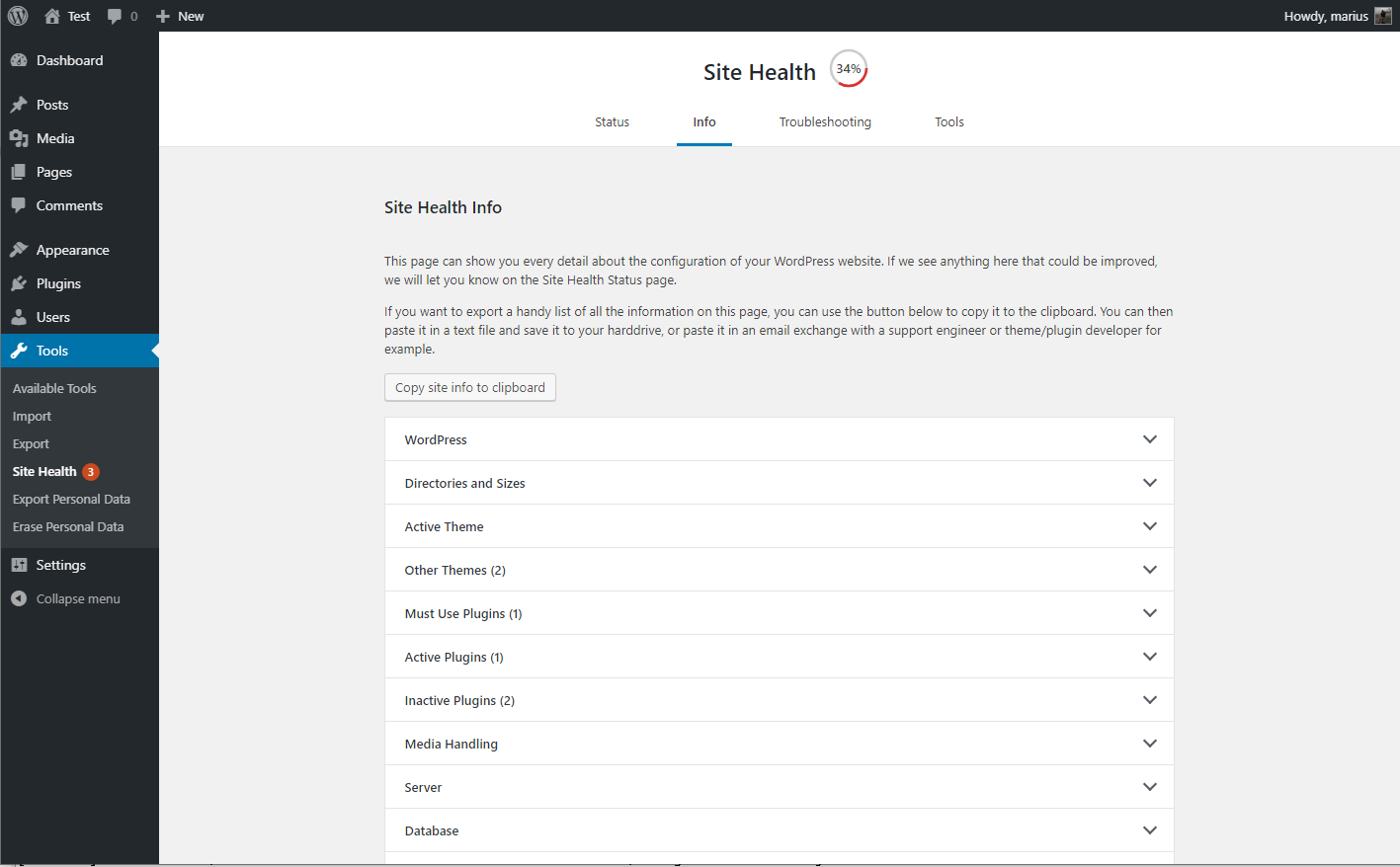](https://ps.w.org/health-check/assets/screenshot-2.png?rev=2084100)
The debug information, with the copy and paste field expanded.
* [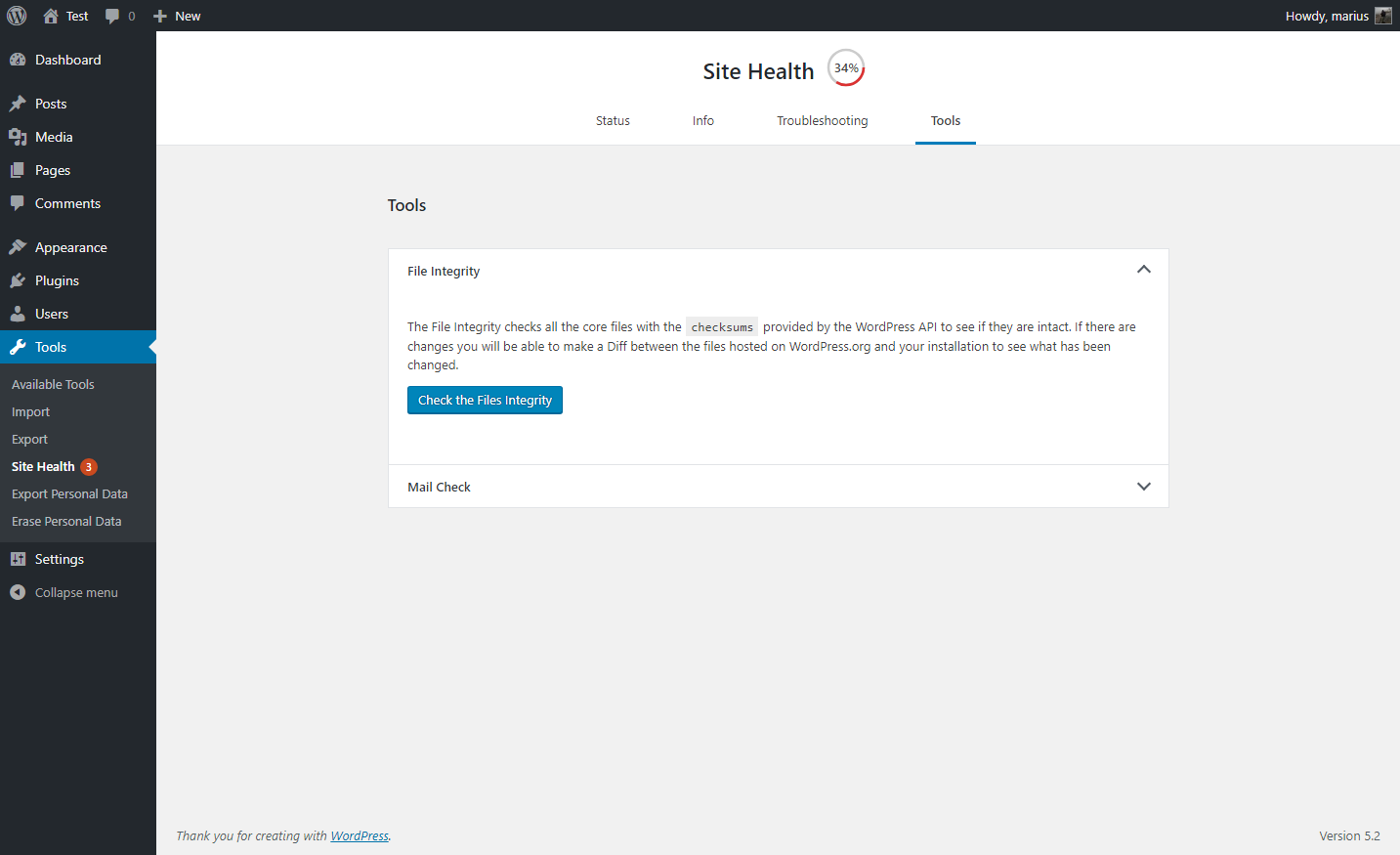](https://ps.w.org/health-check/assets/screenshot-3.png?rev=2084100)
A selection of tools that can be ran on your site.
* [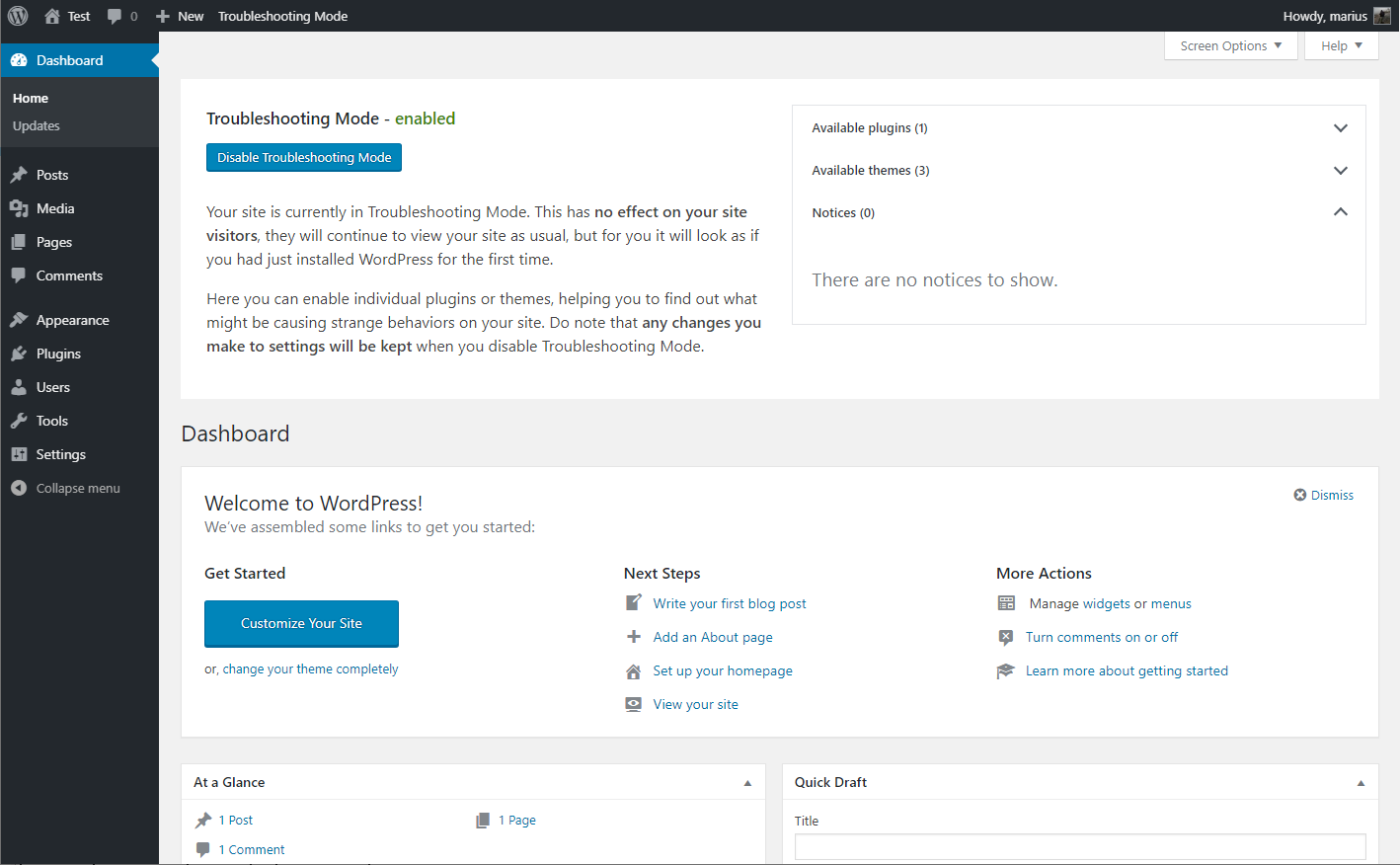](https://ps.w.org/health-check/assets/screenshot-4.png?rev=2084100)
Troubleshooting mode enabled, showing your website Dashboard
FAQ
---
### I am unable to access my site after enabling troubleshooting
If you should find your self stuck in Troubleshooting Mode for any reason, you can easily disable it by clearing your cookies.
Are you unfamiliar with how to clear your cookies? No worries, you may also close all your browser windows, or perform a computer restart and it will clear this specific cookie automatically.
### The PHP compatibility says this plugin only work with PHP version X?
The plugin is made to be a support tool for as many users as possible, this means it needs code that is written for older sites as well.
Tools that check for PHP compatibility do not know how to separate this code from the real code, so it will give a false positive response.
At this time, the plugin has been tested with every version of PHP from 5.2 through 7.3, and works with all of these.
### Where can I report security bugs?
The Site Health team and WordPress community take security bugs seriously. We appreciate your efforts to responsibly disclose your findings, and will make every effort to acknowledge your contributions.
To report a security issue, please visit the [WordPress HackerOne](https://hackerone.com/wordpress)
program.
Reviews
-------

A must-have plugin for diagnosing site issues and resolving conflicts quickly. Simple, effective, and reliable.

Really helps with diagnosing issues. Finds conflicts easier.

This is an essential plugin for troubleshooting plugin and theme conflicts

This issue has been open for almost a year and not fixed: Notice: Function \_load\_textdomain\_just\_in\_time was called incorrectly. Translation loading for the health-check domain was triggered too early. This is usually an indicator for some code in the plugin or theme running too early. Translations should be loaded at the init action or later. Please see Debugging in WordPress for more information. (This message was added in version 6.7.0.) in …/public\_html/wp-includes/functions.php on line 6121

I do not have to guide inexperienced users through a long process because of this.

Health Check & Troubleshooting is one of those must-have plugins if you manage a WordPress site. It runs quick checks to spot common errors and configuration issues, and the debugging info makes it easy to share details with support teams.
[Read all 179 reviews](https://wordpress.org/support/plugin/health-check/reviews/)
Contributors & Developers
-------------------------
“Health Check & Troubleshooting” is open source software. The following people have contributed to this plugin.
Contributors
*  [WordPress.org](https://profiles.wordpress.org/wordpressdotorg/)
*  [Peter Westwood](https://profiles.wordpress.org/westi/)
*  [Gary Pendergast](https://profiles.wordpress.org/pento/)
*  [Marius L. J.](https://profiles.wordpress.org/clorith/)
“Health Check & Troubleshooting” has been translated into 32 locales. Thank you to [the translators](https://translate.wordpress.org/projects/wp-plugins/health-check/contributors)
for their contributions.
[Translate “Health Check & Troubleshooting” into your language.](https://translate.wordpress.org/projects/wp-plugins/health-check)
### Interested in development?
[Browse the code](https://plugins.trac.wordpress.org/browser/health-check/)
, check out the [SVN repository](https://plugins.svn.wordpress.org/health-check/)
, or subscribe to the [development log](https://plugins.trac.wordpress.org/log/health-check/)
by [RSS](https://plugins.trac.wordpress.org/log/health-check/?limit=100&mode=stop_on_copy&format=rss)
.
Changelog
---------
#### 1.7.1 (2024-07-25)
* Security: Prevent a potential information disclosure from the screenshot beta feature, reported independently by Jarko Piironen.
* Security hardening: Make each screenshot delete nonce unique to that image.
* Security hardening: Add a capability check alongside the nonce validation when toggling beta features on or off.
* General: Updated the `Tested up to` tag.
* General: Added notice about future changes to the Troubleshooting and Tools sections.
* Added Twenty Twenty Four as a known and valid default theme.
* Tools: Fixed a PHP warning when checking for PHP version compatibility and no data was found.
* Tools: Fixed a PHP warning when `WP_DEBUG` is disabled, or nothing has been written to the logfile yet.
* Tools: Improved the description for the `robots.txt` file viewer.
#### 1.7.0 (2023-08-06)
* General: Improved styling inconsistency between the plugin and WordPress core.
* General: Fixed an issue with plugin translations where language strings would get mixed when using third party language plugins, or a separate profile language.
* Troubleshooting Mode: Fixed the URL used when disabling elements and having a subdirectory installation.
* Troubleshooting Mode: Fixed a deprecation warning when disabling troubleshooting mode on PHP version 8.3 or higher.
* Troubleshooting Mode: Added reference on how to troubleshoot as different users when testing scenarios.
* Tools: Fixed integration with WPTide for the PHP Compatibility checker.
* Tools: Added a viewer that will display debug log output when enabled.
* Tools: Added a warning to the File Integrity tester if unexpected files are mixed in with WordPress core files.
* Tools: Added a warning if sending emails is taking longer than expected.
* Tools: Added beta feature toggle for those who wish to test new functionality that may not be fully ready yet.
* CLI: Fixed the CLI commands, you can now `wp health-check status` to your hearts content!
* Beta feature: Added a new beta feature, making it easier for non-technical users to grab screenshots of issues on their site, and share them.
Ratings
-------
3.6 out of 5 stars.
* [106 5-star reviews 5 stars 106](https://wordpress.org/support/plugin/health-check/reviews/?filter=5)
* [6 4-star reviews 4 stars 6](https://wordpress.org/support/plugin/health-check/reviews/?filter=4)
* [4 3-star reviews 3 stars 4](https://wordpress.org/support/plugin/health-check/reviews/?filter=3)
* [4 2-star reviews 2 stars 4](https://wordpress.org/support/plugin/health-check/reviews/?filter=2)
* [56 1-star reviews 1 star 56](https://wordpress.org/support/plugin/health-check/reviews/?filter=1)
[Add my review](https://wordpress.org/support/plugin/health-check/reviews/#new-post)
[See all reviews](https://wordpress.org/support/plugin/health-check/reviews/)
---
# Releases – WordPress News
[WordPress.org](https://wordpress.org/)
[News](https://wordpress.org/news)
Releases
WordPress 6.9 Release Candidate 2
All posts
Search results
Releases
========
* RC2
The second Release Candidate (“RC2”) for WordPress 6.9 is ready for download and testing! This version of the WordPress software is under development. Please do not install, run, or test this version of WordPress on production or mission-critical websites. Instead, it’s recommended that you evaluate RC2 on a test server and site. Reaching this phase
[Read Post](https://wordpress.org/news/2025/11/wordpress-6-9-release-candidate-2/)
* RC1
The first Release Candidate (“RC1”) for WordPress 6.9 is ready for download and testing! This version of the WordPress software is still under development. Please do not install, run, or test this version of WordPress on production or mission-critical websites. Instead, it’s recommended to evaluate RC1 on a test server and site. WordPress 6.9 RC1
[Read Post](https://wordpress.org/news/2025/11/wordpress-6-9-release-candidate-1/)
* Beta3
WordPress 6.9 Beta 3 is available for download and testing! This beta version of the WordPress software is still under development. Please don’t install, run, or test this version of WordPress on production or mission-critical websites. Instead, you can evaluate Beta 3 on a test server and site. WordPress 6.9 Beta 3 can be tested
[Read Post](https://wordpress.org/news/2025/11/wordpress-6-9-beta-3/)
* Beta2
WordPress 6.9 Beta 2 is now ready for testing! This beta version of the WordPress software is under development. Please do not install, run, or test this version of WordPress on production or mission-critical websites. Instead, you should evaluate Beta 2 on a test server and site. You can test WordPress 6.9 Beta 2 in
[Read Post](https://wordpress.org/news/2025/10/wordpress-6-9-beta-2/)
* 6.8.3
WordPress 6.8.3 is now available! This is a security release that features two fixes. Because this is a security release, it is recommended that you update your sites immediately. You can download WordPress 6.8.3 from WordPress.org, or visit your WordPress Dashboard, click “Updates”, and then click “Update Now”. If you have sites that support automatic
[Read Post](https://wordpress.org/news/2025/09/wordpress-6-8-3-release/)
* 6.8.2
WordPress 6.8.2 is now available! This minor release includes fixes for 20 Core tickets and 15 Block Editor issues. For a full list of bug fixes, please refer to the release candidate announcement. WordPress 6.8.2 is a short-cycle maintenance release. More maintenance releases may be made available throughout 2025. If you have sites that support
[Read Post](https://wordpress.org/news/2025/07/wordpress-6-8-2-maintenance-release/)
* 6.8.1
WordPress 6.8.1 is now available! This minor release includes fixes for 15 bugs throughout Core and the Block Editor addressing issues affecting multiple areas of WordPress including the block editor, multisite, and REST API. For a full list of bug fixes, please refer to the release candidate announcement. WordPress 6.8.1 is a short-cycle maintenance release.
[Read Post](https://wordpress.org/news/2025/04/wordpress-6-8-1-maintenance-release/)
* 6.8
WordPress 6.8, code-named “Cecil,” refines your creative workflow with a streamlined Style Book, now available in select Classic themes. Enjoy faster navigation via speculative loading, stronger security with bcrypt password hashing, and over 100 accessibility improvements. With thoughtful editor upgrades and behind-the-scenes performance boosts, 6.8 delivers polish, power, and precision.
[Read Post](https://wordpress.org/news/2025/04/cecil/)
* RC3
WordPress 6.8 RC 3 is ready for download and testing! The scheduled final release date for WordPress 6.8 is April 15, 2025. Your help testing over the next week is vital to ensuring the final release is everything it should be: stable, powerful, and intuitive.
[Read Post](https://wordpress.org/news/2025/04/wordpress-6-8-release-candidate-3/)
* RC2
The second Release Candidate (“RC2”) for WordPress 6.8 is ready for download and testing! This version of the WordPress software is under development. Please do not install, run, or test this version of WordPress on production or mission-critical websites. Instead, it’s recommended that you evaluate RC2 on a test server and site. Reaching this phase
[Read Post](https://wordpress.org/news/2025/04/wordpress-6-8-release-candidate-2/)
* RC1
WordPress 6.8 RC 1 is ready for download and testing! The scheduled final release date for WordPress 6.8 is April 15, 2025. Your help testing over the next three weeks is vital to ensuring the final release is everything it should be: stable, powerful, and intuitive.
[Read Post](https://wordpress.org/news/2025/03/wordpress-6-8-release-candidate-1/)
* Beta3
WordPress 6.8 Beta 3 is ready for download and testing! The scheduled final release date for WordPress 6.8 is April 15, 2025. Your help testing Beta and RC versions over the next four weeks is vital to ensuring the final release is everything it should be: stable, powerful, and intuitive.
[Read Post](https://wordpress.org/news/2025/03/wordpress-6-8-beta-3/)
* Beta2
WordPress 6.8 Beta 2 is ready for download and testing! The scheduled final release date for WordPress 6.8 is April 15, 2025. Your help testing Beta and RC versions over the next five weeks is vital to ensuring the final release is everything it should be: stable, powerful, and intuitive.
[Read Post](https://wordpress.org/news/2025/03/wordpress-6-8-beta-2/)
* Beta1
WordPress 6.8 Beta 1 is ready for download and testing! The scheduled final release date for WordPress 6.8 is April 15, 2025. Your help testing Beta and RC versions over the next six weeks is vital to ensuring the final release is everything it should be: stable, powerful, and intuitive.
[Read Post](https://wordpress.org/news/2025/03/wordpress-6-8-beta-1/)
* 6.7.2
WordPress 6.7.2 is now available! This minor release includes 35 bug fixes, addressing issues affecting multiple components including the block editor, HTML API, and Customize. WordPress 6.7.2 is a short-cycle release. The next major release will be version 6.8 planned for April 15, 2025. If you have sites that support automatic background updates, the update
[Read Post](https://wordpress.org/news/2025/02/wordpress-6-7-2-maintenance-release/)
* 6.7.1
WordPress 6.7.1 is now available! This minor release features 16 bug fixes throughout Core and the Block Editor. WordPress 6.7.1 is a fast-follow release with a strict focus on bugs introduced in WordPress 6.7. The next major release will be version 6.8, planned for April 2025. If you have sites that support automatic background updates,
[Read Post](https://wordpress.org/news/2024/11/wordpress-6-7-1-maintenance-release/)
* 6.7
WordPress 6.7, code-named ‘Rollins,’ celebrates legendary jazz saxophonist Sonny Rollins and debuts the sleek, versatile Twenty Twenty-Five theme, designed for any blog, any scale. Dive into new font management features and gain a macro perspective on your site with the Zoom Out feature. Embrace the spirit of creativity and bold expression that defines Rollins’ music…
[Read Post](https://wordpress.org/news/2024/11/rollins/)
* RC3
The third release candidate (RC3) for WordPress 6.7 is ready for download and testing! This version of the WordPress software is under development. Please do not install, run, or test this version of WordPress on production or mission-critical websites. Instead, it’s recommended that you evaluate RC3 on a test server and site. Reaching this phase
[Read Post](https://wordpress.org/news/2024/11/wordpress-6-7-release-candidate-3/)
* RC2
The second release candidate (RC2) for WordPress 6.7 is ready for download and testing! This version of the WordPress software is under development. Please do not install, run, or test this version of WordPress on production or mission-critical websites. Instead, it’s recommended that you evaluate RC2 on a test server and site. Reaching this phase
[Read Post](https://wordpress.org/news/2024/10/wordpress-6-7-release-candidate-2/)
* RC1
The first release candidate (RC1) for WordPress 6.7 is ready for download and testing! This version of the WordPress software is under development. Please do not install, run, or test this version of WordPress on production or mission-critical websites. Instead, it’s recommended that you evaluate RC1 on a test server and site. Reaching this phase
[Read Post](https://wordpress.org/news/2024/10/wordpress-6-7-release-candidate-1/)
* Beta3
WordPress 6.7 Beta 3 is now ready for testing! This beta version of the WordPress software is under development. Please do not install, run, or test this version of WordPress on production or mission-critical websites. Instead, it is recommended you evaluate Beta 3 on a test server and site. You can test WordPress 6.7 Beta
[Read Post](https://wordpress.org/news/2024/10/wordpress-6-7-beta-3/)
* Beta2
WordPress 6.7 Beta 2 is now ready for testing! This beta version of the WordPress software is under development. Please do not install, run, or test this version of WordPress on production or mission-critical websites. Instead, it is recommended you evaluate Beta 2 on a test server and site. You can test WordPress 6.7 Beta
[Read Post](https://wordpress.org/news/2024/10/wordpress-6-7-beta-2/)
* Beta1
WordPress 6.7 Beta 1 is now ready for download and testing! This version of the WordPress software is under development. Please do not install, run, or test this version of WordPress on production or mission-critical websites. Instead, it is recommended you evaluate Beta 1 on a test server and site.
[Read Post](https://wordpress.org/news/2024/10/wordpress-6-7-beta-1/)
* 6.6.2
WordPress 6.6.2 is now available! This minor release includes 15 bug fixes in Core and 11 in the Block Editor, addressing issues like unexpected CSS specificity changes in certain themes. For a full summary of the maintenance updates, you can refer to the Release Candidate announcement. WordPress 6.6.2 is a short-cycle release. The next major
[Read Post](https://wordpress.org/news/2024/09/wordpress-6-6-2-maintenance-release/)
* 6.6.1
WordPress 6.6.1 is now available! This minor release features 7 bug fixes in Core and 9 bug fixes for the Block Editor. You can review a summary of the maintenance updates in this release by reading the Release Candidate announcement. WordPress 6.6.1 is a short-cycle release. The next major release will be version 6.7 planned
[Read Post](https://wordpress.org/news/2024/07/wordpress-6-6-1-maintenance-release/)
* 6.6
Say hello to the latest WordPress! WordPress 6.6 “Dorsey” is here to deliver on the promise of a better web with style, finesse, and a suite of enhanced tools to create beautifully coherent design elements and the confidence of automatic rollbacks for your plugin updates.
[Read Post](https://wordpress.org/news/2024/07/dorsey/)
* RC3
WordPress 6.6 RC3 is ready for download and testing! This version of the WordPress software is under development. Please do not install, run, or test this version of WordPress on production or mission-critical websites. Instead, please evaluate RC3 on a test server or a local environment. Reaching this phase of the release cycle is a
[Read Post](https://wordpress.org/news/2024/07/wordpress-6-6-release-candidate-3/)
* RC2
WordPress 6.6 RC2 is ready for download and testing! This version of the WordPress software is under development. Please do not install, run, or test this version of WordPress on production or mission-critical websites. Instead, please evaluate RC2 on a test server or a local environment. Reaching this phase of the release cycle is a
[Read Post](https://wordpress.org/news/2024/07/wordpress-6-6-release-candidate-2/)
* RC1
The first release candidate (RC1) for WordPress 6.6 is ready for download and testing! This version of the WordPress software is under development. Please do not install, run, or test this version of WordPress on production or mission-critical websites. Instead, please evaluate RC1 on a test server or a local environment. Reaching this phase of
[Read Post](https://wordpress.org/news/2024/06/wordpress-6-6-release-candidate-1/)
* 6.5.5
WordPress 6.5.5 is now available! This release features three security fixes. Because this is a security release, it is recommended that you update your sites immediately. This minor release also includes 3 bug fixes in Core. You can download WordPress 6.5.5 from WordPress.org, or visit your WordPress Dashboard, click “Updates”, and then click “Update Now”.
[Read Post](https://wordpress.org/news/2024/06/wordpress-6-5-5/)
* Beta3
WordPress 6.6 Beta 3 is here! Please download and test it. This beta version of the WordPress software is under development. Please do not install, run, or test this version of WordPress on production or mission-critical websites—you risk unexpected results if you do. Instead, test Beta 3 on a local site or a testing environment
[Read Post](https://wordpress.org/news/2024/06/wordpress-6-6-beta-3/)
* Beta2
WordPress 6.6 Beta 2 is here! Please download and test it. This beta version of the WordPress software is under development. Please do not install, run, or test this version of WordPress on production or mission-critical websites—you risk unexpected results if you do. Instead, test Beta 2 on a local site or a testing environment
[Read Post](https://wordpress.org/news/2024/06/wordpress-6-6-beta-2/)
* 6.5.4
WordPress 6.5.4 is now available!This minor release features 5 bug fixes in Core. You can review a summary of the maintenance updates in this release by reading the Release Candidate announcement. WordPress 6.5.4 is a short-cycle release. The next major release will be version 6.6 planned for July 2024. If you have sites that support
[Read Post](https://wordpress.org/news/2024/06/wordpress-6-5-4-maintenance-release/)
* Beta1
WordPress 6.6 Beta 1 is here! Please download and test it. This beta version of the WordPress software is under development. Please do not install, run, or test this version of WordPress on production or mission-critical websites—you risk unexpected results if you do. Instead, install Beta 1 on local sites and testing environments in any
[Read Post](https://wordpress.org/news/2024/06/wordpress-6-6-beta-1/)
* 6.5.3
WordPress 6.5.3 is now available! This minor release features 12 bug fixes in Core and 9 bug fixes for the block editor. You can review a summary of the maintenance updates in this release by reading the Release Candidate announcement. WordPress 6.5.3 is a short-cycle release. The next major release will be version 6.6 planned
[Read Post](https://wordpress.org/news/2024/05/wordpress-6-5-3-maintenance-release/)
* 6.5.2
Note: Due to an issue with the initial package, WordPress 6.5.1 was not released. 6.5.2 is the first minor release for WordPress 6.5. This security and maintenance release features 2 bug fixes on Core, 12 bug fixes for the Block Editor, and 1 security fix. Because this is a security release, it is recommended that
[Read Post](https://wordpress.org/news/2024/04/wordpress-6-5-2-maintenance-and-security-release/)
* 6.5
WordPress 6.5 “Regina” is here! Named in honor of Regina Carter, renowned jazz violinist and educator, this release was made possible by over 700 contributors. Download WordPress 6.5 “Regina” today.
[Read Post](https://wordpress.org/news/2024/04/regina/)
* RC4
WordPress 6.5 RC4 is ready for download and testing. Reaching this phase of the release cycle is an important milestone. Check out what’s coming in this release and how to get involved with the open source project.
[Read Post](https://wordpress.org/news/2024/03/wordpress-6-5-release-candidate-4/)
* RC3
WordPress 6.5 RC3 is ready for download and testing. Reaching this phase of the release cycle is an important milestone. Check out what’s coming in this release and how to get involved with the open source project.
[Read Post](https://wordpress.org/news/2024/03/wordpress-6-5-release-candidate-3/)
* RC2
WordPress 6.5 RC2 is ready for download and testing. Reaching this phase of the release cycle is an important milestone. Check out what’s coming in this release and how to get involved.
[Read Post](https://wordpress.org/news/2024/03/wordpress-6-5-release-candidate-2/)
* RC1
WordPress 6.5 RC1 is ready for download and testing. Reaching this phase of the release cycle is an important milestone. Check out what’s coming in this release and how to get involved.
[Read Post](https://wordpress.org/news/2024/03/wordpress-6-5-release-candidate-1/)
* Beta3
WordPress 6.5 Beta 3 is now ready for download and testing! This version of the WordPress software is under development. Please do not install, run, or test this version of WordPress on production or mission-critical websites. Instead, it is recommended you evaluate Beta 3 on a test server and site.
[Read Post](https://wordpress.org/news/2024/02/wordpress-6-5-beta-3/)
* Beta2
WordPress 6.5 Beta 2 is now ready for download and testing! This version of the WordPress software is under development. Please do not install, run, or test this version of WordPress on production or mission-critical websites. Instead, it is recommended you evaluate Beta 2 on a test server and site.
[Read Post](https://wordpress.org/news/2024/02/wordpress-6-5-beta-2/)
* Beta1
WordPress 6.5 Beta 1 is now ready for download and testing! This version of the WordPress software is under development. Please do not install, run, or test this version of WordPress on production or mission-critical websites. Instead, it is recommended you evaluate Beta 1 on a test server and site.
[Read Post](https://wordpress.org/news/2024/02/wordpress-6-5-beta-1/)
* 6.4.3
This security and maintenance release features 5 bug fixes on Core, 16 bug fixes for the Block Editor, and 2 security fixes. Because this is a security release, it is recommended that you update your sites immediately. Backports are also available for other major WordPress releases, 4.1 and later. You can download WordPress 6.4.3 from
[Read Post](https://wordpress.org/news/2024/01/wordpress-6-4-3-maintenance-and-security-release/)
* 6.4.2
WordPress 6.4.2 is now available! This minor release features 7 bug fixes in Core. The fixes include a bug fix for an issue causing stylesheet and theme directories to sometimes return incorrect results. This release also features one security fix. Because this is a security release, it is recommended that you update your sites immediately.
[Read Post](https://wordpress.org/news/2023/12/wordpress-6-4-2-maintenance-security-release/)
* 6.4.1
WordPress 6.4.1 is now available! This minor release features four bug fixes. You can review a summary of the maintenance updates in this release by reading the Release Candidate announcement or view the list of tickets on Trac. WordPress 6.4.1 is a short-cycle release. If you have sites that support automatic background updates, the update process will
[Read Post](https://wordpress.org/news/2023/11/wordpress-6-4-1-maintenance-release/)
* 6.4
WordPress 6.4 “Shirley” is here! Named in honor of the iconic jazz singer and pianist Shirley Horn, this release was made possible by over 600 contributors. Download WordPress 6.4 Shirley today.
[Read Post](https://wordpress.org/news/2023/11/shirley/)
* RC3
WordPress 6.4 RC3 is ready for download and testing. Reaching this phase of the release cycle is an important milestone. Check out what’s new and how you can help.
[Read Post](https://wordpress.org/news/2023/11/wordpress-6-4-release-candidate-3/)
* RC2
WordPress 6.4 RC2 is ready for download and testing. Reaching this phase of the release cycle is an important milestone. Check out what’s new and how you can help.
[Read Post](https://wordpress.org/news/2023/10/wordpress-6-4-release-candidate-2/)
* RC1
WordPress 6.4 RC1 is ready for download and testing. Reaching this phase of the release cycle is an important milestone. Check out what’s new and how to get involved.
[Read Post](https://wordpress.org/news/2023/10/wordpress-6-4-release-candidate-1/)
* 6.3.2
This security and maintenance release features 19 bug fixes on Core, 22 bug fixes for the Block Editor, and 8 security fixes. WordPress 6.3.2 is a short-cycle release. You can review a summary of the maintenance updates in this release by reading the Release Candidate announcement. Because this is a security release, it is recommended
[Read Post](https://wordpress.org/news/2023/10/wordpress-6-3-2-maintenance-and-security-release/)
* Beta3
WordPress 6.4 Beta 3 is now ready for testing! This version is under development, so please do not install, run, or test it on production websites. Learn what’s new and how to get involved in beta testing.
[Read Post](https://wordpress.org/news/2023/10/wordpress-6-4-beta-3/)
* Beta2
WordPress 6.4 Beta 2 is now ready for testing! This version of the WordPress software is under development. Please do not install, run, or test this version of WordPress on production or mission-critical websites. Instead, it is recommended you evaluate Beta 2 on a test server and site.
[Read Post](https://wordpress.org/news/2023/10/wordpress-6-4-beta-2/)
* Beta1
WordPress 6.4 Beta 1 is now ready for download and testing! This version of the WordPress software is under development. Please do not install, run, or test this version of WordPress on production or mission-critical websites. Instead, it is recommended you evaluate Beta 1 on a test server and site.
[Read Post](https://wordpress.org/news/2023/09/wordpress-6-4-beta-1/)
* 6.3.1
WordPress 6.3.1 is available!
[Read Post](https://wordpress.org/news/2023/08/wordpress-6-3-1-maintenance-release/)
* 6.3
WordPress 6.3 “Lionel” is here! Named after Lionel Hampton, the prolific jazz musician and bandleader, this release was made possible by over 650 contributors. Download WordPress 6.3 Lionel today.
[Read Post](https://wordpress.org/news/2023/08/lionel/)
* RC3
WordPress 6.3 Release Candidate 3 is now available for download and testing. The WordPress 6.3 release is scheduled for August 8, 2023—just one week away. Now is your last opportunity to test it before the general release.
[Read Post](https://wordpress.org/news/2023/08/wordpress-6-3-rc3/)
* RC2
WordPress 6.3 RC2 is ready for download and testing. Reaching this part of the release cycle is a key milestone. While release candidates are considered ready for final release, additional testing and use by the community can only make it better.
[Read Post](https://wordpress.org/news/2023/07/wordpress-6-3-release-candidate-2/)
* RC1
WordPress 6.3 RC1 is ready for download and testing. Reaching this part of the release cycle is a key milestone. While release candidates are considered ready for final release, additional testing and use by the community can only make it better.
[Read Post](https://wordpress.org/news/2023/07/wordpress-6-3-release-candidate-1/)
* Beta4
WordPress 6.3 Beta 4 is ready for download and testing. Testing for issues is a critical part of developing any software, and it’s a meaningful way for anyone to contribute—whether you have experience or not.
[Read Post](https://wordpress.org/news/2023/07/wordpress-6-3-beta-4/)
* Want to learn more about WordPress 6.3, planned for release on August 8, 2023? Join the WordPress community for a first look at 6.3 in action during a live product demonstration.
[Read Post](https://wordpress.org/news/2023/07/6-3-live-product-demo/)
* Beta3
WordPress 6.3 Beta 3 is now ready for download and testing! This version of the WordPress software is under development. Please do not install, run, or test this version on production or mission-critical websites. Instead, it is recommended that you test Beta 3 on a test server and site.
[Read Post](https://wordpress.org/news/2023/07/wordpress-6-3-beta-3/)
* Beta2
WordPress 6.3 Beta 2 is ready for download and testing. This version of the WordPress software is under development. Please do not install, run, or test this version of WordPress on production or mission-critical websites. Instead, it is recommended that you test Beta 2 on a test server and site.
[Read Post](https://wordpress.org/news/2023/06/wordpress-6-3-beta-2/)
* 6.2.2
WordPress 6.2.2 is now available!
[Read Post](https://wordpress.org/news/2023/05/wordpress-6-2-2-security-release/)
* 6.2.1
WordPress 6.2.1 is now available! This minor release features 20 bug fixes in Core and 10 bug fixes for the block editor. You can review a summary of the maintenance updates in this release by reading the Release Candidate announcement. This release also features several security fixes. Because this is a security release, it is
[Read Post](https://wordpress.org/news/2023/05/wordpress-6-2-1-maintenance-security-release/)
* 6.2
WordPress 6.2 “Dolphy” is here! Named for Eric Allen Dolphy Jr. the celebrated jazz woodwind player and ensemblist. Over 600 contributors made this release possible. Download WordPress 6.2 Dolphy today.
[Read Post](https://wordpress.org/news/2023/03/dolphy/)
* RC3
WordPress 6.2 Release Candidate 3 is now available for download and testing. This version of the WordPress software is under development. Please do not install, run, or test this version of WordPress on production or mission-critical websites. Instead, it is recommended that you test RC3 on a test server and site.
[Read Post](https://wordpress.org/news/2023/03/wordpress-6-2-release-candidate-3/)
* RC2
WordPress 6.2 Release Candidate 2 is now available for download and testing. This version of the WordPress software is under development. Please do not install, run, or test this version of WordPress on production or mission-critical websites. Instead, it is recommended that you test RC2 on a test server and site.
[Read Post](https://wordpress.org/news/2023/03/wordpress-6-2-release-candidate-2/)
* RC1
WordPress 6.2 Release Candidate 1 is now available for download and testing. This version of the WordPress software is under development. Please do not install, run, or test this version of WordPress on production or mission-critical websites. Instead, it is recommended that you test RC 1 on a test server and site.
[Read Post](https://wordpress.org/news/2023/03/wordpress-6-2-release-candidate-1/)
* Beta1
WordPress 6.2 Beta 1 is here and ready for download and testing. This version of the WordPress software is under development. Please do not install, run, or test this version of WordPress on production or mission-critical websites. Instead, it is recommended that you test Beta 1 on a test server and site.
[Read Post](https://wordpress.org/news/2023/02/wordpress-6-2-beta-1/)
* 6.1.1
WordPress 6.1.1 is now available for download. This maintenance release features several updates since the release of WordPress 6.1 on 01 November 2022. You can review a summary of the key changes in this release by visiting WordPress.org/news.
[Read Post](https://wordpress.org/news/2022/11/wordpress-6-1-1-maintenance-release/)
* 6.1
Say hello to “Misha,” the WordPress 6.1 release, inspired by Mikhail “Misha” Alperin acclaimed jazz ensemblist and composer. At least 800 contributors made this release possible. Download 6.1 today.
[Read Post](https://wordpress.org/news/2022/11/misha/)
* RC3
WordPress 6.1 Release Candidate 3 is now available for testing! You can download and help test RC3 in three ways. 6.1 is planned for general release on November 01, 2022. This version of the WordPress software is under development. Please do not install, run, or test this version of WordPress on production or mission-critical websites.…
[Read Post](https://wordpress.org/news/2022/10/wordpress-6-1-release-candidate-3/)
* RC2
WordPress 6.1 Release Candidate 2 is now available for download and testing. This version of the WordPress software is under development. Please do not install, run, or test this version of WordPress on production or mission-critical websites. Instead, it is recommended that you test Release Candidate 2 on a test server and site.
[Read Post](https://wordpress.org/news/2022/10/wordpress-6-1-release-candidate-2-now-available/)
* 6.0.3
WordPress 6.0.3 is now available! This release features several security fixes. Because this is a security release, it is recommended that you update your sites immediately. All versions since WordPress 3.7 have also been updated. WordPress 6.0.3 is a short-cycle release. The next major release will be version 6.1 planned for November 1, 2022. If
[Read Post](https://wordpress.org/news/2022/10/wordpress-6-0-3-security-release/)
* RC1
The first release candidate (RC1) for WordPress 6.1 is now available! This is an important milestone in the 6.1 release cycle. “Release Candidate” means that this version of WordPress is ready for release! Before the official release date, time is set aside for the community to perform final reviews and help test.
[Read Post](https://wordpress.org/news/2022/10/wordpress-6-1-release-candidate-1-rc1-now-available/)
* Beta3
WordPress 6.1 Beta 3 is now available for download and testing. Learn how you can help test WordPress!
[Read Post](https://wordpress.org/news/2022/10/wordpress-6-1-beta-3-now-available/)
* Beta2
WordPress 6.1 Beta 2 is now available for download and testing. This version of the WordPress software is under development. Please do not install, run, or test this version of WordPress on production or mission-critical websites. Instead, it is recommended that you test Beta 2 on a test server and site.
[Read Post](https://wordpress.org/news/2022/09/wordpress-6-1-beta-2-now-available/)
* Beta1
WordPress 6.1 Beta 1 is now available for download and testing. This version of the WordPress software is under development. Please do not install, run, or test this version of WordPress on production or mission-critical websites. Instead, it is recommended that you test Beta 1 on a test server and site.
[Read Post](https://wordpress.org/news/2022/09/wordpress-6-1-beta-1-now-available/)
* 6.0.2
WordPress 6.0.2 is now available for download. This security and maintenance release features several updates since WordPress 6.0.1 in July 2022. You can review a summary of the key changes in this release by visiting https://make.wordpress.org/core/2022/08/23/wordpress-6-0-2-rc1-is-now-available/.
[Read Post](https://wordpress.org/news/2022/08/wordpress-6-0-2-security-and-maintenance-release/)
* 6.0.1
WordPress 6.0.1 is now available for download. This maintenance release features several updates since the release of WordPress 6.0 in May 2022. You can review a summary of the key changes in this release by visiting WordPress.org/news.
[Read Post](https://wordpress.org/news/2022/07/wordpress-6-0-1-maintenance-release/)
* 6.0
Say hello to “Arturo” and WordPress 6.0, inspired by Grammy-winning jazz musician, Arturo O’Farrill. With nearly 1,000 enhancements and bug fixes, the second major release of 2022 is here. Download it now! As of today, WordPress powers more than 42% of websites worldwide.
[Read Post](https://wordpress.org/news/2022/05/arturo/)
* RC3
WordPress 6.0 Release Candidate 3 is now available for testing! You can download and help test RC3 in three ways. 6.0 is planned for general release on May 24, 2022.
[Read Post](https://wordpress.org/news/2022/05/wordpress-6-0-release-candidate-3-rc3-now-available-for-testing/)
* RC2
WordPress 6.0 Release Candidate 2 is now available for testing! You can download and help test RC2 in three ways. You can also help translate WordPress to 100+ languages.
[Read Post](https://wordpress.org/news/2022/05/wordpress-6-0-release-candidate-2-rc2-now-available-for-testing/)
* RC1
WordPress 6.0 Release Candidate 1 is now available for testing! You can download and help test RC1 in three ways. You can also help translate WordPress to 100+ languages.
[Read Post](https://wordpress.org/news/2022/05/wordpress-6-0-release-candidate-1/)
* Beta4
WordPress 6.0 Beta 4 is now available for testing! You can download and help test Beta 4 in three ways.
[Read Post](https://wordpress.org/news/2022/05/wordpress-6-0-beta-4/)
* Beta3
WordPress 6.0 Beta 3 is now available for testing! You can download and help test Beta 3 in three ways.
[Read Post](https://wordpress.org/news/2022/04/wordpress-6-0-beta-3/)
* Beta2
WordPress 6.0 Beta 2 is now available for testing! This version of the WordPress software is under development. Please do not install, run, and test this version of WordPress on a production or mission-critical website. Instead, it is recommended that you test Beta 2 on a test server and site. You can test the WordPress
[Read Post](https://wordpress.org/news/2022/04/wordpress-6-0-beta-2/)
* Beta1
WordPress 6.0 Beta 1 is now available for download and testing.
[Read Post](https://wordpress.org/news/2022/04/wordpress-6-0-beta-1/)
* 5.9.3
WordPress 5.9.3 is now available! This maintenance release features 9 bug fixes in Core and 9 bug fixes in the block editor.
[Read Post](https://wordpress.org/news/2022/04/wordpress-5-9-3-maintenance-release/)
* 5.9.2
WordPress 5.9.2 is now available! This security and maintenance release features 1 bug fix in addition to 3 security fixes. Because this is a security release, it is recommended that you update your sites immediately. All versions since WordPress 3.7 have also been updated. WordPress 5.9.2 is a security and maintenance release. The next major release
[Read Post](https://wordpress.org/news/2022/03/wordpress-5-9-2-security-maintenance-release/)
* 5.9.1
WordPress 5.9.1 is now available!
[Read Post](https://wordpress.org/news/2022/02/wordpress-5-9-1-maintenance-release/)
* 5.9
WordPress 5.9 is available thanks to more than 600 contributors who helped make it happen.
[Read Post](https://wordpress.org/news/2022/01/josephine/)
* RC3
Download to test the third Release Candidate (RC3) for WordPress 5.9.
[Read Post](https://wordpress.org/news/2022/01/wordpress-5-9-rc3/)
* RC2
The second Release Candidate (RC2) for WordPress 5.9 is available! The final release is slated for January 25, 2022.
[Read Post](https://wordpress.org/news/2022/01/wordpress-5-9-rc-2/)
* 5.8.3
This security release features four security fixes. Because this is a security release, it is recommended that you update your sites immediately. All versions since WordPress 3.7 have also been updated. WordPress 5.8.3 is a short-cycle security release. The next major release will be version 5.9, which is already in the Release Candidate stage. You
[Read Post](https://wordpress.org/news/2022/01/wordpress-5-8-3-security-release/)
* RC1
The WordPress 5.9 Release Candidate 1 is available. The final release is slated for January 25, 2022.
[Read Post](https://wordpress.org/news/2022/01/wordpress-5-9-rc-1/)
* Beta4
WordPress 5.9 Beta 4 released on 21 December 2021 and is available for testing.
[Read Post](https://wordpress.org/news/2021/12/wordpress-5-9-beta-4/)
* Beta3
WordPress 5.9 Beta 3 is now available for testing. Help test to make the release as good as it can be.
[Read Post](https://wordpress.org/news/2021/12/wordpress-5-9-beta-3/)
---
# Alpha/Beta/RC | WordPress.org
[Skip to content](https://wordpress.org/support/forum/alphabeta/#content)
[WordPress.org](https://wordpress.org/)
[Forums](https://wordpress.org/support/forums/)
[Skip to content](https://wordpress.org/support/forum/alphabeta/#main)
[Forums](https://wordpress.org/support/forums/)
/ Alpha/Beta/RC
Search for: Search forums
[Log in to Create a Topic](https://login.wordpress.org/?redirect_to=https%3A%2F%2Fwordpress.org%2Fsupport%2Fforum%2Falphabeta%2F&locale=en_US)
1 [2](https://wordpress.org/support/forum/alphabeta/page/2/)
[3](https://wordpress.org/support/forum/alphabeta/page/3/)
… [47](https://wordpress.org/support/forum/alphabeta/page/47/)
[48](https://wordpress.org/support/forum/alphabeta/page/48/)
[49](https://wordpress.org/support/forum/alphabeta/page/49/)
[→](https://wordpress.org/support/forum/alphabeta/page/2/)
* * Topic
* Participants
* Replies
* Last Post
* * [Known Issue in WordPress 6.8 Beta 1 – Upgrading from WP 5.1 and earlier fails](https://wordpress.org/support/topic/known-issue-in-wordpress-6-8-beta-1-upgrading-from-wp-5-1-and-earlier-fails/)
Started by: [Aaron Jorbin](https://wordpress.org/support/users/jorbin/ "View Aaron Jorbin's profile")
* 2
* 2
* [8 months, 3 weeks ago](https://wordpress.org/support/topic/known-issue-in-wordpress-6-8-beta-1-upgrading-from-wp-5-1-and-earlier-fails/#post-18341921 "March 4, 2025 at 6:05 pm")
[Aaron Jorbin](https://wordpress.org/support/users/jorbin/ "View Aaron Jorbin's profile")
* [Welcome to the Alpha and Beta forum](https://wordpress.org/support/topic/welcome-to-the-alpha-and-beta-forum/)
Started by: [mrmist](https://wordpress.org/support/users/mrmist/ "View mrmist's profile")
* 0
* 0
* [15 years, 7 months ago](https://wordpress.org/support/topic/welcome-to-the-alpha-and-beta-forum/ "April 23, 2010 at 7:24 pm")
[mrmist](https://wordpress.org/support/users/mrmist/ "View mrmist's profile")
* [6.9-RC1 Stretchy heading and paragraph variations UI](https://wordpress.org/support/topic/6-9-rc1-stretchy-heading-and-paragraph-variations-ui/)
Started by: [Andrea Roenning](https://wordpress.org/support/users/awetz583/ "View Andrea Roenning's profile")
* 2
* 2
* [1 week, 1 day ago](https://wordpress.org/support/topic/6-9-rc1-stretchy-heading-and-paragraph-variations-ui/#post-18716740 "November 12, 2025 at 1:51 pm")
[Andrea Roenning](https://wordpress.org/support/users/awetz583/ "View Andrea Roenning's profile")
* [WP 6.9 fit-text width padding](https://wordpress.org/support/topic/wp-6-9-fit-text-width-padding/)
Started by: [luisfco](https://wordpress.org/support/users/luisfco/ "View luisfco's profile")
* 4
* 3
* [1 week, 3 days ago](https://wordpress.org/support/topic/wp-6-9-fit-text-width-padding/#post-18713787 "November 10, 2025 at 2:29 pm")
[emii12](https://wordpress.org/support/users/emii12/ "View emii12's profile")
* [Hide blocks on Frontend: Hidden in Backend too!](https://wordpress.org/support/topic/hide-blocks-on-frontend-hidden-in-backend-too/)
Started by: [burnuser](https://wordpress.org/support/users/burnuser/ "View burnuser's profile")
* 2
* 1
* [4 weeks, 1 day ago](https://wordpress.org/support/topic/hide-blocks-on-frontend-hidden-in-backend-too/#post-18692215 "October 23, 2025 at 8:41 am")
[Imran – WPMU DEV Support](https://wordpress.org/support/users/wpmudev-support9/ "View Imran – WPMU DEV Support's profile")
* [Duplicated pages Template replaced regular pages template!](https://wordpress.org/support/topic/duplicated-pages-template-replaced-regular-pages-template/)
Started by: [burnuser](https://wordpress.org/support/users/burnuser/ "View burnuser's profile")
* 2
* 1
* [4 weeks, 1 day ago](https://wordpress.org/support/topic/duplicated-pages-template-replaced-regular-pages-template/#post-18691414 "October 22, 2025 at 6:23 pm")
[omnigentools](https://wordpress.org/support/users/omnigentools/ "View omnigentools's profile")
* [Latest night build – Build number should be incremented](https://wordpress.org/support/topic/latest-night-build-build-number-should-be-incremented/)
Started by: [mikestrock98036](https://wordpress.org/support/users/mikestrock98036/ "View mikestrock98036's profile")
* 3
* 2
* [6 months, 2 weeks ago](https://wordpress.org/support/topic/latest-night-build-build-number-should-be-incremented/#post-18455354 "May 7, 2025 at 7:40 pm")
[threadi](https://wordpress.org/support/users/threadi/ "View threadi's profile")
* [Notice in WP 6.8 Beta 2](https://wordpress.org/support/topic/notice-in-wp-6-8-beta-2/)
Started by: [martenw](https://wordpress.org/support/users/martenw/ "View martenw's profile")
* 3
* 3
* [7 months, 1 week ago](https://wordpress.org/support/topic/notice-in-wp-6-8-beta-2/#post-18415633 "April 14, 2025 at 2:41 pm")
[Joe McGill](https://wordpress.org/support/users/joemcgill/ "View Joe McGill's profile")
* [Critical error occurs when trying to Edit Pages](https://wordpress.org/support/topic/critical-error-occurs-when-trying-to-edit-pages/)
Started by: [beatrizstaubyn](https://wordpress.org/support/users/beatrizstaubyn/ "View beatrizstaubyn's profile")
* 3
* 2
* [8 months, 3 weeks ago](https://wordpress.org/support/topic/critical-error-occurs-when-trying-to-edit-pages/#post-18332474 "February 27, 2025 at 12:31 pm")
[Prashant Patil](https://wordpress.org/support/users/contactprashantpp/ "View Prashant Patil's profile")
* [A suggestion for binding blocks.](https://wordpress.org/support/topic/a-suggestion-for-binding-blocks/)
Started by: [mancerareyes27](https://wordpress.org/support/users/mancerareyes27/ "View mancerareyes27's profile")
* 2
* 3
* [1 year, 1 month ago](https://wordpress.org/support/topic/a-suggestion-for-binding-blocks/#post-18082164 "October 18, 2024 at 6:45 pm")
[Support Moderator](https://wordpress.org/support/users/moderator/ "View Support Moderator's profile")
* [who to delete block patterns in wordpress 6.7](https://wordpress.org/support/topic/who-to-delete-block-patterns-in-wordpress-6-7/)
Started by: [md\_quer](https://wordpress.org/support/users/mdquer/ "View md_quer's profile")
* 3
* 6
* [1 year ago](https://wordpress.org/support/topic/who-to-delete-block-patterns-in-wordpress-6-7/#post-18108152 "October 31, 2024 at 7:54 pm")
[Ipstenu (Mika Epstein)](https://wordpress.org/support/users/ipstenu/ "View Ipstenu (Mika Epstein)'s profile")
* [Function load\_plugin\_textdomain was called incorrectly notice in 6.7](https://wordpress.org/support/topic/function-load_plugin_textdomain-was-called-incorrectly-notice-in-6-7/)
Started by: [Iulia Cazan](https://wordpress.org/support/users/iulia-cazan/ "View Iulia Cazan's profile")
* 4
* 6
* [1 year ago](https://wordpress.org/support/topic/function-load_plugin_textdomain-was-called-incorrectly-notice-in-6-7/#post-18132895 "November 13, 2024 at 4:42 pm")
[Iulia Cazan](https://wordpress.org/support/users/iulia-cazan/ "View Iulia Cazan's profile")
* [live collaboration not work for users in different computers](https://wordpress.org/support/topic/live-collaboration-not-work-for-users-in-different-computers/)
Started by: [kenpeng](https://wordpress.org/support/users/kenpeng/ "View kenpeng's profile")
* 2
* 2
* [1 year ago](https://wordpress.org/support/topic/live-collaboration-not-work-for-users-in-different-computers/#post-18108151 "October 31, 2024 at 7:54 pm")
[Ipstenu (Mika Epstein)](https://wordpress.org/support/users/ipstenu/ "View Ipstenu (Mika Epstein)'s profile")
* [Category box fully expanded since last update](https://wordpress.org/support/topic/category-box-fully-expanded-since-last-update-2/)
Started by: [jezkerw](https://wordpress.org/support/users/jezkerw/ "View jezkerw's profile")
* 3
* 3
* [1 year ago](https://wordpress.org/support/topic/category-box-fully-expanded-since-last-update-2/#post-18108149 "October 31, 2024 at 7:54 pm")
[Ipstenu (Mika Epstein)](https://wordpress.org/support/users/ipstenu/ "View Ipstenu (Mika Epstein)'s profile")
* [Excerpt stripping out html](https://wordpress.org/support/topic/excerpt-stripping-out-html/)
Started by: [stphnwlkr](https://wordpress.org/support/users/stphnwlkr/ "View stphnwlkr's profile")
* 6
* 5
* [1 year ago](https://wordpress.org/support/topic/excerpt-stripping-out-html/#post-18108148 "October 31, 2024 at 7:53 pm")
[Ipstenu (Mika Epstein)](https://wordpress.org/support/users/ipstenu/ "View Ipstenu (Mika Epstein)'s profile")
* [Synced patterns override – don’t display field when not filled in](https://wordpress.org/support/topic/synced-patterns-override-dont-display-field-when-not-filled-in/)
Started by: [thegirlinthecafe](https://wordpress.org/support/users/thegirlinthecafe/ "View thegirlinthecafe's profile")
* 5
* 4
* [1 year ago](https://wordpress.org/support/topic/synced-patterns-override-dont-display-field-when-not-filled-in/#post-18108145 "October 31, 2024 at 7:52 pm")
[Ipstenu (Mika Epstein)](https://wordpress.org/support/users/ipstenu/ "View Ipstenu (Mika Epstein)'s profile")
* [6.6 beta-3:Freeform CSS Specificity when non-iframe editor](https://wordpress.org/support/topic/6-6-beta-3freeform-css-specificity-when-non-iframe-editor/)
Started by: [Miral Kashiwagi](https://wordpress.org/support/users/miralkashiwagi/ "View Miral Kashiwagi's profile")
* 2
* 2
* [1 year, 4 months ago](https://wordpress.org/support/topic/6-6-beta-3freeform-css-specificity-when-non-iframe-editor/#post-17852738 "June 26, 2024 at 10:32 pm")
[Miral Kashiwagi](https://wordpress.org/support/users/miralkashiwagi/ "View Miral Kashiwagi's profile")
* [Synced Pattern Override: Not displaying value properly on front-end](https://wordpress.org/support/topic/synced-pattern-override-not-displaying-value-properly-on-front-end/)
Started by: [rose18](https://wordpress.org/support/users/rose18/ "View rose18's profile")
* 3
* 3
* [1 year, 1 month ago](https://wordpress.org/support/topic/synced-pattern-override-not-displaying-value-properly-on-front-end/#post-18079505 "October 17, 2024 at 2:58 pm")
[rose18](https://wordpress.org/support/users/rose18/ "View rose18's profile")
* [WordPress 6.6 beta-1: Double global padding on nested blocks](https://wordpress.org/support/topic/wordpress-6-6-beta-1-double-global-padding-on-nested-blocks/)
Started by: [Fabio Rubioglio](https://wordpress.org/support/users/fabiorubioglio/ "View Fabio Rubioglio's profile")
* 3
* 5
* [1 year ago](https://wordpress.org/support/topic/wordpress-6-6-beta-1-double-global-padding-on-nested-blocks/#post-18108143 "October 31, 2024 at 7:51 pm")
[Ipstenu (Mika Epstein)](https://wordpress.org/support/users/ipstenu/ "View Ipstenu (Mika Epstein)'s profile")
* [Page List inside Navigation missing ‘li’](https://wordpress.org/support/topic/page-list-inside-navigation-missing-li/)
Started by: [Mustang Marketing](https://wordpress.org/support/users/mustangmktg/ "View Mustang Marketing's profile")
* 3
* 2
* [1 year ago](https://wordpress.org/support/topic/page-list-inside-navigation-missing-li/#post-18108142 "October 31, 2024 at 7:51 pm")
[Ipstenu (Mika Epstein)](https://wordpress.org/support/users/ipstenu/ "View Ipstenu (Mika Epstein)'s profile")
* [Updating failed. The response is not a valid](https://wordpress.org/support/topic/updating-failed-the-response-is-not-a-valid/)
Started by: [Mardovar](https://wordpress.org/support/users/mardovar/ "View Mardovar's profile")
* 2
* 3
* [1 year, 7 months ago](https://wordpress.org/support/topic/updating-failed-the-response-is-not-a-valid/#post-17546516 "April 3, 2024 at 12:04 am")
[Mardovar](https://wordpress.org/support/users/mardovar/ "View Mardovar's profile")
* [Change the name of the pattern](https://wordpress.org/support/topic/change-the-name-of-the-pattern/)
Started by: [esparks80](https://wordpress.org/support/users/esparks80/ "View esparks80's profile")
* 2
* 3
* [1 year, 8 months ago](https://wordpress.org/support/topic/change-the-name-of-the-pattern/#post-17516578 "March 21, 2024 at 1:52 am")
[esparks80](https://wordpress.org/support/users/esparks80/ "View esparks80's profile")
* [Net sales not accurate on analytics pages](https://wordpress.org/support/topic/net-sales-not-accurate-on-analytics-pages/)
Started by: [neshymama](https://wordpress.org/support/users/neshymama/ "View neshymama's profile")
* 3
* 1
* [1 year, 8 months ago](https://wordpress.org/support/topic/net-sales-not-accurate-on-analytics-pages/#post-17467906 "March 2, 2024 at 6:27 am")
[James Huff](https://wordpress.org/support/users/macmanx/ "View James Huff's profile")
* [UI issue in PluginSidebarMoreMenuItem](https://wordpress.org/support/topic/ui-issue-in-pluginsidebarmoremenuitem/)
Started by: [Pratik Deshmukh](https://wordpress.org/support/users/pratik028/ "View Pratik Deshmukh's profile")
* 3
* 2
* [1 year ago](https://wordpress.org/support/topic/ui-issue-in-pluginsidebarmoremenuitem/#post-18108141 "October 31, 2024 at 7:50 pm")
[Ipstenu (Mika Epstein)](https://wordpress.org/support/users/ipstenu/ "View Ipstenu (Mika Epstein)'s profile")
* [The submenus dont work in mobile version Astra Theme](https://wordpress.org/support/topic/the-submenus-dont-work-in-mobile-version-astra-theme/)
Started by: [rafacastillo1976](https://wordpress.org/support/users/rafacastillo1976/ "View rafacastillo1976's profile")
* 3
* 2
* [1 year, 5 months ago](https://wordpress.org/support/topic/the-submenus-dont-work-in-mobile-version-astra-theme/#post-17790663 "May 30, 2024 at 5:37 am")
[Support Moderator](https://wordpress.org/support/users/moderator/ "View Support Moderator's profile")
* [Add Shortcut Hint Window not Closing](https://wordpress.org/support/topic/add-shortcut-hint-window-not-closing/)
Started by: [kmarcu](https://wordpress.org/support/users/kmarcu/ "View kmarcu's profile")
* 3
* 3
* [1 year ago](https://wordpress.org/support/topic/add-shortcut-hint-window-not-closing/#post-18108140 "October 31, 2024 at 7:50 pm")
[Ipstenu (Mika Epstein)](https://wordpress.org/support/users/ipstenu/ "View Ipstenu (Mika Epstein)'s profile")
* [WordPress caught an error with one of your plugins, Jetpack.](https://wordpress.org/support/topic/wordpress-caught-an-error-with-one-of-your-plugins-jetpack-2/)
Started by: [aaronjfrench](https://wordpress.org/support/users/aaronjfrench/ "View aaronjfrench's profile")
* 3
* 4
* [1 year, 12 months ago](https://wordpress.org/support/topic/wordpress-caught-an-error-with-one-of-your-plugins-jetpack-2/#post-17225719 "November 23, 2023 at 10:19 pm")
[threadi](https://wordpress.org/support/users/threadi/ "View threadi's profile")
* [$wpdb->use\_mysql was removed without being deprecated](https://wordpress.org/support/topic/wpdb-use_mysql-was-removed-without-being-deprecated/)
Started by: [SeedProd](https://wordpress.org/support/users/seedprod/ "View SeedProd's profile")
* 5
* 6
* [1 year ago](https://wordpress.org/support/topic/wpdb-use_mysql-was-removed-without-being-deprecated/#post-18108139 "October 31, 2024 at 7:49 pm")
[Ipstenu (Mika Epstein)](https://wordpress.org/support/users/ipstenu/ "View Ipstenu (Mika Epstein)'s profile")
* [Calling ‘have\_posts()’ in a custom block returns false](https://wordpress.org/support/topic/calling-have_posts-in-a-custom-block-returns-false/)
Started by: [markcummins](https://wordpress.org/support/users/comminski/ "View markcummins's profile")
* 4
* 4
* [1 year, 9 months ago](https://wordpress.org/support/topic/calling-have_posts-in-a-custom-block-returns-false/#post-17403607 "February 6, 2024 at 7:33 pm")
[Sandy Nichols](https://wordpress.org/support/users/sandysandynicholsnet/ "View Sandy Nichols's profile")
* [How to make event listeners passive to improve scrolling performance](https://wordpress.org/support/topic/how-to-make-event-listeners-passive-to-improve-scrolling-performance/)
Started by: [站长帮](https://wordpress.org/support/users/ywtywt/ "View 站长帮's profile")
* 2
* 1
* [2 years ago](https://wordpress.org/support/topic/how-to-make-event-listeners-passive-to-improve-scrolling-performance/#post-17169183 "November 2, 2023 at 9:49 am")
[jordesign](https://wordpress.org/support/users/jordesign/ "View jordesign's profile")
* [GiveWP Paypal donations or pay with card keeps disappearing](https://wordpress.org/support/topic/givewp-paypal-donations-or-pay-with-card-keeps-disappearing-2/)
Started by: [vladazz](https://wordpress.org/support/users/vladazz/ "View vladazz's profile")
* 3
* 2
* [2 years ago](https://wordpress.org/support/topic/givewp-paypal-donations-or-pay-with-card-keeps-disappearing-2/#post-17151079 "October 25, 2023 at 9:11 pm")
[shadowq](https://wordpress.org/support/users/shadowq/ "View shadowq's profile")
1 [2](https://wordpress.org/support/forum/alphabeta/page/2/)
[3](https://wordpress.org/support/forum/alphabeta/page/3/)
… [47](https://wordpress.org/support/forum/alphabeta/page/47/)
[48](https://wordpress.org/support/forum/alphabeta/page/48/)
[49](https://wordpress.org/support/forum/alphabeta/page/49/)
[→](https://wordpress.org/support/forum/alphabeta/page/2/)
---
# Share to Mastodon
Share to Mastodon
-----------------
Enter the full URL of the Mastodon instance where you’d like to share this post.
Share
---
# Share to Mastodon
Share to Mastodon
-----------------
Enter the full URL of the Mastodon instance where you’d like to share this post.
Share
---
# Share to Mastodon
Share to Mastodon
-----------------
Enter the full URL of the Mastodon instance where you’d like to share this post.
Share
---
# Share to Mastodon
Share to Mastodon
-----------------
Enter the full URL of the Mastodon instance where you’d like to share this post.
Share
---
# Sticky Posts (Classic Editor) – Documentation – WordPress.org
[WordPress.org](https://wordpress.org/)
[Documentation](https://wordpress.org/documentation)
Sticky Posts (Classic Editor)
[Home](https://wordpress.org/documentation)
[Support guides](https://wordpress.org/documentation/support-guides/)
[Publishing](https://wordpress.org/documentation/category/publishing/)
Sticky Posts (Classic Editor)
Search documentation
Sticky Posts (Classic Editor)
=============================
In this article
---------------
Table of Contents
* [How to stick a post](https://wordpress.org/documentation/article/sticky-posts-classic-editor/#how-to-stick-a-post)
* [How to stick a post in Classic Editor](https://wordpress.org/documentation/article/sticky-posts-classic-editor/#how-to-stick-a-post-in-classic-editor)
[↑ Back to top](https://wordpress.org/documentation/article/sticky-posts-classic-editor/#wp--skip-link--target)
**Sticky Posts** is a feature that places a post at the top of the front page of posts, keeping it there until new sticky posts are published.
Note: Sticky Post is [only available for the built-in post type post](https://core.trac.wordpress.org/ticket/12702)
and not for custom post types.
[How to stick a post](https://wordpress.org/documentation/article/sticky-posts-classic-editor/#how-to-stick-a-post)
--------------------------------------------------------------------------------------------------------------------
1. Select the post you want to stick from **Administration Screens > Posts > All Posts**. Or, create new post from **Administration Screens > Posts > Add New**.
2. Select **Document** tab of the right side bar.
3. Select **Stick to the Front Page**.

Stick to the Front Page option
[How to stick a post in Classic Editor](https://wordpress.org/documentation/article/sticky-posts-classic-editor/#how-to-stick-a-post-in-classic-editor)
--------------------------------------------------------------------------------------------------------------------------------------------------------
If you are a user of WordPress Version 3.x or 4.x, or Classic Editor, then follow below steps:
1. Select the post you want to stick from **Administration Screens > Posts > All Posts**. Or, create new post from **Administration Screens > Posts > Add New**.
2. Click **Edit** of Visibility in the right side bar.
3. Select **Stick this post to the front page**.
4. Click **OK**.
[](https://i0.wp.com/wordpress.org/documentation/files/2018/11/Screen-Shot-2016-12-16-at-11.23.29-AM.png?fit=230%2C300&ssl=1)
Creating a sticky post
Was this article helpful? How could it be improved? [Cancel reply](https://wordpress.org/documentation/article/sticky-posts-classic-editor/#respond)
-----------------------------------------------------------------------------------------------------------------------------------------------------
[Log in to submit feedback](https://login.wordpress.org/?redirect_to=https%3A%2F%2Fwordpress.org%2Fdocumentation%2Farticle%2Fsticky-posts-classic-editor%2F&locale=en_US)
. If you need support with something that wasn't covered by this article, please post your question in the [support forums](https://wordpress.org/support/forums/)
.
First published
November 6, 2018
Last updated
January 16, 2023
Get more help
-------------
[Support forums](https://wordpress.org/support/forums/)
Ask questions in the support forums.
[Developers](https://developer.wordpress.org/)
Check out the developer documentation.
[Content suggestions](https://github.com/WordPress/Documentation-Issue-Tracker/issues)
Report an error or change in the documentation issue tracker.
[Get involved](https://make.wordpress.org/docs/)
Learn about the Documentation Team and how to contribute.
---
# Share to Mastodon
Share to Mastodon
-----------------
Enter the full URL of the Mastodon instance where you’d like to share this post.
Share
---
# Share to Mastodon
Share to Mastodon
-----------------
Enter the full URL of the Mastodon instance where you’d like to share this post.
Share
---
# Share to Mastodon
Share to Mastodon
-----------------
Enter the full URL of the Mastodon instance where you’d like to share this post.
Share
---
# Share to Mastodon
Share to Mastodon
-----------------
Enter the full URL of the Mastodon instance where you’d like to share this post.
Share
---
# Share to Mastodon
Share to Mastodon
-----------------
Enter the full URL of the Mastodon instance where you’d like to share this post.
Share
---
# Share to Mastodon
Share to Mastodon
-----------------
Enter the full URL of the Mastodon instance where you’d like to share this post.
Share
---
# Share to Mastodon
Share to Mastodon
-----------------
Enter the full URL of the Mastodon instance where you’d like to share this post.
Share
---
# Share to Mastodon
Share to Mastodon
-----------------
Enter the full URL of the Mastodon instance where you’d like to share this post.
Share
---
# Share to Mastodon
Share to Mastodon
-----------------
Enter the full URL of the Mastodon instance where you’d like to share this post.
Share
---
# Posts Categories screen – Documentation – WordPress.org
[WordPress.org](https://wordpress.org/)
[Documentation](https://wordpress.org/documentation)
Posts Categories screen
[Home](https://wordpress.org/documentation)
[Support guides](https://wordpress.org/documentation/support-guides/)
[Dashboard](https://wordpress.org/documentation/category/dashboard/)
Posts Categories screen
Search documentation
Posts Categories screen
=======================
In this article
---------------
Table of Contents
* [Categories Screen](https://wordpress.org/documentation/article/posts-categories-screen/#categories-screen)
* [Add New Category](https://wordpress.org/documentation/article/posts-categories-screen/#add-new-category)
* [Table of Categories](https://wordpress.org/documentation/article/posts-categories-screen/#table-of-categories)
* [Using Selection, Actions, and Apply](https://wordpress.org/documentation/article/posts-categories-screen/#using-selection-actions-and-apply)
* [Quick Edit](https://wordpress.org/documentation/article/posts-categories-screen/#quick-edit)
* [Edit Category](https://wordpress.org/documentation/article/posts-categories-screen/#edit-category)
[↑ Back to top](https://wordpress.org/documentation/article/posts-categories-screen/#wp--skip-link--target)
Each post in WordPress is filed under one or more Categories. This aids in navigation and allows posts to be grouped with others of similar content.
Each Category may be assigned to a Category Parent, allowing you to set up a hierarchy within the Category structure. In creating Categories, recognize that each Category Name must be unique. Thus, even if two Categories have two different Parents, they must still have different names.
[](https://wordpress.org/support/?attachment_id=11106269)
Links to your Categories are, by default, shown in two different places on your blog’s home page if you are using the [WordPress Twenty Seventeen theme](https://wordpress.org/themes/twentyseventeen/)
. First, WordPress lists these Category as links in your sidebar. Second, WordPress shows all the Categories to which a given post belongs under that post. When someone viewing your blog clicks on one of these Category links, an archive page with all the posts belonging to that Category will be displayed.
This Screen allows you to create new Categories, edit or delete existing ones, and organize your Categories hierarchically.
[Categories Screen](https://wordpress.org/documentation/article/posts-categories-screen/#categories-screen)
------------------------------------------------------------------------------------------------------------
This Screen is divided into the Add New Category and Category Table sections.
### [Add New Category](https://wordpress.org/documentation/article/posts-categories-screen/#add-new-category)
This part of the Screen, which is conveniently linked to from the top of the Table of Categories, allows you to create a new Category. There are four pieces of information associated with each new Category: the name, slug, category parent, and description.
**Name:** To reiterate, the Category Name _must_ be unique.
**Slug:** The Category slug _must_ be unique. The Category Slug is used in the URL. For example, setting a Category Name of “Recipes” and a Category Slug of “food” would show all “Recipes” posts with a URL like **example.com/blog/food/**.
**Parent:** Use this drop-down if you want to make this Category a sub-Category; you will select the sub-Category’s Parent here. For example, you may have a Category called “Photos” but want to add further clarification about the subject of a particular “Photos” post. You could add “Oregon Coast” and “Ice Storm” as sub-Categories to the “Photos” Category; “Photos” would be the Parent of these two new sub-Categories.
Sub-Categories show up on your blog’s page just like Categories, except they will typically be nested under their Parent Categories. When someone visits your site and clicks the “Photos” Category link, all posts in “Photos” and _all its sub-Categories_ will be displayed. Clicking the “Oregon Coast” Category link _only_ displays those post in that sub-Category. If you assign a post to a sub-Category (e.g. “Oregon Coast”), you can choose to assign that post to the sub-Category’s parent (“Photos”) or not. Either way, all “Oregon Coast” posts will show up in the “Photos” Category page. The only difference is that the list of Categories of which a particular post is actually a member. In the WordPress [WordPress Twenty Seventeen theme](https://wordpress.org/themes/twentyseventeen/)
, this list is shown below the text of each post. Please note that when creating templates, you cannot match a child category based on the parent (ie: if category “bar” has parent “foo”, a template file named “category-foo.php” will not match any “bar” category posts.)
**Description:** Category Descriptions are optional. Some themes take advantage of Category Descriptions, others do not, so having Descriptions may or may not modify the way Categories are displayed for your site. Even if they are not used by your site’s theme, you may still find them useful from an administration point of view.
**Add New Category**: The most important part of the Add New Category box. Once you’ve entered in all the information about your new Category, use this button to save it.
### [Table of Categories](https://wordpress.org/documentation/article/posts-categories-screen/#table-of-categories)
This table lists all of your categories by row. Categories are displayed hierarchically and alphabetically; subcategories are displayed beneath their parents and are prefaced by long dashes. These dashed are _not_ part of a Category’s name; they are there only to show hierarchy.
The table of categories contains the following columns:
* **\[ \]** – A checkbox that when clicked (checked), ‘selects’ that particular Category to be deleted when the Delete Action is Applied.
* **Name** – The name of the Category. (Each name must be unique)
* **Description** – Categories may have an optional description. By default, the description is shown to viewers when they hover over the category’s link.
* **Slug** – The slug of a Category. (Usually in lower case letters)
* **Posts** – The number of posts which are members of the Category. Click on the number in the Posts column to be directed to the All [Posts Screen](https://wordpress.org/support/articles/posts-screen)
to manage the Posts in that Category.
#### [Screen Options](https://wordpress.org/documentation/article/posts-categories-screen/#screen-options)
The Screen Options allow you to choose which columns are displayed, or not displayed, in the underlying Table. Clicking on the Screen Options tab shows a list of the columns with a check-box next to each column. Check the box for each column you want displayed in the Table, or uncheck the box to not display that column. In addition, the number of Categories to display in the Table of Categories can be set. Click the Screen Options tab again to close the Screen Options.
#### [Search](https://wordpress.org/documentation/article/posts-categories-screen/#search)
Above the Table, to the right, is a search box where you can enter a word, or series of words, and click the “Search Categories” button to search and display all the Categories meeting your search words.
### [Using Selection, Actions, and Apply](https://wordpress.org/documentation/article/posts-categories-screen/#using-selection-actions-and-apply)
#### [Selection](https://wordpress.org/documentation/article/posts-categories-screen/#selection)
This section allows Actions to be performed on one or more Categories displayed in the Table. For Actions to be performed on multiple Categories at once, those Categories must be first **selected** via one of these methods:
* **Select one Category at a time** – To select a Category, the checkbox to the left of the Category entry must be checked (clicked). It is possible to keep selecting more Categories by checking their respective checkbox.
* **Select all Categories in given Table** – All Categories in a given table can be selected by checking the checkbox in the Table’s title, or footer bar. Of course, unchecking the header or footer title bar checkbox will cause all entries in that Table to be unchecked (NOT selected).
* **Reverse Selection** – A Reverse Selection means checked items become unchecked, and unchecked items become checked. A Reverse Selection is accomplished by holding the Shift key on the keyboard and clicking the header or footer title bar checkbox.
#### [Actions](https://wordpress.org/documentation/article/posts-categories-screen/#actions)
Actions describe the process to be performed on particular Categories. There are two styles of Actions that will be referred to as _Bulk Actions_ and _Immediate Actions_. The follow describes these Actions:
* **Bulk Actions** – These Actions can be performed on one, or more Categories, at one time, if those Categories have been previously selected. Bulk Actions are available, when appropriate, as choices in the Actions pull-down box, above each Table. The only Bulk Action allowed is Delete.
* **Immediate Actions** – Immediate Actions are performed immediately, on an individual Category. Hovering the mouse cursor over the Category row reveals the Edit, Quick Edit, Delete and View options under the Name column in that Category row. Clicking on a Category Name will also initiate the Edit Action.
The available Actions are described below:
* **Edit** – This Immediate Action displays the Edit Category Screen to edit the Category fields. This Action can be initiated by click on the Category Name or clicking on the Edit option just below the Category Name.
* **Quick Edit** – This Immediate Action initiates the Quick Edit of that Category.
* **Delete** – This Action deletes the Category. Delete is available as a Bulk Action and an Immediate Action. Note: Deleting a category does not delete the posts in that Category, but the posts that were assigned to the deleted Category are assigned to the **Default Category**, as defined in the Settings Writing Screen. Note that the Default Category cannot be deleted.
* **View** – This Action, if supported by the active theme’s template, will display the Posts belonging to the Category. View is available only as an Immediate Action.
#### [Apply](https://wordpress.org/documentation/article/posts-categories-screen/#apply)
After one or more Categories are _selected_, and after a _Bulk_ Action is specified, the **Apply** button performs the given Action on the selected Categories.
* **Apply** – Click the Apply button to execute the Bulk Action, specified in the Actions pull-down, on the selected Categories. Remember, prior to executing Actions, one or more Categories must be **selected**, as described before.
### [Quick Edit](https://wordpress.org/documentation/article/posts-categories-screen/#quick-edit)
The following fields can be change via the Quick Edit Action:
**Category name**: To reiterate, the Category name _must_ be unique. Category slug Again, the Category slug _must_ be unique.
**Cancel**: Click this button to cancel any changes and return to the Table of Categories
**Update Category**: Once you’ve edited all the information about the Category, use this button to save the changes.
### [Edit Category](https://wordpress.org/documentation/article/posts-categories-screen/#edit-category)
This Screen is displayed by clicking on a Categories’ **Name** in the Table of Categories or clicking on the Edit option just below the Category Name. It is possible to edit four pieces of information associated with each Category: the name, the slug, the parent, and the description.
**Category name** and **Category Slug**: Category name and Category Slug _must_ be unique.
**Category Parent**: Use this drop-down if you want to make this Category a sub-Category; you will select the sub-Category’s Parent here. For example, you may have a Category called “Photos” but want to add further clarification about the subject of a particular “Photos” post. You could add “Oregon Coast” and “Ice Storm” as sub-Categories to the “Photos” Category; “Photos” would be the parent of these two new sub-Categories.
**Description**: Category descriptions are optional. Some themes take advantage of Category descriptions, others do not, so having Descriptions may or may not modify the way Categories are displayed for your site.
**Update**: Once you’ve changed the Category information, use this button to save the changes.
Was this article helpful? How could it be improved? [Cancel reply](https://wordpress.org/documentation/article/posts-categories-screen/#respond)
-------------------------------------------------------------------------------------------------------------------------------------------------
[Log in to submit feedback](https://login.wordpress.org/?redirect_to=https%3A%2F%2Fwordpress.org%2Fdocumentation%2Farticle%2Fposts-categories-screen%2F&locale=en_US)
. If you need support with something that wasn't covered by this article, please post your question in the [support forums](https://wordpress.org/support/forums/)
.
First published
January 22, 2019
Last updated
June 8, 2024
Get more help
-------------
[Support forums](https://wordpress.org/support/forums/)
Ask questions in the support forums.
[Developers](https://developer.wordpress.org/)
Check out the developer documentation.
[Content suggestions](https://github.com/WordPress/Documentation-Issue-Tracker/issues)
Report an error or change in the documentation issue tracker.
[Get involved](https://make.wordpress.org/docs/)
Learn about the Documentation Team and how to contribute.
---
# Share to Mastodon
Share to Mastodon
-----------------
Enter the full URL of the Mastodon instance where you’d like to share this post.
Share
---
# Border & Shadow Settings overview – Documentation – WordPress.org
[WordPress.org](https://wordpress.org/)
[Documentation](https://wordpress.org/documentation)
Border & Shadow Settings overview
[Home](https://wordpress.org/documentation)
[Customization](https://wordpress.org/documentation/customization/)
[Block Editor](https://wordpress.org/documentation/category/block-editor/)
Border & Shadow Settings overview
Search documentation
Border & Shadow Settings overview
=================================
In this article
---------------
Table of Contents
* [How to access border and shadow settings](https://wordpress.org/documentation/article/border-settings-overview/#how-to-access-border-and-shadow-settings)
* [Type of settings](https://wordpress.org/documentation/article/border-settings-overview/#type-of-settings)
* [Width](https://wordpress.org/documentation/article/border-settings-overview/#width)
* [Color](https://wordpress.org/documentation/article/border-settings-overview/#color)
* [Style](https://wordpress.org/documentation/article/border-settings-overview/#style)
* [Radius](https://wordpress.org/documentation/article/border-settings-overview/#radius)
* [Shadow](https://wordpress.org/documentation/article/border-settings-overview/#shadow)
* [Demonstration](https://wordpress.org/documentation/article/border-settings-overview/#demonstration)
* [Changelog](https://wordpress.org/documentation/article/border-settings-overview/#changelog)
[↑ Back to top](https://wordpress.org/documentation/article/border-settings-overview/#wp--skip-link--target)
You can use the border and shadow settings in your [block](https://wordpress.org/documentation/article/blocks/)
to set a visible border or shadow on specific blocks. These settings allow you to control the width and radius on each side of the border. Some blocks also have the option to change the border color.
The border and shadow settings are available when you use the [block editor](https://wordpress.org/documentation/article/wordpress-editor/)
. If you are new to the block editor, [this guide](https://wordpress.org/documentation/article/working-with-blocks/)
will show you how to work with blocks. You can read more about the new block editor features and improvements [in this article.](https://make.wordpress.org/core/2022/09/26/core-editor-improvement-catalyst-for-creativity/)
[How to access border and shadow settings](https://wordpress.org/documentation/article/border-settings-overview/#how-to-access-border-and-shadow-settings)
-----------------------------------------------------------------------------------------------------------------------------------------------------------
The border and shadow settings can be found in the Block Settings sidebar of a [block](https://wordpress.org/documentation/article/blocks/)
under the section **Border**.
If you don’t see the **Block Settings** sidebar, select the block you want to customize, then click the **settings** icon that is to the right of the **Publish** or **Update** buttons in the WordPress Editor.
In the **Border & Shadow** section, shadow option may be hidden. Click on the three-dot border options menu (also known as an ellipsis) to explore all the border and shadow settings that are not visible by default.
You can read more about [block settings here.](https://wordpress.org/documentation/article/working-with-blocks/#block-settings)

Screenshot
[Type of settings](https://wordpress.org/documentation/article/border-settings-overview/#type-of-settings)
-----------------------------------------------------------------------------------------------------------
Each supported block comes with different border and shadow settings. If you make customizations to these settings and want to revert back to the original settings quickly, you can do so by selecting the three-dot menu icon and clicking **Reset All** as [shown in this article](https://wordpress.org/documentation/article/working-with-blocks/#reset-controls)
. This resets the settings and removes all of your changes. Note that not every block supports all the border settings.
### [Width](https://wordpress.org/documentation/article/border-settings-overview/#width)
The width setting allows you to define the width of the border on the four sides. You can type in a value in the text box or use the slider to adjust the value.

You can click on the **Link** icon to unlink the sides and set separate values for the border width for the top, left, right and bottom.

You can choose to set border width using different units. Click the `px` icon to change the unit of measurement for the border thickness or radius. You can choose between `px`, `%`, `em`, `rem`, `vw`, and `vh`.
[Read more about what each of these units means.](https://wordpress.org/documentation/article/typography-settings-overview/#units-explained)

### [Color](https://wordpress.org/documentation/article/border-settings-overview/#color)
The border color for your block can be set using the style picker next to the border width as seen below. You can the colors from the theme palette or from the default colors in the theme.

If you make customizations to these settings and want to revert back to the original settings quickly, you can do so by selecting the **Reset to default** button at the bottom of the color picker. This resets the settings and removes all of your changes.

### [Style](https://wordpress.org/documentation/article/border-settings-overview/#style)
From the color picker, you can also select one of the three border styles: straight line, dash line, and dotted line.

### [Radius](https://wordpress.org/documentation/article/border-settings-overview/#radius)
The radius setting will give your block a more rounded border. Setting this to 0 means the block has sharp edges.
You can choose to set a border radius using different units. Click the `px` icon to change the unit of measurement for the radius. You can choose between `px`, `%`, `em`, `rem`, `vw`, and `vh`.
[Read more about what each of these units means.](https://wordpress.org/documentation/article/typography-settings-overview/#units-explained)
You can type in a value in the text box or use the slider to adjust the value.
You can click on the **Link** icon to unlink the radii and set separate values for the four corners. Below is an example of how you can have unlinked values to create a block with uneven round corners.

Note that when you unlink the radii, hover over the radii text boxes to display a tooltip that shows which corner each of the four text boxes relates to as shown below:

### [Shadow](https://wordpress.org/documentation/article/border-settings-overview/#shadow)
The shadow setting will give your block a shadow effect behind it.
Tips: If you don’t see the shadow option in the Border & Shadow section, click the three vertical dots to the right of the section header and select Shadow option.
Click Drop shadow and select shadow effects.

[Demonstration](https://wordpress.org/documentation/article/border-settings-overview/#demonstration)
-----------------------------------------------------------------------------------------------------
This powerful set of tools allows for some neat ways to decorate everything from individual images to overall columns of content. To see how borders can transform a block, here’s an example showing how a theme author can customize a featured image block to make it stand out even more:
[Changelog](https://wordpress.org/documentation/article/border-settings-overview/#changelog)
---------------------------------------------------------------------------------------------
* Updated 2025-04-17 (props to [@nikunj8866](https://profiles.wordpress.org/nikunj8866/)
)
* Add Shadow reset button
* Updated 2024-11-04
* Add shadow setting
* Categorised under the Block Editor from Appearance
* Updated 2023-04-11
* Updated block styles to emphasize important links
* Updated 2023-04-03
* Updated screenshots
* Updated the list of blocks that has border settings
* Updated 2022-11-16
* Updated info where color settings and style are merged together next to the Border width
* Added video and info about tooltip for the four corners
* Created 2022-11-01
Was this article helpful? How could it be improved? [Cancel reply](https://wordpress.org/documentation/article/border-settings-overview/#respond)
--------------------------------------------------------------------------------------------------------------------------------------------------
[Log in to submit feedback](https://login.wordpress.org/?redirect_to=https%3A%2F%2Fwordpress.org%2Fdocumentation%2Farticle%2Fborder-settings-overview%2F&locale=en_US)
. If you need support with something that wasn't covered by this article, please post your question in the [support forums](https://wordpress.org/support/forums/)
.
First published
October 6, 2022
Last updated
April 17, 2025
Get more help
-------------
[Support forums](https://wordpress.org/support/forums/)
Ask questions in the support forums.
[Developers](https://developer.wordpress.org/)
Check out the developer documentation.
[Content suggestions](https://github.com/WordPress/Documentation-Issue-Tracker/issues)
Report an error or change in the documentation issue tracker.
[Get involved](https://make.wordpress.org/docs/)
Learn about the Documentation Team and how to contribute.
---
# Taxonomies – Documentation – WordPress.org
[WordPress.org](https://wordpress.org/)
[Documentation](https://wordpress.org/documentation)
Taxonomies
[Home](https://wordpress.org/documentation)
[Support guides](https://wordpress.org/documentation/support-guides/)
[Publishing](https://wordpress.org/documentation/category/publishing/)
Taxonomies
Search documentation
Taxonomies
==========
In this article
---------------
Table of Contents
* [Taxonomies & Terms](https://wordpress.org/documentation/article/taxonomies/#taxonomies-terms)
* [New Taxonomies & Terms](https://wordpress.org/documentation/article/taxonomies/#new-taxonomies-terms)
* [Extending Taxonomies](https://wordpress.org/documentation/article/taxonomies/#extending-taxonomies)
[↑ Back to top](https://wordpress.org/documentation/article/taxonomies/#wp--skip-link--target)
A taxonomy within WordPress is a way of grouping posts together based on a select number of relationships. By default, a standard post will have two taxonomy types called Categories and Tags which are a handy way of ensuring related content on your website is easy for visitors to find. These two types of taxonomies are included in WordPress by default, but just like any other taxonomy, can be removed or changed and you can even add more if you like.
[Taxonomies & Terms](https://wordpress.org/documentation/article/taxonomies/#taxonomies-terms)
-----------------------------------------------------------------------------------------------
The relationship between taxonomies and terms is rather simple; think of taxonomies as the ‘parent’ and terms as the ‘children’. For example, a taxonomy called ‘Recipes’ for the ‘Food’ post type could have multiple terms such as ‘Vegetarian’ or ‘Fresh’, ‘Easy Cooking’.
Another example is where you might have a post type called Reviews and a new post called ‘Best Films of The Year’. You can help define this content by having a taxonomy called ‘Films’ and create new terms such ‘Top Picks’ or ‘Film Reviews’. All this does is help define your content into smaller chunks making it much easier to find and focus on.
[New Taxonomies & Terms](https://wordpress.org/documentation/article/taxonomies/#new-taxonomies-terms)
-------------------------------------------------------------------------------------------------------
As of WordPress version 2.3 you can create your own taxonomies for use on your website or blog with a small amount of code. You can also create an unlimited amount of terms if you wish which can be done within the dashboard user interface once the taxonomies have been created.
[Extending Taxonomies](https://wordpress.org/documentation/article/taxonomies/#extending-taxonomies)
-----------------------------------------------------------------------------------------------------
Depending on whether your theme and plugins allow it, you can also extend the functionality of taxonomies and their terms to improve the categorisation of the content. This means that you can create taxonomy specific templates in your themes and also add new filtering options to look for posts in the dashboard too.
Was this article helpful? How could it be improved? [Cancel reply](https://wordpress.org/documentation/article/taxonomies/#respond)
------------------------------------------------------------------------------------------------------------------------------------
[Log in to submit feedback](https://login.wordpress.org/?redirect_to=https%3A%2F%2Fwordpress.org%2Fdocumentation%2Farticle%2Ftaxonomies%2F&locale=en_US)
. If you need support with something that wasn't covered by this article, please post your question in the [support forums](https://wordpress.org/support/forums/)
.
First published
November 2, 2018
Last updated
January 16, 2023
Get more help
-------------
[Support forums](https://wordpress.org/support/forums/)
Ask questions in the support forums.
[Developers](https://developer.wordpress.org/)
Check out the developer documentation.
[Content suggestions](https://github.com/WordPress/Documentation-Issue-Tracker/issues)
Report an error or change in the documentation issue tracker.
[Get involved](https://make.wordpress.org/docs/)
Learn about the Documentation Team and how to contribute.
---
# Post Author Name block – Documentation – WordPress.org
[WordPress.org](https://wordpress.org/)
[Documentation](https://wordpress.org/documentation)
Post Author Name block
[Home](https://wordpress.org/documentation)
[Customization](https://wordpress.org/documentation/customization/)
[Theme blocks](https://wordpress.org/documentation/category/theme-blocks/)
Post Author Name block
Search documentation
Post Author Name block
======================
In this article
---------------
Table of Contents
* [Block toolbar](https://wordpress.org/documentation/article/post-author-name-block/#block-toolbar)
* [Block settings](https://wordpress.org/documentation/article/post-author-name-block/#block-settings)
* [Changelog](https://wordpress.org/documentation/article/post-author-name-block/#changelog)
[↑ Back to top](https://wordpress.org/documentation/article/post-author-name-block/#wp--skip-link--target)
[Go back to the list of **Blocks**](https://wordpress.org/documentation/article/blocks/)
The **Post Author** block displays the username of the post’s author. This block is primarily nested inside a [query loop](https://wordpress.org/documentation/article/query-loop-block/)
block and helps to customize the appearance of the query loop. This block is a part of the [Post Author block](https://wordpress.org/documentation/article/post-author-block/)
but exists on its own for deeper customization.
You can insert this block elsewhere by clicking the **Add block** icon to open the block inserter pop-up window and search for the Post Author Name block. You can also type /Post Author name and hit enter in a new paragraph block to add one quickly.
Detailed instructions on adding blocks can be found [here](https://wordpress.org/documentation/article/adding-a-new-block/)
.
[Block toolbar](https://wordpress.org/documentation/article/post-author-name-block/#block-toolbar)
---------------------------------------------------------------------------------------------------
Each block has its own toolbar, which contains unique controls that let you customize or configure the block. The Post Author block has the following options on its toolbar:
**Transform to**
If you click the **Post Author** icon on the toolbar, you’ll open the **Transform to** options to convert the block into **Columns**, **Group**, and **Post Author Name** blocks.

**Block moving tools**
The **Drag** button lets you drag and drop the Post Author block and reposition it anywhere on the editor, while the **Move up** and **Move down** buttons let you move the Post Author block up or down on the editor.

If the Post Author is inside a row block, the **Move up** and **Move down** buttons are replaced by the **Move left** and **Move right** buttons to move the Post Author block inside the row block.

**More options**
Details about **More options** can be found in this [support article](https://wordpress.org/documentation/article/more-options/)
.
[Block settings](https://wordpress.org/documentation/article/post-author-name-block/#block-settings)
-----------------------------------------------------------------------------------------------------
Every block has specific options in the block settings panel. To open it, select the block and click the **Settings** button at the top-right section of the editor, or click the **Options** button on the block toolbar and select **show more settings**.
**Settings**
The settings section lets you choose whether to have the Post Author Name link to the same author’s archive with an option to toggle that on or off.

**Color**
The **Post Author Name block** provides Color settings options to change the text, background, and link colors.
For details refer to this support article: [Color settings overview](https://wordpress.org/documentation/article/colors-settings-overview/)
.
**Typography**
The ****Post Author Name block**** provides typography settings to change the font family, appearance, line height, letter spacing, decoration, letter case, and font size.
For details refer to this support article: [Typography settings overview](https://wordpress.org/documentation/article/typography-settings-overview/)
.
**Dimensions**
The ****Post Author block**** provides dimension settings options to add padding and margin.
For details refer to this support article: [Dimension settings overview](https://wordpress.org/documentation/article/dimension-controls-overview/)
.
**Advanced**
The advanced section lets you add CSS classes to use a custom style for the selected **Post Author** **Name** block and to apply any changes globally when you’re in the [Site Editor](https://wordpress.org/documentation/article/site-editor/)
using a block theme.

[Changelog](https://wordpress.org/documentation/article/post-author-name-block/#changelog)
-------------------------------------------------------------------------------------------
* Created 2023-03-27
Was this article helpful? How could it be improved? [Cancel reply](https://wordpress.org/documentation/article/post-author-name-block/#respond)
------------------------------------------------------------------------------------------------------------------------------------------------
[Log in to submit feedback](https://login.wordpress.org/?redirect_to=https%3A%2F%2Fwordpress.org%2Fdocumentation%2Farticle%2Fpost-author-name-block%2F&locale=en_US)
. If you need support with something that wasn't covered by this article, please post your question in the [support forums](https://wordpress.org/support/forums/)
.
First published
March 28, 2023
Last updated
June 8, 2024
Get more help
-------------
[Support forums](https://wordpress.org/support/forums/)
Ask questions in the support forums.
[Developers](https://developer.wordpress.org/)
Check out the developer documentation.
[Content suggestions](https://github.com/WordPress/Documentation-Issue-Tracker/issues)
Report an error or change in the documentation issue tracker.
[Get involved](https://make.wordpress.org/docs/)
Learn about the Documentation Team and how to contribute.
---
# Share to Mastodon
Share to Mastodon
-----------------
Enter the full URL of the Mastodon instance where you’d like to share this post.
Share
---
# Share to Mastodon
Share to Mastodon
-----------------
Enter the full URL of the Mastodon instance where you’d like to share this post.
Share
---
# Share to Mastodon
Share to Mastodon
-----------------
Enter the full URL of the Mastodon instance where you’d like to share this post.
Share
---
# Share to Mastodon
Share to Mastodon
-----------------
Enter the full URL of the Mastodon instance where you’d like to share this post.
Share
---
# Share to Mastodon
Share to Mastodon
-----------------
Enter the full URL of the Mastodon instance where you’d like to share this post.
Share
---
# Share to Mastodon
Share to Mastodon
-----------------
Enter the full URL of the Mastodon instance where you’d like to share this post.
Share
---
# Share to Mastodon
Share to Mastodon
-----------------
Enter the full URL of the Mastodon instance where you’d like to share this post.
Share
---
# Posts screen – Documentation – WordPress.org
[WordPress.org](https://wordpress.org/)
[Documentation](https://wordpress.org/documentation)
Posts screen
[Home](https://wordpress.org/documentation)
[Support guides](https://wordpress.org/documentation/support-guides/)
[Dashboard](https://wordpress.org/documentation/category/dashboard/)
Posts screen
Search documentation
Posts screen
============
In this article
---------------
Table of Contents
* [Edit Posts](https://wordpress.org/documentation/article/posts-screen/#edit-posts)
* [Table of Posts](https://wordpress.org/documentation/article/posts-screen/#table-of-posts)
* [Filtering Options](https://wordpress.org/documentation/article/posts-screen/#filtering-options)
* [Using Selection, Actions, and Apply](https://wordpress.org/documentation/article/posts-screen/#using-selection-actions-and-apply)
[↑ Back to top](https://wordpress.org/documentation/article/posts-screen/#wp--skip-link--target)
The Posts Screen provides the facility to manage all the Posts in a blog. Via this Screen, Posts can be edited, deleted, and viewed. Filtering, and searching, also makes it easy to quickly find Posts matching certain criteria.
A powerful bulk edit feature allows Posts to be edited in bulk (en masse) allowing fields such as Author, Comments Allowed, Status, Pings Allowed, and Sticky to be changed for a whole batch of Posts. It is important to note that Categories and Tags can be ADDED in bulk to a set of Posts, but it is not possible to CHANGE, or DELETE, a Category, or Tag, for those Posts. In addition, a Quick Edit feature provides an easy method to change a mulititude of values, such as Title, Slug, Date, and Category, for a given Post.
[Edit Posts](https://wordpress.org/documentation/article/posts-screen/#edit-posts)
-----------------------------------------------------------------------------------
### [Table of Posts](https://wordpress.org/documentation/article/posts-screen/#table-of-posts)
A table lists all of your Posts, by row. The Posts are listed with the newest Post first.
[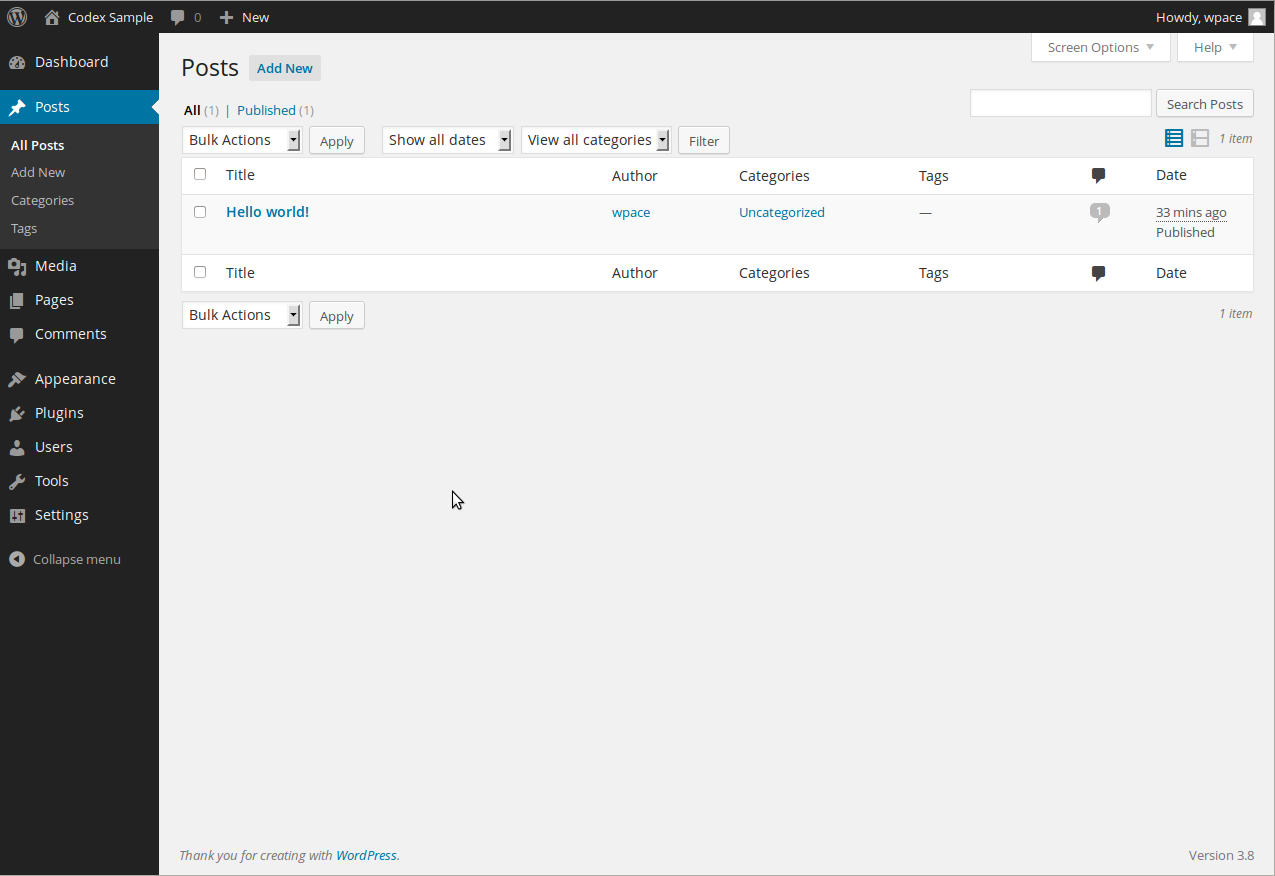](https://wordpress.org/documentation/files/2018/11/manageposts-768x528.png)
Administration post list screen
The table of Posts contains the following columns:
* **\[ \]** – This checkbox, when clicked (checked), ‘selects’ that particular Post to be processed by a Bulk Action.
* **Title** – This is the Post’s Title displayed as a link. Click the Title link to allow this Post to be edited. Next to the Title, if a Post is of a Draft, Private, Pending, Sticky, or Password Protected nature, bold text will display showing that.
* **“ID”** – This is not a column in the Table, but by hovering the mouse over the Post Title, the Post ID is revealed as part of the URL displayed in the browser status bar (in Firefox the status bar is displayed at the bottom of the screen). A Post’s ID number is the unique number WordPress’ database uses to identify individual Posts.
* **Author** – Displayed in the form of a link, this is the [author](https://wordpress.org/documentation/article/users-your-profile-screen/)
who wrote the Post. Clicking the author link causes all the Posts authored by that user to be displayed in the Table of Posts (thus allowing a Bulk Action to be applied to all Posts for a given author).
* **Categories** – Displays all the Categories, in the form of links, to which this Post belongs. Each Category link, when clicked will cause the list of Posts assigned that Category to be displayed in the Table of Posts (note the Category Filter box at the top of the Table will depict the Category being displayed).
* **Tags** – Displays all the Tags, in the form of links, associated with a Post. Each Tag link, when clicked will cause the list of Posts assigned that Tag to be displayed in the Table of Posts.
* **comment bubble** – A comment bubble is the column heading, and each Post row has comment bubble with the number of comments for that Post. If a Posts has any comments, then the number comments is displayed in a blue bubble. Clicking on a blue comment bubble causes the [Comments Screen](https://wordpress.org/support/article/comments-in-wordpress/)
to be displayed to allow moderation of those comments.
* **Date** – The Date column for each Post shows the Date ‘Published’ for Published Posts or the Date ‘Last Modified’ for other Posts. If the Post is a “future Post,” the scheduled date for publishing is displayed.
#### [Sortable Columns](https://wordpress.org/documentation/article/posts-screen/#sortable-columns)
Some column headings, such as the Title, Author, and Date, can be clicked to sort the Table of Posts in ascending or descending order. Hover over the column title, for example Title, to see the up-arrow or down-arrow. Click the heading to change the sort order.
#### [View](https://wordpress.org/documentation/article/posts-screen/#view)
Just to the right above the Table of Posts, two icons, List View, and Excerpt View, can be clicked to determine the amount of information listed with each Post. The default view is the List View and only the Post Title is listed for each Post. Click the Excerpt View to cause an [excerpt](https://wordpress.org/support/article/glossary#excerpt)
for the Post to be displayed just below the Post Title.
#### [Page Navigation](https://wordpress.org/documentation/article/posts-screen/#page-navigation)
Under the Screen Options, the number of Posts displayed per page is determined. If more then one page of Posts is available, two double-arrow boxes to move to the first and last page are provided. Also two single-arrow boxes are displayed to move one page backward or forward. Finally, a box showing the current page number can be used to enter a page to directly display.
#### [Screen Options](https://wordpress.org/documentation/article/posts-screen/#screen-options)
The Screen Options allow you to choose which columns are displayed, or not displayed, in the underlying Table. Clicking on the Screen Options tab shows a list of the columns with a check-box next to each column. Check the box for each column you want displayed in the Table, or uncheck the box to not display that column. Click the Screen Options tab again to close the Screen Options. In addition, the number of Posts per page can be set.
#### [Search](https://wordpress.org/documentation/article/posts-screen/#search)
Above the Table, to the right, is a search box where you can enter a word, or series of words, and click the “Search Posts” button to search and display all the Posts meeting your search words.
### [Filtering Options](https://wordpress.org/documentation/article/posts-screen/#filtering-options)
At the top of this Screen are links such as All, Published, Schedules, Pending Review, Draft, Private, that when clicked, will cause just the Posts of that type to be displayed in the underlying Table.
Below that, and to the right of the [Bulk Actions](https://wordpress.org/documentation/article/posts-screen/#actions)
[Apply button](https://wordpress.org/documentation/article/posts-screen/#apply)
, are two other filter options:
**Show all dates**
This dropdown allows you to select, by date, which Posts are displayed in the [Table of Posts](https://wordpress.org/documentation/article/posts-screen/#table-of-posts)
. By default, “Show all dates” is selected and all of your Posts are displayed.
**View all categories**
This dropdown allows you to select, by Category, which Posts are displayed in the [Table of Posts](https://wordpress.org/documentation/article/posts-screen/#table-of-posts)
. By default, “Show all categories” is selected and all of your Posts are displayed.
**Filter**
Clicking this button applies the settings you select in the dropdowns.
### [Using Selection, Actions, and Apply](https://wordpress.org/documentation/article/posts-screen/#using-selection-actions-and-apply)
#### [Selection](https://wordpress.org/documentation/article/posts-screen/#selection)
This Screen allows Bulk Actions to be performed on one or more Posts selected in the Table. For Bulk Actions to be performed on multiple Posts at once, those Posts must be first **selected** via one of these methods:
* **Select one Post at a time** – To select a Post, the checkbox to the left of the Post entry must be checked (clicked). It is possible to keep selecting more Posts by checking their respective checkbox.
#### [Actions](https://wordpress.org/documentation/article/posts-screen/#actions)
Actions describe the process to be performed on particular Posts. There are two styles of Actions that will be referred to as _Bulk Actions_ and _Immediate Actions_. The following describes these Actions:
* **Bulk Actions** – These Actions can be performed on one, or more Posts, at one time, if those Posts have been previously [selected](https://wordpress.org/documentation/article/posts-screen/#selection)
. Bulk Actions are available, when appropriate, as choices in the Bulk Actions pulldown box, above the Table. The only Bulk Actions allowed are Edit and Delete.
The available Actions are described below:
* **Edit** – This Action can be either an “Immediate Action” or a “Bulk Action”. The Immediate Action, initiated by click on the Post Title or clicking on the Edit option just below the Post Title, causes the [Edit Posts screen](https://wordpress.org/documentation/article/writing-posts/#post-field-descriptions)
to display. Edit is also available as a Bulk Action for the selected Posts, so see the [Bulk Edit section](https://wordpress.org/documentation/article/posts-screen/#bulk-edit)
for details on the Bulk Editing process.
##### [Bulk Edit](https://wordpress.org/documentation/article/posts-screen/#bulk-edit)
The Bulk Edit Posts ‘screen’ is displayed below the Table Of Posts header once, one, or more Posts, have been [selected](https://wordpress.org/documentation/article/posts-screen/#selection)
, and the [Bulk Action](https://wordpress.org/documentation/article/posts-screen/#action)
of Edit is [Applied](https://wordpress.org/documentation/article/posts-screen/#apply)
. Bulk Edit allows the fields, Author, Comments Allowed, Status, Pings Allowed, and Sticky, to be changed for all the selected Posts. **It is important to note, Categories and Tags can be ADDED in bulk to a set of Posts, but it is not possible to CHANGE, or DELETE, a Category, or Tag, for those Posts.**
* **Cancel** – Click Cancel to cancel and abort the Bulk Edit of these Posts.
##### [Quick Edit](https://wordpress.org/documentation/article/posts-screen/#quick-edit)
Quick Edit is an Immediate Action performed on one Post by clicking the Quick Edit link, under the Post Title in the Table of Posts. Quick Edit is just an in-line edit that allows you to change the following items–Title, Slug, Date, Author, Password or Private post box, Categories, Tags, Allow Comments, Allow Pings, Status, and Make this a post-sticky.
* **Cancel** – Click Cancel to cancel and abort the Edit of this Post.
##### [Editing Individual Posts](https://wordpress.org/documentation/article/posts-screen/#editing-individual-posts)
This mode is essentially the same as the [Posts Add New Screen](https://wordpress.org/documentation/article/writing-posts/)
so see the [Posts\_Add\_New\_Screen](https://wordpress.org/documentation/article/writing-posts/)
for the specific details of writing a Post. The only difference is that the button to save your work is called “**Update**” instead of “**Publish**“.
#### [Apply](https://wordpress.org/documentation/article/posts-screen/#apply)
After one or more Posts are _selected_, and after a _Bulk_ Action is specified, the **Apply** button performs the given Action on the selected Posts.
* **Apply** – Click the Apply button to execute the Bulk Action, specified in the Actions pulldown, on the selected Posts. Remember, prior to executing Actions, one or more Posts must be **selected**, as described before.
Was this article helpful? How could it be improved? [Cancel reply](https://wordpress.org/documentation/article/posts-screen/#respond)
--------------------------------------------------------------------------------------------------------------------------------------
[Log in to submit feedback](https://login.wordpress.org/?redirect_to=https%3A%2F%2Fwordpress.org%2Fdocumentation%2Farticle%2Fposts-screen%2F&locale=en_US)
. If you need support with something that wasn't covered by this article, please post your question in the [support forums](https://wordpress.org/support/forums/)
.
First published
November 6, 2018
Last updated
June 8, 2024
Get more help
-------------
[Support forums](https://wordpress.org/support/forums/)
Ask questions in the support forums.
[Developers](https://developer.wordpress.org/)
Check out the developer documentation.
[Content suggestions](https://github.com/WordPress/Documentation-Issue-Tracker/issues)
Report an error or change in the documentation issue tracker.
[Get involved](https://make.wordpress.org/docs/)
Learn about the Documentation Team and how to contribute.
---
# Pocket Casts embed – Documentation – WordPress.org
[WordPress.org](https://wordpress.org/)
[Documentation](https://wordpress.org/documentation)
Pocket Casts embed
[Home](https://wordpress.org/documentation)
[Customization](https://wordpress.org/documentation/customization/)
[Embed blocks](https://wordpress.org/documentation/category/embed-blocks/)
Pocket Casts embed
Search documentation
Pocket Casts embed
==================
In this article
---------------
Table of Contents
* [Block Toolbar](https://wordpress.org/documentation/article/pocket-casts-embed/#block-toolbar)
* [Block Settings](https://wordpress.org/documentation/article/pocket-casts-embed/#block-settings)
* [Changelog](https://wordpress.org/documentation/article/pocket-casts-embed/#changelog)
[↑ Back to top](https://wordpress.org/documentation/article/pocket-casts-embed/#wp--skip-link--target)
[Go back to the list of **Blocks**](https://wordpress.org/documentation/article/blocks/)
The _Pocket Casts Embed_ block is a new WordPress feature, and a variation of the [Embed block](https://wordpress.org/documentation/article/embed-block/)
. The block enables you to insert any Pocket Casts content, such as a podcast page, an episode, and the time position within an episode, into your post or page.
Keep in mind that you will need to subscribe to a premium Pocket Casts account to add your favorite or own Pocket Casts content into the block.
To add the _Pocket Casts Embed_ block to the editor, click the (**+**) icon at the top left corner to open the Block Inserter. Search for and then click the _Pocket Casts Embed_ block to add it to the editor.
Alternatively, you can manually insert the _Pocket Casts Embed_ block using the keyboard shortcut /pocket-casts.
Once inserted, you can embed a Pocket Casts URL to the block. Here are the steps to insert a podcast page and an episode to the _Pocket Casts Embed_ block:
1. Find a podcast and click on it to open the podcast page. Hover your mouse over the podcast title and click the **Share** button.

2. If you want to share an episode, click on the episode and click the **Share** button on the pop-up window. Here is an example of the Share Episode pop-up window:

3. Copy the URL link from the pop-up window. Here is an example of the Share Podcast pop-up window:

4. Paste the URL link into the text box on the _Pocket Casts Embed_ block and click the **Embed** button.

5. You will see a preview of the embedded podcast content on the editor.

Moreover, you can also embed a Pocket Casts URL directly into the block editor. Here are the steps:
1. Create a new post.
2. Copy and paste a Pocket Casts URL into the block editor, for example, [https://pca.st/k2rof194](https://pca.st/k2rof194)
or [https://pca.st/qekyjgs6](https://pca.st/qekyjgs6)
.
3. Check if the URL is replaced by the Pocket Casts player.
[Block Toolbar](https://wordpress.org/documentation/article/pocket-casts-embed/#block-toolbar)
-----------------------------------------------------------------------------------------------
The block toolbar displays several tools used to customize each block. When you select the _Pocket Casts Embed_ block, it will show the block toolbar that contains the following tools:
**Transform to**

Use the **Transform** button to change the _Pocket Casts Embed_ block into a Paragraph, a Column, or a Group block.
**Change alignment**

You can change the alignment of the _Pocket Casts Embed_ block using this tool. Click on the **Change alignment** button and select one of the following alignment options:
* **None** – is the default block size.
* **Wide width** – increases the block width beyond the content size.
* **Full width** – extends the block to cover the full width of the screen.
* **Align left** – make the block left-aligned.
* **Align center** – make the block center-aligned.
* **Align right** – make the block right-aligned.
**Edit URL**

The **Edit URL** button only appears after you have embedded the podcast content. It lets you change the _Pocket Casts Embed_’s URL via the Embed block. Overwrite the existing URL and paste a new one on the URL field and click the Embed button to confirm the changes.
**More options**
Details about **More options** can be found in this [support article](https://wordpress.org/documentation/article/more-options/)
.
[Block Settings](https://wordpress.org/documentation/article/pocket-casts-embed/#block-settings)
-------------------------------------------------------------------------------------------------
WordPress blocks have specific configuration options in the block settings panel. To access the _Pocket Casts Embed_ block settings panel, click the **Settings** button at the top-right corner of the WordPress editor. Alternatively, click the **More options** or three dots icon in the _Pocket Casts Embed_ block toolbar and select **Show more settings**.
**Media settings**

The Media settings option allows you to control the behavior of the _Pocket Casts Embed_ block when viewed from a smaller device, such as a mobile phone screen. The option only appears after you have embedded the podcast content. The Media settings option is active by default.
When you turn the toggle switch off, the _Pocket Casts Embed_ block may not preserve its aspect ratio when the browser’s window is resized. Meanwhile, if the option is active, the block will maintain its aspect ratio regardless of the browser’s window size.
**Advanced**

The Advanced section allows you to add CSS class(es) to the _Pocket Casts Embed_ block. Therefore, you can insert custom CSS styles into the block.
[Changelog](https://wordpress.org/documentation/article/pocket-casts-embed/#changelog)
---------------------------------------------------------------------------------------
* Created 2022-11-25
Was this article helpful? How could it be improved? [Cancel reply](https://wordpress.org/documentation/article/pocket-casts-embed/#respond)
--------------------------------------------------------------------------------------------------------------------------------------------
[Log in to submit feedback](https://login.wordpress.org/?redirect_to=https%3A%2F%2Fwordpress.org%2Fdocumentation%2Farticle%2Fpocket-casts-embed%2F&locale=en_US)
. If you need support with something that wasn't covered by this article, please post your question in the [support forums](https://wordpress.org/support/forums/)
.
First published
November 25, 2022
Last updated
June 8, 2024
Get more help
-------------
[Support forums](https://wordpress.org/support/forums/)
Ask questions in the support forums.
[Developers](https://developer.wordpress.org/)
Check out the developer documentation.
[Content suggestions](https://github.com/WordPress/Documentation-Issue-Tracker/issues)
Report an error or change in the documentation issue tracker.
[Get involved](https://make.wordpress.org/docs/)
Learn about the Documentation Team and how to contribute.
---
# Trackbacks and Pingbacks – Documentation – WordPress.org
[WordPress.org](https://wordpress.org/)
[Documentation](https://wordpress.org/documentation)
Trackbacks and Pingbacks
[Home](https://wordpress.org/documentation)
[Support guides](https://wordpress.org/documentation/support-guides/)
[Publishing](https://wordpress.org/documentation/category/publishing/)
Trackbacks and Pingbacks
Search documentation
Trackbacks and Pingbacks
========================
In this article
---------------
Table of Contents
* [Pingbacks](https://wordpress.org/documentation/article/trackbacks-and-pingbacks/#pingbacks)
* [Can I stop self-pings?](https://wordpress.org/documentation/article/trackbacks-and-pingbacks/#can-i-stop-self-pings)
* [Disabling Pingbacks](https://wordpress.org/documentation/article/trackbacks-and-pingbacks/#disabling-pingbacks)
* [Trackbacks](https://wordpress.org/documentation/article/trackbacks-and-pingbacks/#trackbacks)
* [How do I send a Trackback (Classic Editor Only)](https://wordpress.org/documentation/article/trackbacks-and-pingbacks/#how-do-i-send-a-trackback-classic-editor-only)
[↑ Back to top](https://wordpress.org/documentation/article/trackbacks-and-pingbacks/#wp--skip-link--target)
Trackbacks and pingbacks are methods for alerting blogs that you have linked to them. The difference between them is:
* **Trackbacks** – must be created manually, and send an excerpt of the content.
* **Pingbacks** – are automated and don’t send any content.
Check out the [article on the WordPress user document](https://wordpress.org/documentation/article/introduction-to-blogging/#pingbacks)
for a more detailed explanation.
[Pingbacks](https://wordpress.org/documentation/article/trackbacks-and-pingbacks/#pingbacks)
---------------------------------------------------------------------------------------------
A pingback is a type of comment that’s created when you link to another blog post where pingbacks are enabled. The best way to think about pingbacks is as remote comments:
* Person A posts something on his blog.
* Person B posts on her own blog, linking to Person A’s post. This automatically sends a pingback to Person A when both have pingback enabled blogs.
* Person A’s blog receives the pingback, then automatically goes to Person B’s post to confirm that the pingback did, in fact, originate there.
To create a pingback, just link to another blog post. If that post has pingbacks enabled, the blog owner will see a pingback appear in their comments section that they can approve. Comments are styled differently for each theme. Here is an example of how a pingback appears:

### [Can I stop self-pings?](https://wordpress.org/documentation/article/trackbacks-and-pingbacks/#can-i-stop-self-pings)
Yes. Self-pings (pings within your own blog) are found useful by some, annoying by others. Those who find them useful feel that if someone finds the old post that they will see the link to the new post. But some still disagree. Normally when you create a link, the entire URL including `http://` is used. That will cause a self-ping. To prevent self-pings, shorten the URL from
http://example.com/2021/06/16/twitter-widget
to
/2021/06/16/twitter-widget
Note: Editor’s visual mode may add the domain information back into the link. To check that, you must switch to the HTML mode and make sure the link is displayed correctly in the href attribute for the link before publishing.
### [Disabling Pingbacks](https://wordpress.org/documentation/article/trackbacks-and-pingbacks/#disabling-pingbacks)
You can easily disable pingbacks on individual posts via the Discussion metabox on your Add New or Edit Post page:

[Trackbacks](https://wordpress.org/documentation/article/trackbacks-and-pingbacks/#trackbacks)
-----------------------------------------------------------------------------------------------
Trackbacks are a way to notify legacy blog systems that you’ve linked to them. If you link to a WordPress blog they’ll be notified automatically using pingbacks, no other action necessary. Think of trackbacks as the equivalent of acknowledgements and references at the end of an academic paper or chapter in a text book. To send a trackback, add the trackback URI from the other blog post to the Send Trackbacks module in your blog post before you publish it. A trackback URI from a WordPress blog will end with /trackback/.
### [How do I send a Trackback (Classic Editor Only)](https://wordpress.org/documentation/article/trackbacks-and-pingbacks/#how-do-i-send-a-trackback-classic-editor-only)
Go to the post on the other person’s blog and look for the ‘Trackback URI’ or similar.

Once you have that link you need to copy the URL of the link. In Chrome, Right-click on the link and **Copy Link Address**.
Back on your blog, scroll down from the editor to the **Trackbacks** module and paste the URL into that box. If the blog where it was copied from is a WordPress blog, the URL will end with /trackback/.

Publish your post and the trackback will be sent. Please note that your trackback might be sent but the receiving site may choose not to display it.
Was this article helpful? How could it be improved? [Cancel reply](https://wordpress.org/documentation/article/trackbacks-and-pingbacks/#respond)
--------------------------------------------------------------------------------------------------------------------------------------------------
[Log in to submit feedback](https://login.wordpress.org/?redirect_to=https%3A%2F%2Fwordpress.org%2Fdocumentation%2Farticle%2Ftrackbacks-and-pingbacks%2F&locale=en_US)
. If you need support with something that wasn't covered by this article, please post your question in the [support forums](https://wordpress.org/support/forums/)
.
First published
June 16, 2021
Last updated
July 20, 2025
Get more help
-------------
[Support forums](https://wordpress.org/support/forums/)
Ask questions in the support forums.
[Developers](https://developer.wordpress.org/)
Check out the developer documentation.
[Content suggestions](https://github.com/WordPress/Documentation-Issue-Tracker/issues)
Report an error or change in the documentation issue tracker.
[Get involved](https://make.wordpress.org/docs/)
Learn about the Documentation Team and how to contribute.
---
# Pages Add New screen – Documentation – WordPress.org
[WordPress.org](https://wordpress.org/)
[Documentation](https://wordpress.org/documentation)
Pages Add New screen
[Home](https://wordpress.org/documentation)
[Support guides](https://wordpress.org/documentation/support-guides/)
[Publishing](https://wordpress.org/documentation/category/publishing/)
Pages Add New screen
Search documentation
Pages Add New screen
====================
In this article
---------------
Table of Contents
* [Screen options](https://wordpress.org/documentation/article/pages-add-new-screen/#screen-options)
* [Expanding, collapsing, and rearranging, modules](https://wordpress.org/documentation/article/pages-add-new-screen/#expanding-collapsing-and-rearranging-modules)
* [Add new page](https://wordpress.org/documentation/article/pages-add-new-screen/#add-new-page)
[↑ Back to top](https://wordpress.org/documentation/article/pages-add-new-screen/#wp--skip-link--target)
The Pages Add New Screen allows you to add new [Pages](https://wordpress.org/support/article/pages/)
.

[Screen options](https://wordpress.org/documentation/article/pages-add-new-screen/#screen-options)
---------------------------------------------------------------------------------------------------
The [Screen Options](https://wordpress.org/support/article/administration-screens#screen-options)
allow you to choose which modules are displayed, or not displayed, in the underlying screen. Clicking on the Screen Options tab shows a list of the columns with a checkbox next to each column. Check the box for each module you want displayed, or uncheck the box to not display that module. Click the Screen Options tab again to close the Screen Options. These options are saved so that you can customize how your own editing screen looks. So if modules such as Custom Fields, Discussion, Slug and Post Author are hidden from view use the Screen Options to expose those modules.
[Expanding, collapsing, and rearranging, modules](https://wordpress.org/documentation/article/pages-add-new-screen/#expanding-collapsing-and-rearranging-modules)
------------------------------------------------------------------------------------------------------------------------------------------------------------------
The modules, Publish, Page Attribute, Features Image and others, can be expanded, or collapsed, by clicking on the module title bar.
In addition, those modules can be moved by hovering the mouse cursor over the module title bar, when the mouse cursor changes to 4-arrows, hold the left-mouse button down, drag the module to where you want to place it, then release the mouse button (this is called drag-and-drop).
[Add new page](https://wordpress.org/documentation/article/pages-add-new-screen/#add-new-page)
-----------------------------------------------------------------------------------------------
**Title**
The title of your page. You can use any words or phrases. Avoid using the same title twice as that will cause problems. You can use commas, apostrophes, quotes, hypens/dashes, and other typical symbols in the page like “About My Site – Here’s Lookin’ at You, Kid.” WordPress will clean it up for the link to the page, called the _slug_.
**Page editing area**
The blank box where you enter your writing, links, links to images, and any information you want to display on your site. You can use either the Visual or the Text view to compose your posts. For more on the Text view, see the [Visual](https://codex.wordpress.org/Writing%20Posts#Visual_Versus%20Text_Editor)
[Versus](https://wordpress.org/support/article/writing-posts/#visual-versus-text-editor)
[Text View](https://codex.wordpress.org/Writing%20Posts#Visual_Versus%20Text_Editor)
article.
**Preview button**
Allows you to view the page before officially publishing it.
**Publish box**
Contains buttons that control the state of your page. The main states are Published, Pending Review, and Draft. A _Published_ status means the page has been published on your blog for all to see. _Pending Review_ means the draft is waiting for review by an editor prior to publication. _Draft_ means the page has not been published and remains a draft for you. If you select a specific publish status and click the update page or Publish button, that status is applied to the page. For example, to save a page in the _Pending Review_ status, click Edit link of Status and select Pending Review from the drop-down box, click OK to close the drop-down box and click Save As Pending button. (You will see all pages organized by status by going to Pages > All Pages). To schedule a page for publication on a future time or date, click “Edit” in the Publish area next to the words “Publish immediately”. You can also change the publish date to a date in the past to back-date pages. Change the settings to the desired time and date. You must also hit the “Publish” button when you have completed the page to publish at the desired time and date.
Visibility – This determines how your page appears to the world. Public pages will be visible by all website visitors once published. Password Protected pages are published to all, but visitors must know the password to view the page content. Private pages are visible only to you (and to other editors or admins within your site)
**Permalink**
After you save your page, the Permalink below the title shows the potential URL for the page, as long as you have [permalinks](https://wordpress.org/support/article/using-permalinks/)
enabled. (To enable permalinks, go to Settings > Permalinks.) The URL is generated from your title. In previous versions of WordPress, this was referred to as the “page-slug.” The commas, quotes, apostrophes, and other non-HTML favorable characters are changed and a dash is put between each word. If your title is “My Site – Here’s Lookin’ at You, Kid”, it will be cleaned up to be “my-site-heres-lookin-at-you-kid” as the title. You can manually change this, maybe shortening it to “my-site-lookin-at-you-kid”.
**Save**
Allows you to save your page as a draft / pending review rather than immediately publishing it. To return to your drafts later, visit Pages > All Pages from dashboard, then click your page title from the list.
**Publish**
Publishes your page on the site. You can edit the time when the page is published by clicking the Edit link above the Publish button and specifying the time you want the page to be published. By default, at the time the page is first auto-saved, that will be the date and time of the page within the database.
**Parent**
Parent page controls how deep your page hierarchy goes.
**Template**
Some Themes have custom templates you can use for certain pages that might have additional features or custom layouts. If so, you’ll see them in this dropdown menu.
**Order**
Page order to sort the list of Pages.
Was this article helpful? How could it be improved? [Cancel reply](https://wordpress.org/documentation/article/pages-add-new-screen/#respond)
----------------------------------------------------------------------------------------------------------------------------------------------
[Log in to submit feedback](https://login.wordpress.org/?redirect_to=https%3A%2F%2Fwordpress.org%2Fdocumentation%2Farticle%2Fpages-add-new-screen%2F&locale=en_US)
. If you need support with something that wasn't covered by this article, please post your question in the [support forums](https://wordpress.org/support/forums/)
.
First published
November 5, 2018
Last updated
June 8, 2024
Get more help
-------------
[Support forums](https://wordpress.org/support/forums/)
Ask questions in the support forums.
[Developers](https://developer.wordpress.org/)
Check out the developer documentation.
[Content suggestions](https://github.com/WordPress/Documentation-Issue-Tracker/issues)
Report an error or change in the documentation issue tracker.
[Get involved](https://make.wordpress.org/docs/)
Learn about the Documentation Team and how to contribute.
---
# Share to Mastodon
Share to Mastodon
-----------------
Enter the full URL of the Mastodon instance where you’d like to share this post.
Share
---
# Share to Mastodon
Share to Mastodon
-----------------
Enter the full URL of the Mastodon instance where you’d like to share this post.
Share
---
# Share to Mastodon
Share to Mastodon
-----------------
Enter the full URL of the Mastodon instance where you’d like to share this post.
Share
---
# Posts Tags screen – Documentation – WordPress.org
[WordPress.org](https://wordpress.org/)
[Documentation](https://wordpress.org/documentation)
Posts Tags screen
[Home](https://wordpress.org/documentation)
[Support guides](https://wordpress.org/documentation/support-guides/)
[Dashboard](https://wordpress.org/documentation/category/dashboard/)
Posts Tags screen
Search documentation
Posts Tags screen
=================
In this article
---------------
Table of Contents
* [Manage Tags](https://wordpress.org/documentation/article/posts-tags-screen/#manage-tags)
* [Popular Tags](https://wordpress.org/documentation/article/posts-tags-screen/#popular-tags)
* [Add New Tag](https://wordpress.org/documentation/article/posts-tags-screen/#add-new-tag)
* [Table of Tags](https://wordpress.org/documentation/article/posts-tags-screen/#table-of-tags)
* [Using Selection, Actions, and Apply](https://wordpress.org/documentation/article/posts-tags-screen/#using-selection-actions-and-apply)
* [Quick Edit](https://wordpress.org/documentation/article/posts-tags-screen/#quick-edit)
* [Edit Tag](https://wordpress.org/documentation/article/posts-tags-screen/#edit-tag)
[↑ Back to top](https://wordpress.org/documentation/article/posts-tags-screen/#wp--skip-link--target)
Every post in WordPress can be filed under one or more Tags. This aids in navigation and allows posts and to be grouped with others of similar content.
Unlike Categories, Tags have no hierarchy so there is no Parent->Child relationship like that of Categories. But like Categories, Tag names must be unique.
Assuming you are using the WordPress [Twenty Seventeen theme](https://wordpress.org/themes/twentyseventeen/)
, Tags are displayed under each post. When someone viewing your blog clicks on one of these Tag links, a Tag archive page with all the posts belonging to that Tag, will be displayed. In addition, if using Widgets, the Tag Cloud Widget can be added to the sidebar to display all the Tags used in a cloud (Tags sized by number of times reference in posts).
[](https://wordpress.org/support/?attachment_id=11108222)
Posts Tag Screen
This Screen allows you to create new Tags, and to edit or delete existing ones.
[Manage Tags](https://wordpress.org/documentation/article/posts-tags-screen/#manage-tags)
------------------------------------------------------------------------------------------
This Screen is divided into the Popular Tags, Add New Tag and Tag Table sections.
### [Popular Tags](https://wordpress.org/documentation/article/posts-tags-screen/#popular-tags)
In this section, a Tag Cloud displays the forty-five (45) most popular Tags–meaning the Tags that are most used on posts. With the proper capability, each Tag can be clicked to edit that Tag. Of course, if no Tags have been assigned to posts, then this section will not appear.
### [Add New Tag](https://wordpress.org/documentation/article/posts-tags-screen/#add-new-tag)
This part of the Screen, which is conveniently linked to from the top of the Table of Tags, allows you to create a new Tag. There are three pieces of information associated with each new Tag: the name, description, slug, and number of posts containing that Tag.
**Tag Name**: To reiterate, the Tag Name _must_ be unique.
**Tag Slug**: The Tag slug _must_ be unique. The “slug” is the URL-friendly version of the name. It is usually all lowercase and contains only letters, numbers, and hyphens. For example, setting a Tag Name of “Recipes” and a Tag Slug of “food” would show all “Recipes” posts with a URL like **example.com/blog/food/**.
**Description**: A description for the Tag. Note: In many themes the Tag Description not displayed, however some themes may show it.
**Add New Tag**: Click this button to save your new Tag.
### [Table of Tags](https://wordpress.org/documentation/article/posts-tags-screen/#table-of-tags)
This table lists all of your Tags by row. Tags are displayed alphabetically by Tag Name.
The table of Tags contains the following columns:
* **\[ \]** – A checkbox that when clicked (checked), ‘selects’ that particular Tag to be deleted when the Delete Action is Applied.
* **Name** – The name of the Tag. Remember each Name must be unique. Click on the Tag’s Name to edit the Tag.
* **Description** – The description of the Tag.
* **Slug** – The slug of a Tag, and must be unique.
* **Count** – The number of posts which have this Tag assigned. Click on the number in the Count column to be directed to the Posts Screen to manage the Posts in that Tag.
#### [Screen Options](https://wordpress.org/documentation/article/posts-tags-screen/#screen-options)
The Screen Options allow you to choose which columns are displayed, or not displayed, in the underlying Table. Clicking on the Screen Options tab shows a list of the columns with a check-box next to each column. Check the box for each column you want displayed in the Table, or uncheck the box to not display that column. In addition, the number of Tags to display in the Table of Tags can be set. Click the Screen Options tab again to close the Screen Options.
#### [Search](https://wordpress.org/documentation/article/posts-tags-screen/#search)
Above the Table, to the right, is a search box where you can enter a word, or series of words, and click the “Search Tags” button to search and display all the Tags meeting your search words.
### [Using Selection, Actions, and Apply](https://wordpress.org/documentation/article/posts-tags-screen/#using-selection-actions-and-apply)
#### [Selection](https://wordpress.org/documentation/article/posts-tags-screen/#selection)
This section allows Actions to be performed on one or more Tags displayed in the Table. For Actions to be performed on multiple Tags at once, those Tags must be first **selected** via one of these methods:
* **Select one Tag at a time** – To select a Tag, the checkbox to the left of the Tag entry must be checked (clicked). It is possible to keep selecting more Tags by checking their respective checkbox.
* **Select all Tags in given Table** – All Tags in a given table can be selected by checking the checkbox in the Table’s title, or footer bar. Of course, unchecking the header or footer title bar checkbox will cause all entries in that Table to be unchecked (NOT selected).
* **Reverse Selection** – A Reverse Selection means checked items become unchecked, and unchecked items become checked. A Reverse Selection is accomplished by holding the Shift key on the keyboard and clicking the header or footer title bar checkbox.
#### [Actions](https://wordpress.org/documentation/article/posts-tags-screen/#actions)
Actions describe the process to be performed on particular Tags. There are two styles of Actions that will be referred to as _Bulk Actions_ and _Immediate Actions_. The follow describes these Actions:
* **Bulk Actions** – These Actions can be performed on one, or more Tags, at one time, if those Tags have been previously selected. Bulk Actions are available, when appropriate, as choices in the Actions pulldown box, above each Table. The only Bulk Action allowed is Delete.
* **Immediate Actions** – Immediate Actions are performed immediately, on an individual Tag. Hovering the mouse cursor over the Tag row reveals the Edit, Quick Edit, and Delete options under the Name column in that Tag row. Clicking on a Tag Name will also initiate the Edit Action.
The available Actions are described below:
* **Edit** – This Immediate Action displays the Edit Tag Screen to edit the Tag fields. This Action can be initiated by click on the Tag Name or clicking on the Edit option just below the Tag Name. See the Edit Tag section for details on editing a Tag.
* **Quick Edit** – This Immediate Action initiates the Quick Edit of that Tag. See the Quick Edit section for details doing a Quick Edit on a Tag.
* **Delete** – This Action deletes the Tags files. Note: Deleting a Tag does not delete the posts in that Tag.
#### [Apply](https://wordpress.org/documentation/article/posts-tags-screen/#apply)
After one or more Tags are _selected_, and after a _Bulk_ Action is specified, the **Apply** button performs the given Action on the selected Tags.
* **Apply** – Click the Apply button to execute the Bulk Action, specified in the Actions pull-down, on the selected Tags. Remember, prior to executing Actions, one or more Tags must be **selected**, as described before.
### [Quick Edit](https://wordpress.org/documentation/article/posts-tags-screen/#quick-edit)
The following fields can be change via the Quick Edit Action:
**Tag name:** The Tag name _must_ be unique.
**Tag slug:** The Tag slug _must_ be unique. Cancel: Click this button to cancel any changes and return to the Table of Tags
**Update Tag:** Once you’ve edited all the information about the Tag, use this button to save the changes.
### [Edit Tag](https://wordpress.org/documentation/article/posts-tags-screen/#edit-tag)
This Screen is displayed by clicking on a Tags’ **Name** in the Table of Tags or clicking on the Edit option just below the Tag Name. It is possible to edit three pieces of information associated with each Tag: the name, the slug, and the description.
**Tag name**: The Tag name _must_ be unique.
**Tag Slug:** The Tag slug _must_ be unique.
**Description**: Text describing this Tag.
**Update:** Once you’ve changed the Tag information, use this button to save the changes.
Was this article helpful? How could it be improved? [Cancel reply](https://wordpress.org/documentation/article/posts-tags-screen/#respond)
-------------------------------------------------------------------------------------------------------------------------------------------
[Log in to submit feedback](https://login.wordpress.org/?redirect_to=https%3A%2F%2Fwordpress.org%2Fdocumentation%2Farticle%2Fposts-tags-screen%2F&locale=en_US)
. If you need support with something that wasn't covered by this article, please post your question in the [support forums](https://wordpress.org/support/forums/)
.
First published
January 22, 2019
Last updated
June 8, 2024
Get more help
-------------
[Support forums](https://wordpress.org/support/forums/)
Ask questions in the support forums.
[Developers](https://developer.wordpress.org/)
Check out the developer documentation.
[Content suggestions](https://github.com/WordPress/Documentation-Issue-Tracker/issues)
Report an error or change in the documentation issue tracker.
[Get involved](https://make.wordpress.org/docs/)
Learn about the Documentation Team and how to contribute.
---
# Share to Mastodon
Share to Mastodon
-----------------
Enter the full URL of the Mastodon instance where you’d like to share this post.
Share
---
# Share to Mastodon
Share to Mastodon
-----------------
Enter the full URL of the Mastodon instance where you’d like to share this post.
Share
---
# Share to Mastodon
Share to Mastodon
-----------------
Enter the full URL of the Mastodon instance where you’d like to share this post.
Share
---
# Share to Mastodon
Share to Mastodon
-----------------
Enter the full URL of the Mastodon instance where you’d like to share this post.
Share
---
# Share to Mastodon
Share to Mastodon
-----------------
Enter the full URL of the Mastodon instance where you’d like to share this post.
Share
---
# Share to Mastodon
Share to Mastodon
-----------------
Enter the full URL of the Mastodon instance where you’d like to share this post.
Share
---
# Share to Mastodon
Share to Mastodon
-----------------
Enter the full URL of the Mastodon instance where you’d like to share this post.
Share
---
# Share to Mastodon
Share to Mastodon
-----------------
Enter the full URL of the Mastodon instance where you’d like to share this post.
Share
---
# Share to Mastodon
Share to Mastodon
-----------------
Enter the full URL of the Mastodon instance where you’d like to share this post.
Share
---
# Pinterest embed – Documentation – WordPress.org
[WordPress.org](https://wordpress.org/)
[Documentation](https://wordpress.org/documentation)
Pinterest embed
[Home](https://wordpress.org/documentation)
[Customization](https://wordpress.org/documentation/customization/)
[Embed blocks](https://wordpress.org/documentation/category/embed-blocks/)
Pinterest embed
Search documentation
Pinterest embed
===============
In this article
---------------
Table of Contents
* [Block Toolbar](https://wordpress.org/documentation/article/pinterest-embed/#block-toolbar)
* [Transform to](https://wordpress.org/documentation/article/pinterest-embed/#transform-to)
* [Change Alignment](https://wordpress.org/documentation/article/pinterest-embed/#change-alignment)
* [Edit URL](https://wordpress.org/documentation/article/pinterest-embed/#edit-url)
* [More Options](https://wordpress.org/documentation/article/pinterest-embed/#more-options)
* [Block Settings](https://wordpress.org/documentation/article/pinterest-embed/#block-settings)
* [Changelog](https://wordpress.org/documentation/article/pinterest-embed/#changelog)
[↑ Back to top](https://wordpress.org/documentation/article/pinterest-embed/#wp--skip-link--target)
[Go back to the list of **Blocks**](https://wordpress.org/documentation/article/blocks/)
With the Pinterest embed block, you can embed pins, boards (a collection of pins), and Pinterest profiles into your posts and pages. You don’t need a Pinterest account to be able to use it, but only public pins, boards, and profiles can be embedded.
**Examples of Pinterest embeds**:
[](https://i1.wp.com/wordpress.org/documentation/files/2022/03/00c-example-pinterest-embed-block.webp?ssl=1)
[](https://i1.wp.com/wordpress.org/documentation/files/2022/03/00d-preview-pinterest-wordpress-profile.webp?ssl=1)
_Left image: Example of an individual pin embed. Right image: Example of a Pinterest profile embed._
**Steps to embed Pinterest pins, boards, and profiles**
1. First, find the pin, board, or profile on Pinterest that you want to embed, and copy its URL from the browser bar.

2. Go to your post or page and add the Pinterest embed block. One way to do this is to press the “/” key to open the block inserter and type /pinterest.

_Detailed instructions on adding blocks can be found in [this guide](https://wordpress.org/documentation/article/wordpress-editor/#adding-a-block)
._
3. Paste the link into the text box and click the “Embed” button.

If the link can be successfully embedded into your post/page, you will see the preview in your block editor.
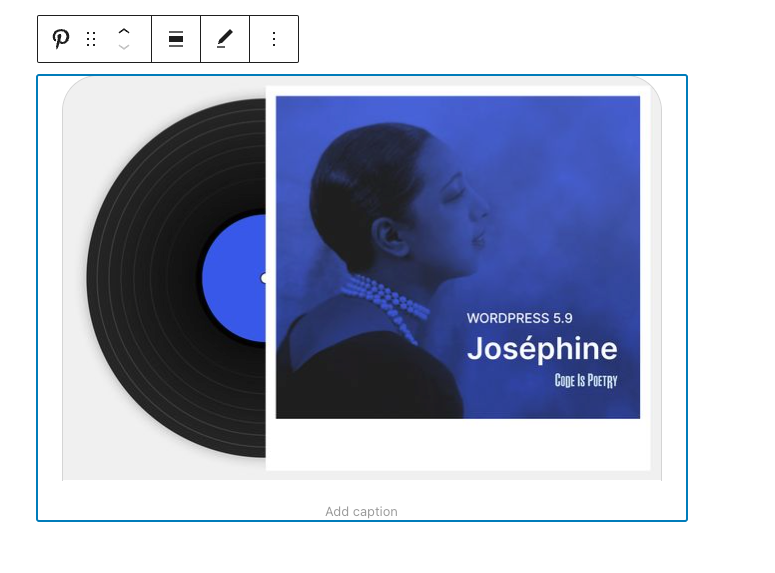
If you use a URL that can’t be embedded, the block displays the message: _“Sorry, this content could not be embedded.”_ You will have two choices: try again with a different URL or convert it to a link.

4. Click the “Preview” button in the top right corner of the post/page to see how it will look on the front-end.

[Block Toolbar](https://wordpress.org/documentation/article/pinterest-embed/#block-toolbar)
--------------------------------------------------------------------------------------------
Besides the “Mover” and “Drag & Drop Handle”, the Block Toolbar for the Pinterest embed block shows four buttons:
* Transform to – also the icon for the block
* Change alignment
* Edit URL, and
* More Options

### [Transform to](https://wordpress.org/documentation/article/pinterest-embed/#transform-to)
The first option will allow you to transform a Pinterest embed into a Paragraph. This will convert the pin, board, or Pinterest profile embedded to a link. You also can transform a Pinterest embed into Columns or into a Group.

Transforming it into a Group will give you the ability to change the following, among other options:
* The background color around the Pinterest embed
* The padding, margin, and block spacing dimensions
* The border settings of the block (width, style, color, and radius)
**Note**: you can preview what each block (paragraph, column, or group) will look like by hovering the mouse over each option.
[](https://i0.wp.com/wordpress.org/documentation/files/2022/03/09-group-color-settings-pinterest-embed-block-1024x605.webp?ssl=1)
[](https://i2.wp.com/wordpress.org/documentation/files/2022/03/10c-preview-grey-background-pinterest-embed-block.webp?ssl=1)
_Left image: Editor view of a Pinterest embed as a group with color, dimension, and border settings. Right image: Front-end preview of a Pinterest embed with a grey background._
### [Change Alignment](https://wordpress.org/documentation/article/pinterest-embed/#change-alignment)
* **None** – Default alignment option
* **Wide width** – Increase the width of the post beyond the content size
* **Full width** – Extend the block to cover the full width of the screen
* **Align left** – Make the block left-aligned
* **Align center** – Make the block alignment centered
* **Align right** – Make the block right-aligned

### [Edit URL](https://wordpress.org/documentation/article/pinterest-embed/#edit-url)
Via the edit URL, you can change the Pinterest embed URL in the embed block. Overwrite the existing URL and click on the “Embed” button on the right.

### [More Options](https://wordpress.org/documentation/article/pinterest-embed/#more-options)
Details about **More options** can be found in this [support article](https://wordpress.org/documentation/article/more-options/)
.
[Block Settings](https://wordpress.org/documentation/article/pinterest-embed/#block-settings)
----------------------------------------------------------------------------------------------
**Advanced**
In the Advanced tab, located in the block settings sidebar, you can add additional CSS class(es) to your block. This allows you to write custom CSS and style the block as you see fit.

[Changelog](https://wordpress.org/documentation/article/pinterest-embed/#changelog)
------------------------------------------------------------------------------------
* Updated 2023-08-08
* Link “More Options” to article
* Created 2022-03-24
Was this article helpful? How could it be improved? [Cancel reply](https://wordpress.org/documentation/article/pinterest-embed/#respond)
-----------------------------------------------------------------------------------------------------------------------------------------
[Log in to submit feedback](https://login.wordpress.org/?redirect_to=https%3A%2F%2Fwordpress.org%2Fdocumentation%2Farticle%2Fpinterest-embed%2F&locale=en_US)
. If you need support with something that wasn't covered by this article, please post your question in the [support forums](https://wordpress.org/support/forums/)
.
First published
March 24, 2022
Last updated
June 8, 2024
Get more help
-------------
[Support forums](https://wordpress.org/support/forums/)
Ask questions in the support forums.
[Developers](https://developer.wordpress.org/)
Check out the developer documentation.
[Content suggestions](https://github.com/WordPress/Documentation-Issue-Tracker/issues)
Report an error or change in the documentation issue tracker.
[Get involved](https://make.wordpress.org/docs/)
Learn about the Documentation Team and how to contribute.
---
# Reset your password – Documentation – WordPress.org
[WordPress.org](https://wordpress.org/)
[Documentation](https://wordpress.org/documentation)
Reset your password
[Home](https://wordpress.org/documentation)
[Support guides](https://wordpress.org/documentation/support-guides/)
[Dashboard](https://wordpress.org/documentation/category/dashboard/)
Reset your password
Search documentation
Reset your password
===================
In this article
---------------
Table of Contents
* [To Change Your Password](https://wordpress.org/documentation/article/reset-your-password/#to-change-your-password)
* [Through the automatic emailer](https://wordpress.org/documentation/article/reset-your-password/#through-the-automatic-emailer)
* [Through MySQL Command Line](https://wordpress.org/documentation/article/reset-your-password/#through-mysql-command-line)
* [Through phpMyAdmin](https://wordpress.org/documentation/article/reset-your-password/#through-phpmyadmin)
* [Other Tutorials using phpMyAdmin](https://wordpress.org/documentation/article/reset-your-password/#other-tutorials-using-phpmyadmin)
* [Through FTP](https://wordpress.org/documentation/article/reset-your-password/#through-ftp)
* [Through WP CLI](https://wordpress.org/documentation/article/reset-your-password/#through-wp-cli)
* [Using the Emergency Password Reset Script](https://wordpress.org/documentation/article/reset-your-password/#using-the-emergency-password-reset-script)
* [A Word of Caution:](https://wordpress.org/documentation/article/reset-your-password/#a-word-of-caution)
* [Directions for Use:](https://wordpress.org/documentation/article/reset-your-password/#directions-for-use)
* [Additional Reference](https://wordpress.org/documentation/article/reset-your-password/#additional-reference)
[↑ Back to top](https://wordpress.org/documentation/article/reset-your-password/#wp--skip-link--target)
In WordPress, there is more than one way to reset your password. (Normally, the easiest way to reset it is through the “Lost your password?” link on the main login page for your blog or website.)
However, there are certain times (especially if your email isn’t working correctly) that you may have to take different steps to reset your password.
Here’s a list of different ways to reset a password. The method that you use depends on the type of access that you still have to your website.
[To Change Your Password](https://wordpress.org/documentation/article/reset-your-password/#to-change-your-password)
--------------------------------------------------------------------------------------------------------------------
To change your password in current versions:
1. In the Administration Screen, menu, go to Users > All Users.
2. Click on your username in the list to edit it.
3. In the Edit User screen, scroll down to the New Password section and click the Generate Password button.
4. If you want to change the automatically generated password, you can overwrite it by typing a new password in the box provided. The strength box will show you how good (strong) your password is.
5. Click the Update User button.
Your new password becomes active immediately.
[Through the automatic emailer](https://wordpress.org/documentation/article/reset-your-password/#through-the-automatic-emailer)
--------------------------------------------------------------------------------------------------------------------------------
If you know your username or the email account in your profile, you can use the “lost password” feature of WordPress.
* Go to your WordPress Login page (something like [http://yoursite.com/wordpress/wp-login.php](https://codex.wordpress.org/Resetting_your_password)
)
* Click on the “Lost your password?” link
* You will be taken to a page to enter some details. Enter your username or the email address on file for that account.
* Wait happily as your new password is emailed to you.
* Once you get your new password, login to your profile page and change this password to something you can _remember_.
[Through MySQL Command Line](https://wordpress.org/documentation/article/reset-your-password/#through-mysql-command-line)
--------------------------------------------------------------------------------------------------------------------------
1. Get an MD5 hash of your password.
* [Visit md5 Hash Generator](http://www.miraclesalad.com/webtools/md5.php)
, or…
* Create a key with Python, or…
* On Unix/Linux:
1. Create a file called `wp.txt`, containing nothing but the new password.
2. `tr -d '\r\n' < wp.txt | md5sum | tr -d ' -'` (to output the pure MD5 hash string of the content of `wp.txt`, ignoring line breaks)
3. `rm wp.txt` (to remove `wp.txt`)
* On Mac OS X:
1. Create a file called `wp.txt`, containing nothing but the new password. Then enter either of the lines below
2. `md5 -q ./wp.txt; rm ./wp.txt` (If you want the MD5 hash printed out.)
3. `md5 -q ./wp.txt | pbcopy; rm ./wp.txt` (If you want the MD5 hash copied to the clipboard.)
2. “`mysql -u root -p`” (to log in to MySQL)
3. enter your mysql password
4. “`use (name-of-database)`” (to select WordPress database)
5. `"show tables;"` (you’re looking for a table name with `"users"` at the end)
6. `"SELECT ID, user_login, user_pass FROM (name-of-table-you-found);"` (this gives you an idea of what’s going on inside)
7. `"UPDATE (name-of-table-you-found) SET user_pass="(MD5-string-you-made)" WHERE ID = (id#-of-account-you-are-reseting-password-for);"` (actually changes the password)
8. `"SELECT ID, user_login, user_pass FROM (name-of-table-you-found);"` (confirm that it was changed)
9. (type Control-D to exit mysql client)
Note: if you have a recent version of MySQL (version 5.x?) you can have MySQL compute the MD5 hash for you.
1. Skip step# 1 above.
2. Do the following for step# 7 instead.
* `"UPDATE (name-of-table-you-found) SET user_pass = MD5('(new-password)') WHERE ID = (id#-of-account-you-are-reseting-password-for);"` (actually changes the password)
Note that even if the passwords are salted, meaning they look like $P$BLDJMdyBwegaCLE0GeDiGtC/mqXLzB0, you can still replace the password with an MD5 hash, and WordPress will let you log in.
[Through phpMyAdmin](https://wordpress.org/documentation/article/reset-your-password/#through-phpmyadmin)
----------------------------------------------------------------------------------------------------------
This article is for those who have [phpMyAdmin](https://wordpress.org/support/article/phpmyadmin/)
access to their database. **Note: use phpMyAdmin at your own risk. If you doubt your ability to use it, seek further advice. WordPress is not responsible for loss of data.**
1. Begin by logging into phpMyAdmin and clicking **databases**.
2. A list of databases will appear. Click on your WordPress database.
[](https://i0.wp.com/wordpress.org/documentation/files/2018/11/changepw2.jpg?fit=355%2C316&ssl=1)
phpMyAdmin database select
3. All the tables in your database will appear. If not, click **Structure**.
4. Look for **`wp_users`** in the Table column.
5. Click on the icon for **browse**.
6. Locate your username under `user_login`
7. Click **edit** (may look like a pencil icon in some versions of phpMyAdmin).
[](https://i1.wp.com/wordpress.org/documentation/files/2018/11/changepw3.jpg?fit=343%2C226&ssl=1)
phpMyAdmin select users table
8. Your `user_id` will be shown. Click on Edit.
9. Next to the `user_pass` is a long list of numbers and letters.
10. Select and delete these and type in your new password.
11. Type in the password you want to use. You can type it in normally–but remember, it is case-sensitive.
12. In this example, the new password will be ‘rabbitseatcarrots.’
13. Once you have done that, click the dropdown menu indicated, and select MD5 from the menu.
[](https://i2.wp.com/wordpress.org/documentation/files/2018/11/changepw6.jpg?fit=415%2C139&ssl=1)
phpMyAdmin select MD5 function on user\_pass row
14. Check that your password is actually correct, and that MD5 is in the box.
[](https://i2.wp.com/wordpress.org/documentation/files/2018/11/changepw7.jpg?fit=415%2C76&ssl=1)
phpMyAdmin user\_pass row with MD5 function and “rabbitseatcarrots” as the password
15. Click the ‘Go’ button to the bottom right.
16. Test the new password on the login screen. If it doesn’t work, check that you’ve followed these instructions exactly.
### [Other Tutorials using phpMyAdmin](https://wordpress.org/documentation/article/reset-your-password/#other-tutorials-using-phpmyadmin)
* [Reset a WordPress password from phpMyAdmin](http://www.devlounge.net/articles/reset-a-wordpress-password-from-phpmyadmin)
[Through FTP](https://wordpress.org/documentation/article/reset-your-password/#through-ftp)
--------------------------------------------------------------------------------------------
There is also an easy way to reset your password via FTP, if you’re using the admin user.
1. Login to your site via FTP and download your active theme’s functions.php file.
2. Edit the file and add this code to it, right at the beginning, after the first `<?php`
`wp_set_password( 'my_new_password', 1 );`
In the above code, replace the text `my_new_password` with your own new password for the main admin user. The number `1` above refers to the user ID number in the `wp_users` database table. Since we wanted the user ID of the main admin user, we just keep the number as `1`, which is typically the user ID of the main admin user.
3. Upload the modified file back to your site.
4. Once you are able to login, make sure to go back and remove that code. It will reset your password on every page load until you do so.
[Through WP CLI](https://wordpress.org/documentation/article/reset-your-password/#through-wp-cli)
--------------------------------------------------------------------------------------------------
WP CLI is a command line tool for managing your WordPress installation.
1. Move into the /wordpress directory and type
`$ wp user list `
to see all users. Find the ID of the user you’d like to update.
2. Then, update the user
`$ wp user update 1 --user_pass=$UP3RstrongP4$w0rd `
replacing “1” with the id of the user you want to update.
[More on wp cli](http://wp-cli.org/)
[Using the Emergency Password Reset Script](https://wordpress.org/documentation/article/reset-your-password/#using-the-emergency-password-reset-script)
--------------------------------------------------------------------------------------------------------------------------------------------------------
If the other solutions listed above won’t work, then try the Emergency Password Reset Script. Please note that it’s not a plugin, it’s a PHP script.
### [A Word of Caution:](https://wordpress.org/documentation/article/reset-your-password/#a-word-of-caution)
1. The Emergency Password Reset Script requires that you know the administrator’s username.
2. It updates the administrator password and sends an email to the administrator’s email address.
3. Even if you don’t receive the email, the password will still be changed.
4. You do not need to be logged in to use it. (After all, if you could login, you wouldn’t need the script.)
5. Place the script in the root of your WordPress installation. Do not upload it to your WordPress Plugins directory.
6. For security reasons, remember to delete the script when you are done.
### [Directions for Use:](https://wordpress.org/documentation/article/reset-your-password/#directions-for-use)
1. Copy the emergency script from [Emergency Password Script](https://codex.wordpress.org/User:MichaelH/Orphaned_Plugins_needing_Adoption/Emergency)
and put into a file called emergency.php in the root of your WordPress installation (the same directory that contains wp-config.php).
2. In your browser, open http://example.com/emergency.php.
3. As instructed, enter the administrator username (usually admin) and the new password, then click **Update Options**. A message is displayed noting the changed password. An email is sent to the blog administrator with the changed password information.
4. **Delete emergency.php from your server when you are done.** Do not leave it on your server, as someone else could use it to change your password.
[Additional Reference](https://wordpress.org/documentation/article/reset-your-password/#additional-reference)
--------------------------------------------------------------------------------------------------------------
* Here is another [password reset script](http://kuttler.eu/code/wordpress-password-reset/)
that can be used without knowing the username or email.
Was this article helpful? How could it be improved? [Cancel reply](https://wordpress.org/documentation/article/reset-your-password/#respond)
---------------------------------------------------------------------------------------------------------------------------------------------
[Log in to submit feedback](https://login.wordpress.org/?redirect_to=https%3A%2F%2Fwordpress.org%2Fdocumentation%2Farticle%2Freset-your-password%2F&locale=en_US)
. If you need support with something that wasn't covered by this article, please post your question in the [support forums](https://wordpress.org/support/forums/)
.
First published
November 6, 2018
Last updated
September 16, 2025
Get more help
-------------
[Support forums](https://wordpress.org/support/forums/)
Ask questions in the support forums.
[Developers](https://developer.wordpress.org/)
Check out the developer documentation.
[Content suggestions](https://github.com/WordPress/Documentation-Issue-Tracker/issues)
Report an error or change in the documentation issue tracker.
[Get involved](https://make.wordpress.org/docs/)
Learn about the Documentation Team and how to contribute.
---
# Embed block – Documentation – WordPress.org
[WordPress.org](https://wordpress.org/)
[Documentation](https://wordpress.org/documentation)
Embed block
[Home](https://wordpress.org/documentation)
[Customization](https://wordpress.org/documentation/customization/)
[Block Editor](https://wordpress.org/documentation/category/block-editor/)
Embed block
Search documentation
Embed block
===========
In this article
---------------
Table of Contents
* [Block Toolbar](https://wordpress.org/documentation/article/embed-block/#block-toolbar)
* [Edit URL](https://wordpress.org/documentation/article/embed-block/#edit-url)
* [More options](https://wordpress.org/documentation/article/embed-block/#more-options)
* [Block Settings](https://wordpress.org/documentation/article/embed-block/#block-settings)
* [Media Settings](https://wordpress.org/documentation/article/embed-block/#media-settings)
* [Changelog](https://wordpress.org/documentation/article/embed-block/#changelog)
[↑ Back to top](https://wordpress.org/documentation/article/embed-block/#wp--skip-link--target)
[Go to the List of Blocks](https://wordpress.org/documentation/article/blocks/)
The Embed block lets you add content from a third-party site to your post or page.
When you are embedding content, you don’t need to upload the content to your WordPress site. You are creating a link to the content, from within your post or page.
**Steps to embed content from a third-party site on your post or page**
1. Copy the URL from the [site you want to embed from](https://wordpress.org/documentation/article/embeds/#list-of-sites-you-can-embed-from)
.
2. Add the Embed block by clicking on the + Block Inserter and searching for the Embed block. Alternatively, you can use the slash command, `/embed` in a new _paragraph block_ then press `enter` to add one quickly.

[Detailed instructions on adding blocks](https://wordpress.org/documentation/article/adding-a-new-block/)
3. Paste the URL from step 1 into the block.
4. Click on the “Embed” button.

5. Now you can see the content in your editor. The Embed block will be transformed into the embed block type based on the third-party site from where the content is copied from.

6. Click on Preview to see how the content is displayed on the front end of your page.

[Block Toolbar](https://wordpress.org/documentation/article/embed-block/#block-toolbar)
----------------------------------------------------------------------------------------
The block toolbar contains the tools to customize each block. The Embed Block’s toolbar consists of the following tools:
**Transform to**

You can transform an Embed into a Paragraph, Columns, or Group block. Transforming to a Group block will let you change the background color around the Embed.


**Block-moving tools**

Use the block-moving tools to move the block up and down inside the editor. Use the six dots icon to drag and drop the _Embed Block_ and reposition it anywhere on the editor. Alternatively, click on the up and down arrows to move the block up or down the editor.
[Get more information about moving a block within the editor.](https://wordpress.org/documentation/article/moving-blocks/)

**Change alignment**
* **Wide width** – Increase the width of the post beyond the content size
* **Full width** – extend the TED embed post to cover the full width of the screen.
* **Align left** – Make the TED embed post left aligned
* **Align center** – Make the TED embed post alignment centered
* **Align right** – Make the TED embed post align right
### [Edit URL](https://wordpress.org/documentation/article/embed-block/#edit-url)
Via the edit URL, you can change the Embed URL in the embed block. Overwrite the existing URL and click on the “Embed” Button.

### [More options](https://wordpress.org/documentation/article/embed-block/#more-options)
[Read about these and other settings.](https://wordpress.org/documentation/article/more-options/)
[Block Settings](https://wordpress.org/documentation/article/embed-block/#block-settings)
------------------------------------------------------------------------------------------
### [Media Settings](https://wordpress.org/documentation/article/embed-block/#media-settings)
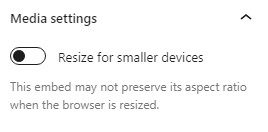

Via the _Media Settings_ you can control the behavior of your post embed when viewed from a smaller device, like on a phone screen.
The Toggle switch turns on or off the resize functionality for smaller devices. The default setting is “on” or blue.
**“Off:”** This embed may not preserve its aspect ratio when the browser is resized. In the off position the toggle switch is gray.
**“On:”** This embed will preserve its aspect ratio when the browser is resized. The toggle switch turns blue in the “On” position.
**Advanced**
The advanced tab lets you add a CSS class to your block, allowing you to write custom CSS and style the block as you see fit.
[](https://wordpress.org/documentation/files/2022/04/19-advanced_settings-1-1.jpg)
The advanced section lets you add a CSS class to your block.
[Changelog](https://wordpress.org/documentation/article/embed-block/#changelog)
--------------------------------------------------------------------------------
* Updated 2022-11-26
* Removed redundant content
* Removed reusable blocks
* Updated 2022-08-16
* Added ALT tags for the images
* Created 2022-04-30
Was this article helpful? How could it be improved? [Cancel reply](https://wordpress.org/documentation/article/embed-block/#respond)
-------------------------------------------------------------------------------------------------------------------------------------
[Log in to submit feedback](https://login.wordpress.org/?redirect_to=https%3A%2F%2Fwordpress.org%2Fdocumentation%2Farticle%2Fembed-block%2F&locale=en_US)
. If you need support with something that wasn't covered by this article, please post your question in the [support forums](https://wordpress.org/support/forums/)
.
First published
August 16, 2022
Last updated
June 6, 2024
Get more help
-------------
[Support forums](https://wordpress.org/support/forums/)
Ask questions in the support forums.
[Developers](https://developer.wordpress.org/)
Check out the developer documentation.
[Content suggestions](https://github.com/WordPress/Documentation-Issue-Tracker/issues)
Report an error or change in the documentation issue tracker.
[Get involved](https://make.wordpress.org/docs/)
Learn about the Documentation Team and how to contribute.
---
# Share to Mastodon
Share to Mastodon
-----------------
Enter the full URL of the Mastodon instance where you’d like to share this post.
Share
---
# Share to Mastodon
Share to Mastodon
-----------------
Enter the full URL of the Mastodon instance where you’d like to share this post.
Share
---
# How WordPress processes Post Content – Documentation
[WordPress.org](https://wordpress.org/)
[Documentation](https://wordpress.org/documentation)
How WordPress processes Post Content
[Home](https://wordpress.org/documentation)
[Support guides](https://wordpress.org/documentation/support-guides/)
[Publishing](https://wordpress.org/documentation/category/publishing/)
How WordPress processes Post Content
Search documentation
How WordPress processes Post Content
====================================
In this article
---------------
Table of Contents
* [Visual Editor](https://wordpress.org/documentation/article/how-wordpress-processes-post-content/#visual-editor)
* [wpautop() WordPress Function](https://wordpress.org/documentation/article/how-wordpress-processes-post-content/#wpautop-wordpress-function)
* [Texturize](https://wordpress.org/documentation/article/how-wordpress-processes-post-content/#texturize)
* [Convert Smilies](https://wordpress.org/documentation/article/how-wordpress-processes-post-content/#convert-smilies)
* [Convert Characters](https://wordpress.org/documentation/article/how-wordpress-processes-post-content/#convert-characters)
* [Methods to Prevent Processing](https://wordpress.org/documentation/article/how-wordpress-processes-post-content/#methods-to-prevent-processing)
[↑ Back to top](https://wordpress.org/documentation/article/how-wordpress-processes-post-content/#wp--skip-link--target)
WordPress processes text entered in the [Write Post Screen](https://wordpress.org/documentation/article/administration-screens/#add-new-post)
multiple times before the text is finally displayed on a web page within your WordPress blog. The processing of the text filters out the unwanted code and conforms the text to a form that the browser can interpret. Without attention to detail and familiarity with WordPress’s post content filtering, this can cause unwanted changes.
The majority of the conversion and filters are found in the `[wp-includes/formatting.php](https://core.trac.wordpress.org/browser/tags/5.1.0/src/wp-includes/formatting.php#L0) ` file.
Some typical problems some users have with these filtering and processing functions are:
1. Empty paragraphs, closing span tags, and line break (BR) elements are removed upon saving.
2. Classes are removed from elements.
3. DIV elements are converted to P elements.
4. Javascripts and code are converted to displayable code rather than actionable code. See [Using Javascript](https://codex.wordpress.org/Using_Javascript)
for information on how to incorporate Javascript into a blog post.
The following is step-by-step list of how WordPress processes post content text before the final version is displayed.
[Visual Editor](https://wordpress.org/documentation/article/how-wordpress-processes-post-content/#visual-editor)
-----------------------------------------------------------------------------------------------------------------
Not all WordPress bloggers use Visual Editor, but if you do, it will change various codes upon saving an entry to prepare it for publishing.
[wpautop() WordPress Function](https://wordpress.org/documentation/article/how-wordpress-processes-post-content/#wpautop-wordpress-function)
---------------------------------------------------------------------------------------------------------------------------------------------
[`wpautop()`](https://codex.wordpress.org/Function_Reference/wpautop)
is a core WordPress [function](https://developer.wordpress.org/reference/)
that automatically processes, fixes, and modifies the text of a post.
It puts in line breaks, paragraph tags, opens and closes tags that aren’t opened and closed, and cleans up duplicate HTML tags.
[Texturize](https://wordpress.org/documentation/article/how-wordpress-processes-post-content/#texturize)
---------------------------------------------------------------------------------------------------------
Texturize ([wptexturize()](https://codex.wordpress.org/Function_Reference/wptexturize)
) is a text filter enabled by default that modifies posted text or comments to present a more readable and visually attractive output.
While it creates aesthetically pleasant text, it might create difficulties when posting code examples in a programming language. In such situations modification of the text is not desirable because it might create syntactically incorrect code.
A few examples include:
"quoted text" becomes “quoted text”
'quoted text' becomes ‘quoted text’
--- becomes —
-- becomes –
... becomes …
(c) becomes ©
(r) becomes ®
(tm) becomes ™
'' becomes ”
\`\` becomes “
president's becomes president’s
presidents' becomes presidents’
12' becomes 12′
12" becomes 12″
2x4 becomes 2×4
[Convert Smilies](https://wordpress.org/documentation/article/how-wordpress-processes-post-content/#convert-smilies)
---------------------------------------------------------------------------------------------------------------------
The `convert_smilies()` function converts combinations of characters into [smilies or emoticons](https://wordpress.org/support/article/using-smilies/)
within the post, page, and comment text. For example, if smilies are enabled, WordPress will recognize “:” and “D” (:D) and turn it into a smiling face ( 😀 ).
The key to making smilies work is to put a space before and after the keystroke combination. If placed up against the text, it will not convert.
If conversion of smilies is not desired, turn it off through the **Settings > Writing** panel.
[Convert Characters](https://wordpress.org/documentation/article/how-wordpress-processes-post-content/#convert-characters)
---------------------------------------------------------------------------------------------------------------------------
The `formatting.php` code file contains numerous functions which help publish character entities, accents, and non-English characters to a form recognizable by the web browser.
Generally, these work excellently, however, your browser may not recognize various language characters unless that language is activated in your web browser. See your browser’s documentation for more information on adding language character recognition to your browser.
[Methods to Prevent Processing](https://wordpress.org/documentation/article/how-wordpress-processes-post-content/#methods-to-prevent-processing)
-------------------------------------------------------------------------------------------------------------------------------------------------
There are a variety of Plugins to change the filtering process WordPress uses by default. It is highly recommended that you do not change the core programming but use WordPress Plugins to change all or some of the content processing. See the [WordPress Plugins Directory](https://wordpress.org/plugins/)
for various Plugins that change the post content filtering process.
Was this article helpful? How could it be improved? [Cancel reply](https://wordpress.org/documentation/article/how-wordpress-processes-post-content/#respond)
--------------------------------------------------------------------------------------------------------------------------------------------------------------
[Log in to submit feedback](https://login.wordpress.org/?redirect_to=https%3A%2F%2Fwordpress.org%2Fdocumentation%2Farticle%2Fhow-wordpress-processes-post-content%2F&locale=en_US)
. If you need support with something that wasn't covered by this article, please post your question in the [support forums](https://wordpress.org/support/forums/)
.
First published
February 25, 2019
Last updated
July 4, 2023
Get more help
-------------
[Support forums](https://wordpress.org/support/forums/)
Ask questions in the support forums.
[Developers](https://developer.wordpress.org/)
Check out the developer documentation.
[Content suggestions](https://github.com/WordPress/Documentation-Issue-Tracker/issues)
Report an error or change in the documentation issue tracker.
[Get involved](https://make.wordpress.org/docs/)
Learn about the Documentation Team and how to contribute.
---
# Twenty Twelve – Documentation – WordPress.org
[WordPress.org](https://wordpress.org/)
[Documentation](https://wordpress.org/documentation)
Twenty Twelve
[Home](https://wordpress.org/documentation)
[Customization](https://wordpress.org/documentation/customization/)
[Default themes](https://wordpress.org/documentation/category/default-themes/)
Twenty Twelve
Search documentation
Twenty Twelve
=============
In this article
---------------
Table of Contents
* [Quick Specs](https://wordpress.org/documentation/article/twenty-twelve/#quick-specs)
* [Custom Colors](https://wordpress.org/documentation/article/twenty-twelve/#custom-colors)
* [Custom Templates](https://wordpress.org/documentation/article/twenty-twelve/#custom-templates)
* [Post formats](https://wordpress.org/documentation/article/twenty-twelve/#post-formats)
* [Patterns](https://wordpress.org/documentation/article/twenty-twelve/#patterns)
* [Support & resources](https://wordpress.org/documentation/article/twenty-twelve/#support-resources)
[↑ Back to top](https://wordpress.org/documentation/article/twenty-twelve/#wp--skip-link--target)
The [Twenty Twelve](https://wordpress.org/themes/twentytwelve/)
is the default theme for WordPress in 2012, designed by [Drew Strojny](https://profiles.wordpress.org/drewstrojny/)
.
The 2012 theme for WordPress is a fully responsive theme that looks great on any device. Features include a front page template with its own widgets, styling for post formats on both index and single views, and an optional no-sidebar page template. Make it yours with a custom menu, header image, and background.
The theme has three patterns and three widget areas: Two on the front page and one sidebar.

[Quick Specs](https://wordpress.org/documentation/article/twenty-twelve/#quick-specs)
--------------------------------------------------------------------------------------
1. The main column width is 625px except in the full-width layout where it’s 960px; sidebar width is 250px.
2. Featured image width is 624px (height is flexible)—these images are displayed on displayed on “standard” posts; posts without a specific format such as image, aside, link, or quote.
3. The suggested header image dimensions are 960px by 250px (width, height). However, both are flexible so you can upload a smaller cropped image if you wish. The width is limited to 2000px.
[Custom Colors](https://wordpress.org/documentation/article/twenty-twelve/#custom-colors)
------------------------------------------------------------------------------------------
Twenty Twelve uses the following color palette:
Blue #21759b
Dark Gray #444
Medium Gray #9f9f9f
Light Gray #e6e6e6
White #ffffff
You can change the header text color and the background color in the Colors panel in the [Customizer](https://wordpress.org/documentation/article/customizer/)
:

[Custom Templates](https://wordpress.org/documentation/article/twenty-twelve/#custom-templates)
------------------------------------------------------------------------------------------------
Twenty Twelve has two optional page templates: A front page template and a full width page template with no sidebar.
Both templates hide the sidebar, and the front page template also hides the comments area.
You can set the page template by editing the page, opening the Page panel, and clicking on the template name.
The templates are available for pages, not for posts.
[Post formats](https://wordpress.org/documentation/article/twenty-twelve/#post-formats)
----------------------------------------------------------------------------------------
Twenty Twelve supports standard, aside, image, link, quote, and status [post formats](https://developer.wordpress.org/advanced-administration/wordpress/post-formats/)
.

On archive pages, the aside post format has a light blue background and a left border.

On archive pages, the link post format is styled with a grey bold text and a right aligned decorative text that says “link” in uppercase letters.
[Patterns](https://wordpress.org/documentation/article/twenty-twelve/#patterns)
--------------------------------------------------------------------------------
The theme has three custom [patterns](https://wordpress.org/documentation/article/block-pattern/)
: Floating images gallery, left-aligned large quote, and left-aligned image and paragraph.
You can access the patterns from the Block Editor.
1. Click the + icon to add a new block.
2. Click on the Patterns tab.
3. Select Twenty Twelve from the list of categories.
4. Click on the pattern you wish to insert and the pattern is inserted in the document at the location of your cursor.
Floating images gallery

Left-aligned large quote

Left-aligned image and paragraph

[Support & resources](https://wordpress.org/documentation/article/twenty-twelve/#support-resources)
----------------------------------------------------------------------------------------------------
Get community help with Twenty Twelve in its [forum](https://wordpress.org/support/theme/twentytwelve/)
.
You can also read [the theme’s changelog.](https://wordpress.org/documentation/article/twenty-twelve-changelog/)
Was this article helpful? How could it be improved? [Cancel reply](https://wordpress.org/documentation/article/twenty-twelve/#respond)
---------------------------------------------------------------------------------------------------------------------------------------
[Log in to submit feedback](https://login.wordpress.org/?redirect_to=https%3A%2F%2Fwordpress.org%2Fdocumentation%2Farticle%2Ftwenty-twelve%2F&locale=en_US)
. If you need support with something that wasn't covered by this article, please post your question in the [support forums](https://wordpress.org/support/forums/)
.
First published
August 13, 2024
Last updated
August 14, 2024
Get more help
-------------
[Support forums](https://wordpress.org/support/forums/)
Ask questions in the support forums.
[Developers](https://developer.wordpress.org/)
Check out the developer documentation.
[Content suggestions](https://github.com/WordPress/Documentation-Issue-Tracker/issues)
Report an error or change in the documentation issue tracker.
[Get involved](https://make.wordpress.org/docs/)
Learn about the Documentation Team and how to contribute.
---
# Reddit embed – Documentation – WordPress.org
[WordPress.org](https://wordpress.org/)
[Documentation](https://wordpress.org/documentation)
Reddit embed
[Home](https://wordpress.org/documentation)
[Customization](https://wordpress.org/documentation/customization/)
[Embed blocks](https://wordpress.org/documentation/category/embed-blocks/)
Reddit embed
Search documentation
Reddit embed
============
In this article
---------------
Table of Contents
* [Block Toolbar](https://wordpress.org/documentation/article/reddit-embed/#block-toolbar)
* [Block settings](https://wordpress.org/documentation/article/reddit-embed/#block-settings)
* [Media Settings](https://wordpress.org/documentation/article/reddit-embed/#media-settings)
* [Changelog](https://wordpress.org/documentation/article/reddit-embed/#changelog)
[↑ Back to top](https://wordpress.org/documentation/article/reddit-embed/#wp--skip-link--target)
[Go back to the list of **Blocks**](https://wordpress.org/documentation/article/blocks/)
Reddit is one of the most popular websites. It hosts a considerable number of communities that share content on an astonishing number of topics. The Reddit block allows you to embed content from Reddit to your post. You do not need to have an account to be able to share the Reddit post. However, you can only embed publicly shared posts.
The screenshot below is an example of what an embed with the Reddit block may look like (in the Twenty Twenty-Three theme):

Reddit embed (with image) within the Twenty Twenty-Three theme
The example above is from an URL that contains an image. However, you can also embed posts that contain only text. In that case, your embed may look like this:

Preview of Reddit embed within the Twenty Twenty-Three theme
**Steps to embed a Reddit post**
The Reddit block makes it quite simple to embed a Reddit post. These are the required steps:
1. **Go to the Reddit post you want to embed.** Please make sure it’s a public post.

2. **Copy the URL.**
You can find the URL at the top of the screen (marked in red in the image below)

3. **Go back to your editing screen and add a Reddit block to your post.**
The fastest way to add a block is to use the slash command. In the empty field in the block editor type “**/reddit**”. The Reddit block will appear, and you can click to select it and add it to the post. Alternatively, [see the detailed instructions on how to add a block](https://wordpress.org/documentation/article/wordpress-editor/#adding-a-block)
.

[Detailed instructions on adding blocks](https://wordpress.org/documentation/article/adding-a-new-block/)
4. **Paste the Reddit URL you copied into the block’s input field.**

5. **Click the Embed button to embed the post.**
You will see a preview of the embedded post in your editor.

**Note**: In most cases, you should get this result. However, if the URL cannot be embedded, you will be notified with the message, “Sorry, this content could not be embedded.” In that case, you can try to embed an alternative URL or simply add the URL as a link instead of an embed.
[Block Toolbar](https://wordpress.org/documentation/article/reddit-embed/#block-toolbar)
-----------------------------------------------------------------------------------------
The toolbar of the Reddit block contains several useful buttons. Besides the Mover and Drag & Drop Handle, the Block Toolbar for the Reddit embed also features the buttons:

* Transform
* Block moving tools (Drag, move up, move down)
* Align
* Edit URL
* More options
**Transform**
You can transform a Reddit embed into a Paragraph, Group, or Columns block.

Transforming it into a **Paragraph** will turn the embed into a simple link.

Transforming the Reddit block into a **Group block** gives you the ability to change the Reddit embed’s background color.
Once you transform the embed into a Group block, you will get the Color settings in the sidebar (as seen in the image below, on the right)

Choose a color in the Background color settings, and the background will be added to the block.

Transforming the Reddit block into a **Columns block** will give you added customization options if you’d like to group or organize your content into columns.

**Block-moving tools**

Use the block-moving tools to move the Reddit block up and down the editor. Use the six dots icon to drag and drop the Reddit Embed block and reposition it anywhere on the editor. Alternatively, click on the move up and move down arrows to move the block up or down the editor.
[Get more information about moving a block within the editor.](https://wordpress.org/documentation/article/moving-blocks/)
**Change Alignment**

The change alignment button allows you to:
* **None** – No Alignment
* **Wide width** – Increase the width of the post beyond the content size.
* **Full width** – extend the Reddit post to cover the full width of the screen.
* **Align left** – Make the Reddit post left-aligned.
* **Align center** – Make the Reddit post alignment centered.
* **Align right** – Make the Reddit post align right.
Note: “Wide width” and “Full width” alignment need to be enabled by your site’s Theme.
**Edit URL**
With the Edit URL, you can change the Reddit URL in the Reddit block. Once you click on ’embed’, it will change the embed automatically.

**More options**
These controls give you the option to copy, duplicate, and edit your block as HTML.
[Read about these and other settings.](https://wordpress.org/documentation/article/more-options/)
[Block settings](https://wordpress.org/documentation/article/reddit-embed/#block-settings)
-------------------------------------------------------------------------------------------
With the Reddit block selected, there are additional settings in the ‘Block’ option of the block editor sidebar.
### [Media Settings](https://wordpress.org/documentation/article/reddit-embed/#media-settings)


With the _Media settings_, you can control the behavior of your Reddit embed when viewed from a smaller device, like on a smartphone screen.
The Toggle switch turns on or off the resize functionality for smaller devices. The default setting is “on” or blue.
**“On:”** This embed will preserve its aspect ratio when the browser is resized. The toggle switch turns blue in the “On” position.
**“Off:”** This embed may not preserve its aspect ratio when the browser is resized. In the off position, the toggle switch is gray.
**Advanced**
The _Advanced_ section lets you add a CSS class to your block, allowing you to write custom CSS and style the block as you see fit.
[](https://wordpress.org/documentation/files/2022/11/Screenshot-2022-11-04-at-6.53.46-PM-1.png)
[Changelog](https://wordpress.org/documentation/article/reddit-embed/#changelog)
---------------------------------------------------------------------------------
* Updated 2022-11-25
* Removed redundant content
* Aligned images for mobile view
* Expanded the alt text for images
* Screenshots and information updated for WordPress 6.1 (2022-11-04)
* Updated 2022-08-01
* Added ALT Tags for the images
* Added drag and move tool info
* Screenshots updated for 6.0 version 2022-07-26
* Created 2020-09-04
Was this article helpful? How could it be improved? [Cancel reply](https://wordpress.org/documentation/article/reddit-embed/#respond)
--------------------------------------------------------------------------------------------------------------------------------------
[Log in to submit feedback](https://login.wordpress.org/?redirect_to=https%3A%2F%2Fwordpress.org%2Fdocumentation%2Farticle%2Freddit-embed%2F&locale=en_US)
. If you need support with something that wasn't covered by this article, please post your question in the [support forums](https://wordpress.org/support/forums/)
.
First published
September 4, 2020
Last updated
June 8, 2024
Get more help
-------------
[Support forums](https://wordpress.org/support/forums/)
Ask questions in the support forums.
[Developers](https://developer.wordpress.org/)
Check out the developer documentation.
[Content suggestions](https://github.com/WordPress/Documentation-Issue-Tracker/issues)
Report an error or change in the documentation issue tracker.
[Get involved](https://make.wordpress.org/docs/)
Learn about the Documentation Team and how to contribute.
---
# Share to Mastodon
Share to Mastodon
-----------------
Enter the full URL of the Mastodon instance where you’d like to share this post.
Share
---
# Share to Mastodon
Share to Mastodon
-----------------
Enter the full URL of the Mastodon instance where you’d like to share this post.
Share
---
# Share to Mastodon
Share to Mastodon
-----------------
Enter the full URL of the Mastodon instance where you’d like to share this post.
Share
---
# Share to Mastodon
Share to Mastodon
-----------------
Enter the full URL of the Mastodon instance where you’d like to share this post.
Share
---
# Share to Mastodon
Share to Mastodon
-----------------
Enter the full URL of the Mastodon instance where you’d like to share this post.
Share
---
# ReverbNation embed – Documentation – WordPress.org
[WordPress.org](https://wordpress.org/)
[Documentation](https://wordpress.org/documentation)
ReverbNation embed
[Home](https://wordpress.org/documentation)
[Customization](https://wordpress.org/documentation/customization/)
[Embed blocks](https://wordpress.org/documentation/category/embed-blocks/)
ReverbNation embed
Search documentation
ReverbNation embed
==================
In this article
---------------
Table of Contents
* [Block Toolbar](https://wordpress.org/documentation/article/reverbnation-embed/#block-toolbar)
* [Block settings](https://wordpress.org/documentation/article/reverbnation-embed/#block-settings)
* [Media Settings](https://wordpress.org/documentation/article/reverbnation-embed/#media-settings)
* [Changelog](https://wordpress.org/documentation/article/reverbnation-embed/#changelog)
[↑ Back to top](https://wordpress.org/documentation/article/reverbnation-embed/#wp--skip-link--target)
[Go back to the list of **Blocks**](https://wordpress.org/documentation/article/blocks/)
With the ReverbNation Embed block, you can embed contents from ReverbNation into your posts and pages. You don’t need a ReverbNation account to be able to embed contents from ReverbNation into your posts or pages.
**Embedded ReverbNation Content:**

**Steps to Embed **ReverbNation Content**:**
1. Go to [ReverbNation.com](https://reverbnation.com/)
and search for the content you want to embed. You can signup for an account, but it is not needed to share content.

2. **Click on the “share artist” to get a link**

**Copy your custom link**

3. **Add a ReverbNation Embed Block to your post/page**

[Detailed instructions on adding blocks](https://wordpress.org/documentation/article/adding-a-new-block/)
4. **Paste the ReverbNation content link from step 2**

5. **Click the “Embed” button**
If it’s a link that can be successfully embedded you will see a preview in your editor.

If you use a URL that can’t be embedded, the block shows the message _“Sorry, this content could not be embedded.”_ You will have two choices: Try again with a different URL or convert to link.

[Block Toolbar](https://wordpress.org/documentation/article/reverbnation-embed/#block-toolbar)
-----------------------------------------------------------------------------------------------

Besides the Mover and Drag & Drop Handle, the Block Toolbar for the ReverbNation embed shows four buttons:
* Transform to
* Change alignment
* Edit URL, and
* More Options.
**Transform to**

You can transform a ReverbNation embed to a Group. This would give you the ability to change the background and text color around the ReverbNation embed.

Editor view of a Reverbnation Embed as a group with Color Settings controls

Reverbnation Embed with a yellow background.
**Change Alignment**

* **Align left** – Make the ReverbNation embed post-left-aligned.
* **Align center** – Make the ReverbNation embed post alignment centered.
* **Align right** – Make the ReverbNation embed post-align-right.
* **Wide width** – Increase the width of the ReverbNation embed post beyond the content size.
* **Full width** – extend the ReverbNation embed post to cover the full width of the screen.
“Wide width” and “Full width” alignment need to be enabled by the Theme of your site.
**Edit URL**
Via the edit URL, you can change the ReverbNation embed URL in the embed block. To overwrite the existing URL and click on the “Embed” button.

**More Options**
These controls give you the option to copy, duplicate, and edit your block as HTML.
[Read about these and other settings.](https://wordpress.org/documentation/article/more-options/)
[Block settings](https://wordpress.org/documentation/article/reverbnation-embed/#block-settings)
-------------------------------------------------------------------------------------------------
### [Media Settings](https://wordpress.org/documentation/article/reverbnation-embed/#media-settings)


Via the Media Settings, you can control the behavior of your post embed when viewed from a smaller device, like on a phone screen.
The Toggle switch turns on or off the resize functionality for smaller devices. The default setting is “on” or blue.
“Off:” This embed may not preserve its aspect ratio when the browser is resized. In the off position, the toggle switch is gray.
“On:” This embed will preserve its aspect ratio when the browser is resized. The toggle switch turns blue in the “On” position.
**Advanced**
The advanced tab lets you add a CSS class to your block, allowing you to write custom CSS and style the block as you see fit.

[Changelog](https://wordpress.org/documentation/article/reverbnation-embed/#changelog)
---------------------------------------------------------------------------------------
* Updated 2022-11-25
* Removed redundant content
* Aligned images for mobile view
* Added alt text to images
* Updated 2020-08-18
* Updated “More Options” sections: replaced screenshot and added text for “Move to” and “Copy”
* Updated 2020-07-25
* Updated 5.5 screenshots
* Updated 2020-07-25
* Uploaded image for Reverbnation embed with a yellow background
* Created 2020-07-04
Was this article helpful? How could it be improved? [Cancel reply](https://wordpress.org/documentation/article/reverbnation-embed/#respond)
--------------------------------------------------------------------------------------------------------------------------------------------
[Log in to submit feedback](https://login.wordpress.org/?redirect_to=https%3A%2F%2Fwordpress.org%2Fdocumentation%2Farticle%2Freverbnation-embed%2F&locale=en_US)
. If you need support with something that wasn't covered by this article, please post your question in the [support forums](https://wordpress.org/support/forums/)
.
First published
July 4, 2020
Last updated
June 8, 2024
Get more help
-------------
[Support forums](https://wordpress.org/support/forums/)
Ask questions in the support forums.
[Developers](https://developer.wordpress.org/)
Check out the developer documentation.
[Content suggestions](https://github.com/WordPress/Documentation-Issue-Tracker/issues)
Report an error or change in the documentation issue tracker.
[Get involved](https://make.wordpress.org/docs/)
Learn about the Documentation Team and how to contribute.
---
# Understand comment spam – Documentation – WordPress.org
[WordPress.org](https://wordpress.org/)
[Documentation](https://wordpress.org/documentation)
Understand comment spam
[Home](https://wordpress.org/documentation)
[Support guides](https://wordpress.org/documentation/support-guides/)
[Publishing](https://wordpress.org/documentation/category/publishing/)
Understand comment spam
Search documentation
Understand comment spam
=======================
In this article
---------------
Table of Contents
* [Comment Spam and Search Engines](https://wordpress.org/documentation/article/understand-comment-spam/#comment-spam-and-search-engines)
* [Fighting Comment Spam](https://wordpress.org/documentation/article/understand-comment-spam/#fighting-comment-spam)
* [Stealth Spam](https://wordpress.org/documentation/article/understand-comment-spam/#stealth-spam)
* [FAQ](https://wordpress.org/documentation/article/understand-comment-spam/#faq)
[↑ Back to top](https://wordpress.org/documentation/article/understand-comment-spam/#wp--skip-link--target)
If you’ve been on the internet for any amount of time you’re probably familiar with “spam” in your email inbox. For the uninitiated, spam is an unsolicited commercial message, or something you didn’t ask for trying to sell you something.
So what does this have to do with blogs? Well just like you can get spam messages in your inbox, people will leave spam comments on your blog. However unlike email spam where the target is you, comment spam generally targets search engines.
[Comment Spam and Search Engines](https://wordpress.org/documentation/article/understand-comment-spam/#comment-spam-and-search-engines)
----------------------------------------------------------------------------------------------------------------------------------------
Why on earth would a spammer use your blog to target a search engine? Let’s start from the beginning. Several years ago, Google pioneered a search technique called [PageRank](http://en.wikipedia.org/wiki/PageRank)
. Basically, in addition to looking at the content of the page being indexed, Google also takes into account who links to the page and what those links say. This technology meant Google was very good at returning relevant results, making it the most popular search engine today. Because their ranking system relies so heavily on PageRank, people sometimes game the system using a technique called “Google Bombing.”
A [google bomb](http://en.wikipedia.org/wiki/Google_bomb)
is when a large number of different websites link to a page with the same link text to influence the ranking of that page for a search term.
This brings us back to the spammers. A spammer might have a site that sells “mydrug” and wants to be at the top of search results for “mydrug” on Google. They leave comments on hundreds or thousands of weblogs linking to their site with the link text “mydrug.” They don’t really care if you see their google bomb text—in fact they’d rather you didn’t in case you decide to delete it! They just want the search engine to see it when they index your page.
[Fighting Comment Spam](https://wordpress.org/documentation/article/understand-comment-spam/#fighting-comment-spam)
--------------------------------------------------------------------------------------------------------------------
[Comment Moderation](https://wordpress.org/support/article/comment-moderation/)
is very effective in addressing unwanted comments. The best defense against comment spam is just watching your comments. Under `Manage → Comments` it shows a listing of the latest comments on any post and you can quickly scan the comment activity on your site. The faster you respond to comment spam on your site, the less likely the spammers will return.
[Stealth Spam](https://wordpress.org/documentation/article/understand-comment-spam/#stealth-spam)
--------------------------------------------------------------------------------------------------
Spammers find new and creative ways to be sneaky all the time. You may notice that posters leave comments on your site which look perfectly normal except for the commenter’s name or URL, which likely references a product or a site selling something.
It’s good practice to visit the URLs of people who leave comments on your blog to determine whether the poster is sincere or spammy. If you see one that looks suspicious, you can choose to delete the comment entirely or leave the comment and just delete the URL.
Another way of stealth is to use a div-tag around a bundle of hundreds of links. This becomes more and more common because many software displays directly the given HTML tags and not the HTML code. To avoid this the software must “strip-out”, other word: filter the HTML tags while inserting the comment into the database.
[FAQ](https://wordpress.org/documentation/article/understand-comment-spam/#faq)
--------------------------------------------------------------------------------
Why are they spamming me?
Apart from _because they can_, the need to raise page ranking in search engines gives rise to the need to create a lot of links to a web page so the search engine thinks that page is important.
Where can I find WordPress anti-spam plugins?
[Plugins for handling comment spam](https://wordpress.org/plugins/tags/anti-spam)
can be found in the [Official WordPress Plugin Directory](https://wordpress.org/plugins/)
.
Which is the best plugin?
This is not an easy answer. Spammers use different tactics, and each plugin will use different tactics in response. There is no plugin that will keep you spam-free forever. Comment spammers can download the plugins, see how they work, and figure out a way around them.
Check plugin authors’ sites for updates. WordPress makes it easy to find updates via the [Plugins screen](https://wordpress.org/documentation/article/plugins-screen/)
and the link to the plugin author’s website.
Comment spam technology is changing fast on both sides, so keep updated with the latest news on comment spam techniques and WordPress Plugin options.
I have a problem with a plugin
Visit the plugin author’s site to see if they have already offered a solution, and if they offer support directly. If not, **search the forums first** before posting as the answer may be there. If there is no answer, then post a support request on that plugin’s support forum.
What happens to comments that are marked as “Spam”?
Comments that are marked as \[spam\] will be held in your database to educate “intelligent” anti-spam plugins, such as [Akismet](https://akismet.com/)
.
I have spam appear as soon as I post!
If you do not have comment spam plugins or the [latest version of WordPress](https://wordpress.org/download/)
installed, this may happen. [Upgrade](https://wordpress.org/documentation/article/updating-wordpress/)
or install one of the comment spam plugins and manually delete the comment spam from your [Manage > Comments](https://wordpress.org/documentation/article/administration-screens/)
panel.
Why is every comment going into the moderation queue?
Go to the [Settings > Discussion](https://wordpress.org/documentation/article/administration-screens/)
panel and make sure that **An administrator must approve the comment (regardless of any matches below)** is unchecked. With that option selected, all comments are sent to the moderation queue to await approval. Make sure that **Hold a comment in the queue if it contains more than x links** is not blank and contains a number higher than zero. If this value is blank or zero, all comments containing links will be moderated. If the option mentioned above is unchecked, the link moderation value is higher than zero, and you still have this problem, your Spam Words list probably has blank lines, punctuation marks, or single letters between the information in the list. There should be spaces between the listed items or each item must be on its own line. If you have done this, then upgrade the comment spam plugins you have installed. If this continues to be a problem, deactivate the comment spam plugins one by one to determine the culprit and contact the plugin author for help.
I have disabled comments, but comments continue to be posted
If you have unchecked **Allow people to post comments on the article** on the [Options > Discussion](https://wordpress.org/documentation/article/administration-screens/)
panel, then you have only disabled comments on _future posts_. To completely disable comments, you will have to edit each past post and uncheck **Allow Comments**. Alternatively, you could delete the wp-comments-post.php file, or run this MySQL query, from the command line on a shell account, or using [phpMyAdmin](https://codex.wordpress.org/phpMyAdmin)
: `UPDATE wp_posts SET comment_status="closed";`
I have disabled trackbacks, but trackbacks continue to be posted
If you have unchecked **Allow link notifications from other Weblogs (pingbacks and trackbacks.)** on the Options > Discussion panel, then you have only disabled trackbacks on _future posts_. To completely disable trackbacks, you will have to edit each past post and uncheck **Allow Pings** from the Write Post SubPanel. Alternatively, you could just simply delete the wp-trackback.php file, or run this MySQL query, from the command line on a shell account, or using PHPMyAdmin: `UPDATE wp_posts SET ping_status="closed";`
Was this article helpful? How could it be improved? [Cancel reply](https://wordpress.org/documentation/article/understand-comment-spam/#respond)
-------------------------------------------------------------------------------------------------------------------------------------------------
[Log in to submit feedback](https://login.wordpress.org/?redirect_to=https%3A%2F%2Fwordpress.org%2Fdocumentation%2Farticle%2Funderstand-comment-spam%2F&locale=en_US)
. If you need support with something that wasn't covered by this article, please post your question in the [support forums](https://wordpress.org/support/forums/)
.
First published
March 1, 2019
Last updated
March 26, 2025
Get more help
-------------
[Support forums](https://wordpress.org/support/forums/)
Ask questions in the support forums.
[Developers](https://developer.wordpress.org/)
Check out the developer documentation.
[Content suggestions](https://github.com/WordPress/Documentation-Issue-Tracker/issues)
Report an error or change in the documentation issue tracker.
[Get involved](https://make.wordpress.org/docs/)
Learn about the Documentation Team and how to contribute.
---
# Share to Mastodon
Share to Mastodon
-----------------
Enter the full URL of the Mastodon instance where you’d like to share this post.
Share
---
# Share to Mastodon
Share to Mastodon
-----------------
Enter the full URL of the Mastodon instance where you’d like to share this post.
Share
---
# Share to Mastodon
Share to Mastodon
-----------------
Enter the full URL of the Mastodon instance where you’d like to share this post.
Share
---
# Share to Mastodon
Share to Mastodon
-----------------
Enter the full URL of the Mastodon instance where you’d like to share this post.
Share
---
# Screencast embed – Documentation – WordPress.org
[WordPress.org](https://wordpress.org/)
[Documentation](https://wordpress.org/documentation)
Screencast embed
[Home](https://wordpress.org/documentation)
[Customization](https://wordpress.org/documentation/customization/)
[Embed blocks](https://wordpress.org/documentation/category/embed-blocks/)
Screencast embed
Search documentation
Screencast embed
================
In this article
---------------
Table of Contents
* [Block Toolbar](https://wordpress.org/documentation/article/screencast-block/#block-toolbar)
* [Block Settings](https://wordpress.org/documentation/article/screencast-block/#block-settings)
* [Changelog](https://wordpress.org/documentation/article/screencast-block/#changelog)
[↑ Back to top](https://wordpress.org/documentation/article/screencast-block/#wp--skip-link--target)
[Go back to the list of **Blocks**](https://wordpress.org/documentation/article/blocks/)
Screencast is a digital recording of your computer screen. It usually includes audio narration and is a different type of instructional video.
With the [Screencast](https://www.techsmith.com/screencast.html)
Embed block, you can add Screencast videos on your posts/pages. You need a Screencast account to embed a video.
**Steps to embed a Screencast video to your post or page:**
1. Create and upload a Screencast video in your [Screencast](https://app.screencast.com/)
account and copy the URL of the video.
2. Add a Screencast embed block to your post or page

[Detailed instructions on adding blocks](https://wordpress.org/documentation/article/adding-a-new-block/)
3. Paste the link into the textbox. Press the “Embed” button.

If the link can be successfully embedded into the post/page, you will see the preview in your block editor.

If you use a URL that can’t be embedded, the block shows the message “Sorry, this content could not be embedded.” You will have two choices: Try again with a different URL or convert to link.

4. Click on the Preview button on the top right corner of the page/post to see how it will look on the front-end

[Block Toolbar](https://wordpress.org/documentation/article/screencast-block/#block-toolbar)
---------------------------------------------------------------------------------------------
Besides the Mover and Drag & Drop Handle, the Block Toolbar for the Screencast embed shows four buttons:
* Transform to
* Change alignment
* Edit URL, and
* More Options.

**Transform to**

You can transform a Screencast embed to a Group. This would give you the ability to change the background color around the Screencast embed.


Left: Editor view of an Screencast Embed as a group with Color Settings controls
Screencast embed with a green background.
**Change alignment**

* **Align left** – Make the Screencast post left aligned
* **Align center** – Make the Screencast post alignment centered
* **Align right** – Make the Screencast post align right
* **Wide width** – Increase the width of the post beyond the content size
* **Full width** – extend the Screencast post to cover the full width of the screen.
**Note:** “Wide width” and “Full width” alignment need to be enabled by the Theme of your site.
**Edit URL**
Via the edit URL, you can change the Screencast Embed URL in the embed block. Overwrite the existing URL and click on the “Embed” Button.

**More options**
These controls give you the option to copy, duplicate, and edit your block as HTML.
[Read about these and other settings.](https://wordpress.org/documentation/article/more-options/)
[Block Settings](https://wordpress.org/documentation/article/screencast-block/#block-settings)
-----------------------------------------------------------------------------------------------
No block settings for this particular block
**Advanced**
The advanced tab lets you add a CSS class to your block, allowing you to write custom CSS and style the block as you see fit.

The advanced section lets you add a CSS class to your block.
[Changelog](https://wordpress.org/documentation/article/screencast-block/#changelog)
-------------------------------------------------------------------------------------
* Updated 2023-02-10
* Added info about the screencast account and links to the site
* Updated 2022-11-25
* Removed redundant content
* Aligned images for mobile view
* Added alt text to images
* Updated 2020-08-19
* Replaced “More Options” – new screenshot
* Added “Move To” and “Copy” section under More Options
* Updated 2020-08-11
* screenshots as per WordPress 5.5
* Created 2020-07-24
Was this article helpful? How could it be improved? [Cancel reply](https://wordpress.org/documentation/article/screencast-block/#respond)
------------------------------------------------------------------------------------------------------------------------------------------
[Log in to submit feedback](https://login.wordpress.org/?redirect_to=https%3A%2F%2Fwordpress.org%2Fdocumentation%2Farticle%2Fscreencast-block%2F&locale=en_US)
. If you need support with something that wasn't covered by this article, please post your question in the [support forums](https://wordpress.org/support/forums/)
.
First published
July 24, 2020
Last updated
June 8, 2024
Get more help
-------------
[Support forums](https://wordpress.org/support/forums/)
Ask questions in the support forums.
[Developers](https://developer.wordpress.org/)
Check out the developer documentation.
[Content suggestions](https://github.com/WordPress/Documentation-Issue-Tracker/issues)
Report an error or change in the documentation issue tracker.
[Get involved](https://make.wordpress.org/docs/)
Learn about the Documentation Team and how to contribute.
---
# What are Emoji? – Documentation – WordPress.org
[WordPress.org](https://wordpress.org/)
[Documentation](https://wordpress.org/documentation)
What are Emoji?
[Home](https://wordpress.org/documentation)
[Support guides](https://wordpress.org/documentation/support-guides/)
[Publishing](https://wordpress.org/documentation/category/publishing/)
What are Emoji?
Search documentation
What are Emoji?
===============
In this article
---------------
Table of Contents
* [Introduction to Emoji](https://wordpress.org/documentation/article/what-are-emoji/#introduction-to-emoji)
* [Emoji are not Smileys](https://wordpress.org/documentation/article/what-are-emoji/#emoji-are-not-smileys)
* [Using Emoji on Mobile](https://wordpress.org/documentation/article/what-are-emoji/#using-emoji-on-mobile)
* [iOS (iPhones, iPads, etc. running iOS 5 and higher)](https://wordpress.org/documentation/article/what-are-emoji/#ios-iphones-ipads-etc-running-ios-5-and-higher)
* [Android](https://wordpress.org/documentation/article/what-are-emoji/#android)
* [Using Emoji on Desktops](https://wordpress.org/documentation/article/what-are-emoji/#using-emoji-on-desktops)
* [Windows 10](https://wordpress.org/documentation/article/what-are-emoji/#windows-10)
* [Windows 8](https://wordpress.org/documentation/article/what-are-emoji/#windows-8)
* [Mac OS X (10.7 or higher)](https://wordpress.org/documentation/article/what-are-emoji/#mac-os-x-10-7-or-higher)
* [Linux](https://wordpress.org/documentation/article/what-are-emoji/#linux)
* [Converting to images](https://wordpress.org/documentation/article/what-are-emoji/#converting-to-images)
* [Common Emoji](https://wordpress.org/documentation/article/what-are-emoji/#common-emoji)
[↑ Back to top](https://wordpress.org/documentation/article/what-are-emoji/#wp--skip-link--target)
[Introduction to Emoji](https://wordpress.org/documentation/article/what-are-emoji/#introduction-to-emoji)
-----------------------------------------------------------------------------------------------------------
Emoji are the ideograms or smileys 😃 used in electronic messages and Web pages. Originating in Japan on mobile devices, they are now commonly available on devices worldwide, ranging from mobile to desktop computers.
Different operating systems have distinct methods of accessing emoji. Note that these methods work in most applications, not just WordPress.
### [Emoji are not Smileys](https://wordpress.org/documentation/article/what-are-emoji/#emoji-are-not-smileys)
Not quite. Emoji are a newer development than smileys (a.k.a. emoticons). They are created differently, and handled differently by operating systems and web browsers. For more information about smileys, please see the [Using Smileys](https://wordpress.org/support/article/using-smilies/)
page.
[Using Emoji on Mobile](https://wordpress.org/documentation/article/what-are-emoji/#using-emoji-on-mobile)
-----------------------------------------------------------------------------------------------------------
### [iOS (iPhones, iPads, etc. running iOS 5 and higher)](https://wordpress.org/documentation/article/what-are-emoji/#ios-iphones-ipads-etc-running-ios-5-and-higher)
Follow these instructions to turn the Emoji keyboard on (as of iOS 8 it is enabled by default):
1. Go into the Settings app
2. Select “General”
3. Select “Keyboards”
4. Tap the Keyboard button, then “Add New Keyboard”
5. Scroll down and select “Emoji”
After you’ve done this, you will now see a small “smiley face” icon to the left of the space bar when typing. (If you have multiple keyboards enabled, you may see a globe icon instead.) Tap on this to switch to the Emoji keyboard.
### [Android](https://wordpress.org/documentation/article/what-are-emoji/#android)
There is a smiley face button in the lower right corner of the keyboard. Tap this to access emoji.
[](https://codex.wordpress.org/File:AndroidKeyboard.jpeg)
In some apps, you may need to tap and hold the Enter button for the smiley face button to appear.
[](https://codex.wordpress.org/File:AndroidKeyboard2.jpeg)
[Using Emoji on Desktops](https://wordpress.org/documentation/article/what-are-emoji/#using-emoji-on-desktops)
---------------------------------------------------------------------------------------------------------------
### [Windows 10](https://wordpress.org/documentation/article/what-are-emoji/#windows-10)
1. In Desktop mode, right-click the Taskbar
2. Click to check the option that says “Show touch keyboard button”
A new icon will appear in the taskbar (lower right hand corner of the screen near the time) that looks like a keyboard. Click the keyboard icon to open the onscreen keyboard, you can then click the smiley face to open the emojis.
### [Windows 8](https://wordpress.org/documentation/article/what-are-emoji/#windows-8)
To access emoji in Windows, you have to perform a one-time setup first.
1. In Desktop mode, right-click the Taskbar
2. Select “Toolbars”
3. Select “Touch Keyboard”
A new icon will appear in the System Tray (lower right corner of your screen) that looks like a keyboard.
After that, when you want to type an emoji, just click on that icon and an onscreen keyboard will appear. Click the smiley face next to the space bar, and the alphanumeric keyboard will change to an emoji keyboard.
### [Mac OS X (10.7 or higher)](https://wordpress.org/documentation/article/what-are-emoji/#mac-os-x-10-7-or-higher)
1. Click the Edit menu
2. Select “Special Characters”
3. A small popup keyboard will appear allowing access to emoji and many other special characters.
You can also access this popup by pressing ⌘-control-space.
### [Linux](https://wordpress.org/documentation/article/what-are-emoji/#linux)
The Symbola font enables emoji display under Linux applications. Installing this font depends on your distribution.
#### [Arch Linux](https://wordpress.org/documentation/article/what-are-emoji/#arch-linux)
It’s found in the ttf-symbola package under Arch Linux and its derivatives. Installing it is a one-shot command :
sudo pacman -S ttf-symbola
#### [Debian](https://wordpress.org/documentation/article/what-are-emoji/#debian)
You need to install it manually under Debian :
1. Create a custom fonts dir and go into it : mkdir ~/.fonts && cd ~/.fonts
2. Download Symbola.ttf from a font site (many links possible) using wget; eventually uncompress it if delivered as a ZIP our gzipped file.
3. Let the magic begin !
#### [Fedora](https://wordpress.org/documentation/article/what-are-emoji/#fedora)
It’s available in the yum repositories, again one commandline from using it :
sudo yum install gdouros-symbola-fonts
[Converting to images](https://wordpress.org/documentation/article/what-are-emoji/#converting-to-images)
---------------------------------------------------------------------------------------------------------
For backwards compatibility there are wp-emoji.js and twemoji.js JavaScript files being used. They will convert the often greyscale Emoji characters to colored image files.
If you are a developer working on forms, you might want to disable this behaviour in your input fields and textareas. You can use the class attribute with ‘wp-exclude-emoji’ for this.
[Common Emoji](https://wordpress.org/documentation/article/what-are-emoji/#common-emoji)
-----------------------------------------------------------------------------------------
Beyond the standard emoticon-type “smileys”, (e.g. 😃 or 😢) there are hundreds of emoji, ranging from plants and animals (🐱, 🐴, 🌹) to people (👫, 💁), objects (🎥, 🎃), vehicles (🚕), food (🍔), the Sun and Moon, and more.
Was this article helpful? How could it be improved? [Cancel reply](https://wordpress.org/documentation/article/what-are-emoji/#respond)
----------------------------------------------------------------------------------------------------------------------------------------
[Log in to submit feedback](https://login.wordpress.org/?redirect_to=https%3A%2F%2Fwordpress.org%2Fdocumentation%2Farticle%2Fwhat-are-emoji%2F&locale=en_US)
. If you need support with something that wasn't covered by this article, please post your question in the [support forums](https://wordpress.org/support/forums/)
.
First published
February 26, 2019
Last updated
July 20, 2025
Get more help
-------------
[Support forums](https://wordpress.org/support/forums/)
Ask questions in the support forums.
[Developers](https://developer.wordpress.org/)
Check out the developer documentation.
[Content suggestions](https://github.com/WordPress/Documentation-Issue-Tracker/issues)
Report an error or change in the documentation issue tracker.
[Get involved](https://make.wordpress.org/docs/)
Learn about the Documentation Team and how to contribute.
---
# Share to Mastodon
Share to Mastodon
-----------------
Enter the full URL of the Mastodon instance where you’d like to share this post.
Share
---
# Share to Mastodon
Share to Mastodon
-----------------
Enter the full URL of the Mastodon instance where you’d like to share this post.
Share
---
# Share to Mastodon
Share to Mastodon
-----------------
Enter the full URL of the Mastodon instance where you’d like to share this post.
Share
---
# Share to Mastodon
Share to Mastodon
-----------------
Enter the full URL of the Mastodon instance where you’d like to share this post.
Share
---
# Share to Mastodon
Share to Mastodon
-----------------
Enter the full URL of the Mastodon instance where you’d like to share this post.
Share
---
# Post Featured Image block – Documentation – WordPress.org
[WordPress.org](https://wordpress.org/)
[Documentation](https://wordpress.org/documentation)
Post Featured Image block
[Home](https://wordpress.org/documentation)
[Customization](https://wordpress.org/documentation/customization/)
[Theme blocks](https://wordpress.org/documentation/category/theme-blocks/)
Post Featured Image block
Search documentation
Post Featured Image block
=========================
In this article
---------------
Table of Contents
* [Block toolbar](https://wordpress.org/documentation/article/post-featured-image-block/#block-toolbar)
* [Apply duotone filter](https://wordpress.org/documentation/article/post-featured-image-block/#apply-duotone-filter)
* [Block settings](https://wordpress.org/documentation/article/post-featured-image-block/#block-settings)
* [Link to post](https://wordpress.org/documentation/article/post-featured-image-block/#link-to-post)
* [Styles](https://wordpress.org/documentation/article/post-featured-image-block/#styles)
* [Advanced settings](https://wordpress.org/documentation/article/post-featured-image-block/#advanced-settings)
* [Inside the site templates](https://wordpress.org/documentation/article/post-featured-image-block/#inside-the-site-templates)
* [Changelog](https://wordpress.org/documentation/article/post-featured-image-block/#changelog)
[↑ Back to top](https://wordpress.org/documentation/article/post-featured-image-block/#wp--skip-link--target)
[Go to the List of Blocks](https://wordpress.org/documentation/article/blocks/)
Use the Post Featured Image block to display the featured image of a post. This block is primarily nested inside a [query loop block](https://wordpress.org/documentation/article/query-loop-block/)
and helps to customize the appearance of the query loop.
To add a Post Featured Image block:
1. Click the **Block Inserter** icon when editing the page template.
2. Search for the Post Featured Image **block**.
3. Click on it to add the block to your Post Template.

You can also type /post-featured-image and hit enter in a new paragraph block to add the Post Featured Image block quickly.

Add Post Featured Image block quickly
[Detailed instructions on adding blocks](https://wordpress.org/documentation/article/adding-a-new-block/)

Featured image block placeholder
[Block toolbar](https://wordpress.org/documentation/article/post-featured-image-block/#block-toolbar)
------------------------------------------------------------------------------------------------------
To view the block toolbar, click on the block and the toolbar will be displayed.
Every block comes with unique toolbar icons. These block-specific controls allow you to manipulate the block right in the editor.
The Post Featured Image block shows six buttons in the block toolbar:
* Transform to
* Drag icon
* Move handles
* Apply duotone filter
* Change alignment
* More options

Post Featured Image Block Toolbar
**Transform to:**

Transform options for the Post Featured Image block
Click on the “Transform” button to convert the Post Featured Image block into a “Group” block or “Columns” block.
**Drag icon:**

Drag icon in the Post Featured Image block
To drag and drop the block to a new location on the page template, click and hold the rectangle of dots, then drag to the new location. The blue separator line indicates where the block will be placed. Release the left mouse button when you find the new location to place the block.
**Move arrows:**

Move arrows in the Post Featured Image block
The up and down arrow icons can be used to move the block up and down on the page.
[Get more information about moving a block within the editor.](https://wordpress.org/documentation/article/moving-blocks/)
**Change alignment:**
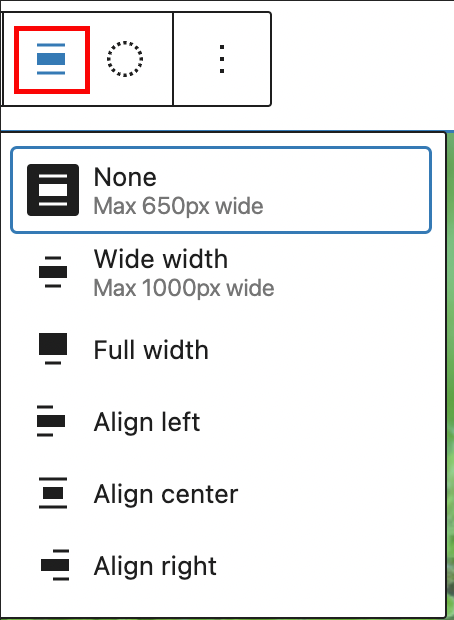
Change alignment options in the Post Featured Image block
* **None –** Leaves the block the current size.
* **Wide width –** Increase the width of the block beyond the content size.
* **Full width –** Extend the block to cover the full width of the screen.
* **Align left** – Make the block left-aligned.
* **Align center** – Make the block center aligned.
* **Align right** – Make the block right aligned.
### [Apply duotone filter](https://wordpress.org/documentation/article/post-featured-image-block/#apply-duotone-filter)
You can create a two-tone color effect (called the duotone effect) on the featured image without actually changing the original image. The duotone effect works best on high-contrast images.
You can pick the two colors for the effect from the list of six duotone presets provided in the drop-down.
1. Foreground and background
2. Foreground and secondary
3. Foreground and tertiary
4. Primary and background
5. Primary and secondary
6. Primary and tertiary
These are based on the foreground, background, primary, secondary and tertiary colors set in the theme’s color palette.

Apply duotone filter in the Post Featured Image block
You can also pick your own colors for the shadows and highlights by clicking on the Shadows /Highlights option which opens up the color picker and selecting your custom color from the color palette.

Video showing how to apply duotone filter
To clear all the changes you made, use the clear button at the bottom right corner.
**More option**
The More option on a block toolbar gives you more features to customize the block. You have the option to copy, duplicate, and edit your block as HTML.
[](https://wordpress.org/documentation/article/more-options/)
[Read about these and other settings.](https://wordpress.org/documentation/article/more-options/)
[Block settings](https://wordpress.org/documentation/article/post-featured-image-block/#block-settings)
--------------------------------------------------------------------------------------------------------
Every block has specific options in the editor sidebar besides those found in the **Block Toolbar**. If you do not see the sidebar, click the ‘sidebar’ icon next to the **Publish** or **Update** button.

How to turn on the Block Settings sidebar

Block Settings in the Post Featured Image block

Block Style Settings in the Post Featured Image block
### [Link to post](https://wordpress.org/documentation/article/post-featured-image-block/#link-to-post)
Turn on the ‘Link to post’ button in the Block Settings to link the featured image to the URL of the post. This enables the website visitor to go to the post by clicking on the Featured image. There is also an option to open the link in a new tab and set link rel.

Link settings in the Post Featured Image block
### [Styles](https://wordpress.org/documentation/article/post-featured-image-block/#styles)
Styles settings can be found on a second tab in block settings.
#### [Color](https://wordpress.org/documentation/article/post-featured-image-block/#color)
Under color, options are available to set the overlay color and the opacity. Set the overlay color and adjust the opacity from 0 to 100, and you will notice its effect on the image.
It is also possible to use gradient as overlay if the theme supports gradient presets.

Gradient overlay with 60% opacity
#### [Filters](https://wordpress.org/documentation/article/post-featured-image-block/#filters)
Duotone Filters can also be set from style settings. It works the same as the option available under the Block Toolbar (mentioned above).
#### [Dimensions](https://wordpress.org/documentation/article/post-featured-image-block/#dimensions)
Dimension controls are used to control how groups of blocks are placed alongside one another by changing the values for padding, margin, and other dimensions.
Available dimensions controls
* Padding
* Margin
* Aspect Ratio – changes the shape of your image, which may resulted in changing the size as well.
* Height & Width
[](https://wordpress.org/documentation/article/more-options/)
[Learn more about dimension controls.](https://wordpress.org/documentation/article/dimension-controls-overview/)
Depending on the theme settings, aspect ratio could be different.
#### [Border](https://wordpress.org/documentation/article/post-featured-image-block/#border)
Set the Border and Border radius of the image.
[Detailed instructions on Border controls](https://wordpress.org/documentation/article/border-settings-overview/)
### [Advanced settings](https://wordpress.org/documentation/article/post-featured-image-block/#advanced-settings)
The “Advanced” tab lets you add CSS class(es) to your block. This will allow you to write custom CSS and styles to the block.
Advanced option in the selected Block
[Inside the site templates](https://wordpress.org/documentation/article/post-featured-image-block/#inside-the-site-templates)
------------------------------------------------------------------------------------------------------------------------------
Featured image block can be added and managed inside [site templates](https://wordpress.org/documentation/article/template-editor/)
, if the theme supports [the site editor](https://wordpress.org/documentation/article/site-editor/)
.
Block settings here have a little more options than in a post or page editor, such as scale settings.

Archive template screen with loop block, including featured image block
[Changelog](https://wordpress.org/documentation/article/post-featured-image-block/#changelog)
----------------------------------------------------------------------------------------------
* Update 2023-12-22
* Add block placeholder screenshot
* Add gradient overlay
* Add Inside the site templates section
* Add aspect ratio video
* Update 2023-12-15
* Updated screenshots for 6.3
* Add Styles settings
* Created on 2022-03-17
Was this article helpful? How could it be improved? [Cancel reply](https://wordpress.org/documentation/article/post-featured-image-block/#respond)
---------------------------------------------------------------------------------------------------------------------------------------------------
[Log in to submit feedback](https://login.wordpress.org/?redirect_to=https%3A%2F%2Fwordpress.org%2Fdocumentation%2Farticle%2Fpost-featured-image-block%2F&locale=en_US)
. If you need support with something that wasn't covered by this article, please post your question in the [support forums](https://wordpress.org/support/forums/)
.
First published
March 17, 2022
Last updated
June 8, 2024
Get more help
-------------
[Support forums](https://wordpress.org/support/forums/)
Ask questions in the support forums.
[Developers](https://developer.wordpress.org/)
Check out the developer documentation.
[Content suggestions](https://github.com/WordPress/Documentation-Issue-Tracker/issues)
Report an error or change in the documentation issue tracker.
[Get involved](https://make.wordpress.org/docs/)
Learn about the Documentation Team and how to contribute.
---
# Slideshare embed – Documentation – WordPress.org
[WordPress.org](https://wordpress.org/)
[Documentation](https://wordpress.org/documentation)
Slideshare embed
[Home](https://wordpress.org/documentation)
[Customization](https://wordpress.org/documentation/customization/)
[Embed blocks](https://wordpress.org/documentation/category/embed-blocks/)
Slideshare embed
Search documentation
Slideshare embed
================
In this article
---------------
Table of Contents
* [Steps to embed a Slideshare presentation on your post or page](https://wordpress.org/documentation/article/slideshare-embed/#steps-to-embed-a-slideshare-presentation-on-your-post-or-page)
* [Block Toolbar](https://wordpress.org/documentation/article/slideshare-embed/#block-toolbar)
* [Block Settings](https://wordpress.org/documentation/article/slideshare-embed/#block-settings)
* [Changelog](https://wordpress.org/documentation/article/slideshare-embed/#changelog)
[↑ Back to top](https://wordpress.org/documentation/article/slideshare-embed/#wp--skip-link--target)
[Go back to the list of **Blocks**](https://wordpress.org/documentation/article/blocks/)
The Slideshare embed block lets you add a Slideshare presentation to your page/post. The embedded Slideshare includes navigation buttons that allow users to view the entire presentation on your website.
[Steps to embed a Slideshare presentation on your post or page](https://wordpress.org/documentation/article/slideshare-embed/#steps-to-embed-a-slideshare-presentation-on-your-post-or-page)
---------------------------------------------------------------------------------------------------------------------------------------------------------------------------------------------
1. Find the [presentation on slideshare.net](https://www.slideshare.net/photomatt/state-of-the-word-2016)
and copy the presentation URL from the browser bar.

2. Add the Slideshare Embed block to your post.

Adding a block via the “Slash” command from an empty row
[Detailed instructions on adding blocks](https://wordpress.org/documentation/article/adding-a-new-block/)
3. Paste the Slideshare URL from step 1 into the block.
4. Click on the “Embed” button.

5. Now you can see the Slideshare presentation in your editor.
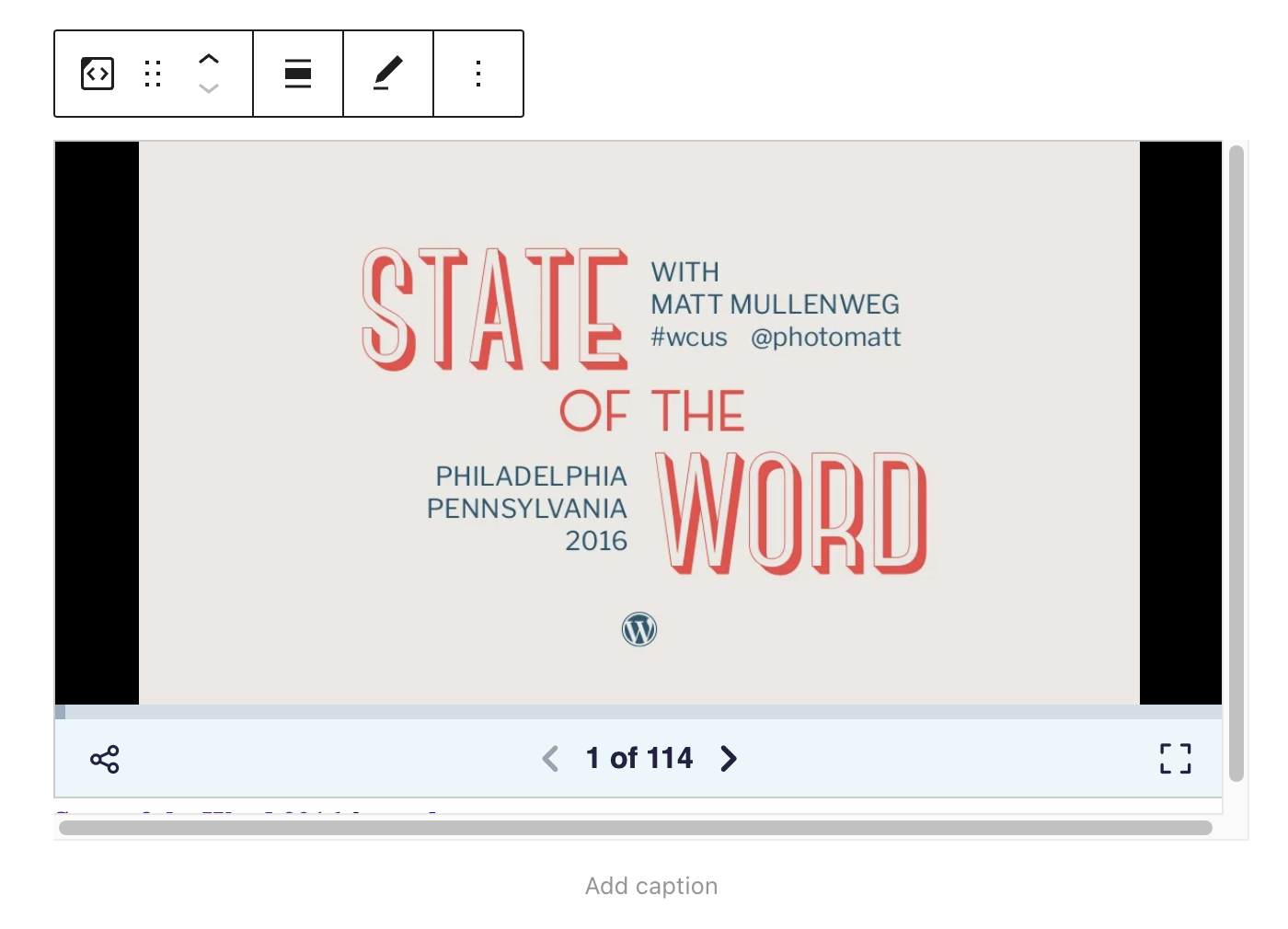
6. Click on Preview to see how the presentation is displayed on the front end of your page.

[Block Toolbar](https://wordpress.org/documentation/article/slideshare-embed/#block-toolbar)
---------------------------------------------------------------------------------------------
Besides the Mover and Drag & Drop Handle, the Block Toolbar for the Slideshare embed shows four buttons:
* Transform to
* Change alignment
* Edit URL, and
* More Options.

**Transform to:**

You can transform a Slideshare embed to Columns or a Group. This would give you the ability to change the background color around the Slideshare embed.

Shown: Changing text, background color, padding, border and border-radius settings
**Change Alignment:**
* **Wide width** – Increase the width of the post beyond the content size
* **Full width** – extend the Slideshare embed post to cover the full width of the screen.
* **Align left** – Make the Slideshare embed post left aligned
* **Align center** – Make the Slideshare embed post alignment centered
* **Align right** – Make the Slideshare embed post right aligned
_“Wide width” and “Full width” alignment need to be enabled by the Theme of your site._

**Edit URL**:
Via the edit URL, you can change the Slideshare Embed URL in the embed block. Overwrite the existing URL and click on the “Embed” Button.

**More Options:**
These controls give you the option to copy, duplicate, and edit your block as HTML.
[Read about these and other settings.](https://wordpress.org/documentation/article/more-options/)
[Block Settings](https://wordpress.org/documentation/article/slideshare-embed/#block-settings)
-----------------------------------------------------------------------------------------------
**Media Settings**

Via the _Media Settings_ you can control the behavior of your post embed when viewed from a smaller device, like on a phone screen.
The Toggle switch turns on or off the resize functionality for smaller devices. The default setting is “on” or blue.
**“Off:”** This embed may not preserve its aspect ratio when the browser is resized. In the off position, the toggle switch is gray.
**“On:”** This embed will preserve its aspect ratio when the browser is resized. The toggle switch turns blue in the “On” position.
**Advanced**
The advanced tab lets you add a CSS class to your block, allowing you to write custom CSS and style the block as you see fit.
[](https://wordpress.org/documentation/files/2022/08/Slideshare-Embed-HelpHub-SS-16.png)
The advanced section lets you add a CSS class to your block.
[Changelog](https://wordpress.org/documentation/article/slideshare-embed/#changelog)
-------------------------------------------------------------------------------------
* Updated 2022-11-25
* Removed redundant content
* Aligned images for mobile view
* Added alt text to images
* Updated 2022-08-19
* Updated with images from WordPress 6.0
* Added new “Transform to” setting (column)
* Added “Lock” information under More Options
* Added ALT tags for the images
* Updated 2020-08-19
* Replaced “More Options” – new screenshot
* Added “Move To” and “Copy” section under More Options
* Updated 2020-08-18
* Updated with images from WordPress 5.5
* Created 2020-06-18
Was this article helpful? How could it be improved? [Cancel reply](https://wordpress.org/documentation/article/slideshare-embed/#respond)
------------------------------------------------------------------------------------------------------------------------------------------
[Log in to submit feedback](https://login.wordpress.org/?redirect_to=https%3A%2F%2Fwordpress.org%2Fdocumentation%2Farticle%2Fslideshare-embed%2F&locale=en_US)
. If you need support with something that wasn't covered by this article, please post your question in the [support forums](https://wordpress.org/support/forums/)
.
First published
June 18, 2020
Last updated
June 8, 2024
Get more help
-------------
[Support forums](https://wordpress.org/support/forums/)
Ask questions in the support forums.
[Developers](https://developer.wordpress.org/)
Check out the developer documentation.
[Content suggestions](https://github.com/WordPress/Documentation-Issue-Tracker/issues)
Report an error or change in the documentation issue tracker.
[Get involved](https://make.wordpress.org/docs/)
Learn about the Documentation Team and how to contribute.
---
# What is an excerpt? (Block Editor) – Documentation – WordPress.org
[WordPress.org](https://wordpress.org/)
[Documentation](https://wordpress.org/documentation)
What is an excerpt? (Block Editor)
[Home](https://wordpress.org/documentation)
[Support guides](https://wordpress.org/documentation/support-guides/)
[Publishing](https://wordpress.org/documentation/category/publishing/)
What is an excerpt? (Block Editor)
Search documentation
What is an excerpt? (Block Editor)
==================================
In this article
---------------
Table of Contents
* [What is an Excerpt](https://wordpress.org/documentation/article/what-is-an-excerpt-block-editor/#what-is-an-excerpt)
* [How to display Excerpts on the Posts page](https://wordpress.org/documentation/article/what-is-an-excerpt-block-editor/#how-to-display-excerpts-on-the-posts-page)
[↑ Back to top](https://wordpress.org/documentation/article/what-is-an-excerpt-block-editor/#wp--skip-link--target)
Note: This page uses Block Editor. If you are a Classic Editor User, refer [this page](https://wordpress.org/support/article/excerpt/)
.
[What is an Excerpt](https://wordpress.org/documentation/article/what-is-an-excerpt-block-editor/#what-is-an-excerpt)
----------------------------------------------------------------------------------------------------------------------
Excerpt is an optional text associated to a Post. Most of the time, it is used as the **Post summary**.

WordPress excerpt metabox
Can’t find the Excerpt editing box? Check your **Document** tab at the right of your page. The Excerpt box is just after the Featured Image section.
Regarding the Theme you are using on your site, Excerpts can be displayed on different pages (search results, archives, etc.).
If Excerpt is empty, WordPress automatically creates an excerpt using the first 55 words of the post.
[How to display Excerpts on the Posts page](https://wordpress.org/documentation/article/what-is-an-excerpt-block-editor/#how-to-display-excerpts-on-the-posts-page)
--------------------------------------------------------------------------------------------------------------------------------------------------------------------
1. Go to **Settings > Reading**.
2. Scroll to **For each article in a feed, show**.
3. Select **Summary**.
Was this article helpful? How could it be improved? [Cancel reply](https://wordpress.org/documentation/article/what-is-an-excerpt-block-editor/#respond)
---------------------------------------------------------------------------------------------------------------------------------------------------------
[Log in to submit feedback](https://login.wordpress.org/?redirect_to=https%3A%2F%2Fwordpress.org%2Fdocumentation%2Farticle%2Fwhat-is-an-excerpt-block-editor%2F&locale=en_US)
. If you need support with something that wasn't covered by this article, please post your question in the [support forums](https://wordpress.org/support/forums/)
.
First published
May 4, 2019
Last updated
March 7, 2024
Get more help
-------------
[Support forums](https://wordpress.org/support/forums/)
Ask questions in the support forums.
[Developers](https://developer.wordpress.org/)
Check out the developer documentation.
[Content suggestions](https://github.com/WordPress/Documentation-Issue-Tracker/issues)
Report an error or change in the documentation issue tracker.
[Get involved](https://make.wordpress.org/docs/)
Learn about the Documentation Team and how to contribute.
---
# What are smilies? – Documentation – WordPress.org
[WordPress.org](https://wordpress.org/)
[Documentation](https://wordpress.org/documentation)
What are smilies?
[Home](https://wordpress.org/documentation)
[Support guides](https://wordpress.org/documentation/support-guides/)
[Publishing](https://wordpress.org/documentation/category/publishing/)
What are smilies?
Search documentation
What are smilies?
=================
In this article
---------------
Table of Contents
* [What Are Smileys?](https://wordpress.org/documentation/article/what-are-smilies/#what-are-smileys)
* [Smileys are not Emoji](https://wordpress.org/documentation/article/what-are-smilies/#smileys-are-not-emoji)
* [How Does WordPress Handle Smileys?](https://wordpress.org/documentation/article/what-are-smilies/#how-does-wordpress-handle-smileys)
* [To Turn off Graphic Smileys](https://wordpress.org/documentation/article/what-are-smilies/#to-turn-off-graphic-smileys)
* [What Text Do I Type to Make Smileys?](https://wordpress.org/documentation/article/what-are-smilies/#what-text-do-i-type-to-make-smileys)
* [Troubleshooting Smileys](https://wordpress.org/documentation/article/what-are-smilies/#troubleshooting-smileys)
* [Why Doesn’t it Work?](https://wordpress.org/documentation/article/what-are-smilies/#why-doesnt-it-work)
* [Why Doesn’t it Work for Me?](https://wordpress.org/documentation/article/what-are-smilies/#why-doesnt-it-work-for-me)
* [Where Are My Smiley Images Kept?](https://wordpress.org/documentation/article/what-are-smilies/#where-are-my-smiley-images-kept)
* [How Can I Have Different Smiley Images Appear?](https://wordpress.org/documentation/article/what-are-smilies/#how-can-i-have-different-smiley-images-appear)
* [Why are my Smiley Images Blank?](https://wordpress.org/documentation/article/what-are-smilies/#why-are-my-smiley-images-blank)
* [Smiley CSS](https://wordpress.org/documentation/article/what-are-smilies/#smiley-css)
* [More Information on Smileys](https://wordpress.org/documentation/article/what-are-smilies/#more-information-on-smileys)
[↑ Back to top](https://wordpress.org/documentation/article/what-are-smilies/#wp--skip-link--target)
[What Are Smileys?](https://wordpress.org/documentation/article/what-are-smilies/#what-are-smileys)
----------------------------------------------------------------------------------------------------
Smileys, also known as “emoticons”, are _glyphs_ used to convey emotions in your writing. They are a great way to brighten up posts. 🙂
Text smileys are created by typing two or more punctuation marks. Some examples are:
`;-)` is equivalent to 😉
`:-)` is equivalent to 🙂
`:-(` is equivalent to 🙁
`:-?` is equivalent to 😕
To learn more about emoticons and their history, see the [Wikipedia entry on Emoticons](http://en.wikipedia.org/wiki/Emoticons)
.
### [Smileys are not Emoji](https://wordpress.org/documentation/article/what-are-smilies/#smileys-are-not-emoji)
Although smileys and emoji can both display smiley faces and such, emoji are a newer development and have a much wider range of images that can be displayed. (They are also created differently.) For more information on emoji and how to use them, see the [Emoji](https://codex.wordpress.org/Emoji)
page.
[How Does WordPress Handle Smileys?](https://wordpress.org/documentation/article/what-are-smilies/#how-does-wordpress-handle-smileys)
--------------------------------------------------------------------------------------------------------------------------------------
By default, WordPress automatically converts text smileys to graphic images. When you type `;-)` in your post you see 😉 when you preview or publish your post.
[To Turn off Graphic Smileys](https://wordpress.org/documentation/article/what-are-smilies/#to-turn-off-graphic-smileys)
-------------------------------------------------------------------------------------------------------------------------
As of WordPress 4.3, the option to disable graphic smileys was removed from new installs. There is [a plugin](https://wordpress.org/plugins/keep-emoticons-as-text/)
if you want to retain the option.
[What Text Do I Type to Make Smileys?](https://wordpress.org/documentation/article/what-are-smilies/#what-text-do-i-type-to-make-smileys)
------------------------------------------------------------------------------------------------------------------------------------------
Smiley images and the text used to produce them\*:
| icon | text | text | full text | icon | full text |
| --- | --- | --- | --- | --- | --- |
| 🙂 | `:)` | `:-)` | `:smile:` | 😆 | `:lol:` |
| 😀 | `:D` | `:-D` | `:grin:` | 😳 | `:oops:` |
| 🙁 | `:(` | `:-(` | `:sad:` | 😥 | `:cry:` |
| 😮 | `:o` | `:-o` | `:eek:` | 👿 | `:evil:` |
| 😯 | `8O` | `8-O` | `:shock:` | 😈 | `:twisted:` |
| 😕 | `:?` | `:-?` | `:???:` | 🙄 | `:roll:` |
| 😎 | `8)` | `8-)` | `:cool:` | ❗ | `:!:` |
| 😡 | `:x` | `:-x` | `:mad:` | ❓ | `:?:` |
| 😛 | `:P` | `:-P` | `:razz:` | 💡 | `:idea:` |
| 😐 | `:\|` | `:-\|` | `:neutral:` | ➡ | `:arrow:` |
| 😉 | `;)` | `;-)` | `:wink:` |  | `:mrgreen:` |
_\* In some instances, multiple text options are available to display the same smiley._
Category:Getting Started
[Troubleshooting Smileys](https://wordpress.org/documentation/article/what-are-smilies/#troubleshooting-smileys)
-----------------------------------------------------------------------------------------------------------------
### [Why Doesn’t it Work?](https://wordpress.org/documentation/article/what-are-smilies/#why-doesnt-it-work)
Smileys may have been disabled by your WordPress admin. Another possibility is the smiley image files have been deleted from `/wp-includes/images/smilies`.
### [Why Doesn’t it Work for Me?](https://wordpress.org/documentation/article/what-are-smilies/#why-doesnt-it-work-for-me)
_If smileys work for others at your site but not for you:_
Type a space before and after your smiley text. That prevents the smiley being accidentally included in the text around it. 😳
Make sure not to use quotes or other punctuation marks before and after the smiley text. 🙄
### [Where Are My Smiley Images Kept?](https://wordpress.org/documentation/article/what-are-smilies/#where-are-my-smiley-images-kept)
The smiley or emoticon image graphics are found in the `/wp-includes/images/smilies` directory.
Note that smileys is spelled ‘eys’ in this documentation and the directory name for the smiley images is _‘smilies_, spelled ‘ies’. 😯
### [How Can I Have Different Smiley Images Appear?](https://wordpress.org/documentation/article/what-are-smilies/#how-can-i-have-different-smiley-images-appear)
The easiest way is to filter the smilies.
Upload the images you want with the same name to your server (say in wp-content/images/smilies) and put this in your theme’s function.php:
add\_filter( 'smilies\_src', 'my\_custom\_smilies\_src', 10, 3 );
function my\_custom\_smilies\_src( $img\_src, $img, $siteurl )
{
return $siteurl.'/wp-content/images/smilies/'.$img;
}
That will replace http://example.com/wp-includes/images/smilies/icon\_question.gif with http://example.com/wp-content/images/smilies/icon\_question.gif
### [Why are my Smiley Images Blank?](https://wordpress.org/documentation/article/what-are-smilies/#why-are-my-smiley-images-blank)
If you recently uploaded the images, it could be that the images have been uploaded in **_ASCII_** format by your FTP program. Re-upload the smileys ensuring that they are transferred in **_BINARY_** format.
Some FTP programs have an **auto-detect** setting which will upload files in the correct format without user intervention. If you have such a setting, turn it on.
[Smiley CSS](https://wordpress.org/documentation/article/what-are-smilies/#smiley-css)
---------------------------------------------------------------------------------------
The smiley images in WordPress are automatically given a [CSS](https://codex.wordpress.org/Glossary#CSS)
class of **wp-smiley** when they are displayed in a post. You can use this class to style your smileys differently from other post images.
For example, it’s not uncommon to set up images in a post to appear on the left-hand side of the content with text flowing around the image. The CSS for that might look like this:
.post img {
float: left;
}
This would typically affect all images in a post, **including** your smiley images. To _override_ this so that smileys stay inline, you could add this to your CSS:
img.wp-smiley {
float: none;
}
For more on CSS in WordPress, you might want to [start here](https://codex.wordpress.org/CSS)
.
[More Information on Smileys](https://wordpress.org/documentation/article/what-are-smilies/#more-information-on-smileys)
-------------------------------------------------------------------------------------------------------------------------
* [Wikipedia – Emoticon](http://en.wikipedia.org/wiki/Emoticon)
Was this article helpful? How could it be improved? [Cancel reply](https://wordpress.org/documentation/article/what-are-smilies/#respond)
------------------------------------------------------------------------------------------------------------------------------------------
[Log in to submit feedback](https://login.wordpress.org/?redirect_to=https%3A%2F%2Fwordpress.org%2Fdocumentation%2Farticle%2Fwhat-are-smilies%2F&locale=en_US)
. If you need support with something that wasn't covered by this article, please post your question in the [support forums](https://wordpress.org/support/forums/)
.
First published
November 2, 2018
Last updated
April 11, 2023
Get more help
-------------
[Support forums](https://wordpress.org/support/forums/)
Ask questions in the support forums.
[Developers](https://developer.wordpress.org/)
Check out the developer documentation.
[Content suggestions](https://github.com/WordPress/Documentation-Issue-Tracker/issues)
Report an error or change in the documentation issue tracker.
[Get involved](https://make.wordpress.org/docs/)
Learn about the Documentation Team and how to contribute.
---
# Share to Mastodon
Share to Mastodon
-----------------
Enter the full URL of the Mastodon instance where you’d like to share this post.
Share
---
# Scribd embed – Documentation – WordPress.org
[WordPress.org](https://wordpress.org/)
[Documentation](https://wordpress.org/documentation)
Scribd embed
[Home](https://wordpress.org/documentation)
[Customization](https://wordpress.org/documentation/customization/)
[Embed blocks](https://wordpress.org/documentation/category/embed-blocks/)
Scribd embed
Search documentation
Scribd embed
============
In this article
---------------
Table of Contents
* [Steps to embed an article from Scribd](https://wordpress.org/documentation/article/scribd-embed/#steps-to-embed-an-article-from-scribd)
* [Block Toolbar](https://wordpress.org/documentation/article/scribd-embed/#block-toolbar)
* [Block Settings](https://wordpress.org/documentation/article/scribd-embed/#block-settings)
* [Changelog](https://wordpress.org/documentation/article/scribd-embed/#changelog)
[↑ Back to top](https://wordpress.org/documentation/article/scribd-embed/#wp--skip-link--target)
By using the _Scribd embed block_, you can embed various articles, e-books, or research papers into your posts and pages. You don’t need a Scribd account to embed an article, although what you are embedding needs to be public.

Example of an Embedded Scribd article
[Steps to embed an article from Scribd](https://wordpress.org/documentation/article/scribd-embed/#steps-to-embed-an-article-from-scribd)
-----------------------------------------------------------------------------------------------------------------------------------------
1. On the Scribd app, click on the article that you want to embed in your post/page & click on the “Embed” option

2. After clicking on the “Embed” option, a pop-up will appear with several options:

It contains several options for you to choose from. Here you can choose the size of your article/e-book, choose the page number it starts from, as well as see a preview of your document.
3. After altering the options in the pop-up as per your needs, copy the URL on the top of this pop-up

4. Add a Scribd Embed block to your page or post by clicking on the **(+)** Block Inserter icon and selecting the __Scribd_ block_.. Alternatively, you can type `/scribd` and press enter.

[Detailed instructions on adding blocks](https://wordpress.org/documentation/article/adding-a-new-block/)
5. Paste the URL copied from the Scribd Embed option in the text box.

6. Click the “Embed” button. If it’s a link that can be successfully embedded you will see a preview in your editor.

If you use a URL that can’t be embedded, the block shows the message _“Sorry, this content could not be embedded.”_
In that case, you’ll have two choices: Try again with a different URL or Convert to a link.

7\. Click on “Preview” to see how it will look on the front-end

[Block Toolbar](https://wordpress.org/documentation/article/scribd-embed/#block-toolbar)
-----------------------------------------------------------------------------------------
Besides the Mover and Drag & Drop Handle, the Block Toolbar for the Scribd embed shows four buttons:

* Transform to
* Change alignment
* Edit URL, and
* More Options.
**Transform to:**

You can transform a Scribd embed into a Paragraph, Group, or Column. Transforming it into a Group would give you the ability to change the background color and other settings of the Scribd embed, as shown below:

**Change alignment**

* **Wide width** – Increase the width of the block beyond the content size
* **Full width** – extend the Scribd block to cover the full width of the screen.
* **Align left** – Make the Scribd block left aligned
* **Align center** – Make the Scribd block alignment centered
* **Align right** – Make the Scribd block align right
_“Wide width” and “Full width” alignment need to be enabled by the Theme of your site._
**Edit URL**
Via the edit URL, you can change the Scribd Embed URL in the embed block. Overwrite the existing URL and click on the “Embed” Button.

**More options:**
These controls give you the option to copy, duplicate, and edit your block as HTML.
[Read about these and other settings.](https://wordpress.org/documentation/article/more-options/)
[Block Settings](https://wordpress.org/documentation/article/scribd-embed/#block-settings)
--------------------------------------------------------------------------------------------
Besides the Advanced section, the Scribd embed has only one other setting in the “Block Settings” sidebar: Media Settings.
**Media Settings**


Via the _Media Settings_ you can control the behavior of your embed when viewed from a smaller device, like on a phone screen.
The Toggle switch turns on or off the resize functionality for smaller devices. The default setting is “on” or blue.
**“Off:”** This embed may not preserve its aspect ratio when the browser is resized. In the off position, the toggle switch is gray.
**“On:”** This embed will preserve its aspect ratio when the browser is resized. The toggle switch turns blue in the “On” position.
**Advanced**
The “Advanced” tab lets you add CSS class(es) to your block.

The “Additional CSS class(es)” lets you add CSS class(es) to your block, allowing you to write custom CSS and style the block as you see fit.
[Changelog](https://wordpress.org/documentation/article/scribd-embed/#changelog)
---------------------------------------------------------------------------------
* Updated 2022-11-25
* Removed redundant content
* Aligned images for mobile view
* Updated 2022-08-23
* Updated with images from WordPress 6.0
* Added new “Transform to” setting (Column)
* Added “Edit as HTML”, “Lock”, and “Add to Reusable Blocks” information under More Options
* Added Media Settings documentation
* Added ALT tags for the images
* Updated 2020-11-27
* added WP 5.6 images
* Removed items from **More Options** and **Advanced**
* Updated 2020-08-19
* Replaced “More Options” – new screenshot
* Added “Move To” and “Copy” section under More Options
* Updated 2020-08-11
* Screenshots as per WordPress 5.5
* Embedded VideoPress video
* Created 2020-07-27
Was this article helpful? How could it be improved? [Cancel reply](https://wordpress.org/documentation/article/scribd-embed/#respond)
--------------------------------------------------------------------------------------------------------------------------------------
[Log in to submit feedback](https://login.wordpress.org/?redirect_to=https%3A%2F%2Fwordpress.org%2Fdocumentation%2Farticle%2Fscribd-embed%2F&locale=en_US)
. If you need support with something that wasn't covered by this article, please post your question in the [support forums](https://wordpress.org/support/forums/)
.
First published
July 27, 2020
Last updated
September 23, 2025
Get more help
-------------
[Support forums](https://wordpress.org/support/forums/)
Ask questions in the support forums.
[Developers](https://developer.wordpress.org/)
Check out the developer documentation.
[Content suggestions](https://github.com/WordPress/Documentation-Issue-Tracker/issues)
Report an error or change in the documentation issue tracker.
[Get involved](https://make.wordpress.org/docs/)
Learn about the Documentation Team and how to contribute.
---
# Post Modified Date block – Documentation – WordPress.org
[WordPress.org](https://wordpress.org/)
[Documentation](https://wordpress.org/documentation)
Post Modified Date block
[Home](https://wordpress.org/documentation)
[Customization](https://wordpress.org/documentation/customization/)
[Theme blocks](https://wordpress.org/documentation/category/theme-blocks/)
Post Modified Date block
Search documentation
Post Modified Date block
========================
In this article
---------------
Table of Contents
* [Block Toolbar](https://wordpress.org/documentation/article/post-modified-date-block/#block-toolbar)
* [Transform to](https://wordpress.org/documentation/article/post-modified-date-block/#transform-to)
* [Drag icon](https://wordpress.org/documentation/article/post-modified-date-block/#drag-icon)
* [Move arrows](https://wordpress.org/documentation/article/post-modified-date-block/#move-arrows)
* [Change text alignment](https://wordpress.org/documentation/article/post-modified-date-block/#change-text-alignment)
* [Change date](https://wordpress.org/documentation/article/post-modified-date-block/#change-date)
* [More options](https://wordpress.org/documentation/article/post-modified-date-block/#more-options)
* [Block Settings](https://wordpress.org/documentation/article/post-modified-date-block/#block-settings)
* [Format](https://wordpress.org/documentation/article/post-modified-date-block/#format)
* [Link to post](https://wordpress.org/documentation/article/post-modified-date-block/#link-to-post)
* [Display the last modified date](https://wordpress.org/documentation/article/post-modified-date-block/#display-the-last-modified-date)
* [Advanced](https://wordpress.org/documentation/article/post-modified-date-block/#advanced)
* [Styles](https://wordpress.org/documentation/article/post-modified-date-block/#styles)
* [Color](https://wordpress.org/documentation/article/post-modified-date-block/#color)
* [Typography](https://wordpress.org/documentation/article/post-modified-date-block/#typography)
* [Dimensions](https://wordpress.org/documentation/article/post-modified-date-block/#dimensions)
* [Changelog](https://wordpress.org/documentation/article/post-modified-date-block/#changelog)
[↑ Back to top](https://wordpress.org/documentation/article/post-modified-date-block/#wp--skip-link--target)
[Go to the list of Blocks](https://wordpress.org/documentation/article/blocks/)
Use the Post Modified Date block to display the date the post was last modified. This block is primarily used in a [template](https://wordpress.org/documentation/article/template-editor/)
or nested inside a [query loop](https://wordpress.org/documentation/article/query-loop-block/)
block.
On the front of your website, this block only shows if you have modified the content after publishing. This means you can combine it with the [Post Date block](https://wordpress.org/documentation/article/post-date-block/)
to show the publishing date and the last modified date.
To add a Post Modified Date block, click the **Block Inserter** icon when editing the page template. Search for the Post Modified Date block. Click on it to add the block to your page template.
You can also type /post mod and hit enter in a new paragraph block to quickly add the Post Modified Date block.

Refer to this article for [detailed instructions on adding blocks](https://wordpress.org/documentation/article/adding-a-new-block/)
.
[Block Toolbar](https://wordpress.org/documentation/article/post-modified-date-block/#block-toolbar)
-----------------------------------------------------------------------------------------------------
To view the block toolbar, click on the block, and the toolbar will be displayed.
Every block comes with unique toolbar icons. These block-specific controls allow you to manipulate the block right in the editor.
The Post Modified Date block shows five buttons in the block toolbar:
* Transform to
* Drag icon
* Move arrows
* Change text alignment
* Change date
* Options

### [Transform to](https://wordpress.org/documentation/article/post-modified-date-block/#transform-to)

Click on the “Transform” button to place the Post Modified Date block in a “Group” block or “Columns” block.
### [Drag icon](https://wordpress.org/documentation/article/post-modified-date-block/#drag-icon)
To drag and drop the block to a new location, click and hold the rectangle of dots, then drag to the new location. The blue separator line indicates where the block will be placed. Release the left mouse button when you find the new location to place the block.
### [Move arrows](https://wordpress.org/documentation/article/post-modified-date-block/#move-arrows)
The up and down arrow icons can be used to move the block up and down on the page.
Detailed instructions on moving a block within the editor can be found [here](https://wordpress.org/documentation/article/moving-blocks/)
.
### [Change text alignment](https://wordpress.org/documentation/article/post-modified-date-block/#change-text-alignment)

Click the “Change alignment” button in the Block toolbar to display the alignment drop-down. You can align the block text to the left, make it center-aligned or align it to the right.
### [Change date](https://wordpress.org/documentation/article/post-modified-date-block/#change-date)
Click the “Change date” button in the Block toolbar to display a modal with date settings.

You can select the publishing date and time through the input fields and options or select the date from the calendar. You can use the arrow buttons to change the month.
Click anywhere outside the modal, press the Escape key, or click on the button with the X to close the modal.

### [More options](https://wordpress.org/documentation/article/post-modified-date-block/#more-options)
The [More Options menu](https://wordpress.org/documentation/article/more-options)
represented by three vertical dots on the far right of the toolbar gives you more features such as the ability to duplicate, remove, or edit your block as HTML.
[Read about these and other settings.](https://wordpress.org/documentation/article/more-options/)
Details about **More options** can be found in this [support article](https://wordpress.org/documentation/article/more-options/)
.
[Block Settings](https://wordpress.org/documentation/article/post-modified-date-block/#block-settings)
-------------------------------------------------------------------------------------------------------
In addition to the block toolbar, every block has specific options in the editor sidebar.
_If you do not see the sidebar, click the ‘settings’ icon next to the Save button._

### [Format](https://wordpress.org/documentation/article/post-modified-date-block/#format)
Toggle “Default format” off to select a different format. Choose from seven different formats, or add a custom format:
* 2022-01-24
* 1/24/2022
* 1/24/2022 11:00 PM
* Jan 24, 2022
* Jan 24, 2022 11:00 PM
* January 24, 2022
* Jan 24
### [Link to post](https://wordpress.org/documentation/article/post-modified-date-block/#link-to-post)
Choose whether or not the date should link to the post.
### [Display the last modified date](https://wordpress.org/documentation/article/post-modified-date-block/#display-the-last-modified-date)
This setting is enabled by default for the Post Modified Date block. Turn this off to use the Post date block instead.
### [Advanced](https://wordpress.org/documentation/article/post-modified-date-block/#advanced)
The “Advanced” tab lets you add CSS class(es) to your block.
[Styles](https://wordpress.org/documentation/article/post-modified-date-block/#styles)
---------------------------------------------------------------------------------------
### [Color](https://wordpress.org/documentation/article/post-modified-date-block/#color)
The block provides color settings to change the text color, background color, and link color.
For details, refer to this support article: [Color settings overview](https://wordpress.org/documentation/article/colors-settings-overview/)
.
### [Typography](https://wordpress.org/documentation/article/post-modified-date-block/#typography)
The block provides typography settings to change the font family, appearance, line height, letter spacing, decoration, letter case, and font size.
For details, refer to this support article: [Typography settings overview](https://wordpress.org/documentation/article/typography-settings-overview/)
.
### [Dimensions](https://wordpress.org/documentation/article/post-modified-date-block/#dimensions)
The block provides dimension settings options to add padding and margin.
For details, refer to this support article: [Dimension settings overview](https://wordpress.org/documentation/article/dimension-controls-overview/)
.
[Changelog](https://wordpress.org/documentation/article/post-modified-date-block/#changelog)
---------------------------------------------------------------------------------------------
* Created 2023-08-08
Was this article helpful? How could it be improved? [Cancel reply](https://wordpress.org/documentation/article/post-modified-date-block/#respond)
--------------------------------------------------------------------------------------------------------------------------------------------------
[Log in to submit feedback](https://login.wordpress.org/?redirect_to=https%3A%2F%2Fwordpress.org%2Fdocumentation%2Farticle%2Fpost-modified-date-block%2F&locale=en_US)
. If you need support with something that wasn't covered by this article, please post your question in the [support forums](https://wordpress.org/support/forums/)
.
First published
August 8, 2023
Last updated
June 8, 2024
Get more help
-------------
[Support forums](https://wordpress.org/support/forums/)
Ask questions in the support forums.
[Developers](https://developer.wordpress.org/)
Check out the developer documentation.
[Content suggestions](https://github.com/WordPress/Documentation-Issue-Tracker/issues)
Report an error or change in the documentation issue tracker.
[Get involved](https://make.wordpress.org/docs/)
Learn about the Documentation Team and how to contribute.
---
# Post Status – Documentation – WordPress.org
[WordPress.org](https://wordpress.org/)
[Documentation](https://wordpress.org/documentation)
Post Status
[Home](https://wordpress.org/documentation)
[Support guides](https://wordpress.org/documentation/support-guides/)
[Publishing](https://wordpress.org/documentation/category/publishing/)
Post Status
Search documentation
Post Status
===========
In this article
---------------
Table of Contents
* [Workflow](https://wordpress.org/documentation/article/post-status/#workflow)
* [Default Statuses](https://wordpress.org/documentation/article/post-status/#default-statuses)
* [Publish](https://wordpress.org/documentation/article/post-status/#publish)
* [Future](https://wordpress.org/documentation/article/post-status/#future)
* [Draft](https://wordpress.org/documentation/article/post-status/#draft)
* [Pending](https://wordpress.org/documentation/article/post-status/#pending)
* [Private](https://wordpress.org/documentation/article/post-status/#private)
* [Trash](https://wordpress.org/documentation/article/post-status/#trash)
* [Auto-Draft](https://wordpress.org/documentation/article/post-status/#auto-draft)
* [Inherit](https://wordpress.org/documentation/article/post-status/#inherit)
* [Custom Status](https://wordpress.org/documentation/article/post-status/#custom-status)
* [Resources](https://wordpress.org/documentation/article/post-status/#resources)
* [Related](https://wordpress.org/documentation/article/post-status/#related)
* [Code Documentation](https://wordpress.org/documentation/article/post-status/#code-documentation)
[↑ Back to top](https://wordpress.org/documentation/article/post-status/#wp--skip-link--target)
Posts in WordPress can have one of a number of statuses. The status of a given post determines how WordPress handles that post. For instance, public posts viewable by everyone are assigned the publish status, while drafts are assigned the draft status. The status is stored in the post\_status field in the wp\_posts table.
WordPress provides 8 built-in statuses you can use. WordPress 3.0 gave you the capability to add your own custom post status and to use it in different ways.
[Workflow](https://wordpress.org/documentation/article/post-status/#workflow)
------------------------------------------------------------------------------
WordPress provides built-in features that empower some users (based on their [Roles and Capabilities](https://wordpress.org/support/article/roles-and-capabilities/)
) to review content submitted to the website before it is published. This is commonly called “workflow.” WordPress’s workflow features rely on the value of a post’s `post_status` field to know which step in the workflow process the post is currently held in.
Most users are already familiar with at least two workflow states:
* Posts that are published and visible to everyone (including users who are logged out) are given [the](https://wordpress.org/support/article/post-status/#publish)
`[publish](https://wordpress.org/support/article/post-status/#publish) ` [status](https://wordpress.org/support/article/post-status/#publish)
.
* Drafts that are not yet published are assigned [the](https://wordpress.org/support/article/post-status/#draft)
`[draft](https://wordpress.org/support/article/post-status/#draft) ` [status](https://wordpress.org/support/article/post-status/#draft)
.
Internally, WordPress sets the post status to `publish` when you click the “Publish” button, and WordPress sets the post status to `draft` when you click the “Save Draft” button. Similarly, if your website has users granted [the](https://wordpress.org/support/article/roles-and-capabilities/#edit_posts)
`[edit_posts](https://wordpress.org/support/article/roles-and-capabilities/#edit_posts) ` [capability](https://wordpress.org/support/article/roles-and-capabilities/#edit_posts)
but not [the](https://wordpress.org/support/article/roles-and-capabilities/#publish_posts)
`[publish_posts](https://wordpress.org/support/article/roles-and-capabilities/#publish_posts) ` [capability](https://wordpress.org/support/article/roles-and-capabilities/#publish_posts)
, then when those users start writing a new post, WordPress will display a “Submit for Review” button instead of a “Publish” button. Likewise, WordPress then assigns the post that user created [the](https://wordpress.org/support/article/post-status/#pending)
`[pending](https://wordpress.org/support/article/post-status/#pending) ` [status](https://wordpress.org/support/article/post-status/#pending)
when they press that button.
The status of a post can also be set in the [Administration Screen](https://wordpress.org/support/article/administration-screens/)
and [Add New Posts](https://wordpress.org/support/article/writing-posts/)
Screen by any user with the capability needed to assign the post to the given status. Internally, all of these posts are stored in the same place (the [`wp_posts`](https://codex.wordpress.org/Database_Description#Table:_wp_posts)
table), and are differentiated by a column called `post_status`.
[Default Statuses](https://wordpress.org/documentation/article/post-status/#default-statuses)
----------------------------------------------------------------------------------------------
There are 8 major post statuses that WordPress uses by default.
### [Publish](https://wordpress.org/documentation/article/post-status/#publish)
Viewable by everyone. (publish)
### [Future](https://wordpress.org/documentation/article/post-status/#future)
Scheduled to be published in a future date. (future)
### [Draft](https://wordpress.org/documentation/article/post-status/#draft)
Incomplete post viewable by anyone with proper [user role](https://wordpress.org/support/article/roles-and-capabilities/)
. (draft)
### [Pending](https://wordpress.org/documentation/article/post-status/#pending)
Awaiting a user with the `publish_posts` capability (typically a user assigned [the](https://wordpress.org/support/article/roles-and-capabilities/#editor)
`[Editor](https://wordpress.org/support/article/roles-and-capabilities/#editor) ` [role](https://wordpress.org/support/article/roles-and-capabilities/#editor)
) to publish. (pending)
### [Private](https://wordpress.org/documentation/article/post-status/#private)
Viewable only to WordPress users at Administrator level. (private)
### [Trash](https://wordpress.org/documentation/article/post-status/#trash)
Posts in the Trash are assigned the `trash` status. (trash)
### [Auto-Draft](https://wordpress.org/documentation/article/post-status/#auto-draft)
[Revisions](https://codex.wordpress.org/Revisions)
that WordPress saves automatically while you are editing. (auto-draft)
### [Inherit](https://wordpress.org/documentation/article/post-status/#inherit)
Used with a child post (such as [Attachments](https://codex.wordpress.org/Attachments)
and [Revisions](https://codex.wordpress.org/Revisions)
) to determine the actual status from the parent post. (inherit)
[Custom Status](https://wordpress.org/documentation/article/post-status/#custom-status)
----------------------------------------------------------------------------------------
**NOTICE:** This function does NOT add the registered post status to the Administration Screen. This functionality is pending future development. Please refer to [Trac Ticket #12706](https://core.trac.wordpress.org/ticket/12706)
. Consider the action hook [post\_submitbox\_misc\_actions](https://core.trac.wordpress.org/browser/tags/3.5.1/wp-admin/includes/meta-boxes.php#L183)
for adding this parameter.
A Custom Status is a Post Status you define.
Adding a custom status to WordPress is done via the [register\_post\_status()](https://developer.wordpress.org/reference/functions/register_post_status)
function. This function allows you to define the post status and how it operates within WordPress.
Here’s a basic example of adding a custom post status called “Unread”:
function custom\_post\_status(){
register\_post\_status( 'unread', array(
'label' => \_x( 'Unread', 'post' ),
'public' => true,
'exclude\_from\_search' => false,
'show\_in\_admin\_all\_list' => true,
'show\_in\_admin\_status\_list' => true,
'label\_count' => \_n\_noop( 'Unread (%s)', 'Unread (%s)' ),
) );
}
add\_action( 'init', 'custom\_post\_status' );
[Resources](https://wordpress.org/documentation/article/post-status/#resources)
--------------------------------------------------------------------------------
* [WordPress Post Status Generator](http://generatewp.com/post-status/)
[Related](https://wordpress.org/documentation/article/post-status/#related)
----------------------------------------------------------------------------
* [Roles and Capabilities](https://wordpress.org/support/article/roles-and-capabilities/#editor)
[Code Documentation](https://wordpress.org/documentation/article/post-status/#code-documentation)
--------------------------------------------------------------------------------------------------
* Function: [get\_post\_status()](https://developer.wordpress.org/reference/functions/get_post_status)
– Retrieve the post status based on the Post ID.
Was this article helpful? How could it be improved? [Cancel reply](https://wordpress.org/documentation/article/post-status/#respond)
-------------------------------------------------------------------------------------------------------------------------------------
[Log in to submit feedback](https://login.wordpress.org/?redirect_to=https%3A%2F%2Fwordpress.org%2Fdocumentation%2Farticle%2Fpost-status%2F&locale=en_US)
. If you need support with something that wasn't covered by this article, please post your question in the [support forums](https://wordpress.org/support/forums/)
.
First published
November 2, 2018
Last updated
January 13, 2023
Get more help
-------------
[Support forums](https://wordpress.org/support/forums/)
Ask questions in the support forums.
[Developers](https://developer.wordpress.org/)
Check out the developer documentation.
[Content suggestions](https://github.com/WordPress/Documentation-Issue-Tracker/issues)
Report an error or change in the documentation issue tracker.
[Get involved](https://make.wordpress.org/docs/)
Learn about the Documentation Team and how to contribute.
---
# Use character entities – Documentation – WordPress.org
[WordPress.org](https://wordpress.org/)
[Documentation](https://wordpress.org/documentation)
Use character entities
[Home](https://wordpress.org/documentation)
[Support guides](https://wordpress.org/documentation/support-guides/)
[Publishing](https://wordpress.org/documentation/category/publishing/)
Use character entities
Search documentation
Use character entities
======================
In this article
---------------
Table of Contents
* [Character Entities or Extended Characters](https://wordpress.org/documentation/article/use-character-entities/#character-entities-or-extended-characters)
* [Using Character Entities in WordPress](https://wordpress.org/documentation/article/use-character-entities/#using-character-entities-in-wordpress)
* [Character Entities Resources](https://wordpress.org/documentation/article/use-character-entities/#character-entities-resources)
[↑ Back to top](https://wordpress.org/documentation/article/use-character-entities/#wp--skip-link--target)
[Character Entities or Extended Characters](https://wordpress.org/documentation/article/use-character-entities/#character-entities-or-extended-characters)
-----------------------------------------------------------------------------------------------------------------------------------------------------------
In many WordPress sites, you will see odd symbols that will pop up from time to time. Often these symbols appear in navigation links. For instance, look at the the double left angle quotes **(«)** and the double right angle quotes **(»)** in this example:
[« « Previous Post Title](https://wordpress.org/support/article/fun-character-entities/)
| [Next Post Title » »](https://wordpress.org/support/article/fun-character-entities/)
These symbols are called **[HTML](https://wordpress.org/support/article/glossary#html)
character entities** or **extended characters**. They are generated by strange looking code on the web page that the web browser interprets as symbols.
The code that generated the above example looks like this:
<?php previous\_post\_link('« « %', '', 'yes'); ?>
| <?php next\_post\_link('% » » ', '', 'yes'); ?>
Some of the most popular [HTML](https://wordpress.org/support/article/glossary#html)
_character entities_ are:
| | | |
| --- | --- | --- |
| » | » | double right angle quote |
| « | « | double left angle quote |
| < | < | single left arrow (left angle bracket) |
| > | \> | single right arrow (right angle bracket) |
| • | • | bullet |
| &# 9829; or ♥ | ♥ | black heart |
| &# 9830; or ♦ | ♦ | black diamond |
| &# 9827; or ♣ | ♣ | black clubs (shamrock) |
| &# 9824; or ♠ | ♠ | black spade |
| &# 8734; | ∞ | infinity symbol |
| — | — | long dash |
Note: Remove Space between “&#” and “9829” for black heart. Other symbols are the same.
[Using Character Entities in WordPress](https://wordpress.org/documentation/article/use-character-entities/#using-character-entities-in-wordpress)
---------------------------------------------------------------------------------------------------------------------------------------------------
Using _character entities_ can be a fun part of your design! You can use these special accents with [template tags](https://codex.wordpress.org/Template_Tags)
such as the [the\_category()](https://codex.wordpress.org/Template_Tags/the_category)
tag. Note: [the\_category()](https://codex.wordpress.org/Template_Tags/the_category)
[template tag](https://codex.wordpress.org/Template_Tags)
lists, in [_post meta data_](https://codex.wordpress.org/Post_Meta_Data_Section)
section, the various [categor](https://wordpress.org/support/article/glossary#category)
[ies](https://codex.wordpress.org/Glossary#Category)
assigned to a [post](https://wordpress.org/support/article/glossary#post)
.
In this example, the special _character entity_, the heart (**♥**) symbol, separates the [categories](https://wordpress.org/support/article/glossary#category)
of WordPress, Computers, and Internet News:
<?php the\_category(' ♥ ') ?>
WordPress ♥ Computers ♥ Internet News
In this example you see the use of an accent in your [post’s title](https://codex.wordpress.org/Template_Tags/the_title)
:
<?php the\_title('∞ ', ' ∞'); ?>
∞ WordPress Makes Me Smile ∞
If you want to highlight the [post’s author](https://codex.wordpress.org/Template_Tags/the_author)
, you don’t have to use a character entity inside of a WordPress template tag. You can use it in the text.
<div id="author">♦ <?php the\_author(); ?></div>
♦ Harriet Smith
As you have seen, there are a many uses for _character entities_ within your site. With this information you can experiment and find creative ways to use these symbols in your design!
**Note:** Not all [template tags](https://codex.wordpress.org/Template_Tags)
can use _character entities_, especially those [tags](https://codex.wordpress.org/Template_Tags)
that use [boolean parameters](https://codex.wordpress.org/Template_Tags/How_to_Pass_Tag_Parameters#Boolean)
. Test a [template tag](https://codex.wordpress.org/Template_Tags)
**thoroughly** to be sure that it will accept the symbols.
[Character Entities Resources](https://wordpress.org/documentation/article/use-character-entities/#character-entities-resources)
---------------------------------------------------------------------------------------------------------------------------------
* [ASCII HTML Codes](http://www.ascii.cl/htmlcodes.htm)
* [Microsoft Developer’s HTML Character Sets](http://msdn.microsoft.com/library/default.asp?url=/workshop/author/dhtml/reference/charsets/charsets.asp)
* [Digital Web Magazine’s Extended ASCII Characters for HTML](http://www.digital-web.com/articles/extended_ascii_characters_for_html/)
* [Chami’s Tips: HTML Special Character Reference](http://www.chami.com/tips/internet/050798I.html)
* [The Unicode Consortium site](http://unicode.org/)
Was this article helpful? How could it be improved? [Cancel reply](https://wordpress.org/documentation/article/use-character-entities/#respond)
------------------------------------------------------------------------------------------------------------------------------------------------
[Log in to submit feedback](https://login.wordpress.org/?redirect_to=https%3A%2F%2Fwordpress.org%2Fdocumentation%2Farticle%2Fuse-character-entities%2F&locale=en_US)
. If you need support with something that wasn't covered by this article, please post your question in the [support forums](https://wordpress.org/support/forums/)
.
First published
February 27, 2019
Last updated
January 12, 2023
Get more help
-------------
[Support forums](https://wordpress.org/support/forums/)
Ask questions in the support forums.
[Developers](https://developer.wordpress.org/)
Check out the developer documentation.
[Content suggestions](https://github.com/WordPress/Documentation-Issue-Tracker/issues)
Report an error or change in the documentation issue tracker.
[Get involved](https://make.wordpress.org/docs/)
Learn about the Documentation Team and how to contribute.
---
# What is an excerpt? (Classic Editor) – Documentation – WordPress.org
[WordPress.org](https://wordpress.org/)
[Documentation](https://wordpress.org/documentation)
What is an excerpt? (Classic Editor)
[Home](https://wordpress.org/documentation)
[Support guides](https://wordpress.org/documentation/support-guides/)
[Publishing](https://wordpress.org/documentation/category/publishing/)
What is an excerpt? (Classic Editor)
Search documentation
What is an excerpt? (Classic Editor)
====================================
In this article
---------------
Table of Contents
* [What is an excerpt](https://wordpress.org/documentation/article/what-is-an-excerpt-classic-editor/#what-is-an-excerpt)
* [How to display excerpts on the posts page](https://wordpress.org/documentation/article/what-is-an-excerpt-classic-editor/#how-to-display-excerpts-on-the-posts-page)
[↑ Back to top](https://wordpress.org/documentation/article/what-is-an-excerpt-classic-editor/#wp--skip-link--target)
[What is an excerpt](https://wordpress.org/documentation/article/what-is-an-excerpt-classic-editor/#what-is-an-excerpt)
------------------------------------------------------------------------------------------------------------------------
Excerpt is an optional text associated to a Post. Most of the time, it is used as the **Post summary**.

WordPress excerpt metabox
Not finding the Excerpt editing box? Check your Post’s **Screen Options**.
Regarding the Theme you are using on your site, Excerpts can be displayed on different pages (search results, archives, etc.).
If Excerpt is empty, WordPress automatically creates an excerpt using the first 55 words of the post.
[How to display excerpts on the posts page](https://wordpress.org/documentation/article/what-is-an-excerpt-classic-editor/#how-to-display-excerpts-on-the-posts-page)
----------------------------------------------------------------------------------------------------------------------------------------------------------------------
1. Go to **Settings > Reading**.
2. Scroll to **For each article in a feed, show**.
3. Select **Summary**.
Was this article helpful? How could it be improved? [Cancel reply](https://wordpress.org/documentation/article/what-is-an-excerpt-classic-editor/#respond)
-----------------------------------------------------------------------------------------------------------------------------------------------------------
[Log in to submit feedback](https://login.wordpress.org/?redirect_to=https%3A%2F%2Fwordpress.org%2Fdocumentation%2Farticle%2Fwhat-is-an-excerpt-classic-editor%2F&locale=en_US)
. If you need support with something that wasn't covered by this article, please post your question in the [support forums](https://wordpress.org/support/forums/)
.
First published
November 6, 2018
Last updated
January 11, 2023
Get more help
-------------
[Support forums](https://wordpress.org/support/forums/)
Ask questions in the support forums.
[Developers](https://developer.wordpress.org/)
Check out the developer documentation.
[Content suggestions](https://github.com/WordPress/Documentation-Issue-Tracker/issues)
Report an error or change in the documentation issue tracker.
[Get involved](https://make.wordpress.org/docs/)
Learn about the Documentation Team and how to contribute.
---
# Post Comments Form block – Documentation – WordPress.org
[WordPress.org](https://wordpress.org/)
[Documentation](https://wordpress.org/documentation)
Post Comments Form block
[Home](https://wordpress.org/documentation)
[Customization](https://wordpress.org/documentation/customization/)
[Theme blocks](https://wordpress.org/documentation/category/theme-blocks/)
Post Comments Form block
Search documentation
Post Comments Form block
========================
In this article
---------------
Table of Contents
* [Block toolbar](https://wordpress.org/documentation/article/post-comments-form-block/#block-toolbar)
* [Block settings](https://wordpress.org/documentation/article/post-comments-form-block/#block-settings)
* [Changelog](https://wordpress.org/documentation/article/post-comments-form-block/#changelog)
[↑ Back to top](https://wordpress.org/documentation/article/post-comments-form-block/#wp--skip-link--target)
[Go back to the list of **Blocks**](https://wordpress.org/documentation/article/blocks/)
The **Post Comments Form** block displays a post’s comments form. This block is located inside a Comments block and lets you customize the appearance of the post comments form.

You can only insert the **Post Comments Form** block inside a [Comment Template](https://wordpress.org/documentation/article/comment-template-block/)
block within the Comment block.
Click the (+) icon inside the comment template block to open the block inserter pop-up window and search for the **Post Comments Form** block.
You can also use the keyboard shortcut /post-comments-form to quickly insert a **Post Comments Form** block inside a Comment Template block.

If your post has comments disabled, you can still add the **Post Comments Form** and enable the comments again while adding the block:

Detailed instructions on adding blocks can be found [here](https://wordpress.org/documentation/article/adding-a-new-block/)
.
[Block toolbar](https://wordpress.org/documentation/article/post-comments-form-block/#block-toolbar)
-----------------------------------------------------------------------------------------------------

The block toolbar contains the tools to customize each block. The **Post Comments Form** block’s toolbar consists of the following tools:
**Transform to**
You can transform a **Post Comments Form** block into a Columns, or a Group block.

**Block-moving tools**

Use the block-moving tools to move the block up and down inside the editor. Use the six dots icon to drag and drop the **Post Comments Form** block and reposition it anywhere on the editor. Alternatively, click on the up and down arrows to move the block up or down the editor.
**Change text alignment**

Text alignment options let you align the **Edit** button towards the left, center, or right.
**More options**

The drop-down menu to the left of the [More options menu](https://wordpress.org/documentation/article/more-options/)
contains a range of additional rich text editing options such as highlighting, inline code, strikethrough, and more.
Details about **More options** can be found in this [support article](https://wordpress.org/documentation/article/more-options/)
.
[Block settings](https://wordpress.org/documentation/article/post-comments-form-block/#block-settings)
-------------------------------------------------------------------------------------------------------
The block settings panel contains customization options specific to the block. To open it, select the block and click the settings icon next to the **Publish** or **Update** button.

Here are the options for the **Post Comments Form** block:
**Color**
The ****Post Comments Form**** block provides Color settings options to change the text, background, and link colors.
For details refer to this support article: [Color settings overview](https://wordpress.org/documentation/article/colors-settings-overview/)
**Typography**
The ******Post Comments Form****** block provides typography settings to change the font family, appearance, line height, letter spacing, decoration, letter case, and font size.
For details refer to this support article: [Typography settings overview](https://wordpress.org/documentation/article/typography-settings-overview/)
**Dimension**
The ******Post Comments Form****** block provides spacing settings to change the margin and padding.
For details refer to this support article: [Dimension controls overview](https://wordpress.org/documentation/article/dimension-controls-overview/)
**Advanced**
The **Advanced** tab lets you add CSS class(es) to your block. This will allow you to write custom CSS and styles to the block.

[Changelog](https://wordpress.org/documentation/article/post-comments-form-block/#changelog)
---------------------------------------------------------------------------------------------
* 2023-03-30
* Updated screenshots
* Added information about spacing settings
* Created 2022-11-22
Was this article helpful? How could it be improved? [Cancel reply](https://wordpress.org/documentation/article/post-comments-form-block/#respond)
--------------------------------------------------------------------------------------------------------------------------------------------------
[Log in to submit feedback](https://login.wordpress.org/?redirect_to=https%3A%2F%2Fwordpress.org%2Fdocumentation%2Farticle%2Fpost-comments-form-block%2F&locale=en_US)
. If you need support with something that wasn't covered by this article, please post your question in the [support forums](https://wordpress.org/support/forums/)
.
First published
November 22, 2022
Last updated
June 8, 2024
Get more help
-------------
[Support forums](https://wordpress.org/support/forums/)
Ask questions in the support forums.
[Developers](https://developer.wordpress.org/)
Check out the developer documentation.
[Content suggestions](https://github.com/WordPress/Documentation-Issue-Tracker/issues)
Report an error or change in the documentation issue tracker.
[Get involved](https://make.wordpress.org/docs/)
Learn about the Documentation Team and how to contribute.
---
# Twenty Eleven – Documentation – WordPress.org
[WordPress.org](https://wordpress.org/)
[Documentation](https://wordpress.org/documentation)
Twenty Eleven
[Home](https://wordpress.org/documentation)
[Customization](https://wordpress.org/documentation/customization/)
[Default themes](https://wordpress.org/documentation/category/default-themes/)
Twenty Eleven
Search documentation
Twenty Eleven
=============
In this article
---------------
Table of Contents
* [Quick Specs](https://wordpress.org/documentation/article/twenty-eleven/#quick-specs)
* [Theme Options](https://wordpress.org/documentation/article/twenty-eleven/#theme-options)
* [Custom Templates](https://wordpress.org/documentation/article/twenty-eleven/#custom-templates)
* [Post Formats](https://wordpress.org/documentation/article/twenty-eleven/#post-formats)
* [What are the available Post Formats?](https://wordpress.org/documentation/article/twenty-eleven/#what-are-the-available-post-formats)
* [How do I select Post Formats?](https://wordpress.org/documentation/article/twenty-eleven/#how-do-i-select-post-formats)
* [Patterns](https://wordpress.org/documentation/article/twenty-eleven/#patterns)
* [Support & resources](https://wordpress.org/documentation/article/twenty-eleven/#support-resources)
[↑ Back to top](https://wordpress.org/documentation/article/twenty-eleven/#wp--skip-link--target)
The [Twenty Eleven](https://wordpress.org/themes/twentyeleven/)
is the default theme for WordPress in 2011, introduced with [WordPress version 3.2](https://wordpress.org/documentation/wordpress-version/version-3-2/)
.
This theme is best used for blogs, photologs, or tumblelogs as it supports all the available post formats: Standard, Aside, Image, Link, Quote, Gallery, and Status. Twenty Eleven also provides you with alternate color schemes (light and dark) and layouts (one or two columns). It has eight header images and five custom patterns.
Twenty Eleven is the second annual theme for WordPress, developed by [Ian Stewart](https://profiles.wordpress.org/iandstewart/)
and [Matías Ventura](https://profiles.wordpress.org/matveb/)
based on the theme “Duster”.

[Quick Specs](https://wordpress.org/documentation/article/twenty-eleven/#quick-specs)
--------------------------------------------------------------------------------------
1. The maximum content width is 585px.
2. The maximum sidebar width is 188px.
3. The header image is 1000px by 288px (width, height).
4. The maximum width for images on attachment pages is 848px.
[Theme Options](https://wordpress.org/documentation/article/twenty-eleven/#theme-options)
------------------------------------------------------------------------------------------
Twenty Eleven has an options page under Appearance > Theme options. The same options are available in the Customizer:
* Dark or light color scheme
* Link color picker
* Layout selector with three options: Content on left, Content on right, and One-column, no sidebar.


[Custom Templates](https://wordpress.org/documentation/article/twenty-eleven/#custom-templates)
------------------------------------------------------------------------------------------------
Twenty Eleven has two optional page templates: Showcase and Sidebar.
* The Showcase template shows the page content followed by a two column layout with the Showcase Sidebar widget area on the left, and the recent posts on the right. If the Showcase Sidebar widget area is empty, the template shows the latest asides.
* The Sidebar template uses a two column layout with the page content and the Main Sidebar widget area. You can change the position of the sidebar on the theme options page.
You can set the page template by editing the page, opening the Page panel, and clicking on the template name. The templates are available for pages, not for posts.
[Post Formats](https://wordpress.org/documentation/article/twenty-eleven/#post-formats)
----------------------------------------------------------------------------------------
This short guide will explain what the available [Post Formats](https://developer.wordpress.org/advanced-administration/wordpress/post-formats/)
are, how to select the post format, and show you how each post format is presented.
### [What are the available Post Formats?](https://wordpress.org/documentation/article/twenty-eleven/#what-are-the-available-post-formats)
In addition to the Standard Format (regular blog posts) there are seven additional formats you can choose to publish. To clarify what the other Post Formats are:
The **Aside Format** is for shorter posts of about 1 paragraph. Because they’re shorter and meant to be digested quickly the title of the Aside post is hidden on Index pages.
The **Link Format** looks a lot like the Aside post but if you’re using the Twenty Eleven Ephemera Widget to display a list of your recent Aside and Link posts (found in Appearance → Widgets) the title of your Link posts will point to the URL of the first link in your post instead of pointing back to the post on your blog.
The **Gallery Format** is meant for posts using the Gallery shortcode. Gallery posts will show a thumbnail from your galleries on Index pages.
The **Status Format** is for short personal updates. Each Status post will show the avatar of the post author alongside the content.
If you have a post that’s almost entirely a quote, the **Quote Format** will make those quotes stand out.
The **Video Format** is meant for posting a single video, which will appear with minimal post meta above the post to help your video content shine.
The **Image Format** is meant for posting one image and one image only. Here the post meta, seen below your post, is presented more like a caption for the post.
### [How do I select Post Formats?](https://wordpress.org/documentation/article/twenty-eleven/#how-do-i-select-post-formats)
* Navigate to “Posts > Add New”.
* Add content according to the post format you want to publish per explanation above.
* Open the Posts panel in the right sidebar and select the format you want for this particular post.
* Publish your new post.
[Patterns](https://wordpress.org/documentation/article/twenty-eleven/#patterns)
--------------------------------------------------------------------------------
The theme has five custom [patterns](https://wordpress.org/documentation/article/block-pattern/)
: Image and Text Columns, Inline Quote, Follow Blog, About me, and Two columns of lists.
You can access the patterns from the Block Editor.
1. Click the + icon to add a new block.
2. Click on the Patterns tab.
3. Select Twenty Eleven from the list of categories.
4. Click on the pattern you wish to insert and the pattern is inserted in the document at the location of your cursor.

[Support & resources](https://wordpress.org/documentation/article/twenty-eleven/#support-resources)
----------------------------------------------------------------------------------------------------
Get community help with Twenty Eleven in its [forum](https://wordpress.org/support/theme/twentyeleven/)
.
You can also read [the theme’s changelog](https://wordpress.org/documentation/article/twenty-eleven-changelog/)
.
Was this article helpful? How could it be improved? [Cancel reply](https://wordpress.org/documentation/article/twenty-eleven/#respond)
---------------------------------------------------------------------------------------------------------------------------------------
[Log in to submit feedback](https://login.wordpress.org/?redirect_to=https%3A%2F%2Fwordpress.org%2Fdocumentation%2Farticle%2Ftwenty-eleven%2F&locale=en_US)
. If you need support with something that wasn't covered by this article, please post your question in the [support forums](https://wordpress.org/support/forums/)
.
First published
August 13, 2024
Last updated
August 14, 2024
Get more help
-------------
[Support forums](https://wordpress.org/support/forums/)
Ask questions in the support forums.
[Developers](https://developer.wordpress.org/)
Check out the developer documentation.
[Content suggestions](https://github.com/WordPress/Documentation-Issue-Tracker/issues)
Report an error or change in the documentation issue tracker.
[Get involved](https://make.wordpress.org/docs/)
Learn about the Documentation Team and how to contribute.
---
# Twenty Twelve changelog – Documentation – WordPress.org
[WordPress.org](https://wordpress.org/)
[Documentation](https://wordpress.org/documentation)
Twenty Twelve changelog
[Home](https://wordpress.org/documentation)
[Customization](https://wordpress.org/documentation/customization/)
[Default themes](https://wordpress.org/documentation/category/default-themes/)
Twenty Twelve changelog
Search documentation
Twenty Twelve changelog
=======================
In this article
---------------
Table of Contents
* [Version 4.6](https://wordpress.org/documentation/article/twenty-twelve-changelog/#Version_4.6)
* [Version 4.5](https://wordpress.org/documentation/article/twenty-twelve-changelog/#Version_4.5)
* [Version 4.4](https://wordpress.org/documentation/article/twenty-twelve-changelog/#Version_4.4)
* [Version 4.3](https://wordpress.org/documentation/article/twenty-twelve-changelog/#Version_4.3)
* [Version 4.2](https://wordpress.org/documentation/article/twenty-twelve-changelog/#Version_4.2)
* [Version 4.1](https://wordpress.org/documentation/article/twenty-twelve-changelog/#Version_4.1)
* [Version 4.0](https://wordpress.org/documentation/article/twenty-twelve-changelog/#Version_4.0)
* [Version 3.9](https://wordpress.org/documentation/article/twenty-twelve-changelog/#Version_3.9)
* [Version 3.8](https://wordpress.org/documentation/article/twenty-twelve-changelog/#Version_3.8)
* [Version 3.7](https://wordpress.org/documentation/article/twenty-twelve-changelog/#Version_3.7)
* [Version 3.6](https://wordpress.org/documentation/article/twenty-twelve-changelog/#Version_3.6)
* [Version 3.5](https://wordpress.org/documentation/article/twenty-twelve-changelog/#Version_3.5)
* [Version 3.4](https://wordpress.org/documentation/article/twenty-twelve-changelog/#Version_3.4)
* [Version 3.3](https://wordpress.org/documentation/article/twenty-twelve-changelog/#Version_3.3)
* [Version 3.2](https://wordpress.org/documentation/article/twenty-twelve-changelog/#Version_3.2)
* [Version 3.1](https://wordpress.org/documentation/article/twenty-twelve-changelog/#Version_3.1)
* [Version 3.0](https://wordpress.org/documentation/article/twenty-twelve-changelog/#Version_3.0)
* [Version 2.9](https://wordpress.org/documentation/article/twenty-twelve-changelog/#Version_2.9)
* [Version 2.8](https://wordpress.org/documentation/article/twenty-twelve-changelog/#Version_2.8)
* [Version 2.7](https://wordpress.org/documentation/article/twenty-twelve-changelog/#Version_2.7)
* [Version 2.6](https://wordpress.org/documentation/article/twenty-twelve-changelog/#Version_2.6)
* [Version 2.5](https://wordpress.org/documentation/article/twenty-twelve-changelog/#Version_2.5)
* [Version 2.4](https://wordpress.org/documentation/article/twenty-twelve-changelog/#Version_2.4)
* [Version 2.3](https://wordpress.org/documentation/article/twenty-twelve-changelog/#Version_2.3)
* [Version 2.2](https://wordpress.org/documentation/article/twenty-twelve-changelog/#Version_2.2)
* [Version 2.1](https://wordpress.org/documentation/article/twenty-twelve-changelog/#Version_2.1)
* [Version 2.0](https://wordpress.org/documentation/article/twenty-twelve-changelog/#Version_2.0)
* [Version 1.9](https://wordpress.org/documentation/article/twenty-twelve-changelog/#Version_1.9)
* [Version 1.8](https://wordpress.org/documentation/article/twenty-twelve-changelog/#Version_1.8)
* [Version 1.7](https://wordpress.org/documentation/article/twenty-twelve-changelog/#Version_1.7)
* [Version 1.6](https://wordpress.org/documentation/article/twenty-twelve-changelog/#Version_1.6)
* [Version 1.5](https://wordpress.org/documentation/article/twenty-twelve-changelog/#Version_1.5)
* [Version 1.4](https://wordpress.org/documentation/article/twenty-twelve-changelog/#Version_1.4)
* [Version 1.3](https://wordpress.org/documentation/article/twenty-twelve-changelog/#Version_1.3)
* [Version 1.2](https://wordpress.org/documentation/article/twenty-twelve-changelog/#Version_1.2)
* [Version 1.1](https://wordpress.org/documentation/article/twenty-twelve-changelog/#Version_1.1)
[↑ Back to top](https://wordpress.org/documentation/article/twenty-twelve-changelog/#wp--skip-link--target)
[Version 4.6](https://wordpress.org/documentation/article/twenty-twelve-changelog/#Version_4.6)
------------------------------------------------------------------------------------------------
Released July 16, 2025, with [WordPress 6.8.2](https://wordpress.org/documentation/wordpress-version/version-6-8-2/)
.
* Fix alignment and styling of `figcaption` elements in the block editor. [#63073](https://core.trac.wordpress.org/ticket/63073)
[Version 4.5](https://wordpress.org/documentation/article/twenty-twelve-changelog/#Version_4.5)
------------------------------------------------------------------------------------------------
Released: April 15, 2025 with [WordPress 6.8](https://wordpress.org/documentation/wordpress-version/version-6-8/)
* Move the skip link to the top of the body content, so it is the first focusable item on the page. [#62967](https://core.trac.wordpress.org/ticket/62967)
* Add ARIA attributes to the mobile menu toggle button. [#62892](https://core.trac.wordpress.org/ticket/62892)
* Add `aria-current="page"` on header links that point to the current URL, and add `rel="home"` to the header image link. [#62895](https://core.trac.wordpress.org/ticket/62895)
* Update the Left-aligned Large Quote pattern to use the Quote block instead of Paragraph blocks. [#61765](https://core.trac.wordpress.org/ticket/61765)
* Update `.screen-reader-text` class, replacing the obsolete `clip` property with `clip-path`. [#62238](https://core.trac.wordpress.org/ticket/62238)
* Replace references to “Add New” theme screen in `readme` file. [#61219](https://core.trac.wordpress.org/ticket/61219)
[Version 4.4](https://wordpress.org/documentation/article/twenty-twelve-changelog/#Version_4.4)
------------------------------------------------------------------------------------------------
Released: November 12th, 2024 with [WordPress 6.7](https://wordpress.org/documentation/wordpress-version/version-6-7/)
* Prevent navigation submenus from hiding behind page content by increasing their `z-index` to `99999`. ([#55892](https://core.trac.wordpress.org/ticket/55892)
)
* Respect user-defined font size settings in Code blocks. ([#61753](https://core.trac.wordpress.org/ticket/61753)
)
* Fix Code block font family difference in editors. ([#61808](https://core.trac.wordpress.org/ticket/61808)
)
* Fix Button block Outline style text color on the front end. ([#61846](https://core.trac.wordpress.org/ticket/61846)
)
* Fix Navigation block submenus, preventing them from being cut off. ([#61672](https://core.trac.wordpress.org/ticket/61672)
)
* Add missing `initial-scale` value in viewport meta tag. ([\[59026\]](https://core.trac.wordpress.org/changeset/59026)
)
* Load block patterns on the `init` hook to avoid triggering notices caused by loading the translations too early. ([#62237](https://core.trac.wordpress.org/ticket/62237)
)
* Add contributors to copyright notices. ([#61943](https://core.trac.wordpress.org/ticket/61943)
)
[Version 4.3](https://wordpress.org/documentation/article/twenty-twelve-changelog/#Version_4.3)
------------------------------------------------------------------------------------------------
Released: July 16th, 2024 with [WordPress 6.6](https://wordpress.org/documentation/wordpress-version/version-6-6/)
* Update Table block font size so it inherits any custom size set on the block. ([#58074](https://core.trac.wordpress.org/ticket/58074)
)
* Correct Pullquote block alignment so it centers within the non-framed editor. ([#57472](https://core.trac.wordpress.org/ticket/57472)
)
* Remove the last sentence of the ‘Left-aligned Image and Paragraph’ pattern to resolve oddly spelled words. ([\[57987\]](https://core.trac.wordpress.org/changeset/57987/trunk/src/wp-content/themes/twentytwelve)
, [#61004](https://core.trac.wordpress.org/ticket/61004)
)
* Remove blank CSS lines. ([#59493](https://core.trac.wordpress.org/ticket/59493)
)
[Version 4.2](https://wordpress.org/documentation/article/twenty-twelve-changelog/#Version_4.2)
------------------------------------------------------------------------------------------------
Released: April 2nd, 2024 with [WordPress 6.5](https://wordpress.org/documentation/wordpress-version/version-6-5/)
[Version 4.1](https://wordpress.org/documentation/article/twenty-twelve-changelog/#Version_4.1)
------------------------------------------------------------------------------------------------
Released: November 7, 2023
* Implement `the_header_image_tag` function for enhanced compatibility with new image features such as lazy loading, async decoding and fetch priority ([#58675](https://core.trac.wordpress.org/ticket/58675)
)
* Update default themes to use new script function signature: the last parameter of `wp_enqueue_script()` is an array instead of the boolean `true` ([#59302](https://core.trac.wordpress.org/ticket/59302)
)
* Use `defer` loading strategy for theme scripts ([#59316](https://core.trac.wordpress.org/ticket/59316)
)
[Version 4.0](https://wordpress.org/documentation/article/twenty-twelve-changelog/#Version_4.0)
------------------------------------------------------------------------------------------------
Released: August 8, 2023
* Remove call to `load_theme_textdomain()` function if the WordPress version is at least 4.6 ([#58318](https://core.trac.wordpress.org/ticket/58318)
)
* Add “Requires at least” and “Requires PHP” to readme.txt ([#57857](https://core.trac.wordpress.org/ticket/57857)
)
[Version 3.9](https://wordpress.org/documentation/article/twenty-twelve-changelog/#Version_3.9)
------------------------------------------------------------------------------------------------
Released: March 29, 2023
* Improve various globals documentation, as per docblock standards ([#57069](https://core.trac.wordpress.org/ticket/57069)
)
* Remove title attributes ([#57199](https://core.trac.wordpress.org/ticket/57199)
)
* Bundle Google Fonts locally ([#55985](https://core.trac.wordpress.org/ticket/55985)
)
* Properly reflect text color changes in Table block ([#56466](https://core.trac.wordpress.org/ticket/56466)
)
* Use strict comparison in bundled themes’ PHP files. ([\[55420](https://core.trac.wordpress.org/changeset/55420)\
\])
[Version 3.8](https://wordpress.org/documentation/article/twenty-twelve-changelog/#Version_3.8)
------------------------------------------------------------------------------------------------
Released: November 1, 2022
* Multiple Themes: Correctly escape stylesheet URL ([#56696](https://core.trac.wordpress.org/ticket/56695)
)
[Version 3.7](https://wordpress.org/documentation/article/twenty-twelve-changelog/#Version_3.7)
------------------------------------------------------------------------------------------------
Released: May 24, 2022
* Typo correction in a bundled pattern ([#55099](https://core.trac.wordpress.org/ticket/55099)
).
* Define List item separator as a WP\_Locale property ([#39733](https://core.trac.wordpress.org/ticket/39733)
)
[Version 3.6](https://wordpress.org/documentation/article/twenty-twelve-changelog/#Version_3.6)
------------------------------------------------------------------------------------------------
Released: January 25, 2022
* Remove “role” attribute on HTML5 elements with a default landmark role. ([#54079](https://core.trac.wordpress.org/ticket/54079)
)
* Bundled Themes: Add “Tested up to” in style.css ([#53797](https://core.trac.wordpress.org/ticket/53797)
)
[Version 3.5](https://wordpress.org/documentation/article/twenty-twelve-changelog/#Version_3.5)
------------------------------------------------------------------------------------------------
Released: July 26, 2021
* Bundled themes: block-patterns.php file should use `get_template_directory_uri` instead of `get_stylesheet_directory_uri` ([#53769](https://core.trac.wordpress.org/ticket/53769)
)
[Version 3.4](https://wordpress.org/documentation/article/twenty-twelve-changelog/#Version_3.4)
------------------------------------------------------------------------------------------------
Released: July 20, 2021
* Introduce block patterns for Twenty Twelve. ([#51105](https://core.trac.wordpress.org/ticket/51105)
)
[Version 3.3](https://wordpress.org/documentation/article/twenty-twelve-changelog/#Version_3.3)
------------------------------------------------------------------------------------------------
Released: December 8, 2020
* For image attachments, replace the text “Return to” with “Go to”. ([#47235](https://core.trac.wordpress.org/ticket/47235)
)
* Correct punctuation in “Your comment is awaiting moderation” string. ([#49867](https://core.trac.wordpress.org/ticket/49867)
)
[Version 3.2](https://wordpress.org/documentation/article/twenty-twelve-changelog/#Version_3.2)
------------------------------------------------------------------------------------------------
Released: August 11, 2020
* Add custom color palettes for block editor. ([#50120](https://core.trac.wordpress.org/ticket/50120)
)
* Use HTTPS for XHTML Friends Network URL. ([#48002](https://core.trac.wordpress.org/ticket/48002)
)
* Consistently check for WP\_Error before outputting get\_the\_tag\_list(). ([#39860](https://core.trac.wordpress.org/ticket/39860)
)
* Use strict type check for in\_array() and array\_search() where strings are involved. ([#49542](https://core.trac.wordpress.org/ticket/49542)
)
[Version 3.1](https://wordpress.org/documentation/article/twenty-twelve-changelog/#Version_3.1)
------------------------------------------------------------------------------------------------
Released: March 31, 2020
* Update calendar widget styles for 5.4 markup. ([#49549](https://core.trac.wordpress.org/ticket/49549)
)
[Version 3.0](https://wordpress.org/documentation/article/twenty-twelve-changelog/#Version_3.0)
------------------------------------------------------------------------------------------------
Released: May 7, 2019
* Trigger a new `wp_body_open` action immediately after the opening `body` tag, and add shim. ([#12563](https://core.trac.wordpress.org/ticket/12563)
, [#46679](https://core.trac.wordpress.org/ticket/46679)
)
* Use theme version number when enqueuing styles. ([#39997](https://core.trac.wordpress.org/ticket/39997)
)
* Update readme.txt file content to fix validation errors. ([#45871](https://core.trac.wordpress.org/ticket/45871)
)
* Update link to child theme documentation to point to its new locations. ([#46450](https://core.trac.wordpress.org/ticket/46450)
)
* Correct `linear-gradient` syntax in the theme’s CSS. ([#46786](https://core.trac.wordpress.org/ticket/46786)
)
[Version 2.9](https://wordpress.org/documentation/article/twenty-twelve-changelog/#Version_2.9)
------------------------------------------------------------------------------------------------
Released: February 21, 2019
* Add escaping to the pingback URL. ([#43717](https://core.trac.wordpress.org/ticket/43717)
)
[Version 2.8](https://wordpress.org/documentation/article/twenty-twelve-changelog/#Version_2.8)
------------------------------------------------------------------------------------------------
Released: January 9, 2019
* Correct `px` and `em` order in the blocks.css. ([#45794](https://core.trac.wordpress.org/ticket/45794)
)
* Make sure button blocks respect the default rounded style, as well as the squared and outline options. ([#45541](https://core.trac.wordpress.org/ticket/45541)
)
* Bump version numbers of updated scripts and stylesheets to prevent caching. ([#45679](https://core.trac.wordpress.org/ticket/45679)
)
[Version 2.7](https://wordpress.org/documentation/article/twenty-twelve-changelog/#Version_2.7)
------------------------------------------------------------------------------------------------
Released: December 19, 2018
* Update styles so button blocks will apply theme’s custom colors. ([#45432](https://core.trac.wordpress.org/ticket/45432)
)
* Correct block appender appearance in block editor. ([#45450](https://core.trac.wordpress.org/ticket/45450)
)
* Remove the term “Gutenberg” from code comments and editor styles. ([#45452](https://core.trac.wordpress.org/ticket/45452)
)
[Version 2.6](https://wordpress.org/documentation/article/twenty-twelve-changelog/#Version_2.6)
------------------------------------------------------------------------------------------------
Released: December 6, 2018
* Add front end styles, editor styles and a custom color palette for the new block-based editor. ([#45040](https://core.trac.wordpress.org/ticket/45040)
and [#45240](https://core.trac.wordpress.org/ticket/45240)
)
* Add theme support for responsive block embeds. ([#45274](https://core.trac.wordpress.org/ticket/45274)
)
[Version 2.5](https://wordpress.org/documentation/article/twenty-twelve-changelog/#Version_2.5)
------------------------------------------------------------------------------------------------
Released: May 17, 2018
* Code is Poetry. WordPress’ code just… wasn’t. ([#41057](https://core.trac.wordpress.org/ticket/41057)
)
* Add link to privacy policy page in footer. ([#43715](https://core.trac.wordpress.org/ticket/43715)
)
* Comments: Move comment consent input outside the label for a11y. ([#43436](https://core.trac.wordpress.org/ticket/43436)
)
[Version 2.4](https://wordpress.org/documentation/article/twenty-twelve-changelog/#Version_2.4)
------------------------------------------------------------------------------------------------
Released: November 14, 2017
* Remove “called called” and “can can” dittography. ([#41836](https://core.trac.wordpress.org/ticket/41836)
)
* Change tag cloud format to a list (ul) for better semantics and accessibility. ([#40138](https://core.trac.wordpress.org/ticket/40138)
)
* Make sure new gallery widgets look good in themes. ([#41969](https://core.trac.wordpress.org/ticket/41969)
)
[Version 2.3](https://wordpress.org/documentation/article/twenty-twelve-changelog/#Version_2.3)
------------------------------------------------------------------------------------------------
Released: June 8, 2017
* Improve styles for 4.8 widgets. ([#40745](https://core.trac.wordpress.org/ticket/40745)
)
[Version 2.2](https://wordpress.org/documentation/article/twenty-twelve-changelog/#Version_2.2)
------------------------------------------------------------------------------------------------
Released: December 6, 2016
* Add preconnect to fonts.gstatic.com. ([#37171](https://core.trac.wordpress.org/ticket/37171)
)
[Version 2.1](https://wordpress.org/documentation/article/twenty-twelve-changelog/#Version_2.1)
------------------------------------------------------------------------------------------------
Released: August 15, 2016
* Remove .pot files from Default Themes. ([#34884](https://core.trac.wordpress.org/ticket/34884)
)
* Update theme tags. ([#37426](https://core.trac.wordpress.org/ticket/37426)
)
[Version 2.0](https://wordpress.org/documentation/article/twenty-twelve-changelog/#Version_2.0)
------------------------------------------------------------------------------------------------
Released: April 12, 2016
* Standardize on “front end”/”back end” (noun) and “front-end”/”back-end”. ([#34887](https://core.trac.wordpress.org/ticket/34887)
)
* Use selective refresh to preview changes to site title and tagline in core themes. ([#27355](https://core.trac.wordpress.org/ticket/27355)
)
* Require opt-in for selective refresh of widgets. ([#27355](https://core.trac.wordpress.org/ticket/27355)
)
[Version 1.9](https://wordpress.org/documentation/article/twenty-twelve-changelog/#Version_1.9)
------------------------------------------------------------------------------------------------
Released: December 8, 2015
* Correct license information in readme.txt. ([#33590](https://core.trac.wordpress.org/ticket/33590)
)
[Version 1.8](https://wordpress.org/documentation/article/twenty-twelve-changelog/#Version_1.8)
------------------------------------------------------------------------------------------------
Released August 18, 2015
* Fix content skip link appearance. ([#32232](https://core.trac.wordpress.org/ticket/32232)
)
* Add readme file to explain basic theme usage, link to changelog in Codex, and include license information. ([#31814](https://core.trac.wordpress.org/ticket/31814)
)
* Use https for Google API external libraries. ([#32552](https://core.trac.wordpress.org/ticket/32552)
)
[Version 1.7](https://wordpress.org/documentation/article/twenty-twelve-changelog/#Version_1.7)
------------------------------------------------------------------------------------------------
Released April 23, 2015
* Fix escaping and minor code style issues ([#29127](https://core.trac.wordpress.org/ticket/29127)
)
* Fill in support for `screen-reader-text` class ([#31095](https://core.trac.wordpress.org/ticket/31095)
)
* Replace current() with reset(), which is guaranteed to be the first item ([#31259](https://core.trac.wordpress.org/ticket/31259)
, [#31260](https://core.trac.wordpress.org/ticket/31260)
)
* Update CSS rules for `.screen-reader-text` to be consistent with current accessibility guidelines ([#31279](https://core.trac.wordpress.org/ticket/31279)
)
* Use SSL for theme and author URIs ([#31699](https://core.trac.wordpress.org/ticket/31699)
)
* Add trailing slashes to theme URIs to avoid a redirect ([#31839](https://core.trac.wordpress.org/ticket/31839)
)
[Version 1.6](https://wordpress.org/documentation/article/twenty-twelve-changelog/#Version_1.6)
------------------------------------------------------------------------------------------------
Released: December 18, 2014
* Fix widget stacking problem in older IE browsers for Front Page template. ([#28938](https://core.trac.wordpress.org/ticket/28938)
)
* Menu on touch devices: fix jQuery selector for menu items with submenus. ([#24767](https://core.trac.wordpress.org/ticket/24767)
)
* Use proper way to get customizer settings values.([#29577](https://core.trac.wordpress.org/ticket/29577)
)
* Improve keyboard accessibility on Custom Header and Custom Background screen. ([#29289](https://core.trac.wordpress.org/ticket/29289)
)
* Change instances of “Theme Customizer” to just “Customizer”, as the Customizer isn’t necessarily theme-specific. ([#29947](https://core.trac.wordpress.org/ticket/29947)
)
* Add an alt attribute with the site title for header images linked to the home page. ([#15926](https://core.trac.wordpress.org/ticket/15926)
)
* Use HTTPS URLs for core.trac.wordpress.org. ([#27115](https://core.trac.wordpress.org/ticket/27115)
)
* Prevent the arrow in “Continue reading” links from wrapping to a second line. ([#27908](https://core.trac.wordpress.org/ticket/27908)
)
[Version 1.5](https://wordpress.org/documentation/article/twenty-twelve-changelog/#Version_1.5)
------------------------------------------------------------------------------------------------
Released: September 4, 2014
* Make small-screen menu accessible to keyboard commands and voice-driven software by using a focusable button element rather than `h3` for the toggle element. ([#28224](https://core.trac.wordpress.org/ticket/28224)
)
* Bump JS version. ([#24767](https://core.trac.wordpress.org/ticket/24767)
)
* Make submenu links work correctly on tablets. ([#24767](https://core.trac.wordpress.org/ticket/24767)
)
* Avoid a PHP notice in bundled themes if no images were found. ([#28361](https://core.trac.wordpress.org/ticket/28361)
)
* Use correct logic in IE conditional comments in header template. ([#28151](https://core.trac.wordpress.org/ticket/28151)
)
* Prevent ‘Page %s’ from being added to page title on 404 error pages. ([#16468](https://core.trac.wordpress.org/ticket/16468)
)
[Version 1.4](https://wordpress.org/documentation/article/twenty-twelve-changelog/#Version_1.4)
------------------------------------------------------------------------------------------------
Released: May 8, 2014
* On attachment pages for audio and video, display players. Currently, only a link is displayed. Add minimal CSS rules for compatibility. ([#27243](https://core.trac.wordpress.org/ticket/27243)
)
* In `prepend_attachment`, add logic to support attachment types that are not `image`. ([#27243](https://core.trac.wordpress.org/ticket/27243)
)
* In `get_post_class()`, don’t add the `has-post-thumbnail` class for attachment pages. ([#27243](https://core.trac.wordpress.org/ticket/27243)
)
* Improve menu navigation for keyboard and voice-over interactions by properly focusing on submenu items when they are open. ([#24839](https://core.trac.wordpress.org/ticket/24839)
)
* Remove doc block comments for `@return void`. ([#27098](https://core.trac.wordpress.org/ticket/27098)
)
* Style `select` element. ([#27434](https://core.trac.wordpress.org/ticket/27434)
)
* Remove unused `singular` selectors in print CSS block. ([#26866](https://core.trac.wordpress.org/ticket/26866)
)
* Don’t print the featured image when viewing an attachment. ([#27243](https://core.trac.wordpress.org/ticket/27243)
)
* Update the HTML5 Shiv across the default themes to 3.7.0. ([#26491](https://core.trac.wordpress.org/ticket/26491)
)
* Use the ‘display’ filter for get\_bloginfo( ‘name’ ) attached to the wp\_title filter. ([#26811](https://core.trac.wordpress.org/ticket/26811)
)
* New screenshots at 880×660 to maximize theme goodness in the new theme viewer design. ([#26159](https://core.trac.wordpress.org/ticket/26159)
)
* Add and display new tags to highlight the ever-growing number of responsive themes available. ([#21442](https://core.trac.wordpress.org/ticket/21442)
)
* Implement Microsoft-specific `@viewport` rules for better responsive styling in Windows 8 “snapped” views. ([#25888](https://core.trac.wordpress.org/ticket/25888)
)
[Version 1.3](https://wordpress.org/documentation/article/twenty-twelve-changelog/#Version_1.3)
------------------------------------------------------------------------------------------------
Released: October 24, 2013
* Translator comments are special, make sure they are parsed properly. ([#25256](https://core.trac.wordpress.org/ticket/25256)
)
* Don’t use `/**` docblocks for simple multiline comments. ([#25256](https://core.trac.wordpress.org/ticket/25256)
)
* Update code comments to reflect WP inline docs standards. ([#25256](https://core.trac.wordpress.org/ticket/25256)
)
* Spell out duplicate hook locations. ([#25658](https://core.trac.wordpress.org/ticket/)
)
* Use the correct body class for attachments in the IE stylesheet. ([#25506](https://core.trac.wordpress.org/ticket/25506)
)
* Use the correct body class for attachments where .single-attachment is only used when the attachment’s parent is not a page. ([#25506](https://core.trac.wordpress.org/ticket/25506)
)
* Simplify header image check. ([#25400](https://core.trac.wordpress.org/ticket/25400)
)
[Version 1.2](https://wordpress.org/documentation/article/twenty-twelve-changelog/#Version_1.2)
------------------------------------------------------------------------------------------------
Released: August 1, 2013
* Load Google Font in the visual editor to improve user experience. [#22499](https://core.trac.wordpress.org/ticket/22499)
)
* Fix button active state to avoid a 2px shift. ([#22825](https://core.trac.wordpress.org/ticket/22825)
)
* Fix double featured images in Front Page Template. Show featured image in single page views. ([#22943](https://core.trac.wordpress.org/ticket/22943)
)
* Update post author comment markup and styles, improving hCard data parsing and simplifying styles.([#23128](https://core.trac.wordpress.org/ticket/23128)
)
* Better layout for floated image captions. ([#23147](https://core.trac.wordpress.org/ticket/23147)
)
* Remove unnecessary class values in posts navigation. ([#23152](https://core.trac.wordpress.org/ticket/23152)
)
* Properly style visited links in entries, widgets, and comment text. [#23200](https://core.trac.wordpress.org/ticket/23200)
)
* Clear center-aligned images properly. ([#23244](https://core.trac.wordpress.org/ticket/23244)
)
* Use `.text()` instead of `.html()` for blogname and blog description in Theme Customizer JavaScript handlers. ([#23435](https://core.trac.wordpress.org/ticket/23435)
)
* Better handling for cases where a background color is set to white or an empty value (like first run with no theme\_mods set) and a background image is enabled, which resulted previously in a broken layout. ([#23586](https://core.trac.wordpress.org/ticket/23586)
)
* Enable live preview for Header Text Color in Theme Customizer. Change also removes an !important declaration (yay) in Custom Header CSS rules. Fix regression introduced in r23572, allow hide/show of Header Text in Customizer. ([#23600](https://core.trac.wordpress.org/ticket/23600)
)
* Improve Appearance > Header styles to match front end view better — including loading special Google Font there. Add back missing space in CSS value. ([#23790](https://core.trac.wordpress.org/ticket/23790)
)
* Add identifier to style elements added by the theme. ([#24033](https://core.trac.wordpress.org/ticket/24033)
)
* Add .displaying-header-text to the default themes, as the Custom Header page toggles this class. ([#24113](https://core.trac.wordpress.org/ticket/24113)
)
* In editor-style.css change .mceWPnextpage to .mce-wp-nextpage to match the core fix for Chrome. ([#24177](https://core.trac.wordpress.org/ticket/24177)
)
* Fix minor indentation issues in CSS files (spaces to tabs). ([#24196](https://core.trac.wordpress.org/changeset/24196)
)
* Remove the\_title\_attribute() title attributes where it duplicates the\_title() in anchor text. ([#24203](https://core.trac.wordpress.org/ticket/24203)
)
* Remove /extend/ from Theme URI headers in default themes. ([#24389](https://core.trac.wordpress.org/ticket/24389)
)
[Version 1.1](https://wordpress.org/documentation/article/twenty-twelve-changelog/#Version_1.1)
------------------------------------------------------------------------------------------------
Released: December 11, 2012
Initial release.
Was this article helpful? How could it be improved? [Cancel reply](https://wordpress.org/documentation/article/twenty-twelve-changelog/#respond)
-------------------------------------------------------------------------------------------------------------------------------------------------
[Log in to submit feedback](https://login.wordpress.org/?redirect_to=https%3A%2F%2Fwordpress.org%2Fdocumentation%2Farticle%2Ftwenty-twelve-changelog%2F&locale=en_US)
. If you need support with something that wasn't covered by this article, please post your question in the [support forums](https://wordpress.org/support/forums/)
.
First published
February 27, 2024
Last updated
August 14, 2025
Get more help
-------------
[Support forums](https://wordpress.org/support/forums/)
Ask questions in the support forums.
[Developers](https://developer.wordpress.org/)
Check out the developer documentation.
[Content suggestions](https://github.com/WordPress/Documentation-Issue-Tracker/issues)
Report an error or change in the documentation issue tracker.
[Get involved](https://make.wordpress.org/docs/)
Learn about the Documentation Team and how to contribute.
---
# Share to Mastodon
Share to Mastodon
-----------------
Enter the full URL of the Mastodon instance where you’d like to share this post.
Share
---
# SmugMug embed – Documentation – WordPress.org
[WordPress.org](https://wordpress.org/)
[Documentation](https://wordpress.org/documentation)
SmugMug embed
[Home](https://wordpress.org/documentation)
[Customization](https://wordpress.org/documentation/customization/)
[Embed blocks](https://wordpress.org/documentation/category/embed-blocks/)
SmugMug embed
Search documentation
SmugMug embed
=============
In this article
---------------
Table of Contents
* [Block Toolbar](https://wordpress.org/documentation/article/smugmug-embed/#block-toolbar)
* [Block Settings](https://wordpress.org/documentation/article/smugmug-embed/#block-settings)
* [Changelog](https://wordpress.org/documentation/article/smugmug-embed/#changelog)
[↑ Back to top](https://wordpress.org/documentation/article/smugmug-embed/#wp--skip-link--target)
[Go back to the list of **Blocks**](https://wordpress.org/documentation/article/blocks/)
The _SmugMug Embed block_ helps to embed images from SmugMug.com on your page or blog post. All you need to embed a SmugMug image is a SmugMug image URL. You do not need a SmugMug account to embed images.

**Steps To Embed SmugMug Images on your Page or Post**
**1\. Choose an Image from smugmug.com and find image URL**
Search for an image from smugmug.com and select any image to embed on a page or post.
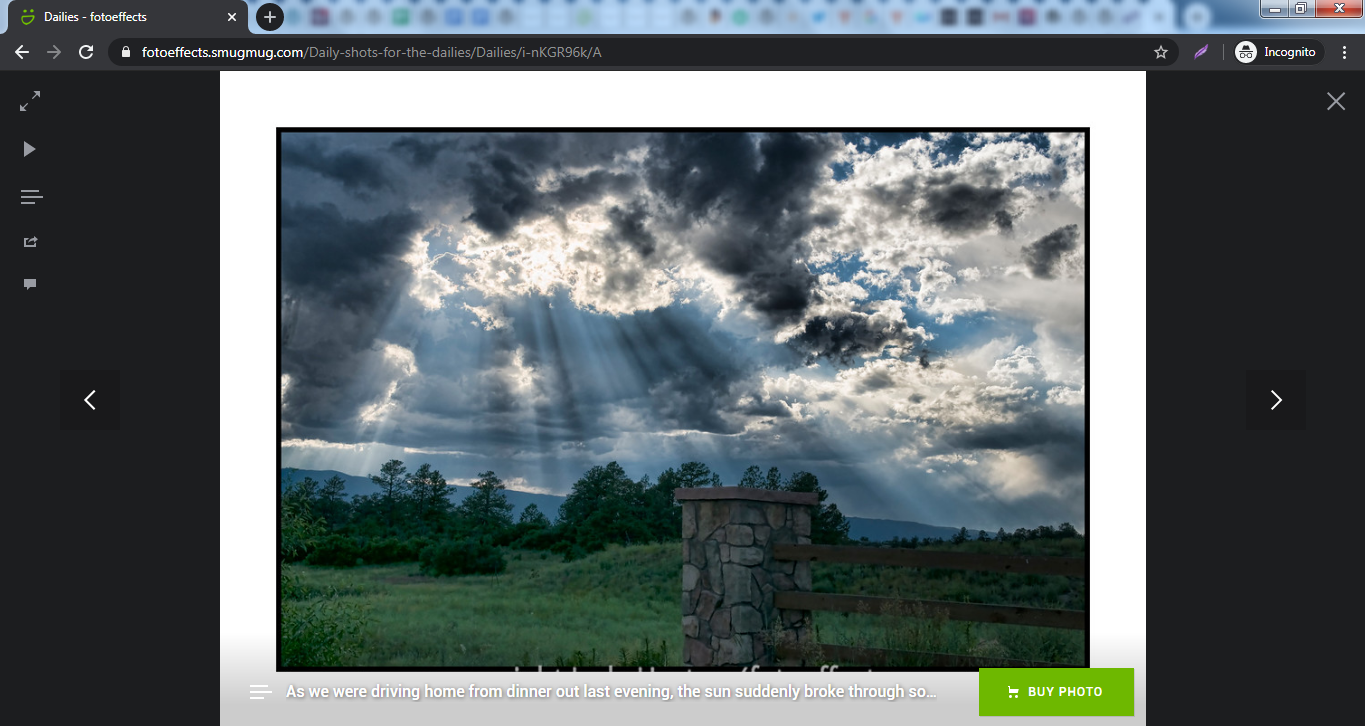
After choosing an image we want on our page or post, copy its URL from the address bar of our browser.
**2. Copy the image URL**

**3\. Add a SmugMug Embed block to your post or page**

[Detailed instructions on adding blocks](https://wordpress.org/documentation/article/adding-a-new-block/)
**4\. Paste the URL in the text box**

5\. **Click the “Embed” button**
A preview won’t be displayed.

If we use an URL that can’t be embedded, the block shows the message _“Sorry, this content could not be embedded.”_
You will have two choices: Try again with a different URL or convert it to a link.
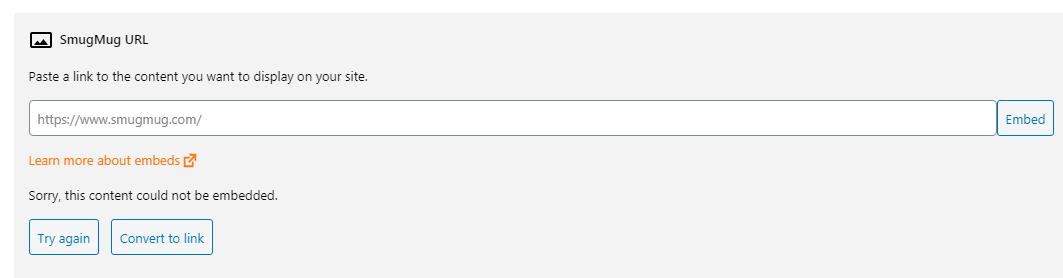
**6\. Click on “Preview” to see how it will look**

[Block Toolbar](https://wordpress.org/documentation/article/smugmug-embed/#block-toolbar)
------------------------------------------------------------------------------------------

Besides the Mover and Drag & Drop Handle, the Block Toolbar for the _SmugMug Embed block_ shows four buttons:
* Transform to
* Change alignment
* Edit URL, and
* More Options.
**Transform to**:

You can transform a _SmugMug Embed block_ to a Group. This would give you the ability to change the background color around the SmugMug embed.
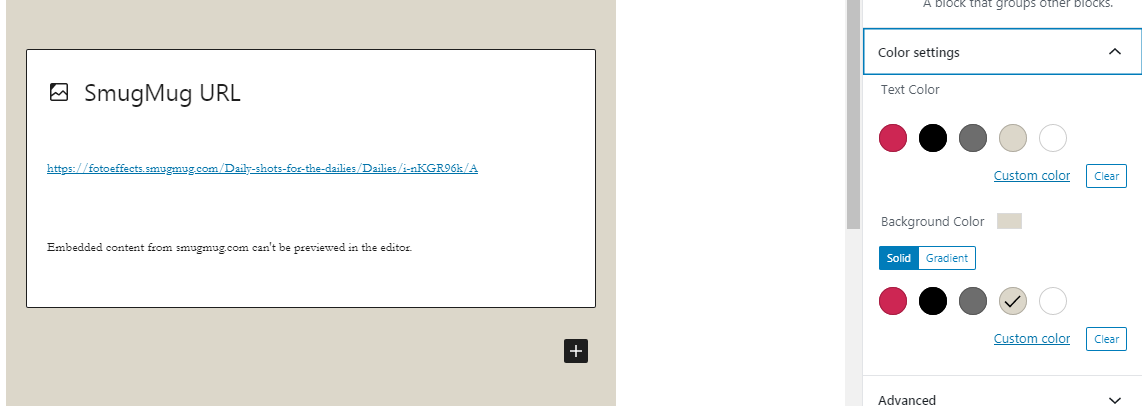
Editor view of an SmugMug Embed as a group with Color Settings controls

SmugMug embed with a Gray background.

**Alignment:**
* **Align left** – Make the SmugMug post left aligned
* **Align center** – Make the SmugMug post alignment centered
* **Align right** – Make the SmugMug post align right
* **Wide width** – Increase the width of the post beyond the content size
* **Full width** – extend the SmugMug post to cover the full width of the screen.
“Wide width” and “Full width” alignment need to be enabled by the Theme of your site.
**Edit URL**
Via the edit URL, you can change the SmugMug URL in the embed block. Overwrite the existing URL and click on the “Embed” Button

**More Options:**
These controls give you the option to copy, duplicate, and edit your block as HTML.
[Read about these and other settings.](https://wordpress.org/documentation/article/more-options/)
[Block Settings](https://wordpress.org/documentation/article/smugmug-embed/#block-settings)
--------------------------------------------------------------------------------------------
Besides the Advanced section, the SmugMug embed has only one setting in the “Block Settings” sidebar: Media Settings.

Via the Media Settings you can control the behavior of your post embed when viewed from a smaller device, like on a phone screen.
The Toggle switch turns on or off the resize functionality for smaller devices. The default setting is “on” or blue.
**“Off:”** This embed may not preserve its aspect ratio when the browser is resized. In the off position the toggle switch is gray.
**“On:”** This embed will preserve its aspect ratio when the browser is resized. The toggle switch turns blue in the “On” position.
**Advanced**
The advanced tab lets you add a CSS class to your block, allowing you to write custom CSS and style the block as you see fit.
[](https://wordpress.org/documentation/files/2020/04/Screen-Shot-2020-04-22-at-10.33.35-AM.png)
The advanced section lets you add a CSS class to your block.
[Changelog](https://wordpress.org/documentation/article/smugmug-embed/#changelog)
----------------------------------------------------------------------------------
* Updated 2023-01-26
* Updated for formatting consistency
* Updated 2022-11-25
* Removed redundant content
* Aligned images for mobile view
* Added alt text to images
* Updated “More Options” sections: replaced screenshot and added text for “Move to” and “Copy”
* Updated 2020-08-20
* Updated 5.5 Screenshots
* Updated 2020-08-19
* Replaced “More Options” – new screenshot
* Added “Move To” and “Copy” section under More Options
* Update 2020-08-10
* Removed mention of ‘reusable blocks’ and added standard blocks
* Added Changelog Box
* Created 2020-07-02
Was this article helpful? How could it be improved? [Cancel reply](https://wordpress.org/documentation/article/smugmug-embed/#respond)
---------------------------------------------------------------------------------------------------------------------------------------
[Log in to submit feedback](https://login.wordpress.org/?redirect_to=https%3A%2F%2Fwordpress.org%2Fdocumentation%2Farticle%2Fsmugmug-embed%2F&locale=en_US)
. If you need support with something that wasn't covered by this article, please post your question in the [support forums](https://wordpress.org/support/forums/)
.
First published
July 2, 2020
Last updated
June 8, 2024
Get more help
-------------
[Support forums](https://wordpress.org/support/forums/)
Ask questions in the support forums.
[Developers](https://developer.wordpress.org/)
Check out the developer documentation.
[Content suggestions](https://github.com/WordPress/Documentation-Issue-Tracker/issues)
Report an error or change in the documentation issue tracker.
[Get involved](https://make.wordpress.org/docs/)
Learn about the Documentation Team and how to contribute.
---
# Post Template block – Documentation – WordPress.org
[WordPress.org](https://wordpress.org/)
[Documentation](https://wordpress.org/documentation)
Post Template block
[Home](https://wordpress.org/documentation)
[Customization](https://wordpress.org/documentation/customization/)
[Theme blocks](https://wordpress.org/documentation/category/theme-blocks/)
Post Template block
Search documentation
Post Template block
===================
In this article
---------------
Table of Contents
* [Block toolbar](https://wordpress.org/documentation/article/post-template-block/#block-toolbar)
* [Block settings](https://wordpress.org/documentation/article/post-template-block/#block-settings)
* [Changelog](https://wordpress.org/documentation/article/post-template-block/#changelog)
[↑ Back to top](https://wordpress.org/documentation/article/post-template-block/#wp--skip-link--target)
[Go back to the list of **Blocks**](https://wordpress.org/documentation/article/blocks/)
The **Post Template** block is a container block that is nested in the [Query Loop](https://wordpress.org/documentation/article/query-loop-block/)
block. This block contains inner block elements used to display a post in the Query loop block such as the post title, post content or excerpt, date, and featured image.
To find the **Post Template** block, click the **Block Inserter** icon, then search for the **Query Loop** block. Click on it to insert the block to the editor. Alternatively, you can type /query-loop to quickly insert the Query Loop block. Click **Choose** to open a selection of patterns. Use the arrow icons (at the bottom) to move from one pattern to another. Click on the **Choose** button to confirm the selection.
To have the **Post Template** block load only the posts from a specific category, [add a new template](https://wordpress.org/documentation/article/template-editor/#to-add-a-new-template)
for that category in the [Template Editor](https://wordpress.org/documentation/article/template-editor/)
and enable the **inherit query** under the Query Loop block settings.
[Block toolbar](https://wordpress.org/documentation/article/post-template-block/#block-toolbar)
------------------------------------------------------------------------------------------------
When users select a block, the block toolbar containing a number of control buttons will appear above the selected block. The **Post Template** block toolbar includes the following tools:
**Select query loop**

This button will select the Query Loop block, which is the **Post** **Template’s** parent block.
**Transform to**

Users can transform the **Post Template** block into a **Columns** or a **Group** block.
**Block-moving tools**

Use the block-moving tools to move the **Post Template** block. The six dots icon allows you to freely reposition the block anywhere within the editor by dragging and dropping it. You can also use the arrows icon to move the block up or down the editor.
**Change alignment**

Use the change alignment tool to reposition the **Post Template** block inside the Query Loop block. The following is a list of the block alignment options:
* None
* Wide width
* Full width
* Align left
* Align center
* Align right
When the parent Query Loop block’s Layout settings – **inner blocks use content width** option is enabled, the **Post Template** block will inherit the layout settings from the parent Query Loop block.

**More options**

The [More Options menu](https://wordpress.org/documentation/article/more-options)
represented by **three vertical dots on the far right of the toolbar** gives you more features such as the ability to duplicate, remove, or edit your block as HTML.
[Read about these and other settings.](https://wordpress.org/documentation/article/more-options/)
[Block settings](https://wordpress.org/documentation/article/post-template-block/#block-settings)
--------------------------------------------------------------------------------------------------
Every WordPress block has specific configuration options in the editor sidebar as the additional settings in the block toolbar. To toggle the sidebar, you can click the cog icon.
The **Post Template** block has two settings in the block settings panel.
**Typography**
The ****Post Template**** block provides typography settings to change the font family, appearance, line height, letter spacing, decoration, letter case, and font size.
For details refer to this support article: [Typography settings overview](https://wordpress.org/documentation/article/typography-settings-overview/)
**Advanced**
The **Advanced** settings tab lets you add additional CSS classe(s) that allows you to write custom CSS styles for the block.
[Changelog](https://wordpress.org/documentation/article/post-template-block/#changelog)
----------------------------------------------------------------------------------------
* Created 2022-11-23
Was this article helpful? How could it be improved? [Cancel reply](https://wordpress.org/documentation/article/post-template-block/#respond)
---------------------------------------------------------------------------------------------------------------------------------------------
[Log in to submit feedback](https://login.wordpress.org/?redirect_to=https%3A%2F%2Fwordpress.org%2Fdocumentation%2Farticle%2Fpost-template-block%2F&locale=en_US)
. If you need support with something that wasn't covered by this article, please post your question in the [support forums](https://wordpress.org/support/forums/)
.
First published
November 23, 2022
Last updated
June 8, 2024
Get more help
-------------
[Support forums](https://wordpress.org/support/forums/)
Ask questions in the support forums.
[Developers](https://developer.wordpress.org/)
Check out the developer documentation.
[Content suggestions](https://github.com/WordPress/Documentation-Issue-Tracker/issues)
Report an error or change in the documentation issue tracker.
[Get involved](https://make.wordpress.org/docs/)
Learn about the Documentation Team and how to contribute.
---
# Twenty Eleven changelog – Documentation – WordPress.org
[WordPress.org](https://wordpress.org/)
[Documentation](https://wordpress.org/documentation)
Twenty Eleven changelog
[Home](https://wordpress.org/documentation)
[Customization](https://wordpress.org/documentation/customization/)
[Default themes](https://wordpress.org/documentation/category/default-themes/)
Twenty Eleven changelog
Search documentation
Twenty Eleven changelog
=======================
In this article
---------------
Table of Contents
* [Version 4.9](https://wordpress.org/documentation/article/twenty-eleven-changelog/#Version_4.9)
* [Version 4.8](https://wordpress.org/documentation/article/twenty-eleven-changelog/#Version_4.8)
* [Version 4.7](https://wordpress.org/documentation/article/twenty-eleven-changelog/#Version_4.7)
* [Version 4.6](https://wordpress.org/documentation/article/twenty-eleven-changelog/#Version_4.6)
* [Version 4.5](https://wordpress.org/documentation/article/twenty-eleven-changelog/#Version_4.5)
* [Version 4.4](https://wordpress.org/documentation/article/twenty-eleven-changelog/#Version_4.4)
* [Version 4.3](https://wordpress.org/documentation/article/twenty-eleven-changelog/#Version_4.3)
* [Version 4.2](https://wordpress.org/documentation/article/twenty-eleven-changelog/#Version_4.2)
* [Version 4.1](https://wordpress.org/documentation/article/twenty-eleven-changelog/#Version_4.1)
* [Version 4.0](https://wordpress.org/documentation/article/twenty-eleven-changelog/#Version_4.0)
* [Version 3.9](https://wordpress.org/documentation/article/twenty-eleven-changelog/#Version_3.9)
* [Version 3.8](https://wordpress.org/documentation/article/twenty-eleven-changelog/#Version_3.8)
* [Version 3.7](https://wordpress.org/documentation/article/twenty-eleven-changelog/#Version_3.7)
* [Version 3.6](https://wordpress.org/documentation/article/twenty-eleven-changelog/#Version_3.6)
* [Version 3.5](https://wordpress.org/documentation/article/twenty-eleven-changelog/#Version_3.5)
* [Version 3.4](https://wordpress.org/documentation/article/twenty-eleven-changelog/#Version_3.4)
* [Version 3.3](https://wordpress.org/documentation/article/twenty-eleven-changelog/#Version_3.3)
* [Version 3.2](https://wordpress.org/documentation/article/twenty-eleven-changelog/#Version_3.2)
* [Version 3.1](https://wordpress.org/documentation/article/twenty-eleven-changelog/#Version_3.1)
* [Version 3.0](https://wordpress.org/documentation/article/twenty-eleven-changelog/#Version_3.0)
* [Version 2.9](https://wordpress.org/documentation/article/twenty-eleven-changelog/#Version_2.9)
* [Version 2.8](https://wordpress.org/documentation/article/twenty-eleven-changelog/#Version_2.8)
* [Version 2.7](https://wordpress.org/documentation/article/twenty-eleven-changelog/#Version_2.7)
* [Version 2.6](https://wordpress.org/documentation/article/twenty-eleven-changelog/#Version_2.6)
* [Version 2.5](https://wordpress.org/documentation/article/twenty-eleven-changelog/#Version_2.5)
* [Version 2.4](https://wordpress.org/documentation/article/twenty-eleven-changelog/#Version_2.4)
* [Version 2.3](https://wordpress.org/documentation/article/twenty-eleven-changelog/#Version_2.3)
* [Version 2.2](https://wordpress.org/documentation/article/twenty-eleven-changelog/#Version_2.2)
* [Version 2.1](https://wordpress.org/documentation/article/twenty-eleven-changelog/#Version_2.1)
* [Version 2.0](https://wordpress.org/documentation/article/twenty-eleven-changelog/#Version_2.0)
* [Version 1.9](https://wordpress.org/documentation/article/twenty-eleven-changelog/#Version_1.9)
* [Version 1.8](https://wordpress.org/documentation/article/twenty-eleven-changelog/#Version_1.8)
* [Version 1.7](https://wordpress.org/documentation/article/twenty-eleven-changelog/#Version_1.7)
* [Version 1.6](https://wordpress.org/documentation/article/twenty-eleven-changelog/#Version_1.6)
* [Version 1.5](https://wordpress.org/documentation/article/twenty-eleven-changelog/#Version_1.5)
* [Version 1.4](https://wordpress.org/documentation/article/twenty-eleven-changelog/#Version_1.4)
* [Version 1.3](https://wordpress.org/documentation/article/twenty-eleven-changelog/#Version_1.3)
* [Version 1.2](https://wordpress.org/documentation/article/twenty-eleven-changelog/#Version_1.2)
* [Version 1.1](https://wordpress.org/documentation/article/twenty-eleven-changelog/#Version_1.1)
[↑ Back to top](https://wordpress.org/documentation/article/twenty-eleven-changelog/#wp--skip-link--target)
[Version 4.9](https://wordpress.org/documentation/article/twenty-eleven-changelog/#Version_4.9)
------------------------------------------------------------------------------------------------
Released: April 15, 2025 with [WordPress 6.8](https://wordpress.org/documentation/wordpress-version/version-6-8/)
* Add `aria-current="page"` on header links that point to the current URL, and add `rel="home"` to the header image link. [#62895](https://core.trac.wordpress.org/ticket/62895)
* Update `.screen-reader-text` class, replacing the obsolete `clip` property with `clip-path`. [#62238](https://core.trac.wordpress.org/ticket/62238)
* Replace references to “Add New” theme screen in `readme` file. [#61219](https://core.trac.wordpress.org/ticket/61219)
* Improve documentation for `twentyeleven_attachment_size` filter. [#63160](https://core.trac.wordpress.org/ticket/63160)
[Version 4.8](https://wordpress.org/documentation/article/twenty-eleven-changelog/#Version_4.8)
------------------------------------------------------------------------------------------------
Released: November 12th, 2024 with [WordPress 6.7](https://wordpress.org/documentation/wordpress-version/version-6-7/)
* Remove floating and absolute positioning to make post navigation links clickable on small screens and to match the visual order of the post navigation and post date to the markup order. ([#62008](https://core.trac.wordpress.org/ticket/62008)
)
* Fix Gallery block caption styles when the Gallery is inside a different block. ([#50376](https://core.trac.wordpress.org/ticket/50376)
)
* Show the Verse block in the same font family in the editor as it has on the front end. ([#61140](https://core.trac.wordpress.org/ticket/61140)
)
* Respect user-defined font size settings in Code blocks. ([#61753](https://core.trac.wordpress.org/ticket/61753)
)
* Add missing `initial-scale` value in viewport meta tag. ([\[59026\]](https://core.trac.wordpress.org/changeset/59026)
)
* Document the `$instance` parameter in Ephemera widget form. ([\[59200\]](https://core.trac.wordpress.org/changeset/59200)
)
* Add contributors to copyright notices. ([#61943](https://core.trac.wordpress.org/ticket/61943)
)
[Version 4.7](https://wordpress.org/documentation/article/twenty-eleven-changelog/#Version_4.7)
------------------------------------------------------------------------------------------------
Released: July 16th, 2024 with [WordPress 6.6](https://wordpress.org/documentation/wordpress-version/version-6-6/)
* Fix margins and padding around the text of the Media & Text block. ([#57195](https://core.trac.wordpress.org/ticket/57195)
)
* Remove Pullquote citation text color so it matches the quote text, whether the block has its default color or a special text color in block settings. ([#56524](https://core.trac.wordpress.org/ticket/56524)
)
* Respect custom font weight and font style settings with Quote and Pullquote blocks, including their citations. ([#56695](https://core.trac.wordpress.org/ticket/56695)
)
* Remove negative values for padding. ([#46771](https://core.trac.wordpress.org/ticket/46771)
)
* Remove measurement in `px` for zero values in CSS. ([#53874](https://core.trac.wordpress.org/ticket/53874)
)
* Remove blank CSS lines. ([#59493](https://core.trac.wordpress.org/ticket/59493)
)
* Update HelpHub link for post format documentation to avoid unnecessary redirections. ([\[57800\]](https://core.trac.wordpress.org/changeset/57800/)
)
[Version 4.6](https://wordpress.org/documentation/article/twenty-eleven-changelog/#Version_4.6)
------------------------------------------------------------------------------------------------
Released: April 2nd, 2024 with [WordPress 6.5](https://wordpress.org/documentation/wordpress-version/version-6-5/)
* Fix typos. ([#60383](https://core.trac.wordpress.org/ticket/60383)
)
[Version 4.5](https://wordpress.org/documentation/article/twenty-eleven-changelog/#Version_4.5)
------------------------------------------------------------------------------------------------
Released: November 7, 2023
* Implement `the_header_image_tag` function for enhanced compatibility with new image features such as lazy loading, async decoding and fetch priority ([#58675](https://core.trac.wordpress.org/ticket/58675)
)
* Update default themes to use new script function signature: the last parameter of `wp_enqueue_script()` is an array instead of the boolean `true` ([#59302](https://core.trac.wordpress.org/ticket/59302)
)
* Use `defer` loading strategy for theme scripts ([#59316](https://core.trac.wordpress.org/ticket/59316)
)
[Version 4.4](https://wordpress.org/documentation/article/twenty-eleven-changelog/#Version_4.4)
------------------------------------------------------------------------------------------------
Released: August 8, 2023
* Remove call to `load_theme_textdomain()` function if the WordPress version is at least 4.6 ([#58318](https://core.trac.wordpress.org/ticket/58318)
)
* Add “Requires PHP” to readme.txt and “Requires at least” in style.css ([#57857](https://core.trac.wordpress.org/ticket/57857)
)
[Version 4.3](https://wordpress.org/documentation/article/twenty-eleven-changelog/#Version_4.3)
------------------------------------------------------------------------------------------------
Released: March 29, 2023
* Remove title attributes ([#57199](https://core.trac.wordpress.org/ticket/57199)
)
* Fix Separator block “Dots” style variation ([#56008](https://core.trac.wordpress.org/ticket/56008)
)
* Use the new `/documentation/` URLs for HelpHub links ([#57726](https://core.trac.wordpress.org/ticket/57726)
)
* Use strict comparison in bundled themes’ PHP files. ([\[55420](https://core.trac.wordpress.org/changeset/55420)\
\])
[Version 4.2](https://wordpress.org/documentation/article/twenty-eleven-changelog/#Version_4.2)
------------------------------------------------------------------------------------------------
Released: November 1, 2022
* screen\_icon() and get\_current\_theme() are deprecated ([#54833](https://core.trac.wordpress.org/ticket/54833)
)
* Asterisk symbol alignment with WooCommerce reviews rating label ([#56297](https://core.trac.wordpress.org/ticket/56297)
)
* Table thead color not reflected in editor and front side ([#56462](https://core.trac.wordpress.org/ticket/56462)
)
* Correctly escape template directory uri ([#56717](https://core.trac.wordpress.org/ticket/56717)
)
* Multiple Themes: Correctly escape stylesheet URL ([#56696](https://core.trac.wordpress.org/ticket/56695)
)
[Version 4.1](https://wordpress.org/documentation/article/twenty-eleven-changelog/#Version_4.1)
------------------------------------------------------------------------------------------------
Released: May 24, 2022
* Define List item separator as a WP\_Locale property ([#39733](https://core.trac.wordpress.org/ticket/39733)
)
[Version 4.0](https://wordpress.org/documentation/article/twenty-eleven-changelog/#Version_4.0)
------------------------------------------------------------------------------------------------
Released: January 25, 2022
* Searchform collides with menu on small screens ([#40398](https://core.trac.wordpress.org/ticket/40398)
)
* comment form styling ([#54408](https://core.trac.wordpress.org/ticket/54408)
)
* Remove “role” attribute on HTML5 elements with a default landmark role. ([#54079](https://core.trac.wordpress.org/ticket/54079)
)
* Bundled Themes: Add “Tested up to” in style.css ([#53797](https://core.trac.wordpress.org/ticket/53797)
)
[Version 3.9](https://wordpress.org/documentation/article/twenty-eleven-changelog/#Version_3.9)
------------------------------------------------------------------------------------------------
Released: July 26, 2021
* Bundled themes: block-patterns.php file should use `get_template_directory_uri` instead of `get_stylesheet_directory_uri` ([#53769](https://core.trac.wordpress.org/ticket/53769)
)
[Version 3.8](https://wordpress.org/documentation/article/twenty-eleven-changelog/#Version_3.8)
------------------------------------------------------------------------------------------------
Released: July 20, 2021
* Introduce block patterns for Twenty Eleven. ([#51106](https://core.trac.wordpress.org/ticket/51106)
)
[Version 3.7](https://wordpress.org/documentation/article/twenty-eleven-changelog/#Version_3.7)
------------------------------------------------------------------------------------------------
Released: March 9, 2021
* Some core blocks are positioned incorrectly. ([#52009](https://core.trac.wordpress.org/ticket/52009)
)
* Featured Images no longer display in-post if no header size match. ([#52516](https://core.trac.wordpress.org/ticket/52516)
)
[Version 3.6](https://wordpress.org/documentation/article/twenty-eleven-changelog/#Version_3.6)
------------------------------------------------------------------------------------------------
Released: December 8, 2020
* For image attachments, replace the text “Return to” with “Go to”. ([#47235](https://core.trac.wordpress.org/ticket/47235)
)
* Correct punctuation in “Your comment is awaiting moderation” string. ([#49867](https://core.trac.wordpress.org/ticket/49867)
)
* Correct list block alignment in editor styles. ([#51157](https://core.trac.wordpress.org/ticket/51157)
)
* Docs: Add missing @return type for twentyeleven\_auto\_excerpt\_more(). ([#51477](https://core.trac.wordpress.org/ticket/51477)
)
* Docs: Fix and upgrade object docblock notations. ([#50768](https://core.trac.wordpress.org/ticket/50768#comment:28)
)
[Version 3.5](https://wordpress.org/documentation/article/twenty-eleven-changelog/#Version_3.5)
------------------------------------------------------------------------------------------------
Released: August 11, 2020
* Add custom color palettes for block editor. ([#50120](https://core.trac.wordpress.org/ticket/50120)
)
* Use HTTPS for XHTML Friends Network URL. ([#48002](https://core.trac.wordpress.org/ticket/48002)
)
* Fixes the width of the category dropdown by limiting the width of select items in widgets using max-width: 100%. ([#37926](https://core.trac.wordpress.org/ticket/37926)
)
* Use strict type check for in\_array() and array\_search() where strings are involved. ([#49542](https://core.trac.wordpress.org/ticket/49542)
)
[Version 3.4](https://wordpress.org/documentation/article/twenty-eleven-changelog/#Version_3.4)
------------------------------------------------------------------------------------------------
Released: March 31, 2020
* Update calendar widget styles for 5.4 markup. ([#49549](https://core.trac.wordpress.org/ticket/49549)
)
[Version 3.3](https://wordpress.org/documentation/article/twenty-eleven-changelog/#Version_3.3)
------------------------------------------------------------------------------------------------
Released: May 7, 2019
* Trigger a new `wp_body_open` action immediately after the opening `body` tag, and add shim. ([#12563](https://core.trac.wordpress.org/ticket/12563)
, [#46679](https://core.trac.wordpress.org/ticket/46679)
)
* Update readme.txt file content to fix validation errors. ([#45871](https://core.trac.wordpress.org/ticket/45871)
)
* Update link to child theme documentation to point to its new locations. ([#46450](https://core.trac.wordpress.org/ticket/46450)
)
* Correct `linear-gradient` syntax in the theme’s CSS. ([#46770](https://core.trac.wordpress.org/ticket/46770)
)
* Update support forum links to point to their new location. ([#46790](https://core.trac.wordpress.org/ticket/46790)
)
[Version 3.2](https://wordpress.org/documentation/article/twenty-eleven-changelog/#Version_3.2)
------------------------------------------------------------------------------------------------
Released: February 21, 2019
* Add escaping to the pingback URL. ([#43717](https://core.trac.wordpress.org/ticket/43717)
)
[Version 3.1](https://wordpress.org/documentation/article/twenty-eleven-changelog/#Version_3.1)
------------------------------------------------------------------------------------------------
Released: January 9, 2019
* Make sure button blocks respect the default rounded style, as well as the squared and outline options. ([#45541](https://core.trac.wordpress.org/ticket/45541)
)
* Bump version numbers of updated scripts and stylesheets to prevent caching. ([#45679](https://core.trac.wordpress.org/ticket/45679)
)
[Version 3.0](https://wordpress.org/documentation/article/twenty-eleven-changelog/#Version_3.0)
------------------------------------------------------------------------------------------------
Released: December 19, 2018
* Replace erroneous `font-size` with `font-weight` in editor styles. ([#45421](https://core.trac.wordpress.org/ticket/45421)
)
* Update styles so button blocks will apply theme’s custom colors. ([#45433](https://core.trac.wordpress.org/ticket/45433)
)
* Correct block appender appearance in block editor. ([#45450](https://core.trac.wordpress.org/ticket/45450)
)
* Remove the term “Gutenberg” from code comments. ([#45452](https://core.trac.wordpress.org/ticket/45452)
)
[Version 2.9](https://wordpress.org/documentation/article/twenty-eleven-changelog/#Version_2.9)
------------------------------------------------------------------------------------------------
Released: December 6, 2018
* Add front end styles, editor styles and a custom color palette for the new block-based editor. ([#45039](https://core.trac.wordpress.org/ticket/45039)
and [#45239](https://core.trac.wordpress.org/ticket/45239)
)
* Add theme support for responsive block embeds. ([#45274](https://core.trac.wordpress.org/ticket/45274)
)
[Version 2.8](https://wordpress.org/documentation/article/twenty-eleven-changelog/#Version_2.8)
------------------------------------------------------------------------------------------------
Released: May 17, 2018
* General: Reformat inline if () statements inside HTML tags. ([#41057](https://core.trac.wordpress.org/ticket/41057)
)
* Code is Poetry. WordPress’ code just… wasn’t. ([#41057](https://core.trac.wordpress.org/ticket/41057)
)
* Add link to privacy policy page in footer. ([#43715](https://core.trac.wordpress.org/ticket/43715)
)
* Comments: Move comment consent input outside the label for a11y. ([#43436](https://core.trac.wordpress.org/ticket/43436)
)
[Version 2.7](https://wordpress.org/documentation/article/twenty-eleven-changelog/#Version_2.7)
------------------------------------------------------------------------------------------------
Released: November 14, 2017
* Change tag cloud format to a list (ul) for better semantics and accessibility. ([#40138](https://core.trac.wordpress.org/ticket/40138)
)
* Make sure new gallery widgets look good in themes. ([#41969](https://core.trac.wordpress.org/ticket/41969)
)
[Version 2.6](https://wordpress.org/documentation/article/twenty-eleven-changelog/#Version_2.6)
------------------------------------------------------------------------------------------------
Released: June 8, 2017
* Improve styles for 4.8 widgets. ([#40745](https://core.trac.wordpress.org/ticket/40745)
)
[Version 2.5](https://wordpress.org/documentation/article/twenty-eleven-changelog/#Version_2.5)
------------------------------------------------------------------------------------------------
Released: August 15, 2016
* Twenty Eleven Ephemera widget fix for caching in Customizer preview. ([#36429](https://core.trac.wordpress.org/ticket/36429)
)
* Update theme tags. ([#37426](https://core.trac.wordpress.org/ticket/37426)
)
[Version 2.4](https://wordpress.org/documentation/article/twenty-eleven-changelog/#Version_2.4)
------------------------------------------------------------------------------------------------
Released: April 12, 2016
* Use selective refresh to preview changes to site title and tagline in core themes. ([#27355](https://core.trac.wordpress.org/ticket/27355)
)
* Captioned image fix for editor. ([#33153](https://core.trac.wordpress.org/ticket/33153)
)
* Require opt-in for selective refresh of widgets. ([#27355](https://core.trac.wordpress.org/ticket/27355)
)
[Version 2.3](https://wordpress.org/documentation/article/twenty-eleven-changelog/#Version_2.3)
------------------------------------------------------------------------------------------------
Released: December 8, 2015
* Correct license information in readme.txt. ([#33590](https://core.trac.wordpress.org/ticket/33590)
)
[Version 2.2](https://wordpress.org/documentation/article/twenty-eleven-changelog/#Version_2.2)
------------------------------------------------------------------------------------------------
Released August 18, 2015
* Add readme file to explain basic theme usage, link to changelog in Codex, and include license information. ([#31814](https://core.trac.wordpress.org/ticket/31814)
)
* Update the Twenty\_Eleven\_Ephemera\_Widget class constructor. Remove deprecated constructor notice (Since Twenty Eleven can be used with WordPress releases prior to 4.3, it can’t contain calls to functions that were introduced after its initial release.) ([#32881](https://core.trac.wordpress.org/ticket/32881)
)
* Fix “Skip to content” links appearance after ([31464](https://core.trac.wordpress.org/changeset/31464)
). See: ([#32231](https://core.trac.wordpress.org/ticket/32231)
).
[Version 2.1](https://wordpress.org/documentation/article/twenty-eleven-changelog/#Version_2.1)
------------------------------------------------------------------------------------------------
Released April 23, 2015
* Fix indentation (spaces to tabs), fix escaping and minor code style issues ([#29127](https://core.trac.wordpress.org/ticket/29127)
)
* Add postMessage support for header\_textcolor to improve the user experience in the Customizer ([#24128](https://core.trac.wordpress.org/ticket/24128)
)
* Remove URLs from reset credits ([#30764](https://core.trac.wordpress.org/ticket/30764)
)
* Fill in support for `screen-reader-text` class ([#31095](https://core.trac.wordpress.org/ticket/31095)
)
* Replace current() with reset(), which is guaranteed to be the first item ([#31259](https://core.trac.wordpress.org/ticket/31259)
, [#31260](https://core.trac.wordpress.org/ticket/31260)
)
* Update CSS rules for `.screen-reader-text` to be consistent with current accessibility guidelines ( [#31279](https://core.trac.wordpress.org/ticket/31279)
)
* Use SSL for theme and author URIs ([#31699](https://core.trac.wordpress.org/ticket/31699)
)
* Add trailing slashes to theme URIs to avoid a redirect ([#31839](https://core.trac.wordpress.org/ticket/31839)
)
[Version 2.0](https://wordpress.org/documentation/article/twenty-eleven-changelog/#Version_2.0)
------------------------------------------------------------------------------------------------
Released: December 18, 2014
* Add bottom margin to audio and video players. ([#29146](https://core.trac.wordpress.org/ticket/29146)
)
* Change Twenty Eleven’s header preview callback. ([#29289](https://core.trac.wordpress.org/ticket/29289)
)
* Don’t display modified excerpt link in wp-admin. ([#30026](https://core.trac.wordpress.org/ticket/30026)
)
* Change instances of “Theme Customizer” to just “Customizer”, as the Customizer isn’t necessarily theme-specific. ([#29947](https://core.trac.wordpress.org/ticket/29947)
)
* Add an alt attribute with the site title for header images linked to the home page. ([#15926](https://core.trac.wordpress.org/ticket/15926)
)
* Use HTTPS URLs for core.trac.wordpress.org. ([#27115](https://core.trac.wordpress.org/ticket/27115)
)
* Prevent the arrow in “Continue reading” links from wrapping to a second line. ([#27908](https://core.trac.wordpress.org/ticket27908/)
)
[Version 1.9](https://wordpress.org/documentation/article/twenty-eleven-changelog/#Version_1.9)
------------------------------------------------------------------------------------------------
Released: September 4, 2014
* Avoid a PHP notice in bundled themes if no images were found. ([#28361](https://core.trac.wordpress.org/ticket/28361)
)
[Version 1.8](https://wordpress.org/documentation/article/twenty-eleven-changelog/#Version_1.8)
------------------------------------------------------------------------------------------------
Released: May 8, 2014
* Use correct logic in IE conditional comments in header template. ([#28151](https://core.trac.wordpress.org/ticket/28151)
)
* Prevent ‘Page %s’ from being added to page title on 404 error pages in bundled themes. ([#16468](https://core.trac.wordpress.org/ticket/16468)
)
* Correct description for twentyeleven\_theme\_options\_render\_page(). ([#28057](https://core.trac.wordpress.org/ticket/28057)
)
* Add minimal CSS rules for audio, video, and display players on attachment pages. ([#27243](https://core.trac.wordpress.org/ticket/27243)
)
* In `prepend_attachment`, add logic to support attachment types that are not `image`. ([#27243](https://core.trac.wordpress.org/ticket/27243)
)
* In `get_post_class()`, don’t add the `has-post-thumbnail` class for attachment pages. ([#27243](https://core.trac.wordpress.org/ticket/27243)
)
* Remove doc block comments for `@return void`. ([#27098](https://core.trac.wordpress.org/ticket/27098)
)
* Make sure top post meta output isn’t broken on small screens. ([#27061](https://core.trac.wordpress.org/ticket/27061)
)
* Only show secondary skip link on pages with secondary content, and remove duplicate title attribute in site title output. ([#26950](https://core.trac.wordpress.org/ticket/26950)
)
* Update the HTML5 Shiv across the default themes to 3.7.0. ([#26491](https://core.trac.wordpress.org/ticket/26491)
)
* New screenshot at 880×660 to maximize theme goodness in the new theme viewer design. ([#26159](https://core.trac.wordpress.org/ticket/26159)
)
* Add and display new tags to highlight the ever-growing number of responsive themes available. ([#21442](https://core.trac.wordpress.org/ticket/21442)
)
* Implement Microsoft-specific `@viewport` rules for better responsive styling in Windows 8 “snapped” views. ([#25888](https://core.trac.wordpress.org/ticket/25888)
)
[Version 1.7](https://wordpress.org/documentation/article/twenty-eleven-changelog/#Version_1.7)
------------------------------------------------------------------------------------------------
Released: Octoer 24, 2013
* Documentation: Spell out duplicate hook locations. ([#25658](https://core.trac.wordpress.org/ticket/25658)
)
* Don’t use `/**` docblocks for simple multiline comments. ([#25256](https://core.trac.wordpress.org/ticket/25256)
)
* Update code comments to reflect WP inline docs standards.([#25256](https://core.trac.wordpress.org/ticket/25256)
)
* Fix some mobile layout bugs on single post format view. ([#25019](https://core.trac.wordpress.org/ticket/25019)
)
* Theme folder moved to develop.svn.wordpress.org repository based on the old core.svn repository. ([#24976](https://core.trac.wordpress.org/ticket/24976)
)
[Version 1.6](https://wordpress.org/documentation/article/twenty-eleven-changelog/#Version_1.6)
------------------------------------------------------------------------------------------------
August 1, 2013
* Fix showcase template display in IE7 and IE8. ([#18024](https://core.trac.wordpress.org/ticket/18024)
)
* Set images without WordPress-generated class to 100% maximum width, and fix spacing of images within caption containers. ([#22366](https://core.trac.wordpress.org/ticket/22366)
)
* Improve spelling and grammar in documentation. ([#22665](https://core.trac.wordpress.org/ticket/22665)
)
* Improve how gallery image IDs are retrieved for use in the Gallery post format template. Call get\_post\_galleries() correctly now that it has new arguments, and use a more accurate function\_exists call.([#22907](https://core.trac.wordpress.org/ticket/22907)
)
* Use .text() instead of .html() for blogname and blogdescription in Theme Customizer JavaScript handlers. ([#23435](https://core.trac.wordpress.org/ticket/23435)
)
* Use new URL extraction function, get\_the\_url() for link post formats in the Ephemera widget. ([#23618](https://core.trac.wordpress.org/ticket/23618)
)
* Add identifier to style elements added by the theme. ([#24033](https://core.trac.wordpress.org/ticket/24033)
)
* Add .displaying-header-text to the default themes, as the Custom Header page toggles this class. ([#24113](https://core.trac.wordpress.org/ticket/24113)
)
* Remove the\_title\_attribute() title attributes where it duplicates the\_title() in anchor text. ([#24203](https://core.trac.wordpress.org/ticket/24203)
)
* Remove /extend/ from Theme URI headers in default themes. ([#24389](https://core.trac.wordpress.org/ticket/24389)
)
* Minor cleanup: remove extra spaces in CSS file and crush a few more kilobytes from a PNG file. ([r24144](https://core.trac.wordpress.org/changeset/24144)
)
[Version 1.5](https://wordpress.org/documentation/article/twenty-eleven-changelog/#Version_1.5)
------------------------------------------------------------------------------------------------
December 11, 2012
* Continue reading link should be pluggable. ([#16500](https://core.trac.wordpress.org/ticket/16500)
)
* Allow content-single.php to be overridden for post formats. ([#17996](https://core.trac.wordpress.org/ticket/17996)
)
* Better closed comments notes. Check only for “comment” type comments when deciding whether to show the message. Check get\_comments\_number() instead of using $comments\_by\_type for showing a comments closed message. ([#20469](https://core.trac.wordpress.org/ticket/20469)
)
* Fix gallery thumbnail image overflow. ([#20478](https://core.trac.wordpress.org/ticket/20478)
)
* Style a few more common input types. ([#20579](https://core.trac.wordpress.org/ticket/20579)
& [#21757](https://core.trac.wordpress.org/ticket/21757)
)
* Update html5 shiv to stable version. ([#20640](https://core.trac.wordpress.org/ticket/20640)
)
* Show categories and tags only when supported by post type, using is\_object\_in\_taxonomy() instead of only checking for ‘post’ post types. ([#20922](https://core.trac.wordpress.org/ticket/20922)
)
* Remove an errant 1 pixel border below the header image. [#21057](https://core.trac.wordpress.org/ticket/21057)
)
* More elegant fix for long word overflow in sidebars. ([#21151](https://core.trac.wordpress.org/ticket/21151)
& [#21503](https://core.trac.wordpress.org/ticket/21503)
)
* Fix typo, s/#entry-meta/.entry-meta/. ([#21418](https://core.trac.wordpress.org/ticket/21418)
)
* Fix long URLs in comments overflow content area. ([#21491](https://core.trac.wordpress.org/ticket/21491)
)
* Add new ‘flexible-header’ tag for themes. ([#21605](https://core.trac.wordpress.org/ticket/21065)
)
* Add rule to force override the fixed width for Twitter embeds. ([#21680](https://core.trac.wordpress.org/ticket/21680)
)
* Escape i18n attributes as late as possible. ([#21756](https://core.trac.wordpress.org/ticket/21756)
)
* Improve styling and markup for gallery and attachment MCE views. Attachment views can now inherit from the theme’s editor-style.css. Adds a non-functional edit button to gallery views. ([#21390](https://core.trac.wordpress.org/ticket/21390)
, [#21813](https://core.trac.wordpress.org/ticket/21813)
, & [#21815](https://core.trac.wordpress.org/ticket/21815)
)
* Remove invalid pubdate value from time elements. ([#22095](https://core.trac.wordpress.org/ticket/22095)
)
* Style < small > element in default themes a bit smaller than normal text. ([#22109](https://core.trac.wordpress.org/ticket/22109)
)
* Allow show\_home argument to be overridden when using wp\_page\_menu as a fallback to a Custom Menu. ([#22331](https://core.trac.wordpress.org/ticket/22331)
)
* Proper default background color. ([#22347](https://core.trac.wordpress.org/ticket/22347)
)
* Escape navigation ID output. ([#22690](https://core.trac.wordpress.org/ticket/22690)
)
* Remove buggy word-break property, use word-wrap instead, for better hyphenation and word breaking in nested comments. ([#22751](https://core.trac.wordpress.org/ticket/22751)
)
[Version 1.4](https://wordpress.org/documentation/article/twenty-eleven-changelog/#Version_1.4)
------------------------------------------------------------------------------------------------
June 13, 2012
* Style the samp and var elements the same way we style the code and kbd elements. ([#17842](https://core.trac.wordpress.org/ticket/17842)
)
* Use one space, not two, after trailing punctuation. ([#19537](https://core.trac.wordpress.org/ticket/19537)
)
* Callbacks for custom headers and custom backgrounds registered through add\_theme\_support() are now wp-head-callback, admin-head-callback, and admin-preview-callback. ([#19910](https://core.trac.wordpress.org/ticket/19910)
)
* Fix incorrect end HTML comment. ([#19978](https://core.trac.wordpress.org/ticket/19978)
)
* Move to add add\_theme\_support() for headers and backgrounds. Update functions.php to use the new add\_theme\_support() calls for backgrounds and headers.([#20265](https://core.trac.wordpress.org/ticket/20265)
& [#20249](https://core.trac.wordpress.org/ticket/20249)
)
* Remove use of HEADER\_IMAGE\_WIDTH and HEADER\_IMAGE\_HEIGHT from header.php. ([#20265](https://core.trac.wordpress.org/ticket/20265)
)
* Fix typo and terminology in Twenty Eleven’s header template. ([#20442](https://core.trac.wordpress.org/ticket/20442)
)
* Specify default background colors for the bundled themes. Change the default custom background callback to only operate on saved values, rather than default values. Prevent an unsaved default value from overriding a manually modified style.css file. Flexible heights for custom headers. [#20448](https://core.trac.wordpress.org/ticket/20448)
)
* Provide backward compatibility for custom headers. ([#20768](https://core.trac.wordpress.org/ticket/20768)
)
[Version 1.3](https://wordpress.org/documentation/article/twenty-eleven-changelog/#Version_1.3)
------------------------------------------------------------------------------------------------
December 12, 2011
* Make date formats for transation.([#16441](https://core.trac.wordpress.org/ticket/16441)
)
* Introduce image post format and miscellaneous style fixes. ([#17198](https://core.trac.wordpress.org/ticket/17198)
)
* Simplify some Twenty-Eleven strings for i18n. ([#17777](https://core.trac.wordpress.org/ticket/17777)
)
* Use get\_template\_directory() instead of TEMPLATEPATH. ([#18071](https://core.trac.wordpress.org/ticket/18071)
)
* Fix @sinces documentation. Use the Settings fields/sections API. ([#18045](https://core.trac.wordpress.org/ticket/18045)
)
* Fix alignment buttons when there is no content in editor under RTL. ([#18247](https://core.trac.wordpress.org/ticket/18247)
)
* Make twentyeleven\_content\_nav() pluggable. ([#18585](https://core.trac.wordpress.org/ticket/18585)
)
* Highlight current-menu-item and current-menu-ancestor. ([#18643](https://core.trac.wordpress.org/ticket/18643)
)
* Indent code within an ‘if’ inside Twenty Eleven’s ephemera widget. ([#18751](https://core.trac.wordpress.org/ticket/18751)
)
* Always call the loop properly in all template files rather than just calling the\_post(). ([#18794](https://core.trac.wordpress.org/ticket/18794)
)
* Improve RTL css to better match LTR experience. ([#18911](https://core.trac.wordpress.org/ticket/18911)
)
* Custom shadows for comment avatars in the dark color scheme. ([#18930](https://core.trac.wordpress.org/ticket/18930)
)
* Footer widgets shouldn’t appear on the 404 page. ([#18933](https://core.trac.wordpress.org/ticket/18933)
)
* Higher z-index for #branding. ([#18938](https://core.trac.wordpress.org/ticket/18938)
)
* Make sure embeds and iframes fit their containers. ([#18941](https://core.trac.wordpress.org/ticket/18941)
)
* phpdoc fix. ([#18965](https://core.trac.wordpress.org/ticket/18965)
)
* Use get\_template\_directory() for include paths rather than FILE magic constant. Won’t go stale when twentyeleven\_setup() is overridden. ([#18985](https://core.trac.wordpress.org/ticket/18985)
)
* Standardize some final help strings. Add contextual help for Twenty Eleven theme options page. ([#19020](https://core.trac.wordpress.org/ticket/19020)
)
* Properly adjust margins for ordered lists in RTL in Twenty Eleven. ([\[1\]](https://core.trac.wordpress.org/ticket/19072)
)
* Give a min-height to posts of the status post format. ([#19325](https://core.trac.wordpress.org/ticket/19325)
)
* Provide backward compatibility for multiple authors. ([#19504](https://core.trac.wordpress.org/ticket/19504)
)
* Standardise on “Leave a reply”. ([r19375](https://core.trac.wordpress.org/changeset/19375)
)
* More consistent attribute escaping. ([r19582](https://core.trac.wordpress.org/changeset/19582)
)
* Backward compatible contextual help. ([r19580](https://core.trac.wordpress.org/changeset/19580)
)
[Version 1.2](https://wordpress.org/documentation/article/twenty-eleven-changelog/#Version_1.2)
------------------------------------------------------------------------------------------------
July 12, 2011
* Don’t call comments\_popup\_link() if post\_password\_required(). That’ll result in double password messages. ([#17962](https://core.trac.wordpress.org/ticket/17962)
)
* Fix search form width in IE7. ([#18004](https://core.trac.wordpress.org/ticket/18004)
)
* Update editor style for blockquotes and images. ([#18008](https://core.trac.wordpress.org/ticket/18008)
)
* Don’t set color in the \* selector in editor styles. ([#18011](https://core.trac.wordpress.org/ticket/18011)
)
* Prefix theme\_options\_render\_page(). ([#18045](https://core.trac.wordpress.org/ticket/18045)
)
[Version 1.1](https://wordpress.org/documentation/article/twenty-eleven-changelog/#Version_1.1)
------------------------------------------------------------------------------------------------
Released: July 4, 2011
Initial release.
Was this article helpful? How could it be improved? [Cancel reply](https://wordpress.org/documentation/article/twenty-eleven-changelog/#respond)
-------------------------------------------------------------------------------------------------------------------------------------------------
[Log in to submit feedback](https://login.wordpress.org/?redirect_to=https%3A%2F%2Fwordpress.org%2Fdocumentation%2Farticle%2Ftwenty-eleven-changelog%2F&locale=en_US)
. If you need support with something that wasn't covered by this article, please post your question in the [support forums](https://wordpress.org/support/forums/)
.
First published
February 27, 2024
Last updated
April 15, 2025
Get more help
-------------
[Support forums](https://wordpress.org/support/forums/)
Ask questions in the support forums.
[Developers](https://developer.wordpress.org/)
Check out the developer documentation.
[Content suggestions](https://github.com/WordPress/Documentation-Issue-Tracker/issues)
Report an error or change in the documentation issue tracker.
[Get involved](https://make.wordpress.org/docs/)
Learn about the Documentation Team and how to contribute.
---
# Posts List block – Documentation – WordPress.org
[WordPress.org](https://wordpress.org/)
[Documentation](https://wordpress.org/documentation)
Posts List block
[Home](https://wordpress.org/documentation)
[Customization](https://wordpress.org/documentation/customization/)
[Theme blocks](https://wordpress.org/documentation/category/theme-blocks/)
Posts List block
Search documentation
Posts List block
================
[↑ Back to top](https://wordpress.org/documentation/article/posts-list-block/#wp--skip-link--target)
[Go back to the list of **Blocks**](https://wordpress.org/documentation/article/blocks/)
The **Posts List block** is a variation of the **[Query Loop block](https://wordpress.org/documentation/article/query-loop-block/)
** that lets you display posts based on various query parameters and visual configurations. It has various integrated block patterns to help you quickly set up the block appearance and layout.
To add a **Posts List block**, click the **Add block** button and select the **Posts List** block. Alternatively, type /posts list in a new paragraph block and press Enter.
Refer to this article for [detailed instructions on adding blocks](https://wordpress.org/documentation/article/wordpress-editor/#adding-a-block)
.
Note that once the block is added, you will see a placeholder for the block with the option to choose a block pattern or to start blank. However, note that on the block settings panel and the list view, the Posts List block is registered as a [Query Loop block](https://wordpress.org/documentation/article/query-loop-block/)
.

The Posts List block has the same setup process and configuration options as the Query Loop block.
Refer to this article for a more detailed guide for the [Query Loop block](https://wordpress.org/documentation/article/query-loop-block/)
.
Changelog
---------
* Created 2022-12-02
Was this article helpful? How could it be improved? [Cancel reply](https://wordpress.org/documentation/article/posts-list-block/#respond)
------------------------------------------------------------------------------------------------------------------------------------------
[Log in to submit feedback](https://login.wordpress.org/?redirect_to=https%3A%2F%2Fwordpress.org%2Fdocumentation%2Farticle%2Fposts-list-block%2F&locale=en_US)
. If you need support with something that wasn't covered by this article, please post your question in the [support forums](https://wordpress.org/support/forums/)
.
First published
December 2, 2022
Last updated
June 8, 2024
Get more help
-------------
[Support forums](https://wordpress.org/support/forums/)
Ask questions in the support forums.
[Developers](https://developer.wordpress.org/)
Check out the developer documentation.
[Content suggestions](https://github.com/WordPress/Documentation-Issue-Tracker/issues)
Report an error or change in the documentation issue tracker.
[Get involved](https://make.wordpress.org/docs/)
Learn about the Documentation Team and how to contribute.
---
# Share to Mastodon
Share to Mastodon
-----------------
Enter the full URL of the Mastodon instance where you’d like to share this post.
Share
---
# Share to Mastodon
Share to Mastodon
-----------------
Enter the full URL of the Mastodon instance where you’d like to share this post.
Share
---
# Share to Mastodon
Share to Mastodon
-----------------
Enter the full URL of the Mastodon instance where you’d like to share this post.
Share
---
# Post Tags block – Documentation – WordPress.org
[WordPress.org](https://wordpress.org/)
[Documentation](https://wordpress.org/documentation)
Post Tags block
[Home](https://wordpress.org/documentation)
[Customization](https://wordpress.org/documentation/customization/)
[Theme blocks](https://wordpress.org/documentation/category/theme-blocks/)
Post Tags block
Search documentation
Post Tags block
===============
In this article
---------------
Table of Contents
* [Adding prefix and suffix](https://wordpress.org/documentation/article/post-tags-block/#adding-prefix-and-suffix)
* [Block Toolbar](https://wordpress.org/documentation/article/post-tags-block/#block-toolbar)
* [Transform to](https://wordpress.org/documentation/article/post-tags-block/#transform-to)
* [Drag icon](https://wordpress.org/documentation/article/post-tags-block/#drag-icon)
* [Move arrows](https://wordpress.org/documentation/article/post-tags-block/#move-arrows)
* [Change text alignment](https://wordpress.org/documentation/article/post-tags-block/#change-text-alignment)
* [Bold and Italics](https://wordpress.org/documentation/article/post-tags-block/#bold-and-italics)
* [More rich text options](https://wordpress.org/documentation/article/post-tags-block/#more-rich-text-options)
* [More option](https://wordpress.org/documentation/article/post-tags-block/#more-option)
* [Block Settings](https://wordpress.org/documentation/article/post-tags-block/#block-settings)
* [Color](https://wordpress.org/documentation/article/post-tags-block/#color)
* [Typography](https://wordpress.org/documentation/article/post-tags-block/#typography)
* [Dimensions](https://wordpress.org/documentation/article/post-tags-block/#dimensions)
* [Advanced](https://wordpress.org/documentation/article/post-tags-block/#advanced)
[↑ Back to top](https://wordpress.org/documentation/article/post-tags-block/#wp--skip-link--target)
[Go to the List of Blocks](https://wordpress.org/documentation/article/blocks/)
Use the _Tags block_ to display the posts’ tags. This block is primarily inside a single post template or nested inside a [Query Loop](https://wordpress.org/documentation/article/query-loop-block/)
block and helps to customize the appearance of the query loop.
To add a Tags block, click the **Block Inserter** icon when editing the page template. Search for the Tags **block**. Click on it to add the block to your page template.
You can also type /tags and hit enter to add the Tags block quickly.
_Video showing how to add a Tags block with a prefix._
[Detailed instructions on adding blocks](https://wordpress.org/documentation/article/adding-a-new-block/)
[Adding prefix and suffix](https://wordpress.org/documentation/article/post-tags-block/#adding-prefix-and-suffix)
------------------------------------------------------------------------------------------------------------------
You can add a text before and after the tags. Select the block and click on the placeholder text to enter your text:

[Block Toolbar](https://wordpress.org/documentation/article/post-tags-block/#block-toolbar)
--------------------------------------------------------------------------------------------
To view the block toolbar, click on the block and the toolbar will be displayed.
Every block comes with unique toolbar icons. These block-specific controls allow you to manipulate the block right in the editor.
The Tags block shows five buttons in the block toolbar:
* Transform to
* Drag icon
* Move arrows
* Change text alignment
* Bold and Italics
* Insert Hyperlinks
* More Rich Text Controls
* More options

Tags block toolbar
### [Transform to](https://wordpress.org/documentation/article/post-tags-block/#transform-to)

Transform options for the Tags block
Click on the “Transform” button to convert the Tags block into a “Group” block or “Columns” block.
### [Drag icon](https://wordpress.org/documentation/article/post-tags-block/#drag-icon)

Drag icon in the Tags block
To drag and drop the block to a new location on the page template, click and hold the rectangle of dots, then drag to the new location. The blue separator line indicates where the block will be placed. Release the left mouse button when you find the new location to place the block.
### [Move arrows](https://wordpress.org/documentation/article/post-tags-block/#move-arrows)

Move arrows in the Tags block
The up and down arrow icons can be used to move the block up and down on the page.
[Get more information about moving a block within the editor.](https://wordpress.org/documentation/article/moving-blocks/)
### [Change text alignment](https://wordpress.org/documentation/article/post-tags-block/#change-text-alignment)
Change text alignment in the Tags block
Click the “Change alignment” button in the Block toolbar to display the alignment drop-down. You can align the block text to the left, make it center-aligned or align it to the right.
### [Bold and Italics](https://wordpress.org/documentation/article/post-tags-block/#bold-and-italics)
Used quite frequently, Bold and Italics formatting have their own buttons on the Toolbar. The shortcuts are CTRL+b (or Command+B) for bold and CTRL+i (or Command+i) for italics.
[Insert hyperlinks](https://wordpress.org/documentation/article/paragraph-block/#insert-links)
Use the chain link icon to insert a hyperlink to your highlighted text. Or use the CTRL + k (or Command+k) keyboard shortcut.
### [More rich text options](https://wordpress.org/documentation/article/post-tags-block/#more-rich-text-options)
[Read more about Rich text options](https://wordpress.org/documentation/article/more-text-editing-overview/)
.
### [More option](https://wordpress.org/documentation/article/post-tags-block/#more-option)
The More option on a block toolbar gives you more features to customize the block. These controls give you the option to copy, duplicate, and edit your block as HTML.
[](https://wordpress.org/documentation/article/more-options/)
[Read about these and other settings.](https://wordpress.org/documentation/article/more-options/)
[Block Settings](https://wordpress.org/documentation/article/post-tags-block/#block-settings)
----------------------------------------------------------------------------------------------
In addition to the block toolbar, every block has specific options in the editor sidebar. If you do not see the sidebar, click the ‘settings’ icon next to the Save button.

### [Color](https://wordpress.org/documentation/article/post-tags-block/#color)
You can customize the text color, background color, and link color for the Tags block. The color options available will vary based on the theme. Pick a color from the suggestions, or add a custom color using the color picker or by adding a color code.
[](https://wordpress.org/documentation/article/more-options/)
[](https://wordpress.org/documentation/article/more-options/)
[See this guide for more information about changing colors.](https://wordpress.org/documentation/article/colors-settings-overview/)
### [Typography](https://wordpress.org/documentation/article/post-tags-block/#typography)
On this tab, you can adjust the Font size, Font Family, Appearance, Line height, Letter case, and Letter-spacing. These settings allow you to change a block’s font size, appearance, line height, letter casing, and spacing.
[](https://wordpress.org/documentation/article/more-options/)
[](https://wordpress.org/documentation/article/more-options/)
[](https://wordpress.org/documentation/article/colors-settings-overview/)
[Get more details about changing typography settings.](https://wordpress.org/documentation/article/typography-settings-overview/)
### [Dimensions](https://wordpress.org/documentation/article/post-tags-block/#dimensions)
Dimension controls are used to control how groups of blocks are placed alongside one another, by changing the values for padding, margin, and other dimensions.
[For details refer to this support article: Dimension settings overview](https://wordpress.org/documentation/article/dimension-controls-overview/)
### [Advanced](https://wordpress.org/documentation/article/post-tags-block/#advanced)
The “Advanced” tab lets you enter character(s) that can be used to separate the category terms. The default setting is a comma.
You can also add CSS class(es) to your block. This will allow you to write custom CSS and styles to the block.
Advanced setting in Post Tags block
#### [Changelog:](https://wordpress.org/documentation/article/post-tags-block/#changelog)
* Updated 2023-08-24
* Updated formatting
* Updated 2023-04-04
* Added information about prefix and suffix
* Added information about support for dimension settings
* Updated screenshots and video
* Created 2022-03-21
Was this article helpful? How could it be improved? [Cancel reply](https://wordpress.org/documentation/article/post-tags-block/#respond)
-----------------------------------------------------------------------------------------------------------------------------------------
[Log in to submit feedback](https://login.wordpress.org/?redirect_to=https%3A%2F%2Fwordpress.org%2Fdocumentation%2Farticle%2Fpost-tags-block%2F&locale=en_US)
. If you need support with something that wasn't covered by this article, please post your question in the [support forums](https://wordpress.org/support/forums/)
.
First published
March 21, 2022
Last updated
June 8, 2024
Get more help
-------------
[Support forums](https://wordpress.org/support/forums/)
Ask questions in the support forums.
[Developers](https://developer.wordpress.org/)
Check out the developer documentation.
[Content suggestions](https://github.com/WordPress/Documentation-Issue-Tracker/issues)
Report an error or change in the documentation issue tracker.
[Get involved](https://make.wordpress.org/docs/)
Learn about the Documentation Team and how to contribute.
---
# Share to Mastodon
Share to Mastodon
-----------------
Enter the full URL of the Mastodon instance where you’d like to share this post.
Share
---
# Post Title block – Documentation – WordPress.org
[WordPress.org](https://wordpress.org/)
[Documentation](https://wordpress.org/documentation)
Post Title block
[Home](https://wordpress.org/documentation)
[Customization](https://wordpress.org/documentation/customization/)
[Theme blocks](https://wordpress.org/documentation/category/theme-blocks/)
Post Title block
Search documentation
Post Title block
================
[↑ Back to top](https://wordpress.org/documentation/article/post-title-block/#wp--skip-link--target)
[Go to the List of Blocks](https://wordpress.org/documentation/article/blocks/)
Post Title block was renamed to [Title block](https://wordpress.org/documentation/article/title-block/)
.
Was this article helpful? How could it be improved? [Cancel reply](https://wordpress.org/documentation/article/post-title-block/#respond)
------------------------------------------------------------------------------------------------------------------------------------------
[Log in to submit feedback](https://login.wordpress.org/?redirect_to=https%3A%2F%2Fwordpress.org%2Fdocumentation%2Farticle%2Fpost-title-block%2F&locale=en_US)
. If you need support with something that wasn't covered by this article, please post your question in the [support forums](https://wordpress.org/support/forums/)
.
First published
March 17, 2022
Last updated
August 2, 2025
Get more help
-------------
[Support forums](https://wordpress.org/support/forums/)
Ask questions in the support forums.
[Developers](https://developer.wordpress.org/)
Check out the developer documentation.
[Content suggestions](https://github.com/WordPress/Documentation-Issue-Tracker/issues)
Report an error or change in the documentation issue tracker.
[Get involved](https://make.wordpress.org/docs/)
Learn about the Documentation Team and how to contribute.
---
# Customize permalinks – Documentation – WordPress.org
[WordPress.org](https://wordpress.org/)
[Documentation](https://wordpress.org/documentation)
Customize permalinks
[Home](https://wordpress.org/documentation)
[Support guides](https://wordpress.org/documentation/support-guides/)
[Publishing](https://wordpress.org/documentation/category/publishing/)
Customize permalinks
Search documentation
Customize permalinks
====================
In this article
---------------
Table of Contents
* [Permalink Types](https://wordpress.org/documentation/article/customize-permalinks/#permalink-types-1)
* [Plain Permalinks](https://wordpress.org/documentation/article/customize-permalinks/#plain-permalinks)
* [Pretty Permalinks](https://wordpress.org/documentation/article/customize-permalinks/#pretty-permalinks)
* [Almost Pretty Permalinks](https://wordpress.org/documentation/article/customize-permalinks/#almost-pretty-permalinks)
* [Choosing your permalink structure](https://wordpress.org/documentation/article/customize-permalinks/#choosing-your-permalink-structure)
* [Structure Tags](https://wordpress.org/documentation/article/customize-permalinks/#structure-tags-1)
* [Category base and Tag base](https://wordpress.org/documentation/article/customize-permalinks/#category-base-and-tag-base-1)
* [Using %category% with multiple categories on a post](https://wordpress.org/documentation/article/customize-permalinks/#using-category-with-multiple-categories-on-a-post-1)
* [Changelog](https://wordpress.org/documentation/article/customize-permalinks/#changelog)
[↑ Back to top](https://wordpress.org/documentation/article/customize-permalinks/#wp--skip-link--target)
Permalinks are the permanent URLs of your posts, pages, categories, and other archive pages on your website. These URLs are permanent and should never be changed — hence the name _perma_link.
Permalinks help to create a URL structure that is easy for both humans and search engines to understand and share.
* A permalink is used when another blogger wants to link to your article.
* You share the permalink when you want to share your content on social media.
* When Google wants to index your article, they use the permalink of the content.
* When you want to share a blog post with your friend, you send the permalink of your content in an email.
[Permalink Types](https://wordpress.org/documentation/article/customize-permalinks/#permalink-types-1)
-------------------------------------------------------------------------------------------------------
There are three types of WordPress permalinks:
### [Plain Permalinks](https://wordpress.org/documentation/article/customize-permalinks/#plain-permalinks)
The default Plain Permalink also called the Ugly Permalink looks like this:
http://example.com/?p=N
with p as the parameter and N is the unique ID of the post or page in the database.
WordPress comes preinstalled with this setting. It works on all server environments. It is not user-friendly and also not optimized for search engines.
### [Pretty Permalinks](https://wordpress.org/documentation/article/customize-permalinks/#pretty-permalinks)
Pretty Permalinks are SEO-friendly and attractive. They usually contain several words such as the title of the post or page, post category, tag name, etc. You can use Keywords in the URL to make your content readable by search engines.
Pretty Permalinks also help others get an understanding of what the content of the page or post is by reading the URL.
Pretty Permalinks look like this:
http://example.com/2012/post-name/
or
http://example.com/2012/12/30/post-name
### [Almost Pretty Permalinks](https://wordpress.org/documentation/article/customize-permalinks/#almost-pretty-permalinks)
WordPress provides a third option called the Almost Pretty permalinks. These permalinks have /index.php prefixed before them, like so:
http://example.com/index.php/yyyy/mm/dd/post-name/
Except for this detail, they are similar to Pretty Permalinks.
[Choosing your permalink structure](https://wordpress.org/documentation/article/customize-permalinks/#choosing-your-permalink-structure)
-----------------------------------------------------------------------------------------------------------------------------------------
On the WordPress dashboard, go to Settings → Permalinks Screen. You can choose one of the permalink structures or enter your own in the “Custom structure” field using the _structure tags_.

There are six options to select from:
Plain: This is the Ugly Permalink setting.
Day and name: This uses a year/month/date format followed by your post name.
Month and name: This uses a year/month format followed by your post name.
Numeric: This option uses the ID of the post from the row in the wp\_posts table of your database.
Post name: This one uses the name of your post.
Custom Structure: This field allows you to define your own custom URL structure using the structure tags available in WordPress.
The default setting is Plain, which is automatically configured when you install WordPress.
**NOTE:**
Your hosting provider should have set up the web servers with the necessary configurations for the Pretty and Almost Pretty Permalinks to work correctly. If they are not, then you need to contact your hosting provider.
### [Structure Tags](https://wordpress.org/documentation/article/customize-permalinks/#structure-tags-1)
WordPress provides the following structure tags for creating your own custom permalinks. You can use these tags to customize your Pretty or Almost Pretty permalinks.
**Note:**
* You do not put your website URL in the permalinks fields. You only use one of the structure tags or a combination of tags.
* To use the Almost Pretty Permalinks, start your permalink structure with index.php/.
* End your structure with either %post\_id% or %postname% so that WordPress can target an individual post for every permalink. (E.g. /%year%/%monthnum%/%day%/%postname%/)
**%year%**
The year of the post in four digits, eg: 2018
**%monthnum%**
Month the post was published, in two digits, eg: 05
**%day%**
Day the post was published in two digits, eg: 28
**%hour%**
Hour of the day, the post was published, eg: 15
**%minute%**
Minute of the hour, the post was published, eg: 43
**%second%**
Second of the minute, the post was published, eg: 33
**%post\_id%**
The unique ID of the post, eg: 423
**%postname%**
A sanitized version of the title of the post (_post slug_ field on Edit Post/Page panel).
Eg: “This Is A Great Post!” becomes this-is-a-great-post in the URI.
**%category%**
A sanitized version of the category name (_category slug_ field on New/Edit Category panel).
Nested sub-categories appear as nested directories in the URI.
**%author%**
A sanitized version of the post author’s name.
### [Category base and Tag base](https://wordpress.org/documentation/article/customize-permalinks/#category-base-and-tag-base-1)
You also have the option of setting custom category and tag bases for your site on the same screen under the **Optional** settings section.

The _Category base_ and _Tag base_ are prefixes used in URLs for category and tag archives, which look like this:
example.net/category\_base/category\_name
example.net/tag\_base/tag\_name
The default values for _Category base_ and _Tag base_ are category and tag. You can change them, but you can’t remove them from the URLs altogether.
### [Using %category% with multiple categories on a post](https://wordpress.org/documentation/article/customize-permalinks/#using-category-with-multiple-categories-on-a-post-1)
When you assign multiple categories to a post, only one can show up in the permalink. Which category gets displayed in the permalink is determined alphabetically.
If you want to choose which category shows up in the permalink, you can use one of the plugins from the [plugin directory](https://wordpress.org/plugins/search/taxonomy/)
.
[Changelog](https://wordpress.org/documentation/article/customize-permalinks/#changelog)
-----------------------------------------------------------------------------------------
* Updated 2025-06-28
* Added Alt texts.
Was this article helpful? How could it be improved? [Cancel reply](https://wordpress.org/documentation/article/customize-permalinks/#respond)
----------------------------------------------------------------------------------------------------------------------------------------------
[Log in to submit feedback](https://login.wordpress.org/?redirect_to=https%3A%2F%2Fwordpress.org%2Fdocumentation%2Farticle%2Fcustomize-permalinks%2F&locale=en_US)
. If you need support with something that wasn't covered by this article, please post your question in the [support forums](https://wordpress.org/support/forums/)
.
First published
November 16, 2018
Last updated
June 28, 2025
Get more help
-------------
[Support forums](https://wordpress.org/support/forums/)
Ask questions in the support forums.
[Developers](https://developer.wordpress.org/)
Check out the developer documentation.
[Content suggestions](https://github.com/WordPress/Documentation-Issue-Tracker/issues)
Report an error or change in the documentation issue tracker.
[Get involved](https://make.wordpress.org/docs/)
Learn about the Documentation Team and how to contribute.
---
# Share to Mastodon
Share to Mastodon
-----------------
Enter the full URL of the Mastodon instance where you’d like to share this post.
Share
---
# Post Navigation Link block – Documentation – WordPress.org
[WordPress.org](https://wordpress.org/)
[Documentation](https://wordpress.org/documentation)
Post Navigation Link block
[Home](https://wordpress.org/documentation)
[Customization](https://wordpress.org/documentation/customization/)
[Theme blocks](https://wordpress.org/documentation/category/theme-blocks/)
Post Navigation Link block
Search documentation
Post Navigation Link block
==========================
In this article
---------------
Table of Contents
* [Block toolbar](https://wordpress.org/documentation/article/post-navigation-link-block/#block-toolbar)
* [Block Settings](https://wordpress.org/documentation/article/post-navigation-link-block/#block-settings)
* [Changelog](https://wordpress.org/documentation/article/post-navigation-link-block/#changelog)
[↑ Back to top](https://wordpress.org/documentation/article/post-navigation-link-block/#wp--skip-link--target)
[Go back to the list of **Blocks**](https://wordpress.org/documentation/article/blocks/)
Use the _Post Navigation Link_ block to display the post pages link navigation for the previous and next pages.

Click the (**+**) icon to open the block inserter pop-up window and search for the _Next post_ or _Previous post_ blocks.

You can also use the keyboard shortcut /next-post or /previous-post to quickly insert a preferred _Post Navigation Link_ block.
Detailed instructions on adding blocks can be found [here](https://wordpress.org/documentation/article/adding-a-new-block/)
.
[Block toolbar](https://wordpress.org/documentation/article/post-navigation-link-block/#block-toolbar)
-------------------------------------------------------------------------------------------------------
To view the block toolbar, click on the block, and the toolbar will be displayed.
Every block comes with unique toolbar icons. These block-specific controls allow you to manipulate the block right in the editor.
Both the _Previous_ _post_ and _Next post_ blocks show five buttons in the block toolbar:

* Transform to
* Drag
* Move up/down
* Change text alignment
* Options
**Transform to**

Click on the **Transform** button to convert the _Post Navigation Link_ blocks into _Columns_ or _Group_ blocks.
**Drag icon**

To drag and drop the block to a new location on the page template, click and hold the rectangle of dots, then drag it to the new location. The blue separator line indicates where the block will be placed. Release the left mouse button when you find the new location to place the block.
**Move arrows**

The **up** and **down** arrow icons can be used to move the block up and down on the page.
Detailed instructions on moving a block within the editor can be found [here](https://wordpress.org/documentation/article/moving-blocks/)
**Change text alignment**

Use the change text alignment tool to change the text alignment for the _Post Navigation Link_ blocks. The following is a list of the block width options:
* Align text left
* Align text center
* Align text right
**Options**
The [More Options menu](https://wordpress.org/documentation/article/more-options)
represented by **three vertical dots on the far right of the toolbar** gives you more features such as the ability to duplicate, remove, or edit your block as HTML.

Example of the location of the “More Options” menu in a Paragraph block.
[Read about these and other settings.](https://wordpress.org/documentation/article/more-options/)
[Block Settings](https://wordpress.org/documentation/article/post-navigation-link-block/#block-settings)
---------------------------------------------------------------------------------------------------------
The block settings panel contains customization options specific to the block. To open it, select the block and click the cog icon next to the Publish button.

Here are the options for the _Post Navigation Link_ block:
**Settings**
Click Transform to variation to convert the _Next post_ or _Previous post_ blocks to their opposite blocks.

It’s also possible to display the title as a link, or include the label as part of the link.
**Typography**
The _Post Navigation Link_ block provides typography settings to change the font size, appearance, line height, letter case, and letter spacing.
For details, refer to this support article: [Typography settings overview](https://wordpress.org/documentation/article/typography-settings-overview/)
**Advanced**
The **Advanced** tab lets you add CSS class(es) to your block. This will allow you to write custom CSS and styles for the block.

The advanced section lets you add a CSS class to your block.
[Changelog](https://wordpress.org/documentation/article/post-navigation-link-block/#changelog)
-----------------------------------------------------------------------------------------------
* 2023-07-25
* Fix broken images URLs
* Created 2022-12-14
Was this article helpful? How could it be improved? [Cancel reply](https://wordpress.org/documentation/article/post-navigation-link-block/#respond)
----------------------------------------------------------------------------------------------------------------------------------------------------
[Log in to submit feedback](https://login.wordpress.org/?redirect_to=https%3A%2F%2Fwordpress.org%2Fdocumentation%2Farticle%2Fpost-navigation-link-block%2F&locale=en_US)
. If you need support with something that wasn't covered by this article, please post your question in the [support forums](https://wordpress.org/support/forums/)
.
First published
December 14, 2022
Last updated
June 8, 2024
Get more help
-------------
[Support forums](https://wordpress.org/support/forums/)
Ask questions in the support forums.
[Developers](https://developer.wordpress.org/)
Check out the developer documentation.
[Content suggestions](https://github.com/WordPress/Documentation-Issue-Tracker/issues)
Report an error or change in the documentation issue tracker.
[Get involved](https://make.wordpress.org/docs/)
Learn about the Documentation Team and how to contribute.
---
# Share to Mastodon
Share to Mastodon
-----------------
Enter the full URL of the Mastodon instance where you’d like to share this post.
Share
---
# Share to Mastodon
Share to Mastodon
-----------------
Enter the full URL of the Mastodon instance where you’d like to share this post.
Share
---
# Share to Mastodon
Share to Mastodon
-----------------
Enter the full URL of the Mastodon instance where you’d like to share this post.
Share
---
# Share to Mastodon
Share to Mastodon
-----------------
Enter the full URL of the Mastodon instance where you’d like to share this post.
Share
---
# Share to Mastodon
Share to Mastodon
-----------------
Enter the full URL of the Mastodon instance where you’d like to share this post.
Share
---
# Share to Mastodon
Share to Mastodon
-----------------
Enter the full URL of the Mastodon instance where you’d like to share this post.
Share
---
# Share to Mastodon
Share to Mastodon
-----------------
Enter the full URL of the Mastodon instance where you’d like to share this post.
Share
---
# Share to Mastodon
Share to Mastodon
-----------------
Enter the full URL of the Mastodon instance where you’d like to share this post.
Share
---
# Share to Mastodon
Share to Mastodon
-----------------
Enter the full URL of the Mastodon instance where you’d like to share this post.
Share
---
# Share to Mastodon
Share to Mastodon
-----------------
Enter the full URL of the Mastodon instance where you’d like to share this post.
Share
---
# Share to Mastodon
Share to Mastodon
-----------------
Enter the full URL of the Mastodon instance where you’d like to share this post.
Share
---
# Share to Mastodon
Share to Mastodon
-----------------
Enter the full URL of the Mastodon instance where you’d like to share this post.
Share
---
# Share to Mastodon
Share to Mastodon
-----------------
Enter the full URL of the Mastodon instance where you’d like to share this post.
Share
---
# Share to Mastodon
Share to Mastodon
-----------------
Enter the full URL of the Mastodon instance where you’d like to share this post.
Share
---
# Share to Mastodon
Share to Mastodon
-----------------
Enter the full URL of the Mastodon instance where you’d like to share this post.
Share
---
# Share to Mastodon
Share to Mastodon
-----------------
Enter the full URL of the Mastodon instance where you’d like to share this post.
Share
---
# Share to Mastodon
Share to Mastodon
-----------------
Enter the full URL of the Mastodon instance where you’d like to share this post.
Share
---
# Share to Mastodon
Share to Mastodon
-----------------
Enter the full URL of the Mastodon instance where you’d like to share this post.
Share
---
# Share to Mastodon
Share to Mastodon
-----------------
Enter the full URL of the Mastodon instance where you’d like to share this post.
Share
---
# Share to Mastodon
Share to Mastodon
-----------------
Enter the full URL of the Mastodon instance where you’d like to share this post.
Share
---
# Share to Mastodon
Share to Mastodon
-----------------
Enter the full URL of the Mastodon instance where you’d like to share this post.
Share
---
# Share to Mastodon
Share to Mastodon
-----------------
Enter the full URL of the Mastodon instance where you’d like to share this post.
Share
---
# Share to Mastodon
Share to Mastodon
-----------------
Enter the full URL of the Mastodon instance where you’d like to share this post.
Share
---
# Share to Mastodon
Share to Mastodon
-----------------
Enter the full URL of the Mastodon instance where you’d like to share this post.
Share
---
# Share to Mastodon
Share to Mastodon
-----------------
Enter the full URL of the Mastodon instance where you’d like to share this post.
Share
---
# Share to Mastodon
Share to Mastodon
-----------------
Enter the full URL of the Mastodon instance where you’d like to share this post.
Share
---
# Share to Mastodon
Share to Mastodon
-----------------
Enter the full URL of the Mastodon instance where you’d like to share this post.
Share
---
# Share to Mastodon
Share to Mastodon
-----------------
Enter the full URL of the Mastodon instance where you’d like to share this post.
Share
---
# Share to Mastodon
Share to Mastodon
-----------------
Enter the full URL of the Mastodon instance where you’d like to share this post.
Share
---
# Share to Mastodon
Share to Mastodon
-----------------
Enter the full URL of the Mastodon instance where you’d like to share this post.
Share
---
# Share to Mastodon
Share to Mastodon
-----------------
Enter the full URL of the Mastodon instance where you’d like to share this post.
Share
---
# Share to Mastodon
Share to Mastodon
-----------------
Enter the full URL of the Mastodon instance where you’d like to share this post.
Share
---
# Share to Mastodon
Share to Mastodon
-----------------
Enter the full URL of the Mastodon instance where you’d like to share this post.
Share
---
# Share to Mastodon
Share to Mastodon
-----------------
Enter the full URL of the Mastodon instance where you’d like to share this post.
Share
---
# Share to Mastodon
Share to Mastodon
-----------------
Enter the full URL of the Mastodon instance where you’d like to share this post.
Share
---
# Share to Mastodon
Share to Mastodon
-----------------
Enter the full URL of the Mastodon instance where you’d like to share this post.
Share
---
# Share to Mastodon
Share to Mastodon
-----------------
Enter the full URL of the Mastodon instance where you’d like to share this post.
Share
---
# Share to Mastodon
Share to Mastodon
-----------------
Enter the full URL of the Mastodon instance where you’d like to share this post.
Share
---
# Share to Mastodon
Share to Mastodon
-----------------
Enter the full URL of the Mastodon instance where you’d like to share this post.
Share
---
# Share to Mastodon
Share to Mastodon
-----------------
Enter the full URL of the Mastodon instance where you’d like to share this post.
Share
---
# Share to Mastodon
Share to Mastodon
-----------------
Enter the full URL of the Mastodon instance where you’d like to share this post.
Share
---
# Share to Mastodon
Share to Mastodon
-----------------
Enter the full URL of the Mastodon instance where you’d like to share this post.
Share
---
# Share to Mastodon
Share to Mastodon
-----------------
Enter the full URL of the Mastodon instance where you’d like to share this post.
Share
---
# Share to Mastodon
Share to Mastodon
-----------------
Enter the full URL of the Mastodon instance where you’d like to share this post.
Share
---
# Share to Mastodon
Share to Mastodon
-----------------
Enter the full URL of the Mastodon instance where you’d like to share this post.
Share
---
# Share to Mastodon
Share to Mastodon
-----------------
Enter the full URL of the Mastodon instance where you’d like to share this post.
Share
---
# Share to Mastodon
Share to Mastodon
-----------------
Enter the full URL of the Mastodon instance where you’d like to share this post.
Share
---
# Share to Mastodon
Share to Mastodon
-----------------
Enter the full URL of the Mastodon instance where you’d like to share this post.
Share
---
# Share to Mastodon
Share to Mastodon
-----------------
Enter the full URL of the Mastodon instance where you’d like to share this post.
Share
---
# Share to Mastodon
Share to Mastodon
-----------------
Enter the full URL of the Mastodon instance where you’d like to share this post.
Share
---
# Share to Mastodon
Share to Mastodon
-----------------
Enter the full URL of the Mastodon instance where you’d like to share this post.
Share
---
# Share to Mastodon
Share to Mastodon
-----------------
Enter the full URL of the Mastodon instance where you’d like to share this post.
Share
---
# Share to Mastodon
Share to Mastodon
-----------------
Enter the full URL of the Mastodon instance where you’d like to share this post.
Share
---
# Share to Mastodon
Share to Mastodon
-----------------
Enter the full URL of the Mastodon instance where you’d like to share this post.
Share
---
# Share to Mastodon
Share to Mastodon
-----------------
Enter the full URL of the Mastodon instance where you’d like to share this post.
Share
---
# Share to Mastodon
Share to Mastodon
-----------------
Enter the full URL of the Mastodon instance where you’d like to share this post.
Share
---
# Share to Mastodon
Share to Mastodon
-----------------
Enter the full URL of the Mastodon instance where you’d like to share this post.
Share
---
# Share to Mastodon
Share to Mastodon
-----------------
Enter the full URL of the Mastodon instance where you’d like to share this post.
Share
---
# Share to Mastodon
Share to Mastodon
-----------------
Enter the full URL of the Mastodon instance where you’d like to share this post.
Share
---
# Share to Mastodon
Share to Mastodon
-----------------
Enter the full URL of the Mastodon instance where you’d like to share this post.
Share
---
# Share to Mastodon
Share to Mastodon
-----------------
Enter the full URL of the Mastodon instance where you’d like to share this post.
Share
---
# Share to Mastodon
Share to Mastodon
-----------------
Enter the full URL of the Mastodon instance where you’d like to share this post.
Share
---
# Share to Mastodon
Share to Mastodon
-----------------
Enter the full URL of the Mastodon instance where you’d like to share this post.
Share
---
# Share to Mastodon
Share to Mastodon
-----------------
Enter the full URL of the Mastodon instance where you’d like to share this post.
Share
---
# Share to Mastodon
Share to Mastodon
-----------------
Enter the full URL of the Mastodon instance where you’d like to share this post.
Share
---
# Share to Mastodon
Share to Mastodon
-----------------
Enter the full URL of the Mastodon instance where you’d like to share this post.
Share
---
# Custom HTML – Documentation – WordPress.org
[WordPress.org](https://wordpress.org/)
[Documentation](https://wordpress.org/documentation)
Custom HTML
[Home](https://wordpress.org/documentation)
[Customization](https://wordpress.org/documentation/customization/)
[Widget blocks](https://wordpress.org/documentation/category/widget-blocks/)
Custom HTML
Search documentation
Custom HTML
===========
In this article
---------------
Table of Contents
* [Block Settings Panel](https://wordpress.org/documentation/article/custom-html/#block-settings-panel)
* [Changelog](https://wordpress.org/documentation/article/custom-html/#changelog)
[↑ Back to top](https://wordpress.org/documentation/article/custom-html/#wp--skip-link--target)
**Hypertext Markup Language (HTML)**, is language used to describe the semantic content of web pages. This can be added using the _custom HTML block_. This block allows you to insert your code so you can fine-tune your content.
The custom HTML block is for raw HTML only; for example, shortcode is not parsed in this block. It attempts to render any valid HTML. However, if a user lacks the `unfiltered_html` capability (e.g., Contributor), WordPress will sanitize the content using `[wp_kses()](https://developer.wordpress.org/reference/functions/wp_kses/) `, stripping disallowed tags like `<script>`, `<iframe>`, etc.
In order to add a _custom HTML block_, click on the **Block Inserter** icon.
You can also type /html and hit enter in a new paragraph block to add one quickly.
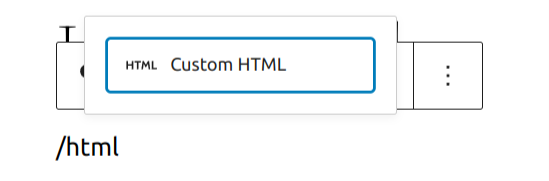
HTML block add typing
[Detailed instructions on adding blocks](https://wordpress.org/documentation/article/adding-a-new-block/)
Editing the Block
Once you [add the block](https://wordpress.org/documentation/article/wordpress-editor/#adding-a-block)
, you can add your code and view it right from the block options. You also have all the standard block options.

Preview block

Preview option in HTML block
More Options
These controls give you the option to copy, duplicate, and edit your block as HTML.
[](https://wordpress.org/documentation/article/adding-a-new-block/)
[Read about these and other settings.](https://wordpress.org/documentation/article/more-options/)
[Block Settings Panel](https://wordpress.org/documentation/article/custom-html/#block-settings-panel)
------------------------------------------------------------------------------------------------------
While most blocks have specific options in the editor sidebar in addition to the options found in the block toolbar, the HTML block does not have extra options.

Block settings for the custom HTML block
[Changelog](https://wordpress.org/documentation/article/custom-html/#changelog)
--------------------------------------------------------------------------------
* Updated 2025-07-21
* Added detail HTML processing
* Updated 2022-11-26
* Removed redudant content
* Aligned images for mobile view
* Added heading
* Updated 2022-04-20
* Update screenshots to 5.9
* Add More Options section
Was this article helpful? How could it be improved? [Cancel reply](https://wordpress.org/documentation/article/custom-html/#respond)
-------------------------------------------------------------------------------------------------------------------------------------
[Log in to submit feedback](https://login.wordpress.org/?redirect_to=https%3A%2F%2Fwordpress.org%2Fdocumentation%2Farticle%2Fcustom-html%2F&locale=en_US)
. If you need support with something that wasn't covered by this article, please post your question in the [support forums](https://wordpress.org/support/forums/)
.
First published
March 7, 2019
Last updated
July 21, 2025
Get more help
-------------
[Support forums](https://wordpress.org/support/forums/)
Ask questions in the support forums.
[Developers](https://developer.wordpress.org/)
Check out the developer documentation.
[Content suggestions](https://github.com/WordPress/Documentation-Issue-Tracker/issues)
Report an error or change in the documentation issue tracker.
[Get involved](https://make.wordpress.org/docs/)
Learn about the Documentation Team and how to contribute.
---
# Preformatted block – Documentation – WordPress.org
[WordPress.org](https://wordpress.org/)
[Documentation](https://wordpress.org/documentation)
Preformatted block
[Home](https://wordpress.org/documentation)
[Customization](https://wordpress.org/documentation/customization/)
[Text blocks](https://wordpress.org/documentation/category/text-blocks/)
Preformatted block
Search documentation
Preformatted block
==================
In this article
---------------
Table of Contents
* [Block Toolbar](https://wordpress.org/documentation/article/preformatted-block/#block-toolbar)
* [Change block type or style](https://wordpress.org/documentation/article/preformatted-block/#change-block-type-or-style)
* [Moving handles](https://wordpress.org/documentation/article/preformatted-block/#moving-handles)
* [Bold](https://wordpress.org/documentation/article/preformatted-block/#bold)
* [Italic](https://wordpress.org/documentation/article/preformatted-block/#italic)
* [Hyperlink](https://wordpress.org/documentation/article/preformatted-block/#hyperlink)
* [More rich text options](https://wordpress.org/documentation/article/preformatted-block/#more-rich-text-options)
* [More options](https://wordpress.org/documentation/article/preformatted-block/#more-options)
* [Block Settings](https://wordpress.org/documentation/article/preformatted-block/#block-settings)
* [Color](https://wordpress.org/documentation/article/preformatted-block/#color)
* [Typography](https://wordpress.org/documentation/article/preformatted-block/#typography)
* [Advanced](https://wordpress.org/documentation/article/preformatted-block/#advanced)
* [Changelog](https://wordpress.org/documentation/article/preformatted-block/#changelog)
[↑ Back to top](https://wordpress.org/documentation/article/preformatted-block/#wp--skip-link--target)
[Go back to the list of **Blocks**](https://wordpress.org/documentation/article/blocks/)
If you wish to add text to a post or page that is displayed exactly as you type it, the **Preformatted Block** is for you. You can create one by clicking the **Block Inserter** icon.
You can also type _“/preformatted”_ and hit the enter key in an empty paragraph block to quickly create one.

[Detailed instructions on adding blocks](https://wordpress.org/documentation/article/adding-a-new-block/)
The **Preformatted Block** shares a lot of similarities with the **Paragraph Block** and the **Code Block**_._ Think of it as a hybrid of the two.
Like **Paragraph Block**, the **Preformatted Block** is intended primarily to display text. Unlike the **Paragraph Block**, though, the **Preformatted Block** keeps any spacing or line breaks exactly as they are entered.
Similar to the **Code Block**, the **Preformatted Block** is displayed in a monospace font, making it easy to keep text perfectly aligned. However, the **Preformatted Block** also includes styling and the ability to add hyperlinks (described below) that a **Code Block** doesn’t have.
[Block Toolbar](https://wordpress.org/documentation/article/preformatted-block/#block-toolbar)
-----------------------------------------------------------------------------------------------
Every block comes with unique toolbar icons and block specific user controls that allow you to manipulate the block right in the editor.
The **Preformatted Block** shows the standard eight buttons:
* Change block type or style
* Drag
* Moving handles
* Bold
* Italic
* Hyperlink
* More rich text controls
* More options

### [Change block type or style](https://wordpress.org/documentation/article/preformatted-block/#change-block-type-or-style)

You can transform the **Preformatted Block** into **Paragraph Block**, **Columns Block**, **Code Block,** or **Group**. The **Group** would give you the ability to change the background color around the **Preformatted Block**.

Editor view of **Preformatted Block** as a group with **Color settings** controls
### [Moving handles](https://wordpress.org/documentation/article/preformatted-block/#moving-handles)

The up and down arrow icons can be used to shift a block up and down in your document.
Detailed instructions on moving a block within the editor can be found [here](https://wordpress.org/documentation/article/moving-blocks/)
.
### [Bold](https://wordpress.org/documentation/article/preformatted-block/#bold)

You can select the text of the block and use the **Bold** option or **Ctrl+B** / **Cmd+B** on your keyboard to bold it, which is usually heavier than the surrounding text.
### [Italic](https://wordpress.org/documentation/article/preformatted-block/#italic)

You can select the text of the block and use the **Italic** option or **Ctrl+I** / **Cmd+I** on your keyboard to italicize it, which usually appears slanted to the right.
### [Hyperlink](https://wordpress.org/documentation/article/preformatted-block/#hyperlink)
You can select the text of the block and use the **Hyperlink** option.
[Read about more link editing options.](https://wordpress.org/documentation/article/link-editing/)
### [More rich text options](https://wordpress.org/documentation/article/preformatted-block/#more-rich-text-options)
The drop-down menu to the left of the [More options menu](https://wordpress.org/documentation/article/more-options/)
contains a range of additional rich text editing options such as highlighting, inline code, strikethrough, and more.
[Read about more rich text editing options.](https://wordpress.org/documentation/article/more-text-editing-overview/)
### [More options](https://wordpress.org/documentation/article/preformatted-block/#more-options)
The Options menu represented by three vertical dots on the far right of the toolbar gives you more features such as the ability to duplicate or remove the block.
[Read about these and other settings.](https://wordpress.org/documentation/article/more-options/)
[Block Settings](https://wordpress.org/documentation/article/preformatted-block/#block-settings)
-------------------------------------------------------------------------------------------------
Every block has specific options in the editor sidebar in addition to the options found in the block toolbar. _If you do not see the sidebar, click the ‘cog’ icon next to the Publish button._

### [Color](https://wordpress.org/documentation/article/preformatted-block/#color)
You can customize the text color, and background color, for the Heading block. _The color options available will vary based on the theme._

Color settings in the Heading block
You can pick a color from the suggestions, or add a custom color using the color picker, or by adding a color code.
[See this guide for more information about changing colors.](https://wordpress.org/documentation/article/colors-settings-overview/)
### [Typography](https://wordpress.org/documentation/article/preformatted-block/#typography)
Typography settings allow you to adjust the Font size, Appearance, Letter case, Line height, and Letter spacing.
To access all the typography options click on the 3 dot button in the right corner of the Typography tab.

Typography settings in the Heading block
[Get more details about changing typography settings.](https://wordpress.org/documentation/article/typography-settings-overview/)
### [Advanced](https://wordpress.org/documentation/article/preformatted-block/#advanced)
The **Advanced** tab lets you add HTML anchor and CSS class(es) to your block.

**HTML anchor** allows you to [make a unique web address](https://wordpress.org/documentation/article/page-jumps/)
for a particular **Preformatted Block**. Then, you’ll be able to link directly to a **Preformatted Block** of your page.
The **Additional CSS class(es)** lets you add CSS class(es) to your block, allowing you to write custom CSS and style the block as you see fit.
[Changelog](https://wordpress.org/documentation/article/preformatted-block/#changelog)
---------------------------------------------------------------------------------------
* Updated 2023-08-09
* Replaced the link section with short summary linking to new dedicated page.
* Updated 2023-06-08
* Replaced “More rich text options” section with short summary linking to new dedicated page for rich text editing options.
* Updated 2022-02-04
* Screenshots and video as per WordPress 5.9
* Updated 2020-10-25
* Screenshots and video as per WordPress 5.5
* Added feature changes in Block Toolbar
* Added feature changes in Block Settings
* Added “Go back to the list of Blocks” to the top of the page
* Created 2019-03-07
Was this article helpful? How could it be improved? [Cancel reply](https://wordpress.org/documentation/article/preformatted-block/#respond)
--------------------------------------------------------------------------------------------------------------------------------------------
[Log in to submit feedback](https://login.wordpress.org/?redirect_to=https%3A%2F%2Fwordpress.org%2Fdocumentation%2Farticle%2Fpreformatted-block%2F&locale=en_US)
. If you need support with something that wasn't covered by this article, please post your question in the [support forums](https://wordpress.org/support/forums/)
.
First published
March 7, 2019
Last updated
June 8, 2024
Get more help
-------------
[Support forums](https://wordpress.org/support/forums/)
Ask questions in the support forums.
[Developers](https://developer.wordpress.org/)
Check out the developer documentation.
[Content suggestions](https://github.com/WordPress/Documentation-Issue-Tracker/issues)
Report an error or change in the documentation issue tracker.
[Get involved](https://make.wordpress.org/docs/)
Learn about the Documentation Team and how to contribute.
---
# Crowdsignal embed – Documentation – WordPress.org
[WordPress.org](https://wordpress.org/)
[Documentation](https://wordpress.org/documentation)
Crowdsignal embed
[Home](https://wordpress.org/documentation)
[Customization](https://wordpress.org/documentation/customization/)
[Embed blocks](https://wordpress.org/documentation/category/embed-blocks/)
Crowdsignal embed
Search documentation
Crowdsignal embed
=================
In this article
---------------
Table of Contents
* [Steps to embed Crowdsignal polls (or surveys or votes):](https://wordpress.org/documentation/article/crowdsignal-embed/#steps-to-embed-crowdsignal-polls-or-surveys-or-votes)
* [Block Toolbar](https://wordpress.org/documentation/article/crowdsignal-embed/#block-toolbar)
* [Block Settings](https://wordpress.org/documentation/article/crowdsignal-embed/#block-settings)
* [Media Settings](https://wordpress.org/documentation/article/crowdsignal-embed/#media-settings)
* [Changelog](https://wordpress.org/documentation/article/crowdsignal-embed/#changelog)
[↑ Back to top](https://wordpress.org/documentation/article/crowdsignal-embed/#wp--skip-link--target)
[Go back to the list of **Blocks**](https://wordpress.org/documentation/article/blocks/)
With the _Crowdsignal Embed_ block, you can embed Crowdsignal polls (or surveys or votes) into your posts and pages. You need a Crowdsignal account to be able to create polls (or surveys or votes) before you can embed them into your posts or pages.
**Example of an Embedded Crowsignal Poll**:
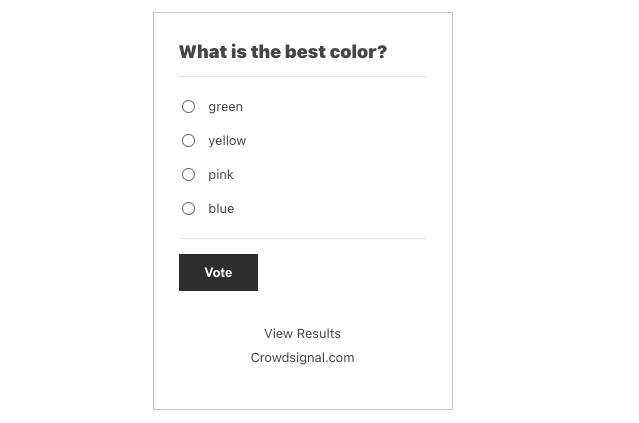
[Steps to embed Crowdsignal polls (or surveys or votes):](https://wordpress.org/documentation/article/crowdsignal-embed/#steps-to-embed-crowdsignal-polls-or-surveys-or-votes)
-------------------------------------------------------------------------------------------------------------------------------------------------------------------------------
1. **Go to crowdsignal.com and signup for a free account.**
On your Crowdsignal Dashboard, create a new survey, poll, quiz, or rating, or select one you’ve already created.

2. **Get the custom link to share your poll**
Either from the Dashboard or within the editor, find the “Share” button.

Find the share link within the Editor panel

Find the share link within the Dashboard for the poll
Within the **Share Your Poll** pop up, click “Copy to Clipboard”.

3. **Add a Crowdsignal Embed Block to your post/page**

Adding a block via the “Slash” command from an empty row
[Detailed instructions on adding blocks](https://wordpress.org/documentation/article/adding-a-new-block/)
4. **Paste the Crowdsignal Poll link from step 2** **into the text box**

5. **Click the “Embed” button**
If it’s a link that can be successfully embedded you will see a preview in your editor.

If you use a URL that can’t be embedded, the block shows the message _“Sorry, this content could not be embedded.”_ You will have two choices: Try again with a different URL or convert to link.

[Block Toolbar](https://wordpress.org/documentation/article/crowdsignal-embed/#block-toolbar)
----------------------------------------------------------------------------------------------
Besides the Mover and Drag & Drop Handle, the Block Toolbar for the Crowdsignal embed shows four buttons:
* Transform to
* Change alignment
* Edit URL, and
* More options.

**Transform to**:

You can transform a Crowdsignal embed into a Paragraph, Columns, or Group. Transforming it into a Group would give you the ability to change the background color around the Crowdsignal embed.

_Editor view of a Crowdsignal Embed as a group with Color Settings controls_

Crowdsignal embed with a gradient background.
**Change alignment:**

* Wide width – Increase the width of the post beyond the content size
* Full width – extend the Crowdsignal post to cover the full width of the screen.
* Align left – Make the Crowdsignal post left aligned
* Align center – Make the Crowdsignal post alignment centered
* Align right – Make the Crowdsignal post align right
_“Wide width” and “Full width” alignment need to be enabled by the Theme of your site._
**Edit URL**:
Via the edit URL, you can change the Crowdsignal Embed URL in the embed block. Overwrite the existing URL and click on the “Embed” Button.

**More options**
The More Options menu represented by three vertical dots on the far right of the toolbar gives you more features such as the ability to duplicate, remove, or edit your block as HTML.
[Read about these and other settings.](https://wordpress.org/documentation/article/more-options/)
[Block Settings](https://wordpress.org/documentation/article/crowdsignal-embed/#block-settings)
-------------------------------------------------------------------------------------------------
Besides the Advanced section, the Crowdsignal embed has only one other setting in the “Block Settings” sidebar: Media Settings.
### [Media Settings](https://wordpress.org/documentation/article/crowdsignal-embed/#media-settings)


Via the _Media Settings_ you can control the behavior of your embed when viewed from a smaller device, like on a phone screen.
The Toggle switch turns on or off the resize functionality for smaller devices. The default setting is “on” or blue.
**“Off:”** This embed may not preserve its aspect ratio when the browser is resized. In the off position, the toggle switch is gray.
**“On:”** This embed will preserve its aspect ratio when the browser is resized. The toggle switch turns blue in the “On” position.
**Advanced**
The “Advanced” tab lets you add CSS class(es) to your block.

The “Additional CSS class(es)” lets you add CSS class(es) to your block, allowing you to write custom CSS and style the block as you see fit.
[Changelog](https://wordpress.org/documentation/article/crowdsignal-embed/#changelog)
--------------------------------------------------------------------------------------
* Updated 2022-11-26
* Removed redundant content
* Aligned images for mobile view
* Updated 2022-08-29
* Removed the external link
* Updated 2022-08-26
* Video walkthrough created
* Updated with images from WordPress 6.0
* Added new “Transform to” setting (Column)
* Added “Lock” information under More Options
* Added ALT tags for the images
* Updated 2020-08-17
* Updated 5.5 screenshots
* Replaced “More Options” – new screenshot,
* Added “Move to” and “Copy” section under More Options
* Updated 2020-07-25
* Uploaded image for crowdsignal embed with green background
* Created 2020-07-03
Was this article helpful? How could it be improved? [Cancel reply](https://wordpress.org/documentation/article/crowdsignal-embed/#respond)
-------------------------------------------------------------------------------------------------------------------------------------------
[Log in to submit feedback](https://login.wordpress.org/?redirect_to=https%3A%2F%2Fwordpress.org%2Fdocumentation%2Farticle%2Fcrowdsignal-embed%2F&locale=en_US)
. If you need support with something that wasn't covered by this article, please post your question in the [support forums](https://wordpress.org/support/forums/)
.
First published
July 3, 2020
Last updated
June 6, 2024
Get more help
-------------
[Support forums](https://wordpress.org/support/forums/)
Ask questions in the support forums.
[Developers](https://developer.wordpress.org/)
Check out the developer documentation.
[Content suggestions](https://github.com/WordPress/Documentation-Issue-Tracker/issues)
Report an error or change in the documentation issue tracker.
[Get involved](https://make.wordpress.org/docs/)
Learn about the Documentation Team and how to contribute.
---
# Inserting images into posts and pages (Block Editor) – Documentation – WordPress.org
[WordPress.org](https://wordpress.org/)
[Documentation](https://wordpress.org/documentation)
Inserting images into posts and pages (Block Editor)
[Home](https://wordpress.org/documentation)
[Support guides](https://wordpress.org/documentation/support-guides/)
[Media](https://wordpress.org/documentation/category/media/)
Inserting images into posts and pages (Block Editor)
Search documentation
Inserting images into posts and pages (Block Editor)
====================================================
In this article
---------------
Table of Contents
* [Adding the Image Block to the Page or Post](https://wordpress.org/documentation/article/inserting-images-into-posts-and-pages-block-editor/#adding-the-image-block-to-the-page-or-post)
* [Adding the Image to the Block](https://wordpress.org/documentation/article/inserting-images-into-posts-and-pages-block-editor/#adding-the-image-to-the-block)
* [Block Toolbar](https://wordpress.org/documentation/article/inserting-images-into-posts-and-pages-block-editor/#block-toolbar)
* [Block Settings](https://wordpress.org/documentation/article/inserting-images-into-posts-and-pages-block-editor/#block-settings)
* [Image Caption](https://wordpress.org/documentation/article/inserting-images-into-posts-and-pages-block-editor/#image-caption)
* [Further reading](https://wordpress.org/documentation/article/inserting-images-into-posts-and-pages-block-editor/#further-reading)
* [Changelog](https://wordpress.org/documentation/article/inserting-images-into-posts-and-pages-block-editor/#changelog)
[↑ Back to top](https://wordpress.org/documentation/article/inserting-images-into-posts-and-pages-block-editor/#wp--skip-link--target)
[Go back to the list of **Blocks**](https://wordpress.org/documentation/article/blocks/)
_Note: This page uses Block Editor. If you are a Classic Editor User, refer [this page](https://wordpress.org/documentation/article/inserting-images-into-posts-and-pages-classic/)
._
When creating or editing a WordPress page or blog post, you can easily add images to a post or page using the Image Block.
[Adding the Image Block to the Page or Post](https://wordpress.org/documentation/article/inserting-images-into-posts-and-pages-block-editor/#adding-the-image-block-to-the-page-or-post)
-----------------------------------------------------------------------------------------------------------------------------------------------------------------------------------------
To add an image to your page or post, you’ll add an [Image Block.](https://wordpress.org/documentation/article/image-block/)
You can also add an Image Block from within your content. To do that, hover over the block you’d like to add the Image Block above or below and click the plus sign. Then select the Image block from the available blocks shown.
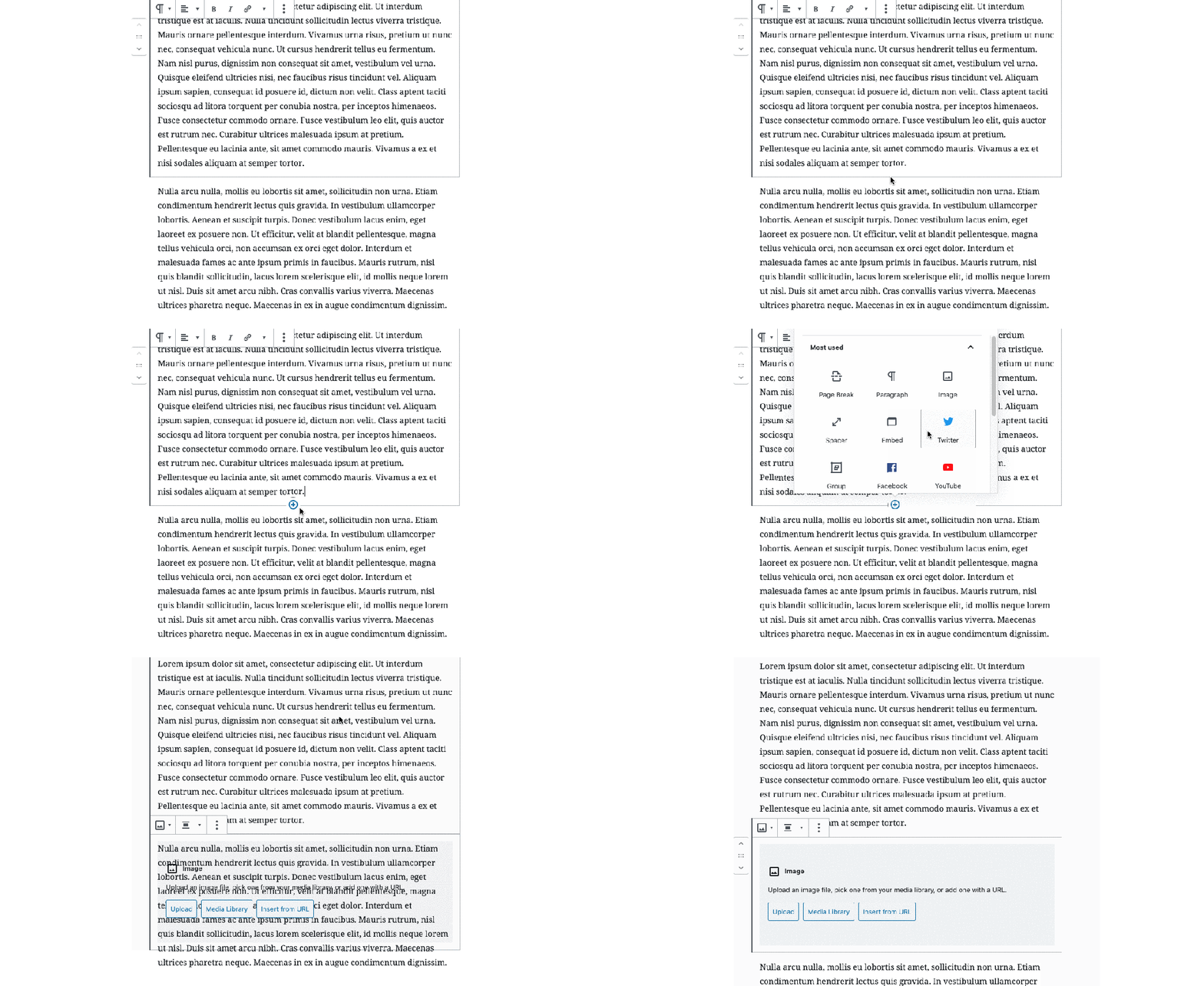
Detailed instructions on adding blocks can be found [here](https://wordpress.org/documentation/article/adding-a-new-block/)
.
Once you’ve added the block, you will see the option to upload an image, select an image from the Media Library or insert an image from a URL.

[Adding the Image to the Block](https://wordpress.org/documentation/article/inserting-images-into-posts-and-pages-block-editor/#adding-the-image-to-the-block)
---------------------------------------------------------------------------------------------------------------------------------------------------------------
There are four ways you can add an image to the block. Three offered via buttons on the Image block placeholder and one drag & drop way to add images to your post or page.
1. **Upload from your computer**
Click on the “Upload” button. This opens up a dialog box pointing to your own hard drive. Select the file you want to upload and click on the “Open” button.
2. **From the Media Library**
You can select an existing image from your Media Library by clicking the “Media Library” button.
3. **Insert from URL**
Click on the “Insert from URL” button and paste or type in the URL for the image.
_Notes:_
1. URL needs to be a fully qualified URL starting with https:// and the domain name and not be a relative reference to your own site.
2. Images inserted via URL, will not be saved into your Media Library. They keep referenceing the image from the site of the URL. If the site disappears, your image will disappear from your post or page_._
4. **Drag & Drop**
You can select an image from your Explorer or Finder window on your computer and drag it into the block editor window. then drag and drop it into the block.
[Block Toolbar](https://wordpress.org/documentation/article/inserting-images-into-posts-and-pages-block-editor/#block-toolbar)
-------------------------------------------------------------------------------------------------------------------------------
Besides the “Mover” and “Drag & Drop Handle” on the left side, the Block Toolbar for the Image Block shows five buttons:

* Block Styles and Transform to
* Change alignment
* Replace image
* Insert Link
* More Options
**Block Styles / Transform to**

In this drop-down, you see the two styles for you image.
The **“Default”** style displays your image as it was uploaded.
The **“Rounded”** style offers you a display with rounded corners

**Transform to**
You can transform an image block into five other blocks:
A Group block, a [Gallery](https://wordpress.org/documentation/article/gallery-block/)
block, a [Cover](https://wordpress.org/documentation/article/cover-block/)
block, a [File](https://wordpress.org/documentation/article/file-block/)
block and a [Media & Text](https://wordpress.org/documentation/article/media-text-block/)
block. Please use the links to learn more about these blocks that use an image.
**Replace**

The “Replace” button from the toolbar provides you with three choices to replace the existing image with another one: via the Media Library, Upload from your computer or Insert from URL. These are the same choices you encountered at the beginning of this article.
**Insert Link**
“Insert Link” Button allows you to add a link to your image. The link options are:

* **Paste URL** – Links to a website or a different post or page on your own site. Can be relative or absolute (“/contact-page” or “https://google.com”). Type in a keyword and the Search will find a page/post from your own site.
* **Media File** – Links to a page with just the image
* **Attachment Page** – Links to the WordPress Attachment Page with details about the image
**More Options:**
The image block has a number of additional options that can be accessed clicking on the three-dot menu on the right hand-side part of the tool bar. These options are common to all blocks, you can read more about them [here](https://wordpress.org/documentation/article/more-options)
.

[Block Settings](https://wordpress.org/documentation/article/inserting-images-into-posts-and-pages-block-editor/#block-settings)
---------------------------------------------------------------------------------------------------------------------------------

When you add a new block to your post or page content, it automatically brings up the block’s settings in the right-hand menu.
**Styles**
Image can be displayed two different styles.
The **“Default”** style displays your image as it was uploaded.
The **“Rounded”** style offers you a display with rounded corners
Via the **Default Style** drop-down you can select a default display variation.

**Image Settings**
The Image settings include Alternative Text, Image Size, Image Dimensions, and Advanced.
The **_Alt Text_** setting is where you would add a description of the image for people who can’t see it. This helps with accessibility as well as search engine optimization.


The **_Image Size_** setting allows you to select from Thumbnail, Medium, Large and Full Size.
* **Thumbnail:** Displays a small thumbnail-sized version of your image on the page/post. Note, by default the Thumbnail size is a square, so some cropping of your original image may occur.
* **Medium:** Displays a medium-sized version of your image on the page/post. This is a good size to use with Left/Right alignments, as it leaves sufficient space for legible text to either side.
* **Large**: Displays a large-sized version of your image on the page/post. Note: WordPress will determine the width of the content column of your theme, and display the largest possible image for that space.
* **Full Size:** Displays a full-sized version of your image on the page/post. Note: WordPress will determine the width of the content column of your theme, and display the largest possible image for that space. If your original image is larger than this column width, the full size of the image may not be displayed.
The **_Image Dimensions_** setting allows you to manually set a height and width or set the image to 25%, 50%, 75% or 100% of the image’s full size. There’s also a Reset button there in case you need to revert your changes
**Advanced**
**Title attribute**

Beyond the Alt-text, you can also add a title attribute for your image, describing briefly the role of this image on the page.
To learn more, [follow the link](https://www.w3.org/TR/html52/dom.html#the-title-attribute)
to the explanation on W3.org, the standards body for HTML.
**Additional CSS class(es)**
In the “Additional CSS class(es0 section you can one or more CSS class(es) to your block, allowing you to write custom CSS and style the block as you see fit.
[](https://wordpress.org/documentation/files/2020/04/Screen-Shot-2020-04-22-at-10.33.35-AM.png)
The advanced section lets you add a CSS class to your block.
### [Image Caption](https://wordpress.org/documentation/article/inserting-images-into-posts-and-pages-block-editor/#image-caption)

Beneath the Image in the Image block, there is an option for you to add a caption. You can format the text in Bold, italics and add a link.
[Further reading](https://wordpress.org/documentation/article/inserting-images-into-posts-and-pages-block-editor/#further-reading)
-----------------------------------------------------------------------------------------------------------------------------------
* [Embeds](https://wordpress.org/documentation/article/embeds/)
– Inserting different media types.
* [Gallery](https://wordpress.org/documentation/article/gallery-block/)
– Inserting a gallery block to pages or posts
* [Image Size and Quality](https://wordpress.org/documentation/article/image-size-and-quality/)
* [Use Images](https://wordpress.org/documentation/article/use-images/)
* [Use image and file attachments](https://wordpress.org/documentation/article/use-image-and-file-attachments/)
* [Settings Media Screen](https://wordpress.org/documentation/article/settings-media-screen/)
* [Media library screen](https://wordpress.org/documentation/article/media-library-screen/)
* [Media Add New Screen](https://wordpress.org/documentation/article/media-add-new-screen/)
* [Edit Media](https://wordpress.org/documentation/article/edit-media/)
* [Inserting Images into Posts and Pages (Classic Editor)](https://wordpress.org/documentation/article/inserting-images-into-posts-and-pages-classic/)
[Changelog](https://wordpress.org/documentation/article/inserting-images-into-posts-and-pages-block-editor/#changelog)
-----------------------------------------------------------------------------------------------------------------------
* Updated: 2023-08-08
* Updated “More Options” section and added link to the external article.
* Updated: 2023-04-14
* Updated links.
* Replaced Resources with Further reading, added more related links.
* Updated: 2020-04-24
* Updated the Resource section with Block editor links.
* Added to “Common Block” Category
* Updated: 2020-04-23
* Added the Block Toolbar section
* Replaced one animated gifs with newer interface
* Replaced three animated Gifs with videos of the current interface (5.4)
* Removed the various ways to add a block to a post with the link to the Add a Block page.
* Add a Changelog Box
* Created: 2019-09-12
Was this article helpful? How could it be improved? [Cancel reply](https://wordpress.org/documentation/article/inserting-images-into-posts-and-pages-block-editor/#respond)
----------------------------------------------------------------------------------------------------------------------------------------------------------------------------
[Log in to submit feedback](https://login.wordpress.org/?redirect_to=https%3A%2F%2Fwordpress.org%2Fdocumentation%2Farticle%2Finserting-images-into-posts-and-pages-block-editor%2F&locale=en_US)
. If you need support with something that wasn't covered by this article, please post your question in the [support forums](https://wordpress.org/support/forums/)
.
First published
September 12, 2019
Last updated
June 6, 2024
Get more help
-------------
[Support forums](https://wordpress.org/support/forums/)
Ask questions in the support forums.
[Developers](https://developer.wordpress.org/)
Check out the developer documentation.
[Content suggestions](https://github.com/WordPress/Documentation-Issue-Tracker/issues)
Report an error or change in the documentation issue tracker.
[Get involved](https://make.wordpress.org/docs/)
Learn about the Documentation Team and how to contribute.
---
# WordPress Briefing - A WordPress Podcast
WordPress Briefing - A WordPress Podcast https://wordpress.org/news/series/wordpress-briefing-a-wordpress-podcast/ Explore WordPress with Josepha Haden, the project’s executive director, and guests. Learn about where WordPress is going, how we’ll get there, and how you can get involved. Join us today and help democratize publishing! Tue, 18 Nov 2025 16:13:39 +0000 en-US © 2021 WordPress Welcome to the WordPress Briefing, the podcast where you can catch quick explanations of some of the ideas behind the WordPress Open Source project and the community around it, as well as get a small list of big things coming up in the next two weeks. WordPress episodic Explore WordPress with Josepha Haden, the project’s executive director, and guests. Learn about where WordPress is going, how we’ll get there, and how you can get involved. Join us today and help democratize publishing! WP Briefing wpbriefing@wordpress.org false https://wordpress.org/news/files/2022/09/WP\_Briefing-Podcast-Cover-1.png WordPress Briefing - A WordPress Podcast https://wordpress.org/news/series/wordpress-briefing-a-wordpress-podcast/ yes 9e3045c4-66fa-5b25-adb4-ce59d657896a https://wordpress.org/?v=7.0-alpha-61273 14607090 Episode 86: My First WordPress Experience https://wordpress.org/news/2024/09/episode-86-my-first-wordpress-experience/ Mon, 16 Sep 2024 12:00:00 +0000 https://wordpress.org/news/?post\_type=podcast&p=17684 false no 10:26 No no Episode 85: WordPress in Education https://wordpress.org/news/2024/09/episode-85-wordpress-in-education/ Mon, 02 Sep 2024 12:00:00 +0000 https://wordpress.org/news/?post\_type=podcast&p=17643 false no 10:58 No no Episode 84: A WordPress 6.6 Sneak Peek https://wordpress.org/news/2024/07/episode-84-a-wordpress-6-6-sneak-peek/ Mon, 22 Jul 2024 12:00:00 +0000 https://wordpress.org/news/?post\_type=podcast&p=17539 false no 21:42 No no Episode 83: Learning Pathways https://wordpress.org/news/2024/07/episode-83-learning-pathways/ Mon, 08 Jul 2024 12:00:00 +0000 https://wordpress.org/news/?post\_type=podcast&p=17489 false no 30:45 No no Episode 82: WCEU Hallway Track https://wordpress.org/news/2024/06/episode-82-wceu-hallway-track/ Mon, 24 Jun 2024 12:00:00 +0000 https://wordpress.org/news/?post\_type=podcast&p=17409 false no 8:35 No no Episode 81: It’s your first WordCamp? Welcome! https://wordpress.org/news/2024/06/episode-81-its-your-first-wordcamp-welcome/ Mon, 10 Jun 2024 12:00:00 +0000 https://wordpress.org/news/?post\_type=podcast&p=17352 false no 16:05 No no Episode 80: Unlocking Your WordPress Potential with Learn WordPress Tools https://wordpress.org/news/2024/05/episode-80-unlocking-your-wordpress-potential-with-learn-wordpress-tools/ Mon, 27 May 2024 12:00:00 +0000 https://wordpress.org/news/?post\_type=podcast&p=17278 false no 11:59 No no Episode 79: Why Start a WordPress Media Corps (and Why Now?) https://wordpress.org/news/2024/05/episode-79-why-start-a-wordpress-media-corps-and-why-now/ Tue, 14 May 2024 12:00:00 +0000 https://wordpress.org/news/?post\_type=podcast&p=17253 false no 9:13 No no Episode 78: Guided Growth: Cultivating Contributors Through Mentorship https://wordpress.org/news/2024/04/episode-78-guided-growth-cultivating-contributors-through-mentorship/ Mon, 29 Apr 2024 12:00:00 +0000 https://wordpress.org/news/?post\_type=podcast&p=17229 false no 20:50 No no Episode 77: Let’s Talk About Data Liberation https://wordpress.org/news/2024/04/episode-77-lets-talk-about-data-liberation/ Mon, 15 Apr 2024 12:00:00 +0000 https://wordpress.org/news/?post\_type=podcast&p=17205 false no 35:24 No no Episode 76: A WordPress 6.5 Sneak Peek https://wordpress.org/news/2024/04/episode-76-a-wordpress-6-5-sneak-peek/ Tue, 02 Apr 2024 20:18:00 +0000 https://wordpress.org/news/?post\_type=podcast&p=17158 false no 30:05 No no Episode 75: WordCamp Asia 2024 Unwrapped https://wordpress.org/news/2024/03/episode-75-wordcamp-asia-2024-unwrapped/ Mon, 18 Mar 2024 12:00:00 +0000 https://wordpress.org/news/?post\_type=podcast&p=17107 false no 9:12 No no Episode 74: Kickstart (Or Level-Up) Your Contributor Journey https://wordpress.org/news/2024/03/episode-74-kickstart-or-level-up-your-contributor-journey/ Mon, 04 Mar 2024 12:00:00 +0000 https://wordpress.org/news/?post\_type=podcast&p=17007 false no 9:46 No no Episode 73: Inside the Interactivity API https://wordpress.org/news/2024/02/episode-73-inside-the-interactivity-api/ Mon, 19 Feb 2024 12:00:00 +0000 https://wordpress.org/news/?post\_type=podcast&p=16942 false no 28:38 No no Episode 72: Why Your Website Matters https://wordpress.org/news/2024/02/episode-72-why-your-website-matters/ Mon, 05 Feb 2024 12:00:00 +0000 https://wordpress.org/news/?post\_type=podcast&p=16810 false no 8:39 No no Episode 71: New Year, New Blog! https://wordpress.org/news/2024/01/episode-71-new-year-new-blog/ Mon, 22 Jan 2024 12:00:00 +0000 https://wordpress.org/news/?post\_type=podcast&p=16745 false no 15:26 No no Episode 70: A Look Ahead at WordPress in 2024 https://wordpress.org/news/2024/01/episode-70-a-look-ahead-at-wordpress-in-2024/ Mon, 08 Jan 2024 13:00:00 +0000 https://wordpress.org/news/?post\_type=podcast&p=16677 false no 6:30 No no Episode 69: Reflections on State of the Word https://wordpress.org/news/2023/12/episode-69-reflections-on-state-of-the-word/ Tue, 26 Dec 2023 12:00:00 +0000 https://wordpress.org/news/?post\_type=podcast&p=16654 false no 8:13 No no Episode 68: Toward a More Interconnected Web https://wordpress.org/news/2023/12/episode-68-toward-a-more-interconnected-web/ Mon, 11 Dec 2023 12:00:00 +0000 https://wordpress.org/news/?post\_type=podcast&p=16569 false no 11:30 No no Episode 67: Openverse & Photo Directory Rewind https://wordpress.org/news/2023/11/openverse-photo-directory-rewind/ Mon, 27 Nov 2023 12:00:00 +0000 https://wordpress.org/news/?post\_type=podcast&p=16454 false no 8:19 No no Episode 66: Advocating Open Source Solutions https://wordpress.org/news/2023/11/episode-66-advocating-open-source-solutions/ Mon, 13 Nov 2023 12:00:00 +0000 https://wordpress.org/news/?post\_type=podcast&p=16357 false no 9:00 No no Episode 65: Little Sun Success https://wordpress.org/news/2023/10/episode-65-little-sun-success/ Mon, 30 Oct 2023 12:00:00 +0000 https://wordpress.org/news/?post\_type=podcast&p=16227 false no 16:53 No no Episode 64: Patterns in WordPress https://wordpress.org/news/2023/10/episode-64-patterns-in-wordpress/ Mon, 16 Oct 2023 12:00:00 +0000 https://wordpress.org/news/?post\_type=podcast&p=16109 false no 5:28 No no Episode 63: A WordPress 6.4 Sneak Peek https://wordpress.org/news/2023/10/episode-63-a-wordpress-6-4-sneak-peek/ Mon, 02 Oct 2023 12:00:00 +0000 https://wordpress.org/news/?post\_type=podcast&p=16050 false no 33:08 No no Episode 62: Enterprise Clients and the Business of WordPress https://wordpress.org/news/2023/09/episode-62-enterprise-clients-and-the-business-of-wordpress/ Mon, 18 Sep 2023 12:00:00 +0000 https://wordpress.org/news/?post\_type=podcast&p=15971 false no 12:08 No no Episode 61: Community, Summit, all at Washington D.C. https://wordpress.org/news/2023/09/episode-61-community-summit-all-at-washington-d-c/ Mon, 04 Sep 2023 12:00:00 +0000 https://wordpress.org/news/?post\_type=podcast&p=15911 false no 14:43 No no Episode 60: Sneak a Peek at WordPress 6.3 with Special Guest Kira Schroder https://wordpress.org/news/2023/07/episode-60-sneak-a-peek-at-wordpress-6-3-with-special-guest-mike-schroder/ Mon, 17 Jul 2023 13:00:00 +0000 https://wordpress.org/news/?post\_type=podcast&p=15398 false no 24:49 No no Episode 59: A Polyglot’s WordPress https://wordpress.org/news/2023/07/episode-59-a-polyglots-wordpress/ Mon, 03 Jul 2023 13:00:00 +0000 https://wordpress.org/news/?post\_type=podcast&p=15281 false no 23:17 No no Episode 58: A New Wave for WordPress Events https://wordpress.org/news/2023/06/episode-58-a-new-wave-for-wordpress-events/ Mon, 19 Jun 2023 13:00:00 +0000 https://wordpress.org/news/?post\_type=podcast&p=15179 false no 13:13 No no Episode 57: The Power of WordPress Mentorship https://wordpress.org/news/2023/06/episode-57-the-power-of-wordpress-mentorship/ Mon, 05 Jun 2023 13:00:00 +0000 https://wordpress.org/news/?post\_type=podcast&p=15089 false no 5:52 No no Episode 56: What to Know About WordPress Playground https://wordpress.org/news/2023/05/episode-56-what-to-know-about-wordpress-playground/ Mon, 22 May 2023 12:00:00 +0000 https://wordpress.org/news/?post\_type=podcast&p=14968 false no 13:22 No no Episode 55: Happy Anniversary, WordPress! https://wordpress.org/news/2023/05/episode-55-happy-anniversary-wordpress/ Mon, 08 May 2023 14:00:00 +0000 https://wordpress.org/news/?post\_type=podcast&p=14949 false no 12:08 No no Episode 54: A Bill of Rights for the Open Web https://wordpress.org/news/2023/04/episode-54-open-webs-bill-of-rights/ Mon, 24 Apr 2023 13:55:06 +0000 https://wordpress.org/news/?post\_type=podcast&p=14836 false no 00:08:01 No no Episode 53: A Look at WordPress 6.2 “Dolphy” https://wordpress.org/news/2023/04/episode-53-a-look-at-wordpress-6-2-dolphy/ Mon, 10 Apr 2023 12:00:00 +0000 https://wordpress.org/news/?post\_type=podcast&p=14818 false no 00:07:36 No no Episode 52: Workflows and Phase Three Visioning with Special Guest Héctor Prieto https://wordpress.org/news/2023/03/episode-52-phase-three-with-hector-prieto/ Mon, 27 Mar 2023 12:00:00 +0000 https://wordpress.org/news/?post\_type=podcast&p=14697 false no 20:43 No no Episode 51: Is Routine a Rut? https://wordpress.org/news/2023/03/episode-51-is-routine-a-rut/ Mon, 13 Mar 2023 12:00:00 +0000 https://wordpress.org/news/?post\_type=podcast&p=14621 false no 7:12 No no Episode 50: 3 Interesting Trends from WordCamp Asia https://wordpress.org/news/2023/02/episode-50-3-interesting-trends-from-wordcamp-asia/ Mon, 27 Feb 2023 14:58:43 +0000 https://wordpress.org/news/?post\_type=podcast&p=14434 false no 11:12 No no Episode 49: Everything You Need to Know About the Community Summit! https://wordpress.org/news/2023/02/episode-49-everything-you-need-to-know-about-the-community-summit/ Mon, 13 Feb 2023 17:01:27 +0000 https://wordpress.org/news/?post\_type=podcast&p=14404 https://i0.wp.com/wordpress.org/news/files/2023/02/EP49-TW.png?fit=1600%2C900&ssl=1 Episode 49: Everything You Need to Know About the Community Summit! false no 13:06 No no Episode 48: What Does Concluding a Gutenberg Phase Really Mean? https://wordpress.org/news/2023/01/episode-48-what-does-concluding-a-gutenberg-phase-really-mean/ Mon, 30 Jan 2023 12:00:00 +0000 https://wordpress.org/news/?post\_type=podcast&p=14213 false no 6:43 No no Episode 47: Letter from the Executive Director https://wordpress.org/news/2023/01/episode-47-letter-from-the-executive-director/ Mon, 16 Jan 2023 12:00:00 +0000 https://wordpress.org/news/?post\_type=podcast&p=14175 false no 7:13 No no Episode 46: The WP Bloopers Podcast https://wordpress.org/news/2022/12/episode-46-the-wp-bloopers-podcast/ Sat, 31 Dec 2022 12:00:00 +0000 https://wordpress.org/news/?post\_type=podcast&p=14123 false no 8:43 No no Episode 45: State of the Word Reflections https://wordpress.org/news/2022/12/episode-45-state-of-the-word-reflections/ Thu, 22 Dec 2022 12:00:00 +0000 https://wordpress.org/news/?post\_type=podcast&p=14070 false no 11:59 No no Episode 44: Minors, Majors, and Why We Have So Many Releases https://wordpress.org/news/2022/11/episode-44-minors-majors-and-why-we-have-so-many-releases/ Mon, 28 Nov 2022 12:00:00 +0000 https://wordpress.org/news/?post\_type=podcast&p=13996 false no 7:16 No no Episode 43: Openverse & Photo Directory– What Are They, and How Are They Different? https://wordpress.org/news/2022/11/episode-43-openverse-photo-directory-what-are-they-and-how-are-they-different/ Mon, 14 Nov 2022 12:00:00 +0000 https://wordpress.org/news/?post\_type=podcast&p=13890 false no 6:45 No no Episode 42: Something Spooky This Way Comes https://wordpress.org/news/2022/10/episode-42-something-spooky-this-way-comes/ Mon, 31 Oct 2022 12:00:00 +0000 https://wordpress.org/news/?post\_type=podcast&p=13666 https://i0.wp.com/wordpress.org/news/files/2022/10/WPB-EP-42.png?fit=1600%2C900&ssl=1 Episode 42: Something Spooky This Way Comes false no 8:54 No no Episode 41: WordPress 6.1 Sneak Peek with Special Guest Nick Diego https://wordpress.org/news/2022/10/episode-41-wordpress-6-1-sneak-peek-with-special-guest-nick-diego/ Mon, 17 Oct 2022 12:00:00 +0000 https://wordpress.org/news/?post\_type=podcast&p=13578 https://i0.wp.com/wordpress.org/news/files/2022/10/TW-WPB-EP-41.png?fit=1600%2C900&ssl=1 Episode 41: WordPress 6.1 Sneak Peek with Special Guest Nick Diego false no 18:24 No no Episode 40: All Things Testing with Special Guests Anne McCarthy and Brian Alexander https://wordpress.org/news/2022/10/episode-40-all-things-testing-with-special-guests-anne-mccarthy-and-brian-alexander/ Mon, 03 Oct 2022 12:00:00 +0000 https://wordpress.org/news/?post\_type=podcast&p=13551 false no 29:30 No no Episode 39: Contributor Stories Live from WordCamp US! https://wordpress.org/news/2022/09/episode-39-contributor-stories-live-from-wordcamp-us/ Mon, 19 Sep 2022 12:00:00 +0000 https://wordpress.org/news/?post\_type=podcast&p=13481 https://i0.wp.com/wordpress.org/news/files/2022/09/WPB-EP-39-TW.png?fit=1600%2C900&ssl=1 Episode 39: Contributor Stories Live from WordCamp US! false no 9:16 No no Episode 38: All About LearnWP with Special Guest Hauwa Abashiya https://wordpress.org/news/2022/09/episode-38-all-about-learnwp-with-special-guest-hauwa-abashiya/ Mon, 05 Sep 2022 12:01:09 +0000 https://wordpress.org/news/?post\_type=podcast&p=13425 false no 16:16 No no Episode 37: The World of WordPress on World Wide Web Day https://wordpress.org/news/2022/08/episode-37-the-world-of-wordpress-on-world-wide-web-day/ Mon, 01 Aug 2022 23:15:22 +0000 https://wordpress.org/news/?post\_type=podcast&p=13198 false no 19:50 No no Episode 36: Beginner’s Guide to Contributions 2.0 https://wordpress.org/news/2022/07/episode-36-beginners-guide-to-contributions-2-0/ Mon, 25 Jul 2022 11:05:33 +0000 https://wordpress.org/news/?post\_type=podcast&p=13162 false no 13:40 No no Episode 35: Five for the Future’s True Intentions https://wordpress.org/news/2022/07/episode-35-five-for-the-futures-true-intentions/ Mon, 11 Jul 2022 12:00:00 +0000 https://wordpress.org/news/?post\_type=podcast&p=13132 false no 12:44 No no Episode 34: WordPress 6.1 is Coming! https://wordpress.org/news/2022/06/episode-34-wordpress-6-1-is-coming/ Mon, 27 Jun 2022 15:13:42 +0000 https://wordpress.org/news/?post\_type=podcast&p=13013 false no 7:14 No no Episode 33: Some Important Questions from WCEU https://wordpress.org/news/2022/06/episode-33-some-important-questions-from-wceu/ Mon, 13 Jun 2022 11:01:44 +0000 https://wordpress.org/news/?post\_type=podcast&p=13005 false no 9:46 No no Episode 32: An Open Source Reading List https://wordpress.org/news/2022/05/episode-32-an-open-source-reading-list/ Mon, 30 May 2022 17:00:00 +0000 https://wordpress.org/news/?post\_type=podcast&p=12940 false no 9:57 No no Episode 31: Open Source & Accessibility– Celebrating Global Accessibility Awareness Day With Guest Joe Devon https://wordpress.org/news/2022/05/episode-31-open-source-accessibility-celebrating-global-accessibility-awareness-day-with-guest-joe-devon/ Mon, 16 May 2022 12:00:00 +0000 https://wordpress.org/news/?post\_type=podcast&p=12855 false no 30:58 No no Episode 30: A Sneak Peek at WordPress 6.0 https://wordpress.org/news/2022/05/episode-30-a-sneak-peek-at-wordpress-6-0/ Mon, 02 May 2022 13:03:41 +0000 https://wordpress.org/news/?post\_type=podcast&p=12742 false no 29:01 No no Episode 29: How to Make a WordPress Blog https://wordpress.org/news/2022/04/episode-29-how-to-make-a-wordpress-blog/ Mon, 18 Apr 2022 12:00:00 +0000 https://wordpress.org/news/?post\_type=podcast&p=12658 false no 14:45 No no Episode 28: Coming to a WordCamp Near You: A Return to In-Person WP Events https://wordpress.org/news/2022/04/episode-28-coming-to-a-wordcamp-near-you-a-return-to-in-person-wp-events/ Mon, 04 Apr 2022 12:00:00 +0000 https://wordpress.org/news/?post\_type=podcast&p=12506 false no 10:36 No no Episode 27: Is WordPress Made for Me? https://wordpress.org/news/2022/03/episode-27-is-wordpress-made-for-me/ Mon, 21 Mar 2022 12:57:38 +0000 https://wordpress.org/news/?post\_type=podcast&p=12451 false no 6:58 No no Episode 26: Matt Mullenweg on Ukraine, Community, and WordPress https://wordpress.org/news/2022/03/episode-26-matt-mullenweg-on-ukraine-community-and-wordpress/ Fri, 04 Mar 2022 21:39:46 +0000 https://wordpress.org/news/?post\_type=podcast&p=12415 false no 3:02 No no Episode 25: Five Cents on Five for the Future https://wordpress.org/news/2022/02/episode-25-five-cents-on-five-for-the-future/ Mon, 21 Feb 2022 12:00:00 +0000 https://wordpress.org/news/?post\_type=podcast&p=12288 false no 8:01 No no Episode 24: Three Goals in 2022 https://wordpress.org/news/2022/02/episode-24-three-goals-in-2022/ Mon, 07 Feb 2022 12:00:00 +0000 https://wordpress.org/news/?post\_type=podcast&p=12176 false no 7:30 No no Episode 23: A letter from WordPress’ Executive Director https://wordpress.org/news/2022/01/episode-23-a-letter-from-wordpress-executive-director/ Mon, 17 Jan 2022 12:00:00 +0000 https://wordpress.org/news/?post\_type=podcast&p=12043 false no 5:57 No no Episode 22: A Carol of Thanks https://wordpress.org/news/2021/12/episode-22-a-carol-of-thanks/ Mon, 20 Dec 2021 19:22:11 +0000 https://wordpress.org/news/?post\_type=podcast&p=11880 false no 6:12 No no Episode 21: All Things Block Themes! https://wordpress.org/news/2021/11/episode-21-all-things-block-themes/ Mon, 29 Nov 2021 12:07:00 +0000 https://wordpress.org/news/?post\_type=podcast&p=11636 false no 26:22 No no Episode 20: WordPress=Blogging+ https://wordpress.org/news/2021/11/episode-20-wordpressblogging/ Mon, 15 Nov 2021 12:00:00 +0000 https://wordpress.org/news/?post\_type=podcast&p=11556 false no 9:04 No no Episode 19: The People of WordPress https://wordpress.org/news/2021/11/episode-19-the-people-of-wordpress/ Mon, 01 Nov 2021 12:00:00 +0000 https://wordpress.org/news/?post\_type=podcast&p=11368 false no 6:59 No no Episode 18: The Economics of WordPress https://wordpress.org/news/2021/10/episode-18-the-economics-of-wordpress/ Mon, 18 Oct 2021 12:00:00 +0000 https://wordpress.org/news/?post\_type=podcast&p=11351 false no 20:33 No no Episode 17: WordPressing Your Way to Digital Literacy https://wordpress.org/news/2021/10/episode-17-wordpressing-your-way-to-digital-literacy/ Mon, 04 Oct 2021 12:00:00 +0000 https://wordpress.org/news/?post\_type=podcast&p=11316 false no 30:14 No no Episode 16: A Sneak Peek at WordPress 5.9 https://wordpress.org/news/2021/09/episode-16-a-sneak-peek-at-wordpress-5-9/ Mon, 20 Sep 2021 12:00:00 +0000 https://wordpress.org/news/?post\_type=podcast&p=11248 false no 10:18 No no Episode 15: A Very WordPress Blooper https://wordpress.org/news/2021/08/episode-15-a-very-wordpress-blooper/ Mon, 23 Aug 2021 22:14:41 +0000 https://wordpress.org/news/?post\_type=podcast&p=11146 false no 12:03 No no Episode 14: The Art and Science of Accessibility https://wordpress.org/news/2021/08/episode-14-the-art-and-science-of-accessibility/ Mon, 02 Aug 2021 12:00:00 +0000 https://wordpress.org/news/?post\_type=podcast&p=11096 false no 7:49 No no Episode 13: Cherishing WordPress Diversity https://wordpress.org/news/2021/07/episode-13-cherishing-wordpress-diversity/ Mon, 19 Jul 2021 12:00:00 +0000 https://wordpress.org/news/?post\_type=podcast&p=10949 false no 14:21 No no Episode 12: WordPress – In Person! https://wordpress.org/news/2021/07/episode-12-wordpress-in-person/ Mon, 05 Jul 2021 12:00:00 +0000 https://wordpress.org/news/?post\_type=podcast&p=10889 false no 12:12 No no Episode 11: WordCamp Europe 2021 in Review https://wordpress.org/news/2021/06/episode-11-wordcamp-europe-2021-in-review/ Mon, 21 Jun 2021 12:33:22 +0000 https://wordpress.org/news/?post\_type=podcast&p=10837 false no 10:14 No no Episode 10: Finding the Good In Disagreement https://wordpress.org/news/2021/06/episode-10-finding-the-good-in-disagreement/ Mon, 07 Jun 2021 12:22:06 +0000 https://wordpress.org/news/?post\_type=podcast&p=10424 false no 11:54 No no Episode 9: The Cartography of WordPress https://wordpress.org/news/2021/05/episode-9-the-cartography-of-wordpress/ Mon, 24 May 2021 11:55:14 +0000 https://wordpress.org/news/?post\_type=podcast&p=10373 false no 11:49 No no Episode 8: The Commons of Images https://wordpress.org/news/2021/05/the-commons-of-images/ Mon, 10 May 2021 12:00:42 +0000 https://wordpress.org/news/?post\_type=podcast&p=10266 false no 23:12 No no Episode 7: Your Opinion is Our Opportunity https://wordpress.org/news/2021/04/your-opinion-is-our-opportunity/ Mon, 26 Apr 2021 15:24:28 +0000 https://wordpress.org/news/?post\_type=podcast&p=10171 false no 12:34 No no Episode 6: Who Is WordPress? https://wordpress.org/news/2021/04/who-is-wordpress/ Mon, 12 Apr 2021 14:36:23 +0000 https://wordpress.org/news/?post\_type=podcast&p=10099 false no 08:13 No no Episode 5: Talking Full Site Editing with Matías Ventura https://wordpress.org/news/2021/03/talking-full-site-editing-with-matias-ventura/ Mon, 29 Mar 2021 15:05:00 +0000 https://wordpress.org/news/?post\_type=podcast&p=10013 false no 33:04 No no Episode 4: How WordPress Improves https://wordpress.org/news/2021/03/how-wordpress-improves/ Mon, 15 Mar 2021 15:08:47 +0000 https://wordpress.org/news/?post\_type=podcast&p=9980 false no 10:52 No no Episode 3: My Typical Day as WordPress’s Executive Director https://wordpress.org/news/2021/03/my-typical-day-as-wordpresss-executive-director/ Mon, 01 Mar 2021 04:00:00 +0000 https://wordpress.org/news/?post\_type=podcast&p=9825 false no 9:33 No no Episode 2: WordPress is Free(dom) https://wordpress.org/news/2021/02/wordpress-is-freedom/ Mon, 15 Feb 2021 16:00:00 +0000 https://wordpress.org/news/?post\_type=podcast&p=9722 false no 10:17 No no Episode 1: Welcome to your WP Briefing https://wordpress.org/news/2021/02/welcome-to-your-wp-briefing/ Mon, 01 Feb 2021 16:00:00 +0000 https://wordpress.org/news/?post\_type=podcast&p=9580 false no 12:26 No no
---
# Typography Settings overview – Documentation – WordPress.org
[WordPress.org](https://wordpress.org/)
[Documentation](https://wordpress.org/documentation)
Typography Settings overview
[Home](https://wordpress.org/documentation)
[Customization](https://wordpress.org/documentation/customization/)
[Block Editor](https://wordpress.org/documentation/category/block-editor/)
Typography Settings overview
Search documentation
Typography Settings overview
============================
In this article
---------------
Table of Contents
* [How to access typography settings](https://wordpress.org/documentation/article/typography-settings-overview/#how-to-access-typography-settings)
* [Type of settings](https://wordpress.org/documentation/article/typography-settings-overview/#type-of-settings)
* [Font family](https://wordpress.org/documentation/article/typography-settings-overview/#font-family)
* [Font size](https://wordpress.org/documentation/article/typography-settings-overview/#font-size)
* [Line height](https://wordpress.org/documentation/article/typography-settings-overview/#line-height)
* [Letter case](https://wordpress.org/documentation/article/typography-settings-overview/#letter-case)
* [Letter spacing](https://wordpress.org/documentation/article/typography-settings-overview/#letter-spacing)
* [Decoration](https://wordpress.org/documentation/article/typography-settings-overview/#decoration)
* [Appearance](https://wordpress.org/documentation/article/typography-settings-overview/#appearance)
* [Blocks that have typography settings](https://wordpress.org/documentation/article/typography-settings-overview/#blocks-that-have-typography-settings)
* [The difference between px, em, rem, %, vw, and vh units](https://wordpress.org/documentation/article/typography-settings-overview/#units-explained)
* [Demonstration](https://wordpress.org/documentation/article/typography-settings-overview/#demonstration)
* [Changelog](https://wordpress.org/documentation/article/typography-settings-overview/#changelog)
[↑ Back to top](https://wordpress.org/documentation/article/typography-settings-overview/#wp--skip-link--target)
You can use the typography settings in your [block](https://wordpress.org/documentation/article/blocks/)
to change the font and appearance of your texts. These settings include font size, line height, font style, font weight, text transform, letter spacing, font family, and text decoration. When combined, they allow you to have new ways to differentiate your content.
The typography settings are available when you use the [block editor](https://wordpress.org/documentation/article/wordpress-editor/)
. If you are new to the block editor, [this guide](https://wordpress.org/documentation/article/working-with-blocks/)
will show you how to work with blocks. You can read more about the new block editor features and improvements [in this article.](https://make.wordpress.org/core/2022/09/26/core-editor-improvement-catalyst-for-creativity/)
[How to access typography settings](https://wordpress.org/documentation/article/typography-settings-overview/#how-to-access-typography-settings)
-------------------------------------------------------------------------------------------------------------------------------------------------
The typography settings can be found in the Block Settings sidebar of a [block](https://wordpress.org/documentation/article/blocks/)
under the section **Typography**.
If you don’t see the **Block Settings** sidebar, select the block you want to customize, then click the **settings** icon that is to the right of the **Publish** or **Update** buttons in the WordPress Editor.
In the **Typography** section, some options may be hidden. Click on the Typography options three-dot menu (also known as an ellipsis) to explore all the typography settings that are not visible by default.

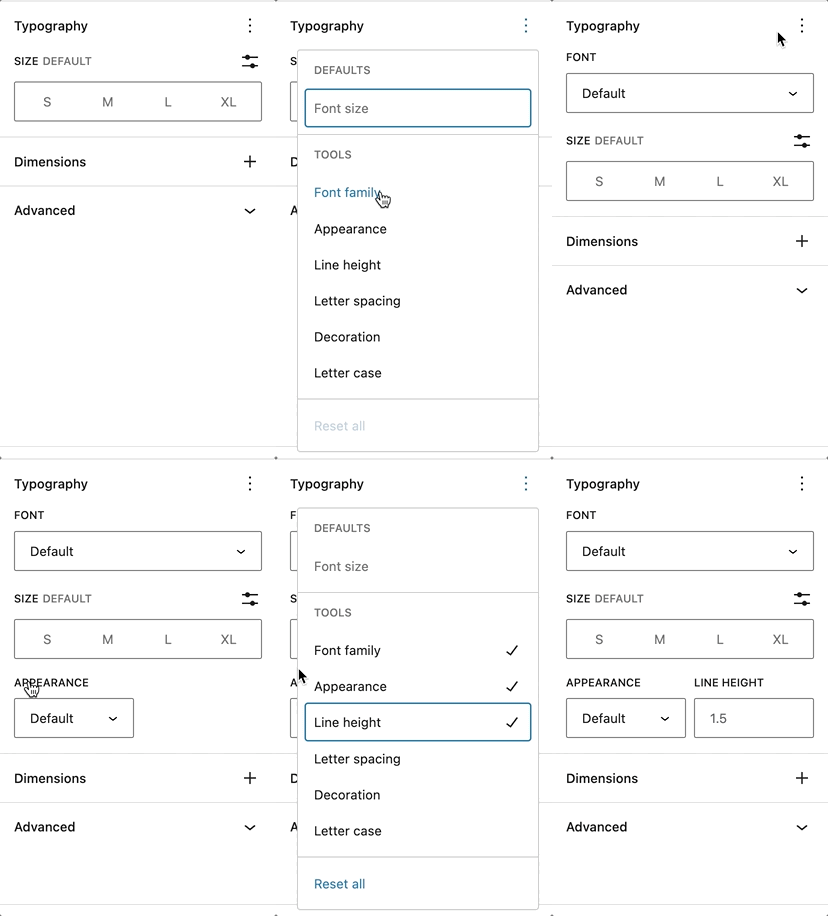
**Displaying additional typography settings**
From the drop-down menu, select the typography setting that you want to add to the **Typography** section. You can add as many settings as you like.
The full list of the different types of settings is listed below.
If you make customizations to these settings and want to revert back to the original settings quickly, you can do so by selecting the three-dot menu icon and clicking **Reset All** as [shown in this article](https://wordpress.org/documentation/article/working-with-blocks/#reset-controls)
. This resets the settings and removes all of your changes.
[Type of settings](https://wordpress.org/documentation/article/typography-settings-overview/#type-of-settings)
---------------------------------------------------------------------------------------------------------------
Every supported block comes with different typography settings.
### [Font family](https://wordpress.org/documentation/article/typography-settings-overview/#font-family)
This option allows you to change the font family for your text, with a preview of the fonts available in the drop-down menu. The list of available fonts depends on your theme.


### [Font size](https://wordpress.org/documentation/article/typography-settings-overview/#font-size)
Font size allows you to adjust the size of your text. You can choose from preset sizes like (**S**)small, (**M**)medium, (**L**)large and (**XL**)extra large. You can also set a custom value by clicking the slider icon directly above the default selections.


You can change the unit of the font size by clicking the **px** icon on the right. You can choose between **px**, **em**, **rem**.
Learn [the difference between these units here](https://wordpress.org/documentation/article/typography-settings-overview/#units-explained)
.
### [Line height](https://wordpress.org/documentation/article/typography-settings-overview/#line-height)
This setting sets the spacing above and below each line of text within a given paragraph. The default line height for most themes is **1.5**. You can use the Line height settings to increase or decrease it to your liking. You can also add a custom number for the line height.

### [Letter case](https://wordpress.org/documentation/article/typography-settings-overview/#letter-case)
This setting allows you to set text in a block to three casing options: all caps (**AB**), all lowercase (**ab**), or the first letter capitalized (**Ab**).

### [Letter spacing](https://wordpress.org/documentation/article/typography-settings-overview/#letter-spacing)
This setting allows you to set the space between each individual character. You can also change the units from the default (**px**) to **%**, **em**, **rem**`,`**vw** and **vh**.
Learn [the difference between these units here](https://wordpress.org/documentation/article/typography-settings-overview/#units-explained)
.

### [Decoration](https://wordpress.org/documentation/article/typography-settings-overview/#decoration)
The decoration setting allows you to add an underline or a line-through in the text. The line through is also known as strikethrough.

### [Appearance](https://wordpress.org/documentation/article/typography-settings-overview/#appearance)
The Appearance setting allows you to change the text’s weight from **Thin** to **Extra Bold** and **Black**. You also have the option to italicize your text from **Regular Italic** to **Extra Bold Italic** and **Black Italic**.

[Blocks that have typography settings](https://wordpress.org/documentation/article/typography-settings-overview/#blocks-that-have-typography-settings)
-------------------------------------------------------------------------------------------------------------------------------------------------------
* Archives
* Button/Buttons
* Calendar
* Categories
* Code
* Column/Columns
* Comment Author Name
* Comments Content
* Comment Date
* Comment Edit Link
* Comments Reply Link
* Comment Template
* Comments
* Comments Pagination
* Comments Pagination Next
* Comments Pagination Numbers
* Comments Pagination Previous
* Comments Title
* Cover
* Group
* Heading
* Home Link
* Latest Posts
* List & List Item
* Media & Text
* Navigation
* Navigation Link
* Page List
* Paragraph
* Post Author
* Post Author Biography
* Post Author Name
* Post Comments Count
* Post Comments Form
* Post Comments Link
* Post Content
* Post Date
* Post Excerpt
* Post Template
* Post Terms
* Post Title
* Post Navigation Link
* Preformatted
* Pullquote
* Query No Results
* Query Pagination
* Query Pagination Next
* Query Pagination Numbers
* Query Pagination Previous
* Query Title
* Quote
* Read More
* Search
* Site Title
* Site Tagline
* Table
* Table of Contents – not available in 6.2
* Tag Cloud
* Term Description
* Verse
[The difference between px, em, rem, %, vw, and vh units](https://wordpress.org/documentation/article/typography-settings-overview/#units-explained)
-----------------------------------------------------------------------------------------------------------------------------------------------------
Pixel (**px**) is not a scalable unit, it is an absolute unit. The **px** unit does not change based on any other element and hence **px** units are not responsive. They are useful for maintaining consistent sizing for some elements. If you have elements that should not be resized, then using **px** unit is a good option.
Element (**em**), root element (**rem**), **%**, viewport height(**vh**) and viewport width(**vw**) are relative units. They are suited for responsive designs because these units scale up and down based on other elements size. They also get interpreted into the equivalent **px** unit by the browser.
**em**: Relative to the parent element
**rem**: Relative to the root element (HTML tag)
**%**: % relative to the parent element
**vw**: Relative to the viewport’s width
**vh**: Relative to the viewport’s height
[Demonstration](https://wordpress.org/documentation/article/typography-settings-overview/#demonstration)
---------------------------------------------------------------------------------------------------------
To see the power of these settings in action, here’s an example of using them to personalize a button.
[Changelog](https://wordpress.org/documentation/article/typography-settings-overview/#changelog)
-------------------------------------------------------------------------------------------------
* Updated 2025-06-28
* Updated font-family with preview feature
Updated screenshot and add new showcasing the font-family preview
* Updated 2023-04-03
* Updated list of blocks that support typography settings
* Updated screenshots
* Created 2022-11-01
Was this article helpful? How could it be improved? [Cancel reply](https://wordpress.org/documentation/article/typography-settings-overview/#respond)
------------------------------------------------------------------------------------------------------------------------------------------------------
[Log in to submit feedback](https://login.wordpress.org/?redirect_to=https%3A%2F%2Fwordpress.org%2Fdocumentation%2Farticle%2Ftypography-settings-overview%2F&locale=en_US)
. If you need support with something that wasn't covered by this article, please post your question in the [support forums](https://wordpress.org/support/forums/)
.
First published
November 2, 2022
Last updated
June 28, 2025
Get more help
-------------
[Support forums](https://wordpress.org/support/forums/)
Ask questions in the support forums.
[Developers](https://developer.wordpress.org/)
Check out the developer documentation.
[Content suggestions](https://github.com/WordPress/Documentation-Issue-Tracker/issues)
Report an error or change in the documentation issue tracker.
[Get involved](https://make.wordpress.org/docs/)
Learn about the Documentation Team and how to contribute.
---
# Embeds – Documentation – WordPress.org
[WordPress.org](https://wordpress.org/)
[Documentation](https://wordpress.org/documentation)
Embeds
[Home](https://wordpress.org/documentation)
[Customization](https://wordpress.org/documentation/customization/)
[Embed blocks](https://wordpress.org/documentation/category/embed-blocks/)
Embeds
Search documentation
Embeds
======
In this article
---------------
Table of Contents
* [List of sites you can embed from](https://wordpress.org/documentation/article/embeds/#list-of-sites-you-can-embed-from)
* [External resources](https://wordpress.org/documentation/article/embeds/#external-resources)
* [Embeds changelog](https://wordpress.org/documentation/article/embeds/#embeds-changelog)
[↑ Back to top](https://wordpress.org/documentation/article/embeds/#wp--skip-link--target)
Since WordPress 5.0, the [WordPress block editor](https://wordpress.org/documentation/article/wordpress-editor/)
has an easy way to add videos, images, tweets, audio, and other content from third-party services into your WordPress site by embedding. An example of this is embedding a YouTube video in your post or page.
When you are embedding content, you don’t need to upload the content to your WordPress site. You are creating a link to the content, from within your post or page.
Using the generic [Embed Block](https://wordpress.org/documentation/article/embed-block/)
, you can paste the URL from the third-party site that you want to embed the content such as YouTube, Vimeo, TED, etc on your post or page.

You can also use Embed blocks build for specific third-party services such as YouTube Embed, Vimeo Embed, etc.
For a full list of embeds, check out the article: [list of all embed blocks](https://wordpress.org/documentation/article/blocks/#embeds)
.
[List of sites you can embed from](https://wordpress.org/documentation/article/embeds/#list-of-sites-you-can-embed-from)
-------------------------------------------------------------------------------------------------------------------------
WordPress can embed content from the services listed below:
| | | | |
| --- | --- | --- | --- |
| **Service** | **Block** | **Embed Type** | **Since** |
| [Amazon Kindle](http://amazon.com/) | [Amazon Kindle Block](https://wordpress.org/documentation/article/amazon-kindle-embed-block/) | Videos | [WordPress 4.9](https://codex.wordpress.org/Version_4.9) |
| [Animoto](http://animoto.com/) | [Animato Block](https://wordpress.org/documentation/article/animoto-embed/) | Videos | [WordPress 4.0](https://codex.wordpress.org/Version_4.0) |
| [Cloudup](http://cloudup.com/) | [Cloudup Block](https://wordpress.org/documentation/article/cloudup-embed/) | Videos, Galleries, Images | [WordPress 4.4](https://codex.wordpress.org/Version_4.4) |
| [Crowdsignal](https://crowdsignal.com/) | [Crowdsignal Block](https://wordpress.org/documentation/article/crowdsignal-embed/) | Polls & Surveys | [WordPress 3.0](https://codex.wordpress.org/Version_3.0) |
| [DailyMotion](http://www.dailymotion.com/) | [DailyMotion Block](https://wordpress.org/documentation/article/dailymotion-embed/) | Videos | [WordPress 2.9](https://codex.wordpress.org/Version_2.9) |
| [Facebook](https://www.facebook.com/) | [Facebook Block](https://wordpress.org/documentation/article/facebook-embed/) | Post, activity, photo, video, media, question, note | [WordPress 4.7](https://codex.wordpress.org/Version_4.7) |
| [Flickr](http://www.flickr.com/) | [Flickr Block](https://wordpress.org/documentation/article/flickr-embed/) | Videos & Images | [WordPress 2.9](https://codex.wordpress.org/Version_2.9) |
| [Imgur](http://imgur.com/) | [Imgur Block](https://wordpress.org/documentation/article/imgur-embed/) | Images | [WordPress 3.9](https://codex.wordpress.org/Version_3.9) |
| [Instagram](http://instagram.com/) | [Instagram Block](https://wordpress.org/documentation/article/instagram-embed/) | Images | [WordPress 3.5](https://codex.wordpress.org/Version_3.5) |
| [Issuu](http://issuu.com/) | [Issuu Block](https://wordpress.org/documentation/article/issuu-embed/) | Documents | [WordPress 4.0](https://codex.wordpress.org/Version_4.0) |
| [Kickstarter](http://www.kickstarter.com/) | [Kickstarter Block](https://wordpress.org/documentation/article/kickstarter-embed/) | Projects | [WordPress 4.2](https://codex.wordpress.org/Version_4.2) |
| [Mixcloud](http://mixcloud.com/) | [Mixcloud Block](https://wordpress.org/documentation/article/mixcloud-embed/) | Music | [WordPress 4.0](https://codex.wordpress.org/Version_4.0) |
| [Photobucket](http://photobucket.com/) | | Images | [WordPress 2.9](https://codex.wordpress.org/Version_2.9) |
| Pinterest | | Images | |
| [Pocket Casts](https://pocketcasts.com/) | [Pocket Casts](https://wordpress.org/documentation/article/pocket-casts-embed-block/) | Podcasts | WordPress 6.1 |
| [Reddit](http://reddit.com/) | [Reddit Block](https://wordpress.org/documentation/article/reddit-embed/) | Posts & Comments | [WordPress 4.4](https://codex.wordpress.org/Version_4.4) |
| [ReverbNation](http://reverbnation.com/) | [ReverbNation Block](https://wordpress.org/documentation/article/reverbnation-embed/) | Music | [WordPress 4.4](https://codex.wordpress.org/Version_4.4) |
| [Screencast](https://www.screencast.com/) | [Screencast Block](https://wordpress.org/documentation/article/screencast-block/) | Video | |
| [Scribd](http://www.scribd.com/) | [Scribd Block](https://wordpress.org/documentation/article/scribd-embed/) | Documents | [WordPress 2.9](https://codex.wordpress.org/Version_2.9) |
| [SlideShare](http://www.slideshare.net/) | [SlideShare Block](https://wordpress.org/documentation/article/slideshare-embed/) | Presentation slideshows | [WordPress 3.5](https://codex.wordpress.org/Version_3.5) |
| [SmugMug](http://www.smugmug.com/) | [SmugMug Block](https://wordpress.org/documentation/article/smugmug-embed/) | Various | [WordPress 3.0](https://codex.wordpress.org/Version_3.0) |
| [SoundCloud](http://soundcloud.com/) | [SoundCloud Block](https://wordpress.org/documentation/article/soundcloud-embed/) | Music | [WordPress 3.5](https://codex.wordpress.org/Version_3.5) |
| [Speaker Deck](http://speakerdeck.com/) | [Speaker Deck Block](https://wordpress.org/documentation/article/speaker-deck-embed/) | Presentation slideshows | [WordPress 4.4](https://codex.wordpress.org/Version_4.4) |
| [Spotify](http://www.spotify.com/) | [Spotify Block](https://wordpress.org/documentation/article/spotify-embed/) | Music | [WordPress 3.6](https://codex.wordpress.org/Version_3.6) |
| [TED](http://www.ted.com/) | [TED Block](https://wordpress.org/documentation/article/ted-embed/) | Videos | [WordPress 4.0](https://codex.wordpress.org/Version_4.0) |
| [TikTok](https://www.tiktok.com/en) | [TikTok Block](https://wordpress.org/documentation/article/tiktok-embed/) | Videos | [WordPress 5.4](https://wordpress.org/documentation/wordpress-version/version-5-4/) |
| [Tumblr](http://www.tumblr.com/) | [Tumblr Block](https://wordpress.org/documentation/article/tumblr-embed/) | Various | [WordPress 4.2](https://codex.wordpress.org/Version_4.2) |
| [Twitter](http://twitter.com/) | [Twitter Block](https://wordpress.org/documentation/article/twitter-embed/) | Tweet, profile, list, collection, likes, Moment | [WordPress 3.4](https://codex.wordpress.org/Version_3.4) |
| [VideoPress](http://videopress.com/) | [VideoPress Block](https://wordpress.org/documentation/article/videopress-embed/) | Videos | [WordPress 4.4](https://codex.wordpress.org/Version_4.4) |
| [Vimeo](http://vimeo.com/) | [Vimeo Block](https://wordpress.org/documentation/article/vimeo-embed/) | Videos | [WordPress 2.9](https://codex.wordpress.org/Version_2.9) |
| [Wolfram](https://www.wolfram.com/featureset/notebooks/) | [Wolfram Block](https://wordpress.org/documentation/article/wolfram-embed/) | Various | |
| [WordPress](https://wordpress.org/plugins-wp/) | [WordPress Block](https://wordpress.org/documentation/article/wordpress-embed/) | Various | [WordPress 4.4](https://codex.wordpress.org/Version_4.4) |
| [WordPress.tv](http://wordpress.tv/) | [WordPress.tv Block](https://wordpress.org/documentation/article/wordpress-tv-embed-block/) | Videos | [WordPress 2.9](https://codex.wordpress.org/Version_2.9) |
| [YouTube](http://www.youtube.com/) | [YouTube Block](https://wordpress.org/documentation/article/youtube-embed/) | Videos | [WordPress 2.9](https://codex.wordpress.org/Version_2.9) |
* **Facebook** and **Instagram**: Due to Facebook’s [decision to close the oEmbed end](https://make.wordpress.org/core/2020/09/22/facebook-and-instagram-embeds-to-be-deprecated-october-24th/)
[](http://facebook%20announced%20updates%20to%20their%20marketing%20api/)
point for embedding Facebook and Instagram links, the block will not work anymore after October 24, 2020. To embed Facebook and Instagram links into your site, you need a developer account and an appid, and provide an authentication token with their call to the endpoint. Refer to the [Facebook Documentation](https://developers.facebook.com/docs/development)
.
* **Tumblr** – only posts (name.tumblr.com/post/etc) are recognized, not standalone images (name.tumblr.com/image)
* **Twitter** – older versions of WordPress have issues with https embeds. Remove the ‘s’ from the https to fix the issue.
* **YouTube** – only public and “unlisted” videos and playlists can be embedded. “private” videos cannot be embedded.
[External resources](https://wordpress.org/documentation/article/embeds/#external-resources)
---------------------------------------------------------------------------------------------
* [oEmbed.com](http://oembed.com/)
– Official oEmbed website with technical details of the spec
[Embeds changelog](https://wordpress.org/documentation/article/embeds/#embeds-changelog)
-----------------------------------------------------------------------------------------
* [2.9](https://codex.wordpress.org/Version_2.9)
:
* Introduction of the builtin Embeds support.
* [3.0](https://codex.wordpress.org/Version_3.0)
:
* Added: SmugMug, FunnyOrDie
* [3.4](https://codex.wordpress.org/Version_3.4)
:
* Added: Twitter
* [3.5](https://codex.wordpress.org/Version_3.5)
:
* Embed options were removed from the [Settings Media Screen](https://codex.wordpress.org/Settings_Media_Screen)
.
* Added: Instagram, SoundCloud, SlideShare
* [3.6](https://codex.wordpress.org/Version_3.6)
:
* Added: Rdio, Spotify
* [3.9](https://codex.wordpress.org/Version_3.9)
:
* Removed: Qik (the service shutting down in April 2014)
* [4.0](https://codex.wordpress.org/Version_4.0)
:
* Major reworking of the preview code showing embeds within the editor [wp.mce.views](https://codex.wordpress.org/wp.mce.views)
.
* Added: CollegeHumor, Issuu, Mixcloud, YouTube playlists, TED talks
* Removed: Viddler (removed due to the service shutting down their oEmbed endpoint)
* [4.1](https://codex.wordpress.org/Version_4.1)
:
* Added: Vine
* [4.2](https://codex.wordpress.org/Version_4.2)
:
* Added: Kickstarter, Tumblr
* Removed: Revision3
* [4.4](https://codex.wordpress.org/Version_4.4)
:
* Added: ReverbNation, Cloudup, Reddit, SpeakerDeck, VideoPress
* Removed: Blip
* [4.4.1](https://codex.wordpress.org/Version_4.4.1)
:
* Removed: Rdio (Service shut down)
* [4.5](https://codex.wordpress.org/Version_4.5)
:
* Added: Twitter Moment, collection
* [4.7](https://codex.wordpress.org/Version_4.7)
:
* Added: Twitter profile, list, likes
* Added: Facebook post, activity, photo, video, media, question, note
* [5.1](https://codex.wordpress.org/Version_5.1)
:
* Renamed: PollDaddy service has been renamed to Crowdsignal
* 5.6 :
* Added section about the Block Editor for embeds, created a new column for Block Editor documentation links, note about Facebook and Instagram ending OAuth, updated Codex links, added a new changelog and reordered page.
* Added: TikTok
* Removed: Blip, Hulu, CollegeHumor, FunnyOrDie.com and Vine
* 6.0:
* Removed: Meetup.com, and Giphy,
* Added Screencast, Pinterest, Wolfram
* 6.1:
* Added: Pocket Casts
* 6.2:
* Added: YouTube provider for live URLs
#### [Changelog](https://wordpress.org/documentation/article/embeds/#changelog)
* Updated 2022-11-25
* Added Pocket Casts
* Updated 2022-08-16
* Removed Meetup.com, and Giphy, Added Screencast, Pinterest, Wolfram
* Removed oEmbed info and Usage info.
* Updated content and added ALT tags for the images
* Updated 2020-12-08
* Added section about the Block Editor for embeds, created a new column for Block Editor documentation links, noted about Facebook and Instagram ending OAuth, added new Changelog, updated Codex links, and reordered page.
* Added: TikTok
* Removed: Blip, Hulu, CollegeHumor, FunnyOrDie.com, and Vine; Some external links that violated our external linking policy or were out-of-date.
Was this article helpful? How could it be improved? [Cancel reply](https://wordpress.org/documentation/article/embeds/#respond)
--------------------------------------------------------------------------------------------------------------------------------
[Log in to submit feedback](https://login.wordpress.org/?redirect_to=https%3A%2F%2Fwordpress.org%2Fdocumentation%2Farticle%2Fembeds%2F&locale=en_US)
. If you need support with something that wasn't covered by this article, please post your question in the [support forums](https://wordpress.org/support/forums/)
.
First published
November 2, 2018
Last updated
October 17, 2024
Get more help
-------------
[Support forums](https://wordpress.org/support/forums/)
Ask questions in the support forums.
[Developers](https://developer.wordpress.org/)
Check out the developer documentation.
[Content suggestions](https://github.com/WordPress/Documentation-Issue-Tracker/issues)
Report an error or change in the documentation issue tracker.
[Get involved](https://make.wordpress.org/docs/)
Learn about the Documentation Team and how to contribute.
---
# Use Images – Documentation – WordPress.org
[WordPress.org](https://wordpress.org/)
[Documentation](https://wordpress.org/documentation)
Use Images
[Home](https://wordpress.org/documentation)
[Support guides](https://wordpress.org/documentation/support-guides/)
[Media](https://wordpress.org/documentation/category/media/)
Use Images
Search documentation
Use Images
==========
In this article
---------------
Table of Contents
* [Working with Images](https://wordpress.org/documentation/article/use-images/#working-with-images)
* [Adding Images Through Pages/Posts](https://wordpress.org/documentation/article/use-images/#adding-images-through-pages-posts)
* [Miscellaneous](https://wordpress.org/documentation/article/use-images/#miscellaneous)
* [Special Contents Using Images](https://wordpress.org/documentation/article/use-images/#special-contents-using-images)
* [Resources](https://wordpress.org/documentation/article/use-images/#resources)
[↑ Back to top](https://wordpress.org/documentation/article/use-images/#wp--skip-link--target)
[Working with Images](https://wordpress.org/documentation/article/use-images/#working-with-images)
---------------------------------------------------------------------------------------------------
Adding images in WordPress is very easy. All of your images will be stored and can be managed in the Media Library, but you can take several different paths to get there.
The most common path is adding an image directly to a post or page. This automatically saves the image in the Media Library and displays the image wherever you inserted it.
You can also add images directly to the Media Library through the multi-file loader or the single-file loader.
Further reading:
* [Media library screen](https://wordpress.org/documentation/article/media-library-screen/)
* [Media Add New Screen](https://wordpress.org/documentation/article/media-add-new-screen/)
* [Edit Media](https://wordpress.org/documentation/article/edit-media/)
* [Settings Media Screen](https://wordpress.org/documentation/article/settings-media-screen/)
[Adding Images Through Pages/Posts](https://wordpress.org/documentation/article/use-images/#adding-images-through-pages-posts)
-------------------------------------------------------------------------------------------------------------------------------
When writing or editing a post, you can add an image using the Add Media button above the editor box. This opens a window that displays the multi-file uploader. From here you can drag and drop your picture or select it using the file selector.
The images you add here will be automatically added to the Media Library.
Further reading:
* [Inserting Images into Posts and Pages (Block Editor)](https://wordpress.org/documentation/article/inserting-images-into-posts-and-pages-block-editor/)
* [Inserting Images into Posts and Pages (Classic Editor)](https://wordpress.org/documentation/article/inserting-images-into-posts-and-pages-classic/)
[Miscellaneous](https://wordpress.org/documentation/article/use-images/#miscellaneous)
---------------------------------------------------------------------------------------
WordPress can resize images and create thumbnails.
Further reading:
* [Image Size and Quality](https://wordpress.org/documentation/article/image-size-and-quality/)
* [Use image and file attachments](https://wordpress.org/documentation/article/use-image-and-file-attachments/)
[Special Contents Using Images](https://wordpress.org/documentation/article/use-images/#special-contents-using-images)
-----------------------------------------------------------------------------------------------------------------------
[](https://i0.wp.com/wordpress.org/documentation/files/2018/11/post-avatar.jpg?fit=300%2C211&ssl=1)
Gravatar in comments
* [How to Use Gravatars in WordPress](https://wordpress.org/documentation/article/use-gravatars/)
– Display avatars in your comment stream.
* [Smilies](https://wordpress.org/documentation/article/what-are-smilies/)
– How to use smilies or emoticons on WordPress.
[Resources](https://wordpress.org/documentation/article/use-images/#resources)
-------------------------------------------------------------------------------
* [Image Compression on Wikipedia](http://en.wikipedia.org/wiki/Image_compression)
* [WordPress Inspiration – Showcase](https://wordpress.org/showcase/)
Was this article helpful? How could it be improved? [Cancel reply](https://wordpress.org/documentation/article/use-images/#respond)
------------------------------------------------------------------------------------------------------------------------------------
[Log in to submit feedback](https://login.wordpress.org/?redirect_to=https%3A%2F%2Fwordpress.org%2Fdocumentation%2Farticle%2Fuse-images%2F&locale=en_US)
. If you need support with something that wasn't covered by this article, please post your question in the [support forums](https://wordpress.org/support/forums/)
.
First published
November 6, 2018
Last updated
April 14, 2023
Get more help
-------------
[Support forums](https://wordpress.org/support/forums/)
Ask questions in the support forums.
[Developers](https://developer.wordpress.org/)
Check out the developer documentation.
[Content suggestions](https://github.com/WordPress/Documentation-Issue-Tracker/issues)
Report an error or change in the documentation issue tracker.
[Get involved](https://make.wordpress.org/docs/)
Learn about the Documentation Team and how to contribute.
---
# Share to Mastodon
Share to Mastodon
-----------------
Enter the full URL of the Mastodon instance where you’d like to share this post.
Share
---
# Media Library screen – Documentation – WordPress.org
[WordPress.org](https://wordpress.org/)
[Documentation](https://wordpress.org/documentation)
Media Library screen
[Home](https://wordpress.org/documentation)
[Support guides](https://wordpress.org/documentation/support-guides/)
[Dashboard](https://wordpress.org/documentation/category/dashboard/)
Media Library screen
Search documentation
Media Library screen
====================
In this article
---------------
Table of Contents
* [Media →︎ Library](https://wordpress.org/documentation/article/media-library-screen/#media-%e2%86%92%ef%b8%8e-library)
* [Media library](https://wordpress.org/documentation/article/media-library-screen/#media-library)
* [Media library grid view](https://wordpress.org/documentation/article/media-library-screen/#media-library-grid-view)
* [Filtering options](https://wordpress.org/documentation/article/media-library-screen/#filtering-options)
* [Delete media](https://wordpress.org/documentation/article/media-library-screen/#delete-media)
* [Attachment details](https://wordpress.org/documentation/article/media-library-screen/#attachment-details)
* [Media library list view](https://wordpress.org/documentation/article/media-library-screen/#media-library-list-view)
* [Table of media](https://wordpress.org/documentation/article/media-library-screen/#table-of-media)
* [Filtering options](https://wordpress.org/documentation/article/media-library-screen/#filtering-options-2)
* [Using selection, actions, and apply](https://wordpress.org/documentation/article/media-library-screen/#using-selection-actions-and-apply)
* [Further reading](https://wordpress.org/documentation/article/media-library-screen/#further-reading)
* [Changelog](https://wordpress.org/documentation/article/media-library-screen/#changelog)
[↑ Back to top](https://wordpress.org/documentation/article/media-library-screen/#wp--skip-link--target)
[Media →︎ Library](https://wordpress.org/documentation/article/media-library-screen/#media-%e2%86%92%ef%b8%8e-library)
-----------------------------------------------------------------------------------------------------------------------
Media consists of the images, video, recordings, and files that you upload and use in your blog. Media is typically uploaded and inserted into the content when [writing a Post](https://wordpress.org/documentation/article/write-posts-classic-editor/)
or [writing a Page](https://wordpress.org/documentation/article/pages-add-new-screen/)
. Note that the Uploading Setting in the [Settings Media Screen](https://wordpress.org/documentation/article/settings-media-screen/)
describes the location and structure of the upload directory (where your media files are stored). If you do need to upload Media, even if that Media is not related to a Post or Page, then you need to use the [Media Add New Screen](https://wordpress.org/documentation/article/media-add-new-screen/)
.
Visit the [Media add new screen](https://wordpress.org/documentation/article/media-add-new-screen/)
to install new media by clicking the Add New link at the top of this screen or Select **[Media](https://wordpress.org/documentation/article/administration-screens/#media-add-pictures-and-movies-to-your-posts)
> [Add New](https://wordpress.org/documentation/article/media-add-new-screen/)
** from the left side menu.
### [Media library](https://wordpress.org/documentation/article/media-library-screen/#media-library)
The Media Library Screen allows you to edit, view, and delete Media previously uploaded to your blog. Multiple Media objects can be selected for deletion. Search and filtering ability is also provided to allow you to find the desired Media.
Media Library provides two type of views. One is simple visual [Grid View](https://wordpress.org/documentation/article/media-library-screen/#media-library-grid-view)
and another is conventional [List View](https://wordpress.org/documentation/article/media-library-screen/#media-library-list-view)
. Switch between these views using the icons to the left above the screen.
[Media library grid view](https://wordpress.org/documentation/article/media-library-screen/#media-library-grid-view)
---------------------------------------------------------------------------------------------------------------------
In Media Library Grid View, thumbnails of image, Audio icons and Movie icons are arranged in the grid.

Grid view of media items
### [Filtering options](https://wordpress.org/documentation/article/media-library-screen/#filtering-options)
At the top of Grid View, you can filter the media by media type and date:
**All media items**
This dropdown allows you to select, by media types such as Images, Audio and Video or Unattached to any Posts nor Pages, which Media are displayed in the Table of Media. By default, “All media items” are selected and all of your Media are displayed.
**All dates**
This dropdown allows you to select, by date, which Media are displayed in the Grid View. By default, “Show all dates” is selected and all of your Media are displayed.
To the right, is a Search box where you can enter a word, or series of words to search and display all the Media meeting your search words. The search results will be updated as you type.
### [Delete media](https://wordpress.org/documentation/article/media-library-screen/#delete-media)
To delete media items, click the Bulk Select button at the top of the screen. Select any items you wish to delete, then click the Delete Selected button. Clicking the Cancel Selection button takes you back to viewing your media.
### [Attachment details](https://wordpress.org/documentation/article/media-library-screen/#attachment-details)
In Media Library Grid View, clicking an Image thumbnail, Audio icon or Video icon will display an Attachment Details dialog, which allows you to preview media and make quick edits. Any changes you make to the attachment details will be automatically saved. You can also delete individual items and access the extended edit screen from the details dialog.
Use the arrow buttons at the top of the dialog, or the left and right arrow keys on your keyboard, to navigate between media items quickly.

Attachment details screen
Attachment Details changes its appearance and information by media type. The left side of this dialog shows the Image, Audio player or Video player. The right side lists the following media file attributes and optional data. Some of them are editable from this dialog.
* **Uploaded on** – The date when the media file was uploaded
* **Uploaded by** – [author](https://wordpress.org/documentation/article/users-screen/)
who uploaded the Media.
* **Uploaded to** – Title of the Post or Page that contains this Media. Click on the title to view that Post or Page in an edit Screen. If the Media was unattached to any Post or Page, this line does not appear.
* **File name** – The name of the media file
* **File type** – The MIME Type of media file
* **File size** – The file size of the media file
* **Dimensions** – (Image files only) The dimensions of image media
* **Alt Text** – (Image files only) The alt text for the image, e.g. “The Mona Lisa” to describe the media. Used for accessibility.
* **Title** – The name of the media. A title is often shown on attachment pages and galleries if themes or plugins are designed to display it.
* **Caption** – A brief explanation of the media.
* **Description** – An explanation of this particular media.
* **File** **URL** – Read-only display of a direct link to the media file.
* **Copy URL to clipboard** – Click to copy the URL of the file into the clipboard.
* **Artist** – (Voice files only) Singer, composer or producer of this media.
* **Album** – (Voice files only) Album title that includes this media.
At the bottom there are three link menus:
**View attachment page**
Shows the media in a simulated view of how the image would look when displayed in your Theme.
**Edit more details**
Displays the Edit Media Screen. See the [Edit Media](https://wordpress.org/documentation/article/edit-media/)
for details on editing Media information.
**Download file**
Makes it easier for users to download their uploaded media by providing a download link on the attachment details screen and in the media modal.
**Delete permanently**
Deletes the media.
**Edit image**
(Image files only) Allows you to make edits such as rotate, scale, and crop. See the [Edit Image Screen](https://wordpress.org/documentation/article/edit-media/)
.
[Media library list view](https://wordpress.org/documentation/article/media-library-screen/#media-library-list-view)
---------------------------------------------------------------------------------------------------------------------
In Media Library List View, a table lists all of your Media, by row. The Media are listed with the newest uploaded Media first.
[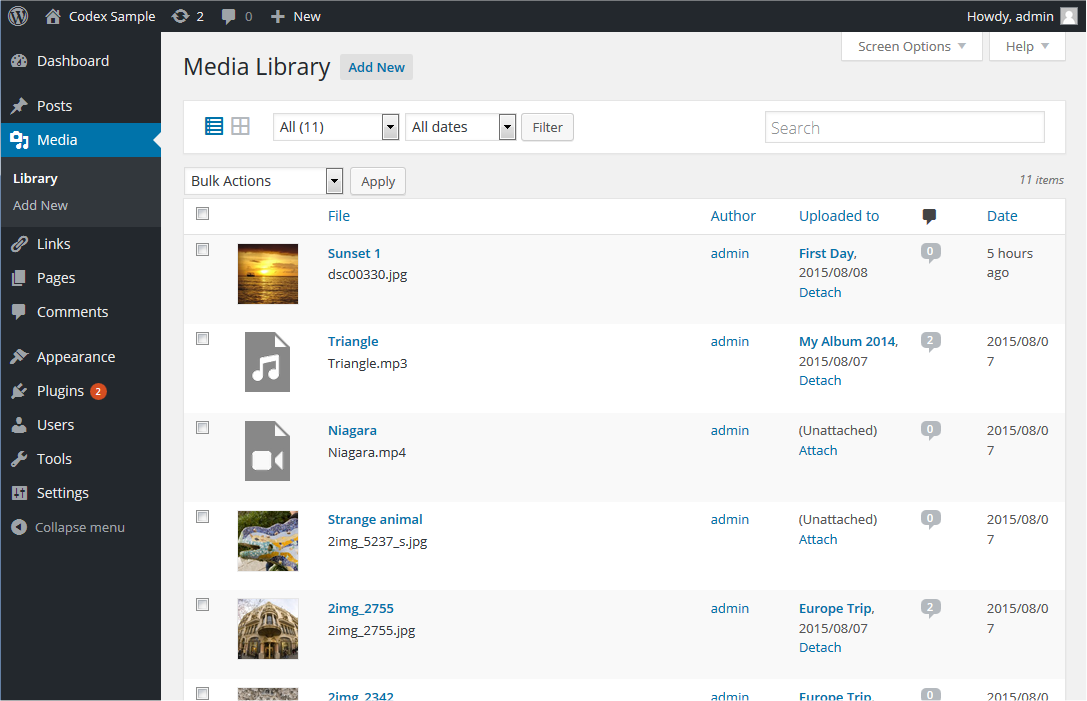](https://wordpress.org/documentation/files/2018/10/medialibrary_listview.png)
List view for the items inside media library
### [Table of media](https://wordpress.org/documentation/article/media-library-screen/#table-of-media)
The table of Media contains the following columns:
* **\[ \]** – This checkbox, when clicked (checked), ‘selects’ that particular Media to be processed by a Bulk Action.
* **“thumbnail”** – There is no column heading for “thumbnail”, but a small image of the actual media is displayed in this column
* **File** – Displayed in the form of a link, this is Title, the name of the media. Clicking the title link opens Edit Media Screen. See the [Edit Media](https://wordpress.org/documentation/article/edit-media/)
for details on editing Media information. Below the Title, the actual name of the file that holds this particular Media is displayed.
* **Author** – Displayed in the form of a link, this is the [author](https://wordpress.org/documentation/article/users-screen/)
who uploaded the Media. Clicking the author link causes all the Media authored by that user to be displayed in the Table of Media (thus allowing a Bulk Action to be applied to all Media for a given author).
* **Uploaded to** – Uploaded to describes the title of the Post or Page that contains this Media and the date of that Post or Page. Click on the title to view that Post or Page in an edit Screen. If the Media was unattached to any Post or Page, an “Attach” link will appear and when clicked this Media can be attached to selected Posts or Pages. For more detail about selecting, see [Find Posts or Pages](https://wordpress.org/documentation/article/media-library-screen/#find-posts-or-pages)
. If the Media has been attached to more than one Post or Page, only the details of the first Post or Page will be displayed.
* **Comment bubble** – Each Media row has a comment bubble with the number of comments for that Media. If a Media has any comments, then the number of comments is displayed in a bubble. Clicking on a blue comment bubble causes the [Comments Screen](https://wordpress.org/documentation/article/comments-screen/)
to be displayed to allow moderation of those comments.
* **Date** – The date the Media was uploaded.
#### [Sortable columns](https://wordpress.org/documentation/article/media-library-screen/#sortable-columns)
Some column headings, such as the **File**, **Author**, **Uploaded to**, and **Date** headings, can be clicked to sort the Table of Media in ascending or descending order. Hover over the column title, e.g. **File**, to see the up arrow or down arrow. Click the heading to change the sort order.
#### [Page navigation](https://wordpress.org/documentation/article/media-library-screen/#page-navigation)
Under the Screen Options, the number of Media displayed per page is determined. If more than one page of Media is available, two double-arrow boxes to move to the first and last page are provided. Also two single-arrow boxes are displayed to move one page backward or forward. Finally, a box showing the current page number can be used to enter a page to directly display.
#### [Screen options](https://wordpress.org/documentation/article/media-library-screen/#screen-options)
The [Screen Options](https://wordpress.org/documentation/article/administration-screens/#screen-options)
allow you to choose which columns are displayed, or not displayed, in the underlying Table. Clicking on the Screen Options tab shows a list of the columns with a check-box next to each column. Check the box for each column you want displayed in the Table, or uncheck the box to not display that column. In addition, the number of Media items to display in the [Table of Media](https://wordpress.org/documentation/article/media-library-screen/#table-of-media)
can be set. Click the Screen Options tab again to close the Screen Options.
#### [Search](https://wordpress.org/documentation/article/media-library-screen/#search)
Above the Table, to the right, is a Search box where you can enter a word, or series of words, and hit the Enter key to search and display all the Media meeting your search words.
### [Filtering options](https://wordpress.org/documentation/article/media-library-screen/#filtering-options-2)
At the top of List view, you can filter the media by media type and date:
**All**
This dropdown allows you to select, by media type such as Images, Audio and Video or Unattached to any Posts nor Pages, which Media are displayed in the [Table of Media](https://wordpress.org/documentation/article/media-library-screen/#table-of-media)
. By default, “All” is selected and all of your Media are displayed.
**All dates**
This dropdown allows you to select, by date, which Media are displayed in the [Table of Media](https://wordpress.org/documentation/article/media-library-screen/#table-of-media)
. By default, “All dates” is selected and all of your Media are displayed.
**Filter**
Clicking this button applies the settings you select in the dropdown.
### [Using selection, actions, and apply](https://wordpress.org/documentation/article/media-library-screen/#using-selection-actions-and-apply)
#### [Selection](https://wordpress.org/documentation/article/media-library-screen/#selection)
This Screen allows Bulk Actions to be performed on one or more Media selected in the Table. For Bulk Actions to be performed on multiple Media at once, those Media must be first **selected** via one of these methods:
* **Select one Media at a time** – To select a Media, the checkbox to the left of the Media entry must be checked (clicked). It is possible to keep selecting more Media by checking their respective checkbox.
* **Select all Media in given Table** – All Media in a given table can be selected by checking the checkbox in the Table’s title, or footer bar. Of course, unchecking the header or footer title bar checkbox will cause all entries in that Table to be unchecked (NOT selected).
* **Reverse Selection** – A Reverse Selection means checked items become unchecked, and unchecked items become checked. A Reverse Selection is accomplished by holding the Shift key on the keyboard and clicking the header or footer title bar checkbox.
#### [Actions](https://wordpress.org/documentation/article/media-library-screen/#actions)
Actions describe the process to be performed on particular Media. There are two styles of Actions that will be referred to as _Bulk Actions_ and _Immediate Actions_. The follow describes these Actions:
* **Bulk actions** – These Actions can be performed on one, or more Media, at one time, if those Media have been previously [selected](https://wordpress.org/documentation/article/media-library-screen/#selection)
. Bulk Actions are available, when appropriate, as choices in the Bulk Actions pulldown box, above the Table. The only Bulk Action allowed is Delete Permanently.
* **Immediate actions** – Immediate Actions are performed immediately, on an individual Media. Hovering the mouse cursor over the Media row reveals the Edit, Delete Permanently, and View options under the File column, in that Media row. Clicking on a Media Title will also initiate the Edit Action.
The available Actions are described below:
* **Edit** – This Immediate Action displays the Edit Media Screen. This Action can be initiated by click on the Media Title. See the [Edit Media](https://wordpress.org/documentation/article/edit-media/)
for details on editing Media information.
* **Delete permanently** – This Action deletes the Media. Delete Permanently is available both as a Bulk Action, and an Immediate Action.
* **View** – This Action presents the Media in a simulated view of how the image would look when displayed in your Theme. View is available only as an Immediate Action.
* **Copy URL to clipboard** – When clicked, copies the absolute URL to clipboard. Tooltip will appear on success.
* **Download file** – Downloads the original media file to your device. This makes easier for users to download their uploaded media by providing a Download row action to the Media List Table.
* **Attach** – In Unattached filtered view, “Attach” action is displayed. By clicking this link, the media can be attached to selected Posts or Pages. For more detail about selecting, see [Find Posts or Pages](https://wordpress.org/documentation/article/media-library-screen/#find-posts-or-pages)
.
#### [Find posts or pages](https://wordpress.org/documentation/article/media-library-screen/#find-posts-or-pages)

Copy URL in media items list view

Attach media items to content
Clicking **Attach** link in the “Attached to” column or “Media” column when Unattached filtered view appears **Find Posts or Pages** dialogue box. From this dialogue box, you can select a Posts or Pages that the media should be attached to. Follow the steps:
1. Search posts or Pages by keyword.
2. Select the post/Page one wants to attach the media.
3. Click the _Select_ button.
#### [Apply](https://wordpress.org/documentation/article/media-library-screen/#apply)
After one or more Media are _selected_, and after a _Bulk_ Action is specified, the **Apply** button performs the given Action on the selected Media.
* **Apply** – Click the Apply button to execute the Bulk Action, specified in the Actions pulldown, on the selected Media. Remember, prior to executing Actions, one or more Media must be **selected**, as described before.
[Further reading](https://wordpress.org/documentation/article/media-library-screen/#further-reading)
-----------------------------------------------------------------------------------------------------
* [Media Add New Screen](https://wordpress.org/documentation/article/media-add-new-screen/)
* [Edit Media](https://wordpress.org/documentation/article/edit-media/)
* [Settings Media Screen](https://wordpress.org/documentation/article/settings-media-screen/)
* [Inserting Images into Posts and Pages (Block Editor)](https://wordpress.org/documentation/article/inserting-images-into-posts-and-pages-block-editor/)
* [Inserting Images into Posts and Pages (Classic Editor)](https://wordpress.org/documentation/article/inserting-images-into-posts-and-pages-classic/)
* [Use Images](https://wordpress.org/documentation/article/use-images/)
* [Use image and file attachments](https://wordpress.org/documentation/article/use-image-and-file-attachments/)
* [Image Size and Quality](https://wordpress.org/documentation/article/image-size-and-quality/)
[Changelog](https://wordpress.org/documentation/article/media-library-screen/#changelog)
-----------------------------------------------------------------------------------------
* Updated on 2023-06-27
* Changed the photo of media library grid view and the GIF for Actions
* Updated on 2023-06-25
* Updated screenshots for media library grid view \[because it was showing WordPress 4.0\], Attachment details, find posts & pages.
* Updated GIF for Actions
* Added alt tag and caption for Media library list view image
* Added the paragraph Download file to the edit media page section
Was this article helpful? How could it be improved? [Cancel reply](https://wordpress.org/documentation/article/media-library-screen/#respond)
----------------------------------------------------------------------------------------------------------------------------------------------
[Log in to submit feedback](https://login.wordpress.org/?redirect_to=https%3A%2F%2Fwordpress.org%2Fdocumentation%2Farticle%2Fmedia-library-screen%2F&locale=en_US)
. If you need support with something that wasn't covered by this article, please post your question in the [support forums](https://wordpress.org/support/forums/)
.
First published
July 2, 2021
Last updated
June 6, 2024
Get more help
-------------
[Support forums](https://wordpress.org/support/forums/)
Ask questions in the support forums.
[Developers](https://developer.wordpress.org/)
Check out the developer documentation.
[Content suggestions](https://github.com/WordPress/Documentation-Issue-Tracker/issues)
Report an error or change in the documentation issue tracker.
[Get involved](https://make.wordpress.org/docs/)
Learn about the Documentation Team and how to contribute.
---
# Media Add New screen – Documentation – WordPress.org
[WordPress.org](https://wordpress.org/)
[Documentation](https://wordpress.org/documentation)
Media Add New screen
[Home](https://wordpress.org/documentation)
[Support guides](https://wordpress.org/documentation/support-guides/)
[Dashboard](https://wordpress.org/documentation/category/dashboard/)
Media Add New screen
Search documentation
Media Add New screen
====================
In this article
---------------
Table of Contents
* [Upload New Media](https://wordpress.org/documentation/article/media-add-new-screen/#upload-new-media)
* [Further reading](https://wordpress.org/documentation/article/media-add-new-screen/#further-reading)
[↑ Back to top](https://wordpress.org/documentation/article/media-add-new-screen/#wp--skip-link--target)
The **Media Add New Screen** allows you to upload Media (Images, video, files, etc.) for later use in your posts and pages. This screen allows you to both add single items as well as perform bulk uploads, if you wish to add more than one media item to your Media Library.
### [Upload New Media](https://wordpress.org/documentation/article/media-add-new-screen/#upload-new-media)
Uploading media from your local computer into the Media Library is quite simple. Two ‘uploader’ methods, Multi-File Uploader and Browser Uploader, are provided. The Multi-File Uploader is the primary method for adding media to the Media Library, but if doesn’t work then click the “Browser Uploader” link to use the Browser Uploader.
[](https://wordpress.org/documentation/article/media-add-new-screen/media-upload-16/)
Media Upload screen
You will also see a message displayed at the bottom of your view that indicates maximum upload size for files, as set by your hosting provider.
#### [Multi-File Uploader](https://wordpress.org/documentation/article/media-add-new-screen/#multi-file-uploader)

Multi-File Upload
* **Drag-and-Drop** – If you are using a web browser that supports HTML5 then you will see an active upload area (indicated by a dashed border) where you can “drag-and-drop” files from your computer to this area to upload them to the Media Library. You can upload files one at a time, or you can add multiple media items by dragging and dropping a group of files in this area.
* Select Files – If drag-and-drop is not working for you, click on the Select Files button, which will launch a file browser that allows you to find and select (by clicking) the files you want to upload. Multiple files can also be selected by holding down the Ctrl key (Cmd key on a Mac) and clicking on each file you wish to upload. After all the files are selected, click on the Open button to begin uploading.
As your files are uploaded, a status bar will be displayed next to each one to indicate progress.

When the uploading is complete, a thumbnail of the media is displayed. Once your upload is complete, you may click on the Edit link to edit and save the information about that media files (see the [Edit Media](https://wordpress.org/documentation/article/edit-media)
page for more information) if you wish.
You may also click on the ‘Copy URL to clipboard’ button to copy the URL of the file you uploaded.
#### [Browser Uploader](https://wordpress.org/documentation/article/media-add-new-screen/#browser-uploader)
Uploading via the Browser uploader:
* **Browse** – Click this button, and then from the File Upload window, find and click the file to upload, then click the Open button. The Media file name will be placed in the text box to the left of the Browse button.
* **Upload** – Once a Media file name is displayed in the text box to the right of the Browse button, click the Upload button to upload that Media. At that point the Media Library Screen is displayed.
* **Cancel** – If the Upload is not working or is taking a prolonged period of time, click the Cancel button to cancel the Upload process.
[Further reading](https://wordpress.org/documentation/article/media-add-new-screen/#further-reading)
-----------------------------------------------------------------------------------------------------
* [Edit Media](https://wordpress.org/documentation/article/edit-media/)
* [Media library screen](https://wordpress.org/documentation/article/media-library-screen/)
* [Settings Media Screen](https://wordpress.org/documentation/article/settings-media-screen/)
* [Image Size and Quality](https://wordpress.org/documentation/article/image-size-and-quality/)
* [Use Images](https://wordpress.org/documentation/article/use-images/)
* [Use image and file attachments](https://wordpress.org/documentation/article/use-image-and-file-attachments/)
* [Inserting Images into Posts and Pages (Block Editor)](https://wordpress.org/documentation/article/inserting-images-into-posts-and-pages-block-editor/)
* [Inserting Images into Posts and Pages (Classic Editor)](https://wordpress.org/documentation/article/inserting-images-into-posts-and-pages-classic/)
Was this article helpful? How could it be improved? [Cancel reply](https://wordpress.org/documentation/article/media-add-new-screen/#respond)
----------------------------------------------------------------------------------------------------------------------------------------------
[Log in to submit feedback](https://login.wordpress.org/?redirect_to=https%3A%2F%2Fwordpress.org%2Fdocumentation%2Farticle%2Fmedia-add-new-screen%2F&locale=en_US)
. If you need support with something that wasn't covered by this article, please post your question in the [support forums](https://wordpress.org/support/forums/)
.
First published
July 2, 2021
Last updated
June 6, 2024
Get more help
-------------
[Support forums](https://wordpress.org/support/forums/)
Ask questions in the support forums.
[Developers](https://developer.wordpress.org/)
Check out the developer documentation.
[Content suggestions](https://github.com/WordPress/Documentation-Issue-Tracker/issues)
Report an error or change in the documentation issue tracker.
[Get involved](https://make.wordpress.org/docs/)
Learn about the Documentation Team and how to contribute.
---
# Version 3.4 – Documentation – WordPress.org
[WordPress.org](https://wordpress.org/)
[Documentation](https://wordpress.org/documentation)
Version 3.4
[Home](https://wordpress.org/documentation)
Version 3.4
Search documentation
Version 3.4
===========
In this article
---------------
Table of Contents
* [Highlights](https://wordpress.org/documentation/wordpress-version/version-3-4/#highlights)
* [User Features](https://wordpress.org/documentation/wordpress-version/version-3-4/#user-features)
* [General](https://wordpress.org/documentation/wordpress-version/version-3-4/#general)
* [Dashboard](https://wordpress.org/documentation/wordpress-version/version-3-4/#dashboard)
* [Posts](https://wordpress.org/documentation/wordpress-version/version-3-4/#posts)
* [Media](https://wordpress.org/documentation/wordpress-version/version-3-4/#media)
* [Links](https://wordpress.org/documentation/wordpress-version/version-3-4/#links)
* [Comments](https://wordpress.org/documentation/wordpress-version/version-3-4/#comments)
* [Appearance](https://wordpress.org/documentation/wordpress-version/version-3-4/#appearance)
* [Plugins](https://wordpress.org/documentation/wordpress-version/version-3-4/#plugins)
* [Tools](https://wordpress.org/documentation/wordpress-version/version-3-4/#tools)
* [Users](https://wordpress.org/documentation/wordpress-version/version-3-4/#users)
* [Settings](https://wordpress.org/documentation/wordpress-version/version-3-4/#settings)
* [Install Process](https://wordpress.org/documentation/wordpress-version/version-3-4/#install-process)
* [Multisite](https://wordpress.org/documentation/wordpress-version/version-3-4/#multisite)
* [Development, Themes, Plugins](https://wordpress.org/documentation/wordpress-version/version-3-4/#development-themes-plugins)
[↑ Back to top](https://wordpress.org/documentation/wordpress-version/version-3-4/#wp--skip-link--target)
On June 13, 2012, WordPress **Version 3.4**, named for guitarist Grant Green, was released to the public. For more information on this enhancement and bug-fix release, read the [WordPress Blog](https://wordpress.org/news/2012/06/green/)
, and see the [Changelog for 3.4](https://codex.wordpress.org/Changelog/3.4)
.
For **Version 3.4**, the database version (**db\_version** in **wp\_options**) changed to 20596, and the [Trac](https://core.trac.wordpress.org/)
revision was [21076](https://core.trac.wordpress.org/changeset/21076)
.
* [View Closed Tickets](https://trac.wordpress.org/query?status=closed&milestone=3.4)
[Highlights](https://wordpress.org/documentation/wordpress-version/version-3-4/#highlights)
--------------------------------------------------------------------------------------------
* **Enhanced theme control**
* Customize theme options before activating a new theme using Theme Customizer
* Use Theme Previewer to customize current theme without changing the front-end design
* **Custom Headers**
* Improved [Custom Headers](https://codex.wordpress.org/Custom_Headers)
with flexible sizes
* Selecting [Custom Header](https://codex.wordpress.org/Custom_Headers)
Images and [Custom Background](https://codex.wordpress.org/Custom_Backgrounds)
Images from [Media Library Screen](https://codex.wordpress.org/Media_Library_Screen)
* **Media improvements**
* Support HTML in image captions
* **Under the Hood improvements**
* Improvements in WordPress internationalization and localization ([more info](http://wppolyglots.wordpress.com/important-changes-for-wordpress-3-4/)
)
* Different split in translation POT files for faster translations
* Codex XML-RPC information update accessed via [XML-RPC\_WordPress\_API](https://codex.wordpress.org/XML-RPC_WordPress_API)
* [WP\_Query](https://codex.wordpress.org/Class_Reference/WP_Query)
improvements
[User Features](https://wordpress.org/documentation/wordpress-version/version-3-4/#user-features)
--------------------------------------------------------------------------------------------------
### [General](https://wordpress.org/documentation/wordpress-version/version-3-4/#general)
* Properly reflect the language on RSS feeds
* Add support for DFW for all instances of the editor
* Update license.txt to include ‘How to Apply These Terms to Your New Programs’ at the request of the FSF [http://www.gnu.org/licenses/gpl-2.0.txt](http://www.gnu.org/licenses/gpl-2.0.txt)
### [Dashboard](https://wordpress.org/documentation/wordpress-version/version-3-4/#dashboard)
* Dashboard Widgets are available for translation
* Help Tabs improvements
* Remove Recently Updated from Plugins widget
* Add a link to the Customizer from the Admin Bar appearance menu
* Improve the Recent Comments dashboard widget performance on sites with large amounts of comments
### [Posts](https://wordpress.org/documentation/wordpress-version/version-3-4/#posts)
* Add new comment from post edit screen
* Display menu\_order value in Quick Edit for non-hierarchical post types
* Change ‘Post Format’ bulk/quick edit label to ‘Format’
### [Media](https://wordpress.org/documentation/wordpress-version/version-3-4/#media)
* HTML support has been added to image caption field
* Add Twitter.com as an oEmbed providers
### [Links](https://wordpress.org/documentation/wordpress-version/version-3-4/#links)
* Default Links are now available for translation
### [Comments](https://wordpress.org/documentation/wordpress-version/version-3-4/#comments)
* Remove “Approve” bulk action when viewing spam comments as it isn’t shown in the row actions
### [Appearance](https://wordpress.org/documentation/wordpress-version/version-3-4/#appearance)
* Update the [Theme Customizer](https://codex.wordpress.org/Theme_Features)
in Twenty Ten and Twenty Eleven themes
* Faster theme searching
* Post formats should show\_in\_nav\_menus when the current theme supports them
* Infinite scroll for themes.php and theme-install.php. Bump per page limit for themes.php to 999
* Add Sort by, and Number of Links to show, to the Links widget
* Introduce new registration methods for custom headers and custom backgrounds
* Default to keyword searches for the theme installer
* Contextual help updates
* Update install screens to use the new stars
### [Plugins](https://wordpress.org/documentation/wordpress-version/version-3-4/#plugins)
* Clean up the Plugin installer screenshots page; adds CSS resize support to the images to prevent them requiring scrolling and falling below the FYI box
* Default to keyword searches for the plugin installer
* Update install screens to use the new stars
### [Tools](https://wordpress.org/documentation/wordpress-version/version-3-4/#tools)
* Bump WXR\_VERSION because of [plugins trac 501867](https://plugins.trac.wordpress.org/changeset/501867)
/ [r19858](https://core.trac.wordpress.org/changeset/19858)
which affects the regex based importer
* Update contextual help
### [Users](https://wordpress.org/documentation/wordpress-version/version-3-4/#users)
* After adding a user, take them back to users.php with an ‘Edit user’ link in the message
* Correct how “Display name publicly as” works when other name fields change
### [Settings](https://wordpress.org/documentation/wordpress-version/version-3-4/#settings)
* Update color scheme definition for gray admin theme
* Use blue arrows for blue admin’s screen options and help tabs; adjust baseline to be more compatible with Firefox
* Timezone and start of week can now be specify through translated strings (rather than PHP)
### [Install Process](https://wordpress.org/documentation/wordpress-version/version-3-4/#install-process)
* Don’t allow empty database prefix for multisite
* Issue an error during the WordPress install process if wp-config.php is configured with an empty database table prefix, which is not supported
* Remove references to specific search engines
### [Multisite](https://wordpress.org/documentation/wordpress-version/version-3-4/#multisite)
* Better checking for values for multisite upload limit
* Only allow \_multisite\_ super admins to demote themselves on a site
* Create a network/about.php page and leverage it, to prevent the dashboard from switching to the blog admin
* Add an “Edit Site” submenu to the admin bar site menu when a super admin visits a blog dashboard
* Autocomplete for add-user screens
* Do not save the last visited tab on the multisite Network Themes page and Site Themes tab
* Make ‘Network Activate’ a bulk action on network/plugins.php
* Increase default upload space for sites on a network from 10M to 100M
* Clean up plugins.php with regards to recently edited files, deactivations, and the network admin
[Development, Themes, Plugins](https://wordpress.org/documentation/wordpress-version/version-3-4/#development-themes-plugins)
------------------------------------------------------------------------------------------------------------------------------
* Add a filter to wp\_terms\_checklist() that wraps the function’s arguments; mainly designed to allow checked\_ontop to be turned off
* Add [WP\_Screen](https://codex.wordpress.org/Class_Reference/WP_Screen)
methods [get\_help\_tabs()](https://codex.wordpress.org/index.php?title=Function_Reference/get_help_tabs&action=edit&redlink=1)
, [get\_help\_tab( $id )](https://codex.wordpress.org/index.php?title=Function_Reference/get_help_tab&action=edit&redlink=1)
, [get\_help\_sidebar()](https://codex.wordpress.org/Function_Reference/get_help_sidebar)
. Store help tabs by tab ID, not numeric key; allows proper removal with [remove\_help\_tab( $id )](https://codex.wordpress.org/index.php?title=Function_Reference/remove_help_tab&action=edit&redlink=1)
* Add ‘ep\_mask’ as an argument to the ‘rewrite’ array for [register\_post\_type()](https://codex.wordpress.org/Function_Reference/register_post_type)
and [register\_taxonomy()](https://codex.wordpress.org/Function_Reference/register_taxonomy)
; keeps ‘permalink\_epmask’ compatible as an argument for post type registrations; fixes endpoints for category and tag pages
* Add jQuery UI Touch Punch plugin to handle dragging on mobile devices
* Add post ID argument to [\_wp\_post\_thumbnail\_html()](https://codex.wordpress.org/Function_Reference/_wp_post_thumbnail_html)
rather than relying on a global; post the ID from [wp\_ajax\_set\_post\_thumbnail()](https://codex.wordpress.org/index.php?title=Function_Reference/wp_ajax_set_post_thumbnail&action=edit&redlink=1)
* Add ‘search\_columns’ arg to [WP\_User\_Query](https://codex.wordpress.org/Class_Reference/WP_User_Query)
to allow for explicit column choices; without it columns will be detected based on the search term
* Add the editor ID and the post type (when available) as classes to the TinyMCE’s body
* Add $id parameter to get\_the\_tag\_list() for consistency with get\_the\_(category|term)\_list().
* Allow [get\_post\_meta()](https://codex.wordpress.org/Function_Reference/get_post_meta)
to be called with only a post ID, as [get\_metadata()](https://codex.wordpress.org/Function_Reference/get_metadata)
handles this
* Allow counting by characters in lieu of a word count, for East Asian languages
* Allow toolbar submenus to expand to the width of the parent item
* Allow translators to specify a default timezone string OR GMT offset. Stop doing date(‘Z’)/3600 math for default ‘gmt\_offset’
* AtomServer class moved to `[wp-includes/class-wp-atom-server.php](https://core.trac.wordpress.org/browser/tags/5.1.0/src/wp-includes/class-wp-atom-server.php#L0) `
* Change the image caption shortcode format to <a><img /></a> caption text + html; that way HTML tags in captions are better supported and the shortcode wouldn’t break when using the wrong quotes
* Check the return of [wp\_insert\_term()](https://codex.wordpress.org/Function_Reference/wp_insert_term)
for [WP\_Error](https://codex.wordpress.org/Class_Reference/WP_Error)
or array; prevents fatal errors and failure to add categories when adding terms via ajax
* Cleanup and better document [create\_initial\_taxonomies()](https://codex.wordpress.org/Function_Reference/create_initial_taxonomies)
* Clear strict notices for the walkers
* Compress CSS/JS using the latest version of YUI Compressor
* Create [WP\_Customize\_Control](https://codex.wordpress.org/Class_Reference/WP_Customize_Control)
to separate the process of rendering a control from fetching, previewing, and saving its value
* Database schema change: Change ‘post\_content\_filtered’ to longtext in ‘wp\_posts’ table
* Database schema change: Drop ‘comment\_approved’ index from ‘wp\_comments’ table
* Database schema change: Remove ‘blog\_id’ column from ‘wp\_options’ table
* Define WPINC in wp-load when not set in wp-config.php
* Deprecate [add\_custom\_background()](https://codex.wordpress.org/Function_Reference/add_custom_background)
in favor of [add\_theme\_support( ‘custom-background’ )](https://codex.wordpress.org/Function_Reference/add_theme_support)
* Deprecate [add\_custom\_image\_header()](https://codex.wordpress.org/Function_Reference/add_custom_image_header)
in favor of [add\_theme\_support( ‘custom-header’ )](https://codex.wordpress.org/Function_Reference/add_theme_support)
* Deprecate [display\_theme()](https://codex.wordpress.org/index.php?title=Function_Reference/display_theme&action=edit&redlink=1)
* Deprecate [get\_theme\_data()](https://codex.wordpress.org/Function_Reference/get_theme_data)
in favor of [wp\_get\_theme()](https://codex.wordpress.org/Function_Reference/wp_get_theme)
* Do not block file mod/edit caps when DISALLOW\_UNFILTERED\_HTML is set; There are separate constants (DISALLOW\_FILE\_EDIT and DISALLOW\_FILE\_MODS for those)
* Fix the return value of [get\_theme\_root()](https://codex.wordpress.org/Function_Reference/get_theme_root)
when the theme root is outside of WP\_CONTENT\_DIR, thus making it absolute rather than the typical relative theme root; make [get\_theme\_root\_uri()](https://codex.wordpress.org/Function_Reference/get_theme_root_uri)
tolerate an absolute path for a theme root; it will now make an attempt to find a corresponding URL for absolute paths as well.
* Fixed “https” detection in feed generator
* Formatting and i18n cleanup of repair.php
* Hash post password in cookies
* Improve adding more css classes to the editor body, add “rtl”, “ie7”, “ie8”, “ie9” so they can be targeted in editor-style.css
* Improve efficiency of [make\_clickable()](https://codex.wordpress.org/Function_Reference/make_clickable)
* Improve wp-app.php; put the atom server class in class-wp-atom-server.php; remove log\_api calls; update the query filter; replace exit calls with [wp\_die()](https://codex.wordpress.org/Function_Reference/wp_die)
for unit test compat; add override handler for [wp\_die()](https://codex.wordpress.org/Function_Reference/wp_die)
; allow plugins to replace the atom class
* In case of 404, redirect /login, /dashboard, /admin to corresponding WordPress equivalents
* Introduce $wpdb->delete()
* Introduce [set\_header\_image()](https://codex.wordpress.org/index.php?title=Function_Reference/set_header_image&action=edit&redlink=1)
, [remove\_header\_image()](https://codex.wordpress.org/index.php?title=Function_Reference/remove_header_image&action=edit&redlink=1)
, [reset\_header\_image()](https://codex.wordpress.org/index.php?title=Function_Reference/reset_header_image&action=edit&redlink=1)
and [get\_header\_image\_data()](https://codex.wordpress.org/index.php?title=Function_Reference/get_header_image_data&action=edit&redlink=1)
[Custom\_Image\_Header](https://codex.wordpress.org/index.php?title=Class_Reference/Custom_Image_Header&action=edit&redlink=1)
class methods.
* Introduce [WP\_Theme](https://codex.wordpress.org/Class_Reference/WP_Theme)
class, [wp\_get\_themes()](https://codex.wordpress.org/Function_Reference/wp_get_themes)
, and [wp\_get\_theme()](https://codex.wordpress.org/Function_Reference/wp_get_theme)
to [replace get\_themes()](https://codex.wordpress.org/index.php?title=Function_Reference/replace_get_themes&action=edit&redlink=1)
, [get\_theme()](https://codex.wordpress.org/Function_Reference/get_theme)
, [get\_theme\_data()](https://codex.wordpress.org/Function_Reference/get_theme_data)
, [current\_theme\_info()](https://codex.wordpress.org/index.php?title=Function_Reference/current_theme_info&action=edit&redlink=1)
, and others
* Introduce [\_\_return\_null()](https://codex.wordpress.org/Function_Reference/_return_null)
* Introduce [display\_header\_text()](https://codex.wordpress.org/index.php?title=Function_Reference/display_header_text&action=edit&redlink=1)
* Introduce [get\_page\_template\_slug( $id = null )](https://codex.wordpress.org/Function_Reference/get_page_template_slug)
to return a page’s template (like “showcase.php”); returns false if post ID is not a page, and an empty string for the default page template; use the function across core
* Introduce [sanitize\_trackback\_urls()](https://codex.wordpress.org/index.php?title=Function_Reference/sanitize_trackback_urls&action=edit&redlink=1)
; don’t ping bad urls, or save them to the DB
* Introduce [term\_is\_ancestor\_of()](https://codex.wordpress.org/Function_Reference/term_is_ancestor_of)
* Introduce [term\_is\_ancestor\_of()](https://codex.wordpress.org/Function_Reference/term_is_ancestor_of)
; finish taxonomy support for [wp\_insert\_category()](https://codex.wordpress.org/Function_Reference/wp_insert_category)
* Introduce wp\_is\_mobile() and use it instead of $is\_iphone global
* Introduce [wp\_load\_translations\_early()](https://codex.wordpress.org/index.php?title=Function_Reference/wp_load_translations_early&action=edit&redlink=1)
which can be used before the locale is properly loaded in order to translate early error strings; internationalize setup-config.php — translators no longer have a reason to modify this file
* Introduce ‘relative’ scheme to return only the paths for home\_url, site, admin, network\_, and get\_ variants
* Introduce WP\_Theme->exists() to check if the queried theme actually exist; WP\_Theme->exists() is a subset of errors(); a theme with errors may still exist, but a theme that does not exist has an error of theme\_not\_found; [wp\_get\_theme()](https://codex.wordpress.org/Function_Reference/wp_get_theme)
now returns false if the theme does not exist; improve [scandir()](https://codex.wordpress.org/index.php?title=Function_Reference/scandir&action=edit&redlink=1)
and [get\_files()](https://codex.wordpress.org/index.php?title=Function_Reference/get_files&action=edit&redlink=1)
logic
* Introduce WP\_User::exists()
* Lose EOF ?>; clean up EOF newline
* Make [get\_post\_custom()](https://codex.wordpress.org/Function_Reference/get_post_custom)
a wrapper of [get\_post\_meta()](https://codex.wordpress.org/Function_Reference/get_post_meta)
so that it works when cache addition is suspended and to simplify it
* Merge Press This inline styles into wp-admin.css
* Move [Options](https://codex.wordpress.org/Options_API)
, [Settings](https://codex.wordpress.org/Settings_API)
, and [Transient](https://codex.wordpress.org/Transients_API)
functions from `[wp-includes/functions.php](https://core.trac.wordpress.org/browser/tags/5.1.0/src/wp-includes/functions.php#L0) ` to `[wp-includes/option.php](https://core.trac.wordpress.org/browser/tags/5.1.0/src/wp-includes/option.php#L0) `
* New ‘wp\_die\_app\_handler’ context in [wp\_die()](https://codex.wordpress.org/Function_Reference/wp_die)
for APP requests; introduces [\_scalar\_wp\_die\_handler()](https://codex.wordpress.org/index.php?title=Function_Reference/_scalar_wp_die_handler&action=edit&redlink=1)
as a generic handler that wraps die(), for use by plugins; move deprecated function to the end of the wp-app.php file (same as xmlrpc.php)
* Provide a DB fallback for keys in [wp\_salt()](https://codex.wordpress.org/Function_Reference/wp_salt)
; fall back when any secret is used more than once; change how we detect a localized ‘put your unique phrase here’–eliminate $wp\_default\_secret\_key and introduce $wp\_secret\_key\_default to be added during the localized build process, not by translators
* Redirect bare category URLs for permalink structures starting with %category%
* Reduce references to the $wp\_rewrite global because it’s no longer used or a wrapper function can be used instead
* Refactor WPDB::get\_caller() into [wp\_debug\_backtrace\_summary()](https://codex.wordpress.org/index.php?title=Function_Reference/wp_debug_backtrace_summary&action=edit&redlink=1)
and improve the functionality to provide enhanced context and a standardised default pretty format
* Remove show\_last\_update, include\_last\_update\_time, and show\_date code parameters from [wp\_list\_categories()](https://codex.wordpress.org/Function_Reference/wp_list_categories)
, [wp\_dropdown\_categories()](https://codex.wordpress.org/Function_Reference/wp_dropdown_categories)
* Replace background image with CSS3 gradient in [wp\_die()](https://codex.wordpress.org/Function_Reference/wp_die)
* Repurpose [wp\_die()](https://codex.wordpress.org/Function_Reference/wp_die)
for ajax responses
* Rewrite [search\_theme\_directories()](https://codex.wordpress.org/Function_Reference/search_theme_directories)
— better performance and allow for caching
* Set post password cookies via an action in wp-login.php; retire wp-pass.php (one less root file); obey login ssl preferences for post password form submission
* Split the main [WP\_Query](https://codex.wordpress.org/Class_Reference/WP_Query)
posts query into two queries to avoid temp tables; leverage cache to avoid second query in persistent cache environments
* TinyMCE: move the WordPress plugins styles to the theme’s stylesheet
* Update [add\_permastruct()](https://codex.wordpress.org/Function_Reference/add_permastruct)
to allow more control over WP\_Rewrite::generate\_rewrite\_rules()
* Update [switch\_theme()](https://codex.wordpress.org/Function_Reference/switch_theme)
to use [wp\_get\_theme()](https://codex.wordpress.org/Function_Reference/wp_get_theme)
* Update hierarchy for all hierarchical post types when deleting a parent post, not just for pages
* Update hoverIntent to r6
* Update jQuery imgAreaSelect plugin to 0.9.8
* Update jQuery UI to 1.8.20
* Update PHPDocs for [wp\_salt()](https://codex.wordpress.org/Function_Reference/wp_salt)
, [register\_taxonomy\_for\_object\_type()](https://codex.wordpress.org/Function_Reference/register_taxonomy_for_object_type)
, [wp\_set\_comment\_status()](https://codex.wordpress.org/Function_Reference/wp_set_comment_status)
, WP\_Rewrite, rewrite endpoints, WP\_Locale, [wp\_mime\_type\_icon()](https://codex.wordpress.org/Function_Reference/wp_mime_type_icon)
, mysql2date, get\_taxonomy\_labels(), WP\_User::, [register\_post\_status()](https://codex.wordpress.org/Function_Reference/register_post_status)
, [register\_post\_type()](https://codex.wordpress.org/Function_Reference/register_post_type)
* Update PHPMailer to 5.2.1
* Update Plupload to 1.5.4
* Update SimplePie to 1.2.1
* Update swfobject
* Update TinyMCE to 3.4.9
* Use [get\_taxonomies()](https://codex.wordpress.org/Function_Reference/get_taxonomies)
instead of [get\_object\_taxonomies()](https://codex.wordpress.org/Function_Reference/get_object_taxonomies)
in the tag cloud widget
* Use [microtime()](https://codex.wordpress.org/index.php?title=Function_Reference/microtime&action=edit&redlink=1)
for cron locks
* Use [version\_compare()](https://codex.wordpress.org/index.php?title=Function_Reference/version_compare&action=edit&redlink=1)
when checking installed themes in the theme installer
* When WordPress is in a subdirectory (home URL != site URL), let home/wp-admin and home/wp-login.php redirect to their proper locations
* WordPress auto-detect RTL for the following locales: ar, ckb, fa\_IR, he\_IL, ug\_CN, dv, fa\_AF, ha, ps, uz\_UZ, yi
* WP\_HTTP improvements
* XML-RPC: Add support for Feature Images to the new wp.xxxPost apis
* XML-RPC: Expose image\_default\_link\_type, image\_default\_size, and image\_default\_align options
* XML-RPC: Expose the post modified date (in blog TZ and GMT)
* XML-RPC: Initial implementation of Taxonomy and Term APIs; implements wp.newTerm, wp.editTerm, wp.deleteTerm, wp.getTerm, wp.getTerms, wp.getTaxonomy and wp.getTaxonomies
* XML-RPC: Introduce a date generation helper method to improve the dates returned over XMLRPC when we have a 0 date stored for drafts; improves the ability of clients to work with the new wp Post APIs
* XML-RPC: Introduce new create,read,update and delete XMLRPC APIs for Posts, Pages and all Custom Post Types; introduces: wp.newPost, wp.editPost, wp.deletePost, wp.getPost, and wp.getPosts
First published
May 19, 2019
Last updated
Get more help
-------------
[Support forums](https://wordpress.org/support/forums/)
Ask questions in the support forums.
[Developers](https://developer.wordpress.org/)
Check out the developer documentation.
[Content suggestions](https://github.com/WordPress/Documentation-Issue-Tracker/issues)
Report an error or change in the documentation issue tracker.
[Get involved](https://make.wordpress.org/docs/)
Learn about the Documentation Team and how to contribute.
---
# License – WordPress.org
[WordPress.org](https://wordpress.org/)
[About](https://wordpress.org/about/)
License
GNU Public License
==================
The license under which the WordPress software is released is the GPLv2 (or later) from the [Free Software Foundation](https://www.fsf.org/)
. A copy of the license is included with every copy of WordPress, but you can also [read the text of the license here](https://www.gnu.org/licenses/old-licenses/gpl-2.0.en.html)
.
Part of this license outlines requirements for derivative works, such as plugins or themes. Derivatives of WordPress code inherit the GPL license. [Drupal](https://www.drupal.org/)
, which has the same GPL license as WordPress, has an excellent page on [licensing as it applies to themes and modules](https://www.drupal.org/about/licensing)
(their word for plugins).
There is some legal grey area regarding what is considered a derivative work, but we feel strongly that plugins and themes are derivative work and thus inherit the GPL license. If you disagree, you might want to consider a non-GPL platform such as [Serendipity](https://docs.s9y.org/)
(BSD license) instead.
---
# Version 6.4 – Documentation – WordPress.org
[WordPress.org](https://wordpress.org/)
[Documentation](https://wordpress.org/documentation)
Version 6.4
[Home](https://wordpress.org/documentation)
Version 6.4
Search documentation
Version 6.4
===========
In this article
---------------
Table of Contents
* [Installation/Update Information](https://wordpress.org/documentation/wordpress-version/version-6-4/#installation-update-information)
* [Highlights](https://wordpress.org/documentation/wordpress-version/version-6-4/#highlights)
* [Meet Twenty Twenty-Four](https://wordpress.org/documentation/wordpress-version/version-6-4/#meet-twenty-twenty-four)
* [Let your writing flow](https://wordpress.org/documentation/wordpress-version/version-6-4/#let-your-writing-flow)
* [The Command Palette just got better](https://wordpress.org/documentation/wordpress-version/version-6-4/#the-command-palette-just-got-better)
* [Categorize and filter patterns](https://wordpress.org/documentation/wordpress-version/version-6-4/#categorize-and-filter-patterns)
* [Get creative with more design tools](https://wordpress.org/documentation/wordpress-version/version-6-4/#get-creative-with-more-design-tools)
* [Make your images stand out](https://wordpress.org/documentation/wordpress-version/version-6-4/#make-your-images-stand-out)
* [Rename Group blocks](https://wordpress.org/documentation/wordpress-version/version-6-4/#rename-group-blocks)
* [Preview images in List View](https://wordpress.org/documentation/wordpress-version/version-6-4/#preview-images-in-list-view)
* [Share patterns across sites](https://wordpress.org/documentation/wordpress-version/version-6-4/#share-patterns-across-sites)
* [Introducing Block Hooks](https://wordpress.org/documentation/wordpress-version/version-6-4/#introducing-block-hooks)
* [Performance wins](https://wordpress.org/documentation/wordpress-version/version-6-4/#performance-wins)
* [Accessibility highlights](https://wordpress.org/documentation/wordpress-version/version-6-4/#accessibility-highlights)
* [Other notes of interest](https://wordpress.org/documentation/wordpress-version/version-6-4/#other-notes-of-interest)
* [Learn more about WordPress 6.4](https://wordpress.org/documentation/wordpress-version/version-6-4/#learn-more-about-wordpress-6-4)
* [The 6.4 release squad](https://wordpress.org/documentation/wordpress-version/version-6-4/#the-6-4-release-squad)
* [Changelog](https://wordpress.org/documentation/wordpress-version/version-6-4/#changelog)
* [Updated packages](https://wordpress.org/documentation/wordpress-version/version-6-4/#updated-packages)
* [List of Files Revised](https://wordpress.org/documentation/wordpress-version/version-6-4/#list-of-files-revised)
[↑ Back to top](https://wordpress.org/documentation/wordpress-version/version-6-4/#wp--skip-link--target)
On November 7, 2023, WordPress 6.4 “Shirley” was released to the public. For more information on this release, read the [WordPress 6.4 announcement](https://wordpress.org/news/2023/11/shirley/)
.
For Version 6.4, the database version (**db\_version** in **wp\_options**) was `56657` and Trac revision was `57078`.
A [full list of tickets included in 6.4](https://core.trac.wordpress.org/milestone/6.4)
can be found on [Trac](https://core.trac.wordpress.org/)
.
[Installation/Update Information](https://wordpress.org/documentation/wordpress-version/version-6-4/#installation-update-information)
--------------------------------------------------------------------------------------------------------------------------------------
To download WordPress 6.4, update automatically from the Dashboard > Updates menu in your site’s admin area or visit the [release archive](https://wordpress.org/download/release-archive/)
.
For step-by-step instructions on installing and updating WordPress:
* [Updating WordPress](https://wordpress.org/documentation/article/updating-wordpress/)
If you are new to WordPress, we recommend that you begin with the following:
* [New To WordPress – Where to Start](https://wordpress.org/support/article/new_to_wordpress_-_where_to_start/)
* [First Steps With WordPress](https://wordpress.org/support/article/first-steps-with-wordpress/)
or [Upgrading WordPress Extended](https://wordpress.org/documentation/article/upgrading-wordpress-extended-instructions/)
* * *
[Highlights](https://wordpress.org/documentation/wordpress-version/version-6-4/#highlights)
--------------------------------------------------------------------------------------------
This latest version of WordPress introduces a new, versatile default theme and a suite of upgrades to empower every step of your creative journey. Craft your content seamlessly with further writing improvements. Explore more ways to bring your vision to life and streamline site editing with enhanced tools. Whether you’re new to WordPress or an experienced creator, WordPress 6.4 has something for you. Discover the unmatched flexibility of building with blocks and let your ideas take flight.
### [Meet Twenty Twenty-Four](https://wordpress.org/documentation/wordpress-version/version-6-4/#meet-twenty-twenty-four)
Experience site editing at its finest with [Twenty Twenty-Four](https://make.wordpress.org/core/2023/08/24/introducing-twenty-twenty-four/)
. This new multi-faceted default theme has been thoughtfully crafted with three distinct use cases in mind, from writers and artists to entrepreneurs. Save time and effort with its extensive collection of [over 35 templates and patterns](https://2024.wordpress.net/index.php/patterns/)
—and unlock a world of creative possibilities with a few tweaks. Twenty Twenty-Four’s remarkable flexibility ensures an ideal fit for almost any type of site. [Check it out in this demo](https://2024.wordpress.net/)
.
### [Let your writing flow](https://wordpress.org/documentation/wordpress-version/version-6-4/#let-your-writing-flow)
[New enhancements](https://make.wordpress.org/core/2023/10/05/core-editor-improvement-ensuring-excellence-in-the-writing-experience/)
ensure your content creation journey is smooth. Find new keyboard shortcuts in List View, smarter list merging, and enhanced control over link settings. A cohesive toolbar experience for the Navigation, List, and Quote blocks lets you work efficiently with the tooling options you need.
### [The Command Palette just got better](https://wordpress.org/documentation/wordpress-version/version-6-4/#the-command-palette-just-got-better)
First introduced in WordPress 6.3, the Command Palette is a powerful tool to quickly find what you need, perform tasks efficiently, and speed up your building workflow. Enjoy a [refreshed design and new commands](https://make.wordpress.org/core/2023/09/12/core-editor-improvement-commanding-the-command-palette/)
to perform block-specific actions in this release.
### [Categorize and filter patterns](https://wordpress.org/documentation/wordpress-version/version-6-4/#categorize-and-filter-patterns)
[Patterns](https://wordpress.org/patterns/)
are an excellent way to leverage the potential of blocks and simplify your site-building process. WordPress 6.4 allows you to organize them with custom categories. Plus, new advanced filtering in the Patterns section of the inserter makes finding all your patterns more intuitive.
### [Get creative with more design tools](https://wordpress.org/documentation/wordpress-version/version-6-4/#get-creative-with-more-design-tools)
Build beautiful and functional layouts with an expanded set of design tools. Play with background images in Group blocks for unique designs and maintain image dimensions consistent with placeholder aspect ratios. Do you want to add buttons to your Navigation block? Now you can do it conveniently without a line of code.
### [Make your images stand out](https://wordpress.org/documentation/wordpress-version/version-6-4/#make-your-images-stand-out)
Enable lightbox functionality to let your site visitors enjoy full-screen, interactive images on click. Apply it globally or to specific images to customize the viewing experience.
### [Rename Group blocks](https://wordpress.org/documentation/wordpress-version/version-6-4/#rename-group-blocks)
Set custom names for Group blocks to organize and distinguish areas of your content easily. These names will be visible in List View.
### [Preview images in List View](https://wordpress.org/documentation/wordpress-version/version-6-4/#preview-images-in-list-view)
New previews for Gallery and Image blocks in List View let you visualize and locate where images on your content are at a glance.
### [Share patterns across sites](https://wordpress.org/documentation/wordpress-version/version-6-4/#share-patterns-across-sites)
Need to use your custom patterns on another site? Import and export them as JSON files from the Site Editor’s patterns view.
### [Introducing Block Hooks](https://wordpress.org/documentation/wordpress-version/version-6-4/#introducing-block-hooks)
[Block Hooks](https://make.wordpress.org/core/2023/10/15/introducing-block-hooks-for-dynamic-blocks/)
enables developers to automatically insert dynamic blocks at specific content locations, enriching the extensibility of block themes through plugins. While considered a developer tool, this feature is geared to respect your preferences and gives you complete control to add, dismiss, and customize auto-inserted blocks to your needs.
### [Performance wins](https://wordpress.org/documentation/wordpress-version/version-6-4/#performance-wins)
This release includes more than 100 performance-related updates for a faster and more efficient experience. Notable enhancements focus on [template loading performance](https://make.wordpress.org/core/2023/10/17/improvements-to-template-loading-in-wordpress-6-4/)
for themes (including Twenty Twenty-Four), [usage of the script loading strategies](https://make.wordpress.org/core/2023/10/17/script-loading-changes-in-wordpress-6-4/)
“defer” and “async” in core, blocks, and themes, and [optimization of autoloaded options](https://make.wordpress.org/core/2023/10/17/new-option-functions-in-6-4/)
.
### [Accessibility highlights](https://wordpress.org/documentation/wordpress-version/version-6-4/#accessibility-highlights)
Every release is committed to making WordPress accessible to everyone. WordPress 6.4 brings several List View improvements and aria-label support for the Navigation block, among other highlights. The admin user interface includes enhancements to button placements, “Add New” menu items context, and Site Health spoken messages. Learn more about all the work aimed at improving accessibility [in this post](https://make.wordpress.org/core/2023/11/03/wordpress-6-4-accessibility-improvements/)
.
### [Other notes of interest](https://wordpress.org/documentation/wordpress-version/version-6-4/#other-notes-of-interest)
* PHP 8.1 or 8.2 are recommended for use with WordPress 6.4. Find in-depth details on PHP support [in this post](https://wordpress.org/news/2023/10/wordpress-6-4s-php-compatibility/)
.
* WordPress 6.4 [disables attachment pages](https://make.wordpress.org/core/2023/10/16/changes-to-attachment-pages/)
for new installations.
[Learn more about WordPress 6.4](https://wordpress.org/documentation/wordpress-version/version-6-4/#learn-more-about-wordpress-6-4)
------------------------------------------------------------------------------------------------------------------------------------
Check out the new [WordPress 6.4 page](https://wordpress.org/download/releases/6-4/)
to learn more about the numerous enhancements and features of this release.
Explore [Learn WordPress](https://learn.wordpress.org/)
for quick how-to videos, [online workshops](https://learn.wordpress.org/social-learning/)
, and other free resources to level up your WordPress knowledge and skills. You may also be interested in these 6.4 tutorials:
* [Exploring WordPress 6.4](https://learn.wordpress.org/tutorial/exploring-wordpress-6-4/)
* [Introducing the Twenty Twenty-Four theme](https://learn.wordpress.org/tutorial/introducing-the-twenty-twenty-four-theme/)
* [Working faster with the Command Palette](https://learn.wordpress.org/tutorial/working-faster-with-the-command-palette/)
If you are looking for detailed technical notes on new changes, the [WordPress 6.4 Field Guide](https://make.wordpress.org/core/2023/10/23/wordpress-6-4-field-guide/)
is for you. Don’t forget to subscribe to the [Developer Blog](https://developer.wordpress.org/news/)
to stay on top of the latest development updates, tutorials, and more.
For more information on installation, fixes, and file changes, visit the [6.4 release notes](https://wordpress.org/documentation/wordpress-version/version-6-4/)
.
[The 6.4 release squad](https://wordpress.org/documentation/wordpress-version/version-6-4/#the-6-4-release-squad)
------------------------------------------------------------------------------------------------------------------
The WordPress 6.4 release comes to you from an **underrepresented gender release squad** to welcome and empower diverse voices in the WordPress open source project.
Over several weeks, the 6.4 release squad kept the release on track and moving forward by leading collective work, connecting ideas, and removing roadblocks.
* Release Lead: [Josepha Haden Chomphosy](https://profiles.wordpress.org/chanthaboune/)
* Release Coordinators: [Chloé Bringmann](https://profiles.wordpress.org/cbringmann/)
, [Ebonie Butler](https://profiles.wordpress.org/metalandcoffee/)
, [Akshaya Rane](https://profiles.wordpress.org/akshayar/)
, [Francesca Marano](https://profiles.wordpress.org/francina/)
. Cohort: [Dee Teal](https://profiles.wordpress.org/thewebprincess/)
, [Jaimie Olmstead](https://profiles.wordpress.org/jaimieolmstead/)
, [Jyolsna J E](https://profiles.wordpress.org/jyolsna/)
, [Mary Baum](https://profiles.wordpress.org/marybaum/)
* Core Tech Leads: [Mike Schroder](https://profiles.wordpress.org/mikeschroder/)
, [Tonya Mork](https://profiles.wordpress.org/hellofromtonya/)
. Cohort: [Stephanie Walters](https://profiles.wordpress.org/pypwalters/)
* Editor Tech Leads: [Sarah Norris](https://profiles.wordpress.org/mikachan/)
, [Siobhan Bamber](https://profiles.wordpress.org/siobhyb/)
, [Tammie Lister](https://profiles.wordpress.org/karmatosed/)
. Cohort: [Devan Ferguson](https://profiles.wordpress.org/68kheart/)
, [Frédérique Battel](https://profiles.wordpress.org/battelfred/)
, [Jessica Goddard](https://profiles.wordpress.org/jessicagoddard/)
, [Katie Ayres](https://profiles.wordpress.org/1happyplace/)
, [Marta Torre](https://profiles.wordpress.org/martatorre/)
, [Nyasha Green](https://profiles.wordpress.org/ngreennc/)
, [Pooja Bhimani](https://profiles.wordpress.org/poojabhimani/)
* Core Triage Leads: [Nicole Furlan](https://profiles.wordpress.org/nicolefurlan/)
, [Olga Gleckler](https://profiles.wordpress.org/oglekler/)
* Editor Triage Leads: [Anne McCarthy](https://profiles.wordpress.org/annezazu/)
, [Birgit Pauli-Haack](https://profiles.wordpress.org/bph/)
. Cohort: [Emily Leffler Schulman](https://profiles.wordpress.org/emilyatmobtown/)
* Documentation Leads: [Abha Thakor](https://profiles.wordpress.org/webcommsat/)
, [Femy Praseeth](https://profiles.wordpress.org/femkreations/)
, [Mushrit Shabnam](https://profiles.wordpress.org/611shabnam/)
. Cohort: [D.J. Billings](https://profiles.wordpress.org/itsjustdj/)
, [Jamie VanRaalte](https://wordpress.org/support/users/codente/)
, [Laura Byrne](https://profiles.wordpress.org/newyorkerlaura/)
, [Tiffany Bridge](https://profiles.wordpress.org/baxbridge/)
, [Winstina Hughes](https://profiles.wordpress.org/planningwrite/)
* Marketing and Communications Leads: [Meher Bala](https://profiles.wordpress.org/meher/)
, [Reyes Martínez](https://profiles.wordpress.org/rmartinezduque/)
, [Sé Reed](https://profiles.wordpress.org/sereedmedia/)
. Cohort: [Meagan Hanes](https://profiles.wordpress.org/meaganhanes/)
, [Michelle Frechette](https://profiles.wordpress.org/michelleames/)
* Test Lead: [Pooja Derashri](https://profiles.wordpress.org/webtechpooja/)
. Cohort: [Anne Bovelett](https://profiles.wordpress.org/annebovelett/)
, [Birgit Olzem](https://profiles.wordpress.org/coachbirgit/)
* Design Leads: [Ellen Bauer](https://profiles.wordpress.org/elmastudio/)
, [Estela Rueda](https://profiles.wordpress.org/estelaris/)
. Cohort: [Allison Tarr](https://profiles.wordpress.org/allisonplus/)
, [Ana Cirujano](https://profiles.wordpress.org/acirujano/)
, [Cathi Bosco](https://profiles.wordpress.org/cathibosco1/)
, [Sonia Gaballa](https://profiles.wordpress.org/nudge/)
, [Ohia](https://profiles.wordpress.org/ohia/)
* Performance Lead: [Emily Clarke](https://profiles.wordpress.org/clarkeemily/)
. Cohort: [Linnea Huxford](https://profiles.wordpress.org/linsoftware/)
* Training Leads: [Courtney P.K.](https://profiles.wordpress.org/courtneypk/)
, [Courtney Roberston](https://profiles.wordpress.org/courane01/)
* Default Theme Leads: [Jessica Lyschik](https://profiles.wordpress.org/luminuu/)
, [Maggie Cabrera](https://profiles.wordpress.org/onemaggie/)
[Changelog](https://wordpress.org/documentation/wordpress-version/version-6-4/#changelog)
------------------------------------------------------------------------------------------
### [Updated packages](https://wordpress.org/documentation/wordpress-version/version-6-4/#updated-packages)
@playwright/test - 1.32.0
@wordpress/babel-preset-default - 7.26.12
@wordpress/dependency-extraction-webpack-plugin - 4.25.12
@wordpress/e2e-test-utils - 10.13.12
@wordpress/e2e-test-utils-playwright - 0.10.12
@wordpress/scripts - 26.13.12
autoprefixer - 10.4.16
chalk - 5.3.0
cssnano - 6.0.1
dotenv - 16.3.1
grunt - 1.6.1
grunt-contrib-cssmin - ~5.0.0
grunt-contrib-qunit - ~7.0.1
grunt-webpack - 6.0.0
jest-image-snapshot - ^6.2.0
postcss - 8.4.31
qunit - ~2.20.0
react-refresh - 0.14.0
sass - 1.69.3
sinon - 16.0.0
uuid - 9.0.1
webpack - 5.89.0
@wordpress/a11y - 3.42.12
@wordpress/annotations - 2.42.12
@wordpress/api-fetch - 6.39.12
@wordpress/autop - 3.42.12
@wordpress/blob - 3.42.12
@wordpress/block-directory - 4.19.12
@wordpress/block-editor - 12.10.12
@wordpress/block-library - 8.19.12
@wordpress/block-serialization-default-parser - 4.42.12
@wordpress/blocks - 12.19.12
@wordpress/commands - 0.13.12
@wordpress/components - 25.8.12
@wordpress/compose - 6.19.12
@wordpress/core-commands - 0.11.12
@wordpress/core-data - 6.19.12
@wordpress/customize-widgets - 4.19.12
@wordpress/data - 9.12.12
@wordpress/data-controls - 3.11.12
@wordpress/date - 4.42.12
@wordpress/deprecated - 3.42.12
@wordpress/dom - 3.42.12
@wordpress/dom-ready - 3.42.12
@wordpress/edit-post - 7.19.12
@wordpress/edit-site - 5.19.12
@wordpress/edit-widgets - 5.19.12
@wordpress/editor - 13.19.12
@wordpress/element - 5.19.12
@wordpress/escape-html - 2.42.12
@wordpress/format-library - 4.19.12
@wordpress/hooks - 3.42.12
@wordpress/html-entities - 3.42.12
@wordpress/i18n - 4.42.12
@wordpress/icons - 9.33.12
@wordpress/interactivity - 2.3.12
@wordpress/interface - 5.19.12
@wordpress/is-shallow-equal - 4.42.12
@wordpress/keyboard-shortcuts - 4.19.12
@wordpress/keycodes - 3.42.12
@wordpress/list-reusable-blocks - 4.19.12
@wordpress/media-utils - 4.33.12
@wordpress/notices - 4.10.12
@wordpress/nux - 8.4.12
@wordpress/patterns - 1.3.12
@wordpress/plugins - 6.10.12
@wordpress/preferences - 3.19.12
@wordpress/preferences-persistence - 1.34.12
@wordpress/primitives - 3.40.12
@wordpress/priority-queue - 2.42.12
@wordpress/private-apis - 0.24.12
@wordpress/redux-routine - 4.42.12
@wordpress/reusable-blocks - 4.19.12
@wordpress/rich-text - 6.19.12
@wordpress/router - 0.11.12
@wordpress/server-side-render - 4.19.12
@wordpress/shortcode - 3.42.12
@wordpress/style-engine - 1.25.12
@wordpress/sync - 0.4.12
@wordpress/token-list - 2.42.12
@wordpress/undo-manager - 0.2.12
@wordpress/url - 3.43.12
@wordpress/viewport - 5.19.12
@wordpress/warning - 2.42.12
@wordpress/widgets - 3.19.12
@wordpress/wordcount - 3.42.12
backbone - 1.5.0
framer-motion - 10.16.4
imagesloaded - 5.0.0
jquery - 3.7.1
polyfill-library - 4.8.0
regenerator-runtime - 0.14.0
tslib - 2.6.2
whatwg-fetch - 3.6.17
test:performance - wp-scripts test-playwright --config tests/performance/playwright.config.js
test:e2e - wp-scripts test-playwright --config tests/e2e/playwright.config.js
test:visual - wp-scripts test-playwright --config tests/visual-regression/playwright.config.js
### [List of Files Revised](https://wordpress.org/documentation/wordpress-version/version-6-4/#list-of-files-revised)
MODIFIED FILES:
wp-admin/about.php
wp-admin/async-upload.php
wp-admin/authorize-application.php
wp-admin/comment.php
wp-admin/contribute.php
wp-admin/credits.php
wp-admin/css/about-rtl.css
wp-admin/css/about-rtl.min.css
wp-admin/css/about.css
wp-admin/css/about.min.css
wp-admin/css/common-rtl.css
wp-admin/css/common-rtl.min.css
wp-admin/css/common.css
wp-admin/css/common.min.css
wp-admin/css/customize-controls-rtl.css
wp-admin/css/customize-controls-rtl.min.css
wp-admin/css/customize-controls.css
wp-admin/css/customize-controls.min.css
wp-admin/css/dashboard-rtl.css
wp-admin/css/dashboard-rtl.min.css
wp-admin/css/dashboard.css
wp-admin/css/dashboard.min.css
wp-admin/css/deprecated-media-rtl.css
wp-admin/css/deprecated-media-rtl.min.css
wp-admin/css/deprecated-media.css
wp-admin/css/deprecated-media.min.css
wp-admin/css/edit-rtl.css
wp-admin/css/edit-rtl.min.css
wp-admin/css/edit.css
wp-admin/css/edit.min.css
wp-admin/css/forms-rtl.css
wp-admin/css/forms-rtl.min.css
wp-admin/css/forms.css
wp-admin/css/forms.min.css
wp-admin/css/install-rtl.css
wp-admin/css/install-rtl.min.css
wp-admin/css/install.css
wp-admin/css/install.min.css
wp-admin/css/list-tables-rtl.css
wp-admin/css/list-tables-rtl.min.css
wp-admin/css/list-tables.css
wp-admin/css/list-tables.min.css
wp-admin/css/login-rtl.css
wp-admin/css/login-rtl.min.css
wp-admin/css/login.css
wp-admin/css/login.min.css
wp-admin/css/media-rtl.css
wp-admin/css/media-rtl.min.css
wp-admin/css/media.css
wp-admin/css/media.min.css
wp-admin/css/nav-menus-rtl.css
wp-admin/css/nav-menus-rtl.min.css
wp-admin/css/nav-menus.css
wp-admin/css/nav-menus.min.css
wp-admin/css/revisions-rtl.css
wp-admin/css/revisions-rtl.min.css
wp-admin/css/revisions.css
wp-admin/css/revisions.min.css
wp-admin/css/themes-rtl.css
wp-admin/css/themes-rtl.min.css
wp-admin/css/themes.css
wp-admin/css/themes.min.css
wp-admin/css/widgets-rtl.min.css
wp-admin/css/widgets.min.css
wp-admin/edit-comments.php
wp-admin/edit-form-advanced.php
wp-admin/edit-form-blocks.php
wp-admin/edit-link-form.php
wp-admin/edit-tag-form.php
wp-admin/edit-tags.php
wp-admin/edit.php
wp-admin/erase-personal-data.php
wp-admin/export.php
wp-admin/freedoms.php
wp-admin/images/about-header-about.svg
wp-admin/images/about-header-contribute.svg
wp-admin/images/about-header-credits.svg
wp-admin/images/about-header-freedoms.svg
wp-admin/images/about-header-privacy.svg
wp-admin/images/about-release-badge.svg
wp-admin/images/contribute-code.svg
wp-admin/images/contribute-main.svg
wp-admin/images/contribute-no-code.svg
wp-admin/images/freedom-1.svg
wp-admin/images/freedom-2.svg
wp-admin/images/freedom-3.svg
wp-admin/images/freedom-4.svg
wp-admin/images/privacy.svg
wp-admin/import.php
wp-admin/includes/admin-filters.php
wp-admin/includes/ajax-actions.php
wp-admin/includes/class-bulk-upgrader-skin.php
wp-admin/includes/class-custom-background.php
wp-admin/includes/class-custom-image-header.php
wp-admin/includes/class-language-pack-upgrader.php
wp-admin/includes/class-plugin-upgrader.php
wp-admin/includes/class-theme-upgrader.php
wp-admin/includes/class-walker-category-checklist.php
wp-admin/includes/class-walker-nav-menu-checklist.php
wp-admin/includes/class-walker-nav-menu-edit.php
wp-admin/includes/class-wp-automatic-updater.php
wp-admin/includes/class-wp-comments-list-table.php
wp-admin/includes/class-wp-community-events.php
wp-admin/includes/class-wp-debug-data.php
wp-admin/includes/class-wp-filesystem-base.php
wp-admin/includes/class-wp-importer.php
wp-admin/includes/class-wp-links-list-table.php
wp-admin/includes/class-wp-list-table.php
wp-admin/includes/class-wp-media-list-table.php
wp-admin/includes/class-wp-ms-sites-list-table.php
wp-admin/includes/class-wp-ms-themes-list-table.php
wp-admin/includes/class-wp-ms-users-list-table.php
wp-admin/includes/class-wp-plugin-install-list-table.php
wp-admin/includes/class-wp-plugins-list-table.php
wp-admin/includes/class-wp-posts-list-table.php
wp-admin/includes/class-wp-privacy-data-removal-requests-list-table.php
wp-admin/includes/class-wp-privacy-policy-content.php
wp-admin/includes/class-wp-privacy-requests-table.php
wp-admin/includes/class-wp-site-health-auto-updates.php
wp-admin/includes/class-wp-site-health.php
wp-admin/includes/class-wp-terms-list-table.php
wp-admin/includes/class-wp-upgrader.php
wp-admin/includes/class-wp-users-list-table.php
wp-admin/includes/dashboard.php
wp-admin/includes/deprecated.php
wp-admin/includes/file.php
wp-admin/includes/image-edit.php
wp-admin/includes/image.php
wp-admin/includes/media.php
wp-admin/includes/menu.php
wp-admin/includes/meta-boxes.php
wp-admin/includes/misc.php
wp-admin/includes/ms.php
wp-admin/includes/nav-menu.php
wp-admin/includes/network.php
wp-admin/includes/noop.php
wp-admin/includes/plugin-install.php
wp-admin/includes/plugin.php
wp-admin/includes/post.php
wp-admin/includes/revision.php
wp-admin/includes/schema.php
wp-admin/includes/template.php
wp-admin/includes/theme-install.php
wp-admin/includes/theme.php
wp-admin/includes/update-core.php
wp-admin/includes/update.php
wp-admin/includes/upgrade.php
wp-admin/includes/user.php
wp-admin/includes/widgets.php
wp-admin/index.php
wp-admin/js/application-passwords.js
wp-admin/js/application-passwords.min.js
wp-admin/js/common.js
wp-admin/js/common.min.js
wp-admin/js/customize-controls.js
wp-admin/js/gallery.js
wp-admin/js/gallery.min.js
wp-admin/js/image-edit.js
wp-admin/js/image-edit.min.js
wp-admin/js/inline-edit-post.js
wp-admin/js/inline-edit-post.min.js
wp-admin/js/post.js
wp-admin/js/post.min.js
wp-admin/js/site-health.js
wp-admin/js/site-health.min.js
wp-admin/js/widgets/text-widgets.js
wp-admin/js/widgets/text-widgets.min.js
wp-admin/link-manager.php
wp-admin/link.php
wp-admin/maint/repair.php
wp-admin/media-upload.php
wp-admin/menu.php
wp-admin/my-sites.php
wp-admin/nav-menus.php
wp-admin/network/menu.php
wp-admin/network/settings.php
wp-admin/network/site-info.php
wp-admin/network/site-new.php
wp-admin/network/site-settings.php
wp-admin/network/site-themes.php
wp-admin/network/site-users.php
wp-admin/network/sites.php
wp-admin/network/themes.php
wp-admin/network/user-new.php
wp-admin/network/users.php
wp-admin/options-general.php
wp-admin/options-privacy.php
wp-admin/options-reading.php
wp-admin/options.php
wp-admin/plugin-editor.php
wp-admin/plugins.php
wp-admin/privacy-policy-guide.php
wp-admin/privacy.php
wp-admin/revision.php
wp-admin/site-editor.php
wp-admin/site-health-info.php
wp-admin/site-health.php
wp-admin/theme-editor.php
wp-admin/theme-install.php
wp-admin/themes.php
wp-admin/update-core.php
wp-admin/upgrade.php
wp-admin/upload.php
wp-admin/user-edit.php
wp-admin/user-new.php
wp-admin/users.php
wp-admin/widgets-form-blocks.php
wp-admin/widgets-form.php
wp-content/plugins/akismet/_inc/akismet-admin.css
wp-content/plugins/akismet/_inc/akismet-admin.js
wp-content/plugins/akismet/_inc/akismet.css
wp-content/plugins/akismet/_inc/akismet.js
wp-content/plugins/akismet/akismet.php
wp-content/plugins/akismet/changelog.txt
wp-content/plugins/akismet/class.akismet-admin.php
wp-content/plugins/akismet/class.akismet.php
wp-content/plugins/akismet/readme.txt
wp-content/plugins/akismet/views/config.php
wp-content/plugins/akismet/views/connect-jp.php
wp-content/plugins/akismet/views/enter.php
wp-content/plugins/akismet/views/notice.php
wp-content/themes/twentytwentyone/assets/css/ie-editor.css
wp-content/themes/twentytwentyone/assets/css/ie.css
wp-content/themes/twentytwentyone/assets/css/style-editor.css
wp-content/themes/twentytwentyone/assets/sass/01-settings/file-header.scss
wp-content/themes/twentytwentyone/assets/sass/05-blocks/quote/_editor.scss
wp-content/themes/twentytwentyone/classes/class-twenty-twenty-one-customize.php
wp-content/themes/twentytwentyone/classes/class-twenty-twenty-one-dark-mode.php
wp-content/themes/twentytwentyone/classes/class-twenty-twenty-one-svg-icons.php
wp-content/themes/twentytwentyone/functions.php
wp-content/themes/twentytwentyone/inc/block-patterns.php
wp-content/themes/twentytwentyone/inc/template-functions.php
wp-content/themes/twentytwentyone/package-lock.json
wp-content/themes/twentytwentyone/package.json
wp-content/themes/twentytwentyone/readme.txt
wp-content/themes/twentytwentyone/style-rtl.css
wp-content/themes/twentytwentyone/style.css
wp-content/themes/twentytwentythree/readme.txt
wp-content/themes/twentytwentythree/style.css
wp-content/themes/twentytwentytwo/functions.php
wp-content/themes/twentytwentytwo/inc/patterns/general-divider-dark.php
wp-content/themes/twentytwentytwo/inc/patterns/general-divider-light.php
wp-content/themes/twentytwentytwo/inc/patterns/general-two-images-text.php
wp-content/themes/twentytwentytwo/inc/patterns/general-wide-image-intro-buttons.php
wp-content/themes/twentytwentytwo/inc/patterns/header-large-dark.php
wp-content/themes/twentytwentytwo/inc/patterns/header-small-dark.php
wp-content/themes/twentytwentytwo/inc/patterns/hidden-bird.php
wp-content/themes/twentytwentytwo/inc/patterns/hidden-heading-and-bird.php
wp-content/themes/twentytwentytwo/inc/patterns/page-about-large-image-and-buttons.php
wp-content/themes/twentytwentytwo/inc/patterns/page-layout-image-and-text.php
wp-content/themes/twentytwentytwo/inc/patterns/page-layout-image-text-and-video.php
wp-content/themes/twentytwentytwo/inc/patterns/page-sidebar-blog-posts-right.php
wp-content/themes/twentytwentytwo/inc/patterns/page-sidebar-poster.php
wp-content/themes/twentytwentytwo/index.php
wp-content/themes/twentytwentytwo/readme.txt
wp-content/themes/twentytwentytwo/style.css
wp-includes/PHPMailer/PHPMailer.php
wp-includes/PHPMailer/SMTP.php
wp-includes/Requests/src/Hooks.php
wp-includes/Requests/src/Iri.php
wp-includes/Requests/src/Requests.php
wp-includes/Requests/src/Session.php
wp-includes/Requests/src/Transport/Curl.php
wp-includes/admin-bar.php
wp-includes/assets/script-loader-packages.min.php
wp-includes/assets/script-loader-packages.php
wp-includes/assets/script-loader-react-refresh-runtime.min.php
wp-includes/assets/script-loader-react-refresh-runtime.php
wp-includes/block-editor.php
wp-includes/block-patterns.php
wp-includes/block-supports/align.php
wp-includes/block-supports/border.php
wp-includes/block-supports/colors.php
wp-includes/block-supports/custom-classname.php
wp-includes/block-supports/dimensions.php
wp-includes/block-supports/elements.php
wp-includes/block-supports/generated-classname.php
wp-includes/block-supports/layout.php
wp-includes/block-supports/position.php
wp-includes/block-supports/settings.php
wp-includes/block-supports/shadow.php
wp-includes/block-supports/spacing.php
wp-includes/block-supports/typography.php
wp-includes/block-supports/utils.php
wp-includes/block-template-utils.php
wp-includes/block-template.php
wp-includes/blocks.php
wp-includes/blocks/avatar.php
wp-includes/blocks/avatar/block.json
wp-includes/blocks/block/block.json
wp-includes/blocks/blocks-json.php
wp-includes/blocks/button/block.json
wp-includes/blocks/calendar.php
wp-includes/blocks/code/block.json
wp-includes/blocks/column/block.json
wp-includes/blocks/columns/block.json
wp-includes/blocks/columns/style-rtl.css
wp-includes/blocks/columns/style-rtl.min.css
wp-includes/blocks/columns/style.css
wp-includes/blocks/columns/style.min.css
wp-includes/blocks/comment-template.php
wp-includes/blocks/comments-pagination-next.php
wp-includes/blocks/comments-pagination-previous.php
wp-includes/blocks/comments/block.json
wp-includes/blocks/cover/block.json
wp-includes/blocks/cover/style-rtl.css
wp-includes/blocks/cover/style-rtl.min.css
wp-includes/blocks/cover/style.css
wp-includes/blocks/cover/style.min.css
wp-includes/blocks/details/block.json
wp-includes/blocks/details/style-rtl.css
wp-includes/blocks/details/style-rtl.min.css
wp-includes/blocks/details/style.css
wp-includes/blocks/details/style.min.css
wp-includes/blocks/file.php
wp-includes/blocks/file/block.json
wp-includes/blocks/file/style-rtl.css
wp-includes/blocks/file/style-rtl.min.css
wp-includes/blocks/file/style.css
wp-includes/blocks/file/style.min.css
wp-includes/blocks/file/view.asset.php
wp-includes/blocks/file/view.js
wp-includes/blocks/file/view.min.asset.php
wp-includes/blocks/file/view.min.js
wp-includes/blocks/footnotes.php
wp-includes/blocks/footnotes/block.json
wp-includes/blocks/freeform/editor-rtl.css
wp-includes/blocks/freeform/editor-rtl.min.css
wp-includes/blocks/freeform/editor.css
wp-includes/blocks/freeform/editor.min.css
wp-includes/blocks/gallery.php
wp-includes/blocks/gallery/block.json
wp-includes/blocks/group/block.json
wp-includes/blocks/heading/block.json
wp-includes/blocks/heading/style-rtl.css
wp-includes/blocks/heading/style-rtl.min.css
wp-includes/blocks/heading/style.css
wp-includes/blocks/heading/style.min.css
wp-includes/blocks/home-link.php
wp-includes/blocks/image.php
wp-includes/blocks/image/block.json
wp-includes/blocks/image/style-rtl.css
wp-includes/blocks/image/style-rtl.min.css
wp-includes/blocks/image/style.css
wp-includes/blocks/image/style.min.css
wp-includes/blocks/index.php
wp-includes/blocks/latest-posts.php
wp-includes/blocks/list/block.json
wp-includes/blocks/media-text/block.json
wp-includes/blocks/navigation-link/editor-rtl.css
wp-includes/blocks/navigation-link/editor-rtl.min.css
wp-includes/blocks/navigation-link/editor.css
wp-includes/blocks/navigation-link/editor.min.css
wp-includes/blocks/navigation-link/style-rtl.css
wp-includes/blocks/navigation-link/style-rtl.min.css
wp-includes/blocks/navigation-link/style.css
wp-includes/blocks/navigation-link/style.min.css
wp-includes/blocks/navigation-submenu.php
wp-includes/blocks/navigation.php
wp-includes/blocks/navigation/block.json
wp-includes/blocks/navigation/style-rtl.css
wp-includes/blocks/navigation/style-rtl.min.css
wp-includes/blocks/navigation/style.css
wp-includes/blocks/navigation/style.min.css
wp-includes/blocks/navigation/view-modal.asset.php
wp-includes/blocks/navigation/view.asset.php
wp-includes/blocks/navigation/view.js
wp-includes/blocks/navigation/view.min.asset.php
wp-includes/blocks/navigation/view.min.js
wp-includes/blocks/paragraph/block.json
wp-includes/blocks/paragraph/editor-rtl.css
wp-includes/blocks/paragraph/editor-rtl.min.css
wp-includes/blocks/paragraph/editor.css
wp-includes/blocks/paragraph/editor.min.css
wp-includes/blocks/paragraph/style-rtl.css
wp-includes/blocks/paragraph/style-rtl.min.css
wp-includes/blocks/paragraph/style.css
wp-includes/blocks/paragraph/style.min.css
wp-includes/blocks/pattern.php
wp-includes/blocks/post-author-biography/block.json
wp-includes/blocks/post-author-name/block.json
wp-includes/blocks/post-author/block.json
wp-includes/blocks/post-comments-form/block.json
wp-includes/blocks/post-content.php
wp-includes/blocks/post-content/block.json
wp-includes/blocks/post-date/block.json
wp-includes/blocks/post-excerpt.php
wp-includes/blocks/post-featured-image.php
wp-includes/blocks/post-featured-image/block.json
wp-includes/blocks/post-featured-image/style-rtl.css
wp-includes/blocks/post-featured-image/style-rtl.min.css
wp-includes/blocks/post-featured-image/style.css
wp-includes/blocks/post-featured-image/style.min.css
wp-includes/blocks/post-navigation-link.php
wp-includes/blocks/post-navigation-link/block.json
wp-includes/blocks/post-navigation-link/style-rtl.css
wp-includes/blocks/post-navigation-link/style-rtl.min.css
wp-includes/blocks/post-navigation-link/style.css
wp-includes/blocks/post-navigation-link/style.min.css
wp-includes/blocks/post-template.php
wp-includes/blocks/post-template/block.json
wp-includes/blocks/post-template/style-rtl.css
wp-includes/blocks/post-template/style-rtl.min.css
wp-includes/blocks/post-template/style.css
wp-includes/blocks/post-template/style.min.css
wp-includes/blocks/post-terms.php
wp-includes/blocks/preformatted/block.json
wp-includes/blocks/preformatted/style-rtl.css
wp-includes/blocks/preformatted/style-rtl.min.css
wp-includes/blocks/preformatted/style.css
wp-includes/blocks/preformatted/style.min.css
wp-includes/blocks/query-no-results.php
wp-includes/blocks/query-pagination-next.php
wp-includes/blocks/query-pagination-next/block.json
wp-includes/blocks/query-pagination-numbers.php
wp-includes/blocks/query-pagination-numbers/block.json
wp-includes/blocks/query-pagination-previous.php
wp-includes/blocks/query-pagination-previous/block.json
wp-includes/blocks/query-pagination/style-rtl.css
wp-includes/blocks/query-pagination/style-rtl.min.css
wp-includes/blocks/query-pagination/style.css
wp-includes/blocks/query-pagination/style.min.css
wp-includes/blocks/query.php
wp-includes/blocks/query/block.json
wp-includes/blocks/query/editor-rtl.css
wp-includes/blocks/query/editor-rtl.min.css
wp-includes/blocks/query/editor.css
wp-includes/blocks/query/editor.min.css
wp-includes/blocks/quote/block.json
wp-includes/blocks/search.php
wp-includes/blocks/search/block.json
wp-includes/blocks/search/style-rtl.css
wp-includes/blocks/search/style-rtl.min.css
wp-includes/blocks/search/style.css
wp-includes/blocks/search/style.min.css
wp-includes/blocks/search/view.asset.php
wp-includes/blocks/search/view.js
wp-includes/blocks/search/view.min.asset.php
wp-includes/blocks/search/view.min.js
wp-includes/blocks/site-logo/style-rtl.css
wp-includes/blocks/site-logo/style-rtl.min.css
wp-includes/blocks/site-logo/style.css
wp-includes/blocks/site-logo/style.min.css
wp-includes/blocks/social-link.php
wp-includes/blocks/social-links/editor-rtl.css
wp-includes/blocks/social-links/editor-rtl.min.css
wp-includes/blocks/social-links/editor.css
wp-includes/blocks/social-links/editor.min.css
wp-includes/blocks/social-links/style-rtl.css
wp-includes/blocks/social-links/style-rtl.min.css
wp-includes/blocks/social-links/style.css
wp-includes/blocks/social-links/style.min.css
wp-includes/blocks/template-part.php
wp-includes/blocks/video/style-rtl.css
wp-includes/blocks/video/style-rtl.min.css
wp-includes/blocks/video/style.css
wp-includes/blocks/video/style.min.css
wp-includes/canonical.php
wp-includes/category-template.php
wp-includes/category.php
wp-includes/class-walker-category-dropdown.php
wp-includes/class-walker-category.php
wp-includes/class-walker-comment.php
wp-includes/class-walker-page-dropdown.php
wp-includes/class-walker-page.php
wp-includes/class-wp-block-list.php
wp-includes/class-wp-block-parser.php
wp-includes/class-wp-block-patterns-registry.php
wp-includes/class-wp-block-supports.php
wp-includes/class-wp-block-type-registry.php
wp-includes/class-wp-block-type.php
wp-includes/class-wp-block.php
wp-includes/class-wp-classic-to-block-menu-converter.php
wp-includes/class-wp-comment-query.php
wp-includes/class-wp-comment.php
wp-includes/class-wp-customize-control.php
wp-includes/class-wp-customize-manager.php
wp-includes/class-wp-customize-nav-menus.php
wp-includes/class-wp-customize-panel.php
wp-includes/class-wp-customize-section.php
wp-includes/class-wp-customize-setting.php
wp-includes/class-wp-customize-widgets.php
wp-includes/class-wp-dependencies.php
wp-includes/class-wp-duotone.php
wp-includes/class-wp-feed-cache.php
wp-includes/class-wp-hook.php
wp-includes/class-wp-http-curl.php
wp-includes/class-wp-http-requests-response.php
wp-includes/class-wp-http-streams.php
wp-includes/class-wp-http.php
wp-includes/class-wp-image-editor-gd.php
wp-includes/class-wp-image-editor-imagick.php
wp-includes/class-wp-image-editor.php
wp-includes/class-wp-list-util.php
wp-includes/class-wp-meta-query.php
wp-includes/class-wp-navigation-fallback.php
wp-includes/class-wp-post-type.php
wp-includes/class-wp-query.php
wp-includes/class-wp-rewrite.php
wp-includes/class-wp-role.php
wp-includes/class-wp-roles.php
wp-includes/class-wp-scripts.php
wp-includes/class-wp-simplepie-file.php
wp-includes/class-wp-simplepie-sanitize-kses.php
wp-includes/class-wp-term-query.php
wp-includes/class-wp-text-diff-renderer-inline.php
wp-includes/class-wp-text-diff-renderer-table.php
wp-includes/class-wp-theme-json-data.php
wp-includes/class-wp-theme-json-resolver.php
wp-includes/class-wp-theme-json-schema.php
wp-includes/class-wp-theme-json.php
wp-includes/class-wp-theme.php
wp-includes/class-wp-user-query.php
wp-includes/class-wp-walker.php
wp-includes/class-wp-widget.php
wp-includes/class-wp-xmlrpc-server.php
wp-includes/class-wp.php
wp-includes/class-wpdb.php
wp-includes/comment-template.php
wp-includes/comment.php
wp-includes/compat.php
wp-includes/cron.php
wp-includes/css/buttons-rtl.css
wp-includes/css/buttons-rtl.min.css
wp-includes/css/buttons.css
wp-includes/css/buttons.min.css
wp-includes/css/dist/block-editor/content-rtl.css
wp-includes/css/dist/block-editor/content-rtl.min.css
wp-includes/css/dist/block-editor/content.css
wp-includes/css/dist/block-editor/content.min.css
wp-includes/css/dist/block-editor/style-rtl.css
wp-includes/css/dist/block-editor/style-rtl.min.css
wp-includes/css/dist/block-editor/style.css
wp-includes/css/dist/block-editor/style.min.css
wp-includes/css/dist/block-library/editor-rtl.css
wp-includes/css/dist/block-library/editor-rtl.min.css
wp-includes/css/dist/block-library/editor.css
wp-includes/css/dist/block-library/editor.min.css
wp-includes/css/dist/block-library/reset-rtl.css
wp-includes/css/dist/block-library/reset-rtl.min.css
wp-includes/css/dist/block-library/reset.css
wp-includes/css/dist/block-library/reset.min.css
wp-includes/css/dist/block-library/style-rtl.css
wp-includes/css/dist/block-library/style-rtl.min.css
wp-includes/css/dist/block-library/style.css
wp-includes/css/dist/block-library/style.min.css
wp-includes/css/dist/commands/style-rtl.css
wp-includes/css/dist/commands/style-rtl.min.css
wp-includes/css/dist/commands/style.css
wp-includes/css/dist/commands/style.min.css
wp-includes/css/dist/components/style-rtl.css
wp-includes/css/dist/components/style-rtl.min.css
wp-includes/css/dist/components/style.css
wp-includes/css/dist/components/style.min.css
wp-includes/css/dist/customize-widgets/style-rtl.css
wp-includes/css/dist/customize-widgets/style-rtl.min.css
wp-includes/css/dist/customize-widgets/style.css
wp-includes/css/dist/customize-widgets/style.min.css
wp-includes/css/dist/edit-post/style-rtl.css
wp-includes/css/dist/edit-post/style-rtl.min.css
wp-includes/css/dist/edit-post/style.css
wp-includes/css/dist/edit-post/style.min.css
wp-includes/css/dist/edit-site/style-rtl.css
wp-includes/css/dist/edit-site/style-rtl.min.css
wp-includes/css/dist/edit-site/style.css
wp-includes/css/dist/edit-site/style.min.css
wp-includes/css/dist/edit-widgets/style-rtl.css
wp-includes/css/dist/edit-widgets/style-rtl.min.css
wp-includes/css/dist/edit-widgets/style.css
wp-includes/css/dist/edit-widgets/style.min.css
wp-includes/css/dist/editor/style-rtl.css
wp-includes/css/dist/editor/style-rtl.min.css
wp-includes/css/dist/editor/style.css
wp-includes/css/dist/editor/style.min.css
wp-includes/css/editor-rtl.css
wp-includes/css/editor-rtl.min.css
wp-includes/css/editor.css
wp-includes/css/editor.min.css
wp-includes/css/media-views-rtl.css
wp-includes/css/media-views-rtl.min.css
wp-includes/css/media-views.css
wp-includes/css/media-views.min.css
wp-includes/css/wp-auth-check-rtl.css
wp-includes/css/wp-auth-check-rtl.min.css
wp-includes/css/wp-auth-check.css
wp-includes/css/wp-auth-check.min.css
wp-includes/customize/class-wp-customize-cropped-image-control.php
wp-includes/customize/class-wp-customize-header-image-control.php
wp-includes/customize/class-wp-customize-nav-menu-item-setting.php
wp-includes/customize/class-wp-customize-selective-refresh.php
wp-includes/customize/class-wp-customize-theme-control.php
wp-includes/customize/class-wp-customize-themes-section.php
wp-includes/default-constants.php
wp-includes/default-filters.php
wp-includes/deprecated.php
wp-includes/embed.php
wp-includes/feed-atom-comments.php
wp-includes/formatting.php
wp-includes/functions.php
wp-includes/functions.wp-scripts.php
wp-includes/general-template.php
wp-includes/global-styles-and-settings.php
wp-includes/html-api/class-wp-html-tag-processor.php
wp-includes/http.php
wp-includes/https-detection.php
wp-includes/js/backbone.js
wp-includes/js/backbone.min.js
wp-includes/js/dist/a11y.js
wp-includes/js/dist/annotations.js
wp-includes/js/dist/annotations.min.js
wp-includes/js/dist/api-fetch.js
wp-includes/js/dist/autop.js
wp-includes/js/dist/blob.js
wp-includes/js/dist/block-directory.js
wp-includes/js/dist/block-directory.min.js
wp-includes/js/dist/block-editor.js
wp-includes/js/dist/block-editor.min.js
wp-includes/js/dist/block-library.js
wp-includes/js/dist/block-library.min.js
wp-includes/js/dist/block-serialization-default-parser.js
wp-includes/js/dist/blocks.js
wp-includes/js/dist/blocks.min.js
wp-includes/js/dist/commands.js
wp-includes/js/dist/commands.min.js
wp-includes/js/dist/components.js
wp-includes/js/dist/components.min.js
wp-includes/js/dist/compose.js
wp-includes/js/dist/compose.min.js
wp-includes/js/dist/core-commands.js
wp-includes/js/dist/core-commands.min.js
wp-includes/js/dist/core-data.js
wp-includes/js/dist/core-data.min.js
wp-includes/js/dist/customize-widgets.js
wp-includes/js/dist/customize-widgets.min.js
wp-includes/js/dist/data-controls.js
wp-includes/js/dist/data.js
wp-includes/js/dist/data.min.js
wp-includes/js/dist/date.js
wp-includes/js/dist/date.min.js
wp-includes/js/dist/deprecated.js
wp-includes/js/dist/development/react-refresh-runtime.js
wp-includes/js/dist/development/react-refresh-runtime.min.js
wp-includes/js/dist/dom-ready.js
wp-includes/js/dist/dom.js
wp-includes/js/dist/dom.min.js
wp-includes/js/dist/edit-post.js
wp-includes/js/dist/edit-post.min.js
wp-includes/js/dist/edit-site.js
wp-includes/js/dist/edit-site.min.js
wp-includes/js/dist/edit-widgets.js
wp-includes/js/dist/edit-widgets.min.js
wp-includes/js/dist/editor.js
wp-includes/js/dist/editor.min.js
wp-includes/js/dist/element.js
wp-includes/js/dist/escape-html.js
wp-includes/js/dist/format-library.js
wp-includes/js/dist/format-library.min.js
wp-includes/js/dist/hooks.js
wp-includes/js/dist/html-entities.js
wp-includes/js/dist/i18n.js
wp-includes/js/dist/is-shallow-equal.js
wp-includes/js/dist/keyboard-shortcuts.js
wp-includes/js/dist/keyboard-shortcuts.min.js
wp-includes/js/dist/keycodes.js
wp-includes/js/dist/list-reusable-blocks.js
wp-includes/js/dist/list-reusable-blocks.min.js
wp-includes/js/dist/media-utils.js
wp-includes/js/dist/notices.js
wp-includes/js/dist/nux.js
wp-includes/js/dist/plugins.js
wp-includes/js/dist/plugins.min.js
wp-includes/js/dist/preferences-persistence.js
wp-includes/js/dist/preferences.js
wp-includes/js/dist/primitives.js
wp-includes/js/dist/primitives.min.js
wp-includes/js/dist/priority-queue.js
wp-includes/js/dist/private-apis.js
wp-includes/js/dist/private-apis.min.js
wp-includes/js/dist/redux-routine.js
wp-includes/js/dist/reusable-blocks.js
wp-includes/js/dist/reusable-blocks.min.js
wp-includes/js/dist/rich-text.js
wp-includes/js/dist/rich-text.min.js
wp-includes/js/dist/router.js
wp-includes/js/dist/router.min.js
wp-includes/js/dist/server-side-render.js
wp-includes/js/dist/shortcode.js
wp-includes/js/dist/style-engine.js
wp-includes/js/dist/style-engine.min.js
wp-includes/js/dist/token-list.js
wp-includes/js/dist/url.js
wp-includes/js/dist/url.min.js
wp-includes/js/dist/vendor/regenerator-runtime.js
wp-includes/js/dist/vendor/regenerator-runtime.min.js
wp-includes/js/dist/vendor/wp-polyfill-fetch.js
wp-includes/js/dist/vendor/wp-polyfill-fetch.min.js
wp-includes/js/dist/vendor/wp-polyfill.js
wp-includes/js/dist/vendor/wp-polyfill.min.js
wp-includes/js/dist/viewport.js
wp-includes/js/dist/warning.js
wp-includes/js/dist/warning.min.js
wp-includes/js/dist/widgets.js
wp-includes/js/dist/wordcount.js
wp-includes/js/heartbeat.js
wp-includes/js/heartbeat.min.js
wp-includes/js/imagesloaded.min.js
wp-includes/js/jquery/jquery.js
wp-includes/js/jquery/jquery.min.js
wp-includes/js/mce-view.js
wp-includes/js/mce-view.min.js
wp-includes/js/media-models.js
wp-includes/js/media-models.min.js
wp-includes/js/wp-embed.js
wp-includes/js/wp-embed.min.js
wp-includes/kses.php
wp-includes/l10n.php
wp-includes/link-template.php
wp-includes/load.php
wp-includes/media-template.php
wp-includes/media.php
wp-includes/meta.php
wp-includes/ms-blogs.php
wp-includes/ms-files.php
wp-includes/ms-site.php
wp-includes/option.php
wp-includes/pluggable.php
wp-includes/pomo/entry.php
wp-includes/pomo/mo.php
wp-includes/pomo/plural-forms.php
wp-includes/pomo/po.php
wp-includes/pomo/streams.php
wp-includes/pomo/translations.php
wp-includes/post-template.php
wp-includes/post.php
wp-includes/query.php
wp-includes/rest-api.php
wp-includes/rest-api/class-wp-rest-server.php
wp-includes/rest-api/endpoints/class-wp-rest-attachments-controller.php
wp-includes/rest-api/endpoints/class-wp-rest-autosaves-controller.php
wp-includes/rest-api/endpoints/class-wp-rest-block-types-controller.php
wp-includes/rest-api/endpoints/class-wp-rest-blocks-controller.php
wp-includes/rest-api/endpoints/class-wp-rest-comments-controller.php
wp-includes/rest-api/endpoints/class-wp-rest-controller.php
wp-includes/rest-api/endpoints/class-wp-rest-global-styles-controller.php
wp-includes/rest-api/endpoints/class-wp-rest-menu-items-controller.php
wp-includes/rest-api/endpoints/class-wp-rest-menu-locations-controller.php
wp-includes/rest-api/endpoints/class-wp-rest-menus-controller.php
wp-includes/rest-api/endpoints/class-wp-rest-navigation-fallback-controller.php
wp-includes/rest-api/endpoints/class-wp-rest-pattern-directory-controller.php
wp-includes/rest-api/endpoints/class-wp-rest-plugins-controller.php
wp-includes/rest-api/endpoints/class-wp-rest-post-statuses-controller.php
wp-includes/rest-api/endpoints/class-wp-rest-post-types-controller.php
wp-includes/rest-api/endpoints/class-wp-rest-posts-controller.php
wp-includes/rest-api/endpoints/class-wp-rest-revisions-controller.php
wp-includes/rest-api/endpoints/class-wp-rest-search-controller.php
wp-includes/rest-api/endpoints/class-wp-rest-settings-controller.php
wp-includes/rest-api/endpoints/class-wp-rest-sidebars-controller.php
wp-includes/rest-api/endpoints/class-wp-rest-site-health-controller.php
wp-includes/rest-api/endpoints/class-wp-rest-taxonomies-controller.php
wp-includes/rest-api/endpoints/class-wp-rest-templates-controller.php
wp-includes/rest-api/endpoints/class-wp-rest-terms-controller.php
wp-includes/rest-api/endpoints/class-wp-rest-themes-controller.php
wp-includes/rest-api/endpoints/class-wp-rest-users-controller.php
wp-includes/rest-api/endpoints/class-wp-rest-widget-types-controller.php
wp-includes/rest-api/endpoints/class-wp-rest-widgets-controller.php
wp-includes/rest-api/search/class-wp-rest-post-search-handler.php
wp-includes/revision.php
wp-includes/script-loader.php
wp-includes/shortcodes.php
wp-includes/sitemaps/class-wp-sitemaps-renderer.php
wp-includes/sitemaps/class-wp-sitemaps-stylesheet.php
wp-includes/sitemaps/providers/class-wp-sitemaps-taxonomies.php
wp-includes/sitemaps/providers/class-wp-sitemaps-users.php
wp-includes/style-engine.php
wp-includes/style-engine/class-wp-style-engine-processor.php
wp-includes/style-engine/class-wp-style-engine.php
wp-includes/taxonomy.php
wp-includes/template-canvas.php
wp-includes/template.php
wp-includes/theme-previews.php
wp-includes/theme-templates.php
wp-includes/theme.json
wp-includes/theme.php
wp-includes/update.php
wp-includes/user.php
wp-includes/vars.php
wp-includes/version.php
wp-includes/widgets/class-wp-widget-archives.php
wp-includes/widgets/class-wp-widget-calendar.php
wp-includes/widgets/class-wp-widget-categories.php
wp-includes/widgets/class-wp-widget-media-audio.php
wp-includes/widgets/class-wp-widget-media-gallery.php
wp-includes/widgets/class-wp-widget-media-image.php
wp-includes/widgets/class-wp-widget-media-video.php
wp-includes/widgets/class-wp-widget-media.php
wp-includes/widgets/class-wp-widget-pages.php
wp-includes/widgets/class-wp-widget-search.php
wp-includes/widgets/class-wp-widget-text.php
wp-login.php
wp-mail.php
wp-settings.php
xmlrpc.php
ADDED FILES:
wp-admin/images/about-header-background.svg
wp-content/plugins/akismet/_inc/rtl/
wp-content/themes/twentytwentyfour/
wp-content/themes/twentytwentyone/.npmrc
wp-includes/block-supports/background.php
wp-includes/blocks/image/view.asset.php
wp-includes/blocks/image/view.js
wp-includes/blocks/image/view.min.asset.php
wp-includes/blocks/image/view.min.js
wp-includes/blocks/query/style-rtl.css
wp-includes/blocks/query/style-rtl.min.css
wp-includes/blocks/query/style.css
wp-includes/blocks/query/style.min.css
wp-includes/blocks/query/view.asset.php
wp-includes/blocks/query/view.js
wp-includes/blocks/query/view.min.asset.php
wp-includes/blocks/query/view.min.js
wp-includes/css/dist/patterns/
wp-includes/fonts.php
wp-includes/fonts/class-wp-font-face-resolver.php
wp-includes/fonts/class-wp-font-face.php
wp-includes/html-api/class-wp-html-active-formatting-elements.php
wp-includes/html-api/class-wp-html-open-elements.php
wp-includes/html-api/class-wp-html-processor-state.php
wp-includes/html-api/class-wp-html-processor.php
wp-includes/html-api/class-wp-html-token.php
wp-includes/html-api/class-wp-html-unsupported-exception.php
wp-includes/js/dist/interactivity.js
wp-includes/js/dist/interactivity.min.js
wp-includes/js/dist/patterns.js
wp-includes/js/dist/patterns.min.js
wp-includes/js/dist/undo-manager.js
wp-includes/js/dist/undo-manager.min.js
wp-includes/rest-api/endpoints/class-wp-rest-template-autosaves-controller.php
wp-includes/rest-api/endpoints/class-wp-rest-template-revisions-controller.php
DELETED FILES:
wp-includes/navigation-fallback.php
wp-includes/blocks/navigation/view-modal.js
wp-includes/blocks/navigation/view-modal.min.js
First published
November 7, 2023
Last updated
November 7, 2023
Get more help
-------------
[Support forums](https://wordpress.org/support/forums/)
Ask questions in the support forums.
[Developers](https://developer.wordpress.org/)
Check out the developer documentation.
[Content suggestions](https://github.com/WordPress/Documentation-Issue-Tracker/issues)
Report an error or change in the documentation issue tracker.
[Get involved](https://make.wordpress.org/docs/)
Learn about the Documentation Team and how to contribute.
---
# Forum Guidelines – WordPress.org Forums
[Skip to content](https://wordpress.org/support/guidelines/#content)
[WordPress.org](https://wordpress.org/)
[Forums](https://wordpress.org/support/forums/)
[Skip to content](https://wordpress.org/support/guidelines/#main)
[Forums](https://wordpress.org/support/forums/)
/ Forum Guidelines
Search for: Search forums
In this article
---------------
Table of Contents
* [User Expectations](https://wordpress.org/support/guidelines/#user-expectations)
* [Contacting the Moderators](https://wordpress.org/support/guidelines/#contacting-the-moderators)
* [Guidelines](https://wordpress.org/support/guidelines/#guidelines)
* [Do not advertise on the support forums](https://wordpress.org/support/guidelines/#do-not-advertise-on-the-support-forums)
* [Do not offer to pay for help](https://wordpress.org/support/guidelines/#do-not-offer-to-pay-for-help)
* [Do not post about commercial products](https://wordpress.org/support/guidelines/#do-not-post-about-commercial-products)
* [Do not create multiple accounts](https://wordpress.org/support/guidelines/#do-not-create-multiple-accounts)
* [Be mindful when creating links to external resources](https://wordpress.org/support/guidelines/#be-mindful-when-creating-links-to-external-resources)
* [We reserve the right to manage the forums to the best of our ability](https://wordpress.org/support/guidelines/#we-reserve-the-right-to-manage-the-forums-to-the-best-of-our-ability)
* [In closing](https://wordpress.org/support/guidelines/#in-closing)
Last Updated: 25 July 2024
This page is written from the point-of-view of the moderators. Anywhere where it says “we”, it refers to the group of forum moderators.
Welcome to the WordPress.org support forums! 😃
The forums is a volunteer-powered resource, available to all users of WordPress to help improve the quality of WordPress Core, plugins and themes and to help solve problems with WordPress.
[User Expectations](https://wordpress.org/support/guidelines/#user-expectations)
---------------------------------------------------------------------------------
As a volunteer-powered forum, users are expected to be kind, helpful and respectful to all, assuming the best intentions of people and trying to help make things better. Please also be aware that these are community forums, this means that all users are required to follow the [Community Code of Conduct](https://make.wordpress.org/handbook/community-code-of-conduct/)
.
Be aware that there is no obligation for support to be provided, including by the developers of themes and plugins hosted on WordPress.org.
Be mindful to follow any and all reasonable instructions given by a forum moderator at all times, they are long time contributors with experience to know when action needs to be taken, or warnings need to be issued.
[Contacting the Moderators](https://wordpress.org/support/guidelines/#contacting-the-moderators)
-------------------------------------------------------------------------------------------------
If a post needs moderator attention, there is a ‘Report this topic’ link on every thread. That will add the post to a queue moderators watch and follow up with many times a day.
If immediate action is needed, or the situation is not limited to a specific post, users should come to [Slack](https://make.wordpress.org/chat)
and post in the #forums channel. (In many cases, the [FAQ](https://wordpress.org/support/forum-user-guide/faq/)
already might have an answer to your question. Please remember that the moderators are also volunteer contributors and may not always be online to respond immediately.)
* * *
[Guidelines](https://wordpress.org/support/guidelines/#guidelines)
-------------------------------------------------------------------
### [Do not advertise on the support forums](https://wordpress.org/support/guidelines/#do-not-advertise-on-the-support-forums)
The forums are not a venue to promote your own (or others’) plugins, themes, websites or services. You are also not allowed to request payment to fix someone’s site, please use [jobs.wordpress.net](http://jobs.wordpress.net/)
for this.
### [Do not offer to pay for help](https://wordpress.org/support/guidelines/#do-not-offer-to-pay-for-help)
Do not offer to pay for services or help on the forums, please use [jobs.wordpress.net](http://jobs.wordpress.net/)
for this.
### [Do not post about commercial products](https://wordpress.org/support/guidelines/#do-not-post-about-commercial-products)
Commercial plugins and themes are not sold on WordPress.org, therefore please use their respective websites for support and reviews.
For support of commercial themes or plugins, go to their official support channel.
In order to be good stewards of the WordPress community, and encourage innovation and progress, we feel it’s important to direct people to those official locations. Doing this will provide the developer with the income they need to make WordPress awesome.
Reviews of commercial plugins/themes are acceptable on WordPress.org when such reviews discuss functionality (including Software as a Services \[Saas\] solutions) or user-facing features. Reviews that are essentially payment disputes or are used to leverage support will be archived, with a reply that such disputes should be handled via private email.
### [Do not create multiple accounts](https://wordpress.org/support/guidelines/#do-not-create-multiple-accounts)
Individuals are limited to a single personal account.
A company may register a brand account with a verifiable company email.
We do not allow individual users to make multiple accounts, and consider this a bannable offense.
### [Be mindful when creating links to external resources](https://wordpress.org/support/guidelines/#be-mindful-when-creating-links-to-external-resources)
Public links in plugin or theme support topics may only be posted if they meet one or more of the following criteria:
* The link is to the plugin or theme authors own website.
* The link is to the plugin or theme authors own support website.
* The link is posted by the plugin or theme author themselves (or registered support users) to an external resource related to the topic.
* The link is to resources on the WordPress.org website.
* The link is to a reputable image-sharing service for screenshots.
### [We reserve the right to manage the forums to the best of our ability](https://wordpress.org/support/guidelines/#we-reserve-the-right-to-manage-the-forums-to-the-best-of-our-ability)
We do our best to keep the forums friendly and safe for all users and developers. In order to do so, topic content may be moderated and users may have their access restricted, should the moderation team feel it is appropriate.
We aim to use this power lightly and as sparingly as possible, however in severe cases, users may be suspended and posts removed entirely.
Common reasons for edits or suspensions include but are not limited to:
* Violations of the WordPress [Community Code of Conduct](https://make.wordpress.org/handbook/community-code-of-conduct/)
.
* [Spamming](https://en.wikipedia.org/wiki/Spamming)
.
* Unhelpful responses including but not limited to unvetted AI-generated responses or simple copy-and-paste of internet search results that aren’t specifically helpful to the thread starter.
* Posting personal information of other people (including but not limited to email, name, job, gender, living situation, location, etc).
* Posting private communication in the public forums or Slack. This includes direct messages, emails, support tickets, or other off-WordPress.org communication.
* Posting or accepting offers or requests for login information to a site. While plugin and theme authors may ask for this on their own support systems, _they may not do so on WordPress.org_ for liability reasons.
* Harassment, threats, or abuse via any of WordPress.org’s systems or events (such as meetups or WordCamps). This includes actions such as following people to social media to continue a disagreement or complaint.
* Posting broad questions about opinions, such as “who is the best web host?” or other similar discussion topics that are not directly related to WordPress, its themes, or plugins.
* Posting only to solicit feedback for a site, theme, or plugin.
* Posting in ALL CAPS or abusing formatting (such as bolding the entire topic).
* Seeking legal advice or threatening legal action, including lawsuits.
Please note that neither the list of examples above, or bannable offenses are exhaustive. Each and every post and interaction is judged on its own merits.
### [In closing](https://wordpress.org/support/guidelines/#in-closing)
And that’s all. Enjoy your stay at the forums!
Oh.. And, when you’re done, please mark your topic as “Resolved”. Thanks!
---
# Version 6.3 – Documentation – WordPress.org
[WordPress.org](https://wordpress.org/)
[Documentation](https://wordpress.org/documentation)
Version 6.3
[Home](https://wordpress.org/documentation)
Version 6.3
Search documentation
Version 6.3
===========
In this article
---------------
Table of Contents
* [Installation/Update Information](https://wordpress.org/documentation/wordpress-version/version-6-3/#installation-update-information)
* [Highlights](https://wordpress.org/documentation/wordpress-version/version-6-3/#highlights)
* [Do everything in the Site Editor](https://wordpress.org/documentation/wordpress-version/version-6-3/#do-everything-in-the-site-editor)
* [Preview Block themes](https://wordpress.org/documentation/wordpress-version/version-6-3/#preview-block-themes)
* [Create and sync patterns](https://wordpress.org/documentation/wordpress-version/version-6-3/#create-and-sync-patterns)
* [Work faster with the Command Palette](https://wordpress.org/documentation/wordpress-version/version-6-3/#work-faster-with-the-command-palette)
* [Sharpen your designs with new tools](https://wordpress.org/documentation/wordpress-version/version-6-3/#sharpen-your-designs-with-new-tools)
* [Track design changes with Style revisions](https://wordpress.org/documentation/wordpress-version/version-6-3/#track-design-changes-with-style-revisions)
* [Annotate with the Footnotes block](https://wordpress.org/documentation/wordpress-version/version-6-3/#annotate-with-the-footnotes-block)
* [Show or hide content with the Details block](https://wordpress.org/documentation/wordpress-version/version-6-3/#show-or-hide-content-with-the-details-block)
* [Performance gets a boost](https://wordpress.org/documentation/wordpress-version/version-6-3/#performance-gets-a-boost)
* [Accessibility remains a core focus](https://wordpress.org/documentation/wordpress-version/version-6-3/#accessibility-remains-a-core-focus)
* [Other highlights](https://wordpress.org/documentation/wordpress-version/version-6-3/#other-highlights)
* [Learn more about 6.3](https://wordpress.org/documentation/wordpress-version/version-6-3/#learn-more-about-6-3)
* [The WordPress 6.3 release squad](https://wordpress.org/documentation/wordpress-version/version-6-3/#the-wordpress-6-3-release-squad)
* [Changelog](https://wordpress.org/documentation/wordpress-version/version-6-3/#changelog)
* [Updated packages](https://wordpress.org/documentation/wordpress-version/version-6-3/#updated-packages)
* [List of Files Revised](https://wordpress.org/documentation/wordpress-version/version-6-3/#list-of-files-revised)
[↑ Back to top](https://wordpress.org/documentation/wordpress-version/version-6-3/#wp--skip-link--target)
On August 8, 2023, WordPress 6.3 “Lionel” was released to the public. For more information on this release, read the [WordPress 6.3 announcement](https://wordpress.org/news/2023/08/lionel/)
.
For Version 6.3, the database version (**db\_version** in **wp\_options**) was updated to `55853` and Trac revision was `56371`.
A [full list of tickets included in 6.3](https://core.trac.wordpress.org/milestone/6.3)
can be found on [Trac](https://core.trac.wordpress.org/)
.
[Installation/Update Information](https://wordpress.org/documentation/wordpress-version/version-6-3/#installation-update-information)
--------------------------------------------------------------------------------------------------------------------------------------
To download WordPress 6.3, update automatically from the Dashboard > Updates menu in your site’s admin area or visit the [release archive](https://wordpress.org/download/release-archive/)
.
For step-by-step instructions on installing and updating WordPress:
* [Updating WordPress](https://wordpress.org/documentation/article/updating-wordpress/)
If you are new to WordPress, we recommend that you begin with the following:
* [New To WordPress – Where to Start](https://wordpress.org/support/article/new_to_wordpress_-_where_to_start/)
* [First Steps With WordPress](https://wordpress.org/support/article/first-steps-with-wordpress/)
or [Upgrading WordPress Extended](https://wordpress.org/documentation/article/upgrading-wordpress-extended-instructions/)
* * *
[Highlights](https://wordpress.org/documentation/wordpress-version/version-6-3/#highlights)
--------------------------------------------------------------------------------------------
This momentous release opens new possibilities for the creative expression of designers, creators, and builders. Powerful tools and refined controls give users confidence and allow them to easily manage their sites.
### [Do everything in the Site Editor](https://wordpress.org/documentation/wordpress-version/version-6-3/#do-everything-in-the-site-editor)
WordPress 6.3 brings your content, templates, and patterns together in the Site Editor for the first time. Add pages, browse style variations, create synced patterns, and enjoy fine-tuned control over navigation menus. Spend less time switching across different site areas—so you can focus on what matters most. Creation to completion, all in one place.
### [Preview Block themes](https://wordpress.org/documentation/wordpress-version/version-6-3/#preview-block-themes)
Experience block themes before you switch and preview the Site Editor, with options to customize directly before committing to a new theme.
### [Create and sync patterns](https://wordpress.org/documentation/wordpress-version/version-6-3/#create-and-sync-patterns)
Arrange blocks and save them to the ‘My Patterns’ section for use throughout your site. You can even specify whether to sync your patterns (previously referred to as “Reusable blocks”) so that one change applies to all parts of your site. Or, utilize patterns as a starting point with the ability to customize each instance.
### [Work faster with the Command Palette](https://wordpress.org/documentation/wordpress-version/version-6-3/#work-faster-with-the-command-palette)
Switch to a specific template or open your editor preferences with a new tool that helps you quickly access expanded functionality. With simple keyboard shortcuts (⌘+k on Mac or Ctrl+k on Windows), clicking the sidebar search icon in Site View, or clicking the Title Bar, get where you need to go and do what you need to do in seconds.
### [Sharpen your designs with new tools](https://wordpress.org/documentation/wordpress-version/version-6-3/#sharpen-your-designs-with-new-tools)
New design controls bring more versatility for fine-tuning, starting with the ability to customize your captions from the Styles interface without coding. You can manage your duotone filters in Styles for supported blocks and pick from the options provided by your theme or disable them entirely. The Cover block gets added settings for text color, layout controls, and border options, making this powerful block even more handy.
### [Track design changes with Style revisions](https://wordpress.org/documentation/wordpress-version/version-6-3/#track-design-changes-with-style-revisions)
With a new audit trail, you can now see how your site looked at a specific time. Visualize these revisions in a timeline and access a one-click option to restore prior styles.
### [Annotate with the Footnotes block](https://wordpress.org/documentation/wordpress-version/version-6-3/#annotate-with-the-footnotes-block)
Footnotes add convenient annotations throughout your content. Now you can add and link footnotes for any paragraph.
### [Show or hide content with the Details block](https://wordpress.org/documentation/wordpress-version/version-6-3/#show-or-hide-content-with-the-details-block)
Use the Details block to avoid spoiling a surprise, create an interactive Q&A section, or hide a long paragraph under a heading.
### [Performance gets a boost](https://wordpress.org/documentation/wordpress-version/version-6-3/#performance-gets-a-boost)
WordPress 6.3 has [170+ performance updates](https://make.wordpress.org/core/2023/08/07/wordpress-6-3-performance-improvements/)
, including defer and async support for the Scripts API and fetchpriority support for images. These improvements, along with block template resolution, image lazy-loading, and the emoji loader, can dramatically improve your website’s perceived load time.
### [Accessibility remains a core focus](https://wordpress.org/documentation/wordpress-version/version-6-3/#accessibility-remains-a-core-focus)
Incorporating more than 50 accessibility improvements across the platform, WordPress 6.3 is more accessible than ever. Improved labeling, optimized tab and arrow-key navigation, revised heading hierarchy, and new controls in the admin image editor allow those using assistive technologies to navigate more easily.
### [Other highlights](https://wordpress.org/documentation/wordpress-version/version-6-3/#other-highlights)
#### [Set aspect ratio on images](https://wordpress.org/documentation/wordpress-version/version-6-3/#set-aspect-ratio-on-images)
Specify your aspect ratios and ensure design integrity, especially when using images in patterns.
#### [Build your site distraction-free](https://wordpress.org/documentation/wordpress-version/version-6-3/#build-your-site-distraction-free)
Distraction-free designing is now available in the Site Editor.
#### [Rediscover the Top Toolbar](https://wordpress.org/documentation/wordpress-version/version-6-3/#rediscover-the-top-toolbar)
A revamped Top Toolbar offers parent selectors for nested blocks, options when selecting multiple blocks, and an interface embedded into the title bar with new functionality in mind.
#### [List View improvements](https://wordpress.org/documentation/wordpress-version/version-6-3/#list-view-improvements)
Drag and drop to every content layer and delete any block you would like in the updated List View.
#### [Build templates with Patterns](https://wordpress.org/documentation/wordpress-version/version-6-3/#build-templates-with-patterns)
Create unique patterns to jumpstart template creation with a new modal enabling access to pattern selection.
[Learn more about 6.3](https://wordpress.org/documentation/wordpress-version/version-6-3/#learn-more-about-6-3)
----------------------------------------------------------------------------------------------------------------
Explore [Learn WordPress](https://learn.wordpress.org/workshops/)
for quick how-to videos, [online workshops](https://learn.wordpress.org/social-learning/)
, and other resources to level up your knowledge of the latest features in WordPress.
Check out the [WordPress 6.3 Field Guide](https://make.wordpress.org/core/2023/07/18/wordpress-6-3-field-guide/)
for detailed developer notes to help you build with WordPress and get the most out of the latest release.
Read and subscribe to the [Developer Blog](https://developer.wordpress.org/news/)
for even more helpful WordPress content.
[The WordPress 6.3 release squad](https://wordpress.org/documentation/wordpress-version/version-6-3/#the-wordpress-6-3-release-squad)
--------------------------------------------------------------------------------------------------------------------------------------
* Release Lead: [Matías Ventura](https://profiles.wordpress.org/matveb/)
* Release Coordinators: [Francesca Marano](https://profiles.wordpress.org/francina/)
, [Héctor Prieto](https://profiles.wordpress.org/priethor/)
* Core Tech Leads: [Andrew Ozz](https://profiles.wordpress.org/azaozz/)
, [Mike Schroder](https://profiles.wordpress.org/mikeschroder/)
, [David Baumwald](https://profiles.wordpress.org/davidbaumwald/)
* Editor Tech Leads: [Isabel Brison](https://profiles.wordpress.org/isabel_brison/)
, [Ramon Dodd](https://profiles.wordpress.org/ramonopoly/)
* Core Triage Leads: [Jb Audras](https://profiles.wordpress.org/audrasjb/)
, [Ahmed Kabir Chaion](https://profiles.wordpress.org/chaion07/)
, [Mukesh Panchal](https://profiles.wordpress.org/mukesh27/)
, [Olga Glecker](https://profiles.wordpress.org/oglekler/)
* Editor Triage Leads: [Anne McCarthy](https://profiles.wordpress.org/annezazu/)
, [Birgit Pauli-Haack](https://profiles.wordpress.org/bph/)
, [Firoz Sabaliya](https://profiles.wordpress.org/firoz2456/)
, [Nick Diego](https://profiles.wordpress.org/ndiego/)
* Documentation Leads: [Femy Praseeth](https://profiles.wordpress.org/femkreations/)
, [Steven Lin](https://profiles.wordpress.org/stevenlinx/)
, [Leonardus Nugraha](https://profiles.wordpress.org/leonnugraha/)
, [Mushrit Shabnam](https://profiles.wordpress.org/611shabnam/)
* Marketing & Communications Leads: [Dan Soschin](https://profiles.wordpress.org/dansoschin/)
, [Jonathan Pantani](https://profiles.wordpress.org/jpantani/)
, [Meher Bala](https://profiles.wordpress.org/meher/)
* Test Leads: [Brian Alexander](https://profiles.wordpress.org/ironprogrammer/)
, [Pooja Derashri](https://profiles.wordpress.org/webtechpooja/)
, [Chris Malone](https://profiles.wordpress.org/chrismalone617/)
* Design Leads: [Tammie Lister](https://profiles.wordpress.org/karmatosed/)
, [Rich Tabor](https://profiles.wordpress.org/richtabor/)
* Performance Leads: [Felix Arntz](https://profiles.wordpress.org/flixos90/)
, [Emily Clarke](https://profiles.wordpress.org/clarkeemily/)
[Changelog](https://wordpress.org/documentation/wordpress-version/version-6-3/#changelog)
------------------------------------------------------------------------------------------
### [Updated packages](https://wordpress.org/documentation/wordpress-version/version-6-3/#updated-packages)
@wordpress/babel-preset-default - 7.19.1
@wordpress/dependency-extraction-webpack-plugin - 4.18.1
@wordpress/e2e-test-utils - 10.6.4
@wordpress/scripts - 26.6.3
autoprefixer - 10.4.14
postcss - 8.4.24
sass - 1.63.6
sinon - 15.0.4
terser-webpack-plugin - 5.3.9
@emotion/is-prop-valid - 0.8.8
@emotion/memoize - 0.7.4
@wordpress/a11y - 3.35.1
@wordpress/annotations - 2.35.7
@wordpress/api-fetch - 6.32.1
@wordpress/autop - 3.35.1
@wordpress/blob - 3.35.1
@wordpress/block-directory - 4.12.14
@wordpress/block-editor - 12.3.12
@wordpress/block-library - 8.12.14
@wordpress/block-serialization-default-parser - 4.35.1
@wordpress/blocks - 12.12.7
@wordpress/commands - 0.6.11
@wordpress/components - 25.1.10
@wordpress/compose - 6.12.2
@wordpress/core-commands - 0.4.12
@wordpress/core-data - 6.12.12
@wordpress/customize-widgets - 4.12.14
@wordpress/data - 9.5.5
@wordpress/data-controls - 3.4.5
@wordpress/date - 4.35.1
@wordpress/deprecated - 3.35.1
@wordpress/dom - 3.35.1
@wordpress/dom-ready - 3.35.1
@wordpress/edit-post - 7.12.14
@wordpress/edit-site - 5.12.14
@wordpress/edit-widgets - 5.12.14
@wordpress/editor - 13.12.12
@wordpress/element - 5.12.1
@wordpress/escape-html - 2.35.1
@wordpress/format-library - 4.12.12
@wordpress/hooks - 3.35.1
@wordpress/html-entities - 3.35.1
@wordpress/i18n - 4.35.1
@wordpress/icons - 9.26.2
@wordpress/interface - 5.12.10
@wordpress/is-shallow-equal - 4.35.1
@wordpress/keyboard-shortcuts - 4.12.5
@wordpress/keycodes - 3.35.1
@wordpress/list-reusable-blocks - 4.12.10
@wordpress/media-utils - 4.26.1
@wordpress/notices - 4.3.5
@wordpress/nux - 7.1.3
@wordpress/plugins - 6.3.10
@wordpress/preferences - 3.12.10
@wordpress/preferences-persistence - 1.27.1
@wordpress/primitives - 3.33.1
@wordpress/priority-queue - 2.35.1
@wordpress/private-apis - 0.17.2
@wordpress/redux-routine - 4.35.1
@wordpress/reusable-blocks - 4.12.12
@wordpress/rich-text - 6.12.7
@wordpress/router - 0.4.2
@wordpress/server-side-render - 4.12.12
@wordpress/shortcode - 3.35.1
@wordpress/style-engine - 1.18.1
@wordpress/token-list - 2.35.1
@wordpress/url - 3.36.1
@wordpress/viewport - 5.12.5
@wordpress/warning - 2.35.1
@wordpress/widgets - 3.12.12
@wordpress/wordcount - 3.35.1
framer-motion - 10.11.6
is-plain-object - 5.0.0
jquery - 3.7.0
memize - 2.1.0
path-to-regexp - 6.2.1
tslib - 2.6.0
### [List of Files Revised](https://wordpress.org/documentation/wordpress-version/version-6-3/#list-of-files-revised)
readme.html
wp-activate.php
wp-admin/about.php
wp-admin/admin-header.php
wp-admin/admin.php
wp-admin/comment.php
wp-admin/credits.php
wp-admin/css/about-rtl.css
wp-admin/css/about-rtl.min.css
wp-admin/css/about.css
wp-admin/css/about.min.css
wp-admin/css/colors/_admin.scss
wp-admin/css/colors/blue/colors-rtl.css
wp-admin/css/colors/blue/colors-rtl.min.css
wp-admin/css/colors/blue/colors.css
wp-admin/css/colors/blue/colors.min.css
wp-admin/css/colors/coffee/colors-rtl.css
wp-admin/css/colors/coffee/colors-rtl.min.css
wp-admin/css/colors/coffee/colors.css
wp-admin/css/colors/coffee/colors.min.css
wp-admin/css/colors/ectoplasm/colors-rtl.css
wp-admin/css/colors/ectoplasm/colors-rtl.min.css
wp-admin/css/colors/ectoplasm/colors.css
wp-admin/css/colors/ectoplasm/colors.min.css
wp-admin/css/colors/light/colors-rtl.css
wp-admin/css/colors/light/colors-rtl.min.css
wp-admin/css/colors/light/colors.css
wp-admin/css/colors/light/colors.min.css
wp-admin/css/colors/midnight/colors-rtl.css
wp-admin/css/colors/midnight/colors-rtl.min.css
wp-admin/css/colors/midnight/colors.css
wp-admin/css/colors/midnight/colors.min.css
wp-admin/css/colors/modern/colors-rtl.css
wp-admin/css/colors/modern/colors-rtl.min.css
wp-admin/css/colors/modern/colors.css
wp-admin/css/colors/modern/colors.min.css
wp-admin/css/colors/ocean/colors-rtl.css
wp-admin/css/colors/ocean/colors-rtl.min.css
wp-admin/css/colors/ocean/colors.css
wp-admin/css/colors/ocean/colors.min.css
wp-admin/css/colors/sunrise/colors-rtl.css
wp-admin/css/colors/sunrise/colors-rtl.min.css
wp-admin/css/colors/sunrise/colors.css
wp-admin/css/colors/sunrise/colors.min.css
wp-admin/css/common-rtl.css
wp-admin/css/common-rtl.min.css
wp-admin/css/common.css
wp-admin/css/common.min.css
wp-admin/css/dashboard-rtl.css
wp-admin/css/dashboard-rtl.min.css
wp-admin/css/dashboard.css
wp-admin/css/dashboard.min.css
wp-admin/css/deprecated-media-rtl.css
wp-admin/css/deprecated-media-rtl.min.css
wp-admin/css/deprecated-media.css
wp-admin/css/deprecated-media.min.css
wp-admin/css/edit-rtl.css
wp-admin/css/edit-rtl.min.css
wp-admin/css/edit.css
wp-admin/css/edit.min.css
wp-admin/css/forms-rtl.css
wp-admin/css/forms-rtl.min.css
wp-admin/css/forms.css
wp-admin/css/forms.min.css
wp-admin/css/install-rtl.css
wp-admin/css/install-rtl.min.css
wp-admin/css/install.css
wp-admin/css/install.min.css
wp-admin/css/list-tables-rtl.css
wp-admin/css/list-tables-rtl.min.css
wp-admin/css/list-tables.css
wp-admin/css/list-tables.min.css
wp-admin/css/login-rtl.css
wp-admin/css/login-rtl.min.css
wp-admin/css/login.css
wp-admin/css/login.min.css
wp-admin/css/media-rtl.css
wp-admin/css/media-rtl.min.css
wp-admin/css/media.css
wp-admin/css/media.min.css
wp-admin/css/revisions-rtl.css
wp-admin/css/revisions-rtl.min.css
wp-admin/css/revisions.css
wp-admin/css/revisions.min.css
wp-admin/css/themes-rtl.css
wp-admin/css/themes-rtl.min.css
wp-admin/css/themes.css
wp-admin/css/themes.min.css
wp-admin/customize.php
wp-admin/edit-comments.php
wp-admin/edit-form-blocks.php
wp-admin/edit-link-form.php
wp-admin/edit.php
wp-admin/export.php
wp-admin/freedoms.php
wp-admin/images/about-header-about.svg
wp-admin/images/about-header-credits.svg
wp-admin/images/about-header-freedoms.svg
wp-admin/images/about-header-privacy.svg
wp-admin/images/dashboard-background.svg
wp-admin/images/freedom-1.svg
wp-admin/images/freedom-2.svg
wp-admin/images/freedom-3.svg
wp-admin/images/freedom-4.svg
wp-admin/images/privacy.svg
wp-admin/includes/ajax-actions.php
wp-admin/includes/bookmark.php
wp-admin/includes/class-automatic-upgrader-skin.php
wp-admin/includes/class-bulk-upgrader-skin.php
wp-admin/includes/class-core-upgrader.php
wp-admin/includes/class-custom-background.php
wp-admin/includes/class-custom-image-header.php
wp-admin/includes/class-file-upload-upgrader.php
wp-admin/includes/class-ftp.php
wp-admin/includes/class-language-pack-upgrader.php
wp-admin/includes/class-pclzip.php
wp-admin/includes/class-plugin-installer-skin.php
wp-admin/includes/class-plugin-upgrader-skin.php
wp-admin/includes/class-plugin-upgrader.php
wp-admin/includes/class-theme-installer-skin.php
wp-admin/includes/class-theme-upgrader-skin.php
wp-admin/includes/class-theme-upgrader.php
wp-admin/includes/class-wp-ajax-upgrader-skin.php
wp-admin/includes/class-wp-application-passwords-list-table.php
wp-admin/includes/class-wp-automatic-updater.php
wp-admin/includes/class-wp-comments-list-table.php
wp-admin/includes/class-wp-debug-data.php
wp-admin/includes/class-wp-filesystem-base.php
wp-admin/includes/class-wp-filesystem-direct.php
wp-admin/includes/class-wp-filesystem-ftpext.php
wp-admin/includes/class-wp-filesystem-ftpsockets.php
wp-admin/includes/class-wp-filesystem-ssh2.php
wp-admin/includes/class-wp-importer.php
wp-admin/includes/class-wp-internal-pointers.php
wp-admin/includes/class-wp-links-list-table.php
wp-admin/includes/class-wp-list-table.php
wp-admin/includes/class-wp-media-list-table.php
wp-admin/includes/class-wp-ms-sites-list-table.php
wp-admin/includes/class-wp-ms-themes-list-table.php
wp-admin/includes/class-wp-ms-users-list-table.php
wp-admin/includes/class-wp-plugin-install-list-table.php
wp-admin/includes/class-wp-plugins-list-table.php
wp-admin/includes/class-wp-posts-list-table.php
wp-admin/includes/class-wp-privacy-data-removal-requests-list-table.php
wp-admin/includes/class-wp-privacy-policy-content.php
wp-admin/includes/class-wp-privacy-requests-table.php
wp-admin/includes/class-wp-screen.php
wp-admin/includes/class-wp-site-health-auto-updates.php
wp-admin/includes/class-wp-site-health.php
wp-admin/includes/class-wp-site-icon.php
wp-admin/includes/class-wp-terms-list-table.php
wp-admin/includes/class-wp-theme-install-list-table.php
wp-admin/includes/class-wp-themes-list-table.php
wp-admin/includes/class-wp-upgrader-skin.php
wp-admin/includes/class-wp-upgrader.php
wp-admin/includes/class-wp-users-list-table.php
wp-admin/includes/credits.php
wp-admin/includes/dashboard.php
wp-admin/includes/deprecated.php
wp-admin/includes/export.php
wp-admin/includes/file.php
wp-admin/includes/image-edit.php
wp-admin/includes/image.php
wp-admin/includes/media.php
wp-admin/includes/menu.php
wp-admin/includes/meta-boxes.php
wp-admin/includes/misc.php
wp-admin/includes/ms.php
wp-admin/includes/nav-menu.php
wp-admin/includes/network.php
wp-admin/includes/options.php
wp-admin/includes/plugin-install.php
wp-admin/includes/plugin.php
wp-admin/includes/post.php
wp-admin/includes/privacy-tools.php
wp-admin/includes/revision.php
wp-admin/includes/schema.php
wp-admin/includes/taxonomy.php
wp-admin/includes/template.php
wp-admin/includes/theme.php
wp-admin/includes/update-core.php
wp-admin/includes/update.php
wp-admin/includes/upgrade.php
wp-admin/includes/user.php
wp-admin/includes/widgets.php
wp-admin/index.php
wp-admin/install.php
wp-admin/js/common.js
wp-admin/js/common.min.js
wp-admin/js/farbtastic.js
wp-admin/js/image-edit.js
wp-admin/js/image-edit.min.js
wp-admin/js/inline-edit-post.js
wp-admin/js/inline-edit-post.min.js
wp-admin/js/post.js
wp-admin/js/post.min.js
wp-admin/js/updates.js
wp-admin/js/updates.min.js
wp-admin/js/user-profile.js
wp-admin/js/user-profile.min.js
wp-admin/link-parse-opml.php
wp-admin/load-styles.php
wp-admin/maint/repair.php
wp-admin/media.php
wp-admin/menu-header.php
wp-admin/menu.php
wp-admin/my-sites.php
wp-admin/network/settings.php
wp-admin/network/site-new.php
wp-admin/network/site-settings.php
wp-admin/network/site-themes.php
wp-admin/network/site-users.php
wp-admin/network/sites.php
wp-admin/network/themes.php
wp-admin/network/user-new.php
wp-admin/network/users.php
wp-admin/options-general.php
wp-admin/options-permalink.php
wp-admin/options-privacy.php
wp-admin/options-writing.php
wp-admin/options.php
wp-admin/plugin-editor.php
wp-admin/post.php
wp-admin/privacy-policy-guide.php
wp-admin/privacy.php
wp-admin/setup-config.php
wp-admin/site-editor.php
wp-admin/site-health.php
wp-admin/theme-editor.php
wp-admin/themes.php
wp-admin/update-core.php
wp-admin/update.php
wp-admin/upgrade.php
wp-admin/upload.php
wp-admin/user-edit.php
wp-admin/user-new.php
wp-admin/users.php
wp-admin/widgets-form.php
wp-comments-post.php
wp-content/plugins/akismet/.htaccess
wp-content/plugins/akismet/_inc/akismet.css
wp-content/plugins/akismet/akismet.php
wp-content/plugins/akismet/class.akismet-admin.php
wp-content/plugins/akismet/class.akismet-widget.php
wp-content/plugins/akismet/class.akismet.php
wp-content/plugins/akismet/readme.txt
wp-content/plugins/akismet/views/config.php
wp-content/plugins/akismet/views/get.php
wp-content/plugins/akismet/views/notice.php
wp-content/plugins/akismet/views/start.php
wp-content/plugins/akismet/views/stats.php
wp-content/themes/twentytwentyone/assets/css/ie-editor.css
wp-content/themes/twentytwentyone/assets/css/ie.css
wp-content/themes/twentytwentyone/assets/css/style-editor.css
wp-content/themes/twentytwentyone/assets/sass/01-settings/file-header.scss
wp-content/themes/twentytwentyone/assets/sass/style-editor.scss
wp-content/themes/twentytwentyone/classes/class-twenty-twenty-one-custom-colors.php
wp-content/themes/twentytwentyone/classes/class-twenty-twenty-one-customize.php
wp-content/themes/twentytwentyone/classes/class-twenty-twenty-one-dark-mode.php
wp-content/themes/twentytwentyone/functions.php
wp-content/themes/twentytwentyone/inc/template-functions.php
wp-content/themes/twentytwentyone/package-lock.json
wp-content/themes/twentytwentyone/package.json
wp-content/themes/twentytwentyone/readme.txt
wp-content/themes/twentytwentyone/style-rtl.css
wp-content/themes/twentytwentyone/style.css
wp-content/themes/twentytwentythree/patterns/call-to-action.php
wp-content/themes/twentytwentythree/readme.txt
wp-content/themes/twentytwentythree/style.css
wp-content/themes/twentytwentythree/styles/marigold.json
wp-content/themes/twentytwentythree/styles/whisper.json
wp-content/themes/twentytwentythree/templates/archive.html
wp-content/themes/twentytwentythree/templates/home.html
wp-content/themes/twentytwentythree/templates/index.html
wp-content/themes/twentytwentythree/templates/search.html
wp-content/themes/twentytwentythree/theme.json
wp-content/themes/twentytwentytwo/readme.txt
wp-content/themes/twentytwentytwo/style.css
wp-cron.php
wp-includes/PHPMailer/PHPMailer.php
wp-includes/PHPMailer/SMTP.php
wp-includes/Requests/src/Autoload.php
wp-includes/Requests/src/Capability.php
wp-includes/Requests/src/Cookie.php
wp-includes/Requests/src/Cookie/Jar.php
wp-includes/Requests/src/IdnaEncoder.php
wp-includes/Requests/src/Iri.php
wp-includes/Requests/src/Requests.php
wp-includes/Requests/src/Response.php
wp-includes/Requests/src/Response/Headers.php
wp-includes/Requests/src/Transport/Curl.php
wp-includes/Requests/src/Transport/Fsockopen.php
wp-includes/Requests/src/Utility/CaseInsensitiveDictionary.php
wp-includes/Requests/src/Utility/FilteredIterator.php
wp-includes/Text/Diff.php
wp-includes/Text/Diff/Engine/native.php
wp-includes/Text/Diff/Engine/shell.php
wp-includes/Text/Diff/Engine/string.php
wp-includes/Text/Diff/Engine/xdiff.php
wp-includes/Text/Diff/Renderer.php
wp-includes/Text/Diff/Renderer/inline.php
wp-includes/admin-bar.php
wp-includes/assets/script-loader-packages.min.php
wp-includes/assets/script-loader-packages.php
wp-includes/author-template.php
wp-includes/block-editor.php
wp-includes/block-patterns.php
wp-includes/block-supports/duotone.php
wp-includes/block-supports/elements.php
wp-includes/block-supports/layout.php
wp-includes/block-supports/settings.php
wp-includes/block-supports/typography.php
wp-includes/block-template-utils.php
wp-includes/block-template.php
wp-includes/blocks.php
wp-includes/blocks/archives/block.json
wp-includes/blocks/audio/block.json
wp-includes/blocks/avatar.php
wp-includes/blocks/avatar/block.json
wp-includes/blocks/avatar/style-rtl.css
wp-includes/blocks/avatar/style-rtl.min.css
wp-includes/blocks/avatar/style.css
wp-includes/blocks/avatar/style.min.css
wp-includes/blocks/block/block.json
wp-includes/blocks/blocks-json.php
wp-includes/blocks/button/block.json
wp-includes/blocks/button/editor-rtl.css
wp-includes/blocks/button/editor-rtl.min.css
wp-includes/blocks/button/editor.css
wp-includes/blocks/button/editor.min.css
wp-includes/blocks/button/style-rtl.css
wp-includes/blocks/button/style-rtl.min.css
wp-includes/blocks/button/style.css
wp-includes/blocks/button/style.min.css
wp-includes/blocks/buttons/block.json
wp-includes/blocks/calendar/block.json
wp-includes/blocks/categories/block.json
wp-includes/blocks/categories/editor-rtl.css
wp-includes/blocks/categories/editor-rtl.min.css
wp-includes/blocks/categories/editor.css
wp-includes/blocks/categories/editor.min.css
wp-includes/blocks/categories/style-rtl.css
wp-includes/blocks/categories/style-rtl.min.css
wp-includes/blocks/categories/style.css
wp-includes/blocks/categories/style.min.css
wp-includes/blocks/code/block.json
wp-includes/blocks/column/block.json
wp-includes/blocks/columns/block.json
wp-includes/blocks/columns/style-rtl.css
wp-includes/blocks/columns/style-rtl.min.css
wp-includes/blocks/columns/style.css
wp-includes/blocks/columns/style.min.css
wp-includes/blocks/comment-author-name/block.json
wp-includes/blocks/comment-content/block.json
wp-includes/blocks/comment-date/block.json
wp-includes/blocks/comment-edit-link/block.json
wp-includes/blocks/comment-reply-link/block.json
wp-includes/blocks/comment-template.php
wp-includes/blocks/comment-template/block.json
wp-includes/blocks/comments-pagination-next.php
wp-includes/blocks/comments-pagination-next/block.json
wp-includes/blocks/comments-pagination-numbers/block.json
wp-includes/blocks/comments-pagination-previous.php
wp-includes/blocks/comments-pagination-previous/block.json
wp-includes/blocks/comments-pagination/block.json
wp-includes/blocks/comments-title/block.json
wp-includes/blocks/comments.php
wp-includes/blocks/comments/block.json
wp-includes/blocks/cover.php
wp-includes/blocks/cover/block.json
wp-includes/blocks/cover/editor-rtl.css
wp-includes/blocks/cover/editor-rtl.min.css
wp-includes/blocks/cover/editor.css
wp-includes/blocks/cover/editor.min.css
wp-includes/blocks/cover/style-rtl.css
wp-includes/blocks/cover/style-rtl.min.css
wp-includes/blocks/cover/style.css
wp-includes/blocks/cover/style.min.css
wp-includes/blocks/embed/block.json
wp-includes/blocks/file.php
wp-includes/blocks/file/block.json
wp-includes/blocks/file/editor-rtl.css
wp-includes/blocks/file/editor-rtl.min.css
wp-includes/blocks/file/editor.css
wp-includes/blocks/file/editor.min.css
wp-includes/blocks/file/style-rtl.css
wp-includes/blocks/file/style-rtl.min.css
wp-includes/blocks/file/style.css
wp-includes/blocks/file/style.min.css
wp-includes/blocks/file/view.asset.php
wp-includes/blocks/file/view.js
wp-includes/blocks/file/view.min.asset.php
wp-includes/blocks/file/view.min.js
wp-includes/blocks/freeform/block.json
wp-includes/blocks/freeform/editor-rtl.css
wp-includes/blocks/freeform/editor-rtl.min.css
wp-includes/blocks/freeform/editor.css
wp-includes/blocks/freeform/editor.min.css
wp-includes/blocks/gallery/block.json
wp-includes/blocks/gallery/editor-rtl.css
wp-includes/blocks/gallery/editor-rtl.min.css
wp-includes/blocks/gallery/editor.css
wp-includes/blocks/gallery/editor.min.css
wp-includes/blocks/gallery/style-rtl.css
wp-includes/blocks/gallery/style-rtl.min.css
wp-includes/blocks/gallery/style.css
wp-includes/blocks/gallery/style.min.css
wp-includes/blocks/group/block.json
wp-includes/blocks/heading/block.json
wp-includes/blocks/home-link.php
wp-includes/blocks/home-link/block.json
wp-includes/blocks/html/block.json
wp-includes/blocks/html/editor-rtl.css
wp-includes/blocks/html/editor-rtl.min.css
wp-includes/blocks/html/editor.css
wp-includes/blocks/html/editor.min.css
wp-includes/blocks/image.php
wp-includes/blocks/image/block.json
wp-includes/blocks/image/editor-rtl.css
wp-includes/blocks/image/editor-rtl.min.css
wp-includes/blocks/image/editor.css
wp-includes/blocks/image/editor.min.css
wp-includes/blocks/image/style-rtl.css
wp-includes/blocks/image/style-rtl.min.css
wp-includes/blocks/image/style.css
wp-includes/blocks/image/style.min.css
wp-includes/blocks/index.php
wp-includes/blocks/latest-comments/block.json
wp-includes/blocks/latest-comments/style-rtl.css
wp-includes/blocks/latest-comments/style-rtl.min.css
wp-includes/blocks/latest-comments/style.css
wp-includes/blocks/latest-comments/style.min.css
wp-includes/blocks/latest-posts.php
wp-includes/blocks/latest-posts/block.json
wp-includes/blocks/legacy-widget/block.json
wp-includes/blocks/list-item/block.json
wp-includes/blocks/list/block.json
wp-includes/blocks/loginout/block.json
wp-includes/blocks/media-text/block.json
wp-includes/blocks/missing/block.json
wp-includes/blocks/more/block.json
wp-includes/blocks/navigation-link.php
wp-includes/blocks/navigation-link/block.json
wp-includes/blocks/navigation-submenu.php
wp-includes/blocks/navigation-submenu/block.json
wp-includes/blocks/navigation.php
wp-includes/blocks/navigation/block.json
wp-includes/blocks/navigation/editor-rtl.css
wp-includes/blocks/navigation/editor-rtl.min.css
wp-includes/blocks/navigation/editor.css
wp-includes/blocks/navigation/editor.min.css
wp-includes/blocks/navigation/style-rtl.css
wp-includes/blocks/navigation/style-rtl.min.css
wp-includes/blocks/navigation/style.css
wp-includes/blocks/navigation/style.min.css
wp-includes/blocks/navigation/view-modal.asset.php
wp-includes/blocks/navigation/view-modal.js
wp-includes/blocks/navigation/view-modal.min.asset.php
wp-includes/blocks/navigation/view-modal.min.js
wp-includes/blocks/navigation/view.asset.php
wp-includes/blocks/navigation/view.js
wp-includes/blocks/navigation/view.min.asset.php
wp-includes/blocks/navigation/view.min.js
wp-includes/blocks/nextpage/block.json
wp-includes/blocks/page-list-item/block.json
wp-includes/blocks/page-list.php
wp-includes/blocks/page-list/block.json
wp-includes/blocks/paragraph/block.json
wp-includes/blocks/pattern.php
wp-includes/blocks/pattern/block.json
wp-includes/blocks/post-author-biography/block.json
wp-includes/blocks/post-author-name/block.json
wp-includes/blocks/post-author.php
wp-includes/blocks/post-author/block.json
wp-includes/blocks/post-comments-form/block.json
wp-includes/blocks/post-comments-form/style-rtl.css
wp-includes/blocks/post-comments-form/style-rtl.min.css
wp-includes/blocks/post-comments-form/style.css
wp-includes/blocks/post-comments-form/style.min.css
wp-includes/blocks/post-content/block.json
wp-includes/blocks/post-date.php
wp-includes/blocks/post-date/block.json
wp-includes/blocks/post-excerpt.php
wp-includes/blocks/post-excerpt/block.json
wp-includes/blocks/post-excerpt/editor-rtl.css
wp-includes/blocks/post-excerpt/editor-rtl.min.css
wp-includes/blocks/post-excerpt/editor.css
wp-includes/blocks/post-excerpt/editor.min.css
wp-includes/blocks/post-excerpt/style-rtl.css
wp-includes/blocks/post-excerpt/style-rtl.min.css
wp-includes/blocks/post-excerpt/style.css
wp-includes/blocks/post-excerpt/style.min.css
wp-includes/blocks/post-featured-image.php
wp-includes/blocks/post-featured-image/block.json
wp-includes/blocks/post-featured-image/editor-rtl.css
wp-includes/blocks/post-featured-image/editor-rtl.min.css
wp-includes/blocks/post-featured-image/editor.css
wp-includes/blocks/post-featured-image/editor.min.css
wp-includes/blocks/post-featured-image/style-rtl.css
wp-includes/blocks/post-featured-image/style-rtl.min.css
wp-includes/blocks/post-featured-image/style.css
wp-includes/blocks/post-featured-image/style.min.css
wp-includes/blocks/post-navigation-link/block.json
wp-includes/blocks/post-template.php
wp-includes/blocks/post-template/block.json
wp-includes/blocks/post-template/style-rtl.css
wp-includes/blocks/post-template/style-rtl.min.css
wp-includes/blocks/post-template/style.css
wp-includes/blocks/post-template/style.min.css
wp-includes/blocks/post-terms.php
wp-includes/blocks/post-terms/block.json
wp-includes/blocks/post-title.php
wp-includes/blocks/post-title/block.json
wp-includes/blocks/preformatted/block.json
wp-includes/blocks/pullquote/block.json
wp-includes/blocks/pullquote/style-rtl.css
wp-includes/blocks/pullquote/style-rtl.min.css
wp-includes/blocks/pullquote/style.css
wp-includes/blocks/pullquote/style.min.css
wp-includes/blocks/query-no-results/block.json
wp-includes/blocks/query-pagination-next.php
wp-includes/blocks/query-pagination-next/block.json
wp-includes/blocks/query-pagination-numbers/block.json
wp-includes/blocks/query-pagination-previous.php
wp-includes/blocks/query-pagination-previous/block.json
wp-includes/blocks/query-pagination/block.json
wp-includes/blocks/query-title.php
wp-includes/blocks/query-title/block.json
wp-includes/blocks/query/block.json
wp-includes/blocks/query/editor-rtl.css
wp-includes/blocks/query/editor-rtl.min.css
wp-includes/blocks/query/editor.css
wp-includes/blocks/query/editor.min.css
wp-includes/blocks/quote/block.json
wp-includes/blocks/read-more/block.json
wp-includes/blocks/require-dynamic-blocks.php
wp-includes/blocks/require-static-blocks.php
wp-includes/blocks/rss/block.json
wp-includes/blocks/search.php
wp-includes/blocks/search/block.json
wp-includes/blocks/search/editor-rtl.css
wp-includes/blocks/search/editor-rtl.min.css
wp-includes/blocks/search/editor.css
wp-includes/blocks/search/editor.min.css
wp-includes/blocks/search/style-rtl.css
wp-includes/blocks/search/style-rtl.min.css
wp-includes/blocks/search/style.css
wp-includes/blocks/search/style.min.css
wp-includes/blocks/separator/block.json
wp-includes/blocks/shortcode/block.json
wp-includes/blocks/shortcode/editor-rtl.css
wp-includes/blocks/shortcode/editor-rtl.min.css
wp-includes/blocks/shortcode/editor.css
wp-includes/blocks/shortcode/editor.min.css
wp-includes/blocks/site-logo.php
wp-includes/blocks/site-logo/block.json
wp-includes/blocks/site-logo/editor-rtl.css
wp-includes/blocks/site-logo/editor-rtl.min.css
wp-includes/blocks/site-logo/editor.css
wp-includes/blocks/site-logo/editor.min.css
wp-includes/blocks/site-tagline/block.json
wp-includes/blocks/site-title/block.json
wp-includes/blocks/social-link.php
wp-includes/blocks/social-link/block.json
wp-includes/blocks/social-links/block.json
wp-includes/blocks/social-links/style-rtl.css
wp-includes/blocks/social-links/style-rtl.min.css
wp-includes/blocks/social-links/style.css
wp-includes/blocks/social-links/style.min.css
wp-includes/blocks/spacer/block.json
wp-includes/blocks/spacer/editor-rtl.css
wp-includes/blocks/spacer/editor-rtl.min.css
wp-includes/blocks/spacer/editor.css
wp-includes/blocks/spacer/editor.min.css
wp-includes/blocks/table/block.json
wp-includes/blocks/tag-cloud/block.json
wp-includes/blocks/template-part.php
wp-includes/blocks/template-part/block.json
wp-includes/blocks/template-part/editor-rtl.css
wp-includes/blocks/template-part/editor-rtl.min.css
wp-includes/blocks/template-part/editor.css
wp-includes/blocks/template-part/editor.min.css
wp-includes/blocks/term-description/block.json
wp-includes/blocks/text-columns/block.json
wp-includes/blocks/verse/block.json
wp-includes/blocks/video/block.json
wp-includes/blocks/video/style-rtl.css
wp-includes/blocks/video/style-rtl.min.css
wp-includes/blocks/video/style.css
wp-includes/blocks/video/style.min.css
wp-includes/blocks/widget-group/block.json
wp-includes/bookmark-template.php
wp-includes/bookmark.php
wp-includes/canonical.php
wp-includes/capabilities.php
wp-includes/category.php
wp-includes/class-requests.php
wp-includes/class-simplepie.php
wp-includes/class-walker-category.php
wp-includes/class-walker-nav-menu.php
wp-includes/class-walker-page-dropdown.php
wp-includes/class-walker-page.php
wp-includes/class-wp-admin-bar.php
wp-includes/class-wp-application-passwords.php
wp-includes/class-wp-block-parser.php
wp-includes/class-wp-block-patterns-registry.php
wp-includes/class-wp-block-supports.php
wp-includes/class-wp-block-template.php
wp-includes/class-wp-block-type.php
wp-includes/class-wp-comment-query.php
wp-includes/class-wp-comment.php
wp-includes/class-wp-customize-control.php
wp-includes/class-wp-customize-manager.php
wp-includes/class-wp-customize-nav-menus.php
wp-includes/class-wp-customize-widgets.php
wp-includes/class-wp-date-query.php
wp-includes/class-wp-editor.php
wp-includes/class-wp-embed.php
wp-includes/class-wp-hook.php
wp-includes/class-wp-http-cookie.php
wp-includes/class-wp-http-curl.php
wp-includes/class-wp-http-encoding.php
wp-includes/class-wp-http-proxy.php
wp-includes/class-wp-http-streams.php
wp-includes/class-wp-http.php
wp-includes/class-wp-image-editor-gd.php
wp-includes/class-wp-image-editor-imagick.php
wp-includes/class-wp-image-editor.php
wp-includes/class-wp-locale-switcher.php
wp-includes/class-wp-locale.php
wp-includes/class-wp-meta-query.php
wp-includes/class-wp-metadata-lazyloader.php
wp-includes/class-wp-network-query.php
wp-includes/class-wp-network.php
wp-includes/class-wp-object-cache.php
wp-includes/class-wp-oembed.php
wp-includes/class-wp-post-type.php
wp-includes/class-wp-query.php
wp-includes/class-wp-recovery-mode-email-service.php
wp-includes/class-wp-recovery-mode.php
wp-includes/class-wp-rewrite.php
wp-includes/class-wp-scripts.php
wp-includes/class-wp-simplepie-file.php
wp-includes/class-wp-site-query.php
wp-includes/class-wp-styles.php
wp-includes/class-wp-tax-query.php
wp-includes/class-wp-taxonomy.php
wp-includes/class-wp-term-query.php
wp-includes/class-wp-text-diff-renderer-table.php
wp-includes/class-wp-textdomain-registry.php
wp-includes/class-wp-theme-json-resolver.php
wp-includes/class-wp-theme-json-schema.php
wp-includes/class-wp-theme-json.php
wp-includes/class-wp-theme.php
wp-includes/class-wp-user-query.php
wp-includes/class-wp-user.php
wp-includes/class-wp-xmlrpc-server.php
wp-includes/class-wp.php
wp-includes/class-wpdb.php
wp-includes/comment-template.php
wp-includes/comment.php
wp-includes/compat.php
wp-includes/cron.php
wp-includes/css/dist/block-directory/style-rtl.css
wp-includes/css/dist/block-directory/style-rtl.min.css
wp-includes/css/dist/block-directory/style.css
wp-includes/css/dist/block-directory/style.min.css
wp-includes/css/dist/block-editor/content-rtl.css
wp-includes/css/dist/block-editor/content-rtl.min.css
wp-includes/css/dist/block-editor/content.css
wp-includes/css/dist/block-editor/content.min.css
wp-includes/css/dist/block-editor/default-editor-styles-rtl.css
wp-includes/css/dist/block-editor/default-editor-styles-rtl.min.css
wp-includes/css/dist/block-editor/default-editor-styles.css
wp-includes/css/dist/block-editor/default-editor-styles.min.css
wp-includes/css/dist/block-editor/style-rtl.css
wp-includes/css/dist/block-editor/style-rtl.min.css
wp-includes/css/dist/block-editor/style.css
wp-includes/css/dist/block-editor/style.min.css
wp-includes/css/dist/block-library/common-rtl.css
wp-includes/css/dist/block-library/common-rtl.min.css
wp-includes/css/dist/block-library/common.css
wp-includes/css/dist/block-library/common.min.css
wp-includes/css/dist/block-library/editor-rtl.css
wp-includes/css/dist/block-library/editor-rtl.min.css
wp-includes/css/dist/block-library/editor.css
wp-includes/css/dist/block-library/editor.min.css
wp-includes/css/dist/block-library/style-rtl.css
wp-includes/css/dist/block-library/style-rtl.min.css
wp-includes/css/dist/block-library/style.css
wp-includes/css/dist/block-library/style.min.css
wp-includes/css/dist/components/style-rtl.css
wp-includes/css/dist/components/style-rtl.min.css
wp-includes/css/dist/components/style.css
wp-includes/css/dist/components/style.min.css
wp-includes/css/dist/customize-widgets/style-rtl.css
wp-includes/css/dist/customize-widgets/style-rtl.min.css
wp-includes/css/dist/customize-widgets/style.css
wp-includes/css/dist/customize-widgets/style.min.css
wp-includes/css/dist/edit-post/classic-rtl.css
wp-includes/css/dist/edit-post/classic-rtl.min.css
wp-includes/css/dist/edit-post/classic.css
wp-includes/css/dist/edit-post/classic.min.css
wp-includes/css/dist/edit-post/style-rtl.css
wp-includes/css/dist/edit-post/style-rtl.min.css
wp-includes/css/dist/edit-post/style.css
wp-includes/css/dist/edit-post/style.min.css
wp-includes/css/dist/edit-site/style-rtl.css
wp-includes/css/dist/edit-site/style-rtl.min.css
wp-includes/css/dist/edit-site/style.css
wp-includes/css/dist/edit-site/style.min.css
wp-includes/css/dist/edit-widgets/style-rtl.css
wp-includes/css/dist/edit-widgets/style-rtl.min.css
wp-includes/css/dist/edit-widgets/style.css
wp-includes/css/dist/edit-widgets/style.min.css
wp-includes/css/dist/editor/style-rtl.css
wp-includes/css/dist/editor/style-rtl.min.css
wp-includes/css/dist/editor/style.css
wp-includes/css/dist/editor/style.min.css
wp-includes/css/dist/format-library/style-rtl.css
wp-includes/css/dist/format-library/style-rtl.min.css
wp-includes/css/dist/format-library/style.css
wp-includes/css/dist/format-library/style.min.css
wp-includes/css/dist/list-reusable-blocks/style-rtl.css
wp-includes/css/dist/list-reusable-blocks/style-rtl.min.css
wp-includes/css/dist/list-reusable-blocks/style.css
wp-includes/css/dist/list-reusable-blocks/style.min.css
wp-includes/css/dist/nux/style-rtl.css
wp-includes/css/dist/nux/style-rtl.min.css
wp-includes/css/dist/nux/style.css
wp-includes/css/dist/nux/style.min.css
wp-includes/css/dist/reusable-blocks/style-rtl.css
wp-includes/css/dist/reusable-blocks/style-rtl.min.css
wp-includes/css/dist/reusable-blocks/style.css
wp-includes/css/dist/reusable-blocks/style.min.css
wp-includes/css/dist/widgets/style-rtl.css
wp-includes/css/dist/widgets/style-rtl.min.css
wp-includes/css/dist/widgets/style.css
wp-includes/css/dist/widgets/style.min.css
wp-includes/css/editor-rtl.css
wp-includes/css/editor-rtl.min.css
wp-includes/css/editor.css
wp-includes/css/editor.min.css
wp-includes/css/media-views-rtl.css
wp-includes/css/media-views-rtl.min.css
wp-includes/css/media-views.css
wp-includes/css/media-views.min.css
wp-includes/css/wp-auth-check-rtl.css
wp-includes/css/wp-auth-check-rtl.min.css
wp-includes/css/wp-auth-check.css
wp-includes/css/wp-auth-check.min.css
wp-includes/customize/class-wp-customize-header-image-setting.php
wp-includes/customize/class-wp-customize-media-control.php
wp-includes/customize/class-wp-customize-nav-menu-item-setting.php
wp-includes/customize/class-wp-customize-themes-section.php
wp-includes/default-constants.php
wp-includes/default-filters.php
wp-includes/deprecated.php
wp-includes/embed.php
wp-includes/error-protection.php
wp-includes/feed.php
wp-includes/formatting.php
wp-includes/functions.php
wp-includes/functions.wp-scripts.php
wp-includes/general-template.php
wp-includes/global-styles-and-settings.php
wp-includes/html-api/class-wp-html-attribute-token.php
wp-includes/html-api/class-wp-html-span.php
wp-includes/html-api/class-wp-html-tag-processor.php
wp-includes/html-api/class-wp-html-text-replacement.php
wp-includes/http.php
wp-includes/https-detection.php
wp-includes/https-migration.php
wp-includes/images/wlw/wp-comments.png
wp-includes/images/wlw/wp-icon.png
wp-includes/images/wlw/wp-watermark.png
wp-includes/js/customize-base.js
wp-includes/js/dist/a11y.js
wp-includes/js/dist/a11y.min.js
wp-includes/js/dist/annotations.js
wp-includes/js/dist/annotations.min.js
wp-includes/js/dist/api-fetch.js
wp-includes/js/dist/api-fetch.min.js
wp-includes/js/dist/autop.js
wp-includes/js/dist/autop.min.js
wp-includes/js/dist/blob.js
wp-includes/js/dist/blob.min.js
wp-includes/js/dist/block-directory.js
wp-includes/js/dist/block-directory.min.js
wp-includes/js/dist/block-editor.js
wp-includes/js/dist/block-editor.min.js
wp-includes/js/dist/block-library.js
wp-includes/js/dist/block-library.min.js
wp-includes/js/dist/blocks.js
wp-includes/js/dist/blocks.min.js
wp-includes/js/dist/components.js
wp-includes/js/dist/components.min.js
wp-includes/js/dist/compose.js
wp-includes/js/dist/compose.min.js
wp-includes/js/dist/core-data.js
wp-includes/js/dist/core-data.min.js
wp-includes/js/dist/customize-widgets.js
wp-includes/js/dist/customize-widgets.min.js
wp-includes/js/dist/data-controls.js
wp-includes/js/dist/data-controls.min.js
wp-includes/js/dist/data.js
wp-includes/js/dist/data.min.js
wp-includes/js/dist/date.js
wp-includes/js/dist/date.min.js
wp-includes/js/dist/deprecated.js
wp-includes/js/dist/deprecated.min.js
wp-includes/js/dist/dom.js
wp-includes/js/dist/dom.min.js
wp-includes/js/dist/edit-post.js
wp-includes/js/dist/edit-post.min.js
wp-includes/js/dist/edit-site.js
wp-includes/js/dist/edit-site.min.js
wp-includes/js/dist/edit-widgets.js
wp-includes/js/dist/edit-widgets.min.js
wp-includes/js/dist/editor.js
wp-includes/js/dist/editor.min.js
wp-includes/js/dist/element.js
wp-includes/js/dist/element.min.js
wp-includes/js/dist/format-library.js
wp-includes/js/dist/format-library.min.js
wp-includes/js/dist/hooks.js
wp-includes/js/dist/hooks.min.js
wp-includes/js/dist/i18n.js
wp-includes/js/dist/i18n.min.js
wp-includes/js/dist/is-shallow-equal.js
wp-includes/js/dist/keyboard-shortcuts.js
wp-includes/js/dist/keyboard-shortcuts.min.js
wp-includes/js/dist/keycodes.js
wp-includes/js/dist/keycodes.min.js
wp-includes/js/dist/list-reusable-blocks.js
wp-includes/js/dist/list-reusable-blocks.min.js
wp-includes/js/dist/media-utils.js
wp-includes/js/dist/media-utils.min.js
wp-includes/js/dist/notices.js
wp-includes/js/dist/notices.min.js
wp-includes/js/dist/nux.js
wp-includes/js/dist/nux.min.js
wp-includes/js/dist/plugins.js
wp-includes/js/dist/plugins.min.js
wp-includes/js/dist/preferences-persistence.js
wp-includes/js/dist/preferences-persistence.min.js
wp-includes/js/dist/preferences.js
wp-includes/js/dist/preferences.min.js
wp-includes/js/dist/primitives.js
wp-includes/js/dist/primitives.min.js
wp-includes/js/dist/private-apis.js
wp-includes/js/dist/private-apis.min.js
wp-includes/js/dist/redux-routine.js
wp-includes/js/dist/redux-routine.min.js
wp-includes/js/dist/reusable-blocks.js
wp-includes/js/dist/reusable-blocks.min.js
wp-includes/js/dist/rich-text.js
wp-includes/js/dist/rich-text.min.js
wp-includes/js/dist/server-side-render.js
wp-includes/js/dist/server-side-render.min.js
wp-includes/js/dist/shortcode.js
wp-includes/js/dist/shortcode.min.js
wp-includes/js/dist/style-engine.js
wp-includes/js/dist/style-engine.min.js
wp-includes/js/dist/token-list.js
wp-includes/js/dist/token-list.min.js
wp-includes/js/dist/url.js
wp-includes/js/dist/url.min.js
wp-includes/js/dist/vendor/lodash.min.js
wp-includes/js/dist/vendor/react-dom.min.js
wp-includes/js/dist/vendor/wp-polyfill-url.min.js
wp-includes/js/dist/vendor/wp-polyfill.js
wp-includes/js/dist/vendor/wp-polyfill.min.js
wp-includes/js/dist/viewport.js
wp-includes/js/dist/viewport.min.js
wp-includes/js/dist/widgets.js
wp-includes/js/dist/widgets.min.js
wp-includes/js/dist/wordcount.js
wp-includes/js/dist/wordcount.min.js
wp-includes/js/imgareaselect/jquery.imgareaselect.js
wp-includes/js/imgareaselect/jquery.imgareaselect.min.js
wp-includes/js/jquery/jquery-migrate.js
wp-includes/js/jquery/jquery-migrate.min.js
wp-includes/js/jquery/jquery.js
wp-includes/js/jquery/jquery.min.js
wp-includes/js/wp-emoji-loader.js
wp-includes/js/wp-emoji-loader.min.js
wp-includes/js/wp-lists.js
wp-includes/js/wp-lists.min.js
wp-includes/kses.php
wp-includes/l10n.php
wp-includes/link-template.php
wp-includes/load.php
wp-includes/media-template.php
wp-includes/media.php
wp-includes/meta.php
wp-includes/ms-blogs.php
wp-includes/ms-default-constants.php
wp-includes/ms-deprecated.php
wp-includes/ms-files.php
wp-includes/ms-functions.php
wp-includes/ms-load.php
wp-includes/ms-network.php
wp-includes/ms-settings.php
wp-includes/ms-site.php
wp-includes/nav-menu.php
wp-includes/option.php
wp-includes/pluggable.php
wp-includes/plugin.php
wp-includes/pomo/entry.php
wp-includes/pomo/mo.php
wp-includes/pomo/po.php
wp-includes/pomo/streams.php
wp-includes/pomo/translations.php
wp-includes/post-template.php
wp-includes/post-thumbnail-template.php
wp-includes/post.php
wp-includes/query.php
wp-includes/random_compat/byte_safe_strings.php
wp-includes/random_compat/cast_to_int.php
wp-includes/random_compat/error_polyfill.php
wp-includes/random_compat/random.php
wp-includes/random_compat/random_bytes_com_dotnet.php
wp-includes/random_compat/random_bytes_dev_urandom.php
wp-includes/random_compat/random_bytes_libsodium.php
wp-includes/random_compat/random_bytes_libsodium_legacy.php
wp-includes/random_compat/random_bytes_mcrypt.php
wp-includes/random_compat/random_int.php
wp-includes/rest-api.php
wp-includes/rest-api/class-wp-rest-request.php
wp-includes/rest-api/class-wp-rest-server.php
wp-includes/rest-api/endpoints/class-wp-rest-attachments-controller.php
wp-includes/rest-api/endpoints/class-wp-rest-autosaves-controller.php
wp-includes/rest-api/endpoints/class-wp-rest-block-pattern-categories-controller.php
wp-includes/rest-api/endpoints/class-wp-rest-block-patterns-controller.php
wp-includes/rest-api/endpoints/class-wp-rest-block-types-controller.php
wp-includes/rest-api/endpoints/class-wp-rest-blocks-controller.php
wp-includes/rest-api/endpoints/class-wp-rest-comments-controller.php
wp-includes/rest-api/endpoints/class-wp-rest-controller.php
wp-includes/rest-api/endpoints/class-wp-rest-global-styles-controller.php
wp-includes/rest-api/endpoints/class-wp-rest-menu-items-controller.php
wp-includes/rest-api/endpoints/class-wp-rest-menus-controller.php
wp-includes/rest-api/endpoints/class-wp-rest-plugins-controller.php
wp-includes/rest-api/endpoints/class-wp-rest-posts-controller.php
wp-includes/rest-api/endpoints/class-wp-rest-revisions-controller.php
wp-includes/rest-api/endpoints/class-wp-rest-sidebars-controller.php
wp-includes/rest-api/endpoints/class-wp-rest-templates-controller.php
wp-includes/rest-api/endpoints/class-wp-rest-themes-controller.php
wp-includes/rest-api/endpoints/class-wp-rest-users-controller.php
wp-includes/rest-api/endpoints/class-wp-rest-widget-types-controller.php
wp-includes/rest-api/fields/class-wp-rest-meta-fields.php
wp-includes/revision.php
wp-includes/rewrite.php
wp-includes/rss.php
wp-includes/script-loader.php
wp-includes/shortcodes.php
wp-includes/sitemaps/class-wp-sitemaps-provider.php
wp-includes/sodium_compat/LICENSE
wp-includes/sodium_compat/lib/php72compat.php
wp-includes/sodium_compat/src/Core/Poly1305/State.php
wp-includes/sodium_compat/src/Core32/Poly1305/State.php
wp-includes/style-engine.php
wp-includes/style-engine/class-wp-style-engine-css-declarations.php
wp-includes/style-engine/class-wp-style-engine-css-rule.php
wp-includes/style-engine/class-wp-style-engine-css-rules-store.php
wp-includes/style-engine/class-wp-style-engine-processor.php
wp-includes/style-engine/class-wp-style-engine.php
wp-includes/taxonomy.php
wp-includes/template.php
wp-includes/theme-compat/comments.php
wp-includes/theme-compat/footer.php
wp-includes/theme-templates.php
wp-includes/theme.json
wp-includes/theme.php
wp-includes/update.php
wp-includes/user.php
wp-includes/vars.php
wp-includes/version.php
wp-includes/widgets.php
wp-includes/widgets/class-wp-widget-block.php
wp-includes/widgets/class-wp-widget-custom-html.php
wp-includes/widgets/class-wp-widget-media-image.php
wp-includes/widgets/class-wp-widget-media.php
wp-includes/widgets/class-wp-widget-text.php
wp-includes/wlwmanifest.xml
wp-load.php
wp-login.php
wp-mail.php
wp-settings.php
wp-signup.php
wp-trackback.php
xmlrpc.php
wp-admin/contribute.php
wp-admin/images/about-header-contribute.svg
wp-admin/images/about-release-badge.svg
wp-admin/images/contribute-code.svg
wp-admin/images/contribute-main.svg
wp-admin/images/contribute-no-code.svg
wp-admin/js/password-toggle.js
wp-admin/js/password-toggle.min.js
wp-admin/network/contribute.php
wp-content/plugins/akismet/_inc/akismet-admin.css
wp-content/plugins/akismet/_inc/akismet-admin.js
wp-content/plugins/akismet/_inc/fonts/
wp-content/plugins/akismet/_inc/img/akismet-refresh-logo.svg
wp-content/plugins/akismet/_inc/img/akismet-refresh-logo@2x.png
wp-content/plugins/akismet/_inc/img/arrow-left.svg
wp-content/plugins/akismet/views/logo.php
wp-includes/block-supports/shadow.php
wp-includes/blocks/details/
wp-includes/blocks/footnotes.php
wp-includes/blocks/footnotes/
wp-includes/blocks/page-list-item.php
wp-includes/blocks/search/view.asset.php
wp-includes/blocks/search/view.js
wp-includes/blocks/search/view.min.asset.php
wp-includes/blocks/search/view.min.js
wp-includes/blocks/term-description/style-rtl.css
wp-includes/blocks/term-description/style-rtl.min.css
wp-includes/blocks/term-description/style.css
wp-includes/blocks/term-description/style.min.css
wp-includes/class-wp-block-parser-block.php
wp-includes/class-wp-block-parser-frame.php
wp-includes/class-wp-classic-to-block-menu-converter.php
wp-includes/class-wp-duotone.php
wp-includes/class-wp-navigation-fallback.php
wp-includes/css/dist/commands/
wp-includes/js/dist/commands.js
wp-includes/js/dist/commands.min.js
wp-includes/js/dist/core-commands.js
wp-includes/js/dist/core-commands.min.js
wp-includes/js/dist/router.js
wp-includes/js/dist/router.min.js
wp-includes/navigation-fallback.php
wp-includes/rest-api/endpoints/class-wp-rest-global-styles-revisions-controller.php
wp-includes/rest-api/endpoints/class-wp-rest-navigation-fallback-controller.php
wp-includes/theme-previews.php
First published
August 8, 2023
Last updated
November 7, 2023
Get more help
-------------
[Support forums](https://wordpress.org/support/forums/)
Ask questions in the support forums.
[Developers](https://developer.wordpress.org/)
Check out the developer documentation.
[Content suggestions](https://github.com/WordPress/Documentation-Issue-Tracker/issues)
Report an error or change in the documentation issue tracker.
[Get involved](https://make.wordpress.org/docs/)
Learn about the Documentation Team and how to contribute.
---
# Developer Information | WordPress.org
[WordPress.org](https://wordpress.org/)
[Plugin Directory](https://wordpress.org/plugins/)
Developer Information
Search plugins
Developer information
=====================
You’ve got a cool new plugin and are hoping to give it some exposure. You’re in the right place. Just [ask us to host it for you](https://wordpress.org/plugins/developers/add/)
. You’ll be able to:
* Keep track of how many people have downloaded it.
* Let people leave comments about your plugin.
* Get your plugin rated against all the other cool WordPress plugins.
* Give your plugin lots of exposure in this centralized repository.
### There are some restrictions
* Your plugin must be compatible with the [GNU General Public License v2](https://www.gnu.org/licenses/license-list.html#GPLCompatibleLicenses)
, or any later version. We strongly recommend using the same license as WordPress — “GPLv2 or later.”
* The plugin must not do anything illegal or be morally offensive (that’s subjective, we know).
* You have to actually use the [Subversion](https://subversion.apache.org/)
repository we give you in order for your plugin to show up on this site. The WordPress Plugin Directory is a hosting site, not a listing site.
* The plugin must not embed external links on the public site (like a “powered by” link) without explicitly asking the user’s permission.
* Your plugin must abide by our list of [detailed guidelines](https://developer.wordpress.org/plugins/wordpress-org/detailed-plugin-guidelines/)
, which include not being a spammer and not abusing the systems.
### Submission is simple
1. [Sign up](https://login.wordpress.org/register?locale=en_US)
for an account on WordPress.org.
2. [Submit your plugin for review](https://wordpress.org/plugins/developers/add/)
.
3. After your plugin is [manually reviewed](https://developer.wordpress.org/plugins/wordpress-org/plugin-developer-faq/#questions-about-submissions-and-approval)
, it will either be approved or you will be emailed and asked to provide more information and/or make corrections.
4. Once approved, you’ll be given access to a [Subversion Repository](https://developer.wordpress.org/plugins/wordpress-org/how-to-use-subversion/)
where you’ll store your plugin.
5. Shortly after you upload your plugin (and a [readme file](https://wordpress.org/plugins/developers/#readme)
!) to that repository, it will be automatically displayed in the [plugins browser](https://wordpress.org/plugins/)
.
6. Check out the **[FAQ](https://developer.wordpress.org/plugins/wordpress-org/plugin-developer-faq/)
** for more information.
### Readme files
To make your entry in the plugin browser most useful, each plugin should have a readme file named `readme.txt` that adheres to the [WordPress plugin readme file standard](https://wordpress.org/plugins/readme.txt)
. You can put your readme file through the [readme validator](https://wordpress.org/plugins/developers/readme-validator/)
to check it.
---
# Adam's Profile | WordPress.org
[Skip to content](https://wordpress.org/support/users/ahardy42/#content)
[WordPress.org](https://wordpress.org/)
[Forums](https://wordpress.org/support/forums/)
[Skip to content](https://wordpress.org/support/users/ahardy42/#main)
[](https://wordpress.org/support/users/ahardy42/ "Adam")
* [Profile](https://wordpress.org/support/users/ahardy42/ "Adam's Profile")
* [Topics Started](https://wordpress.org/support/users/ahardy42/topics/ "Adam's Topics Started")
* [Replies Created](https://wordpress.org/support/users/ahardy42/replies/ "Adam's Replies Created")
* [Reviews Written](https://wordpress.org/support/users/ahardy42/reviews/ "Adam's Reviews Written")
* [Topics Replied To](https://wordpress.org/support/users/ahardy42/replied-to/ "Topics Adam Has Replied To")
* [Engagements](https://wordpress.org/support/users/ahardy42/engagements/ "Adam's Engagements")
* [Favorites](https://wordpress.org/support/users/ahardy42/favorites/ "Adam's Favorites")
Profile
-------
[@ahardy42](https://profiles.wordpress.org/ahardy42/)
on WordPress.org
Member Since: October 1st, 2019
Topics Started: 80
Replies Created: 119
Reviews Written: 9
---
# Version 1.0.2 – Documentation – WordPress.org
[WordPress.org](https://wordpress.org/)
[Documentation](https://wordpress.org/documentation)
Version 1.0.2
[Home](https://wordpress.org/documentation)
Version 1.0.2
Search documentation
Version 1.0.2
=============
In this article
---------------
Table of Contents
* [Changelog](https://wordpress.org/documentation/wordpress-version/version-1-0-2/#changelog)
* [Fixes](https://wordpress.org/documentation/wordpress-version/version-1-0-2/#fixes)
[↑ Back to top](https://wordpress.org/documentation/wordpress-version/version-1-0-2/#wp--skip-link--target)
WordPress 1.0.2 released March 11, 2004, named for Art Blakey.
The [official release can be found here](https://wordpress.org/download/release-archive/)
.
[Changelog](https://wordpress.org/documentation/wordpress-version/version-1-0-2/#changelog)
--------------------------------------------------------------------------------------------
Version 1.0.2 (Blakey) was a further stablization of the 1.0 series.
[Fixes](https://wordpress.org/documentation/wordpress-version/version-1-0-2/#fixes)
------------------------------------------------------------------------------------
* Cosmetic errors in installation and upgrade fixed
* `id=` stripping bug fixed
* Movable Type Import improved
* Bug when specifying specific categories on a single page fixed
* Certain characters stripped from comment URIs fixed
First published
May 19, 2019
Last updated
Get more help
-------------
[Support forums](https://wordpress.org/support/forums/)
Ask questions in the support forums.
[Developers](https://developer.wordpress.org/)
Check out the developer documentation.
[Content suggestions](https://github.com/WordPress/Documentation-Issue-Tracker/issues)
Report an error or change in the documentation issue tracker.
[Get involved](https://make.wordpress.org/docs/)
Learn about the Documentation Team and how to contribute.
---
# Please use Fixing WordPress sub-forum if you have problems after installation | WordPress.org
[Skip to content](https://wordpress.org/support/topic/please-use-how-to-and-troubleshooting-if-you-have-problems-after-installation/#content)
[WordPress.org](https://wordpress.org/)
[Forums](https://wordpress.org/support/forums/)
[Skip to content](https://wordpress.org/support/topic/please-use-how-to-and-troubleshooting-if-you-have-problems-after-installation/#main)
[Forums](https://wordpress.org/support/forums/)
/ [Installing WordPress](https://wordpress.org/support/forum/installation/)
/ Please use Fixing WordPress sub-forum if you have problems after installation
Search for: Search forums
* Moderator [Jan Dembowski](https://wordpress.org/support/users/jdembowski/ "View Jan Dembowski's profile")
(@jdembowski)
Forum Moderator and Brute Squad
[9 years ago](https://wordpress.org/support/topic/please-use-how-to-and-troubleshooting-if-you-have-problems-after-installation/ "November 23, 2016 at 11:23 am")
If you are
* Having a problem [moving your WordPress installation](https://codex.wordpress.org/Moving_WordPress)
* Having a problem [installing a plugin](https://codex.wordpress.org/Managing_Plugins)
or theme
* Having any problem with a plugin or theme
* Seeing any errors or warnings on your installation
then please post your new topic in the Fixing WordPress sub-forum.
[https://wordpress.org/support/forum/how-to-and-troubleshooting/#new-post](https://wordpress.org/support/forum/how-to-and-troubleshooting/#new-post)
The Fixing WordPress sub-forum is the place to post your problem for WordPress sites that have been installed but have a problem afterwards.
This installation forum is for getting WordPress installed _first_. If you have problems getting WordPress working from the beginning then yes, please do post in this forum.
* This topic was modified 9 years ago by [Jan Dembowski](https://wordpress.org/support/users/jdembowski/ "View Jan Dembowski's profile")
.
* This topic was modified 8 years, 11 months ago by [Jan Dembowski](https://wordpress.org/support/users/jdembowski/ "View Jan Dembowski's profile")
. Reason: Updated sub-forum title
The topic ‘Please use Fixing WordPress sub-forum if you have problems after installation’ is closed to new replies.
---
# Share to Mastodon
Share to Mastodon
-----------------
Enter the full URL of the Mastodon instance where you’d like to share this post.
Share
---
# Share to Mastodon
Share to Mastodon
-----------------
Enter the full URL of the Mastodon instance where you’d like to share this post.
Share
---
# Share to Mastodon
Share to Mastodon
-----------------
Enter the full URL of the Mastodon instance where you’d like to share this post.
Share
---
# Share to Mastodon
Share to Mastodon
-----------------
Enter the full URL of the Mastodon instance where you’d like to share this post.
Share
---
# Change “Continue reading” | WordPress.org
[Skip to content](https://wordpress.org/support/topic/change-continue-reading-6/#content)
[WordPress.org](https://wordpress.org/)
[Forums](https://wordpress.org/support/forums/)
[Skip to content](https://wordpress.org/support/topic/change-continue-reading-6/#main)
[Forums](https://wordpress.org/support/forums/)
/ Theme: [Twenty Twenty-One](https://wordpress.org/support/theme/twentytwentyone/)
/ Change “Continue reading”
Search for: Search forums
* Resolved [aikichick2012](https://wordpress.org/support/users/aikichick2012/ "View aikichick2012's profile")
(@aikichick2012)
[1 month, 1 week ago](https://wordpress.org/support/topic/change-continue-reading-6/ "October 14, 2025 at 11:48 am")
Hello there,
could anybody tell me how I can change the “Continue reading” text at the end of the Blog post excerpts?
Thank you in advance for your help!
Viewing 1 replies (of 1 total)
* Thread Starter [aikichick2012](https://wordpress.org/support/users/aikichick2012/ "View aikichick2012's profile")
(@aikichick2012)
[1 month, 1 week ago](https://wordpress.org/support/topic/change-continue-reading-6/#post-18681976 "October 15, 2025 at 11:01 am")
Found it.
* This reply was modified 1 month, 1 week ago by [aikichick2012](https://wordpress.org/support/users/aikichick2012/ "View aikichick2012's profile")
.
Viewing 1 replies (of 1 total)
You must be [logged in](https://login.wordpress.org/?redirect_to=https%3A%2F%2Fwordpress.org%2Fsupport%2Ftopic%2Fchange-continue-reading-6%2F&locale=en_US)
to reply to this topic.
---
# Twenty Twelve Preview | WordPress Theme | WordPress.org
[← Back](https://wordpress.org/themes/twentytwelve/)
Twenty Twelve
=============
[WordPress.org](https://wordpress.org/themes/author/wordpressdotorg/)
The 2012 theme for WordPress is a fully responsive theme that looks great on any device. Features include a front page template with its own widgets, an optional display font, styling for post formats on both index and single views, and an optional no-sidebar page template. Make it yours with a custom menu, header image,…
[Download](https://downloads.wordpress.org/theme/twentytwelve.4.6.zip)
twentytwelve.4.6.zip
Patterns
--------
*
*
*
Wide
Medium
Narrow
</div> </div> </div> </div> </main> </div> <script type="speculationrules"> {"prefetch":\[{"source":"document","where":{"and":\[{"href\_matches":"/themes/\*"},{"not":{"href\_matches":\["/themes/wp-\*.php","/themes/wp-admin/\*","/themes/files/\*","/themes/wp-content/\*","/themes/wp-content/plugins/\*","/themes/wp-content/themes/wporg-themes-2024/\*","/themes/wp-content/themes/wporg-parent-2021/\*","/themes/\*\\\\?(.+)"\]}},{"not":{"selector\_matches":"a\[rel~=\\"nofollow\\"\]"}},{"not":{"selector\_matches":".no-prefetch, .no-prefetch a"}}\]},"eagerness":"conservative"}\]} </script> <script src="https://wordpress.org/themes/wp-content/plugins/gutenberg/build/scripts/dom-ready/index.min.js?ver=1762354538128" id="wp-dom-ready-js"></script> <script src="https://wordpress.org/themes/wp-content/plugins/gutenberg/build/scripts/a11y/index.min.js?ver=1762354541983" id="wp-a11y-js"></script> <script id="wp-block-template-skip-link-js-after"> ( function() { var skipLinkTarget = document.querySelector( 'main' ), sibling, skipLinkTargetID, skipLink; // Early exit if a skip-link target can't be located. if ( ! skipLinkTarget ) { return; } /\* \* Get the site wrapper. \* The skip-link will be injected in the beginning of it. \*/ sibling = document.querySelector( '.wp-site-blocks' ); // Early exit if the root element was not found. if ( ! sibling ) { return; } // Get the skip-link target's ID, and generate one if it doesn't exist. skipLinkTargetID = skipLinkTarget.id; if ( ! skipLinkTargetID ) { skipLinkTargetID = 'wp--skip-link--target'; skipLinkTarget.id = skipLinkTargetID; } // Create the skip link. skipLink = document.createElement( 'a' ); skipLink.classList.add( 'skip-link', 'screen-reader-text' ); skipLink.id = 'wp-skip-link'; skipLink.href = '#' + skipLinkTargetID; skipLink.innerText = 'Skip to content'; // Inject the skip link. sibling.parentElement.insertBefore( skipLink, sibling ); }() ); //# sourceURL=wp-block-template-skip-link-js-after </script> <script src="https://wordpress.org/themes/wp-content/mu-plugins/pub-sync/blocks/time/build/view.js?ver=385bfe9134bf98c52dda" id="wporg-time-view-script-js" defer data-wp-strategy="defer"></script> <script src="https://wordpress.org/themes/wp-content/plugins/gutenberg/build/scripts/escape-html/index.min.js?ver=1762354539644" id="wp-escape-html-js"></script> <script src="https://wordpress.org/themes/wp-content/plugins/gutenberg/build/scripts/element/index.min.js?ver=1762354541607" id="wp-element-js"></script> <script src="https://wordpress.org/themes/wp-content/mu-plugins/pub-sync/blocks/horizontal-slider/build/index.js?ver=a0ee27175f6b897a7cbd" id="wporg-horizontal-slider-js"></script> <script src="https://wordpress.org/themes/wp-content/mu-plugins/pub-sync/blocks/screenshot-preview/build/index.js?ver=b459c46cb11a1ecb9816" id="wporg-mshots-preview-js"></script> <script id="jetpack-stats-js-before"> \_stq = window.\_stq || \[\]; \_stq.push(\[ "view", JSON.parse("{\\"v\\":\\"ext\\",\\"blog\\":\\"88381900\\",\\"post\\":\\"6635\\",\\"tz\\":\\"0\\",\\"srv\\":\\"wordpress.org\\",\\"j\\":\\"1:15.3-a.5\\"}") \]); \_stq.push(\[ "clickTrackerInit", "88381900", "6635" \]); //# sourceURL=jetpack-stats-js-before </script> <script src="https://stats.wp.com/e-202547.js" id="jetpack-stats-js" defer data-wp-strategy="defer"></script> <script id="wp-emoji-settings" type="application/json"> {"baseUrl":"https://s.w.org/images/core/emoji/17.0.2/72x72/","ext":".png","svgUrl":"https://s.w.org/images/core/emoji/17.0.2/svg/","svgExt":".svg","source":{"concatemoji":"https://wordpress.org/themes/wp-includes/js/wp-emoji-release.min.js?ver=7.0-alpha-61273"}} </script> <script type="module"> /\*! This file is auto-generated \*/ const a=JSON.parse(document.getElementById("wp-emoji-settings").textContent),o=(window.\_wpemojiSettings=a,"wpEmojiSettingsSupports"),s=\["flag","emoji"\];function i(e){try{var t={supportTests:e,timestamp:(new Date).valueOf()};sessionStorage.setItem(o,JSON.stringify(t))}catch(e){}}function c(e,t,n){e.clearRect(0,0,e.canvas.width,e.canvas.height),e.fillText(t,0,0);t=new Uint32Array(e.getImageData(0,0,e.canvas.width,e.canvas.height).data);e.clearRect(0,0,e.canvas.width,e.canvas.height),e.fillText(n,0,0);const a=new Uint32Array(e.getImageData(0,0,e.canvas.width,e.canvas.height).data);return t.every((e,t)=>e===a\[t\])}function p(e,t){e.clearRect(0,0,e.canvas.width,e.canvas.height),e.fillText(t,0,0);var n=e.getImageData(16,16,1,1);for(let e=0;e<n.data.length;e++)if(0!==n.data\[e\])return!1;return!0}function u(e,t,n,a){switch(t){case"flag":return n(e,"\\ud83c\\udff3\\ufe0f\\u200d\\u26a7\\ufe0f","\\ud83c\\udff3\\ufe0f\\u200b\\u26a7\\ufe0f")?!1:!n(e,"\\ud83c\\udde8\\ud83c\\uddf6","\\ud83c\\udde8\\u200b\\ud83c\\uddf6")&&!n(e,"\\ud83c\\udff4\\udb40\\udc67\\udb40\\udc62\\udb40\\udc65\\udb40\\udc6e\\udb40\\udc67\\udb40\\udc7f","\\ud83c\\udff4\\u200b\\udb40\\udc67\\u200b\\udb40\\udc62\\u200b\\udb40\\udc65\\u200b\\udb40\\udc6e\\u200b\\udb40\\udc67\\u200b\\udb40\\udc7f");case"emoji":return!a(e,"\\ud83e\\u1fac8")}return!1}function f(e,t,n,a){let r;const o=(r="undefined"!=typeof WorkerGlobalScope&&self instanceof WorkerGlobalScope?new OffscreenCanvas(300,150):document.createElement("canvas")).getContext("2d",{willReadFrequently:!0}),s=(o.textBaseline="top",o.font="600 32px Arial",{});return e.forEach(e=>{s\[e\]=t(o,e,n,a)}),s}function r(e){var t=document.createElement("script");t.src=e,t.defer=!0,document.head.appendChild(t)}a.supports={everything:!0,everythingExceptFlag:!0},new Promise(t=>{let n=function(){try{var e=JSON.parse(sessionStorage.getItem(o));if("object"==typeof e&&"number"==typeof e.timestamp&&(new Date).valueOf()<e.timestamp+604800&&"object"==typeof e.supportTests)return e.supportTests}catch(e){}return null}();if(!n){if("undefined"!=typeof Worker&&"undefined"!=typeof OffscreenCanvas&&"undefined"!=typeof URL&&URL.createObjectURL&&"undefined"!=typeof Blob)try{var e="postMessage("+f.toString()+"("+\[JSON.stringify(s),u.toString(),c.toString(),p.toString()\].join(",")+"));",a=new Blob(\[e\],{type:"text/javascript"});const r=new Worker(URL.createObjectURL(a),{name:"wpTestEmojiSupports"});return void(r.onmessage=e=>{i(n=e.data),r.terminate(),t(n)})}catch(e){}i(n=f(s,u,c,p))}t(n)}).then(e=>{for(const n in e)a.supports\[n\]=e\[n\],a.supports.everything=a.supports.everything&&a.supports\[n\],"flag"!==n&&(a.supports.everythingExceptFlag=a.supports.everythingExceptFlag&&a.supports\[n\]);var t;a.supports.everythingExceptFlag=a.supports.everythingExceptFlag&&!a.supports.flag,a.supports.everything||((t=a.source||{}).concatemoji?r(t.concatemoji):t.wpemoji&&t.twemoji&&(r(t.twemoji),r(t.wpemoji)))}); //# sourceURL=https://wordpress.org/themes/wp-includes/js/wp-emoji-loader.min.js </script> </body> </html>
---
# Twenty Seventeen Preview | WordPress Theme | WordPress.org
[← Back](https://wordpress.org/themes/twentyseventeen/)
Twenty Seventeen
================
[WordPress.org](https://wordpress.org/themes/author/wordpressdotorg/)
Twenty Seventeen brings your site to life with header video and immersive featured images. With a focus on business sites, it features multiple sections on the front page as well as widgets, navigation and social menus, a logo, and more. Personalize its asymmetrical grid with a custom color scheme and showcase your multimedia content with…
[Download](https://downloads.wordpress.org/theme/twentyseventeen.3.9.zip)
twentyseventeen.3.9.zip
Patterns
--------
*
*
*
*
*
Wide
Medium
Narrow
</div> </div> </div> </div> </main> </div> <script type="speculationrules"> {"prefetch":\[{"source":"document","where":{"and":\[{"href\_matches":"/themes/\*"},{"not":{"href\_matches":\["/themes/wp-\*.php","/themes/wp-admin/\*","/themes/files/\*","/themes/wp-content/\*","/themes/wp-content/plugins/\*","/themes/wp-content/themes/wporg-themes-2024/\*","/themes/wp-content/themes/wporg-parent-2021/\*","/themes/\*\\\\?(.+)"\]}},{"not":{"selector\_matches":"a\[rel~=\\"nofollow\\"\]"}},{"not":{"selector\_matches":".no-prefetch, .no-prefetch a"}}\]},"eagerness":"conservative"}\]} </script> <script src="https://wordpress.org/themes/wp-content/plugins/gutenberg/build/scripts/dom-ready/index.min.js?ver=1762354538128" id="wp-dom-ready-js"></script> <script src="https://wordpress.org/themes/wp-content/plugins/gutenberg/build/scripts/a11y/index.min.js?ver=1762354541983" id="wp-a11y-js"></script> <script id="wp-block-template-skip-link-js-after"> ( function() { var skipLinkTarget = document.querySelector( 'main' ), sibling, skipLinkTargetID, skipLink; // Early exit if a skip-link target can't be located. if ( ! skipLinkTarget ) { return; } /\* \* Get the site wrapper. \* The skip-link will be injected in the beginning of it. \*/ sibling = document.querySelector( '.wp-site-blocks' ); // Early exit if the root element was not found. if ( ! sibling ) { return; } // Get the skip-link target's ID, and generate one if it doesn't exist. skipLinkTargetID = skipLinkTarget.id; if ( ! skipLinkTargetID ) { skipLinkTargetID = 'wp--skip-link--target'; skipLinkTarget.id = skipLinkTargetID; } // Create the skip link. skipLink = document.createElement( 'a' ); skipLink.classList.add( 'skip-link', 'screen-reader-text' ); skipLink.id = 'wp-skip-link'; skipLink.href = '#' + skipLinkTargetID; skipLink.innerText = 'Skip to content'; // Inject the skip link. sibling.parentElement.insertBefore( skipLink, sibling ); }() ); //# sourceURL=wp-block-template-skip-link-js-after </script> <script src="https://wordpress.org/themes/wp-content/mu-plugins/pub-sync/blocks/time/build/view.js?ver=385bfe9134bf98c52dda" id="wporg-time-view-script-js" defer data-wp-strategy="defer"></script> <script src="https://wordpress.org/themes/wp-content/plugins/gutenberg/build/scripts/escape-html/index.min.js?ver=1762354539644" id="wp-escape-html-js"></script> <script src="https://wordpress.org/themes/wp-content/plugins/gutenberg/build/scripts/element/index.min.js?ver=1762354541607" id="wp-element-js"></script> <script src="https://wordpress.org/themes/wp-content/mu-plugins/pub-sync/blocks/horizontal-slider/build/index.js?ver=a0ee27175f6b897a7cbd" id="wporg-horizontal-slider-js"></script> <script src="https://wordpress.org/themes/wp-content/mu-plugins/pub-sync/blocks/screenshot-preview/build/index.js?ver=b459c46cb11a1ecb9816" id="wporg-mshots-preview-js"></script> <script id="jetpack-stats-js-before"> \_stq = window.\_stq || \[\]; \_stq.push(\[ "view", JSON.parse("{\\"v\\":\\"ext\\",\\"blog\\":\\"88381900\\",\\"post\\":\\"14617\\",\\"tz\\":\\"0\\",\\"srv\\":\\"wordpress.org\\",\\"j\\":\\"1:15.3-a.5\\"}") \]); \_stq.push(\[ "clickTrackerInit", "88381900", "14617" \]); //# sourceURL=jetpack-stats-js-before </script> <script src="https://stats.wp.com/e-202547.js" id="jetpack-stats-js" defer data-wp-strategy="defer"></script> <script id="wp-emoji-settings" type="application/json"> {"baseUrl":"https://s.w.org/images/core/emoji/17.0.2/72x72/","ext":".png","svgUrl":"https://s.w.org/images/core/emoji/17.0.2/svg/","svgExt":".svg","source":{"concatemoji":"https://wordpress.org/themes/wp-includes/js/wp-emoji-release.min.js?ver=7.0-alpha-61273"}} </script> <script type="module"> /\*! This file is auto-generated \*/ const a=JSON.parse(document.getElementById("wp-emoji-settings").textContent),o=(window.\_wpemojiSettings=a,"wpEmojiSettingsSupports"),s=\["flag","emoji"\];function i(e){try{var t={supportTests:e,timestamp:(new Date).valueOf()};sessionStorage.setItem(o,JSON.stringify(t))}catch(e){}}function c(e,t,n){e.clearRect(0,0,e.canvas.width,e.canvas.height),e.fillText(t,0,0);t=new Uint32Array(e.getImageData(0,0,e.canvas.width,e.canvas.height).data);e.clearRect(0,0,e.canvas.width,e.canvas.height),e.fillText(n,0,0);const a=new Uint32Array(e.getImageData(0,0,e.canvas.width,e.canvas.height).data);return t.every((e,t)=>e===a\[t\])}function p(e,t){e.clearRect(0,0,e.canvas.width,e.canvas.height),e.fillText(t,0,0);var n=e.getImageData(16,16,1,1);for(let e=0;e<n.data.length;e++)if(0!==n.data\[e\])return!1;return!0}function u(e,t,n,a){switch(t){case"flag":return n(e,"\\ud83c\\udff3\\ufe0f\\u200d\\u26a7\\ufe0f","\\ud83c\\udff3\\ufe0f\\u200b\\u26a7\\ufe0f")?!1:!n(e,"\\ud83c\\udde8\\ud83c\\uddf6","\\ud83c\\udde8\\u200b\\ud83c\\uddf6")&&!n(e,"\\ud83c\\udff4\\udb40\\udc67\\udb40\\udc62\\udb40\\udc65\\udb40\\udc6e\\udb40\\udc67\\udb40\\udc7f","\\ud83c\\udff4\\u200b\\udb40\\udc67\\u200b\\udb40\\udc62\\u200b\\udb40\\udc65\\u200b\\udb40\\udc6e\\u200b\\udb40\\udc67\\u200b\\udb40\\udc7f");case"emoji":return!a(e,"\\ud83e\\u1fac8")}return!1}function f(e,t,n,a){let r;const o=(r="undefined"!=typeof WorkerGlobalScope&&self instanceof WorkerGlobalScope?new OffscreenCanvas(300,150):document.createElement("canvas")).getContext("2d",{willReadFrequently:!0}),s=(o.textBaseline="top",o.font="600 32px Arial",{});return e.forEach(e=>{s\[e\]=t(o,e,n,a)}),s}function r(e){var t=document.createElement("script");t.src=e,t.defer=!0,document.head.appendChild(t)}a.supports={everything:!0,everythingExceptFlag:!0},new Promise(t=>{let n=function(){try{var e=JSON.parse(sessionStorage.getItem(o));if("object"==typeof e&&"number"==typeof e.timestamp&&(new Date).valueOf()<e.timestamp+604800&&"object"==typeof e.supportTests)return e.supportTests}catch(e){}return null}();if(!n){if("undefined"!=typeof Worker&&"undefined"!=typeof OffscreenCanvas&&"undefined"!=typeof URL&&URL.createObjectURL&&"undefined"!=typeof Blob)try{var e="postMessage("+f.toString()+"("+\[JSON.stringify(s),u.toString(),c.toString(),p.toString()\].join(",")+"));",a=new Blob(\[e\],{type:"text/javascript"});const r=new Worker(URL.createObjectURL(a),{name:"wpTestEmojiSupports"});return void(r.onmessage=e=>{i(n=e.data),r.terminate(),t(n)})}catch(e){}i(n=f(s,u,c,p))}t(n)}).then(e=>{for(const n in e)a.supports\[n\]=e\[n\],a.supports.everything=a.supports.everything&&a.supports\[n\],"flag"!==n&&(a.supports.everythingExceptFlag=a.supports.everythingExceptFlag&&a.supports\[n\]);var t;a.supports.everythingExceptFlag=a.supports.everythingExceptFlag&&!a.supports.flag,a.supports.everything||((t=a.source||{}).concatemoji?r(t.concatemoji):t.wpemoji&&t.twemoji&&(r(t.twemoji),r(t.wpemoji)))}); //# sourceURL=https://wordpress.org/themes/wp-includes/js/wp-emoji-loader.min.js </script> </body> </html>
---
# Twenty Ten Preview | WordPress Theme | WordPress.org
[← Back](https://wordpress.org/themes/twentyten/)
Twenty Ten
==========
[WordPress.org](https://wordpress.org/themes/author/wordpressdotorg/)
The 2010 theme for WordPress is stylish, customizable, simple, and readable — make it yours with a custom menu, header image, and background. Twenty Ten supports six widgetized areas (two in the sidebar, four in the footer) and featured images (thumbnails for gallery posts and custom header images for posts and pages). It includes stylesheets…
[Download](https://downloads.wordpress.org/theme/twentyten.4.4.zip)
twentyten.4.4.zip
Patterns
--------
*
*
*
Wide
Medium
Narrow
</div> </div> </div> </div> </main> </div> <script type="speculationrules"> {"prefetch":\[{"source":"document","where":{"and":\[{"href\_matches":"/themes/\*"},{"not":{"href\_matches":\["/themes/wp-\*.php","/themes/wp-admin/\*","/themes/files/\*","/themes/wp-content/\*","/themes/wp-content/plugins/\*","/themes/wp-content/themes/wporg-themes-2024/\*","/themes/wp-content/themes/wporg-parent-2021/\*","/themes/\*\\\\?(.+)"\]}},{"not":{"selector\_matches":"a\[rel~=\\"nofollow\\"\]"}},{"not":{"selector\_matches":".no-prefetch, .no-prefetch a"}}\]},"eagerness":"conservative"}\]} </script> <script src="https://wordpress.org/themes/wp-content/plugins/gutenberg/build/scripts/dom-ready/index.min.js?ver=1762354538128" id="wp-dom-ready-js"></script> <script src="https://wordpress.org/themes/wp-content/plugins/gutenberg/build/scripts/a11y/index.min.js?ver=1762354541983" id="wp-a11y-js"></script> <script id="wp-block-template-skip-link-js-after"> ( function() { var skipLinkTarget = document.querySelector( 'main' ), sibling, skipLinkTargetID, skipLink; // Early exit if a skip-link target can't be located. if ( ! skipLinkTarget ) { return; } /\* \* Get the site wrapper. \* The skip-link will be injected in the beginning of it. \*/ sibling = document.querySelector( '.wp-site-blocks' ); // Early exit if the root element was not found. if ( ! sibling ) { return; } // Get the skip-link target's ID, and generate one if it doesn't exist. skipLinkTargetID = skipLinkTarget.id; if ( ! skipLinkTargetID ) { skipLinkTargetID = 'wp--skip-link--target'; skipLinkTarget.id = skipLinkTargetID; } // Create the skip link. skipLink = document.createElement( 'a' ); skipLink.classList.add( 'skip-link', 'screen-reader-text' ); skipLink.id = 'wp-skip-link'; skipLink.href = '#' + skipLinkTargetID; skipLink.innerText = 'Skip to content'; // Inject the skip link. sibling.parentElement.insertBefore( skipLink, sibling ); }() ); //# sourceURL=wp-block-template-skip-link-js-after </script> <script src="https://wordpress.org/themes/wp-content/mu-plugins/pub-sync/blocks/time/build/view.js?ver=385bfe9134bf98c52dda" id="wporg-time-view-script-js" defer data-wp-strategy="defer"></script> <script src="https://wordpress.org/themes/wp-content/plugins/gutenberg/build/scripts/escape-html/index.min.js?ver=1762354539644" id="wp-escape-html-js"></script> <script src="https://wordpress.org/themes/wp-content/plugins/gutenberg/build/scripts/element/index.min.js?ver=1762354541607" id="wp-element-js"></script> <script src="https://wordpress.org/themes/wp-content/mu-plugins/pub-sync/blocks/horizontal-slider/build/index.js?ver=a0ee27175f6b897a7cbd" id="wporg-horizontal-slider-js"></script> <script src="https://wordpress.org/themes/wp-content/mu-plugins/pub-sync/blocks/screenshot-preview/build/index.js?ver=b459c46cb11a1ecb9816" id="wporg-mshots-preview-js"></script> <script id="jetpack-stats-js-before"> \_stq = window.\_stq || \[\]; \_stq.push(\[ "view", JSON.parse("{\\"v\\":\\"ext\\",\\"blog\\":\\"88381900\\",\\"post\\":\\"4250\\",\\"tz\\":\\"0\\",\\"srv\\":\\"wordpress.org\\",\\"j\\":\\"1:15.3-a.5\\"}") \]); \_stq.push(\[ "clickTrackerInit", "88381900", "4250" \]); //# sourceURL=jetpack-stats-js-before </script> <script src="https://stats.wp.com/e-202547.js" id="jetpack-stats-js" defer data-wp-strategy="defer"></script> <script id="wp-emoji-settings" type="application/json"> {"baseUrl":"https://s.w.org/images/core/emoji/17.0.2/72x72/","ext":".png","svgUrl":"https://s.w.org/images/core/emoji/17.0.2/svg/","svgExt":".svg","source":{"concatemoji":"https://wordpress.org/themes/wp-includes/js/wp-emoji-release.min.js?ver=7.0-alpha-61273"}} </script> <script type="module"> /\*! This file is auto-generated \*/ const a=JSON.parse(document.getElementById("wp-emoji-settings").textContent),o=(window.\_wpemojiSettings=a,"wpEmojiSettingsSupports"),s=\["flag","emoji"\];function i(e){try{var t={supportTests:e,timestamp:(new Date).valueOf()};sessionStorage.setItem(o,JSON.stringify(t))}catch(e){}}function c(e,t,n){e.clearRect(0,0,e.canvas.width,e.canvas.height),e.fillText(t,0,0);t=new Uint32Array(e.getImageData(0,0,e.canvas.width,e.canvas.height).data);e.clearRect(0,0,e.canvas.width,e.canvas.height),e.fillText(n,0,0);const a=new Uint32Array(e.getImageData(0,0,e.canvas.width,e.canvas.height).data);return t.every((e,t)=>e===a\[t\])}function p(e,t){e.clearRect(0,0,e.canvas.width,e.canvas.height),e.fillText(t,0,0);var n=e.getImageData(16,16,1,1);for(let e=0;e<n.data.length;e++)if(0!==n.data\[e\])return!1;return!0}function u(e,t,n,a){switch(t){case"flag":return n(e,"\\ud83c\\udff3\\ufe0f\\u200d\\u26a7\\ufe0f","\\ud83c\\udff3\\ufe0f\\u200b\\u26a7\\ufe0f")?!1:!n(e,"\\ud83c\\udde8\\ud83c\\uddf6","\\ud83c\\udde8\\u200b\\ud83c\\uddf6")&&!n(e,"\\ud83c\\udff4\\udb40\\udc67\\udb40\\udc62\\udb40\\udc65\\udb40\\udc6e\\udb40\\udc67\\udb40\\udc7f","\\ud83c\\udff4\\u200b\\udb40\\udc67\\u200b\\udb40\\udc62\\u200b\\udb40\\udc65\\u200b\\udb40\\udc6e\\u200b\\udb40\\udc67\\u200b\\udb40\\udc7f");case"emoji":return!a(e,"\\ud83e\\u1fac8")}return!1}function f(e,t,n,a){let r;const o=(r="undefined"!=typeof WorkerGlobalScope&&self instanceof WorkerGlobalScope?new OffscreenCanvas(300,150):document.createElement("canvas")).getContext("2d",{willReadFrequently:!0}),s=(o.textBaseline="top",o.font="600 32px Arial",{});return e.forEach(e=>{s\[e\]=t(o,e,n,a)}),s}function r(e){var t=document.createElement("script");t.src=e,t.defer=!0,document.head.appendChild(t)}a.supports={everything:!0,everythingExceptFlag:!0},new Promise(t=>{let n=function(){try{var e=JSON.parse(sessionStorage.getItem(o));if("object"==typeof e&&"number"==typeof e.timestamp&&(new Date).valueOf()<e.timestamp+604800&&"object"==typeof e.supportTests)return e.supportTests}catch(e){}return null}();if(!n){if("undefined"!=typeof Worker&&"undefined"!=typeof OffscreenCanvas&&"undefined"!=typeof URL&&URL.createObjectURL&&"undefined"!=typeof Blob)try{var e="postMessage("+f.toString()+"("+\[JSON.stringify(s),u.toString(),c.toString(),p.toString()\].join(",")+"));",a=new Blob(\[e\],{type:"text/javascript"});const r=new Worker(URL.createObjectURL(a),{name:"wpTestEmojiSupports"});return void(r.onmessage=e=>{i(n=e.data),r.terminate(),t(n)})}catch(e){}i(n=f(s,u,c,p))}t(n)}).then(e=>{for(const n in e)a.supports\[n\]=e\[n\],a.supports.everything=a.supports.everything&&a.supports\[n\],"flag"!==n&&(a.supports.everythingExceptFlag=a.supports.everythingExceptFlag&&a.supports\[n\]);var t;a.supports.everythingExceptFlag=a.supports.everythingExceptFlag&&!a.supports.flag,a.supports.everything||((t=a.source||{}).concatemoji?r(t.concatemoji):t.wpemoji&&t.twemoji&&(r(t.twemoji),r(t.wpemoji)))}); //# sourceURL=https://wordpress.org/themes/wp-includes/js/wp-emoji-loader.min.js </script> </body> </html>
---
# felr's Profile | WordPress.org
[Skip to content](https://wordpress.org/support/users/felr/#content)
[WordPress.org](https://wordpress.org/)
[Forums](https://wordpress.org/support/forums/)
[Skip to content](https://wordpress.org/support/users/felr/#main)
[](https://wordpress.org/support/users/felr/ "felr")
* [Profile](https://wordpress.org/support/users/felr/ "felr's Profile")
* [Topics Started](https://wordpress.org/support/users/felr/topics/ "felr's Topics Started")
* [Replies Created](https://wordpress.org/support/users/felr/replies/ "felr's Replies Created")
* [Reviews Written](https://wordpress.org/support/users/felr/reviews/ "felr's Reviews Written")
* [Topics Replied To](https://wordpress.org/support/users/felr/replied-to/ "Topics felr Has Replied To")
* [Engagements](https://wordpress.org/support/users/felr/engagements/ "felr's Engagements")
* [Favorites](https://wordpress.org/support/users/felr/favorites/ "felr's Favorites")
Profile
-------
[@felr](https://profiles.wordpress.org/felr/)
on WordPress.org
Member Since: November 9th, 2009
Topics Started: 15
Replies Created: 28
Reviews Written: 3
---
# baylors's Profile | WordPress.org
[Skip to content](https://wordpress.org/support/users/baylors/#content)
[WordPress.org](https://wordpress.org/)
[Forums](https://wordpress.org/support/forums/)
[Skip to content](https://wordpress.org/support/users/baylors/#main)
[](https://wordpress.org/support/users/baylors/ "baylors")
* [Profile](https://wordpress.org/support/users/baylors/ "baylors's Profile")
* [Topics Started](https://wordpress.org/support/users/baylors/topics/ "baylors's Topics Started")
* [Replies Created](https://wordpress.org/support/users/baylors/replies/ "baylors's Replies Created")
* [Reviews Written](https://wordpress.org/support/users/baylors/reviews/ "baylors's Reviews Written")
* [Topics Replied To](https://wordpress.org/support/users/baylors/replied-to/ "Topics baylors Has Replied To")
* [Engagements](https://wordpress.org/support/users/baylors/engagements/ "baylors's Engagements")
* [Favorites](https://wordpress.org/support/users/baylors/favorites/ "baylors's Favorites")
Profile
-------
[@baylors](https://profiles.wordpress.org/baylors/)
on WordPress.org
Member Since: May 8th, 2025
Topics Started: 1
Replies Created: 0
Reviews Written: 0
---
# Add Thumbnail to Post Excerpts | WordPress.org
[Skip to content](https://wordpress.org/support/topic/add-thumbnail-to-post-excerpts-2/#content)
[WordPress.org](https://wordpress.org/)
[Forums](https://wordpress.org/support/forums/)
[Skip to content](https://wordpress.org/support/topic/add-thumbnail-to-post-excerpts-2/#main)
[Forums](https://wordpress.org/support/forums/)
/ Theme: [Twenty Twenty-One](https://wordpress.org/support/theme/twentytwentyone/)
/ Add Thumbnail to Post Excerpts
Search for: Search forums
* Resolved [rjfnz](https://wordpress.org/support/users/rjfnz/ "View rjfnz's profile")
(@rjfnz)
[1 year, 7 months ago](https://wordpress.org/support/topic/add-thumbnail-to-post-excerpts-2/ "April 6, 2024 at 3:27 am")
Hi, some time ago you helped me add an image to my Blog Excerpts (and it worked well). I added the following customisation as you recommended, to control the image size.
.post-thumbnail .wp-post-image { margin-top: 0; } .entry-header .post-thumbnail { max-width: 300px; float: left; margin-right: 1rem; }
It worked a treat except that when the page rendered in full, I would like the featured image to be centered rather than left aligned as you see in the attached link. Is that possible please?
Thank you very much, Roger.
The page I need help with: _\[[log in](https://login.wordpress.org/?redirect_to=https%3A%2F%2Fwordpress.org%2Fsupport%2Ftopic%2Fadd-thumbnail-to-post-excerpts-2%2F&locale=en_US)\
to see the link\]_
Viewing 5 replies - 1 through 5 (of 5 total)
* Moderator [threadi](https://wordpress.org/support/users/threadi/ "View threadi's profile")
(@threadi)
[1 year, 7 months ago](https://wordpress.org/support/topic/add-thumbnail-to-post-excerpts-2/#post-17555885 "April 6, 2024 at 7:49 am")
Change this
.entry-header .post-thumbnail { max-width: 300px; float: left; margin-right: 1rem; }
to
.entry-header .post-thumbnail { max-width: 300px; }
Thread Starter [rjfnz](https://wordpress.org/support/users/rjfnz/ "View rjfnz's profile")
(@rjfnz)
[1 year, 7 months ago](https://wordpress.org/support/topic/add-thumbnail-to-post-excerpts-2/#post-17558133 "April 8, 2024 at 12:08 am")
Thank you very much. Perfect now. Very happy! Thank you for taking the time to help me out!
Thread Starter [rjfnz](https://wordpress.org/support/users/rjfnz/ "View rjfnz's profile")
(@rjfnz)
[1 year, 7 months ago](https://wordpress.org/support/topic/add-thumbnail-to-post-excerpts-2/#post-17558180 "April 8, 2024 at 1:46 am")
Threadie, you seem a master of customisation! Can I impose again. In my Blog Posts, the image is now centered (as per your help). What now stands out is that the blog most name is still left aligned. Can that be fixed too? I am using theme Twenty Twenty One. I did add:
h1 {
text-align: center;
}
But that only centered the page title, not individual posts. Any ideas please? Link below, Thank you, Roger.
[https://miniaturetimetraveller.com/my-blog/](https://miniaturetimetraveller.com/my-blog/)
Moderator [threadi](https://wordpress.org/support/users/threadi/ "View threadi's profile")
(@threadi)
[1 year, 7 months ago](https://wordpress.org/support/topic/add-thumbnail-to-post-excerpts-2/#post-17558529 "April 8, 2024 at 6:27 am")
.entry-header h2 { text-align: center; }
If you only mean the titles in the list of posts.
* This reply was modified 1 year, 7 months ago by [threadi](https://wordpress.org/support/users/threadi/ "View threadi's profile")
.
Thread Starter [rjfnz](https://wordpress.org/support/users/rjfnz/ "View rjfnz's profile")
(@rjfnz)
[1 year, 5 months ago](https://wordpress.org/support/topic/add-thumbnail-to-post-excerpts-2/#post-17840045 "June 20, 2024 at 10:56 pm")
I apologise for the delay in saying thank you for all your help. Everything worked as you advised. Excuse my lack of manners. Regards, Roger.
Viewing 5 replies - 1 through 5 (of 5 total)
The topic ‘Add Thumbnail to Post Excerpts’ is closed to new replies.
---
# First Image in Content Wanted | WordPress.org
[Skip to content](https://wordpress.org/support/topic/first-image-in-content-wanted/#content)
[WordPress.org](https://wordpress.org/)
[Forums](https://wordpress.org/support/forums/)
[Skip to content](https://wordpress.org/support/topic/first-image-in-content-wanted/#main)
[Forums](https://wordpress.org/support/forums/)
/ Theme: [Twenty Eleven](https://wordpress.org/support/theme/twentyeleven/)
/ First Image in Content Wanted
Search for: Search forums
* Resolved [dzelma](https://wordpress.org/support/users/dzelma/ "View dzelma's profile")
(@dzelma)
[2 years, 4 months ago](https://wordpress.org/support/topic/first-image-in-content-wanted/ "June 30, 2023 at 7:16 pm")
If I do a search for a word for say ‘pool’ on my website. There are pages that show the first image in content and those that don’t. I don’t like the Featured Image option because that changes the header banner at the top too. What am I missing? How do I consistently get posts and pages to show the first image and not the default image I have in the site somewhere (In my mind designed to only be used when there is no image at all on a page)
This page for example looks fine when I open it, but if your just scrolling for ‘pools’ and you see that page – its not showing the first image on the scroll. [https://supportlocalaustin.com/downtown-austin/the-linden-residences/](https://supportlocalaustin.com/downtown-austin/the-linden-residences/)
I can get it to work, if I set ‘featured image’ but alas that changes the banner at the top of the page too 🙁
The page I need help with: _\[[log in](https://login.wordpress.org/?redirect_to=https%3A%2F%2Fwordpress.org%2Fsupport%2Ftopic%2Ffirst-image-in-content-wanted%2F&locale=en_US)\
to see the link\]_
Viewing 2 replies - 1 through 2 (of 2 total)
* [thelmachido a11n](https://wordpress.org/support/users/thelmachido/ "View thelmachido a11n's profile")
(@thelmachido)
[2 years, 4 months ago](https://wordpress.org/support/topic/first-image-in-content-wanted/#post-16864884 "July 3, 2023 at 9:22 am")
> I don’t like the Featured Image option because that changes the header banner at the top too. What am I missing?
Hi [@dzelma](https://wordpress.org/support/users/dzelma/)
the search results display images thumbnails associated with the post, these thumbnails come from the featured images for each post.
I would suggest using a plugin to generate thumbnails you want to display, you can [do a quick search here](https://wordpress.org/plugins/search/replace+post+thumbnail/)
. Alternatively, you can add a featured image to each post ant it will be displayed as a thumbnail on the search result page. CSS code can then be used to hide the featured image on the individual post pages.
Thread Starter [dzelma](https://wordpress.org/support/users/dzelma/ "View dzelma's profile")
(@dzelma)
[2 years, 4 months ago](https://wordpress.org/support/topic/first-image-in-content-wanted/#post-16869761 "July 4, 2023 at 7:24 pm")
Thank you for helping me.
Viewing 2 replies - 1 through 2 (of 2 total)
The topic ‘First Image in Content Wanted’ is closed to new replies.
---
# mitchjoe's Profile | WordPress.org
[Skip to content](https://wordpress.org/support/users/mitchjoe/#content)
[WordPress.org](https://wordpress.org/)
[Forums](https://wordpress.org/support/forums/)
[Skip to content](https://wordpress.org/support/users/mitchjoe/#main)
[](https://wordpress.org/support/users/mitchjoe/ "mitchjoe")
* [Profile](https://wordpress.org/support/users/mitchjoe/ "mitchjoe's Profile")
* [Topics Started](https://wordpress.org/support/users/mitchjoe/topics/ "mitchjoe's Topics Started")
* [Replies Created](https://wordpress.org/support/users/mitchjoe/replies/ "mitchjoe's Replies Created")
* [Reviews Written](https://wordpress.org/support/users/mitchjoe/reviews/ "mitchjoe's Reviews Written")
* [Topics Replied To](https://wordpress.org/support/users/mitchjoe/replied-to/ "Topics mitchjoe Has Replied To")
* [Engagements](https://wordpress.org/support/users/mitchjoe/engagements/ "mitchjoe's Engagements")
* [Favorites](https://wordpress.org/support/users/mitchjoe/favorites/ "mitchjoe's Favorites")
Profile
-------
[@mitchjoe](https://profiles.wordpress.org/mitchjoe/)
on WordPress.org
Member Since: May 22nd, 2021
Topics Started: 1
Replies Created: 1
Reviews Written: 0
---
# How to remove margin between Content and Footer? | WordPress.org
[Skip to content](https://wordpress.org/support/topic/how-to-remove-margin-between-content-and-footer/#content)
[WordPress.org](https://wordpress.org/)
[Forums](https://wordpress.org/support/forums/)
[Skip to content](https://wordpress.org/support/topic/how-to-remove-margin-between-content-and-footer/#main)
[Forums](https://wordpress.org/support/forums/)
/ Theme: [Twenty Twenty](https://wordpress.org/support/theme/twentytwenty/)
/ How to remove margin between Content and Footer?
Search for: Search forums
* [datamorphoz](https://wordpress.org/support/users/datamorphoz/ "View datamorphoz's profile")
(@datamorphoz)
[1 year, 9 months ago](https://wordpress.org/support/topic/how-to-remove-margin-between-content-and-footer/ "February 5, 2024 at 10:37 am")
Hello, I am using the twenty twenty four theme. I can’t find how to remove the blank space between the content and the footer, it is visible on al the pages (I set all the margins and padding to 0, for the group, the content, and the footer but nothing seems to work).
Thank you,
The page I need help with: _\[[log in](https://login.wordpress.org/?redirect_to=https%3A%2F%2Fwordpress.org%2Fsupport%2Ftopic%2Fhow-to-remove-margin-between-content-and-footer%2F&locale=en_US)\
to see the link\]_
Viewing 1 replies (of 1 total)
* [Kavya Gokul (a11n)](https://wordpress.org/support/users/properlypurple/ "View Kavya Gokul (a11n)'s profile")
(@properlypurple)
[1 year, 9 months ago](https://wordpress.org/support/topic/how-to-remove-margin-between-content-and-footer/#post-17406494 "February 7, 2024 at 3:58 pm")
Hey [@datamorphoz](https://wordpress.org/support/users/datamorphoz/)
! This is controlled by the Block Spacing option under Styles > Layout in the site editor, but changing this will affect all blocks, globally.
You can [apply some custom css](https://wordpress.org/documentation/article/styles-overview/#applying-custom-css)
to handle this, like the following.
footer.wp-block-template-part {
margin-block-start: 0;
}
Viewing 1 replies (of 1 total)
The topic ‘How to remove margin between Content and Footer?’ is closed to new replies.
---
# WordPress 4.9.2 Security and Maintenance Release – WordPress News
[WordPress.org](https://wordpress.org/)
[News](https://wordpress.org/news)
WordPress 4.9.2 Security and Maintenance Release
All posts
Search results
* * *
WordPress 4.9.2 is now available. This is a **security and maintenance release** for all versions since WordPress 3.7. We strongly encourage you to update your sites immediately.
An XSS vulnerability was discovered in the Flash fallback files in MediaElement, a library that is included with WordPress. Because the Flash files are no longer needed for most use cases, they have been removed from WordPress.
MediaElement has released a new version that contains a fix for the bug, and [a WordPress plugin containing the fixed files](https://wordpress.org/plugins/mediaelement-flash-fallbacks/)
is available in the plugin repository.
Thank you to the reporters of this issue for practicing [responsible security disclosure](https://make.wordpress.org/core/handbook/testing/reporting-security-vulnerabilities/)
: [Enguerran Gillier](https://opnsec.com/)
and [Widiz](https://widiz.com/)
.
21 other bugs were fixed in WordPress 4.9.2. Particularly of note were:
* JavaScript errors that prevented saving posts in Firefox have been fixed.
* The previous taxonomy-agnostic behavior of `get_category_link()` and `category_description()` was restored.
* Switching themes will now attempt to restore previous widget assignments, even when there are no sidebars to map.
The Codex has [more information about all of the issues fixed in 4.9.2](https://codex.wordpress.org/Version_4.9.2)
, if you'd like to learn more.
[](https://wordpress.org/download/)
[Download WordPress 4.9.2](https://wordpress.org/download/)
or venture over to Dashboard → Updates and click "Update Now." Sites that support automatic background updates are already beginning to update automatically.
Thank you to everyone who contributed to WordPress 4.9.2:
[0x6f0](https://profiles.wordpress.org/0x6f0/)
, [Aaron Jorbin](https://profiles.wordpress.org/jorbin/)
, [Andrea Fercia](https://profiles.wordpress.org/afercia/)
, [Andrew Duthie](https://profiles.wordpress.org/aduth/)
, [Andrew Ozz](https://profiles.wordpress.org/azaozz/)
, [Blobfolio](https://profiles.wordpress.org/blobfolio/)
, [Boone Gorges](https://profiles.wordpress.org/boonebgorges/)
, [Caleb Burks](https://profiles.wordpress.org/icaleb/)
, [Carolina Nymark](https://profiles.wordpress.org/poena/)
, [chasewg](https://profiles.wordpress.org/chasewg/)
, [Chetan Prajapati](https://profiles.wordpress.org/chetan200891/)
, [Dion Hulse](https://profiles.wordpress.org/dd32/)
, [Hardik Amipara](https://profiles.wordpress.org/hardik-amipara/)
, [ionvv](https://profiles.wordpress.org/ionvv/)
, [Jason Caldwell](https://profiles.wordpress.org/jaswrks/)
, [Jeffrey Paul](https://profiles.wordpress.org/jbpaul17/)
, [Jeremy Felt](https://profiles.wordpress.org/jeremyfelt/)
, [Joe McGill](https://profiles.wordpress.org/joemcgill/)
, [johnschulz](https://profiles.wordpress.org/johnschulz/)
, [Juhi Patel](https://profiles.wordpress.org/juiiee8487/)
, [Konstantin Obenland](https://profiles.wordpress.org/obenland/)
, [Mark Jaquith](https://profiles.wordpress.org/markjaquith/)
, [Nilambar Sharma](https://profiles.wordpress.org/rabmalin/)
, [Peter Wilson](https://profiles.wordpress.org/peterwilsoncc/)
, [Rachel Baker](https://profiles.wordpress.org/rachelbaker/)
, [Rinku Y](https://profiles.wordpress.org/rinkuyadav999/)
, [Sergey Biryukov](https://profiles.wordpress.org/sergeybiryukov/)
, and [Weston Ruter](https://profiles.wordpress.org/westonruter/)
.
Share this:
* [Click to share on Threads (Opens in new window)Threads](https://wordpress.org/news/2018/01/wordpress-4-9-2-security-and-maintenance-release/?share=threads&nb=1)
* [Click to share on Mastodon (Opens in new window)Mastodon](https://wordpress.org/news/2018/01/wordpress-4-9-2-security-and-maintenance-release/?share=mastodon&nb=1)
* [Click to share on Bluesky (Opens in new window)Bluesky](https://wordpress.org/news/2018/01/wordpress-4-9-2-security-and-maintenance-release/?share=bluesky&nb=1)
* [Click to share on X (Opens in new window)X](https://wordpress.org/news/2018/01/wordpress-4-9-2-security-and-maintenance-release/?share=x&nb=1)
* [Click to share on Facebook (Opens in new window)Facebook](https://wordpress.org/news/2018/01/wordpress-4-9-2-security-and-maintenance-release/?share=facebook&nb=1)
* [Click to share on LinkedIn (Opens in new window)LinkedIn](https://wordpress.org/news/2018/01/wordpress-4-9-2-security-and-maintenance-release/?share=linkedin&nb=1)
* * *
Get the Latest Updates
----------------------
### Subscribe to WordPress News
Email Address
Subscribe
Join 20.1K other subscribers
### WP Briefing — The WordPress Podcast
Learn about where WordPress is going and how you can get involved.
* [Apple Podcasts](https://podcasts.apple.com/us/podcast/wp-briefing/id1551691710)
* [Pocket Casts](https://pca.st/uqvvmt8t)
* [RSS](https://wordpress.org/news/feed/podcast)
* [Spotify](https://open.spotify.com/show/6BxgmE9Qg2TZA8EKZLJ4zS)
* [Stitcher](https://www.stitcher.com/show/wp-briefing)
[Listen to all episodes](https://wordpress.org/news/podcast/)
---
# RITHESH S's Profile | WordPress.org
[Skip to content](https://wordpress.org/support/users/ritheshsatheesh/#content)
[WordPress.org](https://wordpress.org/)
[Forums](https://wordpress.org/support/forums/)
[Skip to content](https://wordpress.org/support/users/ritheshsatheesh/#main)
[](https://wordpress.org/support/users/ritheshsatheesh/ "RITHESH S")
* [Profile](https://wordpress.org/support/users/ritheshsatheesh/ "RITHESH S's Profile")
* [Topics Started](https://wordpress.org/support/users/ritheshsatheesh/topics/ "RITHESH S's Topics Started")
* [Replies Created](https://wordpress.org/support/users/ritheshsatheesh/replies/ "RITHESH S's Replies Created")
* [Reviews Written](https://wordpress.org/support/users/ritheshsatheesh/reviews/ "RITHESH S's Reviews Written")
* [Topics Replied To](https://wordpress.org/support/users/ritheshsatheesh/replied-to/ "Topics RITHESH S Has Replied To")
* [Engagements](https://wordpress.org/support/users/ritheshsatheesh/engagements/ "RITHESH S's Engagements")
* [Favorites](https://wordpress.org/support/users/ritheshsatheesh/favorites/ "RITHESH S's Favorites")
Profile
-------
[@ritheshsatheesh](https://profiles.wordpress.org/ritheshsatheesh/)
on WordPress.org
Member Since: April 14th, 2025
Topics Started: 0
Replies Created: 1
Reviews Written: 0
---
# dzelma's Profile | WordPress.org
[Skip to content](https://wordpress.org/support/users/dzelma/#content)
[WordPress.org](https://wordpress.org/)
[Forums](https://wordpress.org/support/forums/)
[Skip to content](https://wordpress.org/support/users/dzelma/#main)
[](https://wordpress.org/support/users/dzelma/ "dzelma")
* [Profile](https://wordpress.org/support/users/dzelma/ "dzelma's Profile")
* [Topics Started](https://wordpress.org/support/users/dzelma/topics/ "dzelma's Topics Started")
* [Replies Created](https://wordpress.org/support/users/dzelma/replies/ "dzelma's Replies Created")
* [Reviews Written](https://wordpress.org/support/users/dzelma/reviews/ "dzelma's Reviews Written")
* [Topics Replied To](https://wordpress.org/support/users/dzelma/replied-to/ "Topics dzelma Has Replied To")
* [Engagements](https://wordpress.org/support/users/dzelma/engagements/ "dzelma's Engagements")
* [Favorites](https://wordpress.org/support/users/dzelma/favorites/ "dzelma's Favorites")
Profile
-------
[@dzelma](https://profiles.wordpress.org/dzelma/)
on WordPress.org
Member Since: January 4th, 2010
Topics Started: 3
Replies Created: 1
Reviews Written: 0
---
# WordPress 4.9.5 Security and Maintenance Release – WordPress News
[WordPress.org](https://wordpress.org/)
[News](https://wordpress.org/news)
WordPress 4.9.5 Security and Maintenance Release
All posts
Search results
* * *
WordPress 4.9.5 is now available. This is a **security and maintenance release** for all versions since WordPress 3.7. We strongly encourage you to update your sites immediately.
WordPress versions 4.9.4 and earlier are affected by three security issues. As part of the core team's ongoing commitment to security hardening, the following fixes have been implemented in 4.9.5:
1. Don't treat `localhost` as same host by default.
2. Use safe redirects when redirecting the login page if SSL is forced.
3. Make sure the version string is correctly escaped for use in generator tags.
Thank you to the reporters of these issues for practicing [coordinated security disclosure](https://make.wordpress.org/core/handbook/testing/reporting-security-vulnerabilities/)
: [xknown](https://profiles.wordpress.org/xknown/)
of the WordPress Security Team, [Nitin Venkatesh (nitstorm)](https://hackerone.com/nitstorm)
, and [Garth Mortensen](https://twitter.com/voldemortensen)
of the WordPress Security Team.
Twenty-five other bugs were fixed in WordPress 4.9.5. Particularly of note were:
* The previous styles on caption shortcodes have been restored.
* Cropping on touch screen devices is now supported.
* A variety of strings such as error messages have been updated for better clarity.
* The position of an attachment placeholder during uploads has been fixed.
* Custom nonce functionality in the REST API JavaScript client has been made consistent throughout the code base.
* Improved compatibility with PHP 7.2.
[This post has more information about all of the issues fixed in 4.9.5 if you'd like to learn more](https://make.wordpress.org/core/2018/04/03/wordpress-4-9-5/)
.
[Download WordPress 4.9.5](https://wordpress.org/download/)
or venture over to Dashboard → Updates and click "Update Now." Sites that support automatic background updates are already beginning to update automatically.
Thank you to everyone who contributed to WordPress 4.9.5:
[1265578519](https://profiles.wordpress.org/1265578519-1/)
, [Aaron Jorbin](https://profiles.wordpress.org/jorbin/)
, [Adam Silverstein](https://profiles.wordpress.org/adamsilverstein/)
, [Alain Schlesser](https://profiles.wordpress.org/schlessera/)
, [alexgso](https://profiles.wordpress.org/alexgso/)
, [Andrea Fercia](https://profiles.wordpress.org/afercia/)
, [andrei0x309](https://profiles.wordpress.org/andrei0x309/)
, [antipole](https://profiles.wordpress.org/antipole/)
, [Anwer AR](https://profiles.wordpress.org/aranwer104/)
, [Birgir Erlendsson (birgire)](https://profiles.wordpress.org/birgire/)
, [Blair jersyer](https://profiles.wordpress.org/blair-jersyer/)
, [Brooke.](https://profiles.wordpress.org/bandonrandon/)
, [Chetan Prajapati](https://profiles.wordpress.org/chetan200891/)
, [codegrau](https://profiles.wordpress.org/codegrau/)
, [conner\_bw](https://profiles.wordpress.org/conner_bw/)
, [David A. Kennedy](https://profiles.wordpress.org/davidakennedy/)
, [designsimply](https://profiles.wordpress.org/designsimply/)
, [Dion Hulse](https://profiles.wordpress.org/dd32/)
, [Dominik Schilling (ocean90)](https://profiles.wordpress.org/ocean90/)
, [ElectricFeet](https://profiles.wordpress.org/electricfeet/)
, [ericmeyer](https://profiles.wordpress.org/ericmeyer/)
, [FPCSJames](https://profiles.wordpress.org/fpcsjames/)
, [Garrett Hyder](https://profiles.wordpress.org/garrett-eclipse/)
, [Gary Pendergast](https://profiles.wordpress.org/pento/)
, [Gennady Kovshenin](https://profiles.wordpress.org/soulseekah/)
, [Henry Wright](https://profiles.wordpress.org/henrywright/)
, [Jb Audras](https://profiles.wordpress.org/audrasjb/)
, [Jeffrey Paul](https://profiles.wordpress.org/jbpaul17/)
, [Jip Moors](https://profiles.wordpress.org/jipmoors/)
, [Joe McGill](https://profiles.wordpress.org/joemcgill/)
, [Joen Asmussen](https://profiles.wordpress.org/joen/)
, [John Blackbourn](https://profiles.wordpress.org/johnbillion/)
, [johnpgreen](https://profiles.wordpress.org/johnpgreen/)
, [Junaid Ahmed](https://profiles.wordpress.org/junaidkbr/)
, [kristastevens](https://profiles.wordpress.org/kristastevens/)
, [Konstantin Obenland](https://profiles.wordpress.org/obenland/)
, [Laken Hafner](https://profiles.wordpress.org/lakenh/)
, [Lance Willett](https://profiles.wordpress.org/lancewillett/)
, [leemon](https://profiles.wordpress.org/leemon/)
, [Mel Choyce](https://profiles.wordpress.org/melchoyce/)
, [Mike Schroder](https://profiles.wordpress.org/mikeschroder/)
, [mrmadhat](https://profiles.wordpress.org/mrmadhat/)
, [nandorsky](https://profiles.wordpress.org/nandorsky/)
, [Nidhi Jain](https://profiles.wordpress.org/jainnidhi/)
, [Pascal Birchler](https://profiles.wordpress.org/swissspidy/)
, [qcmiao](https://profiles.wordpress.org/qcmiao/)
, [Rachel Baker](https://profiles.wordpress.org/rachelbaker/)
, [Rachel Peter](https://profiles.wordpress.org/larrach/)
, [RavanH](https://profiles.wordpress.org/ravanh/)
, [Samuel Wood (Otto)](https://profiles.wordpress.org/otto42/)
, [Sebastien SERRE](https://profiles.wordpress.org/sebastienthivinfocom/)
, [Sergey Biryukov](https://profiles.wordpress.org/sergeybiryukov/)
, [Shital Marakana](https://profiles.wordpress.org/shital-patel/)
, [Stephen Edgar](https://profiles.wordpress.org/netweb/)
, [Tammie Lister](https://profiles.wordpress.org/karmatosed/)
, [Thomas Vitale](https://profiles.wordpress.org/thomas-vitale/)
, [Will Kwon](https://profiles.wordpress.org/kwonye/)
, and [Yahil Madakiya](https://profiles.wordpress.org/yahil/)
.
Share this:
* [Click to share on Threads (Opens in new window)Threads](https://wordpress.org/news/2018/04/wordpress-4-9-5-security-and-maintenance-release/?share=threads&nb=1)
* [Click to share on Mastodon (Opens in new window)Mastodon](https://wordpress.org/news/2018/04/wordpress-4-9-5-security-and-maintenance-release/?share=mastodon&nb=1)
* [Click to share on Bluesky (Opens in new window)Bluesky](https://wordpress.org/news/2018/04/wordpress-4-9-5-security-and-maintenance-release/?share=bluesky&nb=1)
* [Click to share on X (Opens in new window)X](https://wordpress.org/news/2018/04/wordpress-4-9-5-security-and-maintenance-release/?share=x&nb=1)
* [Click to share on Facebook (Opens in new window)Facebook](https://wordpress.org/news/2018/04/wordpress-4-9-5-security-and-maintenance-release/?share=facebook&nb=1)
* [Click to share on LinkedIn (Opens in new window)LinkedIn](https://wordpress.org/news/2018/04/wordpress-4-9-5-security-and-maintenance-release/?share=linkedin&nb=1)
* * *
Get the Latest Updates
----------------------
### Subscribe to WordPress News
Email Address
Subscribe
Join 20.1K other subscribers
### WP Briefing — The WordPress Podcast
Learn about where WordPress is going and how you can get involved.
* [Apple Podcasts](https://podcasts.apple.com/us/podcast/wp-briefing/id1551691710)
* [Pocket Casts](https://pca.st/uqvvmt8t)
* [RSS](https://wordpress.org/news/feed/podcast)
* [Spotify](https://open.spotify.com/show/6BxgmE9Qg2TZA8EKZLJ4zS)
* [Stitcher](https://www.stitcher.com/show/wp-briefing)
[Listen to all episodes](https://wordpress.org/news/podcast/)
---
# Change overall background color | WordPress.org
[Skip to content](https://wordpress.org/support/topic/change-overall-background-color-2/#content)
[WordPress.org](https://wordpress.org/)
[Forums](https://wordpress.org/support/forums/)
[Skip to content](https://wordpress.org/support/topic/change-overall-background-color-2/#main)
[Forums](https://wordpress.org/support/forums/)
/ Theme: [Twenty Nineteen](https://wordpress.org/support/theme/twentynineteen/)
/ Change overall background color
Search for: Search forums
* [jameswicks](https://wordpress.org/support/users/jameswicks/ "View jameswicks's profile")
(@jameswicks)
[4 years, 8 months ago](https://wordpress.org/support/topic/change-overall-background-color-2/ "March 18, 2021 at 3:11 pm")
Hi,
The background on my site is solid white. I would like the option to change the entire background to black, not just the footer or header. Additionally, I would also like the option to change the background to an image. Are either of these options possible? And if so, how do I do that?
fyi …I have Options for Twenty Nineteen Premium plugin installed, if this information is helpful.
Thank you.
Kindest regards, Jim
The page I need help with: _\[[log in](https://login.wordpress.org/?redirect_to=https%3A%2F%2Fwordpress.org%2Fsupport%2Ftopic%2Fchange-overall-background-color-2%2F&locale=en_US)\
to see the link\]_
The topic ‘Change overall background color’ is closed to new replies.
---
# [Twenty Twenty-One] Recent Activity | WordPress.org
[Skip to content](https://wordpress.org/support/theme/twentytwentyone/active/#content)
[WordPress.org](https://wordpress.org/)
[Forums](https://wordpress.org/support/forums/)
[Skip to content](https://wordpress.org/support/theme/twentytwentyone/active/#main)
[Forums](https://wordpress.org/support/forums/)
/ Theme: [Twenty Twenty-One](https://wordpress.org/support/theme/twentytwentyone/)
/ Active Topics
Search for: Search forums
\[Twenty Twenty-One\] Recent Activity
=====================================
* * Topic
* Participants
* Replies
* Last Post
* * [Align widgets in footer](https://wordpress.org/support/topic/align-widgets-in-footer/)
Started by: [aikichick2012](https://wordpress.org/support/users/aikichick2012/ "View aikichick2012's profile")
* 2
* 4
* [2 days ago](https://wordpress.org/support/topic/align-widgets-in-footer/#post-18725101 "November 19, 2025 at 12:37 pm")
[aikichick2012](https://wordpress.org/support/users/aikichick2012/ "View aikichick2012's profile")
* [Change content width on mobile (responsive)](https://wordpress.org/support/topic/change-content-width-on-mobile-responsive/)
Started by: [aikichick2012](https://wordpress.org/support/users/aikichick2012/ "View aikichick2012's profile")
* 1
* 1
* [1 month ago](https://wordpress.org/support/topic/change-content-width-on-mobile-responsive/#post-18683564 "October 16, 2025 at 10:51 am")
[aikichick2012](https://wordpress.org/support/users/aikichick2012/ "View aikichick2012's profile")
* [Remove whitespace above menu](https://wordpress.org/support/topic/remove-whitespace-above-menu/)
Started by: [aikichick2012](https://wordpress.org/support/users/aikichick2012/ "View aikichick2012's profile")
* 2
* 3
* [1 month ago](https://wordpress.org/support/topic/remove-whitespace-above-menu/#post-18683548 "October 16, 2025 at 10:44 am")
[aikichick2012](https://wordpress.org/support/users/aikichick2012/ "View aikichick2012's profile")
* [Woocommerce – show product attributes](https://wordpress.org/support/topic/woocommerce-show-product-attributes/)
Started by: [aikichick2012](https://wordpress.org/support/users/aikichick2012/ "View aikichick2012's profile")
* 1
* 0
* [1 month, 1 week ago](https://wordpress.org/support/topic/woocommerce-show-product-attributes/ "October 15, 2025 at 11:08 am")
[aikichick2012](https://wordpress.org/support/users/aikichick2012/ "View aikichick2012's profile")
* [Change “Continue reading”](https://wordpress.org/support/topic/change-continue-reading-6/)
Started by: [aikichick2012](https://wordpress.org/support/users/aikichick2012/ "View aikichick2012's profile")
* 1
* 1
* [1 month, 1 week ago](https://wordpress.org/support/topic/change-continue-reading-6/#post-18681976 "October 15, 2025 at 11:01 am")
[aikichick2012](https://wordpress.org/support/users/aikichick2012/ "View aikichick2012's profile")
* [PHP 8.4 Compatibility](https://wordpress.org/support/topic/php-8-4-compatibility-4/)
Started by: [haley1](https://wordpress.org/support/users/haley1/ "View haley1's profile")
* 2
* 2
* [1 month, 2 weeks ago](https://wordpress.org/support/topic/php-8-4-compatibility-4/#post-18668375 "October 5, 2025 at 5:02 am")
[haley1](https://wordpress.org/support/users/haley1/ "View haley1's profile")
* [Link color does not correspond to selected in editor](https://wordpress.org/support/topic/link-color-does-not-correspond-to-selected-in-editor/)
Started by: [rod](https://wordpress.org/support/users/nomadarod/ "View rod's profile")
* 2
* 5
* [1 month, 2 weeks ago](https://wordpress.org/support/topic/link-color-does-not-correspond-to-selected-in-editor/#post-18668132 "October 4, 2025 at 4:00 pm")
[threadi](https://wordpress.org/support/users/threadi/ "View threadi's profile")
* [Theme Twenty Twenty- One not working](https://wordpress.org/support/topic/theme-twenty-twenty-one-not-working/)
Started by: [sdevendorf](https://wordpress.org/support/users/sdevendorf/ "View sdevendorf's profile")
* 3
* 2
* [4 months ago](https://wordpress.org/support/topic/theme-twenty-twenty-one-not-working/#post-18561116 "July 18, 2025 at 9:53 am")
[threadi](https://wordpress.org/support/users/threadi/ "View threadi's profile")
* [Nav bar not clickable on mobile](https://wordpress.org/support/topic/nav-bar-not-clickable-on-mobile/)
Started by: [sagalaga](https://wordpress.org/support/users/sagalaga/ "View sagalaga's profile")
* 2
* 2
* [5 months, 4 weeks ago](https://wordpress.org/support/topic/nav-bar-not-clickable-on-mobile/#post-18485190 "May 27, 2025 at 8:58 am")
[sagalaga](https://wordpress.org/support/users/sagalaga/ "View sagalaga's profile")
* [edit site header and footer](https://wordpress.org/support/topic/edit-site-header-and-footer/)
Started by: [wperic](https://wordpress.org/support/users/wperic/ "View wperic's profile")
* 2
* 3
* [6 months, 3 weeks ago](https://wordpress.org/support/topic/edit-site-header-and-footer/#post-18442512 "April 29, 2025 at 11:05 pm")
[Jos Velasco](https://wordpress.org/support/users/josvelasco/ "View Jos Velasco's profile")
* [JSM Non-Breaking Space (nbsp) for French Content](https://wordpress.org/support/topic/jsm-non-breaking-space-nbsp-for-french-content/)
Started by: [rod](https://wordpress.org/support/users/nomadarod/ "View rod's profile")
* 2
* 2
* [6 months, 3 weeks ago](https://wordpress.org/support/topic/jsm-non-breaking-space-nbsp-for-french-content/#post-18442301 "April 29, 2025 at 7:36 pm")
[rod](https://wordpress.org/support/users/nomadarod/ "View rod's profile")
* [Footer widget area links styling](https://wordpress.org/support/topic/footer-widget-area-links-styling/)
Started by: [gorfeas](https://wordpress.org/support/users/gorfeas/ "View gorfeas's profile")
* 2
* 4
* [8 months ago](https://wordpress.org/support/topic/footer-widget-area-links-styling/#post-18375107 "March 21, 2025 at 4:05 pm")
[gorfeas](https://wordpress.org/support/users/gorfeas/ "View gorfeas's profile")
* [page alignment](https://wordpress.org/support/topic/page-alignment-8/)
Started by: [NJPADA](https://wordpress.org/support/users/njpada/ "View NJPADA's profile")
* 2
* 4
* [8 months, 3 weeks ago](https://wordpress.org/support/topic/page-alignment-8/#post-18337575 "March 2, 2025 at 4:35 pm")
[threadi](https://wordpress.org/support/users/threadi/ "View threadi's profile")
* [Help with nav menu](https://wordpress.org/support/topic/help-with-nav-menu-2/)
Started by: [NJPADA](https://wordpress.org/support/users/njpada/ "View NJPADA's profile")
* 1
* 0
* [9 months ago](https://wordpress.org/support/topic/help-with-nav-menu-2/ "February 17, 2025 at 11:19 pm")
[NJPADA](https://wordpress.org/support/users/njpada/ "View NJPADA's profile")
* [500 internal error while changing theme](https://wordpress.org/support/topic/500-internal-error-while-changing-theme/)
Started by: [krishanp69](https://wordpress.org/support/users/krishanp69/ "View krishanp69's profile")
* 2
* 2
* [9 months, 1 week ago](https://wordpress.org/support/topic/500-internal-error-while-changing-theme/#post-18302421 "February 12, 2025 at 6:52 pm")
[threadi](https://wordpress.org/support/users/threadi/ "View threadi's profile")
* [Child CSS changes not reflect on live.](https://wordpress.org/support/topic/child-css-changes-not-reflect-on-live/)
Started by: [krishanp69](https://wordpress.org/support/users/krishanp69/ "View krishanp69's profile")
* 2
* 7
* [9 months, 3 weeks ago](https://wordpress.org/support/topic/child-css-changes-not-reflect-on-live/#post-18280566 "February 3, 2025 at 4:35 am")
[krishanp69](https://wordpress.org/support/users/krishanp69/ "View krishanp69's profile")
* [List block not inheriting font family from typography control in customization](https://wordpress.org/support/topic/list-block-not-inheriting-font-family-from-typography-control-in-customization/)
Started by: [Adam](https://wordpress.org/support/users/ahardy42/ "View Adam's profile")
* 2
* 2
* [9 months, 3 weeks ago](https://wordpress.org/support/topic/list-block-not-inheriting-font-family-from-typography-control-in-customization/#post-18277057 "January 31, 2025 at 12:58 pm")
[Adam](https://wordpress.org/support/users/ahardy42/ "View Adam's profile")
---
# datamorphoz's Profile | WordPress.org
[Skip to content](https://wordpress.org/support/users/datamorphoz/#content)
[WordPress.org](https://wordpress.org/)
[Forums](https://wordpress.org/support/forums/)
[Skip to content](https://wordpress.org/support/users/datamorphoz/#main)
[](https://wordpress.org/support/users/datamorphoz/ "datamorphoz")
* [Profile](https://wordpress.org/support/users/datamorphoz/ "datamorphoz's Profile")
* [Topics Started](https://wordpress.org/support/users/datamorphoz/topics/ "datamorphoz's Topics Started")
* [Replies Created](https://wordpress.org/support/users/datamorphoz/replies/ "datamorphoz's Replies Created")
* [Reviews Written](https://wordpress.org/support/users/datamorphoz/reviews/ "datamorphoz's Reviews Written")
* [Topics Replied To](https://wordpress.org/support/users/datamorphoz/replied-to/ "Topics datamorphoz Has Replied To")
* [Engagements](https://wordpress.org/support/users/datamorphoz/engagements/ "datamorphoz's Engagements")
* [Favorites](https://wordpress.org/support/users/datamorphoz/favorites/ "datamorphoz's Favorites")
Profile
-------
[@datamorphoz](https://profiles.wordpress.org/datamorphoz/)
on WordPress.org
Member Since: September 13th, 2021
Topics Started: 2
Replies Created: 0
Reviews Written: 0
---
# Error establishing a database connection when I try to install wordpress | WordPress.org
[Skip to content](https://wordpress.org/support/topic/error-establishing-a-database-connection-when-i-try-to-install-wordpress/#content)
[WordPress.org](https://wordpress.org/)
[Forums](https://wordpress.org/support/forums/)
[Skip to content](https://wordpress.org/support/topic/error-establishing-a-database-connection-when-i-try-to-install-wordpress/#main)
[Forums](https://wordpress.org/support/forums/)
/ [Installing WordPress](https://wordpress.org/support/forum/installation/)
/ Error establishing a database connection when I try to install wordpress
Search for: Search forums
* [maxwello62](https://wordpress.org/support/users/maxwello62/ "View maxwello62's profile")
(@maxwello62)
[6 months, 3 weeks ago](https://wordpress.org/support/topic/error-establishing-a-database-connection-when-i-try-to-install-wordpress/ "April 29, 2025 at 9:37 am")
Hello
I have a compute engine on GCP with httpd 2.4 and php 8.0.30
On the same GCP project, I created a db mysql 8.0.40.
And when I want install wordpress, I fill out the forms with dbname, username, host,…
But after I have an error: Error establishing a database connection.
I try to connect with client mysql from my compute engine and the connection is successfull.
I have no logs!
Could you help me?
Thanks
Viewing 9 replies - 1 through 9 (of 9 total)
* Moderator [threadi](https://wordpress.org/support/users/threadi/ "View threadi's profile")
(@threadi)
[6 months, 3 weeks ago](https://wordpress.org/support/topic/error-establishing-a-database-connection-when-i-try-to-install-wordpress/#post-18441264 "April 29, 2025 at 10:37 am")
I don’t know what GCP is, but maybe the MySQL service is running on a different port there. Check the details you have for the connection again – including the host and the port.
Thread Starter [maxwello62](https://wordpress.org/support/users/maxwello62/ "View maxwello62's profile")
(@maxwello62)
[6 months, 3 weeks ago](https://wordpress.org/support/topic/error-establishing-a-database-connection-when-i-try-to-install-wordpress/#post-18441380 "April 29, 2025 at 11:37 am")
Hello
The port is 3306, defaut port
[bratgeneratorz](https://wordpress.org/support/users/bratgeneratorz/ "View bratgeneratorz's profile")
(@bratgeneratorz)
[6 months, 2 weeks ago](https://wordpress.org/support/topic/error-establishing-a-database-connection-when-i-try-to-install-wordpress/#post-18449272 "May 4, 2025 at 7:33 pm")
I think their is mysql databse problems
Thread Starter [maxwello62](https://wordpress.org/support/users/maxwello62/ "View maxwello62's profile")
(@maxwello62)
[6 months, 2 weeks ago](https://wordpress.org/support/topic/error-establishing-a-database-connection-when-i-try-to-install-wordpress/#post-18449825 "May 5, 2025 at 7:35 am")
Hello eveyrobdy
First of all, thank you for your help.
I enable debug mode and I have this error:
**Warning**: mysqli\_real\_connect(): (HY000/2002): Permission denied in **/var/www/html/wordpress/wp-includes/class-wpdb.php** on line **1988**
`Permission denied`
I have checked all permissions!
And from my vm, I success to connect to the managed mysql db:
\[root@vm\]# mysql -h 10.198.46.64 -u wordpressuser2 -p
Enter password:
Welcome to the MySQL monitor. Commands end with ; or \\g.
Your MySQL connection id is 119798
Server version: 8.0.40-google (Google)
mysql>
Thread Starter [maxwello62](https://wordpress.org/support/users/maxwello62/ "View maxwello62's profile")
(@maxwello62)
[6 months, 2 weeks ago](https://wordpress.org/support/topic/error-establishing-a-database-connection-when-i-try-to-install-wordpress/#post-18449842 "May 5, 2025 at 7:42 am")
here is the line 1988 of class-wpdb.php :
if ( WP\_DEBUG ) {
mysqli\_real\_connect( $this->dbh, $host, $this->dbuser, $this->dbpassword, null, $port, $socket, $client\_flags );
Thread Starter [maxwello62](https://wordpress.org/support/users/maxwello62/ "View maxwello62's profile")
(@maxwello62)
[6 months, 2 weeks ago](https://wordpress.org/support/topic/error-establishing-a-database-connection-when-i-try-to-install-wordpress/#post-18449938 "May 5, 2025 at 8:20 am")
Oh it works!
When I execute this command: setsebool -P httpd\_can\_network\_connect 1
Thank you very much
[Mahmoud Agwa](https://wordpress.org/support/users/mahmoudagwa901/ "View Mahmoud Agwa's profile")
(@mahmoudagwa901)
[6 months, 2 weeks ago](https://wordpress.org/support/topic/error-establishing-a-database-connection-when-i-try-to-install-wordpress/#post-18449976 "May 5, 2025 at 8:38 am")
[@maxwello62](https://wordpress.org/support/users/maxwello62/)
> The issue is resolved.
> It was caused by SELinux blocking Apache from connecting to external databases.
> The fix was to run:
>
> setsebool -P httpd_can_network_connect 1
>
>
> Hopefully this helps anyone who runs into the same issue.
> Let me know if you need any further assistance
Moderator [Support Moderator](https://wordpress.org/support/users/moderator/ "View Support Moderator's profile")
(@moderator)
[6 months, 2 weeks ago](https://wordpress.org/support/topic/error-establishing-a-database-connection-when-i-try-to-install-wordpress/#post-18450195 "May 5, 2025 at 10:34 am")
[@mahmoudagwa901](https://wordpress.org/support/users/mahmoudagwa901/)
_Please stop using ChatGPT or a similar tool to generate replies._ That is not welcome as it is better for forum volunteers such as yourself to use real replies in their own words.
[Syed Shaan Haider](https://wordpress.org/support/users/syedshaan/ "View Syed Shaan Haider's profile")
(@syedshaan)
[6 months, 2 weeks ago](https://wordpress.org/support/topic/error-establishing-a-database-connection-when-i-try-to-install-wordpress/#post-18458940 "May 9, 2025 at 6:34 pm")
Hi,
Add this to your wp\_config.php to see what’s going wrong:
define( ‘WP\_DEBUG’, true );
define( ‘WP\_DEBUG\_LOG’, true );
define( ‘WP\_DEBUG\_DISPLAY’, false );
Viewing 9 replies - 1 through 9 (of 9 total)
The topic ‘Error establishing a database connection when I try to install wordpress’ is closed to new replies.
---
# Daily blog | WordPress.org
[Skip to content](https://wordpress.org/support/topic/daily-blog/#content)
[WordPress.org](https://wordpress.org/)
[Forums](https://wordpress.org/support/forums/)
[Skip to content](https://wordpress.org/support/topic/daily-blog/#main)
[Forums](https://wordpress.org/support/forums/)
/ Theme: [Twenty Eleven](https://wordpress.org/support/theme/twentyeleven/)
/ Daily blog
Search for: Search forums
* Resolved [moretus](https://wordpress.org/support/users/moretus/ "View moretus's profile")
(@moretus)
[2 years, 5 months ago](https://wordpress.org/support/topic/daily-blog/ "June 20, 2023 at 7:44 pm")
Hello, I am creating a blog with Elementor Pro and the Hello theme. For this I have created a homepage with a header and a footer.
Between header and footer I have a row with two columns, with fixed text on the right side, in the left column there will be a daily post.
How can I write a daily post in the left part and the previous post will end up in the archive. I have tried with sections, single post, single page, but I can’t figure it out.
Many thanks for a solution, kind regards due to Moretus.
The page I need help with: _\[[log in](https://login.wordpress.org/?redirect_to=https%3A%2F%2Fwordpress.org%2Fsupport%2Ftopic%2Fdaily-blog%2F&locale=en_US)\
to see the link\]_
Viewing 3 replies - 1 through 3 (of 3 total)
* Moderator [Kathryn Presner](https://wordpress.org/support/users/zoonini/ "View Kathryn Presner's profile")
(@zoonini)
[2 years, 5 months ago](https://wordpress.org/support/topic/daily-blog/#post-16834907 "June 20, 2023 at 8:14 pm")
Hi [@moretus](https://wordpress.org/support/users/moretus/)
– this forum is for folks using the Twenty Eleven theme. I’d suggest getting support via the Elementor Pro folks directly.
[https://elementor.com/](https://elementor.com/)
Thread Starter [moretus](https://wordpress.org/support/users/moretus/ "View moretus's profile")
(@moretus)
[2 years, 5 months ago](https://wordpress.org/support/topic/daily-blog/#post-16835068 "June 20, 2023 at 9:08 pm")
Hi Kathryn, thank you very much, I am new at this forum and still searching. Kind regards, Moretus.
Moderator [Kathryn Presner](https://wordpress.org/support/users/zoonini/ "View Kathryn Presner's profile")
(@zoonini)
[2 years, 5 months ago](https://wordpress.org/support/topic/daily-blog/#post-16837200 "June 21, 2023 at 1:50 pm")
No problem! Hope you find your answers. Cheers.
Viewing 3 replies - 1 through 3 (of 3 total)
The topic ‘Daily blog’ is closed to new replies.
---
# Director Theme Preview | WordPress Theme | WordPress.org
[← Back](https://wordpress.org/themes/director-theme/)
Director Theme
==============
[WpThemesPlanet](https://wordpress.org/themes/author/wpthemesplanet/)
[Download](https://downloads.wordpress.org/theme/director-theme.1.3.zip)
director-theme.1.3.zip
Wide
Medium
Narrow
</div> </div> </div> </div> </main> </div> <script type="speculationrules"> {"prefetch":\[{"source":"document","where":{"and":\[{"href\_matches":"/themes/\*"},{"not":{"href\_matches":\["/themes/wp-\*.php","/themes/wp-admin/\*","/themes/files/\*","/themes/wp-content/\*","/themes/wp-content/plugins/\*","/themes/wp-content/themes/wporg-themes-2024/\*","/themes/wp-content/themes/wporg-parent-2021/\*","/themes/\*\\\\?(.+)"\]}},{"not":{"selector\_matches":"a\[rel~=\\"nofollow\\"\]"}},{"not":{"selector\_matches":".no-prefetch, .no-prefetch a"}}\]},"eagerness":"conservative"}\]} </script> <script src="https://wordpress.org/themes/wp-content/plugins/gutenberg/build/scripts/dom-ready/index.min.js?ver=1762354538128" id="wp-dom-ready-js"></script> <script src="https://wordpress.org/themes/wp-content/plugins/gutenberg/build/scripts/hooks/index.min.js?ver=1762354539632" id="wp-hooks-js"></script> <script src="https://wordpress.org/themes/wp-content/plugins/gutenberg/build/scripts/i18n/index.min.js?ver=1762354541537" id="wp-i18n-js"></script> <script id="wp-i18n-js-after"> wp.i18n.setLocaleData( { 'text direction\\u0004ltr': \[ 'ltr' \] } ); //# sourceURL=wp-i18n-js-after </script> <script src="https://wordpress.org/themes/wp-content/plugins/gutenberg/build/scripts/a11y/index.min.js?ver=1762354541983" id="wp-a11y-js"></script> <script id="wp-block-template-skip-link-js-after"> ( function() { var skipLinkTarget = document.querySelector( 'main' ), sibling, skipLinkTargetID, skipLink; // Early exit if a skip-link target can't be located. if ( ! skipLinkTarget ) { return; } /\* \* Get the site wrapper. \* The skip-link will be injected in the beginning of it. \*/ sibling = document.querySelector( '.wp-site-blocks' ); // Early exit if the root element was not found. if ( ! sibling ) { return; } // Get the skip-link target's ID, and generate one if it doesn't exist. skipLinkTargetID = skipLinkTarget.id; if ( ! skipLinkTargetID ) { skipLinkTargetID = 'wp--skip-link--target'; skipLinkTarget.id = skipLinkTargetID; } // Create the skip link. skipLink = document.createElement( 'a' ); skipLink.classList.add( 'skip-link', 'screen-reader-text' ); skipLink.id = 'wp-skip-link'; skipLink.href = '#' + skipLinkTargetID; skipLink.innerText = 'Skip to content'; // Inject the skip link. sibling.parentElement.insertBefore( skipLink, sibling ); }() ); //# sourceURL=wp-block-template-skip-link-js-after </script> <script src="https://wordpress.org/themes/wp-content/mu-plugins/pub-sync/blocks/time/build/view.js?ver=385bfe9134bf98c52dda" id="wporg-time-view-script-js" defer data-wp-strategy="defer"></script> <script src="https://wordpress.org/themes/wp-content/plugins/gutenberg/build/scripts/escape-html/index.min.js?ver=1762354539644" id="wp-escape-html-js"></script> <script src="https://wordpress.org/themes/wp-content/plugins/gutenberg/build/scripts/element/index.min.js?ver=1762354541607" id="wp-element-js"></script> <script src="https://wordpress.org/themes/wp-content/mu-plugins/pub-sync/blocks/horizontal-slider/build/index.js?ver=a0ee27175f6b897a7cbd" id="wporg-horizontal-slider-js"></script> <script src="https://wordpress.org/themes/wp-content/mu-plugins/pub-sync/blocks/screenshot-preview/build/index.js?ver=b459c46cb11a1ecb9816" id="wporg-mshots-preview-js"></script> <script id="jetpack-stats-js-before"> \_stq = window.\_stq || \[\]; \_stq.push(\[ "view", JSON.parse("{\\"v\\":\\"ext\\",\\"blog\\":\\"88381900\\",\\"post\\":\\"4061\\",\\"tz\\":\\"0\\",\\"srv\\":\\"wordpress.org\\",\\"j\\":\\"1:15.3-a.5\\"}") \]); \_stq.push(\[ "clickTrackerInit", "88381900", "4061" \]); //# sourceURL=jetpack-stats-js-before </script> <script src="https://stats.wp.com/e-202547.js" id="jetpack-stats-js" defer data-wp-strategy="defer"></script> <script id="wp-emoji-settings" type="application/json"> {"baseUrl":"https://s.w.org/images/core/emoji/17.0.2/72x72/","ext":".png","svgUrl":"https://s.w.org/images/core/emoji/17.0.2/svg/","svgExt":".svg","source":{"concatemoji":"https://wordpress.org/themes/wp-includes/js/wp-emoji-release.min.js?ver=7.0-alpha-61273"}} </script> <script type="module"> /\*! This file is auto-generated \*/ const a=JSON.parse(document.getElementById("wp-emoji-settings").textContent),o=(window.\_wpemojiSettings=a,"wpEmojiSettingsSupports"),s=\["flag","emoji"\];function i(e){try{var t={supportTests:e,timestamp:(new Date).valueOf()};sessionStorage.setItem(o,JSON.stringify(t))}catch(e){}}function c(e,t,n){e.clearRect(0,0,e.canvas.width,e.canvas.height),e.fillText(t,0,0);t=new Uint32Array(e.getImageData(0,0,e.canvas.width,e.canvas.height).data);e.clearRect(0,0,e.canvas.width,e.canvas.height),e.fillText(n,0,0);const a=new Uint32Array(e.getImageData(0,0,e.canvas.width,e.canvas.height).data);return t.every((e,t)=>e===a\[t\])}function p(e,t){e.clearRect(0,0,e.canvas.width,e.canvas.height),e.fillText(t,0,0);var n=e.getImageData(16,16,1,1);for(let e=0;e<n.data.length;e++)if(0!==n.data\[e\])return!1;return!0}function u(e,t,n,a){switch(t){case"flag":return n(e,"\\ud83c\\udff3\\ufe0f\\u200d\\u26a7\\ufe0f","\\ud83c\\udff3\\ufe0f\\u200b\\u26a7\\ufe0f")?!1:!n(e,"\\ud83c\\udde8\\ud83c\\uddf6","\\ud83c\\udde8\\u200b\\ud83c\\uddf6")&&!n(e,"\\ud83c\\udff4\\udb40\\udc67\\udb40\\udc62\\udb40\\udc65\\udb40\\udc6e\\udb40\\udc67\\udb40\\udc7f","\\ud83c\\udff4\\u200b\\udb40\\udc67\\u200b\\udb40\\udc62\\u200b\\udb40\\udc65\\u200b\\udb40\\udc6e\\u200b\\udb40\\udc67\\u200b\\udb40\\udc7f");case"emoji":return!a(e,"\\ud83e\\u1fac8")}return!1}function f(e,t,n,a){let r;const o=(r="undefined"!=typeof WorkerGlobalScope&&self instanceof WorkerGlobalScope?new OffscreenCanvas(300,150):document.createElement("canvas")).getContext("2d",{willReadFrequently:!0}),s=(o.textBaseline="top",o.font="600 32px Arial",{});return e.forEach(e=>{s\[e\]=t(o,e,n,a)}),s}function r(e){var t=document.createElement("script");t.src=e,t.defer=!0,document.head.appendChild(t)}a.supports={everything:!0,everythingExceptFlag:!0},new Promise(t=>{let n=function(){try{var e=JSON.parse(sessionStorage.getItem(o));if("object"==typeof e&&"number"==typeof e.timestamp&&(new Date).valueOf()<e.timestamp+604800&&"object"==typeof e.supportTests)return e.supportTests}catch(e){}return null}();if(!n){if("undefined"!=typeof Worker&&"undefined"!=typeof OffscreenCanvas&&"undefined"!=typeof URL&&URL.createObjectURL&&"undefined"!=typeof Blob)try{var e="postMessage("+f.toString()+"("+\[JSON.stringify(s),u.toString(),c.toString(),p.toString()\].join(",")+"));",a=new Blob(\[e\],{type:"text/javascript"});const r=new Worker(URL.createObjectURL(a),{name:"wpTestEmojiSupports"});return void(r.onmessage=e=>{i(n=e.data),r.terminate(),t(n)})}catch(e){}i(n=f(s,u,c,p))}t(n)}).then(e=>{for(const n in e)a.supports\[n\]=e\[n\],a.supports.everything=a.supports.everything&&a.supports\[n\],"flag"!==n&&(a.supports.everythingExceptFlag=a.supports.everythingExceptFlag&&a.supports\[n\]);var t;a.supports.everythingExceptFlag=a.supports.everythingExceptFlag&&!a.supports.flag,a.supports.everything||((t=a.source||{}).concatemoji?r(t.concatemoji):t.wpemoji&&t.twemoji&&(r(t.twemoji),r(t.wpemoji)))}); //# sourceURL=https://wordpress.org/themes/wp-includes/js/wp-emoji-loader.min.js </script> </body> </html>
---
# GridHub Preview | WordPress Theme | WordPress.org
[← Back](https://wordpress.org/themes/gridhub/)
GridHub
=======
[themesdna](https://wordpress.org/themes/author/themesdna/)
GridHub is clean and modern, free responsive grid WordPress theme for writers or bloggers. Best WordPress theme for gallery blog websites. GridHub has user friendly theme options, beautiful post summaries, dropdown navigation menus, header image support, header widgets area, full-width custom page/post templates, sticky menu and sticky sidebars, 5 columns posts grid, 6 columns footer,…
[Download](https://downloads.wordpress.org/theme/gridhub.1.0.7.zip)
gridhub.1.0.7.zip
Wide
Medium
Narrow
</div> </div> </div> </div> </main> </div> <script type="speculationrules"> {"prefetch":\[{"source":"document","where":{"and":\[{"href\_matches":"/themes/\*"},{"not":{"href\_matches":\["/themes/wp-\*.php","/themes/wp-admin/\*","/themes/files/\*","/themes/wp-content/\*","/themes/wp-content/plugins/\*","/themes/wp-content/themes/wporg-themes-2024/\*","/themes/wp-content/themes/wporg-parent-2021/\*","/themes/\*\\\\?(.+)"\]}},{"not":{"selector\_matches":"a\[rel~=\\"nofollow\\"\]"}},{"not":{"selector\_matches":".no-prefetch, .no-prefetch a"}}\]},"eagerness":"conservative"}\]} </script> <script src="https://wordpress.org/themes/wp-content/plugins/gutenberg/build/scripts/dom-ready/index.min.js?ver=1762354538128" id="wp-dom-ready-js"></script> <script src="https://wordpress.org/themes/wp-content/plugins/gutenberg/build/scripts/hooks/index.min.js?ver=1762354539632" id="wp-hooks-js"></script> <script src="https://wordpress.org/themes/wp-content/plugins/gutenberg/build/scripts/i18n/index.min.js?ver=1762354541537" id="wp-i18n-js"></script> <script id="wp-i18n-js-after"> wp.i18n.setLocaleData( { 'text direction\\u0004ltr': \[ 'ltr' \] } ); //# sourceURL=wp-i18n-js-after </script> <script src="https://wordpress.org/themes/wp-content/plugins/gutenberg/build/scripts/a11y/index.min.js?ver=1762354541983" id="wp-a11y-js"></script> <script id="wp-block-template-skip-link-js-after"> ( function() { var skipLinkTarget = document.querySelector( 'main' ), sibling, skipLinkTargetID, skipLink; // Early exit if a skip-link target can't be located. if ( ! skipLinkTarget ) { return; } /\* \* Get the site wrapper. \* The skip-link will be injected in the beginning of it. \*/ sibling = document.querySelector( '.wp-site-blocks' ); // Early exit if the root element was not found. if ( ! sibling ) { return; } // Get the skip-link target's ID, and generate one if it doesn't exist. skipLinkTargetID = skipLinkTarget.id; if ( ! skipLinkTargetID ) { skipLinkTargetID = 'wp--skip-link--target'; skipLinkTarget.id = skipLinkTargetID; } // Create the skip link. skipLink = document.createElement( 'a' ); skipLink.classList.add( 'skip-link', 'screen-reader-text' ); skipLink.id = 'wp-skip-link'; skipLink.href = '#' + skipLinkTargetID; skipLink.innerText = 'Skip to content'; // Inject the skip link. sibling.parentElement.insertBefore( skipLink, sibling ); }() ); //# sourceURL=wp-block-template-skip-link-js-after </script> <script src="https://wordpress.org/themes/wp-content/mu-plugins/pub-sync/blocks/time/build/view.js?ver=385bfe9134bf98c52dda" id="wporg-time-view-script-js" defer data-wp-strategy="defer"></script> <script src="https://wordpress.org/themes/wp-content/plugins/gutenberg/build/scripts/escape-html/index.min.js?ver=1762354539644" id="wp-escape-html-js"></script> <script src="https://wordpress.org/themes/wp-content/plugins/gutenberg/build/scripts/element/index.min.js?ver=1762354541607" id="wp-element-js"></script> <script src="https://wordpress.org/themes/wp-content/mu-plugins/pub-sync/blocks/horizontal-slider/build/index.js?ver=a0ee27175f6b897a7cbd" id="wporg-horizontal-slider-js"></script> <script src="https://wordpress.org/themes/wp-content/mu-plugins/pub-sync/blocks/screenshot-preview/build/index.js?ver=b459c46cb11a1ecb9816" id="wporg-mshots-preview-js"></script> <script id="jetpack-stats-js-before"> \_stq = window.\_stq || \[\]; \_stq.push(\[ "view", JSON.parse("{\\"v\\":\\"ext\\",\\"blog\\":\\"88381900\\",\\"post\\":\\"26874\\",\\"tz\\":\\"0\\",\\"srv\\":\\"wordpress.org\\",\\"j\\":\\"1:15.3-a.5\\"}") \]); \_stq.push(\[ "clickTrackerInit", "88381900", "26874" \]); //# sourceURL=jetpack-stats-js-before </script> <script src="https://stats.wp.com/e-202547.js" id="jetpack-stats-js" defer data-wp-strategy="defer"></script> <script id="wp-emoji-settings" type="application/json"> {"baseUrl":"https://s.w.org/images/core/emoji/17.0.2/72x72/","ext":".png","svgUrl":"https://s.w.org/images/core/emoji/17.0.2/svg/","svgExt":".svg","source":{"concatemoji":"https://wordpress.org/themes/wp-includes/js/wp-emoji-release.min.js?ver=7.0-alpha-61273"}} </script> <script type="module"> /\*! This file is auto-generated \*/ const a=JSON.parse(document.getElementById("wp-emoji-settings").textContent),o=(window.\_wpemojiSettings=a,"wpEmojiSettingsSupports"),s=\["flag","emoji"\];function i(e){try{var t={supportTests:e,timestamp:(new Date).valueOf()};sessionStorage.setItem(o,JSON.stringify(t))}catch(e){}}function c(e,t,n){e.clearRect(0,0,e.canvas.width,e.canvas.height),e.fillText(t,0,0);t=new Uint32Array(e.getImageData(0,0,e.canvas.width,e.canvas.height).data);e.clearRect(0,0,e.canvas.width,e.canvas.height),e.fillText(n,0,0);const a=new Uint32Array(e.getImageData(0,0,e.canvas.width,e.canvas.height).data);return t.every((e,t)=>e===a\[t\])}function p(e,t){e.clearRect(0,0,e.canvas.width,e.canvas.height),e.fillText(t,0,0);var n=e.getImageData(16,16,1,1);for(let e=0;e<n.data.length;e++)if(0!==n.data\[e\])return!1;return!0}function u(e,t,n,a){switch(t){case"flag":return n(e,"\\ud83c\\udff3\\ufe0f\\u200d\\u26a7\\ufe0f","\\ud83c\\udff3\\ufe0f\\u200b\\u26a7\\ufe0f")?!1:!n(e,"\\ud83c\\udde8\\ud83c\\uddf6","\\ud83c\\udde8\\u200b\\ud83c\\uddf6")&&!n(e,"\\ud83c\\udff4\\udb40\\udc67\\udb40\\udc62\\udb40\\udc65\\udb40\\udc6e\\udb40\\udc67\\udb40\\udc7f","\\ud83c\\udff4\\u200b\\udb40\\udc67\\u200b\\udb40\\udc62\\u200b\\udb40\\udc65\\u200b\\udb40\\udc6e\\u200b\\udb40\\udc67\\u200b\\udb40\\udc7f");case"emoji":return!a(e,"\\ud83e\\u1fac8")}return!1}function f(e,t,n,a){let r;const o=(r="undefined"!=typeof WorkerGlobalScope&&self instanceof WorkerGlobalScope?new OffscreenCanvas(300,150):document.createElement("canvas")).getContext("2d",{willReadFrequently:!0}),s=(o.textBaseline="top",o.font="600 32px Arial",{});return e.forEach(e=>{s\[e\]=t(o,e,n,a)}),s}function r(e){var t=document.createElement("script");t.src=e,t.defer=!0,document.head.appendChild(t)}a.supports={everything:!0,everythingExceptFlag:!0},new Promise(t=>{let n=function(){try{var e=JSON.parse(sessionStorage.getItem(o));if("object"==typeof e&&"number"==typeof e.timestamp&&(new Date).valueOf()<e.timestamp+604800&&"object"==typeof e.supportTests)return e.supportTests}catch(e){}return null}();if(!n){if("undefined"!=typeof Worker&&"undefined"!=typeof OffscreenCanvas&&"undefined"!=typeof URL&&URL.createObjectURL&&"undefined"!=typeof Blob)try{var e="postMessage("+f.toString()+"("+\[JSON.stringify(s),u.toString(),c.toString(),p.toString()\].join(",")+"));",a=new Blob(\[e\],{type:"text/javascript"});const r=new Worker(URL.createObjectURL(a),{name:"wpTestEmojiSupports"});return void(r.onmessage=e=>{i(n=e.data),r.terminate(),t(n)})}catch(e){}i(n=f(s,u,c,p))}t(n)}).then(e=>{for(const n in e)a.supports\[n\]=e\[n\],a.supports.everything=a.supports.everything&&a.supports\[n\],"flag"!==n&&(a.supports.everythingExceptFlag=a.supports.everythingExceptFlag&&a.supports\[n\]);var t;a.supports.everythingExceptFlag=a.supports.everythingExceptFlag&&!a.supports.flag,a.supports.everything||((t=a.source||{}).concatemoji?r(t.concatemoji):t.wpemoji&&t.twemoji&&(r(t.twemoji),r(t.wpemoji)))}); //# sourceURL=https://wordpress.org/themes/wp-includes/js/wp-emoji-loader.min.js </script> </body> </html>
---
# Unknown
\=== Plugin Name === Contributors: (this should be a list of wordpress.org userid's) Donate link: https://example.com/ Tags: tag1, tag2 Requires at least: 4.7 Tested up to: 5.4 Stable tag: 4.3 Requires PHP: 7.0 License: GPLv2 or later License URI: https://www.gnu.org/licenses/gpl-2.0.html Here is a short description of the plugin. This should be no more than 150 characters. No markup here. == Description == This is the long description. No limit, and you can use Markdown (as well as in the following sections). For backwards compatibility, if this section is missing, the full length of the short description will be used, and Markdown parsed. A few notes about the sections above: \* "Contributors" is a comma separated list of wordpress.org usernames \* "Tags" is a comma separated list of tags that apply to the plugin \* "Requires at least" is the lowest version that the plugin will work on \* "Tested up to" is the highest version that you've \*successfully used to test the plugin\* \* Stable tag must indicate the Subversion "tag" of the latest stable version Note that the \`readme.txt\` value of stable tag is the one that is the defining one for the plugin. If the \`/trunk/readme.txt\` file says that the stable tag is \`4.3\`, then it is \`/tags/4.3/readme.txt\` that'll be used for displaying information about the plugin. If you develop in trunk, you can update the trunk \`readme.txt\` to reflect changes in your in-development version, without having that information incorrectly disclosed about the current stable version that lacks those changes -- as long as the trunk's \`readme.txt\` points to the correct stable tag. If no stable tag is provided, your users may not get the correct version of your code. == Frequently Asked Questions == = A question that someone might have = An answer to that question. = What about foo bar? = Answer to foo bar dilemma. == Screenshots == 1. This screen shot description corresponds to screenshot-1.(png|jpg|jpeg|gif). Screenshots are stored in the /assets directory. 2. This is the second screen shot == Changelog == = 1.0 = \* A change since the previous version. \* Another change. = 0.5 = \* List versions from most recent at top to oldest at bottom. == Upgrade Notice == = 1.0 = Upgrade notices describe the reason a user should upgrade. No more than 300 characters. = 0.5 = This version fixes a security related bug. Upgrade immediately. == A brief Markdown Example == Markdown is what the parser uses to process much of the readme file. \[markdown syntax\]: https://daringfireball.net/projects/markdown/syntax Ordered list: 1. Some feature 1. Another feature 1. Something else about the plugin Unordered list: \* something \* something else \* third thing Links require brackets and parenthesis: Here's a link to \[WordPress\](https://wordpress.org/ "Your favorite software") and one to \[Markdown's Syntax Documentation\]\[markdown syntax\]. Link titles are optional, naturally. Blockquotes are email style: > Asterisks for \*emphasis\*. Double it up for \*\*strong\*\*. And Backticks for code: \`\`
---
# Default Preview | WordPress Theme | WordPress.org
[← Back](https://wordpress.org/themes/default/)
Default
=======
[WordPress.org](https://wordpress.org/themes/author/wordpressdotorg/)
The default WordPress theme that graced version 1.5 to version 2.9, based on the famous Kubrick.
[Download](https://downloads.wordpress.org/theme/default.1.7.2.zip)
default.1.7.2.zip
Wide
Medium
Narrow
</div> </div> </div> </div> </main> </div> <script type="speculationrules"> {"prefetch":\[{"source":"document","where":{"and":\[{"href\_matches":"/themes/\*"},{"not":{"href\_matches":\["/themes/wp-\*.php","/themes/wp-admin/\*","/themes/files/\*","/themes/wp-content/\*","/themes/wp-content/plugins/\*","/themes/wp-content/themes/wporg-themes-2024/\*","/themes/wp-content/themes/wporg-parent-2021/\*","/themes/\*\\\\?(.+)"\]}},{"not":{"selector\_matches":"a\[rel~=\\"nofollow\\"\]"}},{"not":{"selector\_matches":".no-prefetch, .no-prefetch a"}}\]},"eagerness":"conservative"}\]} </script> <script src="https://wordpress.org/themes/wp-content/plugins/gutenberg/build/scripts/dom-ready/index.min.js?ver=1762354538128" id="wp-dom-ready-js"></script> <script src="https://wordpress.org/themes/wp-content/plugins/gutenberg/build/scripts/hooks/index.min.js?ver=1762354539632" id="wp-hooks-js"></script> <script src="https://wordpress.org/themes/wp-content/plugins/gutenberg/build/scripts/i18n/index.min.js?ver=1762354541537" id="wp-i18n-js"></script> <script id="wp-i18n-js-after"> wp.i18n.setLocaleData( { 'text direction\\u0004ltr': \[ 'ltr' \] } ); //# sourceURL=wp-i18n-js-after </script> <script src="https://wordpress.org/themes/wp-content/plugins/gutenberg/build/scripts/a11y/index.min.js?ver=1762354541983" id="wp-a11y-js"></script> <script id="wp-block-template-skip-link-js-after"> ( function() { var skipLinkTarget = document.querySelector( 'main' ), sibling, skipLinkTargetID, skipLink; // Early exit if a skip-link target can't be located. if ( ! skipLinkTarget ) { return; } /\* \* Get the site wrapper. \* The skip-link will be injected in the beginning of it. \*/ sibling = document.querySelector( '.wp-site-blocks' ); // Early exit if the root element was not found. if ( ! sibling ) { return; } // Get the skip-link target's ID, and generate one if it doesn't exist. skipLinkTargetID = skipLinkTarget.id; if ( ! skipLinkTargetID ) { skipLinkTargetID = 'wp--skip-link--target'; skipLinkTarget.id = skipLinkTargetID; } // Create the skip link. skipLink = document.createElement( 'a' ); skipLink.classList.add( 'skip-link', 'screen-reader-text' ); skipLink.id = 'wp-skip-link'; skipLink.href = '#' + skipLinkTargetID; skipLink.innerText = 'Skip to content'; // Inject the skip link. sibling.parentElement.insertBefore( skipLink, sibling ); }() ); //# sourceURL=wp-block-template-skip-link-js-after </script> <script src="https://wordpress.org/themes/wp-content/mu-plugins/pub-sync/blocks/time/build/view.js?ver=385bfe9134bf98c52dda" id="wporg-time-view-script-js" defer data-wp-strategy="defer"></script> <script src="https://wordpress.org/themes/wp-content/plugins/gutenberg/build/scripts/escape-html/index.min.js?ver=1762354539644" id="wp-escape-html-js"></script> <script src="https://wordpress.org/themes/wp-content/plugins/gutenberg/build/scripts/element/index.min.js?ver=1762354541607" id="wp-element-js"></script> <script src="https://wordpress.org/themes/wp-content/mu-plugins/pub-sync/blocks/horizontal-slider/build/index.js?ver=a0ee27175f6b897a7cbd" id="wporg-horizontal-slider-js"></script> <script src="https://wordpress.org/themes/wp-content/mu-plugins/pub-sync/blocks/screenshot-preview/build/index.js?ver=b459c46cb11a1ecb9816" id="wporg-mshots-preview-js"></script> <script id="jetpack-stats-js-before"> \_stq = window.\_stq || \[\]; \_stq.push(\[ "view", JSON.parse("{\\"v\\":\\"ext\\",\\"blog\\":\\"88381900\\",\\"post\\":\\"3959\\",\\"tz\\":\\"0\\",\\"srv\\":\\"wordpress.org\\",\\"j\\":\\"1:15.3-a.5\\"}") \]); \_stq.push(\[ "clickTrackerInit", "88381900", "3959" \]); //# sourceURL=jetpack-stats-js-before </script> <script src="https://stats.wp.com/e-202547.js" id="jetpack-stats-js" defer data-wp-strategy="defer"></script> <script id="wp-emoji-settings" type="application/json"> {"baseUrl":"https://s.w.org/images/core/emoji/17.0.2/72x72/","ext":".png","svgUrl":"https://s.w.org/images/core/emoji/17.0.2/svg/","svgExt":".svg","source":{"concatemoji":"https://wordpress.org/themes/wp-includes/js/wp-emoji-release.min.js?ver=7.0-alpha-61273"}} </script> <script type="module"> /\*! This file is auto-generated \*/ const a=JSON.parse(document.getElementById("wp-emoji-settings").textContent),o=(window.\_wpemojiSettings=a,"wpEmojiSettingsSupports"),s=\["flag","emoji"\];function i(e){try{var t={supportTests:e,timestamp:(new Date).valueOf()};sessionStorage.setItem(o,JSON.stringify(t))}catch(e){}}function c(e,t,n){e.clearRect(0,0,e.canvas.width,e.canvas.height),e.fillText(t,0,0);t=new Uint32Array(e.getImageData(0,0,e.canvas.width,e.canvas.height).data);e.clearRect(0,0,e.canvas.width,e.canvas.height),e.fillText(n,0,0);const a=new Uint32Array(e.getImageData(0,0,e.canvas.width,e.canvas.height).data);return t.every((e,t)=>e===a\[t\])}function p(e,t){e.clearRect(0,0,e.canvas.width,e.canvas.height),e.fillText(t,0,0);var n=e.getImageData(16,16,1,1);for(let e=0;e<n.data.length;e++)if(0!==n.data\[e\])return!1;return!0}function u(e,t,n,a){switch(t){case"flag":return n(e,"\\ud83c\\udff3\\ufe0f\\u200d\\u26a7\\ufe0f","\\ud83c\\udff3\\ufe0f\\u200b\\u26a7\\ufe0f")?!1:!n(e,"\\ud83c\\udde8\\ud83c\\uddf6","\\ud83c\\udde8\\u200b\\ud83c\\uddf6")&&!n(e,"\\ud83c\\udff4\\udb40\\udc67\\udb40\\udc62\\udb40\\udc65\\udb40\\udc6e\\udb40\\udc67\\udb40\\udc7f","\\ud83c\\udff4\\u200b\\udb40\\udc67\\u200b\\udb40\\udc62\\u200b\\udb40\\udc65\\u200b\\udb40\\udc6e\\u200b\\udb40\\udc67\\u200b\\udb40\\udc7f");case"emoji":return!a(e,"\\ud83e\\u1fac8")}return!1}function f(e,t,n,a){let r;const o=(r="undefined"!=typeof WorkerGlobalScope&&self instanceof WorkerGlobalScope?new OffscreenCanvas(300,150):document.createElement("canvas")).getContext("2d",{willReadFrequently:!0}),s=(o.textBaseline="top",o.font="600 32px Arial",{});return e.forEach(e=>{s\[e\]=t(o,e,n,a)}),s}function r(e){var t=document.createElement("script");t.src=e,t.defer=!0,document.head.appendChild(t)}a.supports={everything:!0,everythingExceptFlag:!0},new Promise(t=>{let n=function(){try{var e=JSON.parse(sessionStorage.getItem(o));if("object"==typeof e&&"number"==typeof e.timestamp&&(new Date).valueOf()<e.timestamp+604800&&"object"==typeof e.supportTests)return e.supportTests}catch(e){}return null}();if(!n){if("undefined"!=typeof Worker&&"undefined"!=typeof OffscreenCanvas&&"undefined"!=typeof URL&&URL.createObjectURL&&"undefined"!=typeof Blob)try{var e="postMessage("+f.toString()+"("+\[JSON.stringify(s),u.toString(),c.toString(),p.toString()\].join(",")+"));",a=new Blob(\[e\],{type:"text/javascript"});const r=new Worker(URL.createObjectURL(a),{name:"wpTestEmojiSupports"});return void(r.onmessage=e=>{i(n=e.data),r.terminate(),t(n)})}catch(e){}i(n=f(s,u,c,p))}t(n)}).then(e=>{for(const n in e)a.supports\[n\]=e\[n\],a.supports.everything=a.supports.everything&&a.supports\[n\],"flag"!==n&&(a.supports.everythingExceptFlag=a.supports.everythingExceptFlag&&a.supports\[n\]);var t;a.supports.everythingExceptFlag=a.supports.everythingExceptFlag&&!a.supports.flag,a.supports.everything||((t=a.source||{}).concatemoji?r(t.concatemoji):t.wpemoji&&t.twemoji&&(r(t.twemoji),r(t.wpemoji)))}); //# sourceURL=https://wordpress.org/themes/wp-includes/js/wp-emoji-loader.min.js </script> </body> </html>
---
# acharles's Topics | WordPress.org
[Skip to content](https://wordpress.org/support/users/acharles/topics/#content)
[WordPress.org](https://wordpress.org/)
[Forums](https://wordpress.org/support/forums/)
[Skip to content](https://wordpress.org/support/users/acharles/topics/#main)
[](https://wordpress.org/support/users/acharles/ "acharles")
* [Profile](https://wordpress.org/support/users/acharles/ "acharles's Profile")
* [Topics Started](https://wordpress.org/support/users/acharles/topics/ "acharles's Topics Started")
* [Replies Created](https://wordpress.org/support/users/acharles/replies/ "acharles's Replies Created")
* [Reviews Written](https://wordpress.org/support/users/acharles/reviews/ "acharles's Reviews Written")
* [Topics Replied To](https://wordpress.org/support/users/acharles/replied-to/ "Topics acharles Has Replied To")
* [Engagements](https://wordpress.org/support/users/acharles/engagements/ "acharles's Engagements")
* [Favorites](https://wordpress.org/support/users/acharles/favorites/ "acharles's Favorites")
Search topics:
Forum Topics Started
--------------------
* * Topic
* Participants
* Replies
* Last Post
* * [How to add get response tracking code to main index file?](https://wordpress.org/support/topic/how-to-add-get-response-tracking-code-to-main-index-file/)
Started by: [acharles](https://wordpress.org/support/users/acharles/ "View acharles's profile")
in: [Fixing WordPress](https://wordpress.org/support/forum/how-to-and-troubleshooting/)
* 1
* 0
* [11 years, 2 months ago](https://wordpress.org/support/topic/how-to-add-get-response-tracking-code-to-main-index-file/ "September 7, 2014 at 10:22 pm")
[acharles](https://wordpress.org/support/users/acharles/ "View acharles's profile")
* [\[Twenty Twelve\] Blue links showing behind each page when I click on pages in nav bar](https://wordpress.org/support/topic/blue-links-showing-behind-each-page-when-i-click-on-pages-in-nav-bar/)
Started by: [acharles](https://wordpress.org/support/users/acharles/ "View acharles's profile")
in: [Themes and Templates](https://wordpress.org/support/forum/themes-and-templates/)
* 3
* 11
* [12 years, 1 month ago](https://wordpress.org/support/topic/blue-links-showing-behind-each-page-when-i-click-on-pages-in-nav-bar/#post-4152269 "September 28, 2013 at 8:13 pm")
[WPyogi](https://wordpress.org/support/users/wpyogi/ "View WPyogi's profile")
* [Adding lpages to the side bar?](https://wordpress.org/support/topic/adding-lpages-to-the-side-bar/)
Started by: [acharles](https://wordpress.org/support/users/acharles/ "View acharles's profile")
in: [Fixing WordPress](https://wordpress.org/support/forum/how-to-and-troubleshooting/)
* 2
* 3
* [12 years, 2 months ago](https://wordpress.org/support/topic/adding-lpages-to-the-side-bar/#post-4071311 "August 29, 2013 at 3:22 pm")
[lettergrade](https://wordpress.org/support/users/lettergrade/ "View lettergrade's profile")
* [How to get rid of the 'Leave Reply'](https://wordpress.org/support/topic/how-to-get-rid-of-the-leave-reply/)
Started by: [acharles](https://wordpress.org/support/users/acharles/ "View acharles's profile")
in: [Fixing WordPress](https://wordpress.org/support/forum/how-to-and-troubleshooting/)
* 3
* 8
* [12 years, 3 months ago](https://wordpress.org/support/topic/how-to-get-rid-of-the-leave-reply/#post-4065549 "August 26, 2013 at 12:26 pm")
[LogoLogics](https://wordpress.org/support/users/logologics/ "View LogoLogics's profile")
---
# [Fit To Width - CSS-only responsive text] Support | WordPress.org
[Skip to content](https://wordpress.org/support/plugin/fit-to-width/#content)
[WordPress.org](https://wordpress.org/)
[Forums](https://wordpress.org/support/forums/)
[Skip to content](https://wordpress.org/support/plugin/fit-to-width/#main)
[Forums](https://wordpress.org/support/forums/)
/ Plugin: Fit To Width - CSS-only responsive text
\[Fit To Width - CSS-only responsive text\] Support
===================================================
No topics found. Select another view or start a new post.
---
# Dilip Modhavadiya's Topics | WordPress.org
[Skip to content](https://wordpress.org/support/users/dilip2615/topics/#content)
[WordPress.org](https://wordpress.org/)
[Forums](https://wordpress.org/support/forums/)
[Skip to content](https://wordpress.org/support/users/dilip2615/topics/#main)
[](https://wordpress.org/support/users/dilip2615/ "Dilip Modhavadiya")
* [Profile](https://wordpress.org/support/users/dilip2615/ "Dilip Modhavadiya's Profile")
* [Topics Started](https://wordpress.org/support/users/dilip2615/topics/ "Dilip Modhavadiya's Topics Started")
* [Replies Created](https://wordpress.org/support/users/dilip2615/replies/ "Dilip Modhavadiya's Replies Created")
* [Reviews Written](https://wordpress.org/support/users/dilip2615/reviews/ "Dilip Modhavadiya's Reviews Written")
* [Topics Replied To](https://wordpress.org/support/users/dilip2615/replied-to/ "Topics Dilip Modhavadiya Has Replied To")
* [Engagements](https://wordpress.org/support/users/dilip2615/engagements/ "Dilip Modhavadiya's Engagements")
* [Favorites](https://wordpress.org/support/users/dilip2615/favorites/ "Dilip Modhavadiya's Favorites")
Search topics:
Forum Topics Started
--------------------
* * Topic
* Participants
* Replies
* Last Post
* * [\[Ivory Search - WordPress Search Plugin\] multiple keyword not search](https://wordpress.org/support/topic/multiple-keyword-not-search/)
Started by: [Dilip Modhavadiya](https://wordpress.org/support/users/dilip2615/ "View Dilip Modhavadiya's profile")
in: [Plugins](https://wordpress.org/support/forum/plugins-and-hacks/)
* 2
* 12
* [2 years, 5 months ago](https://wordpress.org/support/topic/multiple-keyword-not-search/#post-16778848 "May 30, 2023 at 8:50 am")
[Dilip Modhavadiya](https://wordpress.org/support/users/dilip2615/ "View Dilip Modhavadiya's profile")
---
# eljunior8's Topics | WordPress.org
[Skip to content](https://wordpress.org/support/users/eljunior8/topics/#content)
[WordPress.org](https://wordpress.org/)
[Forums](https://wordpress.org/support/forums/)
[Skip to content](https://wordpress.org/support/users/eljunior8/topics/#main)
[](https://wordpress.org/support/users/eljunior8/ "eljunior8")
* [Profile](https://wordpress.org/support/users/eljunior8/ "eljunior8's Profile")
* [Topics Started](https://wordpress.org/support/users/eljunior8/topics/ "eljunior8's Topics Started")
* [Replies Created](https://wordpress.org/support/users/eljunior8/replies/ "eljunior8's Replies Created")
* [Reviews Written](https://wordpress.org/support/users/eljunior8/reviews/ "eljunior8's Reviews Written")
* [Topics Replied To](https://wordpress.org/support/users/eljunior8/replied-to/ "Topics eljunior8 Has Replied To")
* [Engagements](https://wordpress.org/support/users/eljunior8/engagements/ "eljunior8's Engagements")
* [Favorites](https://wordpress.org/support/users/eljunior8/favorites/ "eljunior8's Favorites")
Search topics:
Forum Topics Started
--------------------
No topics found. Select another view or start a new post.
---
# henrytt's Topics | WordPress.org
[Skip to content](https://wordpress.org/support/users/henrytt/topics/#content)
[WordPress.org](https://wordpress.org/)
[Forums](https://wordpress.org/support/forums/)
[Skip to content](https://wordpress.org/support/users/henrytt/topics/#main)
[](https://wordpress.org/support/users/henrytt/ "henrytt")
* [Profile](https://wordpress.org/support/users/henrytt/ "henrytt's Profile")
* [Topics Started](https://wordpress.org/support/users/henrytt/topics/ "henrytt's Topics Started")
* [Replies Created](https://wordpress.org/support/users/henrytt/replies/ "henrytt's Replies Created")
* [Reviews Written](https://wordpress.org/support/users/henrytt/reviews/ "henrytt's Reviews Written")
* [Topics Replied To](https://wordpress.org/support/users/henrytt/replied-to/ "Topics henrytt Has Replied To")
* [Engagements](https://wordpress.org/support/users/henrytt/engagements/ "henrytt's Engagements")
* [Favorites](https://wordpress.org/support/users/henrytt/favorites/ "henrytt's Favorites")
Search topics:
Forum Topics Started
--------------------
No topics found. Select another view or start a new post.
---
# anjalikulkarni28's Topics | WordPress.org
[Skip to content](https://wordpress.org/support/users/anjalikulkarni28/topics/#content)
[WordPress.org](https://wordpress.org/)
[Forums](https://wordpress.org/support/forums/)
[Skip to content](https://wordpress.org/support/users/anjalikulkarni28/topics/#main)
[](https://wordpress.org/support/users/anjalikulkarni28/ "anjalikulkarni28")
* [Profile](https://wordpress.org/support/users/anjalikulkarni28/ "anjalikulkarni28's Profile")
* [Topics Started](https://wordpress.org/support/users/anjalikulkarni28/topics/ "anjalikulkarni28's Topics Started")
* [Replies Created](https://wordpress.org/support/users/anjalikulkarni28/replies/ "anjalikulkarni28's Replies Created")
* [Reviews Written](https://wordpress.org/support/users/anjalikulkarni28/reviews/ "anjalikulkarni28's Reviews Written")
* [Topics Replied To](https://wordpress.org/support/users/anjalikulkarni28/replied-to/ "Topics anjalikulkarni28 Has Replied To")
* [Engagements](https://wordpress.org/support/users/anjalikulkarni28/engagements/ "anjalikulkarni28's Engagements")
* [Favorites](https://wordpress.org/support/users/anjalikulkarni28/favorites/ "anjalikulkarni28's Favorites")
Search topics:
Forum Topics Started
--------------------
No topics found. Select another view or start a new post.
---
# Jay's Topics | WordPress.org
[Skip to content](https://wordpress.org/support/users/jaydan/topics/#content)
[WordPress.org](https://wordpress.org/)
[Forums](https://wordpress.org/support/forums/)
[Skip to content](https://wordpress.org/support/users/jaydan/topics/#main)
[](https://wordpress.org/support/users/jaydan/ "Jay")
* [Profile](https://wordpress.org/support/users/jaydan/ "Jay's Profile")
* [Topics Started](https://wordpress.org/support/users/jaydan/topics/ "Jay's Topics Started")
* [Replies Created](https://wordpress.org/support/users/jaydan/replies/ "Jay's Replies Created")
* [Reviews Written](https://wordpress.org/support/users/jaydan/reviews/ "Jay's Reviews Written")
* [Topics Replied To](https://wordpress.org/support/users/jaydan/replied-to/ "Topics Jay Has Replied To")
* [Engagements](https://wordpress.org/support/users/jaydan/engagements/ "Jay's Engagements")
* [Favorites](https://wordpress.org/support/users/jaydan/favorites/ "Jay's Favorites")
Search topics:
Forum Topics Started
--------------------
* * Topic
* Participants
* Replies
* Last Post
* * [\[SyntaxHighlighter Evolved\] Please do not use !important in plugin css](https://wordpress.org/support/topic/please-do-not-use-important-in-plugin-css/)
Started by: [Jay](https://wordpress.org/support/users/jaydan/ "View Jay's profile")
in: [Plugins](https://wordpress.org/support/forum/plugins-and-hacks/)
* 3
* 3
* [9 years, 7 months ago](https://wordpress.org/support/topic/please-do-not-use-important-in-plugin-css/#post-6037220 "April 5, 2016 at 12:22 am")
[HackYaaaaa](https://wordpress.org/support/users/hackyaaaaa/ "View HackYaaaaa's profile")
* [\[Import External Images\] Seven images imported but](https://wordpress.org/support/topic/seven-images-imported-but/)
Started by: [Jay](https://wordpress.org/support/users/jaydan/ "View Jay's profile")
in: [Plugins](https://wordpress.org/support/forum/plugins-and-hacks/)
* 2
* 2
* [10 years, 7 months ago](https://wordpress.org/support/topic/seven-images-imported-but/#post-5761146 "April 28, 2015 at 1:33 am")
[tinuviel](https://wordpress.org/support/users/tinuviel/ "View tinuviel's profile")
* [\[Fourteen Colors\] Press This Bookmarklet](https://wordpress.org/support/topic/press-this-bookmarklet-1/)
Started by: [Jay](https://wordpress.org/support/users/jaydan/ "View Jay's profile")
in: [Plugins](https://wordpress.org/support/forum/plugins-and-hacks/)
* 2
* 1
* [11 years, 7 months ago](https://wordpress.org/support/topic/press-this-bookmarklet-1/#post-4728642 "April 9, 2014 at 5:07 am")
[Nick Halsey](https://wordpress.org/support/users/celloexpressions/ "View Nick Halsey's profile")
---
# Topics eljunior8 Has Replied To | WordPress.org
[Skip to content](https://wordpress.org/support/users/eljunior8/replied-to/#content)
[WordPress.org](https://wordpress.org/)
[Forums](https://wordpress.org/support/forums/)
[Skip to content](https://wordpress.org/support/users/eljunior8/replied-to/#main)
[](https://wordpress.org/support/users/eljunior8/ "eljunior8")
* [Profile](https://wordpress.org/support/users/eljunior8/ "eljunior8's Profile")
* [Topics Started](https://wordpress.org/support/users/eljunior8/topics/ "eljunior8's Topics Started")
* [Replies Created](https://wordpress.org/support/users/eljunior8/replies/ "eljunior8's Replies Created")
* [Reviews Written](https://wordpress.org/support/users/eljunior8/reviews/ "eljunior8's Reviews Written")
* [Topics Replied To](https://wordpress.org/support/users/eljunior8/replied-to/ "Topics eljunior8 Has Replied To")
* [Engagements](https://wordpress.org/support/users/eljunior8/engagements/ "eljunior8's Engagements")
* [Favorites](https://wordpress.org/support/users/eljunior8/favorites/ "eljunior8's Favorites")
Topics Replied To
-----------------
This user has not replied to any topics.
---
# eljunior8's Profile | WordPress.org
[Skip to content](https://wordpress.org/support/users/eljunior8/engagements/#content)
[WordPress.org](https://wordpress.org/)
[Forums](https://wordpress.org/support/forums/)
[Skip to content](https://wordpress.org/support/users/eljunior8/engagements/#main)
[](https://wordpress.org/support/users/eljunior8/ "eljunior8")
* [Profile](https://wordpress.org/support/users/eljunior8/ "eljunior8's Profile")
* [Topics Started](https://wordpress.org/support/users/eljunior8/topics/ "eljunior8's Topics Started")
* [Replies Created](https://wordpress.org/support/users/eljunior8/replies/ "eljunior8's Replies Created")
* [Reviews Written](https://wordpress.org/support/users/eljunior8/reviews/ "eljunior8's Reviews Written")
* [Topics Replied To](https://wordpress.org/support/users/eljunior8/replied-to/ "Topics eljunior8 Has Replied To")
* [Engagements](https://wordpress.org/support/users/eljunior8/engagements/ "eljunior8's Engagements")
* [Favorites](https://wordpress.org/support/users/eljunior8/favorites/ "eljunior8's Favorites")
Search topics:
Topics Engaged In
-----------------
* * Topic
* Participants
* Replies
* Last Post
* * [唯一無二](https://wordpress.org/support/topic/%e5%94%af%e4%b8%80%e7%84%a1%e4%ba%8c/)
Started by: [eljunior8](https://wordpress.org/support/users/eljunior8/ "View eljunior8's profile")
* 1
* 0
* [3 years, 6 months ago](https://wordpress.org/support/topic/%e5%94%af%e4%b8%80%e7%84%a1%e4%ba%8c/ "May 23, 2022 at 5:41 am")
[eljunior8](https://wordpress.org/support/users/eljunior8/ "View eljunior8's profile")
---
# Topics Dilip Modhavadiya Has Replied To | WordPress.org
[Skip to content](https://wordpress.org/support/users/dilip2615/replied-to/#content)
[WordPress.org](https://wordpress.org/)
[Forums](https://wordpress.org/support/forums/)
[Skip to content](https://wordpress.org/support/users/dilip2615/replied-to/#main)
[](https://wordpress.org/support/users/dilip2615/ "Dilip Modhavadiya")
* [Profile](https://wordpress.org/support/users/dilip2615/ "Dilip Modhavadiya's Profile")
* [Topics Started](https://wordpress.org/support/users/dilip2615/topics/ "Dilip Modhavadiya's Topics Started")
* [Replies Created](https://wordpress.org/support/users/dilip2615/replies/ "Dilip Modhavadiya's Replies Created")
* [Reviews Written](https://wordpress.org/support/users/dilip2615/reviews/ "Dilip Modhavadiya's Reviews Written")
* [Topics Replied To](https://wordpress.org/support/users/dilip2615/replied-to/ "Topics Dilip Modhavadiya Has Replied To")
* [Engagements](https://wordpress.org/support/users/dilip2615/engagements/ "Dilip Modhavadiya's Engagements")
* [Favorites](https://wordpress.org/support/users/dilip2615/favorites/ "Dilip Modhavadiya's Favorites")
Topics Replied To
-----------------
Viewing 15 replies - 1 through 15 (of 91 total)
1 [2](https://wordpress.org/support/users/dilip2615/replied-to/page/2/)
[3](https://wordpress.org/support/users/dilip2615/replied-to/page/3/)
… [5](https://wordpress.org/support/users/dilip2615/replied-to/page/5/)
[6](https://wordpress.org/support/users/dilip2615/replied-to/page/6/)
[7](https://wordpress.org/support/users/dilip2615/replied-to/page/7/)
[→](https://wordpress.org/support/users/dilip2615/replied-to/page/2/)
* * Topic
* Participants
* Replies
* Last Post
* * [Publishing failed. You are probably offline.](https://wordpress.org/support/topic/publishing-failed-you-are-probably-offline-8/)
Started by: [foman100](https://wordpress.org/support/users/foman100/ "View foman100's profile")
in: [Fixing WordPress](https://wordpress.org/support/forum/how-to-and-troubleshooting/)
* 2
* 3
* [3 months, 4 weeks ago](https://wordpress.org/support/topic/publishing-failed-you-are-probably-offline-8/#post-18569645 "July 24, 2025 at 4:17 pm")
[foman100](https://wordpress.org/support/users/foman100/ "View foman100's profile")
* [Need help with the Mini Cart/Side Cart](https://wordpress.org/support/topic/need-help-with-the-mini-cart-side-cart/)
Started by: [mattgalean](https://wordpress.org/support/users/mattgalean/ "View mattgalean's profile")
in: [Fixing WordPress](https://wordpress.org/support/forum/how-to-and-troubleshooting/)
* 2
* 8
* [3 months, 4 weeks ago](https://wordpress.org/support/topic/need-help-with-the-mini-cart-side-cart/#post-18571576 "July 25, 2025 at 7:52 pm")
[Dilip Modhavadiya](https://wordpress.org/support/users/dilip2615/ "View Dilip Modhavadiya's profile")
* [Help with sticky sidebar?](https://wordpress.org/support/topic/help-with-sticky-sidebar-2/)
Started by: [mkremer12](https://wordpress.org/support/users/mkremer12/ "View mkremer12's profile")
in: [Fixing WordPress](https://wordpress.org/support/forum/how-to-and-troubleshooting/)
* 4
* 4
* [4 months ago](https://wordpress.org/support/topic/help-with-sticky-sidebar-2/#post-18566841 "July 23, 2025 at 4:10 am")
[Rajalakshmi D](https://wordpress.org/support/users/rajalakshmi00/ "View Rajalakshmi D's profile")
* [WordPress 6.8.2 Incorrect Resource Transfer Between Spheres Security Flag](https://wordpress.org/support/topic/wordpress-6-8-2-incorrect-resource-transfer-between-spheres-security-flag/)
Started by: [erchache2000](https://wordpress.org/support/users/erchache2000/ "View erchache2000's profile")
in: [Fixing WordPress](https://wordpress.org/support/forum/how-to-and-troubleshooting/)
* 3
* 3
* [4 months ago](https://wordpress.org/support/topic/wordpress-6-8-2-incorrect-resource-transfer-between-spheres-security-flag/#post-18566145 "July 22, 2025 at 2:46 pm")
[Dilip Modhavadiya](https://wordpress.org/support/users/dilip2615/ "View Dilip Modhavadiya's profile")
* [media image not lo](https://wordpress.org/support/topic/media-image-not-lo/)
Started by: [pratikbword123](https://wordpress.org/support/users/pratikbword123/ "View pratikbword123's profile")
in: [Fixing WordPress](https://wordpress.org/support/forum/how-to-and-troubleshooting/)
* 3
* 3
* [4 months ago](https://wordpress.org/support/topic/media-image-not-lo/#post-18566119 "July 22, 2025 at 2:31 pm")
[Dilip Modhavadiya](https://wordpress.org/support/users/dilip2615/ "View Dilip Modhavadiya's profile")
* [How to integrate RTC Bhoomi services with WordPress site?](https://wordpress.org/support/topic/how-to-integrate-rtc-bhoomi-services-with-wordpress-site/)
Started by: [creepypasta](https://wordpress.org/support/users/creepypasta/ "View creepypasta's profile")
in: [Fixing WordPress](https://wordpress.org/support/forum/how-to-and-troubleshooting/)
* 2
* 3
* [4 months ago](https://wordpress.org/support/topic/how-to-integrate-rtc-bhoomi-services-with-wordpress-site/#post-18563706 "July 21, 2025 at 6:58 am")
[creepypasta](https://wordpress.org/support/users/creepypasta/ "View creepypasta's profile")
* [Adding new field to Gutenburg](https://wordpress.org/support/topic/adding-new-field-to-gutenburg/)
Started by: [thatwebguy](https://wordpress.org/support/users/thatwebguy/ "View thatwebguy's profile")
in: [Fixing WordPress](https://wordpress.org/support/forum/how-to-and-troubleshooting/)
* 3
* 5
* [4 months ago](https://wordpress.org/support/topic/adding-new-field-to-gutenburg/#post-18563167 "July 20, 2025 at 2:37 pm")
[threadi](https://wordpress.org/support/users/threadi/ "View threadi's profile")
* [Your PHP installation appears to be missing the MySQL extension which is require](https://wordpress.org/support/topic/your-php-installation-appears-to-be-missing-the-mysql-extension-which-is-require-58/)
Started by: [zoe20](https://wordpress.org/support/users/zoe20/ "View zoe20's profile")
in: [Fixing WordPress](https://wordpress.org/support/forum/how-to-and-troubleshooting/)
* 3
* 3
* [4 months ago](https://wordpress.org/support/topic/your-php-installation-appears-to-be-missing-the-mysql-extension-which-is-require-58/#post-18562203 "July 19, 2025 at 6:15 am")
[George Appiah](https://wordpress.org/support/users/gappiah/ "View George Appiah's profile")
* [Using Hardware OTP Tokens with WordPress](https://wordpress.org/support/topic/using-hardware-otp-tokens-with-wordpress/)
Started by: [kevin-itg](https://wordpress.org/support/users/kevin-itg/ "View kevin-itg's profile")
in: [Fixing WordPress](https://wordpress.org/support/forum/how-to-and-troubleshooting/)
* 2
* 2
* [10 months, 2 weeks ago](https://wordpress.org/support/topic/using-hardware-otp-tokens-with-wordpress/#post-18234519 "January 9, 2025 at 2:22 pm")
[kevin-itg](https://wordpress.org/support/users/kevin-itg/ "View kevin-itg's profile")
* [Query result issue with posts of same date](https://wordpress.org/support/topic/query-result-issue-with-posts-of-same-date/)
Started by: [naturundtierverlag](https://wordpress.org/support/users/naturundtierverlag/ "View naturundtierverlag's profile")
in: [Fixing WordPress](https://wordpress.org/support/forum/how-to-and-troubleshooting/)
* 3
* 4
* [10 months, 1 week ago](https://wordpress.org/support/topic/query-result-issue-with-posts-of-same-date/#post-18247436 "January 16, 2025 at 11:34 am")
[naturundtierverlag](https://wordpress.org/support/users/naturundtierverlag/ "View naturundtierverlag's profile")
* [How to provide link to other countries?](https://wordpress.org/support/topic/how-to-provide-link-to-other-countries/)
Started by: [naturaledgesupplements](https://wordpress.org/support/users/naturaledgesupplements/ "View naturaledgesupplements's profile")
in: [Developing with WordPress](https://wordpress.org/support/forum/wp-advanced/)
* 3
* 6
* [10 months, 2 weeks ago](https://wordpress.org/support/topic/how-to-provide-link-to-other-countries/#post-18234914 "January 9, 2025 at 5:12 pm")
[naturaledgesupplements](https://wordpress.org/support/users/naturaledgesupplements/ "View naturaledgesupplements's profile")
* [Team Sales plugin](https://wordpress.org/support/topic/team-sales-plugin/)
Started by: [xeonz](https://wordpress.org/support/users/xeonz/ "View xeonz's profile")
in: [Everything else WordPress](https://wordpress.org/support/forum/miscellaneous/)
* 2
* 1
* [10 months, 2 weeks ago](https://wordpress.org/support/topic/team-sales-plugin/#post-18228994 "January 7, 2025 at 4:30 am")
[Dilip Modhavadiya](https://wordpress.org/support/users/dilip2615/ "View Dilip Modhavadiya's profile")
* [Plugin Recommendation](https://wordpress.org/support/topic/plugin-recommendation-31/)
Started by: [Carolyn Melo](https://wordpress.org/support/users/nubiesan/ "View Carolyn Melo's profile")
in: [Fixing WordPress](https://wordpress.org/support/forum/how-to-and-troubleshooting/)
* 2
* 1
* [10 months, 2 weeks ago](https://wordpress.org/support/topic/plugin-recommendation-31/#post-18228993 "January 7, 2025 at 4:28 am")
[Dilip Modhavadiya](https://wordpress.org/support/users/dilip2615/ "View Dilip Modhavadiya's profile")
* [Unable to upload wp-admin when migrating to new host](https://wordpress.org/support/topic/unable-to-upload-wp-admin-when-migrating-to-new-host/)
Started by: [dehavillandmemories](https://wordpress.org/support/users/dehavillandmemories/ "View dehavillandmemories's profile")
in: [Fixing WordPress](https://wordpress.org/support/forum/how-to-and-troubleshooting/)
* 3
* 3
* [10 months, 2 weeks ago](https://wordpress.org/support/topic/unable-to-upload-wp-admin-when-migrating-to-new-host/#post-18229704 "January 7, 2025 at 12:21 pm")
[dehavillandmemories](https://wordpress.org/support/users/dehavillandmemories/ "View dehavillandmemories's profile")
* [All pages on website show same content](https://wordpress.org/support/topic/all-pages-on-website-show-same-content-2/)
Started by: [naturaledgesupplements](https://wordpress.org/support/users/naturaledgesupplements/ "View naturaledgesupplements's profile")
in: [Everything else WordPress](https://wordpress.org/support/forum/miscellaneous/)
* 2
* 1
* [10 months, 2 weeks ago](https://wordpress.org/support/topic/all-pages-on-website-show-same-content-2/#post-18228463 "January 6, 2025 at 6:50 pm")
[Dilip Modhavadiya](https://wordpress.org/support/users/dilip2615/ "View Dilip Modhavadiya's profile")
Viewing 15 replies - 1 through 15 (of 91 total)
1 [2](https://wordpress.org/support/users/dilip2615/replied-to/page/2/)
[3](https://wordpress.org/support/users/dilip2615/replied-to/page/3/)
… [5](https://wordpress.org/support/users/dilip2615/replied-to/page/5/)
[6](https://wordpress.org/support/users/dilip2615/replied-to/page/6/)
[7](https://wordpress.org/support/users/dilip2615/replied-to/page/7/)
[→](https://wordpress.org/support/users/dilip2615/replied-to/page/2/)
---
# henrytt's Profile | WordPress.org
[Skip to content](https://wordpress.org/support/users/henrytt/engagements/#content)
[WordPress.org](https://wordpress.org/)
[Forums](https://wordpress.org/support/forums/)
[Skip to content](https://wordpress.org/support/users/henrytt/engagements/#main)
[](https://wordpress.org/support/users/henrytt/ "henrytt")
* [Profile](https://wordpress.org/support/users/henrytt/ "henrytt's Profile")
* [Topics Started](https://wordpress.org/support/users/henrytt/topics/ "henrytt's Topics Started")
* [Replies Created](https://wordpress.org/support/users/henrytt/replies/ "henrytt's Replies Created")
* [Reviews Written](https://wordpress.org/support/users/henrytt/reviews/ "henrytt's Reviews Written")
* [Topics Replied To](https://wordpress.org/support/users/henrytt/replied-to/ "Topics henrytt Has Replied To")
* [Engagements](https://wordpress.org/support/users/henrytt/engagements/ "henrytt's Engagements")
* [Favorites](https://wordpress.org/support/users/henrytt/favorites/ "henrytt's Favorites")
Search topics:
Topics Engaged In
-----------------
* * Topic
* Participants
* Replies
* Last Post
* * [paidera.com](https://wordpress.org/support/topic/paidera-com/)
Started by: [henrytt](https://wordpress.org/support/users/henrytt/ "View henrytt's profile")
* 2
* 1
* [5 years ago](https://wordpress.org/support/topic/paidera-com/#post-13682451 "November 19, 2020 at 12:09 pm")
[jessisalinas2](https://wordpress.org/support/users/jessisalinas2/ "View jessisalinas2's profile")
---
# anjalikulkarni28's Profile | WordPress.org
[Skip to content](https://wordpress.org/support/users/anjalikulkarni28/engagements/#content)
[WordPress.org](https://wordpress.org/)
[Forums](https://wordpress.org/support/forums/)
[Skip to content](https://wordpress.org/support/users/anjalikulkarni28/engagements/#main)
[](https://wordpress.org/support/users/anjalikulkarni28/ "anjalikulkarni28")
* [Profile](https://wordpress.org/support/users/anjalikulkarni28/ "anjalikulkarni28's Profile")
* [Topics Started](https://wordpress.org/support/users/anjalikulkarni28/topics/ "anjalikulkarni28's Topics Started")
* [Replies Created](https://wordpress.org/support/users/anjalikulkarni28/replies/ "anjalikulkarni28's Replies Created")
* [Reviews Written](https://wordpress.org/support/users/anjalikulkarni28/reviews/ "anjalikulkarni28's Reviews Written")
* [Topics Replied To](https://wordpress.org/support/users/anjalikulkarni28/replied-to/ "Topics anjalikulkarni28 Has Replied To")
* [Engagements](https://wordpress.org/support/users/anjalikulkarni28/engagements/ "anjalikulkarni28's Engagements")
* [Favorites](https://wordpress.org/support/users/anjalikulkarni28/favorites/ "anjalikulkarni28's Favorites")
Search topics:
Topics Engaged In
-----------------
* * Topic
* Participants
* Replies
* Last Post
* * [good](https://wordpress.org/support/topic/good-6327/)
Started by: [anjalikulkarni28](https://wordpress.org/support/users/anjalikulkarni28/ "View anjalikulkarni28's profile")
* 1
* 0
* [4 years, 7 months ago](https://wordpress.org/support/topic/good-6327/ "March 31, 2021 at 2:16 am")
[anjalikulkarni28](https://wordpress.org/support/users/anjalikulkarni28/ "View anjalikulkarni28's profile")
---
# Themes and Templates | WordPress.org
[Skip to content](https://wordpress.org/support/forum/themes-and-templates/#content)
[WordPress.org](https://wordpress.org/)
[Forums](https://wordpress.org/support/forums/)
[Skip to content](https://wordpress.org/support/forum/themes-and-templates/#main)
[Forums](https://wordpress.org/support/forums/)
/ Themes and Templates
Search for: Search forums
[Log in to Create a Topic](https://login.wordpress.org/?redirect_to=https%3A%2F%2Fwordpress.org%2Fsupport%2Fforum%2Fthemes-and-templates%2F&locale=en_US)
1 [2](https://wordpress.org/support/forum/themes-and-templates/page/2/)
[3](https://wordpress.org/support/forum/themes-and-templates/page/3/)
… [47](https://wordpress.org/support/forum/themes-and-templates/page/47/)
[48](https://wordpress.org/support/forum/themes-and-templates/page/48/)
[49](https://wordpress.org/support/forum/themes-and-templates/page/49/)
[→](https://wordpress.org/support/forum/themes-and-templates/page/2/)
* * Topic
* Participants
* Replies
* Last Post
* * [\[GeneratePress\] customizer colours shows blank](https://wordpress.org/support/topic/customizer-colours-shows-blank/)
Started by: [Mr Lucky](https://wordpress.org/support/users/voodoochill/ "View Mr Lucky's profile")
* 1
* 0
* [1 hour, 24 minutes ago](https://wordpress.org/support/topic/customizer-colours-shows-blank/ "November 21, 2025 at 11:39 am")
[Mr Lucky](https://wordpress.org/support/users/voodoochill/ "View Mr Lucky's profile")
* [\[OceanWP\] Customizer, Footer Widgets , does not show customization options](https://wordpress.org/support/topic/customizer-footer-widgets-does-not-show-customization-options/)
Started by: [kugar33](https://wordpress.org/support/users/kugar33/ "View kugar33's profile")
* 1
* 0
* [1 hour, 44 minutes ago](https://wordpress.org/support/topic/customizer-footer-widgets-does-not-show-customization-options/ "November 21, 2025 at 11:19 am")
[kugar33](https://wordpress.org/support/users/kugar33/ "View kugar33's profile")
* [\[Neve\] Page footer](https://wordpress.org/support/topic/page-footer/)
Started by: [ludvikl](https://wordpress.org/support/users/ludvikl/ "View ludvikl's profile")
* 1
* 0
* [3 hours, 2 minutes ago](https://wordpress.org/support/topic/page-footer/ "November 21, 2025 at 10:01 am")
[ludvikl](https://wordpress.org/support/users/ludvikl/ "View ludvikl's profile")
* [\[ColorMag\] Memory Exhausted Error in ColorMag – wpdb on line 2322](https://wordpress.org/support/topic/memory-exhausted-error-in-colormag-wpdb-on-line-2322/)
Started by: [apedikdev](https://wordpress.org/support/users/apedikdev/ "View apedikdev's profile")
* 1
* 0
* [3 hours, 21 minutes ago](https://wordpress.org/support/topic/memory-exhausted-error-in-colormag-wpdb-on-line-2322/ "November 21, 2025 at 9:42 am")
[apedikdev](https://wordpress.org/support/users/apedikdev/ "View apedikdev's profile")
* [\[News Portal\] The footer widgets are not working.](https://wordpress.org/support/topic/the-footer-widgets-are-not-working/)
Started by: [Prince](https://wordpress.org/support/users/prince2000/ "View Prince's profile")
* 2
* 1
* [4 hours, 56 minutes ago](https://wordpress.org/support/topic/the-footer-widgets-are-not-working/#post-18727667 "November 21, 2025 at 8:07 am")
[Sujan Shrestha](https://wordpress.org/support/users/sujanshrestha/ "View Sujan Shrestha's profile")
* [\[Storefront\] filter and function to change the texts of the buttons in dropdown cart in heade](https://wordpress.org/support/topic/filter-and-function-to-change-the-texts-of-the-buttons-in-dropdown-cart-in-heade/)
Started by: [harrydevries](https://wordpress.org/support/users/harrydevries/ "View harrydevries's profile")
* 2
* 1
* [17 hours, 29 minutes ago](https://wordpress.org/support/topic/filter-and-function-to-change-the-texts-of-the-buttons-in-dropdown-cart-in-heade/#post-18727147 "November 20, 2025 at 7:34 pm")
[shahzeen(woo-hc)](https://wordpress.org/support/users/shahzeenfarooq/ "View shahzeen(woo-hc)'s profile")
* [\[Virtue\] Sitewide Banner will not center](https://wordpress.org/support/topic/sitewide-banner-will-not-center/)
Started by: [nsblue](https://wordpress.org/support/users/nsblue/ "View nsblue's profile")
* 1
* 0
* [19 hours, 5 minutes ago](https://wordpress.org/support/topic/sitewide-banner-will-not-center/ "November 20, 2025 at 5:58 pm")
[nsblue](https://wordpress.org/support/users/nsblue/ "View nsblue's profile")
* [\[Twenty Twenty-Five\] Page content is very narrow, can’t get full width](https://wordpress.org/support/topic/page-content-is-very-narrow-cant-get-full-width/)
Started by: [kaciewright](https://wordpress.org/support/users/kaciewright/ "View kaciewright's profile")
* 1
* 0
* [19 hours, 30 minutes ago](https://wordpress.org/support/topic/page-content-is-very-narrow-cant-get-full-width/ "November 20, 2025 at 5:33 pm")
[kaciewright](https://wordpress.org/support/users/kaciewright/ "View kaciewright's profile")
* [\[Blocksy\] How to make separators WIDE by default?](https://wordpress.org/support/topic/how-to-make-separators-wide-by-default/)
Started by: [wordmax](https://wordpress.org/support/users/wordmax/ "View wordmax's profile")
* 2
* 1
* [5 hours, 37 minutes ago](https://wordpress.org/support/topic/how-to-make-separators-wide-by-default/#post-18727622 "November 21, 2025 at 7:26 am")
[Eduard](https://wordpress.org/support/users/cteduard/ "View Eduard's profile")
* [\[GeneratePress\] color change](https://wordpress.org/support/topic/color-change-48/)
Started by: [sky001i](https://wordpress.org/support/users/sky001i/ "View sky001i's profile")
* 2
* 1
* [18 hours, 38 minutes ago](https://wordpress.org/support/topic/color-change-48/#post-18727052 "November 20, 2025 at 6:25 pm")
[ying](https://wordpress.org/support/users/yingscarlett/ "View ying's profile")
* [NEVE](https://wordpress.org/support/topic/neve-19/)
Started by: [ludvikl](https://wordpress.org/support/users/ludvikl/ "View ludvikl's profile")
* 2
* 1
* [15 hours, 11 minutes ago](https://wordpress.org/support/topic/neve-19/#post-18727295 "November 20, 2025 at 9:52 pm")
[threadi](https://wordpress.org/support/users/threadi/ "View threadi's profile")
* [\[Greenshift\] Inconsistency between 2 websites](https://wordpress.org/support/topic/inconsistency-between-2-websites-2/)
Started by: [codingfix](https://wordpress.org/support/users/codingfix/ "View codingfix's profile")
* 1
* 0
* [23 hours, 53 minutes ago](https://wordpress.org/support/topic/inconsistency-between-2-websites-2/ "November 20, 2025 at 1:10 pm")
[codingfix](https://wordpress.org/support/users/codingfix/ "View codingfix's profile")
* [\[OceanWP\] How to remove the hover effect from Header Button?](https://wordpress.org/support/topic/how-to-remove-the-hover-effect-from-header-button/)
Started by: [brs76](https://wordpress.org/support/users/brs76/ "View brs76's profile")
* 2
* 2
* [50 minutes ago](https://wordpress.org/support/topic/how-to-remove-the-hover-effect-from-header-button/#post-18727964 "November 21, 2025 at 12:13 pm")
[brs76](https://wordpress.org/support/users/brs76/ "View brs76's profile")
* [\[OceanWP\] White space inside a chat input field caused by OceanWP](https://wordpress.org/support/topic/white-space-inside-a-chat-input-field-caused-by-oceanwp/)
Started by: [AlwaysEnthusiast](https://wordpress.org/support/users/alwaysenthusiast/ "View AlwaysEnthusiast's profile")
* 2
* 1
* [6 hours, 43 minutes ago](https://wordpress.org/support/topic/white-space-inside-a-chat-input-field-caused-by-oceanwp/#post-18727564 "November 21, 2025 at 6:20 am")
[Shahin](https://wordpress.org/support/users/skalanter/ "View Shahin's profile")
* [\[Yuki\] Mobile Menu Opens But Shows Nothing](https://wordpress.org/support/topic/mobile-menu-opens-but-shows-nothing/)
Started by: [Vivek Verma](https://wordpress.org/support/users/vivekvermaa/ "View Vivek Verma's profile")
* 1
* 0
* [1 day, 1 hour ago](https://wordpress.org/support/topic/mobile-menu-opens-but-shows-nothing/ "November 20, 2025 at 11:08 am")
[Vivek Verma](https://wordpress.org/support/users/vivekvermaa/ "View Vivek Verma's profile")
* [\[Hueman\] textdomain error message](https://wordpress.org/support/topic/textdomain-error-message/)
Started by: [DavidWiebe](https://wordpress.org/support/users/davidwiebe/ "View DavidWiebe's profile")
* 1
* 0
* [1 day, 9 hours ago](https://wordpress.org/support/topic/textdomain-error-message/ "November 20, 2025 at 3:34 am")
[DavidWiebe](https://wordpress.org/support/users/davidwiebe/ "View DavidWiebe's profile")
* [\[Woostify\] Woostify blurred mini cart on chromium based browsers](https://wordpress.org/support/topic/woostify-blurred-mini-cart-on-chromium-based-browsers/)
Started by: [flora2024](https://wordpress.org/support/users/flora2024/ "View flora2024's profile")
* 2
* 3
* [3 hours, 40 minutes ago](https://wordpress.org/support/topic/woostify-blurred-mini-cart-on-chromium-based-browsers/#post-18727759 "November 21, 2025 at 9:23 am")
[Jaykii Pham – Woostify](https://wordpress.org/support/users/tntpro/ "View Jaykii Pham – Woostify's profile")
* [\[Zino\] Front page links](https://wordpress.org/support/topic/front-page-links/)
Started by: [mikkelg](https://wordpress.org/support/users/mikkelg/ "View mikkelg's profile")
* 1
* 0
* [1 day, 13 hours ago](https://wordpress.org/support/topic/front-page-links/ "November 19, 2025 at 11:06 pm")
[mikkelg](https://wordpress.org/support/users/mikkelg/ "View mikkelg's profile")
* [\[OceanWP\] theme update](https://wordpress.org/support/topic/theme-update-50/)
Started by: [nextbracket](https://wordpress.org/support/users/nextbracket/ "View nextbracket's profile")
* 2
* 3
* [7 hours, 16 minutes ago](https://wordpress.org/support/topic/theme-update-50/#post-18727544 "November 21, 2025 at 5:47 am")
[Shahin](https://wordpress.org/support/users/skalanter/ "View Shahin's profile")
* [\[Attitude\] How can I change menu item color when active](https://wordpress.org/support/topic/how-can-i-change-menu-item-color-when-active/)
Started by: [icdv](https://wordpress.org/support/users/icdv/ "View icdv's profile")
* 1
* 0
* [1 day, 16 hours ago](https://wordpress.org/support/topic/how-can-i-change-menu-item-color-when-active/ "November 19, 2025 at 8:32 pm")
[icdv](https://wordpress.org/support/users/icdv/ "View icdv's profile")
* [\[OceanWP\] Ignore this topic](https://wordpress.org/support/topic/login-register-page-6/)
Started by: [perlakozhaya](https://wordpress.org/support/users/perlakozhaya/ "View perlakozhaya's profile")
* 1
* 0
* [1 day, 19 hours ago](https://wordpress.org/support/topic/login-register-page-6/ "November 19, 2025 at 5:26 pm")
[perlakozhaya](https://wordpress.org/support/users/perlakozhaya/ "View perlakozhaya's profile")
* [\[Book Publisher\] How to display the side menu on the main page?](https://wordpress.org/support/topic/how-to-display-the-side-menu-on-the-main-page/)
Started by: [Mariusz Ksol](https://wordpress.org/support/users/mariuszk/ "View Mariusz Ksol's profile")
* 1
* 0
* [1 day, 20 hours ago](https://wordpress.org/support/topic/how-to-display-the-side-menu-on-the-main-page/ "November 19, 2025 at 5:01 pm")
[Mariusz Ksol](https://wordpress.org/support/users/mariuszk/ "View Mariusz Ksol's profile")
* [\[BlogHash\] Theme not opening properly on phone](https://wordpress.org/support/topic/theme-not-opening-properly-on-phone/)
Started by: [pinkpastelstudio](https://wordpress.org/support/users/pinkpastelstudio/ "View pinkpastelstudio's profile")
* 2
* 2
* [1 day, 3 hours ago](https://wordpress.org/support/topic/theme-not-opening-properly-on-phone/#post-18726334 "November 20, 2025 at 9:27 am")
[pinkpastelstudio](https://wordpress.org/support/users/pinkpastelstudio/ "View pinkpastelstudio's profile")
* [\[Mintify\] Does this Theme work with Elementor](https://wordpress.org/support/topic/does-this-theme-work-with-elementor/)
Started by: [digitalbaabaa](https://wordpress.org/support/users/digitalbaabaa/ "View digitalbaabaa's profile")
* 1
* 0
* [1 day, 23 hours ago](https://wordpress.org/support/topic/does-this-theme-work-with-elementor/ "November 19, 2025 at 1:37 pm")
[digitalbaabaa](https://wordpress.org/support/users/digitalbaabaa/ "View digitalbaabaa's profile")
* [\[Twenty Twenty-One\] Align widgets in footer](https://wordpress.org/support/topic/align-widgets-in-footer/)
Started by: [aikichick2012](https://wordpress.org/support/users/aikichick2012/ "View aikichick2012's profile")
* 2
* 4
* [2 days ago](https://wordpress.org/support/topic/align-widgets-in-footer/#post-18725101 "November 19, 2025 at 12:37 pm")
[aikichick2012](https://wordpress.org/support/users/aikichick2012/ "View aikichick2012's profile")
* [\[Storefront\] change mobile menu breakpoint from 769 to 1069](https://wordpress.org/support/topic/change-mobile-menu-breakpoint-from-769-to-1069/)
Started by: [harrydevries](https://wordpress.org/support/users/harrydevries/ "View harrydevries's profile")
* 3
* 3
* [17 hours, 27 minutes ago](https://wordpress.org/support/topic/change-mobile-menu-breakpoint-from-769-to-1069/#post-18727149 "November 20, 2025 at 7:36 pm")
[shahzeen(woo-hc)](https://wordpress.org/support/users/shahzeenfarooq/ "View shahzeen(woo-hc)'s profile")
* [\[RC Drone\] Site Black Page](https://wordpress.org/support/topic/site-black-page/)
Started by: [mavicandme](https://wordpress.org/support/users/mavicandme/ "View mavicandme's profile")
* 1
* 0
* [2 days, 3 hours ago](https://wordpress.org/support/topic/site-black-page/ "November 19, 2025 at 9:32 am")
[mavicandme](https://wordpress.org/support/users/mavicandme/ "View mavicandme's profile")
* [\[BB Ecommerce Store\] Delete Example Products](https://wordpress.org/support/topic/delete-example-products/)
Started by: [mavicandme](https://wordpress.org/support/users/mavicandme/ "View mavicandme's profile")
* 1
* 0
* [2 days, 3 hours ago](https://wordpress.org/support/topic/delete-example-products/ "November 19, 2025 at 9:13 am")
[mavicandme](https://wordpress.org/support/users/mavicandme/ "View mavicandme's profile")
* [\[Pet Bazaar\] Demo data??](https://wordpress.org/support/topic/demo-data-28/)
Started by: [Michael “A3” Jensen](https://wordpress.org/support/users/poomik/ "View Michael “A3” Jensen's profile")
* 1
* 0
* [2 days, 7 hours ago](https://wordpress.org/support/topic/demo-data-28/ "November 19, 2025 at 5:12 am")
[Michael “A3” Jensen](https://wordpress.org/support/users/poomik/ "View Michael “A3” Jensen's profile")
* [\[Pet Store\] Demo content](https://wordpress.org/support/topic/demo-content-84/)
Started by: [Michael “A3” Jensen](https://wordpress.org/support/users/poomik/ "View Michael “A3” Jensen's profile")
* 2
* 2
* [2 days, 5 hours ago](https://wordpress.org/support/topic/demo-content-84/#post-18724595 "November 19, 2025 at 7:17 am")
[Michael “A3” Jensen](https://wordpress.org/support/users/poomik/ "View Michael “A3” Jensen's profile")
1 [2](https://wordpress.org/support/forum/themes-and-templates/page/2/)
[3](https://wordpress.org/support/forum/themes-and-templates/page/3/)
… [47](https://wordpress.org/support/forum/themes-and-templates/page/47/)
[48](https://wordpress.org/support/forum/themes-and-templates/page/48/)
[49](https://wordpress.org/support/forum/themes-and-templates/page/49/)
[→](https://wordpress.org/support/forum/themes-and-templates/page/2/)
---
# Jay's Profile | WordPress.org
[Skip to content](https://wordpress.org/support/users/jaydan/engagements/#content)
[WordPress.org](https://wordpress.org/)
[Forums](https://wordpress.org/support/forums/)
[Skip to content](https://wordpress.org/support/users/jaydan/engagements/#main)
[](https://wordpress.org/support/users/jaydan/ "Jay")
* [Profile](https://wordpress.org/support/users/jaydan/ "Jay's Profile")
* [Topics Started](https://wordpress.org/support/users/jaydan/topics/ "Jay's Topics Started")
* [Replies Created](https://wordpress.org/support/users/jaydan/replies/ "Jay's Replies Created")
* [Reviews Written](https://wordpress.org/support/users/jaydan/reviews/ "Jay's Reviews Written")
* [Topics Replied To](https://wordpress.org/support/users/jaydan/replied-to/ "Topics Jay Has Replied To")
* [Engagements](https://wordpress.org/support/users/jaydan/engagements/ "Jay's Engagements")
* [Favorites](https://wordpress.org/support/users/jaydan/favorites/ "Jay's Favorites")
Search topics:
Topics Engaged In
-----------------
No topics found. Select another view or start a new post.
---
# Dilip Modhavadiya's Profile | WordPress.org
[Skip to content](https://wordpress.org/support/users/dilip2615/engagements/#content)
[WordPress.org](https://wordpress.org/)
[Forums](https://wordpress.org/support/forums/)
[Skip to content](https://wordpress.org/support/users/dilip2615/engagements/#main)
[](https://wordpress.org/support/users/dilip2615/ "Dilip Modhavadiya")
* [Profile](https://wordpress.org/support/users/dilip2615/ "Dilip Modhavadiya's Profile")
* [Topics Started](https://wordpress.org/support/users/dilip2615/topics/ "Dilip Modhavadiya's Topics Started")
* [Replies Created](https://wordpress.org/support/users/dilip2615/replies/ "Dilip Modhavadiya's Replies Created")
* [Reviews Written](https://wordpress.org/support/users/dilip2615/reviews/ "Dilip Modhavadiya's Reviews Written")
* [Topics Replied To](https://wordpress.org/support/users/dilip2615/replied-to/ "Topics Dilip Modhavadiya Has Replied To")
* [Engagements](https://wordpress.org/support/users/dilip2615/engagements/ "Dilip Modhavadiya's Engagements")
* [Favorites](https://wordpress.org/support/users/dilip2615/favorites/ "Dilip Modhavadiya's Favorites")
Search topics:
Topics Engaged In
-----------------
1 [2](https://wordpress.org/support/users/dilip2615/engagements/page/2/)
[3](https://wordpress.org/support/users/dilip2615/engagements/page/3/)
[4](https://wordpress.org/support/users/dilip2615/engagements/page/4/)
[→](https://wordpress.org/support/users/dilip2615/engagements/page/2/)
* * Topic
* Participants
* Replies
* Last Post
* * [Need help with the Mini Cart/Side Cart](https://wordpress.org/support/topic/need-help-with-the-mini-cart-side-cart/)
Started by: [mattgalean](https://wordpress.org/support/users/mattgalean/ "View mattgalean's profile")
* 2
* 8
* [3 months, 4 weeks ago](https://wordpress.org/support/topic/need-help-with-the-mini-cart-side-cart/#post-18571576 "July 25, 2025 at 7:52 pm")
[Dilip Modhavadiya](https://wordpress.org/support/users/dilip2615/ "View Dilip Modhavadiya's profile")
* [Publishing failed. You are probably offline.](https://wordpress.org/support/topic/publishing-failed-you-are-probably-offline-8/)
Started by: [foman100](https://wordpress.org/support/users/foman100/ "View foman100's profile")
* 2
* 3
* [3 months, 4 weeks ago](https://wordpress.org/support/topic/publishing-failed-you-are-probably-offline-8/#post-18569645 "July 24, 2025 at 4:17 pm")
[foman100](https://wordpress.org/support/users/foman100/ "View foman100's profile")
* [WordPress 6.8.2 Incorrect Resource Transfer Between Spheres Security Flag](https://wordpress.org/support/topic/wordpress-6-8-2-incorrect-resource-transfer-between-spheres-security-flag/)
Started by: [erchache2000](https://wordpress.org/support/users/erchache2000/ "View erchache2000's profile")
* 3
* 3
* [4 months ago](https://wordpress.org/support/topic/wordpress-6-8-2-incorrect-resource-transfer-between-spheres-security-flag/#post-18566145 "July 22, 2025 at 2:46 pm")
[Dilip Modhavadiya](https://wordpress.org/support/users/dilip2615/ "View Dilip Modhavadiya's profile")
* [media image not lo](https://wordpress.org/support/topic/media-image-not-lo/)
Started by: [pratikbword123](https://wordpress.org/support/users/pratikbword123/ "View pratikbword123's profile")
* 3
* 3
* [4 months ago](https://wordpress.org/support/topic/media-image-not-lo/#post-18566119 "July 22, 2025 at 2:31 pm")
[Dilip Modhavadiya](https://wordpress.org/support/users/dilip2615/ "View Dilip Modhavadiya's profile")
* [Help with sticky sidebar?](https://wordpress.org/support/topic/help-with-sticky-sidebar-2/)
Started by: [mkremer12](https://wordpress.org/support/users/mkremer12/ "View mkremer12's profile")
* 4
* 4
* [4 months ago](https://wordpress.org/support/topic/help-with-sticky-sidebar-2/#post-18566841 "July 23, 2025 at 4:10 am")
[Rajalakshmi D](https://wordpress.org/support/users/rajalakshmi00/ "View Rajalakshmi D's profile")
* [Adding new field to Gutenburg](https://wordpress.org/support/topic/adding-new-field-to-gutenburg/)
Started by: [thatwebguy](https://wordpress.org/support/users/thatwebguy/ "View thatwebguy's profile")
* 3
* 5
* [4 months ago](https://wordpress.org/support/topic/adding-new-field-to-gutenburg/#post-18563167 "July 20, 2025 at 2:37 pm")
[threadi](https://wordpress.org/support/users/threadi/ "View threadi's profile")
* [How to integrate RTC Bhoomi services with WordPress site?](https://wordpress.org/support/topic/how-to-integrate-rtc-bhoomi-services-with-wordpress-site/)
Started by: [creepypasta](https://wordpress.org/support/users/creepypasta/ "View creepypasta's profile")
* 2
* 3
* [4 months ago](https://wordpress.org/support/topic/how-to-integrate-rtc-bhoomi-services-with-wordpress-site/#post-18563706 "July 21, 2025 at 6:58 am")
[creepypasta](https://wordpress.org/support/users/creepypasta/ "View creepypasta's profile")
* [Twenty Twenty-One is a Best theme for all developers.](https://wordpress.org/support/topic/twenty-twenty-one-is-a-best-theme-for-all-developers/)
Started by: [Dilip Modhavadiya](https://wordpress.org/support/users/dilip2615/ "View Dilip Modhavadiya's profile")
* 1
* 0
* [4 months ago](https://wordpress.org/support/topic/twenty-twenty-one-is-a-best-theme-for-all-developers/ "July 19, 2025 at 8:06 am")
[Dilip Modhavadiya](https://wordpress.org/support/users/dilip2615/ "View Dilip Modhavadiya's profile")
* [Your PHP installation appears to be missing the MySQL extension which is require](https://wordpress.org/support/topic/your-php-installation-appears-to-be-missing-the-mysql-extension-which-is-require-58/)
Started by: [zoe20](https://wordpress.org/support/users/zoe20/ "View zoe20's profile")
* 3
* 3
* [4 months ago](https://wordpress.org/support/topic/your-php-installation-appears-to-be-missing-the-mysql-extension-which-is-require-58/#post-18562203 "July 19, 2025 at 6:15 am")
[George Appiah](https://wordpress.org/support/users/gappiah/ "View George Appiah's profile")
* [Only default language is showing across all languages](https://wordpress.org/support/topic/only-default-language-is-showing-across-all-languages/)
Started by: [lindabelvedere](https://wordpress.org/support/users/lindabelvedere/ "View lindabelvedere's profile")
* 3
* 4
* [10 months, 2 weeks ago](https://wordpress.org/support/topic/only-default-language-is-showing-across-all-languages/#post-18234592 "January 9, 2025 at 2:53 pm")
[lindabelvedere](https://wordpress.org/support/users/lindabelvedere/ "View lindabelvedere's profile")
* [Using Hardware OTP Tokens with WordPress](https://wordpress.org/support/topic/using-hardware-otp-tokens-with-wordpress/)
Started by: [kevin-itg](https://wordpress.org/support/users/kevin-itg/ "View kevin-itg's profile")
* 2
* 2
* [10 months, 2 weeks ago](https://wordpress.org/support/topic/using-hardware-otp-tokens-with-wordpress/#post-18234519 "January 9, 2025 at 2:22 pm")
[kevin-itg](https://wordpress.org/support/users/kevin-itg/ "View kevin-itg's profile")
* [Query result issue with posts of same date](https://wordpress.org/support/topic/query-result-issue-with-posts-of-same-date/)
Started by: [naturundtierverlag](https://wordpress.org/support/users/naturundtierverlag/ "View naturundtierverlag's profile")
* 3
* 4
* [10 months, 1 week ago](https://wordpress.org/support/topic/query-result-issue-with-posts-of-same-date/#post-18247436 "January 16, 2025 at 11:34 am")
[naturundtierverlag](https://wordpress.org/support/users/naturundtierverlag/ "View naturundtierverlag's profile")
* [How to provide link to other countries?](https://wordpress.org/support/topic/how-to-provide-link-to-other-countries/)
Started by: [naturaledgesupplements](https://wordpress.org/support/users/naturaledgesupplements/ "View naturaledgesupplements's profile")
* 3
* 6
* [10 months, 2 weeks ago](https://wordpress.org/support/topic/how-to-provide-link-to-other-countries/#post-18234914 "January 9, 2025 at 5:12 pm")
[naturaledgesupplements](https://wordpress.org/support/users/naturaledgesupplements/ "View naturaledgesupplements's profile")
* [Unable to upload wp-admin when migrating to new host](https://wordpress.org/support/topic/unable-to-upload-wp-admin-when-migrating-to-new-host/)
Started by: [dehavillandmemories](https://wordpress.org/support/users/dehavillandmemories/ "View dehavillandmemories's profile")
* 3
* 3
* [10 months, 2 weeks ago](https://wordpress.org/support/topic/unable-to-upload-wp-admin-when-migrating-to-new-host/#post-18229704 "January 7, 2025 at 12:21 pm")
[dehavillandmemories](https://wordpress.org/support/users/dehavillandmemories/ "View dehavillandmemories's profile")
* [Plugin Recommendation](https://wordpress.org/support/topic/plugin-recommendation-31/)
Started by: [Carolyn Melo](https://wordpress.org/support/users/nubiesan/ "View Carolyn Melo's profile")
* 2
* 1
* [10 months, 2 weeks ago](https://wordpress.org/support/topic/plugin-recommendation-31/#post-18228993 "January 7, 2025 at 4:28 am")
[Dilip Modhavadiya](https://wordpress.org/support/users/dilip2615/ "View Dilip Modhavadiya's profile")
* [All pages on website show same content](https://wordpress.org/support/topic/all-pages-on-website-show-same-content-2/)
Started by: [naturaledgesupplements](https://wordpress.org/support/users/naturaledgesupplements/ "View naturaledgesupplements's profile")
* 2
* 1
* [10 months, 2 weeks ago](https://wordpress.org/support/topic/all-pages-on-website-show-same-content-2/#post-18228463 "January 6, 2025 at 6:50 pm")
[Dilip Modhavadiya](https://wordpress.org/support/users/dilip2615/ "View Dilip Modhavadiya's profile")
* [/wp-admin is not working after fresh installation of wordpress 6.7.1 using cPane](https://wordpress.org/support/topic/wp-admin-is-not-working-after-fresh-installation-of-wordpress-6-7-1-using-cpane/)
Started by: [alexfou](https://wordpress.org/support/users/alexfou/ "View alexfou's profile")
* 4
* 8
* [10 months, 2 weeks ago](https://wordpress.org/support/topic/wp-admin-is-not-working-after-fresh-installation-of-wordpress-6-7-1-using-cpane/#post-18228747 "January 6, 2025 at 10:32 pm")
[threadi](https://wordpress.org/support/users/threadi/ "View threadi's profile")
* [5 digit number added to upload filename link on rendered page](https://wordpress.org/support/topic/5-digit-number-added-to-upload-filename-link-on-rendered-page/)
Started by: [terry777](https://wordpress.org/support/users/terry777/ "View terry777's profile")
* 2
* 1
* [10 months, 2 weeks ago](https://wordpress.org/support/topic/5-digit-number-added-to-upload-filename-link-on-rendered-page/#post-18228457 "January 6, 2025 at 6:47 pm")
[Dilip Modhavadiya](https://wordpress.org/support/users/dilip2615/ "View Dilip Modhavadiya's profile")
* [WordPress not installing in Cpanel on Ubuntu 22.04](https://wordpress.org/support/topic/wordpress-not-installing-on-ubuntu-20-04/)
Started by: [bineeth](https://wordpress.org/support/users/bineeth/ "View bineeth's profile")
* 2
* 1
* [10 months, 2 weeks ago](https://wordpress.org/support/topic/wordpress-not-installing-on-ubuntu-20-04/#post-18228451 "January 6, 2025 at 6:45 pm")
[Dilip Modhavadiya](https://wordpress.org/support/users/dilip2615/ "View Dilip Modhavadiya's profile")
* [modifying border of submenus](https://wordpress.org/support/topic/modifying-border-of-submenus/)
Started by: [derWalter](https://wordpress.org/support/users/derwalter/ "View derWalter's profile")
* 2
* 7
* [10 months, 2 weeks ago](https://wordpress.org/support/topic/modifying-border-of-submenus/#post-18228439 "January 6, 2025 at 6:39 pm")
[Dilip Modhavadiya](https://wordpress.org/support/users/dilip2615/ "View Dilip Modhavadiya's profile")
* [Slider issues and advice](https://wordpress.org/support/topic/slider-issues-and-advice/)
Started by: [Davinder](https://wordpress.org/support/users/davinderschiedel/ "View Davinder's profile")
* 2
* 3
* [9 months, 3 weeks ago](https://wordpress.org/support/topic/slider-issues-and-advice/#post-18271659 "January 29, 2025 at 9:08 am")
[Davinder](https://wordpress.org/support/users/davinderschiedel/ "View Davinder's profile")
* [admin toolbar error](https://wordpress.org/support/topic/admin-toolbar-error/)
Started by: [pbthevar454](https://wordpress.org/support/users/pbthevar454/ "View pbthevar454's profile")
* 3
* 5
* [10 months, 2 weeks ago](https://wordpress.org/support/topic/admin-toolbar-error/#post-18232644 "January 8, 2025 at 5:34 pm")
[Dilip Modhavadiya](https://wordpress.org/support/users/dilip2615/ "View Dilip Modhavadiya's profile")
* [Not able to access wordpress admin panel](https://wordpress.org/support/topic/not-able-to-access-wordpress-admin-panel/)
Started by: [parth910](https://wordpress.org/support/users/parth910/ "View parth910's profile")
* 3
* 2
* [10 months, 2 weeks ago](https://wordpress.org/support/topic/not-able-to-access-wordpress-admin-panel/#post-18227634 "January 6, 2025 at 12:33 pm")
[Dilip Modhavadiya](https://wordpress.org/support/users/dilip2615/ "View Dilip Modhavadiya's profile")
* [your cart is currently empty issue](https://wordpress.org/support/topic/your-cart-is-currently-empty-issue/)
Started by: [lexi1234](https://wordpress.org/support/users/lexi1234/ "View lexi1234's profile")
* 3
* 2
* [10 months, 2 weeks ago](https://wordpress.org/support/topic/your-cart-is-currently-empty-issue/#post-18227623 "January 6, 2025 at 12:28 pm")
[threadi](https://wordpress.org/support/users/threadi/ "View threadi's profile")
* [How can I update the toolbar anchor of a custom block to its child wrapper?](https://wordpress.org/support/topic/how-can-i-update-the-toolbar-anchor-of-a-custom-block-to-its-child-wrapper/)
Started by: [mhoppedus](https://wordpress.org/support/users/mhoppedus/ "View mhoppedus's profile")
* 2
* 1
* [10 months, 2 weeks ago](https://wordpress.org/support/topic/how-can-i-update-the-toolbar-anchor-of-a-custom-block-to-its-child-wrapper/#post-18227617 "January 6, 2025 at 12:27 pm")
[Dilip Modhavadiya](https://wordpress.org/support/users/dilip2615/ "View Dilip Modhavadiya's profile")
* [Team Sales plugin](https://wordpress.org/support/topic/team-sales-plugin/)
Started by: [xeonz](https://wordpress.org/support/users/xeonz/ "View xeonz's profile")
* 2
* 1
* [10 months, 2 weeks ago](https://wordpress.org/support/topic/team-sales-plugin/#post-18228994 "January 7, 2025 at 4:30 am")
[Dilip Modhavadiya](https://wordpress.org/support/users/dilip2615/ "View Dilip Modhavadiya's profile")
* [How to call wp-load.php from patterns folder](https://wordpress.org/support/topic/how-to-call-wp-load-php-from-patterns-folder/)
Started by: [resitdev](https://wordpress.org/support/users/resitdev/ "View resitdev's profile")
* 3
* 2
* [12 months ago](https://wordpress.org/support/topic/how-to-call-wp-load-php-from-patterns-folder/#post-18156619 "November 23, 2024 at 10:21 pm")
[bcworkz](https://wordpress.org/support/users/bcworkz/ "View bcworkz's profile")
* [Unable to edit or page images are not loading](https://wordpress.org/support/topic/unable-to-edit-or-page-images-are-not-loading/)
Started by: [webadm12](https://wordpress.org/support/users/webadm12/ "View webadm12's profile")
* 4
* 12
* [12 months ago](https://wordpress.org/support/topic/unable-to-edit-or-page-images-are-not-loading/#post-18155928 "November 23, 2024 at 10:22 am")
[threadi](https://wordpress.org/support/users/threadi/ "View threadi's profile")
* [Sticky post adds addiitonal post to query loop display](https://wordpress.org/support/topic/sticky-post-adds-addiitonal-post-to-query-loop/)
Started by: [nomen1](https://wordpress.org/support/users/nomen1/ "View nomen1's profile")
* 3
* 4
* [12 months ago](https://wordpress.org/support/topic/sticky-post-adds-addiitonal-post-to-query-loop/#post-18157257 "November 24, 2024 at 2:18 pm")
[nomen1](https://wordpress.org/support/users/nomen1/ "View nomen1's profile")
* [Animate separator won’t work](https://wordpress.org/support/topic/animate-separator-wont-work/)
Started by: [Upshift-86](https://wordpress.org/support/users/upshift-86/ "View Upshift-86's profile")
* 2
* 2
* [12 months ago](https://wordpress.org/support/topic/animate-separator-wont-work/#post-18156617 "November 23, 2024 at 10:12 pm")
[Upshift-86](https://wordpress.org/support/users/upshift-86/ "View Upshift-86's profile")
1 [2](https://wordpress.org/support/users/dilip2615/engagements/page/2/)
[3](https://wordpress.org/support/users/dilip2615/engagements/page/3/)
[4](https://wordpress.org/support/users/dilip2615/engagements/page/4/)
[→](https://wordpress.org/support/users/dilip2615/engagements/page/2/)
---
# Template editing | WordPress.org
[WordPress.org](https://wordpress.org/)
[Themes](https://wordpress.org/themes)
Template editing
BrandZen FSE
Search
576 themes
Layout 0
Layout
------
Layout
Grid layout
One column
Two columns
Three columns
Four columns
Left sidebar
Right sidebar
Wide blocks
Feature 1
Features
--------
Features
Accessibility ready
Block editor patterns
Block editor styles
Block themes
BuddyPress
Custom background
Custom colors
Custom header
Custom logo
Custom menu
Editor style
Featured image header
Featured images
Flexible header
Footer widgets
Front page posting
Full width template
Microformats
Post formats
RTL language support
Sticky post
Style variations
Template editing
Theme options
Threaded comments
Translation ready
Subjects 0
Subjects
--------
Subjects
Blog
E-commerce
Education
Entertainment
Food & drink
Holiday
News
Photography
Portfolio
Template editing
================
* [\
\
BrandZen FSE\
------------](https://wordpress.org/themes/brandzen-fse/)
* [\
\
Business Indexy\
---------------](https://wordpress.org/themes/business-indexy/)
* [\
\
FSE Political\
-------------](https://wordpress.org/themes/fse-political/)
* [\
\
Chocolate House\
---------------](https://wordpress.org/themes/chocolate-house/)
* [\
\
Nutriflux FSE\
-------------](https://wordpress.org/themes/nutriflux-fse/)
* [\
\
Elite Electrician\
-----------------](https://wordpress.org/themes/elite-electrician/)
* [\
\
Trovium Edge\
------------](https://wordpress.org/themes/trovium-edge/)
* [\
\
Halloween Gift Store\
--------------------](https://wordpress.org/themes/halloween-gift-store/)
* [\
\
Coffee Shop Bistro\
------------------](https://wordpress.org/themes/coffee-shop-bistro/)
* [\
\
Coupon Shop\
-----------](https://wordpress.org/themes/coupon-shop/)
* [\
\
Software Company TWP\
--------------------](https://wordpress.org/themes/software-company-twp/)
* [\
\
WP Cooper\
---------](https://wordpress.org/themes/wp-cooper/)
---
# WhirledPress's Profile | WordPress.org
[Skip to content](https://wordpress.org/support/users/whirledpress/engagements/#content)
[WordPress.org](https://wordpress.org/)
[Forums](https://wordpress.org/support/forums/)
[Skip to content](https://wordpress.org/support/users/whirledpress/engagements/#main)
[](https://wordpress.org/support/users/whirledpress/ "WhirledPress")
* [Profile](https://wordpress.org/support/users/whirledpress/ "WhirledPress's Profile")
* [Topics Started](https://wordpress.org/support/users/whirledpress/topics/ "WhirledPress's Topics Started")
* [Replies Created](https://wordpress.org/support/users/whirledpress/replies/ "WhirledPress's Replies Created")
* [Reviews Written](https://wordpress.org/support/users/whirledpress/reviews/ "WhirledPress's Reviews Written")
* [Topics Replied To](https://wordpress.org/support/users/whirledpress/replied-to/ "Topics WhirledPress Has Replied To")
* [Engagements](https://wordpress.org/support/users/whirledpress/engagements/ "WhirledPress's Engagements")
* [Favorites](https://wordpress.org/support/users/whirledpress/favorites/ "WhirledPress's Favorites")
Search topics:
Topics Engaged In
-----------------
* * Topic
* Participants
* Replies
* Last Post
* * [No Nonsense Generosity–Great Forms](https://wordpress.org/support/topic/no-nonsense-generosity-great-forms/)
Started by: [WhirledPress](https://wordpress.org/support/users/whirledpress/ "View WhirledPress's profile")
* 2
* 1
* [11 months, 4 weeks ago](https://wordpress.org/support/topic/no-nonsense-generosity-great-forms/#post-18163778 "November 27, 2024 at 9:35 am")
[Dave – WPMU DEV Support](https://wordpress.org/support/users/wpmudevsupport18/ "View Dave – WPMU DEV Support's profile")
* [Site Editor Custom Fonts](https://wordpress.org/support/topic/site-editor-custom-fonts/)
Started by: [WhirledPress](https://wordpress.org/support/users/whirledpress/ "View WhirledPress's profile")
* 3
* 4
* [1 year, 8 months ago](https://wordpress.org/support/topic/site-editor-custom-fonts/#post-17509568 "March 18, 2024 at 5:22 pm")
[Jamie](https://wordpress.org/support/users/codente/ "View Jamie's profile")
* [Toolbar is too big and gets in the way](https://wordpress.org/support/topic/toolbar-is-too-big-and-gets-in-the-way/)
Started by: [WhirledPress](https://wordpress.org/support/users/whirledpress/ "View WhirledPress's profile")
* 1
* 0
* [2 years, 6 months ago](https://wordpress.org/support/topic/toolbar-is-too-big-and-gets-in-the-way/ "May 1, 2023 at 5:26 pm")
[WhirledPress](https://wordpress.org/support/users/whirledpress/ "View WhirledPress's profile")
---
# [Trovium Edge] Support | WordPress.org
[Skip to content](https://wordpress.org/support/theme/trovium-edge/#content)
[WordPress.org](https://wordpress.org/)
[Forums](https://wordpress.org/support/forums/)
[Skip to content](https://wordpress.org/support/theme/trovium-edge/#main)
[Forums](https://wordpress.org/support/forums/)
/ Theme: Trovium Edge
\[Trovium Edge\] Support
========================
No topics found. Select another view or start a new post.
---
# [Trovium Edge] Reviews | WordPress.org
[Skip to content](https://wordpress.org/support/theme/trovium-edge/reviews/#content)
[WordPress.org](https://wordpress.org/)
[Forums](https://wordpress.org/support/forums/)
[Skip to content](https://wordpress.org/support/theme/trovium-edge/reviews/#main)
[Forums](https://wordpress.org/support/forums/)
/ Theme: [Trovium Edge](https://wordpress.org/support/theme/trovium-edge/)
/ Reviews
\[Trovium Edge\] Reviews
========================
Average Rating
You must be [logged in](https://login.wordpress.org/?redirect_to=https%3A%2F%2Fwordpress.org%2Fsupport%2Ftheme%2Ftrovium-edge%2Freviews%2F)
to submit a review.
Trovium Edge
0 reviews
No reviews have been submitted yet.
No topics found. Select another view or start a new post.
You must be [logged in](https://login.wordpress.org/?redirect_to=https%3A%2F%2Fwordpress.org%2Fsupport%2Ftheme%2Ftrovium-edge%2Freviews%2F)
to submit a review.
---
# VinhPhu's Profile | WordPress.org
[Skip to content](https://wordpress.org/support/users/huekubin123/engagements/#content)
[WordPress.org](https://wordpress.org/)
[Forums](https://wordpress.org/support/forums/)
[Skip to content](https://wordpress.org/support/users/huekubin123/engagements/#main)
[](https://wordpress.org/support/users/huekubin123/ "VinhPhu")
* [Profile](https://wordpress.org/support/users/huekubin123/ "VinhPhu's Profile")
* [Topics Started](https://wordpress.org/support/users/huekubin123/topics/ "VinhPhu's Topics Started")
* [Replies Created](https://wordpress.org/support/users/huekubin123/replies/ "VinhPhu's Replies Created")
* [Reviews Written](https://wordpress.org/support/users/huekubin123/reviews/ "VinhPhu's Reviews Written")
* [Topics Replied To](https://wordpress.org/support/users/huekubin123/replied-to/ "Topics VinhPhu Has Replied To")
* [Engagements](https://wordpress.org/support/users/huekubin123/engagements/ "VinhPhu's Engagements")
* [Favorites](https://wordpress.org/support/users/huekubin123/favorites/ "VinhPhu's Favorites")
Search topics:
Topics Engaged In
-----------------
* * Topic
* Participants
* Replies
* Last Post
* * [tốt](https://wordpress.org/support/topic/tot-27/)
Started by: [VinhPhu](https://wordpress.org/support/users/huekubin123/ "View VinhPhu's profile")
* 1
* 0
* [3 years, 2 months ago](https://wordpress.org/support/topic/tot-27/ "September 13, 2022 at 1:39 am")
[VinhPhu](https://wordpress.org/support/users/huekubin123/ "View VinhPhu's profile")
---
# orthopaediewanner's Profile | WordPress.org
[Skip to content](https://wordpress.org/support/users/orthopaediewanner/engagements/#content)
[WordPress.org](https://wordpress.org/)
[Forums](https://wordpress.org/support/forums/)
[Skip to content](https://wordpress.org/support/users/orthopaediewanner/engagements/#main)
[](https://wordpress.org/support/users/orthopaediewanner/ "orthopaediewanner")
* [Profile](https://wordpress.org/support/users/orthopaediewanner/ "orthopaediewanner's Profile")
* [Topics Started](https://wordpress.org/support/users/orthopaediewanner/topics/ "orthopaediewanner's Topics Started")
* [Replies Created](https://wordpress.org/support/users/orthopaediewanner/replies/ "orthopaediewanner's Replies Created")
* [Reviews Written](https://wordpress.org/support/users/orthopaediewanner/reviews/ "orthopaediewanner's Reviews Written")
* [Topics Replied To](https://wordpress.org/support/users/orthopaediewanner/replied-to/ "Topics orthopaediewanner Has Replied To")
* [Engagements](https://wordpress.org/support/users/orthopaediewanner/engagements/ "orthopaediewanner's Engagements")
* [Favorites](https://wordpress.org/support/users/orthopaediewanner/favorites/ "orthopaediewanner's Favorites")
Search topics:
Topics Engaged In
-----------------
No topics found. Select another view or start a new post.
---
# PeterMac32's Profile | WordPress.org
[Skip to content](https://wordpress.org/support/users/petermac32/engagements/#content)
[WordPress.org](https://wordpress.org/)
[Forums](https://wordpress.org/support/forums/)
[Skip to content](https://wordpress.org/support/users/petermac32/engagements/#main)
[](https://wordpress.org/support/users/petermac32/ "PeterMac32")
* [Profile](https://wordpress.org/support/users/petermac32/ "PeterMac32's Profile")
* [Topics Started](https://wordpress.org/support/users/petermac32/topics/ "PeterMac32's Topics Started")
* [Replies Created](https://wordpress.org/support/users/petermac32/replies/ "PeterMac32's Replies Created")
* [Reviews Written](https://wordpress.org/support/users/petermac32/reviews/ "PeterMac32's Reviews Written")
* [Topics Replied To](https://wordpress.org/support/users/petermac32/replied-to/ "Topics PeterMac32 Has Replied To")
* [Engagements](https://wordpress.org/support/users/petermac32/engagements/ "PeterMac32's Engagements")
* [Favorites](https://wordpress.org/support/users/petermac32/favorites/ "PeterMac32's Favorites")
Search topics:
Topics Engaged In
-----------------
No topics found. Select another view or start a new post.
---
# iceteabottle's Profile | WordPress.org
[Skip to content](https://wordpress.org/support/users/iceteabottle/engagements/#content)
[WordPress.org](https://wordpress.org/)
[Forums](https://wordpress.org/support/forums/)
[Skip to content](https://wordpress.org/support/users/iceteabottle/engagements/#main)
[](https://wordpress.org/support/users/iceteabottle/ "iceteabottle")
* [Profile](https://wordpress.org/support/users/iceteabottle/ "iceteabottle's Profile")
* [Topics Started](https://wordpress.org/support/users/iceteabottle/topics/ "iceteabottle's Topics Started")
* [Replies Created](https://wordpress.org/support/users/iceteabottle/replies/ "iceteabottle's Replies Created")
* [Reviews Written](https://wordpress.org/support/users/iceteabottle/reviews/ "iceteabottle's Reviews Written")
* [Topics Replied To](https://wordpress.org/support/users/iceteabottle/replied-to/ "Topics iceteabottle Has Replied To")
* [Engagements](https://wordpress.org/support/users/iceteabottle/engagements/ "iceteabottle's Engagements")
* [Favorites](https://wordpress.org/support/users/iceteabottle/favorites/ "iceteabottle's Favorites")
Search topics:
Topics Engaged In
-----------------
* * Topic
* Participants
* Replies
* Last Post
* * [Super easy to use](https://wordpress.org/support/topic/super-easy-to-use-205/)
Started by: [iceteabottle](https://wordpress.org/support/users/iceteabottle/ "View iceteabottle's profile")
* 1
* 0
* [2 years, 12 months ago](https://wordpress.org/support/topic/super-easy-to-use-205/ "November 24, 2022 at 9:36 am")
[iceteabottle](https://wordpress.org/support/users/iceteabottle/ "View iceteabottle's profile")
---
# tazzanderson's Favorites | WordPress.org
[Skip to content](https://wordpress.org/support/users/tazzanderson/favorites/#content)
[WordPress.org](https://wordpress.org/)
[Forums](https://wordpress.org/support/forums/)
[Skip to content](https://wordpress.org/support/users/tazzanderson/favorites/#main)
[](https://wordpress.org/support/users/tazzanderson/ "tazzanderson")
* [Profile](https://wordpress.org/support/users/tazzanderson/ "tazzanderson's Profile")
* [Topics Started](https://wordpress.org/support/users/tazzanderson/topics/ "tazzanderson's Topics Started")
* [Replies Created](https://wordpress.org/support/users/tazzanderson/replies/ "tazzanderson's Replies Created")
* [Reviews Written](https://wordpress.org/support/users/tazzanderson/reviews/ "tazzanderson's Reviews Written")
* [Topics Replied To](https://wordpress.org/support/users/tazzanderson/replied-to/ "Topics tazzanderson Has Replied To")
* [Engagements](https://wordpress.org/support/users/tazzanderson/engagements/ "tazzanderson's Engagements")
* [Favorites](https://wordpress.org/support/users/tazzanderson/favorites/ "tazzanderson's Favorites")
Search topics:
Favorite Forum Topics
---------------------
No topics found. Select another view or start a new post.
---
# cathybeer's Profile | WordPress.org
[Skip to content](https://wordpress.org/support/users/cathybeer/engagements/#content)
[WordPress.org](https://wordpress.org/)
[Forums](https://wordpress.org/support/forums/)
[Skip to content](https://wordpress.org/support/users/cathybeer/engagements/#main)
[](https://wordpress.org/support/users/cathybeer/ "cathybeer")
* [Profile](https://wordpress.org/support/users/cathybeer/ "cathybeer's Profile")
* [Topics Started](https://wordpress.org/support/users/cathybeer/topics/ "cathybeer's Topics Started")
* [Replies Created](https://wordpress.org/support/users/cathybeer/replies/ "cathybeer's Replies Created")
* [Reviews Written](https://wordpress.org/support/users/cathybeer/reviews/ "cathybeer's Reviews Written")
* [Topics Replied To](https://wordpress.org/support/users/cathybeer/replied-to/ "Topics cathybeer Has Replied To")
* [Engagements](https://wordpress.org/support/users/cathybeer/engagements/ "cathybeer's Engagements")
* [Favorites](https://wordpress.org/support/users/cathybeer/favorites/ "cathybeer's Favorites")
Search topics:
Topics Engaged In
-----------------
No topics found. Select another view or start a new post.
---
# Jasmin.com's Profile | WordPress.org
[Skip to content](https://wordpress.org/support/users/jasmin-com/engagements/#content)
[WordPress.org](https://wordpress.org/)
[Forums](https://wordpress.org/support/forums/)
[Skip to content](https://wordpress.org/support/users/jasmin-com/engagements/#main)
[](https://wordpress.org/support/users/jasmin-com/ "jasmin-com")
* [Profile](https://wordpress.org/support/users/jasmin-com/ "jasmin-com's Profile")
* [Topics Started](https://wordpress.org/support/users/jasmin-com/topics/ "jasmin-com's Topics Started")
* [Replies Created](https://wordpress.org/support/users/jasmin-com/replies/ "jasmin-com's Replies Created")
* [Reviews Written](https://wordpress.org/support/users/jasmin-com/reviews/ "jasmin-com's Reviews Written")
* [Topics Replied To](https://wordpress.org/support/users/jasmin-com/replied-to/ "Topics jasmin-com Has Replied To")
* [Engagements](https://wordpress.org/support/users/jasmin-com/engagements/ "jasmin-com's Engagements")
* [Favorites](https://wordpress.org/support/users/jasmin-com/favorites/ "jasmin-com's Favorites")
Search topics:
Topics Engaged In
-----------------
No topics found. Select another view or start a new post.
---
# Great Pluggin - [Smash Balloon Social Photo Feed – Easy Social Feeds Plugin] Review | WordPress.org
[Skip to content](https://wordpress.org/support/topic/great-pluggin-15/#content)
[WordPress.org](https://wordpress.org/)
[Forums](https://wordpress.org/support/forums/)
[Skip to content](https://wordpress.org/support/topic/great-pluggin-15/#main)
[Forums](https://wordpress.org/support/forums/)
/ Plugin: [Smash Balloon Social Photo Feed – Easy Social Feeds Plugin](https://wordpress.org/support/plugin/instagram-feed/reviews)
/ Great Pluggin
Search for: Search forums
* [lessismore1](https://wordpress.org/support/users/lessismore1/ "View lessismore1's profile")
(@lessismore1)
[8 years, 11 months ago](https://wordpress.org/support/topic/great-pluggin-15/ "December 1, 2016 at 4:45 am")
Just what I need. Simple and works great.
The topic ‘Great Pluggin’ is closed to new replies.
---
# acharles's Favorites | WordPress.org
[Skip to content](https://wordpress.org/support/users/acharles/favorites/#content)
[WordPress.org](https://wordpress.org/)
[Forums](https://wordpress.org/support/forums/)
[Skip to content](https://wordpress.org/support/users/acharles/favorites/#main)
[](https://wordpress.org/support/users/acharles/ "acharles")
* [Profile](https://wordpress.org/support/users/acharles/ "acharles's Profile")
* [Topics Started](https://wordpress.org/support/users/acharles/topics/ "acharles's Topics Started")
* [Replies Created](https://wordpress.org/support/users/acharles/replies/ "acharles's Replies Created")
* [Reviews Written](https://wordpress.org/support/users/acharles/reviews/ "acharles's Reviews Written")
* [Topics Replied To](https://wordpress.org/support/users/acharles/replied-to/ "Topics acharles Has Replied To")
* [Engagements](https://wordpress.org/support/users/acharles/engagements/ "acharles's Engagements")
* [Favorites](https://wordpress.org/support/users/acharles/favorites/ "acharles's Favorites")
Search topics:
Favorite Forum Topics
---------------------
No topics found. Select another view or start a new post.
---
# ecv80's Profile | WordPress.org
[Skip to content](https://wordpress.org/support/users/ecv80/engagements/#content)
[WordPress.org](https://wordpress.org/)
[Forums](https://wordpress.org/support/forums/)
[Skip to content](https://wordpress.org/support/users/ecv80/engagements/#main)
[](https://wordpress.org/support/users/ecv80/ "ecv80")
* [Profile](https://wordpress.org/support/users/ecv80/ "ecv80's Profile")
* [Topics Started](https://wordpress.org/support/users/ecv80/topics/ "ecv80's Topics Started")
* [Replies Created](https://wordpress.org/support/users/ecv80/replies/ "ecv80's Replies Created")
* [Reviews Written](https://wordpress.org/support/users/ecv80/reviews/ "ecv80's Reviews Written")
* [Topics Replied To](https://wordpress.org/support/users/ecv80/replied-to/ "Topics ecv80 Has Replied To")
* [Engagements](https://wordpress.org/support/users/ecv80/engagements/ "ecv80's Engagements")
* [Favorites](https://wordpress.org/support/users/ecv80/favorites/ "ecv80's Favorites")
Search topics:
Topics Engaged In
-----------------
* * Topic
* Participants
* Replies
* Last Post
* * [WooCommerce product title misplacement in copied theme](https://wordpress.org/support/topic/woocommerce-product-title-misplacement-in-copied-theme/)
Started by: [ecv80](https://wordpress.org/support/users/ecv80/ "View ecv80's profile")
* 2
* 7
* [1 year, 11 months ago](https://wordpress.org/support/topic/woocommerce-product-title-misplacement-in-copied-theme/#post-17239522 "November 29, 2023 at 4:24 pm")
[ecv80](https://wordpress.org/support/users/ecv80/ "View ecv80's profile")
* [Does the job](https://wordpress.org/support/topic/does-the-job-640/)
Started by: [ecv80](https://wordpress.org/support/users/ecv80/ "View ecv80's profile")
* 2
* 1
* [5 years, 11 months ago](https://wordpress.org/support/topic/does-the-job-640/#post-12216128 "December 8, 2019 at 6:34 am")
[Leon Wimmenhoeve](https://wordpress.org/support/users/leonwimmenhoeve/ "View Leon Wimmenhoeve's profile")
---
# Fit To Width – CSS-only responsive text (advanced view) – WordPress plugin | WordPress.org
[WordPress.org](https://wordpress.org/)
[Plugin Directory](https://wordpress.org/plugins/)
Fit To Width – CSS-only responsive text
Search plugins
* [Details](https://wordpress.org/plugins/fit-to-width/#description)
* [Reviews](https://wordpress.org/plugins/fit-to-width/#reviews)
* [Installation](https://wordpress.org/plugins/fit-to-width/#installation)
* [Development](https://wordpress.org/plugins/fit-to-width/#developers)
* [Advanced View](https://wordpress.org/plugins/fit-to-width/advanced/)
[Support](https://wordpress.org/support/plugin/fit-to-width/)
Statistics
----------
#### Active versions
#### Downloads Per Day
#### Downloads history
* * *
Advanced Options
----------------
This section is intended for advanced users and developers only. They are presented here for testing and educational purposes.
#### Previous Versions
Previous versions of plugins may not be secure or stable. They are not recommended for use on production websites.
Please select a specific version to download.
Development Version [Download](https://downloads.wordpress.org/plugin/fit-to-width.zip)
Ratings
-------
No reviews have been submitted yet.
[Add my review](https://wordpress.org/support/plugin/fit-to-width/reviews/#new-post)
[See all reviews](https://wordpress.org/support/plugin/fit-to-width/reviews/)
---
# Theme: Twenty Eleven; displaying the sidebar on smaller screens | WordPress.org
[Skip to content](https://wordpress.org/support/topic/theme-twenty-eleven-displaying-the-sidebar-on-smaller-screens/#content)
[WordPress.org](https://wordpress.org/)
[Forums](https://wordpress.org/support/forums/)
[Skip to content](https://wordpress.org/support/topic/theme-twenty-eleven-displaying-the-sidebar-on-smaller-screens/#main)
[Forums](https://wordpress.org/support/forums/)
/ [Themes and Templates](https://wordpress.org/support/forum/themes-and-templates/)
/ Theme: Twenty Eleven; displaying the sidebar on smaller screens
Search for: Search forums
* [pwilsonofc](https://wordpress.org/support/users/pwilsonofc/ "View pwilsonofc's profile")
(@pwilsonofc)
[11 years, 10 months ago](https://wordpress.org/support/topic/theme-twenty-eleven-displaying-the-sidebar-on-smaller-screens/ "January 7, 2014 at 3:40 pm")
I have been looking at the various (closed) discussions on how to ensure that a Twenty Eleven sidebar always gets displayed even on smaller screens such as ipads and iphones. Without that sidebar present people new to my site will miss the point completely. All the advice seems to involve complex changes to CSS style sheets. I have tried the simplest advice (to comment out the line “<meta name=”viewport” content=”width=device-width” />” but that doesn’t seem to work for me (and I’m not even sure it was a good idea doing that).
What’s the latest position on this? Can anyone provide a clear simple fix for this? Does the latest version of Twenty Eleven (1.7) fix the problem (I am using 1.2)? Can anyone advise me of another similar theme to use which will display sidebars on all screens?
Paul
Viewing 2 replies - 1 through 2 (of 2 total)
* [esmi](https://wordpress.org/support/users/esmi/ "View esmi's profile")
(@esmi)
[11 years, 10 months ago](https://wordpress.org/support/topic/theme-twenty-eleven-displaying-the-sidebar-on-smaller-screens/#post-4478785 "January 7, 2014 at 3:43 pm")
Have a look at [http://wordpress.org/extend/plugins/twenty-eleven-theme-extensions/](http://wordpress.org/extend/plugins/twenty-eleven-theme-extensions/)
Thread Starter [pwilsonofc](https://wordpress.org/support/users/pwilsonofc/ "View pwilsonofc's profile")
(@pwilsonofc)
[11 years, 10 months ago](https://wordpress.org/support/topic/theme-twenty-eleven-displaying-the-sidebar-on-smaller-screens/#post-4478814 "January 7, 2014 at 4:43 pm")
I did look at that (and have looked again) – but it doesn’t seem to address the problem I want to overcome – am I wrong?
Viewing 2 replies - 1 through 2 (of 2 total)
The topic ‘Theme: Twenty Eleven; displaying the sidebar on smaller screens’ is closed to new replies.
---
# Dilip Modhavadiya's Favorites | WordPress.org
[Skip to content](https://wordpress.org/support/users/dilip2615/favorites/#content)
[WordPress.org](https://wordpress.org/)
[Forums](https://wordpress.org/support/forums/)
[Skip to content](https://wordpress.org/support/users/dilip2615/favorites/#main)
[](https://wordpress.org/support/users/dilip2615/ "Dilip Modhavadiya")
* [Profile](https://wordpress.org/support/users/dilip2615/ "Dilip Modhavadiya's Profile")
* [Topics Started](https://wordpress.org/support/users/dilip2615/topics/ "Dilip Modhavadiya's Topics Started")
* [Replies Created](https://wordpress.org/support/users/dilip2615/replies/ "Dilip Modhavadiya's Replies Created")
* [Reviews Written](https://wordpress.org/support/users/dilip2615/reviews/ "Dilip Modhavadiya's Reviews Written")
* [Topics Replied To](https://wordpress.org/support/users/dilip2615/replied-to/ "Topics Dilip Modhavadiya Has Replied To")
* [Engagements](https://wordpress.org/support/users/dilip2615/engagements/ "Dilip Modhavadiya's Engagements")
* [Favorites](https://wordpress.org/support/users/dilip2615/favorites/ "Dilip Modhavadiya's Favorites")
Search topics:
Favorite Forum Topics
---------------------
No topics found. Select another view or start a new post.
---
# Why is New Page misbehaving, missing Page Attributes | WordPress.org
[Skip to content](https://wordpress.org/support/topic/why-is-new-page-misbehaving-missing-page-attributes/#content)
[WordPress.org](https://wordpress.org/)
[Forums](https://wordpress.org/support/forums/)
[Skip to content](https://wordpress.org/support/topic/why-is-new-page-misbehaving-missing-page-attributes/#main)
[Forums](https://wordpress.org/support/forums/)
/ [Fixing WordPress](https://wordpress.org/support/forum/how-to-and-troubleshooting/)
/ Why is New Page misbehaving, missing Page Attributes
Search for: Search forums
* [markhdavid](https://wordpress.org/support/users/markhdavid/ "View markhdavid's profile")
(@markhdavid)
[3 years, 1 month ago](https://wordpress.org/support/topic/why-is-new-page-misbehaving-missing-page-attributes/ "October 2, 2022 at 7:18 pm")
Hi, I’m using WordPress 6.0.2 with theme Twenty Nineteen, version 2.3. I’m just trying to create a home page. There are two attributes missing. If I do
> Dashboard > Pages > Add New
then on the right side I see `Page Attributes`, and under it is just the
`Order` attribute with default value 0. Per the doc
> [https://wordpress.org/support/article/pages-add-new-screen/](https://wordpress.org/support/article/pages-add-new-screen/)
there should also be `Parent` and `Template`. Why are they missing? What can I do about it?
Viewing 3 replies - 1 through 3 (of 3 total)
* Moderator [t-p](https://wordpress.org/support/users/t-p/ "View t-p's profile")
(@t-p)
[3 years, 1 month ago](https://wordpress.org/support/topic/why-is-new-page-misbehaving-missing-page-attributes/#post-16062958 "October 2, 2022 at 8:38 pm")
I recommend asking at [https://wordpress.org/support/theme/twentynineteen#new-post](https://wordpress.org/support/theme/twentynineteen#new-post)
so its developers and support community can help you with this.
Thread Starter [markhdavid](https://wordpress.org/support/users/markhdavid/ "View markhdavid's profile")
(@markhdavid)
[3 years, 1 month ago](https://wordpress.org/support/topic/why-is-new-page-misbehaving-missing-page-attributes/#post-16063066 "October 2, 2022 at 10:00 pm")
[@t-p](https://wordpress.org/support/users/t-p/)
why, is there some reason to think it has to do with the theme? I’d like to know, since I’m learning WordPress.
Moderator [t-p](https://wordpress.org/support/users/t-p/ "View t-p's profile")
(@t-p)
[3 years, 1 month ago](https://wordpress.org/support/topic/why-is-new-page-misbehaving-missing-page-attributes/#post-16063113 "October 2, 2022 at 10:38 pm")
Different themes have different settings and do things slightly differently. So, as I suggested, try asking at your theme’s dedicated support.
Viewing 3 replies - 1 through 3 (of 3 total)
The topic ‘Why is New Page misbehaving, missing Page Attributes’ is closed to new replies.
---
# henrytt's Favorites | WordPress.org
[Skip to content](https://wordpress.org/support/users/henrytt/favorites/#content)
[WordPress.org](https://wordpress.org/)
[Forums](https://wordpress.org/support/forums/)
[Skip to content](https://wordpress.org/support/users/henrytt/favorites/#main)
[](https://wordpress.org/support/users/henrytt/ "henrytt")
* [Profile](https://wordpress.org/support/users/henrytt/ "henrytt's Profile")
* [Topics Started](https://wordpress.org/support/users/henrytt/topics/ "henrytt's Topics Started")
* [Replies Created](https://wordpress.org/support/users/henrytt/replies/ "henrytt's Replies Created")
* [Reviews Written](https://wordpress.org/support/users/henrytt/reviews/ "henrytt's Reviews Written")
* [Topics Replied To](https://wordpress.org/support/users/henrytt/replied-to/ "Topics henrytt Has Replied To")
* [Engagements](https://wordpress.org/support/users/henrytt/engagements/ "henrytt's Engagements")
* [Favorites](https://wordpress.org/support/users/henrytt/favorites/ "henrytt's Favorites")
Search topics:
Favorite Forum Topics
---------------------
No topics found. Select another view or start a new post.
---
# eljunior8's Favorites | WordPress.org
[Skip to content](https://wordpress.org/support/users/eljunior8/favorites/#content)
[WordPress.org](https://wordpress.org/)
[Forums](https://wordpress.org/support/forums/)
[Skip to content](https://wordpress.org/support/users/eljunior8/favorites/#main)
[](https://wordpress.org/support/users/eljunior8/ "eljunior8")
* [Profile](https://wordpress.org/support/users/eljunior8/ "eljunior8's Profile")
* [Topics Started](https://wordpress.org/support/users/eljunior8/topics/ "eljunior8's Topics Started")
* [Replies Created](https://wordpress.org/support/users/eljunior8/replies/ "eljunior8's Replies Created")
* [Reviews Written](https://wordpress.org/support/users/eljunior8/reviews/ "eljunior8's Reviews Written")
* [Topics Replied To](https://wordpress.org/support/users/eljunior8/replied-to/ "Topics eljunior8 Has Replied To")
* [Engagements](https://wordpress.org/support/users/eljunior8/engagements/ "eljunior8's Engagements")
* [Favorites](https://wordpress.org/support/users/eljunior8/favorites/ "eljunior8's Favorites")
Search topics:
Favorite Forum Topics
---------------------
No topics found. Select another view or start a new post.
---
# WhirledPress's Favorites | WordPress.org
[Skip to content](https://wordpress.org/support/users/whirledpress/favorites/#content)
[WordPress.org](https://wordpress.org/)
[Forums](https://wordpress.org/support/forums/)
[Skip to content](https://wordpress.org/support/users/whirledpress/favorites/#main)
[](https://wordpress.org/support/users/whirledpress/ "WhirledPress")
* [Profile](https://wordpress.org/support/users/whirledpress/ "WhirledPress's Profile")
* [Topics Started](https://wordpress.org/support/users/whirledpress/topics/ "WhirledPress's Topics Started")
* [Replies Created](https://wordpress.org/support/users/whirledpress/replies/ "WhirledPress's Replies Created")
* [Reviews Written](https://wordpress.org/support/users/whirledpress/reviews/ "WhirledPress's Reviews Written")
* [Topics Replied To](https://wordpress.org/support/users/whirledpress/replied-to/ "Topics WhirledPress Has Replied To")
* [Engagements](https://wordpress.org/support/users/whirledpress/engagements/ "WhirledPress's Engagements")
* [Favorites](https://wordpress.org/support/users/whirledpress/favorites/ "WhirledPress's Favorites")
Search topics:
Favorite Forum Topics
---------------------
No topics found. Select another view or start a new post.
---
# anjalikulkarni28's Favorites | WordPress.org
[Skip to content](https://wordpress.org/support/users/anjalikulkarni28/favorites/#content)
[WordPress.org](https://wordpress.org/)
[Forums](https://wordpress.org/support/forums/)
[Skip to content](https://wordpress.org/support/users/anjalikulkarni28/favorites/#main)
[](https://wordpress.org/support/users/anjalikulkarni28/ "anjalikulkarni28")
* [Profile](https://wordpress.org/support/users/anjalikulkarni28/ "anjalikulkarni28's Profile")
* [Topics Started](https://wordpress.org/support/users/anjalikulkarni28/topics/ "anjalikulkarni28's Topics Started")
* [Replies Created](https://wordpress.org/support/users/anjalikulkarni28/replies/ "anjalikulkarni28's Replies Created")
* [Reviews Written](https://wordpress.org/support/users/anjalikulkarni28/reviews/ "anjalikulkarni28's Reviews Written")
* [Topics Replied To](https://wordpress.org/support/users/anjalikulkarni28/replied-to/ "Topics anjalikulkarni28 Has Replied To")
* [Engagements](https://wordpress.org/support/users/anjalikulkarni28/engagements/ "anjalikulkarni28's Engagements")
* [Favorites](https://wordpress.org/support/users/anjalikulkarni28/favorites/ "anjalikulkarni28's Favorites")
Search topics:
Favorite Forum Topics
---------------------
No topics found. Select another view or start a new post.
---
# Jay's Favorites | WordPress.org
[Skip to content](https://wordpress.org/support/users/jaydan/favorites/#content)
[WordPress.org](https://wordpress.org/)
[Forums](https://wordpress.org/support/forums/)
[Skip to content](https://wordpress.org/support/users/jaydan/favorites/#main)
[](https://wordpress.org/support/users/jaydan/ "Jay")
* [Profile](https://wordpress.org/support/users/jaydan/ "Jay's Profile")
* [Topics Started](https://wordpress.org/support/users/jaydan/topics/ "Jay's Topics Started")
* [Replies Created](https://wordpress.org/support/users/jaydan/replies/ "Jay's Replies Created")
* [Reviews Written](https://wordpress.org/support/users/jaydan/reviews/ "Jay's Reviews Written")
* [Topics Replied To](https://wordpress.org/support/users/jaydan/replied-to/ "Topics Jay Has Replied To")
* [Engagements](https://wordpress.org/support/users/jaydan/engagements/ "Jay's Engagements")
* [Favorites](https://wordpress.org/support/users/jaydan/favorites/ "Jay's Favorites")
Search topics:
Favorite Forum Topics
---------------------
No topics found. Select another view or start a new post.
---
# VinhPhu's Favorites | WordPress.org
[Skip to content](https://wordpress.org/support/users/huekubin123/favorites/#content)
[WordPress.org](https://wordpress.org/)
[Forums](https://wordpress.org/support/forums/)
[Skip to content](https://wordpress.org/support/users/huekubin123/favorites/#main)
[](https://wordpress.org/support/users/huekubin123/ "VinhPhu")
* [Profile](https://wordpress.org/support/users/huekubin123/ "VinhPhu's Profile")
* [Topics Started](https://wordpress.org/support/users/huekubin123/topics/ "VinhPhu's Topics Started")
* [Replies Created](https://wordpress.org/support/users/huekubin123/replies/ "VinhPhu's Replies Created")
* [Reviews Written](https://wordpress.org/support/users/huekubin123/reviews/ "VinhPhu's Reviews Written")
* [Topics Replied To](https://wordpress.org/support/users/huekubin123/replied-to/ "Topics VinhPhu Has Replied To")
* [Engagements](https://wordpress.org/support/users/huekubin123/engagements/ "VinhPhu's Engagements")
* [Favorites](https://wordpress.org/support/users/huekubin123/favorites/ "VinhPhu's Favorites")
Search topics:
Favorite Forum Topics
---------------------
No topics found. Select another view or start a new post.
---
# Mine Educn | WordPress Theme | WordPress.org
[WordPress.org](https://wordpress.org/)
[Themes](https://wordpress.org/themes)
All themes
Mine Educn
Mine Educn
==========

[mine27](https://wordpress.org/themes/author/995525477-1/)

[Preview](https://wordpress.org/themes/mine-educn/preview/)
[Download](https://downloads.wordpress.org/theme/mine-educn.1.0.4.zip)
* Version 1.0.4
* Last updated November 16, 2025
* Active installations Less than 10
* WordPress version 6.8
* PHP version 7.4
Stylish, modern FSE education theme
Features
--------
[Block editor patterns](https://wordpress.org/themes/tags/block-patterns/)
, [Block editor styles](https://wordpress.org/themes/tags/block-styles/)
, [Blog](https://wordpress.org/themes/tags/blog/)
, [Custom colors](https://wordpress.org/themes/tags/custom-colors/)
, [Custom logo](https://wordpress.org/themes/tags/custom-logo/)
, [Custom menu](https://wordpress.org/themes/tags/custom-menu/)
, [Editor style](https://wordpress.org/themes/tags/editor-style/)
, [Featured images](https://wordpress.org/themes/tags/featured-images/)
, [Block themes](https://wordpress.org/themes/tags/full-site-editing/)
, [News](https://wordpress.org/themes/tags/news/)
, [One column](https://wordpress.org/themes/tags/one-column/)
, [RTL language support](https://wordpress.org/themes/tags/rtl-language-support/)
, [Sticky post](https://wordpress.org/themes/tags/sticky-post/)
, [Style variations](https://wordpress.org/themes/tags/style-variations/)
, [Threaded comments](https://wordpress.org/themes/tags/threaded-comments/)
, [Translation ready](https://wordpress.org/themes/tags/translation-ready/)
, [Wide blocks](https://wordpress.org/themes/tags/wide-blocks/)
Patterns
--------
*
*
*
*
*
*
*
*
*
*
Show all patterns
Downloads per day
-----------------
Active Installations: **Less than 10**
Ratings
-------
No reviews have been submitted yet.
[Add my review](https://wordpress.org/support/theme/mine-educn/reviews/#new-post)
[See all reviews](https://wordpress.org/support/theme/mine-educn/reviews/)
Support
-------
Got something to say? Need help?
[View support forum](https://wordpress.org/support/theme/mine-educn/)
Report
------
Does this theme have major issues?
[Report this theme](https://make.wordpress.org/themes/report-theme/?rep-theme=https%3A%2F%2Fwordpress.org%2Fthemes%2Fmine-educn%2F&rep-subject=Reported+Theme%3A+Mine+Educn)
Translations
------------
This theme is available in the following languages: [English (US)](https://wordpress.org/themes/mine-educn/)
and [简体中文](https://cn.wordpress.org/themes/mine-educn/)
.
[Translate this theme](https://translate.wordpress.org/projects/wp-themes/mine-educn)
Browse the code
---------------
[Development log](https://themes.trac.wordpress.org/log/mine-educn)
[Subversion repository](https://themes.svn.wordpress.org/mine-educn)
[Browse in Trac](https://themes.trac.wordpress.org/browser/mine-educn)
[Trac tickets](https://themes.trac.wordpress.org/query?keywords=~theme-mine-educn)
[Previous Bosa Medical Care](https://wordpress.org/themes/bosa-medical-care/)
[Next Trovium Edge](https://wordpress.org/themes/trovium-edge/)
---
# iceteabottle's Favorites | WordPress.org
[Skip to content](https://wordpress.org/support/users/iceteabottle/favorites/#content)
[WordPress.org](https://wordpress.org/)
[Forums](https://wordpress.org/support/forums/)
[Skip to content](https://wordpress.org/support/users/iceteabottle/favorites/#main)
[](https://wordpress.org/support/users/iceteabottle/ "iceteabottle")
* [Profile](https://wordpress.org/support/users/iceteabottle/ "iceteabottle's Profile")
* [Topics Started](https://wordpress.org/support/users/iceteabottle/topics/ "iceteabottle's Topics Started")
* [Replies Created](https://wordpress.org/support/users/iceteabottle/replies/ "iceteabottle's Replies Created")
* [Reviews Written](https://wordpress.org/support/users/iceteabottle/reviews/ "iceteabottle's Reviews Written")
* [Topics Replied To](https://wordpress.org/support/users/iceteabottle/replied-to/ "Topics iceteabottle Has Replied To")
* [Engagements](https://wordpress.org/support/users/iceteabottle/engagements/ "iceteabottle's Engagements")
* [Favorites](https://wordpress.org/support/users/iceteabottle/favorites/ "iceteabottle's Favorites")
Search topics:
Favorite Forum Topics
---------------------
No topics found. Select another view or start a new post.
---
# PeterMac32's Favorites | WordPress.org
[Skip to content](https://wordpress.org/support/users/petermac32/favorites/#content)
[WordPress.org](https://wordpress.org/)
[Forums](https://wordpress.org/support/forums/)
[Skip to content](https://wordpress.org/support/users/petermac32/favorites/#main)
[](https://wordpress.org/support/users/petermac32/ "PeterMac32")
* [Profile](https://wordpress.org/support/users/petermac32/ "PeterMac32's Profile")
* [Topics Started](https://wordpress.org/support/users/petermac32/topics/ "PeterMac32's Topics Started")
* [Replies Created](https://wordpress.org/support/users/petermac32/replies/ "PeterMac32's Replies Created")
* [Reviews Written](https://wordpress.org/support/users/petermac32/reviews/ "PeterMac32's Reviews Written")
* [Topics Replied To](https://wordpress.org/support/users/petermac32/replied-to/ "Topics PeterMac32 Has Replied To")
* [Engagements](https://wordpress.org/support/users/petermac32/engagements/ "PeterMac32's Engagements")
* [Favorites](https://wordpress.org/support/users/petermac32/favorites/ "PeterMac32's Favorites")
Search topics:
Favorite Forum Topics
---------------------
No topics found. Select another view or start a new post.
---
# orthopaediewanner's Favorites | WordPress.org
[Skip to content](https://wordpress.org/support/users/orthopaediewanner/favorites/#content)
[WordPress.org](https://wordpress.org/)
[Forums](https://wordpress.org/support/forums/)
[Skip to content](https://wordpress.org/support/users/orthopaediewanner/favorites/#main)
[](https://wordpress.org/support/users/orthopaediewanner/ "orthopaediewanner")
* [Profile](https://wordpress.org/support/users/orthopaediewanner/ "orthopaediewanner's Profile")
* [Topics Started](https://wordpress.org/support/users/orthopaediewanner/topics/ "orthopaediewanner's Topics Started")
* [Replies Created](https://wordpress.org/support/users/orthopaediewanner/replies/ "orthopaediewanner's Replies Created")
* [Reviews Written](https://wordpress.org/support/users/orthopaediewanner/reviews/ "orthopaediewanner's Reviews Written")
* [Topics Replied To](https://wordpress.org/support/users/orthopaediewanner/replied-to/ "Topics orthopaediewanner Has Replied To")
* [Engagements](https://wordpress.org/support/users/orthopaediewanner/engagements/ "orthopaediewanner's Engagements")
* [Favorites](https://wordpress.org/support/users/orthopaediewanner/favorites/ "orthopaediewanner's Favorites")
Search topics:
Favorite Forum Topics
---------------------
No topics found. Select another view or start a new post.
---
# viah666's Favorites | WordPress.org
[Skip to content](https://wordpress.org/support/users/viah666/favorites/#content)
[WordPress.org](https://wordpress.org/)
[Forums](https://wordpress.org/support/forums/)
[Skip to content](https://wordpress.org/support/users/viah666/favorites/#main)
[](https://wordpress.org/support/users/viah666/ "viah666")
* [Profile](https://wordpress.org/support/users/viah666/ "viah666's Profile")
* [Topics Started](https://wordpress.org/support/users/viah666/topics/ "viah666's Topics Started")
* [Replies Created](https://wordpress.org/support/users/viah666/replies/ "viah666's Replies Created")
* [Reviews Written](https://wordpress.org/support/users/viah666/reviews/ "viah666's Reviews Written")
* [Topics Replied To](https://wordpress.org/support/users/viah666/replied-to/ "Topics viah666 Has Replied To")
* [Engagements](https://wordpress.org/support/users/viah666/engagements/ "viah666's Engagements")
* [Favorites](https://wordpress.org/support/users/viah666/favorites/ "viah666's Favorites")
Search topics:
Favorite Forum Topics
---------------------
No topics found. Select another view or start a new post.
---
# tecnogeek's Favorites | WordPress.org
[Skip to content](https://wordpress.org/support/users/tecnogeek/favorites/#content)
[WordPress.org](https://wordpress.org/)
[Forums](https://wordpress.org/support/forums/)
[Skip to content](https://wordpress.org/support/users/tecnogeek/favorites/#main)
[](https://wordpress.org/support/users/tecnogeek/ "tecnogeek")
* [Profile](https://wordpress.org/support/users/tecnogeek/ "tecnogeek's Profile")
* [Topics Started](https://wordpress.org/support/users/tecnogeek/topics/ "tecnogeek's Topics Started")
* [Replies Created](https://wordpress.org/support/users/tecnogeek/replies/ "tecnogeek's Replies Created")
* [Reviews Written](https://wordpress.org/support/users/tecnogeek/reviews/ "tecnogeek's Reviews Written")
* [Topics Replied To](https://wordpress.org/support/users/tecnogeek/replied-to/ "Topics tecnogeek Has Replied To")
* [Engagements](https://wordpress.org/support/users/tecnogeek/engagements/ "tecnogeek's Engagements")
* [Favorites](https://wordpress.org/support/users/tecnogeek/favorites/ "tecnogeek's Favorites")
Search topics:
Favorite Forum Topics
---------------------
No topics found. Select another view or start a new post.
---
# harrisentlou's Favorites | WordPress.org
[Skip to content](https://wordpress.org/support/users/harrisentlou/favorites/#content)
[WordPress.org](https://wordpress.org/)
[Forums](https://wordpress.org/support/forums/)
[Skip to content](https://wordpress.org/support/users/harrisentlou/favorites/#main)
[](https://wordpress.org/support/users/harrisentlou/ "harrisentlou")
* [Profile](https://wordpress.org/support/users/harrisentlou/ "harrisentlou's Profile")
* [Topics Started](https://wordpress.org/support/users/harrisentlou/topics/ "harrisentlou's Topics Started")
* [Replies Created](https://wordpress.org/support/users/harrisentlou/replies/ "harrisentlou's Replies Created")
* [Reviews Written](https://wordpress.org/support/users/harrisentlou/reviews/ "harrisentlou's Reviews Written")
* [Topics Replied To](https://wordpress.org/support/users/harrisentlou/replied-to/ "Topics harrisentlou Has Replied To")
* [Engagements](https://wordpress.org/support/users/harrisentlou/engagements/ "harrisentlou's Engagements")
* [Favorites](https://wordpress.org/support/users/harrisentlou/favorites/ "harrisentlou's Favorites")
Search topics:
Favorite Forum Topics
---------------------
No topics found. Select another view or start a new post.
---
# Сергей Иеффе's Favorites | WordPress.org
[Skip to content](https://wordpress.org/support/users/sergeyieffe/favorites/#content)
[WordPress.org](https://wordpress.org/)
[Forums](https://wordpress.org/support/forums/)
[Skip to content](https://wordpress.org/support/users/sergeyieffe/favorites/#main)
[](https://wordpress.org/support/users/sergeyieffe/ "Сергей Иеффе")
* [Profile](https://wordpress.org/support/users/sergeyieffe/ "Сергей Иеффе's Profile")
* [Topics Started](https://wordpress.org/support/users/sergeyieffe/topics/ "Сергей Иеффе's Topics Started")
* [Replies Created](https://wordpress.org/support/users/sergeyieffe/replies/ "Сергей Иеффе's Replies Created")
* [Reviews Written](https://wordpress.org/support/users/sergeyieffe/reviews/ "Сергей Иеффе's Reviews Written")
* [Topics Replied To](https://wordpress.org/support/users/sergeyieffe/replied-to/ "Topics Сергей Иеффе Has Replied To")
* [Engagements](https://wordpress.org/support/users/sergeyieffe/engagements/ "Сергей Иеффе's Engagements")
* [Favorites](https://wordpress.org/support/users/sergeyieffe/favorites/ "Сергей Иеффе's Favorites")
Search topics:
Favorite Forum Topics
---------------------
No topics found. Select another view or start a new post.
---
# palliso13's Favorites | WordPress.org
[Skip to content](https://wordpress.org/support/users/palliso13/favorites/#content)
[WordPress.org](https://wordpress.org/)
[Forums](https://wordpress.org/support/forums/)
[Skip to content](https://wordpress.org/support/users/palliso13/favorites/#main)
[](https://wordpress.org/support/users/palliso13/ "palliso13")
* [Profile](https://wordpress.org/support/users/palliso13/ "palliso13's Profile")
* [Topics Started](https://wordpress.org/support/users/palliso13/topics/ "palliso13's Topics Started")
* [Replies Created](https://wordpress.org/support/users/palliso13/replies/ "palliso13's Replies Created")
* [Reviews Written](https://wordpress.org/support/users/palliso13/reviews/ "palliso13's Reviews Written")
* [Topics Replied To](https://wordpress.org/support/users/palliso13/replied-to/ "Topics palliso13 Has Replied To")
* [Engagements](https://wordpress.org/support/users/palliso13/engagements/ "palliso13's Engagements")
* [Favorites](https://wordpress.org/support/users/palliso13/favorites/ "palliso13's Favorites")
Search topics:
Favorite Forum Topics
---------------------
No topics found. Select another view or start a new post.
---
# badrobot's Favorites | WordPress.org
[Skip to content](https://wordpress.org/support/users/cyouse/favorites/#content)
[WordPress.org](https://wordpress.org/)
[Forums](https://wordpress.org/support/forums/)
[Skip to content](https://wordpress.org/support/users/cyouse/favorites/#main)
[](https://wordpress.org/support/users/cyouse/ "badrobot")
* [Profile](https://wordpress.org/support/users/cyouse/ "badrobot's Profile")
* [Topics Started](https://wordpress.org/support/users/cyouse/topics/ "badrobot's Topics Started")
* [Replies Created](https://wordpress.org/support/users/cyouse/replies/ "badrobot's Replies Created")
* [Reviews Written](https://wordpress.org/support/users/cyouse/reviews/ "badrobot's Reviews Written")
* [Topics Replied To](https://wordpress.org/support/users/cyouse/replied-to/ "Topics badrobot Has Replied To")
* [Engagements](https://wordpress.org/support/users/cyouse/engagements/ "badrobot's Engagements")
* [Favorites](https://wordpress.org/support/users/cyouse/favorites/ "badrobot's Favorites")
Search topics:
Favorite Forum Topics
---------------------
* * Topic
* Participants
* Replies
* Last Post
* * [WordPress classic editor](https://wordpress.org/support/topic/wordpress-classic-editor/)
[1](https://wordpress.org/support/topic/wordpress-classic-editor/)
[2](https://wordpress.org/support/topic/wordpress-classic-editor/page/2/)
Started by: [warr](https://wordpress.org/support/users/warr/ "View warr's profile")
* 4
* 22
* [6 years, 10 months ago](https://wordpress.org/support/topic/wordpress-classic-editor/page/2/#post-11075050 "January 10, 2019 at 8:22 pm")
[sonnyphotos](https://wordpress.org/support/users/sonnyphotos/ "View sonnyphotos's profile")
---
# Feauture rich in the free plan; great support. - [WordPress Slider Block Gutenslider] Review | WordPress.org
[Skip to content](https://wordpress.org/support/topic/many-options-in-the-free-plan-good-support/#content)
[WordPress.org](https://wordpress.org/)
[Forums](https://wordpress.org/support/forums/)
[Skip to content](https://wordpress.org/support/topic/many-options-in-the-free-plan-good-support/#main)
[Forums](https://wordpress.org/support/forums/)
/ Plugin: [WordPress Slider Block Gutenslider](https://wordpress.org/support/plugin/gutenslider/reviews)
/ Feauture rich in the free plan; great support.
Search for: Search forums
* [rod](https://wordpress.org/support/users/nomadarod/ "View rod's profile")
(@nomadarod)
[4 years, 6 months ago](https://wordpress.org/support/topic/many-options-in-the-free-plan-good-support/ "May 24, 2021 at 10:10 am")
Thank you for providing a plugin that offers so many options in the free plan. It’s quite enough for what I need, and I couldn’t afford to buy the premium since I’m in the beginning of my freelance project.
Thanks for the support. It’s assuring to know it will be there.
* This topic was modified 3 years, 6 months ago by [rod](https://wordpress.org/support/users/nomadarod/ "View rod's profile")
.
The topic ‘Feauture rich in the free plan; great support.’ is closed to new replies.
---
# cathybeer's Favorites | WordPress.org
[Skip to content](https://wordpress.org/support/users/cathybeer/favorites/#content)
[WordPress.org](https://wordpress.org/)
[Forums](https://wordpress.org/support/forums/)
[Skip to content](https://wordpress.org/support/users/cathybeer/favorites/#main)
[](https://wordpress.org/support/users/cathybeer/ "cathybeer")
* [Profile](https://wordpress.org/support/users/cathybeer/ "cathybeer's Profile")
* [Topics Started](https://wordpress.org/support/users/cathybeer/topics/ "cathybeer's Topics Started")
* [Replies Created](https://wordpress.org/support/users/cathybeer/replies/ "cathybeer's Replies Created")
* [Reviews Written](https://wordpress.org/support/users/cathybeer/reviews/ "cathybeer's Reviews Written")
* [Topics Replied To](https://wordpress.org/support/users/cathybeer/replied-to/ "Topics cathybeer Has Replied To")
* [Engagements](https://wordpress.org/support/users/cathybeer/engagements/ "cathybeer's Engagements")
* [Favorites](https://wordpress.org/support/users/cathybeer/favorites/ "cathybeer's Favorites")
Search topics:
Favorite Forum Topics
---------------------
No topics found. Select another view or start a new post.
---
# Joy's Favorites | WordPress.org
[Skip to content](https://wordpress.org/support/users/joyously/favorites/#content)
[WordPress.org](https://wordpress.org/)
[Forums](https://wordpress.org/support/forums/)
[Skip to content](https://wordpress.org/support/users/joyously/favorites/#main)
[](https://wordpress.org/support/users/joyously/ "Joy")
* [Profile](https://wordpress.org/support/users/joyously/ "Joy's Profile")
* [Topics Started](https://wordpress.org/support/users/joyously/topics/ "Joy's Topics Started")
* [Replies Created](https://wordpress.org/support/users/joyously/replies/ "Joy's Replies Created")
* [Reviews Written](https://wordpress.org/support/users/joyously/reviews/ "Joy's Reviews Written")
* [Topics Replied To](https://wordpress.org/support/users/joyously/replied-to/ "Topics Joy Has Replied To")
* [Engagements](https://wordpress.org/support/users/joyously/engagements/ "Joy's Engagements")
* [Favorites](https://wordpress.org/support/users/joyously/favorites/ "Joy's Favorites")
Search topics:
Favorite Forum Topics
---------------------
* * Topic
* Participants
* Replies
* Last Post
* * [Need plugin advice for specific funtionality](https://wordpress.org/support/topic/need-plugin-advice-for-specific-funtionality/)
Started by: [snifong](https://wordpress.org/support/users/snifong/ "View snifong's profile")
* 1
* 0
* [14 years, 9 months ago](https://wordpress.org/support/topic/need-plugin-advice-for-specific-funtionality/ "February 25, 2011 at 2:10 am")
[snifong](https://wordpress.org/support/users/snifong/ "View snifong's profile")
---
# thelmachido a11n's Favorites | WordPress.org
[Skip to content](https://wordpress.org/support/users/thelmachido/favorites/#content)
[WordPress.org](https://wordpress.org/)
[Forums](https://wordpress.org/support/forums/)
[Skip to content](https://wordpress.org/support/users/thelmachido/favorites/#main)
[](https://wordpress.org/support/users/thelmachido/ "thelmachido a11n")
* [Profile](https://wordpress.org/support/users/thelmachido/ "thelmachido a11n's Profile")
* [Topics Started](https://wordpress.org/support/users/thelmachido/topics/ "thelmachido a11n's Topics Started")
* [Replies Created](https://wordpress.org/support/users/thelmachido/replies/ "thelmachido a11n's Replies Created")
* [Reviews Written](https://wordpress.org/support/users/thelmachido/reviews/ "thelmachido a11n's Reviews Written")
* [Topics Replied To](https://wordpress.org/support/users/thelmachido/replied-to/ "Topics thelmachido a11n Has Replied To")
* [Engagements](https://wordpress.org/support/users/thelmachido/engagements/ "thelmachido a11n's Engagements")
* [Favorites](https://wordpress.org/support/users/thelmachido/favorites/ "thelmachido a11n's Favorites")
Search topics:
Favorite Forum Topics
---------------------
No topics found. Select another view or start a new post.
---
# [Fit To Width - CSS-only responsive text] Reviews | WordPress.org
[Skip to content](https://wordpress.org/support/plugin/fit-to-width/reviews/#content)
[WordPress.org](https://wordpress.org/)
[Forums](https://wordpress.org/support/forums/)
[Skip to content](https://wordpress.org/support/plugin/fit-to-width/reviews/#main)
[Forums](https://wordpress.org/support/forums/)
/ Plugin: [Fit To Width - CSS-only responsive text](https://wordpress.org/support/plugin/fit-to-width/)
/ Reviews
\[Fit To Width - CSS-only responsive text\] Reviews
===================================================
Average Rating
You must be [logged in](https://login.wordpress.org/?redirect_to=https%3A%2F%2Fwordpress.org%2Fsupport%2Fplugin%2Ffit-to-width%2Freviews%2F)
to submit a review.
Fit To Width - CSS-only responsive text
0 reviews
No reviews have been submitted yet.
No topics found. Select another view or start a new post.
You must be [logged in](https://login.wordpress.org/?redirect_to=https%3A%2F%2Fwordpress.org%2Fsupport%2Fplugin%2Ffit-to-width%2Freviews%2F)
to submit a review.
---
# richardevcom's Favorites | WordPress.org
[Skip to content](https://wordpress.org/support/users/richardevcom/favorites/#content)
[WordPress.org](https://wordpress.org/)
[Forums](https://wordpress.org/support/forums/)
[Skip to content](https://wordpress.org/support/users/richardevcom/favorites/#main)
[](https://wordpress.org/support/users/richardevcom/ "richardevcom")
* [Profile](https://wordpress.org/support/users/richardevcom/ "richardevcom's Profile")
* [Topics Started](https://wordpress.org/support/users/richardevcom/topics/ "richardevcom's Topics Started")
* [Replies Created](https://wordpress.org/support/users/richardevcom/replies/ "richardevcom's Replies Created")
* [Reviews Written](https://wordpress.org/support/users/richardevcom/reviews/ "richardevcom's Reviews Written")
* [Topics Replied To](https://wordpress.org/support/users/richardevcom/replied-to/ "Topics richardevcom Has Replied To")
* [Engagements](https://wordpress.org/support/users/richardevcom/engagements/ "richardevcom's Engagements")
* [Favorites](https://wordpress.org/support/users/richardevcom/favorites/ "richardevcom's Favorites")
Search topics:
Favorite Forum Topics
---------------------
* * Topic
* Participants
* Replies
* Last Post
* * [\[Feature Request\] ‘All’ Option in customizer for selecting language](https://wordpress.org/support/topic/feature-request-all-option-in-customizer-for-selecting-language/)
Started by: [eschoenawa](https://wordpress.org/support/users/eschoenawa/ "View eschoenawa's profile")
* 2
* 1
* [5 years, 3 months ago](https://wordpress.org/support/topic/feature-request-all-option-in-customizer-for-selecting-language/#post-13268727 "August 17, 2020 at 1:28 pm")
[richardevcom](https://wordpress.org/support/users/richardevcom/ "View richardevcom's profile")
---
# ecv80's Favorites | WordPress.org
[Skip to content](https://wordpress.org/support/users/ecv80/favorites/#content)
[WordPress.org](https://wordpress.org/)
[Forums](https://wordpress.org/support/forums/)
[Skip to content](https://wordpress.org/support/users/ecv80/favorites/#main)
[](https://wordpress.org/support/users/ecv80/ "ecv80")
* [Profile](https://wordpress.org/support/users/ecv80/ "ecv80's Profile")
* [Topics Started](https://wordpress.org/support/users/ecv80/topics/ "ecv80's Topics Started")
* [Replies Created](https://wordpress.org/support/users/ecv80/replies/ "ecv80's Replies Created")
* [Reviews Written](https://wordpress.org/support/users/ecv80/reviews/ "ecv80's Reviews Written")
* [Topics Replied To](https://wordpress.org/support/users/ecv80/replied-to/ "Topics ecv80 Has Replied To")
* [Engagements](https://wordpress.org/support/users/ecv80/engagements/ "ecv80's Engagements")
* [Favorites](https://wordpress.org/support/users/ecv80/favorites/ "ecv80's Favorites")
Search topics:
Favorite Forum Topics
---------------------
No topics found. Select another view or start a new post.
---
# Jasmin.com's Favorites | WordPress.org
[Skip to content](https://wordpress.org/support/users/jasmin-com/favorites/#content)
[WordPress.org](https://wordpress.org/)
[Forums](https://wordpress.org/support/forums/)
[Skip to content](https://wordpress.org/support/users/jasmin-com/favorites/#main)
[](https://wordpress.org/support/users/jasmin-com/ "jasmin-com")
* [Profile](https://wordpress.org/support/users/jasmin-com/ "jasmin-com's Profile")
* [Topics Started](https://wordpress.org/support/users/jasmin-com/topics/ "jasmin-com's Topics Started")
* [Replies Created](https://wordpress.org/support/users/jasmin-com/replies/ "jasmin-com's Replies Created")
* [Reviews Written](https://wordpress.org/support/users/jasmin-com/reviews/ "jasmin-com's Reviews Written")
* [Topics Replied To](https://wordpress.org/support/users/jasmin-com/replied-to/ "Topics jasmin-com Has Replied To")
* [Engagements](https://wordpress.org/support/users/jasmin-com/engagements/ "jasmin-com's Engagements")
* [Favorites](https://wordpress.org/support/users/jasmin-com/favorites/ "jasmin-com's Favorites")
Search topics:
Favorite Forum Topics
---------------------
No topics found. Select another view or start a new post.
---
# Topics anjalikulkarni28 Has Replied To | WordPress.org
[Skip to content](https://wordpress.org/support/users/anjalikulkarni28/replied-to/#content)
[WordPress.org](https://wordpress.org/)
[Forums](https://wordpress.org/support/forums/)
[Skip to content](https://wordpress.org/support/users/anjalikulkarni28/replied-to/#main)
[](https://wordpress.org/support/users/anjalikulkarni28/ "anjalikulkarni28")
* [Profile](https://wordpress.org/support/users/anjalikulkarni28/ "anjalikulkarni28's Profile")
* [Topics Started](https://wordpress.org/support/users/anjalikulkarni28/topics/ "anjalikulkarni28's Topics Started")
* [Replies Created](https://wordpress.org/support/users/anjalikulkarni28/replies/ "anjalikulkarni28's Replies Created")
* [Reviews Written](https://wordpress.org/support/users/anjalikulkarni28/reviews/ "anjalikulkarni28's Reviews Written")
* [Topics Replied To](https://wordpress.org/support/users/anjalikulkarni28/replied-to/ "Topics anjalikulkarni28 Has Replied To")
* [Engagements](https://wordpress.org/support/users/anjalikulkarni28/engagements/ "anjalikulkarni28's Engagements")
* [Favorites](https://wordpress.org/support/users/anjalikulkarni28/favorites/ "anjalikulkarni28's Favorites")
Topics Replied To
-----------------
This user has not replied to any topics.
---
# Support, support, support - [Twenty Twenty-One] Review | WordPress.org
[Skip to content](https://wordpress.org/support/topic/support-support-support-3/#content)
[WordPress.org](https://wordpress.org/)
[Forums](https://wordpress.org/support/forums/)
[Skip to content](https://wordpress.org/support/topic/support-support-support-3/#main)
[Forums](https://wordpress.org/support/forums/)
/ Theme: [Twenty Twenty-One](https://wordpress.org/support/theme/twentytwentyone/reviews)
/ Support, support, support
Search for: Search forums
* [rod](https://wordpress.org/support/users/nomadarod/ "View rod's profile")
(@nomadarod)
[4 years, 10 months ago](https://wordpress.org/support/topic/support-support-support-3/ "December 31, 2020 at 12:11 am")
I had all these fixed ideas, that only a theme with a certain degree of flexibility and the amazing support always present could be such a gift. Thank you so much.
The topic ‘Support, support, support’ is closed to new replies.
---
# Topics henrytt Has Replied To | WordPress.org
[Skip to content](https://wordpress.org/support/users/henrytt/replied-to/#content)
[WordPress.org](https://wordpress.org/)
[Forums](https://wordpress.org/support/forums/)
[Skip to content](https://wordpress.org/support/users/henrytt/replied-to/#main)
[](https://wordpress.org/support/users/henrytt/ "henrytt")
* [Profile](https://wordpress.org/support/users/henrytt/ "henrytt's Profile")
* [Topics Started](https://wordpress.org/support/users/henrytt/topics/ "henrytt's Topics Started")
* [Replies Created](https://wordpress.org/support/users/henrytt/replies/ "henrytt's Replies Created")
* [Reviews Written](https://wordpress.org/support/users/henrytt/reviews/ "henrytt's Reviews Written")
* [Topics Replied To](https://wordpress.org/support/users/henrytt/replied-to/ "Topics henrytt Has Replied To")
* [Engagements](https://wordpress.org/support/users/henrytt/engagements/ "henrytt's Engagements")
* [Favorites](https://wordpress.org/support/users/henrytt/favorites/ "henrytt's Favorites")
Topics Replied To
-----------------
This user has not replied to any topics.
---
# E-commerce | WordPress.org
[WordPress.org](https://wordpress.org/)
[Themes](https://wordpress.org/themes)
E-commerce
Multipurpose Sports Club
Search
3,250 themes
Layout 0
Layout
------
Layout
Grid layout
One column
Two columns
Three columns
Four columns
Left sidebar
Right sidebar
Wide blocks
Features 0
Features
--------
Features
Accessibility ready
Block editor patterns
Block editor styles
Block themes
BuddyPress
Custom background
Custom colors
Custom header
Custom logo
Custom menu
Editor style
Featured image header
Featured images
Flexible header
Footer widgets
Front page posting
Full width template
Microformats
Post formats
RTL language support
Sticky post
Style variations
Template editing
Theme options
Threaded comments
Translation ready
Subject 1
Subjects
--------
Subjects
Blog
E-commerce
Education
Entertainment
Food & drink
Holiday
News
Photography
Portfolio
E-commerce
==========
* [\
\
Multipurpose Sports Club\
------------------------](https://wordpress.org/themes/multipurpose-sports-club/)
* [\
\
SKT Night Club\
--------------](https://wordpress.org/themes/skt-night-club/)
* [\
\
WowMart\
-------](https://wordpress.org/themes/wowmart/)
* [\
\
Marketplace Shop\
----------------](https://wordpress.org/themes/marketplace-shop/)
* [\
\
Stockist Mini\
-------------](https://wordpress.org/themes/stockist-mini/)
* [\
\
The Perfumist\
-------------](https://wordpress.org/themes/the-perfumist/)
* [\
\
Graceful Glow Blog\
------------------](https://wordpress.org/themes/graceful-glow-blog/)
* [\
\
Jewelry Accessories\
-------------------](https://wordpress.org/themes/jewelry-accessories/)
* [\
\
Author: Writer WDA\
------------------](https://wordpress.org/themes/author-writer-wda/)
* [\
\
Chocolate House\
---------------](https://wordpress.org/themes/chocolate-house/)
* [\
\
Bakery Patisserie Shop\
----------------------](https://wordpress.org/themes/bakery-patisserie-shop/)
* [\
\
Elite Electrician\
-----------------](https://wordpress.org/themes/elite-electrician/)
---
# badrobot's Profile | WordPress.org
[Skip to content](https://wordpress.org/support/users/cyouse/engagements/#content)
[WordPress.org](https://wordpress.org/)
[Forums](https://wordpress.org/support/forums/)
[Skip to content](https://wordpress.org/support/users/cyouse/engagements/#main)
[](https://wordpress.org/support/users/cyouse/ "badrobot")
* [Profile](https://wordpress.org/support/users/cyouse/ "badrobot's Profile")
* [Topics Started](https://wordpress.org/support/users/cyouse/topics/ "badrobot's Topics Started")
* [Replies Created](https://wordpress.org/support/users/cyouse/replies/ "badrobot's Replies Created")
* [Reviews Written](https://wordpress.org/support/users/cyouse/reviews/ "badrobot's Reviews Written")
* [Topics Replied To](https://wordpress.org/support/users/cyouse/replied-to/ "Topics badrobot Has Replied To")
* [Engagements](https://wordpress.org/support/users/cyouse/engagements/ "badrobot's Engagements")
* [Favorites](https://wordpress.org/support/users/cyouse/favorites/ "badrobot's Favorites")
Search topics:
Topics Engaged In
-----------------
* * Topic
* Participants
* Replies
* Last Post
* * [Invalid Argument for foreach()](https://wordpress.org/support/topic/invalid-argument-for-foreach-5/)
Started by: [badrobot](https://wordpress.org/support/users/cyouse/ "View badrobot's profile")
* 4
* 3
* [4 years, 3 months ago](https://wordpress.org/support/topic/invalid-argument-for-foreach-5/#post-14777092 "August 17, 2021 at 4:57 pm")
[EWord1](https://wordpress.org/support/users/eword1/ "View EWord1's profile")
* [call\_user\_func\_array() error](https://wordpress.org/support/topic/call_user_func_array-error-11/)
Started by: [badrobot](https://wordpress.org/support/users/cyouse/ "View badrobot's profile")
* 3
* 3
* [4 years, 3 months ago](https://wordpress.org/support/topic/call_user_func_array-error-11/#post-14723019 "July 31, 2021 at 6:58 pm")
[Cory Lamle](https://wordpress.org/support/users/corylamleorg/ "View Cory Lamle's profile")
* [Widget Area Trashed](https://wordpress.org/support/topic/widget-area-trashed/)
Started by: [badrobot](https://wordpress.org/support/users/cyouse/ "View badrobot's profile")
* 2
* 10
* [4 years, 4 months ago](https://wordpress.org/support/topic/widget-area-trashed/#post-14696475 "July 24, 2021 at 11:26 am")
[badrobot](https://wordpress.org/support/users/cyouse/ "View badrobot's profile")
* [Secure Image CAPTCHA not loading](https://wordpress.org/support/topic/secure-image-captcha-not-loading/)
Started by: [badrobot](https://wordpress.org/support/users/cyouse/ "View badrobot's profile")
* 2
* 1
* [4 years, 4 months ago](https://wordpress.org/support/topic/secure-image-captcha-not-loading/#post-14647379 "July 10, 2021 at 9:45 pm")
[mbrsolution](https://wordpress.org/support/users/mbrsolution/ "View mbrsolution's profile")
* [Enable File Filters Ignored](https://wordpress.org/support/topic/enable-file-filters-ignored/)
Started by: [badrobot](https://wordpress.org/support/users/cyouse/ "View badrobot's profile")
* 2
* 3
* [4 years, 8 months ago](https://wordpress.org/support/topic/enable-file-filters-ignored/#post-14220824 "March 23, 2021 at 2:03 am")
[Cory Lamle](https://wordpress.org/support/users/corylamleorg/ "View Cory Lamle's profile")
* [Child Theme for Twenty Twenty-One](https://wordpress.org/support/topic/child-theme-for-twenty-twenty-one/)
Started by: [badrobot](https://wordpress.org/support/users/cyouse/ "View badrobot's profile")
* 2
* 2
* [4 years, 11 months ago](https://wordpress.org/support/topic/child-theme-for-twenty-twenty-one/#post-13788885 "December 14, 2020 at 9:24 pm")
[badrobot](https://wordpress.org/support/users/cyouse/ "View badrobot's profile")
* [Drop Down Menus Not Working After 5.5](https://wordpress.org/support/topic/drop-down-menus-not-working-after-5-5/)
Started by: [badrobot](https://wordpress.org/support/users/cyouse/ "View badrobot's profile")
* 2
* 1
* [4 years, 10 months ago](https://wordpress.org/support/topic/drop-down-menus-not-working-after-5-5/#post-13878265 "January 7, 2021 at 5:30 pm")
[timmy\_82](https://wordpress.org/support/users/timmy_82/ "View timmy_82's profile")
* [Dropdown Menus are not working after installing WP 5.5.](https://wordpress.org/support/topic/dropdown-menus-are-not-working-after-installing-wp-5-5/)
Started by: [BliniReizen](https://wordpress.org/support/users/blinireizen/ "View BliniReizen's profile")
* 6
* 11
* [4 years, 8 months ago](https://wordpress.org/support/topic/dropdown-menus-are-not-working-after-installing-wp-5-5/#post-14184177 "March 15, 2021 at 2:05 pm")
[Steven Stern (sterndata)](https://wordpress.org/support/users/sterndata/ "View Steven Stern (sterndata)'s profile")
* [Full Post View on Home Page](https://wordpress.org/support/topic/full-post-view-on-home-page/)
Started by: [badrobot](https://wordpress.org/support/users/cyouse/ "View badrobot's profile")
* 3
* 4
* [5 years, 8 months ago](https://wordpress.org/support/topic/full-post-view-on-home-page/#post-12533137 "March 11, 2020 at 4:16 pm")
[prosie](https://wordpress.org/support/users/prosie/ "View prosie's profile")
* [WPtouch not up to latest WordPress](https://wordpress.org/support/topic/wptouch-not-up-to-latest-wordpress/)
Started by: [badrobot](https://wordpress.org/support/users/cyouse/ "View badrobot's profile")
* 3
* 8
* [5 years, 7 months ago](https://wordpress.org/support/topic/wptouch-not-up-to-latest-wordpress/#post-12673675 "April 14, 2020 at 4:47 pm")
[bruceparker1](https://wordpress.org/support/users/bruceparker1/ "View bruceparker1's profile")
---
# Topics VinhPhu Has Replied To | WordPress.org
[Skip to content](https://wordpress.org/support/users/huekubin123/replied-to/#content)
[WordPress.org](https://wordpress.org/)
[Forums](https://wordpress.org/support/forums/)
[Skip to content](https://wordpress.org/support/users/huekubin123/replied-to/#main)
[](https://wordpress.org/support/users/huekubin123/ "VinhPhu")
* [Profile](https://wordpress.org/support/users/huekubin123/ "VinhPhu's Profile")
* [Topics Started](https://wordpress.org/support/users/huekubin123/topics/ "VinhPhu's Topics Started")
* [Replies Created](https://wordpress.org/support/users/huekubin123/replies/ "VinhPhu's Replies Created")
* [Reviews Written](https://wordpress.org/support/users/huekubin123/reviews/ "VinhPhu's Reviews Written")
* [Topics Replied To](https://wordpress.org/support/users/huekubin123/replied-to/ "Topics VinhPhu Has Replied To")
* [Engagements](https://wordpress.org/support/users/huekubin123/engagements/ "VinhPhu's Engagements")
* [Favorites](https://wordpress.org/support/users/huekubin123/favorites/ "VinhPhu's Favorites")
Topics Replied To
-----------------
This user has not replied to any topics.
---
# Topics orthopaediewanner Has Replied To | WordPress.org
[Skip to content](https://wordpress.org/support/users/orthopaediewanner/replied-to/#content)
[WordPress.org](https://wordpress.org/)
[Forums](https://wordpress.org/support/forums/)
[Skip to content](https://wordpress.org/support/users/orthopaediewanner/replied-to/#main)
[](https://wordpress.org/support/users/orthopaediewanner/ "orthopaediewanner")
* [Profile](https://wordpress.org/support/users/orthopaediewanner/ "orthopaediewanner's Profile")
* [Topics Started](https://wordpress.org/support/users/orthopaediewanner/topics/ "orthopaediewanner's Topics Started")
* [Replies Created](https://wordpress.org/support/users/orthopaediewanner/replies/ "orthopaediewanner's Replies Created")
* [Reviews Written](https://wordpress.org/support/users/orthopaediewanner/reviews/ "orthopaediewanner's Reviews Written")
* [Topics Replied To](https://wordpress.org/support/users/orthopaediewanner/replied-to/ "Topics orthopaediewanner Has Replied To")
* [Engagements](https://wordpress.org/support/users/orthopaediewanner/engagements/ "orthopaediewanner's Engagements")
* [Favorites](https://wordpress.org/support/users/orthopaediewanner/favorites/ "orthopaediewanner's Favorites")
Topics Replied To
-----------------
This user has not replied to any topics.
---
# Topics PeterMac32 Has Replied To | WordPress.org
[Skip to content](https://wordpress.org/support/users/petermac32/replied-to/#content)
[WordPress.org](https://wordpress.org/)
[Forums](https://wordpress.org/support/forums/)
[Skip to content](https://wordpress.org/support/users/petermac32/replied-to/#main)
[](https://wordpress.org/support/users/petermac32/ "PeterMac32")
* [Profile](https://wordpress.org/support/users/petermac32/ "PeterMac32's Profile")
* [Topics Started](https://wordpress.org/support/users/petermac32/topics/ "PeterMac32's Topics Started")
* [Replies Created](https://wordpress.org/support/users/petermac32/replies/ "PeterMac32's Replies Created")
* [Reviews Written](https://wordpress.org/support/users/petermac32/reviews/ "PeterMac32's Reviews Written")
* [Topics Replied To](https://wordpress.org/support/users/petermac32/replied-to/ "Topics PeterMac32 Has Replied To")
* [Engagements](https://wordpress.org/support/users/petermac32/engagements/ "PeterMac32's Engagements")
* [Favorites](https://wordpress.org/support/users/petermac32/favorites/ "PeterMac32's Favorites")
Topics Replied To
-----------------
This user has not replied to any topics.
---
# t-p's Profile | WordPress.org
[Skip to content](https://wordpress.org/support/users/t-p/#content)
[WordPress.org](https://wordpress.org/)
[Forums](https://wordpress.org/support/forums/)
[Skip to content](https://wordpress.org/support/users/t-p/#main)
[](https://wordpress.org/support/users/t-p/ "t-p")
* [Profile](https://wordpress.org/support/users/t-p/ "t-p's Profile")
* [Topics Started](https://wordpress.org/support/users/t-p/topics/ "t-p's Topics Started")
* [Replies Created](https://wordpress.org/support/users/t-p/replies/ "t-p's Replies Created")
* [Reviews Written](https://wordpress.org/support/users/t-p/reviews/ "t-p's Reviews Written")
* [Topics Replied To](https://wordpress.org/support/users/t-p/replied-to/ "Topics t-p Has Replied To")
* [Engagements](https://wordpress.org/support/users/t-p/engagements/ "t-p's Engagements")
* [Favorites](https://wordpress.org/support/users/t-p/favorites/ "t-p's Favorites")
Profile
-------
[@t-p](https://profiles.wordpress.org/t-p/)
on WordPress.org and [Slack](https://make.wordpress.org/chat/)
Forum Role: Moderator
Member Since: November 29th, 2009
Topics Started: 168
Replies Created: 49,002
Reviews Written: 10
---
# Topics WhirledPress Has Replied To | WordPress.org
[Skip to content](https://wordpress.org/support/users/whirledpress/replied-to/#content)
[WordPress.org](https://wordpress.org/)
[Forums](https://wordpress.org/support/forums/)
[Skip to content](https://wordpress.org/support/users/whirledpress/replied-to/#main)
[](https://wordpress.org/support/users/whirledpress/ "WhirledPress")
* [Profile](https://wordpress.org/support/users/whirledpress/ "WhirledPress's Profile")
* [Topics Started](https://wordpress.org/support/users/whirledpress/topics/ "WhirledPress's Topics Started")
* [Replies Created](https://wordpress.org/support/users/whirledpress/replies/ "WhirledPress's Replies Created")
* [Reviews Written](https://wordpress.org/support/users/whirledpress/reviews/ "WhirledPress's Reviews Written")
* [Topics Replied To](https://wordpress.org/support/users/whirledpress/replied-to/ "Topics WhirledPress Has Replied To")
* [Engagements](https://wordpress.org/support/users/whirledpress/engagements/ "WhirledPress's Engagements")
* [Favorites](https://wordpress.org/support/users/whirledpress/favorites/ "WhirledPress's Favorites")
Topics Replied To
-----------------
Viewing 4 replies - 1 through 4 (of 4 total)
* * Topic
* Participants
* Replies
* Last Post
* * [Site Editor Custom Fonts](https://wordpress.org/support/topic/site-editor-custom-fonts/)
Started by: [WhirledPress](https://wordpress.org/support/users/whirledpress/ "View WhirledPress's profile")
in: [Everything else WordPress](https://wordpress.org/support/forum/miscellaneous/)
* 3
* 4
* [1 year, 8 months ago](https://wordpress.org/support/topic/site-editor-custom-fonts/#post-17509568 "March 18, 2024 at 5:22 pm")
[Jamie](https://wordpress.org/support/users/codente/ "View Jamie's profile")
* [\[Twenty Seventeen\] Looks pretty-Contructed Poorly](https://wordpress.org/support/topic/looks-pretty-contructed-poorly/)
Started by: [WhirledPress](https://wordpress.org/support/users/whirledpress/ "View WhirledPress's profile")
in: [Reviews](https://wordpress.org/support/forum/reviews/)
* 3
* 3
* [7 years, 3 months ago](https://wordpress.org/support/topic/looks-pretty-contructed-poorly/#post-10536907 "July 29, 2018 at 12:20 am")
[Nick Halsey](https://wordpress.org/support/users/celloexpressions/ "View Nick Halsey's profile")
* [Understanding Core Logic:Template Assignment](https://wordpress.org/support/topic/understanding-core-logictemplate-assignment/)
Started by: [WhirledPress](https://wordpress.org/support/users/whirledpress/ "View WhirledPress's profile")
in: [Developing with WordPress](https://wordpress.org/support/forum/wp-advanced/)
* 2
* 2
* [8 years, 4 months ago](https://wordpress.org/support/topic/understanding-core-logictemplate-assignment/#post-9285792 "July 3, 2017 at 10:56 pm")
[WhirledPress](https://wordpress.org/support/users/whirledpress/ "View WhirledPress's profile")
* [\[Google Maps - Google Maps Builder for WordPress\] Not so much a plugin as an ad for the pro vers](https://wordpress.org/support/topic/not-so-much-a-plugin-as-an-ad-for-the-pro-vers/)
Started by: [WhirledPress](https://wordpress.org/support/users/whirledpress/ "View WhirledPress's profile")
in: [Reviews](https://wordpress.org/support/forum/reviews/)
* 2
* 2
* [8 years, 11 months ago](https://wordpress.org/support/topic/not-so-much-a-plugin-as-an-ad-for-the-pro-vers/#post-8584186 "December 23, 2016 at 8:18 am")
[support-huge-it](https://wordpress.org/support/users/support-huge-it/ "View support-huge-it's profile")
Viewing 4 replies - 1 through 4 (of 4 total)
---
# Easy to use! - [Popup Builder - Create highly converting, mobile friendly marketing popups.] Review | WordPress.org
[Skip to content](https://wordpress.org/support/topic/easy-to-use-3196/#content)
[WordPress.org](https://wordpress.org/)
[Forums](https://wordpress.org/support/forums/)
[Skip to content](https://wordpress.org/support/topic/easy-to-use-3196/#main)
[Forums](https://wordpress.org/support/forums/)
/ Plugin: [Popup Builder - Create highly converting, mobile friendly marketing popups.](https://wordpress.org/support/plugin/popup-builder/reviews)
/ Easy to use!
Search for: Search forums
* [lessismore1](https://wordpress.org/support/users/lessismore1/ "View lessismore1's profile")
(@lessismore1)
[5 years, 6 months ago](https://wordpress.org/support/topic/easy-to-use-3196/ "May 25, 2020 at 2:43 am")
Easy to use!
The topic ‘Easy to use!’ is closed to new replies.
---
# Topics Jay Has Replied To | WordPress.org
[Skip to content](https://wordpress.org/support/users/jaydan/replied-to/#content)
[WordPress.org](https://wordpress.org/)
[Forums](https://wordpress.org/support/forums/)
[Skip to content](https://wordpress.org/support/users/jaydan/replied-to/#main)
[](https://wordpress.org/support/users/jaydan/ "Jay")
* [Profile](https://wordpress.org/support/users/jaydan/ "Jay's Profile")
* [Topics Started](https://wordpress.org/support/users/jaydan/topics/ "Jay's Topics Started")
* [Replies Created](https://wordpress.org/support/users/jaydan/replies/ "Jay's Replies Created")
* [Reviews Written](https://wordpress.org/support/users/jaydan/reviews/ "Jay's Reviews Written")
* [Topics Replied To](https://wordpress.org/support/users/jaydan/replied-to/ "Topics Jay Has Replied To")
* [Engagements](https://wordpress.org/support/users/jaydan/engagements/ "Jay's Engagements")
* [Favorites](https://wordpress.org/support/users/jaydan/favorites/ "Jay's Favorites")
Topics Replied To
-----------------
Viewing 5 replies - 1 through 5 (of 5 total)
* * Topic
* Participants
* Replies
* Last Post
* * [\[Iconic One\] one problem with read more](https://wordpress.org/support/topic/one-problem-with-read-more/)
Started by: [Jay](https://wordpress.org/support/users/jaydan/ "View Jay's profile")
in: [Reviews](https://wordpress.org/support/forum/reviews/)
* 2
* 2
* [10 years, 6 months ago](https://wordpress.org/support/topic/one-problem-with-read-more/#post-7964308 "May 22, 2015 at 6:57 am")
[Jay](https://wordpress.org/support/users/jaydan/ "View Jay's profile")
* [\[Jetpack - WP Security, Backup, Speed, & Growth\] Bloat](https://wordpress.org/support/topic/bloat-1/)
Started by: [Jay](https://wordpress.org/support/users/jaydan/ "View Jay's profile")
in: [Reviews](https://wordpress.org/support/forum/reviews/)
* 2
* 2
* [10 years, 7 months ago](https://wordpress.org/support/topic/bloat-1/#post-7954234 "April 20, 2015 at 7:51 am")
[Jay](https://wordpress.org/support/users/jaydan/ "View Jay's profile")
* [\[wp-forecast\] Poor layout](https://wordpress.org/support/topic/poor-layout/)
Started by: [Torgut](https://wordpress.org/support/users/torgut/ "View Torgut's profile")
in: [Reviews](https://wordpress.org/support/forum/reviews/)
* 2
* 1
* [10 years, 7 months ago](https://wordpress.org/support/topic/poor-layout/#post-7945234 "April 19, 2015 at 10:33 am")
[Jay](https://wordpress.org/support/users/jaydan/ "View Jay's profile")
* [\[reCaptcha by BestWebSoft\] Does not work with Jetpack comments, but it's good.](https://wordpress.org/support/topic/does-not-work-with-jetpack-comments-but-its-good/)
Started by: [Jay](https://wordpress.org/support/users/jaydan/ "View Jay's profile")
in: [Reviews](https://wordpress.org/support/forum/reviews/)
* 3
* 5
* [10 years, 7 months ago](https://wordpress.org/support/topic/does-not-work-with-jetpack-comments-but-its-good/#post-7950256 "April 13, 2015 at 12:46 pm")
[Jay](https://wordpress.org/support/users/jaydan/ "View Jay's profile")
* [\[Fourteenpress\] Problem in IE8](https://wordpress.org/support/topic/problem-in-ie8/)
Started by: [Jay](https://wordpress.org/support/users/jaydan/ "View Jay's profile")
in: [Reviews](https://wordpress.org/support/forum/reviews/)
* 2
* 4
* [10 years, 8 months ago](https://wordpress.org/support/topic/problem-in-ie8/#post-7942536 "March 25, 2015 at 3:59 am")
[Jay](https://wordpress.org/support/users/jaydan/ "View Jay's profile")
Viewing 5 replies - 1 through 5 (of 5 total)
---
# How to get menu bar? | WordPress.org
[Skip to content](https://wordpress.org/support/topic/how-to-get-menu-bar/#content)
[WordPress.org](https://wordpress.org/)
[Forums](https://wordpress.org/support/forums/)
[Skip to content](https://wordpress.org/support/topic/how-to-get-menu-bar/#main)
[Forums](https://wordpress.org/support/forums/)
/ Theme: [Virtue](https://wordpress.org/support/theme/virtue/)
/ How to get menu bar?
Search for: Search forums
* Resolved [me1298](https://wordpress.org/support/users/me1298/ "View me1298's profile")
(@me1298)
[1 month ago](https://wordpress.org/support/topic/how-to-get-menu-bar/ "October 15, 2025 at 10:03 pm")
Hello 🙂 Sorry to bother and if this was asked before I am sorry.
But how do I get that top menu bar? it’s not displaying. 🙁
I mean “home” “forum” “contact”etc.
I’m sorry I’m kind of a noob.
The page I need help with: _\[[log in](https://login.wordpress.org/?redirect_to=https%3A%2F%2Fwordpress.org%2Fsupport%2Ftopic%2Fhow-to-get-menu-bar%2F&locale=en_US)\
to see the link\]_
Viewing 4 replies - 1 through 4 (of 4 total)
* [r1k0](https://wordpress.org/support/users/r1k0/ "View r1k0's profile")
(@r1k0)
[1 month ago](https://wordpress.org/support/topic/how-to-get-menu-bar/#post-18682938 "October 15, 2025 at 11:53 pm")
Hey [@me1298](https://wordpress.org/support/users/me1298/)
,
You’re no bother at all. We are always to help.
To enable the header navigation menu, follow these steps:
* From your admin dashboard, navigate to **Appearance > Customize > Menus**.
* Click the navigation menu if you have one already.
If you don’t have one, you can click the **Create New Menu** button to create a new navigation menu. On the next page, enter the name of the menu and check the primary and mobile navigation check boxes under Menu location. Click next, then the **Add Items** button to add links (pages, posts, etc) in your menu. Click the **publish** button to display changes.
* On the next page, check the primary and mobile navigation check boxes under Menu location.
* Click the **publish** button to display changes.
Hope this helps, let me know how is goes. Feel free to ask any more questions you might have.
Best of luck.
* This reply was modified 1 month ago by [r1k0](https://wordpress.org/support/users/r1k0/ "View r1k0's profile")
.
Thread Starter [me1298](https://wordpress.org/support/users/me1298/ "View me1298's profile")
(@me1298)
[1 month ago](https://wordpress.org/support/topic/how-to-get-menu-bar/#post-18683459 "October 16, 2025 at 10:01 am")
Hey [@r1k0](https://wordpress.org/support/users/r1k0/)
Thank you so much 😀 I have the menu now.
it’s much appriciated.
Cheers,
Marco
[michael-levelup](https://wordpress.org/support/users/michaeltarongoy/ "View michael-levelup's profile")
(@michaeltarongoy)
[1 month ago](https://wordpress.org/support/topic/how-to-get-menu-bar/#post-18684353 "October 16, 2025 at 6:59 pm")
Hi there,
Glad to hear that.
Can we ask a favor? If this is already sorted out for you, please set this topic to resolved.
If you have further questions or need additional assistance, feel free to start a new topic or refer to our Kadence Help Center here: [https://www.kadencewp.com/help-center](https://www.kadencewp.com/help-center)
Please note that you can also submit a support ticket via these channels.
* FREE Users: [https://www.kadencewp.com/free-support-tickets/](https://www.kadencewp.com/free-support-tickets/)
* Premium Users: [https://www.kadencewp.com/premium-support-tickets/](https://www.kadencewp.com/premium-support-tickets/)
Thank you for your understanding!
Kind Regards,
Michael Taro
Thread Starter [me1298](https://wordpress.org/support/users/me1298/ "View me1298's profile")
(@me1298)
[1 month ago](https://wordpress.org/support/topic/how-to-get-menu-bar/#post-18684359 "October 16, 2025 at 7:02 pm")
Just got the email it’s set as resolved now 😀 once again thank you
Viewing 4 replies - 1 through 4 (of 4 total)
You must be [logged in](https://login.wordpress.org/?redirect_to=https%3A%2F%2Fwordpress.org%2Fsupport%2Ftopic%2Fhow-to-get-menu-bar%2F&locale=en_US)
to reply to this topic.
---
# Topics viah666 Has Replied To | WordPress.org
[Skip to content](https://wordpress.org/support/users/viah666/replied-to/#content)
[WordPress.org](https://wordpress.org/)
[Forums](https://wordpress.org/support/forums/)
[Skip to content](https://wordpress.org/support/users/viah666/replied-to/#main)
[](https://wordpress.org/support/users/viah666/ "viah666")
* [Profile](https://wordpress.org/support/users/viah666/ "viah666's Profile")
* [Topics Started](https://wordpress.org/support/users/viah666/topics/ "viah666's Topics Started")
* [Replies Created](https://wordpress.org/support/users/viah666/replies/ "viah666's Replies Created")
* [Reviews Written](https://wordpress.org/support/users/viah666/reviews/ "viah666's Reviews Written")
* [Topics Replied To](https://wordpress.org/support/users/viah666/replied-to/ "Topics viah666 Has Replied To")
* [Engagements](https://wordpress.org/support/users/viah666/engagements/ "viah666's Engagements")
* [Favorites](https://wordpress.org/support/users/viah666/favorites/ "viah666's Favorites")
Topics Replied To
-----------------
Viewing 1 replies (of 1 total)
* * Topic
* Participants
* Replies
* Last Post
* * [Issues After Migrating Host to GoDaddy](https://wordpress.org/support/topic/issues-after-migrating-host-to-godaddy/)
Started by: [viah666](https://wordpress.org/support/users/viah666/ "View viah666's profile")
in: [Fixing WordPress](https://wordpress.org/support/forum/how-to-and-troubleshooting/)
* 3
* 2
* [5 hours, 38 minutes ago](https://wordpress.org/support/topic/issues-after-migrating-host-to-godaddy/#post-18727620 "November 21, 2025 at 7:25 am")
[threadi](https://wordpress.org/support/users/threadi/ "View threadi's profile")
Viewing 1 replies (of 1 total)
---
# Topics harrisentlou Has Replied To | WordPress.org
[Skip to content](https://wordpress.org/support/users/harrisentlou/replied-to/#content)
[WordPress.org](https://wordpress.org/)
[Forums](https://wordpress.org/support/forums/)
[Skip to content](https://wordpress.org/support/users/harrisentlou/replied-to/#main)
[](https://wordpress.org/support/users/harrisentlou/ "harrisentlou")
* [Profile](https://wordpress.org/support/users/harrisentlou/ "harrisentlou's Profile")
* [Topics Started](https://wordpress.org/support/users/harrisentlou/topics/ "harrisentlou's Topics Started")
* [Replies Created](https://wordpress.org/support/users/harrisentlou/replies/ "harrisentlou's Replies Created")
* [Reviews Written](https://wordpress.org/support/users/harrisentlou/reviews/ "harrisentlou's Reviews Written")
* [Topics Replied To](https://wordpress.org/support/users/harrisentlou/replied-to/ "Topics harrisentlou Has Replied To")
* [Engagements](https://wordpress.org/support/users/harrisentlou/engagements/ "harrisentlou's Engagements")
* [Favorites](https://wordpress.org/support/users/harrisentlou/favorites/ "harrisentlou's Favorites")
Topics Replied To
-----------------
Viewing 1 replies (of 1 total)
* * Topic
* Participants
* Replies
* Last Post
* * [\[Twenty Twenty\] Change the width of a “normal” block](https://wordpress.org/support/topic/change-the-width-of-a-normal-block/)
[1](https://wordpress.org/support/topic/change-the-width-of-a-normal-block/)
[2](https://wordpress.org/support/topic/change-the-width-of-a-normal-block/page/2/)
Started by: [rnmartinez](https://wordpress.org/support/users/rnmartinez/ "View rnmartinez's profile")
in: [Themes and Templates](https://wordpress.org/support/forum/themes-and-templates/)
* 14
* 21
* [4 years, 6 months ago](https://wordpress.org/support/topic/change-the-width-of-a-normal-block/page/2/#post-14435160 "May 13, 2021 at 3:31 pm")
[harrisentlou](https://wordpress.org/support/users/harrisentlou/ "View harrisentlou's profile")
Viewing 1 replies (of 1 total)
---
# Free version 5* Support 5* Misses Mailerlite integration :( - [Forminator Forms – Contact Form, Payment Form & Custom Form Builder] Review | WordPress.org
[Skip to content](https://wordpress.org/support/topic/free-version-5-support-5-misses-mailerlite-integration/#content)
[WordPress.org](https://wordpress.org/)
[Forums](https://wordpress.org/support/forums/)
[Skip to content](https://wordpress.org/support/topic/free-version-5-support-5-misses-mailerlite-integration/#main)
[Forums](https://wordpress.org/support/forums/)
/ Plugin: [Forminator Forms – Contact Form, Payment Form & Custom Form Builder](https://wordpress.org/support/plugin/forminator/reviews)
/ Free version 5\* Support 5\* Misses Mailerlite integration :(
Search for: Search forums
* [rod](https://wordpress.org/support/users/nomadarod/ "View rod's profile")
(@nomadarod)
[3 years, 7 months ago](https://wordpress.org/support/topic/free-version-5-support-5-misses-mailerlite-integration/ "April 11, 2022 at 10:19 am")
Misses Mailchimp integration. I’m still waiting 🙁 Otherwise, it is a pretty decent plugin on its free version. Thank you for the opportunity. I couldn’t do it otherwise since I am just starting my business and can’t pay for it… just yet 😉
Great support also! Thank you for being there!
* This topic was modified 3 years ago by [rod](https://wordpress.org/support/users/nomadarod/ "View rod's profile")
.
Viewing 3 replies - 1 through 3 (of 3 total)
* [Dave – WPMU DEV Support](https://wordpress.org/support/users/wpmudevsupport18/ "View Dave – WPMU DEV Support's profile")
(@wpmudevsupport18)
[3 years, 7 months ago](https://wordpress.org/support/topic/free-version-5-support-5-misses-mailerlite-integration/#post-15546999 "April 11, 2022 at 10:47 am")
Hey [@nomadarod](https://wordpress.org/support/users/nomadarod/)
Thanks a lot for the review and rating! We really appreciate this 🙂
I see you mentioned Mailchimp in your review there, Forminator does have an [integration](https://wpmudev.com/docs/wpmu-dev-plugins/forminator/#mailchimp)
with that, but an integration with Mailerlite is indeed still in progress.
I’ve passed your review to the devs as another Mailerlite integration request.
You may want to consider using Zapier as a workaround in the meantime: [https://wpmudev.com/blog/zapier-wordpress-form-integrations/](https://wpmudev.com/blog/zapier-wordpress-form-integrations/)
Zapier can collect data and send it to Mailerlite.
Regards,
Dave
Thread Starter [rod](https://wordpress.org/support/users/nomadarod/ "View rod's profile")
(@nomadarod)
[3 years, 7 months ago](https://wordpress.org/support/topic/free-version-5-support-5-misses-mailerlite-integration/#post-15547384 "April 11, 2022 at 12:20 pm")
Hi Dave,
Thanks.
Sorry for the confusion. Mailerlite I meant indeed.
Zappier doesn’t seem to offer that service for free, unfortunately.
Plugin Support [Laura – WPMU DEV Support](https://wordpress.org/support/users/wpmudev-support8/ "View Laura – WPMU DEV Support's profile")
(@wpmudev-support8)
[3 years, 7 months ago](https://wordpress.org/support/topic/free-version-5-support-5-misses-mailerlite-integration/#post-15548027 "April 11, 2022 at 3:09 pm")
Hi [@nomadarod](https://wordpress.org/support/users/nomadarod/)
Thanks for response!
As my colleague mentioned, Mailerlite integration is planned for future and we are also planning to add a “generic webook” integraiton to make it possible to use webhooks other than just Zapier.
I don’t have an ETA but it’s going to be there in future.
Best regards,
Adam
Viewing 3 replies - 1 through 3 (of 3 total)
The topic ‘Free version 5\* Support 5\* Misses Mailerlite integration :(’ is closed to new replies.
---
# Topics iceteabottle Has Replied To | WordPress.org
[Skip to content](https://wordpress.org/support/users/iceteabottle/replied-to/#content)
[WordPress.org](https://wordpress.org/)
[Forums](https://wordpress.org/support/forums/)
[Skip to content](https://wordpress.org/support/users/iceteabottle/replied-to/#main)
[](https://wordpress.org/support/users/iceteabottle/ "iceteabottle")
* [Profile](https://wordpress.org/support/users/iceteabottle/ "iceteabottle's Profile")
* [Topics Started](https://wordpress.org/support/users/iceteabottle/topics/ "iceteabottle's Topics Started")
* [Replies Created](https://wordpress.org/support/users/iceteabottle/replies/ "iceteabottle's Replies Created")
* [Reviews Written](https://wordpress.org/support/users/iceteabottle/reviews/ "iceteabottle's Reviews Written")
* [Topics Replied To](https://wordpress.org/support/users/iceteabottle/replied-to/ "Topics iceteabottle Has Replied To")
* [Engagements](https://wordpress.org/support/users/iceteabottle/engagements/ "iceteabottle's Engagements")
* [Favorites](https://wordpress.org/support/users/iceteabottle/favorites/ "iceteabottle's Favorites")
Topics Replied To
-----------------
Viewing 9 replies - 1 through 9 (of 9 total)
* * Topic
* Participants
* Replies
* Last Post
* * [\[Germanized for WooCommerce\] Bug: Compatibility to Woocommerce 3.0](https://wordpress.org/support/topic/bug-compatibility-to-woocommerce-3-0/)
Started by: [iceteabottle](https://wordpress.org/support/users/iceteabottle/ "View iceteabottle's profile")
in: [Plugins](https://wordpress.org/support/forum/plugins-and-hacks/)
* 2
* 2
* [8 years, 6 months ago](https://wordpress.org/support/topic/bug-compatibility-to-woocommerce-3-0/#post-9077195 "April 28, 2017 at 7:26 am")
[iceteabottle](https://wordpress.org/support/users/iceteabottle/ "View iceteabottle's profile")
* [\[Yoast SEO - Advanced SEO with real-time guidance and built-in AI\] post\_content is empty](https://wordpress.org/support/topic/post_content-is-empty/)
Started by: [iceteabottle](https://wordpress.org/support/users/iceteabottle/ "View iceteabottle's profile")
in: [Plugins](https://wordpress.org/support/forum/plugins-and-hacks/)
* 1
* 1
* [10 years, 5 months ago](https://wordpress.org/support/topic/post_content-is-empty/#post-6190238 "June 18, 2015 at 9:40 am")
[iceteabottle](https://wordpress.org/support/users/iceteabottle/ "View iceteabottle's profile")
* [\[Meta Box\] \[Feature Request\] Maps Searchbox](https://wordpress.org/support/topic/feature-request-maps-searchbox/)
Started by: [iceteabottle](https://wordpress.org/support/users/iceteabottle/ "View iceteabottle's profile")
in: [Plugins](https://wordpress.org/support/forum/plugins-and-hacks/)
* 2
* 2
* [10 years, 7 months ago](https://wordpress.org/support/topic/feature-request-maps-searchbox/#post-5995939 "April 13, 2015 at 3:28 pm")
[iceteabottle](https://wordpress.org/support/users/iceteabottle/ "View iceteabottle's profile")
* [\[qTranslate X\] Remove qTranslate-x](https://wordpress.org/support/topic/remove-qtranslate-x/)
Started by: [iceteabottle](https://wordpress.org/support/users/iceteabottle/ "View iceteabottle's profile")
in: [Plugins](https://wordpress.org/support/forum/plugins-and-hacks/)
* 5
* 9
* [9 years, 8 months ago](https://wordpress.org/support/topic/remove-qtranslate-x/#post-5947755 "March 10, 2016 at 1:55 pm")
[enquirer32](https://wordpress.org/support/users/enquirer32/ "View enquirer32's profile")
* [\[Ajax Load More – Infinite Scroll, Lazy Load & Load More\] Forced Pause after 5 automatic repeats](https://wordpress.org/support/topic/forced-pause-after-5-automatic-repeats/)
Started by: [iceteabottle](https://wordpress.org/support/users/iceteabottle/ "View iceteabottle's profile")
in: [Plugins](https://wordpress.org/support/forum/plugins-and-hacks/)
* 1
* 1
* [10 years, 8 months ago](https://wordpress.org/support/topic/forced-pause-after-5-automatic-repeats/#post-5938851 "March 25, 2015 at 9:32 am")
[iceteabottle](https://wordpress.org/support/users/iceteabottle/ "View iceteabottle's profile")
* [\[Meta Box\] No datepicker](https://wordpress.org/support/topic/no-datepicker/)
Started by: [iceteabottle](https://wordpress.org/support/users/iceteabottle/ "View iceteabottle's profile")
in: [Plugins](https://wordpress.org/support/forum/plugins-and-hacks/)
* 2
* 3
* [10 years, 8 months ago](https://wordpress.org/support/topic/no-datepicker/#post-5894847 "March 21, 2015 at 4:04 pm")
[Anh Tran](https://wordpress.org/support/users/rilwis/ "View Anh Tran's profile")
* [\[Page Builder by SiteOrigin\] Problem with a single page template](https://wordpress.org/support/topic/problem-with-a-single-page-template/)
Started by: [iceteabottle](https://wordpress.org/support/users/iceteabottle/ "View iceteabottle's profile")
in: [Plugins](https://wordpress.org/support/forum/plugins-and-hacks/)
* 1
* 1
* [10 years, 8 months ago](https://wordpress.org/support/topic/problem-with-a-single-page-template/#post-5873695 "March 8, 2015 at 2:26 pm")
[iceteabottle](https://wordpress.org/support/users/iceteabottle/ "View iceteabottle's profile")
* [\[MimeTypes Link Icons\] Request: Use icons outside of '#content'](https://wordpress.org/support/topic/request-use-icons-outside-of-content/)
Started by: [iceteabottle](https://wordpress.org/support/users/iceteabottle/ "View iceteabottle's profile")
in: [Plugins](https://wordpress.org/support/forum/plugins-and-hacks/)
* 3
* 8
* [12 years ago](https://wordpress.org/support/topic/request-use-icons-outside-of-content/#post-4213102 "November 10, 2013 at 4:07 pm")
[Juliette Reinders Folmer](https://wordpress.org/support/users/jrf/ "View Juliette Reinders Folmer's profile")
* [\[MimeTypes Link Icons\] Request: Disable for multiple classnames](https://wordpress.org/support/topic/request-disable-for-multiple-classnames/)
Started by: [iceteabottle](https://wordpress.org/support/users/iceteabottle/ "View iceteabottle's profile")
in: [Plugins](https://wordpress.org/support/forum/plugins-and-hacks/)
* 2
* 2
* [12 years, 5 months ago](https://wordpress.org/support/topic/request-disable-for-multiple-classnames/#post-3452397 "June 3, 2013 at 4:51 pm")
[iceteabottle](https://wordpress.org/support/users/iceteabottle/ "View iceteabottle's profile")
Viewing 9 replies - 1 through 9 (of 9 total)
---
# Topics Сергей Иеффе Has Replied To | WordPress.org
[Skip to content](https://wordpress.org/support/users/sergeyieffe/replied-to/#content)
[WordPress.org](https://wordpress.org/)
[Forums](https://wordpress.org/support/forums/)
[Skip to content](https://wordpress.org/support/users/sergeyieffe/replied-to/#main)
[](https://wordpress.org/support/users/sergeyieffe/ "Сергей Иеффе")
* [Profile](https://wordpress.org/support/users/sergeyieffe/ "Сергей Иеффе's Profile")
* [Topics Started](https://wordpress.org/support/users/sergeyieffe/topics/ "Сергей Иеффе's Topics Started")
* [Replies Created](https://wordpress.org/support/users/sergeyieffe/replies/ "Сергей Иеффе's Replies Created")
* [Reviews Written](https://wordpress.org/support/users/sergeyieffe/reviews/ "Сергей Иеффе's Reviews Written")
* [Topics Replied To](https://wordpress.org/support/users/sergeyieffe/replied-to/ "Topics Сергей Иеффе Has Replied To")
* [Engagements](https://wordpress.org/support/users/sergeyieffe/engagements/ "Сергей Иеффе's Engagements")
* [Favorites](https://wordpress.org/support/users/sergeyieffe/favorites/ "Сергей Иеффе's Favorites")
Topics Replied To
-----------------
Viewing 1 replies (of 1 total)
* * Topic
* Participants
* Replies
* Last Post
* * [\[Twenty Twenty-One\] Sample wp](https://wordpress.org/support/topic/sample-wp/)
Started by: [Сергей Иеффе](https://wordpress.org/support/users/sergeyieffe/ "View Сергей Иеффе's profile")
in: [Reviews](https://wordpress.org/support/forum/reviews/)
* 2
* 4
* [1 year, 2 months ago](https://wordpress.org/support/topic/sample-wp/#post-18007105 "September 11, 2024 at 2:11 am")
[Сергей Иеффе](https://wordpress.org/support/users/sergeyieffe/ "View Сергей Иеффе's profile")
Viewing 1 replies (of 1 total)
---
# Topics tecnogeek Has Replied To | WordPress.org
[Skip to content](https://wordpress.org/support/users/tecnogeek/replied-to/#content)
[WordPress.org](https://wordpress.org/)
[Forums](https://wordpress.org/support/forums/)
[Skip to content](https://wordpress.org/support/users/tecnogeek/replied-to/#main)
[](https://wordpress.org/support/users/tecnogeek/ "tecnogeek")
* [Profile](https://wordpress.org/support/users/tecnogeek/ "tecnogeek's Profile")
* [Topics Started](https://wordpress.org/support/users/tecnogeek/topics/ "tecnogeek's Topics Started")
* [Replies Created](https://wordpress.org/support/users/tecnogeek/replies/ "tecnogeek's Replies Created")
* [Reviews Written](https://wordpress.org/support/users/tecnogeek/reviews/ "tecnogeek's Reviews Written")
* [Topics Replied To](https://wordpress.org/support/users/tecnogeek/replied-to/ "Topics tecnogeek Has Replied To")
* [Engagements](https://wordpress.org/support/users/tecnogeek/engagements/ "tecnogeek's Engagements")
* [Favorites](https://wordpress.org/support/users/tecnogeek/favorites/ "tecnogeek's Favorites")
Topics Replied To
-----------------
Viewing 1 replies (of 1 total)
* * Topic
* Participants
* Replies
* Last Post
* * [\[TablePress - Tables in WordPress made easy\] Responsive tablepress problems](https://wordpress.org/support/topic/responsive-tablepress-problems/)
Started by: [comprarunatablet](https://wordpress.org/support/users/comprarunatablet/ "View comprarunatablet's profile")
in: [Plugins](https://wordpress.org/support/forum/plugins-and-hacks/)
* 3
* 3
* [10 years, 11 months ago](https://wordpress.org/support/topic/responsive-tablepress-problems/#post-5578312 "December 15, 2014 at 2:18 pm")
[Tobias Bäthge](https://wordpress.org/support/users/tobiasbg/ "View Tobias Bäthge's profile")
Viewing 1 replies (of 1 total)
---
# tazzanderson's Profile | WordPress.org
[Skip to content](https://wordpress.org/support/users/tazzanderson/engagements/#content)
[WordPress.org](https://wordpress.org/)
[Forums](https://wordpress.org/support/forums/)
[Skip to content](https://wordpress.org/support/users/tazzanderson/engagements/#main)
[](https://wordpress.org/support/users/tazzanderson/ "tazzanderson")
* [Profile](https://wordpress.org/support/users/tazzanderson/ "tazzanderson's Profile")
* [Topics Started](https://wordpress.org/support/users/tazzanderson/topics/ "tazzanderson's Topics Started")
* [Replies Created](https://wordpress.org/support/users/tazzanderson/replies/ "tazzanderson's Replies Created")
* [Reviews Written](https://wordpress.org/support/users/tazzanderson/reviews/ "tazzanderson's Reviews Written")
* [Topics Replied To](https://wordpress.org/support/users/tazzanderson/replied-to/ "Topics tazzanderson Has Replied To")
* [Engagements](https://wordpress.org/support/users/tazzanderson/engagements/ "tazzanderson's Engagements")
* [Favorites](https://wordpress.org/support/users/tazzanderson/favorites/ "tazzanderson's Favorites")
Search topics:
Topics Engaged In
-----------------
* * Topic
* Participants
* Replies
* Last Post
* * [“Error establishing a database connection”](https://wordpress.org/support/topic/help-error-establishing-a-database-connection-10/)
Started by: [tazzanderson](https://wordpress.org/support/users/tazzanderson/ "View tazzanderson's profile")
* 5
* 5
* [1 month ago](https://wordpress.org/support/topic/help-error-establishing-a-database-connection-10/#post-18682509 "October 15, 2025 at 4:16 pm")
[asgardalaska](https://wordpress.org/support/users/asgardalaska/ "View asgardalaska's profile")
---
# Topics Jasmin.com Has Replied To | WordPress.org
[Skip to content](https://wordpress.org/support/users/jasmin-com/replied-to/#content)
[WordPress.org](https://wordpress.org/)
[Forums](https://wordpress.org/support/forums/)
[Skip to content](https://wordpress.org/support/users/jasmin-com/replied-to/#main)
[](https://wordpress.org/support/users/jasmin-com/ "jasmin-com")
* [Profile](https://wordpress.org/support/users/jasmin-com/ "jasmin-com's Profile")
* [Topics Started](https://wordpress.org/support/users/jasmin-com/topics/ "jasmin-com's Topics Started")
* [Replies Created](https://wordpress.org/support/users/jasmin-com/replies/ "jasmin-com's Replies Created")
* [Reviews Written](https://wordpress.org/support/users/jasmin-com/reviews/ "jasmin-com's Reviews Written")
* [Topics Replied To](https://wordpress.org/support/users/jasmin-com/replied-to/ "Topics jasmin-com Has Replied To")
* [Engagements](https://wordpress.org/support/users/jasmin-com/engagements/ "jasmin-com's Engagements")
* [Favorites](https://wordpress.org/support/users/jasmin-com/favorites/ "jasmin-com's Favorites")
Topics Replied To
-----------------
This user has not replied to any topics.
---
# Topics palliso13 Has Replied To | WordPress.org
[Skip to content](https://wordpress.org/support/users/palliso13/replied-to/#content)
[WordPress.org](https://wordpress.org/)
[Forums](https://wordpress.org/support/forums/)
[Skip to content](https://wordpress.org/support/users/palliso13/replied-to/#main)
[](https://wordpress.org/support/users/palliso13/ "palliso13")
* [Profile](https://wordpress.org/support/users/palliso13/ "palliso13's Profile")
* [Topics Started](https://wordpress.org/support/users/palliso13/topics/ "palliso13's Topics Started")
* [Replies Created](https://wordpress.org/support/users/palliso13/replies/ "palliso13's Replies Created")
* [Reviews Written](https://wordpress.org/support/users/palliso13/reviews/ "palliso13's Reviews Written")
* [Topics Replied To](https://wordpress.org/support/users/palliso13/replied-to/ "Topics palliso13 Has Replied To")
* [Engagements](https://wordpress.org/support/users/palliso13/engagements/ "palliso13's Engagements")
* [Favorites](https://wordpress.org/support/users/palliso13/favorites/ "palliso13's Favorites")
Topics Replied To
-----------------
Viewing 5 replies - 1 through 5 (of 5 total)
* * Topic
* Participants
* Replies
* Last Post
* * [Subtitles for posts](https://wordpress.org/support/topic/subtitles-for-posts/)
Started by: [palliso13](https://wordpress.org/support/users/palliso13/ "View palliso13's profile")
in: [Developing with WordPress](https://wordpress.org/support/forum/wp-advanced/)
* 3
* 9
* [2 years, 8 months ago](https://wordpress.org/support/topic/subtitles-for-posts/#post-16580743 "March 21, 2023 at 1:46 pm")
[palliso13](https://wordpress.org/support/users/palliso13/ "View palliso13's profile")
* [\[Twenty Twenty-Three\] Maybe the worst WordPress theme yet](https://wordpress.org/support/topic/maybe-the-worst-wordpress-theme-yet/)
Started by: [palliso13](https://wordpress.org/support/users/palliso13/ "View palliso13's profile")
in: [Reviews](https://wordpress.org/support/forum/reviews/)
* 6
* 8
* [2 years, 10 months ago](https://wordpress.org/support/topic/maybe-the-worst-wordpress-theme-yet/#post-16344360 "January 5, 2023 at 9:54 am")
[thelmachido a11n](https://wordpress.org/support/users/thelmachido/ "View thelmachido a11n's profile")
* [\[Twenty Twenty-One\] Not editable enough for non-experts](https://wordpress.org/support/topic/not-editable-enough-for-non-experts/)
Started by: [palliso13](https://wordpress.org/support/users/palliso13/ "View palliso13's profile")
in: [Reviews](https://wordpress.org/support/forum/reviews/)
* 2
* 2
* [4 years, 11 months ago](https://wordpress.org/support/topic/not-editable-enough-for-non-experts/#post-13783658 "December 13, 2020 at 7:38 pm")
[palliso13](https://wordpress.org/support/users/palliso13/ "View palliso13's profile")
* [\[Minnow\] Color of site title](https://wordpress.org/support/topic/color-of-site-title-2/)
Started by: [palliso13](https://wordpress.org/support/users/palliso13/ "View palliso13's profile")
in: [Themes and Templates](https://wordpress.org/support/forum/themes-and-templates/)
* 2
* 3
* [8 years, 7 months ago](https://wordpress.org/support/topic/color-of-site-title-2/#post-8990900 "April 4, 2017 at 1:54 pm")
[Chad Chadbourne](https://wordpress.org/support/users/shireling/ "View Chad Chadbourne's profile")
* [\[Minnow\] Formatting issue](https://wordpress.org/support/topic/formatting-issue-17/)
Started by: [palliso13](https://wordpress.org/support/users/palliso13/ "View palliso13's profile")
in: [Themes and Templates](https://wordpress.org/support/forum/themes-and-templates/)
* 2
* 3
* [8 years, 8 months ago](https://wordpress.org/support/topic/formatting-issue-17/#post-8927674 "March 17, 2017 at 8:34 pm")
[Chad Chadbourne](https://wordpress.org/support/users/shireling/ "View Chad Chadbourne's profile")
Viewing 5 replies - 1 through 5 (of 5 total)
---
# Topics ecv80 Has Replied To | WordPress.org
[Skip to content](https://wordpress.org/support/users/ecv80/replied-to/#content)
[WordPress.org](https://wordpress.org/)
[Forums](https://wordpress.org/support/forums/)
[Skip to content](https://wordpress.org/support/users/ecv80/replied-to/#main)
[](https://wordpress.org/support/users/ecv80/ "ecv80")
* [Profile](https://wordpress.org/support/users/ecv80/ "ecv80's Profile")
* [Topics Started](https://wordpress.org/support/users/ecv80/topics/ "ecv80's Topics Started")
* [Replies Created](https://wordpress.org/support/users/ecv80/replies/ "ecv80's Replies Created")
* [Reviews Written](https://wordpress.org/support/users/ecv80/reviews/ "ecv80's Reviews Written")
* [Topics Replied To](https://wordpress.org/support/users/ecv80/replied-to/ "Topics ecv80 Has Replied To")
* [Engagements](https://wordpress.org/support/users/ecv80/engagements/ "ecv80's Engagements")
* [Favorites](https://wordpress.org/support/users/ecv80/favorites/ "ecv80's Favorites")
Topics Replied To
-----------------
Viewing 1 replies (of 1 total)
* * Topic
* Participants
* Replies
* Last Post
* * [\[Twenty Twenty-One\] WooCommerce product title misplacement in copied theme](https://wordpress.org/support/topic/woocommerce-product-title-misplacement-in-copied-theme/)
Started by: [ecv80](https://wordpress.org/support/users/ecv80/ "View ecv80's profile")
in: [Themes and Templates](https://wordpress.org/support/forum/themes-and-templates/)
* 2
* 7
* [1 year, 11 months ago](https://wordpress.org/support/topic/woocommerce-product-title-misplacement-in-copied-theme/#post-17239522 "November 29, 2023 at 4:24 pm")
[ecv80](https://wordpress.org/support/users/ecv80/ "View ecv80's profile")
Viewing 1 replies (of 1 total)
---
# Topics badrobot Has Replied To | WordPress.org
[Skip to content](https://wordpress.org/support/users/cyouse/replied-to/#content)
[WordPress.org](https://wordpress.org/)
[Forums](https://wordpress.org/support/forums/)
[Skip to content](https://wordpress.org/support/users/cyouse/replied-to/#main)
[](https://wordpress.org/support/users/cyouse/ "badrobot")
* [Profile](https://wordpress.org/support/users/cyouse/ "badrobot's Profile")
* [Topics Started](https://wordpress.org/support/users/cyouse/topics/ "badrobot's Topics Started")
* [Replies Created](https://wordpress.org/support/users/cyouse/replies/ "badrobot's Replies Created")
* [Reviews Written](https://wordpress.org/support/users/cyouse/reviews/ "badrobot's Reviews Written")
* [Topics Replied To](https://wordpress.org/support/users/cyouse/replied-to/ "Topics badrobot Has Replied To")
* [Engagements](https://wordpress.org/support/users/cyouse/engagements/ "badrobot's Engagements")
* [Favorites](https://wordpress.org/support/users/cyouse/favorites/ "badrobot's Favorites")
Topics Replied To
-----------------
Viewing 15 replies - 1 through 15 (of 20 total)
1 [2](https://wordpress.org/support/users/cyouse/replied-to/page/2/)
[→](https://wordpress.org/support/users/cyouse/replied-to/page/2/)
* * Topic
* Participants
* Replies
* Last Post
* * [Widget Area Trashed](https://wordpress.org/support/topic/widget-area-trashed/)
Started by: [badrobot](https://wordpress.org/support/users/cyouse/ "View badrobot's profile")
in: [Fixing WordPress](https://wordpress.org/support/forum/how-to-and-troubleshooting/)
* 2
* 10
* [4 years, 4 months ago](https://wordpress.org/support/topic/widget-area-trashed/#post-14696475 "July 24, 2021 at 11:26 am")
[badrobot](https://wordpress.org/support/users/cyouse/ "View badrobot's profile")
* [\[Duplicator - Backups & Migration Plugin - Cloud Backups, Scheduled Backups, & More\] Enable File Filters Ignored](https://wordpress.org/support/topic/enable-file-filters-ignored/)
Started by: [badrobot](https://wordpress.org/support/users/cyouse/ "View badrobot's profile")
in: [Plugins](https://wordpress.org/support/forum/plugins-and-hacks/)
* 2
* 3
* [4 years, 8 months ago](https://wordpress.org/support/topic/enable-file-filters-ignored/#post-14220824 "March 23, 2021 at 2:03 am")
[Cory Lamle](https://wordpress.org/support/users/corylamleorg/ "View Cory Lamle's profile")
* [\[Twenty Twenty-One\] Child Theme for Twenty Twenty-One](https://wordpress.org/support/topic/child-theme-for-twenty-twenty-one/)
Started by: [badrobot](https://wordpress.org/support/users/cyouse/ "View badrobot's profile")
in: [Themes and Templates](https://wordpress.org/support/forum/themes-and-templates/)
* 2
* 2
* [4 years, 11 months ago](https://wordpress.org/support/topic/child-theme-for-twenty-twenty-one/#post-13788885 "December 14, 2020 at 9:24 pm")
[badrobot](https://wordpress.org/support/users/cyouse/ "View badrobot's profile")
* [Dropdown Menus are not working after installing WP 5.5.](https://wordpress.org/support/topic/dropdown-menus-are-not-working-after-installing-wp-5-5/)
Started by: [BliniReizen](https://wordpress.org/support/users/blinireizen/ "View BliniReizen's profile")
in: [Fixing WordPress](https://wordpress.org/support/forum/how-to-and-troubleshooting/)
* 6
* 11
* [4 years, 8 months ago](https://wordpress.org/support/topic/dropdown-menus-are-not-working-after-installing-wp-5-5/#post-14184177 "March 15, 2021 at 2:05 pm")
[Steven Stern (sterndata)](https://wordpress.org/support/users/sterndata/ "View Steven Stern (sterndata)'s profile")
* [\[Hueman\] Full Post View on Home Page](https://wordpress.org/support/topic/full-post-view-on-home-page/)
Started by: [badrobot](https://wordpress.org/support/users/cyouse/ "View badrobot's profile")
in: [Themes and Templates](https://wordpress.org/support/forum/themes-and-templates/)
* 3
* 4
* [5 years, 8 months ago](https://wordpress.org/support/topic/full-post-view-on-home-page/#post-12533137 "March 11, 2020 at 4:16 pm")
[prosie](https://wordpress.org/support/users/prosie/ "View prosie's profile")
* [\[WPtouch - Make your WordPress Website Mobile-Friendly\] WPtouch not up to latest WordPress](https://wordpress.org/support/topic/wptouch-not-up-to-latest-wordpress/)
Started by: [badrobot](https://wordpress.org/support/users/cyouse/ "View badrobot's profile")
in: [Plugins](https://wordpress.org/support/forum/plugins-and-hacks/)
* 3
* 8
* [5 years, 7 months ago](https://wordpress.org/support/topic/wptouch-not-up-to-latest-wordpress/#post-12673675 "April 14, 2020 at 4:47 pm")
[bruceparker1](https://wordpress.org/support/users/bruceparker1/ "View bruceparker1's profile")
* [\[Event Organiser\] can’t delete Event Organiser](https://wordpress.org/support/topic/cant-delete-event-organiser/)
Started by: [badrobot](https://wordpress.org/support/users/cyouse/ "View badrobot's profile")
in: [Plugins](https://wordpress.org/support/forum/plugins-and-hacks/)
* 3
* 3
* [6 years, 1 month ago](https://wordpress.org/support/topic/cant-delete-event-organiser/#post-11999340 "October 4, 2019 at 8:26 pm")
[silver2019](https://wordpress.org/support/users/silver2019/ "View silver2019's profile")
* [Windows Local Machine Sandbox](https://wordpress.org/support/topic/windows-local-machine-sandbox/)
Started by: [badrobot](https://wordpress.org/support/users/cyouse/ "View badrobot's profile")
in: [Developing with WordPress](https://wordpress.org/support/forum/wp-advanced/)
* 6
* 6
* [6 years, 1 month ago](https://wordpress.org/support/topic/windows-local-machine-sandbox/#post-12033022 "October 15, 2019 at 9:41 pm")
[edwardjs](https://wordpress.org/support/users/edwardjs/ "View edwardjs's profile")
* [\[activetab\] Make bbPress Forum Pages Full Width](https://wordpress.org/support/topic/make-bbpress-forum-pages-full-width-2/)
Started by: [badrobot](https://wordpress.org/support/users/cyouse/ "View badrobot's profile")
in: [Themes and Templates](https://wordpress.org/support/forum/themes-and-templates/)
* 1
* 1
* [6 years, 8 months ago](https://wordpress.org/support/topic/make-bbpress-forum-pages-full-width-2/#post-11326638 "March 18, 2019 at 3:37 pm")
[badrobot](https://wordpress.org/support/users/cyouse/ "View badrobot's profile")
* [Make bbpress Forum Pages Full Width](https://wordpress.org/support/topic/make-bbpress-forum-pages-full-width/)
Started by: [badrobot](https://wordpress.org/support/users/cyouse/ "View badrobot's profile")
in: [Fixing WordPress](https://wordpress.org/support/forum/how-to-and-troubleshooting/)
* 2
* 3
* [6 years, 8 months ago](https://wordpress.org/support/topic/make-bbpress-forum-pages-full-width/#post-11327503 "March 18, 2019 at 7:24 pm")
[James Huff](https://wordpress.org/support/users/macmanx/ "View James Huff's profile")
* [Error embedding Google Group](https://wordpress.org/support/topic/error-embedding-google-group/)
Started by: [badrobot](https://wordpress.org/support/users/cyouse/ "View badrobot's profile")
in: [Fixing WordPress](https://wordpress.org/support/forum/how-to-and-troubleshooting/)
* 2
* 3
* [6 years, 5 months ago](https://wordpress.org/support/topic/error-embedding-google-group/#post-11611892 "June 6, 2019 at 12:57 pm")
[badrobot](https://wordpress.org/support/users/cyouse/ "View badrobot's profile")
* [Converting an Existing Site to the New Editor](https://wordpress.org/support/topic/converting-an-existing-site-to-the-new-editor/)
Started by: [badrobot](https://wordpress.org/support/users/cyouse/ "View badrobot's profile")
in: [Fixing WordPress](https://wordpress.org/support/forum/how-to-and-troubleshooting/)
* 2
* 7
* [6 years, 10 months ago](https://wordpress.org/support/topic/converting-an-existing-site-to-the-new-editor/#post-11075568 "January 10, 2019 at 10:49 pm")
[Samuel Wood (Otto)](https://wordpress.org/support/users/otto42/ "View Samuel Wood (Otto)'s profile")
* [\[Fast Secure Contact Form\] Using return path email address not email address](https://wordpress.org/support/topic/using-return-path-email-address-not-email-address/)
Started by: [badrobot](https://wordpress.org/support/users/cyouse/ "View badrobot's profile")
in: [Plugins](https://wordpress.org/support/forum/plugins-and-hacks/)
* 2
* 4
* [8 years, 10 months ago](https://wordpress.org/support/topic/using-return-path-email-address-not-email-address/#post-8697773 "January 25, 2017 at 4:38 pm")
[Michael J Challis](https://wordpress.org/support/users/mikechallis/ "View Michael J Challis's profile")
* [Justify Icon Removed From Post Editor In 4.7](https://wordpress.org/support/topic/justify-icon-removed-from-post-editor-in-4-7/)
Started by: [badrobot](https://wordpress.org/support/users/cyouse/ "View badrobot's profile")
in: [Requests and Feedback](https://wordpress.org/support/forum/requests-and-feedback/)
* 10
* 14
* [8 years, 10 months ago](https://wordpress.org/support/topic/justify-icon-removed-from-post-editor-in-4-7/#post-8645049 "January 12, 2017 at 6:15 am")
[beerandcroissants](https://wordpress.org/support/users/beerandcroissants/ "View beerandcroissants's profile")
* [switching WordPress site from http to https](https://wordpress.org/support/topic/switching-wordpress-site-from-http-to-https/)
Started by: [Daniel Strickland](https://wordpress.org/support/users/kuleanadesign/ "View Daniel Strickland's profile")
in: [Localhost Installs](https://wordpress.org/support/forum/localhost-installs/)
* 3
* 8
* [9 years ago](https://wordpress.org/support/topic/switching-wordpress-site-from-http-to-https/#post-8460087 "November 20, 2016 at 4:50 pm")
[badrobot](https://wordpress.org/support/users/cyouse/ "View badrobot's profile")
Viewing 15 replies - 1 through 15 (of 20 total)
1 [2](https://wordpress.org/support/users/cyouse/replied-to/page/2/)
[→](https://wordpress.org/support/users/cyouse/replied-to/page/2/)
---
# Topics cathybeer Has Replied To | WordPress.org
[Skip to content](https://wordpress.org/support/users/cathybeer/replied-to/#content)
[WordPress.org](https://wordpress.org/)
[Forums](https://wordpress.org/support/forums/)
[Skip to content](https://wordpress.org/support/users/cathybeer/replied-to/#main)
[](https://wordpress.org/support/users/cathybeer/ "cathybeer")
* [Profile](https://wordpress.org/support/users/cathybeer/ "cathybeer's Profile")
* [Topics Started](https://wordpress.org/support/users/cathybeer/topics/ "cathybeer's Topics Started")
* [Replies Created](https://wordpress.org/support/users/cathybeer/replies/ "cathybeer's Replies Created")
* [Reviews Written](https://wordpress.org/support/users/cathybeer/reviews/ "cathybeer's Reviews Written")
* [Topics Replied To](https://wordpress.org/support/users/cathybeer/replied-to/ "Topics cathybeer Has Replied To")
* [Engagements](https://wordpress.org/support/users/cathybeer/engagements/ "cathybeer's Engagements")
* [Favorites](https://wordpress.org/support/users/cathybeer/favorites/ "cathybeer's Favorites")
Topics Replied To
-----------------
Viewing 1 replies (of 1 total)
* * Topic
* Participants
* Replies
* Last Post
* * [\[Twenty Eleven\] \[Theme: Twenty Eleven\] Can I change all 8 default images by simply changing the URL's?](https://wordpress.org/support/topic/theme-twenty-eleven-can-i-change-all-8-default-images-by-simply-changing-the-urls/)
[1](https://wordpress.org/support/topic/theme-twenty-eleven-can-i-change-all-8-default-images-by-simply-changing-the-urls/)
[2](https://wordpress.org/support/topic/theme-twenty-eleven-can-i-change-all-8-default-images-by-simply-changing-the-urls/page/2/)
Started by: [Magyver NFL](https://wordpress.org/support/users/magyver-nfl/ "View Magyver NFL's profile")
in: [Themes and Templates](https://wordpress.org/support/forum/themes-and-templates/)
* 8
* 18
* [13 years, 4 months ago](https://wordpress.org/support/topic/theme-twenty-eleven-can-i-change-all-8-default-images-by-simply-changing-the-urls/page/2/#post-2208236 "July 5, 2012 at 2:32 am")
[cathybeer](https://wordpress.org/support/users/cathybeer/ "View cathybeer's profile")
Viewing 1 replies (of 1 total)
---
# Block editor styles | WordPress.org
[WordPress.org](https://wordpress.org/)
[Themes](https://wordpress.org/themes)
Block editor styles
BrandZen FSE
Search
2,481 themes
Layout 0
Layout
------
Layout
Grid layout
One column
Two columns
Three columns
Four columns
Left sidebar
Right sidebar
Wide blocks
Feature 1
Features
--------
Features
Accessibility ready
Block editor patterns
Block editor styles
Block themes
BuddyPress
Custom background
Custom colors
Custom header
Custom logo
Custom menu
Editor style
Featured image header
Featured images
Flexible header
Footer widgets
Front page posting
Full width template
Microformats
Post formats
RTL language support
Sticky post
Style variations
Template editing
Theme options
Threaded comments
Translation ready
Subjects 0
Subjects
--------
Subjects
Blog
E-commerce
Education
Entertainment
Food & drink
Holiday
News
Photography
Portfolio
Block editor styles
===================
* [\
\
BrandZen FSE\
------------](https://wordpress.org/themes/brandzen-fse/)
* [\
\
Multipurpose Sports Club\
------------------------](https://wordpress.org/themes/multipurpose-sports-club/)
* [\
\
Marketplace Shop\
----------------](https://wordpress.org/themes/marketplace-shop/)
* [\
\
Stockist Mini\
-------------](https://wordpress.org/themes/stockist-mini/)
* [\
\
The Perfumist\
-------------](https://wordpress.org/themes/the-perfumist/)
* [\
\
Fleks\
-----](https://wordpress.org/themes/fleks/)
* [\
\
Business Indexy\
---------------](https://wordpress.org/themes/business-indexy/)
* [\
\
FSE Political\
-------------](https://wordpress.org/themes/fse-political/)
* [\
\
Author: Writer WDA\
------------------](https://wordpress.org/themes/author-writer-wda/)
* [\
\
Chocolate House\
---------------](https://wordpress.org/themes/chocolate-house/)
* [\
\
Bakery Patisserie Shop\
----------------------](https://wordpress.org/themes/bakery-patisserie-shop/)
* [\
\
Nutriflux FSE\
-------------](https://wordpress.org/themes/nutriflux-fse/)
---
# Topics richardevcom Has Replied To | WordPress.org
[Skip to content](https://wordpress.org/support/users/richardevcom/replied-to/#content)
[WordPress.org](https://wordpress.org/)
[Forums](https://wordpress.org/support/forums/)
[Skip to content](https://wordpress.org/support/users/richardevcom/replied-to/#main)
[](https://wordpress.org/support/users/richardevcom/ "richardevcom")
* [Profile](https://wordpress.org/support/users/richardevcom/ "richardevcom's Profile")
* [Topics Started](https://wordpress.org/support/users/richardevcom/topics/ "richardevcom's Topics Started")
* [Replies Created](https://wordpress.org/support/users/richardevcom/replies/ "richardevcom's Replies Created")
* [Reviews Written](https://wordpress.org/support/users/richardevcom/reviews/ "richardevcom's Reviews Written")
* [Topics Replied To](https://wordpress.org/support/users/richardevcom/replied-to/ "Topics richardevcom Has Replied To")
* [Engagements](https://wordpress.org/support/users/richardevcom/engagements/ "richardevcom's Engagements")
* [Favorites](https://wordpress.org/support/users/richardevcom/favorites/ "richardevcom's Favorites")
Topics Replied To
-----------------
Viewing 15 replies - 1 through 15 (of 45 total)
1 [2](https://wordpress.org/support/users/richardevcom/replied-to/page/2/)
[3](https://wordpress.org/support/users/richardevcom/replied-to/page/3/)
[→](https://wordpress.org/support/users/richardevcom/replied-to/page/2/)
* * Topic
* Participants
* Replies
* Last Post
* * [Installing WordPress on Linux Mint OS](https://wordpress.org/support/topic/installing-wordpress-on-linux-mint-os/)
Started by: [soundvillage](https://wordpress.org/support/users/soundvillage/ "View soundvillage's profile")
in: [Installing WordPress](https://wordpress.org/support/forum/installation/)
* 7
* 5
* [5 days, 7 hours ago](https://wordpress.org/support/topic/installing-wordpress-on-linux-mint-os/#post-18720756 "November 16, 2025 at 5:33 am")
[williamography](https://wordpress.org/support/users/williamography/ "View williamography's profile")
* [\[Add Polylang support for Customizer\] Select the front page in Admin > Settings > Reading per language.](https://wordpress.org/support/topic/select-the-front-page-in-admin-settings-reading-per-language/)
Started by: [aysegulg](https://wordpress.org/support/users/aysegulg/ "View aysegulg's profile")
in: [Plugins](https://wordpress.org/support/forum/plugins-and-hacks/)
* 2
* 2
* [2 years, 8 months ago](https://wordpress.org/support/topic/select-the-front-page-in-admin-settings-reading-per-language/#post-16525664 "March 3, 2023 at 4:12 pm")
[aysegulg](https://wordpress.org/support/users/aysegulg/ "View aysegulg's profile")
* [\[Add Polylang support for Customizer\] Confusing UX with Customizer Autosave](https://wordpress.org/support/topic/confusing-ux-with-customizer-autosave/)
Started by: [Benjamin Pick](https://wordpress.org/support/users/benjaminpick/ "View Benjamin Pick's profile")
in: [Plugins](https://wordpress.org/support/forum/plugins-and-hacks/)
* 2
* 1
* [3 years ago](https://wordpress.org/support/topic/confusing-ux-with-customizer-autosave/#post-16163854 "November 4, 2022 at 7:38 am")
[richardevcom](https://wordpress.org/support/users/richardevcom/ "View richardevcom's profile")
* [\[Add Polylang support for Customizer\] Footer – no Polylang icons to translate](https://wordpress.org/support/topic/footer-no-polylang-icons-to-translate/)
Started by: [sebcik](https://wordpress.org/support/users/sebcik/ "View sebcik's profile")
in: [Plugins](https://wordpress.org/support/forum/plugins-and-hacks/)
* 2
* 1
* [3 years ago](https://wordpress.org/support/topic/footer-no-polylang-icons-to-translate/#post-16163848 "November 4, 2022 at 7:35 am")
[richardevcom](https://wordpress.org/support/users/richardevcom/ "View richardevcom's profile")
* [\[Add Polylang support for Customizer\] Offer helpful customization for a multilingual website, but there are some issue](https://wordpress.org/support/topic/offer-helpful-customization-for-a-multilingual-website-but-there-are-some-issue/)
Started by: [czysta](https://wordpress.org/support/users/czysta/ "View czysta's profile")
in: [Reviews](https://wordpress.org/support/forum/reviews/)
* 2
* 1
* [3 years, 4 months ago](https://wordpress.org/support/topic/offer-helpful-customization-for-a-multilingual-website-but-there-are-some-issue/#post-15815797 "July 11, 2022 at 4:04 pm")
[richardevcom](https://wordpress.org/support/users/richardevcom/ "View richardevcom's profile")
* [\[Add Polylang support for Customizer\] Cannot set Home page for each Language](https://wordpress.org/support/topic/cannot-set-home-page-for-each-language/)
Started by: [christiansicari](https://wordpress.org/support/users/christiansicari/ "View christiansicari's profile")
in: [Plugins](https://wordpress.org/support/forum/plugins-and-hacks/)
* 2
* 1
* [3 years, 4 months ago](https://wordpress.org/support/topic/cannot-set-home-page-for-each-language/#post-15815792 "July 11, 2022 at 4:02 pm")
[richardevcom](https://wordpress.org/support/users/richardevcom/ "View richardevcom's profile")
* [\[Add Polylang support for Customizer\] Fatal Error](https://wordpress.org/support/topic/fatal-error-4199/)
Started by: [czysta](https://wordpress.org/support/users/czysta/ "View czysta's profile")
in: [Plugins](https://wordpress.org/support/forum/plugins-and-hacks/)
* 2
* 1
* [3 years, 4 months ago](https://wordpress.org/support/topic/fatal-error-4199/#post-15815779 "July 11, 2022 at 3:58 pm")
[richardevcom](https://wordpress.org/support/users/richardevcom/ "View richardevcom's profile")
* [\[Add Polylang support for Customizer\] Languages not seen](https://wordpress.org/support/topic/languages-not-seen/)
Started by: [roymustafa84](https://wordpress.org/support/users/roymustafa84/ "View roymustafa84's profile")
in: [Plugins](https://wordpress.org/support/forum/plugins-and-hacks/)
* 2
* 7
* [3 years, 4 months ago](https://wordpress.org/support/topic/languages-not-seen/#post-15815781 "July 11, 2022 at 3:59 pm")
[richardevcom](https://wordpress.org/support/users/richardevcom/ "View richardevcom's profile")
* [\[Add Polylang support for Customizer\] Live Support](https://wordpress.org/support/topic/live-support/)
Started by: [richardevcom](https://wordpress.org/support/users/richardevcom/ "View richardevcom's profile")
in: [Plugins](https://wordpress.org/support/forum/plugins-and-hacks/)
* 2
* 3
* [3 years, 8 months ago](https://wordpress.org/support/topic/live-support/#post-15417229 "March 2, 2022 at 5:05 am")
[richardevcom](https://wordpress.org/support/users/richardevcom/ "View richardevcom's profile")
* [\[Add Polylang support for Customizer\] Polylang plugin must be activated for Add Polylang support for Customizer plugin](https://wordpress.org/support/topic/polylang-plugin-must-be-activated-for-add-polylang-support-for-customizer-plugin/)
Started by: [skyexpress](https://wordpress.org/support/users/skyexpress/ "View skyexpress's profile")
in: [Plugins](https://wordpress.org/support/forum/plugins-and-hacks/)
* 2
* 10
* [4 years ago](https://wordpress.org/support/topic/polylang-plugin-must-be-activated-for-add-polylang-support-for-customizer-plugin/#post-15069490 "November 15, 2021 at 2:08 pm")
[richardevcom](https://wordpress.org/support/users/richardevcom/ "View richardevcom's profile")
* [\[Add Polylang support for Customizer\] Fatal Error](https://wordpress.org/support/topic/fatal-error-3980/)
Started by: [kmarvalova](https://wordpress.org/support/users/kmarvalova/ "View kmarvalova's profile")
in: [Plugins](https://wordpress.org/support/forum/plugins-and-hacks/)
* 2
* 6
* [4 years ago](https://wordpress.org/support/topic/fatal-error-3980/#post-15051220 "November 9, 2021 at 2:57 pm")
[richardevcom](https://wordpress.org/support/users/richardevcom/ "View richardevcom's profile")
* [\[Add Polylang support for Customizer\] Fatal Error](https://wordpress.org/support/topic/fatal-error-3950/)
Started by: [jakovljevic984](https://wordpress.org/support/users/jakovljevic984/ "View jakovljevic984's profile")
in: [Plugins](https://wordpress.org/support/forum/plugins-and-hacks/)
* 2
* 5
* [4 years, 2 months ago](https://wordpress.org/support/topic/fatal-error-3950/#post-14864215 "September 12, 2021 at 10:21 pm")
[richardevcom](https://wordpress.org/support/users/richardevcom/ "View richardevcom's profile")
* [\[Add Polylang support for Customizer\] Fatal error: Uncaught Error: Call to undefined function](https://wordpress.org/support/topic/fatal-error-uncaught-error-call-to-undefined-function-19/)
Started by: [emrecinar22](https://wordpress.org/support/users/emrecinar22/ "View emrecinar22's profile")
in: [Plugins](https://wordpress.org/support/forum/plugins-and-hacks/)
* 2
* 2
* [4 years, 3 months ago](https://wordpress.org/support/topic/fatal-error-uncaught-error-call-to-undefined-function-19/#post-14725500 "August 2, 2021 at 2:47 am")
[richardevcom](https://wordpress.org/support/users/richardevcom/ "View richardevcom's profile")
* [\[Add Polylang support for Customizer\] Exactly what I needed](https://wordpress.org/support/topic/exactly-what-i-needed-807/)
Started by: [Bigue Nique](https://wordpress.org/support/users/biguenique/ "View Bigue Nique's profile")
in: [Reviews](https://wordpress.org/support/forum/reviews/)
* 2
* 1
* [4 years, 4 months ago](https://wordpress.org/support/topic/exactly-what-i-needed-807/#post-14659137 "July 14, 2021 at 9:14 am")
[richardevcom](https://wordpress.org/support/users/richardevcom/ "View richardevcom's profile")
* [\[Loco Translate\] Plugin is not parsing \_nx() string translations](https://wordpress.org/support/topic/plugin-is-not-parsing-_nx-string-translations/)
Started by: [richardevcom](https://wordpress.org/support/users/richardevcom/ "View richardevcom's profile")
in: [Plugins](https://wordpress.org/support/forum/plugins-and-hacks/)
* 2
* 5
* [4 years, 4 months ago](https://wordpress.org/support/topic/plugin-is-not-parsing-_nx-string-translations/#post-14650330 "July 12, 2021 at 9:13 am")
[Tim W](https://wordpress.org/support/users/timwhitlock/ "View Tim W's profile")
Viewing 15 replies - 1 through 15 (of 45 total)
1 [2](https://wordpress.org/support/users/richardevcom/replied-to/page/2/)
[3](https://wordpress.org/support/users/richardevcom/replied-to/page/3/)
[→](https://wordpress.org/support/users/richardevcom/replied-to/page/2/)
---
# jimmyreina's Favorites | WordPress.org
[Skip to content](https://wordpress.org/support/users/jimmyreina/favorites/#content)
[WordPress.org](https://wordpress.org/)
[Forums](https://wordpress.org/support/forums/)
[Skip to content](https://wordpress.org/support/users/jimmyreina/favorites/#main)
[](https://wordpress.org/support/users/jimmyreina/ "jimmyreina")
* [Profile](https://wordpress.org/support/users/jimmyreina/ "jimmyreina's Profile")
* [Topics Started](https://wordpress.org/support/users/jimmyreina/topics/ "jimmyreina's Topics Started")
* [Replies Created](https://wordpress.org/support/users/jimmyreina/replies/ "jimmyreina's Replies Created")
* [Reviews Written](https://wordpress.org/support/users/jimmyreina/reviews/ "jimmyreina's Reviews Written")
* [Topics Replied To](https://wordpress.org/support/users/jimmyreina/replied-to/ "Topics jimmyreina Has Replied To")
* [Engagements](https://wordpress.org/support/users/jimmyreina/engagements/ "jimmyreina's Engagements")
* [Favorites](https://wordpress.org/support/users/jimmyreina/favorites/ "jimmyreina's Favorites")
Search topics:
Favorite Forum Topics
---------------------
No topics found. Select another view or start a new post.
---
# asgardalaska's Favorites | WordPress.org
[Skip to content](https://wordpress.org/support/users/asgardalaska/favorites/#content)
[WordPress.org](https://wordpress.org/)
[Forums](https://wordpress.org/support/forums/)
[Skip to content](https://wordpress.org/support/users/asgardalaska/favorites/#main)
[](https://wordpress.org/support/users/asgardalaska/ "asgardalaska")
* [Profile](https://wordpress.org/support/users/asgardalaska/ "asgardalaska's Profile")
* [Topics Started](https://wordpress.org/support/users/asgardalaska/topics/ "asgardalaska's Topics Started")
* [Replies Created](https://wordpress.org/support/users/asgardalaska/replies/ "asgardalaska's Replies Created")
* [Reviews Written](https://wordpress.org/support/users/asgardalaska/reviews/ "asgardalaska's Reviews Written")
* [Topics Replied To](https://wordpress.org/support/users/asgardalaska/replied-to/ "Topics asgardalaska Has Replied To")
* [Engagements](https://wordpress.org/support/users/asgardalaska/engagements/ "asgardalaska's Engagements")
* [Favorites](https://wordpress.org/support/users/asgardalaska/favorites/ "asgardalaska's Favorites")
Search topics:
Favorite Forum Topics
---------------------
No topics found. Select another view or start a new post.
---
# richardevcom's Profile | WordPress.org
[Skip to content](https://wordpress.org/support/users/richardevcom/engagements/#content)
[WordPress.org](https://wordpress.org/)
[Forums](https://wordpress.org/support/forums/)
[Skip to content](https://wordpress.org/support/users/richardevcom/engagements/#main)
[](https://wordpress.org/support/users/richardevcom/ "richardevcom")
* [Profile](https://wordpress.org/support/users/richardevcom/ "richardevcom's Profile")
* [Topics Started](https://wordpress.org/support/users/richardevcom/topics/ "richardevcom's Topics Started")
* [Replies Created](https://wordpress.org/support/users/richardevcom/replies/ "richardevcom's Replies Created")
* [Reviews Written](https://wordpress.org/support/users/richardevcom/reviews/ "richardevcom's Reviews Written")
* [Topics Replied To](https://wordpress.org/support/users/richardevcom/replied-to/ "Topics richardevcom Has Replied To")
* [Engagements](https://wordpress.org/support/users/richardevcom/engagements/ "richardevcom's Engagements")
* [Favorites](https://wordpress.org/support/users/richardevcom/favorites/ "richardevcom's Favorites")
Search topics:
Topics Engaged In
-----------------
1 [2](https://wordpress.org/support/users/richardevcom/engagements/page/2/)
[→](https://wordpress.org/support/users/richardevcom/engagements/page/2/)
* * Topic
* Participants
* Replies
* Last Post
* * [Installing WordPress on Linux Mint OS](https://wordpress.org/support/topic/installing-wordpress-on-linux-mint-os/)
Started by: [soundvillage](https://wordpress.org/support/users/soundvillage/ "View soundvillage's profile")
* 7
* 5
* [5 days, 7 hours ago](https://wordpress.org/support/topic/installing-wordpress-on-linux-mint-os/#post-18720756 "November 16, 2025 at 5:33 am")
[williamography](https://wordpress.org/support/users/williamography/ "View williamography's profile")
* [Select the front page in Admin > Settings > Reading per language.](https://wordpress.org/support/topic/select-the-front-page-in-admin-settings-reading-per-language/)
Started by: [aysegulg](https://wordpress.org/support/users/aysegulg/ "View aysegulg's profile")
* 2
* 2
* [2 years, 8 months ago](https://wordpress.org/support/topic/select-the-front-page-in-admin-settings-reading-per-language/#post-16525664 "March 3, 2023 at 4:12 pm")
[aysegulg](https://wordpress.org/support/users/aysegulg/ "View aysegulg's profile")
* [NOT MAINTAINED](https://wordpress.org/support/topic/not-maintained-9/)
Started by: [richardevcom](https://wordpress.org/support/users/richardevcom/ "View richardevcom's profile")
* 1
* 0
* [2 years, 10 months ago](https://wordpress.org/support/topic/not-maintained-9/ "January 4, 2023 at 4:24 pm")
[richardevcom](https://wordpress.org/support/users/richardevcom/ "View richardevcom's profile")
* [Translated strings for WooCommerce and parent theme don’t propagate.](https://wordpress.org/support/topic/translated-strings-for-woocommerce-and-parent-theme-dont-propagate/)
Started by: [richardevcom](https://wordpress.org/support/users/richardevcom/ "View richardevcom's profile")
* 1
* 0
* [3 years ago](https://wordpress.org/support/topic/translated-strings-for-woocommerce-and-parent-theme-dont-propagate/ "November 4, 2022 at 7:27 am")
[richardevcom](https://wordpress.org/support/users/richardevcom/ "View richardevcom's profile")
* [Confusing UX with Customizer Autosave](https://wordpress.org/support/topic/confusing-ux-with-customizer-autosave/)
Started by: [Benjamin Pick](https://wordpress.org/support/users/benjaminpick/ "View Benjamin Pick's profile")
* 2
* 1
* [3 years ago](https://wordpress.org/support/topic/confusing-ux-with-customizer-autosave/#post-16163854 "November 4, 2022 at 7:38 am")
[richardevcom](https://wordpress.org/support/users/richardevcom/ "View richardevcom's profile")
* [Footer – no Polylang icons to translate](https://wordpress.org/support/topic/footer-no-polylang-icons-to-translate/)
Started by: [sebcik](https://wordpress.org/support/users/sebcik/ "View sebcik's profile")
* 2
* 1
* [3 years ago](https://wordpress.org/support/topic/footer-no-polylang-icons-to-translate/#post-16163848 "November 4, 2022 at 7:35 am")
[richardevcom](https://wordpress.org/support/users/richardevcom/ "View richardevcom's profile")
* [Offer helpful customization for a multilingual website, but there are some issue](https://wordpress.org/support/topic/offer-helpful-customization-for-a-multilingual-website-but-there-are-some-issue/)
Started by: [czysta](https://wordpress.org/support/users/czysta/ "View czysta's profile")
* 2
* 1
* [3 years, 4 months ago](https://wordpress.org/support/topic/offer-helpful-customization-for-a-multilingual-website-but-there-are-some-issue/#post-15815797 "July 11, 2022 at 4:04 pm")
[richardevcom](https://wordpress.org/support/users/richardevcom/ "View richardevcom's profile")
* [Fatal Error](https://wordpress.org/support/topic/fatal-error-4199/)
Started by: [czysta](https://wordpress.org/support/users/czysta/ "View czysta's profile")
* 2
* 1
* [3 years, 4 months ago](https://wordpress.org/support/topic/fatal-error-4199/#post-15815779 "July 11, 2022 at 3:58 pm")
[richardevcom](https://wordpress.org/support/users/richardevcom/ "View richardevcom's profile")
* [Cannot set Home page for each Language](https://wordpress.org/support/topic/cannot-set-home-page-for-each-language/)
Started by: [christiansicari](https://wordpress.org/support/users/christiansicari/ "View christiansicari's profile")
* 2
* 1
* [3 years, 4 months ago](https://wordpress.org/support/topic/cannot-set-home-page-for-each-language/#post-15815792 "July 11, 2022 at 4:02 pm")
[richardevcom](https://wordpress.org/support/users/richardevcom/ "View richardevcom's profile")
* [Languages not seen](https://wordpress.org/support/topic/languages-not-seen/)
Started by: [roymustafa84](https://wordpress.org/support/users/roymustafa84/ "View roymustafa84's profile")
* 2
* 7
* [3 years, 4 months ago](https://wordpress.org/support/topic/languages-not-seen/#post-15815781 "July 11, 2022 at 3:59 pm")
[richardevcom](https://wordpress.org/support/users/richardevcom/ "View richardevcom's profile")
* [Polylang plugin must be activated for Add Polylang support for Customizer plugin](https://wordpress.org/support/topic/polylang-plugin-must-be-activated-for-add-polylang-support-for-customizer-plugin/)
Started by: [skyexpress](https://wordpress.org/support/users/skyexpress/ "View skyexpress's profile")
* 2
* 10
* [4 years ago](https://wordpress.org/support/topic/polylang-plugin-must-be-activated-for-add-polylang-support-for-customizer-plugin/#post-15069490 "November 15, 2021 at 2:08 pm")
[richardevcom](https://wordpress.org/support/users/richardevcom/ "View richardevcom's profile")
* [Live Support](https://wordpress.org/support/topic/live-support/)
Started by: [richardevcom](https://wordpress.org/support/users/richardevcom/ "View richardevcom's profile")
* 2
* 3
* [3 years, 8 months ago](https://wordpress.org/support/topic/live-support/#post-15417229 "March 2, 2022 at 5:05 am")
[richardevcom](https://wordpress.org/support/users/richardevcom/ "View richardevcom's profile")
* [Fatal Error](https://wordpress.org/support/topic/fatal-error-3980/)
Started by: [kmarvalova](https://wordpress.org/support/users/kmarvalova/ "View kmarvalova's profile")
* 2
* 6
* [4 years ago](https://wordpress.org/support/topic/fatal-error-3980/#post-15051220 "November 9, 2021 at 2:57 pm")
[richardevcom](https://wordpress.org/support/users/richardevcom/ "View richardevcom's profile")
* [Fatal Error](https://wordpress.org/support/topic/fatal-error-3950/)
Started by: [jakovljevic984](https://wordpress.org/support/users/jakovljevic984/ "View jakovljevic984's profile")
* 2
* 5
* [4 years, 2 months ago](https://wordpress.org/support/topic/fatal-error-3950/#post-14864215 "September 12, 2021 at 10:21 pm")
[richardevcom](https://wordpress.org/support/users/richardevcom/ "View richardevcom's profile")
* [Fatal error: Uncaught Error: Call to undefined function](https://wordpress.org/support/topic/fatal-error-uncaught-error-call-to-undefined-function-19/)
Started by: [emrecinar22](https://wordpress.org/support/users/emrecinar22/ "View emrecinar22's profile")
* 2
* 2
* [4 years, 3 months ago](https://wordpress.org/support/topic/fatal-error-uncaught-error-call-to-undefined-function-19/#post-14725500 "August 2, 2021 at 2:47 am")
[richardevcom](https://wordpress.org/support/users/richardevcom/ "View richardevcom's profile")
* [Exactly what I needed](https://wordpress.org/support/topic/exactly-what-i-needed-807/)
Started by: [Bigue Nique](https://wordpress.org/support/users/biguenique/ "View Bigue Nique's profile")
* 2
* 1
* [4 years, 4 months ago](https://wordpress.org/support/topic/exactly-what-i-needed-807/#post-14659137 "July 14, 2021 at 9:14 am")
[richardevcom](https://wordpress.org/support/users/richardevcom/ "View richardevcom's profile")
* [Works as described. Totally free. Suggested! A+](https://wordpress.org/support/topic/works-as-described-totally-free-suggested-a/)
Started by: [richardevcom](https://wordpress.org/support/users/richardevcom/ "View richardevcom's profile")
* 1
* 0
* [4 years, 4 months ago](https://wordpress.org/support/topic/works-as-described-totally-free-suggested-a/ "July 6, 2021 at 11:58 am")
[richardevcom](https://wordpress.org/support/users/richardevcom/ "View richardevcom's profile")
* [Plugin is not parsing \_nx() string translations](https://wordpress.org/support/topic/plugin-is-not-parsing-_nx-string-translations/)
Started by: [richardevcom](https://wordpress.org/support/users/richardevcom/ "View richardevcom's profile")
* 2
* 5
* [4 years, 4 months ago](https://wordpress.org/support/topic/plugin-is-not-parsing-_nx-string-translations/#post-14650330 "July 12, 2021 at 9:13 am")
[Tim W](https://wordpress.org/support/users/timwhitlock/ "View Tim W's profile")
* [Account URLs not translating in Header](https://wordpress.org/support/topic/account-urls-not-translating-in-header/)
Started by: [rik1234](https://wordpress.org/support/users/rik1234/ "View rik1234's profile")
* 2
* 3
* [4 years, 4 months ago](https://wordpress.org/support/topic/account-urls-not-translating-in-header/#post-14615367 "July 1, 2021 at 10:41 am")
[richardevcom](https://wordpress.org/support/users/richardevcom/ "View richardevcom's profile")
* [Theme Sections: Copy of first language, avoiding recreation](https://wordpress.org/support/topic/theme-sections-copy-of-first-language-avoiding-recreation/)
Started by: [ChrisFo](https://wordpress.org/support/users/chrisfo/ "View ChrisFo's profile")
* 2
* 6
* [4 years, 5 months ago](https://wordpress.org/support/topic/theme-sections-copy-of-first-language-avoiding-recreation/#post-14570883 "June 18, 2021 at 11:58 am")
[richardevcom](https://wordpress.org/support/users/richardevcom/ "View richardevcom's profile")
* [Inability to retain different text](https://wordpress.org/support/topic/inability-to-retain-different-text/)
Started by: [mffmart](https://wordpress.org/support/users/mffmart/ "View mffmart's profile")
* 2
* 5
* [4 years, 5 months ago](https://wordpress.org/support/topic/inability-to-retain-different-text/#post-14542481 "June 10, 2021 at 4:37 pm")
[richardevcom](https://wordpress.org/support/users/richardevcom/ "View richardevcom's profile")
* [Version 1.4.0 conflict with All in One SEO 4.1.1](https://wordpress.org/support/topic/version-1-4-0-conflict-with-all-in-one-seo-4-1-1/)
Started by: [skyexpress](https://wordpress.org/support/users/skyexpress/ "View skyexpress's profile")
* 2
* 4
* [4 years, 6 months ago](https://wordpress.org/support/topic/version-1-4-0-conflict-with-all-in-one-seo-4-1-1/#post-14469495 "May 22, 2021 at 3:36 am")
[skyexpress](https://wordpress.org/support/users/skyexpress/ "View skyexpress's profile")
* [Plugin breaks on activation](https://wordpress.org/support/topic/plugin-breaks-on-activation/)
Started by: [stormymondays](https://wordpress.org/support/users/stormymondays/ "View stormymondays's profile")
* 2
* 6
* [4 years, 6 months ago](https://wordpress.org/support/topic/plugin-breaks-on-activation/#post-14459001 "May 19, 2021 at 4:00 pm")
[richardevcom](https://wordpress.org/support/users/richardevcom/ "View richardevcom's profile")
* [very useful](https://wordpress.org/support/topic/very-useful-2668/)
Started by: [golovsv](https://wordpress.org/support/users/golovsv/ "View golovsv's profile")
* 2
* 1
* [4 years, 6 months ago](https://wordpress.org/support/topic/very-useful-2668/#post-14459004 "May 19, 2021 at 4:01 pm")
[richardevcom](https://wordpress.org/support/users/richardevcom/ "View richardevcom's profile")
* [Won’t work](https://wordpress.org/support/topic/wont-work-33/)
Started by: [enonir](https://wordpress.org/support/users/enonir/ "View enonir's profile")
* 3
* 5
* [4 years, 7 months ago](https://wordpress.org/support/topic/wont-work-33/#post-14295890 "April 9, 2021 at 12:50 am")
[richardevcom](https://wordpress.org/support/users/richardevcom/ "View richardevcom's profile")
* [pll\_translate\_string() returns only default language’s string translation](https://wordpress.org/support/topic/pll_translate_string-returns-only-default-languages-string-translation/)
Started by: [richardevcom](https://wordpress.org/support/users/richardevcom/ "View richardevcom's profile")
* 1
* 1
* [4 years, 9 months ago](https://wordpress.org/support/topic/pll_translate_string-returns-only-default-languages-string-translation/#post-13959202 "January 26, 2021 at 2:15 pm")
[richardevcom](https://wordpress.org/support/users/richardevcom/ "View richardevcom's profile")
* [Doesn’t work](https://wordpress.org/support/topic/doesnt-work-2598/)
Started by: [firmusmedium](https://wordpress.org/support/users/firmusmedium/ "View firmusmedium's profile")
* 3
* 5
* [4 years, 9 months ago](https://wordpress.org/support/topic/doesnt-work-2598/#post-13992409 "February 2, 2021 at 3:26 pm")
[richardevcom](https://wordpress.org/support/users/richardevcom/ "View richardevcom's profile")
* [Does is work only for texts?](https://wordpress.org/support/topic/does-is-work-only-for-texts/)
Started by: [pierremg](https://wordpress.org/support/users/pierremg/ "View pierremg's profile")
* 2
* 1
* [4 years, 10 months ago](https://wordpress.org/support/topic/does-is-work-only-for-texts/#post-13847663 "December 30, 2020 at 11:42 am")
[richardevcom](https://wordpress.org/support/users/richardevcom/ "View richardevcom's profile")
* [Same value across different languages](https://wordpress.org/support/topic/getting-4/)
Started by: [francescor](https://wordpress.org/support/users/francescor/ "View francescor's profile")
* 2
* 1
* [4 years, 11 months ago](https://wordpress.org/support/topic/getting-4/#post-13787817 "December 14, 2020 at 5:12 pm")
[richardevcom](https://wordpress.org/support/users/richardevcom/ "View richardevcom's profile")
* [Polylang Pro Support](https://wordpress.org/support/topic/polylang-pro-support/)
Started by: [Ahmed Abu Shamia](https://wordpress.org/support/users/colyz93/ "View Ahmed Abu Shamia's profile")
* 2
* 2
* [5 years, 2 months ago](https://wordpress.org/support/topic/polylang-pro-support/#post-13430652 "September 20, 2020 at 9:42 pm")
[Ahmed Abu Shamia](https://wordpress.org/support/users/colyz93/ "View Ahmed Abu Shamia's profile")
1 [2](https://wordpress.org/support/users/richardevcom/engagements/page/2/)
[→](https://wordpress.org/support/users/richardevcom/engagements/page/2/)
---
# markhdavid's Favorites | WordPress.org
[Skip to content](https://wordpress.org/support/users/markhdavid/favorites/#content)
[WordPress.org](https://wordpress.org/)
[Forums](https://wordpress.org/support/forums/)
[Skip to content](https://wordpress.org/support/users/markhdavid/favorites/#main)
[](https://wordpress.org/support/users/markhdavid/ "markhdavid")
* [Profile](https://wordpress.org/support/users/markhdavid/ "markhdavid's Profile")
* [Topics Started](https://wordpress.org/support/users/markhdavid/topics/ "markhdavid's Topics Started")
* [Replies Created](https://wordpress.org/support/users/markhdavid/replies/ "markhdavid's Replies Created")
* [Reviews Written](https://wordpress.org/support/users/markhdavid/reviews/ "markhdavid's Reviews Written")
* [Topics Replied To](https://wordpress.org/support/users/markhdavid/replied-to/ "Topics markhdavid Has Replied To")
* [Engagements](https://wordpress.org/support/users/markhdavid/engagements/ "markhdavid's Engagements")
* [Favorites](https://wordpress.org/support/users/markhdavid/favorites/ "markhdavid's Favorites")
Search topics:
Favorite Forum Topics
---------------------
No topics found. Select another view or start a new post.
---
# elviiso's Profile | WordPress.org
[Skip to content](https://wordpress.org/support/users/elviiso/#content)
[WordPress.org](https://wordpress.org/)
[Forums](https://wordpress.org/support/forums/)
[Skip to content](https://wordpress.org/support/users/elviiso/#main)
[](https://wordpress.org/support/users/elviiso/ "elviiso")
* [Profile](https://wordpress.org/support/users/elviiso/ "elviiso's Profile")
* [Topics Started](https://wordpress.org/support/users/elviiso/topics/ "elviiso's Topics Started")
* [Replies Created](https://wordpress.org/support/users/elviiso/replies/ "elviiso's Replies Created")
* [Reviews Written](https://wordpress.org/support/users/elviiso/reviews/ "elviiso's Reviews Written")
* [Topics Replied To](https://wordpress.org/support/users/elviiso/replied-to/ "Topics elviiso Has Replied To")
* [Engagements](https://wordpress.org/support/users/elviiso/engagements/ "elviiso's Engagements")
* [Favorites](https://wordpress.org/support/users/elviiso/favorites/ "elviiso's Favorites")
Profile
-------
[@elviiso](https://profiles.wordpress.org/elviiso/)
on WordPress.org
Member Since: March 29th, 2021
Topics Started: 0
Replies Created: 1,153
Reviews Written: 2
---
# thelmachido a11n's Profile | WordPress.org
[Skip to content](https://wordpress.org/support/users/thelmachido/engagements/#content)
[WordPress.org](https://wordpress.org/)
[Forums](https://wordpress.org/support/forums/)
[Skip to content](https://wordpress.org/support/users/thelmachido/engagements/#main)
[](https://wordpress.org/support/users/thelmachido/ "thelmachido a11n")
* [Profile](https://wordpress.org/support/users/thelmachido/ "thelmachido a11n's Profile")
* [Topics Started](https://wordpress.org/support/users/thelmachido/topics/ "thelmachido a11n's Topics Started")
* [Replies Created](https://wordpress.org/support/users/thelmachido/replies/ "thelmachido a11n's Replies Created")
* [Reviews Written](https://wordpress.org/support/users/thelmachido/reviews/ "thelmachido a11n's Reviews Written")
* [Topics Replied To](https://wordpress.org/support/users/thelmachido/replied-to/ "Topics thelmachido a11n Has Replied To")
* [Engagements](https://wordpress.org/support/users/thelmachido/engagements/ "thelmachido a11n's Engagements")
* [Favorites](https://wordpress.org/support/users/thelmachido/favorites/ "thelmachido a11n's Favorites")
Search topics:
Topics Engaged In
-----------------
1 [2](https://wordpress.org/support/users/thelmachido/engagements/page/2/)
[3](https://wordpress.org/support/users/thelmachido/engagements/page/3/)
… [31](https://wordpress.org/support/users/thelmachido/engagements/page/31/)
[32](https://wordpress.org/support/users/thelmachido/engagements/page/32/)
[33](https://wordpress.org/support/users/thelmachido/engagements/page/33/)
[→](https://wordpress.org/support/users/thelmachido/engagements/page/2/)
* * Topic
* Participants
* Replies
* Last Post
* * [Create Unwated Customer with name: ,Guest](https://wordpress.org/support/topic/create-unwated-customer-with-name-guest/)
Started by: [Sanket Thakkar](https://wordpress.org/support/users/sanketthakkar9/ "View Sanket Thakkar's profile")
* 3
* 2
* [1 week, 4 days ago](https://wordpress.org/support/topic/create-unwated-customer-with-name-guest/#post-18712701 "November 9, 2025 at 9:04 pm")
[thelmachido a11n](https://wordpress.org/support/users/thelmachido/ "View thelmachido a11n's profile")
* [Apple Pay and Google Pay not displaying](https://wordpress.org/support/topic/apple-pay-and-google-pay-not-displaying/)
Started by: [nareshpalani](https://wordpress.org/support/users/nareshpalani/ "View nareshpalani's profile")
* 4
* 4
* [4 days ago](https://wordpress.org/support/topic/apple-pay-and-google-pay-not-displaying/#post-18722088 "November 17, 2025 at 12:56 pm")
[shahzeen(woo-hc)](https://wordpress.org/support/users/shahzeenfarooq/ "View shahzeen(woo-hc)'s profile")
* [All Articles disappear from web shop daily](https://wordpress.org/support/topic/article-dissiper-from-webshop-daily/)
Started by: [pwbsb](https://wordpress.org/support/users/pwbsb/ "View pwbsb's profile")
* 3
* 2
* [1 week, 4 days ago](https://wordpress.org/support/topic/article-dissiper-from-webshop-daily/#post-18712629 "November 9, 2025 at 8:37 pm")
[thelmachido a11n](https://wordpress.org/support/users/thelmachido/ "View thelmachido a11n's profile")
* [After Update no access to backend plugin-settings](https://wordpress.org/support/topic/after-update-no-access-to-backend-plugin-settings/)
Started by: [dawa2](https://wordpress.org/support/users/dawa2/ "View dawa2's profile")
* 3
* 2
* [1 week, 4 days ago](https://wordpress.org/support/topic/after-update-no-access-to-backend-plugin-settings/#post-18712711 "November 9, 2025 at 9:11 pm")
[thelmachido a11n](https://wordpress.org/support/users/thelmachido/ "View thelmachido a11n's profile")
* [Consent Mode V2 Randomly Broke on Friday](https://wordpress.org/support/topic/consent-mode-v2-randomly-broke-on-friday/)
Started by: [jh](https://wordpress.org/support/users/jethrohazelhurst/ "View jh's profile")
* 4
* 8
* [1 week, 4 days ago](https://wordpress.org/support/topic/consent-mode-v2-randomly-broke-on-friday/#post-18712708 "November 9, 2025 at 9:10 pm")
[thelmachido a11n](https://wordpress.org/support/users/thelmachido/ "View thelmachido a11n's profile")
* [WooCommerce Shipping plugin Can’t connect to store](https://wordpress.org/support/topic/woocommerce-shipping-plugin-cant-connect-to-store-2/)
Started by: [chrisweblocal](https://wordpress.org/support/users/chrisweblocal/ "View chrisweblocal's profile")
* 3
* 2
* [1 week, 4 days ago](https://wordpress.org/support/topic/woocommerce-shipping-plugin-cant-connect-to-store-2/#post-18712628 "November 9, 2025 at 8:37 pm")
[thelmachido a11n](https://wordpress.org/support/users/thelmachido/ "View thelmachido a11n's profile")
* [Bug in “Custom Fields for WooCommerce” by Addify](https://wordpress.org/support/topic/bug-in-custom-fields-for-woocommerce-by-addify/)
Started by: [bizendev](https://wordpress.org/support/users/bizendev/ "View bizendev's profile")
* 3
* 2
* [1 week, 4 days ago](https://wordpress.org/support/topic/bug-in-custom-fields-for-woocommerce-by-addify/#post-18712627 "November 9, 2025 at 8:36 pm")
[thelmachido a11n](https://wordpress.org/support/users/thelmachido/ "View thelmachido a11n's profile")
* [Woopayments clashes with Curcy multi currency plugin](https://wordpress.org/support/topic/woopayments-clashes-with-curcy-multi-currency-plugin/)
Started by: [harshajayman](https://wordpress.org/support/users/harshajayman/ "View harshajayman's profile")
* 3
* 2
* [1 week, 4 days ago](https://wordpress.org/support/topic/woopayments-clashes-with-curcy-multi-currency-plugin/#post-18712678 "November 9, 2025 at 8:54 pm")
[thelmachido a11n](https://wordpress.org/support/users/thelmachido/ "View thelmachido a11n's profile")
* [Product attributs missing after products save](https://wordpress.org/support/topic/product-attributs-missing-after-products-save/)
Started by: [losvincent](https://wordpress.org/support/users/losvincent/ "View losvincent's profile")
* 3
* 3
* [1 week, 4 days ago](https://wordpress.org/support/topic/product-attributs-missing-after-products-save/#post-18712626 "November 9, 2025 at 8:36 pm")
[thelmachido a11n](https://wordpress.org/support/users/thelmachido/ "View thelmachido a11n's profile")
* [Error when i install the plugin](https://wordpress.org/support/topic/error-when-i-install-the-plugin-4/)
Started by: [moyten](https://wordpress.org/support/users/moyten/ "View moyten's profile")
* 4
* 4
* [1 week, 4 days ago](https://wordpress.org/support/topic/error-when-i-install-the-plugin-4/#post-18712710 "November 9, 2025 at 9:11 pm")
[thelmachido a11n](https://wordpress.org/support/users/thelmachido/ "View thelmachido a11n's profile")
* [PayPal Official Complete setup loop.](https://wordpress.org/support/topic/paypal-official-complete-setup-loop/)
Started by: [asw](https://wordpress.org/support/users/astreetweb/ "View asw's profile")
* 3
* 2
* [1 week, 4 days ago](https://wordpress.org/support/topic/paypal-official-complete-setup-loop/#post-18712625 "November 9, 2025 at 8:36 pm")
[thelmachido a11n](https://wordpress.org/support/users/thelmachido/ "View thelmachido a11n's profile")
* [Best way to not cache the Block Mini Cart](https://wordpress.org/support/topic/best-way-to-not-cache-the-block-mini-cart/)
Started by: [werfewr](https://wordpress.org/support/users/werfewr/ "View werfewr's profile")
* 3
* 3
* [1 week, 4 days ago](https://wordpress.org/support/topic/best-way-to-not-cache-the-block-mini-cart/#post-18712621 "November 9, 2025 at 8:32 pm")
[thelmachido a11n](https://wordpress.org/support/users/thelmachido/ "View thelmachido a11n's profile")
* [How the Fees and Taxes Calculation Works](https://wordpress.org/support/topic/how-the-fees-and-taxes-calculation-works/)
Started by: [euzebiobatista](https://wordpress.org/support/users/euzebiobatista/ "View euzebiobatista's profile")
* 3
* 6
* [1 week, 4 days ago](https://wordpress.org/support/topic/how-the-fees-and-taxes-calculation-works/#post-18712620 "November 9, 2025 at 8:32 pm")
[thelmachido a11n](https://wordpress.org/support/users/thelmachido/ "View thelmachido a11n's profile")
* [Irregularly high number of scheduled actions – HPOS](https://wordpress.org/support/topic/irregularly-high-number-of-scheduled-actions-hpos/)
[1](https://wordpress.org/support/topic/irregularly-high-number-of-scheduled-actions-hpos/)
[2](https://wordpress.org/support/topic/irregularly-high-number-of-scheduled-actions-hpos/page/2/)
Started by: [pineapplesquad](https://wordpress.org/support/users/pineapplesquad/ "View pineapplesquad's profile")
* 5
* 17
* [1 week, 4 days ago](https://wordpress.org/support/topic/irregularly-high-number-of-scheduled-actions-hpos/page/2/#post-18712619 "November 9, 2025 at 8:31 pm")
[thelmachido a11n](https://wordpress.org/support/users/thelmachido/ "View thelmachido a11n's profile")
* [Woocommerce order origin shows “Unknown”](https://wordpress.org/support/topic/woocommerce-order-origin-shows-unknown/)
Started by: [zohairesire](https://wordpress.org/support/users/zohairesire/ "View zohairesire's profile")
* 5
* 6
* [1 week, 4 days ago](https://wordpress.org/support/topic/woocommerce-order-origin-shows-unknown/#post-18712618 "November 9, 2025 at 8:31 pm")
[thelmachido a11n](https://wordpress.org/support/users/thelmachido/ "View thelmachido a11n's profile")
* [How to enter sandbox mode](https://wordpress.org/support/topic/how-to-enter-sandbox-mode/)
Started by: [frank530](https://wordpress.org/support/users/frank530/ "View frank530's profile")
* 3
* 2
* [1 week, 4 days ago](https://wordpress.org/support/topic/how-to-enter-sandbox-mode/#post-18712617 "November 9, 2025 at 8:31 pm")
[thelmachido a11n](https://wordpress.org/support/users/thelmachido/ "View thelmachido a11n's profile")
* [Woo Com](https://wordpress.org/support/topic/woo-com/)
Started by: [colin4410](https://wordpress.org/support/users/colin4410/ "View colin4410's profile")
* 3
* 2
* [1 week, 4 days ago](https://wordpress.org/support/topic/woo-com/#post-18712616 "November 9, 2025 at 8:30 pm")
[thelmachido a11n](https://wordpress.org/support/users/thelmachido/ "View thelmachido a11n's profile")
* [Multi-Step Product Browsing Flow in WooCommerce](https://wordpress.org/support/topic/multi-step-product-browsing-flow-in-woocommerce/)
Started by: [sahalshazz](https://wordpress.org/support/users/sahalshazz/ "View sahalshazz's profile")
* 3
* 2
* [1 week, 4 days ago](https://wordpress.org/support/topic/multi-step-product-browsing-flow-in-woocommerce/#post-18712615 "November 9, 2025 at 8:30 pm")
[thelmachido a11n](https://wordpress.org/support/users/thelmachido/ "View thelmachido a11n's profile")
* [schedule actions slowing woo by half on backend](https://wordpress.org/support/topic/schedule-actions-slowing-woo-by-half-on-backend/)
[1](https://wordpress.org/support/topic/schedule-actions-slowing-woo-by-half-on-backend/)
[2](https://wordpress.org/support/topic/schedule-actions-slowing-woo-by-half-on-backend/page/2/)
Started by: [davidmacnichol](https://wordpress.org/support/users/davidmacnichol/ "View davidmacnichol's profile")
* 6
* 18
* [1 week, 4 days ago](https://wordpress.org/support/topic/schedule-actions-slowing-woo-by-half-on-backend/page/2/#post-18712623 "November 9, 2025 at 8:33 pm")
[thelmachido a11n](https://wordpress.org/support/users/thelmachido/ "View thelmachido a11n's profile")
* [Important Notice: Do NOT Update WooCommerce Yet](https://wordpress.org/support/topic/important-notice-do-not-update-woocommerce-yet/)
Started by: [robin6990](https://wordpress.org/support/users/robin6990/ "View robin6990's profile")
* 3
* 2
* [1 week, 4 days ago](https://wordpress.org/support/topic/important-notice-do-not-update-woocommerce-yet/#post-18712613 "November 9, 2025 at 8:29 pm")
[thelmachido a11n](https://wordpress.org/support/users/thelmachido/ "View thelmachido a11n's profile")
* [bug: fatal error in /woocommerce/src/Blocks/BlockTypes/Cart.php on line 261](https://wordpress.org/support/topic/bug-fatal-error-in-woocommerce-src-blocks-blocktypes-cart-php-on-line-261/)
Started by: [code222](https://wordpress.org/support/users/code222/ "View code222's profile")
* 4
* 6
* [1 week, 4 days ago](https://wordpress.org/support/topic/bug-fatal-error-in-woocommerce-src-blocks-blocktypes-cart-php-on-line-261/#post-18712611 "November 9, 2025 at 8:29 pm")
[thelmachido a11n](https://wordpress.org/support/users/thelmachido/ "View thelmachido a11n's profile")
* [Error order total calculation by 0,1 cent](https://wordpress.org/support/topic/error-order-total-calculation-by-01-cent/)
Started by: [panagiotis986](https://wordpress.org/support/users/panagiotis986/ "View panagiotis986's profile")
* 3
* 6
* [1 week, 4 days ago](https://wordpress.org/support/topic/error-order-total-calculation-by-01-cent/#post-18713491 "November 10, 2025 at 11:52 am")
[shahzeen(woo-hc)](https://wordpress.org/support/users/shahzeenfarooq/ "View shahzeen(woo-hc)'s profile")
* [Square Stock Sync](https://wordpress.org/support/topic/square-stock-sync/)
Started by: [paulson101](https://wordpress.org/support/users/paulson101/ "View paulson101's profile")
* 3
* 4
* [1 week, 4 days ago](https://wordpress.org/support/topic/square-stock-sync/#post-18712704 "November 9, 2025 at 9:07 pm")
[thelmachido a11n](https://wordpress.org/support/users/thelmachido/ "View thelmachido a11n's profile")
* [Customers can not complete checkout](https://wordpress.org/support/topic/customers-can-not-complete-checkout/)
Started by: [jamilhindi](https://wordpress.org/support/users/jamilhindi/ "View jamilhindi's profile")
* 3
* 2
* [1 week, 4 days ago](https://wordpress.org/support/topic/customers-can-not-complete-checkout/#post-18712692 "November 9, 2025 at 9:00 pm")
[thelmachido a11n](https://wordpress.org/support/users/thelmachido/ "View thelmachido a11n's profile")
* [Return page](https://wordpress.org/support/topic/return-page-4/)
Started by: [pipoulito](https://wordpress.org/support/users/pipoulito/ "View pipoulito's profile")
* 5
* 10
* [1 week, 4 days ago](https://wordpress.org/support/topic/return-page-4/#post-18712700 "November 9, 2025 at 9:03 pm")
[thelmachido a11n](https://wordpress.org/support/users/thelmachido/ "View thelmachido a11n's profile")
* [Intermittent $0 line items immediately after payment, later self-correct, invoic](https://wordpress.org/support/topic/intermittent-0-line-items-immediately-after-payment-later-self-correct-invoic/)
Started by: [amsterdamquality](https://wordpress.org/support/users/amsterdamquality/ "View amsterdamquality's profile")
* 4
* 4
* [1 week, 4 days ago](https://wordpress.org/support/topic/intermittent-0-line-items-immediately-after-payment-later-self-correct-invoic/#post-18712609 "November 9, 2025 at 8:28 pm")
[thelmachido a11n](https://wordpress.org/support/users/thelmachido/ "View thelmachido a11n's profile")
* [Adapt plugin to new Woocommerce blocks checkout](https://wordpress.org/support/topic/adapt-plugin-to-new-woocommerce-blocks-checkout-2/)
Started by: [joseebo](https://wordpress.org/support/users/joseebo/ "View joseebo's profile")
* 3
* 2
* [1 week, 4 days ago](https://wordpress.org/support/topic/adapt-plugin-to-new-woocommerce-blocks-checkout-2/#post-18712608 "November 9, 2025 at 8:27 pm")
[thelmachido a11n](https://wordpress.org/support/users/thelmachido/ "View thelmachido a11n's profile")
* [WordPress database error Table ‘XXXXX.wpsj\_actionscheduler\_actions’ do](https://wordpress.org/support/topic/wordpress-database-error-table-xxxxx-wpsj_actionscheduler_actions-do/)
Started by: [kingsizefairy](https://wordpress.org/support/users/kingsizefairy/ "View kingsizefairy's profile")
* 3
* 2
* [1 week, 4 days ago](https://wordpress.org/support/topic/wordpress-database-error-table-xxxxx-wpsj_actionscheduler_actions-do/#post-18712667 "November 9, 2025 at 8:50 pm")
[thelmachido a11n](https://wordpress.org/support/users/thelmachido/ "View thelmachido a11n's profile")
* [Unable to see Google or Apple Pay](https://wordpress.org/support/topic/unable-to-see-google-or-apple-pay/)
[1](https://wordpress.org/support/topic/unable-to-see-google-or-apple-pay/)
[2](https://wordpress.org/support/topic/unable-to-see-google-or-apple-pay/page/2/)
Started by: [Ian Middleton](https://wordpress.org/support/users/ianmiddleton/ "View Ian Middleton's profile")
* 5
* 23
* [1 week, 4 days ago](https://wordpress.org/support/topic/unable-to-see-google-or-apple-pay/page/2/#post-18712680 "November 9, 2025 at 8:55 pm")
[thelmachido a11n](https://wordpress.org/support/users/thelmachido/ "View thelmachido a11n's profile")
* [Erreur Stripe API error: GET account](https://wordpress.org/support/topic/erreur-stripe-api-error-get-account/)
Started by: [divinebox](https://wordpress.org/support/users/divinebox/ "View divinebox's profile")
* 4
* 4
* [1 week, 4 days ago](https://wordpress.org/support/topic/erreur-stripe-api-error-get-account/#post-18712691 "November 9, 2025 at 9:00 pm")
[thelmachido a11n](https://wordpress.org/support/users/thelmachido/ "View thelmachido a11n's profile")
1 [2](https://wordpress.org/support/users/thelmachido/engagements/page/2/)
[3](https://wordpress.org/support/users/thelmachido/engagements/page/3/)
… [31](https://wordpress.org/support/users/thelmachido/engagements/page/31/)
[32](https://wordpress.org/support/users/thelmachido/engagements/page/32/)
[33](https://wordpress.org/support/users/thelmachido/engagements/page/33/)
[→](https://wordpress.org/support/users/thelmachido/engagements/page/2/)
---
# Joy's Profile | WordPress.org
[Skip to content](https://wordpress.org/support/users/joyously/engagements/#content)
[WordPress.org](https://wordpress.org/)
[Forums](https://wordpress.org/support/forums/)
[Skip to content](https://wordpress.org/support/users/joyously/engagements/#main)
[](https://wordpress.org/support/users/joyously/ "Joy")
* [Profile](https://wordpress.org/support/users/joyously/ "Joy's Profile")
* [Topics Started](https://wordpress.org/support/users/joyously/topics/ "Joy's Topics Started")
* [Replies Created](https://wordpress.org/support/users/joyously/replies/ "Joy's Replies Created")
* [Reviews Written](https://wordpress.org/support/users/joyously/reviews/ "Joy's Reviews Written")
* [Topics Replied To](https://wordpress.org/support/users/joyously/replied-to/ "Topics Joy Has Replied To")
* [Engagements](https://wordpress.org/support/users/joyously/engagements/ "Joy's Engagements")
* [Favorites](https://wordpress.org/support/users/joyously/favorites/ "Joy's Favorites")
Search topics:
Topics Engaged In
-----------------
1 [2](https://wordpress.org/support/users/joyously/engagements/page/2/)
[3](https://wordpress.org/support/users/joyously/engagements/page/3/)
… [47](https://wordpress.org/support/users/joyously/engagements/page/47/)
[48](https://wordpress.org/support/users/joyously/engagements/page/48/)
[49](https://wordpress.org/support/users/joyously/engagements/page/49/)
[→](https://wordpress.org/support/users/joyously/engagements/page/2/)
* * Topic
* Participants
* Replies
* Last Post
* * [Any news regarding how to enable Gutenberg Block Editor on taxonomy term pages?](https://wordpress.org/support/topic/any-news-regarding-how-to-enable-gutenberg-block-editor-on-taxonomy-term-pages/)
Started by: [florisassies](https://wordpress.org/support/users/florisassies/ "View florisassies's profile")
* 3
* 1
* [2 years, 11 months ago](https://wordpress.org/support/topic/any-news-regarding-how-to-enable-gutenberg-block-editor-on-taxonomy-term-pages/#post-16308397 "December 21, 2022 at 5:07 am")
Anonymous User 14808221
* [misrepresenting science](https://wordpress.org/support/topic/misrepresenting-science/)
Started by: [Joy](https://wordpress.org/support/users/joyously/ "View Joy's profile")
* 1
* 0
* [2 years, 11 months ago](https://wordpress.org/support/topic/misrepresenting-science/ "November 30, 2022 at 5:13 pm")
[Joy](https://wordpress.org/support/users/joyously/ "View Joy's profile")
* [TinyMCE Update](https://wordpress.org/support/topic/tinymce-update/)
Started by: [Aguilar1181](https://wordpress.org/support/users/aguilar1181/ "View Aguilar1181's profile")
* 2
* 1
* [3 years, 3 months ago](https://wordpress.org/support/topic/tinymce-update/#post-15889245 "August 4, 2022 at 6:19 pm")
[Joy](https://wordpress.org/support/users/joyously/ "View Joy's profile")
* [This is the best theme](https://wordpress.org/support/topic/this-is-the-best-theme-2/)
Started by: [elisabetta.marina.clelia](https://wordpress.org/support/users/elisabettamarinaclelia/ "View elisabetta.marina.clelia's profile")
* 2
* 1
* [3 years, 4 months ago](https://wordpress.org/support/topic/this-is-the-best-theme-2/#post-15846966 "July 21, 2022 at 3:10 pm")
[Joy](https://wordpress.org/support/users/joyously/ "View Joy's profile")
* [Display Table Format Problem](https://wordpress.org/support/topic/display-table-format-problem/)
Started by: [andicnz](https://wordpress.org/support/users/andicnz/ "View andicnz's profile")
* 2
* 5
* [3 years, 10 months ago](https://wordpress.org/support/topic/display-table-format-problem/#post-15233245 "January 9, 2022 at 4:34 pm")
[Joy](https://wordpress.org/support/users/joyously/ "View Joy's profile")
* [Plugin/Theme should show their CSS & JS dependencies sizes](https://wordpress.org/support/topic/plugin-theme-should-show-their-css-js-dependencies-sizes/)
Started by: [Muhammad Ayoub](https://wordpress.org/support/users/mohammadayoub96/ "View Muhammad Ayoub's profile")
* 3
* 3
* [4 years, 1 month ago](https://wordpress.org/support/topic/plugin-theme-should-show-their-css-js-dependencies-sizes/#post-14945007 "October 6, 2021 at 7:01 pm")
[Muhammad Ayoub](https://wordpress.org/support/users/mohammadayoub96/ "View Muhammad Ayoub's profile")
* [Comments in a specific place on a page](https://wordpress.org/support/topic/comments-in-a-specific-place-on-a-page/)
Started by: [karola21](https://wordpress.org/support/users/karola21/ "View karola21's profile")
* 3
* 6
* [4 years, 4 months ago](https://wordpress.org/support/topic/comments-in-a-specific-place-on-a-page/#post-14693625 "July 23, 2021 at 12:40 pm")
[karola21](https://wordpress.org/support/users/karola21/ "View karola21's profile")
* [Image Gallery Carousel not in media settings](https://wordpress.org/support/topic/image-gallery-carousel-not-in-media-settings/)
Started by: [localemagazine](https://wordpress.org/support/users/localemagazine/ "View localemagazine's profile")
* 2
* 3
* [4 years, 4 months ago](https://wordpress.org/support/topic/image-gallery-carousel-not-in-media-settings/#post-14682265 "July 20, 2021 at 10:19 pm")
[Joy](https://wordpress.org/support/users/joyously/ "View Joy's profile")
* [Pagination with rel in the href](https://wordpress.org/support/topic/pagination-with-rel-in-the-href/)
Started by: [Sam](https://wordpress.org/support/users/forbiddenchunk/ "View Sam's profile")
* 3
* 2
* [4 years, 4 months ago](https://wordpress.org/support/topic/pagination-with-rel-in-the-href/#post-14681652 "July 20, 2021 at 6:53 pm")
[jaynarayan](https://wordpress.org/support/users/jaykpatel/ "View jaynarayan's profile")
* [How to Flex items vertically in Elementor Woocommerce Products](https://wordpress.org/support/topic/how-to-flex-items-vertically-in-elementor-woocommerce-products/)
Started by: [benb1](https://wordpress.org/support/users/benb1/ "View benb1's profile")
* 2
* 1
* [4 years, 4 months ago](https://wordpress.org/support/topic/how-to-flex-items-vertically-in-elementor-woocommerce-products/#post-14680956 "July 20, 2021 at 3:23 pm")
[Joy](https://wordpress.org/support/users/joyously/ "View Joy's profile")
* [Image and text along side each other issue](https://wordpress.org/support/topic/image-and-text-along-side-each-other-issue/)
Started by: [Talia](https://wordpress.org/support/users/njnow02/ "View Talia's profile")
* 2
* 1
* [4 years, 4 months ago](https://wordpress.org/support/topic/image-and-text-along-side-each-other-issue/#post-14677240 "July 19, 2021 at 5:17 pm")
[Joy](https://wordpress.org/support/users/joyously/ "View Joy's profile")
* [Broken Post — meta string, related post?](https://wordpress.org/support/topic/broken-post-meta-string-related-post/)
Started by: [joogostyle](https://wordpress.org/support/users/joogostyle/ "View joogostyle's profile")
* 2
* 2
* [4 years, 4 months ago](https://wordpress.org/support/topic/broken-post-meta-string-related-post/#post-14676800 "July 19, 2021 at 3:10 pm")
[joogostyle](https://wordpress.org/support/users/joogostyle/ "View joogostyle's profile")
* [how can i change templates depending on the taxonomy slug](https://wordpress.org/support/topic/how-can-i-change-templates-depending-on-the-taxonomy-slug/)
Started by: [emanuelemn](https://wordpress.org/support/users/emanuelemn/ "View emanuelemn's profile")
* 2
* 1
* [4 years, 4 months ago](https://wordpress.org/support/topic/how-can-i-change-templates-depending-on-the-taxonomy-slug/#post-14676427 "July 19, 2021 at 2:00 pm")
[Joy](https://wordpress.org/support/users/joyously/ "View Joy's profile")
* [programming language](https://wordpress.org/support/topic/programming-language/)
Started by: [golestan12designer](https://wordpress.org/support/users/golestan12designer/ "View golestan12designer's profile")
* 2
* 1
* [4 years, 4 months ago](https://wordpress.org/support/topic/programming-language/#post-14676194 "July 19, 2021 at 1:15 pm")
[Joy](https://wordpress.org/support/users/joyously/ "View Joy's profile")
* [immagine banner condivisa su facebook non si vede](https://wordpress.org/support/topic/immagine-banner-condivisa-su-facebook-non-si-vede/)
Started by: [mario](https://wordpress.org/support/users/clickwine/ "View mario's profile")
* 2
* 3
* [4 years, 4 months ago](https://wordpress.org/support/topic/immagine-banner-condivisa-su-facebook-non-si-vede/#post-14676171 "July 19, 2021 at 1:11 pm")
[mario](https://wordpress.org/support/users/clickwine/ "View mario's profile")
* [Edit html on non-static homepage](https://wordpress.org/support/topic/edit-html-on-non-static-homepage/)
Started by: [emmelinegb](https://wordpress.org/support/users/emmelinegb/ "View emmelinegb's profile")
* 2
* 2
* [4 years, 4 months ago](https://wordpress.org/support/topic/edit-html-on-non-static-homepage/#post-14678367 "July 20, 2021 at 2:34 am")
[emmelinegb](https://wordpress.org/support/users/emmelinegb/ "View emmelinegb's profile")
* [Would be nice to get notified when a plugin is “deactivated due to an error”](https://wordpress.org/support/topic/would-be-nice-to-get-notified-when-a-plugin-is-deactivated-due-to-an-error/)
Started by: [Aaron T. Grogg](https://wordpress.org/support/users/aarontgrogg/ "View Aaron T. Grogg's profile")
* 4
* 4
* [4 years, 4 months ago](https://wordpress.org/support/topic/would-be-nice-to-get-notified-when-a-plugin-is-deactivated-due-to-an-error/#post-14673695 "July 18, 2021 at 6:52 pm")
[Alan Fuller](https://wordpress.org/support/users/alanfuller/ "View Alan Fuller's profile")
* [WooCommerce variation field filterable](https://wordpress.org/support/topic/woocommerce-variation-field-filterable/)
Started by: [dimitrisag](https://wordpress.org/support/users/dimitrisag/ "View dimitrisag's profile")
* 2
* 3
* [4 years, 4 months ago](https://wordpress.org/support/topic/woocommerce-variation-field-filterable/#post-14673436 "July 18, 2021 at 4:32 pm")
[Joy](https://wordpress.org/support/users/joyously/ "View Joy's profile")
* [Fatal error](https://wordpress.org/support/topic/help-873/)
Started by: [palermopizzasrq](https://wordpress.org/support/users/palermopizzasrq/ "View palermopizzasrq's profile")
* 2
* 3
* [4 years, 4 months ago](https://wordpress.org/support/topic/help-873/#post-14676167 "July 19, 2021 at 1:09 pm")
[Joy](https://wordpress.org/support/users/joyously/ "View Joy's profile")
* [Displaying Title And Tagline – mis-match in WP\_Customizer\_Manager](https://wordpress.org/support/topic/displaying-title-and-tagline-mis-match-in-wp_customizer_manager/)
Started by: [kevinjapan](https://wordpress.org/support/users/kevinjapan/ "View kevinjapan's profile")
* 2
* 2
* [4 years, 4 months ago](https://wordpress.org/support/topic/displaying-title-and-tagline-mis-match-in-wp_customizer_manager/#post-14671620 "July 17, 2021 at 4:05 pm")
[kevinjapan](https://wordpress.org/support/users/kevinjapan/ "View kevinjapan's profile")
* [Variants in few categories](https://wordpress.org/support/topic/variants-in-few-categories/)
Started by: [izydorizydor](https://wordpress.org/support/users/izydorizydor/ "View izydorizydor's profile")
* 2
* 3
* [4 years, 4 months ago](https://wordpress.org/support/topic/variants-in-few-categories/#post-14671799 "July 17, 2021 at 5:41 pm")
[Joy](https://wordpress.org/support/users/joyously/ "View Joy's profile")
* [Disable hyperlinks on pages](https://wordpress.org/support/topic/disable-hyperlinks-on-pages/)
Started by: [tpr22badger](https://wordpress.org/support/users/tpr22badger/ "View tpr22badger's profile")
* 3
* 4
* [4 years, 4 months ago](https://wordpress.org/support/topic/disable-hyperlinks-on-pages/#post-14674152 "July 19, 2021 at 1:40 am")
[mark l chaves](https://wordpress.org/support/users/mlchaves/ "View mark l chaves's profile")
* [Site indexing problem](https://wordpress.org/support/topic/site-indexing-problem/)
Started by: [yasaman92](https://wordpress.org/support/users/yasaman92/ "View yasaman92's profile")
* 2
* 10
* [4 years, 4 months ago](https://wordpress.org/support/topic/site-indexing-problem/#post-14684735 "July 21, 2021 at 1:00 pm")
[Joy](https://wordpress.org/support/users/joyously/ "View Joy's profile")
* [Free email digest plugin](https://wordpress.org/support/topic/free-email-digest-plugin/)
Started by: [cihomewood](https://wordpress.org/support/users/cihomewood/ "View cihomewood's profile")
* 4
* 6
* [4 years ago](https://wordpress.org/support/topic/free-email-digest-plugin/#post-15045765 "November 8, 2021 at 7:19 am")
[cihomewood](https://wordpress.org/support/users/cihomewood/ "View cihomewood's profile")
* [Custom HTML Widget fails to save if ‘href’ inside](https://wordpress.org/support/topic/custom-html-widget-fails-to-save-if-href-inside/)
Started by: [paullee357](https://wordpress.org/support/users/paullee357/ "View paullee357's profile")
* 2
* 2
* [4 years, 4 months ago](https://wordpress.org/support/topic/custom-html-widget-fails-to-save-if-href-inside/#post-14671634 "July 17, 2021 at 4:19 pm")
[paullee357](https://wordpress.org/support/users/paullee357/ "View paullee357's profile")
* [Querying for multiple taxomies](https://wordpress.org/support/topic/querying-for-multiple-taxomies/)
Started by: [dajarshmeister](https://wordpress.org/support/users/dajarshmeister/ "View dajarshmeister's profile")
* 2
* 1
* [4 years, 4 months ago](https://wordpress.org/support/topic/querying-for-multiple-taxomies/#post-14671418 "July 17, 2021 at 2:15 pm")
[Joy](https://wordpress.org/support/users/joyously/ "View Joy's profile")
* [Pass POST data to the\_content filter function?](https://wordpress.org/support/topic/pass-post-data-to-the_content-filter-function/)
Started by: [dreamsinbinarycode](https://wordpress.org/support/users/dreamsinbinarycode/ "View dreamsinbinarycode's profile")
* 4
* 3
* [4 years, 4 months ago](https://wordpress.org/support/topic/pass-post-data-to-the_content-filter-function/#post-14668258 "July 16, 2021 at 10:47 am")
[LitExtension\_Lucas](https://wordpress.org/support/users/lucaslitextension/ "View LitExtension_Lucas's profile")
* [Missing link back to wordpress.org page and support](https://wordpress.org/support/topic/missing-link-back-to-wordpress-org-page-and-support/)
Started by: [joegp](https://wordpress.org/support/users/joegp/ "View joegp's profile")
* 2
* 1
* [4 years, 4 months ago](https://wordpress.org/support/topic/missing-link-back-to-wordpress-org-page-and-support/#post-14671400 "July 17, 2021 at 2:05 pm")
[Joy](https://wordpress.org/support/users/joyously/ "View Joy's profile")
* [id=”email” is hiding email field in comments](https://wordpress.org/support/topic/idemail-is-hiding-email-field-in-comments/)
Started by: [beelzebomb](https://wordpress.org/support/users/beelzebomb/ "View beelzebomb's profile")
* 2
* 3
* [4 years, 4 months ago](https://wordpress.org/support/topic/idemail-is-hiding-email-field-in-comments/#post-14668896 "July 16, 2021 at 1:50 pm")
[beelzebomb](https://wordpress.org/support/users/beelzebomb/ "View beelzebomb's profile")
* [Elementor: Two Columns turn to Three :(](https://wordpress.org/support/topic/elementor-two-columns-turn-to-three/)
Started by: [kyleboneski](https://wordpress.org/support/users/kyleboneski/ "View kyleboneski's profile")
* 2
* 1
* [4 years, 4 months ago](https://wordpress.org/support/topic/elementor-two-columns-turn-to-three/#post-14664975 "July 15, 2021 at 2:09 pm")
[Joy](https://wordpress.org/support/users/joyously/ "View Joy's profile")
1 [2](https://wordpress.org/support/users/joyously/engagements/page/2/)
[3](https://wordpress.org/support/users/joyously/engagements/page/3/)
… [47](https://wordpress.org/support/users/joyously/engagements/page/47/)
[48](https://wordpress.org/support/users/joyously/engagements/page/48/)
[49](https://wordpress.org/support/users/joyously/engagements/page/49/)
[→](https://wordpress.org/support/users/joyously/engagements/page/2/)
---
# Topics thelmachido a11n Has Replied To | WordPress.org
[Skip to content](https://wordpress.org/support/users/thelmachido/replied-to/#content)
[WordPress.org](https://wordpress.org/)
[Forums](https://wordpress.org/support/forums/)
[Skip to content](https://wordpress.org/support/users/thelmachido/replied-to/#main)
[](https://wordpress.org/support/users/thelmachido/ "thelmachido a11n")
* [Profile](https://wordpress.org/support/users/thelmachido/ "thelmachido a11n's Profile")
* [Topics Started](https://wordpress.org/support/users/thelmachido/topics/ "thelmachido a11n's Topics Started")
* [Replies Created](https://wordpress.org/support/users/thelmachido/replies/ "thelmachido a11n's Replies Created")
* [Reviews Written](https://wordpress.org/support/users/thelmachido/reviews/ "thelmachido a11n's Reviews Written")
* [Topics Replied To](https://wordpress.org/support/users/thelmachido/replied-to/ "Topics thelmachido a11n Has Replied To")
* [Engagements](https://wordpress.org/support/users/thelmachido/engagements/ "thelmachido a11n's Engagements")
* [Favorites](https://wordpress.org/support/users/thelmachido/favorites/ "thelmachido a11n's Favorites")
Topics Replied To
-----------------
Viewing 15 replies - 1 through 15 (of 977 total)
1 [2](https://wordpress.org/support/users/thelmachido/replied-to/page/2/)
[3](https://wordpress.org/support/users/thelmachido/replied-to/page/3/)
… [64](https://wordpress.org/support/users/thelmachido/replied-to/page/64/)
[65](https://wordpress.org/support/users/thelmachido/replied-to/page/65/)
[66](https://wordpress.org/support/users/thelmachido/replied-to/page/66/)
[→](https://wordpress.org/support/users/thelmachido/replied-to/page/2/)
* * Topic
* Participants
* Replies
* Last Post
* * [\[WooCommerce Analytics\] Customize Colours of Line Charts of Reports](https://wordpress.org/support/topic/customize-colours-of-line-charts-of-reports/)
Started by: [sunwardhobby](https://wordpress.org/support/users/sunwardhobby/ "View sunwardhobby's profile")
in: [Plugins](https://wordpress.org/support/forum/plugins-and-hacks/)
* 3
* 2
* [1 week, 4 days ago](https://wordpress.org/support/topic/customize-colours-of-line-charts-of-reports/#post-18712724 "November 9, 2025 at 9:18 pm")
[thelmachido a11n](https://wordpress.org/support/users/thelmachido/ "View thelmachido a11n's profile")
* [\[WooCommerce Shipping\] Unverified Address](https://wordpress.org/support/topic/unverified-address/)
Started by: [dtfsupplier](https://wordpress.org/support/users/dtfsupplier/ "View dtfsupplier's profile")
in: [Plugins](https://wordpress.org/support/forum/plugins-and-hacks/)
* 4
* 6
* [1 week, 4 days ago](https://wordpress.org/support/topic/unverified-address/#post-18712718 "November 9, 2025 at 9:15 pm")
[thelmachido a11n](https://wordpress.org/support/users/thelmachido/ "View thelmachido a11n's profile")
* [\[WooCommerce Shipping\] Shipping weight not updating when package template is changed](https://wordpress.org/support/topic/shipping-weight-not-updating-when-package-template-is-changed/)
[1](https://wordpress.org/support/topic/shipping-weight-not-updating-when-package-template-is-changed/)
[2](https://wordpress.org/support/topic/shipping-weight-not-updating-when-package-template-is-changed/page/2/)
Started by: [parzival111](https://wordpress.org/support/users/parzival111/ "View parzival111's profile")
in: [Plugins](https://wordpress.org/support/forum/plugins-and-hacks/)
* 6
* 22
* [1 week, 4 days ago](https://wordpress.org/support/topic/shipping-weight-not-updating-when-package-template-is-changed/page/2/#post-18712717 "November 9, 2025 at 9:15 pm")
[thelmachido a11n](https://wordpress.org/support/users/thelmachido/ "View thelmachido a11n's profile")
* [\[WooCommerce Shipping\] UPS suddenly set so the shipper pays import duty/taxes](https://wordpress.org/support/topic/ups-suddenly-set-so-the-shipper-pays-import-duty-taxes/)
[1](https://wordpress.org/support/topic/ups-suddenly-set-so-the-shipper-pays-import-duty-taxes/)
[2](https://wordpress.org/support/topic/ups-suddenly-set-so-the-shipper-pays-import-duty-taxes/page/2/)
Started by: [tavenger5](https://wordpress.org/support/users/tavenger5/ "View tavenger5's profile")
in: [Plugins](https://wordpress.org/support/forum/plugins-and-hacks/)
* 7
* 17
* [1 week, 4 days ago](https://wordpress.org/support/topic/ups-suddenly-set-so-the-shipper-pays-import-duty-taxes/page/2/#post-18712716 "November 9, 2025 at 9:15 pm")
[thelmachido a11n](https://wordpress.org/support/users/thelmachido/ "View thelmachido a11n's profile")
* [\[WooCommerce Shipping\] Error fetching label status](https://wordpress.org/support/topic/error-fetching-label-status/)
Started by: [MSPA](https://wordpress.org/support/users/mspeptides/ "View MSPA's profile")
in: [Plugins](https://wordpress.org/support/forum/plugins-and-hacks/)
* 4
* 11
* [1 week, 4 days ago](https://wordpress.org/support/topic/error-fetching-label-status/#post-18712715 "November 9, 2025 at 9:15 pm")
[thelmachido a11n](https://wordpress.org/support/users/thelmachido/ "View thelmachido a11n's profile")
* [\[WooCommerce Shipping\] Insurance over $100](https://wordpress.org/support/topic/insurance-over-100/)
Started by: [Benham Design](https://wordpress.org/support/users/benham-design/ "View Benham Design's profile")
in: [Plugins](https://wordpress.org/support/forum/plugins-and-hacks/)
* 4
* 4
* [1 week, 4 days ago](https://wordpress.org/support/topic/insurance-over-100/#post-18712714 "November 9, 2025 at 9:15 pm")
[thelmachido a11n](https://wordpress.org/support/users/thelmachido/ "View thelmachido a11n's profile")
* [\[Braintree for WooCommerce Payment Gateway\] PayPal/Apple Pay Amount Paid](https://wordpress.org/support/topic/paypal-apple-pay-amount-paid/)
Started by: [lunchbucketecommerce](https://wordpress.org/support/users/lunchbucketecommerce/ "View lunchbucketecommerce's profile")
in: [Plugins](https://wordpress.org/support/forum/plugins-and-hacks/)
* 3
* 12
* [1 week, 4 days ago](https://wordpress.org/support/topic/paypal-apple-pay-amount-paid/#post-18712713 "November 9, 2025 at 9:13 pm")
[thelmachido a11n](https://wordpress.org/support/users/thelmachido/ "View thelmachido a11n's profile")
* [\[Google for WooCommerce\] After Update no access to backend plugin-settings](https://wordpress.org/support/topic/after-update-no-access-to-backend-plugin-settings/)
Started by: [dawa2](https://wordpress.org/support/users/dawa2/ "View dawa2's profile")
in: [Plugins](https://wordpress.org/support/forum/plugins-and-hacks/)
* 3
* 2
* [1 week, 4 days ago](https://wordpress.org/support/topic/after-update-no-access-to-backend-plugin-settings/#post-18712711 "November 9, 2025 at 9:11 pm")
[thelmachido a11n](https://wordpress.org/support/users/thelmachido/ "View thelmachido a11n's profile")
* [\[Google for WooCommerce\] Error when i install the plugin](https://wordpress.org/support/topic/error-when-i-install-the-plugin-4/)
Started by: [moyten](https://wordpress.org/support/users/moyten/ "View moyten's profile")
in: [Plugins](https://wordpress.org/support/forum/plugins-and-hacks/)
* 4
* 4
* [1 week, 4 days ago](https://wordpress.org/support/topic/error-when-i-install-the-plugin-4/#post-18712710 "November 9, 2025 at 9:11 pm")
[thelmachido a11n](https://wordpress.org/support/users/thelmachido/ "View thelmachido a11n's profile")
* [\[Google for WooCommerce\] Can’t continue from the first step, stuck at Store Address](https://wordpress.org/support/topic/cant-continue-from-the-first-step-stuck-at-store-address/)
Started by: [kenttkh92](https://wordpress.org/support/users/kenttkh92/ "View kenttkh92's profile")
in: [Plugins](https://wordpress.org/support/forum/plugins-and-hacks/)
* 3
* 2
* [1 week, 4 days ago](https://wordpress.org/support/topic/cant-continue-from-the-first-step-stuck-at-store-address/#post-18712709 "November 9, 2025 at 9:11 pm")
[thelmachido a11n](https://wordpress.org/support/users/thelmachido/ "View thelmachido a11n's profile")
* [\[Google for WooCommerce\] Consent Mode V2 Randomly Broke on Friday](https://wordpress.org/support/topic/consent-mode-v2-randomly-broke-on-friday/)
Started by: [jh](https://wordpress.org/support/users/jethrohazelhurst/ "View jh's profile")
in: [Plugins](https://wordpress.org/support/forum/plugins-and-hacks/)
* 4
* 8
* [1 week, 4 days ago](https://wordpress.org/support/topic/consent-mode-v2-randomly-broke-on-friday/#post-18712708 "November 9, 2025 at 9:10 pm")
[thelmachido a11n](https://wordpress.org/support/users/thelmachido/ "View thelmachido a11n's profile")
* [\[Google for WooCommerce\] Products keep getting disapproved for various issues](https://wordpress.org/support/topic/products-keep-getting-disapproved-for-various-issues/)
Started by: [tarabeyer](https://wordpress.org/support/users/tarabeyer/ "View tarabeyer's profile")
in: [Plugins](https://wordpress.org/support/forum/plugins-and-hacks/)
* 4
* 8
* [1 week, 4 days ago](https://wordpress.org/support/topic/products-keep-getting-disapproved-for-various-issues/#post-18712707 "November 9, 2025 at 9:10 pm")
[thelmachido a11n](https://wordpress.org/support/users/thelmachido/ "View thelmachido a11n's profile")
* [\[Google for WooCommerce\] Problem with old products still present in the plugin feed](https://wordpress.org/support/topic/problem-with-old-products-still-present-in-the-plugin-feed/)
Started by: [antonios31](https://wordpress.org/support/users/antonios31/ "View antonios31's profile")
in: [Plugins](https://wordpress.org/support/forum/plugins-and-hacks/)
* 3
* 4
* [1 week, 4 days ago](https://wordpress.org/support/topic/problem-with-old-products-still-present-in-the-plugin-feed/#post-18712706 "November 9, 2025 at 9:10 pm")
[thelmachido a11n](https://wordpress.org/support/users/thelmachido/ "View thelmachido a11n's profile")
* [\[WooCommerce Square\] Conflict With Square and Hook](https://wordpress.org/support/topic/conflict-with-square-and-hook/)
Started by: [member5614](https://wordpress.org/support/users/member5614/ "View member5614's profile")
in: [Plugins](https://wordpress.org/support/forum/plugins-and-hacks/)
* 3
* 2
* [1 week, 4 days ago](https://wordpress.org/support/topic/conflict-with-square-and-hook/#post-18712705 "November 9, 2025 at 9:07 pm")
[thelmachido a11n](https://wordpress.org/support/users/thelmachido/ "View thelmachido a11n's profile")
* [\[WooCommerce Square\] Square Stock Sync](https://wordpress.org/support/topic/square-stock-sync/)
Started by: [paulson101](https://wordpress.org/support/users/paulson101/ "View paulson101's profile")
in: [Plugins](https://wordpress.org/support/forum/plugins-and-hacks/)
* 3
* 4
* [1 week, 4 days ago](https://wordpress.org/support/topic/square-stock-sync/#post-18712704 "November 9, 2025 at 9:07 pm")
[thelmachido a11n](https://wordpress.org/support/users/thelmachido/ "View thelmachido a11n's profile")
Viewing 15 replies - 1 through 15 (of 977 total)
1 [2](https://wordpress.org/support/users/thelmachido/replied-to/page/2/)
[3](https://wordpress.org/support/users/thelmachido/replied-to/page/3/)
… [64](https://wordpress.org/support/users/thelmachido/replied-to/page/64/)
[65](https://wordpress.org/support/users/thelmachido/replied-to/page/65/)
[66](https://wordpress.org/support/users/thelmachido/replied-to/page/66/)
[→](https://wordpress.org/support/users/thelmachido/replied-to/page/2/)
---
# Topic Tag: wonderfull | WordPress.org
[Skip to content](https://wordpress.org/support/topic-tag/wonderfull/#content)
[WordPress.org](https://wordpress.org/)
[Forums](https://wordpress.org/support/forums/)
[Skip to content](https://wordpress.org/support/topic-tag/wonderfull/#main)
[Forums](https://wordpress.org/support/forums/)
/ Topic Tag: wonderfull
Search for: Search forums
* * Topic
* Participants
* Replies
* Last Post
* * [\[WPForms - Easy Form Builder for WordPress - Contact Forms, Payment Forms, Surveys, & More\] Perfect Plugin](https://wordpress.org/support/topic/perfect-plugin-1221/)
Started by: [rajannn](https://wordpress.org/support/users/rajannn/ "View rajannn's profile")
* 2
* 1
* [3 years, 1 month ago](https://wordpress.org/support/topic/perfect-plugin-1221/#post-16080282 "October 7, 2022 at 9:27 pm")
[Pranali Patel](https://wordpress.org/support/users/pranalipatel/ "View Pranali Patel's profile")
* [\[Starter Templates – AI-Powered Templates for Elementor & Gutenberg\] review](https://wordpress.org/support/topic/review-442/)
Started by: [negram](https://wordpress.org/support/users/negram/ "View negram's profile")
* 2
* 1
* [3 years, 11 months ago](https://wordpress.org/support/topic/review-442/#post-15139491 "December 7, 2021 at 12:03 pm")
[Suman Dhar](https://wordpress.org/support/users/sumand123/ "View Suman Dhar's profile")
* [\[Rank Math SEO – AI SEO Tools to Dominate SEO Rankings\] wonderful](https://wordpress.org/support/topic/wonderful-836/)
Started by: [luigi](https://wordpress.org/support/users/corlui/ "View luigi's profile")
* 1
* 1
* [4 years, 2 months ago](https://wordpress.org/support/topic/wonderful-836/#post-14838015 "September 4, 2021 at 10:19 am")
[luigi](https://wordpress.org/support/users/corlui/ "View luigi's profile")
* [\[Twenty Seventeen\] good](https://wordpress.org/support/topic/good-6327/)
Started by: [anjalikulkarni28](https://wordpress.org/support/users/anjalikulkarni28/ "View anjalikulkarni28's profile")
* 1
* 0
* [4 years, 7 months ago](https://wordpress.org/support/topic/good-6327/ "March 31, 2021 at 2:16 am")
[anjalikulkarni28](https://wordpress.org/support/users/anjalikulkarni28/ "View anjalikulkarni28's profile")
* [\[PowerPack Addons for Elementor (Free Widgets, Extensions and Templates)\] works wonderfull](https://wordpress.org/support/topic/works-wonderfull-2/)
Started by: [wendyderooy](https://wordpress.org/support/users/wendyderooy/ "View wendyderooy's profile")
* 1
* 0
* [5 years, 3 months ago](https://wordpress.org/support/topic/works-wonderfull-2/ "August 12, 2020 at 5:05 pm")
[wendyderooy](https://wordpress.org/support/users/wendyderooy/ "View wendyderooy's profile")
* [\[Really Simple Security - Simple and Performant Security (formerly Really Simple SSL)\] çok güzel uygulama](https://wordpress.org/support/topic/cok-guzel-uygulama/)
Started by: [seyyahkitap](https://wordpress.org/support/users/seyyahkitap/ "View seyyahkitap's profile")
* 1
* 0
* [5 years, 5 months ago](https://wordpress.org/support/topic/cok-guzel-uygulama/ "May 30, 2020 at 11:49 am")
[seyyahkitap](https://wordpress.org/support/users/seyyahkitap/ "View seyyahkitap's profile")
* [\[eCommerce Product Catalog Plugin for WordPress\] wonderful](https://wordpress.org/support/topic/wonderful-716/)
Started by: [luigi](https://wordpress.org/support/users/corlui/ "View luigi's profile")
* 2
* 1
* [5 years, 6 months ago](https://wordpress.org/support/topic/wonderful-716/#post-12851043 "May 18, 2020 at 9:12 am")
[ndre](https://wordpress.org/support/users/ndre/ "View ndre's profile")
* [\[OceanWP\] Every time 5 star](https://wordpress.org/support/topic/every-time-5-star/)
Started by: [shoeb95khan](https://wordpress.org/support/users/shoeb95khan/ "View shoeb95khan's profile")
* 2
* 1
* [6 years, 4 months ago](https://wordpress.org/support/topic/every-time-5-star/#post-11767750 "July 25, 2019 at 4:47 pm")
[oceanwp](https://wordpress.org/support/users/oceanwp/ "View oceanwp's profile")
* [\[WP User Manager - User Profile Builder & Membership\] wonderful](https://wordpress.org/support/topic/wonderful-650/)
Started by: [luigi](https://wordpress.org/support/users/corlui/ "View luigi's profile")
* 1
* 0
* [6 years, 5 months ago](https://wordpress.org/support/topic/wonderful-650/ "June 21, 2019 at 12:24 pm")
[luigi](https://wordpress.org/support/users/corlui/ "View luigi's profile")
* [\[Appointment Hour Booking - Booking Calendar\] wonderful](https://wordpress.org/support/topic/wonderful-649/)
Started by: [luigi](https://wordpress.org/support/users/corlui/ "View luigi's profile")
* 2
* 1
* [6 years, 5 months ago](https://wordpress.org/support/topic/wonderful-649/#post-11653919 "June 19, 2019 at 5:03 pm")
[codepeople](https://wordpress.org/support/users/codepeople/ "View codepeople's profile")
* [\[All-in-One WP Migration and Backup\] Wonderfull](https://wordpress.org/support/topic/wonderfull-60/)
Started by: [shoeb95khan](https://wordpress.org/support/users/shoeb95khan/ "View shoeb95khan's profile")
* 2
* 1
* [6 years, 9 months ago](https://wordpress.org/support/topic/wonderfull-60/#post-11152522 "January 31, 2019 at 10:28 am")
[wachinee](https://wordpress.org/support/users/wachinee/ "View wachinee's profile")
* [\[Luxury Travel\] Wonderfull Theme](https://wordpress.org/support/topic/wonderfull-theme/)
Started by: [zomaar](https://wordpress.org/support/users/zomaar/ "View zomaar's profile")
* 1
* 0
* [7 years, 6 months ago](https://wordpress.org/support/topic/wonderfull-theme/ "May 2, 2018 at 8:36 am")
[zomaar](https://wordpress.org/support/users/zomaar/ "View zomaar's profile")
* [\[Icegram Engage – Ultimate WP Popup Builder, Lead Generation, Optins, and CTA\] Wonderful pop up](https://wordpress.org/support/topic/wonderful-pop-up-2/)
Started by: [pritamobi](https://wordpress.org/support/users/pritamobi/ "View pritamobi's profile")
* 2
* 1
* [7 years, 8 months ago](https://wordpress.org/support/topic/wonderful-pop-up-2/#post-10098395 "March 21, 2018 at 10:15 am")
[Icegram](https://wordpress.org/support/users/icegram/ "View Icegram's profile")
* [\[FiboSearch - Ajax Search for WooCommerce\] Muito Bom, recomendo (Wonderful Plugin)](https://wordpress.org/support/topic/muito-bom-recomendo-wonderful-plugin/)
Started by: [neoxmoz](https://wordpress.org/support/users/neoxmoz/ "View neoxmoz's profile")
* 1
* 0
* [7 years, 11 months ago](https://wordpress.org/support/topic/muito-bom-recomendo-wonderful-plugin/ "November 30, 2017 at 12:36 pm")
[neoxmoz](https://wordpress.org/support/users/neoxmoz/ "View neoxmoz's profile")
* [\[Yoast SEO - Advanced SEO with real-time guidance and built-in AI\] \[Plugin: WordPress SEO by Yoast\] Thank You !](https://wordpress.org/support/topic/plugin-wordpress-seo-by-yoast-thank-you/)
Started by: [Zinnaida](https://wordpress.org/support/users/zinnaida/ "View Zinnaida's profile")
* 1
* 0
* [13 years, 2 months ago](https://wordpress.org/support/topic/plugin-wordpress-seo-by-yoast-thank-you/ "August 30, 2012 at 4:30 am")
[Zinnaida](https://wordpress.org/support/users/zinnaida/ "View Zinnaida's profile")
---
# acharles's Profile | WordPress.org
[Skip to content](https://wordpress.org/support/users/acharles/engagements/#content)
[WordPress.org](https://wordpress.org/)
[Forums](https://wordpress.org/support/forums/)
[Skip to content](https://wordpress.org/support/users/acharles/engagements/#main)
[](https://wordpress.org/support/users/acharles/ "acharles")
* [Profile](https://wordpress.org/support/users/acharles/ "acharles's Profile")
* [Topics Started](https://wordpress.org/support/users/acharles/topics/ "acharles's Topics Started")
* [Replies Created](https://wordpress.org/support/users/acharles/replies/ "acharles's Replies Created")
* [Reviews Written](https://wordpress.org/support/users/acharles/reviews/ "acharles's Reviews Written")
* [Topics Replied To](https://wordpress.org/support/users/acharles/replied-to/ "Topics acharles Has Replied To")
* [Engagements](https://wordpress.org/support/users/acharles/engagements/ "acharles's Engagements")
* [Favorites](https://wordpress.org/support/users/acharles/favorites/ "acharles's Favorites")
Search topics:
Topics Engaged In
-----------------
No topics found. Select another view or start a new post.
---
# Plugins categorized as typography | WordPress.org
[WordPress.org](https://wordpress.org/)
[Plugin Directory](https://wordpress.org/plugins/)
Plugin Tag: typography
Search
Plugin Tag: typography
======================
* 
(1,143 total ratings)
Upload custom fonts with custom font uploader. Auto converts to woff2 for better performance. Self-hosted, GDPR compliant, and easy custom font plugin
* 
(218 total ratings)
Adds google fonts to any theme without coding and integrates with the WordPress Customizer automatically for a realtime live preview.
* 
(160 total ratings)
Supports the grammar rule for orphan words at the end of a line.
* 
(39 total ratings)
Automatically self-host all the Google Fonts on your site. Plug and play.
* 
(16 total ratings)
Use web fonts (@font-face) by choosing from Google Fonts, Bundled Thai-English fonts, and your own web fonts.
* 
(70 total ratings)
Improve your web typography with: hyphenation, space control, intelligent character replacement, and CSS hooks.
* 
(5 total ratings)
A Typography Add-on for the Advanced Custom Fields Plugin.
* 
(13 total ratings)
Automatically adds a non-breaking space ( ) in the content.
* 
(3 total ratings)
A simple solution for self-hosted custom fonts.
* 
(6 total ratings)
This plugin add shortcode to create an animated typing effect with Typed JS. No settings needed, just plug and play.
* 
(3 total ratings)
This plugin help you to set persian fonts and size for different parts of the theme via wordpress customizer as easily. Also you can set the custom fo …
* 
(0 total ratings)
Free add-on for Elementor! With this add-on, you can add more visual effects and improve your website's user experience. ✌
* 
(5 total ratings)
WP Responsive Auto Fit Text allows you to create great, big, bold headlines that resize to the viewport width, with a WordPress shortcode.
* 
(13 total ratings)
Give the WooThemes framework access to the full range of current Google Webfonts.
* 
(5 total ratings)
Автоматическое применение правил типографики для WordPress. Оnly for the Russian language typography
* 
(12 total ratings)
Initial Letter is a plugin that adds style options so you can change the size, color, and font of the first letter of each or all post paragraphs.
* 
(1 total ratings)
A simple plugin for website footer to display copyright symbol, text, year and company name in different order. Year updates automatically.
* 
(3 total ratings)
By using this plugin you can change your website font family style with the google fonts.
* 
(3 total ratings)
Remove duplicate whitespace in between sentences or elsewhere within posts. Useful if multiple contributors use different styles for sentence spacing.
* 
(1 total ratings)
A powerful and easy-to-use plugin to use 10+ beautiful Bangla fonts on website with live preview, fallback font options, and advanced typography.
---
# Laura - WPMU DEV Support's Profile | WordPress.org
[Skip to content](https://wordpress.org/support/users/wpmudev-support8/#content)
[WordPress.org](https://wordpress.org/)
[Forums](https://wordpress.org/support/forums/)
[Skip to content](https://wordpress.org/support/users/wpmudev-support8/#main)
[](https://wordpress.org/support/users/wpmudev-support8/ "Laura - WPMU DEV Support")
* [Profile](https://wordpress.org/support/users/wpmudev-support8/ "Laura - WPMU DEV Support's Profile")
* [Topics Started](https://wordpress.org/support/users/wpmudev-support8/topics/ "Laura - WPMU DEV Support's Topics Started")
* [Replies Created](https://wordpress.org/support/users/wpmudev-support8/replies/ "Laura - WPMU DEV Support's Replies Created")
* [Reviews Written](https://wordpress.org/support/users/wpmudev-support8/reviews/ "Laura - WPMU DEV Support's Reviews Written")
* [Topics Replied To](https://wordpress.org/support/users/wpmudev-support8/replied-to/ "Topics Laura - WPMU DEV Support Has Replied To")
* [Engagements](https://wordpress.org/support/users/wpmudev-support8/engagements/ "Laura - WPMU DEV Support's Engagements")
* [Favorites](https://wordpress.org/support/users/wpmudev-support8/favorites/ "Laura - WPMU DEV Support's Favorites")
Profile
-------
[@wpmudev-support8](https://profiles.wordpress.org/wpmudev-support8/)
on WordPress.org and [Slack](https://make.wordpress.org/chat/)
Member Since: October 2nd, 2015
Topics Started: 0
Replies Created: 7,549
Reviews Written: 0
---
# Topics Joy Has Replied To | WordPress.org
[Skip to content](https://wordpress.org/support/users/joyously/replied-to/#content)
[WordPress.org](https://wordpress.org/)
[Forums](https://wordpress.org/support/forums/)
[Skip to content](https://wordpress.org/support/users/joyously/replied-to/#main)
[](https://wordpress.org/support/users/joyously/ "Joy")
* [Profile](https://wordpress.org/support/users/joyously/ "Joy's Profile")
* [Topics Started](https://wordpress.org/support/users/joyously/topics/ "Joy's Topics Started")
* [Replies Created](https://wordpress.org/support/users/joyously/replies/ "Joy's Replies Created")
* [Reviews Written](https://wordpress.org/support/users/joyously/reviews/ "Joy's Reviews Written")
* [Topics Replied To](https://wordpress.org/support/users/joyously/replied-to/ "Topics Joy Has Replied To")
* [Engagements](https://wordpress.org/support/users/joyously/engagements/ "Joy's Engagements")
* [Favorites](https://wordpress.org/support/users/joyously/favorites/ "Joy's Favorites")
Topics Replied To
-----------------
Viewing 15 replies - 1 through 15 (of 6,910 total)
1 [2](https://wordpress.org/support/users/joyously/replied-to/page/2/)
[3](https://wordpress.org/support/users/joyously/replied-to/page/3/)
… [459](https://wordpress.org/support/users/joyously/replied-to/page/459/)
[460](https://wordpress.org/support/users/joyously/replied-to/page/460/)
[461](https://wordpress.org/support/users/joyously/replied-to/page/461/)
[→](https://wordpress.org/support/users/joyously/replied-to/page/2/)
* * Topic
* Participants
* Replies
* Last Post
* * [TinyMCE Update](https://wordpress.org/support/topic/tinymce-update/)
Started by: [Aguilar1181](https://wordpress.org/support/users/aguilar1181/ "View Aguilar1181's profile")
in: [Fixing WordPress](https://wordpress.org/support/forum/how-to-and-troubleshooting/)
* 2
* 1
* [3 years, 3 months ago](https://wordpress.org/support/topic/tinymce-update/#post-15889245 "August 4, 2022 at 6:19 pm")
[Joy](https://wordpress.org/support/users/joyously/ "View Joy's profile")
* [\[Twenty8teen\] This is the best theme](https://wordpress.org/support/topic/this-is-the-best-theme-2/)
Started by: [elisabetta.marina.clelia](https://wordpress.org/support/users/elisabettamarinaclelia/ "View elisabetta.marina.clelia's profile")
in: [Reviews](https://wordpress.org/support/forum/reviews/)
* 2
* 1
* [3 years, 4 months ago](https://wordpress.org/support/topic/this-is-the-best-theme-2/#post-15846966 "July 21, 2022 at 3:10 pm")
[Joy](https://wordpress.org/support/users/joyously/ "View Joy's profile")
* [\[File Away\] Display Table Format Problem](https://wordpress.org/support/topic/display-table-format-problem/)
Started by: [andicnz](https://wordpress.org/support/users/andicnz/ "View andicnz's profile")
in: [Plugins](https://wordpress.org/support/forum/plugins-and-hacks/)
* 2
* 5
* [3 years, 10 months ago](https://wordpress.org/support/topic/display-table-format-problem/#post-15233245 "January 9, 2022 at 4:34 pm")
[Joy](https://wordpress.org/support/users/joyously/ "View Joy's profile")
* [Plugin/Theme should show their CSS & JS dependencies sizes](https://wordpress.org/support/topic/plugin-theme-should-show-their-css-js-dependencies-sizes/)
Started by: [Muhammad Ayoub](https://wordpress.org/support/users/mohammadayoub96/ "View Muhammad Ayoub's profile")
in: [Requests and Feedback](https://wordpress.org/support/forum/requests-and-feedback/)
* 3
* 3
* [4 years, 1 month ago](https://wordpress.org/support/topic/plugin-theme-should-show-their-css-js-dependencies-sizes/#post-14945007 "October 6, 2021 at 7:01 pm")
[Muhammad Ayoub](https://wordpress.org/support/users/mohammadayoub96/ "View Muhammad Ayoub's profile")
* [Comments in a specific place on a page](https://wordpress.org/support/topic/comments-in-a-specific-place-on-a-page/)
Started by: [karola21](https://wordpress.org/support/users/karola21/ "View karola21's profile")
in: [Fixing WordPress](https://wordpress.org/support/forum/how-to-and-troubleshooting/)
* 3
* 6
* [4 years, 4 months ago](https://wordpress.org/support/topic/comments-in-a-specific-place-on-a-page/#post-14693625 "July 23, 2021 at 12:40 pm")
[karola21](https://wordpress.org/support/users/karola21/ "View karola21's profile")
* [Image Gallery Carousel not in media settings](https://wordpress.org/support/topic/image-gallery-carousel-not-in-media-settings/)
Started by: [localemagazine](https://wordpress.org/support/users/localemagazine/ "View localemagazine's profile")
in: [Fixing WordPress](https://wordpress.org/support/forum/how-to-and-troubleshooting/)
* 2
* 3
* [4 years, 4 months ago](https://wordpress.org/support/topic/image-gallery-carousel-not-in-media-settings/#post-14682265 "July 20, 2021 at 10:19 pm")
[Joy](https://wordpress.org/support/users/joyously/ "View Joy's profile")
* [Pagination with rel in the href](https://wordpress.org/support/topic/pagination-with-rel-in-the-href/)
Started by: [Sam](https://wordpress.org/support/users/forbiddenchunk/ "View Sam's profile")
in: [Developing with WordPress](https://wordpress.org/support/forum/wp-advanced/)
* 3
* 2
* [4 years, 4 months ago](https://wordpress.org/support/topic/pagination-with-rel-in-the-href/#post-14681652 "July 20, 2021 at 6:53 pm")
[jaynarayan](https://wordpress.org/support/users/jaykpatel/ "View jaynarayan's profile")
* [How to Flex items vertically in Elementor Woocommerce Products](https://wordpress.org/support/topic/how-to-flex-items-vertically-in-elementor-woocommerce-products/)
Started by: [benb1](https://wordpress.org/support/users/benb1/ "View benb1's profile")
in: [Fixing WordPress](https://wordpress.org/support/forum/how-to-and-troubleshooting/)
* 2
* 1
* [4 years, 4 months ago](https://wordpress.org/support/topic/how-to-flex-items-vertically-in-elementor-woocommerce-products/#post-14680956 "July 20, 2021 at 3:23 pm")
[Joy](https://wordpress.org/support/users/joyously/ "View Joy's profile")
* [Image and text along side each other issue](https://wordpress.org/support/topic/image-and-text-along-side-each-other-issue/)
Started by: [Talia](https://wordpress.org/support/users/njnow02/ "View Talia's profile")
in: [Fixing WordPress](https://wordpress.org/support/forum/how-to-and-troubleshooting/)
* 2
* 1
* [4 years, 4 months ago](https://wordpress.org/support/topic/image-and-text-along-side-each-other-issue/#post-14677240 "July 19, 2021 at 5:17 pm")
[Joy](https://wordpress.org/support/users/joyously/ "View Joy's profile")
* [Broken Post — meta string, related post?](https://wordpress.org/support/topic/broken-post-meta-string-related-post/)
Started by: [joogostyle](https://wordpress.org/support/users/joogostyle/ "View joogostyle's profile")
in: [Fixing WordPress](https://wordpress.org/support/forum/how-to-and-troubleshooting/)
* 2
* 2
* [4 years, 4 months ago](https://wordpress.org/support/topic/broken-post-meta-string-related-post/#post-14676800 "July 19, 2021 at 3:10 pm")
[joogostyle](https://wordpress.org/support/users/joogostyle/ "View joogostyle's profile")
* [how can i change templates depending on the taxonomy slug](https://wordpress.org/support/topic/how-can-i-change-templates-depending-on-the-taxonomy-slug/)
Started by: [emanuelemn](https://wordpress.org/support/users/emanuelemn/ "View emanuelemn's profile")
in: [Developing with WordPress](https://wordpress.org/support/forum/wp-advanced/)
* 2
* 1
* [4 years, 4 months ago](https://wordpress.org/support/topic/how-can-i-change-templates-depending-on-the-taxonomy-slug/#post-14676427 "July 19, 2021 at 2:00 pm")
[Joy](https://wordpress.org/support/users/joyously/ "View Joy's profile")
* [programming language](https://wordpress.org/support/topic/programming-language/)
Started by: [golestan12designer](https://wordpress.org/support/users/golestan12designer/ "View golestan12designer's profile")
in: [Fixing WordPress](https://wordpress.org/support/forum/how-to-and-troubleshooting/)
* 2
* 1
* [4 years, 4 months ago](https://wordpress.org/support/topic/programming-language/#post-14676194 "July 19, 2021 at 1:15 pm")
[Joy](https://wordpress.org/support/users/joyously/ "View Joy's profile")
* [immagine banner condivisa su facebook non si vede](https://wordpress.org/support/topic/immagine-banner-condivisa-su-facebook-non-si-vede/)
Started by: [mario](https://wordpress.org/support/users/clickwine/ "View mario's profile")
in: [Fixing WordPress](https://wordpress.org/support/forum/how-to-and-troubleshooting/)
* 2
* 3
* [4 years, 4 months ago](https://wordpress.org/support/topic/immagine-banner-condivisa-su-facebook-non-si-vede/#post-14676171 "July 19, 2021 at 1:11 pm")
[mario](https://wordpress.org/support/users/clickwine/ "View mario's profile")
* [Edit html on non-static homepage](https://wordpress.org/support/topic/edit-html-on-non-static-homepage/)
Started by: [emmelinegb](https://wordpress.org/support/users/emmelinegb/ "View emmelinegb's profile")
in: [Fixing WordPress](https://wordpress.org/support/forum/how-to-and-troubleshooting/)
* 2
* 2
* [4 years, 4 months ago](https://wordpress.org/support/topic/edit-html-on-non-static-homepage/#post-14678367 "July 20, 2021 at 2:34 am")
[emmelinegb](https://wordpress.org/support/users/emmelinegb/ "View emmelinegb's profile")
* [Would be nice to get notified when a plugin is “deactivated due to an error”](https://wordpress.org/support/topic/would-be-nice-to-get-notified-when-a-plugin-is-deactivated-due-to-an-error/)
Started by: [Aaron T. Grogg](https://wordpress.org/support/users/aarontgrogg/ "View Aaron T. Grogg's profile")
in: [Requests and Feedback](https://wordpress.org/support/forum/requests-and-feedback/)
* 4
* 4
* [4 years, 4 months ago](https://wordpress.org/support/topic/would-be-nice-to-get-notified-when-a-plugin-is-deactivated-due-to-an-error/#post-14673695 "July 18, 2021 at 6:52 pm")
[Alan Fuller](https://wordpress.org/support/users/alanfuller/ "View Alan Fuller's profile")
Viewing 15 replies - 1 through 15 (of 6,910 total)
1 [2](https://wordpress.org/support/users/joyously/replied-to/page/2/)
[3](https://wordpress.org/support/users/joyously/replied-to/page/3/)
… [459](https://wordpress.org/support/users/joyously/replied-to/page/459/)
[460](https://wordpress.org/support/users/joyously/replied-to/page/460/)
[461](https://wordpress.org/support/users/joyously/replied-to/page/461/)
[→](https://wordpress.org/support/users/joyously/replied-to/page/2/)
---
# viah666's Profile | WordPress.org
[Skip to content](https://wordpress.org/support/users/viah666/engagements/#content)
[WordPress.org](https://wordpress.org/)
[Forums](https://wordpress.org/support/forums/)
[Skip to content](https://wordpress.org/support/users/viah666/engagements/#main)
[](https://wordpress.org/support/users/viah666/ "viah666")
* [Profile](https://wordpress.org/support/users/viah666/ "viah666's Profile")
* [Topics Started](https://wordpress.org/support/users/viah666/topics/ "viah666's Topics Started")
* [Replies Created](https://wordpress.org/support/users/viah666/replies/ "viah666's Replies Created")
* [Reviews Written](https://wordpress.org/support/users/viah666/reviews/ "viah666's Reviews Written")
* [Topics Replied To](https://wordpress.org/support/users/viah666/replied-to/ "Topics viah666 Has Replied To")
* [Engagements](https://wordpress.org/support/users/viah666/engagements/ "viah666's Engagements")
* [Favorites](https://wordpress.org/support/users/viah666/favorites/ "viah666's Favorites")
Search topics:
Topics Engaged In
-----------------
* * Topic
* Participants
* Replies
* Last Post
* * [Issues After Migrating Host to GoDaddy](https://wordpress.org/support/topic/issues-after-migrating-host-to-godaddy/)
Started by: [viah666](https://wordpress.org/support/users/viah666/ "View viah666's profile")
* 3
* 2
* [5 hours, 38 minutes ago](https://wordpress.org/support/topic/issues-after-migrating-host-to-godaddy/#post-18727620 "November 21, 2025 at 7:25 am")
[threadi](https://wordpress.org/support/users/threadi/ "View threadi's profile")
---
# harrisentlou's Profile | WordPress.org
[Skip to content](https://wordpress.org/support/users/harrisentlou/engagements/#content)
[WordPress.org](https://wordpress.org/)
[Forums](https://wordpress.org/support/forums/)
[Skip to content](https://wordpress.org/support/users/harrisentlou/engagements/#main)
[](https://wordpress.org/support/users/harrisentlou/ "harrisentlou")
* [Profile](https://wordpress.org/support/users/harrisentlou/ "harrisentlou's Profile")
* [Topics Started](https://wordpress.org/support/users/harrisentlou/topics/ "harrisentlou's Topics Started")
* [Replies Created](https://wordpress.org/support/users/harrisentlou/replies/ "harrisentlou's Replies Created")
* [Reviews Written](https://wordpress.org/support/users/harrisentlou/reviews/ "harrisentlou's Reviews Written")
* [Topics Replied To](https://wordpress.org/support/users/harrisentlou/replied-to/ "Topics harrisentlou Has Replied To")
* [Engagements](https://wordpress.org/support/users/harrisentlou/engagements/ "harrisentlou's Engagements")
* [Favorites](https://wordpress.org/support/users/harrisentlou/favorites/ "harrisentlou's Favorites")
Search topics:
Topics Engaged In
-----------------
* * Topic
* Participants
* Replies
* Last Post
* * [Change the width of a “normal” block](https://wordpress.org/support/topic/change-the-width-of-a-normal-block/)
[1](https://wordpress.org/support/topic/change-the-width-of-a-normal-block/)
[2](https://wordpress.org/support/topic/change-the-width-of-a-normal-block/page/2/)
Started by: [rnmartinez](https://wordpress.org/support/users/rnmartinez/ "View rnmartinez's profile")
* 14
* 21
* [4 years, 6 months ago](https://wordpress.org/support/topic/change-the-width-of-a-normal-block/page/2/#post-14435160 "May 13, 2021 at 3:31 pm")
[harrisentlou](https://wordpress.org/support/users/harrisentlou/ "View harrisentlou's profile")
---
# tecnogeek's Profile | WordPress.org
[Skip to content](https://wordpress.org/support/users/tecnogeek/engagements/#content)
[WordPress.org](https://wordpress.org/)
[Forums](https://wordpress.org/support/forums/)
[Skip to content](https://wordpress.org/support/users/tecnogeek/engagements/#main)
[](https://wordpress.org/support/users/tecnogeek/ "tecnogeek")
* [Profile](https://wordpress.org/support/users/tecnogeek/ "tecnogeek's Profile")
* [Topics Started](https://wordpress.org/support/users/tecnogeek/topics/ "tecnogeek's Topics Started")
* [Replies Created](https://wordpress.org/support/users/tecnogeek/replies/ "tecnogeek's Replies Created")
* [Reviews Written](https://wordpress.org/support/users/tecnogeek/reviews/ "tecnogeek's Reviews Written")
* [Topics Replied To](https://wordpress.org/support/users/tecnogeek/replied-to/ "Topics tecnogeek Has Replied To")
* [Engagements](https://wordpress.org/support/users/tecnogeek/engagements/ "tecnogeek's Engagements")
* [Favorites](https://wordpress.org/support/users/tecnogeek/favorites/ "tecnogeek's Favorites")
Search topics:
Topics Engaged In
-----------------
No topics found. Select another view or start a new post.
---
# palliso13's Profile | WordPress.org
[Skip to content](https://wordpress.org/support/users/palliso13/engagements/#content)
[WordPress.org](https://wordpress.org/)
[Forums](https://wordpress.org/support/forums/)
[Skip to content](https://wordpress.org/support/users/palliso13/engagements/#main)
[](https://wordpress.org/support/users/palliso13/ "palliso13")
* [Profile](https://wordpress.org/support/users/palliso13/ "palliso13's Profile")
* [Topics Started](https://wordpress.org/support/users/palliso13/topics/ "palliso13's Topics Started")
* [Replies Created](https://wordpress.org/support/users/palliso13/replies/ "palliso13's Replies Created")
* [Reviews Written](https://wordpress.org/support/users/palliso13/reviews/ "palliso13's Reviews Written")
* [Topics Replied To](https://wordpress.org/support/users/palliso13/replied-to/ "Topics palliso13 Has Replied To")
* [Engagements](https://wordpress.org/support/users/palliso13/engagements/ "palliso13's Engagements")
* [Favorites](https://wordpress.org/support/users/palliso13/favorites/ "palliso13's Favorites")
Search topics:
Topics Engaged In
-----------------
* * Topic
* Participants
* Replies
* Last Post
* * [Subtitles for posts](https://wordpress.org/support/topic/subtitles-for-posts/)
Started by: [palliso13](https://wordpress.org/support/users/palliso13/ "View palliso13's profile")
* 3
* 9
* [2 years, 8 months ago](https://wordpress.org/support/topic/subtitles-for-posts/#post-16580743 "March 21, 2023 at 1:46 pm")
[palliso13](https://wordpress.org/support/users/palliso13/ "View palliso13's profile")
* [Maybe the worst WordPress theme yet](https://wordpress.org/support/topic/maybe-the-worst-wordpress-theme-yet/)
Started by: [palliso13](https://wordpress.org/support/users/palliso13/ "View palliso13's profile")
* 6
* 8
* [2 years, 10 months ago](https://wordpress.org/support/topic/maybe-the-worst-wordpress-theme-yet/#post-16344360 "January 5, 2023 at 9:54 am")
[thelmachido a11n](https://wordpress.org/support/users/thelmachido/ "View thelmachido a11n's profile")
* [Not editable enough for non-experts](https://wordpress.org/support/topic/not-editable-enough-for-non-experts/)
Started by: [palliso13](https://wordpress.org/support/users/palliso13/ "View palliso13's profile")
* 2
* 2
* [4 years, 11 months ago](https://wordpress.org/support/topic/not-editable-enough-for-non-experts/#post-13783658 "December 13, 2020 at 7:38 pm")
[palliso13](https://wordpress.org/support/users/palliso13/ "View palliso13's profile")
---
# Сергей Иеффе's Profile | WordPress.org
[Skip to content](https://wordpress.org/support/users/sergeyieffe/engagements/#content)
[WordPress.org](https://wordpress.org/)
[Forums](https://wordpress.org/support/forums/)
[Skip to content](https://wordpress.org/support/users/sergeyieffe/engagements/#main)
[](https://wordpress.org/support/users/sergeyieffe/ "Сергей Иеффе")
* [Profile](https://wordpress.org/support/users/sergeyieffe/ "Сергей Иеффе's Profile")
* [Topics Started](https://wordpress.org/support/users/sergeyieffe/topics/ "Сергей Иеффе's Topics Started")
* [Replies Created](https://wordpress.org/support/users/sergeyieffe/replies/ "Сергей Иеффе's Replies Created")
* [Reviews Written](https://wordpress.org/support/users/sergeyieffe/reviews/ "Сергей Иеффе's Reviews Written")
* [Topics Replied To](https://wordpress.org/support/users/sergeyieffe/replied-to/ "Topics Сергей Иеффе Has Replied To")
* [Engagements](https://wordpress.org/support/users/sergeyieffe/engagements/ "Сергей Иеффе's Engagements")
* [Favorites](https://wordpress.org/support/users/sergeyieffe/favorites/ "Сергей Иеффе's Favorites")
Search topics:
Topics Engaged In
-----------------
* * Topic
* Participants
* Replies
* Last Post
* * [Inconsistent](https://wordpress.org/support/topic/inconsistent-14/)
Started by: [Сергей Иеффе](https://wordpress.org/support/users/sergeyieffe/ "View Сергей Иеффе's profile")
* 1
* 0
* [9 months, 3 weeks ago](https://wordpress.org/support/topic/inconsistent-14/ "January 30, 2025 at 3:19 pm")
[Сергей Иеффе](https://wordpress.org/support/users/sergeyieffe/ "View Сергей Иеффе's profile")
* [mnml](https://wordpress.org/support/topic/mnml/)
Started by: [Сергей Иеффе](https://wordpress.org/support/users/sergeyieffe/ "View Сергей Иеффе's profile")
* 1
* 0
* [9 months, 3 weeks ago](https://wordpress.org/support/topic/mnml/ "January 30, 2025 at 3:14 pm")
[Сергей Иеффе](https://wordpress.org/support/users/sergeyieffe/ "View Сергей Иеффе's profile")
* [Transitionable](https://wordpress.org/support/topic/transitionable/)
Started by: [Сергей Иеффе](https://wordpress.org/support/users/sergeyieffe/ "View Сергей Иеффе's profile")
* 1
* 0
* [1 year, 2 months ago](https://wordpress.org/support/topic/transitionable/ "August 26, 2024 at 11:24 pm")
[Сергей Иеффе](https://wordpress.org/support/users/sergeyieffe/ "View Сергей Иеффе's profile")
* [Sample wp](https://wordpress.org/support/topic/sample-wp/)
Started by: [Сергей Иеффе](https://wordpress.org/support/users/sergeyieffe/ "View Сергей Иеффе's profile")
* 2
* 4
* [1 year, 2 months ago](https://wordpress.org/support/topic/sample-wp/#post-18007105 "September 11, 2024 at 2:11 am")
[Сергей Иеффе](https://wordpress.org/support/users/sergeyieffe/ "View Сергей Иеффе's profile")
* [Sublime](https://wordpress.org/support/topic/sublime-10/)
Started by: [Сергей Иеффе](https://wordpress.org/support/users/sergeyieffe/ "View Сергей Иеффе's profile")
* 1
* 0
* [1 year, 2 months ago](https://wordpress.org/support/topic/sublime-10/ "August 26, 2024 at 11:09 pm")
[Сергей Иеффе](https://wordpress.org/support/users/sergeyieffe/ "View Сергей Иеффе's profile")
---
# VinhPhu's Topics | WordPress.org
[Skip to content](https://wordpress.org/support/users/huekubin123/topics/#content)
[WordPress.org](https://wordpress.org/)
[Forums](https://wordpress.org/support/forums/)
[Skip to content](https://wordpress.org/support/users/huekubin123/topics/#main)
[](https://wordpress.org/support/users/huekubin123/ "VinhPhu")
* [Profile](https://wordpress.org/support/users/huekubin123/ "VinhPhu's Profile")
* [Topics Started](https://wordpress.org/support/users/huekubin123/topics/ "VinhPhu's Topics Started")
* [Replies Created](https://wordpress.org/support/users/huekubin123/replies/ "VinhPhu's Replies Created")
* [Reviews Written](https://wordpress.org/support/users/huekubin123/reviews/ "VinhPhu's Reviews Written")
* [Topics Replied To](https://wordpress.org/support/users/huekubin123/replied-to/ "Topics VinhPhu Has Replied To")
* [Engagements](https://wordpress.org/support/users/huekubin123/engagements/ "VinhPhu's Engagements")
* [Favorites](https://wordpress.org/support/users/huekubin123/favorites/ "VinhPhu's Favorites")
Search topics:
Forum Topics Started
--------------------
No topics found. Select another view or start a new post.
---
# orthopaediewanner's Topics | WordPress.org
[Skip to content](https://wordpress.org/support/users/orthopaediewanner/topics/#content)
[WordPress.org](https://wordpress.org/)
[Forums](https://wordpress.org/support/forums/)
[Skip to content](https://wordpress.org/support/users/orthopaediewanner/topics/#main)
[](https://wordpress.org/support/users/orthopaediewanner/ "orthopaediewanner")
* [Profile](https://wordpress.org/support/users/orthopaediewanner/ "orthopaediewanner's Profile")
* [Topics Started](https://wordpress.org/support/users/orthopaediewanner/topics/ "orthopaediewanner's Topics Started")
* [Replies Created](https://wordpress.org/support/users/orthopaediewanner/replies/ "orthopaediewanner's Replies Created")
* [Reviews Written](https://wordpress.org/support/users/orthopaediewanner/reviews/ "orthopaediewanner's Reviews Written")
* [Topics Replied To](https://wordpress.org/support/users/orthopaediewanner/replied-to/ "Topics orthopaediewanner Has Replied To")
* [Engagements](https://wordpress.org/support/users/orthopaediewanner/engagements/ "orthopaediewanner's Engagements")
* [Favorites](https://wordpress.org/support/users/orthopaediewanner/favorites/ "orthopaediewanner's Favorites")
Search topics:
Forum Topics Started
--------------------
No topics found. Select another view or start a new post.
---
# alienative's Profile | WordPress.org
[Skip to content](https://wordpress.org/support/users/alienative/#content)
[WordPress.org](https://wordpress.org/)
[Forums](https://wordpress.org/support/forums/)
[Skip to content](https://wordpress.org/support/users/alienative/#main)
[](https://wordpress.org/support/users/alienative/ "alienative")
* [Profile](https://wordpress.org/support/users/alienative/ "alienative's Profile")
* [Topics Started](https://wordpress.org/support/users/alienative/topics/ "alienative's Topics Started")
* [Replies Created](https://wordpress.org/support/users/alienative/replies/ "alienative's Replies Created")
* [Reviews Written](https://wordpress.org/support/users/alienative/reviews/ "alienative's Reviews Written")
* [Topics Replied To](https://wordpress.org/support/users/alienative/replied-to/ "Topics alienative Has Replied To")
* [Engagements](https://wordpress.org/support/users/alienative/engagements/ "alienative's Engagements")
* [Favorites](https://wordpress.org/support/users/alienative/favorites/ "alienative's Favorites")
Profile
-------
[@alienative](https://profiles.wordpress.org/alienative/)
on WordPress.org
Member Since: May 31st, 2012
Topics Started: 28
Replies Created: 25
Reviews Written: 40
---
# blakenn's Profile | WordPress.org
[Skip to content](https://wordpress.org/support/users/blakenn/#content)
[WordPress.org](https://wordpress.org/)
[Forums](https://wordpress.org/support/forums/)
[Skip to content](https://wordpress.org/support/users/blakenn/#main)
[](https://wordpress.org/support/users/blakenn/ "blakenn")
* [Profile](https://wordpress.org/support/users/blakenn/ "blakenn's Profile")
* [Topics Started](https://wordpress.org/support/users/blakenn/topics/ "blakenn's Topics Started")
* [Replies Created](https://wordpress.org/support/users/blakenn/replies/ "blakenn's Replies Created")
* [Reviews Written](https://wordpress.org/support/users/blakenn/reviews/ "blakenn's Reviews Written")
* [Topics Replied To](https://wordpress.org/support/users/blakenn/replied-to/ "Topics blakenn Has Replied To")
* [Engagements](https://wordpress.org/support/users/blakenn/engagements/ "blakenn's Engagements")
* [Favorites](https://wordpress.org/support/users/blakenn/favorites/ "blakenn's Favorites")
Profile
-------
[@blakenn](https://profiles.wordpress.org/blakenn/)
on WordPress.org
Member Since: March 12th, 2021
Topics Started: 0
Replies Created: 0
Reviews Written: 1
---
# PeterMac32's Topics | WordPress.org
[Skip to content](https://wordpress.org/support/users/petermac32/topics/#content)
[WordPress.org](https://wordpress.org/)
[Forums](https://wordpress.org/support/forums/)
[Skip to content](https://wordpress.org/support/users/petermac32/topics/#main)
[](https://wordpress.org/support/users/petermac32/ "PeterMac32")
* [Profile](https://wordpress.org/support/users/petermac32/ "PeterMac32's Profile")
* [Topics Started](https://wordpress.org/support/users/petermac32/topics/ "PeterMac32's Topics Started")
* [Replies Created](https://wordpress.org/support/users/petermac32/replies/ "PeterMac32's Replies Created")
* [Reviews Written](https://wordpress.org/support/users/petermac32/reviews/ "PeterMac32's Reviews Written")
* [Topics Replied To](https://wordpress.org/support/users/petermac32/replied-to/ "Topics PeterMac32 Has Replied To")
* [Engagements](https://wordpress.org/support/users/petermac32/engagements/ "PeterMac32's Engagements")
* [Favorites](https://wordpress.org/support/users/petermac32/favorites/ "PeterMac32's Favorites")
Search topics:
Forum Topics Started
--------------------
No topics found. Select another view or start a new post.
---
# WhirledPress's Topics | WordPress.org
[Skip to content](https://wordpress.org/support/users/whirledpress/topics/#content)
[WordPress.org](https://wordpress.org/)
[Forums](https://wordpress.org/support/forums/)
[Skip to content](https://wordpress.org/support/users/whirledpress/topics/#main)
[](https://wordpress.org/support/users/whirledpress/ "WhirledPress")
* [Profile](https://wordpress.org/support/users/whirledpress/ "WhirledPress's Profile")
* [Topics Started](https://wordpress.org/support/users/whirledpress/topics/ "WhirledPress's Topics Started")
* [Replies Created](https://wordpress.org/support/users/whirledpress/replies/ "WhirledPress's Replies Created")
* [Reviews Written](https://wordpress.org/support/users/whirledpress/reviews/ "WhirledPress's Reviews Written")
* [Topics Replied To](https://wordpress.org/support/users/whirledpress/replied-to/ "Topics WhirledPress Has Replied To")
* [Engagements](https://wordpress.org/support/users/whirledpress/engagements/ "WhirledPress's Engagements")
* [Favorites](https://wordpress.org/support/users/whirledpress/favorites/ "WhirledPress's Favorites")
Search topics:
Forum Topics Started
--------------------
* * Topic
* Participants
* Replies
* Last Post
* * [Site Editor Custom Fonts](https://wordpress.org/support/topic/site-editor-custom-fonts/)
Started by: [WhirledPress](https://wordpress.org/support/users/whirledpress/ "View WhirledPress's profile")
in: [Everything else WordPress](https://wordpress.org/support/forum/miscellaneous/)
* 3
* 4
* [1 year, 8 months ago](https://wordpress.org/support/topic/site-editor-custom-fonts/#post-17509568 "March 18, 2024 at 5:22 pm")
[Jamie](https://wordpress.org/support/users/codente/ "View Jamie's profile")
* [Toolbar is too big and gets in the way](https://wordpress.org/support/topic/toolbar-is-too-big-and-gets-in-the-way/)
Started by: [WhirledPress](https://wordpress.org/support/users/whirledpress/ "View WhirledPress's profile")
in: [Fixing WordPress](https://wordpress.org/support/forum/how-to-and-troubleshooting/)
* 1
* 0
* [2 years, 6 months ago](https://wordpress.org/support/topic/toolbar-is-too-big-and-gets-in-the-way/ "May 1, 2023 at 5:26 pm")
[WhirledPress](https://wordpress.org/support/users/whirledpress/ "View WhirledPress's profile")
* [Admin Page Wireframe Tools?](https://wordpress.org/support/topic/admin-page-wireframe-tools/)
Started by: [WhirledPress](https://wordpress.org/support/users/whirledpress/ "View WhirledPress's profile")
in: [Fixing WordPress](https://wordpress.org/support/forum/how-to-and-troubleshooting/)
* 2
* 1
* [7 years ago](https://wordpress.org/support/topic/admin-page-wireframe-tools/#post-10846734 "November 4, 2018 at 3:15 pm")
[Joy](https://wordpress.org/support/users/joyously/ "View Joy's profile")
* [How to make a “Content Picker”](https://wordpress.org/support/topic/how-to-make-a-content-picker/)
Started by: [WhirledPress](https://wordpress.org/support/users/whirledpress/ "View WhirledPress's profile")
in: [Fixing WordPress](https://wordpress.org/support/forum/how-to-and-troubleshooting/)
* 2
* 1
* [8 years, 1 month ago](https://wordpress.org/support/topic/how-to-make-a-content-picker/#post-9605004 "October 20, 2017 at 1:47 pm")
[Kidcompassion](https://wordpress.org/support/users/kidcompassion/ "View Kidcompassion's profile")
* [Understanding Core Logic:Template Assignment](https://wordpress.org/support/topic/understanding-core-logictemplate-assignment/)
Started by: [WhirledPress](https://wordpress.org/support/users/whirledpress/ "View WhirledPress's profile")
in: [Developing with WordPress](https://wordpress.org/support/forum/wp-advanced/)
* 2
* 2
* [8 years, 4 months ago](https://wordpress.org/support/topic/understanding-core-logictemplate-assignment/#post-9285792 "July 3, 2017 at 10:56 pm")
[WhirledPress](https://wordpress.org/support/users/whirledpress/ "View WhirledPress's profile")
* [GUI Template for Admin Screen](https://wordpress.org/support/topic/gui-template-for-admin-screen/)
Started by: [WhirledPress](https://wordpress.org/support/users/whirledpress/ "View WhirledPress's profile")
in: [Fixing WordPress](https://wordpress.org/support/forum/how-to-and-troubleshooting/)
* 2
* 1
* [8 years, 4 months ago](https://wordpress.org/support/topic/gui-template-for-admin-screen/#post-9269142 "June 28, 2017 at 10:50 am")
[David Beja](https://wordpress.org/support/users/dbeja/ "View David Beja's profile")
* [Copy Menu System for Content](https://wordpress.org/support/topic/copy-menu-system-for-content/)
Started by: [WhirledPress](https://wordpress.org/support/users/whirledpress/ "View WhirledPress's profile")
in: [Fixing WordPress](https://wordpress.org/support/forum/how-to-and-troubleshooting/)
* 2
* 1
* [8 years, 4 months ago](https://wordpress.org/support/topic/copy-menu-system-for-content/#post-9265515 "June 27, 2017 at 11:49 am")
[Jacob Peattie](https://wordpress.org/support/users/jakept/ "View Jacob Peattie's profile")
* [\[Elementor Website Builder - More Than Just a Page Builder\] Elementor Shows Loading Page….nothing](https://wordpress.org/support/topic/elementor-shows-loading-page-nothing/)
Started by: [WhirledPress](https://wordpress.org/support/users/whirledpress/ "View WhirledPress's profile")
in: [Plugins](https://wordpress.org/support/forum/plugins-and-hacks/)
* 2
* 1
* [8 years, 10 months ago](https://wordpress.org/support/topic/elementor-shows-loading-page-nothing/#post-8632296 "January 8, 2017 at 11:41 pm")
[snifflevalve](https://wordpress.org/support/users/snifflevalve/ "View snifflevalve's profile")
* [\[Twenty Seventeen\] Site Identity gone from menu?](https://wordpress.org/support/topic/site-identity-gone-from-menu/)
Started by: [WhirledPress](https://wordpress.org/support/users/whirledpress/ "View WhirledPress's profile")
in: [Themes and Templates](https://wordpress.org/support/forum/themes-and-templates/)
* 2
* 1
* [8 years, 11 months ago](https://wordpress.org/support/topic/site-identity-gone-from-menu/#post-8589005 "December 25, 2016 at 7:05 am")
[project13x](https://wordpress.org/support/users/project13x/ "View project13x's profile")
* [\[Google Maps - Google Maps Builder for WordPress\] Unable to Deactivate](https://wordpress.org/support/topic/unable-to-deactivate-3/)
Started by: [WhirledPress](https://wordpress.org/support/users/whirledpress/ "View WhirledPress's profile")
in: [Plugins](https://wordpress.org/support/forum/plugins-and-hacks/)
* 2
* 1
* [8 years, 11 months ago](https://wordpress.org/support/topic/unable-to-deactivate-3/#post-8584204 "December 23, 2016 at 8:21 am")
[support-huge-it](https://wordpress.org/support/users/support-huge-it/ "View support-huge-it's profile")
* [\[Twenty Seventeen\] Why new “Section” concept and menu problems](https://wordpress.org/support/topic/why-new-section-concept-and-menu-problems/)
Started by: [WhirledPress](https://wordpress.org/support/users/whirledpress/ "View WhirledPress's profile")
in: [Themes and Templates](https://wordpress.org/support/forum/themes-and-templates/)
* 2
* 1
* [8 years, 11 months ago](https://wordpress.org/support/topic/why-new-section-concept-and-menu-problems/#post-8564115 "December 17, 2016 at 9:45 pm")
[Andrew Nevins](https://wordpress.org/support/users/anevins/ "View Andrew Nevins's profile")
* [\[WPCargo Track & Trace\] Does Not Work](https://wordpress.org/support/topic/does-not-work-553/)
Started by: [WhirledPress](https://wordpress.org/support/users/whirledpress/ "View WhirledPress's profile")
in: [Plugins](https://wordpress.org/support/forum/plugins-and-hacks/)
* 4
* 4
* [9 years, 9 months ago](https://wordpress.org/support/topic/does-not-work-553/#post-6816276 "February 15, 2016 at 12:40 am")
[Arni Cinco](https://wordpress.org/support/users/wptaskforce/ "View Arni Cinco's profile")
---
# lty0417's Reviews Written | WordPress.org
[Skip to content](https://wordpress.org/support/users/lty0417/reviews/#content)
[WordPress.org](https://wordpress.org/)
[Forums](https://wordpress.org/support/forums/)
[Skip to content](https://wordpress.org/support/users/lty0417/reviews/#main)
[](https://wordpress.org/support/users/lty0417/ "lty0417")
* [Profile](https://wordpress.org/support/users/lty0417/ "lty0417's Profile")
* [Topics Started](https://wordpress.org/support/users/lty0417/topics/ "lty0417's Topics Started")
* [Replies Created](https://wordpress.org/support/users/lty0417/replies/ "lty0417's Replies Created")
* [Reviews Written](https://wordpress.org/support/users/lty0417/reviews/ "lty0417's Reviews Written")
* [Topics Replied To](https://wordpress.org/support/users/lty0417/replied-to/ "Topics lty0417 Has Replied To")
* [Engagements](https://wordpress.org/support/users/lty0417/engagements/ "lty0417's Engagements")
* [Favorites](https://wordpress.org/support/users/lty0417/favorites/ "lty0417's Favorites")
Reviews Written
---------------
This user has not written any reviews.
---
# harrisentlou's Topics | WordPress.org
[Skip to content](https://wordpress.org/support/users/harrisentlou/topics/#content)
[WordPress.org](https://wordpress.org/)
[Forums](https://wordpress.org/support/forums/)
[Skip to content](https://wordpress.org/support/users/harrisentlou/topics/#main)
[](https://wordpress.org/support/users/harrisentlou/ "harrisentlou")
* [Profile](https://wordpress.org/support/users/harrisentlou/ "harrisentlou's Profile")
* [Topics Started](https://wordpress.org/support/users/harrisentlou/topics/ "harrisentlou's Topics Started")
* [Replies Created](https://wordpress.org/support/users/harrisentlou/replies/ "harrisentlou's Replies Created")
* [Reviews Written](https://wordpress.org/support/users/harrisentlou/reviews/ "harrisentlou's Reviews Written")
* [Topics Replied To](https://wordpress.org/support/users/harrisentlou/replied-to/ "Topics harrisentlou Has Replied To")
* [Engagements](https://wordpress.org/support/users/harrisentlou/engagements/ "harrisentlou's Engagements")
* [Favorites](https://wordpress.org/support/users/harrisentlou/favorites/ "harrisentlou's Favorites")
Search topics:
Forum Topics Started
--------------------
No topics found. Select another view or start a new post.
---
# Akanksha's Topics | WordPress.org
[Skip to content](https://wordpress.org/support/users/cullensama/topics/#content)
[WordPress.org](https://wordpress.org/)
[Forums](https://wordpress.org/support/forums/)
[Skip to content](https://wordpress.org/support/users/cullensama/topics/#main)
[](https://wordpress.org/support/users/cullensama/ "Akanksha")
* [Profile](https://wordpress.org/support/users/cullensama/ "Akanksha's Profile")
* [Topics Started](https://wordpress.org/support/users/cullensama/topics/ "Akanksha's Topics Started")
* [Replies Created](https://wordpress.org/support/users/cullensama/replies/ "Akanksha's Replies Created")
* [Reviews Written](https://wordpress.org/support/users/cullensama/reviews/ "Akanksha's Reviews Written")
* [Topics Replied To](https://wordpress.org/support/users/cullensama/replied-to/ "Topics Akanksha Has Replied To")
* [Engagements](https://wordpress.org/support/users/cullensama/engagements/ "Akanksha's Engagements")
* [Favorites](https://wordpress.org/support/users/cullensama/favorites/ "Akanksha's Favorites")
Search topics:
Forum Topics Started
--------------------
* * Topic
* Participants
* Replies
* Last Post
* * [Not able to download WordPress from the org website](https://wordpress.org/support/topic/not-able-to-download-wordpress-from-the-org-website/)
Started by: [Akanksha](https://wordpress.org/support/users/cullensama/ "View Akanksha's profile")
in: [Installing WordPress](https://wordpress.org/support/forum/installation/)
* 2
* 2
* [6 hours, 48 minutes ago](https://wordpress.org/support/topic/not-able-to-download-wordpress-from-the-org-website/#post-18727561 "November 21, 2025 at 6:15 am")
[emii12](https://wordpress.org/support/users/emii12/ "View emii12's profile")
* [\[Gallery by FooGallery\] Images not showing up in the gallery](https://wordpress.org/support/topic/images-not-showing-up-in-the-gallery/)
Started by: [Akanksha](https://wordpress.org/support/users/cullensama/ "View Akanksha's profile")
in: [Plugins](https://wordpress.org/support/forum/plugins-and-hacks/)
* 2
* 3
* [3 years, 1 month ago](https://wordpress.org/support/topic/images-not-showing-up-in-the-gallery/#post-16075630 "October 6, 2022 at 2:01 pm")
[elviiso](https://wordpress.org/support/users/elviiso/ "View elviiso's profile")
---
# viah666's Topics | WordPress.org
[Skip to content](https://wordpress.org/support/users/viah666/topics/#content)
[WordPress.org](https://wordpress.org/)
[Forums](https://wordpress.org/support/forums/)
[Skip to content](https://wordpress.org/support/users/viah666/topics/#main)
[](https://wordpress.org/support/users/viah666/ "viah666")
* [Profile](https://wordpress.org/support/users/viah666/ "viah666's Profile")
* [Topics Started](https://wordpress.org/support/users/viah666/topics/ "viah666's Topics Started")
* [Replies Created](https://wordpress.org/support/users/viah666/replies/ "viah666's Replies Created")
* [Reviews Written](https://wordpress.org/support/users/viah666/reviews/ "viah666's Reviews Written")
* [Topics Replied To](https://wordpress.org/support/users/viah666/replied-to/ "Topics viah666 Has Replied To")
* [Engagements](https://wordpress.org/support/users/viah666/engagements/ "viah666's Engagements")
* [Favorites](https://wordpress.org/support/users/viah666/favorites/ "viah666's Favorites")
Search topics:
Forum Topics Started
--------------------
* * Topic
* Participants
* Replies
* Last Post
* * [Issues After Migrating Host to GoDaddy](https://wordpress.org/support/topic/issues-after-migrating-host-to-godaddy/)
Started by: [viah666](https://wordpress.org/support/users/viah666/ "View viah666's profile")
in: [Fixing WordPress](https://wordpress.org/support/forum/how-to-and-troubleshooting/)
* 3
* 2
* [5 hours, 38 minutes ago](https://wordpress.org/support/topic/issues-after-migrating-host-to-godaddy/#post-18727620 "November 21, 2025 at 7:25 am")
[threadi](https://wordpress.org/support/users/threadi/ "View threadi's profile")
---
# me1298's Topics | WordPress.org
[Skip to content](https://wordpress.org/support/users/me1298/topics/#content)
[WordPress.org](https://wordpress.org/)
[Forums](https://wordpress.org/support/forums/)
[Skip to content](https://wordpress.org/support/users/me1298/topics/#main)
[](https://wordpress.org/support/users/me1298/ "me1298")
* [Profile](https://wordpress.org/support/users/me1298/ "me1298's Profile")
* [Topics Started](https://wordpress.org/support/users/me1298/topics/ "me1298's Topics Started")
* [Replies Created](https://wordpress.org/support/users/me1298/replies/ "me1298's Replies Created")
* [Reviews Written](https://wordpress.org/support/users/me1298/reviews/ "me1298's Reviews Written")
* [Topics Replied To](https://wordpress.org/support/users/me1298/replied-to/ "Topics me1298 Has Replied To")
* [Engagements](https://wordpress.org/support/users/me1298/engagements/ "me1298's Engagements")
* [Favorites](https://wordpress.org/support/users/me1298/favorites/ "me1298's Favorites")
Search topics:
Forum Topics Started
--------------------
* * Topic
* Participants
* Replies
* Last Post
* * [\[Twenty Eleven\] How to get menu bar?](https://wordpress.org/support/topic/how-to-get-menu-bar-2/)
Started by: [me1298](https://wordpress.org/support/users/me1298/ "View me1298's profile")
in: [Themes and Templates](https://wordpress.org/support/forum/themes-and-templates/)
* 1
* 2
* [3 weeks ago](https://wordpress.org/support/topic/how-to-get-menu-bar-2/#post-18701891 "October 30, 2025 at 9:09 pm")
[me1298](https://wordpress.org/support/users/me1298/ "View me1298's profile")
* [Files that need to be world writeble](https://wordpress.org/support/topic/files-that-need-to-be-world-writeble/)
Started by: [me1298](https://wordpress.org/support/users/me1298/ "View me1298's profile")
in: [Fixing WordPress](https://wordpress.org/support/forum/how-to-and-troubleshooting/)
* 2
* 3
* [3 weeks, 3 days ago](https://wordpress.org/support/topic/files-that-need-to-be-world-writeble/#post-18698275 "October 28, 2025 at 12:57 pm")
[me1298](https://wordpress.org/support/users/me1298/ "View me1298's profile")
* [\[Virtue\] How to get menu bar?](https://wordpress.org/support/topic/how-to-get-menu-bar/)
Started by: [me1298](https://wordpress.org/support/users/me1298/ "View me1298's profile")
in: [Themes and Templates](https://wordpress.org/support/forum/themes-and-templates/)
* 3
* 4
* [1 month ago](https://wordpress.org/support/topic/how-to-get-menu-bar/#post-18684359 "October 16, 2025 at 7:02 pm")
[me1298](https://wordpress.org/support/users/me1298/ "View me1298's profile")
---
# iceteabottle's Topics | WordPress.org
[Skip to content](https://wordpress.org/support/users/iceteabottle/topics/#content)
[WordPress.org](https://wordpress.org/)
[Forums](https://wordpress.org/support/forums/)
[Skip to content](https://wordpress.org/support/users/iceteabottle/topics/#main)
[](https://wordpress.org/support/users/iceteabottle/ "iceteabottle")
* [Profile](https://wordpress.org/support/users/iceteabottle/ "iceteabottle's Profile")
* [Topics Started](https://wordpress.org/support/users/iceteabottle/topics/ "iceteabottle's Topics Started")
* [Replies Created](https://wordpress.org/support/users/iceteabottle/replies/ "iceteabottle's Replies Created")
* [Reviews Written](https://wordpress.org/support/users/iceteabottle/reviews/ "iceteabottle's Reviews Written")
* [Topics Replied To](https://wordpress.org/support/users/iceteabottle/replied-to/ "Topics iceteabottle Has Replied To")
* [Engagements](https://wordpress.org/support/users/iceteabottle/engagements/ "iceteabottle's Engagements")
* [Favorites](https://wordpress.org/support/users/iceteabottle/favorites/ "iceteabottle's Favorites")
Search topics:
Forum Topics Started
--------------------
* * Topic
* Participants
* Replies
* Last Post
* * [\[Germanized for WooCommerce\] Bug: Compatibility to Woocommerce 3.0](https://wordpress.org/support/topic/bug-compatibility-to-woocommerce-3-0/)
Started by: [iceteabottle](https://wordpress.org/support/users/iceteabottle/ "View iceteabottle's profile")
in: [Plugins](https://wordpress.org/support/forum/plugins-and-hacks/)
* 2
* 2
* [8 years, 6 months ago](https://wordpress.org/support/topic/bug-compatibility-to-woocommerce-3-0/#post-9077195 "April 28, 2017 at 7:26 am")
[iceteabottle](https://wordpress.org/support/users/iceteabottle/ "View iceteabottle's profile")
* [\[qTranslate X\] Remove qTranslate-x](https://wordpress.org/support/topic/remove-qtranslate-x/)
Started by: [iceteabottle](https://wordpress.org/support/users/iceteabottle/ "View iceteabottle's profile")
in: [Plugins](https://wordpress.org/support/forum/plugins-and-hacks/)
* 5
* 9
* [9 years, 8 months ago](https://wordpress.org/support/topic/remove-qtranslate-x/#post-5947755 "March 10, 2016 at 1:55 pm")
[enquirer32](https://wordpress.org/support/users/enquirer32/ "View enquirer32's profile")
* [\[Preserved HTML Editor Markup Plus\] Plugin breaks content](https://wordpress.org/support/topic/plugin-breaks-content/)
Started by: [iceteabottle](https://wordpress.org/support/users/iceteabottle/ "View iceteabottle's profile")
in: [Plugins](https://wordpress.org/support/forum/plugins-and-hacks/)
* 8
* 13
* [10 years, 1 month ago](https://wordpress.org/support/topic/plugin-breaks-content/#post-6451015 "September 29, 2015 at 11:35 pm")
[J-Ro](https://wordpress.org/support/users/j-ro/ "View J-Ro's profile")
* [\[Yoast SEO - Advanced SEO with real-time guidance and built-in AI\] post\_content is empty](https://wordpress.org/support/topic/post_content-is-empty/)
Started by: [iceteabottle](https://wordpress.org/support/users/iceteabottle/ "View iceteabottle's profile")
in: [Plugins](https://wordpress.org/support/forum/plugins-and-hacks/)
* 1
* 1
* [10 years, 5 months ago](https://wordpress.org/support/topic/post_content-is-empty/#post-6190238 "June 18, 2015 at 9:40 am")
[iceteabottle](https://wordpress.org/support/users/iceteabottle/ "View iceteabottle's profile")
* [\[Meta Box\] \[Feature Request\] Maps Searchbox](https://wordpress.org/support/topic/feature-request-maps-searchbox/)
Started by: [iceteabottle](https://wordpress.org/support/users/iceteabottle/ "View iceteabottle's profile")
in: [Plugins](https://wordpress.org/support/forum/plugins-and-hacks/)
* 2
* 2
* [10 years, 7 months ago](https://wordpress.org/support/topic/feature-request-maps-searchbox/#post-5995939 "April 13, 2015 at 3:28 pm")
[iceteabottle](https://wordpress.org/support/users/iceteabottle/ "View iceteabottle's profile")
* [\[Ajax Load More – Infinite Scroll, Lazy Load & Load More\] Forced Pause after 5 automatic repeats](https://wordpress.org/support/topic/forced-pause-after-5-automatic-repeats/)
Started by: [iceteabottle](https://wordpress.org/support/users/iceteabottle/ "View iceteabottle's profile")
in: [Plugins](https://wordpress.org/support/forum/plugins-and-hacks/)
* 1
* 1
* [10 years, 8 months ago](https://wordpress.org/support/topic/forced-pause-after-5-automatic-repeats/#post-5938851 "March 25, 2015 at 9:32 am")
[iceteabottle](https://wordpress.org/support/users/iceteabottle/ "View iceteabottle's profile")
* [\[Meta Box\] No datepicker](https://wordpress.org/support/topic/no-datepicker/)
Started by: [iceteabottle](https://wordpress.org/support/users/iceteabottle/ "View iceteabottle's profile")
in: [Plugins](https://wordpress.org/support/forum/plugins-and-hacks/)
* 2
* 3
* [10 years, 8 months ago](https://wordpress.org/support/topic/no-datepicker/#post-5894847 "March 21, 2015 at 4:04 pm")
[Anh Tran](https://wordpress.org/support/users/rilwis/ "View Anh Tran's profile")
* [\[Page Builder by SiteOrigin\] Problem with a single page template](https://wordpress.org/support/topic/problem-with-a-single-page-template/)
Started by: [iceteabottle](https://wordpress.org/support/users/iceteabottle/ "View iceteabottle's profile")
in: [Plugins](https://wordpress.org/support/forum/plugins-and-hacks/)
* 1
* 1
* [10 years, 8 months ago](https://wordpress.org/support/topic/problem-with-a-single-page-template/#post-5873695 "March 8, 2015 at 2:26 pm")
[iceteabottle](https://wordpress.org/support/users/iceteabottle/ "View iceteabottle's profile")
* [\[Advanced WP Columns\] \[request\] Default values for templates editable](https://wordpress.org/support/topic/request-default-values-for-templates-editable/)
Started by: [iceteabottle](https://wordpress.org/support/users/iceteabottle/ "View iceteabottle's profile")
in: [Plugins](https://wordpress.org/support/forum/plugins-and-hacks/)
* 1
* 0
* [11 years, 3 months ago](https://wordpress.org/support/topic/request-default-values-for-templates-editable/ "August 16, 2014 at 7:09 pm")
[iceteabottle](https://wordpress.org/support/users/iceteabottle/ "View iceteabottle's profile")
* [\[MimeTypes Link Icons\] Request: Use icons outside of '#content'](https://wordpress.org/support/topic/request-use-icons-outside-of-content/)
Started by: [iceteabottle](https://wordpress.org/support/users/iceteabottle/ "View iceteabottle's profile")
in: [Plugins](https://wordpress.org/support/forum/plugins-and-hacks/)
* 3
* 8
* [12 years ago](https://wordpress.org/support/topic/request-use-icons-outside-of-content/#post-4213102 "November 10, 2013 at 4:07 pm")
[Juliette Reinders Folmer](https://wordpress.org/support/users/jrf/ "View Juliette Reinders Folmer's profile")
* [\[Simple History – Track, Log, and Audit WordPress Changes\] Request: Customize filter options](https://wordpress.org/support/topic/request-customize-filter-options/)
Started by: [iceteabottle](https://wordpress.org/support/users/iceteabottle/ "View iceteabottle's profile")
in: [Plugins](https://wordpress.org/support/forum/plugins-and-hacks/)
* 2
* 1
* [12 years, 5 months ago](https://wordpress.org/support/topic/request-customize-filter-options/#post-3812389 "June 5, 2013 at 7:23 am")
[Pär Thernström](https://wordpress.org/support/users/eskapism/ "View Pär Thernström's profile")
* [\[MimeTypes Link Icons\] Request: Disable for multiple classnames](https://wordpress.org/support/topic/request-disable-for-multiple-classnames/)
Started by: [iceteabottle](https://wordpress.org/support/users/iceteabottle/ "View iceteabottle's profile")
in: [Plugins](https://wordpress.org/support/forum/plugins-and-hacks/)
* 2
* 2
* [12 years, 5 months ago](https://wordpress.org/support/topic/request-disable-for-multiple-classnames/#post-3452397 "June 3, 2013 at 4:51 pm")
[iceteabottle](https://wordpress.org/support/users/iceteabottle/ "View iceteabottle's profile")
* [\[Youtube Channel Gallery\] Update Video Feed](https://wordpress.org/support/topic/update-video-feed/)
Started by: [iceteabottle](https://wordpress.org/support/users/iceteabottle/ "View iceteabottle's profile")
in: [Plugins](https://wordpress.org/support/forum/plugins-and-hacks/)
* 3
* 2
* [12 years, 6 months ago](https://wordpress.org/support/topic/update-video-feed/#post-3485089 "May 14, 2013 at 7:29 am")
[PoseLab](https://wordpress.org/support/users/javitxu123/ "View PoseLab's profile")
* [\[Youtube Channel Gallery\] Request: Stylesheet with important-rule](https://wordpress.org/support/topic/request-stylesheet-with-important-rule/)
Started by: [iceteabottle](https://wordpress.org/support/users/iceteabottle/ "View iceteabottle's profile")
in: [Plugins](https://wordpress.org/support/forum/plugins-and-hacks/)
* 2
* 1
* [12 years, 10 months ago](https://wordpress.org/support/topic/request-stylesheet-with-important-rule/#post-3359957 "January 18, 2013 at 9:16 am")
[PoseLab](https://wordpress.org/support/users/javitxu123/ "View PoseLab's profile")
---
# WordPress Themes by Effe Themes | WordPress.org
[WordPress.org](https://wordpress.org/)
[Themes](https://wordpress.org/themes)
Author: Effe Themes
Trovium Edge
Search
27 themes
Layout 0
Layout
------
Layout
Grid layout
One column
Two columns
Three columns
Four columns
Left sidebar
Right sidebar
Wide blocks
Features 0
Features
--------
Features
Accessibility ready
Block editor patterns
Block editor styles
Block themes
BuddyPress
Custom background
Custom colors
Custom header
Custom logo
Custom menu
Editor style
Featured image header
Featured images
Flexible header
Footer widgets
Front page posting
Full width template
Microformats
Post formats
RTL language support
Sticky post
Style variations
Template editing
Theme options
Threaded comments
Translation ready
Subjects 0
Subjects
--------
Subjects
Blog
E-commerce
Education
Entertainment
Food & drink
Holiday
News
Photography
Portfolio
Author: Effe Themes
===================
* [\
\
Trovium Edge\
------------](https://wordpress.org/themes/trovium-edge/)
* [\
\
Trovium Prime\
-------------](https://wordpress.org/themes/trovium-prime/)
* [\
\
Zummo Two\
---------](https://wordpress.org/themes/zummo-two/)
* [\
\
Mintraro\
--------](https://wordpress.org/themes/mintraro/)
* [\
\
Noctiva\
-------](https://wordpress.org/themes/noctiva/)
* [\
\
Lumivox\
-------](https://wordpress.org/themes/lumivox/)
* [\
\
Ovantis\
-------](https://wordpress.org/themes/ovantis/)
* [\
\
Averium\
-------](https://wordpress.org/themes/averium/)
* [\
\
Fluxari Two\
-----------](https://wordpress.org/themes/fluxari-two/)
* [\
\
Trovium Two\
-----------](https://wordpress.org/themes/trovium-two/)
* [\
\
Brandium\
--------](https://wordpress.org/themes/brandium/)
* [\
\
Fluxari\
-------](https://wordpress.org/themes/fluxari/)
---
# tecnogeek's Topics | WordPress.org
[Skip to content](https://wordpress.org/support/users/tecnogeek/topics/#content)
[WordPress.org](https://wordpress.org/)
[Forums](https://wordpress.org/support/forums/)
[Skip to content](https://wordpress.org/support/users/tecnogeek/topics/#main)
[](https://wordpress.org/support/users/tecnogeek/ "tecnogeek")
* [Profile](https://wordpress.org/support/users/tecnogeek/ "tecnogeek's Profile")
* [Topics Started](https://wordpress.org/support/users/tecnogeek/topics/ "tecnogeek's Topics Started")
* [Replies Created](https://wordpress.org/support/users/tecnogeek/replies/ "tecnogeek's Replies Created")
* [Reviews Written](https://wordpress.org/support/users/tecnogeek/reviews/ "tecnogeek's Reviews Written")
* [Topics Replied To](https://wordpress.org/support/users/tecnogeek/replied-to/ "Topics tecnogeek Has Replied To")
* [Engagements](https://wordpress.org/support/users/tecnogeek/engagements/ "tecnogeek's Engagements")
* [Favorites](https://wordpress.org/support/users/tecnogeek/favorites/ "tecnogeek's Favorites")
Search topics:
Forum Topics Started
--------------------
No topics found. Select another view or start a new post.
---
# Сергей Иеффе's Topics | WordPress.org
[Skip to content](https://wordpress.org/support/users/sergeyieffe/topics/#content)
[WordPress.org](https://wordpress.org/)
[Forums](https://wordpress.org/support/forums/)
[Skip to content](https://wordpress.org/support/users/sergeyieffe/topics/#main)
[](https://wordpress.org/support/users/sergeyieffe/ "Сергей Иеффе")
* [Profile](https://wordpress.org/support/users/sergeyieffe/ "Сергей Иеффе's Profile")
* [Topics Started](https://wordpress.org/support/users/sergeyieffe/topics/ "Сергей Иеффе's Topics Started")
* [Replies Created](https://wordpress.org/support/users/sergeyieffe/replies/ "Сергей Иеффе's Replies Created")
* [Reviews Written](https://wordpress.org/support/users/sergeyieffe/reviews/ "Сергей Иеффе's Reviews Written")
* [Topics Replied To](https://wordpress.org/support/users/sergeyieffe/replied-to/ "Topics Сергей Иеффе Has Replied To")
* [Engagements](https://wordpress.org/support/users/sergeyieffe/engagements/ "Сергей Иеффе's Engagements")
* [Favorites](https://wordpress.org/support/users/sergeyieffe/favorites/ "Сергей Иеффе's Favorites")
Search topics:
Forum Topics Started
--------------------
No topics found. Select another view or start a new post.
---
# cathybeer's Topics | WordPress.org
[Skip to content](https://wordpress.org/support/users/cathybeer/topics/#content)
[WordPress.org](https://wordpress.org/)
[Forums](https://wordpress.org/support/forums/)
[Skip to content](https://wordpress.org/support/users/cathybeer/topics/#main)
[](https://wordpress.org/support/users/cathybeer/ "cathybeer")
* [Profile](https://wordpress.org/support/users/cathybeer/ "cathybeer's Profile")
* [Topics Started](https://wordpress.org/support/users/cathybeer/topics/ "cathybeer's Topics Started")
* [Replies Created](https://wordpress.org/support/users/cathybeer/replies/ "cathybeer's Replies Created")
* [Reviews Written](https://wordpress.org/support/users/cathybeer/reviews/ "cathybeer's Reviews Written")
* [Topics Replied To](https://wordpress.org/support/users/cathybeer/replied-to/ "Topics cathybeer Has Replied To")
* [Engagements](https://wordpress.org/support/users/cathybeer/engagements/ "cathybeer's Engagements")
* [Favorites](https://wordpress.org/support/users/cathybeer/favorites/ "cathybeer's Favorites")
Search topics:
Forum Topics Started
--------------------
No topics found. Select another view or start a new post.
---
# tazzanderson's Replies | WordPress.org
[Skip to content](https://wordpress.org/support/users/tazzanderson/replies/#content)
[WordPress.org](https://wordpress.org/)
[Forums](https://wordpress.org/support/forums/)
[Skip to content](https://wordpress.org/support/users/tazzanderson/replies/#main)
[](https://wordpress.org/support/users/tazzanderson/ "tazzanderson")
* [Profile](https://wordpress.org/support/users/tazzanderson/ "tazzanderson's Profile")
* [Topics Started](https://wordpress.org/support/users/tazzanderson/topics/ "tazzanderson's Topics Started")
* [Replies Created](https://wordpress.org/support/users/tazzanderson/replies/ "tazzanderson's Replies Created")
* [Reviews Written](https://wordpress.org/support/users/tazzanderson/reviews/ "tazzanderson's Reviews Written")
* [Topics Replied To](https://wordpress.org/support/users/tazzanderson/replied-to/ "Topics tazzanderson Has Replied To")
* [Engagements](https://wordpress.org/support/users/tazzanderson/engagements/ "tazzanderson's Engagements")
* [Favorites](https://wordpress.org/support/users/tazzanderson/favorites/ "tazzanderson's Favorites")
Search replies:
Forum Replies Created
---------------------
* Oh, bother! No replies were found here.
---
# ecv80's Topics | WordPress.org
[Skip to content](https://wordpress.org/support/users/ecv80/topics/#content)
[WordPress.org](https://wordpress.org/)
[Forums](https://wordpress.org/support/forums/)
[Skip to content](https://wordpress.org/support/users/ecv80/topics/#main)
[](https://wordpress.org/support/users/ecv80/ "ecv80")
* [Profile](https://wordpress.org/support/users/ecv80/ "ecv80's Profile")
* [Topics Started](https://wordpress.org/support/users/ecv80/topics/ "ecv80's Topics Started")
* [Replies Created](https://wordpress.org/support/users/ecv80/replies/ "ecv80's Replies Created")
* [Reviews Written](https://wordpress.org/support/users/ecv80/reviews/ "ecv80's Reviews Written")
* [Topics Replied To](https://wordpress.org/support/users/ecv80/replied-to/ "Topics ecv80 Has Replied To")
* [Engagements](https://wordpress.org/support/users/ecv80/engagements/ "ecv80's Engagements")
* [Favorites](https://wordpress.org/support/users/ecv80/favorites/ "ecv80's Favorites")
Search topics:
Forum Topics Started
--------------------
* * Topic
* Participants
* Replies
* Last Post
* * [\[Twenty Twenty-One\] WooCommerce product title misplacement in copied theme](https://wordpress.org/support/topic/woocommerce-product-title-misplacement-in-copied-theme/)
Started by: [ecv80](https://wordpress.org/support/users/ecv80/ "View ecv80's profile")
in: [Themes and Templates](https://wordpress.org/support/forum/themes-and-templates/)
* 2
* 7
* [1 year, 11 months ago](https://wordpress.org/support/topic/woocommerce-product-title-misplacement-in-copied-theme/#post-17239522 "November 29, 2023 at 4:24 pm")
[ecv80](https://wordpress.org/support/users/ecv80/ "View ecv80's profile")
---
# palliso13's Topics | WordPress.org
[Skip to content](https://wordpress.org/support/users/palliso13/topics/#content)
[WordPress.org](https://wordpress.org/)
[Forums](https://wordpress.org/support/forums/)
[Skip to content](https://wordpress.org/support/users/palliso13/topics/#main)
[](https://wordpress.org/support/users/palliso13/ "palliso13")
* [Profile](https://wordpress.org/support/users/palliso13/ "palliso13's Profile")
* [Topics Started](https://wordpress.org/support/users/palliso13/topics/ "palliso13's Topics Started")
* [Replies Created](https://wordpress.org/support/users/palliso13/replies/ "palliso13's Replies Created")
* [Reviews Written](https://wordpress.org/support/users/palliso13/reviews/ "palliso13's Reviews Written")
* [Topics Replied To](https://wordpress.org/support/users/palliso13/replied-to/ "Topics palliso13 Has Replied To")
* [Engagements](https://wordpress.org/support/users/palliso13/engagements/ "palliso13's Engagements")
* [Favorites](https://wordpress.org/support/users/palliso13/favorites/ "palliso13's Favorites")
Search topics:
Forum Topics Started
--------------------
* * Topic
* Participants
* Replies
* Last Post
* * [Subtitles for posts](https://wordpress.org/support/topic/subtitles-for-posts/)
Started by: [palliso13](https://wordpress.org/support/users/palliso13/ "View palliso13's profile")
in: [Developing with WordPress](https://wordpress.org/support/forum/wp-advanced/)
* 3
* 9
* [2 years, 8 months ago](https://wordpress.org/support/topic/subtitles-for-posts/#post-16580743 "March 21, 2023 at 1:46 pm")
[palliso13](https://wordpress.org/support/users/palliso13/ "View palliso13's profile")
* [\[Saka\] Widget area](https://wordpress.org/support/topic/widget-area-14/)
Started by: [palliso13](https://wordpress.org/support/users/palliso13/ "View palliso13's profile")
in: [Themes and Templates](https://wordpress.org/support/forum/themes-and-templates/)
* 2
* 1
* [7 years, 11 months ago](https://wordpress.org/support/topic/widget-area-14/#post-9768267 "December 10, 2017 at 11:45 am")
[Yochi](https://wordpress.org/support/users/yochix2/ "View Yochi's profile")
* [\[Minnow\] Color of site title](https://wordpress.org/support/topic/color-of-site-title-2/)
Started by: [palliso13](https://wordpress.org/support/users/palliso13/ "View palliso13's profile")
in: [Themes and Templates](https://wordpress.org/support/forum/themes-and-templates/)
* 2
* 3
* [8 years, 7 months ago](https://wordpress.org/support/topic/color-of-site-title-2/#post-8990900 "April 4, 2017 at 1:54 pm")
[Chad Chadbourne](https://wordpress.org/support/users/shireling/ "View Chad Chadbourne's profile")
* [\[Minnow\] Formatting issue](https://wordpress.org/support/topic/formatting-issue-17/)
Started by: [palliso13](https://wordpress.org/support/users/palliso13/ "View palliso13's profile")
in: [Themes and Templates](https://wordpress.org/support/forum/themes-and-templates/)
* 2
* 3
* [8 years, 8 months ago](https://wordpress.org/support/topic/formatting-issue-17/#post-8927674 "March 17, 2017 at 8:34 pm")
[Chad Chadbourne](https://wordpress.org/support/users/shireling/ "View Chad Chadbourne's profile")
---
# thelmachido a11n's Topics | WordPress.org
[Skip to content](https://wordpress.org/support/users/thelmachido/topics/#content)
[WordPress.org](https://wordpress.org/)
[Forums](https://wordpress.org/support/forums/)
[Skip to content](https://wordpress.org/support/users/thelmachido/topics/#main)
[](https://wordpress.org/support/users/thelmachido/ "thelmachido a11n")
* [Profile](https://wordpress.org/support/users/thelmachido/ "thelmachido a11n's Profile")
* [Topics Started](https://wordpress.org/support/users/thelmachido/topics/ "thelmachido a11n's Topics Started")
* [Replies Created](https://wordpress.org/support/users/thelmachido/replies/ "thelmachido a11n's Replies Created")
* [Reviews Written](https://wordpress.org/support/users/thelmachido/reviews/ "thelmachido a11n's Reviews Written")
* [Topics Replied To](https://wordpress.org/support/users/thelmachido/replied-to/ "Topics thelmachido a11n Has Replied To")
* [Engagements](https://wordpress.org/support/users/thelmachido/engagements/ "thelmachido a11n's Engagements")
* [Favorites](https://wordpress.org/support/users/thelmachido/favorites/ "thelmachido a11n's Favorites")
Search topics:
Forum Topics Started
--------------------
* * Topic
* Participants
* Replies
* Last Post
* * [\[Crelly Slider\] Plugin not generating alias](https://wordpress.org/support/topic/plugin-not-generating-alias/)
Started by: [thelmachido a11n](https://wordpress.org/support/users/thelmachido/ "View thelmachido a11n's profile")
in: [Plugins](https://wordpress.org/support/forum/plugins-and-hacks/)
* 2
* 1
* [6 years, 5 months ago](https://wordpress.org/support/topic/plugin-not-generating-alias/#post-11646875 "June 17, 2019 at 10:11 pm")
[Fabio Rinaldi](https://wordpress.org/support/users/fabiorino/ "View Fabio Rinaldi's profile")
---
# Jasmin.com's Topics | WordPress.org
[Skip to content](https://wordpress.org/support/users/jasmin-com/topics/#content)
[WordPress.org](https://wordpress.org/)
[Forums](https://wordpress.org/support/forums/)
[Skip to content](https://wordpress.org/support/users/jasmin-com/topics/#main)
[](https://wordpress.org/support/users/jasmin-com/ "jasmin-com")
* [Profile](https://wordpress.org/support/users/jasmin-com/ "jasmin-com's Profile")
* [Topics Started](https://wordpress.org/support/users/jasmin-com/topics/ "jasmin-com's Topics Started")
* [Replies Created](https://wordpress.org/support/users/jasmin-com/replies/ "jasmin-com's Replies Created")
* [Reviews Written](https://wordpress.org/support/users/jasmin-com/reviews/ "jasmin-com's Reviews Written")
* [Topics Replied To](https://wordpress.org/support/users/jasmin-com/replied-to/ "Topics jasmin-com Has Replied To")
* [Engagements](https://wordpress.org/support/users/jasmin-com/engagements/ "jasmin-com's Engagements")
* [Favorites](https://wordpress.org/support/users/jasmin-com/favorites/ "jasmin-com's Favorites")
Search topics:
Forum Topics Started
--------------------
No topics found. Select another view or start a new post.
---
# pwilsonofc's Reviews Written | WordPress.org
[Skip to content](https://wordpress.org/support/users/pwilsonofc/reviews/#content)
[WordPress.org](https://wordpress.org/)
[Forums](https://wordpress.org/support/forums/)
[Skip to content](https://wordpress.org/support/users/pwilsonofc/reviews/#main)
[](https://wordpress.org/support/users/pwilsonofc/ "pwilsonofc")
* [Profile](https://wordpress.org/support/users/pwilsonofc/ "pwilsonofc's Profile")
* [Topics Started](https://wordpress.org/support/users/pwilsonofc/topics/ "pwilsonofc's Topics Started")
* [Replies Created](https://wordpress.org/support/users/pwilsonofc/replies/ "pwilsonofc's Replies Created")
* [Reviews Written](https://wordpress.org/support/users/pwilsonofc/reviews/ "pwilsonofc's Reviews Written")
* [Topics Replied To](https://wordpress.org/support/users/pwilsonofc/replied-to/ "Topics pwilsonofc Has Replied To")
* [Engagements](https://wordpress.org/support/users/pwilsonofc/engagements/ "pwilsonofc's Engagements")
* [Favorites](https://wordpress.org/support/users/pwilsonofc/favorites/ "pwilsonofc's Favorites")
Reviews Written
---------------
This user has not written any reviews.
---
# richardevcom's Topics | WordPress.org
[Skip to content](https://wordpress.org/support/users/richardevcom/topics/#content)
[WordPress.org](https://wordpress.org/)
[Forums](https://wordpress.org/support/forums/)
[Skip to content](https://wordpress.org/support/users/richardevcom/topics/#main)
[](https://wordpress.org/support/users/richardevcom/ "richardevcom")
* [Profile](https://wordpress.org/support/users/richardevcom/ "richardevcom's Profile")
* [Topics Started](https://wordpress.org/support/users/richardevcom/topics/ "richardevcom's Topics Started")
* [Replies Created](https://wordpress.org/support/users/richardevcom/replies/ "richardevcom's Replies Created")
* [Reviews Written](https://wordpress.org/support/users/richardevcom/reviews/ "richardevcom's Reviews Written")
* [Topics Replied To](https://wordpress.org/support/users/richardevcom/replied-to/ "Topics richardevcom Has Replied To")
* [Engagements](https://wordpress.org/support/users/richardevcom/engagements/ "richardevcom's Engagements")
* [Favorites](https://wordpress.org/support/users/richardevcom/favorites/ "richardevcom's Favorites")
Search topics:
Forum Topics Started
--------------------
* * Topic
* Participants
* Replies
* Last Post
* * [\[Add Polylang support for Customizer\] NOT MAINTAINED](https://wordpress.org/support/topic/not-maintained-9/)
Started by: [richardevcom](https://wordpress.org/support/users/richardevcom/ "View richardevcom's profile")
in: [Plugins](https://wordpress.org/support/forum/plugins-and-hacks/)
* 1
* 0
* [2 years, 10 months ago](https://wordpress.org/support/topic/not-maintained-9/ "January 4, 2023 at 4:24 pm")
[richardevcom](https://wordpress.org/support/users/richardevcom/ "View richardevcom's profile")
* [\[Loco Translate\] Translated strings for WooCommerce and parent theme don’t propagate.](https://wordpress.org/support/topic/translated-strings-for-woocommerce-and-parent-theme-dont-propagate/)
Started by: [richardevcom](https://wordpress.org/support/users/richardevcom/ "View richardevcom's profile")
in: [Plugins](https://wordpress.org/support/forum/plugins-and-hacks/)
* 1
* 0
* [3 years ago](https://wordpress.org/support/topic/translated-strings-for-woocommerce-and-parent-theme-dont-propagate/ "November 4, 2022 at 7:27 am")
[richardevcom](https://wordpress.org/support/users/richardevcom/ "View richardevcom's profile")
* [\[Add Polylang support for Customizer\] Live Support](https://wordpress.org/support/topic/live-support/)
Started by: [richardevcom](https://wordpress.org/support/users/richardevcom/ "View richardevcom's profile")
in: [Plugins](https://wordpress.org/support/forum/plugins-and-hacks/)
* 2
* 3
* [3 years, 8 months ago](https://wordpress.org/support/topic/live-support/#post-15417229 "March 2, 2022 at 5:05 am")
[richardevcom](https://wordpress.org/support/users/richardevcom/ "View richardevcom's profile")
* [\[Loco Translate\] Plugin is not parsing \_nx() string translations](https://wordpress.org/support/topic/plugin-is-not-parsing-_nx-string-translations/)
Started by: [richardevcom](https://wordpress.org/support/users/richardevcom/ "View richardevcom's profile")
in: [Plugins](https://wordpress.org/support/forum/plugins-and-hacks/)
* 2
* 5
* [4 years, 4 months ago](https://wordpress.org/support/topic/plugin-is-not-parsing-_nx-string-translations/#post-14650330 "July 12, 2021 at 9:13 am")
[Tim W](https://wordpress.org/support/users/timwhitlock/ "View Tim W's profile")
* [\[Polylang\] pll\_translate\_string() returns only default language’s string translation](https://wordpress.org/support/topic/pll_translate_string-returns-only-default-languages-string-translation/)
Started by: [richardevcom](https://wordpress.org/support/users/richardevcom/ "View richardevcom's profile")
in: [Plugins](https://wordpress.org/support/forum/plugins-and-hacks/)
* 1
* 1
* [4 years, 9 months ago](https://wordpress.org/support/topic/pll_translate_string-returns-only-default-languages-string-translation/#post-13959202 "January 26, 2021 at 2:15 pm")
[richardevcom](https://wordpress.org/support/users/richardevcom/ "View richardevcom's profile")
* [\[Add Polylang support for Customizer\] Read before creating a new topic!](https://wordpress.org/support/topic/read-before-creating-a-new-topic/)
Started by: [richardevcom](https://wordpress.org/support/users/richardevcom/ "View richardevcom's profile")
in: [Plugins](https://wordpress.org/support/forum/plugins-and-hacks/)
* 1
* 0
* [5 years, 3 months ago](https://wordpress.org/support/topic/read-before-creating-a-new-topic/ "August 19, 2020 at 12:48 pm")
[richardevcom](https://wordpress.org/support/users/richardevcom/ "View richardevcom's profile")
---
# Topics mattmcfarlane123 Has Replied To | WordPress.org
[Skip to content](https://wordpress.org/support/users/mattmcfarlane123/replied-to/#content)
[WordPress.org](https://wordpress.org/)
[Forums](https://wordpress.org/support/forums/)
[Skip to content](https://wordpress.org/support/users/mattmcfarlane123/replied-to/#main)
[](https://wordpress.org/support/users/mattmcfarlane123/ "mattmcfarlane123")
* [Profile](https://wordpress.org/support/users/mattmcfarlane123/ "mattmcfarlane123's Profile")
* [Topics Started](https://wordpress.org/support/users/mattmcfarlane123/topics/ "mattmcfarlane123's Topics Started")
* [Replies Created](https://wordpress.org/support/users/mattmcfarlane123/replies/ "mattmcfarlane123's Replies Created")
* [Reviews Written](https://wordpress.org/support/users/mattmcfarlane123/reviews/ "mattmcfarlane123's Reviews Written")
* [Topics Replied To](https://wordpress.org/support/users/mattmcfarlane123/replied-to/ "Topics mattmcfarlane123 Has Replied To")
* [Engagements](https://wordpress.org/support/users/mattmcfarlane123/engagements/ "mattmcfarlane123's Engagements")
* [Favorites](https://wordpress.org/support/users/mattmcfarlane123/favorites/ "mattmcfarlane123's Favorites")
Topics Replied To
-----------------
Viewing 2 replies - 1 through 2 (of 2 total)
* * Topic
* Participants
* Replies
* Last Post
* * [\[Twenty Twenty\] Twenty-Twenty Theme | Header and Drop Down colour issues](https://wordpress.org/support/topic/twenty-twenty-theme-header-and-drop-down-colour-issues/)
[1](https://wordpress.org/support/topic/twenty-twenty-theme-header-and-drop-down-colour-issues/)
[2](https://wordpress.org/support/topic/twenty-twenty-theme-header-and-drop-down-colour-issues/page/2/)
Started by: [mattmcfarlane123](https://wordpress.org/support/users/mattmcfarlane123/ "View mattmcfarlane123's profile")
in: [Themes and Templates](https://wordpress.org/support/forum/themes-and-templates/)
* 5
* 16
* [2 years, 7 months ago](https://wordpress.org/support/topic/twenty-twenty-theme-header-and-drop-down-colour-issues/page/2/#post-16624819 "April 4, 2023 at 9:35 am")
[Alvaro Gómez](https://wordpress.org/support/users/mrfoxtalbot/ "View Alvaro Gómez's profile")
* [\[Twenty Nineteen\] Blog Page Posts All on Same Page Now](https://wordpress.org/support/topic/blog-page-posts-all-on-same-page-now/)
Started by: [mattmcfarlane123](https://wordpress.org/support/users/mattmcfarlane123/ "View mattmcfarlane123's profile")
in: [Themes and Templates](https://wordpress.org/support/forum/themes-and-templates/)
* 3
* 3
* [2 years, 8 months ago](https://wordpress.org/support/topic/blog-page-posts-all-on-same-page-now/#post-16570968 "March 17, 2023 at 8:09 pm")
[threadi](https://wordpress.org/support/users/threadi/ "View threadi's profile")
Viewing 2 replies - 1 through 2 (of 2 total)
---
# soundvillage's Topics | WordPress.org
[Skip to content](https://wordpress.org/support/users/soundvillage/topics/#content)
[WordPress.org](https://wordpress.org/)
[Forums](https://wordpress.org/support/forums/)
[Skip to content](https://wordpress.org/support/users/soundvillage/topics/#main)
[](https://wordpress.org/support/users/soundvillage/ "soundvillage")
* [Profile](https://wordpress.org/support/users/soundvillage/ "soundvillage's Profile")
* [Topics Started](https://wordpress.org/support/users/soundvillage/topics/ "soundvillage's Topics Started")
* [Replies Created](https://wordpress.org/support/users/soundvillage/replies/ "soundvillage's Replies Created")
* [Reviews Written](https://wordpress.org/support/users/soundvillage/reviews/ "soundvillage's Reviews Written")
* [Topics Replied To](https://wordpress.org/support/users/soundvillage/replied-to/ "Topics soundvillage Has Replied To")
* [Engagements](https://wordpress.org/support/users/soundvillage/engagements/ "soundvillage's Engagements")
* [Favorites](https://wordpress.org/support/users/soundvillage/favorites/ "soundvillage's Favorites")
Search topics:
Forum Topics Started
--------------------
* * Topic
* Participants
* Replies
* Last Post
* * [Installing WordPress on Linux Mint OS](https://wordpress.org/support/topic/installing-wordpress-on-linux-mint-os/)
Started by: [soundvillage](https://wordpress.org/support/users/soundvillage/ "View soundvillage's profile")
in: [Installing WordPress](https://wordpress.org/support/forum/installation/)
* 7
* 5
* [5 days, 7 hours ago](https://wordpress.org/support/topic/installing-wordpress-on-linux-mint-os/#post-18720756 "November 16, 2025 at 5:33 am")
[williamography](https://wordpress.org/support/users/williamography/ "View williamography's profile")
* [Setting up a Word Press Site – Before Porting my Domain Across](https://wordpress.org/support/topic/setting-up-a-word-press-site-before-porting-my-domain-across/)
Started by: [soundvillage](https://wordpress.org/support/users/soundvillage/ "View soundvillage's profile")
in: [Installing WordPress](https://wordpress.org/support/forum/installation/)
* 2
* 1
* [2 weeks, 3 days ago](https://wordpress.org/support/topic/setting-up-a-word-press-site-before-porting-my-domain-across/#post-18706045 "November 4, 2025 at 7:48 am")
[threadi](https://wordpress.org/support/users/threadi/ "View threadi's profile")
---
# jimmyreina's Reviews Written | WordPress.org
[Skip to content](https://wordpress.org/support/users/jimmyreina/reviews/#content)
[WordPress.org](https://wordpress.org/)
[Forums](https://wordpress.org/support/forums/)
[Skip to content](https://wordpress.org/support/users/jimmyreina/reviews/#main)
[](https://wordpress.org/support/users/jimmyreina/ "jimmyreina")
* [Profile](https://wordpress.org/support/users/jimmyreina/ "jimmyreina's Profile")
* [Topics Started](https://wordpress.org/support/users/jimmyreina/topics/ "jimmyreina's Topics Started")
* [Replies Created](https://wordpress.org/support/users/jimmyreina/replies/ "jimmyreina's Replies Created")
* [Reviews Written](https://wordpress.org/support/users/jimmyreina/reviews/ "jimmyreina's Reviews Written")
* [Topics Replied To](https://wordpress.org/support/users/jimmyreina/replied-to/ "Topics jimmyreina Has Replied To")
* [Engagements](https://wordpress.org/support/users/jimmyreina/engagements/ "jimmyreina's Engagements")
* [Favorites](https://wordpress.org/support/users/jimmyreina/favorites/ "jimmyreina's Favorites")
Reviews Written
---------------
This user has not written any reviews.
---
# asgardalaska's Reviews Written | WordPress.org
[Skip to content](https://wordpress.org/support/users/asgardalaska/reviews/#content)
[WordPress.org](https://wordpress.org/)
[Forums](https://wordpress.org/support/forums/)
[Skip to content](https://wordpress.org/support/users/asgardalaska/reviews/#main)
[](https://wordpress.org/support/users/asgardalaska/ "asgardalaska")
* [Profile](https://wordpress.org/support/users/asgardalaska/ "asgardalaska's Profile")
* [Topics Started](https://wordpress.org/support/users/asgardalaska/topics/ "asgardalaska's Topics Started")
* [Replies Created](https://wordpress.org/support/users/asgardalaska/replies/ "asgardalaska's Replies Created")
* [Reviews Written](https://wordpress.org/support/users/asgardalaska/reviews/ "asgardalaska's Reviews Written")
* [Topics Replied To](https://wordpress.org/support/users/asgardalaska/replied-to/ "Topics asgardalaska Has Replied To")
* [Engagements](https://wordpress.org/support/users/asgardalaska/engagements/ "asgardalaska's Engagements")
* [Favorites](https://wordpress.org/support/users/asgardalaska/favorites/ "asgardalaska's Favorites")
Reviews Written
---------------
This user has not written any reviews.
---
# alexdavid009's Profile | WordPress.org
[Skip to content](https://wordpress.org/support/users/alexdavid009/engagements/#content)
[WordPress.org](https://wordpress.org/)
[Forums](https://wordpress.org/support/forums/)
[Skip to content](https://wordpress.org/support/users/alexdavid009/engagements/#main)
[](https://wordpress.org/support/users/alexdavid009/ "alexdavid009")
* [Profile](https://wordpress.org/support/users/alexdavid009/ "alexdavid009's Profile")
* [Topics Started](https://wordpress.org/support/users/alexdavid009/topics/ "alexdavid009's Topics Started")
* [Replies Created](https://wordpress.org/support/users/alexdavid009/replies/ "alexdavid009's Replies Created")
* [Reviews Written](https://wordpress.org/support/users/alexdavid009/reviews/ "alexdavid009's Reviews Written")
* [Topics Replied To](https://wordpress.org/support/users/alexdavid009/replied-to/ "Topics alexdavid009 Has Replied To")
* [Engagements](https://wordpress.org/support/users/alexdavid009/engagements/ "alexdavid009's Engagements")
* [Favorites](https://wordpress.org/support/users/alexdavid009/favorites/ "alexdavid009's Favorites")
Search topics:
Topics Engaged In
-----------------
* * Topic
* Participants
* Replies
* Last Post
* * [Downloading and using WP locally](https://wordpress.org/support/topic/downloading-and-using-wp-locally/)
Started by: [jimmyreina](https://wordpress.org/support/users/jimmyreina/ "View jimmyreina's profile")
* 6
* 10
* [1 day, 5 hours ago](https://wordpress.org/support/topic/downloading-and-using-wp-locally/#post-18726200 "November 20, 2025 at 7:39 am")
[alexdavid009](https://wordpress.org/support/users/alexdavid009/ "View alexdavid009's profile")
---
# nero1's Profile | WordPress.org
[Skip to content](https://wordpress.org/support/users/nero1/engagements/#content)
[WordPress.org](https://wordpress.org/)
[Forums](https://wordpress.org/support/forums/)
[Skip to content](https://wordpress.org/support/users/nero1/engagements/#main)
[](https://wordpress.org/support/users/nero1/ "nero1")
* [Profile](https://wordpress.org/support/users/nero1/ "nero1's Profile")
* [Topics Started](https://wordpress.org/support/users/nero1/topics/ "nero1's Topics Started")
* [Replies Created](https://wordpress.org/support/users/nero1/replies/ "nero1's Replies Created")
* [Reviews Written](https://wordpress.org/support/users/nero1/reviews/ "nero1's Reviews Written")
* [Topics Replied To](https://wordpress.org/support/users/nero1/replied-to/ "Topics nero1 Has Replied To")
* [Engagements](https://wordpress.org/support/users/nero1/engagements/ "nero1's Engagements")
* [Favorites](https://wordpress.org/support/users/nero1/favorites/ "nero1's Favorites")
Search topics:
Topics Engaged In
-----------------
* * Topic
* Participants
* Replies
* Last Post
* * [Decreasing the space between Header and Slider](https://wordpress.org/support/topic/decreasing-the-space-between-header-and-slider/)
Started by: [nero1](https://wordpress.org/support/users/nero1/ "View nero1's profile")
* 1
* 1
* [5 months, 2 weeks ago](https://wordpress.org/support/topic/decreasing-the-space-between-header-and-slider/#post-18504147 "June 9, 2025 at 3:35 pm")
[nero1](https://wordpress.org/support/users/nero1/ "View nero1's profile")
---
# markhdavid's Reviews Written | WordPress.org
[Skip to content](https://wordpress.org/support/users/markhdavid/reviews/#content)
[WordPress.org](https://wordpress.org/)
[Forums](https://wordpress.org/support/forums/)
[Skip to content](https://wordpress.org/support/users/markhdavid/reviews/#main)
[](https://wordpress.org/support/users/markhdavid/ "markhdavid")
* [Profile](https://wordpress.org/support/users/markhdavid/ "markhdavid's Profile")
* [Topics Started](https://wordpress.org/support/users/markhdavid/topics/ "markhdavid's Topics Started")
* [Replies Created](https://wordpress.org/support/users/markhdavid/replies/ "markhdavid's Replies Created")
* [Reviews Written](https://wordpress.org/support/users/markhdavid/reviews/ "markhdavid's Reviews Written")
* [Topics Replied To](https://wordpress.org/support/users/markhdavid/replied-to/ "Topics markhdavid Has Replied To")
* [Engagements](https://wordpress.org/support/users/markhdavid/engagements/ "markhdavid's Engagements")
* [Favorites](https://wordpress.org/support/users/markhdavid/favorites/ "markhdavid's Favorites")
Reviews Written
---------------
This user has not written any reviews.
---
# Mel Choyce-Dwan's Profile | WordPress.org
[Skip to content](https://wordpress.org/support/users/melchoyce/#content)
[WordPress.org](https://wordpress.org/)
[Forums](https://wordpress.org/support/forums/)
[Skip to content](https://wordpress.org/support/users/melchoyce/#main)
[](https://wordpress.org/support/users/melchoyce/ "Mel Choyce-Dwan")
* [Profile](https://wordpress.org/support/users/melchoyce/ "Mel Choyce-Dwan's Profile")
* [Topics Started](https://wordpress.org/support/users/melchoyce/topics/ "Mel Choyce-Dwan's Topics Started")
* [Replies Created](https://wordpress.org/support/users/melchoyce/replies/ "Mel Choyce-Dwan's Replies Created")
* [Reviews Written](https://wordpress.org/support/users/melchoyce/reviews/ "Mel Choyce-Dwan's Reviews Written")
* [Topics Replied To](https://wordpress.org/support/users/melchoyce/replied-to/ "Topics Mel Choyce-Dwan Has Replied To")
* [Engagements](https://wordpress.org/support/users/melchoyce/engagements/ "Mel Choyce-Dwan's Engagements")
* [Favorites](https://wordpress.org/support/users/melchoyce/favorites/ "Mel Choyce-Dwan's Favorites")
Profile
-------
[@melchoyce](https://profiles.wordpress.org/melchoyce/)
on WordPress.org and [Slack](https://make.wordpress.org/chat/)
Forum Role: Moderator
Member Since: September 10th, 2012
Topics Started: 8
Replies Created: 445
Reviews Written: 2
---
# Akanksha's Replies | WordPress.org
[Skip to content](https://wordpress.org/support/users/cullensama/replies/#content)
[WordPress.org](https://wordpress.org/)
[Forums](https://wordpress.org/support/forums/)
[Skip to content](https://wordpress.org/support/users/cullensama/replies/#main)
[](https://wordpress.org/support/users/cullensama/ "Akanksha")
* [Profile](https://wordpress.org/support/users/cullensama/ "Akanksha's Profile")
* [Topics Started](https://wordpress.org/support/users/cullensama/topics/ "Akanksha's Topics Started")
* [Replies Created](https://wordpress.org/support/users/cullensama/replies/ "Akanksha's Replies Created")
* [Reviews Written](https://wordpress.org/support/users/cullensama/reviews/ "Akanksha's Reviews Written")
* [Topics Replied To](https://wordpress.org/support/users/cullensama/replied-to/ "Topics Akanksha Has Replied To")
* [Engagements](https://wordpress.org/support/users/cullensama/engagements/ "Akanksha's Engagements")
* [Favorites](https://wordpress.org/support/users/cullensama/favorites/ "Akanksha's Favorites")
Search replies:
Forum Replies Created
---------------------
Viewing 2 replies - 1 through 2 (of 2 total)
* Forum: [Installing WordPress](https://wordpress.org/support/forum/installation/)
In reply to: [Not able to download WordPress from the org website](https://wordpress.org/support/topic/not-able-to-download-wordpress-from-the-org-website/)
Thread Starter [Akanksha](https://wordpress.org/support/users/cullensama/ "View Akanksha's profile")
(@cullensama)
[1 day, 8 hours ago](https://wordpress.org/support/topic/not-able-to-download-wordpress-from-the-org-website/#post-18726107 "November 20, 2025 at 4:53 am")
It seems like the website just got updated. I’m closing it now.
Forum: [Plugins](https://wordpress.org/support/forum/plugins-and-hacks/)
In reply to: [\[Gallery by FooGallery\] Images not showing up in the gallery](https://wordpress.org/support/topic/images-not-showing-up-in-the-gallery/)
Thread Starter [Akanksha](https://wordpress.org/support/users/cullensama/ "View Akanksha's profile")
(@cullensama)
[3 years, 1 month ago](https://wordpress.org/support/topic/images-not-showing-up-in-the-gallery/#post-16070747 "October 5, 2022 at 8:02 am")
Hi [@elviiso](https://wordpress.org/support/users/elviiso/)
I have enabled debugging on wordpress.
You can check now.
Thanks!
Viewing 2 replies - 1 through 2 (of 2 total)
---