# Table of Contents
- [Spreadsheet Software to End Data Chaos | Grist](#spreadsheet-software-to-end-data-chaos-grist)
- [Growth Hack Archives | Grist](#growth-hack-archives-grist)
- [Dev Talk Archives | Grist](#dev-talk-archives-grist)
- [Flashcard Template (Free & Interactive!)](#flashcard-template-free-interactive-)
- [Event Planning Template (Free & Interactive!)](#event-planning-template-free-interactive-)
- [Forms | Grist](#forms-grist)
- [Event Speakers Template | Grist](#event-speakers-template-grist)
- [Reference Columns | Grist](#reference-columns-grist)
- [Grist Webinar - Expense Tracking: Grist v. Excel](#grist-webinar-expense-tracking-grist-v-excel)
- [Grist Webinar - Calendars and Cards](#grist-webinar-calendars-and-cards)
- [Coda vs Grist: Document Workspace vs Database Power](#coda-vs-grist-document-workspace-vs-database-power)
- [Why don't suggestions or tracked changes work in spreadsheets?](#why-don-t-suggestions-or-tracked-changes-work-in-spreadsheets-)
- [Grist vs. custom development](#grist-vs-custom-development)
- [Grist Webinar - Relational Data + Reference Columns](#grist-webinar-relational-data-reference-columns)
- [General Ledger Template (Free & Interactive) | Grist](#general-ledger-template-free-interactive-grist)
- [Free Online CSV Editor & Viewer | Open-Source](#free-online-csv-editor-viewer-open-source)
- [How to set up Grist automations with n8n | Grist](#how-to-set-up-grist-automations-with-n8n-grist)
- [Grist Webinar - Deconstructing the Class Enrollment Template](#grist-webinar-deconstructing-the-class-enrollment-template)
- [Excel Alternative | Open-Source & Self-Hostable](#excel-alternative-open-source-self-hostable)
- [Private Tutor Billing Template Template | Grist](#private-tutor-billing-template-template-grist)
- [Spreadsheet for Sports Facility Management | Grist](#spreadsheet-for-sports-facility-management-grist)
- [Grist Webinar - Link Keys](#grist-webinar-link-keys)
- [Nonprofit Database Software | 50% Discount for Registered Nonprofits](#nonprofit-database-software-50-discount-for-registered-nonprofits)
- [MCP + Grist: A First Look | Grist](#mcp-grist-a-first-look-grist)
- [Test Prep Template (Free & Interactive!)](#test-prep-template-free-interactive-)
- [Business Budget Template | Grist](#business-budget-template-grist)
- [Grist Webinar - Custom Widgets](#grist-webinar-custom-widgets)
- [Trigger Formulas | Grist](#trigger-formulas-grist)
- [NPS Template | Grist](#nps-template-grist)
- [Lightweight CRM Template Template | Grist](#lightweight-crm-template-template-grist)
- [Spreadsheet Invoice Template (Free & Interactive)](#spreadsheet-invoice-template-free-interactive-)
- [Class Catalog and Enrollments Template | Grist](#class-catalog-and-enrollments-template-grist)
- [Payroll Template (Free & Interactive!) | Grist](#payroll-template-free-interactive-grist)
- [Case Studies by Grist](#case-studies-by-grist)
- [Building collaborative databases without data security compromises | Grist](#building-collaborative-databases-without-data-security-compromises-grist)
- [Higher Education Data Management Software | Grist](#higher-education-data-management-software-grist)
- [Construction Project Tracking & Database Software | Grist](#construction-project-tracking-database-software-grist)
- [Grist Webinar - Importing & Summarizing Data](#grist-webinar-importing-summarizing-data)
- [Grist vs Monday: Which is better for work management?](#grist-vs-monday-which-is-better-for-work-management-)
- [Grist Webinar - Creating Productive Page Layouts](#grist-webinar-creating-productive-page-layouts)
- [Custom Manufacturing Software (Open-source) | Grist](#custom-manufacturing-software-open-source-grist)
- [Database + spreadsheet = Grist](#database-spreadsheet-grist)
- [Grist Solutions | Grist](#grist-solutions-grist)
- [Book Club Template Template (Free & Interactive!) | Grist](#book-club-template-template-free-interactive-grist)
- [Applicant Tracking System Template | Grist](#applicant-tracking-system-template-grist)
- [Access Rules for Teams | Grist](#access-rules-for-teams-grist)
- [Grist Webinar - Adapting from Spreadsheet to Database](#grist-webinar-adapting-from-spreadsheet-to-database)
- [Grist Webinar - Trigger Formulas v. Formulas](#grist-webinar-trigger-formulas-v-formulas)
- [Sales Commission Sheet Structure Template (Free and Interactive!)](#sales-commission-sheet-structure-template-free-and-interactive-)
- [Vibing with Grist: AI Assisted Custom Data Interfaces | Grist](#vibing-with-grist-ai-assisted-custom-data-interfaces-grist)
- [Grist 2025 - Year in review](#grist-2025-year-in-review)
- [Modifying Grist Templates | Grist](#modifying-grist-templates-grist)
- [🎨Community Custom Widget Showcase | Grist](#-community-custom-widget-showcase-grist)
- [Video Test 2 | Grist](#video-test-2-grist)
- [Grist 2023 - Year In Review | Grist](#grist-2023-year-in-review-grist)
- [Video Test Page | Grist](#video-test-page-grist)
- [How to migrate your data from Airtable without losing linked records](#how-to-migrate-your-data-from-airtable-without-losing-linked-records)
- [AI for Spreadsheets (Tools That Go Beyond Excel)](#ai-for-spreadsheets-tools-that-go-beyond-excel-)
- [AI Spreadsheet Assistant | Grist](#ai-spreadsheet-assistant-grist)
- [AI Formula Generation - Solving Spreadsheets' Biggest Headache](#ai-formula-generation-solving-spreadsheets-biggest-headache)
- [Grist for Business | Grist](#grist-for-business-grist)
- [Workflow automations | Grist](#workflow-automations-grist)
---
# Spreadsheet Software to End Data Chaos | Grist
Turn the spreadsheets running your business into secure applications
====================================================================
Build sovereign workflows for regulated industries. No code required.
[Book a demo](https://www.getgrist.com/contact/)
[Explore all plans](https://www.getgrist.com/pricing/)
One tool, many solutions.
-------------------------
[](https://www.getgrist.com/solve-spreadsheet-problems/)
#### [IT](https://www.getgrist.com/solve-spreadsheet-problems/)
Lock down insider risk by eliminating spreadsheet sprawl and controlling user access.
[](https://www.getgrist.com/manufacturing/)
#### [Manufacturing](https://www.getgrist.com/manufacturing/)
Instead of forcing factory processes into rigid, out-of-the-box software, build the exact tools you need.
[](https://www.getgrist.com/construction/)
#### [Construction](https://www.getgrist.com/construction/)
Work with spreadsheets? See how we’ve built a better foundation for your data.
[](https://www.getgrist.com/general-purpose/)
#### […and more.](https://www.getgrist.com/general-purpose/)
Grist is designed to be general purpose, and works for organizations in many industries.
Who uses Grist?
---------------

### LaSuite
Grist is one of the open source foundations of [LaSuite](https://lasuite.numerique.gouv.fr/)
, France’s sovereign digital workspace. There are over 20,000 Grist users in multiple agencies and regions across the country.

### Maddox
Maddox builds [industrial transformers](https://www.maddox.com/)
and runs Grist on-prem to augment and replace their spreadsheets, specifically KPI tracking and consolidation for production, manufacturing, and sales delivery.

### E-J Electric
[E-J Electric](https://www.ej1899.com/)
is a large electrical contractor with a dedicated instance of Grist that helps their many distributed worksites collaborate on relational data.
[Read more case studies](https://www.getgrist.com/case-studies/)




##### Features
General purpose, on purpose
---------------------------
Streamline your unique workflow with Grist’s versatile UI and robust feature set.
* * *
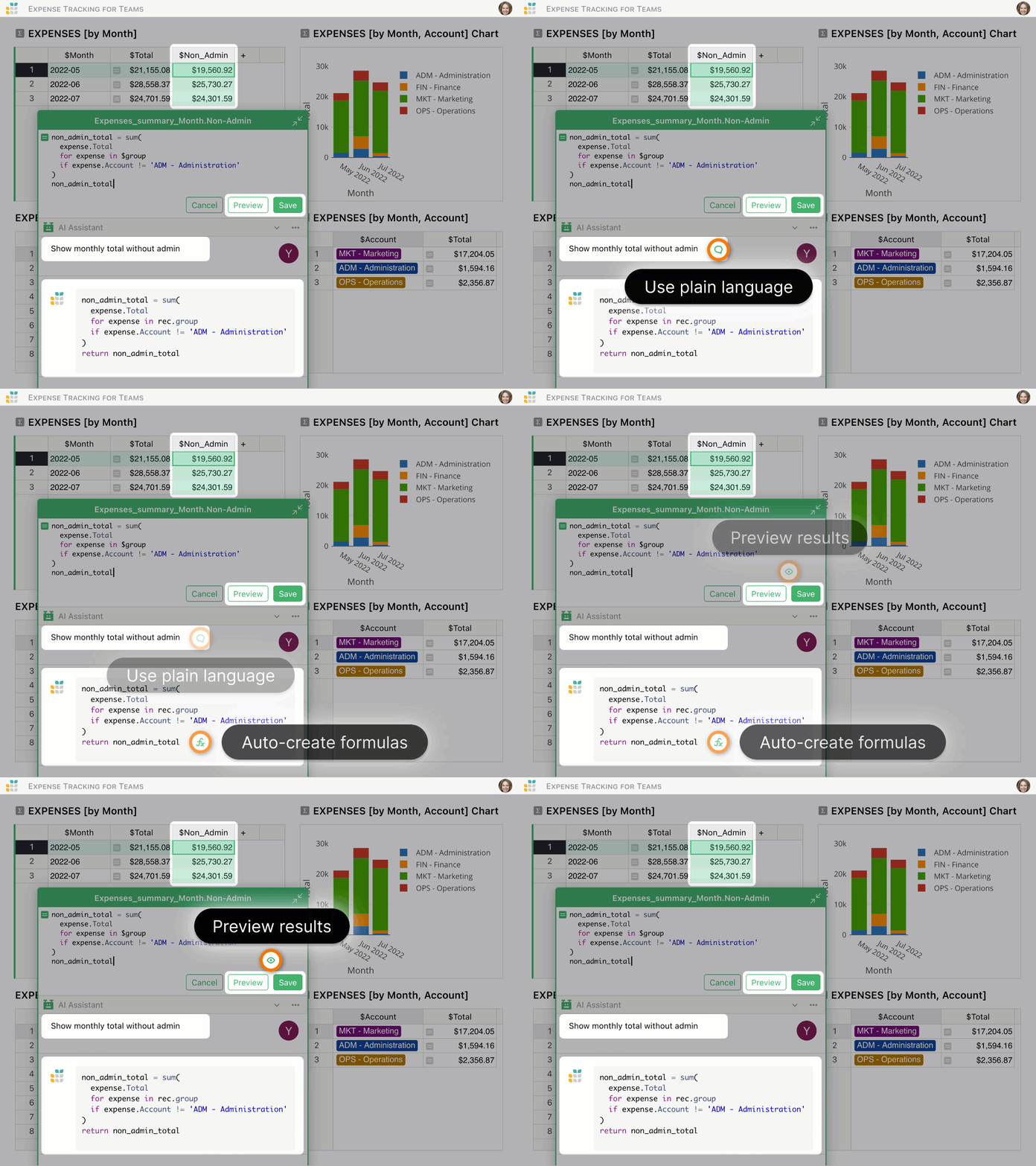
### AI Assistant
Chat with your data and have productive conversations.
* Analyze your data and formulas in plain language.
* Create and modify records and formulas.
* Work on your data with integrated conversational context.
[AI spreadsheet assistant](https://www.getgrist.com/ai-assistant/)

### Forms & surveys
Collect and analyze data easily.
* Create simple and effective forms.
* Share your form with a single click.
* Analyze data in real time.
[Survey & form builder](https://www.getgrist.com/forms/)

### Flexible layout
Arrange your data on screen to maximize your and your team’s productivity.
* Drag-and-drop widgets to make custom layouts.
* Link data to quickly pull up details and related records.
* Turn rows into data cards, and attach relevant images and files.

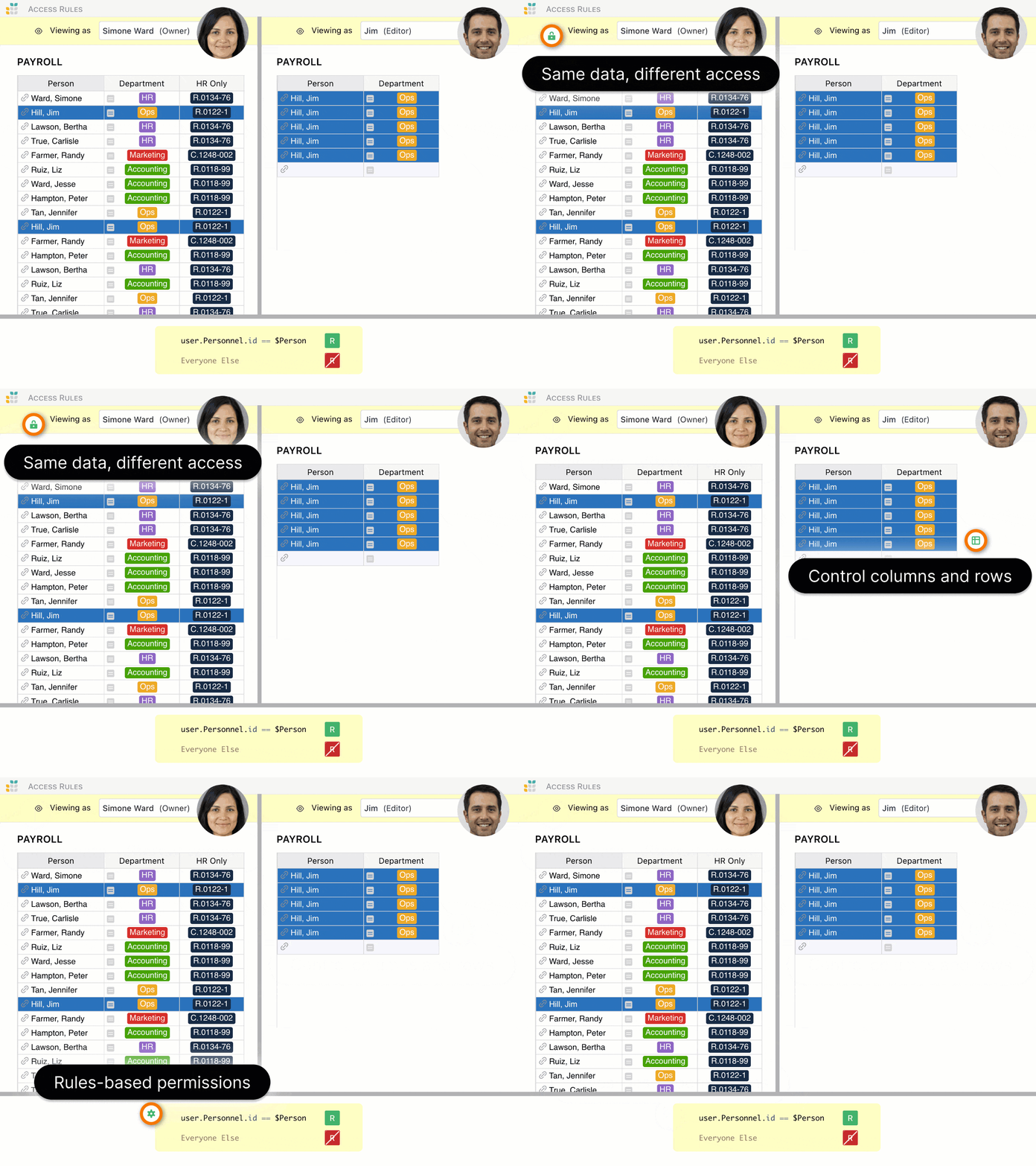
### Access rules
Collaborate with confidence and peace of mind, using unique system of granular data permissions.
* Control who sees what, down to each row and column.
* Share data in part or in full, and still collaborate in real-time.
* Share limited views of relevant data with third parties.

### Visualizations
See what matters at a glance, from big trends to small details.
* Summarize data into charts or pivot tables to see the big picture.
* Link charts to update dynamically to visualize segments of data.
* Show data in new ways with a gallery of custom widgets, or build your own.

### More features
Streamline, control, and drill into your data. Discover the endless possibilities of our full-featured relational spreadsheet software.
* Formulas with Excel functions and Python power.
* Automatic backups and snapshot history.
* Conditional styles, and cell formatting.
* Localized into 20+ languages.
* APIs and integrations.
[See product overview](https://www.getgrist.com/product/)
##### Professional Services
Grist Solutions
---------------
We’ll create a custom solution that makes your data more useful – now, and far in the future.
[Inquire now](https://www.getgrist.com/contact/)
[Learn more](https://www.getgrist.com/solutions/)
done
**Plan your solution
**Work with us to identify workflow pain points and improvements.
done
**Customize based on your needs**
We’ll create a solution that fits, and a solution that lasts.
done
**Build with experts**
Not just a custom solution, but expert advice from those closest to Grist.
**Sign up now**
---------------
Discover the better spreadsheet software.
Full-featured free plan, data privacy, no lock-in.
[Get started](https://docs.getgrist.com/welcome/start)

##### Templates
Ready-to-use templates
----------------------
Get a running start with many templates to choose from,
to use as is or customize to your needs.
[View spreadsheet templates](https://www.getgrist.com/templates/)
[](https://www.getgrist.com/templates/investment-research-template/)
Uncover trends by exploring investment data across categories and time using vibrant, dynamic charts.
View Template
[](https://www.getgrist.com/templates/class-enrollment-template/)
Manage class enrollment and student data efficiently with our easy-to-use relational spreadsheet.
View Template
[](https://www.getgrist.com/templates/lightweight-crm-template/)
Manage customer info and interactions in a user-friendly, spreadsheet-style CRM template.
View Template
##### Developers
Power tools
-----------
Take it to the next level with our [open source](https://github.com/gristlabs/grist-core)
spreadsheet-database tool.
code
### Super-charged formulas
* Fully supports Python syntax and standard library in formulas.
* Includes many familiar Excel functions.
tune
### Extensible
* Connect to anything via REST API, webhooks, or integrators.
* Create your own custom widgets.
manage\_accounts
### Unprecedented control
* Can be self-hosted, for intranet operation or compliance.
* Uses SQLite format, great for portability and backups.
[Grist for developers](https://www.getgrist.com/developers/)
> “I love Grist. It’s crazy powerful. I still can’t believe what we’ve been able to achieve in it. It’s the dream that low-code was sold as for years – we can do incredible things in each column with Python and we can build our own widgets to run on those! Wild!”
Elliot Lee
User Researcher
[View case studies](https://www.getgrist.com/case-studies/)
> “Grist has become our go-to for more complex, structured data. It sits somewhere between Excel and Access—powerful, relational, and flexible enough for prototyping real data-driven applications.”
Olivier Lambert
CEO at Vates
[View case studies](https://www.getgrist.com/case-studies/)
> “The more I use Grist, the more I LOVE it. I have been surveying self-hosted database GUI tools, and I was consistently disappointed with their shortcomings or bugginess. Grist is the first to have tilted the balance the other way.”
Stephen S.
Publications, Personal City Guides
[View case study](https://www.getgrist.com/case-studies/publication-app-open-source-spreadsheet/)
[All case studies](https://www.getgrist.com/case-studies/)
> “Grist has given us incredible flexibility to solve data problems and find solutions, whether it is for a small team at the district, or at scale with the entire district staff. We’re really excited about the different ways we can use it going forward.”
Director of Product
EdTech Company
[View case study](https://www.getgrist.com/case-studies/spreadsheet-collaboration-granular-access-rules/)
[All case studies](https://www.getgrist.com/case-studies/)
> “What I like about Grist the most is its focus. It appears simple, but it’s very powerful in a focused way. Grist has really improved our workflow and communication.”

Chris Scott
Co-founder in Digital Marketing
[View case study](https://www.getgrist.com/case-studies/missionsource-data-organization-digital-marketing/)
[All case studies](https://www.getgrist.com/case-studies/)
> “If people spend some time learning a new tool they’ll have more power to do their work and research. I said to one of my students, ‘You will be very very happy using Grist because you are miserable using Excel!'”

Eduardo Dalcin, Ph.D.
Biodiversity Informatics Expert
[View case study](https://www.getgrist.com/case-studies/relational-spreadsheets-protect-brazil-plants-conservation/)
[All case studies](https://www.getgrist.com/case-studies/)
> “Most CRMs don’t work the way Grist works. Grist’s layouts are simple and do exactly what we need.”
Jennifer Bledsoe
IT Tech at Law Firm
[View case study](https://www.getgrist.com/case-studies/law-firm-built-custom-crm/)
[All case studies](https://www.getgrist.com/case-studies/)
> “I discovered Grist after becoming frustrated with the limitations of Excel and Google Sheets. Grist has been a breath of fresh air, especially with its ability to handle structured data in a way that feels familiar to anyone with experience in relational databases, but with the added flexibility of Python.”
Will Bailey
Small Business Manager
[View case studies](https://www.getgrist.com/case-studies/)
> “Sharing an Access database is near impossible, but Grist makes sharing a relational database simple.”
Walt Rice
IT Consultant
[View case studies](https://www.getgrist.com/case-studies/)
> “I needed an open-source master database that could connect to n8n and AI tools. After trying Notion, Airtable, Siyuan, Baserow, and NocoDB, I chose Grist for its Python-native AI support, flexible integrations, and simple n8n connections.”
Robin A.
Project Manager
[View case studies](https://www.getgrist.com/case-studies/)
> “I’ve worked extensively with NocoDB, Notion, SeaTable, and Baserow, and Grist really stands out. The balance between spreadsheet-style flexibility and structured, low-code database design is excellent.”
Andriy Kostyuk
Automation Engineer, Founder at Enceladus
[View case studies](https://www.getgrist.com/case-studies/)
##### Support
We have your back
-----------------
Caring team, detailed documentation, and excellent support to help you succeed.
#### Help Center
Detailed documentation, tutorials, and videos to help you unlock Grist’s full potential.
[Help Center](https://support.getgrist.com/)
#### Community
Ask questions, find answers, help others, and share inspiration in the Grist user community.
[Community](https://community.getgrist.com/)
#### Support
We are here to help you and your team get the most from Grist.
[Get in touch](https://www.getgrist.com/contact/)
Need help building your solution? Let us build it for you.
[Learn more](https://www.getgrist.com/solutions/)
##### Enterprise Training
Grist Workshop
--------------
A free training workshop that equips teams to build their own complex solutions and workflows.
[Inquire now](https://www.getgrist.com/contact/)
done
**From basics to mastery, fast**
Multi-day curriculum covering fundamentals, data modeling, dashboards, reporting, and governance.
done
**Personalized building lab**
A Grist expert works alongside your team to turn ideas into production-ready workflows.


#####
Get Grist
Unlock a better way to organize data.
-------------------------------------
Experience the modern spreadsheet-database software — full-featured simplicity with unequaled power, for data that matters. Discover why our customers love using Grist.
[Get started](https://docs.getgrist.com/welcome/start)
[](https://www.getgrist.com/)
* [Twitter](https://twitter.com/getgrist)
* [LinkedIn](https://www.linkedin.com/company/grist-labs/)
* [Facebook](https://www.facebook.com/getgrist)
* [YouTube](https://www.youtube.com/channel/UCx0ioQrrC-bIrkmZ7ZULr0g)
* [TikTok](https://www.tiktok.com/@getgrist)
Create a free site
------------------
You may create a Personal or a Team site:
#### Personal
Easiest way to get started
[Get Started](https://docs.getgrist.com/welcome/start)
#### New Team Site
Help your whole team be more productive
[Create Free Team Site](https://docs.getgrist.com/billing/create-team?planType=teamFree)
close
---
# Growth Hack Archives | Grist
[](https://www.getgrist.com/blog/werewolf-in-your-support-tickets/)
The werewolf in your support tickets
====================================
06.02.23
[](https://www.getgrist.com/)
* [Twitter](https://twitter.com/getgrist)
* [LinkedIn](https://www.linkedin.com/company/grist-labs/)
* [Facebook](https://www.facebook.com/getgrist)
* [YouTube](https://www.youtube.com/channel/UCx0ioQrrC-bIrkmZ7ZULr0g)
* [TikTok](https://www.tiktok.com/@getgrist)
Create a free site
------------------
You may create a Personal or a Team site:
#### Personal
Easiest way to get started
[Get Started](https://docs.getgrist.com/welcome/start)
#### New Team Site
Help your whole team be more productive
[Create Free Team Site](https://docs.getgrist.com/billing/create-team?planType=teamFree)
close
---
# Dev Talk Archives | Grist
[](https://www.getgrist.com/blog/how-we-share-secrets-at-a-fully-remote-startup/)
How we share secrets at a fully-remote startup
==============================================
07.16.24
[](https://www.getgrist.com/blog/how-to-fix-csv-make-it-even-more-%f0%9f%92%a9/)
How to fix CSV? Make it even more 💩
====================================
04.01.24
[](https://www.getgrist.com/blog/why-sorting-is-harder-than-it-seems/)
Why sorting is harder than it seems
===================================
02.09.23
[](https://www.getgrist.com/)
* [Twitter](https://twitter.com/getgrist)
* [LinkedIn](https://www.linkedin.com/company/grist-labs/)
* [Facebook](https://www.facebook.com/getgrist)
* [YouTube](https://www.youtube.com/channel/UCx0ioQrrC-bIrkmZ7ZULr0g)
* [TikTok](https://www.tiktok.com/@getgrist)
Create a free site
------------------
You may create a Personal or a Team site:
#### Personal
Easiest way to get started
[Get Started](https://docs.getgrist.com/welcome/start)
#### New Team Site
Help your whole team be more productive
[Create Free Team Site](https://docs.getgrist.com/billing/create-team?planType=teamFree)
close
---
# Flashcard Template (Free & Interactive!)
**Flashcards**
**[Open Full Template](https://templates.getgrist.com/keLK5sVeyfPk/Flashcards)
**

About the Flashcards Template
-----------------------------
Prepare for any test with our simple flash card builder. Edit questions and answers easily in a spreadsheet, then use the digital flashcard template to study. Watch this short video to learn how to [modify this flashcards template](https://www.youtube.com/watch?v=MXkga7pS7wI)
.
* Modify questions and answers in a spreadsheet format.
* Track your progress on the digital flashcard.
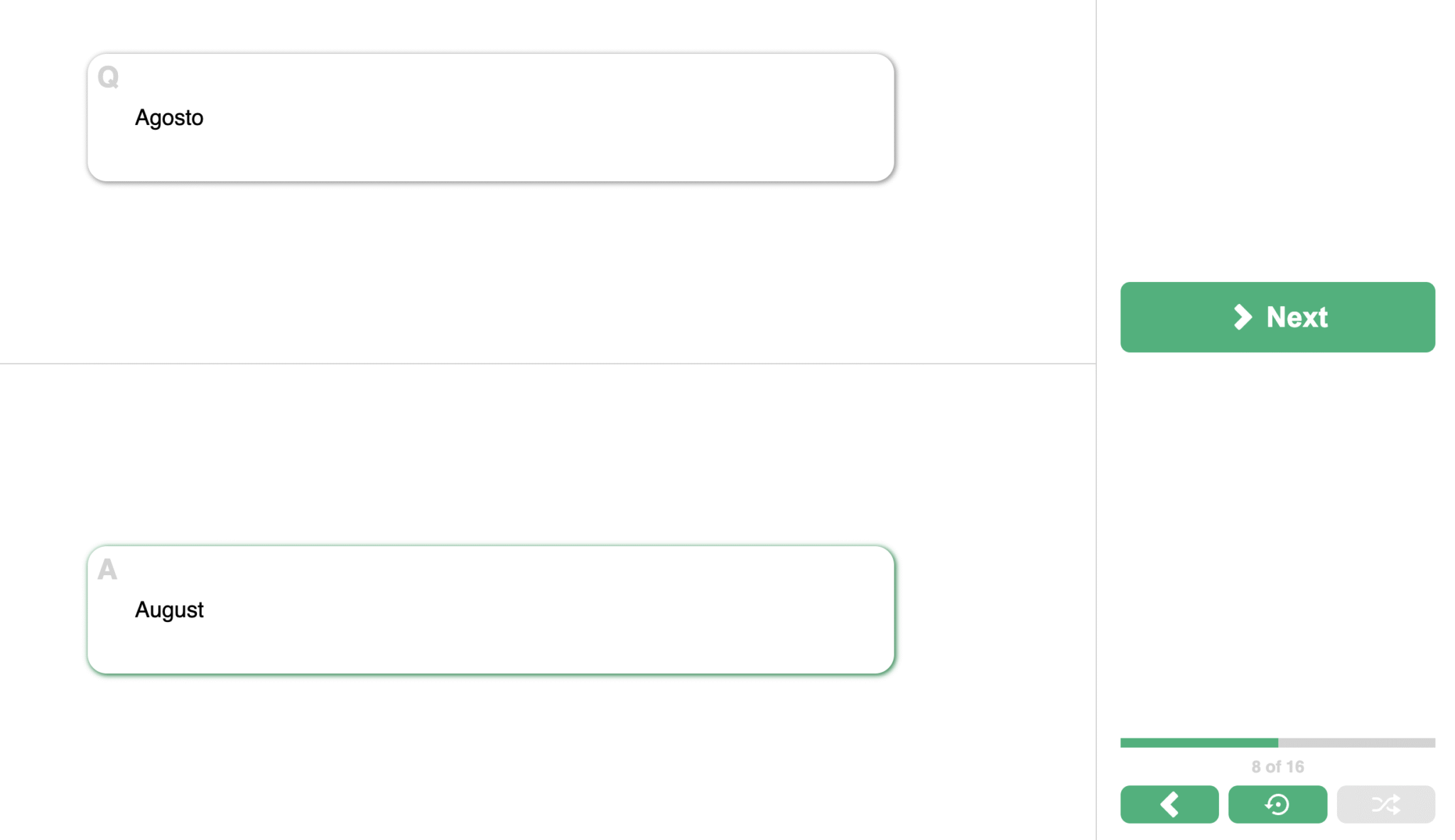
* Test your knowledge by shuffling flashcards with the click of a button.
How to use this free template for flash cards
---------------------------------------------
Ready to ace your next test? Flash cards are one of the most effective forms of study because they promote active recall in your brain. Here’s more detail on how to use this simple Grist spreadsheet template to get started right away.
### How to use the _Flashcards_ page
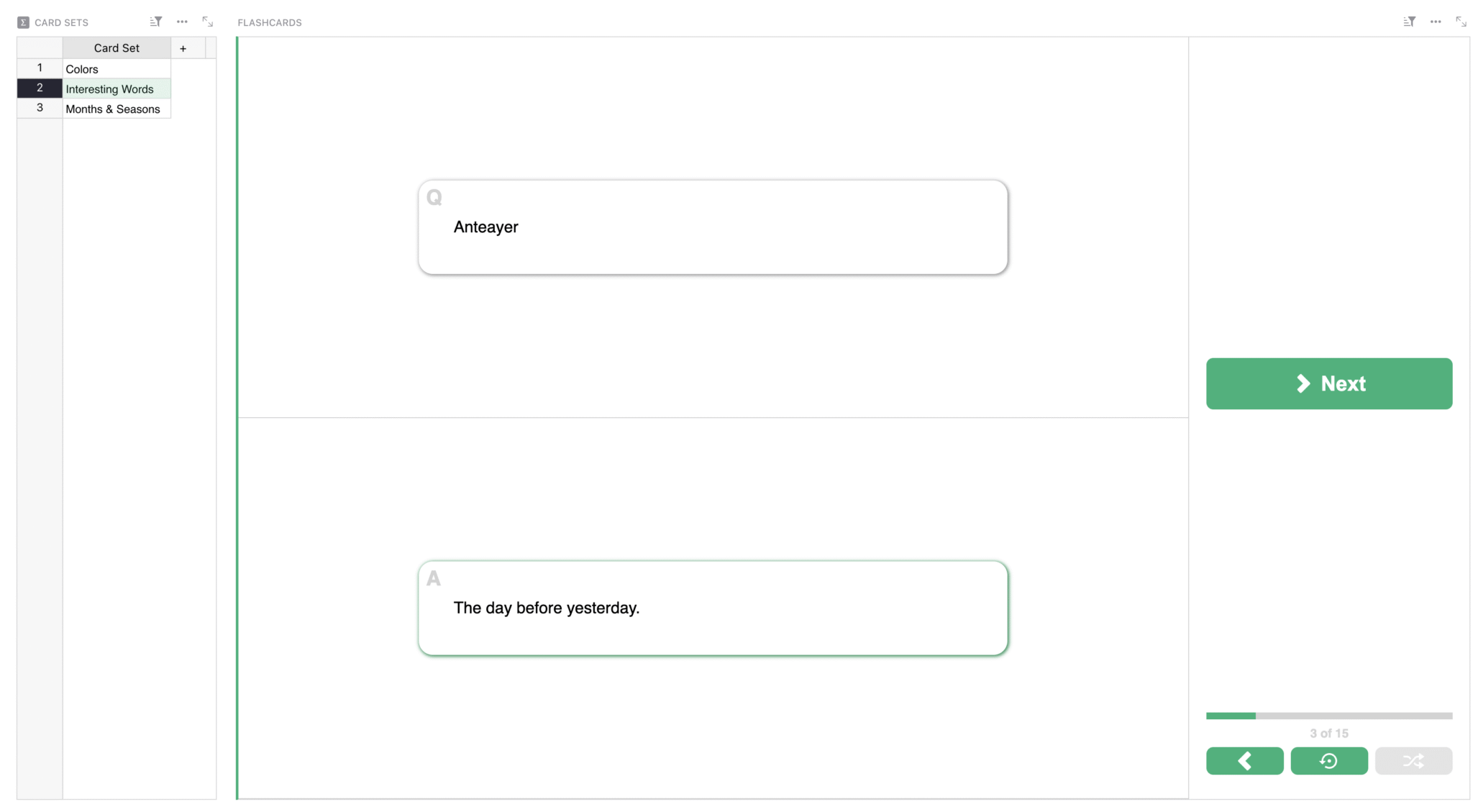
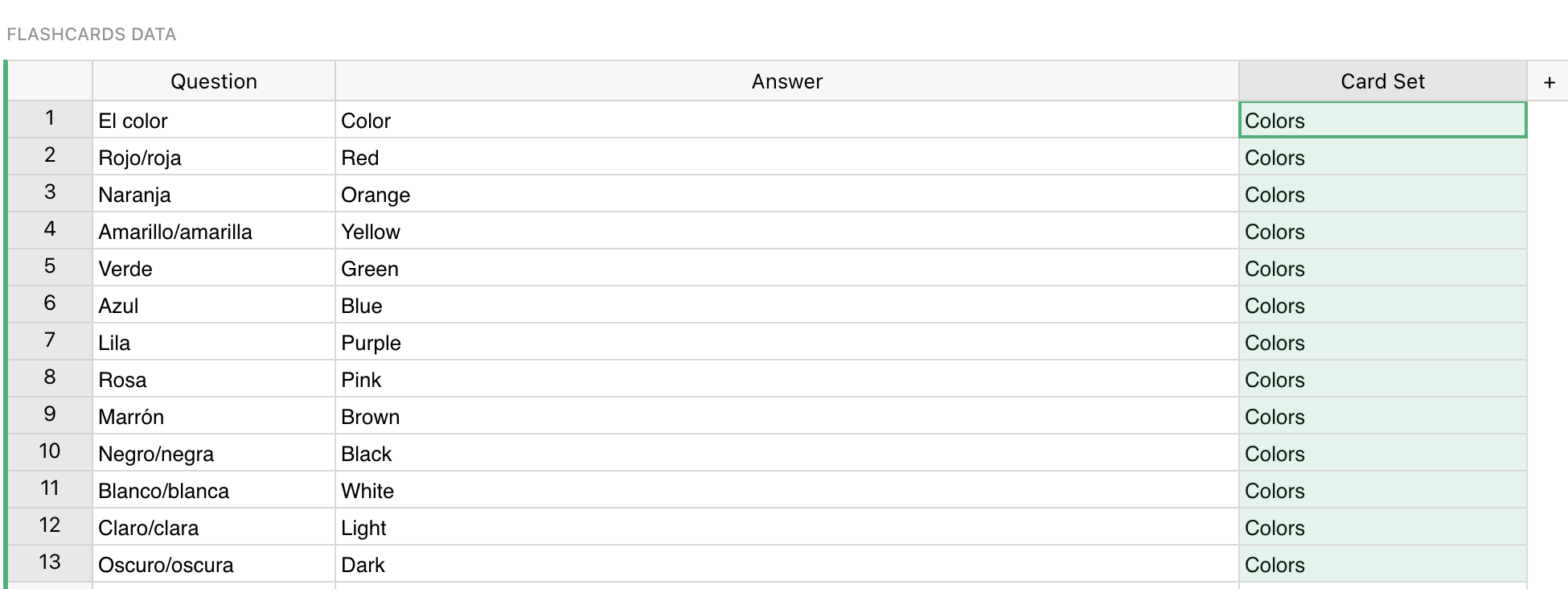
Use this flashcard template as-is to learn some useful and some interesting Spanish words. However, these editable flash cards can contain any information, so you can update the information here to reflect exactly what you aim to memorize (you can also rename the page and add emojis). In Grist, you can also use drag-and-drop editing to customize your views exactly how you wish.
### How to view and change flashcard sets
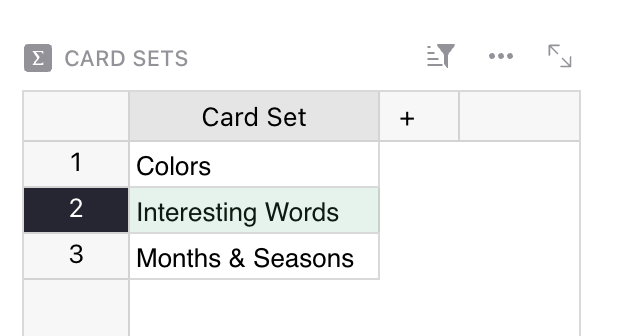
The ‘CARD SETS’ view on the main page is where you can see every group of flashcards that you make in the _Flashcards Data_ page. Select a set of cards here to change which flashcards are shown in the ‘FLASHCARDS’ view.
### How to use the _Flashcards Data_ page
Have another topic to study? Open the “Flashcards Data” page and replace the questions and answers.
To add updates, fill in the Card Set column if you wish, or clear it to keep a single set.
### More about the Flashcard Custom Widget
You can add flashcards to your own documents, add a Custom Widget to a page, and select “Flashcards” from the Custom dropdown.
Grist lets you create custom widgets to build the exact application you need for your projects.
[](https://support.getgrist.com/widget-custom/#premade-custom-widgets)
[Learn more about custom widgets.](https://support.getgrist.com/widget-custom/#premade-custom-widgets)
### Related Templates
[All spreadsheet templates](https://www.getgrist.com/templates/)
[](https://www.getgrist.com/templates/test-prep-template/)
Create timed sample tests and flashcards to ace your next test!
View Template
[](https://www.getgrist.com/templates/event-speakers-template/)
Monitor your speaker booking progress for events using our streamlined dashboard.
View Template
[](https://www.getgrist.com/templates/grant-application-tracker-template/)
Consolidate your application process, contact information and funding goals in intuitive, interconnected dashboards.
View Template
[](https://www.getgrist.com/templates/private-tutor-billing-template/)
Manage client, session, and billing data in a single relational spreadsheet.
View Template
[](https://www.getgrist.com/templates/book-club-template/)
Organize your bookclub in this simple spreadsheet. Auto-generated links streamline book searches.
View Template
[](https://www.getgrist.com/templates/class-enrollment-template/)
Manage class enrollment and student data efficiently with our easy-to-use relational spreadsheet.
View Template
[](https://www.getgrist.com/)
* [Twitter](https://twitter.com/getgrist)
* [LinkedIn](https://www.linkedin.com/company/grist-labs/)
* [Facebook](https://www.facebook.com/getgrist)
* [YouTube](https://www.youtube.com/channel/UCx0ioQrrC-bIrkmZ7ZULr0g)
* [TikTok](https://www.tiktok.com/@getgrist)
Create a free site
------------------
You may create a Personal or a Team site:
#### Personal
Easiest way to get started
[Get Started](https://docs.getgrist.com/welcome/start)
#### New Team Site
Help your whole team be more productive
[Create Free Team Site](https://docs.getgrist.com/billing/create-team?planType=teamFree)
close
---
# Event Planning Template (Free & Interactive!)
**Event Planner Template**
[**Open Full Template**](https://templates.getgrist.com/o6xzja7Pueei/Event-Sponsors-Registrations)

About the Event Planning Template
---------------------------------
If you are event planning on a budget, this free spreadsheet template will help you track event details, registrations, ticket revenue and sponsorships in one place. Learn how to better streamline your event planning process with our [Modifying Grist Templates webinar](https://www.youtube.com/watch?v=T1Xq4Y2jV50&feature=youtu.be)
that shows you how to get the most out of our free event planning templates.
* Access event details with an easy-to-read card view, which can be particularly useful for managing your event schedule.
* Formulas automatically calculate ticket revenue and attendance rate.
* Image viewer brings event branding to the spreadsheet.
* A custom event calendar lets you keep track of deadlines in your event timeline.
How to use this free event planner template
-------------------------------------------
Use this tracker template to track event registrations and ticket revenue, and reconcile sponsor and attendee lists. Here’s some more guidance on how you can use this template to plan your next successful event.
### How to use the _Events_ page
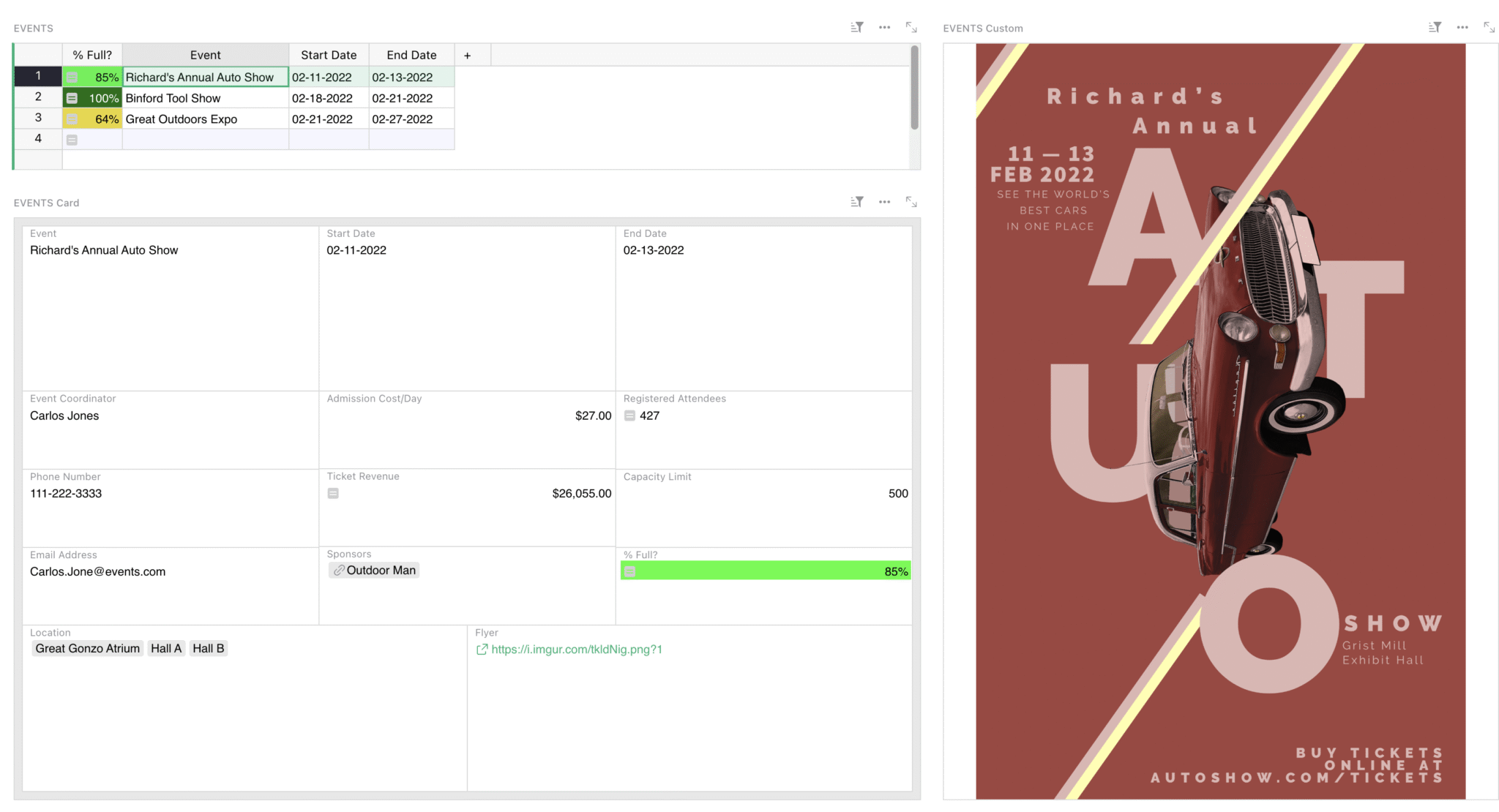
Add new events to this table. Cells that start with equal signs ( = ) are formula columns that auto-calculate important information.
Add event details in the ‘EVENTS’ Card. Capacity is used to determine how close you are to selling out an event.
To the right, in the view titled ‘EVENTS Custom’ is a custom widget that allows you to view images in spreadsheets. Here, you can add any flyers or informational images related to each event. The images automatically cycle based on the event you have selected in the ‘EVENTS’ table.
### How to use the _Registrations by Event_ page
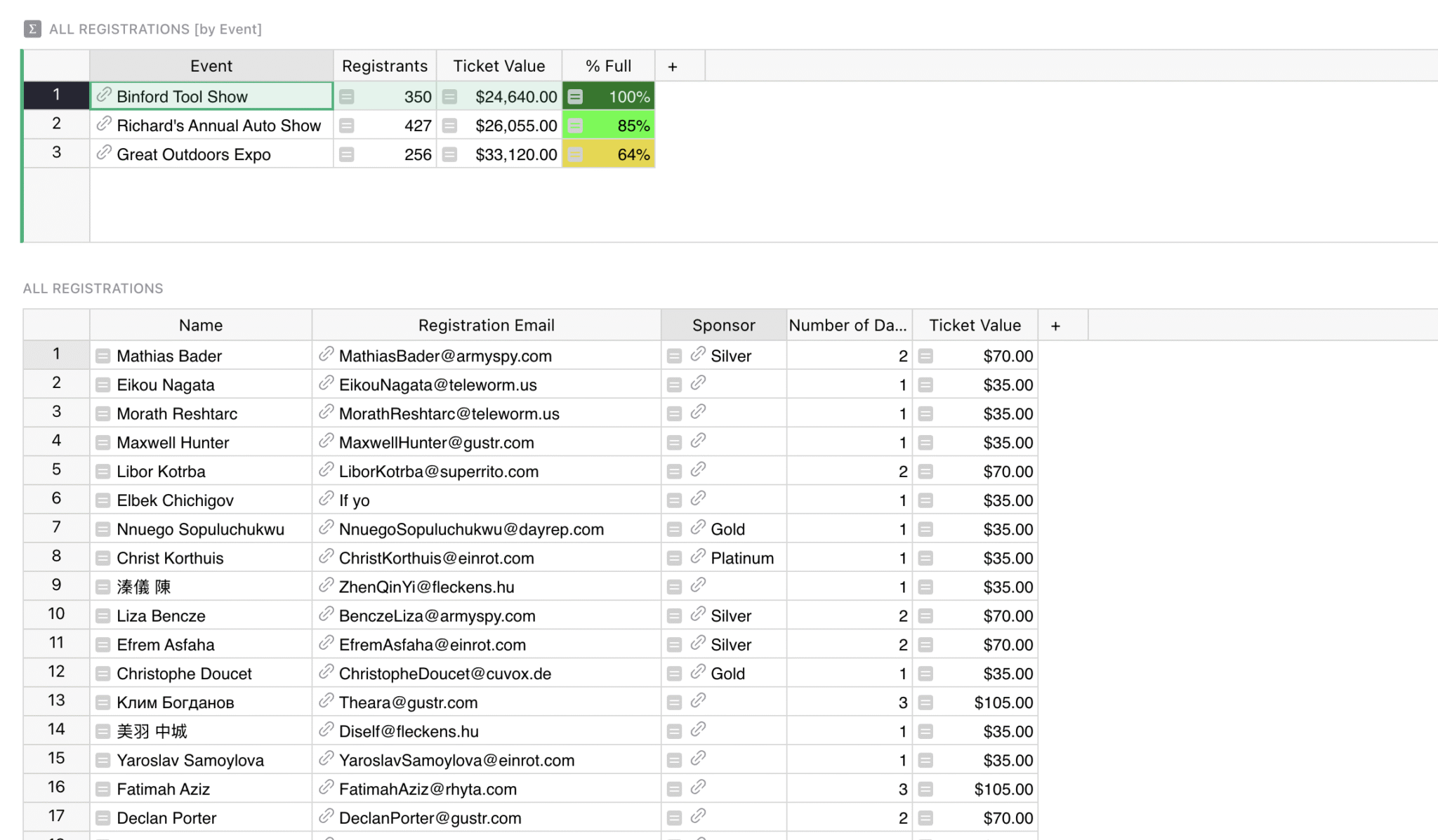
Look at event performance at a glance and pull up a list of registrants per event. The sponsor column automatically searches the Sponsor table to see if an attendee is also a sponsor, and, if so, what level of sponsor.
This page sorts the registrations present in the _All Registrations_ page, offering a great way to manage your event planning checklist.
If you’d like to connect this event management template to a registration form, Grist has built-in forms that you can embed into any web page and automatically populate responses to this document. [Watch our Grist Forms webinar](https://www.getgrist.com/webinars/form-widget/)
to learn more.
### How to use the _Sponsors_ page
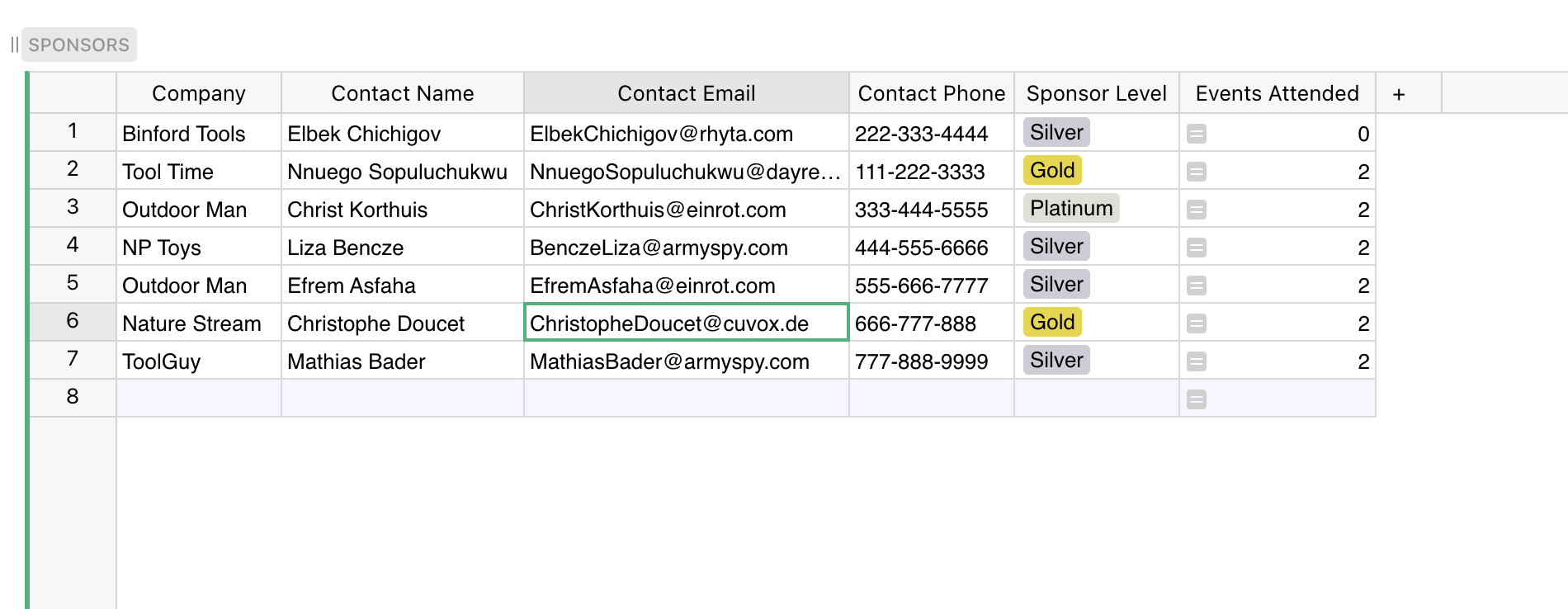
This is a place where you can quickly glance and find all contact info for your event sponsors. List all sponsors here. The number of events for which they have registered is automatically calculated.
### How to use the _Attendees_ page
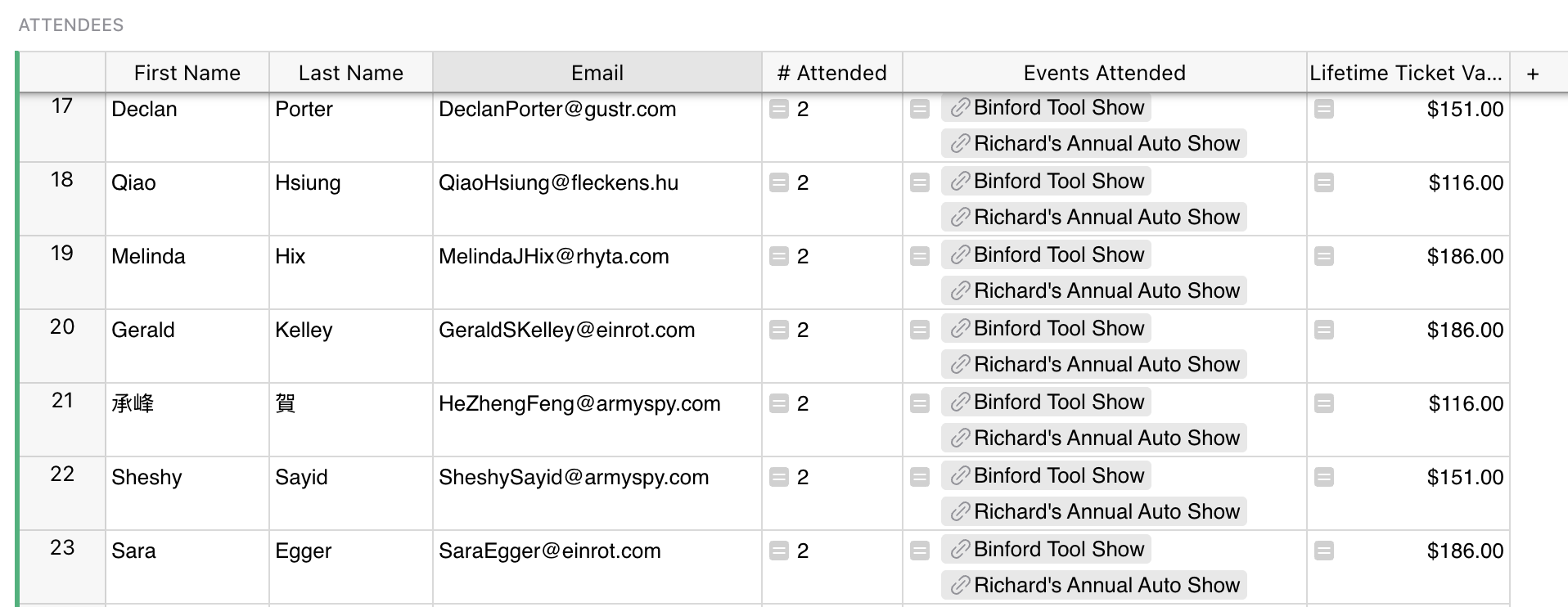
List all attendees here and quickly identify recurring attendees and calculate their lifetime value.
If you have a pre-existing spreadsheet or table of attendees, you can easily import it into the ‘ATTENDEES’ table, and Grist will intelligently match columns with the same name.
If you need to edit large sets of guest lists, be sure to try the [AI Assistant](https://www.getgrist.com/ai-assistant/)
to transform the data easily en masse.
### Related Templates
[All spreadsheet templates](https://www.getgrist.com/templates/)
[](https://www.getgrist.com/templates/expense-tracker-template/)
Streamline expenses management by allowing employees to edit their own expenses, while protecting sensitive data.
View Template
[](https://www.getgrist.com/templates/influencer-outreach-template/)
Streamline influencer outreach with a CRM-style template that tracks contacts, interactions, and results.
View Template
[](https://www.getgrist.com/templates/internal-link-tracker-seo-template/)
Boost your SEO performance by managing and auditing internal links.
View Template
[](https://www.getgrist.com/templates/utm-link-builder-template/)
Define UTM parameters and let the template generate the final link. Organize links by campaign.
View Template
[](https://www.getgrist.com/templates/event-speakers-template/)
Monitor your speaker booking progress for events using our streamlined dashboard.
View Template
[](https://www.getgrist.com/templates/lightweight-crm-template/)
Manage customer info and interactions in a user-friendly, spreadsheet-style CRM template.
View Template
> “I love Grist. It’s crazy powerful. I still can’t believe what we’ve been able to achieve in it. It’s the dream that low-code was sold as for years – we can do incredible things in each column with Python and we can build our own widgets to run on those! Wild!”
Elliot Lee
User Researcher
[View case studies](https://www.getgrist.com/case-studies/)
> “Grist has become our go-to for more complex, structured data. It sits somewhere between Excel and Access—powerful, relational, and flexible enough for prototyping real data-driven applications.”
Olivier Lambert
CEO at Vates
[View case studies](https://www.getgrist.com/case-studies/)
> “The more I use Grist, the more I LOVE it. I have been surveying self-hosted database GUI tools, and I was consistently disappointed with their shortcomings or bugginess. Grist is the first to have tilted the balance the other way.”
Stephen S.
Publications, Personal City Guides
[View case study](https://www.getgrist.com/case-studies/publication-app-open-source-spreadsheet/)
[All case studies](https://www.getgrist.com/case-studies/)
> “Grist has given us incredible flexibility to solve data problems and find solutions, whether it is for a small team at the district, or at scale with the entire district staff. We’re really excited about the different ways we can use it going forward.”
Director of Product
EdTech Company
[View case study](https://www.getgrist.com/case-studies/spreadsheet-collaboration-granular-access-rules/)
[All case studies](https://www.getgrist.com/case-studies/)
> “What I like about Grist the most is its focus. It appears simple, but it’s very powerful in a focused way. Grist has really improved our workflow and communication.”

Chris Scott
Co-founder in Digital Marketing
[View case study](https://www.getgrist.com/case-studies/missionsource-data-organization-digital-marketing/)
[All case studies](https://www.getgrist.com/case-studies/)
> “If people spend some time learning a new tool they’ll have more power to do their work and research. I said to one of my students, ‘You will be very very happy using Grist because you are miserable using Excel!'”

Eduardo Dalcin, Ph.D.
Biodiversity Informatics Expert
[View case study](https://www.getgrist.com/case-studies/relational-spreadsheets-protect-brazil-plants-conservation/)
[All case studies](https://www.getgrist.com/case-studies/)
> “Most CRMs don’t work the way Grist works. Grist’s layouts are simple and do exactly what we need.”
Jennifer Bledsoe
IT Tech at Law Firm
[View case study](https://www.getgrist.com/case-studies/law-firm-built-custom-crm/)
[All case studies](https://www.getgrist.com/case-studies/)
> “I discovered Grist after becoming frustrated with the limitations of Excel and Google Sheets. Grist has been a breath of fresh air, especially with its ability to handle structured data in a way that feels familiar to anyone with experience in relational databases, but with the added flexibility of Python.”
Will Bailey
Small Business Manager
[View case studies](https://www.getgrist.com/case-studies/)
> “Sharing an Access database is near impossible, but Grist makes sharing a relational database simple.”
Walt Rice
IT Consultant
[View case studies](https://www.getgrist.com/case-studies/)
> “I needed an open-source master database that could connect to n8n and AI tools. After trying Notion, Airtable, Siyuan, Baserow, and NocoDB, I chose Grist for its Python-native AI support, flexible integrations, and simple n8n connections.”
Robin A.
Project Manager
[View case studies](https://www.getgrist.com/case-studies/)
> “I’ve worked extensively with NocoDB, Notion, SeaTable, and Baserow, and Grist really stands out. The balance between spreadsheet-style flexibility and structured, low-code database design is excellent.”
Andriy Kostyuk
Automation Engineer, Founder at Enceladus
[View case studies](https://www.getgrist.com/case-studies/)
Build on your own terms
-----------------------
If you have an existing workflow in tools like Google Sheets or Excel, you can easily import it into this template right away.
Grist’s incremental imports feature allows users to import new activity to existing data, and Grist intelligently combines it without creating duplicates or needing manual cleanup.
[Use This Template](https://templates.getgrist.com/pVq4xESKtU24/Sales-Commissions-Dashboard/)
Request demo
[](https://www.getgrist.com/)
* [Twitter](https://twitter.com/getgrist)
* [LinkedIn](https://www.linkedin.com/company/grist-labs/)
* [Facebook](https://www.facebook.com/getgrist)
* [YouTube](https://www.youtube.com/channel/UCx0ioQrrC-bIrkmZ7ZULr0g)
* [TikTok](https://www.tiktok.com/@getgrist)
Create a free site
------------------
You may create a Personal or a Team site:
#### Personal
Easiest way to get started
[Get Started](https://docs.getgrist.com/welcome/start)
#### New Team Site
Help your whole team be more productive
[Create Free Team Site](https://docs.getgrist.com/billing/create-team?planType=teamFree)
close
---
# Forms | Grist
February was for celebrating our love 💖…of forms! We learned how to create a beautiful form view to collect data that populates a Grist data table upon submission.
### Timestamps
00:18 User Question: Is there an extra cost when we use Grist forms?
00:36 User Question: Can we link the Grist form to our website?
02:48 User Question: Are Grist forms optimized for mobile use?
04:08 User Question: Does Grist forms allow for conditional logic?
04:38 User Question: Is there an option to add a captcha for added security?
05:14 Intro
06:52 User Question: Can Grist forms automate tasks like email sending or record updating upon submission? Or should we use Zapier or n8n?
07:56 Net Promoter Score Results template walkthrough
10:00 Setting up your data table
11:50 Tip: Use a Trigger Formula to record when a record is submitted via a form
13:54 User Question: Does Grist forms offer multi-language support for international users?
15:00 User Question: Can Grist forms capture and store images via the camera?
15:30 Adding a Form widget
16:14 Configuring your form
18:56 User Question: Are there customizable design options available for Grist forms to match our brand’s aesthetic
22:45 User Question: Can we put two fields on the same row in a Form, like we can in Cards?
25:00 Creator Panel configuration options for Forms
30:40 User Question: Can we add default values to fields?
32:05 User Question: How does Grist forms handle offline submissions?
32:28 User Tip: Redirect after submission to Dropbox to upload any attachments!
33:00 Publishing your form
36:03 Visualizing your data with Charts and Summary Tables
36:25 Tip: Create Month and Year formula columns to create Summary Tables
40:08 Adding a summary table
42:32 Adding a chart widget to visualize our data
44:36 Adding a linked chart widget
46:38 User Question: Does Grist forms support input validations such as for emails or value limits?
49:17 User Question: Can we inject python code that will be executed via a formula thru the form?
51:00 User Tip: You can use an animated gif in the header!
### Links:
* **Community Forum:** [https://community.getgrist.com/](https://community.getgrist.com/)
* **Embedding:** [https://support.getgrist.com/embedding/](https://support.getgrist.com/embedding/)
* **Net Promoter Score Results Template:** [https://templates.getgrist.com/qvND7WUcuNb2/Net-Promoter-Score-Results](https://templates.getgrist.com/qvND7WUcuNb2/Net-Promoter-Score-Results)
* **Page Widget – Form:** [https://support.getgrist.com/widget-form/](https://support.getgrist.com/widget-form/)
* **Markdown Basic Syntax:** [https://www.markdownguide.org/basic-syntax/](https://www.markdownguide.org/basic-syntax/)
* **Python’s strftime() Cheat Sheet**: [https://strftime.org/](https://strftime.org/)
* **Page Widget – Chart:** [https://support.getgrist.com/widget-chart/](https://support.getgrist.com/widget-chart/)
[](https://www.getgrist.com/webinars/how-dotphoton-built-a-fully-traceable-qa-system-for-the-european-space-agency/)
How Dotphoton built a fully traceable QA system for the European Space Agency
=============================================================================
Bruno Sanguinetti of Dotphoton shows how his on-prem QA traceability system that meets the standards of the European Space Agency.
[](https://www.getgrist.com/webinars/mcp-grist-a-first-look/)
MCP + Grist: A First Look
=========================
Join co-founder Stan for a sneak peek at Grist’s official MCP server, making it easier than ever to connect AI tools with Grist.
[](https://www.getgrist.com/webinars/vibing-with-grist-ai-assisted-custom-data-interfaces/)
Vibing with Grist: AI Assisted Custom Data Interfaces
=====================================================
Use AI to bring your data to life. Build dynamic visualizations with Vibe View and interactive widgets with the Custom Widget Builder.
[](https://www.getgrist.com/)
* [Twitter](https://twitter.com/getgrist)
* [LinkedIn](https://www.linkedin.com/company/grist-labs/)
* [Facebook](https://www.facebook.com/getgrist)
* [YouTube](https://www.youtube.com/channel/UCx0ioQrrC-bIrkmZ7ZULr0g)
* [TikTok](https://www.tiktok.com/@getgrist)
Create a free site
------------------
You may create a Personal or a Team site:
#### Personal
Easiest way to get started
[Get Started](https://docs.getgrist.com/welcome/start)
#### New Team Site
Help your whole team be more productive
[Create Free Team Site](https://docs.getgrist.com/billing/create-team?planType=teamFree)
close
---
# Event Speakers Template | Grist
**Event Speakers**
[**Open Full Template**](https://templates.getgrist.com/iCJe3aXg7Ha4/Event-Speakers/)

About the Event Speakers Spreadsheet Template
---------------------------------------------
This ultra-light dashboard makes it simple to track progress booking speakers for your events. Enter data in an intuitive dashboard with a familiar spreadsheet-like interface.
* Access speaker information in a clear and readable card view.
* Link speakers to events.
* Formulas automatically determine if an event has fully booked speakers.
### Related Templates
[All spreadsheet templates](https://www.getgrist.com/templates/)
[](https://www.getgrist.com/templates/nps-template/)
Keep tabs on customer satisfaction by analyzing NPS results over time in colorful charts.
View Template
[](https://www.getgrist.com/templates/user-survey-results-template/)
Summarize user feedback in pivot tables and colorful charts.
View Template
[](https://www.getgrist.com/templates/event-planning-template/)
Manage event details, registrations, ticket revenue, and sponsorships in intuitive dashboards.
View Template
[](https://www.getgrist.com/templates/influencer-outreach-template/)
Streamline influencer outreach with a CRM-style template that tracks contacts, interactions, and results.
View Template
[](https://www.getgrist.com/templates/internal-link-tracker-seo-template/)
Boost your SEO performance by managing and auditing internal links.
View Template
[](https://www.getgrist.com/templates/utm-link-builder-template/)
Define UTM parameters and let the template generate the final link. Organize links by campaign.
View Template
[](https://www.getgrist.com/)
* [Twitter](https://twitter.com/getgrist)
* [LinkedIn](https://www.linkedin.com/company/grist-labs/)
* [Facebook](https://www.facebook.com/getgrist)
* [YouTube](https://www.youtube.com/channel/UCx0ioQrrC-bIrkmZ7ZULr0g)
* [TikTok](https://www.tiktok.com/@getgrist)
Create a free site
------------------
You may create a Personal or a Team site:
#### Personal
Easiest way to get started
[Get Started](https://docs.getgrist.com/welcome/start)
#### New Team Site
Help your whole team be more productive
[Create Free Team Site](https://docs.getgrist.com/billing/create-team?planType=teamFree)
close
---
# Reference Columns | Grist
In June, we learned what references are, how reference columns work in Grist, and explained how to use them to build productive dashboards using the [Event Speakers Template](https://templates.getgrist.com/iCJe3aXg7Ha4/Event-Speakers)
.
### Timestamps
00:15 User question: How to create a Markdown custom widget with Total Sales? ✅ [See Answer](https://community.getgrist.com/t/including-a-sum-in-a-markdown-widget/5394)
03:58 User question: Forms questions
07:00 Intro
07:23 [Event Speakers template](https://templates.getgrist.com/iCJe3aXg7Ha4/Event-Speakers/)
walkthrough
09:23 Importing data into Grist
10:31 User Question: Does each row have a unique ID and can we use it as an identifier?
11:30 D.R.Y. Principle (Don’t Repeat Yourself)
12:51 Creating a reference
15:16 [Record Cards](https://support.getgrist.com/record-cards/)
16:17 Adding more data from the referenced table
19:13 [Dot Notation](https://support.getgrist.com/references-lookups/)
20:55 User Question: What’s the UUID?
22:09 User Question: How to book one speaker for several events?
22:50 Linking widgets
26:48 [Reverse lookups and lookupRecords](https://support.getgrist.com/references-lookups/)
33:53 Tip: Use toggle column when working with true/false values
34:31 Tip: Change the toggle color using Cell Style
38:03 User Question: I have table of Projects and table of Partners. I want to add a partner to a project from both Projects table and Partners table.
40:18 User Question: I have an Event table, Donation table (linked to Event), and a Person table (link to Donation), how do I create a dashboard where I would select an Event and see all Donations, then total donations from each Person. A person can make multiple donations for a single event. Would also like to see total donations for a single event.
45:37 User Question: Do you and the devs follow the Community posts? (Answer: YES! 🎉)
46:24 User Question: Is it possible to have a 1-to-1 relationship?
### Links:
* **Community Forum:** [https://community.getgrist.com/](https://community.getgrist.com/)
* **Discord Server:** [https://discord.gg/MYKpYQ3fbP](https://www.youtube.com/redirect?event=video_description&redir_token=QUFFLUhqa183Y2dKaFJwUlM4V0JWZHFvb2N5UkMtZXBsZ3xBQ3Jtc0trQTFxcy0tejRROVh6TkR2WVhER0JfYnlwV1pWOHhZV0Q0VHpqdDhZQ2lIWFNnX05JU0RTYktqckVxX0VaNXJ2VWdMNlYtWG9TY1g1TGRTSVdxWEhrV2JaRURZTV9ZMm9QVWZIMVFtajRQUktPcXg0RQ&q=https%3A%2F%2Fdiscord.gg%2FMYKpYQ3fbP&v=HDaIiXmsF80)
* **Help Center:** [https://support.getgrist.com/](https://support.getgrist.com/)
* **Event Speakers Template:** [https://templates.getgrist.com/iCJe3aXg7Ha4/Event-Speakers/](https://templates.getgrist.com/iCJe3aXg7Ha4/Event-Speakers/)
* **Reference Columns:** [https://support.getgrist.com/col-refs/](https://support.getgrist.com/col-refs/)
* **References and Lookups:** [https://support.getgrist.com/references-lookups/](https://support.getgrist.com/references-lookups/)
* **Record Cards:** [https://support.getgrist.com/record-cards/](https://support.getgrist.com/record-cards/)
* **📺 Markdown Widget Magic 🧙♂️ Webinar:** [https://www.getgrist.com/webinars/markdown-widget-magic/](https://www.getgrist.com/webinars/markdown-widget-magic/)
* **📺 Forms Webinar:** [https://www.getgrist.com/webinars/form-widget/](https://www.getgrist.com/webinars/form-widget/)
* **✅** **Including a Sum in a Markdown Widget:** https://community.getgrist.com/t/including-a-sum-in-a-markdown-widget/5394
[](https://www.getgrist.com/webinars/how-dotphoton-built-a-fully-traceable-qa-system-for-the-european-space-agency/)
How Dotphoton built a fully traceable QA system for the European Space Agency
=============================================================================
Bruno Sanguinetti of Dotphoton shows how his on-prem QA traceability system that meets the standards of the European Space Agency.
[](https://www.getgrist.com/webinars/mcp-grist-a-first-look/)
MCP + Grist: A First Look
=========================
Join co-founder Stan for a sneak peek at Grist’s official MCP server, making it easier than ever to connect AI tools with Grist.
[](https://www.getgrist.com/webinars/vibing-with-grist-ai-assisted-custom-data-interfaces/)
Vibing with Grist: AI Assisted Custom Data Interfaces
=====================================================
Use AI to bring your data to life. Build dynamic visualizations with Vibe View and interactive widgets with the Custom Widget Builder.
[](https://www.getgrist.com/)
* [Twitter](https://twitter.com/getgrist)
* [LinkedIn](https://www.linkedin.com/company/grist-labs/)
* [Facebook](https://www.facebook.com/getgrist)
* [YouTube](https://www.youtube.com/channel/UCx0ioQrrC-bIrkmZ7ZULr0g)
* [TikTok](https://www.tiktok.com/@getgrist)
Create a free site
------------------
You may create a Personal or a Team site:
#### Personal
Easiest way to get started
[Get Started](https://docs.getgrist.com/welcome/start)
#### New Team Site
Help your whole team be more productive
[Create Free Team Site](https://docs.getgrist.com/billing/create-team?planType=teamFree)
close
---
# Grist Webinar - Expense Tracking: Grist v. Excel
In this webinar, we take a common spreadsheet use case, expense tracking, and compare workflows in [Grist vs Excel](https://www.getgrist.com/lookup/grist-vs-excel/)
.
### Timestamps
00:00 Fun round – Building memes in Grist!
01:50 Lightning round – questions submitted during sign-up
06:30 Expense Tracking in Excel — common workflows and drawbacks
10:02 Importing expenses to Grist and formatting columns (+ `strftime()` Python method)
14:21 Creating summary tables (aka pivot tables) and linking widgets to drill into data
17:45 Creating charts that aggregate and drill into data
19:25 Pages v. views of data v. data tables
20:38 Importing additional expenses into the Grist document
24:15 Renaming tables, identifying summary tables and their group by columns at a glance
25:18 Quick tip: Data cleaning with trigger formulas (title case to text strings)
26:48 Working in a team with granular access rules – overview of default rules and user access
29:30 Row level access rules based on users’ login emails
33:45 Column-level access rules: hiding columns v. restricting columns, key difference!
35:15 Restricting pages and summary tables
36:16 Reviewing the simplified workflow!
37:50 Exporting filtered data as a CSV and working on copies
39:20 Q&A
### Links
* Invoice template example: [https://templates.getgrist.com/9NH6D58FmxwP/Invoicing](https://templates.getgrist.com/9NH6D58FmxwP/Invoicing)
* Creating Productive Layouts (w/ Widgets): [https://www.youtube.com/watch?v=QZnKhtqJR0c&t=0s](https://www.youtube.com/watch?v=QZnKhtqJR0c&t=0s)
* Access Rules Webinar: [https://www.youtube.com/watch?v=chDCNUHqi6w&t=0s](https://www.youtube.com/watch?v=chDCNUHqi6w&t=0s)
* Sprouts: [https://www.getgrist.com/sprouts-program/](https://www.getgrist.com/sprouts-program/)
* Community Forum: [https://community.getgrist.com/](https://community.getgrist.com/)
[](https://www.getgrist.com/webinars/how-dotphoton-built-a-fully-traceable-qa-system-for-the-european-space-agency/)
How Dotphoton built a fully traceable QA system for the European Space Agency
=============================================================================
Bruno Sanguinetti of Dotphoton shows how his on-prem QA traceability system that meets the standards of the European Space Agency.
[](https://www.getgrist.com/webinars/mcp-grist-a-first-look/)
MCP + Grist: A First Look
=========================
Join co-founder Stan for a sneak peek at Grist’s official MCP server, making it easier than ever to connect AI tools with Grist.
[](https://www.getgrist.com/webinars/vibing-with-grist-ai-assisted-custom-data-interfaces/)
Vibing with Grist: AI Assisted Custom Data Interfaces
=====================================================
Use AI to bring your data to life. Build dynamic visualizations with Vibe View and interactive widgets with the Custom Widget Builder.
[](https://www.getgrist.com/)
* [Twitter](https://twitter.com/getgrist)
* [LinkedIn](https://www.linkedin.com/company/grist-labs/)
* [Facebook](https://www.facebook.com/getgrist)
* [YouTube](https://www.youtube.com/channel/UCx0ioQrrC-bIrkmZ7ZULr0g)
* [TikTok](https://www.tiktok.com/@getgrist)
Create a free site
------------------
You may create a Personal or a Team site:
#### Personal
Easiest way to get started
[Get Started](https://docs.getgrist.com/welcome/start)
#### New Team Site
Help your whole team be more productive
[Create Free Team Site](https://docs.getgrist.com/billing/create-team?planType=teamFree)
close
---
# Grist Webinar - Calendars and Cards
Calendars are here! Learn all the tips and tricks to get the most out of calendar views in your documents. Tip: Cards pair nicely with calendars!
### Timestamps
00:16 User Question: Is learning Python enough to be able to write formulas in Grist?
02:38 User Question: Can you connect the Calendar widget to Google or Calendly?
05:09 Travel Planning Template walkthrough
06:17 Setting up your table with required and optional Calendar Columns
13:38 Adding a Calendar widget
15:06 User Question: If I want to avoid any overlap in Date, where would I put that condition?
16:00 Configuring the Calendar widget
17:25 Month / Week / Day Calendar views
18:06 User Question: Is it possible to have the widget only in read mode so users cannot edit it or drag/drop elements? (Answer continued at 20:55)
19:10 Adding an event using the Calendar
20:10 Using Click-and-Drag to adjust start or end time
20:43 Deleting an event using the calendar
23:35 Displaying additional event details using a Card widget
24:00 Adding a card widget
24:55 Modifying a Card’s theme and layout
26:55 Creating summary tables (aka pivot tables)
28:13 Linking widgets with the same underlying data
30:00 Quick way to hide multiple columns at a time
33:54 User Question: What happens if an event doesn’t have a start or end time?
35:14 User Question: Can we set a default date to load on the calendar widget?
39:10 Tip: Set a default Type for events that need to be scheduled
[](https://www.getgrist.com/webinars/how-dotphoton-built-a-fully-traceable-qa-system-for-the-european-space-agency/)
How Dotphoton built a fully traceable QA system for the European Space Agency
=============================================================================
Bruno Sanguinetti of Dotphoton shows how his on-prem QA traceability system that meets the standards of the European Space Agency.
[](https://www.getgrist.com/webinars/mcp-grist-a-first-look/)
MCP + Grist: A First Look
=========================
Join co-founder Stan for a sneak peek at Grist’s official MCP server, making it easier than ever to connect AI tools with Grist.
[](https://www.getgrist.com/webinars/vibing-with-grist-ai-assisted-custom-data-interfaces/)
Vibing with Grist: AI Assisted Custom Data Interfaces
=====================================================
Use AI to bring your data to life. Build dynamic visualizations with Vibe View and interactive widgets with the Custom Widget Builder.
[](https://www.getgrist.com/)
* [Twitter](https://twitter.com/getgrist)
* [LinkedIn](https://www.linkedin.com/company/grist-labs/)
* [Facebook](https://www.facebook.com/getgrist)
* [YouTube](https://www.youtube.com/channel/UCx0ioQrrC-bIrkmZ7ZULr0g)
* [TikTok](https://www.tiktok.com/@getgrist)
Create a free site
------------------
You may create a Personal or a Team site:
#### Personal
Easiest way to get started
[Get Started](https://docs.getgrist.com/welcome/start)
#### New Team Site
Help your whole team be more productive
[Create Free Team Site](https://docs.getgrist.com/billing/create-team?planType=teamFree)
close
---
# Coda vs Grist: Document Workspace vs Database Power
##### Spreadsheet comparison for modern data management
Grist vs Coda
=============
Coda consolidates team workflows. Grist transforms data management. Discover which approach solves your business’s biggest data problems.
[Get started](https://docs.getgrist.com/welcome/start)
Request demo
### \=SUM(article)
* **Choose Grist when:** You’re drowning in spreadsheet limitations with messy, interconnected data. You need database power for complex analysis, granular permissions for secure collaboration, or complete control through self-hosting.
* **Choose Coda when:** Your team’s main challenge is siloed workflows and tools. You need document-centric workspaces that bring processes, narratives, and light data together in one collaborative environment.
| | Coda | Grist |
| --- | --- | --- |
| Core architecture | All-in-one document blending pages, tables, and applications. | Combines the familiarity of a spreadsheet with the robustness of a database. |
| Relational data capabilities | **✔** | **✔** |
| Integrations | **✔** | **✔** |
| Real-time collaboration | **✔** | **✔** |
| [AI Assistant](https://www.getgrist.com/ai-assistant/) | **✔** | **✔** |
| Python formulas | **X** | **✔** |
| [Self-hostable](https://www.getgrist.com/product/self-hosted/) | **X** | Self-hostable and open-source. No data lock-in. SQLite format. |
| Granular access controls | Document and page level. | Access controls down to the individual cell. |
| Scalability | Table performance slows with a few thousand rows. | Designed for users outgrowing spreadsheets. |
| API extensibility | REST API and “Packs” for integrations. | REST API, custom widgets, webhooks, and an interactive API console. |
| Pricing | [Priced](https://coda.io/pricing) per “Doc Maker,” with unlimited free editors and viewers. | [Priced](https://www.getgrist.com/pricing/) per user on team plans, with free guests for individual document collaboration. |
| Formula language | Proprietary Coda syntax (Coda formula language). | Excel-like functions and Python. |
| Lock-in | Proprietary format. | Open-source (Apache License) & SQLite format. |
Coda vs Grist
-------------
When your team is outgrowing basic spreadsheet limitations, you need database power, not another workflow tool.
That’s where Grist and Coda diverge. Coda builds document-centric workspaces with flexible pricing. Grist builds data-centric solutions, with spreadsheet and Python formulas for advanced analysis, cell-level permissions for secure collaboration, and self-hosting for complete control.
The choice depends on your core problem: organizing workflows or evolving data management.

Spreadsheet familiarity, database power
---------------------------------------
Take a quick tour of the Grist interface, customizable widgets, and relational capabilities.
**Lightweight CRM Example**
[**Open Full Template**](https://templates.getgrist.com/doc/lightweight-crm)

* [Community Forum](https://community.getgrist.com/)
* [Official Discord](https://discord.gg/MYKpYQ3fbP)
* [GitHub](https://github.com/gristlabs/grist-core/)
How Coda compares to Grist
--------------------------
Not all advanced spreadsheet tools solve the same problem.
Coda consolidates team workflows into unified document workspaces. It excels at process organization.
Grist transforms data management itself. When you’re drowning in unstructured data, need granular permissions, or want Python-powered analysis without losing spreadsheet simplicity, Grist gives you the database capabilities teams actually want to use.
Why businesses choose Coda
--------------------------
### Workplace & tool consolidation
* Tool stacks, such as documents, tables, and applications, can be consolidated into a single source of truth
* Businesses can eliminate silos and streamline workflows.
### Team collaboration
* Real-time collaboration features and a structured feedback systems help teams work together more effectively.
* Interactive buttons and controls make interactive with documents easy and intuitive.
### Flexibility & customization
* Highly adaptable for specific needs and use cases.
* Users can design their own systems using building blocks such as formulas, buttons, and automations.
### Integrations
* Users can connect over 600 other tools via “[Packs](https://coda.io/product/packs)
” and Zapier.
* Data can be consolidated and workflows automated across different applications.
### Pricing
* Unlimited free viewers and editors make it easy for teams to collaborate outside of their organization.
### AI-powered assistance
* Coda AI and Coda Brain assist in automating tasks, generating content, summaries, and data insights.
What are the disadvantages of Coda?
-----------------------------------
close
Scalability & performance: growing past a few thousand rows can slow down the application.
close
No self-hosting options: businesses with vendor lock-in or data privacy concerns cannot self-host using Coda.
close
Granular access controls: does not offer cell-level permissions for secure collaboration on sensitive data.
close
Advanced technical features: lacks native Python support, limiting its capabilities for technical users and complex data analysis.

Why businesses choose Grist
---------------------------
done
### Data standardization
Strict types within columns enforces consistency and prevents manual data entry errors within workbooks. Reference columns enable linking data between tables.
done
### Technical power
Full Python support + Excel-like functions. Built-in drag-and-drop dashboards and support for custom-coded views — all while maintaining a relational SQLite file. [Trigger formulas](https://www.getgrist.com/webinars/trigger-formulas/)
for automation and data integrity.
done
### Granular access control
Evolved from traditional CRUD permissions, users can define who can view and edit specifics parts of a document — down to the individual cell level.
done
### Data ownership
Businesses with data privacy concerns or who would prefer not to host their data on US servers can fully self-manage Grist.
done
### Flexibility + customization
Custom widgets, column customizations, conditional styles, and integrations allow SMBs and technical users to build exactly what they need.
done
### Database power
Grist combines the convenience of a spreadsheet with robustness of a database. Documents are automatically backed up, and snapshots are easily exported in full. Data restoration is supported.
> “I love Grist. It’s crazy powerful. I still can’t believe what we’ve been able to achieve in it. It’s the dream that low-code was sold as for years – we can do incredible things in each column with Python and we can build our own widgets to run on those! Wild!”
Elliot Lee
User Researcher
[View case studies](https://www.getgrist.com/case-studies/)
> “Grist has become our go-to for more complex, structured data. It sits somewhere between Excel and Access—powerful, relational, and flexible enough for prototyping real data-driven applications.”
Olivier Lambert
CEO at Vates
[View case studies](https://www.getgrist.com/case-studies/)
> “The more I use Grist, the more I LOVE it. I have been surveying self-hosted database GUI tools, and I was consistently disappointed with their shortcomings or bugginess. Grist is the first to have tilted the balance the other way.”
Stephen S.
Publications, Personal City Guides
[View case study](https://www.getgrist.com/case-studies/publication-app-open-source-spreadsheet/)
[All case studies](https://www.getgrist.com/case-studies/)
> “Grist has given us incredible flexibility to solve data problems and find solutions, whether it is for a small team at the district, or at scale with the entire district staff. We’re really excited about the different ways we can use it going forward.”
Director of Product
EdTech Company
[View case study](https://www.getgrist.com/case-studies/spreadsheet-collaboration-granular-access-rules/)
[All case studies](https://www.getgrist.com/case-studies/)
> “What I like about Grist the most is its focus. It appears simple, but it’s very powerful in a focused way. Grist has really improved our workflow and communication.”

Chris Scott
Co-founder in Digital Marketing
[View case study](https://www.getgrist.com/case-studies/missionsource-data-organization-digital-marketing/)
[All case studies](https://www.getgrist.com/case-studies/)
> “If people spend some time learning a new tool they’ll have more power to do their work and research. I said to one of my students, ‘You will be very very happy using Grist because you are miserable using Excel!'”

Eduardo Dalcin, Ph.D.
Biodiversity Informatics Expert
[View case study](https://www.getgrist.com/case-studies/relational-spreadsheets-protect-brazil-plants-conservation/)
[All case studies](https://www.getgrist.com/case-studies/)
> “Most CRMs don’t work the way Grist works. Grist’s layouts are simple and do exactly what we need.”
Jennifer Bledsoe
IT Tech at Law Firm
[View case study](https://www.getgrist.com/case-studies/law-firm-built-custom-crm/)
[All case studies](https://www.getgrist.com/case-studies/)
> “I discovered Grist after becoming frustrated with the limitations of Excel and Google Sheets. Grist has been a breath of fresh air, especially with its ability to handle structured data in a way that feels familiar to anyone with experience in relational databases, but with the added flexibility of Python.”
Will Bailey
Small Business Manager
[View case studies](https://www.getgrist.com/case-studies/)
> “Sharing an Access database is near impossible, but Grist makes sharing a relational database simple.”
Walt Rice
IT Consultant
[View case studies](https://www.getgrist.com/case-studies/)
> “I needed an open-source master database that could connect to n8n and AI tools. After trying Notion, Airtable, Siyuan, Baserow, and NocoDB, I chose Grist for its Python-native AI support, flexible integrations, and simple n8n connections.”
Robin A.
Project Manager
[View case studies](https://www.getgrist.com/case-studies/)
> “I’ve worked extensively with NocoDB, Notion, SeaTable, and Baserow, and Grist really stands out. The balance between spreadsheet-style flexibility and structured, low-code database design is excellent.”
Andriy Kostyuk
Automation Engineer, Founder at Enceladus
[View case studies](https://www.getgrist.com/case-studies/)
How businesses can get started with Grist
-----------------------------------------
Easily import existing XLSX and CSV files to start using Grist right away.
Grist’s incremental imports feature allows users to import new activity to existing data and Grist intelligently combines it without creating duplicates or needing manual cleanup.
Pre-built templates
-------------------
Jump right into Grist’s spreadsheet-like interface with these pre-built templates:
* [Investment research template](https://www.getgrist.com/templates/investment-research-template/)
* [Class enrollment template](https://www.getgrist.com/templates/class-enrollment-template/)
* [Lightweight CRM template](https://www.getgrist.com/templates/lightweight-crm-template/)
[Get started](https://docs.getgrist.com/welcome/start)
Request demo
The evolution of spreadsheets
-----------------------------
Excel defined spreadsheets, but it can’t solve today’s data complexity. Some tools focus on workflow consolidation, others on data transformation. And many fall somewhere between.
Coda excels at bringing teams and processes together in flexible document workspaces.
Grist tackles data complexity head-on. For businesses hitting database-scale problems but needing spreadsheet simplicity, Grist delivers relational data power. Your team gets the interface they know with the backend they need.

[](https://www.getgrist.com/)
* [Twitter](https://twitter.com/getgrist)
* [LinkedIn](https://www.linkedin.com/company/grist-labs/)
* [Facebook](https://www.facebook.com/getgrist)
* [YouTube](https://www.youtube.com/channel/UCx0ioQrrC-bIrkmZ7ZULr0g)
* [TikTok](https://www.tiktok.com/@getgrist)
Create a free site
------------------
You may create a Personal or a Team site:
#### Personal
Easiest way to get started
[Get Started](https://docs.getgrist.com/welcome/start)
#### New Team Site
Help your whole team be more productive
[Create Free Team Site](https://docs.getgrist.com/billing/create-team?planType=teamFree)
close
---
# Why don't suggestions or tracked changes work in spreadsheets?
If you’ve ever used “Suggesting” mode in Google Docs or “Track Changes” in Microsoft Word, you know how powerful they can be. Visit a document, propose changes in-line without overwriting the original, and let the document editor review, accept or deny your suggested changes at their leisure. It makes collaboration fast and flexible, with a lightweight review step to keep things sane.
Have you ever tried to do the same in a spreadsheet?
There is no “Suggesting” mode in Google Sheets! Why is that? Google Product Expert Alumni Lance.NYC [gives one answer](https://support.google.com/docs/thread/14593245/can-t-use-suggest-edit-in-google-sheets-only-google-docs?hl=en)
:
> Suggest Edit would not make sense in a Spreadsheet environment. A formula has to execute, and you can’t see an alternate execution in parallel to the current formula like you can when editing text (original is there, and the suggestions are there too).
>
> Maybe you’re only trying to edit some text entries, but since it’s a sheets environment, the feature still would not make sense. Many formulas use the content of text cells to make decisions or work with the text.
Lance isn’t wrong – formulas greatly complicate the suggestions flow. If you’re suggesting an edit to a formula itself, you’d need to execute both versions in parallel to compare results. And even if you’re only editing data, that change might trigger formulas to recalculate, cascading updates across the spreadsheet. Add in array formulas (where one formula spans many cells) and rendering a clean “before and after” becomes genuinely hard. It also helps us understand the limited nature of Excel’s “Track Changes” implementation (shared workbooks only, no tables, no reversion).
But there is hope. If data is structured, formulas apply predictably over entire columns, and their dependencies are well-defined. Similarly, if suggested changes happen on a copy of the document rather than the original, you can isolate each person’s edits and review them in manageable batches instead of untangling a single chaotic diff.
Grist has long had the bones of such a feature:
1. Grist data is structured, which means a formula applies over a column instead of scattered cells.
2. Grist already tracks changes made to a document, including changes to formulas and calculated values.
3. Grist has long supported document forking: working on a copy, then merging changes back into the original.
This doesn’t make spreadsheet suggestions _easy_, but it’s a strong start that’s allowed us to release our first iteration without having to make any fundamental changes.
### Visual learner?
Watch Anais break down suggestions using the examples in this post:
How Grist does suggestions
--------------------------
Suggestions in Grist are now live, yet in an experimental state. When suggestions are enabled on a document, contributors work on their own personal (and temporary) copy without modifying the original. Their edits are batched as suggestions, which are then submitted for review.
Document owners see what’s been proposed, by whom, and decide what to accept. They control what becomes permanent and canonical. For technical users, the experience will feel familiar to reviewing a GitHub pull request.
For contributors, we’ve tried very hard to make the experience lightweight. When a contributor opens a document, they’re automatically working on a copy — no need to know what a fork is or why it matters. Contributors open a document, make edits, and submit their changes when they’re done.
Let’s take a look at some examples.
Suggestions instead of a form
-----------------------------
A form is a great way to capture a new row of data. But sometimes contributors need to see data _in context_ to meaningfully contribute to a data set. We’ve seen data collaboration workflows where contributors refer to a spreadsheet, but have to fill in a separate form to make changes.
We’ve even done this ourselves! To keep track of the custom widgets shared by Grist users, we’ve unsurprisingly turned to a Grist document. This [community widget tracker](https://grist-marketing.getgrist.com/oHQcp1bG7DS8/Community-Widgets/p/4)
used to include a form that allowed users to submit their own contributions. It was a little awkward. If I’m a contributor and looking at data in context, why can’t I just add everything in context? How do I make updates to existing data? Specifying in the form “This isn’t a new widget, this is a new version of an existing widget, so only change this one field.” is not ideal. For the document owner, this submission is now a row of bad data that they need to clean up.
Suggestions allow editing in context, whether you’re adding new rows or modifying existing ones – you don’t even need a Grist account. If you’re crowdsourcing data or doing larger-scale data entry on a shared dataset, suggestions can be a huge improvement.
Suggestions instead of a CRUD app
---------------------------------
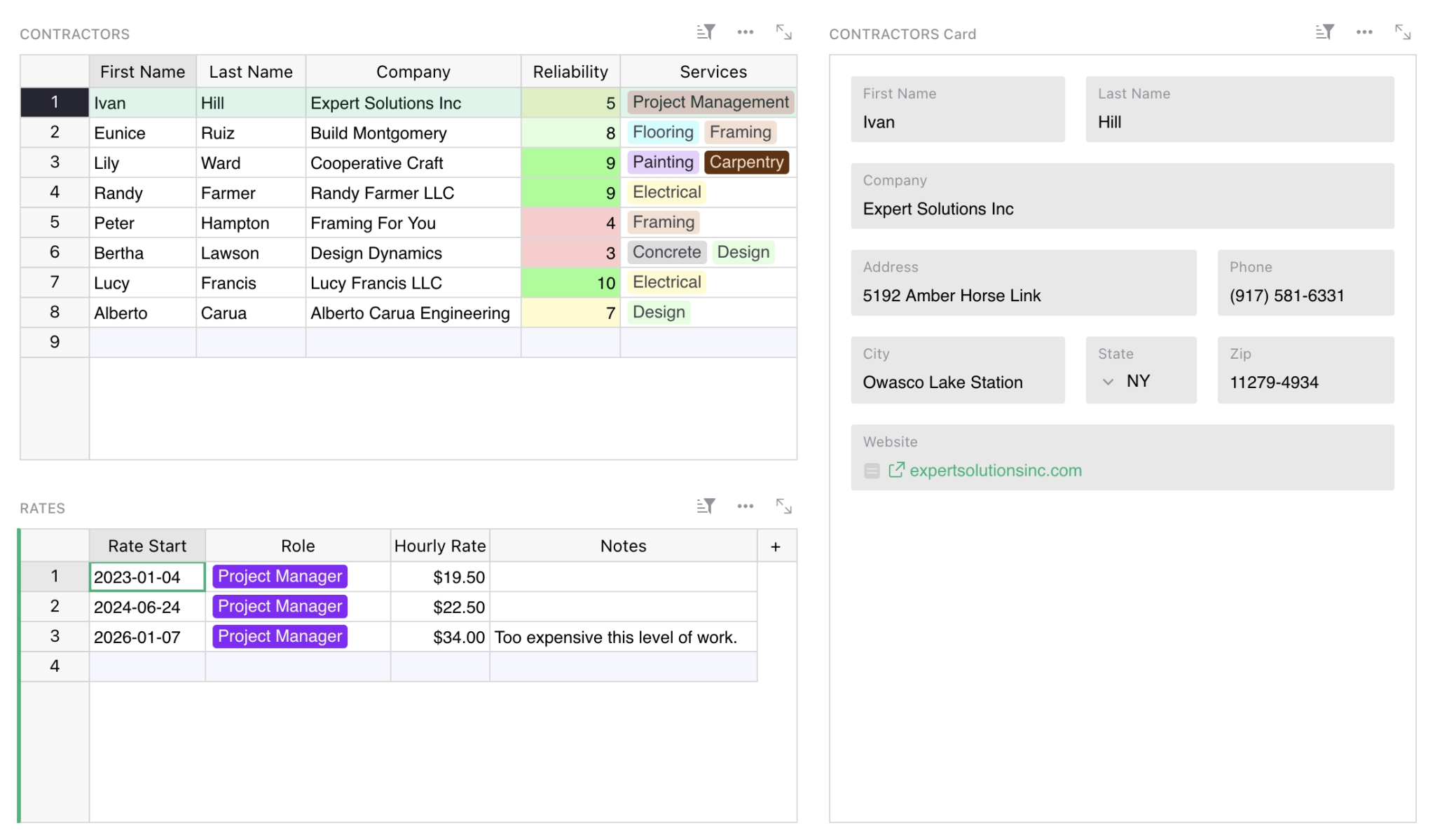
Suggestions can also be useful in spreadsheets shared privately within an organization. This is particularly true when there is a table of reference data used by many, but modified by few. Take, for example, a list of pre-approved vendors and contractors from which a company procures goods and services.
Often, a team will have this list in a spreadsheet that only some employees, like managers, can edit. But managers are rarely the people working directly with those vendors on projects, and they’re the last to know if anything material has changed with the vendor or if the quality of work has slipped. When the operation gets big enough, the manager is a bottleneck. They now have a spreadsheet that requires some kind of change moderation. Organizations often end up paying dearly for custom-built CRUD apps to create, read, update and delete their data.
Users have long been getting around this spreadsheet limitation with Grist’s [granular access rules](https://support.getgrist.com/access-rules/#access-rules)
— managers can edit, non-managers can read and annotate in a “notes” column. But this is using a security feature to solve a workflow problem. What users actually want is change moderation, which is exactly what suggestions provide.
Suggestions to manage a carousel of contributors
------------------------------------------------
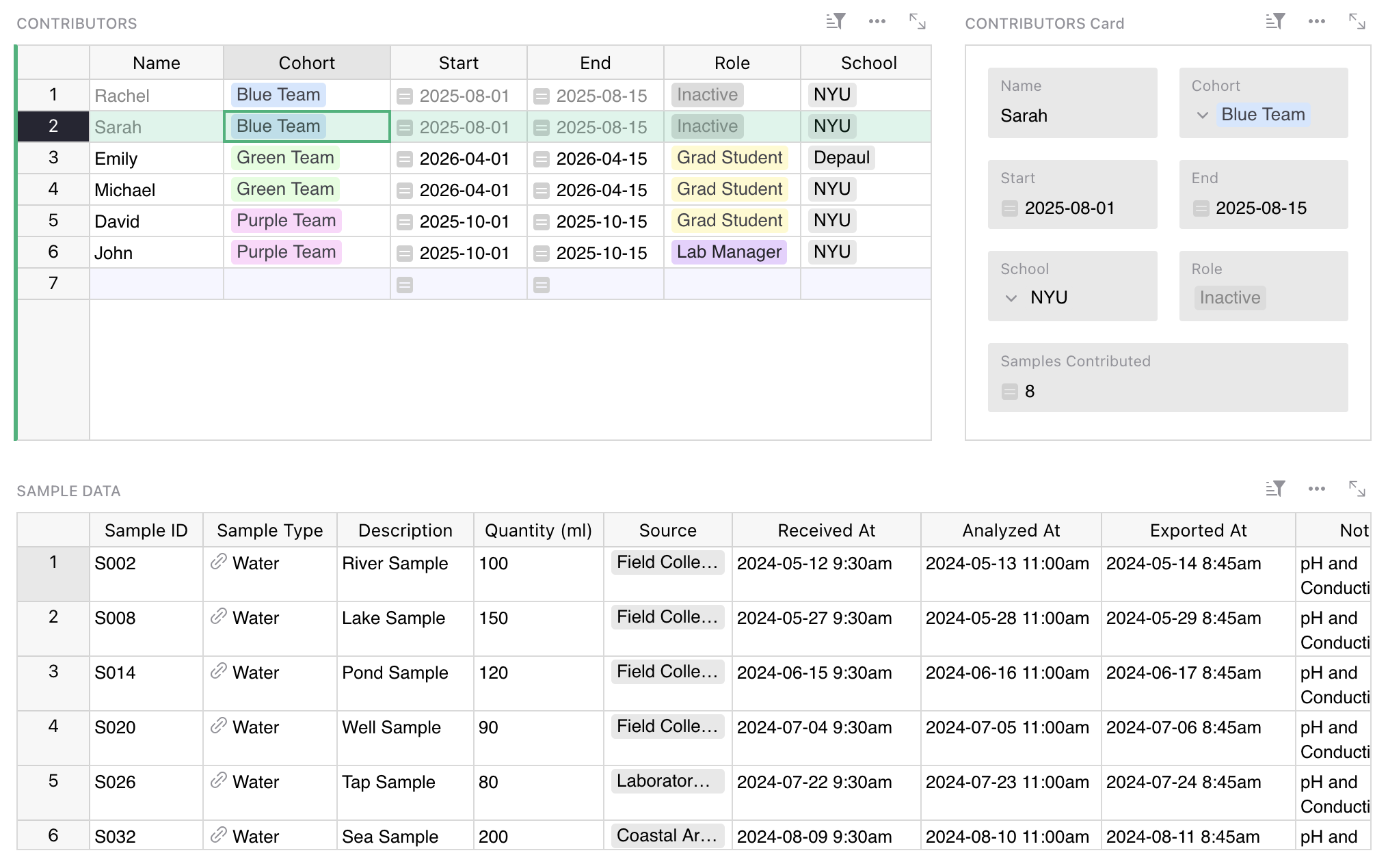
Collaboration doesn’t always mean regular contributions from a static team. Some work is cyclical or intermittent, and some requires contributors to rotate over time. Imagine a multi-year research project collecting data from a changing group of grad students. Contributors are constantly coming and going, and maintainers may change as well.
To keep things fluid, onboarding needs to be practically zero. A contributor opens a spreadsheet, adds rows following the visible structure, and leaves. For maintainers, the handoff is just as simple: grant someone owner permission, and they can start reviewing and approving changes immediately.
Try spreadsheet suggestions now
-------------------------------
To try Suggestions, go to your Grist document’s settings and check the toggle [“Enable suggestions”](https://support.getgrist.com/sharing/#enabling-suggestions)
. Once enabled, all viewers (signed-in or not) will automatically create a temporary copy of the document on which they can make suggestions. Owners and editors can toggle between “editing” and “suggesting” mode, though only owners can accept or reject suggested changes.
This is our first version, and we’ve chosen to focus on the core use case: suggesting changes to data. That means the current release has some limitations:
* **Data only.** Suggestions track changes to cell values, not to structure, views, widgets, or formulas.
* **No access rules.** Documents with granular access rules aren’t yet supported.
* **No forms.** Documents using forms for data collection aren’t yet supported – though suggestions often replace them in practice.
We want to make this feature genuinely useful for the many use cases we have not yet considered. We’re looking for feedback, and we’re getting real meta: we’ve set up a [Suggestions document](https://grist-marketing.getgrist.com/85Wh95dnQh9f/Suggestions-suggestions?utm_id=share-doc)
for Suggestions feedback. Yes, you can suggest suggestions for Suggestions.
You can also share feedback in our [community forum](https://community.getgrist.com/)
or [Discord channel](https://discord.gg/MYKpYQ3fbP)
.
[Get started for free](https://docs.getgrist.com/welcome/start)
[](https://www.getgrist.com/blog/grist-2025-year-in-review/)
Grist 2025 – Year in review
===========================
12.18.25
[](https://www.getgrist.com/blog/grist-v-airtable/)
What are the differences between Grist and Airtable?
====================================================
08.21.25
[](https://www.getgrist.com/blog/grist-2024-year-in-review/)
Grist 2024 – Year in review
===========================
12.30.24
[](https://www.getgrist.com/)
* [Twitter](https://twitter.com/getgrist)
* [LinkedIn](https://www.linkedin.com/company/grist-labs/)
* [Facebook](https://www.facebook.com/getgrist)
* [YouTube](https://www.youtube.com/channel/UCx0ioQrrC-bIrkmZ7ZULr0g)
* [TikTok](https://www.tiktok.com/@getgrist)
Create a free site
------------------
You may create a Personal or a Team site:
#### Personal
Easiest way to get started
[Get Started](https://docs.getgrist.com/welcome/start)
#### New Team Site
Help your whole team be more productive
[Create Free Team Site](https://docs.getgrist.com/billing/create-team?planType=teamFree)
close
---
# Grist vs. custom development
Should you build a custom data app?
===================================
Your data is important, and how you work with it makes it valuable. This means that “build vs. buy?” a valid question. It also suggests that you probably don’t want the cheapest and quickest option.
But does that mean you have to build from scratch, or hire an outside firm to do custom development? Or why not just vibe code something using AI? We have some answers.
[Book a demo](https://www.getgrist.com/contact/)
[Explore all plans](https://www.getgrist.com/pricing/)

How much does it cost to build a custom data app?
-------------------------------------------------
The correct answer is obviously **it depends**, but it’s more helpful to break down the costs involved and see how they add up to a final number:
* **Development.** Assuming you’re scoping and planning out the app’s requirements yourself, you can still expect to spend [five figures](https://www.thefounderspoint.com/resources/app-cost-guide#price-ranges)
for a simple app, and well into six for something more complex.
* **Hosting and maintenance.** The app needs to exist somewhere and accommodate bugfixes and security updates. This could also include the cost of external services or integrations.
* **New features.** If your app is a useful one, it will probably need to adapt and grow as time goes on. This is where custom development can get pricy, as initial solutions might not have extensibility or flexibility as a key criteria (if they did, that would have cost extra anyways!).

So what is Grist?
-----------------
Grist turns the spreadsheets running your business into secure applications.
It leverages the spreadsheet interface and a database structure, letting you build robust and reliable apps and workflows.
It also keeps your data in your hands. Always.
[Book a demo](https://www.getgrist.com/contact/)
### Quick comparison
| | Grist | Custom development |
| --- | --- | --- |
| Initial cost | N/A | It depends, but expect five figures for a simple app and six for a more complex one. [\[source\]](https://www.thefounderspoint.com/resources/app-cost-guide#price-ranges) |
| Recurring cost | Competitive Enterprise pricing. [See all plans.](https://www.getgrist.com/pricing/) | Maintenance, hosting and security updates anywhere from $50-500 per month. New features extra, of course. |
| Risk profile | Secure SaaS with option to self-host. Built-in access rules. | Standard deployment risks (vendor disappearing mid-project, developer turnover, IP disputes, scope creep) with additional authentication and data sharing concerns. |
| Time to launch | At the speed of data entry (with automatic importing). | Requires cross-functional coordination and typical software release cycles. |
| Flexibility & extensibility | No- and low-code app building tools using your structured data. | Initial development may not be easily expanded upon. New features mean additional development cycles and costs. |
| Self-hostable? | Yes | Not if the custom development leverages proprietary integrations or external services. |
[Try Grist now](https://docs.getgrist.com/welcome/start)
How does Grist lower my risk profile?
-------------------------------------
download
Grist is built around fully **portable data** with no lock-in mechanisms. A Grist file is an SQLite database, and always able to be exported elsewhere.
house
Grist is **100% self-hostable** for on-premises deployment, or available with managed hosting around the world. Own the servers and audit the code.
person
Comprehensive and highly-customizable **role-based** **access rules**, letting you limit access and exporting down to the row.
### How can I deploy Grist?
#### Secure SaaS
Hosted on getgrist.com and ready to go. The easiest way to start using Grist or to test out features before deploying on-premise.
#### Managed server
Grist Labs deploys and manages Grist on a dedicated server in a region of your choice. Gives you the customization of self-hosting, but leaves the devops and maintenance to us.
#### Self-hosted
Serve containerized via Docker or compile directly from source. Configure everything to fit your requirements: SSO, storage, sandboxing, snapshots, styling, and much more.
[Get in touch](https://www.getgrist.com/contact/)
Why don’t I just build my own solution with AI?
-----------------------------------------------
That’s another valid question. The most important thing to consider, however, is where and how your data is stored.
It doesn’t matter how capable your AI model is, if your data is not in good shape you’re going to run into problems. This is where Grist is an ideal no-code app builders:
* Even though you can edit like a spreadsheet, your data is **structured like a database**. This structure is not just better for stability and longevity, it helps AI agents better understand the relationships between your data.
* Grist has a **built-in AI assistant** that understands this structure implicitly and can help with document creation and Python formula writing.
* You can use your favorite model (Claude, ChatGPT, Gemini, etc.) and create **dynamic visualizations and interactive dashboards** with our no- and low-code tools. Check out our recent webinar on the subject below!
* Finally, you can also use Grist’s official **MCP server** to boost AI-driven document construction and unlock agentic development.

45-minute webinar showing how to easily create dynamic visualizations and interactive widgets with AI.
What kind of organizations use Grist?
-------------------------------------
Grist is in production across government, aerospace, manufacturing, and utilities. Grist’s flexibility solves specific use cases in many industries, and its emphasis on self-hostability makes it viable in regulated sectors.



### DINUM / La Suite Numérique
##### PUBLIC SERVICE – Multiple deployments
Grist is one of the open source foundations of [La Suite Numérique](https://lasuite.numerique.gouv.fr/)
, France’s sovereign digital workspace, operated by DINUM (La direction interministérielle du numérique).
* Grew from 1,000 to 15,000 monthly active users in a year (2024–2025).
* Distributed deployments that service multiple agencies and regions, with hundreds of use cases.
* Bug bounty program for Grist funded by DINUM, benefiting the entire Grist community.
### Maddox
##### Manufacturing – Dedicated server
Maddox builds an intimidating array of [industrial transformers](https://www.maddox.com/)
. Grist Labs manages a dedicated instance of Grist on their own servers to augment and replace their spreadsheets.
* ~300 employees.
* Use case: KPI tracking and consolidation for production, manufacturing, and sales delivery.
* On-premises deployment a requirement.
### E-J Electric
##### CONSTRUCTION – Dedicated server
[E-J Electric](https://www.ej1899.com/)
is a long-standing, privately-owned electrical contractor. Grist Labs manages a dedicated instance of Grist on their own servers to help their distributed sites collaborate on relational data.
* ~450 employees.
* Use case: Cross-site project management.
* Moved on-premises as their data needs scaled.
Learn more
----------
High level 3-minute Grist overview.
Customer use case where Grist is used to create a back-office workflow with integrations.
[Read more case studies](https://www.getgrist.com/case-studies/)
Frequently asked questions
--------------------------
**What if I want help building a solution in Grist?**
We have a page [just for you](https://www.getgrist.com/solutions/)
. If you’re just looking for documentation or tutorials, check out our [Help Center](https://www.getgrist.com/solutions/)
or watch our [Grist 101 webinar](https://www.getgrist.com/webinars/grist-101-new-users-guide/)
.
**What if I want to help others build solutions in Grist?**
We have a [partner program](https://www.getgrist.com/partners/)
just for that. Please get in touch!
**What happens to our data if we stop using Grist?**
Grist data is always portable and exportable, subject to access rules that you define. You can [export tables](https://support.getgrist.com/exports/)
as CSV, TSV and XLSX files, as well an entire Grist documents with or without change history.
Grist documents can be downloaded in their entirety as an SQLite database file with a `.grist` extension. The downloaded file will contain all your tabular data, any attached files within those tables, metadata about your tables, pages, and widgets, and a history of recent modifications of the document.
**Is Grist open source?**
Yes. The main [`grist-core` repository](https://github.com/gristlabs/grist-core)
is open source (Apache License, Version 2.0). Grist Labs also sells an edition of Grist with [additional features](https://github.com/gristlabs/grist-core#features-not-in-grist-core)
.
**How can I migrate an existing project into Grist?**
Grist has robust tools for [importing data](https://support.getgrist.com/imports/)
that support the common formats (Excel, CSV, JSON, Google Drive), as well as a custom [importer for Airtable](https://www.getgrist.com/airtable-data-migration/)
.
**How can internal engineers extend Grist?**
Grist has a well-developed API that allows for integration with external services, but a lot of the extensibility lies in [custom widgets](https://support.getgrist.com/widget-custom/)
. These can be simple [vibe-coded visualizations](https://support.getgrist.com/newsletters/2026-02/#vibe-view)
or full-blown interactive apps, all built on your structured data and following defined access rules.
Take control of your data
-------------------------
Build sovereign workflows for regulated industries. No code required.
[Get started](https://docs.getgrist.com/welcome/start)
[Book a demo](https://www.getgrist.com/contact/)
[](https://www.getgrist.com/)
* [Twitter](https://twitter.com/getgrist)
* [LinkedIn](https://www.linkedin.com/company/grist-labs/)
* [Facebook](https://www.facebook.com/getgrist)
* [YouTube](https://www.youtube.com/channel/UCx0ioQrrC-bIrkmZ7ZULr0g)
* [TikTok](https://www.tiktok.com/@getgrist)
Create a free site
------------------
You may create a Personal or a Team site:
#### Personal
Easiest way to get started
[Get Started](https://docs.getgrist.com/welcome/start)
#### New Team Site
Help your whole team be more productive
[Create Free Team Site](https://docs.getgrist.com/billing/create-team?planType=teamFree)
close
---
# Grist Webinar - Relational Data + Reference Columns
In this webinar, we dive into reference columns in Grist, and how to use them to build productive dashboards.
Topics touched upon include building a database, relating records, reference lookups, widgets, linking widgets, setting up dashboards, the lookupRecords formula and conditional row styles.
### Timestamps
00:00 – Questions submitted during sign-up
04:18 – Building a meetings database: planning a new document
07:54 – Creating new tables and formatting columns
12:07 – Reference: relating one record to one record in another table
14:09 – Reference column lookups & understanding record’s `$id`
18:47 – Reference Lists: relating one record to many records in another table
21:42 – Troubleshooting formulas with reference columns
30:02 – Hyperlink formatting
30:45 – Building productive layouts – card widgets
32:53 – Linking widgets with the same record
34:22 – Linking widgets with data from two related tables
36:31 – Linking widgets indirectly via reference to third table
38:28 – Filter buttons with date range filtering
39:47 – Renaming pages
39:59 – Setting up more dashboards, more tips
44:11 – Understanding lookupRecords formula with `CONTAINS()`
49:10 – Conditional row styles
### Links
* Team Meetings Organizer template (built in this webinar): [https://templates.getgrist.com/4vTwsstWA6uQ/Team-Meetings-Organizer](https://templates.getgrist.com/4vTwsstWA6uQ/Team-Meetings-Organizer)
* Formula Cheat Sheet: [https://support.getgrist.com/formula-cheat-sheet/](https://support.getgrist.com/formula-cheat-sheet/)
* More examples on finding duplicates: [https://public.getgrist.com/t8ayriwbFYae/Finding-Duplicates](https://public.getgrist.com/t8ayriwbFYae/Finding-Duplicates)
* STRFTIME codes: [https://strftime.org/](https://strftime.org/)
* Digital Sales CRM Template: [https://templates.getgrist.com/eVgQezBkmQVc/Digital-Sales-CRM](https://templates.getgrist.com/eVgQezBkmQVc/Digital-Sales-CRM)
* Sprouts: [https://www.getgrist.com/sprouts-program/](https://www.getgrist.com/sprouts-program/)
* Community Forum: [https://community.getgrist.com/](https://community.getgrist.com/)
[](https://www.getgrist.com/webinars/how-dotphoton-built-a-fully-traceable-qa-system-for-the-european-space-agency/)
How Dotphoton built a fully traceable QA system for the European Space Agency
=============================================================================
Bruno Sanguinetti of Dotphoton shows how his on-prem QA traceability system that meets the standards of the European Space Agency.
[](https://www.getgrist.com/webinars/mcp-grist-a-first-look/)
MCP + Grist: A First Look
=========================
Join co-founder Stan for a sneak peek at Grist’s official MCP server, making it easier than ever to connect AI tools with Grist.
[](https://www.getgrist.com/webinars/vibing-with-grist-ai-assisted-custom-data-interfaces/)
Vibing with Grist: AI Assisted Custom Data Interfaces
=====================================================
Use AI to bring your data to life. Build dynamic visualizations with Vibe View and interactive widgets with the Custom Widget Builder.
[](https://www.getgrist.com/)
* [Twitter](https://twitter.com/getgrist)
* [LinkedIn](https://www.linkedin.com/company/grist-labs/)
* [Facebook](https://www.facebook.com/getgrist)
* [YouTube](https://www.youtube.com/channel/UCx0ioQrrC-bIrkmZ7ZULr0g)
* [TikTok](https://www.tiktok.com/@getgrist)
Create a free site
------------------
You may create a Personal or a Team site:
#### Personal
Easiest way to get started
[Get Started](https://docs.getgrist.com/welcome/start)
#### New Team Site
Help your whole team be more productive
[Create Free Team Site](https://docs.getgrist.com/billing/create-team?planType=teamFree)
close
---
# General Ledger Template (Free & Interactive) | Grist
**Ledger Spreadsheet Template**
[**Open Full Template**](https://templates.getgrist.com/2YwYBWpREY2a/General-Ledger)

About the general ledger spreadsheet template
---------------------------------------------
Simplify your accounting projects with our general ledger spreadsheet template. Explore dynamic charts and summaries to analyze expenses by project and over time. Stay organized with department and category tags for income and expenses. Tailor this template to your organization’s needs with guidance from our [Modifying Grist Templates webinar](https://www.youtube.com/watch?v=T1Xq4Y2jV50&feature=youtu.be)
.
* Filter by category, department, company, and more.
* Ideal for small businesses and large enterprise teams.
* Dynamic charts and reports update in real-time as you explore data.
* Summary tables (pivot tables) and charts auto-update with new data.
How to use this free ledger template
------------------------------------
This template takes a general ledger of income and expenses and creates helpful dashboards for summarizing data. To better use it and understand your business’ debit and credit, here’s more detail in how to update the ledger accounts in this template.
### How to use the _General Ledger_ page
Multiple companies may be stored in the same general ledger, with a column that distinguishes between different companies’ expenses.
Add new income and expenses to the bottom of the general ledger. It sorts by date automatically.
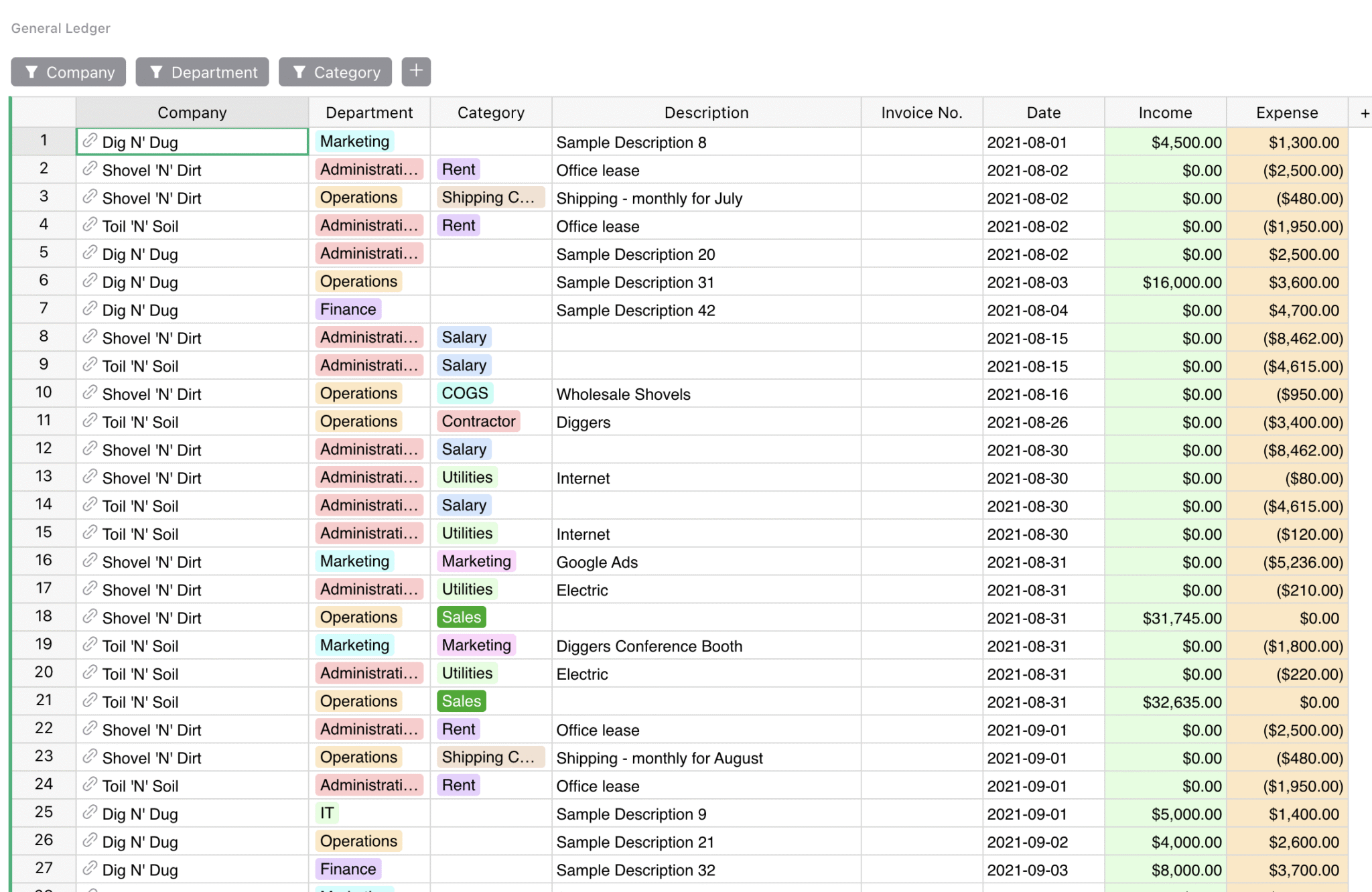
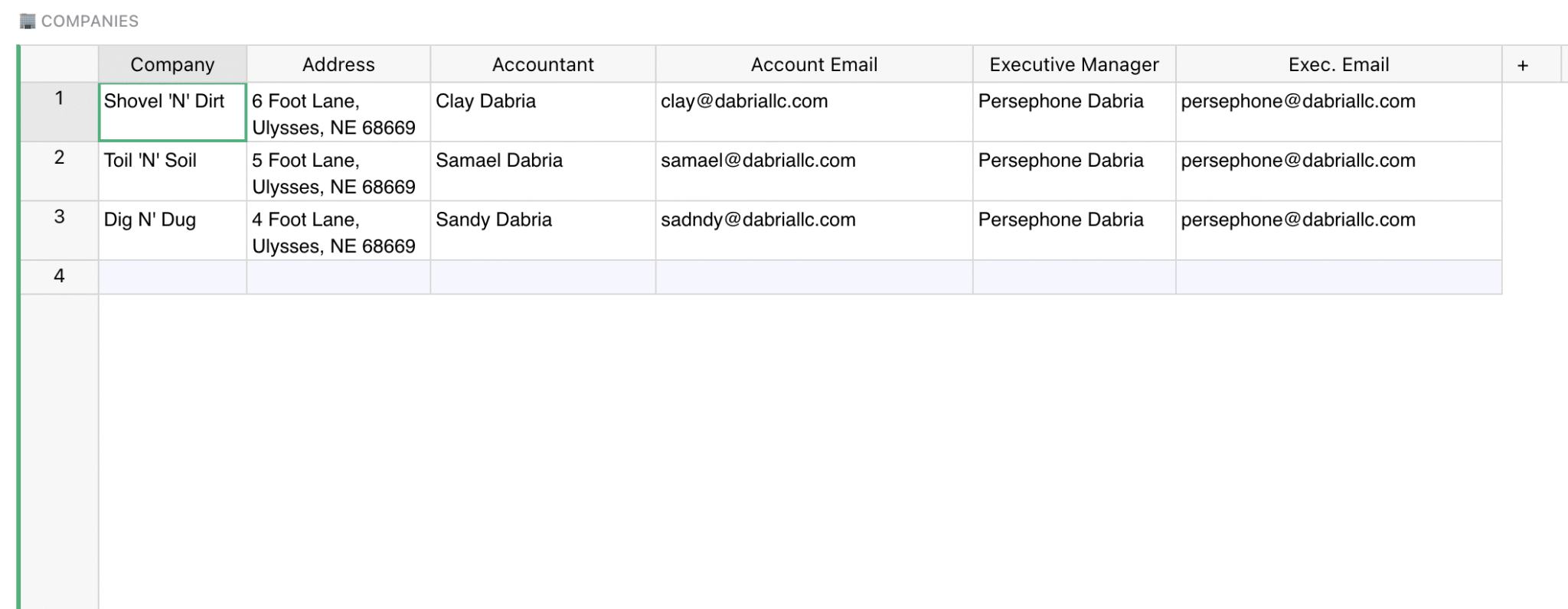
### How to use the _Companies_ page
Add company information to this table.
This is where the companies listed in the other pages are referenced, set up automatically to dynamically update business metrics as revenue and expenses are added to the ledger.
### How to use the _Total Profit Over Time_ page
This page summarizes profit over time. Select a year to update quarterly and monthly summaries.
All numbers on this page are automatically calculated using preset Python formulas from the income and expenses in the ledger.
In the graph below, you can also drill down profit over time by company, by year – ideal for easy financial reporting without manual updates.
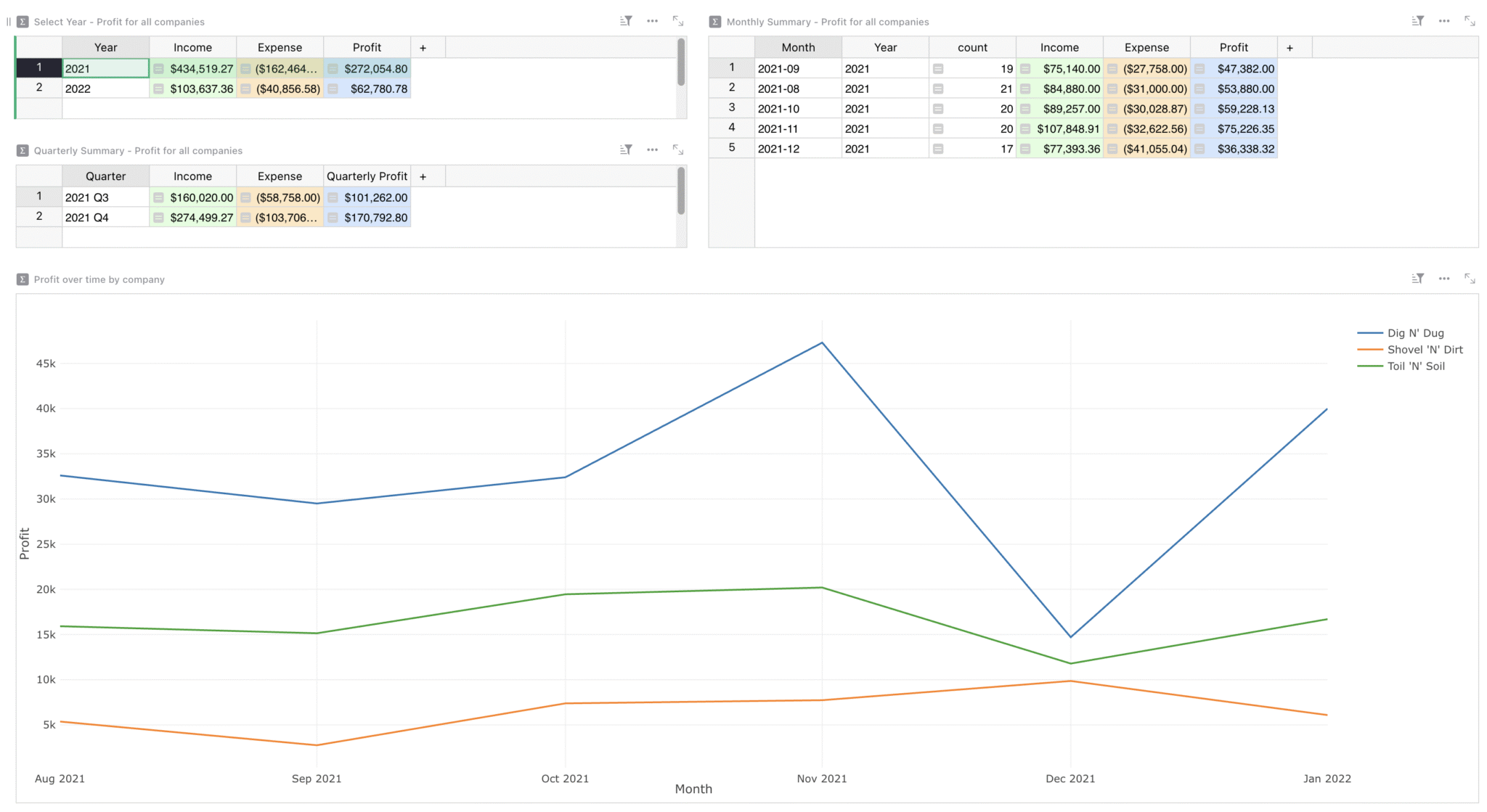
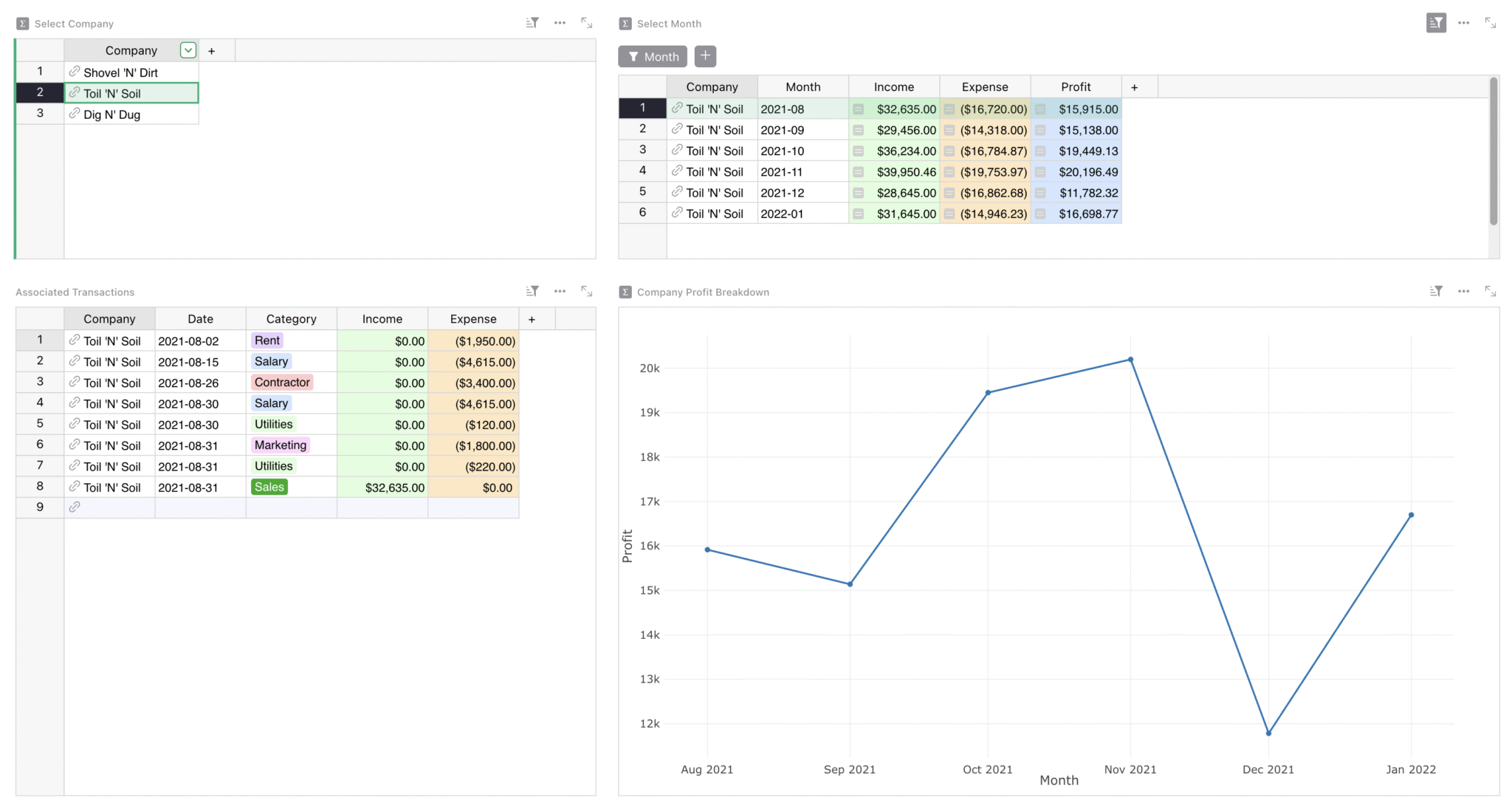
### How to use the _Profit by Company_ page
This page breaks down profits by company. Select a company, then month to see related transactions. It’s an easy to use drill down on expenses and income based on the data in the general ledger.
### Related Templates
[All spreadsheet templates](https://www.getgrist.com/templates/)
[](https://www.getgrist.com/templates/general-ledger-template/)
Analyze income and expenses by project and over time using our user-friendly general ledger with dynamic charts.
View Template
[](https://www.getgrist.com/templates/budget-template/)
Create printable invoices directly from your spreadsheet data.
View Template
[](https://www.getgrist.com/templates/expense-tracker-template/)
Streamline expenses management by allowing employees to edit their own expenses, while protecting sensitive data.
View Template
[](https://www.getgrist.com/templates/time-tracking-template/)
Track billable hours and generate invoices in this streamlined template.
View Template
[](https://www.getgrist.com/templates/payroll-template/)
Manage hourly payroll calculations and tracking in a single relational spreadsheet.
View Template
[](https://www.getgrist.com/templates/invoicing-template/)
Create printable invoices directly from your spreadsheet data.
View Template
> “I love Grist. It’s crazy powerful. I still can’t believe what we’ve been able to achieve in it. It’s the dream that low-code was sold as for years – we can do incredible things in each column with Python and we can build our own widgets to run on those! Wild!”
Elliot Lee
User Researcher
[View case studies](https://www.getgrist.com/case-studies/)
> “Grist has become our go-to for more complex, structured data. It sits somewhere between Excel and Access—powerful, relational, and flexible enough for prototyping real data-driven applications.”
Olivier Lambert
CEO at Vates
[View case studies](https://www.getgrist.com/case-studies/)
> “The more I use Grist, the more I LOVE it. I have been surveying self-hosted database GUI tools, and I was consistently disappointed with their shortcomings or bugginess. Grist is the first to have tilted the balance the other way.”
Stephen S.
Publications, Personal City Guides
[View case study](https://www.getgrist.com/case-studies/publication-app-open-source-spreadsheet/)
[All case studies](https://www.getgrist.com/case-studies/)
> “Grist has given us incredible flexibility to solve data problems and find solutions, whether it is for a small team at the district, or at scale with the entire district staff. We’re really excited about the different ways we can use it going forward.”
Director of Product
EdTech Company
[View case study](https://www.getgrist.com/case-studies/spreadsheet-collaboration-granular-access-rules/)
[All case studies](https://www.getgrist.com/case-studies/)
> “What I like about Grist the most is its focus. It appears simple, but it’s very powerful in a focused way. Grist has really improved our workflow and communication.”

Chris Scott
Co-founder in Digital Marketing
[View case study](https://www.getgrist.com/case-studies/missionsource-data-organization-digital-marketing/)
[All case studies](https://www.getgrist.com/case-studies/)
> “If people spend some time learning a new tool they’ll have more power to do their work and research. I said to one of my students, ‘You will be very very happy using Grist because you are miserable using Excel!'”

Eduardo Dalcin, Ph.D.
Biodiversity Informatics Expert
[View case study](https://www.getgrist.com/case-studies/relational-spreadsheets-protect-brazil-plants-conservation/)
[All case studies](https://www.getgrist.com/case-studies/)
> “Most CRMs don’t work the way Grist works. Grist’s layouts are simple and do exactly what we need.”
Jennifer Bledsoe
IT Tech at Law Firm
[View case study](https://www.getgrist.com/case-studies/law-firm-built-custom-crm/)
[All case studies](https://www.getgrist.com/case-studies/)
> “I discovered Grist after becoming frustrated with the limitations of Excel and Google Sheets. Grist has been a breath of fresh air, especially with its ability to handle structured data in a way that feels familiar to anyone with experience in relational databases, but with the added flexibility of Python.”
Will Bailey
Small Business Manager
[View case studies](https://www.getgrist.com/case-studies/)
> “Sharing an Access database is near impossible, but Grist makes sharing a relational database simple.”
Walt Rice
IT Consultant
[View case studies](https://www.getgrist.com/case-studies/)
> “I needed an open-source master database that could connect to n8n and AI tools. After trying Notion, Airtable, Siyuan, Baserow, and NocoDB, I chose Grist for its Python-native AI support, flexible integrations, and simple n8n connections.”
Robin A.
Project Manager
[View case studies](https://www.getgrist.com/case-studies/)
> “I’ve worked extensively with NocoDB, Notion, SeaTable, and Baserow, and Grist really stands out. The balance between spreadsheet-style flexibility and structured, low-code database design is excellent.”
Andriy Kostyuk
Automation Engineer, Founder at Enceladus
[View case studies](https://www.getgrist.com/case-studies/)
Build on your own terms
-----------------------
If you have an existing workflow in tools like Google Sheets or Excel, you can easily import it into this template right away.
Grist’s incremental imports feature allows users to import new activity to existing data, and Grist intelligently combines it without creating duplicates or needing manual cleanup.
[Use This Template](https://templates.getgrist.com/pVq4xESKtU24/Sales-Commissions-Dashboard/)
Request demo
[](https://www.getgrist.com/)
* [Twitter](https://twitter.com/getgrist)
* [LinkedIn](https://www.linkedin.com/company/grist-labs/)
* [Facebook](https://www.facebook.com/getgrist)
* [YouTube](https://www.youtube.com/channel/UCx0ioQrrC-bIrkmZ7ZULr0g)
* [TikTok](https://www.tiktok.com/@getgrist)
Create a free site
------------------
You may create a Personal or a Team site:
#### Personal
Easiest way to get started
[Get Started](https://docs.getgrist.com/welcome/start)
#### New Team Site
Help your whole team be more productive
[Create Free Team Site](https://docs.getgrist.com/billing/create-team?planType=teamFree)
close
---
# Free Online CSV Editor & Viewer | Open-Source
##### Online CSV Viewer
CSV Viewer & Editor
===================
Open-source, in-browser, interactive CSV reader & editor online installed with two lines of HTML.
### Set free the CSV!
Browsers have long supported robust PDF viewers, but the humble CSV file _still_ has to be downloaded and opened in an external program. But no longer! Edit and open CSVs online with Grist.
* * *
done
Free CSV editor
done
Fully featured spreadsheet
done
Open-source
done
Easy to install
done
Self-hostable
done
No tracking analytics
#### Try it now
⛰️
mountains.csv
🔬
elements.csv
#### …or with your own data!
Drag & Drop to
Upload CSV File
Browse File
Data stays in your browser. It is not shared, sent to a server, saved, or seen by anyone.
Add a CSV editor your site instantly
------------------------------------
With just two lines of code, users will be able to open & edit CSVs online in a rich spreadsheet viewer.
**1.** Add in ``
``
**2.** Add anywhere
``
**3.** Done!
View CSV
[Find more details on  GitHub](https://github.com/gristlabs/grist-static#grist-csv-viewer)
Built by spreadsheet lovers
---------------------------
##### Full-Featured
### Much more than a CSV viewer.
edit
Edit CSV files
sort
Sorting and filtering
content\_copy
Copy/paste
function
Standard spreadsheet formulas like `IF()` and `YEAR()`
functions
Click-and-drag quicksums
code
Python-powered formulas
##### Free, Open, Private
### All you need. Nothing else.
computer
Client-side – no data sent to other servers
groups
Fully open-source
lock
Zero third-party tracking
verified\_user
Fully hostable on your CDN
[Learn more on  GitHub](https://github.com/gristlabs/grist-static#grist-csv-viewer)

Powered by Grist
----------------
If you’re looking to do even more with online CSVs or any kind of data, Grist has you covered. Take a look at the example below, where we have the raw CSV file and a full-featured Grist document based on the same data. Or view all Grist [spreadsheet templates](https://www.getgrist.com/templates/)
.
### CSV preview
Preview National Parks.csv
### Grist document
**National parks database**
[**Open full template**](https://templates.getgrist.com/4TRbjZXSPtR5/US-National-Park-Database/p/4)

Frequently Asked Questions
--------------------------
##### Can I edit CSV files with this tool?
Yes. Grist is a fully functional online CSV editor. You can edit cells, add formulas, sort, filter, and copy/paste data just like in a standard spreadsheet. It is the best CSV editor for quick, in-browser data manipulation.
##### What is Grist?
[Grist](https://www.getgrist.com/)
is our main product – a modern and open spreadsheet that goes beyond the grid. We take the best features of spreadsheets and databases, allowing the creation of powerful and flexible dashboards that bring out the best in your data. The free plan is generous for individuals and teams working on small projects. For professional use, [see pricing](https://www.getgrist.com/pricing/)
.
##### How can I self-host the Grist CSV Viewer?
The Grist CSV Viewer is part of [grist-static](https://github.com/gristlabs/grist-static)
, which allows your to serve the CSV Viewer (and Grist itself!) on self-contained sites.
Detailed information on serving the files from your own website or CDN can be found [on GitHub](https://github.com/gristlabs/grist-static#serving-all-files-from-your-own-website-or-cdn)
.
##### Does the Grist CSV Viewer collect any data?
The grist-static.com domain is operated by Grist Labs and only serves static files. It logs traffic to measure usage, but does not set or track cookies. Copy the Grist CSV Viewer code to your own website or CDN to keep your traffic completely private. More information on how to do this can be found [on GitHub](https://github.com/gristlabs/grist-static#serving-all-files-from-your-own-website-or-cdn)
.
##### Does the Grist CSV Viewer Cost anything?
No, it is a free CSV editor. We build spreadsheets full-time and noticed a lack of easy and open ways to view and interact with CSV files. If you’d like to support us, feel free to contribute to the [repo on GitHub](https://github.com/gristlabs/grist-static)
or check out our main product [Grist](https://www.getgrist.com/)
– which if you like CSVs, you might also like!
[](https://www.getgrist.com/)
* [Twitter](https://twitter.com/getgrist)
* [LinkedIn](https://www.linkedin.com/company/grist-labs/)
* [Facebook](https://www.facebook.com/getgrist)
* [YouTube](https://www.youtube.com/channel/UCx0ioQrrC-bIrkmZ7ZULr0g)
* [TikTok](https://www.tiktok.com/@getgrist)
Create a free site
------------------
You may create a Personal or a Team site:
#### Personal
Easiest way to get started
[Get Started](https://docs.getgrist.com/welcome/start)
#### New Team Site
Help your whole team be more productive
[Create Free Team Site](https://docs.getgrist.com/billing/create-team?planType=teamFree)
close
---
# How to set up Grist automations with n8n | Grist
Curious about setting up workflow automations with Grist? We were as well! In March, we did an internal deep dive and are happy to share some helpful examples of Grist automations with n8n. We’ll start by going over the absolute basics (getting and updating data, responding to webhooks), and then by looking at some more advanced examples that take and transform Grist data with AI integrations and other services.
### Timestamps
03:50 Example 1: Creating a manual trigger
05:35 Finding Document and Table IDs
08:30 Example 2 using [Webhooks](https://support.getgrist.com/webhooks/)
15:10 Example 3: [Form](https://support.getgrist.com/widget-form/)
Submission Example
21:00 Example 4: Using AI to update photos
26:10 Example 5: Add email summary to [Grist CRM](https://templates.getgrist.com/doc/lightweight-crm)
28:15 Example 6: Create summary of all emails received
### Useful links
* GetGrist.com | Resources | Webinars: [https://www.getgrist.com/webinars/](https://www.getgrist.com/webinars/)
* Help Center: [https://support.getgrist.com/](https://support.getgrist.com/)
* Community Forum: [https://community.getgrist.com/](https://community.getgrist.com/)
* Discord: [https://discord.gg/MYKpYQ3fbP](https://discord.gg/MYKpYQ3fbP)
* n8n: [https://n8n.io/integrations/grist/](https://n8n.io/integrations/grist/)
### Other links mentioned
* GristCon – Using Grist + n8n to automate emails: [https://youtu.be/al4DOBONu8Y?si=eoRTUw8GSQXBpBla](https://youtu.be/al4DOBONu8Y?si=eoRTUw8GSQXBpBla)
* Jarek’s n8n examples: [https://support.getgrist.com/integrators/#example-updating-multiple-tables-from-a-form-submission](https://support.getgrist.com/integrators/#example-updating-multiple-tables-from-a-form-submission)
* Aude’s n8n Guide: [https://community.getgrist.com/t/very-basic-n8n-grist-workflows/7021](https://community.getgrist.com/t/very-basic-n8n-grist-workflows/7021)
* n8n Grist Node: Add upsert PR: [https://github.com/n8n-io/n8n/pull/18067](https://github.com/n8n-io/n8n/pull/18067)
[](https://www.getgrist.com/webinars/how-dotphoton-built-a-fully-traceable-qa-system-for-the-european-space-agency/)
How Dotphoton built a fully traceable QA system for the European Space Agency
=============================================================================
Bruno Sanguinetti of Dotphoton shows how his on-prem QA traceability system that meets the standards of the European Space Agency.
[](https://www.getgrist.com/webinars/mcp-grist-a-first-look/)
MCP + Grist: A First Look
=========================
Join co-founder Stan for a sneak peek at Grist’s official MCP server, making it easier than ever to connect AI tools with Grist.
[](https://www.getgrist.com/webinars/vibing-with-grist-ai-assisted-custom-data-interfaces/)
Vibing with Grist: AI Assisted Custom Data Interfaces
=====================================================
Use AI to bring your data to life. Build dynamic visualizations with Vibe View and interactive widgets with the Custom Widget Builder.
[](https://www.getgrist.com/)
* [Twitter](https://twitter.com/getgrist)
* [LinkedIn](https://www.linkedin.com/company/grist-labs/)
* [Facebook](https://www.facebook.com/getgrist)
* [YouTube](https://www.youtube.com/channel/UCx0ioQrrC-bIrkmZ7ZULr0g)
* [TikTok](https://www.tiktok.com/@getgrist)
Create a free site
------------------
You may create a Personal or a Team site:
#### Personal
Easiest way to get started
[Get Started](https://docs.getgrist.com/welcome/start)
#### New Team Site
Help your whole team be more productive
[Create Free Team Site](https://docs.getgrist.com/billing/create-team?planType=teamFree)
close
---
# Grist Webinar - Deconstructing the Class Enrollment Template
In August we’ll rebuild our [Class Enrollment Template](https://templates.getgrist.com/doc/afterschool-program)
. This template uses reference columns to relate data in five different tables. Learn when to use reference columns, in which direction, and how to use helper tables to better structure your data.
You’ll also learn how to build productive dashboards that view the same data from different perspectives.
### Timestamps
01:05 Quick tip: Column and widget descriptions
03:05 New feature: column header formatting
04:42 Introduction to webinar and template
08:55 Creating a new document and meta table to plan ahead
10:24 Importing from Google Sheets
13:00 Choice columns – setting and formatting choice values
15:27 Using reference columns to relate data in different tables
17:24 Concatenating text with the AI formula assistant 🤖
21:11 Building a helper table joining records in two different tables
22:32 Importing data into an existing table w/ a formula applied on import
26:23 Building dynamic dashboards with linked widgets and cards
33:24 Using lookupRecords formula to count records that match specific arguments
35:25 Using a formula to compare enrollment to max class size
38:28 Quick way to hide multiple columns at a time
40:26 Editing card layout
41:28 Using a reference lookup to pull data from a referenced table
[](https://www.getgrist.com/webinars/how-dotphoton-built-a-fully-traceable-qa-system-for-the-european-space-agency/)
How Dotphoton built a fully traceable QA system for the European Space Agency
=============================================================================
Bruno Sanguinetti of Dotphoton shows how his on-prem QA traceability system that meets the standards of the European Space Agency.
[](https://www.getgrist.com/webinars/mcp-grist-a-first-look/)
MCP + Grist: A First Look
=========================
Join co-founder Stan for a sneak peek at Grist’s official MCP server, making it easier than ever to connect AI tools with Grist.
[](https://www.getgrist.com/webinars/vibing-with-grist-ai-assisted-custom-data-interfaces/)
Vibing with Grist: AI Assisted Custom Data Interfaces
=====================================================
Use AI to bring your data to life. Build dynamic visualizations with Vibe View and interactive widgets with the Custom Widget Builder.
[](https://www.getgrist.com/)
* [Twitter](https://twitter.com/getgrist)
* [LinkedIn](https://www.linkedin.com/company/grist-labs/)
* [Facebook](https://www.facebook.com/getgrist)
* [YouTube](https://www.youtube.com/channel/UCx0ioQrrC-bIrkmZ7ZULr0g)
* [TikTok](https://www.tiktok.com/@getgrist)
Create a free site
------------------
You may create a Personal or a Team site:
#### Personal
Easiest way to get started
[Get Started](https://docs.getgrist.com/welcome/start)
#### New Team Site
Help your whole team be more productive
[Create Free Team Site](https://docs.getgrist.com/billing/create-team?planType=teamFree)
close
---
# Excel Alternative | Open-Source & Self-Hostable
##### Open-source and Self-hostable
A modern alternative to Microsoft Excel
=======================================
Turn mission-critical spreadsheets into secure, scalable applications.
[Get started](https://docs.getgrist.com/welcome/start)
The spreadsheet interface, evolved
----------------------------------
A Microsoft Excel alternative that combines the flexibility of a spreadsheet with the structural integrity of a relational database. It serves as the “fourth option” between risky spreadsheets, expensive custom development, and SaaS you can’t control.
### More than a frontend
Grist handles data from top to bottom, from SQL to advanced visualizations, all without taking away control of your data.
done
**True relational structure**
Replace brittle VLOOKUP links with records that update instantly across your entire document.
done
**Granular access rules
**Move from password protecting a sheet to row and column-level permissions (including down to the individual cell).
done
**Python-powered analysis
**Swap complex, unreadable Excel formulas for clear Python logic (Grist supports both).
done
**Deploy on your terms
**Available as SaaS or [self-](https://www.getgrist.com/product/self-hosted/)
[h](https://www.getgrist.com/product/self-hosted/)
[osted](https://www.getgrist.com/product/self-hosted/)
for complete infrastructure control.
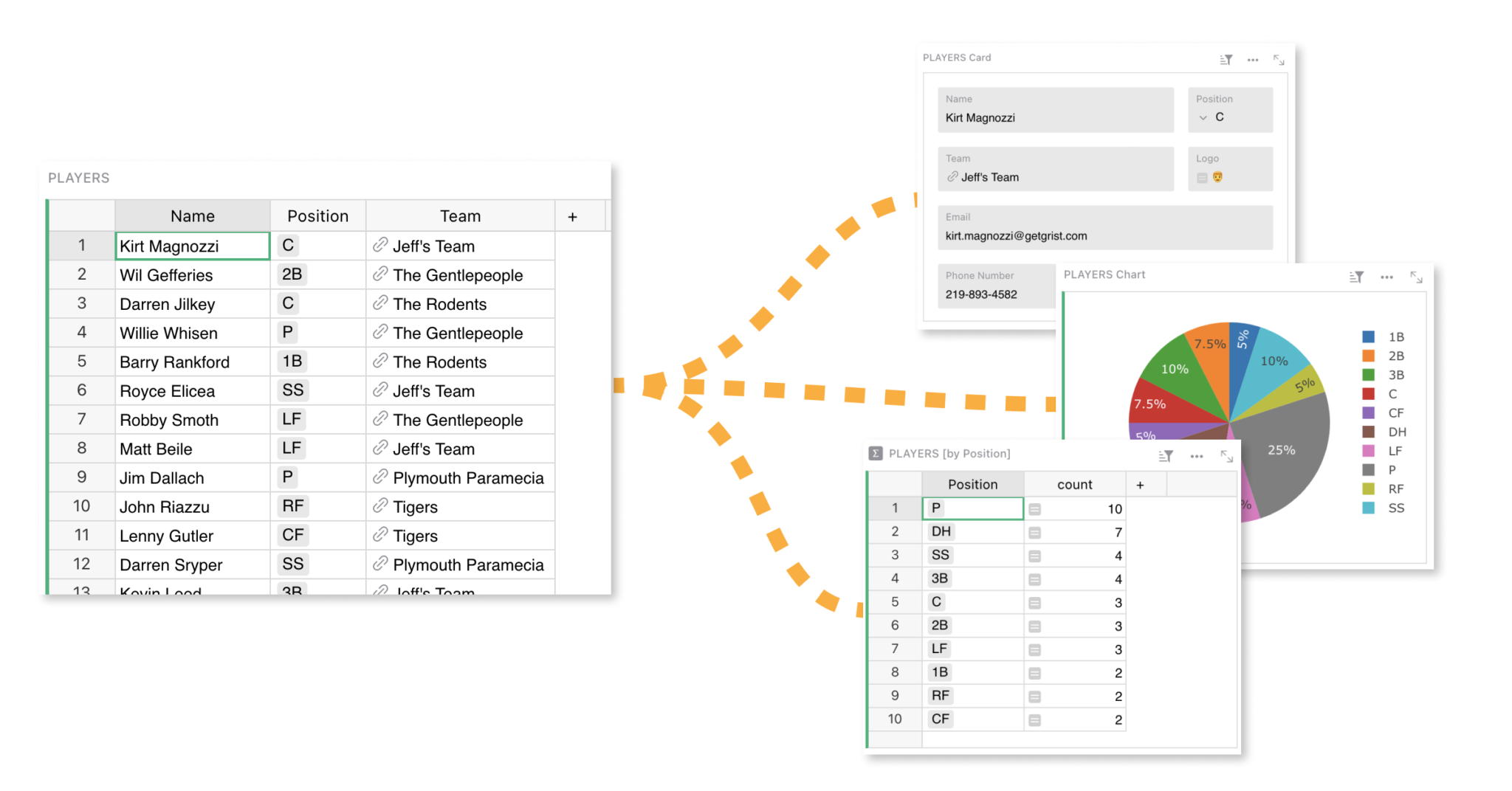
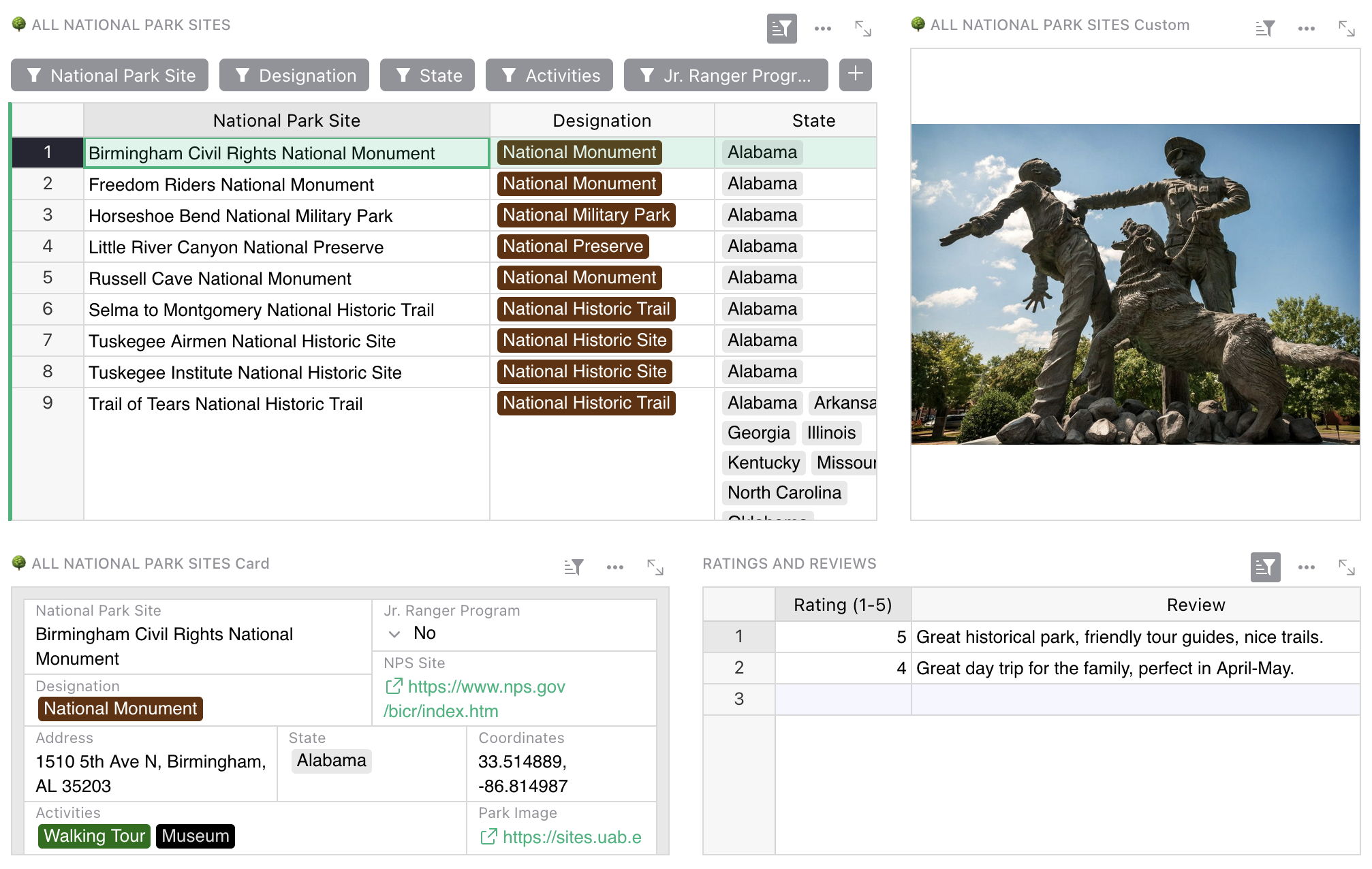
### Eliminate the load-bearing spreadsheet risk
When operations scale, Excel files become critical workflows running on fragile infrastructure. Grist turns these liabilities into secure applications, removing the risk of business continuity failures.
done
**Single source of truth
**End the `final_v3_really.xlsx` nightmare with one live version and automatic snapshots.
done
**Data integrity
**Prevent copy-paste errors with strict data typing and relational links.
done
**Secure collaboration
**Allow teams to edit simultaneously without file locking or overwriting data.
done
**Audit trails
**See exactly who changed what and when to ensure compliance.
Grist is the best Excel alternative for:
----------------------------------------
done
IT leaders needing to secure mission-critical operational data
done
Teams hitting the limits of VLOOKUPs and shared drive file locking
done
Organizations requiring self-hosted data for compliance
done
Engineers and analysts who want Python power in a spreadsheet interface
[Get started](https://docs.getgrist.com/welcome/start)
Request demo

> “I love Grist. It’s crazy powerful. I still can’t believe what we’ve been able to achieve in it. It’s the dream that low-code was sold as for years – we can do incredible things in each column with Python and we can build our own widgets to run on those! Wild!”
Elliot Lee
User Researcher
[View case studies](https://www.getgrist.com/case-studies/)
> “Grist has become our go-to for more complex, structured data. It sits somewhere between Excel and Access—powerful, relational, and flexible enough for prototyping real data-driven applications.”
Olivier Lambert
CEO at Vates
[View case studies](https://www.getgrist.com/case-studies/)
> “The more I use Grist, the more I LOVE it. I have been surveying self-hosted database GUI tools, and I was consistently disappointed with their shortcomings or bugginess. Grist is the first to have tilted the balance the other way.”
Stephen S.
Publications, Personal City Guides
[View case study](https://www.getgrist.com/case-studies/publication-app-open-source-spreadsheet/)
[All case studies](https://www.getgrist.com/case-studies/)
> “Grist has given us incredible flexibility to solve data problems and find solutions, whether it is for a small team at the district, or at scale with the entire district staff. We’re really excited about the different ways we can use it going forward.”
Director of Product
EdTech Company
[View case study](https://www.getgrist.com/case-studies/spreadsheet-collaboration-granular-access-rules/)
[All case studies](https://www.getgrist.com/case-studies/)
> “What I like about Grist the most is its focus. It appears simple, but it’s very powerful in a focused way. Grist has really improved our workflow and communication.”

Chris Scott
Co-founder in Digital Marketing
[View case study](https://www.getgrist.com/case-studies/missionsource-data-organization-digital-marketing/)
[All case studies](https://www.getgrist.com/case-studies/)
> “If people spend some time learning a new tool they’ll have more power to do their work and research. I said to one of my students, ‘You will be very very happy using Grist because you are miserable using Excel!'”

Eduardo Dalcin, Ph.D.
Biodiversity Informatics Expert
[View case study](https://www.getgrist.com/case-studies/relational-spreadsheets-protect-brazil-plants-conservation/)
[All case studies](https://www.getgrist.com/case-studies/)
> “Most CRMs don’t work the way Grist works. Grist’s layouts are simple and do exactly what we need.”
Jennifer Bledsoe
IT Tech at Law Firm
[View case study](https://www.getgrist.com/case-studies/law-firm-built-custom-crm/)
[All case studies](https://www.getgrist.com/case-studies/)
> “I discovered Grist after becoming frustrated with the limitations of Excel and Google Sheets. Grist has been a breath of fresh air, especially with its ability to handle structured data in a way that feels familiar to anyone with experience in relational databases, but with the added flexibility of Python.”
Will Bailey
Small Business Manager
[View case studies](https://www.getgrist.com/case-studies/)
> “Sharing an Access database is near impossible, but Grist makes sharing a relational database simple.”
Walt Rice
IT Consultant
[View case studies](https://www.getgrist.com/case-studies/)
> “I needed an open-source master database that could connect to n8n and AI tools. After trying Notion, Airtable, Siyuan, Baserow, and NocoDB, I chose Grist for its Python-native AI support, flexible integrations, and simple n8n connections.”
Robin A.
Project Manager
[View case studies](https://www.getgrist.com/case-studies/)
> “I’ve worked extensively with NocoDB, Notion, SeaTable, and Baserow, and Grist really stands out. The balance between spreadsheet-style flexibility and structured, low-code database design is excellent.”
Andriy Kostyuk
Automation Engineer, Founder at Enceladus
[View case studies](https://www.getgrist.com/case-studies/)
Migrating from Excel to Grist
-----------------------------
Transitioning from traditional spreadsheets to Grist introduces a powerful database environment. The process is designed to be seamless for your existing Excel files.
* **Prepare your Excel file**
* **Headers**: Ensure your data has clear headers in the first row.
* **Unique datasets**: Separate distinct datasets onto different sheets (e.g., `Customers` on one sheet, `Oders` on another).
* **Import directly into Grist**
* **Native import**: Drag and drop your existing `.xlsx` file directly into Grist.
* **Automatic structure**: Each sheet automatically transforms into a separate table within your new Grist document.
* **Type detection**: Grist intelligently detects columns such as `Numeric`, `Date`, or `Text`.
* **Convert VLOOKUPs to relationships**
* **Link tables**: Replace `VLOOKUP` chains with [Reference Columns](https://support.getgrist.com/examples/2021-05-reference-columns/)
to link data (like `Customers` to `Orders`) dynamically.
* **Incremental imports**: Use “Update existing records” to merge new Excel data into Grist without creating duplicates.
##### PROFESSIONAL SERVICES
Build with an expert
--------------------
Need a solution built in Grist? Let our experts do the work.
[Inquire now](https://www.getgrist.com/contact/)
[Learn more](https://www.getgrist.com/solutions/)
done
**Plan your solution
**Identify workflow pain points, and improvements.
done
**Design for your needs**
Leverage Grist’s flexibility to your advantage.
done
**Build with experts**
Work with our experts to get to your solution quickly.
Frequently asked questions
--------------------------
##### Is Grist a free Excel alternative?
Yes. Grist offers a permanently free plan for individuals and small teams, which includes full features and real-time collaboration with a limit of 5,000 rows per document. For those with technical expertise, Grist is open-source, allowing you to self-host the software on your own server without row limits or subscription fees.
##### Can Grist handle my complex Excel queries and relationships?
Grist is a fully relational database, meaning your VLOOKUPs and XLOOKUPs are replaced by actual relationship links. This makes querying faster and more intuitive. Most complex Excel models become significantly simpler once structured relationally.
##### How does Grist prevent the version control nightmare of shared Excel files?
There is only one version in Grist — the current one. Everyone works on the same document simultaneously with real-time updates. Grist automatically captures snapshots of your data, creating a complete history you can browse and restore from, eliminating the need for “Save As” file proliferation.
##### Can I still use my existing Excel macros and VBA code?
VBA macros won’t transfer directly, but you likely won’t need them. Most VBA exists to work around Excel’s limitations (like enforcing data rules or updating multiple sheets). Grist handles these natively. For complex automation, you can replace VBA with Python formulas, which are more powerful and easier to maintain.
##### How do we prevent accidental data deletion (the “overwrite risk”)?
Unlike Excel’s all-or-nothing sharing, Grist uses granular access rules. You can control permissions down to individual cells, such as setting columns to read-only for specific departments or preventing row deletion for everyone except admins.
##### Is Grist suitable for massive datasets that make Excel crash?
Grist is optimized for performance. While Excel may technically allow millions of rows, it often becomes unstable with complex formulas. Grist maintains speed and stability for datasets up to 150,000 rows per document on SaaS plans, with higher limits available for self-hosted Enterprise plans.
##### Get Started
Templates
---------
[View all templates](https://www.getgrist.com/templates/)
[](https://www.getgrist.com/templates/lab-project-management-template/)
Manage all projects in your lab, and effectively track tasks by project, person, and due date.
View Template
[](https://www.getgrist.com/templates/inventory-manager/)
Manage your inventory and track incoming and outgoing orders, all in one place.
View Template
[](https://www.getgrist.com/templates/lightweight-crm-template/)
Manage customer info and interactions in a user-friendly, spreadsheet-style CRM template.
View Template
[](https://www.getgrist.com/)
* [Twitter](https://twitter.com/getgrist)
* [LinkedIn](https://www.linkedin.com/company/grist-labs/)
* [Facebook](https://www.facebook.com/getgrist)
* [YouTube](https://www.youtube.com/channel/UCx0ioQrrC-bIrkmZ7ZULr0g)
* [TikTok](https://www.tiktok.com/@getgrist)
Create a free site
------------------
You may create a Personal or a Team site:
#### Personal
Easiest way to get started
[Get Started](https://docs.getgrist.com/welcome/start)
#### New Team Site
Help your whole team be more productive
[Create Free Team Site](https://docs.getgrist.com/billing/create-team?planType=teamFree)
close
---
# Private Tutor Billing Template Template | Grist
**Private Tutor Billing Template**
[**Open Full Template**](https://templates.getgrist.com/cJcSKdUC3nLN/Private-Tutor-Billing)

About the Private Tutor Billing Template
----------------------------------------
Track client, session, and billing data efficiently in this template for private tutors. Consolidate your notes, emails, and other data into a single, intuitive dashboard. Other session-based businesses can easily modify this template. Learn how in our [Modifying Grist Templates webinar](https://www.youtube.com/watch?v=T1Xq4Y2jV50&feature=youtu.be)
.
* Easy-to-read client info and billing cards.
* Comprehensive session and payment tracking.
* Quick view of pending payments.
### Calendar view
View and edit sessions in a handy calendar view that updates automatically and is directly linked to your session data.
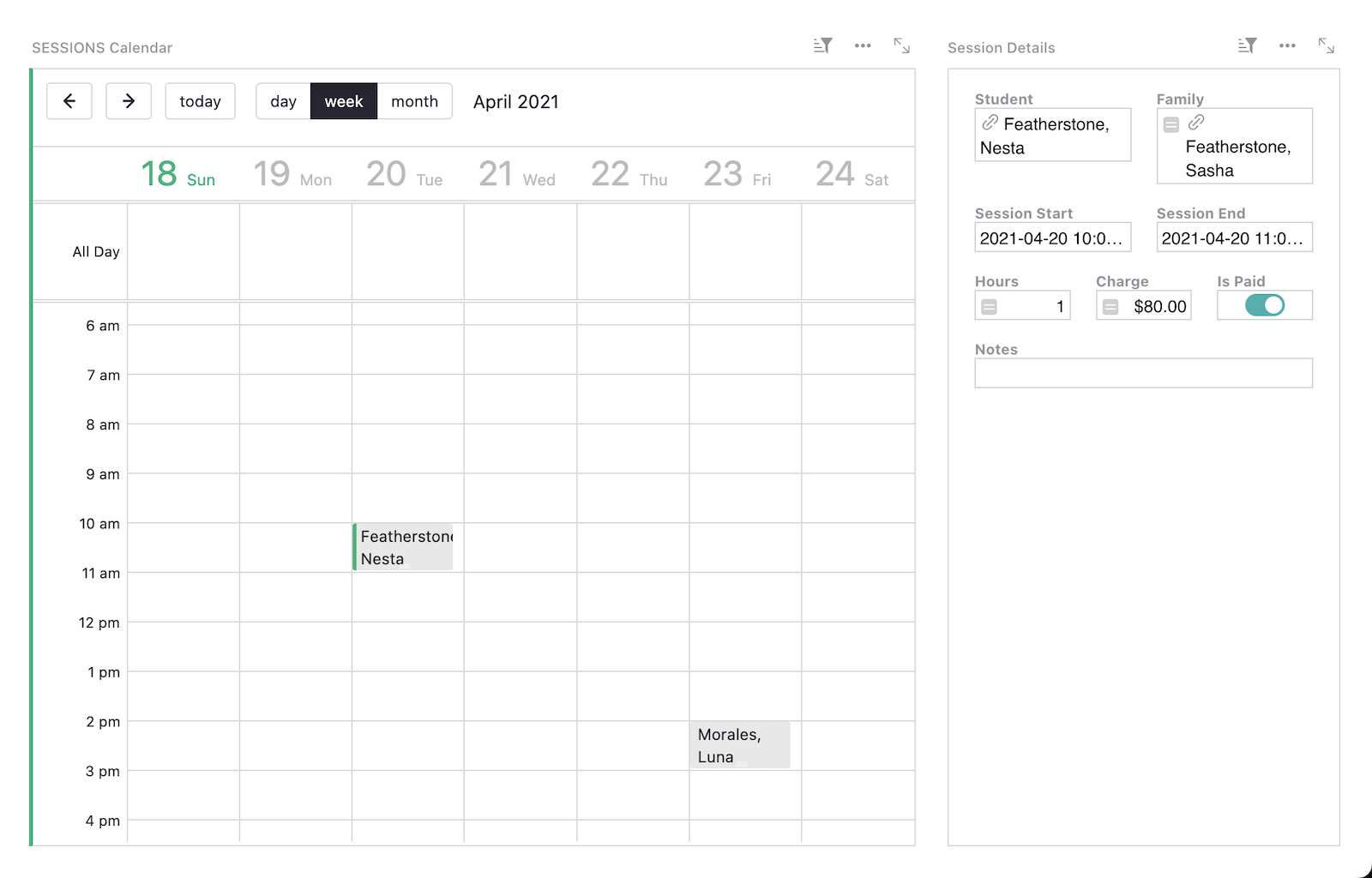
### Related Templates
[All spreadsheet templates](https://www.getgrist.com/templates/)
[](https://www.getgrist.com/templates/general-ledger-template/)
Analyze income and expenses by project and over time using our user-friendly general ledger with dynamic charts.
View Template
[](https://www.getgrist.com/templates/test-prep-template/)
Create timed sample tests and flashcards to ace your next test!
View Template
[](https://www.getgrist.com/templates/flashcards-template/)
Prepare for any test with our simple, digital flashcards builder.
View Template
[](https://www.getgrist.com/templates/time-tracking-template/)
Track billable hours and generate invoices in this streamlined template.
View Template
[](https://www.getgrist.com/templates/invoicing-template/)
Create printable invoices directly from your spreadsheet data.
View Template
[](https://www.getgrist.com/templates/class-enrollment-template/)
Manage class enrollment and student data efficiently with our easy-to-use relational spreadsheet.
View Template
[](https://www.getgrist.com/)
* [Twitter](https://twitter.com/getgrist)
* [LinkedIn](https://www.linkedin.com/company/grist-labs/)
* [Facebook](https://www.facebook.com/getgrist)
* [YouTube](https://www.youtube.com/channel/UCx0ioQrrC-bIrkmZ7ZULr0g)
* [TikTok](https://www.tiktok.com/@getgrist)
Create a free site
------------------
You may create a Personal or a Team site:
#### Personal
Easiest way to get started
[Get Started](https://docs.getgrist.com/welcome/start)
#### New Team Site
Help your whole team be more productive
[Create Free Team Site](https://docs.getgrist.com/billing/create-team?planType=teamFree)
close
---
# Spreadsheet for Sports Facility Management | Grist
##### Sports Facility management
Data that works as a team
=========================
Your data can work together. Get the answers you need by building a better spreadsheet with Grist.
[Sign up for free](https://docs.getgrist.com/welcome/start)
The game plan:
--------------
#### Spreadsheet + database
Store data in one place – a relational database with no duplication.
#### Streamlined workflow
Connect related information so that all your data works towards your goals.
#### Business intelligence
Dynamic dashboards with charts and custom widgets let you focus on what matters.
#### Reporting
With data properly organized, keeping track of performance and projections is easy.
settings
Custom-built for your facility
------------------------------
done
Design and build your own workflow.
done
Use out-of-the-box tables, cards, charts, forms and more, or build your own custom views.
done
Future-proof your data by building on a database foundation, ensuring optimal structure.
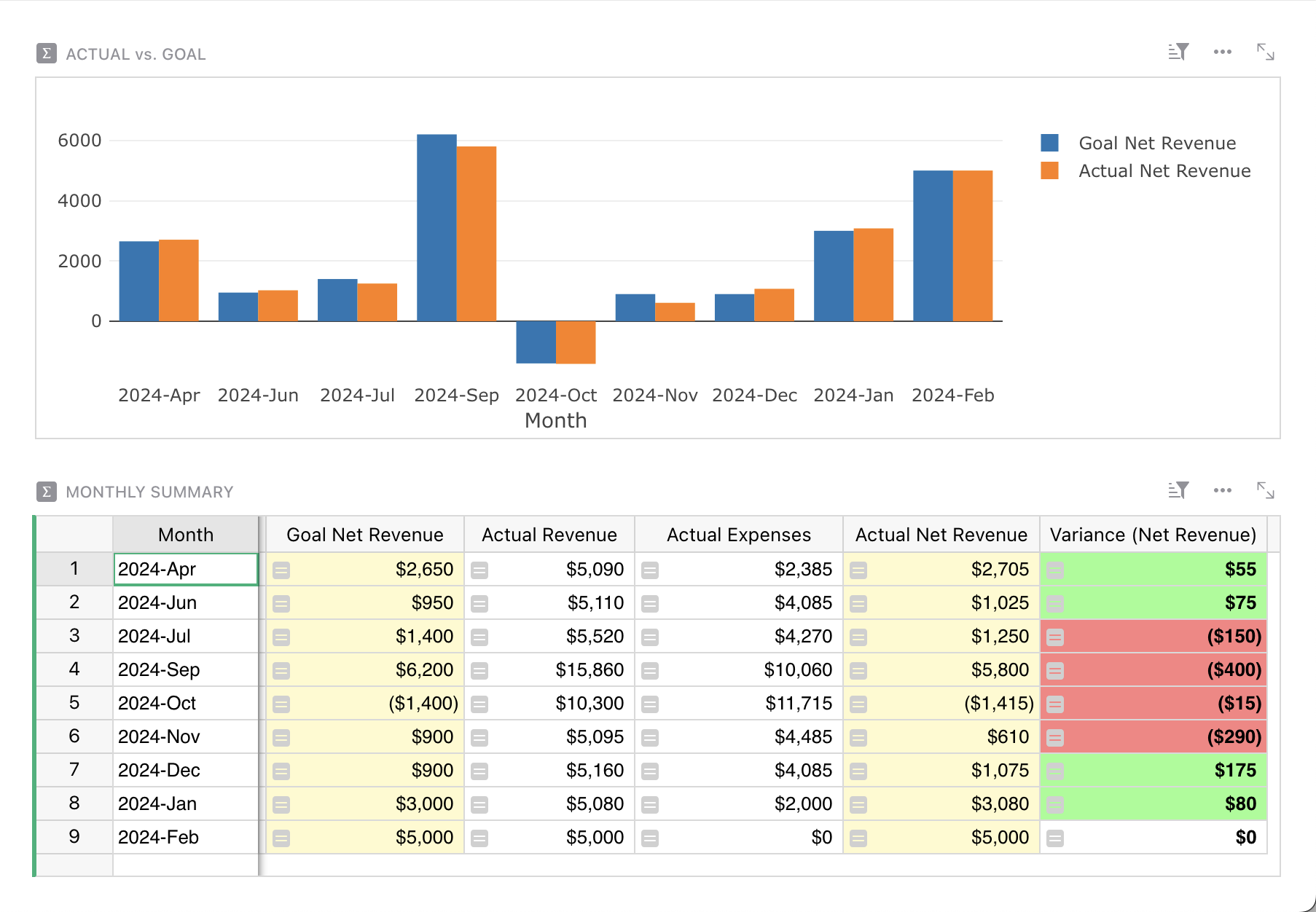
Revenue & projections dashboard
groups
Teamwork is collaborative.
Your spreadsheets should be too.
-------------------------------------------------------------
done
See the latest data in real time, always. Work confidently as a full team with custom permissions.
done
Rest easy with automatic backups and document history.
done
Work anywhere. Access at the office, at home, even on the field – in the browser, and on phones and tablets.
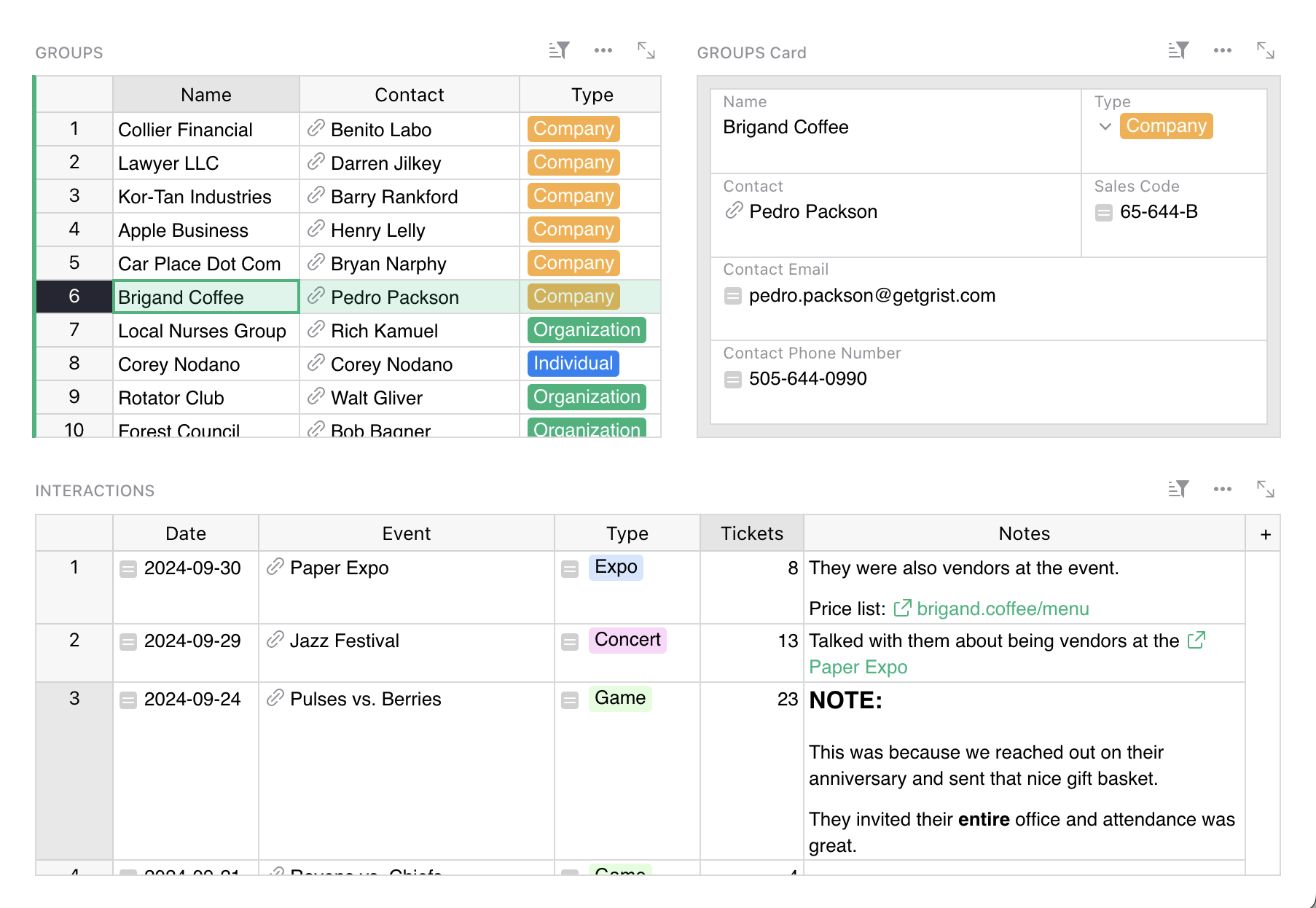
Group sales tracker/CRM
lock
Connect your data instead of copying it
---------------------------------------
done
Only store things once. No duplication means less mess and easier maintainability.
done
Control access down to the cell. Collaborate securely across different roles, from managers to volunteers.
done
Run Grist on [your own infrastructure](https://www.getgrist.com/product/self-managed/)
for full data ownership.
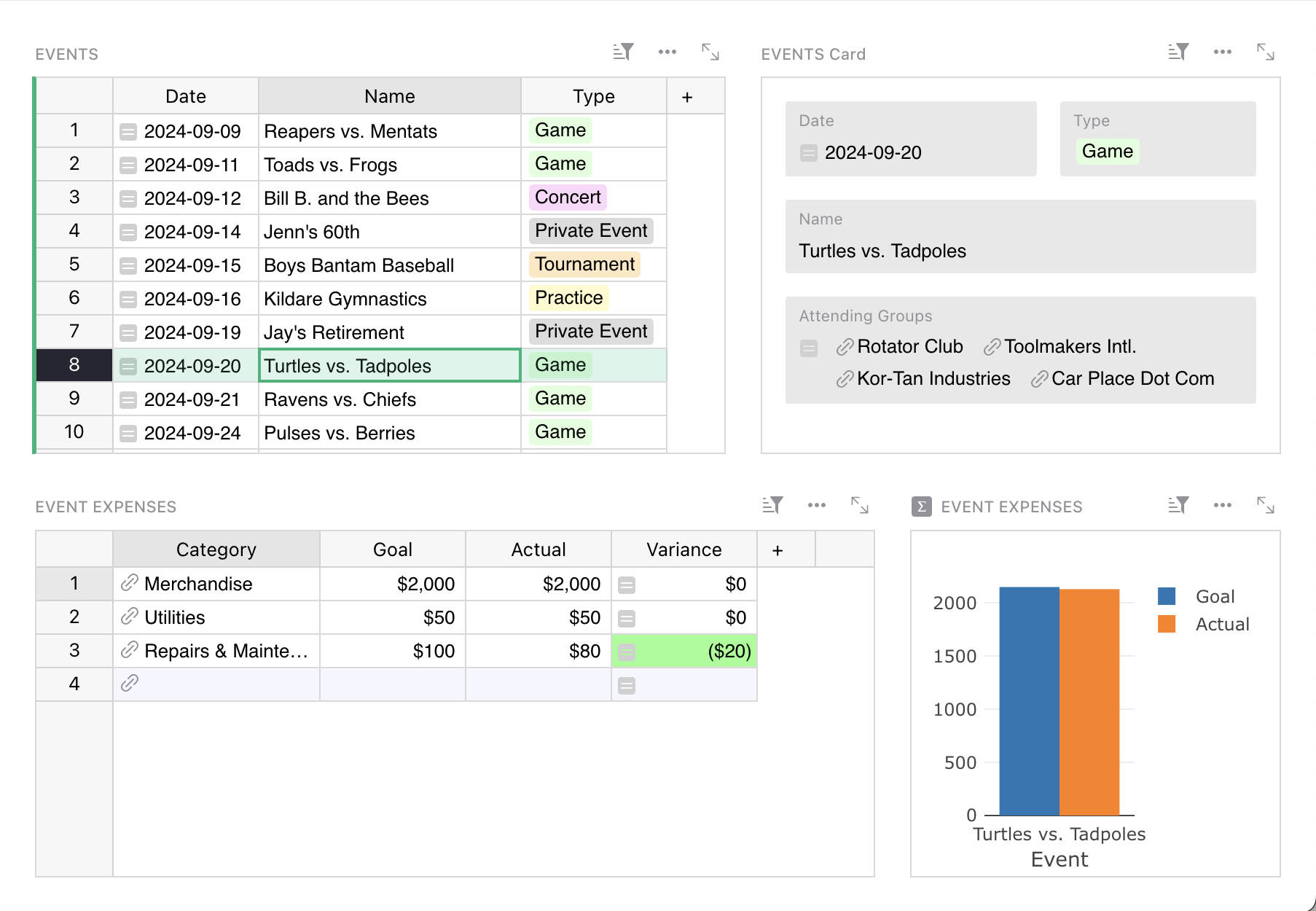
Event tracker with budget analysis
##### Professional Services
Grist Solutions
---------------
We’ll create a custom solution that makes your data more useful – now, and far in the future.
[Inquire now](https://www.getgrist.com/contact/)
[Learn more](https://www.getgrist.com/solutions/)
done
**Plan your solution
**Work with us to identify workflow pain points and improvements.
done
**Customize based on your needs**
We’ll create a solution that fits, and a solution that lasts.
done
**Build with experts**
Not just a custom solution, but expert advice from those closest to Grist.
##### Templates
Pre-built templates
-------------------
Get a running start with many templates to choose from,
to use as is or customize to your needs.
[View all templates](https://www.getgrist.com/templates/)
[](https://www.getgrist.com/templates/budget-template/)
Create printable invoices directly from your spreadsheet data.
View Template
[](https://www.getgrist.com/templates/payroll-template/)
Manage hourly payroll calculations and tracking in a single relational spreadsheet.
View Template
[](https://www.getgrist.com/templates/lightweight-crm-template/)
Manage customer info and interactions in a user-friendly, spreadsheet-style CRM template.
View Template
More tools
----------
[Survey & form builder](https://www.getgrist.com/forms/)
[Calendar view](https://support.getgrist.com/widget-calendar/)
[Self-hosting](https://www.getgrist.com/product/self-managed/)
[AI spreadsheet assistant](https://www.getgrist.com/ai-assistant/)
[Pre-built templates](https://www.getgrist.com/templates/)
[REST API](https://support.getgrist.com/rest-api/)
[open-source](https://github.com/gristlabs/grist-core/)
[Detailed documentation](https://support.getgrist.com/)
Python support
SQL endpoint
Multi-language UI
Webhooks
Markdown rendering
Automated backups
Conditional formatting
Build with Grist
----------------
Discover why Grist is the evolution of spreadsheets.
[Sign up for free](https://docs.getgrist.com/welcome/start)
[Book a demo](https://www.getgrist.com/spreadsheet-for-sports-facility-management/#book-demo)
[](https://www.getgrist.com/)
* [Twitter](https://twitter.com/getgrist)
* [LinkedIn](https://www.linkedin.com/company/grist-labs/)
* [Facebook](https://www.facebook.com/getgrist)
* [YouTube](https://www.youtube.com/channel/UCx0ioQrrC-bIrkmZ7ZULr0g)
* [TikTok](https://www.tiktok.com/@getgrist)
Create a free site
------------------
You may create a Personal or a Team site:
#### Personal
Easiest way to get started
[Get Started](https://docs.getgrist.com/welcome/start)
#### New Team Site
Help your whole team be more productive
[Create Free Team Site](https://docs.getgrist.com/billing/create-team?planType=teamFree)
close
---
# Grist Webinar - Link Keys
In July, we covered how to use one of Grist’s coolest and least explored features: link keys. Learn how to use Grist’s link keys to share partial data – even just a single row – with third parties.
### Timestamps
00:00 Feature highlight: Using common v separate cell style settings 👀
03:45 Intro
06:18 Making a document publicly accessible
07:23 Assigning a unique, hard-to-guess ID using [UUID()](https://support.getgrist.com/functions/#uuid)
08:31 Creating a trigger formula
09:27 Creating a unique link using [SELF\_HYPERLINK()](https://support.getgrist.com/functions/#self_hyperlink)
and a LinkKey
11:30 Adding a label to SELF\_HYPERLINK()
14:00 Setting up [access rules](https://support.getgrist.com/access-rules)
15:41 Restrict row level access
16:29 Creating a user attribute
20:35 Restrict table level access
23:52 Tip: Always test your access rules!
25:00 Restrict column level access
27:19 User Question: How to hide a page
### Links:
* **Community Forum:** [https://community.getgrist.com/](https://community.getgrist.com/)
* **Discord Server:** [https://discord.gg/MYKpYQ3fbP](https://www.youtube.com/redirect?event=video_description&redir_token=QUFFLUhqa183Y2dKaFJwUlM4V0JWZHFvb2N5UkMtZXBsZ3xBQ3Jtc0trQTFxcy0tejRROVh6TkR2WVhER0JfYnlwV1pWOHhZV0Q0VHpqdDhZQ2lIWFNnX05JU0RTYktqckVxX0VaNXJ2VWdMNlYtWG9TY1g1TGRTSVdxWEhrV2JaRURZTV9ZMm9QVWZIMVFtajRQUktPcXg0RQ&q=https%3A%2F%2Fdiscord.gg%2FMYKpYQ3fbP&v=HDaIiXmsF80)
* **Help Center:** [https://support.getgrist.com/](https://support.getgrist.com/)
* **Event Volunteering Template:** [https://templates.getgrist.com/9x8X3naCQmX8/Event-Volunteering](https://templates.getgrist.com/9x8X3naCQmX8/Event-Volunteering)
* **Link Keys:** [https://support.getgrist.com/access-rules/#link-keys](https://support.getgrist.com/access-rules/#link-keys)
* **Link Keys Guide:** [https://support.getgrist.com/examples/2021-04-link-keys/](https://support.getgrist.com/examples/2021-04-link-keys/)
* **UUID() Function:** [https://support.getgrist.com/functions/#uuid](https://support.getgrist.com/functions/#uuid)
* **SELF\_HYPERLINK() Function:** [https://support.getgrist.com/functions/#self\_hyperlink](https://support.getgrist.com/functions/#self_hyperlink)
[](https://www.getgrist.com/webinars/how-dotphoton-built-a-fully-traceable-qa-system-for-the-european-space-agency/)
How Dotphoton built a fully traceable QA system for the European Space Agency
=============================================================================
Bruno Sanguinetti of Dotphoton shows how his on-prem QA traceability system that meets the standards of the European Space Agency.
[](https://www.getgrist.com/webinars/mcp-grist-a-first-look/)
MCP + Grist: A First Look
=========================
Join co-founder Stan for a sneak peek at Grist’s official MCP server, making it easier than ever to connect AI tools with Grist.
[](https://www.getgrist.com/webinars/vibing-with-grist-ai-assisted-custom-data-interfaces/)
Vibing with Grist: AI Assisted Custom Data Interfaces
=====================================================
Use AI to bring your data to life. Build dynamic visualizations with Vibe View and interactive widgets with the Custom Widget Builder.
[](https://www.getgrist.com/)
* [Twitter](https://twitter.com/getgrist)
* [LinkedIn](https://www.linkedin.com/company/grist-labs/)
* [Facebook](https://www.facebook.com/getgrist)
* [YouTube](https://www.youtube.com/channel/UCx0ioQrrC-bIrkmZ7ZULr0g)
* [TikTok](https://www.tiktok.com/@getgrist)
Create a free site
------------------
You may create a Personal or a Team site:
#### Personal
Easiest way to get started
[Get Started](https://docs.getgrist.com/welcome/start)
#### New Team Site
Help your whole team be more productive
[Create Free Team Site](https://docs.getgrist.com/billing/create-team?planType=teamFree)
close
---
# Nonprofit Database Software | 50% Discount for Registered Nonprofits
##### grist for Nonprofit
The nonprofit database software that grows with your mission
============================================================
Track donors, manage volunteers, and measure impact with Grist’s flexible nonprofit database that grows with your mission.
[Get started](https://docs.getgrist.com/welcome/start)
[Request demo](https://www.getgrist.com/contact/)
Built for nonprofit budgets
---------------------------
#### Affordable database software for nonprofits of all sizes.
done
**50% nonprofit discount**
Registered nonprofit organizations receive 50% off Pro plans. Because your dollars should go to your mission, not software.
done
**Free for small nonprofits**
Start free with up to 5,000 constituent records. Perfect for grassroots organizations and new nonprofits.
[Pricing](https://www.getgrist.com/pricing/)
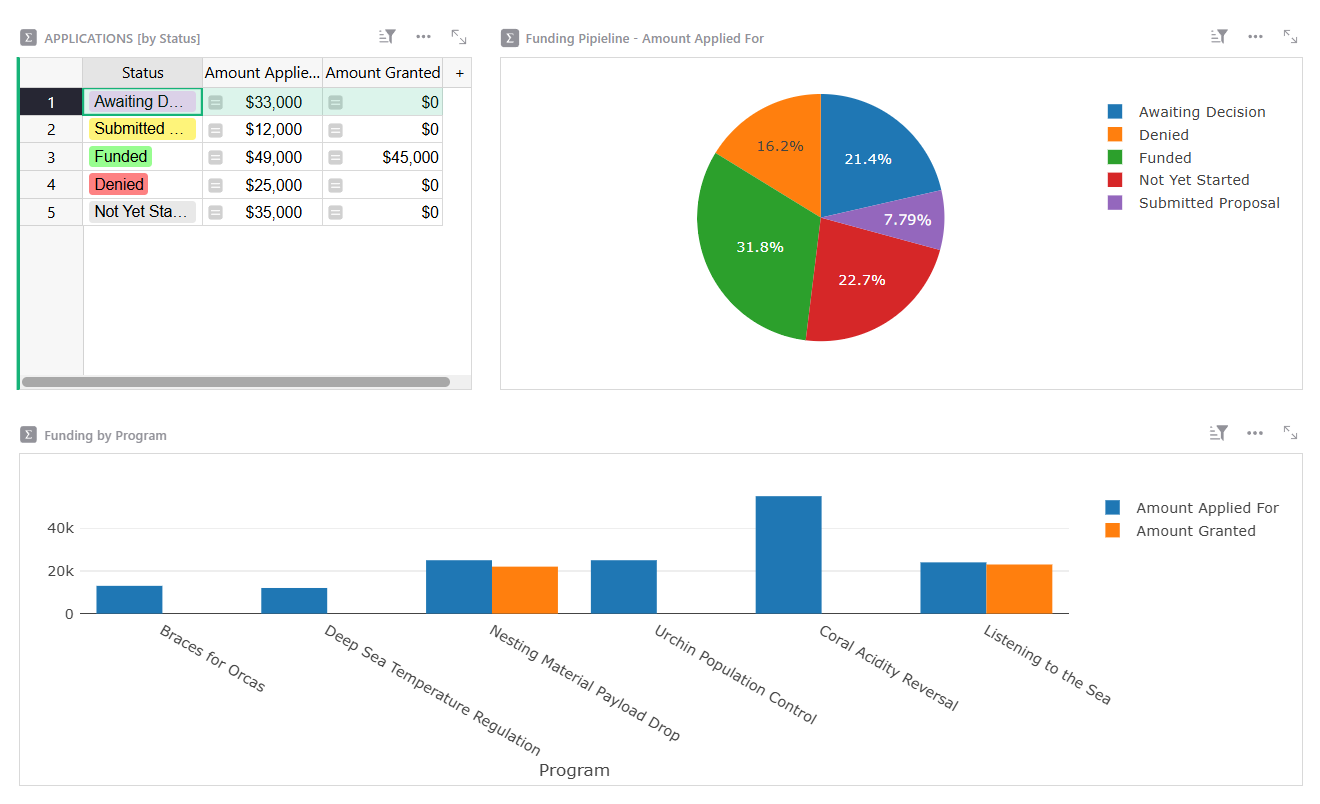
One platform, many nonprofit solutions
--------------------------------------
From donor tracking to volunteer management, grant administration to program outcomes, Grist is the nonprofit database management software that adapts to how your nonprofit works.
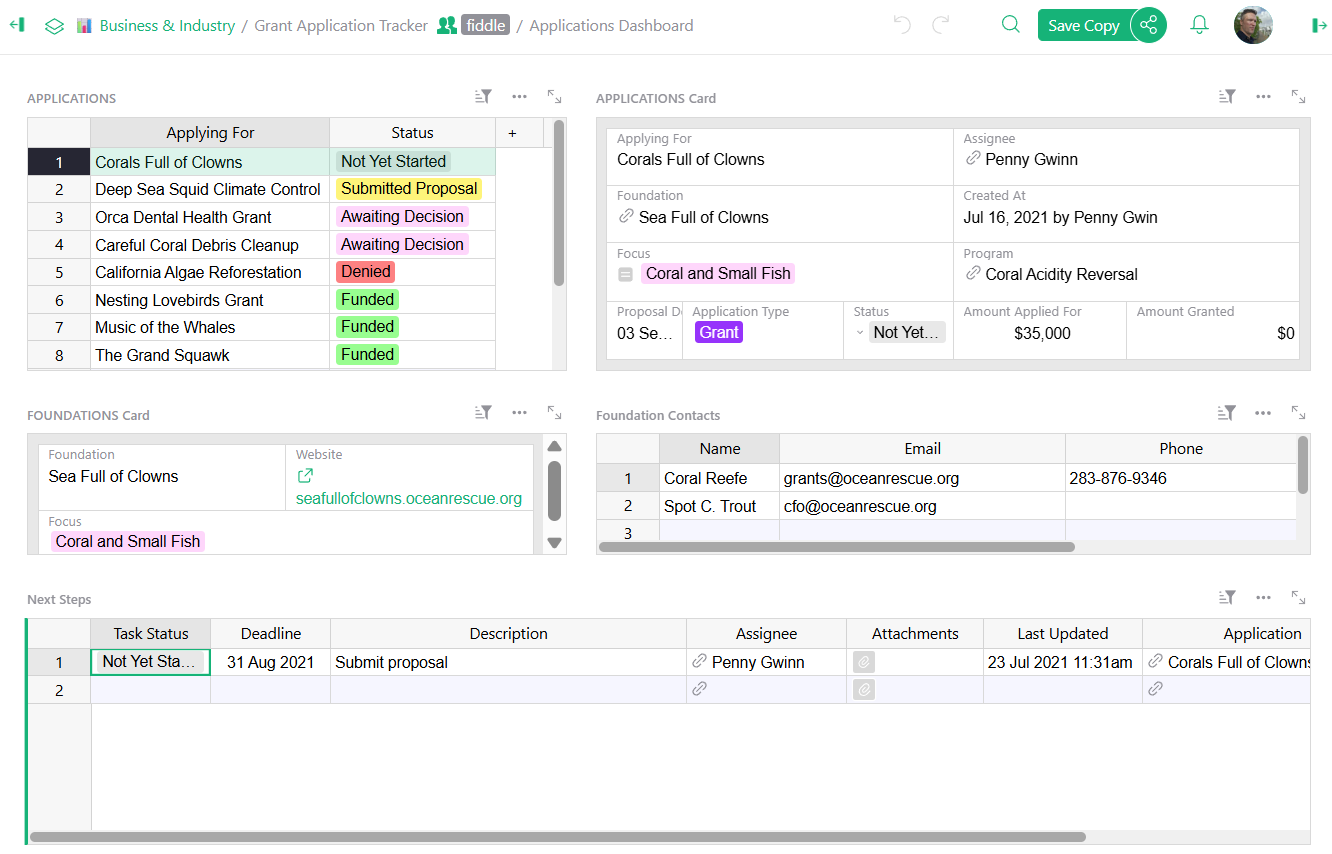
Donor tracking and fundraising
------------------------------
No more juggling multiple spreadsheets to track donations and donor relationships.
done
Track donor history, giving levels, and engagement in one centralized database.
done
Generate tax receipts and acknowledgement letters automatically.
Volunteer management
--------------------
Keep your volunteers organized and engaged without the complexity of expensive nonprofit software.
done
Schedule shifts and track volunteer hours.
done
Manage volunteer applications and background checks in one place.
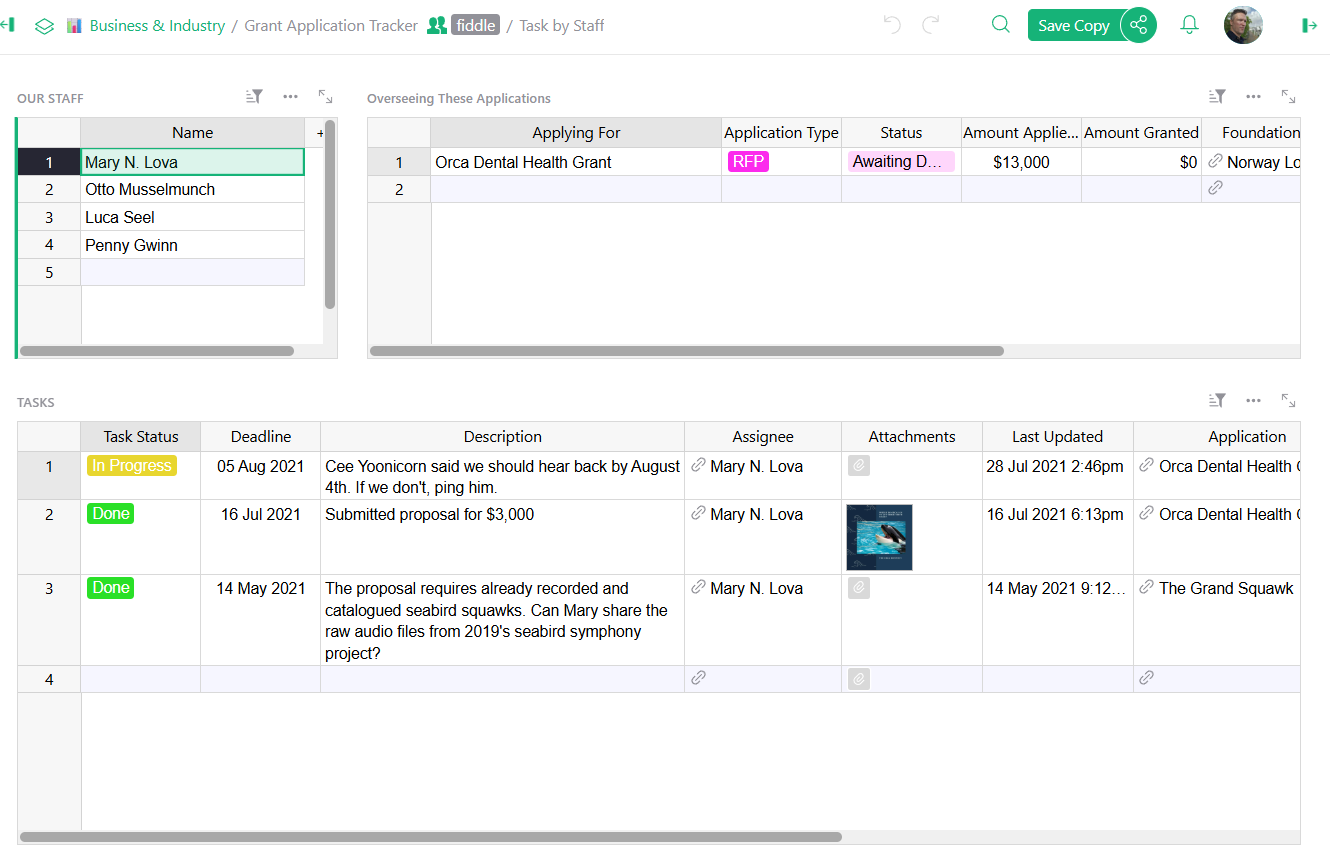
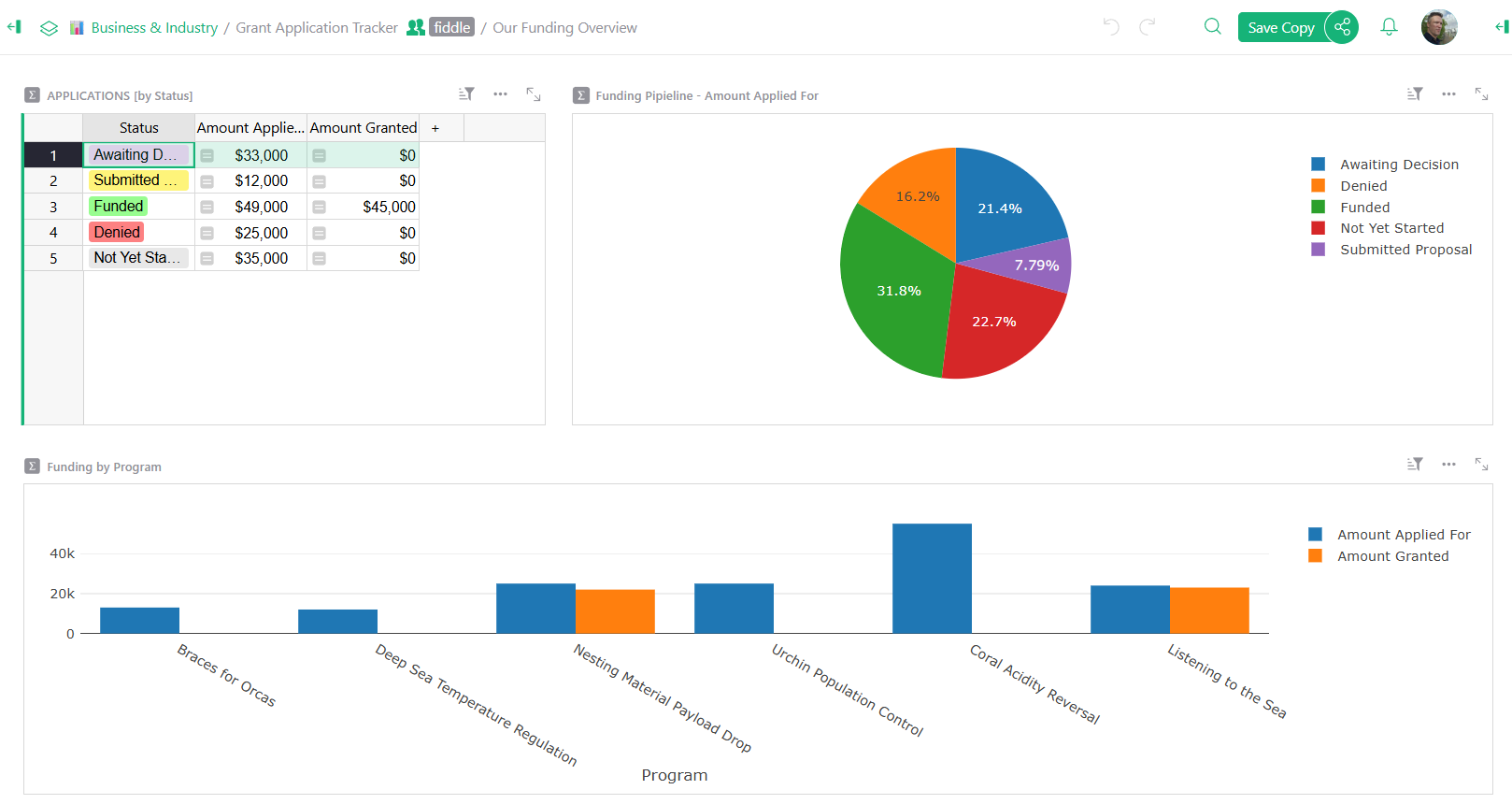
Grant tracking and reporting
----------------------------
Stay on top of grant deadlines, budgets, and reporting requirements.
done
Track multiple grants with different fiscal years and requirements.
done
Generate funder reports with automated summaries and charts.
> “I love Grist. It’s crazy powerful. I still can’t believe what we’ve been able to achieve in it. It’s the dream that low-code was sold as for years – we can do incredible things in each column with Python and we can build our own widgets to run on those! Wild!”
Elliot Lee
User Researcher
[View case studies](https://www.getgrist.com/case-studies/)
> “Grist has become our go-to for more complex, structured data. It sits somewhere between Excel and Access—powerful, relational, and flexible enough for prototyping real data-driven applications.”
Olivier Lambert
CEO at Vates
[View case studies](https://www.getgrist.com/case-studies/)
> “The more I use Grist, the more I LOVE it. I have been surveying self-hosted database GUI tools, and I was consistently disappointed with their shortcomings or bugginess. Grist is the first to have tilted the balance the other way.”
Stephen S.
Publications, Personal City Guides
[View case study](https://www.getgrist.com/case-studies/publication-app-open-source-spreadsheet/)
[All case studies](https://www.getgrist.com/case-studies/)
> “Grist has given us incredible flexibility to solve data problems and find solutions, whether it is for a small team at the district, or at scale with the entire district staff. We’re really excited about the different ways we can use it going forward.”
Director of Product
EdTech Company
[View case study](https://www.getgrist.com/case-studies/spreadsheet-collaboration-granular-access-rules/)
[All case studies](https://www.getgrist.com/case-studies/)
> “What I like about Grist the most is its focus. It appears simple, but it’s very powerful in a focused way. Grist has really improved our workflow and communication.”

Chris Scott
Co-founder in Digital Marketing
[View case study](https://www.getgrist.com/case-studies/missionsource-data-organization-digital-marketing/)
[All case studies](https://www.getgrist.com/case-studies/)
> “If people spend some time learning a new tool they’ll have more power to do their work and research. I said to one of my students, ‘You will be very very happy using Grist because you are miserable using Excel!'”

Eduardo Dalcin, Ph.D.
Biodiversity Informatics Expert
[View case study](https://www.getgrist.com/case-studies/relational-spreadsheets-protect-brazil-plants-conservation/)
[All case studies](https://www.getgrist.com/case-studies/)
> “Most CRMs don’t work the way Grist works. Grist’s layouts are simple and do exactly what we need.”
Jennifer Bledsoe
IT Tech at Law Firm
[View case study](https://www.getgrist.com/case-studies/law-firm-built-custom-crm/)
[All case studies](https://www.getgrist.com/case-studies/)
> “I discovered Grist after becoming frustrated with the limitations of Excel and Google Sheets. Grist has been a breath of fresh air, especially with its ability to handle structured data in a way that feels familiar to anyone with experience in relational databases, but with the added flexibility of Python.”
Will Bailey
Small Business Manager
[View case studies](https://www.getgrist.com/case-studies/)
> “Sharing an Access database is near impossible, but Grist makes sharing a relational database simple.”
Walt Rice
IT Consultant
[View case studies](https://www.getgrist.com/case-studies/)
> “I needed an open-source master database that could connect to n8n and AI tools. After trying Notion, Airtable, Siyuan, Baserow, and NocoDB, I chose Grist for its Python-native AI support, flexible integrations, and simple n8n connections.”
Robin A.
Project Manager
[View case studies](https://www.getgrist.com/case-studies/)
> “I’ve worked extensively with NocoDB, Notion, SeaTable, and Baserow, and Grist really stands out. The balance between spreadsheet-style flexibility and structured, low-code database design is excellent.”
Andriy Kostyuk
Automation Engineer, Founder at Enceladus
[View case studies](https://www.getgrist.com/case-studies/)
Flexible and intuitive
----------------------
#### Designed for nonprofit workflows
done
**Donor segmentation made easy**
Created targeted donor lists and track major gifts, recurring donors, and lapsed supporters with powerful filtering.
done
**Secure constituent data**
Control who sees sensitive donor information with granular permissions, making it the secure choice of software for nonprofit data management.
done
**Impact reporting**
Transform your program data into compelling stories with charts and dashboards that demonstrate your nonprofit’s impact.
[Learn more](https://www.getgrist.com/product/)

Migration and support
---------------------
#### Switch from basic spreadsheets or legacy systems with confidence.
done
**Import your existing data**
Upload donor databases from Excel, CSV, or export from Salesforce, Raiser’s Edge, or DonorPerfect. Our tables map common fields automatically.
done
**Nonprofit-specific templates**
Pre-built templates for donor management, volunteer tracking, event planning, grant reporting, and more.
done
**Community-powered success**
Join hundreds of businesses (and nonprofits) already using Grist. Access shared templates and widgets from the [Grist Community](https://community.getgrist.com/)
.

Connect your nonprofit tools
----------------------------
#### Grist integrates with your nonprofit tech stack.
done
**Email & communications**
Connect with Mailchimp, Constant Contact, and Gmail through Zapier integrations for donor communications and campaigns.
done
**Payment processing**
Use Zapier or our API to connect Stripe, PayPal, and Square for donation tracking and financial data management.
done
**Accounting & reporting**
Export data to CSV/Excel for QuickBooks import, and create custom reports for foundations and grant applications using Grist’s flexible reporting tools.
done
**Integrations**
Use Zapier, webhooks, or our REST API to connect with virtually any software your nonprofit uses.

##### Templates
More templates
--------------
[View all templates](https://www.getgrist.com/templates/)
[](https://www.getgrist.com/templates/grant-application-tracker-template/)
Consolidate your application process, contact information and funding goals in intuitive, interconnected dashboards.
View Template
[](https://www.getgrist.com/templates/investment-research-template/)
Uncover trends by exploring investment data across categories and time using vibrant, dynamic charts.
View Template
[](https://www.getgrist.com/templates/lightweight-crm-template/)
Manage customer info and interactions in a user-friendly, spreadsheet-style CRM template.
View Template
##### PROFESSIONAL SERVICES
Build with an expert
--------------------
Need a solution built in Grist? Let our experts do the work.
[Inquire now](https://www.getgrist.com/contact/)
[Learn more](https://www.getgrist.com/solutions/)
done
**Plan your solution
**Identify workflow pain points, and improvements.
done
**Design for your needs**
Leverage Grist’s flexibility to your advantage.
done
**Build with experts**
Work with our experts to get to your solution quickly.
Frequently asked questions
--------------------------
##### Is Grist secure for storing sensitive donor information?
Yes. Grist prioritizes data privacy with granular access controls. You can share your database with your entire team while restricting access to sensitive columns (like donation amounts or personal addresses) ensuring that volunteers and staff see only the information they need to do their work.
##### Does Grist offer pricing discounts for nonprofit organizations?
Absolutely. We believe your dollars should go toward your mission, not software. Registered nonprofits receive a 50% discount on our Pro plans. Additionally, Grist is completely free for small organizations managing up to 5,000 records.
##### Can I replace my existing CRM or volunteer management software with Grist?
Yes, Grist is designed to consolidate your tools. Instead of paying for separate subscriptions for donor management, volunteer scheduling, and grant tracking, you can build a custom ecosystem in Grist that handles all these workflows in one unified place.
##### Do I need technical skills to build a database in Grist?
Not at all. If you are comfortable using a spreadsheet, you can build powerful tools in Grist. We also offer pre-built templates specifically for nonprofits (including donor CRMs and grant trackers) so you can get started immediately without building from scratch.
##### How easily can I migrate my current data from Excel or other tools?
Migration is seamless. You can import your existing data directly from Excel or CSV files. Grist is also designed to ingest exports from legacy systems like Salesforce, Raiser’s Edge, or DonorPerfect, with intelligent mapping that helps organize your columns automatically.
Focus on your mission, not your spreadsheets
--------------------------------------------
Stop managing your impact on fragile spreadsheets. Join the organizations that switched to Grist for robust, flexible nonprofit software that grows with your cause. It is free to start, easy to customize, and built to scale.
[Sign up for free](https://docs.getgrist.com/welcome/start)
[Book a demo](https://www.getgrist.com/nonprofit/#book-demo)
[](https://www.getgrist.com/)
* [Twitter](https://twitter.com/getgrist)
* [LinkedIn](https://www.linkedin.com/company/grist-labs/)
* [Facebook](https://www.facebook.com/getgrist)
* [YouTube](https://www.youtube.com/channel/UCx0ioQrrC-bIrkmZ7ZULr0g)
* [TikTok](https://www.tiktok.com/@getgrist)
Create a free site
------------------
You may create a Personal or a Team site:
#### Personal
Easiest way to get started
[Get Started](https://docs.getgrist.com/welcome/start)
#### New Team Site
Help your whole team be more productive
[Create Free Team Site](https://docs.getgrist.com/billing/create-team?planType=teamFree)
close
---
# MCP + Grist: A First Look | Grist
Grist Labs co-founder Stan gives sneak peek at the new Grist MCP server. If you’re new to AI workflows, Model Context Protocol (MCP) is a standard that makes it easier for AI models to access external data.
Stan starts with a quick demo that shows the simplicity and power of a basic MCP implementation, and then dives into an integration with Grist, GitHub, and AI agents to help deal with COE (correction of error) in software workflows.
### Timestamps
00:00 Stan intro + roadmap
01:20 Simple CRM + MCP example
03:05 Configuring Claude connector
05:20 Grist + Claude demo
11:15 Grist + Codex (OpenAI) demo
14:00 Validating data quality using AI
18:46 COE (correction of error) document introduction
21:10 Connecting Grist + GitHub with MCP
24:30 Issue triage live demo
31:10 Summary and highlights
34:20 Q&A
### Useful links
* More webinars: https://www.getgrist.com/webinars/
* Help Center: https://support.getgrist.com/
* Community Forum: https://community.getgrist.com/
* Discord: https://discord.gg/MYKpYQ3fbP
### Other links mentioned
* MCP documentation: https://support.getgrist.com/mcp/
* Copilot MCP connection help: https://gh.io/copilot-coding-agent-mcp-docs
[](https://www.getgrist.com/webinars/how-dotphoton-built-a-fully-traceable-qa-system-for-the-european-space-agency/)
How Dotphoton built a fully traceable QA system for the European Space Agency
=============================================================================
Bruno Sanguinetti of Dotphoton shows how his on-prem QA traceability system that meets the standards of the European Space Agency.
[](https://www.getgrist.com/webinars/vibing-with-grist-ai-assisted-custom-data-interfaces/)
Vibing with Grist: AI Assisted Custom Data Interfaces
=====================================================
Use AI to bring your data to life. Build dynamic visualizations with Vibe View and interactive widgets with the Custom Widget Builder.
[](https://www.getgrist.com/webinars/automations-the-beginning/)
Automations: The Beginning
==========================
Automations are here! Join us to learn how to automatically send email notifications when your Grist data changes.
[](https://www.getgrist.com/)
* [Twitter](https://twitter.com/getgrist)
* [LinkedIn](https://www.linkedin.com/company/grist-labs/)
* [Facebook](https://www.facebook.com/getgrist)
* [YouTube](https://www.youtube.com/channel/UCx0ioQrrC-bIrkmZ7ZULr0g)
* [TikTok](https://www.tiktok.com/@getgrist)
Create a free site
------------------
You may create a Personal or a Team site:
#### Personal
Easiest way to get started
[Get Started](https://docs.getgrist.com/welcome/start)
#### New Team Site
Help your whole team be more productive
[Create Free Team Site](https://docs.getgrist.com/billing/create-team?planType=teamFree)
close
---
# Test Prep Template (Free & Interactive!)
**Test Prep**
[**Open Full Template**](https://templates.getgrist.com/31mHTkbzmXvm/Test-Prep-)

About the Test Prep Template
----------------------------
Prepare for standardized tests using our comprehensive test prep template. Benefit from a built-in timer that tracks time per question, along with formulas that automatically calculate correct, wrong, and skipped questions. Organize practice tests into categories, such as subject or test versions. Customize the template to match your specific test requirements by referring to our [Modifying Grist Templates webinar](https://www.youtube.com/watch?v=T1Xq4Y2jV50&feature=youtu.be)
.
* Formulas calculate time spent on questions, and track correct, wrong, or skipped answers.
* Easily reset tests with a click.
* Build flashcards to improve recall of important facts.
How to use this free study template
-----------------------------------
1. First, select a subject in the ‘TESTS \[by Subject\]’ widget.
2. Then, select one of the practice tests available for that subject. Enter an answer for each of the questions.
3. To check your knowledge, select ‘UNLOCK’ to see answers.
4. If your test has a time constraint, a timer has been provided that will record how long it takes you to answer each question. Your total time is recorded at the top of the page.
5. To reset the practice test, toggle the Reset bar. This will clear answers and timers.
6. Flashcards are one of the most effective forms of study because they promote active recall in your brain. Create your own flashcard set by creating a column of Questions and a column of Answers.
7. Minimize the questions and answers into a button at the top of the page by clicking the three-dot icon at the upper right of the table then select ‘Collapse widget’ so that all you see is the flashcard.
8. Create a new test by selecting a subject then giving the test a name.
9. Add questions, choices and correct answers for your test.
10. Lock the answers so the new practice test is ready to go for students.
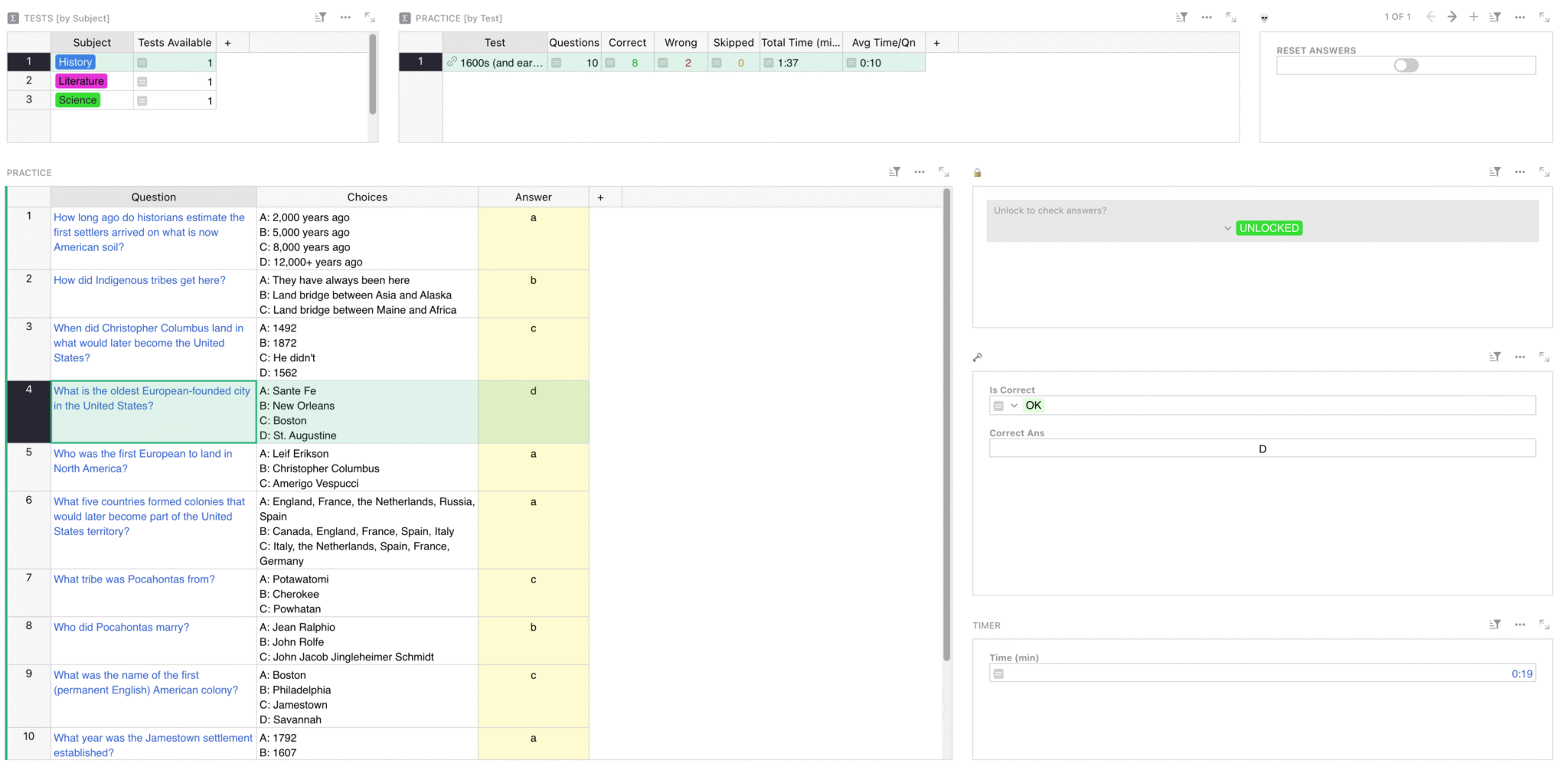
### Related Templates
[All spreadsheet templates](https://www.getgrist.com/templates/)
[](https://www.getgrist.com/templates/budget-template/)
Create printable invoices directly from your spreadsheet data.
View Template
[](https://www.getgrist.com/templates/flashcards-template/)
Prepare for any test with our simple, digital flashcards builder.
View Template
[](https://www.getgrist.com/templates/event-speakers-template/)
Monitor your speaker booking progress for events using our streamlined dashboard.
View Template
[](https://www.getgrist.com/templates/book-club-template/)
Organize your bookclub in this simple spreadsheet. Auto-generated links streamline book searches.
View Template
[](https://www.getgrist.com/templates/class-enrollment-template/)
Manage class enrollment and student data efficiently with our easy-to-use relational spreadsheet.
View Template
[](https://www.getgrist.com/templates/lightweight-crm-template/)
Manage customer info and interactions in a user-friendly, spreadsheet-style CRM template.
View Template
[](https://www.getgrist.com/)
* [Twitter](https://twitter.com/getgrist)
* [LinkedIn](https://www.linkedin.com/company/grist-labs/)
* [Facebook](https://www.facebook.com/getgrist)
* [YouTube](https://www.youtube.com/channel/UCx0ioQrrC-bIrkmZ7ZULr0g)
* [TikTok](https://www.tiktok.com/@getgrist)
Create a free site
------------------
You may create a Personal or a Team site:
#### Personal
Easiest way to get started
[Get Started](https://docs.getgrist.com/welcome/start)
#### New Team Site
Help your whole team be more productive
[Create Free Team Site](https://docs.getgrist.com/billing/create-team?planType=teamFree)
close
---
# Business Budget Template | Grist
**Business Budget**
**[Open Full Template](https://templates.getgrist.com/9mWWYLe5PCZK/Personal-Budget)
**

About the Business Budget Template
----------------------------------
Easily create a budget, track income and expenses, and compare expectations with financial reality. Input your budget, then your actual expenses, and the spreadsheet will do the rest.
* Customize budget period and categories for income and expenses.
* Formulas auto-calculate variance when you add transactions.
* Summary tables and charts auto-update with new data.
### Related Templates
[All spreadsheet templates](https://www.getgrist.com/templates/)
[](https://www.getgrist.com/templates/general-ledger-template/)
Analyze income and expenses by project and over time using our user-friendly general ledger with dynamic charts.
View Template
[](https://www.getgrist.com/templates/expense-tracker-template/)
Streamline expenses management by allowing employees to edit their own expenses, while protecting sensitive data.
View Template
[](https://www.getgrist.com/templates/time-tracking-template/)
Track billable hours and generate invoices in this streamlined template.
View Template
[](https://www.getgrist.com/templates/payroll-template/)
Manage hourly payroll calculations and tracking in a single relational spreadsheet.
View Template
[](https://www.getgrist.com/templates/invoicing-template/)
Create printable invoices directly from your spreadsheet data.
View Template
[](https://www.getgrist.com/templates/investment-research-template/)
Uncover trends by exploring investment data across categories and time using vibrant, dynamic charts.
View Template
[](https://www.getgrist.com/)
* [Twitter](https://twitter.com/getgrist)
* [LinkedIn](https://www.linkedin.com/company/grist-labs/)
* [Facebook](https://www.facebook.com/getgrist)
* [YouTube](https://www.youtube.com/channel/UCx0ioQrrC-bIrkmZ7ZULr0g)
* [TikTok](https://www.tiktok.com/@getgrist)
Create a free site
------------------
You may create a Personal or a Team site:
#### Personal
Easiest way to get started
[Get Started](https://docs.getgrist.com/welcome/start)
#### New Team Site
Help your whole team be more productive
[Create Free Team Site](https://docs.getgrist.com/billing/create-team?planType=teamFree)
close
---
# Grist Webinar - Custom Widgets
On April’s webinar, Natalie walked through how to configure the most useful custom widgets including image viewer, map, notepad and markdown, and more!
### Timestamps
00:00 Lightning Round – questions sent during sign-up
07:31 Activities document walkthrough for webinar
09:19 Image Viewer widget
11:53 Map widget
19:54 Notepad (rich text editor)
22:19 Markdown editor
25:38 HTML Viewer
29:09 Print Labels
34:23 Copy to clipboard widget
36:12 Action Button
[](https://www.getgrist.com/webinars/how-dotphoton-built-a-fully-traceable-qa-system-for-the-european-space-agency/)
How Dotphoton built a fully traceable QA system for the European Space Agency
=============================================================================
Bruno Sanguinetti of Dotphoton shows how his on-prem QA traceability system that meets the standards of the European Space Agency.
[](https://www.getgrist.com/webinars/mcp-grist-a-first-look/)
MCP + Grist: A First Look
=========================
Join co-founder Stan for a sneak peek at Grist’s official MCP server, making it easier than ever to connect AI tools with Grist.
[](https://www.getgrist.com/webinars/vibing-with-grist-ai-assisted-custom-data-interfaces/)
Vibing with Grist: AI Assisted Custom Data Interfaces
=====================================================
Use AI to bring your data to life. Build dynamic visualizations with Vibe View and interactive widgets with the Custom Widget Builder.
[](https://www.getgrist.com/)
* [Twitter](https://twitter.com/getgrist)
* [LinkedIn](https://www.linkedin.com/company/grist-labs/)
* [Facebook](https://www.facebook.com/getgrist)
* [YouTube](https://www.youtube.com/channel/UCx0ioQrrC-bIrkmZ7ZULr0g)
* [TikTok](https://www.tiktok.com/@getgrist)
Create a free site
------------------
You may create a Personal or a Team site:
#### Personal
Easiest way to get started
[Get Started](https://docs.getgrist.com/welcome/start)
#### New Team Site
Help your whole team be more productive
[Create Free Team Site](https://docs.getgrist.com/billing/create-team?planType=teamFree)
close
---
# Trigger Formulas | Grist
In April, we learned all about trigger formulas, when to use them, and common uses of trigger formulas to keep your data organized and productive.
### Timestamps
00:17 Questions submitted during sign-up
03:20 Webinar Introduction
04:26 Setting a default value with a trigger formula
08:13 Pulling in data from other columns into trigger formulas
11:30 Author stamps & user attributes in trigger formulas
15:16 Date & time stamps
18:58 Triggering timestamps based on choice column value
20:35 Using trigger formulas to pull data from a reference
24:17 Unique identifiers with trigger formulas & using them in access rules
35:29 Using ?style=light to strip page of menus
38:02 Data cleaning with trigger formulas
### Links
* Sprouts: [https://www.getgrist.com/sprouts-program/](https://www.getgrist.com/sprouts-program/)
* Community Forum: [https://community.getgrist.com/](https://community.getgrist.com/)
[](https://www.getgrist.com/webinars/how-dotphoton-built-a-fully-traceable-qa-system-for-the-european-space-agency/)
How Dotphoton built a fully traceable QA system for the European Space Agency
=============================================================================
Bruno Sanguinetti of Dotphoton shows how his on-prem QA traceability system that meets the standards of the European Space Agency.
[](https://www.getgrist.com/webinars/mcp-grist-a-first-look/)
MCP + Grist: A First Look
=========================
Join co-founder Stan for a sneak peek at Grist’s official MCP server, making it easier than ever to connect AI tools with Grist.
[](https://www.getgrist.com/webinars/vibing-with-grist-ai-assisted-custom-data-interfaces/)
Vibing with Grist: AI Assisted Custom Data Interfaces
=====================================================
Use AI to bring your data to life. Build dynamic visualizations with Vibe View and interactive widgets with the Custom Widget Builder.
[](https://www.getgrist.com/)
* [Twitter](https://twitter.com/getgrist)
* [LinkedIn](https://www.linkedin.com/company/grist-labs/)
* [Facebook](https://www.facebook.com/getgrist)
* [YouTube](https://www.youtube.com/channel/UCx0ioQrrC-bIrkmZ7ZULr0g)
* [TikTok](https://www.tiktok.com/@getgrist)
Create a free site
------------------
You may create a Personal or a Team site:
#### Personal
Easiest way to get started
[Get Started](https://docs.getgrist.com/welcome/start)
#### New Team Site
Help your whole team be more productive
[Create Free Team Site](https://docs.getgrist.com/billing/create-team?planType=teamFree)
close
---
# NPS Template | Grist
**NPS Template**
[**Open Full Template**](https://templates.getgrist.com/qvND7WUcuNb2/Net-Promoter-Score-Results)

About the NPS template
----------------------
Monitor customer satisfaction by analyzing net promoter score (NPS) results over time using dynamic and vibrant charts. Consolidate all responses in a single location and identify promoters and detractors. Quickly identify product issues. Customize the template to match your survey requirements by referring to our [Modifying Grist Templates webinar](https://www.youtube.com/watch?v=T1Xq4Y2jV50&feature=youtu.be)
Connect your survey to Grist using any [supported integration service](https://support.getgrist.com/integrators/)
or our [API](https://support.getgrist.com/api/)
.
* Charts summarize the data visually.
* Explore responses with quick filter buttons.
Keep your finger on the pulse of your customers’ satisfaction. Analyze and drill into your NPS survey responses.
How to use this free NPS template
---------------------------------
There are two key pages with layouts that help you analyze your data, and an all-important form to help you get the data in the first place.
### Dashboard
Use this dashboard to visualize your customers’ overall satisfaction with your service or product.
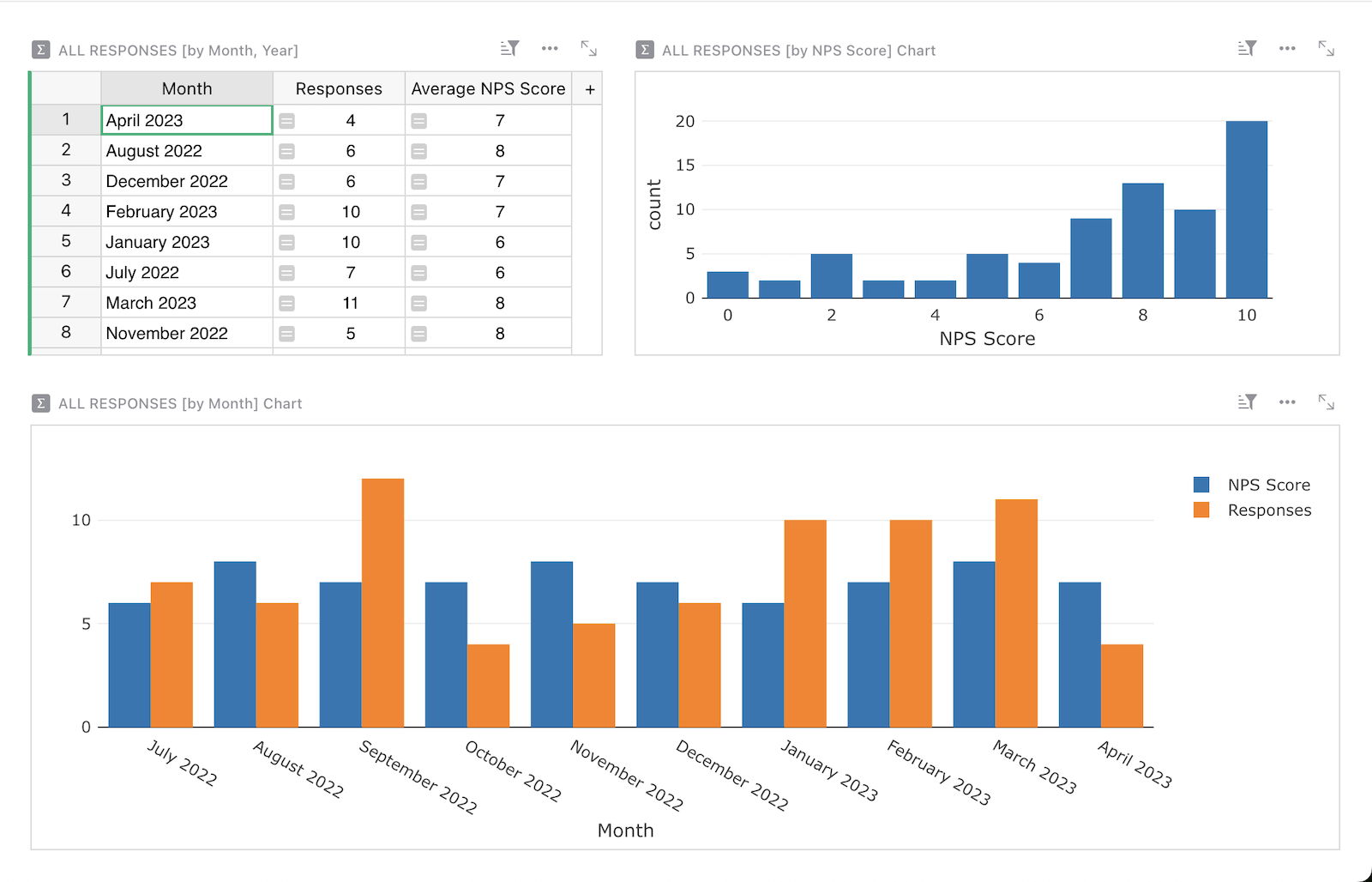
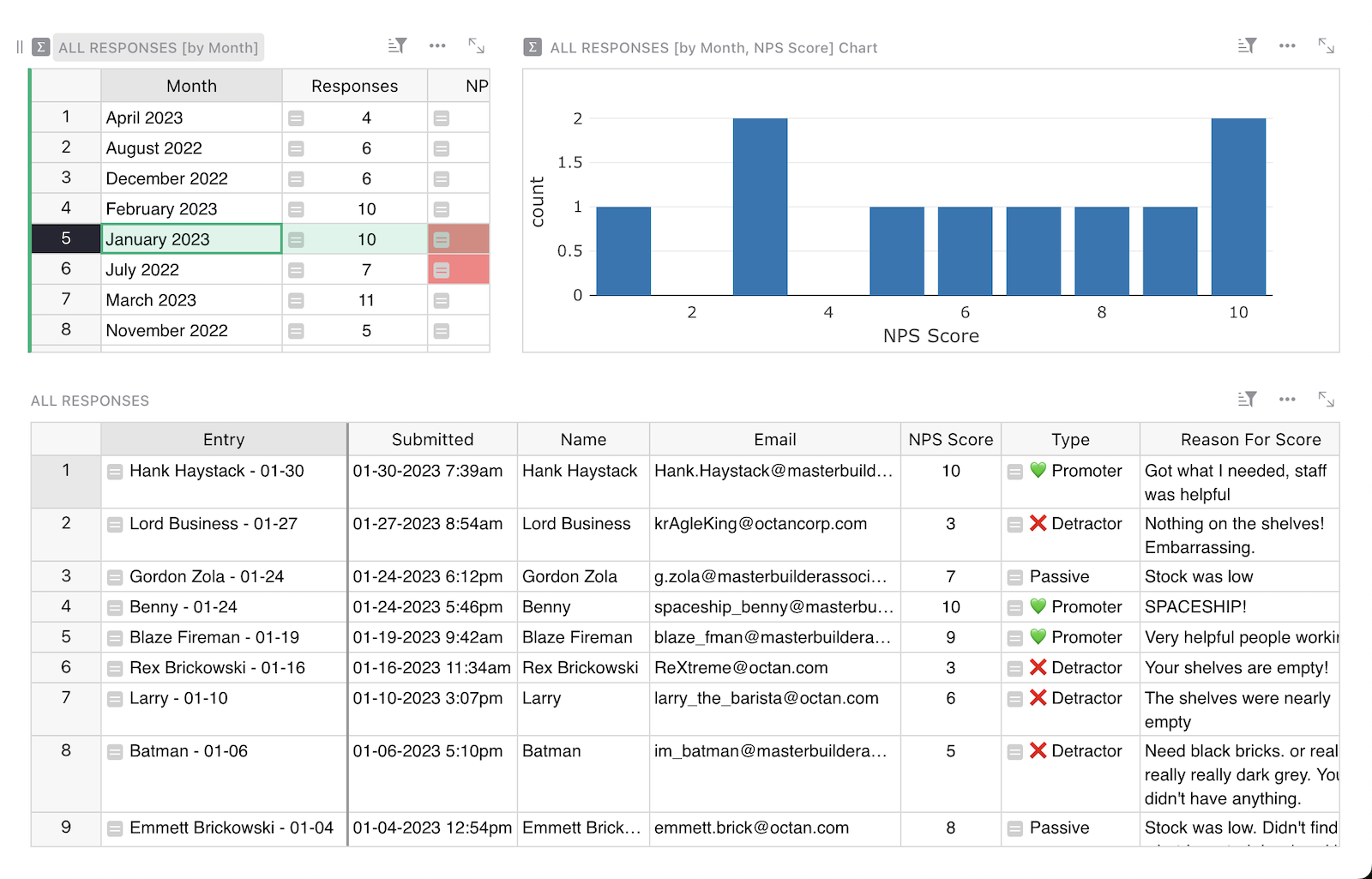
### Responses by month
Drill into monthly responses to see how opinions and customer sentiment changed over time.
### Form
Collect responses by publishing a form view. Share the link as desired. Responses submitted via the form will automatically populate your data table.
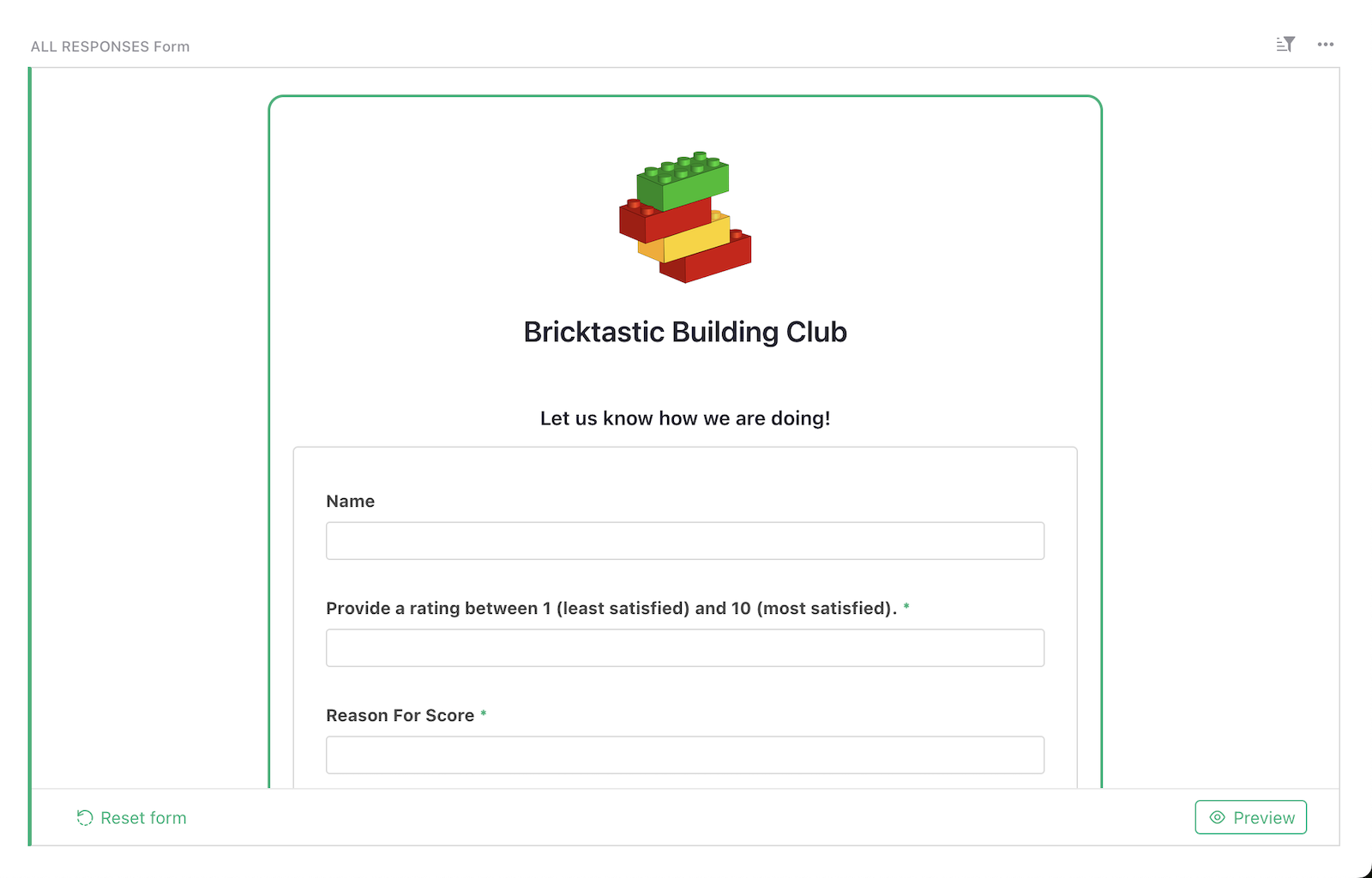
### Related Templates
[All spreadsheet templates](https://www.getgrist.com/templates/)
[](https://www.getgrist.com/templates/user-survey-results-template/)
Summarize user feedback in pivot tables and colorful charts.
View Template
[](https://www.getgrist.com/templates/expense-tracker-template/)
Streamline expenses management by allowing employees to edit their own expenses, while protecting sensitive data.
View Template
[](https://www.getgrist.com/templates/digital-sales-crm-template/)
Track sales of digital products (courses, e-books, etc.) and generate revenue summaries by product or customer.
View Template
[](https://www.getgrist.com/templates/influencer-outreach-template/)
Streamline influencer outreach with a CRM-style template that tracks contacts, interactions, and results.
View Template
[](https://www.getgrist.com/templates/internal-link-tracker-seo-template/)
Boost your SEO performance by managing and auditing internal links.
View Template
[](https://www.getgrist.com/templates/lightweight-crm-template/)
Manage customer info and interactions in a user-friendly, spreadsheet-style CRM template.
View Template
[](https://www.getgrist.com/)
* [Twitter](https://twitter.com/getgrist)
* [LinkedIn](https://www.linkedin.com/company/grist-labs/)
* [Facebook](https://www.facebook.com/getgrist)
* [YouTube](https://www.youtube.com/channel/UCx0ioQrrC-bIrkmZ7ZULr0g)
* [TikTok](https://www.tiktok.com/@getgrist)
Create a free site
------------------
You may create a Personal or a Team site:
#### Personal
Easiest way to get started
[Get Started](https://docs.getgrist.com/welcome/start)
#### New Team Site
Help your whole team be more productive
[Create Free Team Site](https://docs.getgrist.com/billing/create-team?planType=teamFree)
close
---
# Lightweight CRM Template Template | Grist
**Lightweight CRM template**
[**Open Full Template**](https://templates.getgrist.com/doc/lightweight-crm)

About the Lightweight CRM Template
----------------------------------
Maximize your productivity with a streamlined dashboard that organizes your customer data. Read and update customer information on visually appealing cards, and access relevant interactions with a single click. Customize this user-friendly lightweight CRM template to perfectly align with your unique workflow. Discover how in our comprehensive [tutorial on using this template](https://support.getgrist.com/lightweight-crm/)
.
* Link interactions to customers.
* Enter and update data in an intuitive layout.
* Customize fields to suit your needs.
How to use the Lightweight CRM Template
---------------------------------------
See our [full tutorial](https://support.getgrist.com/lightweight-crm/)
to build this template from scratch (a great way to learn Grist!), but here are some highlights that will help you get the most out of this simple starting point.
### Customizing layout[](https://support.getgrist.com/lightweight-crm/#customizing-layout)
You can move the template sections around to create a convenient layout. Move your mouse to the top left of each section until you see a “drag handle” icon. Use that icon to drag each section into the desired spot relative to other sections.
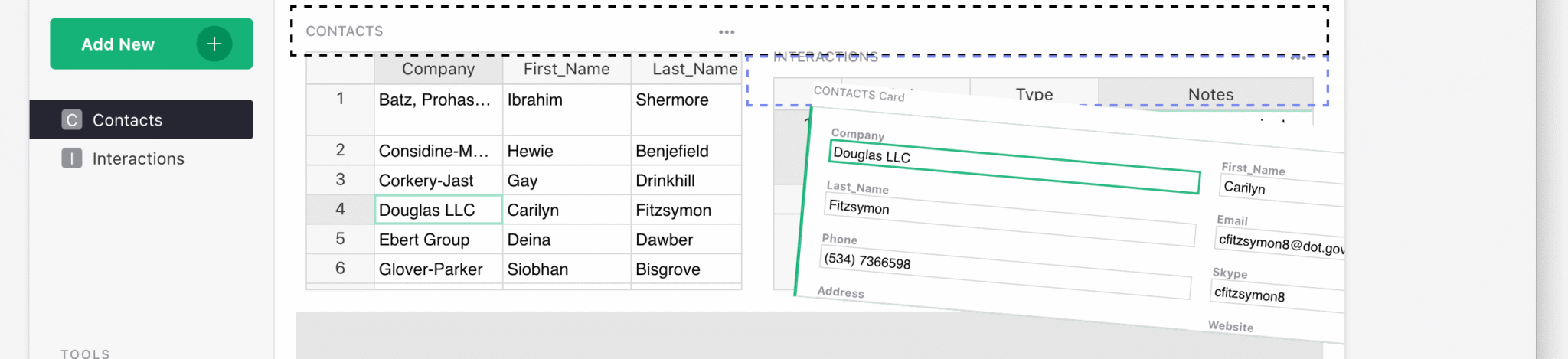
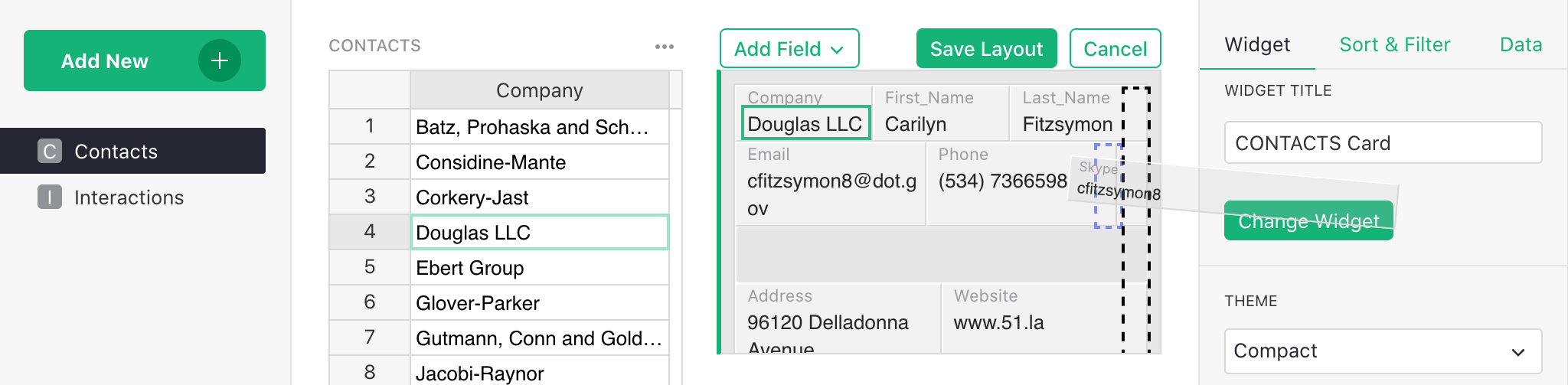
### Customizing fields[](https://support.getgrist.com/lightweight-crm/#customizing-fields)
To rearrange fields, click “Edit Layout” in the right panel. You can now drag-and-drop fields in the card, resize them, or remove them. Click “Save” once you are done.
### Other features
Grist has more great features, some of which are used in the Lightweight CRM template.
* Any text column may be shown as a [hyperlink](https://support.getgrist.com/col-types/#hyperlinks)
or rendered in [Markdown](https://support.getgrist.com/col-types/#markdown)
. The Lightweight CRM template uses hyperlink rendering twice: for the “website” field, and for a formula-constructed hyperlink to a [Gmail search](https://community.getgrist.com/t/pull-up-gmail-history-for-a-particular-contact/517)
page for the given contact’s email. The latter is handy if you use Gmail.
* Grist supports [attachments](https://support.getgrist.com/col-types/#attachment-columns_)
. In the example, there is an “Attachments” field for each contact that may be used to store an image of a business card, for example.
In an actual business, you’ll need more. Specialized CRM products have tons of features. Their problem is complexity: trying to satisfy the needs of many different clients makes for a complicated product to use. The beauty of Grist is that you can start simple and add only the level of complexity you need, and nothing more.
### Related Templates
[All spreadsheet templates](https://www.getgrist.com/templates/)
[](https://www.getgrist.com/templates/nps-template/)
Keep tabs on customer satisfaction by analyzing NPS results over time in colorful charts.
View Template
[](https://www.getgrist.com/templates/sales-commission-sheet-template/)
Track sales, calculate commissions, and summarize revenue and commission pay out in vibrant charts.
View Template
[](https://www.getgrist.com/templates/user-survey-results-template/)
Summarize user feedback in pivot tables and colorful charts.
View Template
[](https://www.getgrist.com/templates/event-planning-template/)
Manage event details, registrations, ticket revenue, and sponsorships in intuitive dashboards.
View Template
[](https://www.getgrist.com/templates/digital-sales-crm-template/)
Track sales of digital products (courses, e-books, etc.) and generate revenue summaries by product or customer.
View Template
[](https://www.getgrist.com/templates/account-based-marketing-template/)
Track deals in the sales pipeline by account and sales rep using our lightweight sales CRM template.
View Template
[](https://www.getgrist.com/)
* [Twitter](https://twitter.com/getgrist)
* [LinkedIn](https://www.linkedin.com/company/grist-labs/)
* [Facebook](https://www.facebook.com/getgrist)
* [YouTube](https://www.youtube.com/channel/UCx0ioQrrC-bIrkmZ7ZULr0g)
* [TikTok](https://www.tiktok.com/@getgrist)
Create a free site
------------------
You may create a Personal or a Team site:
#### Personal
Easiest way to get started
[Get Started](https://docs.getgrist.com/welcome/start)
#### New Team Site
Help your whole team be more productive
[Create Free Team Site](https://docs.getgrist.com/billing/create-team?planType=teamFree)
close
---
# Spreadsheet Invoice Template (Free & Interactive)
**Spreadsheet Invoice Template**
[**Open Full Template**](https://templates.getgrist.com/9NH6D58FmxwP/Invoicing)

About the Spreadsheet Invoice Template
--------------------------------------
Simplify invoicing with our template that builds invoices from your spreadsheet data. Our custom widget formats data into a printable PDF invoice. Discover more in our [invoicing template tutorial](https://support.getgrist.com/examples/2020-08-invoices/)
.
* Custom widget pulls spreadsheet data into an invoice template.
* View of all historical invoice records.
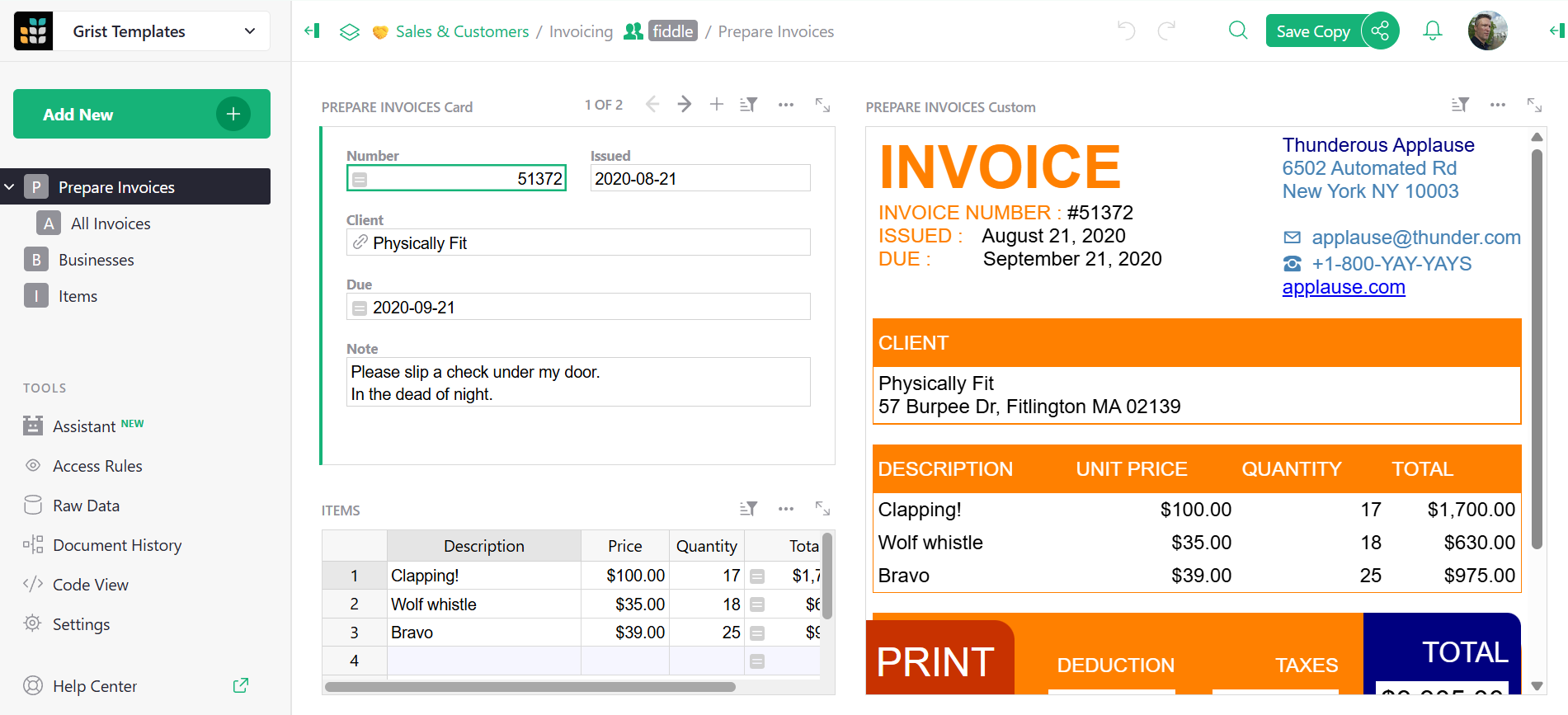
Click through to the full template to view a table specific to businesses, and a table specific to items, that populate within the larger invoicing page above.
Grist is spreadsheet software designed to end data chaos, so it is fully customizable to your data needs.
Get started today with a free account to start experiencing the power of a relational spreadsheet-database.
### Related Templates
[All spreadsheet templates](https://www.getgrist.com/templates/)
[](https://www.getgrist.com/templates/general-ledger-template/)
Analyze income and expenses by project and over time using our user-friendly general ledger with dynamic charts.
View Template
[](https://www.getgrist.com/templates/expense-tracker-template/)
Streamline expenses management by allowing employees to edit their own expenses, while protecting sensitive data.
View Template
[](https://www.getgrist.com/templates/account-based-marketing-template/)
Track deals in the sales pipeline by account and sales rep using our lightweight sales CRM template.
View Template
[](https://www.getgrist.com/templates/time-tracking-template/)
Track billable hours and generate invoices in this streamlined template.
View Template
[](https://www.getgrist.com/templates/payroll-template/)
Manage hourly payroll calculations and tracking in a single relational spreadsheet.
View Template
[](https://www.getgrist.com/templates/investment-research-template/)
Uncover trends by exploring investment data across categories and time using vibrant, dynamic charts.
View Template
> “I love Grist. It’s crazy powerful. I still can’t believe what we’ve been able to achieve in it. It’s the dream that low-code was sold as for years – we can do incredible things in each column with Python and we can build our own widgets to run on those! Wild!”
Elliot Lee
User Researcher
[View case studies](https://www.getgrist.com/case-studies/)
> “Grist has become our go-to for more complex, structured data. It sits somewhere between Excel and Access—powerful, relational, and flexible enough for prototyping real data-driven applications.”
Olivier Lambert
CEO at Vates
[View case studies](https://www.getgrist.com/case-studies/)
> “The more I use Grist, the more I LOVE it. I have been surveying self-hosted database GUI tools, and I was consistently disappointed with their shortcomings or bugginess. Grist is the first to have tilted the balance the other way.”
Stephen S.
Publications, Personal City Guides
[View case study](https://www.getgrist.com/case-studies/publication-app-open-source-spreadsheet/)
[All case studies](https://www.getgrist.com/case-studies/)
> “Grist has given us incredible flexibility to solve data problems and find solutions, whether it is for a small team at the district, or at scale with the entire district staff. We’re really excited about the different ways we can use it going forward.”
Director of Product
EdTech Company
[View case study](https://www.getgrist.com/case-studies/spreadsheet-collaboration-granular-access-rules/)
[All case studies](https://www.getgrist.com/case-studies/)
> “What I like about Grist the most is its focus. It appears simple, but it’s very powerful in a focused way. Grist has really improved our workflow and communication.”

Chris Scott
Co-founder in Digital Marketing
[View case study](https://www.getgrist.com/case-studies/missionsource-data-organization-digital-marketing/)
[All case studies](https://www.getgrist.com/case-studies/)
> “If people spend some time learning a new tool they’ll have more power to do their work and research. I said to one of my students, ‘You will be very very happy using Grist because you are miserable using Excel!'”

Eduardo Dalcin, Ph.D.
Biodiversity Informatics Expert
[View case study](https://www.getgrist.com/case-studies/relational-spreadsheets-protect-brazil-plants-conservation/)
[All case studies](https://www.getgrist.com/case-studies/)
> “Most CRMs don’t work the way Grist works. Grist’s layouts are simple and do exactly what we need.”
Jennifer Bledsoe
IT Tech at Law Firm
[View case study](https://www.getgrist.com/case-studies/law-firm-built-custom-crm/)
[All case studies](https://www.getgrist.com/case-studies/)
> “I discovered Grist after becoming frustrated with the limitations of Excel and Google Sheets. Grist has been a breath of fresh air, especially with its ability to handle structured data in a way that feels familiar to anyone with experience in relational databases, but with the added flexibility of Python.”
Will Bailey
Small Business Manager
[View case studies](https://www.getgrist.com/case-studies/)
> “Sharing an Access database is near impossible, but Grist makes sharing a relational database simple.”
Walt Rice
IT Consultant
[View case studies](https://www.getgrist.com/case-studies/)
> “I needed an open-source master database that could connect to n8n and AI tools. After trying Notion, Airtable, Siyuan, Baserow, and NocoDB, I chose Grist for its Python-native AI support, flexible integrations, and simple n8n connections.”
Robin A.
Project Manager
[View case studies](https://www.getgrist.com/case-studies/)
> “I’ve worked extensively with NocoDB, Notion, SeaTable, and Baserow, and Grist really stands out. The balance between spreadsheet-style flexibility and structured, low-code database design is excellent.”
Andriy Kostyuk
Automation Engineer, Founder at Enceladus
[View case studies](https://www.getgrist.com/case-studies/)
Build on your own terms
-----------------------
If you have an existing workflow in tools like Google Sheets or Excel, you can easily import it into the invoice spreadsheet template right away.
Grist’s incremental imports feature allows users to import new activity to existing data, and Grist intelligently combines it without creating duplicates or needing manual cleanup.
[Use This Template](https://templates.getgrist.com/pVq4xESKtU24/Sales-Commissions-Dashboard/)
Request demo
[](https://www.getgrist.com/)
* [Twitter](https://twitter.com/getgrist)
* [LinkedIn](https://www.linkedin.com/company/grist-labs/)
* [Facebook](https://www.facebook.com/getgrist)
* [YouTube](https://www.youtube.com/channel/UCx0ioQrrC-bIrkmZ7ZULr0g)
* [TikTok](https://www.tiktok.com/@getgrist)
Create a free site
------------------
You may create a Personal or a Team site:
#### Personal
Easiest way to get started
[Get Started](https://docs.getgrist.com/welcome/start)
#### New Team Site
Help your whole team be more productive
[Create Free Team Site](https://docs.getgrist.com/billing/create-team?planType=teamFree)
close
---
# Class Catalog and Enrollments Template | Grist
**Class Enrollment**
[**Open Full Template**](https://templates.getgrist.com/doc/afterschool-program)

About the Class Catalog and Enrollments Template
------------------------------------------------
Track enrollment for extracurricular and other classes using this template. Dedicated dashboards drill into class enrollment in two ways: by class and by student. This free to use spreadsheet template doubles as a comprehensive database containing contact information of students, families, and staff. Customize the template to suit your requirements by following our [tutorial on modifying this template](https://support.getgrist.com/afterschool-program/)
.
* Explore the same data with multiple views.
* All-in-one customer and staff contact management.
* Dynamic views update based on student and class selections.
* Comprehensive class catalog that shows which students and families are enrolled in classes
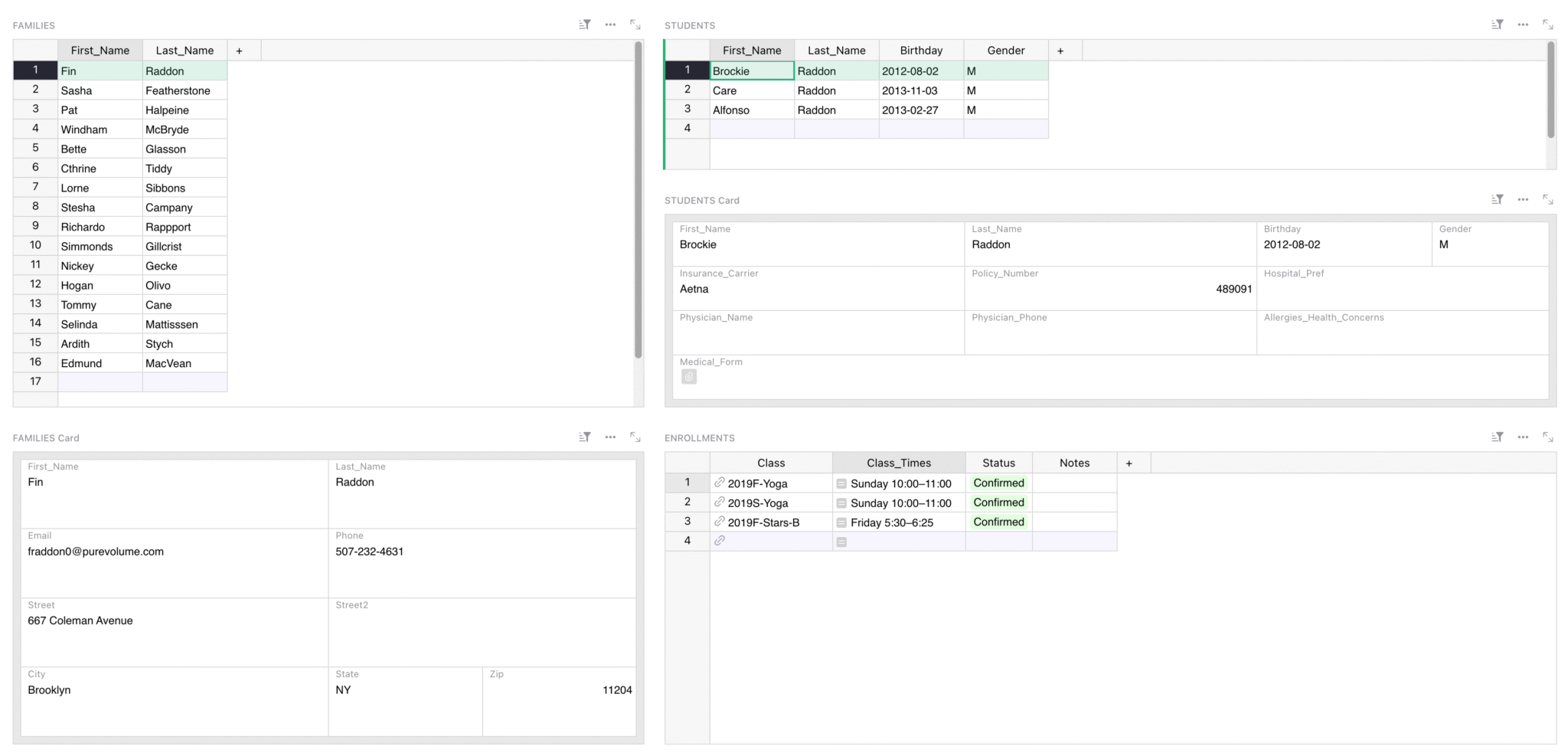
### Related Templates
[All spreadsheet templates](https://www.getgrist.com/templates/)
[](https://www.getgrist.com/templates/test-prep-template/)
Create timed sample tests and flashcards to ace your next test!
View Template
[](https://www.getgrist.com/templates/flashcards-template/)
Prepare for any test with our simple, digital flashcards builder.
View Template
[](https://www.getgrist.com/templates/event-planning-template/)
Manage event details, registrations, ticket revenue, and sponsorships in intuitive dashboards.
View Template
[](https://www.getgrist.com/templates/grant-application-tracker-template/)
Consolidate your application process, contact information and funding goals in intuitive, interconnected dashboards.
View Template
[](https://www.getgrist.com/templates/private-tutor-billing-template/)
Manage client, session, and billing data in a single relational spreadsheet.
View Template
[](https://www.getgrist.com/templates/book-club-template/)
Organize your bookclub in this simple spreadsheet. Auto-generated links streamline book searches.
View Template
[](https://www.getgrist.com/)
* [Twitter](https://twitter.com/getgrist)
* [LinkedIn](https://www.linkedin.com/company/grist-labs/)
* [Facebook](https://www.facebook.com/getgrist)
* [YouTube](https://www.youtube.com/channel/UCx0ioQrrC-bIrkmZ7ZULr0g)
* [TikTok](https://www.tiktok.com/@getgrist)
Create a free site
------------------
You may create a Personal or a Team site:
#### Personal
Easiest way to get started
[Get Started](https://docs.getgrist.com/welcome/start)
#### New Team Site
Help your whole team be more productive
[Create Free Team Site](https://docs.getgrist.com/billing/create-team?planType=teamFree)
close
---
# Payroll Template (Free & Interactive!) | Grist
**Payroll Template**
**[Open Full Template](https://templates.getgrist.com/5pHLanQNThxk/Payroll)
**

About the Payroll Template
--------------------------
Easily manage payroll with our database that calculates and tracks it for you. Just input employee, role, and wage details, and the spreadsheet handles the rest.
* Formulas calculate wages.
* Summary tables (pivot tables) automatically update with new data.
* Consolidated, export-friendly payroll history.
### What this template does
The template addresses a few needs:
1. We need to be able to add employees, and keep basic contact info for them.
2. We need to set rates at which people are paid, and these rates can change over time.
3. In our example, rates also vary by role: the same person could work as an Instructor in one program, and as a Coordinator in another, at different rates.
4. We need to enter hours for each person.
5. We need to get the monthly totals, both to enter data into our payroll service, and to verify that everything matches.
Sound helpful but want to learn more? Dive deeper with our [payroll template guide](https://support.getgrist.com/examples/2020-09-payroll/)
or with the webinar below.
How to use this template
------------------------
Looking for a way to get started on your own payroll spreadsheet. You’re in luck, we did a _whole webinar_ on this very template. Watch to find out how and why this free template can help you simplify and solidify your payroll management.
### Related Templates
[All spreadsheet templates](https://www.getgrist.com/templates/)
[](https://www.getgrist.com/templates/general-ledger-template/)
Analyze income and expenses by project and over time using our user-friendly general ledger with dynamic charts.
View Template
[](https://www.getgrist.com/templates/sales-commission-sheet-template/)
Track sales, calculate commissions, and summarize revenue and commission pay out in vibrant charts.
View Template
[](https://www.getgrist.com/templates/expense-tracker-template/)
Streamline expenses management by allowing employees to edit their own expenses, while protecting sensitive data.
View Template
[](https://www.getgrist.com/templates/time-tracking-template/)
Track billable hours and generate invoices in this streamlined template.
View Template
[](https://www.getgrist.com/templates/invoicing-template/)
Create printable invoices directly from your spreadsheet data.
View Template
[](https://www.getgrist.com/templates/lightweight-crm-template/)
Manage customer info and interactions in a user-friendly, spreadsheet-style CRM template.
View Template
[](https://www.getgrist.com/)
* [Twitter](https://twitter.com/getgrist)
* [LinkedIn](https://www.linkedin.com/company/grist-labs/)
* [Facebook](https://www.facebook.com/getgrist)
* [YouTube](https://www.youtube.com/channel/UCx0ioQrrC-bIrkmZ7ZULr0g)
* [TikTok](https://www.tiktok.com/@getgrist)
Create a free site
------------------
You may create a Personal or a Team site:
#### Personal
Easiest way to get started
[Get Started](https://docs.getgrist.com/welcome/start)
#### New Team Site
Help your whole team be more productive
[Create Free Team Site](https://docs.getgrist.com/billing/create-team?planType=teamFree)
close
---
# Case Studies by Grist
##### Customer Stories
Case studies
============
Learn how real people use Grist to streamline workflows and make sense of their data.
[](https://www.getgrist.com/)
* [Twitter](https://twitter.com/getgrist)
* [LinkedIn](https://www.linkedin.com/company/grist-labs/)
* [Facebook](https://www.facebook.com/getgrist)
* [YouTube](https://www.youtube.com/channel/UCx0ioQrrC-bIrkmZ7ZULr0g)
* [TikTok](https://www.tiktok.com/@getgrist)
Create a free site
------------------
You may create a Personal or a Team site:
#### Personal
Easiest way to get started
[Get Started](https://docs.getgrist.com/welcome/start)
#### New Team Site
Help your whole team be more productive
[Create Free Team Site](https://docs.getgrist.com/billing/create-team?planType=teamFree)
close
---
# Building collaborative databases without data security compromises | Grist
Confidentiality and collaboration are often at odds with one another. One thrives on secrecy, keeping things close to the chest, and maintaining a tight circle, while the other is made possible only by open communication and the free flow of ideas and information. By leaning into one, you risk undercutting the other.
Administering a centralized database is a highwire act – balancing between allowing useful and productive collaboration, while ensuring that sensitive and confidential information stays in the right hands, and that data is protected from unexpected changes or unwanted eyes.
When done correctly, a database can be a powerful and collaborative single source of truth. But without the right guardrails in place, an organization might find themselves freefalling into a privacy and security nightmare.
Grist is built on the idea that protecting sensitive data shouldn’t get in the way of collaboration, and that collaboration shouldn’t come at the cost of data security. Achieving this balance is possible thanks to **Access Rules**, which allow granular permissions on table, column, and row level.
The A-B-C(RUD)s of data security
--------------------------------
In the simplest terms, data security is a matter of ensuring that the right people have access to the right information. Database applications are typically controlled by a set of permissions known by the acronym **CRUD**. CRUD permissions let database owners and administrators decide which users can (and can’t) **create**, **read**, **update**, and **delete** records in the database.
It’s a similar concept to sending somebody a read-only copy of a file, or inviting somebody to a document as an “editor” instead of a “viewer” or an “owner”. CRUD permissions control who has access to a database on a user-by-user basis, and to what extent each user can change the data inside of it.
CRUD permissions alone may be enough for collaborating in a small database, but more complex information environments require more nuance when assigning roles. A relational database often includes confidential and less sensitive data side by side, and different users need permissions to different data.
Further, structural changes in a table or document can have drastic consequences compared with changes to the data itself. If a collaborator is allowed to change the structure of a document, they could delete entire columns of data, breaking formulas and references even outside of the table they have access to. In Grist, they could also create formulas that would let them bypass restrictions on direct access to sensitive data.
Back to our balancing act – how can an organization maintain a database that gives users enough free reign to work with some data in a database while restricting other data?
In Grist, we start by adding an ‘S’.
### ‘S’ is for structure
Grist supplements the standard suite of CRUD permissions with a fifth type – ‘S’, for **structure**.
Only users with the structure permission can add or delete table columns, edit column formulas, and restructure data by reorganizing the pages and tables that make up a Grist document. Document owners can [**lock down** the structure of a document](https://support.getgrist.com/access-rules/#lock-down-structure)
to provide a layer of security before sharing the document with other editors.
The structure permission also protects sensitive data from being extracted via formulas. Column formulas access data for calculations without being limited by access control rules. For example, a user with structure permission could create a formula in Table A which looks up and returns data from a confidential Table B – even if they don’t have access to Table B directly.
A user without the ‘S’ permission can still be allowed to view the output of the formulas or to make changes to data, but without being able to edit formulas and use them to extract confidential data.
In many ways, the structure permission is a “superuser” permission in Grist. By default, it is granted to editors to make for a similar experience to that of traditional spreadsheets. Removing this permission is an important first step when limiting collaborators to granular CRUD permissions.
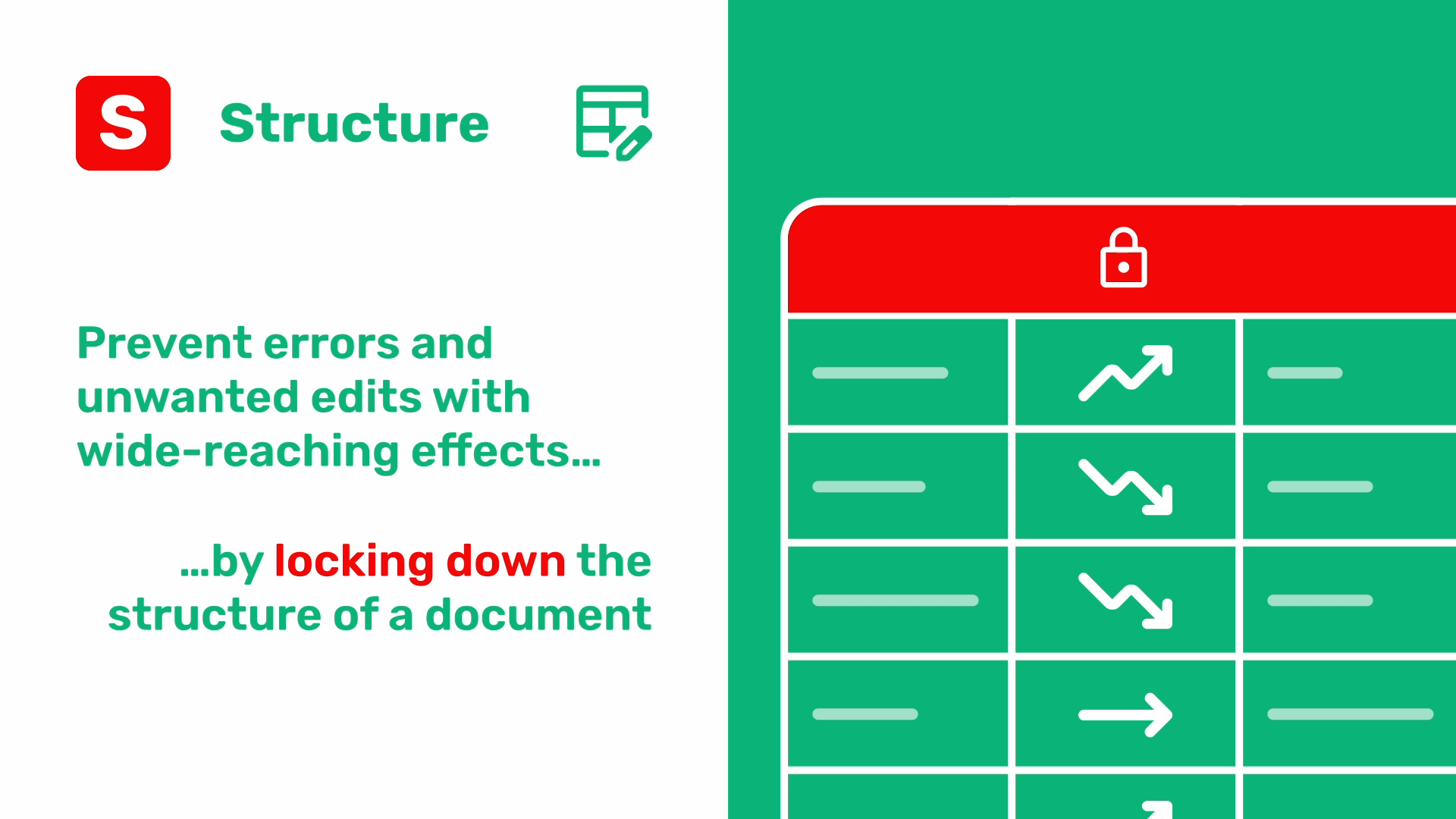
### Private tables, hidden in plain sight
What do you do if you want collaborators to access some information in your database, but hide other information?
One approach is to segregate sensitive data by keeping it in its own document or database that’s shared with a select audience. But this loses the benefits of collaborating in a single source of truth and creates extra work and risk of discrepancies if you choose to keep some data in both places.
Instead of requiring you to duplicate data, Grist lets document owners set access rules for individual tables within a document, in effect turning some into **private tables.** [Tables have their own set of CRUD permissions](https://support.getgrist.com/access-rules/#make-a-private-table)
that are more restrictive than those assigned at the document level, allowing you to keep sensitive information in the same document as the information you want to share.
For example, a quarterly report shared widely across an organization might be the same document that contains a table of highly confidential financial data accessible only to a select few executives.
Private tables are neither accessible nor visible to document users who haven’t been granted read access to them – hiding in plain sight, only known to those who need to know about them. Keeping confidential and less-sensitive information in the same Grist document helps organizations maintain a single source of truth and avoid duplicating data or maintaining different database versions that can fall out of sync.
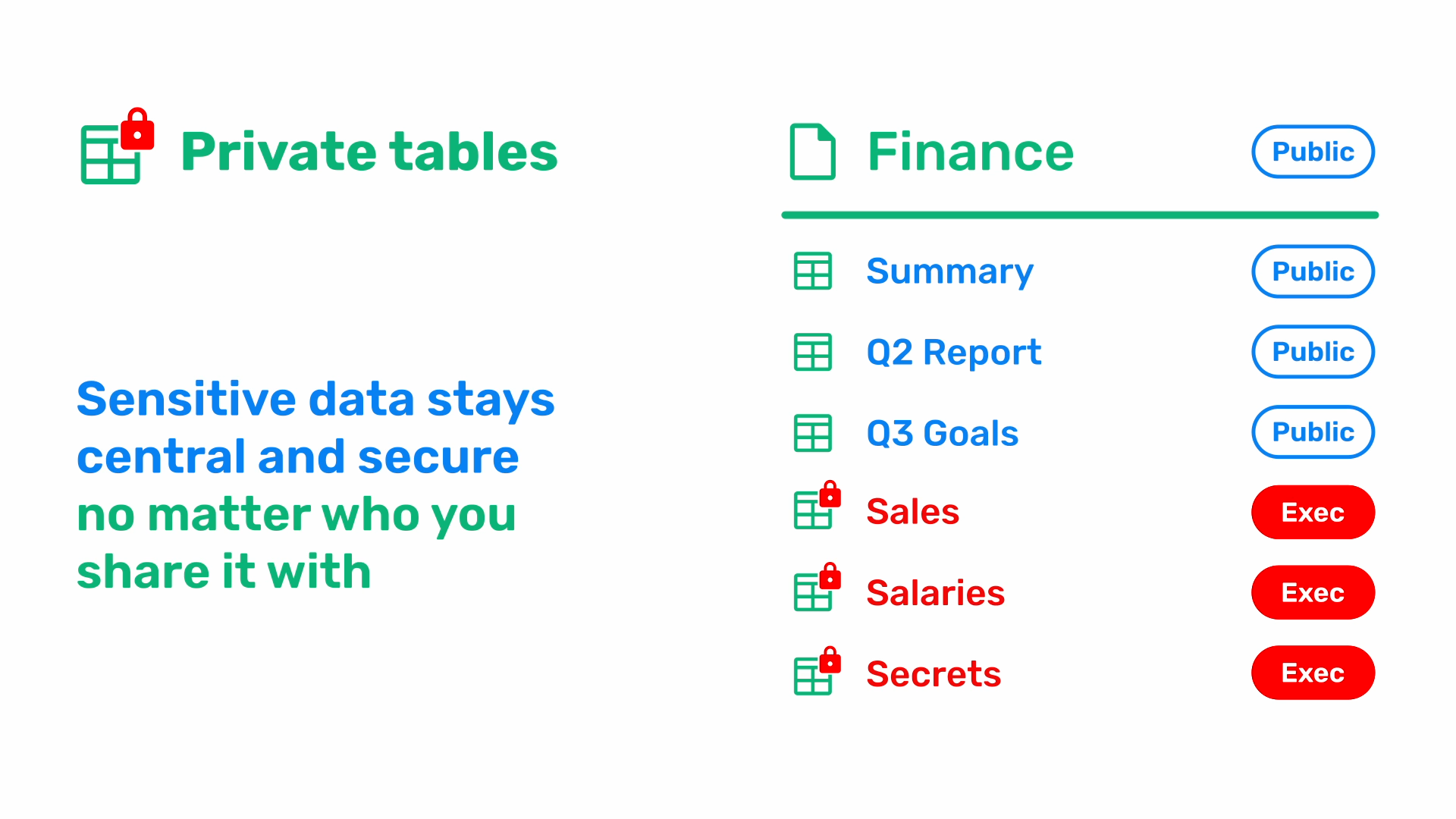
### Share data with the world without letting the world in
Whether your database has tens, hundreds, or thousands of records, sometimes all you need to share is information specific to one person – like updating a customer on the status of their order, providing a project status report to a client, or sharing specific records with an outside consultant.
Instead of relying on manual data exports or integrations with other tools, Grist lets you share individual records with anybody, whether or not they’re a member of your organization or a Grist user. Every record in your database can be associated with its own **link key** – a randomly generated, unique URL that serves as a key to unlock that record alone.
Imagine link-sharing a document with someone. Anyone with the link can open the document. If you’ve set up link key restrictions, however, opening a document may yield no information at all. Only when the URL contains an additional link key does it [grant them access to a small subset of information](https://support.getgrist.com/examples/2021-04-link-keys/)
in your document. Link keys are often used to give outside viewers read-only access to a particular record, but can also be configured to provide access to multiple related records, and even to allow edit access.
When a person visits the link key URL, the information they see is a live, dynamic record updated in real time, not a static copy frozen in the moment the key was generated. Any changes you make to that record will be visible to them as if they’re a collaborator in your document – no follow-up emails, status reports, or worries about sharing outdated information.
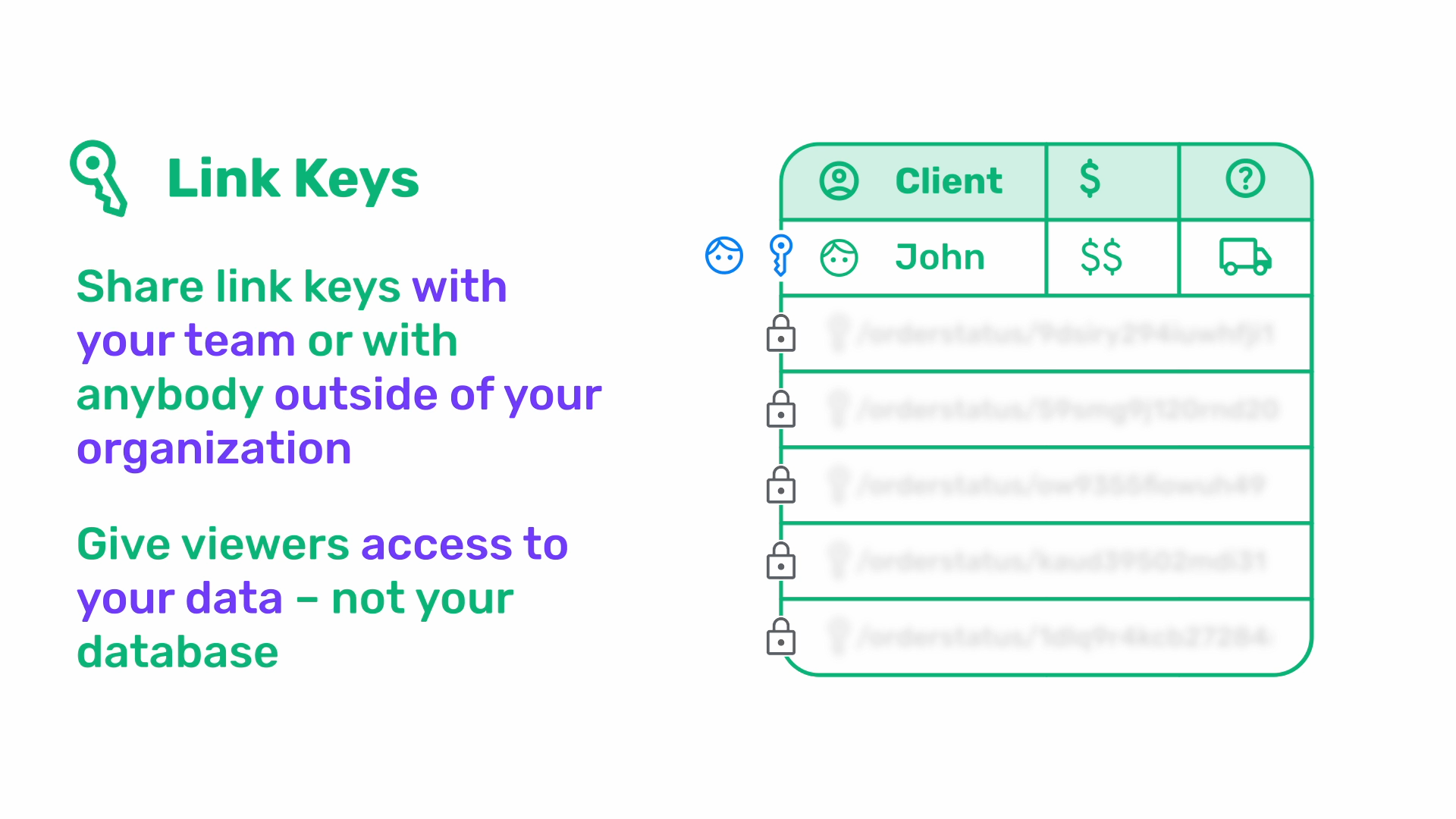
### Collaborate with confidence – and confidentiality
The structure permission, private tables, and link keys only scratch the surface of Grist’s robust set of access rules and tools to keep your sensitive data secure. Learn more about configuring access rules for your documents [in our Help Center](https://support.getgrist.com/access-rules/)
, or take a look at our [access rules webinar](https://www.getgrist.com/webinars/access-rules-for-teams/)
.
[](https://www.getgrist.com/blog/the-sovereignty-gap-why-the-next-decade-of-software-belongs-to-the-owners/)
The sovereignty gap: why the next decade of software belongs to the owners
==========================================================================
06.18.26
[](https://www.getgrist.com/blog/how-anct-and-the-open-source-community-helped-translate-grist-into-20-languages/)
Global Grist: How ANCT and the open-source community helped translate Grist into 20+ languages
==============================================================================================
11.14.24
[](https://www.getgrist.com/blog/understanding-relationships-in-relational-databases/)
Understanding relationships in relational databases
===================================================
09.26.24
[](https://www.getgrist.com/)
* [Twitter](https://twitter.com/getgrist)
* [LinkedIn](https://www.linkedin.com/company/grist-labs/)
* [Facebook](https://www.facebook.com/getgrist)
* [YouTube](https://www.youtube.com/channel/UCx0ioQrrC-bIrkmZ7ZULr0g)
* [TikTok](https://www.tiktok.com/@getgrist)
Create a free site
------------------
You may create a Personal or a Team site:
#### Personal
Easiest way to get started
[Get Started](https://docs.getgrist.com/welcome/start)
#### New Team Site
Help your whole team be more productive
[Create Free Team Site](https://docs.getgrist.com/billing/create-team?planType=teamFree)
close
---
# Higher Education Data Management Software | Grist
##### Grist for Higher Education
Secure, self-hosted data management for research, grants, and administration.
=============================================================================
Grist empowers your departments to build their own custom data tools while IT maintains the security, governance, and infrastructure control required by higher education institutions.
[Get started](https://docs.getgrist.com/welcome/start)
[Request demo](https://www.getgrist.com/contact/)
Trusted by 100,000+ organizations
---------------------------------


Why top universities choose Grist
---------------------------------

### Centralize data, decentralize innovation
Whether it is a biology lab tracking specimens, a grant office managing deadlines, or a facilities team handling project management, Grist adapts to the workflow.
done
**For IT:** You stop the sprawl of unmanaged Excel files and gain a single source of truth.
done
**For staff/faculty:** They get the spreadsheet interface they know, with the power of a relational database they need.
[Go to grant tracking template](https://www.getgrist.com/templates/grant-application-tracker-template/)
### Python-powered for research
Grist is the only spreadsheet with full Python support. Researchers and data analysts can write complex Python formulas directly in cells, use standard libraries, and build models without leaving the interface. It bridges the gap between simple spreadsheets and complex dedicated research software.
[Learn about Python](https://support.getgrist.com/python/)
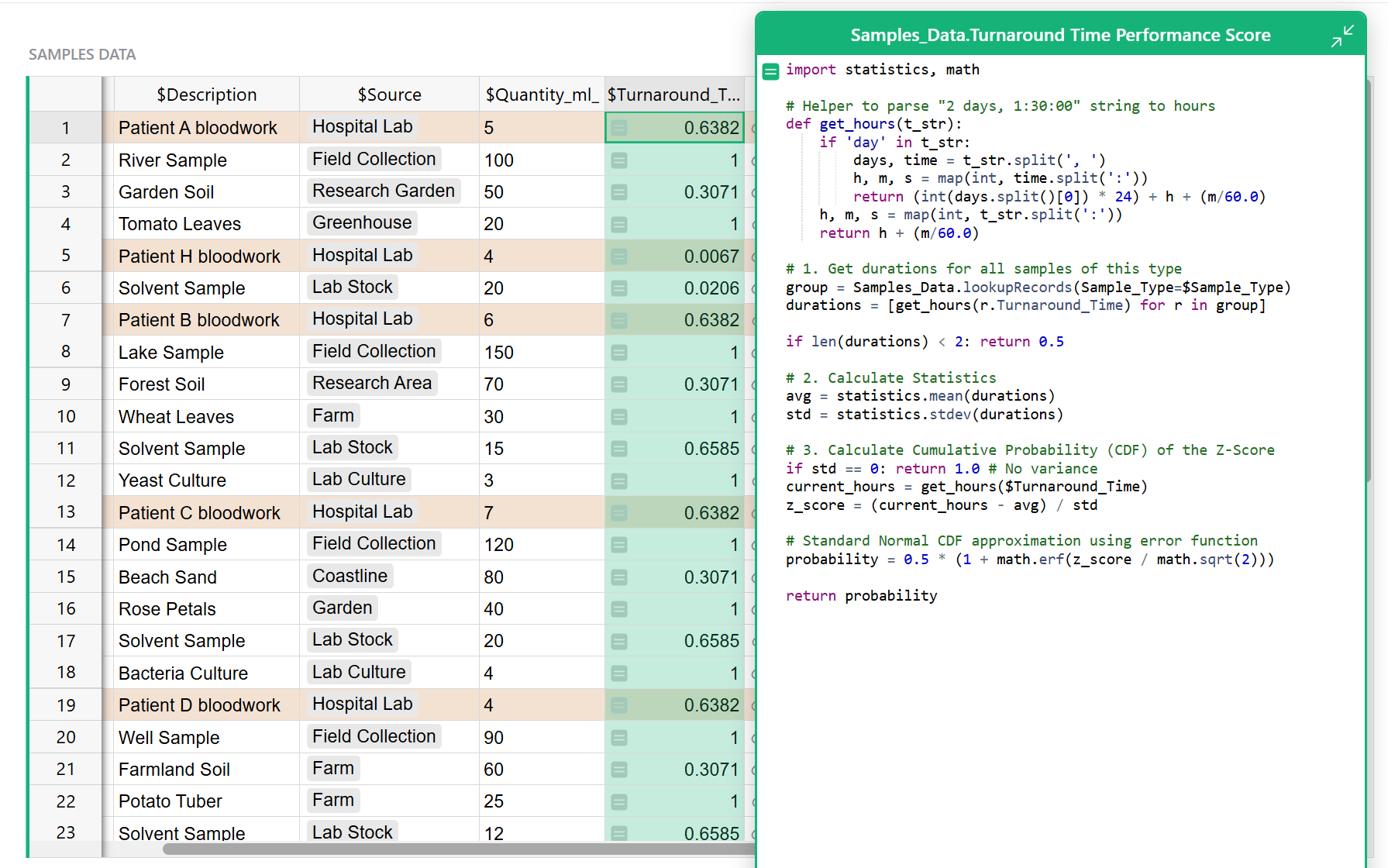

### Data sovereignty & compliance
Universities handle sensitive data, from student records to proprietary research.
done
**Self-hostable:** Deploy Grist on your own infrastructure (on-prem or private cloud) to meet strict compliance requirements.
done
**Access control:** Granular, row-level permissions ensure that principal investigators, students, and administrators only see the data they are authorized to access.
done
**No vendor lock-in:** Your data remains portable with open formats.
[Learn about self-hosting](https://www.getgrist.com/product/self-hosted/)
Free for small projects and teams
---------------------------------
50% discount on paid plans for non-profits.
[See pricing](https://www.getgrist.com/pricing/)
history\_edu
One platform, infinite higher education use cases
-------------------------------------------------
done
**Research and lab management**
Move beyond rigid LIMS software. Build flexible trackers for lab inventory, equipment scheduling, and experiment logging using Python for data processing.
done
**Grant & budget tracking**
Replace fragile Excel sheets with a robust database to track grant lifecycles, allocation, and reporting deadlines across multiple departments.
done
**Campus operations & IT**
Manage asset tracking, network monitoring logs, and project management workflows in a secure, relational interface.
database
The Grist difference for IT champions
-------------------------------------
done
**Audit logs
**Track every change made to every cell for total accountability.
done
**SSO integration**
Seamlessly integrate with your university’s existing authentication systems.
done
**Open-source core
**Trust in software that is transparent and extensible.
> “The biggest benefit of all is the dynamic nature of Grist. Things that would otherwise take a few days or weeks of back and forth with the software provider can be added in a matter of minutes.”
>
> – David Fabijan, Technical Expert in Complex Dielectric Permittivity Measurements
>
> [Read the case study](https://www.getgrist.com/case-studies/how-a-research-lab-saved-hundreds-of-hours-of-work-and-digitized-everything-in-grist/)
> “We’ve been using Grist for almost a year now to keep track of our staff, enrollments, and payments. All the features have been a lifesaver! We have been able to organize and refine our data entry smoothly and look forward to the new features to come.”

Diana Sandil
Home School Coaches
[All case studies](https://www.getgrist.com/case-studies)
> “If people spend some time learning a new tool they’ll have more power to do their work and research. I said to one of my students, ‘You will be very very happy using Grist because you are miserable using Excel!'”

Eduardo Dalcin, Ph.D.
Biodiversity Informatics Expert
[View case study](https://www.getgrist.com/case-studies/relational-spreadsheets-protect-brazil-plants-conservation/)
[All case studies](https://www.getgrist.com/case-studies)
> “Grist has given us incredible flexibility to solve data problems and find solutions, whether it is for a small team at the district, or at scale with the entire district staff. We’re really excited about the different ways we can use it going forward.”
Director of Product
EdTech Company
[View case study](https://www.getgrist.com/case-studies/spreadsheet-collaboration-granular-access-rules/)
[All case studies](https://www.getgrist.com/case-studies)
##### Templates
More templates
--------------
[View all templates](https://www.getgrist.com/templates/)
[](https://www.getgrist.com/templates/lab-project-management-template/)
Manage all projects in your lab, and effectively track tasks by project, person, and due date.
View Template
[](https://www.getgrist.com/templates/grant-application-tracker-template/)
Consolidate your application process, contact information and funding goals in intuitive, interconnected dashboards.
View Template
[](https://www.getgrist.com/templates/lightweight-crm-template/)
Manage customer info and interactions in a user-friendly, spreadsheet-style CRM template.
View Template
Frequently asked questions
--------------------------
##### Is Grist compliant with university data privacy and security standards?
Grist enables compliance through full data ownership. Unlike standard SaaS tools, Grist Enterprise can be self-hosted on your own infrastructure, ensuring that your data never leaves your control and is managed according to your institution’s privacy standards.
##### How does Grist handle “shadow IT” and data sprawl?
Grist bridges the gap between IT security and faculty independence. For example, Grist allows departments to build their own custom tools (like grant trackers or lab databases) using a familiar interface. This brings “[shadow](https://www.bleepingcomputer.com/news/security/shadow-spreadsheets-the-security-gap-your-tools-cant-see/)
” data into a managed environment where IT can ensure proper access controls and backups, rather than leaving it in disconnected Excel files.
##### Can we migrate our existing Excel files to Grist?
Yes. Grist is designed to replace “load-bearing” spreadsheets that have outgrown Excel. You can import your existing data and instantly gain relational database features, granular permissions, and automatic backups, turning a risky file into a secure application.
##### Do I need to be a developer to use Grist?
No. Grist meets you at your level of technical need. It offers a simple drag-and-drop interface for organizing data and building views, while simultaneously providing a full Python engine for complex calculations and analysis.
##### What happens if we cancel our subscription? Is our data locked in?
No. We believe in no vendor lock-in. Grist is open-core, and your data is stored in a standard SQLite format. You can export your full database or individual views at any time, ensuring your research and administrative data remains portable.
##### Is there special pricing for universities?
Yes. We offer a 50% discount on paid plans for non-profit educational institutions. For university-wide deployment and Enterprise features (like SSO and self-hosting), please contact our sales team.
##### PROFESSIONAL SERVICES
Build with an expert
--------------------
Need a solution built in Grist? Let our experts do the work.
[Inquire now](https://www.getgrist.com/contact/)
[Learn more](https://www.getgrist.com/solutions/)
done
**Plan your solution
**Identify workflow pain points, and improvements.
done
**Design for your needs**
Leverage Grist’s flexibility to your advantage.
done
**Build with experts**
Work with our experts to get to your solution quickly.
Take control of your data
-------------------------
Unlock your data’s true potential with the better spreadsheet
[Get started](https://docs.getgrist.com/welcome/start)
[Contact sales](https://www.getgrist.com/contact/)
[](https://www.getgrist.com/)
* [Twitter](https://twitter.com/getgrist)
* [LinkedIn](https://www.linkedin.com/company/grist-labs/)
* [Facebook](https://www.facebook.com/getgrist)
* [YouTube](https://www.youtube.com/channel/UCx0ioQrrC-bIrkmZ7ZULr0g)
* [TikTok](https://www.tiktok.com/@getgrist)
Create a free site
------------------
You may create a Personal or a Team site:
#### Personal
Easiest way to get started
[Get Started](https://docs.getgrist.com/welcome/start)
#### New Team Site
Help your whole team be more productive
[Create Free Team Site](https://docs.getgrist.com/billing/create-team?planType=teamFree)
close
---
# Construction Project Tracking & Database Software | Grist
##### Grist for construction companies
The construction project tracking software to build your foundation on
======================================================================
Outgrowing your spreadsheets? Grist gives you the familiar interface of a spreadsheet with the robust structure of a database. End data chaos without getting trapped in rigid, expensive software.
[Get started](https://docs.getgrist.com/welcome/start)
[Request demo](https://www.getgrist.com/contact/)
Build your data on a solid foundation
-------------------------------------
#### Centralized job tracking
Stop copying data between sheets. Use a relational structure to link clients, jobs, and sites in one **construction project database**. Update a record once, and see it reflected everywhere.
#### Subcontractor & vendor management
Maintain a clear registry of service providers. Link subcontractors directly to specific jobs and invoices to streamline your **construction accounts payable**.
#### RFI & submittal tracking
Never lose track of an approval again. Build custom views to monitor RFIs and submittals, ensuring your **construction document control** is airtight and keeps the job moving.
#### Construction cost tracking
Turn static estimates into active budgets. Grist acts as your **construction cost tracking software**, allowing you to log expenses against line items in real-time to catch overruns before they happen.
settings
As custom-built as your projects
--------------------------------
done
**You are the architect:** You build unique projects; your software should match. Use the drag-and-drop builder to create tools that fit your specific workflow (no coding or developers required).
done
**Evolve past the grid:** Start with a familiar spreadsheet grid, then upgrade it. Add dashboards and card views that turn raw rows of data into a customized, professional construction project tracking app.
done
**Future-proof your data:** Unlike rigid apps that box you in, Grist grows with you. Add new columns, views, or modules instantly as your business grows.

Submittal dashboard
groups
Construction is collaborative.
Your spreadsheets should be too.
-----------------------------------------------------------------
done
**Connect field and office:** Give your team access to real-time project data whether they are at the desk or on the jobsite. Updates made on a tablet in the field appear instantly for the project manager in the office.
done
**Secure sharing with subcontractors:** Stop emailing sensitive spreadsheets. Use granular access controls to share specific views with subcontractors, letting them see only their tasks without exposing your entire construction project database.
done
**One version of the truth:** Replace chaotic file versions with a single, relational source of truth. With automatic backups and history tracking, you never have to worry about broken formulas or lost data again.
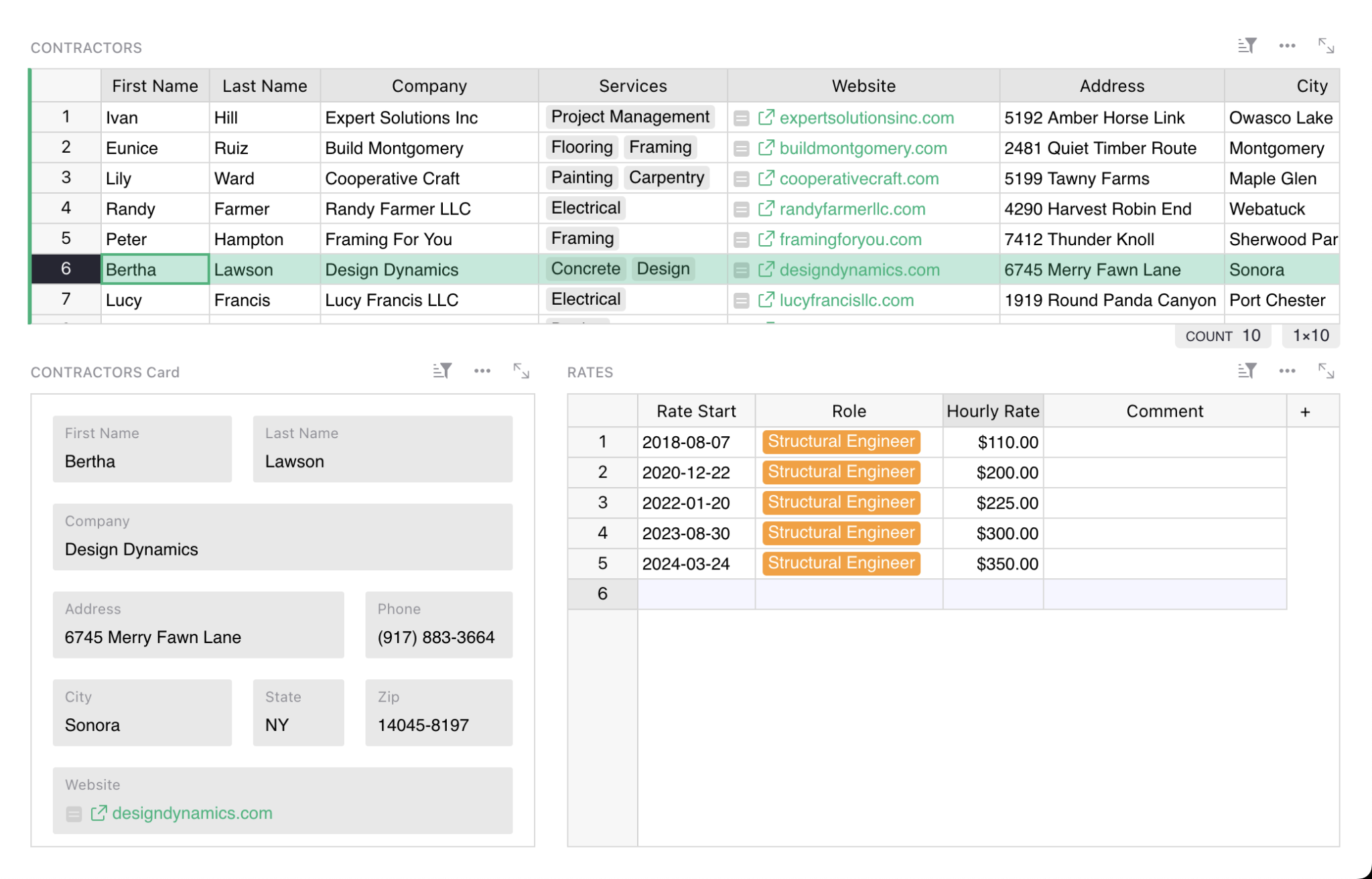
Contractor management & payroll
lock
Build a unified construction project database
---------------------------------------------
done
**Eliminate data duplication:** Stop wrestling with disconnected spreadsheets. Use a relational structure to store client, site, and cost data once in a central construction project database, reducing errors and version chaos.
done
**Granular access control:** Collaborate securely with everyone from project managers to subcontractors. Lock down sensitive financial data row-by-row while allowing field teams to update their specific status.
done
**Complete data independence:** Grist is open-source. And for total control, you can [self-host Grist on your own infrastructure](https://www.getgrist.com/product/self-hosted/)
, ensuring your proprietary business data stays in your hands.
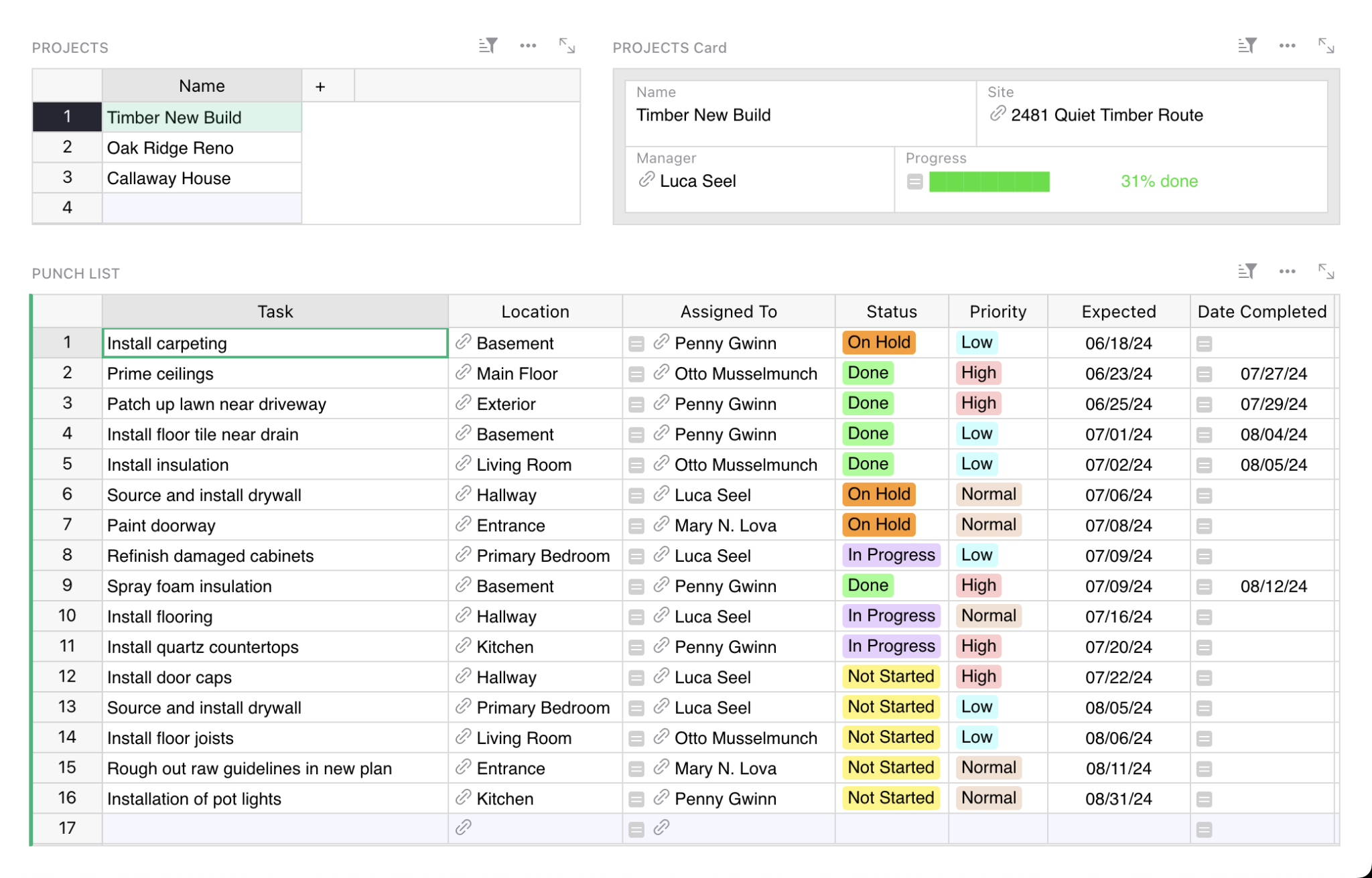
Punch lists with connected data
analytics
Advanced construction reporting & analytics
-------------------------------------------
done
**Visual dashboards:** Use the drag-and-drop builder to create custom construction reporting software views. Turn raw rows of data into clear charts that track project health and budget versus actuals at a glance.
done
**AI-powered assistance:** Not a spreadsheet expert? The built-in [AI Assistant](https://www.getgrist.com/ai-assistant/)
helps you write formulas and build structure, enabling teams to create complex tracking tools without hiring a developer.
done
**Deep data analysis:** For complex needs, use Python formulas to handle advanced calculations, perfect for custom construction data analytics or automating complex estimates.
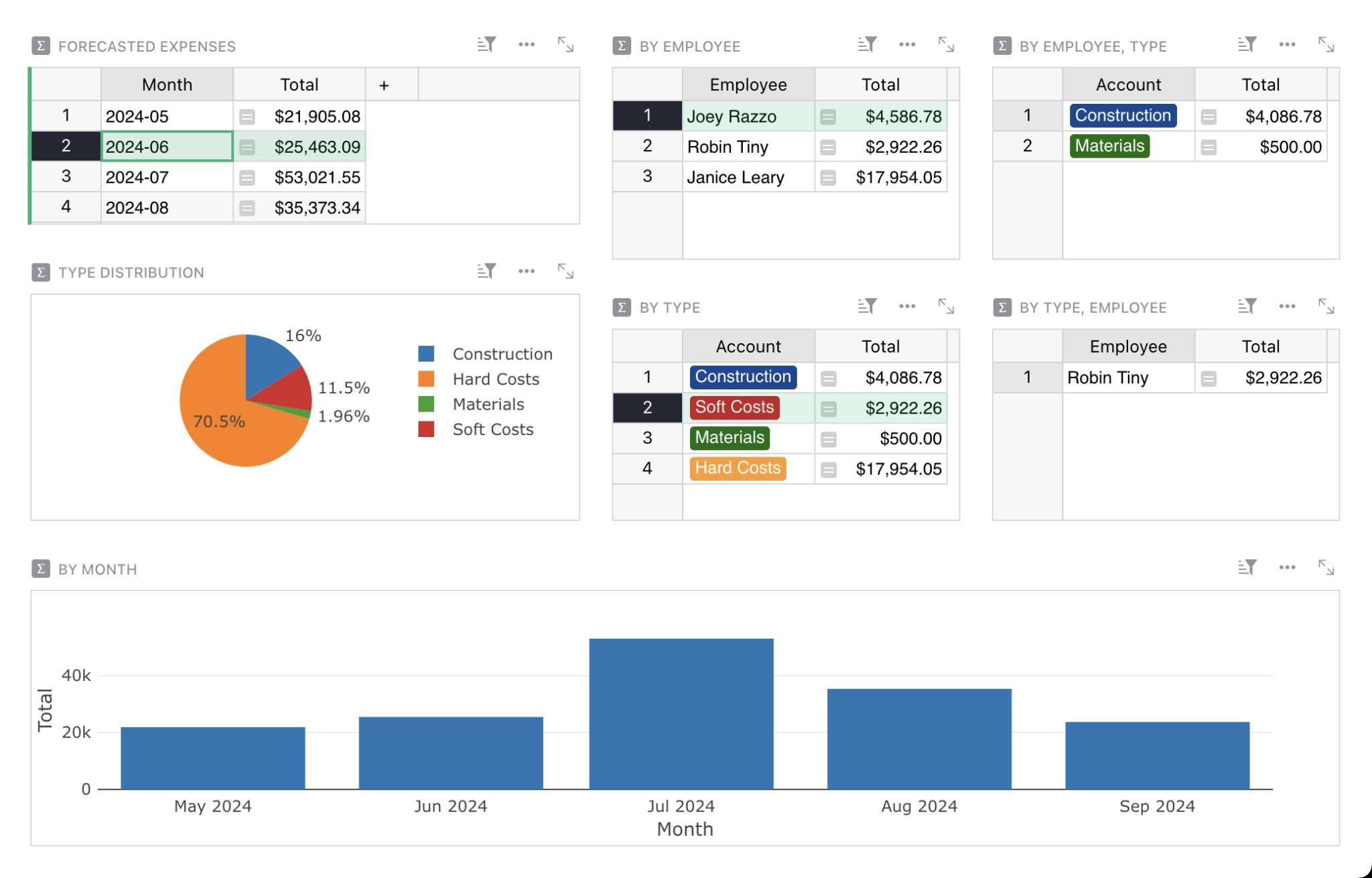
Job costing and forecasting
##### Templates
Pre-built templates
-------------------
Get a running start with many templates to choose from,
to use as is or customize to your needs.
[View all templates](https://www.getgrist.com/templates/)
[](https://www.getgrist.com/templates/time-tracking-template/)
Track billable hours and generate invoices in this streamlined template.
View Template
[](https://www.getgrist.com/templates/payroll-template/)
Manage hourly payroll calculations and tracking in a single relational spreadsheet.
View Template
[](https://www.getgrist.com/templates/lightweight-crm-template/)
Manage customer info and interactions in a user-friendly, spreadsheet-style CRM template.
View Template
> “It reduced time spent by the HR department by over 2 days of work. Together with other tasks at end of the month, what was a nightmare now is a breeze.”
>
> _– Rogerio Penna, Head of Quality Management_ at _Pavicon_
>
> [Read the case study](https://www.getgrist.com/case-studies/how-grist-became-a-construction-companys-swiss-army-saas/)
##### Professional Services
Grist Solutions
---------------
Don’t have time to build? Let us blueprint a custom construction management system for you.
[Inquire now](https://www.getgrist.com/contact/)
[Learn more](https://www.getgrist.com/solutions/)
done
**Map your unique project lifecycle**
We translate your specific bidding, field reporting, and change order processes into a structured database schema that fits your business perfectly.
done
**Safe migration of job data**
Don’t risk your history. We expertly handle the complex transfer of active projects, vendor registries, and historical cost data from your legacy software or scattered spreadsheets.
done
**Advanced project automation
**Need to calculate complex labor burdens, retention, or progress billing? Our experts use Python to build sophisticated logic that standard construction apps can’t handle.
Frequently asked questions
--------------------------
##### I’m comfortable with Excel. Why should I switch to Grist?
Excel is flexible but fragile. One broken formula or bad copy-paste can mess up your budget. Grist gives you the familiar grid interface you already know but adds a relational structure. This means you update a client or material cost in one place, and it automatically updates across all your job sheets, estimates, and invoices. It’s the flexibility of a spreadsheet without the version chaos.
##### Can my field crew use this on the job site?
Yes. Grist bridges the gap between the field and the office. Because it works in your browser and on tablets, your crew can update daily logs, check material lists, or log hours directly from the site. Updates appear instantly for the project manager in the office, giving you a single, real-time source of truth for the project’s status.
##### Is Grist just for tracking costs, or can it handle project management?
It handles both. You can use Grist as comprehensive construction cost tracking software to monitor budgets versus actuals in real time. But it is also a powerful project management tool. You can build custom views to track RFIs, submittals, and approvals, ensuring your document control is airtight and projects don’t stall waiting for paperwork.
##### Do I need to know how to code to build a custom tool?
No. We believe you should be the architect of your own software without needing a developer. Grist uses a drag-and-drop builder to let you create custom dashboards and workflows. If you do get stuck, our built-in [AI Assistant](https://www.getgrist.com/ai-assistant/)
can help you write formulas or structure your data, making it easy to build a professional-grade tool yourself.
##### Can I share project schedules with subcontractors without showing them my budget?
Absolutely. This is a key advantage of Grist’s granular access control. You can share a specific view or list with a subcontractor so they can see their tasks and deadlines, while keeping your financial data, markup rates, and other sensitive information completely hidden from them.
##### We have strict data compliance requirements. Where is my data stored?
You have total control. While we offer a secure hosted version, Grist is unique because it offers a [self-hosted option](https://www.getgrist.com/product/self-hosted/)
. If you need complete data independence or have strict IT protocols, you can host Grist on your own private infrastructure, ensuring your proprietary business data never leaves your hands.
Build your business on a solid foundation
-----------------------------------------
Stop building your business on fragile spreadsheets. Join the contractors who switched to Grist for robust, flexible construction software that grows with you. It is free to start, easy to customize, and built to scale.
[Sign up for free](https://docs.getgrist.com/welcome/start)
[Book a demo](https://www.getgrist.com/construction/#book-demo)
[](https://www.getgrist.com/)
* [Twitter](https://twitter.com/getgrist)
* [LinkedIn](https://www.linkedin.com/company/grist-labs/)
* [Facebook](https://www.facebook.com/getgrist)
* [YouTube](https://www.youtube.com/channel/UCx0ioQrrC-bIrkmZ7ZULr0g)
* [TikTok](https://www.tiktok.com/@getgrist)
Create a free site
------------------
You may create a Personal or a Team site:
#### Personal
Easiest way to get started
[Get Started](https://docs.getgrist.com/welcome/start)
#### New Team Site
Help your whole team be more productive
[Create Free Team Site](https://docs.getgrist.com/billing/create-team?planType=teamFree)
close
---
# Grist Webinar - Importing & Summarizing Data
In this webinar we cover how to import and summarize data in Grist. Dmitry shows how to create a Grist structure that pulls insights from your data with summary tables, and then import additional data to the existing structure.
### Timestamps
01:17 Recent Grist updates
02:30 Overview of business credit card expense example
02:52 Importing credit card data to an empty document
05:18 Creating a summary table (aka pivot table) to see spend by employee
08:15 Using a formula to clean up payment and expense data
10:35 Adding more summation formulas to summary tables
12:27 Summarizing totals without grouping by fields
13:46 Drilling into data by linking underlying records to summary tables
15:42 Data cleaning with the split() Python function
17:45 Quickly adding Choices from data
19:09 Summarizing by a Choice column
20:25 Summarizing by multiple columns and linking summary tables
21:55 Converting summary tables into charts
23:15 Importing additional data into an existing structure
28:24 Importing data from a different data source with unmatched columns
29:25 Transforming import data with formulas ✨
33:29 Question: Possible to import pivot tables?
34:22 Question: Webhooks?
36:24 Question: How to find correlated data?
38:40 Question: Useful Python formulas?
42:32 The difference between static charts and dynamic charts
43:27 Question: Version history?
[](https://www.getgrist.com/webinars/how-dotphoton-built-a-fully-traceable-qa-system-for-the-european-space-agency/)
How Dotphoton built a fully traceable QA system for the European Space Agency
=============================================================================
Bruno Sanguinetti of Dotphoton shows how his on-prem QA traceability system that meets the standards of the European Space Agency.
[](https://www.getgrist.com/webinars/mcp-grist-a-first-look/)
MCP + Grist: A First Look
=========================
Join co-founder Stan for a sneak peek at Grist’s official MCP server, making it easier than ever to connect AI tools with Grist.
[](https://www.getgrist.com/webinars/vibing-with-grist-ai-assisted-custom-data-interfaces/)
Vibing with Grist: AI Assisted Custom Data Interfaces
=====================================================
Use AI to bring your data to life. Build dynamic visualizations with Vibe View and interactive widgets with the Custom Widget Builder.
[](https://www.getgrist.com/)
* [Twitter](https://twitter.com/getgrist)
* [LinkedIn](https://www.linkedin.com/company/grist-labs/)
* [Facebook](https://www.facebook.com/getgrist)
* [YouTube](https://www.youtube.com/channel/UCx0ioQrrC-bIrkmZ7ZULr0g)
* [TikTok](https://www.tiktok.com/@getgrist)
Create a free site
------------------
You may create a Personal or a Team site:
#### Personal
Easiest way to get started
[Get Started](https://docs.getgrist.com/welcome/start)
#### New Team Site
Help your whole team be more productive
[Create Free Team Site](https://docs.getgrist.com/billing/create-team?planType=teamFree)
close
---
# Grist vs Monday: Which is better for work management?
##### Work Management Tool Comparison
Grist vs Monday
===============
Unlike Monday.com, Grist doesn’t stop at tasks. Connect your entire business – data, people, and processes – into one flexible platform built to scale with your needs.
[Get started](https://docs.getgrist.com/welcome/start)
Request demo

What comes after Monday?
------------------------
Monday is built for managing tasks. Grist is built for what comes next for your business.
What begins as a simple tracker often grows into something more – a CRM, a reporting system, or a full operational tool. With Grist, you don’t need to switch tools when your process matures. Add tables, views, logic, rules, custom widgets, and even full applications as your needs grow. No rebuilds. No compromises.
Find your ideal solution
------------------------
#### **Where Monday Shines**
done
Task and project coordination with fast onboarding for teams of any size
done
Built-in views and boards like Kanban, Gantt charts, and calendars
done
Beginner-friendly UI and large template library for easy setup
#### **Where Grist Shines**
done
Relational database structure for clean and secure ingestion
done
Fine-grained access permissions and full ownership of your data
done
Deep customization and integration into unique workflows
Monday vs Grist for work management
-----------------------------------
| | Monday | Grist |
| --- | --- | --- |
| **Core functionality** | Task-centric visual work/project management platform. | Relational spreadsheet-database hybrid. |
| ****Ideal for**** | Teams needing visual task/project tracking. Fast setup and wide team adoption. | Teams needing structured, secure data systems and all-in-one custom workflows. |
| ******Pricing****** | Free plan limited to 2 users; Pro plan starts at $19/user for core features. | Free plan with core features & AI Assistant. Paid plans start at $8/user. |
| ****Data structure**** | Flat task boards with linked items. | Fully relational database that links records across tables natively. |
| ****Flexibility**** | Prebuilt plug-and-play project views, visual customization. | Full control over layout, fields, & relationships. |
| ****Collaboration**** | Team-centric task updates, simple sharing and collaboration. | Real-time editing & per-user access filters. |
| ******Automation****** | No-code “when–then” automation rules. Large catalogue of major software integrations. | REST API. Webhooks. Integration partners (Zapier, n8n, and more). |
| ****Customization**** | Visual only. | Supports formulas, Python scripting, custom widgets. |
| **Hosting & ownership** | Cloud-only. | [Self-hostable](https://www.getgrist.com/product/self-hosted/) . open-source / open-core. SQLite-based. User-controlled data access. |
Who chooses Grist over Monday?
------------------------------
done
Teams building internal tools with unique workflows
done
Users who need relational databases for managing complex and dynamic datasets
done
Developers, analysts, and data-savvy teams
done
Organizations needing privacy, security, and flexibility in their solutions
[Get started](https://docs.getgrist.com/welcome/start)
Request demo

> “I love Grist. It’s crazy powerful. I still can’t believe what we’ve been able to achieve in it. It’s the dream that low-code was sold as for years – we can do incredible things in each column with Python and we can build our own widgets to run on those! Wild!”
Elliot Lee
User Researcher
[View case studies](https://www.getgrist.com/case-studies/)
> “Grist has become our go-to for more complex, structured data. It sits somewhere between Excel and Access—powerful, relational, and flexible enough for prototyping real data-driven applications.”
Olivier Lambert
CEO at Vates
[View case studies](https://www.getgrist.com/case-studies/)
> “The more I use Grist, the more I LOVE it. I have been surveying self-hosted database GUI tools, and I was consistently disappointed with their shortcomings or bugginess. Grist is the first to have tilted the balance the other way.”
Stephen S.
Publications, Personal City Guides
[View case study](https://www.getgrist.com/case-studies/publication-app-open-source-spreadsheet/)
[All case studies](https://www.getgrist.com/case-studies/)
> “Grist has given us incredible flexibility to solve data problems and find solutions, whether it is for a small team at the district, or at scale with the entire district staff. We’re really excited about the different ways we can use it going forward.”
Director of Product
EdTech Company
[View case study](https://www.getgrist.com/case-studies/spreadsheet-collaboration-granular-access-rules/)
[All case studies](https://www.getgrist.com/case-studies/)
> “What I like about Grist the most is its focus. It appears simple, but it’s very powerful in a focused way. Grist has really improved our workflow and communication.”

Chris Scott
Co-founder in Digital Marketing
[View case study](https://www.getgrist.com/case-studies/missionsource-data-organization-digital-marketing/)
[All case studies](https://www.getgrist.com/case-studies/)
> “If people spend some time learning a new tool they’ll have more power to do their work and research. I said to one of my students, ‘You will be very very happy using Grist because you are miserable using Excel!'”

Eduardo Dalcin, Ph.D.
Biodiversity Informatics Expert
[View case study](https://www.getgrist.com/case-studies/relational-spreadsheets-protect-brazil-plants-conservation/)
[All case studies](https://www.getgrist.com/case-studies/)
> “Most CRMs don’t work the way Grist works. Grist’s layouts are simple and do exactly what we need.”
Jennifer Bledsoe
IT Tech at Law Firm
[View case study](https://www.getgrist.com/case-studies/law-firm-built-custom-crm/)
[All case studies](https://www.getgrist.com/case-studies/)
> “I discovered Grist after becoming frustrated with the limitations of Excel and Google Sheets. Grist has been a breath of fresh air, especially with its ability to handle structured data in a way that feels familiar to anyone with experience in relational databases, but with the added flexibility of Python.”
Will Bailey
Small Business Manager
[View case studies](https://www.getgrist.com/case-studies/)
> “Sharing an Access database is near impossible, but Grist makes sharing a relational database simple.”
Walt Rice
IT Consultant
[View case studies](https://www.getgrist.com/case-studies/)
> “I needed an open-source master database that could connect to n8n and AI tools. After trying Notion, Airtable, Siyuan, Baserow, and NocoDB, I chose Grist for its Python-native AI support, flexible integrations, and simple n8n connections.”
Robin A.
Project Manager
[View case studies](https://www.getgrist.com/case-studies/)
> “I’ve worked extensively with NocoDB, Notion, SeaTable, and Baserow, and Grist really stands out. The balance between spreadsheet-style flexibility and structured, low-code database design is excellent.”
Andriy Kostyuk
Automation Engineer, Founder at Enceladus
[View case studies](https://www.getgrist.com/case-studies/)
Build on your own terms
-----------------------
Monday.com users can easily import their existing workflows from CSV files to start using Grist right away.
Grist’s incremental imports feature allows users to import new activity to existing data, and Grist intelligently combines it without creating duplicates or needing manual cleanup.
Pre-built templates
-------------------
Jump right into Grist with these pre-built templates:
* [Investment research template](https://www.getgrist.com/templates/investment-research-template/)
* [Class enrollment template](https://www.getgrist.com/templates/class-enrollment-template/)
* [Lightweight CRM template](https://www.getgrist.com/templates/lightweight-crm-template/)
[Get started](https://docs.getgrist.com/welcome/start)
Request demo
[](https://www.getgrist.com/)
* [Twitter](https://twitter.com/getgrist)
* [LinkedIn](https://www.linkedin.com/company/grist-labs/)
* [Facebook](https://www.facebook.com/getgrist)
* [YouTube](https://www.youtube.com/channel/UCx0ioQrrC-bIrkmZ7ZULr0g)
* [TikTok](https://www.tiktok.com/@getgrist)
Create a free site
------------------
You may create a Personal or a Team site:
#### Personal
Easiest way to get started
[Get Started](https://docs.getgrist.com/welcome/start)
#### New Team Site
Help your whole team be more productive
[Create Free Team Site](https://docs.getgrist.com/billing/create-team?planType=teamFree)
close
---
# Grist Webinar - Creating Productive Page Layouts
On January’s webinar, Natalie walked through how to build productive layouts in Grist. She covered same-record and reference-record linking, card views, sorting and filtering, summary tables, and simple charts.
### Timestamps
00:07 Lightning Round – questions sent during sign-up (relevant links below)
04:18 Overview of Influencer Outreach example
05:07 Views v. data
06:07 Creating dashboards for productive workflows
07:05 Linking widgets with different data tables, connected by a reference
08:16 Creating and editing card view to see data at a glance
10:40 Linking widgets with the same data (same-recording linking)
13:05 Sorting data in widgets
13:35 Data entry in dashboards
17:06 Formulas to surface more key information
19:25 Filter bar for quick filter buttons
21:39 Creating dashboards that summarize data with pivot tables
22:25 Linking widgets to summary tables
23:12 Understanding how summary tables update with new data
25:17 Creating charts
28:23 Understanding saves between sessions
29:22 Creating a calculated column
33:16 Adding buttons
37:31 Formatting percentages
38:35 Using a formula to pull Gmail email history (possible, community link below with example)
[](https://www.getgrist.com/webinars/how-dotphoton-built-a-fully-traceable-qa-system-for-the-european-space-agency/)
How Dotphoton built a fully traceable QA system for the European Space Agency
=============================================================================
Bruno Sanguinetti of Dotphoton shows how his on-prem QA traceability system that meets the standards of the European Space Agency.
[](https://www.getgrist.com/webinars/mcp-grist-a-first-look/)
MCP + Grist: A First Look
=========================
Join co-founder Stan for a sneak peek at Grist’s official MCP server, making it easier than ever to connect AI tools with Grist.
[](https://www.getgrist.com/webinars/vibing-with-grist-ai-assisted-custom-data-interfaces/)
Vibing with Grist: AI Assisted Custom Data Interfaces
=====================================================
Use AI to bring your data to life. Build dynamic visualizations with Vibe View and interactive widgets with the Custom Widget Builder.
[](https://www.getgrist.com/)
* [Twitter](https://twitter.com/getgrist)
* [LinkedIn](https://www.linkedin.com/company/grist-labs/)
* [Facebook](https://www.facebook.com/getgrist)
* [YouTube](https://www.youtube.com/channel/UCx0ioQrrC-bIrkmZ7ZULr0g)
* [TikTok](https://www.tiktok.com/@getgrist)
Create a free site
------------------
You may create a Personal or a Team site:
#### Personal
Easiest way to get started
[Get Started](https://docs.getgrist.com/welcome/start)
#### New Team Site
Help your whole team be more productive
[Create Free Team Site](https://docs.getgrist.com/billing/create-team?planType=teamFree)
close
---
# Custom Manufacturing Software (Open-source) | Grist
##### Grist for Manufacturing
The custom manufacturing software that adapts to your unique product workflow.
==============================================================================
Instead of forcing factory processes into rigid, out-of-the-box software, build the exact tools you need. From inventory tracking to production planning, combine the flexibility of a spreadsheet and the structure of a database. Open-source, self-hostable, and Python-powered.
[Get started](https://docs.getgrist.com/welcome/start)
Request demo
settings
Why settle for manufacturing software that doesn’t fit?
-------------------------------------------------------
done
**Spreadsheets are too fragile:** You love the flexibility, but broken formulas, version conflicts, and data silos are costing you time. A standard spreadsheet can’t handle the complexity of bills of materials (BOMs) or multi-user inventory updates.
done
**ERPs are too rigid:** Traditional manufacturing ERPs are expensive, clunky, and force you to change your workflow to match their software. Customizing them requires expensive consultants and months of development.
done
**The “low-code” sweet spot:** Grist gives you the best of both. You get a relational database that ensures data integrity (like an ERP) with a familiar interface you can customize yourself (like a spreadsheet).
lock
Build your production system, your way
--------------------------------------
done
**Connect your data logic:** Don’t duplicate data. Link your Raw Materials database directly to your Work Orders and Finished Goods. Update a cost in one place, and watch it ripple through every bill of materials instantly.
done
**Design custom views for every team:** Give the shop floor a simple “Check-in/Check-out” card view. Give the purchasing manager a high-level “Low Stock” dashboard. Build custom screens in minutes using drag-and-drop widgets (no IT team required).
done
**Total control, no lock-in:** Need complex logic? Use standard Python formulas to calculate waste percentages, lead times, or pricing tiers. Because Grist is open-source, you own your data and can even self-host for total security and compliance.
Make the most of your data
--------------------------
#### No more silos
The best way to store data is only once and in one place, like a database. But it should also be accessible, like a spreadsheet.
#### Custom solutions
Grow beyond your spreadsheets with flexible, no-code dashboard building. Extend even further with custom views.
#### Ease-of-use
Robust database architecture, with the familiarity of a spreadsheet – formulas included.
#### Secure collaboration
Granular access rules mean that you control permissions down to the cell. Secure collaboration is confident collaboration.





##### Features
Data superpowers
----------------
Streamline your work with Grist’s familar UI and modern feature set.
* * *

### AI Assistant
The hardest part of working with spreadsheets made easy with AI.
* Create formulas using plain language.
* Leverage the power of Python without being an expert.
* Iterate on formulas using retained conversational context.
[AI spreadsheet assistant](https://www.getgrist.com/ai-assistant/)

### Flexible layout
Arrange your data on screen to maximize your and your team’s productivity.
* Drag-and-drop widgets to make custom layouts.
* Link data to quickly pull up details and related records.
* Turn rows into data cards, and attach relevant images and files.

### Access rules
Collaborate with confidence and peace of mind, using unique system of granular data permissions.
* Control who sees what, down to each row and column.
* Share data in part or in full, and still collaborate in real-time.
* Share limited views of relevant data with third parties.

### Visualizations
See what matters at a glance, from big trends to small details.
* Summarize data into charts or pivot tables to see the big picture.
* Link charts to update dynamically to visualize segments of data.
* Show data in new ways with a gallery of custom widgets, or build your own.

### More features
Streamline, control, and drill into your data. Discover the endless possibilities of our full-featured relational spreadsheet.
* Formulas with Excel functions and Python power.
* Automatic backups and snapshot history.
* Conditional styles, and cell formatting.
* Localized into 12 languages.
* APIs and integrations.
[See product overview](https://www.getgrist.com/product/)
##### Professional Services
Grist Solutions
---------------
We’ll create a custom solution that makes your data more useful – now, and far in the future.
[Inquire now](https://www.getgrist.com/contact/)
[Learn more](https://www.getgrist.com/solutions/)
done
**Plan your solution
**Work with us to identify workflow pain points and improvements.
done
**Customize based on your needs**
We’ll create a solution that fits, and a solution that lasts.
done
**Build with experts**
Not just a custom solution, but expert advice from those closest to Grist.
**Sign up now**
---------------
Discover the better spreadsheet.
Full-featured free plan, data privacy, no lock-in.
[Get started](https://docs.getgrist.com/welcome/start)

##### Templates
Ready-to-use templates
----------------------
Get a running start with many templates to choose from,
to use as is or customize to your needs.
[View all templates](https://www.getgrist.com/templates/)
[](https://www.getgrist.com/templates/custom-product-builder-template/)
Build products and track their component costs.
View Template
[](https://www.getgrist.com/templates/inventory-manager/)
Manage your inventory and track incoming and outgoing orders, all in one place.
View Template
[](https://www.getgrist.com/templates/lightweight-crm-template/)
Manage customer info and interactions in a user-friendly, spreadsheet-style CRM template.
View Template
##### Developers
Power tools
-----------
Take it to the next level with our [open-source](https://github.com/gristlabs/grist-core)
spreadsheet-database tool.
code
### Super-charged formulas
* Fully supports Python syntax and standard library in formulas.
* Includes many familiar Excel functions.
tune
### Extensible
* Connect to anything via REST API, webhooks, or integrators.
* Create your own custom widgets.
manage\_accounts
### Unprecedented control
* Can be self-managed, for intranet operation or compliance.
* Uses SQLite format, great for portability and backups.
[Grist for developers](https://www.getgrist.com/developers/)
> “I love Grist. It’s crazy powerful. I still can’t believe what we’ve been able to achieve in it. It’s the dream that low-code was sold as for years – we can do incredible things in each column with Python and we can build our own widgets to run on those! Wild!”
Elliot Lee
User Researcher
[View case studies](https://www.getgrist.com/case-studies/)
> “Grist has become our go-to for more complex, structured data. It sits somewhere between Excel and Access—powerful, relational, and flexible enough for prototyping real data-driven applications.”
Olivier Lambert
CEO at Vates
[View case studies](https://www.getgrist.com/case-studies/)
> “The more I use Grist, the more I LOVE it. I have been surveying self-hosted database GUI tools, and I was consistently disappointed with their shortcomings or bugginess. Grist is the first to have tilted the balance the other way.”
Stephen S.
Publications, Personal City Guides
[View case study](https://www.getgrist.com/case-studies/publication-app-open-source-spreadsheet/)
[All case studies](https://www.getgrist.com/case-studies/)
> “Grist has given us incredible flexibility to solve data problems and find solutions, whether it is for a small team at the district, or at scale with the entire district staff. We’re really excited about the different ways we can use it going forward.”
Director of Product
EdTech Company
[View case study](https://www.getgrist.com/case-studies/spreadsheet-collaboration-granular-access-rules/)
[All case studies](https://www.getgrist.com/case-studies/)
> “What I like about Grist the most is its focus. It appears simple, but it’s very powerful in a focused way. Grist has really improved our workflow and communication.”

Chris Scott
Co-founder in Digital Marketing
[View case study](https://www.getgrist.com/case-studies/missionsource-data-organization-digital-marketing/)
[All case studies](https://www.getgrist.com/case-studies/)
> “If people spend some time learning a new tool they’ll have more power to do their work and research. I said to one of my students, ‘You will be very very happy using Grist because you are miserable using Excel!'”

Eduardo Dalcin, Ph.D.
Biodiversity Informatics Expert
[View case study](https://www.getgrist.com/case-studies/relational-spreadsheets-protect-brazil-plants-conservation/)
[All case studies](https://www.getgrist.com/case-studies/)
> “Most CRMs don’t work the way Grist works. Grist’s layouts are simple and do exactly what we need.”
Jennifer Bledsoe
IT Tech at Law Firm
[View case study](https://www.getgrist.com/case-studies/law-firm-built-custom-crm/)
[All case studies](https://www.getgrist.com/case-studies/)
> “I discovered Grist after becoming frustrated with the limitations of Excel and Google Sheets. Grist has been a breath of fresh air, especially with its ability to handle structured data in a way that feels familiar to anyone with experience in relational databases, but with the added flexibility of Python.”
Will Bailey
Small Business Manager
[View case studies](https://www.getgrist.com/case-studies/)
> “Sharing an Access database is near impossible, but Grist makes sharing a relational database simple.”
Walt Rice
IT Consultant
[View case studies](https://www.getgrist.com/case-studies/)
> “I needed an open-source master database that could connect to n8n and AI tools. After trying Notion, Airtable, Siyuan, Baserow, and NocoDB, I chose Grist for its Python-native AI support, flexible integrations, and simple n8n connections.”
Robin A.
Project Manager
[View case studies](https://www.getgrist.com/case-studies/)
> “I’ve worked extensively with NocoDB, Notion, SeaTable, and Baserow, and Grist really stands out. The balance between spreadsheet-style flexibility and structured, low-code database design is excellent.”
Andriy Kostyuk
Automation Engineer, Founder at Enceladus
[View case studies](https://www.getgrist.com/case-studies/)
##### Support
We have your back
-----------------
Caring team, detailed documentation, and excellent support to help you succeed.
#### Help Center
Detailed documentation, tutorials, and videos to help you unlock Grist’s full potential.
[Help Center](https://support.getgrist.com/)
#### Community
Ask questions, find answers, help others, and share inspiration in the Grist user community.
[Community](https://community.getgrist.com/)
#### Support
We are here to help you and your team get the most from Grist.
[Get in touch](https://www.getgrist.com/contact/)
Need help building your solution? Let us build it for you.
[Learn more](https://www.getgrist.com/solutions/)
Frequently asked questions
--------------------------
##### Is Grist suitable for small manufacturing businesses?
Yes. Grist is designed for businesses who have outgrown spreadsheets, including small to mid-sized manufacturers, but aren’t ready for the high cost and rigidity of traditional ERP systems. It offers the flexibility of a spreadsheet with the structure of a database, making it ideal for tracking inventory, production schedules, and orders.
##### How is Grist different from Excel or Google Sheets for manufacturing?
Unlike standard spreadsheets, Grist is a relational database. This means you can store data once and link it everywhere. For example, updating a raw material cost in one table automatically updates every Bill of Materials (BOM) that uses it. You also get granular access controls, allowing you to share specific data with warehouse staff without risking broken formulas or accidental deletions.
##### Can I use Grist for inventory management and BOMs?
Absolutely. Grist’s relational structure is perfect for complex manufacturing workflows like multi-level Bills of Materials (BOMs), inventory depletion, and supply chain tracking. You can use our “[Inventory Tracking](https://www.getgrist.com/templates/inventory-manager/)
” template to get started immediately, or build a completely custom inventory system that matches your exact warehouse layout.
##### Do I need to know Python or coding to use Grist?
No. You can build powerful dashboards and organize data using Grist’s no-code interface and familiar spreadsheet functions. However, if you have unique needs, like complex waste calculations or custom pricing logic, you can use Python formulas to extend Grist’s capabilities far beyond what standard spreadsheets can do.
##### Is Grist open-source?
Yes. Grist’s core is open-source, giving you unprecedented control over your data. You can use our hosted cloud version for convenience, or self-host Grist on your own servers for total data privacy, intranet operation, and compliance.
##### Can Grist integrate with my accounting or shipping software?
Yes. Grist is highly extensible. You can connect to other tools via REST API, webhooks, or integrators like Zapier. This allows you to automatically push completed orders to your shipping platform or sync inventory costs with your accounting software.
##### Is there a free version of Grist?
Yes. Grist offers a full-featured free plan that allows you to build, test, and run your manufacturing workflows without lock-in.

#####
Get Grist
Unlock a better way to organize data.
-------------------------------------
Experience the modern spreadsheet-database — full-featured simplicity with unequaled power, for data that matters. Discover why our customers love using Grist.
[Get started](https://docs.getgrist.com/welcome/start)
[](https://www.getgrist.com/)
* [Twitter](https://twitter.com/getgrist)
* [LinkedIn](https://www.linkedin.com/company/grist-labs/)
* [Facebook](https://www.facebook.com/getgrist)
* [YouTube](https://www.youtube.com/channel/UCx0ioQrrC-bIrkmZ7ZULr0g)
* [TikTok](https://www.tiktok.com/@getgrist)
Create a free site
------------------
You may create a Personal or a Team site:
#### Personal
Easiest way to get started
[Get Started](https://docs.getgrist.com/welcome/start)
#### New Team Site
Help your whole team be more productive
[Create Free Team Site](https://docs.getgrist.com/billing/create-team?planType=teamFree)
close
---
# Database + spreadsheet = Grist
Database, meet spreadsheet
==========================
Does your infrastructure require a database _and_ spreadsheets? Grist can help.
[Get started](https://public.getgrist.com/signup)
Sync seamlessly
---------------
There’s no avoiding spreadsheets.
But connecting a spreadsheet to a structured database is a hassle, and current spreadsheet-to-database connectors rely on a complex toolchain.
Grist is built on a modern architecture to solve these problems: structured data with the flexibility of a spreadsheet.
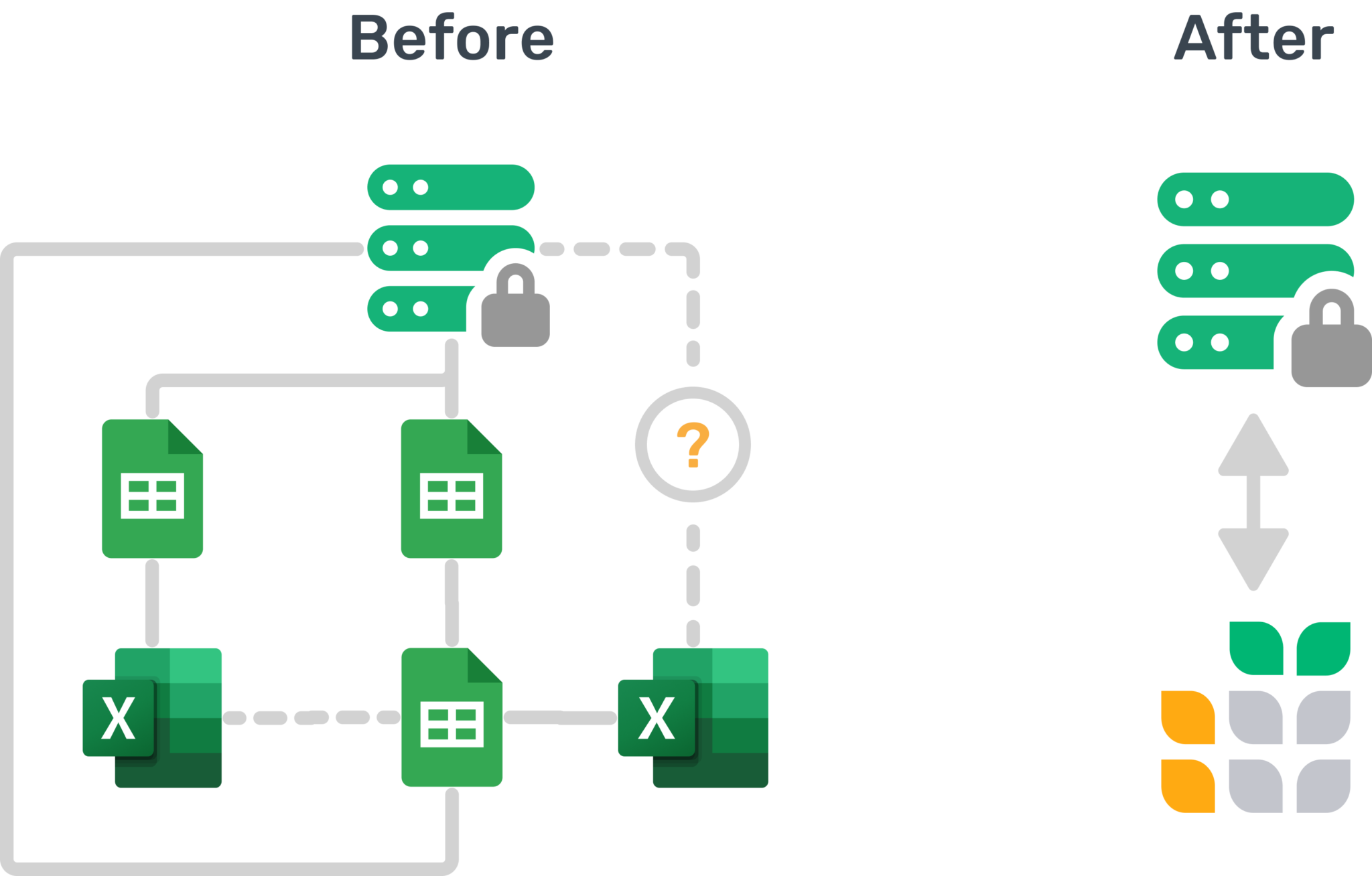
**Problem:** Spreadsheets aren’t structured or relational
---------------------------------------------------------
database
### **Solution:**
Grist is a database that feels like a spreadsheet

**Problem:** Spreadsheets don’t have data types
-----------------------------------------------
pin
### **Solution:**
Grist has all of the common data types

**Problem:** Databases are too technical for most users
-------------------------------------------------------
groups
### **Solution:**
Gives teams the tool they already love – a spreadsheet
More reasons to use Grist…
--------------------------
[Survey & form builder](https://www.getgrist.com/forms/)
[Detailed documentation](https://support.getgrist.com/)
[Self-hosting](https://www.getgrist.com/product/self-managed/)
[AI spreadsheet assistant](https://www.getgrist.com/ai-assistant/)
[Pre-built templates](https://www.getgrist.com/templates/)
[Calendar view](https://support.getgrist.com/widget-calendar/)
Python support
SQL endpoint
Multi-language UI
Webhooks
Automated backups
Conditional formatting
**Sign up now**
---------------
Try Grist now with a free Team plan.
[Get started](https://public.getgrist.com/signup)

Why Grist?
----------

### Save time
Grist’s [unique design](https://www.getgrist.com/blog/grist-a-hacker-friendly-spreadsheet/)
combines the best parts of a database, a spreadsheet, and a no-code app-builder.

### Work together
Collaborate with confidence using a sophisticated system of granular data permissions.
See how easy it is to create and test user access controls.

### Own your data
Grist’s [open-source commitment](https://www.getgrist.com/about/)
and emphasis on data portability means that your data is always yours.
Try it now!
-----------
See how Grist can help your team make the most of its data.
[Get started](https://public.getgrist.com/signup)
[](https://www.getgrist.com/)
* [Twitter](https://twitter.com/getgrist)
* [LinkedIn](https://www.linkedin.com/company/grist-labs/)
* [Facebook](https://www.facebook.com/getgrist)
* [YouTube](https://www.youtube.com/channel/UCx0ioQrrC-bIrkmZ7ZULr0g)
* [TikTok](https://www.tiktok.com/@getgrist)
Create a free site
------------------
You may create a Personal or a Team site:
#### Personal
Easiest way to get started
[Get Started](https://docs.getgrist.com/welcome/start)
#### New Team Site
Help your whole team be more productive
[Create Free Team Site](https://docs.getgrist.com/billing/create-team?planType=teamFree)
close
---
# Grist Solutions | Grist
##### ENTERPRISE Services
Solutions built by experts
==========================
Build it once, build it right, and build it for the future.
[Inquire now](https://www.getgrist.com/contact/)
or email [success@getgrist.com](mailto:success@getgrist.com)
.

Why Grist?
----------
Grist is general purpose, but endlessly flexible. We’ve built custom solutions that cover the wide range of use cases often relegated to spreadsheets.
Whether it’s an auditing and reconciliation tracker, a business intelligence and sales database, or a revamped payroll system, we’ve created new data workflows that save organizations time and resources now and in the future.
Fill out the form or email [success@getgrist.com](mailto:success@getgrist.com)
to get in touch.
Email(Required)
Company(Required)
Name(Required)
First Last
Message(Required)
CAPTCHA
This field is hidden when viewing the form
Beacon History
Services we offer
-----------------
### Implementation
* Import or migrate existing SQL or spreadsheet data
* Build upon a solid, relational foundation
* Collaborate in real time with your entire team
### Customization
* Custom widgets and workflows
* Specialized integrations for unique data workflows
* Grist ETL solutions
### Hosting & maintenance
* Dedicated servers and bespoke hosting services
* Granular access rules and permissions for distributed teams
* Self-hosting and ongoing maintenance support
[Inquire now](https://www.getgrist.com/contact/)
or email [success@getgrist.com](mailto:success@getgrist.com)
.
##### Enterprise Training
Grist Workshop
--------------
A free training workshop that equips teams to build their own complex solutions and workflows.
[Inquire now](https://www.getgrist.com/contact/)
done
**From basics to mastery, fast**
Multi-day curriculum covering fundamentals, data modeling, dashboards, reporting, and governance.
done
**Personalized building lab**
A Grist expert works alongside your team to turn ideas into production-ready workflows.

> “I love Grist. It’s crazy powerful. I still can’t believe what we’ve been able to achieve in it. It’s the dream that low-code was sold as for years – we can do incredible things in each column with Python and we can build our own widgets to run on those! Wild!”
Elliot Lee
User Researcher
[View case studies](https://www.getgrist.com/case-studies/)
> “Grist has become our go-to for more complex, structured data. It sits somewhere between Excel and Access—powerful, relational, and flexible enough for prototyping real data-driven applications.”
Olivier Lambert
CEO at Vates
[View case studies](https://www.getgrist.com/case-studies/)
> “The more I use Grist, the more I LOVE it. I have been surveying self-hosted database GUI tools, and I was consistently disappointed with their shortcomings or bugginess. Grist is the first to have tilted the balance the other way.”
Stephen S.
Publications, Personal City Guides
[View case study](https://www.getgrist.com/case-studies/publication-app-open-source-spreadsheet/)
[All case studies](https://www.getgrist.com/case-studies/)
> “Grist has given us incredible flexibility to solve data problems and find solutions, whether it is for a small team at the district, or at scale with the entire district staff. We’re really excited about the different ways we can use it going forward.”
Director of Product
EdTech Company
[View case study](https://www.getgrist.com/case-studies/spreadsheet-collaboration-granular-access-rules/)
[All case studies](https://www.getgrist.com/case-studies/)
> “What I like about Grist the most is its focus. It appears simple, but it’s very powerful in a focused way. Grist has really improved our workflow and communication.”

Chris Scott
Co-founder in Digital Marketing
[View case study](https://www.getgrist.com/case-studies/missionsource-data-organization-digital-marketing/)
[All case studies](https://www.getgrist.com/case-studies/)
> “If people spend some time learning a new tool they’ll have more power to do their work and research. I said to one of my students, ‘You will be very very happy using Grist because you are miserable using Excel!'”

Eduardo Dalcin, Ph.D.
Biodiversity Informatics Expert
[View case study](https://www.getgrist.com/case-studies/relational-spreadsheets-protect-brazil-plants-conservation/)
[All case studies](https://www.getgrist.com/case-studies/)
> “Most CRMs don’t work the way Grist works. Grist’s layouts are simple and do exactly what we need.”
Jennifer Bledsoe
IT Tech at Law Firm
[View case study](https://www.getgrist.com/case-studies/law-firm-built-custom-crm/)
[All case studies](https://www.getgrist.com/case-studies/)
> “I discovered Grist after becoming frustrated with the limitations of Excel and Google Sheets. Grist has been a breath of fresh air, especially with its ability to handle structured data in a way that feels familiar to anyone with experience in relational databases, but with the added flexibility of Python.”
Will Bailey
Small Business Manager
[View case studies](https://www.getgrist.com/case-studies/)
> “Sharing an Access database is near impossible, but Grist makes sharing a relational database simple.”
Walt Rice
IT Consultant
[View case studies](https://www.getgrist.com/case-studies/)
> “I needed an open-source master database that could connect to n8n and AI tools. After trying Notion, Airtable, Siyuan, Baserow, and NocoDB, I chose Grist for its Python-native AI support, flexible integrations, and simple n8n connections.”
Robin A.
Project Manager
[View case studies](https://www.getgrist.com/case-studies/)
> “I’ve worked extensively with NocoDB, Notion, SeaTable, and Baserow, and Grist really stands out. The balance between spreadsheet-style flexibility and structured, low-code database design is excellent.”
Andriy Kostyuk
Automation Engineer, Founder at Enceladus
[View case studies](https://www.getgrist.com/case-studies/)
Take control of your data
-------------------------
Unlock your data’s true potential with the better spreadsheet
[Get started](https://docs.getgrist.com/welcome/start)
[Contact sales](https://www.getgrist.com/contact/)
[](https://www.getgrist.com/)
* [Twitter](https://twitter.com/getgrist)
* [LinkedIn](https://www.linkedin.com/company/grist-labs/)
* [Facebook](https://www.facebook.com/getgrist)
* [YouTube](https://www.youtube.com/channel/UCx0ioQrrC-bIrkmZ7ZULr0g)
* [TikTok](https://www.tiktok.com/@getgrist)
Create a free site
------------------
You may create a Personal or a Team site:
#### Personal
Easiest way to get started
[Get Started](https://docs.getgrist.com/welcome/start)
#### New Team Site
Help your whole team be more productive
[Create Free Team Site](https://docs.getgrist.com/billing/create-team?planType=teamFree)
close
---
# Book Club Template Template (Free & Interactive!) | Grist
**Book Club**
[**Open Full Template**](https://templates.getgrist.com/hdXy57qLiyNf/Book-Club)

About the Book Club Template
----------------------------
Organize your bookclub in this smart spreadsheet. Just enter a title and author, and the template will generate search links for the library, an independent bookstore, Goodreads, and Amazon. It even helps find ISBN numbers. Store all suggestions in one place for easy future reference, keeping your club effortlessly on track.
* Formulas make book search as easy as a click.
* Track book reading status.
* Group books by author to revisit your favorite writers.
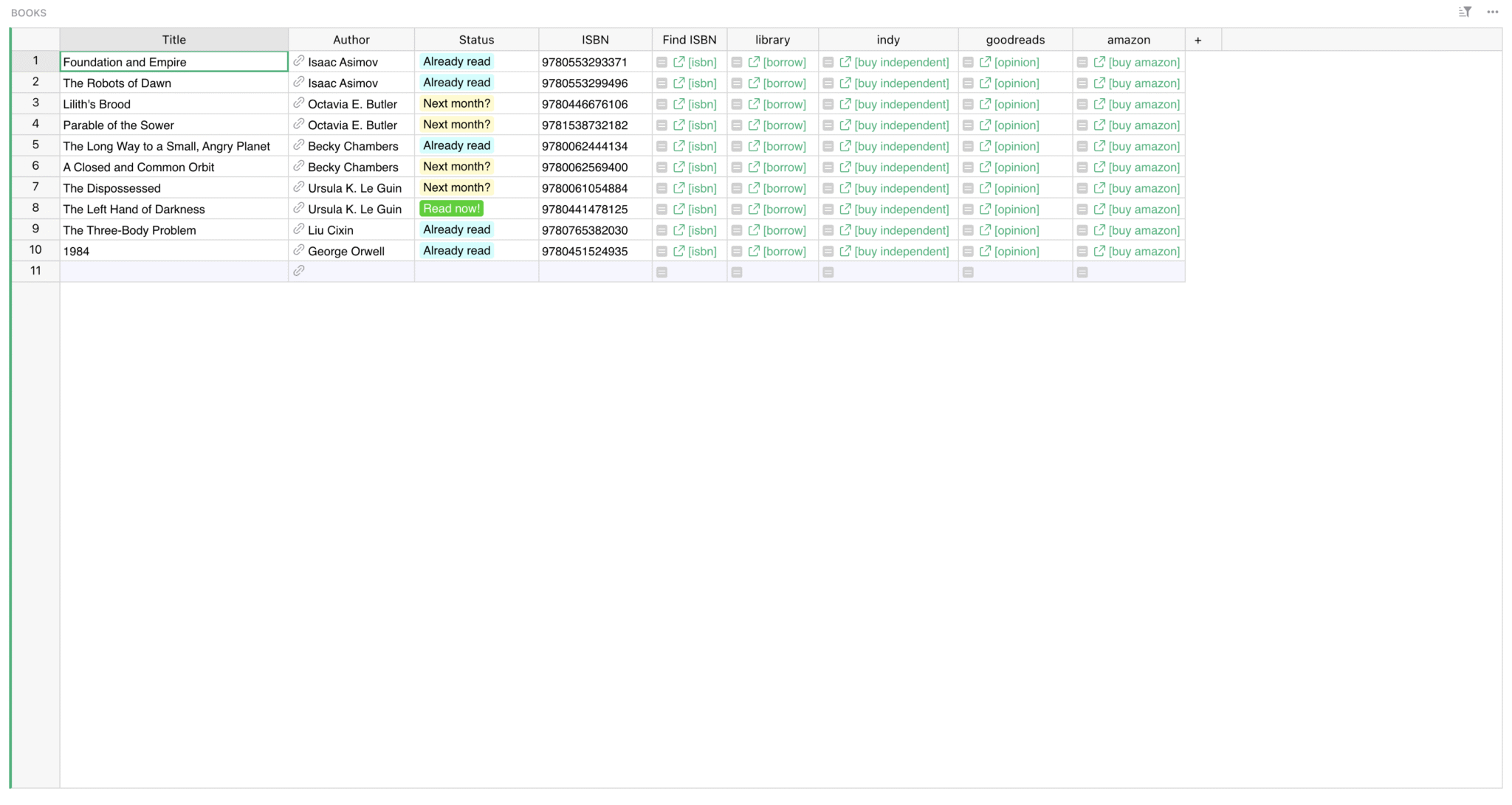
### Related Templates
[All spreadsheet templates](https://www.getgrist.com/templates/)
[](https://www.getgrist.com/templates/test-prep-template/)
Create timed sample tests and flashcards to ace your next test!
View Template
[](https://www.getgrist.com/templates/flashcards-template/)
Prepare for any test with our simple, digital flashcards builder.
View Template
[](https://www.getgrist.com/templates/event-planning-template/)
Manage event details, registrations, ticket revenue, and sponsorships in intuitive dashboards.
View Template
[](https://www.getgrist.com/templates/grant-application-tracker-template/)
Consolidate your application process, contact information and funding goals in intuitive, interconnected dashboards.
View Template
[](https://www.getgrist.com/templates/private-tutor-billing-template/)
Manage client, session, and billing data in a single relational spreadsheet.
View Template
[](https://www.getgrist.com/templates/class-enrollment-template/)
Manage class enrollment and student data efficiently with our easy-to-use relational spreadsheet.
View Template
[](https://www.getgrist.com/)
* [Twitter](https://twitter.com/getgrist)
* [LinkedIn](https://www.linkedin.com/company/grist-labs/)
* [Facebook](https://www.facebook.com/getgrist)
* [YouTube](https://www.youtube.com/channel/UCx0ioQrrC-bIrkmZ7ZULr0g)
* [TikTok](https://www.tiktok.com/@getgrist)
Create a free site
------------------
You may create a Personal or a Team site:
#### Personal
Easiest way to get started
[Get Started](https://docs.getgrist.com/welcome/start)
#### New Team Site
Help your whole team be more productive
[Create Free Team Site](https://docs.getgrist.com/billing/create-team?planType=teamFree)
close
---
# Applicant Tracking System Template | Grist
**Applicant Tracking System Template**
[**Open Full Template**](https://templates.getgrist.com/d7NBjwRKqrzp/Recruiting)

About the Recruiting Spreadsheet Template
-----------------------------------------
Recruiting is a team project! Coordinate your recruiting efforts with our free, collaborative spreadsheet template. Grist documents like these can be deeply customized and automated [beyond the capabilities of Google Sheets and Excel](https://www.getgrist.com/lookup/)
, so your recruiting team can build the exact workflow you need.
Manage job candidates, resumes, notes, and interviews in one place. Customize the template to suit your organization with guidance from our [Modifying Grist Templates webinar](https://www.youtube.com/watch?v=T1Xq4Y2jV50&feature=youtu.be)
.
* Customize drag and drop layout to match your workflow.
* Attach resumes directly to the spreadsheet.
* Capture job descriptions in a notepad integrated into your spreadsheet-database.
How to use this free recruitment tracker spreadsheet template
-------------------------------------------------------------
Use this spreadsheet template to track candidates applying for roles on your team. This can be your centralized hiring hub where you organize candidates, assign tasks to team members, track applicant stages, and pass on candidates.
### How to use the recruiting tracker _Dashboard_ page
Click < and > to select an open position and pull up a list of candidates below.
Add new candidates to the list. You can also add contact information and attach resumes and other documents to the candidate’s card, or [set up a trigger formula to do it for you](https://www.getgrist.com/webinars/trigger-formulas/)
when a candidate applies.
The cells marked yellow indicate fields that you should fill in with your own recruiting data, and non-yellow cells have been set up to help with calculations or referencing.
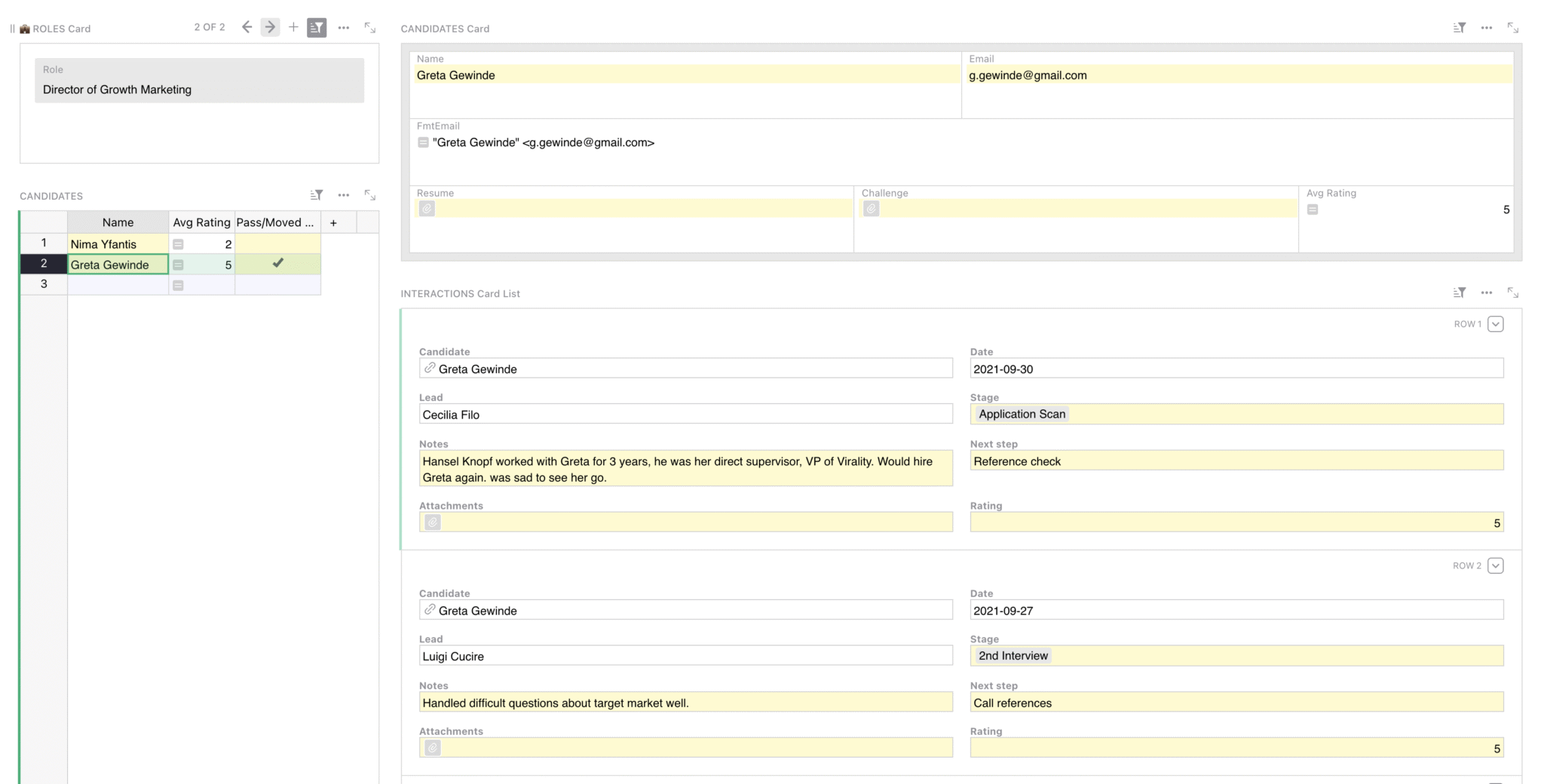
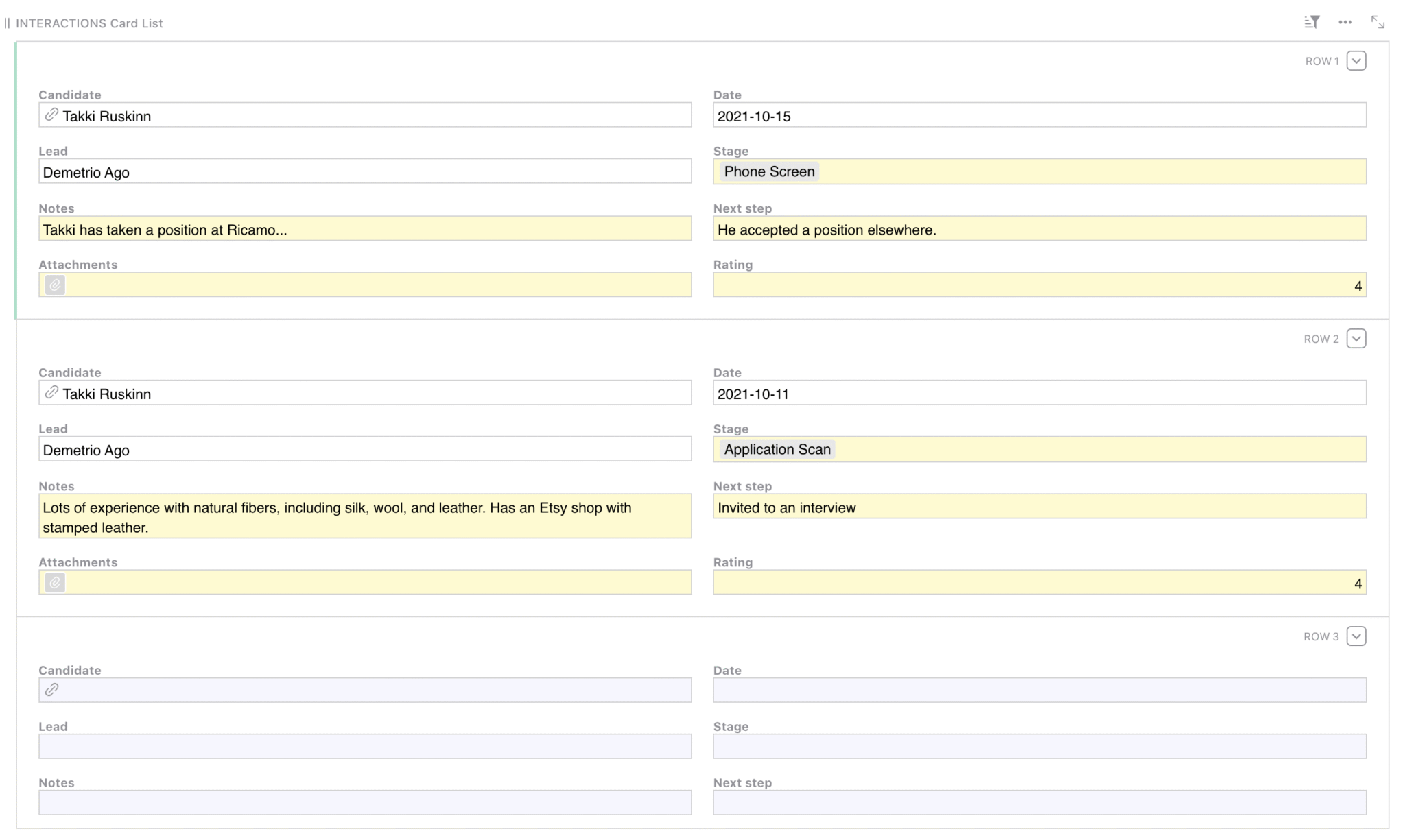
### How to use the _Interactions_ page
In the ‘Interactions’ card, review and add new interactions by filling in an empty card at the bottom of the widget. Only fill in cells shaded yellow. Candidate’s name, date, and team member’s name will automatically fill in.
On the _Interactions_ page, you can simply see a table of all interactions based on candidate and recruiter. Here you can add notes, applicant stage, rating, or any other criteria your recruiting team uses in the application process.
### How to use the _Roles_ page
In this free recruiting template, you can add new roles in the Roles table, and toggle a role as “Open” to make it available for selection in the dashboard.
To add updates, simply create a new row and enter any relevant job posting information, including new fields necessary for your hiring projects. You can also add relevant information about the role in the notepad below, and include links to the live job postings.

### Related Templates
[All spreadsheet templates](https://www.getgrist.com/templates/)
[](https://www.getgrist.com/templates/general-ledger-template/)
Analyze income and expenses by project and over time using our user-friendly general ledger with dynamic charts.
View Template
[](https://www.getgrist.com/templates/expense-tracker-template/)
Streamline expenses management by allowing employees to edit their own expenses, while protecting sensitive data.
View Template
[](https://www.getgrist.com/templates/account-based-marketing-template/)
Track deals in the sales pipeline by account and sales rep using our lightweight sales CRM template.
View Template
[](https://www.getgrist.com/templates/time-tracking-template/)
Track billable hours and generate invoices in this streamlined template.
View Template
[](https://www.getgrist.com/templates/payroll-template/)
Manage hourly payroll calculations and tracking in a single relational spreadsheet.
View Template
[](https://www.getgrist.com/templates/lightweight-crm-template/)
Manage customer info and interactions in a user-friendly, spreadsheet-style CRM template.
View Template
> “I love Grist. It’s crazy powerful. I still can’t believe what we’ve been able to achieve in it. It’s the dream that low-code was sold as for years – we can do incredible things in each column with Python and we can build our own widgets to run on those! Wild!”
Elliot Lee
User Researcher
[View case studies](https://www.getgrist.com/case-studies/)
> “Grist has become our go-to for more complex, structured data. It sits somewhere between Excel and Access—powerful, relational, and flexible enough for prototyping real data-driven applications.”
Olivier Lambert
CEO at Vates
[View case studies](https://www.getgrist.com/case-studies/)
> “The more I use Grist, the more I LOVE it. I have been surveying self-hosted database GUI tools, and I was consistently disappointed with their shortcomings or bugginess. Grist is the first to have tilted the balance the other way.”
Stephen S.
Publications, Personal City Guides
[View case study](https://www.getgrist.com/case-studies/publication-app-open-source-spreadsheet/)
[All case studies](https://www.getgrist.com/case-studies/)
> “Grist has given us incredible flexibility to solve data problems and find solutions, whether it is for a small team at the district, or at scale with the entire district staff. We’re really excited about the different ways we can use it going forward.”
Director of Product
EdTech Company
[View case study](https://www.getgrist.com/case-studies/spreadsheet-collaboration-granular-access-rules/)
[All case studies](https://www.getgrist.com/case-studies/)
> “What I like about Grist the most is its focus. It appears simple, but it’s very powerful in a focused way. Grist has really improved our workflow and communication.”

Chris Scott
Co-founder in Digital Marketing
[View case study](https://www.getgrist.com/case-studies/missionsource-data-organization-digital-marketing/)
[All case studies](https://www.getgrist.com/case-studies/)
> “If people spend some time learning a new tool they’ll have more power to do their work and research. I said to one of my students, ‘You will be very very happy using Grist because you are miserable using Excel!'”

Eduardo Dalcin, Ph.D.
Biodiversity Informatics Expert
[View case study](https://www.getgrist.com/case-studies/relational-spreadsheets-protect-brazil-plants-conservation/)
[All case studies](https://www.getgrist.com/case-studies/)
> “Most CRMs don’t work the way Grist works. Grist’s layouts are simple and do exactly what we need.”
Jennifer Bledsoe
IT Tech at Law Firm
[View case study](https://www.getgrist.com/case-studies/law-firm-built-custom-crm/)
[All case studies](https://www.getgrist.com/case-studies/)
> “I discovered Grist after becoming frustrated with the limitations of Excel and Google Sheets. Grist has been a breath of fresh air, especially with its ability to handle structured data in a way that feels familiar to anyone with experience in relational databases, but with the added flexibility of Python.”
Will Bailey
Small Business Manager
[View case studies](https://www.getgrist.com/case-studies/)
> “Sharing an Access database is near impossible, but Grist makes sharing a relational database simple.”
Walt Rice
IT Consultant
[View case studies](https://www.getgrist.com/case-studies/)
> “I needed an open-source master database that could connect to n8n and AI tools. After trying Notion, Airtable, Siyuan, Baserow, and NocoDB, I chose Grist for its Python-native AI support, flexible integrations, and simple n8n connections.”
Robin A.
Project Manager
[View case studies](https://www.getgrist.com/case-studies/)
> “I’ve worked extensively with NocoDB, Notion, SeaTable, and Baserow, and Grist really stands out. The balance between spreadsheet-style flexibility and structured, low-code database design is excellent.”
Andriy Kostyuk
Automation Engineer, Founder at Enceladus
[View case studies](https://www.getgrist.com/case-studies/)
Build on your own terms
-----------------------
If you have an existing workflow in tools like Google Sheets or Excel, you can easily import it into this template right away.
Grist’s incremental imports feature allows users to import new activity to existing data, and Grist intelligently combines it without creating duplicates or needing manual cleanup.
[Use This Template](https://templates.getgrist.com/pVq4xESKtU24/Sales-Commissions-Dashboard/)
Request demo
[](https://www.getgrist.com/)
* [Twitter](https://twitter.com/getgrist)
* [LinkedIn](https://www.linkedin.com/company/grist-labs/)
* [Facebook](https://www.facebook.com/getgrist)
* [YouTube](https://www.youtube.com/channel/UCx0ioQrrC-bIrkmZ7ZULr0g)
* [TikTok](https://www.tiktok.com/@getgrist)
Create a free site
------------------
You may create a Personal or a Team site:
#### Personal
Easiest way to get started
[Get Started](https://docs.getgrist.com/welcome/start)
#### New Team Site
Help your whole team be more productive
[Create Free Team Site](https://docs.getgrist.com/billing/create-team?planType=teamFree)
close
---
# Access Rules for Teams | Grist
In January, we learned how to create access rules to limit which team members can see or edit which data.
### Timestamps
00:57 Answering sign-up questions: the very basics of starting in Grist
06:09 Webinar Intro
07:15 Payroll template overview and access rules goals
08:15 Default access rules
11:30 Table seed rules
12:45 Restricting tables with access rules
13:30 View As other users to test rules
13:53 What happens to pages and widgets that show restricted tables?
15:04 Restricting columns with access rules
16:23 Restricting rows with access rules based on value in cells
18:52 Restricting data based on users’ login email (the suboptimal way)
23:22 Creating custom user attributes
25:26 Restricting data based on users’ login email (the optimal way)
27:49 Truly locking down structure with access rules
28:31 Custom user attributes + reference columns
32:51 Surprise! Troubleshooting. 🤔
37:06 Anchor links
39:52 Enable editing a cell, but not erasing a cell, with access rules
44:57 Recent changes to filtering – date filter, pinned filters
52:31 How censored cells look with access rules
55:49 Link keys and access rules
### Links
* Link Keys Guide: [https://support.getgrist.com/examples/2021-04-link-keys/](https://www.youtube.com/redirect?event=video_description&redir_token=QUFFLUhqa2pxV0c1TnRUdUZQenc4WXdtUXRIbmhhVHI2UXxBQ3Jtc0trMjM0Y21PU3VoMTlVeGJ4SXJWSmtDcHR1SS1lcm91M2Rfb3hIU2JRSXN3djRBbWt6RVNiSWNQN3A4M3doblBZLWw2d0R0ODJUcUxtRk8zYy1hVnFYb3BNYnEycXVUbFpYMk14TnNQLTYxVURYdjRkQQ&q=https%3A%2F%2Fsupport.getgrist.com%2Fexamples%2F2021-04-link-keys%2F&v=7T9XCpZyk9c)
* Sprouts: [https://www.getgrist.com/sprouts-program/](https://www.getgrist.com/sprouts-program/)
* Community Forum: [https://community.getgrist.com/](https://community.getgrist.com/)
[](https://www.getgrist.com/webinars/how-dotphoton-built-a-fully-traceable-qa-system-for-the-european-space-agency/)
How Dotphoton built a fully traceable QA system for the European Space Agency
=============================================================================
Bruno Sanguinetti of Dotphoton shows how his on-prem QA traceability system that meets the standards of the European Space Agency.
[](https://www.getgrist.com/webinars/mcp-grist-a-first-look/)
MCP + Grist: A First Look
=========================
Join co-founder Stan for a sneak peek at Grist’s official MCP server, making it easier than ever to connect AI tools with Grist.
[](https://www.getgrist.com/webinars/vibing-with-grist-ai-assisted-custom-data-interfaces/)
Vibing with Grist: AI Assisted Custom Data Interfaces
=====================================================
Use AI to bring your data to life. Build dynamic visualizations with Vibe View and interactive widgets with the Custom Widget Builder.
[](https://www.getgrist.com/)
* [Twitter](https://twitter.com/getgrist)
* [LinkedIn](https://www.linkedin.com/company/grist-labs/)
* [Facebook](https://www.facebook.com/getgrist)
* [YouTube](https://www.youtube.com/channel/UCx0ioQrrC-bIrkmZ7ZULr0g)
* [TikTok](https://www.tiktok.com/@getgrist)
Create a free site
------------------
You may create a Personal or a Team site:
#### Personal
Easiest way to get started
[Get Started](https://docs.getgrist.com/welcome/start)
#### New Team Site
Help your whole team be more productive
[Create Free Team Site](https://docs.getgrist.com/billing/create-team?planType=teamFree)
close
---
# Grist Webinar - Adapting from Spreadsheet to Database
On October 18th, 2021 we held our first Build with Grist webinar, focused on best practices to get the most out of Grist.
Grist CEO Dmitry Sagalovskiy shared tips on adapting data from a spreadsheet to a database using the DRY principle, and building dashboards using linked widgets.
Other topics covered include finding the most recent value from a list of historical records, filtering by several fields, understanding the lookup function and reference lookups, and more.
### Timestamps
00:14 The Ceasar Cipher, encoding secret messages in Grist
04:05 The DRY principle – best practices in structuring your data
11:52 Importing spreadsheet data in Grist, and adapting it for a database
17:37 Creating a reference between related tables
19:59 Creating dashboards and linking widgets
27:00 Creating true/false conditional formula columns
32:07 Grist automatic backups, restoring and saving backups
35:44 Multi-line Python code
37:50 Importing Python libraries
39:10 Entering only times in datetime columns
43:08 Changing choice columns values based on selection in another column
46:28 Find the most recent value from a list of historical records e.g more recent product price
50:34 Filtering by several fields
52:22 Understanding the lookup function
56:30 Reference lookups
[](https://www.getgrist.com/webinars/how-dotphoton-built-a-fully-traceable-qa-system-for-the-european-space-agency/)
How Dotphoton built a fully traceable QA system for the European Space Agency
=============================================================================
Bruno Sanguinetti of Dotphoton shows how his on-prem QA traceability system that meets the standards of the European Space Agency.
[](https://www.getgrist.com/webinars/mcp-grist-a-first-look/)
MCP + Grist: A First Look
=========================
Join co-founder Stan for a sneak peek at Grist’s official MCP server, making it easier than ever to connect AI tools with Grist.
[](https://www.getgrist.com/webinars/vibing-with-grist-ai-assisted-custom-data-interfaces/)
Vibing with Grist: AI Assisted Custom Data Interfaces
=====================================================
Use AI to bring your data to life. Build dynamic visualizations with Vibe View and interactive widgets with the Custom Widget Builder.
[](https://www.getgrist.com/)
* [Twitter](https://twitter.com/getgrist)
* [LinkedIn](https://www.linkedin.com/company/grist-labs/)
* [Facebook](https://www.facebook.com/getgrist)
* [YouTube](https://www.youtube.com/channel/UCx0ioQrrC-bIrkmZ7ZULr0g)
* [TikTok](https://www.tiktok.com/@getgrist)
Create a free site
------------------
You may create a Personal or a Team site:
#### Personal
Easiest way to get started
[Get Started](https://docs.getgrist.com/welcome/start)
#### New Team Site
Help your whole team be more productive
[Create Free Team Site](https://docs.getgrist.com/billing/create-team?planType=teamFree)
close
---
# Grist Webinar - Trigger Formulas v. Formulas
During November’s webinar, Anais discussed the difference between typical formulas and trigger formulas, and when to use which. She also shared some of her favorite formulas and dove deep into how to use reference columns in lookup formulas.
### Timestamps
00:31 DnD Encounter template
00:50 Embedding iframes in custom widgets
02:55 The difference between trigger formulas and regular formulas
04:15 No code hiring template walkthrough
05:45 Auto-adding a date with trigger formulas
07:35 Auto-adding user information with trigger formulas
08:29 Data cleaning with trigger formulas
11:07 Understanding .format() formula
13:08 Reverse reference lookup – finding all the records related to a specific record
18:24 Looking up fields with a lookupRecords() function
18:34 Combining AVERAGE() and lookupRecords()
18:53 How to use IFERROR()
19:58 Formula challenge – funding duplicates
21:15 Changing the currency on the invoice template’s custom widget
23:24 Best way to learn Grist?
24:39 Comparing Grist and Airtable
28:40 Grist won Product of the Day on Product Hunt! Thank you!!
[](https://www.getgrist.com/webinars/how-dotphoton-built-a-fully-traceable-qa-system-for-the-european-space-agency/)
How Dotphoton built a fully traceable QA system for the European Space Agency
=============================================================================
Bruno Sanguinetti of Dotphoton shows how his on-prem QA traceability system that meets the standards of the European Space Agency.
[](https://www.getgrist.com/webinars/mcp-grist-a-first-look/)
MCP + Grist: A First Look
=========================
Join co-founder Stan for a sneak peek at Grist’s official MCP server, making it easier than ever to connect AI tools with Grist.
[](https://www.getgrist.com/webinars/vibing-with-grist-ai-assisted-custom-data-interfaces/)
Vibing with Grist: AI Assisted Custom Data Interfaces
=====================================================
Use AI to bring your data to life. Build dynamic visualizations with Vibe View and interactive widgets with the Custom Widget Builder.
[](https://www.getgrist.com/)
* [Twitter](https://twitter.com/getgrist)
* [LinkedIn](https://www.linkedin.com/company/grist-labs/)
* [Facebook](https://www.facebook.com/getgrist)
* [YouTube](https://www.youtube.com/channel/UCx0ioQrrC-bIrkmZ7ZULr0g)
* [TikTok](https://www.tiktok.com/@getgrist)
Create a free site
------------------
You may create a Personal or a Team site:
#### Personal
Easiest way to get started
[Get Started](https://docs.getgrist.com/welcome/start)
#### New Team Site
Help your whole team be more productive
[Create Free Team Site](https://docs.getgrist.com/billing/create-team?planType=teamFree)
close
---
# Sales Commission Sheet Structure Template (Free and Interactive!)
**Sales Commission Template**
[**Open Full Template**](https://templates.getgrist.com/pVq4xESKtU24/Sales-Commissions-Dashboard/)

About the sales commission sheet template
-----------------------------------------
Simplify your sales commission structure and process by allowing sales reps to enter their own data, while this spreadsheet automatically calculates their sales commissions. Dynamic charts reflect revenue and payout data in real-time. Granular permissions ensure sales reps can only access their own sales and commission details, while viewing a leaderboard of total sales by rep.
This Grist spreadsheet template is [more advanced than what a Google Sheet or Excel document is capable of](https://www.getgrist.com/grist-product-comparison/)
, while maintaining a structured format that ensures easy editing and collaboration.
Customize this commission sheet template to match your organization’s needs. Any sales team can tailor this workflow to match their commission structure, no matter how unique. Learn how with our [Modifying Grist Templates webinar](https://www.youtube.com/watch?v=T1Xq4Y2jV50&feature=youtu.be)
.
* Summarize revenue and payout from commission calculations in charts.
* Look up sales performance by rep with a click to see if sales targets have been met.
* Access rules limit sales reps to only enter and see their own data and commission structure in detail.
How to use this free commission sheet template
----------------------------------------------
Sales and accounting teams can use this free template to track sales and commission. Sales reps only see their individual sales, and the overall leaderboard. Management can see everything. Be sure to watch our [Sales + Commissions webinar](https://www.youtube.com/watch?v=jWK4hBXbyKc)
to learn more.
### How to use the _Sales by Rep_ page
This page is where managers (document owners) and the rest of the sales team (editors or viewers) can see all their recorded sales in a particular time frame, as well as their calculated commission rates and overall payout.
Select a rep and a month to drill into sales. Managers can see all data. However, using preset access rules, reps can only see their sales and commission details, as well as every rep’s total revenue on this leaderboard.
To make updates, team members can easily record their own sales in the ‘Sales’ table at the bottom of this page, including the date, customer, revenue, and any additional relevant information to the sale.
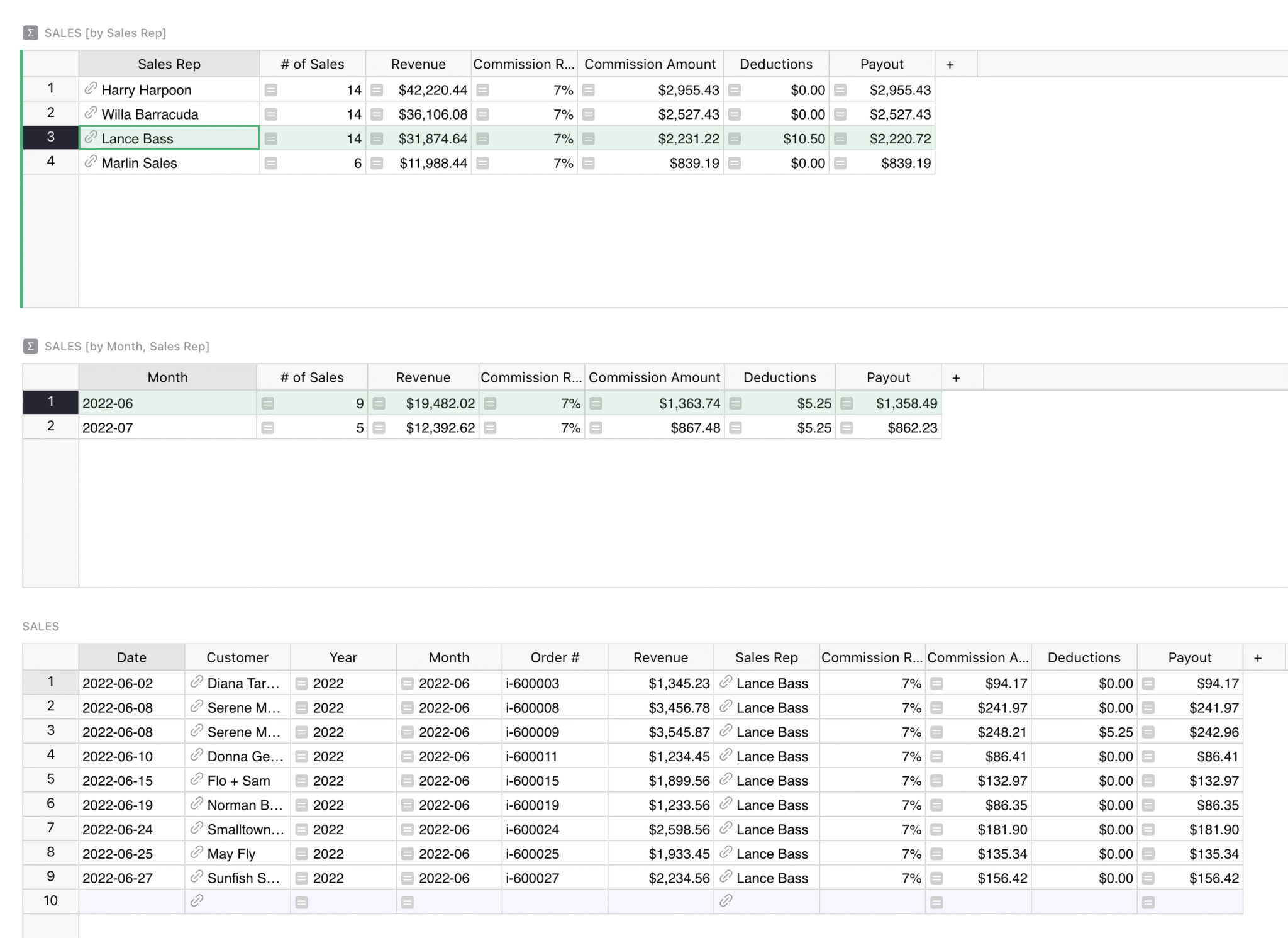
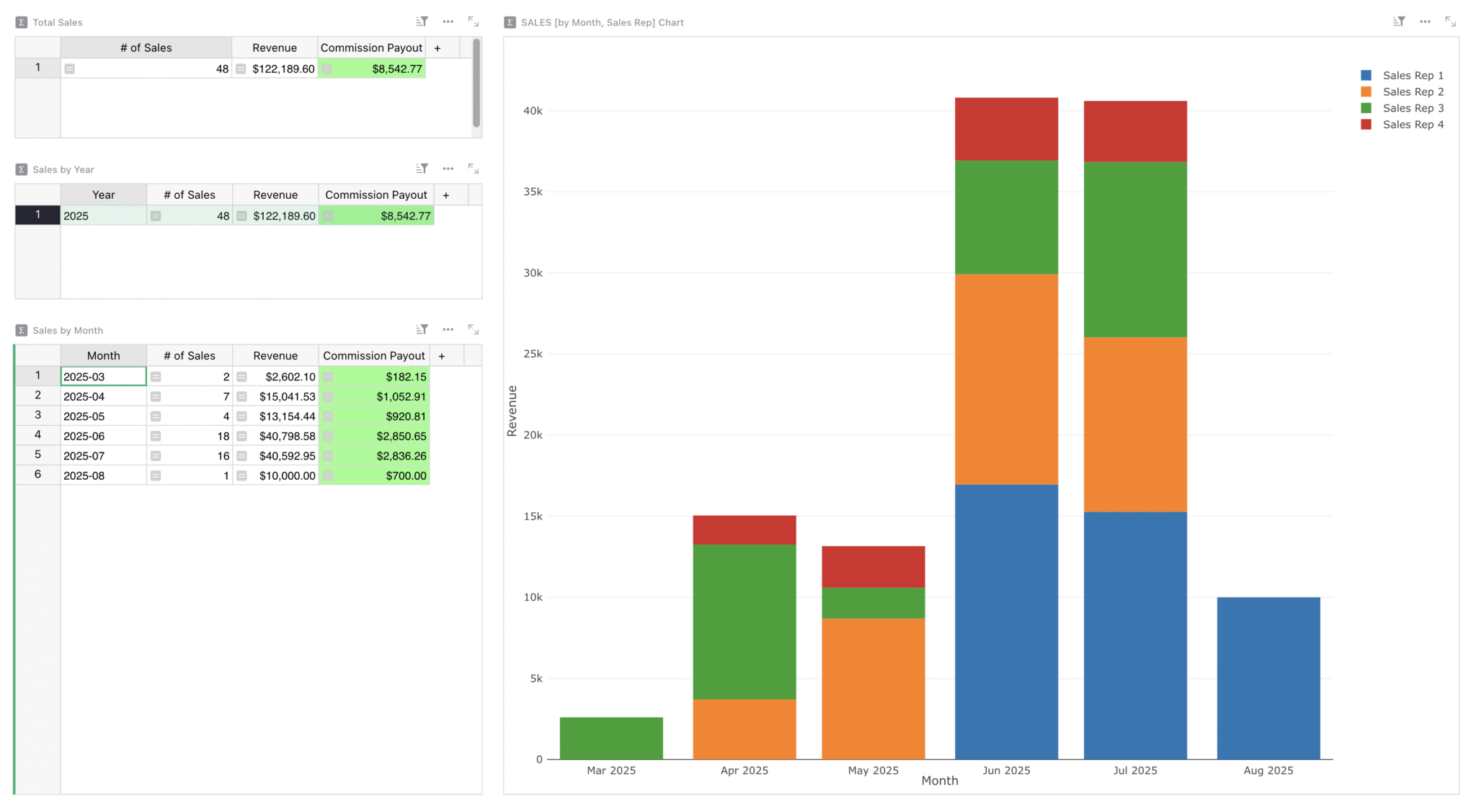
### How to use the _Sales Over Time_ page
Only managers can see metrics from the entire sales team over time. This shows all-time sales, and sales broken down by year and month.
This template automatically calculates your performance metrics, including commission rates, monthly sales, and all sales commissions based on the data entered in the ‘Sales’ table within the _Sales by Rep_ page, so you can focus more on insights and reporting.
### How to use the _Customers_ page
This page is a simple CRM to keep customer contact data in one place. Here is where your sales team.
To add updates, simply create a new row and enter any relevant contact information, including new fields necessary for your sales strategy.
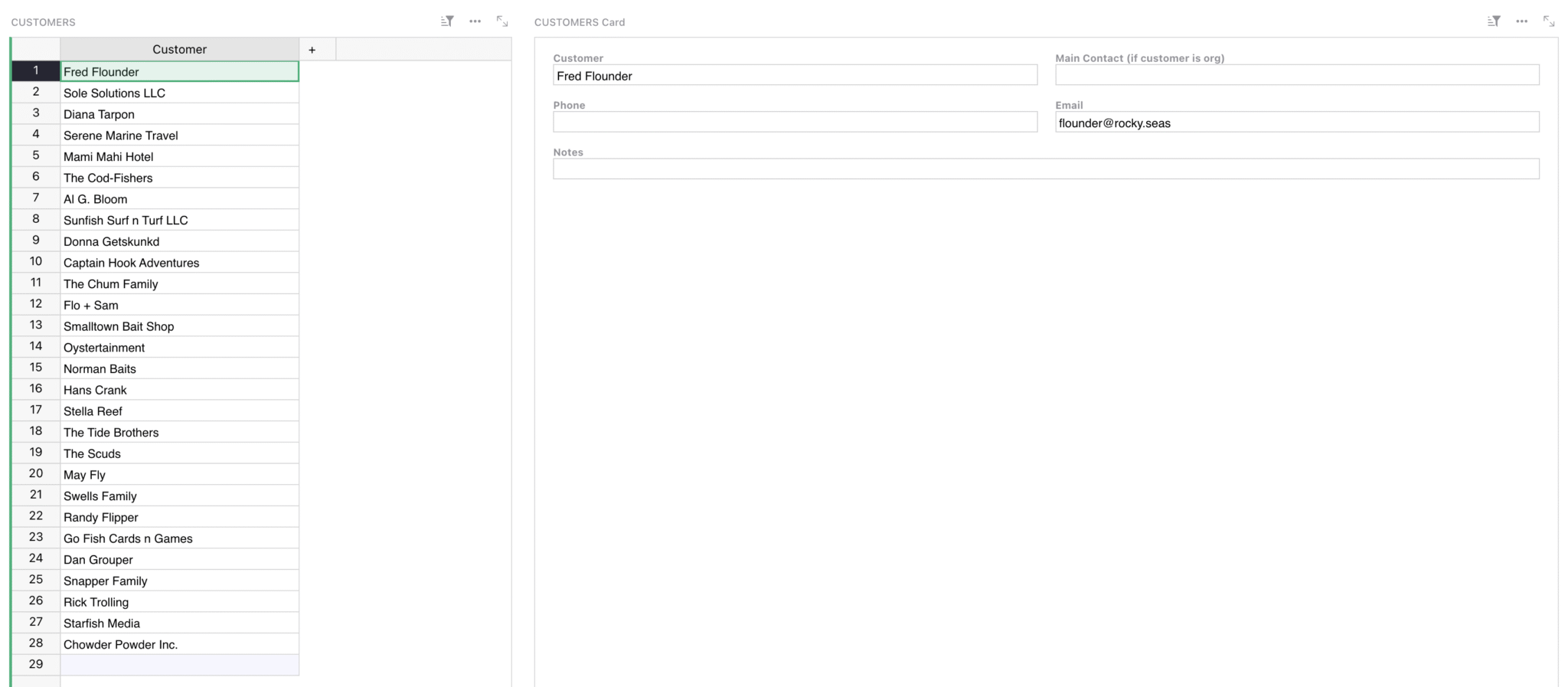
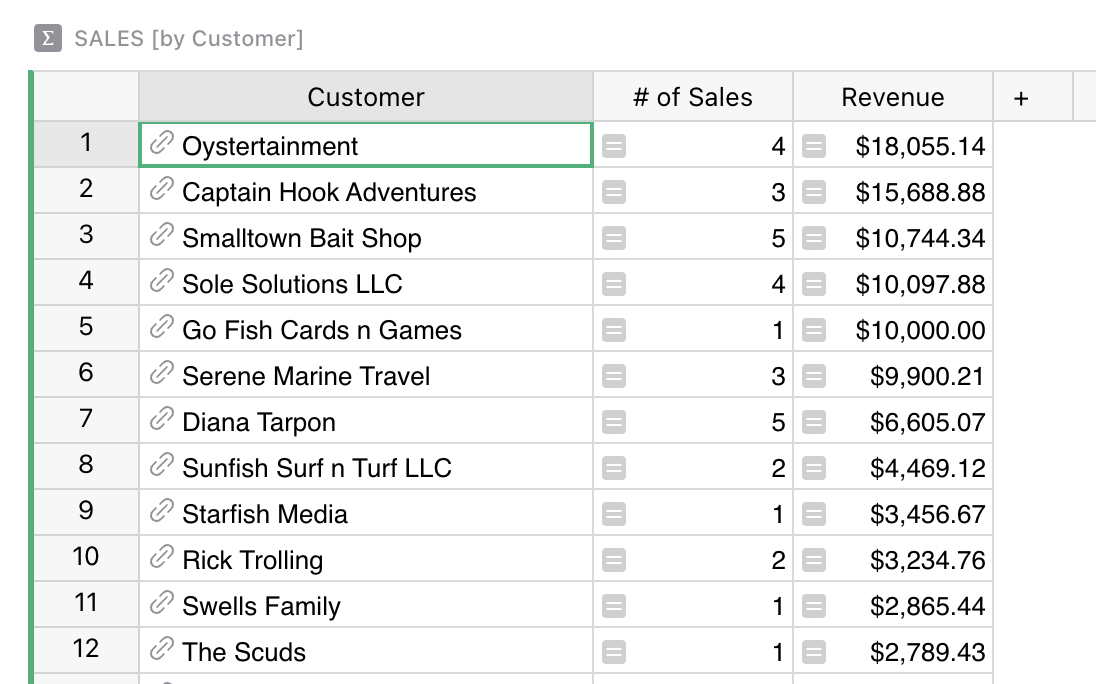
### How to use the _Sales by Customer_ page
See the lifetime value of your customers at a glance.
This page references all your listed customers on the _Customers_ page, and then automatically calculates the amount of sales and revenue generated by the sales recorded in the original ‘Sales’ table.
There’s no need to add updates here!
### How to view permissions for this doc’s users
With granular access rules, sales reps only see what’s relevant to them. Click on the “Users” button in the top right to view as any sales rep and compare what they can and cannot view when compared to their manager.
For example, Lance, a preset sales rep, only sees the main leaderboard, personal commission structure, and his own sales performance in the ‘Sales’ table at the bottom. No data will be leaked, and everyone on the sales team can store their data securely and collaboratively in the same place.
To learn more about Grist’s access rules, watch our [comprehensive access rules webinar](https://www.getgrist.com/webinars/access-rules-for-distributed-organizations/)
covering everything you need to know.
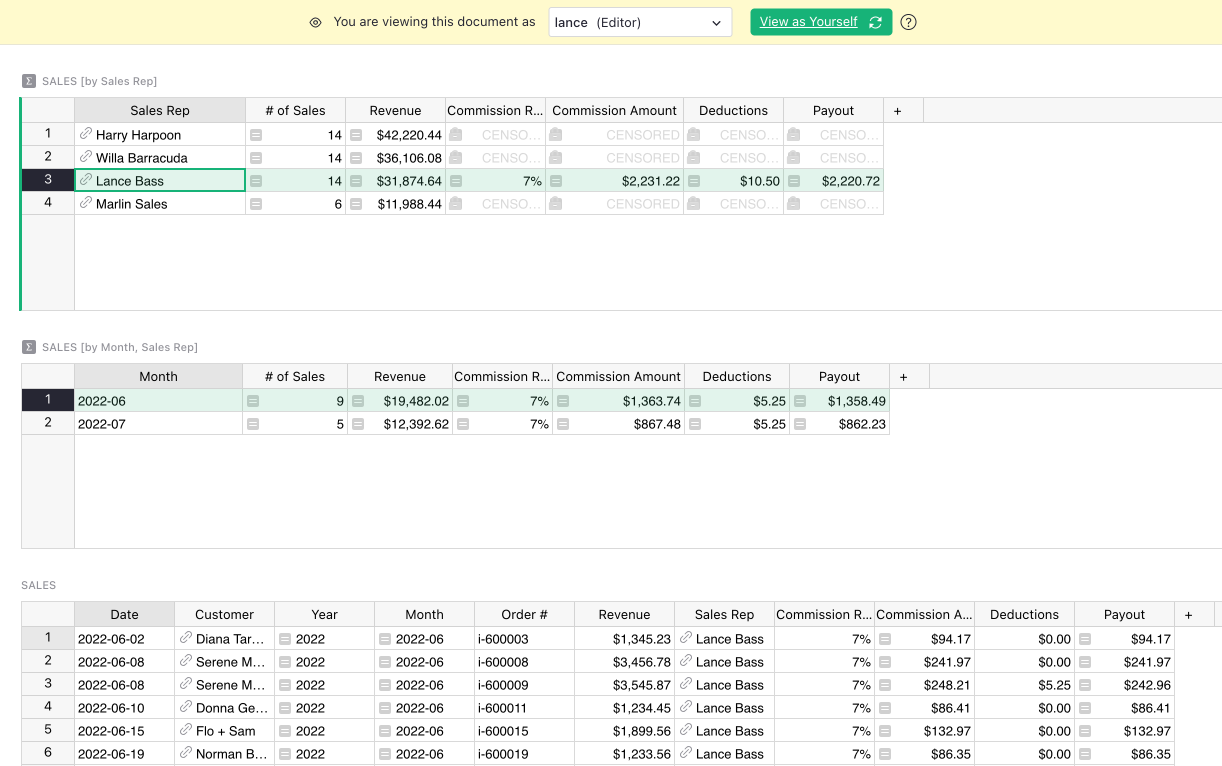
### Related Templates
[All spreadsheet templates](https://www.getgrist.com/templates/)
[](https://www.getgrist.com/templates/general-ledger-template/)
Analyze income and expenses by project and over time using our user-friendly general ledger with dynamic charts.
View Template
[](https://www.getgrist.com/templates/expense-tracker-template/)
Streamline expenses management by allowing employees to edit their own expenses, while protecting sensitive data.
View Template
[](https://www.getgrist.com/templates/account-based-marketing-template/)
Track deals in the sales pipeline by account and sales rep using our lightweight sales CRM template.
View Template
[](https://www.getgrist.com/templates/time-tracking-template/)
Track billable hours and generate invoices in this streamlined template.
View Template
[](https://www.getgrist.com/templates/payroll-template/)
Manage hourly payroll calculations and tracking in a single relational spreadsheet.
View Template
[](https://www.getgrist.com/templates/invoicing-template/)
Create printable invoices directly from your spreadsheet data.
View Template
> “I love Grist. It’s crazy powerful. I still can’t believe what we’ve been able to achieve in it. It’s the dream that low-code was sold as for years – we can do incredible things in each column with Python and we can build our own widgets to run on those! Wild!”
Elliot Lee
User Researcher
[View case studies](https://www.getgrist.com/case-studies/)
> “Grist has become our go-to for more complex, structured data. It sits somewhere between Excel and Access—powerful, relational, and flexible enough for prototyping real data-driven applications.”
Olivier Lambert
CEO at Vates
[View case studies](https://www.getgrist.com/case-studies/)
> “The more I use Grist, the more I LOVE it. I have been surveying self-hosted database GUI tools, and I was consistently disappointed with their shortcomings or bugginess. Grist is the first to have tilted the balance the other way.”
Stephen S.
Publications, Personal City Guides
[View case study](https://www.getgrist.com/case-studies/publication-app-open-source-spreadsheet/)
[All case studies](https://www.getgrist.com/case-studies/)
> “Grist has given us incredible flexibility to solve data problems and find solutions, whether it is for a small team at the district, or at scale with the entire district staff. We’re really excited about the different ways we can use it going forward.”
Director of Product
EdTech Company
[View case study](https://www.getgrist.com/case-studies/spreadsheet-collaboration-granular-access-rules/)
[All case studies](https://www.getgrist.com/case-studies/)
> “What I like about Grist the most is its focus. It appears simple, but it’s very powerful in a focused way. Grist has really improved our workflow and communication.”

Chris Scott
Co-founder in Digital Marketing
[View case study](https://www.getgrist.com/case-studies/missionsource-data-organization-digital-marketing/)
[All case studies](https://www.getgrist.com/case-studies/)
> “If people spend some time learning a new tool they’ll have more power to do their work and research. I said to one of my students, ‘You will be very very happy using Grist because you are miserable using Excel!'”

Eduardo Dalcin, Ph.D.
Biodiversity Informatics Expert
[View case study](https://www.getgrist.com/case-studies/relational-spreadsheets-protect-brazil-plants-conservation/)
[All case studies](https://www.getgrist.com/case-studies/)
> “Most CRMs don’t work the way Grist works. Grist’s layouts are simple and do exactly what we need.”
Jennifer Bledsoe
IT Tech at Law Firm
[View case study](https://www.getgrist.com/case-studies/law-firm-built-custom-crm/)
[All case studies](https://www.getgrist.com/case-studies/)
> “I discovered Grist after becoming frustrated with the limitations of Excel and Google Sheets. Grist has been a breath of fresh air, especially with its ability to handle structured data in a way that feels familiar to anyone with experience in relational databases, but with the added flexibility of Python.”
Will Bailey
Small Business Manager
[View case studies](https://www.getgrist.com/case-studies/)
> “Sharing an Access database is near impossible, but Grist makes sharing a relational database simple.”
Walt Rice
IT Consultant
[View case studies](https://www.getgrist.com/case-studies/)
> “I needed an open-source master database that could connect to n8n and AI tools. After trying Notion, Airtable, Siyuan, Baserow, and NocoDB, I chose Grist for its Python-native AI support, flexible integrations, and simple n8n connections.”
Robin A.
Project Manager
[View case studies](https://www.getgrist.com/case-studies/)
> “I’ve worked extensively with NocoDB, Notion, SeaTable, and Baserow, and Grist really stands out. The balance between spreadsheet-style flexibility and structured, low-code database design is excellent.”
Andriy Kostyuk
Automation Engineer, Founder at Enceladus
[View case studies](https://www.getgrist.com/case-studies/)
Build on your own terms
-----------------------
If you have an existing workflow in tools like Google Sheets or Excel, you can easily import it into this template right away.
Grist’s incremental imports feature allows users to import new activity to existing data, and Grist intelligently combines it without creating duplicates or needing manual cleanup.
[Use This Template](https://templates.getgrist.com/pVq4xESKtU24/Sales-Commissions-Dashboard/)
Request demo
[](https://www.getgrist.com/)
* [Twitter](https://twitter.com/getgrist)
* [LinkedIn](https://www.linkedin.com/company/grist-labs/)
* [Facebook](https://www.facebook.com/getgrist)
* [YouTube](https://www.youtube.com/channel/UCx0ioQrrC-bIrkmZ7ZULr0g)
* [TikTok](https://www.tiktok.com/@getgrist)
Create a free site
------------------
You may create a Personal or a Team site:
#### Personal
Easiest way to get started
[Get Started](https://docs.getgrist.com/welcome/start)
#### New Team Site
Help your whole team be more productive
[Create Free Team Site](https://docs.getgrist.com/billing/create-team?planType=teamFree)
close
---
# Vibing with Grist: AI Assisted Custom Data Interfaces | Grist
Have an idea of exactly how you want to view or interact with data, but not sure how to bring it to life? In May, Natalie showed us two easy ways to do so in Grist, made even easier with AI. Watch as we build dynamic visualizations with the [Vibe View custom widget](https://support.getgrist.com/newsletters/2026-02/#vibe-view)
, and then an interactive custom widget with the [Custom Widget Builder](https://support.getgrist.com/newsletters/2024-10/#custom-widget-builder-widget)
.
### Timestamps
00:46 [Template](https://templates.getgrist.com/9NH6D58FmxwP/Invoicing)
walkthrough
01:57 💡 Collapsing widgets
02:07 [Vibe View](https://support.getgrist.com/newsletters/2026-02/#vibe-view)
03:28 💡 Rearranging widgets
04:38 💡 Data sharing with AI
06:56 💡 Save often
07:15 Adding colors
08:33 Adding a logo
12:14 [Custom Widget Builder](https://support.getgrist.com/newsletters/2024-10/#custom-widget-builder-widget)
21:00 [Cross-stitch timer](https://public.getgrist.com/2KQfX2QiP2sC/Vibing-with-Grist-Timer)
example
28:50 💡 Browser console
33:14 💡 Templates with dummy data
34:43 💡 Share Code view with AI
35:51 💡 Test, test, test
36:33 [Community Widget Gallery](https://grist-marketing.getgrist.com/oHQcp1bG7DS8/Community-Widgets/p/4)
### Useful links
* **GetGrist.com | Resources | Webinars:** [https://www.getgrist.com/webinars/](https://www.getgrist.com/webinars/)
* **Help Center:** [https://support.getgrist.com/](https://support.getgrist.com/)
* **Community Forum:** [https://community.getgrist.com/](https://community.getgrist.com/)
* **Discord:** [https://discord.gg/MYKpYQ3fbP](https://discord.gg/MYKpYQ3fbP)
* **Custom Widgets:** [https://support.getgrist.com/custom/](https://support.getgrist.com/custom/)
* **Invoicing Template:** [https://templates.getgrist.com/9NH6D58FmxwP/Invoicing](https://templates.getgrist.com/9NH6D58FmxwP/Invoicing)
* **Community Widgets Gallery:** [https://grist-marketing.getgrist.com/oHQcp1bG7DS8/Community-Widgets/p/4](https://grist-marketing.getgrist.com/oHQcp1bG7DS8/Community-Widgets/p/4)
### Documents shown
* **Invoice:** [https://public.getgrist.com/5otjy7gph2GJ/Vibing-with-Grist-Invoice](https://public.getgrist.com/5otjy7gph2GJ/Vibing-with-Grist-Invoice)
* **Cross-Stitch Timer:** [https://public.getgrist.com/2KQfX2QiP2sC/Vibing-with-Grist-Timer](https://public.getgrist.com/2KQfX2QiP2sC/Vibing-with-Grist-Timer)
[](https://www.getgrist.com/webinars/how-dotphoton-built-a-fully-traceable-qa-system-for-the-european-space-agency/)
How Dotphoton built a fully traceable QA system for the European Space Agency
=============================================================================
Bruno Sanguinetti of Dotphoton shows how his on-prem QA traceability system that meets the standards of the European Space Agency.
[](https://www.getgrist.com/webinars/mcp-grist-a-first-look/)
MCP + Grist: A First Look
=========================
Join co-founder Stan for a sneak peek at Grist’s official MCP server, making it easier than ever to connect AI tools with Grist.
[](https://www.getgrist.com/webinars/automations-the-beginning/)
Automations: The Beginning
==========================
Automations are here! Join us to learn how to automatically send email notifications when your Grist data changes.
[](https://www.getgrist.com/)
* [Twitter](https://twitter.com/getgrist)
* [LinkedIn](https://www.linkedin.com/company/grist-labs/)
* [Facebook](https://www.facebook.com/getgrist)
* [YouTube](https://www.youtube.com/channel/UCx0ioQrrC-bIrkmZ7ZULr0g)
* [TikTok](https://www.tiktok.com/@getgrist)
Create a free site
------------------
You may create a Personal or a Team site:
#### Personal
Easiest way to get started
[Get Started](https://docs.getgrist.com/welcome/start)
#### New Team Site
Help your whole team be more productive
[Create Free Team Site](https://docs.getgrist.com/billing/create-team?planType=teamFree)
close
---
# Grist 2025 - Year in review
Hello and happy holidays from everyone here at Grist Labs!
In addition to shipping new features, we spread our wings to get the word out about what makes Grist special, like with _Spreadsheet Makeover_ and _GristCon_.
We also looked inward – exposing some of our deepest spreadsheet secrets for all to see with our _Grist Secrets_ and _How Grist uses Grist_ webinars.
Read about all of these and more in this year’s recap!

Visual learner?
---------------
To view this post in webinar form, check out our [2025 year in review webinar](https://www.getgrist.com/webinars/2025-year-in-review/)
for an interactive walkthrough of almost all the features mentioned!
Grist by the numbers (of people)
--------------------------------
* Our [`grist-core`](https://github.com/gristlabs/grist-core)
GitHub stars went from to 7.4k to over 10.3k. We’re still trying to find a way to convert these stars into goods and services, but in the meantime they decorate our virtual planetarium and dazzle us daily.
* We went from 300 to over 1,000 Discord community members, and even hosted an entire [virtual conference](https://www.getgrist.com/gristcon-2025/)
there! [Join them](https://discord.gg/MYKpYQ3fbP)
(and us!).
Grist for the people
--------------------
**GristCon 2025**
We held our first (but not last!) virtual conference in September, with 10+ talks and sessions by Grist Labs employees and community members.
We even managed to record and upload the results! Check out the recordings [here](https://www.getgrist.com/gristcon-2025/)
.

**Spreadsheet Makeover**
Our co-CEO Anais dove into the world of grid-based content creation with a series of [Spreadsheet Makeovers](https://www.youtube.com/@SpreadsheetMakeover)
. By vicariously watching spreadsheets that _aren’t yours_ get assessed and improved, you can sneakily improve your own Grist skills.
[](https://www.youtube.com/@SpreadsheetMakeover)
Grist _by_ the people
---------------------
This year we were once again supported by an amazing community that takes advantage of Grist and all its flexibility to assemble and share an ever-growing toolbox. We’ve started capturing community-contributed widgets in [this Grist document](https://grist-marketing.getgrist.com/oHQcp1bG7DS8/Community-Widgets/p/4)
, but we also see lots of cool things shared on [Discord](https://discord.gg/MYKpYQ3fbP)
and our [Showcase forum](https://community.getgrist.com/c/showcase/8)
.
Featured features
-----------------
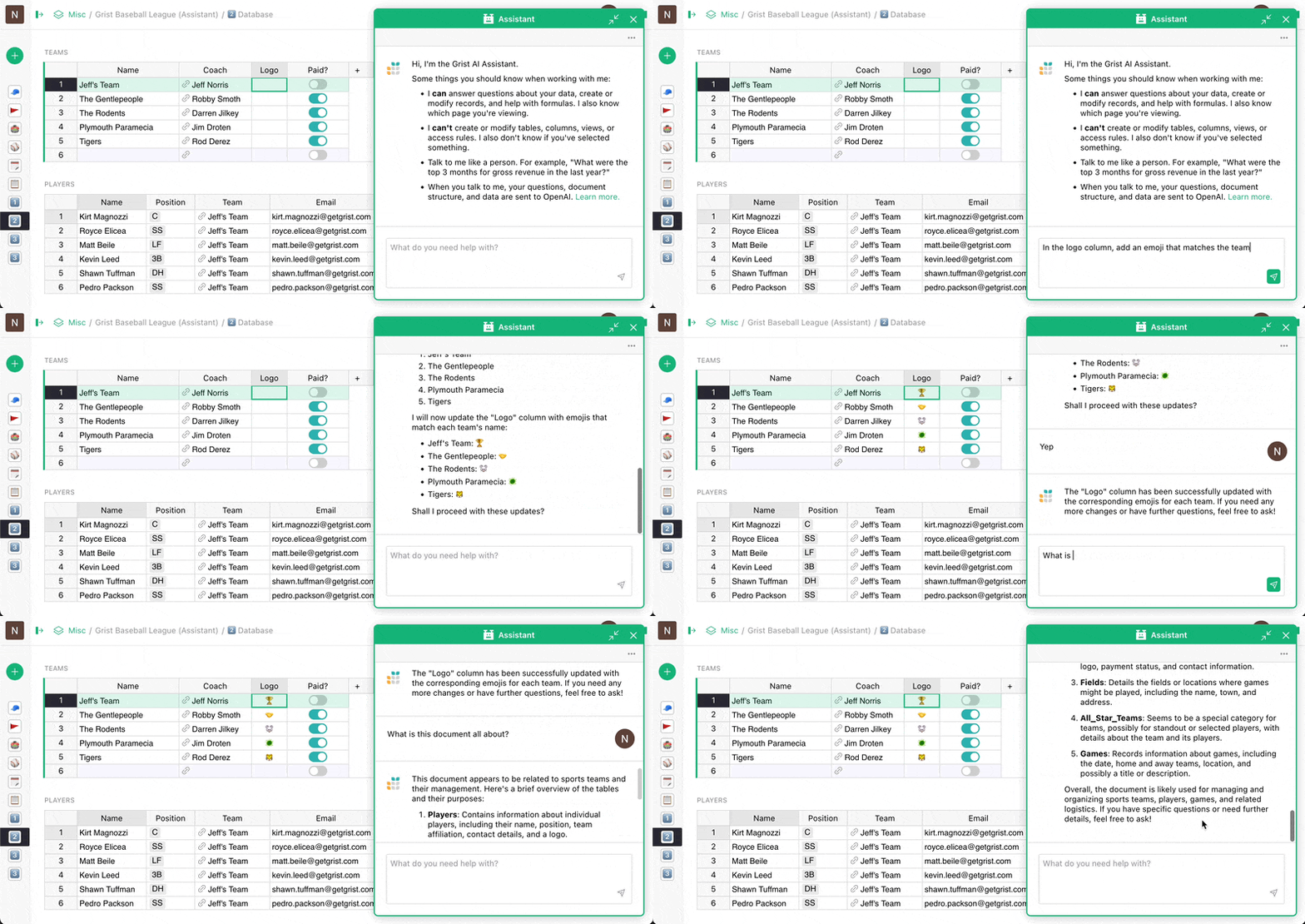
**Assistant upgrades**
Our powerful but unobtrusive [AI Assistant](https://www.getgrist.com/ai-assistant/)
can now create, modify and analyze your data in addition to helping build Python formulas.
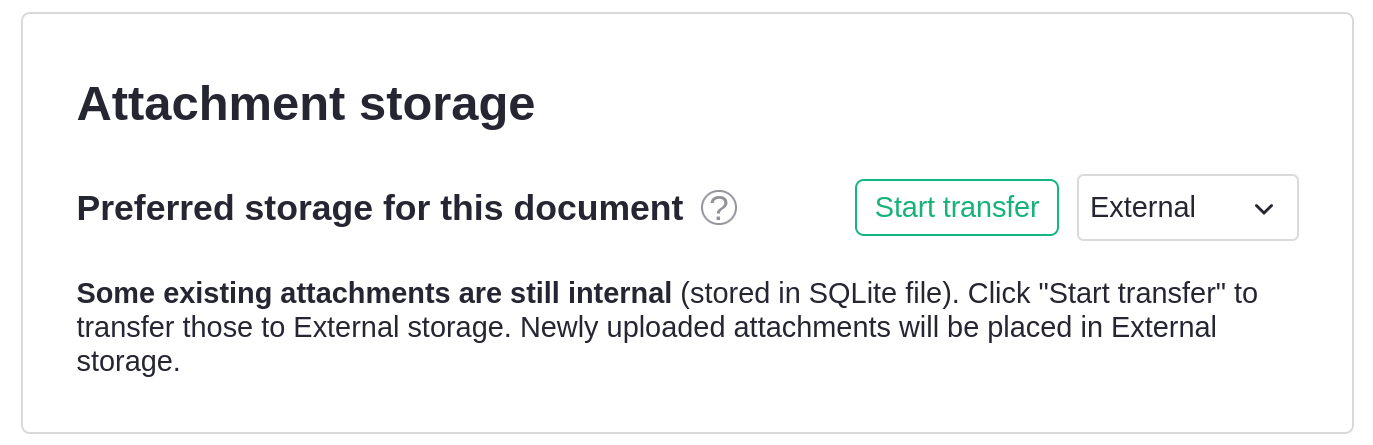
**External attachments**
Push the limits of [Grist attachments](https://support.getgrist.com/document-settings/#external-attachments)
without pushing Grist.
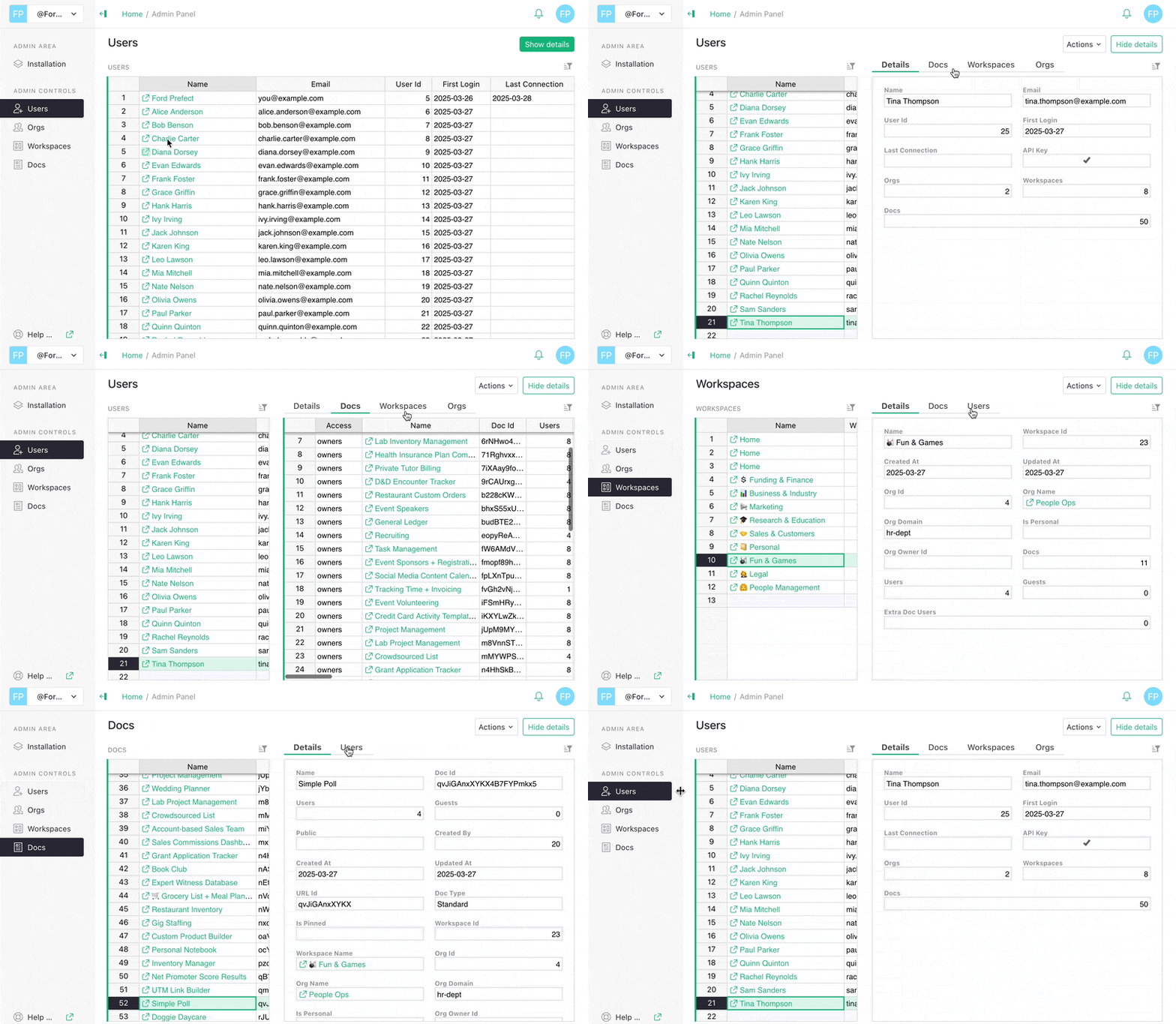
**Admin controls**
A [spreadsheet](https://support.getgrist.com/admin-controls/#admin-controls)
to manage your spreadsheet management.

**Comments and Notifications**
[Talk to each other](https://support.getgrist.com/sharing/#comments)
, highlight cells and receive [notifications](https://support.getgrist.com/document-settings/#notifications)
.
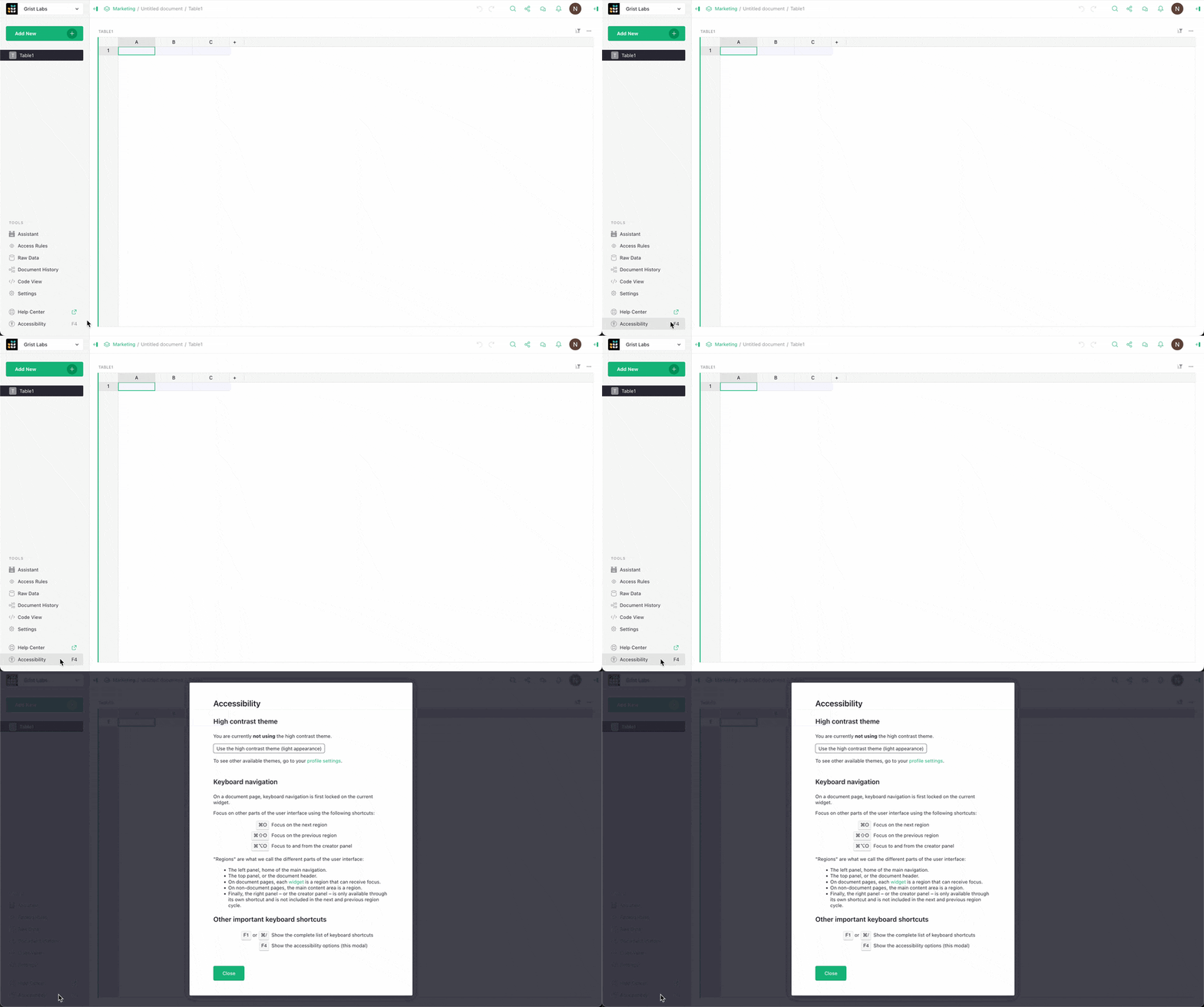
**Accessibility improvements**
The credit for this important work goes to [Emanuel Pelletier](https://github.com/manuhabitela)
, who’s made so many improvements that we had to add a new infopane (hit F4).
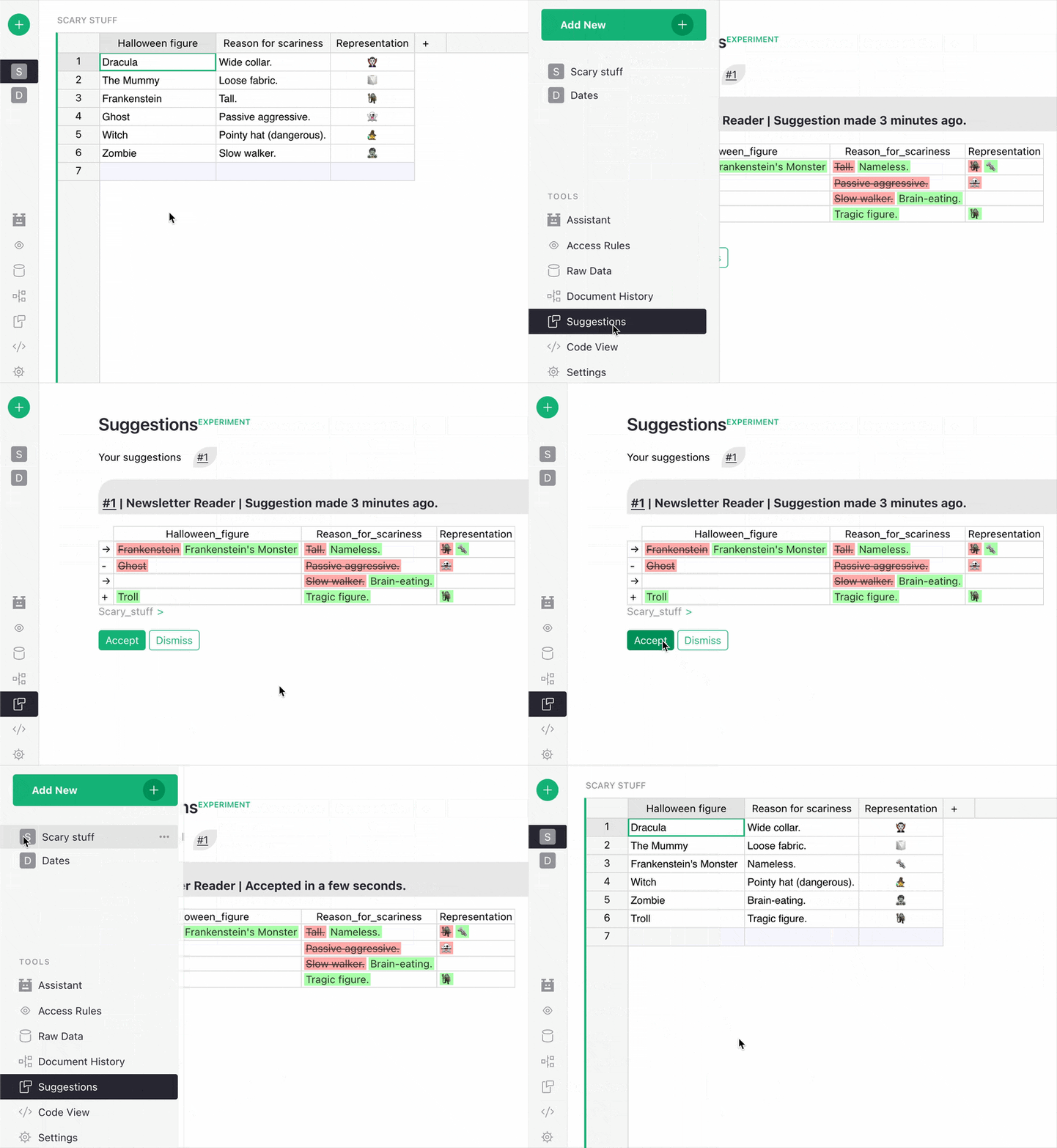
**Suggestions**
A whole new way to [collaborate on relational data](https://support.getgrist.com/sharing/#suggestions)
. A version of version control. Structured and sanitized data crowdsourcing. More to come in 2026…
How about a quick list of other 2025 features/improvements that didn’t make the cut: improved link previews, duplicating widgets, row height controls, document tours tutorials, attachment pasting, user presence, [F O C U S M O D E](https://www.youtube.com/watch?v=qrohjlHIE74)
, saving page collapse state, hidden and prefilled fields for Forms, lots of date shortcuts, a service accounts API, self-hosted user and document disabling.
Webinar highlights
------------------
One of the best parts about doing a monthly webinar is how we’re compelled to both dig deep into Grist’s inner workings, but also reactively respond to what users are asking about or working on at any given moment. This led to some unusually introspective exposes where everyone who works on Grist shared their trips, tricks, workflows and nightmares. It also gave us a long-due opportunity to spotlight user-created custom widgets.
[](https://www.getgrist.com/webinars/grist-secrets/)
Grist Secrets 🤫
================
Webinar 07.29.25
2026
----
There are two things to look out for as we head into the next year: the **next iteration of GristCon** and our experimental **Suggestions** feature. We say this not only to build excitement, but because we want your input on both! Do you have a pitch for the next GristCon? Have you played around with Suggestions? A complaint about either? Please get in touch via our [Contact page](https://www.getgrist.com/contact/)
or on Discord!
As always, you can check our [GitHub roadmap](https://github.com/gristlabs/grist-core/projects/1)
to see _some_ of what we’re working on, though rest assured the “labs” part of Grist Labs is and has always been important.
Happy new year!

[](https://www.getgrist.com/blog/spreadsheet-suggestions/)
Why don’t suggestions or tracked changes work in spreadsheets?
==============================================================
01.26.26
[](https://www.getgrist.com/blog/grist-v-airtable/)
What are the differences between Grist and Airtable?
====================================================
08.21.25
[](https://www.getgrist.com/blog/grist-2024-year-in-review/)
Grist 2024 – Year in review
===========================
12.30.24
[](https://www.getgrist.com/)
* [Twitter](https://twitter.com/getgrist)
* [LinkedIn](https://www.linkedin.com/company/grist-labs/)
* [Facebook](https://www.facebook.com/getgrist)
* [YouTube](https://www.youtube.com/channel/UCx0ioQrrC-bIrkmZ7ZULr0g)
* [TikTok](https://www.tiktok.com/@getgrist)
Create a free site
------------------
You may create a Personal or a Team site:
#### Personal
Easiest way to get started
[Get Started](https://docs.getgrist.com/welcome/start)
#### New Team Site
Help your whole team be more productive
[Create Free Team Site](https://docs.getgrist.com/billing/create-team?planType=teamFree)
close
---
# Modifying Grist Templates | Grist
In December, we learned how to look under the hood of a template from our template gallery, and modify it to meet your needs.
### Timestamps
00:36 Relational data in Grist: reference columns and linked widgets
09:39 Saving a copy of a template
11:45 Investigating a template’s structure with Raw Data
13:57 Renaming columns, pages, tables, and widgets
15:58 Sorting and filtering views of data
19:50 Changing column formatting
20:46 Adding new columns
23:14 Adding conditional formatting
26:10 Adding a new table to an existing page (with references and linking)
31:15 Creating a new page (with a summary table)
35:56 Deleting all template dummy data
39:43 Quick tip: Using a summary table to de-dup values in a column
### Links
* Sprouts: [https://www.getgrist.com/sprouts-program/](https://www.getgrist.com/sprouts-program/)
* Community Forum: [https://community.getgrist.com/](https://community.getgrist.com/)
[](https://www.getgrist.com/webinars/how-dotphoton-built-a-fully-traceable-qa-system-for-the-european-space-agency/)
How Dotphoton built a fully traceable QA system for the European Space Agency
=============================================================================
Bruno Sanguinetti of Dotphoton shows how his on-prem QA traceability system that meets the standards of the European Space Agency.
[](https://www.getgrist.com/webinars/mcp-grist-a-first-look/)
MCP + Grist: A First Look
=========================
Join co-founder Stan for a sneak peek at Grist’s official MCP server, making it easier than ever to connect AI tools with Grist.
[](https://www.getgrist.com/webinars/vibing-with-grist-ai-assisted-custom-data-interfaces/)
Vibing with Grist: AI Assisted Custom Data Interfaces
=====================================================
Use AI to bring your data to life. Build dynamic visualizations with Vibe View and interactive widgets with the Custom Widget Builder.
[](https://www.getgrist.com/)
* [Twitter](https://twitter.com/getgrist)
* [LinkedIn](https://www.linkedin.com/company/grist-labs/)
* [Facebook](https://www.facebook.com/getgrist)
* [YouTube](https://www.youtube.com/channel/UCx0ioQrrC-bIrkmZ7ZULr0g)
* [TikTok](https://www.tiktok.com/@getgrist)
Create a free site
------------------
You may create a Personal or a Team site:
#### Personal
Easiest way to get started
[Get Started](https://docs.getgrist.com/welcome/start)
#### New Team Site
Help your whole team be more productive
[Create Free Team Site](https://docs.getgrist.com/billing/create-team?planType=teamFree)
close
---
# 🎨Community Custom Widget Showcase | Grist
In June, we showcased some of the custom widgets shared by our smart and talented community. We took a look at the [HTML table & access rule report generator](https://forum.grist.libre.sh/t/custom-widget-quelques-widgets-grist/1007)
, [draw.io view & editor](https://community.getgrist.com/t/draw-io-viewer-and-editor-custom-widget/9362)
and a [batch email comp](https://community.getgrist.com/t/new-custom-widget-batch-email-composer-with-bcc-management/7992)
[o](https://community.getgrist.com/t/new-custom-widget-batch-email-composer-with-bcc-management/7992)
[ser](https://community.getgrist.com/t/new-custom-widget-batch-email-composer-with-bcc-management/7992)
. Get a behind-the-scenes look at how these widgets extend Grist in useful and surprising ways – perfect for anyone curious about what you can build with Grist.
### Timestamps
00:42 [Community Widget Gallery](https://grist-marketing.getgrist.com/oHQcp1bG7DS8/Community-Widgets/p/4)
01:47 [HTML Table & Access Rule Report Generator](https://forum.grist.libre.sh/t/custom-widget-quelques-widgets-grist/1007)
03:19 Custom widget setup
06:24 Customizing source code (e.g. Translation)
07:20 Utilizing the Custom Widget Builder
10:30 ❔ User Question: How much Electron do I need to understand? (✅ Answer: None 👍)
12:59 [Draw.io](https://community.getgrist.com/t/draw-io-viewer-and-editor-custom-widget/9362)
14:14 Example overview
15:00 Custom widget setup
19:58 User Question: Can table data be used to size or position graphic elements? (✅ Answer: No)
20:25 Formula columns (see “[Interesting Stuff](https://github.com/LGDan/grist-widget-drawio?tab=readme-ov-file#interesting-stuff)
“)
27:09 💡 Tip: Need another formula? Use the [Assistant](https://support.getgrist.com/assistant/)
!
33:27 [Batch Email Composer](https://community.getgrist.com/t/new-custom-widget-batch-email-composer-with-bcc-management/7992)
34:40 Custom widget setup
38:03 Filtering email list
40:16 [Kanban](https://forum.grist.libre.sh/t/custom-widget-kanban/506/19)
👀
### Useful links:
* **GetGrist.com | Resources | Webinars:** [https://www.getgrist.com/webinars/](https://www.getgrist.com/webinars/)
* **Community Forum:** [https://community.getgrist.com/](https://community.getgrist.com/)
* **Help Center:** [https://support.getgrist.com/](https://support.getgrist.com/)
* **🖼️ Community Widgets Gallery:** [https://grist-marketing.getgrist.com/oHQcp1bG7DS8/Community-Widgets/p/4](https://grist-marketing.getgrist.com/oHQcp1bG7DS8/Community-Widgets/p/4)
### Documents shown:
* **Tables & Permissions Example:** [https://public.getgrist.com/naihenmmsEH8/Tables-and-Permissions-Community-Custom-Widget-Showcase/m/fork](https://public.getgrist.com/naihenmmsEH8/Tables-and-Permissions-Community-Custom-Widget-Showcase/m/fork)
* **Draw.io Example:** [https://public.getgrist.com/crgpZXjKYeEZ/Drawio-Community-Custom-Widget-Showcase/m/fork](https://public.getgrist.com/crgpZXjKYeEZ/Drawio-Community-Custom-Widget-Showcase/m/fork)
* **Batch Email Composer Example:** [https://public.getgrist.com/hxvUpN4MbqLt/Batch-Email-Sender-Community-Custom-Widget-Showcase/m/fork](https://public.getgrist.com/hxvUpN4MbqLt/Batch-Email-Sender-Community-Custom-Widget-Showcase/m/fork)
[](https://www.getgrist.com/webinars/how-dotphoton-built-a-fully-traceable-qa-system-for-the-european-space-agency/)
How Dotphoton built a fully traceable QA system for the European Space Agency
=============================================================================
Bruno Sanguinetti of Dotphoton shows how his on-prem QA traceability system that meets the standards of the European Space Agency.
[](https://www.getgrist.com/webinars/mcp-grist-a-first-look/)
MCP + Grist: A First Look
=========================
Join co-founder Stan for a sneak peek at Grist’s official MCP server, making it easier than ever to connect AI tools with Grist.
[](https://www.getgrist.com/webinars/vibing-with-grist-ai-assisted-custom-data-interfaces/)
Vibing with Grist: AI Assisted Custom Data Interfaces
=====================================================
Use AI to bring your data to life. Build dynamic visualizations with Vibe View and interactive widgets with the Custom Widget Builder.
[](https://www.getgrist.com/)
* [Twitter](https://twitter.com/getgrist)
* [LinkedIn](https://www.linkedin.com/company/grist-labs/)
* [Facebook](https://www.facebook.com/getgrist)
* [YouTube](https://www.youtube.com/channel/UCx0ioQrrC-bIrkmZ7ZULr0g)
* [TikTok](https://www.tiktok.com/@getgrist)
Create a free site
------------------
You may create a Personal or a Team site:
#### Personal
Easiest way to get started
[Get Started](https://docs.getgrist.com/welcome/start)
#### New Team Site
Help your whole team be more productive
[Create Free Team Site](https://docs.getgrist.com/billing/create-team?planType=teamFree)
close
---
# Video Test 2 | Grist
A normal spreadsheet is a blank canvas, free for you to express yourself with all sorts of data. Want a subtotal in the middle of a table? Go ahead! The freedom is super useful, but be warned – sometimes it can cause problems.
Watch as Anais takes a custom-built grant management Excel template and truly templatizes it using relational data and dashboards, with a few bumps along the way…
[](https://www.getgrist.com/)
* [Twitter](https://twitter.com/getgrist)
* [LinkedIn](https://www.linkedin.com/company/grist-labs/)
* [Facebook](https://www.facebook.com/getgrist)
* [YouTube](https://www.youtube.com/channel/UCx0ioQrrC-bIrkmZ7ZULr0g)
* [TikTok](https://www.tiktok.com/@getgrist)
Create a free site
------------------
You may create a Personal or a Team site:
#### Personal
Easiest way to get started
[Get Started](https://docs.getgrist.com/welcome/start)
#### New Team Site
Help your whole team be more productive
[Create Free Team Site](https://docs.getgrist.com/billing/create-team?planType=teamFree)
close
---
# Grist 2023 - Year In Review | Grist
Hello and happy holidays from everyone here at Grist Labs!
It was a big year for Grist. We gained more users than ever and shipped a bunch of features.
We also had the privilege of finding out how Grist is being used all over the world, from within the civil service to hobby groups to IT infrastructure management.
Highlights
----------
* 🌌 Our GitHub stars went from 3.4 to 5.6k – a 60% increase!
* 🗣️ We were featured on [Hacker News’ frontpage](https://news.ycombinator.com/item?id=38080951)
for the second time and got invaluable, unvarnished feedback as always.
* 🇫🇷 We had the privilege to present Grist alongside [ANCT](https://agence-cohesion-territoires.gouv.fr/)
at NEC 2023 in Bordeaux, to talk about open-source and no-code tools, and the [digital commons](https://www.getgrist.com/digital-commons/)
.
* 💬 We launched our [official Discord server](https://discord.gg/MYKpYQ3fbP)
to chat with our growing community.
Product milestones
------------------
Most importantly, Grist itself took a huge leap this year. Both internal work and community contributions have improved Grist drastically, not only polishing existing features but setting the groundwork for exciting developments (see some hints at the bottom of this post). Here are some highlights, limited to one per month:
translate
**January** – we started our [Weblate project](https://hosted.weblate.org/engage/grist/)
, and thanks to dozens of contributors are up to 21 active translations.
atr
**February** – we released the first version of Grist’s [standalone Electron app](https://github.com/gristlabs/grist-electron)
.
team\_dashboard
**March** – the launch of one of our most popular templates – [Flashcards](https://www.getgrist.com/templates/flashcards-template/)
.
open\_in\_browser
**April** – we published our [`grist-static` repo](https://github.com/gristlabs/grist-static)
, letting you host `.grist` files without the full back-end.
webhook
**May** – Grist grows claws with better UI support for [webhooks](https://support.getgrist.com/newsletters/2023-05/#webhooks)
.
ads\_click
**June** – in what became known as “the summer of selectors”, we added [highlights for selector rows](https://support.getgrist.com/newsletters/2023-06/#highlighting-for-selector-rows)
and made other improvements to widget linking.
smart\_toy
**July** – though not as exciting or trendy as selectors, we launched our [AI Formula Assistant](https://www.getgrist.com/ai-assistant/)
.
table\_view
**August** – building on `grist-static` – and in an effort to free the CSV – we released the [Grist CSV Viewer](https://www.getgrist.com/csv-viewer/)
.
calendar\_month
**September** – the time finally came for us to release the official [Grist calendar widget](https://support.getgrist.com/widget-calendar/)
.
search
**October** – [way too much happened this month](https://support.getgrist.com/newsletters/2023-10/)
, but let’s highlight [formula lookups & shortcuts](https://support.getgrist.com/newsletters/2023-10/#formula-shortcuts)
.
open\_in\_new
**November** – relational navigation within Grist got much easier with [Record Cards](https://support.getgrist.com/record-cards/)
.
how\_to\_vote
**December** – (rumbling noise heard in the distance) forms … forms … FORMS! … **\*FORMS!\***
Community contributions
-----------------------
One of the best parts of [Grist’s open-source principles](https://www.getgrist.com/about/)
is working with others across the globe who understand what we’re trying to do. We’d like to shout out some of the many community contributions over the year that greatly enhance the product and bring us tremendous inspiration:
* [@jperon](https://github.com/jperon)
‘s [QR code widget](https://support.getgrist.com/newsletters/2023-08/#community-highlights)
, [custom SQL selector widget](https://community.getgrist.com/t/custom-widget-with-pug-python-and-parcel-js/3275)
, [advanced search widget](https://community.getgrist.com/t/filter-by-formula/3212)
using `eval`, and – last but not least – his tireless Advent of Code Grist mastery shared on [our Discord](https://discord.gg/MYKpYQ3fbP)
(in the `#advent-of-code` channel).
* [@enthus1ast](https://github.com/enthus1ast)
‘s [app that periodically backs up Grist documents](https://github.com/enthus1ast)
in SQLite, XLSX, and CSV file formats, Grist [infrastructure monitoring system daemon](https://community.getgrist.com/t/infrastructure-monitoring-with-grist/2866)
, and Nim [REST API client](https://community.getgrist.com/t/grist-api-client-for-nim-lang/2927)
.
* Two custom calendar widgets from [@ToJans](https://twitter.com/ToJans/status/1638156999249502215)
and [@wunter8](https://community.getgrist.com/t/simple-calendar-widget/2676)
that helped direct us towards making [our own](https://support.getgrist.com/widget-calendar/)
. You two made it look easy! Calendars are surprisingly complicated!
* [@johncant](https://github.com/johncant)
’s [PostgreSQL Foreign Data Wrapper](https://community.getgrist.com/t/postgresql-grist-fdw/2678)
, which is a very neat tool that allows you to import and query Grist tables in PostgreSQL.
* Leonard\_Gallion’s handy Python code that lets you [download documents as .grist files](https://community.getgrist.com/t/basic-python-code-to-download-documents-as-grist-files/2929)
.
* [@CoverWhale](https://github.com/CoverWhale)
Grist Go client, [Gorist](https://github.com/CoverWhale/gorist)
. (we’ll never get over the name)
* [@inducer](https://github.com/inducer)
‘s trio of Grist utils:
* [grist-availability](https://github.com/inducer/grist-availability/)
: a tool to help with multi-person scheduling using the new calendar widget.
* [grist-mailmerge](https://github.com/inducer/grist-mailmerge/)
: a batch emailer driven by a Grist table and a Jinja template.
* [pygrist-mini](https://github.com/inducer/pygrist-mini)
: a tiny Grist API client for Python.
Finally, a huge thanks to our collaborators at ANCT for their many PRs, and to all of our Weblate translation contributors.
2024 – What’s coming next
-------------------------
Our [GitHub roadmap](https://github.com/gristlabs/grist-core/projects/1)
is the best way to keep track of what we’re actually working on, but here are a few topics that we’re constantly thinking about:

Wait…what’s WYSIWYS? [Ask us on Discord.](https://discord.gg/MYKpYQ3fbP)
See you next year! 🫡

[](https://www.getgrist.com/blog/spreadsheet-suggestions/)
Why don’t suggestions or tracked changes work in spreadsheets?
==============================================================
01.26.26
[](https://www.getgrist.com/blog/grist-2025-year-in-review/)
Grist 2025 – Year in review
===========================
12.18.25
[](https://www.getgrist.com/blog/grist-v-airtable/)
What are the differences between Grist and Airtable?
====================================================
08.21.25
[](https://www.getgrist.com/)
* [Twitter](https://twitter.com/getgrist)
* [LinkedIn](https://www.linkedin.com/company/grist-labs/)
* [Facebook](https://www.facebook.com/getgrist)
* [YouTube](https://www.youtube.com/channel/UCx0ioQrrC-bIrkmZ7ZULr0g)
* [TikTok](https://www.tiktok.com/@getgrist)
Create a free site
------------------
You may create a Personal or a Team site:
#### Personal
Easiest way to get started
[Get Started](https://docs.getgrist.com/welcome/start)
#### New Team Site
Help your whole team be more productive
[Create Free Team Site](https://docs.getgrist.com/billing/create-team?planType=teamFree)
close
---
# Video Test Page | Grist
In this episode, Anais once again goes a bit overboard, building out a solution for Sarah’s catering business with full order tracking, profit calculations, hour breakdowns and more! Watch Anais build a bodybuilder’s bakery business better by bringing everything together. Also she enters a fugue state and roleplays running a charitable bakery and giving deep discounts.
[](https://www.getgrist.com/)
* [Twitter](https://twitter.com/getgrist)
* [LinkedIn](https://www.linkedin.com/company/grist-labs/)
* [Facebook](https://www.facebook.com/getgrist)
* [YouTube](https://www.youtube.com/channel/UCx0ioQrrC-bIrkmZ7ZULr0g)
* [TikTok](https://www.tiktok.com/@getgrist)
Create a free site
------------------
You may create a Personal or a Team site:
#### Personal
Easiest way to get started
[Get Started](https://docs.getgrist.com/welcome/start)
#### New Team Site
Help your whole team be more productive
[Create Free Team Site](https://docs.getgrist.com/billing/create-team?planType=teamFree)
close
---
# How to migrate your data from Airtable without losing linked records
Airtable data migration
=======================
##### Preserving healthy relationships
Export your Airtable data, links and attachments into a platform you control.
[Migrate now for free](https://docs.getgrist.com/welcome/start)

1\. Add new
-----------
Select “Import from Airtable”.
2\. Authorize
-------------
Authorize using “Connect with Airtable” or a private access token.
3\. Select data
---------------
Select which base and tables to import. Keep all data, just the structure, or skip a table entirely.
4\. Import
----------
Data, attachments, and relationships, all in a spreadsheet that you control.
That’s it!
----------
Once your data’s in Grist, it can actually be yours. Self-host for complete sovereignty, and take advantage of all of [Grist’s other advantages](https://www.getgrist.com/lookup/grist-vs-airtable/)
to see why people are migrating.
[Sign up for free](https://docs.getgrist.com/welcome/start)
Learn more
----------
45-minute webinar with many more examples (including real-life workflows).
High level Grist overview.
Why Grist? It minds its business.
---------------------------------
check
Self-hosting option for complete data control
check
Access rules enforced at API and database level, not just UI
check
Open-source codebase allows security auditing
check
Comprehensive [admin controls](https://support.getgrist.com/admin-controls/)
for workspace, user and document management (Enterprise plans only)
[Consult an expert](https://www.getgrist.com/contact/)
[Get started for free](https://docs.getgrist.com/welcome/start)
[](https://www.getgrist.com/)
* [Twitter](https://twitter.com/getgrist)
* [LinkedIn](https://www.linkedin.com/company/grist-labs/)
* [Facebook](https://www.facebook.com/getgrist)
* [YouTube](https://www.youtube.com/channel/UCx0ioQrrC-bIrkmZ7ZULr0g)
* [TikTok](https://www.tiktok.com/@getgrist)
Create a free site
------------------
You may create a Personal or a Team site:
#### Personal
Easiest way to get started
[Get Started](https://docs.getgrist.com/welcome/start)
#### New Team Site
Help your whole team be more productive
[Create Free Team Site](https://docs.getgrist.com/billing/create-team?planType=teamFree)
close
---
# AI for Spreadsheets (Tools That Go Beyond Excel)
##### beyond excel & Basic spreadsheets
AI for spreadsheets
===================
Can your spreadsheet’s AI tool handle relational data? While Excel has Copilot, and Google Sheets, Gemini, Grist has embedded AI that understands data structure; not just cells.
[Get started](https://docs.getgrist.com/welcome/start)
[Request demo](https://www.getgrist.com/contact/)
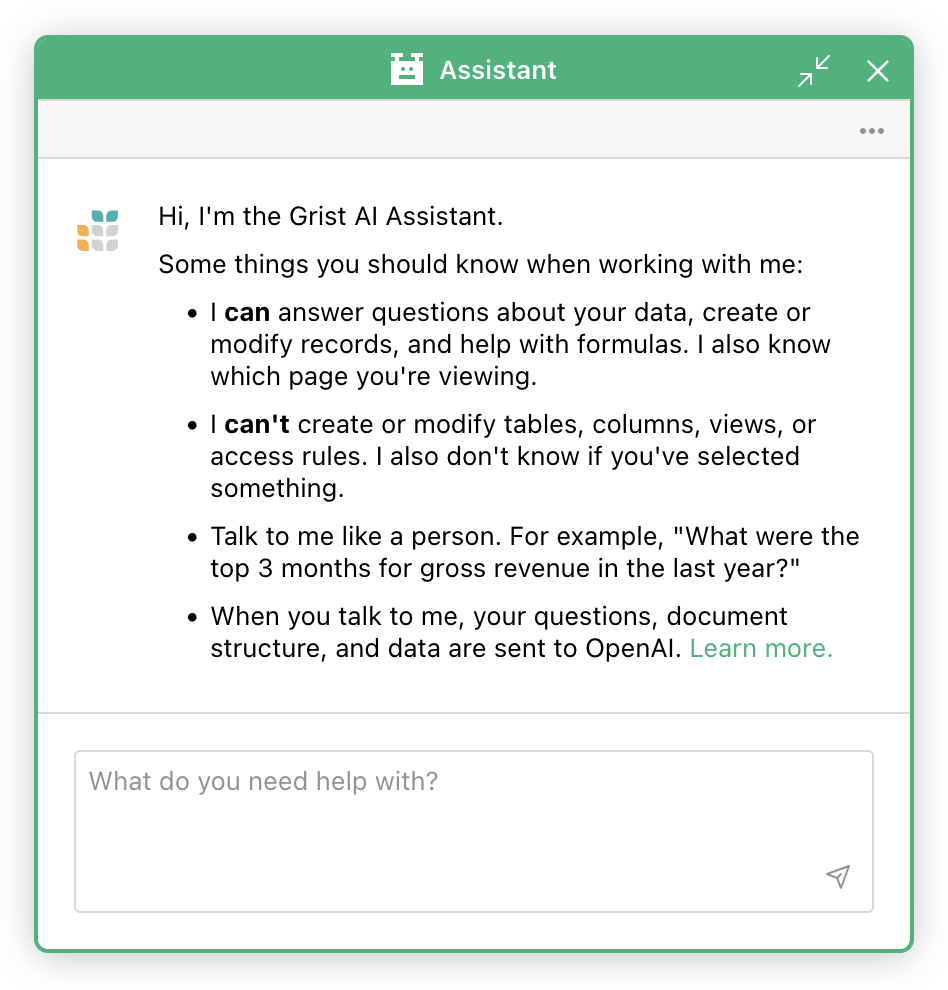
### [AI spreadsheet assistant](https://www.getgrist.com/ai-assistant/)
Say hello to Grist’s AI Assistant, your context-aware collaborator, available under the ‘Tools’ menu in the left-hand navigation panel of every document.
Simply describe what you’re trying to do, and the assistant will guide you through it.
[Say hello](https://www.getgrist.com/ai-assistant/)
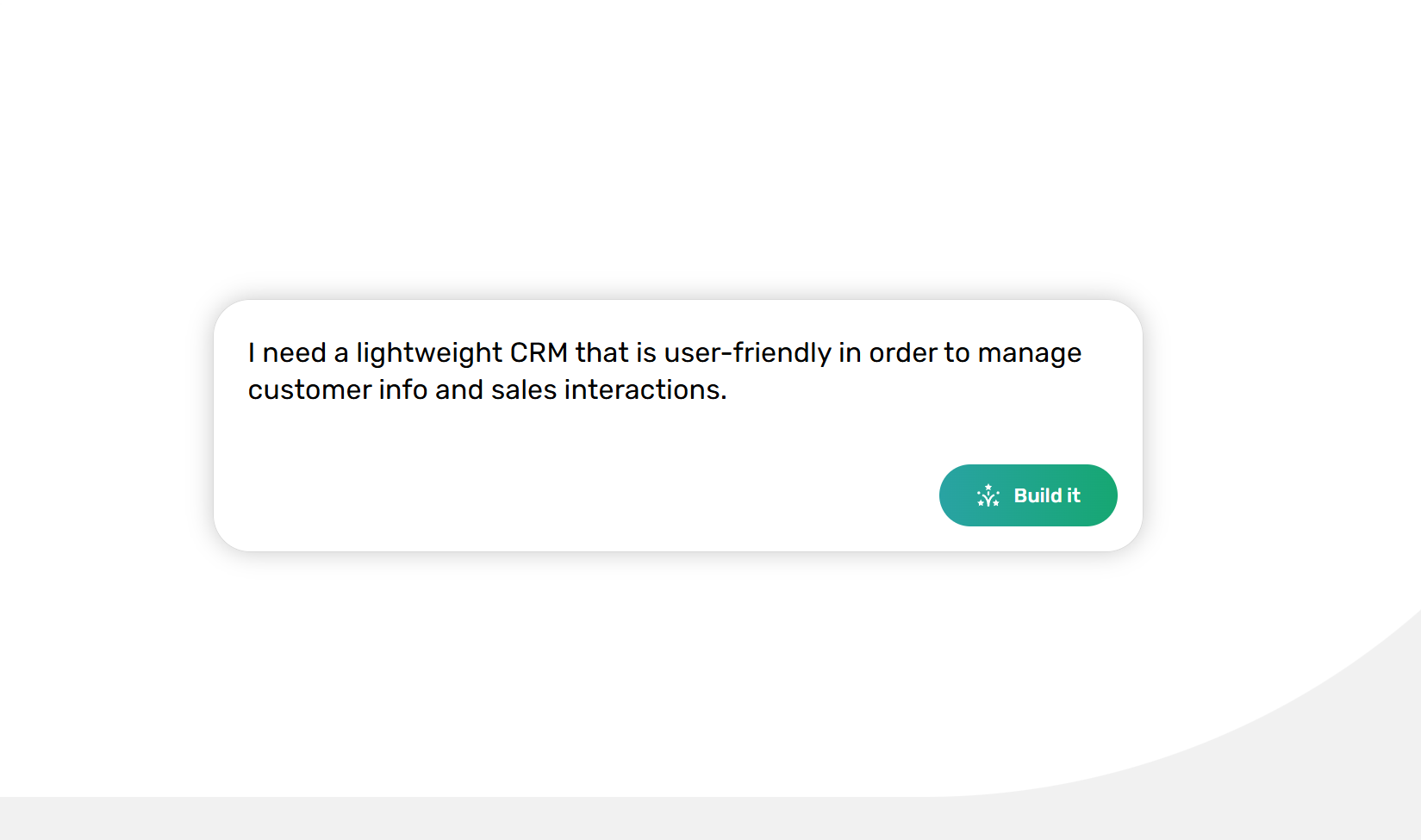
### [AI spreadsheet generator](https://www.getgrist.com/ai/spreadsheet-generator/)
Watch Grist’s AI bring your spreadsheet ideas to life – no coding knowledge required.
Bring a vision of a template and enter a prompt, and Grist’s AI handles the rest.
[Start exploring](https://www.getgrist.com/ai/spreadsheet-generator/)
### [AI spreadsheet data visualization](https://www.getgrist.com/ai/spreadsheet-data-visualization/)
Grist’s AI builds the Python-powered summaries you need to visualize insights from your spreadsheets, all using natural language.
Learn how automated data preparation meets user-driven visualization on Grist.
[Start visualizing](https://www.getgrist.com/ai/spreadsheet-data-visualization/)
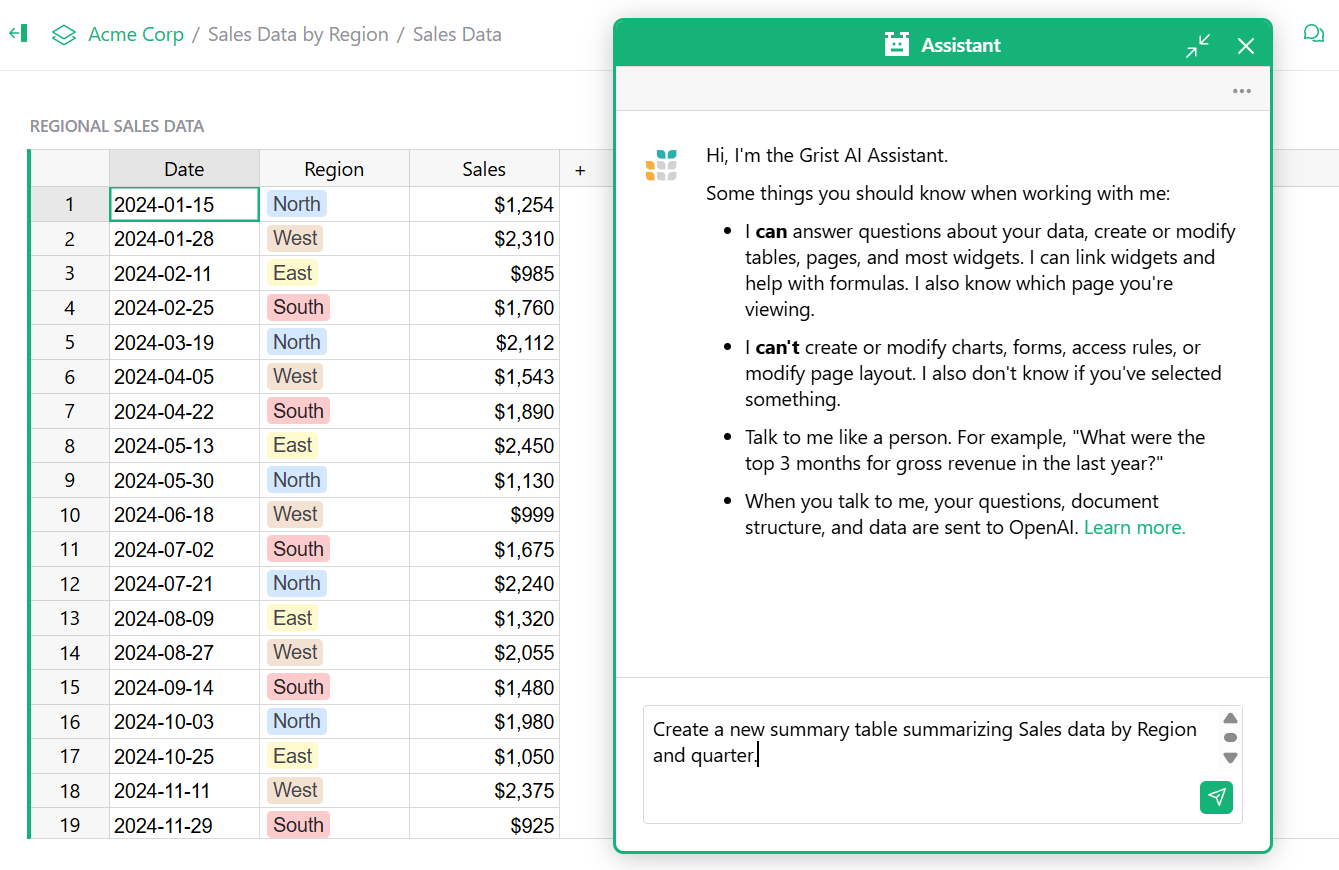
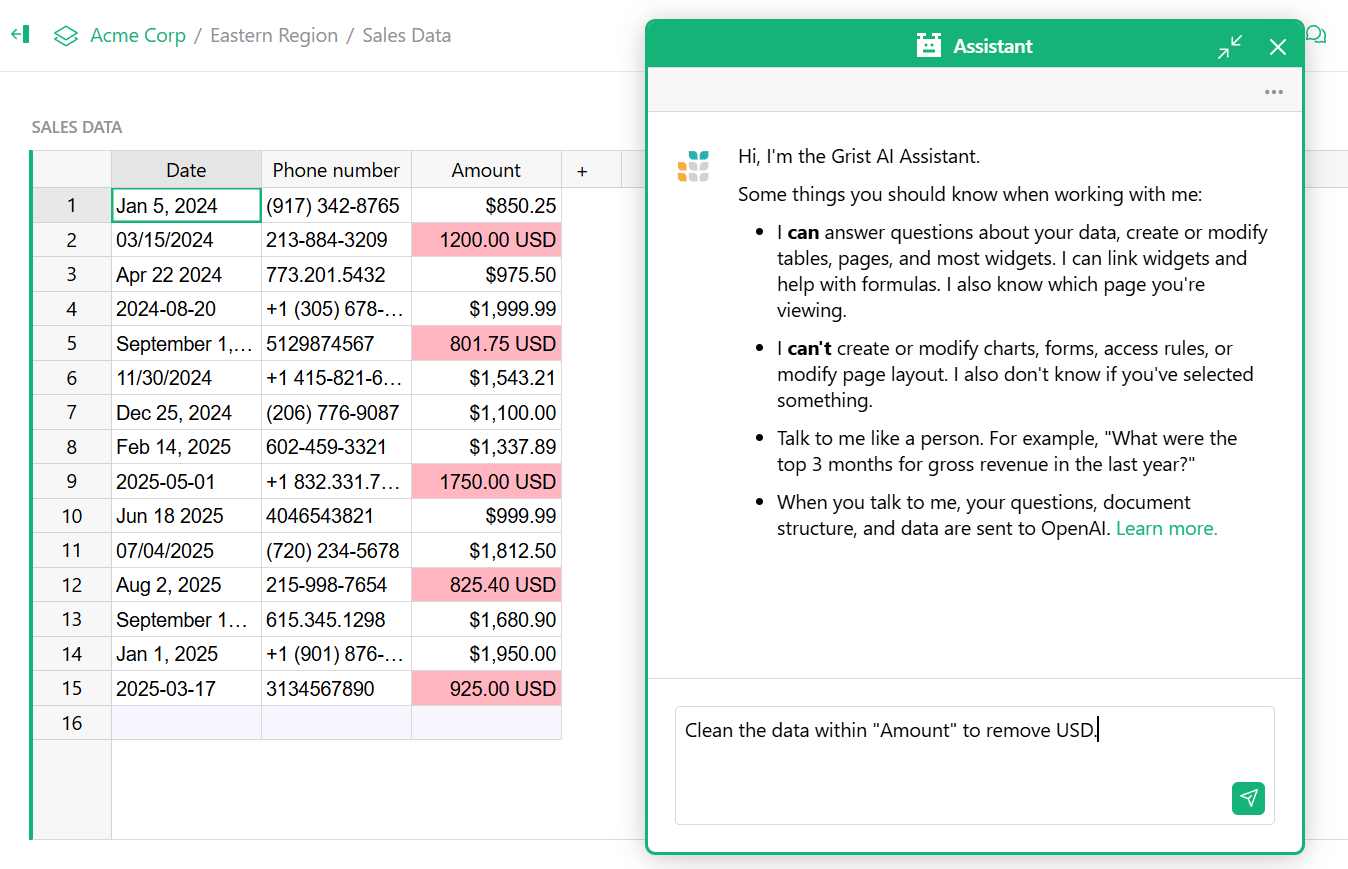
### [AI data cleaning for spreadsheets](https://www.getgrist.com/ai/data-cleaning/)
Grist natively supports data cleaning through intelligent imports, relational structures, and formula transformations for consistency.
Learn how the AI enhances this power through natural language commands.
[Start data cleaning](https://www.getgrist.com/ai/data-cleaning/)
Grist is built for modern data workflows
----------------------------------------
Spreadsheet AI that understands structure, not just cells.
done
**Spreadsheet familiarity, database power
**When inventory affects orders affects forecasting (for example), Grist maintains these connections automatically — and the AI tool understands the relationships.
done
**Build custom apps without coding**
Create the exact workflow your team needs. The AI tool helps construct pages, prepare data for charts, and link data views through simple conversation.
done
**Python power, natural language interface**
Access Python’s capabilities by describing what you need. Grist’s AI generates formulas using the standard library — from basic calculations to data transformations.
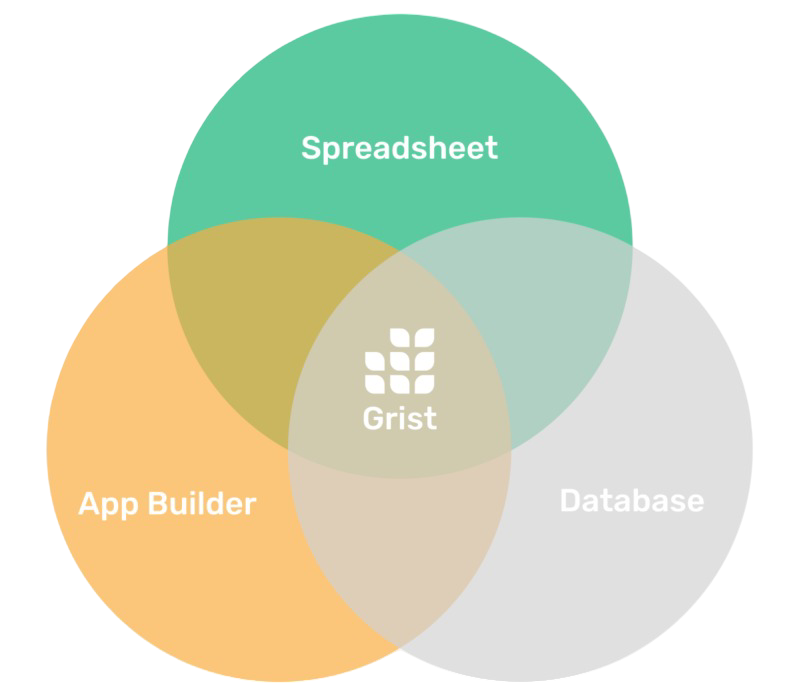
One spreadsheet, converging AI-powered solutions
------------------------------------------------
From creating summary tables with specified GROUP BY columns to generating Python and Excel formulas to linking widgets on the same page, Grist’s AI adapts to how your relational data actually works.
[Pricing](https://www.getgrist.com/pricing/)
Transform data chaos into structured intelligence
-------------------------------------------------
#### Core capabilities, now AI-powered:
done
**Data standardization made simple**
Inconsistent date formatting? Poor naming conventions? The AI identifies patterns and suggests fixes across related tables — maintaining referential integrity where Excel cannot.
done
**From flat files to relational structure**
Import data chaos. The AI helps identify relationships, suggest table structures, and build relations — transforming isolated data into a connected system.
done
**Collaborative without conflicts**
Multiple users, different permissions, one source of truth. The AI helps set up views and access patterns, preventing the version nightmares plaguing shared spreadsheets.
done
**Scale without breaking
**As data grows from hundreds to hundreds of thousands of rows, Grist maintains performance. The AI helps create efficient summaries and manage complexity at scale.

More on Grist + AI
------------------
[](https://www.getgrist.com/webinars/build-your-document-with-ai/)
Build Your Document with AI
===========================
Webinar 10.28.25
Frequently asked questions
--------------------------
##### How does Grist’s AI compare to Excel Copilot?
**Excel Copilot** is limited to generating text summaries and basic content within cells. Microsoft [explicitly warns against](https://support.microsoft.com/en-us/office/copilot-function-5849821b-755d-4030-a38b-9e20be0cbf62#ID0EDBBJ)
using it for “any task requiring accuracy or reproducibility,” especially numerical calculations.
**Grist’s AI** understands relational data structures, creates Python formulas for complex calculations, builds document architecture (pages, widgets, summaries), and modifies data with undo support. Unlike Copilot’s text-only focus, Grist’s AI works with your actual data relationships.
##### What are the usage limits and pricing?
**Grist AI:**
* Additional credits: 500 for $10/month or 2,000 for $29/month
* Free plan: 100 AI credits (lifetime)
* Pro plan ($8-10/user/month): 100 credits/month
* Business plan ($24-30/user/month): 2,000 credits/month
**Excel Copilot Pro:**
* $20/user/month (requires Microsoft 365 subscription)
* Limited to 100 calls per 10 minutes or 300 calls per hour
##### Can I import my existing Excel files?
Yes. Grist imports Excel (.xlsx) and CSV files directly. The AI can help restructure flat spreadsheet data into proper relational tables, maintaining all your existing information while adding database capabilities Excel lacks.
##### Do I need to know Python to use Grist’s AI
No. The AI writes Python formulas from your plain English descriptions. You describe what you need i.e, “calculate the moving average of sales for the last 3 months” and the AI generates the Python code using the full standard library.
##### Is my Spreadsheet data sent to AI servers?
Your data is sent to OpenAI only when you actively submit a request to the AI Assistant. You control exactly when and what data is shared.
##### What can’t Grist’s AI do?
The AI Assistant cannot:
* Make structural changes to access rules (though Grist has granular permissions)
* Automatically monitor changes without prompting
* Access external APIs or live web data directly
* Generate advanced machine learning models (though it can write Python for data analysis)
##### Why can’t Excel Copilot handle numerical calculations?
Microsoft [acknowledges](https://support.microsoft.com/en-us/office/copilot-function-5849821b-755d-4030-a38b-9e20be0cbf62#ID0EDBBJ)
Copilot’s tendency to hallucinate and generate incorrect responses, making it unsuitable for financial reporting, legal documents, or any high-stakes calculations. Grist’s AI, working with structured data and Python’s deterministic functions, provides reliable, reproducible calculations.
##### Can multiple users work with AI simultaneously?
Yes. Grist’s real-time collaboration means multiple team members can use the AI Assistant in the same document, with each person’s changes tracked and reversible. Excel Copilot works only for individual licensed users.
##### Is Grist available offline or self-hosted?
Unlike Excel’s cloud-dependent Copilot, Grist offers self-hosting options. The full edition of Grist can be run on your own servers with the AI Assistant, maintaining complete data sovereignty. Excel Copilot requires cloud connectivity and cannot be self-hosted.
[](https://www.getgrist.com/)
* [Twitter](https://twitter.com/getgrist)
* [LinkedIn](https://www.linkedin.com/company/grist-labs/)
* [Facebook](https://www.facebook.com/getgrist)
* [YouTube](https://www.youtube.com/channel/UCx0ioQrrC-bIrkmZ7ZULr0g)
* [TikTok](https://www.tiktok.com/@getgrist)
Create a free site
------------------
You may create a Personal or a Team site:
#### Personal
Easiest way to get started
[Get Started](https://docs.getgrist.com/welcome/start)
#### New Team Site
Help your whole team be more productive
[Create Free Team Site](https://docs.getgrist.com/billing/create-team?planType=teamFree)
close
---
# AI Spreadsheet Assistant | Grist
Your spreadsheet’s
AI Assistant is here
=========================================
AI assistance meets the modern spreadsheet in Grist. Edit records, adjust formulas, and analyze relational data — all with natural language. Meet your new AI spreadsheet assistant.
[Say hello](https://public.getgrist.com/signup)
### AI for a better spreadsheet
Grist gives you the best of modern data management: relational tables, powerful formulas, and custom interactive views.
The [AI spreadsheet](https://www.getgrist.com/ai/)
assistant is your intelligent guide to applying complex logic, cleaning connected data, and modifying records.

### Instant insights from your connected data
Ask questions, get answers. Simply chat with the AI spreadsheet assistant for instant insights from your spreadsheet data.
### Painlessly craft AI-assisted formulas
Create formulas with natural language — from standard spreadsheet formulas to complex Python functions.
### Build and organize your workspace intelligently
The AI spreadsheet assistant structures your documents for you. Create pages, add widgets, build summary tables, and even integrate custom widgets by URL.
### Update & modify data through conversation
Instruct Assistant via chat to create or modify records. Generate data or make mass updates in a flash.
### Your context-aware collaborator
Grist’s AI spreadsheet assistant knows the details. Get relevant help in an instant without having to specify spreadsheet details.
### AI power with privacy
You control the data flow. Assistant sends your query, structure and data to OpenAI’s gpt-4o model _only_ when you submit a request. See [our documentation](https://support.getgrist.com/assistant/#data-use-policy)
.
More ways to use the Assistant
------------------------------
### [AI spreadsheet data visualization](https://www.getgrist.com/ai/spreadsheet-data-visualization/)
Grist’s AI builds the Python-powered summaries you need to visualize insights from your spreadsheets, all using natural language.
Learn how automated data preparation meets user-driven visualization on Grist.
[Start visualizing](https://www.getgrist.com/ai/spreadsheet-data-visualization/)


### [AI data cleaning for spreadsheets](https://www.getgrist.com/ai/data-cleaning/)
Grist natively supports data cleaning through intelligent imports, relational structures, and formula transformations for consistency.
Learn how the AI enhances this power through natural language commands.
[Start data cleaning](https://www.getgrist.com/ai/data-cleaning/)
Meet your AI spreadsheet assistant
----------------------------------
Chat with your data and have productive conversations.
[Say hi 👋](https://public.getgrist.com/signup)
Additional information
----------------------
#### Flexible and transparent pricing
Try Assistant with free monthly credits included within every Grist plan. When you need more — scale affordably and predictably with clear, team-based credit packages. Find the right fit for your team on the Grist [Pricing page](https://www.getgrist.com/pricing/)
.
#### Availability for self-hosters
The Assistant is available to self-hosters.
Check out our [Help Center documentation](https://support.getgrist.com/assistant/#assistant-for-self-hosters)
for more information and configuration options.
Webinars and blog posts
-----------------------
[](https://www.getgrist.com/webinars/build-your-document-with-ai/)
Build Your Document with AI
===========================
Webinar 10.28.25
Frequently asked questions
--------------------------
##### How does Grist compare to other AI spreadsheet automation tools?
The Grist AI Assistant goes beyond typical AI spreadsheet automation tools by working with relational data, Python formulas, and custom views.
While it focuses on intelligent data manipulation — creating and modifying records, crafting formulas, and analyzing connected data — it integrates seamlessly with your existing automation stack through APIs and webhooks for complete workflow automation.
##### Is there support documentation for the Assistant?
Please find the Assistant support documentation in the [Help Center](https://support.getgrist.com/assistant/)
.
Organize your data, your way
----------------------------
Unlock a better way to work with your data.
[Get started](https://docs.getgrist.com/welcome/start)
[](https://www.getgrist.com/)
* [Twitter](https://twitter.com/getgrist)
* [LinkedIn](https://www.linkedin.com/company/grist-labs/)
* [Facebook](https://www.facebook.com/getgrist)
* [YouTube](https://www.youtube.com/channel/UCx0ioQrrC-bIrkmZ7ZULr0g)
* [TikTok](https://www.tiktok.com/@getgrist)
Create a free site
------------------
You may create a Personal or a Team site:
#### Personal
Easiest way to get started
[Get Started](https://docs.getgrist.com/welcome/start)
#### New Team Site
Help your whole team be more productive
[Create Free Team Site](https://docs.getgrist.com/billing/create-team?planType=teamFree)
close
---
# AI Formula Generation - Solving Spreadsheets' Biggest Headache
**Update Jul. 24 2023:** Grist has launched an integrated [AI spreadsheet assistant](https://www.getgrist.com/ai-assistant/)
, so you can try this experiment for yourself!
Curious to explore AI formula generation, Grist’s R&D team recently experimented with [OpenAI](https://openai.com/)
and a prompt generation strategy to see how well AI could write formulas in Grist. While this AI-assisted formula generation feature isn’t yet a part of Grist, this experiment proves its future value. The experiment demonstrates how AI can eliminate a common struggle for today’s spreadsheet user — writing formulas correctly.
_**Imagine if writing spreadsheet formulas were as simple as asking a question**_.
If you ask a spreadsheet fan what they like about them, there’s a good chance they’ll mention formulas. Spreadsheets are the original low-code platform – sprinkle in a little bit of code and you get a big benefit. But that little bit of code can be daunting and unapproachable.
An overview of the Grist Labs AI Formula Generation Experiment
We see plenty of Grist power users who use every Grist feature except [formulas](https://support.getgrist.com/formulas/)
, which seems a shame. People may find it easy to write a formula to add two numbers, but how do they uncover in which quarter a date resides? Or how to fix those missing leading zeros in a column of zip codes? Not to be dramatic, but users are in for a time-sucking mind-numbing rabbit hole of searching the internet for tips. AI might be the solution to this common spreadsheet headache!
AI formula prompts are written in plain English, or other languages.
Spreadsheet formulas expressed in Python
----------------------------------------
In recent years, AI large language models have gotten quite good at interpreting language and writing code, with many programmers using them routinely. We wondered – could advances in AI be applied to writing spreadsheet formulas in Grist? We wanted to uncover whether AI could bridge the gap between what the user needs a formula to do, as expressed in plain English, and the formula that delivers the correct result.
While spreadsheet formula writing bots [aren’t new](https://excelformulabot.com/)
, Grist is an evolution of spreadsheets with a unique opportunity because we support Python for writing our formulas. Grist formulas lift up Excel functions to a new level with the full power of Python. Current AI models are particularly good at Python because there are vast quantities of Python code on the internet to train these models on.
As the most popular programming language today and the best for beginners, Python was an essential choice for Grist, unlocking many possibilities for a large audience. Python is much more capable than spreadsheet functions at data analysis and data manipulation – greatly expanding what’s possible in Grist.
The AI-generated formula could teach a novice new Python syntax to use in their own formulas.
Relational data
---------------
Another significant advantage of Grist over traditional spreadsheets is its clear structure, with named tables, columns, and relationships between them. Each document is essentially a relational database, with its schema neatly described in Python in Grist’s unique “Code View” feature. All this is available to the bot, helping it understand the data and make inferences.
With spreadsheet formula bots like ExcelFormulaBot, prompts must often specify which columns or ranges should be included in the formula because spreadsheet schema is undefined. In Grist, the prompt doesn’t need to mention specific columns. This is because the AI can look at the tables’ schema, interpret the data, and guess which columns to use in the formula.
AI large language models can make inferences based on prompt and Grist document structure.
The AI Formula Generation Experiment
------------------------------------
The team tested the experiment using documents and formulas found in our [template gallery](https://templates.getgrist.com/)
_._ The AI-generated formulas were correct 36 out of 48 times in the minimal experiment test dataset. That experimentation suggested ways to improve this, such as writing column meta descriptions – an exciting path to look forward to. You can view the [results of the AI experiment](https://public.getgrist.com/n3jAtRYDSVWe/AI-Formula-dataset)
.
Even when the formula was incorrect, it was often close enough that a Python novice could read the formula to understand how to tweak it to produce the correct result. The AI-generated formula can also demonstrate new ways to write code, which teaches key concepts to beginners.
Need to write a formula? Just ask!
----------------------------------
AI has left the realm of science fiction. The future may offer spreadsheet formula writing that is as simple as asking a question, thanks to AI. Today, many professionals, such as programmers and artists, use AI as a part of everyday tasks, reducing the friction of getting the job done. With AI-generated spreadsheet formulas, Grist users may soon join those who use AI casually daily – we think that’s pretty cool.
If you’re a Grist self-hoster with an [API key to OpenAI](https://beta.openai.com/overview)
, that day has arrived – play with the experiment yourself! You can find the [AI experiment on GitHub](https://github.com/gristlabs/grist-core/pull/345)
.
[](https://www.getgrist.com/blog/spreadsheet-suggestions/)
Why don’t suggestions or tracked changes work in spreadsheets?
==============================================================
01.26.26
[](https://www.getgrist.com/blog/how-to-fix-csv-make-it-even-more-%f0%9f%92%a9/)
How to fix CSV? Make it even more 💩
====================================
04.01.24
[](https://www.getgrist.com/blog/from-no-code-to-co-code/)
Between no-code and lo-code lies AI-assisted “co-code”, perfect for spreadsheets
================================================================================
08.22.23
[](https://www.getgrist.com/)
* [Twitter](https://twitter.com/getgrist)
* [LinkedIn](https://www.linkedin.com/company/grist-labs/)
* [Facebook](https://www.facebook.com/getgrist)
* [YouTube](https://www.youtube.com/channel/UCx0ioQrrC-bIrkmZ7ZULr0g)
* [TikTok](https://www.tiktok.com/@getgrist)
Create a free site
------------------
You may create a Personal or a Team site:
#### Personal
Easiest way to get started
[Get Started](https://docs.getgrist.com/welcome/start)
#### New Team Site
Help your whole team be more productive
[Create Free Team Site](https://docs.getgrist.com/billing/create-team?planType=teamFree)
close
---
# Grist for Business | Grist
##### Your Data Solution
The ultimate business spreadsheet
=================================
Powerful, flexible and scalable to meet all your business needs: income and expense tracking, budgeting, invoicing, inventory, CRM & more.
[Sign up for free](https://docs.getgrist.com/welcome/start)
Schedule a demo
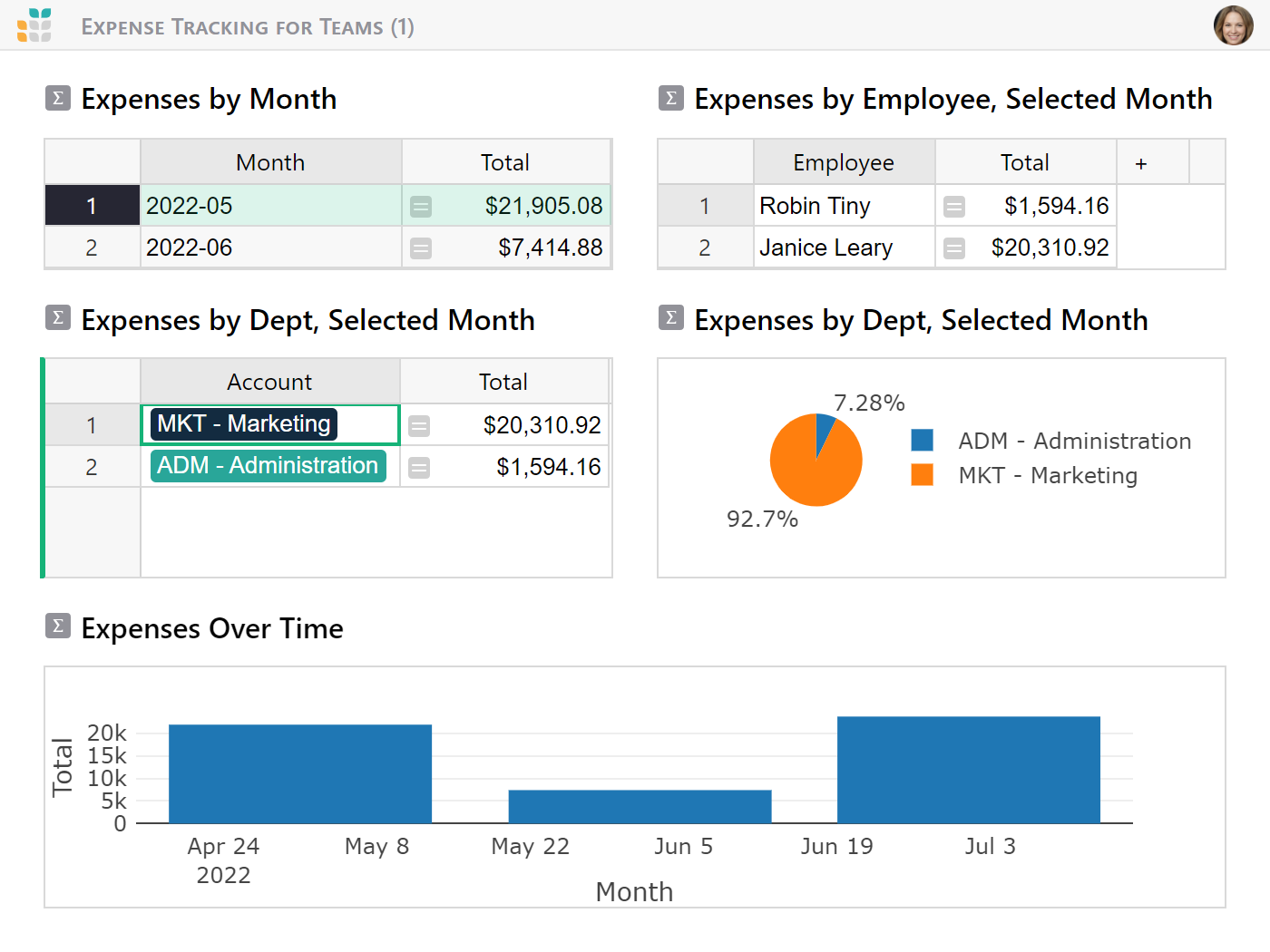
Increase your productivity
--------------------------
done
Build productive dashboards and tools from your spreadsheets using a no-code app builder.
done
Create charts, pivot tables, and other visualizations to make faster and better decisions.
done
Customizable setup to suit your team’s needs and streamline your workflow.
Protect your data
-----------------
done
Collaborate securely with sophisticated user permissions customizable for all roles, from intern to CEO.
done
Take your data with you by downloading your documents. No data lock-in.
done
Need to host your data on your own servers? Grist has a fully [self-hosted solution](https://www.getgrist.com/product/self-managed/)
.


Work securely
-------------
done
Access anywhere: at work, at home, while traveling, using new or old PCs, and even on phones and tablets.
done
Version control, snapshot history, and automated backups for peace of mind.
done
Work on one copy of data as the single source of truth to avoid confusion and duplication.
Leverage advanced tools
-----------------------
done
Built-in [AI spreadsheet assistant](https://www.getgrist.com/ai-assistant/)
to help create formulas and provide context.
done
Spreadsheet structured as a relational database for more efficient data management.
done
Powered by Python formulas, a language favored by data scientists.
done
Advanced API and integrations to connect your spreadsheets to external data sources.
done
Open-source software provides trust and innovation driven by community of developers.

One platform, many business solutions
-------------------------------------
[](https://www.getgrist.com/templates/general-ledger-template/)
Analyze income and expenses by project and over time using our user-friendly general ledger with dynamic charts.
View Template
[](https://www.getgrist.com/templates/inventory-manager/)
Manage your inventory and track incoming and outgoing orders, all in one place.
View Template
[](https://www.getgrist.com/templates/budget-template/)
Create printable invoices directly from your spreadsheet data.
View Template
[](https://www.getgrist.com/templates/sales-commission-sheet-template/)
Track sales, calculate commissions, and summarize revenue and commission pay out in vibrant charts.
View Template
[](https://www.getgrist.com/templates/expense-tracker-template/)
Streamline expenses management by allowing employees to edit their own expenses, while protecting sensitive data.
View Template
[](https://www.getgrist.com/templates/invoicing-template/)
Create printable invoices directly from your spreadsheet data.
View Template
[View all templates](https://www.getgrist.com/template-category/business-spreadsheet-templates/)
**Sign up now**
---------------
Discover the spreadsheet for business.
Full-featured free plan, data privacy, no lock-in.
[Get started](https://docs.getgrist.com/welcome/start)

Trusted by businesses
---------------------
> “I love Grist. It’s crazy powerful. I still can’t believe what we’ve been able to achieve in it. It’s the dream that low-code was sold as for years – we can do incredible things in each column with Python and we can build our own widgets to run on those! Wild!”
Elliot Lee
User Researcher
[View case studies](https://www.getgrist.com/case-studies/)
> “Grist has become our go-to for more complex, structured data. It sits somewhere between Excel and Access—powerful, relational, and flexible enough for prototyping real data-driven applications.”
Olivier Lambert
CEO at Vates
[View case studies](https://www.getgrist.com/case-studies/)
> “The more I use Grist, the more I LOVE it. I have been surveying self-hosted database GUI tools, and I was consistently disappointed with their shortcomings or bugginess. Grist is the first to have tilted the balance the other way.”
Stephen S.
Publications, Personal City Guides
[View case study](https://www.getgrist.com/case-studies/publication-app-open-source-spreadsheet/)
[All case studies](https://www.getgrist.com/case-studies/)
> “Grist has given us incredible flexibility to solve data problems and find solutions, whether it is for a small team at the district, or at scale with the entire district staff. We’re really excited about the different ways we can use it going forward.”
Director of Product
EdTech Company
[View case study](https://www.getgrist.com/case-studies/spreadsheet-collaboration-granular-access-rules/)
[All case studies](https://www.getgrist.com/case-studies/)
> “What I like about Grist the most is its focus. It appears simple, but it’s very powerful in a focused way. Grist has really improved our workflow and communication.”

Chris Scott
Co-founder in Digital Marketing
[View case study](https://www.getgrist.com/case-studies/missionsource-data-organization-digital-marketing/)
[All case studies](https://www.getgrist.com/case-studies/)
> “If people spend some time learning a new tool they’ll have more power to do their work and research. I said to one of my students, ‘You will be very very happy using Grist because you are miserable using Excel!'”

Eduardo Dalcin, Ph.D.
Biodiversity Informatics Expert
[View case study](https://www.getgrist.com/case-studies/relational-spreadsheets-protect-brazil-plants-conservation/)
[All case studies](https://www.getgrist.com/case-studies/)
> “Most CRMs don’t work the way Grist works. Grist’s layouts are simple and do exactly what we need.”
Jennifer Bledsoe
IT Tech at Law Firm
[View case study](https://www.getgrist.com/case-studies/law-firm-built-custom-crm/)
[All case studies](https://www.getgrist.com/case-studies/)
> “I discovered Grist after becoming frustrated with the limitations of Excel and Google Sheets. Grist has been a breath of fresh air, especially with its ability to handle structured data in a way that feels familiar to anyone with experience in relational databases, but with the added flexibility of Python.”
Will Bailey
Small Business Manager
[View case studies](https://www.getgrist.com/case-studies/)
> “Sharing an Access database is near impossible, but Grist makes sharing a relational database simple.”
Walt Rice
IT Consultant
[View case studies](https://www.getgrist.com/case-studies/)
> “I needed an open-source master database that could connect to n8n and AI tools. After trying Notion, Airtable, Siyuan, Baserow, and NocoDB, I chose Grist for its Python-native AI support, flexible integrations, and simple n8n connections.”
Robin A.
Project Manager
[View case studies](https://www.getgrist.com/case-studies/)
> “I’ve worked extensively with NocoDB, Notion, SeaTable, and Baserow, and Grist really stands out. The balance between spreadsheet-style flexibility and structured, low-code database design is excellent.”
Andriy Kostyuk
Automation Engineer, Founder at Enceladus
[View case studies](https://www.getgrist.com/case-studies/)
Use Grist for business
----------------------
Increase your productivity while protecting your data.
[Get started](https://docs.getgrist.com/welcome/start)
Schedule a demo
[](https://www.getgrist.com/)
* [Twitter](https://twitter.com/getgrist)
* [LinkedIn](https://www.linkedin.com/company/grist-labs/)
* [Facebook](https://www.facebook.com/getgrist)
* [YouTube](https://www.youtube.com/channel/UCx0ioQrrC-bIrkmZ7ZULr0g)
* [TikTok](https://www.tiktok.com/@getgrist)
Create a free site
------------------
You may create a Personal or a Team site:
#### Personal
Easiest way to get started
[Get Started](https://docs.getgrist.com/welcome/start)
#### New Team Site
Help your whole team be more productive
[Create Free Team Site](https://docs.getgrist.com/billing/create-team?planType=teamFree)
close
---
# Workflow automations | Grist
Workflow automation in Grist
============================
Data-driven workflows – no code or manual intervention required.
[Try automations for free](https://docs.getgrist.com/billing/create-team/price_1PIxMTErFFRdaVEUSc0NXB0O)
What Grist automations let you do
---------------------------------
flag
Automatically trigger actions like emails and webhooks when your data changes
cable
Build action-based workflows with external services such as n8n, Zapier and Make
history
Monitor live triggers and view automation history
Automation in three steps
-------------------------
##### Trigger + condition = action
1
=
Create a data **trigger** when rows are added, removed or updated.
2
=
Specify **conditions** and **filters** to make sure your automations only fire when needed.
3
=
Design **actions** that send dynamic emails to collaborators, or connect to external services with webhooks.
Integrations
------------
##### Unlock your data with external services
Grist’s automations can plug into countless external services using webhooks. These are triggerable the same way as dynamic email – you set conditions for specific changes in your document, whether adding, removing or modifying data.
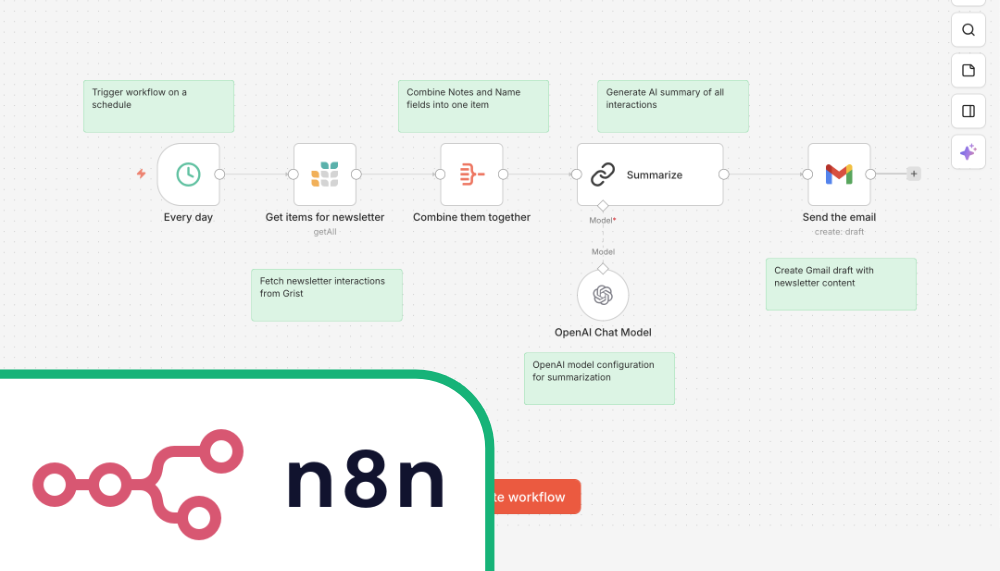
### n8n
Good for technical teams who are comfortable with low-code workflows, and organizations that need to be able to self-host.
See our [video walkthroughs](https://www.getgrist.com/automations/#videos)
for examples.
### Zapier
Enterprise-level automations with tight AI integration, and likely the _most_ integrations.
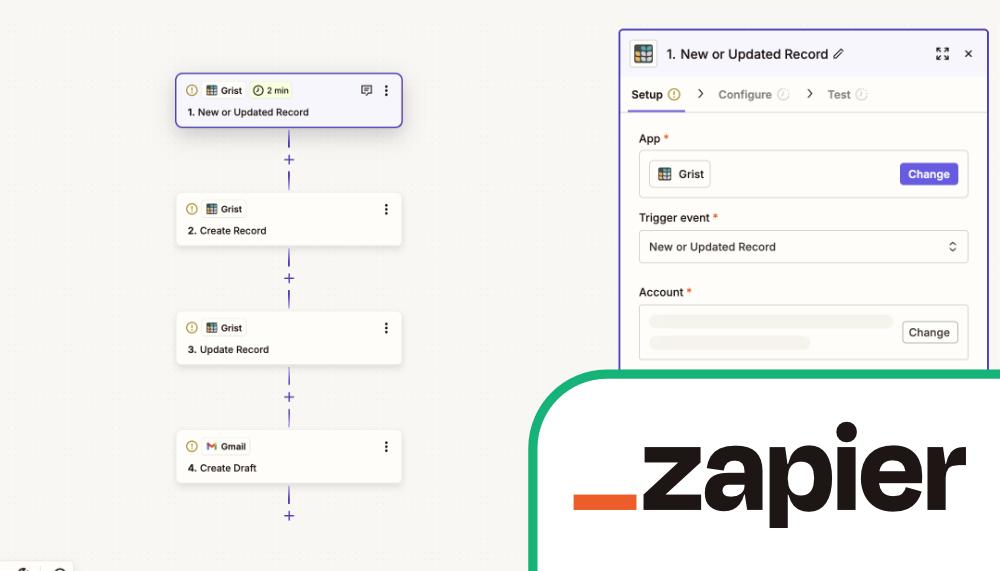
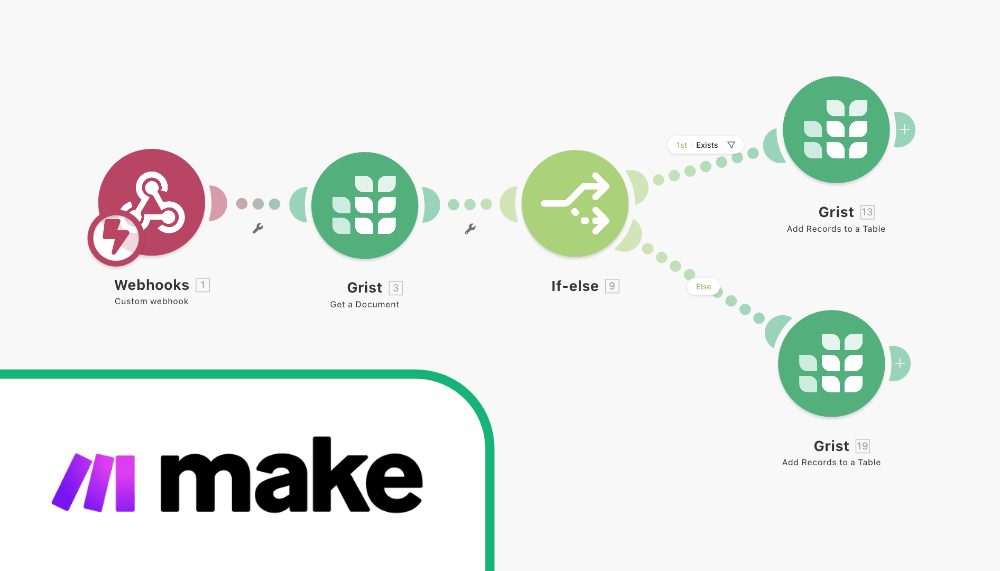
### Make
A less expensive option, but well-suited for complex workflows.
Enterprise-grade security built-in
----------------------------------
check
Self-hosting option for complete data control
check
Granular [role-based access rules](https://www.getgrist.com/role-based-access-controls/)
for confident collaboration
check
Open-source core and full source available for security auditing
check
Export restrictions respect access rules (unlike column hiding)
check
Comprehensive [admin controls](https://support.getgrist.com/admin-controls/)
for workspace, user and document management
[Consult an expert](https://www.getgrist.com/contact/)
[Get started for free](https://docs.getgrist.com/billing/create-team/price_1PIxMTErFFRdaVEUSc0NXB0O)
> “I needed an open-source master database that could connect to n8n and AI tools. After trying Notion, Airtable, Siyuan, Baserow, and NocoDB, I chose Grist for its Python-native AI support, flexible integrations, and simple n8n connections.”
Robin A.
Project Manager
[View case studies](https://www.getgrist.com/case-studies/)
> “I love Grist. It’s crazy powerful. I still can’t believe what we’ve been able to achieve in it. It’s the dream that low-code was sold as for years – we can do incredible things in each column with Python and we can build our own widgets to run on those! Wild!”
Elliot Lee
User Researcher
[View case studies](https://www.getgrist.com/case-studies/)
> “Grist has become our go-to for more complex, structured data. It sits somewhere between Excel and Access—powerful, relational, and flexible enough for prototyping real data-driven applications.”
Olivier Lambert
CEO at Vates
[View case studies](https://www.getgrist.com/case-studies/)
> “The more I use Grist, the more I LOVE it. I have been surveying self-hosted database GUI tools, and I was consistently disappointed with their shortcomings or bugginess. Grist is the first to have tilted the balance the other way.”
Stephen S.
Publications, Personal City Guides
[View case study](https://www.getgrist.com/case-studies/publication-app-open-source-spreadsheet/)
[All case studies](https://www.getgrist.com/case-studies/)
> “Grist has given us incredible flexibility to solve data problems and find solutions, whether it is for a small team at the district, or at scale with the entire district staff. We’re really excited about the different ways we can use it going forward.”
Director of Product
EdTech Company
[View case study](https://www.getgrist.com/case-studies/spreadsheet-collaboration-granular-access-rules/)
[All case studies](https://www.getgrist.com/case-studies/)
> “What I like about Grist the most is its focus. It appears simple, but it’s very powerful in a focused way. Grist has really improved our workflow and communication.”

Chris Scott
Co-founder in Digital Marketing
[View case study](https://www.getgrist.com/case-studies/missionsource-data-organization-digital-marketing/)
[All case studies](https://www.getgrist.com/case-studies/)
> “If people spend some time learning a new tool they’ll have more power to do their work and research. I said to one of my students, ‘You will be very very happy using Grist because you are miserable using Excel!'”

Eduardo Dalcin, Ph.D.
Biodiversity Informatics Expert
[View case study](https://www.getgrist.com/case-studies/relational-spreadsheets-protect-brazil-plants-conservation/)
[All case studies](https://www.getgrist.com/case-studies/)
> “Most CRMs don’t work the way Grist works. Grist’s layouts are simple and do exactly what we need.”
Jennifer Bledsoe
IT Tech at Law Firm
[View case study](https://www.getgrist.com/case-studies/law-firm-built-custom-crm/)
[All case studies](https://www.getgrist.com/case-studies/)
> “I discovered Grist after becoming frustrated with the limitations of Excel and Google Sheets. Grist has been a breath of fresh air, especially with its ability to handle structured data in a way that feels familiar to anyone with experience in relational databases, but with the added flexibility of Python.”
Will Bailey
Small Business Manager
[View case studies](https://www.getgrist.com/case-studies/)
> “Sharing an Access database is near impossible, but Grist makes sharing a relational database simple.”
Walt Rice
IT Consultant
[View case studies](https://www.getgrist.com/case-studies/)
> “I’ve worked extensively with NocoDB, Notion, SeaTable, and Baserow, and Grist really stands out. The balance between spreadsheet-style flexibility and structured, low-code database design is excellent.”
Andriy Kostyuk
Automation Engineer, Founder at Enceladus
[View case studies](https://www.getgrist.com/case-studies/)
Learn more about Grist automations
----------------------------------
### Videos
**Note:** These videos show Grist’s integrations with n8n webhooks. Our new automation tool makes some of these workflows much easier to build, with more native actions to come.
Deep dive into n8n automations, webinar-style.
Full walkthrough of simple Grist + n8n automations
Full walkthrough of Grist + n8n scheduling automations
Full walkthrough of Grist + n8n AI summaries
Full walkthrough of Grist + n8n automations leveraging AI
### Documentation
article
[Automations documentation](https://support.getgrist.com/automations)
article
[Webhooks documentation](https://support.getgrist.com/webhooks/)
article
[Other integrations (Integrately, Pabbly Connect, KonnectzIT)](https://support.getgrist.com/integrators/)
Take control of your data
-------------------------
Unlock your data’s true potential with the better spreadsheet
[Get started](https://docs.getgrist.com/welcome/start)
[Contact sales](https://www.getgrist.com/contact/)
[](https://www.getgrist.com/)
* [Twitter](https://twitter.com/getgrist)
* [LinkedIn](https://www.linkedin.com/company/grist-labs/)
* [Facebook](https://www.facebook.com/getgrist)
* [YouTube](https://www.youtube.com/channel/UCx0ioQrrC-bIrkmZ7ZULr0g)
* [TikTok](https://www.tiktok.com/@getgrist)
Create a free site
------------------
You may create a Personal or a Team site:
#### Personal
Easiest way to get started
[Get Started](https://docs.getgrist.com/welcome/start)
#### New Team Site
Help your whole team be more productive
[Create Free Team Site](https://docs.getgrist.com/billing/create-team?planType=teamFree)
close
---