# Table of Contents - [Overview – Theatre.js](#overview-theatre-js) - [Overview – Theatre.js](#overview-theatre-js) - [With THREE.js – Theatre.js](#with-three-js-theatre-js) - [Releases – Theatre.js](#releases-theatre-js) - [Concepts – Theatre.js](#concepts-theatre-js) - [Releases – Theatre.js](#releases-theatre-js) - [With React Three Fiber – Theatre.js](#with-react-three-fiber-theatre-js) - [Concepts – Theatre.js](#concepts-theatre-js) - [Getting started – Theatre.js](#getting-started-theatre-js) - [With THREE.js – Theatre.js](#with-three-js-theatre-js) - [With React Three Fiber – Theatre.js](#with-react-three-fiber-theatre-js) - [With HTML/SVG – Theatre.js](#with-html-svg-theatre-js) - [Getting started – Theatre.js](#getting-started-theatre-js) - [Projects – Theatre.js](#projects-theatre-js) - [Sheets – Theatre.js](#sheets-theatre-js) - [Sheets – Theatre.js](#sheets-theatre-js) - [Projects – Theatre.js](#projects-theatre-js) - [Working with Sequences – Theatre.js](#working-with-sequences-theatre-js) - [With HTML/SVG – Theatre.js](#with-html-svg-theatre-js) - [Sheet Objects – Theatre.js](#sheet-objects-theatre-js) - [Manual – Theatre.js](#manual-theatre-js) - [Studio – Theatre.js](#studio-theatre-js) - [Keyboard & Mouse Controls – Theatre.js](#keyboard-mouse-controls-theatre-js) - [Prop types – Theatre.js](#prop-types-theatre-js) - [Extensions – Theatre.js](#extensions-theatre-js) - [Assets – Theatre.js](#assets-theatre-js) - [Sheet Objects – Theatre.js](#sheet-objects-theatre-js) - [Keyboard & Mouse Controls – Theatre.js](#keyboard-mouse-controls-theatre-js) - [Studio – Theatre.js](#studio-theatre-js) - [@theatre/react – Theatre.js](#-theatre-react-theatre-js) - [Using Audio – Theatre.js](#using-audio-theatre-js) - [API Reference – Theatre.js](#api-reference-theatre-js) - [Prop types – Theatre.js](#prop-types-theatre-js) - [Extensions – Theatre.js](#extensions-theatre-js) - [Manual – Theatre.js](#manual-theatre-js) - [@theatre/dataverse – Theatre.js](#-theatre-dataverse-theatre-js) - [Advanced uses – Theatre.js](#advanced-uses-theatre-js) - [Assets – Theatre.js](#assets-theatre-js) - [Working with Sequences – Theatre.js](#working-with-sequences-theatre-js) - [@theatre/dataverse – Theatre.js](#-theatre-dataverse-theatre-js) - [API Reference – Theatre.js](#api-reference-theatre-js) - [@theatre/studio – Theatre.js](#-theatre-studio-theatre-js) - [Using Audio – Theatre.js](#using-audio-theatre-js) - [@theatre/react – Theatre.js](#-theatre-react-theatre-js) - [React Three Fiber – Theatre.js](#react-three-fiber-theatre-js) - [React Three Fiber – Theatre.js](#react-three-fiber-theatre-js) - [Advanced uses – Theatre.js](#advanced-uses-theatre-js) - [Authoring extensions – Theatre.js](#authoring-extensions-theatre-js) - [theatric – Theatre.js](#theatric-theatre-js) - [@theatre/r3f – Theatre.js](#-theatre-r3f-theatre-js) - [@theatre/r3f – Theatre.js](#-theatre-r3f-theatre-js) - [@theatre/studio – Theatre.js](#-theatre-studio-theatre-js) - [Authoring extensions – Theatre.js](#authoring-extensions-theatre-js) - [theatric – Theatre.js](#theatric-theatre-js) - [@theatre/core – Theatre.js](#-theatre-core-theatre-js) - [@theatre/core – Theatre.js](#-theatre-core-theatre-js) --- # Overview – Theatre.js * Overview Welcome to the Theatre.js documentation. Pick a [Getting started guide](https://www.theatrejs.com/docs/latest/getting-started) or check out the [Documentation pages](https://www.theatrejs.com/docs/latest#documentation) for more in-depth knowledge. Want to get in touch? See all the ways you can do it [here](https://www.theatrejs.com/docs/latest#community) . * * * #Getting started ---------------- Theatre.js works with any front-end library or framework, but we've prepared some articles that make it easy to get started alongside some commonly used frameworks. * [With React Three Fiber](https://www.theatrejs.com/docs/latest/getting-started/with-react-three-fiber) * [With THREE.js](https://www.theatrejs.com/docs/latest/getting-started/with-three-js) * [With HTML/SVG](https://www.theatrejs.com/docs/latest/getting-started/with-html-svg) #Documentation -------------- ### Concepts Learn the concepts behind animating with Theatre.js before you get started. [Learn concepts](https://www.theatrejs.com/docs/latest/concepts) ### Releases Take a look at the latest Theatre.js releases containing features and bug fixes. [View releases](https://www.theatrejs.com/docs/latest/releases) ### Manual Learn about animating in sync with audio, keyboard shortcuts, extensions, and more... [View all manual articles](https://www.theatrejs.com/docs/latest/manual) ### API Reference Learn the power of hacking with the Theatre.js animation tools in code. [Read](https://www.theatrejs.com/docs/latest/api) * * * #Community ---------- ### Twitter Gifs, updates, and more on the Theatre.js twitter @theatre\_js [Go to Twitter](https://twitter.com/theatre_js) ### Discord Join the discord community and get help, give feedback, or show off what you've made! [Join Discord](https://discord.gg/bm9f8F9Y9N) ### GitHub Follow along with the development of Theatre.js and contribute on GitHub. [Go to Repo](https://github.com/theatre-js/theatre) Or, you can send us an email at [hello@theatrejs.com](mailto:hello@theatrejs.com) . * * * Was this article helpful to you? 😫😕😀🤩 Last edited on February 01, 2024. [Edit this page](https://github.com/theatre-js/website/blob/main/content/docs/0.5/index.mdx) #### On this page * [Getting started](https://www.theatrejs.com/docs/latest#getting-started) * [Documentation](https://www.theatrejs.com/docs/latest#documentation) * [Community](https://www.theatrejs.com/docs/latest#community) [Theatre.js](https://www.theatrejs.com/) Theatre.js is a design tool in the making. We aim to blur the line between designer/developer, author/consumer, and artist/scientist. #### Get started with * [React Three Fiber](https://www.theatrejs.com/docs/0.5/getting-started/with-react-three-fiber) * [THREE.js](https://www.theatrejs.com/docs/0.5/getting-started/with-three-js) * [HTML/CSS/SVG](https://www.theatrejs.com/docs/0.5/getting-started/with-html-svg) #### Docs * [Overview](https://www.theatrejs.com/docs/0.5) * [Concepts](https://www.theatrejs.com/docs/0.5/concepts) * [Getting started](https://www.theatrejs.com/docs/0.5/getting-started) * [Manual](https://www.theatrejs.com/docs/0.5/manual) * [API](https://www.theatrejs.com/docs/0.5/api) #### Community * [Twitter](https://twitter.com/theatre_js) * [Discord](https://discord.gg/bm9f8F9Y9N) * [GitHub](https://github.com/theatre-js/theatre) #### Company * [Jobs](https://www.theatrejs.com/join) * [Blog](https://blog.theatrejs.com/) * [Contact](mailto:hello@theatrejs.com) © 2022 Theatre.js Oy – Helsinki. --- # Overview – Theatre.js * Overview Welcome to the Theatre.js documentation. Pick a [Getting started guide](https://www.theatrejs.com/docs/latest/getting-started) or check out the [Documentation pages](https://www.theatrejs.com/docs/0.5#documentation) for more in-depth knowledge. Want to get in touch? See all the ways you can do it [here](https://www.theatrejs.com/docs/0.5#community) . * * * #Getting started ---------------- Theatre.js works with any front-end library or framework, but we've prepared some articles that make it easy to get started alongside some commonly used frameworks. * [With React Three Fiber](https://www.theatrejs.com/docs/latest/getting-started/with-react-three-fiber) * [With THREE.js](https://www.theatrejs.com/docs/latest/getting-started/with-three-js) * [With HTML/SVG](https://www.theatrejs.com/docs/latest/getting-started/with-html-svg) #Documentation -------------- ### Concepts Learn the concepts behind animating with Theatre.js before you get started. [Learn concepts](https://www.theatrejs.com/docs/latest/concepts) ### Releases Take a look at the latest Theatre.js releases containing features and bug fixes. [View releases](https://www.theatrejs.com/docs/latest/releases) ### Manual Learn about animating in sync with audio, keyboard shortcuts, extensions, and more... [View all manual articles](https://www.theatrejs.com/docs/latest/manual) ### API Reference Learn the power of hacking with the Theatre.js animation tools in code. [Read](https://www.theatrejs.com/docs/latest/api) * * * #Community ---------- ### Twitter Gifs, updates, and more on the Theatre.js twitter @theatre\_js [Go to Twitter](https://twitter.com/theatre_js) ### Discord Join the discord community and get help, give feedback, or show off what you've made! [Join Discord](https://discord.gg/bm9f8F9Y9N) ### GitHub Follow along with the development of Theatre.js and contribute on GitHub. [Go to Repo](https://github.com/theatre-js/theatre) Or, you can send us an email at [hello@theatrejs.com](mailto:hello@theatrejs.com) . * * * Was this article helpful to you? 😫😕😀🤩 Last edited on February 01, 2024. [Edit this page](https://github.com/theatre-js/website/blob/main/content/docs/0.5/index.mdx) #### On this page * [Getting started](https://www.theatrejs.com/docs/0.5#getting-started) * [Documentation](https://www.theatrejs.com/docs/0.5#documentation) * [Community](https://www.theatrejs.com/docs/0.5#community) [Theatre.js](https://www.theatrejs.com/) Theatre.js is a design tool in the making. We aim to blur the line between designer/developer, author/consumer, and artist/scientist. #### Get started with * [React Three Fiber](https://www.theatrejs.com/docs/0.5/getting-started/with-react-three-fiber) * [THREE.js](https://www.theatrejs.com/docs/0.5/getting-started/with-three-js) * [HTML/CSS/SVG](https://www.theatrejs.com/docs/0.5/getting-started/with-html-svg) #### Docs * [Overview](https://www.theatrejs.com/docs/0.5) * [Concepts](https://www.theatrejs.com/docs/0.5/concepts) * [Getting started](https://www.theatrejs.com/docs/0.5/getting-started) * [Manual](https://www.theatrejs.com/docs/0.5/manual) * [API](https://www.theatrejs.com/docs/0.5/api) #### Community * [Twitter](https://twitter.com/theatre_js) * [Discord](https://discord.gg/bm9f8F9Y9N) * [GitHub](https://github.com/theatre-js/theatre) #### Company * [Jobs](https://www.theatrejs.com/join) * [Blog](https://blog.theatrejs.com/) * [Contact](mailto:hello@theatrejs.com) © 2022 Theatre.js Oy – Helsinki. --- # With THREE.js – Theatre.js * [Theatre.js Docs](https://www.theatrejs.com/docs/0.5) * [Getting started](https://www.theatrejs.com/docs/0.5/getting-started) * With THREE.js In this guide, you'll learn how to animate a 3D scene by integrating Theatre.js into a [THREE.js](https://threejs.org/) project. Theatre.js can be used with THREE.js to animate things like the camera, lights, material colors, and more. #Prerequisites -------------- We'll start by cloning or downloading the code in the [THREE.js + bundler project repository](https://github.com/fulopkovacs/vanilla-threejs-project) . ` # using git git clone https://github.com/fulopkovacs/vanilla-threejs-project ` Alternatively, you can download [the ZIP archive of the code](https://github.com/fulopkovacs/vanilla-threejs-project/archive/refs/heads/main.zip) and extract it to a folder of your choice. This code will set up a basic THREE.js scene with a torus know geometry, basic lighting, and a render loop. This project uses Vite, but you really just need a basic web project set up with a bundler of your choice with some code to set up a [basic THREE.js scene](https://threejs.org/docs/#manual/en/introduction/Creating-a-scene) . Once you have your project cloned, navigate to the project folder in your terminal. ` # open the repository in your terminal cd vanilla-threejs-project ` And use a package manager of your choice (e.g., npm or yarn) to install dependencies to the `./node_modules` folder. ` # install the dependencies: npm install # and start the dev server: npm run dev ` Or with yarn: ` # install the dependencies: yarn install # and start the dev server: yarn run dev ` Now, if you open [`http://localhost:3000`](http://localhost:3000/) in the browser, you should see something like this: ![The sample project screen open in the browser.](https://www.theatrejs.com/images/docs/0.5/getting-started/with-three-js/01.png) #Add Theatre.js packages ------------------------ Now that you have a THREE.js codebase you want to add Theatre.js to, let's install Theatre.js's packages. ` # with npm npm install --save @theatre/core @theatre/studio # or with yarn yarn add @theatre/core @theatre/studio ` #Create an animation -------------------- Theatre.js has two essential packages that we need to use in this project. `@theatre/studio` is the editor GUI that we use to create animations, and `@theatre/core` plays the animations we've created. If you're using the started project, naviage to the `main.ts` file and let's import the studio package and initialize the editor: ` /* ... */ import * as THREE from 'three' import studio from '@theatre/studio' /** * Theatre.js */ studio.initialize() /* ... */ ` ![The editor UI after the studio has been initialized.](https://www.theatrejs.com/images/docs/0.5/getting-started/with-three-js/02.png) #Animate the rotation of the TorusKnot -------------------------------------- So far, we cannot edit anything using the UI; we need to hook up our THREE.js objects to Theatre.js first. There are a lot of things we could animate in the starting scene, but let's focus on the rotation of the `torusKnot` for now. First, create a Theatre.js project using the code below. A [Project](https://www.theatrejs.com/docs/latest/manual/projects) in Theatre.js is like a save file. Projects are stored in the browser's `localStorage`, so you don't lose your progress if you close and reopen Theatre.js. ` import * as THREE from 'three' import { getProject } from '@theatre/core' // Initialize the studio studio.initialize() // Create a project for the animation const project = getProject('THREE.js x Theatre.js') ` Now we'll add a [Sheet](https://www.theatrejs.com/docs/latest/manual/sheets) . Sheets are a collection of objects which can be animated together. ` /* ... */ // Create a project for the animation const project = getProject('THREE.js x Theatre.js') // Create a sheet const sheet = project.sheet('Animated scene') ` Next, we'll create a [Sheet Object](https://www.theatrejs.com/docs/latest/manual/objects) with the [props](https://www.theatrejs.com/docs/latest/manual/prop-types) that you want to animate. Sheets contain one or more objects, that can be animated together. You can customize how these props look and behave in the UI, e.g. you can set minimum and maximum values of a number prop by modifying its `range`. ` import * as THREE from 'three' import { getProject, types } from '@theatre/core' /* ... */ scene.add(mesh) // Create a Theatre.js object with the props you want to // animate const torusKnotObj = sheet.object('Torus Knot', { // Note that the rotation is in radians // (full rotation: 2 * Math.PI) rotation: types.compound({ x: types.number(mesh.rotation.x, { range: [-2, 2] }), y: types.number(mesh.rotation.y, { range: [-2, 2] }), z: types.number(mesh.rotation.z, { range: [-2, 2] }), }), }) ` The last thing to do is to rotate the torusKnot's mesh based on the values of `torusKnotObj`. This can be done by listening to the changes of the `torusKnotObj` and updating the rotation of the `torusKnot`. ` const torusKnotObj = sheet.object('Torus Knot', { /* ... */ }) torusKnotObj.onValuesChange((values) => { const { x, y, z } = values.rotation mesh.rotation.set(x * Math.PI, y * Math.PI, z * Math.PI) }) ` Now you're set up to use the [Studio](https://www.theatrejs.com/docs/latest/manual/Studio) to edit and animate the torusKnot's rotation! #Animating objects ------------------ To start animating, we first have to sequence the properties of an object we want to animate. To sequence properties: select an object, right-click on a property (or group of properties) in the property editor panel, and click "sequence". After clicking "sequence", the sequence editor will open. Here, we'll sequence the rotation of the torus knot. Sequencing props To animate the knot's rotation, we'll create two sets of keyframes by clicking on the yellow diamond next to the rotation prop in the [Details Panel](https://www.theatrejs.com/docs/latest/manual/Studio#details-panel) , one with the playhead at `0s`, and one at `3s`. We'll then set the first set of keyframes to `0`, and the second set to `1`. Animating props You can of course experiment with adding more keyframes. Once we have some keyframes in the sequence editor, we can play our animation by pressing `Space`. Tip: If the Studio UI gets in the way, you can hide it by pressing `Alt/Option + \`. To learn more about creating animations, see [Working with Sequences](https://www.theatrejs.com/docs/latest/manual/sequences) . ![The animated torusKnot](https://www.theatrejs.com/images/docs/0.5/getting-started/with-three-js/03.png) #Getting ready for production ----------------------------- All the keyframes you created are saved in your browser's `localStorage` so that your animation will be remembered between page refreshes. However, now you may want a way to save, share/publish, and programmatically play your animation. To distribute your animation as a part of your website, export your Theatre.js Project by clicking on "THREE.js x Theatre.js" in the outline menu in the top left of the UI. ![Save your animation: step 1](https://www.theatrejs.com/images/docs/0.5/getting-started/with-three-js/04.png) Then click on the "Export THREE.js x Theatre.js to JSON" button on the right. ![Save your animation: step 2](https://www.theatrejs.com/images/docs/0.5/getting-started/with-three-js/05.png) This will download a JSON file `state.json`. Now, we can move `state.json` to the folder containing our web project, and import the JSON file: ` import projectState from './state.json' ` Then replace our code from before: ` const project = getProject('THREE.js x Theatre.js') ` With this code: ` const project = getProject('THREE.js x Theatre.js', { state: projectState }) ` We are now passing the saved animation state to [getProject](https://www.theatrejs.com/docs/latest/api/core#getproject) . By doing this,the Theatre.js project will be initialized with the saved animation from `state.json` instead of the animation saved in `localStorage`. Don't worry; any changes you make to your animation in Studio will still be saved to `localStorage` after you do this (your edits will still survive page refreshes). The last thing left is programmatically playing your animation. To play an animation, we need to get a reference to its [sequence](https://www.theatrejs.com/docs/latest/concepts#sequences) and call the [play](https://www.theatrejs.com/docs/latest/api/core#sequence.play) method on it. [Sequence.play](https://www.theatrejs.com/docs/latest/api/core#sequence.play) accepts a number of options. Here, we are going to instruct Theatre.js to play the animation forever. ` // Play the animation on repeat project.ready.then(() => sheet.sequence.play({ iterationCount: Infinity })) ` In summary, your code will now look like the following [GitHub repo](https://github.com/fulopkovacs/threejs-x-theatrejs) . To check what our page looks like without the Studio, we can press `Alt/Option + \` to hide it. Alternatively, we can comment out `studio.initialize()`. #Deploying to production ------------------------ When we are done and ready to deploy our webpage to production, we only need to do two things. 1. Make sure that we have the latest project state exported to a JSON file and passed to [getProject](https://www.theatrejs.com/docs/latest/api/core#getproject) . 2. Remove [studio.initialize](https://www.theatrejs.com/docs/latest/api/studio#studio.initialize) and [studio.extend](https://www.theatrejs.com/docs/latest/api/studio#studio.extend) . We can also achieve the last step without manually editing the code every time by using environment-checks and relying on our bundler's tree-shaking feature: ` // Vite if (import.meta.env.DEV) { studio.initialize() studio.extend(extension) } ` ` // create-react-app if (process.env.NODE_ENV === 'development') { studio.initialize() studio.extend(extension) } ` #Next steps ----------- Want to learn more? Take a look at some more in-depth topics from [our manual](https://www.theatrejs.com/docs/latest/manual) : ### Projects This guide covers creating projects, managing their states, saving and loading their states, and more. ### Sheets This guide covers Sheets in Theatre.js ### Sheet Objects This guide covers Sheet Objects in Theatre.js. ### Prop types Learn how to customize the props you want to animate with Theatre.js. When creating a Sheet Object, we define the props that we want to animate on it. Props can have different types which can be imported from "@theatre/core". ### Working with Sequences In this guide, we'll explore the tools that Theatre.js offers for creating animations. ### Assets Learn about assets in Theatre.js ### Using Audio Learn how to load and synchronize music or narration audio to an animation. ### Studio Learn the different parts of the Studio. ### Authoring extensions The Theatre.js Studio API enables you to define extensions that extend the Studio's UI and/or extend the functionality of Studio. ### Keyboard & Mouse Controls A catalog of controls in Theatre.js Studio. ### Advanced uses Or check out another getting started guide: ### With React Three Fiber Animate a React Three Fiber project using Theatre.js's r3f extension, "@theatre/r3f". This guide assumes that you have a web project with a bundler set up. ### With HTML/SVG How to get started animating HTML elements directly with Theatre.js. This tutorial doesn't require any knowledge beyond HTML + JavaScript. * * * Was this article helpful to you? 😫😕😀🤩 Last edited on February 01, 2024. [Edit this page](https://github.com/theatre-js/website/blob/main/content/docs/0.5/100-getting-started/200-with-three-js.mdx) #### On this page * [Prerequisites](https://www.theatrejs.com/docs/0.5/getting-started/with-three-js#prerequisites) * [Add Theatre.js packages](https://www.theatrejs.com/docs/0.5/getting-started/with-three-js#add-theatre.js-packages) * [Create an animation](https://www.theatrejs.com/docs/0.5/getting-started/with-three-js#create-an-animation) * [Animate the rotation of the TorusKnot](https://www.theatrejs.com/docs/0.5/getting-started/with-three-js#animate-the-rotation-of-the-torusknot) * [Animating objects](https://www.theatrejs.com/docs/0.5/getting-started/with-three-js#animating-objects) * [Getting ready for production](https://www.theatrejs.com/docs/0.5/getting-started/with-three-js#getting-ready-for-production) * [Deploying to production](https://www.theatrejs.com/docs/0.5/getting-started/with-three-js#deploying-to-production) * [Next steps](https://www.theatrejs.com/docs/0.5/getting-started/with-three-js#next-steps) [Theatre.js](https://www.theatrejs.com/) Theatre.js is a design tool in the making. We aim to blur the line between designer/developer, author/consumer, and artist/scientist. #### Get started with * [React Three Fiber](https://www.theatrejs.com/docs/0.5/getting-started/with-react-three-fiber) * [THREE.js](https://www.theatrejs.com/docs/0.5/getting-started/with-three-js) * [HTML/CSS/SVG](https://www.theatrejs.com/docs/0.5/getting-started/with-html-svg) #### Docs * [Overview](https://www.theatrejs.com/docs/0.5) * [Concepts](https://www.theatrejs.com/docs/0.5/concepts) * [Getting started](https://www.theatrejs.com/docs/0.5/getting-started) * [Manual](https://www.theatrejs.com/docs/0.5/manual) * [API](https://www.theatrejs.com/docs/0.5/api) #### Community * [Twitter](https://twitter.com/theatre_js) * [Discord](https://discord.gg/bm9f8F9Y9N) * [GitHub](https://github.com/theatre-js/theatre) #### Company * [Jobs](https://www.theatrejs.com/join) * [Blog](https://blog.theatrejs.com/) * [Contact](mailto:hello@theatrejs.com) © 2022 Theatre.js Oy – Helsinki. --- # Releases – Theatre.js * [Theatre.js Docs](https://www.theatrejs.com/docs/latest) * Releases #v0.7.0 ------- This is the latest version of Theatre.js. Upgrade by running `npm install @theatre/core@latest @theatre/studio@latest @theatre/r3f@latest` in your project. _August 10th 2023_ * **New features** * [`@theatre/r3f`](https://www.theatrejs.com/docs/latest/extensions/react-three-fiber) now supports THREE.js r155. * [Assets](https://www.theatrejs.com/docs/latest/manual/assets) [now](https://github.com/theatre-js/theatre/pull/408) support the file type, so any file can be used as an asset, by [João Leite](https://github.com/joaogsleite) . * [`@theatre/dataverse`](https://github.com/theatre-js/theatre/blob/main/packages/dataverse) and [`@theatre/react`](https://github.com/theatre-js/theatre/blob/main/packages/react) are now marked as stable and can be used outside of Theatre.js. * [Extensions](https://www.theatrejs.com/docs/latest/manual/authoring-extensions) are now hot-reloadable. * **Breaking changes** * [`@theatre/r3f`](https://www.theatrejs.com/docs/latest/extensions/react-three-fiber) : The r3f extension now requires `three` at `>=0.155.0` and `@react-three/fiber` at `>=8.13.6`. * [`@theatre/react`](https://github.com/theatre-js/theatre/blob/main/packages/react) : The `usePrismWithoutReRender()` and `usePrismInstanceWithoutReRender()` have been removed. * **Bug fixes** * [`@theatre/react`](https://github.com/theatre-js/theatre/blob/main/packages/react) is now hot-reloadable. * **Internal changes** * Theatre.js now uses React 18 under the hood. * The playground is now hot-reloadable. * New visual regression tests. * Compat fixtures now test Theatre.js with Vite, Next.js, React 18, React 17, and other popular JS tools. #v0.6.2 ------- _July 24th 2023_ * This update includes: * [A fix](https://github.com/theatre-js/theatre/pull/433) for the compatibility issue with THREE.js r154, by [Colin Duffy](https://twitter.com/tomorrowevening) . * You can now read the keyframes of a prop by calling [`sequence.__experimental_getKeyframes()`](https://www.theatrejs.com/docs/latest/api/core#sequence.__experimental_getkeyframes_pointer_) , [implemented](https://github.com/theatre-js/theatre/pull/426) by [Adam Krebs](https://github.com/akre54) . * It is [now](https://github.com/theatre-js/theatre/pull/425) easier to sequence props by just clicking on their control indicator. #v0.6.1 ------- _May 12th 2023_ * This update includes: * [Added](https://github.com/theatre-js/theatre/commit/4d7373e1a9b4263923c0923d0e48976db65a10be) support for typescript's bundle mode to `@theatre/r3f`. * [Implemented](https://github.com/theatre-js/theatre/pull/391) the experimental `createContentOfSaveFileTyped()`, by [Adam Krebs](https://github.com/akre54) . * A small UX [improvement](https://github.com/theatre-js/theatre/commit/6c7da6f653b452f1ce9d2995eae65606703598ab) for PlayheadPositionPopover. * An [experimental API](https://github.com/theatre-js/theatre/pull/393) for forgetting sheets and objects. * [Implemented](https://github.com/theatre-js/theatre/pull/142) a method to clear the persistent storage. * A substantial perf improvement for `@theatre/studio`. * The default and static overrides are now [distinguisable](https://github.com/theatre-js/theatre/commit/6f8e91ed5f6ed34a527553ec4c04b9e5b8316524) in the UI. * A [temporary](https://github.com/theatre-js/theatre/pull/386) API for enabling/disabling triggering playback via the spacebar. * And several UX improvements. #v0.6.0 ------- _Jan 25th 2023_ * **New features** * [Theatric](https://github.com/theatre-js/theatre/tree/main/packages/theatric) is a new controller library bulit on Theatre.js for tweaking and fine-tuning variables in your app. * [Assets](https://www.theatrejs.com/docs/latest/manual/assets) allow you to use files as values for props and even keyframes. * [`rafDriver`](https://www.theatrejs.com/docs/latest/manual/advanced#rafdrivers) s allow you to control when and how often computations in Theatre tick forward, [based](https://github.com/theatre-js/theatre/commit/d6498585295962c55a6d412e74ad7f65af86adb7) on work by [Pete Feltham](https://github.com/felthy) . * Items in the outline menu are now [collapsible](https://github.com/theatre-js/theatre/pull/367) , based on work by [Clément Roche](https://github.com/clementroche) . * A new easing option called "[Hold](https://github.com/theatre-js/theatre/pull/360) ", courtesy of [Colin Duffy](https://twitter.com/tomorrowevening) . * Number props have a [more predictable](https://github.com/theatre-js/theatre/issues/314) nudging behavior. * Compound props that represent vectors (such as `{x, y, z}`) now take up less space by collapsing into a single row. * Markers in the sequence editor can now [have their own labels](https://github.com/theatre-js/theatre/pull/362) , by [Colin Duffy](https://twitter.com/tomorrowevening) . * Extensions can now contribute [flyout menus](https://github.com/theatre-js/theatre/pull/379) to the studio, by [Colin Duffy](https://twitter.com/tomorrowevening) . * Other notable changes * Much simpler dataflow and faster internals via major changes to [dataverse](https://github.com/theatre-js/theatre/pull/345) . * Components in an object key [can now](https://github.com/theatre-js/theatre/pull/376) be 64 characters long, by [AD2018](https://github.com/AD2018) . * Dynamic object properties are reflected in the UI [more efficiently](https://github.com/theatre-js/theatre/commit/c58bc694ee8dc45395336ff9add70b99d0dbaf3a) , thanks to [@mmiinnovations](https://github.com/mmiinnovations) . #v0.5.1 ------- _December 31st 2022_ * **New features** * A new [Camera](https://www.theatrejs.com/docs/0.5/api/r3f#cameras) implementation with a convenient `lookAt` target. * You can now dynamically remove objects via [`Sheet.detatchObject()`](https://www.theatrejs.com/docs/latest/manual/objects#detatching-objects) . * Objects can now be reconfigured on the fly via the [`reconfigure` option](https://www.theatrejs.com/docs/latest/manual/objects#reconfiguring-existing-objects) . * `@theatre/r3f` now supports hot reloading. * A new in-app guide [helps](https://github.com/theatre-js/theatre/pull/320) you avoid common mistakes. * [Out-of-the-box support](https://github.com/theatre-js/theatre/pull/316) for all THREE.js light types. * Support for server-side rendering in Next.js and other SSR frameworks. * **Bug fixes** * [Fixed a bug](https://github.com/theatre-js/theatre/pull/344) that caused only a single project to be export-able per reload. * [Fixed an edge-case](https://github.com/theatre-js/theatre/pull/340) where inline keyframe values might remain stale after an edit. * [Fixed an edge-case](https://github.com/theatre-js/theatre/pull/309) where some panes would get dragged out of the browser window. * [Fixed a bug](https://github.com/theatre-js/theatre/commit/27ef3cc1c9dfcca8d06bd53c5a7185f20c853114) that prevented audio playback in the studio. #v0.5 ----- _September 14th 2022_ Theatre.js **v0.5** · Introduces a 3D editor for React Three Fiber, complex keyframing tools, and an extensions API. [More in the blog post](https://www.theatrejs.com/blog/theatre-05-is-out) . * [Prop types](https://www.theatrejs.com/docs/latest/manual/prop-types) * All prop types are now [sequenceable](https://www.theatrejs.com/docs/latest/manual/sequences#sequencing-props) * Prop types can optionally have [custom linear interpolators](https://www.theatrejs.com/docs/latest/api/core#docs-500-api-100-core-custom-interpolators) * Added [color prop](https://www.theatrejs.com/docs/latest/manual/prop-types#types.rgba_initval_) * [Numeric props](https://www.theatrejs.com/docs/latest/manual/prop-types#types.number_initval-options_) can now be dragged with a pointer lock * [Sequence editor](https://www.theatrejs.com/docs/latest/manual/sequences) * [Keyframe values can now be edited inline](https://www.theatrejs.com/docs/latest/manual/sequences#editing-keyframe-values-in-the-inline-editor) * [Single easing editor, with easing presets and fuzzy search](https://www.theatrejs.com/docs/latest/manual/sequences#using-the-tween-editor) * [Aggregate keyframe tracks](https://www.theatrejs.com/docs/latest/manual/sequences#aggregate-keyframes) * Markers * [Focus range](https://www.theatrejs.com/docs/latest/manual/sequences#focus-range) * Several UX improvements with the scroll/pinch gestures ([Keyboard controls](https://www.theatrejs.com/docs/latest/manual/keyboard-shortcuts) ) * [Selections](https://www.theatrejs.com/docs/latest/manual/sequences#selections) * [Copy/paste](https://www.theatrejs.com/docs/latest/manual/sequences#copyingpasting-keyframes) * Workspaces * An update checker that shows a badge if there is a new version of Theatre.js available * It is possible now to [nest/namespace objects](https://www.theatrejs.com/docs/latest/manual/objects#namespacing-objects) * The outline menu's items are now sorted alphabetically * The left/right panels can now auto-hide or be pinned * Better support for windows * Fixed compatibility with the rest of the JS ecosystem - now bundles all of its dependencies, allowing you to use it with any version of React, Vue.js, Svelte, and of course, vanilla JS. * Performance improvements * New helpful warnings in the API * `@theatre/core` * [Audio playback](https://www.theatrejs.com/docs/latest/manual/audio) * Added [an API for reading/observing the position of the seeker in the sequence, its length, and its playback state](https://www.theatrejs.com/docs/latest/api/core#sequence.pointer-api) * You can now [export the state of each project programmatically](https://www.theatrejs.com/docs/latest/api/studio#studio.createcontentofsavefile-fn) * First release of [`@theatre/r3f`](https://www.npmjs.com/package/@theatre/r3f) (read the ["Getting started with React Three Fiber"](https://www.theatrejs.com/docs/latest/getting-started/with-react-three-fiber) guide for an introduction to the library, or check the [API docs](https://www.theatrejs.com/docs/latest/api/r3f) to dive deeper) * * * Was this article helpful to you? 😫😕😀🤩 Last edited on February 01, 2024. [Edit this page](https://github.com/theatre-js/website/blob/main/content/docs/0.5/030-releases/index.mdx) #### On this page * [v0.7.0](https://www.theatrejs.com/docs/latest/releases#v0.7.0) * [v0.6.2](https://www.theatrejs.com/docs/latest/releases#v0.6.2) * [v0.6.1](https://www.theatrejs.com/docs/latest/releases#v0.6.1) * [v0.6.0](https://www.theatrejs.com/docs/latest/releases#v0.6.0) * [v0.5.1](https://www.theatrejs.com/docs/latest/releases#v0.5.1) * [v0.5](https://www.theatrejs.com/docs/latest/releases#v0.5) [Theatre.js](https://www.theatrejs.com/) Theatre.js is a design tool in the making. We aim to blur the line between designer/developer, author/consumer, and artist/scientist. #### Get started with * [React Three Fiber](https://www.theatrejs.com/docs/0.5/getting-started/with-react-three-fiber) * [THREE.js](https://www.theatrejs.com/docs/0.5/getting-started/with-three-js) * [HTML/CSS/SVG](https://www.theatrejs.com/docs/0.5/getting-started/with-html-svg) #### Docs * [Overview](https://www.theatrejs.com/docs/0.5) * [Concepts](https://www.theatrejs.com/docs/0.5/concepts) * [Getting started](https://www.theatrejs.com/docs/0.5/getting-started) * [Manual](https://www.theatrejs.com/docs/0.5/manual) * [API](https://www.theatrejs.com/docs/0.5/api) #### Community * [Twitter](https://twitter.com/theatre_js) * [Discord](https://discord.gg/bm9f8F9Y9N) * [GitHub](https://github.com/theatre-js/theatre) #### Company * [Jobs](https://www.theatrejs.com/join) * [Blog](https://blog.theatrejs.com/) * [Contact](mailto:hello@theatrejs.com) © 2022 Theatre.js Oy – Helsinki. --- # Concepts – Theatre.js * [Theatre.js Docs](https://www.theatrejs.com/docs/0.5) * Concepts #Objects -------- An animated illustration of Theatre.js objects. Side-by-side animations of a jumping cube and button. **Everything that is animated** is represented as an object. Objects can be THREE.js objects or virtual objects that don't exist on the screen. #Props ------ **Objects are made up of props.** Each prop can have a different type and can be sequenced. ![](data:image/svg+xml,%3csvg%20xmlns=%27http://www.w3.org/2000/svg%27%20version=%271.1%27%20width=%271300%27%20height=%27828%27/%3e)![An annoted screenshot of the Theatre.js Studio UI next to a cube with an axis overlayed. The annotation draws a line between the y axis and an input labelled y in the UI, as well as a line between the width of the cube and an input labelled width in the UI.](https://www.theatrejs.com/_next/image?url=%2Fimages%2Fdocs%2F0.5%2Fconcepts%2F5_props.png&w=3840&q=75) ### #Changing props Props can be changed via Theatre's UI or via code. A video of the Theatre.js UI with a cube on the webpage. Shows the mouse moving the cube up and down using the grabbable axis in the 3D editor and shows the user changing the y value of the cube in the UI. #Sheets ------- Sheets **contain one or more objects** that can be animated together. An animated illustration of Theatre.js sheets. Shows a cube jumping (obj1) and some dust particles (obj2). ### #Sheet instances An animated illustration of Theatre.js sheet instances. Shows three identical animations of a cube jumping with offset animation start times. You can **re-use a sheet by making instances** of it. That means we can have more than one jumpidy-jump animation, each with its own little box and dust particles. ### #Sequences An animated illustration of Theatre.js sequences. Shows a cube jumping animations with the Theatre.js Studio "dope sheet" panel below. The dope sheet panel contains a moving playhead and visual representations of props with tracks containing keyframes and tweens. Each sheet has a single sequence _(multi-sequence sheets are in the works!)_. A sequence is basically made up of **all of the keyframes of all of the objects in a sheet**. #Extensions ----------- ![](data:image/svg+xml,%3csvg%20xmlns=%27http://www.w3.org/2000/svg%27%20version=%271.1%27%20width=%271300%27%20height=%27828%27/%3e)![An annotated screenshot of the Theatre.js Studio UI. Annotations show 'The extension button in the toolbar', 'The extension pane', and 'The editing gizmo just for R3F objects'](data:image/gif;base64,R0lGODlhAQABAIAAAAAAAP///yH5BAEAAAAALAAAAAABAAEAAAIBRAA7) **Extensions can make creating and editing objects for your animation much easier**. They can provide editor gizmos, toolbars, and even their own panes. * * * Was this article helpful to you? 😫😕😀🤩 Last edited on February 01, 2024. [Edit this page](https://github.com/theatre-js/website/blob/main/content/docs/0.5/020-concepts/index.mdx) #### On this page * [Objects](https://www.theatrejs.com/docs/0.5/concepts#objects) * [Props](https://www.theatrejs.com/docs/0.5/concepts#props) * [Changing props](https://www.theatrejs.com/docs/0.5/concepts#changing-props) * [Sheets](https://www.theatrejs.com/docs/0.5/concepts#sheets) * [Sheet instances](https://www.theatrejs.com/docs/0.5/concepts#sheet-instances) * [Sequences](https://www.theatrejs.com/docs/0.5/concepts#sequences) * [Extensions](https://www.theatrejs.com/docs/0.5/concepts#extensions) [Theatre.js](https://www.theatrejs.com/) Theatre.js is a design tool in the making. We aim to blur the line between designer/developer, author/consumer, and artist/scientist. #### Get started with * [React Three Fiber](https://www.theatrejs.com/docs/0.5/getting-started/with-react-three-fiber) * [THREE.js](https://www.theatrejs.com/docs/0.5/getting-started/with-three-js) * [HTML/CSS/SVG](https://www.theatrejs.com/docs/0.5/getting-started/with-html-svg) #### Docs * [Overview](https://www.theatrejs.com/docs/0.5) * [Concepts](https://www.theatrejs.com/docs/0.5/concepts) * [Getting started](https://www.theatrejs.com/docs/0.5/getting-started) * [Manual](https://www.theatrejs.com/docs/0.5/manual) * [API](https://www.theatrejs.com/docs/0.5/api) #### Community * [Twitter](https://twitter.com/theatre_js) * [Discord](https://discord.gg/bm9f8F9Y9N) * [GitHub](https://github.com/theatre-js/theatre) #### Company * [Jobs](https://www.theatrejs.com/join) * [Blog](https://blog.theatrejs.com/) * [Contact](mailto:hello@theatrejs.com) © 2022 Theatre.js Oy – Helsinki. --- # Releases – Theatre.js * [Theatre.js Docs](https://www.theatrejs.com/docs/0.5) * Releases #v0.7.0 ------- This is the latest version of Theatre.js. Upgrade by running `npm install @theatre/core@latest @theatre/studio@latest @theatre/r3f@latest` in your project. _August 10th 2023_ * **New features** * [`@theatre/r3f`](https://www.theatrejs.com/docs/latest/extensions/react-three-fiber) now supports THREE.js r155. * [Assets](https://www.theatrejs.com/docs/latest/manual/assets) [now](https://github.com/theatre-js/theatre/pull/408) support the file type, so any file can be used as an asset, by [João Leite](https://github.com/joaogsleite) . * [`@theatre/dataverse`](https://github.com/theatre-js/theatre/blob/main/packages/dataverse) and [`@theatre/react`](https://github.com/theatre-js/theatre/blob/main/packages/react) are now marked as stable and can be used outside of Theatre.js. * [Extensions](https://www.theatrejs.com/docs/latest/manual/authoring-extensions) are now hot-reloadable. * **Breaking changes** * [`@theatre/r3f`](https://www.theatrejs.com/docs/latest/extensions/react-three-fiber) : The r3f extension now requires `three` at `>=0.155.0` and `@react-three/fiber` at `>=8.13.6`. * [`@theatre/react`](https://github.com/theatre-js/theatre/blob/main/packages/react) : The `usePrismWithoutReRender()` and `usePrismInstanceWithoutReRender()` have been removed. * **Bug fixes** * [`@theatre/react`](https://github.com/theatre-js/theatre/blob/main/packages/react) is now hot-reloadable. * **Internal changes** * Theatre.js now uses React 18 under the hood. * The playground is now hot-reloadable. * New visual regression tests. * Compat fixtures now test Theatre.js with Vite, Next.js, React 18, React 17, and other popular JS tools. #v0.6.2 ------- _July 24th 2023_ * This update includes: * [A fix](https://github.com/theatre-js/theatre/pull/433) for the compatibility issue with THREE.js r154, by [Colin Duffy](https://twitter.com/tomorrowevening) . * You can now read the keyframes of a prop by calling [`sequence.__experimental_getKeyframes()`](https://www.theatrejs.com/docs/latest/api/core#sequence.__experimental_getkeyframes_pointer_) , [implemented](https://github.com/theatre-js/theatre/pull/426) by [Adam Krebs](https://github.com/akre54) . * It is [now](https://github.com/theatre-js/theatre/pull/425) easier to sequence props by just clicking on their control indicator. #v0.6.1 ------- _May 12th 2023_ * This update includes: * [Added](https://github.com/theatre-js/theatre/commit/4d7373e1a9b4263923c0923d0e48976db65a10be) support for typescript's bundle mode to `@theatre/r3f`. * [Implemented](https://github.com/theatre-js/theatre/pull/391) the experimental `createContentOfSaveFileTyped()`, by [Adam Krebs](https://github.com/akre54) . * A small UX [improvement](https://github.com/theatre-js/theatre/commit/6c7da6f653b452f1ce9d2995eae65606703598ab) for PlayheadPositionPopover. * An [experimental API](https://github.com/theatre-js/theatre/pull/393) for forgetting sheets and objects. * [Implemented](https://github.com/theatre-js/theatre/pull/142) a method to clear the persistent storage. * A substantial perf improvement for `@theatre/studio`. * The default and static overrides are now [distinguisable](https://github.com/theatre-js/theatre/commit/6f8e91ed5f6ed34a527553ec4c04b9e5b8316524) in the UI. * A [temporary](https://github.com/theatre-js/theatre/pull/386) API for enabling/disabling triggering playback via the spacebar. * And several UX improvements. #v0.6.0 ------- _Jan 25th 2023_ * **New features** * [Theatric](https://github.com/theatre-js/theatre/tree/main/packages/theatric) is a new controller library bulit on Theatre.js for tweaking and fine-tuning variables in your app. * [Assets](https://www.theatrejs.com/docs/latest/manual/assets) allow you to use files as values for props and even keyframes. * [`rafDriver`](https://www.theatrejs.com/docs/latest/manual/advanced#rafdrivers) s allow you to control when and how often computations in Theatre tick forward, [based](https://github.com/theatre-js/theatre/commit/d6498585295962c55a6d412e74ad7f65af86adb7) on work by [Pete Feltham](https://github.com/felthy) . * Items in the outline menu are now [collapsible](https://github.com/theatre-js/theatre/pull/367) , based on work by [Clément Roche](https://github.com/clementroche) . * A new easing option called "[Hold](https://github.com/theatre-js/theatre/pull/360) ", courtesy of [Colin Duffy](https://twitter.com/tomorrowevening) . * Number props have a [more predictable](https://github.com/theatre-js/theatre/issues/314) nudging behavior. * Compound props that represent vectors (such as `{x, y, z}`) now take up less space by collapsing into a single row. * Markers in the sequence editor can now [have their own labels](https://github.com/theatre-js/theatre/pull/362) , by [Colin Duffy](https://twitter.com/tomorrowevening) . * Extensions can now contribute [flyout menus](https://github.com/theatre-js/theatre/pull/379) to the studio, by [Colin Duffy](https://twitter.com/tomorrowevening) . * Other notable changes * Much simpler dataflow and faster internals via major changes to [dataverse](https://github.com/theatre-js/theatre/pull/345) . * Components in an object key [can now](https://github.com/theatre-js/theatre/pull/376) be 64 characters long, by [AD2018](https://github.com/AD2018) . * Dynamic object properties are reflected in the UI [more efficiently](https://github.com/theatre-js/theatre/commit/c58bc694ee8dc45395336ff9add70b99d0dbaf3a) , thanks to [@mmiinnovations](https://github.com/mmiinnovations) . #v0.5.1 ------- _December 31st 2022_ * **New features** * A new [Camera](https://www.theatrejs.com/docs/0.5/api/r3f#cameras) implementation with a convenient `lookAt` target. * You can now dynamically remove objects via [`Sheet.detatchObject()`](https://www.theatrejs.com/docs/latest/manual/objects#detatching-objects) . * Objects can now be reconfigured on the fly via the [`reconfigure` option](https://www.theatrejs.com/docs/latest/manual/objects#reconfiguring-existing-objects) . * `@theatre/r3f` now supports hot reloading. * A new in-app guide [helps](https://github.com/theatre-js/theatre/pull/320) you avoid common mistakes. * [Out-of-the-box support](https://github.com/theatre-js/theatre/pull/316) for all THREE.js light types. * Support for server-side rendering in Next.js and other SSR frameworks. * **Bug fixes** * [Fixed a bug](https://github.com/theatre-js/theatre/pull/344) that caused only a single project to be export-able per reload. * [Fixed an edge-case](https://github.com/theatre-js/theatre/pull/340) where inline keyframe values might remain stale after an edit. * [Fixed an edge-case](https://github.com/theatre-js/theatre/pull/309) where some panes would get dragged out of the browser window. * [Fixed a bug](https://github.com/theatre-js/theatre/commit/27ef3cc1c9dfcca8d06bd53c5a7185f20c853114) that prevented audio playback in the studio. #v0.5 ----- _September 14th 2022_ Theatre.js **v0.5** · Introduces a 3D editor for React Three Fiber, complex keyframing tools, and an extensions API. [More in the blog post](https://www.theatrejs.com/blog/theatre-05-is-out) . * [Prop types](https://www.theatrejs.com/docs/latest/manual/prop-types) * All prop types are now [sequenceable](https://www.theatrejs.com/docs/latest/manual/sequences#sequencing-props) * Prop types can optionally have [custom linear interpolators](https://www.theatrejs.com/docs/latest/api/core#docs-500-api-100-core-custom-interpolators) * Added [color prop](https://www.theatrejs.com/docs/latest/manual/prop-types#types.rgba_initval_) * [Numeric props](https://www.theatrejs.com/docs/latest/manual/prop-types#types.number_initval-options_) can now be dragged with a pointer lock * [Sequence editor](https://www.theatrejs.com/docs/latest/manual/sequences) * [Keyframe values can now be edited inline](https://www.theatrejs.com/docs/latest/manual/sequences#editing-keyframe-values-in-the-inline-editor) * [Single easing editor, with easing presets and fuzzy search](https://www.theatrejs.com/docs/latest/manual/sequences#using-the-tween-editor) * [Aggregate keyframe tracks](https://www.theatrejs.com/docs/latest/manual/sequences#aggregate-keyframes) * Markers * [Focus range](https://www.theatrejs.com/docs/latest/manual/sequences#focus-range) * Several UX improvements with the scroll/pinch gestures ([Keyboard controls](https://www.theatrejs.com/docs/latest/manual/keyboard-shortcuts) ) * [Selections](https://www.theatrejs.com/docs/latest/manual/sequences#selections) * [Copy/paste](https://www.theatrejs.com/docs/latest/manual/sequences#copyingpasting-keyframes) * Workspaces * An update checker that shows a badge if there is a new version of Theatre.js available * It is possible now to [nest/namespace objects](https://www.theatrejs.com/docs/latest/manual/objects#namespacing-objects) * The outline menu's items are now sorted alphabetically * The left/right panels can now auto-hide or be pinned * Better support for windows * Fixed compatibility with the rest of the JS ecosystem - now bundles all of its dependencies, allowing you to use it with any version of React, Vue.js, Svelte, and of course, vanilla JS. * Performance improvements * New helpful warnings in the API * `@theatre/core` * [Audio playback](https://www.theatrejs.com/docs/latest/manual/audio) * Added [an API for reading/observing the position of the seeker in the sequence, its length, and its playback state](https://www.theatrejs.com/docs/latest/api/core#sequence.pointer-api) * You can now [export the state of each project programmatically](https://www.theatrejs.com/docs/latest/api/studio#studio.createcontentofsavefile-fn) * First release of [`@theatre/r3f`](https://www.npmjs.com/package/@theatre/r3f) (read the ["Getting started with React Three Fiber"](https://www.theatrejs.com/docs/latest/getting-started/with-react-three-fiber) guide for an introduction to the library, or check the [API docs](https://www.theatrejs.com/docs/latest/api/r3f) to dive deeper) * * * Was this article helpful to you? 😫😕😀🤩 Last edited on February 01, 2024. [Edit this page](https://github.com/theatre-js/website/blob/main/content/docs/0.5/030-releases/index.mdx) #### On this page * [v0.7.0](https://www.theatrejs.com/docs/0.5/releases#v0.7.0) * [v0.6.2](https://www.theatrejs.com/docs/0.5/releases#v0.6.2) * [v0.6.1](https://www.theatrejs.com/docs/0.5/releases#v0.6.1) * [v0.6.0](https://www.theatrejs.com/docs/0.5/releases#v0.6.0) * [v0.5.1](https://www.theatrejs.com/docs/0.5/releases#v0.5.1) * [v0.5](https://www.theatrejs.com/docs/0.5/releases#v0.5) [Theatre.js](https://www.theatrejs.com/) Theatre.js is a design tool in the making. We aim to blur the line between designer/developer, author/consumer, and artist/scientist. #### Get started with * [React Three Fiber](https://www.theatrejs.com/docs/0.5/getting-started/with-react-three-fiber) * [THREE.js](https://www.theatrejs.com/docs/0.5/getting-started/with-three-js) * [HTML/CSS/SVG](https://www.theatrejs.com/docs/0.5/getting-started/with-html-svg) #### Docs * [Overview](https://www.theatrejs.com/docs/0.5) * [Concepts](https://www.theatrejs.com/docs/0.5/concepts) * [Getting started](https://www.theatrejs.com/docs/0.5/getting-started) * [Manual](https://www.theatrejs.com/docs/0.5/manual) * [API](https://www.theatrejs.com/docs/0.5/api) #### Community * [Twitter](https://twitter.com/theatre_js) * [Discord](https://discord.gg/bm9f8F9Y9N) * [GitHub](https://github.com/theatre-js/theatre) #### Company * [Jobs](https://www.theatrejs.com/join) * [Blog](https://blog.theatrejs.com/) * [Contact](mailto:hello@theatrejs.com) © 2022 Theatre.js Oy – Helsinki. --- # With React Three Fiber – Theatre.js * [Theatre.js Docs](https://www.theatrejs.com/docs/0.5) * [Getting started](https://www.theatrejs.com/docs/0.5/getting-started) * With React Three Fiber In this guide, you'll learn how to animate a 3D scene by integrating Theatre.js into a [`@react-three/fiber`](https://docs.pmnd.rs/react-three-fiber) project using the `@theatre/r3f` extension. For a plain Three.js guide, see [Getting started with THREE.js](https://www.theatrejs.com/docs/latest/getting-started/with-three-js) . **While Theatre.js is library-agnostic, extensions help you more easily integrate it with other tools, frameworks, and libraries.** #Prerequisites -------------- This guide assumes that you have a web project with a bundler set up. Don't have one? No problem, you can follow one of the popular bundler getting start guides: [webpack](https://webpack.js.org/guides/getting-started) , [esbuild](https://esbuild.github.io/getting-started/) , [Parcel](https://parceljs.org/getting-started/webapp/) , or [Vite](https://vitejs.dev/guide/#trying-vite-online) ( recommended). Once you're set up, navigate to the folder containing the project in your terminal, and you're ready to get started. #Installing dependencies ------------------------ Run the commands below to install the dependencies we'll be using. ` # r3f and its dependencies npm install --save react three @react-three/fiber # Theatre.js npm install --save @theatre/core@0.5 @theatre/studio@0.5 @theatre/r3f@0.5 # Three.js types (when using Typescript) npm install --save-dev @types/three ` Want to use `yarn`? ` # r3f and its deps yarn add react three @react-three/fiber # Theatre.js yarn add @theatre/core@0.5 @theatre/studio@0.5 @theatre/r3f@0.5 # Three.js types (when using Typescript) yarn add --dev @types/three ` #R3F starter code ----------------- We will start with the following simple r3f code, and then we'll see how we can add Theatre.js to it. The code in this guide is TypeScript. You can follow along in JavaScript by removing the type annotations. To start, we'll create a `main.tsx` file containing the code in the code block below. For example, if you're using the [vite react-ts starter](https://vite.new/react-ts) , you can replace the entire contents of the `main.tsx` file with the following: ` import * as THREE from 'three' import { createRoot } from 'react-dom/client' import React, { useRef, useState } from 'react' import { Canvas, useFrame } from '@react-three/fiber' import { getProject } from '@theatre/core' // our Theatre.js project sheet, we'll use this later const demoSheet = getProject('Demo Project').sheet('Demo Sheet') const App = () => { return ( ) } createRoot(document.getElementById('root')!).render() ` Tip: To make the canvas full-screen, you can add the following rules to your CSS: `height: 100vh; margin: 0;` Once you've saved, ran your bundler, and opened the bundled webpage in your browser, you will see something like the following screenshot: ![](https://www.theatrejs.com/images/docs/0.5/getting-started/with-react-three-fiber/starting-screenshot.png) #Adding the Studio UI --------------------- Now, let's add Theatre.js Studio, the Theatre.js GUI that enables you to edit your scene and animations while developing your project. Add the following lines below the other imports in `main.tsx` to [initialize](https://www.theatrejs.com/docs/latest/api/studio#studio.initialize) Theatre.js Studio. ` import studio from '@theatre/studio' studio.initialize() ` ![](https://www.theatrejs.com/images/docs/0.5/getting-started/with-react-three-fiber/starting-screenshot-plus-studio.png) You will now see the Studio appear on top of your webpage. However, the r3f extension is still missing. Let's add the extension by calling [studio.extend](https://www.theatrejs.com/docs/latest/api/studio#studio.extend) : ` import studio from '@theatre/studio' import extension from '@theatre/r3f/dist/extension' studio.initialize() studio.extend(extension) ` You can call [studio.extend](https://www.theatrejs.com/docs/latest/api/studio#studio.extend) as many times as you want, once for any extension you want to use. You can even [make your own extension](https://www.theatrejs.com/docs/latest/manual/authoring-extensions) to extend Theatre.js's capabilities. Tip: only include Theatre.js Studio in "development" builds If your environment supports it, you can wrap the above code in an environment check to ensure you only include Studio in "development" builds of your webpage. ` // Vite if (import.meta.env.DEV) { studio.initialize() studio.extend(extension) } ` ` // create-react-app if (process.env.NODE_ENV === 'development') { studio.initialize() studio.extend(extension) } ` After extending Theatre.js with the r3f extension, a new button will appear in the top left of the UI: ![](https://www.theatrejs.com/images/docs/0.5/getting-started/with-react-three-fiber/studio-with-extension.png) Clicking on it will bring up the scene editor, but the editor will contain an empty space because it is not connected to our scene yet. ![](https://www.theatrejs.com/images/docs/0.5/getting-started/with-react-three-fiber/scene-not-connected.png) We can connect our scene to the r3f extension by wrapping our r3f scene in a [SheetProvider](https://www.theatrejs.com/docs/latest/api/r3f#sheetprovider) component, which will make the scene visible in the editor. Let's do that. Add an import of [SheetProvider](https://www.theatrejs.com/docs/latest/api/r3f#sheetprovider) from `@theatre/r3f`: ` import { SheetProvider } from '@theatre/r3f' ` Then, add a wrapping `` with reference to the `demoSheet` from above: `` {/* Provide sheet created earlier with `const demoSheet = getProject('Demo Project').sheet('Demo Sheet')` */} `` Now, our little yellow cube will show up in Theatre.js' r3f snapshot editor: ![](https://www.theatrejs.com/images/docs/0.5/getting-started/with-react-three-fiber/scene-connected.png) #Making objects editable ------------------------ While we can now see objects and move around the scene in the editor, we cannot edit the objects yet. We need to mark objects as editable for the r3f extension to be able to instrument their values. To make an object editable, import `editable as e` from the extension. ` import { editable as e, SheetProvider } from '@theatre/r3f' ` Then prefix the object's JSX element with `e.`, and add the `theatreKey` prop. The following code will make the point light object editable: ` ` We can verify that the point light object is editable by opening the scene editor and * click-dragging on the point light to move it around, or * clicking the object to select it, and then editing its properties in the property editor panel in the top right of the Studio UI. ![](https://www.theatrejs.com/images/docs/0.5/getting-started/with-react-three-fiber/light-editable.png) We can make the cube editable in the same way: ` ` Making the camera editable is a little trickier, since just adding `` will not in itself let r3f know that you want to use it for rendering. You could import the `PerspectiveCamera` component exposed by `@react-three/drei` and make it editable using `const EditableCamera = e(PerspectiveCamera, 'perspectiveCamera')`, however this is a little convoluted for such a common task, hence `@theatre/r3f` exposes a `PerspectiveCamera` component that you can use instead. This component exposes a `makeDefault` prop that you can use to let r3f know that you want to use it for rendering, and it is also editable. Let's remove the `camera` prop from the `Canvas` element, and add our `PerspectiveCamera` component from `@theatre/r3f`. ` import { PerspectiveCamera } from '@theatre/r3f' ` ` ` #Animating objects ------------------ So far, we can move around these objects and edit their properties, but we can also animate them. To start animating, we first have to sequence the properties of an object we want to animate. To sequence properties: select an object, right-click on a property (or group of properties) in the property editor panel, and click "sequence". After clicking "sequence", the sequence editor will open. In this guide, we'll use the sequence editor to animate our cube to do a little dance. ![](https://www.theatrejs.com/images/docs/0.5/getting-started/with-react-three-fiber/sequence-props.gif) To animate the cube's position, we'll create some keyframes by clicking in the Sequence Editor to move the playhead to a different time in the animation and then dragging the cube around or modifying its position properties. We use these keyframes to set where the cube will be at specific times in the animation. ![](https://www.theatrejs.com/images/docs/0.5/getting-started/with-react-three-fiber/animate.gif) Once we have some keyframes in the sequence editor, we can play our animation by pressing `Space`. Tip: If the Studio UI gets in the way, you can hide it by pressing `Alt/Option + \`. #Getting ready for production ----------------------------- So far, we've created some keyframes in the sequence editor that result in an animation. You can preview your animation by pressing `Space`. All the keyframes you created are saved in your browser's `localStorage`. So, your animation will be remembered between page refreshes. But now you may want a way to save, share/publish, and programmatically play your animation. To distribute your animation as a part of your website, export your Theatre.js Project by clicking on "Demo Project" in the outline menu in the top left of the UI, and then click the "Export Demo Project to JSON" button on the right. ![](https://www.theatrejs.com/images/docs/0.5/getting-started/with-react-three-fiber/export-state.png) This will download a JSON file `state.json`. Now, we can move `state.json` to the folder containing our web project, and import the JSON file: ` import demoProjectState from './state.json' ` Then replace our code from before: ` getProject('Demo Project') ` with this new code: ` getProject('Demo Project', { state: demoProjectState }) ` We are now passing the saved animation state to [getProject](https://www.theatrejs.com/docs/latest/api/core#getproject) . By doing this, The Theatre.js Project will be initialized with the saved animation from `state.json` instead of with the animation saved in `localStorage`. Don't worry; any changes you make to your animation in Studio will still be saved to `localStorage` after you do this ( your edits will still survive page refreshes). The last thing left is programmatically playing your animation. Perhaps you will want to play the animation when the App component mounts, or you may want to play it in response to events like a button-click. Here, we'll use code to play the animation in a `useEffect` inside our `App` component. To play an animation, we need to get a reference to its [sequence](https://www.theatrejs.com/docs/latest/concepts#sequences) and call the [play](https://www.theatrejs.com/docs/latest/api/core#sequence.play) method on it. [Sequence.play](https://www.theatrejs.com/docs/latest/api/core#sequence.play) accepts a number of options. Here, we are going to instruct Theatre.js to play the animation forever and in the range between the `0` second and the `1` second mark: ` const App = () => { useEffect(() => { demoSheet.project.ready.then(() => demoSheet.sequence.play({ iterationCount: Infinity, range: [0, 1] })) }, []) return ( ) } ` In summary, your `main.tsx` should now have the following code: ` import './index.css' import { createRoot } from 'react-dom/client' import React, { useEffect } from 'react' import { Canvas } from '@react-three/fiber' import studio from '@theatre/studio' import extension from '@theatre/r3f/dist/extension' import { SheetProvider, editable as e, PerspectiveCamera } from '@theatre/r3f' import { getProject } from '@theatre/core' import demoProjectState from './state.json' studio.initialize() studio.extend(extension) const demoSheet = getProject('Demo Project', { state: demoProjectState }).sheet('Demo Sheet') const App = () => { useEffect(() => { demoSheet.project.ready.then(() => demoSheet.sequence.play({ iterationCount: Infinity, range: [0, 1] })) }, []) return ( ) } createRoot(document.getElementById('root')!).render() ` To check what our page looks like without the Studio, we can press `Alt/Option + \` to hide it. Alternatively, we can comment out `studio.initialize()`. #Deploying to production ------------------------ When we are done and ready to deploy our webpage to production, we only need to do two things. 1. Make sure that we have the latest project state exported to a JSON file and passed to [getProject](https://www.theatrejs.com/docs/latest/api/core#getproject) . 2. Remove [studio.initialize](https://www.theatrejs.com/docs/latest/api/studio#studio.initialize) and [studio.extend](https://www.theatrejs.com/docs/latest/api/studio#studio.extend) . We can also achieve the last step without manually editing the code every time by using environment-checks and relying on our bundler's tree-shaking feature: ` // Vite if (import.meta.env.DEV) { studio.initialize() studio.extend(extension) } ` ` // create-react-app if (process.env.NODE_ENV === 'development') { studio.initialize() studio.extend(extension) } ` #Next steps ----------- In this guide, we walked through how Theatre.js can be used to bring animations to our R3F projects. Consider taking your project a step further by learning a more in-depth topic from [our manual](https://www.theatrejs.com/docs/latest/manual) : ### Projects This guide covers creating projects, managing their states, saving and loading their states, and more. ### Sheets This guide covers Sheets in Theatre.js ### Sheet Objects This guide covers Sheet Objects in Theatre.js. ### Prop types Learn how to customize the props you want to animate with Theatre.js. When creating a Sheet Object, we define the props that we want to animate on it. Props can have different types which can be imported from "@theatre/core". ### Working with Sequences In this guide, we'll explore the tools that Theatre.js offers for creating animations. ### Assets Learn about assets in Theatre.js ### Using Audio Learn how to load and synchronize music or narration audio to an animation. ### Studio Learn the different parts of the Studio. ### Authoring extensions The Theatre.js Studio API enables you to define extensions that extend the Studio's UI and/or extend the functionality of Studio. ### Keyboard & Mouse Controls A catalog of controls in Theatre.js Studio. ### Advanced uses Additionally, learn more about [Theatre.js' concepts](https://www.theatrejs.com/docs/latest/concepts) . If you need any help or would like to share what you're working on with our community, please [join the Theatre.js Discord](https://discord.gg/bm9f8F9Y9N) . * * * Was this article helpful to you? 😫😕😀🤩 Last edited on February 01, 2024. [Edit this page](https://github.com/theatre-js/website/blob/main/content/docs/0.5/100-getting-started/100-with-react-three-fiber.mdx) #### On this page * [Prerequisites](https://www.theatrejs.com/docs/0.5/getting-started/with-react-three-fiber#prerequisites) * [Installing dependencies](https://www.theatrejs.com/docs/0.5/getting-started/with-react-three-fiber#installing-dependencies) * [R3F starter code](https://www.theatrejs.com/docs/0.5/getting-started/with-react-three-fiber#r3f-starter-code) * [Adding the Studio UI](https://www.theatrejs.com/docs/0.5/getting-started/with-react-three-fiber#adding-the-studio-ui) * [Making objects editable](https://www.theatrejs.com/docs/0.5/getting-started/with-react-three-fiber#making-objects-editable) * [Animating objects](https://www.theatrejs.com/docs/0.5/getting-started/with-react-three-fiber#animating-objects) * [Getting ready for production](https://www.theatrejs.com/docs/0.5/getting-started/with-react-three-fiber#getting-ready-for-production) * [Deploying to production](https://www.theatrejs.com/docs/0.5/getting-started/with-react-three-fiber#deploying-to-production) * [Next steps](https://www.theatrejs.com/docs/0.5/getting-started/with-react-three-fiber#next-steps) [Theatre.js](https://www.theatrejs.com/) Theatre.js is a design tool in the making. We aim to blur the line between designer/developer, author/consumer, and artist/scientist. #### Get started with * [React Three Fiber](https://www.theatrejs.com/docs/0.5/getting-started/with-react-three-fiber) * [THREE.js](https://www.theatrejs.com/docs/0.5/getting-started/with-three-js) * [HTML/CSS/SVG](https://www.theatrejs.com/docs/0.5/getting-started/with-html-svg) #### Docs * [Overview](https://www.theatrejs.com/docs/0.5) * [Concepts](https://www.theatrejs.com/docs/0.5/concepts) * [Getting started](https://www.theatrejs.com/docs/0.5/getting-started) * [Manual](https://www.theatrejs.com/docs/0.5/manual) * [API](https://www.theatrejs.com/docs/0.5/api) #### Community * [Twitter](https://twitter.com/theatre_js) * [Discord](https://discord.gg/bm9f8F9Y9N) * [GitHub](https://github.com/theatre-js/theatre) #### Company * [Jobs](https://www.theatrejs.com/join) * [Blog](https://blog.theatrejs.com/) * [Contact](mailto:hello@theatrejs.com) © 2022 Theatre.js Oy – Helsinki. --- # Concepts – Theatre.js * [Theatre.js Docs](https://www.theatrejs.com/docs/latest) * Concepts #Objects -------- An animated illustration of Theatre.js objects. Side-by-side animations of a jumping cube and button. **Everything that is animated** is represented as an object. Objects can be THREE.js objects or virtual objects that don't exist on the screen. #Props ------ **Objects are made up of props.** Each prop can have a different type and can be sequenced. ![](data:image/svg+xml,%3csvg%20xmlns=%27http://www.w3.org/2000/svg%27%20version=%271.1%27%20width=%271300%27%20height=%27828%27/%3e)![An annoted screenshot of the Theatre.js Studio UI next to a cube with an axis overlayed. The annotation draws a line between the y axis and an input labelled y in the UI, as well as a line between the width of the cube and an input labelled width in the UI.](data:image/gif;base64,R0lGODlhAQABAIAAAAAAAP///yH5BAEAAAAALAAAAAABAAEAAAIBRAA7) ### #Changing props Props can be changed via Theatre's UI or via code. A video of the Theatre.js UI with a cube on the webpage. Shows the mouse moving the cube up and down using the grabbable axis in the 3D editor and shows the user changing the y value of the cube in the UI. #Sheets ------- Sheets **contain one or more objects** that can be animated together. An animated illustration of Theatre.js sheets. Shows a cube jumping (obj1) and some dust particles (obj2). ### #Sheet instances An animated illustration of Theatre.js sheet instances. Shows three identical animations of a cube jumping with offset animation start times. You can **re-use a sheet by making instances** of it. That means we can have more than one jumpidy-jump animation, each with its own little box and dust particles. ### #Sequences An animated illustration of Theatre.js sequences. Shows a cube jumping animations with the Theatre.js Studio "dope sheet" panel below. The dope sheet panel contains a moving playhead and visual representations of props with tracks containing keyframes and tweens. Each sheet has a single sequence _(multi-sequence sheets are in the works!)_. A sequence is basically made up of **all of the keyframes of all of the objects in a sheet**. #Extensions ----------- ![](data:image/svg+xml,%3csvg%20xmlns=%27http://www.w3.org/2000/svg%27%20version=%271.1%27%20width=%271300%27%20height=%27828%27/%3e)![An annotated screenshot of the Theatre.js Studio UI. Annotations show 'The extension button in the toolbar', 'The extension pane', and 'The editing gizmo just for R3F objects'](data:image/gif;base64,R0lGODlhAQABAIAAAAAAAP///yH5BAEAAAAALAAAAAABAAEAAAIBRAA7) **Extensions can make creating and editing objects for your animation much easier**. They can provide editor gizmos, toolbars, and even their own panes. * * * Was this article helpful to you? 😫😕😀🤩 Last edited on February 01, 2024. [Edit this page](https://github.com/theatre-js/website/blob/main/content/docs/0.5/020-concepts/index.mdx) #### On this page * [Objects](https://www.theatrejs.com/docs/latest/concepts#objects) * [Props](https://www.theatrejs.com/docs/latest/concepts#props) * [Changing props](https://www.theatrejs.com/docs/latest/concepts#changing-props) * [Sheets](https://www.theatrejs.com/docs/latest/concepts#sheets) * [Sheet instances](https://www.theatrejs.com/docs/latest/concepts#sheet-instances) * [Sequences](https://www.theatrejs.com/docs/latest/concepts#sequences) * [Extensions](https://www.theatrejs.com/docs/latest/concepts#extensions) [Theatre.js](https://www.theatrejs.com/) Theatre.js is a design tool in the making. We aim to blur the line between designer/developer, author/consumer, and artist/scientist. #### Get started with * [React Three Fiber](https://www.theatrejs.com/docs/0.5/getting-started/with-react-three-fiber) * [THREE.js](https://www.theatrejs.com/docs/0.5/getting-started/with-three-js) * [HTML/CSS/SVG](https://www.theatrejs.com/docs/0.5/getting-started/with-html-svg) #### Docs * [Overview](https://www.theatrejs.com/docs/0.5) * [Concepts](https://www.theatrejs.com/docs/0.5/concepts) * [Getting started](https://www.theatrejs.com/docs/0.5/getting-started) * [Manual](https://www.theatrejs.com/docs/0.5/manual) * [API](https://www.theatrejs.com/docs/0.5/api) #### Community * [Twitter](https://twitter.com/theatre_js) * [Discord](https://discord.gg/bm9f8F9Y9N) * [GitHub](https://github.com/theatre-js/theatre) #### Company * [Jobs](https://www.theatrejs.com/join) * [Blog](https://blog.theatrejs.com/) * [Contact](mailto:hello@theatrejs.com) © 2022 Theatre.js Oy – Helsinki. --- # Getting started – Theatre.js * [Theatre.js Docs](https://www.theatrejs.com/docs/0.5) * Getting started * * * ### With React Three Fiber Animate a React Three Fiber project using Theatre.js's r3f extension, "@theatre/r3f". This guide assumes that you have a web project with a bundler set up. ### With THREE.js Animate a 3D scene by integrating Theatre.js into a THREE.js project. Theatre.js can be used with THREE.js to animate things like the camera, lights, material colors, and more. ### With HTML/SVG How to get started animating HTML elements directly with Theatre.js. This tutorial doesn't require any knowledge beyond HTML + JavaScript. * * * Was this article helpful to you? 😫😕😀🤩 Last edited on February 01, 2024. [Edit this page](https://github.com/theatre-js/website/blob/main/content/docs/0.5/100-getting-started/index.mdx) [Theatre.js](https://www.theatrejs.com/) Theatre.js is a design tool in the making. We aim to blur the line between designer/developer, author/consumer, and artist/scientist. #### Get started with * [React Three Fiber](https://www.theatrejs.com/docs/0.5/getting-started/with-react-three-fiber) * [THREE.js](https://www.theatrejs.com/docs/0.5/getting-started/with-three-js) * [HTML/CSS/SVG](https://www.theatrejs.com/docs/0.5/getting-started/with-html-svg) #### Docs * [Overview](https://www.theatrejs.com/docs/0.5) * [Concepts](https://www.theatrejs.com/docs/0.5/concepts) * [Getting started](https://www.theatrejs.com/docs/0.5/getting-started) * [Manual](https://www.theatrejs.com/docs/0.5/manual) * [API](https://www.theatrejs.com/docs/0.5/api) #### Community * [Twitter](https://twitter.com/theatre_js) * [Discord](https://discord.gg/bm9f8F9Y9N) * [GitHub](https://github.com/theatre-js/theatre) #### Company * [Jobs](https://www.theatrejs.com/join) * [Blog](https://blog.theatrejs.com/) * [Contact](mailto:hello@theatrejs.com) © 2022 Theatre.js Oy – Helsinki. --- # With THREE.js – Theatre.js * [Theatre.js Docs](https://www.theatrejs.com/docs/latest) * [Getting started](https://www.theatrejs.com/docs/latest/getting-started) * With THREE.js In this guide, you'll learn how to animate a 3D scene by integrating Theatre.js into a [THREE.js](https://threejs.org/) project. Theatre.js can be used with THREE.js to animate things like the camera, lights, material colors, and more. #Prerequisites -------------- We'll start by cloning or downloading the code in the [THREE.js + bundler project repository](https://github.com/fulopkovacs/vanilla-threejs-project) . ` # using git git clone https://github.com/fulopkovacs/vanilla-threejs-project ` Alternatively, you can download [the ZIP archive of the code](https://github.com/fulopkovacs/vanilla-threejs-project/archive/refs/heads/main.zip) and extract it to a folder of your choice. This code will set up a basic THREE.js scene with a torus know geometry, basic lighting, and a render loop. This project uses Vite, but you really just need a basic web project set up with a bundler of your choice with some code to set up a [basic THREE.js scene](https://threejs.org/docs/#manual/en/introduction/Creating-a-scene) . Once you have your project cloned, navigate to the project folder in your terminal. ` # open the repository in your terminal cd vanilla-threejs-project ` And use a package manager of your choice (e.g., npm or yarn) to install dependencies to the `./node_modules` folder. ` # install the dependencies: npm install # and start the dev server: npm run dev ` Or with yarn: ` # install the dependencies: yarn install # and start the dev server: yarn run dev ` Now, if you open [`http://localhost:3000`](http://localhost:3000/) in the browser, you should see something like this: ![The sample project screen open in the browser.](https://www.theatrejs.com/images/docs/0.5/getting-started/with-three-js/01.png) #Add Theatre.js packages ------------------------ Now that you have a THREE.js codebase you want to add Theatre.js to, let's install Theatre.js's packages. ` # with npm npm install --save @theatre/core @theatre/studio # or with yarn yarn add @theatre/core @theatre/studio ` #Create an animation -------------------- Theatre.js has two essential packages that we need to use in this project. `@theatre/studio` is the editor GUI that we use to create animations, and `@theatre/core` plays the animations we've created. If you're using the started project, naviage to the `main.ts` file and let's import the studio package and initialize the editor: ` /* ... */ import * as THREE from 'three' import studio from '@theatre/studio' /** * Theatre.js */ studio.initialize() /* ... */ ` ![The editor UI after the studio has been initialized.](https://www.theatrejs.com/images/docs/0.5/getting-started/with-three-js/02.png) #Animate the rotation of the TorusKnot -------------------------------------- So far, we cannot edit anything using the UI; we need to hook up our THREE.js objects to Theatre.js first. There are a lot of things we could animate in the starting scene, but let's focus on the rotation of the `torusKnot` for now. First, create a Theatre.js project using the code below. A [Project](https://www.theatrejs.com/docs/latest/manual/projects) in Theatre.js is like a save file. Projects are stored in the browser's `localStorage`, so you don't lose your progress if you close and reopen Theatre.js. ` import * as THREE from 'three' import { getProject } from '@theatre/core' // Initialize the studio studio.initialize() // Create a project for the animation const project = getProject('THREE.js x Theatre.js') ` Now we'll add a [Sheet](https://www.theatrejs.com/docs/latest/manual/sheets) . Sheets are a collection of objects which can be animated together. ` /* ... */ // Create a project for the animation const project = getProject('THREE.js x Theatre.js') // Create a sheet const sheet = project.sheet('Animated scene') ` Next, we'll create a [Sheet Object](https://www.theatrejs.com/docs/latest/manual/objects) with the [props](https://www.theatrejs.com/docs/latest/manual/prop-types) that you want to animate. Sheets contain one or more objects, that can be animated together. You can customize how these props look and behave in the UI, e.g. you can set minimum and maximum values of a number prop by modifying its `range`. ` import * as THREE from 'three' import { getProject, types } from '@theatre/core' /* ... */ scene.add(mesh) // Create a Theatre.js object with the props you want to // animate const torusKnotObj = sheet.object('Torus Knot', { // Note that the rotation is in radians // (full rotation: 2 * Math.PI) rotation: types.compound({ x: types.number(mesh.rotation.x, { range: [-2, 2] }), y: types.number(mesh.rotation.y, { range: [-2, 2] }), z: types.number(mesh.rotation.z, { range: [-2, 2] }), }), }) ` The last thing to do is to rotate the torusKnot's mesh based on the values of `torusKnotObj`. This can be done by listening to the changes of the `torusKnotObj` and updating the rotation of the `torusKnot`. ` const torusKnotObj = sheet.object('Torus Knot', { /* ... */ }) torusKnotObj.onValuesChange((values) => { const { x, y, z } = values.rotation mesh.rotation.set(x * Math.PI, y * Math.PI, z * Math.PI) }) ` Now you're set up to use the [Studio](https://www.theatrejs.com/docs/latest/manual/Studio) to edit and animate the torusKnot's rotation! #Animating objects ------------------ To start animating, we first have to sequence the properties of an object we want to animate. To sequence properties: select an object, right-click on a property (or group of properties) in the property editor panel, and click "sequence". After clicking "sequence", the sequence editor will open. Here, we'll sequence the rotation of the torus knot. Sequencing props To animate the knot's rotation, we'll create two sets of keyframes by clicking on the yellow diamond next to the rotation prop in the [Details Panel](https://www.theatrejs.com/docs/latest/manual/Studio#details-panel) , one with the playhead at `0s`, and one at `3s`. We'll then set the first set of keyframes to `0`, and the second set to `1`. Animating props You can of course experiment with adding more keyframes. Once we have some keyframes in the sequence editor, we can play our animation by pressing `Space`. Tip: If the Studio UI gets in the way, you can hide it by pressing `Alt/Option + \`. To learn more about creating animations, see [Working with Sequences](https://www.theatrejs.com/docs/latest/manual/sequences) . ![The animated torusKnot](https://www.theatrejs.com/images/docs/0.5/getting-started/with-three-js/03.png) #Getting ready for production ----------------------------- All the keyframes you created are saved in your browser's `localStorage` so that your animation will be remembered between page refreshes. However, now you may want a way to save, share/publish, and programmatically play your animation. To distribute your animation as a part of your website, export your Theatre.js Project by clicking on "THREE.js x Theatre.js" in the outline menu in the top left of the UI. ![Save your animation: step 1](https://www.theatrejs.com/images/docs/0.5/getting-started/with-three-js/04.png) Then click on the "Export THREE.js x Theatre.js to JSON" button on the right. ![Save your animation: step 2](https://www.theatrejs.com/images/docs/0.5/getting-started/with-three-js/05.png) This will download a JSON file `state.json`. Now, we can move `state.json` to the folder containing our web project, and import the JSON file: ` import projectState from './state.json' ` Then replace our code from before: ` const project = getProject('THREE.js x Theatre.js') ` With this code: ` const project = getProject('THREE.js x Theatre.js', { state: projectState }) ` We are now passing the saved animation state to [getProject](https://www.theatrejs.com/docs/latest/api/core#getproject) . By doing this,the Theatre.js project will be initialized with the saved animation from `state.json` instead of the animation saved in `localStorage`. Don't worry; any changes you make to your animation in Studio will still be saved to `localStorage` after you do this (your edits will still survive page refreshes). The last thing left is programmatically playing your animation. To play an animation, we need to get a reference to its [sequence](https://www.theatrejs.com/docs/latest/concepts#sequences) and call the [play](https://www.theatrejs.com/docs/latest/api/core#sequence.play) method on it. [Sequence.play](https://www.theatrejs.com/docs/latest/api/core#sequence.play) accepts a number of options. Here, we are going to instruct Theatre.js to play the animation forever. ` // Play the animation on repeat project.ready.then(() => sheet.sequence.play({ iterationCount: Infinity })) ` In summary, your code will now look like the following [GitHub repo](https://github.com/fulopkovacs/threejs-x-theatrejs) . To check what our page looks like without the Studio, we can press `Alt/Option + \` to hide it. Alternatively, we can comment out `studio.initialize()`. #Deploying to production ------------------------ When we are done and ready to deploy our webpage to production, we only need to do two things. 1. Make sure that we have the latest project state exported to a JSON file and passed to [getProject](https://www.theatrejs.com/docs/latest/api/core#getproject) . 2. Remove [studio.initialize](https://www.theatrejs.com/docs/latest/api/studio#studio.initialize) and [studio.extend](https://www.theatrejs.com/docs/latest/api/studio#studio.extend) . We can also achieve the last step without manually editing the code every time by using environment-checks and relying on our bundler's tree-shaking feature: ` // Vite if (import.meta.env.DEV) { studio.initialize() studio.extend(extension) } ` ` // create-react-app if (process.env.NODE_ENV === 'development') { studio.initialize() studio.extend(extension) } ` #Next steps ----------- Want to learn more? Take a look at some more in-depth topics from [our manual](https://www.theatrejs.com/docs/latest/manual) : ### Projects This guide covers creating projects, managing their states, saving and loading their states, and more. ### Sheets This guide covers Sheets in Theatre.js ### Sheet Objects This guide covers Sheet Objects in Theatre.js. ### Prop types Learn how to customize the props you want to animate with Theatre.js. When creating a Sheet Object, we define the props that we want to animate on it. Props can have different types which can be imported from "@theatre/core". ### Working with Sequences In this guide, we'll explore the tools that Theatre.js offers for creating animations. ### Assets Learn about assets in Theatre.js ### Using Audio Learn how to load and synchronize music or narration audio to an animation. ### Studio Learn the different parts of the Studio. ### Authoring extensions The Theatre.js Studio API enables you to define extensions that extend the Studio's UI and/or extend the functionality of Studio. ### Keyboard & Mouse Controls A catalog of controls in Theatre.js Studio. ### Advanced uses Or check out another getting started guide: ### With React Three Fiber Animate a React Three Fiber project using Theatre.js's r3f extension, "@theatre/r3f". This guide assumes that you have a web project with a bundler set up. ### With HTML/SVG How to get started animating HTML elements directly with Theatre.js. This tutorial doesn't require any knowledge beyond HTML + JavaScript. * * * Was this article helpful to you? 😫😕😀🤩 Last edited on February 01, 2024. [Edit this page](https://github.com/theatre-js/website/blob/main/content/docs/0.5/100-getting-started/200-with-three-js.mdx) #### On this page * [Prerequisites](https://www.theatrejs.com/docs/latest/getting-started/with-three-js#prerequisites) * [Add Theatre.js packages](https://www.theatrejs.com/docs/latest/getting-started/with-three-js#add-theatre.js-packages) * [Create an animation](https://www.theatrejs.com/docs/latest/getting-started/with-three-js#create-an-animation) * [Animate the rotation of the TorusKnot](https://www.theatrejs.com/docs/latest/getting-started/with-three-js#animate-the-rotation-of-the-torusknot) * [Animating objects](https://www.theatrejs.com/docs/latest/getting-started/with-three-js#animating-objects) * [Getting ready for production](https://www.theatrejs.com/docs/latest/getting-started/with-three-js#getting-ready-for-production) * [Deploying to production](https://www.theatrejs.com/docs/latest/getting-started/with-three-js#deploying-to-production) * [Next steps](https://www.theatrejs.com/docs/latest/getting-started/with-three-js#next-steps) [Theatre.js](https://www.theatrejs.com/) Theatre.js is a design tool in the making. We aim to blur the line between designer/developer, author/consumer, and artist/scientist. #### Get started with * [React Three Fiber](https://www.theatrejs.com/docs/0.5/getting-started/with-react-three-fiber) * [THREE.js](https://www.theatrejs.com/docs/0.5/getting-started/with-three-js) * [HTML/CSS/SVG](https://www.theatrejs.com/docs/0.5/getting-started/with-html-svg) #### Docs * [Overview](https://www.theatrejs.com/docs/0.5) * [Concepts](https://www.theatrejs.com/docs/0.5/concepts) * [Getting started](https://www.theatrejs.com/docs/0.5/getting-started) * [Manual](https://www.theatrejs.com/docs/0.5/manual) * [API](https://www.theatrejs.com/docs/0.5/api) #### Community * [Twitter](https://twitter.com/theatre_js) * [Discord](https://discord.gg/bm9f8F9Y9N) * [GitHub](https://github.com/theatre-js/theatre) #### Company * [Jobs](https://www.theatrejs.com/join) * [Blog](https://blog.theatrejs.com/) * [Contact](mailto:hello@theatrejs.com) © 2022 Theatre.js Oy – Helsinki. --- # With React Three Fiber – Theatre.js * [Theatre.js Docs](https://www.theatrejs.com/docs/latest) * [Getting started](https://www.theatrejs.com/docs/latest/getting-started) * With React Three Fiber In this guide, you'll learn how to animate a 3D scene by integrating Theatre.js into a [`@react-three/fiber`](https://docs.pmnd.rs/react-three-fiber) project using the `@theatre/r3f` extension. For a plain Three.js guide, see [Getting started with THREE.js](https://www.theatrejs.com/docs/latest/getting-started/with-three-js) . **While Theatre.js is library-agnostic, extensions help you more easily integrate it with other tools, frameworks, and libraries.** #Prerequisites -------------- This guide assumes that you have a web project with a bundler set up. Don't have one? No problem, you can follow one of the popular bundler getting start guides: [webpack](https://webpack.js.org/guides/getting-started) , [esbuild](https://esbuild.github.io/getting-started/) , [Parcel](https://parceljs.org/getting-started/webapp/) , or [Vite](https://vitejs.dev/guide/#trying-vite-online) ( recommended). Once you're set up, navigate to the folder containing the project in your terminal, and you're ready to get started. #Installing dependencies ------------------------ Run the commands below to install the dependencies we'll be using. ` # r3f and its dependencies npm install --save react three @react-three/fiber # Theatre.js npm install --save @theatre/core@0.5 @theatre/studio@0.5 @theatre/r3f@0.5 # Three.js types (when using Typescript) npm install --save-dev @types/three ` Want to use `yarn`? ` # r3f and its deps yarn add react three @react-three/fiber # Theatre.js yarn add @theatre/core@0.5 @theatre/studio@0.5 @theatre/r3f@0.5 # Three.js types (when using Typescript) yarn add --dev @types/three ` #R3F starter code ----------------- We will start with the following simple r3f code, and then we'll see how we can add Theatre.js to it. The code in this guide is TypeScript. You can follow along in JavaScript by removing the type annotations. To start, we'll create a `main.tsx` file containing the code in the code block below. For example, if you're using the [vite react-ts starter](https://vite.new/react-ts) , you can replace the entire contents of the `main.tsx` file with the following: ` import * as THREE from 'three' import { createRoot } from 'react-dom/client' import React, { useRef, useState } from 'react' import { Canvas, useFrame } from '@react-three/fiber' import { getProject } from '@theatre/core' // our Theatre.js project sheet, we'll use this later const demoSheet = getProject('Demo Project').sheet('Demo Sheet') const App = () => { return ( ) } createRoot(document.getElementById('root')!).render() ` Tip: To make the canvas full-screen, you can add the following rules to your CSS: `height: 100vh; margin: 0;` Once you've saved, ran your bundler, and opened the bundled webpage in your browser, you will see something like the following screenshot: ![](https://www.theatrejs.com/images/docs/0.5/getting-started/with-react-three-fiber/starting-screenshot.png) #Adding the Studio UI --------------------- Now, let's add Theatre.js Studio, the Theatre.js GUI that enables you to edit your scene and animations while developing your project. Add the following lines below the other imports in `main.tsx` to [initialize](https://www.theatrejs.com/docs/latest/api/studio#studio.initialize) Theatre.js Studio. ` import studio from '@theatre/studio' studio.initialize() ` ![](https://www.theatrejs.com/images/docs/0.5/getting-started/with-react-three-fiber/starting-screenshot-plus-studio.png) You will now see the Studio appear on top of your webpage. However, the r3f extension is still missing. Let's add the extension by calling [studio.extend](https://www.theatrejs.com/docs/latest/api/studio#studio.extend) : ` import studio from '@theatre/studio' import extension from '@theatre/r3f/dist/extension' studio.initialize() studio.extend(extension) ` You can call [studio.extend](https://www.theatrejs.com/docs/latest/api/studio#studio.extend) as many times as you want, once for any extension you want to use. You can even [make your own extension](https://www.theatrejs.com/docs/latest/manual/authoring-extensions) to extend Theatre.js's capabilities. Tip: only include Theatre.js Studio in "development" builds If your environment supports it, you can wrap the above code in an environment check to ensure you only include Studio in "development" builds of your webpage. ` // Vite if (import.meta.env.DEV) { studio.initialize() studio.extend(extension) } ` ` // create-react-app if (process.env.NODE_ENV === 'development') { studio.initialize() studio.extend(extension) } ` After extending Theatre.js with the r3f extension, a new button will appear in the top left of the UI: ![](https://www.theatrejs.com/images/docs/0.5/getting-started/with-react-three-fiber/studio-with-extension.png) Clicking on it will bring up the scene editor, but the editor will contain an empty space because it is not connected to our scene yet. ![](https://www.theatrejs.com/images/docs/0.5/getting-started/with-react-three-fiber/scene-not-connected.png) We can connect our scene to the r3f extension by wrapping our r3f scene in a [SheetProvider](https://www.theatrejs.com/docs/latest/api/r3f#sheetprovider) component, which will make the scene visible in the editor. Let's do that. Add an import of [SheetProvider](https://www.theatrejs.com/docs/latest/api/r3f#sheetprovider) from `@theatre/r3f`: ` import { SheetProvider } from '@theatre/r3f' ` Then, add a wrapping `` with reference to the `demoSheet` from above: `` {/* Provide sheet created earlier with `const demoSheet = getProject('Demo Project').sheet('Demo Sheet')` */} `` Now, our little yellow cube will show up in Theatre.js' r3f snapshot editor: ![](https://www.theatrejs.com/images/docs/0.5/getting-started/with-react-three-fiber/scene-connected.png) #Making objects editable ------------------------ While we can now see objects and move around the scene in the editor, we cannot edit the objects yet. We need to mark objects as editable for the r3f extension to be able to instrument their values. To make an object editable, import `editable as e` from the extension. ` import { editable as e, SheetProvider } from '@theatre/r3f' ` Then prefix the object's JSX element with `e.`, and add the `theatreKey` prop. The following code will make the point light object editable: ` ` We can verify that the point light object is editable by opening the scene editor and * click-dragging on the point light to move it around, or * clicking the object to select it, and then editing its properties in the property editor panel in the top right of the Studio UI. ![](https://www.theatrejs.com/images/docs/0.5/getting-started/with-react-three-fiber/light-editable.png) We can make the cube editable in the same way: ` ` Making the camera editable is a little trickier, since just adding `` will not in itself let r3f know that you want to use it for rendering. You could import the `PerspectiveCamera` component exposed by `@react-three/drei` and make it editable using `const EditableCamera = e(PerspectiveCamera, 'perspectiveCamera')`, however this is a little convoluted for such a common task, hence `@theatre/r3f` exposes a `PerspectiveCamera` component that you can use instead. This component exposes a `makeDefault` prop that you can use to let r3f know that you want to use it for rendering, and it is also editable. Let's remove the `camera` prop from the `Canvas` element, and add our `PerspectiveCamera` component from `@theatre/r3f`. ` import { PerspectiveCamera } from '@theatre/r3f' ` ` ` #Animating objects ------------------ So far, we can move around these objects and edit their properties, but we can also animate them. To start animating, we first have to sequence the properties of an object we want to animate. To sequence properties: select an object, right-click on a property (or group of properties) in the property editor panel, and click "sequence". After clicking "sequence", the sequence editor will open. In this guide, we'll use the sequence editor to animate our cube to do a little dance. ![](https://www.theatrejs.com/images/docs/0.5/getting-started/with-react-three-fiber/sequence-props.gif) To animate the cube's position, we'll create some keyframes by clicking in the Sequence Editor to move the playhead to a different time in the animation and then dragging the cube around or modifying its position properties. We use these keyframes to set where the cube will be at specific times in the animation. ![](https://www.theatrejs.com/images/docs/0.5/getting-started/with-react-three-fiber/animate.gif) Once we have some keyframes in the sequence editor, we can play our animation by pressing `Space`. Tip: If the Studio UI gets in the way, you can hide it by pressing `Alt/Option + \`. #Getting ready for production ----------------------------- So far, we've created some keyframes in the sequence editor that result in an animation. You can preview your animation by pressing `Space`. All the keyframes you created are saved in your browser's `localStorage`. So, your animation will be remembered between page refreshes. But now you may want a way to save, share/publish, and programmatically play your animation. To distribute your animation as a part of your website, export your Theatre.js Project by clicking on "Demo Project" in the outline menu in the top left of the UI, and then click the "Export Demo Project to JSON" button on the right. ![](https://www.theatrejs.com/images/docs/0.5/getting-started/with-react-three-fiber/export-state.png) This will download a JSON file `state.json`. Now, we can move `state.json` to the folder containing our web project, and import the JSON file: ` import demoProjectState from './state.json' ` Then replace our code from before: ` getProject('Demo Project') ` with this new code: ` getProject('Demo Project', { state: demoProjectState }) ` We are now passing the saved animation state to [getProject](https://www.theatrejs.com/docs/latest/api/core#getproject) . By doing this, The Theatre.js Project will be initialized with the saved animation from `state.json` instead of with the animation saved in `localStorage`. Don't worry; any changes you make to your animation in Studio will still be saved to `localStorage` after you do this ( your edits will still survive page refreshes). The last thing left is programmatically playing your animation. Perhaps you will want to play the animation when the App component mounts, or you may want to play it in response to events like a button-click. Here, we'll use code to play the animation in a `useEffect` inside our `App` component. To play an animation, we need to get a reference to its [sequence](https://www.theatrejs.com/docs/latest/concepts#sequences) and call the [play](https://www.theatrejs.com/docs/latest/api/core#sequence.play) method on it. [Sequence.play](https://www.theatrejs.com/docs/latest/api/core#sequence.play) accepts a number of options. Here, we are going to instruct Theatre.js to play the animation forever and in the range between the `0` second and the `1` second mark: ` const App = () => { useEffect(() => { demoSheet.project.ready.then(() => demoSheet.sequence.play({ iterationCount: Infinity, range: [0, 1] })) }, []) return ( ) } ` In summary, your `main.tsx` should now have the following code: ` import './index.css' import { createRoot } from 'react-dom/client' import React, { useEffect } from 'react' import { Canvas } from '@react-three/fiber' import studio from '@theatre/studio' import extension from '@theatre/r3f/dist/extension' import { SheetProvider, editable as e, PerspectiveCamera } from '@theatre/r3f' import { getProject } from '@theatre/core' import demoProjectState from './state.json' studio.initialize() studio.extend(extension) const demoSheet = getProject('Demo Project', { state: demoProjectState }).sheet('Demo Sheet') const App = () => { useEffect(() => { demoSheet.project.ready.then(() => demoSheet.sequence.play({ iterationCount: Infinity, range: [0, 1] })) }, []) return ( ) } createRoot(document.getElementById('root')!).render() ` To check what our page looks like without the Studio, we can press `Alt/Option + \` to hide it. Alternatively, we can comment out `studio.initialize()`. #Deploying to production ------------------------ When we are done and ready to deploy our webpage to production, we only need to do two things. 1. Make sure that we have the latest project state exported to a JSON file and passed to [getProject](https://www.theatrejs.com/docs/latest/api/core#getproject) . 2. Remove [studio.initialize](https://www.theatrejs.com/docs/latest/api/studio#studio.initialize) and [studio.extend](https://www.theatrejs.com/docs/latest/api/studio#studio.extend) . We can also achieve the last step without manually editing the code every time by using environment-checks and relying on our bundler's tree-shaking feature: ` // Vite if (import.meta.env.DEV) { studio.initialize() studio.extend(extension) } ` ` // create-react-app if (process.env.NODE_ENV === 'development') { studio.initialize() studio.extend(extension) } ` #Next steps ----------- In this guide, we walked through how Theatre.js can be used to bring animations to our R3F projects. Consider taking your project a step further by learning a more in-depth topic from [our manual](https://www.theatrejs.com/docs/latest/manual) : ### Projects This guide covers creating projects, managing their states, saving and loading their states, and more. ### Sheets This guide covers Sheets in Theatre.js ### Sheet Objects This guide covers Sheet Objects in Theatre.js. ### Prop types Learn how to customize the props you want to animate with Theatre.js. When creating a Sheet Object, we define the props that we want to animate on it. Props can have different types which can be imported from "@theatre/core". ### Working with Sequences In this guide, we'll explore the tools that Theatre.js offers for creating animations. ### Assets Learn about assets in Theatre.js ### Using Audio Learn how to load and synchronize music or narration audio to an animation. ### Studio Learn the different parts of the Studio. ### Authoring extensions The Theatre.js Studio API enables you to define extensions that extend the Studio's UI and/or extend the functionality of Studio. ### Keyboard & Mouse Controls A catalog of controls in Theatre.js Studio. ### Advanced uses Additionally, learn more about [Theatre.js' concepts](https://www.theatrejs.com/docs/latest/concepts) . If you need any help or would like to share what you're working on with our community, please [join the Theatre.js Discord](https://discord.gg/bm9f8F9Y9N) . * * * Was this article helpful to you? 😫😕😀🤩 Last edited on February 01, 2024. [Edit this page](https://github.com/theatre-js/website/blob/main/content/docs/0.5/100-getting-started/100-with-react-three-fiber.mdx) #### On this page * [Prerequisites](https://www.theatrejs.com/docs/latest/getting-started/with-react-three-fiber#prerequisites) * [Installing dependencies](https://www.theatrejs.com/docs/latest/getting-started/with-react-three-fiber#installing-dependencies) * [R3F starter code](https://www.theatrejs.com/docs/latest/getting-started/with-react-three-fiber#r3f-starter-code) * [Adding the Studio UI](https://www.theatrejs.com/docs/latest/getting-started/with-react-three-fiber#adding-the-studio-ui) * [Making objects editable](https://www.theatrejs.com/docs/latest/getting-started/with-react-three-fiber#making-objects-editable) * [Animating objects](https://www.theatrejs.com/docs/latest/getting-started/with-react-three-fiber#animating-objects) * [Getting ready for production](https://www.theatrejs.com/docs/latest/getting-started/with-react-three-fiber#getting-ready-for-production) * [Deploying to production](https://www.theatrejs.com/docs/latest/getting-started/with-react-three-fiber#deploying-to-production) * [Next steps](https://www.theatrejs.com/docs/latest/getting-started/with-react-three-fiber#next-steps) [Theatre.js](https://www.theatrejs.com/) Theatre.js is a design tool in the making. We aim to blur the line between designer/developer, author/consumer, and artist/scientist. #### Get started with * [React Three Fiber](https://www.theatrejs.com/docs/0.5/getting-started/with-react-three-fiber) * [THREE.js](https://www.theatrejs.com/docs/0.5/getting-started/with-three-js) * [HTML/CSS/SVG](https://www.theatrejs.com/docs/0.5/getting-started/with-html-svg) #### Docs * [Overview](https://www.theatrejs.com/docs/0.5) * [Concepts](https://www.theatrejs.com/docs/0.5/concepts) * [Getting started](https://www.theatrejs.com/docs/0.5/getting-started) * [Manual](https://www.theatrejs.com/docs/0.5/manual) * [API](https://www.theatrejs.com/docs/0.5/api) #### Community * [Twitter](https://twitter.com/theatre_js) * [Discord](https://discord.gg/bm9f8F9Y9N) * [GitHub](https://github.com/theatre-js/theatre) #### Company * [Jobs](https://www.theatrejs.com/join) * [Blog](https://blog.theatrejs.com/) * [Contact](mailto:hello@theatrejs.com) © 2022 Theatre.js Oy – Helsinki. --- # With HTML/SVG – Theatre.js * [Theatre.js Docs](https://www.theatrejs.com/docs/0.5) * [Getting started](https://www.theatrejs.com/docs/0.5/getting-started) * With HTML/SVG This guide just assumes you have familiarity with HTML and JavaScript. No package management or bundling is involved. In this tutorial, we will: 1. Show the Theatre.js Studio UI on a simple HTML page 2. Create a new Theatre.js Project which will control JavaScript values on the page 3. Use Theatre.js to animate UI elements on our page 4. Create a production (publishable) version of our Project we can share with users, collaborators, or friends #Prerequisites -------------- Let's start by creating a basic HTML file called `animation-tutorial.html`. Below is a starter HTML file. It only contains the basic tags an HTML page should have, nothing Theatre.js specific yet. animation-tutorial.html ` Theatre.js Tutorial


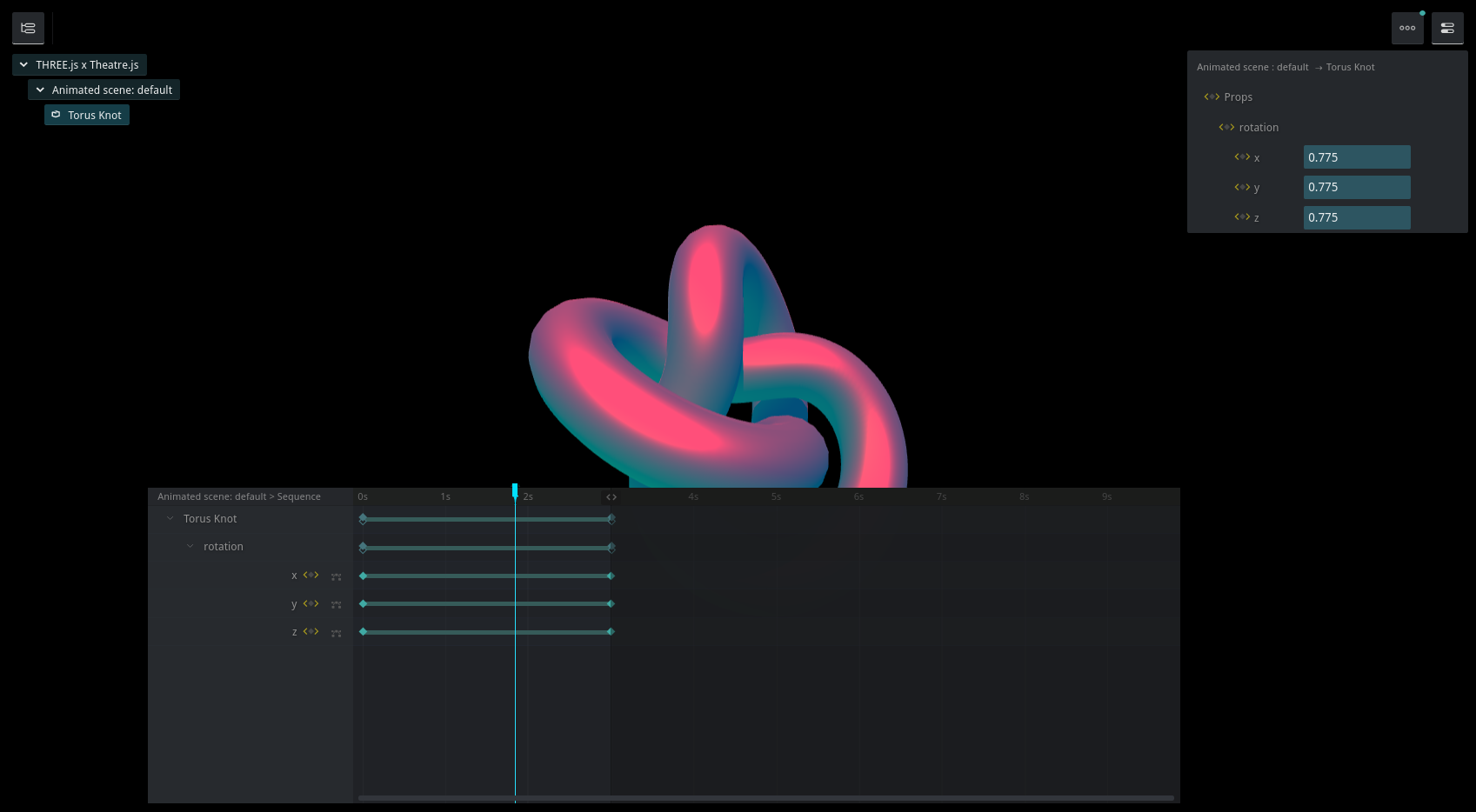
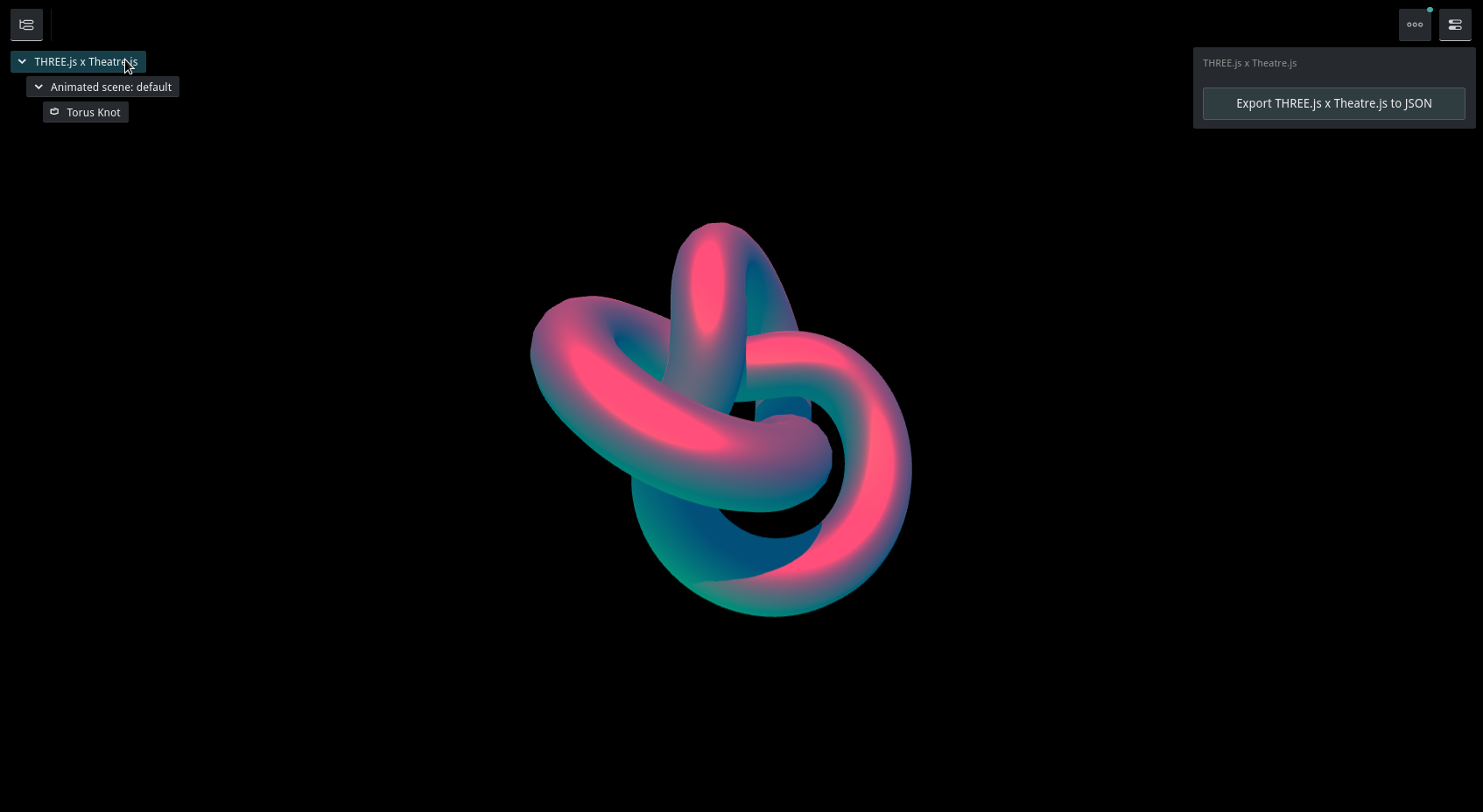
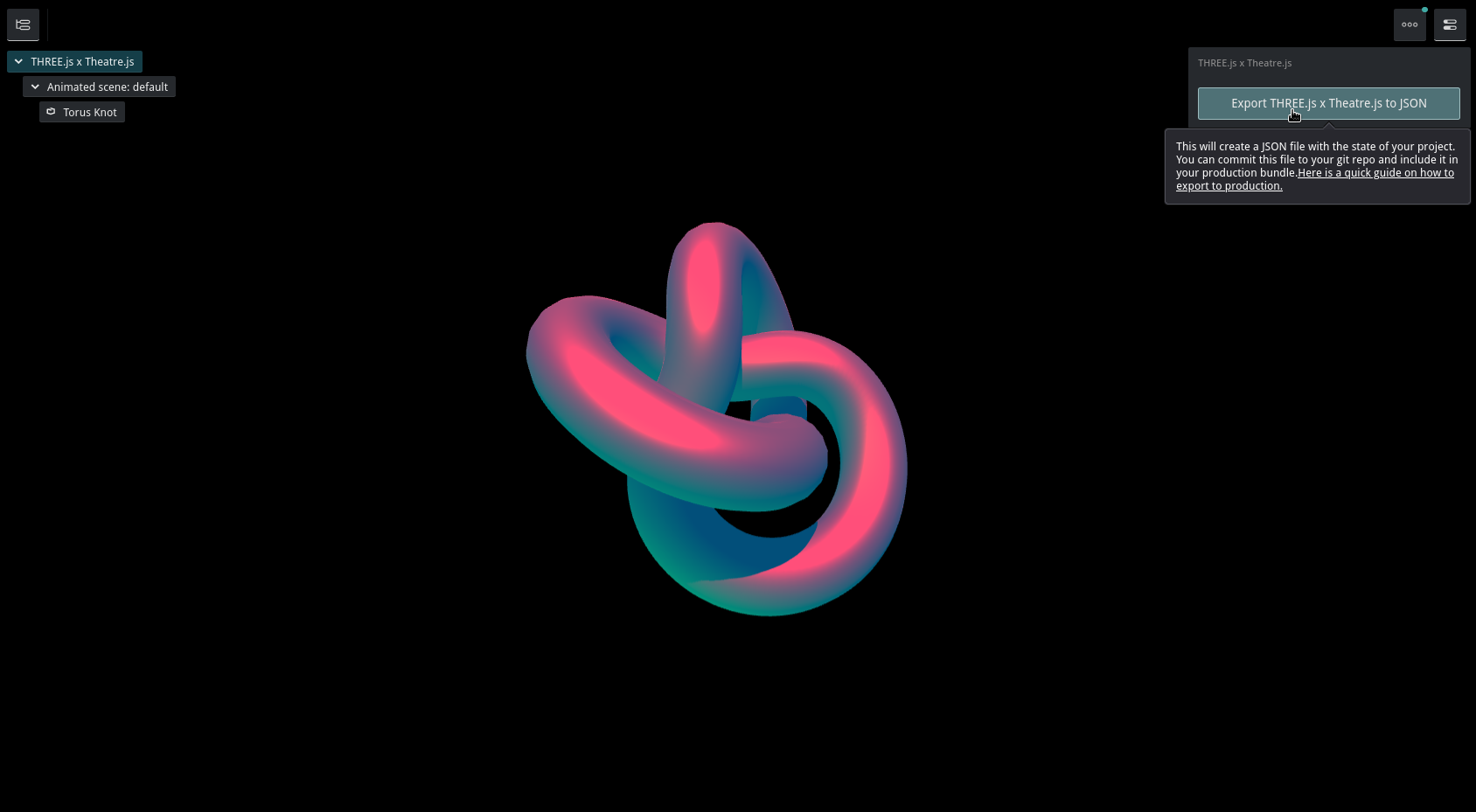
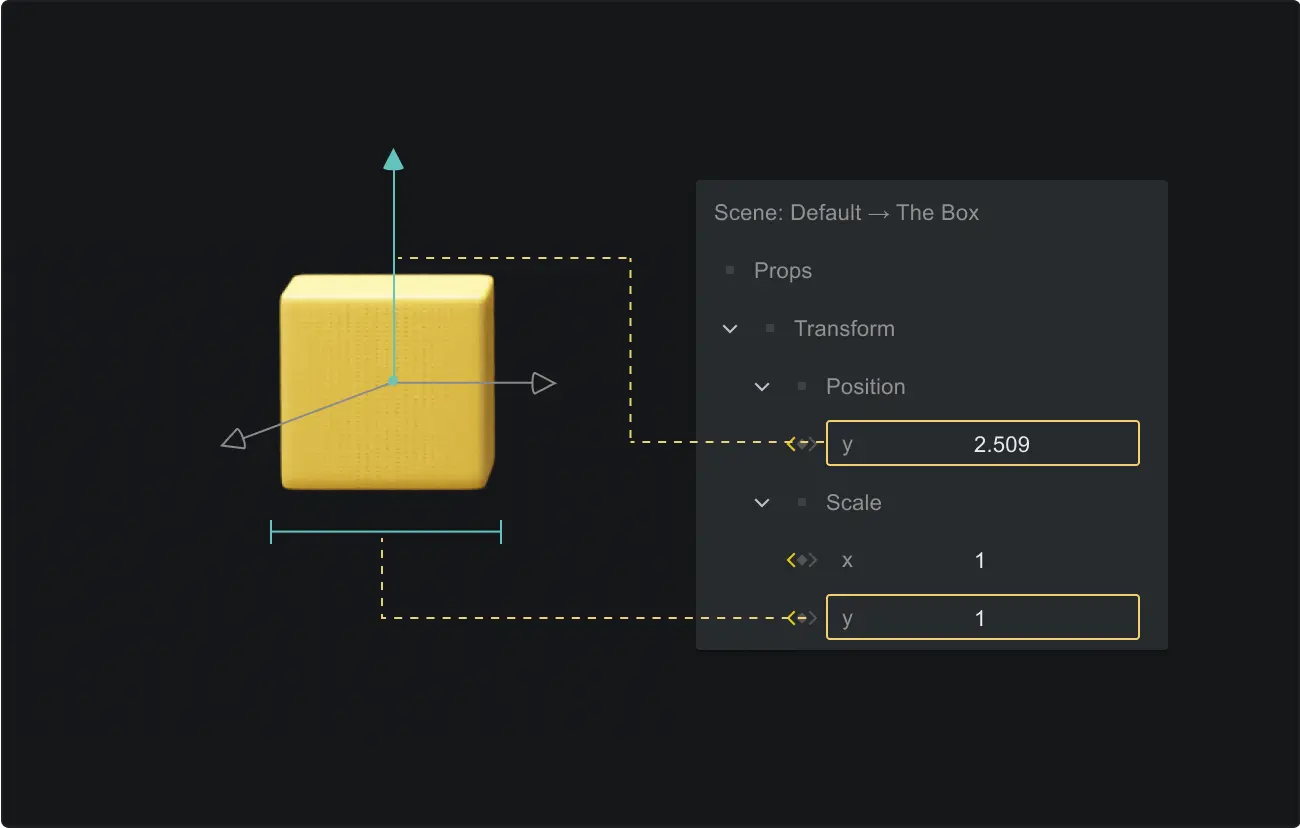

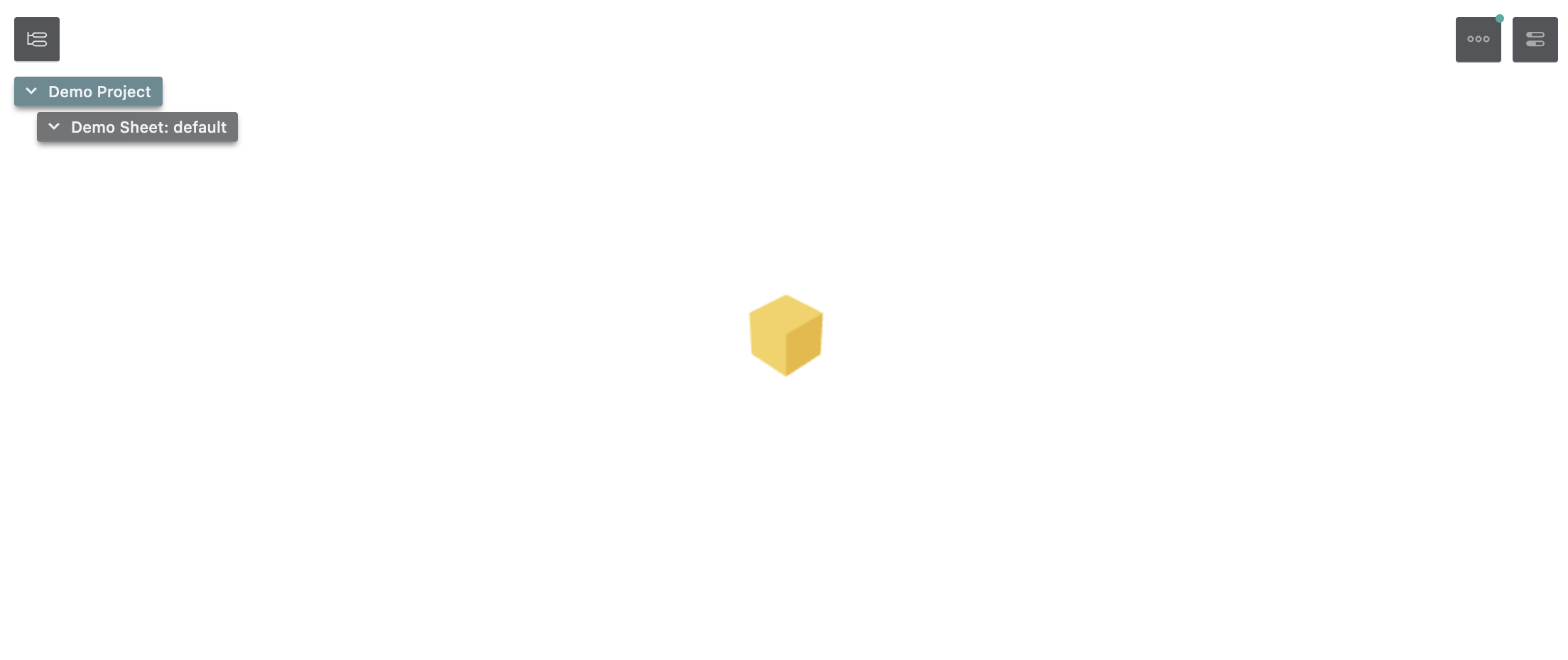
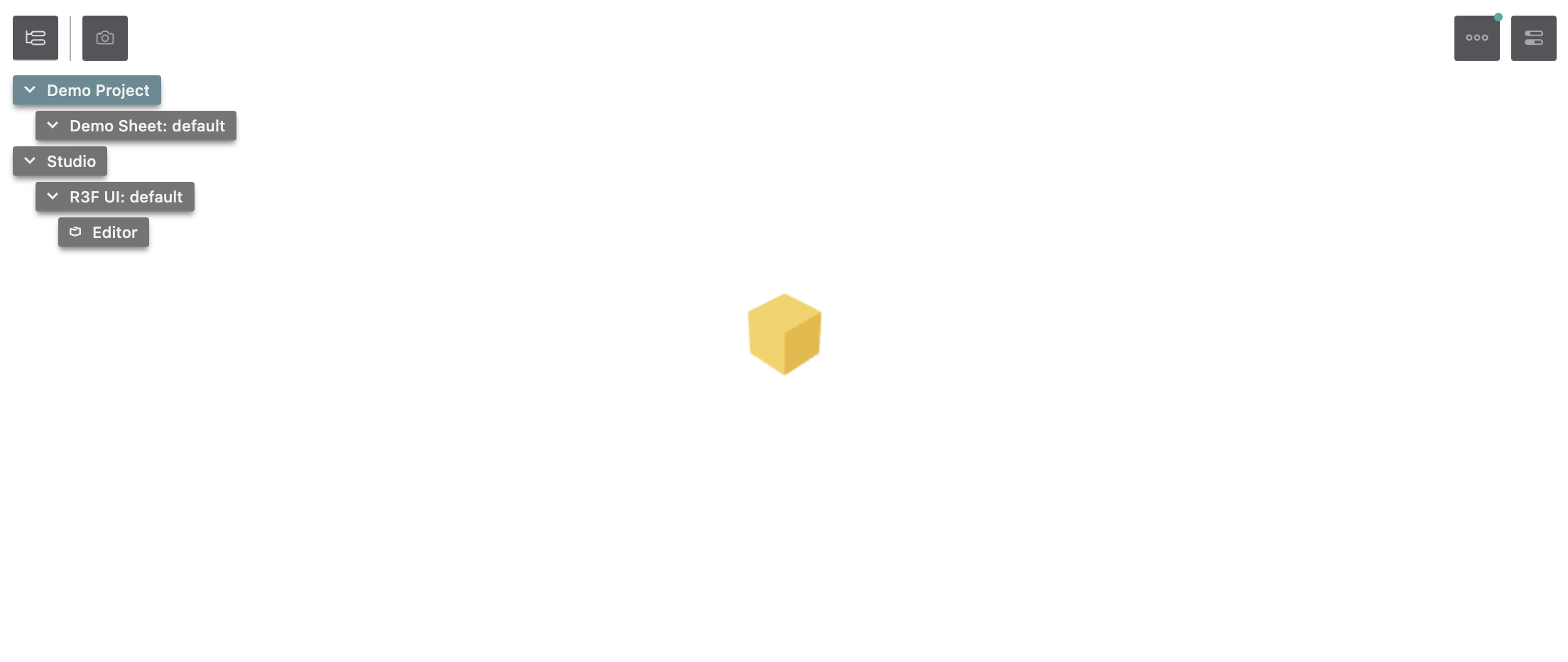
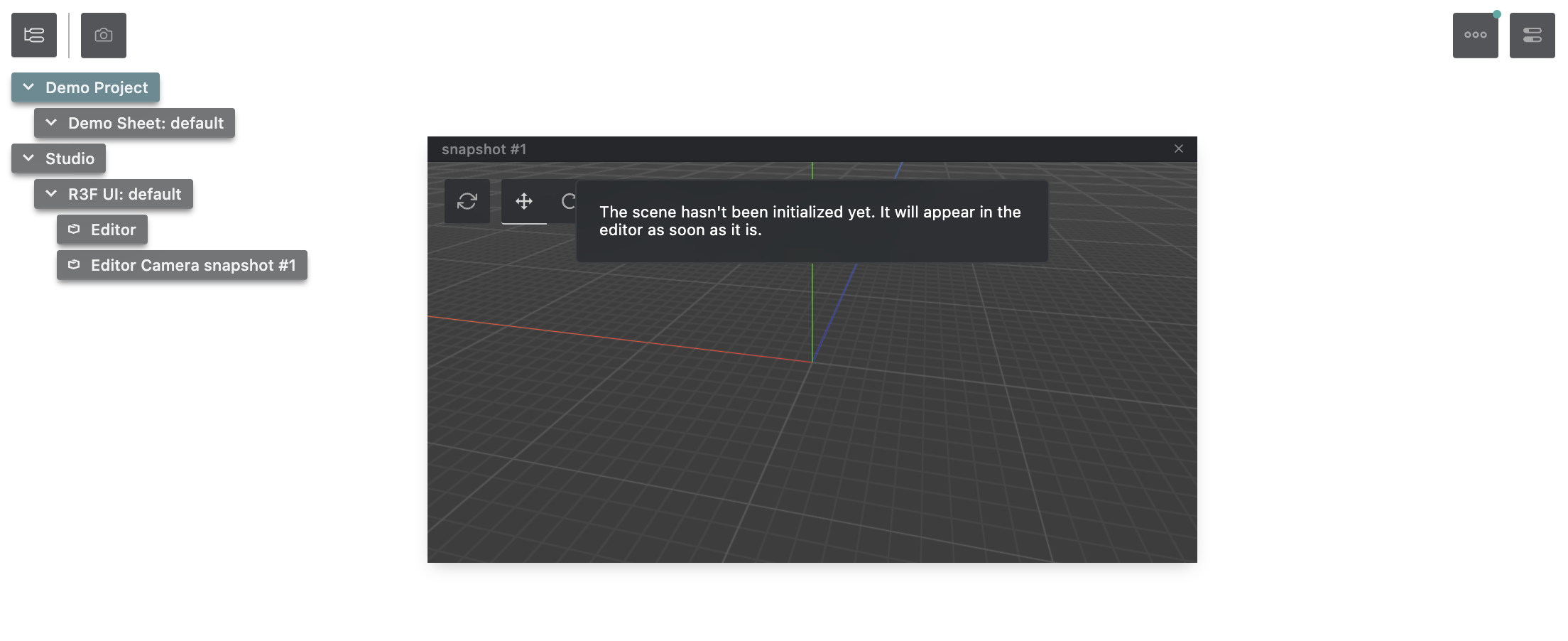
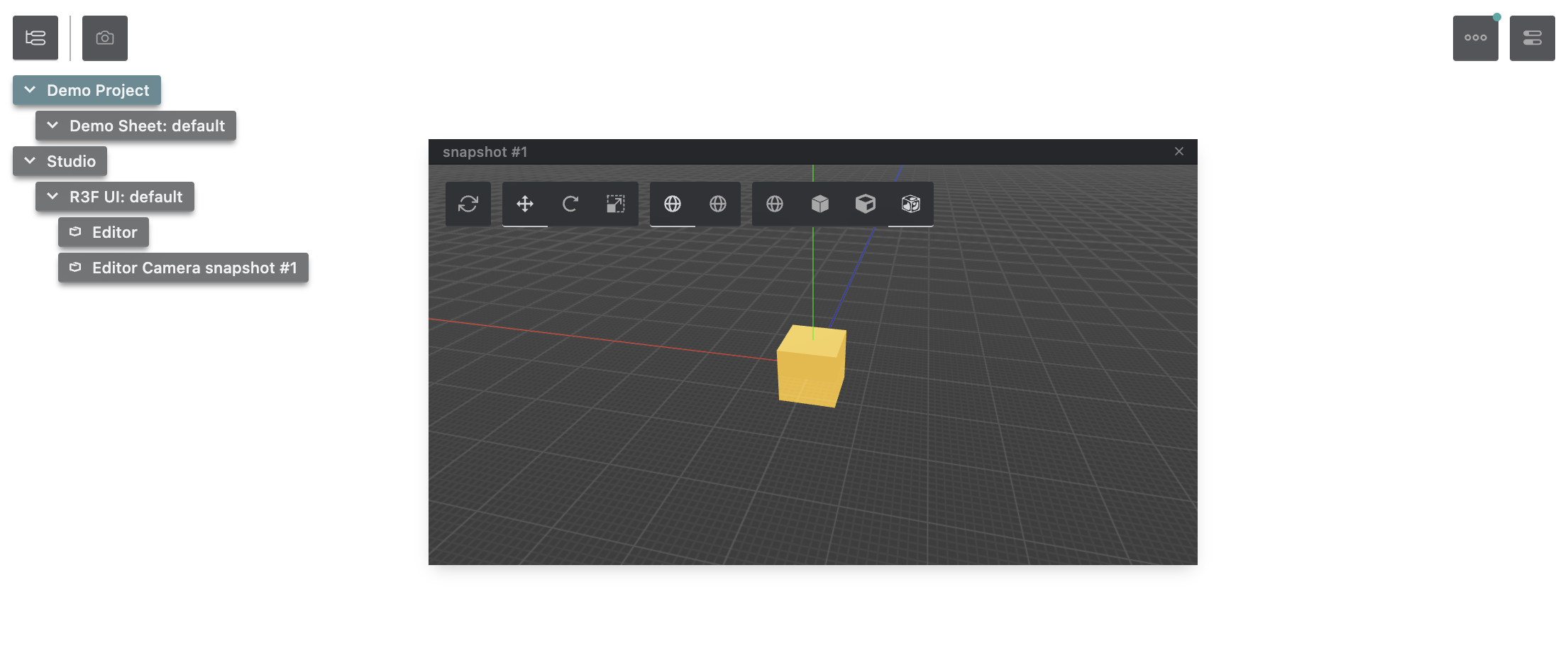
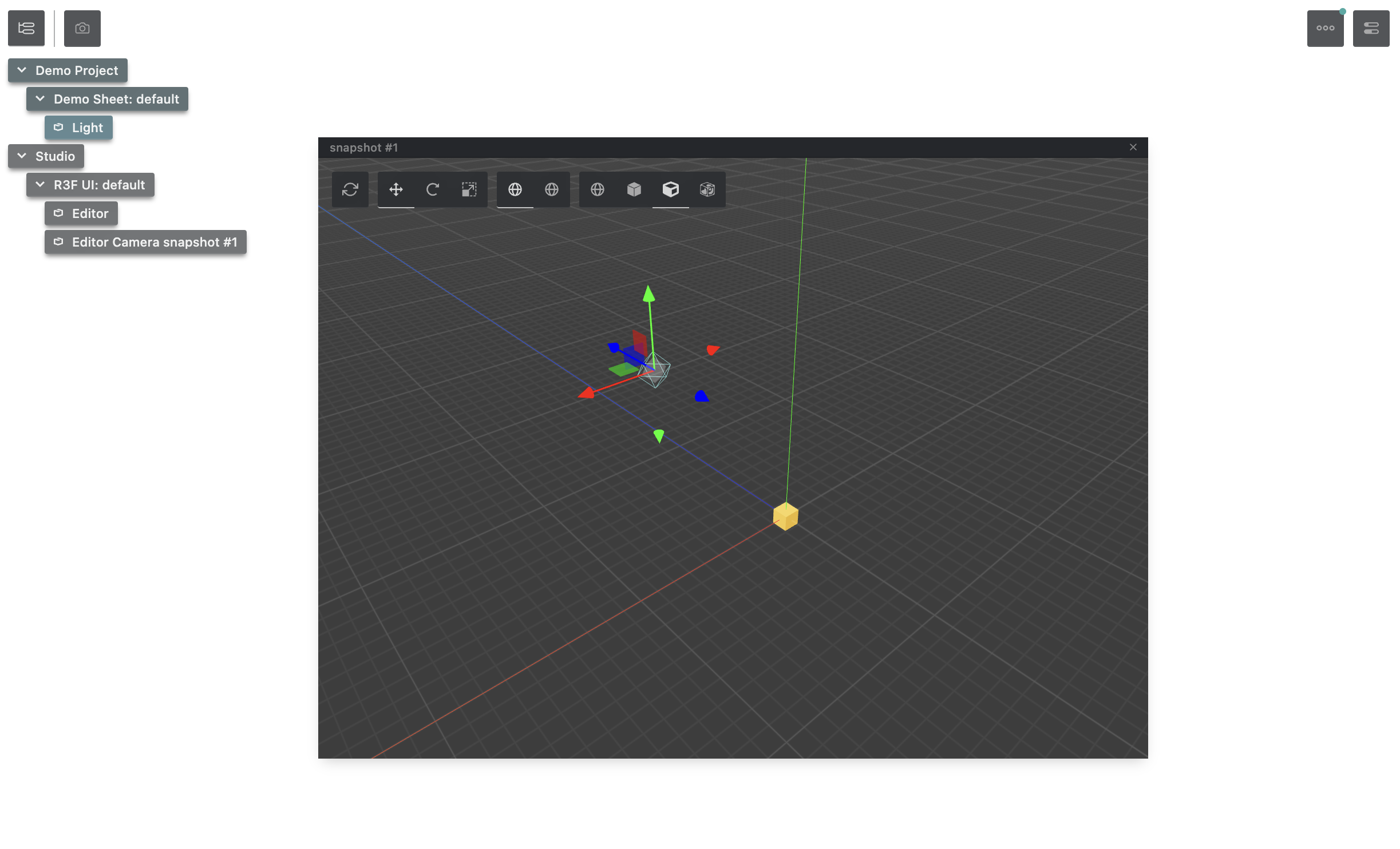
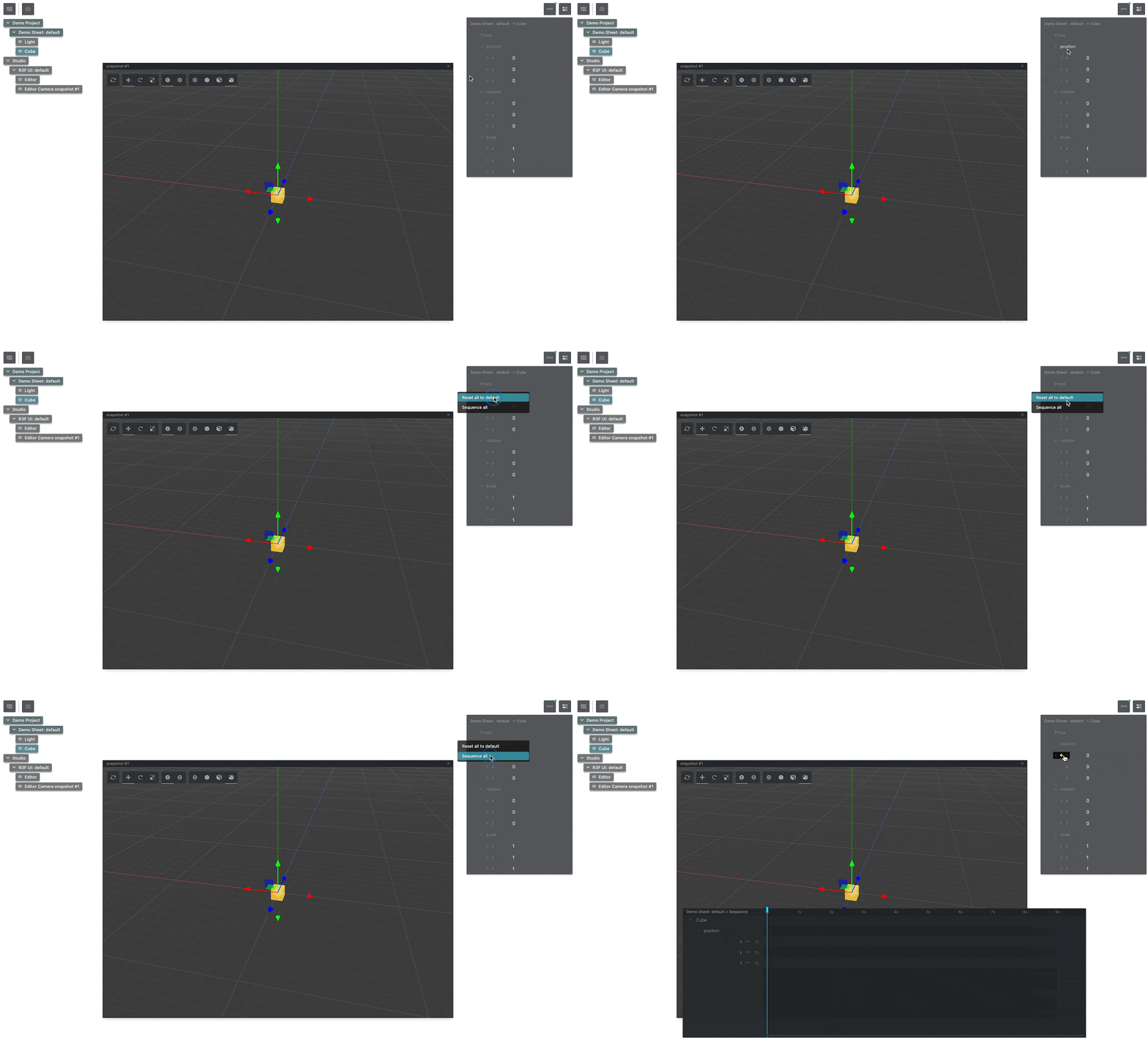
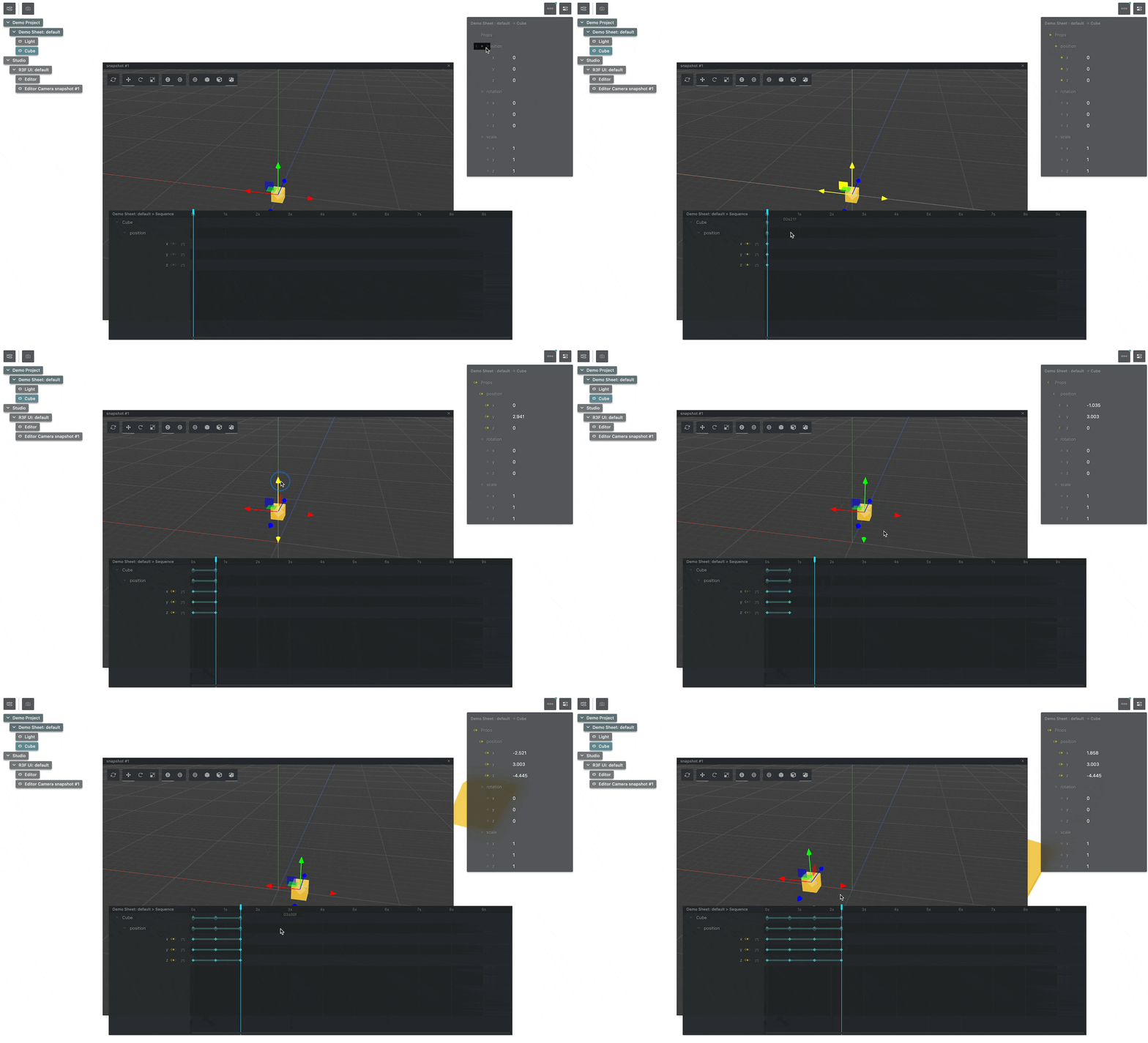
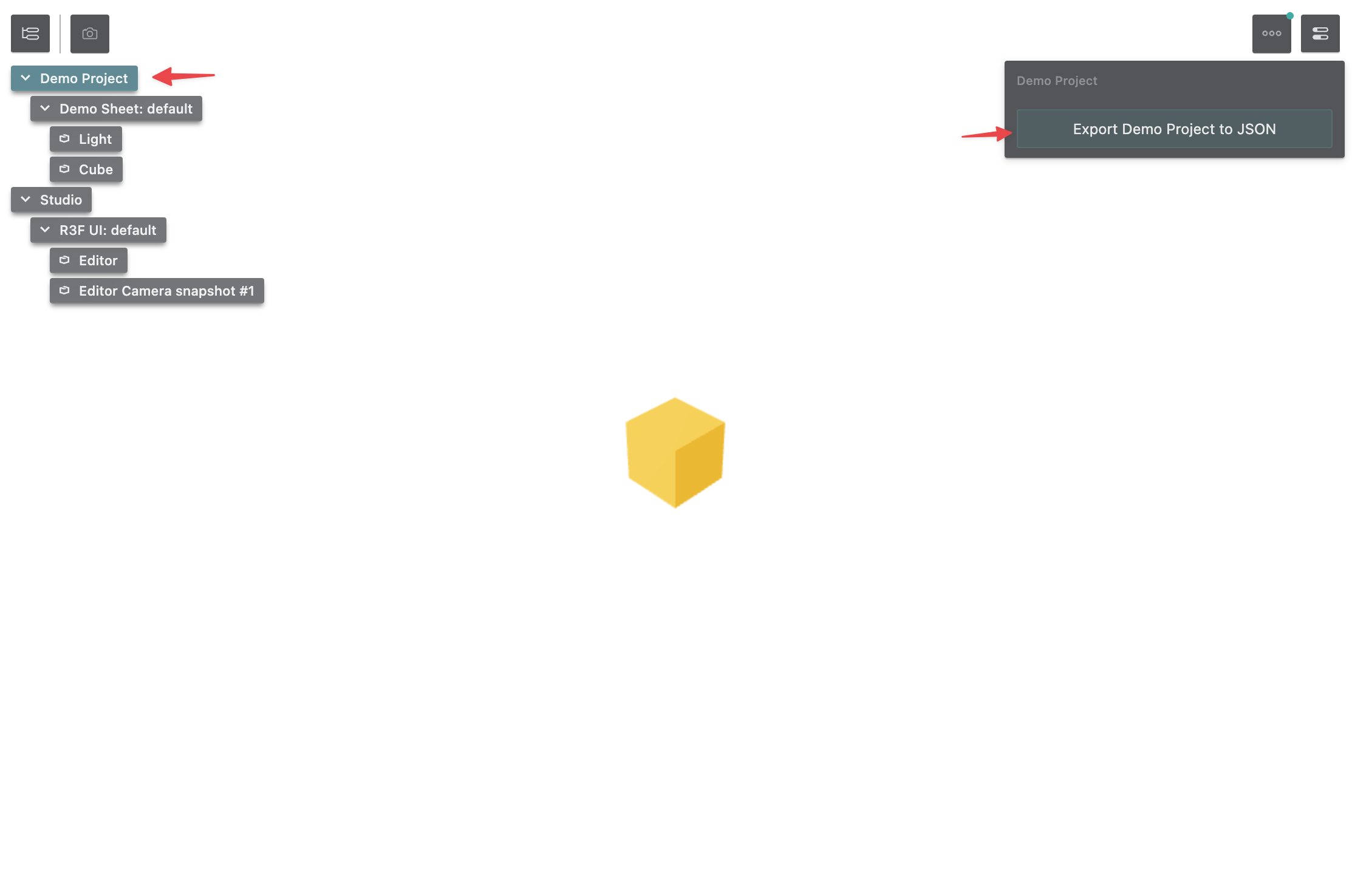














Welcome

` If we've saved the above HTML in a file called `animation-tutorial.html` and open that file in our browser, it results in a Welcome page that looks like the following: #Add Theatre.js Studio ---------------------- To add functionality to our static HTML page, we should first set up our Theatre.js **Project**. Let's add the following JS into the ` `` And here's the final product. #Next steps ----------- Want to learn more ways to use Theatre.js? Check out another getting started guide: ### With React Three Fiber Animate a React Three Fiber project using Theatre.js's r3f extension, "@theatre/r3f". This guide assumes that you have a web project with a bundler set up. ### With THREE.js Animate a 3D scene by integrating Theatre.js into a THREE.js project. Theatre.js can be used with THREE.js to animate things like the camera, lights, material colors, and more. Also, take a look at some more in-depth topics from [our manual](https://www.theatrejs.com/docs/latest/manual) : ### Projects This guide covers creating projects, managing their states, saving and loading their states, and more. ### Sheets This guide covers Sheets in Theatre.js ### Sheet Objects This guide covers Sheet Objects in Theatre.js. ### Prop types Learn how to customize the props you want to animate with Theatre.js. When creating a Sheet Object, we define the props that we want to animate on it. Props can have different types which can be imported from "@theatre/core". ### Working with Sequences In this guide, we'll explore the tools that Theatre.js offers for creating animations. ### Assets Learn about assets in Theatre.js ### Using Audio Learn how to load and synchronize music or narration audio to an animation. ### Studio Learn the different parts of the Studio. ### Authoring extensions The Theatre.js Studio API enables you to define extensions that extend the Studio's UI and/or extend the functionality of Studio. ### Keyboard & Mouse Controls A catalog of controls in Theatre.js Studio. ### Advanced uses * * * Was this article helpful to you? 😫😕😀🤩 Last edited on February 01, 2024. [Edit this page](https://github.com/theatre-js/website/blob/main/content/docs/0.5/100-getting-started/300-with-html-svg.mdx) #### On this page * [Prerequisites](https://www.theatrejs.com/docs/0.5/getting-started/with-html-svg#prerequisites) * [Add Theatre.js Studio](https://www.theatrejs.com/docs/0.5/getting-started/with-html-svg#add-theatre.js-studio) * [Sequencing Properties to create an animation](https://www.theatrejs.com/docs/0.5/getting-started/with-html-svg#sequencing-properties-to-create-an-animation) * [Getting ready for production](https://www.theatrejs.com/docs/0.5/getting-started/with-html-svg#getting-ready-for-production) * [Next steps](https://www.theatrejs.com/docs/0.5/getting-started/with-html-svg#next-steps) [Theatre.js](https://www.theatrejs.com/) Theatre.js is a design tool in the making. We aim to blur the line between designer/developer, author/consumer, and artist/scientist. #### Get started with * [React Three Fiber](https://www.theatrejs.com/docs/0.5/getting-started/with-react-three-fiber) * [THREE.js](https://www.theatrejs.com/docs/0.5/getting-started/with-three-js) * [HTML/CSS/SVG](https://www.theatrejs.com/docs/0.5/getting-started/with-html-svg) #### Docs * [Overview](https://www.theatrejs.com/docs/0.5) * [Concepts](https://www.theatrejs.com/docs/0.5/concepts) * [Getting started](https://www.theatrejs.com/docs/0.5/getting-started) * [Manual](https://www.theatrejs.com/docs/0.5/manual) * [API](https://www.theatrejs.com/docs/0.5/api) #### Community * [Twitter](https://twitter.com/theatre_js) * [Discord](https://discord.gg/bm9f8F9Y9N) * [GitHub](https://github.com/theatre-js/theatre) #### Company * [Jobs](https://www.theatrejs.com/join) * [Blog](https://blog.theatrejs.com/) * [Contact](mailto:hello@theatrejs.com) © 2022 Theatre.js Oy – Helsinki. --- # Getting started – Theatre.js * [Theatre.js Docs](https://www.theatrejs.com/docs/latest) * Getting started * * * ### With React Three Fiber Animate a React Three Fiber project using Theatre.js's r3f extension, "@theatre/r3f". This guide assumes that you have a web project with a bundler set up. ### With THREE.js Animate a 3D scene by integrating Theatre.js into a THREE.js project. Theatre.js can be used with THREE.js to animate things like the camera, lights, material colors, and more. ### With HTML/SVG How to get started animating HTML elements directly with Theatre.js. This tutorial doesn't require any knowledge beyond HTML + JavaScript. * * * Was this article helpful to you? 😫😕😀🤩 Last edited on February 01, 2024. [Edit this page](https://github.com/theatre-js/website/blob/main/content/docs/0.5/100-getting-started/index.mdx) [Theatre.js](https://www.theatrejs.com/) Theatre.js is a design tool in the making. We aim to blur the line between designer/developer, author/consumer, and artist/scientist. #### Get started with * [React Three Fiber](https://www.theatrejs.com/docs/0.5/getting-started/with-react-three-fiber) * [THREE.js](https://www.theatrejs.com/docs/0.5/getting-started/with-three-js) * [HTML/CSS/SVG](https://www.theatrejs.com/docs/0.5/getting-started/with-html-svg) #### Docs * [Overview](https://www.theatrejs.com/docs/0.5) * [Concepts](https://www.theatrejs.com/docs/0.5/concepts) * [Getting started](https://www.theatrejs.com/docs/0.5/getting-started) * [Manual](https://www.theatrejs.com/docs/0.5/manual) * [API](https://www.theatrejs.com/docs/0.5/api) #### Community * [Twitter](https://twitter.com/theatre_js) * [Discord](https://discord.gg/bm9f8F9Y9N) * [GitHub](https://github.com/theatre-js/theatre) #### Company * [Jobs](https://www.theatrejs.com/join) * [Blog](https://blog.theatrejs.com/) * [Contact](mailto:hello@theatrejs.com) © 2022 Theatre.js Oy – Helsinki. --- # Projects – Theatre.js * [Theatre.js Docs](https://www.theatrejs.com/docs/0.5) * [Manual](https://www.theatrejs.com/docs/0.5/manual) * Projects #What is a Project in Theatre.js? --------------------------------- All your work in Theatre.js is organized into Projects. Projects are a way to organize related work. Theatre.js allows you to save the state of projects and consume them in `@theatre/core`. We can create multiple Projects on a single web page, but often one project is sufficient for a whole website. #Creating projects ------------------ You can create a project with the [getProject](https://www.theatrejs.com/docs/latest/api/core#getproject) function in `@theatre/core`. If a project with the given name already exists, it will return the existing project instead of creating a new one. ` import { getProject } from '@theatre/core' // This will create a project called "My Project" // or return it if it already exists: const project = getProject('My Project') ` #State ------ All the tweaks and animations that you create with Theatre.js are considered the project's state. `@theatre/core` uses the project state to run your tweaks and animations, and `@theatre/studio` is an editor for the project state. This state is stored as a JSON object in `localStorage` when the studio is open and can be exported as a JSON file. ![The state of the project in the local storage](https://www.theatrejs.com/images/docs/0.5/manual/projects/01-state-in-localStorage.png) To export the project, click on the name of the project in the [Outline Panel](https://www.theatrejs.com/docs/latest/manual/Studio#outline-panel) of the studio and then click on the "Export \[Project's name\]" button in the top right corner of the screen as seen below. Saving a project's state You can load a project's state from a JSON file by passing the state down as an object in the configuration of [getProject](https://www.theatrejs.com/docs/latest/api/core#getproject) : `` import { getProject } from '@theatre/core' import projectState from './state.json' // This will load the state from the `state.json` file const project = getProject('My Project', { state: projectState }) `` Currently, the configuration object of [getProject](https://www.theatrejs.com/docs/latest/api/core#getproject) consists only of the `state` property. When using Studio, loading a project happens asynchronously. You can wait for the project to load through [Project.ready](https://www.theatrejs.com/docs/latest/api/core#project.ready) and [Project.isReady](https://www.theatrejs.com/docs/latest/api/core#project.isready) ` project.ready.then(() => console.log('Project loaded!')) ` #API ---- Learn more about related API at [Project API docs](https://www.theatrejs.com/docs/latest/api/core#project) . #Learn more ----------- Want to learn more? Take a look at some more in-depth topics from [our manual](https://www.theatrejs.com/docs/latest/manual) : ### Sheets This guide covers Sheets in Theatre.js ### Sheet Objects This guide covers Sheet Objects in Theatre.js. ### Prop types Learn how to customize the props you want to animate with Theatre.js. When creating a Sheet Object, we define the props that we want to animate on it. Props can have different types which can be imported from "@theatre/core". ### Working with Sequences In this guide, we'll explore the tools that Theatre.js offers for creating animations. ### Assets Learn about assets in Theatre.js ### Using Audio Learn how to load and synchronize music or narration audio to an animation. ### Studio Learn the different parts of the Studio. ### Authoring extensions The Theatre.js Studio API enables you to define extensions that extend the Studio's UI and/or extend the functionality of Studio. ### Keyboard & Mouse Controls A catalog of controls in Theatre.js Studio. ### Advanced uses * * * Was this article helpful to you? 😫😕😀🤩 Last edited on February 01, 2024. [Edit this page](https://github.com/theatre-js/website/blob/main/content/docs/0.5/300-manual/101-projects.mdx) #### On this page * [What is a Project in Theatre.js?](https://www.theatrejs.com/docs/0.5/manual/projects#what-is-a-project-in-theatre.js) * [Creating projects](https://www.theatrejs.com/docs/0.5/manual/projects#creating-projects) * [State](https://www.theatrejs.com/docs/0.5/manual/projects#state) * [API](https://www.theatrejs.com/docs/0.5/manual/projects#api) * [Learn more](https://www.theatrejs.com/docs/0.5/manual/projects#learn-more) [Theatre.js](https://www.theatrejs.com/) Theatre.js is a design tool in the making. We aim to blur the line between designer/developer, author/consumer, and artist/scientist. #### Get started with * [React Three Fiber](https://www.theatrejs.com/docs/0.5/getting-started/with-react-three-fiber) * [THREE.js](https://www.theatrejs.com/docs/0.5/getting-started/with-three-js) * [HTML/CSS/SVG](https://www.theatrejs.com/docs/0.5/getting-started/with-html-svg) #### Docs * [Overview](https://www.theatrejs.com/docs/0.5) * [Concepts](https://www.theatrejs.com/docs/0.5/concepts) * [Getting started](https://www.theatrejs.com/docs/0.5/getting-started) * [Manual](https://www.theatrejs.com/docs/0.5/manual) * [API](https://www.theatrejs.com/docs/0.5/api) #### Community * [Twitter](https://twitter.com/theatre_js) * [Discord](https://discord.gg/bm9f8F9Y9N) * [GitHub](https://github.com/theatre-js/theatre) #### Company * [Jobs](https://www.theatrejs.com/join) * [Blog](https://blog.theatrejs.com/) * [Contact](mailto:hello@theatrejs.com) © 2022 Theatre.js Oy – Helsinki. --- # Sheets – Theatre.js * [Theatre.js Docs](https://www.theatrejs.com/docs/0.5) * [Manual](https://www.theatrejs.com/docs/0.5/manual) * Sheets #What is a Sheet in Theatre.js? ------------------------------- Sheets contain one or more [Objects](https://www.theatrejs.com/docs/latest/manual/objects) , that can be animated together. #Creating Sheets ---------------- You can create a Sheet with the [Project.sheet](https://www.theatrejs.com/docs/latest/api/core#project.sheet) function in `@theatre/core`. If a Sheet with the given name already exists, it will return the existing Sheet instead of creating a new one. ` // project is a Project created earlier through getProject const mySheet = project.sheet('My Sheet') ` #Playing a Sheet's animation ---------------------------- Each Sheet has a [Sequence](https://www.theatrejs.com/docs/latest/manual/sequences) attached to it. You can access a Sheet's [Sequence](https://www.theatrejs.com/docs/latest/manual/sequences) through [Sheet.sequence](https://www.theatrejs.com/docs/latest/api/core#sheet.sequence) . You can then use the [playback controls](https://www.theatrejs.com/docs/latest/api/core#sequence) on the Sequence to play back the animation. ` sheet.sequence.play() ` #Instancing Sheets ------------------ If you have multiple instances of the same thing in your page, like the same animated button, or the same animated character, you would want to control these instances with using the same Sheet. After all, the animations are the same, you just want to be able to control them independently of each other. Theatre.js supports this use case, through Sheet Instances. You can create an instance of a sheet by passing an optional instance id as the second argument to [Project.sheet](https://www.theatrejs.com/docs/latest/api/core#project.sheet) . ` const submitButtonSheet = project.sheet('Button', 'Submit') const cancelButtonSheet = project.sheet('Button', 'Cancel') ` You can then independently control the animations of two buttons backed by these sheets. Calling `submitButtonSheet.sequence.play()` will not affect the button backed by `cancelButtonSheet`. #API ---- Learn more about related API at [Sheet API docs](https://www.theatrejs.com/docs/latest/api/core#sheet) . #Learn more ----------- Want to learn more? Take a look at some more in-depth topics from [our manual](https://www.theatrejs.com/docs/latest/manual) : ### Projects This guide covers creating projects, managing their states, saving and loading their states, and more. ### Sheet Objects This guide covers Sheet Objects in Theatre.js. ### Prop types Learn how to customize the props you want to animate with Theatre.js. When creating a Sheet Object, we define the props that we want to animate on it. Props can have different types which can be imported from "@theatre/core". ### Working with Sequences In this guide, we'll explore the tools that Theatre.js offers for creating animations. ### Assets Learn about assets in Theatre.js ### Using Audio Learn how to load and synchronize music or narration audio to an animation. ### Studio Learn the different parts of the Studio. ### Authoring extensions The Theatre.js Studio API enables you to define extensions that extend the Studio's UI and/or extend the functionality of Studio. ### Keyboard & Mouse Controls A catalog of controls in Theatre.js Studio. ### Advanced uses * * * Was this article helpful to you? 😫😕😀🤩 Last edited on February 01, 2024. [Edit this page](https://github.com/theatre-js/website/blob/main/content/docs/0.5/300-manual/110-sheets.mdx) #### On this page * [What is a Sheet in Theatre.js?](https://www.theatrejs.com/docs/0.5/manual/sheets#what-is-a-sheet-in-theatre.js) * [Creating Sheets](https://www.theatrejs.com/docs/0.5/manual/sheets#creating-sheets) * [Playing a Sheet's animation](https://www.theatrejs.com/docs/0.5/manual/sheets#playing-a-sheets-animation) * [Instancing Sheets](https://www.theatrejs.com/docs/0.5/manual/sheets#instancing-sheets) * [API](https://www.theatrejs.com/docs/0.5/manual/sheets#api) * [Learn more](https://www.theatrejs.com/docs/0.5/manual/sheets#learn-more) [Theatre.js](https://www.theatrejs.com/) Theatre.js is a design tool in the making. We aim to blur the line between designer/developer, author/consumer, and artist/scientist. #### Get started with * [React Three Fiber](https://www.theatrejs.com/docs/0.5/getting-started/with-react-three-fiber) * [THREE.js](https://www.theatrejs.com/docs/0.5/getting-started/with-three-js) * [HTML/CSS/SVG](https://www.theatrejs.com/docs/0.5/getting-started/with-html-svg) #### Docs * [Overview](https://www.theatrejs.com/docs/0.5) * [Concepts](https://www.theatrejs.com/docs/0.5/concepts) * [Getting started](https://www.theatrejs.com/docs/0.5/getting-started) * [Manual](https://www.theatrejs.com/docs/0.5/manual) * [API](https://www.theatrejs.com/docs/0.5/api) #### Community * [Twitter](https://twitter.com/theatre_js) * [Discord](https://discord.gg/bm9f8F9Y9N) * [GitHub](https://github.com/theatre-js/theatre) #### Company * [Jobs](https://www.theatrejs.com/join) * [Blog](https://blog.theatrejs.com/) * [Contact](mailto:hello@theatrejs.com) © 2022 Theatre.js Oy – Helsinki. --- # Sheets – Theatre.js * [Theatre.js Docs](https://www.theatrejs.com/docs/latest) * [Manual](https://www.theatrejs.com/docs/latest/manual) * Sheets #What is a Sheet in Theatre.js? ------------------------------- Sheets contain one or more [Objects](https://www.theatrejs.com/docs/latest/manual/objects) , that can be animated together. #Creating Sheets ---------------- You can create a Sheet with the [Project.sheet](https://www.theatrejs.com/docs/latest/api/core#project.sheet) function in `@theatre/core`. If a Sheet with the given name already exists, it will return the existing Sheet instead of creating a new one. ` // project is a Project created earlier through getProject const mySheet = project.sheet('My Sheet') ` #Playing a Sheet's animation ---------------------------- Each Sheet has a [Sequence](https://www.theatrejs.com/docs/latest/manual/sequences) attached to it. You can access a Sheet's [Sequence](https://www.theatrejs.com/docs/latest/manual/sequences) through [Sheet.sequence](https://www.theatrejs.com/docs/latest/api/core#sheet.sequence) . You can then use the [playback controls](https://www.theatrejs.com/docs/latest/api/core#sequence) on the Sequence to play back the animation. ` sheet.sequence.play() ` #Instancing Sheets ------------------ If you have multiple instances of the same thing in your page, like the same animated button, or the same animated character, you would want to control these instances with using the same Sheet. After all, the animations are the same, you just want to be able to control them independently of each other. Theatre.js supports this use case, through Sheet Instances. You can create an instance of a sheet by passing an optional instance id as the second argument to [Project.sheet](https://www.theatrejs.com/docs/latest/api/core#project.sheet) . ` const submitButtonSheet = project.sheet('Button', 'Submit') const cancelButtonSheet = project.sheet('Button', 'Cancel') ` You can then independently control the animations of two buttons backed by these sheets. Calling `submitButtonSheet.sequence.play()` will not affect the button backed by `cancelButtonSheet`. #API ---- Learn more about related API at [Sheet API docs](https://www.theatrejs.com/docs/latest/api/core#sheet) . #Learn more ----------- Want to learn more? Take a look at some more in-depth topics from [our manual](https://www.theatrejs.com/docs/latest/manual) : ### Projects This guide covers creating projects, managing their states, saving and loading their states, and more. ### Sheet Objects This guide covers Sheet Objects in Theatre.js. ### Prop types Learn how to customize the props you want to animate with Theatre.js. When creating a Sheet Object, we define the props that we want to animate on it. Props can have different types which can be imported from "@theatre/core". ### Working with Sequences In this guide, we'll explore the tools that Theatre.js offers for creating animations. ### Assets Learn about assets in Theatre.js ### Using Audio Learn how to load and synchronize music or narration audio to an animation. ### Studio Learn the different parts of the Studio. ### Authoring extensions The Theatre.js Studio API enables you to define extensions that extend the Studio's UI and/or extend the functionality of Studio. ### Keyboard & Mouse Controls A catalog of controls in Theatre.js Studio. ### Advanced uses * * * Was this article helpful to you? 😫😕😀🤩 Last edited on February 01, 2024. [Edit this page](https://github.com/theatre-js/website/blob/main/content/docs/0.5/300-manual/110-sheets.mdx) #### On this page * [What is a Sheet in Theatre.js?](https://www.theatrejs.com/docs/latest/manual/sheets#what-is-a-sheet-in-theatre.js) * [Creating Sheets](https://www.theatrejs.com/docs/latest/manual/sheets#creating-sheets) * [Playing a Sheet's animation](https://www.theatrejs.com/docs/latest/manual/sheets#playing-a-sheets-animation) * [Instancing Sheets](https://www.theatrejs.com/docs/latest/manual/sheets#instancing-sheets) * [API](https://www.theatrejs.com/docs/latest/manual/sheets#api) * [Learn more](https://www.theatrejs.com/docs/latest/manual/sheets#learn-more) [Theatre.js](https://www.theatrejs.com/) Theatre.js is a design tool in the making. We aim to blur the line between designer/developer, author/consumer, and artist/scientist. #### Get started with * [React Three Fiber](https://www.theatrejs.com/docs/0.5/getting-started/with-react-three-fiber) * [THREE.js](https://www.theatrejs.com/docs/0.5/getting-started/with-three-js) * [HTML/CSS/SVG](https://www.theatrejs.com/docs/0.5/getting-started/with-html-svg) #### Docs * [Overview](https://www.theatrejs.com/docs/0.5) * [Concepts](https://www.theatrejs.com/docs/0.5/concepts) * [Getting started](https://www.theatrejs.com/docs/0.5/getting-started) * [Manual](https://www.theatrejs.com/docs/0.5/manual) * [API](https://www.theatrejs.com/docs/0.5/api) #### Community * [Twitter](https://twitter.com/theatre_js) * [Discord](https://discord.gg/bm9f8F9Y9N) * [GitHub](https://github.com/theatre-js/theatre) #### Company * [Jobs](https://www.theatrejs.com/join) * [Blog](https://blog.theatrejs.com/) * [Contact](mailto:hello@theatrejs.com) © 2022 Theatre.js Oy – Helsinki. --- # Projects – Theatre.js * [Theatre.js Docs](https://www.theatrejs.com/docs/latest) * [Manual](https://www.theatrejs.com/docs/latest/manual) * Projects #What is a Project in Theatre.js? --------------------------------- All your work in Theatre.js is organized into Projects. Projects are a way to organize related work. Theatre.js allows you to save the state of projects and consume them in `@theatre/core`. We can create multiple Projects on a single web page, but often one project is sufficient for a whole website. #Creating projects ------------------ You can create a project with the [getProject](https://www.theatrejs.com/docs/latest/api/core#getproject) function in `@theatre/core`. If a project with the given name already exists, it will return the existing project instead of creating a new one. ` import { getProject } from '@theatre/core' // This will create a project called "My Project" // or return it if it already exists: const project = getProject('My Project') ` #State ------ All the tweaks and animations that you create with Theatre.js are considered the project's state. `@theatre/core` uses the project state to run your tweaks and animations, and `@theatre/studio` is an editor for the project state. This state is stored as a JSON object in `localStorage` when the studio is open and can be exported as a JSON file. ![The state of the project in the local storage](https://www.theatrejs.com/images/docs/0.5/manual/projects/01-state-in-localStorage.png) To export the project, click on the name of the project in the [Outline Panel](https://www.theatrejs.com/docs/latest/manual/Studio#outline-panel) of the studio and then click on the "Export \[Project's name\]" button in the top right corner of the screen as seen below. Saving a project's state You can load a project's state from a JSON file by passing the state down as an object in the configuration of [getProject](https://www.theatrejs.com/docs/latest/api/core#getproject) : `` import { getProject } from '@theatre/core' import projectState from './state.json' // This will load the state from the `state.json` file const project = getProject('My Project', { state: projectState }) `` Currently, the configuration object of [getProject](https://www.theatrejs.com/docs/latest/api/core#getproject) consists only of the `state` property. When using Studio, loading a project happens asynchronously. You can wait for the project to load through [Project.ready](https://www.theatrejs.com/docs/latest/api/core#project.ready) and [Project.isReady](https://www.theatrejs.com/docs/latest/api/core#project.isready) ` project.ready.then(() => console.log('Project loaded!')) ` #API ---- Learn more about related API at [Project API docs](https://www.theatrejs.com/docs/latest/api/core#project) . #Learn more ----------- Want to learn more? Take a look at some more in-depth topics from [our manual](https://www.theatrejs.com/docs/latest/manual) : ### Sheets This guide covers Sheets in Theatre.js ### Sheet Objects This guide covers Sheet Objects in Theatre.js. ### Prop types Learn how to customize the props you want to animate with Theatre.js. When creating a Sheet Object, we define the props that we want to animate on it. Props can have different types which can be imported from "@theatre/core". ### Working with Sequences In this guide, we'll explore the tools that Theatre.js offers for creating animations. ### Assets Learn about assets in Theatre.js ### Using Audio Learn how to load and synchronize music or narration audio to an animation. ### Studio Learn the different parts of the Studio. ### Authoring extensions The Theatre.js Studio API enables you to define extensions that extend the Studio's UI and/or extend the functionality of Studio. ### Keyboard & Mouse Controls A catalog of controls in Theatre.js Studio. ### Advanced uses * * * Was this article helpful to you? 😫😕😀🤩 Last edited on February 01, 2024. [Edit this page](https://github.com/theatre-js/website/blob/main/content/docs/0.5/300-manual/101-projects.mdx) #### On this page * [What is a Project in Theatre.js?](https://www.theatrejs.com/docs/latest/manual/projects#what-is-a-project-in-theatre.js) * [Creating projects](https://www.theatrejs.com/docs/latest/manual/projects#creating-projects) * [State](https://www.theatrejs.com/docs/latest/manual/projects#state) * [API](https://www.theatrejs.com/docs/latest/manual/projects#api) * [Learn more](https://www.theatrejs.com/docs/latest/manual/projects#learn-more) [Theatre.js](https://www.theatrejs.com/) Theatre.js is a design tool in the making. We aim to blur the line between designer/developer, author/consumer, and artist/scientist. #### Get started with * [React Three Fiber](https://www.theatrejs.com/docs/0.5/getting-started/with-react-three-fiber) * [THREE.js](https://www.theatrejs.com/docs/0.5/getting-started/with-three-js) * [HTML/CSS/SVG](https://www.theatrejs.com/docs/0.5/getting-started/with-html-svg) #### Docs * [Overview](https://www.theatrejs.com/docs/0.5) * [Concepts](https://www.theatrejs.com/docs/0.5/concepts) * [Getting started](https://www.theatrejs.com/docs/0.5/getting-started) * [Manual](https://www.theatrejs.com/docs/0.5/manual) * [API](https://www.theatrejs.com/docs/0.5/api) #### Community * [Twitter](https://twitter.com/theatre_js) * [Discord](https://discord.gg/bm9f8F9Y9N) * [GitHub](https://github.com/theatre-js/theatre) #### Company * [Jobs](https://www.theatrejs.com/join) * [Blog](https://blog.theatrejs.com/) * [Contact](mailto:hello@theatrejs.com) © 2022 Theatre.js Oy – Helsinki. --- # Working with Sequences – Theatre.js * [Theatre.js Docs](https://www.theatrejs.com/docs/0.5) * [Manual](https://www.theatrejs.com/docs/0.5/manual) * Working with Sequences #Introduction ------------- In this guide, we'll explore the tools that Theatre.js offers for creating animations. We'll see how to add and delete keyframes, modify properties, edit the speed curves of the animations, and more. #Sequencing props ----------------- Let's say you have a THREE.js `Directional Light` in your code, and you want to change its color property. ` // Directional light THREE.js object const directionalLight = new THREE.DirectionalLight('#ff0000') directionalLight.intensity = 30 // Directional light Theatre.js object const directionalLightObj = sheet.object('Directional Light', { intensity: types.number( directionalLight.intensity, // initial value { range: [0, 30] }, // options for prop number ), }) directionalLightObj.onValuesChange((values) => { // update THREE.js object based on Theatre.js values directionalLight.intensity = values.intensity }) ` The object would look like the following in the studio. ![The intensity property of the Directional Light in the Details Panel](https://www.theatrejs.com/images/docs/0.5/manual/sequences/01-directionalLight-properties.png) To animate the `intensity` property of the object above, right-click on its name in the [Details Panel](https://www.theatrejs.com/docs/latest/manual/Studio#details-panel) , and select the "Sequence" option from the context menu. Sequence the "intensity" prop In the [prop types guide](https://www.theatrejs.com/docs/latest/manual/prop-types) , we mentioned the difference between simple props (like `string` or `number`) and compound props (a group of named props). The props within compound props can be sequenced all at once by right-clicking on the name of the compound prop and selecting the "Sequence all" option in the context menu. Sequence the rotation prop You can use the "Make static"/"Make all static" menu items from the same context menus for removing the prop from the [Sequence Editor](https://www.theatrejs.com/docs/latest/manual/Studio#sequence-editor) . Note that this will also remove all the keyframes that belong to that prop, and thus all the animation. Make props static #Adding/removing keyframes -------------------------- Now that we have the props in the [Sequence Editor](https://www.theatrejs.com/docs/latest/manual/Studio#sequence-editor) , we can finally animate them by inserting keyframes into the timeline. Adding keyframes Removing keyframes is as easy as right-clicking on them and selecting the "Delete" option from the context menu. Removing keyframes #Editing keyframe values in the inline editor --------------------------------------------- An easy and quick way to edit the value of a keyframe is to left-click on the keyframe in the [Sequence Editor](https://www.theatrejs.com/docs/latest/manual/Studio#sequence-editor) and modify its value in the inline editor popup. This works for all the prop types. Inline editor #Aggregate keyframes -------------------- Aggregate keyframes are automatically created for compound props and objects to make it easier to edit the child keyframes that have the same position. This explanation is a bit hard to parse at first, so let's look at an example: Create aggregate keyframes At the start of the video above, we added a keyframe for the "wireframe" property, which meant that a new keyframe had to be created by Theatre.js in the track of the "Torus Knot" object. When we moved that keyframe, the keyframe in the "wireframe" track was moving too. In this case, the wireframe's track keyframe was a child of the keyframe in the "Torus Knot" track. When a connector (the line connecting two keyframes in the same track) of two aggregate keyframes is moved, it also moves the connectors of the child keyframes. Aggregate keyframes can also be deleted (or copied/pasted) which results in the deletion of all the child keyframes. Delete aggregate keyframes #Copying/pasting keyframes -------------------------- To copy a keyframe simply right-click on it and select the "Copy" option from the context menu. After that, you can move the playhead to the position where you want the pasted keyframe to be and right-click on an empty part of a track to paste the keyframe into that track. Copy paste keyframes #Focus range ------------ The Focus Range is a very useful feature if you want to focus on editing a small section of the sequence. Create a focus range on the selected section of the sequence by holding down the `Shift` key and dragging the cursor from the start of the section to the end in the top bar of the [Sequence Editor](https://www.theatrejs.com/docs/latest/manual/Studio#sequence-editor) . Create a focus range By default, the playback will play within the focus range on repeat if you start it from within the focus range, but you can disable the focus range temporarily (and enable it later), or even delete it. Note that if you create a new focus range, the old one will automatically get deleted. Delete a focus range #Using the tween editor ----------------------- The tween editor can be used to apply timing functions that control the speed curve of the transition between the two keyframes. These are very similar to the [`transition-timing-functions`](https://developer.mozilla.org/en-US/docs/Web/CSS/transition-timing-function) in CSS. You just have to click on the connector of the two keyframes and the _Tween editor_ menu will appear. You can fuzzy-search for the function's name (like "linear" or "quad-in-out"), or even define your custom [cubic Bezier curve](https://developer.mozilla.org/en-US/docs/Web/CSS/transition-timing-function#cubic-bezierp1_p2_p3_p4) . The tween editor #Using the multi-track editor ----------------------------- The multi-track curve editor comes in handy when you want to edit the speed curve of one or more tracks by hand. To activate it you just have to click the icon next to the name of the track in the [Sequence Editor](https://www.theatrejs.com/docs/latest/manual/Studio#sequence-editor) . This will open up the multi-track curve editor with the speed curves in it that you can edit by moving their handles. The curves have the same color as the icon of the track they belong to. The multi-track curve editor #Selections ----------- Selections can be made in the [Sequence Editor](https://www.theatrejs.com/docs/latest/manual/Studio#sequence-editor) by holding down `Shift` and dragging the mouse to create a selection rectangle area. Selected keyframes can be moved or deleted together. Selections #Playback control ----------------- Play and pause with `Space` while the Studio is focused. #Programmatic control --------------------- You can do a lot more when interacting with the `sheet.sequence` directly in our code which you can learn more about in [the Sequence API Reference](https://www.theatrejs.com/docs/latest/api/core#sequence) . * [Sequence.play](https://www.theatrejs.com/docs/latest/api/core#sequence.play) : play at a position, with repeats, in direction, etc * [Sequence.pause](https://www.theatrejs.com/docs/latest/api/core#sequence.pause) : pausing a sequence * [Sequence.position](https://www.theatrejs.com/docs/latest/api/core#sequence.position) : getting the position of the playhead * [Sequence.pointer](https://www.theatrejs.com/docs/latest/api/core#sequence.pointer) : watching additional data as it changes * [Sequence.attachAudio](https://www.theatrejs.com/docs/latest/api/core#sequence.attachAudio) : directly attaching audio to play with the sequence #Learn more ----------- Want to learn more? Take a look at some more in-depth topics from [our manual](https://www.theatrejs.com/docs/latest/manual) : ### Projects This guide covers creating projects, managing their states, saving and loading their states, and more. ### Sheets This guide covers Sheets in Theatre.js ### Sheet Objects This guide covers Sheet Objects in Theatre.js. ### Prop types Learn how to customize the props you want to animate with Theatre.js. When creating a Sheet Object, we define the props that we want to animate on it. Props can have different types which can be imported from "@theatre/core". ### Assets Learn about assets in Theatre.js ### Using Audio Learn how to load and synchronize music or narration audio to an animation. ### Studio Learn the different parts of the Studio. ### Authoring extensions The Theatre.js Studio API enables you to define extensions that extend the Studio's UI and/or extend the functionality of Studio. ### Keyboard & Mouse Controls A catalog of controls in Theatre.js Studio. ### Advanced uses * * * Was this article helpful to you? 😫😕😀🤩 Last edited on February 01, 2024. [Edit this page](https://github.com/theatre-js/website/blob/main/content/docs/0.5/300-manual/135-sequences.mdx) #### On this page * [Introduction](https://www.theatrejs.com/docs/0.5/manual/sequences#introduction) * [Sequencing props](https://www.theatrejs.com/docs/0.5/manual/sequences#sequencing-props) * [Adding/removing keyframes](https://www.theatrejs.com/docs/0.5/manual/sequences#addingremoving-keyframes) * [Editing keyframe values in the inline editor](https://www.theatrejs.com/docs/0.5/manual/sequences#editing-keyframe-values-in-the-inline-editor) * [Aggregate keyframes](https://www.theatrejs.com/docs/0.5/manual/sequences#aggregate-keyframes) * [Copying/pasting keyframes](https://www.theatrejs.com/docs/0.5/manual/sequences#copyingpasting-keyframes) * [Focus range](https://www.theatrejs.com/docs/0.5/manual/sequences#focus-range) * [Using the tween editor](https://www.theatrejs.com/docs/0.5/manual/sequences#using-the-tween-editor) * [Using the multi-track editor](https://www.theatrejs.com/docs/0.5/manual/sequences#using-the-multi-track-editor) * [Selections](https://www.theatrejs.com/docs/0.5/manual/sequences#selections) * [Playback control](https://www.theatrejs.com/docs/0.5/manual/sequences#playback-control) * [Programmatic control](https://www.theatrejs.com/docs/0.5/manual/sequences#programmatic-control) * [Learn more](https://www.theatrejs.com/docs/0.5/manual/sequences#learn-more) [Theatre.js](https://www.theatrejs.com/) Theatre.js is a design tool in the making. We aim to blur the line between designer/developer, author/consumer, and artist/scientist. #### Get started with * [React Three Fiber](https://www.theatrejs.com/docs/0.5/getting-started/with-react-three-fiber) * [THREE.js](https://www.theatrejs.com/docs/0.5/getting-started/with-three-js) * [HTML/CSS/SVG](https://www.theatrejs.com/docs/0.5/getting-started/with-html-svg) #### Docs * [Overview](https://www.theatrejs.com/docs/0.5) * [Concepts](https://www.theatrejs.com/docs/0.5/concepts) * [Getting started](https://www.theatrejs.com/docs/0.5/getting-started) * [Manual](https://www.theatrejs.com/docs/0.5/manual) * [API](https://www.theatrejs.com/docs/0.5/api) #### Community * [Twitter](https://twitter.com/theatre_js) * [Discord](https://discord.gg/bm9f8F9Y9N) * [GitHub](https://github.com/theatre-js/theatre) #### Company * [Jobs](https://www.theatrejs.com/join) * [Blog](https://blog.theatrejs.com/) * [Contact](mailto:hello@theatrejs.com) © 2022 Theatre.js Oy – Helsinki. --- # With HTML/SVG – Theatre.js * [Theatre.js Docs](https://www.theatrejs.com/docs/latest) * [Getting started](https://www.theatrejs.com/docs/latest/getting-started) * With HTML/SVG This guide just assumes you have familiarity with HTML and JavaScript. No package management or bundling is involved. In this tutorial, we will: 1. Show the Theatre.js Studio UI on a simple HTML page 2. Create a new Theatre.js Project which will control JavaScript values on the page 3. Use Theatre.js to animate UI elements on our page 4. Create a production (publishable) version of our Project we can share with users, collaborators, or friends #Prerequisites -------------- Let's start by creating a basic HTML file called `animation-tutorial.html`. Below is a starter HTML file. It only contains the basic tags an HTML page should have, nothing Theatre.js specific yet. animation-tutorial.html ` Theatre.js Tutorial

Welcome

` If we've saved the above HTML in a file called `animation-tutorial.html` and open that file in our browser, it results in a Welcome page that looks like the following: #Add Theatre.js Studio ---------------------- To add functionality to our static HTML page, we should first set up our Theatre.js **Project**. Let's add the following JS into the ` `` And here's the final product. #Next steps ----------- Want to learn more ways to use Theatre.js? Check out another getting started guide: ### With React Three Fiber Animate a React Three Fiber project using Theatre.js's r3f extension, "@theatre/r3f". This guide assumes that you have a web project with a bundler set up. ### With THREE.js Animate a 3D scene by integrating Theatre.js into a THREE.js project. Theatre.js can be used with THREE.js to animate things like the camera, lights, material colors, and more. Also, take a look at some more in-depth topics from [our manual](https://www.theatrejs.com/docs/latest/manual) : ### Projects This guide covers creating projects, managing their states, saving and loading their states, and more. ### Sheets This guide covers Sheets in Theatre.js ### Sheet Objects This guide covers Sheet Objects in Theatre.js. ### Prop types Learn how to customize the props you want to animate with Theatre.js. When creating a Sheet Object, we define the props that we want to animate on it. Props can have different types which can be imported from "@theatre/core". ### Working with Sequences In this guide, we'll explore the tools that Theatre.js offers for creating animations. ### Assets Learn about assets in Theatre.js ### Using Audio Learn how to load and synchronize music or narration audio to an animation. ### Studio Learn the different parts of the Studio. ### Authoring extensions The Theatre.js Studio API enables you to define extensions that extend the Studio's UI and/or extend the functionality of Studio. ### Keyboard & Mouse Controls A catalog of controls in Theatre.js Studio. ### Advanced uses * * * Was this article helpful to you? 😫😕😀🤩 Last edited on February 01, 2024. [Edit this page](https://github.com/theatre-js/website/blob/main/content/docs/0.5/100-getting-started/300-with-html-svg.mdx) #### On this page * [Prerequisites](https://www.theatrejs.com/docs/latest/getting-started/with-html-svg#prerequisites) * [Add Theatre.js Studio](https://www.theatrejs.com/docs/latest/getting-started/with-html-svg#add-theatre.js-studio) * [Sequencing Properties to create an animation](https://www.theatrejs.com/docs/latest/getting-started/with-html-svg#sequencing-properties-to-create-an-animation) * [Getting ready for production](https://www.theatrejs.com/docs/latest/getting-started/with-html-svg#getting-ready-for-production) * [Next steps](https://www.theatrejs.com/docs/latest/getting-started/with-html-svg#next-steps) [Theatre.js](https://www.theatrejs.com/) Theatre.js is a design tool in the making. We aim to blur the line between designer/developer, author/consumer, and artist/scientist. #### Get started with * [React Three Fiber](https://www.theatrejs.com/docs/0.5/getting-started/with-react-three-fiber) * [THREE.js](https://www.theatrejs.com/docs/0.5/getting-started/with-three-js) * [HTML/CSS/SVG](https://www.theatrejs.com/docs/0.5/getting-started/with-html-svg) #### Docs * [Overview](https://www.theatrejs.com/docs/0.5) * [Concepts](https://www.theatrejs.com/docs/0.5/concepts) * [Getting started](https://www.theatrejs.com/docs/0.5/getting-started) * [Manual](https://www.theatrejs.com/docs/0.5/manual) * [API](https://www.theatrejs.com/docs/0.5/api) #### Community * [Twitter](https://twitter.com/theatre_js) * [Discord](https://discord.gg/bm9f8F9Y9N) * [GitHub](https://github.com/theatre-js/theatre) #### Company * [Jobs](https://www.theatrejs.com/join) * [Blog](https://blog.theatrejs.com/) * [Contact](mailto:hello@theatrejs.com) © 2022 Theatre.js Oy – Helsinki. --- # Sheet Objects – Theatre.js * [Theatre.js Docs](https://www.theatrejs.com/docs/0.5) * [Manual](https://www.theatrejs.com/docs/0.5/manual) * Sheet Objects #What is an Object in Theatre.js? --------------------------------- Everything on the page or in the scene is represented by a Theatre.js Sheet Object. These Sheet Objects have a matching [prop](https://www.theatrejs.com/docs/latest/manual/prop-types) for all the properties we want to animate for an object in our scene. Sheet Object props in all cases have a type (`number`, `string`, etc.), and an initial value. Objects can represent THREE.js objects, `
`s, or virtual objects that don't exist on the screen. #Creating Sheet Objects ----------------------- You can create a Sheet Object with the [Sheet.object](https://www.theatrejs.com/docs/latest/api/core#sheet.object) function in `@theatre/core`. If a Sheet Object with the given name already exists, it will return the existing Sheet Object instead of creating a new one. We create a Sheet Object by specifying its name and its props. In many cases, you can use a regular JavaScript object to specify the props, however if you need more control, you can specify the types [explicitly](https://www.theatrejs.com/docs/latest/manual/prop-types) . ` // sheet is a Sheet created earlier through Poject.sheet const myObject = sheet.object('My Object', { position: { x: 0, y: 0 } }) ` #Reconfiguring existing objectsSince 0.5.1 ------------------------------------------ Objects can be reconfigured on the fly. For example, you can add a `rotation` prop to a live object without having to refresh the page. Simply call `sheet.object()` with `{reconfigure: true}` and the existing object will be reconfigured. ` const obj = sheet.object('obj', { foo: 0 }) console.log(obj.value.foo) // prints 0 const obj2 = sheet.object('obj', { bar: 0 }, { reconfigure: true }) console.log(obj.value.foo) // prints undefined, since we've removed this prop via reconfiguring the object console.log(obj.value.bar) // prints 0, since we've introduced this prop by reconfiguring the object assert(obj === obj2) // passes, because reconfiguring the object returns the same object ` #Detaching objectsSince 0.5.1 ----------------------------- Objects can be detached from their sheet. This is _almost_ like deleting an object, except that Theatre will still _remember_ the prop values of this object, so if you re-create an object with the same `key`, it'll retain the old object's props values. ` const obj = sheet.object('obj', { foo: 0 }) const unsubscribe = obj.onValuesChange((values) => { div.style.left = values.x + 'px' }) // let's clean up our subscriptions before detaching the object unsubscribe() sheet.detachObject('obj') ` #Namespacing objects -------------------- The key of the sheet object can be used to namespace objects. Namespaces are separated by "/" characters in the object's key (e.g. "Namespace-1 / Namespace-2 / Object-name") and displayed in indented groups in the [Outline Panel](https://www.theatrejs.com/docs/latest/manual/Studio#outline-panel) as seen in the screenshot below. `` // `obj1` and `obj2` belong to the `Boxes` namepace, // which is under the `Basics` namespace const obj1 = sheet.object('Basics / Boxes / box-0', { x: 0 }) const obj2 = sheet.object('Basics / Boxes / box-1', { x: 0 }) `` ![Namespacing](https://www.theatrejs.com/images/docs/0.5/manual/objects/namespacing.png) #API ---- Learn more about related API at [Sheet Object API docs](https://www.theatrejs.com/docs/latest/api/core#object) . #Learn more ----------- Want to learn more? Take a look at some more in-depth topics from [our manual](https://www.theatrejs.com/docs/latest/manual) : * * * Was this article helpful to you? 😫😕😀🤩 Last edited on February 01, 2024. [Edit this page](https://github.com/theatre-js/website/blob/main/content/docs/0.5/300-manual/120-objects.mdx) #### On this page * [What is an Object in Theatre.js?](https://www.theatrejs.com/docs/0.5/manual/objects#what-is-an-object-in-theatre.js) * [Creating Sheet Objects](https://www.theatrejs.com/docs/0.5/manual/objects#creating-sheet-objects) * [Reconfiguring existing objects](https://www.theatrejs.com/docs/0.5/manual/objects#reconfiguring-existing-objects) * [Detaching objects](https://www.theatrejs.com/docs/0.5/manual/objects#detaching-objects) * [Namespacing objects](https://www.theatrejs.com/docs/0.5/manual/objects#namespacing-objects) * [API](https://www.theatrejs.com/docs/0.5/manual/objects#api) * [Learn more](https://www.theatrejs.com/docs/0.5/manual/objects#learn-more) [Theatre.js](https://www.theatrejs.com/) Theatre.js is a design tool in the making. We aim to blur the line between designer/developer, author/consumer, and artist/scientist. #### Get started with * [React Three Fiber](https://www.theatrejs.com/docs/0.5/getting-started/with-react-three-fiber) * [THREE.js](https://www.theatrejs.com/docs/0.5/getting-started/with-three-js) * [HTML/CSS/SVG](https://www.theatrejs.com/docs/0.5/getting-started/with-html-svg) #### Docs * [Overview](https://www.theatrejs.com/docs/0.5) * [Concepts](https://www.theatrejs.com/docs/0.5/concepts) * [Getting started](https://www.theatrejs.com/docs/0.5/getting-started) * [Manual](https://www.theatrejs.com/docs/0.5/manual) * [API](https://www.theatrejs.com/docs/0.5/api) #### Community * [Twitter](https://twitter.com/theatre_js) * [Discord](https://discord.gg/bm9f8F9Y9N) * [GitHub](https://github.com/theatre-js/theatre) #### Company * [Jobs](https://www.theatrejs.com/join) * [Blog](https://blog.theatrejs.com/) * [Contact](mailto:hello@theatrejs.com) © 2022 Theatre.js Oy – Helsinki. --- # Manual – Theatre.js * [Theatre.js Docs](https://www.theatrejs.com/docs/0.5) * Manual * * * ### Projects This guide covers creating projects, managing their states, saving and loading their states, and more. ### Sheets This guide covers Sheets in Theatre.js ### Sheet Objects This guide covers Sheet Objects in Theatre.js. ### Prop types Learn how to customize the props you want to animate with Theatre.js. When creating a Sheet Object, we define the props that we want to animate on it. Props can have different types which can be imported from "@theatre/core". ### Working with Sequences In this guide, we'll explore the tools that Theatre.js offers for creating animations. ### Assets Learn about assets in Theatre.js ### Using Audio Learn how to load and synchronize music or narration audio to an animation. ### Studio Learn the different parts of the Studio. ### Authoring extensions The Theatre.js Studio API enables you to define extensions that extend the Studio's UI and/or extend the functionality of Studio. ### Keyboard & Mouse Controls A catalog of controls in Theatre.js Studio. ### Advanced uses * * * Was this article helpful to you? 😫😕😀🤩 Last edited on February 01, 2024. [Edit this page](https://github.com/theatre-js/website/blob/main/content/docs/0.5/300-manual/index.mdx) [Theatre.js](https://www.theatrejs.com/) Theatre.js is a design tool in the making. We aim to blur the line between designer/developer, author/consumer, and artist/scientist. #### Get started with * [React Three Fiber](https://www.theatrejs.com/docs/0.5/getting-started/with-react-three-fiber) * [THREE.js](https://www.theatrejs.com/docs/0.5/getting-started/with-three-js) * [HTML/CSS/SVG](https://www.theatrejs.com/docs/0.5/getting-started/with-html-svg) #### Docs * [Overview](https://www.theatrejs.com/docs/0.5) * [Concepts](https://www.theatrejs.com/docs/0.5/concepts) * [Getting started](https://www.theatrejs.com/docs/0.5/getting-started) * [Manual](https://www.theatrejs.com/docs/0.5/manual) * [API](https://www.theatrejs.com/docs/0.5/api) #### Community * [Twitter](https://twitter.com/theatre_js) * [Discord](https://discord.gg/bm9f8F9Y9N) * [GitHub](https://github.com/theatre-js/theatre) #### Company * [Jobs](https://www.theatrejs.com/join) * [Blog](https://blog.theatrejs.com/) * [Contact](mailto:hello@theatrejs.com) © 2022 Theatre.js Oy – Helsinki. --- # Studio – Theatre.js * [Theatre.js Docs](https://www.theatrejs.com/docs/0.5) * [Manual](https://www.theatrejs.com/docs/0.5/manual) * Studio The Studio is Theatre.js' editor that you can use at development to edit your scene, tweak values and create animations. The Studio is only shown if [studio.initialize](https://www.theatrejs.com/docs/latest/api/studio#studio.initialize) is called. You can show or hide Studio by pressing `Alt/Option + \`. ![The Theatre.js UI](https://www.theatrejs.com/images/docs/0.5/manual/studio/ui.png) #1\. Outline Panel ------------------ The Outline Panel displays your scene hierarchy, which includes your Projects, Sheets, Namespaces and Sheet Objects. #2\. Details Panel ------------------ The Details Panel lists all the props for the selected Sheet Object and lets you edit them. #3\. Sequence Editor -------------------- The Sequence Editor is Theatre.js' animation sequencer. Sequenced props show up in the Sequence Editor for the selected Sheet Object. The right part of the Sequence Editor is called the "Dope Sheet". #4\. Global Toolbar ------------------- The Global Toolbar houses buttons and switches registered by Theatre.js extensions. #5\. Extension Panes -------------------- Extension Panes are window-like panes managed by extensions that can house editors for your scene. * * * Was this article helpful to you? 😫😕😀🤩 Last edited on February 01, 2024. [Edit this page](https://github.com/theatre-js/website/blob/main/content/docs/0.5/300-manual/145-Studio.mdx) #### On this page * [1\. Outline Panel](https://www.theatrejs.com/docs/0.5/manual/studio#1.-outline-panel) * [2\. Details Panel](https://www.theatrejs.com/docs/0.5/manual/studio#2.-details-panel) * [3\. Sequence Editor](https://www.theatrejs.com/docs/0.5/manual/studio#3.-sequence-editor) * [4\. Global Toolbar](https://www.theatrejs.com/docs/0.5/manual/studio#4.-global-toolbar) * [5\. Extension Panes](https://www.theatrejs.com/docs/0.5/manual/studio#5.-extension-panes) [Theatre.js](https://www.theatrejs.com/) Theatre.js is a design tool in the making. We aim to blur the line between designer/developer, author/consumer, and artist/scientist. #### Get started with * [React Three Fiber](https://www.theatrejs.com/docs/0.5/getting-started/with-react-three-fiber) * [THREE.js](https://www.theatrejs.com/docs/0.5/getting-started/with-three-js) * [HTML/CSS/SVG](https://www.theatrejs.com/docs/0.5/getting-started/with-html-svg) #### Docs * [Overview](https://www.theatrejs.com/docs/0.5) * [Concepts](https://www.theatrejs.com/docs/0.5/concepts) * [Getting started](https://www.theatrejs.com/docs/0.5/getting-started) * [Manual](https://www.theatrejs.com/docs/0.5/manual) * [API](https://www.theatrejs.com/docs/0.5/api) #### Community * [Twitter](https://twitter.com/theatre_js) * [Discord](https://discord.gg/bm9f8F9Y9N) * [GitHub](https://github.com/theatre-js/theatre) #### Company * [Jobs](https://www.theatrejs.com/join) * [Blog](https://blog.theatrejs.com/) * [Contact](mailto:hello@theatrejs.com) © 2022 Theatre.js Oy – Helsinki. --- # Keyboard & Mouse Controls – Theatre.js * [Theatre.js Docs](https://www.theatrejs.com/docs/0.5) * [Manual](https://www.theatrejs.com/docs/0.5/manual) * Keyboard & Mouse Controls ### #Studio-wide shortcuts | Action | Keyboard input | | --- | --- | | Play / Pause | `Space` | | Hide / Show the Studio | `Alt`/`Option` + `\` | | Undo | Windows: `Ctrl` + `Z`

macOS: `Cmd` + `Z` | | Redo | Windows: `Ctrl` + `Shift` + `Z`

macOS: `Cmd` + `Shift` + `Z` | ### #Focus Range Zone controls | Action | Keyboard input | | --- | --- | | [Create a Focus Range](https://www.theatrejs.com/docs/latest/manual/sequences#focus-range) | `Shift` + `Left Mouse` button drag in the top bar of the [Sequence Editor](https://www.theatrejs.com/docs/latest/manual/Studio)

Focus range | ### #Details Panel Controls | Action | Keyboard input | | --- | --- | | Scrub number props at reduced speed | `alt`/`option` + `Left Mouse` button drag on a number prop in the [Details Panel](https://www.theatrejs.com/docs/latest/manual/Studio) | ### #Dope Sheet controls | Action | Keyboard input | | --- | --- | | Create a Dope Sheet selection (select Keyframes) | `Shift` + `Left Mouse` button drag in the [Sequence Editor](https://www.theatrejs.com/docs/latest/manual/Studio)

Dope Sheet selection

[See a demo in the Working with Sequences Manual](https://www.theatrejs.com/docs/latest/manual/sequences#selections) | | Context menu which can copy, paste, and delete items. | `Right Mouse` button | | Place a marker at playhead position | `Right Mouse` button click the playhead

Place marker | | Zoom in and out of the Dope Sheet | Windows: `Ctrl` + `Scroll Up/Down`

macOS: `Control` + `Scroll Up/Down`

`Pinch` on trackpad | | Pan left and right in the Dope Sheet | `Shift` + `Scroll Up/Down`

`Scroll Left/Right` on trackpad | ### #Keyframe Curve Editor Popover controls | Action | Keyboard input | | --- | --- | | Navigate preset selection | `←`/`→`/`↑`/`↓` (arrow keys)

Keyboard navigating tween selection | | Close popover _without_ saving curve | `Escape` | | Close popover and save curve | `Enter` | ### #Color Picker Prop Editor controls | Action | Keyboard input | | --- | --- | | Move the color picker pointer to adjust color | `←`/`→`/`↑`/`↓` (arrow keys)

Color picker | #Learn more ----------- Want to learn more? Take a look at some more in-depth topics from [our manual](https://www.theatrejs.com/docs/latest/manual) : ### Projects This guide covers creating projects, managing their states, saving and loading their states, and more. ### Sheets This guide covers Sheets in Theatre.js ### Sheet Objects This guide covers Sheet Objects in Theatre.js. ### Prop types Learn how to customize the props you want to animate with Theatre.js. When creating a Sheet Object, we define the props that we want to animate on it. Props can have different types which can be imported from "@theatre/core". ### Working with Sequences In this guide, we'll explore the tools that Theatre.js offers for creating animations. ### Assets Learn about assets in Theatre.js ### Using Audio Learn how to load and synchronize music or narration audio to an animation. ### Studio Learn the different parts of the Studio. ### Authoring extensions The Theatre.js Studio API enables you to define extensions that extend the Studio's UI and/or extend the functionality of Studio. ### Advanced uses * * * Was this article helpful to you? 😫😕😀🤩 Last edited on February 01, 2024. [Edit this page](https://github.com/theatre-js/website/blob/main/content/docs/0.5/300-manual/160-keyboard-shortcuts.mdx) #### On this page * [Studio-wide shortcuts](https://www.theatrejs.com/docs/0.5/manual/keyboard-shortcuts#studio-wide-shortcuts) * [Focus Range Zone controls](https://www.theatrejs.com/docs/0.5/manual/keyboard-shortcuts#focus-range-zone-controls) * [Details Panel Controls](https://www.theatrejs.com/docs/0.5/manual/keyboard-shortcuts#details-panel-controls) * [Dope Sheet controls](https://www.theatrejs.com/docs/0.5/manual/keyboard-shortcuts#dope-sheet-controls) * [Keyframe Curve Editor Popover controls](https://www.theatrejs.com/docs/0.5/manual/keyboard-shortcuts#keyframe-curve-editor-popover-controls) * [Color Picker Prop Editor controls](https://www.theatrejs.com/docs/0.5/manual/keyboard-shortcuts#color-picker-prop-editor-controls) * [Learn more](https://www.theatrejs.com/docs/0.5/manual/keyboard-shortcuts#learn-more) [Theatre.js](https://www.theatrejs.com/) Theatre.js is a design tool in the making. We aim to blur the line between designer/developer, author/consumer, and artist/scientist. #### Get started with * [React Three Fiber](https://www.theatrejs.com/docs/0.5/getting-started/with-react-three-fiber) * [THREE.js](https://www.theatrejs.com/docs/0.5/getting-started/with-three-js) * [HTML/CSS/SVG](https://www.theatrejs.com/docs/0.5/getting-started/with-html-svg) #### Docs * [Overview](https://www.theatrejs.com/docs/0.5) * [Concepts](https://www.theatrejs.com/docs/0.5/concepts) * [Getting started](https://www.theatrejs.com/docs/0.5/getting-started) * [Manual](https://www.theatrejs.com/docs/0.5/manual) * [API](https://www.theatrejs.com/docs/0.5/api) #### Community * [Twitter](https://twitter.com/theatre_js) * [Discord](https://discord.gg/bm9f8F9Y9N) * [GitHub](https://github.com/theatre-js/theatre) #### Company * [Jobs](https://www.theatrejs.com/join) * [Blog](https://blog.theatrejs.com/) * [Contact](mailto:hello@theatrejs.com) © 2022 Theatre.js Oy – Helsinki. --- # Prop types – Theatre.js * [Theatre.js Docs](https://www.theatrejs.com/docs/0.5) * [Manual](https://www.theatrejs.com/docs/0.5/manual) * Prop types #What are props? ---------------- When you want to animate something in Theatre.js, you first have to create a Sheet Object for it and then define the props that you want to animate on this object. The props can have different types, which can be imported via `import {types} from "@theatre/core"`. To understand Sheet Objects and their relationship with props, let's look at this scene from the project that we created in the [Getting started with THREE.js](https://www.theatrejs.com/docs/latest/getting-started/with-three-js) guide. `` /* ... */ import { getProject, types } from '@theatre/core' /* ... */ // Adding the THREE.js mesh object to THREE.js scene scene.add(mesh) // Creating a Theatre.js object for the mesh with the // properties we want to animate const torusKnotObj = sheet.object('Torus Knot', { // Note that the rotation is in radians // (full rotation: 2 * Math.PI) // `mesh.rotation.x` is a number we're using as an initial value rotation: types.compound({ x: types.number(mesh.rotation.x, { range: [-2, 2] }), y: types.number(mesh.rotation.y, { range: [-2, 2] }), z: types.number(mesh.rotation.z, { range: [-2, 2] }), }), }) `` In this scene, the "Torus Knot" object (`torusKnotObj`) has a rotation prop that contains 3 other props: the rotation of the torus knot on the `x`, `y`, and `z` axes. A TorusKnot object with animated props in Theatre.js On the left side of the screen, you will see the "Torus Knot" object in the outline menu. ![The Torus Knot object in the outline menu](https://www.theatrejs.com/images/docs/0.5/manual/prop-types/02.png) On the right side of the screen, you will see the props of the "Torus Knot" object in the [Details Panel](https://www.theatrejs.com/docs/latest/manual/Studio#details-panel) . By default, the props are static, meaning they are not animated. Once they are [sequenced](https://www.theatrejs.com/docs/latest/manual/sequences#sequencing-props) , they will also be displayed in the [Sequence Editor](https://www.theatrejs.com/docs/latest/manual/Studio#sequence-editor) at the bottom of the screen. ![The properties of the Torus Knot object in the Details Panel](https://www.theatrejs.com/images/docs/0.5/manual/prop-types/03.png) #Property types --------------- When you define a property you have to tell Theatre.js what kind of value it has. Studio will give you different tools to edit props based on their types (e.g. sliders for numeric values, color pickers for color values) and it will also handle the interpolation between keyframes differently under the hood (moving to `5` from `3` is different from moving from `#ff0000` to `#00ff00`). You can also customize the props when you create them by passing down an object containing the options. In the following example the `x` prop has a min value of -1 and a maximum of 1 in the UI. ` const torusKnotObj = sheet.object('Torus Knot', { x: types.number(mesh.rotation.x, {range [-1, 1]}) }) ` Let's go through the list of props that Theatre.js currently has. ### #types.number(default, opts?) The number prop The `number` prop holds a numeric value. See the examples below for more information about its usage. ` // shorthand: const obj = sheet.object('key', { x: 0 }) // With options (equal to above) const obj = sheet.object('key', { x: types.number(0), }) // With a range (note that opts.range is just a visual guide, not a validation rule) const x = types.number(0, { range: [0, 10] }) // limited to 0 and 10 // With custom nudging const x = types.number(0, { nudgeMultiplier: 0.1 }) // nudging will happen in 0.1 increments // With custom nudging function const x = types.number({ nudgeFn: ( // the mouse movement (in pixels) deltaX: number, // the movement as a fraction of the width of the number editor's input deltaFraction: number, // A multiplier that's usually 1, but might be another number if user wants to nudge slower/faster magnitude: number, // the configuration of the number config: { nudgeMultiplier?: number; range?: [number, number] }, ): number => { return deltaX * magnitude }, }) ` ### #types.compound(props, opts?) ![The compound prop](https://www.theatrejs.com/images/docs/0.5/manual/prop-types/compound-prop.png) The `compound` prop is useful for grouping props. In the example below, we create a `rotation` group for the rotation of the `torusKnotObj` on the `x`, `y` and `z` axes. ` const torusKnotObj = sheet.object('Torus Knot', { rotation: types.compound({ x: types.number(mesh.rotation.x, { range: [-2, 2] }), y: types.number(mesh.rotation.y, { range: [-2, 2] }), z: types.number(mesh.rotation.z, { range: [-2, 2] }), }), }) ` ### #types.boolean(default, opts?) ![The boolean prop](https://www.theatrejs.com/images/docs/0.5/manual/prop-types/boolean-prop.png) The `boolean` prop has a boolean value (like `true` or `false`). ` // shorthand: const obj = sheet.object('key', { isOn: true }) // with a label: const obj = sheet.object('key', { isOn: types.boolean(true, { // override the label given in the Details Panel and DopeSheet label: 'Enabled', }), }) ` ### #types.string(default, opts?) ![The string prop](https://www.theatrejs.com/images/docs/0.5/manual/prop-types/string-prop.png) The `string` prop type holds a string value. ` // shorthand: const obj = sheet.object('key', { message: 'Animation loading' }) // with a label: const obj = sheet.object('key', { message: types.string('Animation Loading', { // override the label given in the Details Panel and DopeSheet label: 'The Message', }), }) ` ### #types.stringLiteral(default, opts?) The string literal prop The `stringLiteral` prop type is useful for building menus or radio buttons. ` // Basic usage const obj = sheet.object('key', { light: types.stringLiteral( 'r', // Specify labels for the specific values given in the Details Panel and Keyframe Editor { r: 'Red', g: 'Green' }, ), }) // Shown as a radio switch with a custom label const obj = sheet.object( 'key', { light: types.stringLiteral('r', { r: 'Red', g: 'Green' }), }, // Optionally pass in prop options { as: 'switch', label: 'Street Light' }, ) ` ### #types.rgba(default?) The rgba (color) prop The `rgba` type holds a color value. In the editor UI, it supports all the [syntax variants of ``](https://developer.mozilla.org/en-US/docs/Web/CSS/hex-color#syntax%7D) : ` #RGB // The three-value syntax #RGBA // The four-value syntax #RRGGBB // The six-value syntax #RRGGBBAA // The eight-value syntax ` ` const obj = sheet.object('key', { color: types.rgba({ r: 255, g: 0, b: 0, a: 1 }), }) ` ### #types.image(default, opts?)Since 0.6.0 An image prop type. This prop type may take [a custom interpolator](https://www.theatrejs.com/docs/0.5/manual/prop-types#docs-500-api-100-core-custom-interpolators) as an option. Image props are asset props, meaning their values are asset handles that can be used to [retrieve a URL for that asset](https://www.theatrejs.com/docs/0.5/manual/prop-types#project.getasseturl_assethandle_) . The default value for image props is the id of the default asset. If you don't know the id, an empty string or `undefined` represents the lack of an assigned asset. ` const texture = types.image('', { label: 'Texture', }) ` #Playground ----------- You can play with the available prop types here: [https://theatre-playground.vercel.app/shared/dom](https://theatre-playground.vercel.app/shared/dom) . #Learn more ----------- Look at [Prop Types in the API Reference](https://www.theatrejs.com/docs/latest/api/core#prop-types) for a closer look at the code. Want to learn more? Take a look at some more in-depth topics from [our manual](https://www.theatrejs.com/docs/latest/manual) : ### Projects This guide covers creating projects, managing their states, saving and loading their states, and more. ### Sheets This guide covers Sheets in Theatre.js ### Sheet Objects This guide covers Sheet Objects in Theatre.js. ### Working with Sequences In this guide, we'll explore the tools that Theatre.js offers for creating animations. ### Assets Learn about assets in Theatre.js ### Using Audio Learn how to load and synchronize music or narration audio to an animation. ### Studio Learn the different parts of the Studio. ### Authoring extensions The Theatre.js Studio API enables you to define extensions that extend the Studio's UI and/or extend the functionality of Studio. ### Keyboard & Mouse Controls A catalog of controls in Theatre.js Studio. ### Advanced uses * * * Was this article helpful to you? 😫😕😀🤩 Last edited on February 01, 2024. [Edit this page](https://github.com/theatre-js/website/blob/main/content/docs/0.5/300-manual/130-prop-types.mdx) #### On this page * [What are props?](https://www.theatrejs.com/docs/0.5/manual/prop-types#what-are-props) * [Property types](https://www.theatrejs.com/docs/0.5/manual/prop-types#property-types) * [number()](https://www.theatrejs.com/docs/0.5/manual/prop-types#types.number_default-opts_) * [compound()](https://www.theatrejs.com/docs/0.5/manual/prop-types#types.compound_props-opts_) * [boolean()](https://www.theatrejs.com/docs/0.5/manual/prop-types#types.boolean_default-opts_) * [string()](https://www.theatrejs.com/docs/0.5/manual/prop-types#types.string_default-opts_) * [stringLiteral()](https://www.theatrejs.com/docs/0.5/manual/prop-types#types.stringliteral_default-opts_) * [rgba()](https://www.theatrejs.com/docs/0.5/manual/prop-types#types.rgba_default_) * [image()](https://www.theatrejs.com/docs/0.5/manual/prop-types#types.image_default-opts_) * [Playground](https://www.theatrejs.com/docs/0.5/manual/prop-types#playground) * [Learn more](https://www.theatrejs.com/docs/0.5/manual/prop-types#learn-more) [Theatre.js](https://www.theatrejs.com/) Theatre.js is a design tool in the making. We aim to blur the line between designer/developer, author/consumer, and artist/scientist. #### Get started with * [React Three Fiber](https://www.theatrejs.com/docs/0.5/getting-started/with-react-three-fiber) * [THREE.js](https://www.theatrejs.com/docs/0.5/getting-started/with-three-js) * [HTML/CSS/SVG](https://www.theatrejs.com/docs/0.5/getting-started/with-html-svg) #### Docs * [Overview](https://www.theatrejs.com/docs/0.5) * [Concepts](https://www.theatrejs.com/docs/0.5/concepts) * [Getting started](https://www.theatrejs.com/docs/0.5/getting-started) * [Manual](https://www.theatrejs.com/docs/0.5/manual) * [API](https://www.theatrejs.com/docs/0.5/api) #### Community * [Twitter](https://twitter.com/theatre_js) * [Discord](https://discord.gg/bm9f8F9Y9N) * [GitHub](https://github.com/theatre-js/theatre) #### Company * [Jobs](https://www.theatrejs.com/join) * [Blog](https://blog.theatrejs.com/) * [Contact](mailto:hello@theatrejs.com) © 2022 Theatre.js Oy – Helsinki. --- # Extensions – Theatre.js * [Theatre.js Docs](https://www.theatrejs.com/docs/0.5) * Extensions * * * ### React Three Fiber Manual for Theatre.js' official React Three Fiber extension. * * * Was this article helpful to you? 😫😕😀🤩 Last edited on February 01, 2024. [Edit this page](https://github.com/theatre-js/website/blob/main/content/docs/0.5/400-extensions/index.mdx) [Theatre.js](https://www.theatrejs.com/) Theatre.js is a design tool in the making. We aim to blur the line between designer/developer, author/consumer, and artist/scientist. #### Get started with * [React Three Fiber](https://www.theatrejs.com/docs/0.5/getting-started/with-react-three-fiber) * [THREE.js](https://www.theatrejs.com/docs/0.5/getting-started/with-three-js) * [HTML/CSS/SVG](https://www.theatrejs.com/docs/0.5/getting-started/with-html-svg) #### Docs * [Overview](https://www.theatrejs.com/docs/0.5) * [Concepts](https://www.theatrejs.com/docs/0.5/concepts) * [Getting started](https://www.theatrejs.com/docs/0.5/getting-started) * [Manual](https://www.theatrejs.com/docs/0.5/manual) * [API](https://www.theatrejs.com/docs/0.5/api) #### Community * [Twitter](https://twitter.com/theatre_js) * [Discord](https://discord.gg/bm9f8F9Y9N) * [GitHub](https://github.com/theatre-js/theatre) #### Company * [Jobs](https://www.theatrejs.com/join) * [Blog](https://blog.theatrejs.com/) * [Contact](mailto:hello@theatrejs.com) © 2022 Theatre.js Oy – Helsinki. --- # Assets – Theatre.js * [Theatre.js Docs](https://www.theatrejs.com/docs/0.5) * [Manual](https://www.theatrejs.com/docs/0.5/manual) * Assets Since 0.6.0 Theatre.js assets let you use images and other files as the value of props. It also allows you to use these assets for keyframe values. **Need more asset types?** * Feel free to suggest more asset types on our [Discord server](https://discord.gg/bm9f8F9Y9N) . * Or submit a PR of your own. Here is how: 1. Fork the [repo](https://github.com/theatre-js/theatre/) and [set up your dev environment](https://github.com/theatre-js/theatre/blob/main/CONTRIBUTING.md) . 2. Define a new prop type by copying and editing [`types.image()`](https://github.com/theatre-js/theatre/blob/8d8e2348dd3528fe508456738dddd1644f79004f/theatre/core/src/propTypes/index.ts#L159) 3. Define a new prop editor similar to how [`ImagePropEditor`](https://github.com/theatre-js/theatre/blob/8d8e2348dd3528fe508456738dddd1644f79004f/theatre/studio/src/propEditors/simpleEditors/ImagePropEditor.tsx#L1) is defined. 4. Add the new prop editor to the list of known editors [here](https://github.com/theatre-js/theatre/blob/8d8e2348dd3528fe508456738dddd1644f79004f/theatre/studio/src/propEditors/simpleEditors/simplePropEditorByPropType.ts#L18) . To get started with assets, decide on a location you are going to host them at (like `/theatrejs-assets`, or a CDN of your choice), then let Theatre.js know about it when creating a project. ` const project = getProject('My project', { assets: { baseUrl: '/theatrejs-assets', }, }) ` Theatre.js will then look for assets at this location. If you don't specify it, it'll default to the value `'/'`. To use an asset prop, define it in a `sheet.object()` call. ` const object = sheet.object('My Object', { texture: types.image('', { label: 'Texture', }), }) ` Studio lets you assign files to asset props, which it will initially store in IndexedDB. ![Image props in the Details panel](https://www.theatrejs.com/images/docs/0.5/manual/assets/image-prop-ui.png) If any assets are used in your project, upon exporting the project, you also get a zip file with all the assets, which you need to extract to the location specified in `projectConfig.assets.baseUrl`. As soon as an asset is found at this location, it is deleted from IndexedDB to free up space. The values of asset props are asset handles, which you can use to retrieve the URL for that asset using [`Project.getAssetUrl()`](https://www.theatrejs.com/docs/latest/api/core#project.getasseturl_assethandle_) . ` const object = sheet.object('My Object', { texture: types.image(undefined, { label: 'Texture', }), }) object.onValuesChange(({ texture }) => { setImageUrl(project.getAssetUrl(texture)) }) ` #Learn more ----------- To learn more about assets, check out the documentation for * [`types.image`](https://www.theatrejs.com/docs/latest/api/core#types.image_default-opts_) _image assets_ * [`types.file`](https://www.theatrejs.com/docs/latest/api/core#types.file_default-opts_) _generic file assets_ * [`Project.getAssetUrl()`](https://www.theatrejs.com/docs/latest/api/core#project.getasseturl_assethandle_) * * * Was this article helpful to you? 😫😕😀🤩 Last edited on February 01, 2024. [Edit this page](https://github.com/theatre-js/website/blob/main/content/docs/0.5/300-manual/137-assets.mdx) #### On this page * [Learn more](https://www.theatrejs.com/docs/0.5/manual/assets#learn-more) [Theatre.js](https://www.theatrejs.com/) Theatre.js is a design tool in the making. We aim to blur the line between designer/developer, author/consumer, and artist/scientist. #### Get started with * [React Three Fiber](https://www.theatrejs.com/docs/0.5/getting-started/with-react-three-fiber) * [THREE.js](https://www.theatrejs.com/docs/0.5/getting-started/with-three-js) * [HTML/CSS/SVG](https://www.theatrejs.com/docs/0.5/getting-started/with-html-svg) #### Docs * [Overview](https://www.theatrejs.com/docs/0.5) * [Concepts](https://www.theatrejs.com/docs/0.5/concepts) * [Getting started](https://www.theatrejs.com/docs/0.5/getting-started) * [Manual](https://www.theatrejs.com/docs/0.5/manual) * [API](https://www.theatrejs.com/docs/0.5/api) #### Community * [Twitter](https://twitter.com/theatre_js) * [Discord](https://discord.gg/bm9f8F9Y9N) * [GitHub](https://github.com/theatre-js/theatre) #### Company * [Jobs](https://www.theatrejs.com/join) * [Blog](https://blog.theatrejs.com/) * [Contact](mailto:hello@theatrejs.com) © 2022 Theatre.js Oy – Helsinki. --- # Sheet Objects – Theatre.js * [Theatre.js Docs](https://www.theatrejs.com/docs/latest) * [Manual](https://www.theatrejs.com/docs/latest/manual) * Sheet Objects #What is an Object in Theatre.js? --------------------------------- Everything on the page or in the scene is represented by a Theatre.js Sheet Object. These Sheet Objects have a matching [prop](https://www.theatrejs.com/docs/latest/manual/prop-types) for all the properties we want to animate for an object in our scene. Sheet Object props in all cases have a type (`number`, `string`, etc.), and an initial value. Objects can represent THREE.js objects, `
`s, or virtual objects that don't exist on the screen. #Creating Sheet Objects ----------------------- You can create a Sheet Object with the [Sheet.object](https://www.theatrejs.com/docs/latest/api/core#sheet.object) function in `@theatre/core`. If a Sheet Object with the given name already exists, it will return the existing Sheet Object instead of creating a new one. We create a Sheet Object by specifying its name and its props. In many cases, you can use a regular JavaScript object to specify the props, however if you need more control, you can specify the types [explicitly](https://www.theatrejs.com/docs/latest/manual/prop-types) . ` // sheet is a Sheet created earlier through Poject.sheet const myObject = sheet.object('My Object', { position: { x: 0, y: 0 } }) ` #Reconfiguring existing objectsSince 0.5.1 ------------------------------------------ Objects can be reconfigured on the fly. For example, you can add a `rotation` prop to a live object without having to refresh the page. Simply call `sheet.object()` with `{reconfigure: true}` and the existing object will be reconfigured. ` const obj = sheet.object('obj', { foo: 0 }) console.log(obj.value.foo) // prints 0 const obj2 = sheet.object('obj', { bar: 0 }, { reconfigure: true }) console.log(obj.value.foo) // prints undefined, since we've removed this prop via reconfiguring the object console.log(obj.value.bar) // prints 0, since we've introduced this prop by reconfiguring the object assert(obj === obj2) // passes, because reconfiguring the object returns the same object ` #Detaching objectsSince 0.5.1 ----------------------------- Objects can be detached from their sheet. This is _almost_ like deleting an object, except that Theatre will still _remember_ the prop values of this object, so if you re-create an object with the same `key`, it'll retain the old object's props values. ` const obj = sheet.object('obj', { foo: 0 }) const unsubscribe = obj.onValuesChange((values) => { div.style.left = values.x + 'px' }) // let's clean up our subscriptions before detaching the object unsubscribe() sheet.detachObject('obj') ` #Namespacing objects -------------------- The key of the sheet object can be used to namespace objects. Namespaces are separated by "/" characters in the object's key (e.g. "Namespace-1 / Namespace-2 / Object-name") and displayed in indented groups in the [Outline Panel](https://www.theatrejs.com/docs/latest/manual/Studio#outline-panel) as seen in the screenshot below. `` // `obj1` and `obj2` belong to the `Boxes` namepace, // which is under the `Basics` namespace const obj1 = sheet.object('Basics / Boxes / box-0', { x: 0 }) const obj2 = sheet.object('Basics / Boxes / box-1', { x: 0 }) `` ![Namespacing](https://www.theatrejs.com/images/docs/0.5/manual/objects/namespacing.png) #API ---- Learn more about related API at [Sheet Object API docs](https://www.theatrejs.com/docs/latest/api/core#object) . #Learn more ----------- Want to learn more? Take a look at some more in-depth topics from [our manual](https://www.theatrejs.com/docs/latest/manual) : * * * Was this article helpful to you? 😫😕😀🤩 Last edited on February 01, 2024. [Edit this page](https://github.com/theatre-js/website/blob/main/content/docs/0.5/300-manual/120-objects.mdx) #### On this page * [What is an Object in Theatre.js?](https://www.theatrejs.com/docs/latest/manual/objects#what-is-an-object-in-theatre.js) * [Creating Sheet Objects](https://www.theatrejs.com/docs/latest/manual/objects#creating-sheet-objects) * [Reconfiguring existing objects](https://www.theatrejs.com/docs/latest/manual/objects#reconfiguring-existing-objects) * [Detaching objects](https://www.theatrejs.com/docs/latest/manual/objects#detaching-objects) * [Namespacing objects](https://www.theatrejs.com/docs/latest/manual/objects#namespacing-objects) * [API](https://www.theatrejs.com/docs/latest/manual/objects#api) * [Learn more](https://www.theatrejs.com/docs/latest/manual/objects#learn-more) [Theatre.js](https://www.theatrejs.com/) Theatre.js is a design tool in the making. We aim to blur the line between designer/developer, author/consumer, and artist/scientist. #### Get started with * [React Three Fiber](https://www.theatrejs.com/docs/0.5/getting-started/with-react-three-fiber) * [THREE.js](https://www.theatrejs.com/docs/0.5/getting-started/with-three-js) * [HTML/CSS/SVG](https://www.theatrejs.com/docs/0.5/getting-started/with-html-svg) #### Docs * [Overview](https://www.theatrejs.com/docs/0.5) * [Concepts](https://www.theatrejs.com/docs/0.5/concepts) * [Getting started](https://www.theatrejs.com/docs/0.5/getting-started) * [Manual](https://www.theatrejs.com/docs/0.5/manual) * [API](https://www.theatrejs.com/docs/0.5/api) #### Community * [Twitter](https://twitter.com/theatre_js) * [Discord](https://discord.gg/bm9f8F9Y9N) * [GitHub](https://github.com/theatre-js/theatre) #### Company * [Jobs](https://www.theatrejs.com/join) * [Blog](https://blog.theatrejs.com/) * [Contact](mailto:hello@theatrejs.com) © 2022 Theatre.js Oy – Helsinki. --- # Keyboard & Mouse Controls – Theatre.js * [Theatre.js Docs](https://www.theatrejs.com/docs/latest) * [Manual](https://www.theatrejs.com/docs/latest/manual) * Keyboard & Mouse Controls ### #Studio-wide shortcuts | Action | Keyboard input | | --- | --- | | Play / Pause | `Space` | | Hide / Show the Studio | `Alt`/`Option` + `\` | | Undo | Windows: `Ctrl` + `Z`

macOS: `Cmd` + `Z` | | Redo | Windows: `Ctrl` + `Shift` + `Z`

macOS: `Cmd` + `Shift` + `Z` | ### #Focus Range Zone controls | Action | Keyboard input | | --- | --- | | [Create a Focus Range](https://www.theatrejs.com/docs/latest/manual/sequences#focus-range) | `Shift` + `Left Mouse` button drag in the top bar of the [Sequence Editor](https://www.theatrejs.com/docs/latest/manual/Studio)

Focus range | ### #Details Panel Controls | Action | Keyboard input | | --- | --- | | Scrub number props at reduced speed | `alt`/`option` + `Left Mouse` button drag on a number prop in the [Details Panel](https://www.theatrejs.com/docs/latest/manual/Studio) | ### #Dope Sheet controls | Action | Keyboard input | | --- | --- | | Create a Dope Sheet selection (select Keyframes) | `Shift` + `Left Mouse` button drag in the [Sequence Editor](https://www.theatrejs.com/docs/latest/manual/Studio)

Dope Sheet selection

[See a demo in the Working with Sequences Manual](https://www.theatrejs.com/docs/latest/manual/sequences#selections) | | Context menu which can copy, paste, and delete items. | `Right Mouse` button | | Place a marker at playhead position | `Right Mouse` button click the playhead

Place marker | | Zoom in and out of the Dope Sheet | Windows: `Ctrl` + `Scroll Up/Down`

macOS: `Control` + `Scroll Up/Down`

`Pinch` on trackpad | | Pan left and right in the Dope Sheet | `Shift` + `Scroll Up/Down`

`Scroll Left/Right` on trackpad | ### #Keyframe Curve Editor Popover controls | Action | Keyboard input | | --- | --- | | Navigate preset selection | `←`/`→`/`↑`/`↓` (arrow keys)

Keyboard navigating tween selection | | Close popover _without_ saving curve | `Escape` | | Close popover and save curve | `Enter` | ### #Color Picker Prop Editor controls | Action | Keyboard input | | --- | --- | | Move the color picker pointer to adjust color | `←`/`→`/`↑`/`↓` (arrow keys)

Color picker | #Learn more ----------- Want to learn more? Take a look at some more in-depth topics from [our manual](https://www.theatrejs.com/docs/latest/manual) : ### Projects This guide covers creating projects, managing their states, saving and loading their states, and more. ### Sheets This guide covers Sheets in Theatre.js ### Sheet Objects This guide covers Sheet Objects in Theatre.js. ### Prop types Learn how to customize the props you want to animate with Theatre.js. When creating a Sheet Object, we define the props that we want to animate on it. Props can have different types which can be imported from "@theatre/core". ### Working with Sequences In this guide, we'll explore the tools that Theatre.js offers for creating animations. ### Assets Learn about assets in Theatre.js ### Using Audio Learn how to load and synchronize music or narration audio to an animation. ### Studio Learn the different parts of the Studio. ### Authoring extensions The Theatre.js Studio API enables you to define extensions that extend the Studio's UI and/or extend the functionality of Studio. ### Advanced uses * * * Was this article helpful to you? 😫😕😀🤩 Last edited on February 01, 2024. [Edit this page](https://github.com/theatre-js/website/blob/main/content/docs/0.5/300-manual/160-keyboard-shortcuts.mdx) #### On this page * [Studio-wide shortcuts](https://www.theatrejs.com/docs/latest/manual/keyboard-shortcuts#studio-wide-shortcuts) * [Focus Range Zone controls](https://www.theatrejs.com/docs/latest/manual/keyboard-shortcuts#focus-range-zone-controls) * [Details Panel Controls](https://www.theatrejs.com/docs/latest/manual/keyboard-shortcuts#details-panel-controls) * [Dope Sheet controls](https://www.theatrejs.com/docs/latest/manual/keyboard-shortcuts#dope-sheet-controls) * [Keyframe Curve Editor Popover controls](https://www.theatrejs.com/docs/latest/manual/keyboard-shortcuts#keyframe-curve-editor-popover-controls) * [Color Picker Prop Editor controls](https://www.theatrejs.com/docs/latest/manual/keyboard-shortcuts#color-picker-prop-editor-controls) * [Learn more](https://www.theatrejs.com/docs/latest/manual/keyboard-shortcuts#learn-more) [Theatre.js](https://www.theatrejs.com/) Theatre.js is a design tool in the making. We aim to blur the line between designer/developer, author/consumer, and artist/scientist. #### Get started with * [React Three Fiber](https://www.theatrejs.com/docs/0.5/getting-started/with-react-three-fiber) * [THREE.js](https://www.theatrejs.com/docs/0.5/getting-started/with-three-js) * [HTML/CSS/SVG](https://www.theatrejs.com/docs/0.5/getting-started/with-html-svg) #### Docs * [Overview](https://www.theatrejs.com/docs/0.5) * [Concepts](https://www.theatrejs.com/docs/0.5/concepts) * [Getting started](https://www.theatrejs.com/docs/0.5/getting-started) * [Manual](https://www.theatrejs.com/docs/0.5/manual) * [API](https://www.theatrejs.com/docs/0.5/api) #### Community * [Twitter](https://twitter.com/theatre_js) * [Discord](https://discord.gg/bm9f8F9Y9N) * [GitHub](https://github.com/theatre-js/theatre) #### Company * [Jobs](https://www.theatrejs.com/join) * [Blog](https://blog.theatrejs.com/) * [Contact](mailto:hello@theatrejs.com) © 2022 Theatre.js Oy – Helsinki. --- # Studio – Theatre.js * [Theatre.js Docs](https://www.theatrejs.com/docs/latest) * [Manual](https://www.theatrejs.com/docs/latest/manual) * Studio The Studio is Theatre.js' editor that you can use at development to edit your scene, tweak values and create animations. The Studio is only shown if [studio.initialize](https://www.theatrejs.com/docs/latest/api/studio#studio.initialize) is called. You can show or hide Studio by pressing `Alt/Option + \`. ![The Theatre.js UI](https://www.theatrejs.com/images/docs/0.5/manual/studio/ui.png) #1\. Outline Panel ------------------ The Outline Panel displays your scene hierarchy, which includes your Projects, Sheets, Namespaces and Sheet Objects. #2\. Details Panel ------------------ The Details Panel lists all the props for the selected Sheet Object and lets you edit them. #3\. Sequence Editor -------------------- The Sequence Editor is Theatre.js' animation sequencer. Sequenced props show up in the Sequence Editor for the selected Sheet Object. The right part of the Sequence Editor is called the "Dope Sheet". #4\. Global Toolbar ------------------- The Global Toolbar houses buttons and switches registered by Theatre.js extensions. #5\. Extension Panes -------------------- Extension Panes are window-like panes managed by extensions that can house editors for your scene. * * * Was this article helpful to you? 😫😕😀🤩 Last edited on February 01, 2024. [Edit this page](https://github.com/theatre-js/website/blob/main/content/docs/0.5/300-manual/145-Studio.mdx) #### On this page * [1\. Outline Panel](https://www.theatrejs.com/docs/latest/manual/studio#1.-outline-panel) * [2\. Details Panel](https://www.theatrejs.com/docs/latest/manual/studio#2.-details-panel) * [3\. Sequence Editor](https://www.theatrejs.com/docs/latest/manual/studio#3.-sequence-editor) * [4\. Global Toolbar](https://www.theatrejs.com/docs/latest/manual/studio#4.-global-toolbar) * [5\. Extension Panes](https://www.theatrejs.com/docs/latest/manual/studio#5.-extension-panes) [Theatre.js](https://www.theatrejs.com/) Theatre.js is a design tool in the making. We aim to blur the line between designer/developer, author/consumer, and artist/scientist. #### Get started with * [React Three Fiber](https://www.theatrejs.com/docs/0.5/getting-started/with-react-three-fiber) * [THREE.js](https://www.theatrejs.com/docs/0.5/getting-started/with-three-js) * [HTML/CSS/SVG](https://www.theatrejs.com/docs/0.5/getting-started/with-html-svg) #### Docs * [Overview](https://www.theatrejs.com/docs/0.5) * [Concepts](https://www.theatrejs.com/docs/0.5/concepts) * [Getting started](https://www.theatrejs.com/docs/0.5/getting-started) * [Manual](https://www.theatrejs.com/docs/0.5/manual) * [API](https://www.theatrejs.com/docs/0.5/api) #### Community * [Twitter](https://twitter.com/theatre_js) * [Discord](https://discord.gg/bm9f8F9Y9N) * [GitHub](https://github.com/theatre-js/theatre) #### Company * [Jobs](https://www.theatrejs.com/join) * [Blog](https://blog.theatrejs.com/) * [Contact](mailto:hello@theatrejs.com) © 2022 Theatre.js Oy – Helsinki. --- # @theatre/react – Theatre.js * [Theatre.js Docs](https://www.theatrejs.com/docs/0.5) * [API Reference](https://www.theatrejs.com/docs/0.5/api) * @theatre/react Utilities for using [Theatre.js](https://www.theatrejs.com/) or [Dataverse](https://github.com/theatre-js/theatre/tree/main/packages/dataverse) with React. Documentation is available on [Github](https://github.com/theatre-js/theatre/tree/main/packages/react) . * * * Was this article helpful to you? 😫😕😀🤩 Last edited on February 01, 2024. [Edit this page](https://github.com/theatre-js/website/blob/main/content/docs/0.5/500-api/500-react.mdx) [Theatre.js](https://www.theatrejs.com/) Theatre.js is a design tool in the making. We aim to blur the line between designer/developer, author/consumer, and artist/scientist. #### Get started with * [React Three Fiber](https://www.theatrejs.com/docs/0.5/getting-started/with-react-three-fiber) * [THREE.js](https://www.theatrejs.com/docs/0.5/getting-started/with-three-js) * [HTML/CSS/SVG](https://www.theatrejs.com/docs/0.5/getting-started/with-html-svg) #### Docs * [Overview](https://www.theatrejs.com/docs/0.5) * [Concepts](https://www.theatrejs.com/docs/0.5/concepts) * [Getting started](https://www.theatrejs.com/docs/0.5/getting-started) * [Manual](https://www.theatrejs.com/docs/0.5/manual) * [API](https://www.theatrejs.com/docs/0.5/api) #### Community * [Twitter](https://twitter.com/theatre_js) * [Discord](https://discord.gg/bm9f8F9Y9N) * [GitHub](https://github.com/theatre-js/theatre) #### Company * [Jobs](https://www.theatrejs.com/join) * [Blog](https://blog.theatrejs.com/) * [Contact](mailto:hello@theatrejs.com) © 2022 Theatre.js Oy – Helsinki. --- # Using Audio – Theatre.js * [Theatre.js Docs](https://www.theatrejs.com/docs/0.5) * [Manual](https://www.theatrejs.com/docs/0.5/manual) * Using Audio #Introduction ------------- In this manual, we'll learn how to add music tracks that are synchronized to our animation. We'll add a music track to a [Sequence](https://www.theatrejs.com/docs/latest/manual/sequences) . If you're new to sequences, check out [Working with Sequences](https://www.theatrejs.com/docs/latest/manual/sequences) or the [`Sequence` API Reference](https://www.theatrejs.com/docs/latest/api/core#sequence) . #Adding audio tracks to Sequences --------------------------------- We can attach audio tracks to Sequences using [sequence.attachAudio](https://www.theatrejs.com/docs/latest/api/core#sequence.attachaudio) . Theatre.js will then play the audio track every time the Sequence is played with the timings in sync. ` console.log('Loading audio...') sheet.sequence.attachAudio({ source: 'http://localhost:3000/audio.mp3' }).then(() => { console.log('Audio loaded!') }) ` In the above example, Theatre.js will: 1. `fetch()` the audio file 2. Create a [Web Audio API](https://developer.mozilla.org/en-US/docs/Web/API/Web_Audio_API) context. If the browser is [blocking](https://developer.chrome.com/blog/autoplay/#webaudio) the audio context, Theatre.js will wait for a user gesture (e.g., a click/touch/key down) to initiate it. It's best to prompt the user to initiate audio playback. For example, we can show a Play button. Once the user clicks on that button (or anywhere else), Theatre.js will initiate the audio context. 3. [Decode](https://docs.theatrejs.com/in-depth/#sound-and-music:~:text=Decode,the%20audio.) the audio. 4. Resolve the returned Promise. After this, when you call [Sequence.play](https://www.theatrejs.com/docs/latest/api/core#sequence.play) , the audio track will play simultaneously and in sync. #Create a custom audio graph ---------------------------- If you would like to have more control over audio loading or audio setup, you can provide your own audio graph, like so: ` // create an AudioContext using the Audio API const audioContext = new AudioContext() // create an AudioBuffer from your audio file or generate one on the fly const audioBuffer: AudioBuffer = someAudioBuffer // the audio output. const destinationNode = audioContext.destination sheet.sequence .attachAudio({ source: audioBuffer, audioContext, destinationNode, }) // this promise resolves immediately as everything is already provided .then(() => { sequence.play() }) ` Or you re-use the Sequence's built-in audio graph, which is exposed through the result of the `attachAudio(/*...*/)` promise: ` sheet.sequence .attachAudio({ source: '/music.mp3', }) .then((audioGraph) => { // this is the audioContext that the sequence created. const audioContext = audioGraph.audioContext // this is the main gainNode that the sequence will feed its audio into const sequenceGain = audioGraph.gainNode // disconnect it from audioGraph.destinationNode so we can feed it into our // own audioGraph. // at this point, audio would be inaudible sequenceGain.disconnect() // create our own GainNode const loweredGain = audioContext.createGain() // lower gain (volume) to 10% loweredGain.gain.setValueAtTime(0.1, audioContext.currentTime) // connect the sequence's gain to our lowered gain sequenceGain.connect(loweredGain) // and connect the lower gain to the audioContext's destination loweredGain.connect(audioContext.destination) // now sequence's audio will be audible at 10% volume }) ` #Advanced Audio+Animation Examples ---------------------------------- * [THREE.js + music synchronization CodeSandbox - Orb shader](https://codesandbox.io/s/orb-shader-7n8j7?file=/src/index.js) * [THREE.js + music synchronization CodeSandbox - Flower animation](https://codesandbox.io/s/flower-animation-9x0z2?file=/src/index.js) #Learn more ----------- Want to learn more? Take a look at some more in-depth topics from [our manual](https://www.theatrejs.com/docs/latest/manual) : ### Projects This guide covers creating projects, managing their states, saving and loading their states, and more. ### Sheets This guide covers Sheets in Theatre.js ### Sheet Objects This guide covers Sheet Objects in Theatre.js. ### Prop types Learn how to customize the props you want to animate with Theatre.js. When creating a Sheet Object, we define the props that we want to animate on it. Props can have different types which can be imported from "@theatre/core". ### Working with Sequences In this guide, we'll explore the tools that Theatre.js offers for creating animations. ### Assets Learn about assets in Theatre.js ### Studio Learn the different parts of the Studio. ### Authoring extensions The Theatre.js Studio API enables you to define extensions that extend the Studio's UI and/or extend the functionality of Studio. ### Keyboard & Mouse Controls A catalog of controls in Theatre.js Studio. ### Advanced uses * * * Was this article helpful to you? 😫😕😀🤩 Last edited on February 01, 2024. [Edit this page](https://github.com/theatre-js/website/blob/main/content/docs/0.5/300-manual/140-audio.mdx) #### On this page * [Introduction](https://www.theatrejs.com/docs/0.5/manual/audio#introduction) * [Adding audio tracks to Sequences](https://www.theatrejs.com/docs/0.5/manual/audio#adding-audio-tracks-to-sequences) * [Create a custom audio graph](https://www.theatrejs.com/docs/0.5/manual/audio#create-a-custom-audio-graph) * [Advanced Audio+Animation Examples](https://www.theatrejs.com/docs/0.5/manual/audio#advanced-audioanimation-examples) * [Learn more](https://www.theatrejs.com/docs/0.5/manual/audio#learn-more) [Theatre.js](https://www.theatrejs.com/) Theatre.js is a design tool in the making. We aim to blur the line between designer/developer, author/consumer, and artist/scientist. #### Get started with * [React Three Fiber](https://www.theatrejs.com/docs/0.5/getting-started/with-react-three-fiber) * [THREE.js](https://www.theatrejs.com/docs/0.5/getting-started/with-three-js) * [HTML/CSS/SVG](https://www.theatrejs.com/docs/0.5/getting-started/with-html-svg) #### Docs * [Overview](https://www.theatrejs.com/docs/0.5) * [Concepts](https://www.theatrejs.com/docs/0.5/concepts) * [Getting started](https://www.theatrejs.com/docs/0.5/getting-started) * [Manual](https://www.theatrejs.com/docs/0.5/manual) * [API](https://www.theatrejs.com/docs/0.5/api) #### Community * [Twitter](https://twitter.com/theatre_js) * [Discord](https://discord.gg/bm9f8F9Y9N) * [GitHub](https://github.com/theatre-js/theatre) #### Company * [Jobs](https://www.theatrejs.com/join) * [Blog](https://blog.theatrejs.com/) * [Contact](mailto:hello@theatrejs.com) © 2022 Theatre.js Oy – Helsinki. --- # API Reference – Theatre.js * [Theatre.js Docs](https://www.theatrejs.com/docs/0.5) * API Reference Technical API reference for Theatre.js, and its internal libraries * * * ### @theatre/core @theatre/core ### @theatre/studio @theatre/studio ### @theatre/r3f @theatre/r3f ### theatric theatric ### @theatre/dataverse @theatre/dataverse ### @theatre/react @theatre/react * * * Was this article helpful to you? 😫😕😀🤩 Last edited on February 01, 2024. [Edit this page](https://github.com/theatre-js/website/blob/main/content/docs/0.5/500-api/index.mdx) [Theatre.js](https://www.theatrejs.com/) Theatre.js is a design tool in the making. We aim to blur the line between designer/developer, author/consumer, and artist/scientist. #### Get started with * [React Three Fiber](https://www.theatrejs.com/docs/0.5/getting-started/with-react-three-fiber) * [THREE.js](https://www.theatrejs.com/docs/0.5/getting-started/with-three-js) * [HTML/CSS/SVG](https://www.theatrejs.com/docs/0.5/getting-started/with-html-svg) #### Docs * [Overview](https://www.theatrejs.com/docs/0.5) * [Concepts](https://www.theatrejs.com/docs/0.5/concepts) * [Getting started](https://www.theatrejs.com/docs/0.5/getting-started) * [Manual](https://www.theatrejs.com/docs/0.5/manual) * [API](https://www.theatrejs.com/docs/0.5/api) #### Community * [Twitter](https://twitter.com/theatre_js) * [Discord](https://discord.gg/bm9f8F9Y9N) * [GitHub](https://github.com/theatre-js/theatre) #### Company * [Jobs](https://www.theatrejs.com/join) * [Blog](https://blog.theatrejs.com/) * [Contact](mailto:hello@theatrejs.com) © 2022 Theatre.js Oy – Helsinki. --- # Prop types – Theatre.js * [Theatre.js Docs](https://www.theatrejs.com/docs/latest) * [Manual](https://www.theatrejs.com/docs/latest/manual) * Prop types #What are props? ---------------- When you want to animate something in Theatre.js, you first have to create a Sheet Object for it and then define the props that you want to animate on this object. The props can have different types, which can be imported via `import {types} from "@theatre/core"`. To understand Sheet Objects and their relationship with props, let's look at this scene from the project that we created in the [Getting started with THREE.js](https://www.theatrejs.com/docs/latest/getting-started/with-three-js) guide. `` /* ... */ import { getProject, types } from '@theatre/core' /* ... */ // Adding the THREE.js mesh object to THREE.js scene scene.add(mesh) // Creating a Theatre.js object for the mesh with the // properties we want to animate const torusKnotObj = sheet.object('Torus Knot', { // Note that the rotation is in radians // (full rotation: 2 * Math.PI) // `mesh.rotation.x` is a number we're using as an initial value rotation: types.compound({ x: types.number(mesh.rotation.x, { range: [-2, 2] }), y: types.number(mesh.rotation.y, { range: [-2, 2] }), z: types.number(mesh.rotation.z, { range: [-2, 2] }), }), }) `` In this scene, the "Torus Knot" object (`torusKnotObj`) has a rotation prop that contains 3 other props: the rotation of the torus knot on the `x`, `y`, and `z` axes. A TorusKnot object with animated props in Theatre.js On the left side of the screen, you will see the "Torus Knot" object in the outline menu. ![The Torus Knot object in the outline menu](https://www.theatrejs.com/images/docs/0.5/manual/prop-types/02.png) On the right side of the screen, you will see the props of the "Torus Knot" object in the [Details Panel](https://www.theatrejs.com/docs/latest/manual/Studio#details-panel) . By default, the props are static, meaning they are not animated. Once they are [sequenced](https://www.theatrejs.com/docs/latest/manual/sequences#sequencing-props) , they will also be displayed in the [Sequence Editor](https://www.theatrejs.com/docs/latest/manual/Studio#sequence-editor) at the bottom of the screen. ![The properties of the Torus Knot object in the Details Panel](https://www.theatrejs.com/images/docs/0.5/manual/prop-types/03.png) #Property types --------------- When you define a property you have to tell Theatre.js what kind of value it has. Studio will give you different tools to edit props based on their types (e.g. sliders for numeric values, color pickers for color values) and it will also handle the interpolation between keyframes differently under the hood (moving to `5` from `3` is different from moving from `#ff0000` to `#00ff00`). You can also customize the props when you create them by passing down an object containing the options. In the following example the `x` prop has a min value of -1 and a maximum of 1 in the UI. ` const torusKnotObj = sheet.object('Torus Knot', { x: types.number(mesh.rotation.x, {range [-1, 1]}) }) ` Let's go through the list of props that Theatre.js currently has. ### #types.number(default, opts?) The number prop The `number` prop holds a numeric value. See the examples below for more information about its usage. ` // shorthand: const obj = sheet.object('key', { x: 0 }) // With options (equal to above) const obj = sheet.object('key', { x: types.number(0), }) // With a range (note that opts.range is just a visual guide, not a validation rule) const x = types.number(0, { range: [0, 10] }) // limited to 0 and 10 // With custom nudging const x = types.number(0, { nudgeMultiplier: 0.1 }) // nudging will happen in 0.1 increments // With custom nudging function const x = types.number({ nudgeFn: ( // the mouse movement (in pixels) deltaX: number, // the movement as a fraction of the width of the number editor's input deltaFraction: number, // A multiplier that's usually 1, but might be another number if user wants to nudge slower/faster magnitude: number, // the configuration of the number config: { nudgeMultiplier?: number; range?: [number, number] }, ): number => { return deltaX * magnitude }, }) ` ### #types.compound(props, opts?) ![The compound prop](https://www.theatrejs.com/images/docs/0.5/manual/prop-types/compound-prop.png) The `compound` prop is useful for grouping props. In the example below, we create a `rotation` group for the rotation of the `torusKnotObj` on the `x`, `y` and `z` axes. ` const torusKnotObj = sheet.object('Torus Knot', { rotation: types.compound({ x: types.number(mesh.rotation.x, { range: [-2, 2] }), y: types.number(mesh.rotation.y, { range: [-2, 2] }), z: types.number(mesh.rotation.z, { range: [-2, 2] }), }), }) ` ### #types.boolean(default, opts?) ![The boolean prop](https://www.theatrejs.com/images/docs/0.5/manual/prop-types/boolean-prop.png) The `boolean` prop has a boolean value (like `true` or `false`). ` // shorthand: const obj = sheet.object('key', { isOn: true }) // with a label: const obj = sheet.object('key', { isOn: types.boolean(true, { // override the label given in the Details Panel and DopeSheet label: 'Enabled', }), }) ` ### #types.string(default, opts?) ![The string prop](https://www.theatrejs.com/images/docs/0.5/manual/prop-types/string-prop.png) The `string` prop type holds a string value. ` // shorthand: const obj = sheet.object('key', { message: 'Animation loading' }) // with a label: const obj = sheet.object('key', { message: types.string('Animation Loading', { // override the label given in the Details Panel and DopeSheet label: 'The Message', }), }) ` ### #types.stringLiteral(default, opts?) The string literal prop The `stringLiteral` prop type is useful for building menus or radio buttons. ` // Basic usage const obj = sheet.object('key', { light: types.stringLiteral( 'r', // Specify labels for the specific values given in the Details Panel and Keyframe Editor { r: 'Red', g: 'Green' }, ), }) // Shown as a radio switch with a custom label const obj = sheet.object( 'key', { light: types.stringLiteral('r', { r: 'Red', g: 'Green' }), }, // Optionally pass in prop options { as: 'switch', label: 'Street Light' }, ) ` ### #types.rgba(default?) The rgba (color) prop The `rgba` type holds a color value. In the editor UI, it supports all the [syntax variants of ``](https://developer.mozilla.org/en-US/docs/Web/CSS/hex-color#syntax%7D) : ` #RGB // The three-value syntax #RGBA // The four-value syntax #RRGGBB // The six-value syntax #RRGGBBAA // The eight-value syntax ` ` const obj = sheet.object('key', { color: types.rgba({ r: 255, g: 0, b: 0, a: 1 }), }) ` ### #types.image(default, opts?)Since 0.6.0 An image prop type. This prop type may take [a custom interpolator](https://www.theatrejs.com/docs/latest/manual/prop-types#docs-500-api-100-core-custom-interpolators) as an option. Image props are asset props, meaning their values are asset handles that can be used to [retrieve a URL for that asset](https://www.theatrejs.com/docs/latest/manual/prop-types#project.getasseturl_assethandle_) . The default value for image props is the id of the default asset. If you don't know the id, an empty string or `undefined` represents the lack of an assigned asset. ` const texture = types.image('', { label: 'Texture', }) ` #Playground ----------- You can play with the available prop types here: [https://theatre-playground.vercel.app/shared/dom](https://theatre-playground.vercel.app/shared/dom) . #Learn more ----------- Look at [Prop Types in the API Reference](https://www.theatrejs.com/docs/latest/api/core#prop-types) for a closer look at the code. Want to learn more? Take a look at some more in-depth topics from [our manual](https://www.theatrejs.com/docs/latest/manual) : ### Projects This guide covers creating projects, managing their states, saving and loading their states, and more. ### Sheets This guide covers Sheets in Theatre.js ### Sheet Objects This guide covers Sheet Objects in Theatre.js. ### Working with Sequences In this guide, we'll explore the tools that Theatre.js offers for creating animations. ### Assets Learn about assets in Theatre.js ### Using Audio Learn how to load and synchronize music or narration audio to an animation. ### Studio Learn the different parts of the Studio. ### Authoring extensions The Theatre.js Studio API enables you to define extensions that extend the Studio's UI and/or extend the functionality of Studio. ### Keyboard & Mouse Controls A catalog of controls in Theatre.js Studio. ### Advanced uses * * * Was this article helpful to you? 😫😕😀🤩 Last edited on February 01, 2024. [Edit this page](https://github.com/theatre-js/website/blob/main/content/docs/0.5/300-manual/130-prop-types.mdx) #### On this page * [What are props?](https://www.theatrejs.com/docs/latest/manual/prop-types#what-are-props) * [Property types](https://www.theatrejs.com/docs/latest/manual/prop-types#property-types) * [number()](https://www.theatrejs.com/docs/latest/manual/prop-types#types.number_default-opts_) * [compound()](https://www.theatrejs.com/docs/latest/manual/prop-types#types.compound_props-opts_) * [boolean()](https://www.theatrejs.com/docs/latest/manual/prop-types#types.boolean_default-opts_) * [string()](https://www.theatrejs.com/docs/latest/manual/prop-types#types.string_default-opts_) * [stringLiteral()](https://www.theatrejs.com/docs/latest/manual/prop-types#types.stringliteral_default-opts_) * [rgba()](https://www.theatrejs.com/docs/latest/manual/prop-types#types.rgba_default_) * [image()](https://www.theatrejs.com/docs/latest/manual/prop-types#types.image_default-opts_) * [Playground](https://www.theatrejs.com/docs/latest/manual/prop-types#playground) * [Learn more](https://www.theatrejs.com/docs/latest/manual/prop-types#learn-more) [Theatre.js](https://www.theatrejs.com/) Theatre.js is a design tool in the making. We aim to blur the line between designer/developer, author/consumer, and artist/scientist. #### Get started with * [React Three Fiber](https://www.theatrejs.com/docs/0.5/getting-started/with-react-three-fiber) * [THREE.js](https://www.theatrejs.com/docs/0.5/getting-started/with-three-js) * [HTML/CSS/SVG](https://www.theatrejs.com/docs/0.5/getting-started/with-html-svg) #### Docs * [Overview](https://www.theatrejs.com/docs/0.5) * [Concepts](https://www.theatrejs.com/docs/0.5/concepts) * [Getting started](https://www.theatrejs.com/docs/0.5/getting-started) * [Manual](https://www.theatrejs.com/docs/0.5/manual) * [API](https://www.theatrejs.com/docs/0.5/api) #### Community * [Twitter](https://twitter.com/theatre_js) * [Discord](https://discord.gg/bm9f8F9Y9N) * [GitHub](https://github.com/theatre-js/theatre) #### Company * [Jobs](https://www.theatrejs.com/join) * [Blog](https://blog.theatrejs.com/) * [Contact](mailto:hello@theatrejs.com) © 2022 Theatre.js Oy – Helsinki. --- # Extensions – Theatre.js * [Theatre.js Docs](https://www.theatrejs.com/docs/latest) * Extensions * * * ### React Three Fiber Manual for Theatre.js' official React Three Fiber extension. * * * Was this article helpful to you? 😫😕😀🤩 Last edited on February 01, 2024. [Edit this page](https://github.com/theatre-js/website/blob/main/content/docs/0.5/400-extensions/index.mdx) [Theatre.js](https://www.theatrejs.com/) Theatre.js is a design tool in the making. We aim to blur the line between designer/developer, author/consumer, and artist/scientist. #### Get started with * [React Three Fiber](https://www.theatrejs.com/docs/0.5/getting-started/with-react-three-fiber) * [THREE.js](https://www.theatrejs.com/docs/0.5/getting-started/with-three-js) * [HTML/CSS/SVG](https://www.theatrejs.com/docs/0.5/getting-started/with-html-svg) #### Docs * [Overview](https://www.theatrejs.com/docs/0.5) * [Concepts](https://www.theatrejs.com/docs/0.5/concepts) * [Getting started](https://www.theatrejs.com/docs/0.5/getting-started) * [Manual](https://www.theatrejs.com/docs/0.5/manual) * [API](https://www.theatrejs.com/docs/0.5/api) #### Community * [Twitter](https://twitter.com/theatre_js) * [Discord](https://discord.gg/bm9f8F9Y9N) * [GitHub](https://github.com/theatre-js/theatre) #### Company * [Jobs](https://www.theatrejs.com/join) * [Blog](https://blog.theatrejs.com/) * [Contact](mailto:hello@theatrejs.com) © 2022 Theatre.js Oy – Helsinki. --- # Manual – Theatre.js * [Theatre.js Docs](https://www.theatrejs.com/docs/latest) * Manual * * * ### Projects This guide covers creating projects, managing their states, saving and loading their states, and more. ### Sheets This guide covers Sheets in Theatre.js ### Sheet Objects This guide covers Sheet Objects in Theatre.js. ### Prop types Learn how to customize the props you want to animate with Theatre.js. When creating a Sheet Object, we define the props that we want to animate on it. Props can have different types which can be imported from "@theatre/core". ### Working with Sequences In this guide, we'll explore the tools that Theatre.js offers for creating animations. ### Assets Learn about assets in Theatre.js ### Using Audio Learn how to load and synchronize music or narration audio to an animation. ### Studio Learn the different parts of the Studio. ### Authoring extensions The Theatre.js Studio API enables you to define extensions that extend the Studio's UI and/or extend the functionality of Studio. ### Keyboard & Mouse Controls A catalog of controls in Theatre.js Studio. ### Advanced uses * * * Was this article helpful to you? 😫😕😀🤩 Last edited on February 01, 2024. [Edit this page](https://github.com/theatre-js/website/blob/main/content/docs/0.5/300-manual/index.mdx) [Theatre.js](https://www.theatrejs.com/) Theatre.js is a design tool in the making. We aim to blur the line between designer/developer, author/consumer, and artist/scientist. #### Get started with * [React Three Fiber](https://www.theatrejs.com/docs/0.5/getting-started/with-react-three-fiber) * [THREE.js](https://www.theatrejs.com/docs/0.5/getting-started/with-three-js) * [HTML/CSS/SVG](https://www.theatrejs.com/docs/0.5/getting-started/with-html-svg) #### Docs * [Overview](https://www.theatrejs.com/docs/0.5) * [Concepts](https://www.theatrejs.com/docs/0.5/concepts) * [Getting started](https://www.theatrejs.com/docs/0.5/getting-started) * [Manual](https://www.theatrejs.com/docs/0.5/manual) * [API](https://www.theatrejs.com/docs/0.5/api) #### Community * [Twitter](https://twitter.com/theatre_js) * [Discord](https://discord.gg/bm9f8F9Y9N) * [GitHub](https://github.com/theatre-js/theatre) #### Company * [Jobs](https://www.theatrejs.com/join) * [Blog](https://blog.theatrejs.com/) * [Contact](mailto:hello@theatrejs.com) © 2022 Theatre.js Oy – Helsinki. --- # @theatre/dataverse – Theatre.js * [Theatre.js Docs](https://www.theatrejs.com/docs/0.5) * [API Reference](https://www.theatrejs.com/docs/0.5/api) * @theatre/dataverse Dataverse is the reactive dataflow library [Theatre.js](https://www.theatrejs.com/) is built on. It is inspired by ideas in [functional reactive programming](https://en.wikipedia.org/wiki/Functional_reactive_programming) and it is optimised for interactivity and animation. Documentation is available on [Github](https://github.com/theatre-js/theatre/tree/main/packages/dataverse) . * * * Was this article helpful to you? 😫😕😀🤩 Last edited on February 01, 2024. [Edit this page](https://github.com/theatre-js/website/blob/main/content/docs/0.5/500-api/500-dataverse.mdx) [Theatre.js](https://www.theatrejs.com/) Theatre.js is a design tool in the making. We aim to blur the line between designer/developer, author/consumer, and artist/scientist. #### Get started with * [React Three Fiber](https://www.theatrejs.com/docs/0.5/getting-started/with-react-three-fiber) * [THREE.js](https://www.theatrejs.com/docs/0.5/getting-started/with-three-js) * [HTML/CSS/SVG](https://www.theatrejs.com/docs/0.5/getting-started/with-html-svg) #### Docs * [Overview](https://www.theatrejs.com/docs/0.5) * [Concepts](https://www.theatrejs.com/docs/0.5/concepts) * [Getting started](https://www.theatrejs.com/docs/0.5/getting-started) * [Manual](https://www.theatrejs.com/docs/0.5/manual) * [API](https://www.theatrejs.com/docs/0.5/api) #### Community * [Twitter](https://twitter.com/theatre_js) * [Discord](https://discord.gg/bm9f8F9Y9N) * [GitHub](https://github.com/theatre-js/theatre) #### Company * [Jobs](https://www.theatrejs.com/join) * [Blog](https://blog.theatrejs.com/) * [Contact](mailto:hello@theatrejs.com) © 2022 Theatre.js Oy – Helsinki. --- # Advanced uses – Theatre.js * [Theatre.js Docs](https://www.theatrejs.com/docs/0.5) * [Manual](https://www.theatrejs.com/docs/0.5/manual) * Advanced uses #rafDriversSince 0.6.0 ---------------------- `rafDriver`s allow you to control when and how often computations in Theatre tick forward. (raf stands for [`requestAnimationFrame`](https://developer.mozilla.org/en-US/docs/Web/API/window/requestAnimationFrame) ). The default `rafDriver` in Theatre creates a `raf` loop and ticks forward on each frame. You can create your own `rafDriver`, which enables the following use-cases: 1. When using Theatre.js alongside other animation libs (`@react-three/fiber`/`gsap`/`lenis`/`etc`), you'd want all animation libs to use a single `raf` loop to keep the libraries in sync and also to get better performance. 2. In XR sessions, you'd want Theatre to tick forward using [`xr.requestAnimationFrame()`](https://developer.mozilla.org/en-US/docs/Web/API/XRSession/requestAnimationFrame) . 3. In some advanced cases, you'd just want to manually tick forward (many ticks per frame, or skipping many frames, etc). This is useful for recording an animation, rendering to a file, testing an animation, running benchmarks, etc. Here is how you'd create a custom `rafDriver`: ` import { createRafDriver } from '@theatre/core' const rafDriver = createRafDriver({ name: 'a custom 5fps raf driver' }) setInterval(() => { rafDriver.tick(performance.now()) }, 200) ` Now, any time you set up an `onChange()` listener, pass your custom `rafDriver`: `` import { onChange } from '@theatre/core' onChange( // let's say object is a Theatre object, the one returned from calling `sheet.object()` object.props, // this callback will now only be called at 5fps (and won't be called if there are no new values) // even if `sequence.play()` updates `object.props` at 60fps, this listener is called a maximum of 5fps (propValues) => { console.log(propValues) }, rafDriver, ) // this will update the values of `object.props` at 60fps, but the listener above will still get called a maximum of 5fps sheet.sequence.play() // we can also customize at what resolution the sequence's playhead moves forward sheet.sequence.play({ rafDriver }) // the playhead will move forward at 5fps `` You can optionally make studio use this `rafDriver`. This means the parts of the studio that tick based on raf, will now tick at 5fps. This is only useful if you're doing something crazy like running the studio (and not the core) in an XR frame. ` studio.initialize({ __experimental_rafDriver: rafDriver, }) ` `rafDriver`s can optionally provide a `start/stop` callback. Theatre will call `start()` when it actually has computations scheduled, and will call `stop` if there is nothing to update after a few ticks: ` import { createRafDriver } from '@theatre/core' import type { IRafDriver } from '@theare/core' function createBasicRafDriver(): IRafDriver { let rafId: number | null = null const start = (): void => { if (typeof window !== 'undefined') { const onAnimationFrame = (t: number) => { driver.tick(t) rafId = window.requestAnimationFrame(onAnimationFrame) } rafId = window.requestAnimationFrame(onAnimationFrame) } else { driver.tick(0) setTimeout(() => driver.tick(1), 0) } } const stop = (): void => { if (typeof window !== 'undefined') { if (rafId !== null) { window.cancelAnimationFrame(rafId) } } else { // nothing to do in SSR } } const driver = createRafDriver({ name: 'DefaultCoreRafDriver', start, stop }) return driver } ` ### #rafDrivers in`@theatre/r3f` You can instruct `@theatre/r3f` to use your custom `rafDriver` by wrapping your react tree in ``: ` import { RafDriverProvider } from '@theatre/r3f' import { createRafDriver } from '@theatre/core' const myCustomRafDriver = createRafDriver({ name: 'my custom raf driver', start, stop }) function App() { return ( <> {/* you can use several rafDrivers on the same page */} ) } ` * * * Was this article helpful to you? 😫😕😀🤩 Last edited on February 01, 2024. [Edit this page](https://github.com/theatre-js/website/blob/main/content/docs/0.5/300-manual/170-advanced.mdx) #### On this page * [rafDrivers](https://www.theatrejs.com/docs/0.5/manual/advanced#rafdrivers) * [rafDrivers in `@theatre/r3f`](https://www.theatrejs.com/docs/0.5/manual/advanced#rafdrivers-in-theatrer3f) [Theatre.js](https://www.theatrejs.com/) Theatre.js is a design tool in the making. We aim to blur the line between designer/developer, author/consumer, and artist/scientist. #### Get started with * [React Three Fiber](https://www.theatrejs.com/docs/0.5/getting-started/with-react-three-fiber) * [THREE.js](https://www.theatrejs.com/docs/0.5/getting-started/with-three-js) * [HTML/CSS/SVG](https://www.theatrejs.com/docs/0.5/getting-started/with-html-svg) #### Docs * [Overview](https://www.theatrejs.com/docs/0.5) * [Concepts](https://www.theatrejs.com/docs/0.5/concepts) * [Getting started](https://www.theatrejs.com/docs/0.5/getting-started) * [Manual](https://www.theatrejs.com/docs/0.5/manual) * [API](https://www.theatrejs.com/docs/0.5/api) #### Community * [Twitter](https://twitter.com/theatre_js) * [Discord](https://discord.gg/bm9f8F9Y9N) * [GitHub](https://github.com/theatre-js/theatre) #### Company * [Jobs](https://www.theatrejs.com/join) * [Blog](https://blog.theatrejs.com/) * [Contact](mailto:hello@theatrejs.com) © 2022 Theatre.js Oy – Helsinki. --- # Assets – Theatre.js * [Theatre.js Docs](https://www.theatrejs.com/docs/latest) * [Manual](https://www.theatrejs.com/docs/latest/manual) * Assets Since 0.6.0 Theatre.js assets let you use images and other files as the value of props. It also allows you to use these assets for keyframe values. **Need more asset types?** * Feel free to suggest more asset types on our [Discord server](https://discord.gg/bm9f8F9Y9N) . * Or submit a PR of your own. Here is how: 1. Fork the [repo](https://github.com/theatre-js/theatre/) and [set up your dev environment](https://github.com/theatre-js/theatre/blob/main/CONTRIBUTING.md) . 2. Define a new prop type by copying and editing [`types.image()`](https://github.com/theatre-js/theatre/blob/8d8e2348dd3528fe508456738dddd1644f79004f/theatre/core/src/propTypes/index.ts#L159) 3. Define a new prop editor similar to how [`ImagePropEditor`](https://github.com/theatre-js/theatre/blob/8d8e2348dd3528fe508456738dddd1644f79004f/theatre/studio/src/propEditors/simpleEditors/ImagePropEditor.tsx#L1) is defined. 4. Add the new prop editor to the list of known editors [here](https://github.com/theatre-js/theatre/blob/8d8e2348dd3528fe508456738dddd1644f79004f/theatre/studio/src/propEditors/simpleEditors/simplePropEditorByPropType.ts#L18) . To get started with assets, decide on a location you are going to host them at (like `/theatrejs-assets`, or a CDN of your choice), then let Theatre.js know about it when creating a project. ` const project = getProject('My project', { assets: { baseUrl: '/theatrejs-assets', }, }) ` Theatre.js will then look for assets at this location. If you don't specify it, it'll default to the value `'/'`. To use an asset prop, define it in a `sheet.object()` call. ` const object = sheet.object('My Object', { texture: types.image('', { label: 'Texture', }), }) ` Studio lets you assign files to asset props, which it will initially store in IndexedDB. ![Image props in the Details panel](https://www.theatrejs.com/images/docs/0.5/manual/assets/image-prop-ui.png) If any assets are used in your project, upon exporting the project, you also get a zip file with all the assets, which you need to extract to the location specified in `projectConfig.assets.baseUrl`. As soon as an asset is found at this location, it is deleted from IndexedDB to free up space. The values of asset props are asset handles, which you can use to retrieve the URL for that asset using [`Project.getAssetUrl()`](https://www.theatrejs.com/docs/latest/api/core#project.getasseturl_assethandle_) . ` const object = sheet.object('My Object', { texture: types.image(undefined, { label: 'Texture', }), }) object.onValuesChange(({ texture }) => { setImageUrl(project.getAssetUrl(texture)) }) ` #Learn more ----------- To learn more about assets, check out the documentation for * [`types.image`](https://www.theatrejs.com/docs/latest/api/core#types.image_default-opts_) _image assets_ * [`types.file`](https://www.theatrejs.com/docs/latest/api/core#types.file_default-opts_) _generic file assets_ * [`Project.getAssetUrl()`](https://www.theatrejs.com/docs/latest/api/core#project.getasseturl_assethandle_) * * * Was this article helpful to you? 😫😕😀🤩 Last edited on February 01, 2024. [Edit this page](https://github.com/theatre-js/website/blob/main/content/docs/0.5/300-manual/137-assets.mdx) #### On this page * [Learn more](https://www.theatrejs.com/docs/latest/manual/assets#learn-more) [Theatre.js](https://www.theatrejs.com/) Theatre.js is a design tool in the making. We aim to blur the line between designer/developer, author/consumer, and artist/scientist. #### Get started with * [React Three Fiber](https://www.theatrejs.com/docs/0.5/getting-started/with-react-three-fiber) * [THREE.js](https://www.theatrejs.com/docs/0.5/getting-started/with-three-js) * [HTML/CSS/SVG](https://www.theatrejs.com/docs/0.5/getting-started/with-html-svg) #### Docs * [Overview](https://www.theatrejs.com/docs/0.5) * [Concepts](https://www.theatrejs.com/docs/0.5/concepts) * [Getting started](https://www.theatrejs.com/docs/0.5/getting-started) * [Manual](https://www.theatrejs.com/docs/0.5/manual) * [API](https://www.theatrejs.com/docs/0.5/api) #### Community * [Twitter](https://twitter.com/theatre_js) * [Discord](https://discord.gg/bm9f8F9Y9N) * [GitHub](https://github.com/theatre-js/theatre) #### Company * [Jobs](https://www.theatrejs.com/join) * [Blog](https://blog.theatrejs.com/) * [Contact](mailto:hello@theatrejs.com) © 2022 Theatre.js Oy – Helsinki. --- # Working with Sequences – Theatre.js * [Theatre.js Docs](https://www.theatrejs.com/docs/latest) * [Manual](https://www.theatrejs.com/docs/latest/manual) * Working with Sequences #Introduction ------------- In this guide, we'll explore the tools that Theatre.js offers for creating animations. We'll see how to add and delete keyframes, modify properties, edit the speed curves of the animations, and more. #Sequencing props ----------------- Let's say you have a THREE.js `Directional Light` in your code, and you want to change its color property. ` // Directional light THREE.js object const directionalLight = new THREE.DirectionalLight('#ff0000') directionalLight.intensity = 30 // Directional light Theatre.js object const directionalLightObj = sheet.object('Directional Light', { intensity: types.number( directionalLight.intensity, // initial value { range: [0, 30] }, // options for prop number ), }) directionalLightObj.onValuesChange((values) => { // update THREE.js object based on Theatre.js values directionalLight.intensity = values.intensity }) ` The object would look like the following in the studio. ![The intensity property of the Directional Light in the Details Panel](https://www.theatrejs.com/images/docs/0.5/manual/sequences/01-directionalLight-properties.png) To animate the `intensity` property of the object above, right-click on its name in the [Details Panel](https://www.theatrejs.com/docs/latest/manual/Studio#details-panel) , and select the "Sequence" option from the context menu. Sequence the "intensity" prop In the [prop types guide](https://www.theatrejs.com/docs/latest/manual/prop-types) , we mentioned the difference between simple props (like `string` or `number`) and compound props (a group of named props). The props within compound props can be sequenced all at once by right-clicking on the name of the compound prop and selecting the "Sequence all" option in the context menu. Sequence the rotation prop You can use the "Make static"/"Make all static" menu items from the same context menus for removing the prop from the [Sequence Editor](https://www.theatrejs.com/docs/latest/manual/Studio#sequence-editor) . Note that this will also remove all the keyframes that belong to that prop, and thus all the animation. Make props static #Adding/removing keyframes -------------------------- Now that we have the props in the [Sequence Editor](https://www.theatrejs.com/docs/latest/manual/Studio#sequence-editor) , we can finally animate them by inserting keyframes into the timeline. Adding keyframes Removing keyframes is as easy as right-clicking on them and selecting the "Delete" option from the context menu. Removing keyframes #Editing keyframe values in the inline editor --------------------------------------------- An easy and quick way to edit the value of a keyframe is to left-click on the keyframe in the [Sequence Editor](https://www.theatrejs.com/docs/latest/manual/Studio#sequence-editor) and modify its value in the inline editor popup. This works for all the prop types. Inline editor #Aggregate keyframes -------------------- Aggregate keyframes are automatically created for compound props and objects to make it easier to edit the child keyframes that have the same position. This explanation is a bit hard to parse at first, so let's look at an example: Create aggregate keyframes At the start of the video above, we added a keyframe for the "wireframe" property, which meant that a new keyframe had to be created by Theatre.js in the track of the "Torus Knot" object. When we moved that keyframe, the keyframe in the "wireframe" track was moving too. In this case, the wireframe's track keyframe was a child of the keyframe in the "Torus Knot" track. When a connector (the line connecting two keyframes in the same track) of two aggregate keyframes is moved, it also moves the connectors of the child keyframes. Aggregate keyframes can also be deleted (or copied/pasted) which results in the deletion of all the child keyframes. Delete aggregate keyframes #Copying/pasting keyframes -------------------------- To copy a keyframe simply right-click on it and select the "Copy" option from the context menu. After that, you can move the playhead to the position where you want the pasted keyframe to be and right-click on an empty part of a track to paste the keyframe into that track. Copy paste keyframes #Focus range ------------ The Focus Range is a very useful feature if you want to focus on editing a small section of the sequence. Create a focus range on the selected section of the sequence by holding down the `Shift` key and dragging the cursor from the start of the section to the end in the top bar of the [Sequence Editor](https://www.theatrejs.com/docs/latest/manual/Studio#sequence-editor) . Create a focus range By default, the playback will play within the focus range on repeat if you start it from within the focus range, but you can disable the focus range temporarily (and enable it later), or even delete it. Note that if you create a new focus range, the old one will automatically get deleted. Delete a focus range #Using the tween editor ----------------------- The tween editor can be used to apply timing functions that control the speed curve of the transition between the two keyframes. These are very similar to the [`transition-timing-functions`](https://developer.mozilla.org/en-US/docs/Web/CSS/transition-timing-function) in CSS. You just have to click on the connector of the two keyframes and the _Tween editor_ menu will appear. You can fuzzy-search for the function's name (like "linear" or "quad-in-out"), or even define your custom [cubic Bezier curve](https://developer.mozilla.org/en-US/docs/Web/CSS/transition-timing-function#cubic-bezierp1_p2_p3_p4) . The tween editor #Using the multi-track editor ----------------------------- The multi-track curve editor comes in handy when you want to edit the speed curve of one or more tracks by hand. To activate it you just have to click the icon next to the name of the track in the [Sequence Editor](https://www.theatrejs.com/docs/latest/manual/Studio#sequence-editor) . This will open up the multi-track curve editor with the speed curves in it that you can edit by moving their handles. The curves have the same color as the icon of the track they belong to. The multi-track curve editor #Selections ----------- Selections can be made in the [Sequence Editor](https://www.theatrejs.com/docs/latest/manual/Studio#sequence-editor) by holding down `Shift` and dragging the mouse to create a selection rectangle area. Selected keyframes can be moved or deleted together. Selections #Playback control ----------------- Play and pause with `Space` while the Studio is focused. #Programmatic control --------------------- You can do a lot more when interacting with the `sheet.sequence` directly in our code which you can learn more about in [the Sequence API Reference](https://www.theatrejs.com/docs/latest/api/core#sequence) . * [Sequence.play](https://www.theatrejs.com/docs/latest/api/core#sequence.play) : play at a position, with repeats, in direction, etc * [Sequence.pause](https://www.theatrejs.com/docs/latest/api/core#sequence.pause) : pausing a sequence * [Sequence.position](https://www.theatrejs.com/docs/latest/api/core#sequence.position) : getting the position of the playhead * [Sequence.pointer](https://www.theatrejs.com/docs/latest/api/core#sequence.pointer) : watching additional data as it changes * [Sequence.attachAudio](https://www.theatrejs.com/docs/latest/api/core#sequence.attachAudio) : directly attaching audio to play with the sequence #Learn more ----------- Want to learn more? Take a look at some more in-depth topics from [our manual](https://www.theatrejs.com/docs/latest/manual) : ### Projects This guide covers creating projects, managing their states, saving and loading their states, and more. ### Sheets This guide covers Sheets in Theatre.js ### Sheet Objects This guide covers Sheet Objects in Theatre.js. ### Prop types Learn how to customize the props you want to animate with Theatre.js. When creating a Sheet Object, we define the props that we want to animate on it. Props can have different types which can be imported from "@theatre/core". ### Assets Learn about assets in Theatre.js ### Using Audio Learn how to load and synchronize music or narration audio to an animation. ### Studio Learn the different parts of the Studio. ### Authoring extensions The Theatre.js Studio API enables you to define extensions that extend the Studio's UI and/or extend the functionality of Studio. ### Keyboard & Mouse Controls A catalog of controls in Theatre.js Studio. ### Advanced uses * * * Was this article helpful to you? 😫😕😀🤩 Last edited on February 01, 2024. [Edit this page](https://github.com/theatre-js/website/blob/main/content/docs/0.5/300-manual/135-sequences.mdx) #### On this page * [Introduction](https://www.theatrejs.com/docs/latest/manual/sequences#introduction) * [Sequencing props](https://www.theatrejs.com/docs/latest/manual/sequences#sequencing-props) * [Adding/removing keyframes](https://www.theatrejs.com/docs/latest/manual/sequences#addingremoving-keyframes) * [Editing keyframe values in the inline editor](https://www.theatrejs.com/docs/latest/manual/sequences#editing-keyframe-values-in-the-inline-editor) * [Aggregate keyframes](https://www.theatrejs.com/docs/latest/manual/sequences#aggregate-keyframes) * [Copying/pasting keyframes](https://www.theatrejs.com/docs/latest/manual/sequences#copyingpasting-keyframes) * [Focus range](https://www.theatrejs.com/docs/latest/manual/sequences#focus-range) * [Using the tween editor](https://www.theatrejs.com/docs/latest/manual/sequences#using-the-tween-editor) * [Using the multi-track editor](https://www.theatrejs.com/docs/latest/manual/sequences#using-the-multi-track-editor) * [Selections](https://www.theatrejs.com/docs/latest/manual/sequences#selections) * [Playback control](https://www.theatrejs.com/docs/latest/manual/sequences#playback-control) * [Programmatic control](https://www.theatrejs.com/docs/latest/manual/sequences#programmatic-control) * [Learn more](https://www.theatrejs.com/docs/latest/manual/sequences#learn-more) [Theatre.js](https://www.theatrejs.com/) Theatre.js is a design tool in the making. We aim to blur the line between designer/developer, author/consumer, and artist/scientist. #### Get started with * [React Three Fiber](https://www.theatrejs.com/docs/0.5/getting-started/with-react-three-fiber) * [THREE.js](https://www.theatrejs.com/docs/0.5/getting-started/with-three-js) * [HTML/CSS/SVG](https://www.theatrejs.com/docs/0.5/getting-started/with-html-svg) #### Docs * [Overview](https://www.theatrejs.com/docs/0.5) * [Concepts](https://www.theatrejs.com/docs/0.5/concepts) * [Getting started](https://www.theatrejs.com/docs/0.5/getting-started) * [Manual](https://www.theatrejs.com/docs/0.5/manual) * [API](https://www.theatrejs.com/docs/0.5/api) #### Community * [Twitter](https://twitter.com/theatre_js) * [Discord](https://discord.gg/bm9f8F9Y9N) * [GitHub](https://github.com/theatre-js/theatre) #### Company * [Jobs](https://www.theatrejs.com/join) * [Blog](https://blog.theatrejs.com/) * [Contact](mailto:hello@theatrejs.com) © 2022 Theatre.js Oy – Helsinki. --- # @theatre/dataverse – Theatre.js * [Theatre.js Docs](https://www.theatrejs.com/docs/latest) * [API Reference](https://www.theatrejs.com/docs/latest/api) * @theatre/dataverse Dataverse is the reactive dataflow library [Theatre.js](https://www.theatrejs.com/) is built on. It is inspired by ideas in [functional reactive programming](https://en.wikipedia.org/wiki/Functional_reactive_programming) and it is optimised for interactivity and animation. Documentation is available on [Github](https://github.com/theatre-js/theatre/tree/main/packages/dataverse) . * * * Was this article helpful to you? 😫😕😀🤩 Last edited on February 01, 2024. [Edit this page](https://github.com/theatre-js/website/blob/main/content/docs/0.5/500-api/500-dataverse.mdx) [Theatre.js](https://www.theatrejs.com/) Theatre.js is a design tool in the making. We aim to blur the line between designer/developer, author/consumer, and artist/scientist. #### Get started with * [React Three Fiber](https://www.theatrejs.com/docs/0.5/getting-started/with-react-three-fiber) * [THREE.js](https://www.theatrejs.com/docs/0.5/getting-started/with-three-js) * [HTML/CSS/SVG](https://www.theatrejs.com/docs/0.5/getting-started/with-html-svg) #### Docs * [Overview](https://www.theatrejs.com/docs/0.5) * [Concepts](https://www.theatrejs.com/docs/0.5/concepts) * [Getting started](https://www.theatrejs.com/docs/0.5/getting-started) * [Manual](https://www.theatrejs.com/docs/0.5/manual) * [API](https://www.theatrejs.com/docs/0.5/api) #### Community * [Twitter](https://twitter.com/theatre_js) * [Discord](https://discord.gg/bm9f8F9Y9N) * [GitHub](https://github.com/theatre-js/theatre) #### Company * [Jobs](https://www.theatrejs.com/join) * [Blog](https://blog.theatrejs.com/) * [Contact](mailto:hello@theatrejs.com) © 2022 Theatre.js Oy – Helsinki. --- # API Reference – Theatre.js * [Theatre.js Docs](https://www.theatrejs.com/docs/latest) * API Reference Technical API reference for Theatre.js, and its internal libraries * * * ### @theatre/core @theatre/core ### @theatre/studio @theatre/studio ### @theatre/r3f @theatre/r3f ### theatric theatric ### @theatre/dataverse @theatre/dataverse ### @theatre/react @theatre/react * * * Was this article helpful to you? 😫😕😀🤩 Last edited on February 01, 2024. [Edit this page](https://github.com/theatre-js/website/blob/main/content/docs/0.5/500-api/index.mdx) [Theatre.js](https://www.theatrejs.com/) Theatre.js is a design tool in the making. We aim to blur the line between designer/developer, author/consumer, and artist/scientist. #### Get started with * [React Three Fiber](https://www.theatrejs.com/docs/0.5/getting-started/with-react-three-fiber) * [THREE.js](https://www.theatrejs.com/docs/0.5/getting-started/with-three-js) * [HTML/CSS/SVG](https://www.theatrejs.com/docs/0.5/getting-started/with-html-svg) #### Docs * [Overview](https://www.theatrejs.com/docs/0.5) * [Concepts](https://www.theatrejs.com/docs/0.5/concepts) * [Getting started](https://www.theatrejs.com/docs/0.5/getting-started) * [Manual](https://www.theatrejs.com/docs/0.5/manual) * [API](https://www.theatrejs.com/docs/0.5/api) #### Community * [Twitter](https://twitter.com/theatre_js) * [Discord](https://discord.gg/bm9f8F9Y9N) * [GitHub](https://github.com/theatre-js/theatre) #### Company * [Jobs](https://www.theatrejs.com/join) * [Blog](https://blog.theatrejs.com/) * [Contact](mailto:hello@theatrejs.com) © 2022 Theatre.js Oy – Helsinki. --- # @theatre/studio – Theatre.js * [Theatre.js Docs](https://www.theatrejs.com/docs/0.5) * [API Reference](https://www.theatrejs.com/docs/0.5/api) * @theatre/studio ` import studio from '@theatre/studio' ` #studio.initialize() -------------------- Initializes the studio. Call it once in your index.js/index.ts module. It silently ignores subsequent calls. #studio.transaction(fn) ----------------------- Runs an undo-able transaction. Creates a single undo level for all the operations inside the transaction. Will roll back if an error is thrown. ` studio.transaction(({ set, unset }) => { set(obj.props.x, 10) // set the value of obj.props.x to 10 unset(obj.props.y) // unset the override at obj.props.y }) ` ### #api.set(pointer, value) Set the value of a prop by its [pointer](https://www.theatrejs.com/docs/latest/api/core#pointers) . If the prop is sequenced, the value will be a keyframe at the current sequence position. ` const obj = sheet.object('box', { x: 0, y: 0 }) studio.transaction(({ set }) => { // set a specific prop's value set(obj.props.x, 10) // New value is {x: 10, y: 0} // values are set partially set(obj.props, { y: 11 }) // New value is {x: 10, y: 11} // this throw an error, as there is no such prop as 'z' set(obj.props.z, 10) }) ` ### #api.unset(pointer, value) Unsets the value of a prop by its [pointer](https://www.theatrejs.com/docs/latest/api/core#pointers) . ` const obj = sheet.object('box', { x: 0, y: 0 }) studio.transaction(({ set }) => { // set props.x to its default value unset(obj.props.x) // set all props to their default value set(obj.props) }) ` #studio.scrub() --------------- Creates a scrub, which is just like a transaction, except you can run it multiple times without creating extra undo levels. ` const scrub = studio.scrub() scrub.capture(({ set }) => { set(obj.props.x, 10) // set the value of obj.props.x to 10 }) // half a second later... scrub.capture(({ set }) => { set(obj.props.y, 11) // set the value of obj.props.y to 11 // note that since we're not setting obj.props.x, its value reverts back to its old value (ie. not 10) }) // then either: scrub.commit() // commits the scrub and creates a single undo level // or: scrub.reset() // clears all the ops in the scrub so we can run scrub.capture() again // or: scrub.discard() // clears the ops and destroys it (ie. can't call scrub.capture() anymore) ` #studio.extend(extension) ------------------------- Registers an extension. Extensions enable you to extend the Studio's UI and/or extend the functionality of Studio. Read more about working with extensions in the ["Authoring extensions" manual](https://www.theatrejs.com/docs/latest/manual/authoring-extensions) . ` import { extension } from './myExtension' studio.extend(extension) ` #studio.createContentOfSaveFile(projectId) ------------------------------------------ Creates a JSON object that contains the state of the project. You can use this to programmatically save the state of your projects to the storage system of your choice, rather than [manually clicking on the "Export" button in the UI](https://www.theatrejs.com/docs/latest/manual/projects#docs-manual-projects-export-project) . `` const projectId = 'project' const json = studio.createContentOfSaveFile(projectId) const string = JSON.stringify(json) fetch(`/projects/${projectId}/state`, { method: 'POST', body: string }).then(() => { console.log('Saved') }) `` #studio.createPane(paneClass) ----------------------------- Creates a new pane. Takes a string as its argument specifying a pane class previously registered by an extension. ` studio.createPane('snapshot') ` #studio.getStudioProject() -------------------------- Returns the [Theatre.js project](https://www.theatrejs.com/docs/latest/api/core#project) that contains the studio's [sheets](https://www.theatrejs.com/docs/latest/api/core#sheet) and [objects](https://www.theatrejs.com/docs/latest/api/core#object) . It is useful if you'd like to have sheets/objects that are present only when the studio is present. #studio.selection ----------------- The current selection, consisting of [sheets](https://www.theatrejs.com/docs/latest/api/core#sheet) and [sheet objects](https://www.theatrejs.com/docs/latest/api/core#object) . ` console.log(studio.selection) // [ISheetObject, ISheet] ` #studio.onSelectionChange(callback) ----------------------------------- Let's you subscribe to selection changes. Calls the provided callback with the current selection every time the selection changes. ` return studio.onSelectionChange((newSelection) => { console.log(newSelection) // [ISheetObject] }) ` #studio.setSelection(selection) ------------------------------- Sets the current selection. ` studio.setSelection([someSheet, someObject]) ` #studio.ui ---------- Exposes utilities to manipulate the Studio UI. ### #studio.ui.hide() Hides the Studio. ` studio.ui.hide() ` ### #studio.ui.restore() Shows the Studio. ` studio.ui.restore() ` ### #studio.ui.isHidden `true` if Studio is hidden currently. ` if (studio.ui.isHidden) { // Do something } ` ### #studio.ui.renderToolset(toolsetId, container) Let's you render a toolset previously defined by an extension into a dom node of your choice. ` studio.ui.renderToolset('my-toolbar', toolbarContainerNode) ` * * * Was this article helpful to you? 😫😕😀🤩 Last edited on February 01, 2024. [Edit this page](https://github.com/theatre-js/website/blob/main/content/docs/0.5/500-api/200-studio.mdx) #### On this page * [initialize()](https://www.theatrejs.com/docs/0.5/api/studio#studio.initialize_) * [transaction()](https://www.theatrejs.com/docs/0.5/api/studio#studio.transaction_fn_) * [set()](https://www.theatrejs.com/docs/0.5/api/studio#api.set_pointer-value_) * [unset()](https://www.theatrejs.com/docs/0.5/api/studio#api.unset_pointer-value_) * [scrub()](https://www.theatrejs.com/docs/0.5/api/studio#studio.scrub_) * [extend()](https://www.theatrejs.com/docs/0.5/api/studio#studio.extend_extension_) * [createContentOfSaveFile()](https://www.theatrejs.com/docs/0.5/api/studio#studio.createcontentofsavefile_projectid_) * [createPane()](https://www.theatrejs.com/docs/0.5/api/studio#studio.createpane_paneclass_) * [getStudioProject()](https://www.theatrejs.com/docs/0.5/api/studio#studio.getstudioproject_) * [studio.selection](https://www.theatrejs.com/docs/0.5/api/studio#studio.selection) * [onSelectionChange()](https://www.theatrejs.com/docs/0.5/api/studio#studio.onselectionchange_callback_) * [setSelection()](https://www.theatrejs.com/docs/0.5/api/studio#studio.setselection_selection_) * [studio.ui](https://www.theatrejs.com/docs/0.5/api/studio#studio.ui) * [hide()](https://www.theatrejs.com/docs/0.5/api/studio#studio.ui.hide_) * [restore()](https://www.theatrejs.com/docs/0.5/api/studio#studio.ui.restore_) * [isHidden](https://www.theatrejs.com/docs/0.5/api/studio#studio.ui.ishidden) * [renderToolset()](https://www.theatrejs.com/docs/0.5/api/studio#studio.ui.rendertoolset_toolsetid-container_) [Theatre.js](https://www.theatrejs.com/) Theatre.js is a design tool in the making. We aim to blur the line between designer/developer, author/consumer, and artist/scientist. #### Get started with * [React Three Fiber](https://www.theatrejs.com/docs/0.5/getting-started/with-react-three-fiber) * [THREE.js](https://www.theatrejs.com/docs/0.5/getting-started/with-three-js) * [HTML/CSS/SVG](https://www.theatrejs.com/docs/0.5/getting-started/with-html-svg) #### Docs * [Overview](https://www.theatrejs.com/docs/0.5) * [Concepts](https://www.theatrejs.com/docs/0.5/concepts) * [Getting started](https://www.theatrejs.com/docs/0.5/getting-started) * [Manual](https://www.theatrejs.com/docs/0.5/manual) * [API](https://www.theatrejs.com/docs/0.5/api) #### Community * [Twitter](https://twitter.com/theatre_js) * [Discord](https://discord.gg/bm9f8F9Y9N) * [GitHub](https://github.com/theatre-js/theatre) #### Company * [Jobs](https://www.theatrejs.com/join) * [Blog](https://blog.theatrejs.com/) * [Contact](mailto:hello@theatrejs.com) © 2022 Theatre.js Oy – Helsinki. --- # Using Audio – Theatre.js * [Theatre.js Docs](https://www.theatrejs.com/docs/latest) * [Manual](https://www.theatrejs.com/docs/latest/manual) * Using Audio #Introduction ------------- In this manual, we'll learn how to add music tracks that are synchronized to our animation. We'll add a music track to a [Sequence](https://www.theatrejs.com/docs/latest/manual/sequences) . If you're new to sequences, check out [Working with Sequences](https://www.theatrejs.com/docs/latest/manual/sequences) or the [`Sequence` API Reference](https://www.theatrejs.com/docs/latest/api/core#sequence) . #Adding audio tracks to Sequences --------------------------------- We can attach audio tracks to Sequences using [sequence.attachAudio](https://www.theatrejs.com/docs/latest/api/core#sequence.attachaudio) . Theatre.js will then play the audio track every time the Sequence is played with the timings in sync. ` console.log('Loading audio...') sheet.sequence.attachAudio({ source: 'http://localhost:3000/audio.mp3' }).then(() => { console.log('Audio loaded!') }) ` In the above example, Theatre.js will: 1. `fetch()` the audio file 2. Create a [Web Audio API](https://developer.mozilla.org/en-US/docs/Web/API/Web_Audio_API) context. If the browser is [blocking](https://developer.chrome.com/blog/autoplay/#webaudio) the audio context, Theatre.js will wait for a user gesture (e.g., a click/touch/key down) to initiate it. It's best to prompt the user to initiate audio playback. For example, we can show a Play button. Once the user clicks on that button (or anywhere else), Theatre.js will initiate the audio context. 3. [Decode](https://docs.theatrejs.com/in-depth/#sound-and-music:~:text=Decode,the%20audio.) the audio. 4. Resolve the returned Promise. After this, when you call [Sequence.play](https://www.theatrejs.com/docs/latest/api/core#sequence.play) , the audio track will play simultaneously and in sync. #Create a custom audio graph ---------------------------- If you would like to have more control over audio loading or audio setup, you can provide your own audio graph, like so: ` // create an AudioContext using the Audio API const audioContext = new AudioContext() // create an AudioBuffer from your audio file or generate one on the fly const audioBuffer: AudioBuffer = someAudioBuffer // the audio output. const destinationNode = audioContext.destination sheet.sequence .attachAudio({ source: audioBuffer, audioContext, destinationNode, }) // this promise resolves immediately as everything is already provided .then(() => { sequence.play() }) ` Or you re-use the Sequence's built-in audio graph, which is exposed through the result of the `attachAudio(/*...*/)` promise: ` sheet.sequence .attachAudio({ source: '/music.mp3', }) .then((audioGraph) => { // this is the audioContext that the sequence created. const audioContext = audioGraph.audioContext // this is the main gainNode that the sequence will feed its audio into const sequenceGain = audioGraph.gainNode // disconnect it from audioGraph.destinationNode so we can feed it into our // own audioGraph. // at this point, audio would be inaudible sequenceGain.disconnect() // create our own GainNode const loweredGain = audioContext.createGain() // lower gain (volume) to 10% loweredGain.gain.setValueAtTime(0.1, audioContext.currentTime) // connect the sequence's gain to our lowered gain sequenceGain.connect(loweredGain) // and connect the lower gain to the audioContext's destination loweredGain.connect(audioContext.destination) // now sequence's audio will be audible at 10% volume }) ` #Advanced Audio+Animation Examples ---------------------------------- * [THREE.js + music synchronization CodeSandbox - Orb shader](https://codesandbox.io/s/orb-shader-7n8j7?file=/src/index.js) * [THREE.js + music synchronization CodeSandbox - Flower animation](https://codesandbox.io/s/flower-animation-9x0z2?file=/src/index.js) #Learn more ----------- Want to learn more? Take a look at some more in-depth topics from [our manual](https://www.theatrejs.com/docs/latest/manual) : ### Projects This guide covers creating projects, managing their states, saving and loading their states, and more. ### Sheets This guide covers Sheets in Theatre.js ### Sheet Objects This guide covers Sheet Objects in Theatre.js. ### Prop types Learn how to customize the props you want to animate with Theatre.js. When creating a Sheet Object, we define the props that we want to animate on it. Props can have different types which can be imported from "@theatre/core". ### Working with Sequences In this guide, we'll explore the tools that Theatre.js offers for creating animations. ### Assets Learn about assets in Theatre.js ### Studio Learn the different parts of the Studio. ### Authoring extensions The Theatre.js Studio API enables you to define extensions that extend the Studio's UI and/or extend the functionality of Studio. ### Keyboard & Mouse Controls A catalog of controls in Theatre.js Studio. ### Advanced uses * * * Was this article helpful to you? 😫😕😀🤩 Last edited on February 01, 2024. [Edit this page](https://github.com/theatre-js/website/blob/main/content/docs/0.5/300-manual/140-audio.mdx) #### On this page * [Introduction](https://www.theatrejs.com/docs/latest/manual/audio#introduction) * [Adding audio tracks to Sequences](https://www.theatrejs.com/docs/latest/manual/audio#adding-audio-tracks-to-sequences) * [Create a custom audio graph](https://www.theatrejs.com/docs/latest/manual/audio#create-a-custom-audio-graph) * [Advanced Audio+Animation Examples](https://www.theatrejs.com/docs/latest/manual/audio#advanced-audioanimation-examples) * [Learn more](https://www.theatrejs.com/docs/latest/manual/audio#learn-more) [Theatre.js](https://www.theatrejs.com/) Theatre.js is a design tool in the making. We aim to blur the line between designer/developer, author/consumer, and artist/scientist. #### Get started with * [React Three Fiber](https://www.theatrejs.com/docs/0.5/getting-started/with-react-three-fiber) * [THREE.js](https://www.theatrejs.com/docs/0.5/getting-started/with-three-js) * [HTML/CSS/SVG](https://www.theatrejs.com/docs/0.5/getting-started/with-html-svg) #### Docs * [Overview](https://www.theatrejs.com/docs/0.5) * [Concepts](https://www.theatrejs.com/docs/0.5/concepts) * [Getting started](https://www.theatrejs.com/docs/0.5/getting-started) * [Manual](https://www.theatrejs.com/docs/0.5/manual) * [API](https://www.theatrejs.com/docs/0.5/api) #### Community * [Twitter](https://twitter.com/theatre_js) * [Discord](https://discord.gg/bm9f8F9Y9N) * [GitHub](https://github.com/theatre-js/theatre) #### Company * [Jobs](https://www.theatrejs.com/join) * [Blog](https://blog.theatrejs.com/) * [Contact](mailto:hello@theatrejs.com) © 2022 Theatre.js Oy – Helsinki. --- # @theatre/react – Theatre.js * [Theatre.js Docs](https://www.theatrejs.com/docs/latest) * [API Reference](https://www.theatrejs.com/docs/latest/api) * @theatre/react Utilities for using [Theatre.js](https://www.theatrejs.com/) or [Dataverse](https://github.com/theatre-js/theatre/tree/main/packages/dataverse) with React. Documentation is available on [Github](https://github.com/theatre-js/theatre/tree/main/packages/react) . * * * Was this article helpful to you? 😫😕😀🤩 Last edited on February 01, 2024. [Edit this page](https://github.com/theatre-js/website/blob/main/content/docs/0.5/500-api/500-react.mdx) [Theatre.js](https://www.theatrejs.com/) Theatre.js is a design tool in the making. We aim to blur the line between designer/developer, author/consumer, and artist/scientist. #### Get started with * [React Three Fiber](https://www.theatrejs.com/docs/0.5/getting-started/with-react-three-fiber) * [THREE.js](https://www.theatrejs.com/docs/0.5/getting-started/with-three-js) * [HTML/CSS/SVG](https://www.theatrejs.com/docs/0.5/getting-started/with-html-svg) #### Docs * [Overview](https://www.theatrejs.com/docs/0.5) * [Concepts](https://www.theatrejs.com/docs/0.5/concepts) * [Getting started](https://www.theatrejs.com/docs/0.5/getting-started) * [Manual](https://www.theatrejs.com/docs/0.5/manual) * [API](https://www.theatrejs.com/docs/0.5/api) #### Community * [Twitter](https://twitter.com/theatre_js) * [Discord](https://discord.gg/bm9f8F9Y9N) * [GitHub](https://github.com/theatre-js/theatre) #### Company * [Jobs](https://www.theatrejs.com/join) * [Blog](https://blog.theatrejs.com/) * [Contact](mailto:hello@theatrejs.com) © 2022 Theatre.js Oy – Helsinki. --- # React Three Fiber – Theatre.js * [Theatre.js Docs](https://www.theatrejs.com/docs/latest) * [Extensions](https://www.theatrejs.com/docs/latest/extensions) * React Three Fiber ` import extension from '@theatre/r3f/dist/extension' ` The r3f extension helps you easily bind your r3f elements to Theatre.js. For a tutorial on how to use the extension, see the [Getting started with React Three Fiber](https://www.theatrejs.com/docs/latest/getting-started/with-react-three-fiber) guide. To learn about the API, check out the [@theatre/r3f API docs](https://www.theatrejs.com/docs/latest/api/r3f) . * * * Was this article helpful to you? 😫😕😀🤩 Last edited on February 01, 2024. [Edit this page](https://github.com/theatre-js/website/blob/main/content/docs/0.5/400-extensions/100-react-three-fiber.mdx) [Theatre.js](https://www.theatrejs.com/) Theatre.js is a design tool in the making. We aim to blur the line between designer/developer, author/consumer, and artist/scientist. #### Get started with * [React Three Fiber](https://www.theatrejs.com/docs/0.5/getting-started/with-react-three-fiber) * [THREE.js](https://www.theatrejs.com/docs/0.5/getting-started/with-three-js) * [HTML/CSS/SVG](https://www.theatrejs.com/docs/0.5/getting-started/with-html-svg) #### Docs * [Overview](https://www.theatrejs.com/docs/0.5) * [Concepts](https://www.theatrejs.com/docs/0.5/concepts) * [Getting started](https://www.theatrejs.com/docs/0.5/getting-started) * [Manual](https://www.theatrejs.com/docs/0.5/manual) * [API](https://www.theatrejs.com/docs/0.5/api) #### Community * [Twitter](https://twitter.com/theatre_js) * [Discord](https://discord.gg/bm9f8F9Y9N) * [GitHub](https://github.com/theatre-js/theatre) #### Company * [Jobs](https://www.theatrejs.com/join) * [Blog](https://blog.theatrejs.com/) * [Contact](mailto:hello@theatrejs.com) © 2022 Theatre.js Oy – Helsinki. --- # React Three Fiber – Theatre.js * [Theatre.js Docs](https://www.theatrejs.com/docs/0.5) * [Extensions](https://www.theatrejs.com/docs/0.5/extensions) * React Three Fiber ` import extension from '@theatre/r3f/dist/extension' ` The r3f extension helps you easily bind your r3f elements to Theatre.js. For a tutorial on how to use the extension, see the [Getting started with React Three Fiber](https://www.theatrejs.com/docs/latest/getting-started/with-react-three-fiber) guide. To learn about the API, check out the [@theatre/r3f API docs](https://www.theatrejs.com/docs/latest/api/r3f) . * * * Was this article helpful to you? 😫😕😀🤩 Last edited on February 01, 2024. [Edit this page](https://github.com/theatre-js/website/blob/main/content/docs/0.5/400-extensions/100-react-three-fiber.mdx) [Theatre.js](https://www.theatrejs.com/) Theatre.js is a design tool in the making. We aim to blur the line between designer/developer, author/consumer, and artist/scientist. #### Get started with * [React Three Fiber](https://www.theatrejs.com/docs/0.5/getting-started/with-react-three-fiber) * [THREE.js](https://www.theatrejs.com/docs/0.5/getting-started/with-three-js) * [HTML/CSS/SVG](https://www.theatrejs.com/docs/0.5/getting-started/with-html-svg) #### Docs * [Overview](https://www.theatrejs.com/docs/0.5) * [Concepts](https://www.theatrejs.com/docs/0.5/concepts) * [Getting started](https://www.theatrejs.com/docs/0.5/getting-started) * [Manual](https://www.theatrejs.com/docs/0.5/manual) * [API](https://www.theatrejs.com/docs/0.5/api) #### Community * [Twitter](https://twitter.com/theatre_js) * [Discord](https://discord.gg/bm9f8F9Y9N) * [GitHub](https://github.com/theatre-js/theatre) #### Company * [Jobs](https://www.theatrejs.com/join) * [Blog](https://blog.theatrejs.com/) * [Contact](mailto:hello@theatrejs.com) © 2022 Theatre.js Oy – Helsinki. --- # Advanced uses – Theatre.js * [Theatre.js Docs](https://www.theatrejs.com/docs/latest) * [Manual](https://www.theatrejs.com/docs/latest/manual) * Advanced uses #rafDriversSince 0.6.0 ---------------------- `rafDriver`s allow you to control when and how often computations in Theatre tick forward. (raf stands for [`requestAnimationFrame`](https://developer.mozilla.org/en-US/docs/Web/API/window/requestAnimationFrame) ). The default `rafDriver` in Theatre creates a `raf` loop and ticks forward on each frame. You can create your own `rafDriver`, which enables the following use-cases: 1. When using Theatre.js alongside other animation libs (`@react-three/fiber`/`gsap`/`lenis`/`etc`), you'd want all animation libs to use a single `raf` loop to keep the libraries in sync and also to get better performance. 2. In XR sessions, you'd want Theatre to tick forward using [`xr.requestAnimationFrame()`](https://developer.mozilla.org/en-US/docs/Web/API/XRSession/requestAnimationFrame) . 3. In some advanced cases, you'd just want to manually tick forward (many ticks per frame, or skipping many frames, etc). This is useful for recording an animation, rendering to a file, testing an animation, running benchmarks, etc. Here is how you'd create a custom `rafDriver`: ` import { createRafDriver } from '@theatre/core' const rafDriver = createRafDriver({ name: 'a custom 5fps raf driver' }) setInterval(() => { rafDriver.tick(performance.now()) }, 200) ` Now, any time you set up an `onChange()` listener, pass your custom `rafDriver`: `` import { onChange } from '@theatre/core' onChange( // let's say object is a Theatre object, the one returned from calling `sheet.object()` object.props, // this callback will now only be called at 5fps (and won't be called if there are no new values) // even if `sequence.play()` updates `object.props` at 60fps, this listener is called a maximum of 5fps (propValues) => { console.log(propValues) }, rafDriver, ) // this will update the values of `object.props` at 60fps, but the listener above will still get called a maximum of 5fps sheet.sequence.play() // we can also customize at what resolution the sequence's playhead moves forward sheet.sequence.play({ rafDriver }) // the playhead will move forward at 5fps `` You can optionally make studio use this `rafDriver`. This means the parts of the studio that tick based on raf, will now tick at 5fps. This is only useful if you're doing something crazy like running the studio (and not the core) in an XR frame. ` studio.initialize({ __experimental_rafDriver: rafDriver, }) ` `rafDriver`s can optionally provide a `start/stop` callback. Theatre will call `start()` when it actually has computations scheduled, and will call `stop` if there is nothing to update after a few ticks: ` import { createRafDriver } from '@theatre/core' import type { IRafDriver } from '@theare/core' function createBasicRafDriver(): IRafDriver { let rafId: number | null = null const start = (): void => { if (typeof window !== 'undefined') { const onAnimationFrame = (t: number) => { driver.tick(t) rafId = window.requestAnimationFrame(onAnimationFrame) } rafId = window.requestAnimationFrame(onAnimationFrame) } else { driver.tick(0) setTimeout(() => driver.tick(1), 0) } } const stop = (): void => { if (typeof window !== 'undefined') { if (rafId !== null) { window.cancelAnimationFrame(rafId) } } else { // nothing to do in SSR } } const driver = createRafDriver({ name: 'DefaultCoreRafDriver', start, stop }) return driver } ` ### #rafDrivers in`@theatre/r3f` You can instruct `@theatre/r3f` to use your custom `rafDriver` by wrapping your react tree in ``: ` import { RafDriverProvider } from '@theatre/r3f' import { createRafDriver } from '@theatre/core' const myCustomRafDriver = createRafDriver({ name: 'my custom raf driver', start, stop }) function App() { return ( <> {/* you can use several rafDrivers on the same page */} ) } ` * * * Was this article helpful to you? 😫😕😀🤩 Last edited on February 01, 2024. [Edit this page](https://github.com/theatre-js/website/blob/main/content/docs/0.5/300-manual/170-advanced.mdx) #### On this page * [rafDrivers](https://www.theatrejs.com/docs/latest/manual/advanced#rafdrivers) * [rafDrivers in `@theatre/r3f`](https://www.theatrejs.com/docs/latest/manual/advanced#rafdrivers-in-theatrer3f) [Theatre.js](https://www.theatrejs.com/) Theatre.js is a design tool in the making. We aim to blur the line between designer/developer, author/consumer, and artist/scientist. #### Get started with * [React Three Fiber](https://www.theatrejs.com/docs/0.5/getting-started/with-react-three-fiber) * [THREE.js](https://www.theatrejs.com/docs/0.5/getting-started/with-three-js) * [HTML/CSS/SVG](https://www.theatrejs.com/docs/0.5/getting-started/with-html-svg) #### Docs * [Overview](https://www.theatrejs.com/docs/0.5) * [Concepts](https://www.theatrejs.com/docs/0.5/concepts) * [Getting started](https://www.theatrejs.com/docs/0.5/getting-started) * [Manual](https://www.theatrejs.com/docs/0.5/manual) * [API](https://www.theatrejs.com/docs/0.5/api) #### Community * [Twitter](https://twitter.com/theatre_js) * [Discord](https://discord.gg/bm9f8F9Y9N) * [GitHub](https://github.com/theatre-js/theatre) #### Company * [Jobs](https://www.theatrejs.com/join) * [Blog](https://blog.theatrejs.com/) * [Contact](mailto:hello@theatrejs.com) © 2022 Theatre.js Oy – Helsinki. --- # Authoring extensions – Theatre.js * [Theatre.js Docs](https://www.theatrejs.com/docs/0.5) * [Manual](https://www.theatrejs.com/docs/0.5/manual) * Authoring extensions #Introduction ------------- The Theatre.js Studio API enables you to define extensions that extend the Studio's UI and/or extend the functionality of Studio. * You can extend the UI with your own custom toolbar buttons, toolbar switches, and panes. * You can extend the behavior of Studio by setting Selections, listening to Selection changes, and creating custom editing tools for Theatre.js Objects. This extension API is not stable, and it _will_ change in the future, but it is relatively easy to use. To help you learn the API, this article walks through building an example extension that shows off some core features of the API. But, before we start building, let's take a look at the Studio, so we know what and where buttons, switches, and panes are. ### #Anatomy of the UI Here's an image of the Studio with two extensions on a webpage with a gray background. Below the image is a table naming and describing the parts of the UI. ![Buttons, switches and panes in the studio](https://www.theatrejs.com/images/docs/0.5/manual/authoring-extensions/extension-labeled.png) | Studio Component Image | Name | Description | | --- | --- | --- | | ![The global toolbar, which contains buttons and switches](https://www.theatrejs.com/images/docs/0.5/manual/authoring-extensions/toolbar.png) | Global Toolbar | This is the top-left area of the UI containing the Outline button and global buttons and switches added by extensions. | | ![The outline button](https://www.theatrejs.com/images/docs/0.5/manual/authoring-extensions/outline-button.png) | Outline Button | Part of the default UI. Clicking it opens and closes the Outline tree. | | ![The R3F Extension "Snapshot" Button](https://www.theatrejs.com/images/docs/0.5/manual/authoring-extensions/r3f-ext-button.png) | R3F Extension "Snapshot" Button | A button added to Studio by the [R3F extension](https://www.theatrejs.com/docs/latest/api/r3f)
. Clicking it opens the extension's snapshot pane. | | ![Example Extension Switch and Buttons](https://www.theatrejs.com/images/docs/0.5/manual/authoring-extensions/example-ext.png) | Example Extension Switch and Buttons | A switch with two options (👎 and 👍) and a button (👁‍🗨) added to Studio by an example extension. | | ![Buttons, switches and panes in the studio](https://www.theatrejs.com/images/docs/0.5/manual/authoring-extensions/example-pane.png) | Example Extension Pane | A pane added to Studio by an example extension. The pane contains a toolbar with a 🍕 button. Panes can be opened, closed, resized, and dragged around. | #Extending the Studio --------------------- Now that we've taken a look at the different parts of the Studio's UI, let's extend it with our own functionality. ### #Hello World Below is the starter code for an extension that, so far, just has a single toolbar button. After adding this code to your project, you will see an additional "👁" button appear in the top left of Studio; hovering over the button will display the tooltip "Example Button". ` // The code below assumes that your project is set up with TypeScript and a bundler. import studio from '@theatre/studio' const extensionConfig: IExtension = { id: 'hello-world-extension', toolbars: { global(set, studio) { set([ { type: 'Icon', title: 'Example Button', svgSource: '👁', }, ]) }, }, panes: [], } studio.extend(extensionConfig) studio.initialize() ` Extensions are defined using a JavaScript object that your code passes as an argument to `studio.extend(extensionConfig)` _before_ your code calls `studio.initialize()`. Your extension object requires a unique `id`, a `toolbars` object – an object containing functions that set toolbar data so that Studio can display your extension toolbar buttons and switches – and a `panes` array – a list of objects that define your extension's pane metadata and callbacks. We'll talk about panes [below](https://www.theatrejs.com/docs/0.5/manual/authoring-extensions#panes) , but for now, let's take a closer look at creating buttons and switches. ### #Toolbar buttons and switches In this section, you'll learn how to add custom buttons and switches to the [global toolbar](https://www.theatrejs.com/docs/0.5/manual/authoring-extensions#anatomy-global-toolbar) as a part of your extension. _Note that it is also possible to define [custom buttons and switches in panes](https://www.theatrejs.com/docs/0.5/manual/authoring-extensions#buttons-and-switches-in-panes) ._ In order to define global buttons and switches, you must implement a `toolbars.global(set, studio)` function in your extension config object. This function is called by Studio upon initialization of your extension, with the arguments `set` and `studio`. * `set(toolset)` – a callback that takes an argument of an array of button and switch metadata objects (this array is a `ToolsetConfig`). * `studio` – the entire studio API. In order to define buttons and switches, you call the `set()` callback in your extension's `toolbars.global(set, studio)` function with a `ToolsetConfig` array. Let's take a look at how to do that now. #### #Buttons Below is a modified TypeScript snippet from the starter code above that defines a button with an `onClick` callback that you can customize to do whatever you want. ` global(set, studio) { const toolsetConfig: ToolsetConfig = [{ type: 'Icon', title: 'Example Button', svgSource: '👁', onClick: () => console.log('button clicked!') }] set(toolsetConfig) }, ` #### #Switches Below is a modified `toolbars.global(set, studio)` function that defines a switch with two options: 'yes' and 'no'. A switch can have multiple options, but only one may be selected at a time, as determined by the switch's `value`. When defining a switch, note that you have to manage setting and changing the switch's value yourself. To do this, you define an `onChange(value)` function which calls `toolbars.global`'s `set` callback with a brand new `ToolsetConfig` array containing the switch metadata, but with a new value. Let's take a look at some code that does just that: ` import type {ToolsetConfig} from '@theatre/studio' /* ... */ const getToolsetConfig = ( switchValue: string, switchOnChange: (value: string) => void, ): ToolsetConfig => [ { type: 'Switch', value: switchValue, onChange: switchOnChange, options: [ { value: 'no', label: 'say no', svgSource: '👎', }, { value: 'yes', label: 'say yes', svgSource: '👍', }, ], }, ] /* ... */ global(set, studio) { const setSwitchConfig = (value: string) => set(getToolsetConfig(value, setSwitchConfig)) setSwitchConfig('no') return () => console.log('toolbar removed!') } ` ### #Panes #### #Defining a pane Panes are like windows that can be opened, closed, resized, and moved around the screen. Simply add an object to your extension config's `panes: [{ class, mount }]` array where: * `class: "my-pane-name"` is a unique name for your pane, and * `mount(paneInstance) { ... }` is a function that is called when your pane is opened The `mount(paneInstance) { ... }` function receives an argument object with two properties, `paneInstance.paneId` and `paneInstance.node`. * `paneId` is a unique ID string assigned to the pane when it is opened. * `node` is an HTML element that you will programmatically put your pane's contents into. We can return a `() => void` function from our `mount(pane)` function to be called when the pane is closed, which you can use for cleanup. ` panes: [ { class: 'example', mount({paneId, node}) { node.innerText = 'Hello World' return () => console.log('pane closed!') }, }, ], ` #### #Opening a pane To open a pane you defined in your extension, simply call `studio.createPane(id)`. ` studio.createPane('example') ` #### #Buttons and switches in a pane If you want to define buttons and switches that show up in a pane instead of in the global toolbar, you can add a function to your extension's `toolbars` object with a key other than `global`. Let's take a look at how you would set up a toolbar named `exampleToolbar` that shows up in a pane, but not in the global toolbar: ` const extensionConfig: IExtension = { id: 'hello-world-extension', toolbars: { exampleToolbar(set, studio) { const toolsetConfig: ToolsetConfig = [ { type: 'Icon', title: 'Example Button', svgSource: '🍕', onClick: () => {}, }, ] set(toolsetConfig) return () => console.log('toolbar removed!') }, }, panes: [ { class: 'example', mount({ paneId, node }) { studio.ui.renderToolset('exampleToolbar', node) return () => console.log('pane closed!') }, }, ], } ` The two key things to note in this example are: * `toolbars.exampleToolbar` is defined in the same way as `toolbars.global`, and * we use `studio.ui.renderToolset('exampleToolbar', node)` to insert the `exampleToolbar` into our pane's HTML when the pane mounts (when it opens). #Extending Studio behavior -------------------------- So far we took a look at how you can extend the Studio, in this section we'll see how to extend its behavior. ### #Setting selections and listening to selection changes Theatre.js allows one or more Sheets or Sheet Objects to be selected. Selections are represented as a list of the selected Sheets and/or Sheet Objects. We can listen to selection changes with `studio.onSelectionChange(callback)`. ` studio.onSelectionChange((newSelecton) => { // do something }) ` Here, `newSelecton` is a list of Theatre.js Objects and/or Sheets. We can then set the selection with `studio.setSelection(array)`, passing in the Sheets/Sheet Objects to be selected. ` const obj = sheet.object('Some Object') studio.setSelection([obj]) ` ### #Modifying Theatre.js objects programmatically There are two ways to set the values of props using the Studio API: transactions and scrubs. Both transactions and scrubs create entries in the Studio history stack, so the author can undo and redo them using ctrl+z. #### #Using`studio.transaction(fn)` Change prop values within a callback function, `fn`. All changes made within the `fn` are grouped into a single undoable action. Changes made inside a transaction are either all committed, or all discarded. ` // Commit a transaction to the Theatre.js Project state studio.transaction(({set}) => { set(obj.props, { ...initial, x: x + initial.x, y: y + initial.y, }) })) ` #### #Using`studio.scrub()`for moving values While transactions require us to do all our changes at once, scrubs allow us to add changes to a transaction over time, which we can later either commit or discard. Changes are immediately reflected in the state, however an undo-step is only made on commit. Scrubs are useful for example to implement drags, where we don't want to individually commit every in-between value to the history stack, only the end-state. ` const scrub = studio.scrub() scrub.capture(({ set }) => { // no history changes are actually made until scrub.commit() set(obj.props, { ...initial, x: x + initial.x, y: y + initial.y, }) }) // We can either commit the scrub, creating an undo-step... scrub.commit() // ...or discard the scrub, reverting the changes made within scrub.discard() ` #Managing extension state using Theatre.js Objects -------------------------------------------------- Putting all these concepts together, we can create sheet objects via our extension. This has the benefit of persisting our extension's data across reloads and project states. ` import {types, val, onChange} from '@theatre/core' import type {ISheetObject} from '@theatre/core' import type {ToolsetConfig} from '@theatre/studio' global(set, studio) { // A sheet object used by this extension const obj = studio .getStudioProject() .sheet('example extension UI') .object('editor', { exampleProp: types.stringLiteral('yes', { no: 'no', yes: 'yes', }), }) const updateToolset = () => set([ { type: 'Switch', value: val(obj.props.exampleProp), onChange: (value) => studio.transaction(({set}) => set(obj.props.exampleProp, value)), options: [ { value: 'no', label: 'say no', svgSource: '👎', }, { value: 'yes', label: 'say yes', svgSource: '👍', }, ], }, ]) const untapFn = onChange(obj.props.exampleProp, () => { updateToolset() }) // initial update updateToolset() return untapFn }, ` This approach has the added benefit that the state of your extension is managed by the Studio, and can even be modified and animated using the Studio. #Putting it all together: a direct-manipulation extension --------------------------------------------------------- Finally, we can take everything we've learned about extending Studio with buttons, switches, panes and custom tools into one extension! Below is a CodeSandbox with running TypeScript code. Try clicking and dragging the 🥚, 🐣, or 🐥. Once you've finished dragging, try pressing `ctrl`+`z` to undo the drag. Also try using the Studio Outline tree to select objects and notice how it affects the styling of the 🥚, 🐣, and 🐥 and vice versa. You can even drag around the objects while creating keyframes for animations. #Extensions are hot-reloadableSince 0.7.0 ----------------------------------------- Studio extensions are hot-reloadable, meaning that you can make changes to your extension code and see the changes reflected in the Studio without having to reload the page. Simply run `studio.extend(extension, {__experimental_reconfigure: true})` to replace your extension with its new version. #Next steps ----------- Want to learn more? Take a look at some more in-depth topics from [our manual](https://www.theatrejs.com/docs/latest/manual) : ### Projects This guide covers creating projects, managing their states, saving and loading their states, and more. ### Sheets This guide covers Sheets in Theatre.js ### Sheet Objects This guide covers Sheet Objects in Theatre.js. ### Prop types Learn how to customize the props you want to animate with Theatre.js. When creating a Sheet Object, we define the props that we want to animate on it. Props can have different types which can be imported from "@theatre/core". ### Working with Sequences In this guide, we'll explore the tools that Theatre.js offers for creating animations. ### Assets Learn about assets in Theatre.js ### Using Audio Learn how to load and synchronize music or narration audio to an animation. ### Studio Learn the different parts of the Studio. ### Keyboard & Mouse Controls A catalog of controls in Theatre.js Studio. ### Advanced uses * * * Was this article helpful to you? 😫😕😀🤩 Last edited on February 01, 2024. [Edit this page](https://github.com/theatre-js/website/blob/main/content/docs/0.5/300-manual/150-authoring-extensions.mdx) #### On this page * [Introduction](https://www.theatrejs.com/docs/0.5/manual/authoring-extensions#introduction) * [Anatomy of the UI](https://www.theatrejs.com/docs/0.5/manual/authoring-extensions#anatomy-of-the-ui) * [Extending the Studio](https://www.theatrejs.com/docs/0.5/manual/authoring-extensions#extending-the-studio) * [Hello World](https://www.theatrejs.com/docs/0.5/manual/authoring-extensions#hello-world) * [Toolbar buttons and switches](https://www.theatrejs.com/docs/0.5/manual/authoring-extensions#toolbar-buttons-and-switches) * [Buttons](https://www.theatrejs.com/docs/0.5/manual/authoring-extensions#buttons) * [Switches](https://www.theatrejs.com/docs/0.5/manual/authoring-extensions#switches) * [Panes](https://www.theatrejs.com/docs/0.5/manual/authoring-extensions#panes) * [Defining a pane](https://www.theatrejs.com/docs/0.5/manual/authoring-extensions#defining-a-pane) * [Opening a pane](https://www.theatrejs.com/docs/0.5/manual/authoring-extensions#opening-a-pane) * [Buttons and switches in a pane](https://www.theatrejs.com/docs/0.5/manual/authoring-extensions#buttons-and-switches-in-a-pane) * [Extending Studio behavior](https://www.theatrejs.com/docs/0.5/manual/authoring-extensions#extending-studio-behavior) * [Setting selections and listening to selection changes](https://www.theatrejs.com/docs/0.5/manual/authoring-extensions#setting-selections-and-listening-to-selection-changes) * [Modifying Theatre.js objects programmatically](https://www.theatrejs.com/docs/0.5/manual/authoring-extensions#modifying-theatre.js-objects-programmatically) * [Using `studio.transaction(fn)`](https://www.theatrejs.com/docs/0.5/manual/authoring-extensions#using-studio.transaction_fn_) * [Using `studio.scrub()` for moving values](https://www.theatrejs.com/docs/0.5/manual/authoring-extensions#using-studio.scrub_-for-moving-values) * [Managing extension state using Theatre.js Objects](https://www.theatrejs.com/docs/0.5/manual/authoring-extensions#managing-extension-state-using-theatre.js-objects) * [Putting it all together: a direct-manipulation extension](https://www.theatrejs.com/docs/0.5/manual/authoring-extensions#putting-it-all-together-a-direct-manipulation-extension) * [Extensions are hot-reloadable](https://www.theatrejs.com/docs/0.5/manual/authoring-extensions#extensions-are-hot-reloadable) * [Next steps](https://www.theatrejs.com/docs/0.5/manual/authoring-extensions#next-steps) [Theatre.js](https://www.theatrejs.com/) Theatre.js is a design tool in the making. We aim to blur the line between designer/developer, author/consumer, and artist/scientist. #### Get started with * [React Three Fiber](https://www.theatrejs.com/docs/0.5/getting-started/with-react-three-fiber) * [THREE.js](https://www.theatrejs.com/docs/0.5/getting-started/with-three-js) * [HTML/CSS/SVG](https://www.theatrejs.com/docs/0.5/getting-started/with-html-svg) #### Docs * [Overview](https://www.theatrejs.com/docs/0.5) * [Concepts](https://www.theatrejs.com/docs/0.5/concepts) * [Getting started](https://www.theatrejs.com/docs/0.5/getting-started) * [Manual](https://www.theatrejs.com/docs/0.5/manual) * [API](https://www.theatrejs.com/docs/0.5/api) #### Community * [Twitter](https://twitter.com/theatre_js) * [Discord](https://discord.gg/bm9f8F9Y9N) * [GitHub](https://github.com/theatre-js/theatre) #### Company * [Jobs](https://www.theatrejs.com/join) * [Blog](https://blog.theatrejs.com/) * [Contact](mailto:hello@theatrejs.com) © 2022 Theatre.js Oy – Helsinki. --- # theatric – Theatre.js * [Theatre.js Docs](https://www.theatrejs.com/docs/0.5) * [API Reference](https://www.theatrejs.com/docs/0.5/api) * theatric An easy to use [Tweakpane](https://cocopon.github.io/tweakpane/) /[Leva](https://github.com/pmndrs/leva) \-like library for React, built on top of [Theatre.js](https://www.theatrejs.com/) . With Theatric you can: * Create controls for your React components. * Tweak those values while while your tweaks are persisted in the browser. * Undo/redo your tweaks, even after a page refresh. * Try out different assets (such as `.hdr` files), and once you're done, download your assets from the browser storage and put them in a static folder in your app. #Quick start ------------ ` $ npm install theatric ` ` // index.jsx ReactDOM.render(, document.getElementById('root')) // App.jsx import { useControls } from 'theatric' import React from 'react' export default function App() { const { name, age } = useControls({ name: 'Andrew', age: 28 }) return (
Hey, I'm {name} and I'm {age} years old.
) } ` * Example with `@react-three/fiber` on [Codesandbox](https://codesandbox.io/s/theatric-demo-vcgcmi?file=/src/App.js) . * Example with assets on [Codesandbox](https://codesandbox.io/s/theatric-assets-demo-gl8x2k) . #Supported prop types --------------------- Theatric supports all the prop types that Theatre.js supports. You can find a list of supported prop types [here](https://www.theatrejs.com/docs/latest/manual/prop-types) . #Using assets ------------- Here is an example of using image assets in your controls. Learn more about assets [here](https://www.theatrejs.com/docs/latest/manual/assets) . ` import { initialize, useControls, types, getAssetUrl } from 'theatric' import theatricState from './theatricState.json' initialize({ // if you're using assets in your controls, you can specify the base URL here. assets: { // Defaults to '/' // If you host your assets on a different domain, you can specify it here. // For example if you're hosting your assets on https://cdn.example.com/theatric-assets // you can set this to 'https://cdn.example.com/theatric-assets' (no trailing slash) baseUrl: '/theatric-assets', }, }).then(() => { // this is only necessary if you're using assets such as .hdr images in your prop values. // awaiting the initialization ensures that the assets are loaded before rendering the app. ReactDOM.render(, document.getElementById('root')) }) function App() { const { img } = useControls({ // this will accept jpegs/pngs/hdrs/etc // its default value is '' (empty string) // learn more about assets here: https://www.theatrejs.com/docs/latest/manual/assets img: types.image(''), }) const src = getAssetUrl(img) return (
) } ` #API ---- [`useControls(controls, options?)`](https://www.theatrejs.com/docs/0.5/api/theatric#usecontrolscontrols-options) [`initialize(config)`](https://www.theatrejs.com/docs/0.5/api/theatric#initializeconfig) [`types`](https://www.theatrejs.com/docs/0.5/api/theatric#types) ### #`useControls(controls, options?)` `useControls` is Theatric's main API. It is a React hook which you can call from anywhere in your component tree. It takes an object of controls and returns an object of values. ` import { useControls } from 'theatric' function Introduction() { const { name, age } = useControls({ name: 'Andrew', age: 28 }) return (
Hey, I'm {name} and I'm {age} years old.
) } ` Optionally, you can also provide a folder option in the options argument, which will namespace your controls to that folder in the UI. This is useful if you have multiple instances of the same component, in which case the controls would collide. ` import { useControls } from 'theatric' function Introduction({ id }) { const { name, age } = useControls({ name: 'Andrew', age: 28 }, { folder: id }) return (
Hey, I'm {name} and I'm {age} years old.
) } ` `useControls` also returns two special properties, `$get` and `$set`, which you can use to get and set the values of your controls imperatively. ` import { useControls } from 'theatric' function Introduction() { const { name, age, $get, $set } = useControls({ name: 'Andrew', age: 28 }) const increaseAge = useCallback(() => { $set((values) => values.age, $get((values) => values.age) + 1) }, [$get, $set]) return (
Hey, I'm {name} and I'm {age} years old.
) } ` You can also place buttons on the control panel to trigger actions. You can combine this with the `$get` and `$set` methods to create a more convenient UI. ` import { useControls, button } from 'theatric' function Introduction() { const { name, age, $get, $set } = useControls({ name: 'Andrew', age: 28, IncrementAge: button(() => { $set((values) => values.age, $get((values) => values.age) + 1) }), }) return (
Hey, I'm {name} and I'm {age} years old.
) } ` `$get()` and `$set()` use pointers to specify which prop to get/set. Learn more about pointers [here](https://www.theatrejs.com/docs/latest/api/core#pointers) . Example of setting a nested prop: ` import { useControls, button } from 'theatric' function Introduction() { const { person, $get, $set } = useControls({ // note how name and age are sub-props of person person: { name: 'Andrew', age: 28, }, IncrementAge: button(() => { // values.person.age is a pointer to the age prop of the person object $set((values) => values.person.age, $get((values) => values.person.age) + 1) }), }) return (
Hey, I'm {person.name} and I'm {person.age} years old.
) } ` ### #`initialize(config)` Optionally, you can call `initialize()` to initialize the UI with a certain state, or to take advantage of features like [assets](https://www.theatrejs.com/docs/latest/manual/assets) support. `initialize()` takes the same config object as [`getProject()`](https://www.theatrejs.com/docs/latest/api/core#getproject_id-config_) . ` import { initialize, useControls, types, getAssetUrl } from 'theatric' import theatricState from './theatricState.json' initialize({ // use the state of the state.json file you exported from the UI state: theatricState, }).then(() => { // theatric is ready (although we don't have to wait for it unless we want to use assets) }) ReactDOM.render(, document.getElementById('root')) function App() { const { img } = useControls({ name: 'Andrew', age: types.number(28, { range: [0, 150], }), }) return (
Hey, I'm {name} and I'm {age} years old.
) } ` ### #`types` The `types` export lets you provide more advanced options for your controls. For example, to specify a range for a number, or adjust the scrubbing sensitivity, you can use the `number` type. ` import { useControls, types } from 'theatric' function Introduction() { const { name, age } = useControls({ name: 'Andrew', age: types.number(28, { // The range allowed in the UI (just a visual guide, not a validation rule) range: [0, 10], // Factor influencing the mouse-sensitivity when scrubbing the input nudgeMultiplier: 0.1, }), }) return (
Hey, I'm {name} and I'm {age} years old.
) } ` This is simply a re-export via `export {types} from '@theatre/core'`. To learn more about types, check out the [types documentation](https://www.theatrejs.com/docs/latest/manual/prop-types) . #How does Theatric compare to Theatre.js? ----------------------------------------- * You can use both Theatric and Theatre.js in the same project. That's a common use-case. * You'd use Theatre.js if you're creating complex animation, or if you have large projects with many objects and props to control. * On the other hand, if you're just looking for a quick way to tweak a few values in your app, Theatric is a good choice. It requires no setup, no configuration, and no boilerplate. All of your values end up in a single Theatre.js [Object](https://www.theatrejs.com/docs/latest/manual/objects) . #License -------- Apache License Version 2.0. Theatric only embeds Theatre.js' studio in the development build, so studio won't be included in your production build. * * * Was this article helpful to you? 😫😕😀🤩 Last edited on February 01, 2024. [Edit this page](https://github.com/theatre-js/website/blob/main/content/docs/0.5/500-api/400-theatric.mdx) #### On this page * [Quick start](https://www.theatrejs.com/docs/0.5/api/theatric#quick-start) * [Supported prop types](https://www.theatrejs.com/docs/0.5/api/theatric#supported-prop-types) * [Using assets](https://www.theatrejs.com/docs/0.5/api/theatric#using-assets) * [API](https://www.theatrejs.com/docs/0.5/api/theatric#api) * [`useControls(controls, options?)`](https://www.theatrejs.com/docs/0.5/api/theatric#usecontrols_controls-options_) * [`initialize(config)`](https://www.theatrejs.com/docs/0.5/api/theatric#initialize_config_) * [`types`](https://www.theatrejs.com/docs/0.5/api/theatric#types) * [How does Theatric compare to Theatre.js?](https://www.theatrejs.com/docs/0.5/api/theatric#how-does-theatric-compare-to-theatre.js) * [License](https://www.theatrejs.com/docs/0.5/api/theatric#license) [Theatre.js](https://www.theatrejs.com/) Theatre.js is a design tool in the making. We aim to blur the line between designer/developer, author/consumer, and artist/scientist. #### Get started with * [React Three Fiber](https://www.theatrejs.com/docs/0.5/getting-started/with-react-three-fiber) * [THREE.js](https://www.theatrejs.com/docs/0.5/getting-started/with-three-js) * [HTML/CSS/SVG](https://www.theatrejs.com/docs/0.5/getting-started/with-html-svg) #### Docs * [Overview](https://www.theatrejs.com/docs/0.5) * [Concepts](https://www.theatrejs.com/docs/0.5/concepts) * [Getting started](https://www.theatrejs.com/docs/0.5/getting-started) * [Manual](https://www.theatrejs.com/docs/0.5/manual) * [API](https://www.theatrejs.com/docs/0.5/api) #### Community * [Twitter](https://twitter.com/theatre_js) * [Discord](https://discord.gg/bm9f8F9Y9N) * [GitHub](https://github.com/theatre-js/theatre) #### Company * [Jobs](https://www.theatrejs.com/join) * [Blog](https://blog.theatrejs.com/) * [Contact](mailto:hello@theatrejs.com) © 2022 Theatre.js Oy – Helsinki. --- # @theatre/r3f – Theatre.js * [Theatre.js Docs](https://www.theatrejs.com/docs/0.5) * [API Reference](https://www.theatrejs.com/docs/0.5/api) * @theatre/r3f This is a documentation page for the r3f extension that makes it easier to use Theatre.js with [React Three Fiber](https://www.npmjs.com/package/@react-three/fiber) . Want to learn how to set up Theater.js with React Three Fiber? Head over to the [Getting Started with React Three Fiber](https://www.theatrejs.com/docs/latest/getting-started/with-react-three-fiber) page #editable --------- The `editable` object can be used either as [a React component](https://www.theatrejs.com/docs/0.5/api/r3f#editable-react-component) to create editable versions of r3f elements, or as [a function](https://www.theatrejs.com/docs/0.5/api/r3f#editable-fn) to create editable versions of React components that have an API that matches that of a supported React Three Fiber element. ### #editable – as a React component You can create editable versions of React Three Fiber elements using properties on the `editable` object. ` ` These elements behave the same as the originals, but also show up in the Studio. While they take the same props as their r3f counterparts, there are a couple of Theatre.js-specific props. #### #props.theatreKey The element's [object's](https://www.theatrejs.com/docs/latest/api/core#object) name in Theatre.js. All editable elements **need** to have a `theatreKey` prop so that they can be connected to a backing-object. ` ` #### #props.visible The `visible` prop is the same as for all r3f elements, however, while regular r3f elements can only take `true` or `false`, `editable` elements can take a third, `'editor'` option that signals to Theatre.js that we only want the object to be visible in the snapshot editor. This is helpful for helper objects that we don't want to be part of the final scene. ` ` #### #props.additionalProps Allows you to specify additional Theatre.js props under the backing-object of the element. These props won't have an immediate effect on the element, but you can observe them by subscribing to the element's backing-object directly through `objRef`. ` ` `props.additionalProps` can be used in combination with [`props.objRef`](https://www.theatrejs.com/docs/0.5/api/r3f#props.objref) \` to observe the additional props. `` const MyComponent = () => { // A reference to the THREE.js object const threeRef = useRef() const [ // The Theatre.js object that represents our THREE.js object. It'll be initially `null`. theatreObject, setTheatreObject, ] = // Let's use `useState()` so our `useEffect()` will re-run when `theatreObject` changes useState(null) // This `useEffect()` will run when `theatreObject` changes useEffect( () => { // if `theatreObject` is `null`, we don't need to do anything if (!theatreObject) return const unsubscribe = theatreObject.onValuesChange((newValues) => { // Apply the new offset to our THREE.js object threeRef.current.offset = newValues.offset }) // unsubscribe from the listener when the component unmounts return unsubscribe }, // We only want to run this `useEffect()` when `theatreObject` changes [theatreObject], ) return ( ) } `` #### #props.objRef Exposes the element's backing-object directly. ` const MyComponent: React.FC = () => { const objRef = useRef() return } ` See [`props.additionalProps`](https://www.theatrejs.com/docs/0.5/api/r3f#props.additionalprops) for an example of how to use this. #### #props.editableType This prop is only used when using `editable.primitive`, since primitive elements can represent any THREE.js object. The `editableType` prop tells Theatre.js what THREE.js object type to assume in this case. ` ` ### #editable – as a function You can also use `editable` as a function to create editable versions of react components that have an API that matches that of a supported React Three Fiber element. ` import { editable } from '@theatre/r3f' import { PerspectiveCamera } from '@react-three/drei' const EditableCamera = editable(PerspectiveCamera, 'perspectiveCamera') ` #SheetProvider -------------- All editable elements are backed by a Theatre.js [sheet object](https://www.theatrejs.com/docs/latest/api/core#object) . The r3f extension needs to know what [sheet](https://www.theatrejs.com/docs/latest/api/core#sheet) to attach these objects to. The way it does this is through the `SheetProvider` React component. `SheetPovider`s can be arbitrarily placed and nested, there are only two rules: 1. All editable elements need to be a descendant of a `SheetProvider`. 2. All editable elements need to have a unique `theatreKey` prop under their `SheetProvider`. `theatreKey`s across sheets don't need to be unique. ` ` #useCurrentSheet() ------------------ Hook to access the sheet of the nearest `SheetProvider`. ` import { useCurrentSheet } from '@theatre/r3f' export default function Scene() { const currentSheet = useCurrentSheet() console.log(currentSheet) return ( ) } ` #refreshSnapshot() ------------------ Utility to refresh the snapshot in the snapshot editor from code. Useful for example to refresh the snapshot editor when some assets have loaded that otherwise would not be visible. ` import { refreshSnapshot } from '@theatre/r3f' refreshSnapshot() ` #RefreshSnapshot ---------------- React component that refreshes the snapshot editor on mount. Useful when you use `Suspense` to wait for assets to load, and you want to refresh when the suspended components render. ` ` #CamerasSince 0.5.1 ------------------- The r3f extension comes with counterparts to the regular Three.js `perspectiveCamera` and `orthographicCamera` objects, which expose the `makeDefault` prop for making them the default for rendering, and are editable in the snapshot editor. ` import { PerspectiveCamera } from '@theatre/r3f' const MyComponent = () => ( // ... ) ` These cameras also expose a `lookAt` prop, which can be passed any Three.js object, or object ref, and it'll automatically update the camera to track that object, both live, and in the snapshot editor. ` const MyComponent = () => { const ref = useRef() return ( // ... <> ) } ` #extension ---------- JS object used to register the extension with the Studio. Note, `extension` is not exported from `@theatre/r3f`! It is instead exported from `@theatre/r3f/dist/extension` in order to aid in excluding it and Studio from production code. ` import { extension } from '@theatre/r3f/dist/extension' import studio from '@theatre/studio' studio.extend(extension) studio.initialize() ` * * * Was this article helpful to you? 😫😕😀🤩 Last edited on February 01, 2024. [Edit this page](https://github.com/theatre-js/website/blob/main/content/docs/0.5/500-api/300-r3f.mdx) #### On this page * [editable](https://www.theatrejs.com/docs/0.5/api/r3f#editable) * [editable – as a React component](https://www.theatrejs.com/docs/0.5/api/r3f#editable-as-a-react-component) * [theatreKey](https://www.theatrejs.com/docs/0.5/api/r3f#props.theatrekey) * [visible](https://www.theatrejs.com/docs/0.5/api/r3f#props.visible) * [additionalProps](https://www.theatrejs.com/docs/0.5/api/r3f#props.additionalprops) * [objRef](https://www.theatrejs.com/docs/0.5/api/r3f#props.objref) * [editableType](https://www.theatrejs.com/docs/0.5/api/r3f#props.editabletype) * [editable – as a function](https://www.theatrejs.com/docs/0.5/api/r3f#editable-as-a-function) * [SheetProvider](https://www.theatrejs.com/docs/0.5/api/r3f#sheetprovider) * [useCurrentSheet()](https://www.theatrejs.com/docs/0.5/api/r3f#usecurrentsheet_) * [refreshSnapshot()](https://www.theatrejs.com/docs/0.5/api/r3f#refreshsnapshot_) * [RefreshSnapshot](https://www.theatrejs.com/docs/0.5/api/r3f#refreshsnapshot) * [Cameras](https://www.theatrejs.com/docs/0.5/api/r3f#cameras) * [extension](https://www.theatrejs.com/docs/0.5/api/r3f#extension) [Theatre.js](https://www.theatrejs.com/) Theatre.js is a design tool in the making. We aim to blur the line between designer/developer, author/consumer, and artist/scientist. #### Get started with * [React Three Fiber](https://www.theatrejs.com/docs/0.5/getting-started/with-react-three-fiber) * [THREE.js](https://www.theatrejs.com/docs/0.5/getting-started/with-three-js) * [HTML/CSS/SVG](https://www.theatrejs.com/docs/0.5/getting-started/with-html-svg) #### Docs * [Overview](https://www.theatrejs.com/docs/0.5) * [Concepts](https://www.theatrejs.com/docs/0.5/concepts) * [Getting started](https://www.theatrejs.com/docs/0.5/getting-started) * [Manual](https://www.theatrejs.com/docs/0.5/manual) * [API](https://www.theatrejs.com/docs/0.5/api) #### Community * [Twitter](https://twitter.com/theatre_js) * [Discord](https://discord.gg/bm9f8F9Y9N) * [GitHub](https://github.com/theatre-js/theatre) #### Company * [Jobs](https://www.theatrejs.com/join) * [Blog](https://blog.theatrejs.com/) * [Contact](mailto:hello@theatrejs.com) © 2022 Theatre.js Oy – Helsinki. --- # @theatre/r3f – Theatre.js * [Theatre.js Docs](https://www.theatrejs.com/docs/latest) * [API Reference](https://www.theatrejs.com/docs/latest/api) * @theatre/r3f This is a documentation page for the r3f extension that makes it easier to use Theatre.js with [React Three Fiber](https://www.npmjs.com/package/@react-three/fiber) . Want to learn how to set up Theater.js with React Three Fiber? Head over to the [Getting Started with React Three Fiber](https://www.theatrejs.com/docs/latest/getting-started/with-react-three-fiber) page #editable --------- The `editable` object can be used either as [a React component](https://www.theatrejs.com/docs/latest/api/r3f#editable-react-component) to create editable versions of r3f elements, or as [a function](https://www.theatrejs.com/docs/latest/api/r3f#editable-fn) to create editable versions of React components that have an API that matches that of a supported React Three Fiber element. ### #editable – as a React component You can create editable versions of React Three Fiber elements using properties on the `editable` object. ` ` These elements behave the same as the originals, but also show up in the Studio. While they take the same props as their r3f counterparts, there are a couple of Theatre.js-specific props. #### #props.theatreKey The element's [object's](https://www.theatrejs.com/docs/latest/api/core#object) name in Theatre.js. All editable elements **need** to have a `theatreKey` prop so that they can be connected to a backing-object. ` ` #### #props.visible The `visible` prop is the same as for all r3f elements, however, while regular r3f elements can only take `true` or `false`, `editable` elements can take a third, `'editor'` option that signals to Theatre.js that we only want the object to be visible in the snapshot editor. This is helpful for helper objects that we don't want to be part of the final scene. ` ` #### #props.additionalProps Allows you to specify additional Theatre.js props under the backing-object of the element. These props won't have an immediate effect on the element, but you can observe them by subscribing to the element's backing-object directly through `objRef`. ` ` `props.additionalProps` can be used in combination with [`props.objRef`](https://www.theatrejs.com/docs/latest/api/r3f#props.objref) \` to observe the additional props. `` const MyComponent = () => { // A reference to the THREE.js object const threeRef = useRef() const [ // The Theatre.js object that represents our THREE.js object. It'll be initially `null`. theatreObject, setTheatreObject, ] = // Let's use `useState()` so our `useEffect()` will re-run when `theatreObject` changes useState(null) // This `useEffect()` will run when `theatreObject` changes useEffect( () => { // if `theatreObject` is `null`, we don't need to do anything if (!theatreObject) return const unsubscribe = theatreObject.onValuesChange((newValues) => { // Apply the new offset to our THREE.js object threeRef.current.offset = newValues.offset }) // unsubscribe from the listener when the component unmounts return unsubscribe }, // We only want to run this `useEffect()` when `theatreObject` changes [theatreObject], ) return ( ) } `` #### #props.objRef Exposes the element's backing-object directly. ` const MyComponent: React.FC = () => { const objRef = useRef() return } ` See [`props.additionalProps`](https://www.theatrejs.com/docs/latest/api/r3f#props.additionalprops) for an example of how to use this. #### #props.editableType This prop is only used when using `editable.primitive`, since primitive elements can represent any THREE.js object. The `editableType` prop tells Theatre.js what THREE.js object type to assume in this case. ` ` ### #editable – as a function You can also use `editable` as a function to create editable versions of react components that have an API that matches that of a supported React Three Fiber element. ` import { editable } from '@theatre/r3f' import { PerspectiveCamera } from '@react-three/drei' const EditableCamera = editable(PerspectiveCamera, 'perspectiveCamera') ` #SheetProvider -------------- All editable elements are backed by a Theatre.js [sheet object](https://www.theatrejs.com/docs/latest/api/core#object) . The r3f extension needs to know what [sheet](https://www.theatrejs.com/docs/latest/api/core#sheet) to attach these objects to. The way it does this is through the `SheetProvider` React component. `SheetPovider`s can be arbitrarily placed and nested, there are only two rules: 1. All editable elements need to be a descendant of a `SheetProvider`. 2. All editable elements need to have a unique `theatreKey` prop under their `SheetProvider`. `theatreKey`s across sheets don't need to be unique. ` ` #useCurrentSheet() ------------------ Hook to access the sheet of the nearest `SheetProvider`. ` import { useCurrentSheet } from '@theatre/r3f' export default function Scene() { const currentSheet = useCurrentSheet() console.log(currentSheet) return ( ) } ` #refreshSnapshot() ------------------ Utility to refresh the snapshot in the snapshot editor from code. Useful for example to refresh the snapshot editor when some assets have loaded that otherwise would not be visible. ` import { refreshSnapshot } from '@theatre/r3f' refreshSnapshot() ` #RefreshSnapshot ---------------- React component that refreshes the snapshot editor on mount. Useful when you use `Suspense` to wait for assets to load, and you want to refresh when the suspended components render. ` ` #CamerasSince 0.5.1 ------------------- The r3f extension comes with counterparts to the regular Three.js `perspectiveCamera` and `orthographicCamera` objects, which expose the `makeDefault` prop for making them the default for rendering, and are editable in the snapshot editor. ` import { PerspectiveCamera } from '@theatre/r3f' const MyComponent = () => ( // ... ) ` These cameras also expose a `lookAt` prop, which can be passed any Three.js object, or object ref, and it'll automatically update the camera to track that object, both live, and in the snapshot editor. ` const MyComponent = () => { const ref = useRef() return ( // ... <> ) } ` #extension ---------- JS object used to register the extension with the Studio. Note, `extension` is not exported from `@theatre/r3f`! It is instead exported from `@theatre/r3f/dist/extension` in order to aid in excluding it and Studio from production code. ` import { extension } from '@theatre/r3f/dist/extension' import studio from '@theatre/studio' studio.extend(extension) studio.initialize() ` * * * Was this article helpful to you? 😫😕😀🤩 Last edited on February 01, 2024. [Edit this page](https://github.com/theatre-js/website/blob/main/content/docs/0.5/500-api/300-r3f.mdx) #### On this page * [editable](https://www.theatrejs.com/docs/latest/api/r3f#editable) * [editable – as a React component](https://www.theatrejs.com/docs/latest/api/r3f#editable-as-a-react-component) * [theatreKey](https://www.theatrejs.com/docs/latest/api/r3f#props.theatrekey) * [visible](https://www.theatrejs.com/docs/latest/api/r3f#props.visible) * [additionalProps](https://www.theatrejs.com/docs/latest/api/r3f#props.additionalprops) * [objRef](https://www.theatrejs.com/docs/latest/api/r3f#props.objref) * [editableType](https://www.theatrejs.com/docs/latest/api/r3f#props.editabletype) * [editable – as a function](https://www.theatrejs.com/docs/latest/api/r3f#editable-as-a-function) * [SheetProvider](https://www.theatrejs.com/docs/latest/api/r3f#sheetprovider) * [useCurrentSheet()](https://www.theatrejs.com/docs/latest/api/r3f#usecurrentsheet_) * [refreshSnapshot()](https://www.theatrejs.com/docs/latest/api/r3f#refreshsnapshot_) * [RefreshSnapshot](https://www.theatrejs.com/docs/latest/api/r3f#refreshsnapshot) * [Cameras](https://www.theatrejs.com/docs/latest/api/r3f#cameras) * [extension](https://www.theatrejs.com/docs/latest/api/r3f#extension) [Theatre.js](https://www.theatrejs.com/) Theatre.js is a design tool in the making. We aim to blur the line between designer/developer, author/consumer, and artist/scientist. #### Get started with * [React Three Fiber](https://www.theatrejs.com/docs/0.5/getting-started/with-react-three-fiber) * [THREE.js](https://www.theatrejs.com/docs/0.5/getting-started/with-three-js) * [HTML/CSS/SVG](https://www.theatrejs.com/docs/0.5/getting-started/with-html-svg) #### Docs * [Overview](https://www.theatrejs.com/docs/0.5) * [Concepts](https://www.theatrejs.com/docs/0.5/concepts) * [Getting started](https://www.theatrejs.com/docs/0.5/getting-started) * [Manual](https://www.theatrejs.com/docs/0.5/manual) * [API](https://www.theatrejs.com/docs/0.5/api) #### Community * [Twitter](https://twitter.com/theatre_js) * [Discord](https://discord.gg/bm9f8F9Y9N) * [GitHub](https://github.com/theatre-js/theatre) #### Company * [Jobs](https://www.theatrejs.com/join) * [Blog](https://blog.theatrejs.com/) * [Contact](mailto:hello@theatrejs.com) © 2022 Theatre.js Oy – Helsinki. --- # @theatre/studio – Theatre.js * [Theatre.js Docs](https://www.theatrejs.com/docs/latest) * [API Reference](https://www.theatrejs.com/docs/latest/api) * @theatre/studio ` import studio from '@theatre/studio' ` #studio.initialize() -------------------- Initializes the studio. Call it once in your index.js/index.ts module. It silently ignores subsequent calls. #studio.transaction(fn) ----------------------- Runs an undo-able transaction. Creates a single undo level for all the operations inside the transaction. Will roll back if an error is thrown. ` studio.transaction(({ set, unset }) => { set(obj.props.x, 10) // set the value of obj.props.x to 10 unset(obj.props.y) // unset the override at obj.props.y }) ` ### #api.set(pointer, value) Set the value of a prop by its [pointer](https://www.theatrejs.com/docs/latest/api/core#pointers) . If the prop is sequenced, the value will be a keyframe at the current sequence position. ` const obj = sheet.object('box', { x: 0, y: 0 }) studio.transaction(({ set }) => { // set a specific prop's value set(obj.props.x, 10) // New value is {x: 10, y: 0} // values are set partially set(obj.props, { y: 11 }) // New value is {x: 10, y: 11} // this throw an error, as there is no such prop as 'z' set(obj.props.z, 10) }) ` ### #api.unset(pointer, value) Unsets the value of a prop by its [pointer](https://www.theatrejs.com/docs/latest/api/core#pointers) . ` const obj = sheet.object('box', { x: 0, y: 0 }) studio.transaction(({ set }) => { // set props.x to its default value unset(obj.props.x) // set all props to their default value set(obj.props) }) ` #studio.scrub() --------------- Creates a scrub, which is just like a transaction, except you can run it multiple times without creating extra undo levels. ` const scrub = studio.scrub() scrub.capture(({ set }) => { set(obj.props.x, 10) // set the value of obj.props.x to 10 }) // half a second later... scrub.capture(({ set }) => { set(obj.props.y, 11) // set the value of obj.props.y to 11 // note that since we're not setting obj.props.x, its value reverts back to its old value (ie. not 10) }) // then either: scrub.commit() // commits the scrub and creates a single undo level // or: scrub.reset() // clears all the ops in the scrub so we can run scrub.capture() again // or: scrub.discard() // clears the ops and destroys it (ie. can't call scrub.capture() anymore) ` #studio.extend(extension) ------------------------- Registers an extension. Extensions enable you to extend the Studio's UI and/or extend the functionality of Studio. Read more about working with extensions in the ["Authoring extensions" manual](https://www.theatrejs.com/docs/latest/manual/authoring-extensions) . ` import { extension } from './myExtension' studio.extend(extension) ` #studio.createContentOfSaveFile(projectId) ------------------------------------------ Creates a JSON object that contains the state of the project. You can use this to programmatically save the state of your projects to the storage system of your choice, rather than [manually clicking on the "Export" button in the UI](https://www.theatrejs.com/docs/latest/manual/projects#docs-manual-projects-export-project) . `` const projectId = 'project' const json = studio.createContentOfSaveFile(projectId) const string = JSON.stringify(json) fetch(`/projects/${projectId}/state`, { method: 'POST', body: string }).then(() => { console.log('Saved') }) `` #studio.createPane(paneClass) ----------------------------- Creates a new pane. Takes a string as its argument specifying a pane class previously registered by an extension. ` studio.createPane('snapshot') ` #studio.getStudioProject() -------------------------- Returns the [Theatre.js project](https://www.theatrejs.com/docs/latest/api/core#project) that contains the studio's [sheets](https://www.theatrejs.com/docs/latest/api/core#sheet) and [objects](https://www.theatrejs.com/docs/latest/api/core#object) . It is useful if you'd like to have sheets/objects that are present only when the studio is present. #studio.selection ----------------- The current selection, consisting of [sheets](https://www.theatrejs.com/docs/latest/api/core#sheet) and [sheet objects](https://www.theatrejs.com/docs/latest/api/core#object) . ` console.log(studio.selection) // [ISheetObject, ISheet] ` #studio.onSelectionChange(callback) ----------------------------------- Let's you subscribe to selection changes. Calls the provided callback with the current selection every time the selection changes. ` return studio.onSelectionChange((newSelection) => { console.log(newSelection) // [ISheetObject] }) ` #studio.setSelection(selection) ------------------------------- Sets the current selection. ` studio.setSelection([someSheet, someObject]) ` #studio.ui ---------- Exposes utilities to manipulate the Studio UI. ### #studio.ui.hide() Hides the Studio. ` studio.ui.hide() ` ### #studio.ui.restore() Shows the Studio. ` studio.ui.restore() ` ### #studio.ui.isHidden `true` if Studio is hidden currently. ` if (studio.ui.isHidden) { // Do something } ` ### #studio.ui.renderToolset(toolsetId, container) Let's you render a toolset previously defined by an extension into a dom node of your choice. ` studio.ui.renderToolset('my-toolbar', toolbarContainerNode) ` * * * Was this article helpful to you? 😫😕😀🤩 Last edited on February 01, 2024. [Edit this page](https://github.com/theatre-js/website/blob/main/content/docs/0.5/500-api/200-studio.mdx) #### On this page * [initialize()](https://www.theatrejs.com/docs/latest/api/studio#studio.initialize_) * [transaction()](https://www.theatrejs.com/docs/latest/api/studio#studio.transaction_fn_) * [set()](https://www.theatrejs.com/docs/latest/api/studio#api.set_pointer-value_) * [unset()](https://www.theatrejs.com/docs/latest/api/studio#api.unset_pointer-value_) * [scrub()](https://www.theatrejs.com/docs/latest/api/studio#studio.scrub_) * [extend()](https://www.theatrejs.com/docs/latest/api/studio#studio.extend_extension_) * [createContentOfSaveFile()](https://www.theatrejs.com/docs/latest/api/studio#studio.createcontentofsavefile_projectid_) * [createPane()](https://www.theatrejs.com/docs/latest/api/studio#studio.createpane_paneclass_) * [getStudioProject()](https://www.theatrejs.com/docs/latest/api/studio#studio.getstudioproject_) * [studio.selection](https://www.theatrejs.com/docs/latest/api/studio#studio.selection) * [onSelectionChange()](https://www.theatrejs.com/docs/latest/api/studio#studio.onselectionchange_callback_) * [setSelection()](https://www.theatrejs.com/docs/latest/api/studio#studio.setselection_selection_) * [studio.ui](https://www.theatrejs.com/docs/latest/api/studio#studio.ui) * [hide()](https://www.theatrejs.com/docs/latest/api/studio#studio.ui.hide_) * [restore()](https://www.theatrejs.com/docs/latest/api/studio#studio.ui.restore_) * [isHidden](https://www.theatrejs.com/docs/latest/api/studio#studio.ui.ishidden) * [renderToolset()](https://www.theatrejs.com/docs/latest/api/studio#studio.ui.rendertoolset_toolsetid-container_) [Theatre.js](https://www.theatrejs.com/) Theatre.js is a design tool in the making. We aim to blur the line between designer/developer, author/consumer, and artist/scientist. #### Get started with * [React Three Fiber](https://www.theatrejs.com/docs/0.5/getting-started/with-react-three-fiber) * [THREE.js](https://www.theatrejs.com/docs/0.5/getting-started/with-three-js) * [HTML/CSS/SVG](https://www.theatrejs.com/docs/0.5/getting-started/with-html-svg) #### Docs * [Overview](https://www.theatrejs.com/docs/0.5) * [Concepts](https://www.theatrejs.com/docs/0.5/concepts) * [Getting started](https://www.theatrejs.com/docs/0.5/getting-started) * [Manual](https://www.theatrejs.com/docs/0.5/manual) * [API](https://www.theatrejs.com/docs/0.5/api) #### Community * [Twitter](https://twitter.com/theatre_js) * [Discord](https://discord.gg/bm9f8F9Y9N) * [GitHub](https://github.com/theatre-js/theatre) #### Company * [Jobs](https://www.theatrejs.com/join) * [Blog](https://blog.theatrejs.com/) * [Contact](mailto:hello@theatrejs.com) © 2022 Theatre.js Oy – Helsinki. --- # Authoring extensions – Theatre.js * [Theatre.js Docs](https://www.theatrejs.com/docs/latest) * [Manual](https://www.theatrejs.com/docs/latest/manual) * Authoring extensions #Introduction ------------- The Theatre.js Studio API enables you to define extensions that extend the Studio's UI and/or extend the functionality of Studio. * You can extend the UI with your own custom toolbar buttons, toolbar switches, and panes. * You can extend the behavior of Studio by setting Selections, listening to Selection changes, and creating custom editing tools for Theatre.js Objects. This extension API is not stable, and it _will_ change in the future, but it is relatively easy to use. To help you learn the API, this article walks through building an example extension that shows off some core features of the API. But, before we start building, let's take a look at the Studio, so we know what and where buttons, switches, and panes are. ### #Anatomy of the UI Here's an image of the Studio with two extensions on a webpage with a gray background. Below the image is a table naming and describing the parts of the UI. ![Buttons, switches and panes in the studio](https://www.theatrejs.com/images/docs/0.5/manual/authoring-extensions/extension-labeled.png) | Studio Component Image | Name | Description | | --- | --- | --- | | ![The global toolbar, which contains buttons and switches](https://www.theatrejs.com/images/docs/0.5/manual/authoring-extensions/toolbar.png) | Global Toolbar | This is the top-left area of the UI containing the Outline button and global buttons and switches added by extensions. | | ![The outline button](https://www.theatrejs.com/images/docs/0.5/manual/authoring-extensions/outline-button.png) | Outline Button | Part of the default UI. Clicking it opens and closes the Outline tree. | | ![The R3F Extension "Snapshot" Button](https://www.theatrejs.com/images/docs/0.5/manual/authoring-extensions/r3f-ext-button.png) | R3F Extension "Snapshot" Button | A button added to Studio by the [R3F extension](https://www.theatrejs.com/docs/latest/api/r3f)
. Clicking it opens the extension's snapshot pane. | | ![Example Extension Switch and Buttons](https://www.theatrejs.com/images/docs/0.5/manual/authoring-extensions/example-ext.png) | Example Extension Switch and Buttons | A switch with two options (👎 and 👍) and a button (👁‍🗨) added to Studio by an example extension. | | ![Buttons, switches and panes in the studio](https://www.theatrejs.com/images/docs/0.5/manual/authoring-extensions/example-pane.png) | Example Extension Pane | A pane added to Studio by an example extension. The pane contains a toolbar with a 🍕 button. Panes can be opened, closed, resized, and dragged around. | #Extending the Studio --------------------- Now that we've taken a look at the different parts of the Studio's UI, let's extend it with our own functionality. ### #Hello World Below is the starter code for an extension that, so far, just has a single toolbar button. After adding this code to your project, you will see an additional "👁" button appear in the top left of Studio; hovering over the button will display the tooltip "Example Button". ` // The code below assumes that your project is set up with TypeScript and a bundler. import studio from '@theatre/studio' const extensionConfig: IExtension = { id: 'hello-world-extension', toolbars: { global(set, studio) { set([ { type: 'Icon', title: 'Example Button', svgSource: '👁', }, ]) }, }, panes: [], } studio.extend(extensionConfig) studio.initialize() ` Extensions are defined using a JavaScript object that your code passes as an argument to `studio.extend(extensionConfig)` _before_ your code calls `studio.initialize()`. Your extension object requires a unique `id`, a `toolbars` object – an object containing functions that set toolbar data so that Studio can display your extension toolbar buttons and switches – and a `panes` array – a list of objects that define your extension's pane metadata and callbacks. We'll talk about panes [below](https://www.theatrejs.com/docs/latest/manual/authoring-extensions#panes) , but for now, let's take a closer look at creating buttons and switches. ### #Toolbar buttons and switches In this section, you'll learn how to add custom buttons and switches to the [global toolbar](https://www.theatrejs.com/docs/latest/manual/authoring-extensions#anatomy-global-toolbar) as a part of your extension. _Note that it is also possible to define [custom buttons and switches in panes](https://www.theatrejs.com/docs/latest/manual/authoring-extensions#buttons-and-switches-in-panes) ._ In order to define global buttons and switches, you must implement a `toolbars.global(set, studio)` function in your extension config object. This function is called by Studio upon initialization of your extension, with the arguments `set` and `studio`. * `set(toolset)` – a callback that takes an argument of an array of button and switch metadata objects (this array is a `ToolsetConfig`). * `studio` – the entire studio API. In order to define buttons and switches, you call the `set()` callback in your extension's `toolbars.global(set, studio)` function with a `ToolsetConfig` array. Let's take a look at how to do that now. #### #Buttons Below is a modified TypeScript snippet from the starter code above that defines a button with an `onClick` callback that you can customize to do whatever you want. ` global(set, studio) { const toolsetConfig: ToolsetConfig = [{ type: 'Icon', title: 'Example Button', svgSource: '👁', onClick: () => console.log('button clicked!') }] set(toolsetConfig) }, ` #### #Switches Below is a modified `toolbars.global(set, studio)` function that defines a switch with two options: 'yes' and 'no'. A switch can have multiple options, but only one may be selected at a time, as determined by the switch's `value`. When defining a switch, note that you have to manage setting and changing the switch's value yourself. To do this, you define an `onChange(value)` function which calls `toolbars.global`'s `set` callback with a brand new `ToolsetConfig` array containing the switch metadata, but with a new value. Let's take a look at some code that does just that: ` import type {ToolsetConfig} from '@theatre/studio' /* ... */ const getToolsetConfig = ( switchValue: string, switchOnChange: (value: string) => void, ): ToolsetConfig => [ { type: 'Switch', value: switchValue, onChange: switchOnChange, options: [ { value: 'no', label: 'say no', svgSource: '👎', }, { value: 'yes', label: 'say yes', svgSource: '👍', }, ], }, ] /* ... */ global(set, studio) { const setSwitchConfig = (value: string) => set(getToolsetConfig(value, setSwitchConfig)) setSwitchConfig('no') return () => console.log('toolbar removed!') } ` ### #Panes #### #Defining a pane Panes are like windows that can be opened, closed, resized, and moved around the screen. Simply add an object to your extension config's `panes: [{ class, mount }]` array where: * `class: "my-pane-name"` is a unique name for your pane, and * `mount(paneInstance) { ... }` is a function that is called when your pane is opened The `mount(paneInstance) { ... }` function receives an argument object with two properties, `paneInstance.paneId` and `paneInstance.node`. * `paneId` is a unique ID string assigned to the pane when it is opened. * `node` is an HTML element that you will programmatically put your pane's contents into. We can return a `() => void` function from our `mount(pane)` function to be called when the pane is closed, which you can use for cleanup. ` panes: [ { class: 'example', mount({paneId, node}) { node.innerText = 'Hello World' return () => console.log('pane closed!') }, }, ], ` #### #Opening a pane To open a pane you defined in your extension, simply call `studio.createPane(id)`. ` studio.createPane('example') ` #### #Buttons and switches in a pane If you want to define buttons and switches that show up in a pane instead of in the global toolbar, you can add a function to your extension's `toolbars` object with a key other than `global`. Let's take a look at how you would set up a toolbar named `exampleToolbar` that shows up in a pane, but not in the global toolbar: ` const extensionConfig: IExtension = { id: 'hello-world-extension', toolbars: { exampleToolbar(set, studio) { const toolsetConfig: ToolsetConfig = [ { type: 'Icon', title: 'Example Button', svgSource: '🍕', onClick: () => {}, }, ] set(toolsetConfig) return () => console.log('toolbar removed!') }, }, panes: [ { class: 'example', mount({ paneId, node }) { studio.ui.renderToolset('exampleToolbar', node) return () => console.log('pane closed!') }, }, ], } ` The two key things to note in this example are: * `toolbars.exampleToolbar` is defined in the same way as `toolbars.global`, and * we use `studio.ui.renderToolset('exampleToolbar', node)` to insert the `exampleToolbar` into our pane's HTML when the pane mounts (when it opens). #Extending Studio behavior -------------------------- So far we took a look at how you can extend the Studio, in this section we'll see how to extend its behavior. ### #Setting selections and listening to selection changes Theatre.js allows one or more Sheets or Sheet Objects to be selected. Selections are represented as a list of the selected Sheets and/or Sheet Objects. We can listen to selection changes with `studio.onSelectionChange(callback)`. ` studio.onSelectionChange((newSelecton) => { // do something }) ` Here, `newSelecton` is a list of Theatre.js Objects and/or Sheets. We can then set the selection with `studio.setSelection(array)`, passing in the Sheets/Sheet Objects to be selected. ` const obj = sheet.object('Some Object') studio.setSelection([obj]) ` ### #Modifying Theatre.js objects programmatically There are two ways to set the values of props using the Studio API: transactions and scrubs. Both transactions and scrubs create entries in the Studio history stack, so the author can undo and redo them using ctrl+z. #### #Using`studio.transaction(fn)` Change prop values within a callback function, `fn`. All changes made within the `fn` are grouped into a single undoable action. Changes made inside a transaction are either all committed, or all discarded. ` // Commit a transaction to the Theatre.js Project state studio.transaction(({set}) => { set(obj.props, { ...initial, x: x + initial.x, y: y + initial.y, }) })) ` #### #Using`studio.scrub()`for moving values While transactions require us to do all our changes at once, scrubs allow us to add changes to a transaction over time, which we can later either commit or discard. Changes are immediately reflected in the state, however an undo-step is only made on commit. Scrubs are useful for example to implement drags, where we don't want to individually commit every in-between value to the history stack, only the end-state. ` const scrub = studio.scrub() scrub.capture(({ set }) => { // no history changes are actually made until scrub.commit() set(obj.props, { ...initial, x: x + initial.x, y: y + initial.y, }) }) // We can either commit the scrub, creating an undo-step... scrub.commit() // ...or discard the scrub, reverting the changes made within scrub.discard() ` #Managing extension state using Theatre.js Objects -------------------------------------------------- Putting all these concepts together, we can create sheet objects via our extension. This has the benefit of persisting our extension's data across reloads and project states. ` import {types, val, onChange} from '@theatre/core' import type {ISheetObject} from '@theatre/core' import type {ToolsetConfig} from '@theatre/studio' global(set, studio) { // A sheet object used by this extension const obj = studio .getStudioProject() .sheet('example extension UI') .object('editor', { exampleProp: types.stringLiteral('yes', { no: 'no', yes: 'yes', }), }) const updateToolset = () => set([ { type: 'Switch', value: val(obj.props.exampleProp), onChange: (value) => studio.transaction(({set}) => set(obj.props.exampleProp, value)), options: [ { value: 'no', label: 'say no', svgSource: '👎', }, { value: 'yes', label: 'say yes', svgSource: '👍', }, ], }, ]) const untapFn = onChange(obj.props.exampleProp, () => { updateToolset() }) // initial update updateToolset() return untapFn }, ` This approach has the added benefit that the state of your extension is managed by the Studio, and can even be modified and animated using the Studio. #Putting it all together: a direct-manipulation extension --------------------------------------------------------- Finally, we can take everything we've learned about extending Studio with buttons, switches, panes and custom tools into one extension! Below is a CodeSandbox with running TypeScript code. Try clicking and dragging the 🥚, 🐣, or 🐥. Once you've finished dragging, try pressing `ctrl`+`z` to undo the drag. Also try using the Studio Outline tree to select objects and notice how it affects the styling of the 🥚, 🐣, and 🐥 and vice versa. You can even drag around the objects while creating keyframes for animations. #Extensions are hot-reloadableSince 0.7.0 ----------------------------------------- Studio extensions are hot-reloadable, meaning that you can make changes to your extension code and see the changes reflected in the Studio without having to reload the page. Simply run `studio.extend(extension, {__experimental_reconfigure: true})` to replace your extension with its new version. #Next steps ----------- Want to learn more? Take a look at some more in-depth topics from [our manual](https://www.theatrejs.com/docs/latest/manual) : ### Projects This guide covers creating projects, managing their states, saving and loading their states, and more. ### Sheets This guide covers Sheets in Theatre.js ### Sheet Objects This guide covers Sheet Objects in Theatre.js. ### Prop types Learn how to customize the props you want to animate with Theatre.js. When creating a Sheet Object, we define the props that we want to animate on it. Props can have different types which can be imported from "@theatre/core". ### Working with Sequences In this guide, we'll explore the tools that Theatre.js offers for creating animations. ### Assets Learn about assets in Theatre.js ### Using Audio Learn how to load and synchronize music or narration audio to an animation. ### Studio Learn the different parts of the Studio. ### Keyboard & Mouse Controls A catalog of controls in Theatre.js Studio. ### Advanced uses * * * Was this article helpful to you? 😫😕😀🤩 Last edited on February 01, 2024. [Edit this page](https://github.com/theatre-js/website/blob/main/content/docs/0.5/300-manual/150-authoring-extensions.mdx) #### On this page * [Introduction](https://www.theatrejs.com/docs/latest/manual/authoring-extensions#introduction) * [Anatomy of the UI](https://www.theatrejs.com/docs/latest/manual/authoring-extensions#anatomy-of-the-ui) * [Extending the Studio](https://www.theatrejs.com/docs/latest/manual/authoring-extensions#extending-the-studio) * [Hello World](https://www.theatrejs.com/docs/latest/manual/authoring-extensions#hello-world) * [Toolbar buttons and switches](https://www.theatrejs.com/docs/latest/manual/authoring-extensions#toolbar-buttons-and-switches) * [Buttons](https://www.theatrejs.com/docs/latest/manual/authoring-extensions#buttons) * [Switches](https://www.theatrejs.com/docs/latest/manual/authoring-extensions#switches) * [Panes](https://www.theatrejs.com/docs/latest/manual/authoring-extensions#panes) * [Defining a pane](https://www.theatrejs.com/docs/latest/manual/authoring-extensions#defining-a-pane) * [Opening a pane](https://www.theatrejs.com/docs/latest/manual/authoring-extensions#opening-a-pane) * [Buttons and switches in a pane](https://www.theatrejs.com/docs/latest/manual/authoring-extensions#buttons-and-switches-in-a-pane) * [Extending Studio behavior](https://www.theatrejs.com/docs/latest/manual/authoring-extensions#extending-studio-behavior) * [Setting selections and listening to selection changes](https://www.theatrejs.com/docs/latest/manual/authoring-extensions#setting-selections-and-listening-to-selection-changes) * [Modifying Theatre.js objects programmatically](https://www.theatrejs.com/docs/latest/manual/authoring-extensions#modifying-theatre.js-objects-programmatically) * [Using `studio.transaction(fn)`](https://www.theatrejs.com/docs/latest/manual/authoring-extensions#using-studio.transaction_fn_) * [Using `studio.scrub()` for moving values](https://www.theatrejs.com/docs/latest/manual/authoring-extensions#using-studio.scrub_-for-moving-values) * [Managing extension state using Theatre.js Objects](https://www.theatrejs.com/docs/latest/manual/authoring-extensions#managing-extension-state-using-theatre.js-objects) * [Putting it all together: a direct-manipulation extension](https://www.theatrejs.com/docs/latest/manual/authoring-extensions#putting-it-all-together-a-direct-manipulation-extension) * [Extensions are hot-reloadable](https://www.theatrejs.com/docs/latest/manual/authoring-extensions#extensions-are-hot-reloadable) * [Next steps](https://www.theatrejs.com/docs/latest/manual/authoring-extensions#next-steps) [Theatre.js](https://www.theatrejs.com/) Theatre.js is a design tool in the making. We aim to blur the line between designer/developer, author/consumer, and artist/scientist. #### Get started with * [React Three Fiber](https://www.theatrejs.com/docs/0.5/getting-started/with-react-three-fiber) * [THREE.js](https://www.theatrejs.com/docs/0.5/getting-started/with-three-js) * [HTML/CSS/SVG](https://www.theatrejs.com/docs/0.5/getting-started/with-html-svg) #### Docs * [Overview](https://www.theatrejs.com/docs/0.5) * [Concepts](https://www.theatrejs.com/docs/0.5/concepts) * [Getting started](https://www.theatrejs.com/docs/0.5/getting-started) * [Manual](https://www.theatrejs.com/docs/0.5/manual) * [API](https://www.theatrejs.com/docs/0.5/api) #### Community * [Twitter](https://twitter.com/theatre_js) * [Discord](https://discord.gg/bm9f8F9Y9N) * [GitHub](https://github.com/theatre-js/theatre) #### Company * [Jobs](https://www.theatrejs.com/join) * [Blog](https://blog.theatrejs.com/) * [Contact](mailto:hello@theatrejs.com) © 2022 Theatre.js Oy – Helsinki. --- # theatric – Theatre.js * [Theatre.js Docs](https://www.theatrejs.com/docs/latest) * [API Reference](https://www.theatrejs.com/docs/latest/api) * theatric An easy to use [Tweakpane](https://cocopon.github.io/tweakpane/) /[Leva](https://github.com/pmndrs/leva) \-like library for React, built on top of [Theatre.js](https://www.theatrejs.com/) . With Theatric you can: * Create controls for your React components. * Tweak those values while while your tweaks are persisted in the browser. * Undo/redo your tweaks, even after a page refresh. * Try out different assets (such as `.hdr` files), and once you're done, download your assets from the browser storage and put them in a static folder in your app. #Quick start ------------ ` $ npm install theatric ` ` // index.jsx ReactDOM.render(, document.getElementById('root')) // App.jsx import { useControls } from 'theatric' import React from 'react' export default function App() { const { name, age } = useControls({ name: 'Andrew', age: 28 }) return (
Hey, I'm {name} and I'm {age} years old.
) } ` * Example with `@react-three/fiber` on [Codesandbox](https://codesandbox.io/s/theatric-demo-vcgcmi?file=/src/App.js) . * Example with assets on [Codesandbox](https://codesandbox.io/s/theatric-assets-demo-gl8x2k) . #Supported prop types --------------------- Theatric supports all the prop types that Theatre.js supports. You can find a list of supported prop types [here](https://www.theatrejs.com/docs/latest/manual/prop-types) . #Using assets ------------- Here is an example of using image assets in your controls. Learn more about assets [here](https://www.theatrejs.com/docs/latest/manual/assets) . ` import { initialize, useControls, types, getAssetUrl } from 'theatric' import theatricState from './theatricState.json' initialize({ // if you're using assets in your controls, you can specify the base URL here. assets: { // Defaults to '/' // If you host your assets on a different domain, you can specify it here. // For example if you're hosting your assets on https://cdn.example.com/theatric-assets // you can set this to 'https://cdn.example.com/theatric-assets' (no trailing slash) baseUrl: '/theatric-assets', }, }).then(() => { // this is only necessary if you're using assets such as .hdr images in your prop values. // awaiting the initialization ensures that the assets are loaded before rendering the app. ReactDOM.render(, document.getElementById('root')) }) function App() { const { img } = useControls({ // this will accept jpegs/pngs/hdrs/etc // its default value is '' (empty string) // learn more about assets here: https://www.theatrejs.com/docs/latest/manual/assets img: types.image(''), }) const src = getAssetUrl(img) return (
) } ` #API ---- [`useControls(controls, options?)`](https://www.theatrejs.com/docs/latest/api/theatric#usecontrolscontrols-options) [`initialize(config)`](https://www.theatrejs.com/docs/latest/api/theatric#initializeconfig) [`types`](https://www.theatrejs.com/docs/latest/api/theatric#types) ### #`useControls(controls, options?)` `useControls` is Theatric's main API. It is a React hook which you can call from anywhere in your component tree. It takes an object of controls and returns an object of values. ` import { useControls } from 'theatric' function Introduction() { const { name, age } = useControls({ name: 'Andrew', age: 28 }) return (
Hey, I'm {name} and I'm {age} years old.
) } ` Optionally, you can also provide a folder option in the options argument, which will namespace your controls to that folder in the UI. This is useful if you have multiple instances of the same component, in which case the controls would collide. ` import { useControls } from 'theatric' function Introduction({ id }) { const { name, age } = useControls({ name: 'Andrew', age: 28 }, { folder: id }) return (
Hey, I'm {name} and I'm {age} years old.
) } ` `useControls` also returns two special properties, `$get` and `$set`, which you can use to get and set the values of your controls imperatively. ` import { useControls } from 'theatric' function Introduction() { const { name, age, $get, $set } = useControls({ name: 'Andrew', age: 28 }) const increaseAge = useCallback(() => { $set((values) => values.age, $get((values) => values.age) + 1) }, [$get, $set]) return (
Hey, I'm {name} and I'm {age} years old.
) } ` You can also place buttons on the control panel to trigger actions. You can combine this with the `$get` and `$set` methods to create a more convenient UI. ` import { useControls, button } from 'theatric' function Introduction() { const { name, age, $get, $set } = useControls({ name: 'Andrew', age: 28, IncrementAge: button(() => { $set((values) => values.age, $get((values) => values.age) + 1) }), }) return (
Hey, I'm {name} and I'm {age} years old.
) } ` `$get()` and `$set()` use pointers to specify which prop to get/set. Learn more about pointers [here](https://www.theatrejs.com/docs/latest/api/core#pointers) . Example of setting a nested prop: ` import { useControls, button } from 'theatric' function Introduction() { const { person, $get, $set } = useControls({ // note how name and age are sub-props of person person: { name: 'Andrew', age: 28, }, IncrementAge: button(() => { // values.person.age is a pointer to the age prop of the person object $set((values) => values.person.age, $get((values) => values.person.age) + 1) }), }) return (
Hey, I'm {person.name} and I'm {person.age} years old.
) } ` ### #`initialize(config)` Optionally, you can call `initialize()` to initialize the UI with a certain state, or to take advantage of features like [assets](https://www.theatrejs.com/docs/latest/manual/assets) support. `initialize()` takes the same config object as [`getProject()`](https://www.theatrejs.com/docs/latest/api/core#getproject_id-config_) . ` import { initialize, useControls, types, getAssetUrl } from 'theatric' import theatricState from './theatricState.json' initialize({ // use the state of the state.json file you exported from the UI state: theatricState, }).then(() => { // theatric is ready (although we don't have to wait for it unless we want to use assets) }) ReactDOM.render(, document.getElementById('root')) function App() { const { img } = useControls({ name: 'Andrew', age: types.number(28, { range: [0, 150], }), }) return (
Hey, I'm {name} and I'm {age} years old.
) } ` ### #`types` The `types` export lets you provide more advanced options for your controls. For example, to specify a range for a number, or adjust the scrubbing sensitivity, you can use the `number` type. ` import { useControls, types } from 'theatric' function Introduction() { const { name, age } = useControls({ name: 'Andrew', age: types.number(28, { // The range allowed in the UI (just a visual guide, not a validation rule) range: [0, 10], // Factor influencing the mouse-sensitivity when scrubbing the input nudgeMultiplier: 0.1, }), }) return (
Hey, I'm {name} and I'm {age} years old.
) } ` This is simply a re-export via `export {types} from '@theatre/core'`. To learn more about types, check out the [types documentation](https://www.theatrejs.com/docs/latest/manual/prop-types) . #How does Theatric compare to Theatre.js? ----------------------------------------- * You can use both Theatric and Theatre.js in the same project. That's a common use-case. * You'd use Theatre.js if you're creating complex animation, or if you have large projects with many objects and props to control. * On the other hand, if you're just looking for a quick way to tweak a few values in your app, Theatric is a good choice. It requires no setup, no configuration, and no boilerplate. All of your values end up in a single Theatre.js [Object](https://www.theatrejs.com/docs/latest/manual/objects) . #License -------- Apache License Version 2.0. Theatric only embeds Theatre.js' studio in the development build, so studio won't be included in your production build. * * * Was this article helpful to you? 😫😕😀🤩 Last edited on February 01, 2024. [Edit this page](https://github.com/theatre-js/website/blob/main/content/docs/0.5/500-api/400-theatric.mdx) #### On this page * [Quick start](https://www.theatrejs.com/docs/latest/api/theatric#quick-start) * [Supported prop types](https://www.theatrejs.com/docs/latest/api/theatric#supported-prop-types) * [Using assets](https://www.theatrejs.com/docs/latest/api/theatric#using-assets) * [API](https://www.theatrejs.com/docs/latest/api/theatric#api) * [`useControls(controls, options?)`](https://www.theatrejs.com/docs/latest/api/theatric#usecontrols_controls-options_) * [`initialize(config)`](https://www.theatrejs.com/docs/latest/api/theatric#initialize_config_) * [`types`](https://www.theatrejs.com/docs/latest/api/theatric#types) * [How does Theatric compare to Theatre.js?](https://www.theatrejs.com/docs/latest/api/theatric#how-does-theatric-compare-to-theatre.js) * [License](https://www.theatrejs.com/docs/latest/api/theatric#license) [Theatre.js](https://www.theatrejs.com/) Theatre.js is a design tool in the making. We aim to blur the line between designer/developer, author/consumer, and artist/scientist. #### Get started with * [React Three Fiber](https://www.theatrejs.com/docs/0.5/getting-started/with-react-three-fiber) * [THREE.js](https://www.theatrejs.com/docs/0.5/getting-started/with-three-js) * [HTML/CSS/SVG](https://www.theatrejs.com/docs/0.5/getting-started/with-html-svg) #### Docs * [Overview](https://www.theatrejs.com/docs/0.5) * [Concepts](https://www.theatrejs.com/docs/0.5/concepts) * [Getting started](https://www.theatrejs.com/docs/0.5/getting-started) * [Manual](https://www.theatrejs.com/docs/0.5/manual) * [API](https://www.theatrejs.com/docs/0.5/api) #### Community * [Twitter](https://twitter.com/theatre_js) * [Discord](https://discord.gg/bm9f8F9Y9N) * [GitHub](https://github.com/theatre-js/theatre) #### Company * [Jobs](https://www.theatrejs.com/join) * [Blog](https://blog.theatrejs.com/) * [Contact](mailto:hello@theatrejs.com) © 2022 Theatre.js Oy – Helsinki. --- # @theatre/core – Theatre.js * [Theatre.js Docs](https://www.theatrejs.com/docs/0.5) * [API Reference](https://www.theatrejs.com/docs/0.5/api) * @theatre/core #getProject(id, config) ----------------------- If you import and [initialize Studio](https://www.theatrejs.com/docs/latest/api/studio#studio.initialize-fn) , you can call `getProject()` without an explicit state. In this case, the state of the project will be managed by Studio. ` import { getProject } from '@theatre/core' const config = {} // the config can be empty when starting a new project const project = getProject('My Project', config) ` In production, however, you'd pass a state object, which is exported from Studio in the config argument. ` import { getProject } from '@theatre/core' import state from './saved-state.json' const config = { state } // here the config contains our saved state const project = getProject('My Project', config) ` #Project -------- Project returned by `getProject`. _To read about Projects, check out the [Projects Manual](https://www.theatrejs.com/docs/latest/manual/projects) !_ ### #project.ready `Promise` that resolves when Theatre.js is loaded. If `@theatre/studio` is used, this `Promise` would resolve when Studio has loaded the state of the project into memory. If `@theatre/studio` is not used, this `Promise` is already resolved. ` project.ready.then(() => console.log('Project loaded!')) ` ### #project.isReady Indicates whether the project is ready to be used. It is better to use [Project.ready](https://www.theatrejs.com/docs/0.5/api/core#project.ready) , which is a `Promise` that resolves when the project is ready. ` if (project.isReady) { console.log('Project loaded!') } else { console.log('Project not loaded yet.') } ` ### #project.address The Project's unique address in Theatre.js. It is a JS object that contains a single property `projectId`. ` const { projectId } = project.address ` ### #project.sheet(name, instanceId?) Creates or returns a [Sheet](https://www.theatrejs.com/docs/0.5/api/core#sheet) under the Project. If a Sheet with the given name is in the Project's state then the existing Sheet is returned; otherwise, a new Sheet is created and returned. You can optionally give a second argument: a sheet instance id that allows you to create multiple instances of the same Sheet (this makes it possible to have multiple instances of the same animation). By default, the instance id is the same as the Sheet id. ` import { getProject } from '@theatre/core' const project = getProject('My Project') const sheet = project.sheet('My Sheet', 'My optional Sheet instance id') ` ### #project.getAssetUrl(assetHandle)Since 0.6.0 Gets the url for the provided asset handle. You would normally get an asset handle by listening to changes of asset props, like the image prop. ` const object = sheet.object('My Object', { texture: types.image(undefined, { label: 'Texture', }), }) object.onValuesChange(({ texture }) => { setImageUrl(project.getAssetUrl(texture)) }) ` #Sheet ------ Sheet returned by [`Project.sheet`](https://www.theatrejs.com/docs/0.5/api/core#project.sheet) . ### #sheet.object(key, config, options?) Creates or returns an [Object](https://www.theatrejs.com/docs/0.5/api/core#object) with given props under this Sheet. If an Object with the given name is in the Project's state then the existing Object is returned; otherwise, a new Object is created and returned. ` // Create an object with nested props const myObject = sheet.object('My Object', { position: { x: 0, y: 0 } }) // {x: 0, y: 0} console.log(myObject.value.position) ` Objects can also be reconfigured on the fly. Learn more [here](https://www.theatrejs.com/docs/latest/manual/objects#reconfiguring-existing-objects) . ### #sheet.detachObject(key)Since 0.5.1 Detaches a previously created child object from the sheet. If you call `sheet.object(key)` again with the same `key`, the values of the object's props WILL NOT be reset to their initial values. **Note**: Calling `sheet.detachObject()` does _not_ unsubscribe the listeners you've attached to the object. For example, if you've called [`const unsubscribe = object.onValuesChange(...)`](https://www.theatrejs.com/docs/0.5/api/core#object.onvalueschange_callback_) , you will have to manually call `unsubscribe()` either before or after calling `sheet.detachObject()`. ### #sheet.sequence The [Sequence](https://www.theatrejs.com/docs/0.5/api/core#sequence) of this sheet. Sequences are JS objects that hold animation data such as Keyframes and current position. ### #sheet.project The [Project](https://www.theatrejs.com/docs/0.5/api/core#project) this Sheet belongs to. ` import { getProject } from '@theatre/core' const project = getProject('My Project') const sheet = project.sheet('My Sheet') // true console.log(sheet.project === project) ` ### #sheet.address The Sheet's unique address in Theatre.js. It is an object containing a `projectId`, `sheetId`, and `sheetInstanceId`. ` import { getProject } from '@theatre/core' const project = getProject('My Project') const sheet = project.sheet('My Sheet') const { projectId, sheetId, sheetInstanceId } = sheet.address ` #Sequence --------- A JS object that holds animation data such as Keyframes and current position. ### #sequence.play(opts?) Starts playback of a sequence. Returns a `Promise` that either resolves to `true` when the playback completes or resolves to `false` if playback gets interrupted (for example by calling [`Sequence.pause`](https://www.theatrejs.com/docs/0.5/api/core#sequence.pause) ) ` // plays the sequence from the current position to sequence.length sheet.sequence.play() // plays the sequence at 2.4x speed sheet.sequence.play({ rate: 2.4 }) // plays the sequence from second 1 to 4 sheet.sequence.play({ range: [1, 4] }) // plays the sequence 4 times sheet.sequence.play({ iterationCount: 4 }) // plays the sequence in reverse sheet.sequence.play({ direction: 'reverse' }) // plays the sequence back and forth forever (until interrupted) sheet.sequence.play({ iterationCount: Infinity, direction: 'alternateReverse' }) // plays the sequence and logs "done" once playback is finished sheet.sequence.play().then(() => console.log('done')) // play the sequence using the given rafDriver (since version 0.6.0) sheet.sequence.play({ rafDriver }) ` _Hint: You can control how often `sequence.play()` progresses forward by optionally providing a [`rafDriver`](https://www.theatrejs.com/docs/latest/manual/advanced#rafdrivers) ._ ### #sequence.pause() Pauses the currently playing animation. ` sheet.sequence.play() setTimeout(() => sheet.sequence.pause(), 1000) // pause after 1 second ` ### #sequence.position The current position of the playhead. In a time-based sequence, this represents the current time in seconds. ` // if the animation is past the 1 second mark if (sheet.sequence.position > 1) { // do something } ` ` // set the animation position to 1 second sheet.sequence.position = 1 ` ### #sequence.pointer A [Pointer](https://www.theatrejs.com/docs/latest/api/core#pointers) to the Sequence's inner state. As with any Pointer, you can use this with [`onChange()`](https://www.theatrejs.com/docs/0.5/api/core#onchange) to listen to its value changes or with `val()` to read its current value. ` import { onChange, val } from '@theatre/core' // ... onChange(sequence.pointer.length, (len) => { console.log('Length of the sequence changed to:', len) }) onChange(sequence.pointer.position, (position) => { console.log('Position of the sequence changed to:', position) }) onChange(sequence.pointer.playing, (playing) => { console.log(playing ? 'playing' : 'paused') }) // we can also read the current value of the pointer console.log('current length is', val(sequence.pointer.length)) ` ### #sequence.attachAudio(opts) Attaches an audio source to the sequence. Playing the sequence automatically plays the audio source and the audio and animation times are kept in sync. Returns a `Promise` that resolves once the audio source is loaded and decoded. Learn more from the [Using Audio](https://www.theatrejs.com/docs/latest/manual/audio) manual. ` // Loads and decodes audio from the URL and then attaches it to the sequence await sheet.sequence.attachAudio({source: "http://localhost:3000/audio.mp3"}) sheet.sequence.play() // Providing your own AudioAPI Context, destination, etc const audioContext: AudioContext = {...} // create an AudioContext using the Audio API const audioBuffer: AudioBuffer = {...} // create an AudioBuffer const destinationNode = audioContext.destination await sheet.sequence.attachAudio({source: audioBuffer, audioContext, destinationNode}) ` Note: It's better to provide the `audioContext` rather than allow Theatre.js to create it. That's because some browsers [suspend the `audioContext`](https://developer.chrome.com/blog/autoplay/#webaudio) unless it's initiated by a user gesture, like a click. If that happens, Theatre.js will wait for a user gesture to resume the `audioContext`. But that's probably not an optimal user experience. It is better to provide a button or some other UI element to communicate to the user that they have to initiate the animation. ` // html: const button = document.getElementById('start') button.addEventListener('click', async () => { const audioContext = somehowCreateAudioContext() await sheet.sequence.attachAudio({ audioContext, source: '...' }) sheet.sequence.play() }) ` _To read about Audio, check out the [Using Audio Manual](https://www.theatrejs.com/docs/latest/manual/audio) !_ ### #sequence.\_\_experimental\_getKeyframes(pointer)Since 0.6.1 Returns the keyframes of a given prop of an object. ` const obj = sheet.object('My Object', { position: { x: 0, y: 0 } }) // (assuming the user has sequenced the x prop) const keyframes = sequence.__experimental_getKeyframes(obj.props.position.x) // an array of keyframes ` #Object ------- A Sheet Object returned by [`sheet.object`](https://www.theatrejs.com/docs/0.5/api/core#sheet.object) with some given props. ` const obj = sheet.object('My Object', { x: 0 }) ` _To read about Objects, check out the [Objects Manual](https://www.theatrejs.com/docs/latest/manual/objects) ._ _To read about the props of Objects, check out the [Prop Types Manual](https://www.theatrejs.com/docs/latest/manual/prop-types) or the [Prop types API docs](https://www.theatrejs.com/docs/0.5/api/core#prop-types) below!_ ### #object.value The current values of the props of the Object. ` const obj = sheet.object('obj', { x: 0 }) console.log(obj.value.x) // prints 0 or the current numeric value ` ### #object.props A [Pointer](https://www.theatrejs.com/docs/latest/api/core#pointers) to the props of the Object. ` onChange(obj.props.x, (x) => { console.log(x) }) // we can also read the current value of the pointer console.log('current x is', val(obj.props.x)) ` ### #object.sheet The instance of [Sheet](https://www.theatrejs.com/docs/0.5/api/core#sheet) that the Object belongs to. ` const sheet = project.sheet('My Sheet') const obj = sheet.object('obj', { x: 0 }) // true console.log(obj.sheet === sheet) ` ### #object.project The [Project](https://www.theatrejs.com/docs/0.5/api/core#project) this object belongs to. ` const project = getProject('My Project') const sheet = project.sheet('My Sheet') const obj = sheet.object('My Object', { x: 0 }) // true console.log(obj.project === project) ` ### #object.address An Object address is a JS object representing the unique address of the Object in Theatre.js. It contains a `projectId`, `sheetId`, `sheetInstanceId` , and `objectKey`. ` const { projectId, sheetId, sheetInstanceId, objectKey } = obj.address ` ### #object.initialValue Sets the initial value of the Object. This value overrides the default values defined in the Object's [prop types](https://www.theatrejs.com/docs/0.5/api/core#prop-types) . And, it can then be overridden if the user [overrides it in the Studio UI](https://www.theatrejs.com/docs/latest/manual/sequences#sequencing-props) with a static or sequenced value. ` const obj = sheet.object('obj', { position: { x: 0, y: 0 } }) obj.value // {position: {x: 0, y: 0}} // here, we only override position.x obj.initialValue = { position: { x: 2 } } obj.value // {position: {x: 2, y: 0}} ` ### #object.onValuesChange(callback) Calls a given callback every time any of the Object's prop values change. Returns an unsubscribe function that can be called to stop listening. ` const obj = sheet.object('Box', { position: { x: 0, y: 0 } }) const div = document.getElementById('box') const unsubscribe = obj.onValuesChange((newValues) => { div.style.left = newValues.position.x + 'px' div.style.top = newValues.position.y + 'px' }) // you can call unsubscribe() to stop listening to changes ` #Prop types ----------- You can define the types of props when creating an [Object](https://www.theatrejs.com/docs/0.5/api/core#object) through [`sheet.object`](https://www.theatrejs.com/docs/0.5/api/core#sheet-object) using the `types` object. ` import { types } from '@theatre/core' ` Many prop types allow you to omit the type, and the type is inferred from the initial prop values you provide. For example, in the following code snippet, the "My Object" Object has a single prop `x` with an inferred prop type [`types.number`](https://www.theatrejs.com/docs/0.5/api/core#types.number) . ` // A simple number prop const obj = sheet.object('My Object', { x: 0 }) ` In cases where you want more control over your Object's props, you can specify the type explicitly. Prop types accept options that alter the way the prop behaves when sequenced or displayed in the Studio UI. ` // A number prop with custom UI const obj = sheet.object('My Object', { x: types.number(0, { // limited to 0 and 10 range: [0, 10], }), }) ` For `stringLiteral`, `string`, and `boolean` types, we can define a custom interpolator as an option, see the code below for an example. `` /** * A string interpolator for a "typewriter effect" when `left` is an empty * string or `right` starts with `left`. */ const typeWriterInterpolate = (left: string, right: string, progression: number) => { if (!left || right.startsWith(left)) { const length = Math.floor(Math.max(0, (right.length - left.length) * progression)) return left + right.slice(left.length, left.length + length) } return left } const obj = sheet.object('My Object', { title: types.string('', { interpolate: typeWriterInterpolate }), }) `` _To read about Prop types, check out the [Prop Types Manual](https://www.theatrejs.com/docs/latest/manual/prop-types) !_ ### #types.compound(props, opts?) Compound props are analogous to JavaScript objects in that they enable the nesting of props. In the example below, `position` has an inferred prop type of `types.compound`. ` const obj = sheet.object('My Object', { position: { x: 0, y: 0, }, }) assert(obj.value.position.x === 0) ` You can pass additional options when specifying compound types explicitly. ` const obj = sheet.object('My Object', { position: types.compound( { x: 0, y: 0 }, // a custom label for the prop: { label: 'Position' }, ), }) ` ### #types.number(default, opts?) A number prop type. ` const x = types.number(0, { // The range allowed in the UI (just a visual guide, not a validation rule) range: [0, 10], // Factor influencing the mouse-sensitivity when scrubbing the input nudgeMultiplier: 0.1, }) // Number prop with a custom nudging function const y = types.number({ nudgeFn: ( // The mouse movement (in pixels) deltaX: number, // The movement as a fraction of the width of the number editor's input deltaFraction: number, // A multiplier that's usually 1, but might be another number if user wants to nudge slower/faster magnitude: number, // The configuration of the number config: { nudgeMultiplier?: number; range?: [number, number] }, ): number => { return deltaX * magnitude }, }) ` ### #types.rgba(default?) An RGBA prop type. All color channels are normalized between 0 and 1. ` // red const color = types.rgba({ r: 1, g: 0, b: 0, a: 1 }) ` ### #types.boolean(default) A boolean prop type. This prop type may take [a custom interpolator](https://www.theatrejs.com/docs/0.5/api/core#docs-500-api-100-core-custom-interpolators) as an option. ` const isOn = types.boolean(true) ` ### #types.string(default, opts?) A string prop type. This prop type may take [a custom interpolator](https://www.theatrejs.com/docs/0.5/api/core#docs-500-api-100-core-custom-interpolators) as an option. ` const message = types.string('Animation Loading') ` ### #types.stringLiteral(default, choices, opts?) A stringLiteral prop type, useful for building menus or radio buttons. This prop type may take [a custom interpolator](https://www.theatrejs.com/docs/0.5/api/core#docs-500-api-100-core-custom-interpolators) as an option. String literals can be presented as radio buttons. ` const light = types.stringLiteral('r', { r: 'Red', g: 'Green' }, { as: 'switch', label: 'Street Light' }) ` Or as menus. ` const light = types.stringLiteral('r', { r: 'Red', g: 'Green' }, { as: 'menu', label: 'Street Light' }) ` ### #types.image(default, opts?)Since 0.6.0 An image prop type. This prop type may take [a custom interpolator](https://www.theatrejs.com/docs/0.5/api/core#docs-500-api-100-core-custom-interpolators) as an option. Image props are asset props, meaning their values are asset handles that can be used to [retrieve a URL for that asset](https://www.theatrejs.com/docs/0.5/api/core#project.getasseturl_assethandle_) . The default value for image props is the id of the default asset. If you don't know the id, an empty string or `undefined` represents the lack of an assigned asset. ` const texture = types.image('', { label: 'Texture', }) ` ### #types.file(default, opts?)Since 0.7.0 An file prop type. This prop type may take [a custom interpolator](https://www.theatrejs.com/docs/0.5/api/core#docs-500-api-100-core-custom-interpolators) as an option. File props are asset props, meaning their values are asset handles that can be used to [retrieve a URL for that asset](https://www.theatrejs.com/docs/0.5/api/core#project.getasseturl_assethandle_) . The default value for file props is the id of the default asset. If you don't know the id, an empty string or `undefined` represents the lack of an assigned asset. ` const model = types.file('', { label: '3D Model (GLTF)', }) ` #Pointers --------- Pointers basically point to values that you can [read](https://www.theatrejs.com/docs/latest/api/core#val-fn) , [observe](https://www.theatrejs.com/docs/latest/api/core#onchange-fn) , and in some cases [change](https://www.theatrejs.com/docs/latest/api/studio#studio.transaction-fn) . ### #onChange(pointer, callback, rafDriver?) Takes a Pointer as the first argument and a callback as the second argument. Calls the callback every time the value pointed to by `pointer` changes. Returns an unsubscribe function. ` import { getProject, onChange } from '@theatre/core' const obj = getProject('A project') .sheet('Scene') .object('Box', { position: { x: 0 } }) const usubscribe = onChange(obj.props.position.x, (x) => { console.log('position.x changed to:', x) }) setTimeout(usubscribe, 10000) // stop listening to changes after 10 seconds ` _Hint: You can control how often `onChange()` calls the callback by optoinally providing a [`rafDriver`](https://www.theatrejs.com/docs/latest/manual/advanced#rafdrivers) ._ ### #val(pointer) Takes a Pointer and returns the value it points to. ` import { val, getProject } from '@theatre/core' const obj = getProject('A project') .sheet('Scene') .object('Box', { position: { x: 0 } }) console.log(val(obj.props.position.x)) // logs the value of obj.props.x ` * * * Was this article helpful to you? 😫😕😀🤩 Last edited on February 01, 2024. [Edit this page](https://github.com/theatre-js/website/blob/main/content/docs/0.5/500-api/100-core.mdx) #### On this page * [getProject()](https://www.theatrejs.com/docs/0.5/api/core#getproject_id-config_) * [Project](https://www.theatrejs.com/docs/0.5/api/core#project) * [ready](https://www.theatrejs.com/docs/0.5/api/core#project.ready) * [isReady](https://www.theatrejs.com/docs/0.5/api/core#project.isready) * [address](https://www.theatrejs.com/docs/0.5/api/core#project.address) * [sheet()](https://www.theatrejs.com/docs/0.5/api/core#project.sheet_name-instanceid_) * [getAssetUrl()](https://www.theatrejs.com/docs/0.5/api/core#project.getasseturl_assethandle_) * [Sheet](https://www.theatrejs.com/docs/0.5/api/core#sheet) * [object()](https://www.theatrejs.com/docs/0.5/api/core#sheet.object_key-config-options_) * [detachObject()](https://www.theatrejs.com/docs/0.5/api/core#sheet.detachobject_key_) * [sequence](https://www.theatrejs.com/docs/0.5/api/core#sheet.sequence) * [project](https://www.theatrejs.com/docs/0.5/api/core#sheet.project) * [address](https://www.theatrejs.com/docs/0.5/api/core#sheet.address) * [Sequence](https://www.theatrejs.com/docs/0.5/api/core#sequence) * [play()](https://www.theatrejs.com/docs/0.5/api/core#sequence.play_opts_) * [pause()](https://www.theatrejs.com/docs/0.5/api/core#sequence.pause_) * [position](https://www.theatrejs.com/docs/0.5/api/core#sequence.position) * [pointer](https://www.theatrejs.com/docs/0.5/api/core#sequence.pointer) * [attachAudio()](https://www.theatrejs.com/docs/0.5/api/core#sequence.attachaudio_opts_) * [\_\_experimental\_getKeyframes()](https://www.theatrejs.com/docs/0.5/api/core#sequence.__experimental_getkeyframes_pointer_) * [Object](https://www.theatrejs.com/docs/0.5/api/core#object) * [value](https://www.theatrejs.com/docs/0.5/api/core#object.value) * [props](https://www.theatrejs.com/docs/0.5/api/core#object.props) * [sheet](https://www.theatrejs.com/docs/0.5/api/core#object.sheet) * [project](https://www.theatrejs.com/docs/0.5/api/core#object.project) * [address](https://www.theatrejs.com/docs/0.5/api/core#object.address) * [initialValue](https://www.theatrejs.com/docs/0.5/api/core#object.initialvalue) * [onValuesChange()](https://www.theatrejs.com/docs/0.5/api/core#object.onvalueschange_callback_) * [Prop types](https://www.theatrejs.com/docs/0.5/api/core#prop-types) * [compound()](https://www.theatrejs.com/docs/0.5/api/core#types.compound_props-opts_) * [number()](https://www.theatrejs.com/docs/0.5/api/core#types.number_default-opts_) * [rgba()](https://www.theatrejs.com/docs/0.5/api/core#types.rgba_default_) * [boolean()](https://www.theatrejs.com/docs/0.5/api/core#types.boolean_default_) * [string()](https://www.theatrejs.com/docs/0.5/api/core#types.string_default-opts_) * [stringLiteral()](https://www.theatrejs.com/docs/0.5/api/core#types.stringliteral_default-choices-opts_) * [image()](https://www.theatrejs.com/docs/0.5/api/core#types.image_default-opts_) * [file()](https://www.theatrejs.com/docs/0.5/api/core#types.file_default-opts_) * [Pointers](https://www.theatrejs.com/docs/0.5/api/core#pointers) * [onChange()](https://www.theatrejs.com/docs/0.5/api/core#onchange_pointer-callback-rafdriver_) * [val()](https://www.theatrejs.com/docs/0.5/api/core#val_pointer_) [Theatre.js](https://www.theatrejs.com/) Theatre.js is a design tool in the making. We aim to blur the line between designer/developer, author/consumer, and artist/scientist. #### Get started with * [React Three Fiber](https://www.theatrejs.com/docs/0.5/getting-started/with-react-three-fiber) * [THREE.js](https://www.theatrejs.com/docs/0.5/getting-started/with-three-js) * [HTML/CSS/SVG](https://www.theatrejs.com/docs/0.5/getting-started/with-html-svg) #### Docs * [Overview](https://www.theatrejs.com/docs/0.5) * [Concepts](https://www.theatrejs.com/docs/0.5/concepts) * [Getting started](https://www.theatrejs.com/docs/0.5/getting-started) * [Manual](https://www.theatrejs.com/docs/0.5/manual) * [API](https://www.theatrejs.com/docs/0.5/api) #### Community * [Twitter](https://twitter.com/theatre_js) * [Discord](https://discord.gg/bm9f8F9Y9N) * [GitHub](https://github.com/theatre-js/theatre) #### Company * [Jobs](https://www.theatrejs.com/join) * [Blog](https://blog.theatrejs.com/) * [Contact](mailto:hello@theatrejs.com) © 2022 Theatre.js Oy – Helsinki. --- # @theatre/core – Theatre.js * [Theatre.js Docs](https://www.theatrejs.com/docs/latest) * [API Reference](https://www.theatrejs.com/docs/latest/api) * @theatre/core #getProject(id, config) ----------------------- If you import and [initialize Studio](https://www.theatrejs.com/docs/latest/api/studio#studio.initialize-fn) , you can call `getProject()` without an explicit state. In this case, the state of the project will be managed by Studio. ` import { getProject } from '@theatre/core' const config = {} // the config can be empty when starting a new project const project = getProject('My Project', config) ` In production, however, you'd pass a state object, which is exported from Studio in the config argument. ` import { getProject } from '@theatre/core' import state from './saved-state.json' const config = { state } // here the config contains our saved state const project = getProject('My Project', config) ` #Project -------- Project returned by `getProject`. _To read about Projects, check out the [Projects Manual](https://www.theatrejs.com/docs/latest/manual/projects) !_ ### #project.ready `Promise` that resolves when Theatre.js is loaded. If `@theatre/studio` is used, this `Promise` would resolve when Studio has loaded the state of the project into memory. If `@theatre/studio` is not used, this `Promise` is already resolved. ` project.ready.then(() => console.log('Project loaded!')) ` ### #project.isReady Indicates whether the project is ready to be used. It is better to use [Project.ready](https://www.theatrejs.com/docs/latest/api/core#project.ready) , which is a `Promise` that resolves when the project is ready. ` if (project.isReady) { console.log('Project loaded!') } else { console.log('Project not loaded yet.') } ` ### #project.address The Project's unique address in Theatre.js. It is a JS object that contains a single property `projectId`. ` const { projectId } = project.address ` ### #project.sheet(name, instanceId?) Creates or returns a [Sheet](https://www.theatrejs.com/docs/latest/api/core#sheet) under the Project. If a Sheet with the given name is in the Project's state then the existing Sheet is returned; otherwise, a new Sheet is created and returned. You can optionally give a second argument: a sheet instance id that allows you to create multiple instances of the same Sheet (this makes it possible to have multiple instances of the same animation). By default, the instance id is the same as the Sheet id. ` import { getProject } from '@theatre/core' const project = getProject('My Project') const sheet = project.sheet('My Sheet', 'My optional Sheet instance id') ` ### #project.getAssetUrl(assetHandle)Since 0.6.0 Gets the url for the provided asset handle. You would normally get an asset handle by listening to changes of asset props, like the image prop. ` const object = sheet.object('My Object', { texture: types.image(undefined, { label: 'Texture', }), }) object.onValuesChange(({ texture }) => { setImageUrl(project.getAssetUrl(texture)) }) ` #Sheet ------ Sheet returned by [`Project.sheet`](https://www.theatrejs.com/docs/latest/api/core#project.sheet) . ### #sheet.object(key, config, options?) Creates or returns an [Object](https://www.theatrejs.com/docs/latest/api/core#object) with given props under this Sheet. If an Object with the given name is in the Project's state then the existing Object is returned; otherwise, a new Object is created and returned. ` // Create an object with nested props const myObject = sheet.object('My Object', { position: { x: 0, y: 0 } }) // {x: 0, y: 0} console.log(myObject.value.position) ` Objects can also be reconfigured on the fly. Learn more [here](https://www.theatrejs.com/docs/latest/manual/objects#reconfiguring-existing-objects) . ### #sheet.detachObject(key)Since 0.5.1 Detaches a previously created child object from the sheet. If you call `sheet.object(key)` again with the same `key`, the values of the object's props WILL NOT be reset to their initial values. **Note**: Calling `sheet.detachObject()` does _not_ unsubscribe the listeners you've attached to the object. For example, if you've called [`const unsubscribe = object.onValuesChange(...)`](https://www.theatrejs.com/docs/latest/api/core#object.onvalueschange_callback_) , you will have to manually call `unsubscribe()` either before or after calling `sheet.detachObject()`. ### #sheet.sequence The [Sequence](https://www.theatrejs.com/docs/latest/api/core#sequence) of this sheet. Sequences are JS objects that hold animation data such as Keyframes and current position. ### #sheet.project The [Project](https://www.theatrejs.com/docs/latest/api/core#project) this Sheet belongs to. ` import { getProject } from '@theatre/core' const project = getProject('My Project') const sheet = project.sheet('My Sheet') // true console.log(sheet.project === project) ` ### #sheet.address The Sheet's unique address in Theatre.js. It is an object containing a `projectId`, `sheetId`, and `sheetInstanceId`. ` import { getProject } from '@theatre/core' const project = getProject('My Project') const sheet = project.sheet('My Sheet') const { projectId, sheetId, sheetInstanceId } = sheet.address ` #Sequence --------- A JS object that holds animation data such as Keyframes and current position. ### #sequence.play(opts?) Starts playback of a sequence. Returns a `Promise` that either resolves to `true` when the playback completes or resolves to `false` if playback gets interrupted (for example by calling [`Sequence.pause`](https://www.theatrejs.com/docs/latest/api/core#sequence.pause) ) ` // plays the sequence from the current position to sequence.length sheet.sequence.play() // plays the sequence at 2.4x speed sheet.sequence.play({ rate: 2.4 }) // plays the sequence from second 1 to 4 sheet.sequence.play({ range: [1, 4] }) // plays the sequence 4 times sheet.sequence.play({ iterationCount: 4 }) // plays the sequence in reverse sheet.sequence.play({ direction: 'reverse' }) // plays the sequence back and forth forever (until interrupted) sheet.sequence.play({ iterationCount: Infinity, direction: 'alternateReverse' }) // plays the sequence and logs "done" once playback is finished sheet.sequence.play().then(() => console.log('done')) // play the sequence using the given rafDriver (since version 0.6.0) sheet.sequence.play({ rafDriver }) ` _Hint: You can control how often `sequence.play()` progresses forward by optionally providing a [`rafDriver`](https://www.theatrejs.com/docs/latest/manual/advanced#rafdrivers) ._ ### #sequence.pause() Pauses the currently playing animation. ` sheet.sequence.play() setTimeout(() => sheet.sequence.pause(), 1000) // pause after 1 second ` ### #sequence.position The current position of the playhead. In a time-based sequence, this represents the current time in seconds. ` // if the animation is past the 1 second mark if (sheet.sequence.position > 1) { // do something } ` ` // set the animation position to 1 second sheet.sequence.position = 1 ` ### #sequence.pointer A [Pointer](https://www.theatrejs.com/docs/latest/api/core#pointers) to the Sequence's inner state. As with any Pointer, you can use this with [`onChange()`](https://www.theatrejs.com/docs/latest/api/core#onchange) to listen to its value changes or with `val()` to read its current value. ` import { onChange, val } from '@theatre/core' // ... onChange(sequence.pointer.length, (len) => { console.log('Length of the sequence changed to:', len) }) onChange(sequence.pointer.position, (position) => { console.log('Position of the sequence changed to:', position) }) onChange(sequence.pointer.playing, (playing) => { console.log(playing ? 'playing' : 'paused') }) // we can also read the current value of the pointer console.log('current length is', val(sequence.pointer.length)) ` ### #sequence.attachAudio(opts) Attaches an audio source to the sequence. Playing the sequence automatically plays the audio source and the audio and animation times are kept in sync. Returns a `Promise` that resolves once the audio source is loaded and decoded. Learn more from the [Using Audio](https://www.theatrejs.com/docs/latest/manual/audio) manual. ` // Loads and decodes audio from the URL and then attaches it to the sequence await sheet.sequence.attachAudio({source: "http://localhost:3000/audio.mp3"}) sheet.sequence.play() // Providing your own AudioAPI Context, destination, etc const audioContext: AudioContext = {...} // create an AudioContext using the Audio API const audioBuffer: AudioBuffer = {...} // create an AudioBuffer const destinationNode = audioContext.destination await sheet.sequence.attachAudio({source: audioBuffer, audioContext, destinationNode}) ` Note: It's better to provide the `audioContext` rather than allow Theatre.js to create it. That's because some browsers [suspend the `audioContext`](https://developer.chrome.com/blog/autoplay/#webaudio) unless it's initiated by a user gesture, like a click. If that happens, Theatre.js will wait for a user gesture to resume the `audioContext`. But that's probably not an optimal user experience. It is better to provide a button or some other UI element to communicate to the user that they have to initiate the animation. ` // html: const button = document.getElementById('start') button.addEventListener('click', async () => { const audioContext = somehowCreateAudioContext() await sheet.sequence.attachAudio({ audioContext, source: '...' }) sheet.sequence.play() }) ` _To read about Audio, check out the [Using Audio Manual](https://www.theatrejs.com/docs/latest/manual/audio) !_ ### #sequence.\_\_experimental\_getKeyframes(pointer)Since 0.6.1 Returns the keyframes of a given prop of an object. ` const obj = sheet.object('My Object', { position: { x: 0, y: 0 } }) // (assuming the user has sequenced the x prop) const keyframes = sequence.__experimental_getKeyframes(obj.props.position.x) // an array of keyframes ` #Object ------- A Sheet Object returned by [`sheet.object`](https://www.theatrejs.com/docs/latest/api/core#sheet.object) with some given props. ` const obj = sheet.object('My Object', { x: 0 }) ` _To read about Objects, check out the [Objects Manual](https://www.theatrejs.com/docs/latest/manual/objects) ._ _To read about the props of Objects, check out the [Prop Types Manual](https://www.theatrejs.com/docs/latest/manual/prop-types) or the [Prop types API docs](https://www.theatrejs.com/docs/latest/api/core#prop-types) below!_ ### #object.value The current values of the props of the Object. ` const obj = sheet.object('obj', { x: 0 }) console.log(obj.value.x) // prints 0 or the current numeric value ` ### #object.props A [Pointer](https://www.theatrejs.com/docs/latest/api/core#pointers) to the props of the Object. ` onChange(obj.props.x, (x) => { console.log(x) }) // we can also read the current value of the pointer console.log('current x is', val(obj.props.x)) ` ### #object.sheet The instance of [Sheet](https://www.theatrejs.com/docs/latest/api/core#sheet) that the Object belongs to. ` const sheet = project.sheet('My Sheet') const obj = sheet.object('obj', { x: 0 }) // true console.log(obj.sheet === sheet) ` ### #object.project The [Project](https://www.theatrejs.com/docs/latest/api/core#project) this object belongs to. ` const project = getProject('My Project') const sheet = project.sheet('My Sheet') const obj = sheet.object('My Object', { x: 0 }) // true console.log(obj.project === project) ` ### #object.address An Object address is a JS object representing the unique address of the Object in Theatre.js. It contains a `projectId`, `sheetId`, `sheetInstanceId` , and `objectKey`. ` const { projectId, sheetId, sheetInstanceId, objectKey } = obj.address ` ### #object.initialValue Sets the initial value of the Object. This value overrides the default values defined in the Object's [prop types](https://www.theatrejs.com/docs/latest/api/core#prop-types) . And, it can then be overridden if the user [overrides it in the Studio UI](https://www.theatrejs.com/docs/latest/manual/sequences#sequencing-props) with a static or sequenced value. ` const obj = sheet.object('obj', { position: { x: 0, y: 0 } }) obj.value // {position: {x: 0, y: 0}} // here, we only override position.x obj.initialValue = { position: { x: 2 } } obj.value // {position: {x: 2, y: 0}} ` ### #object.onValuesChange(callback) Calls a given callback every time any of the Object's prop values change. Returns an unsubscribe function that can be called to stop listening. ` const obj = sheet.object('Box', { position: { x: 0, y: 0 } }) const div = document.getElementById('box') const unsubscribe = obj.onValuesChange((newValues) => { div.style.left = newValues.position.x + 'px' div.style.top = newValues.position.y + 'px' }) // you can call unsubscribe() to stop listening to changes ` #Prop types ----------- You can define the types of props when creating an [Object](https://www.theatrejs.com/docs/latest/api/core#object) through [`sheet.object`](https://www.theatrejs.com/docs/latest/api/core#sheet-object) using the `types` object. ` import { types } from '@theatre/core' ` Many prop types allow you to omit the type, and the type is inferred from the initial prop values you provide. For example, in the following code snippet, the "My Object" Object has a single prop `x` with an inferred prop type [`types.number`](https://www.theatrejs.com/docs/latest/api/core#types.number) . ` // A simple number prop const obj = sheet.object('My Object', { x: 0 }) ` In cases where you want more control over your Object's props, you can specify the type explicitly. Prop types accept options that alter the way the prop behaves when sequenced or displayed in the Studio UI. ` // A number prop with custom UI const obj = sheet.object('My Object', { x: types.number(0, { // limited to 0 and 10 range: [0, 10], }), }) ` For `stringLiteral`, `string`, and `boolean` types, we can define a custom interpolator as an option, see the code below for an example. `` /** * A string interpolator for a "typewriter effect" when `left` is an empty * string or `right` starts with `left`. */ const typeWriterInterpolate = (left: string, right: string, progression: number) => { if (!left || right.startsWith(left)) { const length = Math.floor(Math.max(0, (right.length - left.length) * progression)) return left + right.slice(left.length, left.length + length) } return left } const obj = sheet.object('My Object', { title: types.string('', { interpolate: typeWriterInterpolate }), }) `` _To read about Prop types, check out the [Prop Types Manual](https://www.theatrejs.com/docs/latest/manual/prop-types) !_ ### #types.compound(props, opts?) Compound props are analogous to JavaScript objects in that they enable the nesting of props. In the example below, `position` has an inferred prop type of `types.compound`. ` const obj = sheet.object('My Object', { position: { x: 0, y: 0, }, }) assert(obj.value.position.x === 0) ` You can pass additional options when specifying compound types explicitly. ` const obj = sheet.object('My Object', { position: types.compound( { x: 0, y: 0 }, // a custom label for the prop: { label: 'Position' }, ), }) ` ### #types.number(default, opts?) A number prop type. ` const x = types.number(0, { // The range allowed in the UI (just a visual guide, not a validation rule) range: [0, 10], // Factor influencing the mouse-sensitivity when scrubbing the input nudgeMultiplier: 0.1, }) // Number prop with a custom nudging function const y = types.number({ nudgeFn: ( // The mouse movement (in pixels) deltaX: number, // The movement as a fraction of the width of the number editor's input deltaFraction: number, // A multiplier that's usually 1, but might be another number if user wants to nudge slower/faster magnitude: number, // The configuration of the number config: { nudgeMultiplier?: number; range?: [number, number] }, ): number => { return deltaX * magnitude }, }) ` ### #types.rgba(default?) An RGBA prop type. All color channels are normalized between 0 and 1. ` // red const color = types.rgba({ r: 1, g: 0, b: 0, a: 1 }) ` ### #types.boolean(default) A boolean prop type. This prop type may take [a custom interpolator](https://www.theatrejs.com/docs/latest/api/core#docs-500-api-100-core-custom-interpolators) as an option. ` const isOn = types.boolean(true) ` ### #types.string(default, opts?) A string prop type. This prop type may take [a custom interpolator](https://www.theatrejs.com/docs/latest/api/core#docs-500-api-100-core-custom-interpolators) as an option. ` const message = types.string('Animation Loading') ` ### #types.stringLiteral(default, choices, opts?) A stringLiteral prop type, useful for building menus or radio buttons. This prop type may take [a custom interpolator](https://www.theatrejs.com/docs/latest/api/core#docs-500-api-100-core-custom-interpolators) as an option. String literals can be presented as radio buttons. ` const light = types.stringLiteral('r', { r: 'Red', g: 'Green' }, { as: 'switch', label: 'Street Light' }) ` Or as menus. ` const light = types.stringLiteral('r', { r: 'Red', g: 'Green' }, { as: 'menu', label: 'Street Light' }) ` ### #types.image(default, opts?)Since 0.6.0 An image prop type. This prop type may take [a custom interpolator](https://www.theatrejs.com/docs/latest/api/core#docs-500-api-100-core-custom-interpolators) as an option. Image props are asset props, meaning their values are asset handles that can be used to [retrieve a URL for that asset](https://www.theatrejs.com/docs/latest/api/core#project.getasseturl_assethandle_) . The default value for image props is the id of the default asset. If you don't know the id, an empty string or `undefined` represents the lack of an assigned asset. ` const texture = types.image('', { label: 'Texture', }) ` ### #types.file(default, opts?)Since 0.7.0 An file prop type. This prop type may take [a custom interpolator](https://www.theatrejs.com/docs/latest/api/core#docs-500-api-100-core-custom-interpolators) as an option. File props are asset props, meaning their values are asset handles that can be used to [retrieve a URL for that asset](https://www.theatrejs.com/docs/latest/api/core#project.getasseturl_assethandle_) . The default value for file props is the id of the default asset. If you don't know the id, an empty string or `undefined` represents the lack of an assigned asset. ` const model = types.file('', { label: '3D Model (GLTF)', }) ` #Pointers --------- Pointers basically point to values that you can [read](https://www.theatrejs.com/docs/latest/api/core#val-fn) , [observe](https://www.theatrejs.com/docs/latest/api/core#onchange-fn) , and in some cases [change](https://www.theatrejs.com/docs/latest/api/studio#studio.transaction-fn) . ### #onChange(pointer, callback, rafDriver?) Takes a Pointer as the first argument and a callback as the second argument. Calls the callback every time the value pointed to by `pointer` changes. Returns an unsubscribe function. ` import { getProject, onChange } from '@theatre/core' const obj = getProject('A project') .sheet('Scene') .object('Box', { position: { x: 0 } }) const usubscribe = onChange(obj.props.position.x, (x) => { console.log('position.x changed to:', x) }) setTimeout(usubscribe, 10000) // stop listening to changes after 10 seconds ` _Hint: You can control how often `onChange()` calls the callback by optoinally providing a [`rafDriver`](https://www.theatrejs.com/docs/latest/manual/advanced#rafdrivers) ._ ### #val(pointer) Takes a Pointer and returns the value it points to. ` import { val, getProject } from '@theatre/core' const obj = getProject('A project') .sheet('Scene') .object('Box', { position: { x: 0 } }) console.log(val(obj.props.position.x)) // logs the value of obj.props.x ` * * * Was this article helpful to you? 😫😕😀🤩 Last edited on February 01, 2024. [Edit this page](https://github.com/theatre-js/website/blob/main/content/docs/0.5/500-api/100-core.mdx) #### On this page * [getProject()](https://www.theatrejs.com/docs/latest/api/core#getproject_id-config_) * [Project](https://www.theatrejs.com/docs/latest/api/core#project) * [ready](https://www.theatrejs.com/docs/latest/api/core#project.ready) * [isReady](https://www.theatrejs.com/docs/latest/api/core#project.isready) * [address](https://www.theatrejs.com/docs/latest/api/core#project.address) * [sheet()](https://www.theatrejs.com/docs/latest/api/core#project.sheet_name-instanceid_) * [getAssetUrl()](https://www.theatrejs.com/docs/latest/api/core#project.getasseturl_assethandle_) * [Sheet](https://www.theatrejs.com/docs/latest/api/core#sheet) * [object()](https://www.theatrejs.com/docs/latest/api/core#sheet.object_key-config-options_) * [detachObject()](https://www.theatrejs.com/docs/latest/api/core#sheet.detachobject_key_) * [sequence](https://www.theatrejs.com/docs/latest/api/core#sheet.sequence) * [project](https://www.theatrejs.com/docs/latest/api/core#sheet.project) * [address](https://www.theatrejs.com/docs/latest/api/core#sheet.address) * [Sequence](https://www.theatrejs.com/docs/latest/api/core#sequence) * [play()](https://www.theatrejs.com/docs/latest/api/core#sequence.play_opts_) * [pause()](https://www.theatrejs.com/docs/latest/api/core#sequence.pause_) * [position](https://www.theatrejs.com/docs/latest/api/core#sequence.position) * [pointer](https://www.theatrejs.com/docs/latest/api/core#sequence.pointer) * [attachAudio()](https://www.theatrejs.com/docs/latest/api/core#sequence.attachaudio_opts_) * [\_\_experimental\_getKeyframes()](https://www.theatrejs.com/docs/latest/api/core#sequence.__experimental_getkeyframes_pointer_) * [Object](https://www.theatrejs.com/docs/latest/api/core#object) * [value](https://www.theatrejs.com/docs/latest/api/core#object.value) * [props](https://www.theatrejs.com/docs/latest/api/core#object.props) * [sheet](https://www.theatrejs.com/docs/latest/api/core#object.sheet) * [project](https://www.theatrejs.com/docs/latest/api/core#object.project) * [address](https://www.theatrejs.com/docs/latest/api/core#object.address) * [initialValue](https://www.theatrejs.com/docs/latest/api/core#object.initialvalue) * [onValuesChange()](https://www.theatrejs.com/docs/latest/api/core#object.onvalueschange_callback_) * [Prop types](https://www.theatrejs.com/docs/latest/api/core#prop-types) * [compound()](https://www.theatrejs.com/docs/latest/api/core#types.compound_props-opts_) * [number()](https://www.theatrejs.com/docs/latest/api/core#types.number_default-opts_) * [rgba()](https://www.theatrejs.com/docs/latest/api/core#types.rgba_default_) * [boolean()](https://www.theatrejs.com/docs/latest/api/core#types.boolean_default_) * [string()](https://www.theatrejs.com/docs/latest/api/core#types.string_default-opts_) * [stringLiteral()](https://www.theatrejs.com/docs/latest/api/core#types.stringliteral_default-choices-opts_) * [image()](https://www.theatrejs.com/docs/latest/api/core#types.image_default-opts_) * [file()](https://www.theatrejs.com/docs/latest/api/core#types.file_default-opts_) * [Pointers](https://www.theatrejs.com/docs/latest/api/core#pointers) * [onChange()](https://www.theatrejs.com/docs/latest/api/core#onchange_pointer-callback-rafdriver_) * [val()](https://www.theatrejs.com/docs/latest/api/core#val_pointer_) [Theatre.js](https://www.theatrejs.com/) Theatre.js is a design tool in the making. We aim to blur the line between designer/developer, author/consumer, and artist/scientist. #### Get started with * [React Three Fiber](https://www.theatrejs.com/docs/0.5/getting-started/with-react-three-fiber) * [THREE.js](https://www.theatrejs.com/docs/0.5/getting-started/with-three-js) * [HTML/CSS/SVG](https://www.theatrejs.com/docs/0.5/getting-started/with-html-svg) #### Docs * [Overview](https://www.theatrejs.com/docs/0.5) * [Concepts](https://www.theatrejs.com/docs/0.5/concepts) * [Getting started](https://www.theatrejs.com/docs/0.5/getting-started) * [Manual](https://www.theatrejs.com/docs/0.5/manual) * [API](https://www.theatrejs.com/docs/0.5/api) #### Community * [Twitter](https://twitter.com/theatre_js) * [Discord](https://discord.gg/bm9f8F9Y9N) * [GitHub](https://github.com/theatre-js/theatre) #### Company * [Jobs](https://www.theatrejs.com/join) * [Blog](https://blog.theatrejs.com/) * [Contact](mailto:hello@theatrejs.com) © 2022 Theatre.js Oy – Helsinki. ---