Read more
`);
const titles = $("section")
.children("article.post")
.filter((i, e) => e.attr("data-id") !== "1")
.map((i, e) => e.children("h2").text())
console.log(titles) // [Second Post, Third Post]
Copy
// -------- Content Providers ----------
const browser = await ChromeDP.newBrowser();
await browser.navigate("https://example.com");
// Wait for the dynamic item to appear
await browser.waitVisible("#dynamic-item");
// Get the text of the dynamic item
const itemText = await browser.text("#dynamic-item");
await browser.close();
// ------------- Plugins ---------------
function init() {
$ui.register((ctx: $ui.Context) => {
async function doSomething() {
const browser = await ctx.chromeDP.newBrowser()
// ...
await browser.close()
}
})
}
Copy
let message = "seanime";
let key = CryptoJS.enc.Utf8.parse("secret key");
console.log("Message:", message);
let encrypted = CryptoJS.AES.encrypt(message, key);
console.log("Encrypted:", encrypted); // map[iv toString]
console.log("Encrypted.toString():", encrypted.toString()); // AoHrnhJfbRht2idLHM82WdkIEpRbXufnA6+ozty9fbk=
console.log("Encrypted.toString(CryptoJS.enc.Base64):", encrypted.toString(CryptoJS.enc.Base64)); // AoHrnhJfbRht2idLHM82WdkIEpRbXufnA6+ozty9fbk=
let decrypted = CryptoJS.AES.decrypt(encrypted, key);
console.log("Decrypted:", decrypted.toString(CryptoJS.enc.Utf8));
let iv = CryptoJS.enc.Utf8.parse("3134003223491201");
encrypted = CryptoJS.AES.encrypt(message, key, { iv: iv });
console.log("Encrypted:", encrypted); // map[iv toString]
decrypted = CryptoJS.AES.decrypt(encrypted, key);
console.log("Decrypted without IV:", decrypted.toString(CryptoJS.enc.Utf8)); // "" <- Nothing
decrypted = CryptoJS.AES.decrypt(encrypted, key, { iv: iv });
console.log("Decrypted with IV:", decrypted.toString(CryptoJS.enc.Utf8)); // seanime
let a = CryptoJS.enc.Utf8.parse("Hello, World!");
console.log(a); // // Uint8Array [72 101 108 108 ...]
let b = CryptoJS.enc.Base64.stringify(a);
console.log(b); // SGVsbG8sIFdvcmxkIQ==
let c = CryptoJS.enc.Base64.parse(b);
console.log(c); // Uint8Array [72 101 108 108 ...]
let d = CryptoJS.enc.Utf8.stringify(c);
console.log(d); // Hello, World!
Copy
data := $habari.parse("Hyouka (2012) S1-2 [BD 1080p HEVC OPUS] [Dual-Audio]")
console.log(data.title) // Hyouka
console.log(data.formatted_title) // Hyouka (2012)
console.log(data.year) // 2012
console.log(data.season_number) // ["1", "2"]
console.log(data.video_resolution) // 1080p
Copy
function init() {
$app.onPreUpdateEntryEvent(e => {
$store.set("onPreUpdateEntry", $clone(e))
})
}
Copy
$app.onGetAnime((e) => {
if(e.anime.id === 130003) {
console.log(e.anime.title)
// {
// "english": "Bocchi the Rock!",
// "romaji": "Bocchi the Rock!",
// "userPreferred": "Bocchi the Rock!"
// }
e.anime.title = { "english": "The One Piece is Real" }
console.log(e.anime.title)
// {
// "english": "The One Piece is Real",
// "romaji": "Bocchi the Rock!",
// "userPreferred": "Bocchi the Rock!"
// }
// ✅ Overwrite the entire 'title' object
$replace(e.anime.title, { "english": "The One Piece is Real" })
console.log(e.anime.title)
// {
// "english": "The One Piece is Real",
// "romaji": undefined,
// "userPreferred": undefined
// }
e.anime.synonyms[0] = "The One Piece" // ✅ Works
$replace(e.anime.synonyms[0], "The One Piece") // ✅ Works
// ⛔️ Doesn't work because 'id' is not a reference under the hood
$replace(e.anime.id, 22)
// ⛔️ Doesn't work if 'bannerImage' is undefined
$replace(e.anime.bannerImage, "abc")
}
e.next();
})
Copy
// Get a magnet link from a torrent file content
const res = await fetch("http://[...].torrent")
const content = res.text()
$torrentUtils.getMagnetLinkFromTorrentData(content)
Copy
const uint8Array = new Uint8Array(new ArrayBuffer(5));
uint8Array[0] = 104;
uint8Array[1] = 101;
uint8Array[2] = 108;
uint8Array[3] = 108;
uint8Array[4] = 111;
console.log($toString(uint8Array)); // hello
Copy
const b = $toBytes("hello")
console.log(b); // Uint8Array [104, 101, 108, 108, 111]
console($toString(b)); // hello
Copy
// sleeps for 1s
$sleep(1000)
sun-brightdesktopmoon
---
# Changelog | Seanime Extensions
[hashtag](https://seanime.gitbook.io/seanime-extensions/seanime/changelog#v3.2.0)
v3.2.0
---------------------------------------------------------------------------------------------
* `VideoCore` API introduced for UI context
* `ctx.playback.seek` renamed to `ctx.playback.seekTo`
[hashtag](https://seanime.gitbook.io/seanime-extensions/seanime/changelog#v3.0.0)
v3.0.0
---------------------------------------------------------------------------------------------
* Custom source extensions
* `isDrawer` prop to `tray.newTray`
[hashtag](https://seanime.gitbook.io/seanime-extensions/seanime/changelog#v2.8.4)
v2.8.4
---------------------------------------------------------------------------------------------
* `app.d.ts`, `plugin.d.ts` have been fixed and updated
* `ctx.fieldRef` can now take a default value
* New `ctx.eventHandler(callback)` for inlined event handler registration
* New `className` prop for tray components
[PreviousCore APIschevron-left](https://seanime.gitbook.io/seanime-extensions/seanime/core-apis)
[NextWrite, test, sharechevron-right](https://seanime.gitbook.io/seanime-extensions/content-providers/write-test-share)
Last updated 1 month ago
* [v3.2.0](https://seanime.gitbook.io/seanime-extensions/seanime/changelog#v3.2.0)
* [v3.0.0](https://seanime.gitbook.io/seanime-extensions/seanime/changelog#v3.0.0)
* [v2.8.4](https://seanime.gitbook.io/seanime-extensions/seanime/changelog#v2.8.4)
sun-brightdesktopmoon
sun-brightdesktopmoon
---
# Online Streaming Provider | Seanime Extensions
circle-exclamation
Difficulty: Moderate
chevron-rightUse bootstrapping command[hashtag](https://seanime.gitbook.io/seanime-extensions/content-providers/online-streaming-provider#use-bootstrapping-command)
You can use this third-party tool to help you quickly bootstrap a folder locally
Copy
npx seanime-tool g-template
[hashtag](https://seanime.gitbook.io/seanime-extensions/content-providers/online-streaming-provider#types)
Types
---------------------------------------------------------------------------------------------------------------------
online-streaming-provider.d.ts
Copy
declare type SearchResult = {
id: string
title: string
url: string
subOrDub: SubOrDub
}
declare type SubOrDub = "sub" | "dub" | "both"
declare type EpisodeDetails = {
id: string
number: number
url: string
title?: string
}
declare type EpisodeServer = {
server: string
headers: { [key: string]: string }
videoSources: VideoSource[]
}
declare type VideoSourceType = "mp4" | "m3u8" | "unknown"
declare type VideoSource = {
url: string
type: VideoSourceType
// Quality or label of the video source, should be unique (e.g. "1080p", "1080p - English")
quality: string
// Secondary label of the video source (e.g. "English")
label?: string
subtitles: VideoSubtitle[]
}
declare type VideoSubtitle = {
id: string
url: string
language: string
isDefault: boolean
}
declare interface Media {
id: number
idMal?: number
status?: string
format?: string
englishTitle?: string
romajiTitle?: string
episodeCount?: number
absoluteSeasonOffset?: number
synonyms: string[]
isAdult: boolean
startDate?: FuzzyDate
}
declare interface FuzzyDate {
year: number
month?: number
day?: number
}
declare type SearchOptions = {
media: Media
query: string
dub: boolean
year?: number
}
declare type Settings = {
episodeServers: string[]
supportsDub: boolean
}
declare abstract class AnimeProvider {
search(opts: SearchOptions): Promise
findEpisodes(id: string): Promise
findEpisodeServer(episode: EpisodeDetails, server: string): Promise
getSettings(): Settings
}
[hashtag](https://seanime.gitbook.io/seanime-extensions/content-providers/online-streaming-provider#code)
Code
-------------------------------------------------------------------------------------------------------------------
circle-exclamation
Do not change the name of the class. It must be Provider.
[hashtag](https://seanime.gitbook.io/seanime-extensions/content-providers/online-streaming-provider#example)
Example
-------------------------------------------------------------------------------------------------------------------------
[PreviousManga Providerchevron-left](https://seanime.gitbook.io/seanime-extensions/content-providers/manga-provider)
[NextCustom Sourcechevron-right](https://seanime.gitbook.io/seanime-extensions/content-providers/custom-source)
Last updated 1 month ago
* [Types](https://seanime.gitbook.io/seanime-extensions/content-providers/online-streaming-provider#types)
* [Code](https://seanime.gitbook.io/seanime-extensions/content-providers/online-streaming-provider#code)
* [Example](https://seanime.gitbook.io/seanime-extensions/content-providers/online-streaming-provider#example)
sun-brightdesktopmoon
Copy
///
class Provider {
getSettings(): Settings {
return {
episodeServers: ["server1", "server2"],
supportsDub: true,
}
}
async search(query: SearchOptions): Promise {
return [{\
id: "1",\
title: "Anime Title",\
url: "https://example.com/anime/1",\
subOrDub: "both",\
}]
}
async findEpisodes(id: string): Promise {
return [{\
id: "1",\
number: 1,\
url: "https://example.com/episode/1",\
title: "Episode title",\
}]
}
async findEpisodeServer(episode: EpisodeDetails, _server: string): Promise {
let server = "server1"
if (_server !== "default") server = _server
return {
server: server,
headers: {},
videoSources: [{\
url: "https://example.com/.../stream.m3u8",\
type: "m3u8",\
quality: "1080p",\
subtitles: [{\
id: "1",\
url: "https://example.com/.../subs.vtt",\
language: "en",\
isDefault: true,\
}],\
}],
}
}
}
Copy
///
///
type EpisodeData = {
id: number; episode: number; title: string; snapshot: string; filler: number; session: string; created_at?: string
}
type AnimeData = {
id: number; title: string; type: string; year: number; poster: string; session: string
}
class Provider {
api = "https://example.com"
headers = { Referer: "https://example.com" }
getSettings(): Settings {
return {
episodeServers: ["kwik"],
supportsDub: false,
}
}
async search(opts: SearchOptions): Promise {
const req = await fetch(`${this.api}/api?m=search&q=${encodeURIComponent(opts.query)}`, {
headers: {
Cookie: "__ddg1_=;__ddg2_=;",
},
})
if (!req.ok) {
return []
}
const data = (await req.json()) as { data: AnimeData[] }
const results: SearchResult[] = []
if (!data?.data) {
return []
}
data.data.map((item: AnimeData) => {
results.push({
subOrDub: "sub",
id: item.session,
title: item.title,
url: "",
})
})
return results
}
async findEpisodes(id: string): Promise {
let episodes: EpisodeDetails[] = []
const req =
await fetch(
`${this.api}${id.includes("-") ? `/anime/${id}` : `/a/${id}`}`,
{
headers: {
Cookie: "__ddg1_=;__ddg2_=;",
},
},
)
const html = await req.text()
function pushData(data: EpisodeData[]) {
for (const item of data) {
episodes.push({
id: item.session + "$" + id,
number: item.episode,
title: item.title && item.title.length > 0 ? item.title : "Episode " + item.episode,
url: req.url,
})
}
}
const $ = LoadDoc(html)
const tempId = $("head > meta[property='og:url']").attr("content")!.split("/").pop()!
const { last_page, data } = (await (
await fetch(`${this.api}/api?m=release&id=${tempId}&sort=episode_asc&page=1`, {
headers: {
Cookie: "__ddg1_=;__ddg2_=;",
},
})
).json()) as {
last_page: number;
data: EpisodeData[]
}
pushData(data)
const pageNumbers = Array.from({ length: last_page - 1 }, (_, i) => i + 2)
const promises = pageNumbers.map((pageNumber) =>
fetch(`${this.api}/api?m=release&id=${tempId}&sort=episode_asc&page=${pageNumber}`, {
headers: {
Cookie: "__ddg1_=;__ddg2_=;",
},
}).then((res) => res.json()),
)
const results = (await Promise.all(promises)) as {
data: EpisodeData[]
}[]
results.forEach((showData) => {
for (const data of showData.data) {
if (data) {
pushData([data])
}
}
});
(data as any[]).sort((a, b) => a.number - b.number)
if (episodes.length === 0) {
throw new Error("No episodes found.")
}
const lowest = episodes[0].number
if (lowest > 1) {
for (let i = 0; i < episodes.length; i++) {
episodes[i].number = episodes[i].number - lowest + 1
}
}
// Remove episode with decimal numbers (those aren't supported)
episodes = episodes.filter((episode) => Number.isInteger(episode.number))
return episodes
}
async findEpisodeServer(episode: EpisodeDetails, _server: string): Promise {
const episodeId = episode.id.split("$")[0]
const animeId = episode.id.split("$")[1]
console.log(`${this.api}/play/${animeId}/${episodeId}`)
const req = await fetch(
`${this.api}/play/${animeId}/${episodeId}`,
{
headers: {
Cookie: "__ddg1_=;__ddg2_=;",
},
},
)
const html = await req.text()
const regex = /https:\/\/kwik\.si\/e\/\w+/g
const matches = html.match(regex)
if (matches === null) {
throw new Error("Failed to fetch episode server.")
}
const $ = LoadDoc(html)
const result: EpisodeServer = {
videoSources: [],
headers: this.headers ?? {},
server: "kwik",
}
$("button[data-src]").each(async (_, el) => {
let videoSource: VideoSource = {
url: "",
type: "m3u8",
quality: "",
subtitles: [],
}
videoSource.url = el.data("src")!
if (!videoSource.url) {
return
}
const fansub = el.data("fansub")!
const quality = el.data("resolution")!
videoSource.quality = `${quality}p - ${fansub}`
if (el.data("audio") === "eng") {
videoSource.quality += " (Eng)"
}
if (videoSource.url === matches[0]) {
videoSource.quality += " (default)"
}
result.videoSources.push(videoSource)
})
const queries = result.videoSources.map(async (videoSource) => {
try {
const src_req = await fetch(videoSource.url, {
headers: {
Referer: this.headers.Referer,
"user-agent":
"Mozilla/5.0 (Windows NT 10.0; Win64; x64) AppleWebKit/537.36 (KHTML, like Gecko) Chrome/107.0.0.0 Safari/537.36 Edg/107.0.1418.56",
},
})
const src_html = await src_req.text()
const scripts = src_html.match(/eval\(f.+?\}\)\)/g)
if (!scripts) {
return
}
for (const _script of scripts) {
const scriptMatch = _script.match(/eval(.+)/)
if (!scriptMatch || !scriptMatch[1]) {
continue
}
try {
const decoded = eval(scriptMatch[1])
const link = decoded.match(/source='(.+?)'/)
if (!link || !link[1]) {
continue
}
videoSource.url = link[1]
}
catch (e) {
console.error("Failed to extract kwik link", e)
}
}
}
catch (e) {
console.error("Failed to fetch kwik link", e)
}
})
await Promise.all(queries)
return result
}
}
sun-brightdesktopmoon
---
# Manga Provider | Seanime Extensions
circle-check
Difficulty: Easy
chevron-rightUse bootstrapping command[hashtag](https://seanime.gitbook.io/seanime-extensions/content-providers/manga-provider#use-bootstrapping-command)
You can use this third-party tool to help you quickly bootstrap a folder locally
Copy
npx seanime-tool g-template
[hashtag](https://seanime.gitbook.io/seanime-extensions/content-providers/manga-provider#types)
Types
----------------------------------------------------------------------------------------------------------
manga-provider.d.ts
Copy
declare type SearchResult = {
id: string
title: string
synonyms?: string[]
year?: number
image?: string
}
declare type ChapterDetails = {
id: string
url: string
title: string
chapter: string
index: number
scanlator?: string
language?: string
rating?: number
updatedAt?: string
}
declare type ChapterPage = {
url: string
index: number
headers: { [key: string]: string }
}
declare type QueryOptions = {
query: string
year?: number
}
declare type Settings = {
supportsMultiLanguage?: boolean
supportsMultiScanlator?: boolean
}
declare abstract class MangaProvider {
search(opts: QueryOptions): Promise
findChapters(id: string): Promise
findChapterPages(id: string): Promise
getSettings(): Settings
}
[hashtag](https://seanime.gitbook.io/seanime-extensions/content-providers/manga-provider#code)
Code
--------------------------------------------------------------------------------------------------------
circle-exclamation
Do not change the name of the class. It must be Provider.
###
[hashtag](https://seanime.gitbook.io/seanime-extensions/content-providers/manga-provider#workflow)
Workflow
`search` is called twice when the user opens the manga page. Each time with a different manga title as query (English, Romaji).
The best match will automatically be selected and `findChapters` will be called with the manga ID from the search result to get the list of chapters.

`findChapterPages` is called when the user requests to read or download the chapter.

###
[hashtag](https://seanime.gitbook.io/seanime-extensions/content-providers/manga-provider#manga-id-chapter-id)
Manga ID, Chapter ID
Depending on the source website you’re getting the data from, the URLs might get a little complex.
For example, if a manga’s chapter page is: [`https://example.com/manga/999/chapter-1`arrow-up-right](https://example.com/manga/999/chapter-1)
consisting of 2 URL sections (in this case, the manga ID and the chapter ID), you can construct the Seanime chapter ID by combining the two parts and splitting them in `findChapterPages` .

###
[hashtag](https://seanime.gitbook.io/seanime-extensions/content-providers/manga-provider#settings)
Settings
* If your manga source supports multiple languages for chapters and you want your extension to give this option to the users, set `supportsMultiLanguage` to `true` and set the `language` property for each of the `ChapterDetails`. Preferably [ISO 639-1arrow-up-right](https://en.wikipedia.org/wiki/ISO_639-1)
.
* Similarly, you can also give the option to choose a scanlator by setting `supportsMultiScanlator` to `true` and setting the `scanlator` property for each of the `ChapterDetails`.

[hashtag](https://seanime.gitbook.io/seanime-extensions/content-providers/manga-provider#example)
Example
--------------------------------------------------------------------------------------------------------------
[PreviousAnime Torrent Providerchevron-left](https://seanime.gitbook.io/seanime-extensions/content-providers/anime-torrent-provider)
[NextOnline Streaming Providerchevron-right](https://seanime.gitbook.io/seanime-extensions/content-providers/online-streaming-provider)
Last updated 9 months ago
* [Types](https://seanime.gitbook.io/seanime-extensions/content-providers/manga-provider#types)
* [Code](https://seanime.gitbook.io/seanime-extensions/content-providers/manga-provider#code)
* [Workflow](https://seanime.gitbook.io/seanime-extensions/content-providers/manga-provider#workflow)
* [Manga ID, Chapter ID](https://seanime.gitbook.io/seanime-extensions/content-providers/manga-provider#manga-id-chapter-id)
* [Settings](https://seanime.gitbook.io/seanime-extensions/content-providers/manga-provider#settings)
* [Example](https://seanime.gitbook.io/seanime-extensions/content-providers/manga-provider#example)
sun-brightdesktopmoon
Copy
///
class Provider {
private api = "https://example.com"
getSettings(): Settings {
return {
supportsMultiLanguage: false,
supportsMultiScanlator: false,
}
}
// Returns the search results based on the query.
async search(opts: QueryOptions): Promise {
// TODO
return [{\
id: "999",\
title: "Manga Title",\
synonyms: ["Synonym 1", "Synonym 2"],\
year: 2021,\
image: "https://example.com/image.jpg",\
}]
}
// Returns the chapters based on the manga ID.
// The chapters should be sorted in ascending order (0, 1, ...).
async findChapters(mangaId: string): Promise {
// TODO
return [{\
id: `999-chapter-1`,\
url: "https://example.com/manga/999-chapter-1",\
title: "Chapter 1",\
chapter: "1",\
index: 0,\
}]
}
// Returns the chapter pages based on the chapter ID.
// The pages should be sorted in ascending order (0, 1, ...).
async findChapterPages(chapterId: string): Promise {
// TODO
return [{\
url: "https://example.com/manga/999-chapter-1/page-1.jpg",\
index: 0,\
headers: {\
"Referer": "https://example.com/manga/999/chapter-1",\
},\
}]
}
}
Copy
///
class Provider {
private api = "https://api.comick.fun"
getSettings(): Settings {
return {
supportsMultiLanguage: false,
supportsMultiScanlator: false,
}
}
async search(opts: QueryOptions): Promise {
console.log(this.api, opts.query)
const requestRes = await fetch(`${this.api}/v1.0/search?q=${encodeURIComponent(opts.query)}&limit=25&page=1`, {
method: "get",
})
const comickRes = await requestRes.json() as ComickSearchResult[]
const ret: SearchResult[] = []
for (const res of comickRes) {
let cover: any = res.md_covers ? res.md_covers[0] : null
if (cover && cover.b2key != undefined) {
cover = "https://meo.comick.pictures/" + cover.b2key
}
ret.push({
id: res.hid,
title: res.title ?? res.slug,
synonyms: res.md_titles?.map(t => t.title) ?? {},
year: res.year ?? 0,
image: cover,
})
}
return ret
}
async findChapters(id: string): Promise {
console.log("Fetching chapters", id)
const chapterList: ChapterDetails[] = []
const data = (await (await fetch(`${this.api}/comic/${id}/chapters?lang=en&page=0&limit=1000000`))?.json()) as { chapters: ComickChapter[] }
const chapters: ChapterDetails[] = []
for (const chapter of data.chapters) {
if (!chapter.chap) {
continue
}
let title = "Chapter " + this.padNum(chapter.chap, 2) + " "
if (title.length === 0) {
if (!chapter.title) {
title = "Oneshot"
} else {
title = chapter.title
}
}
let canPush = true
for (let i = 0; i < chapters.length; i++) {
if (chapters[i].title?.trim() === title?.trim()) {
canPush = false
}
}
if (canPush) {
if (chapter.lang === "en") {
chapters.push({
url: `${this.api}/comic/${id}/chapter/${chapter.hid}`,
index: 0,
id: chapter.hid,
title: title?.trim(),
chapter: chapter.chap,
rating: chapter.up_count - chapter.down_count,
updatedAt: chapter.updated_at,
})
}
}
}
chapters.reverse()
for (let i = 0; i < chapters.length; i++) {
chapters[i].index = i
}
return chapters
}
async findChapterPages(id: string): Promise {
const data = (await (await fetch(`${this.api}/chapter/${id}`))?.json()) as {
chapter: { md_images: { vol: any; w: number; h: number; b2key: string }[] }
}
const pages: ChapterPage[] = []
data.chapter.md_images.map((image, index: number) => {
pages.push({
url: `https://meo.comick.pictures/${image.b2key}?width=${image.w}`,
index: index,
headers: {},
})
})
return pages
}
padNum(number: string, places: number): string {
let range = number.split("-")
range = range.map((chapter) => {
chapter = chapter.trim()
const digits = chapter.split(".")[0].length
return "0".repeat(Math.max(0, places - digits)) + chapter
})
return range.join("-")
}
}
interface ComickSearchResult {
title: string;
id: number;
hid: string;
slug: string;
year?: number;
rating: string;
rating_count: number;
follow_count: number;
user_follow_count: number;
content_rating: string;
created_at: string;
demographic: number;
md_titles: { title: string }[];
md_covers: { vol: any; w: number; h: number; b2key: string }[];
highlight: string;
}
interface Comic {
id: number;
hid: string;
title: string;
country: string;
status: number;
links: {
al: string;
ap: string;
bw: string;
kt: string;
mu: string;
amz: string;
cdj: string;
ebj: string;
mal: string;
raw: string;
};
last_chapter: any;
chapter_count: number;
demographic: number;
hentai: boolean;
user_follow_count: number;
follow_rank: number;
comment_count: number;
follow_count: number;
desc: string;
parsed: string;
slug: string;
mismatch: any;
year: number;
bayesian_rating: any;
rating_count: number;
content_rating: string;
translation_completed: boolean;
relate_from: Array;
mies: any;
md_titles: { title: string }[];
md_comic_md_genres: { md_genres: { name: string; type: string | null; slug: string; group: string } }[];
mu_comics: {
licensed_in_english: any;
mu_comic_categories: {
mu_categories: { title: string; slug: string };
positive_vote: number;
negative_vote: number;
}[];
};
md_covers: { vol: any; w: number; h: number; b2key: string }[];
iso639_1: string;
lang_name: string;
lang_native: string;
}
interface ComickChapter {
id: number;
chap: string;
title: string;
vol: string | null;
lang: string;
created_at: string;
updated_at: string;
up_count: number;
down_count: number;
group_name: any;
hid: string;
identities: any;
md_chapter_groups: { md_groups: { title: string; slug: string } }[];
}
sun-brightdesktopmoon
---
# Write, test, share | Seanime Extensions
Content providers are a type of extension used to add more sources to existing features in Seanime.
* Anime torrent providers
* Manga providers
* Online streaming providers
* Custom sources
[hashtag](https://seanime.gitbook.io/seanime-extensions/content-providers/write-test-share#id-1.-write-and-test)
1\. Write and test
----------------------------------------------------------------------------------------------------------------------------------------
###
[hashtag](https://seanime.gitbook.io/seanime-extensions/content-providers/write-test-share#code-the-extension)
Code the extension
[Anime Torrent Providerchevron-right](https://seanime.gitbook.io/seanime-extensions/content-providers/anime-torrent-provider)
[Manga Providerchevron-right](https://seanime.gitbook.io/seanime-extensions/content-providers/manga-provider)
[Online Streaming Providerchevron-right](https://seanime.gitbook.io/seanime-extensions/content-providers/online-streaming-provider)
[Custom Sourcechevron-right](https://seanime.gitbook.io/seanime-extensions/content-providers/custom-source)
###
[hashtag](https://seanime.gitbook.io/seanime-extensions/content-providers/write-test-share#test-in-the-playground)
Test in the playground
1. Go to the `Extensions` page in Seanime.
2. Click on the `Playground` dropdown option.

1. Select which type of extension you want to test and enter the code.
You will be able to select the **method (function)** you want to test. Different methods have different **simulation parameters** based on real in-app usage.

[hashtag](https://seanime.gitbook.io/seanime-extensions/content-providers/write-test-share#id-2.-create-a-manifest-file)
2\. Create a manifest file
--------------------------------------------------------------------------------------------------------------------------------------------------------
###
[hashtag](https://seanime.gitbook.io/seanime-extensions/content-providers/write-test-share#create-the-file)
Create the file
circle-exclamation
Make the ID unique in order to avoid conflicts.
The name of the file should be the same as the ID.
* `id`: ID of your extension.
* `name`: The name of the extension.
* `description`: A short description of the extension.
* `manifestURI`: The URI where the manifest file is hosted. Used by Seanime to check for updates. This can be empty if you don’t plan on hosting and sharing your extension.
* `version`: The version of the extension. `x.x.x` (e.g. 0.1.0)
* `author`: The author of the extension.
* `type`: The type of extension. See below for the available types.
* `anime-torrent-provider`, `manga-provider`, `onlinestream-provider` , `custom-source`
* `language`: The **programming language** of the extension.
* Can be `**typescript**`**, or** `**javascript**`.
* `lang`: **ISO 639-1** language of the extension’s content (e.g. “en”, “fr” etc.).
* Set it to `**multi**` if your extension supports multiple languages.
###
[hashtag](https://seanime.gitbook.io/seanime-extensions/content-providers/write-test-share#paste-the-payload)
Paste the payload
You have two options:
1. Paste the code of your extension in the `payload` field.
2. Paste a URL to the code of your extension in the `payloadURI` field and remove `payload` empty.
[hashtag](https://seanime.gitbook.io/seanime-extensions/content-providers/write-test-share#id-3.-share)
3\. Share
----------------------------------------------------------------------------------------------------------------------
If you want to share your extension with others, you can host the manifest file on GitHub and [sharearrow-up-right](https://seanime.rahim.app/community/extensions)
the link to the file.
If you just want to use it for yourself, just place the JSON file in the `extensions` directory in your [data directoryarrow-up-right](https://seanime.rahim.app/docs/config#data-directory)
.
[hashtag](https://seanime.gitbook.io/seanime-extensions/content-providers/write-test-share#id-4.-update-your-extension)
4\. Update your extension
------------------------------------------------------------------------------------------------------------------------------------------------------
This is a simple process. Just update the `version` field in the JSON file and paste the new code in the `payload` field.
circle-exclamation
Your extension might become incompatible with a later version of Seanime.
Check the [Extension Changelog](https://seanime.gitbook.io/seanime-extensions/seanime/changelog)
for breaking changes and update your code accordingly.
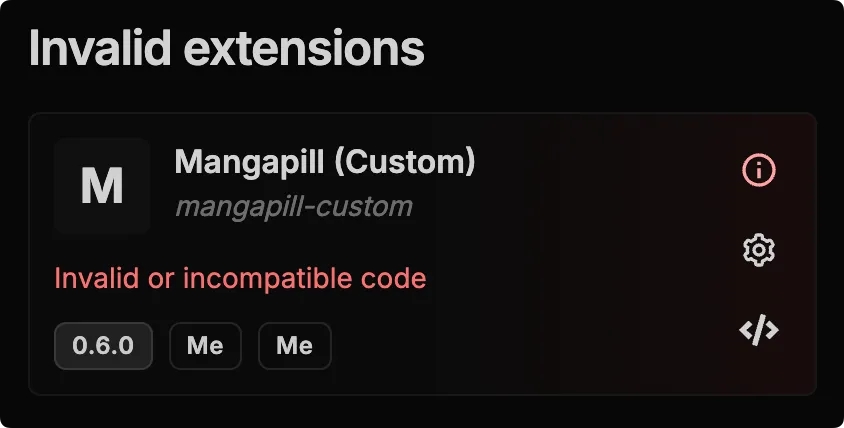
circle-exclamation
Do not change your extension ID between updates
[hashtag](https://seanime.gitbook.io/seanime-extensions/content-providers/write-test-share#add-user-configuration-optional)
Add user configuration (optional)
------------------------------------------------------------------------------------------------------------------------------------------------------------------
You can make it so users can enter arbitrary values that you can use in variables inside your code. This is useful when your extension needs to use a personal API key for example.
chevron-rightGuide[hashtag](https://seanime.gitbook.io/seanime-extensions/content-providers/write-test-share#guide)

* Declare any number of **string** variables containing the configuration field keys you want to accept in the format `{{key}}`. These variables will be replaced with the values the user entered when the extension is loaded.
* In your manifest file, add a `userConfig` field.
circle-info
The field's 'name' should be the same as the key between the double curly brackets in your code.
* `requiresConfig`: Set to `true` to force the user to validate the configuration before the extension is loaded.
* `version`: The version of the configuration. Increment this number when you make changes to the configuration fields of your extension.
[PreviousChangelogchevron-left](https://seanime.gitbook.io/seanime-extensions/seanime/changelog)
[NextAnime Torrent Providerchevron-right](https://seanime.gitbook.io/seanime-extensions/content-providers/anime-torrent-provider)
Last updated 1 month ago
* [1\. Write and test](https://seanime.gitbook.io/seanime-extensions/content-providers/write-test-share#id-1.-write-and-test)
* [Code the extension](https://seanime.gitbook.io/seanime-extensions/content-providers/write-test-share#code-the-extension)
* [Test in the playground](https://seanime.gitbook.io/seanime-extensions/content-providers/write-test-share#test-in-the-playground)
* [2\. Create a manifest file](https://seanime.gitbook.io/seanime-extensions/content-providers/write-test-share#id-2.-create-a-manifest-file)
* [Create the file](https://seanime.gitbook.io/seanime-extensions/content-providers/write-test-share#create-the-file)
* [Paste the payload](https://seanime.gitbook.io/seanime-extensions/content-providers/write-test-share#paste-the-payload)
* [3\. Share](https://seanime.gitbook.io/seanime-extensions/content-providers/write-test-share#id-3.-share)
* [4\. Update your extension](https://seanime.gitbook.io/seanime-extensions/content-providers/write-test-share#id-4.-update-your-extension)
* [Add user configuration (optional)](https://seanime.gitbook.io/seanime-extensions/content-providers/write-test-share#add-user-configuration-optional)
sun-brightdesktopmoon
my-original-extension-id.json
Copy
{
"id": "my-original-extension-id",
"name": "My Extension Name",
"description": "My Extension Description",
"manifestURI": "",
"version": "1.0.0",
"author": "Author Name",
"type": "",
"language": "",
"lang": "",
"payload": ""
}
Copy
{
//...
"userConfig": {
"requiresConfig": true,
"version": 1,
"fields": [\
{\
"name": "api",\
"label": "API URL",\
"type": "text",\
"default": "https://feed.animetosho.org/json"\
},\
{\
"name": "withSmartSearch",\
"label": "Enable Smart Search",\
"type": "switch",\
"default": "true"\
},\
{\
"name": "type",\
"label": "Provider Type",\
"type": "select",\
"default": "main",\
"options": [\
{\
"label": "Main",\
"value": "main"\
},\
{\
"label": "Special",\
"value": "special"\
}\
]\
}\
]
}
}
sun-brightdesktopmoon
---
# Anime Torrent Provider | Seanime Extensions
circle-check
Difficulty: Easy
chevron-rightUse bootstrapping command[hashtag](https://seanime.gitbook.io/seanime-extensions/content-providers/anime-torrent-provider#use-bootstrapping-command)
You can use this third-party tool to help you quickly bootstrap a folder locally
Copy
npx seanime-tool g-template
[hashtag](https://seanime.gitbook.io/seanime-extensions/content-providers/anime-torrent-provider#types)
Types
------------------------------------------------------------------------------------------------------------------
anime-torrent-provider.d.ts
Copy
declare type AnimeProviderSmartSearchFilter = "batch" | "episodeNumber" | "resolution" | "query" | "bestReleases"
declare type AnimeProviderType = "main" | "special"
declare interface AnimeProviderSettings {
// Indicates whether the extension supports smart search.
canSmartSearch: boolean
// Filters that can be used in smart search.
smartSearchFilters: AnimeProviderSmartSearchFilter[]
// Indicates whether the extension supports adult content.
supportsAdult: boolean
// Type of the provider.
type: AnimeProviderType
}
// Media object passed to 'search' and 'smartSearch' methods.
declare interface Media {
// AniList ID of the media.
id: number
// MyAnimeList ID of the media.
idMal?: number
// e.g. "FINISHED", "RELEASING", "NOT_YET_RELEASED", "CANCELLED", "HIATUS"
// This will be set to "NOT_YET_RELEASED" if the status is unknown.
status?: string
// e.g. "TV", "TV_SHORT", "MOVIE", "SPECIAL", "OVA", "ONA", "MUSIC"
// This will be set to "TV" if the format is unknown.
format?: string
// e.g. "Attack on Titan"
englishTitle?: string
// e.g. "Shingeki no Kyojin"
romajiTitle?: string
// TotalEpisodes is total number of episodes of the media.
// This will be -1 if the total number of episodes is unknown / not applicable.
episodeCount?: number
// Absolute offset of the media's season.
// This will be 0 if the media is not seasonal or the offset is unknown.
absoluteSeasonOffset?: number
// All alternative titles of the media.
synonyms: string[]
// Whether the media is NSFW.
isAdult: boolean
// Start date of the media.
// This will be undefined if it has no start date.
startDate?: FuzzyDate
}
declare interface FuzzyDate {
year: number
month?: number
day?: number
}
declare interface AnimeSearchOptions {
// The media object.
media: Media
// The user search query.
query: string
}
declare interface AnimeSmartSearchOptions {
// The media object.
media: Media
// The user search query.
// This will be empty if your extension does not support custom queries.
query: string
// Indicates whether the user wants to search for batch torrents.
// This will be false if your extension does not support batch torrents.
batch: boolean
// The episode number the user wants to search for.
// This will be 0 if your extension does not support episode number filtering.
episodeNumber: number
// The resolution the user wants to search for.
// This will be empty if your extension does not support resolution filtering.
resolution: string
// AniDB Anime ID of the media.
anidbAID: number
// AniDB Episode ID of the media.
anidbEID: number
// Indicates whether the user wants to search for the best releases.
// This will be false if your extension does not support filtering by best releases.
bestReleases: boolean
}
declare interface AnimeTorrent {
name: string
// Date of the torrent.
// The date should have RFC3339 format. e.g. "2006-01-02T15:04:05Z07:00"
date: string
// Size of the torrent in bytes.
size: number
// Formatted size of the torrent. e.g. "1.2 GB"
// Leave this empty if you want Seanime to format the size.
formattedSize: string
// Number of seeders of the torrent.
seeders: number
// Number of leechers of the torrent.
leechers: number
// Number of downloads of the torrent.
downloadCount: number
// Link to the torrent page.
link: string
// Download URL of the torrent.
// Leave this empty if you cannot provide a direct download URL.
downloadUrl?: string
// Magnet link of the torrent.
// Set this to null if you cannot provide a magnet link without scraping.
magnetLink?: string
// Info hash of the torrent.
// Set this to null if you cannot provide an info hash without scraping.
infoHash?: string
// The resolution of the torrent.
// Leave this empty if you want Seanime to parse the resolution from the name.
resolution?: string
// Set this to true if you can confirm that the torrent is a batch.
// Else, Seanime will parse the torrent name to determine if it's a batch.
isBatch?: boolean
// Episode number of the torrent.
// Return -1 if unknown / unable to determine and Seanime will parse the torrent name.
episodeNumber: number
// Release group of the torrent.
// Leave this empty if you want Seanime to parse the release group from the name.
releaseGroup?: string
// Set this to true if you can confirm that the torrent is the best release.
isBestRelease: boolean
// Set this to true if you can confirm that the torrent matches the anime the user is searching for.
// e.g. If the torrent was found using the AniDB anime or episode ID
confirmed: boolean
}
[hashtag](https://seanime.gitbook.io/seanime-extensions/content-providers/anime-torrent-provider#code)
Code
----------------------------------------------------------------------------------------------------------------
circle-exclamation
Do not change the name of the class. It must be Provider.
###
[hashtag](https://seanime.gitbook.io/seanime-extensions/content-providers/anime-torrent-provider#settings)
Settings
####
[hashtag](https://seanime.gitbook.io/seanime-extensions/content-providers/anime-torrent-provider#type)
type
* `main`: Your extension can be used as **default provider** for torrent search and the Auto Downloader.
* `special`: Your extension can **ONLY** be used for torrent search.
####
[hashtag](https://seanime.gitbook.io/seanime-extensions/content-providers/anime-torrent-provider#cansmartsearch-smartsearchfilters)
canSmartSearch / smartSearchFilters

* `batch` : Your extension can look for batches
* `episodeNumber` : Your extension can look for specific episode numbers
* `resolution` : Your extension can filter by resolution
* `query`: Allow the user to change the smart search title
* `bestReleases` : Your extension can find highest-quality torrents
[hashtag](https://seanime.gitbook.io/seanime-extensions/content-providers/anime-torrent-provider#example)
Example
----------------------------------------------------------------------------------------------------------------------
[PreviousWrite, test, sharechevron-left](https://seanime.gitbook.io/seanime-extensions/content-providers/write-test-share)
[NextManga Providerchevron-right](https://seanime.gitbook.io/seanime-extensions/content-providers/manga-provider)
Last updated 9 months ago
* [Types](https://seanime.gitbook.io/seanime-extensions/content-providers/anime-torrent-provider#types)
* [Code](https://seanime.gitbook.io/seanime-extensions/content-providers/anime-torrent-provider#code)
* [Settings](https://seanime.gitbook.io/seanime-extensions/content-providers/anime-torrent-provider#settings)
* [Example](https://seanime.gitbook.io/seanime-extensions/content-providers/anime-torrent-provider#example)
sun-brightdesktopmoon
Copy
///
class Provider {
private api = "https://example.com"
// Returns the provider settings.
async getSettings(): AnimeProviderSettings {
// TODO: Edit this
return {
canSmartSearch: true,
smartSearchFilters: ["batch", "episodeNumber", "resolution"],
supportsAdult: false,
type: "main",
}
}
// Returns the search results depending on the query.
async search(opts: AnimeSearchOptions): Promise {
// TODO
return []
}
// Returns the search results depending on the search options.
async smartSearch(opts: AnimeSmartSearchOptions): Promise {
// TODO
return []
}
// Scrapes the torrent page to get the info hash.
// If already present in AnimeTorrent, this should just return the info hash without scraping.
async getTorrentInfoHash(torrent: AnimeTorrent): Promise {
return torrent.infoHash
}
// Scrapes the torrent page to get the magnet link.
// If already present in AnimeTorrent, this should just return the magnet link without scraping.
async getTorrentMagnetLink(torrent: AnimeTorrent): Promise {
return torrent.magnetLink
}
// Returns the latest torrents.
// Note that this is only used by "main" providers.
async getLatest(): Promise {
// TODO
return []
}
}
Copy
///
///
class Provider {
api = "https://feed.animetosho.org/json"
getSettings(): AnimeProviderSettings {
return {
canSmartSearch: true,
smartSearchFilters: ["batch", "episodeNumber", "resolution"],
supportsAdult: false,
type: "main",
}
}
async search(opts: AnimeSearchOptions): Promise {
const query = `?q=${encodeURIComponent(opts.query)}&only_tor=1`
console.log(query)
const torrents = await this.fetchTorrents(query)
return torrents.map(t => this.toAnimeTorrent(t))
}
async smartSearch(opts: AnimeSmartSearchOptions): Promise {
const ret: AnimeTorrent[] = []
if (opts.batch) {
if (!opts.anidbAID) return []
let torrents = await this.searchByAID(opts.anidbAID, opts.resolution)
if (!(opts.media.format == "MOVIE" || opts.media.episodeCount == 1)) {
torrents = torrents.filter(t => t.num_files > 1)
}
for (const torrent of torrents) {
const t = this.toAnimeTorrent(torrent)
t.isBatch = true
ret.push(t)
}
return ret
}
if (!opts.anidbEID) return []
const torrents = await this.searchByEID(opts.anidbEID, opts.resolution)
for (const torrent of torrents) {
ret.push(this.toAnimeTorrent(torrent))
}
return ret
}
async getTorrentInfoHash(torrent: AnimeTorrent): Promise {
return torrent.infoHash || ""
}
async getTorrentMagnetLink(torrent: AnimeTorrent): Promise {
return torrent.magnetLink || ""
}
async getLatest(): Promise {
const query = `?q=&only_tor=1`
const torrents = await this.fetchTorrents(query)
return torrents.map(t => this.toAnimeTorrent(t))
}
async searchByAID(aid: number, quality: string): Promise {
const q = encodeURIComponent(this.formatQuality(quality))
const query = `?order=size-d&aid=${aid}&q=${q}`
return this.fetchTorrents(query)
}
async searchByEID(eid: number, quality: string): Promise {
const q = encodeURIComponent(this.formatQuality(quality))
const query = `?eid=${eid}&q=${q}`
return this.fetchTorrents(query)
}
async fetchTorrents(url: string): Promise {
const furl = `${this.api}${url}`
try {
const response = await fetch(furl)
if (!response.ok) {
throw new Error(`Failed to fetch torrents, ${response.statusText}`)
}
const torrents: ToshoTorrent[] = await response.json()
return torrents.map(t => {
if (t.seeders > 30000) {
t.seeders = 0
}
if (t.leechers > 30000) {
t.leechers = 0
}
return t
})
}
catch (error) {
throw new Error(`Error fetching torrents: ${error}`)
}
}
formatQuality(quality: string): string {
return quality.replace(/p$/, "")
}
toAnimeTorrent(torrent: ToshoTorrent): AnimeTorrent {
return {
name: torrent.title,
date: new Date(torrent.timestamp * 1000).toISOString(),
size: torrent.total_size,
formattedSize: "",
seeders: torrent.seeders,
leechers: torrent.leechers,
downloadCount: torrent.torrent_download_count,
link: torrent.link,
downloadUrl: torrent.torrent_url,
magnetLink: torrent.magnet_uri,
infoHash: torrent.info_hash,
resolution: "",
isBatch: false,
episodeNumber: -1,
isBestRelease: false,
confirmed: true,
}
}
}
type ToshoTorrent = {
id: number
title: string
link: string
timestamp: number
status: string
tosho_id?: number
nyaa_id?: number
nyaa_subdom?: any
anidex_id?: number
torrent_url: string
info_hash: string
info_hash_v2?: string
magnet_uri: string
seeders: number
leechers: number
torrent_download_count: number
tracker_updated?: any
nzb_url?: string
total_size: number
num_files: number
anidb_aid: number
anidb_eid: number
anidb_fid: number
article_url: string
article_title: string
website_url: string
}
sun-brightdesktopmoon
---
# Introduction | Seanime Extensions
A plugin is a type of extension that allows for more in-depth customization and addition of new features through multiple APIs.
[hashtag](https://seanime.gitbook.io/seanime-extensions/plugins/introduction#what-can-plugins-do)
What can plugins do?
---------------------------------------------------------------------------------------------------------------------------
With the right permissions, a lot. Here is a high overview of what they're capable of:
* Create a tray icon and display dynamic content in the tray
* Add buttons, context menu items, dropdown items to specific places
* Create a dynamic command palette
* Register hooks to modify server-side behavior
* Run commands, access the file system, create, read, edit files etc.
* Communicate with AniList and other APIs
* Fetch and store data
* Manipulate the DOM
* And more
The plugin system is largely inspired by PocketBase.
[PreviousCustom Sourcechevron-left](https://seanime.gitbook.io/seanime-extensions/content-providers/custom-source)
[NextWrite, test, sharechevron-right](https://seanime.gitbook.io/seanime-extensions/plugins/write-test-share)
Last updated 4 days ago
sun-brightdesktopmoon
sun-brightdesktopmoon
---
# Custom Source | Seanime Extensions
Note: You cannot test custom sources in the playground. Load them in development mode ([like here](https://seanime.gitbook.io/seanime-extensions/plugins/write-test-share#id-2.-create-a-manifest-file)
).
circle-check
Difficulty: Easy
[hashtag](https://seanime.gitbook.io/seanime-extensions/content-providers/custom-source#type-definitions)
Type Definitions
-------------------------------------------------------------------------------------------------------------------------------
custom-source.d.ts
Copy
///
declare type Settings = {
supportsAnime: boolean
supportsManga: boolean
}
declare type ListResponse = {
media: T[]
page: number
totalPages: number
total: number
}
declare abstract class CustomSource {
getSettings(): Settings
async getAnime(ids: number[]): Promise<$app.AL_BaseAnime[]>
async getAnimeMetadata(id: number): Promise<$app.Metadata_AnimeMetadata | null>
async getAnimeWithRelations(id: number): Promise<$app.AL_CompleteAnime>
async getAnimeDetails(id: number): Promise<$app.AL_AnimeDetailsById_Media | null>
async getManga(ids: number[]): Promise<$app.AL_BaseManga[]>
async listAnime(search: string, page: number, perPage: number): Promise>
async getMangaDetails(id: number): Promise<$app.AL_MangaDetailsById_Media | null>
async listManga(search: string, page: number, perPage: number): Promise>
}
Keyword search the various $app types used here:
[https://raw.githubusercontent.com/5rahim/seanime/refs/heads/main/internal/extension\_repo/goja\_plugin\_types/app.d.tsraw.githubusercontent.comchevron-right](https://raw.githubusercontent.com/5rahim/seanime/refs/heads/main/internal/extension_repo/goja_plugin_types/app.d.ts)
[hashtag](https://seanime.gitbook.io/seanime-extensions/content-providers/custom-source#code)
Code
-------------------------------------------------------------------------------------------------------
circle-exclamation
Do not change the name of the class. It must be Provider.
circle-info
You can define the media objects in an external API and use fetch to retrieve them dynamically.
###
[hashtag](https://seanime.gitbook.io/seanime-extensions/content-providers/custom-source#media-objects)
Media objects
Under the hood, custom source media are treated like AniList media, which is the reason why you need to return objects following AniList's JSON schemas.
For the media `id`s, you're free to use any number starting from 1. Under the hood, Seanime will automatically convert these IDs to unique numbers to avoid conflicts.
[PreviousOnline Streaming Providerchevron-left](https://seanime.gitbook.io/seanime-extensions/content-providers/online-streaming-provider)
[NextIntroductionchevron-right](https://seanime.gitbook.io/seanime-extensions/plugins/introduction)
Last updated 2 months ago
* [Type Definitions](https://seanime.gitbook.io/seanime-extensions/content-providers/custom-source#type-definitions)
* [Code](https://seanime.gitbook.io/seanime-extensions/content-providers/custom-source#code)
* [Media objects](https://seanime.gitbook.io/seanime-extensions/content-providers/custom-source#media-objects)
sun-brightdesktopmoon
Copy
///
const anime: Record = {}
const animeMetadata: Record = {}
const manga: Record = {}
class Provider implements CustomSource {
getSettings(): Settings {
return {
supportsAnime: true,
supportsManga: true,
}
}
// Returns all requested anime objects.
async getAnime(ids: number[]): Promise<$app.AL_BaseAnime[]> {
let ret: $app.AL_BaseAnime[] = []
for (const id of ids) {
if (anime[id]) {
// Here we make a deep copy and remove the 'relations' attribute
// this turn AL_CompleteAnime into AL_BaseAnime
const a = $clone(media[id]) as $app.AL_CompleteAnime
delete a["relations"]
ret.push(a)
}
}
return ret
}
// Optionally returns the details for an anime (genres, trailer, etc.)
// Note that not all the fields are used by the client.
async getAnimeDetails(id: number): Promise<$app.AL_AnimeDetailsById_Media | null> {
return null
}
// Returns the metadata for an anime.
// This is used for episodes.
async getAnimeMetadata(id: number): Promise<$app.Metadata_AnimeMetadata | null> {
return animeMetadata[id]
}
// Returns the anime object with its 'relations'.
// This is only used by the library scanner to build a relation tree.
async getAnimeWithRelations(id: number): Promise<$app.AL_CompleteAnime> {
if (media[id]) {
return media[id] as $app.AL_CompleteAnime
}
throw new Error("not found.")
}
// Returns all requested manga objects.
async getManga(ids: number[]): Promise<$app.AL_BaseManga[]> {
let ret: $app.AL_BaseManga[] = []
for (const id of ids) {
if (manga[id]) {
ret.push(manga[id])
}
}
return ret
}
// Optionally returns the manga details.
// Similarly to getAnimeDetails, not all fields will be used by the client.
async getMangaDetails(id: number): Promise<$app.AL_MangaDetailsById_Media | null> {
return null
}
// Returns all anime available on the extension.
async listAnime(search: string, page: number, perPage: number): Promise> {
return {
media: Object.values(media),
total: 1,
page: 1,
totalPages: 1,
}
}
// Returns all manga available on the extension.
async listManga(search: string, page: number, perPage: number): Promise> {
return {
media: Object.values(manga),
total: 1,
page: 1,
totalPages: 1,
}
}
}
sun-brightdesktopmoon
---
# Permissions | Seanime Extensions
[hashtag](https://seanime.gitbook.io/seanime-extensions/plugins/permissions#network-requests)
Network Requests
-------------------------------------------------------------------------------------------------------------------
For `reasoning`, provide a brief explanation for the access scope permitted by `allowedDomains` . This will be displayed to the users.
Copy
{
//...
"plugin": {
"version": "1",
"permissions": {
"scopes": [],
"allow": {
"networkAccess": {
"allowedDomains": ["example.com", "*.example.com"],
"reasoning": "This is mandatory"
}
}
}
}
}
[hashtag](https://seanime.gitbook.io/seanime-extensions/plugins/permissions#unsafe)
Unsafe
-----------------------------------------------------------------------------------------------
###
[hashtag](https://seanime.gitbook.io/seanime-extensions/plugins/permissions#dom-script-manipulation)
DOM Script Manipulation
This flag is required if you want to manipulate script tags or inject custom javascript in the DOM.
###
[hashtag](https://seanime.gitbook.io/seanime-extensions/plugins/permissions#dom-link-manipulation)
DOM Link Manipulation
[PreviousWrite, test, sharechevron-left](https://seanime.gitbook.io/seanime-extensions/plugins/write-test-share)
[NextAPIschevron-right](https://seanime.gitbook.io/seanime-extensions/plugins/apis)
Last updated 4 days ago
* [Network Requests](https://seanime.gitbook.io/seanime-extensions/plugins/permissions#network-requests)
* [Unsafe](https://seanime.gitbook.io/seanime-extensions/plugins/permissions#unsafe)
* [DOM Script Manipulation](https://seanime.gitbook.io/seanime-extensions/plugins/permissions#dom-script-manipulation)
* [DOM Link Manipulation](https://seanime.gitbook.io/seanime-extensions/plugins/permissions#dom-link-manipulation)
sun-brightdesktopmoon
Copy
{
//...
"plugin": {
"version": "1",
"permissions": {
"scopes": [],
"allow": {
"unsafeFlags": [\
{\
"flag": "dom-script-manipulation",\
"reason": "Enter your reason here, this will be shown to the user."\
}\
]
}
}
}
}
sun-brightdesktopmoon
---
# APIs | Seanime Extensions
[screwdriver-wrenchHelperschevron-right](https://seanime.gitbook.io/seanime-extensions/plugins/apis/helpers)
[mailbox-flag-upStorechevron-right](https://seanime.gitbook.io/seanime-extensions/plugins/apis/store)
[box-archiveStoragechevron-right](https://seanime.gitbook.io/seanime-extensions/plugins/apis/storage)
[databaseDatabasechevron-right](https://seanime.gitbook.io/seanime-extensions/plugins/apis/database)
[aAniListchevron-right](https://seanime.gitbook.io/seanime-extensions/plugins/apis/anilist)
[desktopSystemchevron-right](https://seanime.gitbook.io/seanime-extensions/plugins/apis/system)
[PreviousPermissionschevron-left](https://seanime.gitbook.io/seanime-extensions/plugins/permissions)
[NextHelperschevron-right](https://seanime.gitbook.io/seanime-extensions/plugins/apis/helpers)
sun-brightdesktopmoon
sun-brightdesktopmoon
---
# Write, test, share | Seanime Extensions
[hashtag](https://seanime.gitbook.io/seanime-extensions/plugins/write-test-share#id-1.-create-a-js-ts-file)
1\. Create a JS/TS file
----------------------------------------------------------------------------------------------------------------------------------------
chevron-rightShortcut: Use bootstrapping command[hashtag](https://seanime.gitbook.io/seanime-extensions/plugins/write-test-share#shortcut-use-bootstrapping-command)
You can use this third-party tool to help you quickly bootstrap a plugin folder locally
Copy
npx seanime-tool g-template
my-plugin.ts
Copy
function init() {
// This function is called when the plugin is loaded
// There is no guarantee as to when exactly the plugin will be loaded at startup
}
[hashtag](https://seanime.gitbook.io/seanime-extensions/plugins/write-test-share#id-2.-create-a-manifest-file)
2\. Create a manifest file
----------------------------------------------------------------------------------------------------------------------------------------------
circle-exclamation
The ID should be unique, in case of a conflict with another extension, your plugin might not be loaded.
The name of the file should be the same as the ID.
Here we're going with Typescript.
We're setting `isDevelopment`to `true` in order to be able to quickly reload it when we make changes. `payloadURI` in this case is the path to the plugin code, it must be an absolute path.
Obviously, before sharing the extension we'll change the `payloadURI` to the URL of the file containing the code and remove `isDevelopment`.
my-plugin.json
Copy
{
"id": "my-plugin",
"name": "My Plugin",
"version": "1.0.0",
"manifestURI": "",
"language": "typescript",
"type": "plugin",
"description": "An example plugin",
"author": "Seanime",
"icon": "",
"website": "",
"lang": "multi",
"payloadURI": "C:/path/to/my-plugin/code.ts",
"plugin": {
"version": "1",
"permissions": {}
},
"isDevelopment": true
}
[hashtag](https://seanime.gitbook.io/seanime-extensions/plugins/write-test-share#id-3.-quick-overview)
3\. Quick overview
------------------------------------------------------------------------------------------------------------------------------
###
[hashtag](https://seanime.gitbook.io/seanime-extensions/plugins/write-test-share#a.-permissions)
a. Permissions
Some APIs require specific permissions in order to function.
The user of your plugin will need to **grant** them after the installation.
###
[hashtag](https://seanime.gitbook.io/seanime-extensions/plugins/write-test-share#b.-hooks)
b. Hooks
You can register hook callbacks to listen to various types of events happening on the server, modify them or execute custom logic. Learn more about hooks in later sections.
circle-info
**In a nutshell**
Hooks can be used to listen to or edit server-side events.
For example:
circle-exclamation
Each hook handler must call `e.next()` in order for the hook chain listening to that event to proceed. Not calling it will impact other plugins listening to that event.
###
[hashtag](https://seanime.gitbook.io/seanime-extensions/plugins/write-test-share#c.-ui-context)
c. UI Context
Hooks are great for customizing server-side behavior but most **business logic** and interface interactions will be done in the UI context.
circle-info
**In a nutshell**
Think of the UI context as the "main thread" of your plugin and hooks can be thought of as "worker threads".
Hooks and UI Context can be used alongside each other. In the later section you will learn how communication is done between them.
###
[hashtag](https://seanime.gitbook.io/seanime-extensions/plugins/write-test-share#d.-javascript-restrictions)
d. Javascript restrictions
The UI context and each hook callback are run in isolated environments (called runtimes), and thus, cannot share state easily or read global variables.
However, you can still share variables between hooks and the UI context using [$store](https://seanime.gitbook.io/seanime-extensions/plugins/apis/store)
.
[mailbox-flag-upStorechevron-right](https://seanime.gitbook.io/seanime-extensions/plugins/apis/store)

Diagram of plugin
###
[hashtag](https://seanime.gitbook.io/seanime-extensions/plugins/write-test-share#e.-types)
e. Types
Add the type definition files located here, in addition to `core.d.ts`
[https://raw.githubusercontent.com/5rahim/seanime/refs/heads/main/internal/extension\_repo/goja\_plugin\_types/app.d.tsraw.githubusercontent.comchevron-right](https://raw.githubusercontent.com/5rahim/seanime/refs/heads/main/internal/extension_repo/goja_plugin_types/app.d.ts)
app.d.ts
[https://raw.githubusercontent.com/5rahim/seanime/refs/heads/main/internal/extension\_repo/goja\_plugin\_types/plugin.d.tsraw.githubusercontent.comchevron-right](https://raw.githubusercontent.com/5rahim/seanime/refs/heads/main/internal/extension_repo/goja_plugin_types/plugin.d.ts)
plugin.d.ts
[https://raw.githubusercontent.com/5rahim/seanime/refs/heads/main/internal/extension\_repo/goja\_plugin\_types/system.d.tsraw.githubusercontent.comchevron-right](https://raw.githubusercontent.com/5rahim/seanime/refs/heads/main/internal/extension_repo/goja_plugin_types/system.d.ts)
system.d.ts
[hashtag](https://seanime.gitbook.io/seanime-extensions/plugins/write-test-share#id-4.-write-and-test)
4\. Write and test
------------------------------------------------------------------------------------------------------------------------------
You're good to go!
###
[hashtag](https://seanime.gitbook.io/seanime-extensions/plugins/write-test-share#code-the-extension)
Code the extension
[gamepadAPIschevron-right](https://seanime.gitbook.io/seanime-extensions/plugins/apis)
[sidebarUIchevron-right](https://seanime.gitbook.io/seanime-extensions/plugins/ui)
[fishing-rodHookschevron-right](https://seanime.gitbook.io/seanime-extensions/plugins/hooks)
###
[hashtag](https://seanime.gitbook.io/seanime-extensions/plugins/write-test-share#test-it-live)
Test it live
In order to test your plugin, add the manifest file inside the `extensions` directory which is inside your [data directoryarrow-up-right](https://seanime.rahim.app/docs/config#data-directory)
.
Because you've set `isDevelopement` to true in your manifest file, you will be able to manually reload the extension without having to restart the app. It's recommended to test your plugin with the web-app version of Seanime for convenience.
[hashtag](https://seanime.gitbook.io/seanime-extensions/plugins/write-test-share#id-5.-share)
5\. Share
------------------------------------------------------------------------------------------------------------
If you want to share your plugin with others, you can host both the code and manifest file on GitHub and [sharearrow-up-right](https://seanime.rahim.app/community/extensions)
the link to the file.
circle-info
Make sure to replace `payloadURI` with the URL of the hosted file containing the code.
Also, remove `isDevelopment` .
[PreviousIntroductionchevron-left](https://seanime.gitbook.io/seanime-extensions/plugins/introduction)
[NextPermissionschevron-right](https://seanime.gitbook.io/seanime-extensions/plugins/permissions)
Last updated 5 days ago
* [1\. Create a JS/TS file](https://seanime.gitbook.io/seanime-extensions/plugins/write-test-share#id-1.-create-a-js-ts-file)
* [2\. Create a manifest file](https://seanime.gitbook.io/seanime-extensions/plugins/write-test-share#id-2.-create-a-manifest-file)
* [3\. Quick overview](https://seanime.gitbook.io/seanime-extensions/plugins/write-test-share#id-3.-quick-overview)
* [a. Permissions](https://seanime.gitbook.io/seanime-extensions/plugins/write-test-share#a.-permissions)
* [b. Hooks](https://seanime.gitbook.io/seanime-extensions/plugins/write-test-share#b.-hooks)
* [c. UI Context](https://seanime.gitbook.io/seanime-extensions/plugins/write-test-share#c.-ui-context)
* [d. Javascript restrictions](https://seanime.gitbook.io/seanime-extensions/plugins/write-test-share#d.-javascript-restrictions)
* [e. Types](https://seanime.gitbook.io/seanime-extensions/plugins/write-test-share#e.-types)
* [4\. Write and test](https://seanime.gitbook.io/seanime-extensions/plugins/write-test-share#id-4.-write-and-test)
* [Code the extension](https://seanime.gitbook.io/seanime-extensions/plugins/write-test-share#code-the-extension)
* [Test it live](https://seanime.gitbook.io/seanime-extensions/plugins/write-test-share#test-it-live)
* [5\. Share](https://seanime.gitbook.io/seanime-extensions/plugins/write-test-share#id-5.-share)
sun-brightdesktopmoon
Example
Copy
function init() {
// This hook is triggered before Seanime formats the library data of an anime
// The event contains the variables that Seanime will use, and you can modify them
$app.onAnimeEntryLibraryDataRequested((e) => {
// Setting this to an empty array will cause Seanime to think that the anime
// has not been downloaded.
e.entryLocalFiles = []
e.next() // Continue hook chain
})
}
Copy
// A simple plugin that stores the history of scan durations
function init() {
$app.onScanCompleted((e) => {
// Store the scanning duration (in ms)
$store.set("scan-completed", e.duration)
e.next()
})
$ui.register((ctx) => {
// Callback is triggered when the value is updated
$store.watch("scan-completed", (value) => {
const now = new Date().toISOString().replaceall(".", "_")
// Add the value to the history
// Note that this could have been done in the hook callback BUT
// the UI context is better suited for business logic
$storage.set("scan-duration-history."+now, value)
ctx.toast.info(`Scanning took ${value/1000} seconds!`)
})
})
}
Copy
const globalVar = 42;
function init() {
const value = 42;
$app.onGetAnime((e) => {
console.log(globalVar) // undefined
console.log(value) // undefined
})
$ui.register((ctx) => {
console.log(globalVar) // undefined
console.log(value) // undefined
})
}
my-plugin.ts
Copy
///
///
///
///
function init() {
// Everything is magically typed!
$ui.register((ctx) => {
ctx.dom.onReady(() => {
console.log("Page loaded!")
})
})
}
sun-brightdesktopmoon
---
# Helpers | Seanime Extensions
[hashtag](https://seanime.gitbook.io/seanime-extensions/plugins/apis/helpers#usdapp)
$app
----------------------------------------------------------------------------------------------
circle-info
Only available in the UI context.
Copy
$ui.register((ctx) => {
$app.getVersion() // "2.8.0"
$app.getVersionName() // "Gold"
// Invalidate certain queries to cause the client to refetch them automatically
// Find the query keys here: https://github.com/5rahim/seanime/blob/main/internal/events/endpoints.go
$app.invalidateClientQuery([])
})
[PreviousAPIschevron-left](https://seanime.gitbook.io/seanime-extensions/plugins/apis)
[NextStorechevron-right](https://seanime.gitbook.io/seanime-extensions/plugins/apis/store)
Last updated 1 month ago
sun-brightdesktopmoon
sun-brightdesktopmoon
---
# Store | Seanime Extensions
[hashtag](https://seanime.gitbook.io/seanime-extensions/plugins/apis/store#when-to-use)
When to use
--------------------------------------------------------------------------------------------------------
* Create a cache
* Share values or functions between hooks
* Share values or functions between hooks and UI context
circle-info
The values aren't persisted when your plugin is reloaded.
[hashtag](https://seanime.gitbook.io/seanime-extensions/plugins/apis/store#how-to-use)
How to use
------------------------------------------------------------------------------------------------------
`$store` makes state sharing between runtimes possible.

###
[hashtag](https://seanime.gitbook.io/seanime-extensions/plugins/apis/store#example)
Example
[PreviousHelperschevron-left](https://seanime.gitbook.io/seanime-extensions/plugins/apis/helpers)
[NextStoragechevron-right](https://seanime.gitbook.io/seanime-extensions/plugins/apis/storage)
Last updated 1 month ago
* [When to use](https://seanime.gitbook.io/seanime-extensions/plugins/apis/store#when-to-use)
* [How to use](https://seanime.gitbook.io/seanime-extensions/plugins/apis/store#how-to-use)
* [Example](https://seanime.gitbook.io/seanime-extensions/plugins/apis/store#example)
sun-brightdesktopmoon
Copy
$store.set("foo", "bar")
$store.get("foo")
$store.watch("foo", (value) => {})
$store.getAll() // { "foo": "bar" }
$store.remove("foo")
$store.removeAll()
$store.has("foo") // false
$store.getOrSet("foo", () => { return "bar" })
$store.values() // ["bar"]
my-plugin.ts
Copy
// A simple plugin that stores the history of scan durations
function init() {
$app.onScanCompleted((e) => {
// Store the scanning duration (in ms)
$store.set("scan-completed", e.duration)
e.next()
})
$ui.register((ctx) => {
// Callback is triggered when the value is updated
$store.watch("scan-completed", (value) => {
const now = new Date().toISOString().replaceall(".", "_")
$storage.set("scan-duration-history."+now, value)
ctx.toast.info(`Scanning took ${value/1000} seconds!`)
})
})
}
sun-brightdesktopmoon
---
# UI | Seanime Extensions
[Basicschevron-right](https://seanime.gitbook.io/seanime-extensions/plugins/ui/basics)
[User Interfacechevron-right](https://seanime.gitbook.io/seanime-extensions/plugins/ui/user-interface)
[Anime/Librarychevron-right](https://seanime.gitbook.io/seanime-extensions/plugins/ui/anime-library)
[Downloadingchevron-right](https://seanime.gitbook.io/seanime-extensions/plugins/ui/downloading)
[Otherchevron-right](https://seanime.gitbook.io/seanime-extensions/plugins/ui/other)
[PreviousMIMEchevron-left](https://seanime.gitbook.io/seanime-extensions/plugins/apis/system/mime)
[NextBasicschevron-right](https://seanime.gitbook.io/seanime-extensions/plugins/ui/basics)
sun-brightdesktopmoon
sun-brightdesktopmoon
---
# Storage | Seanime Extensions
[hashtag](https://seanime.gitbook.io/seanime-extensions/plugins/apis/storage#permission)
Permission
--------------------------------------------------------------------------------------------------------
circle-exclamation
`storage` permission is required.
my-plugin.json
Copy
{
//...
"plugin": {
"permissions": {
"scopes": ["storage"]
}
}
}
[hashtag](https://seanime.gitbook.io/seanime-extensions/plugins/apis/storage#usage)
Usage
----------------------------------------------------------------------------------------------
###
[hashtag](https://seanime.gitbook.io/seanime-extensions/plugins/apis/storage#api)
API
Unlike `store` , `storage` handles nested values out of the box.
Copy
$storage.set("foo.bar", 1)
$storage.set("foo.baz", "2")
$storage.has("foo") // true
$storage.get("foo.bar") // 1
$storage.get>("foo") // { "bar": 1, "baz": "2" }
$storage.set("foo", "bar")
$storage.get("foo") // bar
$storage.watch("foo", (value) => {})
[hashtag](https://seanime.gitbook.io/seanime-extensions/plugins/apis/storage#example)
Example
--------------------------------------------------------------------------------------------------
circle-exclamation
Make sure your storage doesn't grow too big by doing some cleanup.
[hashtag](https://seanime.gitbook.io/seanime-extensions/plugins/apis/storage#good-to-know)
Good to know
------------------------------------------------------------------------------------------------------------
The plugin storage is deleted when the plugin is uninstalled.
[PreviousStorechevron-left](https://seanime.gitbook.io/seanime-extensions/plugins/apis/store)
[NextDatabasechevron-right](https://seanime.gitbook.io/seanime-extensions/plugins/apis/database)
Last updated 8 months ago
* [Permission](https://seanime.gitbook.io/seanime-extensions/plugins/apis/storage#permission)
* [Usage](https://seanime.gitbook.io/seanime-extensions/plugins/apis/storage#usage)
* [API](https://seanime.gitbook.io/seanime-extensions/plugins/apis/storage#api)
* [Example](https://seanime.gitbook.io/seanime-extensions/plugins/apis/storage#example)
* [Good to know](https://seanime.gitbook.io/seanime-extensions/plugins/apis/storage#good-to-know)
sun-brightdesktopmoon
my-plugin.ts
Copy
// A simple plugin that stores the history of scan durations
function init() {
$app.onScanCompleted((e) => {
// Store the scanning duration (in ms)
$store.set("scan-completed", e.duration)
e.next()
})
$ui.register((ctx) => {
// Callback is triggered when the value is updated
$store.watch("scan-completed", (value) => {
const date = new Date()
const now = date.toISOString().replaceall(".", "_")
// Add the value to the history
$storage.set("scan-duration-history."+now, {
duration: value,
durationInSeconds: value/1000,
addedAt: date,
})
ctx.toast.info(`Scanning took ${value/1000} seconds!`)
})
function deleteHistory() {
$storage.remove("scan-duration-history")
}
})
}
sun-brightdesktopmoon
---
# Basics | Seanime Extensions
circle-exclamation
Difficulty: Moderate
* Some basic knowledge of reactive UIs and state management is recommended.
[hashtag](https://seanime.gitbook.io/seanime-extensions/plugins/ui/basics#what-is-usdui.register)
What is $ui.register?
----------------------------------------------------------------------------------------------------------------------------
You can interact with the user interface and execute business logic via APIs provided to your plugin when you register a UI context.
Copy
function init() {
// This function registers the UI context for your plugin, allowing it to
// have access to UI APIs
$ui.register((ctx) => {
// The 'ctx' objects contains all the APIs
})
}
Unlike hooks which are called every time a specific event is triggered, the function inside `$ui.register` is called only once during the lifetime of your plugin, right after `init(),` in other words, each time your plugin is loaded.
circle-info
You cannot register hook handlers inside the UI callback.
[hashtag](https://seanime.gitbook.io/seanime-extensions/plugins/ui/basics#fetch)
Fetch
-------------------------------------------------------------------------------------------
circle-info
As of v3.3.0, network requests require you to whitelist domains [Network Requests](https://seanime.gitbook.io/seanime-extensions/plugins/permissions#network-requests)
circle-exclamation
In the UI context, `ctx.fetch` should be used instead of simply `fetch` .
[hashtag](https://seanime.gitbook.io/seanime-extensions/plugins/ui/basics#states)
States
---------------------------------------------------------------------------------------------
State management allows you to keep track of dynamic data within your plugin. This approach not only helps maintain a clear separation of concerns but also enables reactive programming, where UI components like the `Tray` automatically update in response to changes in states.
###
[hashtag](https://seanime.gitbook.io/seanime-extensions/plugins/ui/basics#computed)
Computed
###
[hashtag](https://seanime.gitbook.io/seanime-extensions/plugins/ui/basics#effects)
Effects
###
[hashtag](https://seanime.gitbook.io/seanime-extensions/plugins/ui/basics#example)
Example
In this example, we fetch some info from an external API each time the user navigates to an anime page.
[PreviousUIchevron-left](https://seanime.gitbook.io/seanime-extensions/plugins/ui)
[NextUser Interfacechevron-right](https://seanime.gitbook.io/seanime-extensions/plugins/ui/user-interface)
Last updated 4 days ago
* [What is $ui.register?](https://seanime.gitbook.io/seanime-extensions/plugins/ui/basics#what-is-usdui.register)
* [Fetch](https://seanime.gitbook.io/seanime-extensions/plugins/ui/basics#fetch)
* [States](https://seanime.gitbook.io/seanime-extensions/plugins/ui/basics#states)
* [Computed](https://seanime.gitbook.io/seanime-extensions/plugins/ui/basics#computed)
* [Effects](https://seanime.gitbook.io/seanime-extensions/plugins/ui/basics#effects)
* [Example](https://seanime.gitbook.io/seanime-extensions/plugins/ui/basics#example)
sun-brightdesktopmoon
Copy
$ui.register(async (ctx) => {
const res = await ctx.fetch("https://jsonplaceholder.typicode.com/todos/1")
const data = res.json()
})
Copy
//...
const count = ctx.state(0)
ctx.setInterval(() => {
count.set(c => c+1)
}, 1000)
function resetCount() {
count.set(0)
}
// Tray will update each time count changes
tray.render(() => tray.text(`Count: ${count.get()}`))
Copy
const count = ctx.state(0)
const text = ctx.computed(() => `Count is ${count.get()}`, [count])
text.get()
Copy
// Effect registers a callback that runs each time count changes
ctx.effect(() => {
console.log("count changed, " + count.get())
}, [count])
Example
Copy
const currentMediaId = ctx.state(null)
const fetchedData = ctx.state([])
// When the user navigates to an anime, get the media ID
ctx.screen.onNavigate((e) => {
if (e.pathname === "/entry" && !!e.searchParams.id) {
const id = parseInt(e.searchParams.id);
currentMediaId.set(id);
} else {
currentMediaId.set(null);
}
});
// Trigger 'ctx.screen.onNavigate' when the plugin loads
ctx.screen.loadCurrent()
// Fetch data each time the media ID changes.
ctx.effect(async () => {
if (!currentMediaId.get()) return
const res = ctx.fetch(`https://example.com/anilistId?=${currentMediaId.get()}`)
// Store the results
fetchedData.set(res.json())
}, [currentMediaId])
sun-brightdesktopmoon
---
# AniList | Seanime Extensions
circle-check
Difficulty: Easy
[hashtag](https://seanime.gitbook.io/seanime-extensions/plugins/apis/anilist#permission)
Permission
--------------------------------------------------------------------------------------------------------
circle-exclamation
`anilist` permission is required.
my-plugin.json
Copy
{
//...
"plugin": {
"permissions": {
"scopes": ["anilist"]
}
}
}
[hashtag](https://seanime.gitbook.io/seanime-extensions/plugins/apis/anilist#refresh-collections)
Refresh collections
--------------------------------------------------------------------------------------------------------------------------
This is needed if you edit the user's collection.
Copy
$anilist.refreshAnimeCollection()
$anilist.refreshMangaCollection()
[hashtag](https://seanime.gitbook.io/seanime-extensions/plugins/apis/anilist#empty-cache)
Empty cache
----------------------------------------------------------------------------------------------------------
Clears the cache for fetched anime/manga entries.
[hashtag](https://seanime.gitbook.io/seanime-extensions/plugins/apis/anilist#update-entry)
Update entry
------------------------------------------------------------------------------------------------------------
[hashtag](https://seanime.gitbook.io/seanime-extensions/plugins/apis/anilist#update-entry-progress)
Update entry progress
------------------------------------------------------------------------------------------------------------------------------
[hashtag](https://seanime.gitbook.io/seanime-extensions/plugins/apis/anilist#update-entry-repeat)
Update entry repeat
--------------------------------------------------------------------------------------------------------------------------
[hashtag](https://seanime.gitbook.io/seanime-extensions/plugins/apis/anilist#delete-entry)
Delete entry
------------------------------------------------------------------------------------------------------------
[hashtag](https://seanime.gitbook.io/seanime-extensions/plugins/apis/anilist#add-media-to-collection)
Add media to collection
----------------------------------------------------------------------------------------------------------------------------------
[hashtag](https://seanime.gitbook.io/seanime-extensions/plugins/apis/anilist#get-collections)
Get collections
------------------------------------------------------------------------------------------------------------------
[hashtag](https://seanime.gitbook.io/seanime-extensions/plugins/apis/anilist#get-anime-manga-data)
Get anime/manga data
----------------------------------------------------------------------------------------------------------------------------
[hashtag](https://seanime.gitbook.io/seanime-extensions/plugins/apis/anilist#search-list)
Search / List
------------------------------------------------------------------------------------------------------------
[hashtag](https://seanime.gitbook.io/seanime-extensions/plugins/apis/anilist#custom-graphql-query)
Custom GraphQL query
----------------------------------------------------------------------------------------------------------------------------
[PreviousDatabasechevron-left](https://seanime.gitbook.io/seanime-extensions/plugins/apis/database)
[NextSystemchevron-right](https://seanime.gitbook.io/seanime-extensions/plugins/apis/system)
Last updated 1 month ago
* [Permission](https://seanime.gitbook.io/seanime-extensions/plugins/apis/anilist#permission)
* [Refresh collections](https://seanime.gitbook.io/seanime-extensions/plugins/apis/anilist#refresh-collections)
* [Empty cache](https://seanime.gitbook.io/seanime-extensions/plugins/apis/anilist#empty-cache)
* [Update entry](https://seanime.gitbook.io/seanime-extensions/plugins/apis/anilist#update-entry)
* [Update entry progress](https://seanime.gitbook.io/seanime-extensions/plugins/apis/anilist#update-entry-progress)
* [Update entry repeat](https://seanime.gitbook.io/seanime-extensions/plugins/apis/anilist#update-entry-repeat)
* [Delete entry](https://seanime.gitbook.io/seanime-extensions/plugins/apis/anilist#delete-entry)
* [Add media to collection](https://seanime.gitbook.io/seanime-extensions/plugins/apis/anilist#add-media-to-collection)
* [Get collections](https://seanime.gitbook.io/seanime-extensions/plugins/apis/anilist#get-collections)
* [Get anime/manga data](https://seanime.gitbook.io/seanime-extensions/plugins/apis/anilist#get-anime-manga-data)
* [Search / List](https://seanime.gitbook.io/seanime-extensions/plugins/apis/anilist#search-list)
* [Custom GraphQL query](https://seanime.gitbook.io/seanime-extensions/plugins/apis/anilist#custom-graphql-query)
sun-brightdesktopmoon
Copy
$anilist.clearCache()
Copy
$anilist.updateEntry(
mediaId: number,
status: $app.AL_MediaListStatus | undefined,
scoreRaw: number | undefined,
progress: number | undefined,
startedAt: $app.AL_FuzzyDateInput | undefined,
completedAt: $app.AL_FuzzyDateInput | undefined,
): void
Copy
$anilist.updateEntryProgress(
mediaId: number,
progress: number,
status: $app.AL_MediaListStatus | undefined,
): void
Copy
$anilist.updateEntryRepeat(mediaId: number, repeat: number): void
Copy
$anilist.deleteEntry(mediaListEntryId: number): void
Copy
/**
* Add media to collection.
*
* This will add the media to the collection with the status "PLANNING".
*
* The anime/manga collection should be refreshed after adding the media.
*/
$anilist.addMediaToCollection(mediaIds: number[]): void
Copy
/**
* Get the user's anime collection.
* This collection does not include lists with no status.
*/
$anilist.getAnimeCollection(bypassCache: boolean): $app.AL_AnimeCollection
/**
* Get the raw anime collection data.
* This collection includes lists with no status.
*/
$anilist.getRawAnimeCollection(bypassCache: boolean): $app.AL_AnimeCollection
/**
* Get the user's manga collection.
* This collection does not include lists with no status.
*/
$anilist.getMangaCollection(bypassCache: boolean): $app.AL_MangaCollection
/**
* Get the raw manga collection data.
* This collection includes lists with no status.
*/
$anilist.getRawMangaCollection(bypassCache: boolean): $app.AL_MangaCollection
/**
* Get anime collection with relations
*/
$anilist.getAnimeCollectionWithRelations(): $app.AL_AnimeCollectionWithRelations
Copy
/**
* Get anime by ID
*/
$anilist.getAnime(id: number): $app.AL_BaseAnime
/**
* Get manga by ID
*/
$anilist.getManga(id: number): $app.AL_BaseManga
/**
* Get detailed anime info by ID
*/
$anilist.getAnimeDetails(id: number): $app.AL_AnimeDetailsById_Media
/**
* Get detailed manga info by ID
*/
$anilist.getMangaDetails(id: number): $app.AL_MangaDetailsById_Media
/**
* Get studio details
*/
$anilist.getStudioDetails(studioId: number): $app.AL_StudioDetails
Copy
/**
* List anime based on search criteria
*/
$anilist.listAnime(
page: number | undefined,
search: string | undefined,
perPage: number | undefined,
sort: $app.AL_MediaSort[] | undefined,
status: $app.AL_MediaStatus[] | undefined,
genres: string[] | undefined,
averageScoreGreater: number | undefined,
season: $app.AL_MediaSeason | undefined,
seasonYear: number | undefined,
format: $app.AL_MediaFormat | undefined,
isAdult: boolean | undefined,
): $app.AL_ListAnime
/**
* List manga based on search criteria
*/
$anilist.listManga(
page: number | undefined,
search: string | undefined,
perPage: number | undefined,
sort: $app.AL_MediaSort[] | undefined,
status: $app.AL_MediaStatus[] | undefined,
genres: string[] | undefined,
averageScoreGreater: number | undefined,
startDateGreater: string | undefined,
startDateLesser: string | undefined,
format: $app.AL_MediaFormat | undefined,
countryOfOrigin: string | undefined,
isAdult: boolean | undefined,
): $app.AL_ListManga
/**
* List recent anime
*/
$anilist.listRecentAnime(
page: number | undefined,
perPage: number | undefined,
airingAtGreater: number | undefined,
airingAtLesser: number | undefined,
notYetAired: boolean | undefined,
): $app.AL_ListRecentAnime
Copy
$anilist.customQuery(body: Record, token: string): T
sun-brightdesktopmoon
---
# Database | Seanime Extensions
[hashtag](https://seanime.gitbook.io/seanime-extensions/plugins/apis/database#permission)
Permission
---------------------------------------------------------------------------------------------------------
circle-exclamation
`database` permission is required.
my-plugin.json
Copy
{
//...
"plugin": {
"permissions": {
"scopes": ["database"]
}
}
}
[hashtag](https://seanime.gitbook.io/seanime-extensions/plugins/apis/database#invalidate-queries)
Invalidate queries
-------------------------------------------------------------------------------------------------------------------------
After some database operations you might want to cause the client to automatically refetch certain queries. This is possible using `$app.invalidateClientQuery` - [Helpers](https://seanime.gitbook.io/seanime-extensions/plugins/apis/helpers)
[hashtag](https://seanime.gitbook.io/seanime-extensions/plugins/apis/database#local-files)
Local files
-----------------------------------------------------------------------------------------------------------
You can interact with the scanned file entries (also called local files).
###
[hashtag](https://seanime.gitbook.io/seanime-extensions/plugins/apis/database#get-all)
Get all
###
[hashtag](https://seanime.gitbook.io/seanime-extensions/plugins/apis/database#edit)
Edit
Note that `save` only works for existing entries.
###
[hashtag](https://seanime.gitbook.io/seanime-extensions/plugins/apis/database#insert)
Insert
[hashtag](https://seanime.gitbook.io/seanime-extensions/plugins/apis/database#anilist)
AniList
---------------------------------------------------------------------------------------------------
###
[hashtag](https://seanime.gitbook.io/seanime-extensions/plugins/apis/database#get-token)
Get Token
circle-exclamation
`anilist-token` permission is required
###
[hashtag](https://seanime.gitbook.io/seanime-extensions/plugins/apis/database#get-username)
Get Username
[hashtag](https://seanime.gitbook.io/seanime-extensions/plugins/apis/database#auto-downloader-rules)
Auto Downloader Rules
-------------------------------------------------------------------------------------------------------------------------------
[hashtag](https://seanime.gitbook.io/seanime-extensions/plugins/apis/database#auto-downloader-items)
Auto Downloader Items
-------------------------------------------------------------------------------------------------------------------------------
In Seanime, an item is usually added by the auto downloader when the user has chosen not to immediately download torrents. It is shown in the queue and lets the user download that torrent later.
[hashtag](https://seanime.gitbook.io/seanime-extensions/plugins/apis/database#silenced-media-entries)
Silenced media entries
---------------------------------------------------------------------------------------------------------------------------------
[hashtag](https://seanime.gitbook.io/seanime-extensions/plugins/apis/database#media-fillers)
Media fillers
---------------------------------------------------------------------------------------------------------------
[PreviousStoragechevron-left](https://seanime.gitbook.io/seanime-extensions/plugins/apis/storage)
[NextAniListchevron-right](https://seanime.gitbook.io/seanime-extensions/plugins/apis/anilist)
Last updated 8 months ago
* [Permission](https://seanime.gitbook.io/seanime-extensions/plugins/apis/database#permission)
* [Invalidate queries](https://seanime.gitbook.io/seanime-extensions/plugins/apis/database#invalidate-queries)
* [Local files](https://seanime.gitbook.io/seanime-extensions/plugins/apis/database#local-files)
* [Get all](https://seanime.gitbook.io/seanime-extensions/plugins/apis/database#get-all)
* [Edit](https://seanime.gitbook.io/seanime-extensions/plugins/apis/database#edit)
* [Insert](https://seanime.gitbook.io/seanime-extensions/plugins/apis/database#insert)
* [AniList](https://seanime.gitbook.io/seanime-extensions/plugins/apis/database#anilist)
* [Get Token](https://seanime.gitbook.io/seanime-extensions/plugins/apis/database#get-token)
* [Get Username](https://seanime.gitbook.io/seanime-extensions/plugins/apis/database#get-username)
* [Auto Downloader Rules](https://seanime.gitbook.io/seanime-extensions/plugins/apis/database#auto-downloader-rules)
* [Auto Downloader Items](https://seanime.gitbook.io/seanime-extensions/plugins/apis/database#auto-downloader-items)
* [Silenced media entries](https://seanime.gitbook.io/seanime-extensions/plugins/apis/database#silenced-media-entries)
* [Media fillers](https://seanime.gitbook.io/seanime-extensions/plugins/apis/database#media-fillers)
sun-brightdesktopmoon
Copy
const localFiles = $database.localFiles.getAll()
Copy
// Get all 'One Piece' files
const onePieceLocalFiles = $database
.localFiles.findBy((lf) => {
return lf.mediaId === 21
})
// Lock all 'One piece' files
for (const lf of onePieceLocalFiles) {
lf.locked = true
}
$database.localFiles.save(onePieceLocalFiles)
Copy
// Inserts a new collection of local files
// This is equivalent to doing a scan
const localFiles = $database.localFiles.insert([\
//...\
])
Copy
$database.anilist.getToken()
Copy
$database.anilist.getUsername()
Copy
// Get all rules
$database.autoDownloaderRules.getAll()
// Get rules by media ID
const rules = $database.autoDownloaderRules.getByMediaId(21)
for (const rule of rules) {
rule.enabled = false
// Update a rule
$database.autoDownloaderRules.update(rule.dbId, rule)
}
// Remove a rule
$database.autoDownloaderRules.remove(ruleDbId)
// Insert a rule
$database.autoDownloaderRules.insert({
//...
})
Copy
// Get all items
$database.autoDownloaderItems.getAll()
// Get items by media ID
const items = $database.autoDownloaderItems.getByMediaId(21)
for (const item of items) {
// Update an item
$database.autoDownloaderItems.update(item.dbId, item)
}
// Remove an item
$database.autoDownloaderItems.remove(itemDbId)
// Insert an item
$database.autoDownloaderItems.insert({
//...
})
Copy
const silencedAnimeIds = $database.silencedMediaEntries.getAllIds()
// Silence an anime
$database.silencedMediaEntries.setSilenced(21, true)
$database.silencedMediaEntries.isSilenced(21) // true
Copy
const fillerData = $database.mediaFillers.getAll()
$database.mediaFillers.get(21)
$database.mediaFillers.insert("provider", 21, "slug", ["600"])
$database.mediaFillers.remove(21)
sun-brightdesktopmoon
---
# Other | Seanime Extensions
[book-openMangachevron-right](https://seanime.gitbook.io/seanime-extensions/plugins/ui/other/manga)
[discordDiscordchevron-right](https://seanime.gitbook.io/seanime-extensions/plugins/ui/other/discord)
[PreviousTorrent Clientchevron-left](https://seanime.gitbook.io/seanime-extensions/plugins/ui/downloading/torrent-client)
[NextMangachevron-right](https://seanime.gitbook.io/seanime-extensions/plugins/ui/other/manga)
sun-brightdesktopmoon
sun-brightdesktopmoon
---
# Downloading | Seanime Extensions
[arrow-down-to-squareDownloaderchevron-right](https://seanime.gitbook.io/seanime-extensions/plugins/ui/downloading/downloader)
[folder-treeTorrent Clientchevron-right](https://seanime.gitbook.io/seanime-extensions/plugins/ui/downloading/torrent-client)
[PreviousExternal Player Linkchevron-left](https://seanime.gitbook.io/seanime-extensions/plugins/ui/anime-library/external-player-link)
[NextDownloaderchevron-right](https://seanime.gitbook.io/seanime-extensions/plugins/ui/downloading/downloader)
sun-brightdesktopmoon
sun-brightdesktopmoon
---
# Permissions | Seanime Extensions
circle-exclamation
Difficulty: Moderate
* Some knowledge of the filesystem, platform differences is required
You can check out the type definition file to see the exhaustive list of methods available and use Go's documentation to learn how to use them.
circle-info
The examples may use hardcoded paths but this is not recommended. Seanime is a cross-platform app, keep that in mind.
[hashtag](https://seanime.gitbook.io/seanime-extensions/plugins/apis/system/permissions#permissions)
Permissions
---------------------------------------------------------------------------------------------------------------------
circle-exclamation
`system` permission is required.
my-plugin.json
Copy
{
//...
"plugin": {
"permissions": {
"scopes": ["system"]
}
}
}
###
[hashtag](https://seanime.gitbook.io/seanime-extensions/plugins/apis/system/permissions#allow-lists)
Allow lists
By default, all commands you may try to execute and all directories and files you may try to read to write to will be restricted. You need to explicitly declare which command and the arguments you want to execute and which directories/files you want to read or write to.
Copy
{
//...
"plugin": {
"permissions": ["system", ...],
"systemAllowList": {
"allowReadPaths": ["$TEMP/*"],
"allowWritePaths": ["$TEMP/*"],
"commandScopes": []
}
}
}
###
[hashtag](https://seanime.gitbook.io/seanime-extensions/plugins/apis/system/permissions#paths)
Paths
* `/path/to/dir/` - Matches only the specific directory
* `/path/to/dir/*` - Matches all files in the directory, but not subdirectories
* `/path/to/dir/**` - Matches all files and directories recursively
* /`path/to/dir/**/*` - Same as above, matches all files and directories recursively
Here are pre-defined directory variables
* $TEMP - The temp directory
* $CACHE - The cache directory (LocalAppData on Windows)
* $HOME - The home directory (%USERPROFILE% on Windows)
* $CONFIG - The user config directory (AppData on Windows)
* $DOWNLOAD - The download directory
* $DOCUMENT - The document directory
* $DESKTOP - The desktop directory
* $SEANIME\_ANIME\_LIBRARY - Any of the user's anime library paths
[PreviousSystemchevron-left](https://seanime.gitbook.io/seanime-extensions/plugins/apis/system)
[NextOSchevron-right](https://seanime.gitbook.io/seanime-extensions/plugins/apis/system/os)
Last updated 8 months ago
* [Permissions](https://seanime.gitbook.io/seanime-extensions/plugins/apis/system/permissions#permissions)
* [Allow lists](https://seanime.gitbook.io/seanime-extensions/plugins/apis/system/permissions#allow-lists)
* [Paths](https://seanime.gitbook.io/seanime-extensions/plugins/apis/system/permissions#paths)
sun-brightdesktopmoon
sun-brightdesktopmoon
---
# Hooks | Seanime Extensions
triangle-exclamation
Difficulty: Hard
* Event-driven understanding required
[hashtag](https://seanime.gitbook.io/seanime-extensions/plugins/hooks#list-of-hooks)
List of hooks
-------------------------------------------------------------------------------------------------------
[https://seanime.rahim.app/docs/hooksarrow-up-right](https://seanime.rahim.app/docs/hooks)
[hashtag](https://seanime.gitbook.io/seanime-extensions/plugins/hooks#usage)
Usage
---------------------------------------------------------------------------------------
Hooks should be used carefully as they can introduce undefined behavior and even slow down the app.
Some hooks, like `onGetAnime` , are triggered very often, so it's a good habit to start by logging the event in order to figure out its frequency.
You should also avoid expensive calculations or fetch calls in hook handlers unless you can guarantee that the hook is not triggered often.
circle-info
Any error/exception that happens in a hook handler will result in a server and client error. Test your code carefully.
Example
Copy
function init() {
// This hook is triggered before Seanime formats the library data of an anime
// The event contains the variables that Seanime will use, and you can modify them
$app.onAnimeEntryLibraryDataRequested((e) => {
// Setting this to an empty array will cause Seanime to think that the anime
// has not been downloaded.
e.entryLocalFiles = []
e.next() // Continue hook chain
})
}
circle-exclamation
Each hook handler must call `e.next()` in order for the hook chain listening to that event to proceed. Not calling it will impact other plugins listening to that event.
[hashtag](https://seanime.gitbook.io/seanime-extensions/plugins/hooks#best-practices)
Best Practices
---------------------------------------------------------------------------------------------------------
###
[hashtag](https://seanime.gitbook.io/seanime-extensions/plugins/hooks#editing-events)
Editing events
Let's say we want your plugin to change anime banner images based on what custom banner image has been set for that anime. However you want to do it without manipulating the DOM and before the page is even loaded.
We can use `onGetAnimeCollection` and `onGetRawAnimeCollection` since these are triggered when Seanime fetches the user's anime collection from AniList. Note that this will not change banner images for the same anime if it's fetched using another query (e.g. discover, search).
###
[hashtag](https://seanime.gitbook.io/seanime-extensions/plugins/hooks#listening-to-events)
Listening to events
Let's say we want to make a plugin that stores the history of scanning durations.

[PreviousDiscordchevron-left](https://seanime.gitbook.io/seanime-extensions/plugins/ui/other/discord)
[NextExamplechevron-right](https://seanime.gitbook.io/seanime-extensions/plugins/example)
Last updated 8 months ago
* [List of hooks](https://seanime.gitbook.io/seanime-extensions/plugins/hooks#list-of-hooks)
* [Usage](https://seanime.gitbook.io/seanime-extensions/plugins/hooks#usage)
* [Best Practices](https://seanime.gitbook.io/seanime-extensions/plugins/hooks#best-practices)
* [Editing events](https://seanime.gitbook.io/seanime-extensions/plugins/hooks#editing-events)
* [Listening to events](https://seanime.gitbook.io/seanime-extensions/plugins/hooks#listening-to-events)
sun-brightdesktopmoon
Copy
// Triggers the app loads the user's AniList anime collection
$app.onGetAnimeCollection((e) => {
// 1. Get all the custom banner images
const bannerImages = $storage.get>('bannerImages');
if (!bannerImages) {
e.next()
return
}
if (!e.animeCollection?.mediaListCollection?.lists?.length) {
e.next()
return
}
// 2. Go through all anime in the collection
for (let i = 0; i < e.animeCollection!.MediaListCollection!.lists!.length; i++) {
for (let j = 0; j < e.animeCollection!.MediaListCollection!.lists![i]!.entries!.length; j++) {
const mediaId = e.animeCollection!.MediaListCollection!.lists![i]!.entries![j]!.media!.id
// 3. If this anime has a custom image, change it
const bannerImage = bannerImages[mediaId.toString()]
if (!!bannerImage) {
e.animeCollection!.MediaListCollection!.lists![i]!.entries![j]!.media!.bannerImage = bannerImage
}
}
}
// 4. Continue
e.next()
})
// Do the same with $app.onGetRawAnimeCollection
Copy
// ⚠️ Not recommended: Doing unnecessary work in the hook callback
function init() {
$app.onScanCompleted((e) => {
const now = new Date().toISOString().replaceall(".", "_")
// Add the value to the history
// NOTE: In reality this operation is very fast
$storage.set("scan-duration-history."+now, e.duration)
e.next()
})
$ui.register((ctx) => {
})
}
// ✅ Good practice: Defer business logic to the UI context
function init() {
$app.onScanCompleted((e) => {
// Send a copy of the event
$store.set("scan-completed", $clone(e))
e.next()
})
// Let the UI context "listen" to the event and execute business logic
$ui.register((ctx) => {
// Callback is triggered anytime 'set' is called on that key
$store.watch("scan-completed", (e) => {
const now = new Date().toISOString().replaceall(".", "_")
// Add the value to the history
$storage.set("scan-duration-history."+now, e.duration)
ctx.toast.info(`Scanning took ${e.duration/1000} seconds!`)
})
})
}
sun-brightdesktopmoon
---
# System | Seanime Extensions
[Permissionschevron-right](https://seanime.gitbook.io/seanime-extensions/plugins/apis/system/permissions)
[OSchevron-right](https://seanime.gitbook.io/seanime-extensions/plugins/apis/system/os)
[Filepathchevron-right](https://seanime.gitbook.io/seanime-extensions/plugins/apis/system/filepath)
[Buffers, I/Ochevron-right](https://seanime.gitbook.io/seanime-extensions/plugins/apis/system/buffers-i-o)
[MIMEchevron-right](https://seanime.gitbook.io/seanime-extensions/plugins/apis/system/mime)
[PreviousAniListchevron-left](https://seanime.gitbook.io/seanime-extensions/plugins/apis/anilist)
[NextPermissionschevron-right](https://seanime.gitbook.io/seanime-extensions/plugins/apis/system/permissions)
Last updated 8 months ago
sun-brightdesktopmoon
sun-brightdesktopmoon
---
# MIME | Seanime Extensions
Copy
try {
$mime.parse("text/html; charset=utf-8")
// => { mediaType: "text/html", parameters: { charset: "utf-8" } }
$mime.format("text/html", { charset: "utf-8" })
// => text/html; charset=utf-8
} catch {}
[PreviousBuffers, I/Ochevron-left](https://seanime.gitbook.io/seanime-extensions/plugins/apis/system/buffers-i-o)
[NextUIchevron-right](https://seanime.gitbook.io/seanime-extensions/plugins/ui)
Last updated 10 months ago
sun-brightdesktopmoon
sun-brightdesktopmoon
---
# Feature requests | Seanime Extensions
circle-info
Feature requests on GitHub pertain to features that will be integrated in the source code **only**.
###
[hashtag](https://seanime.gitbook.io/seanime-extensions/frequently-asked/feature-requests#why-was-this-feature-request-closed)
Why was this feature request closed?
As of `v2.8.0` , Seanime supports [Plugins](https://seanime.gitbook.io/seanime-extensions/plugins/introduction)
, which can be developed entirely in JavaScript.
A feature request will be closed as not planned with the label `status: plugin-suitable` if:
* The feature can be reasonably added via plugin
* The feature will not benefit a majority of users
* The feature is mostly subjective or cosmetic (e.g. removing elements, changing layout, etc.)
This is done to:
* Reduce development time and update cycles
* Avoid bloat by offloading noncritical features
* Improve contribution
###
[hashtag](https://seanime.gitbook.io/seanime-extensions/frequently-asked/feature-requests#what-if-i-cant-develop-a-plugin)
What if I can't develop a plugin?
Join the Discord server and make a request in the `#extension-proposals` channel, someone might make it for you.
[PreviousExamplechevron-left](https://seanime.gitbook.io/seanime-extensions/plugins/example)
Last updated 9 months ago
* [Why was this feature request closed?](https://seanime.gitbook.io/seanime-extensions/frequently-asked/feature-requests#why-was-this-feature-request-closed)
* [What if I can't develop a plugin?](https://seanime.gitbook.io/seanime-extensions/frequently-asked/feature-requests#what-if-i-cant-develop-a-plugin)
sun-brightdesktopmoon
sun-brightdesktopmoon
---
# Example | Seanime Extensions
Let's create a plugin that allows users to change banner images of anime that are in the AniList collection. We'll use both the UI and hooks APIs.
my-plugin.ts
Copy
///
///
function init() {
$ui.register((ctx) => {
// Create the tray icon
const tray = ctx.newTray({
tooltipText: "Anime banner image",
iconUrl: "https://seanime.rahim.app/logo_2.png",
withContent: true,
})
// Keep track of the current media ID
const currentMediaId = ctx.state(0)
// Create a field ref for the URL input
const inputRef = ctx.fieldRef()
// When the plugin loads, fetch the current screen and set the badge to 0
ctx.screen.loadCurrent() // Triggers onNavigate
tray.updateBadge({ number: 0 })
// Also fetch current screen when tray is open
tray.onOpen(() => {
ctx.screen.loadCurrent()
})
// Updates the field's value and badge based on the current anime page
function updateState() {
// Reset the badge and input if the user currently isn't on an anime page
if (!currentMediaId.get()) {
inputRef.setValue("")
tray.updateBadge({ number: 0 })
}
// Get the stored banner image URL for this anime
const url = $storage.get("bannerImages." + currentMediaId.get())
if (url) {
// If there's a URL, set the value of the input
inputRef.setValue(url)
// Add a badge
tray.updateBadge({ number: 1, intent: "info" })
} else {
inputRef.setValue("")
tray.updateBadge({ number: 0 })
}
}
// Run the function when the plugin loads
updateState()
// Update currentMediaId when the user navigates
ctx.screen.onNavigate((e) => {
// If the user navigates to an anime page
if (e.pathname === "/entry" && !!e.searchParams.id) {
// Get the ID from the URL
const id = parseInt(e.searchParams.id)
currentMediaId.set(id)
} else {
currentMediaId.set(0)
}
})
// This effect will update the state each time currentMediaId changes
ctx.effect(() => {
updateState()
}, [currentMediaId])
// Create a handler to store the custom banner image URL
ctx.registerEventHandler("save", () => {
if (!!inputRef.current) {
$storage.set(`bannerImages.${currentMediaId.get()}`, inputRef.current)
} else {
$storage.remove(`bannerImages.${currentMediaId.get()}`)
}
ctx.toast.success("Banner image saved")
updateState() // Update the state
// Updates the data on the client
// This is better than calling ctx.screen.reload()
$anilist.refreshAnimeCollection()
});
// Tray content
tray.render(() => {
return tray.stack([\
currentMediaId.get() === 0 \
? tray.text("Open an anime") \
: tray.stack([\
tray.text(`Current media ID: ${currentMediaId.get()}`),\
tray.input({ fieldRef: inputRef }),\
tray.button({ label: "Save", onClick: "save" }),\
])\
])
})
})
// Register hook handlers to listen and modify the anime collection.
// Triggers the app fetches the user's AniList anime collection
$app.onGetAnimeCollection((e) => {
const bannerImages = $storage.get>('bannerImages');
if (!bannerImages) {
e.next()
return
}
if (!e.animeCollection?.mediaListCollection?.lists?.length) {
e.next()
return
}
for (let i = 0; i < e.animeCollection!.mediaListCollection!.lists!.length; i++) {
for (let j = 0; j < e.animeCollection!.mediaListCollection!.lists![i]!.entries!.length; j++) {
const mediaId = e.animeCollection!.mediaListCollection!.lists![i]!.entries![j]!.media!.id
const bannerImage = bannerImages[mediaId.toString()]
if (!!bannerImage) {
e.animeCollection!.mediaListCollection!.lists![i]!.entries![j]!.media!.bannerImage = bannerImage
}
}
}
e.next()
})
// Same as onGetAnimeCollection but also includes custom lists.
$app.onGetRawAnimeCollection((e) => {
const bannerImages = $storage.get>('bannerImages');
if (!bannerImages) {
e.next()
return
}
if (!e.animeCollection?.mediaListCollection?.lists?.length) {
e.next()
return
}
for (let i = 0; i < e.animeCollection!.mediaListCollection!.lists!.length; i++) {
for (let j = 0; j < e.animeCollection!.mediaListCollection!.lists![i]!.entries!.length; j++) {
const mediaId = e.animeCollection!.mediaListCollection!.lists![i]!.entries![j]!.media!.id
const bannerImage = bannerImages[mediaId.toString()]
if (!!bannerImage) {
e.animeCollection!.mediaListCollection!.lists![i]!.entries![j]!.media!.bannerImage = bannerImage
}
}
}
e.next()
})
}
[PreviousHookschevron-left](https://seanime.gitbook.io/seanime-extensions/plugins/hooks)
[NextFeature requestschevron-right](https://seanime.gitbook.io/seanime-extensions/frequently-asked/feature-requests)
Last updated 8 months ago
sun-brightdesktopmoon
sun-brightdesktopmoon
---
# Downloader | Seanime Extensions
[hashtag](https://seanime.gitbook.io/seanime-extensions/plugins/ui/downloading/downloader#permission)
Permission
---------------------------------------------------------------------------------------------------------------------
circle-exclamation
`system` permission is required.
my-plugin.json
Copy
{
//...
"plugin": {
"permissions": {
"scopes": ["system"],
"allow": {
"writePaths": ["$DOWNLOAD/**/*"]
}
}
}
}
Copy
//...
// Destination file
// Note that $DOWNLOAD is in the allow list
const filePath = $filepath.Join($osExtra.downloadDir(), "file.zip")
const downloadUrl = "http://example.com/download/file.zip"
// Start a download
const downloadID = ctx.downloader.download(downloadUrl, filePath);
// Track progress
const cancelWatch = ctx.downloader.watch(downloadID, (progress) => {
console.log("Download progress:",
progress.percentage.toFixed(2), "%, ",
"Speed:", (progress.speed / 1024).toFixed(2), "KB/s, ",
"Downloaded:", (progress.totalBytes / 1024).toFixed(2), "KB"
);
if (progress.status === "completed") {
// download completed
} else if (progress.status === "error") {
// something went wrong
}
});
// Cancel at any time
ctx.downloader.cancel(downloadID)
[PreviousDownloadingchevron-left](https://seanime.gitbook.io/seanime-extensions/plugins/ui/downloading)
[NextTorrent Clientchevron-right](https://seanime.gitbook.io/seanime-extensions/plugins/ui/downloading/torrent-client)
Last updated 1 month ago
sun-brightdesktopmoon
sun-brightdesktopmoon
---
# User Interface | Seanime Extensions
[sidebarTraychevron-right](https://seanime.gitbook.io/seanime-extensions/plugins/ui/user-interface/tray)
[browsersWebviewchevron-right](https://seanime.gitbook.io/seanime-extensions/plugins/ui/user-interface/webview)
[square-exclamationToastchevron-right](https://seanime.gitbook.io/seanime-extensions/plugins/ui/user-interface/toast)
[presentation-screenScreenchevron-right](https://seanime.gitbook.io/seanime-extensions/plugins/ui/user-interface/screen)
[rectangle-listCommand Palettechevron-right](https://seanime.gitbook.io/seanime-extensions/plugins/ui/user-interface/command-palette)
[arrow-pointerActionchevron-right](https://seanime.gitbook.io/seanime-extensions/plugins/ui/user-interface/action)
[html5DOMchevron-right](https://seanime.gitbook.io/seanime-extensions/plugins/ui/user-interface/dom)
[PreviousBasicschevron-left](https://seanime.gitbook.io/seanime-extensions/plugins/ui/basics)
[NextTraychevron-right](https://seanime.gitbook.io/seanime-extensions/plugins/ui/user-interface/tray)
sun-brightdesktopmoon
sun-brightdesktopmoon
---
# Discord | Seanime Extensions
[hashtag](https://seanime.gitbook.io/seanime-extensions/plugins/ui/other/discord#permissions)
Permissions
--------------------------------------------------------------------------------------------------------------
circle-exclamation
`discord` permission is required
Copy
{
//...
"plugin": {
"permissions": {
"scopes": ["discord"]
}
}
}
[hashtag](https://seanime.gitbook.io/seanime-extensions/plugins/ui/other/discord#ctx.discord)
ctx.discord
--------------------------------------------------------------------------------------------------------------
The `ctx.discord` API allows your plugin to integrate with Discord Rich Presence, displaying what users are watching or reading in their Discord status.
[hashtag](https://seanime.gitbook.io/seanime-extensions/plugins/ui/other/discord#core-methods)
Core Methods
----------------------------------------------------------------------------------------------------------------
###
[hashtag](https://seanime.gitbook.io/seanime-extensions/plugins/ui/other/discord#setanimeactivity)
setAnimeActivity
Sets Discord Rich Presence to show anime activity.
**Parameters:**
* `opts`: Object containing:
* `id`: Number - AniList media ID
* `title`: String - Anime title to display
* `image`: String - Image URL for the anime
* `isMovie`: Boolean - Whether the anime is a movie
* `episodeNumber`: Number - Current episode number
* `progress` : Number - Progress in seconds
* `duration` : Number - Duration in seconds
* `totalEpisodes?` : Number - Number of episodes of the anime
* `currentEpisodeCount?` : Number - Number of playable episodes
* `episodeTitle?` : String - Episode title
###
[hashtag](https://seanime.gitbook.io/seanime-extensions/plugins/ui/other/discord#updateanimeactivity)
updateAnimeActivity
Update the current anime activity progress set by `setAnimeActivity` .
This is safe to call every second, Seanime will take care of batching updates
**Parameters**:
* `progress` : Number - Progress in seconds
* `duration` : Number - Duration in seconds
* `paused` : Boolean
###
[hashtag](https://seanime.gitbook.io/seanime-extensions/plugins/ui/other/discord#setmangaactivity)
setMangaActivity
Sets Discord Rich Presence to show manga reading activity.
**Parameters:**
* `opts`: Object containing:
* `id`: Number - AniList media ID
* `title`: String - Manga title to display
* `image`: String - Image URL for the manga
* `chapter`: String - Current chapter number or range
###
[hashtag](https://seanime.gitbook.io/seanime-extensions/plugins/ui/other/discord#cancel)
cancel
The `cancel()` function terminates any ongoing Discord Rich Presence activity.
[PreviousMangachevron-left](https://seanime.gitbook.io/seanime-extensions/plugins/ui/other/manga)
[NextHookschevron-right](https://seanime.gitbook.io/seanime-extensions/plugins/hooks)
Last updated 1 month ago
* [Permissions](https://seanime.gitbook.io/seanime-extensions/plugins/ui/other/discord#permissions)
* [ctx.discord](https://seanime.gitbook.io/seanime-extensions/plugins/ui/other/discord#ctx.discord)
* [Core Methods](https://seanime.gitbook.io/seanime-extensions/plugins/ui/other/discord#core-methods)
* [setAnimeActivity](https://seanime.gitbook.io/seanime-extensions/plugins/ui/other/discord#setanimeactivity)
* [updateAnimeActivity](https://seanime.gitbook.io/seanime-extensions/plugins/ui/other/discord#updateanimeactivity)
* [setMangaActivity](https://seanime.gitbook.io/seanime-extensions/plugins/ui/other/discord#setmangaactivity)
* [cancel](https://seanime.gitbook.io/seanime-extensions/plugins/ui/other/discord#cancel)
sun-brightdesktopmoon
sun-brightdesktopmoon
---
# Filepath | Seanime Extensions
[hashtag](https://seanime.gitbook.io/seanime-extensions/plugins/apis/system/filepath#usdfilepath)
$filepath
----------------------------------------------------------------------------------------------------------------
`$filepath` implements utility routines for manipulating filename paths in a way compatible with the target operating system-defined file paths.
Go reference: [https://pkg.go.dev/path/filepatharrow-up-right](https://pkg.go.dev/path/filepath)
###
[hashtag](https://seanime.gitbook.io/seanime-extensions/plugins/apis/system/filepath#helpers)
Helpers
Copy
const baseName = $filepath.base("C:\Users\user\Downloads\file.mkv");
console.log(baseName); // file.mkv
const dirName = $filepath.dir("C:\Users\user\Downloads\file.mkv");
console.log(dirName); // C:\Users\user\Donwloads
const extName = $filepath.ext("C:\Users\user\Downloads\file.mkv");
console.log(extName); // .mkv
const joinedPath = $filepath.join("C:", "Users", "user", "subdir", "file.txt");
console.log(joinedPath); // C:\Users\user\subdir\file.txt
const [dir, file] = $filepath.split("C:\Users\user\Downloads\file.mkv");
console.log(dir, file); // C:\Users\user\Downloads, file.mkv
const globResults = $filepath.glob("C:\Users\user\Downloads", "*.txt");
console.log(globResults); // test.txt, test2.txt
const isMatch = $filepath.match("*.txt", "test.txt");
console.log(isMatch); // true
const isAbsPath = $filepath.isAbs("C:\Users\user\Downloads\file.mkv");
console.log(isAbsPath); // true
// Test toSlash and fromSlash
const slashPath = $filepath.toSlash("C:\Users\user\Downloads\file.mkv");
console.log(slashPath); // C:/Users/user/Downloads/file.mkv
const fromSlashPath = $filepath.fromSlash(slashPath);
console.log(fromSlashPath); // C:\Users\user\Downloads\file.mkv
###
[hashtag](https://seanime.gitbook.io/seanime-extensions/plugins/apis/system/filepath#walk-directories)
Walk directories
[PreviousOSchevron-left](https://seanime.gitbook.io/seanime-extensions/plugins/apis/system/os)
[NextCommandschevron-right](https://seanime.gitbook.io/seanime-extensions/plugins/apis/system/commands)
Last updated 10 months ago
* [$filepath](https://seanime.gitbook.io/seanime-extensions/plugins/apis/system/filepath#usdfilepath)
* [Helpers](https://seanime.gitbook.io/seanime-extensions/plugins/apis/system/filepath#helpers)
* [Walk directories](https://seanime.gitbook.io/seanime-extensions/plugins/apis/system/filepath#walk-directories)
sun-brightdesktopmoon
Copy
// walk calls 'lstat' on each file path it encounters, which can be slower
$filepath.walk("C:\Users\user\Downloads", (path, info, err) => {
if (err) {
console.log("Walk error:", path, err);
return; // Continue walking
}
// We can skip directories
if (info.isDir() && info.name() === "ignoredDir") {
console.log("Skipping directory:", path);
return $filepath.skipDir;
}
console.log("Walk path:", path, "isDir:", info.isDir());
return; // Continue walking
});
// walkDir is more efficient
$filepath.walkDir("C:\Users\user\Downloads", (path, d, err) => {
if (err) {
console.log("WalkDir error:", path, err);
return; // Continue walking
}
// We can skip directories
if (d.isDir() && d.name() === "ignoredDir") {
console.log("Skipping directory:", path);
return $filepath.skipDir;
}
console.log("WalkDir path:", path, "isDir:", d.isDir());
return; // Continue walking
});
sun-brightdesktopmoon
---
# Buffers, I/O | Seanime Extensions
[hashtag](https://seanime.gitbook.io/seanime-extensions/plugins/apis/system/buffers-i-o#bufio)
Bufio
---------------------------------------------------------------------------------------------------------
`$bufio` provides functionalities to read or write binary data in chunks rather than one byte at a time.
###
[hashtag](https://seanime.gitbook.io/seanime-extensions/plugins/apis/system/buffers-i-o#reader)
Reader
Copy
const file = $os.openFile("C:\Users\user\Downloads\multiline.txt", $os.O_RDONLY, 0);
const reader = $bufio.newReader(file);
// Read lines manually with try/catch to handle EOF
const lines = [];
for (let i = 0; i < 10; i++) { // Try to read more lines than exist
try {
const line = reader.readString($toBytes('\n'));
lines.push(line.trim());
} catch (e) {
console.log("Caught expected EOF:", e.message);
}
}
file.close();
console.log(lines) // ["Line 1", "Line 2", "Line 3"]
###
[hashtag](https://seanime.gitbook.io/seanime-extensions/plugins/apis/system/buffers-i-o#writer)
Writer
###
[hashtag](https://seanime.gitbook.io/seanime-extensions/plugins/apis/system/buffers-i-o#scanner)
Scanner
[hashtag](https://seanime.gitbook.io/seanime-extensions/plugins/apis/system/buffers-i-o#bytes)
Bytes
---------------------------------------------------------------------------------------------------------
`$bytes` provides functionalities to manipulate binary data.
###
[hashtag](https://seanime.gitbook.io/seanime-extensions/plugins/apis/system/buffers-i-o#read-write)
Read, write
[hashtag](https://seanime.gitbook.io/seanime-extensions/plugins/apis/system/buffers-i-o#i-o)
I/O
-----------------------------------------------------------------------------------------------------
`$io` provides generalized I/O interface functionalities.
[PreviousCommandschevron-left](https://seanime.gitbook.io/seanime-extensions/plugins/apis/system/commands)
[NextMIMEchevron-right](https://seanime.gitbook.io/seanime-extensions/plugins/apis/system/mime)
Last updated 10 months ago
* [Bufio](https://seanime.gitbook.io/seanime-extensions/plugins/apis/system/buffers-i-o#bufio)
* [Reader](https://seanime.gitbook.io/seanime-extensions/plugins/apis/system/buffers-i-o#reader)
* [Writer](https://seanime.gitbook.io/seanime-extensions/plugins/apis/system/buffers-i-o#writer)
* [Scanner](https://seanime.gitbook.io/seanime-extensions/plugins/apis/system/buffers-i-o#scanner)
* [Bytes](https://seanime.gitbook.io/seanime-extensions/plugins/apis/system/buffers-i-o#bytes)
* [Read, write](https://seanime.gitbook.io/seanime-extensions/plugins/apis/system/buffers-i-o#read-write)
* [I/O](https://seanime.gitbook.io/seanime-extensions/plugins/apis/system/buffers-i-o#i-o)
sun-brightdesktopmoon
Copy
const writeFile = $os.create("C:\Users\user\Downloads\bufio_write.txt");
const writer = $bufio.newWriter(writeFile);
// Write multiple strings
writer.writeString("Buffered ");
writer.writeString("write ");
writer.writeString("test");
// Flush to ensure data is written
writer.flush();
writeFile.close();
Copy
const scanFile = $os.openFile("C:\Users\user\Downloads\multiline.txt", $os.O_RDONLY, 0);
const scanner = $bufio.newScanner(scanFile);
// Scan lines
const scannedLines = [];
while (scanner.scan()) {
scannedLines.push(scanner.text());
}
scanFile.close();
console.log(scannedLines) // ["Line 1", "Line 2", "Line 3"]
Copy
// Write string to buffer
const buffer = $bytes.newBuffer($toBytes("Hello"));
buffer.writeString(", world!");
// Get buffer content
const bufferContent = $toString(buffer.bytes());
console.log(bufferContent); // Hello, world!
// Create a new buffer string
const strBuffer = $bytes.newBufferString("String buffer");
strBuffer.writeString(" test");
const strBufferContent = strBuffer.string();
console.log(strBufferContent); // String buffer test
// Create a byte reader
const reader = $bytes.newReader($toBytes("Bytes reader test"));
const readerBuffer = new Uint8Array(100); // Empty buffer
const bytesRead = reader.read(readerBuffer); // Read into buffer
console.log(bytesRead, "bytes read") // 17 bytes read
const readerContent = $toString(readerBuffer.subarray(0, bytesRead));
console.log(readerContent); // Bytes reader test
// Buffer methods
const testBuffer = $bytes.newBuffer($toBytes(""));
testBuffer.writeString("Test");
testBuffer.writeByte(32); // Space
testBuffer.writeString("methods");
const testBufferContent = testBuffer.string();
console.log(testBufferContent); // Test methods
// Read methods
const readBuffer = $bytes.newBuffer($toBytes("Read test"));
const readByte = readBuffer.readByte();
console.log("Read byte:", String.fromCharCode(readByte)); // Read byte: R
const nextBytes = new Uint8Array(5);
readBuffer.read(nextBytes);
console.log("Next bytes:", $toString(nextBytes)); // Next bytes: ead t
sun-brightdesktopmoon
---
# Command Palette | Seanime Extensions
[hashtag](https://seanime.gitbook.io/seanime-extensions/plugins/ui/user-interface/command-palette#create-a-command-palette)
Create a command palette
---------------------------------------------------------------------------------------------------------------------------------------------------------
circle-info
You can only create one command palette in your plugin.
Copy
// ...
const cmd = ctx.newCommandPalette({
placeholder: "Search for something",
// The command palette will open when the user presses 't'
// You can choose to not have a keyboard shortcut
keyboardShortcut: "t",
})
// Open the command palette when the tray icon is clicked
tray.onClick(() => {
cmd.open()
})
###
[hashtag](https://seanime.gitbook.io/seanime-extensions/plugins/ui/user-interface/command-palette#keyboard-shortcut)
Keyboard shortcut
You can set a keyboard shortcut for your command palette. Read this documentation to learn how to format it: [https://craig.is/killing/micearrow-up-right](https://craig.is/killing/mice)
.
[hashtag](https://seanime.gitbook.io/seanime-extensions/plugins/ui/user-interface/command-palette#items)
Items
-------------------------------------------------------------------------------------------------------------------
[PreviousScreenchevron-left](https://seanime.gitbook.io/seanime-extensions/plugins/ui/user-interface/screen)
[NextActionchevron-right](https://seanime.gitbook.io/seanime-extensions/plugins/ui/user-interface/action)
Last updated 1 month ago
* [Create a command palette](https://seanime.gitbook.io/seanime-extensions/plugins/ui/user-interface/command-palette#create-a-command-palette)
* [Keyboard shortcut](https://seanime.gitbook.io/seanime-extensions/plugins/ui/user-interface/command-palette#keyboard-shortcut)
* [Items](https://seanime.gitbook.io/seanime-extensions/plugins/ui/user-interface/command-palette#items)
sun-brightdesktopmoon
Copy
async function fetchTodos() {
// Fetch the todos
const res = await ctx.fetch("https://jsonplaceholder.typicode.com/todos")
const todos = res.json<{ title: string }[]>()
// Set the items
// Calling `setItems` will automatically re-render the command palette
cmd.setItems(todos.map((todo) => ({
label: todo.title,
value: todo.title, // This is used for filtering, should be unique!
// Optional filtering for when the user writes something in the input
filterType: "includes", // or "contains"
onSelect: () => {
ctx.toast.info(`Todo ${todo.title} selected`)
},
})))
}
// Default item
cmd.setItems([\
{\
label: "Fetch Todos",\
value: "fetch todos",\
onSelect: async () => {\
await fetchTodos()\
},\
},\
])
sun-brightdesktopmoon
---
# Commands | Seanime Extensions
[hashtag](https://seanime.gitbook.io/seanime-extensions/plugins/apis/system/commands#permissions)
Permissions
------------------------------------------------------------------------------------------------------------------
By default, Seanime disallows running commands, you must manually defines the command and arguments your plugin will want to run using `commandScopes` .
###
[hashtag](https://seanime.gitbook.io/seanime-extensions/plugins/apis/system/commands#example)
Example
Copy
{
// ...
"plugin": {
"permissions": {
"allow": {
"readPaths": ["$DOWNLOAD"],
"writePaths": ["$DOWNLOAD"]
},
"commandScopes": [\
{\
"command": "ls",\
"args": [{ "value": "-la" }, { "validator": "$PATH" }]\
},\
{\
"command": "grep",\
"args": [{ "value": "Hello" }, { "validator": "$PATH" }]\
},\
{\
"command": "sort",\
"args": []\
},\
{\
"command": "echo",\
"args": [{ "validator": "$ARGS" }]\
},\
{\
"command": "open",\
"args": [{ "validator": "^https?://.*$" }]\
}\
]
}
}
}
This example shows:
* The `ls` command can be executed with the `-la` argument followed by a valid file/directory path `$PATH`. This path must be in the allow list for `write` . `$PATH` is an alternative to writing the regex.
* The `grep` command is allowed with the "Hello" argument and a similar path validation.
* The `sort` command is permitted without any additional arguments.
* The `echo` command is allowed with any argument or list of arguments.
* The `open` command is allowed with any valid URLs
[hashtag](https://seanime.gitbook.io/seanime-extensions/plugins/apis/system/commands#command-sync)
Command (sync)
----------------------------------------------------------------------------------------------------------------------
The code below shows how to run a command with the caveat that this approach will block the plugin's UI context thread until the command finishes running.
[hashtag](https://seanime.gitbook.io/seanime-extensions/plugins/apis/system/commands#command-async)
Command (async)
------------------------------------------------------------------------------------------------------------------------
If you need to run a command without blocking the plugin's UI context thread, you should use `$osExtra.asyncCmd` .
circle-info
Do not use both sync and async commands in the same plugin as this can cause some data race issues.
[PreviousFilepathchevron-left](https://seanime.gitbook.io/seanime-extensions/plugins/apis/system/filepath)
[NextBuffers, I/Ochevron-right](https://seanime.gitbook.io/seanime-extensions/plugins/apis/system/buffers-i-o)
Last updated 24 days ago
* [Permissions](https://seanime.gitbook.io/seanime-extensions/plugins/apis/system/commands#permissions)
* [Example](https://seanime.gitbook.io/seanime-extensions/plugins/apis/system/commands#example)
* [Command (sync)](https://seanime.gitbook.io/seanime-extensions/plugins/apis/system/commands#command-sync)
* [Command (async)](https://seanime.gitbook.io/seanime-extensions/plugins/apis/system/commands#command-async)
sun-brightdesktopmoon
Copy
const tempDir = $os.tempDir();
try {
// Create a command to list files
const cmd = $os.cmd("ls", "-la", tempDir);
// Set up stdout capture
const stdoutPipe = cmd.stdoutPipe();
// Start the command
cmd.start();
// Read the output
const output = $io.readAll(stdoutPipe);
console.log($toString(output));
// Wait for the command to complete
cmd.wait();
// Check exit code
const exitCode = cmd.processState.exitCode();
console.log("Command exit code:", exitCode); // Command exit code: 0
} catch (e) {
console.log("Command execution error:", e.message);
}
Copy
const tempDir = $os.tempDir();
try {
// Create a command to list files
const cmd = $osExtra.asyncCmd("ls", "-la", tempDir);
// The callback function will fire for each new line of the stdout, stderr
// and when the command finishes executing.
cmd.run((data, err, exitCode, signal) => {
// Stdout
if (data) {
console.log("Data:", $toString(data));
}
// Stderr
if (err) {
console.log("Error:", $toString(err));
}
// Command exited
if (exitCode !== undefined) {
console.log("Exited:", exitCode, signal);
}
});
console.log("Doesn't wait for the command to finish!")
// You still have access to the underlying command
const _cmd = cmd.getCommand()
} catch (e) {
console.log("Command execution error:", e.message);
}
sun-brightdesktopmoon
---
# OS | Seanime Extensions
Go reference: [https://pkg.go.dev/osarrow-up-right](https://pkg.go.dev/os)
[hashtag](https://seanime.gitbook.io/seanime-extensions/plugins/apis/system/os#usdos)
$os
----------------------------------------------------------------------------------------------
###
[hashtag](https://seanime.gitbook.io/seanime-extensions/plugins/apis/system/os#info)
Info
Copy
console.log("Platform:", $os.platform); // darwin
console.log("Arch:", $os.arch); // arm64
###
[hashtag](https://seanime.gitbook.io/seanime-extensions/plugins/apis/system/os#directories)
Directories
Copy
$os.tempDir() // $TEMP must be in the allow list
$os.cacheDir() // $CACHE must be in the allow list
$os.configDir() // $CONFIG must be in the allow list
$os.homeDir() // $HOME must be in the allow list
###
[hashtag](https://seanime.gitbook.io/seanime-extensions/plugins/apis/system/os#file-operations)
File operations
circle-exclamation
Always call `close()` once you're done manipulating a file.
Example
Copy
// C:\Users\user\Downloads\test.txt
Hello World!
// my-plugin.ts
// "C:/Users/user/Downloads/**/*" and "$TEMP/**/*" have been added to 'allowReadPaths' and 'allowWritePaths'
// Access the temp directory
const tempDirPath = $os.tempDir();
console.log("Temp dir:", tempDirPath);
// Read files
const content = $os.readFile("C:\Users\user\Downloads\test.txt");
console.log("File content:", $toString(content)); // Hello World!
// Write/create files
$os.writeFile("C:\Users\user\Downloads\test.txt.new", $toBytes("New content"), 0644);
const newContent = $os.readFile("C:\Users\user\Downloads\test.txt.new");
console.log("New file content:", $toString(newContent)); // New content
// Read directories
const entries = $os.readDir("C:\Users\user\Downloads");
for (const entry of entries) {
console.log(entry.name()); // test.txt, test.txt.new
}
// Create directories
$os.mkdir("C:\Users\user\Downloads\newdir", 0755);
const newEntries = $os.readDir("C:\Users\user\Downloads");
for (const entry of newEntries) {
console.log(entry.name()); // test.txt, test.txt.new, newdir
}
// Rename files
$os.rename("C:\Users\user\Downloads\test.txt.new", "C:\Users\user\Downloads\test.txt.renamed");
let renameSuccess = true
try {
// File exists, no error thrown
$os.stat("C:\Users\user\Downloads\test.txt.renamed");
} catch(e) {
renameSuccess = false
}
console.log(renameSuccess); // true
// Remove files
$os.remove("C:\Users\user\Downloads\test.txt.renamed");
let removeSuccess = true;
try {
$os.stat("C:\Users\user\Downloads\test.txt.renamed");
removeSuccess = false;
} catch (e) {
// Error thrown becuase file should not exist
removeSuccess = true;
}
console.log(removeSuccess); // true
[hashtag](https://seanime.gitbook.io/seanime-extensions/plugins/apis/system/os#usdosextra)
$osExtra
--------------------------------------------------------------------------------------------------------
This API gives you additional functionalities
###
[hashtag](https://seanime.gitbook.io/seanime-extensions/plugins/apis/system/os#directories-1)
Directories
###
[hashtag](https://seanime.gitbook.io/seanime-extensions/plugins/apis/system/os#unarchive-files)
Unarchive files
* unzipFile, unrarFile
[PreviousPermissionschevron-left](https://seanime.gitbook.io/seanime-extensions/plugins/apis/system/permissions)
[NextFilepathchevron-right](https://seanime.gitbook.io/seanime-extensions/plugins/apis/system/filepath)
Last updated 10 months ago
* [$os](https://seanime.gitbook.io/seanime-extensions/plugins/apis/system/os#usdos)
* [Info](https://seanime.gitbook.io/seanime-extensions/plugins/apis/system/os#info)
* [Directories](https://seanime.gitbook.io/seanime-extensions/plugins/apis/system/os#directories)
* [File operations](https://seanime.gitbook.io/seanime-extensions/plugins/apis/system/os#file-operations)
* [$osExtra](https://seanime.gitbook.io/seanime-extensions/plugins/apis/system/os#usdosextra)
* [Directories](https://seanime.gitbook.io/seanime-extensions/plugins/apis/system/os#directories-1)
* [Unarchive files](https://seanime.gitbook.io/seanime-extensions/plugins/apis/system/os#unarchive-files)
sun-brightdesktopmoon
Copy
$osExtra.desktopDir() // $DESKTOP must be in the allow list
$osExtra.documentDir() // $DOCUMENT must be in the allow list
$osExtra.downloadDir() // $DOWNLOAD must be in the allow list
Copy
// If "file.zip" contains `folder > file.text`
$osExtra.unzipFile("/path/to/downloaded/file.zip", "/path/to/dest")
// -> "/path/to/dest/folder/file.txt"
// If "file.rar" contains `file.txt`
$osExtra.unrarFile("/path/to/downloaded/file.zip", "/path/to/dest")
// -> "/path/to/dest/file.txt"
sun-brightdesktopmoon
---
# Screen | Seanime Extensions
circle-exclamation
**Pitfall**
Users having multiple tabs open can lead to **unexpected behavior**.
This happens because navigation events are received from all connected clients.
[hashtag](https://seanime.gitbook.io/seanime-extensions/plugins/ui/user-interface/screen#listen-to-navigation)
Listen to navigation
----------------------------------------------------------------------------------------------------------------------------------------
Copy
// Listen to navigation
ctx.screen.onNavigate(e => {
// User navigated to the 'One Piece' anime page
console.log(e.pathname) // /entry
console.log(e.searchParams) // { "id": "21" }
})
// Or as a state
const screen = ctx.screen.getState()
const isAnimeEntry = ctx.computed(() => screen.get().current === "entry", [screen])
isAnimeEntry.get()
[hashtag](https://seanime.gitbook.io/seanime-extensions/plugins/ui/user-interface/screen#navigate)
Navigate
----------------------------------------------------------------------------------------------------------------
Copy
// Navigate to the 'Sakamoto Days' anime page
ctx.screen.navigateTo("/entry", { "id": "177709" })
[hashtag](https://seanime.gitbook.io/seanime-extensions/plugins/ui/user-interface/screen#reload-the-screen)
Reload the screen
----------------------------------------------------------------------------------------------------------------------------------
[hashtag](https://seanime.gitbook.io/seanime-extensions/plugins/ui/user-interface/screen#get-the-current-screen)
Get the current screen
--------------------------------------------------------------------------------------------------------------------------------------------
Calling this will trigger `onNavigate`
This is useful if you want to know the current screen without having to wait for the user to navigate.
[PreviousToastchevron-left](https://seanime.gitbook.io/seanime-extensions/plugins/ui/user-interface/toast)
[NextCommand Palettechevron-right](https://seanime.gitbook.io/seanime-extensions/plugins/ui/user-interface/command-palette)
Last updated 4 days ago
* [Listen to navigation](https://seanime.gitbook.io/seanime-extensions/plugins/ui/user-interface/screen#listen-to-navigation)
* [Navigate](https://seanime.gitbook.io/seanime-extensions/plugins/ui/user-interface/screen#navigate)
* [Reload the screen](https://seanime.gitbook.io/seanime-extensions/plugins/ui/user-interface/screen#reload-the-screen)
* [Get the current screen](https://seanime.gitbook.io/seanime-extensions/plugins/ui/user-interface/screen#get-the-current-screen)
sun-brightdesktopmoon
Copy
// Hard reload the webapp/desktop client screen.
ctx.screen.reload()
Copy
ctx.screen.loadCurrent()
sun-brightdesktopmoon
---
# Torrent Client | Seanime Extensions
[hashtag](https://seanime.gitbook.io/seanime-extensions/plugins/ui/downloading/torrent-client#permission)
Permission
-------------------------------------------------------------------------------------------------------------------------
circle-exclamation
`torrent-client` permission is required.
my-plugin.json
Copy
{
//...
"plugin": {
"permissions": {
"scopes": ["torrent-client"],
}
}
}
[hashtag](https://seanime.gitbook.io/seanime-extensions/plugins/ui/downloading/torrent-client#core-methods)
Core Methods
-----------------------------------------------------------------------------------------------------------------------------
###
[hashtag](https://seanime.gitbook.io/seanime-extensions/plugins/ui/downloading/torrent-client#gettorrents)
getTorrents
Copy
getTorrents()
Retrieves a list of all torrents in the torrent client.
Example:
Copy
// Get all torrents from the client
try {
const torrents = await ctx.torrentClient.getTorrents()
console.log("Retrieved torrents:", torrents)
} catch (error) {
console.error("Error getting torrents:", error)
}
###
[hashtag](https://seanime.gitbook.io/seanime-extensions/plugins/ui/downloading/torrent-client#getactivetorrents)
getActiveTorrents
Retrieves a list of active torrents (downloading/uploading) from the torrent client.
Example:
###
[hashtag](https://seanime.gitbook.io/seanime-extensions/plugins/ui/downloading/torrent-client#addmagnets)
addMagnets
Adds magnet links to the torrent client.
**Parameters**:
* `magnets`: string\[\] - Array of magnet links
* `dest`: string - Destination path for downloaded files
Example:
###
[hashtag](https://seanime.gitbook.io/seanime-extensions/plugins/ui/downloading/torrent-client#removetorrents)
removeTorrents
Removes torrents from the client.
**Parameters**:
* `hashes`: string\[\] - Array of torrent hashes to remove
Example:
###
[hashtag](https://seanime.gitbook.io/seanime-extensions/plugins/ui/downloading/torrent-client#pausetorrents)
pauseTorrents
Pauses specified torrents.
**Parameters**:
* `hashes`: string\[\] - Array of torrent hashes to pause
Example:
###
[hashtag](https://seanime.gitbook.io/seanime-extensions/plugins/ui/downloading/torrent-client#resumetorrents)
resumeTorrents
Resumes specified torrents.
**Parameters**:
* `hashes`: string\[\] - Array of torrent hashes to resume
Example:
###
[hashtag](https://seanime.gitbook.io/seanime-extensions/plugins/ui/downloading/torrent-client#deselectfiles)
deselectFiles
Deselects specific files within a torrent.
**Parameters**:
* `hash`: string - Hash of the torrent
* `indices`: number\[\] - Array of file indices to deselect
Example:
###
[hashtag](https://seanime.gitbook.io/seanime-extensions/plugins/ui/downloading/torrent-client#getfiles)
getFiles
Retrieves all files within a specific torrent.
**Parameters**:
* `hash`: string - Hash of the torrent
Example:
[PreviousDownloaderchevron-left](https://seanime.gitbook.io/seanime-extensions/plugins/ui/downloading/downloader)
[NextOtherchevron-right](https://seanime.gitbook.io/seanime-extensions/plugins/ui/other)
Last updated 1 month ago
* [Permission](https://seanime.gitbook.io/seanime-extensions/plugins/ui/downloading/torrent-client#permission)
* [Core Methods](https://seanime.gitbook.io/seanime-extensions/plugins/ui/downloading/torrent-client#core-methods)
* [getTorrents](https://seanime.gitbook.io/seanime-extensions/plugins/ui/downloading/torrent-client#gettorrents)
* [getActiveTorrents](https://seanime.gitbook.io/seanime-extensions/plugins/ui/downloading/torrent-client#getactivetorrents)
* [addMagnets](https://seanime.gitbook.io/seanime-extensions/plugins/ui/downloading/torrent-client#addmagnets)
* [removeTorrents](https://seanime.gitbook.io/seanime-extensions/plugins/ui/downloading/torrent-client#removetorrents)
* [pauseTorrents](https://seanime.gitbook.io/seanime-extensions/plugins/ui/downloading/torrent-client#pausetorrents)
* [resumeTorrents](https://seanime.gitbook.io/seanime-extensions/plugins/ui/downloading/torrent-client#resumetorrents)
* [deselectFiles](https://seanime.gitbook.io/seanime-extensions/plugins/ui/downloading/torrent-client#deselectfiles)
* [getFiles](https://seanime.gitbook.io/seanime-extensions/plugins/ui/downloading/torrent-client#getfiles)
sun-brightdesktopmoon
Copy
getActiveTorrents()
Copy
// Get only active torrents
try {
const activeTorrents = await ctx.torrentClient.getActiveTorrents()
console.log("Active torrents:", activeTorrents)
} catch (error) {
console.error("Error getting active torrents:", error)
}
Copy
addMagnets(magnets, dest)
Copy
// Add magnet links to the torrent client
try {
await ctx.torrentClient.addMagnets(
["magnet:?xt=urn:btih:xxxxxx", "magnet:?xt=urn:btih:yyyyyy"],
"/downloads/anime"
)
console.log("Magnets added successfully")
} catch (error) {
console.error("Error adding magnets:", error)
}
Copy
removeTorrents(hashes)
Copy
// Remove torrents from the client
try {
await ctx.torrentClient.removeTorrents(["abc123def456", "xyz789uvw"])
console.log("Torrents removed successfully")
} catch (error) {
console.error("Error removing torrents:", error)
}
Copy
pauseTorrents(hashes)
Copy
// Pause specific torrents
try {
await ctx.torrentClient.pauseTorrents(["abc123def456", "xyz789uvw"])
console.log("Torrents paused successfully")
} catch (error) {
console.error("Error pausing torrents:", error)
}
Copy
resumeTorrents(hashes)
Copy
// Resume specific torrents
try {
await ctx.torrentClient.resumeTorrents(["abc123def456", "xyz789uvw"])
console.log("Torrents resumed successfully")
} catch (error) {
console.error("Error resuming torrents:", error)
}
Copy
deselectFiles(hash, indices)
Copy
// Deselect specific files in a torrent
try {
await ctx.torrentClient.deselectFiles("abc123def456", [0, 2, 5])
console.log("Files deselected successfully")
} catch (error) {
console.error("Error deselecting files:", error)
}
Copy
getFiles(hash)
Copy
// Get all files in a torrent
try {
const files = await ctx.torrentClient.getFiles("abc123def456")
console.log("Torrent files:", files)
} catch (error) {
console.error("Error getting files:", error)
}
sun-brightdesktopmoon
---
# Toast | Seanime Extensions
[hashtag](https://seanime.gitbook.io/seanime-extensions/plugins/ui/user-interface/toast#info)
Info
-------------------------------------------------------------------------------------------------------
Copy
ctx.toast.info("Info!")
[hashtag](https://seanime.gitbook.io/seanime-extensions/plugins/ui/user-interface/toast#alert)
Alert
---------------------------------------------------------------------------------------------------------
Copy
ctx.toast.alert("Alert!")
[hashtag](https://seanime.gitbook.io/seanime-extensions/plugins/ui/user-interface/toast#warning)
Warning
-------------------------------------------------------------------------------------------------------------
Copy
ctx.toast.warning("Warning!")
[hashtag](https://seanime.gitbook.io/seanime-extensions/plugins/ui/user-interface/toast#success)
Success
-------------------------------------------------------------------------------------------------------------
Copy
ctx.toast.success("Success!")
[PreviousWebviewchevron-left](https://seanime.gitbook.io/seanime-extensions/plugins/ui/user-interface/webview)
[NextScreenchevron-right](https://seanime.gitbook.io/seanime-extensions/plugins/ui/user-interface/screen)
Last updated 4 days ago
* [Info](https://seanime.gitbook.io/seanime-extensions/plugins/ui/user-interface/toast#info)
* [Alert](https://seanime.gitbook.io/seanime-extensions/plugins/ui/user-interface/toast#alert)
* [Warning](https://seanime.gitbook.io/seanime-extensions/plugins/ui/user-interface/toast#warning)
* [Success](https://seanime.gitbook.io/seanime-extensions/plugins/ui/user-interface/toast#success)
sun-brightdesktopmoon
sun-brightdesktopmoon
---
# Manga | Seanime Extensions
The `ctx.manga` API provides methods to interact with the manga system in Seanime.
[hashtag](https://seanime.gitbook.io/seanime-extensions/plugins/ui/other/manga#core-methods)
Core Methods
--------------------------------------------------------------------------------------------------------------
###
[hashtag](https://seanime.gitbook.io/seanime-extensions/plugins/ui/other/manga#getproviders)
getProviders
Gets all provider extensions
Copy
const providers = ctx.manga.getProviders()
for (const providerId in providers) {
console.log("ID:", providerId, "Name:", providers[providerId])
}
###
[hashtag](https://seanime.gitbook.io/seanime-extensions/plugins/ui/other/manga#getchaptercontainer)
getChapterContainer
Gets a chapter container for a specific manga, using the cache if available.
**Parameters:**
* `opts`: Object containing:
* `mediaId`: Number - The AniList media ID
* `provider`: String - The manga provider identifier
* `titles`: String\[\] (Optional) - Alternative titles to help find the manga
* `year`: Number (Optional) - Release year to help with identification
**Example:**
###
[hashtag](https://seanime.gitbook.io/seanime-extensions/plugins/ui/other/manga#getdownloadedchapters)
getDownloadedChapters
Retrieves all downloaded manga chapters grouped by provider and manga ID.
**Example:**
###
[hashtag](https://seanime.gitbook.io/seanime-extensions/plugins/ui/other/manga#getcollection)
getCollection
Retrieves the user's manga collection with all media list data.
**Example:**
###
[hashtag](https://seanime.gitbook.io/seanime-extensions/plugins/ui/other/manga#refreshchapters)
refreshChapters
Deletes all cached chapters and refetches them based on the selected provider for each manga.
**Parameters:**
* `selectedProviderMap`: Record - A map of manga IDs to provider IDs
**Example:**
###
[hashtag](https://seanime.gitbook.io/seanime-extensions/plugins/ui/other/manga#emptycache)
emptyCache
Empties cached chapters for a specific manga.
**Parameters:**
* `mediaId`: Number - The AniList media ID
**Example:**
[PreviousOtherchevron-left](https://seanime.gitbook.io/seanime-extensions/plugins/ui/other)
[NextDiscordchevron-right](https://seanime.gitbook.io/seanime-extensions/plugins/ui/other/discord)
Last updated 1 month ago
* [Core Methods](https://seanime.gitbook.io/seanime-extensions/plugins/ui/other/manga#core-methods)
* [getProviders](https://seanime.gitbook.io/seanime-extensions/plugins/ui/other/manga#getproviders)
* [getChapterContainer](https://seanime.gitbook.io/seanime-extensions/plugins/ui/other/manga#getchaptercontainer)
* [getDownloadedChapters](https://seanime.gitbook.io/seanime-extensions/plugins/ui/other/manga#getdownloadedchapters)
* [getCollection](https://seanime.gitbook.io/seanime-extensions/plugins/ui/other/manga#getcollection)
* [refreshChapters](https://seanime.gitbook.io/seanime-extensions/plugins/ui/other/manga#refreshchapters)
* [emptyCache](https://seanime.gitbook.io/seanime-extensions/plugins/ui/other/manga#emptycache)
sun-brightdesktopmoon
Copy
// Get chapter container for a manga from MangaDex
const mangaContainer = await ctx.manga.getChapterContainer({
mediaId: 000000,
provider: "mangadex",
titles: ["Kimetsu no Yaiba", "Demon Slayer"],
year: 2016
})
if (mangaContainer) {
console.log(`Found ${mangaContainer.chapters.length} chapters from ${mangaContainer.provider}`)
// Process chapters
for (const chapter of mangaContainer.chapters) {
console.log(`Chapter ${chapter.chapter}: ${chapter.title}`)
}
}
Copy
// Get all downloaded chapters
const downloadedChapters = await ctx.manga.getDownloadedChapters()
// Count chapters per manga
const chaptersByManga = {}
for (const container of downloadedChapters) {
if (!chaptersByManga[container.mediaId]) {
chaptersByManga[container.mediaId] = 0
}
chaptersByManga[container.mediaId] += container.chapters.length
}
console.log("Downloaded chapters by manga:", chaptersByManga)
Copy
// Get the user's manga collection
const mangaCollection = await ctx.manga.getCollection()
// Process each list in the collection
for (const list of mangaCollection.lists) {
console.log(`List ${list.status}: ${list.entries.length} entries`)
// Process each manga in the list
for (const entry of list.entries) {
const manga = entry.media
const progress = entry.listData?.progress || 0
console.log(`${manga.title.userPreferred}: ${progress}/${manga.chapters || '?'} chapters read`)
}
}
Copy
// Refresh chapters for specific manga using selected providers
const providerSelections = {
30013: "mangadex",
21: "mangasee",
31706: "manganato"
}
// Refresh all chapters based on these provider preferences
await ctx.manga.refreshChapters(providerSelections)
console.log("Chapter data refreshed for selected manga")
Copy
// Clear cached chapters for a manga (e.g., after a major update)
await ctx.manga.emptyCache(30013)
console.log("Cache cleared for Demon Slayer")
// Refetch immediately to get fresh data
const freshData = await ctx.manga.getChapterContainer({
mediaId: 30013,
provider: "mangadex"
})
sun-brightdesktopmoon
---
# Anime/Library | Seanime Extensions
[torii-gateAnimechevron-right](https://seanime.gitbook.io/seanime-extensions/plugins/ui/anime-library/anime)
[filmsPlayback (External)chevron-right](https://seanime.gitbook.io/seanime-extensions/plugins/ui/anime-library/playback-external)
[tv-retroVideoCorechevron-right](https://seanime.gitbook.io/seanime-extensions/plugins/ui/anime-library/videocore)
[compact-discMPVchevron-right](https://seanime.gitbook.io/seanime-extensions/plugins/ui/anime-library/mpv)
[clockContinuitychevron-right](https://seanime.gitbook.io/seanime-extensions/plugins/ui/anime-library/continuity)
[folder-arrow-downAuto Downloaderchevron-right](https://seanime.gitbook.io/seanime-extensions/plugins/ui/anime-library/auto-downloader)
[magnifying-glass-playAuto Scannerchevron-right](https://seanime.gitbook.io/seanime-extensions/plugins/ui/anime-library/auto-scanner)
[film-slashFiller Managerchevron-right](https://seanime.gitbook.io/seanime-extensions/plugins/ui/anime-library/filler-manager)
[arrow-up-right-from-squareExternal Player Linkchevron-right](https://seanime.gitbook.io/seanime-extensions/plugins/ui/anime-library/external-player-link)
[PreviousDOMchevron-left](https://seanime.gitbook.io/seanime-extensions/plugins/ui/user-interface/dom)
[NextAnimechevron-right](https://seanime.gitbook.io/seanime-extensions/plugins/ui/anime-library/anime)
sun-brightdesktopmoon
sun-brightdesktopmoon
---
# Auto Downloader | Seanime Extensions
[hashtag](https://seanime.gitbook.io/seanime-extensions/plugins/ui/anime-library/auto-downloader#core-methods)
Core Methods
--------------------------------------------------------------------------------------------------------------------------------
###
[hashtag](https://seanime.gitbook.io/seanime-extensions/plugins/ui/anime-library/auto-downloader#refreshqueue)
refreshQueue
Triggers the auto-downloader to run.
Example:
Copy
// Refresh the auto-downloader queue
ctx.autoDownloader.refreshQueue()
console.log("Auto-downloader is running")
circle-exclamation
This command will be renamed to `run` in the next version.
[PreviousContinuitychevron-left](https://seanime.gitbook.io/seanime-extensions/plugins/ui/anime-library/continuity)
[NextAuto Scannerchevron-right](https://seanime.gitbook.io/seanime-extensions/plugins/ui/anime-library/auto-scanner)
Last updated 1 month ago
* [Core Methods](https://seanime.gitbook.io/seanime-extensions/plugins/ui/anime-library/auto-downloader#core-methods)
* [refreshQueue](https://seanime.gitbook.io/seanime-extensions/plugins/ui/anime-library/auto-downloader#refreshqueue)
sun-brightdesktopmoon
sun-brightdesktopmoon
---
# Auto Scanner | Seanime Extensions
[hashtag](https://seanime.gitbook.io/seanime-extensions/plugins/ui/anime-library/auto-scanner#core-methods)
Core Methods
-----------------------------------------------------------------------------------------------------------------------------
###
[hashtag](https://seanime.gitbook.io/seanime-extensions/plugins/ui/anime-library/auto-scanner#notify)
notify
Notifies the auto-scanner to check for new files.
Example:
Copy
// Notify the auto-scanner to check for new files
ctx.autoScanner.notify()
console.log("Auto-scanner notified to check for new files")
[PreviousAuto Downloaderchevron-left](https://seanime.gitbook.io/seanime-extensions/plugins/ui/anime-library/auto-downloader)
[NextFiller Managerchevron-right](https://seanime.gitbook.io/seanime-extensions/plugins/ui/anime-library/filler-manager)
Last updated 1 month ago
* [Core Methods](https://seanime.gitbook.io/seanime-extensions/plugins/ui/anime-library/auto-scanner#core-methods)
* [notify](https://seanime.gitbook.io/seanime-extensions/plugins/ui/anime-library/auto-scanner#notify)
sun-brightdesktopmoon
sun-brightdesktopmoon
---
# Anime | Seanime Extensions
The `ctx.anime` API provides methods to interact with the anime system in Seanime.
[hashtag](https://seanime.gitbook.io/seanime-extensions/plugins/ui/anime-library/anime#core-methods)
Core Methods
----------------------------------------------------------------------------------------------------------------------
###
[hashtag](https://seanime.gitbook.io/seanime-extensions/plugins/ui/anime-library/anime#getanimeentry)
getAnimeEntry
Gets a an anime entry, using the cache if available.
**Parameters:**
* `mediaId`: Number - The AniList media ID
**Example:**
Copy
const animeEntry = await ctx.anime.getAnimeEntry(21)
###
[hashtag](https://seanime.gitbook.io/seanime-extensions/plugins/ui/anime-library/anime#getanimemetadata)
getAnimeMetadata
Gets raw anime metadata from the metadata provider
**Parameters:**
* `from` : "anilist" | "mal" | "kitsu" | "anidb"
* `mediaId`: Number - The media ID
Example:
Copy
const metadata = await ctx.anime.getAnimeMetadata("anilist", 21)
###
[hashtag](https://seanime.gitbook.io/seanime-extensions/plugins/ui/anime-library/anime#clearepisodemetadatacache)
clearEpisodeMetadataCache
Empties the episode metadata cache
[PreviousAnime/Librarychevron-left](https://seanime.gitbook.io/seanime-extensions/plugins/ui/anime-library)
[NextPlayback (External)chevron-right](https://seanime.gitbook.io/seanime-extensions/plugins/ui/anime-library/playback-external)
Last updated 1 month ago
* [Core Methods](https://seanime.gitbook.io/seanime-extensions/plugins/ui/anime-library/anime#core-methods)
* [getAnimeEntry](https://seanime.gitbook.io/seanime-extensions/plugins/ui/anime-library/anime#getanimeentry)
* [getAnimeMetadata](https://seanime.gitbook.io/seanime-extensions/plugins/ui/anime-library/anime#getanimemetadata)
* [clearEpisodeMetadataCache](https://seanime.gitbook.io/seanime-extensions/plugins/ui/anime-library/anime#clearepisodemetadatacache)
sun-brightdesktopmoon
Copy
ctx.anime.clearEpisodeMetadataCache()
sun-brightdesktopmoon
---
# Continuity | Seanime Extensions
[hashtag](https://seanime.gitbook.io/seanime-extensions/plugins/ui/anime-library/continuity#core-methods)
Core Methods
---------------------------------------------------------------------------------------------------------------------------
###
[hashtag](https://seanime.gitbook.io/seanime-extensions/plugins/ui/anime-library/continuity#getwatchhistoryitem)
getWatchHistoryItem
Gets the last recorded progress for an anime
Copy
const item = ctx.continuity.getWatchHistoryItem(21)
###
[hashtag](https://seanime.gitbook.io/seanime-extensions/plugins/ui/anime-library/continuity#updatewatchhistoryitem)
updateWatchHistoryItem
Update the last recorded progress for an anime
**Parameters:**
* `opts`: Object containing:
* `currentTime`: Number - Last recorded progress in seconds
* `duration` : Number - Total duration in seconds
* `mediaId` : Number
* `episodeNumber` : Number
* `filepath?` : String
* `kind` : "onlinestream" | "mediastream" | "external\_player"
###
[hashtag](https://seanime.gitbook.io/seanime-extensions/plugins/ui/anime-library/continuity#getwatchhistory)
getWatchHistory
Gets all last recorded progress items
###
[hashtag](https://seanime.gitbook.io/seanime-extensions/plugins/ui/anime-library/continuity#deletewatchhistoryitem)
deleteWatchHistoryItem
**Parameters**:
* `mediaId` : Number
[PreviousMPVchevron-left](https://seanime.gitbook.io/seanime-extensions/plugins/ui/anime-library/mpv)
[NextAuto Downloaderchevron-right](https://seanime.gitbook.io/seanime-extensions/plugins/ui/anime-library/auto-downloader)
Last updated 1 month ago
* [Core Methods](https://seanime.gitbook.io/seanime-extensions/plugins/ui/anime-library/continuity#core-methods)
* [getWatchHistoryItem](https://seanime.gitbook.io/seanime-extensions/plugins/ui/anime-library/continuity#getwatchhistoryitem)
* [updateWatchHistoryItem](https://seanime.gitbook.io/seanime-extensions/plugins/ui/anime-library/continuity#updatewatchhistoryitem)
* [getWatchHistory](https://seanime.gitbook.io/seanime-extensions/plugins/ui/anime-library/continuity#getwatchhistory)
* [deleteWatchHistoryItem](https://seanime.gitbook.io/seanime-extensions/plugins/ui/anime-library/continuity#deletewatchhistoryitem)
sun-brightdesktopmoon
Copy
const items = ctx.continuity.getWatchHistory()
Copy
ctx.continuity.deleteWatchHistoryItem(21)
sun-brightdesktopmoon
---
# External Player Link | Seanime Extensions
[hashtag](https://seanime.gitbook.io/seanime-extensions/plugins/ui/anime-library/external-player-link#core-methods)
Core Methods
-------------------------------------------------------------------------------------------------------------------------------------
###
[hashtag](https://seanime.gitbook.io/seanime-extensions/plugins/ui/anime-library/external-player-link#open)
open
Copy
open(url, mediaId, episodeNumber)
Opens a URL in an external media player.
**Parameters**:
* `url`: string - URL to open in the external player
* `mediaId`: number - AniList media ID for tracking
* `episodeNumber`: number - Episode number for tracking
Example:
Copy
// Open a video in an external player with tracking
ctx.externalPlayerLink.open(
"https://example.com/videos/one-piece-1015.mkv",
21, // One Piece media ID
1015 // Episode number
)
[PreviousFiller Managerchevron-left](https://seanime.gitbook.io/seanime-extensions/plugins/ui/anime-library/filler-manager)
[NextDownloadingchevron-right](https://seanime.gitbook.io/seanime-extensions/plugins/ui/downloading)
Last updated 1 month ago
* [Core Methods](https://seanime.gitbook.io/seanime-extensions/plugins/ui/anime-library/external-player-link#core-methods)
* [open](https://seanime.gitbook.io/seanime-extensions/plugins/ui/anime-library/external-player-link#open)
sun-brightdesktopmoon
sun-brightdesktopmoon
---
# Filler Manager | Seanime Extensions
[hashtag](https://seanime.gitbook.io/seanime-extensions/plugins/ui/anime-library/filler-manager#core-methods)
Core Methods
-------------------------------------------------------------------------------------------------------------------------------
###
[hashtag](https://seanime.gitbook.io/seanime-extensions/plugins/ui/anime-library/filler-manager#getfillerepisodes)
getFillerEpisodes
Retrieves filler episode data for an anime.
**Parameters**:
* `mediaId`: number - AniList media ID
Returns: string\[\] | undefined - List of filler episode numbers or undefined if not found
Example:
Copy
// Get filler episodes for One Piece
const fillerEpisodes = ctx.fillerManager.getFillerEpisodes(21)
if (fillerEpisodes) {
console.log("Filler episodes:", fillerEpisodes)
} else {
console.log("No filler data found")
}
###
[hashtag](https://seanime.gitbook.io/seanime-extensions/plugins/ui/anime-library/filler-manager#removefillerdata)
removeFillerData
Removes filler episode data for an anime.
**Parameters**:
* `mediaId`: number - AniList media ID
Example:
###
[hashtag](https://seanime.gitbook.io/seanime-extensions/plugins/ui/anime-library/filler-manager#setfillerepisodes)
setFillerEpisodes
Sets custom filler episode data for an anime.
**Parameters**:
* `mediaId`: number - AniList media ID
* `fillerEpisodes`: string\[\] - List of episode numbers that are filler
Example:
###
[hashtag](https://seanime.gitbook.io/seanime-extensions/plugins/ui/anime-library/filler-manager#isepisodefiller)
isEpisodeFiller
Checks if a specific episode is marked as filler.
**Parameters**:
* `mediaId`: number - AniList media ID
* `episodeNumber`: number - Episode number to check
Returns: boolean - True if the episode is filler, false otherwise
Example:
###
[hashtag](https://seanime.gitbook.io/seanime-extensions/plugins/ui/anime-library/filler-manager#hydratefillerdata)
hydrateFillerData
Updates a library entry with filler episode data.
**Parameters**:
* `entry`: Entry - Anime library entry object
Example:
###
[hashtag](https://seanime.gitbook.io/seanime-extensions/plugins/ui/anime-library/filler-manager#hydrateonlinestreamfillerdata)
hydrateOnlinestreamFillerData
Updates online stream episodes with filler episode data.
**Parameters**:
* `mediaId`: number - AniList media ID
* `episodes`: Episode\[\] - Array of online stream episodes
Example:
[PreviousAuto Scannerchevron-left](https://seanime.gitbook.io/seanime-extensions/plugins/ui/anime-library/auto-scanner)
[NextExternal Player Linkchevron-right](https://seanime.gitbook.io/seanime-extensions/plugins/ui/anime-library/external-player-link)
Last updated 1 month ago
* [Core Methods](https://seanime.gitbook.io/seanime-extensions/plugins/ui/anime-library/filler-manager#core-methods)
* [getFillerEpisodes](https://seanime.gitbook.io/seanime-extensions/plugins/ui/anime-library/filler-manager#getfillerepisodes)
* [removeFillerData](https://seanime.gitbook.io/seanime-extensions/plugins/ui/anime-library/filler-manager#removefillerdata)
* [setFillerEpisodes](https://seanime.gitbook.io/seanime-extensions/plugins/ui/anime-library/filler-manager#setfillerepisodes)
* [isEpisodeFiller](https://seanime.gitbook.io/seanime-extensions/plugins/ui/anime-library/filler-manager#isepisodefiller)
* [hydrateFillerData](https://seanime.gitbook.io/seanime-extensions/plugins/ui/anime-library/filler-manager#hydratefillerdata)
* [hydrateOnlinestreamFillerData](https://seanime.gitbook.io/seanime-extensions/plugins/ui/anime-library/filler-manager#hydrateonlinestreamfillerdata)
sun-brightdesktopmoon
Copy
// Remove filler data for One Piece
ctx.fillerManager.removeFillerData(21)
console.log("Filler data removed")
Copy
// Set custom filler episodes for One Piece
ctx.fillerManager.setFillerEpisodes(21, ["50", "51", "52", "99", "100"])
console.log("Custom filler data set")
Copy
isEpisodeFiller(mediaId, episodeNumber)
Copy
// Check if episode 99 of One Piece is filler
const isFiller = ctx.fillerManager.isEpisodeFiller(21, 99)
console.log("Episode 99 is filler:", isFiller)
Copy
hydrateFillerData(entry)
Copy
// Hydrate filler data for a library entry
const entry = getAnimeEntry(21) // One Piece
ctx.fillerManager.hydrateFillerData(entry)
console.log("Filler data added to entry")
Copy
hydrateOnlinestreamFillerData(mediaId, episodes)
Copy
// Hydrate filler data for online stream episodes
const episodes = getOnlineStreamEpisodes(21) // One Piece episodes
ctx.fillerManager.hydrateOnlinestreamFillerData(21, episodes)
console.log("Filler data added to online stream episodes")
sun-brightdesktopmoon
---
# MPV | Seanime Extensions
[hashtag](https://seanime.gitbook.io/seanime-extensions/plugins/ui/anime-library/mpv#permissions)
Permissions
------------------------------------------------------------------------------------------------------------------
circle-exclamation
`playback` permission is required
Copy
{
//...
"plugin": {
"permissions": {
"scopes": ["playback"]
}
}
}
[hashtag](https://seanime.gitbook.io/seanime-extensions/plugins/ui/anime-library/mpv#core-methods)
Core Methods
--------------------------------------------------------------------------------------------------------------------
###
[hashtag](https://seanime.gitbook.io/seanime-extensions/plugins/ui/anime-library/mpv#openandplay)
openAndPlay
Opens and plays a file with MPV (without tracking).
**Parameters:**
* `filePath`: String - Path to a video file
**Example:**
###
[hashtag](https://seanime.gitbook.io/seanime-extensions/plugins/ui/anime-library/mpv#onevent)
onEvent
Registers a listener for MPV player events (fires frequently).
**Parameters:**
* `callback`: Function(event, closed) - Callback function for events
**Example:**
###
[hashtag](https://seanime.gitbook.io/seanime-extensions/plugins/ui/anime-library/mpv#getconnection)
getConnection
Returns the underlying connection object to the MPV instance.
**Returns:** MpvConnection | undefined - The MPV connection if available
###
[hashtag](https://seanime.gitbook.io/seanime-extensions/plugins/ui/anime-library/mpv#stop)
stop
Stops the MPV player.
**Example:**
[PreviousVideoCorechevron-left](https://seanime.gitbook.io/seanime-extensions/plugins/ui/anime-library/videocore)
[NextContinuitychevron-right](https://seanime.gitbook.io/seanime-extensions/plugins/ui/anime-library/continuity)
Last updated 1 month ago
* [Permissions](https://seanime.gitbook.io/seanime-extensions/plugins/ui/anime-library/mpv#permissions)
* [Core Methods](https://seanime.gitbook.io/seanime-extensions/plugins/ui/anime-library/mpv#core-methods)
* [openAndPlay](https://seanime.gitbook.io/seanime-extensions/plugins/ui/anime-library/mpv#openandplay)
* [onEvent](https://seanime.gitbook.io/seanime-extensions/plugins/ui/anime-library/mpv#onevent)
* [getConnection](https://seanime.gitbook.io/seanime-extensions/plugins/ui/anime-library/mpv#getconnection)
* [stop](https://seanime.gitbook.io/seanime-extensions/plugins/ui/anime-library/mpv#stop)
sun-brightdesktopmoon
Copy
// Play a file directly with MPV without tracking
try {
await ctx.mpv.openAndPlay("/path/to/video.mkv")
console.log("MPV playback started")
} catch (error) {
console.error("MPV playback error:", error)
}
Copy
// Monitor MPV events (use carefully - fires multiple times per second)
const unsubscribe = ctx.mpv.onEvent((event, closed) => {
if (closed) {
console.log("MPV connection closed")
return
}
console.log("MPV loaded file:", event.data)
})
// Unsubscribe anytime
unsubscribe()
Copy
const conn = ctx.mpv.getConnection()
// Check the connection first
if (conn && !conn.isClosed()) {
// shortcut to call("set_property", property, value)
conn.set("time-pos", 90)
// shortcut call("get_property", property)
conn.get("time-pos")
// This works but you should use ctx.mpv.close() instead
conn.close()
}
Copy
// Stop playback
try {
ctx.mpv.stop()
} catch (e) {
console.log("Failed to stop player", e)
}
sun-brightdesktopmoon
---
# Tray | Seanime Extensions

Example
[hashtag](https://seanime.gitbook.io/seanime-extensions/plugins/ui/user-interface/tray#create-a-tray-icon)
Create a tray icon
----------------------------------------------------------------------------------------------------------------------------------
circle-info
You can only create one tray icon in your plugin
[hashtag](https://seanime.gitbook.io/seanime-extensions/plugins/ui/user-interface/tray#add-a-badge)
Add a badge
--------------------------------------------------------------------------------------------------------------------
* `intent`: "alert" | "info" | "warning" | "success"
[hashtag](https://seanime.gitbook.io/seanime-extensions/plugins/ui/user-interface/tray#rendering-content)
Rendering content
--------------------------------------------------------------------------------------------------------------------------------
circle-info
`withContent` should be set to 'true'.
The `state` is a mechanism to keep track of variable data over time, enabling components to re-render automatically when the data changes.
The `render()` function is used to define how content should be presented in the tray popover. It takes a callback function that returns a tree of components.
Components, like `tray.text` and `tray.button`, are reusable building blocks of the UI, each responsible for rendering a piece of the interface according to the current state.
The tray will be re-rendered anytime there is a state change even if the state isn't in the render function.
[hashtag](https://seanime.gitbook.io/seanime-extensions/plugins/ui/user-interface/tray#tray-events)
Tray events
--------------------------------------------------------------------------------------------------------------------
[hashtag](https://seanime.gitbook.io/seanime-extensions/plugins/ui/user-interface/tray#event-handlers)
Event handlers
--------------------------------------------------------------------------------------------------------------------------
You can register functions to specific event triggers like `onClick` using `ctx.registerEventHandler()` in order to define custom behaviors based on user action.
####
[hashtag](https://seanime.gitbook.io/seanime-extensions/plugins/ui/user-interface/tray#tips)
Tips
You can register inline event handlers. Make sure the first argument is unique to that element.
[hashtag](https://seanime.gitbook.io/seanime-extensions/plugins/ui/user-interface/tray#base-components)
Base components
----------------------------------------------------------------------------------------------------------------------------
[hashtag](https://seanime.gitbook.io/seanime-extensions/plugins/ui/user-interface/tray#fields-forms)
Fields/Forms
----------------------------------------------------------------------------------------------------------------------
Field components:
* input
* button
* select
* radioGroup
* checkbox
* switch
Use `ctx.fieldRef` to get and set a field's value synchronously.
###
[hashtag](https://seanime.gitbook.io/seanime-extensions/plugins/ui/user-interface/tray#select-radiogroup)
Select, RadioGroup
You can create forms easily with `ctx.fieldRef` and the available field components.
###
[hashtag](https://seanime.gitbook.io/seanime-extensions/plugins/ui/user-interface/tray#checkbox-switch)
Checkbox, Switch
[hashtag](https://seanime.gitbook.io/seanime-extensions/plugins/ui/user-interface/tray#complex-components)
Complex components
----------------------------------------------------------------------------------------------------------------------------------
###
[hashtag](https://seanime.gitbook.io/seanime-extensions/plugins/ui/user-interface/tray#css)
CSS
###
[hashtag](https://seanime.gitbook.io/seanime-extensions/plugins/ui/user-interface/tray#tabs-dropdown-modal)
Tabs, Dropdown, Modal
[PreviousUser Interfacechevron-left](https://seanime.gitbook.io/seanime-extensions/plugins/ui/user-interface)
[NextWebviewchevron-right](https://seanime.gitbook.io/seanime-extensions/plugins/ui/user-interface/webview)
Last updated 4 days ago
* [Create a tray icon](https://seanime.gitbook.io/seanime-extensions/plugins/ui/user-interface/tray#create-a-tray-icon)
* [Add a badge](https://seanime.gitbook.io/seanime-extensions/plugins/ui/user-interface/tray#add-a-badge)
* [Rendering content](https://seanime.gitbook.io/seanime-extensions/plugins/ui/user-interface/tray#rendering-content)
* [Tray events](https://seanime.gitbook.io/seanime-extensions/plugins/ui/user-interface/tray#tray-events)
* [Event handlers](https://seanime.gitbook.io/seanime-extensions/plugins/ui/user-interface/tray#event-handlers)
* [Base components](https://seanime.gitbook.io/seanime-extensions/plugins/ui/user-interface/tray#base-components)
* [Fields/Forms](https://seanime.gitbook.io/seanime-extensions/plugins/ui/user-interface/tray#fields-forms)
* [Select, RadioGroup](https://seanime.gitbook.io/seanime-extensions/plugins/ui/user-interface/tray#select-radiogroup)
* [Checkbox, Switch](https://seanime.gitbook.io/seanime-extensions/plugins/ui/user-interface/tray#checkbox-switch)
* [Complex components](https://seanime.gitbook.io/seanime-extensions/plugins/ui/user-interface/tray#complex-components)
* [CSS](https://seanime.gitbook.io/seanime-extensions/plugins/ui/user-interface/tray#css)
* [Tabs, Dropdown, Modal](https://seanime.gitbook.io/seanime-extensions/plugins/ui/user-interface/tray#tabs-dropdown-modal)
sun-brightdesktopmoon
Copy
const tray = ctx.newTray({
tooltipText: "My plugin",
iconUrl: "https://seanime.rahim.app/logo_2.png",
withContent: true,
isDrawer: false, // Choose whether the tray contents are displayed in a drawer
})
Copy
tray.updateBadge({ number: 1, intent: "alert" })
// Remove the badge
tray.updateBadge({ number: 0 })
Copy
const count = ctx.state(0);
ctx.setInterval(() => {
count.set(c => c + 1);
}, 1000);
tray.render(() => {
return tray.stack({
items: [\
tray.text(`Count: ${count.get()}`),\
// Show the button when the count reaches 5\
count.get() >= 5\
? tray.button("Click me", { onClick: "button-clicked" })\
: trat.text("Nothing here")\
],
})
})
Copy
tray.onOpen(() => {
// User opened the tray content
})
tray.onClose(() => {
// User closed the tray content
})
tray.onClick(() => {
// User clicked the tray icon
})
// Open the tray
// This will not work on the first page load or if the plugin is not pinned
tray.open()
// Close the tray
tray.close()
// Force the tray content to update
// Not useful is most cases because the tray updates when states change
tray.update()
Copy
//..
ctx.registerEventHandler("reset-counter", () => {
count.set(0)
})
tray.render(() => {
return tray.stack({
items: [\
tray.text(`Count: ${count.get()}`),\
tray.button("Reset counter", { onClick: "reset-counter" }),\
],
})
})
Copy
tray.stack(allItems.map((item) => {
return tray.flex([\
tray.text(key),\
tray.button({ \
label: "Open", \
size: "sm", \
// It takes a unique ID key as first argument!\
onClick: ctx.eventHandler(item.id, () => {\
// Do something...\
}),\
intent: "gray-subtle"\
}),\
], { gap: 1, style: { alignItems: "center" } })
}))
Copy
tray.div([], { style: {} })
tray.stack([], { style: {} })
tray.flex([], { style: {} })
tray.text(...)
tray.anchor(...)
tray.a(...)
tray.p(...)
tray.span(...)
tray.css(...)
tray.badge(...)
tray.alert(...)
tray.img(...)
Copy
const textInputRef = ctx.fieldRef("Default value")
// When the form is submitted
ctx.registerEventHandler("submit-form", () => {
// We can get the value of the text input
console.log(textInputRef.current)
// We can change the value of the text input
textInputRef.setValue("")
})
tray.render(() => tray.stack([\
text.input("A text field", { fieldRef: textInputRef }),\
tray.button("Submit", { onClick: "submit-form" }),\
]))
Copy
const selectRef = ctx.fieldRef()
const radioGroupRef = ctx.fieldRef()
tray.render(() => tray.stack([\
tray.select("Label", { \
placeholder: "Select...",\
options: [\
{ label: "One Piece", value: "21" },\
{ label: "Sakamoto Days", value: "177709" },\
],\
fieldRef: selectRef,\
}),\
tray.radioGroup("Label", { \
options: [\
{ label: "One Piece", value: "21" },\
{ label: "Sakamoto Days", value: "177709" },\
],\
fieldRef: radioGroupRef,\
}),\
]))
Copy
const checkboxRef = ctx.fieldRef()
const switchRef = ctx.fieldRef()
tray.render(() => tray.stack([\
tray.checkbox("Do something", { \
fieldRef: checkboxRef\
}),\
tray.switch("Do something else", { \
fieldRef: switchRef\
}),\
]))
Copy
tray.div([\
tray.stack([\
tray.css(`\
.red { background-color: red; }\
`),\
// Red square\
tray.tooltip(tray.div([], { className: "square red relative" }), { text: "Test tooltip" }),\
]),\
tray.stack([\
// No red\
tray.tooltip(tray.div([], { className: "square red relative" }), { text: "Test tooltip" }),\
]),\
])
Copy
tray.tabs([\
tray.tabsList([\
tray.tabsTrigger(tray.span("Item 1"), { value: "1" }),\
tray.tabsTrigger(tray.span("Item 2"), { value: "2" }),\
]),\
tray.tabsContent([\
tray.text("Hello, World!"),\
tray.a([\
tray.span("A "),\
tray.span("link", { className: "font-bold" }),\
], { href: "#" }),\
tray.p([\
tray.span("This is a paragraph."),\
]),\
tray.modal({\
trigger: tray.button("Open modal"),\
open: modalOpen.get(),\
onOpenChange: ctx.eventHandler("modal-open-change", ({ open }) => {\
console.log(open)\
modalOpen.set(open)\
}),\
items: [\
tray.text("Hello, World!"),\
],\
}),\
tray.dropdownMenu({\
trigger: tray.button("Open dropdown"),\
items: [\
tray.dropdownMenuItem(tray.span("Item 1")),\
tray.dropdownMenuItem(tray.span("Item 2")),\
tray.dropdownMenuItem(tray.span("Item 3")),\
],\
}),\
], { value: "1" }),\
tray.tabsContent([\
tray.text("Item 2 content"),\
], { value: "2" }),\
], { defaultValue: "1" }),
sun-brightdesktopmoon
---
# Playback (External) | Seanime Extensions
This API allows you to control the interface between Seanime and desktop media players (MPV, IINA, VLC, MPC-HC).
[hashtag](https://seanime.gitbook.io/seanime-extensions/plugins/ui/anime-library/playback-external#permissions)
Permissions
--------------------------------------------------------------------------------------------------------------------------------
circle-exclamation
`playback` permission is required
Copy
{
//...
"plugin": {
"permissions": {
"scopes": ["playback"]
}
}
}
[hashtag](https://seanime.gitbook.io/seanime-extensions/plugins/ui/anime-library/playback-external#core-methods)
Core methods
----------------------------------------------------------------------------------------------------------------------------------
###
[hashtag](https://seanime.gitbook.io/seanime-extensions/plugins/ui/anime-library/playback-external#playusingmediaplayer)
playUsingMediaPlayer
`**playUsingMediaPlayer(filePath)**`
Plays a local file using the configured media player, with automatic tracking.
**Parameters:**
* `filePath`: String - Path to a scanned local video file
**Note:** This only works with files properly scanned by Seanime. Using it with unscanned files will result in tracking errors.
**Example:**
###
[hashtag](https://seanime.gitbook.io/seanime-extensions/plugins/ui/anime-library/playback-external#streamusingmediaplayer)
streamUsingMediaPlayer
`streamUsingMediaPlayer(windowTitle, streamUrl, anime, aniDbEpisode)`
Streams a video from a URL using the configured media player, with automatic tracking.
**Parameters:**
* `windowTitle`: String - Title for the player window
* `streamUrl`: String - URL of the video stream
* `anime`: AL\_BaseAnime - AniList anime object
* `aniDbEpisode`: String - AniDB episode number
**Example:**
###
[hashtag](https://seanime.gitbook.io/seanime-extensions/plugins/ui/anime-library/playback-external#registereventlistener)
registerEventListener
`registerEventListener(callback)`
Registers a listener for playback events.
**Parameters:**
* `callback`: Function(event: PlaybackEvent) - Function called when an event occurs
**Example:**
###
[hashtag](https://seanime.gitbook.io/seanime-extensions/plugins/ui/anime-library/playback-external#pause)
pause
Pauses the current playback.
**Example:**
###
[hashtag](https://seanime.gitbook.io/seanime-extensions/plugins/ui/anime-library/playback-external#resume)
resume
Resumes the paused playback.
**Example:**
###
[hashtag](https://seanime.gitbook.io/seanime-extensions/plugins/ui/anime-library/playback-external#seekto)
seekTo
Seeks to a specific position in the current playback.
**Parameters:**
* `seconds`: Number - The position to seek to in seconds
**Example:**
###
[hashtag](https://seanime.gitbook.io/seanime-extensions/plugins/ui/anime-library/playback-external#cancel)
cancel
Cancels the current playback.
**Example:**
###
[hashtag](https://seanime.gitbook.io/seanime-extensions/plugins/ui/anime-library/playback-external#getnextepisode)
getNextEpisode
Gets the next episode to play after the current one.
**Example:**
###
[hashtag](https://seanime.gitbook.io/seanime-extensions/plugins/ui/anime-library/playback-external#playnextepisode)
playNextEpisode
Plays the next episode for the current media.
**Example:**
[hashtag](https://seanime.gitbook.io/seanime-extensions/plugins/ui/anime-library/playback-external#best-practices)
Best Practices
--------------------------------------------------------------------------------------------------------------------------------------
####
[hashtag](https://seanime.gitbook.io/seanime-extensions/plugins/ui/anime-library/playback-external#media-tracking)
Media Tracking
The playback API is designed for tracked media files that are part of the Seanime library:
[PreviousAnimechevron-left](https://seanime.gitbook.io/seanime-extensions/plugins/ui/anime-library/anime)
[NextVideoCorechevron-right](https://seanime.gitbook.io/seanime-extensions/plugins/ui/anime-library/videocore)
Last updated 1 month ago
* [Permissions](https://seanime.gitbook.io/seanime-extensions/plugins/ui/anime-library/playback-external#permissions)
* [Core methods](https://seanime.gitbook.io/seanime-extensions/plugins/ui/anime-library/playback-external#core-methods)
* [playUsingMediaPlayer](https://seanime.gitbook.io/seanime-extensions/plugins/ui/anime-library/playback-external#playusingmediaplayer)
* [streamUsingMediaPlayer](https://seanime.gitbook.io/seanime-extensions/plugins/ui/anime-library/playback-external#streamusingmediaplayer)
* [registerEventListener](https://seanime.gitbook.io/seanime-extensions/plugins/ui/anime-library/playback-external#registereventlistener)
* [pause](https://seanime.gitbook.io/seanime-extensions/plugins/ui/anime-library/playback-external#pause)
* [resume](https://seanime.gitbook.io/seanime-extensions/plugins/ui/anime-library/playback-external#resume)
* [seekTo](https://seanime.gitbook.io/seanime-extensions/plugins/ui/anime-library/playback-external#seekto)
* [cancel](https://seanime.gitbook.io/seanime-extensions/plugins/ui/anime-library/playback-external#cancel)
* [getNextEpisode](https://seanime.gitbook.io/seanime-extensions/plugins/ui/anime-library/playback-external#getnextepisode)
* [playNextEpisode](https://seanime.gitbook.io/seanime-extensions/plugins/ui/anime-library/playback-external#playnextepisode)
* [Best Practices](https://seanime.gitbook.io/seanime-extensions/plugins/ui/anime-library/playback-external#best-practices)
sun-brightdesktopmoon
Copy
// Play a local file with tracking
try {
await ctx.playback.playUsingMediaPlayer("/anime/One Piece/One Piece - 1015.mkv")
console.log("Playback started successfully")
} catch (error) {
console.error("Playback error:", error)
}
Copy
// Stream an episode with proper tracking
const anime = $anilist.getAnime(21) // One Piece
try {
await ctx.playback.streamUsingMediaPlayer(
"One Piece - Episode 1015",
"https://example.com/streams/one-piece-1015.mkv",
anime,
"1015"
)
console.log("Stream started successfully")
} catch (error) {
console.error("Stream error:", error)
}
Copy
// Listen for playback events
// Callback triggered every 1-3 seconds
const unsubscribe = ctx.playback.registerEventListener((event) => {
//
// Local file playback
//
if (event.isVideoStarted || event.isVideoCompleted || event.isIsVideoStopped) {
// Video started
if (event.isVideoStated) {
console.log(event.startedEvent?.filename)
return
}
// Video completed
if (event.isVideoCompleted) {
console.log(event.completedEvent?.filename)
return
}
// Video stopped
if (event.isIsVideoStopped) {
console.log(event.stoppedEvent?.reason)
return
}
// The playback state
if (event.state) {
console.log("Media title", event.state.mediaTitle)
console.log("Episode number", event.state.episodeNumber)
console.log("Completion percentage", event.state.completionPercentage)
}
if(event.status) {
console.log("Is Playing", event.status.playing)
console.log("Current time", event.status.currentTimeInSeconds)
console.log("Duration", event.status.durationInSeconds)
}
}
//
// Stream playback
//
if (event.isStreamStarted || event.isStreamCompleted || event.isStreamStopped) {
// Stream started
if (event.isStreamStarted) {
console.log(event.startedEvent?.filename)
return
}
// Stream completed
if (event.isStreamCompleted) {
console.log(event.completedEvent?.filename)
return
}
// Stream stopped
if (event.isStreamStopped) {
console.log(event.stoppedEvent?.reason)
return
}
// The stream playback state
if (event.state) {
console.log("Media title", event.state.mediaTitle)
console.log("Episode number", event.state.episodeNumber)
console.log("Completion percentage", event.state.completionPercentage)
}
if(event.status) {
console.log("Is Playing", event.status.playing)
console.log("Current time", event.status.currentTimeInSeconds)
console.log("Duration", event.status.durationInSeconds)
}
}
})
// Later, to stop listening
unsubscribe()
Copy
try {
ctx.playback.pause()
console.log("Playback paused")
} catch (error) {
console.error("Could not pause:", error)
}
Copy
// Resume after pausing
try {
ctx.playback.resume()
console.log("Playback resumed")
} catch (error) {
console.error("Could not resume:", error)
}
Copy
// Skip ahead 30 seconds
try {
ctx.playback.seekTo(currentTimeInSeconds + 30)
console.log("Skipped forward 30 seconds")
} catch (error) {
console.error("Could not seek:", error)
}
Copy
try {
ctx.playback.cancel()
console.log("Playback canceled")
} catch (error) {
console.error("Could not cancel playback:", error)
}
Copy
// Check if there's a next episode
try {
const nextEpisode = await ctx.playback.getNextEpisode()
if (nextEpisode) {
console.log(`Next episode: ${nextEpisode.name}`)
} else {
console.log("No next episode available")
}
} catch (error) {
console.error("Error getting next episode:", error)
}
Copy
// Play next episode when current is almost done
ctx.playback.registerEventListener((event) => {
if (event.status && event.status.completionPercentage > 95) {
try {
ctx.playback.playNextEpisode()
} catch(e) {}
}
})
Copy
// Good practice: Play scanned files for proper tracking
const localFile = getScannedFile() // Get a file that's in the library
ctx.playback.playUsingMediaPlayer(localFile.path)
// Bad practice: Playing unscanned files won't track properly
ctx.playback.playUsingMediaPlayer("/random/video.mp4") // Will cause tracking errors
sun-brightdesktopmoon
---
# Webview | Seanime Extensions
Webview Plugins can be used to create all kinds of interfaces using HTML and JS.
[hashtag](https://seanime.gitbook.io/seanime-extensions/plugins/ui/user-interface/webview#create-a-webview)
Create a Webview
---------------------------------------------------------------------------------------------------------------------------------
circle-info
You can only create **one** webview per **slot**.
Copy
// Create a panel that appears below the home screen toolbar
const panel = ctx.newWebview({
slot: "after-home-screen-toolbar",
fullWidth: true,
autoHeight: true,
})
###
[hashtag](https://seanime.gitbook.io/seanime-extensions/plugins/ui/user-interface/webview#options)
Options
Copy
interface WebviewOptions {
slot: "screen" |
"fixed" |
"after-home-screen-toolbar" |
"home-screen-bottom" |
"schedule-screen-top" |
"schedule-screen-bottom" |
"anime-screen-bottom" |
"after-anime-entry-episode-list" |
"after-anime-episode-list" |
"before-anime-entry-episode-list" |
"manga-screen-bottom" |
"manga-entry-screen-bottom" |
"after-manga-entry-chapter-list" |
"after-discover-screen-header" |
"after-media-entry-details" |
"after-media-entry-form"
// Iframe options
className?: string
style?: string
width?: string
height?: string
maxWidth?: string
maxHeight?: string
zIndex?: number
// Iframe height is automatically adjusted to fit the webview content
autoHeight?: boolean
// Iframe width takes the entire available width
fullWidth?: boolean
hidden?: boolean
// Applies when slot = "screen"
sidebar?: {
label: string,
icon: string,
}
// Applies when slot = "fixed"
window?: {
draggable?: boolean
defaultX?: number
defaultY?: number
defaultPosition?: "top-left" | "top-right" | "bottom-left" | "bottom-right"
frameless?: boolean
}
}
###
[hashtag](https://seanime.gitbook.io/seanime-extensions/plugins/ui/user-interface/webview#screen-slot)
Screen Slot
A Webview created with the slot `screen` will be rendered in its own page.

###
[hashtag](https://seanime.gitbook.io/seanime-extensions/plugins/ui/user-interface/webview#fixed-slot)
Fixed Slot

[hashtag](https://seanime.gitbook.io/seanime-extensions/plugins/ui/user-interface/webview#events)
Events
-------------------------------------------------------------------------------------------------------------
[hashtag](https://seanime.gitbook.io/seanime-extensions/plugins/ui/user-interface/webview#rendering)
Rendering
-------------------------------------------------------------------------------------------------------------------
###
[hashtag](https://seanime.gitbook.io/seanime-extensions/plugins/ui/user-interface/webview#html)
HTML
###
[hashtag](https://seanime.gitbook.io/seanime-extensions/plugins/ui/user-interface/webview#messages)
Messages
###
[hashtag](https://seanime.gitbook.io/seanime-extensions/plugins/ui/user-interface/webview#example)
Example
This example uses Preact, a lightweight React alternative suitable for webviews.
[PreviousTraychevron-left](https://seanime.gitbook.io/seanime-extensions/plugins/ui/user-interface/tray)
[NextToastchevron-right](https://seanime.gitbook.io/seanime-extensions/plugins/ui/user-interface/toast)
Last updated 20 hours ago
* [Create a Webview](https://seanime.gitbook.io/seanime-extensions/plugins/ui/user-interface/webview#create-a-webview)
* [Options](https://seanime.gitbook.io/seanime-extensions/plugins/ui/user-interface/webview#options)
* [Screen Slot](https://seanime.gitbook.io/seanime-extensions/plugins/ui/user-interface/webview#screen-slot)
* [Fixed Slot](https://seanime.gitbook.io/seanime-extensions/plugins/ui/user-interface/webview#fixed-slot)
* [Events](https://seanime.gitbook.io/seanime-extensions/plugins/ui/user-interface/webview#events)
* [Rendering](https://seanime.gitbook.io/seanime-extensions/plugins/ui/user-interface/webview#rendering)
* [HTML](https://seanime.gitbook.io/seanime-extensions/plugins/ui/user-interface/webview#html)
* [Messages](https://seanime.gitbook.io/seanime-extensions/plugins/ui/user-interface/webview#messages)
* [Example](https://seanime.gitbook.io/seanime-extensions/plugins/ui/user-interface/webview#example)
sun-brightdesktopmoon
Copy
// Create a screen webview with a sidebar button
const webview = ctx.newWebview({
slot: "screen",
fullWidth: true,
autoHeight: true,
sidebar: {
label: "Notepad",
icon: ``,
},
})
Copy
const webview = ctx.newWebview({
slot: "fixed",
width: "100%",
maxWidth: "1200px",
height: "500px",
window: {
draggable: true,
defaultPosition: "bottom-right",
},
hidden: true,
})
button.onClick(() => {
webview.show()
})
Copy
webview.onMount(() => {
// Webview has been mounted on the screen
})
webview.onUnmount(() => {
// Webview has been unmounted
})
webview.onLoad(() => {
// Webview content has been loaded (after mount)
})
// Force the webview content to update
webview.update()
// Returns the path to the webview screen
webview.getScreenPath() // /webview?id=my-plugin
webview.hide()
webview.show()
Copy
// Renders iframe with transparent background
webview.setContent(() => `
`)
Copy
$ui.register((ctx) => {
const notes = ctx.state>([\
{ id: "2", text: "Check discussion for latest episode", checked: true },\
{ id: "1", text: "Watch the next season", checked: false },\
])
// Sync notes state with webview
panel.channel.sync("notes", notes)
panel.channel.on("toggle-note", (id) => {
notes.set(prev => prev.map(n => n.id === id ? { ...n, checked: !n.checked } : n))
})
panel.setContent(() => `
...
`)
})
Copy
function init() {
$ui.register((ctx) => {
// In a real plugin, you'd likely load this from whatever resource
const currentMedia = ctx.state({
id: 101,
title: "Frieren: Beyond Journey's End",
cover: "https://s4.anilist.co/file/anilistcdn/media/anime/cover/large/bx154587-qQTzQnEJJ3oB.jpg"
})
const notes = ctx.state>([\
{ id: "2", text: "Check discussion for latest episode", checked: true },\
{ id: "1", text: "Watch the next season", checked: false },\
])
// Create the Webview
const panel = ctx.newWebview({
slot: "screen",
fullWidth: true,
autoHeight: true,
sidebar: {
label: "Notepad",
icon: ``,
},
})
// Setup Communication
// Automatically keep 'notes' and 'currentMedia' variables in sync with the webview
panel.channel.sync("notes", notes)
panel.channel.sync("media", currentMedia)
// Handle events sent from the webview
panel.channel.on("add-note", (text) => {
console.log("Received note:", text)
const newNote = { id: Date.now().toString(), text, checked: false }
// Updating this state automatically sends the new value to the webview thanks to .sync()
notes.set([...notes.get(), newNote])
ctx.toast.success("Note added")
})
panel.channel.on("toggle-note", (id) => {
notes.set(prev => prev.map(n => n.id === id ? { ...n, checked: !n.checked } : n))
})
panel.channel.on("delete-note", (id) => {
notes.set(prev => prev.filter(n => n.id !== id))
})
// Render the UI
panel.setContent(() => `
`)
})
}
sun-brightdesktopmoon
---
# Action | Seanime Extensions
The `ctx.action` API allows your plugin to add UI elements that trigger custom actions to different parts of the Seanime interface.
[hashtag](https://seanime.gitbook.io/seanime-extensions/plugins/ui/user-interface/action#core-methods)
Core Methods
------------------------------------------------------------------------------------------------------------------------
###
[hashtag](https://seanime.gitbook.io/seanime-extensions/plugins/ui/user-interface/action#newanimepagebutton)
newAnimePageButton
Creates a button that appears on anime detail pages.
**Parameters:**
* `props`: Object containing:
* `label`: String - Button text
* `intent`: String (Optional) - Button style ("primary", "success", "warning", etc.)
* `style`: Object (Optional) - Custom CSS styles
**Example:**
Copy
// Create a play button for anime pages
const playButton = ctx.action.newAnimePageButton({
label: "Play All Episodes",
intent: "primary",
style: { marginRight: "8px" }
})
// Mount the button to make it visible
playButton.mount()
// Handle clicks
playButton.onClick((event) => {
const anime = event.media
console.log(`Play all episodes for: ${anime.title.userPreferred}`)
// Implement playback logic
})
###
[hashtag](https://seanime.gitbook.io/seanime-extensions/plugins/ui/user-interface/action#newanimepagedropdownitem)
newAnimePageDropdownItem
Creates a dropdown menu item that appears in the anime page's action menu.
**Parameters:**
* `props`: Object containing:
* `label`: String - Menu item text
* `style`: Object (Optional) - Custom CSS styles
**Example:**
###
[hashtag](https://seanime.gitbook.io/seanime-extensions/plugins/ui/user-interface/action#newanimelibrarydropdownitem)
newAnimeLibraryDropdownItem
Creates a dropdown menu item that appears in the anime library's global action menu.
**Parameters:**
* `props`: Object containing:
* `label`: String - Menu item text
* `style`: Object (Optional) - Custom CSS styles
**Example:**
###
[hashtag](https://seanime.gitbook.io/seanime-extensions/plugins/ui/user-interface/action#newmediacardcontextmenuitem)
newMediaCardContextMenuItem
Creates a context menu item that appears when right-clicking on media cards.
**Parameters:**
* `props`: Object containing:
* `label`: String - Menu item text
* `for`: String (Optional) - Which media types to show for ("anime", "manga", or "both")
* `style`: Object (Optional) - Custom CSS styles
**Example:**
###
[hashtag](https://seanime.gitbook.io/seanime-extensions/plugins/ui/user-interface/action#newmangapagebutton)
newMangaPageButton
Creates a button that appears on manga detail pages.
**Parameters:**
* `props`: Object containing:
* `label`: String - Button text
* `intent`: String (Optional) - Button style ("primary", "success", "warning", etc.)
* `style`: Object (Optional) - Custom CSS styles
**Example:**
###
[hashtag](https://seanime.gitbook.io/seanime-extensions/plugins/ui/user-interface/action#newepisodecardcontextmenuitem)
newEpisodeCardContextMenuItem
Creates an item that appears on episode card context menus.
**Parameters:**
* `props`: Object containing:
* `label`: String - Button text
* `style`: Object (Optional) - Custom CSS styles
###
[hashtag](https://seanime.gitbook.io/seanime-extensions/plugins/ui/user-interface/action#newepisodegriditemmenuitem)
newEpisodeGridItemMenuItem
Creates an item that appears on episode grid item menus.
**Parameters:**
* `props`: Object containing:
* `label`: String - Button text
* `type` : "library" | "torrentstream" | "debridstream" | "onlinestream" | "undownloaded" | "medialinks" | "mediastream"
* `style`: Object (Optional) - Custom CSS styles
###
[hashtag](https://seanime.gitbook.io/seanime-extensions/plugins/ui/user-interface/action#action-object-methods)
Action Object Methods
All action objects share these common methods:
####
[hashtag](https://seanime.gitbook.io/seanime-extensions/plugins/ui/user-interface/action#mount)
mount()
Makes the action visible in the UI.
**Example:**
####
[hashtag](https://seanime.gitbook.io/seanime-extensions/plugins/ui/user-interface/action#unmount)
unmount()
Removes the action from the UI.
**Example:**
####
[hashtag](https://seanime.gitbook.io/seanime-extensions/plugins/ui/user-interface/action#setlabel-label)
setLabel(label)
Updates the action's label text.
**Parameters:**
* `label`: String - New label text
**Example:**
####
[hashtag](https://seanime.gitbook.io/seanime-extensions/plugins/ui/user-interface/action#setstyle-style)
setStyle(style)
Updates the action's custom CSS styles.
**Parameters:**
* `style`: Object - CSS style properties
**Example:**
####
[hashtag](https://seanime.gitbook.io/seanime-extensions/plugins/ui/user-interface/action#onclick-callback)
onClick(callback)
Sets a function to be called when the action is clicked.
**Parameters:**
* `callback`: Function(event) - Function to call when clicked
**Example:**
###
[hashtag](https://seanime.gitbook.io/seanime-extensions/plugins/ui/user-interface/action#additional-properties)
Additional Properties
####
[hashtag](https://seanime.gitbook.io/seanime-extensions/plugins/ui/user-interface/action#animepagebutton-and-mangapagebutton)
AnimePageButton and MangaPageButton
These button types have an additional method:
**setIntent(intent)**
Sets the button's visual style.
**Parameters:**
* `intent`: String - Intent style ("primary", "success", "warning", "error", etc.)
**Example:**
####
[hashtag](https://seanime.gitbook.io/seanime-extensions/plugins/ui/user-interface/action#mediacardcontextmenuitem)
MediaCardContextMenuItem
This action type has an additional method:
**setFor(type)**
Sets which media types the context menu item appears for.
**Parameters:**
* `type`: String - "anime", "manga", or "both"
**Example:**
###
[hashtag](https://seanime.gitbook.io/seanime-extensions/plugins/ui/user-interface/action#best-practices)
Best Practices
####
[hashtag](https://seanime.gitbook.io/seanime-extensions/plugins/ui/user-interface/action#limit-number-of-actions)
Limit Number of Actions
Each plugin is limited to a maximum of 3 actions per type. Choose the most important actions to display.
####
[hashtag](https://seanime.gitbook.io/seanime-extensions/plugins/ui/user-interface/action#dynamic-ui-updates)
Dynamic UI Updates
Update action properties based on application state:
####
[hashtag](https://seanime.gitbook.io/seanime-extensions/plugins/ui/user-interface/action#conditional-mounting)
Conditional Mounting
Only mount actions when they're relevant:
[PreviousCommand Palettechevron-left](https://seanime.gitbook.io/seanime-extensions/plugins/ui/user-interface/command-palette)
[NextDOMchevron-right](https://seanime.gitbook.io/seanime-extensions/plugins/ui/user-interface/dom)
Last updated 8 months ago
* [Core Methods](https://seanime.gitbook.io/seanime-extensions/plugins/ui/user-interface/action#core-methods)
* [newAnimePageButton](https://seanime.gitbook.io/seanime-extensions/plugins/ui/user-interface/action#newanimepagebutton)
* [newAnimePageDropdownItem](https://seanime.gitbook.io/seanime-extensions/plugins/ui/user-interface/action#newanimepagedropdownitem)
* [newAnimeLibraryDropdownItem](https://seanime.gitbook.io/seanime-extensions/plugins/ui/user-interface/action#newanimelibrarydropdownitem)
* [newMediaCardContextMenuItem](https://seanime.gitbook.io/seanime-extensions/plugins/ui/user-interface/action#newmediacardcontextmenuitem)
* [newMangaPageButton](https://seanime.gitbook.io/seanime-extensions/plugins/ui/user-interface/action#newmangapagebutton)
* [newEpisodeCardContextMenuItem](https://seanime.gitbook.io/seanime-extensions/plugins/ui/user-interface/action#newepisodecardcontextmenuitem)
* [newEpisodeGridItemMenuItem](https://seanime.gitbook.io/seanime-extensions/plugins/ui/user-interface/action#newepisodegriditemmenuitem)
* [Action Object Methods](https://seanime.gitbook.io/seanime-extensions/plugins/ui/user-interface/action#action-object-methods)
* [Additional Properties](https://seanime.gitbook.io/seanime-extensions/plugins/ui/user-interface/action#additional-properties)
* [Best Practices](https://seanime.gitbook.io/seanime-extensions/plugins/ui/user-interface/action#best-practices)
sun-brightdesktopmoon
Copy
// Add a download option to anime page dropdown
const downloadItem = ctx.action.newAnimePageDropdownItem({
label: "Download Episodes"
})
downloadItem.mount()
downloadItem.onClick((event) => {
const anime = event.media
console.log(`Preparing download for: ${anime.title.userPreferred}`)
// Show download dialog
})
Copy
// Add a scan option to library menu
const scanItem = ctx.action.newAnimeLibraryDropdownItem({
label: "Scan for Missing Files"
})
scanItem.mount()
scanItem.onClick(() => {
console.log("Starting library scan")
// Implement scan logic
})
Copy
// Add a quick-watch option to anime cards
const watchItem = ctx.action.newMediaCardContextMenuItem({
label: "Quick Watch",
for: "anime" // Only show for anime cards
})
watchItem.mount()
watchItem.onClick((event) => {
const media = event.media
console.log(`Quick watching: ${media.title.userPreferred}`)
// Implement quick watch feature
})
Copy
// Create a read button for manga pages
const readButton = ctx.action.newMangaPageButton({
label: "Continue Reading",
intent: "primary"
})
readButton.mount()
readButton.onClick((event) => {
const manga = event.media
console.log(`Opening reader for: ${manga.title.userPreferred}`)
// Open manga reader
})
Copy
const episodeDetailsButton = ctx.action.newEpisodeCardContextMenuItem({
label: "View details",
})
episodeDetailsButton.mount()
episodeDetailsButton.onClick((event) => {
// You get the episode object
const episode = event.episode
})
Copy
const episodeDetailsButton = ctx.action.newEpisodeGridItemMenuItem({
label: "View details",
type: "library"
})
episodeDetailsButton.mount()
episodeDetailsButton.onClick((event) => {
// You get the episode object
// It is of type [Anime_Episode], unless the chosen type is 'onlinestream',
// in which case it will be of type [Onlinestream_Episode]
const episode = event.episode
})
Copy
const button = ctx.action.newAnimePageButton({ label: "My Button" })
button.mount() // Now visible
Copy
// Remove when no longer needed
button.unmount()
Copy
// Change button text based on state
if (isDownloading) {
button.setLabel("Downloading...")
} else {
button.setLabel("Download")
}
Copy
// Highlight button when active
if (isActive) {
button.setStyle({ backgroundColor: "#4caf50", color: "white" })
} else {
button.setStyle({})
}
Copy
button.onClick((event) => {
// For anime/manga actions, event contains the media object
if (event.media) {
console.log(`Clicked on ${event.media.title.userPreferred}`)
}
// Your custom action logic
performAction()
})
Copy
const button = ctx.action.newAnimePageButton({ label: "Watch" })
button.setIntent("primary") // Blue button
// Other options: "primary-subtle", "success", "warning", "alert", etc.
Copy
const menuItem = ctx.action.newMediaCardContextMenuItem({ label: "Open" })
menuItem.setFor("anime") // Only show for anime cards
Copy
// Good: Update button state dynamically
let isProcessing = false
button.onClick((event) => {
if (isProcessing) return
isProcessing = true
button.setLabel("Processing...")
button.setIntent("warning")
button.mount()
performLongOperation().then(() => {
isProcessing = false
button.setLabel("Done!")
button.setIntent("success")
button.mount()
// Reset after a delay
setTimeout(() => {
button.setLabel("Process Again")
button.setIntent("primary")
button.mount()
}, 3000)
})
})
Copy
// Good: Mount/unmount based on context
function updateButtonVisibility(media) {
if (media.format === "MOVIE") {
watchButton.mount()
episodesButton.unmount() // No episodes for movies
} else {
watchButton.mount()
episodesButton.mount()
}
}
sun-brightdesktopmoon
---
# VideoCore | Seanime Extensions
VideoCore is the built-in video player used by the Denshi desktop app and the online streaming web player.
[hashtag](https://seanime.gitbook.io/seanime-extensions/plugins/ui/anime-library/videocore#permissions)
Permissions
------------------------------------------------------------------------------------------------------------------------
circle-exclamation
`playback` permission is required
Copy
{
//...
"plugin": {
"permissions": {
"scopes": ["playback"]
}
}
}
[hashtag](https://seanime.gitbook.io/seanime-extensions/plugins/ui/anime-library/videocore#code-methods)
Code methods
--------------------------------------------------------------------------------------------------------------------------
###
[hashtag](https://seanime.gitbook.io/seanime-extensions/plugins/ui/anime-library/videocore#addeventlistener)
addEventListener
`addEventListener(eventId, callback)`
Registers a listener for playback events.
Parameters:
* `eventId`: String - The identifier of the event to listen for (e.g., `"video-paused"`, `"video-seeked"`, `"video-loaded"`).
* `callback`: Function - The function to execute when the event triggers. Receives the event object.
_Example:_
###
[hashtag](https://seanime.gitbook.io/seanime-extensions/plugins/ui/anime-library/videocore#removeeventlistener)
removeEventListener
`removeEventListener(eventId)`
Removes a previously registered event listener.
Parameters:
* `eventId`: String - The identifier of the event to remove.
_Example:_
###
[hashtag](https://seanime.gitbook.io/seanime-extensions/plugins/ui/anime-library/videocore#playepisodefromplaylist)
playEpisodeFromPlaylist
`playEpisodeFromPlaylist(which)`
Instructs the media player to play a specific episode from the current playlist.
The playlist can be a custom playlist or the list of episodes for the current media being played.
Parameters:
* `which`: "previous" | "next" | string (The AniDB Episode ID)
_Example:_
###
[hashtag](https://seanime.gitbook.io/seanime-extensions/plugins/ui/anime-library/videocore#pause)
pause
`pause()`
Pauses the current playback.
_Example:_
###
[hashtag](https://seanime.gitbook.io/seanime-extensions/plugins/ui/anime-library/videocore#resume)
resume
`resume()`
Resumes playback if it is currently paused.
_Example:_
###
[hashtag](https://seanime.gitbook.io/seanime-extensions/plugins/ui/anime-library/videocore#seek)
seek
`seek(seconds)`
Seeks the video by a relative amount of seconds.
Parameters:
* `seconds`: Number - The number of seconds to seek forward (positive) or backward (negative).
_Example:_
###
[hashtag](https://seanime.gitbook.io/seanime-extensions/plugins/ui/anime-library/videocore#seekto)
seekTo
`seekTo(seconds)`
Seeks to a specific timestamp in the video.
Parameters:
* `seconds`: Number - The absolute timestamp to seek to.
_Example:_
###
[hashtag](https://seanime.gitbook.io/seanime-extensions/plugins/ui/anime-library/videocore#terminate)
terminate
`terminate()`
Stops playback and terminates the media player instance.
_Example:_
###
[hashtag](https://seanime.gitbook.io/seanime-extensions/plugins/ui/anime-library/videocore#setfullscreen)
setFullscreen
`setFullscreen(fullscreen)`
Toggles or sets the fullscreen state of the player.
Parameters:
* `fullscreen`: Boolean - `true` to enter fullscreen, `false` to exit.
_Example:_
###
[hashtag](https://seanime.gitbook.io/seanime-extensions/plugins/ui/anime-library/videocore#setpip)
setPip
`setPip(enabled)`
Toggles or sets the Picture-in-Picture (PiP) state of the player.
Parameters:
* `enabled`: Boolean - `true` to enable PiP, `false` to disable.
_Example:_
###
[hashtag](https://seanime.gitbook.io/seanime-extensions/plugins/ui/anime-library/videocore#showmessage)
showMessage
`showMessage(message, duration)`
Displays a temporary OSD message on the media player.
Parameters:
* `message`: String - The text to display.
* `duration`: Number - Duration in milliseconds, default is 2000.
_Example:_
###
[hashtag](https://seanime.gitbook.io/seanime-extensions/plugins/ui/anime-library/videocore#gettexttracks)
getTextTracks
`getTextTracks()`
Asynchronously retrieves the list of available subtitle/caption tracks.
_Example:_
###
[hashtag](https://seanime.gitbook.io/seanime-extensions/plugins/ui/anime-library/videocore#setsubtitletrack)
setSubtitleTrack
`setSubtitleTrack(trackNumber)`
Selects a specific subtitle track.
Parameters:
* `trackNumber`: Number - The ID/index of the subtitle track to select.
_Example:_
###
[hashtag](https://seanime.gitbook.io/seanime-extensions/plugins/ui/anime-library/videocore#setmediacaptiontrack)
setMediaCaptionTrack
`setMediaCaptionTrack(trackIndex)`
Selects a specific media caption track.
Parameters:
* `trackIndex`: Number - The index of the caption track to select.
_Example:_
###
[hashtag](https://seanime.gitbook.io/seanime-extensions/plugins/ui/anime-library/videocore#addexternalsubtitletrack)
addExternalSubtitleTrack
`addExternalSubtitleTrack(track)`
Adds an external subtitle file as a track and selects it.
If "Convert Soft Subs to ASS" is enabled, the track will be converted to ASS, else it will be converted to WebVTT.
Parameters:
* `track`: Object - A `VideoSubtitleTrack` object
_Example:_
###
[hashtag](https://seanime.gitbook.io/seanime-extensions/plugins/ui/anime-library/videocore#setaudiotrack)
setAudioTrack
`setAudioTrack(trackNumber)`
Selects a specific audio track.
Parameters:
* `trackNumber`: Number - The ID/index of the audio track to select.
_Example:_
###
[hashtag](https://seanime.gitbook.io/seanime-extensions/plugins/ui/anime-library/videocore#getplaybackstatus)
getPlaybackStatus
`getPlaybackStatus()`
Synchronously retrieves the current status of the playback
_Example:_
###
[hashtag](https://seanime.gitbook.io/seanime-extensions/plugins/ui/anime-library/videocore#getplaybackstate)
getPlaybackState
`getPlaybackState()`
Synchronously retrieves the comprehensive state object of the player.
_Example:_
###
[hashtag](https://seanime.gitbook.io/seanime-extensions/plugins/ui/anime-library/videocore#getcurrentmedia)
getCurrentMedia
`getCurrentMedia()`
Synchronously retrieves information about the media currently being played.
_Example:_
###
[hashtag](https://seanime.gitbook.io/seanime-extensions/plugins/ui/anime-library/videocore#getplaylist)
getPlaylist
`getPlaylist()`
Asynchronously retrieves the current playlist.
_Example:_
###
[hashtag](https://seanime.gitbook.io/seanime-extensions/plugins/ui/anime-library/videocore#pullstatus)
pullStatus
`pullStatus()`
Asynchronously forces a status update from the player and returns the result.
_Example:_
###
[hashtag](https://seanime.gitbook.io/seanime-extensions/plugins/ui/anime-library/videocore#getcurrentplaybackinfo)
getCurrentPlaybackInfo
`getCurrentPlaybackInfo()`
Synchronously retrieves the current playback information
_Example:_
###
[hashtag](https://seanime.gitbook.io/seanime-extensions/plugins/ui/anime-library/videocore#getcurrentclientid)
getCurrentClientId
`getCurrentClientId()`
Synchronously retrieves the unique identifier of the connected client/player.
_Returns:_ `String`
_Example:_
###
[hashtag](https://seanime.gitbook.io/seanime-extensions/plugins/ui/anime-library/videocore#getcurrentplayertype)
getCurrentPlayerType
`getCurrentPlayerType()`
Synchronously retrieves the type of player currently active (e.g., "native", "web").
_Returns:_ `String`
_Example:_
###
[hashtag](https://seanime.gitbook.io/seanime-extensions/plugins/ui/anime-library/videocore#getcurrentplaybacktype)
getCurrentPlaybackType
`getCurrentPlaybackType()`
Synchronously retrieves the type of playback being performed (e.g., "torrent", "debrid", "file", "onlinestream").
_Returns:_ `String`
_Example:_
###
[hashtag](https://seanime.gitbook.io/seanime-extensions/plugins/ui/anime-library/videocore#state-request-methods)
State Request Methods
The following methods are used to request specific state updates from the media player. These functions trigger an event listener response with the requested data.
####
[hashtag](https://seanime.gitbook.io/seanime-extensions/plugins/ui/anime-library/videocore#sendgetfullscreen)
sendGetFullscreen
`sendGetFullscreen()` Requests the current fullscreen state.
####
[hashtag](https://seanime.gitbook.io/seanime-extensions/plugins/ui/anime-library/videocore#sendgetpip)
sendGetPip
`sendGetPip()` Requests the current Picture-in-Picture state.
####
[hashtag](https://seanime.gitbook.io/seanime-extensions/plugins/ui/anime-library/videocore#sendgetanime4k)
sendGetAnime4K
`sendGetAnime4K()` Requests the current Anime4K configuration/state.
####
[hashtag](https://seanime.gitbook.io/seanime-extensions/plugins/ui/anime-library/videocore#sendgetsubtitletrack)
sendGetSubtitleTrack
`sendGetSubtitleTrack()` Requests the currently selected subtitle track.
####
[hashtag](https://seanime.gitbook.io/seanime-extensions/plugins/ui/anime-library/videocore#sendgetaudiotrack)
sendGetAudioTrack
`sendGetAudioTrack()` Requests the currently selected audio track.
####
[hashtag](https://seanime.gitbook.io/seanime-extensions/plugins/ui/anime-library/videocore#sendgetmediacaptiontrack)
sendGetMediaCaptionTrack
`sendGetMediaCaptionTrack()` Requests the currently selected media caption track.
####
[hashtag](https://seanime.gitbook.io/seanime-extensions/plugins/ui/anime-library/videocore#sendgetplaybackstate)
sendGetPlaybackState
`sendGetPlaybackState()` Requests the full playback state.
[PreviousPlayback (External)chevron-left](https://seanime.gitbook.io/seanime-extensions/plugins/ui/anime-library/playback-external)
[NextMPVchevron-right](https://seanime.gitbook.io/seanime-extensions/plugins/ui/anime-library/mpv)
Last updated 1 month ago
* [Permissions](https://seanime.gitbook.io/seanime-extensions/plugins/ui/anime-library/videocore#permissions)
* [Code methods](https://seanime.gitbook.io/seanime-extensions/plugins/ui/anime-library/videocore#code-methods)
* [addEventListener](https://seanime.gitbook.io/seanime-extensions/plugins/ui/anime-library/videocore#addeventlistener)
* [removeEventListener](https://seanime.gitbook.io/seanime-extensions/plugins/ui/anime-library/videocore#removeeventlistener)
* [playEpisodeFromPlaylist](https://seanime.gitbook.io/seanime-extensions/plugins/ui/anime-library/videocore#playepisodefromplaylist)
* [pause](https://seanime.gitbook.io/seanime-extensions/plugins/ui/anime-library/videocore#pause)
* [resume](https://seanime.gitbook.io/seanime-extensions/plugins/ui/anime-library/videocore#resume)
* [seek](https://seanime.gitbook.io/seanime-extensions/plugins/ui/anime-library/videocore#seek)
* [seekTo](https://seanime.gitbook.io/seanime-extensions/plugins/ui/anime-library/videocore#seekto)
* [terminate](https://seanime.gitbook.io/seanime-extensions/plugins/ui/anime-library/videocore#terminate)
* [setFullscreen](https://seanime.gitbook.io/seanime-extensions/plugins/ui/anime-library/videocore#setfullscreen)
* [setPip](https://seanime.gitbook.io/seanime-extensions/plugins/ui/anime-library/videocore#setpip)
* [showMessage](https://seanime.gitbook.io/seanime-extensions/plugins/ui/anime-library/videocore#showmessage)
* [getTextTracks](https://seanime.gitbook.io/seanime-extensions/plugins/ui/anime-library/videocore#gettexttracks)
* [setSubtitleTrack](https://seanime.gitbook.io/seanime-extensions/plugins/ui/anime-library/videocore#setsubtitletrack)
* [setMediaCaptionTrack](https://seanime.gitbook.io/seanime-extensions/plugins/ui/anime-library/videocore#setmediacaptiontrack)
* [addExternalSubtitleTrack](https://seanime.gitbook.io/seanime-extensions/plugins/ui/anime-library/videocore#addexternalsubtitletrack)
* [setAudioTrack](https://seanime.gitbook.io/seanime-extensions/plugins/ui/anime-library/videocore#setaudiotrack)
* [getPlaybackStatus](https://seanime.gitbook.io/seanime-extensions/plugins/ui/anime-library/videocore#getplaybackstatus)
* [getPlaybackState](https://seanime.gitbook.io/seanime-extensions/plugins/ui/anime-library/videocore#getplaybackstate)
* [getCurrentMedia](https://seanime.gitbook.io/seanime-extensions/plugins/ui/anime-library/videocore#getcurrentmedia)
* [getPlaylist](https://seanime.gitbook.io/seanime-extensions/plugins/ui/anime-library/videocore#getplaylist)
* [pullStatus](https://seanime.gitbook.io/seanime-extensions/plugins/ui/anime-library/videocore#pullstatus)
* [getCurrentPlaybackInfo](https://seanime.gitbook.io/seanime-extensions/plugins/ui/anime-library/videocore#getcurrentplaybackinfo)
* [getCurrentClientId](https://seanime.gitbook.io/seanime-extensions/plugins/ui/anime-library/videocore#getcurrentclientid)
* [getCurrentPlayerType](https://seanime.gitbook.io/seanime-extensions/plugins/ui/anime-library/videocore#getcurrentplayertype)
* [getCurrentPlaybackType](https://seanime.gitbook.io/seanime-extensions/plugins/ui/anime-library/videocore#getcurrentplaybacktype)
* [State Request Methods](https://seanime.gitbook.io/seanime-extensions/plugins/ui/anime-library/videocore#state-request-methods)
sun-brightdesktopmoon
Copy
ctx.videoCore.addEventListener("video-loaded", (event) => {
console.log("Playback info received by video player", event)
})
ctx.videoCore.addEventListener("video-loaded-metadata", (event) => {
console.log("Metadata loaded, initializing modules", event)
})
ctx.videoCore.addEventListener("video-can-play", (event) => {
console.log("First frame is ready", event)
})
Copy
ctx.videoCore.removeEventListener("video-paused")
Copy
ctx.videoCore.playEpisodeFromPlaylist("next")
Copy
ctx.videoCore.pause()
Copy
ctx.videoCore.resume()
Copy
// Skip forward 10 seconds
ctx.videoCore.seek(10)
Copy
// Go to the 1-minute mark
ctx.videoCore.seekTo(60)
Copy
ctx.videoCore.terminate()
Copy
ctx.videoCore.setFullscreen(true)
Copy
ctx.videoCore.setPip(true)
Copy
ctx.videoCore.showMessage("Hello World", 2000)
Copy
const tracks = ctx.videoCore.getTextTracks()
for(const track of tracks) {
console.log(track.type) // "subtitles" or "captions"
console.log(track.index)
}
Copy
ctx.videoCore.setSubtitleTrack(1)
Copy
ctx.videoCore.setMediaCaptionTrack(0)
Copy
ctx.videoCore.addExternalSubtitleTrack({
url: "https://example.com/subs.ass",
label: "English (ASS)",
language: "en",
type: "ass".
})
ctx.videoCore.addExternalSubtitleTrack({
label: "English (VTT)",
language: "eng",
content: "WEBVTT\n\n00:00:00.000 --> 00:00:50.000\nHello World",
type: "vtt",
})
Copy
ctx.videoCore.setAudioTrack(2)
Copy
const status = ctx.videoCore.getPlaybackStatus()
if (status.paused) {
// ...
}
Copy
const state = ctx.videoCore.getPlaybackState()
console.log(state.clientId, state.playerType, state.playbackInfo)
Copy
const media = ctx.videoCore.getCurrentMedia()
console.log(media.id)
Copy
const playlist = await ctx.videoCore.getPlaylist()
console.log(playlist.nextEpisode)
Copy
const status = await ctx.videoCore.pullStatus()
Copy
const info = ctx.videoCore.getCurrentPlaybackInfo()
Copy
const clientId = ctx.videoCore.getCurrentClientId()
Copy
const type = ctx.videoCore.getCurrentPlayerType()
Copy
const type = ctx.videoCore.getCurrentPlaybackType()
sun-brightdesktopmoon
---
# DOM | Seanime Extensions
circle-info
**Pitfall**
Users having multiple tabs open may lead to **unexpected behavior** in some edge cases**.**
[hashtag](https://seanime.gitbook.io/seanime-extensions/plugins/ui/user-interface/dom#core-methods)
Core Methods
---------------------------------------------------------------------------------------------------------------------
###
[hashtag](https://seanime.gitbook.io/seanime-extensions/plugins/ui/user-interface/dom#onready)
onReady
Executes a callback when the DOM is ready.
**Parameters:**
* `callback`: Function to execute
**Example:**
Copy
ctx.dom.onReady(() => {
console.log("DOM is ready...")
})
###
[hashtag](https://seanime.gitbook.io/seanime-extensions/plugins/ui/user-interface/dom#onmaintabready)
onMainTabReady
Executes a callback when the the main tab is ready or each time there is a new main tab.
It will run right after `onReady` .
circle-info
A "main tab" is the currently focused tab that sends and receives DOM events.
**Parameters:**
* `callback`: Function to execute
**Example:**
###
[hashtag](https://seanime.gitbook.io/seanime-extensions/plugins/ui/user-interface/dom#query)
query
Queries the DOM for elements matching the selector.
**Parameters:**
* `selector`: CSS selector string
* `options`: (Optional)
* `withInnerHTML`: Boolean - Include the `innerHTML` property in the matched elements
* `identifyChildren`: Boolean - Assign IDs to all child elements
**Returns:** Promise
**Example:**
###
[hashtag](https://seanime.gitbook.io/seanime-extensions/plugins/ui/user-interface/dom#queryone)
queryOne
Queries the DOM for a single element matching the selector.
**Parameters:**
* `selector`: CSS selector string
* `options`: Same as query()
**Returns:** Promise
**Example:**
###
[hashtag](https://seanime.gitbook.io/seanime-extensions/plugins/ui/user-interface/dom#observe)
observe
Observes changes to the DOM for elements matching the selector. Returns functions to stop observing and to manually refetch elements.
**Parameters:**
* `selector`: CSS selector string
* `callback`: Function(elements: DOMElement\[\]) => void
* `options`: Same as query()
**Returns:** \[stopObserving: () => void, refetch: () => void\]
**Example:**
###
[hashtag](https://seanime.gitbook.io/seanime-extensions/plugins/ui/user-interface/dom#createelement)
createElement
Creates a new DOM element.
**Parameters:**
* `tagName`: HTML tag name
**Returns:** Promise
**Example:**
###
[hashtag](https://seanime.gitbook.io/seanime-extensions/plugins/ui/user-interface/dom#aselement)
asElement
Returns a DOM element object from an element ID. Useful when using identifyChildren option.
**Parameters:**
* `elementId`: String ID of the element
**Returns:** DOMElement
**Example:**
[hashtag](https://seanime.gitbook.io/seanime-extensions/plugins/ui/user-interface/dom#dom-element-methods)
DOM Element Methods
-----------------------------------------------------------------------------------------------------------------------------------
####
[hashtag](https://seanime.gitbook.io/seanime-extensions/plugins/ui/user-interface/dom#content-methods)
Content Methods
####
[hashtag](https://seanime.gitbook.io/seanime-extensions/plugins/ui/user-interface/dom#gettext)
**getText()**
Gets the text content of the element.
**Returns:** Promise
**Example:**
####
[hashtag](https://seanime.gitbook.io/seanime-extensions/plugins/ui/user-interface/dom#settext-text)
**setText(text)**
Sets the text content of the element.
**Parameters:**
* `text`: String to set as text content
**Example:**
####
[hashtag](https://seanime.gitbook.io/seanime-extensions/plugins/ui/user-interface/dom#getattribute-name)
**getAttribute(name)**
Gets the value of an attribute.
**Parameters:**
* `name`: Attribute name
**Returns:** Promise
**Example:**
####
[hashtag](https://seanime.gitbook.io/seanime-extensions/plugins/ui/user-interface/dom#getattributes)
**getAttributes()**
Gets all attributes of the element.
**Returns:** Promise>
**Example:**
####
[hashtag](https://seanime.gitbook.io/seanime-extensions/plugins/ui/user-interface/dom#setattribute-name-value)
**setAttribute(name, value)**
Sets the value of an attribute.
**Parameters:**
* `name`: Attribute name
* `value`: Attribute value
**Example:**
####
[hashtag](https://seanime.gitbook.io/seanime-extensions/plugins/ui/user-interface/dom#removeattribute-name)
**removeAttribute(name)**
Removes an attribute.
**Parameters:**
* `name`: Attribute name
**Example:**
####
[hashtag](https://seanime.gitbook.io/seanime-extensions/plugins/ui/user-interface/dom#hasattribute-name)
**hasAttribute(name)**
Checks if the element has an attribute.
**Parameters:**
* `name`: Attribute name
**Returns:** Promise
**Example:**
####
[hashtag](https://seanime.gitbook.io/seanime-extensions/plugins/ui/user-interface/dom#style-methods)
Style Methods
####
[hashtag](https://seanime.gitbook.io/seanime-extensions/plugins/ui/user-interface/dom#setstyle-property-value)
**setStyle(property, value)**
Sets a style property on the element.
**Parameters:**
* `property`: CSS property name
* `value`: Property value
**Example:**
####
[hashtag](https://seanime.gitbook.io/seanime-extensions/plugins/ui/user-interface/dom#getstyle-property)
**getStyle(property?)**
Gets the style of the element.
**Parameters:**
* `property`: (Optional) Property name
**Returns:** Promise>
**Example:**
####
[hashtag](https://seanime.gitbook.io/seanime-extensions/plugins/ui/user-interface/dom#removestyle-property)
**removeStyle(property)**
Removes a style property.
**Parameters:**
* `property`: CSS property name
**Example:**
####
[hashtag](https://seanime.gitbook.io/seanime-extensions/plugins/ui/user-interface/dom#hasstyle-property)
**hasStyle(property)**
Checks if the element has a style property set.
**Parameters:**
* `property`: CSS property name
**Returns:** Promise
**Example:**
####
[hashtag](https://seanime.gitbook.io/seanime-extensions/plugins/ui/user-interface/dom#getcomputedstyle-property)
**getComputedStyle(property)**
Gets the computed style of the element.
**Parameters:**
* `property`: CSS property name
**Returns:** Promise
**Example:**
####
[hashtag](https://seanime.gitbook.io/seanime-extensions/plugins/ui/user-interface/dom#css-class-methods)
CSS Class Methods
####
[hashtag](https://seanime.gitbook.io/seanime-extensions/plugins/ui/user-interface/dom#addclass-classname)
**addClass(className)**
Adds a class to the element.
**Parameters:**
* `className`: CSS class name
**Example:**
####
[hashtag](https://seanime.gitbook.io/seanime-extensions/plugins/ui/user-interface/dom#hasclass-classname)
**hasClass(className)**
Checks if the element has a class.
**Parameters:**
* `className`: CSS class name
**Returns:** Promise
**Example:**
####
[hashtag](https://seanime.gitbook.io/seanime-extensions/plugins/ui/user-interface/dom#dom-traversal-and-manipulation)
DOM Traversal and Manipulation
**append(child)**
Appends a child to the element.
**Parameters:**
* `child`: DOMElement to append
**Example:**
####
[hashtag](https://seanime.gitbook.io/seanime-extensions/plugins/ui/user-interface/dom#before-sibling)
**before(sibling)**
Inserts a sibling before the element.
**Parameters:**
* `sibling`: DOMElement to insert
**Example:**
####
[hashtag](https://seanime.gitbook.io/seanime-extensions/plugins/ui/user-interface/dom#after-sibling)
**after(sibling)**
Inserts a sibling after the element.
**Parameters:**
* `sibling`: DOMElement to insert
**Example:**
####
[hashtag](https://seanime.gitbook.io/seanime-extensions/plugins/ui/user-interface/dom#remove)
**remove()**
Removes the element from the DOM.
**Example:**
####
[hashtag](https://seanime.gitbook.io/seanime-extensions/plugins/ui/user-interface/dom#getparent-opts)
**getParent(opts?)**
Gets the parent of the element.
**Parameters:**
* `opts`: (Optional) Same options as query()
**Returns:** Promise
**Example:**
####
[hashtag](https://seanime.gitbook.io/seanime-extensions/plugins/ui/user-interface/dom#getchildren-opts)
**getChildren(opts?)**
Gets the children of the element.
**Parameters:**
* `opts`: (Optional) Same options as query()
**Returns:** Promise
**Example:**
####
[hashtag](https://seanime.gitbook.io/seanime-extensions/plugins/ui/user-interface/dom#query-selector)
**query(selector)**
Queries the DOM for elements that are descendants of this element and match the selector.
**Parameters:**
* `selector`: CSS selector string
**Returns:** Promise
**Example:**
####
[hashtag](https://seanime.gitbook.io/seanime-extensions/plugins/ui/user-interface/dom#queryone-selector)
**queryOne(selector)**
Queries the DOM for a single element that is a descendant of this element and matches the selector.
**Parameters:**
* `selector`: CSS selector string
**Returns:** Promise
**Example:**
**addEventListener(event, callback)**
Adds an event listener to the element.
**Parameters:**
* `event`: Event name (e.g., "click")
* `callback`: Function to call when the event occurs
**Returns:** Function to remove the event listener
**Example:**
[hashtag](https://seanime.gitbook.io/seanime-extensions/plugins/ui/user-interface/dom#performance-best-practices)
Performance Best Practices
-------------------------------------------------------------------------------------------------------------------------------------------------
####
[hashtag](https://seanime.gitbook.io/seanime-extensions/plugins/ui/user-interface/dom#minimize-roundtrips)
Minimize Roundtrips
Each async DOM method call represents a roundtrip between your plugin (on the server) and the browser. Minimize these for better performance.
**Inefficient:**
**Efficient:**
####
[hashtag](https://seanime.gitbook.io/seanime-extensions/plugins/ui/user-interface/dom#use-observe-efficiently)
Use observe() Efficiently
When using observe(), apply performance optimizations to handle elements efficiently.
**Example:**
[PreviousActionchevron-left](https://seanime.gitbook.io/seanime-extensions/plugins/ui/user-interface/action)
[NextAnime/Librarychevron-right](https://seanime.gitbook.io/seanime-extensions/plugins/ui/anime-library)
Last updated 24 days ago
* [Core Methods](https://seanime.gitbook.io/seanime-extensions/plugins/ui/user-interface/dom#core-methods)
* [onReady](https://seanime.gitbook.io/seanime-extensions/plugins/ui/user-interface/dom#onready)
* [onMainTabReady](https://seanime.gitbook.io/seanime-extensions/plugins/ui/user-interface/dom#onmaintabready)
* [query](https://seanime.gitbook.io/seanime-extensions/plugins/ui/user-interface/dom#query)
* [queryOne](https://seanime.gitbook.io/seanime-extensions/plugins/ui/user-interface/dom#queryone)
* [observe](https://seanime.gitbook.io/seanime-extensions/plugins/ui/user-interface/dom#observe)
* [createElement](https://seanime.gitbook.io/seanime-extensions/plugins/ui/user-interface/dom#createelement)
* [asElement](https://seanime.gitbook.io/seanime-extensions/plugins/ui/user-interface/dom#aselement)
* [DOM Element Methods](https://seanime.gitbook.io/seanime-extensions/plugins/ui/user-interface/dom#dom-element-methods)
* [Performance Best Practices](https://seanime.gitbook.io/seanime-extensions/plugins/ui/user-interface/dom#performance-best-practices)
sun-brightdesktopmoon
Copy
ctx.dom.onMainTabReady(() => {
console.log("Main tab is ready...")
})
Copy
// Get all episode cards
const episodeCards = await ctx.dom.query("[data-episode-card]", { withInnerHTML: true })
Copy
// Get the main container
const mainContainer = await ctx.dom.queryOne("#main-container")
// Get user profile with inner HTML
const userProfile = await ctx.dom.queryOne(".user-profile", { withInnerHTML: true })
Copy
// Observe when new content cards are added to the page
const [stopObserving, refetchCards] = ctx.dom.observe(".content-card", async (cards) => {
console.log(`Found ${cards.length} content cards`)
// Process each card
for (const card of cards) {
const title = await card.queryOne(".card-title")
if (title) {
console.log(`Card title: ${await title.getText()}`)
}
}
})
// Later, to stop observing:
stopObserving()
// To manually trigger a refresh:
refetchCards()
Copy
// Create a new div element
const newDiv = await ctx.dom.createElement("div")
newDiv.setAttribute("class", "custom-element")
newDiv.setText("This is a dynamically created element")
// Create a button
const newButton = await ctx.dom.createElement("button")
newButton.setText("Click me")
Copy
// When using with identifyChildren
const container = await ctx.dom.queryOne("#container", {
withInnerHTML: true,
identifyChildren: true
})
// Parse HTML locally
const $ = LoadDoc(container.innerHTML)
const buttonId = $(".action-button").attr("id")
// Get a reference to the actual DOM element
const button = ctx.dom.asElement(buttonId)
button.setText("New Button Text")
Copy
const titleElement = await ctx.dom.queryOne(".title")
const titleText = await titleElement.getText()
console.log(`Title: ${titleText}`)
Copy
const statusElement = await ctx.dom.queryOne(".status")
statusElement.setText("Active")
Copy
const link = await ctx.dom.queryOne("a.resource-link")
const href = await link.getAttribute("href")
console.log(`Resource URL: ${href}`)
Copy
const image = await ctx.dom.queryOne("img.poster")
const attributes = await image.getAttributes()
console.log(`Image src: ${attributes.src}`)
console.log(`Image alt: ${attributes.alt}`)
Copy
const image = await ctx.dom.queryOne(".thumbnail")
image.setAttribute("src", "https://example.com/new-image.jpg")
image.setAttribute("alt", "Updated thumbnail image")
Copy
const button = await ctx.dom.queryOne(".disabled-button")
button.removeAttribute("disabled")
Copy
const form = await ctx.dom.queryOne("form")
const isSubmitted = await form.hasAttribute("data-submitted")
if (isSubmitted) {
console.log("Form was already submitted")
}
Copy
const spoilerText = await ctx.dom.queryOne(".spoiler")
spoilerText.setStyle("filter", "blur(5px)")
spoilerText.setStyle("cursor", "pointer")
Copy
const element = await ctx.dom.queryOne(".styled-element")
// Get single property
const color = await element.getStyle("color")
// Get all styles
const allStyles = await element.getStyle()
Copy
const spoilerText = await ctx.dom.queryOne(".spoiler")
// Remove blur effect when clicked
spoilerText.removeStyle("filter")
Copy
const element = await ctx.dom.queryOne(".target")
const hasTransition = await element.hasStyle("transition")
if (!hasTransition) {
element.setStyle("transition", "opacity 0.3s ease")
}
Copy
const box = await ctx.dom.queryOne(".box")
const actualWidth = await box.getComputedStyle("width")
console.log(`Box actual width: ${actualWidth}`)
Copy
const card = await ctx.dom.queryOne(".card")
card.addClass("highlighted")
card.addClass("selected")
Copy
const row = await ctx.dom.queryOne("tr")
const isActive = await row.hasClass("active")
if (!isActive) {
row.addClass("active")
}
Copy
const container = await ctx.dom.queryOne(".container")
const newElement = await ctx.dom.createElement("div")
newElement.setText("New child element")
container.append(newElement)
Copy
const referenceElement = await ctx.dom.queryOne(".reference")
const newElement = await ctx.dom.createElement("div")
newElement.setText("Inserted before reference")
referenceElement.before(newElement)
Copy
const referenceElement = await ctx.dom.queryOne(".reference")
const newElement = await ctx.dom.createElement("div")
newElement.setText("Inserted after reference")
referenceElement.after(newElement)
Copy
const outdatedNotice = await ctx.dom.queryOne(".outdated-notice")
if (outdatedNotice) {
outdatedNotice.remove()
}
Copy
const listItem = await ctx.dom.queryOne("li.active")
const list = await listItem.getParent()
console.log(`Parent element tag: ${list.tagName}`)
Copy
const list = await ctx.dom.queryOne("ul.menu")
const listItems = await list.getChildren()
console.log(`Menu has ${listItems.length} items`)
Copy
const articleBody = await ctx.dom.queryOne("article.blog-post")
const paragraphs = await articleBody.query("p")
console.log(`Article has ${paragraphs.length} paragraphs`)
Copy
const card = await ctx.dom.queryOne(".card")
const title = await card.queryOne(".card-title")
const description = await card.queryOne(".card-description")
Copy
const button = await ctx.dom.queryOne(".action-button")
const removeListener = button.addEventListener("click", (event) => {
console.log("Button clicked!")
})
// Later, to remove the listener:
removeListener()
Copy
// ❌ Multiple sequential roundtrips
const items = await ctx.dom.query(".item")
for (const item of items) {
const title = await item.queryOne(".title")
const description = await item.queryOne(".description")
const image = await item.queryOne("img")
if (title) await title.setText("New Title")
if (description) await description.setText("New Description")
}
Copy
// ✅ Get all data at once, process locally
const items = await ctx.dom.query(".item", {
withInnerHTML: true,
identifyChildren: true
})
for (const item of items) {
const $ = LoadDoc(item.innerHTML)
// Access elements without additional roundtrips
const titleId = $(".title").attr("id")
const descriptionId = $(".description").attr("id")
const imageId = $("img").attr("id")
// Now make direct modifications
if (titleId) ctx.dom.asElement(titleId).setText("New Title")
if (descriptionId) ctx.dom.asElement(descriptionId).setText("New Description")
}
Copy
const [stopObserving, refetch] = ctx.dom.observe(".dynamic-content", async (elements) => {
// Use withInnerHTML and identifyChildren for efficient processing
for (const element of elements) {
const $ = LoadDoc(element.innerHTML)
// Process locally first
const buttonIds = $("button").map((i, el) => $(el).attr("id")).get()
// Then make direct DOM updates
for (const buttonId of buttonIds) {
if (buttonId) {
const button = ctx.dom.asElement(buttonId)
button.addEventListener("click", handleButtonClick)
}
}
}
}, { withInnerHTML: true, identifyChildren: true })
Copy
sun-brightdesktopmoon
---