# Table of Contents
- [XRP Ledger Documentation & Developer Resources](#xrp-ledger-documentation-developer-resources)
- [Concepts](#concepts)
- [Commandline Usage](#commandline-usage)
- [Introduction](#introduction)
- [Infrastructure](#infrastructure)
- [Use Cases](#use-cases)
- [XRP-API](#xrp-api)
- [Transactions and Requests](#transactions-and-requests)
- [References](#references)
- [Client Libraries](#client-libraries)
- [Crypto Wallets](#crypto-wallets)
- [Migration Guide for ripple-lib 1.x to xrpl.js 2.x](#migration-guide-for-ripple-lib-1-x-to-xrpl-js-2-x)
- [Software Ecosystem](#software-ecosystem)
- [Account Types](#account-types)
- [Unique Node List (UNL)](#unique-node-list-unl-)
- [Public Servers](#public-servers)
- [What is the XRP Ledger?](#what-is-the-xrp-ledger-)
- [Ripple Data API v2](#ripple-data-api-v2)
- [What is XRP and Why Is It Valuable?](#what-is-xrp-and-why-is-it-valuable-)
- [Open, Closed, and Validated Ledgers](#open-closed-and-validated-ledgers)
- [Consensus Research](#consensus-research)
- [Decentralized Storage](#decentralized-storage)
- [xrp-ledger.toml File](#xrp-ledger-toml-file)
- [Price Oracles](#price-oracles)
- [Decentralized Identifiers](#decentralized-identifiers)
- [Addresses](#addresses)
- [Consensus Principles and Rules](#consensus-principles-and-rules)
- [Pseudo-Accounts](#pseudo-accounts)
- [Consensus Protections Against Attacks and Failure Modes](#consensus-protections-against-attacks-and-failure-modes)
- [Deleting Accounts](#deleting-accounts)
- [Test Amendments](#test-amendments)
- [Invariant Checking](#invariant-checking)
- [Accounts](#accounts)
- [Reserves](#reserves)
- [Deposit Authorization](#deposit-authorization)
- [Configuring Accounts](#configuring-accounts)
- [Cryptographic Keys](#cryptographic-keys)
- [Ledger Close Times](#ledger-close-times)
- [Consensus Protocol](#consensus-protocol)
- [Parallel Networks](#parallel-networks)
- [Multi-Signing](#multi-signing)
- [Build and Run rippled in Reporting Mode](#build-and-run-rippled-in-reporting-mode)
- [rippled Server Modes](#rippled-server-modes)
- [Bouncing Payments](#bouncing-payments)
- [Cross-Currency Payments](#cross-currency-payments)
- [Credentials](#credentials)
- [Permission Delegation](#permission-delegation)
- [Robustly Monitoring for Payments](#robustly-monitoring-for-payments)
- [Transaction Censorship Detection](#transaction-censorship-detection)
- [Point-to-Point & Specialized Ledger Payment Types](#point-to-point-specialized-ledger-payment-types)
- [Configure Amendment Voting](#configure-amendment-voting)
- [Fee Voting](#fee-voting)
- [Tickets](#tickets)
- [XRPL Sidechains](#xrpl-sidechains)
- [Sending Payments to Customers](#sending-payments-to-customers)
- [HTTP / WebSocket APIs](#http-websocket-apis)
- [Direct XRP Payments](#direct-xrp-payments)
- [Configure gRPC](#configure-grpc)
- [Source and Destination Tags](#source-and-destination-tags)
- [Amendments](#amendments)
- [Batch Transactions](#batch-transactions)
- [Networks and Servers](#networks-and-servers)
- [Advance the Ledger in Stand-Alone Mode](#advance-the-ledger-in-stand-alone-mode)
- [Partial Payments](#partial-payments)
- [Fees (Disambiguation)](#fees-disambiguation-)
- [Clustering](#clustering)
- [Configure StatsD](#configure-statsd)
- [Escrow](#escrow)
- [The Clio Server](#the-clio-server)
- [Ledgers](#ledgers)
- [rippled Server Won't Start](#rippled-server-won-t-start)
- [Single Asset Vaults](#single-asset-vaults)
- [Lending Protocol](#lending-protocol)
- [Transaction Cost](#transaction-cost)
- [Negative UNL](#negative-unl)
- [Ledger Structure](#ledger-structure)
- [Transactions](#transactions)
- [Configure Validator List Threshold](#configure-validator-list-threshold)
- [Tokens](#tokens)
- [Connect Your rippled to a Parallel Network](#connect-your-rippled-to-a-parallel-network)
- [Enable Public Signing](#enable-public-signing)
- [Get Started Using Go Library](#get-started-using-go-library)
- [Health Check](#health-check)
- [Configuration](#configuration)
- [Verify Credentials](#verify-credentials)
- [XRP-API](#xrp-api)
- [Get Started Using HTTP / WebSocket APIs](#get-started-using-http-websocket-apis)
- [Get Started Using PHP Library](#get-started-using-php-library)
- [Get Started Using Python Library](#get-started-using-python-library)
- [Smart Contracts](#smart-contracts)
- [Ripple Data API v2](#ripple-data-api-v2)
- [暗号通貨のウォレット](#-)
- [Installation](#installation)
- [Ledger History](#ledger-history)
- [Set Up an XRP-XRP Bridge](#set-up-an-xrp-xrp-bridge)
- [XRP Ledgerとは?](#xrp-ledger-)
- [基本](#-)
- [Send a Conditional Escrow](#send-a-conditional-escrow)
- [コマンドラインの使い方](#-)
- [Look up Escrows](#look-up-escrows)
- [Checks](#checks)
- [Create Trust Line and Send Currency Using JavaScript](#create-trust-line-and-send-currency-using-javascript)
---
# XRP Ledger Documentation & Developer Resources
Opens in a new window Opens an external website Opens an external website in a new window
Close this dialog
This website utilizes technologies such as cookies to enable essential site functionality, as well as for analytics, personalization, and targeted advertising. To learn more, view the following link: [Cookie Policy](https://xrpl.org/privacy-policy.html)
Close Cookie Preferences
[Skip to content](https://xrpl.org/docs#content)
Documentation
=============
###### XRP Ledger Developer Resources
[##### \
\
Concepts\
\
Learn the "what" and the "why" behind fundamental aspects of the XRP Ledger.\
\
Read the Docs](https://xrpl.org/docs/concepts)
[##### \
\
Tutorials\
\
Get step-by-step guidance to perform common tasks with the XRP Ledger.\
\
View Tutorials](https://xrpl.org/docs/tutorials)
[##### \
\
References\
\
Look up reference documentation for the XRP Ledger protocol, API methods, and more.\
\
View References](https://xrpl.org/docs/references)
#### Use Cases
##### On-Chain Finance
* [Algorithmic Trading](https://xrpl.org/docs/use-cases/defi/algorithmic-trading)
* [List XRP as an Exchange](https://xrpl.org/docs/use-cases/defi/list-xrp-as-an-exchange)
* [Payment Types](https://xrpl.org/docs/concepts/payment-types)
##### Tokens
* [Stablecoin Issuer](https://xrpl.org/docs/use-cases/tokenization/stablecoin-issuer)
* [NFT Marketplace](https://xrpl.org/docs/use-cases/tokenization/nft-mkt-overview)
* [Digital Artist](https://xrpl.org/docs/use-cases/tokenization/digital-artist)
##### Payments
* [Peer-to-Peer Payments](https://xrpl.org/docs/use-cases/payments/peer-to-peer-payments-uc)
* [Cross-Currency Payments](https://xrpl.org/docs/concepts/payment-types/cross-currency-payments)
* [Smart Contracts](https://xrpl.org/docs/use-cases/payments/smart-contracts-uc)
#### Getting Started
[##### Introduction to the XRP Ledger\
\
An introduction to fundamental aspects of the XRP Ledger.\
\
Introduction](https://xrpl.org/docs/introduction)
[\
\
###### Intro to XRP Ledger](https://www.youtube.com/embed/sVTybJ3cNyo?rel=0&showinfo=0&autoplay=1)
[\
\
###### Accounts](https://www.youtube.com/embed/eO8jE6PftX8?rel=0&showinfo=0&autoplay=1)
[\
\
###### Decentralized Exchange](https://www.youtube.com/embed/VWNrHBDfXvA?rel=0&showinfo=0&autoplay=1)
[\
\
###### Tokenization](https://www.youtube.com/embed/Oj4cWOiWf4A?rel=0&showinfo=0&autoplay=1)
[Watch Full Series](https://www.youtube.com/playlist?list=PLJQ55Tj1hIVZtJ_JdTvSum2qMTsedWkNi)
### Interact with the XRP Ledger in a language of your choice
###### Explore SDKs
[\
\
##### Javascript](https://xrpl.org/docs/tutorials/javascript)
[\
\
##### Python](https://xrpl.org/docs/tutorials/python)
[\
\
##### Java](https://xrpl.org/docs/tutorials/java/build-apps/get-started)
[\
\
##### GoLang](https://xrpl.org/docs/tutorials/go)
#### Intermediate Learning Sources
[\
\
###### Advanced Payment Features](https://www.youtube.com/embed/e2Iwsk37LMk?rel=0&showinfo=0&autoplay=1)
[\
\
###### Governance and the Amendment Process](https://www.youtube.com/embed/4GbRdanHoR4?rel=0&showinfo=0&autoplay=1)
[\
\
###### Federated Sidechains](https://www.youtube.com/embed/NhH4LM8NxgY?rel=0&showinfo=0&autoplay=1)
#### Explore, Test, Verify
###### Explore Dev Tools
Use these web-based tools to assist during all stages of development, from getting your first payment to testing your implementation for best practices.
[###### XRP Faucets\
\
Get credentials and test-XRP for XRP Ledger Testnet or Devnet.](https://xrpl.org/resources/dev-tools/xrp-faucets)
[###### WebSocket Tool\
\
Send sample requests and get responses from the rippled API.](https://xrpl.org/resources/dev-tools/websocket-api-tool)
[###### XRP Ledger Explorer\
\
View validations of new ledger versions in real-time, chart the location of servers in the XRP Ledger.](https://livenet.xrpl.org/)
[###### Transaction Sender\
\
Test how your code handles various XRP Ledger transactions by sending them over the Testnet to the address.](https://xrpl.org/resources/dev-tools/tx-sender)
[View All tools](https://xrpl.org/resources/dev-tools)
Browse By Recommended Pages
---------------------------
* [Public API Methods](https://xrpl.org/docs/references/http-websocket-apis/public-api-methods)
* [Run a Validator](https://xrpl.org/docs/infrastructure/configuration/server-modes/run-rippled-as-a-validator)
* [Reserves](https://xrpl.org/docs/concepts/accounts/reserves)
* [Transaction Types](https://xrpl.org/docs/references/protocol/transactions/types)

Get Free Test XRP
-----------------
Connect to the XRP Ledger Testnet network to develop and test your apps built on the XRP Ledger, without risking real money or impacting production XRP Ledger users.
[Generate Testnet Credentials](https://xrpl.org/resources/dev-tools/xrp-faucets)
Ask AI
---
# Concepts
[Skip to content](https://xrpl.org/docs/concepts#content)
Documentation
[Concepts](https://xrpl.org/docs/concepts)
[Introduction](https://xrpl.org/docs/introduction)
[Use Cases](https://xrpl.org/docs/use-cases)
[Tutorials](https://xrpl.org/docs/tutorials)
[References](https://xrpl.org/docs/references)
[Infrastructure](https://xrpl.org/docs/infrastructure)
/[Concepts](https://xrpl.org/docs/concepts)
Last updated 2 years ago
[Edit](https://github.com/XRPLF/xrpl-dev-portal/tree/master/docs/concepts/index.md)
[](https://xrpl.org/docs/concepts#concepts)
Concepts
Copy
* Copy for LLM
Copy page as Markdown for LLMs
* [View as Markdown\
\
Open this page as Markdown](https://xrpl.org/docs/concepts.md)
* [Open in ChatGPT\
\
Get insights from ChatGPT](https://chat.openai.com/?q=Read+https%3A%2F%2Fxrpl.org%2Fdocs%2Fconcepts.md+and+answer+questions+based+on+the+content.)
* [Open in Claude\
\
Get insights from Claude](https://claude.ai/new?q=Read+https%3A%2F%2Fxrpl.org%2Fdocs%2Fconcepts.md+and+answer+questions+based+on+the+content.)
* Connect to Cursor
Install MCP server on Cursor
* Connect to VS Code
Install MCP server on VS Code
=====================================================================================================================================================================================================================================================================================================================================================================================================================================================================================================================================================================================================================================================================================================================================================
Learn the "what" and "why" behind fundamental aspects of the XRP Ledger.
* [Networks and Servers](https://xrpl.org/docs/concepts/networks-and-servers)
rippled is the core peer-to-peer server that manages the XRP Ledger.
* [Consensus Protocol](https://xrpl.org/docs/concepts/consensus-protocol)
Consensus is how new blocks of transactions get confirmed by the XRP Ledger blockchain.
* [Ledgers](https://xrpl.org/docs/concepts/ledgers)
Ledgers are the data structure that holds data in the shared XRP Ledger network. A chain of ledgers records the history of transactions and state changes.
* [Transactions](https://xrpl.org/docs/concepts/transactions)
Transactions are the only way to change the XRP Ledger. Understand what forms they take and how to use them.
* [Point-to-Point & Specialized Ledger Payment Types](https://xrpl.org/docs/concepts/payment-types)
While XRP Ledger supports point-to-point XRP payments, it's also compatible with more specialized payment types. Discover which ledger payment methods here.
* [Tokens](https://xrpl.org/docs/concepts/tokens)
Anyone can make tokens representing digital value on the XRP Ledger. Learn about types of tokens and how they are used.
* [Accounts](https://xrpl.org/docs/concepts/accounts)
Learn about accounts in the XRP Ledger. Accounts can send transactions and hold XRP.
* [XRPL Sidechains](https://xrpl.org/docs/concepts/xrpl-sidechains)
An XRPL sidechain is an independent ledger with its own consensus algorithm, transaction types, and rules.
* [Decentralized Storage](https://xrpl.org/docs/concepts/decentralized-storage)
#### Was this helpful?
Previous page[Enable Compliance-Focused Cross-Currency Payments Using a Permissioned DEX](https://xrpl.org/docs/use-cases/defi/enable-compliance-focused-cross-currency-payments-using-a-permissioned-dex)
Next page[Networks and Servers](https://xrpl.org/docs/concepts/networks-and-servers)
Ask AI
---
# Commandline Usage
[Skip to content](https://xrpl.org/docs/infrastructure/commandline-usage#content)
[Documentation](https://xrpl.org/docs)
/
Infrastructure
* Commandline Usage
[Installation](https://xrpl.org/docs/infrastructure/installation)
[Configuration](https://xrpl.org/docs/infrastructure/configuration)
[Testing and Auditing](https://xrpl.org/docs/infrastructure/testing-and-auditing)
[Troubleshooting](https://xrpl.org/docs/infrastructure/troubleshooting)
/
Commandline Usage
Last updated 7 months ago
[Edit](https://github.com/XRPLF/xrpl-dev-portal/tree/master/docs/infrastructure/commandline-usage.md)
[](https://xrpl.org/docs/infrastructure/commandline-usage#commandline-usage)
Commandline Usage
Copy
* Copy for LLM
Copy page as Markdown for LLMs
* [View as Markdown\
\
Open this page as Markdown](https://xrpl.org/docs/infrastructure/commandline-usage.md)
* [Open in ChatGPT\
\
Get insights from ChatGPT](https://chat.openai.com/?q=Read+https%3A%2F%2Fxrpl.org%2Fdocs%2Finfrastructure%2Fcommandline-usage.md+and+answer+questions+based+on+the+content.)
* [Open in Claude\
\
Get insights from Claude](https://claude.ai/new?q=Read+https%3A%2F%2Fxrpl.org%2Fdocs%2Finfrastructure%2Fcommandline-usage.md+and+answer+questions+based+on+the+content.)
* Connect to Cursor
Install MCP server on Cursor
* Connect to VS Code
Install MCP server on VS Code
===========================================================================================================================================================================================================================================================================================================================================================================================================================================================================================================================================================================================================================================================================================================================================================================================================================================================================
The `rippled` executable usually runs as a daemon that powers the XRP Ledger, although it can also run in other modes. This page describes all the options you can pass to `rippled` when running it from the command line.
[](https://xrpl.org/docs/infrastructure/commandline-usage#available-modes)
Available Modes
----------------------------------------------------------------------------------------------
* **Daemon Mode** - The default. Connect to the XRP Ledger to process transactions and build a ledger database.
* **Stand-Alone Mode** - Use the `-a` or `--standalone` option. Like daemon mode, except it does not connect to other servers. You can use this mode to test transaction processing or other features.
* **Client Mode** - Specify an API method name to connect to another `rippled` server as a JSON-RPC client, then exit. You can use this to look up server status and ledger data if the executable is already running in another process.
* **Other Usage** - Each of the following commands causes the `rippled` executable to print some information, then exit:
* **Help** - Use `-h` or `--help` to print a usage statement.
* **Unit Tests** - Use `-u` or `--unittest` to run unit tests and print a summary of results. This can be helpful to confirm that you have compiled `rippled` successfully.
* **Version statement** - Use `--version` to have `rippled` print its version number, Git commit hash, and Git build branch.
[](https://xrpl.org/docs/infrastructure/commandline-usage#generic-options)
Generic Options
----------------------------------------------------------------------------------------------
These options apply to most modes:
| Option | Description |
| --- | --- |
| `--conf {FILE}` | Use `{FILE}` as the config file instead of looking for config files in the default locations. If not specified, `rippled` first checks the local working directory for a `rippled.cfg` file. On Linux, if that file is not found, `rippled` next checks for `$XDG_CONFIG_HOME/ripple/ripple.cfg`. (Typically, `$XDG_CONFIG_HOME` maps to `$HOME/.config`.) |
###
[](https://xrpl.org/docs/infrastructure/commandline-usage#verbosity-options)
Verbosity Options
The following generic options affect the amount of information written to standard output and log files:
| Option | Short Version | Description |
| --- | --- | --- |
| `--debug` | | **DEPRECATED** Enables trace-level debugging (alias for `--verbose`). Use the [log\_level method](https://xrpl.org/docs/references/http-websocket-apis/admin-api-methods/logging-and-data-management-methods/log_level) instead. |
| `--silent` | | Don't write logs to standard out and standard error during startup. Recommended when starting `rippled` as a systemd unit to reduce redundant logging. |
| `--verbose` | `-v` | **DEPRECATED** Enables trace-level debugging. Use the [log\_level method](https://xrpl.org/docs/references/http-websocket-apis/admin-api-methods/logging-and-data-management-methods/log_level) instead. |
[](https://xrpl.org/docs/infrastructure/commandline-usage#daemon-mode-options)
Daemon Mode Options
------------------------------------------------------------------------------------------------------
rippled \[OPTIONS\]
Daemon mode is the default mode of operation for `rippled`. In addition to the [Generic Options](https://xrpl.org/docs/infrastructure/commandline-usage#generic-options)
, you can provide any of the following:
| Option | Description |
| --- | --- |
| `--fg` | Run the daemon as a single process in the foreground. Otherwise, `rippled` forks a second process for the daemon while the first process runs as a monitor. |
| `--import` | Before fully starting, import ledger data from another `rippled` server's ledger store. Requires a valid `[import_db]` stanza in the config file. |
| `--newnodeid` | Generate a random node identity for the server. |
| `--nodeid {VALUE}` | Specify a node identity. `{VALUE}` can also be a parameter associated with the container or hardware running the server, such as `$HOSTNAME`. |
| `--quorum {QUORUM}` | This option is intended for starting [test networks](https://xrpl.org/docs/concepts/networks-and-servers/parallel-networks) . Override the minimum quorum for validation by requiring an agreement of `{QUORUM}` trusted validators. By default, the quorum for validation is automatically set to a safe number of trusted validators based on how many there are. If some validators are not online, this option can allow progress with a lower than normal quorum.
Warning
If you set the quorum manually, it may be too low to prevent your server from diverging from the rest of the network. Only use this option if you have a deep understanding of consensus and have a need to use a non-standard configuration. |
The following options have been removed: `--validateShards` [](https://github.com/XRPLF/rippled/releases/tag/1.7.0)
and `--nodetoshard` [](https://github.com/XRPLF/rippled/releases/tag/2.3.0)
.
[](https://xrpl.org/docs/infrastructure/commandline-usage#stand-alone-mode-options)
Stand-Alone Mode Options
----------------------------------------------------------------------------------------------------------------
rippled --standalone \[OPTIONS\]
rippled -a \[OPTIONS\]
Run in [stand-alone mode](https://xrpl.org/docs/concepts/networks-and-servers/rippled-server-modes)
. In this mode, `rippled` does not connect to the network or perform consensus. (Otherwise, `rippled` runs in daemon mode.)
[](https://xrpl.org/docs/infrastructure/commandline-usage#initial-ledger-options)
Initial Ledger Options
------------------------------------------------------------------------------------------------------------
The following options determine which ledger to load first when starting up. These options are intended for debugging and for starting networks. These options work with both stand-alone mode and network mode. By default, the server loads its initial ledger using a combination of saved local data and data downloaded from the peer-to-peer network based on what ledger has been most recently validated by the network.
| Option | Description |
| --- | --- |
| `--ledger {LEDGER}` | Load the ledger version identified by `{LEDGER}` (either a ledger hash or a ledger index) as the initial ledger. The specified ledger version must be in the server's ledger store. |
| `--ledgerfile {FILE}` | Load the ledger version from the specified `{FILE}`, which must contain a complete ledger in JSON format. For an example of such a file, see the provided [`ledger-file.json`](https://github.com/XRPLF/xrpl-dev-portal/blob/master/_api-examples/rippled-cli/ledger-file.json) . |
| `--load` | Use only the ledger store on disk when loading the initial ledger. |
| `--net` | Use only data from the network when loading the initial ledger. |
| `--replay` | Use with `--ledger` to replay a specific ledger. Your server must have the ledger in question and its direct ancestor already in the ledger store. Using the previous ledger as a base, the server processes all the transactions in the specified ledger, resulting in a re-creation of the specified ledger. With a debugger, you can add breakpoints to analyze specific transaction processing logic. |
| `--start` | Start with a new genesis ledger that has known amendments enabled, based on their default votes. This makes the functionality of those amendments available right away, instead of needing to wait two weeks for the [Amendment Process](https://xrpl.org/docs/concepts/networks-and-servers/amendments) . See also: [Start a New Genesis Ledger in Stand-Alone Mode](https://xrpl.org/docs/infrastructure/testing-and-auditing/start-a-new-genesis-ledger-in-stand-alone-mode) . |
| `--valid` | Consider the initial ledger a valid network ledger even before fully syncing with the network. This can be used for starting networks or rolling back an entire network to a known previous state, as long as 80% of that network's validators load the same ledger at around the same time. |
[](https://xrpl.org/docs/infrastructure/commandline-usage#client-mode-options)
Client Mode Options
------------------------------------------------------------------------------------------------------
rippled \[OPTIONS\] -- {COMMAND} {COMMAND\_PARAMETERS}
In client mode, the `rippled` executable acts as a client to another `rippled` service. (The service may be the same executable running in a separate process locally, or it could be a `rippled` server on another server.)
To run in client mode, provide the [commandline syntax](https://xrpl.org/docs/references/http-websocket-apis/api-conventions/request-formatting#commandline-format)
for one of the [`rippled` API](https://xrpl.org/docs/references/http-websocket-apis)
methods.
Besides the individual commands, client mode accepts the [Generic Options](https://xrpl.org/docs/infrastructure/commandline-usage#generic-options)
and the following options:
| Option | Description |
| --- | --- |
| `--rpc` | Explicitly specify that the server should run in client mode. Not required. |
| `--rpc_ip {IP_ADDRESS}` | Connect to the `rippled` server at the specified IP Address, optionally including a port number. |
| `--rpc_port {PORT}` | **DEPRECATED** Connect to the `rippled` server on the specified port. Specify the port alongside the IP address using `--rpc_ip` instead. |
Tip
Some arguments accept negative numbers as values. To ensure that arguments to API commands are not interpreted as options instead, pass the `--` argument before the command name.
Example usage (get account transaction history from the earliest available to latest available ledger versions):
rippled -- account\_tx r9cZA1mLK5R5Am25ArfXFmqgNwjZgnfk59 -1 -1
[](https://xrpl.org/docs/infrastructure/commandline-usage#unit-tests)
Unit Tests
------------------------------------------------------------------------------------
rippled --unittest \[OPTIONS\]
rippled -u \[OPTIONS\]
Unit testing runs tests built into the `rippled` source code to confirm that the executable performs as expected. After running unit tests, the process displays a summary of results and exits. Unit tests cover functionality such as built-in data types and transaction processing routines.
If unit testing reports a failure, that generally indicates one of the following:
* A problem occurred when compiling `rippled` and it is not functioning as intended
* The source code for `rippled` contains a bug
* A unit test has a bug or has not been updated to account for new behavior
While running unit tests, you can specify the [Generic Options](https://xrpl.org/docs/infrastructure/commandline-usage#generic-options)
and any of the following options:
| Option | Short Version | Description |
| --- | --- | --- |
| `--unittest-ipv6` | | Use [IPv6](https://en.wikipedia.org/wiki/IPv6) to connect to the local server when running unit tests. If not provided, unit tests use IPv4 instead. |
| `--unittest-jobs {NUMBER_OF_JOBS}` | | Use the specified number of processes to run unit tests. This can finish running tests faster on multi-core systems. The `{NUMBER_OF_JOBS}` should be a positive integer indicating the number of processes to use. |
| `--unittest-log` | | Allow unit tests to write to logs even if `--quiet` is specified. (No effect otherwise.) |
| `--quiet` | `-q` | Print fewer diagnostic messages when running unit tests. |
###
[](https://xrpl.org/docs/infrastructure/commandline-usage#specific-unit-tests)
Specific Unit Tests
rippled --unittest={TEST\_OR\_PACKAGE\_NAME}
By default, `rippled` runs all unit tests except ones that are classified as "manual". You can run an individual test by specifying its name, or run a subset of tests by specifying a package name.
Tests are grouped into a hierarchy of packages separated by `.` characters and ending in the test case name.
####
[](https://xrpl.org/docs/infrastructure/commandline-usage#printing-unit-tests)
Printing Unit Tests
rippled --unittest=print
The `print` unit test is a special case that prints a list of available tests with their packages.
####
[](https://xrpl.org/docs/infrastructure/commandline-usage#manual-unit-tests)
Manual Unit Tests
Certain unit tests are classified as "manual" because they take a long time to complete. These tests are marked with `|M|` in the output of the `print` unit test. Manual tests do not run by default when you run all unit tests or a package of unit tests. You can run manual tests individually by specifying the name of the test. For example:
$ ./rippled --unittest=ripple.tx.OversizeMeta
ripple.tx.OversizeMeta
Longest suite times:
60.9s ripple.tx.OversizeMeta
60.9s, 1 suite, 1 case, 9016 tests total, 0 failures
####
[](https://xrpl.org/docs/infrastructure/commandline-usage#providing-arguments-to-unit-tests)
Providing Arguments to Unit Tests
Certain manual unit tests accept an argument. You can provide the argument with the following option:
| Option | Description |
| --- | --- |
| `--unittest-arg {ARG}` | Provide the argument `{ARG}` to the unit test(s) currently being run. Each unit test that accepts arguments defines its own argument format. |
#### Was this helpful?
Previous page[Infrastructure](https://xrpl.org/docs/infrastructure)
Next page[Installation](https://xrpl.org/docs/infrastructure/installation)
Ask AI
---
# Introduction
[Skip to content](https://xrpl.org/docs/introduction#content)
Documentation
[Introduction](https://xrpl.org/docs/introduction)
[Use Cases](https://xrpl.org/docs/use-cases)
[Concepts](https://xrpl.org/docs/concepts)
[Tutorials](https://xrpl.org/docs/tutorials)
[References](https://xrpl.org/docs/references)
[Infrastructure](https://xrpl.org/docs/infrastructure)
/[Introduction](https://xrpl.org/docs/introduction)
Last updated 2 years ago
[Edit](https://github.com/XRPLF/xrpl-dev-portal/tree/master/docs/introduction/index.md)
[](https://xrpl.org/docs/introduction#introduction)
Introduction
Copy
* Copy for LLM
Copy page as Markdown for LLMs
* [View as Markdown\
\
Open this page as Markdown](https://xrpl.org/docs/introduction.md)
* [Open in ChatGPT\
\
Get insights from ChatGPT](https://chat.openai.com/?q=Read+https%3A%2F%2Fxrpl.org%2Fdocs%2Fintroduction.md+and+answer+questions+based+on+the+content.)
* [Open in Claude\
\
Get insights from Claude](https://claude.ai/new?q=Read+https%3A%2F%2Fxrpl.org%2Fdocs%2Fintroduction.md+and+answer+questions+based+on+the+content.)
* Connect to Cursor
Install MCP server on Cursor
* Connect to VS Code
Install MCP server on VS Code
=============================================================================================================================================================================================================================================================================================================================================================================================================================================================================================================================================================================================================================================================================================================================================================================
The XRP Ledger is a blockchain that permanently records digital transactions of tokens between accounts. The sections below expand on the concepts introduced in that sentence.
* [What is the XRP Ledger?](https://xrpl.org/docs/introduction/what-is-the-xrp-ledger)
Learn about the XRP Ledger (XRPL) blockchain.
* [What is XRP and Why Is It Valuable?](https://xrpl.org/docs/introduction/what-is-xrp)
XRP, the cryptocurrency supported by the XRP Ledger (XRPL), allows faster cost-effective transactions. See how XRP operates on an open-source blockchain.
* [Crypto Wallets](https://xrpl.org/docs/introduction/crypto-wallets)
Wallets provide a convenient way of managing your XRP on the XRP Ledger.
* [Transactions and Requests](https://xrpl.org/docs/introduction/transactions-and-requests)
All interactions with the ledger are either transactions or requests.
* [Software Ecosystem](https://xrpl.org/docs/introduction/software-ecosystem)
Get an overview of what XRP Ledger software is out there and how it fits together.
#### Was this helpful?
Previous page[Documentation](https://xrpl.org/docs)
Next page[What is the XRP Ledger?](https://xrpl.org/docs/introduction/what-is-the-xrp-ledger)
Ask AI
---
# Infrastructure
[Skip to content](https://xrpl.org/docs/infrastructure#content)
Documentation
[Infrastructure](https://xrpl.org/docs/infrastructure)
[Introduction](https://xrpl.org/docs/introduction)
[Use Cases](https://xrpl.org/docs/use-cases)
[Concepts](https://xrpl.org/docs/concepts)
[Tutorials](https://xrpl.org/docs/tutorials)
[References](https://xrpl.org/docs/references)
/[Infrastructure](https://xrpl.org/docs/infrastructure)
Last updated 2 years ago
[Edit](https://github.com/XRPLF/xrpl-dev-portal/tree/master/docs/infrastructure/index.md)
[](https://xrpl.org/docs/infrastructure#infrastructure)
Infrastructure
Copy
* Copy for LLM
Copy page as Markdown for LLMs
* [View as Markdown\
\
Open this page as Markdown](https://xrpl.org/docs/infrastructure.md)
* [Open in ChatGPT\
\
Get insights from ChatGPT](https://chat.openai.com/?q=Read+https%3A%2F%2Fxrpl.org%2Fdocs%2Finfrastructure.md+and+answer+questions+based+on+the+content.)
* [Open in Claude\
\
Get insights from Claude](https://claude.ai/new?q=Read+https%3A%2F%2Fxrpl.org%2Fdocs%2Finfrastructure.md+and+answer+questions+based+on+the+content.)
* Connect to Cursor
Install MCP server on Cursor
* Connect to VS Code
Install MCP server on VS Code
=========================================================================================================================================================================================================================================================================================================================================================================================================================================================================================================================================================================================================================================================================================================================================================================================
Install, configure, and manage the software that powers the XRP Ledger.
* [Commandline Usage](https://xrpl.org/docs/infrastructure/commandline-usage)
Commandline usage options for the rippled server.
* [Installation](https://xrpl.org/docs/infrastructure/installation)
Install and update XRP Ledger servers including the core server, rippled, and API server, Clio.
* [Configuration](https://xrpl.org/docs/infrastructure/configuration)
Customize the configuration of an XRP Ledger server.
* [Testing and Auditing](https://xrpl.org/docs/infrastructure/testing-and-auditing)
For new features and experiments, you can use Stand-Alone Mode to test features with a full network.
* [Troubleshooting](https://xrpl.org/docs/infrastructure/troubleshooting)
Troubleshoot all kinds of problems with the rippled server.
#### Was this helpful?
Previous page[xrp-ledger.toml File](https://xrpl.org/docs/references/xrp-ledger-toml)
Next page[Commandline Usage](https://xrpl.org/docs/infrastructure/commandline-usage)
Ask AI
---
# Use Cases
[Skip to content](https://xrpl.org/docs/use-cases#content)
Documentation
[Use Cases](https://xrpl.org/docs/use-cases)
[Introduction](https://xrpl.org/docs/introduction)
[Concepts](https://xrpl.org/docs/concepts)
[Tutorials](https://xrpl.org/docs/tutorials)
[References](https://xrpl.org/docs/references)
[Infrastructure](https://xrpl.org/docs/infrastructure)
/[Use Cases](https://xrpl.org/docs/use-cases)
Last updated 2 years ago
[Edit](https://github.com/XRPLF/xrpl-dev-portal/tree/master/docs/use-cases/index.md)
[](https://xrpl.org/docs/use-cases#use-cases)
Use Cases
Copy
* Copy for LLM
Copy page as Markdown for LLMs
* [View as Markdown\
\
Open this page as Markdown](https://xrpl.org/docs/use-cases.md)
* [Open in ChatGPT\
\
Get insights from ChatGPT](https://chat.openai.com/?q=Read+https%3A%2F%2Fxrpl.org%2Fdocs%2Fuse-cases.md+and+answer+questions+based+on+the+content.)
* [Open in Claude\
\
Get insights from Claude](https://claude.ai/new?q=Read+https%3A%2F%2Fxrpl.org%2Fdocs%2Fuse-cases.md+and+answer+questions+based+on+the+content.)
* Connect to Cursor
Install MCP server on Cursor
* Connect to VS Code
Install MCP server on VS Code
===========================================================================================================================================================================================================================================================================================================================================================================================================================================================================================================================================================================================================================================================================================================================================================
Browse the documentation based on practical use cases.
* [XRP Ledger Payments Suite](https://xrpl.org/docs/use-cases/payments)
* [Tokenization](https://xrpl.org/docs/use-cases/tokenization)
* [Decentralized Finance](https://xrpl.org/docs/use-cases/defi)
Enabling fast, secure financial transactions without a central authority.
#### Was this helpful?
Previous page[Software Ecosystem](https://xrpl.org/docs/introduction/software-ecosystem)
Next page[Payments](https://xrpl.org/docs/use-cases/payments)
Ask AI
---
# XRP-API
[Skip to content](https://xrpl.org/docs/references/xrp-api#content)
Last updated 6 months ago
[Edit](https://github.com/XRPLF/xrpl-dev-portal/tree/master/docs/references/xrp-api.md)
[](https://xrpl.org/docs/references/xrp-api#xrp-api)
XRP-API
Copy
* Copy for LLM
Copy page as Markdown for LLMs
* [View as Markdown\
\
Open this page as Markdown](https://xrpl.org/docs/references/xrp-api.md)
* [Open in ChatGPT\
\
Get insights from ChatGPT](https://chat.openai.com/?q=Read+https%3A%2F%2Fxrpl.org%2Fdocs%2Freferences%2Fxrp-api.md+and+answer+questions+based+on+the+content.)
* [Open in Claude\
\
Get insights from Claude](https://claude.ai/new?q=Read+https%3A%2F%2Fxrpl.org%2Fdocs%2Freferences%2Fxrp-api.md+and+answer+questions+based+on+the+content.)
* Connect to Cursor
Install MCP server on Cursor
* Connect to VS Code
Install MCP server on VS Code
===============================================================================================================================================================================================================================================================================================================================================================================================================================================================================================================================================================================================================================================================================================================================================================================================
The XRP-API server provides an alternate REST-like interface to the XRP Ledger, but is not currently considered stable software and is not actively supported.
#### Was this helpful?
Ask AI
---
# Transactions and Requests
[Skip to content](https://xrpl.org/docs/introduction/transactions-and-requests#content)
[Documentation](https://xrpl.org/docs)
/
Introduction
* Transactions and Requests
[What is the XRP Ledger?](https://xrpl.org/docs/introduction/what-is-the-xrp-ledger)
[What is XRP?](https://xrpl.org/docs/introduction/what-is-xrp)
[Crypto Wallets](https://xrpl.org/docs/introduction/crypto-wallets)
[Software Ecosystem](https://xrpl.org/docs/introduction/software-ecosystem)
/
Transactions and Requests
Last updated 2 years ago
[Edit](https://github.com/XRPLF/xrpl-dev-portal/tree/master/docs/introduction/transactions-and-requests.md)
[](https://xrpl.org/docs/introduction/transactions-and-requests#transactions-and-requests)
Transactions and Requests
Copy
* Copy for LLM
Copy page as Markdown for LLMs
* [View as Markdown\
\
Open this page as Markdown](https://xrpl.org/docs/introduction/transactions-and-requests.md)
* [Open in ChatGPT\
\
Get insights from ChatGPT](https://chat.openai.com/?q=Read+https%3A%2F%2Fxrpl.org%2Fdocs%2Fintroduction%2Ftransactions-and-requests.md+and+answer+questions+based+on+the+content.)
* [Open in Claude\
\
Get insights from Claude](https://claude.ai/new?q=Read+https%3A%2F%2Fxrpl.org%2Fdocs%2Fintroduction%2Ftransactions-and-requests.md+and+answer+questions+based+on+the+content.)
* Connect to Cursor
Install MCP server on Cursor
* Connect to VS Code
Install MCP server on VS Code
===================================================================================================================================================================================================================================================================================================================================================================================================================================================================================================================================================================================================================================================================================================================================================================================================================================================================================================================
Most interactions with the XRP Ledger involve either sending a transaction that makes changes to the ledger or sending a request for information from the ledger. You can also subscribe to monitor continual notifications of interest.
[](https://xrpl.org/docs/introduction/transactions-and-requests#how-do-transactions-work)
How Do Transactions Work?
-----------------------------------------------------------------------------------------------------------------------
Use transactions to make changes on the ledger such as transferring XRP and other tokens between accounts; minting and burning NFTs; and creating, accepting, and cancelling offers. You execute a transaction by sending a command to the XRP Ledger and watching for confirmation that the transaction is complete. The command syntax format is the same for every transaction.
* You must always provide the _TransactionType_ and the public address of the _Account_ making the transaction.
* Two required fields are the _Fee_ for the transaction and the next _Sequence_ number for transactions from the account. These fields can be filled in automatically.
* Transactions can also have required fields specific to the transaction type. For example, a _Payment_ transaction requires an _Amount_ value (in _drops_, or millionths of an XRP) and a _Destination_ public address to which the funds are credited.
Here is a sample transaction in JSON format. This transaction transfers 1 XRP from account _rf1BiGeXwwQoi8Z2ueFYTEXSwuJYfV2Jpn_ to destination account _ra5nK24KXen9AHvsdFTKHSANinZseWnPcX_.
{
"TransactionType": "Payment",
"Account": "rf1BiGeXwwQoi8Z2ueFYTEXSwuJYfV2Jpn",
"Amount": "1000000",
"Destination": "ra5nK24KXen9AHvsdFTKHSANinZseWnPcX"
}
Optional fields are available for all transactions, with additional fields available for specific transactions. You can include as many optional fields as you need, but do not have to include every field in every transaction.
You send the transaction to the ledger as a command from JavaScript, Python, the command line, or any compatible service. The rippled servers propose transactions to the XRPL.
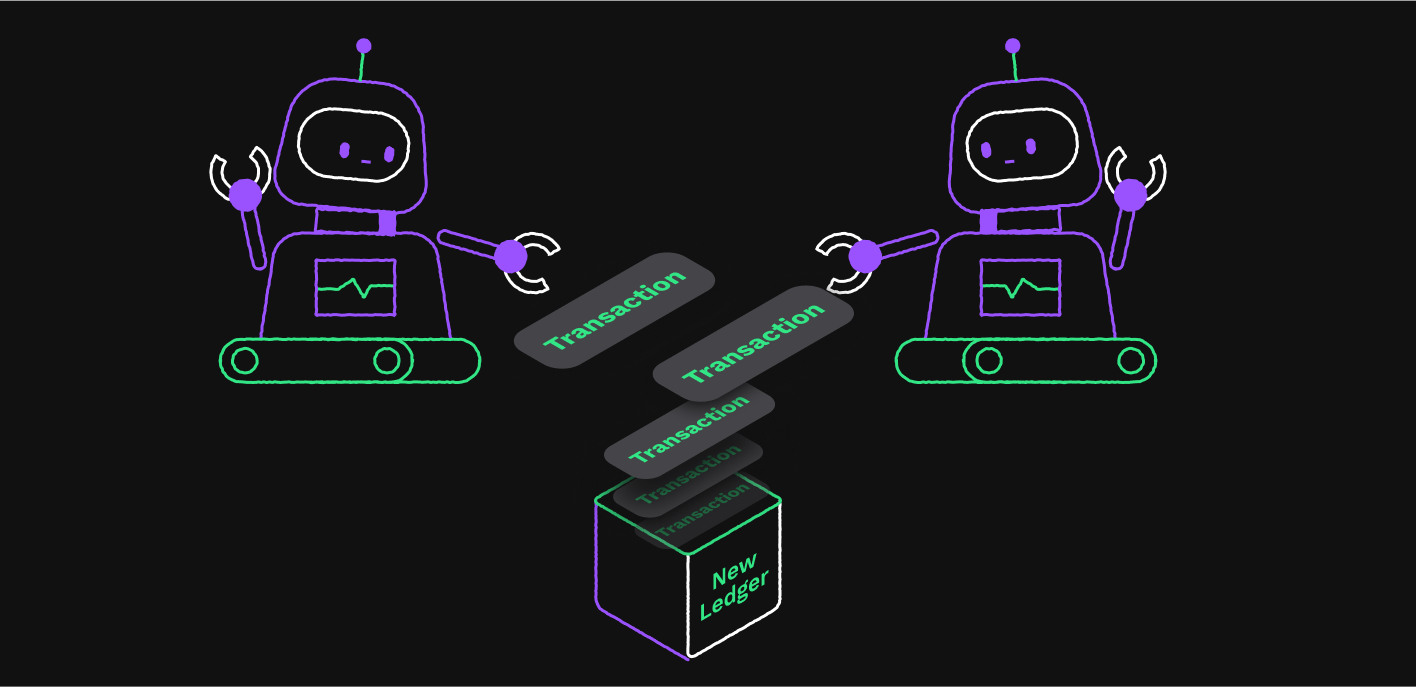
When 80% of the validators approve a current set of proposed transactions, they are recorded as part of the permanent ledger. The rippled server returns the results of the transaction you sent.
For more information on Transactions, see [Transactions](https://xrpl.org/docs/concepts/transactions)
.
[](https://xrpl.org/docs/introduction/transactions-and-requests#how-do-requests-work)
How Do Requests Work?
---------------------------------------------------------------------------------------------------------------
Requests are used to get information from the ledger, but they do not make changes to the ledger. The information is freely available to anyone to view, so there is no need to sign in with your account information.
The fields you send vary with the type of information you request. They typically have several optional fields, but only a few required fields.
When you submit your request, it might be processed by a rippled server or by a Clio server, a server that is dedicated to responding to requests.

Clio servers take some of the load off the other rippled servers on the XRPL to improve processing speed and reliability.
This is a sample request in JSON format. This request gets the current account information for the account number you provide.
{
"command": "account\_info",
"account": "rG1QQv2nh2gr7RCZ1P8YYcBUKCCN633jCn"
}
The request returns a wealth of information. Here is an example response for an account information request in JSON format.
{
"result": {
"account\_data": {
"Account": "rG1QQv2nh2gr7RCZ1P8YYcBUKCCN633jCn",
"Balance": "999999999960",
"Flags": 8388608,
"LedgerEntryType": "AccountRoot",
"OwnerCount": 0,
"PreviousTxnID": "4294BEBE5B569A18C0A2702387C9B1E7146DC3A5850C1E87204951C6FDAA4C42",
"PreviousTxnLgrSeq": 3,
"Sequence": 6,
"index": "92FA6A9FC8EA6018D5D16532D7795C91BFB0831355BDFDA177E86C8BF997985F"
},
"ledger\_current\_index": 4,
"queue\_data": {
"auth\_change\_queued": true,
"highest\_sequence": 10,
"lowest\_sequence": 6,
"max\_spend\_drops\_total": "500",
"transactions": \[\
{\
"auth\_change": false,\
"fee": "100",\
"fee\_level": "2560",\
"max\_spend\_drops": "100",\
"seq": 6\
},\
... (trimmed for length) ...\
{\
"LastLedgerSequence": 10,\
"auth\_change": true,\
"fee": "100",\
"fee\_level": "2560",\
"max\_spend\_drops": "100",\
"seq": 10\
}\
\],
"txn\_count": 5
},
"status": "success",
"validated": false
}
}
For information on the fields in an Account record, see [Accounts](https://xrpl.org/docs/concepts/accounts)
.
Next: [Software Ecosystem](https://xrpl.org/docs/introduction/software-ecosystem)
#### Was this helpful?
Previous page[Crypto Wallets](https://xrpl.org/docs/introduction/crypto-wallets)
Next page[Software Ecosystem](https://xrpl.org/docs/introduction/software-ecosystem)
Ask AI
---
# References
[Skip to content](https://xrpl.org/docs/references#content)
Documentation
[References](https://xrpl.org/docs/references)
[Introduction](https://xrpl.org/docs/introduction)
[Use Cases](https://xrpl.org/docs/use-cases)
[Concepts](https://xrpl.org/docs/concepts)
[Tutorials](https://xrpl.org/docs/tutorials)
[Infrastructure](https://xrpl.org/docs/infrastructure)
/[References](https://xrpl.org/docs/references)
Last updated 7 months ago
[Edit](https://github.com/XRPLF/xrpl-dev-portal/tree/master/docs/references/index.md)
[](https://xrpl.org/docs/references#references)
References
Copy
* Copy for LLM
Copy page as Markdown for LLMs
* [View as Markdown\
\
Open this page as Markdown](https://xrpl.org/docs/references.md)
* [Open in ChatGPT\
\
Get insights from ChatGPT](https://chat.openai.com/?q=Read+https%3A%2F%2Fxrpl.org%2Fdocs%2Freferences.md+and+answer+questions+based+on+the+content.)
* [Open in Claude\
\
Get insights from Claude](https://claude.ai/new?q=Read+https%3A%2F%2Fxrpl.org%2Fdocs%2Freferences.md+and+answer+questions+based+on+the+content.)
* Connect to Cursor
Install MCP server on Cursor
* Connect to VS Code
Install MCP server on VS Code
=================================================================================================================================================================================================================================================================================================================================================================================================================================================================================================================================================================================================================================================================================================================================================================
The XRP Ledger References provides reference documentation for the XRP Ledger protocol, API methods, and more.
[](https://xrpl.org/docs/references#client-libraries)
Client Libraries
--------------------------------------------------------------------------
Use these libraries to access the XRP Ledger from your programming language of choice.
[\
\
#### JavaScript / TypeScript\
\
xrpl.js - a JavaScript/TypeScript library](https://js.xrpl.org/)
[\
\
#### Python\
\
xrpl.py - a pure Python library](https://xrpl-py.readthedocs.io/)
[\
\
#### Go\
\
xrpl.go - a pure Go library](https://pkg.go.dev/github.com/Peersyst/xrpl-go)
[\
\
#### Java\
\
xrpl4j - a pure Java library](https://javadoc.io/doc/org.xrpl/)
[See more...](https://xrpl.org/docs/references/client-libraries/)
[](https://xrpl.org/docs/references#xrp-ledger-protocol-reference)
XRP Ledger Protocol Reference
----------------------------------------------------------------------------------------------------
[#### Basic Data Types\
\
Format and meaning of fundamental data types.](https://xrpl.org/docs/references/protocol/data-types/basic-data-types)
[#### Ledger Data Formats\
\
Learn about individual entries that comprise the XRP Ledger's shared state data.](https://xrpl.org/docs/references/protocol/ledger-data)
[#### Transaction Reference\
\
Definitions for all the protocol's transaction types and their results.](https://xrpl.org/docs/references/protocol/transactions)
[#### Binary Format\
\
Conversion between JSON and canonical binary format for XRP Ledger transactions and other objects.](https://xrpl.org/docs/references/protocol/binary-format)
[](https://xrpl.org/docs/references#http--websocket-apis)
HTTP / WebSocket APIs
-----------------------------------------------------------------------------------
[#### API Conventions\
\
Describes data types and formats of the HTTP APIs (JSON-RPC and WebSocket) as implemented in the rippled server.](https://xrpl.org/docs/references/http-websocket-apis/api-conventions)
[#### Public API Methods\
\
Public API methods for use by any client attached to the server.](https://xrpl.org/docs/references/http-websocket-apis/public-api-methods)
[#### Admin API Methods\
\
Admin methods for trusted personnel in charge of keeping the rippled server operational.](https://xrpl.org/docs/references/http-websocket-apis/admin-api-methods)
[#### Peer Port Methods\
\
Special API methods for sharing network topology and status metrics, served on the XRPL Peer Protocol port.](https://xrpl.org/docs/references/http-websocket-apis/peer-port-methods)
[](https://xrpl.org/docs/references#xrp-ledgertoml-file)
xrp-ledger.toml File
---------------------------------------------------------------------------------
The xrp-ledger.toml file provides machine-readable information about your usage of the XRP Ledger to other XRP Ledger users.
* [**Serving the File**](https://xrpl.org/docs/references/xrp-ledger-toml/#serving-the-file)
* [**Contents**](https://xrpl.org/docs/references/xrp-ledger-toml/#contents)
* [**CORS Setup**](https://xrpl.org/docs/references/xrp-ledger-toml/#cors-setup)
* [**Domain Verification**](https://xrpl.org/docs/references/xrp-ledger-toml/#domain-verification)
* [**Account Verification**](https://xrpl.org/docs/references/xrp-ledger-toml/#account-verification)
#### Was this helpful?
Previous page[Test Pre-Release Transaction Types](https://xrpl.org/docs/tutorials/advanced-developer-topics/protocol-development/testing-devnet-features)
Next page[XRP Ledger Protocol Reference](https://xrpl.org/docs/references/protocol)
Ask AI
---
# Client Libraries
[Skip to content](https://xrpl.org/docs/references/client-libraries#content)
[Documentation](https://xrpl.org/docs)
/
References
[Client Libraries](https://xrpl.org/docs/references/client-libraries)
[XRP Ledger Protocol Reference](https://xrpl.org/docs/references/protocol)
[HTTP / WebSocket APIs](https://xrpl.org/docs/references/http-websocket-apis)
[xrp-ledger.toml File](https://xrpl.org/docs/references/xrp-ledger-toml)
/[Client Libraries](https://xrpl.org/docs/references/client-libraries)
Last updated 7 months ago
[Edit](https://github.com/XRPLF/xrpl-dev-portal/tree/master/docs/references/client-libraries.md)
[](https://xrpl.org/docs/references/client-libraries#client-libraries)
Client Libraries
Copy
* Copy for LLM
Copy page as Markdown for LLMs
* [View as Markdown\
\
Open this page as Markdown](https://xrpl.org/docs/references/client-libraries.md)
* [Open in ChatGPT\
\
Get insights from ChatGPT](https://chat.openai.com/?q=Read+https%3A%2F%2Fxrpl.org%2Fdocs%2Freferences%2Fclient-libraries.md+and+answer+questions+based+on+the+content.)
* [Open in Claude\
\
Get insights from Claude](https://claude.ai/new?q=Read+https%3A%2F%2Fxrpl.org%2Fdocs%2Freferences%2Fclient-libraries.md+and+answer+questions+based+on+the+content.)
* Connect to Cursor
Install MCP server on Cursor
* Connect to VS Code
Install MCP server on VS Code
=====================================================================================================================================================================================================================================================================================================================================================================================================================================================================================================================================================================================================================================================================================================================================================================================================================================================
These client libraries simplify some of the common work of accessing and processing XRP Ledger data, and present it in a form that matches with the native conventions of their respective programming languages.
* To stay up-to-date on JavaScript/TypeScript and Python library updates, join the [xrpl-announce mailing list](https://groups.google.com/g/xrpl-announce)
.
* For other programming languages, you can access the XRP Ledger through the [HTTP APIs](https://xrpl.org/docs/references/http-websocket-apis)
.
| Language | Library Name | Get Started | API Reference | Source Code |
| --- | --- | --- | --- | --- |
| **Python** | `xrpl-py` | [Get Started Using Python](https://xrpl.org/docs/tutorials/get-started/get-started-python) | [API Reference](https://xrpl-py.readthedocs.io/) | [Repo](https://github.com/XRPLF/xrpl-py) |
| **Go** | `xrpl-go` | [Get Started Using Go](https://xrpl.org/docs/tutorials/get-started/get-started-go) | [API Reference](https://pkg.go.dev/github.com/Peersyst/xrpl-go) | [Repo](https://github.com/Peersyst/xrpl-go) |
| **JavaScript** / **TypeScript** | `xrpl.js` | [Get Started](https://xrpl.org/docs/tutorials/get-started/get-started-javascript) | [API Reference](https://js.xrpl.org/) | [Repo](https://github.com/XRPLF/xrpl.js) |
| **JavaScript** / **TypeScript** | `xrpl-client` | [Get Started](https://jsfiddle.net/WietseWind/35az6p1b/) | [NPM Reference](https://www.npmjs.com/package/xrpl-client) | [Repo](https://github.com/XRPL-Labs/xrpl-client) |
| **JavaScript** / **TypeScript** | `xrpl-accountlib` | [Get Started](https://jsfiddle.net/WietseWind/gkefpnu0/) | [NPM Reference](https://www.npmjs.com/package/xrpl-accountlib) | [Repo](https://github.com/WietseWind/xrpl-accountlib) |
| **C++** | `rippled` Signing Library | [Get Started](https://github.com/XRPLF/rippled/tree/develop/Builds/linux#signing-library) | | (Part of [`rippled`](https://github.com/XRPLF/rippled/) ) |
| **Java** | `xrpl4j` | [Get Started Using Java](https://xrpl.org/docs/tutorials/get-started/get-started-java) | [API Reference](https://javadoc.io/doc/org.xrpl/) | [Repo](https://github.com/XRPLF/xrpl4j) |
| **PHP** | `XRPL_PHP` | [Get Started Using PHP](https://xrpl.org/docs/tutorials/get-started/get-started-php) | [XRPL\_PHP Docs](https://alexanderbuzz.github.io/xrpl-php-docs/) | [Repo](https://github.com/AlexanderBuzz/xrpl-php) |
| **Ruby** | `XRPB` | | [XRPB Docs](https://www.rubydoc.info/gems/xrbp) | [Repo](https://github.com/DevNullProd/XRBP) |
#### Was this helpful?
Previous page[Binary Format](https://xrpl.org/docs/references/protocol/binary-format)
Next page[Migration Guide for ripple-lib 1.x to xrpl.js 2.x](https://xrpl.org/docs/references/xrpljs2-migration-guide)
Ask AI
---
# Crypto Wallets
[Skip to content](https://xrpl.org/docs/introduction/crypto-wallets#content)
[Documentation](https://xrpl.org/docs)
/
Introduction
* Crypto Wallets
[What is the XRP Ledger?](https://xrpl.org/docs/introduction/what-is-the-xrp-ledger)
[What is XRP?](https://xrpl.org/docs/introduction/what-is-xrp)
[Transactions and Requests](https://xrpl.org/docs/introduction/transactions-and-requests)
[Software Ecosystem](https://xrpl.org/docs/introduction/software-ecosystem)
/
Crypto Wallets
Last updated 8 months ago
[Edit](https://github.com/XRPLF/xrpl-dev-portal/tree/master/docs/introduction/crypto-wallets.md)
[](https://xrpl.org/docs/introduction/crypto-wallets#crypto-wallets)
Crypto Wallets
Copy
* Copy for LLM
Copy page as Markdown for LLMs
* [View as Markdown\
\
Open this page as Markdown](https://xrpl.org/docs/introduction/crypto-wallets.md)
* [Open in ChatGPT\
\
Get insights from ChatGPT](https://chat.openai.com/?q=Read+https%3A%2F%2Fxrpl.org%2Fdocs%2Fintroduction%2Fcrypto-wallets.md+and+answer+questions+based+on+the+content.)
* [Open in Claude\
\
Get insights from Claude](https://claude.ai/new?q=Read+https%3A%2F%2Fxrpl.org%2Fdocs%2Fintroduction%2Fcrypto-wallets.md+and+answer+questions+based+on+the+content.)
* Connect to Cursor
Install MCP server on Cursor
* Connect to VS Code
Install MCP server on VS Code
=================================================================================================================================================================================================================================================================================================================================================================================================================================================================================================================================================================================================================================================================================================================================================================================================================================================
Crypto wallets provide a way to manage your account and funds on the XRP Ledger. There are many wallets to choose from. Choosing the right wallet ultimately comes down to your needs and comfort working with XRP.
[](https://xrpl.org/docs/introduction/crypto-wallets#custodial-vs-non-custodial-wallets)
Custodial vs Non-custodial Wallets
-------------------------------------------------------------------------------------------------------------------------------
A major factor when choosing a wallet is if you want a custodial or non-custodial wallet.
A custodial wallet means a third party holds your funds, typically on an account they manage on the XRP Ledger. A custodial wallet can be thought of like a bank, where you're trusting another entity to keep your money secure. Many centralized exchanges offer custodial wallets, so when you create an account with them and use their app, you don't technically have an account on the ledger.
For day-to-day payments, this may be preferable, since these types of wallets are user-friendly: if you forget your password, you can typically have it reset. Also, if you don't have an individual XRP Ledger account, the ledger's reserve requirement doesn't apply to you. The custodian acts a buffer to any issues you run into on the XRP Ledger, and may offer support or assistance if you're not sure how to do something.
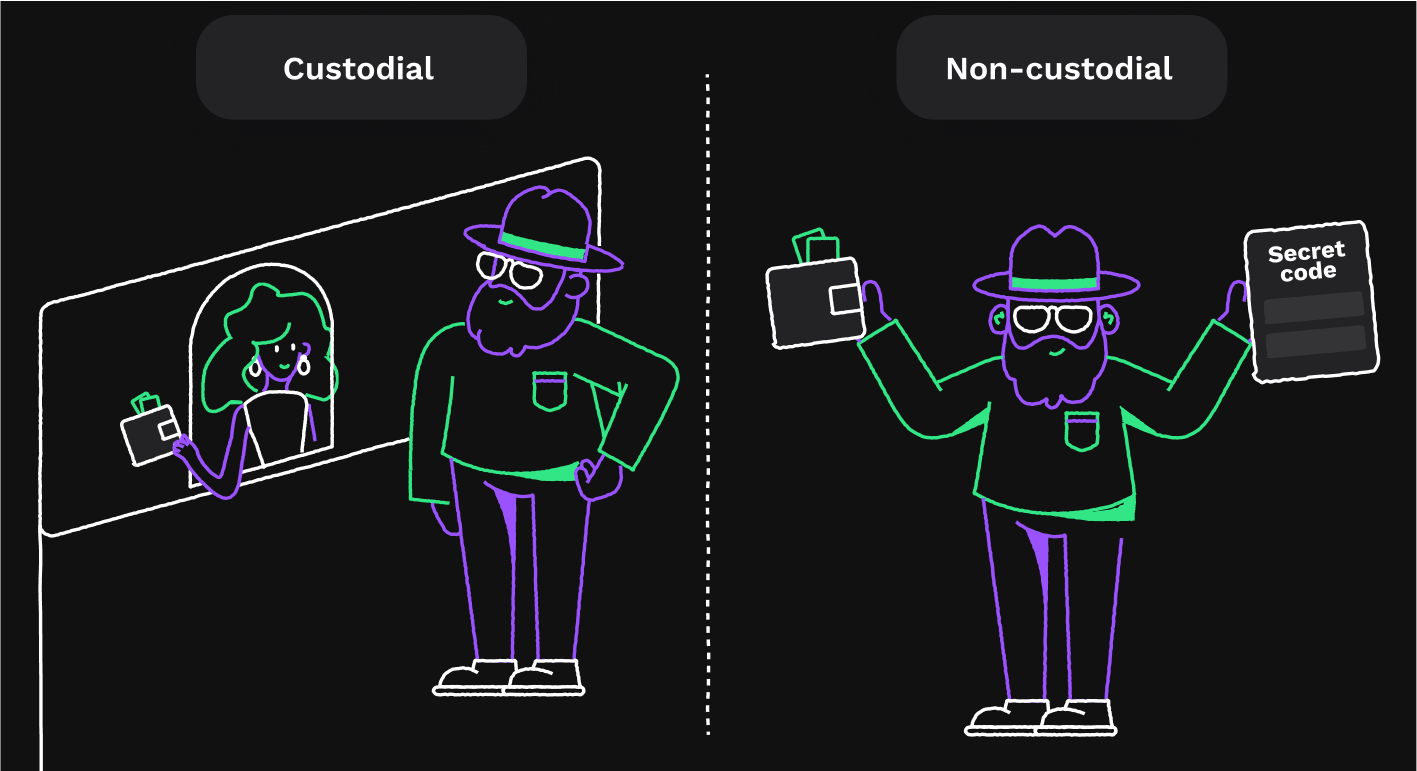
A non-custodial wallet, such as [Xaman](https://xaman.app/)
, is one where you have the secret keys to your account. This means you're ultimately responsible for managing the security of your account.
Caution
If you lose your keys, you are locked out of your XRP Ledger account and there are no recovery options.
Non-custodial wallets allow more freedom. Since you're interacting directly with the XRP Ledger yourself, you can handle any type of transaction you want without anyone restricting your options. If the ledger allows it, you can do it. Non-custodial wallets also don't require you to trust an institution with your money, which can insulate you from market factors outside your control.
Users of both custodial and non-custodial wallets have to protect themselves from malicious users who might try to steal their funds. With a custodial wallet, you have to manage your login and password to the app or site; with a non-custodial wallet, you have to manage your secret keys to your on-ledger account. In both cases, the wallet provider's own security practices are also important to protect you from vulnerabilities like supply-chain attacks, where an attacker loads malicious code into the wallet through software updates or dependencies. However, custodial wallets can be a bigger target for attackers since they have immediate access to multiple customers' funds.
[](https://xrpl.org/docs/introduction/crypto-wallets#hardware-vs-software-wallets)
Hardware vs Software Wallets
-------------------------------------------------------------------------------------------------------------------
Another deciding factor when choosing a wallet is picking between a hardware or software wallet.
Hardware wallets are physical devices that store your private/secret keys. The main benefit of using hardware wallets is that you can secure your information by disconnecting it from the internet when it's not in use; hardware wallets totally isolate your keys from easier-to-hack computers or smartphones.
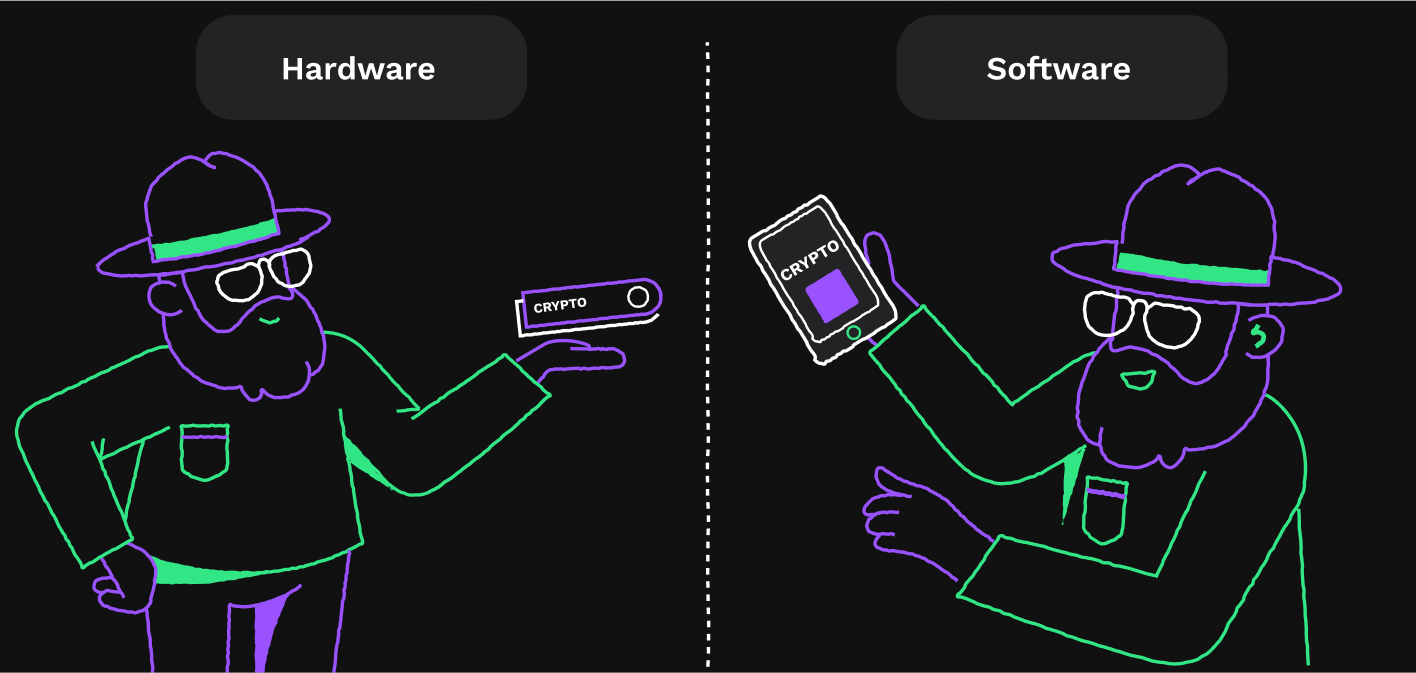
Software wallets on the other hand, are entirely digital. While this makes them easier to use, it also makes them the less secure method of the two, but they usually come with additional features to enhance your experience. Ultimately, the decision between the two will come down to your comfort level and how important ease-of-use is to you.
[](https://xrpl.org/docs/introduction/crypto-wallets#creating-your-own-wallet)
Creating Your Own Wallet
-----------------------------------------------------------------------------------------------------------
The XRP Ledger is an opensource project with publicly available client libraries and API methods. While you can technically interact with the ledger using HTTP/WebSocket tools, it isn't practical for day-to-day use. You can create your own wallet to interact with the ledger, but you'll need to understand exactly how accounts, transactions, and the ledger work together before committing to this option.
Next: [Transactions and Requests](https://xrpl.org/docs/introduction/transactions-and-requests)
[](https://xrpl.org/docs/introduction/crypto-wallets#see-also)
See Also
---------------------------------------------------------------------------
For more information on which wallets are supported on the XRP Ledger, see [Wallets](https://xrpl.org/about/xrp#wallets)
.
#### Was this helpful?
Previous page[What is XRP?](https://xrpl.org/docs/introduction/what-is-xrp)
Next page[Transactions and Requests](https://xrpl.org/docs/introduction/transactions-and-requests)
Ask AI
---
# Migration Guide for ripple-lib 1.x to xrpl.js 2.x
[Skip to content](https://xrpl.org/docs/references/xrpljs2-migration-guide#content)
[Documentation](https://xrpl.org/docs)
/
...
[References](https://xrpl.org/docs/references)
[Client Libraries](https://xrpl.org/docs/references/client-libraries)
/
JavaScript / TypeScript C...
/
Migration Guide for rippl...
Last updated 1 year ago
[Edit](https://github.com/XRPLF/xrpl-dev-portal/tree/master/docs/references/xrpljs2-migration-guide.md)
[](https://xrpl.org/docs/references/xrpljs2-migration-guide#migration-guide-for-ripple-lib-1x-to-xrpljs-2x)
Migration Guide for ripple-lib 1.x to xrpl.js 2.x
Copy
* Copy for LLM
Copy page as Markdown for LLMs
* [View as Markdown\
\
Open this page as Markdown](https://xrpl.org/docs/references/xrpljs2-migration-guide.md)
* [Open in ChatGPT\
\
Get insights from ChatGPT](https://chat.openai.com/?q=Read+https%3A%2F%2Fxrpl.org%2Fdocs%2Freferences%2Fxrpljs2-migration-guide.md+and+answer+questions+based+on+the+content.)
* [Open in Claude\
\
Get insights from Claude](https://claude.ai/new?q=Read+https%3A%2F%2Fxrpl.org%2Fdocs%2Freferences%2Fxrpljs2-migration-guide.md+and+answer+questions+based+on+the+content.)
* Connect to Cursor
Install MCP server on Cursor
* Connect to VS Code
Install MCP server on VS Code
================================================================================================================================================================================================================================================================================================================================================================================================================================================================================================================================================================================================================================================================================================================================================================================================================================================================================================================================================
Follow these instructions to migrate JavaScript / TypeScript code using the **ripple-lib** (1.x) library to use the **xrpl.js** (2.x) library for the XRP Ledger instead.
Tip
You can still access [documentation for the legacy 1.x "RippleAPI"](https://github.com/XRPLF/xrpl.js/blob/1.x/docs/index.md)
if necessary.
[](https://xrpl.org/docs/references/xrpljs2-migration-guide#high-level-differences)
High-Level Differences
--------------------------------------------------------------------------------------------------------------
Many fields and functions have "new" names in xrpl.js v2.0; or more accurately, xrpl.js now uses the same names as the [HTTP / WebSocket APIs](https://xrpl.org/docs/references/http-websocket-apis)
. Structures that were unique to ripple-lib such as an `orderCancellation` object are gone; in their place the library uses the XRP Ledger's native [transaction types](https://xrpl.org/docs/references/protocol/transactions/types)
like "OfferCancel". Many API methods that return these structures in ripple-lib 1.x are gone; with 2.0, you make requests and get responses in the same format as in the WebSocket API.
The catch-all `RippleAPI` class from ripple-lib 1.x is also gone. With xrpl.js 2.x, there's a `Client` class to handle network operations, and all other operations are strictly offline. There's a new `Wallet` class for addresses & keys, and other classes and properties under the top-level `xrpl` object.
[](https://xrpl.org/docs/references/xrpljs2-migration-guide#boilerplate-comparison)
Boilerplate Comparison
--------------------------------------------------------------------------------------------------------------
**ripple-lib 1.10.0:**
const ripple = require('ripple-lib');
(async function() {
const api = new ripple.RippleAPI({
server: 'wss://xrplcluster.com'
});
await api.connect();
// Your code here
api.disconnect();
})();
**xrpl.js 2.0.0:**
const xrpl = require("xrpl");
(async function() {
const client = new xrpl.Client('wss://xrplcluster.com');
await client.connect();
// Your code here
client.disconnect();
})();
[](https://xrpl.org/docs/references/xrpljs2-migration-guide#validated-results)
Validated Results
----------------------------------------------------------------------------------------------------
By default, most methods in ripple-lib 1.x only returned results that were validated by the [consensus process](https://xrpl.org/docs/concepts/consensus-protocol)
and therefore final. The xrpl.js equivalents of many methods use the [`Client.request()` method](https://js.xrpl.org/classes/Client.html#request)
to call the WebSocket API, where the XRP Ledger server's default settings often use the current (pending) ledger to serve data which is not final.
Sometimes you want to use the current open ledger because it has the pending results of many transactions that are likely to succeed, such as when looking up the state of the [decentralized exchange](https://xrpl.org/docs/concepts/tokens/decentralized-exchange)
. In other cases, you want to use a validated ledger, which only incorporates the results of transactions that are finalized.
When making API requests with xrpl.js 2.0 using `Client.request()`, you should explicitly [specify what ledger to use](https://xrpl.org/docs/references/protocol/data-types/basic-data-types#specifying-ledgers)
. For example, to look up trust lines using the latest _validated ledger_:
**ripple-lib 1.x:**
const trustlines = await api.getTrustlines("rf1BiGeXwwQoi8Z2ueFYTEXSwuJYfV2Jpn")
console.log(trustlines)
**xrpl.js 2.0:**
const trustlines = await client.request({
"command": "account\_lines",
"account": "rf1BiGeXwwQoi8Z2ueFYTEXSwuJYfV2Jpn",
"ledger\_index": "validated"
})
console.log(trustlines.result)
[](https://xrpl.org/docs/references/xrpljs2-migration-guide#transaction-submission)
Transaction Submission
--------------------------------------------------------------------------------------------------------------
In xrpl.js, there are specific helper functions for signing and submitting transactions and waiting for the XRP Ledger blockchain to confirm those transactions' final outcomes:
* Use `submitAndWait()` to submit a transaction and wait for its [final outcome](https://xrpl.org/docs/concepts/transactions/finality-of-results)
. If the transaction becomes validated, this resolves to a [tx method](https://xrpl.org/docs/references/http-websocket-apis/public-api-methods/transaction-methods/tx)
response; otherwise, it raises an exception. An exception does not guarantee that the transaction was not validated. For example, if the server has a [ledger gap](https://xrpl.org/docs/concepts/transactions/reliable-transaction-submission#ledger-gaps)
, then the transaction could have been validated in that gap.
* Use `submit()` to submit and return immediately. This resolves to a [submit method](https://xrpl.org/docs/references/http-websocket-apis/public-api-methods/transaction-methods/submit)
response, which shows the preliminary (non-final) result. This method only raises an exception if there was a problem sending the transaction to the XRP Ledger server.
For both methods, you can pass a signed transaction to the method directly, or you can sign the transaction right before submitting, by passing prepared transaction instructions and a [`Wallet` instance](https://xrpl.org/docs/references/xrpljs2-migration-guide#keys-and-wallets)
.
const tx\_json = await client.autofill({
"TransactionType": "AccountSet",
"Account": wallet.address, // "wallet" is an instance of the Wallet class
"SetFlag": xrpl.AccountSetAsfFlags.asfRequireDest
})
try {
const submit\_result = await client.submitAndWait(tx\_json, wallet)
// submitAndWait() doesn't return until the transaction has a final result.
// Raises XrplError if the transaction doesn't get confirmed by the network.
// Does not handle disaster recovery.
console.log("Transaction result:", submit\_result)
} catch(err) {
console.log("Error submitting transaction:", err)
}
Alternatively, you can use the `sign` method of a wallet to sign a transaction and then use `submitAndWait(tx_blob)` to submit it. This can be useful for building [reliable transaction submission](https://xrpl.org/docs/concepts/transactions/reliable-transaction-submission)
that can recover from power outages and other disasters. (The library does not handle disaster recovery on its own.)
###
[](https://xrpl.org/docs/references/xrpljs2-migration-guide#controlling-lastledgersequence)
Controlling LastLedgerSequence
In ripple-lib 1.x, you could specify a `instructions.maxLedgerVersionOffset` when preparing a transaction to define the `LastLedgerSequence` parameter of the prepared transaction as being some number of ledgers _after_ the latest validated one at the time. In 2.0, you can do this by looking up the latest validated ledger index, then specifying the `LastLedgerSequence` explicitly before auto-filling the transaction.
**xrpl.js 2.0:**
const vli = await client.getLedgerIndex()
const prepared = await client.autofill({
"TransactionType": "Payment",
"Account": sender,
"Amount": xrpl.xrpToDrops("50.2"),
"Destination": "rPT1Sjq2YGrBMTttX4GZHjKu9dyfzbpAYe",
"LastLedgerSequence": vli+75 // gives ~5min, rather than the default ~1min
})
Like the old prepare methods, `Client.autofill()` provides a reasonable `LastLedgerSequence` value by default. To prepare a transaction _without_ a `LastLedgerSequence` field, provide a `LastLedgerSequence` with the value `null`:
const prepared = await client.autofill({
"TransactionType": "Payment",
"Account": sender,
"Amount": xrpl.xrpToDrops("50.2"),
"Destination": "rPT1Sjq2YGrBMTttX4GZHjKu9dyfzbpAYe",
"LastLedgerSequence": null // Transaction never expires
})
[](https://xrpl.org/docs/references/xrpljs2-migration-guide#keys-and-wallets)
Keys and Wallets
--------------------------------------------------------------------------------------------------
xrpl.js 2.0 introduces a new [`Wallet` class](https://js.xrpl.org/classes/Wallet.html)
for managing [cryptographic keys](https://xrpl.org/docs/concepts/accounts/cryptographic-keys)
and signing transactions. This replaces functions that took seed or secret values in ripple-lib 1.x, and handles various address encoding and generation tasks as well.
###
[](https://xrpl.org/docs/references/xrpljs2-migration-guide#generating-keys)
Generating Keys
**ripple-lib 1.x:**
const api = new RippleAPI()
const {address, secret} \= api.generateAddress({algorithm: "ed25519"})
console.log(address, secret)
// rJvMQ3cwtyrNpVJDTW4pZzLnGeovHcdE6E s████████████████████████████
**xrpl.js 2.0:**
const wallet = xrpl.Wallet.generate("ed25519")
console.log(wallet)
// Wallet {
// publicKey: 'ED872A4099B61B0C187C6A27258F49B421AC384FBAD23F31330E666A5F50E0ED7E',
// privateKey: 'ED224D2BDCF6382030C7612654D2118C5CEE16344C81CB36EC7A01EC7D95C5F737',
// classicAddress: 'rMV3CPSXAdRpW96bvvnSu4zHTZ6ETBkQkd',
// seed: 's████████████████████████████'
// }
###
[](https://xrpl.org/docs/references/xrpljs2-migration-guide#deriving-from-seed-and-signing)
Deriving from Seed and Signing
**ripple-lib 1.x:**
const api = new RippleAPI()
const seed = 's████████████████████████████';
const keypair = api.deriveKeypair(seed)
const address = api.deriveAddress(keypair.publicKey)
const tx\_json = {
"Account": address,
"TransactionType":"Payment",
"Destination":"rPT1Sjq2YGrBMTttX4GZHjKu9dyfzbpAYe",
"Amount":"13000000",
"Flags":2147483648,
"LastLedgerSequence":7835923,
"Fee":"13",
"Sequence":2
}
const signed = api.sign(JSON.stringify(tx\_json), seed)
**xrpl.js 2.0:**
const wallet = xrpl.Wallet.fromSeed('s████████████████████████████')
const tx\_json = {
"Account": wallet.address,
"TransactionType":"Payment",
"Destination":"rPT1Sjq2YGrBMTttX4GZHjKu9dyfzbpAYe",
"Amount":"13000000",
"Flags":2147483648,
"LastLedgerSequence":7835923,
"Fee":"13",
"Sequence":2
}
const signed = wallet.sign(tx\_json)
[](https://xrpl.org/docs/references/xrpljs2-migration-guide#events-and-subscriptions)
Events and Subscriptions
------------------------------------------------------------------------------------------------------------------
In 1.x, you could subscribe to ledger events and API errors using the `.on()` method of the `RippleAPI` class; or you could subscribe to specific WebSocket message types using `.connection.on()`. These have been merged into the [`Client.on()` method](https://js.xrpl.org/classes/Client.html#on)
. Additionally, the client library no longer automatically subscribes to ledger close events when connecting to an XRP Ledger server. To get ledger close events, you still add a handler, but **you must also explicitly subscribe to the ledger stream**.
To subscribe to ledger close events, use `Client.request(method)` to call the [subscribe method](https://xrpl.org/docs/references/http-websocket-apis/public-api-methods/subscription-methods/subscribe)
with `"streams": ["ledger"]`. To attach event handlers, use `Client.on(event_type, callback)`. You can make these calls in either order.
The RippleAPI-specific `ledger` event type from 1.x has been removed; instead, use `ledgerClosed` events. These event messages contain the same data, but the format matches the [Ledger Stream](https://xrpl.org/docs/references/http-websocket-apis/public-api-methods/subscription-methods/subscribe#ledger-stream)
messages in the WebSocket API.
Example:
**ripple-lib 1.x:**
api.on("ledger", (ledger) \=> {
console.log(\`Ledger #${ledger.ledgerVersion} closed!
It contains ${ledger.transactionCount} transaction(s) and has
the ledger\_hash ${ledger.ledgerHash}.\`
)
})
// "ledger" events happen automatically while API is connected.
**xrpl.js 2.0:**
client.on("ledgerClosed", (ledger) \=> {
console.log(\`Ledger #${ledger.ledger\_index} closed!
It contains ${ledger.txn\_count} transaction(s) and has
the ledger\_hash ${ledger.ledger\_hash}.\`
)
})
// Must explicitly subscribe to the "ledger" stream to get "ledgerClosed" events
client.request({
"command": "subscribe",
"streams": \["ledger"\]
})
[](https://xrpl.org/docs/references/xrpljs2-migration-guide#reference-of-equivalents)
Reference of Equivalents
------------------------------------------------------------------------------------------------------------------
In ripple-lib 1.x all methods and properties were on instances of the `RippleAPI` class. In xrpl.js 2.x, some methods are static methods of the library and some methods belong to specific classes. In the following table, the notation `Client.method()` means that `method()` belongs to instances of the `Client` class.
**Note: The following table has 3 columns. You may need to scroll horizontally to see all the information.**
| RippleAPI instance method / property | xrpl.js method / property | Notes |
| --- | --- | --- |
| `new ripple.RippleAPI({server: url})` | [`new xrpl.Client(url)`](https://js.xrpl.org/classes/Client.html#constructor) | Use `xrpl.BroadcastClient([url1, url2, ..])` to connect to multiple servers. |
| `request(command, options)` | [`Client.request(options)`](https://js.xrpl.org/classes/Client.html#request) | The `command` field moved into the `options` object for consistency with the WebSocket API. In 1.x the return value of this method (when the Promise resolves) was only the `result` object. Now it returns the whole [WebSocket response format](https://xrpl.org/docs/references/http-websocket-apis/api-conventions/response-formatting) ; to get the equivalent value, read the `result` field of the return value. |
| `hasNextPage()` | [`xrpl.hasNextPage(response)`](https://js.xrpl.org/modules.html#hasNextPage) | See also: [`Client.requestNextPage()`](https://js.xrpl.org/classes/Client.html#requestNextPage) and [`Client.requestAll()`](https://js.xrpl.org/classes/Client.html#requestAll) |
| `requestNextPage()` | [`Client.requestNextPage()`](https://js.xrpl.org/classes/Client.html#requestNextPage) | |
| `computeBinaryTransactionHash()` | [`xrpl.hashes.hashTx()`](https://js.xrpl.org/modules.html#hashes) | |
| `classicAddressToXAddress()` | [`xrpl.classicAddressToXAddress()`](https://js.xrpl.org/modules.html#classicAddressToXAddress) | Now a static method on the module. |
| `xAddressToClassicAddress()` | [`xrpl.xAddressToClassicAddress()`](https://js.xrpl.org/modules.html#xAddressToClassicAddress) | Now a static method on the module. |
| `renameCounterpartyToIssuer(object)` | (Removed - see Notes column) | No longer needed because xrpl.js always uses `issuer` already. |
| `formatBidsAndAsks()` | (Removed - see Notes column) | No longer needed after changes to `getOrderbook()`. |
| `connect()` | [`Client.connect()`](https://js.xrpl.org/classes/Client.html#connect) | |
| `disconnect()` | [`Client.disconnect()`](https://js.xrpl.org/classes/Client.html#disconnect) | |
| `isConnected()` | [`Client.isConnected()`](https://js.xrpl.org/classes/Client.html#isConnected) | |
| `getServerInfo()` | (Removed - see Notes column) | Use [`Client.request()`](https://js.xrpl.org/classes/Client.html#request) to call the [server\_info method](https://xrpl.org/docs/references/http-websocket-apis/public-api-methods/server-info-methods/server_info) instead. |
| `getFee()` | (Removed - see Notes column) | Use [`Client.autofill()`](https://js.xrpl.org/classes/Client.html#autofill) to provide a sensible [transaction cost](https://xrpl.org/docs/concepts/transactions/transaction-cost) automatically, or use `Client.request({"command": "fee"})` to look up information about the current transaction cost (in _drops of XRP_). |
| `getLedgerVersion()` | [`Client.getLedgerIndex()`](https://js.xrpl.org/classes/Client.html#getLedgerIndex) | |
| `getTransaction()` | [`Client.request()`](https://js.xrpl.org/classes/Client.html#request) | Use [`Client.request()`](https://js.xrpl.org/classes/Client.html#request) to call the [tx method](https://xrpl.org/docs/references/http-websocket-apis/public-api-methods/transaction-methods/tx) instead. **Warning:** Unlike `getTransaction()`, the `tx` method can return [results that are not validated and final](https://xrpl.org/docs/references/xrpljs2-migration-guide#validated-results) . Be sure to look for `"validated": true` in the response object before taking action in response to a transaction. |
| `getTransactions()` | (Removed - see Notes column) | Use [`Client.request()`](https://js.xrpl.org/classes/Client.html#request) to call the [account\_tx method](https://xrpl.org/docs/references/http-websocket-apis/public-api-methods/account-methods/account_tx) instead. |
| `getTrustlines()` | (Removed - see Notes column) | Use [`Client.request()`](https://js.xrpl.org/classes/Client.html#request) to call [account\_lines method](https://xrpl.org/docs/references/http-websocket-apis/public-api-methods/account-methods/account_lines) instead. **Warning:** Unlike `getTrustlines()`, `account_lines` can return [results that are not validated and final](https://xrpl.org/docs/references/xrpljs2-migration-guide#validated-results) . |
| `getBalances()` | [`Client.getBalances()`](https://js.xrpl.org/classes/Client.html#getBalances) | |
| `getBalanceSheet()` | (Removed - see Notes column) | Use [`Client.getBalances()`](https://js.xrpl.org/classes/Client.html#getBalances) instead, or use [`Client.request()`](https://js.xrpl.org/classes/Client.html#request) to call the [gateway\_balances method](https://xrpl.org/docs/references/http-websocket-apis/public-api-methods/account-methods/gateway_balances) . |
| `getPaths()` | (Removed - see Notes column) | Use [`Client.request()`](https://js.xrpl.org/classes/Client.html#request) to call [ripple\_path\_find method](https://xrpl.org/docs/references/http-websocket-apis/public-api-methods/path-and-order-book-methods/ripple_path_find) instead. |
| `getOrders()` | (Removed - see Notes column) | Use [`Client.request()`](https://js.xrpl.org/classes/Client.html#request) to call the [account\_offers method](https://xrpl.org/docs/references/http-websocket-apis/public-api-methods/account-methods/account_offers) instead. |
| `getOrderbook()` | [`Client.getOrderbook()`](https://js.xrpl.org/classes/Client.html#getOrderbook) | |
| `getSettings()` | (Removed - see Notes column) | Use [`Client.request()`](https://js.xrpl.org/classes/Client.html#request) to call the [account\_info method](https://xrpl.org/docs/references/http-websocket-apis/public-api-methods/account-methods/account_info) instead. Use `xrpl.parseAccountRootFlags()` on the `Flags` field to get the boolean values of individual flag settings. **Warning:** Unlike `getSettings()`, `account_info` can return [results that are not validated and final](https://xrpl.org/docs/references/xrpljs2-migration-guide#validated-results) . |
| `getAccountInfo(address, options)` | (Removed - see Notes column) | Use [`Client.request()`](https://js.xrpl.org/classes/Client.html#request) to call the [account\_info method](https://xrpl.org/docs/references/http-websocket-apis/public-api-methods/account-methods/account_info) instead. **Warning:** Unlike `getAccountInfo()`, `account_info` can return [results that are not validated and final](https://xrpl.org/docs/references/xrpljs2-migration-guide#validated-results) . |
| `getAccountObjects(address, options)` | (Removed - see Notes column) | Use [`Client.request()`](https://js.xrpl.org/classes/Client.html#request) to call the [account\_objects method](https://xrpl.org/docs/references/http-websocket-apis/public-api-methods/account-methods/account_objects) instead. **Warning:** Unlike `getAccountObjects()`, `account_objects` can return [results that are not validated and final](https://xrpl.org/docs/references/xrpljs2-migration-guide#validated-results) . |
| `getPaymentChannel()` | (Removed - see Notes column) | Use [`Client.request()`](https://js.xrpl.org/classes/Client.html#request) to call the [ledger\_entry method](https://xrpl.org/docs/references/http-websocket-apis/public-api-methods/ledger-methods/ledger_entry#get-paychannel-object) instead. **Warning:** Unlike `getPaymentChannel()`, `ledger_entry` can return [results that are not validated and final](https://xrpl.org/docs/references/xrpljs2-migration-guide#validated-results) . |
| `getLedger()` | (Removed - see Notes column) | Use [`Client.request()`](https://js.xrpl.org/classes/Client.html#request) to call the [ledger method](https://xrpl.org/docs/references/http-websocket-apis/public-api-methods/ledger-methods/ledger) exactly. **Warning:** Unlike `getLedger()`, `ledger` can return [ledgers that are not validated and final](https://xrpl.org/docs/references/xrpljs2-migration-guide#validated-results) . |
| `parseAccountFlags()` | [`xrpl.parseAccountRootFlags()`](https://js.xrpl.org/modules.html#parseAccountRootFlags) | Now a static method on the module. |
| `prepareTransaction()` | [`Client.autofill()`](https://js.xrpl.org/classes/Client.html#autofill) | See [Transaction Submission](https://xrpl.org/docs/references/xrpljs2-migration-guide#transaction-submission) for details. |
| `preparePayment()` | (Removed - see Notes column) | Construct a [Payment transaction](https://xrpl.org/docs/references/protocol/transactions/types/payment) and use [`Client.autofill()`](https://js.xrpl.org/classes/Client.html#autofill) instead. |
| `prepareTrustline()` | (Removed - see Notes column) | Construct a [TrustSet transaction](https://xrpl.org/docs/references/protocol/transactions/types/trustset) and use [`Client.autofill()`](https://js.xrpl.org/classes/Client.html#autofill) instead. |
| `prepareOrder()` | (Removed - see Notes column) | Construct an [OfferCreate transaction](https://xrpl.org/docs/references/protocol/transactions/types/offercreate) and use [`Client.autofill()`](https://js.xrpl.org/classes/Client.html#autofill) instead. |
| `prepareOrderCancellation()` | (Removed - see Notes column) | Construct an [OfferCancel transaction](https://xrpl.org/docs/references/protocol/transactions/types/offercancel) and use [`Client.autofill()`](https://js.xrpl.org/classes/Client.html#autofill) and use [`Client.autofill()`](https://js.xrpl.org/classes/Client.html#autofill) instead. |
| `prepareSettings()` | (Removed - see Notes column) | For most settings, construct an [AccountSet transaction](https://xrpl.org/docs/references/protocol/transactions/types/accountset) instead. To rotate change a regular key, construct a [SetRegularKey transaction](https://xrpl.org/docs/references/protocol/transactions/types/setregularkey) . To add or update multi-signing settings, construct a [SignerListSet transaction](https://xrpl.org/docs/references/protocol/transactions/types/signerlistset) instead. In all three cases, use [`Client.autofill()`](https://js.xrpl.org/classes/Client.html#autofill) to prepare the transaction. |
| `prepareEscrowCreation()` | (Removed - see Notes column) | Construct an [EscrowCreate transaction](https://xrpl.org/docs/references/protocol/transactions/types/escrowcreate) and use [`Client.autofill()`](https://js.xrpl.org/classes/Client.html#autofill) instead. |
| `prepareEscrowCancellation()` | (Removed - see Notes column) | Construct an [EscrowCancel transaction](https://xrpl.org/docs/references/protocol/transactions/types/escrowcancel) and use [`Client.autofill()`](https://js.xrpl.org/classes/Client.html#autofill) instead. |
| `prepareEscrowExecution()` | (Removed - see Notes column) | Construct an [EscrowFinish transaction](https://xrpl.org/docs/references/protocol/transactions/types/escrowfinish) and use [`Client.autofill()`](https://js.xrpl.org/classes/Client.html#autofill) instead. |
| `preparePaymentChannelCreate()` | (Removed - see Notes column) | Construct a [PaymentChannelCreate transaction](https://xrpl.org/docs/references/protocol/transactions/types/paymentchannelcreate) and use [`Client.autofill()`](https://js.xrpl.org/classes/Client.html#autofill) instead. |
| `preparePaymentChannelClaim()` | (Removed - see Notes column) | Construct a [PaymentChannelClaim transaction](https://xrpl.org/docs/references/protocol/transactions/types/paymentchannelclaim) and use [`Client.autofill()`](https://js.xrpl.org/classes/Client.html#autofill) instead. |
| `preparePaymentChannelFund()` | (Removed - see Notes column) | Construct a [PaymentChannelFund transaction](https://xrpl.org/docs/references/protocol/transactions/types/paymentchannelfund) and use [`Client.autofill()`](https://js.xrpl.org/classes/Client.html#autofill) instead. |
| `prepareCheckCreate()` | (Removed - see Notes column) | Construct a [CheckCreate transaction](https://xrpl.org/docs/references/protocol/transactions/types/checkcreate) and use [`Client.autofill()`](https://js.xrpl.org/classes/Client.html#autofill) instead. |
| `prepareCheckCancel()` | (Removed - see Notes column) | Construct a [CheckCancel transaction](https://xrpl.org/docs/references/protocol/transactions/types/checkcancel) and use [`Client.autofill()`](https://js.xrpl.org/classes/Client.html#autofill) instead. |
| `prepareCheckCash()` | (Removed - see Notes column) | Construct a [CheckCash transaction](https://xrpl.org/docs/references/protocol/transactions/types/checkcash) and use [`Client.autofill()`](https://js.xrpl.org/classes/Client.html#autofill) instead. |
| `prepareTicketCreate()` | (Removed - see Notes column) | Construct a [TicketCreate transaction](https://xrpl.org/docs/references/protocol/transactions/types/ticketcreate) and use [`Client.autofill()`](https://js.xrpl.org/classes/Client.html#autofill) instead. |
| `sign()` | [`Wallet.sign()`](https://js.xrpl.org/classes/Wallet.html#sign) | See [Keys and Wallets](https://xrpl.org/docs/references/xrpljs2-migration-guide#keys-and-wallets) for details. |
| `combine()` | [`xrpl.multisign()`](https://js.xrpl.org/modules.html#multisign) | |
| `submit()` | [`Client.submit()`](https://js.xrpl.org/classes/Client.html#submit) | Reliable transaction submission is now also available; for details, see [Transaction Submission](https://xrpl.org/docs/references/xrpljs2-migration-guide#transaction-submission) . |
| `generateXAddress()` | [`xrpl.Wallet.generate()`](https://js.xrpl.org/classes/Wallet.html#generate) | Create a [`Wallet` instance](https://js.xrpl.org/classes/Wallet.html) with `xrpl.Wallet.generate()` then call `.getXAddress()` on the wallet instance to get an X-address. See [Keys and Wallets](https://xrpl.org/docs/references/xrpljs2-migration-guide#keys-and-wallets) for details. |
| `generateAddress()` | [`xrpl.Wallet.generate()`](https://js.xrpl.org/classes/Wallet.html#generate) | Creates a [`Wallet` instance](https://js.xrpl.org/classes/Wallet.html) . See [Keys and Wallets](https://xrpl.org/docs/references/xrpljs2-migration-guide#keys-and-wallets) for details. |
| `isValidAddress()` | [`xrpl.isValidAddress()`](https://js.xrpl.org/modules.html#isValidAddress) | Now a static method on the module. |
| `isValidSecret()` | [`xrpl.isValidSecret()`](https://js.xrpl.org/modules.html#isValidSecret) | Now a static method on the module. |
| `deriveKeypair()` | [`xrpl.deriveKeypair()`](https://js.xrpl.org/modules.html#deriveKeypair) | Now a static method on the module. |
| `deriveAddress()` | (Removed - see Notes column) | Use `xrpl.decodeXAddress()` to get an X-address from a public key, then use `xAddressToClassicAddress()` to get the classic address if necessary. |
| `generateFaucetWallet()` | [`Client.fundWallet()`](https://js.xrpl.org/classes/Client.html#fundWallet) | The `on_testnet` boolean has been removed; the library automatically picks the Devnet or Testnet faucet as appropriate for the network you're connected to. You can optionally provide a [`Wallet` instance](https://js.xrpl.org/classes/Wallet.html) to have the faucet fund/refill the associated address; otherwise, the method creates a new Wallet instance. The return value now resolves to an object in the form `{wallet: , balance: }` |
| `signPaymentChannelClaim()` | [`xrpl.signPaymentChannelClaim()`](https://js.xrpl.org/modules.html#signPaymentChannelClaim) | Now a static method on the module. |
| `verifyPaymentChannelClaim()` | [`xrpl.verifyPaymentChannelClaim()`](https://js.xrpl.org/modules.html#verifyPaymentChannelClaim) | Now a static method on the module. |
| `computeLedgerHash()` | [`xrpl.hashes.hashLedger()`](https://js.xrpl.org/modules.html#hashes) | |
| `xrpToDrops()` | [`xrpl.xrpToDrops()`](https://js.xrpl.org/modules.html#xrpToDrops) | Now a static method on the module. |
| `dropsToXrp()` | [`xrpl.dropsToXrp()`](https://js.xrpl.org/modules.html#dropsToXrp) | Now a static method on the module. |
| `iso8601ToRippleTime()` | [`xrpl.isoTimeToRippleTime()`](https://js.xrpl.org/modules.html#isoTimeToRippleTime) | Now a static method on the module. |
| `rippleTimeToISO8601()` | [`xrpl.rippleTimeToISOTime()`](https://js.xrpl.org/modules.html#rippleTimeToISOTime) | Now a static method on the module. You can also use the new method [`rippleTimeToUnixTime()`](https://js.xrpl.org/modules.html#rippleTimeToUnixTime) to get a UNIX-style timestamp in milliseconds since the UNIX epoch of 1970-01-01 00:00:00 UTC. |
| `txFlags.Universal.FullyCanonicalSig` | (Removed - see Notes column) | No longer needed following the [RequireFullyCanonicalSig amendment](https://xrpl.org/resources/known-amendments#requirefullycanonicalsig) . |
| `txFlags.Payment.NoRippleDirect` | `xrpl.PaymentFlags.tfNoDirectRipple` | |
| `txFlags.Payment.PartialPayment` | `xrpl.PaymentFlags.tfPartialPayment` | |
| `txFlags.Payment.LimitQuality` | `xrpl.PaymentFlags.tfLimitQuality` | |
| `txFlags.OfferCreate.Passive` | `xrpl.OfferCreateFlags.tfPassive` | |
| `txFlags.OfferCreate.ImmediateOrCancel` | `xrpl.OfferCreateFlags.tfImmediateOrCancel` | |
| `txFlags.OfferCreate.FillOrKill` | `xrpl.OfferCreateFlags.tfFillOrKill` | |
| `txFlags.OfferCreate.Sell` | `xrpl.OfferCreateFlags.tfSell` | |
| `accountSetFlags` | `xrpl.AccountSetAsfFlags` | Now an Enum at the module level. |
| `schemaValidator` | (Removed - see Notes column) | Use TypeScript to validate most types. |
| `schemaValidate()` | (Removed - see Notes column) | Use TypeScript to validate most types. You can also call `xrpl.validate(transaction)` to validate transaction objects. |
| `.on("ledger", callback)` | [`Client.on("ledgerClosed", callback)`](https://js.xrpl.org/classes/Client.html#on) | **Caution:** Must also subscribe to the ledger stream. For examples and details, see [Events and Subscriptions](https://xrpl.org/docs/references/xrpljs2-migration-guide#events-and-subscriptions) . |
| `.on("error", callback)` | [`Client.on("error", callback)`](https://js.xrpl.org/classes/Client.html#on) | |
| `.on("connected", callback)` | [`Client.on("connected", callback)`](https://js.xrpl.org/classes/Client.html#on) | |
| `.on("disconnected", callback)` | [`Client.on("connected", callback)`](https://js.xrpl.org/classes/Client.html#on) | |
#### Was this helpful?
Previous page[Client Libraries](https://xrpl.org/docs/references/client-libraries)
Next page[HTTP / WebSocket APIs](https://xrpl.org/docs/references/http-websocket-apis)
Ask AI
---
# Software Ecosystem
[Skip to content](https://xrpl.org/docs/introduction/software-ecosystem#content)
[Documentation](https://xrpl.org/docs)
/
Introduction
* Software Ecosystem
[What is the XRP Ledger?](https://xrpl.org/docs/introduction/what-is-the-xrp-ledger)
[What is XRP?](https://xrpl.org/docs/introduction/what-is-xrp)
[Crypto Wallets](https://xrpl.org/docs/introduction/crypto-wallets)
[Transactions and Requests](https://xrpl.org/docs/introduction/transactions-and-requests)
/
Software Ecosystem
Last updated 7 months ago
[Edit](https://github.com/XRPLF/xrpl-dev-portal/tree/master/docs/introduction/software-ecosystem.md)
[](https://xrpl.org/docs/introduction/software-ecosystem#software-ecosystem)
Software Ecosystem
Copy
* Copy for LLM
Copy page as Markdown for LLMs
* [View as Markdown\
\
Open this page as Markdown](https://xrpl.org/docs/introduction/software-ecosystem.md)
* [Open in ChatGPT\
\
Get insights from ChatGPT](https://chat.openai.com/?q=Read+https%3A%2F%2Fxrpl.org%2Fdocs%2Fintroduction%2Fsoftware-ecosystem.md+and+answer+questions+based+on+the+content.)
* [Open in Claude\
\
Get insights from Claude](https://claude.ai/new?q=Read+https%3A%2F%2Fxrpl.org%2Fdocs%2Fintroduction%2Fsoftware-ecosystem.md+and+answer+questions+based+on+the+content.)
* Connect to Cursor
Install MCP server on Cursor
* Connect to VS Code
Install MCP server on VS Code
=========================================================================================================================================================================================================================================================================================================================================================================================================================================================================================================================================================================================================================================================================================================================================================================================================================================================================
The XRP Ledger is home to a deep, layered ecosystem of software projects powering and enabling an Internet of Value. It's impossible to list every project, tool, and business that interacts with the XRP Ledger, so this page only lists a few categories and highlights some central projects that are documented on this website. 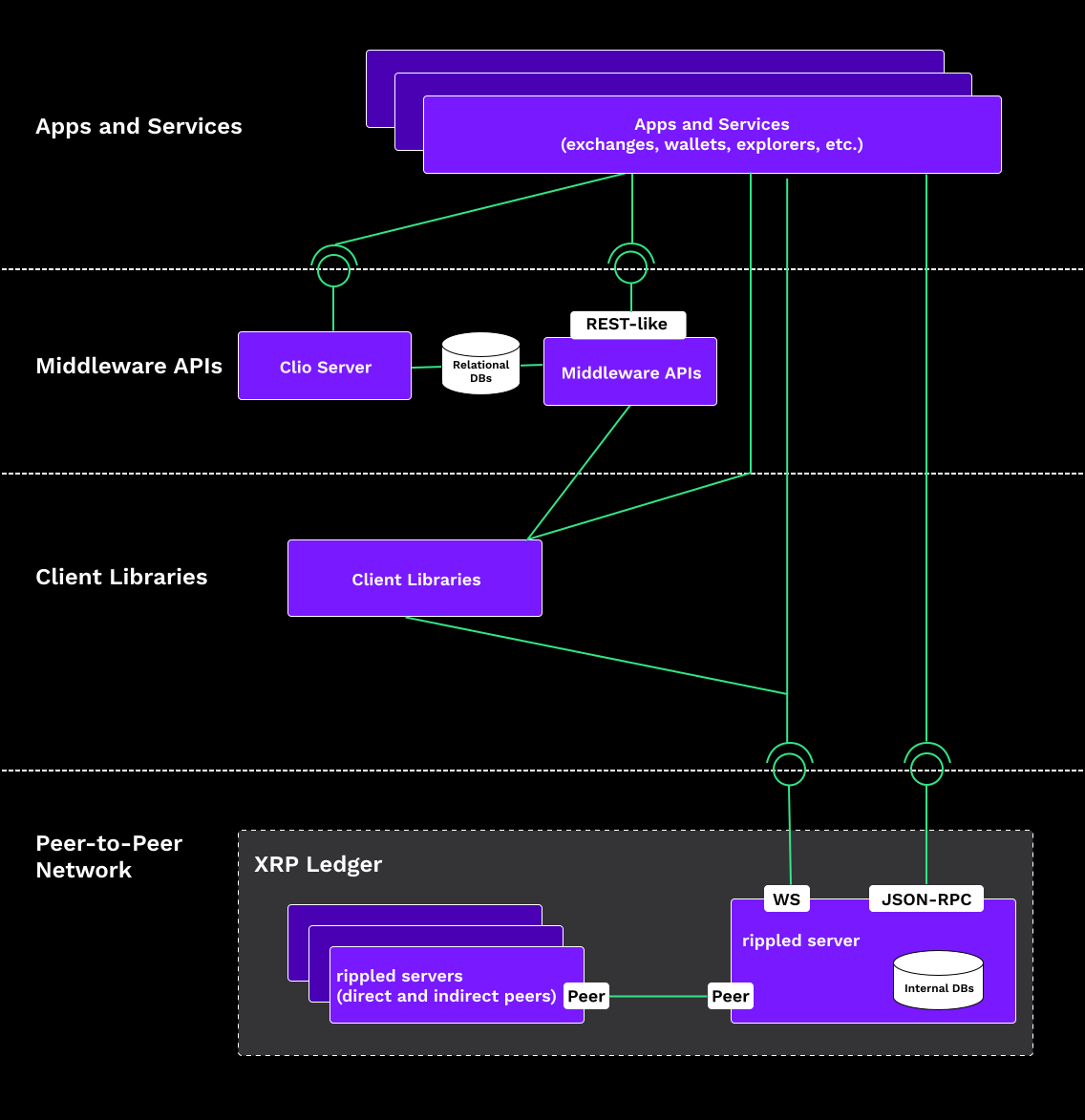
[](https://xrpl.org/docs/introduction/software-ecosystem#stack-levels)
Stack Levels
---------------------------------------------------------------------------------------
* [_Core Servers_](https://xrpl.org/docs/introduction/software-ecosystem#core-servers)
form the basis of the XRP Ledger, a peer-to-peer network relaying and processing transactions at all times.
* [_Client Libraries_](https://xrpl.org/docs/introduction/software-ecosystem#client-libraries)
exist in higher level software, where they are imported directly into program code, and contain methods to access the XRP Ledger.
* [_Middleware_](https://xrpl.org/docs/introduction/software-ecosystem#middleware)
provides indirect access to XRP Ledger data. Applications in this layer often have their own data storage and processing.
* [_Apps and Services_](https://xrpl.org/docs/introduction/software-ecosystem#apps-and-services)
provide user-level interaction with the XRP Ledger, or provide a basis for even higher-level apps and services.
###
[](https://xrpl.org/docs/introduction/software-ecosystem#core-servers)
Core Servers
The peer-to-peer network at the heart of the XRP Ledger requires a highly-reliable, efficient server to enforce the rules of consensus and transaction processing. The XRP Ledger Foundation publishes a reference implementation of this server software, called [**`rippled`**](https://xrpl.org/docs/concepts/networks-and-servers)
(pronounced "ripple-dee"). The server is available under [a permissive open-source license](https://github.com/XRPLF/rippled/blob/develop/LICENSE.md)
, so anyone can inspect and modify their own instance of the server, and re-publish with few restrictions.
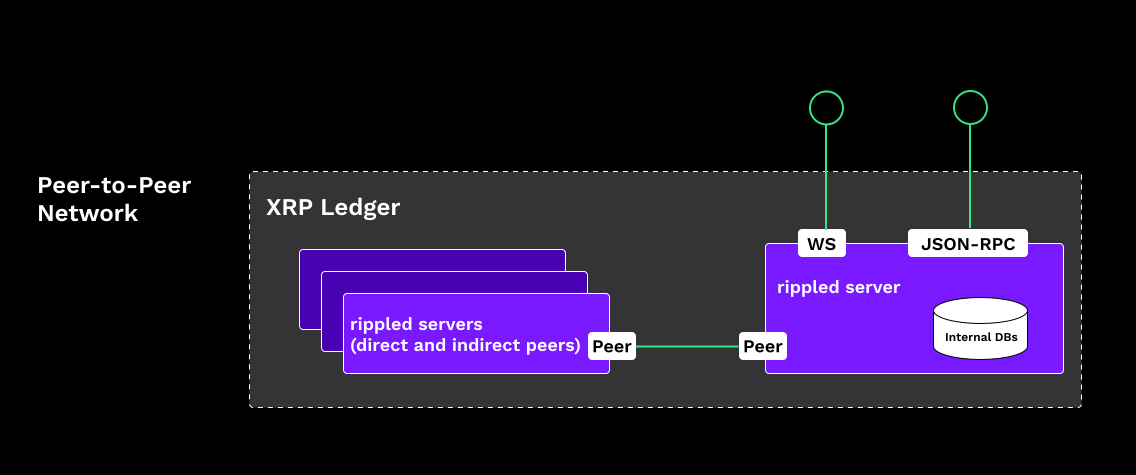
Every core server syncs to the same network (unless it's configured to follow a [test network](https://xrpl.org/docs/concepts/networks-and-servers/parallel-networks)
) and has access to all communications across the network. Every server on the network keeps a complete copy of the latest state data for the entire XRP Ledger, along with recent transactions and a record of the changes those transactions made, and every server processes every transaction independently while verifying that its outcome matches the rest of the network. Servers can be configured to keep more [ledger history](https://xrpl.org/docs/concepts/networks-and-servers/ledger-history)
and to participate in the consensus process as a [validator](https://xrpl.org/docs/concepts/networks-and-servers/rippled-server-modes#validators)
.
Core servers expose [HTTP / WebSocket APIs](https://xrpl.org/docs/references/http-websocket-apis)
for users to look up data, administer the server, and submit transactions. Clio servers also serve HTTP / WebSocket APIs but they don't connect directly to the peer-to-peer network and don't process transactions or participate in consensus. These servers rely on a core server in P2P mode to process transactions.
###
[](https://xrpl.org/docs/introduction/software-ecosystem#client-libraries)
Client Libraries
Libraries simplify some of the common work of accessing the XRP Ledger, usually through the HTTP / WebSocket APIs. They convert the data into forms that are more familiar and convenient for various programming languages, and include implementations of common operations.
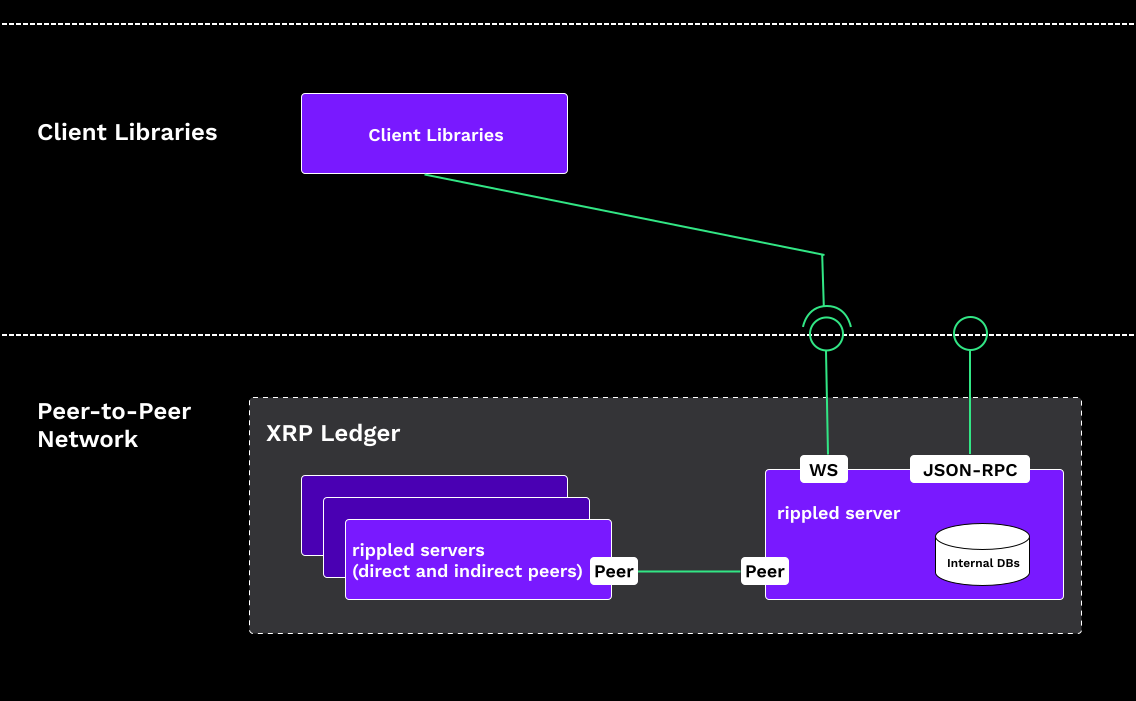
One core feature of most client libraries is signing transactions locally, so users never have to send their private key across any network.
Many middleware services use client libraries internally.
See [Client Libraries](https://xrpl.org/docs/references/client-libraries)
for some information about currently available client libraries.
###
[](https://xrpl.org/docs/introduction/software-ecosystem#middleware)
Middleware
Middleware services are programs that consume the XRP Ledger APIs on one side and provide their own APIs on the other side. They provide a layer of abstraction to make it easier to build higher-level applications by providing some common functionality as a service.
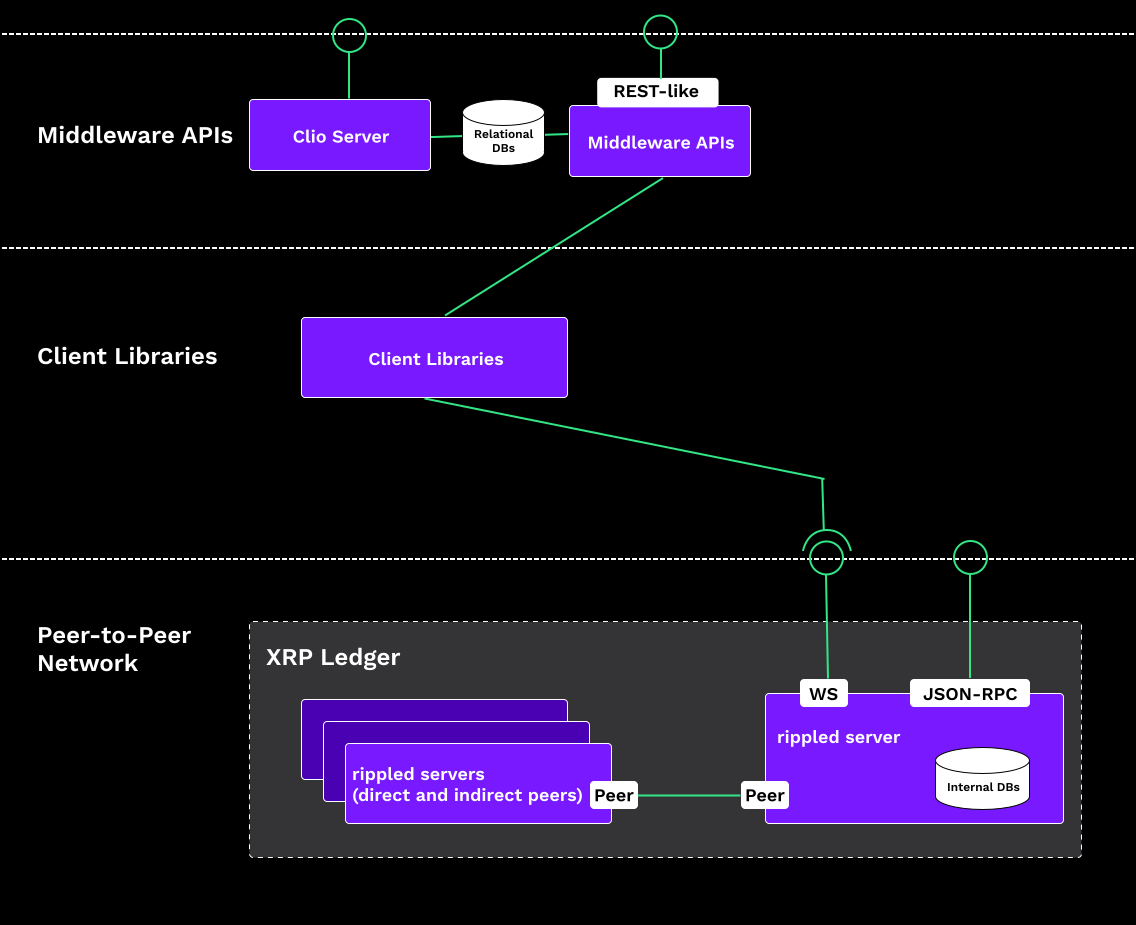
Unlike client libraries, which are instantiated fresh and shut down with the program that imports them, middleware services typically stay running indefinitely, and may have their own databases (relational SQL databases or otherwise) and configuration files. Some are available as cloud services with various pricing or usage limitations.
###
[](https://xrpl.org/docs/introduction/software-ecosystem#apps-and-services)
Apps and Services
Atop the stack is where the truly exciting things happen. Apps and services provide a way for users and devices to connect to the XRP Ledger. Services like private exchanges, token issuers, marketplaces, interfaces to the decentralized exchange, and wallets provide user interfaces for buying, selling, and trading various assets including XRP and tokens of all kinds. Many other possibilities exist, including additional services layered even higher.

See [Use Cases](https://xrpl.org/docs/use-cases)
for some examples that can be built at or above this layer.
#### Was this helpful?
Previous page[Transactions and Requests](https://xrpl.org/docs/introduction/transactions-and-requests)
Next page[Use Cases](https://xrpl.org/docs/use-cases)
Ask AI
---
# Account Types
[Skip to content](https://xrpl.org/docs/concepts/accounts/account-types#content)
[Documentation](https://xrpl.org/docs)
/[Concepts](https://xrpl.org/docs/concepts)
/
Accounts
* Account Types
[Configuring Accounts](https://xrpl.org/docs/concepts/accounts/configuring-accounts)
[Deleting Accounts](https://xrpl.org/docs/concepts/accounts/deleting-accounts)
[Reserves](https://xrpl.org/docs/concepts/accounts/reserves)
[Addresses](https://xrpl.org/docs/concepts/accounts/addresses)
[Cryptographic Keys](https://xrpl.org/docs/concepts/accounts/cryptographic-keys)
[Multi-Signing](https://xrpl.org/docs/concepts/accounts/multi-signing)
[Deposit Authorization](https://xrpl.org/docs/concepts/accounts/depositauth)
[Tickets](https://xrpl.org/docs/concepts/accounts/tickets)
[Permission Delegation](https://xrpl.org/docs/concepts/accounts/permission-delegation)
[Pseudo-Accounts](https://xrpl.org/docs/concepts/accounts/pseudo-accounts)
/
Account Types
Last updated 1 month ago
[Edit](https://github.com/XRPLF/xrpl-dev-portal/tree/master/docs/concepts/accounts/account-types.md)
[](https://xrpl.org/docs/concepts/accounts/account-types#account-types)
Account Types
Copy
* Copy for LLM
Copy page as Markdown for LLMs
* [View as Markdown\
\
Open this page as Markdown](https://xrpl.org/docs/concepts/accounts/account-types.md)
* [Open in ChatGPT\
\
Get insights from ChatGPT](https://chat.openai.com/?q=Read+https%3A%2F%2Fxrpl.org%2Fdocs%2Fconcepts%2Faccounts%2Faccount-types.md+and+answer+questions+based+on+the+content.)
* [Open in Claude\
\
Get insights from Claude](https://claude.ai/new?q=Read+https%3A%2F%2Fxrpl.org%2Fdocs%2Fconcepts%2Faccounts%2Faccount-types.md+and+answer+questions+based+on+the+content.)
* Connect to Cursor
Install MCP server on Cursor
* Connect to VS Code
Install MCP server on VS Code
===================================================================================================================================================================================================================================================================================================================================================================================================================================================================================================================================================================================================================================================================================================================================================================================================================================================================
In the XRP Ledger, financial institutions typically use multiple XRP Ledger addresses to minimize the risk associated with a compromised secret key. The industry standard is to separate roles as follows:
* One **issuing address**, also known as a "cold wallet." This address is the hub of the financial institution's accounting relationships in the ledger, but sends as few transactions as possible.
* One or more **operational addresses**, also known as "hot wallets." Automated, internet-connected systems use the secret keys to these addresses to conduct day-to-day business like transfers to customers and partners.
* Optional **standby addresses**, also known as "warm wallets." Trusted human operators use these addresses to transfer money to the operational addresses.
[](https://xrpl.org/docs/concepts/accounts/account-types#funds-lifecycle)
Funds Lifecycle
---------------------------------------------------------------------------------------------
When a token issuer follows this separation of roles, funds tend to flow in specific directions, as in the following diagram:
[RefillCreditXRP Ledger addressAccounting relationship(trust line)Transfer / PaymentLegendOperational Address(Automated)Partners, Liquidity providers,CustomersStandby Address(Human-operated)Issuing Address(Highest security)RedeemIssue](https://xrpl.org/assets/issued-currency-funds-flow.4039497433943e730c1ab27c0a91bcbcde96d3e6569ca842ccfc6b9e7d32cbe6.ac57e6ef.svg "Diagram: Funds flow from the issuing address to standby addresses, to operational addresses, to customer and partner addresses, and finally back to the issuing address.")
The issuing address creates tokens by sending payments to standby addresses. These tokens have negative value from the perspective of the issuing address, since they (often) represent obligations. The same tokens have positive value from other perspectives, including from the perspective of a standby address.
The standby addresses, which are operated by actual humans, send those tokens to operational addresses. This step allows the issuing address to be used as little as possible after this point, while having at least some tokens available on standby.
Operational addresses, which are operated by automated systems, send payments to other counterparties, such as liquidity providers, partners, and other customers. Those counterparties may send funds freely among themselves multiple times.
As always, token payments must "ripple through" the issuer across trust lines.
Eventually, someone sends tokens back to the issuer. This destroys those tokens, reducing the issuer's obligations in the XRP Ledger. If the token is a stablecoin, this is the first step of redeeming the tokens for the corresponding off-ledger assets.
[](https://xrpl.org/docs/concepts/accounts/account-types#issuing-address)
Issuing Address
---------------------------------------------------------------------------------------------
The issuing address is like a vault. Partners, customers, and operational addresses create trust lines to the issuing address, but this address sends as few transactions as possible. Periodically, a human operator creates and signs a transaction from the issuing address to refill the balances of a standby or operational address. Ideally, the secret key used to sign these transactions should never be accessible from any internet-connected computer.
Unlike a vault, the issuing address can receive payments directly from customers and partners. Since all transactions in the XRP Ledger are public, automated systems can watch for payments to the issuing address without needing a secret key.
###
[](https://xrpl.org/docs/concepts/accounts/account-types#issuing-address-compromise)
Issuing Address Compromise
If a malicious actor learns the secret key behind a institution's issuing address, that actor can create new tokens and send them to users or trade them in the decentralized exchange. This can make a stablecoin issuer insolvent. It can become difficult for the financial institution to distinguish legitimately-obtained tokens and redeem them fairly. If a financial institution loses control of its issuing address, the institution must create a new issuing address, and all users who have trust lines to the old issuing address must create new trust lines with the new address.
###
[](https://xrpl.org/docs/concepts/accounts/account-types#multiple-issuing-addresses)
Multiple Issuing Addresses
A financial institution can issue more than one type of token in the XRP Ledger from a single issuing address. However, there are some settings that apply equally to all (fungible) tokens issued from an address, including the percentage for [transfer fees](https://xrpl.org/docs/concepts/tokens/fungible-tokens/transfer-fees)
and the [global freeze](https://xrpl.org/docs/concepts/tokens/fungible-tokens/freezes)
status. If the financial institution wants the flexibility to manage settings differently for each type of token, the institution must multiple issuing addresses.
[](https://xrpl.org/docs/concepts/accounts/account-types#operational-addresses)
Operational Addresses
---------------------------------------------------------------------------------------------------------
An operational address is like a cash register. It makes payments on behalf of the institution by transferring tokens to customers and partners. To sign transactions automatically, the secret key for an operational address must be stored on a server that is connected to the internet. (The secret key can be stored encrypted, but the server must decrypt it to sign transactions.) Customers and partners do not, and should not, create trust lines to an operational address.
Each operational address has a limited balance of tokens and XRP. When the balance of an operational address gets low, the financial institution refills it by sending a payment from the issuing address or a standby address.
###
[](https://xrpl.org/docs/concepts/accounts/account-types#operational-address-compromise)
Operational Address Compromise
If a malicious actor learns the secret key behind an operational address, the financial institution can only lose as much as that operational address holds. The institution can switch to a new operational address with no action from customers and partners.
[](https://xrpl.org/docs/concepts/accounts/account-types#standby-addresses)
Standby Addresses
-------------------------------------------------------------------------------------------------
Another optional step that an institution can take to balance risk and convenience is to use "standby addresses" as an intermediate step between the issuing address and operational addresses. The institution can fund additional XRP Ledger addresses as standby addresses, whose keys are not available to always-online servers, but are entrusted to different trusted users.
When an operational address is running low on funds (either tokens or XRP), a trusted user can use a standby address to refill the operational address's balance. When a standby addresses run low on funds, the institution can use the issuing address to send more funds to a standby address in a single transaction, and the standby addresses can distribute those funds among themselves if necessary. This improves security of the issuing address, allowing it to make fewer total transactions, without leaving too much money in the control of a single automated system.
As with operational addresses, a standby address must have an accounting relationship with the issuing address, and not with customers or partners. All precautions that apply to operational addresses also apply to standby addresses.
###
[](https://xrpl.org/docs/concepts/accounts/account-types#standby-address-compromise)
Standby Address Compromise
If a standby address is compromised, the consequences are like an operational address being compromised. A malicious actor can steal any balances possessed by the standby address, and the financial institution can change to a new standby address with no action from customers and partners.
[](https://xrpl.org/docs/concepts/accounts/account-types#see-also)
See Also
-------------------------------------------------------------------------------
* **Concepts:**
* [Accounts](https://xrpl.org/docs/concepts/accounts)
* [Cryptographic Keys](https://xrpl.org/docs/concepts/accounts/cryptographic-keys)
* **Tutorials:**
* [Assign a Regular Key Pair](https://xrpl.org/docs/tutorials/best-practices/key-management/assign-a-regular-key-pair)
* [Remove a Regular Key Pair](https://xrpl.org/docs/tutorials/best-practices/key-management/remove-a-regular-key-pair)
* **References:**
* [account\_info method](https://xrpl.org/docs/references/http-websocket-apis/public-api-methods/account-methods/account_info)
* [SetRegularKey transaction](https://xrpl.org/docs/references/protocol/transactions/types/setregularkey)
* [AccountRoot object](https://xrpl.org/docs/references/protocol/ledger-data/ledger-entry-types/accountroot)
#### Was this helpful?
Previous page[Accounts](https://xrpl.org/docs/concepts/accounts)
Next page[Configuring Accounts](https://xrpl.org/docs/concepts/accounts/configuring-accounts)
Ask AI
---
# Unique Node List (UNL)
[Skip to content](https://xrpl.org/docs/concepts/consensus-protocol/unl#content)
[Documentation](https://xrpl.org/docs)
/[Concepts](https://xrpl.org/docs/concepts)
/
Consensus Protocol
* Unique Node List (UNL)
[Consensus Structure](https://xrpl.org/docs/concepts/consensus-protocol/consensus-structure)
[Consensus Principles and Rules](https://xrpl.org/docs/concepts/consensus-protocol/consensus-principles-and-rules)
[Consensus Protections Against Attacks and Failure Modes](https://xrpl.org/docs/concepts/consensus-protocol/consensus-protections)
[Invariant Checking](https://xrpl.org/docs/concepts/consensus-protocol/invariant-checking)
[Fee Voting](https://xrpl.org/docs/concepts/consensus-protocol/fee-voting)
[Negative UNL](https://xrpl.org/docs/concepts/consensus-protocol/negative-unl)
[Consensus Research](https://xrpl.org/docs/concepts/consensus-protocol/consensus-research)
/
Unique Node List (UNL)
Last updated 1 year ago
[Edit](https://github.com/XRPLF/xrpl-dev-portal/tree/master/docs/concepts/consensus-protocol/unl.md)
[](https://xrpl.org/docs/concepts/consensus-protocol/unl#unique-node-list-unl)
Unique Node List (UNL)
Copy
* Copy for LLM
Copy page as Markdown for LLMs
* [View as Markdown\
\
Open this page as Markdown](https://xrpl.org/docs/concepts/consensus-protocol/unl.md)
* [Open in ChatGPT\
\
Get insights from ChatGPT](https://chat.openai.com/?q=Read+https%3A%2F%2Fxrpl.org%2Fdocs%2Fconcepts%2Fconsensus-protocol%2Funl.md+and+answer+questions+based+on+the+content.)
* [Open in Claude\
\
Get insights from Claude](https://claude.ai/new?q=Read+https%3A%2F%2Fxrpl.org%2Fdocs%2Fconcepts%2Fconsensus-protocol%2Funl.md+and+answer+questions+based+on+the+content.)
* Connect to Cursor
Install MCP server on Cursor
* Connect to VS Code
Install MCP server on VS Code
===================================================================================================================================================================================================================================================================================================================================================================================================================================================================================================================================================================================================================================================================================================================================================================================================================================================================================
A _unique node list_ (UNL) is a server's list of validators that it trusts not to collude. Every XRP Ledger server is configured with a UNL, which determines which validation votes it listens to and which votes it throws out during the consensus process. By design, each entry in a UNL should represent an independent entity, which could be a business, a university, another type of organization, or even just an individual hobbyist; by having each entry be a separate entity, no one has more than a minimum share of the responsibility for keeping the network running normally.
Validators are intended to be impartial, and to process every transaction as soon as is possible within the constraints of the technology. Validators must not block or censor some transactions for arbitrary reasons, because that hinders the network from reaching consensus. More importantly, validators should be online and operational as much as possible. However, the XRP Ledger is designed to allow for imperfections, both in the network and in the validators themselves. Even if some validators are offline, misconfigured, buggy, or outright malicious, the network should still be able to make progress if the majority of them are operating normally, and the network will never confirm transactions that contradict the rules or past history of the network unless a supermajority (>80%) agree. Keeping these things in mind, the validators on a UNL are chosen to minimize the chances that many validators will fail in the same way at the same time, or collude for malicious reasons.
[](https://xrpl.org/docs/concepts/consensus-protocol/unl#unl-overlap)
UNL Overlap
-------------------------------------------------------------------------------------
Each server operator has full control over which validators are in their UNL. However, if two servers operate with totally different UNLs, they are likely to reach different conclusions about when ledgers (and the transactions in them) are validated. This could lead to a _fork_ in the network; when a fork happens, parties on different sides are unable to mutually agree on what has happened and can't transact with one another. To avoid forking, servers in the XRP Ledger need to be configured with UNLs that have a high degree of overlap with one another.
Initially, it was believed that 60% overlap between two servers' UNLs was enough to prevent those servers from forking apart. However, [further research](https://xrpl.org/docs/concepts/consensus-protocol/consensus-research)
showed that in the worst case scenario, 90% overlap was required to prevent a fork. This significantly limits how much flexibility server operators have in customizing their UNL: the less overlap with the UNLs that others are using, the higher the chances of forking.
[](https://xrpl.org/docs/concepts/consensus-protocol/unl#recommended-validator-lists)
Recommended Validator Lists
---------------------------------------------------------------------------------------------------------------------
To make it easier to get a diverse and reliable list of validators that has high overlap with others, the XRP Ledger uses a system of recommended validator lists. A server can be configured to download a recommended list from a _publisher_, and to use that list as its UNL. A server can also be configured with multiple publishers' lists, and to use the union of those lists—meaning the server's UNL consists of every validator that is on _any_ of its published lists. Validators who appear on multiple lists are only included once in the server's UNL.
A recommended list can be identified by the public key of its publisher. Typically, recommended lists are associated with a website where they can be downloaded, but lists can also be relayed through the peer-to-peer network in case there are problems accessing the website.
Currently, the default configuration for XRP Ledger servers uses two lists: one published by the XRP Ledger Foundation, and one published by Ripple. Typically, these lists are very similar to one another or even identical. The term _default UNL_ (sometimes abbreviated dUNL) refers to the set of validators included in these lists.
Anyone can publish a signed list of validators in the correct format, which is a JSON document containing signed binary data. For more information on the format of a recommended list, see [Validator List Method](https://xrpl.org/docs/references/http-websocket-apis/peer-port-methods/validator-list/)
.
Recommended validator lists need to be updated over time, to add more quality validators and remove validators that aren't as reliable or are retiring. Typically, a recommended validator list has an expiration time, because the publisher expects to have made an update available by that time. Lists also have a sequence number, such that the highest sequence number is the newest version of that list and supercedes any older versions. Lists can also have an activation date so that servers can coordinate when to switch to the new version, and the updated list has time to propagate to all servers that use it.
Publishers aren't involved in day-to-day validation of new transactions, but they do wield significant power in selecting which validators are widely trusted. Server operators should be cautious in selecting which validator list publishers they trust, because carelessness on the part of the publishers could affect the reliability of the servers using those lists.
[](https://xrpl.org/docs/concepts/consensus-protocol/unl#how-to-get-your-validator-on-a-recommended-list)
How to Get Your Validator on a Recommended List
-------------------------------------------------------------------------------------------------------------------------------------------------------------
Each publisher can define their own criteria for being listed. However, the criteria for having your validator added to their lists typically include the following:
* Run a validator with high uptime for at least a year and high agreement with the rest of the network.
* Set up [domain verification](https://xrpl.org/docs/references/xrp-ledger-toml/#domain-verification)
for your validator.
* Be a separate and recognizeable entity in the XRP Ledger community—not, for example, an employee of a company that already runs a validator.
* Run the validator in a separate physical location than most other validators. (So that, for example, an outage at a single data center does not cause many validators to go down.)
Validator list operators may interview candidates for inclusion in the recommended list to confirm that they meet these and other requirements and that they have a commitment to continuing to run the server in the future.
#### Was this helpful?
Previous page[Consensus Protections Against Attacks and Failure Modes](https://xrpl.org/docs/concepts/consensus-protocol/consensus-protections)
Next page[Invariant Checking](https://xrpl.org/docs/concepts/consensus-protocol/invariant-checking)
Ask AI
---
# Public Servers
[Skip to content](https://xrpl.org/docs/tutorials/public-servers#content)
[Documentation](https://xrpl.org/docs)
/[Tutorials](https://xrpl.org/docs/tutorials)
/
Public Servers
Last updated 1 month ago
[Edit](https://github.com/XRPLF/xrpl-dev-portal/tree/master/docs/tutorials/public-servers.md)
[](https://xrpl.org/docs/tutorials/public-servers#public-servers)
Public Servers
Copy
* Copy for LLM
Copy page as Markdown for LLMs
* [View as Markdown\
\
Open this page as Markdown](https://xrpl.org/docs/tutorials/public-servers.md)
* [Open in ChatGPT\
\
Get insights from ChatGPT](https://chat.openai.com/?q=Read+https%3A%2F%2Fxrpl.org%2Fdocs%2Ftutorials%2Fpublic-servers.md+and+answer+questions+based+on+the+content.)
* [Open in Claude\
\
Get insights from Claude](https://claude.ai/new?q=Read+https%3A%2F%2Fxrpl.org%2Fdocs%2Ftutorials%2Fpublic-servers.md+and+answer+questions+based+on+the+content.)
* Connect to Cursor
Install MCP server on Cursor
* Connect to VS Code
Install MCP server on VS Code
=====================================================================================================================================================================================================================================================================================================================================================================================================================================================================================================================================================================================================================================================================================================================================================================================================================================
If you don't [run your own `rippled` server](https://xrpl.org/docs/infrastructure/installation)
, you can use the following public servers to submit transactions or read data from the ledger.
[](https://xrpl.org/docs/tutorials/public-servers#non-commercial)
Non-Commercial
------------------------------------------------------------------------------------
| Operator | [Network](https://xrpl.org/docs/concepts/networks-and-servers/parallel-networks) | JSON-RPC URL | WebSocket URL | Notes |
| --- | --- | --- | --- | --- |
| Honeycluster | **Mainnet** | `https://honeycluster.io/` | `wss://honeycluster.io/` | Full history server cluster with Clio |
| InFTF | **Mainnet** | `https://xrplcluster.com/` `https://xrpl.ws/` [²](https://xrpl.org/docs/tutorials/public-servers#footnote-2) | `wss://xrplcluster.com/` `wss://xrpl.ws/` [²](https://xrpl.org/docs/tutorials/public-servers#footnote-2) | Full history server cluster with CORS support. |
| Ripple[¹](https://xrpl.org/docs/tutorials/public-servers#footnote-1) | **Mainnet** | `https://s1.ripple.com:51234/` | `wss://s1.ripple.com/` | General purpose server cluster |
| Ripple[¹](https://xrpl.org/docs/tutorials/public-servers#footnote-1) | **Mainnet** | `https://s2.ripple.com:51234/` | `wss://s2.ripple.com/` | [Full-history server](https://xrpl.org/docs/concepts/networks-and-servers/ledger-history#full-history) cluster |
[](https://xrpl.org/docs/tutorials/public-servers#commercial)
Commercial
----------------------------------------------------------------------------
| Operator | [Network](https://xrpl.org/docs/concepts/networks-and-servers/parallel-networks) | JSON-RPC | Notes |
| --- | --- | --- | --- |
| InFTF full history paid API via [Dhali](https://dhali.io/) | **Mainnet** | `https://xrplcluster.dhali.io/` | You must [create a paid API key](https://pay.dhali.io/?uuids=199fd80b-1776-4708-b1a1-4b2bb386435d) and embed it in the request's `Payment-Claim` header. |
| [QuickNode](https://www.quicknode.com/chains/xrpl) | Testnet/Mainnet | N/A | QuickNode provides hosted XRPL RPC mainnet and testnet under their free and paid plans, granting flexible and reliable access to the network. |
[](https://xrpl.org/docs/tutorials/public-servers#test-networks)
Test Networks
----------------------------------------------------------------------------------
| Operator | [Network](https://xrpl.org/docs/concepts/networks-and-servers/parallel-networks) | JSON-RPC URL | WebSocket URL | Notes |
| --- | --- | --- | --- | --- |
| Ripple[¹](https://xrpl.org/docs/tutorials/public-servers#footnote-1) | Testnet | `https://s.altnet.rippletest.net:51234/` | `wss://s.altnet.rippletest.net:51233/` | Testnet public server |
| Honeycluster | Testnet | `https://testnet.honeycluster.io/` | `wss://testnet.honeycluster.io/` | Testnet public server |
| XRPL Labs | Testnet | `https://testnet.xrpl-labs.com/` | `wss://testnet.xrpl-labs.com/` | Testnet public server with CORS support |
| Ripple[¹](https://xrpl.org/docs/tutorials/public-servers#footnote-1) | Testnet (Clio) | `https://clio.altnet.rippletest.net:51234/` | `wss://clio.altnet.rippletest.net:51233/` | Testnet public server with Clio |
| Ripple[¹](https://xrpl.org/docs/tutorials/public-servers#footnote-1) | Devnet | `https://s.devnet.rippletest.net:51234/` | `wss://s.devnet.rippletest.net:51233/` | Devnet public server |
| Ripple[¹](https://xrpl.org/docs/tutorials/public-servers#footnote-1) | Devnet (Clio) | `https://clio.devnet.rippletest.net:51234/` | `wss://clio.devnet.rippletest.net:51233/` | Devnet public server with Clio |
| Honeycluster | Devnet | `https://devnet.honeycluster.io/` | `wss://devnet.honeycluster.io/` | Devnet public server |
| XRPL Labs | Xahau Testnet | `https://xahau-test.net/` | `wss://xahau-test.net/` | [Hooks-enabled](https://hooks.xrpl.org/) Xahau Testnet |
¹ Ripple's public servers are not for sustained or business use, and they may become unavailable at any time. For regular use, you should [run your own `rippled` server](https://xrpl.org/docs/concepts/networks-and-servers)
or contract someone you trust to do so. Ripple includes [Clio servers](https://xrpl.org/docs/concepts/networks-and-servers/the-clio-server)
in its public clusters.
² `xrpl.ws` is an alias for `xrplcluster.com`. However, the `.ws` top-level domain's reliability may be unsuitable for production uses.
#### Was this helpful?
Previous page[Tutorials](https://xrpl.org/docs/tutorials)
Next page[Get Started Using JavaScript Library](https://xrpl.org/docs/tutorials/get-started/get-started-javascript)
Ask AI
---
# What is the XRP Ledger?
[Skip to content](https://xrpl.org/docs/introduction/what-is-the-xrp-ledger#content)
[Documentation](https://xrpl.org/docs)
/
Introduction
* What is the XRP Ledger?
[What is XRP?](https://xrpl.org/docs/introduction/what-is-xrp)
[Crypto Wallets](https://xrpl.org/docs/introduction/crypto-wallets)
[Transactions and Requests](https://xrpl.org/docs/introduction/transactions-and-requests)
[Software Ecosystem](https://xrpl.org/docs/introduction/software-ecosystem)
/
What is the XRP Ledger?
Last updated 2 years ago
[Edit](https://github.com/XRPLF/xrpl-dev-portal/tree/master/docs/introduction/what-is-the-xrp-ledger.md)
[](https://xrpl.org/docs/introduction/what-is-the-xrp-ledger#what-is-the-xrp-ledger)
What is the XRP Ledger?
Copy
* Copy for LLM
Copy page as Markdown for LLMs
* [View as Markdown\
\
Open this page as Markdown](https://xrpl.org/docs/introduction/what-is-the-xrp-ledger.md)
* [Open in ChatGPT\
\
Get insights from ChatGPT](https://chat.openai.com/?q=Read+https%3A%2F%2Fxrpl.org%2Fdocs%2Fintroduction%2Fwhat-is-the-xrp-ledger.md+and+answer+questions+based+on+the+content.)
* [Open in Claude\
\
Get insights from Claude](https://claude.ai/new?q=Read+https%3A%2F%2Fxrpl.org%2Fdocs%2Fintroduction%2Fwhat-is-the-xrp-ledger.md+and+answer+questions+based+on+the+content.)
* Connect to Cursor
Install MCP server on Cursor
* Connect to VS Code
Install MCP server on VS Code
==================================================================================================================================================================================================================================================================================================================================================================================================================================================================================================================================================================================================================================================================================================================================================================================================================================================================================================
The XRP Ledger is a decentralized blockchain that uses its own digital currency to process and record financial transactions.
[](https://xrpl.org/docs/introduction/what-is-the-xrp-ledger#what-is-a-blockchain)
What Is a Blockchain?
------------------------------------------------------------------------------------------------------------
A blockchain is a continuously growing list of records. The blockchain starts with a block of data.

A group of trusted validator nodes reach consensus that the data is valid.

The block is uniquely identified with a very elaborate, complicated, computer-generated, cryptographic Hash number that is 64 hexadecimal characters long.

The block is also identified by a timestamp with its creation time.

Each validator node gets its own copy of the data block. There is no single central authority. All copies are equally valid.
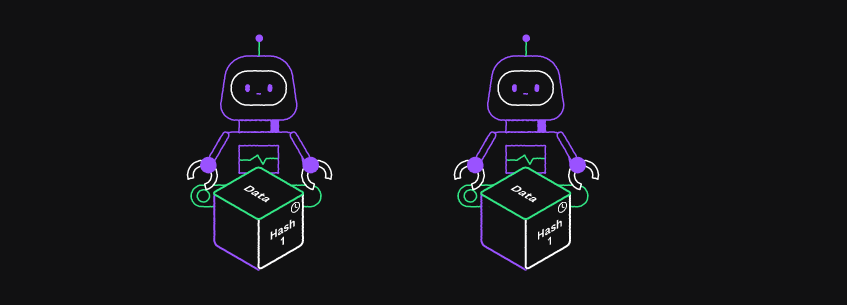
Each block contains a hash pointer as a link to the previous block. It also has a timestamp, new data, and its own unique hash number.

Using this structure, each block has a clear position in the chain, linking back to the previous data block. This creates an immutable chain of blocks. You can always verify all current information on the chain by tracing back through the previous blocks.
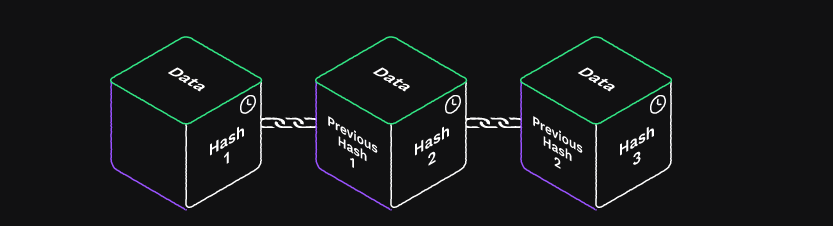
By design, blockchains are resistant to modification of the data. Every ledger node gets an exact copy of the blockchain.

This creates an open, distributed ledger that records transactions between parties efficiently and in a verifiable and permanent way.
Once recorded, the data in any given block cannot be altered retroactively, unless a majority of the validators agree to the change. If so, all subsequent blocks are changed in the same way (a very rare and extreme occurrence).
###
[](https://xrpl.org/docs/introduction/what-is-the-xrp-ledger#how-does-the-federated-consensus-process-work)
How Does the Federated Consensus Process Work?
Most of the rippled servers in the XRPL monitor or propose transactions. An important subset of servers are run as validators. These trusted servers accumulate lists of new transactions into a new possible ledger instance (a new block in the block chain).

They share their lists with all of the other validators. The validators incorporate proposed changes from one another and distribute a new version of the ledger proposal.
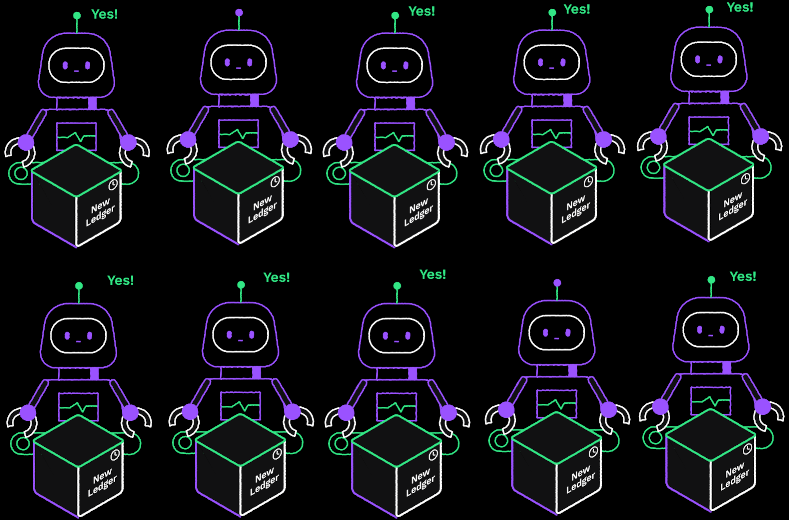
When 80% of the validators agree on a set of transactions, they create a new ledger instance at the end of the chain and start the process again. This consensus process takes 4-6 seconds. You can monitor as ledger instances are created in real time by visiting [https://livenet.xrpl.org/](https://livenet.xrpl.org/)
.
###
[](https://xrpl.org/docs/introduction/what-is-the-xrp-ledger#what-networks-are-available)
What Networks Are Available?
The XRPL is open to anyone who wants to set up their own instance of the rippled server and connect. The node can monitor the network, perform transactions, or become a validator. The active XRPL network is typically referred to as _Mainnet_.
For developers or new users who want to try out the features of XRPL without investing their own funds, there are two developer environments, _Testnet_ and _Devnet_. Users can create an account funded with 1,000 (fake) XRP and connect to either environment to interact with the XRPL.
Next: [What is XRP?](https://xrpl.org/docs/introduction/what-is-xrp)
#### Was this helpful?
Previous page[Introduction](https://xrpl.org/docs/introduction)
Next page[What is XRP?](https://xrpl.org/docs/introduction/what-is-xrp)
Ask AI
---
# Ripple Data API v2
[Skip to content](https://xrpl.org/docs/references/data-api#content)
Last updated 7 months ago
[Edit](https://github.com/XRPLF/xrpl-dev-portal/tree/master/docs/references/data-api.md)
[](https://xrpl.org/docs/references/data-api#ripple-data-api-v2)
Ripple Data API v2
Copy
* Copy for LLM
Copy page as Markdown for LLMs
* [View as Markdown\
\
Open this page as Markdown](https://xrpl.org/docs/references/data-api.md)
* [Open in ChatGPT\
\
Get insights from ChatGPT](https://chat.openai.com/?q=Read+https%3A%2F%2Fxrpl.org%2Fdocs%2Freferences%2Fdata-api.md+and+answer+questions+based+on+the+content.)
* [Open in Claude\
\
Get insights from Claude](https://claude.ai/new?q=Read+https%3A%2F%2Fxrpl.org%2Fdocs%2Freferences%2Fdata-api.md+and+answer+questions+based+on+the+content.)
* Connect to Cursor
Install MCP server on Cursor
* Connect to VS Code
Install MCP server on VS Code
=========================================================================================================================================================================================================================================================================================================================================================================================================================================================================================================================================================================================================================================================================================================================================================================================================================
Warning
The Ripple Data API v2 is deprecated with no ongoing support. Please use the native [XRP Ledger HTTP APIs](https://xrpl.org/docs/references/http-websocket-apis)
instead.
For information on the old Data API, see the [rippled-historical-database repository](https://github.com/ripple/rippled-historical-database)
.
[](https://xrpl.org/docs/references/data-api#alternatives)
Alternatives
---------------------------------------------------------------------------
For most common operations, like requesting account balances or transaction history, you can query a self-hosted or [public XRP Ledger server](https://xrpl.org/docs/tutorials/public-servers)
using a [WebSocket connection](https://xrpl.org/docs/tutorials/get-started/get-started-http-websocket-apis#websocket-api)
or [JSON-RPC (HTTP POST)](https://xrpl.org/docs/tutorials/get-started/get-started-http-websocket-apis#json-rpc)
.
See the [Get Started Using HTTP / WebSocket APIs](https://xrpl.org/docs/tutorials/get-started/get-started-http-websocket-apis)
page for more information.
#### Was this helpful?
Ask AI
---
# What is XRP and Why Is It Valuable?
[Skip to content](https://xrpl.org/docs/introduction/what-is-xrp#content)
[Documentation](https://xrpl.org/docs)
/
Introduction
* What is XRP?
[What is the XRP Ledger?](https://xrpl.org/docs/introduction/what-is-the-xrp-ledger)
[Crypto Wallets](https://xrpl.org/docs/introduction/crypto-wallets)
[Transactions and Requests](https://xrpl.org/docs/introduction/transactions-and-requests)
[Software Ecosystem](https://xrpl.org/docs/introduction/software-ecosystem)
/
What is XRP?
Last updated 2 years ago
[Edit](https://github.com/XRPLF/xrpl-dev-portal/tree/master/docs/introduction/what-is-xrp.md)
[](https://xrpl.org/docs/introduction/what-is-xrp#what-is-xrp)
What is XRP?
Copy
* Copy for LLM
Copy page as Markdown for LLMs
* [View as Markdown\
\
Open this page as Markdown](https://xrpl.org/docs/introduction/what-is-xrp.md)
* [Open in ChatGPT\
\
Get insights from ChatGPT](https://chat.openai.com/?q=Read+https%3A%2F%2Fxrpl.org%2Fdocs%2Fintroduction%2Fwhat-is-xrp.md+and+answer+questions+based+on+the+content.)
* [Open in Claude\
\
Get insights from Claude](https://claude.ai/new?q=Read+https%3A%2F%2Fxrpl.org%2Fdocs%2Fintroduction%2Fwhat-is-xrp.md+and+answer+questions+based+on+the+content.)
* Connect to Cursor
Install MCP server on Cursor
* Connect to VS Code
Install MCP server on VS Code
================================================================================================================================================================================================================================================================================================================================================================================================================================================================================================================================================================================================================================================================================================================================================================================================================================
XRP is the cryptocurrency supported by the XRP Ledger.
[](https://xrpl.org/docs/introduction/what-is-xrp#what-is-cryptocurrency)
What Is Cryptocurrency?
-----------------------------------------------------------------------------------------------------
A cryptocurrency is a digital or virtual currency that is secured by cryptography and tracked using a blockchain. The security and integrity of cryptocurrency makes it nearly impossible to counterfeit or double-spend.
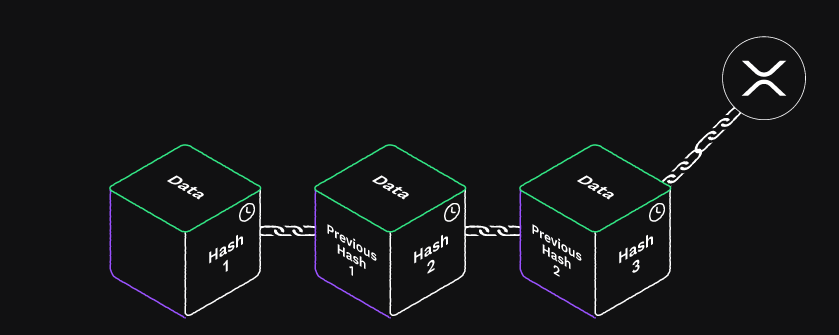
Cryptocurrencies, digital currencies, and digital assets all fall into the same general category. Cryptocurrencies are:
* digitally native (meaning they are built for the internet)
* programmable
* fast to transfer at a low cost
* open and transparent
* not restricted by borders or governments (so no need for nostro accounts that hold funds in another country)
* not subject to counterfeit
* do not require a bank account or infrastructure to settle payments.
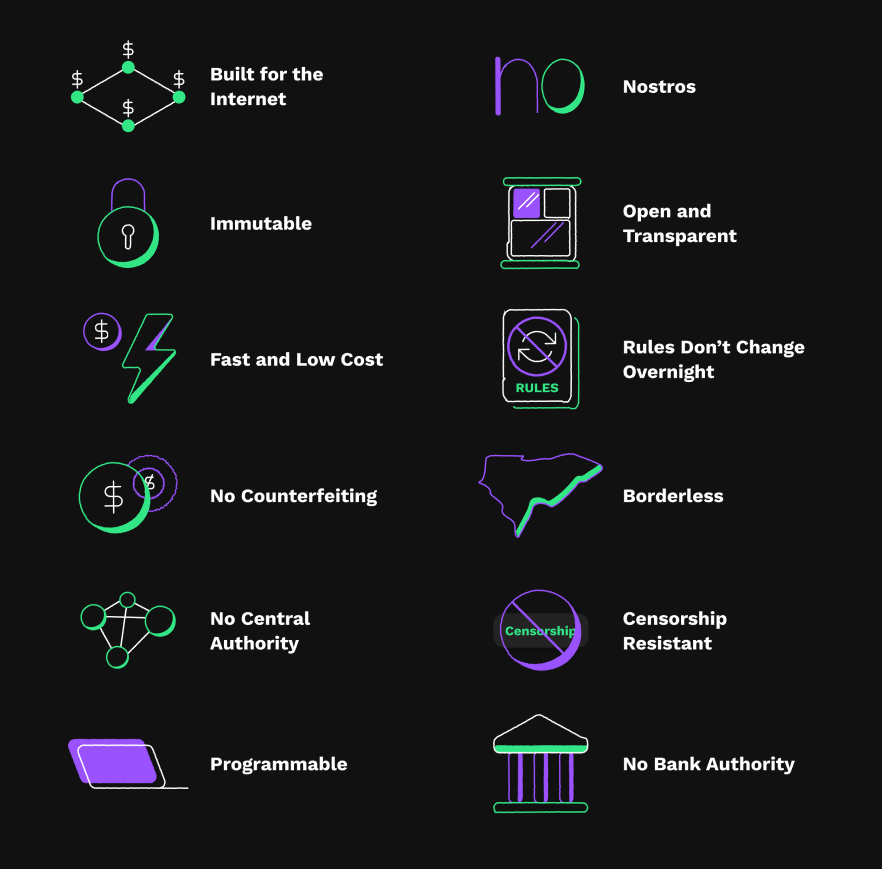
Cryptocurrencies are _fungible tokens_. _Fungible_ means that you can replace one token with other tokens of equal value. Postage is an example of a fungible token: if it costs 50 cents to mail a letter, you can use 2 25-cent stamps or 5 10-cent stamps for the postage, because postage stamps are fungible (consistent in relative value and interchangeable).
Cryptocurrencies are also decentralized. There’s no central authority governing the currency. Once a transaction is on the blockchain you cannot change it. It is difficult to censor cryptocurrency: so long as the system is sufficiently decentralized, no one can roll back transactions, freeze balances, or block someone from using a decentralized digital asset. Rules do not change without significant coordination among all participants.
Cryptocurrencies are compelling for investors and developers because no single entity can “pull the plug” on them and have them disappear.
[](https://xrpl.org/docs/introduction/what-is-xrp#but-why-is-it-valuable)
But Why Is It Valuable?
-----------------------------------------------------------------------------------------------------

It might seem strange that cryptocurrency is based solely on computer data, and not on any sort of tangible commodity such as precious metal. Traditionally, currencies have been based on cattle, sea shells, rare metals, stones, or other physical objects. But these items have value only because there was agreement between people in a culture.
While it might seem safer to have something “real” in your hand, many people wouldn’t know fool’s gold from the actual thing, or cubic zirconia from a genuine diamond. Paper money can be counterfeit. You can forget you have a $10 bill in your pocket and ruin it in the wash. It is costly to safely store and transport valuable items for payment.
The value of cryptocurrency comes from the faith that holders place in the currency. Given the distributed nature of the records and the cryptographic safeguards to secure the funds, cryptocurrency could be considered a much more robust, secure, and convenient form of currency than traditional fiat currencies.
[](https://xrpl.org/docs/introduction/what-is-xrp#xrp-is-cryptocurrency)
XRP is Cryptocurrency
--------------------------------------------------------------------------------------------------
The XRP Ledger was built over 2011 – early 2012 by Jed McCaleb, Arthur Britto and David Schwartz. At the time of its creation, there were 100 billion XRP. In September 2012, Jed and Arthur, along with Chris Larsen formed Ripple (the company, called OpenCoin Inc. at the time) and decided to gift 80 billion XRP to Ripple in exchange for Ripple developing on the XRP Ledger.
Since then, the company has regularly sold XRP, used it to strengthen XRP markets and improve network liquidity, and incentivized development of the greater ecosystem. In 2017, the company placed [55 billion XRP in escrow](https://ripple.com/insights/ripple-escrows-55-billion-xrp-for-supply-predictability/?__hstc=78174987.8aa695b6d0420a940041f1842edfd8a6.1692378128025.1692644550213.1692652561840.8&__hssc=78174987.3.1692652561840&__hsfp=3379522993)
to ensure that the amount entering the general supply [grows predictably](https://ripple.com/insights/ripple-to-place-55-billion-xrp-in-escrow-to-ensure-certainty-into-total-xrp-supply/?__hstc=78174987.8aa695b6d0420a940041f1842edfd8a6.1692378128025.1692644550213.1692652561840.8&__hssc=78174987.3.1692652561840&__hsfp=3379522993)
for the foreseeable future. Ripple's [XRP Market Performance site](https://ripple.com/xrp/?__hstc=78174987.8aa695b6d0420a940041f1842edfd8a6.1692378128025.1692644550213.1692652561840.8&__hssc=78174987.3.1692652561840&__hsfp=3379522993)
reports how much XRP the company has available and locked in escrow at present.
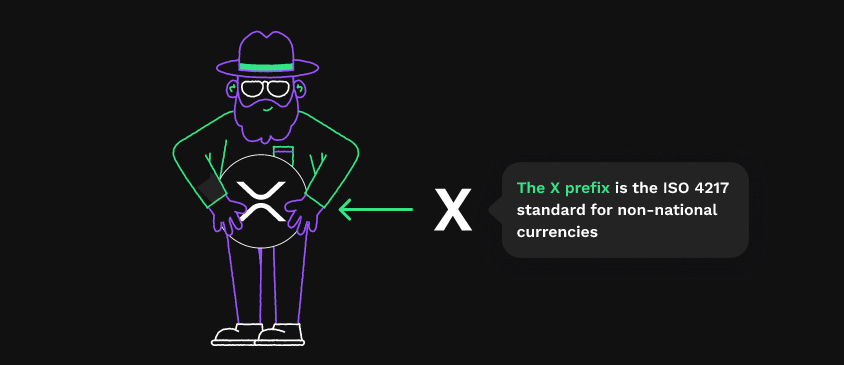
###
[](https://xrpl.org/docs/introduction/what-is-xrp#naming)
Naming
Originally, the XRP Ledger was called "Ripple" for the way the technology allowed payments [to ripple through multiple hops and currencies](https://xrpl.org/docs/concepts/tokens/fungible-tokens/rippling)
. For the native asset built into the ledger, the creators chose the ticker symbol "XRP" from the term "ripple credits" or "ripples" and the X prefix for non-national currencies in the [ISO 4217](https://www.iso.org/iso-4217-currency-codes.html)
standard. The company registered itself as "Ripple Labs". The name "XRP" came to be used to refer to the asset in all contexts, to avoid confusion with the similar names for the technology and company, and eventually the company shortened its own name to "Ripple". In May 2018, [the community selected a new "X" symbol](https://twitter.com/xrpsymbol/status/1006925937571713025)
to represent XRP to differentiate it from the triskelion logo that had previously been used for both the company and the digital asset.
| XRP "X" Logo | Ripple triskelion |
| --- | --- |
|  |  |
###
[](https://xrpl.org/docs/introduction/what-is-xrp#trademark)
Trademark
"XRP" is a registered trademark of the XRPL Foundation in the U.S.A. and other countries like China and Estonia.
The trademark application was registered with the United States Patent and Trademark Office (USPTO) in 2013 with OpenCoin Inc and Ripple Labs Inc as assignees. In 2022, the trademark assignment was updated and is now assigned to the MITTETULUNDUSÜHING XRP LEDGER TRUST (“XRPLF”).
Next: [Crypto Wallets](https://xrpl.org/docs/introduction/crypto-wallets)
#### Was this helpful?
Previous page[What is the XRP Ledger?](https://xrpl.org/docs/introduction/what-is-the-xrp-ledger)
Next page[Crypto Wallets](https://xrpl.org/docs/introduction/crypto-wallets)
Ask AI
---
# Open, Closed, and Validated Ledgers
[Skip to content](https://xrpl.org/docs/concepts/ledgers/open-closed-validated-ledgers#content)
[Documentation](https://xrpl.org/docs)
/[Concepts](https://xrpl.org/docs/concepts)
/
Ledgers
* Open, Closed, and Validated Ledgers
[Ledger Structure](https://xrpl.org/docs/concepts/ledgers/ledger-structure)
[Ledger Close Times](https://xrpl.org/docs/concepts/ledgers/ledger-close-times)
/
Open, Closed, and Validat...
Last updated 2 years ago
[Edit](https://github.com/XRPLF/xrpl-dev-portal/tree/master/docs/concepts/ledgers/open-closed-validated-ledgers.md)
[](https://xrpl.org/docs/concepts/ledgers/open-closed-validated-ledgers#open-closed-and-validated-ledgers)
Open, Closed, and Validated Ledgers
Copy
* Copy for LLM
Copy page as Markdown for LLMs
* [View as Markdown\
\
Open this page as Markdown](https://xrpl.org/docs/concepts/ledgers/open-closed-validated-ledgers.md)
* [Open in ChatGPT\
\
Get insights from ChatGPT](https://chat.openai.com/?q=Read+https%3A%2F%2Fxrpl.org%2Fdocs%2Fconcepts%2Fledgers%2Fopen-closed-validated-ledgers.md+and+answer+questions+based+on+the+content.)
* [Open in Claude\
\
Get insights from Claude](https://claude.ai/new?q=Read+https%3A%2F%2Fxrpl.org%2Fdocs%2Fconcepts%2Fledgers%2Fopen-closed-validated-ledgers.md+and+answer+questions+based+on+the+content.)
* Connect to Cursor
Install MCP server on Cursor
* Connect to VS Code
Install MCP server on VS Code
=========================================================================================================================================================================================================================================================================================================================================================================================================================================================================================================================================================================================================================================================================================================================================================================================================================================================================================================================================================================
The `rippled` server makes a distinction between ledger versions that are _open_, _closed_, and _validated_. A server has one open ledger, any number of closed but unvalidated ledgers, and an immutable history of validated ledgers. The following table summarizes the difference:
| Ledger Type: | Open | Closed | Validated |
| --- | --- | --- | --- |
| **Purpose:** | Temporary workspace | Proposed next state | Confirmed previous state |
| **Number used:** | 1 | Any number, but usually 0 or 1 | One per ledger index, growing over time |
| **Can contents change?** | Yes | No, but the whole ledger could be replaced | Never |
| **Transactions are applied in:** | The order they are received | Canonical order | Canonical order |
Unintuitively, the XRP Ledger never "closes" an open ledger to convert it into a closed ledger. Instead, the server throws away the open ledger, creates a new closed ledger by applying transactions on top of a previous closed ledger, then creates a new open ledger using the latest closed ledger as a base. This is a consequence of [how consensus solves the double-spend problem](https://xrpl.org/docs/concepts/consensus-protocol/consensus-principles-and-rules#simplifying-the-problem)
.
For an open ledger, servers apply transactions in the order those transactions appear, but different servers may see transactions in different orders. Since there is no central timekeeper to decide which transaction was actually first, servers may disagree on the exact order of transactions that were sent around the same time. Thus, the process for calculating a closed ledger version that is eligible for [validation](https://xrpl.org/docs/concepts/consensus-protocol/consensus-structure#validation)
is different than the process of building an open ledger from proposed transactions in the order they arrive. To create a "closed" ledger, each XRP Ledger server starts with a set of transactions and a previous, or "parent", ledger version. The server puts the transactions in a canonical order, then applies them to the previous ledger in that order. The canonical order is designed to be deterministic and efficient, but hard to game, to increase the difficulty of front-running Offers in the [decentralized exchange](https://xrpl.org/docs/concepts/tokens/decentralized-exchange)
.
Thus, an open ledger is only ever used as a temporary workspace, which is a major reason why transactions' [tentative results may vary from their final results](https://xrpl.org/docs/concepts/transactions/finality-of-results)
.
#### Was this helpful?
Previous page[Ledger Structure](https://xrpl.org/docs/concepts/ledgers/ledger-structure)
Next page[Ledger Close Times](https://xrpl.org/docs/concepts/ledgers/ledger-close-times)
Ask AI
---
# Consensus Research
[Skip to content](https://xrpl.org/docs/concepts/consensus-protocol/consensus-research#content)
[Documentation](https://xrpl.org/docs)
/[Concepts](https://xrpl.org/docs/concepts)
/
Consensus Protocol
* Consensus Research
[Consensus Structure](https://xrpl.org/docs/concepts/consensus-protocol/consensus-structure)
[Consensus Principles and Rules](https://xrpl.org/docs/concepts/consensus-protocol/consensus-principles-and-rules)
[Consensus Protections Against Attacks and Failure Modes](https://xrpl.org/docs/concepts/consensus-protocol/consensus-protections)
[Unique Node List (UNL)](https://xrpl.org/docs/concepts/consensus-protocol/unl)
[Invariant Checking](https://xrpl.org/docs/concepts/consensus-protocol/invariant-checking)
[Fee Voting](https://xrpl.org/docs/concepts/consensus-protocol/fee-voting)
[Negative UNL](https://xrpl.org/docs/concepts/consensus-protocol/negative-unl)
/
Consensus Research
Last updated 2 years ago
[Edit](https://github.com/XRPLF/xrpl-dev-portal/tree/master/docs/concepts/consensus-protocol/consensus-research.md)
[](https://xrpl.org/docs/concepts/consensus-protocol/consensus-research#consensus-research)
Consensus Research
Copy
* Copy for LLM
Copy page as Markdown for LLMs
* [View as Markdown\
\
Open this page as Markdown](https://xrpl.org/docs/concepts/consensus-protocol/consensus-research.md)
* [Open in ChatGPT\
\
Get insights from ChatGPT](https://chat.openai.com/?q=Read+https%3A%2F%2Fxrpl.org%2Fdocs%2Fconcepts%2Fconsensus-protocol%2Fconsensus-research.md+and+answer+questions+based+on+the+content.)
* [Open in Claude\
\
Get insights from Claude](https://claude.ai/new?q=Read+https%3A%2F%2Fxrpl.org%2Fdocs%2Fconcepts%2Fconsensus-protocol%2Fconsensus-research.md+and+answer+questions+based+on+the+content.)
* Connect to Cursor
Install MCP server on Cursor
* Connect to VS Code
Install MCP server on VS Code
=========================================================================================================================================================================================================================================================================================================================================================================================================================================================================================================================================================================================================================================================================================================================================================================================================================================================================================================================================
Ripple researches both the theoretical and the practical limits of the XRP Ledger's consensus protocols, and explores other ideas in the same space. The following table lists scholarly articles published by Ripple:
| Date | Title | Authors | Summary |
| --- | --- | --- | --- |
| 2018-02-20 | [Cobalt: BFT Governance in Open Networks](https://arxiv.org/abs/1802.07240) | MacBrough | Introduces a novel atomic broadcast algorithm called Cobalt that allows more flexibility in consensus UNLs. |
| 2018-02-20 | [Analysis of the XRP Ledger Consensus Protocol](https://arxiv.org/abs/1802.07242) | Chase, MacBrough | A detailed and updated analysis of the XRP Ledger consensus algorithm and its safety and liveness properties. |
| 2014 | [The Ripple Protocol Consensus Algorithm](https://ripple.com/files/ripple_consensus_whitepaper.pdf) | Schwartz, Youngs, Britto | Introduces the consensus algorithm behind the XRP Ledger. |
#### Was this helpful?
Previous page[Negative UNL](https://xrpl.org/docs/concepts/consensus-protocol/negative-unl)
Next page[Ledgers](https://xrpl.org/docs/concepts/ledgers)
Ask AI
---
# Decentralized Storage
[Skip to content](https://xrpl.org/docs/concepts/decentralized-storage#content)
[Documentation](https://xrpl.org/docs)
/
Concepts
[Decentralized Storage](https://xrpl.org/docs/concepts/decentralized-storage)
[Networks and Servers](https://xrpl.org/docs/concepts/networks-and-servers)
[Consensus Protocol](https://xrpl.org/docs/concepts/consensus-protocol)
[Ledgers](https://xrpl.org/docs/concepts/ledgers)
[Transactions](https://xrpl.org/docs/concepts/transactions)
[Ledger Payment Types](https://xrpl.org/docs/concepts/payment-types)
[Tokens](https://xrpl.org/docs/concepts/tokens)
[Accounts](https://xrpl.org/docs/concepts/accounts)
[XRPL Sidechains](https://xrpl.org/docs/concepts/xrpl-sidechains)
/[Decentralized Storage](https://xrpl.org/docs/concepts/decentralized-storage)
Last updated 1 year ago
[Edit](https://github.com/XRPLF/xrpl-dev-portal/tree/master/docs/concepts/decentralized-storage/index.md)
[](https://xrpl.org/docs/concepts/decentralized-storage#decentralized-storage)
Decentralized Storage
Copy
* Copy for LLM
Copy page as Markdown for LLMs
* [View as Markdown\
\
Open this page as Markdown](https://xrpl.org/docs/concepts/decentralized-storage.md)
* [Open in ChatGPT\
\
Get insights from ChatGPT](https://chat.openai.com/?q=Read+https%3A%2F%2Fxrpl.org%2Fdocs%2Fconcepts%2Fdecentralized-storage.md+and+answer+questions+based+on+the+content.)
* [Open in Claude\
\
Get insights from Claude](https://claude.ai/new?q=Read+https%3A%2F%2Fxrpl.org%2Fdocs%2Fconcepts%2Fdecentralized-storage.md+and+answer+questions+based+on+the+content.)
* Connect to Cursor
Install MCP server on Cursor
* Connect to VS Code
Install MCP server on VS Code
===========================================================================================================================================================================================================================================================================================================================================================================================================================================================================================================================================================================================================================================================================================================================================================================================================================================================================
The XRP Ledger can store certain information types that originate from offchain.
* [Credentials](https://xrpl.org/docs/concepts/decentralized-storage/credentials)
Create and manage credentials on the blockchain, which can provide authorization for payments or other features, while respecting privacy and decentralization.
* [Decentralized Identifiers](https://xrpl.org/docs/concepts/decentralized-storage/decentralized-identifiers)
Decentralized identifiers enable verifiable, decentralized digital identities.
* [Price Oracles](https://xrpl.org/docs/concepts/decentralized-storage/price-oracles)
Price oracles gather real-world market prices and record them in the blockchain so that other tools and technology can access this data directly.
#### Was this helpful?
Previous page[Witness Servers](https://xrpl.org/docs/concepts/xrpl-sidechains/witness-servers)
Next page[Credentials](https://xrpl.org/docs/concepts/decentralized-storage/credentials)
Ask AI
---
# xrp-ledger.toml File
[Skip to content](https://xrpl.org/docs/references/xrp-ledger-toml#content)
[Documentation](https://xrpl.org/docs)
/
References
* xrp-ledger.toml File
[XRP Ledger Protocol Reference](https://xrpl.org/docs/references/protocol)
[Client Libraries](https://xrpl.org/docs/references/client-libraries)
[HTTP / WebSocket APIs](https://xrpl.org/docs/references/http-websocket-apis)
/
xrp-ledger.toml File
Last updated 1 year ago
[Edit](https://github.com/XRPLF/xrpl-dev-portal/tree/master/docs/references/xrp-ledger-toml.md)
[](https://xrpl.org/docs/references/xrp-ledger-toml#xrp-ledgertoml-file)
xrp-ledger.toml File
Copy
* Copy for LLM
Copy page as Markdown for LLMs
* [View as Markdown\
\
Open this page as Markdown](https://xrpl.org/docs/references/xrp-ledger-toml.md)
* [Open in ChatGPT\
\
Get insights from ChatGPT](https://chat.openai.com/?q=Read+https%3A%2F%2Fxrpl.org%2Fdocs%2Freferences%2Fxrp-ledger-toml.md+and+answer+questions+based+on+the+content.)
* [Open in Claude\
\
Get insights from Claude](https://claude.ai/new?q=Read+https%3A%2F%2Fxrpl.org%2Fdocs%2Freferences%2Fxrp-ledger-toml.md+and+answer+questions+based+on+the+content.)
* Connect to Cursor
Install MCP server on Cursor
* Connect to VS Code
Install MCP server on VS Code
========================================================================================================================================================================================================================================================================================================================================================================================================================================================================================================================================================================================================================================================================================================================================================================================================================================================
If you run an XRP Ledger validator or use the XRP Ledger for your business, you can provide information about your usage of the XRP Ledger to the world in a machine-readable **`xrp-ledger.toml`** file. Scripts and applications can use the information contained in your `xrp-ledger.toml` file to better understand and represent you in the XRP Ledger. In some cases, humans may also find it useful to read the same file.
One of the primary use cases for the `xrp-ledger.toml` file is [domain verification](https://xrpl.org/docs/references/xrp-ledger-toml#domain-verification)
.
####
[](https://xrpl.org/docs/references/xrp-ledger-toml#notational-conventions)
Notational Conventions
The key words "MUST", "MUST NOT", "REQUIRED", "SHALL", "SHALL NOT", "SHOULD", "SHOULD NOT", "RECOMMENDED", "MAY", and "OPTIONAL" in this document are to be interpreted as described in [RFC 2119](https://tools.ietf.org/html/rfc2119)
.
[](https://xrpl.org/docs/references/xrp-ledger-toml#serving-the-file)
Serving the File
------------------------------------------------------------------------------------------
The `xrp-ledger.toml` file is meant to be served by a web server. The file should be available at the following URL:
https://{DOMAIN}/.well-known/xrp-ledger.toml
The `{DOMAIN}` is your domain name, including any subdomains. For example, you could serve the file from either of the following URLs:
https://example.com/.well-known/xrp-ledger.toml
https://xrp.services.example.com/.well-known/xrp-ledger.toml
###
[](https://xrpl.org/docs/references/xrp-ledger-toml#protocol)
Protocol
The contents MUST be served through the **HTTPS protocol** for security, using a current and secure version of [TLS](https://tools.ietf.org/html/rfc8446)
, using a valid certificate signed by a well-known certificate authority. (Note: TLS was formerly called SSL, but those versions are no longer secure.) In other words, a prerequisite for hosting an `xrp-ledger.toml` file is to have a properly-configured HTTPS web server.
The plain HTTP protocol is vulnerable to man-in-the-middle attacks; for example, some internet services have been known to modify contents retrieved over plain HTTP to inject their own advertisements. To prevent similar techniques from misrepresenting the contents of the `xrp-ledger.toml` file and potentially causing scripts to behave incorrectly or deceptively, one SHOULD NOT trust the contents of an `xrp-ledger.toml` file that is served over plain HTTP.
###
[](https://xrpl.org/docs/references/xrp-ledger-toml#domain)
Domain
The domain where you serve the `xrp-ledger.toml` file is a statement of ownership. The file's contents are not as useful or trustworthy when they stand on their own. For practical reasons, it may be undesirable to serve the file from your main domain, so you MAY use any number of subdomains. When setting the [`Domain` field of XRP Ledger accounts](https://xrpl.org/docs/references/protocol/transactions/types/accountset#domain)
, you MUST provide the full domain, including all subdomains you used. See [Account Verification](https://xrpl.org/docs/references/xrp-ledger-toml#account-verification)
for details.
You MAY serve the same file from multiple subdomains, if desired. For example, if the subdomain `www.example.com` goes to the same website as `example.com`, you can serve the file from both locations. If your website _requires_ the `www` prefix, be sure to include it when you specify the domain (for example, when setting the `Domain` field of an XRP Ledger account).
It is RECOMMENDED that you serve a human-readable website from the same domain as the `xrp-ledger.toml` file. The website can provide further information about your identity and how you use the XRP Ledger, which helps to build trust toward you and your services.
###
[](https://xrpl.org/docs/references/xrp-ledger-toml#path)
Path
In compliance with [RFC5785](https://tools.ietf.org/html/rfc5785)
, the path MUST start with `/.well-known/`. The file MUST be available at the path `/.well-known/xrp-ledger.toml` exactly (case-sensitive, all lower case).
You MAY, if desired, serve the same file from paths with different capitalization, such as `/.well-known/XRP-Ledger.TOML`. You MUST NOT serve different contents depending on how the path is capitalized.
###
[](https://xrpl.org/docs/references/xrp-ledger-toml#headers)
Headers
####
[](https://xrpl.org/docs/references/xrp-ledger-toml#content-type)
Content-Type
The recommended **Content-Type** for the `xrp-ledger.toml` file is **`application/toml`**. However, applications consuming the file SHOULD also accept a Content-Type value of `text/plain`.
####
[](https://xrpl.org/docs/references/xrp-ledger-toml#cors)
CORS
To allow scripts on other websites to query the file, [CORS](https://developer.mozilla.org/en-US/docs/Web/HTTP/CORS)
should be enabled for the file. Specifically, the server should provide the following header when serving `xrp-ledger.toml`:
Access-Control-Allow-Origin: \*
For information on how to configure your server to provide this header, see [CORS setup](https://xrpl.org/docs/references/xrp-ledger-toml#cors-setup)
.
####
[](https://xrpl.org/docs/references/xrp-ledger-toml#other-headers)
Other Headers
The server MAY use other standard HTTP headers as desired, including ones for compression, cache control, redirection, and linking related resources.
###
[](https://xrpl.org/docs/references/xrp-ledger-toml#generation)
Generation
The `xrp-ledger.toml` file MAY be an actual file stored on the web server, or it MAY be generated on-demand by the web server. The latter case may be preferable depending on the contents provided in the file or the configuration of your website.
[](https://xrpl.org/docs/references/xrp-ledger-toml#contents)
Contents
--------------------------------------------------------------------------
The contents of the `xrp-ledger.toml` file MUST be formatted in [TOML](https://github.com/toml-lang/toml)
. **All contents are optional.** Comments are optional, but encouraged for readability.
Example contents:
\# Example xrp-ledger.toml file. These contents should not be considered
\# authoritative for any real entity or business.
\# Note: all fields and all sections are optional.
\[METADATA\]
modified = 2019-01-22T00:00:00.000Z
expires = 2019-03-01T00:00:00.000Z
\[\[VALIDATORS\]\]
public\_key = "nHBtDzdRDykxiuv7uSMPTcGexNm879RUUz5GW4h1qgjbtyvWZ1LE"
attestation = "A59AB577E14A7BEC053752ABFE78C3DED6DCEC81A7C41DF1931BC61742BB4FAEAA0D4F1C1EAE5BC74F6D68A3B26C8A223EA2492A5BD18D51F8AC7F4A97DFBE0C"
network = "main"
owner\_country = "us"
server\_country = "us"
unl = "https://vl.ripple.com"
\[\[VALIDATORS\]\]
public\_key = "nHB57Sey9QgaB8CubTPvMZLkLAzfJzNMWBCCiDRgazWJujRdnz13"
attestation = "A59AB577E14A7BEC053752FBFE78C3DED6DCEC81A7C41DF1931BC61742BB4FAEAA0D4F1C1EAE5BC74F6D68A3B26C8A223EA249BA5BD18D51F8AC7F4A97DFBE0C"
network = "testnet"
owner\_country = "us"
server\_country = "us"
unl = "https://vl.testnet.rippletest.net"
\# Note: the attestions above are only examples and are not real.
\[\[ACCOUNTS\]\]
address = "r3kmLJN5D28dHuH8vZNUZpMC43pEHpaocV"
desc = "Ripple-owned address from old ripple.txt file"
\# Note: This doesn't prove ownership of an account unless the
\# "Domain" field of the account in the XRP Ledger matches the
\# domain this file was served from.
\[\[SERVERS\]\]
json\_rpc = "https://s1.ripple.com:51234/"
ws = "wss://s1.ripple.com/"
peer = "https://s1.ripple.com:51235/"
desc = "General purpose server cluster"
\[\[SERVERS\]\]
json\_rpc = "https://s2.ripple.com:51234/"
ws = "wss://s2.ripple.com/"
peer = "https://s2.ripple.com:51235/"
desc = "Full-history server cluster"
\[\[SERVERS\]\]
json\_rpc = "https://s.testnet.rippletest.net:51234/"
ws = "wss://s.testnet.rippletest.net:51233/"
peer = "https://s.testnet.rippletest.net:51235/"
network = "testnet"
desc = "Test Net public server cluster"
\[\[PRINCIPALS\]\]
name = "Rome Reginelli" # Primary spec author
email = "[\[email protected\]](https://xrpl.org/cdn-cgi/l/email-protection)
" # Not my real email address
social\_1 = "https://website.tld/username" # Social media username/handle as an alternative way to connect
\[\[CURRENCIES\]\]
code = "LOL"
issuer = "rf1BiGeXwwQoi8Z2ueFYTEXSwuJYfV2Jpn"
network = "testnet"
display\_decimals = 2
symbol = "😆" # In practical situations, it may be unwise to use emoji
\# End of file
###
[](https://xrpl.org/docs/references/xrp-ledger-toml#metadata)
Metadata
The metadata section provides information about the `xrp-ledger.toml` file itself. If present, this section MUST BE presented as a single table, headed by the line `[METADATA]`, using _single_ square brackets. (Most other sections of the `xrp-ledger.toml` file use double brackets, for arrays of information, but there is at most one `[METADATA]` section.) You MAY provide any of the following fields (case-sensitive):
| Field | Type | Description |
| --- | --- | --- |
| `modified` | Offset Date-Time | The time the `xrp-leder.toml` file was last modified. |
| `expires` | Offset Date-Time | If the current time is equal or greater than this time, the `xrp-ledger.toml` file should be considered expired. |
The specification does not define a `domain` field; the field should be determined from the site serving the file.
Tip
For Offset Date-Time values, Ripple RECOMMENDS that you use the offset `Z` and provide precision up to milliseconds. (For example, `2019-01-22T22:26:58.027Z`) If you edit the file by hand, you MAY approximate the time by providing zeroes for the hours, minutes, seconds, and milliseconds. (For example, `2019-01-22T00:00:00.000Z`)
###
[](https://xrpl.org/docs/references/xrp-ledger-toml#validators)
Validators
The validators list provides information about validating servers you run. If present, the validators list MUST BE presented as an array of tables, with each entry using the header `[[VALIDATORS]]`, including double square brackets. Each entry describes a separate validating server.
The _first_ `[[VALIDATORS]]` entry in the file is treated as your primary validator. If you run one or more validators for the production XRP Ledger, you should put the one you want others to trust first.
For _each_ `[[VALIDATORS]]` entry, you MAY provide any of the following fields:
| Field | Type | Description |
| --- | --- | --- |
| `public_key` | String | The master public key of your primary validator, encoded in the XRP Ledger's base58 format (typically, this starts with `n`). |
| `attestation` | String | A signed message, in hexadecimal, indicating that the same entity runs this validator and the domain serving this TOML file. For more information, see [Domain Verification](https://xrpl.org/docs/references/xrp-ledger-toml#domain-verification) . |
| `network` | String | Which network chain this validator follows. If omitted, clients SHOULD assume that the validator follows the production XRP Ledger. Use `main` to explicitly specify the production XRP Ledger. Use `testnet` for Ripple's XRP Ledger Test Net. You MAY provide other values to describe other test nets or non-standard network chains. |
| `owner_country` | String | The two-letter ISO-3166-2 country code describing the main legal jurisdiction that you (the validator's owner) are subject to. |
| `server_country` | String | The two-letter ISO-3166-2 country code describing the physical location where this validating server is. |
| `unl` | String | An HTTPS URL where one can find the list of other validators this validator trusts. If the validator is configured to use a validator list site for UNL recommendations, this MUST match the server's configuration. For the production XRP Ledger network, use `https://vl.ripple.com` (trailing slash optional). |
###
[](https://xrpl.org/docs/references/xrp-ledger-toml#accounts)
Accounts
The accounts list provides information about XRP Ledger accounts you own. If present, the accounts list MUST BE presented as an array of tables, with each entry using the header `[[ACCOUNTS]]`, including double square brackets. Each entry describes a separate account. For _each_ `[[ACCOUNTS]]` entry, you MAY provide any of the following fields:
| Field | Type | Description |
| --- | --- | --- |
| `address` | String | The public address of the account, encoded in the XRP Ledger's base58 format (typically, this starts with an `r`). |
| `network` | String | The network chain where this account is primarily used. If omitted, clients SHOULD assume that the account is claimed on the production XRP Ledger _and_ possibly other network chains. Use `main` for the production XRP Ledger. Use `testnet` for Ripple's XRP Ledger Test Net. You MAY provide other values to describe other test nets or non-standard network chains. |
| `desc` | String | A human-readable description of this account's purpose or how you use it. |
Caution
Anyone could claim ownership of any account by hosting an `xrp-ledger.toml` file, so the presence of an account here SHOULD NOT be considered authoritative unless the [`Domain` field for these accounts in the XRP Ledger](https://xrpl.org/docs/references/protocol/transactions/types/accountset#domain)
also matches the domain that this `xrp-ledger.toml` file was served from. See [Account Verification](https://xrpl.org/docs/references/xrp-ledger-toml#account-verification)
for details.
###
[](https://xrpl.org/docs/references/xrp-ledger-toml#principals)
Principals
The principals list provides information about the people (or business entities) involved in your XRP Ledger businesses and services. If present, the principals list MUST BE presented as an array of tables, with each entry using the header `[[PRINCIPALS]]`, including double square brackets. Each entry describes a different point of contact. For _each_ `[[PRINCIPALS]]` entry, you MAY provide any of the following fields:
| Field | Type | Description |
| --- | --- | --- |
| `name` | String | The name of this principal. |
| `email` | String | The email address where this principal can be contacted. |
| `social_1` | String | The social media username/handle where this principal can be contacted. For consistency, use site names, not domains, when specifying social media platforms. For example, `x = "@username"` or `linkedin = "username"` |
You may provide other contact information as desired. (See [Custom Fields](https://xrpl.org/docs/references/xrp-ledger-toml#custom-fields)
for information about custom fields.)
###
[](https://xrpl.org/docs/references/xrp-ledger-toml#servers)
Servers
The servers list provides information about XRP Ledger servers (`rippled`) you run with public access. If present, the servers list MUST BE presented as an array of tables, with each entry using the header `[[SERVERS]]`, including double square brackets. Each entry describes a different server or server cluster. For _each_ `[[SERVERS]]` entry, you MAY provide any of the following fields:
| Field | Type | Description |
| --- | --- | --- |
| `json_rpc` | String (URL) | The URL where you serve a public JSON-RPC API. This MUST begin with either `http://` or `https://`. HTTPS is RECOMMENDED for public APIs. |
| `ws` | String (URL) | The URL where you serve a public WebSocket API. This MUST begin with either `ws://` or `wss://`. WSS is RECOMMENDED for public APIs. |
| `peer` | String (URL) | The URL where your server is listening for the XRP Ledger Peer Protocol. Other XRP Ledger servers can connect at this URL. If your server provides a Peer Crawler response, it is served from this URL with `crawl` appended. |
| `network` | String | Which network chain this server follows. If omitted, clients SHOULD assume that the server follows the production XRP Ledger. Use `main` to explicitly specify the production XRP Ledger. Use `testnet` for Ripple's XRP Ledger Test Net. You MAY provide other values to describe other test nets or non-standard network chains. |
For all URLs in this section, the trailing slash is RECOMMENDED. If omitted, client applications SHOULD assume that there is a trailing slash implied.
###
[](https://xrpl.org/docs/references/xrp-ledger-toml#currencies)
Currencies
If you issue any assets, tokens, or currencies in the XRP Ledger, you can provide information about them in the `[[CURRENCIES]]` list. If present, the currencies list MUST BE presented as an array of tables, with each entry using the header `[[CURRENCIES]]`, including double square brackets. Each entry describes a separate token or asset. For _each_ `[[CURRENCIES]]` entry, you MAY provide any of the following fields:
| Field | Type | Description |
| --- | --- | --- |
| `code` | String | The (case-sensitive) ticker symbol of this token in the XRP Ledger. This can be a three-digit code, a 40-character hex code, or a custom format (for clients that know how to represent the non-standard code in the XRP Ledger). See the [Currency Code reference](https://xrpl.org/docs/references/protocol/data-types/currency-formats#currency-codes) for information on the XRP Ledger's currency code formats. |
| `display_decimals` | Number | The number of decimals that a client application should use to display amounts of this currency. |
| `issuer` | String | The address of the XRP Ledger account where you issue this currency, encoded in the XRP Ledger's base58 format (typically, this starts with an `r`). You SHOULD also list this address in the `[[ACCOUNTS]]` list. (Reminder: the presence of an address here is not authoritative on its own. See [Account Verification](https://xrpl.org/docs/references/xrp-ledger-toml#account-verification) for details.) |
| `network` | String | The network chain where you issue this token. Use `main` to explicitly specify the production XRP Ledger. If omitted, clients SHOULD assume that the currency is issued on the production XRP Ledger. Use `testnet` for Ripple's XRP Ledger Test Net. You MAY provide other values to describe other test nets or non-standard network chains. |
| `symbol` | String | The text symbol, such "$" or "€", that should be used with amounts of this asset or currency, if it has a symbol in the Unicode standard. |
###
[](https://xrpl.org/docs/references/xrp-ledger-toml#custom-fields)
Custom Fields
The `xrp-ledger.toml` file is intended for users of the XRP Ledger to provide information to other users, scripts, and applications. As such, there may be many kinds of information that are useful to convey but are not described in this specification. Users are encouraged to add other fields at any level of the `xrp-ledger.toml` file, as desired to convey relevant information.
Tools that parse the `xrp-ledger.toml` file MUST accept documents that contain any other fields that the application is not familiar with. Those tools MAY make those additional fields available to higher-level applications that call them, or MAY discard those fields. To maintain forward-compatibility with future versions of this specification, tools MAY also discard fields specified in this standard. Tools MUST NOT return an error if an `xrp-ledger.toml` file contains an unrecognized field. To detect typos, tools MAY provide a warning on unrecognized fields, especially if those field names are similar to the names of standard fields.
Tools MAY return an error if a field they recognize is not formatted as expected, even if that field is not defined in this specification.
When creating custom fields, be mindful of the field name you choose. If you use a very generic field name, other users may use the same name to mean something different, or formatted in a conflicting way. If you use a custom field that you think others will find useful, please contribute a specification for your field to the maintainers of this document.
[](https://xrpl.org/docs/references/xrp-ledger-toml#cors-setup)
CORS Setup
------------------------------------------------------------------------------
You MUST configure your web server to allow Cross-Origin Resource Sharing ([CORS](https://developer.mozilla.org/en-US/docs/Web/HTTP/CORS)
) for the `xrp-ledger.toml` file. This configuration depends on your web server.
If you run an Apache HTTP Server, add the following to your config file:
Header set Access-Control-Allow-Origin "\*"
Alternatively, you can add the following to a `.htaccess` file in the `/.well-known/` directory of your server:
Header set Access-Control-Allow-Origin "\*"
If you use nginx, add the following to your config file:
location /.well-known/xrp-ledger.toml {
add\_header 'Access-Control-Allow-Origin' '\*';
}
For other web servers, see [I want to add CORS support to my server](https://enable-cors.org/server.html)
. If you use managed hosting, check your web host's documentation for how to enable CORS on a specific path. (You probably do not want to enable CORS for your entire website.)
[](https://xrpl.org/docs/references/xrp-ledger-toml#domain-verification)
Domain Verification
------------------------------------------------------------------------------------------------
One use for the `xrp-ledger.toml` file is verifying that the same entity that runs a particular domain also runs a particular validator, as identified by the validator's public key. Verifying that a domain and a validator are owned by the same entity provides greater assurances of the identity of the validator operator and is a recommended step for becoming a trusted validator. (For other recommendations, see [Properties of a Good Validator](https://xrpl.org/docs/infrastructure/configuration/server-modes/run-rippled-as-a-validator#1-understand-the-traits-of-a-good-validator)
.)
Domain verification requires establishing a two-way link between the domain operator and the validator:
1. The domain claims ownership of the validator:
* Serve an `xrp-ledger.toml` file, following all the [requirements described in this document](https://xrpl.org/docs/references/xrp-ledger-toml#serving-the-file)
, from the domain in question.
* In that `xrp-ledger.toml` file, provide a `[[VALIDATORS]]` entry with the validator's master public key in the `public_key` field.
2. The validator claims ownership of the domain:
* Ensure that you have access to the validator-keys.json file that you created when first setting up your validator. If you have lost your keys or the keys have been compromised, please [revoke your keys](https://xrpl.org/docs/infrastructure/configuration/server-modes/run-rippled-as-a-validator#revoke-validator-keys)
and generate new keys.
Note: Recall that your validator-keys.json file should be stored **in a location not on your validator**.
* **In a location not on your validator**, build the [validator-keys-tool](https://github.com/ripple/validator-keys-tool)
.
* Run the following command to generate a new validator token that incorporates your domain and update your `xrp-ledger.toml` and `rippled.cfg` files:
$./validator-keys set\_domain example.com
Warning
This command updates your validator-keys.json file. Please be sure to store the `validator-keys.json` file in a secure location.
Sample Output:
The domain name has been set to: example.com
The domain attestation for validator nHDG5CRUHp17ShsEdRweMc7WsA4csiL7qEjdZbRVTr74wa5QyqoF is:
attestation="A59AB577E14A7BEC053752FBFE78C3DE
D6DCEC81A7C41DF1931BC61742BB4FAE
AA0D4F1C1EAE5BC74F6D68A3B26C8A22
3EA2492A5BD18D51F8AC7F4A97DFBE0C"
You should include it in your xrp-ledger.toml file in the
section for this validator.
You also need to update the rippled.cfg file to add a new
validator token and restart rippled:
\# validator public key: nHDG5CRUHp17ShsEdRweMc7WsA4csiL7qEjdZbRVTr74wa5QyqoF
\[validator\_token\]
eyJ2YWxpZGF0aW9uX3NlY3J|dF9rZXkiOiI5ZWQ0NWY4NjYyNDFjYzE4YTI3NDdiNT
QzODdjMDYyNTkwNzk3MmY0ZTcxOTAyMzFmYWE5Mzc0NTdmYT|kYWY2IiwibWFuaWZl
c3QiOiJKQUFBQUFGeEllMUZ0d21pbXZHdEgyaUNjTUpxQzlnVkZLaWxHZncxL3ZDeE
hYWExwbGMyR25NaEFrRTFhZ3FYeEJ3RHdEYklENk9NU1l1TTBGREFscEFnTms4U0tG
bjdNTzJmZGtjd1JRSWhBT25ndTlzQUtxWFlvdUorbDJWMFcrc0FPa1ZCK1pSUzZQU2
hsSkFmVXNYZkFpQnNWSkdlc2FhZE9KYy9hQVpva1MxdnltR21WcmxIUEtXWDNZeXd1
NmluOEhBU1FLUHVnQkQ2N2tNYVJGR3ZtcEFUSGxHS0pkdkRGbFdQWXk1QXFEZWRGdj
VUSmEydzBpMjFlcTNNWXl3TFZKWm5GT3I3QzBrdzJBaVR6U0NqSXpkaXRROD0ifQ==
Update [the contents of your `xrp-ledger.toml` file](https://xrpl.org/docs/references/xrp-ledger-toml#contents)
with the `attestation` block, and update the `rippled.cfg` file with the `[validator_token]` block from the sample output.
Warning
Your validator token is meant to be kept secret. Do not share it on your `xrp-ledger.toml` file or anywhere else.
[](https://xrpl.org/docs/references/xrp-ledger-toml#account-verification)
Account Verification
--------------------------------------------------------------------------------------------------
Similar to [Domain Verification](https://xrpl.org/docs/references/xrp-ledger-toml#domain-verification)
, account verification is the idea of proving that the same entity controls a particular domain and a particular XRP Ledger address. Account verification is not necessary for using the XRP Ledger or providing an `xrp-ledger.toml` file, but you may want to verify your accounts in the name of transparency.
Account verification requires establishing a two-way link between the domain operator and the address:
1. The domain claims ownership of the address.
* Serve an `xrp-ledger.toml` file, following all the [requirements described in this document](https://xrpl.org/docs/references/xrp-ledger-toml#serving-the-file)
, from the domain in question.
* In that `xrp-ledger.toml` file, provide an `[[ACCOUNTS]]` entry with the address of the account you want to verify. If you issue currency from this address, you may also provide this account in the `issuer` field of a `[[CURRENCIES]]` entry.
2. The address claims ownership by a domain.
[Set the account's `Domain` field](https://xrpl.org/docs/references/protocol/transactions/types/accountset#domain)
to match the domain that this `xrp-ledger.toml` file was served from. The domain value (when decoded from ASCII) MUST match _exactly_, including all subdomains such as `www.`. For internationalized domain names, set the `Domain` value to the Punycode of the domain, as described in [RFC3492](https://tools.ietf.org/html/rfc3492)
.
Since setting the `Domain` requires sending a transaction, whoever set the `Domain` value must have possessed the account's secret key when the transaction was sent.
Either of these two links, on their own, SHOULD NOT be considered authoritative. Anyone could host an `xrp-ledger.toml` file claiming ownership of any account, and any account operator could set its `Domain` field to any string it wants. If the two match, it provides strong evidence that the same entity controls both.
[](https://xrpl.org/docs/references/xrp-ledger-toml#acknowledgements)
Acknowledgements
------------------------------------------------------------------------------------------
This specification is derived from the [original ripple.txt spec](https://web.archive.org/web/20161007113240/https://wiki.ripple.com/Ripple.txt)
and draws inspiration from the [stellar.toml file](https://www.stellar.org/developers/guides/walkthroughs/how-to-complete-stellar-toml.html)
. This specification also incorporates feedback from XRP community members and many past and current Ripple employees.
#### Was this helpful?
Previous page[Validator List Method](https://xrpl.org/docs/references/http-websocket-apis/peer-port-methods/validator-list)
Next page[Infrastructure](https://xrpl.org/docs/infrastructure)
Ask AI
---
# Price Oracles
[Skip to content](https://xrpl.org/docs/concepts/decentralized-storage/price-oracles#content)
[Documentation](https://xrpl.org/docs)
/[Concepts](https://xrpl.org/docs/concepts)
/
Decentralized Storage
* Price Oracles
[Credentials](https://xrpl.org/docs/concepts/decentralized-storage/credentials)
[Decentralized Identifiers](https://xrpl.org/docs/concepts/decentralized-storage/decentralized-identifiers)
/
Price Oracles
Last updated 6 months ago
[Edit](https://github.com/XRPLF/xrpl-dev-portal/tree/master/docs/concepts/decentralized-storage/price-oracles.md)
[](https://xrpl.org/docs/concepts/decentralized-storage/price-oracles#price-oracles)
Price Oracles
Copy
* Copy for LLM
Copy page as Markdown for LLMs
* [View as Markdown\
\
Open this page as Markdown](https://xrpl.org/docs/concepts/decentralized-storage/price-oracles.md)
* [Open in ChatGPT\
\
Get insights from ChatGPT](https://chat.openai.com/?q=Read+https%3A%2F%2Fxrpl.org%2Fdocs%2Fconcepts%2Fdecentralized-storage%2Fprice-oracles.md+and+answer+questions+based+on+the+content.)
* [Open in Claude\
\
Get insights from Claude](https://claude.ai/new?q=Read+https%3A%2F%2Fxrpl.org%2Fdocs%2Fconcepts%2Fdecentralized-storage%2Fprice-oracles.md+and+answer+questions+based+on+the+content.)
* Connect to Cursor
Install MCP server on Cursor
* Connect to VS Code
Install MCP server on VS Code
=======================================================================================================================================================================================================================================================================================================================================================================================================================================================================================================================================================================================================================================================================================================================================================================================================================================================================================================================
Price oracles gather real-world market prices and record them in the blockchain so that other tools and technology can access this data directly.
Blockchains can't inherently interact with and "know" what's happening off the network, but many of its use cases in decentralized finance require this information. Price oracles solve this problem by putting the data on-chain where decentralized apps can find it. Like blockchains, most oracles are also decentralized and validate data through multiple nodes.
Note
Generally speaking, oracles aren't limited to only providing financial information like asset prices, exchange rates, or interest rates. They can provide any type of info, such as what sports team won a game, or even the weather. The XRP Ledger's Price Oracle feature, however, is designed specifically for reporting the prices of assets.
_Requires the [PriceOracle amendment](https://xrpl.org/resources/known-amendments#priceoracle)
. Loading..._
[](https://xrpl.org/docs/concepts/decentralized-storage/price-oracles#how-oracles-work)
How Oracles Work
------------------------------------------------------------------------------------------------------------
Most oracle blockchain interactions work like this:
1. Data is validated offchain by a decentralized oracle network.
2. The data is sent to the blockchain.
3. The blockchain uses that information to execute a smart contract, such as releasing funds from an escrow.
This process can also work in reverse, pushing transaction information to external systems.
[](https://xrpl.org/docs/concepts/decentralized-storage/price-oracles#price-oracles-on-the-xrp-ledger)
Price Oracles on the XRP Ledger
------------------------------------------------------------------------------------------------------------------------------------------
XRPL price oracles are a native, on-chain oracle, enhancing the native DeFi functionality of the XRP Ledger. Off-chain price oracles send their data to XRPL oracles, which store that information on-chain. Decentralized apps can then query the XRPL oracles for price data; multiple XRPL oracles can be queried to minimize risk and inaccuracies.
By standardizing price feeds in this manner, all XRPL apps can access a dependable, shared data source.
[](https://xrpl.org/docs/concepts/decentralized-storage/price-oracles#see-also)
See Also
--------------------------------------------------------------------------------------------
* **References:**
* [get\_aggregate\_price method](https://xrpl.org/docs/references/http-websocket-apis/public-api-methods/path-and-order-book-methods/get_aggregate_price)
* [Oracle entry](https://xrpl.org/docs/references/protocol/ledger-data/ledger-entry-types/oracle)
* [OracleDelete transaction](https://xrpl.org/docs/references/protocol/transactions/types/oracledelete)
* [OracleSet transaction](https://xrpl.org/docs/references/protocol/transactions/types/oracleset)
#### Was this helpful?
Previous page[Decentralized Identifiers](https://xrpl.org/docs/concepts/decentralized-storage/decentralized-identifiers)
Next page[Tutorials](https://xrpl.org/docs/tutorials)
Ask AI
---
# Decentralized Identifiers
[Skip to content](https://xrpl.org/docs/concepts/decentralized-storage/decentralized-identifiers#content)
[Documentation](https://xrpl.org/docs)
/[Concepts](https://xrpl.org/docs/concepts)
/
Decentralized Storage
* Decentralized Identifiers
[Credentials](https://xrpl.org/docs/concepts/decentralized-storage/credentials)
[Price Oracles](https://xrpl.org/docs/concepts/decentralized-storage/price-oracles)
/
Decentralized Identifiers
Last updated 6 months ago
[Edit](https://github.com/XRPLF/xrpl-dev-portal/tree/master/docs/concepts/decentralized-storage/decentralized-identifiers.md)
[](https://xrpl.org/docs/concepts/decentralized-storage/decentralized-identifiers#decentralized-identifiers)
Decentralized Identifiers
Copy
* Copy for LLM
Copy page as Markdown for LLMs
* [View as Markdown\
\
Open this page as Markdown](https://xrpl.org/docs/concepts/decentralized-storage/decentralized-identifiers.md)
* [Open in ChatGPT\
\
Get insights from ChatGPT](https://chat.openai.com/?q=Read+https%3A%2F%2Fxrpl.org%2Fdocs%2Fconcepts%2Fdecentralized-storage%2Fdecentralized-identifiers.md+and+answer+questions+based+on+the+content.)
* [Open in Claude\
\
Get insights from Claude](https://claude.ai/new?q=Read+https%3A%2F%2Fxrpl.org%2Fdocs%2Fconcepts%2Fdecentralized-storage%2Fdecentralized-identifiers.md+and+answer+questions+based+on+the+content.)
* Connect to Cursor
Install MCP server on Cursor
* Connect to VS Code
Install MCP server on VS Code
===============================================================================================================================================================================================================================================================================================================================================================================================================================================================================================================================================================================================================================================================================================================================================================================================================================================================================================================================================================================================
A Decentralized Identifier (DID) is a new type of identifier defined by the World Wide Web Consortium (W3C) that enables verifiable, digital identities. DIDs are fully under the control of the DID owner, independent from any centralized registry, identity provider, or certificate authority.
The key principles of a DID are:
* **Decentralization:** No central issuing agency controls the DID, enabling the owner to update, resolve, or deactivate it. This also makes your identity highly-available, since DIDs are usually stored on a blockchain and always available for verification.
* **Verifiable Credentials:** Anyone can create a DID and falsify the information on it. To prove the authenticity of a DID, a user must provide a verifiable credential (VC) that is cryptographically secure and tamper-evident.
In the DID ecosystem, there are three parties: _user_, _issuer_, and _verifier_. The _user_ controls the DID, but needs a trusted _issuer_ to verify the information offline. The issuer provides a verfiable credential, which the user gives to _verifiers_ that need to confirm the user's identity. To learn more about the DID ecosystem, see: [Ecosystem Overview](https://www.w3.org/TR/vc-data-model/#ecosystem-overview)
.
* **Interoperability:** DIDs are open to any solution that recognizes the W3C DID standard. This means a DID can be used to authenticate and establish trust in various digital transactions and interactions.
Note
The implementation of DIDs on the XRP Ledger conforms to the requirements in the [DID v1.0 specification](https://www.w3.org/TR/did-core/)
.
_Requires the [DID amendment](https://xrpl.org/resources/known-amendments#did)
. Loading..._
[](https://xrpl.org/docs/concepts/decentralized-storage/decentralized-identifiers#how-it-works)
How It Works
----------------------------------------------------------------------------------------------------------------
1. An XRPL account holder generates a DID that is controlled by the account.
2. The DID is associated with a DID document as defined by W3C specifications.
3. A user provides their DID and VC to a verifier for a digital task.
4. The verifier resolves the DID to its document and uses the VC to verify its authenticity.
[](https://xrpl.org/docs/concepts/decentralized-storage/decentralized-identifiers#did-documents)
DID Documents
------------------------------------------------------------------------------------------------------------------
DID documents contain the necessary information to cryptographically verify the identity of the subject described by a DID document. The subject can be a person, organization, or thing. For example, a DID document could contain cryptographic public keys that the DID subject can use to authenticate itself and prove its association with the DID.
Note
DID documents usually serialize to a JSON or JSON-LD representation.
On the XRP Ledger, there are several ways to associate a DID to a DID document:
1. Store a reference to the document in the `URI` field of the `DID` object, which points to a document stored on another decentralized storage network, such as IPFS or STORJ.
2. Store a minimal DID document in the `DIDDocument` field of the `DID` object.
3. Use a minimal _implicit_ DID document generated from the DID and other available public information.
Note
Simpler use cases may only need signatures and simple authorization tokens. In cases where there isn't explicitly a DID document on the ledger, an implicit document is used instead. For example, the implicit DID Document of `did:xrpl:1:0330E7FC9D56BB25D6893BA3F317AE5BCF33B3291BD63DB32654A313222F7FD020` enables only a single key `0330E7FC9D56BB25D6893BA3F317AE5BCF33B3291BD63DB32654A313222F7FD020` to authorize changes on the DID document or sign credentials in the name of the DID.
###
[](https://xrpl.org/docs/concepts/decentralized-storage/decentralized-identifiers#sample-xrpl-did-document)
Sample XRPL DID Document
{
"@context": "https://w3id.org/did/v1",
"id": "did:xrpl:1:rf1BiGeXwwQoi8Z2ueFYTEXSwuJYfV2Jpn",
"publicKey": \[\
{\
"id": "did:xrpl:1:rf1BiGeXwwQoi8Z2ueFYTEXSwuJYfV2Jpn#keys-1",\
"type": \["CryptographicKey", "EcdsaKoblitzPublicKey"\],\
"curve": "secp256k1",\
"expires": 15674657,\
"publicKeyHex": "04f42987b7faee8b95e2c3a3345224f00e00dfc67ba882..."\
}\
\]
}
To learn more about the core properties of a DID document, see: [Decentralized Identifiers (DIDs) v1.0](https://www.w3.org/TR/did-core/#core-properties)
.
[](https://xrpl.org/docs/concepts/decentralized-storage/decentralized-identifiers#privacy-and-security-concerns)
Privacy and Security Concerns
--------------------------------------------------------------------------------------------------------------------------------------------------
* Whoever controls the private keys of an XRPL account, controls the DID and reference to the DID document it resolves to. Take care to ensure your private keys aren't compromised.
* You can include any content in a DID document, but should limit it to verification methods and service points. Since DIDs on XRPL are publicly available, you shouldn't include any personal information.
* IPFS allows anyone to store content on the nodes in a distributed network. A common misconception is that anyone can edit that content; however, the content-addressability of IPFS means any edited content will have a different address from the original. While any entity can copy a DID document anchored with an XRPL account's `DIDDocument` or `URI` fields, they can't change the document itself unless they control the private key that created the corresponding `DID` object.
[](https://xrpl.org/docs/concepts/decentralized-storage/decentralized-identifiers#use-cases)
Use Cases
----------------------------------------------------------------------------------------------------------
DIDs enable many use cases, such as:
* Meeting Know Your Client (KYC) and Anti-money Laundering (AML) standards.
* User identity management across the XRP Ledger.
* Differentiated access to DeFi apps.
* Signing digital documents.
* Making secure online transactions.
* Logging into websites.
#### Was this helpful?
Previous page[Credentials](https://xrpl.org/docs/concepts/decentralized-storage/credentials)
Next page[Price Oracles](https://xrpl.org/docs/concepts/decentralized-storage/price-oracles)
Ask AI
---
# Addresses
[Skip to content](https://xrpl.org/docs/concepts/accounts/addresses#content)
[Documentation](https://xrpl.org/docs)
/[Concepts](https://xrpl.org/docs/concepts)
/
Accounts
* Addresses
[Account Types](https://xrpl.org/docs/concepts/accounts/account-types)
[Configuring Accounts](https://xrpl.org/docs/concepts/accounts/configuring-accounts)
[Deleting Accounts](https://xrpl.org/docs/concepts/accounts/deleting-accounts)
[Reserves](https://xrpl.org/docs/concepts/accounts/reserves)
[Cryptographic Keys](https://xrpl.org/docs/concepts/accounts/cryptographic-keys)
[Multi-Signing](https://xrpl.org/docs/concepts/accounts/multi-signing)
[Deposit Authorization](https://xrpl.org/docs/concepts/accounts/depositauth)
[Tickets](https://xrpl.org/docs/concepts/accounts/tickets)
[Permission Delegation](https://xrpl.org/docs/concepts/accounts/permission-delegation)
[Pseudo-Accounts](https://xrpl.org/docs/concepts/accounts/pseudo-accounts)
/
Addresses
Last updated 5 months ago
[Edit](https://github.com/XRPLF/xrpl-dev-portal/tree/master/docs/concepts/accounts/addresses.md)
[](https://xrpl.org/docs/concepts/accounts/addresses#addresses)
Addresses
Copy
* Copy for LLM
Copy page as Markdown for LLMs
* [View as Markdown\
\
Open this page as Markdown](https://xrpl.org/docs/concepts/accounts/addresses.md)
* [Open in ChatGPT\
\
Get insights from ChatGPT](https://chat.openai.com/?q=Read+https%3A%2F%2Fxrpl.org%2Fdocs%2Fconcepts%2Faccounts%2Faddresses.md+and+answer+questions+based+on+the+content.)
* [Open in Claude\
\
Get insights from Claude](https://claude.ai/new?q=Read+https%3A%2F%2Fxrpl.org%2Fdocs%2Fconcepts%2Faccounts%2Faddresses.md+and+answer+questions+based+on+the+content.)
* Connect to Cursor
Install MCP server on Cursor
* Connect to VS Code
Install MCP server on VS Code
===========================================================================================================================================================================================================================================================================================================================================================================================================================================================================================================================================================================================================================================================================================================================================================================================================================================
Accounts in the XRP Ledger are identified by an address in the XRP Ledger's [base58](https://xrpl.org/docs/references/protocol/data-types/base58-encodings)
format. The address is derived from the account's master [public key](https://en.wikipedia.org/wiki/Public-key_cryptography)
, which is in turn derived from a secret key. An address is represented as a string in JSON and has the following characteristics:
* Between 25 and 35 characters in length
* Starts with the character `r`
* Uses alphanumeric characters, excluding the number "`0`" capital letter "`O`", capital letter "`I`", and lowercase letter "`l`"
* Case-sensitive
* Includes a 4-byte checksum so that the probability of generating a valid address from random characters is approximately 1 in 232
Note
There is also an **X**\-address format that "packs" a [destination tag](https://xrpl.org/docs/concepts/transactions/source-and-destination-tags)
into the address. These addresses start with an `X` (for Mainnet) or a `T` (for [test networks](https://xrpl.org/docs/concepts/networks-and-servers/parallel-networks)
). Exchanges and wallets can use X-addresses to represent all the data a customer needs to know in one value. For more information, see the [X-address format site](https://xrpaddress.info/)
and [codec](https://github.com/xrp-community/xrpl-tagged-address-codec)
.
The XRP Ledger protocol only supports "classic" addresses natively, but many [client libraries](https://xrpl.org/docs/references/client-libraries)
support X-addresses too.
Any valid address can [become an account in the XRP Ledger](https://xrpl.org/docs/concepts/accounts#creating-accounts)
by being funded. You can also use an address that has not been funded to represent a [regular key](https://xrpl.org/docs/concepts/accounts/cryptographic-keys)
or a member of a [signer list](https://xrpl.org/docs/concepts/accounts/multi-signing)
. Only a funded account can be the sender of a transaction.
Creating a valid address is a strictly mathematical task starting with a key pair. You can generate a key pair and calculate its address entirely offline without communicating to the XRP Ledger or any other party. The conversion from a public key to an address involves a one-way hash function, so it is possible to confirm that a public key matches an address but it is impossible to derive the public key from the address alone. (This is part of the reason why signed transactions include the public key _and_ the address of the sender.)
[](https://xrpl.org/docs/concepts/accounts/addresses#special-addresses)
Special Addresses
---------------------------------------------------------------------------------------------
Some addresses have special meaning, or historical uses, in the XRP Ledger. In many cases, these are "black hole" addresses, meaning the address is not derived from a known secret key. Since it is effectively impossible to guess a secret key from only an address, any XRP possessed by black hole addresses is lost forever.
| Address | Name | Meaning | Black Hole? |
| --- | --- | --- | --- |
| `rrrrrrrrrrrrrrrrrrrrrhoLvTp` | ACCOUNT\_ZERO | An address that is the XRP Ledger's [base58](https://xrpl.org/docs/references/protocol/data-types/base58-encodings) encoding of the value `0`. In peer-to-peer communications, `rippled` uses this address as the issuer for XRP. | Yes |
| `rrrrrrrrrrrrrrrrrrrrBZbvji` | ACCOUNT\_ONE | An address that is the XRP Ledger's [base58](https://xrpl.org/docs/references/protocol/data-types/base58-encodings) encoding of the value `1`. In the ledger, [RippleState entries](https://xrpl.org/docs/references/protocol/ledger-data/ledger-entry-types/ripplestate) use this address as a placeholder for the issuer of a trust line balance. | Yes |
| `rHb9CJAWyB4rj91VRWn96DkukG4bwdtyTh` | The genesis account | When `rippled` starts a new genesis ledger from scratch (for example, in stand-alone mode), this account holds all the XRP. This address is generated from the seed value `masterpassphrase` which is [hard-coded](https://github.com/XRPLF/rippled/blob/70d5c624e8cf732a362335642b2f5125ce4b43c1/src/xrpld/app/ledger/Ledger.cpp#L184) . | No |
| `rrrrrrrrrrrrrrrrrNAMEtxvNvQ` | Ripple Name reservation black-hole | In the past, Ripple asked users to send XRP to this account to reserve Ripple Names. | Yes |
| `rrrrrrrrrrrrrrrrrrrn5RM1rHd` | NaN Address | Old JavaScript client libraries generated this address when encoding the value [NaN](https://developer.mozilla.org/en-US/docs/Web/JavaScript/Reference/Global_Objects/NaN) using the XRP Ledger's [base58](https://xrpl.org/docs/references/protocol/data-types/base58-encodings) string encoding format. | Yes |
[](https://xrpl.org/docs/concepts/accounts/addresses#address-encoding)
Address Encoding
-------------------------------------------------------------------------------------------
Tip
These technical details are only relevant for people building low-level library software for XRP Ledger compatibility!
[\[Source\]](https://github.com/XRPLF/rippled/blob/70d5c624e8cf732a362335642b2f5125ce4b43c1/src/libxrpl/protocol/AccountID.cpp#L133-L175 "Source")
XRP Ledger addresses are encoded using [base58](https://xrpl.org/docs/references/protocol/data-types/base58-encodings)
with the _dictionary_ `rpshnaf39wBUDNEGHJKLM4PQRST7VWXYZ2bcdeCg65jkm8oFqi1tuvAxyz`. Since the XRP Ledger encodes several types of keys with base58, it prefixes the encoded data with a one-byte "type prefix" (also called a "version prefix") to distinguish them. The type prefix causes addresses to usually start with different letters in base58 format.
The following diagram shows the relationship between keys and addresses:
[+Address Encodingbase58Checksum(4 bytes)Type Prefix0x00("r" in XRPL base58)AddressType Prefix (1 byte)AccountID (20 bytes)Checksum (4 bytes)Account ID(20 bytes)Master Public Key33 bytes (secp256k1)0xED + 32 bytes (Ed25519)SHA-256 twiceRIPEMD160 of SHA-256](https://xrpl.org/assets/address-encoding.33a06633d99b1ebd63484567699c1de91f162670abca5bbb1fa89a0eb4488e8c.ac57e6ef.svg "Master Public Key + Type Prefix → Account ID + Checksum → Address")
The formula for calculating an XRP Ledger address from a public key is as follows. For the complete example code, see [`encode_address.js`](https://github.com/XRPLF/xrpl-dev-portal/blob/master/_code-samples/address_encoding/js/encode_address.js)
. For the process of deriving a public key from a passphrase or seed value, see [Key Derivation](https://xrpl.org/docs/concepts/accounts/cryptographic-keys#key-derivation)
.
1. Import required algorithms: SHA-256, RIPEMD160, and base58. Set the dictionary for base58.
'use strict';
const assert = require('assert');
const crypto = require('crypto');
const R\_B58\_DICT = 'rpshnaf39wBUDNEGHJKLM4PQRST7VWXYZ2bcdeCg65jkm8oFqi1tuvAxyz';
const base58 = require('base-x')(R\_B58\_DICT);
assert(crypto.getHashes().includes('sha256'));
assert(crypto.getHashes().includes('ripemd160'));
2. Start with a 33-byte ECDSA secp256k1 public key, or a 32-byte Ed25519 public key. For Ed25519 keys, prefix the key with the byte `0xED`.
const pubkey\_hex =
'ED9434799226374926EDA3B54B1B461B4ABF7237962EAE18528FEA67595397FA32';
const pubkey = Buffer.from(pubkey\_hex, 'hex');
assert(pubkey.length == 33);
3. Calculate the [RIPEMD160](https://en.wikipedia.org/wiki/RIPEMD)
hash of the SHA-256 hash of the public key. This value is the "Account ID".
const pubkey\_inner\_hash = crypto.createHash('sha256').update(pubkey);
const pubkey\_outer\_hash = crypto.createHash('ripemd160');
pubkey\_outer\_hash.update(pubkey\_inner\_hash.digest());
const account\_id = pubkey\_outer\_hash.digest();
4. Calculate the SHA-256 hash of the SHA-256 hash of the Account ID; take the first 4 bytes. This value is the "checksum".
const address\_type\_prefix = Buffer.from(\[0x00\]);
const payload = Buffer.concat(\[address\_type\_prefix, account\_id\]);
const chksum\_hash1 = crypto.createHash('sha256').update(payload).digest();
const chksum\_hash2 = crypto.createHash('sha256').update(chksum\_hash1).digest();
const checksum = chksum\_hash2.slice(0,4);
5. Concatenate the payload and the checksum. Calculate the base58 value of the concatenated buffer. The result is the address.
const dataToEncode = Buffer.concat(\[payload, checksum\]);
const address = base58.encode(dataToEncode);
console.log(address);
// rDTXLQ7ZKZVKz33zJbHjgVShjsBnqMBhmN
#### Was this helpful?
Previous page[Reserves](https://xrpl.org/docs/concepts/accounts/reserves)
Next page[Cryptographic Keys](https://xrpl.org/docs/concepts/accounts/cryptographic-keys)
Ask AI
---
# Consensus Principles and Rules
[Skip to content](https://xrpl.org/docs/concepts/consensus-protocol/consensus-principles-and-rules#content)
[Documentation](https://xrpl.org/docs)
/[Concepts](https://xrpl.org/docs/concepts)
/
Consensus Protocol
* Consensus Principles and Rules
[Consensus Structure](https://xrpl.org/docs/concepts/consensus-protocol/consensus-structure)
[Consensus Protections Against Attacks and Failure Modes](https://xrpl.org/docs/concepts/consensus-protocol/consensus-protections)
[Unique Node List (UNL)](https://xrpl.org/docs/concepts/consensus-protocol/unl)
[Invariant Checking](https://xrpl.org/docs/concepts/consensus-protocol/invariant-checking)
[Fee Voting](https://xrpl.org/docs/concepts/consensus-protocol/fee-voting)
[Negative UNL](https://xrpl.org/docs/concepts/consensus-protocol/negative-unl)
[Consensus Research](https://xrpl.org/docs/concepts/consensus-protocol/consensus-research)
/
Consensus Principles and...
Last updated 2 years ago
[Edit](https://github.com/XRPLF/xrpl-dev-portal/tree/master/docs/concepts/consensus-protocol/consensus-principles-and-rules.md)
[](https://xrpl.org/docs/concepts/consensus-protocol/consensus-principles-and-rules#consensus-principles-and-rules)
Consensus Principles and Rules
Copy
* Copy for LLM
Copy page as Markdown for LLMs
* [View as Markdown\
\
Open this page as Markdown](https://xrpl.org/docs/concepts/consensus-protocol/consensus-principles-and-rules.md)
* [Open in ChatGPT\
\
Get insights from ChatGPT](https://chat.openai.com/?q=Read+https%3A%2F%2Fxrpl.org%2Fdocs%2Fconcepts%2Fconsensus-protocol%2Fconsensus-principles-and-rules.md+and+answer+questions+based+on+the+content.)
* [Open in Claude\
\
Get insights from Claude](https://claude.ai/new?q=Read+https%3A%2F%2Fxrpl.org%2Fdocs%2Fconcepts%2Fconsensus-protocol%2Fconsensus-principles-and-rules.md+and+answer+questions+based+on+the+content.)
* Connect to Cursor
Install MCP server on Cursor
* Connect to VS Code
Install MCP server on VS Code
=================================================================================================================================================================================================================================================================================================================================================================================================================================================================================================================================================================================================================================================================================================================================================================================================================================================================================================================================================================================================================
The XRP Ledger is a universal payment system enabling users to transfer funds across national boundaries as seamlessly as sending an email. Like other peer-to-peer payment networks such as Bitcoin, the XRP Ledger enables peer-to-peer transaction settlement across a decentralized network of computers. Unlike other digital currency protocols, the XRP Ledger allows users to denominate their transactions with any currency they prefer, including fiat currencies, digital currencies and other forms of value, and XRP (the native asset of the XRP Ledger).
The XRP Ledger's technology enables near real-time settlement (three to six seconds) and contains a decentralized exchange, where payments automatically use the cheapest currency trade orders available to bridge currencies.
[](https://xrpl.org/docs/concepts/consensus-protocol/consensus-principles-and-rules#background)
Background
--------------------------------------------------------------------------------------------------------------
###
[](https://xrpl.org/docs/concepts/consensus-protocol/consensus-principles-and-rules#mechanics)
Mechanics
At the core, the XRP Ledger is a shared database that records information such as accounts, balances, and offers to trade assets. Signed instructions called "transactions" cause changes such as creating accounts, making payments, and trading assets.
As a cryptographic system, the owners of XRP Ledger accounts are identified by _cryptographic identities_, which correspond to public/private key pairs. Transactions are authorized by cryptographic signatures matching these identities. Every server processes every transaction according to the same deterministic, known rules. Ultimately, the goal is for every server in the network to have a complete copy of the exact same ledger state, without needing a single central authority to arbitrate transactions.
###
[](https://xrpl.org/docs/concepts/consensus-protocol/consensus-principles-and-rules#the-double-spend-problem)
The Double Spend Problem
The "double spend" problem is a fundamental challenge to any digital payment system. The problem comes from the requirement that when money is spent in one place, it can't also be spent in another place. More generally, the problem occurs when you have any two transactions such that either one is valid but not both together.
Suppose Alice, Bob, and Charlie are using a payment system, and Alice has a balance of $10. For the payment system to be useful, Alice must be able to send her $10 to Bob, or to Charlie. However, if Alice tries to send $10 to Bob and also send $10 to Charlie at the same time, that's where the double spend problem comes in.
If Alice can send the "same" $10 to both Charlie and Bob, the payment system ceases to be useful. The payment system needs a way to choose which transaction should succeed and which should fail, in such a way that all participants agree on which transaction has happened. Either of those two transactions is equally valid on its own. However, different participants in the payment system may have a different view of which transaction came first.
Conventionally, payment systems solve the double spend problem by having a central authority track and approve transactions. For example, a bank decides to clear a check based on the issuer's available balance, of which the bank is the sole custodian. In such a system, all participants follow the central authority's decisions.
Distributed ledger technologies, like the XRP Ledger, have no central authority. They must solve the double spend problem in some other way.
[](https://xrpl.org/docs/concepts/consensus-protocol/consensus-principles-and-rules#how-consensus-works)
How Consensus Works
--------------------------------------------------------------------------------------------------------------------------------
###
[](https://xrpl.org/docs/concepts/consensus-protocol/consensus-principles-and-rules#simplifying-the-problem)
Simplifying the Problem
Much of the double spend problem can be solved by well-known rules such as prohibiting an account from spending funds it does not have. In fact, the double spend problem can be reduced to putting transactions in order.
Consider the example of Alice trying to send the same $10 to both Bob and Charlie. If the payment to Bob is known to be first, then everyone can agree that she has the funds to pay Bob. If the payment to Charlie is known to be second, then everyone can agree that she cannot send those funds to Charlie because the money has already been sent to Bob.
We can also order transactions by deterministic rules. Because transactions are collections of digital information, it's trivial for a computer to sort them.
This would be enough to solve the double spend problem without a central authority, but it would require us to have every transaction that would ever occur (so that we could sort them) before we could be certain of the results of any transaction. Obviously, this is impractical.
If we could collect transactions into groups and agree on those groupings, we could sort the transactions within that group. As long as every participant agrees on which transactions are to be processed as a unit, they can use deterministic rules to solve the double spend problem without any need for a central authority. The participants each sort the transactions and apply them in a deterministic way following the known rules. The XRP Ledger solves the double-spend problem in exactly this way.
The XRP Ledger allows multiple conflicting transactions to be in the agreed group. The group of transactions is executed according to deterministic rules, so whichever transaction comes first according to the sorting rules succeeds and whichever conflicting transaction comes second fails.
###
[](https://xrpl.org/docs/concepts/consensus-protocol/consensus-principles-and-rules#consensus-rules)
Consensus Rules
The primary role of consensus is for participants in the process to agree on which transactions are to be processed as a group to resolve the double spend problem. There are four reasons this agreement is easier to achieve than might be expected:
1. If there is no reason a transaction should not be included in such a group of transactions, all honest participants agree to include it. If all participants already agree, consensus has no work to do.
2. If there is any reason at all a transaction should not be included in such a group of transactions, all honest participants are willing to exclude it. If the transaction is still valid, there is no reason not to include it in the next round, and they should all agree to include it then.
3. It is extremely rare for a participant to particularly care how the transactions were grouped. Agreement is easiest when everyone’s priority is reaching agreement and only challenging when there are diverging interests.
4. Deterministic rules can be used even to form the groupings, leading to disagreement only in edge cases. For example, if there are two conflicting transactions in a round, deterministic rules can be used to determine which is included in the next round.
Every participant’s top priority is correctness. They must first enforce the rules to be sure nothing violates the integrity of the shared ledger. For example, a transaction that is not properly signed must never be processed (even if other participants want it to be processed). However, every honest participant’s second priority is agreement. A network with possible double spends has no utility at all, so every honest participant values agreement above everything but correctness.
###
[](https://xrpl.org/docs/concepts/consensus-protocol/consensus-principles-and-rules#consensus-rounds)
Consensus Rounds
A consensus round is an attempt to agree on a group of transactions so they can be processed. A consensus round starts with each participant who wishes to do so taking an initial position. This is the set of valid transactions they have seen.
Participants then “avalanche” to consensus: If a particular transaction does not have majority support, participants agree to defer that transaction. If a particular transaction does have majority support, participants agree to include the transaction. Thus slight majorities rapidly become full support and slight minorities rapidly become universal rejection from the current round.
To prevent consensus from stalling near 50% and to reduce the overlap required for reliable convergence, the required threshold to include a transaction increases over time. Initially, participants continue to agree to include a transaction if 50% or more of other participants agree. If participants disagree, they increase this threshold, first to 60% and then even higher, until all disputed transactions are removed from the current set. Any transactions removed this way are deferred to the next ledger version.
When a participant sees a supermajority that agrees on the set of transactions to next be processed, it declares a consensus to have been reached.
###
[](https://xrpl.org/docs/concepts/consensus-protocol/consensus-principles-and-rules#consensus-can-fail)
Consensus Can Fail
It is not practical to develop a consensus algorithm that never fails to achieve perfect consensus. To understand why, consider how the consensus process finishes. At some point, each participant must declare that a consensus has been reached and that some set of transactions is known to be the result of the process. This declaration commits that participant irrevocably to some particular set of transactions as the result of the consensus process.
Some participant must do this first or no participant will ever do it, and they will never reach a consensus. Now, consider the participant that does this first. When this participant decides that consensus is finished, other participants have not yet made that decision. If they were incapable of changing the agreed set from their point of view, they would have already decided consensus was finished. So they must be still capable of changing their agreed set.
In other words, for the consensus process to ever finish, some participant must declare that consensus has been reached on a set of transactions even though every other participant is theoretically still capable of changing the agreed upon set of transactions.
Imagine a group of people in a room trying to agree which door they should use to exit. No matter how much the participants discuss, at some point, _someone_ has to be the first one to walk out of a door, even though the people behind that person could still change their minds and leave through the other door.
The probability of this kind of failure can be made very low, but it cannot be reduced to zero. The engineering tradeoffs are such that driving this probability down below about one in a thousand makes consensus significantly slower, and less able to tolerate network and endpoint failures.
###
[](https://xrpl.org/docs/concepts/consensus-protocol/consensus-principles-and-rules#how-the-xrp-ledger-handles-consensus-failure)
How the XRP Ledger Handles Consensus Failure
After a consensus round completes, each participant applies the set of transactions that they believe were agreed to. This results in constructing what they believe the next state of the ledger should be.
Participants that are also validators then publish a cryptographic fingerprint of this next ledger. We call this fingerprint a “validation vote”. If the consensus round succeeded, the vast majority of honest validators should be publishing the same fingerprint.
Participants then collect these validation votes. From the validation votes, they can determine whether the previous consensus round resulted in a supermajority of participants agreeing on a set of transactions or not.
Participants then find themselves in one of three cases, in order of probability:
1. They built the same ledger a supermajority agreed to. In this case, they can consider that ledger fully validated and rely on its contents.
2. They built a different ledger than a supermajority agreed on. In this case, they must build and accept the supermajority ledger. This typically indicates that they declared a consensus early and many other participants changed after that. They must “jump” to the super-majority ledger to resume operation.
3. No supermajority is clear from the received validations. In this case, the previous consensus round was wasted and a new round must occur before any ledger can be validated.
Of course, case 1 is the most common. Case 2 does no harm to the network whatsoever. A small percentage of the participants could even fall into case 2 every round, and the network would work with no issues. Even those participants can recognize that they did not build the same ledger as the supermajority, so they know not to report their results as final until they are in agreement with the supermajority.
Case 3 results in the network losing a few seconds in which it could have made forward progress, but is extremely rare. In this case, the next consensus round is much less likely to fail because disagreements are resolved in the consensus process and only remaining disagreements can cause a failure.
On rare occasions, the network as a whole fails to make forward progress for a few seconds. In exchange, average transaction confirmation times are low.
[](https://xrpl.org/docs/concepts/consensus-protocol/consensus-principles-and-rules#philosophy)
Philosophy
--------------------------------------------------------------------------------------------------------------
One form of reliability is the ability of a system to provide results even under conditions where some components have failed, some participants are malicious, and so on. While this is important, there is another form of reliability that is much more important in cryptographic payment systems — the ability of a system to produce results that can be relied upon. That is, when a system reports a result to us as reliable, we should be able to rely on that result.
Real-world systems, however, face operational conditions in which both kinds of reliability can be compromised. These include hardware failures, communication failures, and even dishonest participants. Part of the XRP Ledger's design philosophy is to detect conditions where the reliability of results are impaired and report them, rather than providing results that must not be relied on.
The XRP Ledger's consensus algorithm provides a robust alternative to proof of work systems, without consuming computational resources needlessly. Byzantine failures are possible, and do happen, but the consequence is only minor delays. In all cases, the XRP Ledger's consensus algorithm reports results as reliable only when they in fact are.
[](https://xrpl.org/docs/concepts/consensus-protocol/consensus-principles-and-rules#see-also)
See Also
----------------------------------------------------------------------------------------------------------
* **Concepts:**
* [Consensus](https://xrpl.org/docs/concepts/consensus-protocol)
* [Consensus Research](https://xrpl.org/docs/concepts/consensus-protocol/consensus-research)
* [XRPL Consensus Mechanism Video](https://www.youtube.com/watch?v=k6VqEkqRTmk&list=PLJQ55Tj1hIVZtJ_JdTvSum2qMTsedWkNi&index=2)
* **Tutorials:**
* [Reliable Transaction Submission](https://xrpl.org/docs/concepts/transactions/reliable-transaction-submission)
* [Run `rippled` as a Validator](https://xrpl.org/docs/infrastructure/configuration/server-modes/run-rippled-as-a-validator)
* **References:**
* [Ledger Format Reference](https://xrpl.org/docs/references/protocol/ledger-data)
* [Transaction Format Reference](https://xrpl.org/docs/references/protocol/transactions)
* [consensus\_info method](https://xrpl.org/docs/references/http-websocket-apis/admin-api-methods/status-and-debugging-methods/consensus_info)
* [validator\_list\_sites method](https://xrpl.org/docs/references/http-websocket-apis/admin-api-methods/status-and-debugging-methods/validator_list_sites)
* [validators method](https://xrpl.org/docs/references/http-websocket-apis/admin-api-methods/status-and-debugging-methods/validators)
* [consensus\_info method](https://xrpl.org/docs/references/http-websocket-apis/admin-api-methods/status-and-debugging-methods/consensus_info)
#### Was this helpful?
Previous page[Consensus Structure](https://xrpl.org/docs/concepts/consensus-protocol/consensus-structure)
Next page[Consensus Protections Against Attacks and Failure Modes](https://xrpl.org/docs/concepts/consensus-protocol/consensus-protections)
Ask AI
---
# Pseudo-Accounts
[Skip to content](https://xrpl.org/docs/concepts/accounts/pseudo-accounts#content)
[Documentation](https://xrpl.org/docs)
/[Concepts](https://xrpl.org/docs/concepts)
/
Accounts
* Pseudo-Accounts
[Account Types](https://xrpl.org/docs/concepts/accounts/account-types)
[Configuring Accounts](https://xrpl.org/docs/concepts/accounts/configuring-accounts)
[Deleting Accounts](https://xrpl.org/docs/concepts/accounts/deleting-accounts)
[Reserves](https://xrpl.org/docs/concepts/accounts/reserves)
[Addresses](https://xrpl.org/docs/concepts/accounts/addresses)
[Cryptographic Keys](https://xrpl.org/docs/concepts/accounts/cryptographic-keys)
[Multi-Signing](https://xrpl.org/docs/concepts/accounts/multi-signing)
[Deposit Authorization](https://xrpl.org/docs/concepts/accounts/depositauth)
[Tickets](https://xrpl.org/docs/concepts/accounts/tickets)
[Permission Delegation](https://xrpl.org/docs/concepts/accounts/permission-delegation)
/
Pseudo-Accounts
Last updated 5 months ago
[Edit](https://github.com/XRPLF/xrpl-dev-portal/tree/master/docs/concepts/accounts/pseudo-accounts.md)
[](https://xrpl.org/docs/concepts/accounts/pseudo-accounts#pseudo-accounts)
Pseudo-Accounts
Copy
* Copy for LLM
Copy page as Markdown for LLMs
* [View as Markdown\
\
Open this page as Markdown](https://xrpl.org/docs/concepts/accounts/pseudo-accounts.md)
* [Open in ChatGPT\
\
Get insights from ChatGPT](https://chat.openai.com/?q=Read+https%3A%2F%2Fxrpl.org%2Fdocs%2Fconcepts%2Faccounts%2Fpseudo-accounts.md+and+answer+questions+based+on+the+content.)
* [Open in Claude\
\
Get insights from Claude](https://claude.ai/new?q=Read+https%3A%2F%2Fxrpl.org%2Fdocs%2Fconcepts%2Faccounts%2Fpseudo-accounts.md+and+answer+questions+based+on+the+content.)
* Connect to Cursor
Install MCP server on Cursor
* Connect to VS Code
Install MCP server on VS Code
===============================================================================================================================================================================================================================================================================================================================================================================================================================================================================================================================================================================================================================================================================================================================================================================================================================================================================
The XRP Ledger is an account-based blockchain where assets like XRP, trust line tokens, and Multi-Purpose Tokens (MPTs) are held by accounts, and are represented on-chain by an [AccountRoot](https://xrpl.org/docs/references/protocol/ledger-data/ledger-entry-types/accountroot)
ledger entry. However, certain use cases require assets to be transferable to and from an object, which is why a pseudo-account is needed.
A pseudo-account is a special type of account that holds assets on behalf of an on-chain protocol. Use cases for pseudo-accounts include:
* **Automated Market Makers (AMM)**: The [XLS-30 amendment](https://xrpl.org/resources/known-amendments#amm)
introduced pseudo-accounts for AMMs by adding the `AMMID` field to the `AccountRoot` ledger entry. This field links a pseudo-account to an AMM instance, allowing it to track XRP and token balances in the pool and issue `LPTokens` on behalf of the AMM instance.
* **Single Asset Vaults**: A single asset vault pseudo-account is used to store deposited funds and issue MPT shares. A new `VaultID` field is introduced in the `AccountRoot` ledger entry, which links the pseudo-account with the vault.
* **Lending Protocol**: The Lending Protocol also uses the single asset vault's pseudo-account, with each `LoanBroker` tracked in the pseudo-account's owner directory. The pseudo-account holds first-loss capital that protects vault depositors from loan defaults, as well as the loan funds themselves.
A pseudo-account has strict limitations. It cannot receive payments from other accounts, cannot send transactions since it has no signing authority, and exists solely to store or issue assets.
[](https://xrpl.org/docs/concepts/accounts/pseudo-accounts#reserve-requirements)
Reserve Requirements
---------------------------------------------------------------------------------------------------------
The cost of creating a pseudo-account depends on whether it is owned and controlled by another account:
* **Owned pseudo-accounts**: For objects like a `Vault` where a single account owns and controls the associated pseudo-account, the creation transaction increases the owner's XRP reserve by one [incremental owner reserve](https://xrpl.org/docs/concepts/accounts/reserves#base-reserve-and-owner-reserve)
(currently 0.2 XRP). This is in addition to any other reserve requirements of the transaction (for example, the Vault object itself).
* **Unowned pseudo-accounts**: For objects like an `AMM` that are not owned by any account, the creation transaction must charge a special, higher-than-normal transaction fee. This fee must be at least the value of one incremental owner reserve. This amount is burned, compensating for the permanent ledger space without tying the reserve to a specific owner.
#### Was this helpful?
Previous page[Permission Delegation](https://xrpl.org/docs/concepts/accounts/permission-delegation)
Next page[XRPL Sidechains](https://xrpl.org/docs/concepts/xrpl-sidechains)
Ask AI
---
# Consensus Protections Against Attacks and Failure Modes
[Skip to content](https://xrpl.org/docs/concepts/consensus-protocol/consensus-protections#content)
[Documentation](https://xrpl.org/docs)
/[Concepts](https://xrpl.org/docs/concepts)
/
Consensus Protocol
* Consensus Protections Against Attacks and Failure Modes
[Consensus Structure](https://xrpl.org/docs/concepts/consensus-protocol/consensus-structure)
[Consensus Principles and Rules](https://xrpl.org/docs/concepts/consensus-protocol/consensus-principles-and-rules)
[Unique Node List (UNL)](https://xrpl.org/docs/concepts/consensus-protocol/unl)
[Invariant Checking](https://xrpl.org/docs/concepts/consensus-protocol/invariant-checking)
[Fee Voting](https://xrpl.org/docs/concepts/consensus-protocol/fee-voting)
[Negative UNL](https://xrpl.org/docs/concepts/consensus-protocol/negative-unl)
[Consensus Research](https://xrpl.org/docs/concepts/consensus-protocol/consensus-research)
/
Consensus Protections Aga...
Last updated 2 years ago
[Edit](https://github.com/XRPLF/xrpl-dev-portal/tree/master/docs/concepts/consensus-protocol/consensus-protections.md)
[](https://xrpl.org/docs/concepts/consensus-protocol/consensus-protections#consensus-protections-against-attacks-and-failure-modes)
Consensus Protections Against Attacks and Failure Modes
Copy
* Copy for LLM
Copy page as Markdown for LLMs
* [View as Markdown\
\
Open this page as Markdown](https://xrpl.org/docs/concepts/consensus-protocol/consensus-protections.md)
* [Open in ChatGPT\
\
Get insights from ChatGPT](https://chat.openai.com/?q=Read+https%3A%2F%2Fxrpl.org%2Fdocs%2Fconcepts%2Fconsensus-protocol%2Fconsensus-protections.md+and+answer+questions+based+on+the+content.)
* [Open in Claude\
\
Get insights from Claude](https://claude.ai/new?q=Read+https%3A%2F%2Fxrpl.org%2Fdocs%2Fconcepts%2Fconsensus-protocol%2Fconsensus-protections.md+and+answer+questions+based+on+the+content.)
* Connect to Cursor
Install MCP server on Cursor
* Connect to VS Code
Install MCP server on VS Code
===============================================================================================================================================================================================================================================================================================================================================================================================================================================================================================================================================================================================================================================================================================================================================================================================================================================================================================================================================================================================================================
The XRP Ledger Consensus Protocol is a _byzantine fault tolerant_ consensus mechanism, which means it's designed to work even if all kinds of things can go wrong: participants depend on an unreliable open network to communicate, and malicious actors may be attempting to control or interrupt the system at any given time. On top of that, the set of participants in the XRP Ledger Consensus Protocol isn't known in advance and can change over time.
Confirming transactions quickly while maintaining the desired properties of the network is a complex challenge, and it's impossible to build a perfect system. The XRP Ledger Consensus Protocol is designed to work as well as it can in most situations, and to fail as gracefully as possible in the situations where it can't.
This page describes some of the types of challenges that the XRP Ledger Consensus Protocol faces and how it handles them.
[](https://xrpl.org/docs/concepts/consensus-protocol/consensus-protections#individual-validators-misbehaving)
Individual Validators Misbehaving
---------------------------------------------------------------------------------------------------------------------------------------------------
_Validators_ are servers that actively contribute to the process of deciding each new ledger version. Validators only have an influence over servers configured to trust them (including indirectly). Consensus can continue even if some validators are misbehaving, including a large variety of failure cases, such as:
* Being unavailable or overloaded.
* Being partially disconnected from the network, so their messages reach only a subset of participants without delay.
* Intentionally behaving with intent to defraud others or halt the network.
* Behaving maliciously as a result of pressure from outside factors, such as threats from an oppressive government.
* Accidentally sending confusing or malformed messages due to a bug or outdated software.
In general, consensus can continue without problems as long as only a small percentage (less than about 20%) of trusted validators are misbehaving at a given time. (For the exact percentages and the math behind them, see the latest [Consensus Research](https://xrpl.org/docs/concepts/consensus-protocol/consensus-research)
.)
If more than about 20% of validators are unreachable or not behaving properly, the network fails to reach a consensus. During this time, new transactions can be tentatively processed, but new ledger versions cannot be validated, so those transactions' final outcomes are not certain. In this situation, it would become immediately obvious that the XRP Ledger is unhealthy, prompting intervention from human participants who can decide whether to wait, or reconfigure their set of trusted validators.
The only way to confirm an invalid transaction would be to get at least 80% of trusted validators to approve of the transaction and agree on its exact outcome. (Invalid transactions include those spending money that has already been spent, or otherwise breaking the rules of the network.) In other words, a large majority of trusted validators would have to _collude_. With dozens of trusted validators run by different people and businesses in different parts of the world, this would be very difficult to achieve intentionally.
[](https://xrpl.org/docs/concepts/consensus-protocol/consensus-protections#software-vulnerabilities)
Software Vulnerabilities
---------------------------------------------------------------------------------------------------------------------------------
As with any software system, bugs (or intentionally malicious code) in the implementation of the XRP Ledger Consensus Protocol, commonly deployed software packages, or their dependencies, are a problem to be taken seriously. Even bugs that cause a server to crash when it sees carefully crafted inputs can be abused to disrupt the progress of the network. XRP Ledger developers take precautions to address this threat in the reference implementations of XRP Ledger software, including:
* An [open-source code base](https://github.com/XRPLF/rippled/)
, so any member of the public can review, compile, and independently test the relevant software.
* A thorough and robust code review process for all changes to the official XRP Ledger repositories.
* Digital signatures from well-known developers on all releases and official software packages.
* Regularly-commissioned professional reviews for security vulnerabilities and insecurities.
* A [bug bounty program](https://ripple.com/bug-bounty/)
that rewards security researchers who responsibly disclose vulnerabilities.
[](https://xrpl.org/docs/concepts/consensus-protocol/consensus-protections#sybil-attacks)
Sybil Attacks
-----------------------------------------------------------------------------------------------------------
A _[Sybil attack](https://en.wikipedia.org/wiki/Sybil_attack)
_ is an attempt to take control of a network using a large number of fake identities. In the XRP Ledger, a Sybil attack would take the form of running a large number of validators, then convincing others to trust those validators. This sort of attack is theoretically possible, but would be very difficult to do because human intervention is necessary for validators to become trusted.
No matter how many validating servers a would-be attacker runs, those servers have no say on what the existing participants consider validated unless those participants choose to trust the attacker's validators. Other servers only listen to the validators they are configured to trust, either through a validator list or explicit configuration. (See [validator overlap requirements](https://xrpl.org/docs/concepts/consensus-protocol/consensus-protections#validator-overlap-requirements)
for a summary of how the default validator list works.)
This trust does not happen automatically, so performing a successful Sybil attack would involve the difficult work of convincing targeted humans and businesses to reconfigure their XRP Ledger servers to trust the attacker's validators. Even in the case that one individual entity was fooled into doing so, this would have a minimal impact on others who do not change their configurations.
[](https://xrpl.org/docs/concepts/consensus-protocol/consensus-protections#51-attack)
51% Attack
----------------------------------------------------------------------------------------------------
A "51% attack" is an attack on a blockchain system where one party controls more than 50% of all mining or voting power. (Technically, the attack is slightly misnamed because _any_ amount over 50% is enough.) The XRP Ledger is not vulnerable to a 51% attack because it does not use mining in its consensus mechanism. The next closest analogue for the XRP Ledger is a [Sybil attack](https://xrpl.org/docs/concepts/consensus-protocol/consensus-protections#sybil-attacks)
, which would also be difficult.
[](https://xrpl.org/docs/concepts/consensus-protocol/consensus-protections#validator-overlap-requirements)
Validator Overlap Requirements
---------------------------------------------------------------------------------------------------------------------------------------------
For all participants in the XRP Ledger to agree on what they consider validated, they must start by choosing a set of trusted validators that are fairly similar to the sets chosen by everyone else. In the worst case, less than about 90% overlap could cause some participants to diverge from each other. For that reason, there are signed lists of recommended validators, meant to include trustworthy and well-maintained servers run by the industry and community.
By default, XRP Ledger servers are configured to use validator list sites run by the XRPL Foundation and Ripple. The sites provide a list of recommended validators (also known as a recommended _Unique Node List_, or UNL), which is updated periodically. Servers configured this way trust all validators in the latest version of the list, which ensures 100% overlap with others also using the same list. The default configuration includes public keys that verify the authenticity of the sites' contents. Servers in the XRP Ledger's peer-to-peer network also directly relay the signed updates to the list among themselves, reducing potential points of failure.
Technically, if you run a server, you can configure your own list site or explicitly choose validators to trust on an individual basis, but this is not recommended. If your chosen set of validators does not have enough overlap with others, your server may diverge from the rest of the network, and you could lose money by taking action based on your server's divergent state.
Research is ongoing to design an improved consensus protocol that allows more heterogeneous validator lists. For more information, see the [Consensus Research](https://xrpl.org/docs/concepts/consensus-protocol/consensus-research)
page.
[](https://xrpl.org/docs/concepts/consensus-protocol/consensus-protections#see-also)
See Also
-------------------------------------------------------------------------------------------------
* For a **detailed description** of the consensus protocol, see [Consensus](https://xrpl.org/docs/concepts/consensus-protocol)
.
* For an explanation of the **design decisions and background** behind the consensus protocol, see [Consensus Principles and Rules](https://xrpl.org/docs/concepts/consensus-protocol/consensus-principles-and-rules)
.
* For **academic research** exploring the properties and limitations of the protocol, see [Consensus Research](https://xrpl.org/docs/concepts/consensus-protocol/consensus-research)
.
#### Was this helpful?
Previous page[Consensus Principles and Rules](https://xrpl.org/docs/concepts/consensus-protocol/consensus-principles-and-rules)
Next page[Unique Node List (UNL)](https://xrpl.org/docs/concepts/consensus-protocol/unl)
Ask AI
---
# Deleting Accounts
[Skip to content](https://xrpl.org/docs/concepts/accounts/deleting-accounts#content)
[Documentation](https://xrpl.org/docs)
/[Concepts](https://xrpl.org/docs/concepts)
/
Accounts
* Deleting Accounts
[Account Types](https://xrpl.org/docs/concepts/accounts/account-types)
[Configuring Accounts](https://xrpl.org/docs/concepts/accounts/configuring-accounts)
[Reserves](https://xrpl.org/docs/concepts/accounts/reserves)
[Addresses](https://xrpl.org/docs/concepts/accounts/addresses)
[Cryptographic Keys](https://xrpl.org/docs/concepts/accounts/cryptographic-keys)
[Multi-Signing](https://xrpl.org/docs/concepts/accounts/multi-signing)
[Deposit Authorization](https://xrpl.org/docs/concepts/accounts/depositauth)
[Tickets](https://xrpl.org/docs/concepts/accounts/tickets)
[Permission Delegation](https://xrpl.org/docs/concepts/accounts/permission-delegation)
[Pseudo-Accounts](https://xrpl.org/docs/concepts/accounts/pseudo-accounts)
/
Deleting Accounts
Last updated 3 weeks ago
[Edit](https://github.com/XRPLF/xrpl-dev-portal/tree/master/docs/concepts/accounts/deleting-accounts.md)
[](https://xrpl.org/docs/concepts/accounts/deleting-accounts#deleting-accounts)
Deleting Accounts
Copy
* Copy for LLM
Copy page as Markdown for LLMs
* [View as Markdown\
\
Open this page as Markdown](https://xrpl.org/docs/concepts/accounts/deleting-accounts.md)
* [Open in ChatGPT\
\
Get insights from ChatGPT](https://chat.openai.com/?q=Read+https%3A%2F%2Fxrpl.org%2Fdocs%2Fconcepts%2Faccounts%2Fdeleting-accounts.md+and+answer+questions+based+on+the+content.)
* [Open in Claude\
\
Get insights from Claude](https://claude.ai/new?q=Read+https%3A%2F%2Fxrpl.org%2Fdocs%2Fconcepts%2Faccounts%2Fdeleting-accounts.md+and+answer+questions+based+on+the+content.)
* Connect to Cursor
Install MCP server on Cursor
* Connect to VS Code
Install MCP server on VS Code
===========================================================================================================================================================================================================================================================================================================================================================================================================================================================================================================================================================================================================================================================================================================================================================================================================================================================================================
The owner of an account can send an [AccountDelete transaction](https://xrpl.org/docs/references/protocol/transactions/types/accountdelete)
to delete the account and related entries from the ledger, sending most of the account's remaining XRP balance to another account. To discourage wasteful creation and deletion of accounts, deleting an account requires burning a higher than usual amount of XRP as the [transaction cost](https://xrpl.org/docs/concepts/transactions/transaction-cost)
.
Some types of associated ledger entries block an account from being deleted. For example, the issuer of a fungible token can't be deleted while anyone holds a nonzero balance of that token.
After an account has been deleted, it can be re-created in the ledger through the normal method of [creating accounts](https://xrpl.org/docs/concepts/accounts#creating-accounts)
. An account that has been deleted and re-created is no different than an account that has been created for the first time.
[](https://xrpl.org/docs/concepts/accounts/deleting-accounts#requirements)
Requirements
-------------------------------------------------------------------------------------------
To be deleted, an account must meet the following requirements:
* The account's `Sequence` number plus 255 must be less than or equal to the current [Ledger Index](https://xrpl.org/docs/references/protocol/data-types/basic-data-types#ledger-index)
. This is to protect against replaying old transactions.
* The account must not have any "deletion blockers" in its owner directory. Deletion blockers are generally ledger entries that represent assets, obligations, or transfers of funds. See below for a full list of deletion blockers.
* The account must own 1000 or fewer objects in the ledger.
* The transaction must pay a special [transaction cost](https://xrpl.org/docs/concepts/transactions/transaction-cost)
equal to at least the [owner reserve](https://xrpl.org/docs/concepts/accounts/reserves)
for one item (currently 0.2 XRP).
* If the account has issued any [NFTs](https://xrpl.org/docs/concepts/tokens/nfts)
, they must all have been burned. Additionally, the account's `FirstNFTSequence` number plus `MintedNFTokens` number plus 255 must be less than or equal to the current ledger index. This is to protect against reusing `NFTokenID` values.
_Requires the [fixNFTokenRemint amendment](https://xrpl.org/resources/known-amendments#fixnftokenremint)
. Loading..._
[](https://xrpl.org/docs/concepts/accounts/deleting-accounts#deletion-blockers)
Deletion Blockers
-----------------------------------------------------------------------------------------------------
The following table shows which [ledger entry types](https://xrpl.org/docs/references/protocol/ledger-data/ledger-entry-types)
are deletion blockers. Any other types of ledger entries that an account owns are automatically deleted along with the account.
Some deletion blockers cannot be removed unilaterally. For example, if you have issued a token to someone else, you cannot delete your account as long as they hold your token. In other cases, you can remove the deletion blocker by sending a transaction that causes the entry to be removed from the ledger.
| Entry Type | Related Amendment | How to remove |
| --- | --- | --- |
| [Bridge](https://xrpl.org/docs/references/protocol/ledger-data/ledger-entry-types/bridge) | _Requires the [XChainBridge](https://xrpl.org/resources/known-amendments#xchainbridge) . Loading..._ | Cannot be removed. |
| [Check](https://xrpl.org/docs/references/protocol/ledger-data/ledger-entry-types/check) | _Requires the [Checks](https://xrpl.org/resources/known-amendments#checks) . Loading..._ | Send a [CheckCancel transaction](https://xrpl.org/docs/references/protocol/transactions/types/checkcancel) to cancel the check. |
| [Escrow](https://xrpl.org/docs/references/protocol/ledger-data/ledger-entry-types/escrow) | (Core protocol) | Send an [EscrowCancel transaction](https://xrpl.org/docs/references/protocol/transactions/types/escrowcancel) to cancel the transaction if it has expired; send [EscrowFinish transaction](https://xrpl.org/docs/references/protocol/transactions/types/escrowfinish) to finish it if you can satisfy the timed and/or conditional requirements of the escrow. Otherwise, you can't remove the entry. |
| [PayChannel](https://xrpl.org/docs/references/protocol/ledger-data/ledger-entry-types/paychannel) | (Core protocol) | Send a [PaymentChannelClaim transaction](https://xrpl.org/docs/references/protocol/transactions/types/paymentchannelclaim) with the `tfClose` flag to request closing the channel; after the settle delay has passed, send another [PaymentChannelClaim transaction](https://xrpl.org/docs/references/protocol/transactions/types/paymentchannelclaim) to fully close and remove the channel. |
| [PermissionedDomain](https://xrpl.org/docs/references/protocol/ledger-data/ledger-entry-types/permissioneddomain) | _Requires the [PermissionedDomains](https://xrpl.org/resources/known-amendments#permissioneddomains) . Loading..._ | Send a [PermissionedDomainDelete transaction](https://xrpl.org/docs/references/protocol/transactions/types/permissioneddomaindelete) to delete the domain. |
| [RippleState](https://xrpl.org/docs/references/protocol/ledger-data/ledger-entry-types/ripplestate) | (Core protocol) | You can only remove the entry if the counterparty's settings are entirely default. If they are, you can remove it by getting the balance to 0 and setting your own settings to the default with a [TrustSet transaction](https://xrpl.org/docs/references/protocol/transactions/types/trustset) . In the common case, the holder can remove the entry but the issuer cannot. |
| [MPToken](https://xrpl.org/docs/references/protocol/ledger-data/ledger-entry-types/mptoken) | _Requires the [MPTokensV1](https://xrpl.org/resources/known-amendments#mptokensv1) . Loading..._ | If you are the holder of the MPT, reduce your balance to 0 (for example, using a payment), then send an [MPTokenAuthorize transaction](https://xrpl.org/docs/references/protocol/transactions/types/mptokenauthorize) with the `tfMPTUnauthorize` flag. If you are the issuer of the MPT, you can't remove the entry. |
| [MPTokenIssuance](https://xrpl.org/docs/references/protocol/ledger-data/ledger-entry-types/mptokenissuance) | _Requires the [MPTokensV1](https://xrpl.org/resources/known-amendments#mptokensv1) . Loading..._ | Send an [MPTokenIssuanceDestroy transaction](https://xrpl.org/docs/references/protocol/transactions/types/mptokenissuancedestroy) . You can only do this if there are no holders of the MPT. |
| [NFTokenPage](https://xrpl.org/docs/references/protocol/ledger-data/ledger-entry-types/nftokenpage) | _Requires the [NonFungibleTokensV1\_1](https://xrpl.org/resources/known-amendments#nonfungibletokensv1_1) . Loading..._ | Send [NFTokenBurn transactions](https://xrpl.org/docs/references/protocol/transactions/types/nftokenburn) to burn, or [NFTokenCreateOffer transactions](https://xrpl.org/docs/references/protocol/transactions/types/nftokencreateoffer) to sell or transfer, each NFT you hold. |
| [Vault](https://xrpl.org/docs/references/protocol/ledger-data/ledger-entry-types/vault) | _Requires the [SingleAssetVault](https://xrpl.org/resources/known-amendments#singleassetvault) . Loading..._ | Send a [VaultDelete transaction](https://xrpl.org/docs/references/protocol/transactions/types/vaultdelete) to delete the vault. You can only do this if the vault is empty. |
| [XChainOwnedClaimID](https://xrpl.org/docs/references/protocol/ledger-data/ledger-entry-types/xchainownedclaimid) | _Requires the [XChainBridge](https://xrpl.org/resources/known-amendments#xchainbridge) . Loading..._ | Send an [XChainClaim transaction](https://xrpl.org/docs/references/protocol/transactions/types/xchainclaim) to complete the cross-chain transfer. |
| [XChainOwned CreateAccountClaimID](https://xrpl.org/docs/references/protocol/ledger-data/ledger-entry-types/xchainownedcreateaccountclaimid) | _Requires the [XChainBridge](https://xrpl.org/resources/known-amendments#xchainbridge) . Loading..._ | Send enough attestations ([XChainAddAccountCreateAttestation transactions](https://xrpl.org/docs/references/protocol/transactions/types/xchainaddaccountcreateattestation) ) to create the new account. |
[](https://xrpl.org/docs/concepts/accounts/deleting-accounts#cost-of-deleting)
Cost of Deleting
---------------------------------------------------------------------------------------------------
Warning
The [AccountDelete transaction](https://xrpl.org/docs/references/protocol/transactions/types/accountdelete)
's transaction cost always applies when the transaction is included in a validated ledger, even if the transaction failed because the account does not meet the requirements to be deleted. To greatly reduce the chances of paying the high transaction cost if the account cannot be deleted, use the `fail_hard` option when submitting an AccountDelete transaction.
Unlike Bitcoin and many other cryptocurrencies, each new version of the XRP Ledger's public ledger chain contains the full state of the ledger, which increases in size with each new account. For that reason, you should not create new XRP Ledger accounts unless necessary. You can recover some of an account's 1 XRP [reserve](https://xrpl.org/docs/concepts/accounts/reserves)
by deleting the account, but you must still destroy at least 0.2 XRP to do so.
Institutions who send and receive value on behalf of many users can use [**Source Tags** and **Destination Tags**](https://xrpl.org/docs/concepts/transactions/source-and-destination-tags)
to distinguish payments from and to their customers while only using one (or a handful) of accounts in the XRP Ledger.
#### Was this helpful?
Previous page[Configuring Accounts](https://xrpl.org/docs/concepts/accounts/configuring-accounts)
Next page[Reserves](https://xrpl.org/docs/concepts/accounts/reserves)
Ask AI
---
# Test Amendments
[Skip to content](https://xrpl.org/docs/infrastructure/testing-and-auditing/test-amendments#content)
[Documentation](https://xrpl.org/docs)
/[Infrastructure](https://xrpl.org/docs/infrastructure)
/
Testing and Auditing
* Test Amendments
[Start a New Genesis Ledger in Stand-Alone Mode](https://xrpl.org/docs/infrastructure/testing-and-auditing/start-a-new-genesis-ledger-in-stand-alone-mode)
[Load a Saved Ledger in Stand-Alone Mode](https://xrpl.org/docs/infrastructure/testing-and-auditing/load-a-saved-ledger-in-stand-alone-mode)
[Advance the Ledger in Stand-Alone Mode](https://xrpl.org/docs/infrastructure/testing-and-auditing/advance-the-ledger-in-stand-alone-mode)
[Run a Private Network with Docker](https://xrpl.org/docs/infrastructure/testing-and-auditing/run-private-network-with-docker)
/
Test Amendments
Last updated 1 year ago
[Edit](https://github.com/XRPLF/xrpl-dev-portal/tree/master/docs/infrastructure/testing-and-auditing/test-amendments.md)
[](https://xrpl.org/docs/infrastructure/testing-and-auditing/test-amendments#test-amendments)
Test Amendments
Copy
* Copy for LLM
Copy page as Markdown for LLMs
* [View as Markdown\
\
Open this page as Markdown](https://xrpl.org/docs/infrastructure/testing-and-auditing/test-amendments.md)
* [Open in ChatGPT\
\
Get insights from ChatGPT](https://chat.openai.com/?q=Read+https%3A%2F%2Fxrpl.org%2Fdocs%2Finfrastructure%2Ftesting-and-auditing%2Ftest-amendments.md+and+answer+questions+based+on+the+content.)
* [Open in Claude\
\
Get insights from Claude](https://claude.ai/new?q=Read+https%3A%2F%2Fxrpl.org%2Fdocs%2Finfrastructure%2Ftesting-and-auditing%2Ftest-amendments.md+and+answer+questions+based+on+the+content.)
* Connect to Cursor
Install MCP server on Cursor
* Connect to VS Code
Install MCP server on VS Code
=======================================================================================================================================================================================================================================================================================================================================================================================================================================================================================================================================================================================================================================================================================================================================================================================================================================================================================================================================================
You can test how `rippled` behaves before proposed amendments are fully enabled on the production network. Since other members of the consensus network won't have the feature enabled, run your server in stand-alone mode.
Caution
This is intended for development purposes only.
To forcibly enable a feature, add a `[features]` stanza with amendment short names to your `rippled.cfg` file. Each amendment needs its own line.
* Example
\[features\]
MultiSign
TrustSetAuth
#### Was this helpful?
Previous page[Advance the Ledger in Stand-Alone Mode](https://xrpl.org/docs/infrastructure/testing-and-auditing/advance-the-ledger-in-stand-alone-mode)
Next page[Run a Private Network with Docker](https://xrpl.org/docs/infrastructure/testing-and-auditing/run-private-network-with-docker)
Ask AI
---
# Invariant Checking
[Skip to content](https://xrpl.org/docs/concepts/consensus-protocol/invariant-checking#content)
[Documentation](https://xrpl.org/docs)
/[Concepts](https://xrpl.org/docs/concepts)
/
Consensus Protocol
* Invariant Checking
[Consensus Structure](https://xrpl.org/docs/concepts/consensus-protocol/consensus-structure)
[Consensus Principles and Rules](https://xrpl.org/docs/concepts/consensus-protocol/consensus-principles-and-rules)
[Consensus Protections Against Attacks and Failure Modes](https://xrpl.org/docs/concepts/consensus-protocol/consensus-protections)
[Unique Node List (UNL)](https://xrpl.org/docs/concepts/consensus-protocol/unl)
[Fee Voting](https://xrpl.org/docs/concepts/consensus-protocol/fee-voting)
[Negative UNL](https://xrpl.org/docs/concepts/consensus-protocol/negative-unl)
[Consensus Research](https://xrpl.org/docs/concepts/consensus-protocol/consensus-research)
/
Invariant Checking
Last updated 5 months ago
[Edit](https://github.com/XRPLF/xrpl-dev-portal/tree/master/docs/concepts/consensus-protocol/invariant-checking.md)
[](https://xrpl.org/docs/concepts/consensus-protocol/invariant-checking#invariant-checking)
Invariant Checking
Copy
* Copy for LLM
Copy page as Markdown for LLMs
* [View as Markdown\
\
Open this page as Markdown](https://xrpl.org/docs/concepts/consensus-protocol/invariant-checking.md)
* [Open in ChatGPT\
\
Get insights from ChatGPT](https://chat.openai.com/?q=Read+https%3A%2F%2Fxrpl.org%2Fdocs%2Fconcepts%2Fconsensus-protocol%2Finvariant-checking.md+and+answer+questions+based+on+the+content.)
* [Open in Claude\
\
Get insights from Claude](https://claude.ai/new?q=Read+https%3A%2F%2Fxrpl.org%2Fdocs%2Fconcepts%2Fconsensus-protocol%2Finvariant-checking.md+and+answer+questions+based+on+the+content.)
* Connect to Cursor
Install MCP server on Cursor
* Connect to VS Code
Install MCP server on VS Code
=========================================================================================================================================================================================================================================================================================================================================================================================================================================================================================================================================================================================================================================================================================================================================================================================================================================================================================================================================
Invariant checking is a safety feature of the XRP Ledger. It consists of a set of checks, separate from normal transaction processing, that guarantee that certain _invariants_ hold true across all transactions.
Like many safety features, we all hope that invariant checking never actually needs to do anything. However, it can be useful to understand the XRP Ledger's invariants because they define hard limits on the XRP Ledger's transaction processing, and to recognize the problem in the unlikely event that a transaction fails because it violated an invariant check.
Invariants should not trigger, but they ensure the XRP Ledger's integrity from bugs yet to be discovered or even created.
[](https://xrpl.org/docs/concepts/consensus-protocol/invariant-checking#why-it-exists)
Why it Exists
--------------------------------------------------------------------------------------------------------
* The source code for the XRP Ledger is complicated and vast; there is a high potential for code to execute incorrectly.
* The cost of incorrectly executing a transaction is high and not acceptable by any standards.
Specifically, incorrect transaction executions could create invalid or corrupt data that later consistently crashes servers in the network by sending them into an "impossible" state which could halt the entire network.
The processing of incorrect transaction would undermine the value of trust in the XRP Ledger. Invariant checking provides value to the entire XRP Ledger because it adds the feature of reliability.
[](https://xrpl.org/docs/concepts/consensus-protocol/invariant-checking#how-it-works)
How it Works
------------------------------------------------------------------------------------------------------
The invariant checker is a second layer of code that runs automatically in real-time after each transaction. Before the transaction's results are committed to the ledger, the invariant checker examines those changes for correctness. If the transaction's results would break one of the XRP Ledger's strict rules, the invariant checker rejects the transaction. Transactions that are rejected this way have the [result code](https://xrpl.org/docs/references/protocol/transactions/transaction-results)
`tecINVARIANT_FAILED` and are included in the ledger with no effects.
To include the transaction in the ledger with a `tec`\-class code, some minimal processing is necessary. If this minimal processing still breaks an invariant, the transaction fails with the code `tefINVARIANT_FAILED` instead, and is not included in the ledger at all.
[](https://xrpl.org/docs/concepts/consensus-protocol/invariant-checking#active-invariants)
Active Invariants
----------------------------------------------------------------------------------------------------------------
[\[Source\]](https://github.com/XRPLF/rippled/blob/master/src/xrpld/app/tx/detail/InvariantCheck.h "Source")
The XRP Ledger checks all the following invariants on each transaction:
* [Transaction Fee Check](https://xrpl.org/docs/concepts/consensus-protocol/invariant-checking#transaction-fee-check)
* [XRP Not Created](https://xrpl.org/docs/concepts/consensus-protocol/invariant-checking#xrp-not-created)
* [Account Roots Not Deleted](https://xrpl.org/docs/concepts/consensus-protocol/invariant-checking#account-roots-not-deleted)
* [XRP Balance Checks](https://xrpl.org/docs/concepts/consensus-protocol/invariant-checking#xrp-balance-checks)
* [Ledger Entry Types Match](https://xrpl.org/docs/concepts/consensus-protocol/invariant-checking#ledger-entry-types-match)
* [No XRP Trust Lines](https://xrpl.org/docs/concepts/consensus-protocol/invariant-checking#no-xrp-trust-lines)
* [No Bad Offers](https://xrpl.org/docs/concepts/consensus-protocol/invariant-checking#no-bad-offers)
* [No Zero Escrow](https://xrpl.org/docs/concepts/consensus-protocol/invariant-checking#no-zero-escrow)
* [Valid New Account Root](https://xrpl.org/docs/concepts/consensus-protocol/invariant-checking#valid-new-account-root)
###
[](https://xrpl.org/docs/concepts/consensus-protocol/invariant-checking#transaction-fee-check)
Transaction Fee Check
* **Invariant Condition(s):**
* The [transaction cost](https://xrpl.org/docs/concepts/transactions/transaction-cost)
amount must never be negative, nor larger than the cost specified in the transaction.
###
[](https://xrpl.org/docs/concepts/consensus-protocol/invariant-checking#xrp-not-created)
XRP Not Created
* **Invariant Condition(s):**
* A transaction must not create XRP and should only destroy the XRP [transaction cost](https://xrpl.org/docs/concepts/transactions/transaction-cost)
.
###
[](https://xrpl.org/docs/concepts/consensus-protocol/invariant-checking#account-roots-not-deleted)
Account Roots Not Deleted
* **Invariant Condition(s):**
* An [account](https://xrpl.org/docs/concepts/accounts)
cannot be deleted from the ledger except by an [AccountDelete transaction](https://xrpl.org/docs/references/protocol/transactions/types/accountdelete)
.
* A successful AccountDelete transaction always deletes exactly 1 account.
###
[](https://xrpl.org/docs/concepts/consensus-protocol/invariant-checking#xrp-balance-checks)
XRP Balance Checks
* **Invariant Condition(s):**
* An account's XRP balance must be of type XRP, and it cannot be less than 0 or more than [100 billion XRP exactly](https://github.com/XRPLF/rippled/blob/a7792ebcae63db64e9ae3d7704576252837c2512/include/xrpl/protocol/SystemParameters.h#L44-L51)
.
###
[](https://xrpl.org/docs/concepts/consensus-protocol/invariant-checking#ledger-entry-types-match)
Ledger Entry Types Match
* **Invariant Condition(s):**
* Corresponding modified ledger entries should match in type and added entries should be a [valid type](https://xrpl.org/docs/references/protocol/ledger-data/ledger-entry-types)
.
###
[](https://xrpl.org/docs/concepts/consensus-protocol/invariant-checking#no-xrp-trust-lines)
No XRP Trust Lines
* **Invariant Condition(s):**
* [Trust lines](https://xrpl.org/docs/concepts/tokens/fungible-tokens)
using XRP are not allowed.
###
[](https://xrpl.org/docs/concepts/consensus-protocol/invariant-checking#no-bad-offers)
No Bad Offers
* **Invariant Condition(s):**
* [Offers](https://xrpl.org/docs/references/protocol/ledger-data/ledger-entry-types/offer)
should be for non-negative amounts and must not be XRP to XRP.
###
[](https://xrpl.org/docs/concepts/consensus-protocol/invariant-checking#no-zero-escrow)
No Zero Escrow
* **Invariant Condition(s):**
* An [escrow](https://xrpl.org/docs/references/protocol/ledger-data/ledger-entry-types/escrow)
entry must hold more than 0 XRP and less than 100 billion XRP.
###
[](https://xrpl.org/docs/concepts/consensus-protocol/invariant-checking#valid-new-account-root)
Valid New Account Root
* **Invariant Condition(s):**
* A new [account root](https://xrpl.org/docs/references/protocol/ledger-data/ledger-entry-types/accountroot)
must be the consequence of a payment.
* A new account root must have the right starting [sequence](https://xrpl.org/docs/references/protocol/data-types/basic-data-types#account-sequence)
.
* A transaction must not create more than one new [account](https://xrpl.org/docs/concepts/accounts)
.
###
[](https://xrpl.org/docs/concepts/consensus-protocol/invariant-checking#validnftokenpage)
ValidNFTokenPage
* **Invariant Condition(s):**
* The number of minted or burned NFTs can only be changed by `NFTokenMint` or `NFTokenBurn` transactions.
* A successful NFTokenMint transaction must increase the number of NFTs.
* A failed NFTokenMint transaction must not change the number of minted NFTs.
* A NFTokenMint transaction cannot change the number of burned NFTs.
* A successful NFTokenBurn transaction must increase the number of burned NFTs.
* A failed NFTokenBurn transaction must not change the number of burned NFTs.
* A NFTokenBurn transaction cannot change the number of minted NFTs.
###
[](https://xrpl.org/docs/concepts/consensus-protocol/invariant-checking#nftokencounttracking)
NFTokenCountTracking
* **Invariant Condition(s):**
* The page is correctly associated with the owner.
* The page is correctly ordered between the next and previous links.
* The page contains a valid number of NFTs.
* The NFTs on this page do not belong on a lower or higher page.
* The NFTs are correctly sorted on the page.
* Each URI, if present, is not empty.
[](https://xrpl.org/docs/concepts/consensus-protocol/invariant-checking#see-also)
See Also
----------------------------------------------------------------------------------------------
* **Blog:**
* [Protecting the Ledger: Invariant Checking](https://xrpl.org/blog/2017/invariant-checking)
* **Repository:**
* [`InvariantCheck.h`](https://github.com/XRPLF/rippled/blob/master/src/xrpld/app/tx/detail/InvariantCheck.h)
* [`InvariantCheck.cpp`](https://github.com/XRPLF/rippled/blob/master/src/xrpld/app/tx/detail/InvariantCheck.cpp)
* [`XRPAmount.h`](https://github.com/XRPLF/rippled/blob/master/include/xrpl/protocol/XRPAmount.h)
#### Was this helpful?
Previous page[Unique Node List (UNL)](https://xrpl.org/docs/concepts/consensus-protocol/unl)
Next page[Fee Voting](https://xrpl.org/docs/concepts/consensus-protocol/fee-voting)
Ask AI
---
# Accounts
[Skip to content](https://xrpl.org/docs/concepts/accounts#content)
[Documentation](https://xrpl.org/docs)
/
Concepts
[Accounts](https://xrpl.org/docs/concepts/accounts)
[Networks and Servers](https://xrpl.org/docs/concepts/networks-and-servers)
[Consensus Protocol](https://xrpl.org/docs/concepts/consensus-protocol)
[Ledgers](https://xrpl.org/docs/concepts/ledgers)
[Transactions](https://xrpl.org/docs/concepts/transactions)
[Ledger Payment Types](https://xrpl.org/docs/concepts/payment-types)
[Tokens](https://xrpl.org/docs/concepts/tokens)
[XRPL Sidechains](https://xrpl.org/docs/concepts/xrpl-sidechains)
[Decentralized Storage](https://xrpl.org/docs/concepts/decentralized-storage)
/[Accounts](https://xrpl.org/docs/concepts/accounts)
Last updated 2 months ago
[Edit](https://github.com/XRPLF/xrpl-dev-portal/tree/master/docs/concepts/accounts/index.md)
[](https://xrpl.org/docs/concepts/accounts#accounts)
Accounts
Copy
* Copy for LLM
Copy page as Markdown for LLMs
* [View as Markdown\
\
Open this page as Markdown](https://xrpl.org/docs/concepts/accounts.md)
* [Open in ChatGPT\
\
Get insights from ChatGPT](https://chat.openai.com/?q=Read+https%3A%2F%2Fxrpl.org%2Fdocs%2Fconcepts%2Faccounts.md+and+answer+questions+based+on+the+content.)
* [Open in Claude\
\
Get insights from Claude](https://claude.ai/new?q=Read+https%3A%2F%2Fxrpl.org%2Fdocs%2Fconcepts%2Faccounts.md+and+answer+questions+based+on+the+content.)
* Connect to Cursor
Install MCP server on Cursor
* Connect to VS Code
Install MCP server on VS Code
=============================================================================================================================================================================================================================================================================================================================================================================================================================================================================================================================================================================================================================================================================================================================================================================================
An "Account" in the XRP Ledger represents a holder of XRP and a sender of [transactions](https://xrpl.org/docs/references/protocol/transactions)
.
An account consists of an address, an XRP balance, a sequence number, and a history of its transactions. To be able to send transactions, the owner also needs one or more cryptographic key pairs associated with the account.
[](https://xrpl.org/docs/concepts/accounts#account-structure)
Account Structure
-----------------------------------------------------------------------------------
The core elements of an account are:
* An identifying **address**, such as `rf1BiGeXwwQoi8Z2ueFYTEXSwuJYfV2Jpn`.
* An **XRP balance**. Some of this XRP is set aside for the [Reserve](https://xrpl.org/docs/concepts/accounts/reserves)
.
* A **sequence number**, which helps make sure any transactions this account sends are applied in the correct order and only once. To execute a transaction, the transaction's sequence number and its sender's sequence number must match. Then, as part of applying the transaction, the account's sequence number increases by 1. (See also: [Basic Data Types: Account Sequence](https://xrpl.org/docs/references/protocol/data-types/basic-data-types#account-sequence)
.)
* A **history of transactions** that affected this account and its balances.
* One or more ways to [authorize transactions](https://xrpl.org/docs/concepts/transactions#authorizing-transactions)
, possibly including:
* A master key pair intrinsic to the account. (This can be disabled but not changed.)
* A "regular" key pair that can be rotated.
* A signer list for [multi-signing](https://xrpl.org/docs/concepts/accounts/multi-signing)
. (Stored separately from the account's core data.)
An account's core data is stored in an [AccountRoot](https://xrpl.org/docs/references/protocol/ledger-data/ledger-entry-types/accountroot)
ledger entry. An account can also be the owner (or partial owner) of several other types of ledger entry.
Tip
An "Account" in the XRP Ledger is somewhere between the financial usage (like "bank account") and the computing usage (like "UNIX account"). Non-XRP currencies and assets aren't stored in an XRP Ledger Account itself; each such asset is stored in an accounting relationship called a "Trust Line" that connects two parties.
[](https://xrpl.org/docs/concepts/accounts#creating-accounts)
Creating Accounts
-----------------------------------------------------------------------------------
There is not a dedicated "create account" transaction. The [Payment transaction](https://xrpl.org/docs/references/protocol/transactions/types/payment)
automatically creates a new account if the payment sends enough XRP to a mathematically-valid address that does not already have an account. This is called _funding_ an account, and creates an [AccountRoot entry](https://xrpl.org/docs/references/protocol/ledger-data/ledger-entry-types/accountroot)
in the ledger. No other transaction can create an account.
Caution
Funding an account **does not** give you any special privileges over that account. Whoever has the secret key corresponding to the account's address has full control over the account and all XRP it contains. For some addresses, it's possible that no one has the secret key, in which case the account is a [black hole](https://xrpl.org/docs/concepts/accounts/addresses#special-addresses)
and the XRP is lost forever.
The typical way to get an account in the XRP Ledger is as follows:
1. Generate a key pair from a strong source of randomness and calculate the address of that key pair.
2. Have someone who already has an account in the XRP Ledger send XRP to the address you generated.
* For example, you can buy XRP in a private exchange, then withdraw XRP from the exchange to the address you specified.
Caution
The first time you receive XRP at your own XRP Ledger address, you must pay the [account reserve](https://xrpl.org/docs/concepts/accounts/reserves)
(currently 1 XRP), which locks up that amount of XRP indefinitely. In contrast, private exchanges usually hold all their customers' XRP in a few shared XRP Ledger accounts, so customers don't have to pay the reserve for individual accounts at the exchange. Before withdrawing, consider whether having your own account directly on the XRP Ledger is worth the price.
[](https://xrpl.org/docs/concepts/accounts#see-also)
See Also
-----------------------------------------------------------------
* **Concepts:**
* [Reserves](https://xrpl.org/docs/concepts/accounts/reserves)
* [Cryptographic Keys](https://xrpl.org/docs/concepts/accounts/cryptographic-keys)
* [Issuing and Operational Addresses](https://xrpl.org/docs/concepts/accounts/account-types)
* **References:**
* [account\_info method](https://xrpl.org/docs/references/http-websocket-apis/public-api-methods/account-methods/account_info)
* [wallet\_propose method](https://xrpl.org/docs/references/http-websocket-apis/admin-api-methods/key-generation-methods/wallet_propose)
* [AccountSet transaction](https://xrpl.org/docs/references/protocol/transactions/types/accountset)
* [Payment transaction](https://xrpl.org/docs/references/protocol/transactions/types/payment)
* [AccountRoot object](https://xrpl.org/docs/references/protocol/ledger-data/ledger-entry-types/accountroot)
* **Tutorials:**
* [Send XRP](https://xrpl.org/docs/tutorials/payments/send-xrp)
* [Assign a Regular Key Pair](https://xrpl.org/docs/tutorials/best-practices/key-management/assign-a-regular-key-pair)
* [Monitor Incoming Payments with WebSocket](https://xrpl.org/docs/tutorials/advanced-developer-topics/client-library-development/monitor-incoming-payments-with-websocket)
#### Was this helpful?
Previous page[Single Asset Vaults](https://xrpl.org/docs/concepts/tokens/single-asset-vaults)
Next page[Account Types](https://xrpl.org/docs/concepts/accounts/account-types)
Ask AI
---
# Reserves
[Skip to content](https://xrpl.org/docs/concepts/accounts/reserves#content)
[Documentation](https://xrpl.org/docs)
/[Concepts](https://xrpl.org/docs/concepts)
/
Accounts
* Reserves
[Account Types](https://xrpl.org/docs/concepts/accounts/account-types)
[Configuring Accounts](https://xrpl.org/docs/concepts/accounts/configuring-accounts)
[Deleting Accounts](https://xrpl.org/docs/concepts/accounts/deleting-accounts)
[Addresses](https://xrpl.org/docs/concepts/accounts/addresses)
[Cryptographic Keys](https://xrpl.org/docs/concepts/accounts/cryptographic-keys)
[Multi-Signing](https://xrpl.org/docs/concepts/accounts/multi-signing)
[Deposit Authorization](https://xrpl.org/docs/concepts/accounts/depositauth)
[Tickets](https://xrpl.org/docs/concepts/accounts/tickets)
[Permission Delegation](https://xrpl.org/docs/concepts/accounts/permission-delegation)
[Pseudo-Accounts](https://xrpl.org/docs/concepts/accounts/pseudo-accounts)
/
Reserves
Last updated 7 months ago
[Edit](https://github.com/XRPLF/xrpl-dev-portal/tree/master/docs/concepts/accounts/reserves.md)
[](https://xrpl.org/docs/concepts/accounts/reserves#reserves)
Reserves
Copy
* Copy for LLM
Copy page as Markdown for LLMs
* [View as Markdown\
\
Open this page as Markdown](https://xrpl.org/docs/concepts/accounts/reserves.md)
* [Open in ChatGPT\
\
Get insights from ChatGPT](https://chat.openai.com/?q=Read+https%3A%2F%2Fxrpl.org%2Fdocs%2Fconcepts%2Faccounts%2Freserves.md+and+answer+questions+based+on+the+content.)
* [Open in Claude\
\
Get insights from Claude](https://claude.ai/new?q=Read+https%3A%2F%2Fxrpl.org%2Fdocs%2Fconcepts%2Faccounts%2Freserves.md+and+answer+questions+based+on+the+content.)
* Connect to Cursor
Install MCP server on Cursor
* Connect to VS Code
Install MCP server on VS Code
=====================================================================================================================================================================================================================================================================================================================================================================================================================================================================================================================================================================================================================================================================================================================================================================================================================================
The XRP Ledger applies _reserve requirements_, in XRP, to protect the shared global ledger from growing excessively large as the result of spam or malicious usage. The goal is to constrain the growth of the ledger to match improvements in technology so that a current commodity-level machine can always fit the current ledger in RAM.
To have an account, an address must hold a minimum amount of XRP in the shared global ledger. To fund a new address, you must receive enough XRP at that address to meet the reserve requirement. You cannot send the reserved XRP to others, but you can recover some of the XRP by [deleting the account](https://xrpl.org/docs/concepts/accounts/deleting-accounts)
.
The XRP reserve is not dormant, however. You can use your reserves to pay transaction fees. Another way to look at your reserves is that you are pre-funding your account to handle your transaction fees.
The reserve requirement changes from time to time due to the [Fee Voting](https://xrpl.org/docs/concepts/consensus-protocol/fee-voting)
process, where validators can agree to new reserve settings.
[](https://xrpl.org/docs/concepts/accounts/reserves#base-reserve-and-owner-reserve)
Base Reserve and Owner Reserve
----------------------------------------------------------------------------------------------------------------------
The reserve requirement has two parts:
* The **Base Reserve** is a minimum amount of XRP that is required for each address in the ledger.
* The **Owner Reserve** is an increase to the reserve requirement for each object that the address owns in the ledger. The cost per item is also called the _incremental reserve_.
The current reserve requirements on Mainnet are:
* Base reserve: **1 XRP**
* Owner reserve: **0.2 XRP** per item
Reserves on other networks may vary.
An exception to the owner reserve is that you can create your first two trust lines on the XRPL with just the base reserve. Create your new account with the 1 XRP base reserve, then you can create your 2 trust lines and the reserves are not required. If you fund your account with more than 1 XRP, your account will be charged the normal reserve fees for your first two trust lines.
[](https://xrpl.org/docs/concepts/accounts/reserves#owner-reserves)
Owner Reserves
--------------------------------------------------------------------------------------
Many objects in the ledger (ledger entries) are owned by a particular account. Usually, the owner is the account that created the object. Each object increases the owner's total reserve requirement by the owner reserve. When objects are removed from the ledger, they no longer count against the reserve requirement.
Objects that count towards their owner's reserve requirement include: [Checks](https://xrpl.org/docs/concepts/payment-types/checks)
, [Deposit Preauthorizations](https://xrpl.org/docs/concepts/accounts/depositauth#preauthorization)
, [Escrows](https://xrpl.org/docs/concepts/payment-types/escrow)
, [NFT Offers](https://xrpl.org/docs/concepts/tokens/nfts/trading)
, [NFT Pages](https://xrpl.org/docs/concepts/tokens/nfts)
, [Offers](https://xrpl.org/docs/references/protocol/ledger-data/ledger-entry-types/offer)
, [Oracles](https://xrpl.org/docs/concepts/decentralized-storage/price-oracles)
, [Payment Channels](https://xrpl.org/docs/concepts/payment-types/payment-channels)
, [Signer Lists](https://xrpl.org/docs/concepts/accounts/multi-signing)
, [Tickets](https://xrpl.org/docs/concepts/accounts/tickets)
, and [Trust Lines](https://xrpl.org/docs/concepts/tokens/fungible-tokens)
.
Some special cases:
* Non-Fungible Tokens (NFTs) are grouped into pages containing up to 32 NFTs each, and the owner reserve applies per page rather than per NFT. Due to the mechanism for splitting and combining pages, the number of NFTs actually stored per page varies. See also: [Reserve for NFTokenPage objects](https://xrpl.org/docs/references/protocol/ledger-data/ledger-entry-types/nftokenpage#nftokenpage-reserve)
.
* Trust lines (`RippleState` entries) are shared between two accounts. The owner reserve can apply to one or both of them. Most often, the token holder owes a reserve and the issuer does not. See also: [RippleState: Contributing to the Owner Reserve](https://xrpl.org/docs/references/protocol/ledger-data/ledger-entry-types/ripplestate#contributing-to-the-owner-reserve)
.
* Signer lists created before the [MultiSignReserve amendment](https://xrpl.org/resources/known-amendments#multisignreserve)
activated in April 2019 count as multiple objects. See also: [Signer Lists and Reserves](https://xrpl.org/docs/references/protocol/ledger-data/ledger-entry-types/signerlist#signer-lists-and-reserves)
.
* An [Owner Directory](https://xrpl.org/docs/references/protocol/ledger-data/ledger-entry-types/directorynode)
is a ledger entry that lists all objects related to an account, including all objects the account owns. However, the owner directory itself does not count towards the reserve.
* Oracles count as one item for the owner reserve if they contain one to five `PriceData` objects, or two items if they contain six to ten `PriceData` objects.
###
[](https://xrpl.org/docs/concepts/accounts/reserves#looking-up-reserves)
Looking Up Reserves
Applications can look up the current base and incremental reserve values using the [server\_info method](https://xrpl.org/docs/references/http-websocket-apis/public-api-methods/server-info-methods/server_info)
or [server\_state method](https://xrpl.org/docs/references/http-websocket-apis/public-api-methods/server-info-methods/server_state)
:
| Method | Units | Base Reserve Field | Incremental Reserve Field |
| --- | --- | --- | --- |
| [server\_info method](https://xrpl.org/docs/references/http-websocket-apis/public-api-methods/server-info-methods/server_info) | Decimal XRP | `validated_ledger.reserve_base_xrp` | `validated_ledger.reserve_inc_xrp` |
| [server\_state method](https://xrpl.org/docs/references/http-websocket-apis/public-api-methods/server-info-methods/server_state) | Integer drops of XRP | `validated_ledger.reserve_base` | `validated_ledger.reserve_inc` |
To determine the owner reserve of an account, multiply the incremental reserve by the number of objects the account owns. To look up the number of objects an account owns, call the [account\_info method](https://xrpl.org/docs/references/http-websocket-apis/public-api-methods/account-methods/account_info)
and take `account_data.OwnerCount`.
To calculate an address's total reserve requirement, multiply `OwnerCount` by `reserve_inc_xrp`, then add `reserve_base_xrp`. [Here is a demonstration](https://xrpl.org/docs/tutorials/sample-apps/build-a-desktop-wallet-in-python#codeblock-17)
of this calculation in Python.
[](https://xrpl.org/docs/concepts/accounts/reserves#going-below-the-reserve-requirement)
Going Below the Reserve Requirement
--------------------------------------------------------------------------------------------------------------------------------
During transaction processing, the [transaction cost](https://xrpl.org/docs/concepts/transactions/transaction-cost)
destroys some of the sending address's XRP balance. This can cause an address's XRP to go below the reserve requirement. You can even destroy _all_ of your XRP this way.
When your account holds less XRP than its current reserve requirement, you cannot send XRP to others, or create new objects that would increase your account's reserve requirement. Even so, the account continues to exist in the ledger and you can still send transactions that don't do these things, as long as you have enough XRP to pay the transaction cost. You can go back above the reserve requirement by receiving enough XRP, or if the reserve requirement decreases below the amount you have.
Tip
If your address is below the reserve requirement, you can send an [OfferCreate transactions](https://xrpl.org/docs/references/protocol/transactions/types/offercreate)
to acquire more XRP and get back above the reserve requirement. However, since you cannot create an [Offer entry in the ledger](https://xrpl.org/docs/references/protocol/ledger-data/ledger-entry-types/offer)
while you are below the reserve, this transaction can only consume Offers that are already in the order books.
[](https://xrpl.org/docs/concepts/accounts/reserves#changing-the-reserve-requirements)
Changing the Reserve Requirements
----------------------------------------------------------------------------------------------------------------------------
The XRP Ledger has a mechanism to adjust the reserve requirements. Such adjustments may consider, for example, long-term changes in the value of XRP, improvements in the capacity of commodity-level machine hardware, or increased efficiency in the server software implementation. Any changes have to be approved by the consensus process. See [Fee Voting](https://xrpl.org/docs/concepts/consensus-protocol/fee-voting)
for more information.
[](https://xrpl.org/docs/concepts/accounts/reserves#see-also)
See Also
--------------------------------------------------------------------------
* [account\_objects method](https://xrpl.org/docs/references/http-websocket-apis/public-api-methods/account-methods/account_objects)
* [AccountRoot Object](https://xrpl.org/docs/references/protocol/ledger-data/ledger-entry-types/accountroot)
* [Fee Voting](https://xrpl.org/docs/concepts/consensus-protocol/fee-voting)
* [SetFee pseudo-transaction](https://xrpl.org/docs/references/protocol/transactions/pseudo-transaction-types/setfee)
* [Tutorial: Calculate and display the reserve requirement (Python)](https://xrpl.org/docs/tutorials/sample-apps/build-a-desktop-wallet-in-python#3-display-an-account)
#### Was this helpful?
Previous page[Deleting Accounts](https://xrpl.org/docs/concepts/accounts/deleting-accounts)
Next page[Addresses](https://xrpl.org/docs/concepts/accounts/addresses)
Ask AI
---
# Deposit Authorization
[Skip to content](https://xrpl.org/docs/concepts/accounts/depositauth#content)
[Documentation](https://xrpl.org/docs)
/[Concepts](https://xrpl.org/docs/concepts)
/
Accounts
* Deposit Authorization
[Account Types](https://xrpl.org/docs/concepts/accounts/account-types)
[Configuring Accounts](https://xrpl.org/docs/concepts/accounts/configuring-accounts)
[Deleting Accounts](https://xrpl.org/docs/concepts/accounts/deleting-accounts)
[Reserves](https://xrpl.org/docs/concepts/accounts/reserves)
[Addresses](https://xrpl.org/docs/concepts/accounts/addresses)
[Cryptographic Keys](https://xrpl.org/docs/concepts/accounts/cryptographic-keys)
[Multi-Signing](https://xrpl.org/docs/concepts/accounts/multi-signing)
[Tickets](https://xrpl.org/docs/concepts/accounts/tickets)
[Permission Delegation](https://xrpl.org/docs/concepts/accounts/permission-delegation)
[Pseudo-Accounts](https://xrpl.org/docs/concepts/accounts/pseudo-accounts)
/
Deposit Authorization
Last updated 6 months ago
[Edit](https://github.com/XRPLF/xrpl-dev-portal/tree/master/docs/concepts/accounts/depositauth.md)
[](https://xrpl.org/docs/concepts/accounts/depositauth#deposit-authorization)
Deposit Authorization
Copy
* Copy for LLM
Copy page as Markdown for LLMs
* [View as Markdown\
\
Open this page as Markdown](https://xrpl.org/docs/concepts/accounts/depositauth.md)
* [Open in ChatGPT\
\
Get insights from ChatGPT](https://chat.openai.com/?q=Read+https%3A%2F%2Fxrpl.org%2Fdocs%2Fconcepts%2Faccounts%2Fdepositauth.md+and+answer+questions+based+on+the+content.)
* [Open in Claude\
\
Get insights from Claude](https://claude.ai/new?q=Read+https%3A%2F%2Fxrpl.org%2Fdocs%2Fconcepts%2Faccounts%2Fdepositauth.md+and+answer+questions+based+on+the+content.)
* Connect to Cursor
Install MCP server on Cursor
* Connect to VS Code
Install MCP server on VS Code
===========================================================================================================================================================================================================================================================================================================================================================================================================================================================================================================================================================================================================================================================================================================================================================================================================================================================================
Deposit Authorization is an optional [account](https://xrpl.org/docs/concepts/accounts)
setting in the XRP Ledger. If enabled, Deposit Authorization blocks all transfers from strangers, including transfers of XRP and [tokens](https://xrpl.org/docs/concepts/tokens)
. An account with Deposit Authorization can only receive value in two ways:
* From accounts it has [preauthorized](https://xrpl.org/docs/concepts/accounts/depositauth#preauthorization)
.
* By sending a transaction to receive the funds. For example, an account with Deposit Authorization could finish an [Escrow](https://xrpl.org/docs/concepts/payment-types/escrow)
that was initiated by a stranger.
By default, new accounts have DepositAuth disabled and can receive XRP from anyone.
_Requires the [DepositAuth amendment](https://xrpl.org/resources/known-amendments#depositauth)
. Loading..._
[](https://xrpl.org/docs/concepts/accounts/depositauth#background)
Background
---------------------------------------------------------------------------------
Financial services regulations and licenses may require that a business or entity must know the sender of all transactions it receives. This presents a challenge on a decentralized system like the XRP Ledger where participants are identified by pseudonyms which can be freely generated and the default behavior is for any address to be able to pay any other.
The Deposit Authorization flag introduces an option for those using the XRP Ledger to comply with such regulations without changing the fundamental nature of the decentralized ledger. With Deposit Authorization enabled, an account can only receive funds it explicitly approves by sending a transaction. The owner of an account using Deposit Authorization can perform the due diligence necessary to identify the sender of any funds _before_ sending the transaction that causes the account to receive the money.
When you have Deposit Authorization enabled, you can receive money from [Checks](https://xrpl.org/resources/known-amendments#checks)
, [Escrow](https://xrpl.org/docs/concepts/payment-types/escrow)
, and [Payment Channels](https://xrpl.org/resources/known-amendments#paychan)
. In these transactions' "two-step" model, first the source sends a transaction to authorize sending funds, then the destination sends a transaction to authorize receiving those funds.
To receive money from [Payment transactions](https://xrpl.org/docs/references/protocol/transactions/types/payment)
when you have Deposit Authorization enabled, you must [preauthorize](https://xrpl.org/docs/concepts/accounts/depositauth#preauthorization)
the senders of those Payments.
[](https://xrpl.org/docs/concepts/accounts/depositauth#recommended-usage)
Recommended Usage
-----------------------------------------------------------------------------------------------
To get the full effect of Deposit Authorization, Ripple recommends also doing the following:
* Always maintain an XRP balance higher than the minimum [reserve requirement](https://xrpl.org/docs/concepts/accounts/reserves)
.
* Keep the Default Ripple flag in its default (disabled) state. Do not enable [rippling](https://xrpl.org/docs/concepts/tokens/fungible-tokens/rippling)
on any trust lines. When sending [TrustSet transactions](https://xrpl.org/docs/references/protocol/transactions/types/trustset)
, always use the [`tfSetNoRipple` flag](https://xrpl.org/docs/references/protocol/transactions/types/trustset)
.
* Do not place [Offers](https://xrpl.org/docs/references/protocol/transactions/types/offercreate)
. It is impossible to know in advance which matching offers will be consumed to execute such a trade.
[](https://xrpl.org/docs/concepts/accounts/depositauth#precise-semantics)
Precise Semantics
-----------------------------------------------------------------------------------------------
An account with Deposit Authorization enabled:
* **Cannot** be the destination of [Payment transactions](https://xrpl.org/docs/references/protocol/transactions/types/payment)
, with **the following exceptions**:
* If the destination has [preauthorized](https://xrpl.org/docs/concepts/accounts/depositauth#preauthorization)
the sender of the Payment.
* If the account's XRP balance is equal to or below the minimum account [reserve requirement](https://xrpl.org/docs/concepts/accounts/reserves)
, it can be the destination of an XRP Payment whose `Amount` is equal or less than the minimum account reserve (currently 1 XRP). This is to prevent an account from becoming "stuck" by being unable to send transactions but also unable to receive XRP. The account's owner reserve does not matter for this case.
* Can receive XRP from [PaymentChannelClaim transactions](https://xrpl.org/docs/references/protocol/transactions/types/paymentchannelclaim)
**only in the following cases**:
* The sender of the PaymentChannelClaim transaction is the destination of the payment channel.
* The destination of the PaymentChannelClaim transaction has [preauthorized](https://xrpl.org/docs/concepts/accounts/depositauth#preauthorization)
the sender of the PaymentChannelClaim.
* Can receive XRP from [EscrowFinish transactions](https://xrpl.org/docs/references/protocol/transactions/types/escrowfinish)
**only in the following cases**:
* The sender of the EscrowFinish transaction is the destination of the escrow.
* The destination of the EscrowFinish transaction has [preauthorized](https://xrpl.org/docs/concepts/accounts/depositauth#preauthorization)
the sender of the EscrowFinish.
* **Can** receive XRP or tokens by sending a [CheckCash](https://xrpl.org/docs/references/protocol/transactions/types/checkcash)
transaction.
* **Can** receive XRP or tokens by sending [OfferCreate transactions](https://xrpl.org/docs/references/protocol/transactions/types/offercreate)
.
* If the account sends an OfferCreate transaction that is not fully executed immediately, it **can** receive the rest of the ordered XRP or token later when the offer is consumed by other accounts' [Payment](https://xrpl.org/docs/references/protocol/transactions/types/payment)
and [OfferCreate](https://xrpl.org/docs/references/protocol/transactions/types/offercreate)
transactions.
* If the account has created any trust lines without the [No Ripple flag](https://xrpl.org/docs/concepts/tokens/fungible-tokens/rippling)
enabled, or has enabled the Default Ripple flag and issued any currency, the account **can** receive the tokens of those trust lines in [Payment transactions](https://xrpl.org/docs/references/protocol/transactions/types/payment)
as a result of rippling. It cannot be the destination of those transactions.
* In general, an account in the XRP Ledger **cannot** receive any non-XRP currencies in the XRP Ledger as long as all of the following are true. (This rule is not specific to the DepositAuth flag.)
* The account has not created any trust lines with a nonzero limit.
* The account has not issued tokens on trust lines created by others.
* The account has not placed any offers.
The following table summarizes whether a transaction type can deposit money with DepositAuth enabled or disabled:
| | DepositAuth Disabled | | | DepositAuth Enabled | |
| --- | --- | --- | --- | --- | --- | --- |
| Transaction Type | Sent by Destination | Sent by Others | | Sent by Destination | Sent by Others | Sent by Preauthorized Others |
| --- | --- | --- | --- | --- | --- | --- |
| AccountSet | (This transaction type never sends money.) | | | | | |
| CheckCancel | (This transaction type never sends money.) | | | | | |
| CheckCash | OK | No Permission | | OK | No Permission | No Permission |
| CheckCreate | (This transaction type never sends money.) | | | | | |
| EscrowCancel | Can return XRP from an expired escrow | | | | | |
| EscrowCreate | (This transaction type can only debit XRP, not credit it.) | | | | | |
| EscrowFinish | OK | OK | | OK | No Permission | OK |
| OfferCancel | This transaction type never sends money. | | | | | |
| OfferCreate | OK | Only if account previously created a matching offer | | OK | Only if account previously created a matching offer | Only if account previously created a matching offer |
| Payment
(If account has more than the minimum XRP reserve, enables No Ripple on all trust lines, and places no offers) | Cross-currency only | OK | | Cross-currency only 1 | No Permission | OK |
| Payment
(If account XRP balance is below the minimum XRP reserve) | Cross-currency only | OK | | Cross-currency only 1 | XRP payments up to the minimum reserve | OK |
| Payment
(If account has any trust lines with No Ripple disabled) | Cross-currency only | OK | | Cross-currency only 1 | Balance changes from rippling | OK |
| Payment
(If account has placed offers) | Cross-currency only | OK | | Cross-currency only 1 | Balance changes from executing offers | OK |
| PaymentChannelClaim | OK | OK | | OK | No Permission | OK |
| PaymentChannelCreate | (This transaction type can only debit XRP, not credit it.) | | | | | |
| PaymentChannelFund | Can return XRP when closing a channel created by self | | | | | |
| SetRegularKey | (This transaction type never sends money.) | | | | | |
| SignerListSet | (This transaction type never sends money.) | | | | | |
| TrustSet | (This transaction type never sends money.) | | | | | |
1: The DepositPreauth amendment fixes a bug in DepositAuth which causes cross-currency payments to oneself to fail if the account requires deposit authorization. If the DepositPreauth amendment is not enabled, these cases result in "No Permission" instead.
[](https://xrpl.org/docs/concepts/accounts/depositauth#enabling-or-disabling-deposit-authorization)
Enabling or Disabling Deposit Authorization
---------------------------------------------------------------------------------------------------------------------------------------------------
An account can enable deposit authorization by sending an [AccountSet transaction](https://xrpl.org/docs/references/protocol/transactions/types/accountset)
with the `SetFlag` field set to the `asfDepositAuth` value (9). The account can disable deposit authorization by sending an [AccountSet transaction](https://xrpl.org/docs/references/protocol/transactions/types/accountset)
with the `ClearFlag` field set to the `asfDepositAuth` value (9). For more information on AccountSet flags, see [AccountSet flags](https://xrpl.org/docs/references/protocol/transactions/types/accountset)
.
[](https://xrpl.org/docs/concepts/accounts/depositauth#checking-whether-an-account-has-depositauth-enabled)
Checking Whether an Account Has DepositAuth Enabled
-------------------------------------------------------------------------------------------------------------------------------------------------------------------
To see whether an account has Deposit Authorization enabled, use the [account\_info method](https://xrpl.org/docs/references/http-websocket-apis/public-api-methods/account-methods/account_info)
to look up the account. Compare the value of the `Flags` field (in the `result.account_data` object) with the [bitwise flags defined for an AccountRoot ledger object](https://xrpl.org/docs/references/protocol/ledger-data/ledger-entry-types/accountroot)
.
If the result of the `Flags` value bitwise-AND the `lsfDepositAuth` flag value (`0x01000000`) is nonzero, then the account has DepositAuth enabled. If the result is zero, then the account has DepositAuth disabled.
[](https://xrpl.org/docs/concepts/accounts/depositauth#preauthorization)
Preauthorization
---------------------------------------------------------------------------------------------
Accounts with DepositAuth enabled can _preauthorize_ certain senders, to allow payments from those senders to succeed even with DepositAuth enabled. This allows specific senders to send funds directly without the receiver taking action on each transaction individually. Preauthorization is not required to use DepositAuth, but can make certain operations more convenient.
Preauthorization is currency-agnostic. You cannot preauthorize accounts for specific currencies only.
To preauthorize a particular sender, send a [DepositPreauth transaction](https://xrpl.org/docs/references/protocol/transactions/types/depositpreauth)
with the address of another account to preauthorize in the `Authorize` field. To revoke preauthorization, provide the other account's address in the `Unauthorize` field instead. Specify your own address in the `Account` field as usual. You can preauthorize or unauthorize accounts even if you do not currently have DepositAuth enabled; the preauthorization status you set for other accounts is saved, but has no effect unless you enable DepositAuth. An account cannot preauthorize itself. Preauthorizations are one-directional, and have no effect on payments going the opposite direction.
Preauthorizing another account adds a [DepositPreauth object](https://xrpl.org/docs/references/protocol/ledger-data/ledger-entry-types/depositpreauth)
to the ledger, which increases the [owner reserve](https://xrpl.org/docs/concepts/accounts/reserves#owner-reserves)
of the account providing the authorization. If the account revokes this preauthorization, doing so removes the object and decreases the owner reserve.
After the DepositPreauth transaction has been processed, the authorized account can send funds to your account, even if you have DepositAuth enabled, using any of the following transaction types:
* [Payment](https://xrpl.org/docs/references/protocol/transactions/types/payment)
* [EscrowFinish](https://xrpl.org/docs/references/protocol/transactions/types/escrowfinish)
* [PaymentChannelClaim](https://xrpl.org/docs/references/protocol/transactions/types/paymentchannelclaim)
Preauthorization has no effect on the other ways to send money to an account with DepositAuth enabled. See [Precise Semantics](https://xrpl.org/docs/concepts/accounts/depositauth#precise-semantics)
for the exact rules.
_Requires the [DepositPreauth amendment](https://xrpl.org/resources/known-amendments#depositpreauth)
. Loading..._
###
[](https://xrpl.org/docs/concepts/accounts/depositauth#checking-for-authorization)
Checking for Authorization
You can use the [deposit\_authorized method](https://xrpl.org/docs/references/http-websocket-apis/public-api-methods/path-and-order-book-methods/deposit_authorized)
to see if an account is authorized to deposit to another account. This method checks two things:
* Whether the destination account requires Deposit Authorization. (If it does not require authorization, then all source accounts are considered authorized.)
* Whether the source account is preauthorized to send money to the destination.
[](https://xrpl.org/docs/concepts/accounts/depositauth#see-also)
See Also
-----------------------------------------------------------------------------
* The [DepositPreauth transaction](https://xrpl.org/docs/references/protocol/transactions/types/depositpreauth)
reference.
* The [DepositPreauth ledger object type](https://xrpl.org/docs/references/protocol/ledger-data/ledger-entry-types/depositpreauth)
.
* The [deposit\_authorized method](https://xrpl.org/docs/references/http-websocket-apis/public-api-methods/path-and-order-book-methods/deposit_authorized)
of the [`rippled` API](https://xrpl.org/docs/references/http-websocket-apis)
.
* The [Authorized Trust Lines](https://xrpl.org/docs/concepts/tokens/fungible-tokens/authorized-trust-lines)
feature (`RequireAuth` flag) limits which counterparties can hold non-XRP currencies issued by an account.
* The `DisallowXRP` flag indicates that an account should not receive XRP. This is a softer protection than Deposit Authorization, and is not enforced by the XRP Ledger. (Client applications should honor this flag or at least warn about it.)
* The `RequireDest` flag indicates that an account can only receive currency amounts if the sending transaction specifies a [Destination Tag](https://xrpl.org/docs/concepts/transactions/source-and-destination-tags)
. This protects users from forgetting to indicate the purpose of a payment, but does not protect recipients from unknown senders, who can make up arbitrary destination tags.
* [Partial Payments](https://xrpl.org/docs/concepts/payment-types/partial-payments)
provide a way for accounts to return unwanted payments while subtracting [transfer fees](https://xrpl.org/docs/concepts/tokens/fungible-tokens/transfer-fees)
and exchange rates from the amount delivered instead of adding them to the amount sent.
#### Was this helpful?
Previous page[Multi-Signing](https://xrpl.org/docs/concepts/accounts/multi-signing)
Next page[Tickets](https://xrpl.org/docs/concepts/accounts/tickets)
Ask AI
---
# Configuring Accounts
[Skip to content](https://xrpl.org/docs/concepts/accounts/configuring-accounts#content)
[Documentation](https://xrpl.org/docs)
/[Concepts](https://xrpl.org/docs/concepts)
/
Accounts
* Configuring Accounts
[Account Types](https://xrpl.org/docs/concepts/accounts/account-types)
[Deleting Accounts](https://xrpl.org/docs/concepts/accounts/deleting-accounts)
[Reserves](https://xrpl.org/docs/concepts/accounts/reserves)
[Addresses](https://xrpl.org/docs/concepts/accounts/addresses)
[Cryptographic Keys](https://xrpl.org/docs/concepts/accounts/cryptographic-keys)
[Multi-Signing](https://xrpl.org/docs/concepts/accounts/multi-signing)
[Deposit Authorization](https://xrpl.org/docs/concepts/accounts/depositauth)
[Tickets](https://xrpl.org/docs/concepts/accounts/tickets)
[Permission Delegation](https://xrpl.org/docs/concepts/accounts/permission-delegation)
[Pseudo-Accounts](https://xrpl.org/docs/concepts/accounts/pseudo-accounts)
/
Configuring Accounts
Last updated 6 months ago
[Edit](https://github.com/XRPLF/xrpl-dev-portal/tree/master/docs/concepts/accounts/configuring-accounts.md)
[](https://xrpl.org/docs/concepts/accounts/configuring-accounts#configuring-accounts)
Configuring Accounts
Copy
* Copy for LLM
Copy page as Markdown for LLMs
* [View as Markdown\
\
Open this page as Markdown](https://xrpl.org/docs/concepts/accounts/configuring-accounts.md)
* [Open in ChatGPT\
\
Get insights from ChatGPT](https://chat.openai.com/?q=Read+https%3A%2F%2Fxrpl.org%2Fdocs%2Fconcepts%2Faccounts%2Fconfiguring-accounts.md+and+answer+questions+based+on+the+content.)
* [Open in Claude\
\
Get insights from Claude](https://claude.ai/new?q=Read+https%3A%2F%2Fxrpl.org%2Fdocs%2Fconcepts%2Faccounts%2Fconfiguring-accounts.md+and+answer+questions+based+on+the+content.)
* Connect to Cursor
Install MCP server on Cursor
* Connect to VS Code
Install MCP server on VS Code
=============================================================================================================================================================================================================================================================================================================================================================================================================================================================================================================================================================================================================================================================================================================================================================================================================================================================================================================
There are three basic account configurations on the XRP Ledger.
* [Holder](https://xrpl.org/docs/concepts/accounts/configuring-accounts#holder)
* [Exchanger](https://xrpl.org/docs/concepts/accounts/configuring-accounts#exchanger)
* [Issuer](https://xrpl.org/docs/concepts/accounts/configuring-accounts#issuer)
Each of these accounts has different operational and security requirements for their function. You can start by configuring special behaviors that support the use case for each.
You can use the [Account Configurator](https://xrpl.org/docs/concepts/accounts/configuring-accounts#using-the-account-configurator)
to create new accounts on Testnet or Devnet and try out different permissions and configurations. You can also get information about accounts on Mainnet and see their real-time settings.
[](https://xrpl.org/docs/concepts/accounts/configuring-accounts#holder)
Holder
----------------------------------------------------------------------------------
To configure an account that is essentially going to hold and spend value on the XRPL, you can use the default settings that come with a new account. No special configuration is required.
[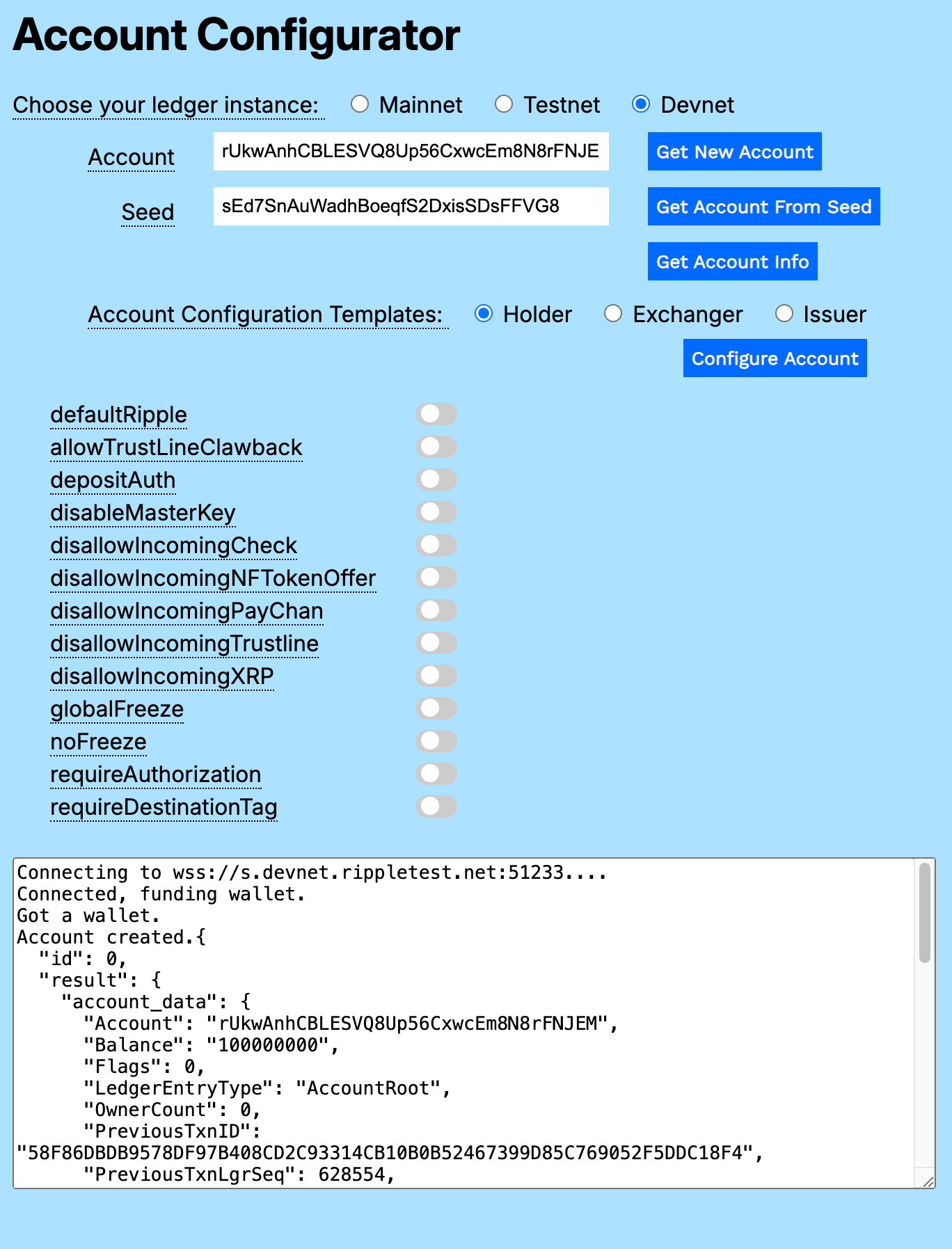](https://xrpl.org/assets/cpt-account-configurator1.9391544b1559e5702147b80071023eb099a3a2e719b5cfde37794d5653bebe8b.ac57e6ef.png)
[](https://xrpl.org/docs/concepts/accounts/configuring-accounts#exchanger)
Exchanger
----------------------------------------------------------------------------------------
If the primary purpose of an account is to facilitate exchange of value between third parties, you will likely start with these four settings:
| Flag | Description |
| --- | --- |
| `defaultRipple` | Allow rippling on trust lines by default. Rippling is necessary in order for accounts to trade tokens you exchange with third-party accounts. See [Rippling](https://xrpl.org/docs/concepts/tokens/fungible-tokens/rippling) . |
| `disallowIncomingNFTokenOffer` | Prevent other accounts from sending NFT buy or sell offers to this account. This avoids unsolicited offers unrelated to the primary purpose of the exchanger account. See [Trading NFTs](https://xrpl.org/docs/concepts/tokens/nfts/trading) . |
| `disallowIncomingPayChan` | Prevent other accounts from creating payment channels to this account. While you might want to create payment channels to other accounts yourself, you typically wouldn't want other accounts to create a payment channel to an exchange account. See [Payment Channels](https://xrpl.org/docs/concepts/payment-types/payment-channels) . |
| `requireDestinationTag` | Require that all incoming payments have a destination tag. Destination tags provide a more lightweight mechanism for sending payments to a specific customer at a general receiver account. See [Source and Destination Tags](https://xrpl.org/docs/concepts/transactions/source-and-destination-tags) . |
[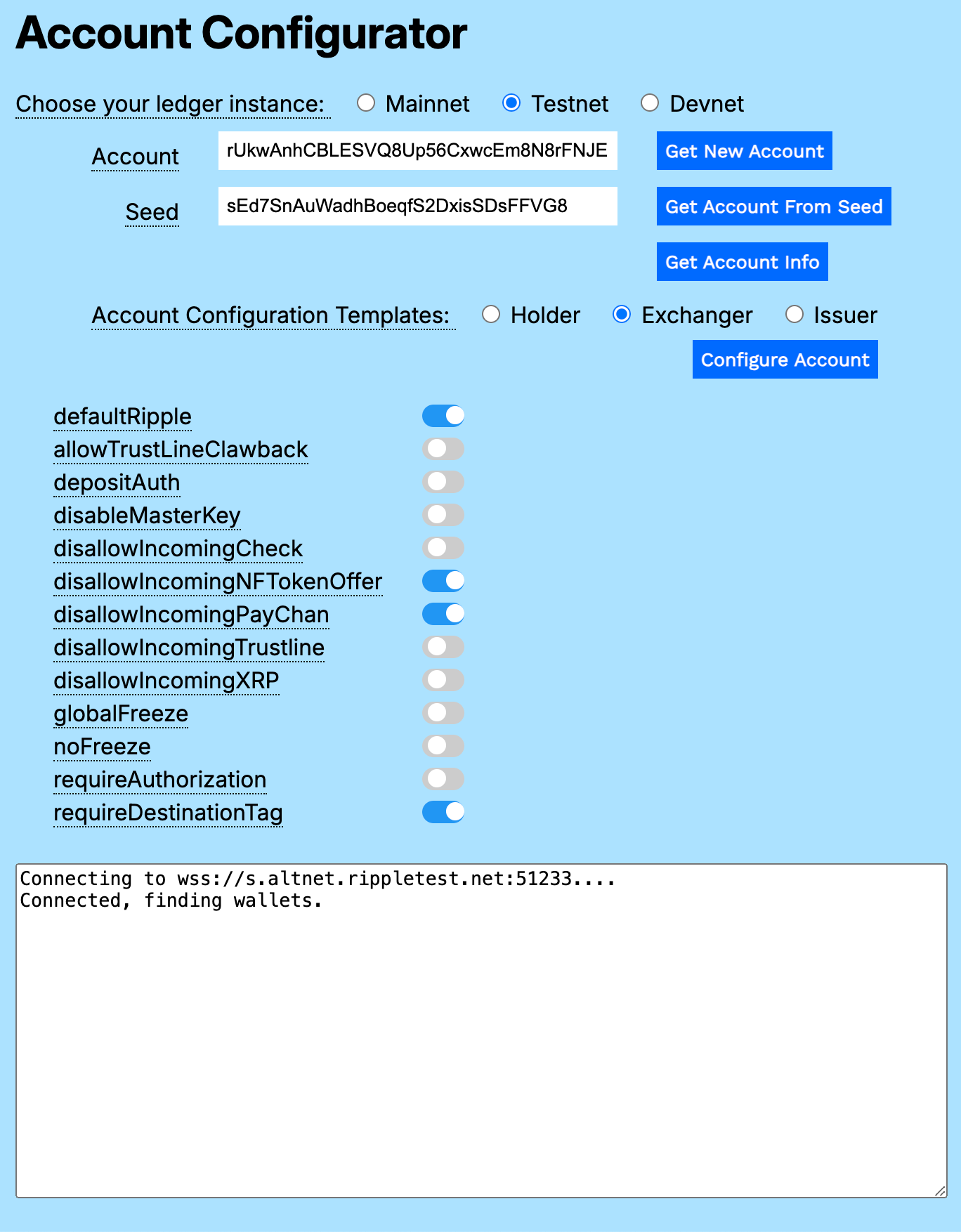](https://xrpl.org/assets/cpt-account-configurator2.d374be3f8dc7cc32e7561df0fe878bea87467041676d4dc5f65c16f7618c1d9b.ac57e6ef.png)
[](https://xrpl.org/docs/concepts/accounts/configuring-accounts#issuer)
Issuer
----------------------------------------------------------------------------------
An account intended for issuing tokens requires configuration of both fields and flags in the `Account` object.
###
[](https://xrpl.org/docs/concepts/accounts/configuring-accounts#issuer-fields)
Issuer Fields
| Field | Description |
| --- | --- |
| `Domain` | The domain is the URL to the server where you serve the xrp-ledger.toml file. It is recommended that you serve a human-readable website from the same domain as the `xrp-ledger.toml` file. The website can provide further information about your identity and how you use the XRP Ledger, which helps to build trust toward you and your services. See [Domain](https://xrpl.org/docs/references/xrp-ledger-toml) . |
| `TransferRate` | The `TransferRate` value specifies a fee to charge whenever counterparties transfer the currency you issue. The value is sent in 1 billion units. For example, 1200000000 represents a transfer fee of 20%. Note that the values _0_ and _1000000000_ represent the default (no fee); if you explicitly set either value, the value is not stored, but assumed. See [Transfer Fees](https://xrpl.org/docs/concepts/tokens/fungible-tokens/transfer-fees) . |
| `TickSize` | The `TickSize` value truncates the number of significant digits in the exchange rate of an offer when it gets placed in an order book. See [TickSize](https://xrpl.org/docs/concepts/tokens/decentralized-exchange/ticksize) . |
###
[](https://xrpl.org/docs/concepts/accounts/configuring-accounts#signers)
Signers
Multi-signing in the XRP Ledger is a method of authorizing transactions by using a combination of multiple secret keys. You create a list of signer accounts. Each signer account has a weight that represents its relative authority. The signer quorum represents the minimum weight total required to authorize a transaction. For example, if Ashad and Betty each have a signer weight of 1, Ceresia has a signer weight of 2, and the signer quorum is 3, Ashad and Ceresia can approve a transaction (weight total of 3), Betty and Ceresia can approve a transaction (weight total of 3), but Ashad and Betty cannot approve a transaction on their own (their combined signer weight is 2, 1 less than the required signer weight). See [Multi-Signing](https://xrpl.org/docs/concepts/accounts/multi-signing)
.
###
[](https://xrpl.org/docs/concepts/accounts/configuring-accounts#issuer-flags)
Issuer Flags
| Flag | Description |
| --- | --- |
| `defaultRipple` | Allow rippling on trust lines by default. Rippling is necessary in order for accounts to trade tokens you issue through this account. See [Rippling](https://xrpl.org/docs/concepts/tokens/fungible-tokens/rippling) . |
| `depositAuth` | Deposit Authorization prevents unauthorized third parties from sending you payments. See [Deposit Authorization](https://xrpl.org/docs/concepts/accounts/depositauth) . |
| `disallowIncomingCheck` | Prevent other accounts from sending checks to this account. See [Checks](https://xrpl.org/docs/concepts/payment-types/checks) . |
| `disallowIncomingNFTokenOffer` | Prevent other accounts from sending NFT buy or sell offers to this account. This avoids unsolicited offers unrelated to the primary purpose of the exchanger account. See [Trading NFTs](https://xrpl.org/docs/concepts/tokens/nfts/trading) . |
| `disallowIncomingPayChan` | Prevent other accounts from creating payment channels to this account. While you might want to create payment channels to other accounts yourself, you typically wouldn't want other accounts to create a payment channel to an exchange account. See [Payment Channels](https://xrpl.org/docs/concepts/payment-types/payment-channels) . |
| `disallowIncomingXRP` | Prevent other accounts from sending XRP to this account. (This is advisory, and not enforced by the protocol). See [Direct XRP Payments](https://xrpl.org/docs/concepts/payment-types/direct-xrp-payments) . |
[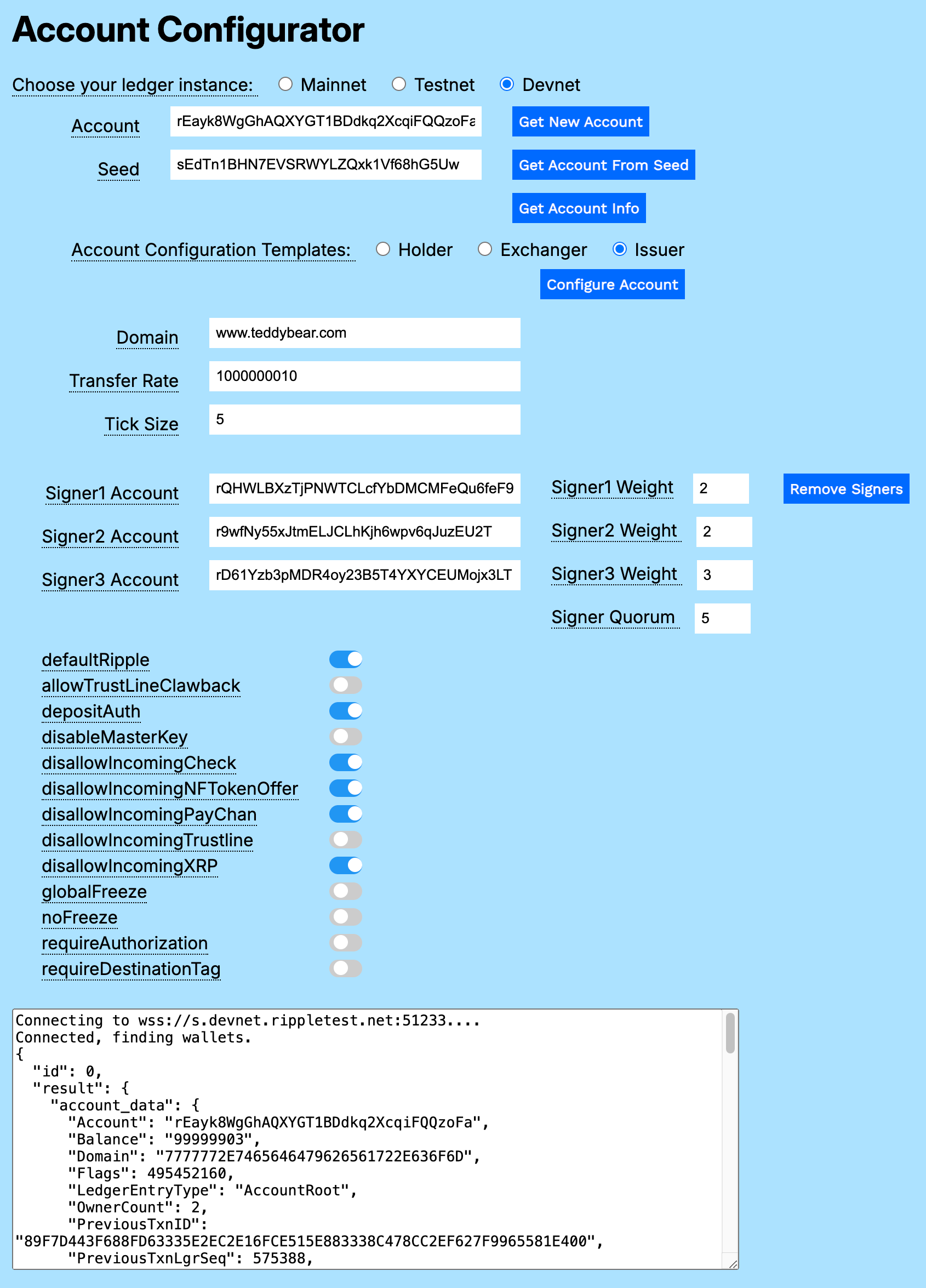](https://xrpl.org/assets/cpt-account-configurator3.ec2d33f312610b7a63c153aaa6aee3433381e0ce6ecc865b22c229e17a4d6498.ac57e6ef.png)
[](https://xrpl.org/docs/concepts/accounts/configuring-accounts#other-configuration-flags)
Other Configuration Flags
------------------------------------------------------------------------------------------------------------------------
All of the configuration flags can be helpful for specific use cases. The following are the account configuration flags not used in the standard Holder, Exchanger, and Issuer configurations.
| Flag | Description |
| --- | --- |
| `allowTrustLineClawback` | Allow account to claw back tokens it has issued. See [Clawing Back Tokens](https://xrpl.org/docs/concepts/tokens/fungible-tokens/clawing-back-tokens) . |
| `disableMasterKey` | Disallow use of the master key pair. Can only be enabled if the account has configured another way to sign transactions, such as a regular key or a signer list. See [Master Key Pair](https://xrpl.org/docs/concepts/accounts/cryptographic-keys#master-key-pair) . |
| `disallowIncomingTrustLine` | Block incoming trust lines. See [Trust Lines](https://xrpl.org/docs/concepts/tokens/fungible-tokens#trust-lines) . |
| `globalFreeze` | Freeze all tokens issued by this account. See [Global Freeze](https://xrpl.org/docs/concepts/tokens/fungible-tokens/freezes#global-freeze) . |
| `noFreeze` | Permanently remove the ability to freeze individual trust lines or end a global freeze. See [Freezing Tokens](https://xrpl.org/docs/concepts/tokens/fungible-tokens/freezes) . |
| `requireAuthorization` | Requires authorized trust lines for other accounts to hold tokens issued by this account. See [Authorized Trust Lines](https://xrpl.org/docs/concepts/tokens/fungible-tokens/authorized-trust-lines) . |
[](https://xrpl.org/docs/concepts/accounts/configuring-accounts#using-the-account-configurator)
Using the Account Configurator
----------------------------------------------------------------------------------------------------------------------------------
You can download a copy of the [Account Configurator](https://xrpl.org/assets/account-configurator.93175ed336de8ad257c2363d01c3b2da817b9ad6af91559910de967af74a532d.dab05455.zip)
from the `_code_samples` directory.
Expand the archive and open `account_configurator.html` in a browser window.
###
[](https://xrpl.org/docs/concepts/accounts/configuring-accounts#getting-account-information)
Getting Account Information
You can use the Account Configurator to view information about accounts on Mainnet, Testnet, and Devnet.
To get Account information:
1. Choose the account's ledger instance (_Mainnet_, _Testnet_ or _Devnet_).
2. Enter the account number in the **Account** field.
3. Click **Get Account Info**.
The response is displayed in the **Results** field.
[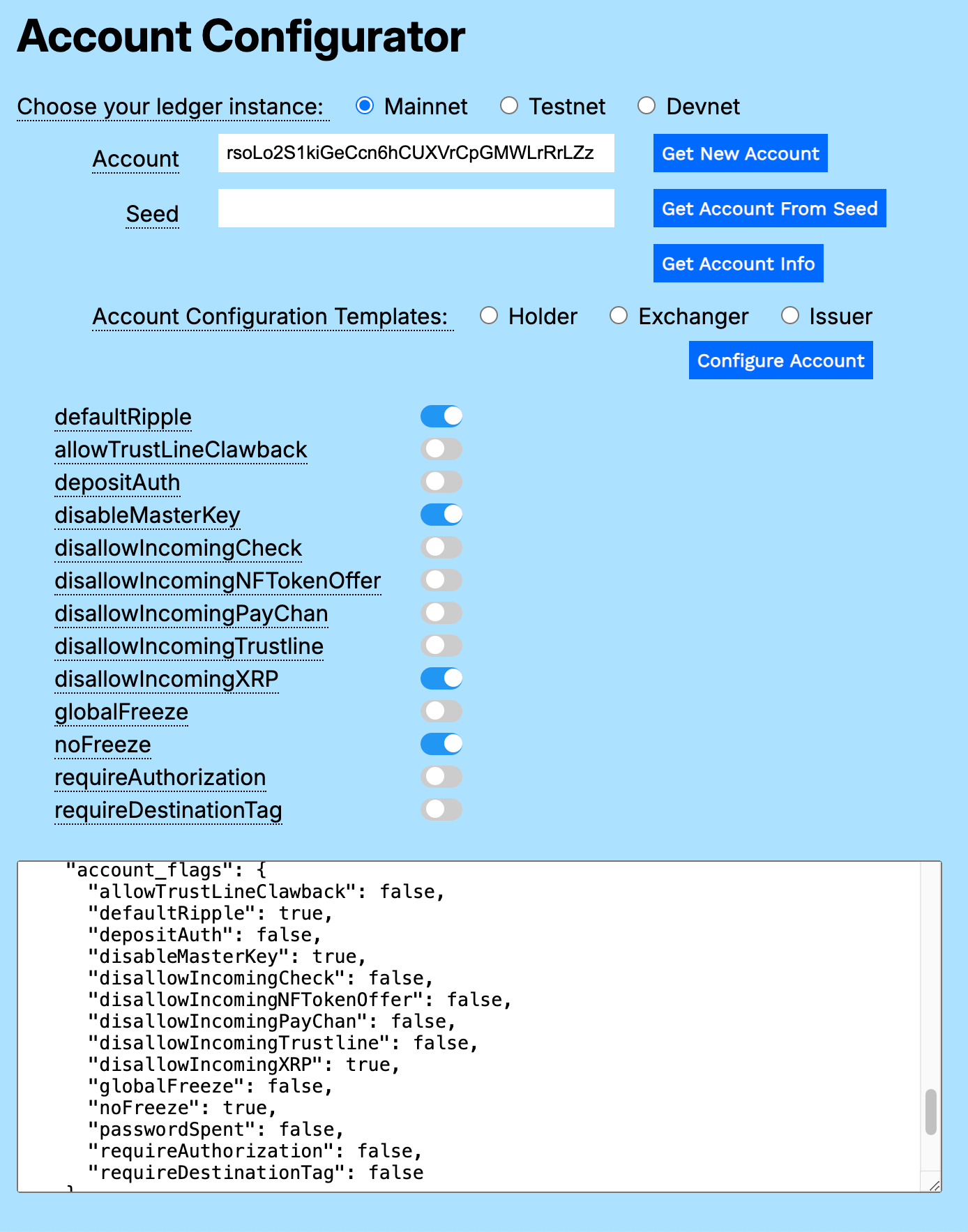](https://xrpl.org/assets/cpt-account-configurator6.eb279cd1e7b961df3f211ddcfa4131565a2d9d99c8b82be89682ce6de4895686.ac57e6ef.png)
###
[](https://xrpl.org/docs/concepts/accounts/configuring-accounts#getting-a-new-account)
Getting a New Account
You can create sandbox accounts on _Testnet_ or _Devnet_. To create an account on _Mainnet_, see [Creating Accounts](https://xrpl.org/docs/concepts/accounts#creating-accounts)
.
To get a new Account:
1. Choose the account's ledger instance (_Testnet_ or _Devnet_).
2. Click **Get New Account**.
Be sure to capture the **Seed** value for your new account so that you can easily retrieve it.
###
[](https://xrpl.org/docs/concepts/accounts/configuring-accounts#getting-an-account-from-its-seed)
Getting an Account from Its Seed
You can reload information for an existing account based on its seed value.
To get an account from its seed:
1. Choose the account's ledger instance (_Testnet_ or _Devnet_).
2. Enter the value in the **Seed** field.
3. Click **Get Account From Seed**.
[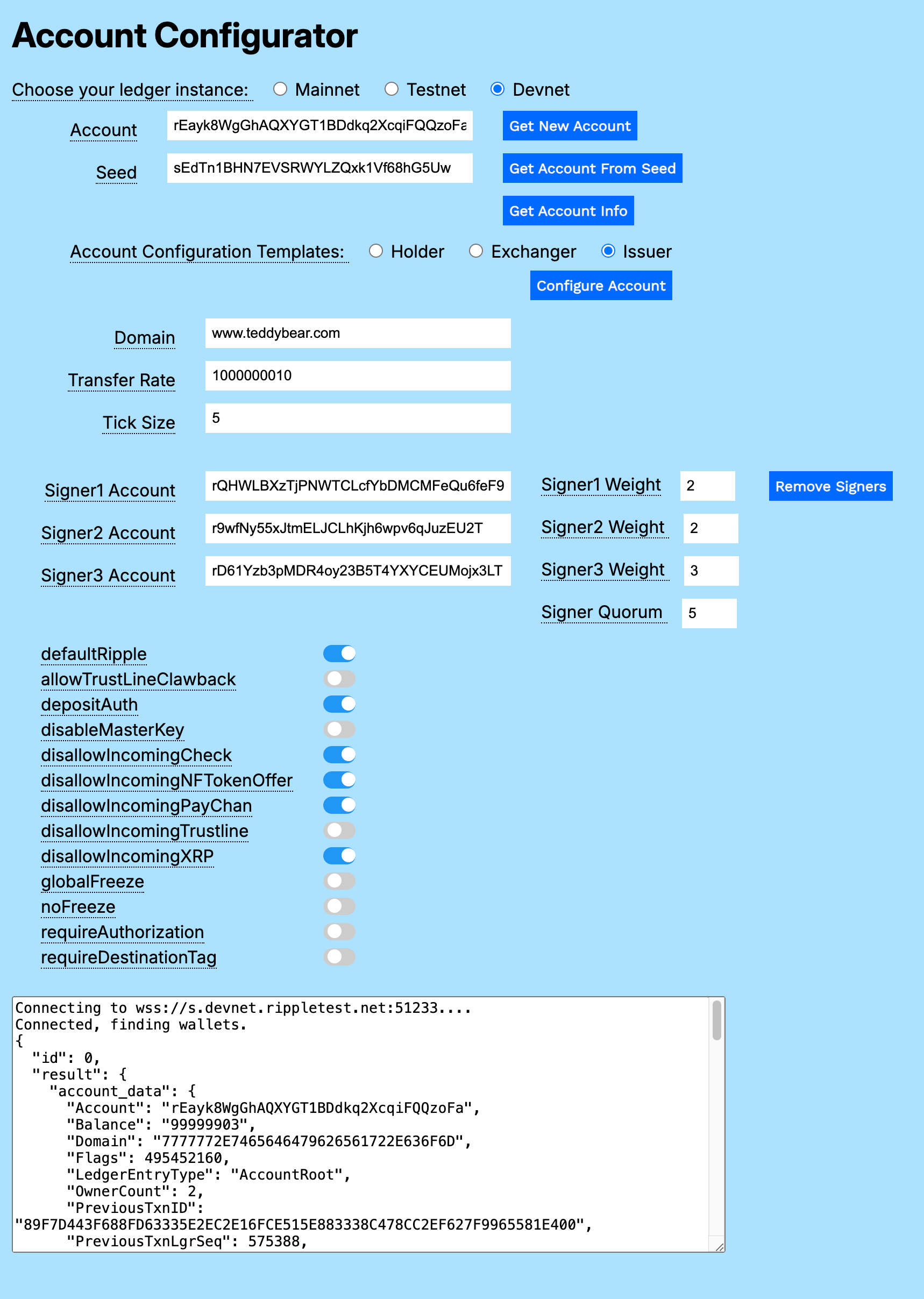](https://xrpl.org/assets/cpt-account-configurator7.770f6f18ad4d92b899701e4db73c6c4ec0af96d7829e772b72f137ee1bca633a.ac57e6ef.png)
###
[](https://xrpl.org/docs/concepts/accounts/configuring-accounts#configuring-a-holder-account)
Configuring a Holder Account
A Holder account requires no configuration (default settings). If the account previously had configuration changes, you can revert them and return the account to default status.
To configure a Holder account:
1. Choose the account's ledger instance (_Testnet_ or _Devnet_).
2. Click **Get New Account** or:
1. Enter an existing seed value in the **Seed** field.
2. Click **Get Account From Seed**.
3. Choose the _Holder_ **Account Configuration Template**.
4. Click **Configure Account**.
If the account has never been configured, the response in the **Results** field is identical to the original account information, less the nominal transaction fee.
[](https://xrpl.org/assets/cpt-account-configurator1.9391544b1559e5702147b80071023eb099a3a2e719b5cfde37794d5653bebe8b.ac57e6ef.png)
###
[](https://xrpl.org/docs/concepts/accounts/configuring-accounts#configuring-an-exchanger-account)
Configuring an Exchanger Account
The standard Exchanger account configuration requires only four flags.
To configure an Exchanger account:
1. Choose the account's ledger instance (_Testnet_ or _Devnet_).
2. Click **Get New Account** or:
1. Enter an existing seed value in the **Seed** field.
2. Click **Get Account From Seed**.
3. Choose the _Exchanger_ **Account Configuration Template**. The configuration flag checkboxes update with the 4 standard configuration choices. You can choose more or fewer configuration settings to customize the account to your needs.
4. Click **Configure Account**.
[](https://xrpl.org/assets/cpt-account-configurator2.d374be3f8dc7cc32e7561df0fe878bea87467041676d4dc5f65c16f7618c1d9b.ac57e6ef.png)
###
[](https://xrpl.org/docs/concepts/accounts/configuring-accounts#configuring-an-issuer-account)
Configuring an Issuer Account
Configure an Issuer account by filling in additional fields and selecting flags that serve your needs.
To configure an Issuer account:
1. Choose the account's ledger instance (_Testnet_ or _Devnet_).
2. Click **Get New Account** or:
1. Enter an existing seed value in the **Seed** field.
2. Click **Get Account From Seed**.
3. Choose the _Issuer_ **Account Configuration Template**. The configuration flag checkboxes update with the 6 standard configuration choices. You can choose more or fewer configuration settings to customize the account to your needs.
4. Enter the **Domain**, a URL to the server where your `xrp-ledger.toml` resides. Note that you enter a human readable URL, which is converted to a hexidecimal string when you get the account information. If you want to reconfigure the account, you'll need to re-enter the **Domain** URL.
5. Enter the **Transfer Rate**, a percentage fee to charge whenever counterparties transfer the currency you issue.
6. Enter the **Tick Size**, which truncates the number of significant digits in the exchange.
7. If you choose to include signers, this example module requires that you add valid account IDs in **Signer1 Account**, **Signer2 Account**, and **Signer3 Account**, a **Signer Weight** for each, and a **Signer Quorum** value.
8. Click **Configure Account**.
[](https://xrpl.org/assets/cpt-account-configurator3.ec2d33f312610b7a63c153aaa6aee3433381e0ce6ecc865b22c229e17a4d6498.ac57e6ef.png)
###
[](https://xrpl.org/docs/concepts/accounts/configuring-accounts#removing-signers)
Removing Signers
Click **Remove Signers** to remove all signers for the current account.
#### Was this helpful?
Previous page[Account Types](https://xrpl.org/docs/concepts/accounts/account-types)
Next page[Deleting Accounts](https://xrpl.org/docs/concepts/accounts/deleting-accounts)
Ask AI
---
# Cryptographic Keys
[Skip to content](https://xrpl.org/docs/concepts/accounts/cryptographic-keys#content)
[Documentation](https://xrpl.org/docs)
/[Concepts](https://xrpl.org/docs/concepts)
/
Accounts
* Cryptographic Keys
[Account Types](https://xrpl.org/docs/concepts/accounts/account-types)
[Configuring Accounts](https://xrpl.org/docs/concepts/accounts/configuring-accounts)
[Deleting Accounts](https://xrpl.org/docs/concepts/accounts/deleting-accounts)
[Reserves](https://xrpl.org/docs/concepts/accounts/reserves)
[Addresses](https://xrpl.org/docs/concepts/accounts/addresses)
[Multi-Signing](https://xrpl.org/docs/concepts/accounts/multi-signing)
[Deposit Authorization](https://xrpl.org/docs/concepts/accounts/depositauth)
[Tickets](https://xrpl.org/docs/concepts/accounts/tickets)
[Permission Delegation](https://xrpl.org/docs/concepts/accounts/permission-delegation)
[Pseudo-Accounts](https://xrpl.org/docs/concepts/accounts/pseudo-accounts)
/
Cryptographic Keys
Last updated 1 month ago
[Edit](https://github.com/XRPLF/xrpl-dev-portal/tree/master/docs/concepts/accounts/cryptographic-keys.md)
[](https://xrpl.org/docs/concepts/accounts/cryptographic-keys#cryptographic-keys)
Cryptographic Keys
Copy
* Copy for LLM
Copy page as Markdown for LLMs
* [View as Markdown\
\
Open this page as Markdown](https://xrpl.org/docs/concepts/accounts/cryptographic-keys.md)
* [Open in ChatGPT\
\
Get insights from ChatGPT](https://chat.openai.com/?q=Read+https%3A%2F%2Fxrpl.org%2Fdocs%2Fconcepts%2Faccounts%2Fcryptographic-keys.md+and+answer+questions+based+on+the+content.)
* [Open in Claude\
\
Get insights from Claude](https://claude.ai/new?q=Read+https%3A%2F%2Fxrpl.org%2Fdocs%2Fconcepts%2Faccounts%2Fcryptographic-keys.md+and+answer+questions+based+on+the+content.)
* Connect to Cursor
Install MCP server on Cursor
* Connect to VS Code
Install MCP server on VS Code
=================================================================================================================================================================================================================================================================================================================================================================================================================================================================================================================================================================================================================================================================================================================================================================================================================================================================================================
In the XRP Ledger, a digital signature _authorizes_ a [transaction](https://xrpl.org/docs/concepts/transactions)
to do a specific set of actions. Only signed transactions can be submitted to the network and included in a validated ledger.
To make a digital signature, you use a cryptographic key pair associated with the transaction's sending account. A key pair may be generated using any of the XRP Ledger's supported [cryptographic signing algorithms](https://xrpl.org/docs/concepts/accounts/cryptographic-keys#signing-algorithms)
. A key pair can be used as a [master key pair](https://xrpl.org/docs/concepts/accounts/cryptographic-keys#master-key-pair)
, [regular key pair](https://xrpl.org/docs/concepts/accounts/cryptographic-keys#regular-key-pair)
or a member of a [signer list](https://xrpl.org/docs/concepts/accounts/multi-signing)
, regardless of what algorithm was used to generate it.
Warning
It is important to maintain proper security over your cryptographic keys. Digital signatures are the only way of authorizing transactions in the XRP Ledger, and there is no privileged administrator who can undo or reverse any transactions after they have applied. If someone else knows the seed or private key of your XRP Ledger account, that person can create digital signatures to authorize any transaction the same as you could.
[](https://xrpl.org/docs/concepts/accounts/cryptographic-keys#generating-keys)
Generating Keys
--------------------------------------------------------------------------------------------------
Many [client libraries](https://xrpl.org/docs/references/client-libraries)
and applications can generate a key pair suitable for use with the XRP Ledger. However, you should only use key pairs that were generated with devices and software you trust. Compromised applications can expose your secret to malicious users who can then send transactions from your account later.
Note: Different tools have different defaults. Many client libraries (such as xrpl.js) use Ed25519 as the default cryptographic algorithm, but `rippled`'s [wallet\_propose](https://xrpl.org/docs/references/http-websocket-apis/admin-api-methods/key-generation-methods/wallet_propose)
admin RPC command uses secp256k1 as the default. This means that you may get a different address if you instantiate a wallet from the same seed using a different tool, unless you specify the algorithm explicitly.
[](https://xrpl.org/docs/concepts/accounts/cryptographic-keys#key-components)
Key Components
------------------------------------------------------------------------------------------------
A cryptographic key pair is a **private key** and a **public key** that are connected mathematically through a key derivation process. Each key is a number; the private key should be chosen using a strong source of randomness. The [cryptographic signing algorithm](https://xrpl.org/docs/concepts/accounts/cryptographic-keys#signing-algorithms)
defines the key derivation process and sets constraints on the numbers that can be cryptographic keys.
When dealing with the XRP Ledger, you may also use some related values such as a passphrase, seed, account ID, or address.
[Address25 bytes (classic)32 bytes (X-address)Public informationSecretsAccount ID20 bytesPublic Key33 bytesPrivate Key32 bytesPassphraseor source ofrandomness(Optional)Seed(Optional)16 bytes](https://xrpl.org/assets/cryptographic-keys.79148fadbd199660478637a22b7c6ad05a50f44ba6b16fcf84b69f74c576c1c0.ac57e6ef.svg "Diagram: Passphrase → Seed → Private Key → Public Key → Account ID ←→ Address")
_Figure: A simplified view of the relationship between cryptographic key values._
The passphrase, seed, and private key are **secrets**: if you know any of these values for an account, you can make valid signatures and you have full control over that account. If you own an account, be **very careful** with your account's secret information. If you don't have it, you can't use your account. If someone else can access it, they can take control of your account.
The public key, account ID, and address are public information. There are some situations where you might temporarily keep a public key to yourself, but eventually you need to publish it as part of a transaction so that the XRP Ledger can verify the signature and process the transaction.
For more technical details of how key derivation works, see [Key Derivation](https://xrpl.org/docs/concepts/accounts/cryptographic-keys#key-derivation)
.
###
[](https://xrpl.org/docs/concepts/accounts/cryptographic-keys#passphrase)
Passphrase
You can, optionally, use a passphrase or some other input as a way of choosing a seed or private key. This is less secure than choosing the seed or private key completely at random, but there are some rare cases where you want to do this. (For example, in 2018 "XRPuzzler" gave away XRP to the first person [to solve a puzzle](https://bitcoinexchangeguide.com/cryptographic-puzzle-creator-xrpuzzler-offers-137-xrp-reward-to-anyone-who-can-solve-it/)
; he used the puzzle's solution as the passphrase to an account holding the prize XRP.)
The passphrase is secret information, so you must protect it very carefully. Anyone who knows an address's passphrase has effectively full control over the address.
###
[](https://xrpl.org/docs/concepts/accounts/cryptographic-keys#seed)
Seed
A _seed_ value is a compact value that is used to [derive](https://xrpl.org/docs/concepts/accounts/cryptographic-keys#key-derivation)
the actual private and public keys for an account. In a [wallet\_propose method](https://xrpl.org/docs/references/http-websocket-apis/admin-api-methods/key-generation-methods/wallet_propose)
response, the `master_key`, `master_seed`, and `master_seed_hex` all represent the same seed value, in various formats. Any of these formats can be used to sign transactions. Despite being prefixed with `master_`, the keys this seed represents are not necessarily the master keys for an account; you can use a key pair as a regular key or a member of a multi-signing list as well.
The seed value is secret information, so you must protect it very carefully. Anyone who knows an address's seed value has effectively full control over that address.
###
[](https://xrpl.org/docs/concepts/accounts/cryptographic-keys#private-key)
Private Key
The _private key_ is the value that is used to create a digital signature. Most XRP Ledger software does not explicitly show the private key, and [derives the private key](https://xrpl.org/docs/concepts/accounts/cryptographic-keys#key-derivation)
from the seed value when necessary. It is technically possible to save the private key instead of the seed and use that to sign transactions directly, but this usage is rare.
Like the seed, the private key is secret information, so you must protect it very carefully. Anyone who knows an address's private key has effectively full control over that address.
###
[](https://xrpl.org/docs/concepts/accounts/cryptographic-keys#public-key)
Public Key
The _public key_ is the value used to verify the authenticity of a digital signature. The public key is derived from the private key as part of key derivation. In a [wallet\_propose method](https://xrpl.org/docs/references/http-websocket-apis/admin-api-methods/key-generation-methods/wallet_propose)
response, the `public_key` and `public_key_hex` both represent the same public key value.
Transactions in the XRP Ledger must include the public keys so that the network can verify the transactions' signatures. The public key cannot be used to create valid signatures, so it is safe to share publicly.
###
[](https://xrpl.org/docs/concepts/accounts/cryptographic-keys#account-id-and-address)
Account ID and Address
The **Account ID** is the core identifier for an [account](https://xrpl.org/docs/concepts/accounts)
or a key pair. It is derived from the public key. In the XRP Ledger protocol, the Account ID is 20 bytes of binary data. Most XRP Ledger APIs represent the Account ID as an address, in one of two formats:
* A "classic address" writes an Account ID in [base58](https://xrpl.org/docs/references/protocol/data-types/base58-encodings)
with a checksum. In a [wallet\_propose method](https://xrpl.org/docs/references/http-websocket-apis/admin-api-methods/key-generation-methods/wallet_propose)
response, this is the `account_id` value.
* An "X-Address" combines an Account ID _and_ a [Destination Tag](https://xrpl.org/docs/concepts/transactions/source-and-destination-tags)
and writes the combined value in [base58](https://xrpl.org/docs/references/protocol/data-types/base58-encodings)
with a checksum.
The checksum in both formats is there so that small changes result in an invalid address, instead of changing it to refer to a different, but still potentially valid, account. This way, if you make a typo or a transmission error occurs, you don't send money to the wrong place.
It is important to know that not all Account IDs (or addresses) refer to accounts in the ledger. Deriving keys and addresses is purely a mathematical operation. For an account to have a record in the XRP Ledger, it must [receive a payment of XRP](https://xrpl.org/docs/concepts/accounts#creating-accounts)
that funds its [reserve requirement](https://xrpl.org/docs/concepts/accounts/reserves)
. An account cannot send any transactions until after it has been funded.
Even if an Account ID or address does not refer to a funded account, you _can_ use that Account ID or address to represent a [regular key pair](https://xrpl.org/docs/concepts/accounts/cryptographic-keys#regular-key-pair)
or a [member of a signer list](https://xrpl.org/docs/concepts/accounts/multi-signing)
.
###
[](https://xrpl.org/docs/concepts/accounts/cryptographic-keys#key-type)
Key Type
The XRP Ledger supports more than one [cryptographic signing algorithm](https://xrpl.org/docs/concepts/accounts/cryptographic-keys#signing-algorithms)
. Any given key pair is only valid for a specific cryptographic signing algorithm. Some private keys may technically qualify as valid keys for more than one algorithm, but those private keys would have different public keys for each algorithm, and you should not reuse private keys anyway.
The `key_type` field in the [wallet\_propose method](https://xrpl.org/docs/references/http-websocket-apis/admin-api-methods/key-generation-methods/wallet_propose)
refers to the cryptographic signing algorithm to use.
[](https://xrpl.org/docs/concepts/accounts/cryptographic-keys#master-key-pair)
Master Key Pair
--------------------------------------------------------------------------------------------------
The master key pair consists of a private key and a public key. The address of an account is derived from the account's master key pair, so they are intrinsically related. You cannot change or remove the master key pair, but you can disable it.
The [wallet\_propose method](https://xrpl.org/docs/references/http-websocket-apis/admin-api-methods/key-generation-methods/wallet_propose)
is one way of generating a master key pair. The response from this method shows the account's seed, address, and master public key together. For some other ways of setting up master key pairs, see [Secure Signing](https://xrpl.org/docs/concepts/transactions/secure-signing)
.
Warning
If a malicious actor learns your master private key (or seed), they have full control over your account, unless your master key pair is disabled. They can take all the money your account holds and do other irreparable harm. Treat your secret values with care!
Because changing a master key pair is impossible, you should treat it with care proportionate to the value it holds. A good practice is to [keep your master key pair offline](https://xrpl.org/docs/tutorials/best-practices/key-management/offline-account-setup)
and set up a regular key pair to sign transactions from your account instead. By keeping the master key pair enabled but offline, you can be reasonably certain that no one can get access to it using the internet, but you can still go find it to use in an emergency.
Keeping your master key pair offline means not putting the secret information (passphrase, seed, or private key) anywhere that malicious actors can get access to it. In general, this means it is not within reach of a computer program that interacts with the internet at large. For example, you could keep it on an air-gapped machine that never connects to the internet, on a piece of paper stored in a safe, or have it completely memorized. (Memorization has some drawbacks, though, including making it impossible to pass the key on after you are dead.)
###
[](https://xrpl.org/docs/concepts/accounts/cryptographic-keys#special-permissions)
Special Permissions
**Only** the master key pair can authorize transactions to do certain things:
* Send an account's very first transaction, because accounts cannot be initialized with another way of [authorizing transactions](https://xrpl.org/docs/concepts/transactions#authorizing-transactions)
.
* Disable the master key pair.
* Permanently give up the ability to [freeze](https://xrpl.org/docs/concepts/tokens/fungible-tokens/freezes#no-freeze)
.
* Send a special [key reset transaction](https://xrpl.org/docs/concepts/transactions/transaction-cost#key-reset-transaction)
with a transaction cost of 0 XRP.
A regular key or [multi-signature](https://xrpl.org/docs/concepts/accounts/multi-signing)
can do anything else the same as the master key pair. Notably, after you have disabled the master key pair, you can re-enable it using a regular key pair or multi-signature. You can also [delete an account](https://xrpl.org/docs/concepts/accounts/deleting-accounts)
if it meets the requirements for deletion.
[](https://xrpl.org/docs/concepts/accounts/cryptographic-keys#regular-key-pair)
Regular Key Pair
----------------------------------------------------------------------------------------------------
An XRP Ledger account can authorize a secondary key pair, called a _regular key pair_. After doing so, you can use either the [master key pair](https://xrpl.org/docs/concepts/accounts/cryptographic-keys#master-key-pair)
or the regular key to authorize transactions. You can remove or replace your regular key pair at any time without changing the rest of your account.
A regular key pair can authorize most of the same types of transactions as the master key pair, with [certain exceptions](https://xrpl.org/docs/concepts/accounts/cryptographic-keys#special-permissions)
. For example, a regular key pair _can_ authorize a transaction to change the regular key pair.
A good security practice is to save your master private key somewhere offline, and use a regular key pair most of the time. As a precaution, you can change the regular key pair regularly. If a malicious user learns your regular private key, you can get the master key pair out of offline storage and use it to change or remove the regular key pair. This way, you can regain control of your account. Even if you are not fast enough to stop the malicious user from stealing your money, at least you don't need to move to a new account and re-create all your settings and relationships from scratch.
Regular key pairs have the same format as master key pairs. You generate them the same way (for example, using the [wallet\_propose method](https://xrpl.org/docs/references/http-websocket-apis/admin-api-methods/key-generation-methods/wallet_propose)
). The only difference is that a regular key pair is not intrinsically tied to the account it signs transactions for. It is possible (but not a good idea) to use the master key pair from one account as the regular key pair for another account.
The [SetRegularKey transaction](https://xrpl.org/docs/references/protocol/transactions/types/setregularkey)
assigns or changes the regular key pair for an account. For a tutorial on assigning or changing a regular key pair, see [Assign a Regular Key Pair](https://xrpl.org/docs/tutorials/best-practices/key-management/assign-a-regular-key-pair)
.
[](https://xrpl.org/docs/concepts/accounts/cryptographic-keys#signing-algorithms)
Signing Algorithms
--------------------------------------------------------------------------------------------------------
Cryptographic key pairs are always tied to a specific signing algorithm, which defines the mathematical relationships between the secret key and the public key. Cryptographic signing algorithms have the property that, given the current state of cryptographic techniques, it is "easy" to use a secret key to calculate a matching public key, but it is effectively impossible to compute a matching secret key by starting from a public key.
The XRP Ledger supports the following cryptographic signing algorithms:
| Key Type | Algorithm | Description |
| --- | --- | --- |
| `secp256k1` | [ECDSA](https://en.wikipedia.org/wiki/Elliptic_Curve_Digital_Signature_Algorithm) using the elliptic curve [secp256k1](https://en.bitcoin.it/wiki/Secp256k1) | This is the same scheme Bitcoin uses. The XRP Ledger uses these key types by default. |
| `ed25519` | [EdDSA](https://tools.ietf.org/html/rfc8032) using the elliptic curve [Ed25519](https://ed25519.cr.yp.to/) | This is a newer algorithm which has better performance and other convenient properties. Since Ed25519 public keys are one byte shorter than secp256k1 keys, `rippled` prefixes Ed25519 public keys with the byte `0xED` so both types of public key are 33 bytes. |
When you generate a key pair with the [wallet\_propose method](https://xrpl.org/docs/references/http-websocket-apis/admin-api-methods/key-generation-methods/wallet_propose)
, you can specify the `key_type` to choose which cryptographic signing algorithm to use to derive the keys. If you generated a key type other than the default, you must also specify the `key_type` when signing transactions.
The supported types of key pairs can be used interchangeably throughout the XRP Ledger as master key pairs, regular key pairs, and members of signer lists. The process of [deriving an address](https://xrpl.org/docs/concepts/accounts/addresses#address-encoding)
is the same for secp256k1 and Ed25519 key pairs.
###
[](https://xrpl.org/docs/concepts/accounts/cryptographic-keys#future-algorithms)
Future Algorithms
In the future, it is likely that the XRP Ledger will need new cryptographic signing algorithms to keep up with developments in cryptography. For example, if quantum computers using [Shor's algorithm](https://en.wikipedia.org/wiki/Shor's_algorithm)
(or something similar) will soon be practical enough to break elliptic curve cryptography, XRP Ledger developers can add a cryptographic signing algorithm that isn't easily broken. As of mid 2020, there's no clear first choice "quantum-resistant" signing algorithm and quantum computers are not yet practical enough to be a threat, so there are no immediate plans to add any specific algorithms.
[](https://xrpl.org/docs/concepts/accounts/cryptographic-keys#key-derivation)
Key Derivation
------------------------------------------------------------------------------------------------
The process of deriving a key pair depends on the signing algorithm. In all cases, keys are generated from a _seed_ value that is 16 bytes (128 bits) in length. The seed value can be completely random (recommended) or it can be derived from a specific passphrase by taking the [SHA-512 hash](https://xrpl.org/docs/references/protocol/data-types/basic-data-types#hashes)
and keeping the first 16 bytes (like [SHA-512Half](https://xrpl.org/docs/references/protocol/data-types/basic-data-types#hashes)
, but keeping only 128 bits instead of 256 bits of the output).
###
[](https://xrpl.org/docs/concepts/accounts/cryptographic-keys#sample-code)
Sample Code
The key derivation processes described here are implemented in multiple places and programming languages:
* In C++ in the `rippled` code base:
* [Seed definition](https://github.com/XRPLF/rippled/blob/master/src/libxrpl/protocol/Seed.cpp)
* [General & Ed25519 key derivation](https://github.com/XRPLF/rippled/blob/master/src/libxrpl/protocol/SecretKey.cpp)
* [secp256k1 key derivation](https://github.com/XRPLF/rippled/blob/master/src/libxrpl/protocol/SecretKey.cpp)
* In Python 3 in [this repository's code samples section](https://github.com/XRPLF/xrpl-dev-portal/blob/master/_code-samples/key-derivation/py/key_derivation.py)
.
* In JavaScript in the [`ripple-keypairs`](https://github.com/XRPLF/xrpl.js/tree/main/packages/ripple-keypairs)
package.
###
[](https://xrpl.org/docs/concepts/accounts/cryptographic-keys#ed25519-key-derivation)
Ed25519 Key Derivation
[\[Source\]](https://github.com/XRPLF/rippled/blob/70d5c624e8cf732a362335642b2f5125ce4b43c1/src/libxrpl/protocol/SecretKey.cpp#L311-L317 "Source")
[0xEDPrefix(1 byte)Public Key(32 bytes)Private Key(32 bytes)Seed(16 bytes)Passphrase(Optional)Any stringMaster Public Key(33 bytes)Public Key DerivationSHA-512HalfSHA-512, keepfirst 16 bytes](https://xrpl.org/assets/key-derivation-ed25519.162648c9f17dda4ba418926a850c9f724d9d92b954b8e4f404ad1f67129467a1.ac57e6ef.svg "Passphrase → Seed → Secret Key → Prefix + Public Key")
1. Calculate the [SHA-512Half](https://xrpl.org/docs/references/protocol/data-types/basic-data-types#hashes)
of the seed value. The result is the 32-byte secret key.
Tip
All 32-byte numbers are valid Ed25519 secret keys. However, only numbers that are chosen randomly enough are secure enough to be used as secret keys.
2. To calculate an Ed25519 public key, use the standard public key derivation for [Ed25519](https://ed25519.cr.yp.to/software.html)
to derive the 32-byte public key.
Caution
As always with cryptographic algorithms, use a standard, well-known, publicly-audited implementation whenever possible. For example, [OpenSSL](https://www.openssl.org/)
has implementations of core Ed25519 and secp256k1 functions.
3. Prefix the 32-byte public key with the single byte `0xED` to indicate an Ed25519 public key, resulting in 33 bytes.
If you are implementing code to sign transactions, remove the `0xED` prefix and use the 32-byte key for the actual signing process.
4. When serializing an account public key to [base58](https://xrpl.org/docs/references/protocol/data-types/base58-encodings)
, use the account public key prefix `0x23`.
Validator ephemeral keys cannot be Ed25519.
###
[](https://xrpl.org/docs/concepts/accounts/cryptographic-keys#secp256k1-key-derivation)
secp256k1 Key Derivation
[\[Source\]](https://github.com/XRPLF/rippled/blob/master/src/libxrpl/protocol/SecretKey.cpp "Source")
[Accounts use the masterkey pair.Validators use the root keypair.Master Private Key(32 bytes)Add, ModuloGroup OrderMaster Public Key(33 bytescompressed)Elliptic CurvePoint AddIntermediatePublic Key(33 bytescompressed)IntermediatePrivate Key(32 bytes)Increment the key sequence and tryagain if the SHA-512Half doesn't makea valid private key.Increment the key sequence and tryagain if the SHA-512Half doesn't makea valid private key.FamilyNumber(4 bytes;all 0's)Int KeySequence(4 bytes;default 0)Root KeySequence(4 bytes;default 0)Root Public Key(33 bytescompressed)Root Private Key(32 bytes)Seed(16 bytes)Passphrase(Optional)Any string(Public key derivationyields the same result.)Public KeyDerivationSHA-512HalfPublic KeyDerivationSHA-512HalfSHA-512, keepfirst 16 bytes](https://xrpl.org/assets/key-derivation-secp256k1.bc287ee1b6d6aa70555a5e42a73a77d8abefce273701251c2b8e05f89700fa92.ac57e6ef.svg "Passphrase → Seed → Root Key Pair → Intermediate Key Pair → Master Key Pair")
Key derivation for secp256k1 XRP Ledger account keys involves more steps than Ed25519 key derivation for a couple reasons:
* Not all 32-byte numbers are valid secp256k1 secret keys.
* The XRP Ledger's reference implementation has an unused, incomplete framework for deriving a family of key pairs from a single seed value.
The steps to derive the XRP Ledger's secp256k1 account key pair from a seed value are as follows:
1. Calculate a "root key pair" from the seed value, as follows:
1. Concatenate the following in order, for a total of 20 bytes:
* The seed value (16 bytes)
* A "root sequence" value (4 bytes), as a big-endian unsigned integer. Use 0 as a starting value for the root sequence.
2. Calculate the [SHA-512Half](https://xrpl.org/docs/references/protocol/data-types/basic-data-types#hashes)
of the concatenated (seed+root sequence) value.
3. If the result is not a valid secp256k1 secret key, increment the root sequence by 1 and start over. [\[Source\]](https://github.com/XRPLF/rippled/blob/70d5c624e8cf732a362335642b2f5125ce4b43c1/src/libxrpl/protocol/SecretKey.cpp#L103-L114 "Source")
A valid secp256k1 key must not be zero, and it must be numerically less than the _secp256k1 group order_. The secp256k1 group order is the constant value `0xFFFFFFFFFFFFFFFFFFFFFFFFFFFFFFFEBAAEDCE6AF48A03BBFD25E8CD0364141`.
4. With a valid secp256k1 secret key, use the standard ECDSA public key derivation with the secp256k1 curve to derive the root public key. (As always with cryptographic algorithms, use a standard, well-known, publicly-audited implementation whenever possible. For example, [OpenSSL](https://www.openssl.org/)
has implementations of core Ed25519 and secp256k1 functions.)
Tip
Validators use this root key pair. If you are calculating a validator's key pair, you can stop here. To distinguish between these two different types of public keys, the [base58](https://xrpl.org/docs/references/protocol/data-types/base58-encodings)
serialization for validator public keys uses the prefix `0x1c`.
2. Convert the root public key to its 33-byte compressed form.
The uncompressed form of any ECDSA public key consists of a pair of 32-byte integers: an X coordinate, and a Y coordinate. The compressed form is the X coordinate and a one-byte prefix: `0x02` if the Y coordinate is even, or `0x03` if the Y coordinate is odd.
You can convert an uncompressed public key to the compressed form with the `openssl` commandline tool. For example, if the uncompressed public key is in the file `ec-pub.pem`, you can output the compressed form like this:
$ openssl ec -in ec-pub.pem -pubin -text -noout -conv\_form compressed
3. Derive an "intermediate key pair" from the compressed root public key you, as follows:
1. Concatenate the following in order, for a total of 41 bytes:
* The compressed root public key (33 bytes)
* `0x00000000000000000000000000000000` (4 bytes of zeroes). (This value was intended to be used to derive different members of the same family, but in practice only the value 0 is used.)
* A "key sequence" value (4 bytes), as a big-endian unsigned integer. Use 0 as a starting value for the key sequence.
2. Calculate the [SHA-512Half](https://xrpl.org/docs/references/protocol/data-types/basic-data-types#hashes)
of the concatenated value.
3. If the result is not a valid secp256k1 secret key, increment the key sequence by 1 and restart deriving the account's intermediate key pair.
4. With a valid secp256k1 secret key, use the standard ECDSA public key derivation with the secp256k1 curve to derive the intermediate public key. (As always with cryptographic algorithms, use a standard, well-known, publicly-audited implementation whenever possible. For example, [OpenSSL](https://www.openssl.org/)
has implementations of core Ed25519 and secp256k1 functions.)
4. Derive the master public key pair by adding the intermediate public key to the root public key. Similarly, derive the secret key by adding the intermediate secret key to the root secret key.
* An ECDSA secret key is a very large integer, so you can calculate the sum of two secret keys by summing them modulo the secp256k1 group order.
* An ECDSA public key is a point on the elliptic curve, so you should use elliptic curve math to sum the points.
5. Convert the master public key to its 33-byte compressed form, as before.
6. When serializing an account's public key to its [base58](https://xrpl.org/docs/references/protocol/data-types/base58-encodings)
format, use the account public key prefix, `0x23`.
See [Address Encoding](https://xrpl.org/docs/concepts/accounts/addresses#address-encoding)
for information and sample code to convert from an account's public key to its address.
[](https://xrpl.org/docs/concepts/accounts/cryptographic-keys#see-also)
See Also
------------------------------------------------------------------------------------
* **Concepts:**
* [Issuing and Operational Addresses](https://xrpl.org/docs/concepts/accounts/account-types)
* **Tutorials:**
* [Assign a Regular Key Pair](https://xrpl.org/docs/tutorials/best-practices/key-management/assign-a-regular-key-pair)
* [Remove a Regular Key Pair](https://xrpl.org/docs/tutorials/best-practices/key-management/remove-a-regular-key-pair)
* **References:**
* [SetRegularKey transaction](https://xrpl.org/docs/references/protocol/transactions/types/setregularkey)
* [AccountRoot ledger object](https://xrpl.org/docs/references/protocol/ledger-data/ledger-entry-types/accountroot)
* [wallet\_propose method](https://xrpl.org/docs/references/http-websocket-apis/admin-api-methods/key-generation-methods/wallet_propose)
* [account\_info method](https://xrpl.org/docs/references/http-websocket-apis/public-api-methods/account-methods/account_info)
#### Was this helpful?
Previous page[Addresses](https://xrpl.org/docs/concepts/accounts/addresses)
Next page[Multi-Signing](https://xrpl.org/docs/concepts/accounts/multi-signing)
Ask AI
---
# Ledger Close Times
[Skip to content](https://xrpl.org/docs/concepts/ledgers/ledger-close-times#content)
[Documentation](https://xrpl.org/docs)
/[Concepts](https://xrpl.org/docs/concepts)
/
Ledgers
* Ledger Close Times
[Ledger Structure](https://xrpl.org/docs/concepts/ledgers/ledger-structure)
[Open, Closed, and Validated Ledgers](https://xrpl.org/docs/concepts/ledgers/open-closed-validated-ledgers)
/
Ledger Close Times
Last updated 2 years ago
[Edit](https://github.com/XRPLF/xrpl-dev-portal/tree/master/docs/concepts/ledgers/ledger-close-times.md)
[](https://xrpl.org/docs/concepts/ledgers/ledger-close-times#ledger-close-times)
Ledger Close Times
Copy
* Copy for LLM
Copy page as Markdown for LLMs
* [View as Markdown\
\
Open this page as Markdown](https://xrpl.org/docs/concepts/ledgers/ledger-close-times.md)
* [Open in ChatGPT\
\
Get insights from ChatGPT](https://chat.openai.com/?q=Read+https%3A%2F%2Fxrpl.org%2Fdocs%2Fconcepts%2Fledgers%2Fledger-close-times.md+and+answer+questions+based+on+the+content.)
* [Open in Claude\
\
Get insights from Claude](https://claude.ai/new?q=Read+https%3A%2F%2Fxrpl.org%2Fdocs%2Fconcepts%2Fledgers%2Fledger-close-times.md+and+answer+questions+based+on+the+content.)
* Connect to Cursor
Install MCP server on Cursor
* Connect to VS Code
Install MCP server on VS Code
=============================================================================================================================================================================================================================================================================================================================================================================================================================================================================================================================================================================================================================================================================================================================================================================================================================================================================================
The time that a ledger version closed is recorded at the `close_time` field of the [ledger header](https://xrpl.org/docs/references/protocol/ledger-data/ledger-header)
. To make it easier for the network to reach a consensus on an exact close time, this value is rounded to a number of seconds based on the close time resolution, currently 10 seconds. If rounding would cause a ledger's close time to be the same as (or earlier than) its parent ledger's, the child ledger has its close time set to the parent's close time plus 1. This guarantees that the close times of validated ledgers are strictly increasing.
Since new ledger versions usually close about every 3 to 5 seconds, these rules result in a loose pattern where ledgers' close times end in :00, :01, :02, :10, :11, :20, :21, and so on. Times ending in 2 are less common and times ending in 3 are very rare, but both occur randomly when more ledgers randomly happen to close within a 10-second window.
Generally speaking, the ledger cannot make any time-based measurements that are more precise than the close time resolution. For example, to check if an object has passed an expiration date, the rule is to compare it to the close time of the parent ledger. (The close time of a ledger is not yet known when executing transactions to go into that ledger.) This means that, for example, an [Escrow](https://xrpl.org/docs/concepts/payment-types/escrow)
could successfully finish at a real-world time that is up to about 10 seconds later than the time-based expiration specified in the Escrow object.
###
[](https://xrpl.org/docs/concepts/ledgers/ledger-close-times#example)
Example
The following examples show the rounding behavior of ledger close times, from the perspective of an example validator, following a ledger with the close time **12:00:00**:
**Current consensus round**
1. A validator notes that it was **12:00:03** when the ledger closed and entered consensus. The validator includes this close time in its proposals.
2. The validator observes that most other validators (on its UNL) proposed a close time of 12:00:02, and one other proposed a close time of 12:00:03. It changes its proposed close time to match the consensus of **12:00:02**.
3. The validator rounds this value to the nearest close time interval, resulting in **12:00:00**.
4. Since 12:00:00 is not greater than the previous ledger's close time, the validator adjusts the close time to be exactly 1 second after the previous ledger's close time. The result is an adjusted close time of **12:00:01**.
5. The validator builds the ledger with these details, calculates the resulting hash, and confirms in the validation step that others did the same.
Non-validating servers do all the same steps, except they don't propose their recorded close times to the rest of the network.
**Next consensus round**
1. The next ledger enters consensus at **12:00:04** according to most validators.
2. This rounds down again, to a close time of **12:00:00**.
3. Since this is not greater than the previous ledger's close time of 12:00:01, the adjusted close time is **12:00:02**.
**Next consensus round after that**
1. The ledger after that enters consensus at **12:00:05** according to most validators.
2. This rounds up, based on the close time resolution, to **12:00:10**.
3. Since this value is larger than the previous ledger's close time, it does not need to be adjusted. **12:00:10** becomes the official close time.
#### Was this helpful?
Previous page[Open, Closed, and Validated Ledgers](https://xrpl.org/docs/concepts/ledgers/open-closed-validated-ledgers)
Next page[Transactions](https://xrpl.org/docs/concepts/transactions)
Ask AI
---
# Consensus Protocol
[Skip to content](https://xrpl.org/docs/concepts/consensus-protocol#content)
[Documentation](https://xrpl.org/docs)
/
Concepts
[Consensus Protocol](https://xrpl.org/docs/concepts/consensus-protocol)
[Networks and Servers](https://xrpl.org/docs/concepts/networks-and-servers)
[Ledgers](https://xrpl.org/docs/concepts/ledgers)
[Transactions](https://xrpl.org/docs/concepts/transactions)
[Ledger Payment Types](https://xrpl.org/docs/concepts/payment-types)
[Tokens](https://xrpl.org/docs/concepts/tokens)
[Accounts](https://xrpl.org/docs/concepts/accounts)
[XRPL Sidechains](https://xrpl.org/docs/concepts/xrpl-sidechains)
[Decentralized Storage](https://xrpl.org/docs/concepts/decentralized-storage)
/[Consensus Protocol](https://xrpl.org/docs/concepts/consensus-protocol)
Last updated 2 years ago
[Edit](https://github.com/XRPLF/xrpl-dev-portal/tree/master/docs/concepts/consensus-protocol/index.md)
[](https://xrpl.org/docs/concepts/consensus-protocol#consensus-protocol)
Consensus Protocol
Copy
* Copy for LLM
Copy page as Markdown for LLMs
* [View as Markdown\
\
Open this page as Markdown](https://xrpl.org/docs/concepts/consensus-protocol.md)
* [Open in ChatGPT\
\
Get insights from ChatGPT](https://chat.openai.com/?q=Read+https%3A%2F%2Fxrpl.org%2Fdocs%2Fconcepts%2Fconsensus-protocol.md+and+answer+questions+based+on+the+content.)
* [Open in Claude\
\
Get insights from Claude](https://claude.ai/new?q=Read+https%3A%2F%2Fxrpl.org%2Fdocs%2Fconcepts%2Fconsensus-protocol.md+and+answer+questions+based+on+the+content.)
* Connect to Cursor
Install MCP server on Cursor
* Connect to VS Code
Install MCP server on VS Code
=========================================================================================================================================================================================================================================================================================================================================================================================================================================================================================================================================================================================================================================================================================================================================================================================================================================================
This topic explains how the decentralized XRP Ledger confirms new transactions and ledger versions, forming a blockchain.
Consensus is the most important property of any decentralized payment system. In traditional centralized payment systems, one authoritative administrator gets the final say in how and when payments occur. Decentralized systems, by definition, don't have an administrator to do that. Instead, decentralized systems like the XRP Ledger define a set of rules all participants follow, so every participant can agree on the exact same series of events and their outcome at any point in time. We call this set of rules a _consensus protocol_.
[](https://xrpl.org/docs/concepts/consensus-protocol#consensus-protocol-properties)
Consensus Protocol Properties
---------------------------------------------------------------------------------------------------------------------
The XRP Ledger uses a consensus protocol unlike any digital asset that came before it. This protocol, known as the XRP Ledger Consensus Protocol, is designed to have the following important properties:
* Everyone who uses the XRP Ledger can agree on the latest state, and which transactions have occurred in which order.
* All valid transactions are processed without needing a central operator or having a single point of failure.
* The ledger can make progress even if some participants join, leave, or behave inappropriately.
* If too many participants are unreachable or misbehaving, the network fails to make progress rather than diverging or confirming invalid transactions.
* Confirming transactions does not require wasteful or competitive use of resources, unlike most other blockchain systems.
These properties are sometimes summarized as the following principles, in order of priority: **Correctness, Agreement, Forward Progress**.
This protocol is still evolving, as is our knowledge of its limits and possible failure cases. For academic research on the protocol itself, see [Consensus Research](https://xrpl.org/docs/concepts/consensus-protocol/consensus-research)
.
[](https://xrpl.org/docs/concepts/consensus-protocol#background)
Background
-------------------------------------------------------------------------------
Consensus protocols are a solution to the _double-spend problem_: the challenge of preventing someone from successfully spending the same digital money twice. The hardest part about this problem is putting transactions in order: without a central authority, it can be difficult to resolve disputes about which transaction comes first when you have two or more mutually-exclusive transactions sent around the same time. For a detailed analysis of the double-spend problem, how the XRP Ledger Consensus Protocol solves this problem, and the tradeoffs and limitations involved, see [Consensus Principles and Rules](https://xrpl.org/docs/concepts/consensus-protocol/consensus-principles-and-rules)
.
[](https://xrpl.org/docs/concepts/consensus-protocol#ledger-history)
Ledger History
---------------------------------------------------------------------------------------
The XRP Ledger processes transactions in blocks called "ledger versions", or "ledgers" for short. Each ledger version contains three pieces:
* The current state of all balances and objects stored in the ledger.
* The set of transactions that have been applied to the previous ledger to result in this one.
* Metadata about the current ledger version, such as its ledger index, a [cryptographic hash](https://en.wikipedia.org/wiki/Cryptographic_hash_function)
that uniquely identifies its contents, and information about the parent ledger that was used as a basis for building this one.
[](https://xrpl.org/assets/anatomy-of-a-ledger-simplified.51e6727af258a78b6df9cb1e6484b0f2416f0542bf1fee41a5072ef9eaecc3bf.ac57e6ef.svg "Figure 1: Anatomy of a ledger version, which includes transactions, state, and metadata")
Each ledger version is numbered with a _ledger index_ and builds on a previous ledger version whose index is one less, going all the way back to a starting point called the _genesis ledger_ with ledger index 1.[¹](https://xrpl.org/docs/concepts/consensus-protocol#footnote-1)
Like Bitcoin and other blockchain technologies, this forms a public history of all transactions and their results. Unlike many blockchain technologies, each new "block" in the XRP Ledger contains the entirety of the current state, so you don't need to collect the entire history to know what's happening now.[²](https://xrpl.org/docs/concepts/consensus-protocol#footnote-2)
The main goal of the XRP Ledger Consensus Protocol is to agree on a set of transactions to add to the next ledger version, apply them in a well-defined order, then confirm that everyone got the same results. When this happens successfully, a ledger version is considered _validated_, and final. From there, the process continues by building the next ledger version.
[](https://xrpl.org/docs/concepts/consensus-protocol#trust-based-validation)
Trust-Based Validation
-------------------------------------------------------------------------------------------------------
The core principle behind the XRP Ledger's consensus mechanism is that a little trust goes a long way. Each participant in the network chooses a set of _validators_, servers [specifically configured to participate actively in consensus](https://xrpl.org/docs/infrastructure/configuration/server-modes/run-rippled-as-a-validator)
, run by different parties who are expected to behave honestly most of the time according to the protocol. More importantly, the set of chosen validators should not be likely to collude with one another to break the rules in the exact same way. This list is called a _Unique Node List_, or UNL.
As the network progresses, each server listens to its trusted validators[³](https://xrpl.org/docs/concepts/consensus-protocol#footnote-3)
; as long as a large enough percentage of them agree that a set of transactions should occur and that a given ledger is the result, the server declares a consensus. If they don't agree, validators modify their proposals to more closely match the other validators they trust, repeating the process in several rounds until they reach a consensus.
[](https://xrpl.org/assets/consensus-rounds.53c6bfe2b6dc594a8fb285b51215249bf405263ab2a694b04532994c17b4d065.ac57e6ef.svg "Figure 2: Consensus rounds. Validators revise their proposals to match other validators they trust")
It's OK if a small proportion of validators don't work properly all the time. As long as fewer than 20% of trusted validators are faulty, consensus can continue unimpeded; and confirming an invalid transaction would require over 80% of trusted validators to collude. If more than 20% but less than 80% of trusted validators are faulty, the network stops making progress.
For a longer exploration of how the XRP Ledger Consensus Protocol responds to various challenges, attacks, and failure cases, see [Consensus Protections Against Attacks and Failure Modes](https://xrpl.org/docs/concepts/consensus-protocol/consensus-protections)
.
* * *
[](https://xrpl.org/docs/concepts/consensus-protocol#footnotes)
Footnotes
-----------------------------------------------------------------------------
1. Due to a mishap early in the XRP Ledger's history, [ledgers 1 through 32569 were lost](http://web.archive.org/web/20171211225452/https://forum.ripple.com/viewtopic.php?f=2&t=3613)
. (This loss represents approximately the first week of ledger history.) Thus, ledger #32570 is the earliest ledger available anywhere. Because the XRP Ledger's state is recorded in every ledger version, the ledger can continue without the missing history. New test networks still start with ledger index 1.
2. In Bitcoin, the current state is sometimes called the set of "UTXOs" (unspent transaction outputs). Unlike the XRP Ledger, a Bitcoin server must download the entire transaction history to know the full set of UTXOs and process new transactions. As of 2018, there have been some proposals to modify Bitcoin's consensus mechanism to periodically summarize the latest UTXOs so new servers would not need to do this. Ethereum uses a similar approach to the XRP Ledger, with a summary of the current state (called a _state root_) in each block, but syncing takes longer because Ethereum stores a large amount of state data.
3. A server does not need a direct connection to its trusted validators to hear from them. The XRP Ledger peer-to-peer network uses a _gossip protocol_ where servers identify each other by public keys and relay digitally-signed messages from others.
#### Was this helpful?
Previous page[The Clio Server](https://xrpl.org/docs/concepts/networks-and-servers/the-clio-server)
Next page[Consensus Structure](https://xrpl.org/docs/concepts/consensus-protocol/consensus-structure)
Ask AI
---
# Parallel Networks
[Skip to content](https://xrpl.org/docs/concepts/networks-and-servers/parallel-networks#content)
[Documentation](https://xrpl.org/docs)
/[Concepts](https://xrpl.org/docs/concepts)
/
Networks and Servers
* Parallel Networks
[rippled Server Modes](https://xrpl.org/docs/concepts/networks-and-servers/rippled-server-modes)
[Clustering](https://xrpl.org/docs/concepts/networks-and-servers/clustering)
[Ledger History](https://xrpl.org/docs/concepts/networks-and-servers/ledger-history)
[Peer Protocol](https://xrpl.org/docs/concepts/networks-and-servers/peer-protocol)
[Transaction Censorship Detection](https://xrpl.org/docs/concepts/networks-and-servers/transaction-censorship-detection)
[Amendments](https://xrpl.org/docs/concepts/networks-and-servers/amendments)
[The Clio Server](https://xrpl.org/docs/concepts/networks-and-servers/the-clio-server)
/
Parallel Networks
Last updated 1 year ago
[Edit](https://github.com/XRPLF/xrpl-dev-portal/tree/master/docs/concepts/networks-and-servers/parallel-networks.md)
[](https://xrpl.org/docs/concepts/networks-and-servers/parallel-networks#parallel-networks)
Parallel Networks
Copy
* Copy for LLM
Copy page as Markdown for LLMs
* [View as Markdown\
\
Open this page as Markdown](https://xrpl.org/docs/concepts/networks-and-servers/parallel-networks.md)
* [Open in ChatGPT\
\
Get insights from ChatGPT](https://chat.openai.com/?q=Read+https%3A%2F%2Fxrpl.org%2Fdocs%2Fconcepts%2Fnetworks-and-servers%2Fparallel-networks.md+and+answer+questions+based+on+the+content.)
* [Open in Claude\
\
Get insights from Claude](https://claude.ai/new?q=Read+https%3A%2F%2Fxrpl.org%2Fdocs%2Fconcepts%2Fnetworks-and-servers%2Fparallel-networks.md+and+answer+questions+based+on+the+content.)
* Connect to Cursor
Install MCP server on Cursor
* Connect to VS Code
Install MCP server on VS Code
===========================================================================================================================================================================================================================================================================================================================================================================================================================================================================================================================================================================================================================================================================================================================================================================================================================================================================================================================================
There is one production XRP Ledger peer-to-peer network, and all business that takes place on the XRP Ledger occurs within the production network—the Mainnet.
To help members of the XRP Ledger community interact with XRP Ledger technology without affecting anything on the Mainnet, there are alternative networks, or altnets. Here's a breakdown of some public altnets:
| Network | Upgrade Cadence | Description |
| --- | --- | --- |
| Mainnet | Stable releases | _The_ [XRP Ledger](https://xrpl.org/about/) , a decentralized cryptographic ledger powered by a network of peer-to-peer servers and the home of [XRP](https://xrpl.org/docs/introduction/what-is-xrp) . |
| Testnet | Stable releases | An "alternate universe" network that acts as a testing ground for software built on the XRP Ledger, without impacting production XRP Ledger users and without risking real money. The [amendment status](https://xrpl.org/resources/known-amendments) of the Testnet is intended to closely mirror the Mainnet, although slight variations in timing may occur due to the unpredictable nature of decentralized systems. |
| Devnet | Beta releases | A preview of coming attractions, where unstable changes to the core XRP Ledger software may be tested out. Developers can use this altnet to interact with and learn about planned new XRP Ledger features and amendments that are not yet enabled on the Mainnet. |
| [Hooks V3 Testnet](https://hooks-testnet-v3.xrpl-labs.com/) | [Hooks server](https://github.com/XRPL-Labs/xrpld-hooks) | A preview of on-chain smart contract functionality using [hooks](https://xrpl-hooks.readme.io/) . |
| Sidechain-Devnet | Beta releases | A sidechain to test cross-chain bridge features. Devnet is treated as the locking chain and this sidechain is the issuing chain. Library support: \- [xrpl.js 2.12.0](https://www.npmjs.com/package/xrpl/v/2.12.0)
**Note**: You can also use the [`xbridge-cli`](https://github.com/XRPLF/xbridge-cli) commandline tool to set up a cross-chain bridge on your local machine. |
Each altnet has its own separate supply of test XRP, which is [given away for free](https://xrpl.org/resources/dev-tools/xrp-faucets)
to parties interested in experimenting with the XRP Ledger and developing applications and integrations. Test XRP does not have real-world value and is lost when the network is reset.
Caution
Unlike the XRP Ledger Mainnet, test networks are usually _centralized_ and there are no guarantees about the stability and availability of these networks. They have been and continue to be used to test various properties of server configuration, network topology, and network performance.
[](https://xrpl.org/docs/concepts/networks-and-servers/parallel-networks#parallel-networks-and-consensus)
Parallel Networks and Consensus
---------------------------------------------------------------------------------------------------------------------------------------------
The main factor in determining which network a server follows is its configured UNL—the list of validators it trusts not to collude. Each server uses its configured UNL to know which ledger to accept as the truth. When different consensus groups of `rippled` instances only trust other members of the same group, each group continues as a parallel network. Even if malicious or misbehaving computers connect to both networks, the consensus process avoids confusion as long as the members of each network are not configured to trust members of another network in excess of their quorum settings.
Ripple runs the main servers in the Testnet and Devnet; you can also [connect your own `rippled` server to these networks](https://xrpl.org/docs/infrastructure/configuration/connect-your-rippled-to-the-xrp-test-net)
. The Testnet and Devnet do not use diverse, censorship-resistant sets of validators. This makes it possible for Ripple to reset the Testnet or Devnet at any time.
[](https://xrpl.org/docs/concepts/networks-and-servers/parallel-networks#see-also)
See Also
-----------------------------------------------------------------------------------------------
* **Tools:**
* [XRP Testnet Faucet](https://xrpl.org/resources/dev-tools/xrp-faucets)
* **Concepts:**
* [Consensus](https://xrpl.org/docs/concepts/consensus-protocol)
* [Amendments](https://xrpl.org/docs/concepts/networks-and-servers/amendments)
* **Tutorials:**
* [Connect Your `rippled` to the XRP Testnet](https://xrpl.org/docs/infrastructure/configuration/connect-your-rippled-to-the-xrp-test-net)
* [Use rippled in Stand-Alone Mode](https://xrpl.org/docs/infrastructure/testing-and-auditing)
* **References:**
* [server\_info method](https://xrpl.org/docs/references/http-websocket-apis/public-api-methods/server-info-methods/server_info)
* [consensus\_info method](https://xrpl.org/docs/references/http-websocket-apis/admin-api-methods/status-and-debugging-methods/consensus_info)
* [validator\_list\_sites method](https://xrpl.org/docs/references/http-websocket-apis/admin-api-methods/status-and-debugging-methods/validator_list_sites)
* [validators method](https://xrpl.org/docs/references/http-websocket-apis/admin-api-methods/status-and-debugging-methods/validators)
* [Daemon Mode Options](https://xrpl.org/docs/infrastructure/commandline-usage#daemon-mode-options)
#### Was this helpful?
Previous page[Transaction Censorship Detection](https://xrpl.org/docs/concepts/networks-and-servers/transaction-censorship-detection)
Next page[Amendments](https://xrpl.org/docs/concepts/networks-and-servers/amendments)
Ask AI
---
# Multi-Signing
[Skip to content](https://xrpl.org/docs/concepts/accounts/multi-signing#content)
[Documentation](https://xrpl.org/docs)
/[Concepts](https://xrpl.org/docs/concepts)
/
Accounts
* Multi-Signing
[Account Types](https://xrpl.org/docs/concepts/accounts/account-types)
[Configuring Accounts](https://xrpl.org/docs/concepts/accounts/configuring-accounts)
[Deleting Accounts](https://xrpl.org/docs/concepts/accounts/deleting-accounts)
[Reserves](https://xrpl.org/docs/concepts/accounts/reserves)
[Addresses](https://xrpl.org/docs/concepts/accounts/addresses)
[Cryptographic Keys](https://xrpl.org/docs/concepts/accounts/cryptographic-keys)
[Deposit Authorization](https://xrpl.org/docs/concepts/accounts/depositauth)
[Tickets](https://xrpl.org/docs/concepts/accounts/tickets)
[Permission Delegation](https://xrpl.org/docs/concepts/accounts/permission-delegation)
[Pseudo-Accounts](https://xrpl.org/docs/concepts/accounts/pseudo-accounts)
/
Multi-Signing
Last updated 7 months ago
[Edit](https://github.com/XRPLF/xrpl-dev-portal/tree/master/docs/concepts/accounts/multi-signing.md)
[](https://xrpl.org/docs/concepts/accounts/multi-signing#multi-signing)
Multi-Signing
Copy
* Copy for LLM
Copy page as Markdown for LLMs
* [View as Markdown\
\
Open this page as Markdown](https://xrpl.org/docs/concepts/accounts/multi-signing.md)
* [Open in ChatGPT\
\
Get insights from ChatGPT](https://chat.openai.com/?q=Read+https%3A%2F%2Fxrpl.org%2Fdocs%2Fconcepts%2Faccounts%2Fmulti-signing.md+and+answer+questions+based+on+the+content.)
* [Open in Claude\
\
Get insights from Claude](https://claude.ai/new?q=Read+https%3A%2F%2Fxrpl.org%2Fdocs%2Fconcepts%2Faccounts%2Fmulti-signing.md+and+answer+questions+based+on+the+content.)
* Connect to Cursor
Install MCP server on Cursor
* Connect to VS Code
Install MCP server on VS Code
===================================================================================================================================================================================================================================================================================================================================================================================================================================================================================================================================================================================================================================================================================================================================================================================================================================================================
Multi-signing in the XRP Ledger is a method of [authorizing transactions](https://xrpl.org/docs/concepts/transactions#authorizing-transactions)
for the XRP Ledger by using a combination of multiple secret keys. You can have any combination of authorization methods enabled for your address, including multi-signing, a [master key pair](https://xrpl.org/docs/concepts/accounts/cryptographic-keys#master-key-pair)
, and a [regular key pair](https://xrpl.org/docs/concepts/accounts/cryptographic-keys#regular-key-pair)
. (The only requirement is that _at least one_ method must be enabled.)
Benefits of multi-signing include:
* You can require keys from different devices, so that a malicious actor must compromise multiple machines to send transactions on your behalf.
* You can share custody of an address between multiple people, each of whom only has one of several keys necessary to send transactions from that address.
* You can delegate the power to send transactions from your address to a group of people, who can control your address if you are unavailable or unable to sign normally.
[](https://xrpl.org/docs/concepts/accounts/multi-signing#signer-lists)
Signer Lists
---------------------------------------------------------------------------------------
Before you can multi-sign, you must create a list of which addresses can sign for you.
The [SignerListSet transaction](https://xrpl.org/docs/references/protocol/transactions/types/signerlistset)
defines a _signer list_, a set of addresses that can authorize transactions from your address. You can include 1 to 32 addresses in a signer list. The list cannot include your address and there can be no duplicate entries. You can control how many signatures are needed, in which combinations, by using the _Signer Weight_ and _Quorum_ settings in the list.
_Requires the [ExpandedSignerList amendment](https://xrpl.org/resources/known-amendments#expandedsignerlist)
. Loading..._
###
[](https://xrpl.org/docs/concepts/accounts/multi-signing#signer-weight)
Signer Weight
You assign a weight to each signer in the list. The weight represents the authority of the signer relative to other signers on the list. The higher the value, the more authority. Individual weight values cannot exceed 216\-1.
###
[](https://xrpl.org/docs/concepts/accounts/multi-signing#quorum)
Quorum
The quorum value of a list is the minimum weight total required to authorize a transaction. The quorum must be greater than 0 but less than or equal to the sum of the weight values in the signer list: meaning, it must be possible to achieve a quorum with the given signer weights.
###
[](https://xrpl.org/docs/concepts/accounts/multi-signing#wallet-locator)
Wallet Locator
You can also add up to 256 bits of arbitrary data to each signer's entry in the list. This data is not required or used by the network, but can be used by smart contracts or other applications to identify or confirm other data about the signers.
_Requires the [ExpandedSignerList amendment](https://xrpl.org/resources/known-amendments#expandedsignerlist)
. Loading..._
###
[](https://xrpl.org/docs/concepts/accounts/multi-signing#examples-using-signer-weight-and-quorum)
Examples Using Signer Weight and Quorum
The weights and quorum allow you to set an appropriate level of oversight for each transaction, based on the relative trust and authority relegated to responsible participants who manage the account.
For a shared account use case, you might create a list with a quorum of 1, then give all participants a weight of 1. A single approval from any one of them is all that is required to approve a transaction.
For a very important account, you might set the quorum to 3, with 3 participants that have a weight of 1. All of the participants must agree and approve each transaction.
Another account might also have a quorum of 3. You assign your CEO a weight of 3, 3 Vice Presidents a weight of 2 each, and 3 Directors a weight of 1 each. To approve a transaction for this account requires the approval of all 3 Directors (total weight of 3), 1 Vice President and 1 Director (total weight of 3), 2 Vice Presidents (total weight of 4), or the CEO (total weight of 3).
In each of the previous three use cases, you would disable the master key without configuring a regular key, so that multi-signing is the only way of [authorizing transactions](https://xrpl.org/docs/concepts/transactions#authorizing-transactions)
.
There might be a scenario where you create a multi-signing list as a "backup plan." The account owner normally uses a regular key for their transactions (not a multi-signing key). For safety, the owner adds a signer list containing 3 friends, each with a weight of 1, and a quorum of 3. If the account owner were to lose the private key, they can ask their friends to multi-sign a transaction to replace the regular key.
[](https://xrpl.org/docs/concepts/accounts/multi-signing#sending-multi-signed-transactions)
Sending Multi-Signed Transactions
---------------------------------------------------------------------------------------------------------------------------------
To successfully submit a multi-signed transaction, you must do all of the following:
* The address sending the transaction (specified in the `Account` field) must have a [`SignerList` object in the ledger](https://xrpl.org/docs/references/protocol/ledger-data/ledger-entry-types/signerlist)
. For instructions on how to do this, see [Set Up Multi-Signing](https://xrpl.org/docs/tutorials/best-practices/key-management/set-up-multi-signing)
.
* The transaction must include the `SigningPubKey` field as an empty string.
* The transaction must include a [`Signers` field](https://xrpl.org/docs/references/protocol/transactions/common-fields#signers-field)
containing an array of signatures.
* The signatures present in the `Signers` array must match signers defined in the `SignerList`.
* For the provided signatures, the total weight associated with those signers must be equal or greater than the quorum for the `SignerList`.
* The [transaction cost](https://xrpl.org/docs/concepts/transactions/transaction-cost)
(specified in the `Fee` field) must be at least (N+1) times the normal transaction cost, where N is the number of signatures provided.
* All fields of the transaction must be defined before collecting signatures. You cannot [auto-fill](https://xrpl.org/docs/references/protocol/transactions/common-fields#auto-fillable-fields)
any fields.
* If presented in binary form, the `Signers` array must be sorted based on the numeric value of the signer addresses, with the lowest value first. (If submitted as JSON, the [submit\_multisigned method](https://xrpl.org/docs/references/http-websocket-apis/public-api-methods/transaction-methods/submit_multisigned)
handles this automatically.)
[](https://xrpl.org/docs/concepts/accounts/multi-signing#see-also)
See Also
-------------------------------------------------------------------------------
* **Tutorials:**
* [Set Up Multi-Signing](https://xrpl.org/docs/tutorials/best-practices/key-management/set-up-multi-signing)
* [Send a Multi-Signed Transaction](https://xrpl.org/docs/tutorials/best-practices/key-management/send-a-multi-signed-transaction)
* **Concepts:**
* [Cryptographic Keys](https://xrpl.org/docs/concepts/accounts/cryptographic-keys)
* [Special Transaction Cost for Multi-signed transactions](https://xrpl.org/docs/concepts/transactions/transaction-cost#special-transaction-costs)
* **References:**
* [SignerListSet transaction](https://xrpl.org/docs/references/protocol/transactions/types/signerlistset)
* [SignerList object](https://xrpl.org/docs/references/protocol/ledger-data/ledger-entry-types/signerlist)
* [sign\_for method](https://xrpl.org/docs/references/http-websocket-apis/admin-api-methods/signing-methods/sign_for)
* [submit\_multisigned method](https://xrpl.org/docs/references/http-websocket-apis/public-api-methods/transaction-methods/submit_multisigned)
#### Was this helpful?
Previous page[Cryptographic Keys](https://xrpl.org/docs/concepts/accounts/cryptographic-keys)
Next page[Deposit Authorization](https://xrpl.org/docs/concepts/accounts/depositauth)
Ask AI
---
# Build and Run rippled in Reporting Mode
[Skip to content](https://xrpl.org/docs/infrastructure/installation/build-run-rippled-in-reporting-mode#content)
Last updated 9 months ago
[Edit](https://github.com/XRPLF/xrpl-dev-portal/tree/master/docs/infrastructure/installation/build-run-rippled-in-reporting-mode.md)
[](https://xrpl.org/docs/infrastructure/installation/build-run-rippled-in-reporting-mode#build-and-run-rippled-in-reporting-mode)
Build and Run `rippled` in Reporting Mode
Copy
* Copy for LLM
Copy page as Markdown for LLMs
* [View as Markdown\
\
Open this page as Markdown](https://xrpl.org/docs/infrastructure/installation/build-run-rippled-in-reporting-mode.md)
* [Open in ChatGPT\
\
Get insights from ChatGPT](https://chat.openai.com/?q=Read+https%3A%2F%2Fxrpl.org%2Fdocs%2Finfrastructure%2Finstallation%2Fbuild-run-rippled-in-reporting-mode.md+and+answer+questions+based+on+the+content.)
* [Open in Claude\
\
Get insights from Claude](https://claude.ai/new?q=Read+https%3A%2F%2Fxrpl.org%2Fdocs%2Finfrastructure%2Finstallation%2Fbuild-run-rippled-in-reporting-mode.md+and+answer+questions+based+on+the+content.)
* Connect to Cursor
Install MCP server on Cursor
* Connect to VS Code
Install MCP server on VS Code
=========================================================================================================================================================================================================================================================================================================================================================================================================================================================================================================================================================================================================================================================================================================================================================================================================================================================================================================================================================================================================================================================
**Reporting mode** was a build option of the `rippled` server, specialized for serving [HTTP and WebSocket APIs](https://xrpl.org/docs/references/http-websocket-apis)
. It has been removed in favor of the [Clio server](https://xrpl.org/docs/concepts/networks-and-servers/the-clio-server)
.
Instead, see: [Install Clio on Ubuntu Linux](https://xrpl.org/docs/infrastructure/installation/install-clio-on-ubuntu)
.
#### Was this helpful?
Ask AI
---
# rippled Server Modes
[Skip to content](https://xrpl.org/docs/concepts/networks-and-servers/rippled-server-modes#content)
[Documentation](https://xrpl.org/docs)
/[Concepts](https://xrpl.org/docs/concepts)
/
Networks and Servers
* rippled Server Modes
[Clustering](https://xrpl.org/docs/concepts/networks-and-servers/clustering)
[Ledger History](https://xrpl.org/docs/concepts/networks-and-servers/ledger-history)
[Peer Protocol](https://xrpl.org/docs/concepts/networks-and-servers/peer-protocol)
[Transaction Censorship Detection](https://xrpl.org/docs/concepts/networks-and-servers/transaction-censorship-detection)
[Parallel Networks](https://xrpl.org/docs/concepts/networks-and-servers/parallel-networks)
[Amendments](https://xrpl.org/docs/concepts/networks-and-servers/amendments)
[The Clio Server](https://xrpl.org/docs/concepts/networks-and-servers/the-clio-server)
/
rippled Server Modes
Last updated 7 months ago
[Edit](https://github.com/XRPLF/xrpl-dev-portal/tree/master/docs/concepts/networks-and-servers/rippled-server-modes.md)
[](https://xrpl.org/docs/concepts/networks-and-servers/rippled-server-modes#rippled-server-modes)
rippled Server Modes
Copy
* Copy for LLM
Copy page as Markdown for LLMs
* [View as Markdown\
\
Open this page as Markdown](https://xrpl.org/docs/concepts/networks-and-servers/rippled-server-modes.md)
* [Open in ChatGPT\
\
Get insights from ChatGPT](https://chat.openai.com/?q=Read+https%3A%2F%2Fxrpl.org%2Fdocs%2Fconcepts%2Fnetworks-and-servers%2Frippled-server-modes.md+and+answer+questions+based+on+the+content.)
* [Open in Claude\
\
Get insights from Claude](https://claude.ai/new?q=Read+https%3A%2F%2Fxrpl.org%2Fdocs%2Fconcepts%2Fnetworks-and-servers%2Frippled-server-modes.md+and+answer+questions+based+on+the+content.)
* Connect to Cursor
Install MCP server on Cursor
* Connect to VS Code
Install MCP server on VS Code
=============================================================================================================================================================================================================================================================================================================================================================================================================================================================================================================================================================================================================================================================================================================================================================================================================================================================================================================================================================
The `rippled` server software can run in several modes depending on its configuration, including:
* [**P2P Mode**](https://xrpl.org/docs/concepts/networks-and-servers/rippled-server-modes#p2p-mode)
- This is the main mode of the server: it follows the peer-to-peer network, processes transactions, and maintains some amount of [ledger history](https://xrpl.org/docs/concepts/networks-and-servers/ledger-history)
. This mode can be configured to do any or all of the following roles:
* [**Validator**](https://xrpl.org/docs/concepts/networks-and-servers/rippled-server-modes#validators)
- Helps secure the network by participating in consensus.
* [**API Server**](https://xrpl.org/docs/concepts/networks-and-servers/rippled-server-modes#api-servers)
- Provides [API access](https://xrpl.org/docs/tutorials/get-started/get-started-http-websocket-apis)
to read data from the shared ledger, submit transactions, and watch activity in the ledger. Optionally, this can be a [**Full History Server**](https://xrpl.org/docs/concepts/networks-and-servers/rippled-server-modes#full-history-servers)
, which keeps a complete record of transaction and ledger history.
* [**Hub Server**](https://xrpl.org/docs/concepts/networks-and-servers/rippled-server-modes#public-hubs)
- Relays messages between many other members of the peer-to-peer network.
* [**Stand-alone mode**](https://xrpl.org/docs/concepts/networks-and-servers/rippled-server-modes#stand-alone-mode)
- An offline mode for testing. Does not connect to the peer-to-peer network or use consensus.
You can also run the `rippled` executable as a client application for accessing [`rippled` APIs](https://xrpl.org/docs/references/http-websocket-apis)
locally. (Two instances of the same binary can run side-by-side in this case; one as a server, and the other running briefly as a client and then terminating.)
For information on the commands to run `rippled` in each of these modes, see the [Commandline Reference](https://xrpl.org/docs/infrastructure/commandline-usage)
.
[](https://xrpl.org/docs/concepts/networks-and-servers/rippled-server-modes#p2p-mode)
P2P Mode
--------------------------------------------------------------------------------------------------
P2P Mode is the main and default mode of the `rippled` server, and it can handle almost anything you might want your server to do. These servers form a peer-to-peer network that processes transactions and maintains the shared state of the XRP Ledger. If you want to submit transactions, read ledger data, or otherwise participate in the network, your requests must go through a P2P Mode server at some point.
P2P Mode servers can be further configured to provide additional functionality. A server running in P2P Mode with a minimally-modified config file is also called a _stock server_. Other configurations include:
* [Validator](https://xrpl.org/docs/concepts/networks-and-servers/rippled-server-modes#validators)
* [API Server](https://xrpl.org/docs/concepts/networks-and-servers/rippled-server-modes#api-servers)
* [Public Hubs](https://xrpl.org/docs/concepts/networks-and-servers/rippled-server-modes#public-hubs)
P2P Mode servers connect to [Mainnet](https://xrpl.org/docs/concepts/networks-and-servers/parallel-networks)
by default.
###
[](https://xrpl.org/docs/concepts/networks-and-servers/rippled-server-modes#api-servers)
API Servers
All P2P Mode servers provide [APIs](https://xrpl.org/docs/references/http-websocket-apis)
for purposes like submitting transactions, checking balances and settings, and administering the server. If you query the XRP Ledger for data or submit transactions for business use, it can be useful to [run your own server](https://xrpl.org/docs/concepts/networks-and-servers#reasons-to-run-your-own-server)
.
####
[](https://xrpl.org/docs/concepts/networks-and-servers/rippled-server-modes#full-history-servers)
Full History Servers
Unlike some other blockchains, the XRP Ledger does not require servers to have a complete transaction history to know the current state and process new transactions. As a server operator, you decide how much [ledger history](https://xrpl.org/docs/concepts/networks-and-servers/ledger-history)
to store at a time. However, a P2P Mode server can only answer API requests using the ledger history it has locally available. For example, if you keep six months of history, your server can't describe the outcome of a transaction from a year ago. API servers with [full history](https://xrpl.org/docs/concepts/networks-and-servers/ledger-history#full-history)
can report all transactions and balances since the start of the XRP Ledger.
###
[](https://xrpl.org/docs/concepts/networks-and-servers/rippled-server-modes#public-hubs)
Public Hubs
A hub server is a P2P Mode server with lots of [peer protocol connections](https://xrpl.org/docs/concepts/networks-and-servers/peer-protocol)
to other servers. Hub servers, especially _public hubs_ that allow connections from the open internet, help the XRP Ledger network maintain efficient connectivity. Successful public hubs embody the following traits:
* Good bandwidth.
* Connections with a lot of reliable peers.
* Ability to relay messages reliably.
To configure your server as a hub, increase the maximum number of peers allowed and make sure you've [forwarded the appropriate ports](https://xrpl.org/docs/infrastructure/configuration/peering/forward-ports-for-peering)
through your firewall and NAT (network address translation) router as appropriate.
###
[](https://xrpl.org/docs/concepts/networks-and-servers/rippled-server-modes#validators)
Validators
The robustness of the XRP Ledger depends on an interconnected web of _validators_ who each trust some other validators _not to collude_. In addition to processing each transaction and calculating ledger state exactly like other P2P Mode servers, validators participate actively in the [consensus protocol](https://xrpl.org/docs/concepts/consensus-protocol)
. If you or your organization relies on the XRP Ledger, it is in your interest to contribute to the consensus process by running _one_ server as a validator.
Validation uses only a small amount of computing resources, but there is not much benefit to a single entity or organization running multiple validators because doing so does not provide more protections against collusion. Each validator identifies itself with a unique cryptographic key pair that must be carefully managed; multiple validators must not share a key pair. For these reasons, validation is disabled by default.
You can safely enable validation on a server that is also used for other purposes; this type of configuration is called an _all-purpose server_. Alternatively, you can run a _dedicated validator_ that does not perform other tasks, possibly in a [cluster](https://xrpl.org/docs/concepts/networks-and-servers/clustering)
with other P2P Mode `rippled` servers.
For more information about running a validator, see [Run `rippled` as a Validator](https://xrpl.org/docs/infrastructure/configuration/server-modes/run-rippled-as-a-validator)
.
[](https://xrpl.org/docs/concepts/networks-and-servers/rippled-server-modes#stand-alone-mode)
Stand-Alone Mode
------------------------------------------------------------------------------------------------------------------
In stand-alone mode, the server operates without connecting to the network and participating in the consensus process. Without the consensus process, you have to manually advance the ledger and no distinction is made between "closed" and "validated" ledgers. However, the server still provides API access and processes transactions the same. This enables you to:
* [Test the effects of Amendments](https://xrpl.org/docs/infrastructure/testing-and-auditing/test-amendments)
before those Amendments have gone into effect across the decentralized network.
* [Create a new genesis ledger](https://xrpl.org/docs/infrastructure/testing-and-auditing/start-a-new-genesis-ledger-in-stand-alone-mode)
from scratch.
* [Load an existing ledger version](https://xrpl.org/docs/infrastructure/testing-and-auditing/load-a-saved-ledger-in-stand-alone-mode)
from disk, then replay specific transactions to re-create their outcomes or test other possibilities.
[](https://xrpl.org/docs/concepts/networks-and-servers/rippled-server-modes#see-also)
See Also
--------------------------------------------------------------------------------------------------
* **Tutorials:**
* [Configure `rippled`](https://xrpl.org/docs/infrastructure/configuration)
* [Use rippled in Stand-Alone Mode](https://xrpl.org/docs/infrastructure/testing-and-auditing)
#### Was this helpful?
Previous page[Networks and Servers](https://xrpl.org/docs/concepts/networks-and-servers)
Next page[Clustering](https://xrpl.org/docs/concepts/networks-and-servers/clustering)
Ask AI
---
# Bouncing Payments
[Skip to content](https://xrpl.org/docs/concepts/payment-types/bouncing-payments#content)
[Documentation](https://xrpl.org/docs)
/[Concepts](https://xrpl.org/docs/concepts)
/
Ledger Payment Types
* Bouncing Payments
[Direct XRP Payments](https://xrpl.org/docs/concepts/payment-types/direct-xrp-payments)
[Cross-Currency Payments](https://xrpl.org/docs/concepts/payment-types/cross-currency-payments)
[Checks](https://xrpl.org/docs/concepts/payment-types/checks)
[Escrow](https://xrpl.org/docs/concepts/payment-types/escrow)
[Partial Payments](https://xrpl.org/docs/concepts/payment-types/partial-payments)
[Payment Channels](https://xrpl.org/docs/concepts/payment-types/payment-channels)
[Robustly Monitoring for Payments](https://xrpl.org/docs/concepts/payment-types/robustly-monitoring-for-payments)
[Sending Payments to Customers](https://xrpl.org/docs/concepts/payment-types/sending-payments-to-customers)
/
Bouncing Payments
Last updated 2 years ago
[Edit](https://github.com/XRPLF/xrpl-dev-portal/tree/master/docs/concepts/payment-types/bouncing-payments.md)
[](https://xrpl.org/docs/concepts/payment-types/bouncing-payments#bouncing-payments)
Bouncing Payments
Copy
* Copy for LLM
Copy page as Markdown for LLMs
* [View as Markdown\
\
Open this page as Markdown](https://xrpl.org/docs/concepts/payment-types/bouncing-payments.md)
* [Open in ChatGPT\
\
Get insights from ChatGPT](https://chat.openai.com/?q=Read+https%3A%2F%2Fxrpl.org%2Fdocs%2Fconcepts%2Fpayment-types%2Fbouncing-payments.md+and+answer+questions+based+on+the+content.)
* [Open in Claude\
\
Get insights from Claude](https://claude.ai/new?q=Read+https%3A%2F%2Fxrpl.org%2Fdocs%2Fconcepts%2Fpayment-types%2Fbouncing-payments.md+and+answer+questions+based+on+the+content.)
* Connect to Cursor
Install MCP server on Cursor
* Connect to VS Code
Install MCP server on VS Code
===============================================================================================================================================================================================================================================================================================================================================================================================================================================================================================================================================================================================================================================================================================================================================================================================================================================================================================================
When one of your addresses receives a payment whose purpose is unclear, we recommend that you try to return the money to its sender. While this is more work than pocketing the money, it demonstrates good faith towards customers. You can have an operator bounce payments manually, or create a system to do so automatically.
The first requirement to bouncing payments is [robustly monitoring for incoming payments](https://xrpl.org/docs/concepts/payment-types/robustly-monitoring-for-payments)
. You do not want to accidentally refund a customer for more than they sent you! (This is particularly important if your bounce process is automated.) Malicious users can take advantage of a naive integration by sending [partial payments](https://xrpl.org/docs/concepts/payment-types/partial-payments#partial-payments-exploit)
.
Second, you should send bounced payments as Partial Payments. Since third parties can manipulate the cost of pathways between addresses, Partial Payments allow you to divest yourself of the full amount without being concerned about exchange rates within the XRP Ledger. You should publicize your bounced payments policy as part of your terms of use. Send the bounced payment from either an operational address or a standby address.
To send a Partial Payment, enable the [`tfPartialPayment` flag](https://xrpl.org/docs/references/protocol/transactions/types/payment#payment-flags)
on the transaction. Set the `Amount` field to the amount you received and omit the `SendMax` field. You should use the `SourceTag` value from the incoming payment as the `DestinationTag` value for the return payment.
To prevent two systems from bouncing payments back and forth indefinitely, you can set a new Source Tag for the outgoing return payment. If you receive an unexpected payment whose Destination Tag matches the Source Tag of a return you sent, then do not bounce it back again.
#### Was this helpful?
Previous page[Sending Payments to Customers](https://xrpl.org/docs/concepts/payment-types/sending-payments-to-customers)
Next page[Tokens](https://xrpl.org/docs/concepts/tokens)
Ask AI
---
# Cross-Currency Payments
[Skip to content](https://xrpl.org/docs/concepts/payment-types/cross-currency-payments#content)
[Documentation](https://xrpl.org/docs)
/[Concepts](https://xrpl.org/docs/concepts)
/
Ledger Payment Types
* Cross-Currency Payments
[Direct XRP Payments](https://xrpl.org/docs/concepts/payment-types/direct-xrp-payments)
[Checks](https://xrpl.org/docs/concepts/payment-types/checks)
[Escrow](https://xrpl.org/docs/concepts/payment-types/escrow)
[Partial Payments](https://xrpl.org/docs/concepts/payment-types/partial-payments)
[Payment Channels](https://xrpl.org/docs/concepts/payment-types/payment-channels)
[Robustly Monitoring for Payments](https://xrpl.org/docs/concepts/payment-types/robustly-monitoring-for-payments)
[Sending Payments to Customers](https://xrpl.org/docs/concepts/payment-types/sending-payments-to-customers)
[Bouncing Payments](https://xrpl.org/docs/concepts/payment-types/bouncing-payments)
/
Cross-Currency Payments
Last updated 2 years ago
[Edit](https://github.com/XRPLF/xrpl-dev-portal/tree/master/docs/concepts/payment-types/cross-currency-payments.md)
[](https://xrpl.org/docs/concepts/payment-types/cross-currency-payments#cross-currency-payments)
Cross-Currency Payments
Copy
* Copy for LLM
Copy page as Markdown for LLMs
* [View as Markdown\
\
Open this page as Markdown](https://xrpl.org/docs/concepts/payment-types/cross-currency-payments.md)
* [Open in ChatGPT\
\
Get insights from ChatGPT](https://chat.openai.com/?q=Read+https%3A%2F%2Fxrpl.org%2Fdocs%2Fconcepts%2Fpayment-types%2Fcross-currency-payments.md+and+answer+questions+based+on+the+content.)
* [Open in Claude\
\
Get insights from Claude](https://claude.ai/new?q=Read+https%3A%2F%2Fxrpl.org%2Fdocs%2Fconcepts%2Fpayment-types%2Fcross-currency-payments.md+and+answer+questions+based+on+the+content.)
* Connect to Cursor
Install MCP server on Cursor
* Connect to VS Code
Install MCP server on VS Code
===================================================================================================================================================================================================================================================================================================================================================================================================================================================================================================================================================================================================================================================================================================================================================================================================================================================================================================================================================
The XRP Ledger enables you to make cross-currency payments of XRP and tokens. Cross-currency payments within the XRP Ledger are fully atomic, meaning the payment fully executes or no part of the payment executes at all.
By default, cross-currency payments deliver a fixed amount to their destination at a variable cost to their source. Cross-currency payments can also be [partial payments](https://xrpl.org/docs/concepts/payment-types/partial-payments)
that deliver a variable amount within a set sending limit.
[](https://xrpl.org/docs/concepts/payment-types/cross-currency-payments#prerequisites)
Prerequisites
--------------------------------------------------------------------------------------------------------
* By definition, a cross-currency payment involves at least two currencies, which means that at least one currency involved must be a non-XRP [token](https://xrpl.org/docs/concepts/tokens)
.
* There must be at least one [Path](https://xrpl.org/docs/concepts/tokens/fungible-tokens/paths)
between the sender and receiver, and the total liquidity across all paths must be enough to execute the payment. Cross-currency payments convert from one currency to another by consuming [Offers](https://xrpl.org/docs/concepts/tokens/decentralized-exchange/offers)
in the XRP Ledger's [decentralized exchange](https://xrpl.org/docs/concepts/tokens/decentralized-exchange)
.
[](https://xrpl.org/docs/concepts/payment-types/cross-currency-payments#auto-bridging)
Auto-Bridging
--------------------------------------------------------------------------------------------------------
Cross-currency payments that exchange one token for another token can automatically use XRP to bridge the tokens, when it decreases the cost of the payment. For example, a payment sending from USD to MXN automatically converts USD to XRP and then XRP to MXN if doing so is cheaper than converting USD to MXN directly. Larger trades can use a combination of direct (USD-MXN) and auto-bridged (USD-XRP-MXN) conversions.
For more information, see [Auto-Bridging](https://xrpl.org/docs/concepts/tokens/decentralized-exchange/autobridging)
.
[](https://xrpl.org/docs/concepts/payment-types/cross-currency-payments#see-also)
See Also
----------------------------------------------------------------------------------------------
* **Concepts:**
* [Tokens](https://xrpl.org/docs/concepts/tokens)
* [Decentralized Exchange](https://xrpl.org/docs/concepts/tokens/decentralized-exchange)
* [Paths](https://xrpl.org/docs/concepts/tokens/fungible-tokens/paths)
* **References:**
* [Payment transaction type](https://xrpl.org/docs/references/protocol/transactions/types/payment)
* [path\_find method](https://xrpl.org/docs/references/http-websocket-apis/public-api-methods/path-and-order-book-methods/path_find)
* [ripple\_path\_find method](https://xrpl.org/docs/references/http-websocket-apis/public-api-methods/path-and-order-book-methods/ripple_path_find)
* [Interpreting Metadata of Cross-Currency Payments](https://xrpl.org/docs/concepts/transactions/finality-of-results/look-up-transaction-results#token-payments)
#### Was this helpful?
Previous page[Direct XRP Payments](https://xrpl.org/docs/concepts/payment-types/direct-xrp-payments)
Next page[Checks](https://xrpl.org/docs/concepts/payment-types/checks)
Ask AI
---
# Credentials
[Skip to content](https://xrpl.org/docs/concepts/decentralized-storage/credentials#content)
[Documentation](https://xrpl.org/docs)
/[Concepts](https://xrpl.org/docs/concepts)
/
Decentralized Storage
* Credentials
[Decentralized Identifiers](https://xrpl.org/docs/concepts/decentralized-storage/decentralized-identifiers)
[Price Oracles](https://xrpl.org/docs/concepts/decentralized-storage/price-oracles)
/
Credentials
Last updated 6 months ago
[Edit](https://github.com/XRPLF/xrpl-dev-portal/tree/master/docs/concepts/decentralized-storage/credentials.md)
[](https://xrpl.org/docs/concepts/decentralized-storage/credentials#credentials)
Credentials
Copy
* Copy for LLM
Copy page as Markdown for LLMs
* [View as Markdown\
\
Open this page as Markdown](https://xrpl.org/docs/concepts/decentralized-storage/credentials.md)
* [Open in ChatGPT\
\
Get insights from ChatGPT](https://chat.openai.com/?q=Read+https%3A%2F%2Fxrpl.org%2Fdocs%2Fconcepts%2Fdecentralized-storage%2Fcredentials.md+and+answer+questions+based+on+the+content.)
* [Open in Claude\
\
Get insights from Claude](https://claude.ai/new?q=Read+https%3A%2F%2Fxrpl.org%2Fdocs%2Fconcepts%2Fdecentralized-storage%2Fcredentials.md+and+answer+questions+based+on+the+content.)
* Connect to Cursor
Install MCP server on Cursor
* Connect to VS Code
Install MCP server on VS Code
===========================================================================================================================================================================================================================================================================================================================================================================================================================================================================================================================================================================================================================================================================================================================================================================================================================================================================================================
The Credentials feature is a set of tools for managing authorization and compliance requirements using the XRP Ledger blockchain, while respecting privacy and decentralization. Credentials can be used for [Deposit Authorization](https://xrpl.org/docs/concepts/accounts/depositauth)
as well as [permissioned domains](https://xrpl.org/docs/concepts/tokens/decentralized-exchange/permissioned-domains)
. Credentials can streamline the process of compliance checks such as [KYC (Know Your Customer)](https://en.wikipedia.org/wiki/Know_your_customer)
and to enable further trust-based applications within the XRP Ledger ecosystem.
The design of the Credentials standard draws from the [W3C Verifiable Credentials standard](https://www.w3.org/TR/vc-data-model-2.0/)
. It is intended to be compatible to an extent that makes sense in the context of the XRP Ledger. There are some differences in data structures and formatting: for example, the subject of a credential is identified by an XRP Ledger address rather than a URL.
_Requires the [Credentials amendment](https://xrpl.org/resources/known-amendments#credentials)
. Loading..._
[](https://xrpl.org/docs/concepts/decentralized-storage/credentials#overview)
Overview
------------------------------------------------------------------------------------------
_Credentials_ are signed statements that can be stored in the ledger and can attest to a user's identity, legal status, or other status. This feature includes issuance, storage, and verification of credentials directly on the XRP Ledger, while still supporting the privacy needs of users.
This feature set is designed for an ecosystem of parties with the following roles:
* _Authorizers_ who want to limit specific actions or interactions to users who possess the correct credentials.
* _Issuers_ who provide credentials to users who meet their criteria.
* _Users_ who obtain credentials from issuers and use those credentials to interact with authorizers.
Each credential applies to a specific user's XRP Ledger account, and is attested by a specific credential issuer. The exact qualifications that a credential entails are open-ended, and defined by their issuers. They can range from trivial to serious, or broad to narrow. Some examples of things a credential could state:
* That a user is not a subject of sanctions by a particular nation or set of nations.
* That a user has accredited investor status in the US.
* That a user has reached a specific level in a particular video game.
###
[](https://xrpl.org/docs/concepts/decentralized-storage/credentials#uses)
Uses
Within the XRP Ledger, you can use Deposit Authorization to automatically allow senders with the correct set of credentials, instead of approving sending accounts individually. Future amendments could further extend credentials to gate access to other features such as holding tokens, participating in lending pools, or contributing to an AMM.
Credentials stored in the XRP Ledger can also be used to authorize off-ledger activities, especially in association with a decentralized identifier.
[](https://xrpl.org/docs/concepts/decentralized-storage/credentials#usage-flow)
Usage Flow
----------------------------------------------------------------------------------------------
A typical flow to use Credentials involves three parties with different roles, as described in the following example:
* Verity is a regulated business that wants to interact only with properly KYC'd accounts, to ensure legal compliance. This makes Verity an _authorizer_ because they configure which accounts are allowed (authorized) to interact with them.
* Isabel is a credential issuer who vets accounts and issues credentials attesting that the accounts are who they say they are.
* Alice is a user who wants to interact with Verity.
All three parties need XRP Ledger accounts. The flow works as follows:
1. Verity sets up their account so that only authorized accounts can interact with them. Since they trust Isabel to properly vet accounts and issue relevant credentials, they configure their account to accept credentials issued by Isabel.
2. Alice submits whatever documents are necessary to Isabel privately, off-chain.
3. Isabel examines Alice's documents and creates a credential attesting to Alice's trustworthiness.
4. Alice accepts the credential, making it valid.
5. Alice can now interact with/send funds to Verity.
Importantly, the documents that Alice sends to Isabel can include personally identifiable or private information that's needed to verify Alice's identity, but this information is never published or stored on the blockchain and Verity does not need to see it. Also, other businesses that trust Isabel can accept the same credentials so Alice does not need to repeatedly re-verify for every party she wants to interact with.
To revoke a credential, Isabel can delete it from the ledger. Alice can also delete her own credentials.
#### Was this helpful?
Previous page[Decentralized Storage](https://xrpl.org/docs/concepts/decentralized-storage)
Next page[Decentralized Identifiers](https://xrpl.org/docs/concepts/decentralized-storage/decentralized-identifiers)
Ask AI
---
# Permission Delegation
[Skip to content](https://xrpl.org/docs/concepts/accounts/permission-delegation#content)
[Documentation](https://xrpl.org/docs)
/[Concepts](https://xrpl.org/docs/concepts)
/
Accounts
* Permission Delegation
[Account Types](https://xrpl.org/docs/concepts/accounts/account-types)
[Configuring Accounts](https://xrpl.org/docs/concepts/accounts/configuring-accounts)
[Deleting Accounts](https://xrpl.org/docs/concepts/accounts/deleting-accounts)
[Reserves](https://xrpl.org/docs/concepts/accounts/reserves)
[Addresses](https://xrpl.org/docs/concepts/accounts/addresses)
[Cryptographic Keys](https://xrpl.org/docs/concepts/accounts/cryptographic-keys)
[Multi-Signing](https://xrpl.org/docs/concepts/accounts/multi-signing)
[Deposit Authorization](https://xrpl.org/docs/concepts/accounts/depositauth)
[Tickets](https://xrpl.org/docs/concepts/accounts/tickets)
[Pseudo-Accounts](https://xrpl.org/docs/concepts/accounts/pseudo-accounts)
/
Permission Delegation
Last updated 2 months ago
[Edit](https://github.com/XRPLF/xrpl-dev-portal/tree/master/docs/concepts/accounts/permission-delegation.md)
[](https://xrpl.org/docs/concepts/accounts/permission-delegation#permission-delegation)
Permission Delegation
Copy
* Copy for LLM
Copy page as Markdown for LLMs
* [View as Markdown\
\
Open this page as Markdown](https://xrpl.org/docs/concepts/accounts/permission-delegation.md)
* [Open in ChatGPT\
\
Get insights from ChatGPT](https://chat.openai.com/?q=Read+https%3A%2F%2Fxrpl.org%2Fdocs%2Fconcepts%2Faccounts%2Fpermission-delegation.md+and+answer+questions+based+on+the+content.)
* [Open in Claude\
\
Get insights from Claude](https://claude.ai/new?q=Read+https%3A%2F%2Fxrpl.org%2Fdocs%2Fconcepts%2Faccounts%2Fpermission-delegation.md+and+answer+questions+based+on+the+content.)
* Connect to Cursor
Install MCP server on Cursor
* Connect to VS Code
Install MCP server on VS Code
===================================================================================================================================================================================================================================================================================================================================================================================================================================================================================================================================================================================================================================================================================================================================================================================================================================================================================================================
Permission delegation is the function of granting various permissions to another account to send permissions on behalf of your account. You can use permission delegation to enable flexible security paradigms such as role-based access control, instead of or alongside techniques such as [multi-signing](https://xrpl.org/docs/concepts/accounts/multi-signing)
.
_Requires the [PermissionDelegation amendment](https://xrpl.org/resources/known-amendments#permissiondelegation)
. Loading..._
[](https://xrpl.org/docs/concepts/accounts/permission-delegation#background-the-need-for-permission-delegation)
Background: The Need for Permission Delegation
------------------------------------------------------------------------------------------------------------------------------------------------------------------
Managing your [cryptographic keys](https://xrpl.org/docs/concepts/accounts/cryptographic-keys)
is one of the more challenging parts of using a blockchain. As part of a defense-in-depth strategy, a secure configuration should limit the damage that can occur if a secret key is compromised. One way to do this is to rotate keys regularly and to keep master keys off of computers that are always connected to the internet and serving user traffic. However, many use cases involve frequently and automatically signing transactions, which typically requires having secret keys on an internet-connected server.
Permission Delegation can reduce this problem by granting very limited permissions to separate accounts that have their keys available online for day-to-day tasks. Meanwhile, the keys with full control over the account can be kept offline, so that you only use them for special tasks, like issuing tokens. This is especially helpful when using compliance features like [Authorized Trust Lines](https://xrpl.org/docs/concepts/tokens/fungible-tokens/authorized-trust-lines)
that require a stablecoin issuer to individually approve each user after meeting regulatory requirements like Know Your Customer rules. With a proper configuration, you can minimize the consequences of a delegate's keys being compromized.
[](https://xrpl.org/docs/concepts/accounts/permission-delegation#how-permission-delegation-works)
How Permission Delegation Works
-------------------------------------------------------------------------------------------------------------------------------------
The account on whose behalf transactions are being sent is called the _delegator_. The account sending the transactions is called the _delegate_.
The delegator first sends a [DelegateSet transaction](https://xrpl.org/docs/references/protocol/transactions/types/delegateset)
to designate an account as its delegate and to specify which permissions the delegate has. The delegator can update or revoke the permissions at any time by sending another DelegateSet transaction. A delegator can have more than one delegate, and can grant different sets of permissions to each delegate.
A delegate can send transactions that execute as if they were sent by the delegator. These transactions specify both the delegator's information as well as the address of the delegate who is sending the transaction. The delegate can sign these transactions with any of the following:
* The delegate's master key pair
* A regular key pair that the delegate has authorized
* A multi-signing list that the delegate has authorized
The delegate can only send transactions that match the permissions it has. Permissions come in two types:
* **Transaction Type Permissions** - Permission to send transactions of a specific [transaction type](https://xrpl.org/docs/references/protocol/transactions/types)
. Some types cannot be delegated.
* **Granular Permissions** - Permission to send transactions with a specific subset of functionality.
For a complete list of transaction types that can or cannot be delegated as well as a list of granular permissions, see [Permission Values](https://xrpl.org/docs/references/protocol/data-types/permission-values)
.
###
[](https://xrpl.org/docs/concepts/accounts/permission-delegation#limitations-of-permission-delegation)
Limitations of Permission Delegation
The main limiting factor on how many delegates you can have is that you must hold enough XRP to meet the [reserve requirement](https://xrpl.org/docs/concepts/accounts/reserves)
. Each delegate's permissions are tracked with a [Delegate ledger entry](https://xrpl.org/docs/references/protocol/ledger-data/ledger-entry-types/delegate)
, which counts as one item towards the delegator's owner reserve.
Each delegate can be granted up to 10 permissions.
Some permissions cannot be delegated, especially permissions that would allow the delegate to change cryptographic keys or grant additional permissions.
The available set of granular permissions is hard-coded, and the permissions cannot be customized. For example, you cannot grant permission to send only certain currencies and not others.
[](https://xrpl.org/docs/concepts/accounts/permission-delegation#comparison-with-multi-signing)
Comparison with Multi-Signing
---------------------------------------------------------------------------------------------------------------------------------
Permission delegation is similar to multi-signing in that it allows other key pairs to sign transactions that "come from" your account. However, there are key differences in functionality between the two, as summarized in the following table:
| | Permission Delegation | Multi-Signing |
| --- | --- | --- |
| Transaction cost | Paid by the delegate | Paid by the account that owns the list |
| Permission control | Can only send transactions matching specific permissions granted | Can send any transactions except [specific cases that require the master key pair](https://xrpl.org/docs/concepts/accounts/cryptographic-keys#special-permissions) |
| M-of-N permission | Not supported | Configurable quorum and weights with up to 32 signers |
| Unfunded accounts | Delegates must have funded accounts on ledger | Signers can be funded accounts or key pairs with no account on ledger. |
| Key management | Delegate manages their own keys, including multi-signing | Signers with funded accounts can manage their own keys but cannot perform nested multi-signing. |
[](https://xrpl.org/docs/concepts/accounts/permission-delegation#see-also)
See Also
---------------------------------------------------------------------------------------
* **References:**
* [DelegateSet transaction](https://xrpl.org/docs/references/protocol/transactions/types/delegateset)
- Grant, update, or revoke permissions to a specific delegate.
* [Delegate ledger entry](https://xrpl.org/docs/references/protocol/ledger-data/ledger-entry-types/delegate)
- Data structure on the ledger that records which permissions have been granted.
* **Code Samples:**
* [**Delegate Permissions**](https://github.com/XRPLF/xrpl-dev-portal/tree/master/_code-samples/delegate-permissions/)
#### Was this helpful?
Previous page[Tickets](https://xrpl.org/docs/concepts/accounts/tickets)
Next page[Pseudo-Accounts](https://xrpl.org/docs/concepts/accounts/pseudo-accounts)
Ask AI
---
# Robustly Monitoring for Payments
[Skip to content](https://xrpl.org/docs/concepts/payment-types/robustly-monitoring-for-payments#content)
[Documentation](https://xrpl.org/docs)
/[Concepts](https://xrpl.org/docs/concepts)
/
Ledger Payment Types
* Robustly Monitoring for Payments
[Direct XRP Payments](https://xrpl.org/docs/concepts/payment-types/direct-xrp-payments)
[Cross-Currency Payments](https://xrpl.org/docs/concepts/payment-types/cross-currency-payments)
[Checks](https://xrpl.org/docs/concepts/payment-types/checks)
[Escrow](https://xrpl.org/docs/concepts/payment-types/escrow)
[Partial Payments](https://xrpl.org/docs/concepts/payment-types/partial-payments)
[Payment Channels](https://xrpl.org/docs/concepts/payment-types/payment-channels)
[Sending Payments to Customers](https://xrpl.org/docs/concepts/payment-types/sending-payments-to-customers)
[Bouncing Payments](https://xrpl.org/docs/concepts/payment-types/bouncing-payments)
/
Robustly Monitoring for P...
Last updated 2 years ago
[Edit](https://github.com/XRPLF/xrpl-dev-portal/tree/master/docs/concepts/payment-types/robustly-monitoring-for-payments.md)
[](https://xrpl.org/docs/concepts/payment-types/robustly-monitoring-for-payments#robustly-monitoring-for-payments)
Robustly Monitoring for Payments
Copy
* Copy for LLM
Copy page as Markdown for LLMs
* [View as Markdown\
\
Open this page as Markdown](https://xrpl.org/docs/concepts/payment-types/robustly-monitoring-for-payments.md)
* [Open in ChatGPT\
\
Get insights from ChatGPT](https://chat.openai.com/?q=Read+https%3A%2F%2Fxrpl.org%2Fdocs%2Fconcepts%2Fpayment-types%2Frobustly-monitoring-for-payments.md+and+answer+questions+based+on+the+content.)
* [Open in Claude\
\
Get insights from Claude](https://claude.ai/new?q=Read+https%3A%2F%2Fxrpl.org%2Fdocs%2Fconcepts%2Fpayment-types%2Frobustly-monitoring-for-payments.md+and+answer+questions+based+on+the+content.)
* Connect to Cursor
Install MCP server on Cursor
* Connect to VS Code
Install MCP server on VS Code
=========================================================================================================================================================================================================================================================================================================================================================================================================================================================================================================================================================================================================================================================================================================================================================================================================================================================================================================================================================================================================
To robustly check for incoming payments, issuers should do the following:
* Keep a record of the most-recently-processed transaction and ledger. That way, if you temporarily lose connectivity, you know how far to go back.
* Check the result code of every incoming payment. Some payments go into the ledger to charge an anti-spam fee, even though they failed. Only transactions with the result code `tesSUCCESS` can change non-XRP balances. Only transactions from a validated ledger are final.
* Look out for [Partial Payments](https://xrpl.org/docs/concepts/payment-types/partial-payments)
. Payments with the partial payment flag enabled can be considered "successful" if any non-zero amount is delivered, even minuscule amounts.
* Check the transaction for a [`delivered_amount` field](https://xrpl.org/docs/concepts/payment-types/partial-payments#the-delivered_amount-field)
. If present, that field indicates how much money _actually_ got delivered to the `Destination` address.
* In xrpl.js, you can use the [`xrpl.getBalanceChanges()` method](https://js.xrpl.org/modules.html#getBalanceChanges)
to see how much each address received. In some cases, this can be divided into multiple parts on different trust lines.
* Some transactions change your balances without being payments directly to or from one of your addresses.
To make things simpler for your customers, we recommend accepting payments to both your operational address and your issuing addresses.
As an added precaution, we recommend comparing the balances of your issuing address with the collateral funds in your internal accounting system as of each new XRP Ledger ledger version. The issuing address's negative balances should match the assets you have allocated to XRP Ledger outside the network. If the two do not match up, then you should suspend processing payments into and out of the XRP Ledger until you have resolved the discrepancy.
* Use the `gateway_balances` method to check your balances.
* If you have a Transfer Fee set, then your obligations within the XRP Ledger decrease slightly whenever other XRP Ledger addresses transfer your tokens among themselves.
For more details on how to read the details of incoming transactions, see [Look Up Transaction Results](https://xrpl.org/docs/concepts/transactions/finality-of-results/look-up-transaction-results)
.
#### Was this helpful?
Previous page[Payment Channels](https://xrpl.org/docs/concepts/payment-types/payment-channels)
Next page[Sending Payments to Customers](https://xrpl.org/docs/concepts/payment-types/sending-payments-to-customers)
Ask AI
---
# Transaction Censorship Detection
[Skip to content](https://xrpl.org/docs/concepts/networks-and-servers/transaction-censorship-detection#content)
[Documentation](https://xrpl.org/docs)
/[Concepts](https://xrpl.org/docs/concepts)
/
Networks and Servers
* Transaction Censorship Detection
[rippled Server Modes](https://xrpl.org/docs/concepts/networks-and-servers/rippled-server-modes)
[Clustering](https://xrpl.org/docs/concepts/networks-and-servers/clustering)
[Ledger History](https://xrpl.org/docs/concepts/networks-and-servers/ledger-history)
[Peer Protocol](https://xrpl.org/docs/concepts/networks-and-servers/peer-protocol)
[Parallel Networks](https://xrpl.org/docs/concepts/networks-and-servers/parallel-networks)
[Amendments](https://xrpl.org/docs/concepts/networks-and-servers/amendments)
[The Clio Server](https://xrpl.org/docs/concepts/networks-and-servers/the-clio-server)
/
Transaction Censorship De...
Last updated 2 years ago
[Edit](https://github.com/XRPLF/xrpl-dev-portal/tree/master/docs/concepts/networks-and-servers/transaction-censorship-detection.md)
[](https://xrpl.org/docs/concepts/networks-and-servers/transaction-censorship-detection#transaction-censorship-detection)
Transaction Censorship Detection
Copy
* Copy for LLM
Copy page as Markdown for LLMs
* [View as Markdown\
\
Open this page as Markdown](https://xrpl.org/docs/concepts/networks-and-servers/transaction-censorship-detection.md)
* [Open in ChatGPT\
\
Get insights from ChatGPT](https://chat.openai.com/?q=Read+https%3A%2F%2Fxrpl.org%2Fdocs%2Fconcepts%2Fnetworks-and-servers%2Ftransaction-censorship-detection.md+and+answer+questions+based+on+the+content.)
* [Open in Claude\
\
Get insights from Claude](https://claude.ai/new?q=Read+https%3A%2F%2Fxrpl.org%2Fdocs%2Fconcepts%2Fnetworks-and-servers%2Ftransaction-censorship-detection.md+and+answer+questions+based+on+the+content.)
* Connect to Cursor
Install MCP server on Cursor
* Connect to VS Code
Install MCP server on VS Code
=====================================================================================================================================================================================================================================================================================================================================================================================================================================================================================================================================================================================================================================================================================================================================================================================================================================================================================================================================================================================================================================
[](https://github.com/XRPLF/rippled/releases/tag/1.2.0)
The XRP Ledger is designed to be censorship resistant. In support of this design, the XRP Ledger provides an automated transaction censorship detector that is available on all `rippled` servers, enabling all participants to see if censorship is affecting the network.
While a `rippled` server is in sync with the network, the detector tracks all transactions that should have been accepted in the last round of [consensus](https://xrpl.org/docs/concepts/consensus-protocol)
and included in the last validated ledger. The detector issues log messages of increasing severity when it sees transactions that have not been included in a validated ledger after several rounds of consensus.
[](https://xrpl.org/docs/concepts/networks-and-servers/transaction-censorship-detection#how-it-works)
How It Works
----------------------------------------------------------------------------------------------------------------------
At a high-level, here’s how the transaction censorship detector works:
1. The detector adds all transactions in the server's initial consensus proposal to the tracker.
2. At the close of the consensus round, the detector removes all transactions included in the resulting validated ledger from the tracker.
3. The detector issues a [warning message](https://xrpl.org/docs/concepts/networks-and-servers/transaction-censorship-detection#example-warning-message)
in the log for any transaction that remains in the tracker for 15 ledgers, surfacing it as a potentially censored transaction. The transaction's presence in the tracker at this time means that is has not been included in a validated ledger after 15 rounds of consensus. If the transaction remains in the tracker for another 15 ledgers, the detector issues another warning message in the log.
For as long as the transaction remains in the tracker, the detector continues to issue a warning message in the log every 15 ledgers, for up to five warning messages. After the fifth warning message, the detector issues a final [error message](https://xrpl.org/docs/concepts/networks-and-servers/transaction-censorship-detection#example-error-message)
in the log and then stops issuing warning and error messages.
If you see these messages in your `rippled` server log, you should investigate why other servers are failing to include the transaction, starting with the assumption that the cause is more likely to be a [false positive](https://xrpl.org/docs/concepts/networks-and-servers/transaction-censorship-detection#potential-false-positives)
(innocent bug) than malicious censorship.
[](https://xrpl.org/docs/concepts/networks-and-servers/transaction-censorship-detection#example-warning-message)
Example Warning Message
--------------------------------------------------------------------------------------------------------------------------------------------
This is an example warning message issued by the transaction censorship detector after transaction E08D6E9754025BA2534A78707605E0601F03ACE063687A0CA1BDDACFCD1698C7 remained in the tracker for 15 ledgers, from ledger 18851530 to ledger 18851545.
LedgerConsensus:WRN Potential Censorship: Eligible tx E08D6E9754025BA2534A78707605E0601F03ACE063687A0CA1BDDACFCD1698C7, which we are tracking since ledger 18851530 has not been included as of ledger 18851545.
[](https://xrpl.org/docs/concepts/networks-and-servers/transaction-censorship-detection#example-error-message)
Example Error Message
----------------------------------------------------------------------------------------------------------------------------------------
This is an example error message issued by the transaction censorship detector after transaction E08D6E9754025BA2534A78707605E0601F03ACE063687A0CA1BDDACFCD1698C7 remained in the tracker for 75 ledgers (5 sets of 15 ledgers), from ledger 18851530 to ledger 18851605.
LedgerConsensus:ERR Potential Censorship: Eligible tx E08D6E9754025BA2534A78707605E0601F03ACE063687A0CA1BDDACFCD1698C7, which we are tracking since ledger 18851530 has not been included as of ledger 18851605. Additional warnings suppressed.
[](https://xrpl.org/docs/concepts/networks-and-servers/transaction-censorship-detection#potential-false-positives)
Potential False Positives
------------------------------------------------------------------------------------------------------------------------------------------------
The transaction censorship detector may issue false positives in certain scenarios. In this case, a false positive means that the detector has flagged a transaction that has remained in the tracker for 15 ledgers or more, but for innocent reasons.
Here are some scenarios that could cause the detector to issue false positive messages:
* Your server is running a build with code that is different from the rest of the network. This may cause your server to apply transactions differently, resulting in false positives. While this type of false positive is unlikely, in general, it is crucial that you run a compatible version of the core XRP Ledger server.
* Your server is out of sync with the network and has not yet realized it.
* Servers in the network, including possibly your own server, have a bug that causes them to inconsistently relay transactions to other servers in the network.
Currently, there are no known bugs that cause this unexpected behavior. However, if you see the impact of what you suspect is a bug, consider reporting it to the [Ripple Bug Bounty](https://ripple.com/bug-bounty/)
program.
[](https://xrpl.org/docs/concepts/networks-and-servers/transaction-censorship-detection#see-also)
See Also
--------------------------------------------------------------------------------------------------------------
* **Concepts:**
* [Consensus Principles and Rules](https://xrpl.org/docs/concepts/consensus-protocol/consensus-principles-and-rules)
* [Transaction Queue](https://xrpl.org/docs/concepts/transactions/transaction-queue)
* **Tutorials:**
* [Reliable Transaction Submission](https://xrpl.org/docs/concepts/transactions/reliable-transaction-submission)
* [Understanding Log Messages](https://xrpl.org/docs/infrastructure/troubleshooting/understanding-log-messages)
* **References:**
* [Transaction Results](https://xrpl.org/docs/references/protocol/transactions/transaction-results)
#### Was this helpful?
Previous page[Peer Protocol](https://xrpl.org/docs/concepts/networks-and-servers/peer-protocol)
Next page[Parallel Networks](https://xrpl.org/docs/concepts/networks-and-servers/parallel-networks)
Ask AI
---
# Point-to-Point & Specialized Ledger Payment Types
[Skip to content](https://xrpl.org/docs/concepts/payment-types#content)
[Documentation](https://xrpl.org/docs)
/
Concepts
[Ledger Payment Types](https://xrpl.org/docs/concepts/payment-types)
[Networks and Servers](https://xrpl.org/docs/concepts/networks-and-servers)
[Consensus Protocol](https://xrpl.org/docs/concepts/consensus-protocol)
[Ledgers](https://xrpl.org/docs/concepts/ledgers)
[Transactions](https://xrpl.org/docs/concepts/transactions)
[Tokens](https://xrpl.org/docs/concepts/tokens)
[Accounts](https://xrpl.org/docs/concepts/accounts)
[XRPL Sidechains](https://xrpl.org/docs/concepts/xrpl-sidechains)
[Decentralized Storage](https://xrpl.org/docs/concepts/decentralized-storage)
/[Ledger Payment Types](https://xrpl.org/docs/concepts/payment-types)
Last updated 2 years ago
[Edit](https://github.com/XRPLF/xrpl-dev-portal/tree/master/docs/concepts/payment-types/index.md)
[](https://xrpl.org/docs/concepts/payment-types#ledger-payment-types)
Ledger Payment Types
Copy
* Copy for LLM
Copy page as Markdown for LLMs
* [View as Markdown\
\
Open this page as Markdown](https://xrpl.org/docs/concepts/payment-types.md)
* [Open in ChatGPT\
\
Get insights from ChatGPT](https://chat.openai.com/?q=Read+https%3A%2F%2Fxrpl.org%2Fdocs%2Fconcepts%2Fpayment-types.md+and+answer+questions+based+on+the+content.)
* [Open in Claude\
\
Get insights from Claude](https://claude.ai/new?q=Read+https%3A%2F%2Fxrpl.org%2Fdocs%2Fconcepts%2Fpayment-types.md+and+answer+questions+based+on+the+content.)
* Connect to Cursor
Install MCP server on Cursor
* Connect to VS Code
Install MCP server on VS Code
=========================================================================================================================================================================================================================================================================================================================================================================================================================================================================================================================================================================================================================================================================================================================================================================================================================================
The XRP Ledger supports point-to-point XRP payments alongside other, more specialized payment types.
* [Direct XRP Payments](https://xrpl.org/docs/concepts/payment-types/direct-xrp-payments)
Direct XRP payments are the quickest and simplest way to send value on the XRP Ledger. Learn the basics of the direct XRP payment lifecycle now.
* [Cross-Currency Payments](https://xrpl.org/docs/concepts/payment-types/cross-currency-payments)
Cross-currency payments atomically deliver a different currency than they send by converting through paths and order books.
* [Checks](https://xrpl.org/docs/concepts/payment-types/checks)
Checks let users create deferred payments that can be canceled or cashed by the intended recipients.
* [Escrow](https://xrpl.org/docs/concepts/payment-types/escrow)
Escrow holds funds until specified conditions are met.
* [Partial Payments](https://xrpl.org/docs/concepts/payment-types/partial-payments)
Partial payments subtract fees from the amount sent, delivering a flexible amount. Partial payments are useful for returning unwanted payments without incurring additional costs.
* [Payment Channels](https://xrpl.org/docs/concepts/payment-types/payment-channels)
Payment Channels enable fast, asynchronous XRP payments that can be divided into very small increments and settled later.
* [Robustly Monitoring for Payments](https://xrpl.org/docs/concepts/payment-types/robustly-monitoring-for-payments)
Recommendations for monitoring incoming payments for a variety of possible irregularities.
* [Sending Payments to Customers](https://xrpl.org/docs/concepts/payment-types/sending-payments-to-customers)
Construct payments carefully to thwart malicious actors.
* [Bouncing Payments](https://xrpl.org/docs/concepts/payment-types/bouncing-payments)
When the purpose of a payment is unclear, return it to the sender.
#### Was this helpful?
Previous page[Canceling a Transaction](https://xrpl.org/docs/concepts/transactions/finality-of-results/canceling-a-transaction)
Next page[Direct XRP Payments](https://xrpl.org/docs/concepts/payment-types/direct-xrp-payments)
Ask AI
---
# Configure Amendment Voting
[Skip to content](https://xrpl.org/docs/infrastructure/configuration/configure-amendment-voting#content)
[Documentation](https://xrpl.org/docs)
/[Infrastructure](https://xrpl.org/docs/infrastructure)
/
Configuration
* Configure Amendment Voting
[Server Modes](https://xrpl.org/docs/infrastructure/configuration/server-modes)
[Data Retention](https://xrpl.org/docs/infrastructure/configuration/data-retention)
[Configure Peering](https://xrpl.org/docs/infrastructure/configuration/peering)
[Configure StatsD](https://xrpl.org/docs/infrastructure/configuration/configure-statsd)
[Configure Validator List Threshold](https://xrpl.org/docs/infrastructure/configuration/configure-validator-list-threshold)
[Connect Your rippled to a Parallel Network](https://xrpl.org/docs/infrastructure/configuration/connect-your-rippled-to-the-xrp-test-net)
[Configure gRPC](https://xrpl.org/docs/infrastructure/configuration/configure-grpc)
[Enable Public Signing](https://xrpl.org/docs/infrastructure/configuration/enable-public-signing)
/
Configure Amendment Votin...
Last updated 7 months ago
[Edit](https://github.com/XRPLF/xrpl-dev-portal/tree/master/docs/infrastructure/configuration/configure-amendment-voting.md)
[](https://xrpl.org/docs/infrastructure/configuration/configure-amendment-voting#configure-amendment-voting)
Configure Amendment Voting
Copy
* Copy for LLM
Copy page as Markdown for LLMs
* [View as Markdown\
\
Open this page as Markdown](https://xrpl.org/docs/infrastructure/configuration/configure-amendment-voting.md)
* [Open in ChatGPT\
\
Get insights from ChatGPT](https://chat.openai.com/?q=Read+https%3A%2F%2Fxrpl.org%2Fdocs%2Finfrastructure%2Fconfiguration%2Fconfigure-amendment-voting.md+and+answer+questions+based+on+the+content.)
* [Open in Claude\
\
Get insights from Claude](https://claude.ai/new?q=Read+https%3A%2F%2Fxrpl.org%2Fdocs%2Finfrastructure%2Fconfiguration%2Fconfigure-amendment-voting.md+and+answer+questions+based+on+the+content.)
* Connect to Cursor
Install MCP server on Cursor
* Connect to VS Code
Install MCP server on VS Code
=============================================================================================================================================================================================================================================================================================================================================================================================================================================================================================================================================================================================================================================================================================================================================================================================================================================================================================================================================================================================
Servers configured as validators can vote on [amendments](https://xrpl.org/docs/concepts/networks-and-servers/amendments)
to the XRP Ledger protocol using the [feature method](https://xrpl.org/docs/references/http-websocket-apis/admin-api-methods/status-and-debugging-methods/feature)
. (This method requires [admin access](https://xrpl.org/docs/tutorials/get-started/get-started-http-websocket-apis#admin-access)
.)
For example, to vote against the "SHAMapV2" amendment, run the following command:
* WebSocket
* JSON-RPC
* Commandline
{
"id": "any\_id\_here",
"command": "feature",
"feature": "SHAMapV2",
"vetoed": true
}
Note
The short name of the amendment is case-sensitive. You can also use an amendment's ID as hexadecimal, which is not case sensitive.
[](https://xrpl.org/docs/infrastructure/configuration/configure-amendment-voting#using-the-config-file)
Using the Config File
---------------------------------------------------------------------------------------------------------------------------------
If you prefer to use the config file to configure amendment voting, you can add a line to the `[rpc_startup]` stanza to run the command automatically on startup for each explicit vote. For example:
\[rpc\_startup\]
{ "command": "feature", "feature": "SHAMapV2", "vetoed": true }
Be sure to restart your server for changes to take effect.
Caution
Any commands in the `[rpc_startup]` stanza run each time the server starts up, which can override voting settings you configured while the server was running.
[](https://xrpl.org/docs/infrastructure/configuration/configure-amendment-voting#see-also)
See Also
-------------------------------------------------------------------------------------------------------
* [Amendments](https://xrpl.org/docs/concepts/networks-and-servers/amendments)
* [Known Amendments](https://xrpl.org/resources/known-amendments)
* [feature method](https://xrpl.org/docs/references/http-websocket-apis/admin-api-methods/status-and-debugging-methods/feature)
#### Was this helpful?
Previous page[Use a Peer Reservation](https://xrpl.org/docs/infrastructure/configuration/peering/use-a-peer-reservation)
Next page[Configure StatsD](https://xrpl.org/docs/infrastructure/configuration/configure-statsd)
Ask AI
---
# Fee Voting
[Skip to content](https://xrpl.org/docs/concepts/consensus-protocol/fee-voting#content)
[Documentation](https://xrpl.org/docs)
/[Concepts](https://xrpl.org/docs/concepts)
/
Consensus Protocol
* Fee Voting
[Consensus Structure](https://xrpl.org/docs/concepts/consensus-protocol/consensus-structure)
[Consensus Principles and Rules](https://xrpl.org/docs/concepts/consensus-protocol/consensus-principles-and-rules)
[Consensus Protections Against Attacks and Failure Modes](https://xrpl.org/docs/concepts/consensus-protocol/consensus-protections)
[Unique Node List (UNL)](https://xrpl.org/docs/concepts/consensus-protocol/unl)
[Invariant Checking](https://xrpl.org/docs/concepts/consensus-protocol/invariant-checking)
[Negative UNL](https://xrpl.org/docs/concepts/consensus-protocol/negative-unl)
[Consensus Research](https://xrpl.org/docs/concepts/consensus-protocol/consensus-research)
/
Fee Voting
Last updated 1 year ago
[Edit](https://github.com/XRPLF/xrpl-dev-portal/tree/master/docs/concepts/consensus-protocol/fee-voting.md)
[](https://xrpl.org/docs/concepts/consensus-protocol/fee-voting#fee-voting)
Fee Voting
Copy
* Copy for LLM
Copy page as Markdown for LLMs
* [View as Markdown\
\
Open this page as Markdown](https://xrpl.org/docs/concepts/consensus-protocol/fee-voting.md)
* [Open in ChatGPT\
\
Get insights from ChatGPT](https://chat.openai.com/?q=Read+https%3A%2F%2Fxrpl.org%2Fdocs%2Fconcepts%2Fconsensus-protocol%2Ffee-voting.md+and+answer+questions+based+on+the+content.)
* [Open in Claude\
\
Get insights from Claude](https://claude.ai/new?q=Read+https%3A%2F%2Fxrpl.org%2Fdocs%2Fconcepts%2Fconsensus-protocol%2Ffee-voting.md+and+answer+questions+based+on+the+content.)
* Connect to Cursor
Install MCP server on Cursor
* Connect to VS Code
Install MCP server on VS Code
=========================================================================================================================================================================================================================================================================================================================================================================================================================================================================================================================================================================================================================================================================================================================================================================================================================================================================================
Fee voting is a system for adjusting the fees of using the XRP Ledger, specifically the base [transaction cost](https://xrpl.org/docs/concepts/transactions/transaction-cost)
and [reserve requirements](https://xrpl.org/docs/concepts/accounts/reserves)
. The purpose of the fees is to protect the network from spam, so fee voting decisions must weigh competing priorities of making the network accessible to more users and use cases versus protecting the network from misuse or overuse. Changes must be made periodically to adjust to long-term changes in the value of XRP and the costs and capabilities of network nodes.
[Validator](https://xrpl.org/docs/infrastructure/configuration/server-modes/run-rippled-as-a-validator)
operators can set their preferred fee settings in the `[voting]` stanza of the `rippled.cfg` file. Each validator periodically expresses its preferences to the network, about once every 15 minutes. The network automatically adjusts the fee settings to the median of trusted validators' preferences.
Caution
Insufficient requirements, if adopted by a consensus of trusted validators (>50%), could expose the XRP Ledger peer-to-peer network to denial-of-service attacks.
The parameters you can set are as follows:
| Parameter | Description | Recommended Value |
| --- | --- | --- |
| `reference_fee` | The **reference transaction cost.** This is the amount of XRP, in _drops_ (1 XRP = 1 million drops.), that must be destroyed to send the reference transaction, the cheapest possible transaction. The actual transaction cost is a multiple of this value, scaled dynamically based on the load of individual servers. | `10` (0.00001 XRP) |
| `account_reserve` | The **base account reserve.** This is the minimum amount of XRP, in _drops_, that an account must hold in reserve, which is also the minimum requirement to fund a new account. | `1000000` (1 XRP) |
| `owner_reserve` | The **owner reserve increment.** This is how much more XRP, in _drops_, that an account must hold for _each_ object it owns in the ledger. | `200000` (0.2 XRP) |
[](https://xrpl.org/docs/concepts/consensus-protocol/fee-voting#precautions)
Precautions
--------------------------------------------------------------------------------------------
Fee preferences should be set carefully. Insufficient fees, if adopted by more than half of trusted validators, could expose the ledger to various denial-of-service attacks. More specifically:
* The reference transaction cost protects the network from excessive _processing and relaying_ of transactions. This is important because every server in the network independently verifies and processes every transaction, and those transactions need to be relayed to every server. If the reference transaction cost is too low, malicious users can overload the network by spamming it with too many transactions. This setting mostly protects servers' CPU and bandwidth usage.
* The reserve settings protect the network from excessive _data storage_. This is important because every server in the network needs a full copy of the most recent ledger state, including all accounts and other ledger entry types. Unused accounts and data cannot be automatically pruned, so the reserves provide an incentive for users to delete data they are not actively using. If the reserves are too low, malicious users can overload the network by creating too many ledger entries. These settings mostly protect servers' RAM and disk space.
Generally speaking, raising the reserve requirements is more disruptive than lowering them. When reserves go down, some users have access to money that was previous locked up; when reserves go up, some users no longer have enough money to send many types of transactions. To minimize disruption, it's generally recommended to be conservative about lowering reserves, instead of aggressively adjusting the settings to respond to volatility in the price of XRP.
[](https://xrpl.org/docs/concepts/consensus-protocol/fee-voting#voting-process)
Voting Process
--------------------------------------------------------------------------------------------------
Every 256th ledger is called a "flag" ledger. (A flag ledger is defined such that the `ledger_index` [modulo](https://en.wikipedia.org/wiki/Modulo_operation)
`256` is equal to `0`.) Since ledgers typically take 3-4 seconds to close, there is usually a new flag ledger every 15 minutes.
In the ledger immediately before the flag ledger, each validator whose account reserve or transaction cost preferences are different than the current network setting distributes a "vote" message alongside its ledger validation, indicating the values that validator prefers.
In the flag ledger itself, nothing happens, but validators receive and take note of the votes from other validators they trust.
After counting the votes of other validators, each validator attempts to compromise between its own preferences and the preferences of a majority of validators it trusts (the members of its UNL) by taking the median vote for each setting. If the median is _between_ two votes, it chooses the option that is closer to the current setting. If any of the chosen settings are different than what is currently defined in the ledger, the validator inserts a [SetFee pseudo-transaction](https://xrpl.org/docs/references/protocol/transactions/pseudo-transaction-types/setfee)
into its proposal for the ledger following the flag ledger. Other validators also insert a SetFee pseudo-transaction into their proposals based on their preferences and the votes in their UNLs. Validators whose preferences match the existing network settings do nothing. If any SetFee pseudo-transaction has a majority and survives the consensus process to be included in a validated ledger, then the new transaction cost and reserve settings take effect starting with the following ledger.
In short:
* **Flag ledger -1**: Validators submit votes.
* **Flag ledger**: Validators tally votes and decide what SetFee to include, if any.
* **Flag ledger +1**: Validators insert SetFee pseudo-transaction into their proposed ledgers.
* **Flag ledger +2**: New settings take effect, if a SetFee pseudo-transaction achieved consensus.
[](https://xrpl.org/docs/concepts/consensus-protocol/fee-voting#maximum-fee-values)
Maximum Fee Values
----------------------------------------------------------------------------------------------------------
Before the [XRPFees amendment](https://xrpl.org/resources/known-amendments#xrpfees)
, the maximum possible values for the fees was limited based on the internal data type of the legacy [FeeSettings ledger entry](https://xrpl.org/docs/references/protocol/ledger-data/ledger-entry-types/feesettings)
format. These values are as follows:
| Parameter | Maximum Value (drops) | Maximum Value (XRP) |
| --- | --- | --- |
| `reference_fee` | 264 | (More XRP than has ever existed.) |
| `account_reserve` | 232 drops | Approximately 4294 XRP |
| `owner_reserve` | 232 drops | Approximately 4294 XRP |
On Mainnet and any other networks with the XRPFees amendment enabled, all three fees can now be set to any valid amount of XRP.
[](https://xrpl.org/docs/concepts/consensus-protocol/fee-voting#see-also)
See Also
--------------------------------------------------------------------------------------
* **Concepts:**
* [Amendments](https://xrpl.org/docs/concepts/networks-and-servers/amendments)
* [Transaction Cost](https://xrpl.org/docs/concepts/transactions/transaction-cost)
* [Reserves](https://xrpl.org/docs/concepts/accounts/reserves)
* [Transaction Queue](https://xrpl.org/docs/concepts/transactions/transaction-queue)
* **Tutorials:**
* [Configure `rippled`](https://xrpl.org/docs/infrastructure/configuration)
* **References:**
* [fee method](https://xrpl.org/docs/references/http-websocket-apis/public-api-methods/server-info-methods/fee)
* [server\_info method](https://xrpl.org/docs/references/http-websocket-apis/public-api-methods/server-info-methods/server_info)
* [FeeSettings object](https://xrpl.org/docs/references/protocol/ledger-data/ledger-entry-types/feesettings)
* [SetFee pseudo-transaction](https://xrpl.org/docs/references/protocol/transactions/pseudo-transaction-types/setfee)
#### Was this helpful?
Previous page[Invariant Checking](https://xrpl.org/docs/concepts/consensus-protocol/invariant-checking)
Next page[Negative UNL](https://xrpl.org/docs/concepts/consensus-protocol/negative-unl)
Ask AI
---
# Tickets
[Skip to content](https://xrpl.org/docs/concepts/accounts/tickets#content)
[Documentation](https://xrpl.org/docs)
/[Concepts](https://xrpl.org/docs/concepts)
/
Accounts
* Tickets
[Account Types](https://xrpl.org/docs/concepts/accounts/account-types)
[Configuring Accounts](https://xrpl.org/docs/concepts/accounts/configuring-accounts)
[Deleting Accounts](https://xrpl.org/docs/concepts/accounts/deleting-accounts)
[Reserves](https://xrpl.org/docs/concepts/accounts/reserves)
[Addresses](https://xrpl.org/docs/concepts/accounts/addresses)
[Cryptographic Keys](https://xrpl.org/docs/concepts/accounts/cryptographic-keys)
[Multi-Signing](https://xrpl.org/docs/concepts/accounts/multi-signing)
[Deposit Authorization](https://xrpl.org/docs/concepts/accounts/depositauth)
[Permission Delegation](https://xrpl.org/docs/concepts/accounts/permission-delegation)
[Pseudo-Accounts](https://xrpl.org/docs/concepts/accounts/pseudo-accounts)
/
Tickets
Last updated 7 months ago
[Edit](https://github.com/XRPLF/xrpl-dev-portal/tree/master/docs/concepts/accounts/tickets.md)
[](https://xrpl.org/docs/concepts/accounts/tickets#tickets)
Tickets
Copy
* Copy for LLM
Copy page as Markdown for LLMs
* [View as Markdown\
\
Open this page as Markdown](https://xrpl.org/docs/concepts/accounts/tickets.md)
* [Open in ChatGPT\
\
Get insights from ChatGPT](https://chat.openai.com/?q=Read+https%3A%2F%2Fxrpl.org%2Fdocs%2Fconcepts%2Faccounts%2Ftickets.md+and+answer+questions+based+on+the+content.)
* [Open in Claude\
\
Get insights from Claude](https://claude.ai/new?q=Read+https%3A%2F%2Fxrpl.org%2Fdocs%2Fconcepts%2Faccounts%2Ftickets.md+and+answer+questions+based+on+the+content.)
* Connect to Cursor
Install MCP server on Cursor
* Connect to VS Code
Install MCP server on VS Code
===============================================================================================================================================================================================================================================================================================================================================================================================================================================================================================================================================================================================================================================================================================================================================================================================================================
A Ticket in the XRP Ledger is a way of setting aside a [sequence number](https://xrpl.org/docs/references/protocol/data-types/basic-data-types#account-sequence)
for a transaction without sending it right away. Tickets allow transactions to be sent outside of the normal sequence order. One use case for this is to allow for [multi-signed transactions](https://xrpl.org/docs/concepts/accounts/multi-signing)
where it may take a while to collect the necessary signatures: while collecting signatures for a transaction that uses a Ticket, you can still send other transactions.
_Requires the [TicketBatch amendment](https://xrpl.org/resources/known-amendments#ticketbatch)
. Loading..._
[](https://xrpl.org/docs/concepts/accounts/tickets#background)
Background
-----------------------------------------------------------------------------
[Transactions](https://xrpl.org/docs/concepts/transactions)
have sequence numbers so that any given transaction can execute no more than once. Sequence numbers also make sure any given transaction is unique: if you send the exact same amount of money to the same person multiple times, the Sequence Number is one detail that is guaranteed to be different each time. Finally, Sequence Numbers provide an elegant way to put transactions in a consistent order, even if some of them arrive out of order when sent throughout the network.
However, there are some situations where sequence numbers are too limiting. For example:
* Two or more users share access to an account, each with the ability to send transactions independently. If these users try to send transactions around the same time without coordinating first, they may each try to use the same Sequence number for different transactions, and only one can succeed.
* You may want to prepare and sign a transaction in advance, then save it in some secure storage so that it can be executed at any future point if certain events occur. However, if you want to continue using your account as normal in the meantime, you don't know what Sequence number the set-aside transaction will need.
* When [multiple people must sign a transaction](https://xrpl.org/docs/concepts/accounts/multi-signing)
to make it valid, it can be difficult to plan more than one transaction at a time. If you number the transactions with separate sequence numbers, you can't send the later-numbered transactions until everyone has signed the previous transactions; but if you use the same sequence number for each pending transactions, only one of them can succeed.
Tickets provide a solution to all of these problems by setting aside sequence numbers that can be used later, outside of their usual order, but still no more than once each.
[](https://xrpl.org/docs/concepts/accounts/tickets#tickets-are-reserved-sequence-numbers)
Tickets Are Reserved Sequence Numbers
-----------------------------------------------------------------------------------------------------------------------------------
A Ticket is a record that a sequence number has been set aside to be used later. An account first sends a [TicketCreate transaction](https://xrpl.org/docs/references/protocol/transactions/types/ticketcreate)
to set aside one or more sequence numbers as Tickets; this puts a record in the [ledger's state data](https://xrpl.org/docs/concepts/ledgers)
, in the form of a [Ticket object](https://xrpl.org/docs/references/protocol/ledger-data/ledger-entry-types/ticket)
, for each sequence number reserved.
Tickets are numbered using the sequence numbers that were set aside to create them. For example, if your account's current sequence number is 101 and you create 3 Tickets, those Tickets have Ticket Sequence numbers 102, 103, and 104. Doing so increases your account's sequence number to 105.
[......createsAccountID: rf1Bi...Sequence: 101Ledger State Data (Before)TicketAccount: rf1Bi...Sequence: 104TicketAccount: rf1Bi...Sequence: 103TicketAccount: rf1Bi...Sequence: 102AccountID: rf1Bi...Sequence: 105Ledger State Data (After)TicketCreatetransactionAccount: rf1Bi...TicketCount: 3Sequence: 101updates](https://xrpl.org/assets/ticket-creation.73c0ef2f944c5e820d39cdf830cb4931a0fe98d762a4d2906c63c4188313f7ac.ac57e6ef.svg "Diagram: Creating three Tickets")
Later, you can send a transaction using a specific Ticket instead of a sequence number; doing so removes the corresponding Ticket from the ledger's state data and does not change your account's normal sequence number. You can also still send transactions using normal sequence numbers without using Tickets. You can use any of your available Tickets in any order at any time, but each Ticket can only be used once.
[......Ticket 103deletedTicketAccount: rf1Bi...Sequence: 104TicketAccount: rf1Bi...Sequence: 102Doesn't changeAccountID: rf1Bi...Sequence: 105Ledger State Data (Before)(Any type oftransaction)Account: rf1Bi...Sequence: 0TicketSequence: 103...TicketAccount: rf1Bi...Sequence: 104TicketAccount: rf1Bi...Sequence: 103TicketAccount: rf1Bi...Sequence: 102AccountID: rf1Bi...Sequence: 105Ledger State Data (After)used](https://xrpl.org/assets/ticket-usage.eccadade7730c9944bde1691554a448c8a7e971ae0e57e16cd3e63ca18eb2f79.ac57e6ef.svg "Diagram: Using Ticket 103.")
Continuing the above example, you can send a transaction using sequence number 105 or any of the three Tickets you created. If you send a transaction using Ticket 103, doing so deletes Ticket 103 from the ledger. Your next transaction after that can use sequence number 105, Ticket 102, or Ticket 104.
Caution
Each Ticket counts as a separate item for the [owner reserve](https://xrpl.org/docs/concepts/accounts/reserves)
, so you must set aside 0.2 XRP for each Ticket. (The XRP becomes available again after you use the Ticket.) This cost can add up quickly if you create a large number of Tickets at once.
As with sequence numbers, sending a transaction uses up the Ticket _if and only if_ the transaction is confirmed by [consensus](https://xrpl.org/docs/concepts/consensus-protocol)
. However, transactions that fail to do what they were intended to do can still be confirmed by consensus with [`tec`\-class result codes](https://xrpl.org/docs/references/protocol/transactions/transaction-results/tec-codes)
.
To look up what Tickets an account has available, use the [account\_objects method](https://xrpl.org/docs/references/http-websocket-apis/public-api-methods/account-methods/account_objects)
.
[](https://xrpl.org/docs/concepts/accounts/tickets#limitations)
Limitations
-------------------------------------------------------------------------------
Any account can create and use Tickets on any type of transaction. However, some restrictions apply:
* Each Ticket can only be used once. It is possible to have multiple different candidate transactions that would use the same Ticket Sequence, but only one of those candidates can be validated by consensus.
* Each account cannot have more than 250 Tickets in the ledger at a time. You cannot create more than 250 Tickets at a time, either.
* You _can_ use a Ticket to create more Tickets. If you do, the Ticket you used does not count towards the total number of Tickets you can have at once.
* Each Ticket counts toward the [owner reserve](https://xrpl.org/docs/concepts/accounts/reserves)
, so you must set aside 0.2 XRP for each Ticket you have not used yet. The XRP becomes available for you to use again after the Ticket is used.
* Within an individual ledger, transactions that use Tickets execute after other transactions from the same sender. If an account has multiple transactions using Tickets in the same ledger version, those Tickets execute in order from lowest Ticket Sequence to highest. (For more information, see the documentation on consensus's [canonical order](https://xrpl.org/docs/concepts/consensus-protocol/consensus-structure#calculate-and-share-validations)
.)
* To "cancel" a Ticket, use the Ticket to [perform a no-op](https://xrpl.org/docs/concepts/transactions/finality-of-results/canceling-a-transaction)
[AccountSet transaction](https://xrpl.org/docs/references/protocol/transactions/types/accountset)
. This deletes the Ticket so that you don't have to meet its reserve requirement.
[](https://xrpl.org/docs/concepts/accounts/tickets#see-also)
See Also
-------------------------------------------------------------------------
* **Concepts:**
* [Multi-Signing](https://xrpl.org/docs/concepts/accounts/multi-signing)
* **Tutorials:**
* [Use Tickets](https://xrpl.org/docs/tutorials/best-practices/transaction-sending/use-tickets)
* **References:**
* [TicketCreate transaction](https://xrpl.org/docs/references/protocol/transactions/types/ticketcreate)
* [Transaction Common Fields](https://xrpl.org/docs/references/protocol/transactions/common-fields)
* [Ticket object](https://xrpl.org/docs/references/protocol/ledger-data/ledger-entry-types/ticket)
* [account\_objects method](https://xrpl.org/docs/references/http-websocket-apis/public-api-methods/account-methods/account_objects)
#### Was this helpful?
Previous page[Deposit Authorization](https://xrpl.org/docs/concepts/accounts/depositauth)
Next page[Permission Delegation](https://xrpl.org/docs/concepts/accounts/permission-delegation)
Ask AI
---
# XRPL Sidechains
[Skip to content](https://xrpl.org/docs/concepts/xrpl-sidechains#content)
[Documentation](https://xrpl.org/docs)
/
Concepts
[XRPL Sidechains](https://xrpl.org/docs/concepts/xrpl-sidechains)
[Networks and Servers](https://xrpl.org/docs/concepts/networks-and-servers)
[Consensus Protocol](https://xrpl.org/docs/concepts/consensus-protocol)
[Ledgers](https://xrpl.org/docs/concepts/ledgers)
[Transactions](https://xrpl.org/docs/concepts/transactions)
[Ledger Payment Types](https://xrpl.org/docs/concepts/payment-types)
[Tokens](https://xrpl.org/docs/concepts/tokens)
[Accounts](https://xrpl.org/docs/concepts/accounts)
[Decentralized Storage](https://xrpl.org/docs/concepts/decentralized-storage)
/[XRPL Sidechains](https://xrpl.org/docs/concepts/xrpl-sidechains)
Last updated 6 months ago
[Edit](https://github.com/XRPLF/xrpl-dev-portal/tree/master/docs/concepts/xrpl-sidechains/index.md)
[](https://xrpl.org/docs/concepts/xrpl-sidechains#xrpl-sidechains)
XRPL Sidechains
Copy
* Copy for LLM
Copy page as Markdown for LLMs
* [View as Markdown\
\
Open this page as Markdown](https://xrpl.org/docs/concepts/xrpl-sidechains.md)
* [Open in ChatGPT\
\
Get insights from ChatGPT](https://chat.openai.com/?q=Read+https%3A%2F%2Fxrpl.org%2Fdocs%2Fconcepts%2Fxrpl-sidechains.md+and+answer+questions+based+on+the+content.)
* [Open in Claude\
\
Get insights from Claude](https://claude.ai/new?q=Read+https%3A%2F%2Fxrpl.org%2Fdocs%2Fconcepts%2Fxrpl-sidechains.md+and+answer+questions+based+on+the+content.)
* Connect to Cursor
Install MCP server on Cursor
* Connect to VS Code
Install MCP server on VS Code
=======================================================================================================================================================================================================================================================================================================================================================================================================================================================================================================================================================================================================================================================================================================================================================================================================================================
A sidechain is an independent ledger with its own consensus algorithm, transaction types, rules, and nodes. It acts as its own blockchain, running parallel to the mainchain (XRP Ledger), enabling value to move between the two without compromising the speed, efficiency, and throughput of the mainchain.
Sidechains can customize the XRP Ledger protocol to the needs of a specific use case or project and run it as its own blockchain. Some examples include:
* Adding a smart contract layer. See: [Xahau](https://xahau.network/)
* Adding Ethereum Virtual Machine (EVM) compatibility. See: [EVM Sidechain](https://opensource.ripple.com/docs/evm-sidechain/intro-to-evm-sidechain/)
.
* Building your own algorithmic stable coin with customised ledger types and transaction rules.
* Building permissioned or nearly permissionless, centralized or largely decentralized ledgers whose assets can be traded on the Mainnet [decentralized exchange](https://xrpl.org/docs/concepts/tokens/decentralized-exchange)
.
_Requires the [XChainBridge amendment](https://xrpl.org/resources/known-amendments#xchainbridge)
. Loading..._
**Notes:**
* Sidechains use their own validators and require a separate UNL from the mainchain `rippled` UNL.
* Nodes on the mainchain and sidechain have no knowledge of each other.
#### Was this helpful?
Previous page[Pseudo-Accounts](https://xrpl.org/docs/concepts/accounts/pseudo-accounts)
Next page[Cross-Chain Bridges](https://xrpl.org/docs/concepts/xrpl-sidechains/cross-chain-bridges)
Ask AI
---
# Sending Payments to Customers
[Skip to content](https://xrpl.org/docs/concepts/payment-types/sending-payments-to-customers#content)
[Documentation](https://xrpl.org/docs)
/[Concepts](https://xrpl.org/docs/concepts)
/
Ledger Payment Types
* Sending Payments to Customers
[Direct XRP Payments](https://xrpl.org/docs/concepts/payment-types/direct-xrp-payments)
[Cross-Currency Payments](https://xrpl.org/docs/concepts/payment-types/cross-currency-payments)
[Checks](https://xrpl.org/docs/concepts/payment-types/checks)
[Escrow](https://xrpl.org/docs/concepts/payment-types/escrow)
[Partial Payments](https://xrpl.org/docs/concepts/payment-types/partial-payments)
[Payment Channels](https://xrpl.org/docs/concepts/payment-types/payment-channels)
[Robustly Monitoring for Payments](https://xrpl.org/docs/concepts/payment-types/robustly-monitoring-for-payments)
[Bouncing Payments](https://xrpl.org/docs/concepts/payment-types/bouncing-payments)
/
Sending Payments to Custo...
Last updated 2 months ago
[Edit](https://github.com/XRPLF/xrpl-dev-portal/tree/master/docs/concepts/payment-types/sending-payments-to-customers.md)
[](https://xrpl.org/docs/concepts/payment-types/sending-payments-to-customers#sending-payments-to-customers)
Sending Payments to Customers
Copy
* Copy for LLM
Copy page as Markdown for LLMs
* [View as Markdown\
\
Open this page as Markdown](https://xrpl.org/docs/concepts/payment-types/sending-payments-to-customers.md)
* [Open in ChatGPT\
\
Get insights from ChatGPT](https://chat.openai.com/?q=Read+https%3A%2F%2Fxrpl.org%2Fdocs%2Fconcepts%2Fpayment-types%2Fsending-payments-to-customers.md+and+answer+questions+based+on+the+content.)
* [Open in Claude\
\
Get insights from Claude](https://claude.ai/new?q=Read+https%3A%2F%2Fxrpl.org%2Fdocs%2Fconcepts%2Fpayment-types%2Fsending-payments-to-customers.md+and+answer+questions+based+on+the+content.)
* Connect to Cursor
Install MCP server on Cursor
* Connect to VS Code
Install MCP server on VS Code
=======================================================================================================================================================================================================================================================================================================================================================================================================================================================================================================================================================================================================================================================================================================================================================================================================================================================================================================================================================================================
When you build an automated system to send payments into the XRP Ledger for your customers, you must make sure that it constructs payments carefully. Malicious actors are constantly trying to find ways to trick a system into paying them more money than it should.
Generally, when sending stablecoins, you use a [Payment transaction](https://xrpl.org/docs/references/protocol/transactions/types/payment)
. Some of the details are different depending on whether you are issuing tokens for the first time or transferring them from a hot wallet to a customer. Things to note include:
* Always specify your issuing address as the issuer of the token. Otherwise, you might accidentally use paths that deliver the same currency issued by other addresses.
* Before sending a payment into the XRP Ledger, double check the cost of the payment. A payment from your operational address to a customer should not cost more than the destination amount plus any transfer fee you have set.
* When issuing new tokens from your issuing address, you should omit the `SendMax` field. Otherwise, malicious users can arrange their settings so that you issue the full `SendMax` amount instead of just the intended destination `Amount`.
* When sending tokens _from a hot wallet_, you must specify `SendMax` if you have a nonzero transfer fee. In this case, set the `SendMax` field to the amount specified in the `Amount` field plus the transfer fee. (You may want to round up slightly, in case the precision of your calculations doesn't exactly match the XRP Ledger's.) For example, if you send a transaction whose `Amount` field specifies 99.47 USD, and your transfer fee is 0.25%, you should set the `SendMax` field to 124.3375, or 124.34 USD if you round up.
* Omit the `Paths` field. This field is unnecessary when sending directly from the issuer, or from a hot wallet as long as the tokens being sent and the tokens being received have the same currency code and issuer—that is, they're the same stablecoin. The `Paths` field is intended for [Cross-Currency Payments](https://xrpl.org/docs/concepts/payment-types/cross-currency-payments)
and longer multi-hop (rippling) payments. If you naively perform pathfinding and attach the paths to your transaction, your payment may take a more expensive indirect route rather than failing if the direct path is not available; malicious users can even set this up to.
* If you get a `tecPATH_DRY` result code, this usually indicates that either the customer doesn't have the necessary trust line set up already, or your issuer's rippling settings aren't configured correctly.
For a detailed tutorial on issuing a token on the XRP Ledger, whether a stablecoin or otherwise, see [Issue a Fungible Token](https://xrpl.org/docs/tutorials/tokens/fungible-tokens/issue-a-fungible-token)
.
#### Was this helpful?
Previous page[Robustly Monitoring for Payments](https://xrpl.org/docs/concepts/payment-types/robustly-monitoring-for-payments)
Next page[Bouncing Payments](https://xrpl.org/docs/concepts/payment-types/bouncing-payments)
Ask AI
---
# HTTP / WebSocket APIs
[Skip to content](https://xrpl.org/docs/references/http-websocket-apis#content)
[Documentation](https://xrpl.org/docs)
/
References
[HTTP / WebSocket APIs](https://xrpl.org/docs/references/http-websocket-apis)
[XRP Ledger Protocol Reference](https://xrpl.org/docs/references/protocol)
[Client Libraries](https://xrpl.org/docs/references/client-libraries)
[xrp-ledger.toml File](https://xrpl.org/docs/references/xrp-ledger-toml)
/[HTTP / WebSocket APIs](https://xrpl.org/docs/references/http-websocket-apis)
Last updated 7 months ago
[Edit](https://github.com/XRPLF/xrpl-dev-portal/tree/master/docs/references/http-websocket-apis/index.md)
[](https://xrpl.org/docs/references/http-websocket-apis#http--websocket-apis)
HTTP / WebSocket APIs
Copy
* Copy for LLM
Copy page as Markdown for LLMs
* [View as Markdown\
\
Open this page as Markdown](https://xrpl.org/docs/references/http-websocket-apis.md)
* [Open in ChatGPT\
\
Get insights from ChatGPT](https://chat.openai.com/?q=Read+https%3A%2F%2Fxrpl.org%2Fdocs%2Freferences%2Fhttp-websocket-apis.md+and+answer+questions+based+on+the+content.)
* [Open in Claude\
\
Get insights from Claude](https://claude.ai/new?q=Read+https%3A%2F%2Fxrpl.org%2Fdocs%2Freferences%2Fhttp-websocket-apis.md+and+answer+questions+based+on+the+content.)
* Connect to Cursor
Install MCP server on Cursor
* Connect to VS Code
Install MCP server on VS Code
==========================================================================================================================================================================================================================================================================================================================================================================================================================================================================================================================================================================================================================================================================================================================================================================================================================================================================
You can communicate directly with the XRP Ledger through HTTP-based APIs provided by the core `rippled` server as well as the Clio server. Both types of server provide JSON-RPC and WebSocket APIs with mostly the same functionality. JSON-RPC uses a strict request-response paradigm similar to a REST API, but WebSocket uses a single persistent connection where the server can push messages to the client asynchronously. For more information, see [Get Started Using HTTP / WebSocket APIs](https://xrpl.org/docs/tutorials/get-started/get-started-http-websocket-apis)
.
[• Servesrippled-exclusiveAPI requests byforwarding• Provides mpt\_holdersmethod• Provides NFT methods:nft\_history, nft\_info,nfts\_by\_issuer• Has a live view ofconsensus andpeer-to-peer network• Provides pending /unvalidated dataincludingtransaction queue• Provides AdminAPI methodsAPI functionality provided by servers• Scales efficientlyto many requests• Serve mostAPI methodsBothClio Serverrippled Server](https://xrpl.org/assets/api-functionality-venn-diagram.9e91d823c36c2b4b9bf19b96d675151921c1e344bb92e6ab6e5ee96bce54ce3c.ac57e6ef.svg "Diagram: Most API methods are provided by both rippled and Clio servers. The rippled server provides admin methods, provides pending/unvalidated data including transaction queue, and has a live view of consensus and peer-to-peer network. The Clio server scales efficiently, provides additional methods nft_history, nft_info, nfts_by_issuer, and mpt_holders, and serves rippled-exclusive API requests by forwarding.")
[](https://xrpl.org/docs/references/http-websocket-apis#api-versioning)
API Versioning
------------------------------------------------------------------------------------------
Currently, there are two API versions: `1` and `2` [](https://github.com/XRPLF/rippled/releases/tag/2.0.0)
. The server reports the range of supported API versions in the [`version` API method](https://xrpl.org/docs/references/http-websocket-apis/public-api-methods/server-info-methods/version)
; you can specify which version to use in your API requests.
* For a full list of the differences between API versions, see [API-CHANGELOG on GitHub](https://github.com/XRPLF/rippled/blob/develop/API-CHANGELOG.md)
.
* To stay up-to-date with API changes, join the [ripple server mailing list](https://groups.google.com/g/ripple-server)
.
###
[](https://xrpl.org/docs/references/http-websocket-apis#specifying-a-version)
Specifying a Version
Use the `api_version` field of the request to specify which API version to use. See [Request Formatting](https://xrpl.org/docs/references/http-websocket-apis/api-conventions/request-formatting)
for example requests.
Separate API requests can use different API versions even on the same persistent connection. For example, if you connect through WebSocket to a server that supports API versions 1 and 2, you can make an `account_tx` request using API version 2 and then make another `account_tx` request using API version 1 from the same connection.
###
[](https://xrpl.org/docs/references/http-websocket-apis#default-api-versions)
Default API Versions
If you do not specify an API version when making a request directly to the server, the server uses API v1. However, some [client libraries](https://xrpl.org/docs/references/client-libraries)
automatically use a different API version if you do not specify one. The following table shows which API version each library uses when you don't specify which API version to use:
| Client Library | API Version | Additional Notes |
| --- | --- | --- |
| None - direct WebSocket / JSON-RPC connection | 1 | |
| None - `rippled` Commandline | 2 | The commandline only uses the latest API version. |
| [xrpl.js](https://github.com/XRPLF/xrpl.js) | 2 | Versions 3.x and older use API v1 by default. |
| [xrpl-py](https://github.com/XRPLF/xrpl-py) | 2 | Versions 2.x and older use API v1 by default. |
###
[](https://xrpl.org/docs/references/http-websocket-apis#breaking-changes)
Breaking Changes
New API versions can introduce breaking changes. The following types of changes are **breaking changes**:
* Removing or renaming a field of a request or response.
* Changing the type of a field of a request or response.
* Changing the meaning of a field of a request or a response.
* Changing the order of positional parameters, or adding a new field before other positional parameters.
* Removing or renaming an API method.
* Changing the behavior of an API function visible to existing clients.
Any time a full release introduces a breaking change, it introduces a new API version number.
API versions are subject to change until they are included in a stable release of the server. New API versions are expected to experience multiple breaking changes across development, beta, and pre-release software.
###
[](https://xrpl.org/docs/references/http-websocket-apis#non-breaking-changes)
Non-Breaking Changes
The following types of changes are **non-breaking changes** and may occur without a change of API version number:
* Adding a new field to a request or response, not including positional parameters.
* Adding a new API method.
* Fixing a bug so that the API matches prior documentation and behavior.
[](https://xrpl.org/docs/references/http-websocket-apis#api-method-references)
API Method References
--------------------------------------------------------------------------------------------------------
* [API Conventions](https://xrpl.org/docs/references/http-websocket-apis/api-conventions)
Common conventions used across the XRP Ledger's HTTP APIs.
* [Public API Methods](https://xrpl.org/docs/references/http-websocket-apis/public-api-methods)
Get data from the XRP Ledger and submit transactions using these public API methods.
* [Admin API Methods](https://xrpl.org/docs/references/http-websocket-apis/admin-api-methods)
Administer an XRP Ledger server with these API methods.
* [Peer Port Methods](https://xrpl.org/docs/references/http-websocket-apis/peer-port-methods)
Special API methods for sharing network topology and status metrics, served on the XRPL Peer Protocol port.
#### Was this helpful?
Previous page[Migration Guide for ripple-lib 1.x to xrpl.js 2.x](https://xrpl.org/docs/references/xrpljs2-migration-guide)
Next page[API Conventions](https://xrpl.org/docs/references/http-websocket-apis/api-conventions)
Ask AI
---
# Direct XRP Payments
[Skip to content](https://xrpl.org/docs/concepts/payment-types/direct-xrp-payments#content)
[Documentation](https://xrpl.org/docs)
/[Concepts](https://xrpl.org/docs/concepts)
/
Ledger Payment Types
* Direct XRP Payments
[Cross-Currency Payments](https://xrpl.org/docs/concepts/payment-types/cross-currency-payments)
[Checks](https://xrpl.org/docs/concepts/payment-types/checks)
[Escrow](https://xrpl.org/docs/concepts/payment-types/escrow)
[Partial Payments](https://xrpl.org/docs/concepts/payment-types/partial-payments)
[Payment Channels](https://xrpl.org/docs/concepts/payment-types/payment-channels)
[Robustly Monitoring for Payments](https://xrpl.org/docs/concepts/payment-types/robustly-monitoring-for-payments)
[Sending Payments to Customers](https://xrpl.org/docs/concepts/payment-types/sending-payments-to-customers)
[Bouncing Payments](https://xrpl.org/docs/concepts/payment-types/bouncing-payments)
/
Direct XRP Payments
Last updated 1 month ago
[Edit](https://github.com/XRPLF/xrpl-dev-portal/tree/master/docs/concepts/payment-types/direct-xrp-payments.md)
[](https://xrpl.org/docs/concepts/payment-types/direct-xrp-payments#direct-xrp-payments)
Direct XRP Payments
Copy
* Copy for LLM
Copy page as Markdown for LLMs
* [View as Markdown\
\
Open this page as Markdown](https://xrpl.org/docs/concepts/payment-types/direct-xrp-payments.md)
* [Open in ChatGPT\
\
Get insights from ChatGPT](https://chat.openai.com/?q=Read+https%3A%2F%2Fxrpl.org%2Fdocs%2Fconcepts%2Fpayment-types%2Fdirect-xrp-payments.md+and+answer+questions+based+on+the+content.)
* [Open in Claude\
\
Get insights from Claude](https://claude.ai/new?q=Read+https%3A%2F%2Fxrpl.org%2Fdocs%2Fconcepts%2Fpayment-types%2Fdirect-xrp-payments.md+and+answer+questions+based+on+the+content.)
* Connect to Cursor
Install MCP server on Cursor
* Connect to VS Code
Install MCP server on VS Code
===========================================================================================================================================================================================================================================================================================================================================================================================================================================================================================================================================================================================================================================================================================================================================================================================================================================================================================================================
The basis of any financial system is transferring value. The quickest and simplest method on the XRP Ledger is a direct XRP payment from one account to another. Unlike other payment methods that require multiple transactions to complete, a direct XRP payment executes in one transaction with no intermediaries, and typically completes in 8 seconds or less. You can only make direct payments when XRP is the currency sent and received.
[](https://xrpl.org/docs/concepts/payment-types/direct-xrp-payments#direct-xrp-payment-lifecycle)
Direct XRP Payment Lifecycle
----------------------------------------------------------------------------------------------------------------------------------
1. The sender creates a [Payment transaction](https://xrpl.org/docs/references/protocol/transactions/types/payment)
, which defines the parameters of the payment. The transaction is a direct XRP payment if XRP is the currency sent and received.
2. Transaction processing checks the parameters and circumstances of the transaction; if any check fails, the payment fails.
* All fields are formatted correctly.
* The sending address is a funded account in the XRP Ledger.
* All provided signatures are valid for the sending address.
* The destination address is different than the sending address.
* The sender has a high enough XRP balance to send the payment.
3. Transaction processing checks the receiving address; if any check fails, the payment fails.
* If the receiving address is funded, the engine makes additional checks based on their settings, such as [Deposit Authorization](https://xrpl.org/docs/concepts/accounts/depositauth)
.
* If the receiving address isn't funded, it checks if the payment will deliver enough XRP to meet the minimum [account reserve](https://xrpl.org/docs/concepts/accounts/reserves)
requirement. If the reserve is met, a new account is created for the address and its starting balance is the amount received.
4. The ledger debits and credits the corresponding accounts.
Note
The sender is also debited the XRP [transaction cost](https://xrpl.org/docs/concepts/transactions/transaction-cost)
.
[](https://xrpl.org/docs/concepts/payment-types/direct-xrp-payments#see-also)
See Also
------------------------------------------------------------------------------------------
* **Tutorials:**
* [Send XRP (Interactive Tutorial)](https://xrpl.org/docs/tutorials/payments/send-xrp)
* [Monitor Incoming Payments with WebSocket](https://xrpl.org/docs/tutorials/advanced-developer-topics/client-library-development/monitor-incoming-payments-with-websocket)
* **References:**
* [Payment transaction](https://xrpl.org/docs/references/protocol/transactions/types/payment)
* [Transaction Results](https://xrpl.org/docs/references/protocol/transactions/transaction-results)
* [account\_info method](https://xrpl.org/docs/references/http-websocket-apis/public-api-methods/account-methods/account_info)
- for checking XRP balances
#### Was this helpful?
Previous page[Ledger Payment Types](https://xrpl.org/docs/concepts/payment-types)
Next page[Cross-Currency Payments](https://xrpl.org/docs/concepts/payment-types/cross-currency-payments)
Ask AI
---
# Configure gRPC
[Skip to content](https://xrpl.org/docs/infrastructure/configuration/configure-grpc#content)
[Documentation](https://xrpl.org/docs)
/[Infrastructure](https://xrpl.org/docs/infrastructure)
/
Configuration
* Configure gRPC
[Server Modes](https://xrpl.org/docs/infrastructure/configuration/server-modes)
[Data Retention](https://xrpl.org/docs/infrastructure/configuration/data-retention)
[Configure Peering](https://xrpl.org/docs/infrastructure/configuration/peering)
[Configure Amendment Voting](https://xrpl.org/docs/infrastructure/configuration/configure-amendment-voting)
[Configure StatsD](https://xrpl.org/docs/infrastructure/configuration/configure-statsd)
[Configure Validator List Threshold](https://xrpl.org/docs/infrastructure/configuration/configure-validator-list-threshold)
[Connect Your rippled to a Parallel Network](https://xrpl.org/docs/infrastructure/configuration/connect-your-rippled-to-the-xrp-test-net)
[Enable Public Signing](https://xrpl.org/docs/infrastructure/configuration/enable-public-signing)
/
Configure gRPC
Last updated 7 months ago
[Edit](https://github.com/XRPLF/xrpl-dev-portal/tree/master/docs/infrastructure/configuration/configure-grpc.md)
[](https://xrpl.org/docs/infrastructure/configuration/configure-grpc#configure-grpc)
Configure gRPC
Copy
* Copy for LLM
Copy page as Markdown for LLMs
* [View as Markdown\
\
Open this page as Markdown](https://xrpl.org/docs/infrastructure/configuration/configure-grpc.md)
* [Open in ChatGPT\
\
Get insights from ChatGPT](https://chat.openai.com/?q=Read+https%3A%2F%2Fxrpl.org%2Fdocs%2Finfrastructure%2Fconfiguration%2Fconfigure-grpc.md+and+answer+questions+based+on+the+content.)
* [Open in Claude\
\
Get insights from Claude](https://claude.ai/new?q=Read+https%3A%2F%2Fxrpl.org%2Fdocs%2Finfrastructure%2Fconfiguration%2Fconfigure-grpc.md+and+answer+questions+based+on+the+content.)
* Connect to Cursor
Install MCP server on Cursor
* Connect to VS Code
Install MCP server on VS Code
=====================================================================================================================================================================================================================================================================================================================================================================================================================================================================================================================================================================================================================================================================================================================================================================================================================================================================================================================
The `rippled` server has a limited [gRPC API](https://grpc.io/)
it can provide. Clio servers use this API to retrieve data about the latest validated ledgers and transactions. You can enable the gRPC API on your server with a new configuration stanza.
Caution
gRPC support is intended specifically for providing data to Clio servers. Breaking changes to the gRPC API may occur without warning or it may be removed entirely in future versions of the server.
[](https://xrpl.org/docs/infrastructure/configuration/configure-grpc#prerequisites)
Prerequisites
-----------------------------------------------------------------------------------------------------
To enable gRPC, you must meet the following prerequisites:
* You must have [installed rippled](https://xrpl.org/docs/infrastructure/installation)
.
* Your server must be able to bind to the port you choose.
[](https://xrpl.org/docs/infrastructure/configuration/configure-grpc#steps)
Steps
-------------------------------------------------------------------------------------
To enable gRPC on your server, complete the following steps:
1. Ensure the `[port_grpc]` stanza is in your `rippled` config file.
\[port\_grpc\]
port = 50051
ip = 127.0.0.1
* `port` defines the port the server listens on for gRPC connections from client applications. The recommended port is `50051`.
* `ip` defines which interfaces the server listens on. `127.0.0.1` limits connections to the local loopback network (same machine) and is enabled by default. Changing the value to `0.0.0.0` listens on all available network interfaces.
The [recommended installation](https://xrpl.org/docs/infrastructure/installation)
uses the config file `/etc/opt/ripple/rippled.cfg` by default. Other places you can put a config file include `$HOME/.config/ripple/rippled.cfg` (where `$HOME` is the home directory of the user running `rippled`), `$HOME/.local/ripple/rippled.cfg`, or the current working directory from where you start `rippled`.
2. Start (or restart) the `rippled` service.
sudo systemctl restart rippled
[](https://xrpl.org/docs/infrastructure/configuration/configure-grpc#see-also)
See Also
-------------------------------------------------------------------------------------------
* **Concepts:**
* [XRP Ledger Overview](https://xrpl.org/about/)
* [`rippled` Server Modes](https://xrpl.org/docs/concepts/networks-and-servers/rippled-server-modes)
* **Tutorials:**
* [Get Started Using HTTP / WebSocket APIs](https://xrpl.org/docs/tutorials/get-started/get-started-http-websocket-apis)
* [Reliable Transaction Submission](https://xrpl.org/docs/concepts/transactions/reliable-transaction-submission)
* [Manage the rippled Server](https://xrpl.org/docs/infrastructure/installation/install-rippled-on-ubuntu)
* **References:**
* [HTTP / WebSocket API Reference](https://xrpl.org/docs/references/http-websocket-apis)
#### Was this helpful?
Previous page[Connect Your rippled to a Parallel Network](https://xrpl.org/docs/infrastructure/configuration/connect-your-rippled-to-the-xrp-test-net)
Next page[Enable Public Signing](https://xrpl.org/docs/infrastructure/configuration/enable-public-signing)
Ask AI
---
# Source and Destination Tags
[Skip to content](https://xrpl.org/docs/concepts/transactions/source-and-destination-tags#content)
[Documentation](https://xrpl.org/docs)
/[Concepts](https://xrpl.org/docs/concepts)
/
Transactions
* Source and Destination Tags
[Batch Transactions](https://xrpl.org/docs/concepts/transactions/batch-transactions)
[Fees (Disambiguation)](https://xrpl.org/docs/concepts/transactions/fees)
[Reliable Transaction Submission](https://xrpl.org/docs/concepts/transactions/reliable-transaction-submission)
[Secure Signing](https://xrpl.org/docs/concepts/transactions/secure-signing)
[Transaction Cost](https://xrpl.org/docs/concepts/transactions/transaction-cost)
[Transaction Queue](https://xrpl.org/docs/concepts/transactions/transaction-queue)
[Finality of Results](https://xrpl.org/docs/concepts/transactions/finality-of-results)
/
Source and Destination Ta...
Last updated 7 months ago
[Edit](https://github.com/XRPLF/xrpl-dev-portal/tree/master/docs/concepts/transactions/source-and-destination-tags.md)
[](https://xrpl.org/docs/concepts/transactions/source-and-destination-tags#source-and-destination-tags)
Source and Destination Tags
Copy
* Copy for LLM
Copy page as Markdown for LLMs
* [View as Markdown\
\
Open this page as Markdown](https://xrpl.org/docs/concepts/transactions/source-and-destination-tags.md)
* [Open in ChatGPT\
\
Get insights from ChatGPT](https://chat.openai.com/?q=Read+https%3A%2F%2Fxrpl.org%2Fdocs%2Fconcepts%2Ftransactions%2Fsource-and-destination-tags.md+and+answer+questions+based+on+the+content.)
* [Open in Claude\
\
Get insights from Claude](https://claude.ai/new?q=Read+https%3A%2F%2Fxrpl.org%2Fdocs%2Fconcepts%2Ftransactions%2Fsource-and-destination-tags.md+and+answer+questions+based+on+the+content.)
* Connect to Cursor
Install MCP server on Cursor
* Connect to VS Code
Install MCP server on VS Code
=======================================================================================================================================================================================================================================================================================================================================================================================================================================================================================================================================================================================================================================================================================================================================================================================================================================================================================================================================================================
_Source tags_ and _destination tags_ are a feature of XRP Ledger [payments](https://xrpl.org/docs/concepts/payment-types)
that can indicate specific purposes for payments from and to multi-purpose addresses. Source and destination tags do not have direct on-ledger functionality; source and destination tags merely provide information about how off-ledger systems should process a payment. In transactions, both source and destination tags are formatted as 32-bit unsigned integers.
Destination tags indicate the beneficiary or destination for a payment. For example, a payment to an [exchange](https://xrpl.org/docs/use-cases/defi/list-xrp-as-an-exchange)
or [stablecoin issuer](https://xrpl.org/docs/use-cases/tokenization/stablecoin-issuer)
address can use a destination tag to indicate which customer to credit for the amount of the payment in that business's own systems. A payment to a merchant could indicate what item or cart the payment is buying.
Source tags indicate the originator or source of a payment. Most commonly, a Source Tag is included so that the recipient of the payment knows where to send a return, or "bounced", payment. When returning an incoming payment, you should use the source tag from the incoming payment as the destination tag of the outgoing (return) payment.
The practice of giving customers the ability to send and receive transactions from your XRP Ledger address using another interface is called providing _hosted accounts_. Hosted accounts typically use source and destination tags for each customer.
Tip
An [X-address](https://xrpaddress.info/)
combines a classic address with a tag into a single address that encodes both. If you are showing a deposit address to customers, it may be easier for your customers to use an X-address rather than making them keep track of two pieces of information. (The tag in an X-address acts as a source tag when sending and a destination tag when receiving.)
[](https://xrpl.org/docs/concepts/transactions/source-and-destination-tags#rationale)
Rationale
---------------------------------------------------------------------------------------------------
In other distributed ledgers, it is common to use different deposit addresses for each customer. In the XRP Ledger, an address must be a funded, permanent [account](https://xrpl.org/docs/concepts/accounts)
to receive payments. Using this approach in the XRP Ledger wastefully consumes resources of all servers in the network, and is costly because the [reserve](https://xrpl.org/docs/concepts/accounts/reserves)
amount must be set aside indefinitely for each address.
Source and destination tags provide a more lightweight way to map deposits and payments to individual customers.
[](https://xrpl.org/docs/concepts/transactions/source-and-destination-tags#use-cases)
Use Cases
---------------------------------------------------------------------------------------------------
A business may want to use source and destination tags for several purposes:
* Direct mappings to customer accounts.
* Matching return payments to the outgoing payments that prompted them.
* Mapping payments to quotes that expire.
* Providing disposable tags that customers can generate for specific deposits.
To prevent overlap while protecting privacy, a business can divide the total range of tags available into sections for each purpose, then assign tags in an unpredictable order within the range. For example, use a cryptographic hash function like [SHA-256](https://en.wikipedia.org/wiki/SHA-2)
, then use the [modulo operator](https://en.wikipedia.org/wiki/Modulo_operation)
to map the output to the size of the relevant section. To be safe, check for collisions with old tags before using a new tag.
Assigning tags in numerical order provides less privacy to customers. Since all XRP Ledger transactions are public, assigning tags in this way can make it possible to guess which tags correspond to various users' addresses or to derive information about users' accounts based on the tags used.
[](https://xrpl.org/docs/concepts/transactions/source-and-destination-tags#requiring-tags)
Requiring Tags
-------------------------------------------------------------------------------------------------------------
For an XRP Ledger address that may receive payments intended for several customer accounts, receiving a payment _without_ a destination tag can be a problem: it is not immediately obvious which customer to credit, which can require a manual intervention and a discussion with the sender to figure out who was the intended recipient. To reduce cases like this, you can [enable the `RequireDest` setting](https://xrpl.org/docs/tutorials/compliance-features/require-destination-tags)
. That way, if a user forgets to include a destination tag in a payment, the XRP Ledger rejects their payment instead of giving you money you don't know what to do with. The user can then send the payment again, using the tag as they should have.
[](https://xrpl.org/docs/concepts/transactions/source-and-destination-tags#see-also)
See Also
-------------------------------------------------------------------------------------------------
* [Require Destination Tags](https://xrpl.org/docs/tutorials/compliance-features/require-destination-tags)
* [Payment Types](https://xrpl.org/docs/concepts/payment-types)
#### Was this helpful?
Previous page[Secure Signing](https://xrpl.org/docs/concepts/transactions/secure-signing)
Next page[Transaction Cost](https://xrpl.org/docs/concepts/transactions/transaction-cost)
Ask AI
---
# Amendments
[Skip to content](https://xrpl.org/docs/concepts/networks-and-servers/amendments#content)
[Documentation](https://xrpl.org/docs)
/[Concepts](https://xrpl.org/docs/concepts)
/
Networks and Servers
* Amendments
[rippled Server Modes](https://xrpl.org/docs/concepts/networks-and-servers/rippled-server-modes)
[Clustering](https://xrpl.org/docs/concepts/networks-and-servers/clustering)
[Ledger History](https://xrpl.org/docs/concepts/networks-and-servers/ledger-history)
[Peer Protocol](https://xrpl.org/docs/concepts/networks-and-servers/peer-protocol)
[Transaction Censorship Detection](https://xrpl.org/docs/concepts/networks-and-servers/transaction-censorship-detection)
[Parallel Networks](https://xrpl.org/docs/concepts/networks-and-servers/parallel-networks)
[The Clio Server](https://xrpl.org/docs/concepts/networks-and-servers/the-clio-server)
/
Amendments
Last updated 1 year ago
[Edit](https://github.com/XRPLF/xrpl-dev-portal/tree/master/docs/concepts/networks-and-servers/amendments.md)
[](https://xrpl.org/docs/concepts/networks-and-servers/amendments#amendments)
Amendments
Copy
* Copy for LLM
Copy page as Markdown for LLMs
* [View as Markdown\
\
Open this page as Markdown](https://xrpl.org/docs/concepts/networks-and-servers/amendments.md)
* [Open in ChatGPT\
\
Get insights from ChatGPT](https://chat.openai.com/?q=Read+https%3A%2F%2Fxrpl.org%2Fdocs%2Fconcepts%2Fnetworks-and-servers%2Famendments.md+and+answer+questions+based+on+the+content.)
* [Open in Claude\
\
Get insights from Claude](https://claude.ai/new?q=Read+https%3A%2F%2Fxrpl.org%2Fdocs%2Fconcepts%2Fnetworks-and-servers%2Famendments.md+and+answer+questions+based+on+the+content.)
* Connect to Cursor
Install MCP server on Cursor
* Connect to VS Code
Install MCP server on VS Code
=================================================================================================================================================================================================================================================================================================================================================================================================================================================================================================================================================================================================================================================================================================================================================================================================================================================================================================
Amendments represent new features or other changes to transaction processing.
The amendment system uses the consensus process to approve any changes that affect transaction processing on the XRP Ledger. Fully-functional, transaction process changes are introduced as amendments; validators then vote on these changes. If an amendment receives more than 80% support for two weeks, the amendment passes and the change applies permanently to all subsequent ledger versions. Disabling a passed amendment requires a new amendment to do so.
Note
Bug fixes that change transaction processes also require amendments.
[](https://xrpl.org/docs/concepts/networks-and-servers/amendments#amendment-process)
Amendment Process
----------------------------------------------------------------------------------------------------------
The [Contributing Code to the XRP Ledger](https://xrpl.org/resources/contribute-code)
topic walks through the workflow to develop an amendment from an idea to activation on the XRP Ledger.
After the code for an amendment is built into a software release, the process to enable it happens within the XRP Ledger network, which checks the status of amendments every _flag_ ledger (typically about 15 minutes apart).
Every 256th ledger is called a **flag** ledger. The flag ledger doesn't have special contents, but the amendment process happens around it.
1. **Flag Ledger -1:** When `rippled` validators send validation messages, they also submit their amendment votes.
2. **Flag Ledger:** Servers interpret the votes from trusted validators.
3. **Flag Ledger +1:** Servers insert an `EnableAmendment` pseudo-transaction and flag based on what they think happened:
* The `tfGotMajority` flag means the amendment has more than 80% support.
* The `tfLostMajority` flag means support for the amendment has decreased to 80% or less.
* No flag means the amendment is enabled.
Note
It's possible for an amendment to lose 80% support on the same ledger it reaches the required two-week period to be enabled. In these cases, an `EnableAmendment` pseudo-transactions is added for both scenarios, but the amendment is ultimately enabled.
4. **Flag Ledger +2:** Enabled amendments apply to transactions on this ledger onwards.
[](https://xrpl.org/docs/concepts/networks-and-servers/amendments#amendment-voting)
Amendment Voting
--------------------------------------------------------------------------------------------------------
Each version of `rippled` is compiled with a list of [known amendments](https://xrpl.org/resources/known-amendments)
and the code to implement those amendments. Operators of `rippled` validators configure their servers to vote on each amendment and can change it at any time. If the operator doesn't choose a vote, the server uses a default vote defined by the source code.
Note
The default vote can change between software releases. [](https://github.com/XRPLF/rippled/releases/tag/1.8.1)
Amendments must maintain two weeks of support from more than 80% of trusted validators to be enabled. If support drops below 80%, the amendment is temporarily rejected, and the two week period restarts. Amendments can gain and lose a majority any number of times before they become permanently enabled.
Amendments that have had their source code removed without being enabled are considered **Vetoed** by the network.
[](https://xrpl.org/docs/concepts/networks-and-servers/amendments#amendment-blocked-servers)
Amendment Blocked Servers
--------------------------------------------------------------------------------------------------------------------------
Amendment blocking is a security feature to protect the accuracy of XRP Ledger data. When an amendment is enabled, servers running earlier versions of `rippled` without the amendment's source code no longer understand the rules of the network. Rather than guess and misinterpret ledger data, these servers become **amendment blocked** and can't:
* Determine the validity of a ledger.
* Submit or process transactions.
* Participate in the consensus process.
* Vote on future amendments.
The voting configuration of a `rippled` server has no impact on it becoming amendment blocked. A `rippled` server always follows the amendments enabled by the rest of the network, so blockages are based solely on having the code to understand rule changes. This means you can also become amendment blocked if you connect your server to a parallel network with different amendments enabled. For example, the XRP Ledger Devnet typically has experimental amendments enabled. If you are using the latest production release, your server likely won't have the code for those experimental amendments.
You can unblock amendment blocked servers by upgrading to the newest version of `rippled`.
###
[](https://xrpl.org/docs/concepts/networks-and-servers/amendments#amendment-blocked-clio-servers)
Amendment Blocked Clio Servers
The Clio server can become amendment blocked if it encounters an unknown field type while loading ledger data. This occurs if the field is newer than the `libxrpl` dependency that was used when building Clio. To unblock your Clio server, upgrade to a newer Clio release that was built with a compatible `libxrpl`.
[](https://xrpl.org/docs/concepts/networks-and-servers/amendments#retiring-amendments)
Retiring Amendments
--------------------------------------------------------------------------------------------------------------
When amendments are enabled, the source code for pre-amendment behaviors remain in `rippled`. While there are use-cases for keeping old code, such as reconstructing ledger outcomes for verification, tracking amendments and legacy code adds complexity over time.
The [XRP Ledger Standard 11d](https://github.com/XRPLF/XRPL-Standards/discussions/19)
defines a process for retiring old amendments and associated pre-amendment code. After an amendment has been enabled on the Mainnet for two years, it can be retired. Retiring an amendment makes it part of the core protocol unconditionally; it's no longer tracked or treated as an amendment, and all pre-amendment code is removed.
[](https://xrpl.org/docs/concepts/networks-and-servers/amendments#see-also)
See Also
----------------------------------------------------------------------------------------
* **Concepts:**
* [Consensus](https://xrpl.org/docs/concepts/consensus-protocol)
* **Tutorials:**
* [Run rippled as a Validator](https://xrpl.org/docs/infrastructure/configuration/server-modes/run-rippled-as-a-validator)
* [Configure Amendment Voting](https://xrpl.org/docs/infrastructure/configuration/configure-amendment-voting)
* [Contribute Code to the XRP Ledger](https://xrpl.org/resources/contribute-code)
* **References:**
* [Known Amendments](https://xrpl.org/resources/known-amendments)
#### Was this helpful?
Previous page[Parallel Networks](https://xrpl.org/docs/concepts/networks-and-servers/parallel-networks)
Next page[The Clio Server](https://xrpl.org/docs/concepts/networks-and-servers/the-clio-server)
Ask AI
---
# Batch Transactions
[Skip to content](https://xrpl.org/docs/concepts/transactions/batch-transactions#content)
[Documentation](https://xrpl.org/docs)
/[Concepts](https://xrpl.org/docs/concepts)
/
Transactions
* Batch Transactions
[Fees (Disambiguation)](https://xrpl.org/docs/concepts/transactions/fees)
[Reliable Transaction Submission](https://xrpl.org/docs/concepts/transactions/reliable-transaction-submission)
[Secure Signing](https://xrpl.org/docs/concepts/transactions/secure-signing)
[Source and Destination Tags](https://xrpl.org/docs/concepts/transactions/source-and-destination-tags)
[Transaction Cost](https://xrpl.org/docs/concepts/transactions/transaction-cost)
[Transaction Queue](https://xrpl.org/docs/concepts/transactions/transaction-queue)
[Finality of Results](https://xrpl.org/docs/concepts/transactions/finality-of-results)
/
Batch Transactions
Last updated 1 month ago
[Edit](https://github.com/XRPLF/xrpl-dev-portal/tree/master/docs/concepts/transactions/batch-transactions.md)
[](https://xrpl.org/docs/concepts/transactions/batch-transactions#batch-transactions)
Batch Transactions
Copy
* Copy for LLM
Copy page as Markdown for LLMs
* [View as Markdown\
\
Open this page as Markdown](https://xrpl.org/docs/concepts/transactions/batch-transactions.md)
* [Open in ChatGPT\
\
Get insights from ChatGPT](https://chat.openai.com/?q=Read+https%3A%2F%2Fxrpl.org%2Fdocs%2Fconcepts%2Ftransactions%2Fbatch-transactions.md+and+answer+questions+based+on+the+content.)
* [Open in Claude\
\
Get insights from Claude](https://claude.ai/new?q=Read+https%3A%2F%2Fxrpl.org%2Fdocs%2Fconcepts%2Ftransactions%2Fbatch-transactions.md+and+answer+questions+based+on+the+content.)
* Connect to Cursor
Install MCP server on Cursor
* Connect to VS Code
Install MCP server on VS Code
=================================================================================================================================================================================================================================================================================================================================================================================================================================================================================================================================================================================================================================================================================================================================================================================================================================================================================================================
XRPL Batch Transactions let you package multiple [transactions](https://xrpl.org/docs/concepts/transactions)
together and execute them as a single unit. It eliminates the risk of partial completion and unexpected outcomes, giving you a more reliable and predictable experience for complex operations. Up to eight transactions can be submitted in a single batch.
_Requires the [Batch amendment](https://xrpl.org/resources/known-amendments#batch)
. Loading..._
[](https://xrpl.org/docs/concepts/transactions/batch-transactions#xrpl-batch-use-cases)
XRPL Batch Use Cases
----------------------------------------------------------------------------------------------------------------
Some potential uses for `Batch` include the following.
* All or nothing: You can mint an NFT and create an offer for it in one transaction. If the offer creation fails, the NFT mint is reverted as well.
* Trying out a few offers: Submit multiple offers with different amounts of slippage, but only one will succeed.
* Platform fees: Package platform fees within the transaction itself, simplifying the process.
* Swaps (multi-account): Trustless token/NFT swaps between multiple accounts.
* Withdrawing accounts (multi-account): Attempt a withdrawal from your checking account, and if that fails, withdraw from your savings account instead.
`Batch` transactions are comprised of the _outer transaction_, the wrapper `Batch` transaction itself, and the _inner transactions_, each of which is executed atomically. The precise way that the inner transactions are processed is determined by the batch _mode_.
[](https://xrpl.org/docs/concepts/transactions/batch-transactions#xrpl-batch-transaction-modes)
XRPL Batch Transaction Modes
--------------------------------------------------------------------------------------------------------------------------------
There are four possible batch modes: `ALLORNOTHING`, `ONLYONE`, `UNTILFAILURE`, and `INDEPENDENT`.
###
[](https://xrpl.org/docs/concepts/transactions/batch-transactions#all-or-nothing)
All or Nothing
In `ALLORNOTHING` mode, all inner transactions must succeed for any one of them to succeed.
###
[](https://xrpl.org/docs/concepts/transactions/batch-transactions#only-one)
Only One
`ONLYONE` mode means that the first transaction to succeed is the only one to succeed. All other transactions either failed or were never tried.
###
[](https://xrpl.org/docs/concepts/transactions/batch-transactions#until-failure)
Until Failure
`UNTILFAILURE` applies all transactions until the first failure. All transactions after the first failure are not applied.
###
[](https://xrpl.org/docs/concepts/transactions/batch-transactions#independent)
Independent
All transactions are applied, even if one or more of the inner transactions fail.
[](https://xrpl.org/docs/concepts/transactions/batch-transactions#xrpl-raw-transactions-object)
XRPL Raw Transactions Object
--------------------------------------------------------------------------------------------------------------------------------
The `RawTransactions` object is a container for the list of transactions to be applied. You can include up to eight transactions in a single batch. The transactions can come from one account or multiple accounts.
Each inner transaction:
* Must set the `tfInnerBatchTxn` flag.
* Must not have a fee. It must use a fee value of _0_.
* Must not be signed (the global transaction is already signed by all relevant parties). They must instead have an empty string ("") in the `SigningPubKey` and `TxnSignature` fields.
A transaction is considered a failure if it receives any result that is not `tesSUCCESS`.
###
[](https://xrpl.org/docs/concepts/transactions/batch-transactions#transaction-common-flag)
Transaction Common Flag
`Batch` adds a global transaction flag.
| Flag Name | Value |
| --- | --- |
| `tfInnerBatchTxn` | 0x40000000 |
This flag is only used if a transaction is an inner transaction in a Batch transaction. This signifies that the transaction isn't signed. Any normal transaction that includes this flag is rejected.
###
[](https://xrpl.org/docs/concepts/transactions/batch-transactions#batchsigners)
BatchSigners
This field is included if the account is signing with multi-sign (as opposed to a single signature). It operates equivalently to the `Signers` field used in standard transaction multi-sign. This field holds the signatures for the `Flags` field and the hashes of the transactions in `RawTransactions`. It is only needed if multiple accounts' transactions are included in the `Batch` transaction; otherwise, the normal transaction signature provides the same security guarantees.
This field must be provided if more than one account has inner transactions included in the Batch. In that case, this field must contain signatures from all accounts whose inner transactions are included, excluding the account signing the outer transaction (if applicable).
####
[](https://xrpl.org/docs/concepts/transactions/batch-transactions#fields-used-for-xrpl-batch-transactions)
Fields Used for XRPL Batch Transactions
Each object in this array contains the following fields:
| Field Name | Required? | JSON Type | Internal Type |
| --- | --- | --- | --- |
| Account | yes | string | STAccount |
| SigningPubKey | no | string | STBlob |
| TxnSignature | no | string | STBlob |
| Signers | no | array | STArray |
Either the `SigningPubKey` and `TxnSignature` fields must be included, or the `Signers` field.
####
[](https://xrpl.org/docs/concepts/transactions/batch-transactions#account)
Account
This is an account that has at least one inner transaction.
####
[](https://xrpl.org/docs/concepts/transactions/batch-transactions#signingpubkey-and-txnsignature)
SigningPubKey and TxnSignature
These fields are included if the account is signing with a single signature (as opposed to multi-sign). They sign the `Flags` field and the hashes of the transactions in `RawTransactions`.
####
[](https://xrpl.org/docs/concepts/transactions/batch-transactions#signers)
Signers
This field is included if the account is signing with multi-sign (as opposed to a single signature). It operates equivalently to the `Signers` field used in standard transaction multi-sign. This field holds the signatures for the `Flags` field and the hashes of the transactions in `RawTransactions`.
[](https://xrpl.org/docs/concepts/transactions/batch-transactions#xrpl-batch-transaction-fees)
XRPL Batch Transaction Fees
------------------------------------------------------------------------------------------------------------------------------
The fee for the outer transaction is twice the base fee (a total of 20 drops when there is no fee escalation), plus the sum of the transaction fees of all the inner transactions (which incorporates factors like higher fees for `multisign` or `AMMCreate`), plus an additional base fee amount for each additional signature in the transaction (for example, from `BatchSigners`). Expressed as an equation:
2 \* (Base Fee) + SUM(Inner Transaction Fees) + An additional Base Fee for each additional signature
The fees for the individual inner transactions are paid in the outer transaction rather than the inner transactions themselves, to ensure that fee escalation is calculated on the total cost of the batch transaction and not just the overhead.
[](https://xrpl.org/docs/concepts/transactions/batch-transactions#metadata)
Metadata
----------------------------------------------------------------------------------------
Inner transactions are committed separately to the ledger and therefore have separate metadata. This ensures better backward compatibility for legacy systems, so that they can support `Batch` transactions without needing changes to their systems.
For example, a ledger that only has one `Batch` transaction containing 2 inner transactions would look like this:
\[\
OuterTransaction,\
InnerTransaction1,\
InnerTransaction2\
\]
###
[](https://xrpl.org/docs/concepts/transactions/batch-transactions#outer-transaction)
Outer Transaction
Each outer transaction contains the metadata for its sequence and fee processing, not for the inner transaction processing. Any error code is only based on the outer transaction processing (for example, sequence and fee), and it returns a tesSUCCESS error even if inner transaction processing fails.
###
[](https://xrpl.org/docs/concepts/transactions/batch-transactions#inner-transaction)
Inner Transaction
Each inner transaction contains the metadata for its own processing. Only the inner transactions that are actually committed to the ledger are included. This makes it easier for legacy systems to process `Batch` transactions as if they were normal.
There is also a pointer back to the parent outer transaction (`ParentBatchID`).
[](https://xrpl.org/docs/concepts/transactions/batch-transactions#transaction-common-fields)
Transaction Common Fields
--------------------------------------------------------------------------------------------------------------------------
This standard doesn't add any new fields to the [transaction common fields](https://xrpl.org/docs/references/protocol/transactions/common-fields)
, but it does add another global transaction flag:
| Flag Name | Value |
| --- | --- |
| tfInnerBatchTxn | 0x40000000 |
This flag should be used only if a transaction is an inner transaction in a `Batch` transaction. This signifies that the transaction shouldn't be signed. Any normal transaction that includes this flag should be rejected.
[](https://xrpl.org/docs/concepts/transactions/batch-transactions#security-for-xrpl-batch-transactions)
Security for XRPL Batch Transactions
------------------------------------------------------------------------------------------------------------------------------------------------
Batch transactions come with additional security considerations.
###
[](https://xrpl.org/docs/concepts/transactions/batch-transactions#trust-assumptions)
Trust Assumptions
Regardless of how many accounts' transactions are included in a `Batch` transaction, all accounts need to sign the collection of transactions.
####
[](https://xrpl.org/docs/concepts/transactions/batch-transactions#single-account)
Single Account
In the single account case, the single account must approve all of the transactions it is submitting. No other accounts are involved.
####
[](https://xrpl.org/docs/concepts/transactions/batch-transactions#multi-account)
Multi Account
The multi-account case is a bit more complicated and is best illustrated with an example.
Alice and Bob are conducting a trustless swap via a multi-account `Batch`, with Alice providing 1000 XRP and Bob providing 1000 USD. Bob submits the `Batch` transaction, so Alice must provide her part of the swap to him.
If Alice provides a fully autofilled and signed transaction to Bob, Bob can submit Alice's transaction on the ledger without submitting his and receive the 1000 XRP without losing his 1000 USD. Therefore, the inner transactions must be unsigned.
If Alice just signs her part of the Batch transaction, Bob can modify his transaction to only provide 1 USD instead, thereby getting his 1000 XRP at a much cheaper rate. Therefore, the entire Batch transaction (and all its inner transactions) must be signed by all parties.
###
[](https://xrpl.org/docs/concepts/transactions/batch-transactions#inner-transaction-safety)
Inner Transaction Safety
An inner batch transaction is a special case. It doesn't include a signature or a fee (since those are both included in the outer transaction). Therefore, they must be handled carefully to ensure that someone can't somehow directly submit an inner `Batch` transaction without it being included in an outer transaction.
Inner transactions cannot be broadcast (and won't be accepted if they happen to be broadcast, for example, from a malicious node). They must be generated from the `Batch` outer transaction instead. Inner transactions cannot be directly submitted via the submit RPC.
#### Was this helpful?
Previous page[Transactions](https://xrpl.org/docs/concepts/transactions)
Next page[Fees (Disambiguation)](https://xrpl.org/docs/concepts/transactions/fees)
Ask AI
---
# Networks and Servers
[Skip to content](https://xrpl.org/docs/concepts/networks-and-servers#content)
[Documentation](https://xrpl.org/docs)
/
Concepts
[Networks and Servers](https://xrpl.org/docs/concepts/networks-and-servers)
[Consensus Protocol](https://xrpl.org/docs/concepts/consensus-protocol)
[Ledgers](https://xrpl.org/docs/concepts/ledgers)
[Transactions](https://xrpl.org/docs/concepts/transactions)
[Ledger Payment Types](https://xrpl.org/docs/concepts/payment-types)
[Tokens](https://xrpl.org/docs/concepts/tokens)
[Accounts](https://xrpl.org/docs/concepts/accounts)
[XRPL Sidechains](https://xrpl.org/docs/concepts/xrpl-sidechains)
[Decentralized Storage](https://xrpl.org/docs/concepts/decentralized-storage)
/[Networks and Servers](https://xrpl.org/docs/concepts/networks-and-servers)
Last updated 7 months ago
[Edit](https://github.com/XRPLF/xrpl-dev-portal/tree/master/docs/concepts/networks-and-servers/index.md)
[](https://xrpl.org/docs/concepts/networks-and-servers#networks-and-servers)
Networks and Servers
Copy
* Copy for LLM
Copy page as Markdown for LLMs
* [View as Markdown\
\
Open this page as Markdown](https://xrpl.org/docs/concepts/networks-and-servers.md)
* [Open in ChatGPT\
\
Get insights from ChatGPT](https://chat.openai.com/?q=Read+https%3A%2F%2Fxrpl.org%2Fdocs%2Fconcepts%2Fnetworks-and-servers.md+and+answer+questions+based+on+the+content.)
* [Open in Claude\
\
Get insights from Claude](https://claude.ai/new?q=Read+https%3A%2F%2Fxrpl.org%2Fdocs%2Fconcepts%2Fnetworks-and-servers.md+and+answer+questions+based+on+the+content.)
* Connect to Cursor
Install MCP server on Cursor
* Connect to VS Code
Install MCP server on VS Code
=====================================================================================================================================================================================================================================================================================================================================================================================================================================================================================================================================================================================================================================================================================================================================================================================================================================================================
There are two main types of server software that power the XRP Ledger:
* The core server, `rippled`, runs the the peer-to-peer network which processes transactions and reaches a consensus on their outcome.
* The API server, [Clio](https://xrpl.org/docs/concepts/networks-and-servers/the-clio-server)
, provides a powerful interface for fetching or querying data from the ledger.
Anyone can run instances of one or both of these types of servers based on their needs.
[](https://xrpl.org/docs/concepts/networks-and-servers#reasons-to-run-your-own-server)
Reasons to Run Your Own Server
-------------------------------------------------------------------------------------------------------------------------
For lighter use cases and individual servers, you can often rely on free [public servers](https://xrpl.org/docs/tutorials/public-servers)
. However, the more serious your use of the XRP Ledger becomes, the more important it becomes to have your own infrastructure.
There are lots of reasons you might want to run your own servers, but most of them can be summarized as: you can trust your own server, you have control over its workload, and you're not at the mercy of others to decide when and how you can access it. Of course, you must practice good network security to protect your server from malicious hackers.
You need to trust the server you use. If you connect to a malicious server, there are many ways that it can take advantage of you or cause you to lose money. For example:
* A malicious server could report that you were paid when no such payment was made.
* It could selectively show or hide payment paths and currency exchange offers to guarantee its own profit while not providing you the best deal.
* If you sent it your address's secret key, it could make arbitrary transactions on your behalf, and even transfer or destroy all the money your address holds.
Additionally, running your own server gives you [admin access](https://xrpl.org/docs/tutorials/get-started/get-started-http-websocket-apis#admin-access)
, which allows you to run important admin-only and load-intensive commands. If you use a shared server, you have to worry about other users of the same server competing with you for the server's computing power. Many of the commands in the WebSocket API can put a lot of strain on the server, so the server has the option to scale back its responses when it needs to. If you share a server with others, you may not always get the best results possible.
Finally, if you run a validating server, you can use a stock server as a proxy to the public network while keeping your validating server on a private network only accessible to the outside world through the stock server. This makes it more difficult to compromise the integrity of your validating server.
[](https://xrpl.org/docs/concepts/networks-and-servers#server-features-and-topics)
Server Features and Topics
-----------------------------------------------------------------------------------------------------------------
* [rippled Server Modes](https://xrpl.org/docs/concepts/networks-and-servers/rippled-server-modes)
Learn about rippled server modes, including stock servers, validator servers, and rippled servers run in stand-alone mode.
* [Clustering](https://xrpl.org/docs/concepts/networks-and-servers/clustering)
Run rippled servers in a cluster to share the load of cryptography between them.
* [Ledger History](https://xrpl.org/docs/concepts/networks-and-servers/ledger-history)
rippled servers store a variable amount of transaction and state history locally.
* [Peer Protocol](https://xrpl.org/docs/concepts/networks-and-servers/peer-protocol)
The peer protocol specifies the language rippled servers speak to each other.
* [Transaction Censorship Detection](https://xrpl.org/docs/concepts/networks-and-servers/transaction-censorship-detection)
XRP Ledger provides an automated transaction censorship detector that is available on all rippled servers.
* [Parallel Networks](https://xrpl.org/docs/concepts/networks-and-servers/parallel-networks)
Understand how test networks and alternate ledger chains relate to the production XRP Ledger.
* [Amendments](https://xrpl.org/docs/concepts/networks-and-servers/amendments)
Amendments represent new features or other changes to transaction processing. Validators coordinate through consensus to apply these upgrades to the XRP Ledger in an orderly fashion.
* [The Clio Server](https://xrpl.org/docs/concepts/networks-and-servers/the-clio-server)
Clio is an XRP Ledger server optimized for API calls.
#### Was this helpful?
Previous page[Concepts](https://xrpl.org/docs/concepts)
Next page[rippled Server Modes](https://xrpl.org/docs/concepts/networks-and-servers/rippled-server-modes)
Ask AI
---
# Advance the Ledger in Stand-Alone Mode
[Skip to content](https://xrpl.org/docs/infrastructure/testing-and-auditing/advance-the-ledger-in-stand-alone-mode#content)
[Documentation](https://xrpl.org/docs)
/[Infrastructure](https://xrpl.org/docs/infrastructure)
/
Testing and Auditing
* Advance the Ledger in Stand-Alone Mode
[Start a New Genesis Ledger in Stand-Alone Mode](https://xrpl.org/docs/infrastructure/testing-and-auditing/start-a-new-genesis-ledger-in-stand-alone-mode)
[Load a Saved Ledger in Stand-Alone Mode](https://xrpl.org/docs/infrastructure/testing-and-auditing/load-a-saved-ledger-in-stand-alone-mode)
[Test Amendments](https://xrpl.org/docs/infrastructure/testing-and-auditing/test-amendments)
[Run a Private Network with Docker](https://xrpl.org/docs/infrastructure/testing-and-auditing/run-private-network-with-docker)
/
Advance the Ledger in Sta...
Last updated 1 year ago
[Edit](https://github.com/XRPLF/xrpl-dev-portal/tree/master/docs/infrastructure/testing-and-auditing/advance-the-ledger-in-stand-alone-mode.md)
[](https://xrpl.org/docs/infrastructure/testing-and-auditing/advance-the-ledger-in-stand-alone-mode#advance-the-ledger-in-stand-alone-mode)
Advance the Ledger in Stand-Alone Mode
Copy
* Copy for LLM
Copy page as Markdown for LLMs
* [View as Markdown\
\
Open this page as Markdown](https://xrpl.org/docs/infrastructure/testing-and-auditing/advance-the-ledger-in-stand-alone-mode.md)
* [Open in ChatGPT\
\
Get insights from ChatGPT](https://chat.openai.com/?q=Read+https%3A%2F%2Fxrpl.org%2Fdocs%2Finfrastructure%2Ftesting-and-auditing%2Fadvance-the-ledger-in-stand-alone-mode.md+and+answer+questions+based+on+the+content.)
* [Open in Claude\
\
Get insights from Claude](https://claude.ai/new?q=Read+https%3A%2F%2Fxrpl.org%2Fdocs%2Finfrastructure%2Ftesting-and-auditing%2Fadvance-the-ledger-in-stand-alone-mode.md+and+answer+questions+based+on+the+content.)
* Connect to Cursor
Install MCP server on Cursor
* Connect to VS Code
Install MCP server on VS Code
=================================================================================================================================================================================================================================================================================================================================================================================================================================================================================================================================================================================================================================================================================================================================================================================================================================================================================================================================================================================================================================================================================================
In [stand-alone mode](https://xrpl.org/docs/concepts/networks-and-servers/rippled-server-modes#stand-alone-mode)
, `rippled` does not communicate to other members of the peer-to-peer network or participate in a consensus process. Since there is no consensus process in this mode, you must manually advance the ledger index using the [ledger\_accept method](https://xrpl.org/docs/references/http-websocket-apis/admin-api-methods/server-control-methods/ledger_accept)
:
rippled ledger\_accept --conf=/path/to/rippled.cfg
In stand-alone mode, `rippled` makes no distinction between a "closed" ledger version and a "validated" ledger version. (For more information about the difference, see [The XRP Ledger Consensus Process](https://xrpl.org/docs/concepts/consensus-protocol)
.)
Whenever `rippled` closes a ledger, it reorders the transactions according to a deterministic but hard-to-game algorithm. (This is an important part of consensus, since transactions may arrive at different parts of the network in different order.) When using `rippled` in stand-alone mode, you should manually advance the ledger before submitting a transaction that depends on the result of a transaction from a different address. Otherwise, the two transactions might be executed in reverse order when the ledger is closed.
Note
You can safely submit multiple transactions from a single address to a single ledger, because `rippled` sorts transactions from the same address in ascending order by [`Sequence` number](https://xrpl.org/docs/references/protocol/transactions/common-fields)
.
[](https://xrpl.org/docs/infrastructure/testing-and-auditing/advance-the-ledger-in-stand-alone-mode#see-also)
See Also
--------------------------------------------------------------------------------------------------------------------------
* **References:**
* [ledger\_accept method](https://xrpl.org/docs/references/http-websocket-apis/admin-api-methods/server-control-methods/ledger_accept)
* [server\_info method](https://xrpl.org/docs/references/http-websocket-apis/public-api-methods/server-info-methods/server_info)
* [`rippled` Commandline Usage](https://xrpl.org/docs/infrastructure/commandline-usage)
#### Was this helpful?
Previous page[Load a Saved Ledger in Stand-Alone Mode](https://xrpl.org/docs/infrastructure/testing-and-auditing/load-a-saved-ledger-in-stand-alone-mode)
Next page[Test Amendments](https://xrpl.org/docs/infrastructure/testing-and-auditing/test-amendments)
Ask AI
---
# Partial Payments
[Skip to content](https://xrpl.org/docs/concepts/payment-types/partial-payments#content)
[Documentation](https://xrpl.org/docs)
/[Concepts](https://xrpl.org/docs/concepts)
/
Ledger Payment Types
* Partial Payments
[Direct XRP Payments](https://xrpl.org/docs/concepts/payment-types/direct-xrp-payments)
[Cross-Currency Payments](https://xrpl.org/docs/concepts/payment-types/cross-currency-payments)
[Checks](https://xrpl.org/docs/concepts/payment-types/checks)
[Escrow](https://xrpl.org/docs/concepts/payment-types/escrow)
[Payment Channels](https://xrpl.org/docs/concepts/payment-types/payment-channels)
[Robustly Monitoring for Payments](https://xrpl.org/docs/concepts/payment-types/robustly-monitoring-for-payments)
[Sending Payments to Customers](https://xrpl.org/docs/concepts/payment-types/sending-payments-to-customers)
[Bouncing Payments](https://xrpl.org/docs/concepts/payment-types/bouncing-payments)
/
Partial Payments
Last updated 2 months ago
[Edit](https://github.com/XRPLF/xrpl-dev-portal/tree/master/docs/concepts/payment-types/partial-payments.md)
[](https://xrpl.org/docs/concepts/payment-types/partial-payments#partial-payments)
Partial Payments
Copy
* Copy for LLM
Copy page as Markdown for LLMs
* [View as Markdown\
\
Open this page as Markdown](https://xrpl.org/docs/concepts/payment-types/partial-payments.md)
* [Open in ChatGPT\
\
Get insights from ChatGPT](https://chat.openai.com/?q=Read+https%3A%2F%2Fxrpl.org%2Fdocs%2Fconcepts%2Fpayment-types%2Fpartial-payments.md+and+answer+questions+based+on+the+content.)
* [Open in Claude\
\
Get insights from Claude](https://claude.ai/new?q=Read+https%3A%2F%2Fxrpl.org%2Fdocs%2Fconcepts%2Fpayment-types%2Fpartial-payments.md+and+answer+questions+based+on+the+content.)
* Connect to Cursor
Install MCP server on Cursor
* Connect to VS Code
Install MCP server on VS Code
=========================================================================================================================================================================================================================================================================================================================================================================================================================================================================================================================================================================================================================================================================================================================================================================================================================================================================================================
Caution
This page describes the specifics of the `Amount` field that appears in `Payment` transactions and various API methods. While the contextual information regarding `Amount` and partial payments is still relevant, the field has been renamed to `DeliverMax` in `rippled` [API v2](https://xrpl.org/docs/references/http-websocket-apis#api-versioning)
. This was done to make the field name more specific to its behavior and help prevent the misunderstandings and exploit described below.
The sender of any [Payment transaction](https://xrpl.org/docs/references/protocol/transactions/types/payment)
can enable the ["Partial Payment" flag](https://xrpl.org/docs/references/protocol/transactions/types/payment#payment-flags)
and send a payment which delivers less than the `Amount` field indicates. When processing any Payment, use the `delivered_amount` metadata field, not the `Amount` field. The `delivered_amount` is the amount a payment actually delivered.
If a Payment does not enable the Partial Payment flag, the `Amount` field of a [Payment transaction](https://xrpl.org/docs/references/protocol/transactions/types/payment)
in the XRP Ledger specifies the amount to deliver after charging for exchange rates and [transfer fees](https://xrpl.org/docs/concepts/tokens/fungible-tokens/transfer-fees)
. The Partial Payment flag ([`tfPartialPayment`](https://xrpl.org/docs/references/protocol/transactions/types/payment#payment-flags)
) allows a payment to succeed by reducing the amount received instead of increasing the amount sent. Partial payments are useful for [returning payments](https://xrpl.org/docs/concepts/payment-types/bouncing-payments)
without incurring additional costs to oneself.
The amount of XRP used for the [transaction cost](https://xrpl.org/docs/concepts/transactions/transaction-cost)
is always deducted from the sender’s account, regardless of the type of transaction. This transaction cost, or fee, is not included in the `Amount`.
Partial payments can be used to exploit naive integrations with the XRP Ledger to steal money from exchanges and gateways. The [Partial Payments Exploit](https://xrpl.org/docs/concepts/payment-types/partial-payments#partial-payments-exploit)
section of this document describes how this exploit works and how you can avoid it.
[](https://xrpl.org/docs/concepts/payment-types/partial-payments#semantics)
Semantics
-----------------------------------------------------------------------------------------
###
[](https://xrpl.org/docs/concepts/payment-types/partial-payments#without-partial-payments)
Without Partial Payments
When sending a Payment that does not use the Partial Payment flag, the `Amount` field of the transaction specifies the exact amount to deliver, and the `SendMax` field specifies the maximum amount and currency to send. If a payment cannot deliver the full `Amount` without exceeding the `SendMax` parameter, or the full amount cannot be delivered for any other reason, the transaction fails. If the `SendMax` field is omitted from the transaction instructions, it is considered to be equal to the `Amount`. In this case, the payment can only succeed if the total amount of fees is 0.
In other words:
Amount + (fees) = (sent amount) ≤ SendMax
In this formula, "fees" refers to [transfer fees](https://xrpl.org/docs/concepts/tokens/fungible-tokens/transfer-fees)
and currency exchange rates. The "sent amount" and the delivered amount (`Amount`) may be denominated in different currencies and converted by consuming Offers in the XRP Ledger's decentralized exchange.
Note
The `Fee` field of the transaction refers to the XRP [transaction cost](https://xrpl.org/docs/concepts/transactions/transaction-cost)
, which is destroyed to relay the transaction to the network. The exact transaction cost specified is always debited from the sender and is completely separate from the fee calculations for any type of payment.
###
[](https://xrpl.org/docs/concepts/payment-types/partial-payments#with-partial-payments)
With Partial Payments
When sending a Payment that has the Partial Payment flag enabled, the `Amount` field of the transaction specifies a maximum amount to deliver. Partial payments can succeed at sending _some_ of the intended value despite limitations including fees, not enough liquidity, not enough space in the receiving account's trust lines, or other reasons.
The optional `DeliverMin` field specifies a minimum amount to deliver. The `SendMax` field functions the same as with non-partial payments. The partial payment transaction is successful if it delivers any amount equal or greater than the `DeliverMin` field without exceeding the `SendMax` amount. If the `DeliverMin` field is not specified, a partial payment can succeed by delivering any positive amount.
In other words:
Amount ≥ (Delivered Amount) = SendMax - (Fees) ≥ DeliverMin > 0
###
[](https://xrpl.org/docs/concepts/payment-types/partial-payments#partial-payment-limitations)
Partial Payment Limitations
Partial Payments have the following limitations:
* A partial payment cannot provide the XRP to fund an address; this case returns the [result code](https://xrpl.org/docs/references/protocol/transactions/transaction-results)
`telNO_DST_PARTIAL`.
* Direct XRP-to-XRP payments cannot be partial payments; this case returns the [result code](https://xrpl.org/docs/references/protocol/transactions/transaction-results)
`temBAD_SEND_XRP_PARTIAL`.
* However, cross-currency payments that involve XRP as one of the currencies _can_ be partial payments.
###
[](https://xrpl.org/docs/concepts/payment-types/partial-payments#the-delivered_amount-field)
The `delivered_amount` Field
To help understand how much a partial payment actually delivered, the metadata of a successful Payment transaction includes a `delivered_amount` field. This field describes the amount actually delivered, in the [same format](https://xrpl.org/docs/references/protocol/data-types/basic-data-types#specifying-currency-amounts)
as the `Amount` field.
For non-partial payments, the `delivered_amount` field of the transaction metadata is equal to the `Amount` field of the transaction. When a payment delivers [tokens](https://xrpl.org/docs/concepts/tokens)
, the `delivered_amount` may be slightly different than the `Amount` field due to rounding.
The delivered amount is **not available** for transactions that meet **both** of the following criteria:
* Is a partial payment
* Is included in a validated ledger before 2014-01-20
If both conditions are true, then `delivered_amount` contains the string value `unavailable` instead of an actual amount. If this happens, you can only determine the actual delivered amount by reading the `AffectedNodes` in the transaction's metadata. If the transaction delivered tokens and the `issuer` of the `Amount` is the same account as the `Destination` address, the delivered amount may be divided among multiple `AffectedNodes` members representing trust lines to different counterparties.
You can find the `delivered_amount` field in the following places:
| API | Method | Field |
| --- | --- | --- |
| [JSON-RPC / WebSocket](https://xrpl.org/docs/references/http-websocket-apis) | [account\_tx method](https://xrpl.org/docs/references/http-websocket-apis/public-api-methods/account-methods/account_tx) | `result.transactions` array members' `meta.delivered_amount` |
| [JSON-RPC / WebSocket](https://xrpl.org/docs/references/http-websocket-apis) | [tx method](https://xrpl.org/docs/references/http-websocket-apis/public-api-methods/transaction-methods/tx) | `result.meta.delivered_amount` |
| [JSON-RPC / WebSocket](https://xrpl.org/docs/references/http-websocket-apis) | [transaction\_entry method](https://xrpl.org/docs/references/http-websocket-apis/public-api-methods/transaction-methods/transaction_entry) | `result.metadata.delivered_amount` |
| [JSON-RPC / WebSocket](https://xrpl.org/docs/references/http-websocket-apis) | [ledger method](https://xrpl.org/docs/references/http-websocket-apis/public-api-methods/ledger-methods/ledger) (with transactions expanded) | `result.ledger.transactions` array members' `metaData.delivered_amount` |
| [WebSocket](https://xrpl.org/docs/references/http-websocket-apis) | [Transaction subscriptions](https://xrpl.org/docs/references/http-websocket-apis/public-api-methods/subscription-methods/subscribe#transaction-streams) | Subscription messages' `meta.delivered_amount` |
| ripple-lib v1.x | `getTransaction` method | `outcome.deliveredAmount` |
| ripple-lib v1.x | `getTransactions` method | array members' `outcome.deliveredAmount` |
[](https://xrpl.org/docs/concepts/payment-types/partial-payments#partial-payments-exploit)
Partial Payments Exploit
-----------------------------------------------------------------------------------------------------------------------
If a financial institution's integration with the XRP Ledger assumes that the `Amount` field of a Payment is always the full amount delivered, malicious actors may be able to exploit that assumption to steal money from the institution. This exploit can be used against gateways, exchanges, or merchants as long as those institutions' software does not process partial payments correctly.
**The correct way to process incoming Payment transactions is to use [the `delivered_amount` metadata field](https://xrpl.org/docs/concepts/payment-types/partial-payments#the-delivered_amount-field)
,** not the `Amount` field. This way, an institution is never mistaken about how much it _actually_ received.
###
[](https://xrpl.org/docs/concepts/payment-types/partial-payments#exploit-scenario-steps)
Exploit Scenario Steps
To exploit a vulnerable financial institution, a malicious actor does something like this:
1. The malicious actor sends a Payment transaction to the institution. This transaction has a large `Amount` field and has the **`tfPartialPayment`** flag enabled.
2. The partial payment succeeds (result code `tesSUCCESS`) but actually delivers a very small amount of the currency specified.
3. The vulnerable institution reads the transaction's `Amount` field without looking at the `Flags` field or `delivered_amount` metadata field.
4. The vulnerable institution credits the malicious actor in an external system, such as the institution's own ledger, for the full `Amount`, despite only receiving a much smaller `delivered_amount` in the XRP Ledger.
5. The malicious actor withdraws as much of the balance as possible to another system before the vulnerable institution notices the discrepancy.
* Malicious actors usually prefer to convert the balance to another crypto-currency such as Bitcoin, because blockchain transactions are usually irreversible. With a withdrawal to a fiat currency system, the financial institution may be able to reverse or cancel the transaction several days after it initially executes.
* In the case of an exchange, the malicious actor can also withdraw an XRP balance directly back into the XRP Ledger.
In the case of a merchant, the order of operations is slightly different, but the concept is the same:
1. The malicious actor requests to buy a large amount of goods or services.
2. The vulnerable merchant invoices the malicious actor for the price of those goods and services.
3. The malicious actor sends a Payment transaction to the merchant. This transaction has a large `Amount` field and has the **`tfPartialPayment`** flag enabled.
4. The partial payment succeeds (result code `tesSUCCESS`) but delivers only a very small amount of the currency specified.
5. The vulnerable merchant reads the transaction's `Amount` field without looking at the `Flags` field or `delivered_amount` metadata field.
6. The vulnerable merchant treats the invoice as paid and provides the goods or services to the malicious actor, despite only receiving a much smaller `delivered_amount` in the XRP Ledger.
7. The malicious actor uses, resells, or absconds with the goods and services before the merchant notices the discrepancy.
###
[](https://xrpl.org/docs/concepts/payment-types/partial-payments#further-mitigations)
Further Mitigations
Using [the `delivered_amount` field](https://xrpl.org/docs/concepts/payment-types/partial-payments#the-delivered_amount-field)
when processing incoming transactions is enough to avoid this exploit. Still, additional proactive business practices can also avoid or mitigate the likelihood of this and similar exploits. For example:
* Add additional sanity checks to your business logic for processing withdrawals. Never process a withdrawal if the total balance you hold in the XRP Ledger does not match your expected assets and obligations.
* Follow "Know Your Customer" guidelines and strictly verify your customers' identities. You may be able to recognize and block malicious users in advance, or pursue legal action against a malicious actor who exploits your system.
[](https://xrpl.org/docs/concepts/payment-types/partial-payments#see-also)
See Also
---------------------------------------------------------------------------------------
* **Tools:**
* [Transaction Sender](https://xrpl.org/resources/dev-tools/tx-sender)
* **Concepts:**
* [Transactions](https://xrpl.org/docs/concepts/transactions)
* **Tutorials:**
* [Look Up Transaction Results](https://xrpl.org/docs/concepts/transactions/finality-of-results/look-up-transaction-results)
* [Monitor Incoming Payments with WebSocket](https://xrpl.org/docs/tutorials/advanced-developer-topics/client-library-development/monitor-incoming-payments-with-websocket)
* [List XRP as an Exchange](https://xrpl.org/docs/use-cases/defi/list-xrp-as-an-exchange)
* **References:**
* [Payment transaction](https://xrpl.org/docs/references/protocol/transactions/types/payment)
* [Transaction Metadata](https://xrpl.org/docs/references/protocol/transactions/metadata)
* [account\_tx method](https://xrpl.org/docs/references/http-websocket-apis/public-api-methods/account-methods/account_tx)
* [tx method](https://xrpl.org/docs/references/http-websocket-apis/public-api-methods/transaction-methods/tx)
#### Was this helpful?
Previous page[Escrow](https://xrpl.org/docs/concepts/payment-types/escrow)
Next page[Payment Channels](https://xrpl.org/docs/concepts/payment-types/payment-channels)
Ask AI
---
# Fees (Disambiguation)
[Skip to content](https://xrpl.org/docs/concepts/transactions/fees#content)
[Documentation](https://xrpl.org/docs)
/[Concepts](https://xrpl.org/docs/concepts)
/
Transactions
* Fees (Disambiguation)
[Batch Transactions](https://xrpl.org/docs/concepts/transactions/batch-transactions)
[Reliable Transaction Submission](https://xrpl.org/docs/concepts/transactions/reliable-transaction-submission)
[Secure Signing](https://xrpl.org/docs/concepts/transactions/secure-signing)
[Source and Destination Tags](https://xrpl.org/docs/concepts/transactions/source-and-destination-tags)
[Transaction Cost](https://xrpl.org/docs/concepts/transactions/transaction-cost)
[Transaction Queue](https://xrpl.org/docs/concepts/transactions/transaction-queue)
[Finality of Results](https://xrpl.org/docs/concepts/transactions/finality-of-results)
/
Fees (Disambiguation)
Last updated 6 months ago
[Edit](https://github.com/XRPLF/xrpl-dev-portal/tree/master/docs/concepts/transactions/fees.md)
[](https://xrpl.org/docs/concepts/transactions/fees#fees-disambiguation)
Fees (Disambiguation)
Copy
* Copy for LLM
Copy page as Markdown for LLMs
* [View as Markdown\
\
Open this page as Markdown](https://xrpl.org/docs/concepts/transactions/fees.md)
* [Open in ChatGPT\
\
Get insights from ChatGPT](https://chat.openai.com/?q=Read+https%3A%2F%2Fxrpl.org%2Fdocs%2Fconcepts%2Ftransactions%2Ffees.md+and+answer+questions+based+on+the+content.)
* [Open in Claude\
\
Get insights from Claude](https://claude.ai/new?q=Read+https%3A%2F%2Fxrpl.org%2Fdocs%2Fconcepts%2Ftransactions%2Ffees.md+and+answer+questions+based+on+the+content.)
* Connect to Cursor
Install MCP server on Cursor
* Connect to VS Code
Install MCP server on VS Code
=============================================================================================================================================================================================================================================================================================================================================================================================================================================================================================================================================================================================================================================================================================================================================================================================================================================================
The XRP Ledger is a decentralized ledger, secured by cryptography and powered by a distributed peer-to-peer network of servers. This means that no one party, not even Ripple, can require a fee for access to the network.
However, the rules of the XRP Ledger include several types of fees, including neutral fees which protect the ledger against abuse. These neutral fees are not paid to anyone. There are also several optional ways that users can collect fees from each other, both inside and outside the XRP Ledger.
[](https://xrpl.org/docs/concepts/transactions/fees#in-the-ledger)
In the Ledger
------------------------------------------------------------------------------------
###
[](https://xrpl.org/docs/concepts/transactions/fees#neutral-fees)
Neutral Fees
The _**transaction cost**_ (sometimes called the transaction fee) is a miniscule amount of XRP destroyed to send a transaction. This cost scales with the load of the network, which protects the peer-to-peer network from spam. See [Transaction Cost](https://xrpl.org/docs/concepts/transactions/transaction-cost)
for more information.
The _**reserve requirement**_ is a minimum amount of XRP that an account must hold. It increases with the number of objects the account owns in the ledger. This disincentivizes users from increasing the size of the ledger carelessly or maliciously. See [Reserves](https://xrpl.org/docs/concepts/accounts/reserves)
for more information.
###
[](https://xrpl.org/docs/concepts/transactions/fees#optional-fees)
Optional Fees
_**Transfer fees**_ are optional percentage fees that issuers can charge to transfer the currencies they issue to other addresses within the XRP Ledger. See [Transfer Fees](https://xrpl.org/docs/concepts/tokens/fungible-tokens/transfer-fees)
for more information.
_**Trust line quality**_ is a setting that allows an account to value balances on a trust line at higher or lower than face value. This can lead to situations that are like charging a fee. Trust line quality does not apply to XRP, which is not tied to a trust line.
[](https://xrpl.org/docs/concepts/transactions/fees#outside-the-ledger)
Outside the Ledger
----------------------------------------------------------------------------------------------
Although the fees described above are the only fees built into the XRP Ledger, people can still invent ways to charge fees associated with the ledger. For example, financial institutions commonly charge their customers to send money into and out of the XRP Ledger.
Many other fees are also possible. Businesses might charge for access to a client application, maintenance of non-XRP Ledger accounts, exchange services (especially when buying XRP on a private market instead of within the XRP Ledger's decentralized exchange) and any number of other services. Always be aware of the fee schedule before doing business with any financial institution.
#### Was this helpful?
Previous page[Batch Transactions](https://xrpl.org/docs/concepts/transactions/batch-transactions)
Next page[Reliable Transaction Submission](https://xrpl.org/docs/concepts/transactions/reliable-transaction-submission)
Ask AI
---
# Clustering
[Skip to content](https://xrpl.org/docs/concepts/networks-and-servers/clustering#content)
[Documentation](https://xrpl.org/docs)
/[Concepts](https://xrpl.org/docs/concepts)
/
Networks and Servers
* Clustering
[rippled Server Modes](https://xrpl.org/docs/concepts/networks-and-servers/rippled-server-modes)
[Ledger History](https://xrpl.org/docs/concepts/networks-and-servers/ledger-history)
[Peer Protocol](https://xrpl.org/docs/concepts/networks-and-servers/peer-protocol)
[Transaction Censorship Detection](https://xrpl.org/docs/concepts/networks-and-servers/transaction-censorship-detection)
[Parallel Networks](https://xrpl.org/docs/concepts/networks-and-servers/parallel-networks)
[Amendments](https://xrpl.org/docs/concepts/networks-and-servers/amendments)
[The Clio Server](https://xrpl.org/docs/concepts/networks-and-servers/the-clio-server)
/
Clustering
Last updated 8 months ago
[Edit](https://github.com/XRPLF/xrpl-dev-portal/tree/master/docs/concepts/networks-and-servers/clustering.md)
[](https://xrpl.org/docs/concepts/networks-and-servers/clustering#clustering)
Clustering
Copy
* Copy for LLM
Copy page as Markdown for LLMs
* [View as Markdown\
\
Open this page as Markdown](https://xrpl.org/docs/concepts/networks-and-servers/clustering.md)
* [Open in ChatGPT\
\
Get insights from ChatGPT](https://chat.openai.com/?q=Read+https%3A%2F%2Fxrpl.org%2Fdocs%2Fconcepts%2Fnetworks-and-servers%2Fclustering.md+and+answer+questions+based+on+the+content.)
* [Open in Claude\
\
Get insights from Claude](https://claude.ai/new?q=Read+https%3A%2F%2Fxrpl.org%2Fdocs%2Fconcepts%2Fnetworks-and-servers%2Fclustering.md+and+answer+questions+based+on+the+content.)
* Connect to Cursor
Install MCP server on Cursor
* Connect to VS Code
Install MCP server on VS Code
=================================================================================================================================================================================================================================================================================================================================================================================================================================================================================================================================================================================================================================================================================================================================================================================================================================================================================================
Clustering is a configuration operation for `rippled` servers that improves efficiency among mutually trusted servers. Clustering should only be used for servers that are located within the same datacenter and are operated by the same organization. Clustering provides the following benefits:
* Clustered servers share the work of cryptography. If one server has verified the authenticity of a message, the other servers in the cluster trust it and do not re-verify.
* Clustered servers share information about peers and API clients that are misbehaving or abusing the network. This makes it harder to attack all servers of the cluster at once.
* Clustered servers always propagate transactions throughout the cluster, even if the transaction does not meet the current load-based transaction fee on some of them.
If you are running a validator as a [private peer](https://xrpl.org/docs/concepts/networks-and-servers/peer-protocol#private-peers)
, it's recommended to run a cluster of servers as proxies, since a cluster is more resilient to failure than individual servers.
[](https://xrpl.org/docs/concepts/networks-and-servers/clustering#see-also)
See Also
----------------------------------------------------------------------------------------
* **Tutorials:**
* [Cluster `rippled` Servers](https://xrpl.org/docs/infrastructure/configuration/peering/cluster-rippled-servers)
* [Run rippled as a Validator](https://xrpl.org/docs/infrastructure/configuration/server-modes/run-rippled-as-a-validator)
* **References:**
* [peers method](https://xrpl.org/docs/references/http-websocket-apis/admin-api-methods/peer-management-methods/peers)
* [connect method](https://xrpl.org/docs/references/http-websocket-apis/admin-api-methods/peer-management-methods/connect)
* [Peer Crawler](https://xrpl.org/docs/references/http-websocket-apis/peer-port-methods/peer-crawler)
#### Was this helpful?
Previous page[rippled Server Modes](https://xrpl.org/docs/concepts/networks-and-servers/rippled-server-modes)
Next page[Ledger History](https://xrpl.org/docs/concepts/networks-and-servers/ledger-history)
Ask AI
---
# Configure StatsD
[Skip to content](https://xrpl.org/docs/infrastructure/configuration/configure-statsd#content)
[Documentation](https://xrpl.org/docs)
/[Infrastructure](https://xrpl.org/docs/infrastructure)
/
Configuration
* Configure StatsD
[Server Modes](https://xrpl.org/docs/infrastructure/configuration/server-modes)
[Data Retention](https://xrpl.org/docs/infrastructure/configuration/data-retention)
[Configure Peering](https://xrpl.org/docs/infrastructure/configuration/peering)
[Configure Amendment Voting](https://xrpl.org/docs/infrastructure/configuration/configure-amendment-voting)
[Configure Validator List Threshold](https://xrpl.org/docs/infrastructure/configuration/configure-validator-list-threshold)
[Connect Your rippled to a Parallel Network](https://xrpl.org/docs/infrastructure/configuration/connect-your-rippled-to-the-xrp-test-net)
[Configure gRPC](https://xrpl.org/docs/infrastructure/configuration/configure-grpc)
[Enable Public Signing](https://xrpl.org/docs/infrastructure/configuration/enable-public-signing)
/
Configure StatsD
Last updated 2 years ago
[Edit](https://github.com/XRPLF/xrpl-dev-portal/tree/master/docs/infrastructure/configuration/configure-statsd.md)
[](https://xrpl.org/docs/infrastructure/configuration/configure-statsd#configure-statsd)
Configure StatsD
Copy
* Copy for LLM
Copy page as Markdown for LLMs
* [View as Markdown\
\
Open this page as Markdown](https://xrpl.org/docs/infrastructure/configuration/configure-statsd.md)
* [Open in ChatGPT\
\
Get insights from ChatGPT](https://chat.openai.com/?q=Read+https%3A%2F%2Fxrpl.org%2Fdocs%2Finfrastructure%2Fconfiguration%2Fconfigure-statsd.md+and+answer+questions+based+on+the+content.)
* [Open in Claude\
\
Get insights from Claude](https://claude.ai/new?q=Read+https%3A%2F%2Fxrpl.org%2Fdocs%2Finfrastructure%2Fconfiguration%2Fconfigure-statsd.md+and+answer+questions+based+on+the+content.)
* Connect to Cursor
Install MCP server on Cursor
* Connect to VS Code
Install MCP server on VS Code
=================================================================================================================================================================================================================================================================================================================================================================================================================================================================================================================================================================================================================================================================================================================================================================================================================================================================================================================================
`rippled` can export health and behavioral information about itself in [StatsD](https://github.com/statsd/statsd)
format. Those metrics can be consumed and visualized through [`rippledmon`](https://github.com/ripple/rippledmon)
or any other collector that accepts StatsD formatted metrics.
[](https://xrpl.org/docs/infrastructure/configuration/configure-statsd#configuration-steps)
Configuration Steps
-------------------------------------------------------------------------------------------------------------------
To enable StatsD on your `rippled` server, perform the following steps:
1. Set up a `rippledmon` instance on another machine to receive and aggregate stats.
$ git clone https://github.com/ripple/rippledmon.git
$ cd rippledmon
$ docker-compose up
Make sure [Docker](https://docs.docker.com/)
and [Docker Compose](https://docs.docker.com/compose/install/)
are installed on your machine when performing the steps above. For more information about configuring `rippledmon`, see the [`rippledmon` repository](https://github.com/ripple/rippledmon)
.
2. Add the `[insight]` stanza to your `rippled`'s config file.
\[insight\]
server=statsd
address=192.0.2.0:8125
prefix=my\_rippled
* For the `address`, use the IP address and port where `rippledmon` is listening. By default, this port is 8125.
* For the `prefix`, choose a name that identifies the `rippled` server you are configuring. The prefix must not include whitespace, colons ":", or the vertical bar "|". The prefix appears on all of the StatsD metrics exported from this server.
The [recommended installation](https://xrpl.org/docs/infrastructure/installation)
uses the config file `/etc/opt/ripple/rippled.cfg` by default. Other places you can put a config file include `$HOME/.config/ripple/rippled.cfg` (where `$HOME` is the home directory of the user running `rippled`), `$HOME/.local/ripple/rippled.cfg`, or the current working directory from where you start `rippled`.
3. Restart the `rippled` service.
$ sudo systemctl restart rippled
4. Check that the metrics are being exported:
$ tcpdump -i en0 | grep UDP
Replace `en0` with the appropriate network interface for your machine. For a complete list of the interfaces on your machine use `$ tcpdump -D`.
Sample Output:
00:41:53.066333 IP 192.0.2.2.63409 > 192.0.2.0.8125: UDP, length 196
You should periodically see messages indicating outbound traffic to the configured address and port of your `rippledmon` instance.
For descriptions of each StatsD metric, see the [`rippledmon` repository](https://github.com/ripple/rippledmon)
.
[](https://xrpl.org/docs/infrastructure/configuration/configure-statsd#see-also)
See Also
---------------------------------------------------------------------------------------------
* **Concepts:**
* [XRP Ledger Overview](https://xrpl.org/about/)
* [The `rippled` Server](https://xrpl.org/docs/concepts/networks-and-servers)
* **Tutorials:**
* [Install `rippled`](https://xrpl.org/docs/infrastructure/installation)
* [Capacity Planning](https://xrpl.org/docs/infrastructure/installation/capacity-planning)
* **References:**
* [server\_info method](https://xrpl.org/docs/references/http-websocket-apis/public-api-methods/server-info-methods/server_info)
* [print method](https://xrpl.org/docs/references/http-websocket-apis/admin-api-methods/status-and-debugging-methods/print)
#### Was this helpful?
Previous page[Configure Amendment Voting](https://xrpl.org/docs/infrastructure/configuration/configure-amendment-voting)
Next page[Configure Validator List Threshold](https://xrpl.org/docs/infrastructure/configuration/configure-validator-list-threshold)
Ask AI
---
# Escrow
[Skip to content](https://xrpl.org/docs/concepts/payment-types/escrow#content)
[Documentation](https://xrpl.org/docs)
/[Concepts](https://xrpl.org/docs/concepts)
/
Ledger Payment Types
* Escrow
[Direct XRP Payments](https://xrpl.org/docs/concepts/payment-types/direct-xrp-payments)
[Cross-Currency Payments](https://xrpl.org/docs/concepts/payment-types/cross-currency-payments)
[Checks](https://xrpl.org/docs/concepts/payment-types/checks)
[Partial Payments](https://xrpl.org/docs/concepts/payment-types/partial-payments)
[Payment Channels](https://xrpl.org/docs/concepts/payment-types/payment-channels)
[Robustly Monitoring for Payments](https://xrpl.org/docs/concepts/payment-types/robustly-monitoring-for-payments)
[Sending Payments to Customers](https://xrpl.org/docs/concepts/payment-types/sending-payments-to-customers)
[Bouncing Payments](https://xrpl.org/docs/concepts/payment-types/bouncing-payments)
/
Escrow
Last updated 1 month ago
[Edit](https://github.com/XRPLF/xrpl-dev-portal/tree/master/docs/concepts/payment-types/escrow.md)
[](https://xrpl.org/docs/concepts/payment-types/escrow#escrow)
Escrow
Copy
* Copy for LLM
Copy page as Markdown for LLMs
* [View as Markdown\
\
Open this page as Markdown](https://xrpl.org/docs/concepts/payment-types/escrow.md)
* [Open in ChatGPT\
\
Get insights from ChatGPT](https://chat.openai.com/?q=Read+https%3A%2F%2Fxrpl.org%2Fdocs%2Fconcepts%2Fpayment-types%2Fescrow.md+and+answer+questions+based+on+the+content.)
* [Open in Claude\
\
Get insights from Claude](https://claude.ai/new?q=Read+https%3A%2F%2Fxrpl.org%2Fdocs%2Fconcepts%2Fpayment-types%2Fescrow.md+and+answer+questions+based+on+the+content.)
* Connect to Cursor
Install MCP server on Cursor
* Connect to VS Code
Install MCP server on VS Code
=============================================================================================================================================================================================================================================================================================================================================================================================================================================================================================================================================================================================================================================================================================================================================================================================================================================
Traditionally, an escrow is a contract between two parties to facilitate financial transactions. An impartial third party receives and holds funds, and only releases them to the intended recipient when conditions specified by the contract are met. This method ensures both parties meet their obligations.
The XRP Ledger takes escrow a step further, replacing the third party with an automated system built into the ledger. An escrow locks up XRP or fungible tokens, which can't be used or destroyed until conditions are met.
_Requires the [TokenEscrow amendment](https://xrpl.org/resources/known-amendments#tokenescrow)
. Loading..._
[](https://xrpl.org/docs/concepts/payment-types/escrow#token-escrow)
Token Escrow
-------------------------------------------------------------------------------------
The [TokenEscrow amendment](https://xrpl.org/resources/known-amendments#tokenescrow)
extends escrow functionality to fungible tokens, which means [Trust Line Tokens](https://xrpl.org/docs/concepts/tokens/fungible-tokens/trust-line-tokens)
and [Multi-Purpose Tokens (MPTs)](https://xrpl.org/docs/concepts/tokens/fungible-tokens/multi-purpose-tokens#transferability-controls)
can be held in escrow.
For Trust Line Tokens to be held in escrow, the issuing account must have the **Allow Trust Line Locking** flag enabled, which allows tokens issued by the account to be held in escrow. For MPTs, the issuer needs to enable the **Can Escrow** and **Can Transfer** flags when creating the token issuance, so that the tokens can be held in escrow and transferred.
While issuers can't create escrows with their own issued tokens, they can serve as recipients. When an issuer receives escrowed tokens, the process works the same way as a direct payment.
If a token requires authorization, the sender must be pre-authorized by the issuer before creating an escrow and must also be authorized to receive the tokens back when an expired escrow is canceled, regardless of who submits the cancellation transaction. The recipient must be pre-authorized before the escrow can be finished.
[](https://xrpl.org/docs/concepts/payment-types/escrow#types-of-escrow)
Types of Escrow
-------------------------------------------------------------------------------------------
The XRP Ledger supports three types of escrow:
* **Time-based Escrow:** Funds only become available after a certain amount of time passes.
* **Conditional Escrow:** This escrow is created with a corresponding condition and fulfillment. The condition serves as a lock on the funds and won't release until the correct fulfillment key is provided.
* **Combination Escrow:** This escrow combines the features of time-based and conditional escrow. The escrow is completely inaccessible until the specified time passes, after which the funds can be released by providing the correct fulfillment.
[](https://xrpl.org/docs/concepts/payment-types/escrow#escrow-lifecycle)
Escrow Lifecycle
---------------------------------------------------------------------------------------------
The lifecycle of an escrow is as follows:
1. The sender creates an escrow using the `EscrowCreate` transaction. This transaction defines:
* An amount of XRP or fungible tokens to lock up.
* The conditions to release the funds.
* For **XRP escrows** this can include a time when the escrow can complete, a cryptographic condition that must be fulfilled, and optionally a time when the escrow expires.
* For **token escrows** similar conditions apply, but an expiration time is _mandatory_.
* The recipient of the funds. Any applicable transfer rates or fees are captured at creation time and will apply when the escrow completes, ensuring predictability for the recipient.
2. When the transaction is processed successfully, the XRP Ledger creates an `Escrow` object that holds the escrowed funds.
3. The recipient sends an `EscrowFinish` transaction to deliver the funds. If the conditions are met, this destroys the `Escrow` object and delivers the funds to the recipient. Additionally, any missing trust lines or MPT entries may be auto-created for recipients if authorization isn't required.
Note
If the escrow has an expiration time and isn't successfully finished before then, the escrow becomes expired. An expired escrow remains in the ledger until an `EscrowCancel` transaction cancels it, returning the escrowed funds to the sender.
[](https://xrpl.org/docs/concepts/payment-types/escrow#escrow-states)
Escrow States
---------------------------------------------------------------------------------------
The following diagram shows the states an Escrow can progress through:
[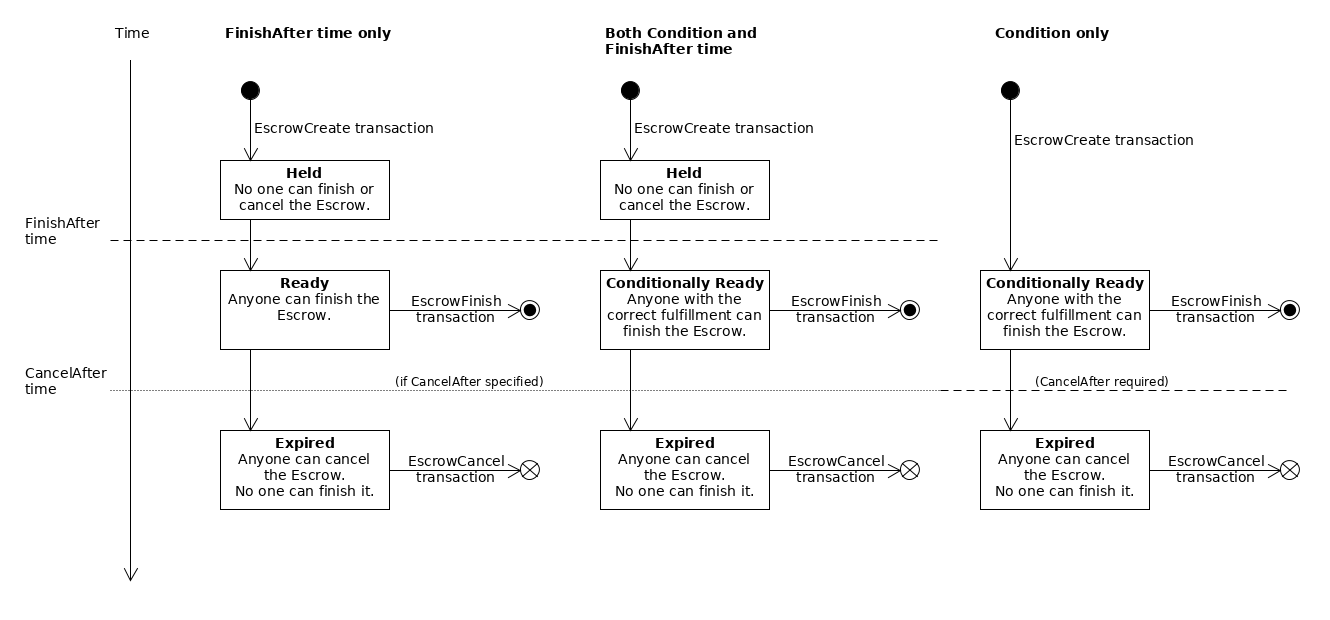](https://xrpl.org/assets/escrow-states.33821fcd0d2ebe57016c5053ea22a65b1f4962d0a3969ba36960095f7e8a24d6.ac57e6ef.png)
The diagram shows three different cases for three possible combinations of the escrow's "finish-after" time (`FinishAfter` field), crypto-condition (`Condition` field), and expiration time (`CancelAfter` field):
Note
While XRP escrows can sometimes exist without an expiration time, token escrows must **always** have an expiration time (`CancelAfter` field).
* **Time-based Escrow (left):** With only a finish-after time, the escrow is created in the **Held** state. After the specified time has passed, it becomes **Ready** and anyone can finish it. If the escrow has an expiration time and no one finishes it before that time passes, then the escrow becomes **Expired**. In the expired state, an escrow cannot be finished, and anyone can cancel it. If the escrow does not have a `CancelAfter` field, it never expires and cannot be canceled.
* **Combination Escrow (center):** If the escrow specifies both a crypto-condition (`Condition` field) _and_ a "finish-after" time (`FinishAfter` field), the escrow is **Held** until its finish-after time has passed. Then it becomes **Conditionally Ready**, and can finish it if they supply the correct fulfillment to the crypto-condition. If the escrow has an expiration time (`CancelAfter` field), and no one finishes it before that time passes, then the escrow becomes **Expired**. In the expired state, an escrow cannot be finished, and anyone can cancel it. If the escrow does not have a `CancelAfter` field, it never expires and cannot be canceled.
* **Conditional Escrow (right):** If the escrow specifies a crypto-condition (`Condition` field) and not a finish-after time, the escrow becomes **Conditionally Ready** immediately when it is created. During this time, anyone can finish the escrow, but only if they supply the correct fulfillment to the crypto-condition. If no one finishes the escrow before its expiration time (`CancelAfter` field), the escrow becomes **Expired**. (An escrow without a finish-after time _must_ have an expiration time.) In the expired state, the escrow can no longer be finished, and anyone can cancel it.
[](https://xrpl.org/docs/concepts/payment-types/escrow#limitations)
Limitations
-----------------------------------------------------------------------------------
* The costs can make it infeasible for small amounts.
* Escrow requires two transactions: one to create the escrow, and one to finish or cancel it. Crypto-Conditions incur a higher [transaction cost](https://xrpl.org/docs/concepts/transactions/transaction-cost)
than usual.
* While the escrow is incomplete, the sender is responsible for the [reserve requirement](https://xrpl.org/docs/concepts/accounts/reserves)
of the `Escrow` object.
* You can't create an escrow with past time values.
* Timed releases and expirations resolve according to [ledger close times](https://xrpl.org/docs/concepts/ledgers/ledger-close-times)
. In practice, actual release and expiration times can vary by about five seconds as ledgers close.
* The only supported crypto-condition type is PREIMAGE-SHA-256.
* If a token holder is deep frozen (Trust Line Tokens) or locked (MPTs), they cannot finish an escrow to receive tokens, but they can still cancel an escrow to return tokens to the sender. Individual or global freezes for Trust Line Tokens don't prevent escrow completion.
* For tokens requiring authorization, both sender and recipient must be pre-authorized by the issuer before creating or finishing the escrow, respectively. Authorization cannot be granted during the escrow completion process.
[](https://xrpl.org/docs/concepts/payment-types/escrow#escrowfinish-transaction-cost)
EscrowFinish Transaction Cost
-----------------------------------------------------------------------------------------------------------------------
When using crypto-conditions, the EscrowFinish transaction must pay a [higher transaction cost](https://xrpl.org/docs/concepts/transactions/transaction-cost#special-transaction-costs)
because of the higher processing load involved in verifying the crypto-condition fulfillment.
The additional transaction cost required is proportional to the size of the fulfillment. If the transaction is [multi-signed](https://xrpl.org/docs/concepts/accounts/multi-signing)
, the cost of multi-signing is added to the cost of the fulfillment.
Currently, an EscrowFinish with a fulfillment requires a minimum transaction cost of **330 [drops of XRP](https://xrpl.org/docs/references/protocol/data-types/basic-data-types#specifying-currency-amounts)
** plus 10 drops per 16 bytes in the size of the fulfillment.
Note
The above formula is based on the assumption that the reference cost of a transaction is 10 drops of XRP.
If [Fee Voting](https://xrpl.org/docs/concepts/consensus-protocol/fee-voting)
changes the `reference_fee` value, the formula scales based on the new reference cost. The generalized formula for an EscrowFinish transaction with a fulfillment is as follows:
reference\_fee \* (signer\_count + 33 + (fulfillment\_bytes / 16))
[](https://xrpl.org/docs/concepts/payment-types/escrow#see-also)
See Also
-----------------------------------------------------------------------------
For more information about Escrow in the XRP Ledger, see the following:
* **Escrow Tutorials:**
* [Send a Timed Escrow](https://xrpl.org/docs/tutorials/payments/send-a-timed-escrow)
* [Send a conditional Escrow](https://xrpl.org/docs/tutorials/payments/send-a-conditional-escrow)
* [Look Up Escrows](https://xrpl.org/docs/tutorials/payments/look-up-escrows)
* [Cancel an Expired Escrow](https://xrpl.org/docs/tutorials/payments/cancel-an-expired-escrow)
* [Transaction Reference](https://xrpl.org/docs/references/protocol/transactions)
* [EscrowCreate transaction](https://xrpl.org/docs/references/protocol/transactions/types/escrowcreate)
* [EscrowFinish transaction](https://xrpl.org/docs/references/protocol/transactions/types/escrowfinish)
* [EscrowCancel transaction](https://xrpl.org/docs/references/protocol/transactions/types/escrowcancel)
* [Ledger Reference](https://xrpl.org/docs/references/protocol/ledger-data)
* [Escrow entry](https://xrpl.org/docs/references/protocol/ledger-data/ledger-entry-types/escrow)
#### Was this helpful?
Previous page[Checks](https://xrpl.org/docs/concepts/payment-types/checks)
Next page[Partial Payments](https://xrpl.org/docs/concepts/payment-types/partial-payments)
Ask AI
---
# The Clio Server
[Skip to content](https://xrpl.org/docs/concepts/networks-and-servers/the-clio-server#content)
[Documentation](https://xrpl.org/docs)
/[Concepts](https://xrpl.org/docs/concepts)
/
Networks and Servers
* The Clio Server
[rippled Server Modes](https://xrpl.org/docs/concepts/networks-and-servers/rippled-server-modes)
[Clustering](https://xrpl.org/docs/concepts/networks-and-servers/clustering)
[Ledger History](https://xrpl.org/docs/concepts/networks-and-servers/ledger-history)
[Peer Protocol](https://xrpl.org/docs/concepts/networks-and-servers/peer-protocol)
[Transaction Censorship Detection](https://xrpl.org/docs/concepts/networks-and-servers/transaction-censorship-detection)
[Parallel Networks](https://xrpl.org/docs/concepts/networks-and-servers/parallel-networks)
[Amendments](https://xrpl.org/docs/concepts/networks-and-servers/amendments)
/
The Clio Server
Last updated 2 years ago
[Edit](https://github.com/XRPLF/xrpl-dev-portal/tree/master/docs/concepts/networks-and-servers/the-clio-server.md)
[](https://xrpl.org/docs/concepts/networks-and-servers/the-clio-server#the-clio-server)
The Clio Server
Copy
* Copy for LLM
Copy page as Markdown for LLMs
* [View as Markdown\
\
Open this page as Markdown](https://xrpl.org/docs/concepts/networks-and-servers/the-clio-server.md)
* [Open in ChatGPT\
\
Get insights from ChatGPT](https://chat.openai.com/?q=Read+https%3A%2F%2Fxrpl.org%2Fdocs%2Fconcepts%2Fnetworks-and-servers%2Fthe-clio-server.md+and+answer+questions+based+on+the+content.)
* [Open in Claude\
\
Get insights from Claude](https://claude.ai/new?q=Read+https%3A%2F%2Fxrpl.org%2Fdocs%2Fconcepts%2Fnetworks-and-servers%2Fthe-clio-server.md+and+answer+questions+based+on+the+content.)
* Connect to Cursor
Install MCP server on Cursor
* Connect to VS Code
Install MCP server on VS Code
===============================================================================================================================================================================================================================================================================================================================================================================================================================================================================================================================================================================================================================================================================================================================================================================================================================================================================================================================
Clio is an XRP Ledger API server optimized for WebSocket or HTTP API calls for validated ledger data.
A Clio server does not connect to the peer-to-peer network. Instead, it extracts data from a specified `rippled` server which is connected to the P2P network. By handling API calls efficiently, Clio servers can help reduce the load on `rippled` servers running in P2P mode.
Clio stores validated historical ledger and transaction data in a space efficient format, using up to 4 times less space than `rippled`. Clio uses Cassandra or ScyllaDB, allowing for scalable read throughput. Multiple Clio servers can share access to the same dataset, thereby enabling you to build a highly available cluster of Clio servers without the need for redundant data storage or computation.
Clio requires access to a `rippled` server, which can run on the same machine as Clio or separately.
While Clio offers the complete [HTTP / WebSocket APIs](https://xrpl.org/docs/references/http-websocket-apis)
, by default, it only returns validated data. For any requests that require access to the P2P network, Clio automatically forwards the request to the `rippled` server on the P2P network and passes the response back.
[](https://xrpl.org/docs/concepts/networks-and-servers/the-clio-server#why-should-i-run-a-clio-server)
Why Should I Run a Clio Server?
------------------------------------------------------------------------------------------------------------------------------------------
There are lots of reasons you might want to run your own Clio server, but most of them can be summarized as: reduced load on `rippled` server(s) connected to the P2P network, lower memory usage and storage overhead, easier horizontal scaling, and higher throughput for API requests.
* Reduced load on `rippled` server(s) - A Clio server does not connect to the peer-to-peer network. It uses gRPC to get validated data from one or more trusted `rippled` servers that are connected to the P2P network. Thus, a Clio server handles requests more efficiently and reduces the load on `rippled` servers running in P2P mode.
* Lower memory usage and storage overhead - Clio uses Cassandra as a database and stores data in a space efficient format, using up to 4 times less space than `rippled`.
* Easier horizontal scaling - Multiple Clio servers can share access to the same dataset, thus enabling you to build a highly available cluster of Clio servers.
* Higher throughput for API requests - A Clio server extracts validated data from one or more trusted `rippled` servers and stores this data efficiently. Thus, handling API calls efficiently, resulting in a higher throughput and in some cases, lower latency as well.
[](https://xrpl.org/docs/concepts/networks-and-servers/the-clio-server#how-does-a-clio-server-work)
How does a Clio Server Work?
------------------------------------------------------------------------------------------------------------------------------------
[](https://xrpl.org/assets/clio-basic-architecture.a1730d99de821f498f0be87abe7b029de9e45714abdcac31a3c7af5fac78abba.ac57e6ef.svg "Figure 1: How does a Clio server work?")
A Clio server stores validated ledger data such as transaction metadata, account states, and ledger headers in a persistent datastore.
When a Clio server receives an API request, it looks up data from these data stores. For requests that require data from the P2P network, the Clio server forwards the request to a P2P server, and then passes the response back to the client.
Clio will **always** forward to `rippled` if any of the following is true:
* `ledger_index` is set to `current` or `closed`.
* `accounts`, `queue` or `full` are set to `true` for the `ledger` API.
* `queue` is set to `true` for the `account_info` API.
* Requested API method (`"command"`) is `submit`, `submit_multisigned`, `fee`, `ledger_closed`, `ledger_current`, `ripple_path_find`, `manifest`, `channel_authorize` or `channel_verify`.
[](https://xrpl.org/docs/concepts/networks-and-servers/the-clio-server#see-also)
See Also
---------------------------------------------------------------------------------------------
* [Clio source code](https://github.com/XRPLF/clio)
* **Tutorials:**
* [Install Clio server on Ubuntu](https://xrpl.org/docs/infrastructure/installation/install-clio-on-ubuntu)
#### Was this helpful?
Previous page[Amendments](https://xrpl.org/docs/concepts/networks-and-servers/amendments)
Next page[Consensus Protocol](https://xrpl.org/docs/concepts/consensus-protocol)
Ask AI
---
# Ledgers
[Skip to content](https://xrpl.org/docs/concepts/ledgers#content)
[Documentation](https://xrpl.org/docs)
/
Concepts
[Ledgers](https://xrpl.org/docs/concepts/ledgers)
[Networks and Servers](https://xrpl.org/docs/concepts/networks-and-servers)
[Consensus Protocol](https://xrpl.org/docs/concepts/consensus-protocol)
[Transactions](https://xrpl.org/docs/concepts/transactions)
[Ledger Payment Types](https://xrpl.org/docs/concepts/payment-types)
[Tokens](https://xrpl.org/docs/concepts/tokens)
[Accounts](https://xrpl.org/docs/concepts/accounts)
[XRPL Sidechains](https://xrpl.org/docs/concepts/xrpl-sidechains)
[Decentralized Storage](https://xrpl.org/docs/concepts/decentralized-storage)
/[Ledgers](https://xrpl.org/docs/concepts/ledgers)
Last updated 2 years ago
[Edit](https://github.com/XRPLF/xrpl-dev-portal/tree/master/docs/concepts/ledgers/index.md)
[](https://xrpl.org/docs/concepts/ledgers#ledgers)
Ledgers
Copy
* Copy for LLM
Copy page as Markdown for LLMs
* [View as Markdown\
\
Open this page as Markdown](https://xrpl.org/docs/concepts/ledgers.md)
* [Open in ChatGPT\
\
Get insights from ChatGPT](https://chat.openai.com/?q=Read+https%3A%2F%2Fxrpl.org%2Fdocs%2Fconcepts%2Fledgers.md+and+answer+questions+based+on+the+content.)
* [Open in Claude\
\
Get insights from Claude](https://claude.ai/new?q=Read+https%3A%2F%2Fxrpl.org%2Fdocs%2Fconcepts%2Fledgers.md+and+answer+questions+based+on+the+content.)
* Connect to Cursor
Install MCP server on Cursor
* Connect to VS Code
Install MCP server on VS Code
=======================================================================================================================================================================================================================================================================================================================================================================================================================================================================================================================================================================================================================================================================================================================================================================================
The XRP Ledger is a shared, global ledger that is open to all. Individual participants can trust the integrity of the ledger without having to trust any single institution to manage it. The XRP Ledger protocol accomplishes this by managing a ledger database that can only be updated according to very specific rules. Each server in the peer-to-peer network keeps a full copy of the ledger database, and the network distributes candidate transactions, which are applied in blocks according to the [consensus process](https://xrpl.org/docs/concepts/consensus-protocol)
.
[](https://xrpl.org/assets/ledger-changes.5cb2566ad30986d53f75a86104b32bc7f54b6924a02058940f40a85f4bdef0ae.ac57e6ef.svg "Diagram: Each ledger is the result of applying transactions to the previous ledger version.")
The shared global ledger consists of a series of blocks, called ledger versions or simply _ledgers_. Every ledger version has a [Ledger Index](https://xrpl.org/docs/references/protocol/data-types/basic-data-types#ledger-index)
which identifies the correct order of ledgers. Each permanent, closed ledger also has a unique, identifying hash value.
At any given time, each XRP Ledger server has an in-progress _open_ ledger, a number of pending _closed_ ledgers, and a history of _validated_ ledgers that are immutable.
A single ledger version consists of several parts:
[](https://xrpl.org/assets/anatomy-of-a-ledger-simplified.51e6727af258a78b6df9cb1e6484b0f2416f0542bf1fee41a5072ef9eaecc3bf.ac57e6ef.svg "Diagram: A ledger has transactions, a state tree, and a header with the close time and validation info")
* A **header** - The [Ledger Index](https://xrpl.org/docs/references/protocol/data-types/basic-data-types#ledger-index)
, hashes of its other contents, and other metadata.
* A **transaction tree** - The [transactions](https://xrpl.org/docs/references/protocol/transactions)
that were applied to the previous ledger to make this one.
* A **state tree** - All the data in the ledger, as [ledger entries](https://xrpl.org/docs/references/protocol/ledger-data/ledger-entry-types)
: balances, settings, and so on.
[](https://xrpl.org/docs/concepts/ledgers#see-also)
See Also
----------------------------------------------------------------
* For more information about ledger headers, ledger object IDs, and ledger object types, see [Ledger Data Formats](https://xrpl.org/docs/references/protocol/ledger-data)
* For information on how servers track the history of changes to ledger state, see [Ledger History](https://xrpl.org/docs/concepts/networks-and-servers/ledger-history)
#### Was this helpful?
Previous page[Consensus Research](https://xrpl.org/docs/concepts/consensus-protocol/consensus-research)
Next page[Ledger Structure](https://xrpl.org/docs/concepts/ledgers/ledger-structure)
Ask AI
---
# rippled Server Won't Start
[Skip to content](https://xrpl.org/docs/infrastructure/troubleshooting/server-wont-start#content)
[Documentation](https://xrpl.org/docs)
/[Infrastructure](https://xrpl.org/docs/infrastructure)
/
Troubleshooting
* rippled Server Won't Start
[Diagnosing Problems with rippled](https://xrpl.org/docs/infrastructure/troubleshooting/diagnosing-problems)
[Health Check Interventions](https://xrpl.org/docs/infrastructure/troubleshooting/health-check-interventions)
[Understanding Log Messages](https://xrpl.org/docs/infrastructure/troubleshooting/understanding-log-messages)
[rippled Server Doesn't Sync](https://xrpl.org/docs/infrastructure/troubleshooting/server-doesnt-sync)
[rippled Server is Amendment Blocked](https://xrpl.org/docs/infrastructure/troubleshooting/server-is-amendment-blocked)
[Fix SQLite Transaction Database Page Size Issue](https://xrpl.org/docs/infrastructure/troubleshooting/fix-sqlite-tx-db-page-size-issue)
/
rippled Server Won't Star...
Last updated 7 months ago
[Edit](https://github.com/XRPLF/xrpl-dev-portal/tree/master/docs/infrastructure/troubleshooting/server-wont-start.md)
[](https://xrpl.org/docs/infrastructure/troubleshooting/server-wont-start#rippled-server-wont-start)
rippled Server Won't Start
Copy
* Copy for LLM
Copy page as Markdown for LLMs
* [View as Markdown\
\
Open this page as Markdown](https://xrpl.org/docs/infrastructure/troubleshooting/server-wont-start.md)
* [Open in ChatGPT\
\
Get insights from ChatGPT](https://chat.openai.com/?q=Read+https%3A%2F%2Fxrpl.org%2Fdocs%2Finfrastructure%2Ftroubleshooting%2Fserver-wont-start.md+and+answer+questions+based+on+the+content.)
* [Open in Claude\
\
Get insights from Claude](https://claude.ai/new?q=Read+https%3A%2F%2Fxrpl.org%2Fdocs%2Finfrastructure%2Ftroubleshooting%2Fserver-wont-start.md+and+answer+questions+based+on+the+content.)
* Connect to Cursor
Install MCP server on Cursor
* Connect to VS Code
Install MCP server on VS Code
================================================================================================================================================================================================================================================================================================================================================================================================================================================================================================================================================================================================================================================================================================================================================================================================================================================================================================================================================================
This page explains possible reasons [the `rippled` server](https://xrpl.org/docs/concepts/networks-and-servers)
does not start and how to fix them.
These instructions assume you have [installed `rippled`](https://xrpl.org/docs/infrastructure/installation)
on a supported platform.
[](https://xrpl.org/docs/infrastructure/troubleshooting/server-wont-start#file-descriptors-limit)
File Descriptors Limit
----------------------------------------------------------------------------------------------------------------------------
On some Linux variants, you may get an error message such as the following when trying to run `rippled`:
WARNING: There are only 1024 file descriptors (soft limit) available, which
limit the number of simultaneous connections.
This occurs because the system has a security limit on the number of files a single process may open, but the limit is set too low for `rippled`. To fix the problem, **root access is required**. Increase the number of files `rippled` is allowed to open with the following steps:
1. Add the following lines to the end of your `/etc/security/limits.conf` file:
\* soft nofile 65536
\* hard nofile 65536
2. Check that the [hard limit on number of files that can be opened](https://ss64.com/bash/ulimit.html)
is now `65536`:
ulimit -Hn
The command should output `65536`.
3. Try starting `rippled` again.
systemctl start rippled
4. If `rippled` still does not start, open `/etc/sysctl.conf` and append the following kernel-level setting:
fs.file-max = 65536
[](https://xrpl.org/docs/infrastructure/troubleshooting/server-wont-start#failed-to-open-etcoptripplerippledcfg)
Failed to open /etc/opt/ripple/rippled.cfg
---------------------------------------------------------------------------------------------------------------------------------------------------------------
If `rippled` crashes on startup with an error such as the following, it means that `rippled` cannot read its config file:
Loading: "/etc/opt/ripple/rippled.cfg"
Failed to open '"/etc/opt/ripple/rippled.cfg"'.
Terminating thread rippled: main: unhandled St13runtime\_error 'Can not create "/var/opt/ripple"'
Aborted (core dumped)
Possible solutions:
* Check that the config file exists (the default location is `/etc/opt/ripple/rippled.cfg`) and the user that runs your `rippled` process (usually `rippled`) has read permissions to the file.
* Create a config file that can be read by the `rippled` user at `$HOME/.config/ripple/rippled.cfg` (where `$HOME` points to the `rippled` user's home directory).
Tip
The `rippled` repository contains [an example `rippled.cfg` file](https://github.com/XRPLF/rippled/blob/master/cfg/rippled-example.cfg)
which is provided as the default config when you do an installation from a binary package. If you do not have the file, you can copy it from there.
* Specify the path to your preferred config file using the `--conf` [commandline option](https://xrpl.org/docs/infrastructure/commandline-usage)
.
[](https://xrpl.org/docs/infrastructure/troubleshooting/server-wont-start#failed-to-open-validators-file)
Failed to open validators file
--------------------------------------------------------------------------------------------------------------------------------------------
If `rippled` crashes on startup with an error such as the following, it means it can read its primary config file, but that config file specifies a separate validators config file (typically named `validators.txt`), which `rippled` cannot read.
Loading: "/home/rippled/.config/ripple/rippled.cfg"
Terminating thread rippled: main: unhandled St13runtime\_error 'The file specified in \[validators\_file\] does not exist: /home/rippled/.config/ripple/validators.txt'
Aborted (core dumped)
Possible solutions:
* Check that the `validators.txt` file exists and the `rippled` user has permissions to read it.
Tip
The `rippled` repository contains [an example `validators.txt` file](https://github.com/XRPLF/rippled/blob/master/cfg/validators-example.txt)
which is provided as the default config when you do an installation from a binary package. If you do not have the file, you can copy it from there.
* Edit your `rippled.cfg` file and modify the `[validators_file]` setting to have the correct path to your `validators.txt` (or equivalent) file. Check for extra whitespace before or after the filename.
* Edit your `rippled.cfg` file and remove the `[validators_file]` setting. Add validator settings directly to your `rippled.cfg` file. For example:
\[validator\_list\_sites\]
https://vl.ripple.com
\[validator\_list\_keys\]
ED2677ABFFD1B33AC6FBC3062B71F1E8397C1505E1C42C64D11AD1B28FF73F4734
[](https://xrpl.org/docs/infrastructure/troubleshooting/server-wont-start#cannot-create-database-path)
Cannot create database path
--------------------------------------------------------------------------------------------------------------------------------------
If `rippled` crashes on startup with an error such as the following, it means the server does not have write permissions to the `[database_path]` from its config file.
Loading: "/home/rippled/.config/ripple/rippled.cfg"
Terminating thread rippled: main: unhandled St13runtime\_error 'Can not create "/var/lib/rippled/db"'
Aborted (core dumped)
The paths to the configuration file (`/home/rippled/.config/ripple/rippled.cfg`) and the database path (`/var/lib/rippled/db`) may vary depending on your system.
Possible solutions:
* Run `rippled` as a different user that has write permissions to the database path printed in the error message.
* Edit your `rippled.cfg` file and change the `[database_path]` setting to use a path that the `rippled` user has write permissions to.
* Grant the `rippled` user write permissions to the configured database path.
[](https://xrpl.org/docs/infrastructure/troubleshooting/server-wont-start#state-db-error)
State DB Error
------------------------------------------------------------------------------------------------------------
The following error can occur if the `rippled` server's state database is corrupted. This can occur as the result of being shutdown unexpectedly, or if you change the type of database from RocksDB to NuDB without changing the `path` and `[database_path]` settings in the config file.
2018-Aug-21 23:06:38.675117810 SHAMapStore:ERR state db error:
writableDbExists false archiveDbExists false
writableDb '/var/lib/rippled/db/rocksdb/rippledb.11a9' archiveDb '/var/lib/rippled/db/rocksdb/rippledb.2d73'
To resume operation, make backups of and remove the files matching /var/lib/rippled/db/state\* and contents of the directory /var/lib/rippled/db/rocksdb
Terminating thread rippled: main: unhandled St13runtime\_error 'state db error'
The easiest way to fix this problem is to delete the databases entirely. You may want to back them up elsewhere instead. For example:
mv /var/lib/rippled/db /var/lib/rippled/db-bak
Or, if you are sure you don't need the databases:
rm -r /var/lib/rippled/db
Tip
It is generally safe to delete the `rippled` databases, because any individual server can re-download ledger history from other servers in the XRP Ledger network.
Alternatively, you can change the paths to the databases in the config file. For example:
\[node\_db\]
type=NuDB
path=/var/lib/rippled/custom\_nudb\_path
\[database\_path\]
/var/lib/rippled/custom\_sqlite\_db\_path
[](https://xrpl.org/docs/infrastructure/troubleshooting/server-wont-start#online-delete-is-less-than-ledger-history)
Online Delete is Less Than Ledger History
------------------------------------------------------------------------------------------------------------------------------------------------------------------
An error message such as the following indicates that the `rippled.cfg` file has contradictory values for `[ledger_history]` and `online_delete`.
Terminating thread rippled: main: unhandled St13runtime\_error 'online\_delete must not be less than ledger\_history (currently 3000)
The `[ledger_history]` setting represents how many ledgers of history the server should seek to back-fill. The `online_delete` field (in the `[node_db]` stanza) indicates how many ledgers of history to keep when dropping older history. The `online_delete` value must be equal to or larger than `[ledger_history]` to prevent the server from deleting historical ledgers that it is also trying to download.
To fix the problem, edit the `rippled.cfg` file and change or remove either the `[ledger_history]` or `online_delete` options. (If you omit `[ledger_history]`, it uses a default of 256 ledger versions. If you specify the `online_delete` field, it must be larger than 256. If you omit `online_delete`, it disables automatic deletion of old ledger versions.)
[](https://xrpl.org/docs/infrastructure/troubleshooting/server-wont-start#bad-node_size-value)
Bad node\_size value
-----------------------------------------------------------------------------------------------------------------------
An error such as the following indicates that the `rippled.cfg` file has an improper value for the `node_size` setting:
Terminating thread rippled: main: unhandled N5beast14BadLexicalCastE 'std::bad\_cast'
Valid parameters for the `node_size` field are `tiny`, `small`, `medium`, `large`, or `huge`. For more information see [Node Size](https://xrpl.org/docs/infrastructure/installation/capacity-planning#node-size)
.
[](https://xrpl.org/docs/infrastructure/troubleshooting/server-wont-start#see-also)
See Also
------------------------------------------------------------------------------------------------
* **Concepts:**
* [The `rippled` Server](https://xrpl.org/docs/concepts/networks-and-servers)
* [Technical FAQ](https://xrpl.org/about/faq)
* **Tutorials:**
* [Understanding Log Messages](https://xrpl.org/docs/infrastructure/troubleshooting/understanding-log-messages)
* [Capacity Planning](https://xrpl.org/docs/infrastructure/installation/capacity-planning)
* **References:**
* [rippled API Reference](https://xrpl.org/docs/references/http-websocket-apis)
* [`rippled` Commandline Usage](https://xrpl.org/docs/infrastructure/commandline-usage)
* [server\_info method](https://xrpl.org/docs/references/http-websocket-apis/public-api-methods/server-info-methods/server_info)
#### Was this helpful?
Previous page[rippled Server is Amendment Blocked](https://xrpl.org/docs/infrastructure/troubleshooting/server-is-amendment-blocked)
Next page[Fix SQLite Transaction Database Page Size Issue](https://xrpl.org/docs/infrastructure/troubleshooting/fix-sqlite-tx-db-page-size-issue)
Ask AI
---
# Single Asset Vaults
[Skip to content](https://xrpl.org/docs/concepts/tokens/single-asset-vaults#content)
[Documentation](https://xrpl.org/docs)
/[Concepts](https://xrpl.org/docs/concepts)
/
Tokens
* Single Asset Vaults
[Fungible Tokens](https://xrpl.org/docs/concepts/tokens/fungible-tokens)
[Non-Fungible Tokens](https://xrpl.org/docs/concepts/tokens/nfts)
[Decentralized Exchange (DEX)](https://xrpl.org/docs/concepts/tokens/decentralized-exchange)
[Lending Protocol](https://xrpl.org/docs/concepts/tokens/lending-protocol)
/
Single Asset Vaults
Last updated 2 months ago
[Edit](https://github.com/XRPLF/xrpl-dev-portal/tree/master/docs/concepts/tokens/single-asset-vaults.md)
[](https://xrpl.org/docs/concepts/tokens/single-asset-vaults#single-asset-vaults)
Single Asset Vaults
Copy
* Copy for LLM
Copy page as Markdown for LLMs
* [View as Markdown\
\
Open this page as Markdown](https://xrpl.org/docs/concepts/tokens/single-asset-vaults.md)
* [Open in ChatGPT\
\
Get insights from ChatGPT](https://chat.openai.com/?q=Read+https%3A%2F%2Fxrpl.org%2Fdocs%2Fconcepts%2Ftokens%2Fsingle-asset-vaults.md+and+answer+questions+based+on+the+content.)
* [Open in Claude\
\
Get insights from Claude](https://claude.ai/new?q=Read+https%3A%2F%2Fxrpl.org%2Fdocs%2Fconcepts%2Ftokens%2Fsingle-asset-vaults.md+and+answer+questions+based+on+the+content.)
* Connect to Cursor
Install MCP server on Cursor
* Connect to VS Code
Install MCP server on VS Code
===============================================================================================================================================================================================================================================================================================================================================================================================================================================================================================================================================================================================================================================================================================================================================================================================================================================================================================
A single asset vault is an XRP Ledger primitive that aggregates assets from multiple depositors and makes them available to other on-chain protocols, such as the Lending Protocol. A vault asset can be [XRP](https://xrpl.org/docs/introduction/what-is-xrp)
, a [trust line token](https://xrpl.org/docs/concepts/tokens/fungible-tokens)
, or an [MPT (Multi-Purpose Token)](https://xrpl.org/docs/concepts/tokens/fungible-tokens/multi-purpose-tokens)
.
A Vault Owner account manages the vault and can create, update, or delete it as needed. When creating a vault, the Vault Owner can also specify whether shares are transferable or non-transferable. Non-transferable shares cannot be transferred to any other account, and can only be redeemed.
_Requires the [SingleAssetVault amendment](https://xrpl.org/resources/known-amendments#singleassetvault)
. Loading..._
[](https://xrpl.org/docs/concepts/tokens/single-asset-vaults#public-vs-private-vaults)
Public vs. Private Vaults
--------------------------------------------------------------------------------------------------------------------
A vault can be **public** or **private**, depending on the required level of access control.
In a public vault, anyone can deposit or redeem liquidity as long as they hold sufficient shares. In contrast, a private vault restricts access, allowing only depositors with the necessary [Credentials](https://xrpl.org/docs/concepts/decentralized-storage/credentials)
, managed through [Permissioned Domains](https://xrpl.org/docs/concepts/tokens/decentralized-exchange/permissioned-domains)
, to deposit assets.
Warning
If a depositor's credentials expire, they can no longer deposit assets in a private vault, but can always redeem their existing shares.
To prevent the Vault Owner from locking funds away, any shareholder in a private vault can redeem their shares for assets.
Choosing between a public or private vault depends on your use case. For example, if depositor identity verification is required, use a private vault and issue credentials only to verified accounts.
[](https://xrpl.org/docs/concepts/tokens/single-asset-vaults#vault-share-distribution-and-redemption)
Vault Share Distribution and Redemption
-------------------------------------------------------------------------------------------------------------------------------------------------
Depositors can deposit assets to receive shares, which represent their proportional ownership of the vault, or redeem shares for assets.
[](https://xrpl.org/assets/single-asset-vault-img.b3c419d3d131f48a5e36aa77033ae5f049c1d2dbce7475ee071c837ae88332a5.ac57e6ef.svg "Diagram: an example of an asset being deposited into the vault and shares being redeemed.")
Since the XRP Ledger is an account-based blockchain, all assets must be held by an account. A `Vault` ledger entry cannot hold assets directly, so a [pseudo-account](https://xrpl.org/docs/concepts/accounts/pseudo-accounts)
is created to hold assets on its behalf. This stand-alone account cannot receive funds or send transactions, and exists solely to store assets and issue shares.
Each share is represented on-chain as an MPT, issued by the vault's pseudo-account. Since MPTs can only exist as whole number units, the vault uses a `Scale` setting to convert fractional asset amounts into whole number shares.
The scale behavior varies based on the type of asset held by the vault:
* **XRP**: Uses a fixed scale that aligns with XRP's native structure, where one share represents one drop.
* **Trust Line Token**: Allows configurable precision (default preserves 6 decimal places).
* **MPT**: Uses a 1-to-1 relationship between MPT units and shares.
Depending on the connected protocol, vault shares may be yield-bearing, meaning shareholders could redeem shares for more or less liquidity than they originally deposited. This is because the total asset balance in the vault can grow or shrink over time, affecting the value of each share. However, the vault asset (e.g., USDC, XRP) does not generate yield on its own.
The value of each share depends on the total assets in the vault:
* If the vault earns yield over time, shares represent a larger claim, allowing depositors to redeem them for more assets.
* If the vault incurs losses, shares hold less value, resulting in lower redemptions.
A vault could generate yield through mechanisms like lending or staking, with yield paid in the same asset deposited. The specific logic for this depends on how the connected on-chain protocol generates yield. For example, if a vault is used by a lending protocol, it could earn yield from interest paid by borrowers.
###
[](https://xrpl.org/docs/concepts/tokens/single-asset-vaults#exchange-algorithm)
Exchange Algorithm
A single asset vault uses an **exchange algorithm** to define how assets convert into shares during deposits and how shares convert back into assets during redemptions.
A vault's total value can fluctuate due to factors like _unrealized losses_, which impact the exchange rate for deposits and redemptions. To ensure fairness, the algorithm adjusts the exchange rate dynamically, so depositors receive shares or redeem them for assets at a rate that accurately reflects the vault’s true value.
####
[](https://xrpl.org/docs/concepts/tokens/single-asset-vaults#unrealized-loss)
Unrealized Loss
To prevent depositors from exploiting potential losses by redeeming shares early and shifting the full loss onto the remaining depositors, the vault tracks unrealized losses (or paper loss) using the `LossUnrealized` attribute in the `Vault` ledger entry.
Because the unrealized loss temporarily decreases the vault's value, a malicious depositor may take advantage of this by depositing assets at a lowered price and redeeming shares once the price increases.
For example, consider a vault with a total value of $1.0m and total shares of 1.0m. Let's assume the unrealized loss for the vault is $900k:
1. The new exchange rate is calculated as:
// ExchangeRate = (AssetsTotal - LossUnrealized) / SharesTotal
exchangeRate \= (1,000,000 - 900,000) / 1,000,000
The exchange rate value is now **0.1**.
2. After the unrealized loss is cleared, the new effective exchange rate would be:
// ExchangeRate = AssetsTotal / SharesTotal
exchangeRate \= 1,000,000 / 1,000,000
The exchange rate is now **1.0**.
A depositor could deposit $100k assets at a 0.1 exchange rate and get 1.0m shares. Once the unrealized loss is cleared, their shares would be worth $1.0m.
To mitigate this, the vault uses separate exchange rates for deposits and redemptions.
####
[](https://xrpl.org/docs/concepts/tokens/single-asset-vaults#exchange-rates)
Exchange Rates
A single asset vault uses **two distinct exchange rates**:
* **Deposit Exchange Rate**: Protects new depositors from prior losses and ensures fair share allocation.
* **Withdrawal Exchange Rate**: Ensures all shareholders share losses proportionally. Whether redeeming shares or withdrawing assets, the vault always calculates payouts using the actual current value (total assets minus losses), so depositors get their fair share of what's actually in the vault.
* **Redemptions**: The vault burns shares so the depositor can receive proportional assets.
* **Withdrawals**: The vault determines the shares to burn based on the requested asset amount.
These exchange rates ensure fairness and prevent manipulation, maintaining the integrity of deposits and redemptions.
To understand how the exchange rates are applied, here are the key variables used in the calculations:
* `Γ_assets`: The total balance of assets held within the vault.
* `Γ_shares`: The total number of shares currently issued by the vault.
* `Δ_assets`: The amount of assets being deposited, withdrawn, or redeemed.
* `Δ_shares`: The number of shares being issued or burned.
* `l`: The vault's total unrealized loss.
* `σ`: The scaling factor (σ = 10Scale) used to convert fractional assets into whole number shares.
* Deposit
* Redeem
* Withdraw
The vault computes the number of shares a depositor will receive as follows:
* **Initial Deposit (Empty Vault)**: For the first deposit into an empty vault, shares are calculated using the scaling factor to properly represent fractional assets as whole numbers.
Δ\_shares \= Δ\_assets \* σ // σ = 10^Scale
* **Subsequent Deposits**: For all other deposits, shares are calculated proportionally. The resulting share value is rounded **down** to the nearest whole number.
Δ\_shares \= (Δ\_assets \* Γ\_shares) / Γ\_assets
Because the share amount is rounded down, the actual assets taken from the depositor are recalculated. This ensures the depositor isn't overcharged and that new shares are valued against the vault's true value, accounting for any unrealized loss:
Δ\_assets \= (Δ\_shares \* (Γ\_assets \- l)) / Γ\_shares
After a successful deposit, the _total assets_ and _total shares_ values are updated like so:
Γ\_assets \= Γ\_assets + Δ\_assets // New balance of assets in the vault.
Γ\_shares \= Γ\_shares + Δ\_shares // New share balance in the vault.
###
[](https://xrpl.org/docs/concepts/tokens/single-asset-vaults#can-a-depositor-transfer-shares-to-another-account)
Can a Depositor Transfer Shares to Another Account?
Vault shares are a first-class asset, meaning that they can be transferred and used in other on-ledger protocols that support MPTs. However, the payee (or the receiver) must have permission to hold both the shares and the underlying asset.
For example, if a private vault holds USDC, the destination account must belong to the vault’s Permissioned Domain and have permission to hold USDC. Any compliance mechanisms applied to USDC also apply to the shares. If the USDC issuer freezes the payee’s trust line, the payee cannot receive shares representing USDC.
Note
It is important to remember that a vault must be **configured** to allow share transfers, or this will not be possible.
A depositor can transfer vault shares to another account by making a [Payment](https://xrpl.org/docs/references/protocol/transactions/types/payment)
transaction. Nothing changes in the way the payment transaction is submitted for transferring vault shares. However, there are new failure scenarios to watch out for if the transaction fails:
* The vault is private and the payee lacks credentials in the vault's permissioned domain.
* The vault shares are configured as non-transferable.
* There is a global freeze (trust line tokens) or lock (MPTs) on the underlying asset.
* The underlying asset is an MPT and is locked for the payer, payee, or vault pseudo-account.
* The underlying asset is a trust line token and the trust line is frozen between the issuer and the payer, payee, or vault pseudo-account.
If the transfer succeeds and the payee already holds vault shares, their balance increases. Otherwise, a new MPT entry is created for their account.
[](https://xrpl.org/docs/concepts/tokens/single-asset-vaults#compliance)
Compliance
---------------------------------------------------------------------------------------
###
[](https://xrpl.org/docs/concepts/tokens/single-asset-vaults#frozen-assets)
Frozen Assets
The issuer of a vault asset can enact a [freeze](https://xrpl.org/docs/concepts/tokens/fungible-tokens/freezes)
for trust line tokens or [lock an MPT](https://xrpl.org/docs/concepts/tokens/fungible-tokens/deep-freeze#how-does-mpt-freeze/lock-behavior-differ-from-iou)
. When a vault asset is frozen:
1. Withdrawals can only be made to the asset’s issuer.
2. The asset cannot be deposited into the vault.
3. Its corresponding shares also cannot be transferred.
###
[](https://xrpl.org/docs/concepts/tokens/single-asset-vaults#clawback)
Clawback
An asset issuer can perform a [Clawback](https://xrpl.org/docs/use-cases/tokenization/stablecoin-issuer#clawback)
on vault assets by forcing redemption of shares held by an account. This exchanges the holder's shares for the underlying assets, which are sent directly to the issuer. This mechanism allows asset issuers to recover their issued assets from vault depositors when necessary for fraud prevention or regulatory compliance.
[](https://xrpl.org/docs/concepts/tokens/single-asset-vaults#why-use-a-single-asset-vault)
Why Use a Single Asset Vault?
----------------------------------------------------------------------------------------------------------------------------
With a single asset vault you don't have to manage liquidity at the protocol level. Instead, you can use the vault to handle deposits, redemptions, and asset tracking separately.
Vaults handle asset-to-share conversion, ensure accurate pricing, and eliminate the need to add custom logic to calculate exchange rates or account for unrealized losses.
Depending on the connected on-chain protocol, vaults can be applied to various use cases, such as:
* Lending markets
* Aggregators
* Yield-bearing tokens
* Asset management
The only supported use cases right now are _asset management_ and [_lending markets_](https://xrpl.org/docs/concepts/tokens/lending-protocol)
.
[](https://xrpl.org/docs/concepts/tokens/single-asset-vaults#see-also)
See Also
-----------------------------------------------------------------------------------
* **Concepts:**
* [Credentials](https://xrpl.org/docs/concepts/decentralized-storage/credentials)
- Define access requirements for private vaults.
* [Permissioned Domains](https://xrpl.org/docs/concepts/tokens/decentralized-exchange/permissioned-domains)
- Control access to private vaults.
* [Pseudo-Accounts](https://xrpl.org/docs/concepts/accounts/pseudo-accounts)
- Special accounts that hold assets on behalf of on-chain protocols.
* **References:**
* [Vault entry](https://xrpl.org/docs/references/protocol/ledger-data/ledger-entry-types/vault)
- Data structure on the ledger that records vault information.
* [VaultClawback transaction](https://xrpl.org/docs/references/protocol/transactions/types/vaultclawback)
- Allow asset issuers to recover assets from the vault.
* [VaultCreate transaction](https://xrpl.org/docs/references/protocol/transactions/types/vaultcreate)
- Create a new vault for aggregating assets.
* [VaultDelete transaction](https://xrpl.org/docs/references/protocol/transactions/types/vaultdelete)
- Delete an existing vault entry.
* [VaultDeposit transaction](https://xrpl.org/docs/references/protocol/transactions/types/vaultdeposit)
- Add assets to a vault in exchange for shares.
* [VaultSet transaction](https://xrpl.org/docs/references/protocol/transactions/types/vaultset)
- Update the configuration of an existing vault.
* [VaultWithdraw transaction](https://xrpl.org/docs/references/protocol/transactions/types/vaultwithdraw)
- Redeem liquidity from a vault.
* [vault\_info method](https://xrpl.org/docs/references/http-websocket-apis/public-api-methods/vault-methods/vault_info)
- Retrieve information about a vault and its shares.
#### Was this helpful?
Previous page[Lending Protocol](https://xrpl.org/docs/concepts/tokens/lending-protocol)
Next page[Accounts](https://xrpl.org/docs/concepts/accounts)
Ask AI
---
# Lending Protocol
[Skip to content](https://xrpl.org/docs/concepts/tokens/lending-protocol#content)
[Documentation](https://xrpl.org/docs)
/[Concepts](https://xrpl.org/docs/concepts)
/
Tokens
* Lending Protocol
[Fungible Tokens](https://xrpl.org/docs/concepts/tokens/fungible-tokens)
[Non-Fungible Tokens](https://xrpl.org/docs/concepts/tokens/nfts)
[Decentralized Exchange (DEX)](https://xrpl.org/docs/concepts/tokens/decentralized-exchange)
[Single Asset Vaults](https://xrpl.org/docs/concepts/tokens/single-asset-vaults)
/
Lending Protocol
Last updated 2 months ago
[Edit](https://github.com/XRPLF/xrpl-dev-portal/tree/master/docs/concepts/tokens/lending-protocol.md)
[](https://xrpl.org/docs/concepts/tokens/lending-protocol#lending-protocol)
Lending Protocol
Copy
* Copy for LLM
Copy page as Markdown for LLMs
* [View as Markdown\
\
Open this page as Markdown](https://xrpl.org/docs/concepts/tokens/lending-protocol.md)
* [Open in ChatGPT\
\
Get insights from ChatGPT](https://chat.openai.com/?q=Read+https%3A%2F%2Fxrpl.org%2Fdocs%2Fconcepts%2Ftokens%2Flending-protocol.md+and+answer+questions+based+on+the+content.)
* [Open in Claude\
\
Get insights from Claude](https://claude.ai/new?q=Read+https%3A%2F%2Fxrpl.org%2Fdocs%2Fconcepts%2Ftokens%2Flending-protocol.md+and+answer+questions+based+on+the+content.)
* Connect to Cursor
Install MCP server on Cursor
* Connect to VS Code
Install MCP server on VS Code
=============================================================================================================================================================================================================================================================================================================================================================================================================================================================================================================================================================================================================================================================================================================================================================================================================================================================================
The Lending Protocol is an XRP Ledger DeFi primitive that enables on-chain, fixed-term, uncollateralized loans using pooled funds from a [Single Asset Vault](https://xrpl.org/docs/concepts/tokens/single-asset-vaults)
. The protocol is highly configurable, enabling loan brokers to easily tune risk appetite, depostitor protections, and economic incentives.
The implementation relies on off-chain underwriting and risk management to assess the creditworthiness of borrowers, but offers peer-to-peer loans without intermediaries like banks or financial institutions. First-loss capital protection is used to help offset losses from loan defaults.
The current implementation of the lending protocol doesn't include automated on-chain collateral and liquidation management, instead focusing on on-chain credit origination.
To ensure compliance needs are met, asset issuers can [claw back](https://xrpl.org/docs/references/protocol/transactions/types/clawback)
funds from the vault associated with the lending protocol. Issuers can also [freeze](https://xrpl.org/docs/concepts/tokens/fungible-tokens/freezes)
individual accounts or issue a global freeze.
_Requires the [LendingProtocol amendment](https://xrpl.org/resources/known-amendments#lendingprotocol)
. Loading..._
[](https://xrpl.org/docs/concepts/tokens/lending-protocol#protocol-flow)
Protocol Flow
------------------------------------------------------------------------------------------
There are three parties involved in the process of creating a loan:
* **Loan Brokers**: Create asset vaults and manage associated loans.
* **Depositors**: Add assets to vaults.
* **Borrowers**: Receive loans, making repayments as defined by their loan terms.
[](https://xrpl.org/assets/lending-protocol-diagram.c5db3991f15df5c2766db4932bdb2539742a7be2a73075b0629b9c4051b7e843.ac57e6ef.svg "Diagram: The lifecycle of a loan.")
The lifecycle of a loan is as follows:
1. A loan broker creates a vault.
2. Depositors add assets to the vault.
3. (Optional) The loan broker deposits first-loss capital.
4. A loan broker and borrower create a loan, defining the terms of the loan, and the requested principal (excluding fees) is transferred to the borrower.
5. If payments are missed, the loan enters a grace period. Once the grace period expires, the loan broker has the option to default the loan.
6. The loan is deleted when matured or defaulted.
7. (Optional) The loan broker can withdraw first-loss capital.
8. After all loans are paid, the loan broker can delete the `LoanBroker` ledger entry, and then the corresponding `Vault` ledger entry.
[](https://xrpl.org/docs/concepts/tokens/lending-protocol#accounting)
Accounting
------------------------------------------------------------------------------------
###
[](https://xrpl.org/docs/concepts/tokens/lending-protocol#risk-management)
Risk Management
####
[](https://xrpl.org/docs/concepts/tokens/lending-protocol#first-loss-capital)
First-Loss Capital
First-Loss Capital is an optional mechanism to mitigate the risks associated with lending. To protect investors' assets, a loan broker can deposit assets as first-loss capital, which acts as a buffer in the event of loan defaults. The first-loss capital is placed into the vault to cover a percentage of losses from missed payments.
Three parameters control the First-Loss Capital:
* `CoverAvailable`: The total amount of cover deposited by the lending protocol owner.
* `CoverRateMinimum`: The percentage of debt that must be covered by `CoverAvailable`.
* `CoverRateLiquidation`: The maximum percentage of the minimum required cover _(DebtTotal x CoverRateMinimum)_ that will be placed in the asset vault to cover a loan default.
Whenever the available cover falls below the minimum required:
* The loan broker can't issue new loans.
* The loan broker can't receive fees. All fees are added to the First-Loss Capital to cover the deficit.
Below is an example of how first-loss capital is used to cover a loan default:
\*\* Initial States \*\*
\-- Vault --
AssetsTotal = 100,090 Tokens
AssetsAvailable = 99,000 Tokens
SharesTotal = 100,000 Tokens
\-- Lending Protocol --
DebtTotal = 1,090 Tokens
CoverRateMinimum = 0.1 (10%)
CoverRateLiquidation = 0.1 (10%)
CoverAvailable = 1,000 Tokens
\-- Loan --
PrincipleOutstanding = 1,000 Tokens
InterestOutstanding = 90 Tokens
\# First-Loss Capital liquidation maths
DefaultAmount = PrincipleOutstanding + InterestOutstanding
= 1,000 + 90
= 1,090
\# The amount of the default that the first-loss capital scheme will cover
DefaultCovered = min((DebtTotal x CoverRateMinimum) x CoverRateLiquidation, DefaultAmount)
= min((1,090 \* 0.1) \* 0.1, 1,090) = min(10.9, 1,090)
= 10.9 Tokens
Loss = DefaultAmount - DefaultCovered
= 1,090 - 10.9
= 1,079.1 Tokens
FundsReturned = DefaultCovered
= 10.9
\# Note, Loss + FundsReturned MUST be equal to PrincipleOutstanding + InterestOutstanding
\*\* State Changes \*\*
\-- Vault --
AssetsTotal = AssetsTotal - Loss
= 100,090 - 1,079.1
= 99,010.9 Tokens
AssetsAvailable = AssetsAvailable + FundsReturned
= 99,000 + 10.9
= 99,010.9 Tokens
SharesTotal = (UNCHANGED)
\-- Lending Protocol --
DebtTotal = DebtTotal - PrincipleOutstanding + InterestOutstanding
= 1,090 - (1,000 + 90)
= 0 Tokens
CoverAvailable = CoverAvailable - DefaultCovered
= 1,000 - 10.9
= 989.1 Tokens
####
[](https://xrpl.org/docs/concepts/tokens/lending-protocol#impairment)
Impairment
If the loan broker discovers a borrower can't make an upcoming payment, impairment allows the loan broker to register a "paper loss" with the vault. The impairment mechanism moves the due date of the next payment to the time the loan is impaired, allowing the loan to default more quickly. However, if the borrower makes a payment before that date, the impairment status is automatically cleared.
###
[](https://xrpl.org/docs/concepts/tokens/lending-protocol#compliance)
Compliance
####
[](https://xrpl.org/docs/concepts/tokens/lending-protocol#clawback)
Clawback
Issuers (trust line token or MPT, not XRP) can claw back funds from First-Loss Capital. To ensure there is always a minimum amount of capital available to protect depositors, issuers can't claw back the entire available amount. Instead, they can claw back up to a minimum amount of First-Loss Capital that the loan broker must maintain for the lending protocol; the minimum amount is calculated as `LoanBroker.DebtTotal * LoanBroker.CoverRateMinimum`.
####
[](https://xrpl.org/docs/concepts/tokens/lending-protocol#freeze)
Freeze
Freezing is a mechanism by which an asset issuer (trust line token or MPT, not XRP) prevents an account from sending their issued asset. _Deep freeze_ takes this a step further by preventing an account from sending _and_ receiving issued assets. Issuers can also enact a _global freeze_, which prevents everyone from sending or receiving their issued asset.
Note
In all freeze scenarios, assets can be sent back to the issuer.
If a borrower has their account frozen or deep frozen, they can't make loan payments. This doesn't absolve a borrower of their repayment obligations, and they will eventually default on their loan.
Freezing a borrower's account won't affect a loan broker's functions, but it will prevent them from receiving any lending protocol fees. However, issuers can freeze a loan broker's _pseudo-account_ and prevent the loan broker from creating new loans; existing loans won't be affected. A deep freeze on a loan broker's _pseudo-account_ also prevents loans from being repaid.
###
[](https://xrpl.org/docs/concepts/tokens/lending-protocol#interest-rates)
Interest Rates
There are three interest rates associated with a loan:
* **Interest Rate**: The regular interest rate based on the principal amount. It is the cost of borrowing funds.
* **Late Interest Rate**: A higher interest rate charged for a late payment.
* **Full Payment Rate**: An interest rate charged for repaying the total loan early.
###
[](https://xrpl.org/docs/concepts/tokens/lending-protocol#fees)
Fees
The lending protocol charges a number of fees that the loan broker can configure. The protocol won't charge these fees if the loan broker hasn't deposited enough first-loss capital.
* **Management Fee**: This is a percentage of interest charged by the loan broker. Vault depositors pay this fee.
* **Loan Origination Fee**: A fee paid to the loan broker, taken from the principal amount loaned out.
* **Loan Service Fee**: A fee charged on top of each loan payment.
* **Late Payment Fee**: A fee paid on top of a late payment.
* **Early Payment Fee**: A fee paid on top of an early payment.
[](https://xrpl.org/docs/concepts/tokens/lending-protocol#loan-payment-processing)
Loan Payment Processing
--------------------------------------------------------------------------------------------------------------
Loan payments are evaluated and processed around three criteria: amount, timing, and specified flags. The combination of these criteria determine how funds are applied to the loan's principal, interest, and associated fees.
Each payment consists of four components:
* **Principal**: The portion that reduces the outstanding loan principle.
* **Interest**: The portion that covers the cost of borrowing for the period.
* **Fees**: The portion that covers any applicable service fees, management fees, late payment fees, or other charges.
* **ValueChange**: The amount by which the payment changes the loan balance.
When the loan payment is submitted, the lending protocol then checks these parameters:
* **Timing**: Is the payment on time or late?
* **Amount**: Does the payment amount meet the minimum required amount, or exceed it?
Based on the timing and transaction flags, the lending protocol processes the payment as one of four types:
* **On-Time Payments**: If the payment is on-time, it's further classified into these payment scenarios:
* **Sequential Periodic Payments**: The payment is applied to as many complete payment cycles as possible; cycles are calculated as the amount due each payment period (including fees).
* **Overpayments**: After all possible cycles are fully paid, any remaining amount is treated as an overpayment and applied to the principal. This type of payment requires the `lsfLoanOverpayment` flag to be enabled on the `Loan` ledger entry, as well as the `tfLoanOverpayment` flag to be enabled on the `LoanPay` transaction. If these flags are missing, the excess amount is ignored.
* **Full Early Repayment**: The payment has the `tfLoanFullPayment` flag set, and the amount covers the remainder of the loan (including fees).
* **Late Payments**: The payment is late on a payment cycle. Late payments must be for an exact amount, calculated as:
`totalDue = periodicPayment + loanServiceFee + latePaymentFee + latePaymentInterest`
Overpayments aren't permitted on late payments; any excess amount is ignored.
Note
In scenarios where excess payment amounts are "ignored", the transaction succeeds, but the borrower is only charged on the expected amount.
#### Was this helpful?
Previous page[Permissioned DEXes](https://xrpl.org/docs/concepts/tokens/decentralized-exchange/permissioned-dexes)
Next page[Single Asset Vaults](https://xrpl.org/docs/concepts/tokens/single-asset-vaults)
Ask AI
---
# Transaction Cost
[Skip to content](https://xrpl.org/docs/concepts/transactions/transaction-cost#content)
[Documentation](https://xrpl.org/docs)
/[Concepts](https://xrpl.org/docs/concepts)
/
Transactions
* Transaction Cost
[Batch Transactions](https://xrpl.org/docs/concepts/transactions/batch-transactions)
[Fees (Disambiguation)](https://xrpl.org/docs/concepts/transactions/fees)
[Reliable Transaction Submission](https://xrpl.org/docs/concepts/transactions/reliable-transaction-submission)
[Secure Signing](https://xrpl.org/docs/concepts/transactions/secure-signing)
[Source and Destination Tags](https://xrpl.org/docs/concepts/transactions/source-and-destination-tags)
[Transaction Queue](https://xrpl.org/docs/concepts/transactions/transaction-queue)
[Finality of Results](https://xrpl.org/docs/concepts/transactions/finality-of-results)
/
Transaction Cost
Last updated 7 months ago
[Edit](https://github.com/XRPLF/xrpl-dev-portal/tree/master/docs/concepts/transactions/transaction-cost.md)
[](https://xrpl.org/docs/concepts/transactions/transaction-cost#transaction-cost)
Transaction Cost
Copy
* Copy for LLM
Copy page as Markdown for LLMs
* [View as Markdown\
\
Open this page as Markdown](https://xrpl.org/docs/concepts/transactions/transaction-cost.md)
* [Open in ChatGPT\
\
Get insights from ChatGPT](https://chat.openai.com/?q=Read+https%3A%2F%2Fxrpl.org%2Fdocs%2Fconcepts%2Ftransactions%2Ftransaction-cost.md+and+answer+questions+based+on+the+content.)
* [Open in Claude\
\
Get insights from Claude](https://claude.ai/new?q=Read+https%3A%2F%2Fxrpl.org%2Fdocs%2Fconcepts%2Ftransactions%2Ftransaction-cost.md+and+answer+questions+based+on+the+content.)
* Connect to Cursor
Install MCP server on Cursor
* Connect to VS Code
Install MCP server on VS Code
=====================================================================================================================================================================================================================================================================================================================================================================================================================================================================================================================================================================================================================================================================================================================================================================================================================================================================================================
To protect the XRP Ledger from being disrupted by spam and denial-of-service attacks, each transaction must destroy a small amount of [XRP](https://xrpl.org/docs/introduction/what-is-xrp)
. This _transaction cost_ is designed to increase along with the load on the network, making it very expensive to deliberately or inadvertently overload the network.
Every transaction must [specify how much XRP to destroy](https://xrpl.org/docs/concepts/transactions/transaction-cost#specifying-the-transaction-cost)
to pay the transaction cost.
[](https://xrpl.org/docs/concepts/transactions/transaction-cost#current-transaction-cost)
Current Transaction Cost
----------------------------------------------------------------------------------------------------------------------
The current minimum transaction cost required by the network for a standard transaction is **0.00001 XRP** (10 drops). It sometimes increases due to higher than usual load.
You can also [query `rippled` for the current transaction cost](https://xrpl.org/docs/concepts/transactions/transaction-cost#querying-the-transaction-cost)
.
###
[](https://xrpl.org/docs/concepts/transactions/transaction-cost#special-transaction-costs)
Special Transaction Costs
Some transactions have different transaction costs:
| Transaction | Cost Before Load Scaling |
| --- | --- |
| [Reference Transaction](https://xrpl.org/docs/concepts/transactions/transaction-cost#reference-transaction-cost) (Most transactions) | 10 drops |
| [Key Reset Transaction](https://xrpl.org/docs/concepts/transactions/transaction-cost#key-reset-transaction) | 0 |
| [Multi-signed Transaction](https://xrpl.org/docs/concepts/accounts/multi-signing) | 10 drops × (1 + Number of Signatures Provided) |
| [EscrowFinish Transaction with Fulfillment](https://xrpl.org/docs/references/protocol/transactions/types/escrowfinish) | 10 drops × (33 + (Fulfillment size in bytes ÷ 16)) |
| [AccountDelete Transaction](https://xrpl.org/docs/concepts/accounts/deleting-accounts) | 2,000,000 drops |
| [AMMCreate Transaction](https://xrpl.org/docs/concepts/tokens/decentralized-exchange/automated-market-makers) | 2,000,000 drops |
[](https://xrpl.org/docs/concepts/transactions/transaction-cost#beneficiaries-of-the-transaction-cost)
Beneficiaries of the Transaction Cost
------------------------------------------------------------------------------------------------------------------------------------------------
The transaction cost is not paid to any party: the XRP is irrevocably destroyed.
[](https://xrpl.org/docs/concepts/transactions/transaction-cost#load-cost-and-open-ledger-cost)
Load Cost and Open Ledger Cost
----------------------------------------------------------------------------------------------------------------------------------
There are two thresholds for the transaction cost:
* If the transaction cost does not meet a `rippled` server's [load-based transaction cost threshold](https://xrpl.org/docs/concepts/transactions/transaction-cost#local-load-cost)
, the server ignores the transaction completely.
* If the transaction cost does not meet a `rippled` server's [open ledger cost threshold](https://xrpl.org/docs/concepts/transactions/transaction-cost#open-ledger-cost)
, the server queues the transaction for a later ledger.
This divides transactions into roughly three categories:
* Transactions that specify a transaction cost so low that they get rejected by the load-based transaction cost.
* Transactions that specify a transaction cost high enough to be included in the current open ledger.
* Transactions in between, which get [queued for a later ledger version](https://xrpl.org/docs/concepts/transactions/transaction-cost#queued-transactions)
.
[](https://xrpl.org/docs/concepts/transactions/transaction-cost#local-load-cost)
Local Load Cost
----------------------------------------------------------------------------------------------------
Each `rippled` server maintains a cost threshold based on its current load. If you submit a transaction with a `Fee` value that is lower than current load-based transaction cost of the `rippled` server, that server neither applies nor relays the transaction. (**Note:** If you submit a transaction through an [admin connection](https://xrpl.org/docs/tutorials/get-started/get-started-http-websocket-apis)
, the server applies and relays the transaction as long as the transaction meets the un-scaled minimum transaction cost.) A transaction is very unlikely to survive [the consensus process](https://xrpl.org/docs/concepts/consensus-protocol)
unless its `Fee` value meets the requirements of a majority of servers.
[](https://xrpl.org/docs/concepts/transactions/transaction-cost#open-ledger-cost)
Open Ledger Cost
------------------------------------------------------------------------------------------------------
The `rippled` server has a second mechanism for enforcing the transaction cost, called the _open ledger cost_. A transaction can only be included in the open ledger if it meets the open ledger cost requirement in XRP. Transactions that do not meet the open ledger cost may be [queued for a following ledger](https://xrpl.org/docs/concepts/transactions/transaction-cost#queued-transactions)
instead.
For each new ledger version, the server picks a soft limit on the number of transactions to be included in the open ledger, based on the number of transactions in the previous ledger. The open ledger cost is equal to the minimum un-scaled transaction cost until the number of transactions in the open ledger is equal to the soft limit. After that, the open ledger cost increases exponentially for each transaction included in the open ledger. For the next ledger, the server increases the soft limit if the current ledger contained more transactions than the soft limit, and decreases the soft limit if the consensus process takes more than 5 seconds.
The open ledger cost requirement is [proportional to the normal cost of the transaction](https://xrpl.org/docs/concepts/transactions/transaction-cost#fee-levels)
, not the absolute transaction cost. Transaction types that have a higher-than-normal requirement, such as [multi-signed transactions](https://xrpl.org/docs/concepts/accounts/multi-signing)
must pay more to meet the open ledger cost than transactions which have minimum transaction cost requirements.
See also: [Fee Escalation explanation in `rippled` repository](https://github.com/XRPLF/rippled/blob/master/src/xrpld/app/misc/FeeEscalation.md)
.
###
[](https://xrpl.org/docs/concepts/transactions/transaction-cost#queued-transactions)
Queued Transactions
When `rippled` receives a transaction that meets the server's local load cost but not the [open ledger cost](https://xrpl.org/docs/concepts/transactions/transaction-cost#open-ledger-cost)
, the server estimates whether the transaction is "likely to be included" in a later ledger. If so, the server adds the transaction to the transaction queue and relays the transaction to other members of the network. Otherwise, the server discards the transaction. The server tries to minimize the amount of network load caused by transactions that would not pay a transaction cost, since [the transaction cost only applies when a transaction is included in a validated ledger](https://xrpl.org/docs/concepts/transactions/transaction-cost#transaction-costs-and-failed-transactions)
.
For more information on queued transactions, see [Transaction Queue](https://xrpl.org/docs/concepts/transactions/transaction-queue)
.
[](https://xrpl.org/docs/concepts/transactions/transaction-cost#reference-transaction-cost)
Reference Transaction Cost
--------------------------------------------------------------------------------------------------------------------------
The "Reference Transaction" is the cheapest (non-free) transaction, in terms of the necessary [transaction cost](https://xrpl.org/docs/concepts/transactions/transaction-cost)
before load scaling. Most transactions have the same cost as the reference transaction. Some transactions, such as [multi-signed transactions](https://xrpl.org/docs/concepts/accounts/multi-signing)
, require a multiple of this cost instead. When the open ledger cost escalates, the requirement is proportional to the basic cost of the transaction.
###
[](https://xrpl.org/docs/concepts/transactions/transaction-cost#fee-levels)
Fee Levels
_Fee levels_ represent the proportional difference between the minimum cost and the actual cost of a transaction. The [Open Ledger Cost](https://xrpl.org/docs/concepts/transactions/transaction-cost#open-ledger-cost)
is measured in fee levels instead of absolute cost. See the following table for a comparison:
| Transaction | Minimum cost in drops | Minimum cost in Fee levels | Double cost in drops | Double cost in fee levels |
| --- | --- | --- | --- | --- |
| Reference transaction (most transactions) | 10 | 256 | 20 | 512 |
| [Multi-signed transaction](https://xrpl.org/docs/concepts/accounts/multi-signing) with 4 signatures | 50 | 256 | 100 | 512 |
| [Key reset transaction](https://xrpl.org/docs/concepts/transactions/transaction-cost#key-reset-transaction) | 0 | (Effectively infinite) | N/A | (Effectively infinite) |
| [EscrowFinish transaction](https://xrpl.org/docs/references/protocol/transactions/types/escrowfinish) with 32-byte preimage. | 350 | 256 | 700 | 512 |
Note
The standard ledger base fee is typically 10 drops, occasionally increased due to high volume. Should the validators vote to increase or lower the base fee, costs based on the standard fee (for example, the EscrowFinish transaction with Fulfillment) are adjusted accordingly.
[](https://xrpl.org/docs/concepts/transactions/transaction-cost#querying-the-transaction-cost)
Querying the Transaction Cost
--------------------------------------------------------------------------------------------------------------------------------
The `rippled` APIs have two ways to query the local load-based transaction cost: the `server_info` command (intended for humans) and the `server_state` command (intended for machines).
You can use the [fee method](https://xrpl.org/docs/references/http-websocket-apis/public-api-methods/server-info-methods/fee)
to check the open ledger cost.
###
[](https://xrpl.org/docs/concepts/transactions/transaction-cost#server_info)
server\_info
The [server\_info method](https://xrpl.org/docs/references/http-websocket-apis/public-api-methods/server-info-methods/server_info)
reports the unscaled minimum XRP cost, as of the previous ledger, as `validated_ledger.base_fee_xrp`, in the form of decimal XRP. The actual cost necessary to relay a transaction is scaled by multiplying that `base_fee_xrp` value by the `load_factor` parameter in the same response, which represents the server's current load level. In other words:
**Current Transaction Cost in XRP = `base_fee_xrp` × `load_factor`**
###
[](https://xrpl.org/docs/concepts/transactions/transaction-cost#server_state)
server\_state
The [server\_state method](https://xrpl.org/docs/references/http-websocket-apis/public-api-methods/server-info-methods/server_state)
returns a direct representation of `rippled`'s internal load calculations. In this case, the effective load rate is the ratio of the current `load_factor` to the `load_base`. The `validated_ledger.base_fee` parameter reports the minimum transaction cost in [drops of XRP](https://xrpl.org/docs/references/protocol/data-types/basic-data-types#specifying-currency-amounts)
. This design enables `rippled` to calculate the transaction cost using only integer math, while still allowing a reasonable amount of fine-tuning for server load. The actual calculation of the transaction cost is as follows:
**Current Transaction Cost in Drops = (`base_fee` × `load_factor`) ÷ `load_base`**
[](https://xrpl.org/docs/concepts/transactions/transaction-cost#specifying-the-transaction-cost)
Specifying the Transaction Cost
------------------------------------------------------------------------------------------------------------------------------------
Every signed transaction must include the transaction cost in the [`Fee` field](https://xrpl.org/docs/references/protocol/transactions/common-fields)
. Like all fields of a signed transaction, this field cannot be changed without invalidating the signature.
As a rule, the XRP Ledger executes transactions _exactly_ as they are signed. (To do anything else would be difficult to coordinate across a decentralized consensus network, at the least.) As a consequence of this, every transaction destroys the exact amount of XRP specified by the `Fee` field, even if the specified amount is much more than the current minimum transaction cost for any part of the network. The transaction cost can even destroy XRP that would otherwise be set aside for an account's [reserve requirement](https://xrpl.org/docs/concepts/accounts/reserves)
.
Before signing a transaction, we recommend [looking up the current load-based transaction cost](https://xrpl.org/docs/concepts/transactions/transaction-cost#querying-the-transaction-cost)
. If the transaction cost is high due to load scaling, you may want to wait for it to decrease. If you do not plan on submitting the transaction immediately, we recommend specifying a slightly higher transaction cost to account for future load-based fluctuations in the transaction cost.
###
[](https://xrpl.org/docs/concepts/transactions/transaction-cost#automatically-specifying-the-transaction-cost)
Automatically Specifying the Transaction Cost
The `Fee` field is one of the things that can be [auto-filled](https://xrpl.org/docs/references/protocol/transactions/common-fields#auto-fillable-fields)
when creating a transaction. In this case, the auto-filling software provides a suitable `Fee` value based on the current load in the peer-to-peer network. However, there are several drawbacks and limitations to automatically filling in the transaction cost in this manner:
* If the network's transaction cost goes up between auto-filling and submitting the transaction, the transaction may not be confirmed.
* To prevent a transaction from getting stuck in a state of being neither definitively confirmed or rejected, be sure to provide a `LastLedgerSequence` parameter so it eventually expires. Alternatively, you can try to [cancel a stuck transaction](https://xrpl.org/docs/concepts/transactions/finality-of-results/canceling-a-transaction)
by reusing the same `Sequence` number. See [reliable transaction submission](https://xrpl.org/docs/concepts/transactions/reliable-transaction-submission)
for best practices.
* You have to be careful that the automatically provided value isn't too high. You don't want to burn a large fee to send a small transaction.
* If you are using `rippled`, you can also use the `fee_mult_max` and `fee_div_max` parameters of the [sign method](https://xrpl.org/docs/references/http-websocket-apis/admin-api-methods/signing-methods/sign)
to set a limit to the load scaling you are willing to sign.
* Some client libraries (like [xrpl.js](https://js.xrpl.org/)
and [xrpl-py](https://xrpl-py.readthedocs.io/)
) have configurable maximum `Fee` values, and raise an error instead of signing a transaction whose `Fee` value is higher than the maximum.
* You cannot auto-fill from an offline machine nor when [multi-signing](https://xrpl.org/docs/concepts/accounts/multi-signing)
.
[](https://xrpl.org/docs/concepts/transactions/transaction-cost#transaction-costs-and-failed-transactions)
Transaction Costs and Failed Transactions
--------------------------------------------------------------------------------------------------------------------------------------------------------
Since the purpose of the transaction cost is to protect the XRP Ledger peer-to-peer network from excessive load, it should apply to any transaction that gets distributed to the network, regardless of whether or not that transaction succeeds. However, to affect the shared global ledger, a transaction must be included in a validated ledger. Thus, `rippled` servers try to include failed transactions in ledgers, with [`tec` status codes](https://xrpl.org/docs/references/protocol/transactions/transaction-results)
("tec" stands for "Transaction Engine - Claimed fee only").
The transaction cost is only debited from the sender's XRP balance when the transaction actually becomes included in a validated ledger. This is true whether the transaction is considered successful or fails with a `tec` code.
If a transaction's failure is [final](https://xrpl.org/docs/concepts/transactions/finality-of-results)
, the `rippled` server does not relay it to the network. The transaction does not get included in a validated ledger, so it cannot have any effect on anyone's XRP balance.
###
[](https://xrpl.org/docs/concepts/transactions/transaction-cost#insufficient-xrp)
Insufficient XRP
When a `rippled` server initially evaluates a transaction, it rejects the transaction with the error code `terINSUF_FEE_B` if the sending account does not have a high enough XRP balance to pay the XRP transaction cost. Since this is a `ter` (Retry) code, the `rippled` server retries the transaction without relaying it to the network, until the transaction's outcome is [final](https://xrpl.org/docs/concepts/transactions/finality-of-results)
.
When a transaction has already been distributed to the network, but the account does not have enough XRP to pay the transaction cost, the result code `tecINSUFF_FEE` occurs instead. In this case, the account pays all the XRP it can, ending with 0 XRP. This can occur because `rippled` decides whether to relay the transaction to the network based on its in-progress ledger, but transactions may be dropped or reordered when building the consensus ledger.
[](https://xrpl.org/docs/concepts/transactions/transaction-cost#key-reset-transaction)
Key Reset Transaction
----------------------------------------------------------------------------------------------------------------
As a special case, an account can send a [SetRegularKey](https://xrpl.org/docs/references/protocol/transactions/types/setregularkey)
transaction with a transaction cost of `0`, as long as the account's [`lsfPasswordSpent` flag](https://xrpl.org/docs/references/protocol/ledger-data/ledger-entry-types/accountroot)
is disabled. This transaction must be signed by the account's _master key pair_. Sending this transaction enables the `lsfPasswordSpent` flag.
This feature is designed to allow you to recover an account if the regular key is compromised, without worrying about whether the compromised account has any XRP available. This way, you can regain control of the account before you send more XRP to it.
The [`lsfPasswordSpent` flag](https://xrpl.org/docs/references/protocol/ledger-data/ledger-entry-types/accountroot)
starts out disabled. It gets enabled when you send a SetRegularKey transaction signed by the master key pair. It gets disabled again when the account receives a [Payment](https://xrpl.org/docs/references/protocol/transactions/types/payment)
of XRP.
`rippled` prioritizes key reset transactions above other transactions even though the nominal transaction cost of a key reset transaction is zero.
[](https://xrpl.org/docs/concepts/transactions/transaction-cost#changing-the-transaction-cost)
Changing the Transaction Cost
--------------------------------------------------------------------------------------------------------------------------------
The XRP Ledger has a mechanism for changing the minimum transaction cost to account for long-term changes in the value of XRP. Any changes have to be approved by the consensus process. See [Fee Voting](https://xrpl.org/docs/concepts/consensus-protocol/fee-voting)
for more information.
[](https://xrpl.org/docs/concepts/transactions/transaction-cost#see-also)
See Also
--------------------------------------------------------------------------------------
* **Concepts:**
* [Reserves](https://xrpl.org/docs/concepts/accounts/reserves)
* [Fee Voting](https://xrpl.org/docs/concepts/consensus-protocol/fee-voting)
* [Transaction Queue](https://xrpl.org/docs/concepts/transactions/transaction-queue)
* **Tutorials:**
* [Reliable Transaction Submission](https://xrpl.org/docs/concepts/transactions/reliable-transaction-submission)
* **References:**
* [fee method](https://xrpl.org/docs/references/http-websocket-apis/public-api-methods/server-info-methods/fee)
* [server\_info method](https://xrpl.org/docs/references/http-websocket-apis/public-api-methods/server-info-methods/server_info)
* [FeeSettings object](https://xrpl.org/docs/references/protocol/ledger-data/ledger-entry-types/feesettings)
* [SetFee pseudo-transaction](https://xrpl.org/docs/references/protocol/transactions/pseudo-transaction-types/setfee)
#### Was this helpful?
Previous page[Source and Destination Tags](https://xrpl.org/docs/concepts/transactions/source-and-destination-tags)
Next page[Transaction Queue](https://xrpl.org/docs/concepts/transactions/transaction-queue)
Ask AI
---
# Negative UNL
[Skip to content](https://xrpl.org/docs/concepts/consensus-protocol/negative-unl#content)
[Documentation](https://xrpl.org/docs)
/[Concepts](https://xrpl.org/docs/concepts)
/
Consensus Protocol
* Negative UNL
[Consensus Structure](https://xrpl.org/docs/concepts/consensus-protocol/consensus-structure)
[Consensus Principles and Rules](https://xrpl.org/docs/concepts/consensus-protocol/consensus-principles-and-rules)
[Consensus Protections Against Attacks and Failure Modes](https://xrpl.org/docs/concepts/consensus-protocol/consensus-protections)
[Unique Node List (UNL)](https://xrpl.org/docs/concepts/consensus-protocol/unl)
[Invariant Checking](https://xrpl.org/docs/concepts/consensus-protocol/invariant-checking)
[Fee Voting](https://xrpl.org/docs/concepts/consensus-protocol/fee-voting)
[Consensus Research](https://xrpl.org/docs/concepts/consensus-protocol/consensus-research)
/
Negative UNL
Last updated 6 months ago
[Edit](https://github.com/XRPLF/xrpl-dev-portal/tree/master/docs/concepts/consensus-protocol/negative-unl.md)
[](https://xrpl.org/docs/concepts/consensus-protocol/negative-unl#negative-unl)
Negative UNL
Copy
* Copy for LLM
Copy page as Markdown for LLMs
* [View as Markdown\
\
Open this page as Markdown](https://xrpl.org/docs/concepts/consensus-protocol/negative-unl.md)
* [Open in ChatGPT\
\
Get insights from ChatGPT](https://chat.openai.com/?q=Read+https%3A%2F%2Fxrpl.org%2Fdocs%2Fconcepts%2Fconsensus-protocol%2Fnegative-unl.md+and+answer+questions+based+on+the+content.)
* [Open in Claude\
\
Get insights from Claude](https://claude.ai/new?q=Read+https%3A%2F%2Fxrpl.org%2Fdocs%2Fconcepts%2Fconsensus-protocol%2Fnegative-unl.md+and+answer+questions+based+on+the+content.)
* Connect to Cursor
Install MCP server on Cursor
* Connect to VS Code
Install MCP server on VS Code
=====================================================================================================================================================================================================================================================================================================================================================================================================================================================================================================================================================================================================================================================================================================================================================================================================================================================================================================
The _Negative UNL_ is a feature of the XRP Ledger [consensus protocol](https://xrpl.org/docs/concepts/consensus-protocol)
that improves _liveness_, the network's ability to make forward progress during a partial outage. Using the Negative UNL, servers adjust their effective UNLs based on which validators are currently online and operational, so that a new [ledger version](https://xrpl.org/docs/concepts/ledgers)
can be declared _validated_ even if several trusted validators are offline.
The Negative UNL has no impact on how the network processes transactions or what transactions' outcomes are, except that it improves the network's ability to declare outcomes final during some types of partial outages.
_Requires the [NegativeUNL amendment](https://xrpl.org/resources/known-amendments#negativeunl)
. Loading..._
[](https://xrpl.org/docs/concepts/consensus-protocol/negative-unl#background)
Background
--------------------------------------------------------------------------------------------
Each server in the XRP Ledger protocol independently decides a ledger version is validated when a quorum of its trusted validators agree. A server's trusted validators are defined by that server's UNL (Unique Node List), a list of validators it trusts not to collude. By default, servers are configured to trust any validator on at least one of two lists, one UNL published by the XRP Ledger Foundation and one UNL published by Ripple.
The standard quorum requirement is 80% of trusted validators. If more than 20% of trusted validators go offline or become unable to communicate with the rest of the network, servers stop validating new ledgers because they cannot reach a quorum. This is a design choice to ensure that no transactions' outcomes can be changed after they are declared final. During such a situation, the remaining servers would still be online and could provide past and tentative transaction data, but could not confirm the final, immutable outcome of new transactions.
However, this means that the network could stop making forward progress if a few widely trusted validators went offline. As of 2024-06-25, there are a total of 35 validators on the default UNLs, so the network would stop making forward progress if 8 or more of them were offline. Furthermore, if one or two validators are out for an extended period of time, the network has less room for disagreement between the remaining validators, which can make it take longer to achieve a consensus.
[](https://xrpl.org/docs/concepts/consensus-protocol/negative-unl#summary)
Summary
--------------------------------------------------------------------------------------
It is not reasonable to expect a diverse set of validators to maintain 100% uptime: many things can cause a validator to become temporarily unavailable, such as: hardware maintenance, software upgrades, internet connectivity problems, targeted attacks, human error, hardware failures, and outside circumstances like natural disasters.
The "Negative UNL" is **a list of trusted validators which are believed to be offline or malfunctioning**, as declared by a consensus of the remaining validators. Validators in the Negative UNL are ignored for determining if a new ledger version has attained a consensus.
When a validator that is on the Negative UNL comes back online and sends consistent validation votes, the remaining validators remove it from the Negative UNL after a short time.
In cases where validators go offline one or two at a time, the remaining validators can use the Negative UNL to gradually adjust their effective UNLs, so that the network only ever needs 80% of the _online_ validators to achieve a quorum. To prevent the network from fragmenting, the quorum has a hard minimum of 60% of _total_ validators.
If more than 20% of validators suddenly go offline all at once, the remaining servers cannot achieve the quorum necessary to validate a new ledger, so no new ledgers could be validated. However, those servers can still make tentative forward progress through successive consensus rounds. Over time, the remaining validators would continue to apply changes to the Negative UNL to the tentative ledgers and adjust their effective UNLs; eventually, if the situation persists, the network could resume fully validating ledgers by using the adjusted Negative UNL from the tentative ledger versions.
Negative UNL has no effect on [stand-alone mode](https://xrpl.org/docs/concepts/networks-and-servers/rippled-server-modes)
since the server does not use consensus in stand-alone mode.
[](https://xrpl.org/docs/concepts/consensus-protocol/negative-unl#how-it-works)
How It Works
------------------------------------------------------------------------------------------------
The Negative UNL is closely tied to the [consensus process](https://xrpl.org/docs/concepts/consensus-protocol)
and is designed with safeguards to maintain the continuity and reliability of the network in adverse situations. When all trusted validators are operating normally, the Negative UNL is unused and has no effect. When some validators appear to be offline or out of sync, the Negative UNL rules take effect.
The Negative UNL is intentionally designed to change at a slow rate, to avoid any time-based disagreements about which Negative UNL should apply to a given ledger version's consensus process.
###
[](https://xrpl.org/docs/concepts/consensus-protocol/negative-unl#reliability-measurement)
Reliability Measurement
Each server in the network has a UNL, the list of validators it trusts not to collude. (By default, a server's exact UNL is configured implicitly based on the recommended validator list Ripple publishes.) Each server tracks the _reliability_ of its trusted validators using a single metric: the percentage of the last 256 ledgers where the validator's validation vote matched the server's view of consensus. In other words:
> Reliability = Va ÷ 256
Va is the total number of validation votes received from one validator for the last 256 ledgers that matched the server's own view of consensus.
This metric of reliability measures the availability of a validator _and_ the behavior of that validator. A validator should have a high reliability score if it is in sync with the rest of the network and following the same protocol rules as the server scoring it. A validator's reliability score can suffer for any of the following reasons:
* The validator's validation votes are not reaching the server due to poor network connectivity between them.
* The validator stops operating or gets overloaded.
* The validator is not following the same protocol rules as the server, for a variety of reasons. Possibilities include misconfiguration, software bugs, intentionally following a [different network](https://xrpl.org/docs/concepts/networks-and-servers/parallel-networks)
, or malicious behavior.
If a validator's reliability is **less than 50%**, it is a candidate to be added to the Negative UNL. To be removed from the Negative UNL, a validator's reliability must be **greater than 80%**.
Each server, including validators, independently calculates reliability scores for all of its trusted validators. Different servers may reach different conclusions about a validator's reliability, either because that validator's votes reached one server and not the other, or because they happened to disagree about specific ledgers more or less often. To add or remove a validator from the Negative UNL, a consensus of trusted validators must agree that a particular validator is above or below the reliability threshold.
Tip
Validators track their own reliability, but do not propose adding themselves to the Negative UNL. A validator's measure of its own reliability cannot take into account how successfully its validation votes propagate through the network, so it is less dependable than measurements from outside servers.
###
[](https://xrpl.org/docs/concepts/consensus-protocol/negative-unl#modifying-the-negative-unl)
Modifying the Negative UNL
A ledger version is considered a _flag ledger_ if its ledger index is evenly divisible by 256. The Negative UNL can be modified only on flag ledgers. (Flag ledgers occur about once every 15 minutes on the XRP Ledger Mainnet. They may be farther apart in test networks that have low transaction volume.)
Each flag ledger, all of the following changes apply:
1. Changes to the Negative UNL that were scheduled in the previous flag ledger go into effect for the following ledger version. The consensus process for validating this flag ledger itself does not use the scheduled change.
Note
This is one of the only times a ledger's state data is modified without a [transaction](https://xrpl.org/docs/concepts/transactions)
or [pseudo-transaction](https://xrpl.org/docs/references/protocol/transactions/pseudo-transaction-types)
.
2. If the Negative UNL is not full, each server proposes adding **up to 1** validator to the Negative UNL from among its trusted validators with less than 50% reliability.
3. If the Negative UNL is not empty, each server proposes removing **up to 1** validator from the Negative UNL. A server can propose removing a validator from the Negative UNL for two reasons:
* It scores that validator with > 80% reliability.
* It does not have that validator in its UNL. (If a validator goes down permanently, this rule ensures that it gets removed from the on-ledger Negative UNL after it has been removed from servers' configured UNLs.)
4. If a proposed change to the Negative UNL achieves a consensus, the change is scheduled to go into effect in the following flag ledger. Up to one addition and one removal can be scheduled this way.
The proposals to add and remove validators from the Negative UNL take the form of [UNLModify pseudo-transactions](https://xrpl.org/docs/references/protocol/transactions/pseudo-transaction-types/unlmodify)
. The consensus process determines whether each pseudo-transaction achieves a consensus or gets thrown out, in the same way as other [pseudo-transactions](https://xrpl.org/docs/references/protocol/transactions/pseudo-transaction-types)
. In other words, for a particular validator to be added or removed from the Negative UNL, a consensus of servers must propose the same change.
Scheduled and effective changes to the Negative UNL are tracked in the [NegativeUNL object](https://xrpl.org/docs/references/protocol/ledger-data/ledger-entry-types/negativeunl)
in the ledger's state data.
###
[](https://xrpl.org/docs/concepts/consensus-protocol/negative-unl#negative-unl-limits)
Negative UNL Limits
To prevent the network from fragmenting into two two or more sub-networks, the Negative UNL cannot reduce the quorum requirement to less than 60% of the _total_ UNL entries. To enforce this, a server considers the Negative UNL to be "full" if the number of validators on the Negative UNL is 25% (rounded down) of the number of validators in the server's configured UNL. (The 25% is based on the calculation that if 25% of validators are removed, an 80% consensus of the remaining 75% equals 60% of the original number.) If a server considers the Negative UNL to be full, it won't propose new additions to the Negative UNL; but, as usual, the final outcome depends on what a consensus of trusted validators do.
###
[](https://xrpl.org/docs/concepts/consensus-protocol/negative-unl#choosing-from-multiple-candidate-validators)
Choosing From Multiple Candidate Validators
It is possible that multiple validators may be candidates to be added to the Negative UNL, based on the reliability threshold. Since at most one validator can be added to the Negative UNL at a time, servers must choose which validator to propose adding. If there are multiple candidates, the server chooses which one to propose with the following mechanism:
1. Start with the ledger hash of the parent ledger version.
2. Take the public key of each candidate validator.
3. Calculate the exclusive-or value (XOR) of the candidate validator and the parent ledger's hash.
4. Propose the validator the numerically lowest result of the XOR operation.
If there are multiple candidates to be removed from the Negative UNL in a given flag ledger, servers use the same mechanism to choose among them.
This mechanism has several useful properties:
* It uses information that is readily available to all servers and can be calculated quickly.
* Most servers choose the same candidate even if they calculated slightly different scores for their trusted validators. This holds even if those servers disagree on which validator is _least_ or _most_ reliable. This even holds in many cases where the servers disagree on whether some validators are above or below the reliability thresholds. So, the network is likely to achieve a consensus on which validator to add or remove.
* It does not always give the same results each ledger version. If one proposed change to the Negative UNL fails to achieve a consensus, the network does not get stuck with some servers trying and failing to add or remove that one validator every time. The network can attempt to add or remove a different candidate to the Negative UNL in a later flag ledger.
###
[](https://xrpl.org/docs/concepts/consensus-protocol/negative-unl#filtering-validations)
Filtering Validations
During [the validation step of the consensus process](https://xrpl.org/docs/concepts/consensus-protocol/consensus-structure#validation)
, validators in the parent ledger's Negative UNL are disabled. Each server calculates an "effective UNL" consisting of its configured UNL with the disabled validators removed, and recalculates its quorum. (The quorum is always at least 80% of the effective UNL and at least 60% of the configured UNL.) If a disabled validator sends validation votes, servers track those votes for purposes of calculating the disabled validator's reliability measurement, but they do not use those votes towards determining whether a ledger version has achieved a consensus.
Note
The Negative UNL adjusts the _total_ trusted validators that the quorum is calculated from, not the quorum directly. The quorum is a percentage but the number of votes is a whole number, so reducing the total trusted validators does not always change the number of votes required to reach a quorum. For example, if there are 15 total validators, 80% is 12 validators exactly. If you reduce the total to 14 validators, 80% is 11.2 validators, which means that it still requires 12 validators to reach a quorum.
The Negative UNL has no impact on the other parts of the consensus process, such as choosing which transactions to include in the proposed transaction set. Those steps always rely on the configured UNL, and the thresholds are based on how many trusted validators are actively participating in the consensus round. Even a validator that is in the Negative UNL can participate in the consensus process.
###
[](https://xrpl.org/docs/concepts/consensus-protocol/negative-unl#example)
Example
The following example demonstrates how the Negative UNL affects the consensus process:
1. Suppose your server's UNL consists of 38 trusted validators, so an 80% quorum is at least 31 of 38 trusted validators.
[Quorum: 31/38Negative UNL (on-ledger)To Disable:(none)To Re-Enable:(none)Disabled:(none)Configured UNL](https://xrpl.org/assets/negative-unl-01.dad2be4a79aa07aeaeb6a036af81739811896dfc0f7a7bf96695e466a7ef5c68.ac57e6ef.svg "Diagram: Normal case: Negative UNL unused, quorum is 80% of configured validators.")
2. Imagine 2 of those validators, named MissingA and UnsteadyB, appear to have gone offline. (Both of them have reliability scores < 50%.) During the consensus process for ledger _N_, many of the remaining validators propose adding UnsteadyB to the negative UNL. The motion passes via a quorum of at least 31 of the remaining validators, and ledger _N_ becomes validated with UnsteadyB scheduled to be disabled.
[To Disable:UnsteadyBTo Re-Enable:(none)Disabled:(none)UnsteadyB ischosen to bedisabled.MissingA andUnsteadyB gooffline.Quorum: 31/38Negative UNL (on-ledger)Configured UNL](https://xrpl.org/assets/negative-unl-02.4064c02e0a00e9a6f287533a31cef6f521ce328ca8454bab8e4ded49bb5e6b20.ac57e6ef.svg "Diagram: UnsteadyB is scheduled to be disabled.")
3. For ledgers _N+1_ through _N+256_, the consensus process continues without changes.
4. In the next flag ledger, ledger _N+256_, UnsteadyB gets automatically moved from "scheduled" to the "disabled" list in the ledger. Also, since MissingA is still offline, a consensus of validators schedules MissingA to be disabled in the next flag ledger.
[To Disable:MissingATo Re-Enable:(none)Disabled:UnsteadyBUnsteadyB getsmoved to theactively disabledlist.MissingA is nowalso scheduled tobe disabled.MissingA andUnsteadyB arestill offline.Quorum: 31/38Negative UNL (on-ledger)Configured UNL](https://xrpl.org/assets/negative-unl-04.f53c781d023dc5eee04523e363901d4c7215e57aae53c52401c044feae19dff9.ac57e6ef.svg "Diagram: UnsteadyB gets disabled and MissingA is scheduled to be disabled, too.")
5. For ledgers _N+257_ through _N+512_, the quorum is now 30 of 37 validators.
6. UnsteadyB comes back online in ledger _N+270_. It sends validation votes that agree with the rest of the network for ledgers _N+270_ through _N+511_, giving it a reliability score of > 80%.
[To Disable:MissingATo Re-Enable:(none)Disabled:UnsteadyBQuorum: 30/37Effective UNLUnsteadyBcomes backonline, but it'scurrentlydisabledQuorum: 31/38Negative UNL (on-ledger)Configured UNL](https://xrpl.org/assets/negative-unl-06.e1e1dceb10f2717d27d4c3846a3f24c859039e46d0ebd4a383b7783990f09c69.ac57e6ef.svg "Diagram: UnsteadyB comes back online, but it's still disabled.")
7. In the next flag ledger, _N+256_, MissingA gets automatically moved to the disabled list, as scheduled. Meanwhile, a consensus of validators schedule UnsteadyB to be removed from the Negative UNL, due to its improved reliability score.
[To Disable:(none)To Re-Enable:UnsteadyBDisabled:UnsteadyBMissingAQuorum: 29/36Effective UNLMissingA ismoved to theDisabled list, asscheduled.UnsteadyB isscheduled to bere-enabled.Quorum: 31/38Negative UNL (on-ledger)Configured UNL](https://xrpl.org/assets/negative-unl-07.69c3622f88ba8a5dabcae70cd146a61a500199b4443a65bf260813a27d3d0662.ac57e6ef.svg "Diagram: MissingA is disabled and UnsteadyB is scheduled to be re-enabled.")
8. For ledgers _N+513_ through _N+768_, the quorum is 29 of 36 validators. UnsteadyB continues to send validations stably while MissingA remains offline.
9. In flag ledger _N+768_, UnsteadyB gets automatically removed from the disabled list, as scheduled.
[To Disable:(none)To Re-Enable:(none)Disabled:MissingAQuorum: 30/37Effective UNLUnsteadyB isre-enabled, asscheduled.Quorum: 31/38Negative UNL (on-ledger)Configured UNL](https://xrpl.org/assets/negative-unl-09.912c670331449468e7ae252669b848ef93836e87f724cc6f6a45bc14d9f341cc.ac57e6ef.svg "Diagram: UnsteadyB is removed from the disabled list.")
10. Eventually, you decide that MissingA is probably not coming back, so you remove it from your server's configured UNL. Your server starts proposing removing MissingA from the Negative UNL each flag ledger thereafter.
[To Disable:(none)To Re-Enable:MissingADisabled:MissingAQuorum: 30/37Effective UNLAdmins remove MissingAfrom their configuredUNLs. As a result, it'sscheduled to be removedfrom the Negative UNL.Quorum: 30/37Negative UNL (on-ledger)Configured UNL](https://xrpl.org/assets/negative-unl-10.be78594003076146355b5d3faa0e7a1cfda94a775b3688f858274a1e0e1ec95a.ac57e6ef.svg "Diagram: After removing MissingA from the configured UNL, it's proposed for removal from the Negative UNL, too.")
11. As validator operators remove MissingA from their configured UNLs, their validators vote to also remove MissingA from the Negative UNL. When enough validators have done so, the proposal to remove MissingA achieves a consensus, and MissingA is scheduled, then finally removed from the Negative UNL.
[To Disable:(none)To Re-Enable:(none)Disabled:(none)Quorum: 30/37Negative UNL (on-ledger)Configured UNL](https://xrpl.org/assets/negative-unl-11.68b6fdd4c6c97273bf5f36dbf4a42498f57ec341c9fdb702aa61a9f1a237a8d0.ac57e6ef.svg "Diagram: MissingA is removed from the Negative UNL.")
[](https://xrpl.org/docs/concepts/consensus-protocol/negative-unl#see-also)
See Also
----------------------------------------------------------------------------------------
* **Concepts:**
* [Consensus Protocol](https://xrpl.org/docs/concepts/consensus-protocol)
* **Tutorials:**
* [Connect Your `rippled` to a Parallel Network](https://xrpl.org/docs/infrastructure/configuration/connect-your-rippled-to-the-xrp-test-net)
* [Run `rippled` as a Validator](https://xrpl.org/docs/infrastructure/configuration/server-modes/run-rippled-as-a-validator)
* **References:**
* [NegativeUNL Object](https://xrpl.org/docs/references/protocol/ledger-data/ledger-entry-types/negativeunl)
* [UNLModify pseudo-transaction](https://xrpl.org/docs/references/protocol/transactions/pseudo-transaction-types/unlmodify)
* [ledger\_entry method](https://xrpl.org/docs/references/http-websocket-apis/public-api-methods/ledger-methods/ledger_entry)
* [consensus\_info method](https://xrpl.org/docs/references/http-websocket-apis/admin-api-methods/status-and-debugging-methods/consensus_info)
#### Was this helpful?
Previous page[Fee Voting](https://xrpl.org/docs/concepts/consensus-protocol/fee-voting)
Next page[Consensus Research](https://xrpl.org/docs/concepts/consensus-protocol/consensus-research)
Ask AI
---
# Ledger Structure
[Skip to content](https://xrpl.org/docs/concepts/ledgers/ledger-structure#content)
[Documentation](https://xrpl.org/docs)
/[Concepts](https://xrpl.org/docs/concepts)
/
Ledgers
* Ledger Structure
[Open, Closed, and Validated Ledgers](https://xrpl.org/docs/concepts/ledgers/open-closed-validated-ledgers)
[Ledger Close Times](https://xrpl.org/docs/concepts/ledgers/ledger-close-times)
/
Ledger Structure
Last updated 2 years ago
[Edit](https://github.com/XRPLF/xrpl-dev-portal/tree/master/docs/concepts/ledgers/ledger-structure.md)
[](https://xrpl.org/docs/concepts/ledgers/ledger-structure#ledger-structure)
Ledger Structure
Copy
* Copy for LLM
Copy page as Markdown for LLMs
* [View as Markdown\
\
Open this page as Markdown](https://xrpl.org/docs/concepts/ledgers/ledger-structure.md)
* [Open in ChatGPT\
\
Get insights from ChatGPT](https://chat.openai.com/?q=Read+https%3A%2F%2Fxrpl.org%2Fdocs%2Fconcepts%2Fledgers%2Fledger-structure.md+and+answer+questions+based+on+the+content.)
* [Open in Claude\
\
Get insights from Claude](https://claude.ai/new?q=Read+https%3A%2F%2Fxrpl.org%2Fdocs%2Fconcepts%2Fledgers%2Fledger-structure.md+and+answer+questions+based+on+the+content.)
* Connect to Cursor
Install MCP server on Cursor
* Connect to VS Code
Install MCP server on VS Code
=================================================================================================================================================================================================================================================================================================================================================================================================================================================================================================================================================================================================================================================================================================================================================================================================================================================================================
The XRP Ledger is a blockchain, which means it consists of a history of data blocks in sequence. A block in the XRP Ledger blockchain is called a _ledger version_ or a _ledger_ for short.
The consensus protocol takes a previous ledger version as a starting point, forms an agreement among validators on a set of transactions to apply next, then confirms that everyone got the same results from applying those transactions. When this happens successfully, the result is a new _validated_ ledger version. From there, the process repeats to build the next ledger version.
Each ledger version contains _state data_, a _transaction set_, and a _header_ containing metadata.
[](https://xrpl.org/assets/ledger.edf89c57de75a699d0533f0f6ca8360b7af75e6373941a36177dd723330c97cc.ac57e6ef.svg "Diagram: A ledger consists of a header, transaction set, and state data.")
[](https://xrpl.org/docs/concepts/ledgers/ledger-structure#state-data)
State Data
-------------------------------------------------------------------------------------
[](https://xrpl.org/assets/ledger-state-data.5f6675b3cbfc4d184bbf583e6335732471e0c52c494906bf6a9cee1c42391ee0.ac57e6ef.svg "Diagram: A ledger's state data, in the form of various objects which are sometimes linked like a graph.")
The _state data_ represents a snapshot of all accounts, balances, settings, and other information as of this ledger version. When a server connects to the network, one of the first things it does is download a full set of the current state data so that it can process new transactions and answer queries about the current state. Since every server in the network has a full copy of the state data, all data is public and every copy is equally valid.
The state data consists of individual objects called _ledger entries_, stored in a tree format. Each ledger entry has a unique 256-bit ID that you can use to look it up in the state tree.
[](https://xrpl.org/docs/concepts/ledgers/ledger-structure#transaction-set)
Transaction Set
-----------------------------------------------------------------------------------------------
[](https://xrpl.org/assets/ledger-transaction-set.1220de4721b8fd2a552059cb21932cfff941769be93737b5034d48d9e792a1a6.ac57e6ef.svg "Diagram: A ledger's transaction set, a group of transactions placed in canonical order.")
Every change made to the ledger is the result of a transaction. Each ledger version contains a _transaction set_ which is a group of transactions that have been newly applied in a specific order. If you take the previous ledger version's state data, and apply this ledger's transaction set on top of it, you get this ledger's state data as a result.
Every transaction in a ledger's transaction set has both of the following parts:
* _Transaction instructions_ showing what its sender told the ledger to do.
* _Transaction metadata_ showing exactly how the transaction was processed and how it affected the ledger's state data.
[](https://xrpl.org/docs/concepts/ledgers/ledger-structure#ledger-header)
Ledger Header
-------------------------------------------------------------------------------------------
The _ledger header_ is a block of data that summarizes a ledger version. Like the cover of a report, it uniquely identifies the ledger version, lists its contents, and shows the time it was created, along with some other notes. The ledger header contains the following information:
* [](https://xrpl.org/assets/ledger-index-icon.de854bc53ce4fcf22a90d01444927d4d24371514977bcc73aa03abaa3299960e.ac57e6ef.svg)
The _ledger index_, which identifies the ledger version's position in the chain. It builds on the ledger with an index that is one lower, back to the starting point known as the _genesis ledger_. This forms a public history of all transactions and results.
* [](https://xrpl.org/assets/ledger-hash-icon.d4fbf89f84ff2723e8e05faf8774706f1e95c374cf9ccc9bf6d3b1e093ce3d2e.ac57e6ef.svg)
The _ledger hash_, which uniquely identifies the ledger's contents. The hash is calculated so that if any detail of the ledger version changes, the hash is completely different, which makes it also like a checksum that shows that none of the data in the ledger has been lost, modified, or corrupted.
* [](https://xrpl.org/assets/ledger-parent-icon.adcbc090561032b4e8257d0d343a829f91e04da7b43f7aeb04cd1166211703db.ac57e6ef.svg)
The _parent ledger hash_. A ledger version is largely defined by the difference from the _parent ledger_ that came before it, so the header also contains the unique hash of its parent ledger.
* [](https://xrpl.org/assets/ledger-timestamp-icon.d6bee022e6074f4e24edea407e5171ed790f14d948c3bca380573f28249b3223.ac57e6ef.svg)
The _close time_, the official timestamp when this ledger's contents were finalized. This number is rounded off by a number of seconds, usually 10.
* [](https://xrpl.org/assets/ledger-state-data-hash-icon.377bf0f56d9e59dc01a6d78fe2a3f0916238f34990d814c441ab1a880437e4dd.ac57e6ef.svg)
A _state data hash_ which acts as a checksum on this ledger's state data.
* [](https://xrpl.org/assets/ledger-tx-set-hash-icon.5f6e33340ed1b5086af3566e23c3ef950a1adfc11060d9fef9b02e7ce1f8aba2.ac57e6ef.svg)
A _transaction set hash_ which acts as a checksum on this ledger's transaction set data.
* [](https://xrpl.org/assets/ledger-notes-icon.34a10eb8275551f5bfba77802a78b8e43c0b743a82b16b15fe78978bfcce4110.ac57e6ef.svg)
A few other notes like the total amount of XRP in existence and the amount the close time was rounded by.
A ledger's transaction set and state data are unlimited in size, but the ledger header is always a fixed size. For the exact data and binary format of a ledger header, see [Ledger Header](https://xrpl.org/docs/references/protocol/ledger-data/ledger-header)
.
[](https://xrpl.org/docs/concepts/ledgers/ledger-structure#validation-status)
Validation Status
---------------------------------------------------------------------------------------------------
[](https://xrpl.org/assets/ledger-validated-mark.398644b50f8b30656ef970a8c89476047edd7acb7b33430a628e098664f172fb.ac57e6ef.svg "Diagram: A ledger's validation status, which is added on top of the ledger and not part of the ledger itself.")
When a consensus of validators in a server's Unique Node List agree on the contents of a ledger version, that ledger version is marked as validated and immutable. The ledger's contents can only change by subsequent transactions making a new ledger version, continuing the chain.
When a ledger version is first created, it is not yet validated. Due to differences in when candidate transactions arrive at different servers, the network may build and propose multiple different ledger versions to be the next step in the chain. The [consensus protocol](https://xrpl.org/docs/concepts/consensus-protocol)
decides which one of them becomes validated. (Any candidate transactions that weren't in the validated ledger version can typically be included in the next ledger version's transaction set instead.)
[](https://xrpl.org/docs/concepts/ledgers/ledger-structure#ledger-index-or-ledger-hash)
Ledger Index or Ledger Hash?
------------------------------------------------------------------------------------------------------------------------
There are two different ways of identifying a ledger version: its _ledger index_ and its _ledger hash_. These two fields both identify a ledger, but they serve different purposes. The ledger index tells you the ledger's position in the chain, and the ledger hash reflects the ledger's contents.
Ledgers from different chains can have the same ledger index but different hashes. Also, when dealing with unvalidated ledger versions, there can be multiple candidate ledgers with the same index but different contents and therefore different hashes.
Two ledgers with the same ledger hash are always completely identical.
#### Was this helpful?
Previous page[Ledgers](https://xrpl.org/docs/concepts/ledgers)
Next page[Open, Closed, and Validated Ledgers](https://xrpl.org/docs/concepts/ledgers/open-closed-validated-ledgers)
Ask AI
---
# Transactions
[Skip to content](https://xrpl.org/docs/concepts/transactions#content)
[Documentation](https://xrpl.org/docs)
/
Concepts
[Transactions](https://xrpl.org/docs/concepts/transactions)
[Networks and Servers](https://xrpl.org/docs/concepts/networks-and-servers)
[Consensus Protocol](https://xrpl.org/docs/concepts/consensus-protocol)
[Ledgers](https://xrpl.org/docs/concepts/ledgers)
[Ledger Payment Types](https://xrpl.org/docs/concepts/payment-types)
[Tokens](https://xrpl.org/docs/concepts/tokens)
[Accounts](https://xrpl.org/docs/concepts/accounts)
[XRPL Sidechains](https://xrpl.org/docs/concepts/xrpl-sidechains)
[Decentralized Storage](https://xrpl.org/docs/concepts/decentralized-storage)
/[Transactions](https://xrpl.org/docs/concepts/transactions)
Last updated 7 months ago
[Edit](https://github.com/XRPLF/xrpl-dev-portal/tree/master/docs/concepts/transactions/index.md)
[](https://xrpl.org/docs/concepts/transactions#transactions)
Transactions
Copy
* Copy for LLM
Copy page as Markdown for LLMs
* [View as Markdown\
\
Open this page as Markdown](https://xrpl.org/docs/concepts/transactions.md)
* [Open in ChatGPT\
\
Get insights from ChatGPT](https://chat.openai.com/?q=Read+https%3A%2F%2Fxrpl.org%2Fdocs%2Fconcepts%2Ftransactions.md+and+answer+questions+based+on+the+content.)
* [Open in Claude\
\
Get insights from Claude](https://claude.ai/new?q=Read+https%3A%2F%2Fxrpl.org%2Fdocs%2Fconcepts%2Ftransactions.md+and+answer+questions+based+on+the+content.)
* Connect to Cursor
Install MCP server on Cursor
* Connect to VS Code
Install MCP server on VS Code
=====================================================================================================================================================================================================================================================================================================================================================================================================================================================================================================================================================================================================================================================================================================================================================================================================================
A _Transaction_ is the only way to modify the XRP Ledger. Transactions are only final if signed, submitted, and accepted into a validated ledger version following the [consensus process](https://xrpl.org/docs/concepts/consensus-protocol)
. Some ledger rules also generate _[pseudo-transactions](https://xrpl.org/docs/references/protocol/transactions/pseudo-transaction-types)
_, which aren't signed or submitted, but still must be accepted by consensus. Transactions that fail are also included in ledgers because they modify balances of XRP to pay for the anti-spam [transaction cost](https://xrpl.org/docs/concepts/transactions/transaction-cost)
.
Transactions can do more than send money. In addition to supporting various [Payment Types](https://xrpl.org/docs/concepts/payment-types)
, transactions in the XRP Ledger are also used to rotate [cryptographic keys](https://xrpl.org/docs/concepts/accounts/cryptographic-keys)
, manage other settings, and trade in the XRP Ledger's [decentralized exchange](https://xrpl.org/docs/concepts/tokens/decentralized-exchange)
. The [`rippled` API reference](https://xrpl.org/docs/references/http-websocket-apis)
has a complete [list of transaction types](https://xrpl.org/docs/references/protocol/transactions/types)
.
###
[](https://xrpl.org/docs/concepts/transactions#identifying-transactions)
Identifying Transactions
Every signed transaction has a unique `"hash"` that identifies it. The server provides the hash in the response when you submit the transaction; you can also look up a transaction in an account's transaction history with the [account\_tx command](https://xrpl.org/docs/references/http-websocket-apis/public-api-methods/account-methods/account_tx)
.
The transaction hash can be used as a "proof of payment" since anyone can [look up the transaction by its hash](https://xrpl.org/docs/concepts/transactions/finality-of-results/look-up-transaction-results)
to verify its final status.
Note
In the full history of the XRP Ledger, there is an exception to the rule that transaction hashes are unique. Two early [SetFee pseudo-transactions](https://xrpl.org/docs/references/protocol/transactions/pseudo-transaction-types/setfee)
had the exact same fields, resulting in the same hash, `1C15FEA3E1D50F96B6598607FC773FF1F6E0125F30160144BE0C5CBC52F5151B`. The first of these transactions appears [in ledger 3715073](https://xrpl.org/resources/dev-tools/websocket-api-tool?server=wss%3A%2F%2Fs2.ripple.com%2F&req=%7B%22id%22%3A%22setfee_nonunique_hash_1%22%2C%22command%22%3A%22transaction_entry%22%2C%22tx_hash%22%3A%221C15FEA3E1D50F96B6598607FC773FF1F6E0125F30160144BE0C5CBC52F5151B%22%2C%22ledger_index%22%3A3715073%7D)
and the second is [in ledger 3721729](https://xrpl.org/resources/dev-tools/websocket-api-tool?server=wss%3A%2F%2Fs2.ripple.com%2F&req=%7B%22id%22%3A%22setfee_nonunique_hash_1%22%2C%22command%22%3A%22transaction_entry%22%2C%22tx_hash%22%3A%221C15FEA3E1D50F96B6598607FC773FF1F6E0125F30160144BE0C5CBC52F5151B%22%2C%22ledger_index%22%3A3721729%7D)
. Newer SetFee pseudo-transactions include a `LedgerSequence` field so that they are guaranteed to be unique.
[](https://xrpl.org/docs/concepts/transactions#claimed-cost-justification)
Claimed Cost Justification
---------------------------------------------------------------------------------------------------------
Although it may seem unfair to charge a [transaction cost](https://xrpl.org/docs/concepts/transactions/transaction-cost)
for a failed transaction, the `tec` class of errors exists for good reasons:
* Transactions submitted after the failed one do not have to have their Sequence values renumbered. Incorporating the failed transaction into a ledger uses up the transaction's sequence number, preserving the expected sequence.
* Distributing the transaction throughout the network increases network load. Enforcing a cost makes it harder for attackers to abuse the network with failed transactions.
* The transaction cost is generally very small in real-world value, so it should not harm users unless they are sending large quantities of transactions.
[](https://xrpl.org/docs/concepts/transactions#authorizing-transactions)
Authorizing Transactions
-----------------------------------------------------------------------------------------------------
In the decentralized XRP Ledger, a digital signature proves that a transaction is authorized to do a specific set of actions. Only signed transactions can be submitted to the network and included in a validated ledger. A signed transaction is immutable: its contents cannot change, and the signature is not valid for any other transaction.
A transaction can be authorized by any of the following types of signatures:
* A single signature from the master private key that is mathematically associated with the sending address. You can disable or enable the master key pair using an [AccountSet transaction](https://xrpl.org/docs/references/protocol/transactions/types/accountset)
.
* A single signature that matches the regular private key associated with the address. You can add, remove, or replace a regular key pair using a [SetRegularKey transaction](https://xrpl.org/docs/references/protocol/transactions/types/setregularkey)
.
* A [multi-signature](https://xrpl.org/docs/concepts/accounts/multi-signing)
that matches a list of signers owned by the address. You can add, remove, or replace a list of signers using a [SignerListSet transaction](https://xrpl.org/docs/references/protocol/transactions/types/signerlistset)
.
Any signature type can authorize any type of transaction, with the following exceptions:
* Only the master private key can [disable the master public key](https://xrpl.org/docs/references/protocol/transactions/types/accountset)
.
* Only the master private key can [permanently give up the ability to freeze](https://xrpl.org/docs/concepts/tokens/fungible-tokens/freezes#no-freeze)
.
* You can never remove the last method of signing transactions from an address.
For more information about master and regular key pairs, see [Cryptographic Keys](https://xrpl.org/docs/concepts/accounts/cryptographic-keys)
.
[](https://xrpl.org/docs/concepts/transactions#signing-and-submitting-transactions)
Signing and Submitting Transactions
---------------------------------------------------------------------------------------------------------------------------
Sending a transaction to the XRP Ledger involves several steps:
1. Create an [unsigned transaction in JSON format](https://xrpl.org/docs/concepts/transactions#example-unsigned-transaction)
.
2. Use one or more signatures to [authorize the transaction](https://xrpl.org/docs/concepts/transactions#authorizing-transactions)
.
3. Submit a transaction to an XRP Ledger server (usually a [`rippled` instance](https://xrpl.org/docs/concepts/networks-and-servers)
). If the transaction is properly formed, the server provisionally applies the transaction to its current version of the ledger and relays the transaction to other members of the peer-to-peer network.
4. The [consensus process](https://xrpl.org/docs/concepts/consensus-protocol)
determines which provisional transactions get included in the next validated ledger.
5. The servers apply those transactions to the previous ledger in a canonical order and share their results.
6. If enough [trusted validators](https://xrpl.org/docs/concepts/networks-and-servers/rippled-server-modes#validators)
created the exact same ledger, that ledger is declared _validated_ and the [results of the transactions](https://xrpl.org/docs/references/protocol/transactions/transaction-results)
in that ledger are immutable.
See [Send XRP](https://xrpl.org/docs/tutorials/payments/send-xrp)
for an interactive tutorial in sending XRP payments.
###
[](https://xrpl.org/docs/concepts/transactions#example-unsigned-transaction)
Example Unsigned Transaction
Here is an example of an unsigned [Payment transaction](https://xrpl.org/docs/references/protocol/transactions/types/payment)
in JSON:
{
"TransactionType" : "Payment",
"Account" : "rf1BiGeXwwQoi8Z2ueFYTEXSwuJYfV2Jpn",
"Destination" : "ra5nK24KXen9AHvsdFTKHSANinZseWnPcX",
"Amount" : {
"currency" : "USD",
"value" : "1",
"issuer" : "rf1BiGeXwwQoi8Z2ueFYTEXSwuJYfV2Jpn"
},
"Fee": "12",
"Flags": 2147483648,
"Sequence": 2,
}
The XRP Ledger only relays and executes a transaction if the transaction object has been authorized by the sending address (in the `Account`) field. For instructions on how to do this securely, see [Set Up Secure Signing](https://xrpl.org/docs/concepts/transactions/secure-signing)
.
[](https://xrpl.org/docs/concepts/transactions#example-signed-transaction-blob)
Example Signed Transaction Blob
-------------------------------------------------------------------------------------------------------------------
Signing a transaction results in a chunk of binary data, called a "blob", that can be submitted to the network. Here is an example of the same transaction, as a signed blob, being [submitted with the WebSocket API](https://xrpl.org/docs/references/http-websocket-apis/public-api-methods/transaction-methods/submit)
:
{
"id": 2,
"command": "submit",
"tx\_blob" : "120000240000000461D4838D7EA4C6800000000000000000000000000055534400000000004B4E9C06F24296074F7BC48F92A97916C6DC5EA968400000000000000F732103AB40A0490F9B7ED8DF29D246BF2D6269820A0EE7742ACDD457BEA7C7D0931EDB74483046022100982064CDD3F052D22788DB30B52EEA8956A32A51375E72274E417328EBA31E480221008F522C9DB4B0F31E695AA013843958A10DE8F6BA7D6759BEE645F71A7EB240BE81144B4E9C06F24296074F7BC48F92A97916C6DC5EA983143E9D4A2B8AA0780F682D136F7A56D6724EF53754"
}
[](https://xrpl.org/docs/concepts/transactions#example-executed-transaction-with-metadata)
Example Executed Transaction with Metadata
-----------------------------------------------------------------------------------------------------------------------------------------
After a transaction has been executed, the XRP Ledger adds [metadata](https://xrpl.org/docs/references/protocol/transactions/metadata)
to show the transaction's final outcome and all the changes that the transaction made to the shared state of the XRP Ledger.
You can check a transaction's status using the API, for example using the [tx command](https://xrpl.org/docs/references/http-websocket-apis/public-api-methods/transaction-methods/tx)
.
Caution
The results of a transaction, including all its metadata, are not final unless the transaction appears in a **validated** ledger. See also: [Finality of Results](https://xrpl.org/docs/concepts/transactions/finality-of-results)
.
Example response from the `tx` command:
{
"id": 6,
"status": "success",
"type": "response",
"result": {
"Account": "rf1BiGeXwwQoi8Z2ueFYTEXSwuJYfV2Jpn",
"Amount": {
"currency": "USD",
"issuer": "rf1BiGeXwwQoi8Z2ueFYTEXSwuJYfV2Jpn",
"value": "1"
},
"Destination": "ra5nK24KXen9AHvsdFTKHSANinZseWnPcX",
"Fee": "10",
"Flags": 2147483648,
"Sequence": 2,
"SigningPubKey": "03AB40A0490F9B7ED8DF29D246BF2D6269820A0EE7742ACDD457BEA7C7D0931EDB",
"TransactionType": "Payment",
"TxnSignature": "3045022100D64A32A506B86E880480CCB846EFA3F9665C9B11FDCA35D7124F53C486CC1D0402206EC8663308D91C928D1FDA498C3A2F8DD105211B9D90F4ECFD75172BAE733340",
"date": 455224610,
"hash": "33EA42FC7A06F062A7B843AF4DC7C0AB00D6644DFDF4C5D354A87C035813D321",
"inLedger": 7013674,
"ledger\_index": 7013674,
"meta": {
"AffectedNodes": \[\
{\
"ModifiedNode": {\
"FinalFields": {\
"Account": "rf1BiGeXwwQoi8Z2ueFYTEXSwuJYfV2Jpn",\
"Balance": "99999980",\
"Flags": 0,\
"OwnerCount": 0,\
"Sequence": 3\
},\
"LedgerEntryType": "AccountRoot",\
"LedgerIndex": "13F1A95D7AAB7108D5CE7EEAF504B2894B8C674E6D68499076441C4837282BF8",\
"PreviousFields": {\
"Balance": "99999990",\
"Sequence": 2\
},\
"PreviousTxnID": "7BF105CFE4EFE78ADB63FE4E03A851440551FE189FD4B51CAAD9279C9F534F0E",\
"PreviousTxnLgrSeq": 6979192\
}\
},\
{\
"ModifiedNode": {\
"FinalFields": {\
"Balance": {\
"currency": "USD",\
"issuer": "rrrrrrrrrrrrrrrrrrrrBZbvji",\
"value": "2"\
},\
"Flags": 65536,\
"HighLimit": {\
"currency": "USD",\
"issuer": "rf1BiGeXwwQoi8Z2ueFYTEXSwuJYfV2Jpn",\
"value": "0"\
},\
"HighNode": "0000000000000000",\
"LowLimit": {\
"currency": "USD",\
"issuer": "ra5nK24KXen9AHvsdFTKHSANinZseWnPcX",\
"value": "100"\
},\
"LowNode": "0000000000000000"\
},\
"LedgerEntryType": "RippleState",\
"LedgerIndex": "96D2F43BA7AE7193EC59E5E7DDB26A9D786AB1F7C580E030E7D2FF5233DA01E9",\
"PreviousFields": {\
"Balance": {\
"currency": "USD",\
"issuer": "rrrrrrrrrrrrrrrrrrrrBZbvji",\
"value": "1"\
}\
},\
"PreviousTxnID": "7BF105CFE4EFE78ADB63FE4E03A851440551FE189FD4B51CAAD9279C9F534F0E",\
"PreviousTxnLgrSeq": 6979192\
}\
}\
\],
"TransactionIndex": 0,
"TransactionResult": "tesSUCCESS"
},
"validated": true
}
}
[](https://xrpl.org/docs/concepts/transactions#see-also)
See Also
---------------------------------------------------------------------
* **Concepts:**
* [Payment Types](https://xrpl.org/docs/concepts/payment-types)
* **Tutorials:**
* [Set Up Secure Signing](https://xrpl.org/docs/concepts/transactions/secure-signing)
* [Send XRP](https://xrpl.org/docs/tutorials/payments/send-xrp)
* [Look Up Transaction Results](https://xrpl.org/docs/concepts/transactions/finality-of-results/look-up-transaction-results)
* [Monitor Incoming Payments with WebSocket](https://xrpl.org/docs/tutorials/advanced-developer-topics/client-library-development/monitor-incoming-payments-with-websocket)
* [Cancel or Skip a Transaction](https://xrpl.org/docs/concepts/transactions/finality-of-results/canceling-a-transaction)
* [Reliable Transaction Submission](https://xrpl.org/docs/concepts/transactions/reliable-transaction-submission)
* **References:**
* [Transaction Common Fields](https://xrpl.org/docs/references/protocol/transactions/common-fields)
* [Transaction Types](https://xrpl.org/docs/references/protocol/transactions/types)
* [Transaction Metadata](https://xrpl.org/docs/references/protocol/transactions/metadata)
* [account\_tx method](https://xrpl.org/docs/references/http-websocket-apis/public-api-methods/account-methods/account_tx)
* [tx method](https://xrpl.org/docs/references/http-websocket-apis/public-api-methods/transaction-methods/tx)
* [submit method](https://xrpl.org/docs/references/http-websocket-apis/public-api-methods/transaction-methods/submit)
* [submit\_multisigned method](https://xrpl.org/docs/references/http-websocket-apis/public-api-methods/transaction-methods/submit_multisigned)
#### Was this helpful?
Previous page[Ledger Close Times](https://xrpl.org/docs/concepts/ledgers/ledger-close-times)
Next page[Batch Transactions](https://xrpl.org/docs/concepts/transactions/batch-transactions)
Ask AI
---
# Configure Validator List Threshold
[Skip to content](https://xrpl.org/docs/infrastructure/configuration/configure-validator-list-threshold#content)
[Documentation](https://xrpl.org/docs)
/[Infrastructure](https://xrpl.org/docs/infrastructure)
/
Configuration
* Configure Validator List Threshold
[Server Modes](https://xrpl.org/docs/infrastructure/configuration/server-modes)
[Data Retention](https://xrpl.org/docs/infrastructure/configuration/data-retention)
[Configure Peering](https://xrpl.org/docs/infrastructure/configuration/peering)
[Configure Amendment Voting](https://xrpl.org/docs/infrastructure/configuration/configure-amendment-voting)
[Configure StatsD](https://xrpl.org/docs/infrastructure/configuration/configure-statsd)
[Connect Your rippled to a Parallel Network](https://xrpl.org/docs/infrastructure/configuration/connect-your-rippled-to-the-xrp-test-net)
[Configure gRPC](https://xrpl.org/docs/infrastructure/configuration/configure-grpc)
[Enable Public Signing](https://xrpl.org/docs/infrastructure/configuration/enable-public-signing)
/
Configure Validator List...
Last updated 1 year ago
[Edit](https://github.com/XRPLF/xrpl-dev-portal/tree/master/docs/infrastructure/configuration/configure-validator-list-threshold.md)
[](https://xrpl.org/docs/infrastructure/configuration/configure-validator-list-threshold#configure-validator-list-threshold)
Configure Validator List Threshold
Copy
* Copy for LLM
Copy page as Markdown for LLMs
* [View as Markdown\
\
Open this page as Markdown](https://xrpl.org/docs/infrastructure/configuration/configure-validator-list-threshold.md)
* [Open in ChatGPT\
\
Get insights from ChatGPT](https://chat.openai.com/?q=Read+https%3A%2F%2Fxrpl.org%2Fdocs%2Finfrastructure%2Fconfiguration%2Fconfigure-validator-list-threshold.md+and+answer+questions+based+on+the+content.)
* [Open in Claude\
\
Get insights from Claude](https://claude.ai/new?q=Read+https%3A%2F%2Fxrpl.org%2Fdocs%2Finfrastructure%2Fconfiguration%2Fconfigure-validator-list-threshold.md+and+answer+questions+based+on+the+content.)
* Connect to Cursor
Install MCP server on Cursor
* Connect to VS Code
Install MCP server on VS Code
=============================================================================================================================================================================================================================================================================================================================================================================================================================================================================================================================================================================================================================================================================================================================================================================================================================================================================================================================================================================================================================================
A `rippled` server uses validators that meet a minimum intersection threshold between UNL publishers. This means a server only uses validators that exist on a number of validator lists, as defined by the server owner. [](https://github.com/XRPLF/rippled/releases/tag/2.4.0)
By default, the minimum threshold is calculated as follows:
* floor(`validator_list_keys` / 2) + 1
* If there are only 1 or 2 `validator_list_keys`, the threshold is `1`.
[](https://xrpl.org/docs/infrastructure/configuration/configure-validator-list-threshold#modify-the-validators-file)
Modify the Validators File
---------------------------------------------------------------------------------------------------------------------------------------------------
1. Edit the `validators.txt` file. The recommended installation places this file at:
/etc/opt/ripple/validators.txt
2. Add the following stanza and a valid threshold number.
\[validator\_list\_threshold\]
0
Be sure to save the changes and restart your server.
Note
If this value is `0` or isn't set, the threshold will be calculated using the default method. The value also can't be larger than the number of `validator_list_keys`.
[](https://xrpl.org/docs/infrastructure/configuration/configure-validator-list-threshold#see-also)
See Also
---------------------------------------------------------------------------------------------------------------
* [validators method](https://xrpl.org/docs/references/http-websocket-apis/admin-api-methods/status-and-debugging-methods/validators)
#### Was this helpful?
Previous page[Configure StatsD](https://xrpl.org/docs/infrastructure/configuration/configure-statsd)
Next page[Connect Your rippled to a Parallel Network](https://xrpl.org/docs/infrastructure/configuration/connect-your-rippled-to-the-xrp-test-net)
Ask AI
---
# Tokens
[Skip to content](https://xrpl.org/docs/concepts/tokens#content)
[Documentation](https://xrpl.org/docs)
/
Concepts
[Tokens](https://xrpl.org/docs/concepts/tokens)
[Networks and Servers](https://xrpl.org/docs/concepts/networks-and-servers)
[Consensus Protocol](https://xrpl.org/docs/concepts/consensus-protocol)
[Ledgers](https://xrpl.org/docs/concepts/ledgers)
[Transactions](https://xrpl.org/docs/concepts/transactions)
[Ledger Payment Types](https://xrpl.org/docs/concepts/payment-types)
[Accounts](https://xrpl.org/docs/concepts/accounts)
[XRPL Sidechains](https://xrpl.org/docs/concepts/xrpl-sidechains)
[Decentralized Storage](https://xrpl.org/docs/concepts/decentralized-storage)
/[Tokens](https://xrpl.org/docs/concepts/tokens)
Last updated 6 months ago
[Edit](https://github.com/XRPLF/xrpl-dev-portal/tree/master/docs/concepts/tokens/index.md)
[](https://xrpl.org/docs/concepts/tokens#tokens)
Tokens
Copy
* Copy for LLM
Copy page as Markdown for LLMs
* [View as Markdown\
\
Open this page as Markdown](https://xrpl.org/docs/concepts/tokens.md)
* [Open in ChatGPT\
\
Get insights from ChatGPT](https://chat.openai.com/?q=Read+https%3A%2F%2Fxrpl.org%2Fdocs%2Fconcepts%2Ftokens.md+and+answer+questions+based+on+the+content.)
* [Open in Claude\
\
Get insights from Claude](https://claude.ai/new?q=Read+https%3A%2F%2Fxrpl.org%2Fdocs%2Fconcepts%2Ftokens.md+and+answer+questions+based+on+the+content.)
* Connect to Cursor
Install MCP server on Cursor
* Connect to VS Code
Install MCP server on VS Code
=================================================================================================================================================================================================================================================================================================================================================================================================================================================================================================================================================================================================================================================================================================================================================================================
All assets other than XRP can be represented in the XRP Ledger as _tokens_. Tokens can be fungible, meaning all units of that token are interchangeable and indistinguishable; or non-fungible, meaning each token is unique and indivisible. The XRP has three token standards to choose from, depending on the type of asset you need:
* **Trust line tokens** are the "version 1" fungible token standard. They are fully available in production on the XRP Ledger, and can be used for [cross-currency payments](https://xrpl.org/docs/concepts/payment-types/cross-currency-payments)
or traded in the [decentralized exchange](https://xrpl.org/docs/concepts/tokens/decentralized-exchange)
. However, they have some edge cases that are important to know about before using them.
Note
Trust line tokens on the XRP Ledger have also been called "IOUs" (as in [I-owe-you](https://en.wikipedia.org/wiki/IOU)
) and "issued currencies" in the past. However, these terms are not preferred because they do not cover the full range of digital assets that these tokens can represent.
* **Multi-Purpose Tokens (MPTs)** are the "version 2" fungible token standard. They are in active development, but do not have full feature parity with trust line tokens. They have been designed for greater efficiency and ease of use based on lessons learned from trust line tokens on the XRP Ledger.
_Requires the [MPTokensV1 amendment](https://xrpl.org/resources/known-amendments#mptokensv1)
. Loading..._
* **[Non-fungible tokens (NFTs)](https://xrpl.org/docs/concepts/tokens/nfts)
** encode ownership of unique and indivisible tokens, which could represent physical, non-physical, or purely digital goods, such as works of art or in-game items.
Anyone can issue any of these types of tokens on the XRP Ledger, for any use case ranging from informal "IOUs" to institutional-grade, fiat-backed stablecoins, purely digital fungible and semi-fungible tokens, and more.
[](https://xrpl.org/docs/concepts/tokens#stablecoins)
Stablecoins
---------------------------------------------------------------------
Stablecoins are a common model for tokens in the XRP Ledger. The issuer holds assets of value outside of the XRP Ledger, and issues tokens representing the equivalent value on the ledger.
See [Stablecoins](https://xrpl.org/docs/concepts/tokens/fungible-tokens/stablecoins)
.
[](https://xrpl.org/docs/concepts/tokens#community-credit)
Community Credit
-------------------------------------------------------------------------------
Another way you can use the XRP Ledger is for "community credit", a system where individuals who know each other can use the XRP Ledger to track who owes whom how much money. One feature of the XRP Ledger is that it can automatically and atomically use these debts to settle payments through [rippling](https://xrpl.org/docs/concepts/tokens/fungible-tokens/rippling)
.
For more on this type of usage, see [paths](https://xrpl.org/docs/concepts/tokens/fungible-tokens/paths)
.
[](https://xrpl.org/docs/concepts/tokens#other-tokens)
Other Tokens
-----------------------------------------------------------------------
There are other use cases for tokens issued in the XRP Ledger, including digital-only tokens that are intended for use in various online systems. It is also common for users to create and trade "meme coins" for novelty and speculative purposes, without any more serious use case in mind. Digital first tokens are sometimes distributed with an "Initial Coin Offering" (ICO) where a fixed amount of tokens are initially created and distributed, with the issuer then "throwing away the key" to their account so that no more tokens can be issued later.
Warning
ICOs might be [regulated as securities](https://www.sec.gov/oiea/investor-alerts-and-bulletins/ib_coinofferings)
in the USA.
Be sure to research the relevant regulations before engaging in any financial service business.
[](https://xrpl.org/docs/concepts/tokens#differences-from-xrp)
Differences from XRP
---------------------------------------------------------------------------------------
XRP, the native digital asset of the XRP Ledger, has different technical properties than all other tokens in the XRPL, so it is not typically called a "token" in the context of XRPL. Some notable differences:
* All accounts _must_ hold at least a small amount of XRP in reserve, and must burn small amounts of XRP as "gas" to pay for sending transactions.
* XRP is tracked together with accounts on the ledger, and can be sent directly from one account to another with no fees beyond the cost of sending the transaction.
* All accounts can receive XRP from anyone by default, in contrast to tokens which you can only receive after you have sent a transaction indicating your willingness to hold them.
* XRP has fixed precision to 6 decimal points, and is represented as integer _drops_ such that 1 million drops equals 1 XRP.
* All XRP was created along with the ledger itself, and no new XRP can be minted.
#### Was this helpful?
Previous page[Bouncing Payments](https://xrpl.org/docs/concepts/payment-types/bouncing-payments)
Next page[Fungible Tokens](https://xrpl.org/docs/concepts/tokens/fungible-tokens)
Ask AI
---
# Connect Your rippled to a Parallel Network
[Skip to content](https://xrpl.org/docs/infrastructure/configuration/connect-your-rippled-to-the-xrp-test-net#content)
[Documentation](https://xrpl.org/docs)
/[Infrastructure](https://xrpl.org/docs/infrastructure)
/
Configuration
* Connect Your rippled to a Parallel Network
[Server Modes](https://xrpl.org/docs/infrastructure/configuration/server-modes)
[Data Retention](https://xrpl.org/docs/infrastructure/configuration/data-retention)
[Configure Peering](https://xrpl.org/docs/infrastructure/configuration/peering)
[Configure Amendment Voting](https://xrpl.org/docs/infrastructure/configuration/configure-amendment-voting)
[Configure StatsD](https://xrpl.org/docs/infrastructure/configuration/configure-statsd)
[Configure Validator List Threshold](https://xrpl.org/docs/infrastructure/configuration/configure-validator-list-threshold)
[Configure gRPC](https://xrpl.org/docs/infrastructure/configuration/configure-grpc)
[Enable Public Signing](https://xrpl.org/docs/infrastructure/configuration/enable-public-signing)
/
Connect Your rippled to a...
Last updated 5 months ago
[Edit](https://github.com/XRPLF/xrpl-dev-portal/tree/master/docs/infrastructure/configuration/connect-your-rippled-to-the-xrp-test-net.md)
[](https://xrpl.org/docs/infrastructure/configuration/connect-your-rippled-to-the-xrp-test-net#connect-your-rippled-to-a-parallel-network)
Connect Your rippled to a Parallel Network
Copy
* Copy for LLM
Copy page as Markdown for LLMs
* [View as Markdown\
\
Open this page as Markdown](https://xrpl.org/docs/infrastructure/configuration/connect-your-rippled-to-the-xrp-test-net.md)
* [Open in ChatGPT\
\
Get insights from ChatGPT](https://chat.openai.com/?q=Read+https%3A%2F%2Fxrpl.org%2Fdocs%2Finfrastructure%2Fconfiguration%2Fconnect-your-rippled-to-the-xrp-test-net.md+and+answer+questions+based+on+the+content.)
* [Open in Claude\
\
Get insights from Claude](https://claude.ai/new?q=Read+https%3A%2F%2Fxrpl.org%2Fdocs%2Finfrastructure%2Fconfiguration%2Fconnect-your-rippled-to-the-xrp-test-net.md+and+answer+questions+based+on+the+content.)
* Connect to Cursor
Install MCP server on Cursor
* Connect to VS Code
Install MCP server on VS Code
=====================================================================================================================================================================================================================================================================================================================================================================================================================================================================================================================================================================================================================================================================================================================================================================================================================================================================================================================================================================================================================================================================================
Various [alternative test and development networks](https://xrpl.org/docs/concepts/networks-and-servers/parallel-networks)
exist for developers to test their apps or experiment with features without risking real money. **The funds used on these networks are not real funds and are intended for testing only.** You can connect your [`rippled` server](https://xrpl.org/docs/concepts/networks-and-servers)
to any of these test networks.
Caution
On test networks with new and experimental features, you may need to run a pre-production release of the server to sync with the network. See the [Parallel Networks Page](https://xrpl.org/docs/concepts/networks-and-servers/parallel-networks)
for information on what code version each network needs.
[](https://xrpl.org/docs/infrastructure/configuration/connect-your-rippled-to-the-xrp-test-net#steps)
Steps
---------------------------------------------------------------------------------------------------------------
To connect your `rippled` server to the XRP Testnet or Devnet, complete these steps. You can also use these steps to switch back to the production Mainnet after being on the Testnet or Devnet.
[](https://xrpl.org/docs/infrastructure/configuration/connect-your-rippled-to-the-xrp-test-net#1-configure-your-server-to-connect-to-the-right-hub)
1\. Configure your server to connect to the right hub.
--------------------------------------------------------------------------------------------------------------------------------------------------------------------------------------------------------------
Edit your `rippled.cfg` file.
The [recommended installation](https://xrpl.org/docs/infrastructure/installation)
uses the config file `/etc/opt/ripple/rippled.cfg` by default. Other places you can put a config file include `$HOME/.config/ripple/rippled.cfg` (where `$HOME` is the home directory of the user running `rippled`), `$HOME/.local/ripple/rippled.cfg`, or the current working directory from where you start `rippled`.
1. Set an `[ips]` stanza with the hub for the network you want to connect to:
* Testnet
* Devnet
* Mainnet
\[ips\]
s.altnet.rippletest.net 51235
2. Comment out the previous `[ips]` stanza, if there is one:
\# \[ips\]
\# r.ripple.com 51235
\# sahyadri.isrdc.in 51235
3. Add a `[network_id]` stanza with the appropriate value:
* Testnet
* Devnet
* Mainnet
\[network\_id\]
testnet
For custom networks, everyone who connects to the network should use a value unique to that network. When creating a new network, choose a network ID at random from the integers 11 to 4,294,967,295.
Note
This setting helps your server find peers who are on the same network, but it is not a hard control on what network your server follows. The UNL / trusted validator settings (in the next step) are what actually define what network the server follows.
[](https://xrpl.org/docs/infrastructure/configuration/connect-your-rippled-to-the-xrp-test-net#2-set-your-trusted-validator-list)
2\. Set your trusted validator list.
--------------------------------------------------------------------------------------------------------------------------------------------------------------------------
Edit your `validators.txt` file. This file is located in the same folder as your `rippled.cfg` file and defines which validators your server trusts not to collude.
1. Uncomment or add the `[validator_list_sites]` and `[validator_list_keys]` stanzas for the network you want to connect to:
* Testnet
* Devnet
* Mainnet
\[validator\_list\_sites\]
https://vl.altnet.rippletest.net
\[validator\_list\_keys\]
ED264807102805220DA0F312E71FC2C69E1552C9C5790F6C25E3729DEB573D5860
Tip
Preview packages might come with the necessary stanzas pre-configured, but check them just in case.
2. Comment out any previous `[validator_list_sites]`, `[validator_list_keys]`, or `[validators]` stanzas.
For example:
\# \[validator\_list\_sites\]
\# https://vl.ripple.com
#
\# \[validator\_list\_keys\]
\# ED2677ABFFD1B33AC6FBC3062B71F1E8397C1505E1C42C64D11AD1B28FF73F4734
\# Old hard-coded List of Devnet Validators
\# \[validators\]
\# n9Mo4QVGnMrRN9jhAxdUFxwvyM4aeE1RvCuEGvMYt31hPspb1E2c
\# n9MEwP4LSSikUnhZJNQVQxoMCgoRrGm6GGbG46AumH2KrRrdmr6B
\# n9M1pogKUmueZ2r3E3JnZyM3g6AxkxWPr8Vr3zWtuRLqB7bHETFD
\# n9MX7LbfHvPkFYgGrJmCyLh8Reu38wsnnxA4TKhxGTZBuxRz3w1U
\# n94aw2fof4xxd8g3swN2qJCmooHdGv1ajY8Ae42T77nAQhZeYGdd
\# n9LiE1gpUGws1kFGKCM9rVFNYPVS4QziwkQn281EFXX7TViCp2RC
\# n9Jq9w1R8UrvV1u2SQqGhSXLroeWNmPNc3AVszRXhpUr1fmbLyhS
[](https://xrpl.org/docs/infrastructure/configuration/connect-your-rippled-to-the-xrp-test-net#3-enable-or-disable-features)
3\. Enable (or Disable) Features
-----------------------------------------------------------------------------------------------------------------------------------------------------------------
For some test networks using experimental features, you must also forcefully enable the appropriate feature in the config file. For other networks, you should not use the `[features]` stanza. Add or modify the `[features]` stanza of your config file as follows:
* Testnet
* Devnet
* Mainnet
\# \[features\]
\# Delete or comment out. Don't force-enable features on Testnet.
Warning
Do not use the `[features]` stanza when connecting to Mainnet or Testnet. Forcefully enabling different features than the rest of the network could cause your server to diverge from the network.
[](https://xrpl.org/docs/infrastructure/configuration/connect-your-rippled-to-the-xrp-test-net#4-restart-the-server)
4\. Restart the server.
------------------------------------------------------------------------------------------------------------------------------------------------
$ sudo systemctl restart rippled
[](https://xrpl.org/docs/infrastructure/configuration/connect-your-rippled-to-the-xrp-test-net#5-verify-that-your-server-syncs)
5\. Verify that your server syncs.
----------------------------------------------------------------------------------------------------------------------------------------------------------------------
It takes about 5 to 15 minutes to sync to the network after a restart. After your server is synced, the [server\_info method](https://xrpl.org/docs/references/http-websocket-apis/public-api-methods/server-info-methods/server_info)
shows a `validated_ledger` object based on the network you are connected to.
To confirm that your `rippled` is connected to the right network, compare the results from your server to [a public server](https://xrpl.org/docs/tutorials/public-servers)
on the Testnet or Devnet. The `seq` field of the `validated_ledger` object should be the same on both servers (possibly off by one or two, if it changed as you were checking).
The following example shows how to check your server's latest validated ledger from the commandline:
rippled server\_info | grep seq
You can use [server\_info in the WebSocket Tool](https://xrpl.org/resources/dev-tools/websocket-api-tool#server_info)
to look up the latest ledger index (`seq`) on the intended network.
[](https://xrpl.org/docs/infrastructure/configuration/connect-your-rippled-to-the-xrp-test-net#see-also)
See Also
---------------------------------------------------------------------------------------------------------------------
* **Tools:**
* [XRP Faucets](https://xrpl.org/resources/dev-tools/xrp-faucets)
* [WebSocket API Tool](https://xrpl.org/resources/dev-tools/websocket-api-tool)
- Select 'Testnet Public Server' or 'Devnet Public Server' in the connection options.
* **Concepts:**
* [Parallel Networks](https://xrpl.org/docs/concepts/networks-and-servers/parallel-networks)
* [Consensus](https://xrpl.org/docs/concepts/consensus-protocol)
* **Tutorials:**
* [Run rippled as a Validator](https://xrpl.org/docs/infrastructure/configuration/server-modes/run-rippled-as-a-validator)
* [Test `rippled` Offline in Stand-Alone Mode](https://xrpl.org/docs/infrastructure/testing-and-auditing)
* [Troubleshooting `rippled`](https://xrpl.org/docs/infrastructure/troubleshooting)
* **References:**
* [server\_info method](https://xrpl.org/docs/references/http-websocket-apis/public-api-methods/server-info-methods/server_info)
#### Was this helpful?
Previous page[Configure Validator List Threshold](https://xrpl.org/docs/infrastructure/configuration/configure-validator-list-threshold)
Next page[Configure gRPC](https://xrpl.org/docs/infrastructure/configuration/configure-grpc)
Ask AI
---
# Enable Public Signing
[Skip to content](https://xrpl.org/docs/infrastructure/configuration/enable-public-signing#content)
[Documentation](https://xrpl.org/docs)
/[Infrastructure](https://xrpl.org/docs/infrastructure)
/
Configuration
* Enable Public Signing
[Server Modes](https://xrpl.org/docs/infrastructure/configuration/server-modes)
[Data Retention](https://xrpl.org/docs/infrastructure/configuration/data-retention)
[Configure Peering](https://xrpl.org/docs/infrastructure/configuration/peering)
[Configure Amendment Voting](https://xrpl.org/docs/infrastructure/configuration/configure-amendment-voting)
[Configure StatsD](https://xrpl.org/docs/infrastructure/configuration/configure-statsd)
[Configure Validator List Threshold](https://xrpl.org/docs/infrastructure/configuration/configure-validator-list-threshold)
[Connect Your rippled to a Parallel Network](https://xrpl.org/docs/infrastructure/configuration/connect-your-rippled-to-the-xrp-test-net)
[Configure gRPC](https://xrpl.org/docs/infrastructure/configuration/configure-grpc)
/
Enable Public Signing
Last updated 7 months ago
[Edit](https://github.com/XRPLF/xrpl-dev-portal/tree/master/docs/infrastructure/configuration/enable-public-signing.md)
[](https://xrpl.org/docs/infrastructure/configuration/enable-public-signing#enable-public-signing)
Enable Public Signing
Copy
* Copy for LLM
Copy page as Markdown for LLMs
* [View as Markdown\
\
Open this page as Markdown](https://xrpl.org/docs/infrastructure/configuration/enable-public-signing.md)
* [Open in ChatGPT\
\
Get insights from ChatGPT](https://chat.openai.com/?q=Read+https%3A%2F%2Fxrpl.org%2Fdocs%2Finfrastructure%2Fconfiguration%2Fenable-public-signing.md+and+answer+questions+based+on+the+content.)
* [Open in Claude\
\
Get insights from Claude](https://claude.ai/new?q=Read+https%3A%2F%2Fxrpl.org%2Fdocs%2Finfrastructure%2Fconfiguration%2Fenable-public-signing.md+and+answer+questions+based+on+the+content.)
* Connect to Cursor
Install MCP server on Cursor
* Connect to VS Code
Install MCP server on VS Code
===============================================================================================================================================================================================================================================================================================================================================================================================================================================================================================================================================================================================================================================================================================================================================================================================================================================================================================================================================================
By default, the signing methods for [`rippled`](https://xrpl.org/docs/concepts/networks-and-servers)
are limited to [administrative connections](https://xrpl.org/docs/references/http-websocket-apis/admin-api-methods)
. If you want to allow signing methods to be used as public API methods (like with versions of `rippled` before v1.1.0), you can enable it with a configuration change.
This enables the following methods to be used on "public" [JSON-RPC and WebSocket connections](https://xrpl.org/docs/tutorials/get-started/get-started-http-websocket-apis)
, if your server accepts them:
* [sign](https://xrpl.org/docs/references/http-websocket-apis/admin-api-methods/signing-methods/sign)
* [sign\_for](https://xrpl.org/docs/references/http-websocket-apis/admin-api-methods/signing-methods/sign_for)
* [submit](https://xrpl.org/docs/references/http-websocket-apis/public-api-methods/transaction-methods/submit)
(in "sign-and-submit" mode)
You **do not** need to enable public signing to use these methods from an admin connection.
Caution
Ripple does not recommend enabling public signing. Like the [wallet\_propose method](https://xrpl.org/docs/references/http-websocket-apis/admin-api-methods/key-generation-methods/wallet_propose)
, the signing commands do not perform any actions that would require administrative-level permissions, but restricting them to admin connections protects users from irresponsibly sending or receiving secret keys over unsecured communications, or to servers they do not control.
To enable public signing, perform the following steps:
1. Edit your `rippled`'s config file.
vim /etc/opt/ripple/rippled.cfg
The [recommended installation](https://xrpl.org/docs/infrastructure/installation)
uses the config file `/etc/opt/ripple/rippled.cfg` by default. Other places you can put a config file include `$HOME/.config/ripple/rippled.cfg` (where `$HOME` is the home directory of the user running `rippled`), `$HOME/.local/ripple/rippled.cfg`, or the current working directory from where you start `rippled`.
2. Add the following stanza to your config file, and save the changes:
\[signing\_support\]
true
3. Restart your `rippled` server:
systemctl restart rippled
[](https://xrpl.org/docs/infrastructure/configuration/enable-public-signing#see-also)
See Also
--------------------------------------------------------------------------------------------------
* **Concepts:**
* [Transactions](https://xrpl.org/docs/concepts/transactions)
* [Cryptographic Keys](https://xrpl.org/docs/concepts/accounts/cryptographic-keys)
* **Tutorials:**
* [Set Up Secure Signing](https://xrpl.org/docs/concepts/transactions/secure-signing)
* [Get Started Using HTTP / WebSocket APIs](https://xrpl.org/docs/tutorials/get-started/get-started-http-websocket-apis)
* [Get Started Using JavaScript](https://xrpl.org/docs/tutorials/get-started/get-started-javascript)
* **References:**
* [sign method](https://xrpl.org/docs/references/http-websocket-apis/admin-api-methods/signing-methods/sign)
* [sign\_for method](https://xrpl.org/docs/references/http-websocket-apis/admin-api-methods/signing-methods/sign_for)
* [submit method](https://xrpl.org/docs/references/http-websocket-apis/public-api-methods/transaction-methods/submit)
#### Was this helpful?
Previous page[Configure gRPC](https://xrpl.org/docs/infrastructure/configuration/configure-grpc)
Next page[Testing and Auditing](https://xrpl.org/docs/infrastructure/testing-and-auditing)
Ask AI
---
# Get Started Using Go Library
[Skip to content](https://xrpl.org/docs/tutorials/get-started/get-started-go#content)
[Documentation](https://xrpl.org/docs)
/[Tutorials](https://xrpl.org/docs/tutorials)
/
Get Started
* Get Started Using Go Library
[Get Started Using JavaScript Library](https://xrpl.org/docs/tutorials/get-started/get-started-javascript)
[Get Started Using Python Library](https://xrpl.org/docs/tutorials/get-started/get-started-python)
[Get Started Using Java Library](https://xrpl.org/docs/tutorials/get-started/get-started-java)
[Get Started Using PHP Library](https://xrpl.org/docs/tutorials/get-started/get-started-php)
[Get Started Using HTTP / WebSocket APIs](https://xrpl.org/docs/tutorials/get-started/get-started-http-websocket-apis)
/
Get Started Using Go Libr...
Last updated 7 months ago
[Edit](https://github.com/XRPLF/xrpl-dev-portal/tree/master/docs/tutorials/get-started/get-started-go.md)
[](https://xrpl.org/docs/tutorials/get-started/get-started-go#get-started-using-go-library)
Get Started Using Go Library
Copy
* Copy for LLM
Copy page as Markdown for LLMs
* [View as Markdown\
\
Open this page as Markdown](https://xrpl.org/docs/tutorials/get-started/get-started-go.md)
* [Open in ChatGPT\
\
Get insights from ChatGPT](https://chat.openai.com/?q=Read+https%3A%2F%2Fxrpl.org%2Fdocs%2Ftutorials%2Fget-started%2Fget-started-go.md+and+answer+questions+based+on+the+content.)
* [Open in Claude\
\
Get insights from Claude](https://claude.ai/new?q=Read+https%3A%2F%2Fxrpl.org%2Fdocs%2Ftutorials%2Fget-started%2Fget-started-go.md+and+answer+questions+based+on+the+content.)
* Connect to Cursor
Install MCP server on Cursor
* Connect to VS Code
Install MCP server on VS Code
=====================================================================================================================================================================================================================================================================================================================================================================================================================================================================================================================================================================================================================================================================================================================================================================================================================================================================================================================
This tutorial walks you through the basics of building an XRP Ledger-connected application using [`xrpl-go`](https://github.com/Peersyst/xrpl-go)
, a pure Go library built to interact with the XRP Ledger.
This tutorial is intended for beginners and should take no longer than 30 minutes to complete.
[](https://xrpl.org/docs/tutorials/get-started/get-started-go#learning-goals)
Learning Goals
------------------------------------------------------------------------------------------------
In this tutorial, you'll learn:
* The basic building blocks of XRP Ledger-based applications.
* How to connect to the XRP Ledger using `xrpl-go`.
* How to get an account on the [Testnet](https://xrpl.org/resources/dev-tools/xrp-faucets)
using `xrpl-go`.
* How to use the `xrpl-go` library to look up information about an account on the XRP Ledger.
[](https://xrpl.org/docs/tutorials/get-started/get-started-go#requirements)
Requirements
--------------------------------------------------------------------------------------------
To follow this tutorial, you should have Go version `1.22.0` or later installed. [Download latest Go version](https://go.dev/dl/)
.
[](https://xrpl.org/docs/tutorials/get-started/get-started-go#installation)
Installation
--------------------------------------------------------------------------------------------
The [`xrpl-go` library](https://github.com/Peersyst/xrpl-go)
is available on [pkg.go.dev](https://pkg.go.dev/github.com/Peersyst/xrpl-go)
.
Start a new project (or use an existing one) and install the `xrpl-go` library via Go modules:
\# Initialize your module (if you haven't already)
go mod init your-module-name
\# Fetch the latest version of xrpl-go
go get -u github.com/Peersyst/xrpl-go
[](https://xrpl.org/docs/tutorials/get-started/get-started-go#start-building)
Start Building
------------------------------------------------------------------------------------------------
When you're working with the XRP Ledger, there are a few things you'll need to manage, whether you're adding XRP to your [account](https://xrpl.org/docs/concepts/accounts)
, integrating with the [decentralized exchange](https://xrpl.org/docs/concepts/tokens/decentralized-exchange)
, or [issuing tokens](https://xrpl.org/docs/concepts/tokens)
. This tutorial walks you through basic patterns common to getting started with all of these use cases and provides sample code for implementing them.
Here are the basic steps you'll need to cover for almost any XRP Ledger project:
1. [Connect to the XRP Ledger.](https://xrpl.org/docs/tutorials/get-started/get-started-go#1.-connect-to-the-xrp-ledger)
2. [Get an account.](https://xrpl.org/docs/tutorials/get-started/get-started-go#2.-get-account)
3. [Query the XRP Ledger.](https://xrpl.org/docs/tutorials/get-started/get-started-go#3.-query-the-xrp-ledger)
###
[](https://xrpl.org/docs/tutorials/get-started/get-started-go#1-connect-to-the-xrp-ledger)
1\. Connect to the XRP Ledger
To make queries and submit transactions, you need to connect to the XRP Ledger. To do this with `xrpl-go`, you have two main options:
1. Via WebSocket:
func main() {
// Define the network client
client := websocket.NewClient(websocket.NewClientConfig().
WithHost("wss://s.altnet.rippletest.net:51233").
WithFaucetProvider(faucet.NewTestnetFaucetProvider()),
)
// Disconnect the client when done. (Defer executes at the end of the function)
defer client.Disconnect()
// Connect to the network
if err := client.Connect(); err != nil {
panic(err)
}
// ... custom code goes here
}
2. Via RPC:
func main() {
// Define the network client configuration
cfg, err := rpc.NewClientConfig(
"https://s.altnet.rippletest.net:51234/",
rpc.WithFaucetProvider(faucet.NewTestnetFaucetProvider()),
)
if err != nil {
panic(err)
}
// Initiate the network client
client := rpc.NewClient(cfg)
// Ping the network (used to avoid Go unused variable error, but useful to check connectivity)
\_, err \= client.Ping(&utility.PingRequest{})
if err != nil {
panic(err)
}
// ... custom code goes here
}
####
[](https://xrpl.org/docs/tutorials/get-started/get-started-go#connect-to-the-production-xrp-ledger)
Connect to the production XRP Ledger
The sample code in the previous section shows you how to connect to the Testnet, which is a [parallel network](https://xrpl.org/docs/concepts/networks-and-servers/parallel-networks)
for testing where the money has no real value. When you're ready to integrate with the production XRP Ledger, you'll need to connect to the Mainnet. You can do that in two ways:
* By [installing the core server](https://xrpl.org/docs/infrastructure/installation)
(`rippled`) and running a node yourself. The core server connects to the Mainnet by default, but you can [change the configuration to use Testnet or Devnet](https://xrpl.org/docs/infrastructure/configuration/connect-your-rippled-to-the-xrp-test-net)
. [There are good reasons to run your own core server](https://xrpl.org/docs/concepts/networks-and-servers#reasons-to-run-your-own-server)
. If you run your own server, you can connect to it like so:
import "github.com/Peersyst/xrpl-go/xrpl/websocket"
const MY\_SERVER = "ws://localhost:6006/"
func main() {
client := websocket.NewClient(websocket.NewClientConfig().WithHost(MY\_SERVER))
// ... custom code goes here
}
See the example [core server config file](https://github.com/XRPLF/rippled/blob/c0a0b79d2d483b318ce1d82e526bd53df83a4a2c/cfg/rippled-example.cfg#L1562)
for more information about default values.
* By using one of the available [public servers](https://xrpl.org/docs/tutorials/public-servers)
:
import "github.com/Peersyst/xrpl-go/xrpl/websocket"
const PUBLIC\_SERVER = "wss://xrplcluster.com/"
func main() {
client := websocket.NewClient(websocket.NewClientConfig().WithHost(PUBLIC\_SERVER))
// ... custom code goes here
}
###
[](https://xrpl.org/docs/tutorials/get-started/get-started-go#2-get-account)
2\. Get account
In `xrpl-go`, account creation and key management live in the `wallet` package, and on Testnet you can use the built-in faucet provider on your WebSocket (or RPC) client to fund a brand-new account immediately.
On Testnet, you can fund a new ED25519 account like this:
w, err := wallet.New(crypto.ED25519())
if err != nil {
fmt.Println(err)
return
}
if err := client.FundWallet(&w); err != nil {
fmt.Println(err)
return
}
This constructor returns a Go `Wallet` value with the following fields:
type Wallet struct {
PublicKey string // the hex-encoded public key
PrivateKey string // the hex-encoded private key
ClassicAddress types.Address // the XRPL “r…” address
Seed string // the base58 seed
}
If you already have a seed encoded in [base58](https://xrpl.org/docs/references/protocol/data-types/base58-encodings)
, you can make a `Wallet` instance from it like this:
w, err := wallet.FromSeed("sn3nxiW7v8KXzPzAqzyHXbSSKNuN9", "")
###
[](https://xrpl.org/docs/tutorials/get-started/get-started-go#3-query-the-xrp-ledger)
3\. Query the XRP Ledger
You can query the XRP Ledger to get information about [a specific account](https://xrpl.org/docs/references/http-websocket-apis/public-api-methods/account-methods)
, [a specific transaction](https://xrpl.org/docs/references/http-websocket-apis/public-api-methods/transaction-methods/tx)
, the state of a [current or a historical ledger](https://xrpl.org/docs/references/http-websocket-apis/public-api-methods/ledger-methods)
, and [the XRP Ledger's decentralized exchange](https://xrpl.org/docs/references/http-websocket-apis/public-api-methods/path-and-order-book-methods)
. You need to make these queries, among other reasons, to look up account info to follow best practices for [reliable transaction submission](https://xrpl.org/docs/concepts/transactions/reliable-transaction-submission)
.
Use the Client's `Request()` method to access the XRP Ledger's [WebSocket API](https://xrpl.org/docs/references/http-websocket-apis/api-conventions/request-formatting)
. For example:
// Get the latest validated ledger
led, err := client.GetLedger(&ledger.Request{
Transactions: true,
LedgerIndex: common.Validated,
})
if err != nil {
panic(err)
}
fmt.Println("Latest validated ledger:", led)
// Get the first transaction hash from the ledger
if len(led.Ledger.Transactions) \> 0 {
txHash := led.Ledger.Transactions\[0\].(string) // type assertion may be needed
// Query the transaction details
txResp, err := client.Request(&transactions.TxRequest{
Transaction: txHash,
})
if err != nil {
panic(err)
}
fmt.Println("First transaction in the ledger:")
fmt.Println(txResp)
}
}
Or, use the getter methods from the [`websocket`](https://pkg.go.dev/github.com/Peersyst/xrpl-go@v0.1.12/xrpl/websocket)
or [`rpc`](https://pkg.go.dev/github.com/Peersyst/xrpl-go@v0.1.12/xrpl/rpc)
packages:
// Get info from the ledger about the address we just funded
acc\_info, err := client.GetAccountInfo(&account.InfoRequest{
Account: w.GetAddress(),
})
if err != nil {
panic(err)
}
fmt.Println("Account Balance:", acc\_info.AccountData.Balance)
fmt.Println("Account Sequence:", acc\_info.AccountData.Sequence)
[](https://xrpl.org/docs/tutorials/get-started/get-started-go#keep-on-building)
Keep on Building
----------------------------------------------------------------------------------------------------
Now that you know how to use `xrpl-go` to connect to the XRP Ledger, get an account, and look up information about it, you can also:
* [Send XRP](https://xrpl.org/docs/tutorials/payments/send-xrp)
.
#### Was this helpful?
Previous page[Get Started Using Java Library](https://xrpl.org/docs/tutorials/get-started/get-started-java)
Next page[Get Started Using PHP Library](https://xrpl.org/docs/tutorials/get-started/get-started-php)
Ask AI
---
# Health Check
[Skip to content](https://xrpl.org/docs/references/http-websocket-apis/peer-port-methods/health-check#content)
[Documentation](https://xrpl.org/docs)
/
...
[References](https://xrpl.org/docs/references)
[HTTP / WebSocket APIs](https://xrpl.org/docs/references/http-websocket-apis)
/
Peer Port Methods
* Health Check
[Peer Crawler](https://xrpl.org/docs/references/http-websocket-apis/peer-port-methods/peer-crawler)
[Validator List Method](https://xrpl.org/docs/references/http-websocket-apis/peer-port-methods/validator-list)
/
Health Check
Last updated 5 months ago
[Edit](https://github.com/XRPLF/xrpl-dev-portal/tree/master/docs/references/http-websocket-apis/peer-port-methods/health-check.md)
[](https://xrpl.org/docs/references/http-websocket-apis/peer-port-methods/health-check#health-check)
Health Check
Copy
* Copy for LLM
Copy page as Markdown for LLMs
* [View as Markdown\
\
Open this page as Markdown](https://xrpl.org/docs/references/http-websocket-apis/peer-port-methods/health-check.md)
* [Open in ChatGPT\
\
Get insights from ChatGPT](https://chat.openai.com/?q=Read+https%3A%2F%2Fxrpl.org%2Fdocs%2Freferences%2Fhttp-websocket-apis%2Fpeer-port-methods%2Fhealth-check.md+and+answer+questions+based+on+the+content.)
* [Open in Claude\
\
Get insights from Claude](https://claude.ai/new?q=Read+https%3A%2F%2Fxrpl.org%2Fdocs%2Freferences%2Fhttp-websocket-apis%2Fpeer-port-methods%2Fhealth-check.md+and+answer+questions+based+on+the+content.)
* Connect to Cursor
Install MCP server on Cursor
* Connect to VS Code
Install MCP server on VS Code
=============================================================================================================================================================================================================================================================================================================================================================================================================================================================================================================================================================================================================================================================================================================================================================================================================================================================================================================================================================================================
[\[Source\]](https://github.com/XRPLF/rippled/blob/70d5c624e8cf732a362335642b2f5125ce4b43c1/src/xrpld/overlay/detail/OverlayImpl.cpp#L943-L1038 "Source")
The Health Check is a special [peer port method](https://xrpl.org/docs/references/http-websocket-apis/peer-port-methods)
for reporting on the health of an individual `rippled` server. This method is intended for use in automated monitoring to recognize outages and prompt automated or manual interventions such as restarting the server. [](https://github.com/XRPLF/rippled/releases/tag/1.6.0)
This method checks several metrics to see if they are in ranges generally considered healthy. If all metrics are in normal ranges, this method reports that the server is healthy. If any metric is outside normal ranges, this method reports that the server is unhealthy and reports the metric(s) that are unhealthy. Since some metrics may rapidly fluctuate into and out of unhealthy ranges, you should not raise alerts unless the health check fails multiple times in a row.
Note
Since the health check is a [peer port method](https://xrpl.org/docs/references/http-websocket-apis/peer-port-methods)
, it is not available when testing the server in [stand-alone mode](https://xrpl.org/docs/concepts/networks-and-servers/rippled-server-modes#stand-alone-mode)
.
[](https://xrpl.org/docs/references/http-websocket-apis/peer-port-methods/health-check#request-format)
Request Format
-------------------------------------------------------------------------------------------------------------------------
To request the Health Check information, make the following HTTP request:
* **Protocol:** https
* **HTTP Method:** GET
* **Host:** (any `rippled` server, by hostname or IP address)
* **Port:** (the port number where the `rippled` server uses the Peer Protocol, typically 51235)
* **Path:** `/health`
* **Security:** Most `rippled` servers use a self-signed certificate to respond to the request. By default, most tools (including web browsers) flag or block such responses for being untrusted. You must ignore the certificate checking (for example, if using cURL, add the `--insecure` flag) to display a response from those servers.
[](https://xrpl.org/docs/references/http-websocket-apis/peer-port-methods/health-check#example-response)
Example Response
-----------------------------------------------------------------------------------------------------------------------------
* Healthy
* Warning
* Critical
HTTP/1.1 200 OK
Server: rippled\-1.6.0\-b8
Content-Type: application/json
Connection: close
Transfer-Encoding: chunked
{
"info": {}
}
[](https://xrpl.org/docs/references/http-websocket-apis/peer-port-methods/health-check#response-format)
Response Format
---------------------------------------------------------------------------------------------------------------------------
The response's HTTP status code indicates the health of the server:
| Status Code | Health Status | Description |
| --- | --- | --- |
| **200 OK** | Healthy | All health metrics are within acceptable ranges. |
| **503 Service Unavailable** | Warning | One or more metrics are in the warning range. Manual intervention may or may not be necessary. |
| **500 Internal Server Error** | Critical | One or more metrics are in the critical range. There is a serious problem that probably needs manual intervention to fix. |
The response body is a JSON object with a single `info` object at the top level. The `info` object contains values for each metric that is in a warning or critical range. The response omits metrics that are in a healthy range, so a fully healthy server has an empty object.
The `info` object may contain the following fields:
| `Field` | Value | Description |
| --- | --- | --- |
| `amendment_blocked` | Boolean | _(May be omitted)_ If `true`, the server is [amendment blocked](https://xrpl.org/docs/concepts/networks-and-servers/amendments#amendment-blocked-servers) and must be upgraded to remain synced with the network; this state is critical. If the server is not amendment blocked, this field is omitted. |
| `load_factor` | Number | _(May be omitted)_ A measure of the overall load the server is under. This reflects I/O, CPU, and memory limitations. This is a warning if the load factor is over 100, or critical if the load factor is 1000 or higher. |
| `peers` | Number | _(May be omitted)_ The number of [peer servers](https://xrpl.org/docs/concepts/networks-and-servers/peer-protocol) this server is connected to. This is a warning if connected to 7 or fewer peers, and critical if connected to zero peers. |
| `server_state` | String | _(May be omitted)_ The current [server state](https://xrpl.org/docs/references/http-websocket-apis/api-conventions/rippled-server-states) . This is a warning if the server is in the `tracking`, `syncing`, or `connected` states. This is critical if the server is in the `disconnected` state. |
| `validated_ledger` | Number | _(May be omitted)_ The number of seconds since the last time a ledger was validated by [consensus](https://xrpl.org/docs/concepts/consensus-protocol) . If there is no validated ledger available ([as during the initial sync period when starting the server](https://xrpl.org/docs/infrastructure/troubleshooting/server-doesnt-sync#normal-syncing-behavior) ), this is the value `-1` and is considered a warning. This metric is also a warning if the last validated ledger was at least 7 seconds ago, or critical if the last validated ledger was at least 20 seconds ago. |
[](https://xrpl.org/docs/references/http-websocket-apis/peer-port-methods/health-check#see-also)
See Also
-------------------------------------------------------------------------------------------------------------
For guidance interpreting the results of the health check, see [Health Check Interventions](https://xrpl.org/docs/infrastructure/troubleshooting/health-check-interventions)
.
#### Was this helpful?
Previous page[Peer Port Methods](https://xrpl.org/docs/references/http-websocket-apis/peer-port-methods)
Next page[Peer Crawler](https://xrpl.org/docs/references/http-websocket-apis/peer-port-methods/peer-crawler)
Ask AI
---
# Configuration
[Skip to content](https://xrpl.org/docs/infrastructure/configuration#content)
[Documentation](https://xrpl.org/docs)
/
Infrastructure
[Configuration](https://xrpl.org/docs/infrastructure/configuration)
[Commandline Usage](https://xrpl.org/docs/infrastructure/commandline-usage)
[Installation](https://xrpl.org/docs/infrastructure/installation)
[Testing and Auditing](https://xrpl.org/docs/infrastructure/testing-and-auditing)
[Troubleshooting](https://xrpl.org/docs/infrastructure/troubleshooting)
/[Configuration](https://xrpl.org/docs/infrastructure/configuration)
Last updated 2 years ago
[Edit](https://github.com/XRPLF/xrpl-dev-portal/tree/master/docs/infrastructure/configuration/index.md)
[](https://xrpl.org/docs/infrastructure/configuration#configuration)
Configuration
Copy
* Copy for LLM
Copy page as Markdown for LLMs
* [View as Markdown\
\
Open this page as Markdown](https://xrpl.org/docs/infrastructure/configuration.md)
* [Open in ChatGPT\
\
Get insights from ChatGPT](https://chat.openai.com/?q=Read+https%3A%2F%2Fxrpl.org%2Fdocs%2Finfrastructure%2Fconfiguration.md+and+answer+questions+based+on+the+content.)
* [Open in Claude\
\
Get insights from Claude](https://claude.ai/new?q=Read+https%3A%2F%2Fxrpl.org%2Fdocs%2Finfrastructure%2Fconfiguration.md+and+answer+questions+based+on+the+content.)
* Connect to Cursor
Install MCP server on Cursor
* Connect to VS Code
Install MCP server on VS Code
===================================================================================================================================================================================================================================================================================================================================================================================================================================================================================================================================================================================================================================================================================================================================================================================================================================================
Customize the configuration of an XRP Ledger server.
* [Server Modes](https://xrpl.org/docs/infrastructure/configuration/server-modes)
Information on how to run a core server in different modes specialized for different purposes.
* [Data Retention](https://xrpl.org/docs/infrastructure/configuration/data-retention)
Control how much data your server should keep and when it should remove old data.
* [Configure Peering](https://xrpl.org/docs/infrastructure/configuration/peering)
Configure how your server connects to the peer-to-peer network.
* [Configure Amendment Voting](https://xrpl.org/docs/infrastructure/configuration/configure-amendment-voting)
Set your server's votes on protocol amendments.
* [Configure StatsD](https://xrpl.org/docs/infrastructure/configuration/configure-statsd)
Monitor your rippled server with StatsD metrics.
* [Configure Validator List Threshold](https://xrpl.org/docs/infrastructure/configuration/configure-validator-list-threshold)
Set the minimum number of UNL publisher lists a validator must be on for your server to use it.
* [Connect Your rippled to a Parallel Network](https://xrpl.org/docs/infrastructure/configuration/connect-your-rippled-to-the-xrp-test-net)
Connect your rippled server to the test net to try out new features or test functionality with fake money.
* [Configure gRPC](https://xrpl.org/docs/infrastructure/configuration/configure-grpc)
Enable and configure the gRPC API.
* [Enable Public Signing](https://xrpl.org/docs/infrastructure/configuration/enable-public-signing)
Allow others to use your server to sign transactions. (Not recommended)
#### Was this helpful?
Previous page[Capacity Planning](https://xrpl.org/docs/infrastructure/installation/capacity-planning)
Next page[Server Modes](https://xrpl.org/docs/infrastructure/configuration/server-modes)
Ask AI
---
# Verify Credentials
[Skip to content](https://xrpl.org/docs/tutorials/compliance-features/verify-credentials#content)
[Documentation](https://xrpl.org/docs)
/[Tutorials](https://xrpl.org/docs/tutorials)
/
Compliance Features
* Verify Credentials
[Require Destination Tags](https://xrpl.org/docs/tutorials/compliance-features/require-destination-tags)
[Create Permissioned Domains in JavaScript](https://xrpl.org/docs/tutorials/compliance-features/create-permissioned-domains-in-javascript)
/
Verify Credentials
Last updated 1 month ago
[Edit](https://github.com/XRPLF/xrpl-dev-portal/tree/master/docs/tutorials/compliance-features/verify-credentials.md)
[](https://xrpl.org/docs/tutorials/compliance-features/verify-credentials#verify-credentials)
Verify Credentials
Copy
* Copy for LLM
Copy page as Markdown for LLMs
* [View as Markdown\
\
Open this page as Markdown](https://xrpl.org/docs/tutorials/compliance-features/verify-credentials.md)
* [Open in ChatGPT\
\
Get insights from ChatGPT](https://chat.openai.com/?q=Read+https%3A%2F%2Fxrpl.org%2Fdocs%2Ftutorials%2Fcompliance-features%2Fverify-credentials.md+and+answer+questions+based+on+the+content.)
* [Open in Claude\
\
Get insights from Claude](https://claude.ai/new?q=Read+https%3A%2F%2Fxrpl.org%2Fdocs%2Ftutorials%2Fcompliance-features%2Fverify-credentials.md+and+answer+questions+based+on+the+content.)
* Connect to Cursor
Install MCP server on Cursor
* Connect to VS Code
Install MCP server on VS Code
=================================================================================================================================================================================================================================================================================================================================================================================================================================================================================================================================================================================================================================================================================================================================================================================================================================================================================================================================================
This tutorial describes how to verify that an account holds a valid [credential](https://xrpl.org/docs/concepts/decentralized-storage/credentials)
on the XRP Ledger, which has different use cases depending on the type of credential and the meaning behind it. A few possible reasons to verify a credential include:
* Confirming that a recipient has passed a background check before sending a payment.
* Checking a person's professional certifications, after verifying their identity with a [DID](https://xrpl.org/docs/concepts/decentralized-storage/decentralized-identifiers)
.
* Displaying a player's achievements in a blockchain-connected game.
[](https://xrpl.org/docs/tutorials/compliance-features/verify-credentials#goals)
Goals
------------------------------------------------------------------------------------------
By following this tutorial, you should learn how to:
* Fetch a Credential entry from the ledger.
* Recognize if a credential has been accepted and when it has expired.
[](https://xrpl.org/docs/tutorials/compliance-features/verify-credentials#prerequisites)
Prerequisites
----------------------------------------------------------------------------------------------------------
To complete this tutorial, you should:
* Have a basic understanding of the XRP Ledger.
* Have an [XRP Ledger client library](https://xrpl.org/docs/references/client-libraries)
, such as **xrpl.js**, installed.
* Know the issuer, subject, and credential type of the credential you want to verify. For purposes of this tutorial, you can use sample values of data that exists in the public network.
* For information on how to create your own credentials, see the [Build a Credential Issuing Service in JavaScript](https://xrpl.org/docs/tutorials/sample-apps/credential-issuing-service-in-javascript)
(or [in Python](https://xrpl.org/docs/tutorials/sample-apps/credential-issuing-service-in-python)
) tutorial.
[](https://xrpl.org/docs/tutorials/compliance-features/verify-credentials#source-code)
Source Code
------------------------------------------------------------------------------------------------------
You can find the complete source code for this tutorial's examples in the [code samples section of this website's repository](https://github.com/XRPLF/xrpl-dev-portal/tree/master/_code-samples/verify-credential/)
.
[](https://xrpl.org/docs/tutorials/compliance-features/verify-credentials#steps)
Steps
------------------------------------------------------------------------------------------
###
[](https://xrpl.org/docs/tutorials/compliance-features/verify-credentials#1-install-dependencies)
1\. Install dependencies
* JavaScript
* Python
From the code sample folder, use `npm` to install dependencies:
npm i
###
[](https://xrpl.org/docs/tutorials/compliance-features/verify-credentials#2-set-up-client-and-define-constants)
2\. Set up client and define constants
To get started, import the client library and instantiate an API client. You also need to specify the details of the credential you want to verify. The sample code looks up a credential on Mainnet that is set to expire on January 1, 2038.
* JavaScript
* Python
import { Client, rippleTimeToISOTime, convertStringToHex } from "xrpl"
const client = new Client("wss://xrplcluster.com")
await client.connect()
const SUBJECT\_ADDRESS = "rf1BiGeXwwQoi8Z2ueFYTEXSwuJYfV2Jpn"
const ISSUER\_ADDRESS = "ra5nK24KXen9AHvsdFTKHSANinZseWnPcX"
const CREDENTIAL\_TYPE = convertStringToHex("my\_credential").toUpperCase()
###
[](https://xrpl.org/docs/tutorials/compliance-features/verify-credentials#3-look-up-the-credential)
3\. Look up the credential
Use the [ledger\_entry method](https://xrpl.org/docs/references/http-websocket-apis/public-api-methods/ledger-methods/ledger_entry)
to request the credential, using the latest validated ledger version. The response includes the [Credential entry](https://xrpl.org/docs/references/protocol/ledger-data/ledger-entry-types/credential)
as it is stored in the ledger.
If the request fails with an `entryNotFound` error, then the specified credential doesn't exist in the ledger. This could mean you got one of the values wrong or the credential has been deleted.
* JavaScript
* Python
// Look up Credential ledger entry --------------------------------------------
const ledgerEntryRequest = {
command: "ledger\_entry",
credential: {
subject: SUBJECT\_ADDRESS,
issuer: ISSUER\_ADDRESS,
credential\_type: CREDENTIAL\_TYPE,
},
ledger\_index: "validated",
}
console.log("Looking up credential...")
console.log(JSON.stringify(ledgerEntryRequest, null, 2))
let xrplResponse
try {
xrplResponse \= await client.request(ledgerEntryRequest)
} catch (err) {
if (err.data?.error \=== "entryNotFound") {
console.error("Credential was not found")
} else {
console.error(err)
}
client.disconnect()
process.exit(1)
}
const credential = xrplResponse.result.node
console.log("Found credential:")
console.log(JSON.stringify(credential, null, 2))
###
[](https://xrpl.org/docs/tutorials/compliance-features/verify-credentials#4-check-if-the-credential-has-been-accepted)
4\. Check if the credential has been accepted
Since a credential isn't valid until the subject has accepted it, you need to check if the credential has been accepted to know if it's valid. The accepted status of a credential is stored as a flag in the `Flags` field, so you use the bitwise-AND operator to see if that particular flag is enabled.
* JavaScript
* Python
// Check if the credential has been accepted ----------------------------------
const lsfAccepted = 0x00010000
if (!(credential.Flags & lsfAccepted)) {
console.log("Credential is not accepted.")
client.disconnect()
process.exit(2)
}
###
[](https://xrpl.org/docs/tutorials/compliance-features/verify-credentials#5-check-credential-expiration)
5\. Check credential expiration
If the credential has an expiration time, you need to confirm that it has not passed, causing the credential to expire. As with all expirations in the XRP Ledger, expiration is compared with the official close time of the previous ledger, so use the [ledger method](https://xrpl.org/docs/references/http-websocket-apis/public-api-methods/ledger-methods/ledger)
to fetch the ledger header and compare against the close time.
If the credential does not have an expiration time, then it remains valid indefinitely.
* JavaScript
* Python
// Confirm that the credential is not expired ---------------------------------
if (credential.Expiration) {
const expirationTime = rippleTimeToISOTime(credential.Expiration)
console.log(\`Credential has expiration: ${expirationTime}\`)
console.log("Looking up validated ledger to check for expiration.")
let ledgerResponse
try {
ledgerResponse \= await client.request({
command: "ledger",
ledger\_index: "validated",
})
} catch (err) {
console.error("Error looking up most recent validated ledger:", err)
client.disconnect()
process.exit(3)
}
const closeTime = rippleTimeToISOTime(ledgerResponse.result.ledger.close\_time)
console.log(\`Most recent validated ledger was at: ${closeTime}\`)
if (new Date(closeTime) \> new Date(expirationTime)) {
console.log("Credential is expired.")
client.disconnect()
process.exit(4)
}
}
###
[](https://xrpl.org/docs/tutorials/compliance-features/verify-credentials#6-declare-credential-valid)
6\. Declare credential valid
If the credential has passed all checks to this point, it is valid. In summary, the checks were:
* The credential exists in the latest validated ledger.
* It has been accepted by the subject.
* It has not expired.
* JavaScript
* Python
// Credential has passed all checks -------------------------------------------
console.log("Credential is valid.")
client.disconnect()
[](https://xrpl.org/docs/tutorials/compliance-features/verify-credentials#next-steps)
Next Steps
----------------------------------------------------------------------------------------------------
Now that you know how to use `xrpl.js` to verify credentials, you can try building this or related steps together into a bigger project. For example:
* Incorporate credential verification into a [wallet application](https://xrpl.org/docs/tutorials/sample-apps/build-a-desktop-wallet-in-javascript)
.
* Issue your own credentials with a [credential issuing service](https://xrpl.org/docs/tutorials/sample-apps/credential-issuing-service-in-javascript)
.
[](https://xrpl.org/docs/tutorials/compliance-features/verify-credentials#see-also)
See Also
------------------------------------------------------------------------------------------------
* **Concepts:**
* [Credentials](https://xrpl.org/docs/concepts/decentralized-storage/credentials)
* **Tutorials:**
* [Build a Credential Issuing Service in JavaScript](https://xrpl.org/docs/tutorials/sample-apps/credential-issuing-service-in-javascript)
* [Build a Credential Issuing Service in Python](https://xrpl.org/docs/tutorials/sample-apps/credential-issuing-service-in-python)
* **References:**
* API methods:
* [ledger\_entry method](https://xrpl.org/docs/references/http-websocket-apis/public-api-methods/ledger-methods/ledger_entry)
* [ledger method](https://xrpl.org/docs/references/http-websocket-apis/public-api-methods/ledger-methods/ledger)
* Ledger entries:
* [Credential entry](https://xrpl.org/docs/references/protocol/ledger-data/ledger-entry-types/credential)
#### Was this helpful?
Previous page[Require Destination Tags](https://xrpl.org/docs/tutorials/compliance-features/require-destination-tags)
Next page[Create Permissioned Domains in JavaScript](https://xrpl.org/docs/tutorials/compliance-features/create-permissioned-domains-in-javascript)
Ask AI
---
# XRP-API
[コンテンツへスキップ](https://xrpl.org/ja/docs/references/xrp-api#content)
最終更新: 1年前
[編集](https://github.com/XRPLF/xrpl-dev-portal/tree/master/@l10n/ja/docs/references/xrp-api.md)
[](https://xrpl.org/ja/docs/references/xrp-api#xrp-api)
XRP-API
コピー
* LLM用にコピー
LLM用にページをMarkdownとしてコピー
* [Markdownで表示\
\
このページをMarkdownで開く](https://xrpl.org/ja/docs/references/xrp-api.md)
* [ChatGPTで開く\
\
ChatGPTから洞察を取得](https://chat.openai.com/?q=Read+https%3A%2F%2Fxrpl.org%2Fja%2Fdocs%2Freferences%2Fxrp-api.md+and+answer+questions+based+on+the+content.)
* [Claudeで開く\
\
Claudeから洞察を得る](https://claude.ai/new?q=Read+https%3A%2F%2Fxrpl.org%2Fja%2Fdocs%2Freferences%2Fxrp-api.md+and+answer+questions+based+on+the+content.)
* Cursorに接続
CursorにMCPサーバーをインストール
* VS Codeに接続
VS CodeにMCPサーバーをインストール
=======================================================================================================================================================================================================================================================================================================================================================================================================================================================================================================================================================================================================================================================================================================================
XRP-API サーバは、XRP Ledger への REST ライクな代替インターフェースを提供しますが、現在安定したソフトウェアとは言えず、積極的なサポートは行っていません。
#### 参考になりましたか?
AI に質問
---
# Get Started Using HTTP / WebSocket APIs
[Skip to content](https://xrpl.org/docs/tutorials/get-started/get-started-http-websocket-apis#content)
[Documentation](https://xrpl.org/docs)
/[Tutorials](https://xrpl.org/docs/tutorials)
/
Get Started
* Get Started Using HTTP / WebSocket APIs
[Get Started Using JavaScript Library](https://xrpl.org/docs/tutorials/get-started/get-started-javascript)
[Get Started Using Python Library](https://xrpl.org/docs/tutorials/get-started/get-started-python)
[Get Started Using Java Library](https://xrpl.org/docs/tutorials/get-started/get-started-java)
[Get Started Using Go Library](https://xrpl.org/docs/tutorials/get-started/get-started-go)
[Get Started Using PHP Library](https://xrpl.org/docs/tutorials/get-started/get-started-php)
/
Get Started Using HTTP /...
Last updated 7 months ago
[Edit](https://github.com/XRPLF/xrpl-dev-portal/tree/master/docs/tutorials/get-started/get-started-http-websocket-apis.md)
[](https://xrpl.org/docs/tutorials/get-started/get-started-http-websocket-apis#get-started-using-http--websocket-apis)
Get Started Using HTTP / WebSocket APIs
Copy
* Copy for LLM
Copy page as Markdown for LLMs
* [View as Markdown\
\
Open this page as Markdown](https://xrpl.org/docs/tutorials/get-started/get-started-http-websocket-apis.md)
* [Open in ChatGPT\
\
Get insights from ChatGPT](https://chat.openai.com/?q=Read+https%3A%2F%2Fxrpl.org%2Fdocs%2Ftutorials%2Fget-started%2Fget-started-http-websocket-apis.md+and+answer+questions+based+on+the+content.)
* [Open in Claude\
\
Get insights from Claude](https://claude.ai/new?q=Read+https%3A%2F%2Fxrpl.org%2Fdocs%2Ftutorials%2Fget-started%2Fget-started-http-websocket-apis.md+and+answer+questions+based+on+the+content.)
* Connect to Cursor
Install MCP server on Cursor
* Connect to VS Code
Install MCP server on VS Code
==============================================================================================================================================================================================================================================================================================================================================================================================================================================================================================================================================================================================================================================================================================================================================================================================================================================================================================================================================================================================================
If you don't have or don't want to use a [client library](https://xrpl.org/docs/references/client-libraries)
in your preferred programming language, you can access the XRP Ledger directly through the APIs of its core server software, [`rippled`](https://xrpl.org/docs/concepts/networks-and-servers)
. The server provides APIs over JSON-RPC and WebSocket protocols. If you don't [run your own instance of `rippled`](https://xrpl.org/docs/infrastructure/installation)
you can still use a [public server](https://xrpl.org/docs/tutorials/public-servers)
.
Tip
You can dive right into the API with the [**WebSocket API Tool**](https://xrpl.org/resources/dev-tools/websocket-api-tool)
, or use the [XRP Ledger Explorer](https://livenet.xrpl.org/)
to watch the progress of the ledger live.
[](https://xrpl.org/docs/tutorials/get-started/get-started-http-websocket-apis#differences-between-json-rpc-and-websocket)
Differences Between JSON-RPC and WebSocket
-------------------------------------------------------------------------------------------------------------------------------------------------------------------------
Both JSON-RPC and WebSocket are HTTP-based protocols, and for the most part the data provided over both protocols is the same. The major differences are as follows:
* JSON-RPC uses individual HTTP requests and responses for each call, similar to a RESTful API. You can use any common HTTP client such as [curl](https://curl.se/)
, [Postman](https://www.postman.com/downloads/)
, or [Requests](https://requests.readthedocs.io/)
to access this API.
* WebSocket uses a persistent connection that allows the server to push data to the client. Functions that require push messages, like [event subscriptions](https://xrpl.org/docs/references/http-websocket-apis/public-api-methods/subscription-methods/subscribe)
, are only available using WebSocket.
Both APIs can be served unencrypted (`http://` and `ws://`) or encrypted using TLS (`https://` and `wss://`). Unencrypted connections should not be served over open networks, but can be used when the client is on the same machine as the server.
[](https://xrpl.org/docs/tutorials/get-started/get-started-http-websocket-apis#admin-access)
Admin Access
-------------------------------------------------------------------------------------------------------------
The API methods are divided into [Public Methods](https://xrpl.org/docs/references/http-websocket-apis/public-api-methods)
and [Admin Methods](https://xrpl.org/docs/references/http-websocket-apis/admin-api-methods)
so that organizations can offer public servers for the benefit of the community. To access admin methods, or admin functionality of public methods, you must connect to the API on a **port and IP address marked as admin** in the server's config file.
The [example config file](https://github.com/XRPLF/rippled/blob/f00f263852c472938bf8e993e26c7f96f435935c/cfg/rippled-example.cfg#L1154-L1179)
listens for connections on the local loopback network (127.0.0.1), with JSON-RPC (HTTP) on port 5005 and WebSocket (WS) on port 6006, and treats all connected clients as admin.
[](https://xrpl.org/docs/tutorials/get-started/get-started-http-websocket-apis#websocket-api)
WebSocket API
---------------------------------------------------------------------------------------------------------------
If you are looking to try out some methods on the XRP Ledger, you can skip writing your own WebSocket code and go straight to using the API at the [WebSocket API Tool](https://xrpl.org/resources/dev-tools/websocket-api-tool)
. Later on, when you want to connect to your own `rippled` server, you can [build your own client](https://xrpl.org/docs/tutorials/advanced-developer-topics/client-library-development/monitor-incoming-payments-with-websocket)
or use a [client library](https://xrpl.org/docs/references/client-libraries)
with WebSocket support.
Example WebSocket API request:
{
"id": "my\_first\_request",
"command": "server\_info",
"api\_version": 1
}
The response shows you the current status of the server.
Read more: [Request Formatting >](https://xrpl.org/docs/references/http-websocket-apis/api-conventions/request-formatting)
[Response Formatting >](https://xrpl.org/docs/references/http-websocket-apis/api-conventions/response-formatting)
[About the server\_info method >](https://xrpl.org/docs/references/http-websocket-apis/public-api-methods/server-info-methods/server_info)
[](https://xrpl.org/docs/tutorials/get-started/get-started-http-websocket-apis#json-rpc)
JSON-RPC
-----------------------------------------------------------------------------------------------------
You can use any HTTP client (like [RESTED for Firefox](https://addons.mozilla.org/en-US/firefox/addon/rested/)
, [Postman for Chrome](https://chrome.google.com/webstore/detail/postman/fhbjgbiflinjbdggehcddcbncdddomop?hl=en)
or [Online HTTP client ExtendsClass](https://extendsclass.com/rest-client-online.html)
) to make JSON-RPC calls a `rippled` server. Most programming languages have a library for making HTTP requests built in.
Example JSON-RPC request:
POST http://s1.ripple.com:51234/
Content-Type: application/json
{
"method": "server\_info",
"params": \[\
{\
"api\_version": 1\
}\
\]
}
The response shows you the current status of the server.
Read more: [Request Formatting >](https://xrpl.org/docs/references/http-websocket-apis/api-conventions/request-formatting#json-rpc-format)
[Response Formatting >](https://xrpl.org/docs/references/http-websocket-apis/api-conventions/response-formatting)
[About the server\_info method >](https://xrpl.org/docs/references/http-websocket-apis/public-api-methods/server-info-methods/server_info)
[](https://xrpl.org/docs/tutorials/get-started/get-started-http-websocket-apis#commandline)
Commandline
-----------------------------------------------------------------------------------------------------------
The commandline interface connects to the same service as the JSON-RPC one, so the public servers and server configuration are the same. By default, the commandline connects to a `rippled` server running on the same machine.
Example commandline request:
rippled --conf=/etc/opt/ripple/rippled.cfg server\_info
Read more: [Commandline Usage Reference >](https://xrpl.org/docs/infrastructure/commandline-usage)
Caution
The commandline interface is intended for administrative purposes only and is _not a supported API_. New versions of `rippled` may introduce breaking changes to the commandline API without warning!
[](https://xrpl.org/docs/tutorials/get-started/get-started-http-websocket-apis#available-methods)
Available Methods
-----------------------------------------------------------------------------------------------------------------------
For a full list of API methods, see:
* [Public `rippled` Methods](https://xrpl.org/docs/references/http-websocket-apis/public-api-methods)
: Methods available on public servers, including looking up data from the ledger and submitting transactions.
* [Admin `rippled` Methods](https://xrpl.org/docs/references/http-websocket-apis/admin-api-methods)
: Methods for [managing](https://xrpl.org/docs/infrastructure/installation/install-rippled-on-ubuntu)
the `rippled` server.
[](https://xrpl.org/docs/tutorials/get-started/get-started-http-websocket-apis#see-also)
See Also
-----------------------------------------------------------------------------------------------------
* **Concepts:**
* [XRP Ledger Overview](https://xrpl.org/about/)
* [Client Libraries](https://xrpl.org/docs/references/client-libraries)
* [Parallel Networks](https://xrpl.org/docs/concepts/networks-and-servers/parallel-networks)
* **Tutorials:**
* [Get Started Using JavaScript](https://xrpl.org/docs/tutorials/get-started/get-started-javascript)
* [Reliable Transaction Submission](https://xrpl.org/docs/concepts/transactions/reliable-transaction-submission)
* [Manage the rippled Server](https://xrpl.org/docs/infrastructure/installation/install-rippled-on-ubuntu)
* **References:**
* [rippled API Reference](https://xrpl.org/docs/references/http-websocket-apis)
#### Was this helpful?
Previous page[Get Started Using PHP Library](https://xrpl.org/docs/tutorials/get-started/get-started-php)
Next page[Build a Browser Wallet in JavaScript](https://xrpl.org/docs/tutorials/sample-apps/build-a-browser-wallet-in-javascript)
Ask AI
---
# Get Started Using PHP Library
[Skip to content](https://xrpl.org/docs/tutorials/get-started/get-started-php#content)
[Documentation](https://xrpl.org/docs)
/[Tutorials](https://xrpl.org/docs/tutorials)
/
Get Started
* Get Started Using PHP Library
[Get Started Using JavaScript Library](https://xrpl.org/docs/tutorials/get-started/get-started-javascript)
[Get Started Using Python Library](https://xrpl.org/docs/tutorials/get-started/get-started-python)
[Get Started Using Java Library](https://xrpl.org/docs/tutorials/get-started/get-started-java)
[Get Started Using Go Library](https://xrpl.org/docs/tutorials/get-started/get-started-go)
[Get Started Using HTTP / WebSocket APIs](https://xrpl.org/docs/tutorials/get-started/get-started-http-websocket-apis)
/
Get Started Using PHP Lib...
Last updated 7 months ago
[Edit](https://github.com/XRPLF/xrpl-dev-portal/tree/master/docs/tutorials/get-started/get-started-php.md)
[](https://xrpl.org/docs/tutorials/get-started/get-started-php#get-started-using-php-library)
Get Started Using PHP Library
Copy
* Copy for LLM
Copy page as Markdown for LLMs
* [View as Markdown\
\
Open this page as Markdown](https://xrpl.org/docs/tutorials/get-started/get-started-php.md)
* [Open in ChatGPT\
\
Get insights from ChatGPT](https://chat.openai.com/?q=Read+https%3A%2F%2Fxrpl.org%2Fdocs%2Ftutorials%2Fget-started%2Fget-started-php.md+and+answer+questions+based+on+the+content.)
* [Open in Claude\
\
Get insights from Claude](https://claude.ai/new?q=Read+https%3A%2F%2Fxrpl.org%2Fdocs%2Ftutorials%2Fget-started%2Fget-started-php.md+and+answer+questions+based+on+the+content.)
* Connect to Cursor
Install MCP server on Cursor
* Connect to VS Code
Install MCP server on VS Code
===========================================================================================================================================================================================================================================================================================================================================================================================================================================================================================================================================================================================================================================================================================================================================================================================================================================================================================================================
This tutorial walks you through the basics of building an XRP Ledger-connected application using [`XRPL_PHP`](https://github.com/AlexanderBuzz/xrpl-php)
, a PHP library built to interact with the XRP Ledger.
This tutorial is intended for beginners and should take no longer than 30 minutes to complete.
[](https://xrpl.org/docs/tutorials/get-started/get-started-php#learning-goals)
Learning Goals
-------------------------------------------------------------------------------------------------
In this tutorial, you'll learn:
* The basic building blocks of XRP Ledger-based applications.
* How to connect to the XRP Ledger using `XRPL_PHP`.
* How to get an account on the [Testnet](https://xrpl.org/resources/dev-tools/xrp-faucets)
using `XRPL_PHP`.
* How to use the `XRPL_PHP` library to look up information about an account on the XRP Ledger.
* How to put these steps together to create a simple application.
[](https://xrpl.org/docs/tutorials/get-started/get-started-php#requirements)
Requirements
---------------------------------------------------------------------------------------------
* `XRPL_PHP` requires PHP 8.1 and the PHP extension [GMP](http://php.net/manual/en/book.gmp.php)
.
* The PHP extension [BCMATH](https://www.php.net/manual/de/book.bc.php)
is recommended for increased performance.
[](https://xrpl.org/docs/tutorials/get-started/get-started-php#installation)
Installation
---------------------------------------------------------------------------------------------
`XRPL_PHP` can be installed via [Composer](https://getcomposer.org/doc/00-intro.md)
:
composer require hardcastle/xrpl\_php
[](https://xrpl.org/docs/tutorials/get-started/get-started-php#start-building)
Start Building
-------------------------------------------------------------------------------------------------
When you're working with the XRP Ledger, there are a few things you'll need to manage, whether you're adding XRP to your [account](https://xrpl.org/docs/concepts/accounts)
, integrating with the [decentralized exchange](https://xrpl.org/docs/concepts/tokens/decentralized-exchange)
, or [issuing tokens](https://xrpl.org/docs/concepts/tokens)
. This tutorial walks you through basic patterns common to getting started with all of these use cases and provides sample code for implementing them.
Here are the basic steps you'll need to cover for almost any XRP Ledger project:
1. [Connect to the XRP Ledger.](https://xrpl.org/docs/tutorials/get-started/get-started-php#1-connect-to-the-xrp-ledger)
2. [Get an account.](https://xrpl.org/docs/tutorials/get-started/get-started-php#2-get-account)
3. [Query the XRP Ledger.](https://xrpl.org/docs/tutorials/get-started/get-started-php#3-query-the-xrp-ledger)
###
[](https://xrpl.org/docs/tutorials/get-started/get-started-php#1-connect-to-the-xrp-ledger)
1\. Connect to the XRP Ledger
To make queries and submit transactions, you need to connect to the XRP Ledger. To do this with `XRPL_PHP`, you can use the [`JsonRpcClient`](https://alexanderbuzz.github.io/xrpl-php-docs/client.html)
:
$wallet\->getPublicKey(),\
'privateKey' => $wallet\->getPrivateKey(),\
'classicAddress' => $wallet\->getAddress(),\
'seed' => $wallet\->getSeed()\
\]);
// output
// Array
// (
// \[publicKey\] => ED2C4CE69F663254840905AEF5FB8596FC243EDEBE0295A6ECEE86CE8EB8F76210
// \[privateKey\] => -HIDDEN-
// \[classicAddress\] => rBi9u1P3ofRKTFPFTgrguANz2wRqsdKHvm
// \[seed\] => -HIDDEN-
//)
For testing and development purposes, you can use the `fundWallet()` helper function on the XRP Ledger [Testnet](https://xrpl.org/docs/concepts/networks-and-servers/parallel-networks)
:
?php
// Use the Composer autoloader
require \_\_DIR\_\_ . '/vendor/autoload.php';
// Imports
use XRPL\_PHP\\Client\\JsonRpcClient;
use XRPL\_PHP\\Models\\Account\\AccountInfoRequest;
use XRPL\_PHP\\Wallet\\Wallet;
use function XRPL\_PHP\\Sugar\\fundWallet;
// Create a client using the Testnet
$client \= new JsonRpcClient("https://s.altnet.rippletest.net:51234");
// Create a new wallet
$wallet \= Wallet::generate();
// Fund (and activate) the wallet
fundWallet($client, $wallet);
###
[](https://xrpl.org/docs/tutorials/get-started/get-started-php#3-query-the-xrp-ledger)
3\. Query the XRP Ledger
You can query the XRP Ledger to get information about [a specific account](https://xrpl.org/docs/references/http-websocket-apis/public-api-methods/account-methods)
, [a specific transaction](https://xrpl.org/docs/references/http-websocket-apis/public-api-methods/transaction-methods/tx)
, the state of a [current or a historical ledger](https://xrpl.org/docs/references/http-websocket-apis/public-api-methods/ledger-methods)
, and [the XRP Ledger's decentralized exchange](https://xrpl.org/docs/references/http-websocket-apis/public-api-methods/path-and-order-book-methods)
. You need to make these queries, among other reasons, to look up account info to follow best practices for [reliable transaction submission](https://xrpl.org/docs/concepts/transactions/reliable-transaction-submission)
.
Here, we'll use the [`JsonRpcClient` we constructed](https://xrpl.org/docs/tutorials/get-started/get-started-php#1-connect-to-the-xrp-ledger)
to look up information about the [account we got](https://xrpl.org/docs/tutorials/get-started/get-started-php#2-get-account)
in the previous step.
// Create an AccountInfoRequest method
$accountInfoRequest \= new AccountInfoRequest(
account: $wallet\->getAddress(),
ledgerIndex: 'validated'
);
// Send the request to the XRPL
$accountInfoResponse \= $client\->syncRequest($accountInfoRequest);
// Print formatted response
print\_r($accountInfoResponse);
###
[](https://xrpl.org/docs/tutorials/get-started/get-started-php#4-starting-the-script)
4\. Starting the script
Now, we have a simple application that:
1. Creates an account on the Testnet.
2. Connects to the XRP Ledger.
3. Looks up and prints information about the account you created.
To run the app, you can copy the code from [this website's GitHub Repository](https://github.com/XRPLF/xrpl-dev-portal/tree/master/_code-samples/get-started/php/)
and run it from the command line:
composer require hardcastle/xrpl\_php
php get-account-info.php
You should see output similar to this example:
XRPL\_PHP\\Models\\Account\\AccountInfoResponse Object
(
\[id:protected\] =>
\[result:protected\] => Array
(
\[account\_data\] => Array
(
\[Account\] => rDTRjR6sWrRmGe18KMVwBuL212gLpArVLy
\[Balance\] => 10000000000
\[Flags\] => 0
\[LedgerEntryType\] => AccountRoot
\[OwnerCount\] => 0
\[PreviousTxnID\] => AE18C0B30DE740490E66E92D9F45162C8860A6D9FCF279CF7A51FAFE05F573FB
\[PreviousTxnLgrSeq\] => 42719256
\[Sequence\] => 42719256
\[index\] => 4DD9F7FAE7365B7A917932D6453DBA9B223AA4FF7193691EF6E5EE230519F4CA
)
\[account\_flags\] => Array
(
\[defaultRipple\] =>
\[depositAuth\] =>
\[disableMasterKey\] =>
\[disallowIncomingCheck\] =>
\[disallowIncomingNFTokenOffer\] =>
\[disallowIncomingPayChan\] =>
\[disallowIncomingTrustline\] =>
\[disallowIncomingXRP\] =>
\[globalFreeze\] =>
\[noFreeze\] =>
\[passwordSpent\] =>
\[requireAuthorization\] =>
\[requireDestinationTag\] =>
)
\[ledger\_hash\] => 57F0CB8311CDEAE9AC60854CC482990CE971D1FD36DB1CC215B7A6634E27E739
\[ledger\_index\] => 42719256
\[status\] => success
\[validated\] => 1
)
\[warnings:protected\] =>
\[status:protected\] => success
\[type:protected\] => response
)
####
[](https://xrpl.org/docs/tutorials/get-started/get-started-php#interpreting-the-response)
Interpreting the response
The response fields contained in `AccountInfoResponse` that you want to inspect in most cases are:
* `['account_data']['Sequence']` — This is the sequence number of the next valid transaction for the account. You need to specify the sequence number when you prepare transactions.
* `['account_data']['Balance']` — This is the account's balance of XRP, in drops. You can use this to confirm that you have enough XRP to send (if you're making a payment) and to meet the [current transaction cost](https://xrpl.org/docs/concepts/transactions/transaction-cost#current-transaction-cost)
for a given transaction.
* `['validated']` — Indicates whether the returned data is from a [validated ledger](https://xrpl.org/docs/concepts/ledgers/open-closed-validated-ledgers)
. When inspecting transactions, it's important to confirm that [the results are final](https://xrpl.org/docs/concepts/transactions/finality-of-results)
before further processing the transaction. If `validated` is `true` then you know for sure the results won't change. For more information about best practices for transaction processing, see [Reliable Transaction Submission](https://xrpl.org/docs/concepts/transactions/reliable-transaction-submission)
.
For a detailed description of every response field, see [account\_info](https://xrpl.org/docs/references/http-websocket-apis/public-api-methods/account-methods/account_info#response-format)
.
[](https://xrpl.org/docs/tutorials/get-started/get-started-php#keep-on-building)
Keep on building
-----------------------------------------------------------------------------------------------------
Now that you know how to use `XRPL_PHP` to connect to the XRP Ledger, get an account, and look up information about it, you can also use `XRPL_PHP` to:
* [Send XRP](https://xrpl.org/docs/tutorials/payments/send-xrp)
.
* [Set up secure signing](https://xrpl.org/docs/concepts/transactions/secure-signing)
for your account.
#### Was this helpful?
Previous page[Get Started Using Go Library](https://xrpl.org/docs/tutorials/get-started/get-started-go)
Next page[Get Started Using HTTP / WebSocket APIs](https://xrpl.org/docs/tutorials/get-started/get-started-http-websocket-apis)
Ask AI
---
# Get Started Using Python Library
[Skip to content](https://xrpl.org/docs/tutorials/get-started/get-started-python#content)
[](https://xrpl.org/docs/tutorials/get-started/get-started-python#get-started-using-python-library)
Get Started Using Python Library
Copy
* Copy for LLM
Copy page as Markdown for LLMs
* [View as Markdown\
\
Open this page as Markdown](https://xrpl.org/docs/tutorials/get-started/get-started-python.md)
* [Open in ChatGPT\
\
Get insights from ChatGPT](https://chat.openai.com/?q=Read+https%3A%2F%2Fxrpl.org%2Fdocs%2Ftutorials%2Fget-started%2Fget-started-python.md+and+answer+questions+based+on+the+content.)
* [Open in Claude\
\
Get insights from Claude](https://claude.ai/new?q=Read+https%3A%2F%2Fxrpl.org%2Fdocs%2Ftutorials%2Fget-started%2Fget-started-python.md+and+answer+questions+based+on+the+content.)
* Connect to Cursor
Install MCP server on Cursor
* Connect to VS Code
Install MCP server on VS Code
=============================================================================================================================================================================================================================================================================================================================================================================================================================================================================================================================================================================================================================================================================================================================================================================================================================================================================================================================================
This tutorial walks you through the basics of building an XRP Ledger-connected application using the [`xrpl-py`](https://github.com/XRPLF/xrpl-py)
client library, a pure [Python](https://www.python.org/)
library built to interact with the XRP Ledger using native Python models and methods.
This tutorial is intended for beginners and should take no longer than 30 minutes to complete.
[](https://xrpl.org/docs/tutorials/get-started/get-started-python#goals)
Goals
----------------------------------------------------------------------------------
In this tutorial, you'll learn:
* The basic building blocks of XRP Ledger-based applications.
* How to connect to the XRP Ledger using `xrpl-py`.
* How to get an account on the [Testnet](https://xrpl.org/resources/dev-tools/xrp-faucets)
using `xrpl-py`.
* How to use the `xrpl-py` library to look up information about an account on the XRP Ledger.
* How to put these steps together to create a Python app.
[](https://xrpl.org/docs/tutorials/get-started/get-started-python#prerequisites)
Prerequisites
--------------------------------------------------------------------------------------------------
To complete this tutorial, you should meet the following guidelines:
* Have a basic understanding of Python.
* Have installed [Python 3.7](https://www.python.org/downloads/)
or later.
[](https://xrpl.org/docs/tutorials/get-started/get-started-python#source-code)
Source Code
----------------------------------------------------------------------------------------------
Click **Download** on the top right of the code preview panel to download the source code.
[](https://xrpl.org/docs/tutorials/get-started/get-started-python#steps)
Steps
----------------------------------------------------------------------------------
Follow the steps to create a simple application with `xrpl-py`.
###
[](https://xrpl.org/docs/tutorials/get-started/get-started-python#1-install-dependencies)
1\. Install Dependencies
Start a new project by creating an empty folder, then move into that folder and set up a Python virtual environment with the necessary dependencies:
\# Create and activate a virtual environment
python -m venv .venv
source .venv/bin/activate
\# Install the xrpl-py library
pip install xrpl-py
Alternatively, if you're using the downloaded source code, you can install all dependencies from the `requirements.txt` file:
python -m venv .venv
source .venv/bin/activate
pip install -r requirements.txt
###
[](https://xrpl.org/docs/tutorials/get-started/get-started-python#2-connect-to-the-xrp-ledger)
2\. Connect to the XRP Ledger
####
[](https://xrpl.org/docs/tutorials/get-started/get-started-python#connect-to-the-xrp-ledger-testnet)
Connect to the XRP Ledger Testnet
To make queries and submit transactions, you need to connect to the XRP Ledger. To do this with `xrpl-py`, use the [`xrp.clients` module](https://xrpl-py.readthedocs.io/en/latest/source/xrpl.clients.html)
.
Note
The standard approach with `xrpl-py` is to use the JSON-RPC client. While a WebSocket client is available, it requires you to use `async`/`await` throughout your code. For most use cases, stick with JSON-RPC to avoid the complexity of asynchronous programming.
The sample code shows you how to connect to the Testnet, which is one of the available [parallel networks](https://xrpl.org/docs/concepts/networks-and-servers/parallel-networks)
.
####
[](https://xrpl.org/docs/tutorials/get-started/get-started-python#connect-to-the-xrp-ledger-mainnet)
Connect to the XRP Ledger Mainnet
The sample code in the previous section shows you how to connect to the Testnet, which is a [parallel network](https://xrpl.org/docs/concepts/networks-and-servers/parallel-networks)
for testing where the money has no real value. When you're ready to integrate with the production XRP Ledger, you'll need to connect to the Mainnet. You can do that in two ways:
* By [installing the core server](https://xrpl.org/docs/infrastructure/installation)
(`rippled`) and running a node yourself. The core server connects to the Mainnet by default, but you can [change the configuration to use Testnet or Devnet](https://xrpl.org/docs/infrastructure/configuration/connect-your-rippled-to-the-xrp-test-net)
. [There are good reasons to run your own core server](https://xrpl.org/docs/concepts/networks-and-servers#reasons-to-run-your-own-server)
. If you run your own server, you can connect to it like so:
from xrpl.clients import JsonRpcClient
JSON\_RPC\_URL = "http://localhost:5005/"
client \= JsonRpcClient(JSON\_RPC\_URL)
See the example [core server config file](https://github.com/XRPLF/rippled/blob/c0a0b79d2d483b318ce1d82e526bd53df83a4a2c/cfg/rippled-example.cfg#L1562)
for more information about default values.
* By using one of the available [public servers](https://xrpl.org/docs/tutorials/public-servers)
:
from xrpl.clients import JsonRpcClient
JSON\_RPC\_URL = "https://s2.ripple.com:51234/"
client \= JsonRpcClient(JSON\_RPC\_URL)
###
[](https://xrpl.org/docs/tutorials/get-started/get-started-python#3-get-account)
3\. Get account
To store value and execute transactions on the XRP Ledger, you need an account: a [set of keys](https://xrpl.org/docs/concepts/accounts/cryptographic-keys#key-components)
and an [address](https://xrpl.org/docs/concepts/accounts/addresses)
that's been [funded with enough XRP](https://xrpl.org/docs/concepts/accounts#creating-accounts)
to meet the [account reserve](https://xrpl.org/docs/concepts/accounts/reserves)
. The address is the identifier of your account and you use the [private key](https://xrpl.org/docs/concepts/accounts/cryptographic-keys#private-key)
to sign transactions that you submit to the XRP Ledger.
Tip
For testing and development purposes, you can use the [XRP Faucets](https://xrpl.org/resources/dev-tools/xrp-faucets)
to generate keys and fund the account on the Testnet or Devnet. For production purposes, you should take care to store your keys and set up a [secure signing method](https://xrpl.org/docs/concepts/transactions/secure-signing)
. Another difference in production is that XRP has real worth, so you can't get it for free from a faucet.
To create and fund an account on the Testnet, `xrpl-py` provides the [`generate_faucet_wallet`](https://xrpl-py.readthedocs.io/en/latest/source/xrpl.wallet.html#xrpl.wallet.generate_faucet_wallet)
method. This method returns a [`Wallet` instance](https://xrpl-py.readthedocs.io/en/latest/source/xrpl.wallet.html#xrpl.wallet.Wallet)
.
###
[](https://xrpl.org/docs/tutorials/get-started/get-started-python#4-query-the-xrp-ledger)
4\. Query the XRP Ledger
You can query the XRP Ledger to get information about [a specific account](https://xrpl.org/docs/references/http-websocket-apis/public-api-methods/account-methods)
, [a specific transaction](https://xrpl.org/docs/references/http-websocket-apis/public-api-methods/transaction-methods/tx)
, the state of a [current or a historical ledger](https://xrpl.org/docs/references/http-websocket-apis/public-api-methods/ledger-methods)
, and [the XRP Ledger's decentralized exchange](https://xrpl.org/docs/references/http-websocket-apis/public-api-methods/path-and-order-book-methods)
. You need to make these queries, among other reasons, to look up account info to follow best practices for [reliable transaction submission](https://xrpl.org/docs/concepts/transactions/reliable-transaction-submission)
.
Use the [account\_info method](https://xrpl.org/docs/references/http-websocket-apis/public-api-methods/account-methods/account_info)
to look up information about the account you got in the previous step. Use a request model like `AccountInfo` to validate the request format and catch errors sooner.
###
[](https://xrpl.org/docs/tutorials/get-started/get-started-python#5-run-the-application)
5\. Run the Application
Finally, in your terminal, run the application like so:
python get-acct-info.py
You should see output similar to this example:
Creating a new wallet and funding it with Testnet XRP...
Attempting to fund address ravbHNootpSNQkxyEFCWevSkHsFGDHfyop
Faucet fund successful.
Wallet: ravbHNootpSNQkxyEFCWevSkHsFGDHfyop
Account Testnet Explorer URL:
https://testnet.xrpl.org/accounts/ravbHNootpSNQkxyEFCWevSkHsFGDHfyop
Getting account info...
Response Status: ResponseStatus.SUCCESS
{
"account\_data": {
"Account": "ravbHNootpSNQkxyEFCWevSkHsFGDHfyop",
"Balance": "100000000",
"Flags": 0,
"LedgerEntryType": "AccountRoot",
"OwnerCount": 0,
"PreviousTxnID": "3DACF2438AD39F294C4EFF6132D5D88BCB65D2F2261C7650F40AC1F6A54C83EA",
"PreviousTxnLgrSeq": 12039759,
"Sequence": 12039759,
"index": "148E6F4B8E4C14018D679A2526200C292BDBC5AB77611BC3AE0CB97CD2FB84E5"
},
"account\_flags": {
"allowTrustLineClawback": false,
"defaultRipple": false,
"depositAuth": false,
"disableMasterKey": false,
"disallowIncomingCheck": false,
"disallowIncomingNFTokenOffer": false,
"disallowIncomingPayChan": false,
"disallowIncomingTrustline": false,
"disallowIncomingXRP": false,
"globalFreeze": false,
"noFreeze": false,
"passwordSpent": false,
"requireAuthorization": false,
"requireDestinationTag": false
},
"ledger\_hash": "CA624D717C4FCDD03BAD8C193F374A77A14F7D2566354A4E9617A8DAD896DE71",
"ledger\_index": 12039759,
"validated": true
}
The response fields that you want to inspect in most cases are:
* `account_data.Balance` — This is the account's balance of [XRP, in drops](https://xrpl.org/docs/references/protocol/data-types/basic-data-types#specifying-currency-amounts)
. You can use this to confirm that you have enough XRP to send (if you're making a payment) and to meet the [current transaction cost](https://xrpl.org/docs/concepts/transactions/transaction-cost#current-transaction-cost)
for a given transaction.
* `validated` — Indicates whether the returned data is from a [validated ledger](https://xrpl.org/docs/concepts/ledgers/open-closed-validated-ledgers)
. When inspecting transactions, it's important to confirm that [the results are final](https://xrpl.org/docs/concepts/transactions/finality-of-results)
before further processing the transaction. If `validated` is `true` then you know for sure the results won't change. For more information about best practices for transaction processing, see [Reliable Transaction Submission](https://xrpl.org/docs/concepts/transactions/reliable-transaction-submission)
.
For a detailed description of every response field, see [account\_info](https://xrpl.org/docs/references/http-websocket-apis/public-api-methods/account-methods/account_info#response-format)
.
[](https://xrpl.org/docs/tutorials/get-started/get-started-python#see-also)
See Also
----------------------------------------------------------------------------------------
* **Concepts:**
* [XRP Ledger Overview](https://xrpl.org/about/)
* [Client Libraries](https://xrpl.org/docs/references/client-libraries)
* **Tutorials:**
* [Send XRP](https://xrpl.org/docs/tutorials/payments/send-xrp)
* [Issue a Fungible Token](https://xrpl.org/docs/tutorials/tokens/fungible-tokens/issue-a-fungible-token)
* [Set up Secure Signing](https://xrpl.org/docs/concepts/transactions/secure-signing)
* **References:**
* [`xrpl-py` Reference](https://xrpl-py.readthedocs.io/en/latest/)
* [Public API Methods](https://xrpl.org/docs/references/http-websocket-apis/public-api-methods)
* [API Conventions](https://xrpl.org/docs/references/http-websocket-apis/api-conventions)
* [base58 Encodings](https://xrpl.org/docs/references/protocol/data-types/base58-encodings)
* [Transaction Formats](https://xrpl.org/docs/references/protocol/transactions)
get-acct-info.py
Download
\# Define the network client
from xrpl.clients import JsonRpcClient
from xrpl.wallet import generate\_faucet\_wallet
from xrpl.core import addresscodec
from xrpl.models.requests.account\_info import AccountInfo
import json
JSON\_RPC\_URL = "https://s.altnet.rippletest.net:51234/"
client \= JsonRpcClient(JSON\_RPC\_URL)
\# Create a wallet using the Testnet faucet:
\# https://xrpl.org/xrp-testnet-faucet.html
print("\\nCreating a new wallet and funding it with Testnet XRP...")
test\_wallet \= generate\_faucet\_wallet(client, debug\=True)
test\_account \= test\_wallet.classic\_address
print(f"Wallet: {test\_account}")
print(f"Account Testnet Explorer URL: ")
print(f" https://testnet.xrpl.org/accounts/{test\_account}")
\# Look up info about your account
print("\\nGetting account info...")
acct\_info \= AccountInfo(
account\=test\_account,
ledger\_index\="validated",
strict\=True,
)
response \= client.request(acct\_info)
result \= response.result
print("Response Status: ", response.status)
print(json.dumps(response.result, indent\=4, sort\_keys\=True))
Copy
Ask AI
---
# Smart Contracts
[Skip to content](https://xrpl.org/docs/use-cases/payments/smart-contracts-uc#content)
[Documentation](https://xrpl.org/docs)
/[Use Cases](https://xrpl.org/docs/use-cases)
/
Payments
* Smart Contracts
[Peer-to-Peer Payments](https://xrpl.org/docs/use-cases/payments/peer-to-peer-payments-uc)
[Restricting Deposits](https://xrpl.org/docs/use-cases/payments/restricting-deposits-uc)
/
Smart Contracts
Last updated 7 months ago
[Edit](https://github.com/XRPLF/xrpl-dev-portal/tree/master/docs/use-cases/payments/smart-contracts-uc.md)
[](https://xrpl.org/docs/use-cases/payments/smart-contracts-uc#smart-contracts)
Smart Contracts
Copy
* Copy for LLM
Copy page as Markdown for LLMs
* [View as Markdown\
\
Open this page as Markdown](https://xrpl.org/docs/use-cases/payments/smart-contracts-uc.md)
* [Open in ChatGPT\
\
Get insights from ChatGPT](https://chat.openai.com/?q=Read+https%3A%2F%2Fxrpl.org%2Fdocs%2Fuse-cases%2Fpayments%2Fsmart-contracts-uc.md+and+answer+questions+based+on+the+content.)
* [Open in Claude\
\
Get insights from Claude](https://claude.ai/new?q=Read+https%3A%2F%2Fxrpl.org%2Fdocs%2Fuse-cases%2Fpayments%2Fsmart-contracts-uc.md+and+answer+questions+based+on+the+content.)
* Connect to Cursor
Install MCP server on Cursor
* Connect to VS Code
Install MCP server on VS Code
===============================================================================================================================================================================================================================================================================================================================================================================================================================================================================================================================================================================================================================================================================================================================================================================================================================================================================================
A smart contract is a blockchain-based program that handles the conditions and executes the fulfillment of an agreement between two parties. Broken into its simplest components, a smart contract _does_ something if _something else_ happens.

The benefit of encoding a smart contract into a blockchain is that it enables contracts to be securely carried out without traditional third parties like financial or legal institutions. Instead, the contract is supervised by the distributed, decentralized network of computers that run the blockchain.
This enables you to transact with anybody without having to trust they'll uphold their end of a deal: the conditions of the smart contract force them to comply.
[](https://xrpl.org/docs/use-cases/payments/smart-contracts-uc#conditionally-held-escrow)
Conditionally Held Escrow
-----------------------------------------------------------------------------------------------------------------------
Smart contracts on the XRP Ledger work through conditionally held escrows.
###
[](https://xrpl.org/docs/use-cases/payments/smart-contracts-uc#create-the-escrow)
Create the Escrow
A conditionally held escrow is similar to a normal escrow: you set aside funds with an escrow to guarantee funds are available to a recipient. The difference is that a conditionally held escrow on the ledger has a `Condition` attached to it, which serves as a lock on the funds. The ledger won't release those funds until an `EscrowFinish` transaction is submitted with the corresponding `Fulfillment` field.
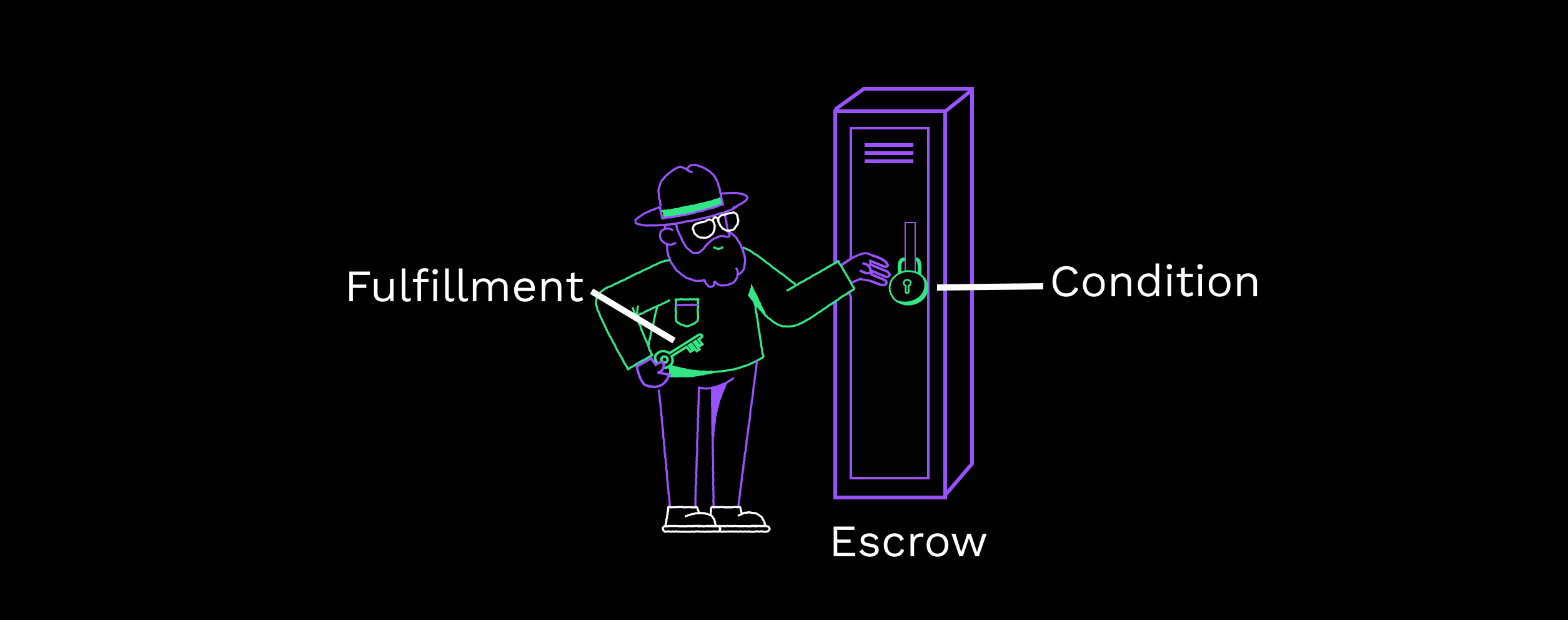
The `Condition` and `Fulfillment` fields can be viewed as a lock and key on an escrow.
See: [`EscrowCreate`](https://xrpl.org/docs/references/protocol/transactions/types/escrowcreate)
.
###
[](https://xrpl.org/docs/use-cases/payments/smart-contracts-uc#establish-the-oracle)
Establish the Oracle
An oracle is a neutral third-party agent that can verify real-world events to either fulfill or invalidate a smart contract. Oracles are vital to making conditional escrows work by generating the condition and fulfillment, and keeping the fulfillment secret until the terms of the contract are met.
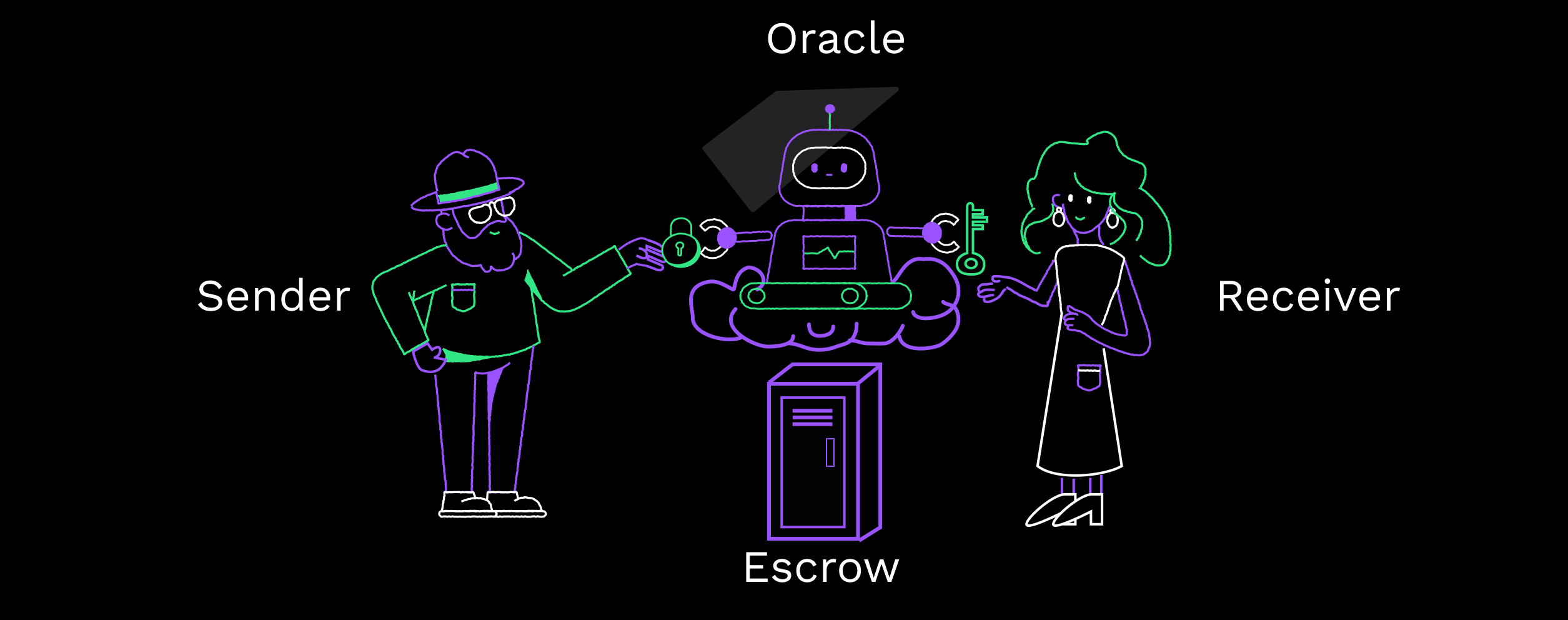
In the context of smart contracts, an oracle will most likely be software that can read real-world data. The oracle would be programmed with the terms of the contract between parties and generate the condition and fulfillment hex values.
The oracle gives the condition hex value to the escrow creator, enabling them to set up the escrow initially.
After the oracle's programming detects the conditions are met, it gives the fulfillment hex value to the escrow recipient. It does nothing else after this point, such as finishing the escrow. The recipient of the escrow would most likely finish the escrow.
See: [Send a conditional escrow](https://xrpl.org/docs/tutorials/payments/send-a-conditional-escrow)
.
[](https://xrpl.org/docs/use-cases/payments/smart-contracts-uc#examples)
Examples
-------------------------------------------------------------------------------------
Smart contracts have a wide range of uses, but some uses include:
1. Handling payments on large-value items you would otherwise need lawyers for, such as mortgages. 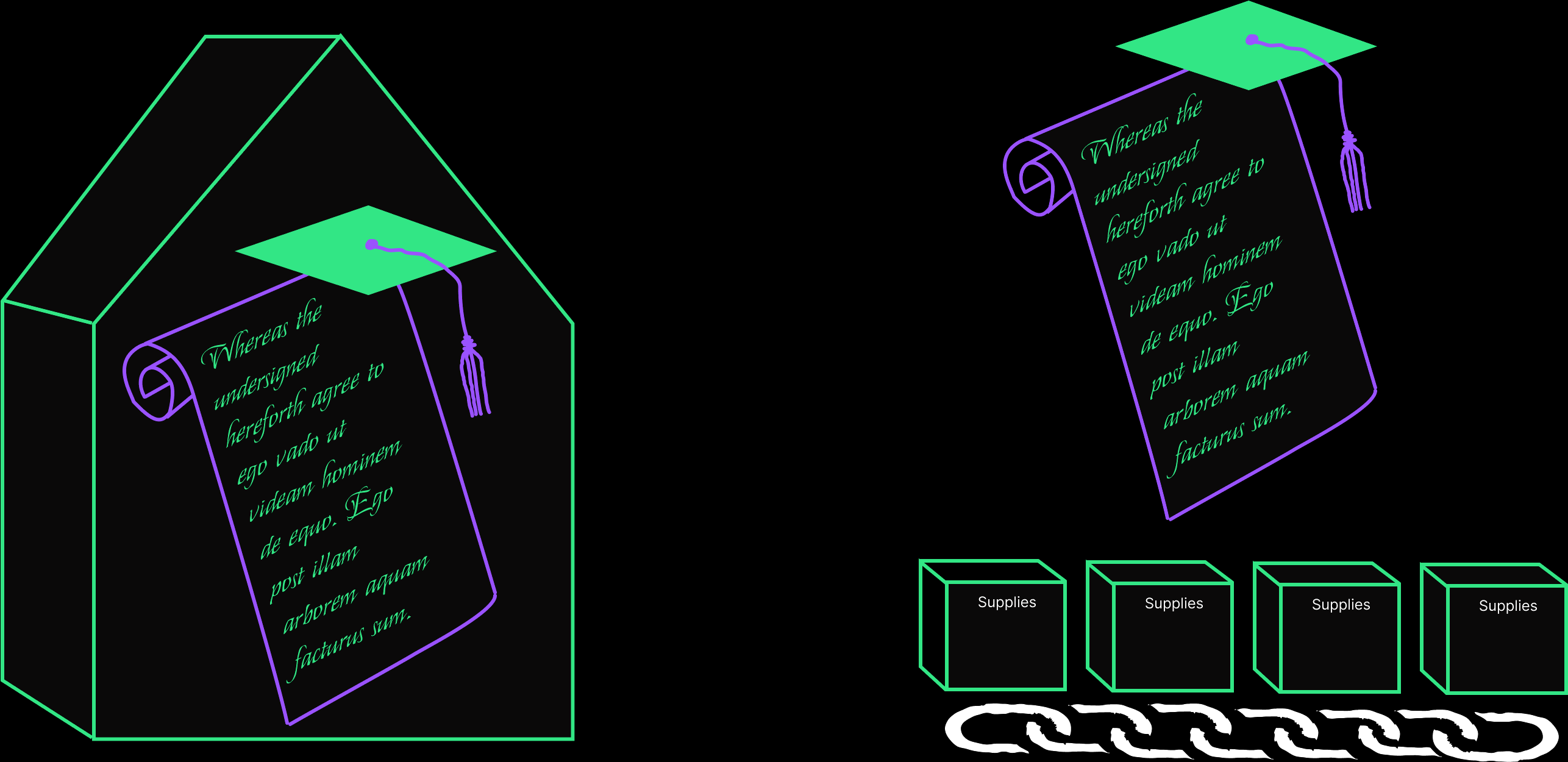
2. Supply-chain management to ensure funds are delivered upon receipt of goods.
3. Automating certain kinds of insurance claims that can be verified by software. 
4. Ensuring payments are given for services rendered.
#### Was this helpful?
Previous page[Restricting Deposits](https://xrpl.org/docs/use-cases/payments/restricting-deposits-uc)
Next page[Tokenization](https://xrpl.org/docs/use-cases/tokenization)
Ask AI
---
# Ripple Data API v2
[コンテンツへスキップ](https://xrpl.org/ja/docs/references/data-api#content)
最終更新: 7ヶ月前
[編集](https://github.com/XRPLF/xrpl-dev-portal/tree/master/@l10n/ja/docs/references/data-api.md)
[](https://xrpl.org/ja/docs/references/data-api#ripple-data-api-v2)
Ripple Data API v2
コピー
* LLM用にコピー
LLM用にページをMarkdownとしてコピー
* [Markdownで表示\
\
このページをMarkdownで開く](https://xrpl.org/ja/docs/references/data-api.md)
* [ChatGPTで開く\
\
ChatGPTから洞察を取得](https://chat.openai.com/?q=Read+https%3A%2F%2Fxrpl.org%2Fja%2Fdocs%2Freferences%2Fdata-api.md+and+answer+questions+based+on+the+content.)
* [Claudeで開く\
\
Claudeから洞察を得る](https://claude.ai/new?q=Read+https%3A%2F%2Fxrpl.org%2Fja%2Fdocs%2Freferences%2Fdata-api.md+and+answer+questions+based+on+the+content.)
* Cursorに接続
CursorにMCPサーバーをインストール
* VS Codeに接続
VS CodeにMCPサーバーをインストール
=================================================================================================================================================================================================================================================================================================================================================================================================================================================================================================================================================================================================================================================================================================================================================
警告
Ripple Data API v2は非推奨となりました。代わりに[HTTP / WebSocket API](https://xrpl.org/ja/docs/references/http-websocket-apis)
を使って下さい。
古いData APIについては[rippled-historical-database リポジトリ](https://github.com/ripple/rippled-historical-database)
をご覧ください.
[](https://xrpl.org/ja/docs/references/data-api#alternatives)
Alternatives
------------------------------------------------------------------------------
アカウント残高や取引履歴のリクエストなど、ほとんどの一般的な操作では、[WebSocket接続](https://xrpl.org/docs/tutorials/get-started/get-started-http-websocket-apis#websocket-api)
または[JSON-RPC(HTTP POST)](https://xrpl.org/docs/tutorials/get-started/get-started-http-websocket-apis#json-rpc)
を使用して、セルフホストまたは[公開XRP Ledgerサーバ](https://xrpl.org/ja/docs/tutorials/public-servers)
にリクエストすることとができます。
詳細については、[HTTP / WebSocket APIsの使用を開始する](https://xrpl.org/docs/tutorials/get-started/get-started-http-websocket-apis)
ページをご覧ください。
#### 参考になりましたか?
AI に質問
---
# 暗号通貨のウォレット
[コンテンツへスキップ](https://xrpl.org/ja/docs/introduction/crypto-wallets#content)
[ドキュメント](https://xrpl.org/ja/docs)
/
基本
* 暗号通貨のウォレット
[XRP Ledgerとは?](https://xrpl.org/ja/docs/introduction/what-is-the-xrp-ledger)
[XRPとは?](https://xrpl.org/ja/docs/introduction/what-is-xrp)
[トランザクションとリクエスト](https://xrpl.org/ja/docs/introduction/transactions-and-requests)
[ソフトウェアエコシステム](https://xrpl.org/ja/docs/introduction/software-ecosystem)
/
暗号通貨のウォレット
最終更新: 1年前
[編集](https://github.com/XRPLF/xrpl-dev-portal/tree/master/@l10n/ja/docs/introduction/crypto-wallets.md)
[](https://xrpl.org/ja/docs/introduction/crypto-wallets#%E6%9A%97%E5%8F%B7%E9%80%9A%E8%B2%A8%E3%81%AE%E3%82%A6%E3%82%A9%E3%83%AC%E3%83%83%E3%83%88)
暗号通貨のウォレット
コピー
* LLM用にコピー
LLM用にページをMarkdownとしてコピー
* [Markdownで表示\
\
このページをMarkdownで開く](https://xrpl.org/ja/docs/introduction/crypto-wallets.md)
* [ChatGPTで開く\
\
ChatGPTから洞察を取得](https://chat.openai.com/?q=Read+https%3A%2F%2Fxrpl.org%2Fja%2Fdocs%2Fintroduction%2Fcrypto-wallets.md+and+answer+questions+based+on+the+content.)
* [Claudeで開く\
\
Claudeから洞察を得る](https://claude.ai/new?q=Read+https%3A%2F%2Fxrpl.org%2Fja%2Fdocs%2Fintroduction%2Fcrypto-wallets.md+and+answer+questions+based+on+the+content.)
* Cursorに接続
CursorにMCPサーバーをインストール
* VS Codeに接続
VS CodeにMCPサーバーをインストール
=================================================================================================================================================================================================================================================================================================================================================================================================================================================================================================================================================================================================================================================================================================================================================================================================================================================
暗号通貨のウォレットは、XRP Ledger上であなたのアカウントと資金を管理する方法を提供します。多くのウォレットがありますが、最終的にはあなたのニーズとXRPを利用する上での快適さによって、適切なウォレットを選ぶことができます。
[](https://xrpl.org/ja/docs/introduction/crypto-wallets#%E3%82%AB%E3%82%B9%E3%83%88%E3%83%87%E3%82%A3%E3%82%A2%E3%83%AB-vs-%E3%83%8E%E3%83%B3%E3%82%AB%E3%82%B9%E3%83%88%E3%83%87%E3%82%A3%E3%82%A2%E3%83%AB-%E3%82%A6%E3%82%A9%E3%83%AC%E3%83%83%E3%83%88)
カストディアル vs ノンカストディアル ウォレット
------------------------------------------------------------------------------------------------------------------------------------------------------------------------------------------------------------------------------------------------------------------------------------------
ウォレットを選ぶときの大きなポイントは、カストディアルウォレットにするかノンカストディアルウォレットにするかの選択です。
カストディアルウォレットとは、第三者があなたの資金を保持することを意味し、通常はXRP Ledger上で管理するアカウントで保持します。カストディアルウォレットは銀行のように考えることができ、あなたのお金を安全に保管するために他の組織を信頼することになります。多くの中央集権的な取引所はカストディアルウォレットを提供しており、その取引所でアカウントを作成し、そのアプリを使用する場合、厳密にはあなたはレジャー上にアカウントを持っていないことになります。
この種のウォレットは使い勝手がよく、パスワードを忘れても通常リセットしてもらえるため、日々の支払いにはこちらの方が望ましいかもしれません。また、XRP Ledgerのアカウントを持っていない場合、レジャーの準備金はあなたには適用されません。管理人は、あなたがXRP Ledgerで問題に遭遇した場合のバッファーの役割を果たし、あなたが何かをする方法がわからない場合、支援やサポートを提供することがあります。

[Xaman](https://xaman.app/)
のようなノンカストディアルウォレットは、あなたのアカウントの秘密鍵をあなた自身が管理するものです。つまり、アカウントのセキュリティを管理する最終的な責任はあなたにあるのです。
注意
もしキーを紛失した場合、あなたはXRP Ledgerのアカウントから切り離されてしまい、回復の方法はありません。
ノンカストディアルウォレットは、あなたに多くの自由を与えます。あなた自身がXRP Ledgerと直接やりとりしているので、誰にも選択肢を制限されることなく、どんな種類のトランザクションも扱うことができます。レジャーがそれを認めさえすれば、あなたは自由に取引ができるのです。また、ノンカストディアルウォレットは、あなたのお金を第三者に預ける必要がないため、自分のコントロールが及ばない市場要因から自身を守ることができます。
カストディアルウォレットとノンカストディアルウォレットの両方のユーザは、資金を盗み取ろうとする悪意のあるユーザから身を守る必要があります。カストディアルウォレットでは、アプリやサイトへのログインIDとパスワードを管理する必要があり、ノンカストディアルウォレットでは、オンレジャーアカウントへのシークレットキーを管理する必要があります。どちらの場合も、ソフトウェアのアップデートや依存関係を通じて攻撃者が悪意のあるコードをウォレットに読み込ませるサプライチェーン攻撃のような脆弱性から保護するために、ウォレットプロバイダ自身のセキュリティ対策も重要です。一方、カストディアルウォレットは、複数の顧客の資金に即座にアクセスできるため、攻撃者の大きな標的になり得ます。
[](https://xrpl.org/ja/docs/introduction/crypto-wallets#%E3%83%8F%E3%83%BC%E3%83%89%E3%82%A6%E3%82%A7%E3%82%A2-vs-%E3%82%BD%E3%83%95%E3%83%88%E3%82%A6%E3%82%A7%E3%82%A2-%E3%82%A6%E3%82%A9%E3%83%AC%E3%83%83%E3%83%88)
ハードウェア vs ソフトウェア ウォレット
--------------------------------------------------------------------------------------------------------------------------------------------------------------------------------------------------------------------------------------------------
また、ウォレットを選ぶ際の決め手として、ハードウェアウォレットとソフトウェアウォレットのどちらを選ぶかという点も重要です。
ハードウェアウォレットは、あなたの秘密鍵を保管する物理的なデバイスです。ハードウェアウォレットを使用する主な利点は、使用していないときにインターネットから切り離して情報を保護できることです。ハードウェアウォレットは、ハッキングが容易なコンピュータやスマートフォンから鍵を完全に隔離することができます。

一方で、ソフトウェアウォレットは、完全にデジタル化されているのが特徴です。そのため、使い勝手が良い反面、安全性に劣りますが、通常、使い勝手を向上させるための追加機能が付いています。最終的に、この2つを選択するのは、あなた自身の使いやすさと、簡単であることがどれだけ重要であるかということになります。
[](https://xrpl.org/ja/docs/introduction/crypto-wallets#%E8%87%AA%E5%88%86%E8%87%AA%E8%BA%AB%E3%81%AE%E3%82%A6%E3%82%A9%E3%83%AC%E3%83%83%E3%83%88%E3%82%92%E4%BD%9C%E6%88%90%E3%81%99%E3%82%8B)
自分自身のウォレットを作成する
--------------------------------------------------------------------------------------------------------------------------------------------------------------------------------------------------------------------
XRP Ledgerはオープンソースプロジェクトであり、クライアントライブラリやAPIメソッドが公開されています。技術的にはHTTP/WebSocketツールを使ってレジャーとやりとりすることができますが、日常的な使用としては現実的ではありません。独自のウォレットを作成してレジャーとやり取りすることはできますが、このオプションを選択する前に、アカウント、トランザクション、レジャーがどのように連携しているかを正確に理解する必要があります。
次のページ: [トランザクションとリクエスト](https://xrpl.org/ja/docs/introduction/transactions-and-requests)
#### 参考になりましたか?
前のページ[What is XRP?](https://xrpl.org/ja/docs/introduction/what-is-xrp)
次のページ[トランザクションとリクエスト](https://xrpl.org/ja/docs/introduction/transactions-and-requests)
AI に質問
---
# Installation
[Skip to content](https://xrpl.org/docs/infrastructure/installation#content)
[Documentation](https://xrpl.org/docs)
/
Infrastructure
[Installation](https://xrpl.org/docs/infrastructure/installation)
[Commandline Usage](https://xrpl.org/docs/infrastructure/commandline-usage)
[Configuration](https://xrpl.org/docs/infrastructure/configuration)
[Testing and Auditing](https://xrpl.org/docs/infrastructure/testing-and-auditing)
[Troubleshooting](https://xrpl.org/docs/infrastructure/troubleshooting)
/[Installation](https://xrpl.org/docs/infrastructure/installation)
Last updated 9 months ago
[Edit](https://github.com/XRPLF/xrpl-dev-portal/tree/master/docs/infrastructure/installation/index.md)
[](https://xrpl.org/docs/infrastructure/installation#installation)
Installation
Copy
* Copy for LLM
Copy page as Markdown for LLMs
* [View as Markdown\
\
Open this page as Markdown](https://xrpl.org/docs/infrastructure/installation.md)
* [Open in ChatGPT\
\
Get insights from ChatGPT](https://chat.openai.com/?q=Read+https%3A%2F%2Fxrpl.org%2Fdocs%2Finfrastructure%2Finstallation.md+and+answer+questions+based+on+the+content.)
* [Open in Claude\
\
Get insights from Claude](https://claude.ai/new?q=Read+https%3A%2F%2Fxrpl.org%2Fdocs%2Finfrastructure%2Finstallation.md+and+answer+questions+based+on+the+content.)
* Connect to Cursor
Install MCP server on Cursor
* Connect to VS Code
Install MCP server on VS Code
=============================================================================================================================================================================================================================================================================================================================================================================================================================================================================================================================================================================================================================================================================================================================================================================================================================================
Install and update the core XRP Ledger server (`rippled`) or the API server (Clio).
* [System Requirements](https://xrpl.org/docs/infrastructure/installation/system-requirements)
Hardware and software requirements for running rippled or Clio.
* [Install on Red Hat Enterprise Linux](https://xrpl.org/docs/infrastructure/installation/install-rippled-on-rhel)
Install a precompiled rippled binary on Red Hat Enterprise Linux.
* [Install on Ubuntu or Debian Linux](https://xrpl.org/docs/infrastructure/installation/install-rippled-on-ubuntu)
Install a precompiled rippled binary on Ubuntu Linux.
* [Install Clio on Ubuntu Linux](https://xrpl.org/docs/infrastructure/installation/install-clio-on-ubuntu)
Install a precompiled Clio binary on Ubuntu Linux.
* [Update Automatically on Linux](https://xrpl.org/docs/infrastructure/installation/update-rippled-automatically-on-linux)
Set up automatic updates for rippled on Linux.
* [Update Manually on Red Hat Enterprise Linux](https://xrpl.org/docs/infrastructure/installation/update-rippled-manually-on-rhel)
Manually update rippled on CentOS or Red Hat Enterprise Linux.
* [Update Manually on Ubuntu or Debian](https://xrpl.org/docs/infrastructure/installation/update-rippled-manually-on-ubuntu)
Manually update rippled on Ubuntu Linux.
* [Build rippled on Linux, Mac, or Windows](https://xrpl.org/docs/infrastructure/installation/build-on-linux-mac-windows)
Build rippled on Linux, Mac (macOS), or Windows
* [Capacity Planning](https://xrpl.org/docs/infrastructure/installation/capacity-planning)
Plan system specs and tune configuration for rippled in production environments.
#### Was this helpful?
Previous page[Commandline Usage](https://xrpl.org/docs/infrastructure/commandline-usage)
Next page[System Requirements](https://xrpl.org/docs/infrastructure/installation/system-requirements)
Ask AI
---
# Ledger History
[Skip to content](https://xrpl.org/docs/concepts/networks-and-servers/ledger-history#content)
[Documentation](https://xrpl.org/docs)
/[Concepts](https://xrpl.org/docs/concepts)
/
Networks and Servers
* Ledger History
[rippled Server Modes](https://xrpl.org/docs/concepts/networks-and-servers/rippled-server-modes)
[Clustering](https://xrpl.org/docs/concepts/networks-and-servers/clustering)
[Peer Protocol](https://xrpl.org/docs/concepts/networks-and-servers/peer-protocol)
[Transaction Censorship Detection](https://xrpl.org/docs/concepts/networks-and-servers/transaction-censorship-detection)
[Parallel Networks](https://xrpl.org/docs/concepts/networks-and-servers/parallel-networks)
[Amendments](https://xrpl.org/docs/concepts/networks-and-servers/amendments)
[The Clio Server](https://xrpl.org/docs/concepts/networks-and-servers/the-clio-server)
/
Ledger History
Last updated 7 months ago
[Edit](https://github.com/XRPLF/xrpl-dev-portal/tree/master/docs/concepts/networks-and-servers/ledger-history.md)
[](https://xrpl.org/docs/concepts/networks-and-servers/ledger-history#ledger-history)
Ledger History
Copy
* Copy for LLM
Copy page as Markdown for LLMs
* [View as Markdown\
\
Open this page as Markdown](https://xrpl.org/docs/concepts/networks-and-servers/ledger-history.md)
* [Open in ChatGPT\
\
Get insights from ChatGPT](https://chat.openai.com/?q=Read+https%3A%2F%2Fxrpl.org%2Fdocs%2Fconcepts%2Fnetworks-and-servers%2Fledger-history.md+and+answer+questions+based+on+the+content.)
* [Open in Claude\
\
Get insights from Claude](https://claude.ai/new?q=Read+https%3A%2F%2Fxrpl.org%2Fdocs%2Fconcepts%2Fnetworks-and-servers%2Fledger-history.md+and+answer+questions+based+on+the+content.)
* Connect to Cursor
Install MCP server on Cursor
* Connect to VS Code
Install MCP server on VS Code
=========================================================================================================================================================================================================================================================================================================================================================================================================================================================================================================================================================================================================================================================================================================================================================================================================================================================================================================================
The [consensus process](https://xrpl.org/docs/concepts/consensus-protocol)
creates a chain of [validated ledger versions](https://xrpl.org/docs/concepts/ledgers)
, each derived from the previous one by applying a set of [transactions](https://xrpl.org/docs/concepts/transactions)
. Every [`rippled` server](https://xrpl.org/docs/concepts/networks-and-servers)
stores ledger versions and transaction history locally. The amount of transaction history a server stores depends on how long that server has been online and how much history it is configured to fetch and keep.
Servers in the peer-to-peer XRP Ledger network share transactions and other data with each other as part of the consensus process. Each server independently builds each new ledger version and compares results with its trusted validators to ensure consistency. (If a consensus of trusted validators disagrees with a server's results, that server fetches the necessary data from its peers to achieve consistency.) Servers can download older data from their peers to fill gaps in their available history. The structure of the ledger uses cryptographic [hashes](https://xrpl.org/docs/references/protocol/data-types/basic-data-types#hashes)
of the data so that any server can verify the integrity and consistency of the data.
[](https://xrpl.org/docs/concepts/networks-and-servers/ledger-history#databases)
Databases
----------------------------------------------------------------------------------------------
Servers keep ledger state data and transactions in a key-value store called the _ledger store_. Additionally, `rippled` maintains a few SQLite database files for more flexible access to things like transaction history, and to track certain settings changes.
It is generally safe to delete all of a `rippled` server's database files when that server is not running. (You may want to do this, for example, if you change the server's storage settings or if you are switching from a test net to the production network.)
[](https://xrpl.org/docs/concepts/networks-and-servers/ledger-history#available-history)
Available History
--------------------------------------------------------------------------------------------------------------
By design, all data and transactions in the XRP Ledger are public, and anyone can search or query anything. However, your server can only search data that it has available locally. If you try to query for a ledger version or transaction that your server does not have available, your server replies that it cannot find that data. Other servers that have the necessary history can respond successfully to the same query. If you have a business that uses XRP Ledger data, you should be mindful of how much history your server has available.
The [server\_info method](https://xrpl.org/docs/references/http-websocket-apis/public-api-methods/server-info-methods/server_info)
reports how many ledger versions your server has available in the `complete_ledgers` field.
[](https://xrpl.org/docs/concepts/networks-and-servers/ledger-history#fetching-history)
Fetching History
------------------------------------------------------------------------------------------------------------
When an XRP Ledger server starts, its first priority is to get a complete copy of the latest validated ledger. From there, it keeps up with advances in the ledger progress. The server fills in any gaps in its ledger history that occur after syncing, and can backfill history from before it became synced. (Gaps in ledger history can occur if a server temporarily becomes too busy to keep up with the network, loses its network connection, or suffers other temporary issues.) When downloading ledger history, the server requests the missing data from its [peer servers](https://xrpl.org/docs/concepts/networks-and-servers/peer-protocol)
, and verifies the data's integrity using cryptographic [hashes](https://xrpl.org/docs/references/protocol/data-types/basic-data-types#hashes)
.
Backfilling history is one of the server's lowest priorities, so it may take a long time to fill missing history, especially if the server is busy or its hardware and network specs aren't good enough. For recommendations on hardware specs, see [Capacity Planning](https://xrpl.org/docs/infrastructure/installation/capacity-planning)
. Backfilling history also requires that at least one of the server's direct peers has the history in question. For more information on managing your server's peer-to-peer connections, see [Configure Peering](https://xrpl.org/docs/infrastructure/configuration/peering)
.
The XRP Ledger identifies data (on several different levels) by a unique hash of its contents. The XRP Ledger's state data contains a short summary of the ledger's history, in the form of the [LedgerHashes object type](https://xrpl.org/docs/references/protocol/ledger-data/ledger-entry-types/ledgerhashes)
. Servers use the LedgerHashes objects to know which ledger versions to fetch, and to confirm that the ledger data they receive is correct and complete.
###
[](https://xrpl.org/docs/concepts/networks-and-servers/ledger-history#backfilling)
Backfilling
[](https://github.com/XRPLF/rippled/releases/tag/1.6.0)
The amount of history a server attempts to download depends on its configuration. The server automatically tries to fill gaps by downloading history up to **the oldest ledger it already has available**. You can use the `[ledger_history]` setting to make the server backfill history beyond that point. However, the server never downloads ledgers that would be scheduled for [deletion](https://xrpl.org/docs/infrastructure/configuration/data-retention/online-deletion)
.
The `[ledger_history]` setting defines a minimum number of ledgers to accumulate from before the current validated ledger. Use the special value `full` to download the [full history](https://xrpl.org/docs/concepts/networks-and-servers/ledger-history#full-history)
of the network. If you specify a number of ledgers, it must be equal to or more than the `online_deletion` setting; you cannot use `[ledger_history]` to make the server download _less_ history. To reduce the amount of history a server stores, change the [online deletion](https://xrpl.org/docs/infrastructure/configuration/data-retention/online-deletion)
settings instead.
[](https://xrpl.org/docs/concepts/networks-and-servers/ledger-history#full-history)
Full History
----------------------------------------------------------------------------------------------------
Some servers in the XRP Ledger network are configured as "full-history" servers. These servers, which require significantly more disk space than other tracking servers, collect all available XRP Ledger history and **do not use online deletion**.
The XRP Ledger Foundation provides access to a set of full history servers operated by community members (see [xrplcluster.com](https://xrplcluster.com/)
for more details). Ripple also provides a set of public full-history servers as a public service at `s2.ripple.com`.
Providers of Full History servers reserve the right to block access that is found to abuse resources, or put inordinate load on the systems.
Tip
Unlike some cryptocurrency networks, servers in the XRP Ledger do not need full history to know the current state and keep up with current transactions.
For instructions on setting up full history, see [Configure Full History](https://xrpl.org/docs/infrastructure/configuration/data-retention/configure-full-history)
.
[](https://xrpl.org/docs/concepts/networks-and-servers/ledger-history#see-also)
See Also
--------------------------------------------------------------------------------------------
* **Concepts:**
* [Ledgers](https://xrpl.org/docs/concepts/ledgers)
* [Consensus](https://xrpl.org/docs/concepts/consensus-protocol)
* **Tutorials:**
* [Configure `rippled`](https://xrpl.org/docs/infrastructure/configuration)
* [Configure Online Deletion](https://xrpl.org/docs/infrastructure/configuration/data-retention/configure-online-deletion)
* [Configure Advisory Deletion](https://xrpl.org/docs/infrastructure/configuration/data-retention/configure-advisory-deletion)
* [Configure Full History](https://xrpl.org/docs/infrastructure/configuration/data-retention/configure-full-history)
* **References:**
* [ledger method](https://xrpl.org/docs/references/http-websocket-apis/public-api-methods/ledger-methods/ledger)
* [server\_info method](https://xrpl.org/docs/references/http-websocket-apis/public-api-methods/server-info-methods/server_info)
* [ledger\_request method](https://xrpl.org/docs/references/http-websocket-apis/admin-api-methods/logging-and-data-management-methods/ledger_request)
* [can\_delete method](https://xrpl.org/docs/references/http-websocket-apis/admin-api-methods/logging-and-data-management-methods/can_delete)
* [ledger\_cleaner method](https://xrpl.org/docs/references/http-websocket-apis/admin-api-methods/logging-and-data-management-methods/ledger_cleaner)
#### Was this helpful?
Previous page[Clustering](https://xrpl.org/docs/concepts/networks-and-servers/clustering)
Next page[Peer Protocol](https://xrpl.org/docs/concepts/networks-and-servers/peer-protocol)
Ask AI
---
# Set Up an XRP-XRP Bridge
[Skip to content](https://xrpl.org/docs/tutorials/programmability/set-up-xrp-xrp-bridge#content)
[Documentation](https://xrpl.org/docs)
/[Tutorials](https://xrpl.org/docs/tutorials)
/
Programmability
* Set Up an XRP-XRP Bridge
[Set Up an IOU-IOU Bridge](https://xrpl.org/docs/tutorials/programmability/set-up-iou-iou-bridge)
[Submit Cross-chain Transactions](https://xrpl.org/docs/tutorials/programmability/submit-cross-chain-transaction)
/
Set Up an XRP-XRP Bridge
Last updated 7 months ago
[Edit](https://github.com/XRPLF/xrpl-dev-portal/tree/master/docs/tutorials/programmability/set-up-xrp-xrp-bridge.md)
[](https://xrpl.org/docs/tutorials/programmability/set-up-xrp-xrp-bridge#set-up-an-xrp-xrp-bridge)
Set Up an XRP-XRP Bridge
Copy
* Copy for LLM
Copy page as Markdown for LLMs
* [View as Markdown\
\
Open this page as Markdown](https://xrpl.org/docs/tutorials/programmability/set-up-xrp-xrp-bridge.md)
* [Open in ChatGPT\
\
Get insights from ChatGPT](https://chat.openai.com/?q=Read+https%3A%2F%2Fxrpl.org%2Fdocs%2Ftutorials%2Fprogrammability%2Fset-up-xrp-xrp-bridge.md+and+answer+questions+based+on+the+content.)
* [Open in Claude\
\
Get insights from Claude](https://claude.ai/new?q=Read+https%3A%2F%2Fxrpl.org%2Fdocs%2Ftutorials%2Fprogrammability%2Fset-up-xrp-xrp-bridge.md+and+answer+questions+based+on+the+content.)
* Connect to Cursor
Install MCP server on Cursor
* Connect to VS Code
Install MCP server on VS Code
=========================================================================================================================================================================================================================================================================================================================================================================================================================================================================================================================================================================================================================================================================================================================================================================================================================================================================================================================================================
Setting up an XRP-XRP bridge enables you to move XRP between chains. The set up requires using the genesis account on the issuing chain as a door account to submit attestations and create transaction submission accounts for witnesses.
Note
The code samples on this page illustrate how a bridge was set up between _Devnet_ and _Sidechain-Devnet_, using a supported [client library](https://xrpl.org/docs/references/client-libraries)
to query and submit transactions. This bridge is already created, so the process can't be reproduced on these networks.
_Requires the [XChainBridge amendment](https://xrpl.org/resources/known-amendments#xchainbridge)
. Loading..._
[](https://xrpl.org/docs/tutorials/programmability/set-up-xrp-xrp-bridge#prerequisites)
Prerequisites
---------------------------------------------------------------------------------------------------------
* The issuing chain is set up and active. Validators must be running and successfully closing ledgers.
* The witnesses' accounts on the locking chain are funded, so they can submit transactions.
* A door account for the bridge exists on the locking chain.
[](https://xrpl.org/docs/tutorials/programmability/set-up-xrp-xrp-bridge#steps)
Steps
-----------------------------------------------------------------------------------------
###
[](https://xrpl.org/docs/tutorials/programmability/set-up-xrp-xrp-bridge#1-connect-to-the-locking-chain-devnet-and-issuing-chain-sidechain-devnet)
1\. Connect to the locking chain (Devnet) and issuing chain (Sidechain-Devnet).
const xrpl = require('xrpl')
const WS\_URL\_lockingchain = 'wss://s.devnet.rippletest.net:51233/' // Locking chain
const WS\_URL\_issuingchain = 'wss://example-sidechain.net:12345/' // Issuing chain
// Define the XChainBridge
const xchainbridge = {
"LockingChainDoor": "rnQAXXWoFNN6PEqwqsdTngCtFPCrmfuqFJ", // Locking chain door account
"LockingChainIssue": {
"currency": "XRP"
},
"IssuingChainDoor": "rHb9CJAWyB4rj91VRWn96DkukG4bwdtyTh", // Use the genesis address hardcoded in rippled
"IssuingChainIssue": {
"currency": "XRP"
}
}
async function main() {
// Define the network clients.
const client\_lockingchain = new xrpl.Client(WS\_URL\_lockingchain)
await client\_lockingchain.connect()
const client\_issuingchain = new xrpl.Client(WS\_URL\_issuingchain)
await client\_issuingchain.connect()
// ... custom code goes here
// Disconnect when done (If you omit this, Node.js won't end the process)
await client\_lockingchain.disconnect()
await client\_issuingchain.disconnect()
}
main()
###
[](https://xrpl.org/docs/tutorials/programmability/set-up-xrp-xrp-bridge#2-submit-an-xchaincreatebridge-transaction-from-the-door-account-on-the-locking-chain)
2\. Submit an `XChainCreateBridge` transaction from the door account on the locking chain.
const wallet\_lockingchain = xrpl.Wallet.fromSeed('s████████████████████████████') // Locking chain door account
const xchaincreatebridge\_lockingchain = await client\_lockingchain.submitAndWait({
"TransactionType": "XChainCreateBridge",
"Account": wallet\_lockingchain.address,
"XChainBridge": xchainbridge,
"SignatureReward": 200,
"MinAccountCreateAmount": 1000000 // This value should at least be equal to the account reserve on the issuing chain.
}, {autofill: true, wallet: wallet\_lockingchain})
###
[](https://xrpl.org/docs/tutorials/programmability/set-up-xrp-xrp-bridge#3-submit-a-signerlistset-transaction-from-the-door-account-on-the-locking-chain)
3\. Submit a `SignerListSet` transaction from the door account on the locking chain.
const signerlistset\_lockingchain = await client\_lockingchain.submitAndWait({
"TransactionType": "SignerListSet",
"Account": wallet\_lockingchain.address,
"Fee": "12",
"SignerQuorum": 2,
// Use the witness servers' submitting accounts on the locking chain.
"SignerEntries": \[\
{\
"SignerEntry": {\
"Account": "rsA2LpzuawewSBQXkiju3YQTMzW13pAAdW",\
"SignerWeight": 1\
}\
},\
{\
"SignerEntry": {\
"Account": "rUpy3eEg8rqjqfUoLeBnZkscbKbFsKXC3v",\
"SignerWeight": 1\
}\
}\
\]
}, {autofill: true, wallet: wallet\_lockingchain})
###
[](https://xrpl.org/docs/tutorials/programmability/set-up-xrp-xrp-bridge#4-disable-the-master-key-on-the-locking-chains-door-account-with-an-accountset-transaction)
4\. Disable the master key on the locking chain's door account with an `AccountSet` transaction.
const disablekey\_lockingchain = await client\_lockingchain.submitAndWait({
"TransactionType": "AccountSet",
"Account": wallet\_lockingchain.address,
"SetFlag": 4
}, {autofill: true, wallet: wallet\_lockingchain})
###
[](https://xrpl.org/docs/tutorials/programmability/set-up-xrp-xrp-bridge#5-submit-an-xchaincreatebridge-transaction-from-the-genesis-account-on-the-issuing-chain)
5\. Submit an `XChainCreateBridge` transaction from the genesis account on the issuing chain.
const wallet\_issuingchain = xrpl.Wallet.fromSeed('snoPBrXtMeMyMHUVTgbuqAfg1SUTb') // Use the genesis secret hardcoded in rippled.
const xchaincreatebridge\_issuingchain = await client\_issuingchain.submitAndWait({
"TransactionType": "XChainCreateBridge",
"Account": wallet\_issuingchain.address,
"XChainBridge": xchainbridge,
"SignatureReward": 200,
"MinAccountCreateAmount": 1000000
}, {autofill: true, wallet: wallet\_issuingchain})
###
[](https://xrpl.org/docs/tutorials/programmability/set-up-xrp-xrp-bridge#6-submit-xchainaccountcreatecommit-transactions-from-the-witnesses-locking-chain-accounts-to-create-corresponding-accounts-on-the-issuing-chain)
6\. Submit `XChainAccountCreateCommit` transactions from the witnesses' locking chain accounts to create corresponding accounts on the issuing chain.
const wallet\_witness\_1 = xrpl.Wallet.fromSeed('s████████████████████████████') // Witness server 1 from \`SignerListSet\`: rsA2LpzuawewSBQXkiju3YQTMzW13pAAdW
const wallet\_witness\_2 = xrpl.Wallet.fromSeed('s████████████████████████████') // Witness server 2 from \`SignerListSet\`: rUpy3eEg8rqjqfUoLeBnZkscbKbFsKXC3v
const xchainaccountcreatecommit\_witness\_1 = await client\_lockingchain.submitAndWait({
"TransactionType": "XChainAccountCreateCommit",
"Account": wallet\_witness\_1.address,
"Destination": "rD323VyRjgzzhY4bFpo44rmyh2neB5d8Mo", // The account to create and fund for witness 1 on the issuing chain.
"TransactionType": "XChainAccountCreateCommit",
"Amount": "20000000",
"SignatureReward": "100",
"XChainBridge": xchainbridge
}, {autofill: true, wallet: wallet\_witness\_1})
const xchainaccountcreatecommit\_witness\_2 = await client\_lockingchain.submitAndWait({
"TransactionType": "XChainAccountCreateCommit",
"Account": wallet\_witness\_2.address,
"Destination": "rJMfWNVbyjcCtds8kpoEjEbYQ41J5B6MUd", // The account to create and fund for witness 2 on the issuing chain.
"TransactionType": "XChainAccountCreateCommit",
"Amount": "20000000",
"SignatureReward": "100",
"XChainBridge": xchainbridged
}, {autofill: true, wallet: wallet\_witness\_1})
###
[](https://xrpl.org/docs/tutorials/programmability/set-up-xrp-xrp-bridge#7-submit-attestations-for-each-xchainaccountcreatecommit-transaction)
7\. Submit attestations for each `XChainAccountCreateCommit` transaction.
Use the `XChainAddAccountCreateAttestation` transaction to submit each attestation on the issuing chain. Sign these transactions with the genesis account on the issuing chain.
// Witness 1 attestation
const xchainaddaccountcreateattestation\_witness\_1 = await client\_issuingchain.submitAndWait({
"TransactionType": "XChainAddAccountCreateAttestation",
"Account": wallet\_issuingchain.address,
"OtherChainSource": wallet\_witness\_1.address,
"Destination": "rD323VyRjgzzhY4bFpo44rmyh2neB5d8Mo",
"Amount": "2000000000",
"PublicKey": wallet\_witness\_1.publicKey,
"Signature": xchainaccountcreatecommit\_witness\_1.result.TxnSignature,
"WasLockingChainSend": 1,
"AttestationRewardAccount": "rD323VyRjgzzhY4bFpo44rmyh2neB5d8Mo",
"AttestationSignerAccount": wallet\_witness\_1.address,
"XChainAccountCreateCount": "1",
"SignatureReward": "204",
"XChainBridge": xchainbridge,
"Fee": "20"
}, {autofill: true, wallet: wallet\_issuingchain})
// Witness 2 attestation
const xchainaddaccountcreateattestation\_witness\_2 = await client\_issuingchain.submitAndWait({
"TransactionType": "XChainAddAccountCreateAttestation",
"Account": wallet\_issuingchain.address,
"OtherChainSource": wallet\_witness\_2.address,
"Destination": "rJMfWNVbyjcCtds8kpoEjEbYQ41J5B6MUd",
"Amount": "2000000000",
"PublicKey": wallet\_witness\_2.publicKey,
"Signature": xchainaccountcreatecommit\_witness\_2.result.TxnSignature,
"WasLockingChainSend": 1,
"AttestationRewardAccount": "rJMfWNVbyjcCtds8kpoEjEbYQ41J5B6MUd",
"AttestationSignerAccount": wallet\_witness\_2.address,
"XChainAccountCreateCount": "1",
"SignatureReward": "204",
"XChainBridge": xchainbridge,
"Fee": "20"
}, {autofill: true, wallet: wallet\_issuingchain})
###
[](https://xrpl.org/docs/tutorials/programmability/set-up-xrp-xrp-bridge#8-submit-a-signerlistset-transaction-from-the-genesis-account-on-the-issuing-chain)
8\. Submit a `SignerListSet` transaction from the genesis account on the issuing chain.
const signerlistset\_issuingchain = await client\_issuingchain.submitAndWait({
"TransactionType": "SignerListSet",
"Account": wallet\_issuingchain.address,
"Fee": "12",
"SignerQuorum": 2,
// Use the witness servers' submitting accounts on the issuing chain created in step 7
"SignerEntries": \[\
{\
"SignerEntry": {\
"Account": "rD323VyRjgzzhY4bFpo44rmyh2neB5d8Mo",\
"SignerWeight": 1\
}\
},\
{\
"SignerEntry": {\
"Account": "rJMfWNVbyjcCtds8kpoEjEbYQ41J5B6MUd",\
"SignerWeight": 1\
}\
}\
\]
}, {autofill: true, wallet: wallet\_issuingchain})
###
[](https://xrpl.org/docs/tutorials/programmability/set-up-xrp-xrp-bridge#9-disable-the-master-key-on-the-issuing-chains-genesis-account-with-an-accountset-transaction)
9\. Disable the master key on the issuing chain's genesis account with an `AccountSet` transaction.
const disablekey\_issuingchain = await client\_issuingchain.submitAndWait({
"TransactionType": "AccountSet",
"Account": wallet\_issuingchain.address,
"SetFlag": 4
}, {autofill: true, wallet: wallet\_issuingchain})
#### Was this helpful?
Previous page[Create Permissioned Domains in JavaScript](https://xrpl.org/docs/tutorials/compliance-features/create-permissioned-domains-in-javascript)
Next page[Set Up an IOU-IOU Bridge](https://xrpl.org/docs/tutorials/programmability/set-up-iou-iou-bridge)
Ask AI
---
# XRP Ledgerとは?
[コンテンツへスキップ](https://xrpl.org/ja/docs/introduction/what-is-the-xrp-ledger#content)
[ドキュメント](https://xrpl.org/ja/docs)
/
基本
* XRP Ledgerとは?
[XRPとは?](https://xrpl.org/ja/docs/introduction/what-is-xrp)
[暗号通貨のウォレット](https://xrpl.org/ja/docs/introduction/crypto-wallets)
[トランザクションとリクエスト](https://xrpl.org/ja/docs/introduction/transactions-and-requests)
[ソフトウェアエコシステム](https://xrpl.org/ja/docs/introduction/software-ecosystem)
/
XRP Ledgerとは?
最終更新: 1年前
[編集](https://github.com/XRPLF/xrpl-dev-portal/tree/master/@l10n/ja/docs/introduction/what-is-the-xrp-ledger.md)
[](https://xrpl.org/ja/docs/introduction/what-is-the-xrp-ledger#xrp-ledger%E3%81%A8%E3%81%AF)
XRP Ledgerとは?
コピー
* LLM用にコピー
LLM用にページをMarkdownとしてコピー
* [Markdownで表示\
\
このページをMarkdownで開く](https://xrpl.org/ja/docs/introduction/what-is-the-xrp-ledger.md)
* [ChatGPTで開く\
\
ChatGPTから洞察を取得](https://chat.openai.com/?q=Read+https%3A%2F%2Fxrpl.org%2Fja%2Fdocs%2Fintroduction%2Fwhat-is-the-xrp-ledger.md+and+answer+questions+based+on+the+content.)
* [Claudeで開く\
\
Claudeから洞察を得る](https://claude.ai/new?q=Read+https%3A%2F%2Fxrpl.org%2Fja%2Fdocs%2Fintroduction%2Fwhat-is-the-xrp-ledger.md+and+answer+questions+based+on+the+content.)
* Cursorに接続
CursorにMCPサーバーをインストール
* VS Codeに接続
VS CodeにMCPサーバーをインストール
======================================================================================================================================================================================================================================================================================================================================================================================================================================================================================================================================================================================================================================================================================================================================================================================================================
XRPは、中央集権的な機関が管理せずブロックチェーン暗号を用いた分散型システムであるXRP Ledgerによってトランザクションが検証され記録が管理されるデジタル通貨です。
[](https://xrpl.org/ja/docs/introduction/what-is-the-xrp-ledger#%E3%83%96%E3%83%AD%E3%83%83%E3%82%AF%E3%83%81%E3%82%A7%E3%83%BC%E3%83%B3%E3%81%A8%E3%81%AF)
ブロックチェーンとは?
---------------------------------------------------------------------------------------------------------------------------------------------------------------------------
ブロックチェーンは、連続的に変化するデータのリストです。ブロックチェーンは、データのブロックからなります。

信頼できるバリデータノードのグループが、データが有効であるとのコンセンサスを得ます。

ブロックは、非常に精巧で複雑な、コンピュータで生成された、16進数64文字の暗号化されたハッシュ値で一意に識別されます。

また、ブロックは、作成時刻を示すタイムスタンプで識別されます。

各バリデータノードはデータブロックの各自のコピーを保持します。単一の中央機関は存在しません。すべてのコピーが同一に有効です。

各ブロックは、前のブロックへのリンクとしてハッシュポインタを含んでいます。また、タイムスタンプ、新しいデータ、独自のハッシュ値も持っています。

この構造により、各ブロックはチェーンの中で明確な位置を持ち、前のデータブロックにリンクしています。これにより、ブロックの不変的なチェーンが形成されます。前のブロックをたどることで、チェーン上の現在のすべての情報を常に確認することができます。

設計上、ブロックチェーンはデータの改変に耐性があります。すべての台帳ノードは、ブロックチェーンの正確なコピーを取得します。

これにより、当事者間のトランザクションを効率よく、検証可能かつ永続的に記録するオープンな分散型台帳ができあがります。
一度記録されたブロックのデータは、バリデータの大多数が変更に同意しない限り、過去にさかのぼって変更することはできません。もし同意した場合、それ以降のブロックはすべて同じように変更されます(非常に稀で極端なケースです)。
###
[](https://xrpl.org/ja/docs/introduction/what-is-the-xrp-ledger#%E9%80%A3%E5%90%88%E3%82%B3%E3%83%B3%E3%82%BB%E3%83%B3%E3%82%B5%E3%82%B9%E3%83%97%E3%83%AD%E3%82%BB%E3%82%B9%E3%81%AE%E3%81%97%E3%81%8F%E3%81%BF)
連合コンセンサスプロセスのしくみ
XRPLのrippledサーバのほとんどは、トランザクションを監視または提案します。サーバの重要なサブセットはバリデータとして実行されます。これらの信頼できるサーバは、新しいトランザクションのリストを新しく作成可能なレジャーインスタンス(ブロックチェーンにおける新しいブロック)に蓄積します。

バリデータはそのリストを他のすべてのバリデータと共有します。バリデータは互いの変更案を取り入れ、新しいバージョンのレジャー案を配布します。

80%超のバリデータが一連のトランザクションに合意すると、チェーンの末尾に新しいレジャーインスタンスを作成し、再びプロセスを開始します。このコンセンサスプロセスには4~6秒かかります。レジャーインスタンスが作成される様子は、[https://livenet.xrpl.org/](https://livenet.xrpl.org/)
にて、リアルタイムで確認することができます。
###
[](https://xrpl.org/ja/docs/introduction/what-is-the-xrp-ledger#%E3%81%A9%E3%81%AE%E3%82%88%E3%81%86%E3%81%AA%E3%83%8D%E3%83%83%E3%83%88%E3%83%AF%E3%83%BC%E3%82%AF%E3%81%8C%E3%81%82%E3%82%8A%E3%81%BE%E3%81%99%E3%81%8B)
どのようなネットワークがありますか?
XRPLは、rippledサーバの自分のインスタンスをセットアップして接続したい人なら誰でも参加できます。ノードは、ネットワークを監視したり、トランザクションを実行したり、バリデータになったりすることができます。
自己資金を投入せずにXRPLの機能を試したい開発者や新規ユーザのために、 _Testnet_ と _Devnet_ という2つの開発者向けの環境が用意されています。ユーザは(偽の)1,000XRPの資金を得てアカウントを作成し、どちらの環境にも接続してXRPLとやり取りすることができます。
次のページ: [XRPとは?](https://xrpl.org/ja/docs/introduction/what-is-xrp)
#### 参考になりましたか?
前のページ[基本](https://xrpl.org/ja/docs/introduction)
次のページ[What is XRP?](https://xrpl.org/ja/docs/introduction/what-is-xrp)
AI に質問
---
# 基本
[コンテンツへスキップ](https://xrpl.org/ja/docs/introduction#content)
ドキュメント
[基本](https://xrpl.org/ja/docs/introduction)
[ユースケース](https://xrpl.org/ja/docs/use-cases)
[コンセプト](https://xrpl.org/ja/docs/concepts)
[チュートリアル](https://xrpl.org/ja/docs/tutorials)
[リファレンス](https://xrpl.org/ja/docs/references)
[インフラストラクチャ](https://xrpl.org/ja/docs/infrastructure)
/[基本](https://xrpl.org/ja/docs/introduction)
最終更新: 1年前
[編集](https://github.com/XRPLF/xrpl-dev-portal/tree/master/@l10n/ja/docs/introduction/index.md)
[](https://xrpl.org/ja/docs/introduction#%E5%9F%BA%E6%9C%AC)
基本
コピー
* LLM用にコピー
LLM用にページをMarkdownとしてコピー
* [Markdownで表示\
\
このページをMarkdownで開く](https://xrpl.org/ja/docs/introduction.md)
* [ChatGPTで開く\
\
ChatGPTから洞察を取得](https://chat.openai.com/?q=Read+https%3A%2F%2Fxrpl.org%2Fja%2Fdocs%2Fintroduction.md+and+answer+questions+based+on+the+content.)
* [Claudeで開く\
\
Claudeから洞察を得る](https://claude.ai/new?q=Read+https%3A%2F%2Fxrpl.org%2Fja%2Fdocs%2Fintroduction.md+and+answer+questions+based+on+the+content.)
* Cursorに接続
CursorにMCPサーバーをインストール
* VS Codeに接続
VS CodeにMCPサーバーをインストール
=================================================================================================================================================================================================================================================================================================================================================================================================================================================================================================================================================================================================================================================================================================
XRP Ledger(XRPL)の主要な機能を簡単に紹介します。これを読んでXRPLのハイレベルな理解を深め、その後、特に興味のある分野についての詳細を読むことができます。XRP Ledgerは、アカウント間のトークンのデジタルトランザクションを永続的に記録するブロックチェーンです。以下のセクションは、その文章で紹介された概念を拡張するものです。
* [XRP Ledgerとは?](https://xrpl.org/ja/docs/introduction/what-is-the-xrp-ledger)
ブロックチェーン「XRP Ledger」についてご紹介します。
* [XRPとは?](https://xrpl.org/ja/docs/introduction/what-is-xrp)
XRP Ledgerで取引される暗号通貨、XRPについてご紹介します。
* [暗号通貨のウォレット](https://xrpl.org/ja/docs/introduction/crypto-wallets)
ウォレットは、XRP Ledger上でユーザのXRPを管理するための便利な方法です。
* [トランザクションとリクエスト](https://xrpl.org/ja/docs/introduction/transactions-and-requests)
レジャーとのやりとりは、すべてトランザクションかリクエストで行われます。
* [ソフトウェアエコシステム](https://xrpl.org/ja/docs/introduction/software-ecosystem)
どのようなXRP Ledgerソフトウェアがあり、どのように組み合わされているのか、その概要を知ることができます。
#### 参考になりましたか?
前のページ[Documentation](https://xrpl.org/ja/docs)
次のページ[XRP Ledgerとは?](https://xrpl.org/ja/docs/introduction/what-is-the-xrp-ledger)
AI に質問
---
# Send a Conditional Escrow
[Skip to content](https://xrpl.org/docs/tutorials/payments/send-a-conditional-escrow#content)
[Documentation](https://xrpl.org/docs)
/[Tutorials](https://xrpl.org/docs/tutorials)
/
Payments
* Send a Conditional Escrow
[Send XRP](https://xrpl.org/docs/tutorials/payments/send-xrp)
[Create Trust Line and Send Currency Using JavaScript](https://xrpl.org/docs/tutorials/payments/create-trust-line-send-currency-in-javascript)
[Create Trust Line and Send Currency Using Python](https://xrpl.org/docs/tutorials/payments/create-trust-line-send-currency-in-python)
[Send a Timed Escrow](https://xrpl.org/docs/tutorials/payments/send-a-timed-escrow)
[Send Fungible Token Escrows](https://xrpl.org/docs/tutorials/payments/send-fungible-token-escrows)
[Look up Escrows](https://xrpl.org/docs/tutorials/payments/look-up-escrows)
[Cancel an Expired Escrow](https://xrpl.org/docs/tutorials/payments/cancel-an-expired-escrow)
[Send a Check](https://xrpl.org/docs/tutorials/payments/send-a-check)
[Cash a Check for an Exact Amount](https://xrpl.org/docs/tutorials/payments/cash-a-check-for-an-exact-amount)
[Cash a Check for a Flexible Amount](https://xrpl.org/docs/tutorials/payments/cash-a-check-for-a-flexible-amount)
[Look Up Checks](https://xrpl.org/docs/tutorials/payments/look-up-checks)
[Cancel a Check](https://xrpl.org/docs/tutorials/payments/cancel-a-check)
[Use Payment Channels](https://xrpl.org/docs/tutorials/payments/use-payment-channels)
/
Send a Conditional Escrow
Last updated 7 months ago
[Edit](https://github.com/XRPLF/xrpl-dev-portal/tree/master/docs/tutorials/payments/send-a-conditional-escrow.md)
[](https://xrpl.org/docs/tutorials/payments/send-a-conditional-escrow#send-a-conditional-escrow)
Send a Conditional Escrow
Copy
* Copy for LLM
Copy page as Markdown for LLMs
* [View as Markdown\
\
Open this page as Markdown](https://xrpl.org/docs/tutorials/payments/send-a-conditional-escrow.md)
* [Open in ChatGPT\
\
Get insights from ChatGPT](https://chat.openai.com/?q=Read+https%3A%2F%2Fxrpl.org%2Fdocs%2Ftutorials%2Fpayments%2Fsend-a-conditional-escrow.md+and+answer+questions+based+on+the+content.)
* [Open in Claude\
\
Get insights from Claude](https://claude.ai/new?q=Read+https%3A%2F%2Fxrpl.org%2Fdocs%2Ftutorials%2Fpayments%2Fsend-a-conditional-escrow.md+and+answer+questions+based+on+the+content.)
* Connect to Cursor
Install MCP server on Cursor
* Connect to VS Code
Install MCP server on VS Code
===============================================================================================================================================================================================================================================================================================================================================================================================================================================================================================================================================================================================================================================================================================================================================================================================================================================================================================================================================
This tutorial demonstrates how to send an [escrow](https://xrpl.org/docs/concepts/payment-types/escrow)
that can be released when a specific crypto-condition is fulfilled. Essentially, a crypto-condition is like a random password that unlocks the escrow to be sent to its indicated destination. You can use this as part of an app that reveals the fulfillment only when specific actions take place.
This tutorial shows how to escrow XRP. If the [TokenEscrow amendment](https://xrpl.org/resources/known-amendments#tokenescrow)
is enabled, you can also escrow tokens.
[](https://xrpl.org/docs/tutorials/payments/send-a-conditional-escrow#goals)
Goals
--------------------------------------------------------------------------------------
By following this tutorial, you should learn how to:
* Convert a timestamp into the XRP Ledger's native format.
* Create a crypto-condition and fulfillment in the format needed for the XRP Ledger.
* Create and finish an escrow.
[](https://xrpl.org/docs/tutorials/payments/send-a-conditional-escrow#prerequisites)
Prerequisites
------------------------------------------------------------------------------------------------------
To complete this tutorial, you should:
* Have a basic understanding of the XRP Ledger.
* Have an [XRP Ledger client library](https://xrpl.org/docs/references/client-libraries)
, such as **xrpl.js**, installed.
[](https://xrpl.org/docs/tutorials/payments/send-a-conditional-escrow#source-code)
Source Code
--------------------------------------------------------------------------------------------------
You can find the complete source code for this tutorial's examples in the [code samples section of this website's repository](https://github.com/XRPLF/xrpl-dev-portal/tree/master/_code-samples/escrow/)
.
[](https://xrpl.org/docs/tutorials/payments/send-a-conditional-escrow#steps)
Steps
--------------------------------------------------------------------------------------
###
[](https://xrpl.org/docs/tutorials/payments/send-a-conditional-escrow#1-install-dependencies)
1\. Install dependencies
* JavaScript
* Python
From the code sample folder, use `npm` to install dependencies:
npm i
###
[](https://xrpl.org/docs/tutorials/payments/send-a-conditional-escrow#2-set-up-client-and-account)
2\. Set up client and account
To get started, import the client library and instantiate an API client. For this tutorial, you also need one account, which you can get from the faucet. You also need the address of another account to send the escrow to. You can fund a second account using the faucet, or use the address of an existing account like the faucet.
* JavaScript
* Python
import xrpl from 'xrpl'
import { PreimageSha256 } from 'five-bells-condition'
import { randomBytes } from 'crypto'
const client = new xrpl.Client('wss://s.altnet.rippletest.net:51233')
await client.connect()
console.log('Funding new wallet from faucet...')
const { wallet } \= await client.fundWallet()
// const destination\_address = 'rPT1Sjq2YGrBMTttX4GZHjKu9dyfzbpAYe' // Testnet faucet
// Alternative: Get another account to send the escrow to. Use this if you get
// a tecDIR\_FULL error trying to create escrows to the Testnet faucet.
const destination\_address = (await client.fundWallet()).wallet.address
###
[](https://xrpl.org/docs/tutorials/payments/send-a-conditional-escrow#3-create-a-condition-and-fulfillment)
3\. Create a condition and fulfillment
Conditional escrows require a fulfillment and its corresponding condition in the format of a PREIMAGE-SHA-256 _crypto-condition_, represented as hexadecimal. To calculate these in the correct format, use a crypto-conditions library. Generally, you want to generate the fulfillment using at least 32 random bytes from a cryptographically secure source of randomness.
* JavaScript
* Python
// Create the crypto-condition for release ----------------------------------
const preimage = randomBytes(32)
const fulfillment = new PreimageSha256()
fulfillment.setPreimage(preimage)
const fulfillmentHex = fulfillment.serializeBinary().toString('hex').toUpperCase()
const conditionHex = fulfillment.getConditionBinary().toString('hex').toUpperCase()
console.log('Condition:', conditionHex)
console.log('Fulfillment:', fulfillmentHex)
###
[](https://xrpl.org/docs/tutorials/payments/send-a-conditional-escrow#4-calculate-the-expiration-time)
4\. Calculate the expiration time
Conditional escrows also need an expiration time, so that the escrow can be canceled if the correct fulfillment isn't provided by the scheduled time. This timestamp must be formatted as [seconds since the Ripple Epoch](https://xrpl.org/docs/references/protocol/data-types/basic-data-types#specifying-time)
. The sample code calculates an expiration time 30 seconds after the current time.
* JavaScript
* Python
// Set the escrow expiration ------------------------------------------------
const cancelDelay = 300 // Seconds in the future when the escrow should expire
const cancelAfter = new Date() // Current time
cancelAfter.setSeconds(cancelAfter.getSeconds() + cancelDelay)
console.log('This escrow will expire after:', cancelAfter)
// Convert cancelAfter to seconds since the Ripple Epoch:
const cancelAfterRippleTime = xrpl.isoTimeToRippleTime(cancelAfter.toISOString())
###
[](https://xrpl.org/docs/tutorials/payments/send-a-conditional-escrow#5-create-the-escrow)
5\. Create the escrow
To send the escrow, construct an [EscrowCreate transaction](https://xrpl.org/docs/references/protocol/transactions/types/escrowcreate)
and then submit it to the network. The fields of this transaction define the properties of the escrow. The sample code uses hard-coded values to send 0.123456 XRP back to the Testnet faucet:
* JavaScript
* Python
// Send EscrowCreate transaction --------------------------------------------
const escrowCreate = {
TransactionType: 'EscrowCreate',
Account: wallet.address,
Destination: destination\_address,
Amount: '123456', // drops of XRP
Condition: conditionHex,
CancelAfter: cancelAfterRippleTime
}
xrpl.validate(escrowCreate)
console.log('Signing and submitting the transaction:',
JSON.stringify(escrowCreate, null, 2))
const response = await client.submitAndWait(escrowCreate, {
wallet,
autofill: true // Note: fee is higher based on condition size in bytes
})
// Check result of submitting -----------------------------------------------
console.log(JSON.stringify(response.result, null, 2))
const escrowCreateResultCode = response.result.meta.TransactionResult
if (escrowCreateResultCode \=== 'tesSUCCESS') {
console.log('Escrow created successfully.')
} else {
console.error(\`EscrowCreate failed with code ${escrowCreateResultCode}.\`)
client.disconnect()
process.exit(1)
}
###
[](https://xrpl.org/docs/tutorials/payments/send-a-conditional-escrow#6-finish-the-escrow)
6\. Finish the escrow
Anyone with the correct fulfillment can immediately finish a conditional escrow (unless it's a timed conditinal escrow with a `FinishAfter` time). To do this, construct an [EscrowFinish transaction](https://xrpl.org/docs/references/protocol/transactions/types/escrowfinish)
, using the sequence number that you recorded when you created the escrow, and the matching condition and fulfillment for the escrow, then submit it to the network.
Caution
A conditional EscrowFinish requires a [higher than normal transaction cost](https://xrpl.org/docs/concepts/transactions/transaction-cost#special-transaction-costs)
based on the size of the fulfillment in bytes. Most libraries should specify an appropriate amount of XRP when autofilling, but you should be mindful of this when specifying the `Fee` field manually.
* JavaScript
* Python
// Send EscrowFinish transaction --------------------------------------------
const escrowFinish = {
TransactionType: 'EscrowFinish',
Account: wallet.address,
Owner: wallet.address,
OfferSequence: escrowSeq,
Condition: conditionHex,
Fulfillment: fulfillmentHex
}
xrpl.validate(escrowFinish)
console.log('Signing and submitting the transaction:',
JSON.stringify(escrowFinish, null, 2))
const response2 = await client.submitAndWait(escrowFinish, {
wallet,
autofill: true // Note: fee is higher based on fulfillment size in bytes
})
console.log(JSON.stringify(response2.result, null, 2))
if (response2.result.meta.TransactionResult \=== 'tesSUCCESS') {
console.log('Escrow finished successfully.')
} else {
console.log(\`Failed with result code ${response2.result.meta.TransactionResult}\`)
}
client.disconnect()
[](https://xrpl.org/docs/tutorials/payments/send-a-conditional-escrow#see-also)
See Also
--------------------------------------------------------------------------------------------
* [Crypto-Conditions Specification](https://tools.ietf.org/html/draft-thomas-crypto-conditions-04)
* **Concepts:**
* [Escrow](https://xrpl.org/docs/concepts/payment-types/escrow)
* [Look Up Transaction Results](https://xrpl.org/docs/concepts/transactions/finality-of-results/look-up-transaction-results)
* [Reliable Transaction Submission](https://xrpl.org/docs/concepts/transactions/reliable-transaction-submission)
* **Tutorials:**
* [Send XRP](https://xrpl.org/docs/tutorials/payments/send-xrp)
* **References:**
* [EscrowCancel transaction](https://xrpl.org/docs/references/protocol/transactions/types/escrowcancel)
* [EscrowCreate transaction](https://xrpl.org/docs/references/protocol/transactions/types/escrowcreate)
* [EscrowFinish transaction](https://xrpl.org/docs/references/protocol/transactions/types/escrowfinish)
* [Escrow entry](https://xrpl.org/docs/references/protocol/ledger-data/ledger-entry-types/escrow)
#### Was this helpful?
Previous page[Create Trust Line and Send Currency Using Python](https://xrpl.org/docs/tutorials/payments/create-trust-line-send-currency-in-python)
Next page[Send a Timed Escrow](https://xrpl.org/docs/tutorials/payments/send-a-timed-escrow)
Ask AI
---
# コマンドラインの使い方
[コンテンツへスキップ](https://xrpl.org/ja/docs/infrastructure/commandline-usage#content)
[ドキュメント](https://xrpl.org/ja/docs)
/
インフラストラクチャ
* コマンドラインの使い方
[rippledのインストール](https://xrpl.org/ja/docs/infrastructure/installation)
[rippledの設定](https://xrpl.org/ja/docs/infrastructure/configuration)
[スタンドアロンモードでrippledをテスト](https://xrpl.org/ja/docs/infrastructure/testing-and-auditing)
[rippledのトラブルシューティング](https://xrpl.org/ja/docs/infrastructure/troubleshooting)
/
コマンドラインの使い方
最終更新: 7ヶ月前
[編集](https://github.com/XRPLF/xrpl-dev-portal/tree/master/@l10n/ja/docs/infrastructure/commandline-usage.md)
[](https://xrpl.org/ja/docs/infrastructure/commandline-usage#%E3%82%B3%E3%83%9E%E3%83%B3%E3%83%89%E3%83%A9%E3%82%A4%E3%83%B3%E3%81%AE%E4%BD%BF%E3%81%84%E6%96%B9)
コマンドラインの使い方
コピー
* LLM用にコピー
LLM用にページをMarkdownとしてコピー
* [Markdownで表示\
\
このページをMarkdownで開く](https://xrpl.org/ja/docs/infrastructure/commandline-usage.md)
* [ChatGPTで開く\
\
ChatGPTから洞察を取得](https://chat.openai.com/?q=Read+https%3A%2F%2Fxrpl.org%2Fja%2Fdocs%2Finfrastructure%2Fcommandline-usage.md+and+answer+questions+based+on+the+content.)
* [Claudeで開く\
\
Claudeから洞察を得る](https://claude.ai/new?q=Read+https%3A%2F%2Fxrpl.org%2Fja%2Fdocs%2Finfrastructure%2Fcommandline-usage.md+and+answer+questions+based+on+the+content.)
* Cursorに接続
CursorにMCPサーバーをインストール
* VS Codeに接続
VS CodeにMCPサーバーをインストール
===============================================================================================================================================================================================================================================================================================================================================================================================================================================================================================================================================================================================================================================================================================================================================================================================================================================================================
`rippled`の実行可能ファイルは、通常はXRP Ledgerを処理するデーモンとして実行されますが、他のモードでも実行できます。このページでは、コマンドラインから実行する場合に`rippled`に渡すことができるすべてのオプションを説明します。
[](https://xrpl.org/ja/docs/infrastructure/commandline-usage#%E4%BD%BF%E7%94%A8%E3%81%A7%E3%81%8D%E3%82%8B%E3%83%A2%E3%83%BC%E3%83%89)
使用できるモード
---------------------------------------------------------------------------------------------------------------------------------------------------
* **デーモンモード** - デフォルトです。XRP Ledgerに接続して、トランザクションを処理し、レジャーデータベースを構築します。
* **スタンドアロンモード** - `-a`または`--standalone`オプションを使用します。他のサーバには接続できない以外は、デーモンモードと同様です。このモードは、トランザクション処理やその他の機能のテストに使用できます。
* **クライアントモード** - APIメソッドの名前を指定して、別の`rippled`サーバにJSON-RPCクライアントとして接続し、その後終了します。実行可能ファイルがすでに別のプロセスで実行中である場合に、このモードを使用してサーバのステータスとレジャーデータを確認できます。
* **その他の使用法** - 以下の各コマンドを実行すると、`rippled`実行可能ファイルが何らかの情報を出力し、その後終了します。
* **ヘルプ** - 使用法の説明を出力するには、`-h`または`--help`を使用します。
* **単体テスト** - 単体テストを実行し、結果の概要を出力するには、`-u`または`--unittest`を使用します。rippledが正しくコンパイルされていることを確認する場合に便利です。
* **バージョンステートメント** - `rippled`のバージョン番号を出力し、その後終了するには、`--version`を使用します。
[](https://xrpl.org/ja/docs/infrastructure/commandline-usage#%E6%B1%8E%E7%94%A8%E3%82%AA%E3%83%97%E3%82%B7%E3%83%A7%E3%83%B3)
汎用オプション
-----------------------------------------------------------------------------------------------------------------------------------------
ほとんどのモードに適用されるオプションは、以下の通りです。
| オプション | 説明 |
| --- | --- |
| `--conf {FILE}` | デフォルトのロケーションで構成ファイルを検索する代わりに、構成ファイルとして`{FILE}`を使用します。指定されていない場合、`rippled`は最初にローカル作業ディレクトリで`rippled.cfg`ファイルがあるかどうかを調べます。Linuxでは、このファイルが見つからない場合`rippled`は次に`$XDG_CONFIG_HOME/ripple/ripple.cfg`を確認します。(一般的に`$XDG_CONFIG_HOME`の場所は`$HOME/.config`です。) |
###
[](https://xrpl.org/ja/docs/infrastructure/commandline-usage#%E8%A9%B3%E7%B4%B0%E3%83%AC%E3%83%99%E3%83%AB%E3%81%AE%E3%82%AA%E3%83%97%E3%82%B7%E3%83%A7%E3%83%B3)
詳細レベルのオプション
次の汎用オプションは、標準出力とログファイルに書き込まれる情報の量を制御します。
| オプション | 短縮形 | 説明 |
| --- | --- | --- |
| `--debug` | | **廃止予定** トレースレベルのデバッグを有効にします(`--verbose`のエイリアス)。代わりに[log\_levelメソッド](https://xrpl.org/ja/docs/references/http-websocket-apis/admin-api-methods/logging-and-data-management-methods/log_level) を使用してください。 |
| `--silent` | | 起動中にログを標準出力と標準エラー出力に書き込みません。冗長なログを削減するために`rippled`をsystemdユニットとして開始する場合に推奨されます。 |
| `--verbose` | `-v` | **廃止予定** トレースレベルデバッグを有効にします。代わりに[log\_levelメソッド](https://xrpl.org/ja/docs/references/http-websocket-apis/admin-api-methods/logging-and-data-management-methods/log_level) を使用してください。 |
[](https://xrpl.org/ja/docs/infrastructure/commandline-usage#%E3%83%87%E3%83%BC%E3%83%A2%E3%83%B3%E3%83%A2%E3%83%BC%E3%83%89%E3%81%AE%E3%82%AA%E3%83%97%E3%82%B7%E3%83%A7%E3%83%B3)
デーモンモードのオプション
-----------------------------------------------------------------------------------------------------------------------------------------------------------------------------------------------------
rippled \[OPTIONS\]
デーモンモードは、`rippled`のデフォルトの運用モードです。[汎用オプション](https://xrpl.org/ja/docs/infrastructure/commandline-usage#%E6%B1%8E%E7%94%A8%E3%82%AA%E3%83%97%E3%82%B7%E3%83%A7%E3%83%B3)
の他に、以下のいずれかのオプションを指定できます。
| オプション | 説明 |
| --- | --- |
| `--fg` | デーモンをフォアグラウンドでシングルプロセスとして実行します。このオプションを指定しない場合、`rippled`は1番目のプロセスがモニターとして実行されている間に、デーモンの2番目のプロセスをフォークします。 |
| `--import` | 完全に起動する前に、別の`rippled`サーバのレジャーストアーからレジャーデータをインポートしてください。構成ファイルに有効な`[import_db]`スタンザが指定されている必要があります。 |
| `--net` | **廃止予定** デバッグのためのオプションです。ネットワークからレジャーを取得できるようになるまで、ローカルレジャーを作成しません。 |
| `--quorum {QUORUM}` | これは[テストネットワーク](https://xrpl.org/ja/docs/concepts/networks-and-servers/parallel-networks) のブートストラップ用のオプションです。検証のための最小定数をオーバーライドするには、`{QUORUM}`の信頼できるバリデータの同意を必要とします。デフォルトでは、検証のための定数は、信頼できるバリデータの実際の数に基づき、安全な数に自動的に設定されます。一部のバリデータがオンラインではない場合、このオプションにより、標準定数よりも少ない数のバリデータで続行できるようになります。
警告
定数を手動で設定すると、設定した値が小さすぎるためにサーバがネットワークの他の部分から分岐することを防ぐことができない可能性があります。このオプションは、コンセンサスを十分に理解し、標準以外の設定を使用する必要がある場合にのみ使用してください。 |
次のフィールドは廃止されました: `--validateShards` [](https://github.com/XRPLF/rippled/releases/tag/1.7.0)
, `--nodetoshard` [](https://github.com/XRPLF/rippled/releases/tag/2.3.0)
。
[](https://xrpl.org/ja/docs/infrastructure/commandline-usage#%E3%82%B9%E3%82%BF%E3%83%B3%E3%83%89%E3%82%A2%E3%83%AD%E3%83%B3%E3%83%A2%E3%83%BC%E3%83%89%E3%81%AE%E3%82%AA%E3%83%97%E3%82%B7%E3%83%A7%E3%83%B3)
スタンドアロンモードのオプション
-----------------------------------------------------------------------------------------------------------------------------------------------------------------------------------------------------------------------------------
rippled --standalone \[OPTIONS\]
rippled -a \[OPTIONS\]
スタンドアロンモードで実行します。このモードでは、`rippled`はネットワークに接続しないか、またはコンセンサスを実行しません。(それ以外の場合、`rippled`はデーモンモードで実行されます。)
###
[](https://xrpl.org/ja/docs/infrastructure/commandline-usage#%E5%88%9D%E6%9C%9F%E3%83%AC%E3%82%B8%E3%83%A3%E3%83%BC%E3%82%AA%E3%83%97%E3%82%B7%E3%83%A7%E3%83%B3)
初期レジャーオプション
以下のオプションにより、起動時に最初に読み込むレジャーが判断されます。これらはのオプションは、履歴レジャーのリプレイまたはテストネットワークのブートストラップのためのものです。
| オプション | 説明 |
| --- | --- |
| `--ledger {LEDGER}` | `{LEDGER}`(レジャーハッシュまたはレジャーインデックス)により初期レジャーと識別されているレジャーバージョンを読み込みます。指定されたレジャーバージョンは、サーバのレジャーストアーに格納される必要があります。 |
| `--ledgerfile {FILE}` | 指定された`{FILE}`からレジャーバージョンを読み込みます(このファイルには完全なレジャーがJSONフォーマットで格納されている必要があります)。このようなファイルの例については、付属の[`ledger-file.json`](https://github.com/XRPLF/xrpl-dev-portal/blob/master/_api-examples/rippled-cli/ledger-file.json) をご覧ください。 |
| `--load` | **廃止予定** デバッグのためのオプションです。ディスク上のレジャーストアーから初期レジャーを読み込むだけです。 |
| `--replay` | デバッグのためのオプションです。`--ledger`と組み合わせて使用し、レジャーの閉鎖をリプレイします。サーバのレジャーストアーには、当該レジャーとその直前のバージョンのレジャーがすでに格納されている必要があります。サーバでは、前のレジャーをベースとして使用して、指定されたレジャーのすべてのトランザクションが処理されます。その結果、指定されたレジャーが再作成されます。デバッガーを使用して、特定のトランザクションの処理ロジックを分析するためのブレークポイントを追加できます。 |
| `--start` | デバッグのためのオプションです。既知のすべてのAmendment(反対票を投じるようにサーバに設定されているAmendmentを除く)が適用されている新しいジェネシスレジャーを使用して開始します。したがってこれらのAmendmentの機能は、2週間の[Amendmentプロセス](https://xrpl.org/ja/docs/concepts/networks-and-servers/amendments) 期間ではなく、2番目のレジャーの開始時から使用可能になります。 |
| `--valid` | **廃止予定** デバッグのためのオプションです。ネットワークとの完全同期の前であっても、初期レジャーを有効なネットワークレジャーと見なします。 |
[](https://xrpl.org/ja/docs/infrastructure/commandline-usage#%E3%82%AF%E3%83%A9%E3%82%A4%E3%82%A2%E3%83%B3%E3%83%88%E3%83%A2%E3%83%BC%E3%83%89%E3%81%AE%E3%82%AA%E3%83%97%E3%82%B7%E3%83%A7%E3%83%B3)
クライアントモードのオプション
-------------------------------------------------------------------------------------------------------------------------------------------------------------------------------------------------------------------------
rippled \[OPTIONS\] -- {COMMAND} {COMMAND\_PARAMETERS}
クライアントモードでは、`rippled`実行可能ファイルが別の`rippled`サービスのクライアントとして動作します。(サービスは別のプロセスでローカルに実行されている同じ実行可能ファイルである場合や、別のサーバ上の`rippled`サーバである場合があります。)
クライアントモードで実行するには、いずれかの[`rippled` API](https://xrpl.org/ja/docs/references/http-websocket-apis)
メソッドの[コマンドライン構文](https://xrpl.org/ja/docs/references/http-websocket-apis/api-conventions/request-formatting#%E3%82%B3%E3%83%9E%E3%83%B3%E3%83%89%E3%83%A9%E3%82%A4%E3%83%B3%E5%BD%A2%E5%BC%8F)
を指定します。
クライアントモードは、個別のコマンド構文の他に、[汎用オプション](https://xrpl.org/ja/docs/infrastructure/commandline-usage#%E6%B1%8E%E7%94%A8%E3%82%AA%E3%83%97%E3%82%B7%E3%83%A7%E3%83%B3)
と以下のオプションに対応します。
| オプション | 説明 |
| --- | --- |
| `--rpc` | サーバをクライアントモードで実行することを明示的に指定します。必須ではありません。 |
| `--rpc_ip {IP_ADDRESS}` | 指定されたIPアドレスの`rippled`サーバに接続します。オプションでポート番号も指定します。 |
| `--rpc_port {PORT}` | **廃止予定** 指定されたポートで`rippled`サーバに接続します。代わりに、`--rpc_ip`を使用してIPアドレスとともにポートを指定します。 |
ヒント
一部の引数では、マイナスの値を指定できます。APIコマンドの引数がオプションとして解釈されないようにするには、コマンド名の前に`--`引数を渡します。
使用例(使用可能な最も古いレジャーバージョンから最新のレジャーバージョンまでのアカウントトランザクション履歴を取得):
rippled -- account\_tx r9cZA1mLK5R5Am25ArfXFmqgNwjZgnfk59 -1 -1
[](https://xrpl.org/ja/docs/infrastructure/commandline-usage#%E5%8D%98%E4%BD%93%E3%83%86%E3%82%B9%E3%83%88)
単体テスト
---------------------------------------------------------------------------------------------------------------------
rippled --unittest \[OPTIONS\]
rippled -u \[OPTIONS\]
単体テストでは、`rippled`ソースコードに組み込まれているテストを実行し、実行可能ファイルが予期されているとおりに動作することを確認します。単体テストの実行が完了すると、結果の概要が表示され、終了します。単体テストでは、組み込みのデータ型やトランザクション処理ルーチンなどの機能がカバーされます。
単体テストから失敗が報告される場合、一般的に次のいずれかの状況が発生しています。
* `rippled`のコンパイル時に問題が発生し、意図したとおりに機能していない
* `rippled`のソースコードにバグがある
* 単体テストにバグがあるか、単体テストが新しい動作に対応して更新されていない
単体テストの実行時には、[汎用オプション](https://xrpl.org/ja/docs/infrastructure/commandline-usage#%E6%B1%8E%E7%94%A8%E3%82%AA%E3%83%97%E3%82%B7%E3%83%A7%E3%83%B3)
と以下のいずれかのオプションを指定できます。
| オプション | 短縮形 | 説明 |
| --- | --- | --- |
| `--unittest-ipv6` | | 単体テストの実行時に[IPv6](https://en.wikipedia.org/wiki/IPv6) を使用してローカルサーバに接続します。このオプションが指定されていない場合、単体テストではIPv4が代わりに使用されます。[](https://github.com/XRPLF/rippled/releases/tag/1.1.0) |
| `--unittest-jobs {NUMBER_OF_JOBS}` | | 指定された数のプロセスを使用して単体テストを実行します。これにより、マルチコアシステムの単体テストをより短時間で終了できます。`{NUMBER_OF_JOBS}`には、使用するプロセスの数を示すプラスの整数値を指定します。 |
| `--unittest-log` | | `--quiet`が指定されている場合でも、単体テストにてログへの書き込みができるようにします。(それ以外の影響はありません。) |
| `--quiet` | `-q` | 単体テストの実行時に出力される診断メッセージの数が減少します。 |
###
[](https://xrpl.org/ja/docs/infrastructure/commandline-usage#%E7%89%B9%E5%AE%9A%E3%81%AE%E5%8D%98%E4%BD%93%E3%83%86%E3%82%B9%E3%83%88)
特定の単体テスト
rippled --unittest={TEST\_OR\_PACKAGE\_NAME}
デフォルトでは、`rippled`は「手動」に分類されている単体テスト以外のすべての単体テストを実行します。テストの名前を指定してテストを個別に実行するか、またはパッケージ名を指定してテストのサブセットを実行することができます。
テストはパッケージの階層にまとめられます。パッケージは`.`文字で区切られ、テストケース名で終わります。
####
[](https://xrpl.org/ja/docs/infrastructure/commandline-usage#%E5%8D%98%E4%BD%93%E3%83%86%E3%82%B9%E3%83%88%E3%81%AE%E5%87%BA%E5%8A%9B)
単体テストの出力
rippled --unittest=print
`print`は、使用可能なテストとそのパッケージのリストを出力する特殊な単体テストです。
####
[](https://xrpl.org/ja/docs/infrastructure/commandline-usage#%E6%89%8B%E5%8B%95%E3%81%AE%E5%8D%98%E4%BD%93%E3%83%86%E3%82%B9%E3%83%88)
手動の単体テスト
完了に時間を要する一部の単体テストは、「手動」に分類されています。このようなテストについては、`print`単体テストの出力に`|M|`と表示されます。すべての単体テストまたは単体テストのパッケージを実行するときには、手動テストはデフォルトで実行されません。手動テストを個別に実行するには、テスト名を指定します。例:
$ ./rippled --unittest=ripple.tx.OversizeMeta
ripple.tx.OversizeMeta
Longest suite times:
60.9s ripple.tx.OversizeMeta
60.9s, 1 suite, 1 case, 9016 tests total, 0 failures
####
[](https://xrpl.org/ja/docs/infrastructure/commandline-usage#%E5%8D%98%E4%BD%93%E3%83%86%E3%82%B9%E3%83%88%E3%81%AE%E5%BC%95%E6%95%B0%E3%81%AE%E6%8C%87%E5%AE%9A)
単体テストの引数の指定
特定の手動単体テストでは引数を指定できます。以下のオプションを使用して引数を指定します。
| オプション | 説明 |
| --- | --- |
| `--unittest-arg {ARG}` | 実行される単体テストに引数`{ARG}`を指定します。引数を受け入れる単体テストはそれぞれ、固有の引数形式を定義しています。 |
#### 参考になりましたか?
前のページ[インフラストラクチャ](https://xrpl.org/ja/docs/infrastructure)
次のページ[rippledのインストール](https://xrpl.org/ja/docs/infrastructure/installation)
AI に質問
---
# Look up Escrows
[Skip to content](https://xrpl.org/docs/tutorials/payments/look-up-escrows#content)
[Documentation](https://xrpl.org/docs)
/[Tutorials](https://xrpl.org/docs/tutorials)
/
Payments
* Look up Escrows
[Send XRP](https://xrpl.org/docs/tutorials/payments/send-xrp)
[Create Trust Line and Send Currency Using JavaScript](https://xrpl.org/docs/tutorials/payments/create-trust-line-send-currency-in-javascript)
[Create Trust Line and Send Currency Using Python](https://xrpl.org/docs/tutorials/payments/create-trust-line-send-currency-in-python)
[Send a Conditional Escrow](https://xrpl.org/docs/tutorials/payments/send-a-conditional-escrow)
[Send a Timed Escrow](https://xrpl.org/docs/tutorials/payments/send-a-timed-escrow)
[Send Fungible Token Escrows](https://xrpl.org/docs/tutorials/payments/send-fungible-token-escrows)
[Cancel an Expired Escrow](https://xrpl.org/docs/tutorials/payments/cancel-an-expired-escrow)
[Send a Check](https://xrpl.org/docs/tutorials/payments/send-a-check)
[Cash a Check for an Exact Amount](https://xrpl.org/docs/tutorials/payments/cash-a-check-for-an-exact-amount)
[Cash a Check for a Flexible Amount](https://xrpl.org/docs/tutorials/payments/cash-a-check-for-a-flexible-amount)
[Look Up Checks](https://xrpl.org/docs/tutorials/payments/look-up-checks)
[Cancel a Check](https://xrpl.org/docs/tutorials/payments/cancel-a-check)
[Use Payment Channels](https://xrpl.org/docs/tutorials/payments/use-payment-channels)
/
Look up Escrows
Last updated 2 months ago
[Edit](https://github.com/XRPLF/xrpl-dev-portal/tree/master/docs/tutorials/payments/look-up-escrows.md)
[](https://xrpl.org/docs/tutorials/payments/look-up-escrows#look-up-escrows)
Look up Escrows
Copy
* Copy for LLM
Copy page as Markdown for LLMs
* [View as Markdown\
\
Open this page as Markdown](https://xrpl.org/docs/tutorials/payments/look-up-escrows.md)
* [Open in ChatGPT\
\
Get insights from ChatGPT](https://chat.openai.com/?q=Read+https%3A%2F%2Fxrpl.org%2Fdocs%2Ftutorials%2Fpayments%2Flook-up-escrows.md+and+answer+questions+based+on+the+content.)
* [Open in Claude\
\
Get insights from Claude](https://claude.ai/new?q=Read+https%3A%2F%2Fxrpl.org%2Fdocs%2Ftutorials%2Fpayments%2Flook-up-escrows.md+and+answer+questions+based+on+the+content.)
* Connect to Cursor
Install MCP server on Cursor
* Connect to VS Code
Install MCP server on VS Code
===================================================================================================================================================================================================================================================================================================================================================================================================================================================================================================================================================================================================================================================================================================================================================================================================================================================================================
This tutorial shows how to look up outstanding [escrows](https://xrpl.org/docs/concepts/payment-types/escrow)
in the XRP Ledger by their sender or recipient's address.
Note
For escrows that were created _before_ the [fix1523 amendment](https://xrpl.org/resources/known-amendments#fix1523)
was enabled on 2017-11-14, you can only look up those escrows by sender address, not by the recipient's address.
[](https://xrpl.org/docs/tutorials/payments/look-up-escrows#goals)
Goals
----------------------------------------------------------------------------
By following this tutorial, you should learn how to:
* Read a paginated response from the [account\_objects method](https://xrpl.org/docs/references/http-websocket-apis/public-api-methods/account-methods/account_objects)
.
* Identify when an escrow is mature or if it has expired.
[](https://xrpl.org/docs/tutorials/payments/look-up-escrows#prerequisites)
Prerequisites
--------------------------------------------------------------------------------------------
To complete this tutorial, you should:
* Have a basic understanding of the XRP Ledger.
* Have an [XRP Ledger client library](https://xrpl.org/docs/references/client-libraries)
, such as **xrpl.js**, installed.
[](https://xrpl.org/docs/tutorials/payments/look-up-escrows#steps)
Steps
----------------------------------------------------------------------------
###
[](https://xrpl.org/docs/tutorials/payments/look-up-escrows#1-install-dependencies)
1\. Install dependencies
* JavaScript
* Python
From the code sample folder, use `npm` to install dependencies:
npm i
###
[](https://xrpl.org/docs/tutorials/payments/look-up-escrows#2-set-up-client-and-account)
2\. Set up client and account
To get started, import the client library and instantiate an API client. For this tutorial, you also need the address of an account that has one or more pending escrows. The sample code uses a Mainnet address that has been set up with at least one incoming and one outgoing escrow that should remain in place until 2035 at least.
* JavaScript
* Python
import { Client, dropsToXrp, rippleTimeToISOTime } from 'xrpl'
// Set up client and address
const address = 'rf1BiGeXwwQoi8Z2ueFYTEXSwuJYfV2Jpn'
console.log('Connecting to Mainnet...')
const client = new Client('wss://xrplcluster.com/')
await client.connect()
###
[](https://xrpl.org/docs/tutorials/payments/look-up-escrows#3-get-the-latest-validated-ledger)
3\. Get the latest validated ledger
To know if escrows have matured or expired, you need to know the official close time of the most recently validated ledger. Use the [ledger method](https://xrpl.org/docs/references/http-websocket-apis/public-api-methods/ledger-methods/ledger)
to get the latest validated ledger, and save its `close_time` and `ledger_hash` values to use when looking up escrows.
* JavaScript
* Python
// Look up the official close time of the validated ledger ---------------------
const ledger = await client.request({
command: 'ledger',
ledger\_index: 'validated'
})
if (ledger.error) {
console.error(\`Error looking up validated ledger: ${ledger.error}\`)
client.disconnect()
process.exit(1)
}
const close\_time = ledger.result.ledger.close\_time
const ledger\_hash = ledger.result.ledger.ledger\_hash
###
[](https://xrpl.org/docs/tutorials/payments/look-up-escrows#4-look-up-escrows-linked-to-the-account)
4\. Look up escrows linked to the account
To get a list of all escrows linked to an account, use the [account\_objects method](https://xrpl.org/docs/references/http-websocket-apis/public-api-methods/account-methods/account_objects)
with the results filtered to the escrow type. The list may be [paginated](https://xrpl.org/docs/references/http-websocket-apis/api-conventions/markers-and-pagination)
, so you may need to make multiple requests to get them all, depending on how many objects are linked to the account. Due to the way filtering works, some pages may be empty even if there are more escrows on later pages.
* JavaScript
* Python
// Look up objects filtered to escrows, handling pagination --------------------
let marker
const escrows = \[\]
while (true) {
console.log(\`Requesting page of account\_objects with marker ${marker}\`)
const resp = await client.request({
command: 'account\_objects',
account: address,
ledger\_hash, // Caution: if you use a shortcut
// such as "validated", the ledger may
// change during iteration, leading to
// inconsistent results.
type: 'escrow',
marker
})
if (resp.error) {
console.error('account\_objects failed with error', resp)
client.disconnect()
process.exit(1)
}
// Add new escrows to the full list
for (const escrow of resp.result.account\_objects) {
escrows.push(escrow)
}
// If there's a marker, loop and fetch the next page of results
if (resp.result.marker) {
marker \= resp.result.marker
} else {
break
}
}
###
[](https://xrpl.org/docs/tutorials/payments/look-up-escrows#5-define-helper-function-for-displaying-amounts)
5\. Define helper function for displaying amounts
With
_Requires the [TokenEscrow](https://xrpl.org/resources/known-amendments#tokenescrow)
. Loading..._
, escrows can send three types of funds: XRP, [trust line tokens](https://xrpl.org/docs/concepts/tokens/fungible-tokens/trust-line-tokens)
, or [multi-purpose tokens](https://xrpl.org/docs/concepts/tokens/fungible-tokens/multi-purpose-tokens)
. To help handle all three types of amount object, create a function that takes an unknown amount value from the ledger and returns a string containing a display value that is more human-readable.
Note
This sample function provides only the most basic level of formatting for currency amounts. Better user interfaces can and should provide a higher level of parsing, including normalizing currency codes and looking up MPT information.
* JavaScript
* Python
// Define helper function for displaying amounts -------------------------------
function display\_amount (amount) {
if (typeof amount \=== 'string') {
// amount is drops of XRP.
const decimal\_xrp = dropsToXrp(amount)
return \`${decimal\_xrp} XRP\`
} else if (amount.hasOwnProperty('mpt\_issuance\_id')) {
// amount is an MPT.
// More info may be available, but that would require looking it up.
return \`${amount.value} units of MPT ${amount.mpt\_issuance\_id}\`
} else if (amount.hasOwnProperty('issuer')) {
// amount is a trust line token.
// Currency may be 3 chars or hex. For guidelines parsing hex codes,
// see "Normalize Currency Codes" code sample.
return \`${amount.value} ${amount.currency} issued by ${amount.issuer}\`
}
console.error(\`Unexpected type of amount: ${amount}\`)
client.disconnect()
process.exit(1)
}
###
[](https://xrpl.org/docs/tutorials/payments/look-up-escrows#6-display-information-about-the-escrows)
6\. Display information about the escrows
Each entry in the list you built earlier should be an \[Escrow ledger entry\]\[\] sent either to or from the account whose address you specified when looking them up. Use the fields of those objects to display more information about the escrows.
For the `FinishAfter` (maturity time) and `CancelAfter` (expiration time) fields, compare them to the official close time of the most recently validated ledger to see if the escrow has matured or expired, respectively. These fields are formatted natively as [seconds since the Ripple Epoch](https://xrpl.org/docs/references/protocol/data-types/basic-data-types#specifying-time)
, so be sure to convert them to a more human-readable format for display.
* JavaScript
* Python
// Summarize results -----------------------------------------------------------
console.log(\`Found ${escrows.length} escrow(s).\`)
for (const escrow of escrows) {
if (escrow.Account \=== address) {
console.log(\`Outgoing escrow to ${escrow.Destination}\`)
} else if (escrow.Destination \=== address) {
console.log(\`Incoming escrow from ${escrow.Account}\`)
} else {
console.log('Neither incoming nor outgoing? This is unexexpected.')
}
console.log(\` Amount: ${display\_amount(escrow.Amount)}\`)
if (escrow.hasOwnProperty('Condition')) {
console.log(\` Condition: ${escrow.Condition}\`)
}
if (escrow.FinishAfter) {
const mature\_time\_display = rippleTimeToISOTime(escrow.FinishAfter)
if (escrow.FinishAfter < close\_time) {
console.log(\` Matured at ${mature\_time\_display}\`)
} else {
console.log(\` Will mature at ${mature\_time\_display}\`)
}
}
if (escrow.hasOwnProperty('CancelAfter')) {
const cancel\_time\_display = rippleTimeToISOTime(escrow.CancelAfter)
if (escrow.CancelAfter < close\_time) {
console.log(\` EXPIRED at ${cancel\_time\_display}\`)
} else {
console.log(\` Expires at ${cancel\_time\_display}\`)
}
}
}
client.disconnect()
When done, disconnect the WebSocket client.
[](https://xrpl.org/docs/tutorials/payments/look-up-escrows#see-also)
See Also
----------------------------------------------------------------------------------
* **Concepts:**
* [Escrow](https://xrpl.org/docs/concepts/payment-types/escrow)
* **Tutorials:**
* [Send XRP](https://xrpl.org/docs/tutorials/payments/send-xrp)
* [Look Up Transaction Results](https://xrpl.org/docs/concepts/transactions/finality-of-results/look-up-transaction-results)
* [Reliable Transaction Submission](https://xrpl.org/docs/concepts/transactions/reliable-transaction-submission)
* **References:**
* [EscrowCancel transaction](https://xrpl.org/docs/references/protocol/transactions/types/escrowcancel)
* [EscrowCreate transaction](https://xrpl.org/docs/references/protocol/transactions/types/escrowcreate)
* [EscrowFinish transaction](https://xrpl.org/docs/references/protocol/transactions/types/escrowfinish)
* [account\_objects method](https://xrpl.org/docs/references/http-websocket-apis/public-api-methods/account-methods/account_objects)
* [tx method](https://xrpl.org/docs/references/http-websocket-apis/public-api-methods/transaction-methods/tx)
* [Escrow entry](https://xrpl.org/docs/references/protocol/ledger-data/ledger-entry-types/escrow)
#### Was this helpful?
Previous page[Send Fungible Token Escrows](https://xrpl.org/docs/tutorials/payments/send-fungible-token-escrows)
Next page[Cancel an Expired Escrow](https://xrpl.org/docs/tutorials/payments/cancel-an-expired-escrow)
Ask AI
---
# Checks
[Skip to content](https://xrpl.org/docs/concepts/payment-types/checks#content)
[Documentation](https://xrpl.org/docs)
/[Concepts](https://xrpl.org/docs/concepts)
/
Ledger Payment Types
* Checks
[Direct XRP Payments](https://xrpl.org/docs/concepts/payment-types/direct-xrp-payments)
[Cross-Currency Payments](https://xrpl.org/docs/concepts/payment-types/cross-currency-payments)
[Escrow](https://xrpl.org/docs/concepts/payment-types/escrow)
[Partial Payments](https://xrpl.org/docs/concepts/payment-types/partial-payments)
[Payment Channels](https://xrpl.org/docs/concepts/payment-types/payment-channels)
[Robustly Monitoring for Payments](https://xrpl.org/docs/concepts/payment-types/robustly-monitoring-for-payments)
[Sending Payments to Customers](https://xrpl.org/docs/concepts/payment-types/sending-payments-to-customers)
[Bouncing Payments](https://xrpl.org/docs/concepts/payment-types/bouncing-payments)
/
Checks
Last updated 2 months ago
[Edit](https://github.com/XRPLF/xrpl-dev-portal/tree/master/docs/concepts/payment-types/checks.md)
[](https://xrpl.org/docs/concepts/payment-types/checks#checks)
Checks
Copy
* Copy for LLM
Copy page as Markdown for LLMs
* [View as Markdown\
\
Open this page as Markdown](https://xrpl.org/docs/concepts/payment-types/checks.md)
* [Open in ChatGPT\
\
Get insights from ChatGPT](https://chat.openai.com/?q=Read+https%3A%2F%2Fxrpl.org%2Fdocs%2Fconcepts%2Fpayment-types%2Fchecks.md+and+answer+questions+based+on+the+content.)
* [Open in Claude\
\
Get insights from Claude](https://claude.ai/new?q=Read+https%3A%2F%2Fxrpl.org%2Fdocs%2Fconcepts%2Fpayment-types%2Fchecks.md+and+answer+questions+based+on+the+content.)
* Connect to Cursor
Install MCP server on Cursor
* Connect to VS Code
Install MCP server on VS Code
=============================================================================================================================================================================================================================================================================================================================================================================================================================================================================================================================================================================================================================================================================================================================================================================================================================================
The Checks feature enables users to create deferred payments similar to personal paper checks. Unlike an escrow or payment channel, funds aren't set aside when a check is created, so money only moves when the check is cashed. If the sender doesn't have the funds at the time a check is cashed, the transaction fails; recipients can retry failed transactions until the check expires.
XRP Ledger Checks can have expiration times after which they may no longer be cashed. If the recipient doesn't successfully cash the Check before it expires, the Check can no longer be cashed, but the object remains in the XRP Ledger until someone cancels it. Anyone may cancel the Check after it expires. Only the sender and recipient can cancel the Check before it expires. The Check object is removed from the Ledger when the sender successfully cashes the check or someone cancels it.
[](https://xrpl.org/docs/concepts/payment-types/checks#use-cases)
Use Cases
-------------------------------------------------------------------------------
* Checks allow people to exchange funds using a process that is familiar to and accepted by the banking industry.
* If your intended recipient uses [Deposit Authorization](https://xrpl.org/docs/concepts/accounts/depositauth)
to block direct payments from strangers, a check is a good alternative.
* Flexible check cashes. The recipient can redeem the Check for between a minimum and maximum amount.
[](https://xrpl.org/docs/concepts/payment-types/checks#check-lifecycle)
Check Lifecycle
-------------------------------------------------------------------------------------------
1. The sender sends a [CheckCreate transaction](https://xrpl.org/docs/references/protocol/transactions/types/checkcreate)
, which defines:
* The recipient.
* An expiration date.
* The maximum amount that can be debited from their account.
2. When the transaction is processed, the XRP Ledger creates a `Check` object. The check can be canceled by the sender or receiver with a [CheckCancel transaction](https://xrpl.org/docs/references/protocol/transactions/types/checkcancel)
.
3. The recipient submits a [CheckCash transaction](https://xrpl.org/docs/references/protocol/transactions/types/checkcash)
that transfers the funds and destroys the `Check` object. Recipients have two options for cashing checks:
* Exact Amount: They specify an exact amount to cash that doesn't exceed the check maximum.
* Flexible Amount: They specify a minimum amount to cash and the XRP Ledger delivers as much as possible up to the check maximum. If the sender doesn't have the funds to at least meet the specified minimum, the transaction fails.
4. If the check expires before the receiver cashes the check, the `Check` object remains until anyone cancels it.
[](https://xrpl.org/docs/concepts/payment-types/checks#see-also)
See Also
-----------------------------------------------------------------------------
For more information about Checks in the XRP Ledger, see:
* [Transaction Reference](https://xrpl.org/docs/references/protocol/transactions/types)
* [CheckCreate](https://xrpl.org/docs/references/protocol/transactions/types/checkcreate)
* [CheckCash](https://xrpl.org/docs/references/protocol/transactions/types/checkcash)
* [CheckCancel](https://xrpl.org/docs/references/protocol/transactions/types/checkcancel)
* Checks Tutorials:
* [Send a Check](https://xrpl.org/docs/tutorials/payments/send-a-check)
* [Look up Checks](https://xrpl.org/docs/tutorials/payments/look-up-checks)
* [Cash a Check for an exact amount](https://xrpl.org/docs/tutorials/payments/cash-a-check-for-an-exact-amount)
* [Cash a Check for a flexible amount](https://xrpl.org/docs/tutorials/payments/cash-a-check-for-a-flexible-amount)
* [Cancel a Check](https://xrpl.org/docs/tutorials/payments/cancel-a-check)
* [Checks amendment](https://xrpl.org/resources/known-amendments#checks)
For more information about related features, see:
* [Deposit Authorization](https://xrpl.org/docs/concepts/accounts/depositauth)
* [Escrow](https://xrpl.org/docs/concepts/payment-types/escrow)
* [Payment Channels Tutorial](https://xrpl.org/docs/tutorials/payments/use-payment-channels)
#### Was this helpful?
Previous page[Cross-Currency Payments](https://xrpl.org/docs/concepts/payment-types/cross-currency-payments)
Next page[Escrow](https://xrpl.org/docs/concepts/payment-types/escrow)
Ask AI
---
# Create Trust Line and Send Currency Using JavaScript
[Skip to content](https://xrpl.org/docs/tutorials/payments/create-trust-line-send-currency-in-javascript#content)
[Documentation](https://xrpl.org/docs)
/[Tutorials](https://xrpl.org/docs/tutorials)
/
Payments
* Create Trust Line and Send Currency Using JavaScript
[Send XRP](https://xrpl.org/docs/tutorials/payments/send-xrp)
[Create Trust Line and Send Currency Using Python](https://xrpl.org/docs/tutorials/payments/create-trust-line-send-currency-in-python)
[Send a Conditional Escrow](https://xrpl.org/docs/tutorials/payments/send-a-conditional-escrow)
[Send a Timed Escrow](https://xrpl.org/docs/tutorials/payments/send-a-timed-escrow)
[Send Fungible Token Escrows](https://xrpl.org/docs/tutorials/payments/send-fungible-token-escrows)
[Look up Escrows](https://xrpl.org/docs/tutorials/payments/look-up-escrows)
[Cancel an Expired Escrow](https://xrpl.org/docs/tutorials/payments/cancel-an-expired-escrow)
[Send a Check](https://xrpl.org/docs/tutorials/payments/send-a-check)
[Cash a Check for an Exact Amount](https://xrpl.org/docs/tutorials/payments/cash-a-check-for-an-exact-amount)
[Cash a Check for a Flexible Amount](https://xrpl.org/docs/tutorials/payments/cash-a-check-for-a-flexible-amount)
[Look Up Checks](https://xrpl.org/docs/tutorials/payments/look-up-checks)
[Cancel a Check](https://xrpl.org/docs/tutorials/payments/cancel-a-check)
[Use Payment Channels](https://xrpl.org/docs/tutorials/payments/use-payment-channels)
/
Create Trust Line and Sen...
Last updated 7 months ago
[Edit](https://github.com/XRPLF/xrpl-dev-portal/tree/master/docs/tutorials/payments/create-trust-line-send-currency-in-javascript.md)
[](https://xrpl.org/docs/tutorials/payments/create-trust-line-send-currency-in-javascript#create-trust-line-and-send-currency-using-javascript)
Create Trust Line and Send Currency Using JavaScript
Copy
* Copy for LLM
Copy page as Markdown for LLMs
* [View as Markdown\
\
Open this page as Markdown](https://xrpl.org/docs/tutorials/payments/create-trust-line-send-currency-in-javascript.md)
* [Open in ChatGPT\
\
Get insights from ChatGPT](https://chat.openai.com/?q=Read+https%3A%2F%2Fxrpl.org%2Fdocs%2Ftutorials%2Fpayments%2Fcreate-trust-line-send-currency-in-javascript.md+and+answer+questions+based+on+the+content.)
* [Open in Claude\
\
Get insights from Claude](https://claude.ai/new?q=Read+https%3A%2F%2Fxrpl.org%2Fdocs%2Ftutorials%2Fpayments%2Fcreate-trust-line-send-currency-in-javascript.md+and+answer+questions+based+on+the+content.)
* Connect to Cursor
Install MCP server on Cursor
* Connect to VS Code
Install MCP server on VS Code
=====================================================================================================================================================================================================================================================================================================================================================================================================================================================================================================================================================================================================================================================================================================================================================================================================================================================================================================================================================================================================================================================================================
This example shows how to:
1. Create a trust line between two accounts.
2. Send issued currency between accounts.
3. Display account balances for all currencies.
[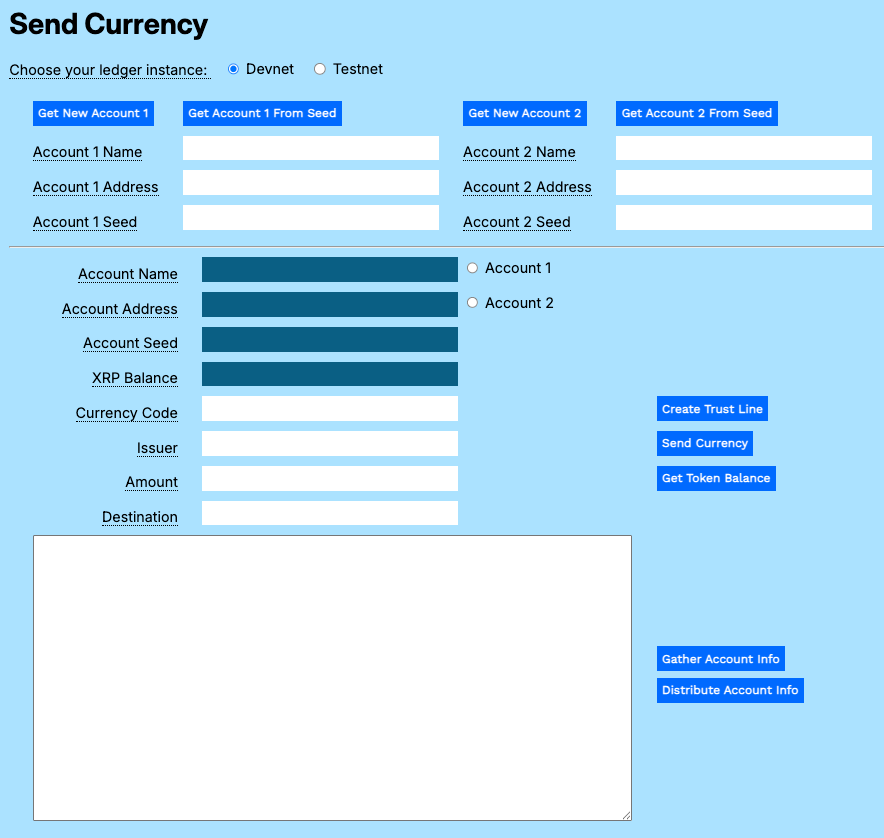](https://xrpl.org/assets/mt-send-currency-1-empty-form-info.6d95e080d536a53431e15e88bcb4f313a304f1131a806d91c0dc8de6475443fa.ac57e6ef.png)
You can download the [Payment Modular Tutorials](https://xrpl.org/assets/payment-modular-tutorials.a27fd32656123cc667fdfb8949e8c79c60732fc4da4448548774646ed28d5e69.bb35afea.zip)
from the source repository for this website.
Note
Without the Payment modular tutorials, you will not be able to try the examples that follow.
[](https://xrpl.org/docs/tutorials/payments/create-trust-line-send-currency-in-javascript#usage)
Usage
----------------------------------------------------------------------------------------------------------
Open the Send Currency test harness and get accounts:
1. Open `send-currency.html` in a browser.
2. Get test accounts.
1. If you copied the gathered information from another tutorial:
1. Paste the gathered information to the **Result** field.
2. Click **Distribute Account Info**.
2. If you have an existing account seed:
1. Paste the account seed to the **Account 1 Seed** or **Account 2 Seed** field.
2. Click **Get Account 1 from Seed** or **Get Account 2 from Seed**.
3. If you do not have existing accounts:
1. Click **Get New Account 1**.
2. Click **Get New Account 2**.
[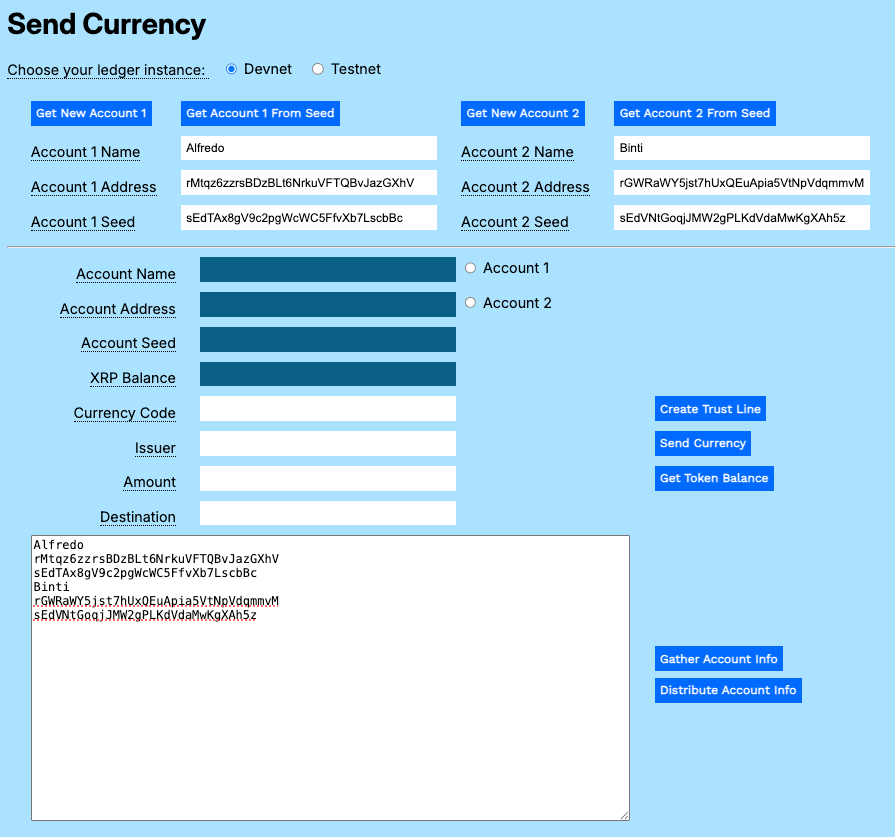](https://xrpl.org/assets/mt-send-currency-2-distribute-accounts.5e4fb4d4e92d15d91c663edad9d82dfafe4ca3b79c54b9515124e1f605211a8f.ac57e6ef.png)
If you want an account to be able to transfer issued currency to accounts other than the issuer, the issuer account must be configured to allow rippling. See _Issuer_ in the [Configuring Accounts](https://xrpl.org/docs/concepts/accounts/configuring-accounts#issuer)
topic.
Accounts can always transfer currency tokens back to the original issuer.
[](https://xrpl.org/docs/tutorials/payments/create-trust-line-send-currency-in-javascript#create-trust-line)
Create Trust Line
----------------------------------------------------------------------------------------------------------------------------------
In order to trade standard tokens, you must first establish a trust line from the receiving account to the issuing account.
To create a trust line between accounts:
1. Click **Account 2** to populate the uneditable fields in the form.
2. Enter a [currency code](https://www.iban.com/currency-codes)
in the **Currency Code** field.
3. Enter the maximum transfer limit in the **Amount** field.
4. Copy and paste the **Account 1 Address** value to the **Issuer** field.
5. Click **Create Trust Line**.
[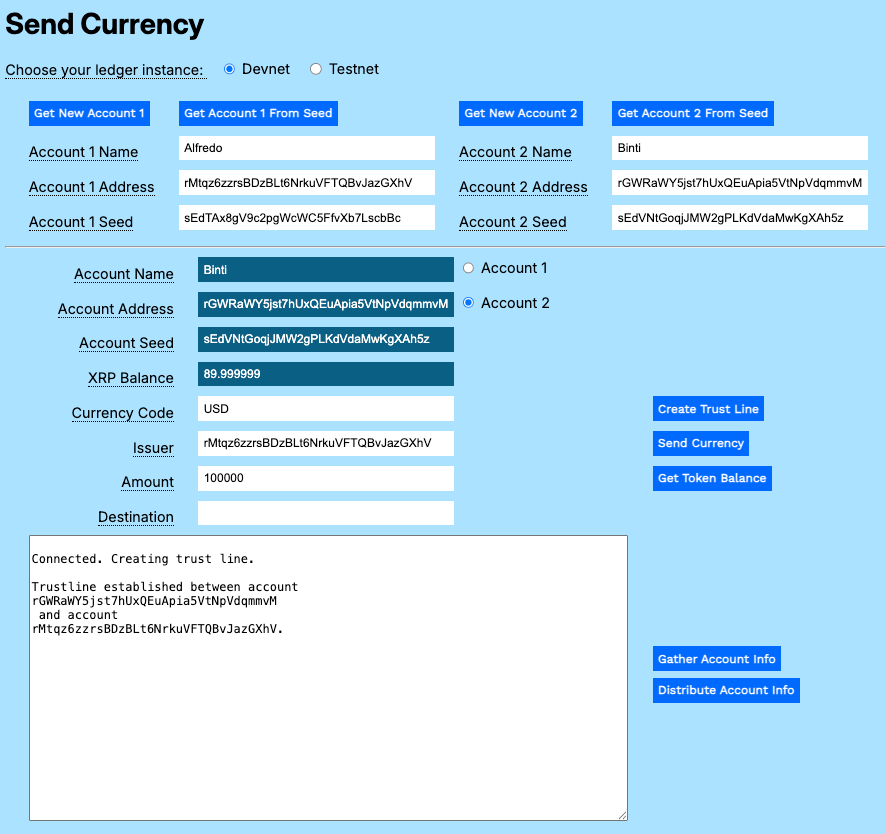](https://xrpl.org/assets/mt-send-currency-3-create-trustline.931b5e38838dc275a5a6b01628261a7c482283854d0cd036cf4648befdf12162.ac57e6ef.png)
[](https://xrpl.org/docs/tutorials/payments/create-trust-line-send-currency-in-javascript#send-an-issued-currency-token)
Send an Issued Currency Token
----------------------------------------------------------------------------------------------------------------------------------------------------------
To transfer an issued currency token, once you have created a trust line:
1. Click **Account 1**.
2. Enter the **Currency Code**.
3. Copy and paste the **Account 1 Address** to the **Issuer** field.
4. Enter the **Amount** of issued currency to send.
5. Copy and paste the **Account 2 Address** to the **Destination** field.
6. Click **Send Currency**.
[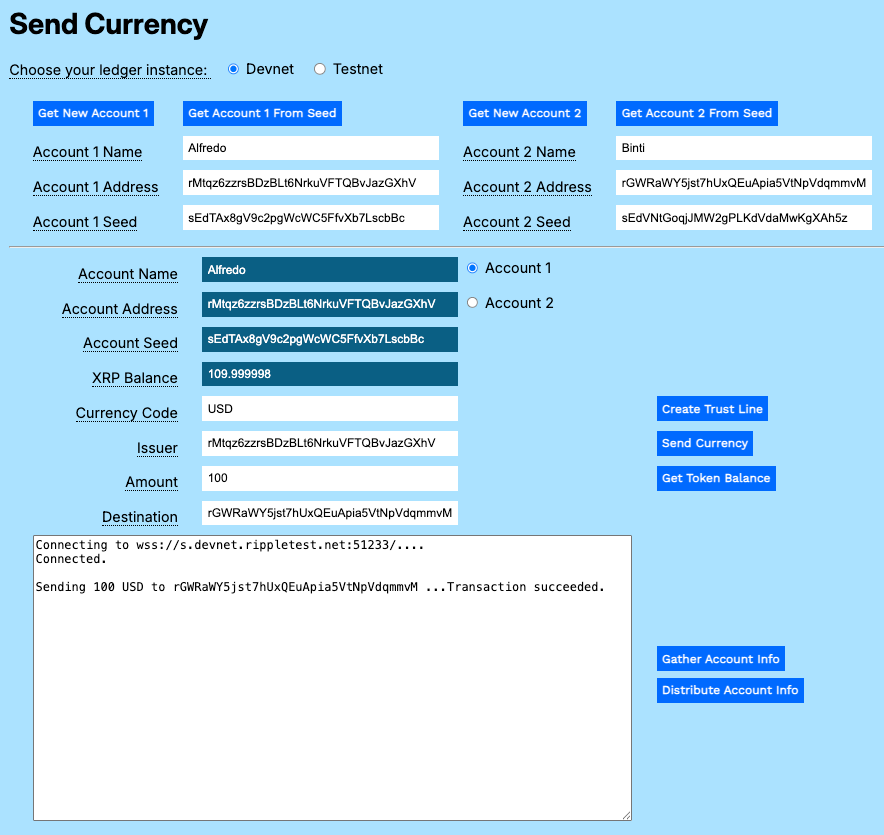](https://xrpl.org/assets/mt-send-currency-4-send-currency.431a222190611d74b0f03d23cc0556270e965c1c24481be2b84b5f6b7f32de57.ac57e6ef.png)
[](https://xrpl.org/docs/tutorials/payments/create-trust-line-send-currency-in-javascript#get-the-current-token-balance)
Get the Current Token Balance
----------------------------------------------------------------------------------------------------------------------------------------------------------
To see the balances for all issued tokens for an account.
1. Click **Account 1** or **Account 2**.
2. Click **Get Token Balance**.
The balance for an issuing account is shown as an obligation.
[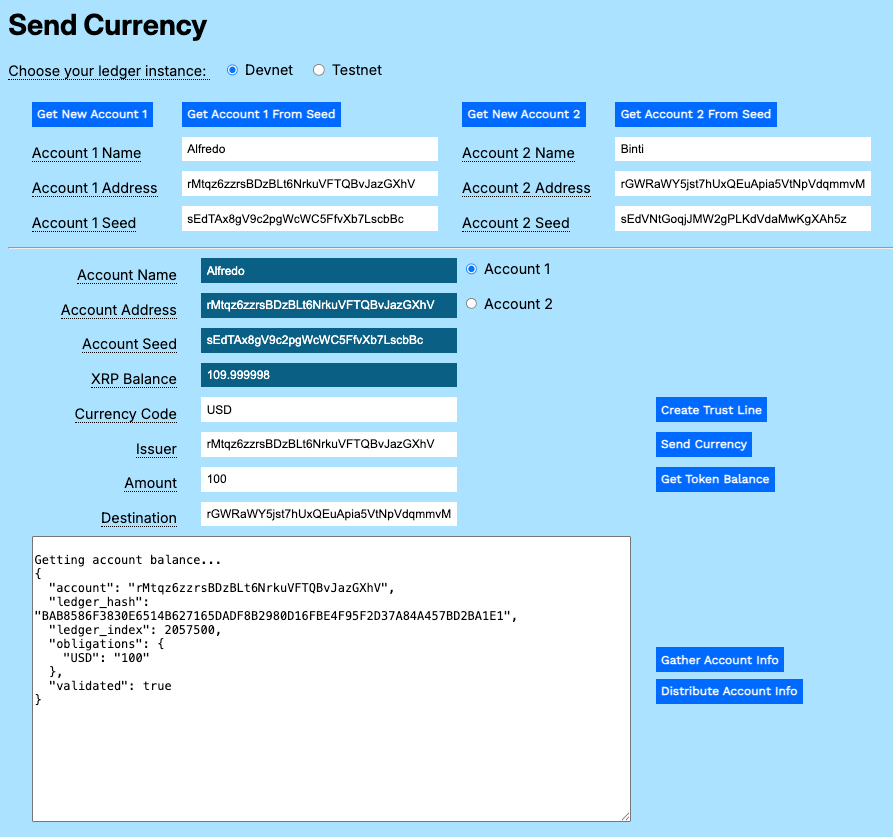](https://xrpl.org/assets/mt-send-currency-5-issuer-token-balance.ea98b5a240a79ff061417ca6f959f71807a95510e55afa3753d0c1a3f54c95d6.ac57e6ef.png)
The balance for a holder account is shown as an asset.
[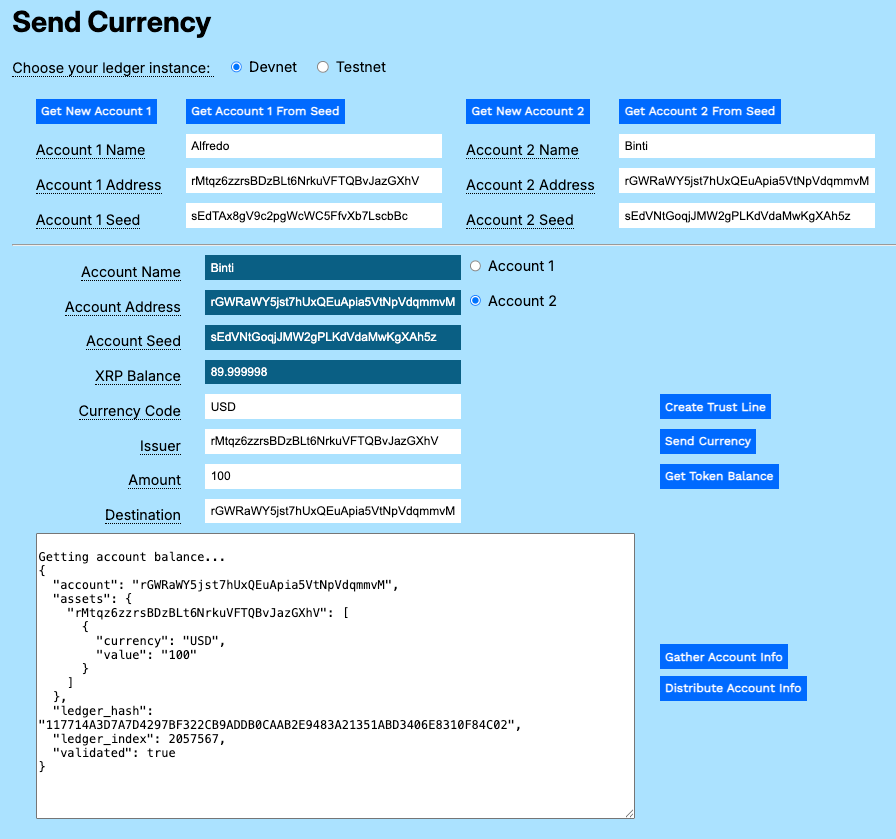](https://xrpl.org/assets/mt-send-currency-6-holder-token-balance.7e88a664ce970edbe8615f0561422d1cc2ea6b385048668f2e114cbcb4d608a6.ac57e6ef.png)
[](https://xrpl.org/docs/tutorials/payments/create-trust-line-send-currency-in-javascript#code-walkthrough)
Code Walkthrough
================================================================================================================================
You can download the [Payment Modular Tutorials](https://xrpl.org/assets/payment-modular-tutorials.a27fd32656123cc667fdfb8949e8c79c60732fc4da4448548774646ed28d5e69.bb35afea.zip)
from the source repository for this website.
[](https://xrpl.org/docs/tutorials/payments/create-trust-line-send-currency-in-javascript#send-currencyjs)
send-currency.js
-------------------------------------------------------------------------------------------------------------------------------
There are two asynchronous functions in the send-currency.js file that build on the base module to add new behavior for sending issued currency between accounts.
###
[](https://xrpl.org/docs/tutorials/payments/create-trust-line-send-currency-in-javascript#create-trust-line-1)
Create Trust Line
A trust line enables two accounts to trade a defined currency up to a set limit. This gives the participants assurance that any exchanges are between known entities at agreed upon maximum amounts.
Connect to the XRPL server.
async function createTrustLine() {
const net = getNet()
const client = new xrpl.Client(net)
await client.connect()
let results \= "\\nConnected. Creating trust line.\\n"
resultField.value \= results
Create a `TrustSet` transaction, passing the currency code, issuer account, and the total value the holder is willing to accept.
try {
const wallet = xrpl.Wallet.fromSeed(accountSeedField.value)
const trustSet\_tx = {
"TransactionType": "TrustSet",
"Account": accountAddressField.value,
"LimitAmount": {
"currency": currencyField.value,
"issuer": issuerField.value,
"value": amountField.value
}
}
Autofill the remaining default transaction parameters.
const ts\_prepared = await client.autofill(trustSet\_tx)
Sign and send the transaction to the XRPL server, then wait for the results.
const ts\_signed = wallet.sign(ts\_prepared)
resultField.value \= results
const ts\_result = await client.submitAndWait(ts\_signed.tx\_blob)
Report the results of the transaction.
if (ts\_result.result.meta.TransactionResult \== "tesSUCCESS") {
results += '\\n\===Trust line established between account \\n' +
accountAddressField.value + ' \\n and account\\n' + issuerField.value + '.'
resultField.value \= results
} else {
results += \`\\n\===Transaction failed: ${ts\_result.result.meta.TransactionResult}\`
resultField.value \= results
}
}
Catch and report any errors, then disconnect from the XRP Ledger.
catch (error) {
console.error('===Error creating trust line:', error);
results += \`\\n\===Error: ${error.message}\\n\`
resultField.value \= results
throw error; // Re-throw the error to be handled by the caller
}
finally {
// Disconnect from the client
await client.disconnect();
}
}
//End of createTrustline()
###
[](https://xrpl.org/docs/tutorials/payments/create-trust-line-send-currency-in-javascript#sendcurrency)
sendCurrency()
This transaction actually sends a transaction that changes balances on both sides of the trust line.
Connect to the XRP Ledger and get the account wallet.
async function sendCurrency() {
let net \= getNet()
const client = new xrpl.Client(net)
results \= 'Connecting to ' + getNet() + '....'
resultField.value \= results
await client.connect()
results += '\\nConnected.'
resultField.value \= results
Create a payment transaction to the destination account, specifying the amount using the currency, value, and issuer.
try {
const wallet = xrpl.Wallet.fromSeed(accountSeedField.value)
const send\_currency\_tx = {
"TransactionType": "Payment",
"Account": wallet.address,
"Amount": {
"currency": currencyField.value,
"value": amountField.value,
"issuer": issuerField.value
},
"Destination": destinationField.value
}
Autofill the remaining default transaction parameters.
const pay\_prepared = await client.autofill(send\_currency\_tx)
Sign and send the prepared payment transaction to the XRP Ledger, then await and report the results.
const pay\_signed = wallet.sign(pay\_prepared)
results += \`\\n\\n\===Sending ${amountField.value} ${currencyField.value} to ${destinationField.value} ...\`
resultField.value \= results
const pay\_result = await client.submitAndWait(pay\_signed.tx\_blob)
if (pay\_result.result.meta.TransactionResult \== "tesSUCCESS") {
results += '\\n\===Transaction succeeded.'
resultField.value \= results
} else {
results += \`\\n\===Transaction failed: ${pay\_result.result.meta.TransactionResult}\`
resultField.value \= results
xrpBalanceField.value \= (await client.getXrpBalance(wallet.address))
}
}
Update the XRP value field to reflect the transaction fee.
catch (error) {
console.error('Error sending transaction:', error);
results += \`\\nError: ${error.message}\\n\`
resultField.value \= results
throw error; // Re-throw the error to be handled by the caller
}
finally {
// Disconnect from the client
await client.disconnect();
}
} // end of sendCurrency()
[](https://xrpl.org/docs/tutorials/payments/create-trust-line-send-currency-in-javascript#send-currencyhtml)
send-currency.html
-----------------------------------------------------------------------------------------------------------------------------------
Update the form to support the new functions.
Send Currency